Square’s Co-Founder on How Innovation Stacks Helped His Then-Startup Take on Amazon
It’s rare that a smaller brand can go up against a big company like Amazon and win. But that’s what Square did when Amazon launched an almost identical card reader for a fraction of Square’s price.
Without undercutting the price of its biggest competitor, Square still went on to completely disrupt the digital payments and finance industry and earn 4.68 billion in revenue in Q2 2021.
Why? Its co-founder, Jim McKelvey attributes Square’s success to its “innovation stack.”
In HubSpot’s first episode of The Shake Up, Alexis Gay and Brianne Kimmel sat down with McKelvey to learn about how Square navigated its competition with Amazon and dive more into his book, The Innovation Stack: Building an Unbeatable Business One Crazy Idea at a Time.

How to Beat Competition Like Square Beat Amazon
Below, you’ll find just a few highlights from McKelvey as well as the podcast where you can listen to the full conversation.
What’s an innovation stack?
[20:13] Alexis Gay: Before we dive in a little bit, can you tell us what is the innovation stack?
[20:20] McKelvey: The innovation stack is this thing that I discovered while I was trying to answer a question that was plaguing me, which is how Square survived an attack by Amazon. … The Square was attacked by Amazon when we were a startup.
At the time, every company that had been attacked by Amazon, whether they were a startup or not died. There was a 100% mortality rate or it had been absorbed into Amazon, which I would also consider. … death or worse.
… We were looking at this very dire situation and we did some kind of crazy stuff and it worked and, and then after it worked, I thought, “Why did it?” And I couldn’t answer that question.
… I’m a sort of nerdy engineer and I went on this research quest looking for other companies that had lived through similar situations. So I studied historical businesses. … Technology was not the major force, but there was this thing that kept showing up in my research and it was a thing that I labeled an innovation stack. And it’s just this very simple idea that invention is not one or two things. It’s usually this messy conglomeration of 10, 20, 30, 40 things.
Amazon takes on Square
[23:02] McKelvey: [In a board meeting], Jack [Dorsey] was dressed in all black and he announced that Amazon had copied our product and was going to undercut our price, which is what they always do. And he told the board what was happening — and we have very intelligent people on the board and we have a lot of experienced folks — and we were stopped.
… We started iterating through the questions of, “What could we do?” One of the most basic ones was Amazon was undercutting our price. We could lower our price and match Amazon. And then here’s the thing. Those are priced to be as low as it could be and still serve our customers.
… We didn’t actually even do anything. That was different, which was the amazing thing. We wanted to do something because if you’re being attacked, the hardest thing you can do is to not react or maybe not overreact.
[24:56] McKelvey: It was terrifying. And this made it even more interesting when we won for me to answer the question, “Why?” What the heck happened because I was so happy we won, but then I was like, “Why did we win?”
Square Beats Amazon
[27:02] Gay: So Jim, let’s talk a little bit about Halloween in 2015. You got some pretty big news on that day. Can you tell us a little bit, well, first actually, let me ask you this: Were you dressing in costume?
[27:16] McKelvey: I was dressed as the Joker. My wife was dressed as Catwoman and my son was dressed as Batman. The best treat I got that night was Amazon announcing that they were going to discontinue their competitor to Square. And not only that, they were going to mail one of the little white square readers. The thing that I designed.
Why Building an Innovation Stack is Uncomfortable
[34:43] McKelvey: The big insight of the book is that the process of innovation is fundamentally different and it feels different and here’s how it feels. What I tell my readers, or potential readers is, “Look, the reason you read the innovation stack is that at some point in your life, you are going to run up against the edge of human knowledge.”
… When you’re in the process of building an innovation stack, it is so darn uncomfortable. So I want people to have recognition. So first of all, recognize the boundaries. That’s hugely helpful. Secondly, understand when it’s appropriate to copy and when you need to.
[36:28] McKelvey: If you step across that line between the known and the unknown, it’s going to get unpleasant. It will not kill you. It might be really wonderful on the other side eventually, but … your focus is to figure out something that nobody else has figured out.
… How many pieces do you have to come up with before you’ve got an innovation stack that actually works? And by the way, there’s no guarantee that you’re ever going to reach that limit, but you do. And if you do. The world changes. Like it’s just amazingly powerful if you build [an innovation stack].
To hear the full interview, listen to the podcast embedded above, or click here for a full list of episodes.


How to Run LinkedIn Ad Campaigns: A Beginner’s Guide
LinkedIn is a highly valuable tool to network with like-minded professionals. But here’s something we don’t talk about as much as we should: LinkedIn is also a useful inbound marketing platform.
It might seem a little bit intimidating. You have enough on your plate … do you really need to figure out another way to create targeted content? Actually, yes. You have more power at your disposal with LinkedIn than you might realize.
That’s because LinkedIn has a powerful ads platform. If you’re already using pay-per-click (PPC) techniques to power your presence on Facebook, Twitter, or Google, consider yourself lucky — you can add LinkedIn to that list, too. This is especially easy to do if you’re using the HubSpot ads tool.

But if you’re new to LinkedIn Ads, fear not — we’ve put together a step-by-step guide to setting up your first LinkedIn ad campaign.
Before we dive in, let’s review the way in which LinkedIn Ads work:
In the above definition, we mentioned LinkedIn targeting options. Here’s some more information on how LinkedIn targeting actually works and what those targeting options are.
LinkedIn Targeting Options
Reviewing these options now will help you in step three below, where we review targeting on LinkedIn.
How does LinkedIn targeting work?
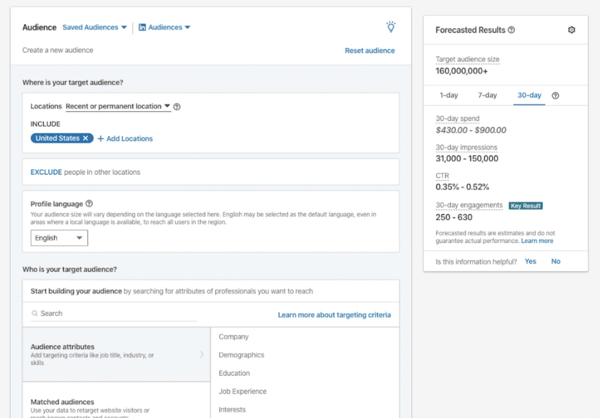
Ad targeting in LinkedIn helps you run a successful advertising campaign — that’s because when you target the right people, it leads to greater engagement and more conversions.
With LinkedIn, the process of selecting the audience you’re going to target works the same way, no matter which type of ad you select.
When establishing who it is you’re going to target, LinkedIn provides over 20 different audience attributes and targeting categories that you can select from — examples include company name, company size, member groups, member interests, member schools, job title, job seniority, and skills.
Advertising on LinkedIn is a two-step process: 1) setting up your LinkedIn campaign, and 2) creating your LinkedIn ad(s).
In this section, we walk through how to set up a campaign and build your ad(s) — plus some best practices and tips for each.
1. Create your LinkedIn ad campaign.
Your LinkedIn advertising campaigns will live on a platform separate from the LinkedIn you see every day — the LinkedIn Marketing Solutions platform. Visit this page to get started with your campaign, and select Create Ad.
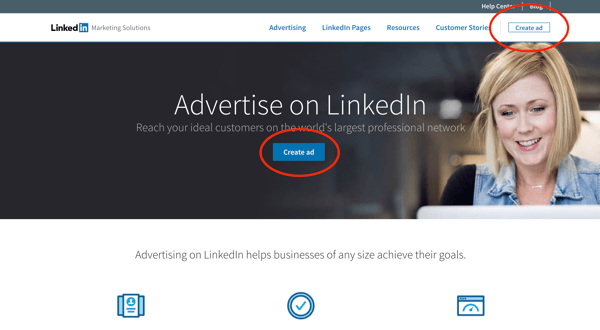 From there, you’ll be prompted to create a LinkedIn Campaign Manager account (if you haven’t yet). Make sure you enter your associated LinkedIn Company Page if you have one.
Next, you’ll be taken to your member dashboard. If you haven’t entered your billing information, you’ll need to do so to unlock your account. (Don’t worry, you won’t be charged until your campaign is live — from there, you’ll be charged periodically for ad clicks and other engagements.)
On your dashboard — or “Campaign Manager,” as it’s formally called — you’ll see a call-to-action (CTA) to Create Campaign.
Click that button, and you’ll be redirected to a page where you can start setting up your campaign.
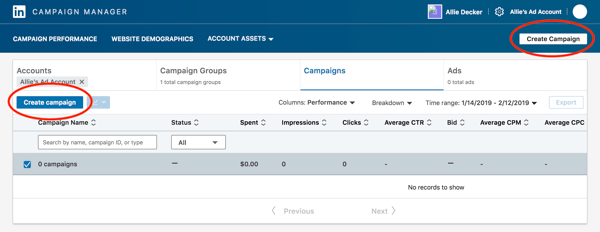
Note: As of 2019, LinkedIn introduced a “new objective-based campaign creation experience”. We’ll be covering that new process in this article — to learn more, check out this page.
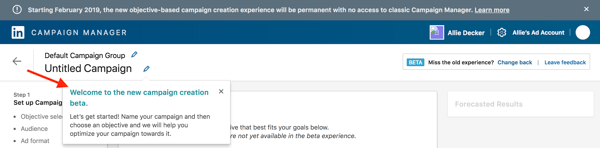
First, indicate a Campaign Group and name your campaign. Campaign Groups help you organize your campaign. You can leave the Default Campaign Group as-is or create a new Group.
As for the campaign name, these are only visible internally, so we recommend you choose a highly informative name — especially if you have a few different folks working on the campaign.
For example, if I was running a test to determine the best type of demographic targeting, I might use the title, “Unicorn Food Ad Test — North America, 18 to 24, Female.”
That name describes exactly who I’m targeting, without having to view its details. Compare this to something like “Unicorn Food Test 1,” which doesn’t indicate anything about who the ad is targeting.
Once you choose your Campaign Group and name, you can start setting up your LinkedIn campaign.
2. Set your LinkedIn ad campaign objective.
Next, choose your campaign objective.
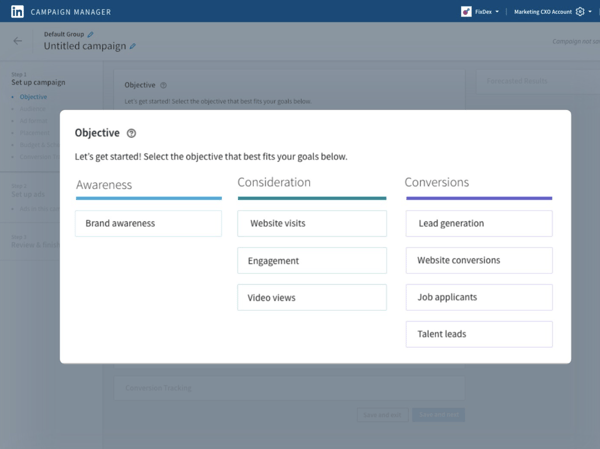 Your objective is what you want people to do when they see your ads. According to LinkedIn, choosing an objective helps them, “customize your campaign creation, deliver the best ROI for your stated goal, and show you relevant reporting.”
There are three overarching campaign themes: Awareness, Consideration, and Conversions. Under those themes, some available campaign objectives are:
-
Website visits will drive traffic to your website and landing pages. According to LinkedIn, this type of campaign will also boost brand awareness (at least while that objective option remains unavailable).
-
Engagement will increase engagement on your content and boost followers on your LinkedIn Company Page.
-
Video views will increase the exposure of your videos to people who are likely to engage with them.
-
Lead generation will show a LinkedIn lead generation form with pre-filled LinkedIn profile data to those LinkedIn users most likely to engage with the form.
3. Designate your LinkedIn ad audience.
Next, choose the parameters of your target audience. Targeting who sees your ad can help it fulfill its campaign objective — the more specific and relevant it is to your audience, the better it’ll perform.
LinkedIn allows you to target according to a few different categories — refer to our points on targeting options that we reviewed above.
You don’t have to use all of LinkedIn’s targeting options — but, the more specific the targeting criteria, the more relevant it’s likely to be to the audience you select. And, therefore, the more likely you are to have a better ROI.
4. Decide on your LinkedIn ad format.
Next, choose your ad format. In the next section, we unpack the different types of LinkedIn Ads you can create as part of your campaign.
When you toggle between the ad types, you’ll see that the Forecasted Results box on the right-hand side will change. This feature analyzes your campaign parameters (bid, budget, targeting, start/end dates, etc.) and takes into account similar campaigns and advertisers. It also stimulates the ad auction to generate the numbers displayed.
Keep an eye on this box as you choose your LinkedIn ad type. If you’re first starting out, deciding on which ad type you want to choose may come down to budget. Outline your priorities, and then you can decide which type works best for you.
Additionally, some ad types require you to link your LinkedIn Company Page and some tap into LinkedIn translation services.
5. Choose your LinkedIn ad placement.
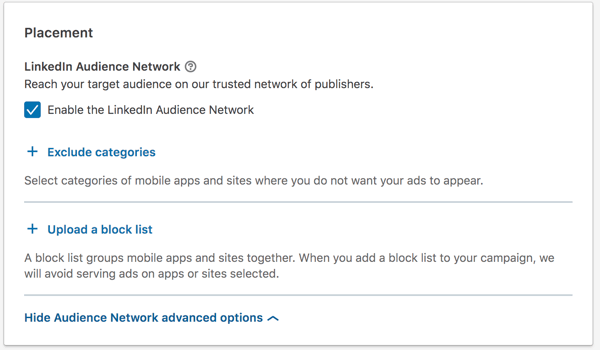
Next, decide whether you want your ad to be displayed on the LinkedIn Audience Network, which gives your campaign more reach and exposure among LinkedIn’s third-party platforms and sites. Note: This option isn’t available for every ad type.
You can also choose to exclude or block certain categories, applications, and sites in the Network if you so choose.
6. Set your ad budget and schedule.
Next, set up the budget, scheduling, and bidding options that work best for you.
Budget
Set a daily budget for what works best for your company’s marketing spending. Before investing a lot into one campaign, test and measure the success of each campaign and ad variation. You don’t want to put thousands of dollars, for example, into an ad that doesn’t resonate with your target audience.
Let’s say you’re the VP of Marketing at a high-end floral company. You assume that most of your target market is made up of soon-to-be brides, so you direct your LinkedIn Ads to bridal groups. But after spending thousands of dollars, you only generate 10% of the leads you were hoping for.
Your subsequent research shows this was the wrong move, and you later learn that people near your store who are on LinkedIn are actually looking for flowers for corporate events. It would have been nice to know that before spending a large amount of your budget on LinkedIn Ads, right?
That said, because of its extensive targeting opportunities, LinkedIn Ads can successfully target niche markets. But the cautionary experimentation is crucial to do early on — if you observe a campaign performing well, then you can put a larger budget toward it.
Schedule
Choose a date for your campaign to start. You can indicate for your campaign to be shown continuously or ‘til an end date.
Bid Type
In this section, the three options you have are:
-
Automated bid, which allows LinkedIn to determine what amount will maximize your campaign objective and whatever option you choose (clicks, impressions, or conversions).
-
Maximum cost-per-click (CPC) bid, where you’ll be charged each time someone clicks on your ad. LinkedIn will suggest a bid range depending on your budget and the competition for your ads — the more advertisers bidding on a similar campaign, the higher your bid will need to be. This bid is the maximum you will be charged. If the current rate is lower than your max bid, you will only be charged the current rate.
-
Maximum pay-per-1,000 Impressions (CPM) bid, where you’ll be charged a certain amount each time your ad is viewed by every 1,000 people on LinkedIn. This option is unavailable if you’re using the LinkedIn Audience Network option.
Deciding on the best maximum bid can be tricky. When deciding between CPC and CPM, think about your end goal. Are you trying to get as many people as possible to see your ad to help with something like a branding campaign? If so, CPM might be your best option.
On the other hand, if you want more people to click on your ads to drive traffic to your website or generate new leads, CPC might be better for you.
As for your optimal maximum bid, some trial and error might be necessary. LinkedIn will give you a suggested bid, which is a good place to start.
Then, think about when your audience is most likely online. You’ll want to bid higher during that particular time to be sure that your ads are the ones being seen. And make sure LinkedIn is actually the best place to reach them, too — play around with your bids and see when you get the most return for your dollars spent.
7. Don’t forget conversion tracking.
Lastly, you have the option to set up conversion tracking for your LinkedIn campaign, which will track and measure the actions people take after clicking on your ads.
Conversion tracking is an optional part of setting up your LinkedIn advertising campaign but is highly valuable for your business.
If you choose to set up conversion tracking, click + Add conversions.
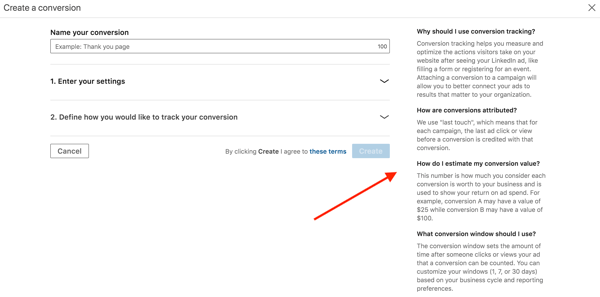
A new window will pop up, where you’ll name your conversion, choose your conversion settings, and decide how you’ll track the conversions.
Note: The information on the right-hand side of the window is super helpful — it’ll answer any questions you have and walk you through the process. And for more help implementing and managing your LinkedIn Conversions, visit this help page.
Bravo! You’ll officially set up your LinkedIn advertising campaign … but you’re not done yet. When you’re ready to move on, click “Save.” Beware: Your objective and ad format cannot be changed once you save, so be sure about your choices before moving forward.
8. Build your LinkedIn ad.
This section corresponds to what type of LinkedIn ad you chose for your campaign.
Once you establish the basic parameters for your ad in step one, you’ll be prompted to start building it and choose how LinkedIn will display and rotate your ad variations — if you create more than one.
To get started, click Create new ad.
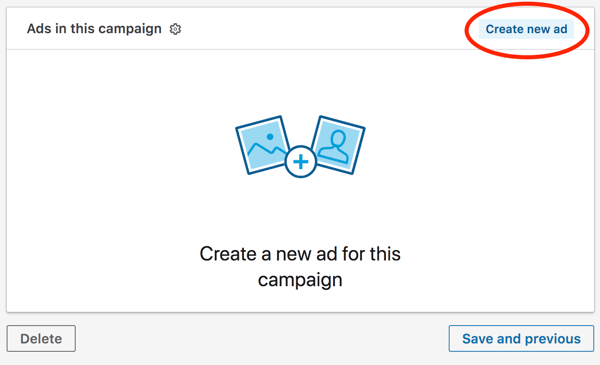
A screen will pop up with the title “Create a new [Your chosen ad type] for this campaign,” on which you’ll create the copy for your ad, pair it with an image, and preview the different layout options.
Of course, there are a few guidelines around the copy that we suggest:
-
Ad image, which is the artwork or graphic that your audience will see for your ad. It must be 100×100 pixels and uploaded as a .jpg or .png file that is 2MB or smaller.
-
Ad headline, which is the main message your audience will see. It cannot be more than 25 characters.
-
Ad description, which is the body of your ad. It can be up to 75 characters long and should be relevant both to the person viewing the ad and the offer or page to which you’re sending them.
-
Destination URL, which is where your audience will go when they click your ad. Double check that the URL is accurate.
Once you input this information, you’ll see it reflected in the Preview box to the right.
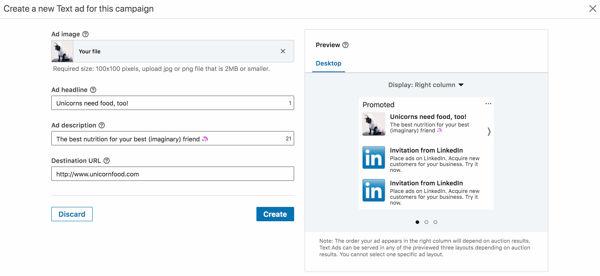
Once you click Create, you’ll be directed back to the previous Campaign Manager screen. From there, you can create more ads and, eventually, review and submit your order.
Note: LinkedIn does review every submitted campaign order, so don’t expect to see your ads published right away.
To see the best results for your ads, consider creating a different ad for each of your buyer personas and tweak the copy accordingly.
For example, when promoting a book to college professors, leading the title with the words “College Professor’s Guide to …” may generate a higher CTR than generic, un-targeted headlines and copy.
Here are a few of our best copywriting tips for LinkedIn Ads.
CTA
Including an actionable CTA within your ad copy will also help you improve your ad’s click-through rate (CTR). Consider asking people to “Download your e-book now,” or “Click now for free samples” instead of writing copy that’s devoid of actionable next steps.
Value
Incorporate your value proposition into your ad copy — this can make people more likely to click on your ad. By boasting something like “20% off your first purchase” or “Clearance sale ends today — Shop now,” you’re sending a clear signal of what someone will specifically gain when he or she clicks your ad.
Testing
Don’t be afraid to test your ad copy. You can create multiple variations of your ad in each campaign, which allow you to test different images and copy within ads to find what works best for your audience.
As we said above, deciding on what type of LinkedIn ad is best for your campaign can come down to many factors: budget, audience, campaign objective — just to name a few.
When building your LinkedIn Ads, you have four main types from which to choose. Within those formats, you can choose different formats based on your ad content and purpose.
1. Sponsored Content
Sponsored Content shows up in your audience’s news feed among organic LinkedIn content.
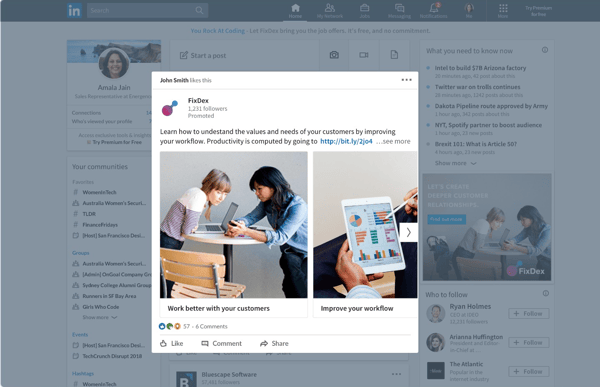
These ads are similar to promoted posts that blend into social media feeds. Sponsored Content is available in three formats:
-
Single image ads, which feature one image.
-
Carousel ads, which feature two or more images.
-
Video ads, which feature one video.
This type of LinkedIn ad typically has the highest average cost-per-click (CPC).
(Learn more about the advertising specifications for Sponsored Content according to LinkedIn.)
2. Message Ads
Message ads are delivered to your target audience’s LinkedIn inbox.
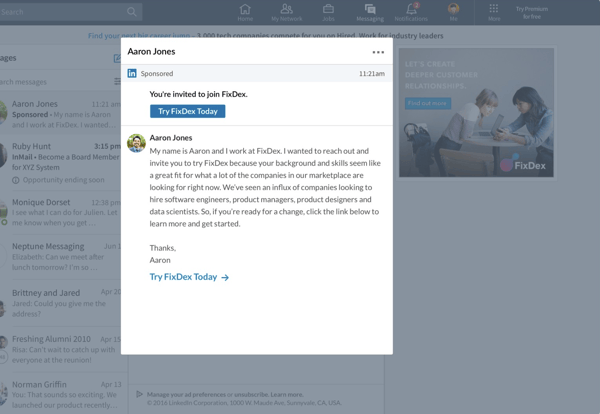
With this type of LinkedIn ad, you can send your content directly to your audience from a personal account and better measure engagement based on recipient response and action.
(Learn more about the advertising specifications for Message Ads according to LinkedIn.)
3. Dynamic Ads
Dynamic Ads are personalized ads that change content based on which audience member is viewing them. This type of LinkedIn ad uses member personal data to tailor its creative content.
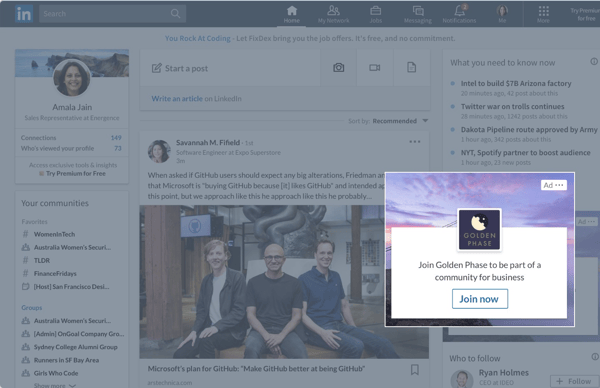
(Each LinkedIn member sees his or her own personal data; data isn’t shared with other members.)
Dynamic Ads are available in three formats which are only available on the LinkedIn desktop platform:
-
Follower ads, which promote your LinkedIn Company Page.
-
Spotlight ads, which promote a special offering.
-
Job ads, which promote open jobs.
(Learn more about advertising specifications for Dynamic Ads according to LinkedIn.)
4. Text Ads
Text Ads show up on the right column or top of the page on LinkedIn.
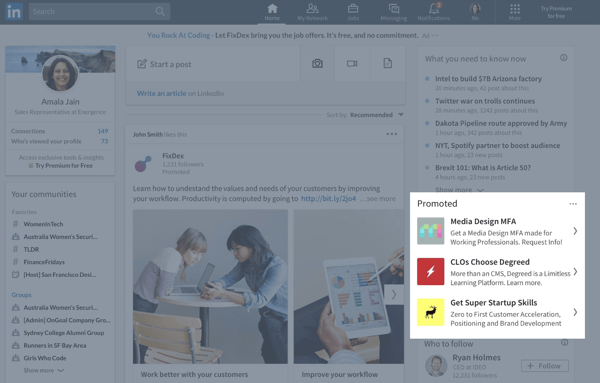
They’re the simplest type of LinkedIn ad but are still effective for boosting awareness and reaching your audience. Pay per click or per impression for Text Ads.
(Learn more about advertising specifications for Text Ads according to LinkedIn.)
Social ad campaigns can always be improved. Remember, your audience and content are always changing — as well as the platform itself. Here are some best practices to optimize your LinkedIn ad campaign.
Before we dive in, here’s a quick tip: Set a reminder for yourself to analyze and optimize your campaigns each month.
1. Know your audience and the customer journey.
As your business grows, your audience also evolves and so does the customer journey. It’s crucial that you know and update your buyer personas and the customer journey map regularly — this will allow you to effectively target your personas at the right point in time (a.k.a. when they’re most likely to convert). You may do this on a quarterly basis.
To help with the process, check out your buyer persona guide, free buyer personas templates, free Make My Persona tool, customer journey map guide, and free customer journey map template.
You should also consider your customer journey when deciding on which type of ads (more on this best practice in step four, below) you’ll create and share — not every type of ad is ideal for every part of the customer journey.
For instance, you may use a sponsored ad for audience members who have already engaged with your brand/content before rather than that being their first touchpoint with you.
2. Segment your customers.
On a similar token, segmenting your customers is a great way to prepare for effective and tailored ad targeting, whether on LinkedIn or any other platform.
You can segment your customers so that you know exactly how you’re going to target specific audiences on LinkedIn in order to increase engagement and chances of conversion.
For instance, you might know that specific audience segments are going to need a certain type of LinkedIn Ad at a certain point in the buyer’s journey – having your customers ready in segments makes this part of the ad targeting process easy and efficient.
3. Refer to your social ads on other platforms as well as your competitors’ LinkedIn Ads.
Getting some inspiration and gleaning information from your other social ads as well as the LinkedIn Ads of your competitors is a great way to help you navigate the process of creating and sharing your ads on LinkedIn.
Although LinkedIn is a unique platform and your audience may not be the same across social platforms, it’s still good to take some inspiration from and, at the very least, identify which ads perform best on other social platforms like Google and Facebook.
Not only can this be a good starting point when planning your LinkedIn Ads, but it can also help you save time — maybe you want to repurpose content that’s on a Google Ad already for LinkedIn.
Additionally, you may not have the analytics to prove which of your competitors’ LinkedIn Ads are performing best, but you can at least identify which types of ads are getting a lot of engagement by looking at metrics like comments and reactions.
This is a helpful reference point when planning and creating your LinkedIn Ads since you’re likely going to have a similar audience on the platform as your competitors do.
4. Carefully select the content you share based on the type of ad you’re creating.
As mentioned earlier, you’ll want to determine what content you’re sharing with audience members based on the type of ad you’re creating. Refer to your customer segments here to help you effectively tailor content to those audience members and where they are in the customer journey when working through this step.
As a recap, here are the types of LinkedIn Ads you can create along with examples of the content you may include:
- Sponsored content: Single image ads, video ads, carousel ads, and event ads; ideal for highly-engaged audiences in the LinkedIn Newsfeed.
- Sponsored messaging: Conversation Ads, Message Ads; ideal for engaging audience members in LinkedIn Messaging.
- Lead generation forms: Lead generation forms; ideal for creating pre-filled forms for LinkedIn ads.
- Text and dynamic ads: Text ads, spotlight ads, follower ads; ideal for running ads in the LinkedIn right rail.
5. Use eye-catching and attention-grabbing visuals and language.
This content you’re sharing should just be selected by ensuring it works with the type of ad you’re creating though — it also needs to bring your audience members in and make them want to engage with it (e.g. read/ watch more, click on it, open your gated offer, etc.).
Think about ad elements like:
- Colors
- Font
- Language and text
- CTA placement and style
- Images
- Videos
- GIFs
For more inspiration, take a look at
these great LinkedIn Ad examples.
6. A/B test your LinkedIn Ads (and tweak one variable at a time).
Don’t be afraid to test different visuals, language, and text to determine what your unique audience on LinkedIn finds eye-catching and attention-grabbing. You can test different versions of the same ad to see what factor is contributing to or hindering its success.
For instance, change the copy in your headline, change your featured image, tweak the target audience attributes, or update your bids — just don’t do these all at the same time or you won’t know which one is the fix. A/B testing makes this process easy and ensures you’re just changing one factor at a time.
7. Create gated offers using LinkedIn Lead Gen Forms.
Gated offers are those that require some sort of information in return for that offer — for instance, an audience member gets a free template or an ebook in return for sharing their email address. To do this with your LinkedIn Ads, you’ll have to use their Lead Gen Forms.
LinkedIn allows you to create Lead Gen Forms for both Sponsored Content and Message Ads. They come pre-filled with LinkedIn profile data so members are able to share their information with you in seconds.
Additionally, the forms allow you to track important metrics such as campaign cost per lead, lead form fill rate, and how many leads you get certain audience segments.
8. Keep your budget in mind when creating LinkedIn Ads.
Like anything in business, you’re going to want to keep your budget in mind. LinkedIn uses objective-based pricing when it comes to advertising — meaning, you only pay to achieve the specific marketing goals you have. In other words, you’re charged based on your campaign objective.
You’ll select the activity you want to pay for and then the campaign objective you picked will determine which ad formats, bidding strategies, and optimization goals you can focus on.
9. Determine each campaign’s click-through rate (CTR).
Is one campaign outperforming the other(s)? If so, you may want to pause the less successful campaign(s).
LinkedIn will automatically display less successful campaigns with lower frequency, so it makes sense to minimize any resources spent on them. Instead, putting more resources into successful ad variations and campaigns is more likely to accomplish your marketing goals.
10. Measure and analyze your LinkedIn Ad campaign’s success.
LinkedIn makes it easy to track your progress in the Campaign Manager dashboard (under “Campaign Performance”), where you’ll see various charts that measure performance like clicks, expenditures, and CTR.
You can also keep track of conversions in the graphs toward the bottom of the dashboard.
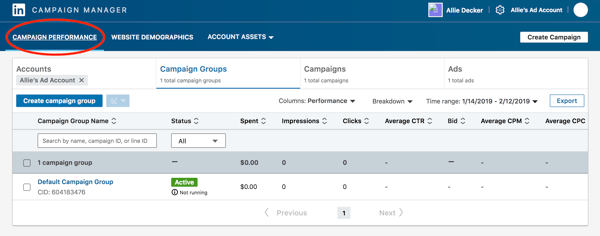
When you finish setting up your first campaign, you’ll see a lot of “0”s at first. Don’t worry, that’s only because your campaign is new (and don’t forget that LinkedIn usually has to approve your ads before they go live).
LinkedIn Ads is available within all HubSpot Marketing Hub Professional and Enterprise accounts! Track visitor and contact engagement, run reports on closed-loop marketing, sync leads from LinkedIn lead generation forms, and MORE — all within your HubSpot account.
Ready to try a LinkedIn Ad strategy?
With the right amount of patience and strategy, LinkedIn ad campaigns can be a huge factor in your company’s marketing success. LinkedIn has a very powerful advertising platform; don’t leave this off your social campaign marketing list. A well-researched, optimized campaign has the potential to bring in thousands of new leads — and sales.
Editor’s Note: This post was originally published in January 2013 and has been updated for accuracy and comprehensiveness.

What Are Leadership Skills? [+ How To Get Them]
Influential leaders are a pillar of any organization.
They motivate employees, help them feel empowered in their skills, and, in turn, build strong teams that consistently meet business goals and contribute to overall business success.
Assuming a leadership role is often an end goal for many business people. If you’re hoping to get there one day and want to know how you can succeed, or you’re hoping to improve your skills, this post will explain what leadership skills are, outline how you can develop them, and learn how to display your skills on a resume to stand out amongst your competitors.

Leadership skills are essential for a business because they drive success. Strong leaders ensure that employees are equipped with the tools and resources to succeed, unify teams to create a culture of togetherness, and delegate and communicate responsibilities and wins to all involved stakeholders.
As an individual, leadership skills are important because they help you in all aspects of your career. You’ll know how to take ownership of your job responsibilities, communicate effectively, and work with others to reach a common goal. If you possess leadership skills but are not yet in a leadership role, demonstrating these skills will signal to employers that you can be a strong leader, which sets you apart from other applicants.
Examples of Leadership Skills
While not an exhaustive list, the skills below are examples of abilities that effective leaders have.
- Communication: A leader needs to communicate effectively and clearly with stakeholders, employees, and all involved teams. Additional skills that support effective communication are active listening, clarity, concision, and persuasion.
- Strategic thinking: Leaders must be strategic thinkers who can understand business goals and develop processes specifically to help meet them.
- People management: As leaders lead people, they must manage groups and help them succeed. People management skills can include communication, active listening, working collaboratively, team building, empathy, giving feedback, and delegating responsibility.
- Motivation: Leaders must be self-motivated when it comes to hitting targets and performing their job duties. You also must motivate your teams and help them feel empowered and able to achieve business goals. Commitment is a skill that strongly relates to motivation.
- Flexibility: Things can change quickly for a business, and leaders must be flexible and able to face changes in the market, employee turnover, or any issues that arise. Being able to think strategically is a skill that strongly relates to being flexible.
- Reliability: People look up to leaders, so they must be reliable. Your teams want to know and trust that you’re giving them the tools they need to succeed, and higher-ups want to trust that you will meet the goals set out for you. Additional skills related to reliability are trustworthiness, integrity, timeliness, and the ability to take the initiative.
- Ability to mentor and teach: One of the most important things for a leader to do is mentor and teach employees and help them develop their professional skills. Related skills include helpfulness, giving positive reinforcement, understanding employee differences, and providing constructive feedback.
- Decisiveness: Leaders must be able to confidently and decisively make informed decisions on critical business matters. Additional skills that support decisiveness are motivation, problem-solving, strategic thinking, and communication.
- Ability to give and receive feedback: People look to leaders for guidance, so it’s critical to be able to provide feedback to employees for their development and for you to be able to receive feedback from others.
Most Important Leadership Skills
Although various skills can make someone a successful leader, a few are more critical than others. We’ll discuss two of them below.
1. Communication
Edelman’s 2021 Trust Barometer found that employees ranked good communication as a critical skill for leaders. As such, communication is a vital leadership skill.
The skill relates to all aspects of your job performance, as you need to be able to communicate expectations to employees, delegate job duties, and provide feedback. You also need to communicate performance with stakeholders and higher-ups, so they understand the success of your processes.
A leader unable to effectively communicate will likely find themselves leading teams that are confused about expectations, unaware of their performance, and unsure about their day-to-day tasks. In addition, higher-ups will have difficulty understanding why you’re implementing your processes and how teams are performing concerning meeting targets.
2. Ability to Mentor and Teach
A key component of leadership is being able to lead.
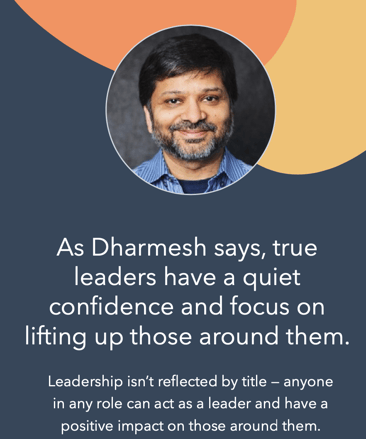
This means mentoring teams, empowering them, and helping people develop the skills they need to succeed at their jobs. Dharmesh Shah, Founder and CTO of HubSpot, says that leadership isn’t necessarily dictated by a job title but how someone focuses on lifting up and empowering those around them.
A leader that is a good mentor also creates an environment of trust and collaboration with their employees. This can make people feel more comfortable approaching you with questions or assistance when they need guidance.
Some additional skills that are strongly associated with being a good mentor and teacher are helpfulness, the ability to see different perspectives and level with your employees, patience, clear communication, and the ability to communicate instructions and provide actionable feedback.
How To Develop Leadership Skills
One of the best ways to develop leadership skills is through experience, whether it is on-the-job, external activities, or even in a position of leadership. Let’s go over some ways to develop these skills:
- Leverage resources like books, podcasts, and content from thought leaders and those with a history of leadership experience and a wealth of knowledge to share.
- Participate in courses, workshops, and training opportunities where experienced leaders teach leadership skills and share their expertise.
- Follow other leaders that you feel inspired by, study their practices, and implement some of their strategies into your day-to-day.
- Seek out leadership opportunities in all areas of your life. For example, if you’re part of a community group, consider taking a leadership role if the opportunity arises, or create a group and gain leadership experience through building it from the ground up.
- Recognize that it is a continuous process, and leaders are constantly learning and developing their skills. Therefore, be open to continuous learning, and seek out opportunities that allow you to build your skills.
How To Improve Leadership Skills
Whether you’re a seasoned leader or starting in your first leadership role, there is always room for improvement. Let’s go over some of the ways you can continue to build upon your leadership skills.
Have a mentor.
Having a mentor allows you to learn from someone that has more leadership experience than you. Some businesses have mentorship programs where you can shadow a leader at work and observe their practices, and bring their tips and tricks into your own day-to-day life. A mentor can also observe your performance and give you actionable feedback on how to improve.
Take the initiative.
It will be challenging to improve your skills if you’re not actively seeking opportunities to practice them. So, take the initiative in your current position and ask for additional responsibilities, or step into leadership roles as they become available.
For example, if your workplace creates a new employee group, offer to take the leadership role. You may feel a bit out of your comfort zone, but it will give you valuable hands-on experience that will help you perfect your skills. In addition, people you work with will likely be willing to provide feedback on your leadership, giving you additional growth opportunities.
Focus on specific skill areas.
If there are specific areas of leadership that you feel need improvement, focus on them. For example, you can request more responsibility in particular areas, so you have real-life practice with those skills.
Having a mentor can be helpful in this regard, as they can shadow you at work and monitor you to identify specific areas that may be causing you to struggle. For instance, if you’ve heard from employees that they’re sometimes confused about instructions, you may struggle with communication. A mentor could sit in on a conversation with a team member to get a sense of your conversation style and work with you to create a plan of action to improve.
Once you’ve worked to develop and improve your leadership skills, how do you share this when seeking out job opportunities? Your resume.
Leadership Skills on a Resume
Knowing how to leverage your leadership skills on a resume can be challenging. While you can certainly list the skills you have that make you a good leader, recruiters and hiring managers often want to see results that prove and support your abilities.
The most important thing to keep in mind when listing leadership skills on a resume is to ensure that you’re including skills relevant to the job description you’re applying for so it is explicitly clear to readers how you’ll succeed at the job.
Here are some ways to showcase your leadership skills on a resume:
1. List your skills.
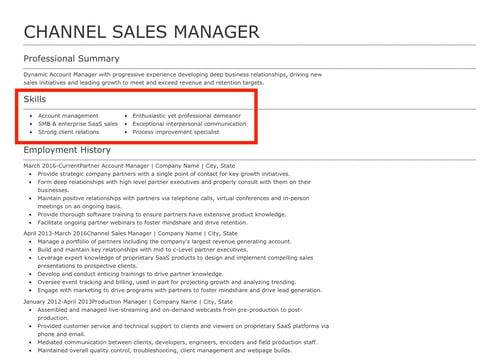
The easiest thing to do is simply include a list of the leadership skills you have that are relevant to the role based on the job description. The image below is an example of a simple list of job-relevant skills on a resume.
2. Demonstrate your leadership skills in action.
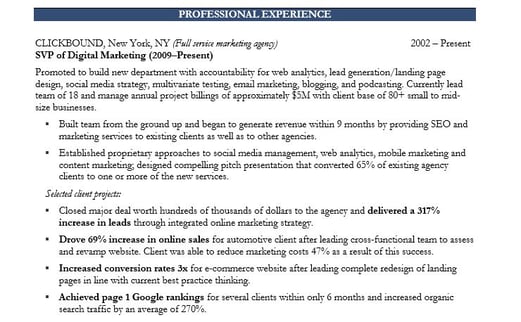
Another way to display your leadership skills on your resume is to show how you’ve used them to achieve results in your previous position. This can look like using quantifiable data and metrics that demonstrate how you’ve created success, and the image below is a great example of this.
3. List awards and achievements.
Another way to showcase your leadership capabilities is to include a list of achievements, awards, or honors that you’ve received for being a strong leader. Here are two examples of what that could look like on a resume:
- Three-time recipient of [Your company name] Leadership Award.
- Nominated recipient of the Great Manager Award.
Everyone Can Be A Leader
There are no specifications as to who can and can’t become a leader — it’s possible for everyone. If you leverage the tips on this list to develop your own leadership abilities and actively seek out opportunities for growth, you’ll find yourself in a position to inspire others and help businesses succeed.

The Quick & Easy Guide to Fixing 504 Gateway Timeout Errors
If you’ve ever visited a website that served you an error page, you know how frustrating it is.
One of the worst things you can do as a brand is not meet your audience’s needs and expectations. If your website visitors see an error page when they’re looking for help or information, they could get frustrated and lose trust in your brand, permanently damaging your reputation.
The 504 Gateway Timeout Error is one type of error that can hurt the user experience in this way. To help you avoid losing brand sentiment and consumer trust, we’ve fleshed out exactly what this error means and what its most common causes and solutions are.

Here’s how a 504 Gateway Timeout Error might appear in your user’s browser:
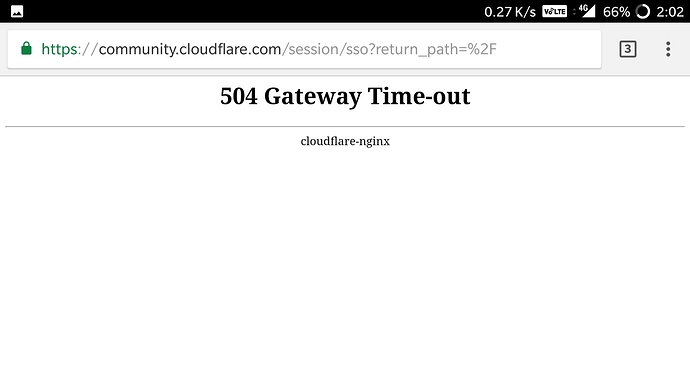
504 Errors Wording
The screenshot above depicts how a 504 Gateway Timeout Error appears in one server. Below are some other common ways a 504 error might appear, depending on the server, operating system, or browser you’re using.
- In Google Chrome, a 504 error will appear as HTTP ERROR 504. This code will appear below a message that reads something like: “This site can’t be reached. _____ took too long to respond.”
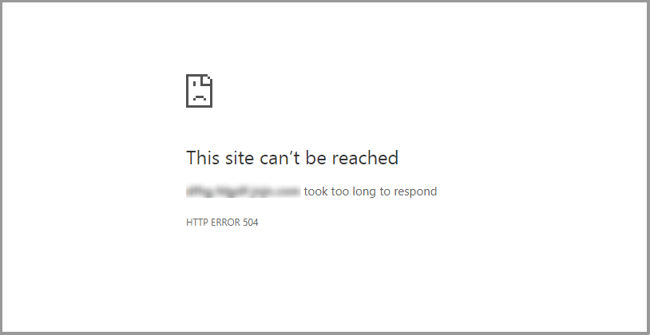
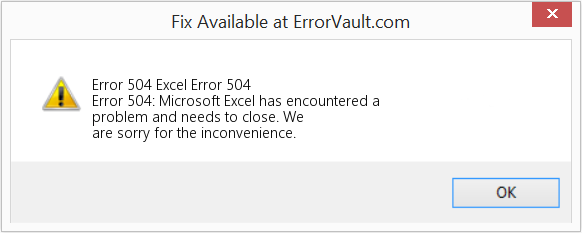
- In Windows-based programs, a 504 error will appear as ERROR 504, HTTP_STATUS_GATEWAY_TIMEOUT, or “The request was timed out waiting for a gateway message.” Here’s how it may appear when using Excel:
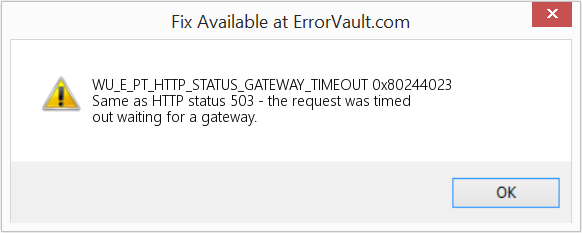
- During a Windows Update, a Gateway Timeout Error generates a 0x80244023 error code. The message will be: WU_E_PT_HTTP_STATUS_GATEWAY_TIMEOUT.
- In other operating systems, web servers, or browsers, a 504 error may also result in the following message — although it’s less common: “The proxy server did not receive a timely response from the upstream server.” Here’s a slight variation:
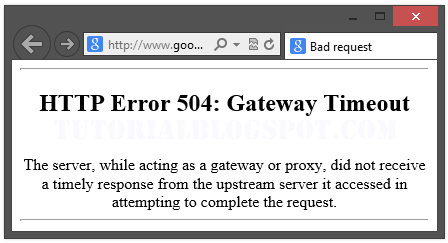
So now we know how the 504 error is worded — but what does it mean exactly? Let’s decode it below.
What does 504 gateway timeout mean?
When visiting a website, your server sends a request to another server where that site is hosted. This server — known as the “upstream server” — receives the request and responds with whatever resources are needed to load the website on your browser.
However, a 504 Gateway Timeout error means that your server didn’t receive a quick enough response from the upstream server. Because its request timed out, your server is unable to load the web page and, ultimately, fulfill its role as a gateway — hence the name “Gateway Timeout” error.
You might be wondering what exactly causes the delay in the upstream server’s response — and that’s a good question. Let’s address it below.
504 Gateway Timeout Causes
504 Gateway Timeout Errors are among the most frustrating HTTP status codes you can receive. They indicate what happened to your website, but they don’t tell you why it happened, making it challenging for you to pinpoint its cause and ultimately correct the issue.
Below are a few possibilities.
Server Connectivity Issues
Most websites live on multiple servers or third-party hosting providers. If your server is down for maintenance or any other reason, your website could serve visitors a 504 Gateway Timeout Error page.
DNS Changes
If you’ve recently changed servers or moved your website to a different IP address, it’ll make changes to your website’s DNS server. This could cause your website to serve its visitors a 504 Gateway Timeout Error page. Your website won’t be up and running until these DNS changes take full effect, which can take a few hours.
Faulty Firewall Configurations
Your firewall is your website’s gatekeeper, protecting your site from malicious visitors or distributed denial-of-service (DDoS) attacks. Sometimes, a faulty firewall configuration will cause your firewall to deem requests from a content delivery network as an attack on your server and reject them, resulting in a 504 Gateway Timeout Error.
Errors in Your Website’s Code
If there’s a mistake in your website’s code, your server might not be able to correctly answer requests from a content delivery network.
Network Connectivity Errors
Since a 504 error is the result of a timeout during the processing of a request between servers, the problem likely lies with them — not the user’s internet connection or device. However, if only one user reports seeing a 504 error on your site, it could have to do with their modem, router, or another device. or their internet connection.
Since there are multiple reasons why a 504 error might occur, it will ultimately be up to you to rule each one out until you find the true cause. Fortunately, there are five common and effective solutions for fixing most 504 Gateway Timeout Errors’ causes.
1. Look for server connectivity issues.
If your server is down for maintenance or any other reason, then your website will likely serve visitors a 504 Gateway Timeout Error page. The only way to troubleshoot this issue is to wait for your server to finish maintenance or fix the problem causing the error.
2. Check for any DNS changes.
If you’ve recently changed hosting providers or moved your website to a different IP address, then your website’s DNS server will need to be updated. These DNS changes take a few hours to process so in the meantime your website might serve visitors a 504 Gateway Timeout Error page. The only solution is to sit tight while these DNS changes take effect.
3. Sift through your logs.
If the problem is not your server’s connection or DNS information, then check out your server logs. These logs provide details about your server’s health and status. Sifting through them may uncover other issues that could be causing a 504 error.
4. Fix faulty firewall configurations.
A faulty firewall configuration may be the reason behind your 504 Gateway Timeout Error. To rule it out as the cause, you can temporarily deactivate your firewall.
If your device runs on Windows, then navigate to your control panel and click Update & Security > Windows Security > Virus & Threat Protection > Manage Settings. On this settings page, you can deactivate your firewall.
If your device runs on Mac OS, then simply navigate to System Preferences > Security & Privacy > Firewall to deactivate it.
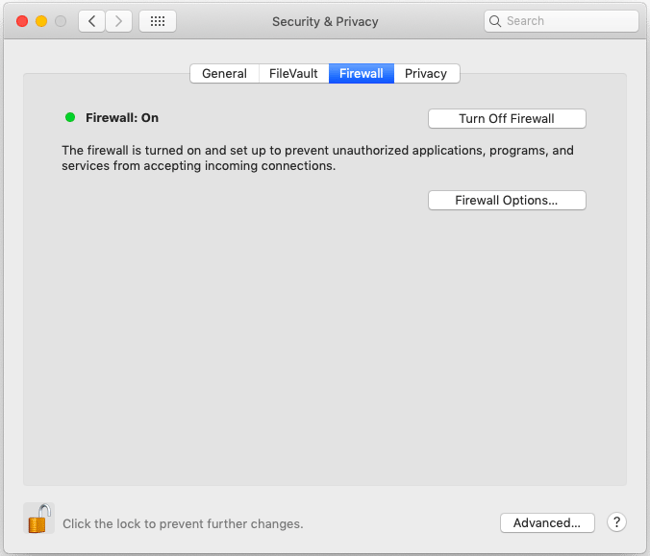
Once you’ve deactivated your firewall, check to see if the 504 error is resolved. If it is, you can either reconfigure the settings of your existing antivirus program or switch to a new one.
If the error is not resolved, don’t forget to reactivate your firewall before moving onto the next step.
5. Comb through your website’s code to find bugs.
Comb through your code to find any bugs or copy your code into a development machine. It’ll perform a thorough debug process that will simulate the situation in which your 504 Gateway Timeout Error occurred and allow you to see the exact moment where things went wrong.
6. Contact your hosting provider.
Contacting your hosting provider should be a last resort. But if you’ve tried the steps above and are still seeing the 504 Gateway Timeout error, they may be able to solve the issue or provide valuable insight.
How 504 Gateway Timeout Errors Affect SEO
Fixing a 504 Gateway Timeout Error can take time — but it’s well worth the effort considering how it can impact your site’s technical SEO.
Like an HTTP 500 Internal Server Error, 503 error, or any other 5xx error, a 504 Gateway Timeout error prevents your website from loading. This not only hurts the user experience — it also hurts your SEO performance.
If a web crawler attempts to crawl one of your pages and is served a 504 error, then it can’t crawl the page. If that page has already been indexed, then it might be lowered in the search engine results. Or it might be deindexed if the error persists.
Resolving the 504 Gateway Timeout Error
There’s no foolproof way to prevent 504 Gateway Timeout Errors on your site, but there are steps you can take to resolve them. By fixing this error as quickly as possible, you’ll ensure that visitors continue to have seamless experiences on your site and mitigate any negative impacts on your SEO.
Editor’s note: This post was originally published in January 2019 and has been updated for comprehensiveness.

How to Strikethrough Text in Google Docs [FAQ]
Strikethrough text is like body language in your writing. It allows you to convey subtext or your true opinion about something, without explicitly expressing it:
If the guest post pitch doesn’t have a draft attached, I will put in the extra effort to permanently delete it from my inbox probably won’t respond.

It’s also a great way to copyedit your content and the content of your peers, collaborate in a document, remind yourself of changes that had to be made (or need to be made) in a document, teach someone else who’s working in the document, and more.
Below, we’ll cover the simple steps involved in adding a strikethrough in your Google Doc manually as well as with an available shortcut.
How to Strikethrough on Google Docs
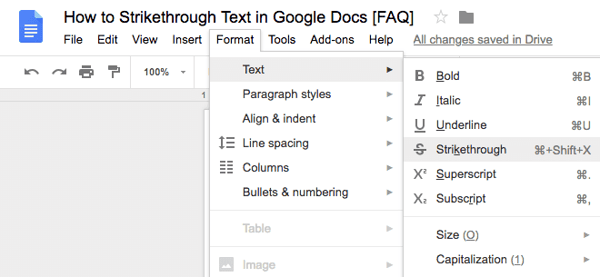
To leverage one of writing’s most popular tools on Google Docs, follow the instructions below:
1. Highlight the text you want to strikethrough.
2. Click the “Format” section in the header.
3. Hover over the “Text” button.
4. Select the “Strikethrough” button.
Strikethrough Shortcut on Google Docs
If you want to strikethrough text in a more efficient way, use the keyboard shortcut for it:
- On Mac, highlight your text and ⌘ + Shift + X.
- On PC, highlight your text and press Alt + Shift + 5.
Strikethrough Your Text In Google Docs
Striking through your text in Google Docs is easy — there’s even a shortcut available to expedite the process. Start crossing out whatever you need to in your documents using the steps above.
Editor’s note: This post was originally published in July 2018 and has been updated for comprehensiveness.


Goals vs Objectives: The Simple Breakdown
Terminology is everything. Marketing, Sales, Product, Service — virtually every function in a business relies on some common terminology to do their best work. One area where alignment on terminology is essential is goal setting.
Whether you use the OKR model, the KPI framework, the Golden Circle, or another methodology, everyone in the company should understand the difference between a goal and an objective. Without this shared knowledge, teams could risk wasting time on irrelevant activities, at best, or working against a common purpose, at worst.
“Goals” and “Objectives” often seem like two interchangeable phrases on the surface. “We have ambitious goals for 2019,” you might tell your marketing team, following up with, “Our objectives are aggressive but entirely possible.”
To make your strategy crystal clear and gain alignment, it’s vital that your employees are up-to-date on the two most-used terms when outlining your quarterly and yearly strategy.
Here, we’ll explain the difference between goals and objectives and discuss some of the most effective goal-setting frameworks used by marketing professionals today. You’ll also find measurement tactics to track your progress. By the end of this post, you can wave goodbye to ambiguity when it comes to your long-term and short-term marketing plans.

Goals are undoubtedly critical to your business’s success. Ultimately, your company’s goals should align with your vision and mission in order for employees to best guide their own actions and decisions.
For instance, let’s say this year your leadership team has outlined three broad goals for your company:
- Create a more inclusive workplace culture
- Grow international brand awareness
- Increase customer retention by 40%
Great…now what?
Here’s where objectives come into play — objectives are essentially the measurable actions you can take to achieve your overall goals. Typically, you’d use the S.M.A.R.T. criteria to define and measure specific objectives.
Featured Resource: Free SMART Goal Template
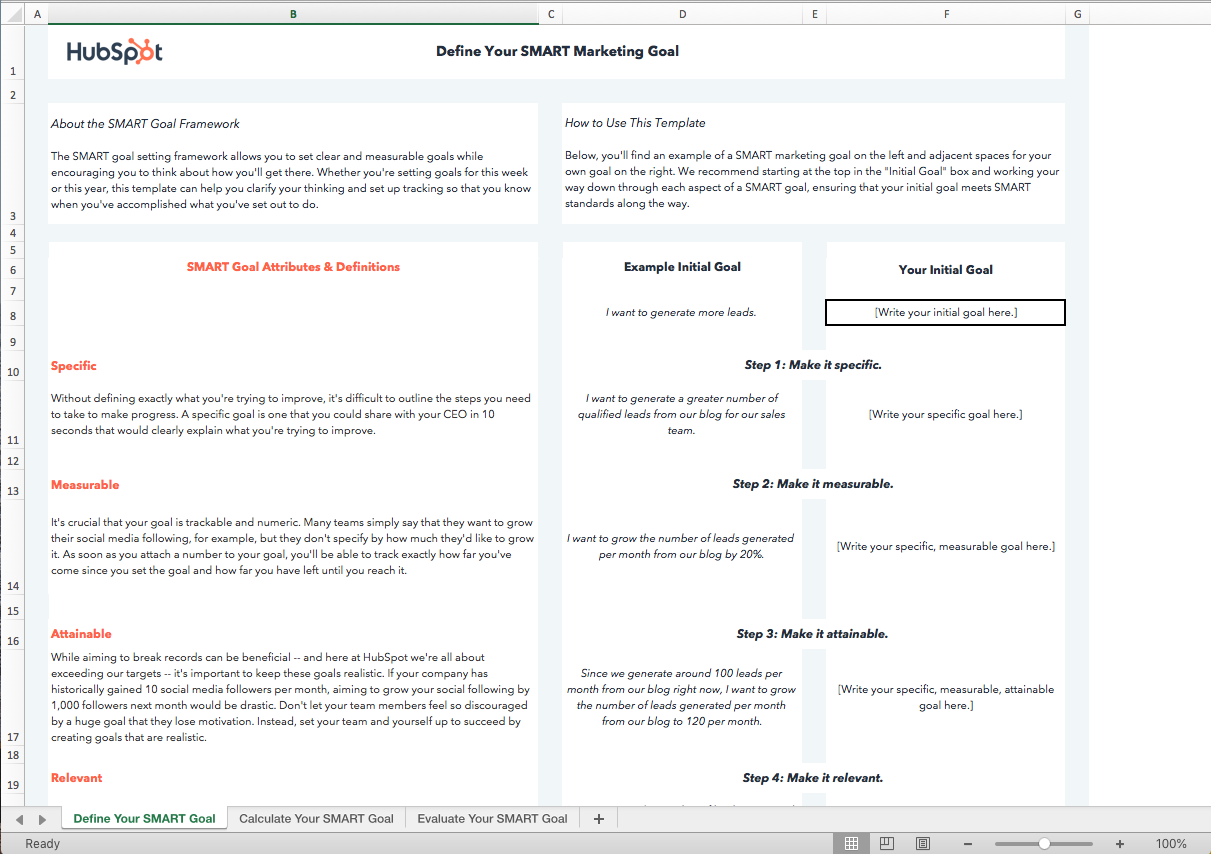
Download this Template for Free
“Create a more inclusive workplace culture” is an admirable and important goal to have, but it’s vague and too broad to measure. Does “more inclusive” mean one diversity and inclusion panel discussion, or does it mean a 10% increase in women in leadership positions?
Ultimately, your objectives will help your employees understand exactly what you expect from them.
In another example, let’s say you inform your marketing department that your overall goal is to “grow international brand awareness”.
Now, when your social media marketing manager is crafting her quarterly video campaign, she’ll think to herself — Hmm. How can I increase international brand awareness?
She can cater her objectives to fit company goals, as well as her own personal vision. Perhaps she decides, “To demonstrate my success at increasing international brand awareness, my objectives for my video marketing campaign will be a) 10% of all form submissions come from outside the U.S., and b) an increase in engagement from Spanish-speaking Facebook fans by 5%.”
Your social media marketing manager can then use her unique objectives to measure whether or not she’s contributing to the larger company goal of increasing international brand awareness.
As you can see, objectives can be uniquely tailored to fit each departments’ needs, and allow for a large amount of autonomy. By instilling clear and firm company goals, you can feel confident that your employees are all working in the same direction, but taking largely different steps (e.g. objectives) to end up at the same finish line.
There’s one more term differentiation you need to know — objectives versus strategy.
Referencing our example above, let’s say your social media marketing manager decides one of her objectives will be “an increase in engagement from Spanish-speaking Facebook fans by 5%”.
This is aligned with your company’s goal to increase international brand awareness.
A strategy, then, tells your employee or team how she can accomplish her objectives. For instance, your social media marketing manager might decide to focus her paid efforts on Spanish-speaking countries, using Facebook’s location targeting features. Alternatively, maybe she decides to cultivate partnerships with international companies and posts videos in Spanish on Facebook specifically highlighting the work of those international organizations.
Both of these options are examples of strategies.
Her strategy might change over time. She might decide her paid efforts aren’t working, and try something else. Ultimately, however, her objective (increase engagement from Spanish-speaking Facebook fans by 5%) should remain the same.
Types of Goals
There isn’t a one-size-fits-all approach to communicating goals. There are many things businesses want to measure, especially from a marketing perspective, so it’s important to have several types of goals to choose from when setting the course for the year ahead.
Time-Based Goals
The first type of goal that businesses use to set a strategic direction is the time-based goal. This goal type provides a high-level explanation for what teams or individuals should be striving toward within a certain timeframe. Time-based goals can be short-term or long-term depending on the needs of your organization.
Time-based goals help teams and individuals plan and execute urgent tasks. Some goals are time-sensitive and the primary outcome of achieving these types of goals is that they’re completed on time.
An example of a time-based goal might be “Increase revenue by 10% to qualify for the best-in-class awards ceremony in August.” Because the award’s ceremony has a fixed date and the action stated in the goal is a requirement of the ceremony, this goal should be time-bound to increase the likelihood of reaching it.
Outcome-Oriented Goals
Outcome-oriented goals are independent of a specific timeframe and typically outline what the business is aiming to achieve at some point in the future. The objectives for outcome-oriented goals provide more context around when this goal should be completed and how to measure the success of the goal.
For big picture changes, leadership transitions, and other types of major business milestones, outcome-oriented goals are used to communicate a new vision and era within a company. Objectives for this type of goal communicate actionable changes for employees, and therefore, pair well with process-oriented goals which we talk about next.
Process-Oriented Goals
If your business is aiming to set the direction for new workflows and processes, a process-oriented goal is the best choice. A process-oriented goal does not explain what outcome is being achieved. Instead, this goal type is prescriptive and explains what the team is responsible for doing in order to achieve an outcome.
Objectives that are process-oriented can provide the tactical guidance employees need to do their day-to-day work. This goal and objective type works well during transition periods where change management is underway in a company. Process-oriented goals may be short-term or even temporary because once they’ve been achieved, the new and improved processes can be put into action on a regular basis.
How to Measure Goals
Measurement is a key component of any S.M.A.R.T. goal, but how exactly do you measure one? There are a few ways to determine if your actions yielded the desired outcome of your goals. Let’s take a look at them below.
Ask a Closed-Ended Question
First, the simplest way to measure a goal is by asking whether or not you met it. If your goal was written clearly, this should be fairly simple. Process-oriented goals are the easiest to measure in this way because they’re usually yes or no answers.
For example, if your goal is to hold a quarterly alignment meeting between your department and another, you can answer “yes, the two teams had a quarterly alignment meeting” or “no, the quarterly alignment meeting didn’t happen.” For goals that weren’t met, be sure to note the reason why so that you can revisit the goal at your next planning session and determine if it’s worth trying again in the future.
Use a Points System
Multi-faceted goals can be difficult to measure, but if you have a guideline to follow when writing the goal, you can use that same guideline to measure it. For example, if your goal is to launch a new website by quarter three, you can split this goal into two measurable parts: the action and the deadline. If the team launches the website on time, the goal can be measured by awarding it two points — one for the action, and one for completing the action on time. If the website was launched late, the goal can be measured by awarding it only one point for completing the action and none for the deadline.
The points system should be specific to your organization and align with a larger measurement system that is connected to performance or revenue. Don’t forget to communicate the points system before you begin planning goals so that everyone is aware of how the goals will be measured.
Follow a Rubric
Qualitative goals and goals without strict deadlines are difficult to measure because there are fewer numbers involved. In this case, you may find a rubric system useful when measuring these types of goals. With a rubric, you’ll have an opportunity to evaluate the context surrounding the goal and adjust the way it is measured.
For instance, your team was working toward a process-oriented goal that, unfortunately, didn’t make the process easier. Instead, the team has reported longer workflows and more bottlenecks than they had before. In this case, a rubric can help determine what you expected the outcome of this goal to be and document what actually happened in order to report this goal as unsuccessful.
How to Measure Objectives
Because objectives are more specific than goals, they’re more straightforward to measure. To measure objectives, you can use one of the following concepts.
Measure Attainment
Most objectives will feature quantitative data like units, numbers, and figures. This means you can measure the progress you’ve made toward the outcome you expected to achieve.
Let’s say your team wanted to generate 500 leads from a marketing campaign, and they managed to get 475. The attainment of that original 500-lead goal is 95%.
(475/500*100) = 95% Goal Attainment
As with any measurement, your organization can determine what is below average, average, and exceptional attainment which may differ by team or department.
Measure Qualitative Data with Surveys
For objectives that aim to change behavior or are affected by people in another way, quantitative measurements may not tell the full story of whether or not you met your objective. Surveys, focus groups, and other behavior measurements can provide the data you need to measure success.
In HR functions, the team may want to improve employee satisfaction within the sales team. There isn’t a sole quantitative metric that can be used to measure this objective. Surveys like the eNPS can be a great way to measure a shift in culture that leads to changes in the company culture.
Measure Past Performance vs. Current Performance
Can you name a company that doesn’t want to improve its brand awareness? Neither can I. This is one of the most common objectives to measure on marketing teams, but it’s also one of the most difficult to measure. Everyone tracks it differently, so how do you know for sure if you’re measuring it correctly? How do you know if someone is aware of your brand now compared to a month ago without asking every single person in your target audience?
For objectives like this that hold valuable insight, you’ll have to get creative and define your own metrics to measure. In this example about brand awareness, one way to measure it is by comparing how many direct searches or branded search terms you’re receiving now compared to a point in time in the past. Sure, it’s not perfect, but it is constant — that means you’ll have a fixed number to compare against. As long as your stakeholders agree on what metrics and numbers to compare, you’ll find that measuring these types of objectives isn’t so hard after all.
Examples of Goals and Objectives
Scenario 1: A Milestone Goal
Goal: Open a new company HQ in Phoenix, AZ by Q4.
Objective: Obtain all licensing and permit documents by Q2.
In order to open a new HQ, you’ll need to do a lot of planning before Q4 to achieve the goal. Objectives will help keep you on track so that every step of the way is accounted for.
How to Measure a Milestone Goal
To measure the goal and objective in this example, you can use either the “closed-ended question” framework or the “points” framework. Did you open the new HQ? If so, you’ve met the goal according to the “closed-ended question” measurement. Did you open the new HQ on time? If not, award yourself one point for completing the activity and zero points for completing it late.
By the end of Q4, each objective will have been built upon one another to reach the overall goal of opening the new HQ.
Scenario 2: A Growth Goal
Goal: Increase company market share by 10%.
Objective: Grow customer base by 22% month-over-month for the next 12 months.
We see that the goal and the objective are dependent on one another, and one way to grow market share is to acquire new customers.
How to Measure a Growth Goal
Because this goal is high-level and slightly vague, you may try to measure it by itself using the “closed-ended question” framework, but I’d suggest you don’t — here’s why. A goal like this can be affected by several other factors that aren’t outlined in your objectives. Those factors may even be outside of your organization’s control.
When Popeye’s launched its chicken sandwich campaign, it didn’t expect to gain market share in the chicken sandwich category so quickly. Due to factors outside of its control, the company met its goal, but that success probably had little to do with the objectives the company originally set to achieve that goal. While it’s not a bad thing that the company achieved its goal, it’s important that your objectives explain why that goal was achieved.
Measuring the objective in this example using the attainment framework will not only give your stakeholders an idea of how closely you met the goal due to activities within your control, it’ll highlight any factors that affected your goal but weren’t included as objectives. This will inform your team on what to include during the next goal planning session.
Scenario 3: A Quantitative Goal
Goal: Reduce donut cost by 18% in the next five years.
Objective: Switch to a lower-cost sugar provider in the next six months.
The goal in this example is outcome-based and time-based while the objective is process-oriented. The goal and objective are closely related to one another, but the two will need to be assessed differently in order to measure success.
How to Measure a Quantitative Goal
Use the attainment framework to measure the goal and the past vs. present metric for the objective. As each objective focuses on lowering the cost of the materials that make up the product referenced in the goal, the closer you’ll be to achieving the goal. Therefore, you’ll want to make sure to compare the new vendor’s price of sugar, in this case, to the previous vendor’s price. At the five-year mark, use measure attainment to the goal of 18% to determine if you met or exceeded the goal.
Set Effective Goals and Objectives For Your Team This Quarter
Goals and objectives are often used interchangeably, but they serve different purposes in business. Using the same language to describe the direction and progress within your organization will keep everyone on the same page and working toward the same outcome.
Although these two terms have specific definitions, don’t get too caught up in the semantics — remember the most important part of goal-setting is getting the work done and showing results. If you’re not sure where to start, we’ve got you covered. Download the free marketing goal-setting template below to get your team moving in the right direction.
Editor’s note: This post was originally published in April 2019 and has been updated for comprehensiveness.

31 Funny Twitter Bios & How to Write Your Own
Perhaps one of the most challenging parts of making an impact on social media is coming up with something profound to say, especially in a 280 character Tweet. Crafting one often leaves us staring blankly at that little blinking cursor, hoping for a way to rephrase the Tweet to let up some characters for an image, a link, or that ever-essential hashtag.
Unsurprisingly, a Twitter bio is equally challenging. You mean to tell me that I only have 160 characters to explain to the Twittersphere who I am and what I do?
It might not seem like a big deal, but keep this in mind: Your bio is one of the main things people use to decide whether or not to follow you on Twitter — so what you write needs to count. Here are a few quick steps to help:

As we’ve mentioned, leaning on humor can be a quick way to show off your personality and make you seem relatable to audiences. To give you some inspiration, we’re taking a moment to highlight 31 high-quality, and sometimes amusing, Twitter bios that get the job done.
31 of the Funniest Twitter Bios We Could Find
1. @Twitter
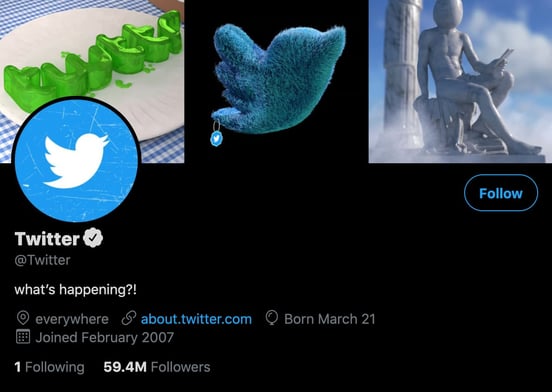
Why this works:
You can’t have a list of great Twitter bios without including Twitter’s Twitter bio. It reads, “what’s happening?!” which is a clever play on the words displayed in the draft box before you type a Tweet. It’s humorous because Twitter is a busy and active platform, so it’s not uncommon to long on to the app, see a storm of tweets about something you don’t yet understand, and internally say, “What’s happening?!?”
2. @TheMikeTrainor
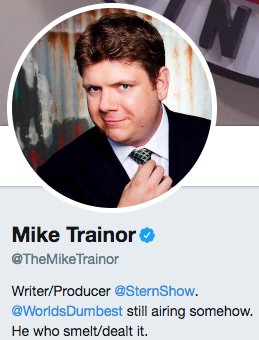
Why this works:
Comedian and writer Mike Trainor makes my inner seven-year-old want to ask him to pull my finger. Also, imagining Mr. Trainor saying, “He who smelt it,” while looking as dapper as he does in his profile picture is a little slice of added amusement. Plus, we can’t help but love this bio’s self-deprecation, in its allusion to the fact that one of his shows is “still airing somehow.”
3. @topicals
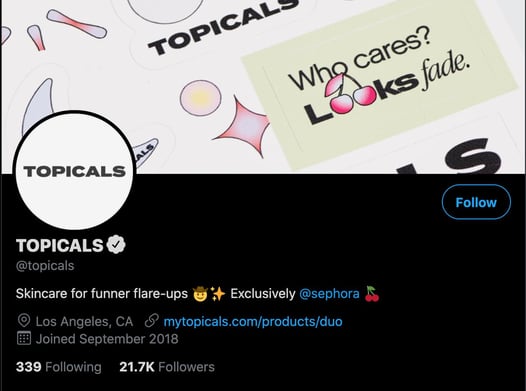 Why this works:
Skincare can sometimes be intimidating as there are a wide variety of products to choose from.
Topicals’ main goal is to remove that potential anxiety by creating products that are fun and exciting to use, and their Twitter bio tells us exactly that: “Skincare for funner flare-ups.”
4. @UberFacts
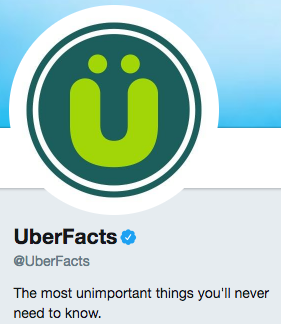
Why this works:
UberFacts fills our brains with seemingly unnecessary information all day, every day. Though with the rise of popularity in bar-hosted trivia nights and games like Trivia Crack, I wouldn’t say we’ll never need to know things like this:
Berserk llama syndrome is a real condition where a llama believes its human owner is also a llama, causing the animal to become aggressive.
— UberFacts (@UberFacts) August 21, 2017
5. @FranksRedHot
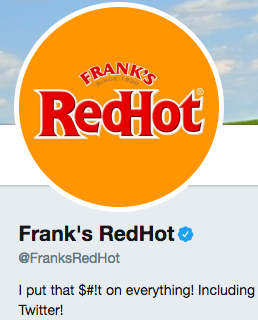
Why this works:
If you’re as big a fan of Frank’s RedHot as we are, then you know how easy it to actually but that — ahem — [stuff] on everything. Of course, as marketers, we agree that the brand might as well put it on Twitter, too.
6. @mikeindustries
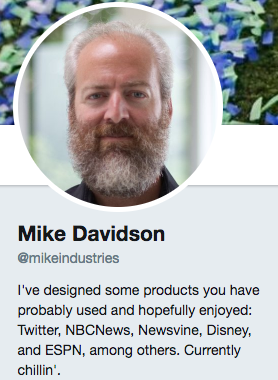
Why this works:
Mike Davidson, former VP of Design at Twitter, is a connoisseur of sorts — and while he has an impressive background, we do enjoy his present credential of, “Currently chillin’.”
We also can’t help but wonder: Does the Twitter bio 160 character limit have to do with the aesthetics of a Twitter page’s design? Is Mike Davidson to blame?
7. @LabMuffin
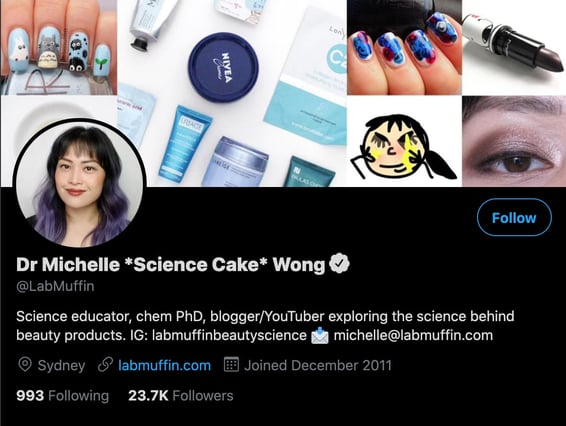 Why this works:
Dr. Michelle Wong’s mission is to educate the public on the chemistry behind beauty products to help consumers make informed decisions. When you read her Twitter bio, you get a straightforward understanding of what you can expect to see in her Tweets.
She also includes links to other social profiles, helping her build legitimacy and drive traffic to other platforms to build her audience.
8. @SocialDriver
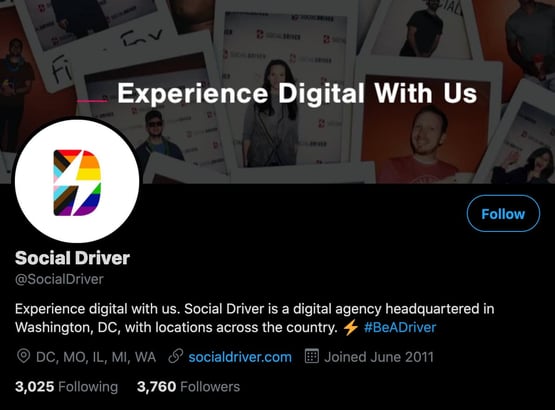
Why this works:
Social Driver is an agency that helps businesses with their marketing and communication needs, from websites to brand messaging to content creation. Their Twitter bio reads, “Experience digital with us,” and it works because it tells audiences what they can expect from doing business with them — a partnership that brings results.
The bio also includes a unique business hashtag, #BeADriver, letting users know that they can join in the conversation in their own Tweets.
9. @Arbys
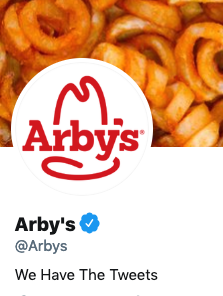
Why this works:
Arby’s puns its slogan, “We have the meat.”, by replacing meat with tweets. This is a great way of reminding people of your slogan while making a funny joke about the platform you’re on.
10. @BlkGrlSunscreen
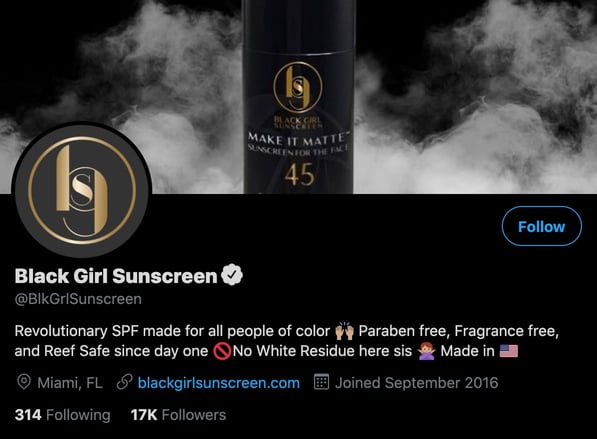
Why this works:
Black Girl Sunscreen targets an audience often left out of sun safety discussions. Its Twitter bio is short and sweet and gets straight to the point: “Revolutionary SPF for all people of color.”
11. @popchips
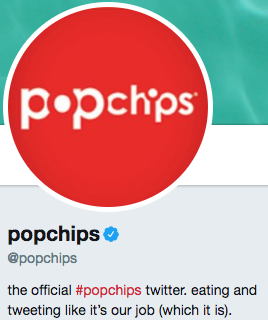
Why this works:
We wish eating popchips was in our job descriptions — since, when they’re around, we certainly eat them like it’s part of our collective responsibilities.
12. @sweetestsara
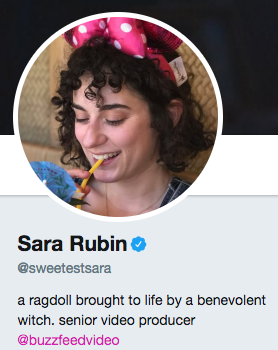
Why this works:
Sara Rubin is a former producer at BuzzFeed. You can thank her in part for many of the fantastic BuzzFeed videos you see circulating around social media and love are obsessed with. If you’ve seen any of the videos in which she’s, you know she’s an overall lovable and whimsical character — not to mention, hilariously awkward and anxious, like a good handful of us.
Her Twitter bio is just as imaginative and adds a touch of fantasy that I think provides a welcomed breather from some of the more serious Twitter bios out there.
13. @YouTube
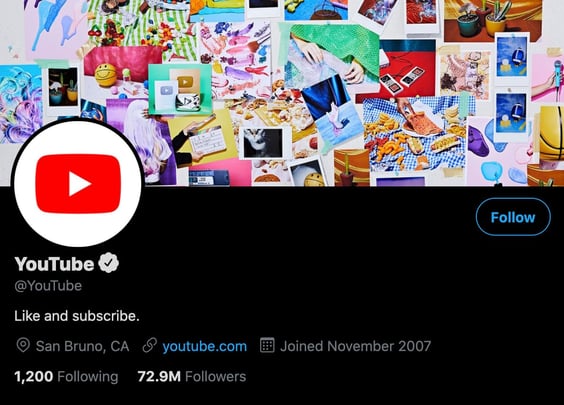
Why this works:
YouTube’s Twitter bio is an excellent example of a humorous statement that gets the job done straight away: “Like and subscribe.” If you watch videos on YouTube, you’ve likely heard content creators say those words because it helps them generate engagement on their channel.
You can’t like and subscribe to accounts on Twitter, but those familiar with YouTube will know that the bio is asking you to follow and like their Tweets.
14. @JamieAmacher

Why this works:
Some people aim to save neglected pets. Jamie Amacher aims to save neglected houseplants. Buffalo, NY resident (and coworker of mine at Mainstreethost), Amacher knows the importance of keeping plants alive indoors — especially since, here in the Northeast U.S., we don’t get to see much plant life outside during winter.
I must say, it’s a noble act; sacrificing a Twitter bio front-loaded with accomplishments. for the sake of our forgetful nature and thirsty houseplants.
15. @Canva
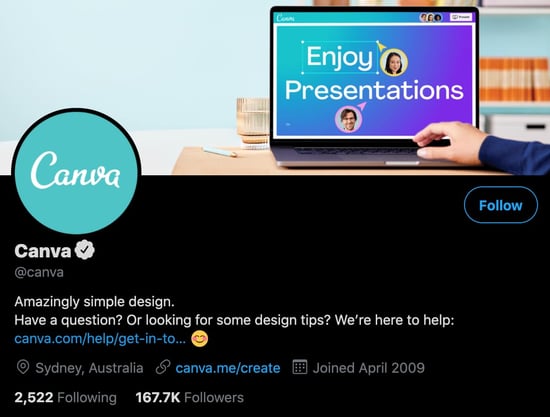 Why this works:
Graphic design takes skill, but it’s a huge part of marketing. Canva presents itself as a solution to this challenge as an easy-to-use design tool for creating infographics, email templates, flyers — really any marketing material you may need. Its Twitter bio expertly conveys this as a way to attract its audience: “Amazingly simple design.”
16. @Pepsi
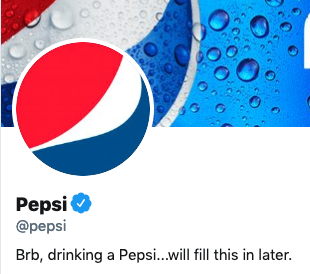
Why this works:
It’s pretty funny to imagine a social media manager getting distracted from their job duties because the product they’re supposed to be marketing is just so delicious.
17 & 18. @arnettwill & @batemanjason

Why this works:
First off, it’s clear to me that BFF Twitter bios are the BFF necklace of 2017. Actors Will Arnett and Jason Bateman wear their BFF-dom proud for all of the Twitterland to see — but it’s not the first time they’ve taken their affinity for one another to the public eye. In 2013, they were seen strolling down the street on a sunny afternoon in 2013 while having some fun with the nearby paparazzi:
19. @JohnCleese
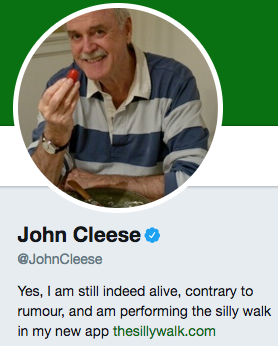
Why this works:
John Cleese is an English writer, actor and tall person (according to his website). As he is also a comedian, we’re allowed to find it incredibly humorous that he mentions in his Twitter bio that he’s still alive, contrary to rumor. Plus, he’s doing “the silly walk” in his app, and we invite you to see for yourself just how silly it is. (Monty Python fans, rejoice.)
20. @TheOnion
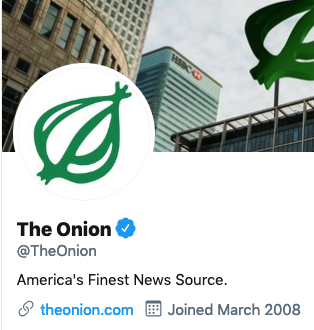
Why this works:
The Onion is probably the most well-known and popular satirical news site. They publish gag headlines and goofy articles for the sake of humor. In this bio, they sarcastically claim that they are the opposite of a joke site by calling themselves the, “America’s Finest News Source.”
21. @Lesdoggg
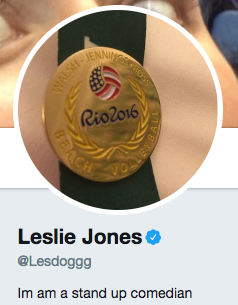
Why this works:
What do we love about comedian Leslie Jones’ Twitter bio? It’s simple and to the point. Plus, we can’t help but snicker at the humor in its simplicity — she lets us know about her line of work, without any jokes. That’s okay; luckily, her on-screen work and actual tweets provide plenty of hilarious fodder.
22. @APStyleBook
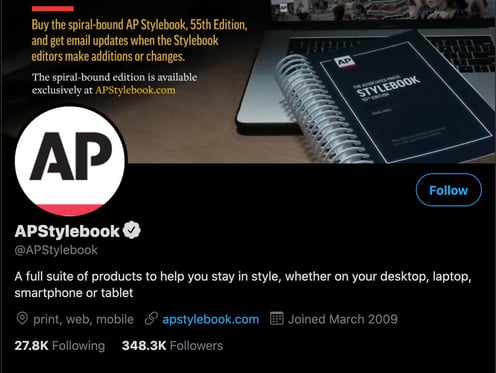
Why this works:
If you write a lot, you’re probably familiar with the AP Style Book. As a refresher, it’s an English guide to writing and grammar that was created by journalists working for the Associated Press, but it’s used in many different industries. Its Twitter bio reads “A full suite of products to help you stay in style, whether on your desktop, laptop, smartphone or tablet.”
It’s clever and it works because the stylebook is typically hard-copy but Twitter brings those tips to the digital landscape, accessible on desktop, laptop, smartphone, or tablet.”
23. @shondarhimes
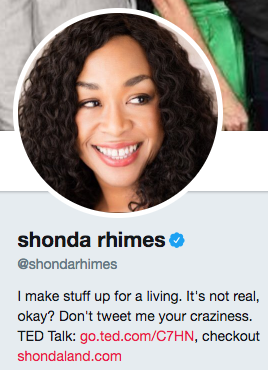
Why this works:
For many of us, Shonda Rhimes is a legend — and our Thursday nights would be so much less interesting without her. She’s the writer behind such hit shows as “Grey’s Anatomy” and “Scandal,” and yes: People love to tweet their plotline opinions to her. She stops that madness with a concise, funny quip in her bio: “It’s not real, okay?” Yes, Ms. Rhimes.
24. @Charmin
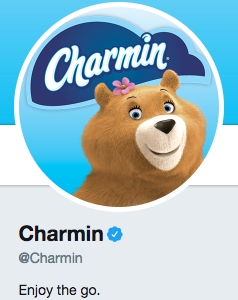
Why this works:
Charmin, as we know, sells toilet paper. We’re all adults here, and we all know what it’s used for. Charmin’s Twitter bio is entertaining because, considering its industry, the brand gets the awkwardness out of the way immediately, letting us all know that, hey, quality toilet paper is a good thing … and a good bathroom trip — or, “the go,” as it’s called here — should be enjoyed.
Plus, who doesn’t enjoy a good, TP-related riddle?
#NationalTellAJokeDay
Q: Why can’t you hear a pterodactyl go to the bathroom?A: Because the “P” is silent!
— Charmin (@Charmin)
August 16, 2017
25. @ComedyCentral
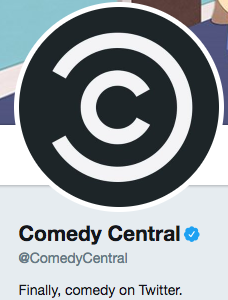
Why this works:
Because we see what you did there, Comedy Central. Also, this:
A great way to deal with your problems is to melt some cheese on them.
— Comedy Central (@ComedyCentral)
August 21, 2017
For some of us, cheese is always the answer, no matter what the problem.
26. @YourAwayMessage
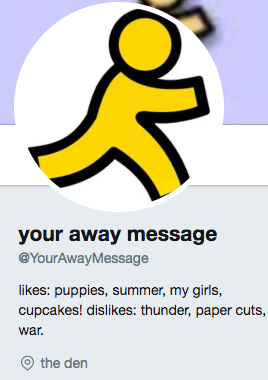
Why this works:
Are we the only ones who remember the days of AOL Instant Messenger, a.k.a., AIM? Think back, if you can, to a time before Slack, Twitter, and even Facebook — and maybe, just maybe, it’ll all come back to you.
If looking at this bio (and its accompanying profile image) gives you an overwhelming feeling of nostalgia, then you already know why it’s amusing. Remember AIM profiles? And sub-profiles? And away messages?
Also, the location being “the den” is on point. If this doesn’t hit home for you, view this BuzzFeed article, or move on to the next!
27. @TheEllenShow

Why this works:
Ellen DeGeneres entertains us on social media, television, real life, etc. She’s just plain amusing. So it should come as no surprise that her actual bio on Twitter is pretty darn amusing. According to her bio, she has a second job as an ice road trucker — hmm — and her tweets are both real, and spectacular. Well, she’s not lying about her tweets. After all, see below. So, what does that tell us about her second job? We buy it.
I just invested in an eclipse sunglass company. Does anyone know when the next one is?
— Ellen DeGeneres (@TheEllenShow)
August 21, 2017
28. @Alexa99
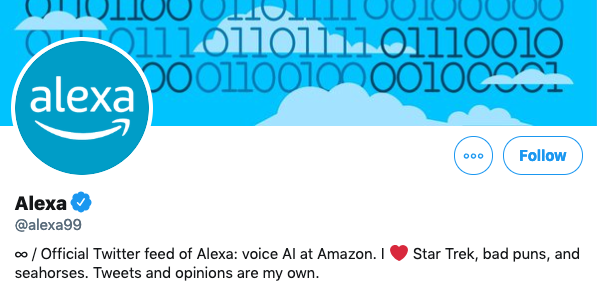 Why this works:
This is the official account of the Amazon Alexa voice assistant. The bio is funny because it reads as if a robot wrote it. For those who have an Alexa, they might also know that Alexa is bad at puns and tells bad jokes when asked. So, her interests, along with the sci-fi Star Trek, make sense for her.
Because she is a robot, the most hilarious thing in this bio is how it ends with “Tweets and opinions are my own.”
29. @tomhanks
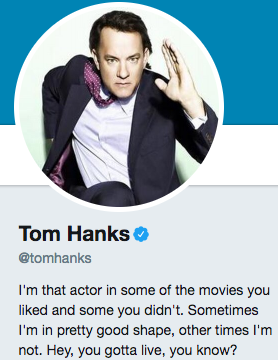
Why this works:
Fame didn’t get to Tom Hanks’ head. He’s a normal person, just like you and I, having issues with fluctuating weight. Sometimes, he gains people’s approval — and other times, not so much. To that, we say, “Tweet on, Tom.”
30. @aparnapkin
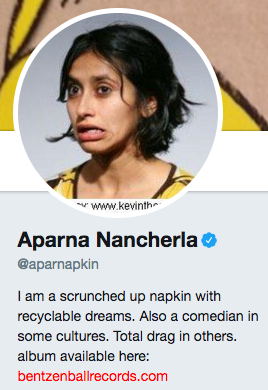
Why this works:
Comedian Aparna Nancherla’s Twitter handle (@aparnapkin) is seemingly a play on her name, which is silly enough on its own. Based on her bio I’d be willing to guess that her Twitter feed is equally as amusing.
31. @notzuckerberg
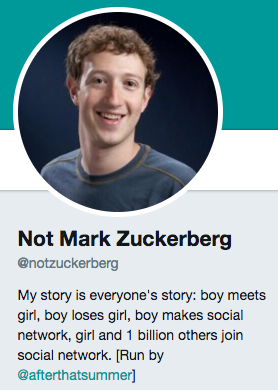
Why this works:
In case you haven’t already guessed, this is NOT Mark Zuckerberg. But that doesn’t stop @notzuckerberg (a.k.a., Twitter user @afterthatsummer) from tweeting as if (s)he were the “Zuck.”
The fake Mark Zuckerberg is pretty funny, as proven by his Twitter bio and tweets like this:
Facebook beat Wall Street’s target again. I am a wizard making mad coin from the most abundant thing on earth—your desire to procrastinate.
— Not Mark Zuckerberg (@notzuckerberg)
January 29, 2015
Find Your Twitter Humor
It’s true — exercising humor while also tweeting as a responsible business is often a fine line to walk. But as these examples show, it’s possible to be both self-deprecating and funny on social media, as long as it aligns with your brand.
As the examples show, it’s possible to craft a relevant bio on Twitter that can be humorous, and still let users know what to expect from your profile.

The Beginner’s Guide to Product Photography [Tutorial + Examples]
If a picture is worth a thousand words, a stunning product picture is worth a thousand website visits. Although I don’t have data to back up that statement (yet), product photography can be extremely valuable to your ecommerce website strategy.
To reach your target audience members whoprefer buying online, you also need to give your audience clear, eye-catching photos of your products.

But product photography isn’t as simple as pointing and shooting. Even the most basic products need the correct equipment, lighting, and space to produce beautiful images that sell shoppers right from the purchase page.
6 Product Photography Tips (and Examples) for Taking Pictures That Sell
Here are the tips, examples, and supplies you’ll need to effectively photograph and market your products in a way that makes your visitors and prospects want to convert.
1. Don’t be afraid to use your smartphone’s camera.
This is the part where I’m supposed to convince you to invest in a high-end, 50-megapixel (MP) camera with a 100-millimeter screw-on lens. But I’m not going to do that.
If you already own a camera that fits this description, take advantage of it. But for many types of products, it’s completely acceptable to shoot product photos on a smartphone.
Newer smartphones boast powerful camera lenses and settings that allow you to optimize your shots for the different types of light and environments you might shoot in.
If you need more convincing, just check out Apple’s Shot On An iPhone campaignand the photos that have resulted from it over the years such as this one:

2. Shoot from a tripod for photo consistency.
Before explaining tripods, I’m obligated to start with a cardinal rule: Don’t prop your phone against something sturdy to aim your lens toward the subject.
It’s just too easy for this makeshift setup to slide around during the shoot and cause inconsistencies in your photos’ appearance. If you rest your camera on, say, a stack of books, just be sure this arrangement doesn’t change over the course of the shoot.
There’s no harm in holding your camera yourself when shooting just a few product photos for your ecommerce website. But as your business grows, and you take more photos of more products, it can be difficult to standardize the product’s orientation in each photo when shooting handheld.
To ensure consistency across your products, you’ll need a tripod. And luckily, buying one isn’t always the big, industrial-sized investment it used to be.
Here are two types of tripods to consider.
Traditional vs. Flexible
This is a tradition tripod — there are traditional tripods available for both cameras and smartphones.
A flexible tripod can be manipulated in a number of ways. You can bend its legs and place it on different surfaces to get the angle you need.

Mobile Grip
There’s often a screw on the top of your tripod which attaches to your camera to hold it in place. The underside of most professional-grade cameras has a screw hole just for this purpose, but smartphones can use the following adapter:
The adapter grips the sides of your smartphone and can screw into either type of tripod, allowing you to operate the camera controls with the phone screen facing outward and toward you.
Once you determine which mount you’ll need, set it up in front of your product, and consider putting three pieces of tape on the ground to mark where you’d like to keep each leg of your tripod over the course of the shoot.
3. Choose natural light or artificial light.
Never underestimate how certain types of light can improve (or hinder) your product photography. Remember, buyers get the best look at an item in person, where they can see everything they need to before purchasing. The right lighting arrangement helps you reveal those critical decision-making product features when all website visitors have to go on is a photo.
A single lighting setup might not work for every product — a lighting arrangement that works for some products might weaken the appearance of others.
There are two types of light you can choose as your main light source: natural and artificial light.
Natural Light
Natural light refers to sunlight — simple as that. It’s also known as “soft light” because the sun casts a larger, softer range of light than, say, a lamp shining directly on the product. Ecommerce product shots thrive in natural light if:
- The product is shot outside or meant to be used outside.
- The product is used by, worn on, or shot with a person (people tend to look better in natural light).
- You’re trying to emphasize the product’s surroundings, rather than specific attributes of the product.
Here’s an example of a shot using natural light:

Artificial Light
Artificial light includes candles, fire, and more commonly, light bulbs. It’s also referred to as “hard light” because it produces a smaller but more focused light surface. This type of light caters to products with physical details that need to be highlighted to impress an online shopper.
Here’s an example of artificial light being use to shoot:

As a general rule, stick to just one type of light per photo — natural or artificial. Adding natural light to an artificially lit photo can soften a product that’s meant to look sharp, and adding artificial light to a naturally lit photo can sharpen a product that’s meant to look soft. You don’t want to get in your own way.
4. Fill or bounce your light to soften shadows.
Whether you use natural light or artificial light, you’ll need to lessen the shadows that any potential hard light casts on the opposite end of a product.
There are three ways to do this:
Fill Light
Include another, less-intense light source to supplement your main light. This additional light is called your fill light and is used as a counterbalance to soften the natural shadow your main light produces behind an object.
To do this, place your fill light opposite your main light so your product sits between both light sources.
Flashbulb Bounce Card
A bounce card, or reflector card, is a small card that “reflects” or “bounces” the main light back onto the surface beneath your product to reduce shadows.
Some bounce cards attach to the flashbulb of a professional camera lens to diffuse the light from the camera’s flash. This card splashes a softer light onto the subject from above your set — rather than straight at it — so you don’t have long shadows trail behind the object you’re shooting.
See two versions of this item below — both white (left) and foil (right) screens can diffuse the flash.

Standalone Bounce Card
If you’re shooting from a smartphone, a flashbulb bounce card isn’t an option, since you don’t have a physical flash you can attach it to. Instead, make your own standalone bounce card positioned opposite your main light source.
For beginners to product photography, this bounce card can effectively replace your fill light, which counters the hard light from the camera flash or lamp that’s facing toward the front of your product.

5. Use a sweep or portrait mode to emphasize the product.
There isn’t one right way to position your product, lights, and bounce cards – they can change dramatically depending on your background. But don’t choose a background based on what’s easiest to create. Backgrounds should resemble how you want your buyers to perceive your product when viewing it online.
Consider first whether you’d like a white background or a more dynamic, real-world background. There’s an easy way to achieve each one.
White Background: Sweep
For white backgrounds, it’s not as simple as setting up a table against white drywall. Even smartphone cameras can pick up little blemishes on a white wall that you wouldn’t notice with the naked eye. To capture a perfect white background with no corners or blemishes, use a sweep.

A sweep is a large bendable sheet of paper, whose bottom acts as the surface beneath your product and then curves up into a white wall behind the product.
On camera, the sweep’s curve is invisible, emphasizing key product details and allowing the item to own all of a website visitor’s attention.
Here’s a side-by-side comparison showing why a sweep matters:

Real-World Background: Portrait Mode
Dynamic, real-world backgrounds are very appealing when shooting products that have a specific use or are being modeled by a person — as you saw in the picture of the briefcase earlier in this guide.
But, it’s easy for a real-world background to steal the focus of the photo, making it unclear which item in the photo you’re actually selling.
Give your product depth and emphasis with portrait mode, a picture setting on most professional cameras, and also available on many new smartphones. This setting blurs the background so the context of the product is clear but not competing against the product itself.
Below is a super awesome photo of a HubSpot pen taken in portrait mode on a Google Pixel 2 (I took this picture myself). You can tell the pen sits on a desk with a computer behind it, but the pen is still the focal point for viewers:

“It’s such an incredible photo, Braden. I totally want my own HubSpot pen now.” Get one here!
6. Shoot a variety of images.
My last ecommerce photography tip to you is to not stop at one photo per product. Just as your customers look, hold, use, and even try on merchandise in a store, your website should shoot a variety of images to simulate this very experience.
If you’re shooting clothing, for instance, capture the garment of clothing alone — that is, spread out on a white surface — as well as on a mannequin whose color contrasts the color of the product.
Then, for additional photos, have the clothing modeled on a person, allowing you to take pictures of the product from the person’s different poses and angles.

Product Photography Set-Up
Next, let’s summarize what we just received — here’s a list of quick product photography set-up tips that you can refer to and share on your team:
- Decide on a camera — whether or not that means using your smartphone.
- Get a tripod that works for your camera of choice.
- Choose natural or artificial lighting — think about which option is best for your product and environment.
- Determine whether you’ll fill or bounce light.
- Select sweep or portrait mode.
- Take several different images to offer your viewers variety.
Get Started With Your Product Photography
Don’t feel obligated to invest in every tip and piece of equipment at once. Apply these product photography tips gradually to see what makes your store look the most presentable, and change your approach as your photography chops get better.
Editor’s note: This post was originally published in April 2018 and has been updated for comprehensiveness.

50 Free Online Marketing Classes to Take This Year
Are you a marketer looking to sharpen your expertise and increase your earning potential?
Great! You’re in the right place.
It’s no secret that individuals who hold a bachelor’s degree or higher are more likely to find employment and earn higher incomes than those who do not. But did you know that earning a certification can follow this same trend?
Now, I’m not saying that a certification and a master’s degree hold the same weight in the eyes of a hiring manager or a client who’s considering working with you on a marketing project. What I am saying is that having specialized education in your field won’t hurt and it’ll typically help you.
I know what you’re thinking, “I can learn on the job — experience is more valuable than a certificate.” And you’re not wrong — 15 years of experience compared to five years of experience and a certification isn’t exactly a one-to-one comparison. For entry-level generalist roles, promotions, and freelance work, though, certificates can be the fastest and most affordable way to get ahead.

Given the frequency at which new digital marketing technologies and software are developed, it can be overwhelming to continue learning through blog posts and ebooks alone. That’s where self-paced online courses come in — but which do you choose?
Don’t fret, I’ve done the hard work for you. Below are the best free online courses you can take to strengthen your digital marketing skills. I’ve taken many of them myself and can assure you they’ll be worth your while. Each of these offerings varies in time commitment, but many are self-paced so you can learn on your time. The topics these courses cover include:
- Content Marketing
- Social Media Marketing
- SEO Marketing
- Email Marketing
- Web Development and Site Design
- Online Advertising Courses
- Other Digital Marketing Courses
Want to learn more about brands and organizations that offer the courses on the list below? Scroll to the end of this post, or click here, to find affordable online marketing courses.
Free Online Marketing Courses
Free Content Marketing Courses
1. HubSpot Inbound Marketing Certification – HubSpot Academy
2. HubSpot Content Marketing Certification – HubSpot Academy
3. Internet Marketing for Smart People – Copyblogger
4. Viral Marketing and How to Craft Contagious Content – Coursera
5. The Strategy of Content Marketing – Coursera
6. Copywriting Blunders – Udemy
7. Content Marketing for B2B Enterprises – Udemy
8. Semrush Content Marketing Toolkit Course – Semrush
9. Copywriting Quick Start: Top FREE Writing Tools & Hacks – Udemy
Free Social Media Marketing Courses
10. Free Social Media Certification – HubSpot Academy
11. Developing an End-to-End Instagram Marketing Strategy For Your Business – HubSpot Academy
12. Diploma in Social Media Marketing – Alison
13. Facebook Blueprint – Facebook
14. Social Media Analytics – Quintly
15. Social Media Quickstarter – Constant Contact
16. Semrush Social Media Toolkit Course – Semrush
17. Social Media Marketing Professional Certificate – Facebook
Free SEO Marketing Courses
18. SEO Training Course – HubSpot Academy
19. Google Digital Marketing Course – Google
20. SEO Training Course by Moz – Udemy
21. SEO – QuickSprout
22. SEO Specialization Course – Coursera
23. Semrush SEO Toolkit Course – Semrush
24. Online SEO Training – Yoast
Free Email Marketing Courses
25. HubSpot Email Marketing Certification – HubSpot Academy
26. Email Marketing Course – Sendinblue Academy
27. Email Marketing Made Easy for Beginners – Udemy
28. Email Marketing for Beginners – Skillshare
Free Web Development and Site Design Courses
29. Make a Website – CodeAcademy
30. Learn Javascript – CodeAcademy
31. Learn Ruby – CodeAcademy
32. Learn Python 3 – CodeAcademy
33. Learn HTML & CSS – CodeAcademy
34. Learn to Code Awesome Websites – General Assembly
Free Online Advertising & PPC Courses
35. What Digital Advertising Is and How to Do It – HubSpot Academy
36. How to Build a Paid Media Strategy – HubSpot Academy
37. PPC University – Wordstream
38. Advertising Your Business Online – Alison
39. Advanced Competitive Research Practices with Semrush
40. Copywriting 101: Crafting Your First Ad Campaign – Skillshare
41. Semrush Advertising Toolkit Course – Semrush
Other Free Digital Marketing Courses
42. Graphic Design Basics – Canva
43. Graphic Design Specialization – Coursera
44. Photoshop 2020: One-on-One Fundamentals – LinkedIn Learning
45. InDesign 2020: Essential Training – LinkedIn Learning
46. Video Marketing Course- HubSpot Academy
47. Event Marketing Course and Certification – Eventbrite
48. Event Sponsorship Course and Certification – Eventbrite
49. Affiliate Marketing for Beginners – Udemy
50. YouTube Ads Certification – YouTube
Benefits of a Digital Marketing Certificate
The most well-known benefit of earning a marketing certificate is the potential for better pay and career advancement, but there are plenty more rewards to reap by honing your skills. Here are a few of the top advantages of earning a digital marketing certificate.
Specializing in a Marketing Niche
The “jack of all trades, master of none” mantra is the marketer’s enemy. Any experienced marketing professional will advise someone looking to enter or grow into the field to narrow their focus. There are simply too many types of marketing to do all of them well. Certifications come in handy because they’re narrow enough in scope to give you a high-level overview of how the skill fits into a larger marketing strategy but tactical enough to show you exactly how to execute the skill in your day-to-day work.
Communicating Advanced Marketing Concepts
Whether you’re interviewing for a marketing role or pitching a client, one thing’s for sure — you’ll need to sound like a skilled marketer. Sure, you can fake it ‘till you make it, but I don’t advise this route. Shibboleths will only get you so far before someone notices a gap in your experience. Certification courses are comprehensive education tools that will teach you essential marketing lingo and exactly what it all means. Best of all, you’ll be able to communicate advanced concepts confidently without over or under-explaining which can undermine your credibility.
Building Your Resume
When it comes down to it, your resume will almost always precede your presence. Before an interview or a client meeting, people will look to your resume and portfolio first to verify your skills. Adding the certifications you’ve received after completing marketing courses is a smart way to get picked up by resume scanners and it’ll catch the attention of human eyes, too. Even if you have several years of experience, a certificate can still help get your foot in the door so you can speak in detail about your experience during an interview.
Where to Find Free and Affordable Courses
The free courses we mentioned above are amazing resources for budget-conscious marketers. They’ll teach you the basics of the subject and give you some tactical knowledge you can apply right away. If you want to become more competitive in the job market or if you have a bit more time and resources to dedicate to furthering your education, check out the following courses. They’re not all free, but they’re affordable and will provide you with up-to-date course material.
HubSpot Academy
HubSpot Academy offers certification and training courses to teach people how inbound marketing and HubSpot software work. Classes are often taught by marketers at HubSpot and are made up of video lessons, quizzes, and tests. Most HubSpot Academy classes are available free of charge, and if you pass the certifications, such as the two below, you get a nifty certificate and badge to share on your social media profiles.
Copyblogger
Copyblogger is a content marketing company that creates content about content (so meta). Its blog provides a ton of great resources about digital marketing, and this class, “Internet Marketing for Smart People,” is made up of ebooks and emailed lessons and other course materials. Copyblogger espouses four pillars of content marketing success, which it delves into over the course of this class.
Coursera
Coursera offers MOOCs (massive online open courses) created and taught online by universities such as Northwestern University, the University of Pennsylvania, and the University of California system. These courses start at various times throughout the year, so browse the catalog to see when one lines up with your schedule.
Udemy
Udemy is another online learning platform that focuses specifically on courses related to skill building for working professionals. One thing to note about Udemy: The classes we’ve highlighted are free, but the site features a myriad of other paid options for as little as $10, in some cases. If you have a good experience with a free course, try a paid one to get even more value from the content on this site.
Wordstream
Wordstream is a search engine and social media marketing software company that helps marketers drive the greatest ROI from their paid search and social media campaigns. These free guides and ebooks distill learnings and best practices for users with varying levels of expertise running pay-per-click (PPC) campaigns. Here are some of its topics and offerings:
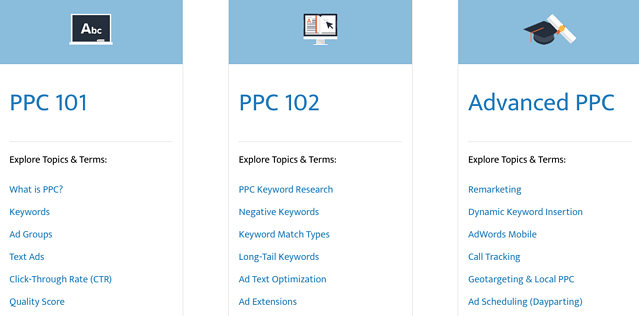
Social Lock
Social Lock is a social media consulting, management, and strategy agency that also provides educational content and courses. The Standout Social Content Course is a comprehensive guide for small business owners who want to grow sales through social media. Although this course isn’t free, it’s available at an affordable rate and can even be paid in installments if you’re on a tight budget. If you need free resources that can teach you how to generate revenue that can pay for a course like this, Social Lock offers a Hustle with Hashtags eBook and Social Media Post Ideas.
edX
edX is another MOOC provider that features courses offered by top-tier universities, including Harvard University, Massachusetts Institute of Technology, and Boston University. Like Coursera, classes are taught online and start at specific times throughout the year. Here are just a few of the many courses you can find on edX:
The 4-day Creative Brief
Before a marketing campaign is launched, you’ll need to get your design team onboard, and one of the best ways to do this is by developing a creative brief. The four-day creative brief is an online, self-paced course designed to hone your writing skills and help you convey your unique ideas. Advertising and branding expert Yadira Santana-Dowling condenses this process into just seven lessons so that by the end of it, your creative team has all the information they need to bring the campaign to life.
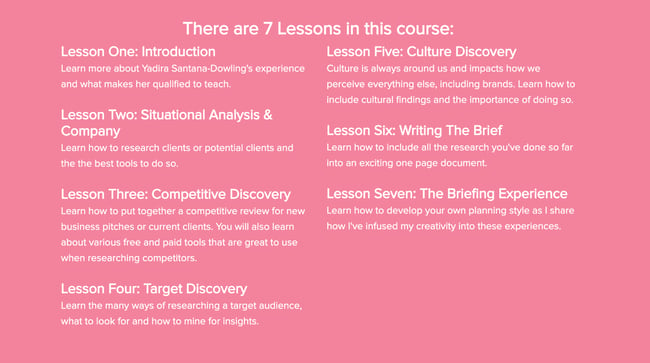
Alison
Alison offers free online classes in various professional skills users can take at their own pace. This content repository includes courses that lead to certificates and diplomas — you choose which is best for your goals. For an even more rigorous curriculum, you can choose a learning path that combines several lessons and courses into one learning track that gives you a well-rounded learning experience.
Facebook Blueprint
At this point, you probably already know what Facebook is and what it does. What you might not know is that the company offers several training and certification programs. Facebook Blueprint offers self-paced and live e-learning courses for marketers seeking to grow their organizations using Facebook. Blueprint offers classes in different languages on how to use Facebook and Instagram.
quintly Academy
quintly is a social media analytics tool that offers courses through quintly Academy. The self-paced course provides an overview of social media analytics, benchmarking, and goaling using downloadable written materials and video lessons. These courses are available to take at no cost — simply sign in to enroll for free.
Google is another company you’ve probably heard of before, and its digital marketing course offers a ton of valuable information if you plan to advertise on the search engine. You can even take a Google AdWords certification at the end of the process that helps you beef up your resume. Google has expanded its course offerings to include other types of digital marketing, too, so check out the site for up-to-date insights in the marketing world.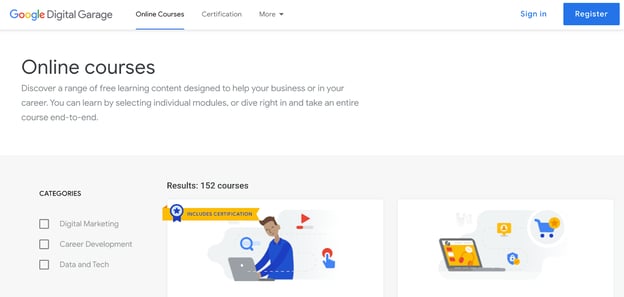
Codeacademy
Codeacademy offers free, interactive coding classes that take you from bare-bones to building a fully functioning website. The courses we’ve highlighted below just scratch the surface, though. Codeacademy offers a variety of course topics so you can truly focus on your niche. These classes include lectures and a workspace in the same browser window so you can see the effect of your work as you create it — how cool is that?
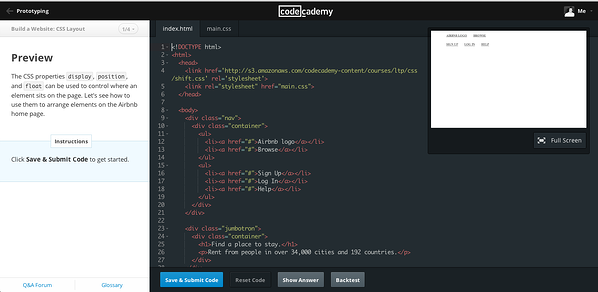
General Assembly
General Assembly offers live online courses that can be accessed for free or for a fee. These courses specialize in technical skills and disciplines like the fundamentals of HTML5, CSS3, and Javascript. Each one is categorized as one of five types that range from full-time immersive learning to on-demand learning. Once you choose your time commitment, simply find a course that works with your schedule.
Canva
Canva helps people easily make beautiful images for web design, and Canva Design School offers design courses that are valuable for any kind of storyteller. The Creativity course explores the challenges of constant creation and innovation and how to do it well — with visuals, of course.
Become a Marketing Powerhouse with These Free Certifications
I’m sure all marketers (myself included) can agree that furthering our education in this field is a worthwhile way to advance our careers or businesses. And earning a certificate from a reputable online course is one of the most convenient ways to accomplish this. Whether you want to take a free online marketing class or you’d like to devote more time and resources to a paid one, you can’t go wrong with one from this list. Just remember to focus your studying on a specific sector of marketing and develop a niche skillset — you’ll be well on your way to success as a consummate marketer.
Editor’s Note: This blog post was originally published in May 2018, but was updated in July 2020 for comprehensiveness and freshness.

The Definition of a Buyer Persona [in Under 100 Words]
Recently, Lululemon announced its program “Like New”, an initiative aimed at collecting gently-worn Lululemon gear and reviving the clothing to re-sell on Lululemon’s online resale shop:
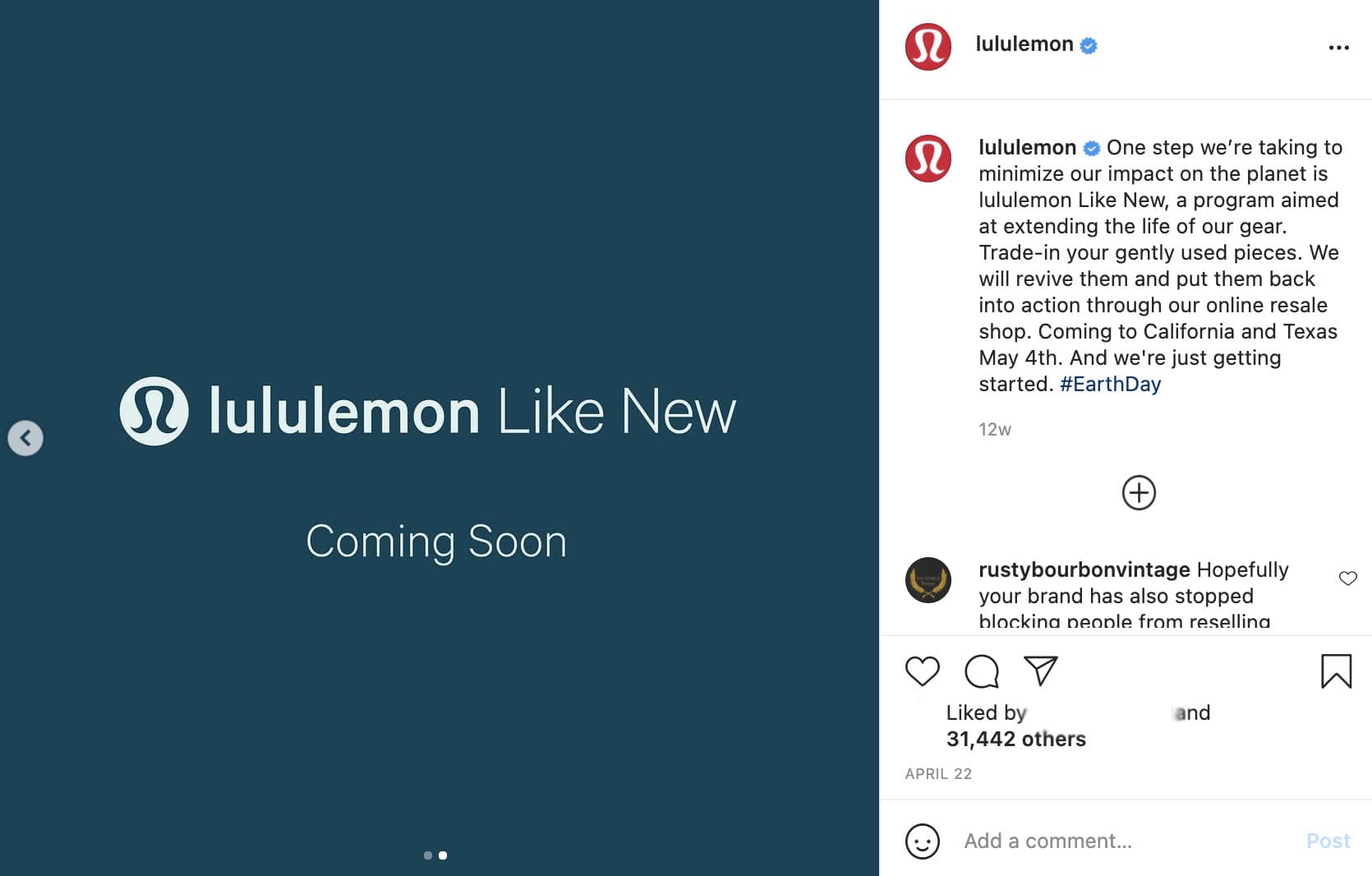
At first glance, the move might seem a bit random coming from the athletic apparel brand — but it makes a lot more sense when you consider buyer personas.
More than likely, Lululemon has identified its buyer persona as someone who lives an active lifestyle and enjoys getting outside. Lululemon’s buyer persona doesn’t just have one interest or value; she has many. And I’m willing to bet the brand has identified that their buyer persona cares about nature, and the importance of sustainability.
This is why buyer personas matter: They help you appeal more authentically and personally to your consumers, expand your reach, and create lifelong brand advocates.
Here, let’s dive into what a buyer persona is.

What is a buyer persona?
A buyer persona is a semi-fictional representation of your ideal customer based on market research and real data about your existing customers.
When creating your buyer persona(s), consider including customer demographics, behavior patterns, motivations, and goals. The more detailed you are, the better.

Try Our Make My Persona Tool to Create Your Own
Buyer personas provide tremendous structure and insight for your company.
A detailed buyer persona will help you determine where to focus your time, guide product development, and allow for alignment across the organization. As a result, you will be able to attract the most valuable visitors, leads, and customers to your business.
Ready to put this definition into practice? Learn how to create a detailed buyer persona for your business.