How to Change Your Twitter Handle in 5 Easy Steps
As with most social media platforms, when Twitter first launched, it was an informal platform for people to connect with peers, thought leaders, and even celebrities. Now, it’s evolved into a powerful marketing tool that many brands rely on.

But what happens if your former Twitter username, otherwise known as a handle, no longer reflects you or your brand? Well, there’s an easy fix. Here, we’ll show you how to change your Twitter handle on your desktop and the mobile app.
Can you change your Twitter handle?
Yes, you can change your Twitter handle whenever you’d like. Unlike Instagram, which limits you to two changes every 14 days, Twitter sets no limits on how often you can update your handle.
Your new username must be between four to 15 characters long and only includes numbers, underscores, and letters.
Note: When you change your handle, it’s a good idea to alert your followers. This way, they can direct reply and message using your new username.
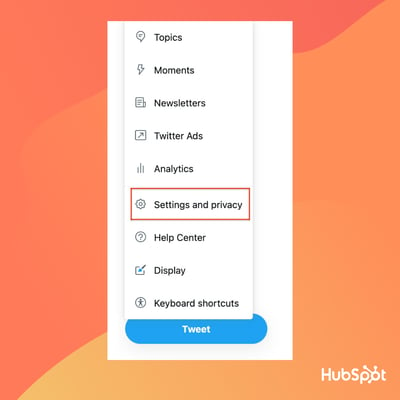
1. Go to “Settings and Privacy” from your profile icon drop-down menu.
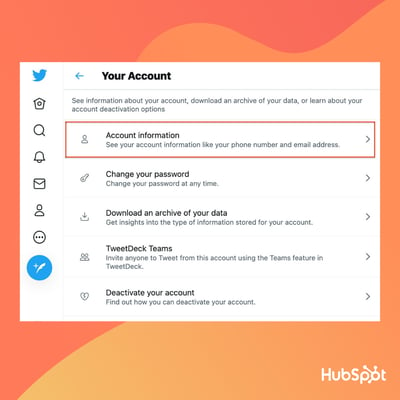
2. Next, select “Account Information.”
3. Select “Username.”
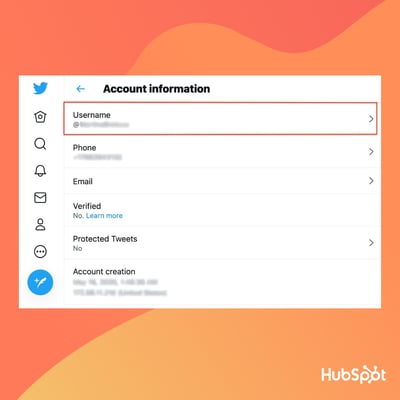
4. Write your new username.
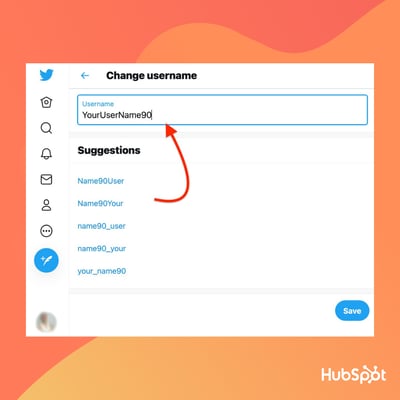
If the username is taken, Twitter will prompt you to make a new one. If the username is available, you’ll see a green checkmark. Twitter also offers suggestions for available handles.
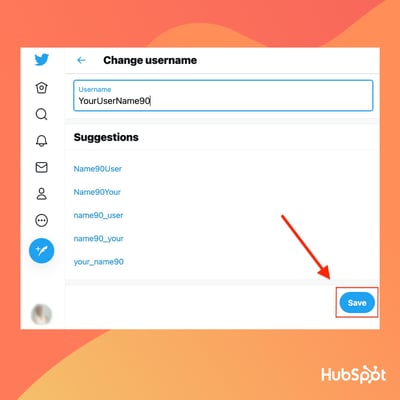
5. Click “Save” at the bottom of the screen.
How to Change Your Twitter Handle on Twitter’s Mobile App
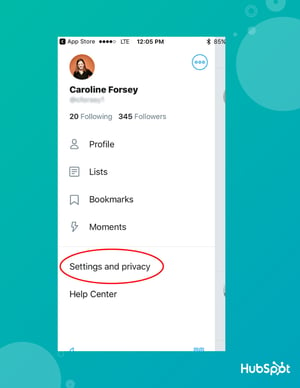
1. Within the mobile app, click on your profile icon and then select “Settings and Privacy.”
2. Click “Account.”
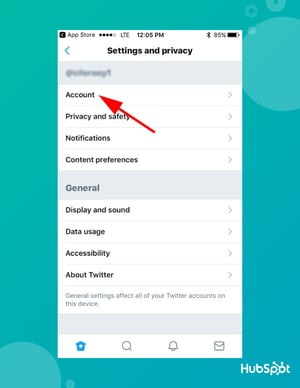
3. Click “Username.”
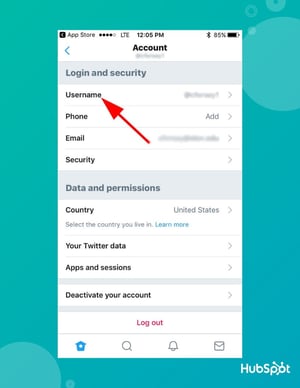
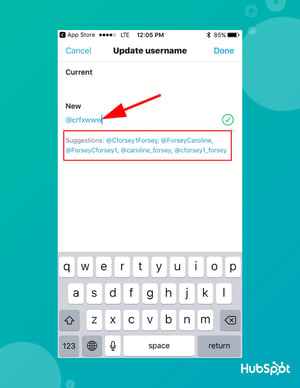
4. Under “New,” type in a new Twitter handle. If you need help, Twitter provides a list of suggestions for alternative handles.
Editor’s Note: This post was originally published in February 2019 and has been updated for comprehensiveness.

How to Write a Case Study: Bookmarkable Guide & Template
Earning the trust of prospective customers can be a struggle. Before you can even begin to expect to earn their business, you need to demonstrate your ability to deliver on what your product or service promises.
Sure, you could say that you’re great at X, or that you’re way ahead of the competition when it comes to Y. But at the end of the day, what you really need to win new business is cold, hard proof.
One of the best ways to prove your worth is through a compelling case study. In fact, HubSpot’s 2020 State of Marketing report found that they are so compelling that they are the fifth most commonly used type of content used by marketers.

Below, I’ll walk you through what a case study is, how to prepare for writing one, what you need to include in it, and how it can be an effective tactic. To jump to different areas of this post, click on the links below to automatically scroll.
Case Study Definition
A case study describes a specific challenge a business has faced, and the solution they’ve chosen to solve it. Case studies can vary greatly in length and focus on a number of details related to the initial challenge and applied solution, and can be presented in various forms like a video, white paper, blog post, etc.
In professional settings, it’s common for a case study to tell the story of a successful business partnership between a vendor and a client. Perhaps the success you’re highlighting is in the number of leads your client generated, customers closed, or revenue gained. Any one of these key performance indicators (KPIs) are examples of your company’s services in action.
When done correctly, these examples of your work can chronicle the positive impact your business has on existing or previous customers and help you attract new clients.
To help you arm your prospects with information they can trust, we’ve put together a step-by-step guide on how to create effective case studies for your business — as well as free case study templates for creating your own. Get them using the form above, and then get creating using the steps below.
1. Get started with case study templates.
Telling your customer’s story is a delicate process — you need to highlight their success while naturally incorporating your business into their story.
If you’re just getting started with case studies, we recommend you download HubSpot’s Case Study Templates. Included are three plain-text and three designed templates to explain how your customers thrived while using your product or service.
2. Determine the case study’s objective.
All business case studies are designed to demonstrate the value of your services, but they can focus on several different client objectives.
Your first step when writing a case study is to determine the objective or goal of the subject you’re featuring. In other words, what will the client have succeeded in doing by the end of the piece?
The client objective you focus on will depend on what you want to prove to your future customers as a result of publishing this case study.
Your case study can focus on one of the following client objectives:
- Complying with government regulation
- Lowering business costs
- Becoming profitable
- Generating more leads
- Closing on more customers
- Generating more revenue
- Expanding into a new market
- Becoming more sustainable or energy-efficient
3. Establish a case study medium.
Next, you’ll determine the medium in which you’ll create the case study. In other words, how will you tell this story?
Case studies don’t have to be simple, written one-pagers. Using different media in your case study can allow you to promote your final piece on different channels. For example, while a written case study might just live on your website and get featured in a Facebook post, you can post an infographic case study on Pinterest, and a video case study on your YouTube channel.
Here are some different case study mediums to consider:
Written Case Study
Consider writing this case study in the form of an ebook and converting it to a downloadable PDF. Then, gate the PDF behind a landing page and form for readers to fill out before downloading the piece, allowing this case study to generate leads for your business.
Video Case Study
Plan on meeting with the client and shooting an interview. Seeing the subject, in person, talk about the service you provided them can go a long way in the eyes of your potential customers.
Infographic Case Study
Use the long, vertical format of an infographic to tell your success story from top to bottom. As you progress down the infographic, emphasize major KPIs using bigger text and charts that show the successes your client has had since working with you.
Podcast Case Study
Podcasts are a platform for you to have a candid conversation with your client. This type of case study can sound more real and human to your audience — they’ll know the partnership between you and your client was a genuine success.
4. Find the right case study candidate.
Writing about your previous projects requires more than picking a client and telling a story. You need permission, quotes, and a plan. To start, here are a few things to look for in potential candidates.
Product Knowledge
It helps to select a customer who’s well-versed in the logistics of your product or service. That way, he or she can better speak to the value of what you offer in a way that makes sense for future customers.
Remarkable Results
Clients that have seen the best results are going to make the strongest case studies. If their own businesses have seen an exemplary ROI from your product or service, they’re more likely to convey the enthusiasm that you want prospects to feel, too.
One part of this step is to choose clients who have experienced unexpected success from your product or service. When you’ve provided non-traditional customers — in industries that you don’t usually work with, for example — with positive results, it can help to remove doubts from prospects.
Recognizable Names
While small companies can have powerful stories, bigger or more notable brands tend to lend credibility to your own. In fact,89% of consumers say they’ll buy from a brand they already recognize over a competitor, especially if they already follow them on social media.
Switchers
Customers that came to you after working with a competitor help highlight your competitive advantage, and might even sway decisions in your favor.
5. Contact your candidate for permission to write about them.
To get the case study candidate involved, you have to set the stage for clear and open communication. That means outlining expectations and a timeline right away — not having those is one of the biggest culprits in delayed case study creation.
Most importantly at this point, however, is getting your subject’s approval. When first reaching out to your case study candidate, provide them with the case study’s objective and format — both of which you will have come up with in the first two steps above.
To get this initial permission from your subject, put yourself in their shoes — what would they want out of this case study? Although you’re writing this for your own company’s benefit, your subject is far more interested in the benefit it has for them.
Benefits to Offer Your Case Study Candidate
Here are four potential benefits you can promise your case study candidate to gain their approval.
Brand Exposure
Explain to your subject whom this case study will be exposed to, and how this exposure can help increase their brand awareness both in and beyond their own industry. In the B2B sector, brand awareness can be hard to collect outside one’s own market, making case studies particularly useful to a client looking to expand their name’s reach.
Employee Exposure
Allow your subject to provide quotes with credits back to specific employees. When this is an option to them, their brand isn’t the only thing expanding its reach — their employees can get their name out there, too. This presents your subject with networking and career-development opportunities they might not have otherwise.
Product Discount
This is a more tangible incentive you can offer your case study candidate, especially if they’re a current customer of yours. If they agree to be your subject, offer them a product discount — or free trial of another product — as a thank-you for their help creating your case study.
Backlinks and Website Traffic
Here’s a benefit that is sure to resonate with your subject’s marketing team: If you publish your case study to your website, and your study links back to your subject’s website — known as a “backlink” — this small gesture can give them website traffic from visitors who click through to your subject’s website.
Additionally, a backlink from you increases your subject’s page authority in the eyes of Google. This helps them rank more highly in search engine results and collect traffic from readers who are already looking for information about their industry.
6. Case study email template.
Once your case study candidate approves of your case study, it’s time to send them a release form.
A case study release form tells you what you’ll need from your chosen subject, like permission to use any brand names and share the project information publicly. Kick off this process with an email that runs through exactly what they can expect from you, as well as what you need from them. To give you an idea of what that might look like, check out this sample email:
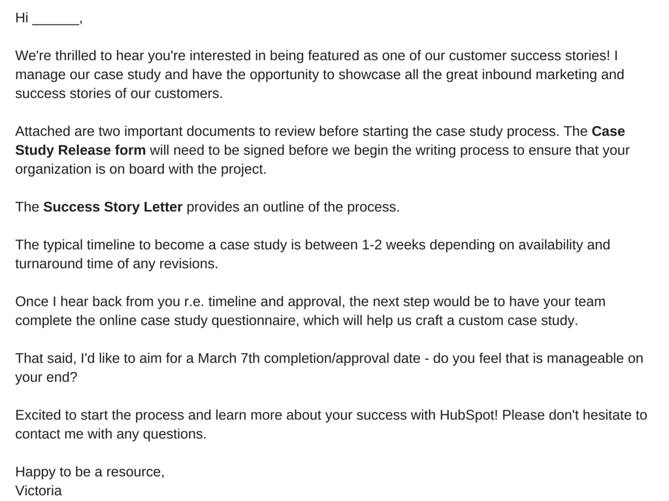
You might be wondering, “What’s a Case Study Release Form?” or, “What’s a Success Story Letter?” Let’s break those down.
Case Study Release Form
This document can vary, depending on factors like the size of your business, the nature of your work, and what you intend to do with the case studies once they are completed. That said, you should typically aim to include the following in the Case Study Release Form:
- A clear explanation of why you are creating this case study and how it will be used.
- A statement defining the information and potentially trademarked information you expect to include about the company — things like names, logos, job titles, and pictures.
- An explanation of what you expect from the participant, beyond the completion of the case study. For example, is this customer willing to act as a reference or share feedback, and do you have permission to pass contact information along for these purposes?
- A note about compensation.
Success Story Letter
As noted in the sample email, this document serves as an outline for the entire case study process. Other than a brief explanation of how the customer will benefit from case study participation, you’ll want to be sure to define the following steps in the Success Story Letter.
The Acceptance
First, you’ll need to receive internal approval from the company’s marketing team. Once approved, the Release Form should be signed and returned to you. It’s also a good time to determine a timeline that meets the needs and capabilities of both teams.
The Questionnaire
To ensure that you have a productive interview — which is one of the best ways to collect information for the case study — you’ll want to ask the participant to complete a questionnaire prior to this conversation. That will provide your team with the necessary foundation to organize the interview, and get the most out of it.
The Interview
Once the questionnaire is completed, someone on your team should reach out to the participant to schedule a 30- to 60-minute interview, which should include a series of custom questions related to the customer’s experience with your product or service.
The Draft Review
After the case study is composed, you’ll want to send a draft to the customer, allowing an opportunity to give you feedback and edits.
The Final Approval
Once any necessary edits are completed, send a revised copy of the case study to the customer for final approval.
Once the case study goes live — on your website or elsewhere — it’s best to contact the customer with a link to the page where the case study lives. Don’t be afraid to ask your participants to share these links with their own networks, as it not only demonstrates your ability to deliver positive results, but their impressive growth, as well.
7. Ensure you’re asking the right questions.
Before you execute the questionnaire and actual interview, make sure you’re setting yourself up for success. A strong case study results from being prepared to ask the right questions. What do those look like? Here are a few examples to get you started:
- What are your goals?
- What challenges were you experiencing prior to purchasing our product or service?
- What made our product or service stand out against our competitors?
- What did your decision-making process look like?
- How have you benefited from using our product or service? (Where applicable, always ask for data.)
Keep in mind that the questionnaire is designed to help you gain insights into what sort of strong, success-focused questions to ask during the actual interview. And once you get to that stage, we recommend that you follow the “Golden Rule of Interviewing.” Sounds fancy, right? It’s actually quite simple — ask open-ended questions.
If you’re looking to craft a compelling story, “yes” or “no” answers won’t provide the details you need. Focus on questions that invite elaboration, such as, “Can you describe …?” or, “Tell me about …”
In terms of the interview structure, we recommend categorizing the questions and flow into six specific sections that will mirror a successful case study format. Combined, they’ll allow you to gather enough information to put together a rich, comprehensive study.
Open with the customer’s business.
The goal of this section is to generate a better understanding of the company’s current challenges and goals, and how they fit into the landscape of their industry. Sample questions might include:
- How long have you been in business?
- How many employees do you have?
- What are some of the objectives of your department at this time?
Cite a problem or pain point.
In order to tell a compelling story, you need context. That helps match the customer’s need with your solution. Sample questions might include:
- What challenges and objectives led you to look for a solution?
- What might have happened if you did not identify a solution?
- Did you explore other solutions prior to this that did not work out? If so, what happened?
Discuss the decision process.
Exploring how the customer arrived at the decision to work with you helps to guide potential customers through their own decision-making processes. Sample questions might include:
- How did you hear about our product or service?
- Who was involved in the selection process?
- What was most important to you when evaluating your options?
Explain how a solution was implemented.
The focus here should be placed on the customer’s experience during the onboarding process. Sample questions might include:
- How long did it take to get up and running?
- Did that meet your expectations?
- Who was involved in the process?
Explain how the solution works.
The goal of this section is to better understand how the customer is using your product or service. Sample questions might include:
- Is there a particular aspect of the product or service that you rely on most?
- Who is using the product or service?
End with the results.
In this section, you want to uncover impressive measurable outcomes — the more numbers, the better. Sample questions might include:
- How is the product or service helping you save time and increase productivity?
- In what ways does that enhance your competitive advantage?
- How much have you increased metrics X, Y, and Z?
8. Lay out your case study format.
When it comes time to take all of the information you’ve collected and actually turn it into something, it’s easy to feel overwhelmed. Where should you start? What should you include? What’s the best way to structure it?
To help you get a handle on this step, it’s important to first understand that there is no one-size-fits-all when it comes to the ways you can present a case study. They can be very visual, which you’ll see in some of the examples we’ve included below, and can sometimes be communicated mostly through video or photos, with a bit of accompanying text.
Whether your case study is primarily written or visual, we recommend focusing on the seven-part outline, below. Note: Even if you do elect to use a visual case study, it should still include all of this information, but presented in its intended format.
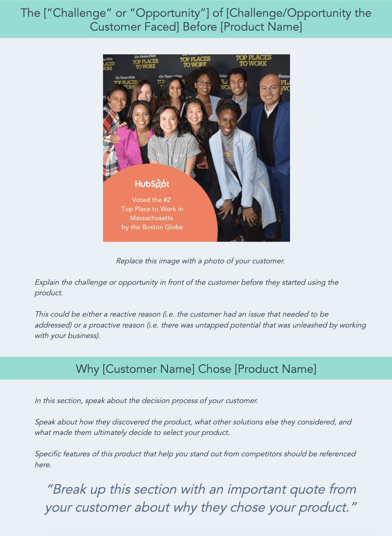
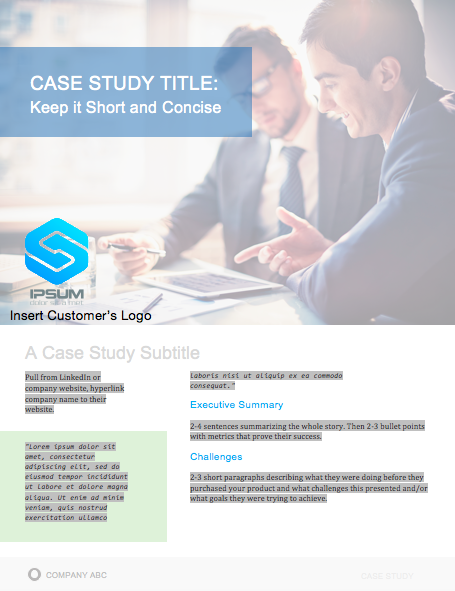
- Title: Keep it short. Develop a succinct but interesting project name you can give the work you did with your subject.
- Subtitle: Use this copy to briefly elaborate on the accomplishment. What was done? The case study itself will explain how you got there.
- Executive Summary: A 2-4 sentence summary of the entire story. You’ll want to follow it with 2-3 bullet points that display metrics showcasing success.
- About the Subject: An introduction to the person or company you served, which can be pulled from a LinkedIn Business profile or client website.
- Challenges and Objectives: A 2-3 paragraph description of the customer’s challenges, prior to using your product or service. This section should also include the goals or objectives the customer set out to achieve.
- How Product/Service Helped: A 2-3 paragraph section that describes how your product or service provided a solution to their problem.
- Results: A 2-3 paragraph testimonial that proves how your product or service specifically benefited the person or company, and helped achieve its goals. Include numbers to quantify your contributions.
- Supporting Visuals or Quotes: Pick one or two powerful quotes that you would feature at the bottom of the sections above, as well as a visual that supports the story you are telling.
- Future Plans: Everyone likes an epilogue. Comment on what’s ahead for your case study subject, whether or not those plans involve you.
- Call to Action (CTA): Not every case study needs a CTA, but putting a passive one at the end of your case study can encourage your readers to take an action on your website after learning about the work you’ve done.
To help you visualize this case study outline, check out the case study template below, which can also be downloaded here.
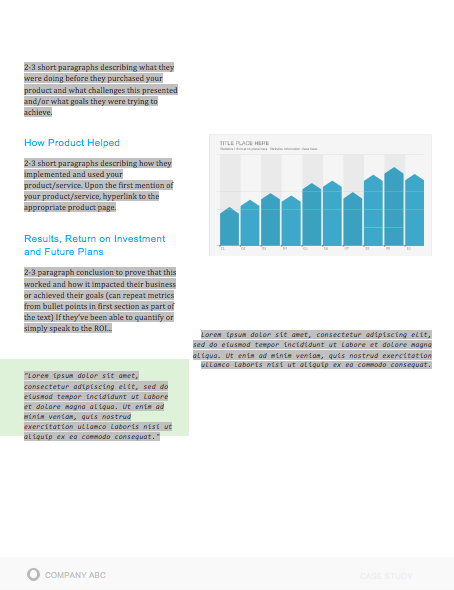
When laying out your case study, focus on conveying the information you’ve gathered in the most clear and concise way possible. Make it easy to scan and comprehend, and be sure to provide an attractive call-to-action at the bottom — that should provide readers an opportunity to learn more about your product or service.
9. Publish and promote your case study.
Once you’ve completed your case study, it’s time to publish and promote it. Some case study formats have pretty obvious promotional outlets — a video case study can go on YouTube, just as an infographic case study can go on Pinterest.
But there are still other ways to publish and promote your case study. Here are a couple of ideas:
Gated Behind a Blog Post
As stated earlier in this article, written case studies make terrific lead-generators if you convert them into a downloadable format, like a PDF. To generate leads from your case study, consider writing a blog post that tells an abbreviated story of your client’s success and asking readers to fill out a form with their name and email address if they’d like to read the rest in your PDF.
Then, promote this blog post on social media, through a Facebook post or a tweet.
Published as a Page on Your Website
As a growing business, you might need to display your case study out in the open to gain the trust of your target audience.
Rather than gating it behind a landing page, publish your case study to its own page on your website, and direct people here from your homepage with a “Case Studies” or “Testimonials” button along your homepage’s top navigation bar.
Business Case Study Examples
You drove the results, made the connect, set the expectations, used the questionnaire to conduct a successful interview, and boiled down your findings into a compelling story. And after all of that, you’re left with a little piece of sales enabling gold — a case study.
To show you what a well-executed final product looks like, have a look at some of these marketing case study examples.
1. “New England Journal of Medicine,” by Corey McPherson Nash
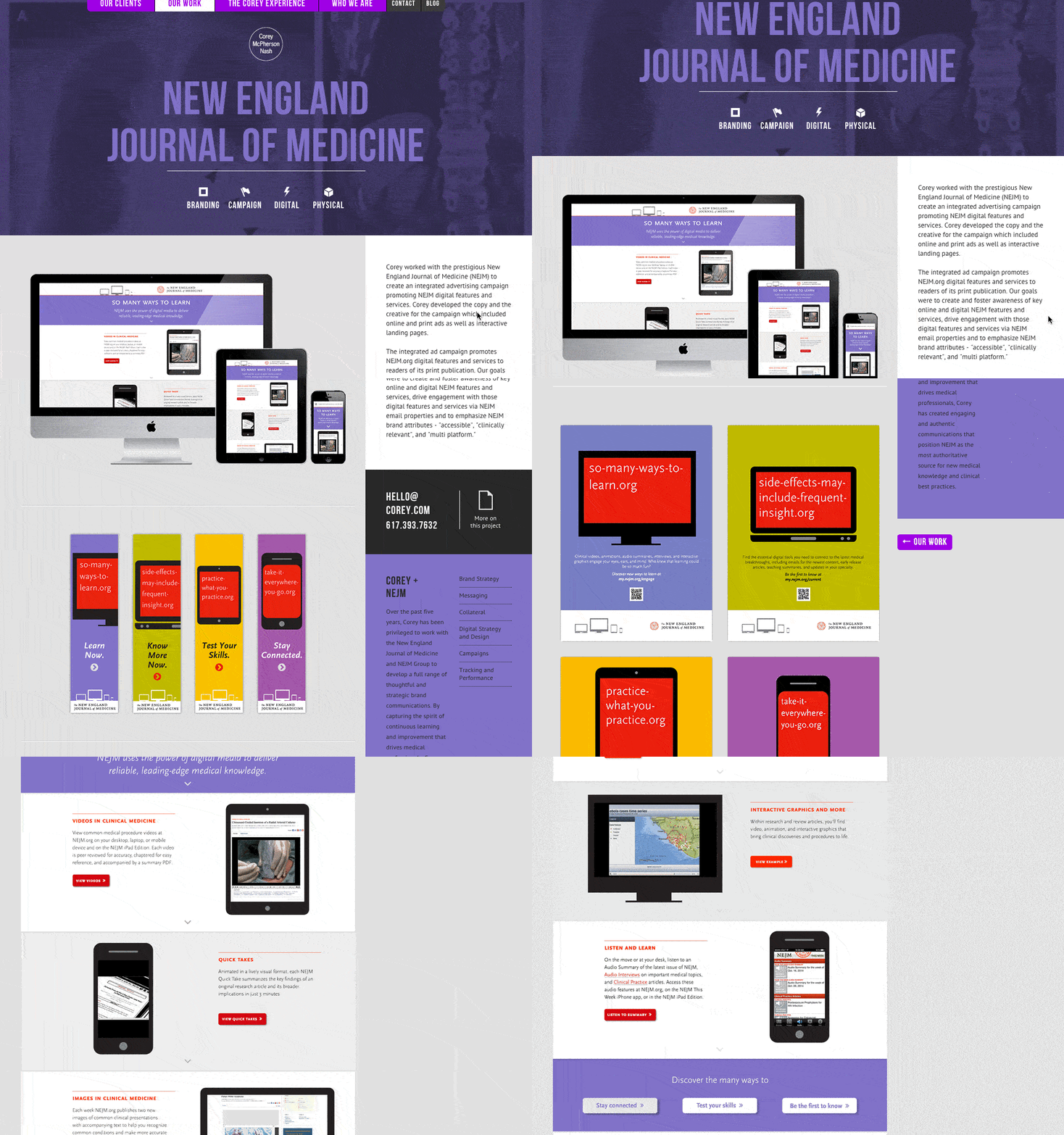
When branding and design studio Corey McPherson Nash showcases its work, it makes sense for it to be visual — after all, that’s what they do. So in building the case study for the studio’s work on the New England Journal of Medicine’s integrated advertising campaign — a project that included the goal of promoting the client’s digital presence — Corey McPherson Nash showed its audience what it did, rather than purely telling it.
Notice that the case study does include some light written copy — which includes the major points we’ve suggested — but really lets the visuals do the talking, allowing users to really absorb the studio’s services.
2. “Shopify Uses HubSpot CRM to Transform High Volume Sales Organization,” by HubSpot
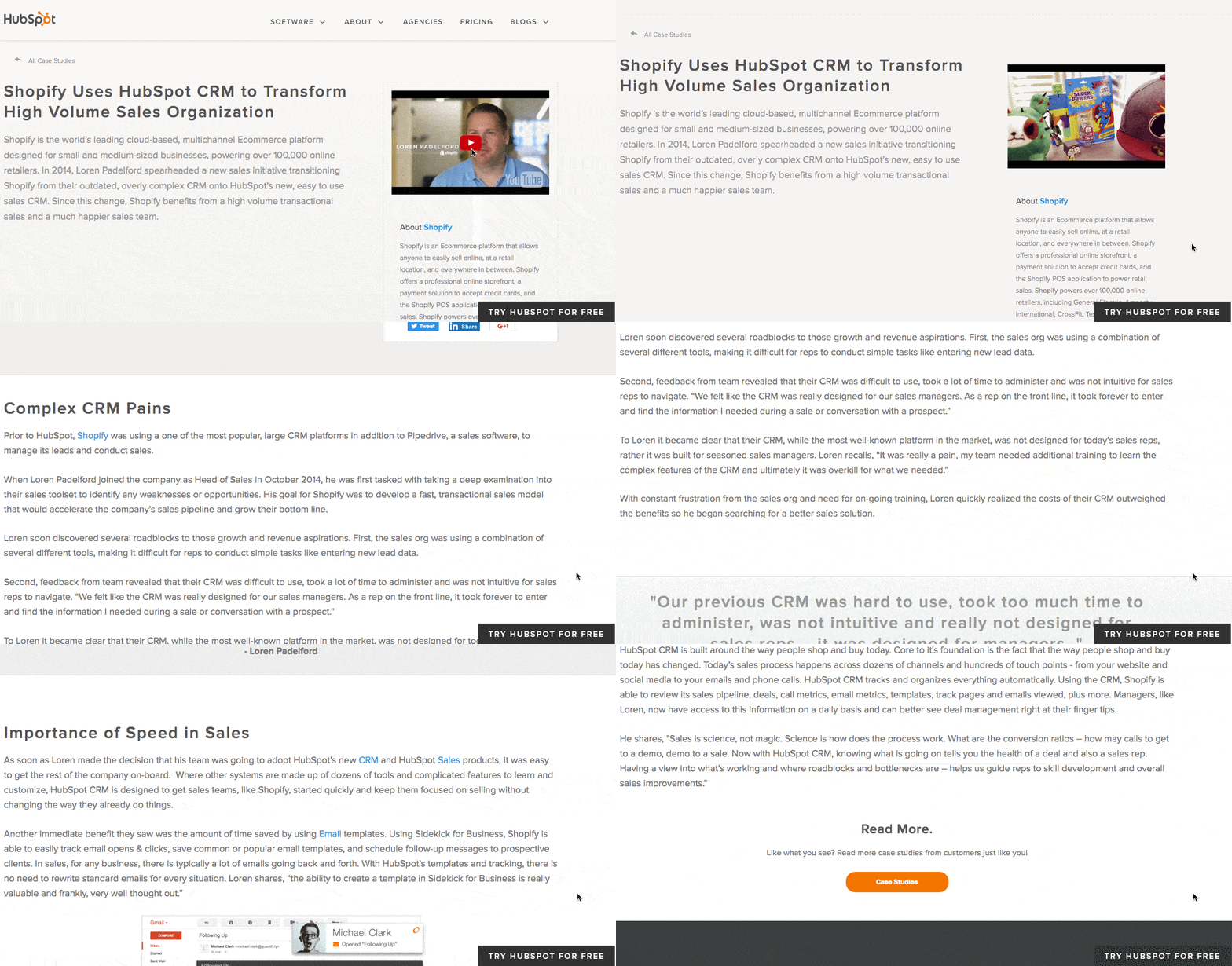
What’s interesting about this case study is the way it leads with the customer. This reflects a major HubSpot credo, which is to always solve for the customer first. The copy leads with a brief description of why Shopify uses HubSpot, and is accompanied by a short video and some basic statistics on the company.
Notice that this case study uses mixed-media. Yes, there is a short video, but it’s elaborated upon in the additional text on the page. So, while case studies can use one or the other, don’t be afraid to combine written copy with visuals to emphasize the project’s success.
3. “Designing the Future of Urban Farming,” by IDEO

Here’s a design company that knows how to lead with simplicity in its case studies. As soon as the visitor arrives at the page, he or she is greeted with a big, bold photo, and two very simple columns of text — “The Challenge” and “The Outcome.”
Immediately, IDEO has communicated two of the case study’s major pillars. And while that’s great — the company created a solution for vertical farming startup INFARM’s challenge — it doesn’t stop there. As the user scrolls down, those pillars are elaborated upon with comprehensive (but not overwhelming) copy that outlines what that process looked like, replete with quotes and additional visuals.
4. “Secure Wi-Fi Wins Big for Tournament,” by WatchGuard
Then, there are the cases when visuals can tell almost the entire story — when executed correctly. Network security provider WatchGuard is able to do that through this video, which tells the story of how its services enhanced the attendee and vendor experience at the Windmill Ultimate Frisbee tournament.
5. Rock and Roll Hall of Fame Boosts Social Media Engagement and Brand Awareness with HubSpot
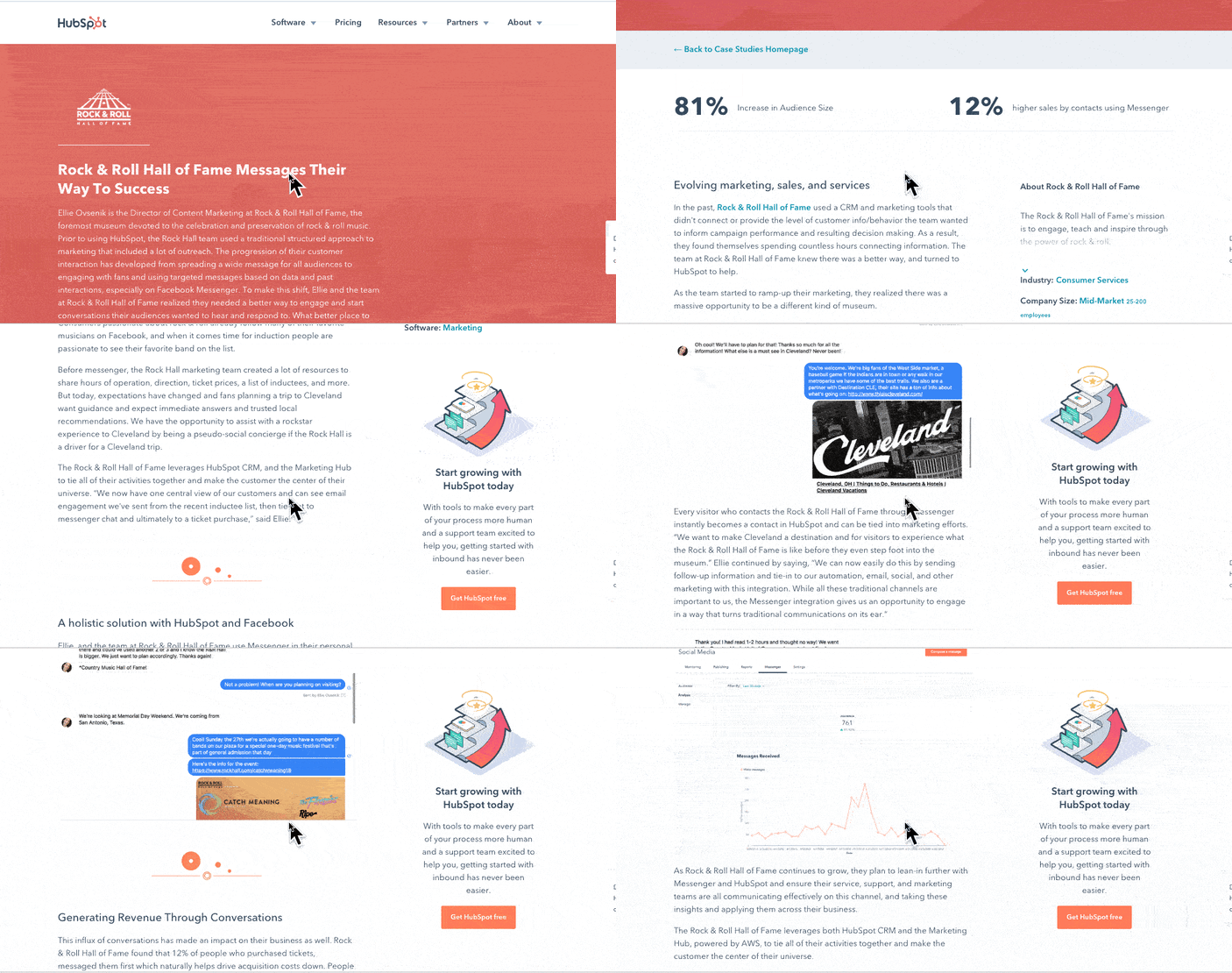 In the case study above, HubSpot uses photos, videos, screenshots, and helpful stats to tell the story of how the Rock and Roll Hall of Fame used the bot, CRM, and social media tools to gain brand awareness.
6. Small Desk Plant Business Ups Sales by 30% With Trello
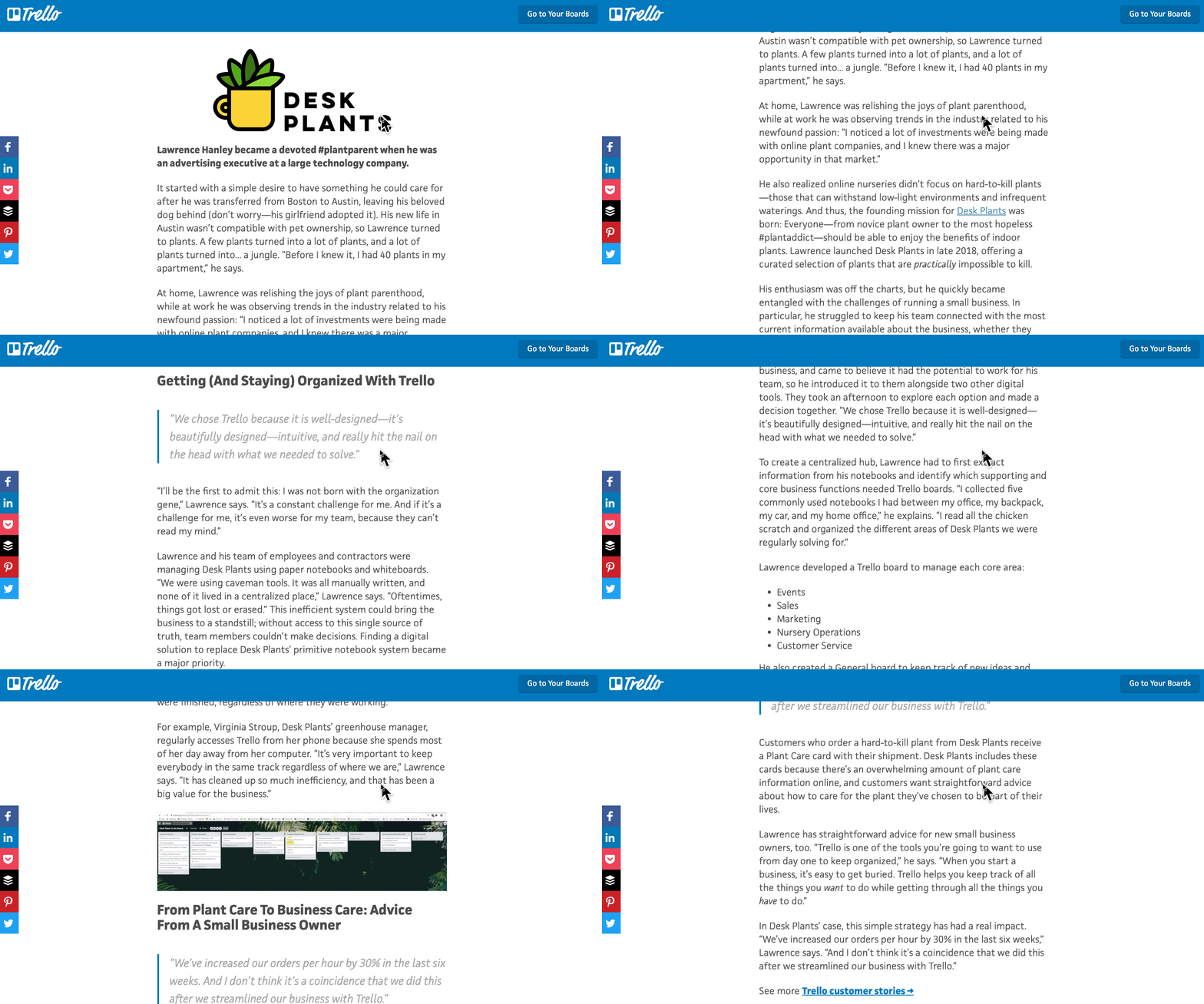
This case study from Trello is straight forward and easy to understand. It begins by explaining the background of the company that decided to use it, what their goals were, and how they planned to use Trello to help them.
It then goes on to discuss how the software was implemented and what tasks and teams benefited from it. Towards the end, it explains the sales results that came from implementing the software and includes quotes from decision-makers at the company that implemented it.
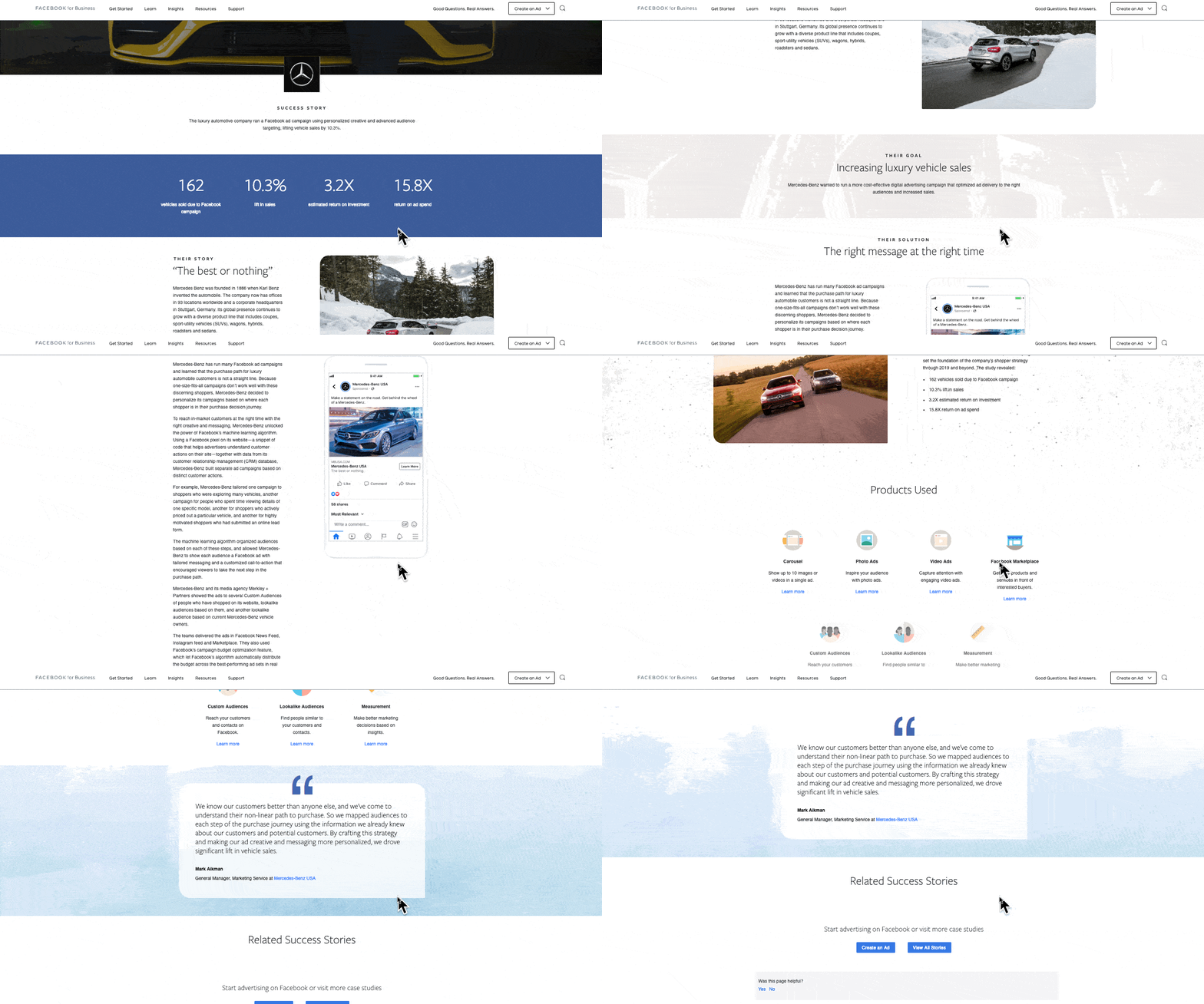
7. Facebook’s Mercedes Benz Success Story
Facebook’s Success Stories page hosts a number of well-designed and easy-to-understand case studies that visually and editorially get to the bottom line quickly.
Each study begins with key stats that draw the reader in. Then it’s organized by highlighting a problem or goal in the introduction, the process the company took to reach their goals, and the results. Then, at the end, Facebook notes the tools used in the case study.
Showcasing Your Work
You work hard at what you do. Now, it’s time to show it to the world — and, perhaps more important, to potential customers.
But before you show off the projects that make you the proudest, make sure you follow the important steps that will help ensure that work is effectively communicated, and leaves all parties feeling good about it.
Want to learn as you write your case study? Listen to an audio summary of this post below.
For an easy way to get started, grab your free case study template below, and go create a case study that makes your subject proud of their success.
Editor’s Note: This blog post was originally published in February 2017 but was updated for comprehensiveness and freshness in July 2021.

The Ultimate Guide to iPaaS (Integration Platform as a Service)
You’ve likely heard of Software as a Service, or SaaS.
A SaaS company sells software to a user as a subscription. Along with that subscription, the software company provides technical support, customer service, and upgrade options to maximize their customers’ ability to use their software.
HubSpot is an example of a SaaS company. We sell (darn good) marketing, sales, and service software so you can use them to grow your business. But there’s just one problem …
Over time, we’ve learned that things aren’t so linear and consumers rarely use just one software to satisfy all of their needs. Instead, they find a plugin here, some software there, and maybe even a widget until they have a smorgasbord of options that, together, create the perfect solution.
Consumer expectations have changed — they want instant feedback, immediate solutions, and access to everything they need to solve their problems.
From a business standpoint, it can be costly to add more tools to your existing software. An ever-increasing demand makes it hard to accommodate every customer need.

Additionally, most software companies have segregated systems themselves, pulling in data from the cloud and on-site systems to complete their own stack. Ascend2 found that 57% of marketers recognize integrating disparate technologies as the biggest barrier to success.
What happens when you have different systems operating on separate platforms that each play an integral role in your business? You become subject to data loss, disjointed information, and misalignment.
Between consumer expectations and internal systems, we need to find a way to create a more frictionless experience.
iPaaS is the solution.
iPaaS is a platform that connects otherwise disjointed systems to deliver a unified solution to customers. It acts as a conduit for communication between multiple systems, allowing for integration and data sharing. As we deepen our cloud dependency, iPaaS becomes integral to nearly every business model.
This guide will give you an overview of iPaaS, how it works, and its key benefits.
Most companies run on various systems, especially between their sales, marketing, and service departments. iPaaS improves communication between different silos by integrating software to better share data within the organization.
iPaaS also allows a company to expand its offering without the need to build out more services. Instead, it can integrate with another software that already provides that service and offer a unified, more robust solution to customers.
For example, say you sell a scheduling software that helps hairstylists book, manage, and send appointment reminders to their clients. After developing your product, you realize that stylists also want their clients to be able to leave reviews and make payments through your software.
To meet your customers’ needs, you could either build out and add these features to your product, or you could use iPaaS to connect your scheduling software to existing review and payment software. The latter approach allows you to save time and money while expanding your service offering and giving your clients what they want.
This is just one of many potential iPaaS use cases to serve both customers and internal teams.
How does iPaaS work?
A software company will rely on iPaaS to supply the infrastructure for creating connections and deploying software applications within the cloud.
The software company sets the parameters for the types of connections that are allowed on the platform. These parameters could be in the form of an application programming interface (API), prebuilt connectors, or some other rule.
Once these rules are in place, iPaaS creates a central ecosystem to view, manage, and modify all data, infrastructure, and operations. This, in turn, allows entities to easily modify their product, share information, and provide solutions to their market.
iPaaS-Related Terms to Know
How do you distinguish between all service-oriented architecture (SOA)? Let’s cover the common cloud-based service business models out there to help you get a better grasp on what makes iPaaS unique.
Platform
A platform is the centralized component of all connections. HubSpot’s VP of Platform Ecosystem Scott Brinker defines a platform as a “hub, with spokes connecting other products to its center. The hub binds those disparate products together and orchestrates them in a common mission.”
Integration Platform
An integration platform creates connections between different applications and systems. This type of platform creates an environment for engineers to build upon.
Platform as a Service (PaaS)
A PaaS is a platform where the provider houses all of the elements that users need to deploy a particular software. Those elements include the servers, network, memory, database, and operating system.
Software
Software is a program that performs a specific set of tasks for a user.
Software as a Service (SaaS)
SaaS is a system where a user is provided with software to use on-demand. All maintenance, hosting, and deployment of that software is the responsibility of the software provider.
Integration as a Service (IaaS)
IaaS is a cloud-based model that allows for data integration between systems and third-party vendors. IaaS keeps all connected parties from having to create complex interdependencies and minimizes delays in data sharing.
Electronic Service Bus (ESB)
Electronic Service Bus is not denoted “as a service,” but it could be considered a predecessor of iPaaS. An ESB is a middleware tool, which means that it works between applications the same way an iPaaS does. While iPaaS focuses on integration, an ESB has two functions: integrating and distributing data and messages.
Since ESBs were created before the cloud, they operate on-premises. They are still a reliable option for legacy systems.
iPaaS vs. PaaS
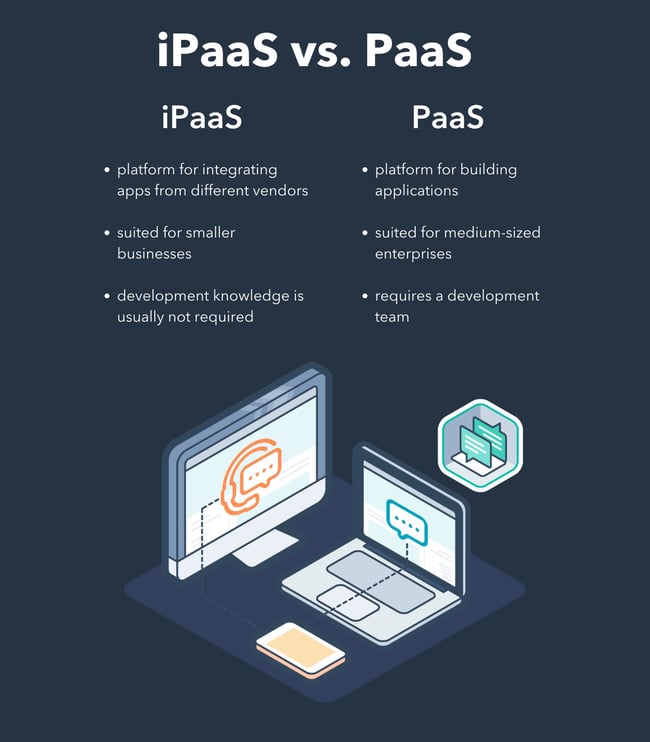
Although iPaaS and PaaS are only one letter apart, their functionalities are completely different.
A PaaS is basically a toolbox with generic features that developers can use to build their own applications.
PaaS supports different aspects of an application. Next to the development tools, PaaS vendors provide operating systems, business analytics, storage options, and data management solutions. With this last option, your developers might be able to build data integrations without too much hassle. Usually, companies working with this type of vendor are medium-sized enterprises.
Smaller businesses working with different applications will need an iPaaS at some point. The main reason is that those applications are not created by the same vendors. They are not connected natively, while the applications built on a PaaS usually live within the same environment.
Like PaaS, some iPaaS providers offer a very complete set of features. The difference is that those features are exclusively focused on integration.
Last but not least, to work with PaaS, you’ll need a team of developers. On the other hand, iPaaS tools are usually created so that anyone in any team can create an integration with no coding required.
iPaaS vs. ESB
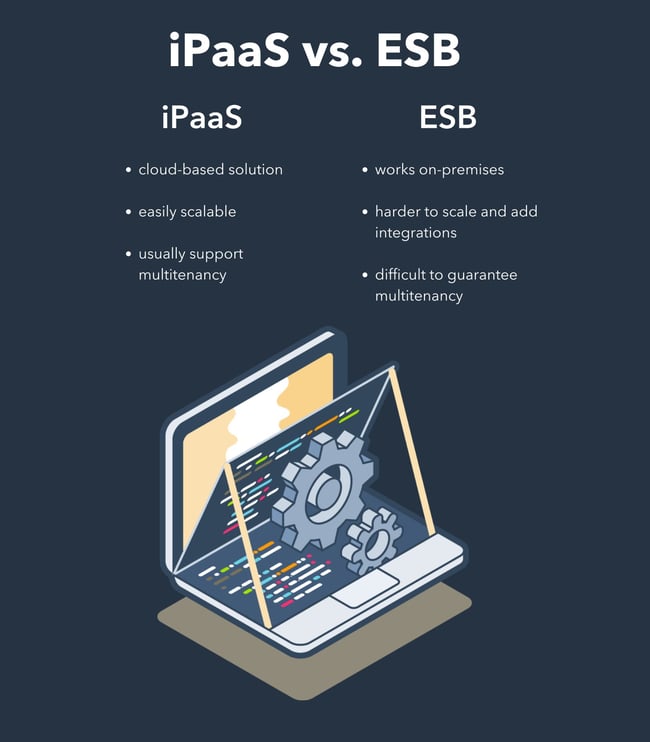
ESB and iPaaS are bridges between two applications, but they offer completely different solutions. The first distinction is that an ESB works on-premises, while iPaaS are cloud-based solutions. That doesn’t mean that an ESB won’t be able to integrate with a cloud application, but it makes the connection less viable.
Scalability is also different for ESB and iPaaS. In a company using iPaaS, integrating new applications is easy. iPaaS usually allows you to create as many connections as you want between the hundreds of applications they support. However, in a company working with ESB, it can take months to implement a new app.
Another variable to consider is multitenancy. This concept refers to the possibility of having several users accessing the same software. iPaaS and other cloud-based software usually support multitenancy. On the other hand, considering that ESB requires a piece of hardware to operate, multitenancy is very hard to guarantee.
Benefits of iPaaS
The rise of SaaS over the past two decades created a gap in the ecosystem that needed to be filled. That gap — the need for more integrated systems — has only become more apparent. iPaaS arose out of a need for an organized solution for deploying quick and seamless cloud-based solutions.
You can think about the benefits of iPaaS as two-fold: benefits to the company that employs iPaaS (internal) and benefits to the customers of the company that employs iPaas (external).
External Benefits
Software companies that employ iPaaS technology as part of their offering to consumers reap benefits from increased customer satisfaction. Consumers benefit from iPaaS in a number of ways.
A Single Solution
Instead of piecing together separate software to solve their needs, consumers can use a platform that connects to all of their software in one convenient cloud-based location, thereby eliminating the need to source and deploy their technology in different environments.
Organized Data
Consumers can access all of their data in one place and set rules for how that data is organized and accessed. So, while they’re working with different systems, all of those systems will render data in an easy-to-interpret manner. All of this makes data analysis, interpretation, and application easier and more accurate.
Improved Communication
One platform means a single source of truth. Data is being shared within the same ecosystem so no important information is lost and everyone has the same access, which leaves less room for misinterpretation.
Better Workflow
Less time switching between tools means more time for work and a central place where all of that work is done. A platform creates a more efficient environment for team dynamics and workflows.
Internal Benefits
Consumers aren’t the only ones who need integrated solutions. Companies also use disparate tools to run their businesses — think email providers, marketing software, document sharing, the list goes on. iPaaS brings these tools together to increase internal efficiency and improve workflows.
Here are some of the internal benefits of iPaaS.
Eliminate Silos
Third-party integrations can be created and deployed in various environments. This might not be an issue when there are only a few connections, however, as a company develops its offerings to become a more robust entity, integrations can become scattered, creating a mess where information is hidden from view or difficult to access and preventing a business from realizing critical insights.
Real-Time Processing
iPaaS allows for real-time data sharing and processing thereby eliminating delays in access and providing a quick and accessible solution.
Increased Efficiency
iPaaS mitigates confusion, data loss, and inconsistencies by creating a centralized system for the management of all parties involved.
Centralized Management
iPaaS creates a single, virtual view for managing all connections across the platform. Instead of having one individual or team manage different integrations, all of them can be accessed from a single console.
Multitenancy
Typically, each tenant that calls upon software requires its own instance. Similar to how every person on a call needs their own phone connection, an instance is created each time someone accesses the software. iPaaS allows for shared instances among tenants, eliminating overload, reducing costs, and increasing the speed of use.
Improved Security and Compliance
Security threats are inevitable in any environment, especially the cloud. iPaaS solutions offer fraud detection and intruder alerts. But the real benefit is that a centralized platform makes it easier to see where these threats are and respond adequately. In addition, a platform makes regulation compliance simple by implementing changes in a single environment.
Gartner iPaaS Magic Quadrant
Being that iPaaS is a newer technology, we look to objective opinions to check the validity, safety, and potential longevity of iPaaS vendors. Gartner iPaaS Magic Quadrant is that resource.
Gartner is an IT consulting firm and trusted resource for objective, qualitative industry research. According to Gartner, “Magic Quadrants offer visual snapshots, in-depth analyses and actionable advice that provide insight into a market’s direction, maturity, and participants.”
The Gartner Magic Quadrant for Enterprise Integration as a Service looks at several iPaaS vendors in the space and details the strengths and cautions of each provider. It compares vendors like Boomi, Jitterbit, MuleSoft, Oracle, and SAP among several others to provide an objective view on the iPaaS environment and to give readers perspective on which solution would best fit their needs.
iPaaS Integration: Best Practices
iPaaS is an outstanding solution to integrate your business’s technology ecosystem and to enhance its data flow. In order to get the most out of it, make sure to follow these best practices:
Have a data integration plan before implementing an iPaaS solution.
It’s crucial to decide on a sound data integration plan before you begin syncing your data between multiple apps. For your plan to be successful, you need to:
- Define the goals you want to achieve with data integration. For example, you may want to integrate internal business data to have a holistic view of your business and build better analytics reports. Or you might want to integrate customer data from different applications to have a 360-degree view of your customers.
- Decide what kind of data you want to integrate. Once your data integration goals are set, you will have a much clearer idea of what kind of data you need to integrate. iPaaS platforms set algorithms to sync the same type of ‘object’ between apps. These objects can be names, emails, deals details, service tickets, etc. However, not every iPaaS can integrate all the objects of your apps. Determining which kind of data you need to integrate is key to decide which iPaaS to use.
- Find out where this data lives. In which applications are you storing this information? These are the tools you’ll want to integrate with iPaaS. For example, if you want to sync customer data, find out which applications are collecting it across your business.
- Figure out how the data should flow. Decide how the data needs to flow between your tools. You might need one-way, trigger-action data pushes, or you might need a real-time, two-way synchronization.
Choose the right iPaaS solution for your business.
Different iPaaS tools suit different purposes. There are iPaaS tools that work perfectly to automate workflows between several tools, such as Zapier.

Once you’ve honed in on your integration needs, you’ll be in a better position to decide which iPaaS tool will work for you. Take time to research your options thoroughly and determine which tool is the best option to help you achieve your data integration goals. We’ve included a list of top iPaaS vendors to help you get started with your search.
Set up your iPaaS tool properly.
iPaaS solutions hold a multitude of possibilities. Most of them will allow you to get really specific in your integration. Features such as rules and field mappings enable you to decide which groups of data to share between applications (in case you don’t want to share your entire database). You can also pair different kinds of information between your tools.
For example, you can add a “New Customer” label to certain contacts in your CRM to identify your newest customers. You can then sync this label into your email marketing tool and automatically enroll these new customers in an onboarding email sequence that sends them all necessary resources, useful links, and who to contact within your organization if they have any questions or issues.
Manage your data.
While iPaaS will do a lot of the work for you when it comes to data management, it’s still important to manually check in on your databases every so often.
This includes making sure your data is rid of duplicates, cleaning up invalid contact details, keeping your data fresh and deleting outdated information, and implementing consistent, company-wide procedures for data entry and management.
In addition, remember to check your syncs to make sure they are running smoothly and your data is flowing as it should.
iPaaS Vendors
iPaaS is a great solution to improve connection to and communication between all data and applications within your company. We’ve compiled this list of iPaaS vendors to help narrow your search for the perfect iPaaS partner. For more recommendations, see our full list of iPaas vendors.
Workato
Workato enables all your teams to create and easily maintain integrations between the different systems that power your business. This iPaaS solution comes equipped with 150,000+ “recipes” — or automated workflows that connect apps and complete tasks based on a combination of apps, triggers, and actions — so it’s easy to hit the ground running with out-of-the-box integrations.
Dell Boomi
Dell Boomi offers a complete iPaaS solution with application and data integration, workflow automation, application deployment, API design, and B2B management all within a single master hub.
Informatica
Informatica boasts customer loyalty and top-ranked iPaaS provider as their main advantages over other solutions. With a nod from Gartner and over seven thousand customers worldwide, the iPaaS vendor holds a top spot in the industry.
Celigo
Celigo offers an iPaaS solution that can handle everything from simple FTP integrations to complex integration needs. In addition, Celigo’s application marketplace features vetted apps that solve for a multitude of business needs.
Jitterbit
Jitterbit understands the stress of building APIs between on-premise and cloud-based systems. The company has done well to empathize with businesses that lack the resources to build these integrations on their own and offers quick integrations with their platform as a result.
Blendr.io
Blendr.io offers a low-code visual builder to create complex enterprise-grade or standardized self-service integrations. In addition, Blendr.io provides a set of features to embed integrations into the UI of other SaaS platforms.
Mulesoft
Mulesoft offers cloud integration through its product called “CloudHub.” This solution offers multitenancy for integrations and API. The solution allows for deployment in eight different regions around the world, a number of workers, and out-of-the-box cloud security, and compliance. It also offers insights based on various metrics.
Zapier
Zapier is a well-known solution for connecting apps, automating workflows, and sharing data between otherwise disjointed systems.
iPaaS providers don’t stop there. You can view and compare dozens of vendors through a bit of research. Otherwise, Gartner has already done the work for you.
Get Integrated
As we continue to move towards cloud-based options, iPaaS becomes the most viable solution to eliminate the friction associated with disparate systems, and for connecting all applications and data between your organization and third parties. A single source that connects all of the systems we use to grow our businesses is an important step toward growing better. When we’re connected and in-sync, we can go further together.
Editor’s note: This post was originally published in July 2020 and has been updated for comprehensiveness.

8 of The Best Facebook Groups We’ve Ever Seen
Facebook Groups are nothing new to the marketing world, but they present a variety of interesting business opportunities.
They’re an excellent place for two-way communication between businesses and customers. And if a Group is public, it’s a great place for prospects to learn about your brand, products, mission, and current customers as well.

Ultimately, Facebook Groups give businesses the chance to engage with their audience in a more meaningful and authentic way than they ever could using their Page.
Here are eigth Facebook Groups that are crushing it to help inspire your future Facebook marketing strategy.
The purpose of this list is to provide you with the business and marketing inspiration you need to create, maintain, and manage a Group that your prospects and customers love.
1.HubSpot Academy Content Marketing Pros
Members: 27.1K

HubSpot Academy’s Content Marketing Pros Group is a private group — meaning, members need to request to be a part of it. Once in the group, members can share ideas about content challenges and projects they’re working on as well as how they’re using or plan to use HubSpot in order to help them with those challenges and/or projects.
Members can share details about courses they’ve taken and how they’ve applied the lessons learned to their content marketing roles. They can also list ideas for courses they would like to see HubSpot Academy produce in the future.
The way that this Group is set up encourages a sense of community among customers and users as well as offers a space for them to provide actionable feedback and insights about the Group and/or product in discussion.
2. Instant Pot
Members: 3M
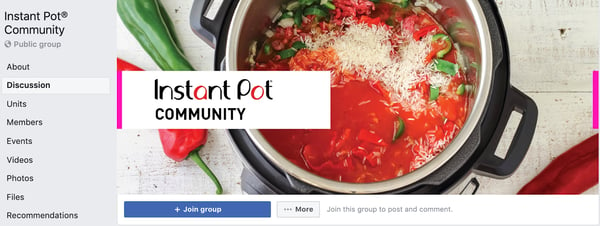
This popular electric cooker brand uses its Group to create a space where the international community of Instant Pot users can ask questions, post unique recipes, and share the joy of cooking with their products.
They also offer limited trouble-shooting in the case that any customers experience any issues or have product-specific questions. They rarely ever promote their products within the Group, outside of the occasional giveaway where members can enter to win prizes to use with their Instant Pot.
3. Women of Impact by National Geographic
Members: 71.8K

When it comes to the art of inspiring and being a voice for change, there are very few who do it quite as well as National Geographic. This group, Women of Impact, focuses on “celebrating world-shaping powerhouses” and encourages anyone who’s passionate about women breaking barriers in their fields to join.
The publication uses Facebook Groups to connect with their audience members in a way that aligns with issues and initiatives that they, and those audience members, care deeply about.
4. Elementor
Members: 115K
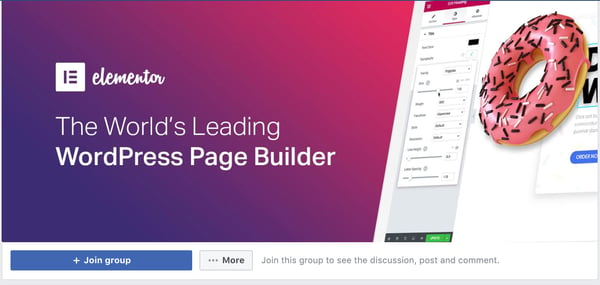
Elementor, a WordPress page builder plugin, has a private Facebook Group that, on average, sees over 4,400 posts every month. The Group exists to serve as a place where Elementor users can help each other learn how to use the page builder and answer any questions or resolve any challenges they may be experiencing.
The group is managed by volunteers which just highlights the fact that Elementor isn’t using the community for promotional reasons but rather as a place where community members can communicate, collaborate, and encourage each other, as well as self educate.
5. Official Peloton Member Page
Members:430.2K
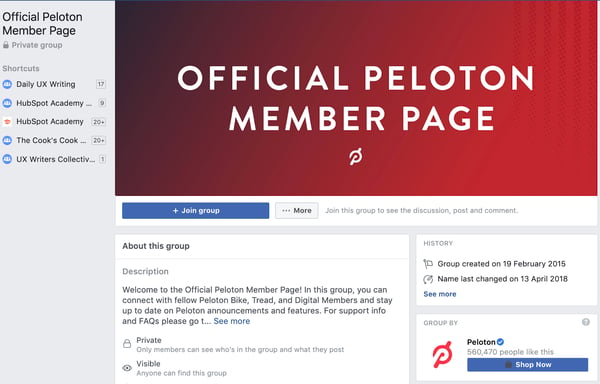
The Official Peloton Member Page is a private Group where customers and users can come together to discuss Peloton products including Bike, Tread, and Digital. It also serves a hub where those customers and users can learn about Peloton’s latest announcements, feature roll outs, and product updates.
And when it comes to exercise, this type of network or group provides value to its members as they’re able to share exercise plans, techniques, schedules, and training methods with one another.
6. MobileMonkey
Members:44.0K

MobileMonkey’s Group is product-specific and provides an environment where members can ask questions and share knowledge about MobileMonkey’s Instagram and Facebook Messenger, SMS & Chatbot Marketing products.
In this group, social media marketers, inbound marketers, PPC marketers, advertisers, entrepreneurs, and more can turn to each other and the resources available in the Group to determine the best ways to use and resolve challenges around MobileMonkey’s main products (including multi-channel chat marketing for Messenger, native web chat, Facebook ad platform, and SMS marketing).
7. Canva Design Circle
Members: 145.1K

Canva Design Circle is where members can learn how to take advantage of the product and its many features and functions through their Design School. Within the Group, Canva users are notified of the most recent product updates and tips and can discuss any topic related to design.
Canva encourages new members of the Group to introduce themselves upon entry. This fosters a sense of community, trust, and belonging the moment one enters. That warm welcome leads to more introductions among other members in the Group and conversations about design work, projects, jobs, challenges, etc.
8. Tasty
Members: 89.8K
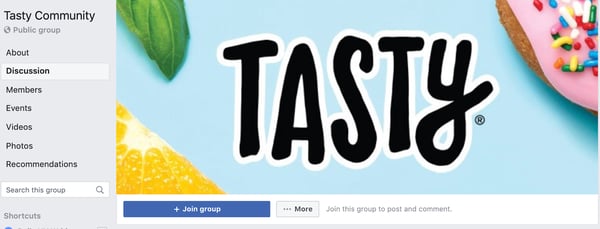
Tasty Facebook Group Members share recipes, ideas for substitutes, and cooking tips. The group drives engagement by encouraging members to share their recipes in order to stand a chance of having that recipe featured on their website. They also run polls related to cooking and baking based on trends, season, holidays, and more.
By creating these competitions, incentives, and group activities, the company drives engagement on the page — they encourage members to interact and connect with one another which fosters a sense of community and camaraderie among Tasty fans.
Get the Facebook Group Inspiration You Need
A Facebook Group can be a powerful way to create a community around your brand and product or service. It’s where your prospects and customers can come to connect with one another and your business — this community, support, access to self-education, and brand awareness is an effective way to foster loyalty and delightful customer experiences that keep people coming back.
Editor’s note: This post was originally published in March 2020 and has been updated for comprehensiveness.

The 9 Best Free Portfolio Websites for Creating an Impressive Digital Portfolio
Whether you’re a UX designer, freelance writer, or photographer, an impressive online portfolio is critical for impressing potential clients, and landing future jobs.
But crafting a good digital portfolio can feel like a daunting task, especially when you aren’t even sure which website you should use to create one. Here, we’ve created a list of the nine best portfolio websites for designers, freelancers, and photographers, to ensure you’re able to showcase your best work in any industry.

What is an online portfolio?
An online portfolio is a collection of your work that showcases your skills and abilities. A portfolio should include your past work experiences, qualifications and skills, degrees or certifications you’ve completed, any awards or accolades you’ve earned, as well as some examples of your work. Examples of your work might be photographs, writing samples, case studies, spreadsheets, or lesson plans, depending on your field.
Best Free Portfolio Websites for Freelance Writers
1. Journo Portfolio
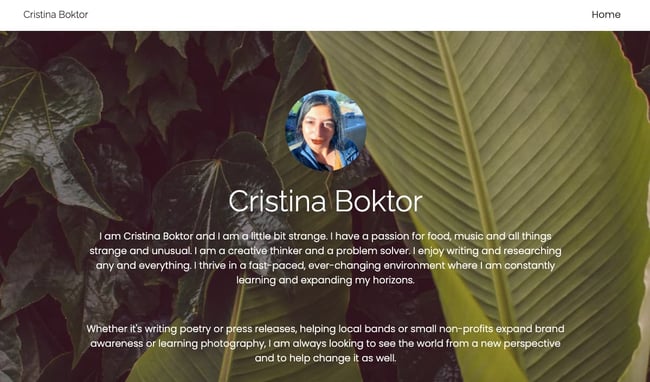
On Journo Portfolio you can create a sleek, modern digital portfolio easily. The site offers nine distinct themes, and adding an article is as easy as pasting a URL and clicking add — the site takes care of incorporating the title, publication, date, content, and image. Features include the ability to integrate with Google Analytics or use Journo’s built-in analytics tools to measure visitors. Additionally, your site is automatically mobile-ready.
You can also blog straight from the platform, which could be useful if you want to showcase freelance work and your current blog in one place. Journo lets you create multiple pages, so you can have a Contact Me or About Me page, as well as your freelance portfolio.
Pros
- Live preview editor
- Built-in analytics plus Google Analytics integration
- Pre-built themes
- Subscribe and contact forms
- Mobile-friendly
Cons
- Free plan limits you to 10 articles max
- For unlimited articles, you’ll need to pay $5-$10 per month
2. Muck Rack
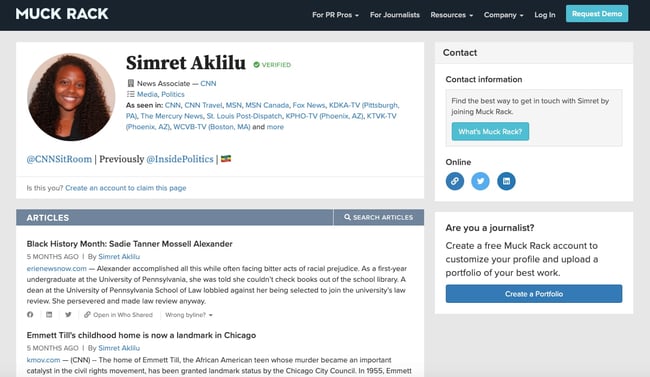
Muck Rack is a free media database that helps connect journalists with PR professionals, so if you use the site, you’ll have good opportunities to network and receive PR pitches. You can even include specific topics you don’t want to cover, which will filter out unfit pitches.
Additionally, for true ease-of-use, Muck Rack creates and maintains your portfolio for you by automatically compiling articles and social media profiles. Once it’s finished, you have the option to customize your bio, or choose to spotlight certain pieces.
Muck Rack also offers a news alerts system, which enables you to track stories or tweets about a company, brand, or specific story angle. With their news alerts system, you can see when other journalists share information or publish stories related to your work, which will help you stay on-top of trends.
Pros
- Ideal for journalists
- Auto-updates profile
- News alerts system for tracking stories and trends
- Allows you to easily build media lists
Cons
- Some formatting issues when uploading content from Excel
- Does not integrate with other reporting and monitoring tools
3. WordPress.com
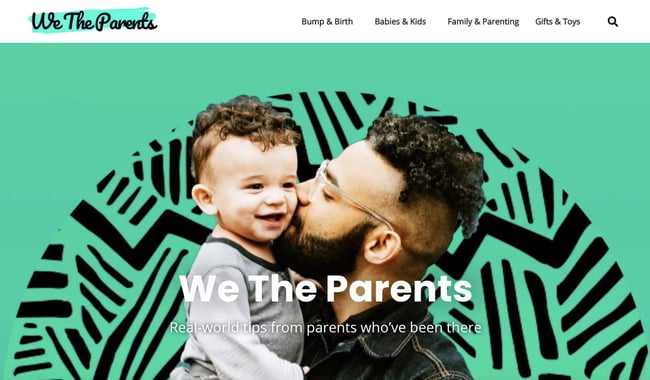
WordPress, a major content management platform, lets you create a blog with a separate portfolio page for free. While not specifically geared towards freelance writers, WordPress offers over 100 free themes to craft a unique blog and showcase your work. If you want complete creative control over your portfolio, this is a good option for you.
Additionally, you might choose to use WordPress if you want to showcase your writing along with other skills — if you want a page for writing and a page for your photography, for instance, WordPress offers a variety of themes and is flexible enough to enable you to demonstrate various pieces of creative work.
Pros
- Ideal for bloggers
- Can create portfolio page separate from blog
- 100+ free themes available
- Comes with SSL certificate and JetPack features for improving website performance
Cons
- Free plan shows ads
- Limited storage at 3 GB
Best Free Portfolio Websites for Designers
4. Behance
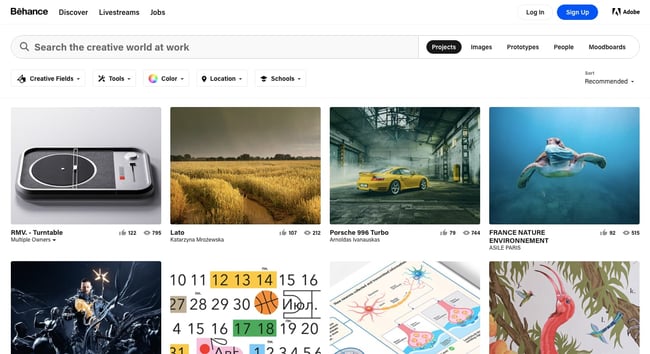
With millions of UX/UI designers, artists, and photographers on the site, Behance is one of the most widely-used online portfolio websites. It’s also extremely simple and easy to use — you can organize your work based on project, list projects under construction, and ask followers for feedback. Additionally, the site allows you to link your portfolio to your social media accounts.
Behance’s massive digital community makes it a good option to get your name out there, particularly since recruiters and interviewers peruse the site to find talent, as well. However, Behance displays the number of people who have viewed your work and liked it, which can be more advantageous — but riskier — than a more straightforward website portfolio.
Pros
- Ideal for creatives who don’t have time to create their own standalone portfolio site
- Can get feedback from followers
- Includes social proof in terms of views and likes on portfolio site
Cons
- Limited design and feature options on free plan
- The display of views and likes can be risky if not enough people see or appreciate a project
5. Adobe Portfolio
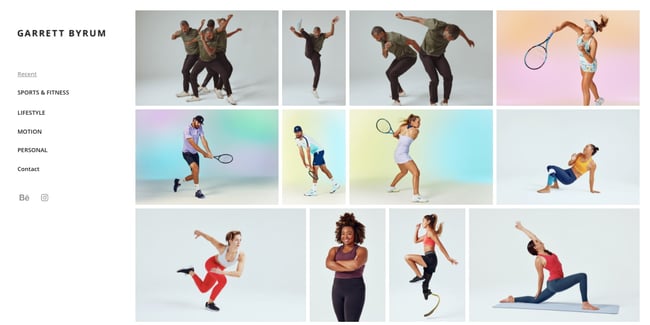
If you already have a Creative Cloud membership, then Adobe Portfolio is an excellent option to create a single-page website, or a full gallery of your work. With Adobe Portfolio you’re able to set up a sleek and customized portfolio in minutes, and each of the platform’s themes are automatically optimized for any device.
Additionally, Adobe Portfolio offers the ability to integrate with Behance and Adobe Lightroom to import your projects for greater visibility.
Pros
- Option to create multi- or single-page website
- Offers 18 responsive themes
- Integrations with Behance and Adobe Lightroom
Cons
- Only free if have Creative Cloud membership
6. Crevado
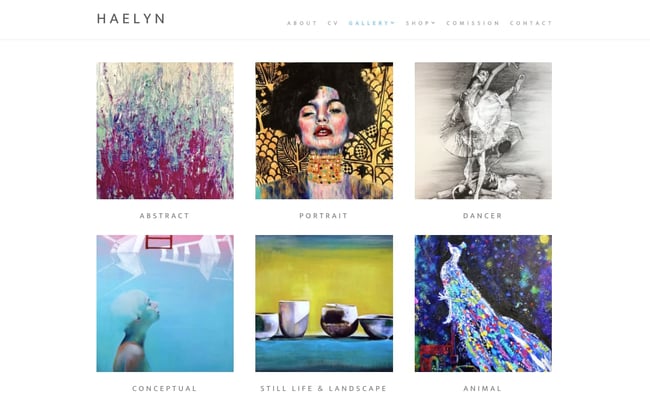
One of the easiest free portfolio websites, Crevado lets you use a simple drag-and-drop tool to upload your projects and rearrange on the screen for true ease-of-use. The site is also automatically optimized for any device, so your portfolio can be viewed on a smartphone or tablet as well as a desktop.
Crevado also comes with secure hosting and SSL certification so your portfolio site remains secure. You can customize your design to suit your preferences without writing any code. Best of all, you can sell your work online thanks to the platform’s integrations with PayPal and Fotomoto.
The only downside is that free users can’t remove the link to Crevado in their website footer. You’ll have to upgrade to a pro account to do so.
Pros
- Drag-and-drop interface
- Responsive designs
- Secure hosting and SSL certification
- PayPal and Fotomoto integrations allow you to sell work
Cons
- Free plan shows Crevado link in website footer
Best Free Portfolio Websites for Photographers
7. Flickr
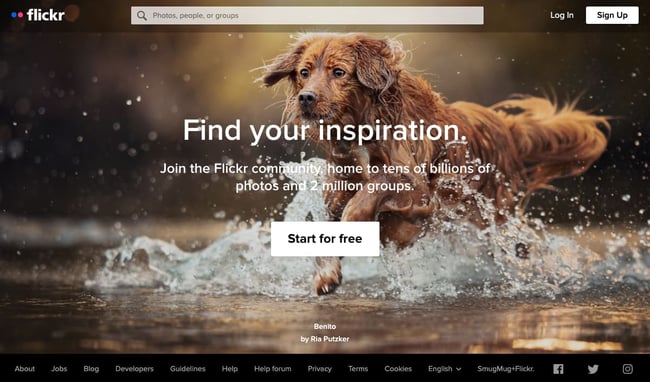
Undoubtedly one of the most well-known portfolio sites with billions of photos and millions of members, Flickr is a good site to share your own work, connect with other photographers, and find inspiration for future projects.
However, Flickr’s community-oriented platform can make it difficult to showcase your best work and appear professional — particularly since the site is typically used to share images with friends and family. For this reason, many designers also suggest creating a more polished portfolio website, and then linking to that website from Flickr.
Pros
- Ideal for photographers just starting out
- Great to connect with others and find inspiration
Cons
- Limited to GIF, PNG, and JPEG photo formats
- Limited to 1,000 photos on free plan
- Will likely outgrow the site as you advance
8. Portfoliobox
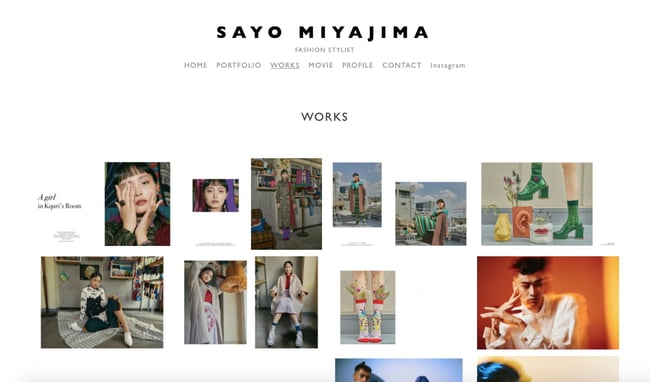
Portfoliobox is a website builder specifically designed for photographers, and it’s a good option for crafting a professional-looking responsive gallery of your best work. Additionally, Portfoliobox offers an ecommerce link that allows you to sell your prints or other artwork directly from the site (without paying any commission). With the free plan, you can create a blog to further attract visitors and potential customers to your site.
Best of all, Portfoliobox doesn’t make you use a standard theme — instead, you can integrate any style for any page to cultivate a unique, one-of-a-kind website. With more than one million users, it’s a good option for both professional and novice photographers.
Pros
- Ideal for photographers at any skill level
- Can sell prints on this site commission-free
- Can use different style for every page
Cons
- No drag-and-drop functionality
- Limited customization options for ecommerce
9. YouPic
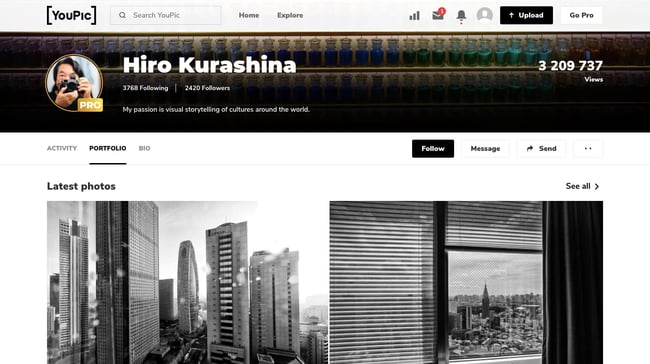
YouPic’s users include famous photographers like Joel Meyerowitz and Julia Fullerton-Batten. Another site specifically designed for photographers, YouPic enables you to craft a free stunning portfolio to showcase your work. It also allows you to buy prints from other photographers or sell your own to make some additional income.
Additionally, the site offers interactive courses to improve your photography skills, as well as a Pinterest-style “Explore” page that lets you check out popular photographs, new artwork, and stories to inspire your own gallery. And, most interesting to note, YouPic allows users the opportunity to copyright their photos on the blockchain, and is the first decentralized photography platform. That means YouPic is one of the few platforms that won’t take any rights or ownership of your work.
Pros
- Can sell prints on this site commission-free
- Can copyright photos on blockchain
- Doesn’t take any rights or ownership of your work
Cons
- Have to upgrade to premium membership for YouPic to promote your work
For further inspiration, check out 21 Memorable Photography Portfolio Websites to Inspire You or The 12 Best Graphic Design Portfolios We’ve Ever Seen, & How to Start Your Own.
Creating Your Online Portfolio
An online portfolio provides evidence of your work and skills, which can set you apart from other candidates or professionals in your field. Using any of the tools above, you can create a free portfolio in no time. What are you waiting for?
Editor’s note: This post was originally published in April 2019 and has been updated for comprehensiveness.

What Is Retargeting? How To Set Up an Ad Retargeting Campaign
In college, I took an advertising class. It taught me what I needed to know about traditional advertising, but the social media portion wasn’t as expansive.
When we covered Facebook Advertising, for example, I found it difficult to follow along with a lack of examples and the lofty overview of content. Because of that, I decided to look online for a deeper take on the subject.

I ended up watching a video that covered a subject I’d struggled with in class — retargeting. The video gave an overview of the concept, then went in-depth about how that looks on Facebook with vibrant examples, really helping a visual learner like me.
If you’ve never used retargeting before, don’t worry — in the following post, we’ll go through the basics of how retargeting works, explain how you can use it to support your larger marketing goals, and outline an example of a Facebook Ad retargeting campaign.
How Retargeting Campaigns Work
There are two main types of retargeting: pixel-based and list-based. The way each works is slightly different, and each has different advantages based on your campaign goals.
Pixel-Based Retargeting
Pixel-based retargeting is a way to re-display your material to any anonymous site visitor.
This is probably the most common type of retargeting. When someone comes to your website, an unobtrusive piece of JavaScript (often referred to as a pixel) is placed on their browser — making their browser “cookie-d.” When they leave your site to surf the web, that cookie notifies retargeting platforms to serve specific ads based on the specific pages they visited on your website.
The advantage of pixel-based retargeting is that it is timely (they can be retargeted pretty immediately after leaving your site), specific to a particular page on your site, and behavior-based. Downsides to this method are that there is a lower volume of people in the campaign at any given moment in time since it’s all based on how often people are coming to your website, viewing certain pages, and leaving. It also can be complicated or time-intensive to implement JavaScript on many website pages.
List-Based Retargeting
List-based retargeting works after you already have someone’s contact information in your database.
You can also use lists of your existing contacts for certain types of retargeting ads. To do this, upload a list of the email addresses to a retargeting campaign (usually on a social network like Facebook or Twitter), and the platform will identify users on that network who have those addresses and serve retargeting ads just to them.
Though it’s a little less common than pixel-based retargeting, list-based retargeting allows you to have highly customizable criteria for your ads because it’s based on more than behavior — you’re choosing who goes in which list.
On the flip side, it’s possible that a person in your list gave you one email address and the social network another — and in that case, they won’t see your ads. Also keep in mind that because you are in charge of uploading and maintaining the list, list-based retargeting also is less automatic and timely than pixel-based retargeting.
If you’ve ever heard of the term “retargeting,” it’s likely it was in comparison to remarketing. And while the two are often mistaken for each other, they do have differences. Let’s talk about when you would use either.
Remarketing and retargeting are often confused with each other. Though they share similarities, retargeting allows you to reach new prospects with your ads, while remarketing focuses on re-sparking interest of your company to current or inactive old customers.
A retargeted ad helps those who’ve never heard of your company understand how your product or service fits into their lifestyle or solves a potential problem. Retargeting helps you make the message more personal.
When you analyze sales, you can determine what’s popular among the audiences you’re aiming to reach. For instance, if you find that a certain line of products perform really well among millennials, pull images of them into a carousel ad and use it to retarget customers. The personalization of a separate ad promoting a collection, aimed at a segment of your target market, is one example of how retargeting can be successful.
Take this ad I saw today. Despite never having made a purchase from Nasty Gal, this ad showed up on my News Feed:
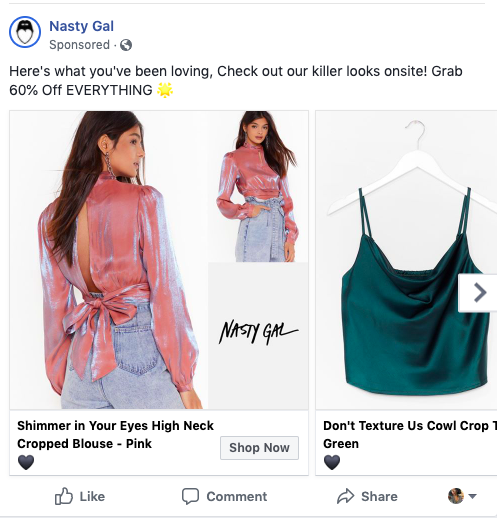
This ad introduces Nasty Gal to new leads (like me) by giving an overview of diverse clothes that are popular among target audiences.
It’s likely I saw this ad because I fit into Nasty Gal’s target audience set on Facebook, and because my previous behavior on the social channel involved looking for reviews of similar clothing retailers.
On the other hand, to re-engage a lost or inactive customer, you might decide to use remarketing. This tactic aims to improve customer relationships by utilizing marketing tactics that
Essentially, if you want to give customers an incentive to purchase again from your company, turn to remarketing.
For customers that are already acquainted with your brand and have shown a need for your product, create a personalized message to reignite their interest. For example, if your company offers a membership, remarket to those whose memberships are expiring and are up for renewal. This email I received is an example:
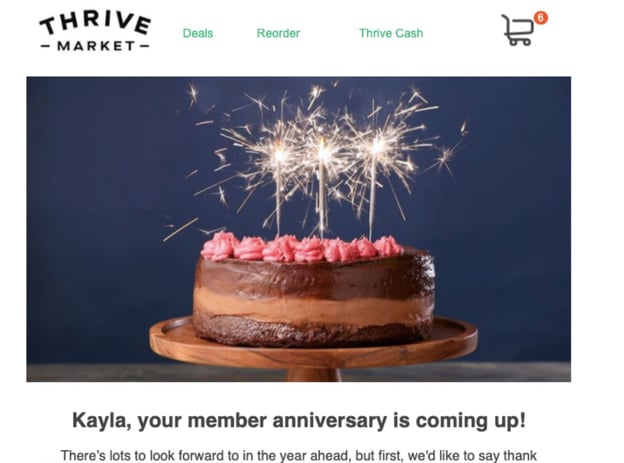
This marketing email not only served as a reminder to renew my subscription but was also Thrive Market‘s way of reminding me about the benefits of being a member. In the email, I got to see how much I saved by using the grocery service, where my membership money was being spent, and was offered a special promotion to renew.
Because I was already familiar with the brand, Thrive was able to use the email to add personal touches and provide a snapshot of what I can enjoy (again) as a member.
Like retargeting, this tactic is successful when messages inspire action. The email’s CTAs, like “Browse our options here!” told me that I could peruse my options in one click, so I did. Use remarketing efforts to remind customers of the perks that come with shopping with your brand, like easy shopping access.
Retargeting Ad Goals
Now that we have the background for how retargeting works and the different types of audiences you can segment by, we can focus on goals. The main types of retargeting campaigns you should consider running are those for awareness and those for conversion.
To generate awareness.
Awareness campaigns are useful when you want to re-engage website visitors and tell them about relevant products, features, or announcements. These ads are usually served to pixel-based lists.
The obvious drawback to awareness campaigns is that you’re serving less targeted content to people who haven’t engaged heavily with your brand. They’re not in your contacts database, and often, there are lower expected clickthrough rates than other types of campaigns.
However, since the goal is to make prospects aware of your business, impressions and engagement are acceptable metrics to track. Often awareness campaigns are precursors to a much more effective campaign goal: conversions.
To drive conversions.
Conversion goals are just that — you want to get people to click on your ad and take a next step, such as filling out a landing page form. Conversion campaigns are best used to align a specific list with a clear next step in the flywheel, and can be measured with typical conversion metrics like website clicks, form submission, and cost-per-lead (CPL).
The best thing about a conversion campaign is that you can use it for multiple parts of the flywheel. Pixel-based ads, for instance, generate leads and will direct people to landing pages where they can give over their information.
List-based ads better qualify those leads. Ads will appear to contacts who gave you limited information and lead them to longer forms with additional fields.
To complete the buyer’s journey.
Additionally, retargeting can be used to move qualified leads to complete the buyer’s journey cycle. For example, you might use retargeting to send a list of contacts that have downloaded an ebook an invite to sign up for a free trial of your product. When they see how your tool can help them meet their goals, they may be inspired to become a paying customer.
To increase customer lifetime value (CLTV).
Customer lifetime value is the amount of money you can expect from a single customer throughout their entire relationship with your business. When using retargeting, customers are reminded of your brand and encouraged to continue making purchases. The more purchases they make, the higher their CLTV.
To reduce cart abandonment.
Cart abandonment is when a customer places something in their shopping cart in your online store, but leaves your website instead of checking out and making a payment. Retargeting can help you recover these customers that have abandoned their carts and serve as a reminder that the item they were interested in is still available and ready for purchase.
To introduce new products.
When you know that customers have visited your website, made a purchase, or shown general interest in your business, retargeting helps you share new products with them that align with their interests. When they see your ads, you can lead them directly back to your site to discover your new product and entice them to follow through with a purchase.
Regardless of your goal, it is important to align the positioning, creative, and next step in the conversion process — whether that’s an offer landing page, site page, or request for more information — with your audience list.
List-based retargeting can have low match rates (users synced with accounts on each platform, usually by email address), so make sure you’re fueling your retargeting activities with inbound content.
Retargeting Platform and Tools
Truthfully, you’ve got quite a few options for actually implementing your retargeting. Specific platforms like Facebook, Twitter, and LinkedIn offer native tools, and there are also tons of third-party platforms to do web and social retargeting, and we’ll recommend some below.
SharpSpring Ads
SharpSpring Ads, formerly Perfect Audience, is a retargeting tool that allows you to create dynamic retargeting ads and display them in newsfeeds, websites, and social media platforms for your audience members to see. You can measure the impact of your campaigns to ensure you’re on the right track, and use their powerful analytics to get up-to-date information on click through rate (CTR), revenue, and conversions.
AdRoll
AdRoll uses 10+ years of consumer data and behavior to help you create retargeting ads that are effective, relevant, and shown to your audience on the platforms they frequently use. If you’re a HubSpot user, AdRoll can integrate with Marketing Hub, helping you easily sync your existing contacts and create a list of targetable audience members.
ReTargeter
ReTargeter helps you create campaigns that are customized to your individual business needs and will help you stand out from your competitors. With this high-quality tool, you’ll be able to keep your business top of mind with your audience, wherever they spend time online.
Criterio
Criterio helps you retarget your audience through contextual retargeting, where they use commerce data from your existing customers to understand which channels have been successful in inspiring purchases in the past. Your ads are then placed in these same channels for users to see, as they have shown to be high-impact and effective.
While email targeting can be effective, it’s important to note many of the other platforms that could also be beneficial. Although each platform you use to implement ads will be different, there are some advantages and disadvantages for choosing ones that serve up social media ads or elsewhere on the web.
Social media retargeting often works well since people are more likely to share, reply, and discuss your content on one of these well-known platforms. They can also see the ads are posted from a real account, as opposed to a small web banner ad with little text that could be posted by anyone. That being said, web retargeting works well for impressions since the ads follow your targeted audience throughout the internet, not just on a few specific social media sites.
What ad tracking method should you use to retarget people on social media who have visited your website?
If you choose to use social media as your channel for retargeting those that have visited your website, the best ad tracking method to use is to use tracking pixels.
As mentioned above, tracking pixels are pieces of code that collect information on the pages your users visit on your website. When they leave your site and go to a social media platform, they are retargeted with ads that are relevant to the pages they visit on your website.
Want to see what setting up a remarketing campaign is like? We’ll walk through a step-by-step process for setting up a retargeting campaign on Facebook and measuring its success.
Facebook Retargeting
Facebook retargeting is no different from the other types of retargeting we’ve talked about — It helps you advertise to potential customers and lost leads. Facebook’s technology leverages data from different profiles to help you connect with the right audience. Data, like web behavior, is used to show your ads on the right news feeds.
On Facebook, you have the advantage of its large audience. Coupled with the amount of data Facebook collects about its users, it’s highly likely that the leads you lost are seeing your ad. The website looks at the previous search history of users and pulls ads that are relevant.
For example, every time I online shop for clothes and leave the site without making a purchase, the ads I see on Facebook are from the store I’d visited. If I were to use the search bar on the social media network, I would see similar results.
To run a retargeting campaign on Facebook, you’ll set an ad campaign and choose your audience set — just like a regular campaign. The difference is this: In Ad Manager, you’ll toggle a switch that tells the website that the campaign is a retargeting one. That way, the software will know how to filter the right target market for your ad.
For this example, we’ll pretend we’re setting up a remarketing campaign for HubSpot. To drive qualified leads to a free trial, we’ll set up a mock Facebook retargeting campaign for leads in our database who we know are interested in marketing automation. Here’s how we would set up that campaign.
1. Create a list of existing contacts, or gather groups from pixel on your website.
First, you’d need a list of leads to retarget. In your marketing software of choice, compile a list based on two criteria: lifecycle stage, interests based on the topic of their most recent download. If this list is sufficiently large, you can move on to the next step. If it’s not, you should revisit your segmentation properties and/or type of retargeting.
2. Upload the list to Facebook’s Audience Manager.
Once our list is processed, we can export the .CSV file and import it into Facebook’s Custom Audience manager to match email addresses with Facebook Profiles. (There are third-party platforms that also sync these lists on social media, so feel free to pick which upload/sync option works best for your company.)
Select “Manage Your Ads” on Facebook’s advertising home page, click “Audiences” on the left toolbar. This will allow you to create a customer list by uploading a .CSV or .TXT file and options to sort by user ID, phone numbers, or emails.
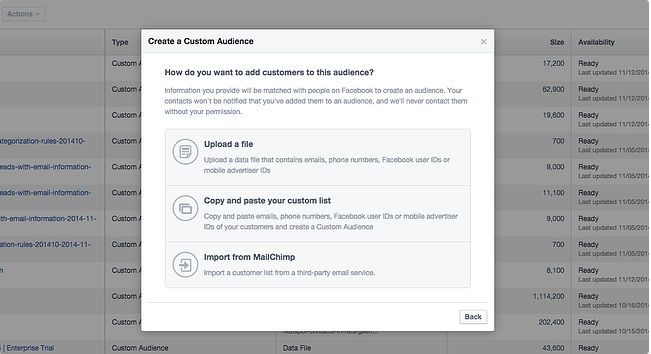 Give your list an appropriate name to easily find it later. Additionally, leave at least a few hours for it to populate. if you try to create an ad immediately, the audience may not be fully loaded.
Aside from Facebook retargeting, Audience Manager will allow you to do standard targeting, which allows you to set demographic, geographic, and other audience targets for an ad — even without a retargeting list.
3. Determine your destination URL.
To create a new campaign on Facebook, hit the green “Create Ad” button in the top right of the ad platform home screen. This will prompt you to choose an objective for your campaign. Whatever option you select, include a UTM tracking code — a snippet of text added to the end of your URL — to help you track success and attribute clicks and conversions from your campaigns. For example, we would create a campaign called “Retargeting” and our URL for the free trial would look like:
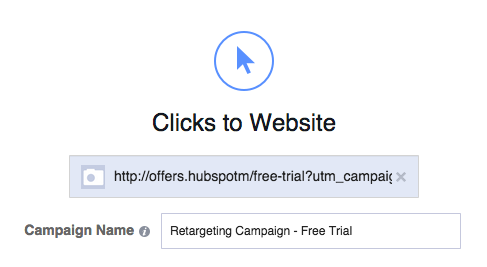
https://ift.tt/3xulSXT?utm_campaign=retargeting&utm_medium=social&utm_source=facebook
Once you create your URL, give your campaign a name. Keep similar names for your campaigns to make it easier to track if you have multiple running.
4. Segment your ads.
Select your custom audience and set the geographic location you want to target. The location is an “AND” setting, meaning if your list contains leads from all over the world and you only select “United States,” some people won’t be shown your ads.
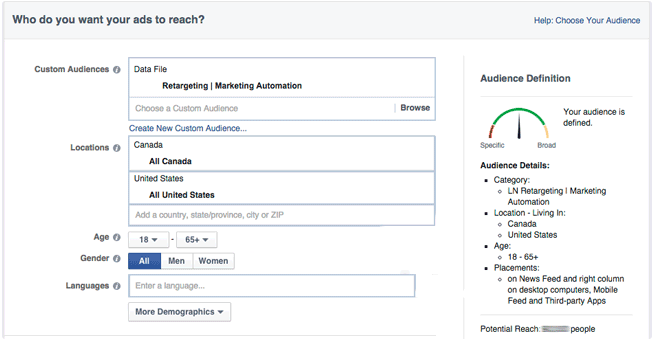 Depending on your buyer personas, you can also segment by interest, behaviors, age, and other demographic settings which can help ads become even more targeted. For conversion campaigns, you’re retargeting to a specific list of contacts already interested in your product, so including other Facebook categories might not make sense.
5. Set your budget.
Before even starting the campaign, have a set budget for paid tactics, broken out by channel. For Facebook campaigns, set a lifetime budget for the length of the campaign, then monitor and adjust accordingly. Most beginners should leave the bidding to “Optimize for Website Click.”
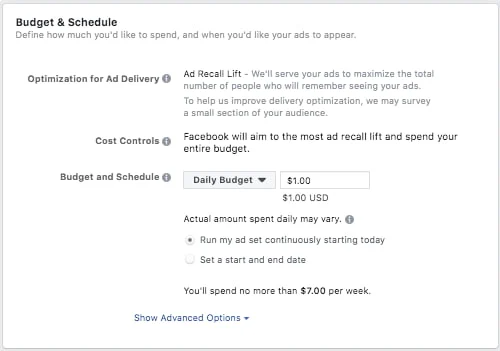 You can also name your ad set at this stage, which is helpful if you’d like to differentiate lists, creative, budget, etc. for different ad sets in the same campaign (i.e. leading to the same page).
6. Creating your ad.
Each ad can have up to six images associated with it, so you can test which ones perform the best.Remember to be clear and concise with your positioning, and include relevant call-to-action buttons such as Shop Now, Learn more, Download, etc. on the bottom right of the ad.
By default, ads are shown on mobile newsfeeds, on the right column on desktops, and in partner mobile apps. Depending on where you’d like your customers to see these campaigns, you may want to turn one or all of those options off to only display in the desktop News Feed.
Some important details on Facebook ads:
- Image size is 1080 x 1080 pixels.
- Text can be used in headlines, but there are character limits depending on ad type.
- Under “Advanced Options” you can write a News Feed link description to better explain your ad and give context to users.
Once you have everything set up, go ahead and click the “Publish” button in the bottom right of the screen.
7. Tracking your progress.
Congratulations, you’ve now created a conversion-based retargeting ad on Facebook! Now you can track website clicks, reach, CTR, CPC, and total spend to match them up to your initial goals.
You can get a glance of how your Facebook retargeting campaigns are doing by going to your Facebook Advertising home page. If you want to dive further into the ad’s metrics, you can go into the ad set where you’ll see information like clicks and spending per day. It is also easy to make edits to your ad from this screen, such as extending the budget, schedule, and creative assets.
If you’re using a CRM, like HubSpot, most offer tools to look at the performance of your destination URL to track views, clicks, and submissions back to specific retargeting campaigns.
Retargeting is a great way to keep your prospects engaged and interact with people who have already shown interest in your company.
While it may sound like a simple enough concept, there are many aspects of a retargeting campaign that must be worked out before you make the ad copy and creative. Be sure to give enough time to make your lists, set goals and types of campaigns, determine the platforms your ads will run on, and tie the whole conversion path together.

What Is a Landing Page? All Your Questions, Answered
If you could do one thing to dramatically improve your marketing ROI today, what would it be? If your answer was “use landing pages to convert new leads” I’d have to agree with you — here’s why.
Nearly 1 in 10 people who make it to a landing page will become potential customers or leads. If you’re new to the world of converting web traffic, that number might not seem impressive, but when you do the math, there’s reason to believe that 1,000 people could become leads on your landing page if 10,000 people visit it.
That’s a lot of leads for most small-to-medium-sized businesses. Let’s look at exactly what a landing page is and how having one (or more) can help you see results like this.

Generating leads for your business is a necessary part of your marketing campaign, and there are several ways to do it: through social media, content marketing, paid ads — the list goes on. With each digital campaign you run — no matter what channel you use — the people you’re targeting won’t convert themselves into potential customers. To do that, you’ll need a quality landing page that’s built specifically to convert those visitors. If you don’t have at least a few landing pages on your website, you’re missing out on opportunities to turn these individuals into paying customers down the line.
Today, we’ll explore the myriad of benefits that come with landing pages and how you might use one to reach your business goals.
Types of Landing Page Offers
Landing pages have a sole purpose: to convert leads for your business. However, you can target those leads using a specific content offer on each landing page.
Here are the types of content offers you can add to a landing page to convert visitors into leads:
1. Ebooks and Whitepapers
If you’ve written a blog post that introduces a topic your audience wants to learn about, you can satisfy their interest in that topic by elaborating on the subject in an ebook or whitepaper. Using a landing page, you can “gate” this resource behind a lead-capture form. Once your visitors complete the form, they’ll be able to access the content.

2. Email Newsletter Subscription
Let’s say you write a lot of blog content on a similar topic. Sure, you can develop an ebook or whitepaper that elaborates on specific details, but you can also offer your readers an email newsletter they can subscribe to for the latest content on that topic. On various blog posts, use a call-to-action (CTA) to invite readers to subscribe to your blog. This CTA can link to a separate landing page where they can sign up for your email list.

3. Online Course Enrollment
Whether you’re in the education industry or you offer various skill-based certifications to your audience, online courses should have their own landing pages, too. Using these pages, you can invite new students to sign up for a class you offer. This type of content adds value to the client’s experience — they’ll have more access to you through a private channel like email to discuss the course content and get feedback on their progress.

4. Event Registration
Similar to online courses, events require you to collect information on your audience so they can receive updates leading up to the occasion. An event, as well as its various sessions and keynotes, can have its own individual landing pages to turn interested prospects into event attendees and leads.
5. Free Trial
Are you offering a free demo of your product? Your demo offering could use its own landing page. Bring users to a page where they can sign up for a free trial of your software using their name, email address, job title, and any other information you deem necessary to give them the best customer experience.
Don’t forget to follow up with these leads — they’ve already demonstrated an interest in what you sell based on your landing page, so make sure your sales team closes the deal.

6. Community Membership
If your business thrives on building community among customers — perhaps you should have a website dedicated to dialogue between users. You can do this by creating a landing page that lets website visitors sign up to become a bigger part of your business. There’s no harm in making it invitation-only either — in fact, it’s a great way to try your hand at relationship marketing to close these deals.

7. App Download
Developing a mobile app for your product doesn’t just improve your customer experience — it also gives your business another avenue to capture leads. A lead-optimized landing page that invites users to download an app is quite common. On the analytics side, you can use both Google Analytics to capture insights about who is visiting the landing page and downloading the app, then use that data to make your landing page even more effective.

The Benefits of a Landing Page
The benefits of building a landing page for each of your marketing campaigns or content offers are endless. In this section, we dive into detail about seven factors that make this lead generation tool indispensable.
1. Landing pages aim to increase conversions.
Having a targeted page that directly ties back to an offer or next step is critical to providing value upfront. This can also encourage new site visitors to provide their information in exchange for an immediate, tangible reward.
For instance, let’s say you’ve landed on a business’s website and you’re immediately greeted with a pop-up form asking for your name and email. That’s a bit jarring before you even know what the company is about, isn’t it?
Alternatively, imagine you’ve found a business’s free ebook on social media, which outlines ten immediate solutions to your problem. I’m willing to bet you’re more likely to provide your name and email for that valuable content, right?
Many companies send their advertising, email, or social media traffic to their homepage. This is a huge missed opportunity. When you know a stream of targeted traffic will be coming to your website, you can increase the likelihood of converting that traffic into leads by using a targeted landing page.
For instance, those users who convert on your social media ebook landing page are clearly interested in social media. To further nurture those leads, you might follow up with a personalized email, detailing additional content you can provide related to social media.
2. Landing pages can provide additional insights into your target audience.
By creating various landing pages with segmented offers, you can track which topics convert at the highest rate. This can give you valuable insights into your audience’s interests.
You could use the data you collect from your landing pages to create a more targeted, personalized marketing strategy. Plus, landing pages don’t just tell you which content your audience likes best — they also tell you which channels your leads prefer. This can enable your marketing team to refine the strategy further, promoting content and engaging with your audience on the channel(s) they’re already using.
For example, let’s say you notice your landing pages related to ecommerce perform exceptionally well, and most of those users find your landing page from your paid ads on Facebook and LinkedIn. This information can help you target future campaigns primarily towards your social audience. You would also have a basis for incorporating additional ecommerce content into your marketing strategy as a whole.
3. Landing pages can grow your email subscriber list.
In exchange for the content offered on your landing page, you’ll typically ask users to provide their email and name. This can help you quickly grow your email subscriber list, and segment that list to provide more personalized follow-up emails.
People who’ve filled out a form in exchange for content or information on your product or service have shown an interest in what you have to offer. This ensures your subscriber list is filled with potentially high-quality leads.
Consider how you might further nurture them by sending a “Thank you” email after they download your landing page offer, with additional resources related to the content in which they’ve shown interest.
4. Landing pages are testable.
A landing page is a fantastic opportunity to get creative and test out various designs to determine which visuals and copy perform best with your target audience. Additionally, it’s often lower risk to test out a new landing page, rather than making major design changes to your entire blog or website infrastructure.
For instance, AJ Beltis, HubSpot’s Content & Acquisition Manager, told me, “If you’re using a content management system with a built-in A/B testing tool (like HubSpot), you can easily set up and run a test to see which copy, design, imagery, and page elements yield a stronger conversion rate. This means you can quickly uncover new ways to drive more leads and contacts for your business.”
5. Landing pages allow you to measure metrics directly tied to business goals.
If you’ve created a specific landing page to market your new product or service, you can then use that landing page to measure metrics directly tied to your business goals.
For instance, let’s say your marketing team is tasked with increasing sales for your new email tool. To accomplish this, your team creates a campaign with a landing page offering a free demo of your tool.
You might measure conversion metrics on that landing page to determine how well your campaign is performing, or whether you need to make tweaks to communicate the true value of your new product. Additionally, you can measure which sites drive the highest conversions to your landing page, and put more resources into marketing your email tool on those sites — or social media apps — in particular.
6. Landing pages add context to your offer.
AJ Beltis told me one of the biggest benefits of a landing page is the opportunity to add context to your marketing offer. “Marketers feel motivated to bypass the landing page process and skip right to the conversion by encouraging form fills in other methods, such as through a chatbot,” Beltis told me.
Beltis adds, “However, this process eliminates the opportunity to add more context to what it is you’re offering. Imagery and essential information that can only be shared with a landing page provide content to those who need it before they decide to convert.”
7. Landing pages increase brand value and help make a good first impression.
Ultimately, a sleek, well-designed landing page can impress new visitors and turn them into leads by demonstrating the valuable content your company can deliver. A landing page is space you can use to tell your visitors what you’re offering, and how it can positively impact them. Even if a viewer doesn’t immediately convert, a well-designed landing page can increase brand recognition and help nurture leads for future sales.
For instance, take a look at this impressive landing page created by Talisker, a whisky brand. Using Ceros’ landing page product to design an immersive experience, Talisker is demonstrating brand value and, ideally, making a fantastic first impression on new visitors.
This is proof that a landing page doesn’t have to be boring — in fact, it shouldn’t be. Take the time to create an engaging, interactive, interesting landing page that communicates the value of your brand.
Best Practices for Creating a Landing Page
1. Find a landing page builder.
To create a landing page, you’ll want to start by exploring landing page builders — unless, of course, you’re using a content management system that already provides landing page templates, like HubSpot. Look for a landing page builder that is intuitive and simple to use, this way you’ll have a shorter learning curve and will be able to produce landing pages quickly. I recommend drag-and-drop style builders — they’re awesome for speeding up your workflow.
2. Use landing page templates.
Once you’ve determined the right software to build your landing page, get inspired with some landing page templates. You might also use this as an opportunity to take AJ’s advice above and A/B test two different designs to explore which design elements result in the highest conversions.
3. Communicate value.
Additionally, it’s critical any landing page you design effectively communicates the value you’re providing visitors in exchange for contact information. And, of course, you’ll want to include a form that visitors will fill out in exchange for the offer you’re promoting on your landing page.
To learn more about how to create a landing page in detail, take a look at How to Create a Landing Page: The Simple Step-by-Step Guide.
What makes a landing page effective?
Here’s the thing, a good landing page is the equivalent of a baseball mitt — it catches the traffic that your marketing campaign pitches to the audience. This means that the landing page you create should be specific to the type of traffic that it’ll be catching. For example, if your marketing campaign features an ebook, your landing page should also mention the ebook. It’ll be even better if the ebook is the only content offer mentioned on the landing page. This ensures people won’t become confused about what they’re going to receive when they share their contact information.
Because the landing page is targeting only the people who are (presumably) interested in this ebook, and because this ebook has exclusive information that elaborates on a topic your audience cares about, you can convert a higher percentage of your website visitors into leads, whom you can then follow up with using a lead nurture campaign.
Ready to create your first landing page, or improve on a landing page you already have? Here are some of the most important elements you’ll want to implement to ensure your landing page is moving your business closer to its goals:
1. Intuitive Navigation
You’ve brought your targeted traffic to a page where they can take your desired action. Don’t distract them! Limit the number of exits from your landing page so that your visitors are focused on filling out your form. A key part of this is to remove the website navigation elements on landing pages. This helps put the focus back on the content you’re offering.
See how the landing page below does this — aside from the HubSpot logo, there are no navigation buttons to confuse or distract visitors.
2. Sharing Options
Tap into the largest community of your best (and free) marketers: your audience. Add share links to your landing page to encourage your website visitors to share your content with their audiences.
3. Valuable Content Offers
First and foremost, if you have a valuable offer, your visitors will give up their contact information in exchange for your offer. Ask yourself whether your offer is compelling to your audience and make sure your landing page demonstrates that value.
One way to ensure your landing page adds value is to show your audience the content they’re going to receive — directly on the page. See how this can look in the example landing page below.

4. Succinct Copy and Lead Forms
The longer your landing page and form, the more friction you add to the lead-generation process. Keeping your lead form short and straightforward will increase your conversion rate.
Here’s a tip: Put as many contact fields as you can on the same line. Shortening the height of your lead-capture form helps you limit the more trivial fields you might be tempted to include, and prevents your landing page visitors from getting spooked by a form that’s asking too much of them. As shown below, sometimes all you need is a first and last name, followed by an email address.

5. Focused Communication
You might be tempted to create a catch-all landing page that mentions your online course, email newsletter, ebook, and every other content offer you’re promoting. However, this is not ideal.
The people who visit your landing page should be looking for one particular offer and this offer should match the communication they saw right before they clicked your landing page link. Did you share a social media post about your latest free email template? If so, that’s exactly what your landing page should communicate. Use the headline to grab the reader’s attention and let them know “Hey! You’re in the right place to download that free email template.” The imagery of the template and a few bullet points about the benefits of it will help communicate this point, too.
6. Tracking and Analytics
It’s one thing to know how many visits your landing page received. It’s another to know where those visitors came from.
You’ll need to know this information so that you can optimize your marketing campaign to generate more leads. If email marketing is generating more clicks to your landing page than the search engines, then it’s a good idea to focus on email marketing tactics while you optimize your landing page for the search engines.
UTM tracking parameters can help you uncover these insights, too. You can use tools like Google Analytics, Bit.ly, and HubSpot to create and track UTM parameters. Here’s a detailed guide on how to start using this tool.
7. Constant Improvement
As many best practices as you may read about online, your landing page can always use more testing and improvement. Make sure you have a landing page creation tool that allows you to create and test many different landing pages to see what works best for your business. Additionally, if you’re a HubSpot customer, consider some of the landing page tool integrations, such as briX.
Gotta Catch ’em All
You’ve spent weeks, months, or even an entire quarter developing the perfect marketing campaign and content offers to appeal to your buyer personas. Don’t let that hard work go to waste — remember, converting visitors to leads is your main goal. Building quality landing pages for each campaign or offer you create will be an important part of your lead generation strategy. Use the best practices in this article to build the perfect landing pages for your business and capture every lead you can.
Editor’s note: This post was originally published in October 2020 and has been updated for comprehensiveness.

How to Write a Professional Resignation Letter [Samples + Templates]
If you are leaving your job, you’re not alone.
In April 2021 alone, around 4 million people quit their jobs, according to the Bureau of Labour Statistics. That number is the highest recorded since the bureau started recording such rates.
Even though millions quit their jobs every month, we understand that telling your boss that you’re leaving the company is never an easy conversation. A respectful resignation letter can mean the difference between an awkward goodbye and a chance for a long-term professional connection.

Ideally, you’ll provide a resignation letter two weeks before you leave the company. A resignation letter lets you officially announce your termination at the company and also offers essential housekeeping information, like your last day and other details about your departure.
An effective one helps you ensure a positive conversation with your boss and a smooth transition to your next journey.
But how do you write a good resignation letter? What should you include and exclude?
Writing a resignation letter can feel like a daunting task, so we’ve created a professional resignation letter template to get you started and included examples for inspiration.
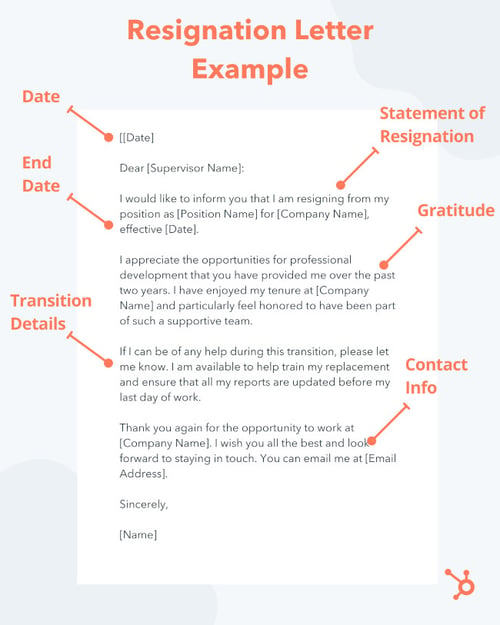
What do I include in a professional resignation letter?
Writing a professional resignation letter starts with understanding each of its components:
1. Statement of Resignation and End Date
Begin your letter by stating your position at the company. This might seem redundant if you work at a small company and your boss knows you well, but it’s essential to include it since the letter is your official termination. Along with this information should be a simple statement of your resignation.
Also, providing an end date in the first body paragraph is helpful since that’s one of the first questions your employer is going to have.
Here’s what this first paragraph may look like in practice:
I would like to inform you that I am resigning from my position as [Position Name] for [Company Name], effective [Date].
2. Gratitude
Take the time to consider how you’ve grown or what you’ve appreciated most about your time at the company. Be as specific as possible — perhaps the company provided professional development opportunities, or maybe you’ve enjoyed the climate the company fostered and the supportive atmosphere.
It’s also nice for your employer to receive a thank you for the time and resources they’ve used in supporting your career growth. Here’s an example of what this may look like:
I appreciate the opportunities for professional development that you have provided me over the past two years. I have enjoyed my tenure at [Company Name] and particularly feel honored to have been part of such a supportive team.
If you’d like, you can include where you’re headed next, too. For example, if you’re switching industries to pursue a passion or going to graduate school, it might be appropriate to include that. For example:
I accepted a position as a [New Job Title], and I’m looking forward to [pursuing my passion in X or continuing my work with a focus on Y].
However, if you’re leaving the company for a competitor, it’s better to omit such information.
3. Transition Details
In the third paragraph, mention your willingness to make the transition easier. For example:
If I can be of any help during this transition, please let me know. I am available to help train my replacement and ensure that all my reports are updated before my last day of work.
This sentence might look different for you. But regardless of what you write, it’s good practice to include specific details regarding how you’ll help.
As an optional follow-up paragraph, briefly review the work you’ll be surrendering when you officially leave the company. Although it’s technically your manager’s responsibility to pick this work up and determine how it will continue, it’s helpful to list all the projects and tasks you’ve been in charge of to make the transition even easier on the company in the interim.
If you didn’t serve in a managerial capacity or collaborate with other departments, you could skip this part.
4. Personal Contact Information
This last paragraph is optional and doesn’t need to be included all the time, particularly if you have no desire or need to use your former employer as a reference. However, many candidates choose to maintain their professional networks, so such a closing may look like this:
Thank you again for the opportunity to work at [Company Name]. I wish you all the best and look forward to staying in touch. You can email me at [Email Address].
Professional Resignation Letter Samples
With the above template in mind, let’s look at a few sample resignation letters for different positions, each taking a slightly different but amicable tone to their resignations.
1. Gracious Resignation Letter Sample
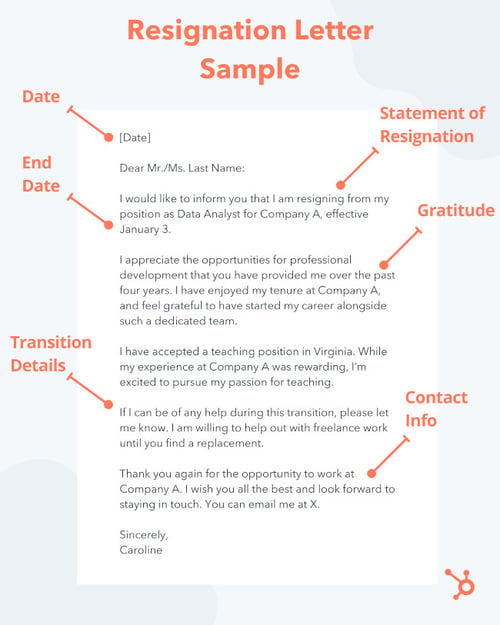
2. Brief Resignation Letter Sample
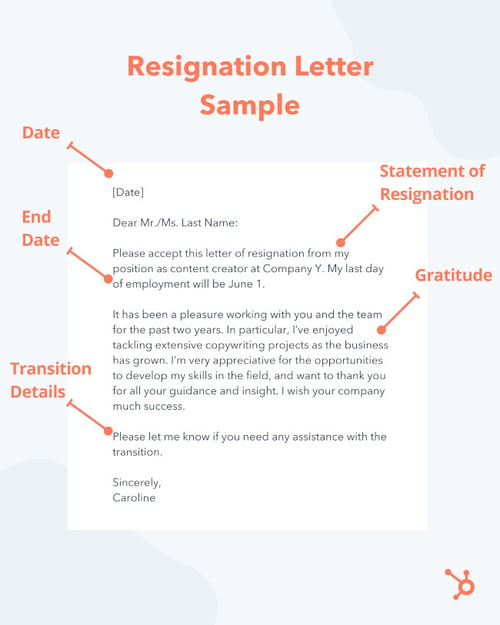
3. Immediate Resignation Letter Sample
While the best way to quit a job is to give at least two week’s notice and offer to help with the transition, sometimes circumstances make that impossible. If you need to leave your job immediately without notice, you need an immediate resignation letter.
Here is a sample that can help you:
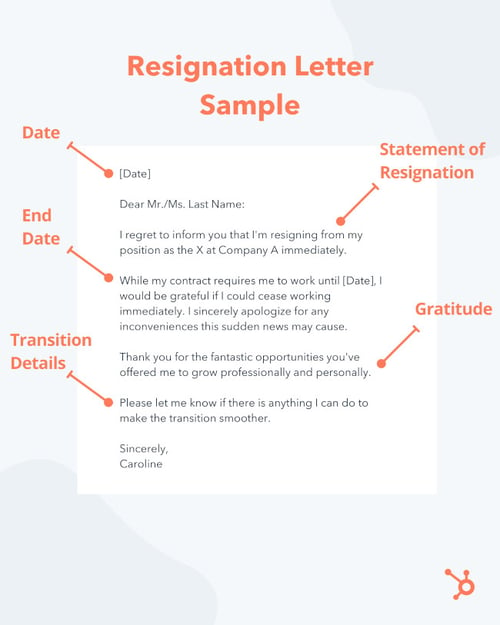
Free Professional Resignation Letter Templates

Sometimes the nature of your position merits a more specific letter of resignation when you leave. Below are a couple of templates that help these more dynamic roles make a graceful departure from the company.
1. Contractor Resignation Letter Template
If you work freelance, you might need to adjust the focus of your resignation letter so it addresses your final assignments and how exactly you’ll be parting ways with your client. This includes your current duties, which tasks you won’t complete, and how you’ll accept your final payment.
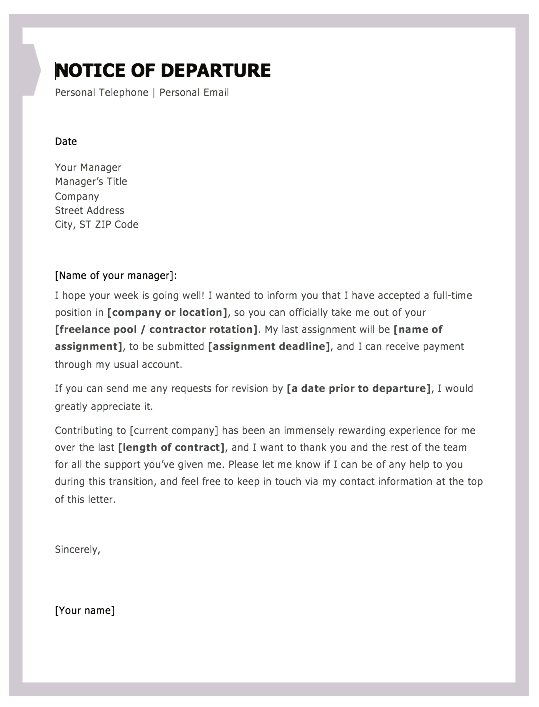
2. Executive Resignation Letter Template
If you’re in an executive- or senior-level leadership role, a quick email or two-paragraph notice to your superior might not suffice as an official resignation. Because these roles are harder to fill, you might play a more significant role in the transition period — especially since you manage more people and decide on the direction of more projects.
The template below separates the resignation into two sections — the first is the resignation itself, and the second is how (and with whom) the resigner’s work will continue. It is just one of the different templates we have on offer.
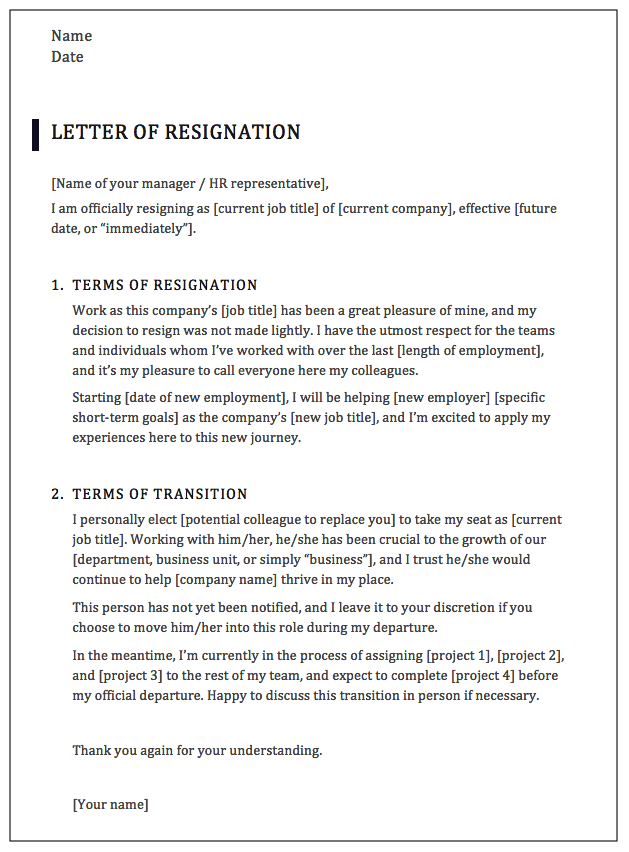
Ready to Write Your Resignation Letter?
No matter your role, why you’re leaving it, and who you’re informing, be polite in your resignation letter. Gratitude and support during your departure go a long way with employers, and the last thing you want to do is leave the company on a sour note — even if you’re leaving for sour reasons.
By drawing inspiration from resignation letter samples and templates, you’ll protect your bridges and keep your professional network intact as you start your next adventure.
Editor’s note: This post was originally published in October 2018 and has been updated for comprehensiveness.

How to Write a Great Value Proposition [+Examples]
Your value proposition is the core of your competitive advantage. It clearly articulates why someone would want to buy from your company instead of a competitor.
It’s also one of the most important conversion factors (learn all about conversion best practices with this free guide). A great value proposition could be the difference between losing a sale — and closing it.
So how do you actually write a value proposition that’s strong enough to lift conversion rates and sales? In this article, you’ll learn the definition of a value proposition, what a value prop isn’t, tactics to create amazing value props, and examples of some of the best value props we’ve seen.
Ready to dive in?

Your value proposition is a unique identifier for your business. Without it, buyers won’t have a reason to purchase what you sell. They may even patronize a competitor simply because that business communicates its value proposition clearly in its marketing materials and sales process.
While your value prop should help differentiate you from the rest of the industry, keep in mind it’s not a slogan, tagline, or mission statement. Those types of copy are important accessories to your brand, but your potential customers and employees don’t choose one business over the other solely based on these elements.
Your value proposition goes deep into the problems you want to solve for buyers, and what makes your product or service the perfect solution.
The Elements of a Value Proposition
There are three main elements of a value proposition: the headline, the subheadline, and a visual element.

Headline
The headline of your value proposition describes the benefit the customer will receive as a result of making a purchase from your business. The headline can be creative and catchy, but it should be clear and concise first and foremost.
Subheadline or Paragraph
The subheadline or paragraph should explain in detail what your company offers, who it serves, and why. In this section, you can elaborate on the information in the headline.
Visual Element
In some cases, a video, infographic, or image may convey your value proposition better than words alone can. Enhance your message with these visual elements to capture your audience’s attention.
Step 1: Identify your customer’s main problem.
While this will require some upfront research, you can get a head start on this aspect of the value proposition by speaking with different members of your team. Customer service reps, marketing specialists, and salespeople can fill in the gaps about what problems your customers are looking to solve by using your product or service.
For example, let’s say your business sells tax software on a subscription basis and automated templates are included in the software package. Your ideal customer is looking for an affordable and user-friendly way to access complicated tax documents for their business. In this example, your business’s offerings could be the solution they need.
Step 2: Identify all the benefits your products offer.
This step can be as simple as listing out every product you sell and describing its benefit. The benefit should be concise and focused on a single customer need.
In our tax software example, you’d list each tax template, explain the benefit it provides, and why a customer would need it.
Step 3: Describe what makes these benefits valuable.
Next, add another sentence that explains why this benefit matters to the customer.
Using the same example above, the value would be that customers have affordable tax documentation at their fingertips — something that would normally cost them thousands of dollars.
Step 4: Connect this value to your buyer’s problem.
Next, pair the buyer’s problem to the elements that make your product or service valuable. Do they align? If so, you’re ready to refine your value proposition to differentiate your offerings from the competition. If they don’t align, repeat the steps above until you find a valid buyer need and a viable solution your business offers to meet that need.
Step 5: Differentiate yourself as the preferred provider of this value.
Finally, polish your value proposition to make it unique. Is there a specific customer service offering your business provides that others don’t? Do you offer any additional services that other companies charge for? These elements can help differentiate your value proposition from competitors while keeping the focus on the buyer’s needs.
1. Conduct research to determine the value proposition of your competitors.
Because your value proposition is the differentiating factor between your business and the competition, it’s important to research the propositions of your closest competitors. You can use the value proposition canvas below to determine how each company meets the needs of your buyer persona.
Be honest here — it’s tempting to focus on the areas in which your competition doesn’t excel, but you’ll have a better idea of where your product or service fits within the market if you key in on your competitors’ strengths.
2. Explain the value of your products and services.
You’re probably familiar with outlining the features and benefits of your product and service offerings. This tactic takes that concept a step further. By matching the benefits of your offerings to specific values that your customers have, you’ll be able to align what your business provides with what your customers need.
3. Describe the benefits your ideal customer will experience when they choose your product or service over the competition.
When crafting this part of your value proposition, include details about how your product or service will benefit the customer and use examples where you can. Videos, photos, and live demonstrations are all effective ways to illustrate your value proposition because they show the customer exactly what they can expect from your business.
4. Develop a unique value proposition for each buyer persona you serve.
Ideally, you’ll be focusing your marketing efforts on a specific target audience. You’ll also find that this audience will have different needs based on their buying behaviors. Buyer personas can help you segment your larger audience into groups of customers with similar desires, goals, pain points, and buying behaviors. As a result, you’ll need a unique value proposition for each persona. Different products and services you offer may solve certain customer pain points better than others, so developing a value proposition for each persona will better serve each one.
5. Test your value proposition with your audience using various marketing channels.
Each of these tactics will likely be developed internally by your team which means you’ll want to validate your work with your target audience. Your value proposition will be communicated through various marketing channels like your website, social media accounts, video, audio, and in person. Test your proposition with members of your audience (both existing customers and non-customers) using each of these channels. Tools like UserTesting can help you streamline this feedback process so that you can implement changes quickly to finalize your value proposition.
What makes a good value proposition?
Clear Language
Your value proposition should aim to address a primary customer need. This limited focus helps keep your value proposition clear and easy to understand. With just one main idea to comprehend, your audience will be able to quickly decide whether or not your product or service will be the best solution for them.
Specific Outcomes
Next, you’ll want to communicate the specific outcomes your customer can expect to receive from your product or service. Will they save time? Demonstrate how. Will their workflow become more manageable? Show a before and after workflow diagram. The specific outcomes will be critical components of your value proposition as they’ll exemplify exactly how your customers will use your solution to solve their problems.
Points of Differentiation
Not only are your potential customers evaluating your business’s offerings based on their own needs, but they’re also comparing what you offer against competitors. As a result, your value proposition will need to include detailed points of differentiation. These key points will help customers understand exactly what sets your company apart.
The value proposition canvas is made up of two major components: the customer profile and the value map.
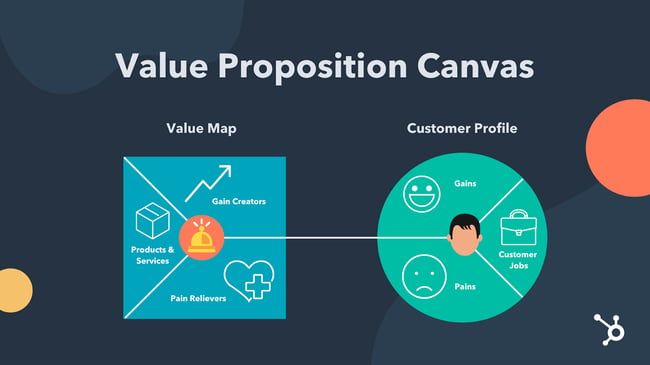
Customer Profile
The customer profile makes up the first half of the value proposition canvas. When performing this exercise you’ll want to start with this section first so that their wants and needs can influence the overall value proposition canvas.
The customer profile consists of three areas that we’ll detail below.
Customer Jobs
What is the task your customer needs to complete or the problem they’re trying to solve with your product or service? The answer to this question sums up the “customer job” or the purpose of your product or service in the eyes of the customer.
Gains
No matter what you sell, your ideal customer will have an expectation of what that product or service will do for them. In this section, you’ll use research to explain what your customers expect from you in order to purchase your product.
Pains
As your customer completes their “customer job”, what pains do they experience? Do they take any risks while they do the customer’s job? Do they experience any negative emotions? These pain points should be considered so that you include the most helpful products and services on the value map side of the value proposition canvas.
Value Map
In this section of the value proposition canvas, three specific sectors help describe what the business offers to the customer.
Gain Creators
These are features your products or services have that make the customer happy. Think creatively about the elements of happiness your customers experience. Consider their financial and social goals as well as their psychographics.
Pain Relievers
In the section above, we discussed customer pains. This section will define exactly how your business will help them overcome those pain points.
Products and services
While this section won’t list every single product or service your company offers, it should include the ones that will create the most gain and alleviate the most pains for your customers.
Determine Value Proposition-Customer Fit
Once you’ve completed the value proposition canvas exercise, the next step will be to determine how your value proposition fits with the customer profile. To do this, you’ll use a ranking process that prioritizes products and services based on how well they address the customer profile.
The Best Value Proposition Examples
Because value propositions are typically internal information and rarely stated verbatim publicly, finding a value proposition example to model yours after can be difficult. We’ve taken the liberty of using the value proposition canvas and applying it to some successful companies that have been recognized by the American Customer Satisfaction Index (ASCI).
In these examples, you’ll see real-world instances of customer gains and pains aligned with well-known products and services offered by these companies.
Our Take On FedEx’s Value Proposition:
Headline: Manage Your Home Deliveries
Subheadline/Paragraph: Sending and receiving packages is convenient and safe for individuals who want to ship ideas and innovations across the globe.
Visual Element:
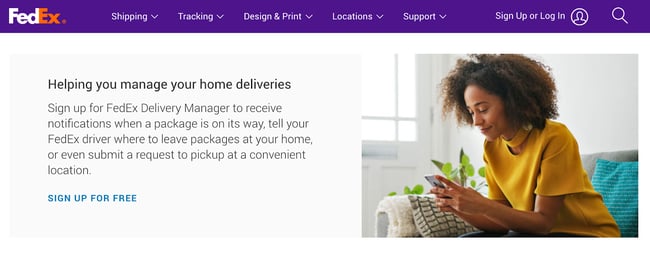
Customer Profile for FedEx |
|
|
Customer Jobs |
|
|
Gains |
|
|
Pains |
|
Value Map for FedEx |
|
|
Gain Creators |
|
|
Pain Relievers |
|
|
Products & Services |
|
Our Take On LG’s Value Proposition:
Headline: State-of-the-art Living Experience
Subheadline/Paragraph: LG SIGNATURE delivers an innovative product design that creates an exceptional living experience for people who want to achieve a state-of-the-art living experience.
Visual Element:

Customer Profile for LG |
|
|
Customer Jobs |
|
|
Gains |
|
|
Pains |
|
Value Map for lg |
|
|
Gain Creators |
|
|
Pain Relievers |
|
|
Products & Services |
|
Our Take On Subaru’s Value Proposition:
Headline: The most adventurous, most reliable, safest, best Subaru Outback ever.
Subheadline/paragraph: The 2022 Subaru Outback takes drivers to the most adventurous places in style with the most advanced safety technology.
Visual element:
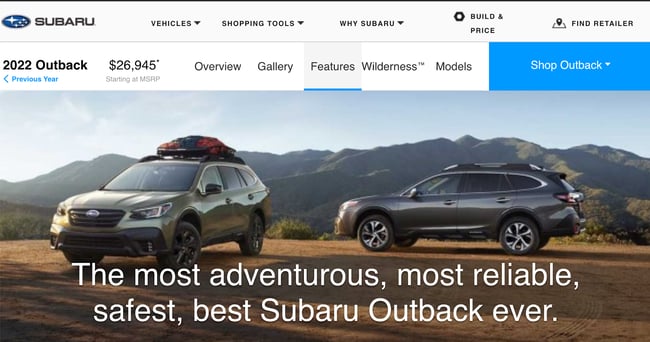
Customer Profile for subaru |
|
|
Customer Jobs |
|
|
Gains |
|
|
Pains |
|
Value Map for Subaru |
|
|
Gain Creators |
|
|
Pain Relievers |
|
|
Products & Services |
|
Compose a Remarkable Value Proposition
The factors that influence a potential customer to become a loyal customer are limited. Whether your industry has a lot of opportunities to differentiate (like retail) or virtually no unique identifiers (like dairy), you’ll find that a value proposition will help you understand your ideal customer and position your business as the best solution for their needs. Use the tactics, tips, framework, and examples in this post to craft your unique value proposition.
Editor’s note: This post was originally published in June 2018 and has been updated for comprehensiveness.

20 of the Best Product Page Design Examples We’ve Ever Seen
If you compare how product pages take shape across different companies, it’s clear they run the gamut. Some go for the direct approach, displaying an image of a product and explaining why someone should buy it. Other companies create elaborate pages with moving parts and fancy, interactive elements.
Still, other companies create delightful product pages that give users an authentic experience as they browse through what the company has to offer.

Believe it or not, the most captivating product pages don’t always have enterprise-level programming behind them. To give you an idea of what’s possible — from small business all the way up to household names — we scouted out 20 examples that we find truly admirable.
The pages below have mastered their messaging, value propositions, and general product descriptions such that these sites resonate with their unique buyer persona.
(And after checking out these pages, you might want to buy their products, too.)
20 of the Best Product Landing Page Designs
1. Bellroy
Bellroy sells thinner-than-typical wallets. There’s value to that — but what is it, and how do you get the consumer to understand it?
To answer those questions, Bellroy divided its product page into three stages of the buyer’s journey — understanding the problem, how to fix the problem, and how Bellroy can resolve the problem.
There’s even an interactive section that shows how the skinny wallet will fill up in comparison to standard wallets. As users move a slider back and forth along a line, both of the wallets fill up with cards and cash, visually displaying the very problem Bellroy’s skinny wallet solves.
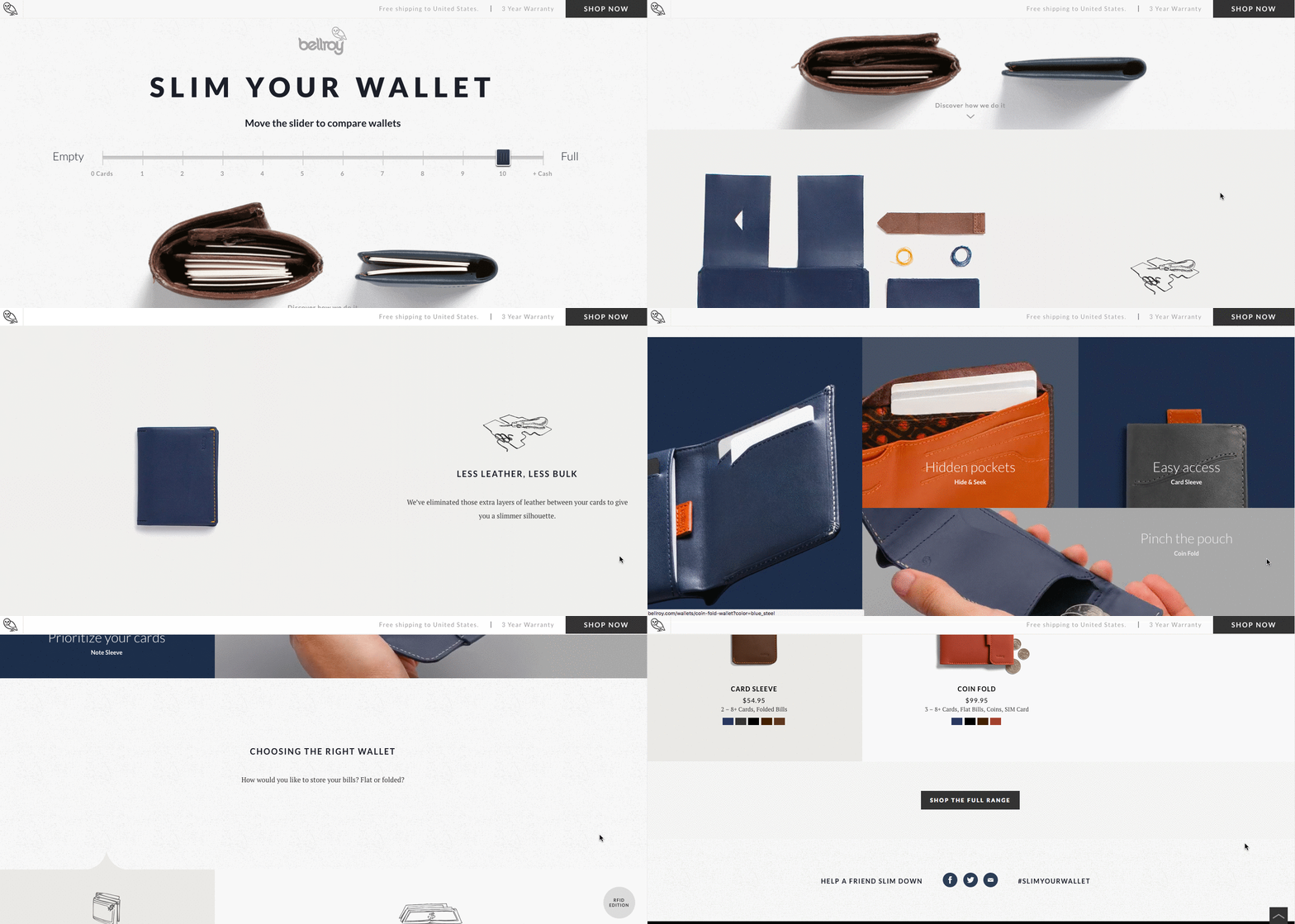
2. Wistia
Wistia is a video hosting and analytics company that provides users with detailed video performance metrics. It might sound like a snooze-fest, but let’s dive into what really makes this product page stand out.
First, we’re presented with five, colorful graphics illustrating the tools’ value propositions. And in case that’s all the user really needed to see, those graphics are followed by two calls-to-action.
But, if you continue scrolling, you’ll see a video with information about Wistia’s capabilities for that video — calls-to-action, email collectors, video heatmaps, and viewing trends.
One of the best ways to explain a visual platform’s features is to demonstrate them on a product page. This one shows users all of Wistia’s features and how they work, day-to-day.
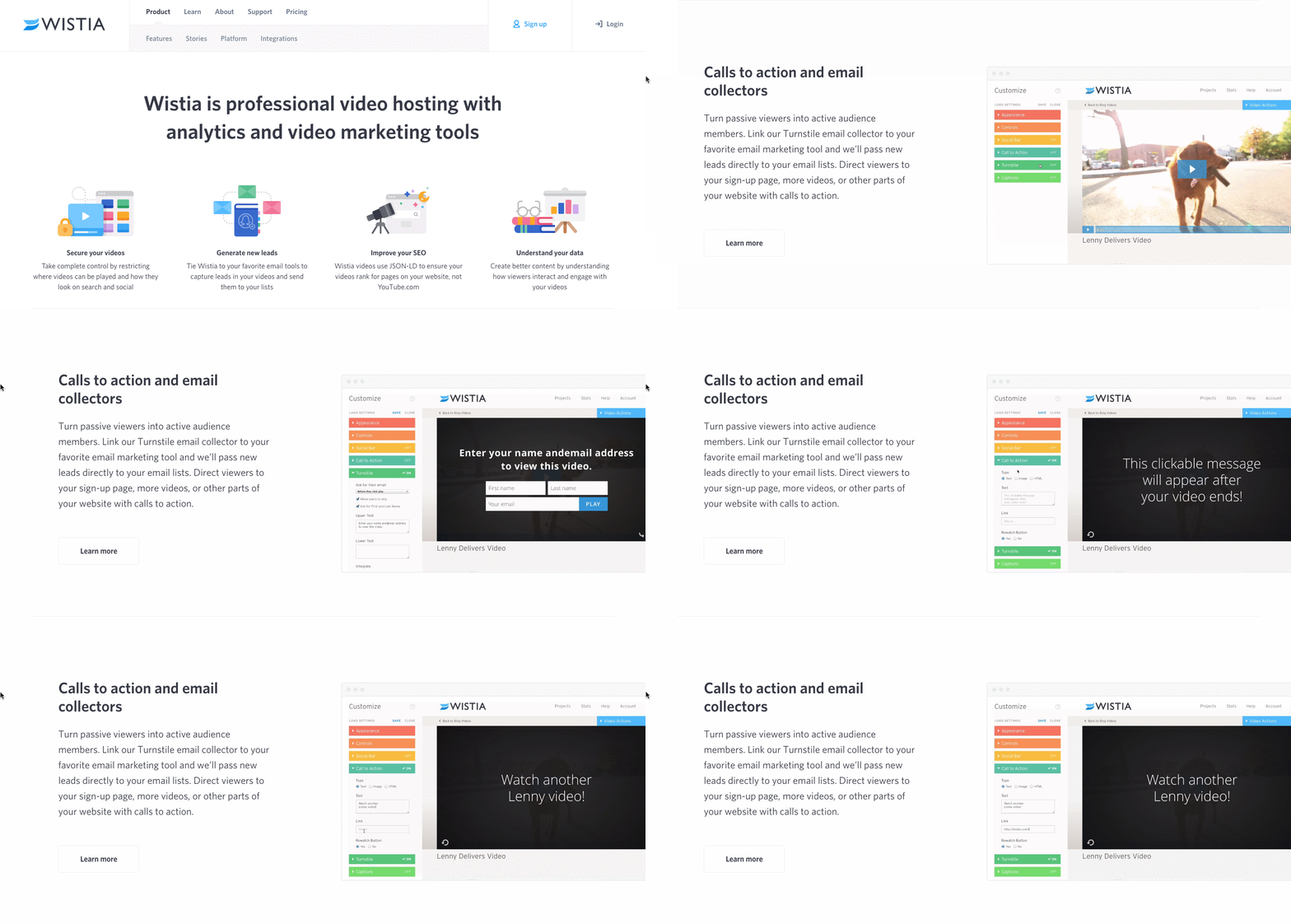
3. Square
Square is a mobile transaction company that merchants use to collect payment from customers — anywhere, any time, as long as they have a compatible phone or tablet.
The product marketing challenge here is to show why Square is an easier alternative than a typical cash register — and its product page displays those reasons in a visually captivating way.
The rest of the page is clearly organized headlines — which reads like answers to frequently asked questions — plenty of white space, succinct copy, and appropriate images. Anyone looking into each section can understand exactly how Square works at every stage of a transaction.
4. Rent the Runway
Some companies — especially in ecommerce — have up to thousands of product pages. Rent the Runway, an online dress rental company, is one of them.
Rent the Runway has an individual product page for every dress it carries, with all the information a customer could want — images, measurements, fabric, price, and reviews. So what sets them apart? The exceptional detail of the “Stylist Notes” and “Size & Fit” sections.
These details are clearly and carefully curated by stylists and reviewers. They don’t just explain what a dress is made of and how it looks — they cover how it fits on every part of the body, which undergarments should be worn with it, and for which body types it’s best suited. That kind of information not only delights customers and encourages their trust, but it also makes for a more confident buying decision.
Also, notice how there’s plenty of white space surrounding the product images and description. According to research by ConversionXL, that white space creates a higher perceived value — in this case, price — of the product in the user’s mind.
5. Daily Harvest
Daily Harvest develops superfoods in the form of smoothies, soups, and more, and delivers them to your doorstep. What makes these foods’ product pages so outstanding? They show you exactly what makes these foods so super in a format that’s both clear and digestible — no pun intended.
Check out one of Daily Harvest’s smoothie product pages, below. Not only can you see what the smoothie looks like, but hovering over the lefthand preview icon, below the main image, shows you the foods used to create this drink. Scroll down, and you’ll see each ingredient and a simple description of each one.
6. Oreo
If you’ve seen any of Oreo’s marketing, you shouldn’t be surprised it’s on this list. But sometimes, being well known can make it harder to create a product page. So how did Oreo do it?
The focus of Oreo’s product page is how these simple, classic cookies can help people unleash their imaginations, dare to wonder, and become generally happier. It features a series of videos, one after another. One is accompanied by the lyrics, “It’s so easy to let your imagination go when you play with Oreo,” paying tribute to the age-old discussion about the “best” way to eat them. The page takes a creative, bold approach to marketing with what might otherwise be thought of as an ordinary snack.
Oreo also used a unique design for this page. Even though the cookies themselves are monochrome, the page is wonderfully colorful, from the videos, to the backgrounds, to the graphics.
7. Fitbit Charge
When I took on this blog post, I asked a few people for their favorite product page suggestions. I was amazed how many people immediately recommended Fitbit — and after checking out the site, I can see why.
The page below helped unveil the original Fitbit Charge — now succeeded by the Fitbit 3 — and starts with a value proposition, rather than a list of features. It’s a hero image of people hiking a mountain, who we can imagine are wearing Fitbits, with the copy, “Energize your day.”
As you scroll down the page, it goes through four quick steps explaining how the product works. What’s more, a lot of these are interactive — the section under “Everything you need, all in one place” allows users to hover over different features to see how they appear on Fitbit’s mobile app.
But the page also explains why these features are valuable. For example, one tracks everything you do from walking, running, and sleeping. Why does that matter? Well, you can have your current records on hand, and try to beat them.
Knowing that users might not remember all of the specifics when they leave the page, Fitbit was sure to focus on how these features will actually make a difference in the visitors’ lives. Well played.
8. Volkswagen
Volkswagen takes an interactive approach to its product marketing. Instead of listing all of the features you can have in a car, the company walks you through the process of actually building your car. As you go through that process, Volkswagen highlights the different features you could choose, then gives you a preview of what the car will look like and how that will affect the price.
Even though I’m not currently in the market for a new car, I personally had fun tinkering with the different customization features on the page. What color do I want? Do I want premium audio? (Yes.) It’s an interesting way for the brand to eliminate the notorious connotations of “car salesmen,” by allowing users to learn about and select features independently.
Plus, there’s a nifty matchmaking feature that allows you to see which nearby dealerships have the car with all of your preferences in its inventory.
9. Seattle Cider
The folks at Seattle Cider claim its cider is “not your standard cider.” Well, neither is the product page. It reads like a story, beginning with attractive, high-definition images of the cider selection, which happen to have really cool label designs. As you hover, an explanation appears of what differentiates Seattle Cider’s products from others, and what makes each variation special.
But my favorite part is what comes next: a cool, interactive display of how cider is made from start to finish, which plays for users as they scroll. It’s a surprising and delightful user experience that goes above and beyond the typical product page because it doesn’t just display the products. It shows where they come from, and how.
10. OfficeSpace Software
OfficeSpace sells facility management software to help folks manage, well, office spaces. Like the name, the product page is very clear and direct.
Each section of this product page is dedicated to a different feature of the software. The headline explains the feature, and the subheadline explains why this feature is important as you evaluate different software.
That makes it easy for prospects to quickly digest what the product offers, but also read more details on its value proposition — if they choose to. And, if someone wants to learn even more about a particular feature, there are clear calls-to-action to do so.
11. Orangina
This carbonated citrus drink has been around since 1935, and it has exactly four products — original, red-orange, light, and tropical. So, how does Orangina keep its product page both current and special?
For one, it’s fun to explore. When you hover your mouse over any of the blocks, the picture or icon animates — the bottles dance around, the orange slices in half, and the thermometer drops. The animated images and bold colors fit in perfectly with the Orangina brand personality.
Also, you might notice that some of the blocks are actual products, while others are simply tips and details about its products. If you don’t have a lot of products to sell, consider interspersing them with tips and information about the products you do have available.

12. Mango Languages
Mango Languages creates “lovable” language-learning experiences for libraries, schools, corporations, government agencies, and individuals. Its homepage has illustrated calls-to-action for each of these buyer personas — from public libraries, to government offices, to those who are homeschooling their kids. Each of those calls-to-action leads to a different product page that’s colorful, clearly written, and very comprehensive.
Take a look at the example for homeschool teachers below. Like every other part of the website, it exudes Mango’s friendly, approachable, and helpful brand personality. The video couldn’t be more delightful. I mean, a guitar-playing mango in a top hat? Yes, please.
As you scroll, you’re greeted with clear value propositions that use playful language that’s true to the brand. Everything about the page says “simple to use,” “fun,” and “effective.”
13. Helix Mattresses
It’s one thing to sell a mattress — it’s another thing to sell a good night’s sleep. Helix Mattresses is laser-focused on the latter, having designed a product page that organizes each mattress by its level of plushness and support.
By looking at Helix’s product line in chart form, website visitors don’t have to examine each mattress individually to find the attributes they’re looking for. Simply find the row and column that matches your bedding needs, and click through to your chosen mattress’s product page to learn more.
Another reason why the Helix Mattresses product page is so effective is how it describes its products. It can be difficult to know what “plush,” “firm,” or “supportive,” really mean in a mattress — they all seem so subjective. For that reason, Helix is all about brevity in its product descriptions, using evocative explanations of each category a mattress might belong to.
“Plush Feel: Soft top of your mattress that lets you sink in like a cloud.”
“Balanced Support: Not too much, not too little. Best for side sleepers with thin to average body types.”
“Firm feel: Firm top of your mattress with no sink or give.”
14. Minwax
Minwax makes products to help people care for wood furnishings and surfaces. Riveting, right? But the brand has managed to create a product page that’s not only relevant but helps users quickly and easily find what they’re looking for.
That’s thanks partly to the Minwax Product Finder module. It functions like a quiz, asking a series of multiple-choice questions, like “What kind of project is it?” and “What are you looking to do?”
Once you answer the questions, the quiz generates recommended products, which includes a handy “Don’t Forget” list with the tools you’ll need to get the job done — things like safety glasses, gloves, and sandpaper. Helpful tips like this go above and beyond a normal ecommerce product page.
15. Ministry of Supply
Ministry of Supply specializes in comfortable formal wear, and it shows you just how comfortable any one of its garments are with its product landing pages.
Take the product page for the Juno Blouse, below. Underneath the photo gallery of a woman modeling the product, Ministry of Supply gives visitors “proofs,” revealing the blouse’s thread count, materials, and other key qualities that make the product unique.
The product page’s best trait might actually be its motion graphics, using basic looped videos that demonstrate the clothing’s resilience and flexibility.
16. Liulishuo
Liulishuo is a China-based startup that builds English language-learning tools for personal development and test prep purposes. The company’s mobile app product page offers a clean but media-rich overview of its curriculum.
As you can see below, the bottom of the page plays a crisp motion clip of the video-based coursework in action on a smartphone. It’s essentially an app demo before users even download the app.
At the top of the page, Liulishuo makes cool use of QR codes by allowing users to download the app just by scanning the code on their mobile device. Presenting a software product in this way is a smart effort to increase customer acquisition simply by making the product easier to get.
17. Metavrse Engine
Metavrse, a virtual reality (VR) consultancy and product developer, has just about the most immersive product page we’ve ever seen. The company sells not just VR insight, but also VR and 3D tools to help modern businesses better engage customers with its goods and services.
I don’t know about you, but I can’t help but be fascinated with this landing page.
Metavrse’s VR product page actually allows users to scan QR codes on mobile devices to put themselves into a virtual experience according to the product at hand. So if you wanted to hold the Solar System in your hands and create or reposition planets — you could do it within seconds.
This company’s capabilities are displayed in an organized and immersive way, making its landing page nothing short of excellent.
18. Nfant®Nipple
Nfant®, an infant nursing product, takes the transition from breastfeeding to oral feeding seriously — as is evident on the company’s product page for the Nfant®Nipple.
What sets this small business apart from other nursing and parenting services is its use of data to attract customers.
The product page below touts several types of bottle top-shaped nipples, and each one offers a different level of flow when the baby is drinking. As involved as the conditions of each product is, however, the product page delivers the information gracefully using color coordination, a video demonstration, and even a graph comparing each product’s flow range that nursing mothers can refer back to.
Nursing moms are always educating themselves on the resources they have for keeping their children healthy. With that in mind, Nfant’s detailed but easy-to-understand product page knows its buyer persona well.
19. Thinx Leggings
Thinx is a clothing and undergarments brand that makes absorbent, zero-waste products for people with periods. It’s well known for its long-lasting line of menstrual products that are more cost-efficient and less polluting than the alternative of pads and tampons.
In the Thinx product page, you’ll find a wide range of body shapes and sizes displaying the inventory. This makes it easier for customers to determine what would look best on different individuals. Additionally, it lets the audience know which garment is best for them according to flow and activity level clearly.
What really makes its product page pop is the interactive, 360-view feature on all of its products. You can spin models of different dimensions to see exactly what the customer should expect — a feature that makes the online shopping experience more reliable than competitors.
20. Jackbox Games
Jackbox is a party-game-making studio, enabling groups to play games under one roof or from anywhere in the world via the internet. This studio has brought many people together and has grown over the past couple of years, and its product page is aiding in its success.
From a visual standpoint, everything about the Jackbox product landing page is vibrant in color and interesting. The floating characters lead you to learn more about each game pack, all the fun features each one has, and specifies which gaming platforms you can access them through.
The Jackbox Party Pack stands out from other game product pages from its fun and whimsical appearance, giving customers a gleeful introduction to the fun its games have to offer.
Did you draw any ideas from these product pages? We hope you did, but before you start to work on your own, let’s go through some best practices.
Product Page Best Practices
So, what have these brands taught us about product pages? It boils down to a few must-haves:
1. Make it interesting and fun, especially if you have a less-than-riveting product.
No matter the type of product, your website should position itself in a way that is engaging, interesting to view and learn about. Your UX/UI designer or developer should make the product page interactive or, at minimum, visually appealing.
This practice can be as small as changing the colors of the page, or as large as reformatting each section and implementing more widgets to provide a better customer experience.
2. Help visitors to find what they’re looking for.
Make sure the page isn’t cluttered and makes the product specs as clear as possible to ensure customers can see its value. Customers will turn to your competitors if they can’t find the information they’re looking for in a timely, and organized manner.
To aid in this practice, you could benefit from providing current customers a usability questionnaire to collect their opinion directly.
3. Personalize the user experience.
Allow users to “build their own” product, to show them that you can meet their preferences. You can even go as far as to compare product capabilities against one another or other products in the market if you know they provide more value to your audience. This all boils down to understanding product marketing and how you can better serve your specific market.
4. Product descriptions should be informative.
Without bogging it down in detail, be sure to include the right pieces of information that will show users what sets your products apart.
Chances are your customer has already navigated to your page with a general idea of what your product can do for them, now it’s your job to dive deep into what your product’s purpose and value are — you should also back it up with evidence like other customer reviews, too.
5. Make images clear and quality.
This should be a no-brainer, but you’d be surprised how much a blurry or outdated graphic can deter a customer. But no worries, this is one of the easiest problems to fix, and can make your product page look more professional in a matter of minutes.
6. Use live chat.
You want your product page to help customers find what they’re looking for, and adding a live chat feature will give them a helping hand as they explore it.
Live chat enables sales reps to address customer questions in minutes. Adding this feature can increase the efficiency of communication on your website, and help you improve it, too.
7. List not only the features, but benefits as well.
In product descriptions, it’s general knowledge to be thorough in detail, but take the extra step and describe how those features can benefit the customer, too.
For example, you could be selling a tech gadget with amazing specs in the description — but not all customers will see the point of all those features. Make sure to discuss the value of those features for better understanding.
8. Include customer reviews.
72% of customers won’t take any buying actions until they’ve read reviews.
When online shopping, customer reviews are extremely important for prospects. If they can read an honest review of a product, they will trust the quality of the brand more.
9. Compare prices.
If you are running special deals or discounts for your products, let customers know on the webpage. List the original price near the current offer and customers will feel more of a sense of urgency and be more willing to purchase quicker for a deal.
10. Make it convincing.
In all, you should know your product like the back of your hand. Make your product page just as convincing as you believe it can be — a solution to solve your customer’s pain points.
Design Your Product Page to Impress
The way you display your product can be the decision point for a potential customer. Because of that, you must make your products shine and convey its value properly.
Now that you’ve seen our list of effective product landing pages, we hope you have some new inspiration and will apply it to your website.
Editor’s note: This post was originally published in October 2018 and has been updated for comprehensiveness.