What is Productivity: Your Complete Guide
Productivity is on the minds of almost every marketer, but what is productivity? How do you know if your idea of productivity aligns with that of your company or teams? Why is it necessary, and what can you do to be more productive?
In this article, we’re going to explore productivity, what it means, and why you should care.

What is productivity?
Dictionary.com defines productivity as “the quality, state, or fact of being able to generate, create, enhance, or bring forth goods and services.” In an economic context, the meaning is similar — it’s essentially a measure of the output of goods and services available for monetary exchange.
However, productivity can mean something different when applied to our personal and professional lives. According to Friday.app, a productivity management tool, productivity is how efficiently you can consistently complete tasks that are important to you.
For many people, productivity can mean checking off everything on their daily to-do list. For others, productivity can be about getting more done in shrinking amounts of time. No matter your goals, you want to avoid “toxic productivity.” Toxic productivity is the desire to be constantly productive, no matter the cost.
Fortunately, it’s possible to strike a healthy balance and be productive without overdoing it.
How to be More Productive
If you’re struggling to complete your tasks or you want to become more efficient, here are some ways to be more productive both inside and outside the office.
Stop multitasking.
It’s a common misconception that multitasking can boost productivity because it entails working on multiple tasks simultaneously. However, according to most recent studies, only a tiny percentage of people can multitask effectively because the human brain can only focus on one task at a time, according to studies.
Multitasking causes our brains to divide attention between different tasks, which can lead to more mistakes being made and a lower-quality performance. Instead, try grouping similar tasks together and completing them one by one.
Schedule breaks.
There have been times when I’ve gotten so engrossed in a project that I accidentally skipped lunch or worked exceptionally late into the evening. While putting in more hours or skipping meals may create more time for productivity, the reality is that your body needs fuel and time to recharge.
Schedule breaks during or between tasks, and use that time to eat lunch, walk, stretch, meditate, or rest.
Set boundaries.
You must be comfortable saying ‘no’ to boost and maintain productivity. It’s great to be helpful whenever possible, but you should say ‘no’ to last-minute requests, impromptu phone calls, or any plans to set you back on your progress.
Otherwise, you can slow your workflow by taking on too many responsibilities from others.
Design your workspace to optimize productivity
Whether you work from home or at an office, your workspace needs to be designed for productivity. This can be as simple as designating your workspace as a “no-phone zone” or quiet room. You want your work area to be comfortable, free of distractions, and equipped with the materials you need to complete your tasks — such as a computer, desk, comfy chair, pens, paper, etc.
Why Productivity is Important
At a company level, productivity leads to growth and high profits — making the organization more competitive in the marketplace. At an individual level, it boosts morale because it feels good to check everything off your to-do list. Knowing you’ve completed all your tasks early with time to spare for leisure is nice.
Productivity Examples
Here are some examples of how you can be productive:
Break larger projects into smaller tasks.
Trying to complete a massive project all at once can be daunting, and the intimidation of it can stop you in your tracks and slow production. Instead, look at the project’s different components and find ways to break it down into smaller tasks you can complete over time.
Develop healthy habits.
Healthy habits are a great way to be productive because they foster consistency. For example, working out and eating a nutritious breakfast every morning will ensure you consistently have the energy to tackle your daily tasks.
Create a daily to-do list prioritizing the most important tasks
Before starting your day, create a to-do list with your most essential duties posted at the top. If you are at a loss for what to do during your day or are unsure what to do next, look to your to-do list.
Productivity is different for everyone, so check in with your team to ensure everyone’s productivity goals align. And if you struggle to complete your tasks, you know how to keep yourself on track.
Editor’s Note: This blog post was originally published in January 2017, but was updated in July 2020 for comprehensiveness and freshness.


How Marketers are Navigating Q4: Traffic, Lead & Email Data from 150K+ Brands
If you’re a marketer, it’s likely been a very – odd – Q4!
On top of racing to the finish with end-of-year reports, campaigns, and project memos, you’re also in the thick of annual planning for the new year.
And, to add one more complicated layer to the mix, many marketing teams are waiting in the balance to see how our uncertain economy and the continuance of unprecedented global events will impact their work.
While we don’t have a crystal ball, our final analytics report of the year aims to give you an insightful glimpse of how industries are performing in Q4, and help you make the most informed decisions for your brand as 2023 begins.
Without further adieu, let’s dive in.

About this Data: These insights are based on data aggregated from 158,000+ HubSpot customers globally between November 2021 and November 2022. Because the data is aggregated from HubSpot customers’ businesses, please keep in mind that the performance of individual businesses, including HubSpot’s, might differ based on their markets, customer base, industry, geography, stage, and/or other factors.
Mid-Q4 Marketing Themes
Overall Themes
With seasonality – which we began to see in our last recap – in full swing, industries linking to retail, travel, and leisure are seeing unsurprising month-to-month upticks in conversions, leads, and even traffic. Meanwhile, industries like construction – which are often less active during the end of the year and in uncertain financial times – are seeing some MoM and YoY decreases.
Overall, year-over-year leads and conversions are trending up, which could be a positive sign for marketers who want to show that their work does impact their brand’s bottom line.
Below, we’ll dig into a few specific marketing themes.
Website Performance Continues to See Seasonality
Website Traffic
Compared to October, websites across industries saw a significant traffic decrease in November, with Construction and Financial Activities seeing the greatest dips. Only Leisure and Hospitality saw a significant MoM gain, which makes sense due to holiday-related travel and annual vacation planning on the rise.
Luckily, many industries are seeing year-over-year traffic boosts.
Manufacturing as well as Trade, Transportation & Utilities (which includes the retail industry) lead the pack with 6.3% and 6.2% increases respectively. The only industry which didn’t see a boost was Construction, which saw a slight dip of 2.6%.
As we mentioned in previous reports, the construction industry’s performance could be due in part to the season as well as current macroeconomic conditions.
Website Conversion Rates
Month-over-month, website conversions were relatively flat across industries. This can happen due to seasonality.
One big exception to the MoM data was Leisure and Hospitality which saw a significant 9.5% increase. Not super surprising during the end-of-year holiday and shopping season.
Year-over-year, we saw the biggest conversion increases from Education & Health Services followed by Leisure and Hospitality. In previous posts, we’ve highlighted that Leisure and Hospitality brands are likely seeing growth due in part to global regions and key travel cities reopening due to fewer COVID-19 restrictions.
|
Industry |
MoM |
YoY |
Sample size |
|
All |
-1.3% |
+9.2% |
127169 |
|
Construction |
-2.5% |
+2.3% |
1177 |
|
Education and Health Services |
+2.0% |
+17.6 |
3374 |
|
Financial Activities |
+0.8 |
+1.7% |
3628 |
|
Leisure and Hospitality |
+9.5% |
+13.4% |
972 |
|
Manufacturing |
-0.7% |
-0.7% |
3606 |
|
Professional and Business Services |
-3.0% |
+10.2% |
11,708 |
|
Technology, Information and Media |
+2.2% |
+3.4% |
14,208 |
|
Trade, Transportation and Utilities |
+3.69% |
-2.8 |
3,087 |
Inbound Leads See Positive Movement
Despite lower or flat traffic and conversions, both YoY and MoM lead trends are actually ticking up across most industries: a positive theme for marketers who are hyper-focused on their business’s bottom line.
Trade, Transportation & Utilities (which includes the bustling retail industry), and Leisure and Hospitality saw the largest MoM gains.
Year over year, Leisure and Hospitality also saw a huge YoY gain along with Education & Health Services. And, as a consistent theme, only Construction saw annual and monthly decreases.
Email Opens Hold Steady Despite More Sends
While most email marketers expect to see email engagement drop as the holidays begin in November, there was only a 1.3% open rate decrease, despite a large 13% increase in sends (likely due to end-of-year campaigns and last-minute pushes to hit numbers). Additionally, more subscribers were likely opening and potentially engaging with emails this month as all industries saw a 10.3% open increase.
Despite positive movements in November, marketing email is still dealing with some long-term challenges as opens and open rates have decreased by 14.5% and 10.1% respectively – even with more companies embracing a slightly more modest number of email sends.
|
Metric |
MoM |
YoY |
Sample size |
|
Email sends |
+13.9% |
-3.9% |
144,733 |
|
Email opens |
+10.3% |
-14.5% |
144,733 |
|
Email open rate |
-1.3% |
-10.1% |
144,796 |
Starting the Year with a Full View
While these November numbers show some industries working their way back from slower growth in 2022 – and a few still continuing to keep up numbers in seasonality and current macro-economic times – it’s important for marketers to look at all possible data when planning out their strategies for January and the new year ahead. That’s why, on top of reports like these, it’s important to look at:
- Your annual and MoM website traffic and conversion data
- Your leads, sales, and revenue, especially as compared to direct competitors
- The direct and indirect ROI of your inbound campaigns, such as marketing newsletters.
To keep you informed as you kick your new marketing plans off next year, we’ll be launching a series of posts across the HubSpot Blogs in January to give you an overall look at how businesses performed throughout 2022, as well as insights on how business heads, marketers, sales teams, and other departments can adapt in 2023. Stay tuned!
In the meantime, read through our previous reports below:
- Are Seasonality & the Economy Impacting Marketers in Q4? [Traffic & Conversion Data from 150K+ Companies]
- The Top Traffic, Conversion & Lead Trends in Q3: Data & Takeaways from 120,000+ Businesses
- Your Guide to Summer Web Traffic, Conversion & Lead Performance Across Industries [Data from 150,000+ Businesses
Or, download our free State of Marketing Report below to dive deeper into what marketers focused on this year.


23 of the Best Website Homepage Design Examples
When creating a company site, few things are more important than website homepage designs. The homepage is your brand’s virtual front door. If a new visitor doesn’t like what they see, their knee-jerk reaction is to hit the “back” button.
What makes a website’s homepage design brilliant instead of bland? It has to look good — but it also has to work even better. That’s why the most brilliant homepages on this list don’t just score high in beauty but also in brains and creativity.
Before we dive into the examples, let’s go over best practices. You’ll notice the best website homepage designs we look at take these principles and implement them for optimal results.

What Makes a Good Website?
A good website clearly answers “Who I am,” “What I do,” and/or “What can you (the visitor) do here.” It also resonates with your audience, has a value proposition, calls visitors to action, is optimized for multiple devices, and is always changing to adapt to new design trends.
All of the homepage designs shown here use a combination of the following elements.
Not every page is perfect, but the best homepage designs get many of these right.
1. The design clearly answers “Who I am,” “What I do,” and/or “What can you (the visitor) do here.”
If you’re a well-known brand or company (i.e., Coca-Cola) you may be able to get away with not having to describe who you are and what you do; but the reality is, most businesses still need to answer these questions so that each visitor knows they are in the “right place.”
Steven Krugg sums it up best in his best-selling book, Don’t Make Me Think: If visitors can’t identify what it is you do within seconds, they won’t stick around long.
2. The design resonates with the target audience.
A homepage needs to be narrowly focused — speaking to the right people in their language. The best homepages avoid “corporate gobbledygook,” and eliminate the fluff.
3. The design communicates a compelling value proposition.
When a visitor arrives on your homepage, it needs to compel them to stick around. The homepage is the best place to nail your value proposition so that prospects choose to stay on your website and not navigate to your competitors’.
4. The design is optimized for multiple devices.
All the homepages listed here are highly usable, meaning they are easy to navigate and there aren’t “flashy” objects that get in the way of browsing, such as flash banners, animations, pop-ups, or overly-complicated and unnecessary elements. Many are also mobile-optimized, which is an incredibly important must-have in today’s mobile world.
5. The design includes calls-to-action (CTAs).
Every homepage listed here effectively uses primary and secondary calls-to-action to direct visitors to the next logical step. Examples include “Free Trial,” “Schedule a Demo,” “Buy Now,” or “Learn More.”
Remember, the goal of the homepage is to compel visitors to dig deeper into your website and move them further down the funnel. CTAs tell them what to do next so they don’t get overwhelmed or lost. More importantly, CTAs turn your homepage into a sales or lead-generation engine, and not just brochure-wear.
6. The design is always changing.
The best homepages aren’t always static. Some of them are constantly changing to reflect the needs, problems, and questions of their visitors. Some homepages also change from A/B testing or dynamic content.
7. The design is effective.
A well-designed page is essential to build trust, communicate value, and navigate visitors to the next step. As such, these homepages effectively use layout, CTA placement, whitespace, colors, fonts, and other supporting elements.
Now, let’s dive into 23 examples demonstrating what excellent website homepage designs can do for real businesses.
Homepage Examples
- FreshBooks
- Airbnb
- Pixelgrade
- Mint
- Dropbox (Business)
- 4 Rivers Smokehouse
- Cobb Pediatric Therapy Services
- Melyssa Griffin
- Jill Konrath
- Evernote
- Telerik by Progress
- eWedding
- Basecamp
- charity: water
- TechValidate
- Chipotle
- Medium
- Digiday
- KIND Snacks
- Ahrefs
- A24 Films
- Ellevest
- HubSpot
1. FreshBooks

Why It’s Brilliant
- It’s easy to consume. There is much debate on whether short or long homepages work better. If you choose to do the latter, you need to make it easy to scroll and read — and that’s exactly what this site does. It almost acts like a story.
- There’s great use of contrast and positioning with the primary calls-to-action — it’s clear what the company wants you to convert on when you arrive.
- The copy used in the calls-to-action “Buy Now & Save” is compelling.
- FreshBooks uses customer testimonials on the homepage to tell real-world stories of why to use the product.
2. Airbnb
Why It’s Brilliant
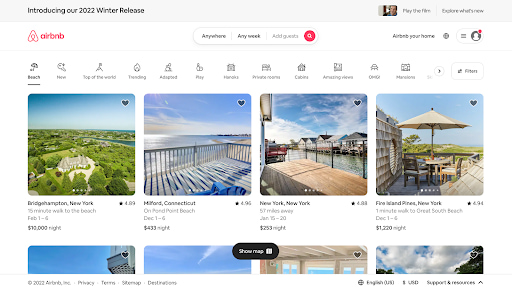
- It includes the destination and date search form that most visitors come looking for, right up front, guiding visitors to the logical next step.
- The search form is “smart,” meaning it’ll auto-fill the user’s last search if they’re logged in.
- The primary call-to-action (“Search”) contrasts with the background and stands out; but the secondary call-to-action for hosts is visible above the fold, too.
- It offers suggestions for excursions and getaways Airbnb users can book on the same site as their lodgings to get visitors more excited about booking their trip on the site. It also shows which of these offerings are most popular among other users.
3. Pixelgrade
Why It’s Brilliant
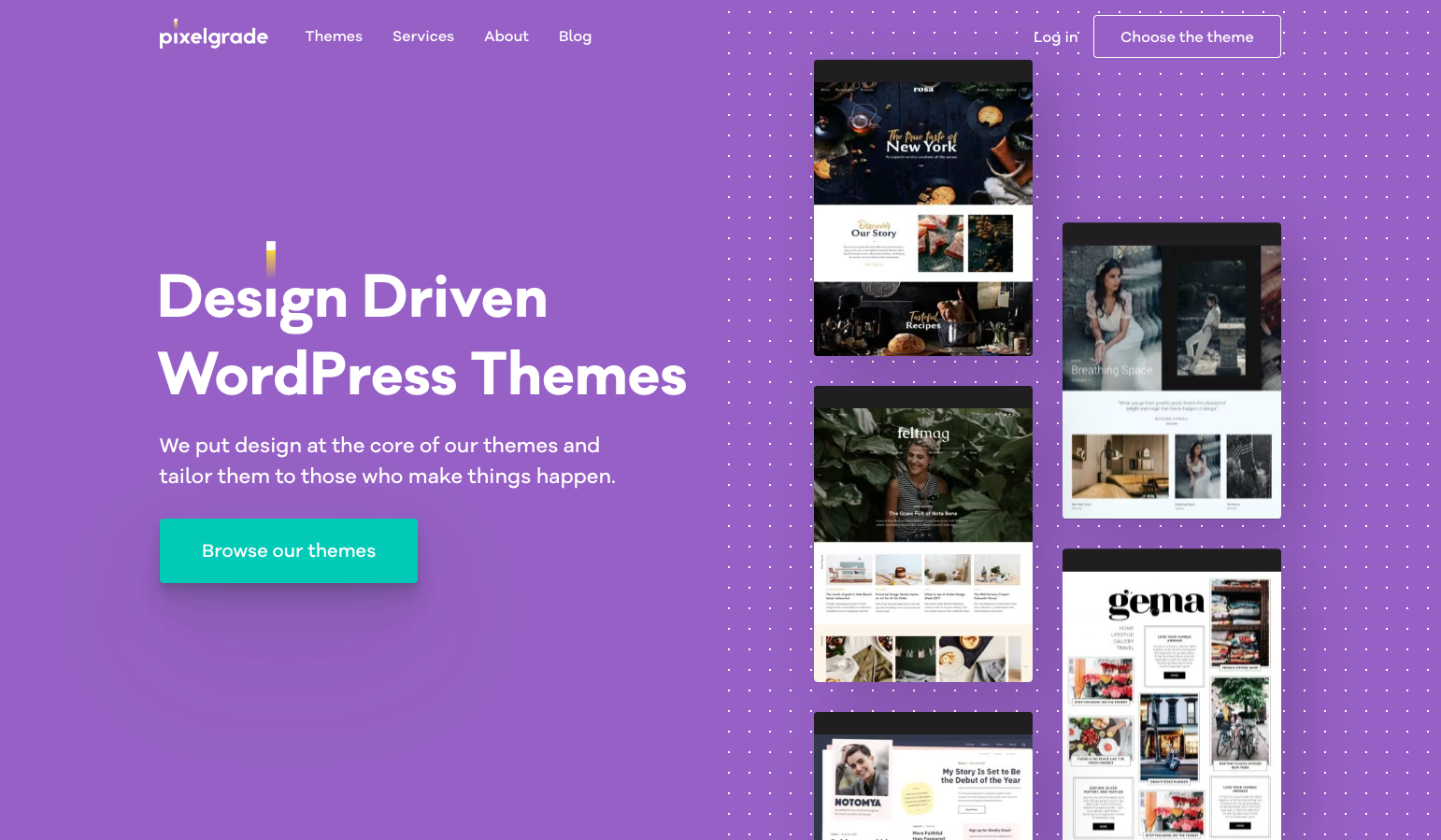
- You know right off the bat what this company is all about: WordPress Themes. The big title, followed by a descriptive subtitle, lets visitors know what to expect.
- The design is simple, and the color combination does a great job of making the call to action stand out.
- The right side provides a glimpse into what the company’s WordPress themes look like without having to scroll or dig deeper.
4. Mint
Why It’s Brilliant
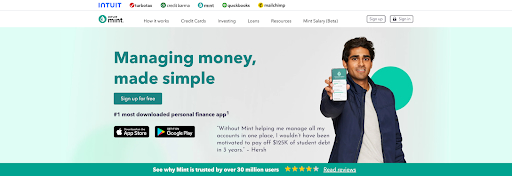
- It’s a simple design with a strong, no-jargon headline and sub-headline.
- The homepage gives off a secure but easy-going vibe, which is important for a product that handles financial information.
- It also contains a simple, direct, and compelling call-to-action copy: “Sign up free.” The CTA design is also brilliant — the secured lock icon hits home the safety message once again.
5. Dropbox (Business)
Why It’s Brilliant
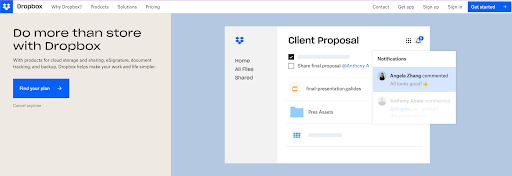
- Dropbox carries over its simple design and branding. It includes everything important: A big, bold, call-to-action button “Find your plan” along with a sample image to show you everything that Dropbox is capable of
- Dropbox’s homepage and website is the ultimate example of simplicity. It limits its use of copy and visuals and embraces whitespace.
- Its headline is simple yet powerful: “Do more than store with Dropbox” It leaves a little bit to the imagination of the reader of the endless possibilities
6. 4 Rivers Smokehouse
Why It’s Brilliant
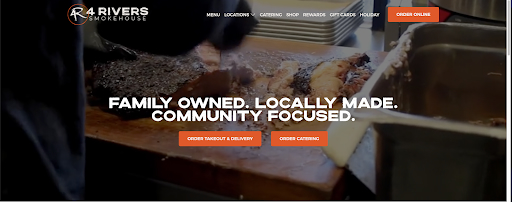
- The emphasis on family, community and locally made food gives you every reason to want to support this business. And that’s before you get to the video playback, showing the exquisite food here.
- The bright orange buttons for ordering direct your attention to the meat of the page. If you want a great meal, you are just one click away.
7. The Stepping Stone Group

Why It’s Brilliant
- This website is beautiful in its simplicity. The backdrop shows real families who have worked with the Stepping Stones Group and seen results. The headline appeals to the visitors’ emotional side: “Transforming Lives Together.” This subtle messaging is effective because it includes the visitor in this process.
- There are several pathways visitors can take when they arrive on the page, but the calls-to-action are positioned well, worded, and in contrast with the rest of the page.
8. Melyssa Griffin

Why It’s Brilliant
- Melyssa immediately demonstrates value to the visitor with a quick and fun quiz. This is a clear call to action.
- She adds a face to her brand. This isn’t just a random website; she makes it clear she’s a human with a personality whom people can connect to.
- The page uses bright colors without being overwhelming and makes it easy to understand what Melyssa’s central business offerings are.
9. Jill Konrath
Why It’s Brilliant
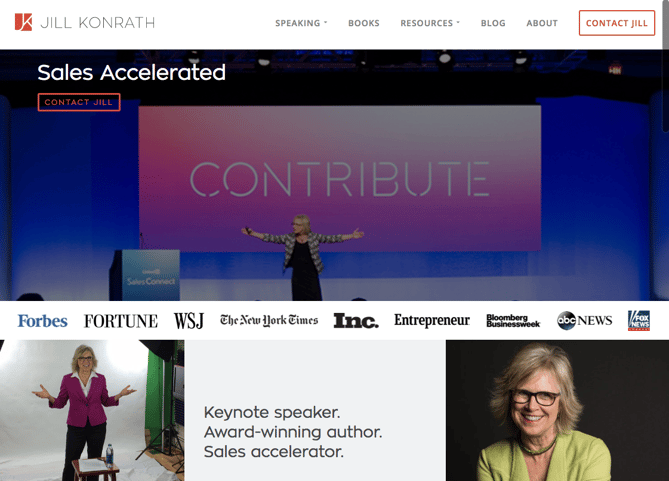
- It’s simple and gets straight to the point. From the headline and sub-headline, it’s clear exactly what Jill Konrath does (and how she can help your business).
- It also gives easy access to Jill’s thought leadership materials, which is important to establishing her credibility as a keynote speaker.
- It’s easy to subscribe to the newsletter and get in touch — two of her primary calls to action.
- The pop-up subscription CTA uses social proof to get you to join her thousands of other fans.
- It includes news outlet logos and testimonials as social proof.
10. Evernote
Why It’s Brilliant
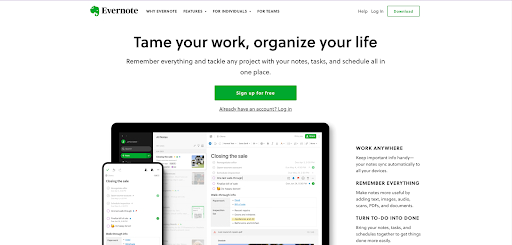
- Over the years, Evernote has turned from a simple note-saving app into a suite of business products. This isn’t always easy to convey on a homepage, but Evernote does a nice job of packaging many potential messages into a few key benefits.
- This homepage uses a combination of white space and its signature bright green and white highlights to make conversion paths stand out.
- Following a simple headline (“Remember Everything”), the eye path then leads you to its call to action, “Sign Up For Free.”
- Evernote also offers a one-click signup process through Google to help visitors save even more time.
11. Telerik and Kendo UI
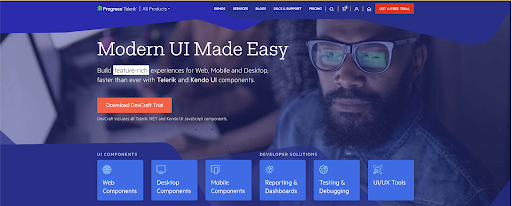
Why It’s Brilliant
- “Stuffy enterprise” isn’t the feeling you get when you arrive at Telerik’s website. For a company that offers many technology products, its bold colors, fun designs, and videography give off an elegant and modern vibe. Just one important aspect of making visitors feel welcome and letting them know they’re dealing with real people.
- The simple, high-level overview of its six product offers is a very clear way of communicating what the company does and how people can learn more.
- The copy is lightweight and easy to read. It speaks the language of its customers.
12. eWedding
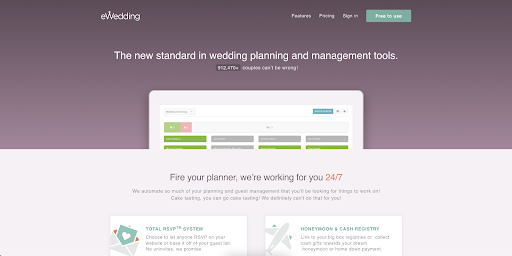
Why It’s Brilliant
- For those love birds planning their big day, eWedding is a great destination for building a custom wedding website. The homepage isn’t cluttered and only includes the necessary elements to get people to start building their websites.
- The sub-headline “912,470 couples can’t be wrong!” is great social proof of the company’s effectiveness.
- The headline is straightforward, and the site includes a call-to-action that reduces friction with the copy, “Start Now.”
13. Basecamp
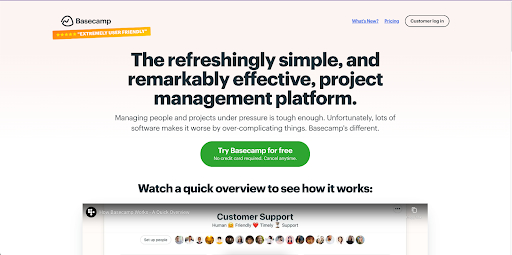
Why It’s Brilliant
- For a long time, Basecamp has had brilliant homepages, and here you can see why. It often features awesome headlines and clever cartoons.
- The call-to-action is bold and above the fold.
- In this example, the company chose a more blog-like homepage (or single page site approach), which provides much more information on the product.
- The customer quote is a bold and emphatic testimonial speaking to the benefits and results of using the product.
14. charity: water
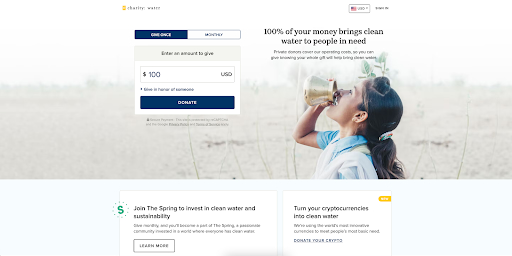
Why It’s Brilliant
- This isn’t your typical non-profit website. Lots of visuals, creative copy, and the use of interactive web design make this stand out.
- The donation box is a great way to capture attention and allow visitors to donate frictionlessly.
- It employs great uses of video and photography, particularly in capturing emotion that causes action.
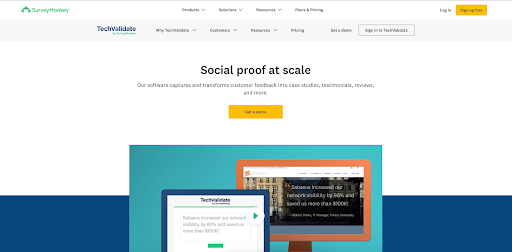
15. TechValidate by SurveyMonkey
Why It’s Brilliant
- This homepage is beautifully designed. The use of whitespace, contrasting colors, and customer-centric design are particularly noteworthy.
- The headline is clear and compelling, as are the calls to action.
- There’s also a great information hierarchy, making it easy to scan and understand the page quickly.
16. Chipotle
Why It’s Brilliant
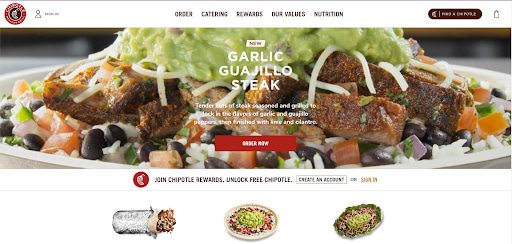
- The homepage is a great example of agility and constant change. Chipotle’s current homepage is all about the food, which it uses as a unique value proposition to get you to start clicking through your site.
- The food photography is detailed and mouthwateringly beautiful. Now that’s an effective use of visuals.
17. Medium
Why It’s Brilliant
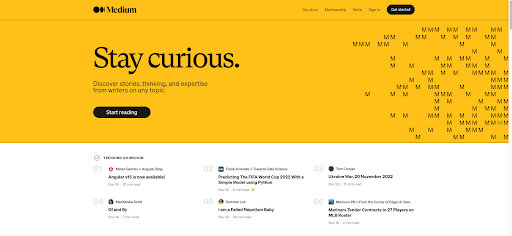
- The subtle use of whitespace allows Medium to highlight some of their trending articles to get visitors interested and give an idea of what they can expect to find.
- The headline “Stay curious” immediately tells users what the website is about. Medium makes it easy to sign up — click “Get Started.”
- The homepage uses social proof to get visitors to start clicking around: The “Popular on Medium” and “Staff Picks” sections let me know where to find high-quality content.
18. Digiday
Why It’s Brilliant
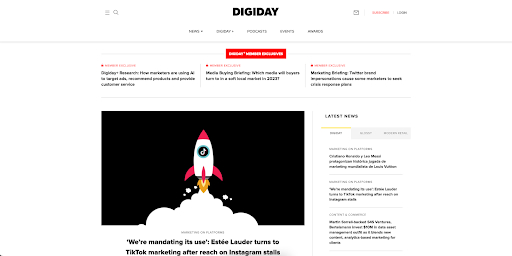
- Unlike other online news publications that inundate homepages with as many headlines and images as possible, Digiday’s homepage highlights one article. Its featured image is eye-catching, and the headline asks to be clicked now that the visitor knows what they’re going to read.
- The top of the homepage shows off each of the different resources on Digiday’s website, letting you see all they offer.
- The use of whitespace is a great way to highlight the different trending topics and articles available on Digiday’s website.
19. KIND Snacks
Why It’s Brilliant
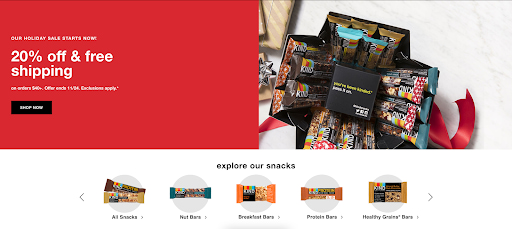
- The bold colors produce contrast, making the words and images stand out on the page.
- “Explore our snacks” at the bottom of the page is a great way to let visitors visualize what is available for purchase.
- KIND also makes great use of the holiday season, creating a good CTA for their holiday sale.
20. Ahrefs
Why It’s Brilliant
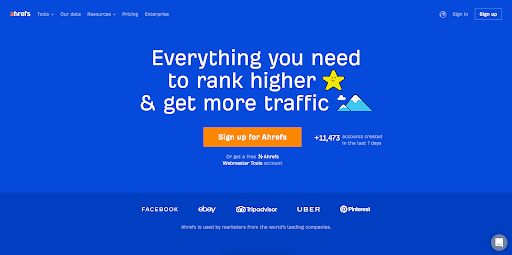
- The color contrast between the blue, white, and orange colors is eye-catching and makes the headline and CTA pop.
- The sub-headline and CTA are a compelling pair: To start tracking and outranking competitors for free is a great offer.
- The homepage presents many options for the visitor, but it isn’t cluttered, thanks to the solid background and simple typography.
21. A24 Films
Why It’s Brilliant
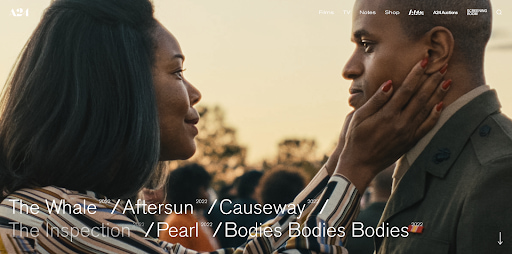
- The film company’s homepage is made up of only trailers for its new films. We know video content is format audiences want to see more of, and this is a great strategy to showcase A24’s work in a highly engaging way.
- At the top of the homepage, A24 offers a clean and concise menu that directs customers to all the most important parts of its website.
22. Ellevest
Why It’s Brilliant
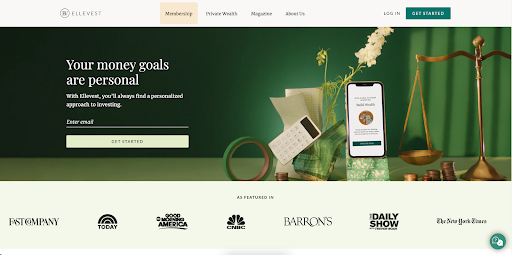
- The images show, rather than tell, one of the company’s value propositions: a desktop site and mobile app that move with you.
- “Get Started” is a great CTA — in fact, we use it ourselves here at HubSpot. When clicked, it takes visitors through a few simple steps to set up a profile and start investing.
- The “As Featured In” section is great social proof and features several prominent brands that users are familiar with.
23. HubSpot
Why It’s Brilliant (If We Do Say So Ourselves)
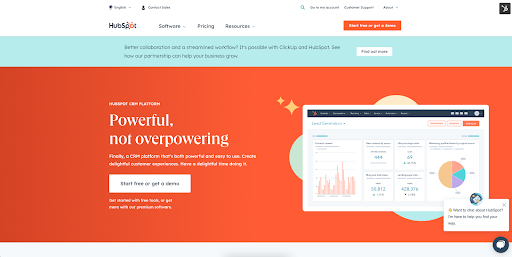
- “Powerful, not overpowering” is a perfect descriptor, paired with a simple image of the CRM to prove our belief in this tagline. Note how white space is used at the top to bring visitors’ attention to the different features offered.
- Throughout the homepage, our bright blue and orange themes keep returning to draw your eye to links and CTAs.
Getting Started With Homepage Designs
Finding the perfect homepage design is a tall task, but keep an eye out for the common themes in the designs we curated here. Look for ways to get across cohesive branding imagery without being overbearing.
Most important of all, make sure your company’s strengths shine through in your webpage design.
Looking for more inspiration? Check out these incredible About Us pages or a Theme Marketplace.

How to Run a Successful Virtual Event in 2023, Plus Best Practices According to Eventbrite’s CMO
As a result of the pandemic, there’s been a shift in recent years to virtual conferences.
But a virtual conference strategy can’t be a copy-and-paste of a physical one. Virtual conferences come with unique challenges, and require a new perspective to succeed.
Here, let’s explore the benefits of virtual conferences, take a look at some examples of successful virtual conferences to inspire you, and check out a few tools that can help you plan your own.
Plus, hear from Tamara Mendelsohn, CMO of Eventbrite, on her best practices for hosting a successful virtual event in 2023 and beyond.

Skip ahead:
- Virtual Conference Benefits
- 6 Virtual Event Best Practices, According to Eventbrite’s CMO
- Virtual Conferencing Tools
- Examples of Virtual Conferences
Virtual Conference Benefits
There are plenty of major benefits to hosting a virtual conference.
For one, it can lower the price of admission, enabling smaller businesses with limited budgets to purchase tickets to your conference and offer their own unique insights.
It also lowers the cost your business would have to pay for conference space, on-hand staff, catering, security, and much more.
Additionally, it allows people from across the globe to interact with each other without needing to spend exorbitant amounts on flights and hotels. Imagine how much easier it is for marketers from India, Ireland, Australia, and the U.S. to collaborate virtually, rather than trying to gather in-person.
It also may help you attract high-demand speakers who don’t have the time to commit to an in-person conference, but are happy to share industry takeaways via a quick video call or pre-recorded presentation.
Additionally, an online conference enables you to create a product — recordings from your conference — that you can continue to share and use as a lead generation tool for months and years after the initial live launch.
And, finally, there’s the obvious: sometimes unforeseen circumstances, like a global pandemic, can make in-person conferences in certain locations simply impossible.
Emily Raleigh, HubSpot’s Marketing Manager of Brand and Strategic Partnerships, provides some advice if you suddenly find yourself shifting your in-person event to a virtual one: “If you are shifting from a live event, try to add extra value to the viewers who are now tuning in online. Do an extra session. Offer more Q&A time. Give an extra special offer. Find creative ways to add extra delight moments.”
Additionally, Raleigh mentions, “Virtual events can easily lose one of the best benefits of live events: human connection. To mitigate that, keep the event engaging and get the audience involved.”
Now that we’ve explored a few benefits, let’s dive into Mendelsohn’s tips for making your next virtual event a success.
6 Virtual Event Best Practices, According to Eventbrite’s CMO
1. Identify your audience.
As you sit down with your team to organize a virtual event, you first need to decide who the event is for — also known as your target audience. Your target audience will impact almost every aspect of your event, such as the speakers you select, the topics you cover, and even the time you host the event.
Mendelsohn told me, “Dig into who you want to attend your event, and understand their challenges and goals. What’s going to inspire them to register? What value are you providing? How can you best deliver on that in a virtual environment?”
She adds, “Remember that virtual events can broaden your audience beyond the physical restrictions of in-person, so this is an opportunity to connect with new audiences — potentially even globally.”
This is one of the major benefits of virtual events: The opportunity to reach a wider audience than you otherwise could. Of course, when defining your target audience, you’ll want to consider which regions make the most sense for your event.
For instance, is your topic broad enough to be global, or is it better to host one session for your North American participants, and another for specific regions in South America or Europe? Alternatively, perhaps it’s better to start with a small group in one city, and expand from there.
2. Craft your event strategy.
During the global pandemic, many marketers rushed to repackage in-person events into virtual ones. But in reality, virtual events require a completely different strategy. After all, the medium is different, the technology is different, and the way attendees interact is — you guessed it — different.
A well-rounded strategy should outline your goals, budget, and action plan for the big day, according to Mendelsohn.
A good place to start is answering the “why”, or purpose of your event. On the business side, what do you hope to achieve? For example, maybe you want to build brand awareness, drive revenue, or grow memberships. It’s also important to consider what your attendees want from your event. This could be networking, education, entertainment, or a mix of all three.
Mendelsohn gave an example of one of Eventbrite’s creators, custom glass studio UrbanGlass, which hosted an instructor-led training on crafting glass. After attendance was lower than expected, they revisited their strategy to understand why. They realized attendees were seeking community and opportunities to work together.
By experimenting with their virtual group classes to ensure they offered a better sense of community and collaboration, UrbanGlass ultimately found much more success.
3. Make it easy for your audience to interact and network.
It’s already tough to get people engaged in person, but once you shift the event online, you have to compete against unwanted distractions.
That said, you don’t have to settle for low engagement. In fact, 47% of people are more likely to ask a question at a virtual event, and 37% are more likely to speak to someone in a virtual booth than a real one. The key is finding opportunities for people to interact.
“Build in opportunities for audience participation. This could be a poll or pulse check at the start of an event, a brainstorm in the middle, or a Q&A session at the end,” Mendelsohn told me.
She continues, “If it’s appropriate for your event, send participants into breakout rooms. People are more likely to participate in smaller groups.”
If your event has a physical component — such as a yoga session or cooking class — it’ll be easier to engage the audience. But if there isn’t, Mendelsohn recommends thinking outside the box: “Encouraging your audience to get up, move around, or participate in a group activity can be really fun and powerful.”
4. Promote your event before, during, and after.
Whether your event is in-person or virtual, you still need attendees — and that means event promotion. According to Mendelsohn, this should happen before, during, and after your event.
She says, “This could entail paid or partner promotion, live social media posts during the event, and ‘thank you’ emails after. Make sure to tap into your network and ask others to spread the word.”
Event branding is another important aspect of promotion. This can be anything from your logo and tagline, to your website and promotional materials. For Mendelsohn, it’s all about creating strong branding and keeping it consistent across your program.
5. Schedule tech rehearsals.
Virtual events rely on technology — but technology isn’t always reliable. This is why Mendelsohn recommends tech rehearsals.
She advises, “Host practice sessions with your speakers and crew — and have a fallback plan in case the unexpected happens.”
Another mistake with technology is assuming your attendees are all tech-savvy. In reality, people have varying comfort levels when it comes to technology.
Mendelsohn underlines this point: “For people who don’t frequent online events, even finding the Zoom link or knowing to enter a passcode can be tricky.”
To combat this challenge, consider conducting a test run of the event from the attendee’s perspective. Click on any links, send a message in the chat, and launch different sessions.
Additionally, you might test out using various platforms to increase accessibility based on people’s platform preferences.
For instance, Mendelsohn told me, “One of Eventbrite’s creators, Eastwind Books of Berkeley, saw this challenge when they introduced virtual programming. Their solution? Streaming on multiple platforms, such as Facebook Live, and then archiving events on YouTube, so people could attend via their preferred technology and revisit later.”
6. Show humility, and have fun with the process.
Finally — have fun, and be willing to show humility if something doesn’t go as planned.
Mendelsohn says, “At our RECONVENE summit last year, the Lincoln Park Zoo’s Victoria Luisi said something that’s stuck with me: ‘Virtual is now our playground to try things we would have never been able to try before.’ This approach can expand our thinking about virtual events as a whole, and it’s especially instructive for engaging virtual audiences.”
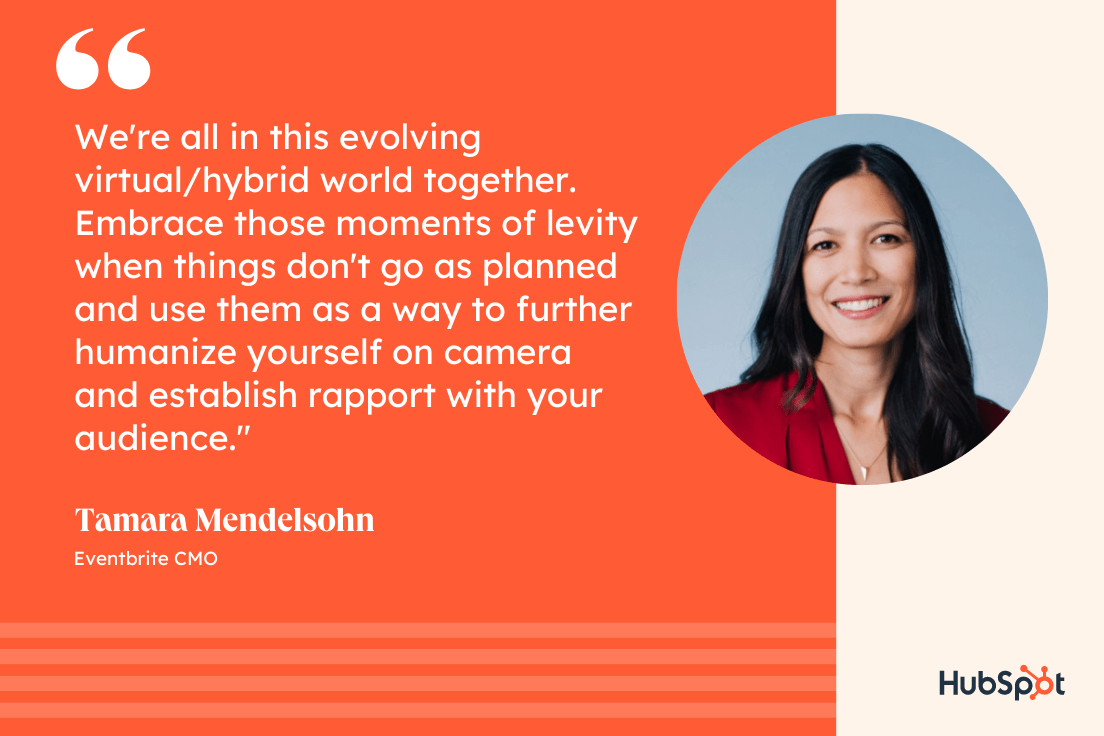
She adds, “We’re all in this evolving virtual/hybrid world together. Embrace those moments of levity when things don’t go as planned and use them as a way to further humanize yourself on camera and establish rapport with your audience.”
Now that we’ve explored a few best practices, let’s dive into tools that can help you create your own virtual conference.
Virtual Conferencing Tools
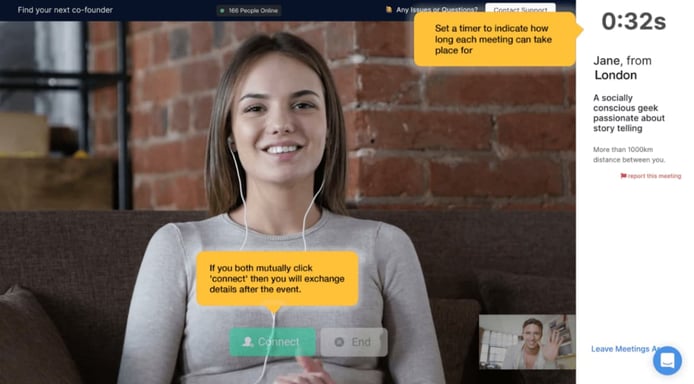
1. Hopin
Hopin is an all-in-one platform for planning online conferences, offering everything from a virtual reception to breakout sessions, a mainstage, and networking events.
The networking tool is particularly helpful, with a timer you can set for each attendee to mingle with another for just a couple minutes before moving onto the next conversation (and, if the conversation goes exceptionally well, they can click “Connect” to receive contact information of the other attendee to follow-up later).
Your event can include both webinars and live-streams, and a Live Chat function enables attendees to ask questions in real-time. Additionally, attendees can use virtual booths to promote their products or services, and offer discounts as well.
2. Whova
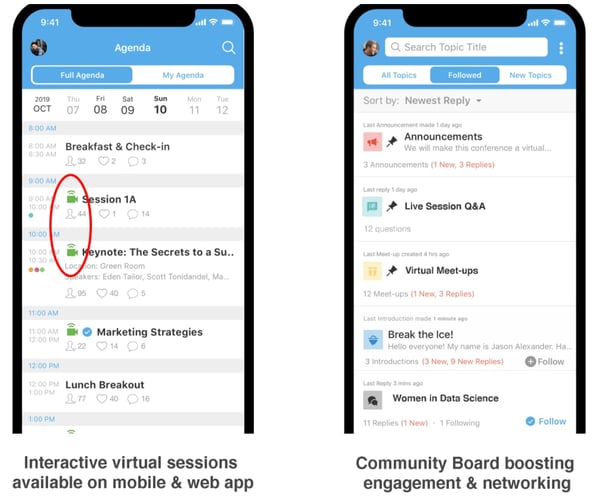
The Whova Event App has been a leader in attendee engagement and networking since 2014. For four years in a row, Whova has received both the Best Event App award and the People’s Choice Award from the Event Technology Awards.
Event organizers can use Whova to help make online events highly interactive, fun, and productive before, during, and after the event. The tool directly integrates with live streaming and video hosting tools such as Zoom, Google Hangout, YouTube, Vimeo, etc. It also provides live Q&A, attendee networking, a discussion board, meeting-matches, a virtual exhibitor hall, and even virtual meet-ups.
Many organizers provide access to the Whova app prior to their events to let attendees virtually socialize and discuss various topics, one-on-one or in virtual groups, making everyone feel more connected by the time the event comes around. Every attendee has a professional profile, allowing them to find others with whom they have common interests. The ice breaker and in-app chat, in particular, make it fun for strangers to get to know one another on a personal level and communicate with both new and old friends.
3. Accelevents
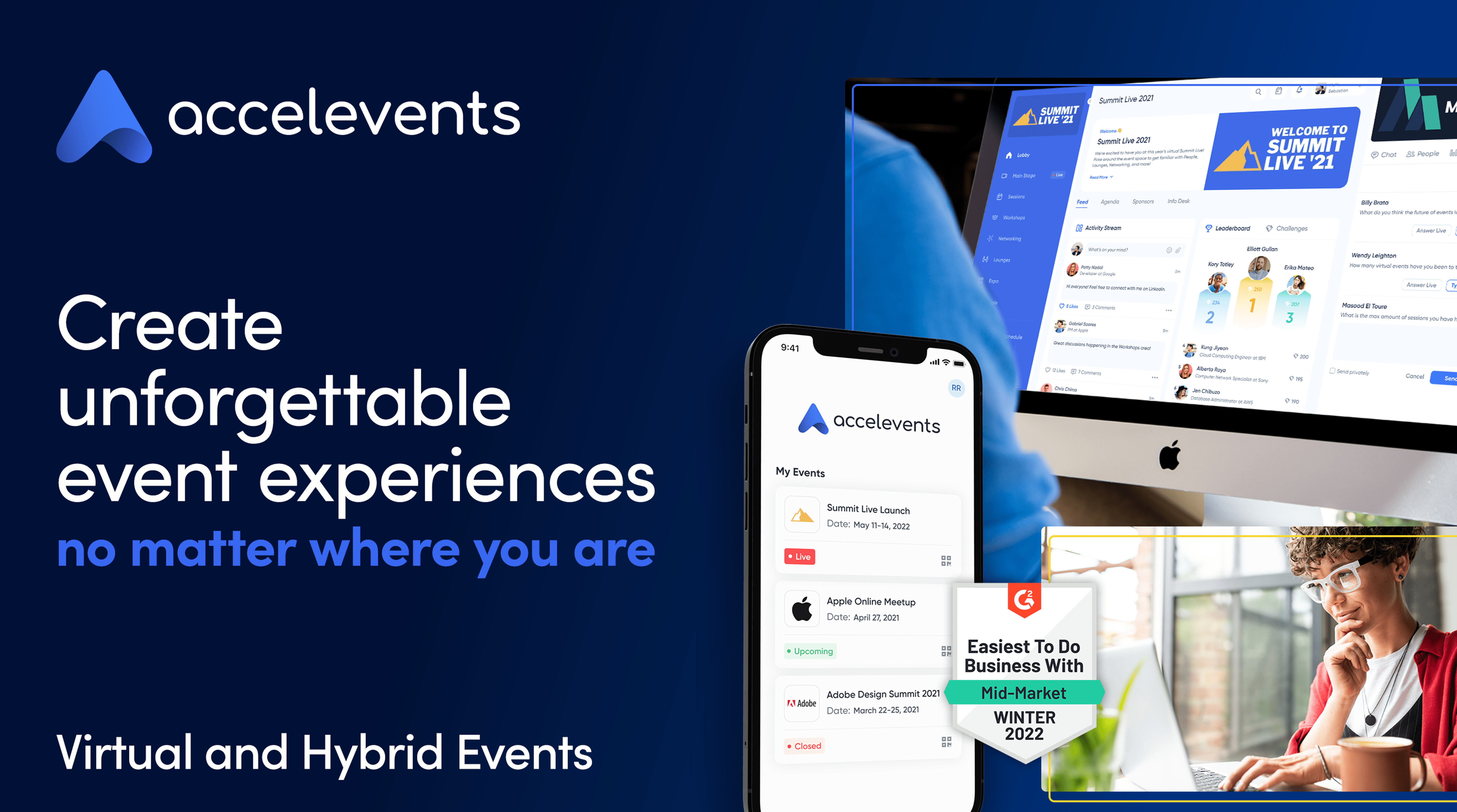
Accelevents is a customizable and flexible event platform for running virtual, hybrid, and in-person conferences. It is a robust platform offering powerful registration, true white labeling, integrated live streaming, in-depth analytics, and numerous exhibitor and sponsor opportunities. Although the platform is intuitive, they still take support seriously with an average response time of fewer than 30 seconds.
They are known for their suite of networking tools which provide powerful attendee engagement. Among the networking tools are lounges, workshops, 1:1 attendee video, automated speed networking, and live attendee chat.
In addition, exhibitors and sponsors have the ability to customize their own booth and engage in video chat with their prospects that visit their booth. The build-in gamification and push notification tools are a great way to drive further engagement throughout the event. They can also advertise on banners displayed throughout the platform and have easy access to lead management and insightful exhibitor analytics.
Examples of Virtual Conferences
Game Developers Conference
The 2022 Game Developers Conference (GDC) switched its in-person conferences to streaming recorded versions on the GDC Twitch channel. The conference will still have ceremonies for The Independent Games Festival (IGF) and Game Developers Choice Awards (GDCA), and will stream session content starting 9 AM PT daily, March 16-20.
The GDC has a well-organized itinerary posted on their website, with breakout sessions led by influencers and experts in the Gaming industry.
Additionally, you’re able to pause Live sessions if you’re interested in watching at a later time, and the GDC has included “Recommended Channels” with headcounts on the left side of the screen. With some sessions evoking over 30,000 viewers, it’s safe to say the GDC has successfully launched a virtual version of their initially in-person event.
2. HubSpot’s Partner Day
On April 7-8, 2020, HubSpot launched its own virtual Partner Day. The Partner team used Zoom, a popular video conferencing tool, and sent each presenter a “video kit” with a mic, camera, lighting, and backdrop, so that participants could experience an optimal viewing experience from each of the day’s virtual speakers. Additionally, attendees used Zoom to network with other partners.
I spoke with Arden Brust, a Manager on HubSpot’s Partner Marketing team, to learn about some challenges you might experience when planning a virtual experience of your own.
Brust told me: “When planning an online event, it’s critical you remain flexible and open-minded. With a virtual event, you run the risk of technology issues, as well as scheduling issues you might not have considered if you had everyone in-person (including timezone issues). To combat this, continue to iterate with your team and plan on pivoting — don’t get too attached to plan A that you don’t consider how plan B might work out better.”
3. How I Built This, by Women In Product
With the help of the Run The World virtual conferencing tool, the non-profit organization Women In Product launched an entirely virtual event March 7-8, 2020. The Women In Product conference included participants from China, India, Canada, and Silicon Valley.
The conference featured 10 speakers who’ve built successful products — including the Director of Product at GoDaddy, a PayPal Product Lead, and a Senior Product Manager at Ebay. The virtual event included fireside chats, keynote speakers, and networking events that enabled women to hear about the challenges and successes of product launches in different markets.
4. Webinar Mastery Summit
Jon Schumacher had hosted webinars online for a while with minimal results when he launched the Webinar Mastery Summit, a virtual conference for people who wanted to advance their webinar skills.
His first virtual summit featured 25 experts, and generated 7,000 new email subscribers and over $55,000 in revenue with his All-Access Pass sales. With All-Access, his participants receive lifetime access to 17 expert video sessions, full MP3 recordings of all sessions, three months of course creation software, and access to a private community for additional networking.
Ultimately, with virtual conferences, you’re able to create recorded packaged content for future lead generation and sales even after the initial live launch — something in-person conferences, for all its networking benefits, is unable to do.
5. HubSpot User Groups (HUGs)
Meghann Keogh, a HubSpot Marketing Manager in charge of HubSpot User Groups and Events, has experienced circumstances in which she found it necessary to cancel in-person events and create virtual ones, instead. Keogh told me she’s hosted virtual HUGs events for San Francisco, NYC, Berlin, London, Helsinki, Paris, Bogota & Mexico City.
Additionally, she’s created virtual fireside chats, including an upcoming one with CEO & Co-Founder Brian Halligan & Christian Kinnear, VP of Sales & Managing Director EMEA.
When asked how to run a successful virtual event, Keogh told me — “Whether in-person or virtually, people are hungry to connect. The feedback we have received so far has been extremely positive. It’s not just cities that are connecting, it’s countries.”
“What’s made our virtual events a success so far? Our amazing speakers who inspire, educate, and innovate our HUG communities.”
Keogh adds, “We’re committed to bringing relevant content to our HUGs, whether that’s in-person or virtually. We want to make sure our communities still have that chance to engage with one another, and we’re devoted to making that happen.”

20 Great Examples of PowerPoint Presentation Design [+ Templates]
When it comes to PowerPoint presentation design, there’s no shortage of avenues you can take.
While all that choice — colors, formats, visuals, fonts — can feel liberating, it’s important that you’re careful in your selection as not all design combinations add up to success. We’re not saying there’s one right way to design your next PowerPoint presentation, but we are saying there are some designs that make more sense than others.
In this blog post, you’ll learn how to create an awesome PowerPoint deck and then see real presentations that nail it in exactly their own way.

What makes a good PowerPoint presentation?
A great PowerPoint presentation gets the point across succinctly while using a design that builds upon the point, and doesn’t detract from it. The following aspects make for a great PowerPoint presentation:
1. Minimal Animations and Transitions
Believe it or not, animations and transitions can take away from your PowerPoint presentation. Why? Well, they distract from the design you worked so hard on — and from your content, too.
A good PowerPoint presentation keeps the focus on your argument by keeping animations and transitions to a minimum. That said, you don’t have to eliminate them all. You can use them tastefully and sparingly to emphasize a point or bring attention to a certain part of an image.
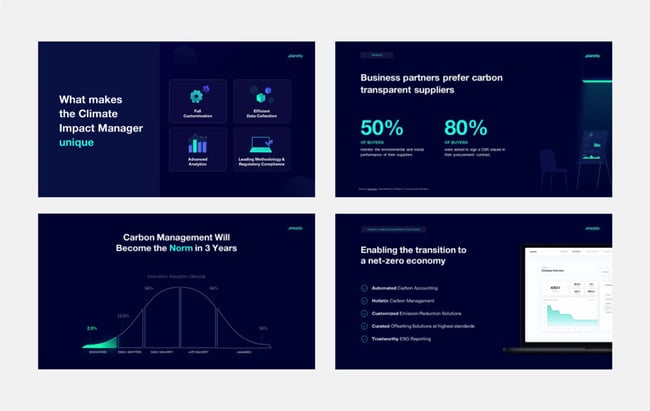
2. Cohesive Color Palette
It’s worth reviewing color theory when creating your next PowerPoint presentation. A cohesive color palette uses complementary and analogous colors to draw the audience’s attention, emphasize certain aspects, and deemphasize bits of information that the audience might not need at a certain point in time.
3. Contextualized Visuals
An image does speak more than words. And it’s been proven that the human brain is wired to process visuals much faster than words. Take advantage of that by including graphs, photos, and illustrations that can help you build upon your point while keeping your audience’s interest.
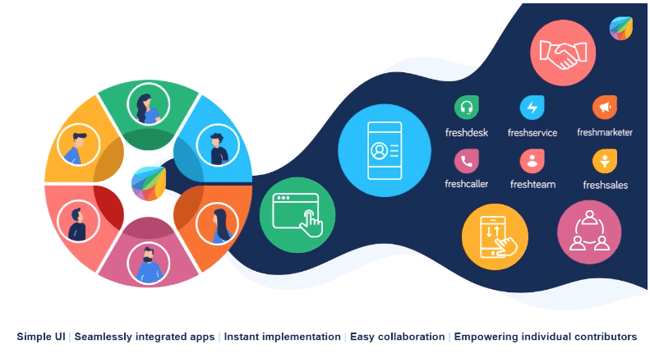
Make sure you contextualize those visuals by explaining verbally why that image is there. Otherwise, it’ll be distracting to the audience and may potentially cause more questions than answers.
PowerPoint Design Ideas
It’s impossible for us to tell you which design ideas you should go after in your next PowerPoint, because, well, we don’t know what the goal of your presentation is. Luckily, new versions of PowerPoint actually suggest ideas for you based on the content you’re presenting. This can help you keep up with the latest trends in presentation design.
In PowerPoint 2016 and later, PowerPoint is filled with interesting boilerplate designs you can start with. To find these suggestions, open PowerPoint and click the “Design” tab in your top navigation bar. Then, on the far right side, you’ll see the following options:
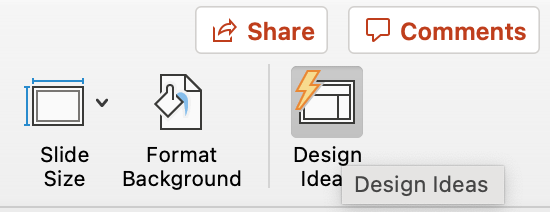
Click the “Design Ideas” option under this Design tab, as shown in the screenshot above. This icon will reveal a vertical list of interesting slide layouts based on what your slides already have on them.
Don’t have any content on your slides yet? You can easily shuffle this vertical list of slide design ideas by clicking various themes inside the color carousel to the far left of the Design Ideas icon, as shown below:
 As you browse and select from the themes shown above, the Design Ideas pane to the right will interpret them and come up with layouts. Below, we’ve included some of our favorite ones.
In case you’re curious, we’ve used Avenir as the font in the following PowerPoint design ideas.
Atlas (Theme)
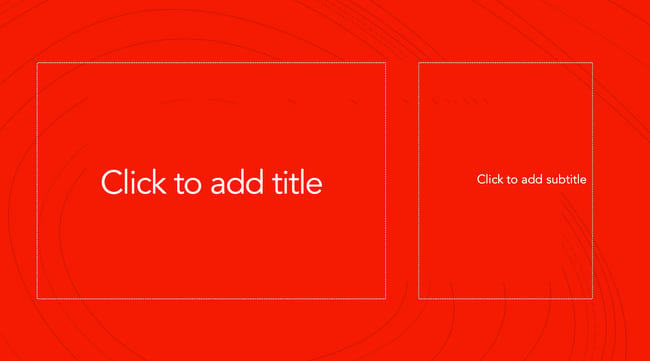 Covering a more creative subject for a younger or more energetic audience? On behalf of PowerPoint, might we suggest the cover slide design above? Its vibrant red background and fun lines will appeal to your audience.
Madison (Theme)
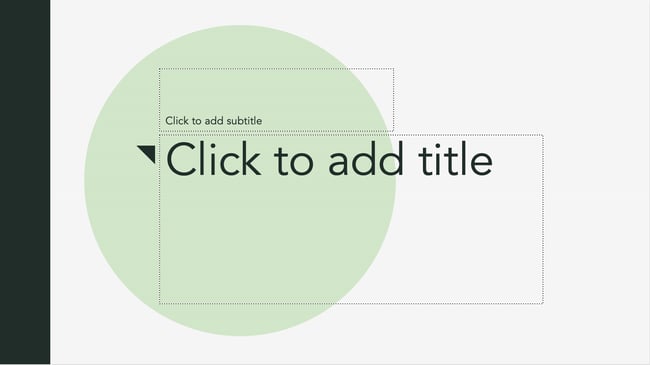 This design doesn’t have the intensity of the first slide on this list, but it maintains a sense of informality that all PowerPoint presentations benefit from.
Parcel (Theme)
 The color-blocked look in the design above sets a fun but relaxing tone for the audience.
Crop (Theme)
 This PowerPoint design idea uses graphic elements such as lines and bars to give structure, contrast, and modern flair to your slides.
Badge (Theme)
 We’re particularly fond of this PowerPoint design style. By using lines and contrasting elements — like a burst, as shown above — you add depth to your slides. This can help your content capture and hold your audience’s attention more easily.
If you’re not fond of the built-in PowerPoint design themes, you can always download a free PowerPoint template and input your content onto pre-made slide styles.
Let’s take a look at the best ones you can download below.
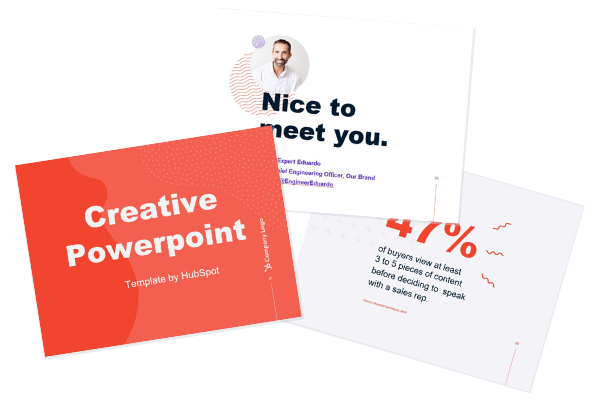
Creative PowerPoint (Template)
This presentation template uses bright colors and plenty of white space to convey a modern but fun design. Organic shapes and geometric lines and patterns provide an extra visual element to the slides, achieving depth and personality. Get it here.
Download These Templates for Free
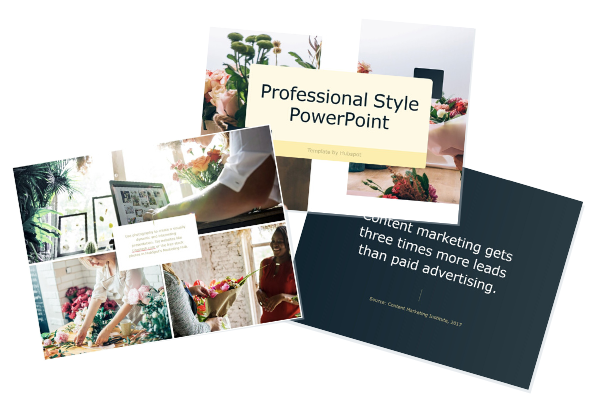
Professional Style PowerPoint (Template)
These PowerPoint slides use more neutral colors and fonts to create a calm and elegant vibe. It also pushes the presentation creator to use quality images to convey their points. Get it here.
Download These Templates for Free
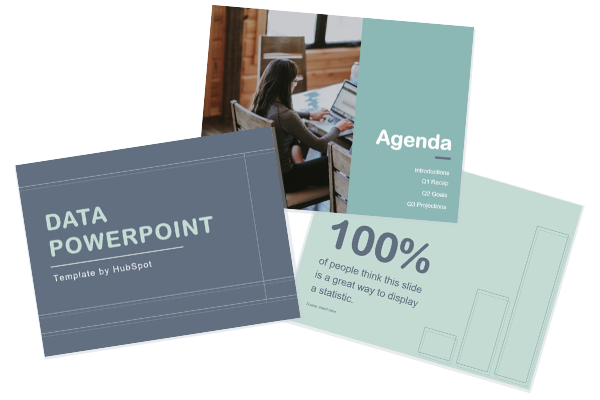
Data PowerPoint (Template)
This template uses a rounded font to draw sharp contrast with the lines and graphs that will populate the presentation. If you want to offer engaging visuals with number-crunching content, the slide design ideas in this template are a great choice. Get it here.
Download These Templates for Free
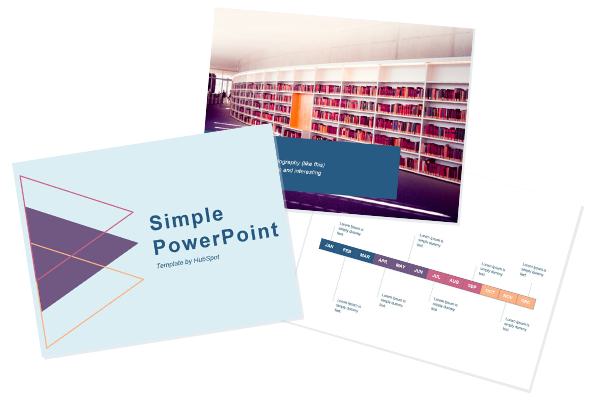
Simple PowerPoint (Template)
By pairing vibrant colors with pale ones, this PowerPoint gives an understated feel, which can draw attention to the content while still being visually engaging. Get it here.
Download These Templates for Free
Instead of a presentation, you can also create an infographic in PowerPoint to effectively capture your audience’s attention.
Good Examples of PowerPoint Presentation Design
To see some examples of the best PowerPoint presentation designs, check out the following decks.
1. “The Search for Meaning in B2B Marketing,” Velocity Partners
We’ve said it once, and we’ll say it again: We love this presentation from Velocity Partner’s Co-Founder Doug Kessler. Not only is the content remarkable, but the design is also quite clever. While each slide employs the same background visual, the copy in the notebook unfolds brilliantly through a series of colorful doodles and bold text. This gives the presentation a personal feel, which aligns with the self-reflective nature of the concept.
2. “You Don’t Suck at PowerPoint,” Jesse Desjardins
If the contrast used throughout this PowerPoint presentation design were a human, we’d marry it. This skillful presentation from Jesse Desjardins employs the perfect color palette: balancing black and white photos with pops of fluorescent pink, yellow, and blue. The cheeky vintage photos work to reinforce the copy on each slide, making the presentation both interesting and visually appealing.
3. “Accelerating Innovation in Energy,” Accenture
Balancing visual backgrounds with text isn’t easy. More often than not, the text is formatted in a way that winds up getting lost in the image. This presentation from Accenture combated this issue by combining shapes and graphics to create contrast between the text and the background. Well done.
4. “Visual Design with Data,” Seth Familian
When you’re tasked with presenting a lot of information in a little bit of time, things can get sort of messy. To simplify this type of presentation, it’s a good idea to use a visual agenda like the one shown above. This index clearly signifies the start and finish of each section to make it easier for the viewer to follow along and keep track of the information. The presenter takes it further by including an additional agenda for each exercise, so that the audience knows what they’re supposed to do.
5. “How to Craft Your Company’s Storytelling Voice,” MarketingProfs
Do you love these hand-drawn illustrations or do you love these hand-drawn illustrations? I mean, c’mon, this is amazing. Certainly, it would have been easier to generate these designs online, but this approach highlights MarketingProf’s commitment to investing the time and thought it takes to create an out-of-the-box piece of content. And as a result, this presentation stands out in the best way possible.
6. “Blitzscaling: Book Trailer,” Reid Hoffman
If you’re going to go the minimalistic route, take note of this PowerPoint presentation example from Reid Hoffman. This clean design adheres to a simple, consistent color scheme with clean graphics peppered throughout to make the slides more visually interesting. Overall there are no frills or unnecessary additions, which allows the informative content to take priority.
7. “Healthcare Napkins,” Dan Roam
This presentation dates back to 2009, but the design is still as good as ever. The colorful, quirky doodles help tell the story while also serving as an interesting way to illustrate data (see slides 20 and 21). For visual learners, this approach is much more inviting than a series of slides riddled with text-heavy bullet points.
8. “One Can Be Diverse: An Essay on Diversity,” With Company
This presentation employs both powerful images and modern typography to illustrate the point. While many of the slides contain long quotes, they are broken up in a way that makes them easily digestible. Not to mention all of the text is crisp, clean, and concise.
9. “10 Things your Audience Hates About your Presentation,” Stinson
his simplistic presentation example employs several different colors and font weights, but instead of coming off as disconnected, the varied colors work with one another to create contrast and call out specific concepts. Also, the big, bold numbers help set the reader’s expectations, as they clearly signify how far along the viewer is in the list of tips.
10. “Pixar’s 22 Rules to Phenomenal Storytelling,” Gavin McMahon
This presentation by Gavin McMahon features color in all the right places. While each of the background images boasts a bright, spotlight-like design, all the characters are intentionally blacked out. This helps keep the focus on the tips, while still incorporating visuals. Not to mention, it’s still easy for the viewer to identify each character without the details. (I found you on slide eight, Nemo.)
11. “Facebook Engagement and Activity Report,” We Are Social
Here’s another great example of data visualization in the wild. Rather than displaying numbers and statistics straight up, this presentation calls upon interesting, colorful graphs, and charts to present the information in a way that just makes sense.
12. “The GaryVee Content Model,” Gary Vaynerchuk
This wouldn’t be a true Gary Vaynerchuk presentation if it wasn’t a little loud, am I right? Aside from the fact that we love the eye-catching, bright yellow background, Vaynerchuk does a great job of incorporating screenshots on each slide to create a visual tutorial that coincides with the tips. He also does a great job including a visual table of contents that shows your progress as you go through the presentation (and aligns with the steps of content marketing, too).
13. “20 Tweetable Quotes to Inspire Marketing & Design Creative Genius,” IMPACT Branding & Design
We’ve all seen our fair share of quote-chronicling presentations but that isn’t to say they were all done well. Often times the background images are poor quality, the text is too small, or there isn’t enough contrast. Well, this professional PowerPoint presentation from IMPACT Branding & Design suffers from none of said challenges. The colorful filters over each background image create just enough contrast for the quotes to stand out.
14. “The Great State of Design,” Stacy Kvernmo
This presentation offers up a lot of information in a way that doesn’t feel overwhelming. The contrasting colors create visual interest and “pop,” and the comic images (slides 6 through 12) are used to make the information seem less buttoned-up. Once the presentation gets to the CSS section, it takes users slowly through the information so that they’re not overwhelmed.
15. “Clickbait: A Guide To Writing Un-Ignorable Headlines,” Ethos3
Not going to lie, it was the title that convinced me to click through to this presentation but the awesome design kept me there once I arrived. This simple design adheres to a consistent color pattern and leverages bullet points and varied fonts to break up the text nicely.
16. “Digital Transformation in 50 Soundbites,” Julie Dodd
This design highlights a great alternative to the “text-over-image” display we’ve grown used to seeing. By leveraging a split-screen approach to each presentation slide, Julie Dodd was able to serve up a clean, legible quote without sacrificing the power of a strong visual.
17. “Fix Your Really Bad PowerPoint,” Slide Comet
When you’re creating a PowerPoint about how everyone’s PowerPoints stink, yours had better be terrific. The one above, based on the ebook by Seth Godin, keeps it simple without boring its audience. Its clever combinations of fonts, together with consistent color across each slide, ensure you’re neither overwhelmed nor unengaged.
18. “How Google Works,” Eric Schmidt
Simple, clever doodles tell the story of Google in a fun and creative way. This presentation reads almost like a storybook, making it easy to move from one slide to the next. This uncluttered approach provides viewers with an easy-to-understand explanation of a complicated topic.
19. “What Really Differentiates the Best Content Marketers From The Rest,” Ross Simmonds
Let’s be honest: These graphics are hard not to love. Rather than employing the same old stock photos we’ve seen time and time again, this unique design serves as a refreshing way to present information that’s both valuable and fun. We especially appreciate the author’s cartoonified self-portrait that closes out the presentation. Well played, Ross Simmonds.
20. “Be A Great Product Leader,” Adam Nash
This presentation by Adam Nash immediately draws attention by putting the company’s logo first — a great move if your company is well known. He uses popular images, such as ones of Megatron and Pinocchio, to drive his points home. In the same way, you can take advantage of popular images and media to keep the audience’s attention and deepen your arguments.
PowerPoint Presentation Examples for the Best Slide Presentation
Mastering a PowerPoint presentation begins with the design itself. Use the ideas above to create a presentation that engages your audience, builds upon your point, and helps you generate leads for your brand.
Editor’s note: This post was originally published in March 2013 and has been updated for comprehensiveness.

How to Manage Your Entire Marketing Budget [Free Budget Planner Templates]
The words “marketing budget” might strike fear into the heart of any marketing leader, but it’s a non-negotiable when creating and executing a marketing strategy for your company. Without the right funds, you won’t be able to capitalize on emerging marketing trends or create high-quality content that your audience will love enough to eventually make a purchase.
In this post, we’ll discuss how to manage your entire marketing budget from start to finish, then share eight templates to help you get started.
Marketing Budget for Small Business
Marketing budgets are especially important for small businesses. Small business owners may lack the experience drawing up budgets; moreover, it’s critical that these companies keep costs as low and lean as possible as they scale.
Ironically, you need marketing to scale. Without it, it’s hard to sell your products and services. In addition to the budgeting templates provided below, check out some of our free offers and courses to mitigate your company’s marketing costs.
Yet marketing budgets can be difficult to establish for companies of all sizes.
How much should a company spend on marketing?
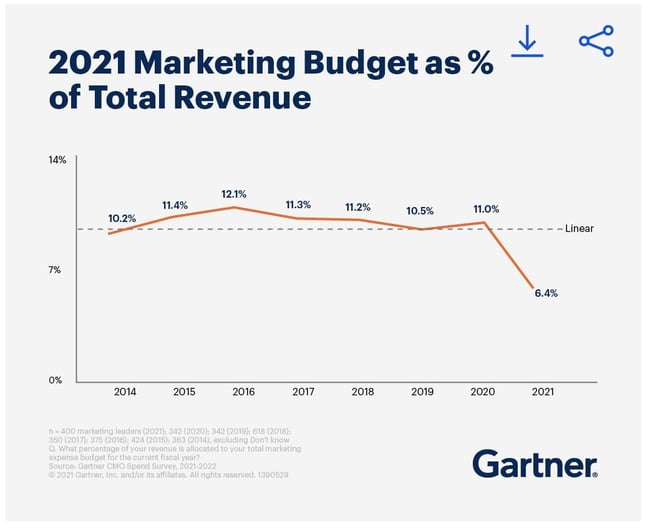
Well, digital media makes up more than half of both U.S. and global advertising spend. This includes initiatives that cater to audiences on desktop computers, search engines, video streaming platforms, social media, and mobile devices.
Given the success marketers have seen in it, you might consider planning to spend at least half of your marketing budget on some of these digital channels.
Let’s talk about other ways to allocate your marketing budget.
As you build a budget, there are a few items you’ll want to keep in mind when planning your marketing budget allocation.
Marketing Cost Examples
1. Software
When it comes to digital and even print media, you may need software to create your marketing campaigns or handle your daily processes. There’s a marketing tool for just about any task you can think of, but they are generally broken down into the following categories:
- Customer relationship management (CRM)
- Online advertising
- Social media
- Content creation and design
- Event marketing
- Lead capture and lead generation
- Marketing automation
- Data reporting and analytics
- Digital asset management
- Team collaboration
The costs of these tools can quickly add up, so it’s worth it to try out the free options until you’re ready to commit to a tool your team loves.
2. Freelancers
If you have a temporary campaign or want to test out a new marketing strategy, you might want to hire a short-term freelancer before bringing on a full-timer.
Reach out to your network for recommendations or consider using a site like UpWork. Freelancers typically charge an hourly rate, so be sure to examine your budget before hiring.
3. New Personnel
When you do hire full-time employees, you’ll want to budget costs including their computer, technology, benefits, and onboarding-related needs. According to research from Zippia, the average cost of hiring a new employee is $4,425.
4. Advertising
Budget how much money you’ll spend on paid opportunities such as physical ads, native ads, sponsored content, search engine ads, and social media promotions.
Most businesses will benefit from some form of online advertising whether via social media platforms, search engine, or native ads. Statista estimates there were an estimated 4.9 billion internet users worldwide as of 2021. If you’re not advertising online, you’re missing out.

5. Content Creation
When you create content such as videos, photos, or even blog posts, you’ll need to put paid time into it.
Content marketing brings in 3X as many leads as traditional options, so it’s worth dedicating funds to this area. Budget how much money will go into creating this content so you can adjust accordingly based on its return on investment.
Now that you know more about what to include in your budget, let’s look at how to those funds are spent.

If you’re not sure where to start with budget allocation, a good guideline to follow is the 70-20-10 rule. Using this as a benchmark:
- 70% of your budget is allocated toward strategies you know work well
- 20% of your budget is allocated toward new strategies aimed at helping you grow
- 10% of your budget is allocated toward experimental strategies
Marketing Cost Example
Let’s say your business has a marketing budget of $10,000. The budget allocation may look like this:
- $7,000 towards a CRM or other software you love, successful paid search campaigns, social media marketing
- $2,000 towards marketing a new product, feature, or service you’re testing
- $1,000 towards testing sponsored content
Allocation by Channel
How you allocate your budget per channel depends on your company’s particular goals, so there is no hard and fast rule. However, the chart below from Statista can give you a ballpark idea as it illustrates the share of marketing budgets from large companies across North America, the UK, Germany, and France.
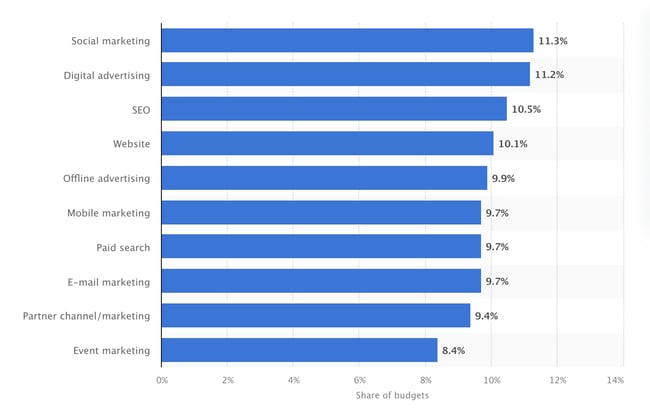
Organized by channel, you can see that the top spots belong to social marketing, digital advertising, and search engine optimization (SEO).
By 2023, it’s estimated that marketers will spend more than $52 billion on ads across websites or apps that are mainly eCommerce-focused. Let’s look at some examples of how these digital marketing costs apply to your budget.
Paid Search Advertising
You’re probably familiar with the ads at the top of a Google results page that show up above the list of search results. Those are a form of paid advertising called pay-per-click (PPC). You can create and run ads on Google, and each time someone clicks, you pay. The cost-per-click (CPC) can range anywhere from a few cents to a few dollars. You can use Google’s keyword planner to help estimate costs.
With this method, you only pay for clicks you receive. So even if you’ve set aside a budget of $2,000, your campaign may only generate $1,500 worth of clicks.
Social Media
Like Google Ads, social media platforms have advertising programs based on the PPC model, but also charge by impressions. The CPC of running a paid social campaign varies depending on the platform of choice, but ranges from a few cents to a several dollars.
Some companies may opt to hire an agency to run their campaigns and to create a social media strategy. Outsourcing this function is more expensive and can cost anywhere from $2,000 to $20,000 per month.
Content Marketing
Having a brand blog is a great way to get into content marketing, especially if you have in-house staff tasked with keeping it updated. Instead of a blog, you may be more interested in creating case studies, eBooks, videos or guides. They’re all designed to promote your brand and attract new customers.
Content marketing costs vary widely based on what your goals are and area of focus. Hiring outside consultants or agencies to handle content marketing for you can range from $2,000 to $10,000 per month for small to medium-sized businesses. While it isn’t cheap, paying an agency to handle this task will free up your team’s time to work on other projects and may yield better results than going solo.
Email Marketing
Email marketing is a must-have for businesses, especially online retailers. With a customer acquisition rate 40X more effective than Facebook and Twitter combined, it’s no surprise why this tried and true method is a staple in most marketing budgets. Email marketing also provides higher ROI as you’re connecting with people already interested in your brand.
Email marketing costs depend on the size of your business, your goals, and chosen software or platform. Hiring an outside firm to handle these efforts will cost significantly more than doing it yourself.
Search Engine Optimization
SEO aids marketing efforts by improving your webpages so that they show up in search engines like Google. The more often your website comes up in search, the more potential customers will see it and hopefully visit your website.
If you don’t have staff to handle your SEO needs in-house you may need to work with an agency. Depending on what your business needs are, this can cost thousands per month.
While the marketing channel choices can seem endless, don’t feel pressured to use all of them. Every business is different and you should prioritize putting funds toward the methods that best suit your needs.
Spreadsheet knowledge alone won’t help you understand how you’ll spend your marketing money this year. Creating a sound marketing budget starts with knowing what purpose this budget will serve and which marketing teams it will represent.
1. Know your buyer’s journey.
Your buyer’s journey is the steps your audience takes as they ‘journey’ from prospect to paying customer. Knowing your buyer’s journey allows you to understand how your audience interacts with your marketing — and where to set your goals and budget to better reach your customers.
Ask yourself these questions as you define your buyer’s journey:
- How do your leads and customers typically discover your products?
- What do they need to know before they make a purchase?
- How many site visits do you see per month?
- How many leads are you generating per month, and how many of these convert to paying customers?
- What is the cost of generating new leads and then converting them to customers?
- What’s the typical value/revenue of each lead?
This process should point out what marketing tactics are (and aren’t working), where you should alter your marketing goals, and where you can focus your marketing budget.
2. Align your budget with your marketing goals.
What you spend and where you spend it will depend on what you’re trying to accomplish.
So, when starting to create your marketing budget, make sure you’re only spending money on the things required by your current marketing goals — goals set based on your audience and their journey from prospect to customer. These could include:
- Display ads to promote a new product you’re launching this year.
- Sponsored social media posts to generate followers on your new Facebook page.
- Paid search engine ads to drive traffic (and purchases) to a specific product page.
- Contract bloggers to get more organic search traffic to your company’s website.
Former Demand Generation Marketer at HubSpot and current Head of Marketing at Tailscale, Jessica Webb Kennedy, says this about how your costs can change when focusing on lead generation vs. lead conversion: “The majority of the money you spend on paid efforts is usually calculated based on the volume of clicks or impressions. Because of this, you’ll often want to put more budget toward campaigns with higher-volume offers and audiences.”
“For example, a tweet or Facebook ad promoting a lead generation offer that leans more top of the funnel will likely receive more clicks than something that falls more toward the middle or bottom of the funnel,” she explains.
Your paid advertising costs will also change depending on how wide of an audience you are attempting to reach.
“You can look at Twitter advertising as an example,” Webb says. “You have to option to target your campaigns based on users’ interests or keywords searched for. Interests are a much broader category, whereas smaller pockets of users are searching for any given keyword, therefore your interests-based audience is going to be much larger and require a larger budget.”
3. Beware of hidden marketing costs.
One of the great advantages to having and maintaining a budget spreadsheet is that it helps you avoid those end-of-the-quarter or end-of-the-year freak-outs when you realize, “Whoa … what did I spend all that money on?”
In many cases, unanticipated costs can force marketers to fork over cash that they didn’t plan on spending. Product marketing offers a perfect example. According to former HubSpot VP of Marketing and current CMO at The Wanderlust Group, Meghan Keaney Anderson, it’s easy to forget that successfully marketing your products and services requires more than just promotion.
“When people allocate budget for product marketing, they tend to think in terms of product launches and promotional activities,” Anderson explains.
“That’s certainly an important part of it, but another area of focus to remember is setting aside resources to conduct research and message testing long before the product ever goes to market. Having conversations with customers about the pain points your product will ultimately address is critical to shaping the messaging and having a successful launch.”
4. Remember where your priorities lie.
Marketing is overflowing with add-ons and extras, upsells, and “premium” versions. One of the best ways to assess what’s nice to have versus what’s absolutely necessary is to (you guessed it) organize all of your expenses.
By keeping tabs on where your budget is being allocated, and cross-checking that spending with the results you’re getting, it will be much easier to figure out what should keep getting budget and what should get kicked to the curb.
For example, let’s look to the world of public relations. In PR, there are countless tools to which you can allocate budget, which could leave you overspending where it doesn’t matter — and underspending where it does.
“Tools abound to help PR practitioners not only create and distribute great content and find and target key stakeholders, but to ultimately measure reach and effectiveness,” says Nathaniel Eberle, HubSpot’s former Director of PR & Brand and GoTo’s current VP of Global Brand & Creative Management.
“The key is making sure you’re laser-focused on who you’re setting out to reach and influence, then ensuring that your budget supports how they’ll most likely want to receive (and share) your key messages.
“As the media and digital landscape evolves at breakneck speed, continually reassessing the tools, services, and programs you’re employing is a great way to determine real-time ROI of your overall spend. Today’s measurement tool may be worthless to you tomorrow.”
5. Spend your budget smartly.
When you open up these budget templates and check out all the various expenses detailed in them, don’t fret if you can’t tick every box. I’m not advocating for an “always spend more” approach to marketing.
I’m advocating for an “always spend smart” approach. The expenses listed out aren’t mandatory — they’re just meant to guide your thinking and to help ensure that you haven’t overlooked any hidden costs.
6. Prepare to measure ROI.
When you put a certain amount of money into a certain area, you’ll want to determine if your budgeting helped you or hurt you as you plan out future budgets. The best way to do this is by measuring ROI — or return on investment.
If the money you spend on one item results in your company making more in return, you may want to increase budget in the next year. If your money went nowhere, you should examine your budget.
Marketing Budget Templates
Using a marketing budget template can be useful when you’re not sure how to split or track your marketing costs. For instance, let’s say your company decided to invest in a website redesign to improve lead generation, and you’re responsible for managing the project. Naturally, one of the first questions you ask is, “How much is this website redesign going to cost?”
The answer, of course, is “it depends.” Are you simply switching to a new template and adding some new CTAs, or are you migrating your entire website to a new platform?
If only there were a way to organize your answers to all of these questions — a place where you could enter in estimated costs for all of your line items, and then compare your projected marketing budget to what you actually end up spending. Good news: Marketing budget templates can help.
Included in our eight marketing budget templates bundle is a template to manage your website redesign … as well as templates for both Excel and Google Sheets to help you track your content budget, paid advertising budget, event budget, and more.
With these templates, you’ll be able to manage all of the moving pieces of your budget at a monthly and quarterly level.
Use the Excel version of the templates to keep all of your budgets in one place. When you download the zip file, you’ll find a separate file for each marketing team, as well as a Master Budget Template to maintain a high-level view of your overall expenses.
Interested in sharing your marketing budget across a larger team? Try the Google Sheets version of our templates to share access with other Gmail users. For the Google Sheets templates, each team budget is found in a separate tab of the same Google Sheet.
No matter which version you choose, each budget is optimized with the same line items, tips, and graphs. Read on to learn how to use each budget template.
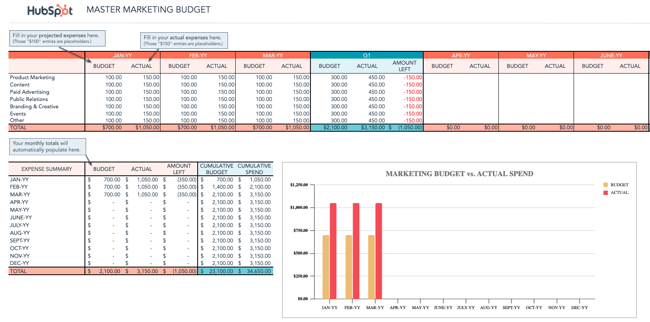
1. Master Marketing Budget Template
Download the Master Marketing Budget Template here.
While it’s helpful to have individual budget templates for specific marketing departments and activities, it’s also nice to be able to take a step back and see the bigger picture.
The Master Marketing Budget Template lets you do just that: It’s the place where you can collect the totals from the other seven templates in the bundle and see all of your expenses in one place.
Tour
Budget Overview from All Departments: In the first table, you get to see both your budget and actual spending from all marketing departments, including product marketing, content marketing, paid advertising, PR, branding and creative, and events.
Month-Over-Month Expense Summary: For a more bird’s eye view of all expenses, look at this table, where you can see the aggregated budget and actual spending for all marketing activities.
Marketing Budget vs. Actual Spend Chart: This chart allows you to pinpoint trends in spending and budgeting — where you came under and where you over-spent.
2. Product Marketing Budget Template
Download the Product Marketing Budget Template here.
This template will guide you step-by-step through the process of budgeting for a product launch. From determining product/market fit, to running user testing sessions, to promoting your finished product, our Product Marketing Budget Template will help ensure you don’t overlook any important expenses.
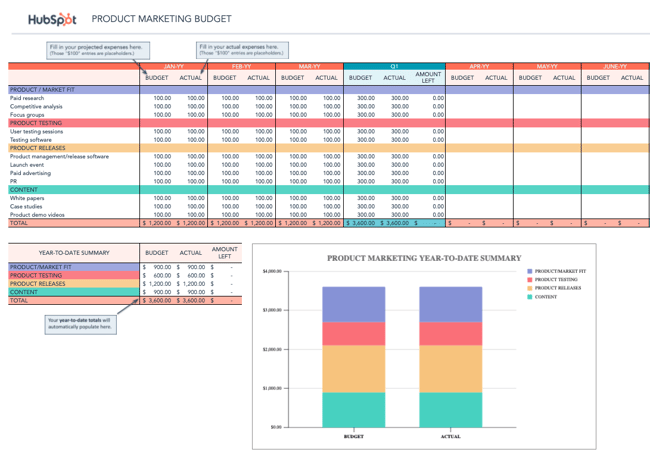
Tour
Budget & Spend per Product Marketing Activity: This table allows you to set a budget and track your spending for product marketing activities such as carrying out focus groups, hosting launch events, and creating white papers.
Year-to-Date Summary of Categorical Expenses: Here, you can see an aggregated summary of all expenses divided by category, such as product release spending and product testing. It will also automatically calculate the amount of money you have left.
Year-to-Date Summary Chart: This chart allows you to see a visual breakdown of where most of your funds are going, which is immensely helpful for figuring out where to scale back and where to invest more.
3. Content Budget Template
Download the Content Budget Template here.
The budget required for creating and promoting content can vary greatly from organization to organization. For example, while some organizations keep most of their content operations in-house, others rely more heavily on freelancers and contractors. And while some use many different software products, publishing tools, and services, others take a much simpler approach.
Our Content Budget Template is designed to cover as many content-related bases as possible. So, if you see any expenses listed that don’t apply to your organization, go ahead and delete them. (That’s the beauty of Excel spreadsheets: You can customize them to your specific needs.)
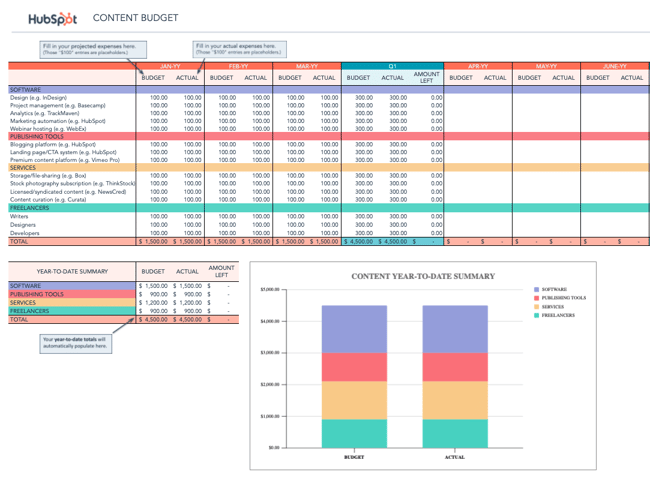
Tour
Budget & Spend per Content Marketing Activity: This table allows you to set a budget and track spending for content marketing activities, such as purchasing design software, creating landing pages, and hiring freelance writers.
Year-to-Date Summary of Categorical Expenses: Here, you can see an aggregated summary of all expenses divided by category, such as software purchases and freelancer costs. It will also automatically calculate the amount of money you have left.
Year-to-Date Summary Chart: This chart allows you to see a visual breakdown of where most of your funds are going, which is immensely helpful for figuring out where to scale back and where to invest more.
4. Paid Advertising Budget Template
Download the Paid Advertising Budget Template here.
Paid advertising: Does it really qualify as an inbound marketing tactic/channel? That is a loaded question, my friends, and one that I don’t have room to answer in-depth in this post.
What I can tell you for sure is that you can do paid advertising in an “inboundy” way — i.e. by targeting specific buyer personas and using paid advertising as a supplement to your organic efforts to help drive awareness and conversion opportunities.
Measuring the effectiveness of your paid advertising campaigns is also paramount to doing things the inbound way. Using our Paid Advertising Budget Template, you can keep tabs on your monthly (and quarterly) ad spending, and then cross-reference the amounts with your lead-generation metrics to determine your cost-per-lead.
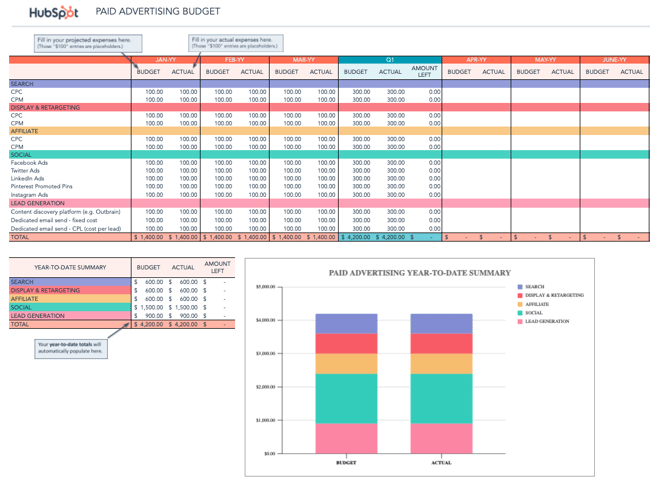
Tour
Budget & Spend per Paid Advertising Activity: This table allows you to set a budget and track spending for paid advertising activities, such as launching CPC campaigns, creating social media ads, and investing in a content discovery platform.
Year-to-Date Summary of Categorical Expenses: Here, you can see an aggregated summary of all expenses divided by category, such as search advertising and lead generation. It will also automatically calculate the amount of money you have left.
Year-to-Date Summary Chart: This chart allows you to see a visual breakdown of where most of your funds are going, which is immensely helpful for figuring out where to scale back and where to invest more.
5. Public Relations Budget Template
Download the Public Relations Budget Template here.
Public relations expenses amount to more than just paying for press releases. From reputation monitoring software, to traveling (e.g., to events and trade shows), to applying for awards, there are many PR costs that can be all too easy to overlook.
To ensure you’re accounting for all of your organization’s PR-related expenses, check out our Public Relations Budget Template.
Tour
Budget & Spend per Public Relations Activity: This table allows you to set a budget and track spending for PR activities, such as purchasing a press release service subscription, creating PR content, and hosting PR dinners.
Year-to-Date Summary of Categorical Expenses: Here, you can see an aggregated summary of all expenses divided by category, such as subscriptions, content, tradeshows, and media relations. It will also automatically calculate the amount of money you have left.
Year-to-Date Summary Chart: This chart allows you to see a visual breakdown of where most of your funds are going, which is immensely helpful for figuring out where to scale back and where to invest more.
6. Branding & Creative Budget Template
Download the Creative Budget Template here.
In order to produce high-quality, innovative graphics, videos, and other content, the branding and creative teams of today need more than just Photoshop … a lot more. One of the largest — and often most overlooked — expenses is storage.
If your organization is producing a lot of video, storage is especially important. Because as it turns out, when budgeting for video storage, you shouldn’t be thinking on a megabyte (MB) or even a gigabyte (GB) scale, but on a terabyte (TB) scale. FYI: 1 terabyte = 1 trillion bytes. You can keep track of all your storage costs (and other branding and creative costs) using our free template.
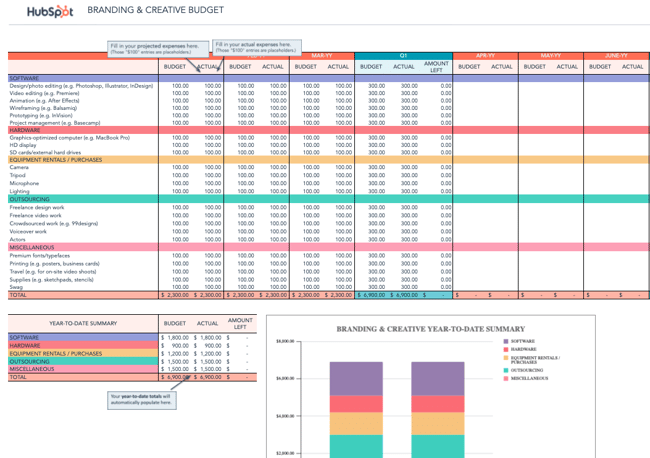
Tour
Budget & Spend per Branding & Creative Activity: This table allows you to set a budget and track spending for branding and creative activities, such as purchasing creative software, investing in hardware, and renting equipment.
Year-to-Date Summary of Categorical Expenses: Here, you can see an aggregated summary of all expenses divided by category, such as software subscriptions, equipment rentals, and outsourcing costs. It will also automatically calculate the amount of money you have left.
Year-to-Date Summary Chart: This chart allows you to see a visual breakdown of where most of your funds are going, which is immensely helpful for figuring out where to scale back and where to invest more.
7. Website Redesign Budget Template
Download the Website Redesign Budget Template here.
Budgeting for a website redesign can be seriously tricky. With so many moving pieces to consider, there is a lot of room for underestimating or miscalculating costs. We created our Website Redesign Budget Template so you can keep all of your redesign-related expenses in one convenient location.
Unsure if your current website is right for a redesign? Grade your website using this tool.
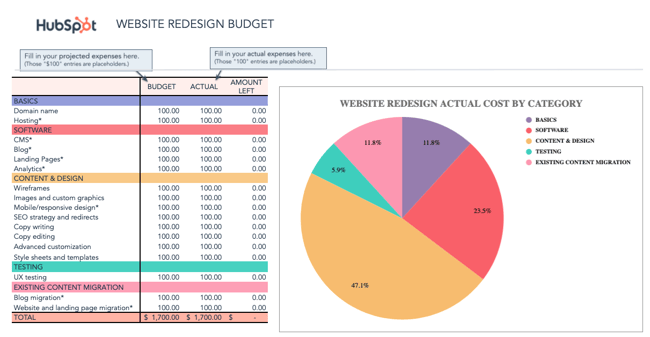
Tour
Budget & Spend per Website Redesign Activity: This table allows you to set a budget and track spending for website redesign activities, such as purchasing a domain name, investing in CMS software, and creating wireframes.
Year-to-Date Summary of Categorical Expenses: Here, you can see an aggregated summary of all expenses divided by category, such as software, content and design, and content migration. It will also automatically calculate the amount of money you have left.
Website Redesign “Actual Cost by Category” Pie Chart: This chart allows you to see a percentage breakdown of where most of your funds are going, which is immensely helpful for figuring out where to scale back and where to invest more.
8. Event Budget Template
Download the Event Budget Template here.
When planning an event, the associated costs can seem obvious at first. There’s the venue to consider, of course. And the P.A. system and microphones. And then the costs associated with booking and bringing in presenters/performers. That’s pretty much it, right?
Wrong.
For example, does the venue come with tables/chairs, or will you have to rent those separately? Do you want your attendees to wear name tags, and if so, will you be printing out the name tags ahead of time or will attendees be writing their own names on blank tags?
If the latter, have you factored in the pens or markers you’ll need to accommodate that? As you can see, planning for an event can lead you down many rabbit holes.
Use our Event Budget Template to stay organized.
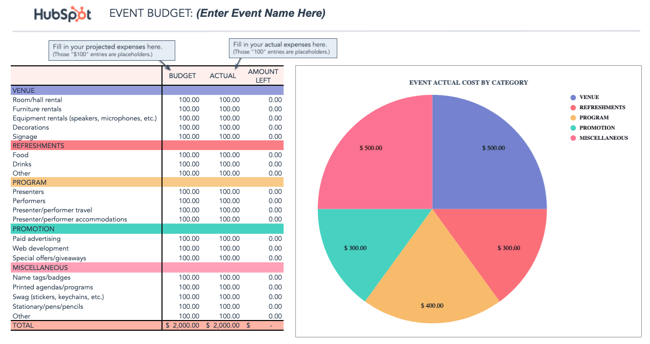
Tour
Budget & Spend per Event Hosting Activity: This table allows you to set a budget and track spending for event hosting activities, such as renting an event hall, purchasing food and drinks, and hiring presenters.
Year-to-Date Summary of Categorical Expenses: Here, you can see an aggregated summary of all expenses divided by category, such as revenue, refreshments, and promotion. It will also automatically calculate the amount of money you have left.
Event “Actual Cost by Category” Pie Chart: This chart allows you to see a percentage breakdown of where most of your funds are going, which is immensely helpful for figuring out where to scale back and where to invest more.
Sample Marketing Budget
With your chosen template downloaded, it’s time to consider which digital channels to allot a budget for. Hint: There’s no right answer — it’ll depend on the market research you do to figure out where your specific audience spends most of its time.
If you find your buyer prefers learning and consuming content in the form of video, for example, you might invest more of your money in YouTube advertising.
Advertising Budget Example
Here’s a small sample budget for a quarter’s worth of expenses by a hypothetical company that has decided to invest heavily in video marketing. This template was created using the Master Budget Template, the first template listed in the section above.
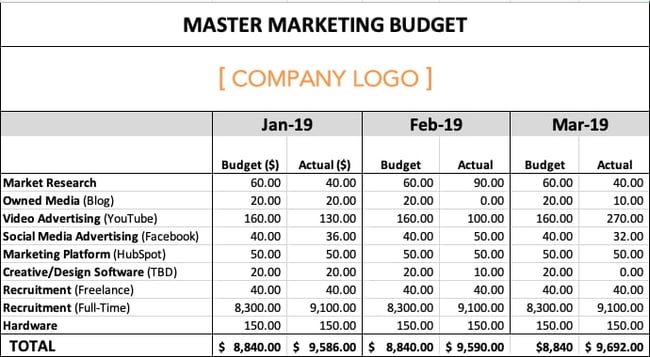
Based on the figures above, video advertising’s total expenses for the quarter exceeded budget by $20, while full-time recruitment’s total expenses exceeded budget by $2,400. This means the company is trending over budget for the first three months of the year.
Why might this happen? Perhaps a pay-per-click (PPC) campaign on YouTube received more clicks by viewers than expected, and a sharp video-savvy job candidate negotiated a higher salary.
Based on the difference between this company’s planned spend and actual spend, their budget template produced the following graph: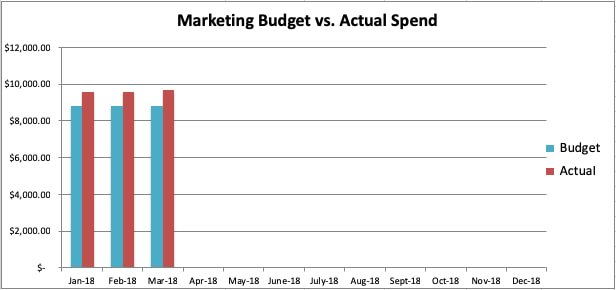
Create a Marketing Budget That Prioritizes Your Goals
A well-thought out marketing budget serves as roadmap to your team’s success. Revisit the buyer’s journey, flesh out your goals, and stay away from tempting add-ons that are not in line with your marketing priorities.
Go now, and plan wisely — your marketing staff is counting on you.
Editor’s Note: This blog post was originally published in December 2015 and has been updated for comprehensiveness.


101 Blog Post Ideas to Refresh Your Content Marketing Strategy
When you have an active website, consistently coming up with blog ideas can be a challenge. So, what do you do when it feels like you’ve written about everything under the sun?

Even the most seasoned marketers could use an occasional brainstorming boost. If you need inspiration, here are 101 of the best blog post ideas for your content marketing strategy.
Table of Contents
- Multimedia Blog Post Ideas
- Data-Driven Blog Post Ideas
- Community Engagement Blog Post Ideas
- Instructional (Guides and How-to) Blog Post Ideas
- Multichannel Integration Blog Post Ideas
- Thought Leadership Blog Post Ideas
- Content Marketing Blog Post Ideas
- Miscellaneous/Fun Blog Post Ideas
Blog Post Ideas
Multimedia Blog Post Ideas
Multimedia blog posts focus on using a piece of media — whether that’s a video, a podcast, or a graphic — to tell a story or share information.
The key to success with this type of blog post is to make it shareable. Whichever multimedia element you choose to include, make sure it’s original and branded so that when it gets shared, people will connect it back to your company.
1. Write a listicle blog post using GIFs that your readers can relate to.
2. Create an interactive quiz, such as “Which type of marketer are you?” or “How well do you know [insert topic]?”
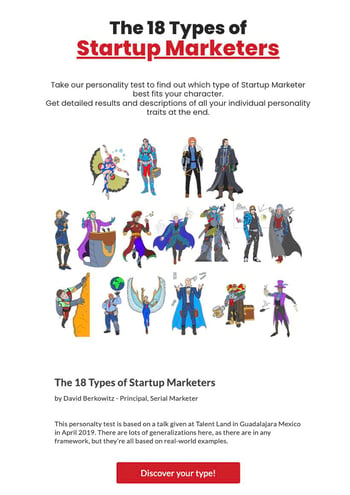
3. Recap your latest company event with photos and/or videos.
4. Share a video product demo.
5. Create a branded graphic that demonstrates your process or strategy.
6. Make a video that highlights your industry and write a post about it.
7. Start a podcast and transcribe each episode into blog posts.
8. Record an interview with a customer and conduct a corresponding write-up.
9. Upload a photo diary of how your company celebrates culture.
10. Create an infographic about industry best practices or trends.
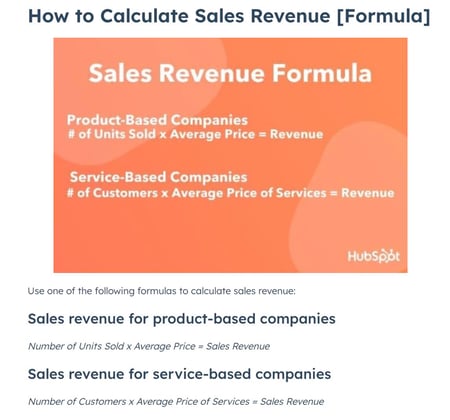
Data-Driven Blog Post Ideas
Data-driven blog posts rely on data and industry insights to make a point. While this information can be sourced from other brands or industry reports, using original data to demonstrate your company’s role in the space can result in more unique blog posts.
11. “We Asked X Experts About [insert topic]; Here Are Their Best Tips.”
12. Survey industry professionals to gather data on their challenges/processes/tools/best practices, and share the results in a blog post.
13. Make an infographic about your analytics and break down the pros and cons of each.
14. Research the most important statistics for your industry and compile a comprehensive list.
15. Break down your blog traffic and explain how you generated it for each channel.
16. Share the best apps your team uses to get work done.
17. Make a list of the best tools for your industry.
18. Explain your company’s knowledge base and why it matters.
19. Do an in-depth case study about your customers and examine the results.
20. Research your customers’ favorite products and share the results.
21. “Here Are X Stats Every [Role] Should Know.”
Community Engagement Blog Post Ideas
If you are part of a niche or local community, then these blog ideas are for you. Community engagement topics are a way to spotlight key players doing great things in an effort to boost company culture, brand loyalty, or employee morale.
22. Spotlight local leaders or companies in your field.
23. Interview a local business owner.
24. Create a survey about your area’s business ecosystem and share the key findings.
25. Highlight user-generated content.
26. Spotlight a client and share a story about their business.
27. Share real-life examples of your product use cases.
28. Spotlight employee stories to inspire your audience.

29. Ask for guest posts from community members.
30. Run a product or service giveaway for readers.
31. Throw a community-based event and recap it on the blog.
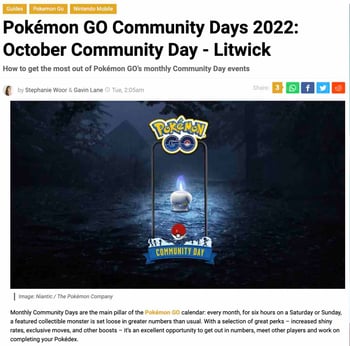
Instructional (Guides and How-to) Blog Post Ideas
A common blog post category for B2B and B2C companies that want to improve their SEO is how-to posts. These types of blog posts explain how to do something or answer a question readers are searching for.
To get more insight into what questions or topics your customers are searching for online, look up a search term relevant to your blog and look at the “People Also Ask” section of the search results. You can then use these questions to help guide your blog strategy.
32. A list of “musts” for a career in your field.
33. Interview an industry heavy-hitter about their tips for businesses.
34. Post a series on how to land a job in [your industry].

35. Write a roundup about “X Things I Wish I Knew When I First Started.”
36. How to gain the right skill set to advance in your career.
37. The hardest part of your job — and how you tackle that.
38. Tips to handle burnout.
39. Write an ultimate guide.
40. Create pillar pages, or topic pages that link to a variety of other articles on the same subject.
41. Bust common myths about your field.
42. Demo how to use a specific social media channel.
43. Write about how to properly research and collect data for reports.
44. Recommend the best tools for completing daily tasks related to your product or industry.
45. Share the benefits of a current trend your company has mastered.
46. Answer the top questions people have about your industry.
47. Break down how to write a blog post using your own blog as an example.
Multichannel Integration Blog Post Ideas
Your company’s blog is just one channel for your marketing strategy. For blog ideas that focus on multichannel integration, the key is to share the marketing methods you use on your other channels like email and social media.
48. Discuss top social media trends.
49. Explain how your most recent Instagram Live session engaged your audience.
50. Rank the top-performing social media channels for your brand.
51. Dive into a social network’s latest update.
52. Explain how you use Instagram Reels to grow your engagement.
53. Spotlight a brand killing it among multiple social channels.
54. Share the best Twitter threads you’ve seen about your industry.
55. Share a breakdown of your best-performing email campaign and why it worked.
56. Discuss how your brand uses LinkedIn to connect with your community.
57. Share your top social media analytics services and explain why they’re great.
58. Break down the most important email marketing metrics using examples from your own email campaigns.
59. Explain how video channels like YouTube or TikTok can be an asset to your business.
60. Take a stance on a recent blog post from your favorite news-sharing site.
61. Round up recent news in your industry.
62. Share snippets from your company’s ebook in a roundup.
Thought Leadership Blog Post Ideas
Thought leadership content is used to demonstrate your company’s expertise in a certain topic or industry. These types of blog posts should establish credibility and position your brand as a trusted resource with a unique perspective.
63. Describe what your mission statement means to you.
64. Dive into how a company boosted its blog traffic exponentially.
65. Break down what an ideal company culture would look like.
66. Write about ways your company is focusing on diversity and inclusion.
67. Based on trends from the past year, what are your predictions for the industry’s future?
68. Come up with a list of company outings for remote teams/employees.
69. Describe how your team combats burnout and provide helpful tips to avoid it.
70. Create a list of industry trends to keep an eye on.
71. Compare and contrast different topics about marketing, business, or your industry, such as different types of advertising.
72. Post a recap of breaking industry news.
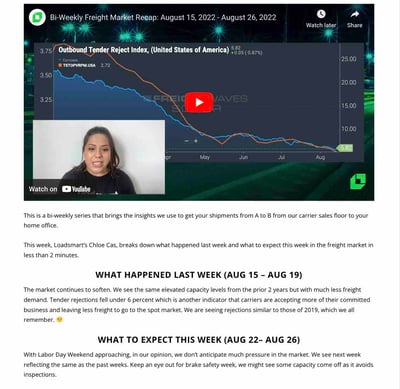
Content Marketing Blog Post Ideas
While almost everything on your blog is considered content marketing, these specific types of blog posts help market your company by giving readers a glimpse into your product, processes, and team.
73. Develop a blog post series dedicated to your company’s FAQs.
74. Invite an industry leader to contribute their expertise as a guest blogger.
75. Curate an office playlist and share the tracklist.
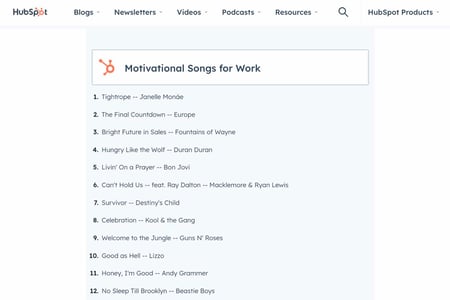
76. Profile a team member to showcase the company culture.
77. Interview a customer and share their results.
78. Repurpose a case study into a blog post.
79. Repurpose a white paper or guide into a blog post series.
80. Write about your day-to-day workflow.
81. Have your team share their favorite ways to use your product.
82. Share key takeaways from a recent industry conference you or your team attended.
83. Explain the ways content marketing has helped your company meet its business goals.
84. Post a “Year-in-Review” about lessons learned throughout the year and how to apply them to the year ahead.
85. A roundup of your most popular blog posts.
86. A roundup of ways your team conducts successful content marketing.
Miscellaneous/Fun Blog Post Ideas
Who says your blog has to be buttoned up all the time? Show off your brand’s personality with these fun blog post ideas.
87. Share photos or videos from your team’s recent travels.
88. Curate a list of quotes.
89. Give an office tour.
90. List of books that inspire professionals in your industry.
91. “What has changed about our workflow habits over the years?”
92. Compile a list of weekly/monthly aspirations.
93. Break down your favorite historic moment in your industry.
94. Embrace popular holidays and make a themed post about them.
95. Explain common acronyms in your workplace or industry.
96. Start a series where remote team members share their daily work routines.
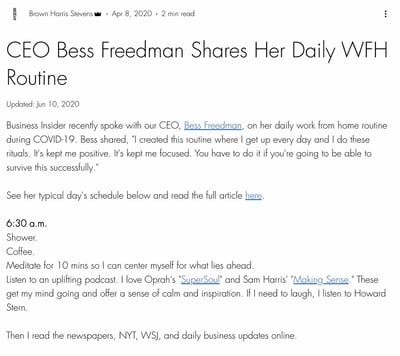
97. Give a short history of your company.
98. A peer-curated list of hobbies outside of work.
99. Share highlights from a recent industry conference you or your team attended.
100. Examine a recent movie trailer and how its marketing should be noted.
101. Come up with a staff bonding event and recap how it went.
It’s easy to get wrapped up in the day-to-day of your industry, which means it’s also easy to run into the same types of blog posts. Blogs are important for SEO and lead generation, so picking the “right” topics is a crucial step in marketing planning.
Editor’s note: This post was originally published prior to 2017 and has been updated for comprehensiveness.

The Top Marketing Channels, And How They’ll Change in 2023 [+Data]
The movie Field of Dreams famously claims, “If you build it, they will come.” Unfortunately, this passive approach is just not true for content marketing. The marketing channels you use to distribute content are just as important as the content itself.
Marketing channels are the different tools or platforms you use to reach your target audience. By understanding the different values of specific marketing channels, you will be able to form a content distribution plan that fits your audience.
The Hubspot Blog surveyed more than 1,000 global marketing professionals in the B2B and B2C space to discover which marketing channels are being used by businesses today.
Read more to see how you can amplify your reach and increase revenue, while also prioritizing your current customers.
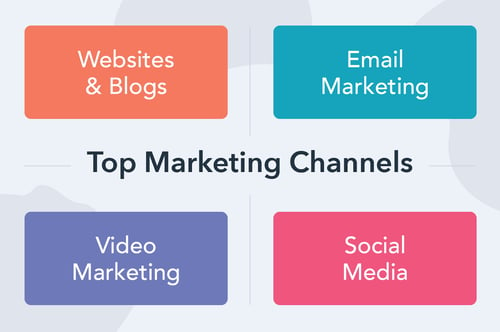
Top B2B Marketing Channels
The landscape of B2B marketing is changing. If your team is using old data, you’re already falling behind.
In a 2022 HubSpot survey of over 1,200 marketers, more than 80% said that marketing has changed more in the last three years than in the last 50 years.
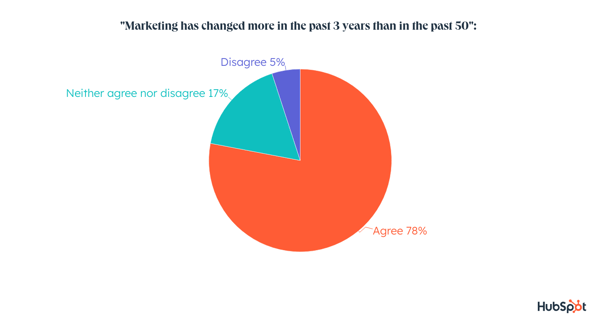
In 2023, the top channels used by B2B marketers will be social media, websites, blogs, and email marketing.
Short-form videos and influencer marketing are top marketing channels that businesses plan to invest more time and resources into in 2023.
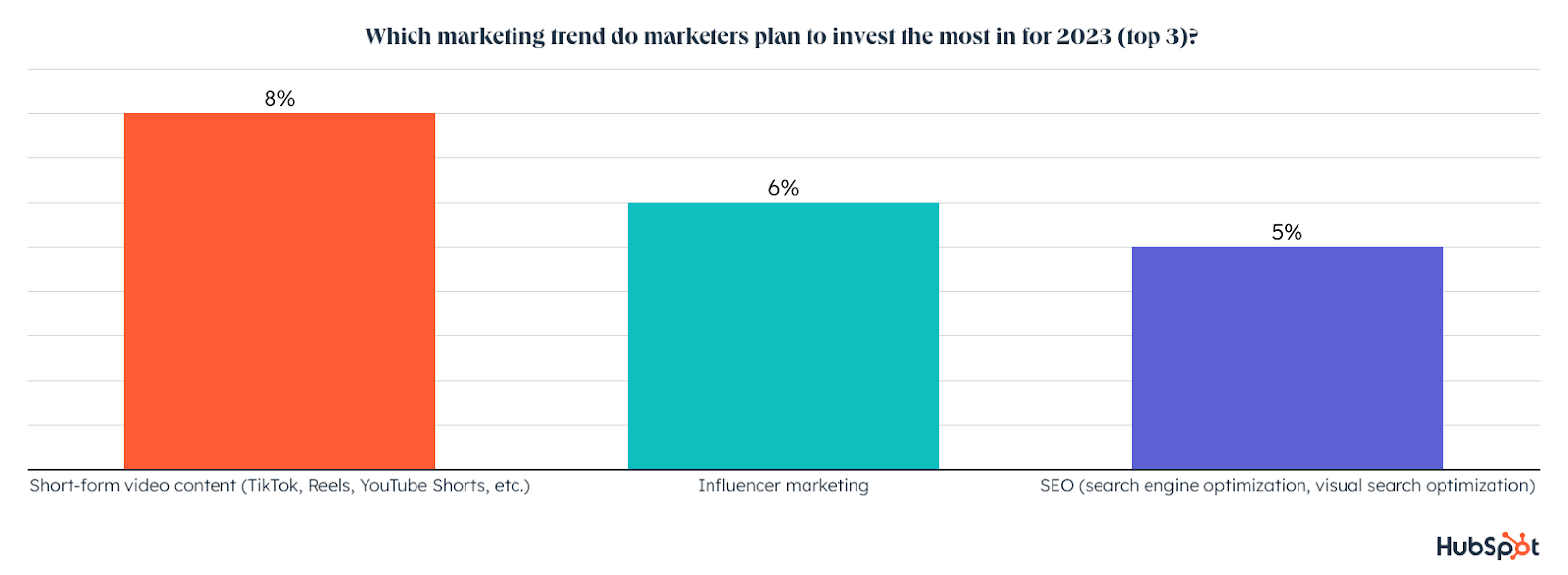
Social media is likely a top digital marketing channel because of LinkedIn. In the B2B landscape, LinkedIn offers a great platform for interacting with business-minded people. LinkedIn is also fifth as the most effective platform to use, with a 14% ROI.
Of the B2B marketers surveyed, 41% predict that their budgets will increase in 2023, giving more wiggle room for investing in new channels.
B2B marketers will likely focus significant effort on website and blogging channels because buyers often rely on websites before making purchasing decisions.
Websites also offer vital content sources for prospects, and SEO is how B2B marketers plan to attract their ideal customers.
Keyword strategy can be time-consuming but also relatively low-cost when creating organic content. People make nearly 97,105 searches on Google per second, meaning SEO has significant implications for advertising.
Email or newsletters are a powerful channel for B2B marketers to leverage. Email marketing helps brands share educational information with customers.
This strategy has also proven effective. In 2023, 32% of marketers reported that they will leverage email marketing to engage potential customers.
A targeted email campaign can also be automated, letting marketers focus their energy elsewhere. When sending emails, subscriber segmentation and message personalization are the most effective strategies.
In 2023, you can expect B2B marketers to continue their investments in blogs and email marketing while also increasing investments in social media platforms.
Top B2C Marketing Channels
B2C marketers invest in top channels as B2B marketers, but the order is different: social media and email marketing come first, then websites and blogs.
B2C marketing is usually focused on offering enjoyable content and quick wins, while B2B marketing focuses on long-lasting relationships with customers. 51% of B2C marketers expect their budget to grow in 2023, a jump from 44% last year.
Focusing on social media makes sense. As of 2022, there were roughly 4.74 billion social media users around the world, according to analysis from Kepios. That equates to 59.3% of the total global population.
So, B2C customers are most likely to engage on social media. For 2023, Facebook, Instagram, and YouTube are among the highest social media investments for B2C brands.
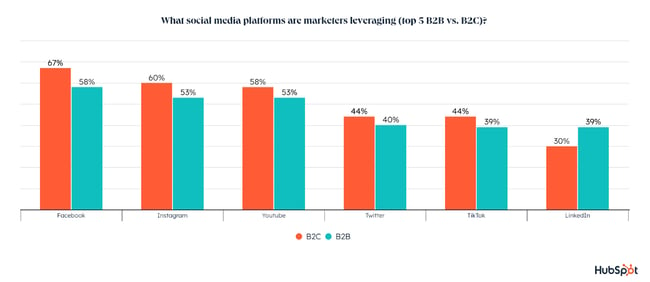
Email marketing may just mean newsletters, but it can also be used for B2C content such as personalized communication, time-sensitive notifications (like product launches or sales), and cart abandonment email reminders.
Email is also an owned media channel, meaning nobody is dictating when, how, and why you can contact your prospects. However, keep in mind that customers will unsubscribe from oversaturation.
Blogging and websites can be used together to generate brand awareness, drive traffic, convert leads, and, most importantly, establish your authority.
Of the B2C marketers surveyed, 36% already use websites and blogs to connect with customers, and that is likely to increase in the coming year.
When you create your blogs with SEO tactics in mind, you’re even more likely to meet your marketing needs, as you’ll surface in SERPs when customers make queries related to your business content.
SEO ranked third as the most effective marketing channel to leverage in 2023.
Omni-Channel Marketing
Leveraging a single marketing channel with one strategy no longer works. In fact, HubSpot research shows that 92% of marketers leverage more than one channel. In 2022, 81% leverage more than three.
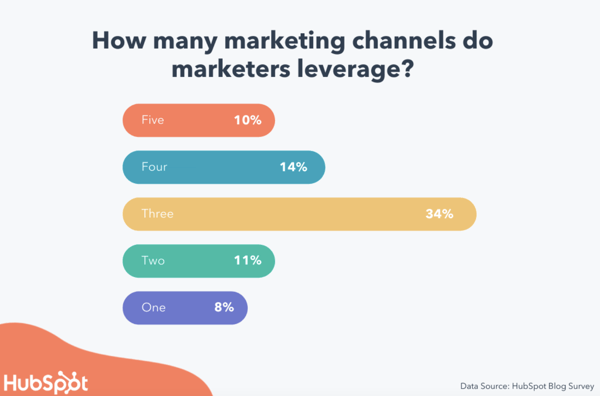
“100% of the companies we worked with that grew focused on omnichannel marketing and continually expanded,” writes Neil Patel, CMO and co-founder of NP Digital. This diversified approach helps teams stay agile and pivot when certain platforms become oversaturated.
A common omni-channel approach that B2C companies leverage is content repurposing. HubSpot found that 82% of social media marketers repurpose content across various social channels.
This creates continuity with brand messaging while also reducing the amount of work content creators will need to engage on many different marketing channels.
Video Marketing
If you’ve yet to get started in video marketing, now is the time. Video can boost conversions, improve ROI, reach new audiences, and help you build relationships with current customers. Video is the top media format marketers leverage for their strategies.
When creating video, short-form content takes the cake for both B2B and B2C marketers. In the age of TikTok, many social media brands are rewarding content creators who make short-form video content that encourages viewers to stay on the app longer.
Marketers plan to increase investments in the strategy for 2023, with 29% of marketers planning to leverage this strategy for the first time.
Influencer Marketing
Influencer marketing is when businesses partner with a relevant, popular creator in their industry to put out advertisements or specific pieces of content.
Influencers can generate brand awareness by providing a familiar face, personality, as well as social proof.
Consumers trust marketers less and less, shying away from lead-generating content.
Influencers can combat this mistrust by being personable and sharing common interests. In the tech age, influencers might even be the closest thing to word-of-mouth marketing.
One study from TopRank Marketing found that 86% of B2B brands are successful with influencer marketing. A nice bonus is a return on investment (ROI) for influencer marketing, with every dollar spent totaling $5.78 ROI in 2021.
Influencer marketing will see significant growth in 2023, HubSpot found, with 17% of marketers planning to invest in it for the first time. Of marketers already using this tactic, 89% of marketers using it will increase or maintain their investment next year.
Search Engine Optimization
Successful optimization can bring in traffic and increase conversions by positioning you as an authority.
All your web content needs search engine optimization. That includes your YouTube channels, Google business profile, and even podcast episodes should be optimized using target keywords.
To build a thriving organic presence online, consider implementing the pillar-cluster model into your blog (35% of B2B and 59% of B2C marketers report it as an effective strategy).
By doing this, you’ll create a single pillar page that provides a high-level overview of a topic and hyperlinks to cluster pages that delve into the topic’s subtopics, signaling to Google that your pillar page is an authority on the topic.
Additional SEO tactics that marketers effectively use include search insights reports, optimizing photos or videos for visual search engines, and optimizing load speed.
Podcast Marketing
As of 2020, 55% of the U.S. population aged 12 and above listens to podcasts, and 37% listened in the last month for an average of six hours per week. Audio content is in demand, so it’s worth considering as a platform to reach your audience.
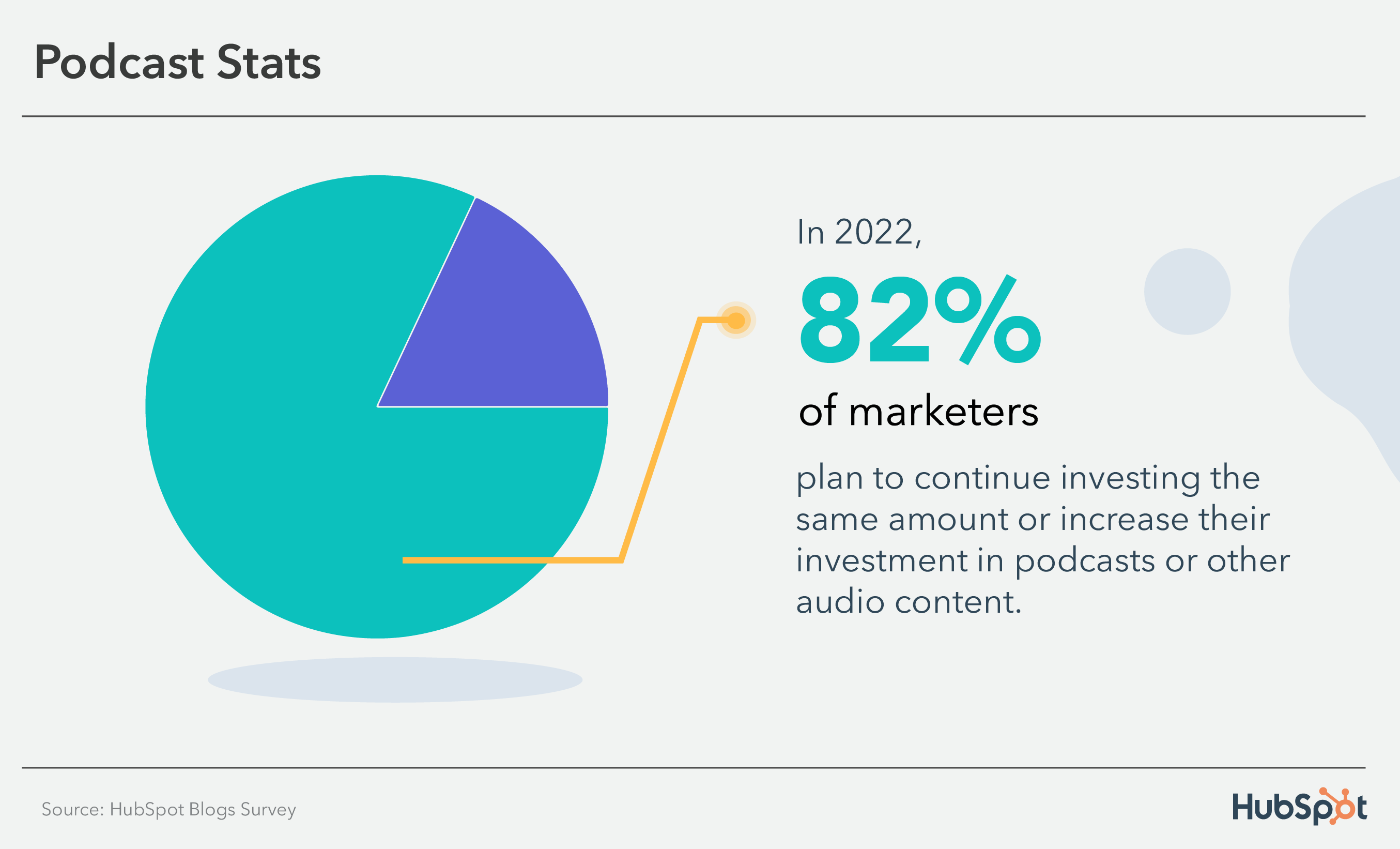
Podcast hosts can also serve as your brand-specific influencer, demonstrating the human side of your business.
The passive listening of a podcast makes it an ideal platform for reaching people during their morning commute, while walking their dog, or cleaning the house.
Featured Resource: How To Start a Podcast For Your Business
Storytelling is an excellent way to capture your audience’s attention while also making your brand more personable.
The human brain is programmed to crave, seek out, and respond to a well-crafted narrative — that’ll never change. Check out this blog on how to include more storytelling in your content.
Only 1 in 3 marketers reported leveraging podcasts or other audio content in their strategies, but 53% of those that do say that it is the most effective media format they use.
In 2023, podcasts will see the 2nd highest investment, second only to video. In fact, 10% of marketers said they would invest more in audio content than any other media format.
Word-of-Mouth Marketing
Trusting a brand is more important than ever. As of 2020, 70% of consumers say it influences their purchase decisions. Consequently, paid content is trusted less and less as online content becomes oversaturated.
Marketers need to earn the trust of consumers by relying on customer recommendations and word-of-mouth marketing.
Actual consumers are more effective in earning trust than marketers who obviously have agendas. Customers will typically only rave about a product or service if it actually benefits them.
People trust other consumers over marketers because marketers always have their eyes on the bottom line.
Word-of-mouth marketing is more than just face-to-face conversations. For example, satisfied customers will post about your brand online, tell their roommates they like your service, and leave positive reviews on your product pages.
Only one of those examples involves an actual, in-person conversation, but they all include consumers vouching for your brand’s credibility.
Word-of-mouth marketing, at its core, requires you to create a truly magical and converting customer experience. Focus on offering top-notch customer service and going above and beyond for your customers to leverage this channel.
What Now?
Now that you know the stats behind different marketing channels, consider how you might reach your audience in a new way or perhaps even reach a new audience.
Different marketing channels bring various benefits, but most businesses can find a way to use different channels in their marketing strategies to meet business goals.
Using different channels creates multiple points of contact, nurturing your leads and increasing conversions. Remember that a customer likely came into contact with your brand at least seven times before taking action.
By contacting them on different channels, you can expedite this process and reach your 2023 marketing goals.
Editor’s Note: This post was originally published in Dec. 2021 and has been updated for comprehensiveness.

5 Things Gen Z Will Spend Money On & Why Marketers Need to Care
With a purchasing power of more than $340 billion, Gen Z is expected to shake up the retail industry.
Although many in Gen Z are earning their first paychecks, entering college, or just joining the workforce, studies show that the generation shops and spends money much differently than its millennial predecessor.

While millennials and past generations were more loyal to brands, Gen Z is more interested in buying products that will give them the best value based on their price. Gen Zers also admit to being more impulsive in their shopping habits than older generations.
A Breakdown of Generation Z’s Spending Habits
When it comes to the total share of spending, Gen Z accounts for an estimated five percent in the U.S., according to Afterpay’s 2021 Next Gen Index. However, that number is expected to grow by 10% by 2030, as most will enter the workforce.
With every age group, generation Z’s spending habits declined at the onset of the COVID-19 outbreak. However, the Afterpay report reveals that Gen Z recovered faster than older generations.
So what are they doing right now? Well, they’re shopping more online — and we’ve got the data to prove it.
To learn more about the latest purchasing habits between generations, download our free 2022 U.S. Consumer Trends Report
Online shopping allows Gen Z to discover products from new or small companies they wouldn’t find in person.
Gen Z is leading the trend, with 74% of those 18-24 choosing mobile first for shopping. The number one place Gen Z lives online is YouTube. It’s where they spend their time but also where nearly half (47%) research products they’re interested in purchasing, according to the report. Instagram comes next, followed by Snapchat, then TikTok.
Additionally, this generation is most passionate about buying products from brands that align with their values. We found that 45% of Gen Z have boycotted a business, and 36% enjoy buying products that display their social and political beliefs. Gen Z has the most affirmative opinion on the matter: 51% agree with companies taking a stance. A recent Forbes interview by Jeff Fromm and Arizona University students perfectly captured this sentiment.
Another thing we can expect from Gen Z is their reliance on influencers to recommend products.
According to our data, influencer recommendations win out for Gen Z, with 55% of that generation surveyed saying recommendations from influencers are one of the most important factors in their purchase decision. Across generations, only 30% consider influencer recommendations as one of the most critical factors in their purchase decisions.
To help brands market to Gen Z when they reach full purchasing power, here’s what we expect them to invest in over the next year.
5 Things Gen Z Will Spend Money On
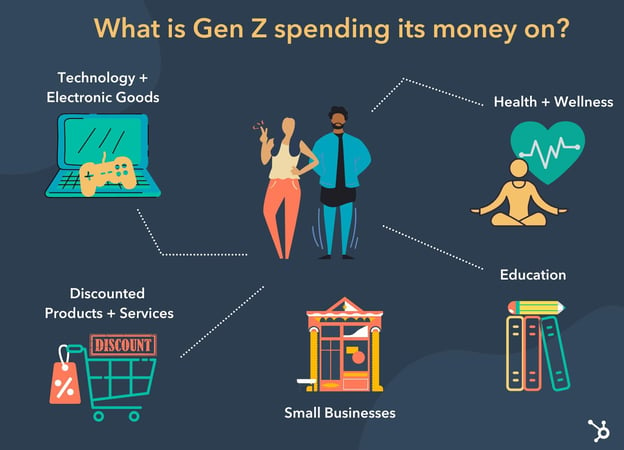
According to a 2021 Consumer Culture Report by 5WPR, Gen Z is prioritizing electronics, technology, health, and wellness.
Conversely, Millennials and those from older generations prioritize travel and experiences, home goods, and furniture.
Based on additional research, we also found that Gen Z pays special attention to small businesses. They are also willing to wait for a good discount before purchasing and take advantage of buy-now-pay-later purchasing options.
Let’s dive into each category below.
1. Electronics and Technology
Gen Z occasionally splurges on technological experiences, such as video games, that help them have fun. In fact, Newzoo reports there will be 2.95 billion gamers worldwide by the end of 2022 — with a steady growth average of 5.6% year-on-year (YoY) increase.
While you might worry that Gen Z isn’t worth marketing to because they won’t splurge on your products, this age group certainly can be persuaded to make larger purchases that offer fun experiences or improve their daily lives.
But, even though they will invest in higher-priced products, Gen Z will still need thorough convincing before pulling out their wallets. It’s vital for brands targeting Gen Z to create content demonstrating why the age group needs their product, how the product could solve daily boredom or woes, and why it’s better than a competitor’s.
For example, although some consumers might consider Fitbit fitness trackers frivolous, this brand does a great job explaining why its product can be a necessary tool to use within a fitness routine.

On social media, Fitbit gives facts about why walking and cardio – two activities the bracelet can track – are important to health. And in a November blog post, Fitbit more deeply connected its product to health needs by discussing how its reporting software could help people communicate better with their doctors.
While Fitbit doesn’t claim its product is necessary for health, the brand shows audiences how the product can help them track their fitness needs and progress.
When a pessimistic or budget-conscious Gen-Z member researches Fitbit, they might find its content informative and helpful. From there, if they’re interested in a healthier lifestyle, they might realize that Fitbit is a credible brand that could help them with their fitness needs.
2. Discounted Goods
Eighty percent of Gen Z surveyed in 5WPR’s report say they will wait for an item to go on sale before buying it.
Why is Gen Z so conscientious about their spending habits? Mounting research suggests that the age groups’ thoughts on money link directly to the economic era they were raised in.
While millennials grew up in more stable financial times, most of Gen Z’s earliest memories took place during the U.S. recession. Much of this generation grew up in highly budgeted households or saw how economic troubles impacted their families.
Meanwhile, a large percentage of millennials and those in other age groups can recollect times when their economy was booming.
Organizations, including the Pew Research Center, say these eras have psychologically molded how each generation thinks differently about money. While researchers believe millennials and Gen Z are money conscious, with the goal of avoiding financial instability, millennials are considered to be “more optimistic” about future finances.
As Gen Z ages, studies and purchasing behaviors hint that they haven’t been able to shake their financial instability concerns. Research shows that the offering needs to be so valuable to them that they can justify purchasing and investing in a product or service.
A recent Business Insider report revealed that a logo regarding clothing doesn’t easily persuade Gen Z. In fact, unlike other generations, brand loyalty is one of the last things they think about when making a purchasing decision. What the generation does focus on is price and value.
In the report, a 20-year-old named Amanda Chermin explained, “I can’t afford nicer brands of clothes – I like to save and would rather have money in the bank than be broke.”
Instead of splurging on the hottest brand from New York Fashion Week, the age group is more likely to purchase cheaper clothing that’s either not from a name brand, on clearance, or re-sold.
Or they’ll buy now and pay later (BNPL).
Millennials are the leaders of the BNPL model but Gen Z is growing the fastest, accounting for 14% of users on Afterpay in the U.S.
80% of Gen Zers who use the software spend it on fashion. However, wellness, beauty, and recreation are other top categories.
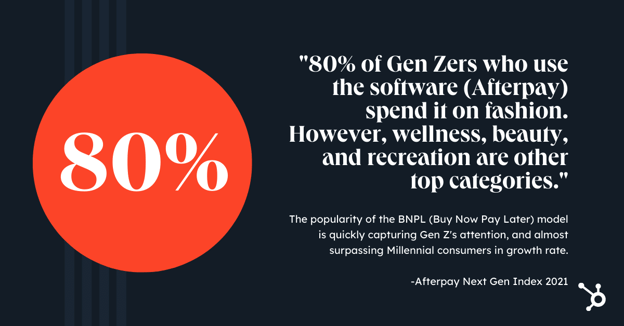
Although they aren’t loyal to the same stores and brands millennials zoned in on, Gen Z still feels pressure to buy and wear clothing that’s considered good quality or fashionable. Aside from purchasing affordable clothing, the need to look their best has also led to many in Gen Z to invest in clothing rental services or try-before-you-buy shopping experiences.
Although Gen Z is expected to spend less money on clothing than other generations, researchers believe they still feel pressure to look good in front of their peers. These pressures, which might stem from social media, school, work, or social environments, will still drive the age group to clothing stores or ecommerce sites. While retail marketers should expect shifts in spending behaviors from this generation, Gen Z will still buy clothing that looks good on them, is good quality, and is affordable.
The themes related to clothing purchases are important to remember — even if you aren’t marketing clothing products. As we’ve established, Gen Zers are always looking for a good bargain and won’t use just a brand name to justify a purchase.
Regardless of how popular or well-known your brand is, you’ll still need to highlight why your products are better than cheaper versions from competitors.
Although your logo might not persuade Gen Z to buy your product, you can still use authentic brand trust and popularity to your advantage. Although Gen Z is budget-conscious, they also care about what their peers think of them. This means they might still need to splurge on a product, such as a clothing item if they know that people in their age group have it.
If you’re marketing to Gen Z, consider asking popular influencers or happy young adult customers to discuss your product on social media. An authentic product review will not only build a sense of brand trust, but will also show Gen Z audiences that the product is popular and used by people they follow.
From there, a Gen Z member might research or purchase a product simply because it’s more popular or has better reviews than a cheaper alternative.
3. Health and Wellness
Gen Z mental health is an increasingly popular topic because the mental wellness of younger populations will inform healthcare trends, workforce needs, and future generations’ well-being.
Health and wellness is the second-highest category Gen Z spends on, according to 5WPR’s 2021 consumer report mentioned earlier.
This group seems to be the leader in the wellness movement building over the past few years, which promotes awareness surrounding mental health, ethical food sourcing, and other related wellness issues.
For instance, WSL reported that Gen Zers are more likely to use natural remedies than traditional medications, seven points higher than Millennials. They’re also less likely to eat fast food.
The article also highlights how Gen Z invests more (5% to be exact) in wellness than Millennials, a data point reflected in 5WPR’s 2021 Consumer Culture Report.
4. Small Businesses
According to the 2021 Afterpay Next Gen Index, small business spending has increased more than 260% for Gen Z on Afterpay, 80% higher than Millennials.
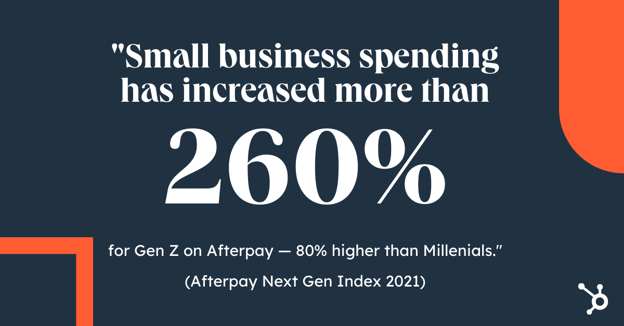
This conscious effort likely stems partly from the recent pandemic, as many small businesses struggled to survive. Just look at the growth of Small Business Saturday as an example.
According to our State of Consumer Report, 60% of Gen Zers chose a product based on it being made by a small business in the past three months.
Most were driven by the ability to build a strong bond between consumers and contribute to the local economy.
Another interesting reveal is that consumers are more willing to share their data with small businesses in exchange for discounts and deals. Another caveat is that brands must share how the information will be used.
This is great news for small businesses figuring out how to reach Gen Z consumers. It’s an invitation to be more transparent about your business and not be afraid to show what’s happening behind the scenes.
5. Education
Another key component of generation Z’s spending habits is education.
While millennials are among the most highly educated age groups, Gen Z is on track to have the highest level of education.
In 2020, the Pew Research Center reported that college enrollment is more likely in Gen Zers than Millennials and Gen Xers at a comparable age. They’re also more likely to have a college-educated parent.
At this point, Gen Z’s shown themselves to start saving for college at a much younger age than millennials.
As members of the generation enroll in college or begin to spend their own money, news outlets have predicted and reported bursts in school-related purchases fueled by Gen Z shoppers.
Aside from purchasing supplies, Gen Z is also likely to invest in courses or educational programs to advance their future earnings.
From 2019 to 2020, Gen Z learners watched 50% more hours of educational content on LinkedIn. They spend 12% more time honing hard skills on LinkedIn Learning than the average learner on the platform.
Many researchers believe that Gen Z’s interest in academia is rooted in their need for financial stability. Many in the age group believe that a good education will lead to a great job with high pay.
As a marketer, it’s important to keep Gen Z’s budgeting and educational goals in mind. This generation wants to learn new things, is saving for college, and prioritizes investments that better their future. You’ll need to convince them that your product is worth buying – even when they’re putting most of their money into a college fund.
As you create your product promotions or campaigns, consider how your product could help or benefit the experiences of someone planning for college, college students, or young professionals.
If your product isn’t specifically geared toward education, your campaigns could zone in on how it could improve a college or work-life experience.
For example, if you’re marketing furniture, you could create a promotion highlighting products that fit in an apartment or dorm room. Or, if you market a clothing company, you could highlight clothing items that could be worn in a job interview in a blog post on your website.
Aside from creating content that links your product to career interests or academics, you can also lean into Gen Z’s need to learn new things by developing educational content that teaches audiences about your industry.
After viewing your educational content, audiences might want to learn more about your product and develop a stronger trust in your brand. Later, if they’re interested in buying a product related to your brand’s industry, they might consider your brand first.
If you want to leverage educational content, keep the age range of your audience in mind. While younger members of Gen Z might be primarily interested in B2C brand content due to their college or high-school age, Gen Zers entering internships or the workforce might value educational B2B content that can show them how to get ahead in their industry.
How to Market to Gen Z Based on their Spending Habits
Based on the research noted above, Gen Z is less likely to splurge on frivolous products or brand names. As a marketer, hearing about these mounting studies might make you nervous.
But, in the long run, the consumer trend of putting value first shouldn’t scare or shock you. It should motivate you to ask, “How can I provide better value to my customers?“
Although Gen Z might seem more budget-conscious, this doesn’t mean they won’t buy anything from you. Many of your most frugal prospects will still buy, invest in, or splurge on your brand’s offerings if they seem valuable, help them solve pain points, or provide a positive, memorable experience.
Ultimately, bettering your brand, focusing on the customer experience, and promoting positive company reviews will go a long way with Gen Z and all other audiences.
Editor’s Note: This post was originally published in July 2020 and has been updated for comprehensiveness.

Blog SEO: How to Search Engine Optimize Your Blog Content
56% of surveyed consumers have made a purchase from a company after reading their blog and 10% of marketers who use blogging say it generates the biggest return on investment. If you’re writing a blog for a business, those stats make blog SEO a pretty big deal.
Even if you’re blogging just for fun, SEO can help you boost your message and connect with more engaged readers.

But what is blog SEO? And how can you optimize your blog for search engines? Get ready for an in-depth exploration into the world of keywords, backlinks, and content optimization.
Start reading, or click a topic below to jump to the section you’re looking for:
What is blog SEO?
Blog SEO is the practice of creating and updating a blog to improve search engine rankings. This approach usually includes keyword research, link building, image optimization, and content writing.
When you optimize your web pages — including your blog posts — you’re making your website more visible to people who are using search engines (like Google) to find your product or service. But does your blog content really help your business organically rank on search engines?
Why does blogging improve search engine optimization?
Google and other search engines use ranking factors to figure out what results come up for each search query. It also decides how to rank those results. Blogging can help you optimize your site for important Google ranking factors like:
Organic Click-Through Rate
Blogging helps you create relevant content for more keywords than other kinds of pages do, which can improve your organic clicks.
For example, a person who clicks on a landing page usually has transactional intent. This means that person is clicking because they’re ready to convert.
But people search online for many different reasons. And a blog has the potential to answer navigational, informational, and transactional search queries. Creating content for more types of search can increase clicks to your pages, which can improve your SEO.
Index Coverage
Google can’t rank a page that it hasn’t indexed. Indexing means a search engine finds content and adds it to its index. Later, the page can be retrieved and displayed in the SERP when a user searches for keywords related to the indexed page.
So, it’s important to create relevant and link-worthy content to encourage Google to crawl your site pages. One way to do this is to constantly add fresh content to your site. A blog gives you a reason to post new content to your site on a regular basis, which encourages more frequent indexing.
Backlinks
When other websites link to pages on your website it shows search engines that your content is useful and authoritative. Backlinks are a sort of peer review system online. If your blog gets backlinks from respected sites, it’s more likely that your website will rank in search results.
Because blog posts are likely to educate or inform users, they tend to attract more quality backlinks.
Internal Links
When you link from one page on your site to another, you’re creating a clear path for users to follow. Internal links can also make it easier for people to find the content on your site they’re looking for. These links also help search engine crawlers figure out the organization of your site.
A blog creates more site pages that you can link to internally. It also gives you a chance to direct site traffic to other pages that can help your users.
For example, say you run a lawn maintenance company and offer lawn mowing services. Someone searching for a lawn mower wouldn’t find your services online because that’s not what they’re looking for (yet).
But say you write blogs about the best lawnmowers, lawn mowing challenges, or pest control for lawns. Those posts make your website easier to find. And if someone looking for lawn mowers decides they want an easier option, they could be a good candidate for your services. You can help them visit other pages on your site through internal links.
These are just a few of the many reasons that blogging is good for SEO. Blogging lets you share useful information with your audience. It can draw new customers and engage current customers. Creating a blog can help you build trust, boost sales and leads, and improve your search engine optimization.
What is blog SEO strategy?
Blog SEO strategy is a comprehensive plan to improve organic search results. This plan might include competitive research, keyword lists, or an optimization proposal.
Search engines make frequent updates. Business goals can change quickly too. But it can take an average of three to six months for a post to rank on Google. Without a strategy, you might find yourself investing in your blog but not seeing a boost in SEO.
A strategy can help you measure whether your ideas and efforts are effective. It can also help you make the most of your team’s time and resources. This post can help you develop your SEO strategy if you’re not sure where to start.
Blog SEO Best Practices
1. Identify the target audience for your blog.
No matter what industry your blog targets, you’ll want to find and speak to the primary audience that will be reading your content. Understanding who your audience is and what you want them to do when they click on your article will help guide your blog strategy.
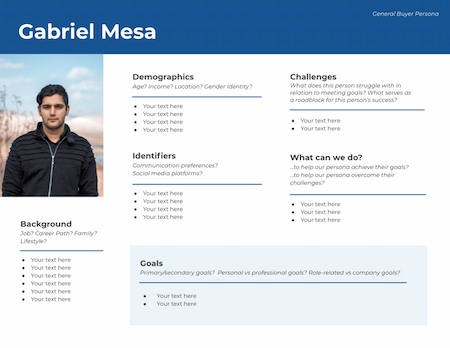
Buyer personas are an effective way to target readers using their buying behaviors, demographics, and psychographics. Without this insight, you could be producing grammatically correct and accurate content that few people will click on because it doesn’t speak to them on a personal level.
2. Conduct keyword research.
Now that you’ve selected your target audience and prepared a buyer persona, it’s time to find out what content your readers want to consume. Keyword research can be a heavy task to take on if you don’t begin with a strategy. Therefore, I recommend starting with the topics your blog will cover, then expand or contract your scope from there. For an in-depth tutorial, check out our how-to guide on keyword research.
3. Add visuals.
Search engines like Google value visuals for certain keywords. Images and videos are among the most common visual elements that appear on the search engine results page.
In order to achieve a coveted spot in an image pack or a video snippet, you’ll want to design creative graphics, use original photos and videos, and add descriptive alt text to every visual element within your blog post.
Alt text is a major factor that determines whether or not your image or video appears in the SERP and how highly it appears. Alt text is also important for screen readers so that visually impaired individuals have a positive experience consuming content on your blog site.
4. Write a catchy title.
The title of your blog post is the first element a reader will see when they come across your article, and it heavily influences whether they’ll click or keep scrolling. A catchy title uses data, asks a question, or leads with curiosity to pique the reader’s interest.
According to Coscheduler’s Headline Analyzer, the elements of a catchy title include power, emotional, uncommon, and common words. In the right proportions, these types of words in a blog title will grab your readers’ attention and keep them on the page.
Here’s an example of a catchy title with a Coschedule Headline Analyzer Score of 87:
The Perfect Dress Has 3 Elements According to This Popular Fashion Expert
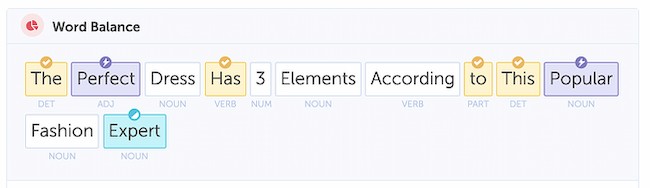
- Highlighted in yellow are common words. They’re familiar to the reader and don’t stray too far from other titles that may appear in the SERP.
- “Expert” is an emotional word, according to Coschedule. In this example, the word expert builds trust with the reader and tells them that this article has an authoritative point of view.
- Purple words are power words — this means they capture the readers’ attention and get them curious about the topic.
- Another element in this title is the number three. This signals to the reader that they’ll learn a specific amount of facts about the perfect dress.
5. Include an enticing CTA.
What’s a blog post without a call to action? The purpose of a CTA is to lead your reader to the next step in their journey through your blog. The key to a great CTA is that it’s relevant to the topic of your existing blog post and flows naturally with the rest of the content. Whether you’re selling a product, offering a newsletter subscription, or wanting the reader to consume more of your content, you’ll need an enticing CTA on every blog post you publish.
CTAs come in all types of formats, so get creative and experiment with them. Buttons, hyperlinks, and widgets are some of the most common CTAs, and they all have different purposes. For instance, you should add a bold, visible CTA like a button if you want the reader to make a purchase. On the other hand, you can easily get a reader to check out another blog post by providing a hyperlink to it at the conclusion of the current article.
6. Focus on the reader’s experience.
Any great writer or SEO will tell you that the reader experience is the most important part of a blog post. The reader experience includes several factors like readability, formatting, and page speed. That means you’ll want to write content that’s clear, comprehensive of your topic, and accurate according to the latest data and trends.
Organizing the content using headings and subheadings is important as well because it helps the reader scan the content quickly to find the information they need. Finally, on-page elements like images and videos have an impact on page speed. Keep image file sizes low (250 KB is a good starting point) and limit the number of videos you embed on a single page.
By focusing on what the reader wants to know and organizing the post to achieve that goal, you’ll be on your way to publishing an article optimized for the search engine.
Factors That Affect Blog SEO
Although it’s clear blog content does contribute to your SEO, Google’s many algorithm updates can make publishing the right kind of blog content tricky if you don’t know where to start. Some blog ranking factors have stood the test of time while others are considered “old-school.” Here are a few of the top-ranking factors that can, directly and indirectly, affect blog SEO.
1. Dwell Time
Although dwell time is an indirect ranking factor for Google, it’s a critical factor in the user experience — and we know that user experience is king when it comes to SEO.
Dwell time is the length of time a reader spends on a page on your blog site. From the moment a visitor clicks on your site in the SERP, to the moment they exit the page is considered dwell time.
This metric indirectly tells search engines like Google how valuable your content is to the reader. It makes sense that the longer they spend on the page, the more relevant it is to them.
However, there’s a reason this metric is an indirect indicator for SEO — it’s completely subjective. The search engine algorithms don’t know your content strategy.
Your blog could be focused on short-form content that takes just a minute or two to read. You might also include pertinent information at the beginning of your blog posts to give the best reader experience, which means less time spent on the page.
So yes, dwell time can affect SEO, but don’t manipulate your content to change this metric if it doesn’t make sense for your content strategy. HubSpot allows you to publish quality content with a free blog maker that widens your brand’s reach and grows your audience.
2. Page Speed
We mentioned earlier that visual elements on your blog can affect page speed, but that isn’t the only thing that can move this needle. Unnecessary code and overuse of plugins can also contribute to a sluggish blog site.
Removing junk code can help your pages load faster, thus improving page speed. If you’re not sure how to find and remove junk code, check out HTML-Cleaner. It’s an easy-to-use tool that doesn’t require coding knowledge. It simply shows you the unnecessary code and lets you remove it with the click of a button.
I also recommend taking an inventory of your blog site plugins. Decide which ones you need to keep your blog running day-to-day and which ones were installed as a fix for a temporary issue. Plugins that affect the front end of your site are a threat to page speed, and odds are, you can uninstall more of these plugins than you think to increase your overall site speed.
3. Mobile Responsiveness
More than half of Google’s search traffic in the United States comes from mobile devices. On an individual level, your blog site might follow that same trend. There’s no way around it — optimizing your blog site for mobile is a factor that will affect your SEO metrics.
But what exactly does it mean to optimize a website for mobile? The industry rule of thumb is to keep things simple. Most pre-made site themes these days are already mobile-friendly, so all you’ll need to do is tweak a CTA button here and enlarge a font size there.
Then, keep an eye on how your site is performing on mobile by taking a look at your Google Analytics dashboard and running a mobile site speed test regularly.
4. Index Date
Search engines aim to provide the most relevant and accurate information available. A factor search engines use when determining what’s relevant and accurate is the date a search engine indexes the content.
You might be wondering: Is the date the content was indexed the same as the date it was published?
The answer: yes and no. If a blog post is published for the first time, it’s likely that a Google crawler will index that post the same day you publish it. But content can be backdated for several legitimate reasons, too, like archiving information or updating a sentence or two.
One way to positively affect this SEO factor is to implement a historical optimization strategy. This strategy works well on blogs that have been established for a few years and have a fair amount of content already.
By updating these older posts with new perspectives and data, you’ll be able to significantly impact your blog SEO without creating a lot of net new content. Site crawlers will reindex the page — taking into account the updated content — and give it another opportunity to compete in the SERP. It’s truly a win-win.
5. Recent Data
Recent data, another indirect ranking factor of SEO, should be included in blog posts. Recent data gives visitors relevant and accurate information which makes for a positive reader experience.
When you include a link to a credible site that has original, up-to-date data, you’re telling the search engine that this site is helpful and relevant to your readers (which is a plus for that other site). You’re also telling the search engine that this type of data is in some way related to the content you publish. Over time, your readers will come to appreciate the content which can be confirmed using other metrics like increased time on page or lower bounce rate.
Pro tip: As a rule of thumb, take time to understand what each of these factors does, but don’t try to implement them all at once. They each serve a specific purpose and should be used to meet a specific SEO goal for your blog. Listen to HubSpot’s Matt Barby and Victor Pan take on this topic in this podcast episode.
1. Choose blog topics with keyword research.
Your blog topics should start with your customers’ most important questions and concerns. But if you want those customers to find your content, you need to use the same keywords that they use to find answers. You can find these words with keyword research.
Keyword research can also help you find new topics to write about and grab the interest of new audiences.
As you search for the right keywords for your blog, think about search intent. While some people are searching for your products to use right away, others may be at a different point in the buyer journey. So, it’s a good idea to have a mix of focus keywords.
Keyword tools can help you find and narrow down your list of keywords so that you’re writing the right blogs for your target audience.
2. Write a compelling blog post title.
Writing titles is tough. Many blog writers spend time writing a blog post then quickly add a title when they’re done and hope for the best. But blog titles have a bigger impact than you might think.
First, titles tell your audience what to expect from your post. If your blog title is a smart and catchy question that your post doesn’t answer, you’ll have a lot of unhappy readers.
Next, your blog title is what makes searchers want to read your post. It doesn’t matter how well-written and researched a blog post is if the title doesn’t spark interest.
Title Tag
Finally, titles are essential for blog SEO. This is a place to feature your keywords in an authentic way. Google calls this the “title tag” in a search result.
Be sure to include your keyword within the first 60 characters of your title, which is just about where Google cuts titles off on the SERP. Technically, Google measures by pixel width, not character count. It recently increased the pixel width for organic search results from approximately 500 pixels to 600 pixels, which translates to around 60 characters.
Long title tag? When you have a lengthy headline, it’s a good idea to get your keyword in the beginning since it might get cut off in SERPs toward the end, which can take a toll on your post’s perceived relevance.
In the example below, we had a long title that went over 65 characters, so we placed the keyword near the front.
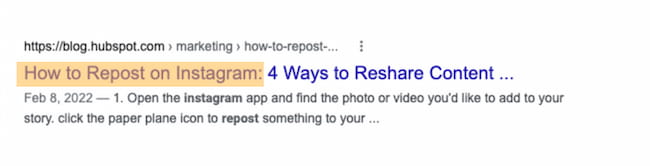
It’s also important to look at the SERP results for your keyword when you’re writing your post titles. This research will help you understand the most popular results for your keywords. It will also give you a better sense of what searchers are hoping to find when they click on your post.
As you write your blog titles, use words that have emotional appeal. You might want to add numbers or statistics to emphasize a point. Avoid salesy language or your post might seem like spam. These title tips offer more advice for creating great blog titles.
3. Outline your blog post with SEO in mind.
If you’re used to writing blog posts from your imagination with a free flow of ideas, blog SEO might sound like a challenge. But anyone can create great SEO writing with a strong outline.
An outline can help you organize your ideas around your target keywords. It can also give you a space to figure out the best spot to include the features that make a blog post great like:
- Videos
- Statistics
- Quotes
- Internal and external links
The outline is an important creative step where you decide the angle and goal of your blog post. You already have a great post title, so your next step is to outline how your post will cover the topic. You can create a detailed outline or a quick overview, whichever is best for you.
That said, an outline is a great space to write each of your headers. Writing these during your outline can make the process of drafting your blog go more smoothly.
4. Use keywords strategically throughout the blog post.
Now it’s time to incorporate your keywords into your blog post. But where is the best place to include these terms so you rank high in search results?
There are two more essential places where you should try to include your keywords: headers & body and URL.
Headers & Body
Mention your keyword at a normal cadence throughout the body of your post and in the headers. That means including your keywords in your copy, but only in a natural, reader-friendly way. Don’t go overboard at the risk of being penalized for keyword stuffing.
Before you start writing a new blog post, you’ll think about how to incorporate your keywords into your headers and post. That’s a smart idea, but it shouldn’t be your only focus, nor even your primary focus.
Whenever you create content, your primary focus should be on what matters to your audience, not how many times you can include a keyword or keyword phrase in that content.
Focus on being helpful and answering whatever question your customer might’ve asked to arrive on your post. Do that, and you’ll naturally optimize for important keywords, anyway.
URL
Search engines also look at your URL to figure out what your post is about, and it’s one of the first things it’ll crawl on a page.
You have a huge opportunity to optimize your URLs on every post you publish, as every post lives on its unique URL — so make sure you include your one to two keywords in it.
In the example below, we created the URL using the keyword “positioning-statement” because we want to rank for it.
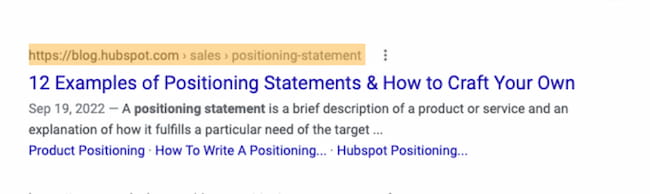
As you write, keep in mind that your copy matters a great deal for click-through rates. This is because it should satisfy your readers’ intent — the more engaging, the better.
5. Make sure your blog post covers your topic completely.
Blog SEO is more than including focus and supporting keywords in your post. You’ll want to make each post as comprehensive as possible to make sure it answers your readers’ questions.
But what does comprehensive mean? For some, it’s a matter of word count. According to HubSpot research, a blog post should be about 2,100-2,400 words long for SEO.
It’s easier for longer content to rank, but not every post needs to be 2000+ words. What’s most important is meeting your users’ needs and expectations with your post.
A few ways to create the best blogs for your audience include:
- Checking out your buyer personas
- Research your topic on and offline
- Talk to customers and experts about your topic
- Stick to your topic as you write
- Write in a consistent voice
- Double-check facts and statistics
This article is a great place to start if you want more tips on how to write a great blog post.
6. Add SEO-optimized images and videos.
Blog posts shouldn’t only contain text — they should also include images and other media that help explain and support your content.
Images make your blog posts more exciting and easy to understand. They help your readers engage, improve recall of important facts, and make your site more accessible. Videos and GIFs are other interesting and useful additions to your blog posts. They make your content more visual, interactive, and memorable.
To use images and other media with SEO in mind, there are a few important things to remember.
File size matters. Too-large images and GIFs can slow down your page speed, which can impact ranking. It’s also important that your image dimensions are consistent for a professional look.
Choose the right kind of content for your brand voice. Funny GIFs are a great choice for some blogs, but if they don’t feel right to your audience they can have a negative impact.
Ideally, your images should make it easier to understand difficult topics or new information. This will boost your SEO and create a better on-page experience. Check out this post for more image SEO tips.
7. Include image alt text.
Search engines don’t simply look for images. Rather, they look for images with image alt text.
You may be wondering why this is. Since search engines can’t “see” images the same way humans can, an image’s alt text tells the search engine what an image is about. This ultimately helps those images rank on the search engine’s images results page.
Image alt text also makes for a better user experience (UX). It displays inside the image container when an image can’t be found or displayed. Technically, alt text is an attribute that can be added to an image tag in HTML.
Here’s what a complete image tag might look like:
<img class="wt-blog__normal-image" src="image.jpg" alt="image-description" title="image tooltip">
When you incorporate image alt text, an image’s name in your blog may go from something like, “IMG23940” to something accurate and descriptive such as “puppies playing in a basket.”

Image alt text should be descriptive in a helpful way — meaning, it should provide the search engine with context to index the image if it’s in a blog article related to a similar topic.
To provide more context, here’s a list of things to be sure you keep in mind when creating alt text for your blog’s images:
- Describe the image
- Leave out “image of… “— start with the image description instead
- Be specific in your description
- Keep it under 125 characters
- Use your keywords (but avoid keyword stuffing)
Pro tip: Think about adding a Chrome extension like Arel=”noopener” target=”_blank” hrefs that allows you to quickly review alt text data for existing images. HubSpot customers can use the SEO Panel. It will recognize whether or not you have optimized your images.
8. Link to related blog posts.
You may have heard that backlinks influence how high your blog site can rank in the SERP, and that’s true — backlinks show how trustworthy your site is based on how many other relevant sites link back to yours. But backlinks aren’t the end-all-be-all to link building. Linking to and from your own blog posts can have a positive impact on how well your blog site ranks, too.
Inbound links to your content help show search engines the validity or relevancy of your content. The same goes for linking internally to other pages on your website. If you’ve written about a topic that’s mentioned in your blog post on another blog post, ebook, or web page, it’s a best practice to link to that page.
(You might’ve noticed that I’ve been doing that from time to time throughout this blog post when I think it’s helpful for our readers.) Not only will internal linking help keep visitors on your website, but it also surfaces your other relevant and authoritative pages to search engines.
For example, if your blog is about fashion, you might cover fabrics as a topic. Adding a hyperlink from a blog post about cotton to a post about the proper way to mix fabrics can help both of those posts become more visible to readers who search these keywords.
The search engines will also have one more entry point to the post about cotton when you hyperlink it in the post about mixing fabrics. This means the post about cotton fabric, and any updates you make to it will be recognized by site crawlers faster. It could even see a boost in the SERP as a result.
HubSpot customers: The SEO Panel automatically suggests linking to other internal resources on your website.
You can think of this as solving for your SEO while also helping your visitors get more information from your content.
9. Optimize the meta description.
A meta description is additional text that appears in SERPs that lets readers know what the link is about. The meta description gives searchers the information they need to determine whether or not your content is what they’re looking for and ultimately helps them decide if they’ll click or not.
The maximum length of this meta description is greater than it once was — now around 300 characters — suggesting it wants to give readers more insight into what each result will give them.
So, in addition to being reader-friendly (compelling and relevant), your meta description should include the long-tail keyword for which you are trying to rank.
In the following example, I searched for “email newsletter examples.”
The term is bolded in the meta description, helping readers make the connection between the intent of their search term and this result.
In this example I searched for the term “HTML space.”

You see the terms “space” and “HTML” bolded, indicating that Google knows there’s a semantic connection between “HTML space” and the words “space” and “HTML” in the meta description.
Note: Nowadays, it’s not guaranteed that your meta description is always pulled into SERPs as it once was. As you can see in the above image, Google pulls in other parts of your blog post that includes the keywords searched, presumably to give searchers optimal context around how the result matches their specific query.
Let me show you another example. Below are two different search queries delivering two different snippets of text on Google SERPs. The first is a result of the query “no index no follow,” and it pulls in an explanation of the term “noindex.”:
The second is a result of the query “noindex nofollow,” and pulls in the first instance of these specific keywords coming up in the body of the blog post:
While there’s not much you can do to influence what text gets pulled in, you should continue to optimize this metadata, as well as your post, so search engines display the best content from the article. By creating reader-friendly content with natural keyword inclusion, you’ll make it easier for Google to prove your post’s relevancy in SERPs for you.
10. Review metrics regularly.
Google’s free Search Console contains reports that help you understand how users search for and discover your content. These reports help you analyze clicks from Google Search — it’s useful to determine which keywords people are using to find your blog content.
You can learn how to use Google Search Console by checking out Google’s performance reports page.
If you’re interested in optimizing your best-performing older blog posts for traffic and leads like we’ve been doing since 2015, this tool can help you find low-hanging fruit.
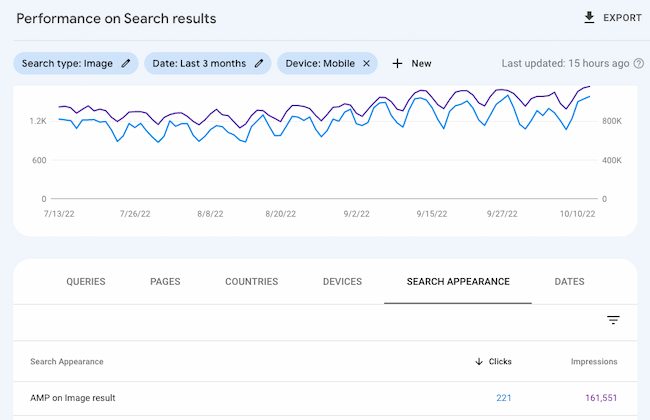
Remember, many content marketers struggle with optimizing their blog posts for search. The truth is, your blog posts won’t start ranking immediately. It takes time to build up search authority.
But, when you publish blog posts frequently and consistently optimize them for search while maintaining an intent-based reader experience, you’ll reap the rewards in the form of traffic and leads long-term.
Now, let’s take a look at these blog SEO tips that you can take advantage of to enhance your content’s searchability.
Note: This list doesn’t cover every SEO rule under the sun. Rather, the following tips are the on-page factors to get you started with an SEO strategy for your blog.
1. Use 1–2 long-tail keywords.
Optimizing your blog posts for keywords isn’t about incorporating as many keywords into your posts as possible. Nowadays, this actually hurts your SEO because search engines consider this keyword stuffing (as in, including keywords as much as possible with the sole purpose of ranking highly in organic search).
It also doesn’t make for a good reader experience — a ranking factor that search engines now prioritize to ensure you’re answering the intent of your visitors. Therefore, you should use keywords in your content in a way that doesn’t feel unnatural or forced.
A good rule of thumb is to focus on one or two long-tail keywords per blog post. While you can use more than one keyword in a single post, keep the focus of the post narrow enough to allow you to spend time optimizing for just one or two keywords.
You may be wondering: Why long-tail keywords?
These longer, often question-based keywords keep your post focused on the specific goals of your audience. For example, the long-tail keyword “how to write a blog post” is much more impactful in terms of SEO than the short keyword “blog post”.
Website visitors searching long-tail keywords are more likely to read the whole post and then seek more information from you. In other words, they’ll help you generate the right type of traffic — visitors who convert.
2. Create SEO personas.
Most businesses have buyer personas, but you can make your blog even more searchable and relevant with SEO personas.
This strategy isn’t just for boosting SEO visibility. It can help you focus your time and resources on the traffic that can boost your business. This is a data-driven strategy that can help you understand the keyword themes and search habits of your target audience.
Once you understand these details, it will be easier to choose which topics to prioritize in your blog SEO strategy. As you create your SEO personas, you’ll want to answer questions like:
- How does your target audience use social media?
- How do your ideal users respond to paid advertising?
- Do they take part in groups, forums, or message boards online?
These details can help you understand how your users search and what types of content they’ll respond to online. This can help you boost traffic, leads, and conversions while also optimizing for SEO.
This presentation from Rory Hope at INBOUND 22 shares how you can use your social media data to create SEO personas for your blog.
3. Consider mobile devices.
We learned earlier that more people use search engines from their mobile phones than from a computer. According to HubSpot Research, 64% of SEO marketers say that mobile optimization is an effective investment.
And for all those valuable queries on mobile devices, Google displays the mobile-friendly results first. This is yet another example of Google heavily favoring mobile-friendly websites — which has been true ever since the company updated its algorithm in April 2015.
(HubSpot customers: Breathe easy. All content created on HubSpot’s platform is automatically responsive to mobile devices.)
So, how do you keep your blog mobile-friendly? By using responsive design. Websites that are responsive to mobile allow blog pages to have just one URL instead of two — one for desktop and one for mobile, respectively. This helps your post’s SEO because any inbound links that come back to your site won’t be divided between the separate URLs.
As a result, you’ll centralize the SEO power you gain from these links, helping Google more easily recognize your post’s value and rank it accordingly.
Pro tip: What search engines value is constantly changing. Be sure you’re keeping on top of these changes by subscribing to Google’s official blog.
4. Make the most of the SEO tools and features in your CMS.
The right CMS can help you improve blog SEO. Whether you’re building a new blog post or updating site pages, the more built-in features you have the easier it will be to optimize for SEO.
SEO is complex, so the features you’ll need will depend on your level of expertise and how often you post to your blog.
For example, the HubSpot CMS has robust SEO features that can help you build or optimize your blog. If your site already has a lot of blog posts, a tool that can scan live pages for recommendations is a must-have. If you’re just starting to blog, alt text popup prompts could be more useful for you.
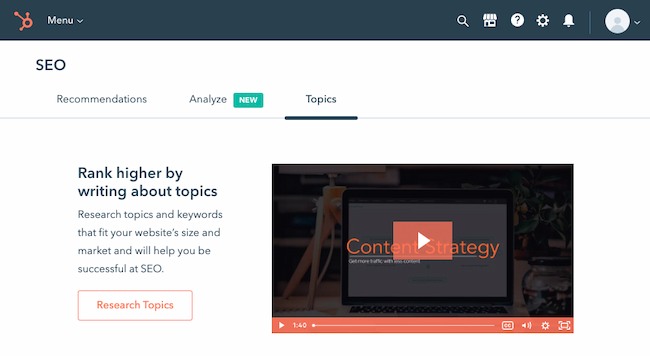
Another challenge bloggers struggle with is finding post topics. The HubSpot SEO tool can give you suggestions with competition, popularity, and relevance in mind. It also gives you access to monthly search keyword data. This can help you understand how specific topics can increase your organic traffic. This tool offers detailed reports so you can track your results and update your SEO strategy quickly.
CMS integrations are also important. For example, HubSpot’s page publishing tools connect to Google Search Console. This makes it easy for you to see your top search queries, impressions, click-through rate, and more for every page on your site.
5. Focus on readability.
One of the most common beginner blog mistakes is assuming that the people who land on your blog will read it thoroughly. Instead, most readers are looking for a quick answer to a question. When they find your post, their goal is to find what they’re looking for.
Readable content is easy to consume and quick to skim. It’s also a delight to read — offering clear answers and a logical path from question to answer. Readability improves the chances that your readers will engage with your content. It helps you make sure that they’ll look to your blog as an authority in your industry.
Besides improving the user experience on your blog, readability impacts SEO by making it easier for Google to crawl your posts. It also increases the potential that users will find your blog with voice searches.
There are many ways that you can improve readability. Vocabulary choices, sentence and paragraph length, and the structure of your blog posts can all make your posts more readable. A few strategies to improve readability include:
- Use short and simple words
- Write short sentences
- Limit jargon, adjectives, and adverbs
Tools like Hemingway Editor offer a score that can help you understand how easy your copy is to read and how to improve it.
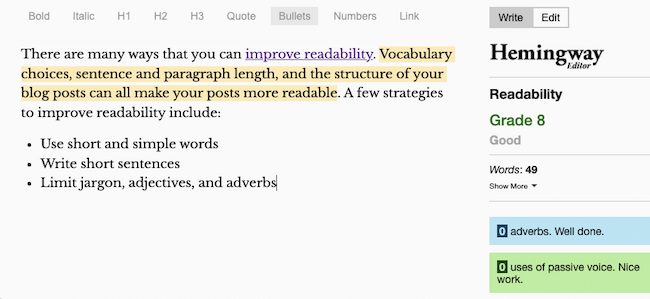
You can also make your blogs easier to consume by adding useful images and videos or choosing colors and fonts that are easy on the eyes.
6. Limit topic tags.
Topic tags can help organize your blog content, but if you overuse them, they can actually be harmful. If you have too many similar tags, you may get penalized by search engines for having duplicate content.
Think of it this way, when you create a topic tag (which is simple if you’re a HubSpot user, as seen here), you also create a new site page where the content from those topic tags will appear.
If you use too many similar tags for the same content, it appears to search engines as if you’re showing the content multiple times throughout your website. For example, topic tags like “blogging,” “blog,” and “blog posts” are too similar to one another to be used on the same post.
If you’re worried that your current blog posts have too many similar tags, take some time to clean them up. Choose about 15–25 topic tags that you think are important to your blog and that aren’t too similar to one another. Then only tag your posts with those keywords. That way, you won’t have to worry about duplicate content.
Here at HubSpot, we use a Search Insights Report to map specific MSV-driven keyword ideas to a content topic each quarter. The process helps us target a handful of posts in a set number of topics throughout the year for a systematic approach to SEO and content creation.
7. Create user-friendly URLs.
Before you publish your blog post, take a careful look at its URL structure. Is it long, filled with stop-words, or unrelated to the post’s topic? If so, you might want to rewrite it before it goes live.
The URL structure of your web pages (which are different from the specific URLs of your posts) should make it easy for your visitors to understand the structure of your website and the content they’re about to see. Search engines favor web page URLs that make it easier for them and website visitors to understand the content on the page.
This differentiation is baked into the HubSpot blogs’ respective URL structures. If I decided to go to the Marketing section from this main page, I would be taken to the URL http://blog.hubspot.com/marketing.
If we want to read the Sales section, all we have to do is change where it says “marketing” in the URL to “sales”:
http://blog.hubspot.com/sales.
This URL structure helps me understand that “/marketing” and “/sales” are smaller sections — called subdirectories — within the larger blog.
What if there’s a specific article we want to read, such as “How to Do Keyword Research: A Beginner’s Guide”?
Its URL structure — http://blog.hubspot.com/marketing/how-to-do-keyword-research-ht — denotes that it’s an article from the Marketing section of the blog.
In this way, URL structure acts as a categorization system for readers, letting them know where they are on the website and how to access new site pages. Search engines appreciate this, as it makes it easier for them to identify exactly what information searchers will access on different parts of your blog or website.
Pro tip: Don’t change your blog post URL after it’s been published — that’s the easiest way to press the metaphorical “reset” button on your SEO efforts for that post. If your URL is less descriptive than you’d like or it no longer follows your brand or style guidelines, your best bet is to leave it as is. Instead, change the title of the post using the guidelines we covered earlier.
8. Organize by topic cluster.
The way most blogs are currently structured (including our own blogs, until very recently), bloggers and SEOs have worked to create individual blog posts that rank for specific keywords.
This makes things unorganized and difficult for blog visitors to find the exact information they need. It also results in your URLs competing against one another in search engine rankings when you produce multiple blog posts about similar topics.
Here’s what our blog architecture used to look like using this old playbook:
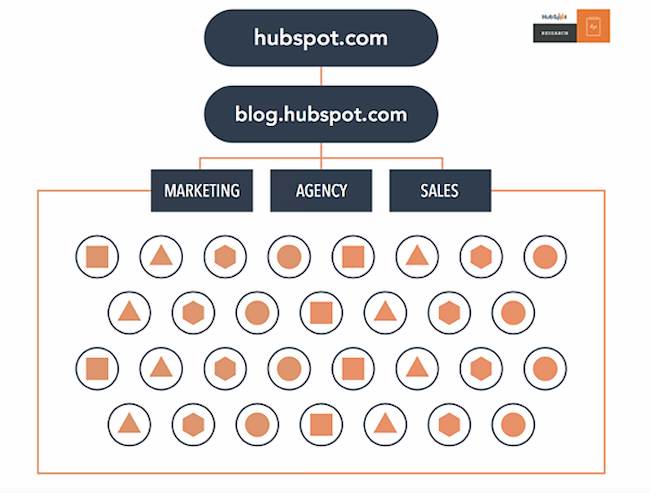
Now, to rank in search and best answer the new types of queries searchers are submitting, the solution is the topic cluster model.
For this model to work, choose the broad topics for which you want to rank. Then, create content based on specific keywords related to that topic that all link to each other to establish broader search engine authority.
This is what our blog infrastructure looks like now, with the topic cluster model. Specific topics are surrounded by blog posts related to the greater topic, connected to other URLs in the cluster with hyperlinks:
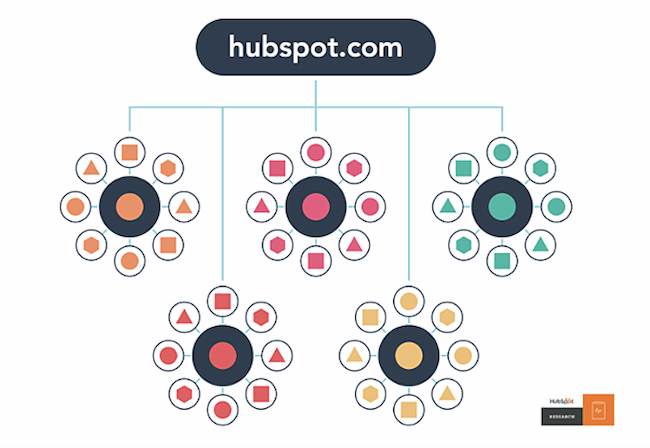
This model uses a more deliberate site architecture to organize and link URLs together to help more pages on your site rank in Google — and to help searchers find information on your site more easily. This architecture consists of three components — pillar content, cluster content, and hyperlinks:
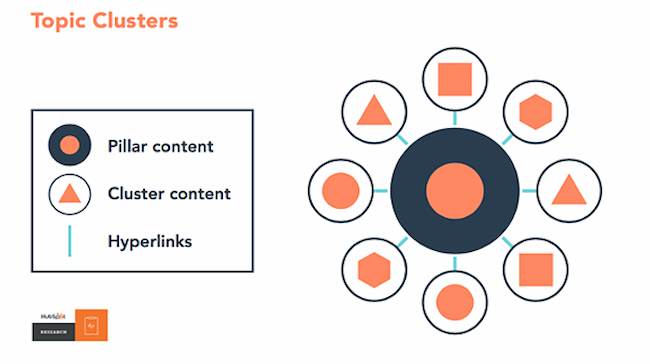
We know this is a fairly new concept, so for more details, check out our research on the topic or take our SEO training.
9. Optimize for SERP features.
There are more than just organic page results on Google. Instead, each search engine results page (SERP) includes a range of different features to help users find what they’re looking for. For example, the People also ask feature highlights questions that relate to the users’ initial search request, like in the example below:
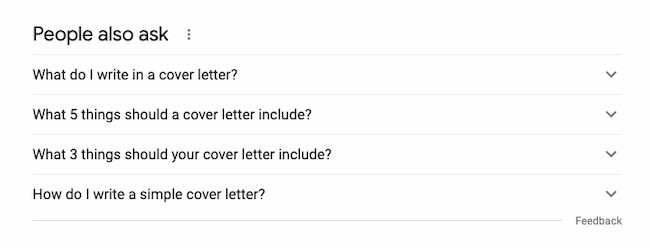
There are many different types of SERP features. Other popular SERP features include:
- Featured snippets: These often appear at the top of search results pages. They usually highlight a section from within a blog post to answer a specific search request.
- Image packs: This is a group of images from blog posts or websites that match a search request.
- Local pack: These highlight local answers to search requests.
- Things to know: This feature usually appears on broad searches. It highlights other information that could help the user refine their search.
- Review snippets: This rich snippet is an excerpt of a specific review, and may include information from a range of reviewers.
- Recipe snippets: This is a group of recipes from blog posts or websites that match a search request.
There are a few ways that you can improve your chances of getting SERP features to improve SEO for your blog.
First, write clear, well-structured, and useful content that responds to keywords in your niche. Be sure to answer specific questions within each post that relate to your blog topic.
Next, take a look at competitor examples for tips and ideas. It’s also a good idea to optimize your images and videos with alt text to improve their chances of appearing for relevant searches.
Finally, learn about structured data and apply it to the formatting of your blog posts. For example, these instructions from Google outline how to format a recipe with structured data.
This HubSpot Academy lesson can help you with rich SERP results. Or listen to this podcast to learn how to win featured snippets:
10. Publish evergreen content.
When planning and writing your blog articles, make sure it’s evergreen content. Meaning, the content is about topics that will remain relevant and valuable over a long period of time (with only minor changes or updates). Let’s look at a few reasons why evergreen content is so important:
- It’ll help you rank over time, not just in the near future.
- It contributes to steady amounts of traffic coming to your blog (and website) long after it’s been published.
- It’ll help you generate leads over time as a result of the traffic it continually generates.
All blog content — whether it’s a long-form article, how-to guide, FAQ, tutorial, and so on — should be evergreen. Even the images you use in these posts should be evergreen. Check out this blog post for some examples of and ideas for evergreen content on your blog.
11. Update existing content.
To improve your SEO, you may assume you need to create new blog content. Although that’s partially true, you should also focus a great deal of your time and energy on your existing blog content. Specifically, repurposing and updating your current content, as well as removing your outdated content.
This is because it takes a lot longer for a completely new piece of content to settle on the search engine results page (SERP) and gain authority, whereas you could update a piece of content and reap the benefits fairly immediately in comparison.
Not only will your updated content rank on the SERP faster, improving your number of visitors and leads, it also takes a lot less time and fewer resources to update an existing piece of content rather than create a brand new article.
Additionally, updating and repurposing some of your most successful pieces of content extends its lifespan so you can achieve the best results over a longer period of time (especially if it’s evergreen content).
The final step entails removing outdated content that’s no longer relevant to your audience. Although your goal is to ensure your content is evergreen, some of it is bound to become outdated over time. This includes statistics, product information (if you have any listed in your blogs — as your products and business evolve), or information that changes across your industry over time.
If you want even more SEO tips, check out these resources:
Create Blog Content Your Readers (and Search Engines) Will Love
We don’t expect you to incorporate each of these SEO best practices into your content strategy right away. But, as your website grows, so should your goals on search engines. Once you figure out the goals and intent of your ideal readers, you’ll be on track to deliver relevant content that will climb the ranks of the SERP.
Editor’s note: This post was originally published in September 2019 and has been updated for comprehensiveness.