
A Plain English Guide to Real Time Bidding
Since its inception in 2009, real-time bidding (RTB) has become one of the most popular ways to purchase ad inventory online.

But even for experienced marketers, this type of programmatic advertising can be a very confusing concept. I, for one, get intimidated just by reading the word “programmatic.”
So let’s break down what RTB is, how it works, and the pros and cons of using it – all while keeping it jargon-free.
Before we dive into RTB, let’s cover a few basics.
An impression, which is when an ad is displayed on a user’s screen, is the currency used in RTB. Publishers – i.e., the owners of the webpages and mobile apps on which ads are displayed – typically charge for every 1,000 impressions the ad gets. Advertisers know this as the cost per mille (CPM) and place their bids based on the value of each impression.
How do you determine that value? By evaluating the user against your targeting parameters (more on that later).
Are there real-time bidding platforms?
There are no RTB platforms because real-time bidding is a method of purchasing impressions, not a channel. Still confused? Let’s picture a real auction.
Imagine you want to bid on a car. You hire someone to go to the auction for you – that’s your demand-side platform (DSP). The person putting the car up for auction is the publisher and the venue is the marketplace. Raising your hand to indicate a bid is your real-time bidding process.
To purchase ad inventory through RTB, you’ll have to use a DSP, which is a media buying platform on the advertiser side that facilitates the purchase of an ad campaign and monitors its performance. Learn more about that here.
How The Real-Time Bidding Algorithm Works
To understand how the algorithm works, you’ll need to first understand the platforms involved in the process.
On the advertiser side, marketers use DSPs to set up their ad campaign and track its performance. Publishers, on the other hand, use supply-side platforms (SSPs) to list their ad spaces (also known as ad inventory) and the price they charge. They then meet in the middle at the ad exchange, the marketplace where the real-time bidding actually takes place.
To determine what ad inventory to bid on, advertisers will set targeting parameters. For instance, a brand may only want to take users who are in a specific region or have visited their website recently.
So, advertisers, or specifically their DSPs, evaluate ad potential in real time and decide whether or not to place a bid and how much to bid.
So, now that we’ve covered the key elements needed for a real-time bid, let’s go through an example of how it works.
Let’s say Silk is a UK-based beauty brand that just launched a new brow line and is running a campaign. They set up their campaign on a DSP and are targeting users who regularly shop for makeup products, are located in the Manchester area, and are between 18 to 30 years of age. The brand also wants its ads to only show on sites related to beauty and lifestyle.
A user visits a publisher’s site. The publisher’s SSP sends a bid request to the ad exchange where Silk’s DSP will be evaluating the value of the impression. The DSP will then determine if the user meets the parameters outlined in the campaign. If so, the DSP will submit a bid.
If Silk has the winning bid, the user will see the ad once the page loads. This process happens thousands of times on different webpages during the length of Silk’s ad campaign.
Silk’s paid ads manager will also be monitoring their ad’s performance on the DSP to see if it’s reaching the desired audience, or if the parameters should be adjusted.
The Benefits of The Real-Time Bidding Process
Better Tracking
With RTB, advertisers can monitor their campaigns easily without relying on vendors. No need to reach out to multiple publishers and ask for reports, you can get them yourself on your DSP.
This also gives marketers the agility to pivot quickly if their campaign isn’t performing as expected. For instance, you might find that switching out one keyword for another may boost your campaign’s performance and align better with the audience you want to reach.
Better Targeting
When purchasing ads through RTB, you buy one impression at a time. This means that every time a website visitor or mobile app user visits a publisher’s site, you’re able to assess that person’s particular profile and see if it matches your target audience.
It makes for more accurate targeting as you can ensure your ads are only reaching the right people at the right time.
More Cost-Effective
The precision of the real-time bidding algorithm allows marketers to spend their ad dollars on high-value impressions.
Too often, brands launch marketing campaigns that only reach a portion of their target market, leaving the rest of the budget wasted on users who don’t fit the profile.
In addition, RTB takes much of the manual labor out of the online advertising process, allowing marketers to focus on other efforts.
Challenges of Real-Time Bidding
Brand Safety
Where your ad shows up is as important as who sees it. This is because consumers judge brands’ ads based on the surrounding content.
A 2019 Ad Colony survey reported that 60% of consumers have a negative perception of brands whose ads appear near inappropriate, hateful, or offensive content. This can be anything from a site that hosts pirated movies to sites promoting hate speech.
Due to the nature of RTB, there is a risk your ad may appear on a site with content you wouldn’t want your brand associated with. However, brands can limit this issue by putting certain keywords and sites on a deny list. This protects brands from showing up on webpages or mobile apps that don’t align with their identity.
Ad Fraud
Cheq estimated that in 2020, ad fraud would cost digital advertisers $35 billion, with 10.5% of digital ads reaching bots.
Beyond cost, the rising sophistication of bots can also cause brands to gather inaccurate data on their campaigns.
Some deceitful publishers fabricate impressions to steal from advertisers. One way to combat this is by using a DSP or ad network with fraud detection software.
Real-time bidding makes the online advertisement process fast and easy. Marketers can skip the back-and-forth previously associated with ad buying and focus on tracking the results.

How to Run a Focus Group for Your Business
When you’re developing or launching a new product, service, or business, you’ll want to have a general sense of how receptive your target market will be to it.
Typically, this is done through extensive market research — and one key component of the research process is running a focus group.
A focus group is a small group of people, typically representative of your target market, with whom you share ideas and ask questions about your product, service, or business. The individuals who make up the focus group should be a mix of current customers and people who’ve never made a purchase but might in the future. The ideal outcome is a stronger understanding of how the subject of the focus group would be received by a wider audience, and what changes (if any) should be made before the formal roll-out.

In this article, we’ll highlight a step-by-step process for conducting a focus group, planning your questions in a focus group questionnaire, following an agenda for your focus group session, and incorporating the findings into your launch strategy.
Follow Along With a Free Focus Group Questionnaire Template
HubSpot’s Market Research Kit includes everything you need to run an effective round of market research, including a focus group questionnaire and a guide on how to run focus groups. Download the kit now to incorporate the steps in this post into your focus group strategy.
How to Run a Focus Group
1. Choose your topic of discussion.
Going into a focus group, your discussion should be narrowed down to one or a few topics. Keep in mind that you won’t be able to thoroughly address every area you want to discuss in one short focus group session.
Because of this, it’s not uncommon for companies to run multiple rounds of focus groups around different topics. For example, if you’re launching a new product, you could center one focus group around the product’s marketing and brand positioning, and another one around the usability and functionality of the product itself.
2. Choose your questions or discussion prompts.
Once you determine the topic of discussion for your focus group, create a list of questions and discussion prompts that will help you gather the data you need.
Let’s return to the product launch example from above. If you’re running the product marketing focus groups, you could ask questions like:
- What do you think of the packaging design?
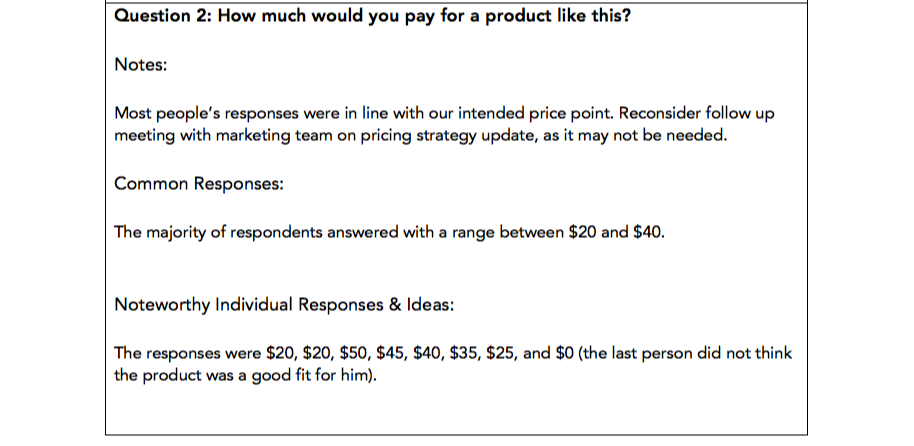
- How much money would you spend on a product like this?
- What other companies do you think of when you see a product like this?
Meanwhile, for a focus group about the product itself, you’ll want to ask about the product’s functionality, ease of use, and perceived favorability.
Also, remember to ask open-ended questions — “Do you like the product?” and “What do you think of the product?” may seem similar in nature, but the latter will produce more detailed results.
3. Prepare your focus group questionnaire.
After you’ve chosen your questions and discussion prompts, organize them on a focus group questionnaire. Be sure to leave enough space on the questionnaire for overall notes, a list of common responses, and one or two noteworthy responses that really stood out.
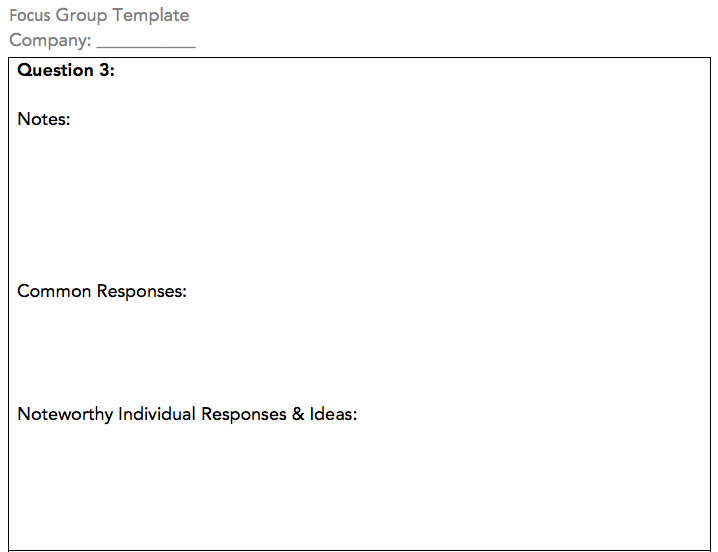
Download this Template for Free
4. Appoint a notetaker.
Your focus group discussion should be facilitated by at least one person, while another person on your team should be a designated notetaker.
Why? The facilitator’s job is to facilitate — to guide the discussion and foster new ideas from participants. This task can get easily derailed if the facilitator also needs to pause the discussion to write down big, bold ideas and reactions from participants.
To avoid this possibility of disruption, appoint a notetaker before going into the focus group who can focus solely on jotting down the general consensus from the group, unique and noteworthy individual responses, and the key takeaways for the business.
5. Recruit and schedule participants.
One of the most challenging parts of running a focus group is getting people to actually show up. After you select a time and a place, you’ll want to start spreading the word to participants.
Here are a few ways to find them:
Reach out to existing customers.
If you’re doing market research for an existing company, reach out to your customers through account managers or an email database. Since current customers will likely be the first to use what you’re launching, this will be the perfect opportunity to gauge early reactions for the official launch.
For incentives, you could offer free or discounted services or reward them on a customer advocacy program like Influitive.
Advertise on social media.
Looking for middle-aged males or senior citizens in the greater Ann Arbor area? No problem! Social media advertising offers advanced targeting options for you to reach your target market.
You should also think about which sites are most used by the people you want in your focus group. If you’re interested in surveying middle-aged working professionals, you’ll probably have better luck on LinkedIn than you would on TikTok.
Try location-based promotion.
If you’re hyper-targeting a location, supplement your recruiting efforts with advertisements that will only be seen by those in your area. A few examples include:
- Billboard Ads
- Public Transit-Based Ads (Trains, Busses, Taxis, etc.)
- Ads in Local Publications and Newspapers
Be prepared to offer incentives.
People rarely do anything for free. In your advertisements and promotional assets, highlight the incentive you’re prepared to offer — which could be cash, a gift card, or a discount on whatever you’re selling.
If you’re strapped for cash, consider hosting a raffle or giveaway for participants. That way, if you host a focus group of eight people, you could offer a chance at a $100 gift card (rather than a guaranteed $25 per participant) to save you $100.
6. Get consent and start the discussion.
Before you start your focus group discussion, remind participants of the purpose of the group and hand out a consent form. The consent form should reiterate the purpose of the event, outline the participants’ rights, identify the compensation, list the facilitators’ contact information, and prompt participants to sign.
After everyone signs off, it’s time to run the focus group.
7. Have everyone introduce themselves.
To break the ice and get people talking, start the discussion off by introducing yourself and inviting the participants to do the same.
This is another chance for you to learn more about your target market. In addition to having participants say their names, consider asking them to share their industry or interests to get a more personal understanding of how your product, service, or business could play a role in their everyday lives.
8. Ask your questions.
Remember, this is not an interview! Before the focus group begins, you should prepare a list of five to 10 questions.
That being said, it can be easy to tie yourself to your list of questions or discussion points, but sticking too closely to this can hamper natural and effective conversations. If the group takes a slightly different turn than you were expecting, don’t be afraid to allow the conversation to veer off-course if it seems productive.
running a focus group to solicit multiple ideas, so only hearing from one or two people defeats the purpose of the exercise. Be ready to jump in when someone has been quiet for too long and say something along the lines of “Isabella, what’s your input here?” or “Raheem, what do you think about what Isabella said?”
The point of a focus group is not just to confirm information you think is true, but also to uncover what you don’t know.
So long as it’s not too far off-topic, allow the conversation to happen naturally and use an agenda as a guide rather than a point-by-point checklist of topics to cover.
Additionally, you may not ask every question on your list, depending on the direction of the conversation. Make sure you ask the most important questions first, and follow-up on certain discussion points to keep things flowing rather than hosting a pure question-and-answer forum.
9. Seek equal representation from the group.
Remember, this is not an interview! You’re running a focus group to solicit multiple ideas, so only hearing from one or two people defeats the purpose of the exercise. Be ready to jump in when someone has been quiet for too long and say something along the lines of “Isabella, what’s your input here?” or “Raheem, what do you think about what Isabella said?”
10. End the meeting in a reasonable amount of time.
Exhaustion and the law of diminishing returns are real, so keep them in mind when planning the time frame for your focus group.
At the start of the session, in your advertisements, and/or on your consent form, you should specify how long the focus group will last. It’s your responsibility to moderate the discussion in a way that ensures the time frame is not exceeded.
Now, if the exercise lasts for an hour and five minutes and you promised an hour focus group, that’s totally acceptable. However, if you promised a 45-minute session and it goes well over an hour, your attendees could be resentful and less likely to offer valuable feedback.
When the discussion is over, thank your attendees for their time and deliver the promised incentive, if applicable. Additionally, remind them of your contact information if they decide they have more feedback or comments they’d like to provide.
11. Analyze and incorporate feedback.
Ideally, your focus group has provided you with plenty of responses, unique angles, and actionable ideas to help your business thrive. After all of your focus groups have taken place, have your team compile and analyze the commonalities of the ideas presented and what changes, if any, are applicable to the product, service, or business in question.
Focus Group Agenda
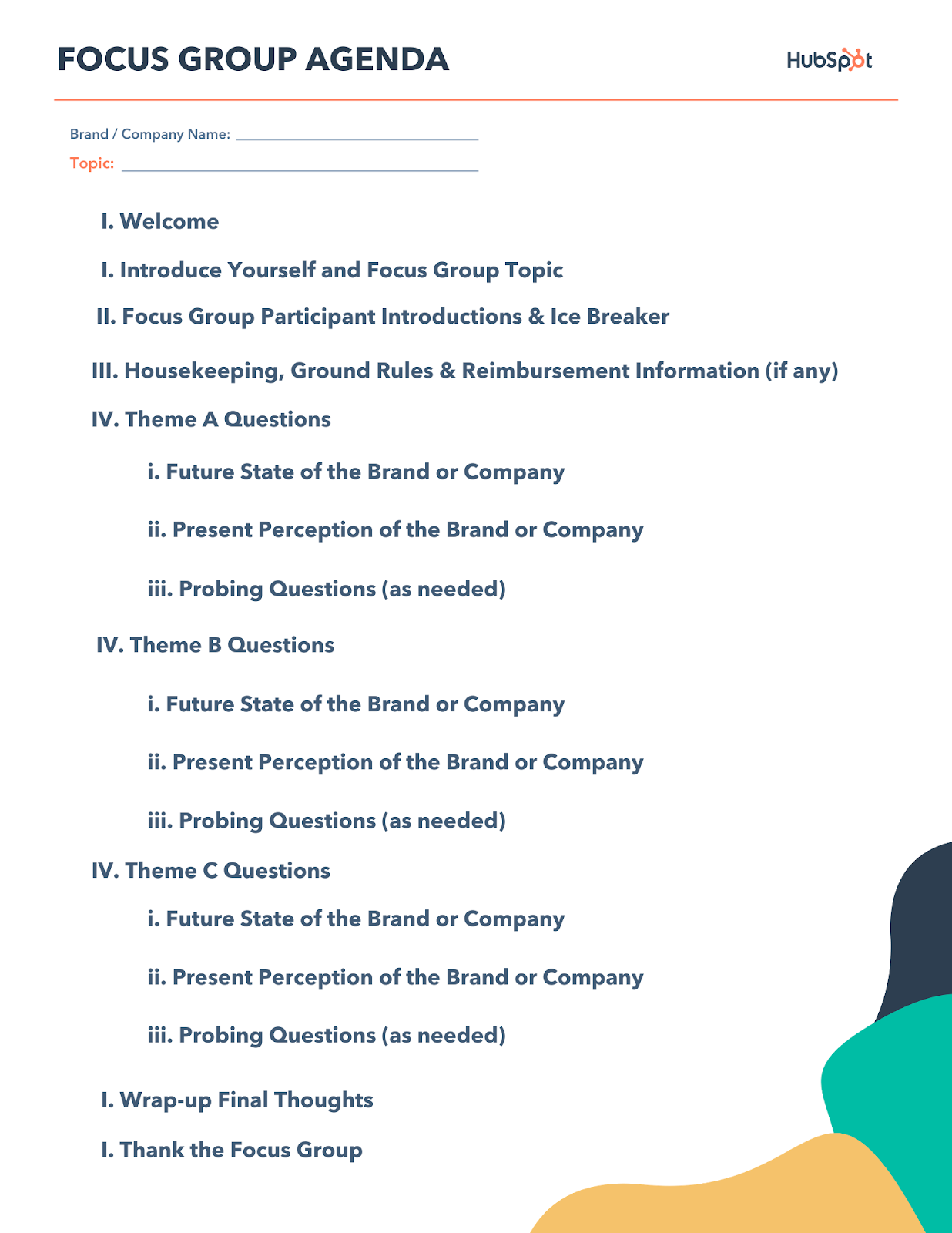
To get started with your focus group, you’ll need an agenda to stay on task during the meeting. First, you’ll want to welcome the participants in the focus group and introduce yourself and other researchers who may be present. This step is important as it establishes rapport with the group and builds trust.
Next, ask participants to introduce themselves. This does a few things: it continues building rapport among the group members and it confirms the pronunciation of everyone’s names — you don’t want to spend the next hour or more together saying everyone’s names incorrectly!
Before asking questions, establish some ground rules for the group. If a topic could become controversial, let that be known and set boundaries for how far a discussion can go. If you’ll be asking for information that isn’t normally shared in a group setting, assure the cohort that the findings won’t have names or identifying data attached to the responses. Finally, if your company is reimbursing expenses or providing payment to the focus group participants, let them know how and when they’ll receive their disbursements.
Now, here’s the fun part. Although you may have one broad topic to discuss during the focus group, it’s very likely that you’ll have several subtopics that need to be addressed separately. Structure your questions in such a way that the flow of the conversation makes sense. This could be by theme, chronological order, or the current-future state of your business.
Once you’ve reached a stopping point during the conversation, wrap up any lingering questions and ideas within the group. Finally, thank everyone for their time and end the session.
If you need those steps organized in a handy agenda, we’ve got you covered. Download the PDF below and save it for your next focus group.
Focus Group Example
Now that you have a step-by-step guide for conducting a focus group, it’s time to see one in action. Using the steps above, I’ve identified a recent focus group example that follows most of the guidelines we’ve recommended.
Georgetown University Institute of Politics and Public Service conducted a focus group with first-time voters after the 2020 election. It could have been very easy for this focus group to get off track and into political affiliations; However, you’ll notice in this example that the researcher had a topic in mind — the first-time-voter experience — and didn’t deviate from that topic. She asked probing questions and sought out a variety of perspectives from the group.
Watch this focus group to get a better understanding of how to start these conversations and keep them going to get the insights you need.
The information can now be studied for political research thus helping guide future campaigns for first-time voters.
Running a Better Focus Group
Taking this methodical approach to running a focus group can produce better and more insightful feedback from your participants. To keep your questions, thoughts, and responses organized, we developed a focus group template, which you can use to run a better focus group. Download it for free now to get the most out of your marketing research.
Editor’s note: This post was originally published in September 2019 and has been updated for comprehensiveness.

How To Make a YouTube End Screen [+ Templates & Examples]
While certainly a source of entertainment, YouTube is also an incredible platform for marketers to use, especially since it is the second-largest search engine in the world. Its users take action based on the videos they see, as 70% of them report buying from a brand after seeing their content on YouTube.
Aside from product purchases, how do you keep viewers interested in your channel and watching more videos? End screens. In this post, we’ll explain what an end screen is, outline how to create one, share high-quality examples from existing channels, and recommend template options that you can use to create your own.

These elements are shown over the top of the last few seconds of your videos’ playtime. They are different from YouTube’s automatically generated annotations because you can choose the content yourself.
How to Make a YouTube End Screen
You can create YouTube end screens directly in your YouTube account, and below we’ll go over how to add end screen elements to your videos.
1. Sign in to your YouTube account.
2. In the top right corner, select your account icon, then YouTube Studio.
3. On the left-hand menu, select Content.
4. If you want to add an end screen to an existing video, select the video, click the pencil icon (shown below), and skip the next step.

5. If you want to add an end screen to a new video, select the Create button on the top right of your screen to upload the video file.
6. After completing either step four or five, select the Video elements tab, as shown below.
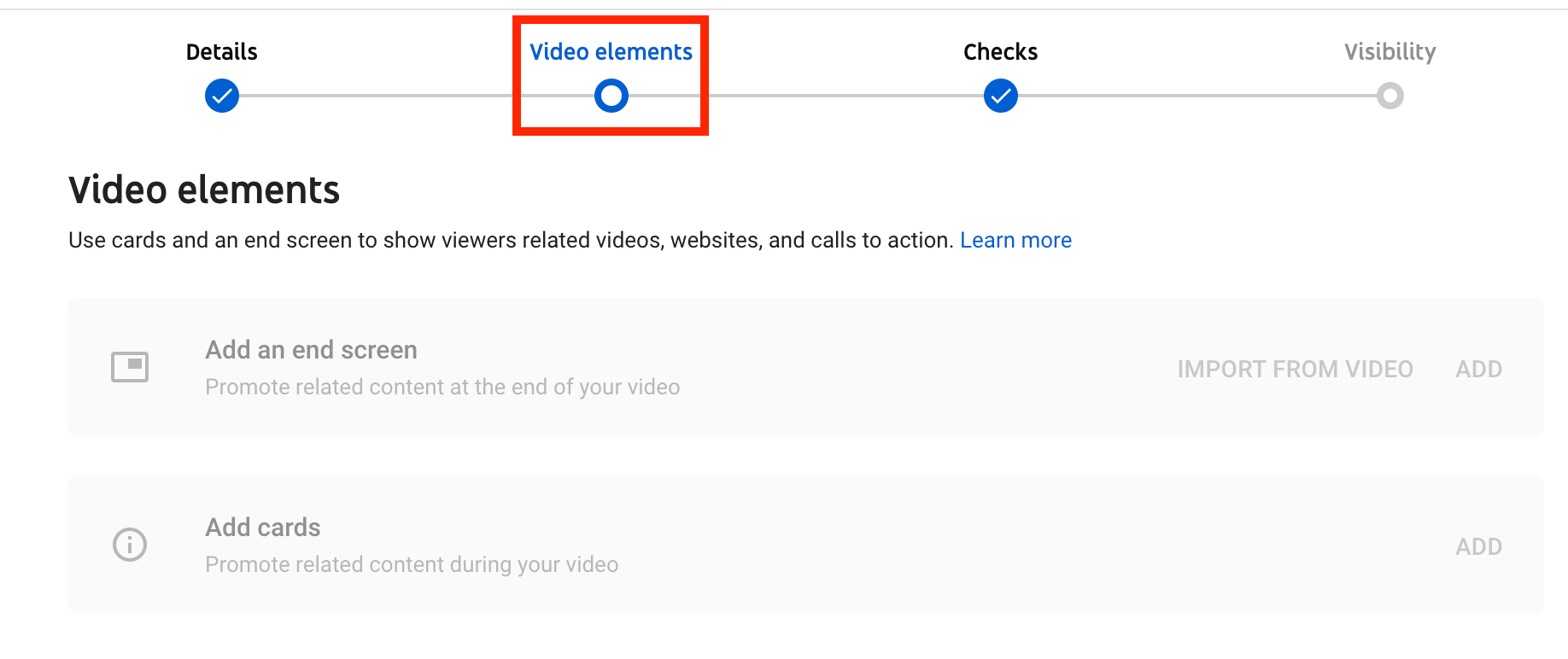
7. You should then see the option to Add an end screen by importing from an existing video or adding your own.
8. Select the end screen elements you want to add to your video, fill in the required information, and click Create Element.
9. For further customizations, you can adjust the size and placement of each element on the end screen and the length of time each will be displayed.
10. You can preview the end screen by selecting Preview on the top left corner or simply select Save to finalize your end screen.
YouTube End Screen Examples
Claire Saffitz Dessert Person
The example below is an end screen from Clare Saffitz’s channel, Dessert Person. While it may seem basic, it gets the job done through a CTA directing viewers to other videos on the channel and a subscription button.
New York Times Cooking
The NYT Cooking channel also uses a simple end screen for their videos that feature a simple subscribe button. This is the benefit to end screens, as they can contain any of the preferred actions you’re hoping for your viewers to take, from subscribing to your channel to watching your other videos.
Food52
You might have noticed that this list is surprisingly food-themed, but that’s what I watch on YouTube. Food52 fits a lot onto their outro with links to other videos, a click to subscribe button, and a link to their webshop. Since their website isn’t a YouTube-approved link, they’ve just added it onto their end screen template as a text element.
History Channel – Ancient Recipes
History Channel uses all four elements of an end screen: links to playlists, other videos, a subscribe button and a link to their website. So many choices for their viewers!
Vice Munchies
Vice uses a unique, animated end screen to capture their viewers’ attention. The words “Watch More” flash on the screen in different languages, as well as links to two other videos.
Standard YouTube End Screen Dimensions
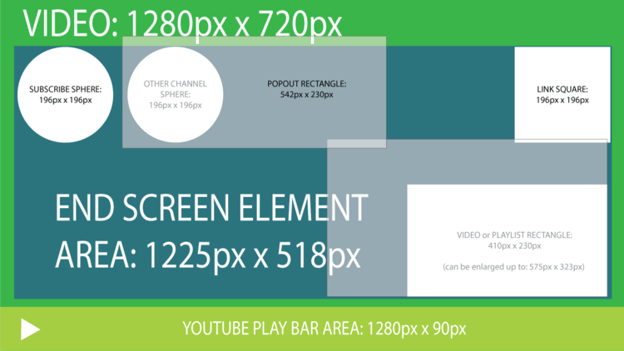
The instructions above detailed how you can create an end screen within YouTube’s Creator Studio, but you can also upload your own. When doing so, it’s essential to make sure that it is the correct dimensions.
Standard sizing is 1280px by 720px, and standard HD aspect ratio is 1920px by 1080px. The image below is a sample end screen template that you can use to create your own. Below we’ll recommend more templates to use.
YouTube End Screen Templates
While you can certainly design one on YouTube or from scratch, there are various templates you can use that will help you create a high-quality end screen that meets your branding needs. Let’s go over some resources below.
- Adobe Spark: Includes various templates to customize to meet your individual branding needs and further your YouTube reach. The site walks you through the process, so it is simple and easy to use.
- Canva: Create a personalized end screen with a pre-built template or from scratch. You can include illustrations, icons, stickers, and even animated effects.
- Snappa: Free and customizable YouTube end screen templates that have been professionally designed. Simply select a template, create an account, and you’re good to start designing.
- YouTube: Many channels have uploaded pre-built templates that are available for download. You can browse through videos, select your preferred template, and navigate to the description box and download your favorite option.
YouTube End Screen Length
End screens play for the last five to 20 seconds of your videos. Make sure that the elements you choose to include appear at the right time to maximize the impact of your end screen cards, as the goal is to entice users to take additional action with your channel and generate more views and engagement.
If you want to add CTAs to other parts of your videos, you can do so with YouTube cards. Here is a tutorial on how to create cards from YouTube’s Creator Academy.
How To Disable YouTube End Screen
If you want to remove an end screen from your YouTube video, follow these steps:
1. Sign in to your YouTube account.
2. On the top right-hand corner, click on your account icon and select YouTube Studio.
3. On the menu screen on the left-hand side of your page, select Content. You should then see a list of all of your YouTube videos.
4. Select the pencil icon on the video you want to remove the end screen from.
5. Click on Video elements.
6. On the end screen, click Edit element.
7. Click delete.
As the creator, you’re the only one that can remove end screens from your videos, so you can ensure that users are seeing what you want them to see.
Use high-quality end screens to re-capture audience attention.
If your audience has watched your videos to the end, you’ve captured their attention. However, you don’t want to lose their attention once the video is over; you want them to stay engaged.
End screens will help you re-capture audience attention and inspire them to watch another video or convert them into subscribers. If you’re interested in spending more time on the platform, learn how to make money on YouTube and essential YouTube stats for marketers to know.

How To Design An Annual Report [+ Template & Examples]
An annual report offers a comprehensive overview of your business’s yearly operations. As the content in these reports is heavy-hitting, it’s essential to present it in a way that helps your audience understand and visualize your successes.
These reports also incorporate various design elements that support your metrics and create a unique, creative, and visually appealing story of your business activities.
In this post, we’ll outline annual report design best-practices, provide a template you can use to create your own, and go over examples of annual reports from other businesses that you can use for inspiration.

What is an annual report?
As a refresher, an annual report is a document created by businesses that display yearly performance, including successes and challenges. It gives a big-picture view of operations and strategies while also going in-depth on key performance metrics.
Annual reports differ from weekly reports in that they address anything and everything that has happened over the past year, including content you’ve already mentioned in weekly, monthly, or any other style of report you’ve made.
Designing an annual report is a careful process, as it is crucial to find a balance between powerful graphics and clarity and understanding. Most reports contain data visualizations, like charts and graphs, to enhance the experience and really call attention to heavy-hitting metrics.
Below we’ll provide a template that you can use to design an annual report for your business and outline the sections that should be included in every report, regardless of industry.
Annual Report Design Template
The template you choose to use to design your annual report should be based on your individual business needs and the metrics you’re hoping to include.
However, you can adapt most templates to fit your business needs, like this template offered by HubSpot. The image below features two pages from the downloadable template, including a company overview and a yearly performance analysis.
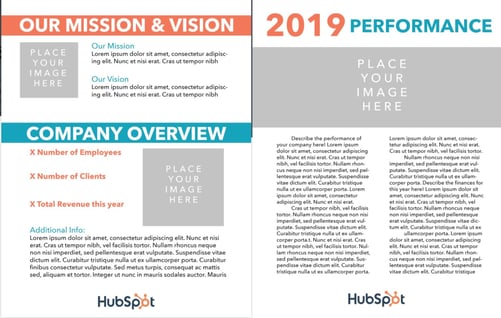
The template allows you to go in-depth into aspects of your business that the annual report will discuss, whether it’s marketing campaigns or yearly sales performance. Despite this, there are specific elements that should be included in all annual reports, and we’ll discuss those below.
1. Summarize your yearly goals and strategies.
The first section of your annual report should summarize your yearly goals and strategies. This provides your audience with an overview of your annual focus and gives the information necessary to understand and contextualize the rest of your report.
Essentially, it sets the tone for the rest of the report as it explains the intention behind your operations. If you’re a marketing business creating an annual report, this section could outline your marketing goals and the campaigns you created to reach those goals.
2. Outline key performance indicators (KPIs) and objectives.
Another portion of your annual report should outline the KPIs you used to measure successes. This section is truly the heart of your report, as you’re displaying the results of your year-long activities.
Aim to use charts, graphics, and any other creative design elements, as they will increase the impact of your words and truly demonstrate the importance of your data. For example, say one of your overall goals was to increase ROI across all channels. While you can certainly explain that Twitter ROI has increased 15% YoY, a chart that visually displays the difference between the years paints a clearer picture of success.
A strong annual report is a well-rounded annual report, so this section can also include an analysis of challenges and expected outcomes, where you explain areas that you may have fallen short in terms of achieving your goals.
3. Explain key takeaways and make future recommendations.
While the section above will go into specific detail, it will also be helpful to include an overarching summary of the most important elements of your year. You can take this time to focus on the metrics and campaigns that you think are most important for your stakeholders and audience to know.
You should also aim to make recommendations for future business activities based on your findings from the current year, which can be valuable in terms of getting buy-in from stakeholders and the teams you’re hoping to work with in the future.
Below we’ll discuss best practices for designing a visually appealing and informative annual report that contains all of the information mentioned above.
Annual Report Design Best-Practices
Clear and deliberate design will help you create a visually appealing report that captures attention. Let’s go over the best practices for designing your annual report.
Incorporate branding.
As your report is specific to your business, incorporate branding that lets viewers know that it is specifically for your business.
Branding also aids in recognizability and lets viewers know that you’re owning the successes, challenges, and overall metrics explained in the report.
Use powerful visuals.
As mentioned before, a high-quality report incorporates visuals that aid in the understanding of your metrics. Take special consideration to create visuals for the most significant, heavy-hitting content, like yearly revenue.
Leverage color and fonts.
Another way to ensure that your report captures attention and leaves a lasting impression is by using colors and fonts to call attention to important information. The distinction between a regular metric and a great metric called out in color can go far in making a dent in your audience’s memory.
However, it’s essential to find a balance between design and content.
Don’t be too busy.
Although you can (and should) incorporate various design elements into your annual report, be mindful of standard design principles, and don’t overload your report with unnecessary colors and graphics that will distract from and out shadow the metrics you’re outlining.
A report that is busy, crowded, and filled with different fonts and colors will be harder to understand and won’t leave the impact you want it to leave. Make careful decisions and ensure that your choices are centered around showcasing successes, not simply making the report look pretty.
Annual Report Examples
Let’s look at some examples of high-quality annual reports that you can draw on for inspiration.
Google Annual Diversity Report
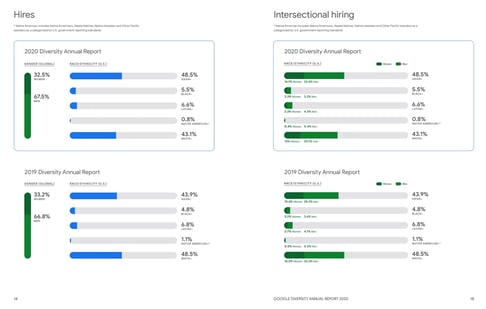
Google’s 2020 Annual Diversity Report is a high-quality report.
The report begins with a high-level overview of Google’s efforts to increase inclusion at the company, diversity goals, and visuals that prove the outcomes of their efforts and show that they’re committed to the task. The image below is a visual depiction of their diversity hiring efforts YoY.
Ablynx
Ablynx is a pharmaceutical company that took a unique, creative approach to an annual report through 3D charts. The image below is an example of the charts they used to create visual representations of where the largest number of business shareholders are located to display their business’ market growth.

Duni
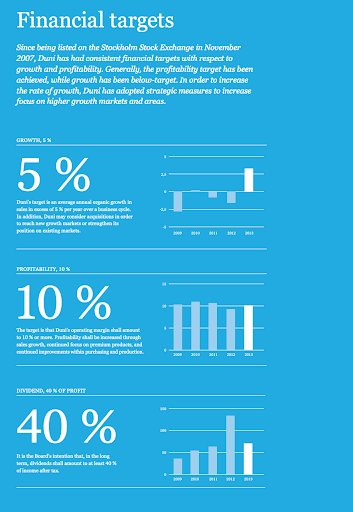
Duni specializes in table-setting and takeaway packaging for restaurants and global businesses. Its annual report is straightforward, clearly organized, and minimalist but still uses color, images, and various design elements to strengthen its words’ impact.
The image below displays their YoY financial target growth that draws in audience attention with large fonts, colors, and line graph visualizations.
Annual Reports Paint a Picture of Success
It’s essential to understand how to create an annual report that displays your business’s successes and incorporates design elements that emphasize your words’ significance and allow your audience to understand, visualize, and absorb your accomplishments.

41 Facebook Post Ideas for Businesses
Facebook is the most popular social network in the world. Its users are on the platform to connect with friends, watch videos, and share snippets of their own lives.
The channel is also a great platform for businesses, as many consumers report using it to interact with the brands they enjoy. In fact, in a recent HubSpot poll, 51% of respondents reported primarily using Facebook for product research.
Given this, it’s essential to understand how to leverage the platform to meet your business needs. This post will explain why businesses should post on Facebook and share an expansive list of Facebook post ideas that you can use to interact with your audience and generate engagement.

Why should businesses post on Facebook?
The decision to post on Facebook should depend on your business’s individual marketing goals, but we’ll outline some benefits below. Firstly, in Q4 of 2020, Facebook reported almost 1.85 billion daily active users on the platform, which means that segments of your audience are likely already using the network.
When your audience discovers you’re on the platform, you can work to develop a community of like-minded consumers and deepen the connection they have to your brand. When you engage with them, you’ll learn more about their likes and interests, making it easier for you to create content they’ll enjoy and interact with.
Also, maintaining a Facebook profile is a great way to show your audience that you’re active and in business. As most users use the platform to research products, stumbling upon an in-active Facebook profile may prompt them to bring their business elsewhere.
Lastly, 200 million + businesses are already using the platform to meet their business goals, so you should join them.
How often should you post on Facebook?
A recent HubSpot experiment found that, overall, businesses should aim to post on Facebook two to five times per week. While this is simply an average, it is ok to adapt your strategy depending on your audience insights and what seems to bring the most success on the platform. However, the experiment did note that posting more than five times per week can substantially decrease ROI.
All in all, spend time on the platform, learn from your audience, and use your page metrics to determine the best combination for your business.
Below we’ll list various Facebook post ideas for businesses that you can use to generate engagement, drive traffic, and boost conversions.
41 Facebook Post Ideas For Your Business
1. Promote your website.
A great first-post to make on Facebook is promoting your website. When you share a link on Facebook, customers are given a full-sized preview of what the link leads to and, if you’ve designed an eye-catching website, you may entice your users to follow the link and visit your website, which in-turn drivers traffic and helps you convert leads.
2. Tell a story.
A great way to engage with your audience on Facebook is to tell a story.
This story can be about your brand, like an experience that sparked your interest, or your brand’s mission and how you became what you are today.
You’ll share a bit of backstory with your audience, give them something to relate to, and get them interested in what you have to offer.
3. Share behind-the-scenes content.
Customers enjoy doing business with you, but it’s also exciting for them to see how you do business. Sharing behind-the-scenes content on Facebook allows them to understand the day-to-day operations that generate the products or services they enjoy.
For example, if you’re a clothing company, you could share a video that shows how your products are made, or a SaaS company could share a video from a developer explaining how they built the program.
4. Ask your followers questions.
A great way to generate engagement with your Facebook audience is to ask them questions. If people reply, you’ll gain valuable insight into how they think and feel, and you’ll also have the opportunity to respond to comments and let them know you’re listening. Below is an example of a question-type Facebook post from HubSpot that reads, “What’s the weirdest job title you’ve ever seen? Major bonus points if it was yours.”
5. Post tutorials and how-tos.
Sharing how-tos and tutorials on your Facebook page is a great way to generate engagement with your audience, especially if the content is relevant to your business offerings. They’ll recognize and appreciate that you’re willing to help them succeed with your product, and they’ll continue to return to your page to seek out similar information in the future.
This type of post allows for creativity, as it doesn’t necessarily need to be text-based. You can create an informational video tutorial, infographic, or whatever best meets your needs. Below is an example of a how-to video tutorial post on Facebook.
6. Share industry-related news and content.
Your Facebook audience is following you on the platform because they care about what you have to say. Given this, it is safe to assume that they also care about news relevant to your industry, so consider posting this type of content on your Facebook page.
The example below is from Bon Appetit, a food magazine, where they’ve shared news about a haughty discussed topic in the food world: natural and artificial flavorings.
7. Share user-generated content.
A great way to generate trust with your audience on Facebook is to share user-generated content (UGC), which is content created by people who have used your products, services or have had some experience with your business.
UGC is also a valuable form of social proof, which essentially means that your audience will trust your legitimacy because other consumers like what you have to offer. In fact, consumers are 14% more likely to trust the recommendations of someone like them (another consumer) than a brand employee.
This content can be anything from product reviews and testimonials to photos that customers have shared using your products. The example below is from Hydro Flask, a water bottle company, where they’ve shared a picture of a fan using their product in-action.
8. Post videos.
The average engagement rate on Facebook is .18%. The average engagement rate for video posts on Facebook is 0.26%, so take advantage of this and post videos on the platform.
The video below is an example from Spotify, a music streaming service, of a video they’ve posted on the platform featuring actors discussing a soundtrack from an upcoming movie.
9. Post blog content.
Cross-posting content from your blog is a great way to drive traffic to your website and expose your blog content to an audience that may be unfamiliar with it. In the example below, virtual conference sharing platform Zoom has shared content from their blog to Facebook.
10. Use hashtags.
Like Twitter, Facebook uses hashtags to organize community conversations about specific topics all in one stream. Use industry-related hashtags in your posts to join in on conversations that are already happening on Facebook as a means of increasing visibility and engaging with a new audience.
11. Post about trending topics.
Like using hashtags, posting about trending topics gives you an in on the conversations people are already having. People are also more likely to talk about a current trend in the moment, which can drive engagement to your page.
To leverage this tip, stay on top of relevant industry trends and general internet trends and post about topics you think your audience will be interested in.
12. Share branded graphics.
One of the main goals of marketing is to increase awareness and recognition of your brand.
Given this, Facebook is a great platform to share branded graphics to show your audience who you are and give them the cues they need to recognize your brand and pick you out of a crowd.
13. Share product photos.
Consumers love visuals, so sharing them on Facebook is a great way to generate engagement and excitement for your brand, especially if they’re high quality.
14. Post infographics.
90% of the information transmitted to the brain is visual, so infographics are a great marketing tool for educating customers and sharing relevant information.
Consider creating high-quality infographics and sharing them on your Facebook page. The example below is an infographic created by Ben & Jerry’s ice cream company that directly relates to their social justice mission.
15. Host contests and giveaways.
Hosting contests and giveaways is a great way to generate engagement and interact with your audience on Facebook. The parameters of your contest can follow the same structure as any other contest you’d post on social media, but this post can help you create a Facebook-specific giveaway.
16. Announce deals and offers.
Your Facebook audience may look a bit different than your email audience or your Twitter audience, so it’s worth announcing deals and offers on all of your social platforms to ensure that everyone has the chance to experience them. Below is a Facebook deal announcement from Chipotle, a fast-food restaurant.
17. Share content from other social accounts.
There’s nothing wrong with recycling content; in fact, it is a valuable practice. Take screenshots of tweets, Instagram posts, and even blog posts, and share them on Facebook. As different platforms have different user bases, you’re ensuring that all of your segments can enjoy what you have to offer.
Here’s another example from the HubSpot Facebook account of a cross-post from LinkedIn.
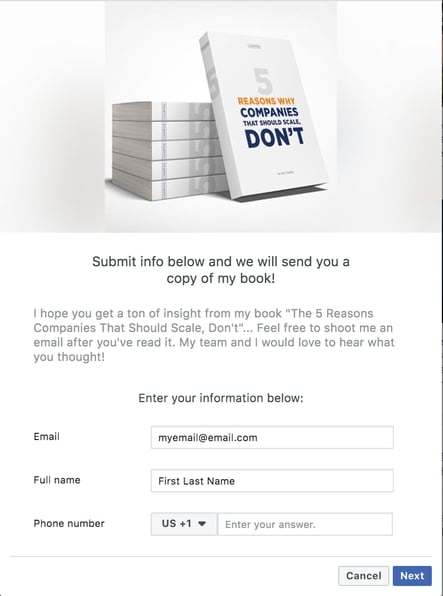
18. Post Facebook Lead Ads.
Facebook Lead Ads allow users to submit information into a lead form without leaving the platform, helping you collect the information you need to further nurture your leads.
Since they aren’t promoted to leave the page or navigate to a different window, users are also more likely to complete these, especially since they can autofill with information already shared in the user’s Facebook profile.
19. Post trending memes and make them relate to your business.
One of the great things about social media is how easy it is to go viral. Take advantage of trending memes, rework them to relate to your business, and share them on your Profile. Consumers appreciate this kind of content, as it displays a sense of humor, and it also shows them that you actively monitor online conversations.
The example below is from Starface, a beauty company that adapted a trending meme from the reality TV Show Keeping Up With The Kardashians.
20. Post discounts and sales.
Similar to announcing deals and offers, cross-posting discounts and sales on Facebook is a great way to ensure that all segments of your audience are aware of your business offerings, helping you drive traffic to your website and increase sales.
21. Partner with influencers.
80% of marketers say that influencer marketing is effective, and 49% of consumers today depend on influencer recommendations for their purchase decisions.
Join other marketers and partner with influencers to promote your business, and share the content on Facebook for interested consumers to see. The example below is a Facebook post from Taco Bell, where they’ve partnered with a famous influencer and created a humorous video advertisement.
22. Share your YouTube videos.
As mentioned before, cross-posting content from your other channels is a great way to drive traffic and generate engagement. So, share links on Facebook from your YouTube videos.
23. Highlight products.
Your customers may already be aware of what you have to offer, but why not remind them? Consider creating a Facebook post to highlight your product offerings. The example below is from the Humans Of New York Facebook page advertising a new book.
24. Announce new products.
In a similar vein, Facebook is a worthwhile platform for product announcements. Below is an example from Dove, a personal care brand, announcing a new range of products.
25. Share product reviews.
Product reviews are another form of user-generated content to post that will generate social proof and establish your authority with customers.
You can take screenshots of positive reviews on your product pages, email feedback, social media comments, or even invite customers to create reviews specifically for your Facebook page.
26. Share open job positions.
While Facebook is great for marketing, it can also help you attract new talent. Post job openings on your Facebook page, and you may find that engaged customers are also interested in becoming employees. Here’s an example of a Facebook job post by Global Fund for Women.
27. Host ‘Ask Me Anything’ (AMA) sessions.
Ask Me Anything sessions are a great way to engage with your audience. You can create a post around your desired topic and let your audience know that you’ll answer their questions in the comments and generate conversation.
28. Post answers to FAQ.
A great customer service tip is to practice proactive customer service, where you get ahead of customer questions if you notice that there are commonly asked questions.
Consider creating Facebook post(s) that answer these questions, so customers can visit your profile and find the answers they’re looking for before picking up the phone and calling a service rep. The example below is from a small farm in Gainesville, Florida.
29. Promote events.
As mentioned before, some people don’t check their email or remain active on every social channel they have, so sharing events on Facebook is another way to ensure all segments of your audience is aware of them. Below is an example of an event announcement from Mount Holyoke College.
30. Live-post events.
Live-posting isn’t something reserved for Twitter.
Consider doing this on Facebook as a means of creating more opportunities for engagement with followers that are at your events. You’ll be around to answer their questions in real time, participate in conversations, and also inspire others to show up to your next event. Here’s an example from The Golden Globes Facebook account live-posting the 2021 Golden Globes event.
31. Create polls.
Facebook polls are a way to gain insight into your audience and their preferences. A unique aspect of Facebook polls is that results can be viewed in real-time so your followers can visualize how others are responding without needing to filter through comments.
Polls are a native Facebook function, and you can learn how to create one here.
32. Share employee generated content.
Just as people may be interested in working for your company, your followers may also be interested in who works at your company. Employee generated content posts can showcase company culture, projects, and the talent that helps run your business. The example below is from the HubSpot Facebook account.
33. Post in industry-relevant groups or pages.
While most of the posts you make will be on your own profile, it’s also worth posting in Facebook groups that are relevant to your industry. You’ll gain exposure to a new audience, and, depending on what you post, generate new leads.
34. Share a call-to-action (CTA).
Sharing a call-to-action on your Facebook profile can help you collect information on new leads, and drive traffic to your website. An example of a CTA can be encouraging your followers to sign up for a newsletter, or inviting them to sign up for exclusive access to a new product before it becomes widely available.
35. Recycle content from popular posts.
One of the great things about social media is that it is an ever evolving landscape where people are discovering new things every day. Consider recycling content from your most popular posts so newer followers and leads can learn from and enjoy that content as well. Facebook has a native sharing option that will allow you to re-share your old posts.
36. Create a themed series.
Creating a themed series is a great way to drive engagement and interaction, as those who are interested in what you have to say will keep coming back to read new posts as they go live.
The content in your themed series should be relevant to your business, but an example could be sharing information on a new industry trend, a post explaining how it relates to your business, and another post explaining how it affects your audience.
37. Share content from other industry leaders.
Your audience trusts you because they believe you provide them with something of value.
Because of this, consider sharing content from other industry leaders or businesses that you think will benefit your audience and help them succeed. The example below is from the HubSpot Facebook account sharing an industry-relevant quote.
38. Share your business’ values.
70% of consumers say that trusting a brand is more important now than ever before.
Aim to build trust with your audience by sharing your brand values on Facebook and letting them know what you care about. The example below is from Google’s Facebook page, where they commit to supporting nonprofits and social enterprises to empower women.
39. Host a Facebook Live.
Facebook Live is a native feature that allows you to broadcast real-time video to your page and newsfeed. While you can certainly emulate a Facebook live with Facebook posts, live video gives you the unique opportunity to build trust with your audience with interactive two-way conversations. Your audience can ask questions in the comments, and you can verbally reply using their name and generate a familiar relationship.
40. Promote other social channels.
While there is some overlap, most social media platforms have different audience demographics. Share links to your other accounts on your Facebook profile as a way to drive engagement and gain followers on all your accounts.
41. Share content from your other Facebook profiles.
Some companies have multiple Facebook profiles that correspond to different segments of their business. If this is you, share content from your other Facebook profiles to your main profile page to make your audience aware of the different types of content you have to offer.
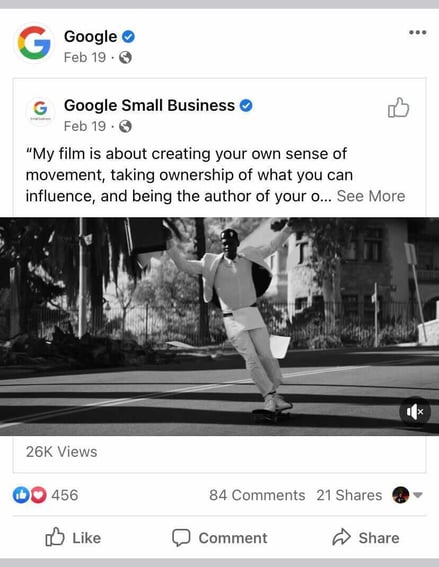
The example below is from Google’s main profile page sharing content from the Google Small Business profile page.
All-in-all, leveraging the tips on this list will help you create an engaging Facebook business page that your audience visits to learn more about what you have to offer and develop a relationship with your company.


The HubSpot Blog’s 2021 Reader Experience Survey
At the HubSpot Blog, we love to hear feedback from our valued readers.
Whether you read the Marketing, Sales, Service, or Website Blog, we invite you. to tell us about your reader experience and what you’d like to see more of from our team. All of your answers will remain anonymous.
Thank you in advance for your feedback. We’re excited to review your submissions and work towards making our content even better for our readers!
Having trouble seeing this form? Fill it our here instead.
Did you just give us a good review? You might want to subscribe to one of our Blogs if you haven’t already! Click here or on the banner below to visit our HubSpot Blog Subscription page.

Startup Marketing Strategy: 18 Ideas and Tactics That Actually Work
Are you new to the startup game, and even newer to the content marketing game?
With all the work that goes into starting a business, there’s little time to think about marketing strategies that prove successful and are feasible for a startup’s teams to execute.
If you find yourself in this boat, don’t panic. You probably know the tools that are helpful for startup marketers to use when strategizing — a CMS, social media accounts, and graphic design software, for instance.
Now, what you need to know is how to use these tools, and similar methods, to create campaigns that align with your business goals. You may have seen other startups’ glowing marketing techniques and found yourself wondering how to create a winning strategy.

For that, we’ve got you covered. Here are some of the ways you can build a winning startup marketing strategy designed to lay the foundation for future success.
1. Use SMART goals to focus on business-critical goals upfront.
At Huble Digital, we use SMART goals. These are goals that are Specific, Measurable, Attainable, Relevant, and Timely. For example, a SMART goal could be:
- Increase organic traffic to our website by 50% by 2022
- Create 10 new sales focused blogs by Q3
The purpose of SMART goals is to set businesses up for success. They provide a sense of direction and help to organize efforts.
And, while SMART goals are invaluable for any organization, they’re particularly beneficial for start-ups.
In most start-ups, employees have to wear several hats (often due to budget constraints or lack of resources). The founder, for instance, might be responsible for strategy, product development, and even PR, while the chief technology officer (CTO) might be involved in the design of the website, marketing, and social media. There’s just so much to do!
Of course, for all start-ups, the principal focus is product development (and always will be until the “release” stage) … but what about all the other elements that help sustain the business’ growth?
It’s here where SMART goals can really help. Instead of trying to do everything at once, focus on the most business-critical goals, put everything you have behind them, and tackle things in a strategic way. For instance, rather than spreading your time across several initiatives (some of which may not be important right now), focus on three or four that will lay a foundation for your activities or support your current efforts.
If you’re launching with a new product, for instance, focus on the development but also set goals like:
- Create 10 new blogs to build awareness of the product by X date
- Publish 2 new web pages to promote the new product by X date
- Secure 5 placements in online media using digital PR by X date
These are just some examples, but they can undoubtedly help raise the profile of your business without costing much — the only real expenditure is time. Instead of spreading your capabilities across several initiatives, try focusing on those that will support what you’re doing right now.
The key to sustained growth is consistency and focus, and SMART goals enable you to do just that.
2. Create detailed documents to distinguish who your target buyers are.
SMART goals give your marketing efforts direction and focus, sure, but who are you marketing to?
For your start-up’s marketing efforts to bring in tangible results, those efforts need to be tailored to your ideal target audience.
Now you’ll probably have a good understanding of who it is you want to do business with, but have you articulated that to the rest of your team or — at the very least — put together a document detailing who your buyer personas are?
It’s here where buyer personas come in handy. Buyer personas are semi-fictional representations of your ideal customers. They’re based on market research, current data, existing customers, and a few educated assumptions. Buyer personas help you to understand the drivers, business challenges, and needs of those to whom you want to market.
It’s also important to note that buyer personas are not real people, but archetypes of them.
Now that we’ve briefly covered what buyer personas are, you might be wondering — Okay, but what makes them so valuable to my start-up? Simply put, buyer personas allow you to refine your marketing and segment your audience(s).
You want and need quick wins during the product development and release stages, so why waste time (and money) casting the widest net possible when you can hone in on those most likely to buy from you?
Your buyer personas will provide you with a good idea of who these people are. Use that information to build marketing and PR campaigns that focus on the right people, at the right time and place of their buyer’s journey.
3. Have clear, compelling messaging.
If you’ve ever seen a Ronseal advertisement, you’re likely already familiar with the following phrase: “It does what it says on the tin.”
In an age of slick, big-budget marketing campaigns and buzzwords, it falls to you to keep your messages clear and concise.
People don’t want platitudes or jargon. They want to understand what it is your product does and how it can help them solve their business challenges. In fact – and this may sound harsh – it’s not even about your business, it’s about how you can help your potential customers.
With this in mind, any messaging that your startup creates (and this applies to all businesses of any size) needs to be created with the end user in mind. It needs to be simple, informative, and compelling. This will help convert the website traffic you generate into leads.
4. Create a content marketing strategy to generate leads.
Speaking of traffic, you’ll want to have a plan for bringing prospects to your site. Content marketing is all about producing high-quality content that answers questions your prospects and customers have, and nurturing them to a point of purchase.
For instance, blogs are great for increasing your website’s organic traffic and awareness of your brand. Each blog should be optimized for a long-tail keyword term, as this will help to drive targeted traffic (i.e. people definitely interested in what you have to say) to your website. It’s a really easy way to increase your startup’s digital footprint and start building its name.
The content you create also helps to generate leads and demonstrate your expertise. You could, for instance, produce informative ebooks and gate them behind landing pages on your website. Visitors can then download your ebooks in exchange for their details.
With this approach, you know that those that do download your ebooks are interested in hearing from you. The ebooks you create will be particularly useful for targeting “early adopters”, i.e. those that want to be on the cutting-edge when it comes to new technology/software.
Over time, as more and more content is created, your website becomes a repository for information. Providing it’s all optimized for the right terms, the right people will find it time and time again.
5. Distribute the content you create.
It’s not enough to hit “Publish” and wait for customers to show up. After all, content marketing doesn’t only work for organic search engine traffic. To get the most bang for your buck, you can repurpose the content you create, distribute it on non-search channels such as social and email, and promote it to new and existing audiences alike.
Let’s take a blog post for example. If you created a listicle that outlines 10 tips, you can create a social media graphic for each of the tips and do an informational series for your followers while promoting the full article and/or a related content offer.
A social media plan like this should be part of every content marketing strategy, and every content marketing strategy should be developed with distribution in mind.
6. Run ads for short-term results.
Content marketing is a long-term play. While it can be extremely rewarding over time, you likely won’t see immediate results. As you build your content platform, you’ll need a way to generate leads and ROI in the short-term, and the best way to do that is with ads.
Ads are “pay to play,” so they’re not as scalable as content marketing, but the benefit is that your ads will be shown to users shortly after you turn on the campaign.
But which ads should you go with first? That will be determined by your ad strategy, but a good rule of thumb is this:
- Google Search Ads – Best when people are already aware of the product/service you sell and search Google to find the right provider/vendor.
- Social Ads – Because people don’t go on social media specifically to shop, these are best when people are not aware of the product/service and you can catch their attention in a fun/visual way. Also good for finding niche audiences.
- Display Ads – Best for brand awareness and re-targeting.
7. Implement a digital PR strategy to increase buzz around your brand.
Now if you want to get the most out of everything you do — particularly from a content creation perspective — why not amplify it with digital PR?
Digital PR effectively takes everything good about traditional PR: press coverage, events, outreach, thought leadership content — and does the same for the online space. Suddenly, the assets you’ve created for your marketing activity can be retrofitted to suit PR purposes.
In fact, digital PR goes one step further: the agency you work with will do their utmost to earn backlinks back to your website (editors and publications are notoriously difficult when it comes to keeping links in content). Subsequently, those reading your content via online publications can actually find your business, and the content itself is already optimized for search because you’ve done it already.
All-in-all, digital PR will help to increase your startup’s visibility both online and offline, helping you to get featured in key trade media relating to what you do and cause a positive stir in your industry.
8. Measure and improve customer lifetime value (CLV).
Because it’s easier and less costly to retain or re-sell to existing customers than acquire new ones, it’s critical for startups to intentionally track CLV and improve on it by:
- Enhancing the customer experience and eliminating friction
- Tracking customer satisfaction and working to improve retention
- Creating a strategy for upselling and cross-selling
9. Establish and cultivate your reputation.
87% of customers read online reviews for local businesses in 2020, an increase from 81% in 2019 (Bright Local). The internet allows customers to be more informed than ever during the buying process. A poor reputation can therefore hurt your marketing and sales efforts while a good reputation may help seal the deal.
With this in mind, you should do what you can to make a positive impression:
- Ask customers for feedback and take action on it.
- Ask for testimonials when you’ve exceeded expectations.
- Cultivate other types of social proof such as case studies.
- Respond to online reviews in a professional manner.
10. Build a referral engine.
Despite all the digital marketing strategies and tactics out there, word of mouth is still powerful.
This is especially true for those who intentionally improve the customer experience.
Referrals often happen organically, but a referral marketing strategy can help you generate them faster. For example, you can:
- Identify promoters and ask them if they know anyone who would benefit from your product/service.
- Incentivize customers to refer their friends through a referral program.
- Leverage user-generated content.
- Build campaigns that are mutually beneficial or champion a cause your customers support.
Startup Marketing Ideas
The above strategies can give you a high-level sense of where to go, but executing it is a different story. To get a sense of how a marketing strategy can produce success for your startup, we’re going to lay out some ideas. These ideas are from startups, and will help you visualize how a successful strategy can be helpful for your own marketing goals.
1. Use paid ads to build a community.
Starburst Data is a B2B company that helps companies understand their website analytics. They use a search query engine that organizes data, so customers can interpret large amounts of data quickly. This startup uses ads on LinkedIn to connect with its audience, like this one promoting their software:
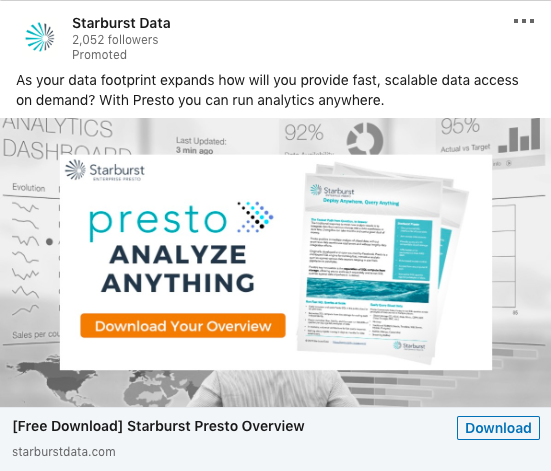
A content marketer for a company like Starburst has a good chance of finding its target audience on LinkedIn, since it’s a platform for professional networking. Part of this marketing campaign involves using LinkedIn Ads to build community and provide helpful information.
A similar B2B startup strategy could involve making use of a social media platform’s paid ads offerings to cater to your audience. Alternatively, you can upload offers for free and use hashtags to get them seen by more prospective customers, like #B2BMarketing, or #MarTech.
2. Try social media to connect with customers.
Social media marketing doesn’t have to include spending money — it can be used to grow your audience and connect with existing members. Take Paperless Parts, for example, a manufacturing company with a stellar Facebook page:
It’s free to create a Facebook Business page and optimize it so leads and customers can find it. The Paperless Parts feed begins with recommendations and reviews from happy customers, showing that the business has a dedicated customer userbase. After that, the business posts videos that go behind-the-scenes of the manufacturing process, and also post reminders for webinars and other website content.
A social media page for a startup that showcases customers provides helpful content and encourages audience participation is a free strategy to expand reach, bring clicks to your website, and show credibility in the industry.
3. Crowdfunding marketing, which can generate press.
Are you thinking about starting a crowdfunding campaign? If you do, you could earn great press from publications, expanding your campaign’s reach. Take NeighborSchools, for example, which is a child care startup. NeighborSchools offers unique daycares from licensed and experienced professionals.
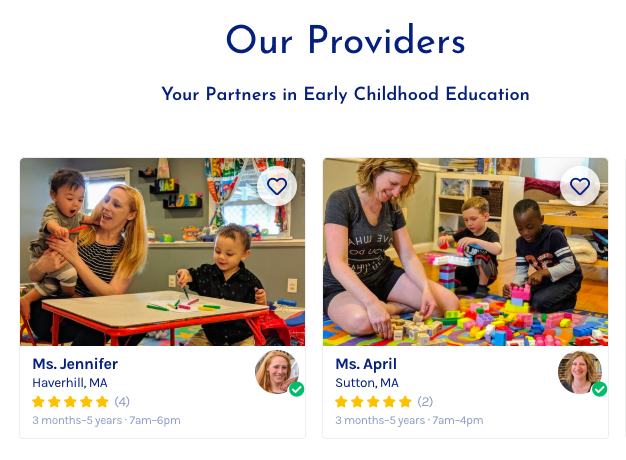
When the minds behind NeighborSchools began to seek funding to scale up their service, they turned to crowdfunding to seek out people who believed in the service and were able to invest. This tactic earned the company $3.5 million in seed funding, and the success caught the eye of major publications.
Even if you have just a few customers, you can use your crowdfunding campaign as a marketing tactic to get more people interested in your business.
4. Host a virtual meetup instead of a conference.
Mabl is a Boston-based SaaS provider for machine learning test automation. It makes the lives of developers who have to test their solutions way easier. To build a larger community, Mabl hosted a virtual meetup with industry experts.
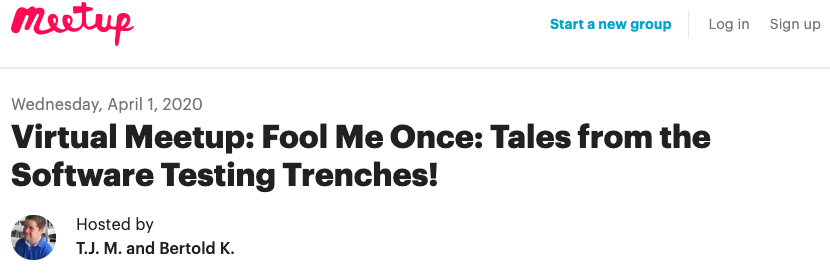
The meetup’s speakers educated its attendees about software testing. This idea is a cool, low-cost way to expand your professional network and provide valuable content for customers without hosting a conference.
5. Use user-generated content to tell your story.
Startups don’t usually have the revenue to produce big-budget social media campaigns. For travel agency Hopjump, their marketing team found that the best way to tell their story is on Instagram. The business page is filled with clients enjoying their destination vacations, booked using the service:
Customers who post their amazing travel pictures on Instagram can tag Hopjump for a chance to be featured on the page, and this also increases exposure for the startup. Satisfied customers can share their experiences with more of Hopjump’s target audience.
A marketing campaign that includes user-generated content is an easy, free way to work in testimonials. You can use your social media channels to execute the campaign and include hashtags for the chance to appear in more feeds.
When thinking about campaign ideas, you might not have to look that far. You might be able to turn some of the tools you already have at your disposal to boost your campaign messages. Is there a webinar you can host about a topic, or a content offer you think will resonate particularly well with your LinkedIn audience?
6. Create SEO-optimized content to attract high-intent visitors.
SEO is another free, cost-effective strategy startup marketers can use to spread word about their business.
But here’s the caveat: of all the strategies mentioned, this one takes the longest.
That’s not to say it’s incredibly time-consuming — it’s not, but it is a continuous job. The more you optimize your website, the better it’ll perform, which, in turn, will generate more leads for your company.
We have to let you know that at this point, SEO won’t net you leads or opportunities immediately, but it will lay the foundation for consistent success in the months and years to come.
The idea behind SEO is that you optimize your web pages (and content) for keyword terms you know prospects use to find products or services like yours.
Better yet, you identify long-tail keyword terms with low to medium competition and high search volume that are relevant to your product or service, and use those instead.
You main service pages will, of course, be competing with other businesses in your space on many similar terms, but you can use the content you create to link to these pages, bolstering their SEO value over time and increasing their ranking on SERP results pages.
Updating and optimizing your website will ensure it continues to grow and attract interested prospects for the long-term, so it’s an opportunity you don’t want to miss.
7. Implement a referral program.
Referral-based marketing has become the hype over the last few years as people increasingly look at product/service reviews, testimonials, and case studies to validate their purchase decisions.
The aim behind this particular startup marketing idea is to leverage those who have already bought your product/service and ask them to advocate on your behalf — whether that’s through a review, testimonial, or case study.
This kind of content is invaluable because it shows and tells your potential customers that you have solved for others like them in the past. To increase the chances of your customers doing this for you, offer them discounts or free product trials.
Additionally, you might consider giving away free keys, trials, or versions of your product to specific people. For example, a good way to gain press coverage and build brand awareness is to let tech journalists try your offering for free. They can then write a review and distribute it to the relevant online publications and link back to your website.
Lastly, make sure that you feature these reviews prominently on your website. They help build trust and authenticity, both of which are key to making sales in today’s digital-first world.
8. Offer a free or trial version of your product.
One of the best ways to get your startup out there is to offer some kind of version of your product/service for free — and it’s worked for a lot of businesses already.
Canva, Dropbox, Zapier, HubSpot — all of these high-profile tech companies offer some kind of free/trial version of their product or service to let people try before they buy (or upgrade). As people use them and realize just how great these products are, they feel compelled to buy the full, “unlimited” version for all the bells and whistles. Great, right?
But along with getting people to use your product — and inherently talking about how good it is as a result — it’s all about lowering the customer’s costs of acquisition. What a lot of businesses do with a freemium model is offer current trial users a discount on the full price of the software. This is significantly more appealing than paying the full price and can potentially convert more leads into paying customers very, very quickly.
Also, for those who don’t convert to paying customers with this offer, it enables you to understand what features or parts of your service are lacking. You can ask for feedback, make the necessary changes, and then roll them out to see who bites on the full product offering.
For maximum effect, cross-reference what you offer against the main issues your buyer personas have in relation to technology like yours. Consider adding features to your product/service to address these problems (where possible). Maybe produce a roadmap and show people what they’ll be getting. Transparency is a great way to increase users!
Lastly, bear in mind that this approach does come with the risk that people might not want to upgrade to the full version. That said, be as clear as you can with what users can get from the full version and highlight how valuable it can be for them. Keep your coolest features under wraps!
The Best Strategies Use a Combination of Ideas and Tactics
If you want to get the best possible results when it comes to marketing, you need to focus on what works.
While there are loads of different ways to achieve your goals, you should always focus on the most high-impact and cost-effective, and as a startup owner — I’m willing to bet you already know how important that is.
The best strategies use a combination of what we’ve mentioned above and then analyze the performance of them to determine which ones require more or less investment. No matter what you do, remember that your marketing activities are only as good as your goals and targeting. Good luck!
Editor’s note: This post was originally published in July 2020 and has been updated for comprehensiveness.


Instagram Stories: What They Are and How to Make One Like a Pro
These days, social media is all about documentation.
Where you go, what you eat and drink, who you see, and what’s most memorable: These are the typical fodder of Instagram Stories — seconds-long glimpses of people’s lives, shared on Instagram for only 24 hours.
Below, we’ve created a guide for you to learn what Instagram Stories are, how to share them with your followers, and how to make sure those Stories are exactly what your audience wants to see. In this post, we’ll cover the following. Feel free to click on a bullet point below to jump to that section of the article.
- What are Instagram Stories?
- How do Instagram Stories work?
- How long are Instagram Stories?
- How to view Instagram Stories
- How to Make an Instagram Story
- How to Use Instagram Stories for Business
- Instagram Stories Tricks and Hacks for Awesome Instagram Stories
What are Instagram Stories?
Instagram Stories allow Instagram users to share photos and videos to their “Story” — which is visible to followers of the user’s Instagram account — and to specific users the Story’s sender follows. Like in Snapchat, Instagram Stories are ephemeral, meaning they disappear after 24 hours.
Your Instagram Story is published separately from the photos and videos found in the tiled gallery of one’s Instagram profile. And although you might know the basics of sharing them, there are hidden tools within the app that can make the photos and videos you add to your Story more creative and engaging.
How Do Instagram Stories Work?
Instagram Stories can drive a ton of engagement and value — whether you’re sharing a Story from a brand account or your own personal profile.
Since launching back in August 2016, a total of 250 million Instagram users have started sharing disappearing content on Instagram Stories — contributing to the huge jump in time spent in-app every day from 24 minutes to 32.
What’s more, a lot of brands have already seen success publishing content to this platform. Instagram Stories have fueled the growth of brands like Teen Vogue, Insider, and Bustle. Whether publishers are trying to grow brand awareness, grow traffic to videos or newsletter outside of Instagram, or share sponsored content, publishers are flocking to Instagram to publish fun disappearing content that infuses brand voice and personality without taking up too much of the average techie’s dwindling attention span.
What’s more, Instagram Stories are credited with fueling the massive growth of Instagram Direct — private one-to-one messaging between users within the app. Instagram Direct has grown into one of the most popular messaging apps in the world with a staggering 375 million users.
Even more impressive, TechCrunch reports that one in five Instagram Stories shared by a brand receives a Direct reply — giving brands a direct line to connect with their audience and learn more about them.
How long are Instagram Stories?
Instagram Stories last 24 hours on your profile before disappearing, but a video inside your Story can be up to 15 seconds long before cutting to the next piece of content. You can also use a third-party app to segment a longer video into 15-second increments to add to your Story.
Just as Instagram Stories only last 24 hours before disappearing, the photos and video themselves have a time limit when users view and play them.
As a blanket rule, the individual videos you add to your Instagram Story each have a maximum roll time of 15 seconds. If you add a video to your Instagram Story, for example, it’ll play for up to 15 seconds, regardless of how long the original video was, and then end.
Despite Instagram Stories’ 15-second runtime limit, there are ways to play longer videos in your Story. Specifically, you can split a video that’s longer than 15 seconds into 15-second segments and add each segment to your Instagram Story so they play one after another. Here are some mobile apps that can help you make it happen:
- Continual (iOS only)
- Storeo (iOS only)
- Story Cutter for iOS
- Story Cutter for Android
- CutStory (iOS only)
How to View Instagram Stories
Instagram Stories appear at the top of your screen when you’re on the Instagram mobile app. Because they’re often the first pieces of content users see when they open Instagram, these Stories can get a ton of engagement and help you advertise your regular Instagram photo gallery to more users.
1. Open Instagram and navigate to the home screen.
To start viewing Instagram Stories, open your Instagram mobile app and tap the home icon on the bottom-lefthand corner of your screen. Instagram Stories are not available for viewing on the desktop site.
Once you’ve navigated to Instagram’s home screen, you’ll see a series of circular icons along the top, each of which represents the active Stories posted by the users you follow. These icons are highlighted inside a red square in the screenshot below. As you can see, your own Story is available for viewing (and adding to) on the far left of the Stories you follow.
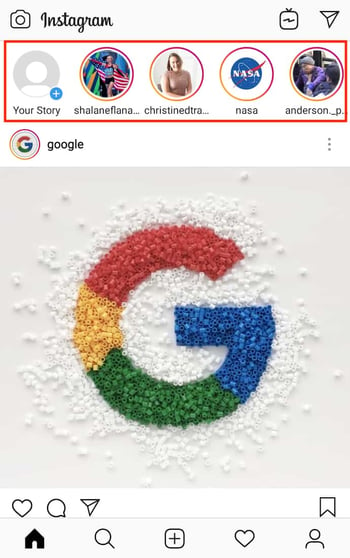
2. Tap on a circular icon to view that user’s Story.
Each circular icon you see at the top of your home screen shows you a small preview of the Story that user has posted. Tap on it to expand the user’s Story — it’ll either be a photo or a video, and the latter will play automatically once you tap on the Story.
3. Tap to navigate between a Story’s photos and videos.
A single Instagram Story can contain numerous individual photos and videos strung together in order of when the user posted them. The first piece of content you’ll see will be the most recent one. Tap your mobile device’s screen to cut to the next photo or video that user has posted to their Story.
4. Swipe to navigate from one Instagram Story to another.
Swiping left and right while viewing an Instagram Story will allow you to shuffle between Stories from different users. When you first open an Instagram Story, you’ll see the following menu:
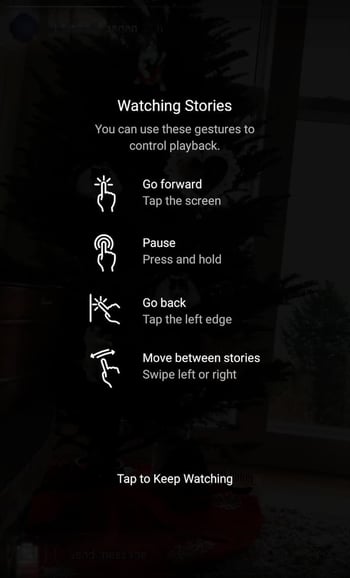
Use the above screenshot as a reference for viewing the Instagram Stories of the accounts you follow.

How to Make an Instagram Story
- Open Instagram, and tap the camera icon in the upper left-hand corner of your phone.
- Share a photo or video you’ve already captured by swiping up on your screen to browse your gallery.
- Or, choose a camera lens to capture a photo or video in the app.
- Once you’ve edited your photo or video, tap “Your Story,” or tap “Next” to share it to your Story and to other friends at the same time.
You can make Instagram Stories this successful too — but it requires a few more hacks and tips to make them look like the Stories big brands and influencers share. (Some of my favorite Instagram Stories are shared by chef Chloe Coscarelli, actress Busy Phillips, mattress brand Casper, and interior design app Hutch — and don’t forget to check out HubSpot‘s Instagram Stories, either.)
But first, let’s review the basics of how to share an Instagram Story:
1. Open Instagram, and tap the camera icon in the upper left-hand corner of your phone.

2. Share a photo or video you’ve already captured by swiping up on your screen to browse your gallery.
Disclosure: Yes, I did a photoshoot featuring my cats. Can you blame me though?

3. Or, choose a camera lens to capture a photo or video in the app.
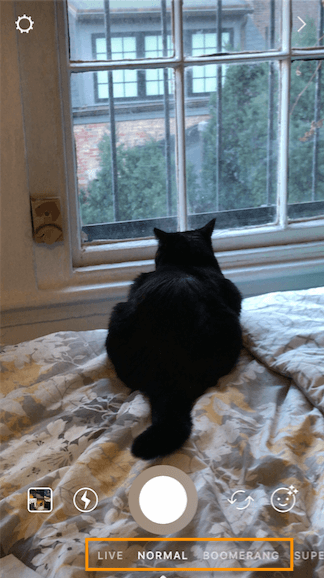
You have a few different options to choose from:
1. Live
If you toggle your screen to the “Live” option, you’ll start filming and broadcasting live on Instagram. Like Facebook Live, friends can follow along and leave comments, and when you’re done with the broadcast, you’ll have the option to let the video disappear, save it, or share it Instagram Stories for an additional 24 hours.
2. Normal
It means what it says: Tapping once will capture a photo, and holding down will record a video. Instagram Stories can be 15 seconds in length, so if you want to share a video that’s longer, film in 15-second stints, or use CutStory to split your longer clip into 15-second installments.
3. Boomerang
Boomerang mode films looping GIFs up to three seconds in length.
4. Superzoom
Superzoom is, on the surface, a video recording lens that zooms in closer and closer on your subject. But turn up the volume, and you can use Superzoom to create a dramatic soundtrack to accompany your video.
As my friend Marissa put it, “It’s like it’s BUILT for cats.”
I will forever be in love with this Insta lens!!!! pic.twitter.com/HvU6rarmNa
— Sophia Bernazzani (@soph_bern)
November 17, 2017
5. Rewind
Use the rewind lens to film a video in reverse.
6. Stop Motion
Use this lens to film cool stop-motion videos: several different still images woven together in one seamless video. Think of it like the video version of a flip book (like this example below):
Stop-motion artist Alex Unger spends months creating incredibly detailed pieces. pic.twitter.com/m6R4MNLIQj
— Business Insider UK (@BIUK)
November 14, 2017
7. Hands-Free
Use hands-free mode if you want to set up your camera to film a video for you. Make sure you prop it somewhere stable before you call “Action.” We’ll talk more about this feature in a minute.
4. Once you’ve edited your photo or video, tap “Your Story,” or tap “Next” to share it to your Story and to other friends at the same time.
You can also save your edited photo or video to your gallery by tapping “Save” in the lower left-hand corner.
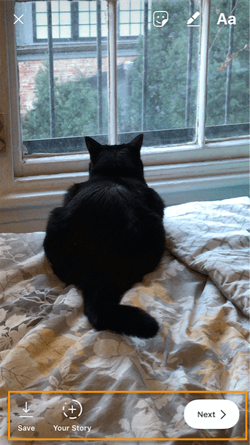
How to Use Instagram Stories for Business
- Post footage of an office event.
- Post breaking news about your industry.
- Demonstrate your product.
- Promote a company event.
- Preview one of your company’s blog posts.
- Mention other companies who follow or work with you.
Knowing how to post to your Instagram Story is one thing, but knowing what to post is a different … well, story. For businesses looking to tell their Story on Instagram, it’s important to know who your ideal followers are and what they’d be interested in seeing on Instagram. Remember, Instagram is a visual platform, but that doesn’t mean you can’t teach or promote something in the process.
Here are a few ideas for using Instagram Stories to attract followers and build a customer base.
1. Post footage of an office event.
Sometimes, the best thing a business can do on Instagram is be as human as possible. One way to do this is to post a brief video of a company function. Whether it’s an office holiday party or an award banquet, posting footage of it to your Story is easy and in-the-moment entertainment for your followers. This content also shows people you’re a relevant and friendly voice in your market.
2. Post breaking news about your industry.
Just as you might on your company blog, you can use your Instagram Story to report on the latest happenings in your industry. With the right design work, you can turn small news breaks — that don’t merit an entire article — into a Story on your Instagram account. This keeps users coming back to you to stay abreast with market trends. You can even ask users what they think, as shown in the Instagram Story by HubSpot below. We’ll explain how Instagram “stickers” can help you do this in just a minute.
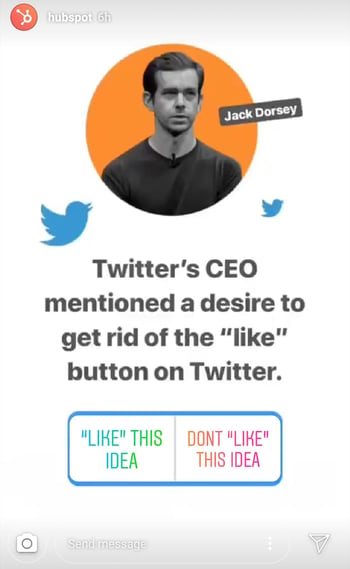
3. Demonstrate your product.
Your product might not be the simplest or sexiest product in the eyes of the layperson. Well, your Instagram Story is the perfect format for showing potential customers how that product is used. Post a long video, segmented into 15-second clips that show users what your product or service does and how it helps your customers.
If you sell software, for example, you might record a video of your computer screen, using a recording tool like Loom, that shows people how to log in, use the software’s dashboard, and navigate to the various functions included in the product.
Just remember to modify your video’s dimensions before uploading it to your Instagram Story. Remember, Instagram Stories’ image dimensions are 1920px high and 1080px wide, with an aspect ratio of 9:16.
4. Promote a company event.
Does your organization host a trade conference or attend a big one every year? Use your Instagram Story to promote the event and tell your followers to look for you there. Work with a graphic designer, or do some artwork yourself, to illustrate an event flier with all the information one would need to find you. Most of this you can do directly in Instagram. For example, use the native text options in your Story to add:
- The event’s name.
- Where the event is located.
- Dates you’ll be attending.
- Your booth number.
- The event’s official hashtag.
5. Preview one of your company’s blog posts.
Your blog posts need all the exposure they can get. Even if social media isn’t your blog’s primary source of traffic, your Instagram Story can help readers discover that blog for the first time and find it later.
In the screenshot below, Google used its Instagram Story to preview an article it published on six extraordinary young women involved in water technology. When you tap all the way to the end of the Story, Google prompts you to swipe up with your finger, where it then links you to the full blog post.

6. Mention other companies who follow or work with you.
As your Instagram following grows, you’ll eventually pick up other business accounts who want to follow you as well. Whether those accounts are your business partners or simply fans of yours, consider giving them shout-outs on your Instagram Story. This is a passive but effective way to nurture your relationships with the users that matter most to your business’s growth. We’ll explain how to link to other accounts in an Instagram Story in the tips below.
Now that you know the basics, let’s run through tips and hacks for producing high-quality, clickable Instagram Stories.
11 Instagram Story Tricks and Hacks
1. Use stickers.
Once you’ve captured a great photo or video, it’s time to jazz it up with some fun stickers. You can access these by tapping the smiling sticker icon in the upper right-hand corner of your screen once you’ve captured a photo or video — or swipe up from the bottom of your screen.
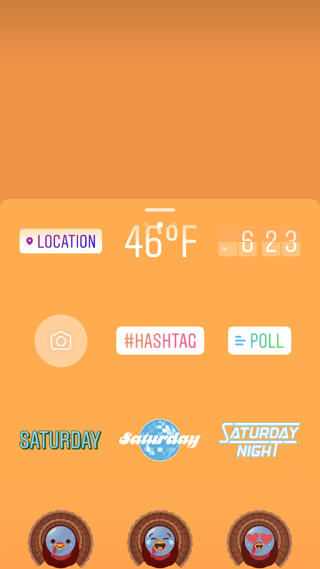
Change the size of your stickers.
You can pinch the sticker once you’ve added to your story to increase or decrease its size. You can also tap and drag it around the frame to change its position.
Check stickers every day for new and unique ones.
Instagram releases unique Story stickers often — whether it’s Monday, a holiday, or a season. Check this section every day for new and timely stickers to add to your Story.

Add location, hashtag, poll, and selfie stickers.
Boost the engagement on your Instagram Story by opening it up to other people doing the same things you are. Open up the stickers section, and tap any of these buttons to customize your story:
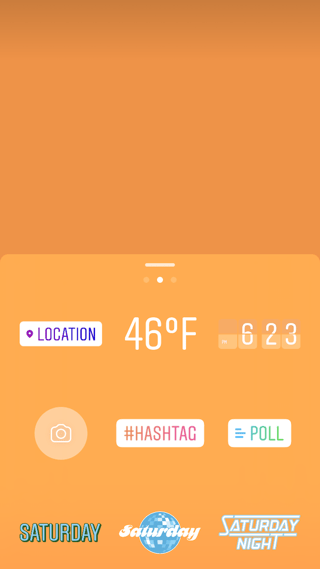
Location Stickers
Start typing in wherever you are, and you’ll be able to pull in a geographically-specific sticker to show where you are.
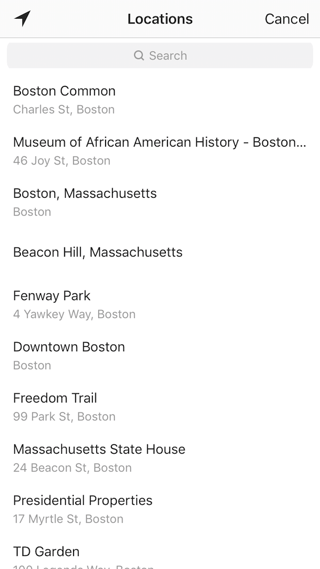
When people view your Story, they’ll be able to tap the location sticker and see other photos and Stories happening around the same place.
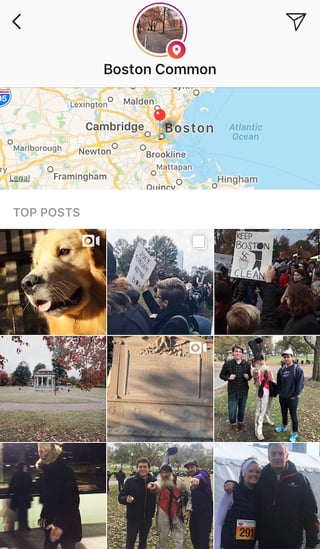
Hashtag Stickers
Same concept here: If you add this sticker and type in a hashtag, your Story will appear in searches for that hashtag, and viewers will be able to click it and see who else is using it. #MotivationMonday, amirite?
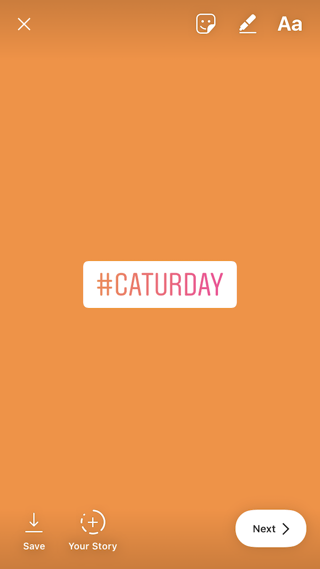
Poll Stickers
You can add a two-option poll to your Instagram Story, and you can even customize the possible answers so they’re more unique than “Yes” or “No.” Use a poll sticker to gauge if people are really engaging with your content.

Selfie Stickers
Open up the Stickers menu, and tap on the camera icon.
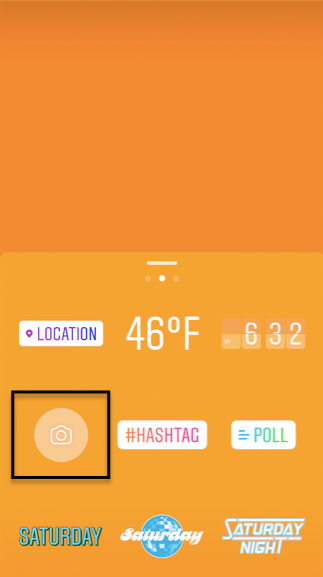
Then, take a selfie — or take a picture of anyone else’s face (that will work too). Then, you can use that face to decorate your Instagram Story. Somewhat creepy, but very memorable and funny, too.
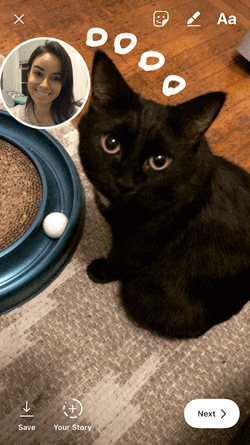
2. Record a hands-free Instagram video.
If you’re a frequent video-recorder on Instagram, you know you need to hold your thumb against the record button for as long as you’re recording. This can make it tedious when attempting dynamic and interesting videos that require more hand mobility.
But did you know you can record these videos “hands-free“?
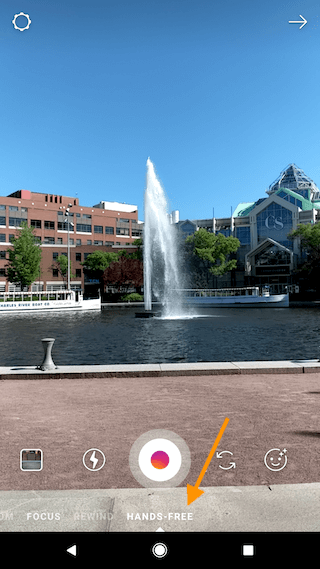
The hands-free video feature can be found in the carousel of camera lens options beneath the record button, as shown above. Simply tap the record button once to start the video, and again to stop it after you’ve gotten the footage you want.
3. Let viewers share your Stories.
Increase engagement and views of your Instagram Story by letting viewers share them with their friends — as Direct Messages.
Go to your profile, tap the gear icon, and navigate to “Story Settings.”
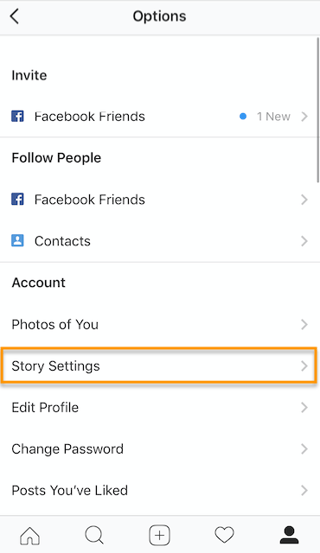
Toggle on “Allow Sharing” so viewers can DM your Story to friends to increase your audience reach. Voila!
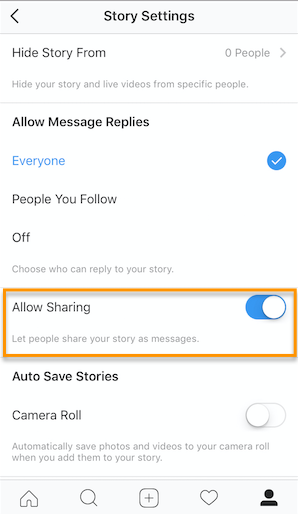
4. Use the pen.
Use the pen to add embellishment, symbols, or more text to your Story. If you tap the pen icon in the upper right-hand corner of your screen once you’ve captured a photo or video, you’ll open up your options.
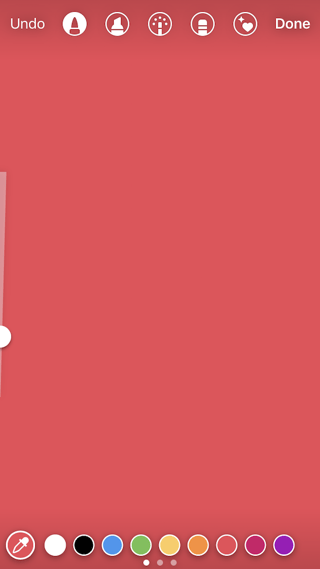
From there, you can adjust the thickness of your pen stroke or change the color you’re writing with (more on that later).
I like using the highlighter pen (the third option) to add emphasis to words — or even the highlight of my photo or video.
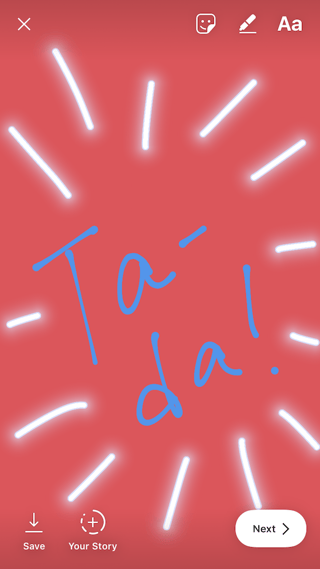
5. Add a background color.
If you want to share a Story with a background color — like the images I’ve shared above — you can actually select it from the color palette.
Take a picture (it doesn’t have to be a picture of anything in particular), and then tap the pen icon to open up the color palette. (Here’s Leela again — my unwitting cat model.)
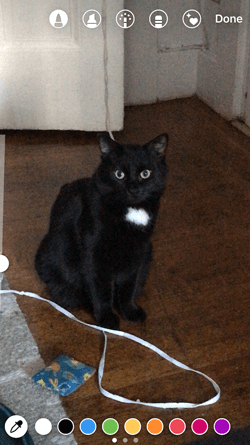
You can choose one of the colors from the three available menus, or if you want a specific shade of one of those colors, you can open up the full color spectrum by pressing and holding one of the colors.
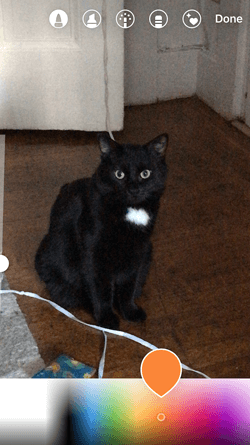
Then, scribble anywhere on the screen, and hold your finger down until you get the background color you want to appear.
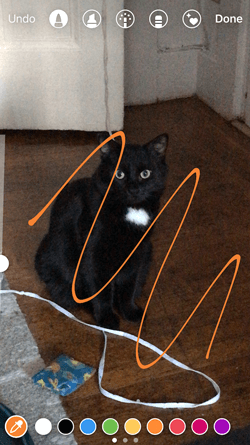
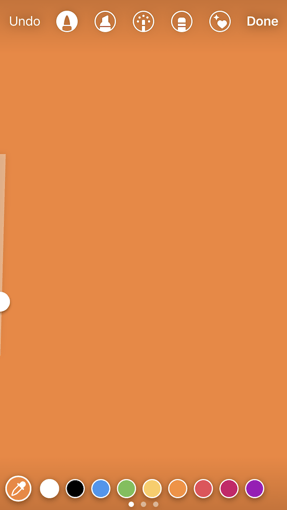
If you want to get really crazy, you could use the eraser tool (the fourth option) to create new words or shapes from the background, too.
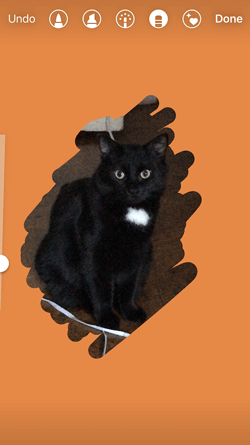
6. Mention another Instagram account in your Story.
Sometimes, it’s just not enough to send an Instagram Story to a particular person — you need to give them a shoutout in the photo or video itself. In these cases, Instagram allows you to tag up to 10 specific handles directly in your Story’s photo or video.
To mention an Instagram account in your Story, shoot a photo or video and then tap the square “A” icon in the upper righthand corner of the screen. Enter the account you’d like to tag, starting with the “@” symbol and the account’s first letter. Scroll through the suggested accounts that appear below your cursor until you find the account you have in mind, and tap it. See what these options look like below.
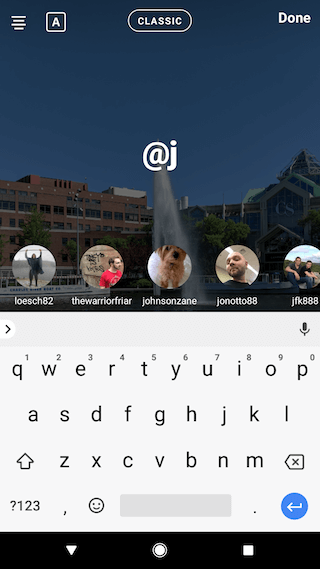
Once you post this Story, the person or account you’ve tagged in the photo or video will receive a notification of your shoutout, regardless of whether or not you send the Story to them.
7. Make your text funkier.
The text on Instagram Stories is pretty basic — jazz it up with these tricks.
Customize your colors.
If you’re unsatisfied with the color palette Instagram offers, create your own from one of the colors in the photo or video you’ve captured.
Open up the text icon, and tap the eyedropper icon in the lower left-hand corner of your screen.
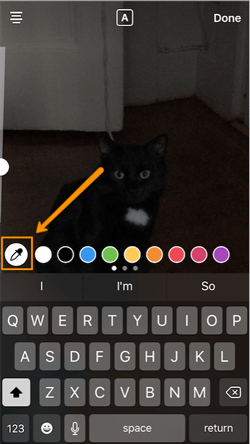
Use the dropper to sample a color from somewhere in the image you’ve captured, and use it when typing out text or using the pen tool.
Add a drop shadow to your Story’s text.
If you want to add some extra drama to your text, add highlighting or shadowing by retyping or rewriting your text in a different color. I recommend choosing black or white to add emphasis to a bright color you’ve picked. Then, move the text above or underneath the brighter text to add some drama to your words.
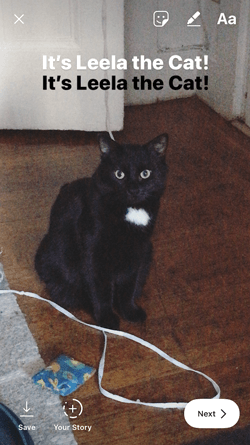
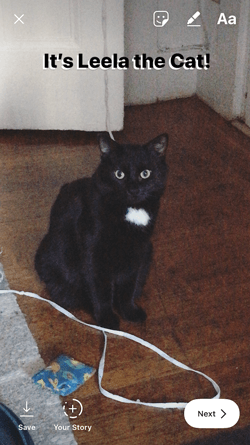
Turn your text into a rainbow.
This one’s tricky, but you can actually turn your text into a gradient rainbow.
Tap the text icon, and type out your message to add to your Story. Then, highlight your text.
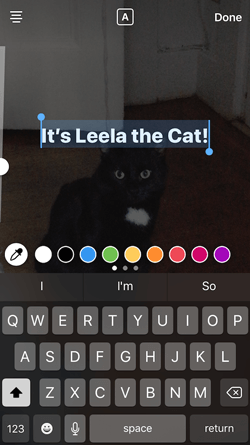
This is where it gets tricky: Turn your phone to the side so you can hold one finger down on the right side of your text, and with another finger, tap on a color and hold until the color wheel pops up.
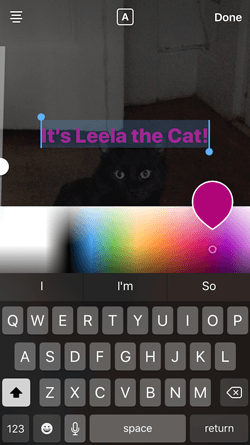
Then, slowly drag both fingers across both the text and the color wheel from right to left to create rainbow text. Go slowly, letter by letter until you’ve created a rainbow. (This one took me several tries before I nailed it, and I succeeded using both thumbs to highlight the text and the color wheel.)
I wonder if Leela knows she is my model for when I write step-by-step instructions in blog posts pic.twitter.com/OgcKhmIdNV
— Sophia Bernazzani (@soph_bern)
November 19, 2017
Gradually add text to a Story.
Sometimes, you might want to add text or stickers to an image to build on it — perhaps to promote a content offer or event, or to encourage viewers to swipe up to read a link you’ve shared (this is only available to verified accounts).
Start editing the photo you want to share, post it, and save it to your camera roll. Then, swipe up on your screen to add the screenshot to the next installment of your Story — adding new text or stickers on top of the first photo. Keep doing this for as long as you want the Story to last — just make sure to keep taking screenshots of your latest photo so you can add to it.
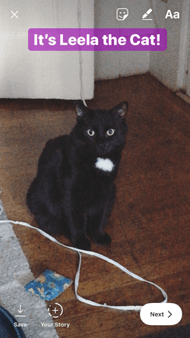
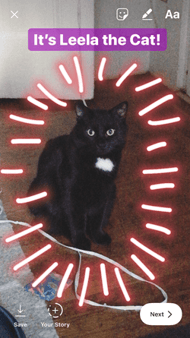
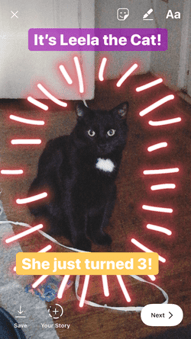
8. See who has viewed your Instagram Story.
Snapchat users have always been able to see which of their friends have viewed their snapped Stories over the 24-hour period that the Story is visible. Well, Instagram Stories can do the same thing — in exactly the same way.
To see who has viewed your Instagram Story, navigate to the homepage of Instagram on your phone and click on the circular icon denoting your Story. See what this looks like in the screenshot below.
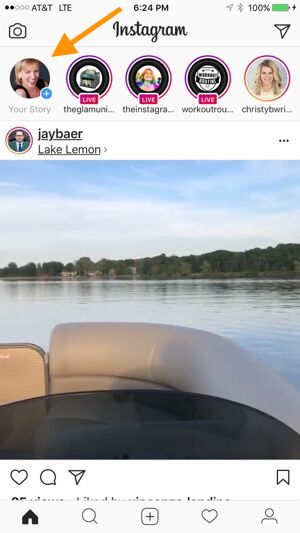 Image by Mari Smith
Click on “Your Story” from the Instagram home screen and swipe up from the bottom of your open Story. This will pull up a list of all the accounts that have viewed this content.
Seeing who’s viewed your Story might be an ego boost to personal Instagrammers, but business users can learn a lot about what their followers are interested in this way. By looking at which users view which Stories, you can figure out which types of photos and videos you should keep posting.
9. Center your text and stickers.
When you’re moving around text and stickers on your story, you’ll see blue lines appear vertically or horizontally in the frame. These are guiding lines you can use to make sure you’re keeping everything centered.
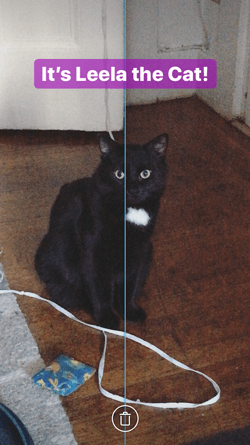
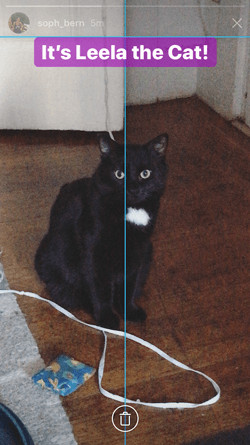
Don’t put your text too high or too low on the screen.
That said, make sure you don’t add anything to your Story too high or too low in the frame — or it will be cut off when viewers scroll through your Story, when Instagram adds things like your name and how long ago your story was posted that could block out your carefully-crafted text.
10. Add music to a Story.
This one’s easy: Turn on music using your phone’s native streaming app, and record a video Story. Once you get ready to edit and share, make sure the sound icon isn’t muted so your viewers can jam with you.
Alternatively, if you’d rather your video be muted, tap the sound icon so an “X” appears over it.
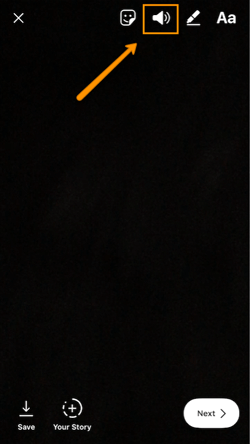
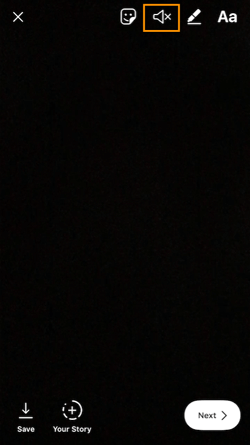
11. Upload Instagram Stories from your phone’s camera roll.
Great Instagram Stories aren’t just created through the Instagram app. You can also upload photo and video content from your mobile device’s native camera roll.
To upload a photo or video for use as an Instagram Story, open your Instagram Story’s camera lens and tap the little square icon on the bottom lefthand of the screen. See what this looks like below.
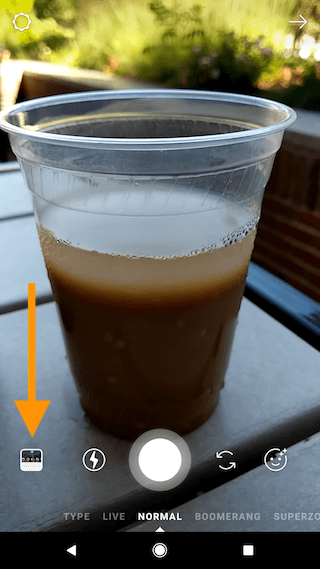
Tapping the icon shown above will call up your phone’s native media gallery, where you can select any photo or video to publish as an Instagram Story. It’s that easy.
We hope these tips help you post killer Instagram Stories your audience won’t be able to stop following. There are lots of hidden ways to take your Stories to the next level — some we may not even have covered here. Our best advice? Keep clicking around and see what you can do with the latest updates from the app. Happy ‘gramming!

What Is a Breakout Session? [+ How To Plan Your Own]
Having gone to many meetings, I can definitely say that I sometimes get overwhelmed. While I enjoy the content being discussed, I can feel tired and wish for a break to decompress before throwing my mind back into absorbing the information.
I’m sure I’m not alone in these feelings, that many of us want to absorb all we can while still having the opportunity to temporarily disconnect and let our minds wander.
What we’re looking for is a breakout session, where meeting hosts understand and accommodate for the need to take a break and specifically carve out time for them. This post will explain what a breakout session is, explain how to plan for a successful one, and present ideas that you can incorporate into your next meeting.

These sessions are less structured than general meeting sessions, and typically allow attendees to participate instead of simply sitting in the audience and listening. While these sessions can be related to the overall meeting content, they can also focus on unrelated topics.
Breakout sessions can happen during both in-person and virtual meetings. The former typically send attendees to different areas of a conference venue, and the latter use breakout room functions native to virtual conferencing tools. These sessions are especially important during virtual meetings, where there is already an element of built-in disconnection as attendees are in their own respective locations.
Below we’ll go over some ideas that you can use to incorporate engaging breakout sessions into your upcoming meetings.
Breakout Session Ideas
There are various breakout sessions you can plan for, like those directly related to meeting content and others that are entertainment-focused and involve attendees playing games with each other.
Lightning Talks
Lightning talks are a great way to break up meeting sessions. They’re short so people can attend more than one, and a facilitator takes a set amount of time to give brief talks on a subject of their choice related to overall meeting content.
However, lightning talks can also be adapted to allow facilitators to present on any topic they’re passionate about, helping attendees get to know more about each other and let their minds drift elsewhere before re-focusing on meetings.
Speed Networking
Speed networking breakout sessions allow attendees to meet each other and establish professional connections. You can divide people up, set expectations, and instruct participants to spend a set amount of time talking to one person and moving on to another once the time is up.
Games
Games can help participants let loose and de-stress, especially when they’re interactive and encourage engagement with others. These sessions are different from the other ideas on this list as they can be less related to meeting content than others.
During in-person sessions, you can organize bingo games, team people up to solve puzzles, or even play charades. Virtual games are possible as well.
Goal-setting Sessions
Goal-setting sessions are great as they can encourage participants to think in-depth about meeting content in a relaxed setting where they can have conversations with others and express their thoughts. You can assign a facilitator to each breakout room, and they can initiate a conversation about general meeting content and encourage participants to relate the content to their desires.
For example, suppose your larger meeting is focused on introducing a new business-wide workflow. In that case, attendees in these sessions can set goals surrounding what they want to accomplish with the new strategy over the next year.
Ask Me Anything (AMA) Sessions
AMA sessions are an excellent breakout idea, especially if you don’t have the chance to answer everyone’s questions.
Participants can be separated into different rooms and groups and ask questions or express their thoughts about what has happened during the meeting, and an experienced facilitator can be there to answer them.
Outdoor Activities
Outdoor activities are best suited for in-person meetings where groups of participants can go outside together. They can be less content-focused and involve something like a scavenger hunt, but general breakout sessions can also be held outdoors to give participants a change of scenery.
However, making use of an outdoor session during a virtual meeting can involve encouraging participants to log off for a few minutes, go outside, and come back and tell the group about something they saw while they were out there, or to share a photo of an item you asked them to find and identify outside.
Open Mic Session
Open mics are always exciting, and they can be great for encouraging engagement and giving attendees a moment to have fun and learn about their peers. Open mics can center around meeting content, like having service representatives share customer stories, or unrelated and attendees stand up and share a hidden talent.
Drop-in Discussions
Drop-in discussions are a great idea as you can schedule multiple different sessions for attendees to choose from. They’re also a low-pressure format for engaging in conversation and networking. People can navigate to a room where the content is related to their interest, and even pop-in to multiple sessions if they can’t decide.
While this is not an exhaustive list of ideas, they can certainly be used to create and design engaging breakout sessions for your next meeting.
Breakout Session Examples
Below we’ll go over some real-life examples of breakout sessions that can serve as additional inspiration for your planning.
Nonprofit Leadership Center
The Nonprofit Leadership Center is an organization that supports other nonprofits. It hosts a yearly leadership conference that includes multiple breakout sessions led by industry leaders that attendees can choose from.
A Breakout session from their 2020 conference, Courageous Conversations: Understanding & Confronting Unconscious Bias with Margarita Sarmiento, discussed how to create work environments that were inclusive and positive for all to be part of. The breakout session related to the overarching theme of the conference, which focused on leading courageously.
Building On Our Momentum (BOOM)
Mount Holyoke College hosts an annual diversity conference called Building On Our Momentum, where community members are encouraged to attend events and learn about diversity, equity, and inclusion in live talks and recorded content.
The 2021 BOOM conference incorporates various breakout sessions to help attendees engage with content in smaller groups and decompress from hard-hitting topics that they may be learning about.
One of the sessions, Tuesday Crafternoon: Zines, encourages attendees to get creative and create a zine while simultaneously learning about their history and use in marginalized communities.
INBOUND
INBOUND is HubSpot’s annual marketing conference that features a wide variety of opportunities, including breakout sessions. During these sessions, attendees can decompress, further engage with content, and connect with other participants.
Meetup: Black at INBOUND, an INBOUND 2020 breakout session, created a safe space for Black attendees to meet other professionals, network, and discuss topics of interest.
Breakout Session Template
Given the benefits that they can provide, it’s essential to understand how to plan for, and lead, a successful breakout session. Let’s go over some tips.
1. Set designated time frames.
As breakout sessions are specific periods between main meeting sessions, it’s crucial to set specific time frames in which they will occur. Take note of the session’s activity, how long it will take, and aim to stick to that schedule.
2. Set session goals.
Breakout sessions that are specifically designed for attendees to decompress are great, but, regardless of intention, it’s essential to set goals, so participants know what to expect.
Maybe it’s simply just to network and make conversation, but it could also be to outline personal goals. Letting people know what to expect helps you ensure that these sessions stay focused and attendees can accomplish everything within the desired time frame.
3. Design seating to complement the breakout format.
This tip is more related to in-person sessions, but essential nonetheless. It’s important to create seating arrangements and set up meeting spaces that complement and facilitate the session intent.
For example, a room filled with round tables wouldn’t be conducive to a speed networking session where two people are in discussion with each other. Understand what you want participants to accomplish during the decision, and design a meeting space accordingly.
4. Use the correct equipment.
Using the right equipment is relevant to both in-person and virtual breakout sessions, as you’ll want to ensure you have everything you need ahead of time. For example, suppose you’re leading a breakout session game. In that case, you want to make sure that you have all the necessary materials to run the session smoothly, like enough pieces for all participants and printable instructions to refer to during the game.
Having the right equipment is also important because these sessions are meant to help people decompress, so you don’t want to leave people waiting or stressed about what is about to happen, especially during virtual events.
All in all, breakout sessions are valuable aspects of meetings, both virtual and in-person. They give attendees a chance to connect with other participants, think deeply about meeting content, and generally have fun and engaging conversations.
Leverage the tips on this list when planning for your next meeting, and you’ll likely receive feedback from attendees that the sessions were engaging, exciting, and have inspired them to attend your next event.

Paid Social Media: Worth The Investment?
Social media advertising spend is expected to top $47.9 billion in 2021. That’s nearly 20% of the total expected advertising spend by all North American businesses this year.
The amount of money spent on paid social media ads has been steadily climbing since 2019, and now, with businesses preparing to spend nearly a fifth of their ad budgets on this pay-to-play promo, it’s clear that social media ads are becoming a staple in marketing strategies across small and large businesses.
Ultimately, paid social media helps with targeting audiences and driving sales just as organic social media does. The advantage to paying for this type of value? Speed to market, campaign sustainability, and good old fashioned message frequency.
Organic social media traffic can take days to build due to the algorithms at work behind the scenes of the most popular social media sites. If you’re running a short campaign, that ramp up time can cost you visibility and leads. With paid social media, your campaign can get started with an extra boost at a speed that organic posts just can’t match. In addition to sustaining views, traffic, and engagement for as long as your credit card can stand, you’ll have the benefit of retargeting consumers with your ads to achieve an advertisement frequency that you can control.
In this article, we’ll discuss what paid social media is, the components of a paid social media strategy, and the top social media platforms for running paid ads.
Pay-per-click advertising, branded or influencer-generated content, and display ads are all examples of paid social media. You’ll know a paid social media advertisement when you see one based on the “sponsored” or “promoted” tag near the post.
Every social media channel is different. Twitter offers short-form content, Instagram focuses heavily on visual content, Facebook has its own marketplace for shopping enthusiasts, and LinkedIn is the home of networking professionals.
As such, paid social media on each platform differs, and should, depending on the campaign and audience.
Here, we’re going to explore some quick strategies that will help you decide how to use paid social to the benefit of your brand.
Having a paid social media strategy can optimize a marketing budget that might not be substantial enough to promote a large brand through traditional media channels. If your business is working with a limited budget to reach hefty ROI goals, look no further. We’ve gathered the important things you’ll need to know about using paid social media ads.
To create a paid social media strategy, you’ll want to start with two critical items: An objective and a budget.
Paid Social Media Strategy Objective
Setting the objective for your paid social media strategy gives your subsequent tactics a direction to work with and a goal to achieve. Think of this strategy as a road trip. You start your journey at your house with the goal of making it to your destination by a certain time. Paid social ads work the same way — your audience is starting their journey with your brand on their newsfeed and your goal is to lead them to the destination — a content offer on your website, an email subscription form, or even your social media profile itself.
To establish where your audience is starting their journey, you’ll use filters, settings, and other criteria to narrow down your audience so that everyone you target is starting from a similar place. This doesn’t have to be a physical location (although it can be). You can target people by their age, their hobbies, and even their occupation.
Once you have your starting point, it’s time to define your destination. Different social media ad platforms have their own conversion tools, but the end goal is almost always the same — get people to share their contact information with your business. You might do this with a form fill or a visit to a landing page on your website. Either one works to reach the destination, but depending on your business’s needs, you might prefer one or the other.
Paid Social Media Strategy Budget
Paid social media advertising is one of the least expensive types of advertising available in the traditional and digital market. The pay-to-play model for these channels makes them flexible enough to target only the people your business wants to attract, therefore you only have to pay for those you have the ability to reach.
Unlike TV or radio ads that are priced based on the length of the spot and the time the ads will air, social media ads are priced based on the length of the campaign and the potential number of impressions you’ll be working toward with your ads. This gives these types of ads a much more favorable KPI to track — cost per acquisition — as opposed to traditional ads that can only vaguely track cost per million impressions.
Paid social media ads can start as low as $1 because of the bidding model and lottery system some platforms use to bring ads onto users’ newsfeeds. Spending for this type of advertising is virtually unlimited, but you can set a limit that will stop the campaign from spending more money than you’ve allowed.
You’ll need to keep an eye on your credit card balance as you reach the spending limit you’ve set as these campaigns are programmed to stop running when the money runs out. That might sound helpful, but it can be annoying at best and detrimental to your campaign at worst. If you’re running a large campaign that needs a budget that exceeds the limit of your credit card, even just a few hours of downtime to pay the balance down can mean lost leads and momentum for your campaign. If your credit card needs to be paid in full each day due to a high spending limit you’ve set for the ad campaign, a lucky person or people on your team will have the honor of creating several expense reports for the duration of the campaign.
To avoid this problem, consider raising the balance on your business credit card so that you have plenty of time to pay it off before the ads max it out, or try setting a lower daily spending limit for your campaign.
Each paid social media platform has unique features that set it apart from competitors. However, there are three key characteristics of a converting paid ad that you’ll want your platform of choice to support: visual content, easy access to lead capture forms, and enough space to include enticing ad copy.
When advertising on Facebook, it’s a good idea to use Facebook Targeted Ads. It’s the most robust ad platform available by far and that’s not for nothing. This feature is run on a bidding system — a type of advertising buying process where advertisers bid on a number of ads based on their preferred target audience. Then, that bid will be put into a lottery for a chance to be picked and displayed to that audience. Facebook ads can narrow an audience down to just a few hundred people based on geography, interests, demographics, and more. And while that may not be beneficial for most large corporations, it can be the difference between a slow month and a sold out day for a small business.
Other than the lottery, Facebook Ads lets you show advertisements to your customers based on their behavior. This is helpful because you can keep advertising to your existing Facebook customers based on what Facebook tells you about their use of the app.
Using Facebook Ads helps you build new leads and generate brand awareness. Facebook provides reports and analytics that are perfect for experimenting with variables like post time and content type, so try using different ad formats and see what your audience engages with most.
Facebook Ad Example: Network for Good
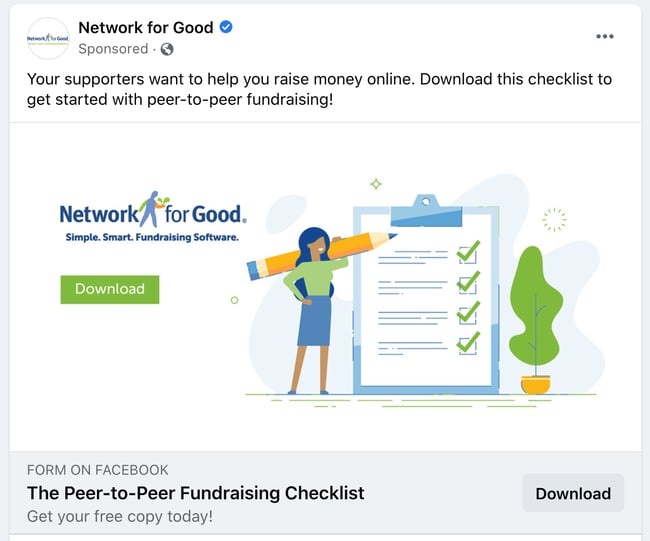
Network for Good has a strong paid social media strategy and has for a few years. As a servant leader in several nonprofit organizations, I’m targeted often with their checklists, templates, and guides on Facebook. Here’s why this ad works:
- It keeps users on the platform. When a user clicks through to download the checklist, they’re not redirected to an external website. Facebook offers businesses the option for in-app form fills (that’s a lot of words to say that users remain on Facebook while they convert on the ad.) That means the user doesn’t experience much disruption when they interact with the ad and can finish their Facebook session as soon as they’re done downloading the checklist.
- There’s a prompt to drive conversation. There’s no question about what this ad wants me to do — download the Peer-to-Peer Fundraising Checklist. Simple, clear copy like this makes it easy for the user to convert on this ad because they don’t have to think about what their next step should be. They can either keep scrolling or download.
For more information about running your own Facebook Ads that can convert just like this one, check out this checklist for lesser-known tips about running successful ad campaigns on this platform.
As a consumer, paid ads on Twitter tend to sneak up on me. I barely know I’m looking at a sponsored tweet because they look so similar to regular tweets. As a marketer, this is fantastic news; it means more eyes on your ads because they’re not as blatant as ads on other social channels.
Why Twitter Ads? Well, Twitter reports having 192 million monetizable daily users (the number of people who can see your ad on any given day), and when using their Ad software, you can target your ad to a specific demographic.
Twitter Ad Example: The Penny Hoarder
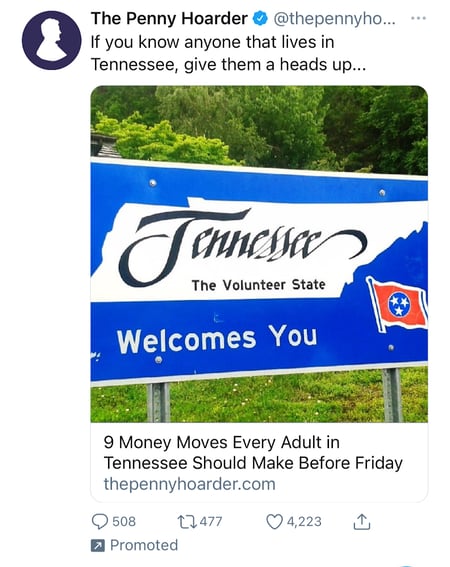
As a Tennessee native, The Penny Hoarder can deduce that I might like seeing imagery and copy about my home state. Geographically targeted ads can be successful for businesses in a broad market category — like The Penny Hoarder. Financial advice is applicable to anyone anywhere, but by positioning the content in a way that affects my life, I felt intrigued to click on the ad and learn more. Here’s why else this ad works:
- It brings more traffic to this blog article. The original article was published in August 2020, but the continuous advertising on Twitter brings in more views than it might receive organically. Unlike Facebook, which has devised ways to keep people on the site longer, Twitter allows users to visit the Penny Hoarder Website and read the article with just one click.
- It’s visually appealing. Geography is just one way to evoke emotions and resonate with consumers in an ad. By framing this ad (and the article it’s promoting) with an identifier like Tennessee, people who live in the area or are from the area will instantly say “this has to do with me and my community — I need to care.”
Twitter provides ad settings based on your budget —like how frequently your ad will be seen, where it will be seen, and the ad type to run. When you’re ready to run your social ads on this platform, Twitter offers different formats for you to choose from based on your goals.
84% of people discover new products on Instagram — up from 64% just four years ago. With growth like this, it probably isn’t a bad idea to pay for a spot in front of the 1.16 billion accounts in the platform’s advertising reach.
To run ads on Instagram, you’ll need a business profile — this allows you to set up an ecommerce store right on the app. (That’s a plus if you don’t have a website prepared to accept payments or if you’re testing out ecommerce for the first time.)
Since Facebook owns Instagram, you’ll be running ads concurrently on both platforms and they’re all managed on Facebook.
Using Instagram Ads, you can choose an amount of ad spend that works for your budget starting as low as $1. This amount is tied to the timeline of the campaign and the size of your audience.
I compare Instagram ads to filling up a gas tank — you get the amount of gas you pay for. On Instagram, your ad campaign runs during the amount of time you pay for.
Instagram Ad Example: Aveeno
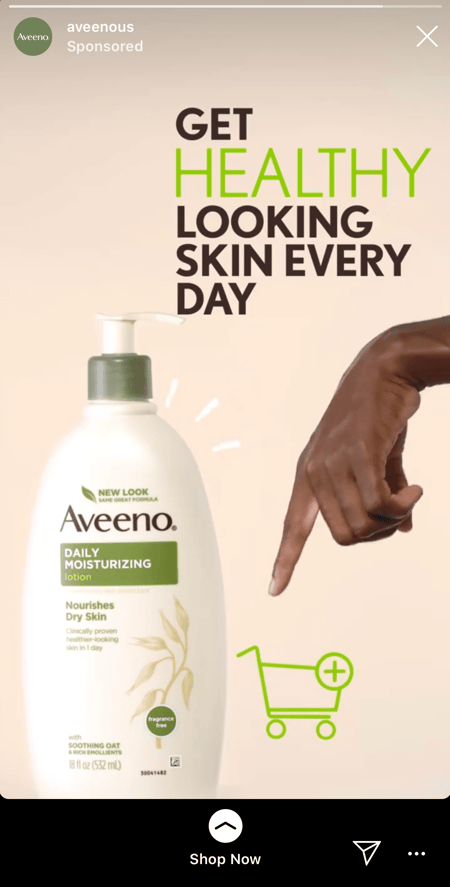
Aveeno utilized Instagram’s ad platform to target consumers with their product. The simple design is eye-catching without becoming overwhelming and distracting. Here’s why it works:
- It’s visually appealing. The neutral colors and clean design draws our eyes to the product. (The pointing hand is a bonus that keeps our eye on the CTA — the shopping cart!)
- The call to action is simple. One of the great features of Instagram ads is the ability to swipe up to see more about the product or make a purchase. When you’re done, it’s easy to close out of the Aveeno website and continue consuming other Instagram content.
On LinkedIn, millions of professionals have found a wealth of professional connections, their dream job, or both. The platform lets you reach thousands of people in your industry including thought leaders, hiring managers, and decision-makers.
Fortunately, as a marketer, LinkedIn’s paid ads let you reach those same individuals on behalf of your business.
There are 740 million professionals on LinkedIn, and four out of five of them drive business decisions —like business purchase decisions. This is a B2B advertiser’s dream come true. With the potential to reach 60 million decision-makers on the most popular social platform for lead generation, it’s good to consider LinkedIn as an optimal platform for B2B advertising.
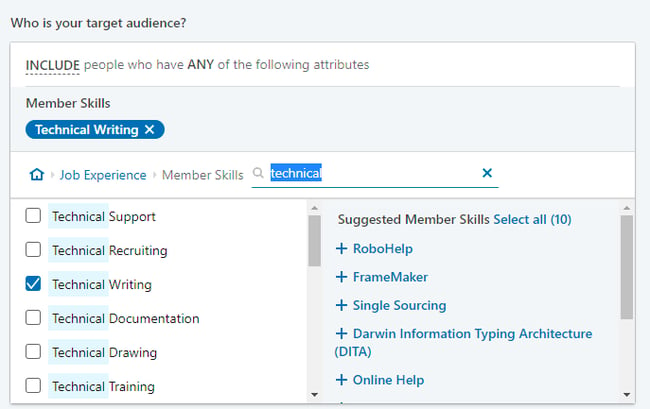
LinkedIn’s targeted ads let you type in keywords and select audiences by category. So, if you’re posting a job for a certain role, LinkedIn can help you find a pool of diverse candidates with relevant experience.
LinkedIn Ad Example: ON24
On24 uses short and sweet copy to start a dialogue with its target audience. By focusing on business use cases for its product, the ON24 can position itself as a thought leader on the topic of buyer journeys to entice LinkedIn users to register for the event. Here’s why it works:
- It keeps users on the platform. Similar to Facebook, LinkedIn uses in-app form fills to make the exchange between businesses and LinkedIn users who register for the event. That way, after they’re done registering, they can continue seeking their next opportunity, networking, or engaging with other content creators.
- There’s a prompt to drive the conversation. No matter how much money you spend on ads, there isn’t a way to buy engagement on those ads. Comments, likes, and shares still need to come organically which means the captions, copy, and headlines you choose for your ads should make the most of the limited space available. ON24 does a great job of this by asking a question that everyone has an answer to in the caption of this promoted post.
You can also play around with ad formats on LinkedIn to find which one is most effective. To find out more about the ad types on LinkedIn —such as sponsored, message, text, and dynamic — check out our post about creating an awesome LinkedIn Ad campaign.
Scaling Your Paid Social Media Strategy
When you put money behind a campaign, no matter how much or how little, you’ll want a sustainable ROI that shows the budget, effort, and resources you expended were all worth it. That ROI growth means you’ll be able to scale your campaigns in the future, and paid ads can fuel your success.
Now that you have a solid understanding of the most popular paid social media ad platforms on the market, you’ll need to track all of your hard work to realize that ROI. The native platforms we mentioned earlier do offer reporting and analytics, but what happens when you run a campaign across several different social media sites? I’ll give you a hint — it gets very messy very quickly.
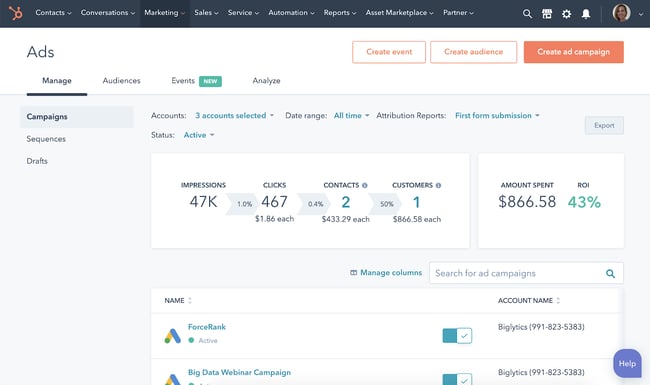
HubSpot’s free ad tracking software gives you one hub in which to manage all of your social media paid ads. That means you can report the success of your campaigns in just a few clicks rather than spending an entire day hunting down the information in each native platform. You’ll also have one source of truth for the combined total impressions, reach, and clicks. That’s paid social media at scale.
Investing in paid social media — the verdict is in.
It’s easy to think ad spend is just for the big brands, but making informed purchase decisions benefits every business.
The truth is, social media channels are making advertising accessible to large and small businesses alike. Once you learn how to plan, create, and position your ads to your target audience, you’ll have a much smoother time proving the ad campaign’s ROI to your stakeholders.
Editor’s note: This post was originally published in February 2020 and has been updated for comprehensiveness.
