
A Beginner’s Guide to Web Analytics
Views, new visitors, returning visitors — they sound similar but these metrics are not the same. If you don’t know the difference, you could be misinterpreting your website data and making some ill-informed decisions.
We’re going to cover everything you need to know about web analytics so you can truly understand what’s what, interpret your website analytics correctly, and make well-informed, data-backed decisions for your website and business.

In this post, we’ll cover the following. You can click on any of the jump links to skip to that section:
- what web analytics is and why it’s important
- web analytics examples
- web analytics best practices
- web analytics tools
- web analytics api
There is tons of data you can collect to understand how people interact with your website and identify opportunities for improvement. You can track overall traffic, bounce rate, traffic sources, new and returning visitors, time spent on site, and much more.
The amount of data can be overwhelming at first. That’s why it’s important to identify a few key metrics, particularly as you’re getting started. For example, you might start by focusing on bounce rate on a few key pages on your site. If visitors are quickly bouncing from your homepage, then that indicates they’re not finding the information they’re looking for quickly or easily enough. From there, you can identify possible next steps, like redesigning your website navigation.
Let’s take a closer look at why web analytics is important below.
Importance Of Web Analytics
Web analytics is critical to the success of your business. It enables you to better understand your site visitors and use those insights to improve the experience on your site. For example, if you discover that the majority of users on your site are using a mobile device, then you can focus on making your website more mobile-friendly.
Web analytics can also shape your content and SEO strategy. Looking at your top viewed posts, you can begin to identify what types of content and topics perform best with your audience. If you notice how-to WordPress tutorials make up the majority of your top viewed posts, for example, then you might shift and narrow your focus from definition articles about anything web-related to how-to WordPress tutorials. Or maybe you look at your site’s traffic sources and notice that organic and email traffic are your top drivers and paid channels are your lowest. In that case, you might shift resources to invest more in your organic strategy than paid.
Now that we have an idea of what web analytics is and why it’s important, let’s look at some key metrics you might track to measure progress against — and eventually meet — overarching business objectives, like increasing website traffic, leads, and revenue.
Before you read on, it’s important to note that various analytics tools may have slightly different definitions of the following terms. It’s best to consult your particular tool’s documentation to understand exactly how each is calculated.
Pageviews
Pageviews is the total number of times a page was viewed on your site. A pageview (or view) is counted when a page on your site is loaded by a browser. So if a person were to view a page on your site and reload the page in their browser, that would count as two views. If a person viewed one page, viewed a second page on your website, and then returned to the original page, that would count as three views.
Pageviews can give you an idea how popular a page on your site is — but it’s important to look at in context of other metrics. A page with a high number of views for a post isn’t necessarily popular since a small group of visitors could be responsible for a lot of those views. A high number may also indicate that a page was confusing and required visitors to return to it multiple times.
Unique Pageviews
Unique pageviews is the total number of times a page was viewed by users in a single session. In other words, a unique pageview aggregates pageviews that are generated by the same user during a session (which we’ll define below). So if a person viewed the same page twice (or more times) during an individual session, unique pageviews would only count that pageview once.
Since this metric discounts instances in which a user reloads or visits the same page in the same session, unique pageviews help you get a better understanding of how many visitors are viewing pages on your site and how popular individual pages are.
Sessions
A session is a group of interactions — including not only page views, but activities such as CTA clicks and events — that take place on your website within a given time frame.
The timeframe of a session varies by web analytics tool. For example, sessions in Google Analytics and HubSpot’s traffic analytics tools last 30 minutes by default. A session ends and a new session starts for a user when either A) there has been 30 minutes of inactivity and the user becomes active again, B) the clock strikes midnight, or C) a user arrives via one traffic source, leaves, and then comes back via a different source.
That means, if a user lands on your site, leaves, and returns within 30 minutes, Google Analytics and HubSpot will count it as one session, not two. On the other hand, if a user is inactive on your site for 30 minutes or more but then clicks on a CTA or takes another action, Google Analytics and HubSpot will count it as two sessions, not one, even if the user never left your site.
New Visitors
New visitors — also termed new users, unique visitors, or new visitor sessions, depending on the web analytics tools — is the number of unique visitors on your website.
As the name implies, a new visitor is an individual who visits your site for the first time. These individuals are identified by a unique identifier. For example, when using HubSpot, the HubSpot tracking code is installed on your site. Then, visitors on your site are tracked by the cookie placed in their browser by this tracking code.
Two important notes to keep in mind. A single visitor can have multiple sessions and pageviews on your site. And unique visitors is not an entirely accurate metric. That’s because most web analytics tools use cookies to track visitors, which doesn’t always distinguish new visitors from returning ones (which we’ll define below). For example, if a person visits your site via their mobile phone and then on their personal computer, they’ll be counted as new visitors on both occasions.
Returning Visitors
Returning visitors (or users) is the number of visitors on your website who have visited before. Not all web analytics tools include this metric, but some — including Google Analytics — do. In Google Analytics’s Audience reports, you can look at behaviors to see the ratio of new to returning users on your site.
Looking at both new and returning visitors metrics are great for getting a sense of how well you’re retaining your visitors, and how effective you are in attracting net new visitors at the top of the funnel.
Again, just keep in mind that this metric won’t be completely accurate if the web analytics tool uses cookies to track visitors.
Traffic Sources
Traffic sources is a metric that shows where your site visitors are coming from. Like visitor information, this metric is usually collected via the tracking code on your site.
The number of traffic sources you can track will vary depending on the web analytics tool. HubSpot’s traffic analytics tools tracks multiple categories, including:
- Organic Search
- Referrals
- Organic Social
- Email Marketing
- Paid Search
- Paid Social
- Direct traffic
Ideally, you want to increase all sources of traffic. But your biggest focus should be organic search, which is traffic that comes from non-paid search results in search engines like Google. That’s because this source has potential to drive huge amounts of traffic to your site. Plus, improving this channel often improves other channels, like referrals and social, as well.
Bounce Rate
Bounce rate is the percentage of visitors that leave your website after viewing a single page. You can look at bounce rate as a site-wide metric, or a page-level one. If your site’s bounce rate is high, then it might help to identify pages with high average bounce rates.
At the page level, average bounce rate is the percentage of sessions that started on the page and did not move to another page on your site. A high average bounce rate might indicate there’s a problem with the page’s loading time, or that external links are not opening in a new tab or window, among other reasons.
To learn what actions you can take to reduce bounce rate in WordPress or another platform, check out How to Reduce Bounce Rate in WordPress.
Web Analytics Best Practices
Many aspects of web analytics are specific to your business: what metrics you track, how you build out reports, what tools you use. But there are some best practices that can help anyone collect, analyze, and report website data in a more consistent and effective way. Let’s look at a few.
1. Pick metrics that align with your business objectives.
Focusing on only one or two metrics won’t provide enough insight into how visitors are interacting with your site — but tracking every single metric might provide too much information. To make sure you’re focusing on the right metrics, start by plotting your business objectives. Think: what are the top priorities for your site? Then, think of specific strategies you’ll implement to achieve these objectives, like fixing broken links and images. You’re now ready to identify what metrics will help you track your progress for achieving your goals and ultimately your business objectives.
2. Use data to drive decision making.
After collecting and reporting your data, figuring out whether or not you met your goals is only the first step. The next — and arguably more important — step is to use that data to test, experiment, and make changes on your site. For example, say you identified some high-value content — like your Services and Pricing page — through user testing and feedback in your web design process, but these pages aren’t getting much traffic. In that case, you might move these navigation links from your footer to your header or implement other changes to make these pages easier to find.
3. Don’t limit your focus to traffic.
Understanding and reporting traffic data — including pageviews, top traffic sources, and most viewed pages — is important. But it’s just one piece of your website performance. High traffic doesn’t necessarily mean success. If you’re getting millions of pageviews but no conversions, then you’re probably not meeting all your business objectives.
4. Always pair data with insights.
If you report that your website got one million unique pageviews and four hundred thousand new visitors in a month, that doesn’t mean all that much. Only reporting the numbers provides an incomplete picture of your website performance. It’s essential that you pair this data with insights. If you report that your website got one million unique pageviews, which exceeded last month’s unique pageviews and showed a percent increase year over year, then the data is much more meaningful.
5. Look at your data in context.
While collecting and analyzing data, think about it in context. What variables or larger forces could be impacting the numbers? For example, seasonality, algorithm updates, and bots can all have a major impact on your traffic and other metrics. Say, a few pages on your site saw major spikes in traffic. These posts weren’t recently updated so you look where this traffic came from. If the traffic mostly came from one country where you usually don’t see much traffic, like Ukraine, Thailand, Vietnam, Turkey, or Russia, then this was likely bot traffic. Looking at your data in context can help you better understand, analyze, provide insights, and make informed decisions with your data.
6. Share and ask for feedback from stakeholders.
You want to provide information to stakeholders in a consistent and understandable way. You also want to ask for information and ideas from these stakeholders. They can provide valuable feedback on how they use the data, what else they want to see or understand about their users or website, and how they think they can improve the user experience or other issues the data uncovers.
Web Analytics Tools
Measuring organizational success requires more than one metric — and more than one tool. Let’s take a look at three web analytics tools you could use together.
HubSpot Marketing Analytics & Dashboard Software
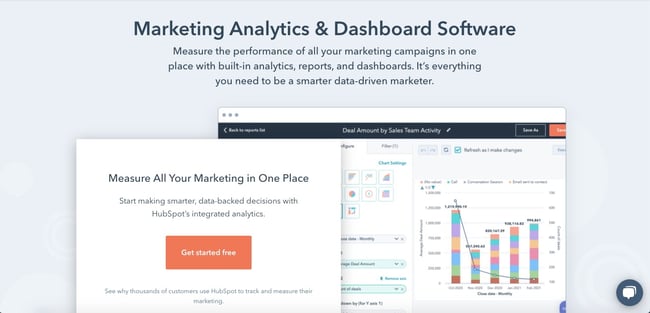
With HubSpot’s free marketing analytics and dashboard software, you can measure the performance of all your marketing assets — from website and landing pages, to emails, blog posts, social media accounts, calls-to-action, and more — in one place. You’re able to track the complete customer lifecycle, measure traffic overall or on a page-by-page basis, and add multiple reports to your dashboard so you’re tracking your most critical metrics in one easy-to-access place.
HubSpot’s free tool is ideal for anyone looking for built-in analytics, reports, and dashboards so they can make smarter, data-driven decisions.
Google Analytics
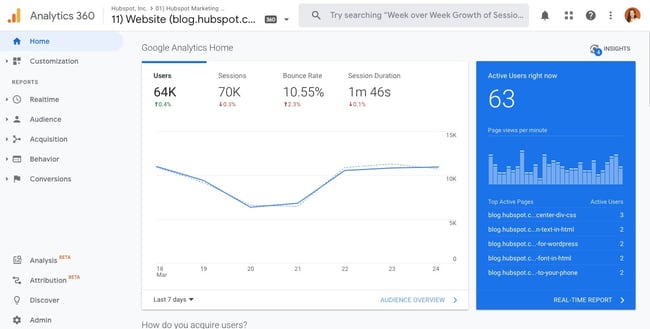
Used by over 28 million websites, Google Analytics is one of the most popular web analytics tools. With this tool, you can track pageviews, unique pageviews, bounce rate, traffic channels, user retention, average session duration, sessions by country, sessions by device, and more. You can also build out reports about your audience, acquisition channels, website performance, and conversions in Google Analytics.
Understanding the value, flexibility, and popularity of Google Analytics, some platforms offer unique integrations with this tool. Analytics Amplifier, for example, is a HubSpot app that allows users to match HubSpot customer behaviours — including “hot leads” and “deal amount” — with real-time Google Analytics data.
The sheer amount of metrics, reports, and integrations that can be tracked or created using Google Analytics can be overwhelming. Users without SEO or technical expertise, like content creators, may find it difficult and prefer an alternative.
Crazy Egg
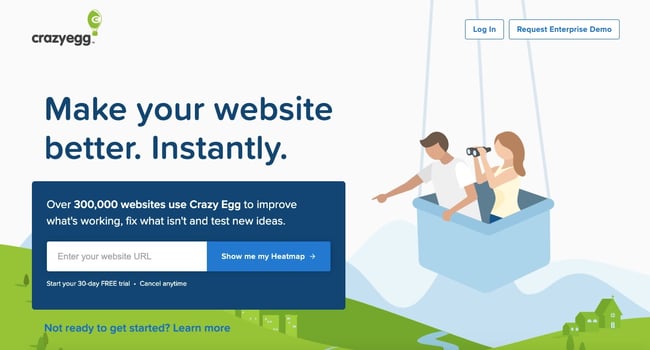
Used by over 300,000 users, Crazy Egg is a unique web analytics tool that provides heatmaps, scrollmaps, and other visual reports to show you exactly how your visitors are interacting with your site. Thanks to Crazy Egg’s tracking code, you’ll be able to watch what visitors are hovering over and clicking on in real time via heatmaps.
Crazy Egg also also offers comprehensive A/B testing so you can test various content variables like color, copy, and content placement, to see how it affects the user experience and conversions. This makes Crazy Egg an ideal alternative or supplement to Google Analytics for users interested in conversion optimization.
For example, Google Analytics offers several APIs that you can use to automate complex reporting and configuration tasks. One such API is the Google Analytics Reporting API. With this API, you can build custom dashboards to display your Google Analytics data, automate complex reporting tasks to save time (like getting data in two date ranges with a single request), and integrate your GA data with other business applications.
Another popular example is Chartbeat’s Real-Time API. This API consists of data that is updated every three seconds so you can see how your visitors are interacting with your content in real time. You can use this data to improve audience engagement, inform editorial decisions, and increase readership, which is why Chartbeat is used by bigwig news organizations including The New York Times and The Washington Post.
To understand what APIs are and how they work in general, check out The Ultimate Guide to Accessing & Using APIs.
Using Web Analytics to Improve Your Website
Whether you’re a small business, ecommerce site, or enterprise company, web analytics can help you and your company grow. By collecting, reporting, and analyzing data about your website, you can improve the user experience on your site and meet larger business objectives like increasing online sales.
Editor’s note: This post was originally published in July 2014 and has been updated for comprehensiveness.

How To Choose the Right KPIs for Your Business
How can you tell if your company is growing?
Sure, you can speak to a few team leads and get regular reports on their performance. But if you’re not measuring that information against something else, how will you know when you’ve met the mark or fallen short?
As they say, what gets measured gets improved. Quantifying your current performance through key performance indicators (KPIs) will give you a framework from which to assess your progress.

But how do you choose the right KPIs to focus on for your business? The short answer is that it really depends.
While there isn’t a hard-and-fast rule for choosing the proper KPIs, there are a number of factors you should always take into consideration.
In this post, we’ll walk you through some of the factors that influence which KPIs you should focus on and help you hone in on the metrics that matter the most for your business.
Let’s get started.
One thing to remember about KPIs is that they’re meant to measure your most impactful indicators.
For instance, your social media team may have a ton of data points that can serve as KPIs. However, they should only choose the ones that align with the broader business goals. Let’s say it’s brand awareness. In this case, follower count, post reach, and impressions will likely be the social media KPI metrics to measure.
With that in mind, having KPIs means narrowing your focus on a few vital metrics that will influence your business the most.
OKR vs. KPI
Objectives and Key Results (OKR) and KPIs are often used interchangeably because both terms refer to goals that are tracked and measured. However, where they differ is intention.
Put simply, KPIs indicate if your business is hitting its targets. They are often called health metrics as they tell you how the company is doing to meet an objective that’s already set.
OKRs, on the other hand, are broad objectives for your business with the key results that will signify achievement in meeting those objectives. They are aggressive and ambitious goals that speak to the business’s big-picture vision.
For instance, let’s say a technology company has the objective of becoming one of the top 10 providers in their industry in 2021. Their key results could be:
- Acquire 1,000 new customers by Q3.
- Generate 3,000 leads every month.
- Increase annual membership sales by 30%.
While KPIs are ideal for scaling, OKRs are designed for dramatic growth. They’re more ambitious and push teams to stretch their capabilities.
It’s also important to note that while KPIs can be the key results in your OKR, the opposite is generally not true.
For example, your marketing team could have a KPI of 3,000 leads as mentioned in the example above. However, it’s unlikely that any department would list the “Top 10” goal as their KPI as that speaks to a broader vision and has a more flexible timeline.
What is KPI reporting?
A KPI report is a visual dashboard used to track your metrics and assess how your team is performing against the targets. You can display your report using charts, graphics, and tables depending on the data you want to display and the needs of your team.
As a business, you’ll likely have data coming in on a daily basis that may or may not relate to your KPIs. Having a reporting tool does a few things, including:
- Allowing you to track your most impactful metrics and filter out irrelevant data
- Making the data easily accessible to decision-makers and collaborators
- Giving you a quick and digestible snapshot of your team’s performance
- Aligning everyone on the goals
How To Measure KPIs
Before you can measure your KPIs, you’ll need to determine which metrics to track. This will greatly depend on your goals and your team.
Once you narrow that down, set your targets. They’re usually based on a combination of factors, including historical performance and industry standards.
You’ll also have to answer the who, when, and why. Who is responsible for this KPI? Identify the person on your team who is managing this KPI, so they can be the go-to when addressing roadblocks that may affect performance. They will also be responsible for reporting on progress.
As for the “when,” you’ll need to know the timeline to reach these targets. Many businesses set them on a monthly or quarterly basis, but your timeline can be shorter or longer depending on your team.
Lastly: the why. It’s the most important thing to keep in mind when measuring your KPIs. Having your goals clearly identified can help motivate your team and make sure everyone is aligned on the direction you’re going in.
Types of Key Performance Indicators
KPIs can be set on a team basis. Sales’ KPIs will be completely different from HR’s KPIs. Beyond those differences, there are also variations in the types of indicators you can measure.
Here are a few of the most common types of KPIs:
- A quantitative KPI relies on numbers to gauge progress. E.g., “Sales team to generate 100 sales-qualified leads every month.”
- A qualitative KPI looks at opinion- or feeling-based data. E.g., “Brand sentiment.”
- A leading KPI can predict future performance. E.g., “Website traffic.” More traffic can mean more conversions, more leads, and more revenue.
- A lagging KPI describes a past result. E.g., “Turnover rate.”
- An input KPI measures the assets, time, and resources needed to complete a certain action or project. E.g., “Employee count, budget.”
- A process KPI assesses efficiency and productivity within the business. E.g., “Average sales call time.”
KPI Examples
Your organization’s business model and the industry in which you operate will influence the KPIs you choose.
For example, a B2B software-as-a-service (SaaS) company might choose to focus on customer acquisition and churn, whereas a brick-and-mortar retail company might focus on sales per square foot or average customer spend.
Here are a few examples of some industry-standard KPIs:
|
SaaS KPIs |
Professional Service KPIs |
|
|
|
Online Media / Publishing KPIs |
Retail KPIs |
|
|
While you will most certainly want to consider industry standard KPIs, it is more important that you choose the KPIs that are relevant to your specific company and the goals you are working toward.
How To Determine KPIs
Choose KPIs directly related to your business goals.
KPIs are quantifiable measurements or data points used to gauge your company’s performance relative to a goal. For instance, a KPI could be related to your goal of increasing sales, improving the return on investment of your marketing efforts, or improving customer service.
What are your company goals? Have you identified any major areas for improvement or optimization? What are the biggest priorities for your management team?
Answering these questions will bring you one step closer to identifying the right KPIs for your brand.
Focus on a few key metrics, rather than a slew of data.
As you begin to identify KPIs for your business, less is worth more. Rather than choosing dozens of metrics to measure and report on you should focus on just a few key ones.
If you track too many KPIs, you might become overwhelmed with the data and lose focus.
As you can imagine, every company, industry, and business model is different so it is difficult to pinpoint an exact number for the amount of KPIs you should have. However, a good number to aim for is somewhere between two to four KPIs per goal.Enough to get a good sense of where you stand but not too many where there’s no priority.
Consider your company’s stage of growth.
Depending on the stage of your company – startup vs. enterprise – certain metrics will be more important than others.
Early-stage companies typically focus on data related to business model validation while more established organizations focus on metrics like cost per acquisition and customer lifetime value.
Here are a few examples of potential key performance indicators for companies in various stages of growth:
|
Pre-Product Market Fit |
Product Market Fit |
Expansion |
|
|
|
Identify both lagging and leading performance indicators.
The difference between lagging and leading indicators is essentially knowing how you did, versus how you are doing. Leading indicators aren’t necessarily better than lagging indicators, or vice versa. You should just be aware of the differences between the two.
Lagging indicators measure the output of something that has already happened. Total sales last month, or the number of new customers or hours of professional services delivered, are examples of lagging indicators. These types of metrics are good for purely measuring results, as they solely focus on outputs.
On the other hand, leading indicators measure your likelihood of achieving a goal in the future. These serve as predictors of what’s to come. Conversion rates, sales opportunity age, and sales rep activity are just a few examples of leading indicators.
Traditionally most organizations have solely focused on lagging indicators. One of the main reasons for this is they tend to be easy to measure since the events have already happened. For instance, it is very easy to pull a report of the number of customers acquired last quarter.
But measuring what happened in the past can only be so helpful.
You can think of leading indicators as business drivers because they come before trends emerge, which can help you identify whether or not you are on track to reaching your goals. If you can identify which leading indicators will impact your future performance you will have a much better shot at success.
With every business, growth is the goal. KPIs help you track your progress and scale progressively to grow in whichever way that matters to your company.


The Beginner’s Guide to Cost Per Acquisition (CPA)
In the paid acquisition world, clicks can seem like the holy grail. But if you really think about it, clicks only tell you if people arrive to your content. They don’t reveal whether they stayed or not.
But how do you know if your content is engaging and emotionally resonant enough to persuade your audience to stay and ultimately buy your product or service? A metric that’s arguably the most indicative of this is conversions — if your creative convinced someone to download or even buy something, then it was worth consuming.
In your advertising campaigns, the best way to measure your content’s converting capabilities and, in turn, its resonance is cost per acquisition. Read on to learn more about what exactly it is, the formula for calculating it, how its bidding process works, and some principles for crafting creative and convincing ad copy.

Most acquisition marketers prefer the cost per acquisition pricing model because they can set their definition of an acquisition before they start advertising and only have to pay when their desired acquisition or action happens.
AdRank is calculated by multiplying your maximum cost per acquisition bid with the quality score of your ad, which is calculated by measuring your page’s relevance to the keyword, user experience, and click-through-rate. This means organizations can’t acquire the top ranking for any keyword they want just because they have the biggest ad budgets. Their content has to be engaging.
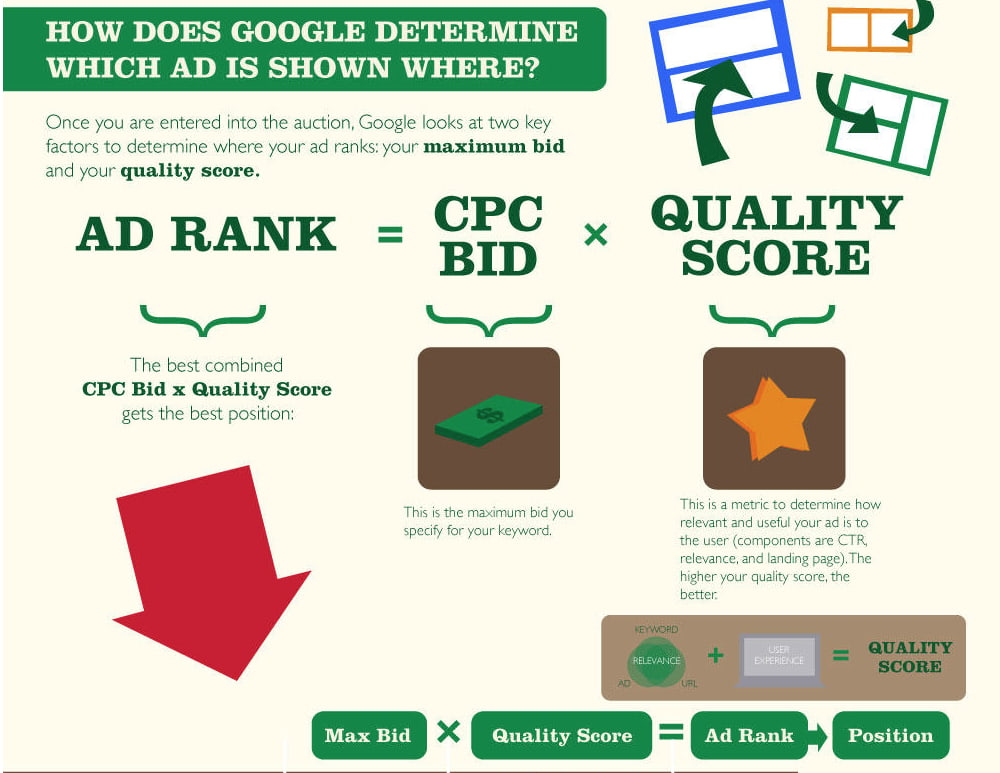
Google wants to incentivize the best advertisers to advertise the best content on their search engine results pages, so they reward ads that have high quality scores with higher ad rankings and lower cost per acquisition.
In the same vein, they also want to discourage bad advertisers from advertising bad content, so advertisers with low quality scores will usually only acquire a high ad position if they pay a huge cost per acquisition bid. If they want to pay lower a cost per acquisition bid, they’ll have to settle with stooping at the bottom of the ad rankings.
To generate as many conversions as possible within the limits of your advertising budget, consider using Google’s target CPA bidding. Target CPA bidding leverages machine learning to analyze your campaign’s historical conversion data, recommend an optimal average target CPA, and automatically optimize all your eligible bids to meet the average target CPA you set for all your campaigns.
If you use target CPA bidding, some of your conversions may cost more than others because your quality score or the competition in your ad auction might fluctuate, but Google will try its hardest to keep your cost per acquisition as close to your average target CPA as possible.
How to Optimize Your Cost Per Acquisition Costs
Since your quality score, which is a metric that measures how positive and relevant of an experience your content provides, is the most influential determinant in securing a top ad ranking and, in turn, generating more conversions, the best way to optimize your cost per acquisition costs is crafting compelling ad and landing page copy.
When you sit down to write ad or landing page copy, your goal should be to write something so captivating that it can grab the attention of a distracted millennial slouched in front of the TV, with their smartphone in one hand and a slice of pizza in the other.
So what’s the process for persuading your audience to ignore that pizza, click on your ad, and convert on your landing page? Check out this three-step process for crafting compelling ad and landing page copy.
1. Pique your audience’s curiosity
A little intrigue goes a long way in marketing. Humans are biologically driven to investigate our world rather than respond to it. And if you can evoke enough curiosity in your audience so they can’t help but satisfy it, they’ll click on your ad. So don’t reveal too much about your offer — but make sure to highlight its benefits in a clear and convincing way.
2. Sell a feeling
Psychology tells us that emotions drive our behavior, while logic justifies our actions after the fact. Marketing confirms this theory — humans associate the same personality traits with brands as they do with people. Choosing between two alternatives is like choosing your best friend or significant other. The people we decide to live our lives with make us feel something.
This is also the reason why pitching a product’s features is a lousy attempt at persuasion. Features only appeal to the logical part of your brain, which science suggests doesn’t drive action nearly as well as appealing to the emotional part of your brain does. So don’t just get creative with your copy — get emotional too.
3. Design a simple yet convincing landing page.
Just because you’ve grabbed someone’s attention with your ad doesn’t mean your work is done. You still need to design a compelling landing page that clearly conveys the value of our offer.
In order to do this, consider piquing your audience’s curiosity with an intriguing headline and subheading, scrapping any external links from your landing page so visitors can only leave your paid acquisition funnel if they exit the page or convert, and test out video, which can explain the value of your offer in a more engaging way than text can.
If you want to learn how HubSpot creates landing pages that convert at 35% rate, check out this blog post.
Instead of chasing clicks, pursue conversions.
Marketers will chase vanity metrics until the end of time, and you might feel pressured to do the same, especially when your peers clamor on about their astronomical growth in views or clicks.
But if you ever feel tempted to jump on that train, remember, in marketing, the goal is to persuade someone to take your desired action. So incentivize your brand to resonate with your audience — that’s the thing that actually keeps people on your content and prompts them to act. And make conversions, not clicks, your carrot.

Do Blog Posts Actually Lead to Purchases [New Data]
In our 2021 Executive Marketing Leadership Survey, 20% of marketing leaders described company blogs as one of their “most important channels” for hitting goals.
The enduring importance placed on blogging isn’t shocking. Not only can blogs boost your SEO, overall site traffic, and online presence, but they can also help prospects learn more about your industry, brand, product, or service.
But, starting and running an effective, traffic-generating blog requires a lot of time and energy. And, if you’re a marketing manager on a tight budget, you might only be interested in tactics that directly benefit your bottom line.
As you determine how you’ll invest your time, effort, and money in 2021, you might ask yourself, “Will my blog posts actually lead to purchases?”
To help marketers answer the question above, we surveyed nearly 300 consumers using Lucid software to learn if reading company blog posts had ever led them to make purchases from that brand.

Do Blog Posts Lead to Purchases?
While the growth of other content strategies, like video marketing, might have you thinking that consumers will only buy products after seeing them on other platforms, you might be surprised by how consumers responded to our survey question.
When we asked, “Have you ever purchased something from a company after reading a blog post from them?”, a whopping 56% said, “Yes.”
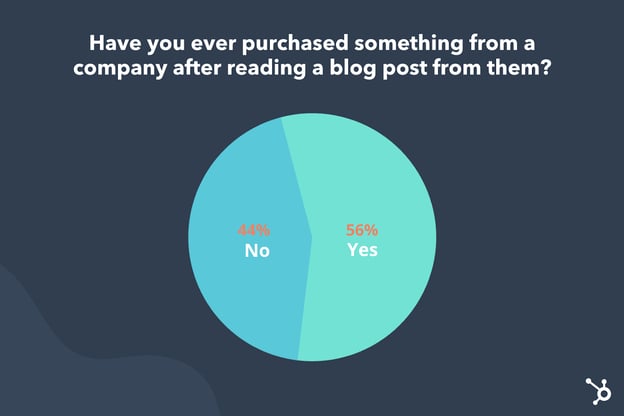
While blogs are no longer the most commonly used type of marketing content, data like the small survey above reaffirms that blogging is still an effective way to market your brand and even sell products.
Why Blogs Lead to Purchases
If your company has a blog that discusses your industry or how your offerings can help with the average reader’s everyday pain points, your audiences can discover and gain trust in your brand’s expertise. That trust and credibility could ultimately lead to purchases.
Why? If a prospect trusts the advice or information given in your blog posts, they might trust that your offerings are better quality than your competitor’s because your brand knows the industry, what customers want, and the pain points that your product or service solves.
Even if you prefer video, social media, or visual marketing strategies, it’s important to remember that blogs can help you sell products in ways that other content types can’t.
For instance, while videos and images might only give prospects a glimpse of how a product or service works in real life, blog posts can offer extensive information that a visual content editor might need to cut to avoid overwhelming a viewer on social media or other platforms.
And, while blog posts offer more chances to provide in-depth information than some content types, they also could increase your search ranking and allow more opportunities to link directly to a landing or purchasing page. Because of this, consumers could find your content via search, read your post, and click straight to a product purchasing page with low friction after your content has persuaded them to buy a product.
Additionally, because most blog sites allow you to embed videos, podcasts, and imagery, your company blog can also be a great place to promote your other marketing assets while still informing prospects about your brand.
In the next year, consider a mix of content marketing that includes blogging. Not sure how to persuade shoppers with your blog posts? Here are a few quick tips.
How to Lead Readers to Purchases
Strategically place product page links and CTAs.
Aside from mentioning your brand, product, or service where it feels natural in your blog posts, you can also use hyperlinks to link out to product pages, or CTA buttons that draw slightly more attention to a product or offer without directing reader attention too far away from the blog post.
At HubSpot, we usually place at least three CTAs related to a blog topic in each post: a text-based CTA in the introduction, a larger banner image at the bottom, and a slide-in CTA that shows up to the side of your text as you’re scrolling through the middle of the post. This allows three mentions of a product or offering without interrupting the reader’s experience.
Offer a free resource:
If your brand sells a subscription, service, or product that’s on the pricier side or needs leadership approval from your company, blog readers might need more than a few blog posts to trust your brand and invest in your product. In that case, you might need to focus on lead-nurturing rather than sending blog readers directly to a purchasing page.
HubSpot and many other blogs have grown their contact and qualified lead lists simply by creating a free downloadable resource, such as an ebook, template, or research report, and offering it through CTAs at the end of blog posts.
Below is an example of a recent free research report resource we offered at the end of one of our Sales Blog posts:
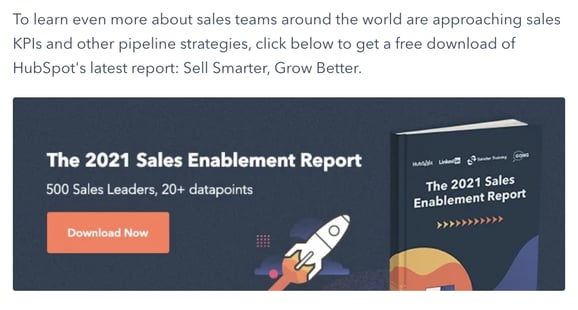
To access free — but gated — offers, readers must give basic information about themselves and their company. From there, they receive an automated email or instant download of the resource while also becoming a contact — or lead — and enter our lead-qualification process to see if they could be a good prospect to reach out to.
The HubSpot Blog’s free resource strategy results in thousands of qualified leads per year that could potentially convert into HubSpot customers. You can learn more about how to implement it on your blog here.
Remember, quality beats over-promotion.
In another recent Lucid survey, one-third of our group of general consumer respondents most commonly read blog posts to “learn something new.” Meanwhile, roughly 20% read blog posts for the sake of entertainment.
As a content creator, it’s important to remember that readers will likely find your blog because they’re looking for information related to an industry they work in, want to learn something related to their hobbies, or need solutions for a pain point they deal with in their daily or professional lives.
Odds are, they’re not looking solely for promotional content. If a reader visits your blog site and finds nothing but blog posts filled with product shots and cheesy advertorial language, they might lose interest in your content and might not develop the sense of trust needed to make a purchase.
While it’s wise to place a few unintrusive CTAs in your blog posts, and even mention your product or service when it feels relevant, be sure your content primarily offers valuable guidance, advice, and information that will help your reader and fulfill their needs.
For example, in this post about AI social media tools, we give valuable information about how to implement AI-based technology in a social media process while listing HubSpot as one of the tools readers can use. While we still mention our offerings, the post’s goal is to show readers how multiple AI tools can streamline a marketing process.
Creating Your Blog Nurturing Process
Ultimately, every brand has a target audience with different interests and content needs. While one blog strategy, such as free resources, will work well to generate qualified leads for a B2B company, other tactics, like simply linking to a product in blog posts, might be more lucrative for consumer-facing brands.
As you focus more on turning your blog traffic into revenue, keep these questions in mind:
- What information is valuable to my audience?
- Does my product require lead nurturing such gated offers?
- Will the tactic I’m using seem over-promotional or disengaging to my audience?
Want to learn more about how the HubSpot blog generates leads? Check out this post from one of our content acquisition managers. Or, take down these tips on how to make money blogging.
Before you check out those pieces, be sure to download the free resource below.

The Plain-English Guide to Integrated Marketing Communications
I fly Southwest Airlines almost exclusively. They offer reasonable prices, make it easy to rack up points, and always have fun and kind flight attendants.
One thing I’ve noticed about Southwest is their branding is on point. Whether I’m booking a flight on their mobile application, being served my go-to in-flight ginger ale, or walking through the terminal at Midway Airport, I’m surrounded by Southwest’s consistent brand colors, messaging, and imagery.
This is an example of integrated marketing at work. If you’re interested in presenting a cohesive, consistent brand experience that leaves your products or services top-of-mind — like Southwest does — this guide is for you. Read on to learn more about integrated marketing and how to create a campaign of your own.
Imagine discovering a new brand on Instagram and visiting the company’s website to purchase one of their products. If their website promoted a different message or campaign than the one you found on their Instagram account, you’d have a hard time understanding the gist of the brand, right?
Integrated marketing exists to eliminate these disparities and differences regardless of how or when a customer interacts with your brand. It’s similar to multi-channel marketing, except integrated marketing is what aligns the message you’re sharing on all of those channels.
Speaking of channels, integrated marketing doesn’t apply to just your inbound or digital marketing channels; traditional media channels are also included. Many of the integrated marketing examples we’ll review below incorporate traditional marketing channels such as print, radio, and TV ads.
Now, let’s talk about integrated marketing campaigns.
Why are integrated marketing campaigns effective?
While integrated marketing campaigns can differ in their goals (e.g. converting views, building brand awareness, etc.), they should all have one component in common: to align your marketing channels to present a united marketing “front”.
If your marketing channels are players, consider your integrated marketing campaign the coach in charge of running plays and helping your channels work as a unified system — not disparate ones.
It’s also more effective to run integrated marketing campaigns as compared to campaigns on individual channels. Integrated marketing campaigns are impactful for a few reasons:
- They reach a wider audience than a single marketing channel.
- They have a greater chance of being seen on multiple channels, thus keeping your brand top-of-mind and pushing visitors closer to conversion.
- They build trust with visitors as they see a consistent message on multiple channels.
- They save you money since assets can be shared between and repurposed for different marketing channels and, depending on your campaign, customers can help you market your product or service for you.
So, how can you build your own integrated marketing campaign? Follow these steps to get started.
1. Establish your overarching campaign goal.
Before you consider what channels will be part of your integrated marketing campaign, you must consider the goal of the entire campaign.
Maybe you’ve launched a new product, service, or initiative and want to get it in front of customers — like Southwest’s Transfarency. Maybe you’ve completely rebranded and want to broadcast your new message — like Old Spice’s Smell Like a Man, Man. Perhaps you’ve simply chosen a new positioning tagline and want your audience to start associating your brand with it — like Snickers’ You’re Not You When You’re Hungry.
(Don’t worry, we’ll dig deeper into these examples later.)
Whatever your campaign goal may be, always remember to make it SMART. This will help you stay focused, track your campaign success, and learn how to improve the next time around.
These goals should also relate to at least one of the following key performance indicators (KPIs) and their subsequent metrics, which you can track when you launch your campaign.
| KPI | related Metrics |
| Traffic/reach | Unique page views by channel and source |
| Engagement | Bounce rate; average time on page |
| Top (and falling) content | Top page views; top exits |
| Impact | Click-throughs; conversions; backlinks |
| Sentiment | Comments; social shares |
| Lead generation | Total leads; total sessions; session to lead conversion rate |
| Sales | Lead to marketing qualified lead (MQL); MQL to sales qualified lead (SQL); customer purchase/closed-won business |
Also, while increased engagement and new leads are always exciting, a multi-channel campaign should also consider the bigger picture: how your campaign impacts sales opportunities and business revenue. Take a moment to map out how you want your campaign to impact your bottom line, too.
2. Choose your marketing channels and set goals for each one.
Now that you know your overarching integrated marketing campaign goal, you probably have a better idea of what channels (if not all of them) can help you reach that goal.
For example, if your goal is to roll out a new logo and branding suite, you don’t necessarily need to leverage radio ads. On the other hand, if you’re extending your audience to target a new geographic region or city, radio ads, billboard ads, TV ads, and other local channels may come in handy.
When choosing your channel(s), it all boils down to what you’re trying to achieve through your integrated marketing campaign. There are 10 major marketing “channels” that you can use to distribute your campaign content.
- Advertising (both print and PPC)
- Direct marketing
- Email marketing
- PR
- Personal selling
- Sales promotions
- Digital marketing (e.g. website, content marketing, and SEO)
- Social media
- Events and sponsorships
- Packaging
Your integrated marketing campaign should include a variety of marketing channels in order to reach the widest audience and drive home your campaign message. If you see one or more channels plateau, don’t hesitate to add, remove, or test new ones.
3. Define your buyer personas by channel.
Every marketing channel targets its own specific buyer persona. For this reason, instead of defining a broad persona for your campaign, you must define your audience by channel.
There will inevitably be some overlap, but it’s wise to understand exactly who you’re talking to on each medium and how you can tailor those specific assets to be the most successful.
Note: With some campaigns, you may be targeting a specific audience. In this case, steps 2 and 3 would be flipped — you’d define your buyer persona(s) first and then decide which channels can help you reach that audience.
4. Identify your channel managers.
Depending on the size of your marketing team, you may have different people (or entire teams) in charge of different channels. When running a multi-channel marketing campaign, you must determine who specifically will be in charge of ensuring their channel(s) is aligned with the campaign.
This is important for two reasons: 1) that manager is the expert on their channel (e.g. audience, posting cadence, optimization tactics, reporting strategies, etc.) and will know how to tailor the campaign content to be the most successful; and 2) putting one person in charge of all channels may be overwhelming and will cause the content and campaign to suffer.
Perhaps you have a smaller marketing team where one person handles multiple channels. Regardless of your team size, do your very best to share channel management responsibilities across a few people — ideally with one person handling one or two channels.
5. Create adaptable marketing assets and messaging.
At this point, you have your campaign goal, target audience(s), and marketing channels. It’s now time to create your integrated marketing campaign content. This stage is where copywriting, graphic design, and other creative processes come into play.
Before I dive into how, let’s talk about an important component of integrated marketing content: adaptability. To keep your campaign consistent (and ease your workload), you should be able to repurpose any content to be used on different channels.
For example, let’s say your integrated marketing campaign is focused on the launch of a new 3-minute brand video. You could repurpose this video into:
- 30-second and one-minute “trailer” videos
- Still images
- Quotes
- GIFs
- Hashtags
- Blog posts
- Soundbites
As you develop and repurpose these creative assets, keep them aligned with your brand guidelines and consistent with each other. In fact, it may be helpful to create your own set of brand guidelines for your integrated marketing campaign to share with your team and any channel managers.
This documentation could include a few things:
- Visual guidelines (logo, color palette, typography, etc.)
- Any developed and repurposed assets in multiple file formats
- Voice and tone guidelines (taglines, preferred language, words to avoid, etc.)
- Messaging guidelines (pain points, goals, types of content, resources, etc.)
- Buyer persona information and guidelines
Integrated marketing is all about a consistent brand experience. Be sure your campaign assets reflect that, regardless of what channel your audience visits or sees.
6. Establish your plan for collecting leads.
Whether or not you intend your campaign to collect leads, you should always be prepared to receive them. You don’t want to leave this as an afterthought once you launch your campaign. Even if you’re simply campaigning to raise awareness of your brand, consider how your visitors might convert to leads — and, eventually, customers.
First, consider how a visitor might convert to a lead. Would they subscribe to your newsletter? Input their information to download a content offer? Create an account on your website? Ensure these conversion aspects of your campaign are also on-brand with the rest of your visual and messaging assets.
Next, consider how your leads will be nurtured once they convert. Would they roll into an automated email workflow? Would you pass them along to Sales? However you go about this step, make sure your leads aren’t forgotten once they willingly give over their information.
As always, communicate with Sales to confirm that they’re aware of your campaign and on-board with your plan for new leads and customers.
7. Launch, measure, and iterate your campaign.
Ready to launch your integrated marketing campaign? It might be time to put your campaign to work … but it’s not time to rest just yet.
Remember those KPIs and metrics from step one? Whichever KPIs relate to your overarching campaign goal (e.g. boosting brand awareness, rebranding, new product, etc.), start tracking those subsequent metrics each week, month, and quarter (depending on how long your campaign is running) to see how successful it is at reaching your goal.
As always, take what you learn from each integrated marketing campaign and apply it to future campaigns. With the right strategies, managers, and tools in place, you can create a never-ending cycle of integrated marketing campaigns — and wins.
Integrated Marketing Strategies and Best Practices
As you construct your integrated marketing campaign, there are a few key strategies and best practices to keep in mind. We’ve detailed them here, and they apply regardless of what media, channels, or goals you’ve chosen.
Align behind the scenes.
In order for you to successfully implement an integrated marketing approach, it’s imperative that you not only choose marketing channel managers but that all your marketing managers also communicate often about projects and campaigns.
While not every integrated marketing campaign or promotion needs to be on all of your channels, they should at least complement each other to avoid a fragmented brand experience for customers.
Consider the channel transition.
Integrated campaigns receive traffic from a number of sources — and pass along those sources like a game of Hot Potato. Consider how a visitor may view/experience each marketing channel 1) if it was their first visit and 2) if they transitioned from another channel. Think about how each channel can help others convert.
For example, say a customer saw your new billboard on their way to work and, once they arrived, visited the website that was on the billboard. Imagine if, on your website, the customer couldn’t easily find whatever your billboard was marketing. How confusing would that be? That customer would likely drop off immediately.
Don’t neglect the small overlaps.
When preparing to launch your integrated marketing campaign, it’s tempting to separately think about each channel and its respective media assets. But this thought process inherently goes against the ethos of integrated marketing. Integrated marketing exists to eradicate the silos of traditional marketing and bring together a cohesive campaign experience.
For this reason, don’t neglect the places in which your campaign overlaps. Here are a few examples:
- Your email signature, where you can plug your social media handles, website URL, or video links
- Your social media bios and posts, where you can include links to your website, blog posts, content offers, or other digital content
- Your blog and website, where you can incorporate social sharing buttons
- Your standalone landing pages, where you can optimize for relevant keywords and SEO
- Your PPC copy, where you can test subject lines to see what your audience responds to
While these overlaps might not directly support your campaign goals, they help your audience transition seamlessly between channels, enjoy that consistent, cohesive brand experience, and ultimately find their way to a page that converts them.
Every marketer knows just how much you can learn from those who’ve come before you. In this section, we’ve pulled together a handful of well-executed integrated marketing campaigns to give you an example of just how successful this tactic can be.
1. Smell Like a Man, Man by Old Spice
For years, I associated Old Spice with something only my dad or grandfather would wear. I can remember the old, white bottle of aftershave — the one with the faded pirate ship — that used to sit in my dad’s cabinet.

The initial campaign launch featured one 30-second TV spot, The Man Your Man Could Smell Like, that was so beloved that Old Spice launched a handful of others.
But Old Spice didn’t stop at the TV commercial. They also included their website, product pages, Instagram, YouTube, and other channels in their campaign.
No, they don’t all feature the specific characters or taglines from the original TV spots (remember, the campaign launched almost 10 years ago), but they do reflect the same tone, theme, and brand, thus giving customers a consistent brand experience across all media.

2. Transfarency by Southwest Airlines
I discussed Southwest Airlines’ consistent branding at the beginning of this article. One campaign that stands out is their Transfarency movement, which introduced a brand new word that marketed Southwest as an airline with straightforward pricing and no hidden fees.
The campaign originally launched in 2015, but Southwest has since been rolling out phases to release new elements and introduce more themes and stories. This tactic has helped elongate the campaign message and truly solidify the association between flying Southwest and saving money on fares.
Southwest has used almost every possible marketing channel to broadcast this campaign: a dedicated landing page on which you can purchase tickets, print advertisements posted along airport walls and tucked behind airplane seats, a slew of video spots, and plenty of user-generated content on their social media.

3. You’re Not You When You’re Hungry by Snickers
Snickers is one of my favorite chocolate bars, so I paid close attention when I started to see commercials for their You’re Not You When You’re Hungry advertisements.
Launched at the 2010 Super Bowl, this Snickers campaign has remained top-of-mind for chocolate and candy lovers everywhere.
One reason for this is the campaign’s humor, but the other, more pertinent reason is that Snickers pasted this movement everywhere … on its website, social media, TV, print ads, and more, and they included plenty of celebrities to boot. By presenting an aligned, cohesive integrated marketing campaign, customers now think of Snickers when craving a sweet snack — and the company has benefitted as a result.

4. Share a Coke by Coca-Cola
Coca-Cola’s Share a Coke campaign was unique in that the company put their customers front and center by featuring names and fun phrases on their product. Not only did this create endless advertising angles, but it led to endless user-generated content from customers wanting to share products with their own name. The #ShareaCoke hashtag was shared via 500,000+ customer photos.

When this campaign was at its height, I found myself taking pictures of and even buying Cokes featuring the names of my friends and family. It seems that others did the same — the campaign resulted in an increase in Coke consumption from 1.7 billion to 1.9 billion daily servings.
5. Grow Better by HubSpot
HubSpot has countless digital properties — its blog, website, social media channels, and SaaS products. This level of variety requires a lot of consistency in messaging and marketing.
HubSpot recently set its ultimate vision to help customers grow better — all customers, on all channels. To promote this messaging, it updated all content to reflect this vision.
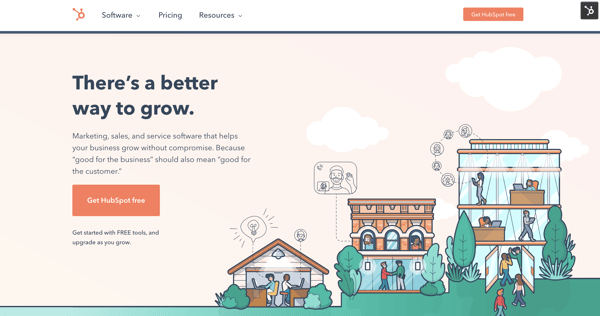
The message may be short, but the impact is big. However and wherever customers interact with HubSpot, its integrated marketing has ensured that they know how HubSpot operates — and why they should become a customer.
Integrated Marketing Helps You Grow Better
Integrated marketing turns your marketing campaigns into multi-channel movements. In today’s omnichannel world — with consumers encountering your brand online, on social media, and on their daily commutes — integrated marketing is more important than ever to capture new customers and build brand recognition and loyalty.
Implement these steps and strategies for your next integrated marketing campaign, and it will surely be a success.
Editor’s note: This post was originally published in October 2019 and has been updated for comprehensiveness.

How to Generate Leads on LinkedIn, According to LinkedIn’s VP of Marketing
As a marketer, you’re undoubtedly aware of some of the major social media sites you can use for lead generation. I’m willing to bet you’ve already heard about the importance of Instagram, Facebook, and Twitter — and if you use all three as part of your lead generation strategy, you might think you’re all set.
However, if you’re not using LinkedIn you could be missing out on a major opportunity to grow both brand recognition and revenue, especially if you’re a B2B business. In fact, studies have shown that LinkedIn is the top paid and organic social channel for B2B businesses, and 82% of B2B marketers report finding the greatest success on the platform.
These statistics make sense, especially if we consider platform-specific demographics. The average Instagram user scrolls through their feed, like photos of their friends, watches their favorite celebrity’s Story, and occasionally uses the platform to find and purchase products.
Alternatively, the average LinkedIn user is on the site specifically for professionally-geared content. They’re already seeking out information to help grow their businesses, so you should meet them where they are.
Of course, it’s easier said than done. Without a clear strategy in mind, the task of lead generation on LinkedIn can feel challenging. Justin Shriber, Vice President of Marketing at LinkedIn, was interviewed as part of HubSpot’s campaign, “Advertising, a Look Behind the Screens.” Take a look at the full interview series here, or keep reading to learn some of his key insights, as well as additional tips on how to use LinkedIn for lead generation.

LinkedIn Lead Generation Strategy
As a refresher, lead generation refers to all of the activities and strategies you use to attract potential customers. Generating leads is important because, with nurturing, potential customers can become paying customers that use your products and drive revenue.
LinkedIn’s typical audience comprises professional decision-makers with purchasing power, helping you speak directly to the potential customers that can become paying customers. Below, we’ll discuss how you can use LinkedIn for lead generation.
1. Make sure your executives have a strong LinkedIn presence.
When you’re first getting started on LinkedIn, it can be tricky to know how to dedicate your initial efforts. Should you create a compelling LinkedIn Page and immediately begin posting content to your business’s feed? Or should you start by posting all your job openings to attract new talent?
Shriber suggests another strategy: “We definitely want to fuel the growth of small businesses that have aspirations to grow to become larger, and we put together a playbook that allows them to do that. The playbook always starts with the individual LinkedIn profiles of the employees at the company, and in particular, the executives at the company.”
“[Executives are] trendsetters. They can make statements about what they stand for, and in many cases, develop a strong following in relatively short order.”
Consider the leaders at your company and their current LinkedIn presence. Could they contribute more thoughtfully to LinkedIn groups within your industry or post more often to their feeds? More likely than not, your executives could be doing more to grow their LinkedIn following.
For instance, let’s take a look at Sallie Krawcheck’s, CEO and co-founder of Ellevest, LinkedIn activity:
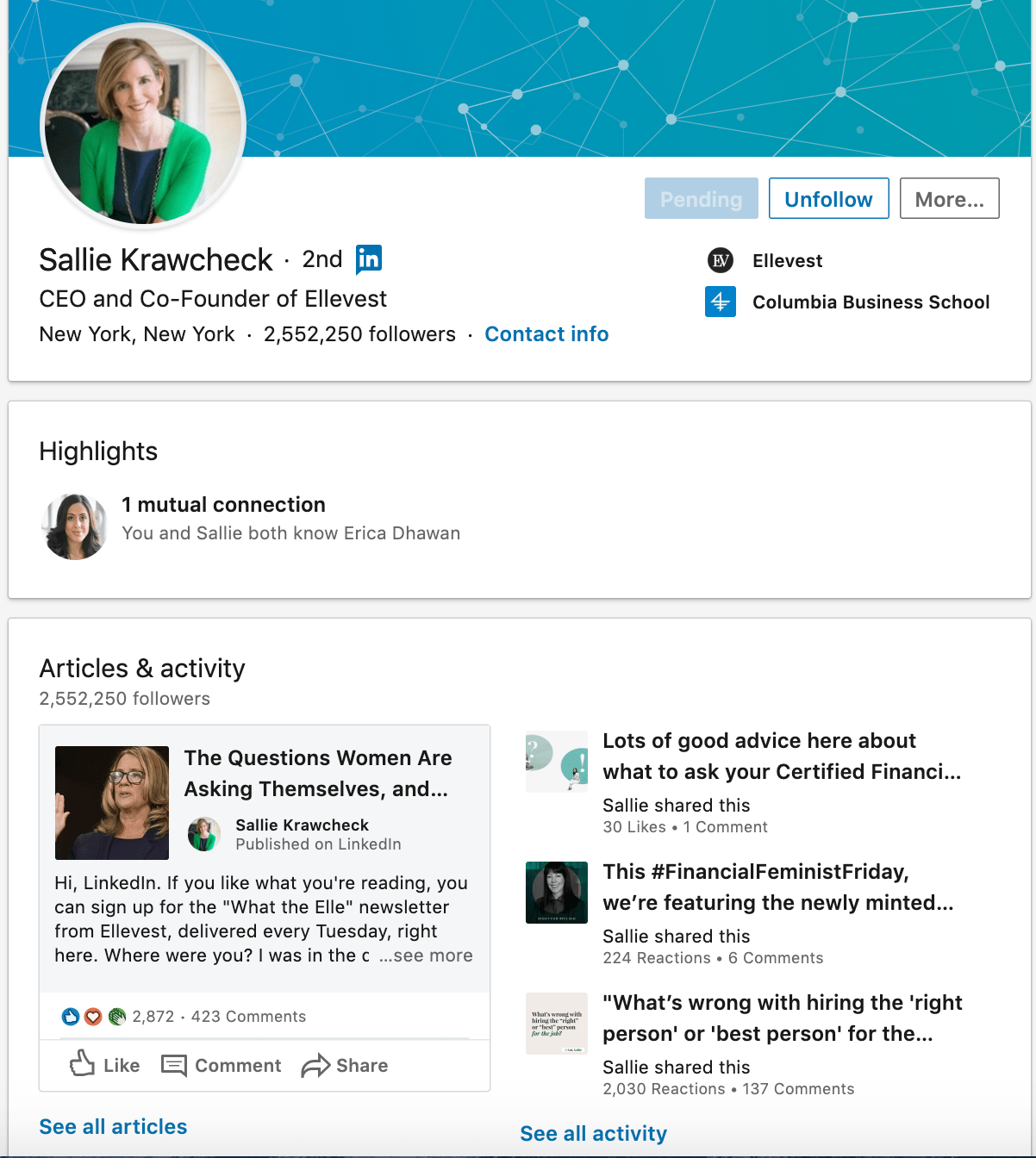
Krawcheck uses LinkedIn wisely, leveraging the platform to promote content from her own investment company while also liking or sharing other relevant financial content geared towards women. Ultimately, Krawcheck uses LinkedIn to build a personal brand and help her followers find valuable content related to investing and women in finance. Ideally, your executives should be doing the same.
2. Create a powerful LinkedIn Page for your business.
Once you’ve ensured your own executives have a strong LinkedIn presence, it’s time to cultivate an impressive page.
You’ll want to ensure your page is active, with thought-provoking content and contributions to conversations already happening on LinkedIn.
Shriber notes — “Once you’ve got a strategy related to your executives and their presence on LinkedIn, step two is to think about the presence of your company on LinkedIn. We have a product called LinkedIn Pages, which has been incredibly powerful for businesses that want to establish their place in the world’s professional community.”
“[LinkedIn Pages is] a free product,” Shriber adds, “and really, at the end of the day, it’s a place for you to stage the content that you have to offer, and really promote all of the benefits that you have for people that want to follow you.”
He continues, “So, when you come to a good LinkedIn Page, you’ll find information about what the company does, but beyond that, some of the thought leadership that’s happening. There will be video content as well as the written word, commentary from executives, but also in many cases, information that’s curated from other sources. It doesn’t just need to be from the marketing group or from an internal source.”
3. Post relevant content and updates.
To ensure your LinkedIn page and profile are strong, consider posting various content types, including video. Featuring this industry-relevant content can help you position yourself as a knowledgeable source and establish relevance and credibility with potential customers.
When you’re recognized as an insightful, valuable source, you’ll begin to develop connections with like-minded professionals that fit your ideal customer profile. If you post often, you’ll become a regular on their feed, and familiarity makes it easier to initiate further conversations.
If you assume that the connections you have on LinkedIn are professionals within your industry, they can expose you to new audiences with the content you post. When your connections click ‘Like’ on a post you’ve made, it may show up on the feed of a new lead. This lead will see that your shared connection has liked your post, vouching for your credibility and authority, and possibly prompting them to send a request to connect.
To ensure that you’re creating content that people want to see, follow your page analytics to figure out what resonates with them the most and create accordingly.
4. Join LinkedIn groups your clients and customers are in.
LinkedIn, at its core, is a social platform like any other. Just as you can on Facebook, users can create groups centered around industry-relevant interests, and you should join these groups and have conversations with other professionals.
You can post content and updates to encourage discussions about relevant topics or simply talk about the services you offer. If you’ve joined groups wisely, your potential customers can see what you say and begin to recognize you as a source of valuable information.
You can also use groups to learn more about your audience. If members are active, learn from what they say and discover common industry pain points and how leads want these issues addressed. Use this information to your advantage, and create hyper-targeted value propositions when you reach out that speak directly to your customer’s needs.
5. Use paid products to ensure your content reaches your intended audience.
Businesses with small marketing budgets may be wary of putting money behind paid campaigns on LinkedIn. They often ask — We have a small marketing budget, and we want to use it wisely. Where should we spend it? Given that LinkedIn is the top paid and organic channel for B2B businesses, spending your money on the platform would be worth your while.
Shriber told me, “Once you’ve built that strong LinkedIn Page, companies tend to realize that that audience that’s consuming information is incredibly valuable, and it’s different than what they’re finding on other platforms.”
He adds, “We have a series of paid products that you can then move into that allow you to insert content into the LinkedIn feed. Now you’ve got a series of followers or you’ve got a set of targeted members that you care about. Suddenly, they’re seeing your content appear in the feed itself and there are some really rich ways to turn that engagement into actual activity.”
While LinkedIn has a native ads management service, you can also use HubSpot’s ads management tool to create, organize, and execute advertising campaigns on LinkedIn. You’ll also get access to high-quality reports that explain ad performance, helping you optimize a strategy to meet your customers’ needs.
6. Ensure you have strong sales and marketing alignment.
You’re likely all too familiar with the recent shift in consumer buying behavior. Nowadays, customers are researching online ahead of time and typically use marketing content to inform their purchasing decisions before even reaching out to a sales rep.
Shriber describes the shift like this: “What you’re seeing now, is consumers are becoming more savvy about learning about products and services that they need and progressing deep into the sales process before they reach out, raise their hand, and say that they need help.”
He adds, “It’s becoming incumbent upon marketing to really meet the needs of customers that are investigating and exploring, and then seamlessly handing that off to salespeople so sales has context on the journey customers have already traveled.”
“I’ve got a number of customers that have come to me and said, my salespeople know my target customers better than my marketing group. They’ve been in the business for 20 years, and they know all the key people, so I’m going to use them to create awareness, build a brand in a way that historically has been reserved for marketing.”
On the flip side, of course, marketers play a heavier role in closing a deal. Shriber told me, “Imagine, for example, that you’re procurement and you’re trying to negotiate a contract. Historically, that’s been the domain of a sales professional, but today, savvy marketers know that that’s where you are in the sales process.”
Shriber adds, “They’re able to target that procurement person, send in some relevant content related to validation of the solution, why it’s valuable, what other customers are saying about it, and all of a sudden, that marketer has played a key role in getting the deal closed.”
All of which is to say — it’s critical you align your sales and marketing teams since they play equally valuable parts in finding prospects and closing deals, and they overlap more heavily now than ever before.
To figure out strategies for better aligning your sales and marketing departments, take a look at this Ultimate Guide to Sales and Marketing.
7. Leverage connections with current customers and clients.
LinkedIn’s main draw is networking, and you should use this feature to your advantage for lead generation.
Connect with current customers and clients on LinkedIn and learn from who their industry connections are, as they may be relevant to you as well. If you have relationships with existing clients you connect with, ask for referrals, references, or simply learn how to get in contact with a connection they have that matches your customer profile.
As LinkedIn is a professional network, such requests are less pushy, spammy, and salesesque than cold calling someone after finding their number online. Leads can receive your request to connect, browse your profile, and see your shared connection as a guarantee of trust.
In addition, when you connect with new leads, you’re using warm outreach. This means that you already know a bit about them and can immediately make propositions that relate to their interests, providing value to them off the bat.
8. Maintain a consistent presence on the platform.
Just like all of your other social media sites, LinkedIn requires consistency. If you post an article once a week and then log out, you’re not establishing yourself as a consistent presence with your connections. You also want to communicate consistently with your leads. Disappearing in the middle of a conversation is not a good look and does the opposite of furthering their interest in doing business with you.
As mentioned above, use platform analytics to learn about your audience’s interests, when your posts get the most traction, and create a strategy that will keep you consistently present and visible on LinkedIn.
LinkedIn Can Help You Attract Your Ideal Customers
Ultimately, if you aren’t using LinkedIn or using it often enough, you’re likely missing out on significant opportunities to grow your business.
As Shriber told me, “We’ve really tried to think through the full spectrum of what you might care about, from building a brand to generating leads, whether you’re a small business or a large enterprise — and we built playbooks that address you where you are, and help you to get where you’re going.”
Learn more from Justin Shriber and other advertising leaders by accessing an exclusive interview series with LinkedIn, Google, and Facebook.

SEO Writing: 12 Tips on Writing Blog Posts That Rank on Google
If you’ve ever written a blog post before, you know how much time it can take.
From topic selection and gathering research to writing the post and pressing “Publish,” the process often demands hours. That’s why, if your post doesn’t earn the traffic you expected, it can be a major letdown.

Fortunately, there’s a way to combat low traffic: search engine optimization. As marketers, we’re always aiming to write content that’ll rank highly on Google, and SEO is the bridge that’ll help you get there. That begs the question: How do you incorporate that into your content?
Don’t worry — we’ve got you covered. In this post, we’re going to dive into 12 ways to master SEO writing.
A 2020 Search Engine Journal study found that the clickthrough rate for websites in position one on the search engine results page (SERP)is 25%. This number drops drastically to 15% for websites in position two and then down to 2.5% for websites in position 10. When you get to page two of Google, that number gets even lower.
This means that if your website is not on the first page, there’s a small chance consumers will find your website organically. Fewer visits to your site mean fewer opportunities to generate leads, and ultimately, revenue.
Your next best option is investing in advertising to get those users to your site. But that costs money, and if you’re on a tight budget, why not invest time in SEO writing? It’s free and will likely bring you traffic for much longer than a campaign would.
12 Tips on How To Incorporate SEO in Your Writing
1. Use headings to your benefit.
Headers help Google’s web crawlers understand your blog post and the sections within it.
Think of the crawlers as readers who are skimming your blog. They want an overview of what your article will cover, that’s your H1. Then your H2s, H3s, H4s break down the subtopics within the piece.
So, your subheaders should reflect the content in the body and include high-intent keywords. When you use the right keywords, meaning the ones your target audience is using, you have a much higher chance of ranking on the SERP.
2. Optimize your content for featured snippets.
Featured snippets on Google are the most direct answers to search queries. For instance, if I were to search, “How do you write a blog post?” Google might use a featured snippet to show the best answer.
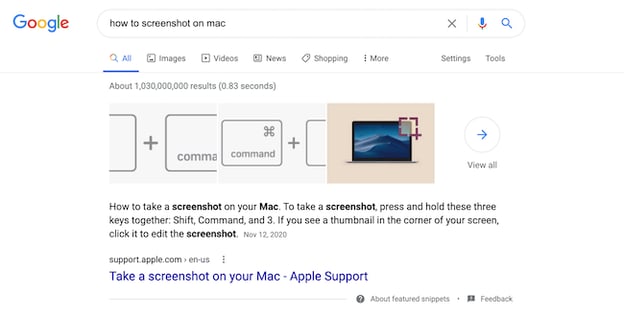
To earn a featured snippet on Google, you’ll need to answer the question thoroughly and succinctly.
For instance, if the search term is “How to screenshot on mac,” you can put “How to Take a Screenshot on a MacBook Computer” as your H1 or H2, followed by the steps in a numbered or bulleted list.
Once you’ve done that, be sure to include part of the question in your answer. Using the example above, you would start the paragraph with the following: “To take a screenshot on your MacBook, here are the steps…”
Additionally, start each sentence with an actionable verb, like “click” and “select.”
If the keyword for which you want to capture the featured snippet requires a definition, write an answer that’s no more than 58 words.
3. Write for humans, not search engines.
With all these SEO guidelines, it can be easy to forget that when a user searches on Google, they are looking for an answer. The best way for you to improve your chances of ranking is by writing high-quality blog posts.
What does that look like? Thorough answers, scannable sections, organized subheaders, and visual aids.
Keep your buyer personas, their motivations, challenges, and interests in mind. It’s also important to choose topics that will resonate with your potential customers and address their pain points.
4. Include keywords in your meta description.
Are you adding meta descriptions to your post? If your answer is “no,” then you’re probably not giving your post the most exposure possible. Let’s get into why they’re important.
By now, we’ve talked about a couple of the ways a blog post can communicate with Google: subheaders, keywords, and snippets. However, that’s not an exhaustive list.
Meta descriptions are another area Google crawls to determine search rankings. Meta descriptions are the one- to three-sentence descriptions, you’ll find underneath the title of a result.
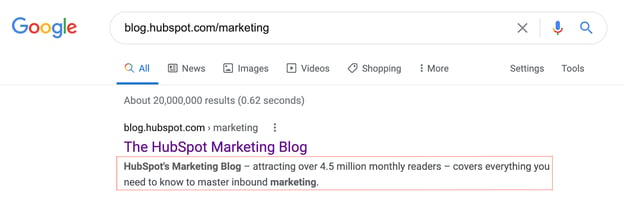
Use meta descriptions to sum up what your post is about, and remember to:
- Keep it short.
- Use one to two keywords.
- Make it compelling. After all, there are going to be other posts similar to yours so you’ll want your description to stand out above the rest.
Most content management systems (CMS) have meta description boxes built-in, so you likely won’t have to look far to use the function.
5. Add alt text to images.
With any image you add to your post – featured or body images – you’ll want to add alt text.
Alt text describes what’s happening in the photo and it helps Google (as well as those who are visually impaired) understand why the photo is in your post.
For instance, let’s say your article is about virtual events and you include the following image:

The alt text should read something like, “Business man attending a virtual event sits at a desk while holding a pen.”
This sentence is descriptive and includes the main keyword “virtual event.” So, even if the reality is that this is a stock image, you can create a narrative that aligns with your blog post.
6. Start with keyword research.
It’s estimated that Google processes over 70,000 search queries a second. Staggering, right?
If you want to cut through SERP clutter and outrank your competitors, you need to target the specific keywords and phrases your potential customers are searching for. Otherwise, how else will they find your content and website?
Start with a keyword research tool. Sites like Ahrefs and Google Keyword Planner give you details on what users are searching for and how popular those queries are.
Google Trends can also give you a feel for what keywords are popular at any given time. If you see searches are steadily declining over time for a specific keyword, you know that’s probably not the right keyword to target for your marketing. The opposite is true for rising trends.
If you’re ever running low on keyword ideas, get inspiration from your competition. Use competitive intelligence tools to see what keywords their domains currently rank for. If these keywords are relevant to your business, consider using them too.
However, keep in mind that the most obvious keywords don’t always align with your strategy. Additionally, your focus keywords will evolve over time as trends shift, terminology changes or your product/service line grows.
Be sure to conduct keyword research periodically to ensure you’re still focusing on the right keywords for your target audience and not missing out on vital ranking opportunities.
7. Resist the urge to keyword stuff.
The goal is to make your page fully optimized, not overbearing. Find natural fits for keyword additions, but don’t force them to the point where your content is illegible.
For example, if your keywords are “account-based marketing,” “startups,” and “sales,” avoid a meta description like this: “Sales for account-based marketing startups.”
Instead, try focusing on one or two keywords to make the description more natural: “Are you looking for killer strategies to boost your account-based marketing game? Discover our research-backed techniques in this post.”
With this approach, you’re still using keywords, but you’re not oversaturating the post. Remember, your goal is to solve for your audience. If your users have a poor reading experience, that will signal to Google that your post may not be meeting their needs.
8. Link to high-authority websites.
As you build out your blog post, don’t be afraid to link externally.
Linking to reputable websites not only offers blog readers additional reading material to expand their knowledge, but it also shows search engines that you’ve done your research.
Nothing strengthens a blog post like research-backed statistics from influential websites. Compelling stats help you build a more convincing and concrete argument that will help you gain trust from your readers.
9. Aim for scannable, longer posts.
In an age of short attention spans, you would think shorter blog posts are the way to go. But in fact, search engines like Google actually prefer longer, in-depth blog posts.
Think about it: the more content on the page, the more clues search engines have to figure out what your blog is about. At HubSpot, we’ve found that the ideal length is between 2,100 and 2,400 words.
The downside to longer blogs is that they may overwhelm your readers. One way to combat that is by breaking down your content into bite-size, scannable chunks.
Turn a long-winded sentence into two and keep your paragraphs to three sentences or less.
Don’t forget about bullet points – they’re great attention grabbers and easily digestible, especially on mobile devices.
10. Link to other posts on your site.
Linking to other pages or blog posts on your website helps search engines create an accurate sitemap. It also helps your audience discover more of your content and get to know you as a trustworthy, credible source of information.
On the user side, Internal links to other valuable content keep readers on your site longer, reducing bounce rate and increasing your potential for a conversion. Isn’t that what it’s all about?
When linking to any pages on your website, or even outside sources, use natural language for your anchor text. Avoid using spammy or generic calls to action, such as “top-rated cheap laptops” or “click here.”
Instead, use descriptive keywords that give readers a sense of what they will find when they click on the hyperlink, like “Download your SEO guide.”
Never force-feed links to your top webpages, featured products, or discounted items. Include links that enhance the points made in your posts and naturally tie in with the subject matter.
11. Compress images for fast page load speed.
Google rewards pages with fast loading speeds, as it improves the user experience.
One of the leading culprits of page lag is large, heavy images. If you have several images in your post and each one is over 100KB, that can drastically impact your page speed.
Luckily, there are free apps, like Squoosh.app, that compress images without sacrificing quality.
If you suspect that your low ranking is due to slow page speeds, head over to Google’s PageSpeed site for a free analysis and recommendations.
12. Design a link-building strategy.
Link building is crucial to your search ranking.
Why? Think of search results like a competition where the winners get the most votes. Each webpage that links back to you is considered a vote for your website, which makes your content more trustworthy in the eyes of Google. In turn, this will make you rise further up in ranking.
So, it’s good to write posts that other websites or publications will want to hyperlink within their own posts. To make your website’s blog post more linkable, include high-value assets in your posts, such as original data and thought leadership.
Conducting interviews with experts is another effective way of leading traffic back to your website.
How to Title Blog Posts for SEO
Even with a great, SEO-friendly post body, a bad headline could hurt you in the SERP.
To title your post with SEO in mind, write something compelling that also incorporates your main keyword. Here are a few tips:
- Incorporate numbers. E.g.: “5 Ways to Rock a Matte Lipstick.”
- Include your offer in the title. E.g.: “How to Write a Cover Letter [+ Free Template]”
- Add a teaser. E.g.: “We Tried the New [Insert App Name] App: Here’s What Happened”
You know how to write content audiences will love. Now, it’s time to include elements that Google will love too. It can sound tricky at first, with these SEO tips, you’ll be on the first page of Google in no time.

16 Examples of Twitter Brand Page Backgrounds to Inspire You (Clone)

Although none of us really like to admit it, let’s be honest: first impressions matter. So if you’re trying to build a remarkable social media presence, you can bet that the look and feel of your brand pages in social media will make an impression on new visitors who know nothing or little about you. It’s no secret that people will judge a book by its cover. And if that’s the case, wouldn’t you want to make sure the first impression of your brand page is one that captures visitors’ attention, making them inclined to stick around and learn more about you?
Take Twitter brand pages for example. The background of the page literally provides businesses with a blank canvas to decorate, so to overlook the marketing potential of this valuable Twitter real estate would be a disadvantage to marketers. Smart marketers are using this space to visually and creatively capture visitors’ attention, emphasize their value proposition, promote offers and campaigns, and provide more information than the character limit in their bios allow. Are you?
If you could use some inspiration, here are some great examples of how real brands are painting their Twitter landscapes. And to get started designing your own Twitter background, check out our handy guide (with a video tutorial) on how to create a custom Twitter background.
1) Etica Wines
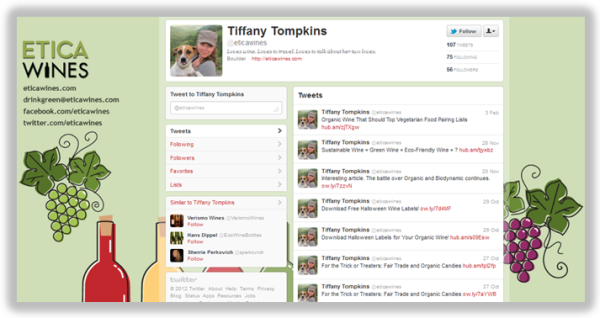 The Etica Wines Twitter page is a perfect blend of interesting design, branding, and links for visitors to learn more about the company, a wine guide and resource, as well as connect with them on Facebook or via email.
2) Spotify
 The Twitter background design for Spotify, a music discovery and sharing application for all genres, effectively demonstrates Spotify’s value proposition, both in its imagery as well as its minimalistic copy.
3) IdeaPaint
 IdeaPaint’s Twitter background cleverly features the brand’s signature product — paint that transforms walls into whiteboards — in action. After all, a picture is worth a thousand words!
4) Dropbox
The Twitter background design for Dropbox, a file and folder sharing service, features a cute and clever cartoon that embodies its brand/product. Your first impression? Dropbox is such a likable brand!
5) Adrants
 Adrants, a quirky marketing and advertising publication, uses its Twitter background to mimic that of its website, simply and consistently extending brand recognition.
6) The Sales Lion
 Similarly, The Sales Lion’s Twitter background perpetuates the branding elements of its website’s masthead while also providing visitors with a quick snippet of information about what The Sales Lion is and what it offers.
7) Snapple
Snapple uses its Twitter background as a call-to-action to promote its latest Twitter campaign, which encourages Twitter users to tweet at the brand using either the hashtag #lemonade or #tea (depending on Twitter users’ preference for which part of the popular Half & Half flavor is their favorite) for a chance to win ‘Snapply’ prizes.*
8) Salesforce
 Salesforce uses its Twitter background real estate to emphasize its cloud branding and also show the faces behind the brand’s tweets. (Note: Using ^ followed by a person’s initials is a way for brands to show who authors individual tweets when Twitter is managed by multiple contributors).*
9) Target
While we usually find patterned backgrounds to be a little bit on the distracting/annoying/headache-inducing side, Target strikes a healthy balance between pattern and white space on its Twitter background, while also providing ways for Twitter users to connect with the brand on other social networks.
10) Zendesk
 There’s nothing wrong with a simple, clean design, and Zendesk’s background definitely demonstrates that, along with an unobtrusive call-to-action to follow the brand — and what you’ll get if you do.
11) Livestrong
Livestrong’s fierce Twitter background also inspires, empowering visitors to connect with the foundation in a number of ways to appeal to each of the brand’s different personas.
12) MLT Creative
MLT Creative, a B2B marketing agency, uses its page to feature its mission, to “make ideas work,” and emphasize its agency’s creativity. Clean, professional-looking, and intriguing!
13) Zipcar
Zipcar’s background creatively showcases its happy users, putting customers at the forefront of its Twitter marketing strategy. The page also includes a call-to-action to learn more and sign up for Zipcar on its website.
14) IMPACT Branding
Inbound marketing agency IMPACT Branding’s Twitter page proves that looking professional and appealing doesn’t have to mean complicated designwork. With its sleek design, the page highlights IMPACT’s value prop and where Twitter users can find more information.
15) McDonald’s

Like Snapple, McDonald’s uses its Twitter background to reflect its current marketing promotion, Dollar Menu University, an interactive game that it also promotes using its banner image and the pinned tweet at the top of its page.*
16) HubSpot
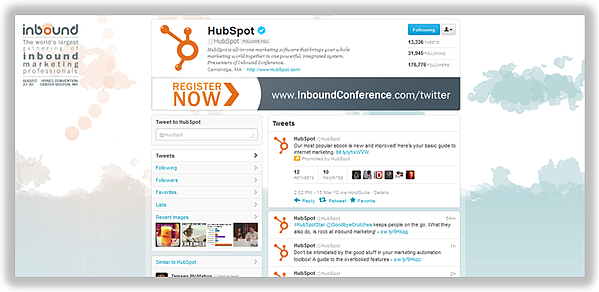
While we didn’t find many examples of businesses using their Twitter backgrounds to feature calls-to-action for particular promotions, offers, or events, we’re currently using HubSpot’s very own Twitter background to promote our upcoming marketing conference, Inbound 2012. Don’t be afraid to use your Twitter background to highlight your campaigns and drive Twitter users to action. Remember: you can update your background as often as you’d like!
(*Note: Use of features such as page banners/pinned tweets you see on pages like Snapple, Salesforce, McDonald’s, and HubSpot is available only to businesses with Enhanced Brand Pages, currently only available to select brands.)
What other creative business uses of Twitter backgrounds have you come across? Feel free to share them in the comments below!

7 Effective Ways to Promote an Event on Facebook
An event is a fantastic opportunity to delight existing customers, while also reaching new audiences and increasing brand awareness.
Consider, for instance, how I first came across Southcoast Open Air Market — a local, Massachusetts-based market featuring handmade goods, fresh produce and meats, and live music — by searching “Events near me” on Facebook.
I never would’ve found the company if not for an event they posted recently:
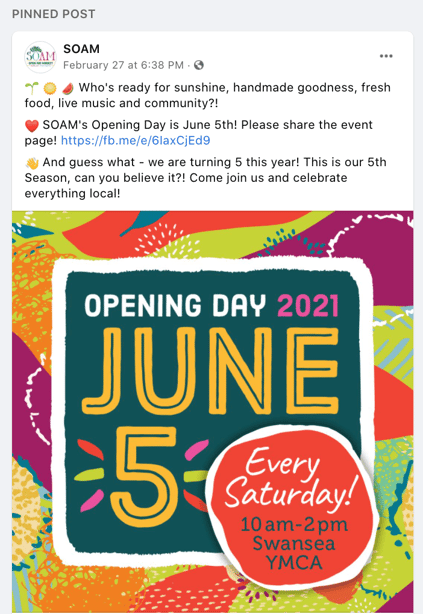 And, thus, the ultimate power of online events: The ability to attract new customers to your business.
Fortunately, an event doesn’t have to be expensive. You can set up virtual events and webinars with Facebook Live for free, or create small events at your company’s physical location to encourage new local visitors.
Of course, one of the biggest challenges when hosting a Facebook event is spreading awareness of the event to both new and existing audiences.
If you’re going through the trouble of hosting an event, you want people to show up — and, better yet, you want people to continue spreading the word about your business even after the event is over.
Here, we’ll explore some creative opportunities you can use to promote an upcoming event on Facebook.

How to Promote an Event on Facebook
To demonstrate how to effectively promote an event on Facebook, let’s walk through an example.
Let’s say I recently started a business — Caroline’s cupcakes — and I want to host an event to drive new traffic to my page.
But, once I’ve created the event … how do I promote it? Let’s explore how to do that, next.
It’s important to note — in this section, we’ll explore how to formally promote your event using Facebook advertising features, which means it costs money to run these promotions. If you’re looking for cheaper or free alternatives, skip to the next section in this post, Best Ways to Promote an Event on Facebook.
Additionally, take a look at Facebook’s instructions if you’re new to creating a Facebook event. You’ll need a Facebook event to continue with these steps.
1. As soon as you’ve created your event, Facebook will serve you a pop-up that reads, “Boost Your Online Event”. Click “Boost Event” to promote your event to new audiences.
Alternatively, if you clicked away from the pop-up or created the event a while ago, simply return to your company’s page and click the “Promote” button displayed there:
And then click the box that reads, “Boost an Event”.
 2. Next, fill in the Ad Creative you want to use when you promote the event, including an event description, image, and Ad Category. Here’s where you want to use advertising best practices to ensure your copy and image attract new audiences when they come across your event.
 3. Once you’ve filled out the Ad Creative, you’ll want to choose the Audience you want to see your event. Plug in certain key audience factors related to your target audience, or consider using Facebook’s lookalike feature to find similar people to those who already follow, Like, and engage with your content online.
 4. Finally, choose the duration for which you want to promote your event. We’d recommend promoting a few weeks before the event, so your audience has time to schedule it into their calendars and even invite friends or colleagues. Additionally, you’ll want to choose your budget here, as well.
 5. Once you’ve finalized your ad, click “Boost Event Now” to ensure your event is shared with new, interested audiences.
 Of course, these steps can help you promote your event through advertising. But if you’re on a strict budget, you might not have the resources to officially promote it.
Fortunately, there are a few alternative best practices to promote your event — which I’d recommend doing even if you’ve officially boosted your event, as well.
Let’s explore those, now.
Best Ways to Promote an Event on Facebook
1. Change your business’ page settings so your Events are listed first when people find your business page.
When visitors find your business page, they’ll see a few tabs at the top, including “Home”, “Group”, “Photos”, etc.
To increase traffic to your events page, consider re-organizing these tabs so an “Event” tab is listed first on your business page.
To do this, click the “More” dropdown on your company page, and then select “Edit Tabs”:
Next, drag the “Events” tab to the top, right under “Home”:
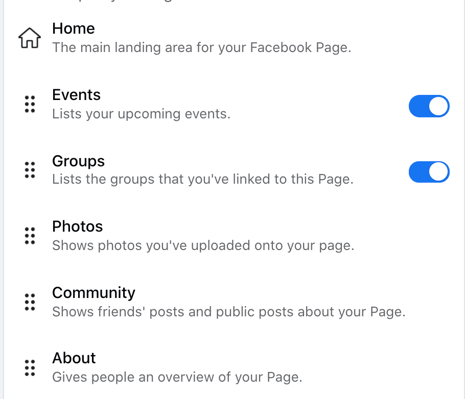
This is a small detail, but it could go a long way towards encouraging new page visitors to click and view upcoming events.
2. Share and pin your event to the top of your business page.
Even though you have a different page for your event invite, there’s no reason you shouldn’t be broadcasting the event on your business’ official Facebook page, as well.
To do this, share a post highlighting details about your event — including where people can sign up, when it is, and what content you’ll cover. Then, right-click the three dots at the top right-hand corner of your Facebook post, and select “Pin to Top of Page“:
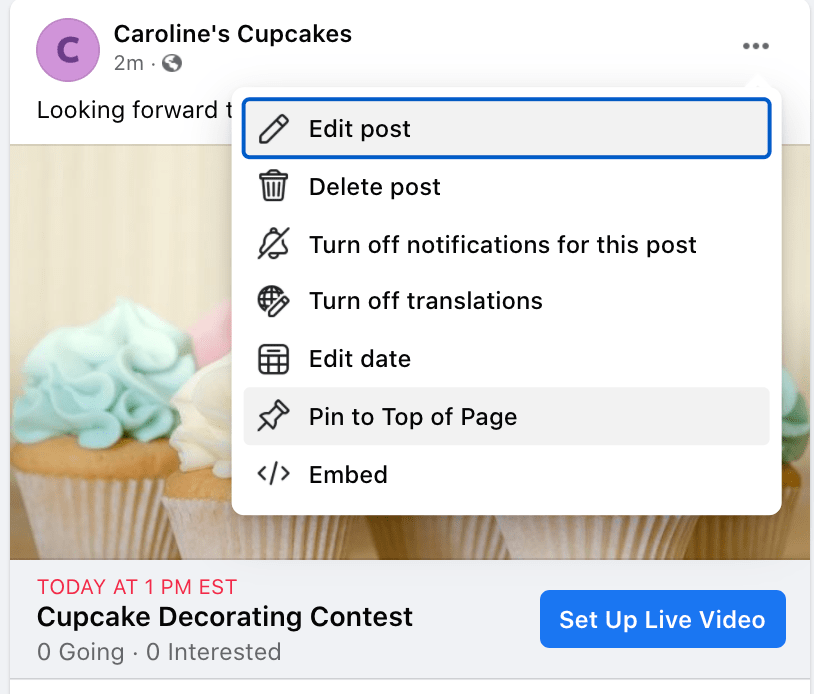
This is another easy opportunity to promote your event. When both new and existing audiences come across your business page they’ll see, front and center, a pinned post about your upcoming event.
3. Post a status highlighting the event from your business page.
A few days before the event, reach out to your page followers with a quick reminder status. Use images, emojis, and other fun, interactive elements to remind your audience about the upcoming event and increase excitement for it.
If you can, publishing a short, promotional video could help raise awareness and excitement, as well. For instance, take a look at how Content Marketing Virtual Summit published a short video from one of its webinar speakers, Ellie Hernaman, to remind followers of the upcoming event:
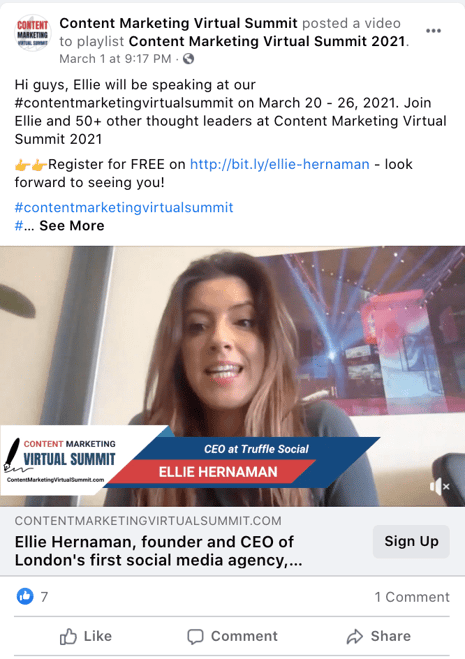
4. Optimize your event page for wider reach.
If you’re going through the trouble of promoting an event page, you’ll want to make sure the event page itself is ready to attract and delight new viewers.
A few small details can go a long way, here. For instance, consider using a unique, original image as your cover photo, as The Honey Pot Company did with its Essence Wellness House Atlanta event:
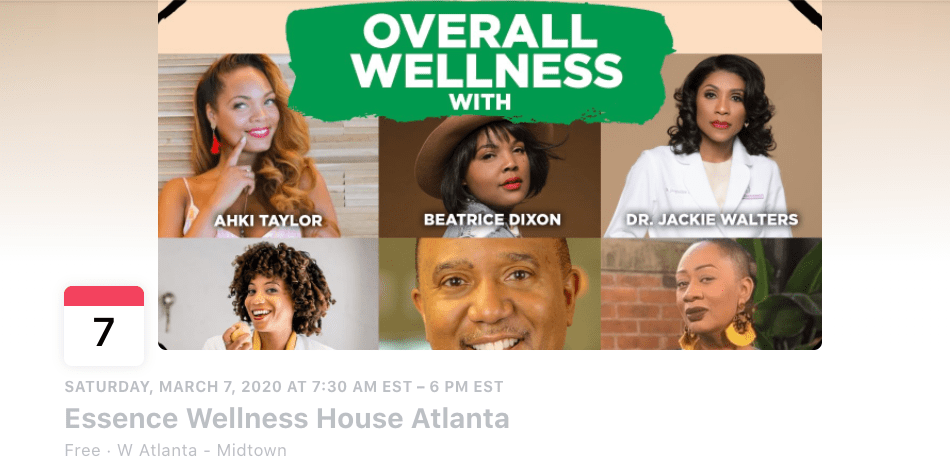
Additionally, use relevant tags related to your event — such as “startup” and “technology” — to ensure the event gets shared and viewed by the right channels.
5. Share your event to relevant Facebook groups.
If you’ve created a Facebook group for your business, this could be a good opportunity to broadcast your event to audiences who’ve already proven an interest in your brand.
Additionally, if you’re a member of a Facebook group made up of people you believe would truly find an interest in your event, go ahead and share your event there as a member post.
However, a word of caution: This can easily feel promotional and can backfire, particularly if members feel you’re only sharing content related to your own business.
Instead, you’ll want to ensure it’s authentic and helpful to the topic at-hand. For instance, if you’re part of a Tech Startup Facebook group and your company is hosting a webinar, “8 Impressive New Tech Startups to Watch”, then by all means — go ahead and post with a quick, “Hey fellow members, feel free to join this webinar on Tuesday.”
Just be careful not to overdo it, particularly if it doesn’t feel relevant to the other topics being discussed.
6. Copy the link and paste it into an email newsletter, or alternative channels to broadcast it to existing leads.
On your event page, you’ll see a “Share” option (the arrow pointing to the right) — when you click on it, Facebook gives you an option to copy-and-paste a specific URL link, or share to a Page or group:
 If you feel many of your prospects and customers engage with your brand outside of Facebook, it could be a good idea to copy-and-paste the URL into other channels and share with engaged followers on other social platforms.
Additionally, you might consider opening your event for “pre-access” to an exclusive email subscriber list — like those who’ve purchased your product or service, or your Blog subscribers — on a “first come, first serve” basis. Here’s an example of how that might look in practice:
Ultimately, it’s a good idea to paste the URL into other content channels to expand your reach. For instance, if you have a dedicated Instagram following, you might paste the URL into your Instagram bio.
7. Ask other businesses or influencers to co-host or sponsor your event so they can share your event with their audiences.
One sure-fire opportunity to reach new audiences is by asking another business or influencer in the industry to co-host or sponsor your event.
This can help you increase the amount of people who hear about your event, and it can also make the event itself more valuable by including unique, original thought leadership content.
For instance, M&M BBQ, a Boston-based barbecue restaurant, partnered with Dorchester Brewing Company to host events like Sunday brunch and combine its barbecue with Dorchester Brewing Company’s popular beer.
Recently, Dorchester Brewing Company posted about the event with a link directly to M&M BBQ:

This serves two purposes: First, any Facebook followers or customers of DBC might take an interest in M&M BBQ as a result of the Facebook post (or an in-person experience of testing out the barbecue).
And, second, Dorchester Brewing Company has increased value of its own event by providing its loyal customers with the option to eat delicious barbecue as they test out beers. A win, win.
Ultimately, you’ll need to figure out which promotional methods work best for your brand, your event, and your audience. Fortunately, the sky’s the limit when it comes to promoting an event on Facebook — both on, and off the social network.


What is a Marketing Plan & How to Write One [+Examples]
You did it.
You’ve been spearheading your organization’s content marketing efforts for a while now, and your team’s performance has convinced your boss to fully adopt content marketing. There’s one small problem, though.
Your boss wants you to write and present a content marketing plan to them, but you’ve never done something like that before. You don’t even know where to start.
Fortunately, we’ve curated the best content marketing plans to help you write a concrete marketing plan that’s rooted in data and produces real results.
In this post, we’ll discuss what a marketing plan is and how some of the best marketing plans implement strategies that serve their respective businesses.
The purpose of a marketing plan is to write down your tactics and strategies in an organized fashion. This will help keep you on track, and measure the success of your campaigns.
Writing a marketing plan will help you think of each campaign’s mission, buyer personas, budget, tactics, and deliverables. With all of this information in one place, you’ll have an easier time staying on track with a campaign, noticing what works and what doesn’t, and measuring the success of your strategy.
Featured Resource: Free Marketing Plan Template
Looking to develop a marketing plan for your business? Click here to download HubSpot’s free Marketing Plan Template to get started.
Types of Marketing Plans
Depending on the company you work at, you might want to leverage a variety of different marketing plans. Here are just a few:
- Quarterly or Annual Marketing Plans: These plans highlight the strategies or campaigns you’ll take on in a certain period of time.
- Paid Marketing Plan: This plan could highlight paid strategies, such as native advertising, PPC, or paid social media promotions.
- Social Media Marketing Plan: This plan could highlight the channels, tactics, and campaigns you intend to accomplish specifically on social media.
- Content Marketing Plan: This plan could highlight different strategies, tactics, and campaigns in which you’ll use content to promote your business or product.
- New Product Launch Marketing Plan: This plan will be a roadmap for the strategies and tactics you’ll implement to promote a new product.
Keep in mind that there’s a difference between a marketing plan and a marketing strategy.
Marketing Strategy vs. Marketing Plan
A marketing strategy describes how a business will accomplish a particular mission or goal. This includes which campaigns, content, channels, and marketing software they’ll use to execute on that mission and track its success.
For example, while a greater plan or department might handle social media marketing, you might consider your work on Facebook as an individual marketing strategy.
A marketing plan contains one or more marketing strategies. It is the framework from which all of your marketing strategies are created, and helps you connect each strategy back to a larger marketing operation and business goal.
Let’s say, for example, your company is launching a new software product it wants customers to sign up for. This calls for the marketing department to develop a marketing plan that’ll help introduce this product to the industry and drive the desired signups.
The department decides to launch a blog dedicated to this industry, a new YouTube video series to establish expertise, and an account on Twitter to join the conversation around this subject — all of which serve to attract an audience and convert this audience into software users.
Can you see the distinction between the business’s marketing plan versus the three marketing strategies?
In the above example, the business’s marketing plan is dedicated to introducing a new software product to the marketplace and driving signups to that product. The business will execute on that plan with three marketing strategies: a new industry blog, a YouTube video series, and a Twitter account.
Of course, the business might also consider these three things one giant marketing strategy, each with their own specific content strategies. How granular you want your marketing plan to get is up to you. Nonetheless, there are a certain set of steps every marketing plan goes through in its creation. Learn what they are below.
1. State your business’s mission.
Your first step in writing a marketing plan is to state your mission. Although this mission is specific to your marketing department, it should serve your business’s main mission statement. Be specific, but not too specific. You have plenty of space left in this marketing plan to elaborate on how you’ll acquire new customers and accomplish this mission.
For example, if your business’s mission is “to make booking travel a delightful experience,” your marketing mission might be “to attract an audience of travelers, educate them on the tourism industry, and convert them into users of our bookings platform.”
2. Determine the KPIs for this mission.
Every good marketing plan describes how the department will track its mission’s progress. To do so, you’ll need to determine your key performance indicators, or “KPIs” for short. KPIs are individual metrics that measure the various elements of a marketing campaign. These units help you establish short-term goals within your mission and communicate your progress to business leaders.
Let’s take our example marketing mission from the above step. If part of our mission is “to attract an audience of travelers,” we might track websites visits using organic page views. In this case, “organic page views” is one KPI, and we can see our number of page views grow over time.
These KPIs will come into the conversation again in step 4, below.
3. Identify your buyer personas.
A buyer persona is a description of whom you want to attract. This can include age, sex, location, family size, job title, and more. Each buyer persona should be a direct reflection of your business’s customers and potential customers. Therefore, it’s critical that business leaders all agree on what your buyer personas are.
You can develop buyer personas for free right here.
4. Describe your content initiatives and strategies.
Here’s where you’ll include the main points of your marketing and content strategy. Because there are a laundry list of content types and channels available to you today, it’s critical that you choose wisely and explain how you’ll use your content and channels in this section of your marketing plan.
A content strategy should stipulate:
- Which types of content you’ll create. These can include blog posts, YouTube videos, infographics, ebooks, and more.
- How much of it you’ll create. You can describe content volume in daily, weekly, monthly, or even quarterly intervals. It all depends on your workflow and the short-term goals you set for your content.
- The goals (and KPIs) you’ll use to track each type. KPIs can include organic traffic, social media traffic, email traffic, and referral traffic. Your goals should also include which pages you want to drive that traffic to, such as product pages, blog pages, or landing pages.
- The channels on which you’ll distribute this content. Some popular channels at your disposal include Facebook, Twitter, LinkedIn, YouTube, Pinterest, and Instagram.
- Any paid advertising that will take place on these channels.
5. Clearly define your plan’s omissions.
A marketing plan explains what the marketing team is going to focus on. However, it also explains what the marketing team is not going to focus on.
If there are other aspects of your business that you aren’t serving in this particular plan, include them in this section. These omissions help to justify your mission, buyer personas, KPIs, and content. You can’t please everyone in a single marketing campaign, and if your team isn’t on the hook for something, you need to make it known.
6. Define your marketing budget.
Your content strategy might leverage many free channels and platforms, but there are a number of hidden expenses to a marketing team that need to be accounted for.
Whether it’s freelance fees, sponsorships, or a new full-time marketing hire, use these costs to develop a marketing budget and outline each expense in this section of your marketing plan.
7. Identify your competition.
Part of marketing is knowing whom you’re marketing against. Research the key players in your industry and consider profiling each one in this section.
Keep in mind not every competitor will pose the same challenges to your business. For example, while one competitor might be ranking highly on search engines for keywords you want your website to rank for, another competitor might have a heavy footprint on a social network where you plan to launch an account.
8. Outline your plan’s contributors and their responsibilities.
With your marketing plan fully fleshed out, it’s time to explain who’s doing what. You don’t have to delve too deeply into your employees’ day-to-day projects, but it should be known which teams and team leaders are in charge of specific content types, channels, KPIs, and more.
Ready to make your own marketing plan? Get started using this free template and take some inspiration from the real examples below.
6 Marketing Plan Examples to Help You Write Your Own
1. HubSpot’s Comprehensive Guide for Content Marketing Strategy
Main objective: Content Marketing Plan
At HubSpot, we’ve built our marketing team from two business school graduates working from a coffee table to a powerhouse of hundreds of employees. Along the way, we’ve learned countless lessons that’ve shaped our current content marketing strategy, so we decided to illustrate our insights in a blog post to teach marketers how to develop a successful content marketing strategy, regardless of their team’s size.
In this comprehensive guide for modern marketers, you’ll learn:
- What exactly content marketing is.
- Why your business needs a content marketing strategy.
- Who should lead your content marketing efforts.
- How to structure your content marketing team, based on your company’s size.
- How to hire the right people for each role on your team.
- What marketing tools and technology you’ll need to succeed.
- What type of content your team should create, and which employees should be responsible for creating them.
- The importance of distributing your content through search engines, social media, email, and paid ads.
- And finally, the recommended metrics each of your teams should measure and report to optimize your content marketing program.
2. Shane Snow’s Marketing Plan for His Book Dream Team
Main objective: Content Marketing Plan
A successful book launch is a prime example of data-driven content marketing. Using data to optimize your content strategy spreads more awareness for your book, gets more people to subscribe to your content, converts more subscribers into buyers, and encourages more buyers to recommend your book to their friends.
When Shane Snow started promoting his new book Dream Team, he knew he had to leverage a data-driven content strategy framework. So he chose his favorite one: the content strategy waterfall, which is defined by Economic Times as a model used to create a system with a linear and sequential approach. To get a better idea of what this means, take a look at the diagram below:
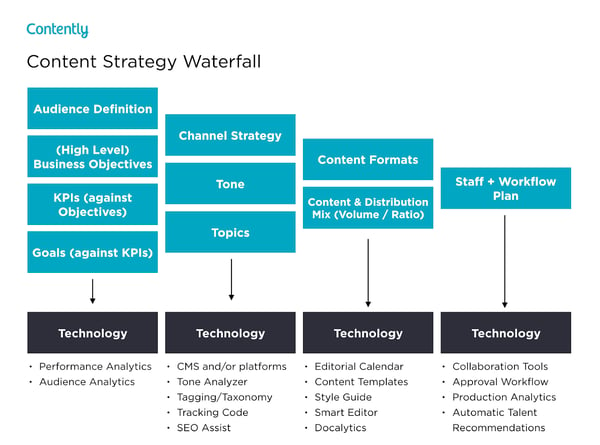
Snow wrote a blog post about how the content strategy waterfall helped him successfully launch his new book. After reading it, you can use his tactics to inform your own marketing plan. More specifically, you’ll learn how he:
- Applied his business objectives to decide which marketing metrics to track.
- Used his ultimate business goal of earning $200,000 of sales or 10,000 purchases to estimate the conversion rate of each stage of his funnel.
- Created buyer personas to determine which channels his audience would prefer to consume his content on.
- Used his average post view on each of his marketing channels to estimate how much content he had to create and how often he had to post on social media.
- Calculated how much earned and paid media could cut down the amount of content he had to create and post.
- Designed his process and workflow, built his team, and assigned members to tasks.
- Analyzed content performance metrics to refine his overall content strategy.
You can use Snow’s marketing plan to cultivate a better content strategy plan, know your audience better, and think outside the box when it comes to content promotion and distribution.
3. Chief Outsiders Go-To-Market Plan for a New Product
Main objective: New Product Launch Marketing Plan
When you’re looking for a marketing plan for a new product, the Chief Outsiders template is a great place to start. Marketing plans for a new product will be more specific because they’re targeted to one product versus an entire company’s marketing strategy.
After reading this plan, you’ll learn how to:
- Validate a product
- Write strategic objectives
- Identify your market
- Compile a competitive landscape
- Create a value proposition for a new product
- Consider sales and service in your marketing plan
4. Buffer’s Content Marketing Strategy Template
Main objective: Content Marketing Plan
Writing a content plan is challenging, especially if you’ve never written one before. Buffer decided to help out the content marketing community.
By sifting through countless content marketing strategy templates and testing the best, they crafted a content marketing plan template with instructions and examples for marketers who’ve never documented their content strategy.
After reading Buffer’s marketing plan template, you’ll learn how to:
- Answer four basic questions that’ll help you form a clear executive summary.
- Set SMART content marketing goals.
- Create highly accurate audience personas by interviewing real content strategists.
- Solve your audience’s problems with your content.
- Do competitive research by analyzing your competitors’ and industry thought leaders’ content.
- Evaluate your existing content strategy by examining the topics and themes of your highest and lowest performing pieces.
- Determine which types of new content to craft, based on your team’s ability and bandwidth.
- Establish an editorial calendar.
- Develop a promotional workflow.
Buffer’s template is an incredibly thorough step-by-step guide, with examples for each section. The audience persona section, for example, has case studies of real potential audience personas like “Blogger Brian”. If you’re feeling overwhelmed by the process of creating a marketing guide, this can help ease you into it.
5. Contently’s Content Plan
Main objective: Content Marketing Plan
Contently’s content methodology works like a flywheel. Instead of applying an entirely new strategy to each new marketing campaign, they leverage the strategy of their previous marketing campaign to drive the next one. Similar to a flywheel, their content methodology needs an initial push of energy to get the gears in motion.
What supplies this energy? Their content plan.
Contently fleshed out their entire content plan in a blog post to help marketers develop a self-sustaining marketing process. After reading it, you’ll learn how to:
- Align your content objectives and KPIs with your business goals.
- Create highly detailed buyer personas using psychographics instead of traditional demographics.
- Craft content for each stage of your marketing funnel, based off your prospects’ pain and passion points.
- Identify your most effective marketing channels.
- Discover the content topics your audience actually craves.
- Assess your organization’s need for resources.
By applying a flywheel-like strategy to your own marketing efforts, you essentially take away the burden of applying new strategies to each individual marketing campaign. Instead, your prior efforts gain momentum over time, and dispel continual energy into whatever you publish next.
6. Forbes’ Marketing Plan Template
Main objective: Content Marketing Plan
An oldie, but a goodie — Forbes published a marketing plan template that has amassed almost four million views since late 2013. To help you sculpt a marketing roadmap with true vision, their template teaches you how to fill out the 15 key sections of a marketing plan, which are:
- Executive Summary
- Target Customers
- Unique Selling Proposition
- Pricing & Positioning Strategy
- Distribution Plan
- Your Offers
- Marketing Materials
- Promotions Strategy
- Online Marketing Strategy
- Conversion Strategy
- Joint Ventures & Partnerships
- Referral Strategy
- Strategy for Increasing Transaction Prices
- Retention Strategy
- Financial Projections
If you’re truly lost on where to start with a marketing plan, this guide can help you define your target audience, figure out how to reach them, and ensure that audience becomes loyal customers.
These marketing plans serve as initial resources to get your content marketing plan started — but to truly deliver what your audience wants and needs, you’ll likely need to test some different ideas out, measure their success, and then refine your goals as you go.
Editor’s Note: This post was originally published in April 2019, but was updated for comprehensiveness.
