The Ultimate List: 49 Online Local Business Directories
Promoting a local business isn’t easy these days. Whether it’s because of oversaturation or complicated search engine algorithms, it’s all too easy to feel like no one will find your business in the local search results.
Luckily, using business directory websites is an easy way to improve your local SEO. All you have to do is list your business in online business directories such as Yellow Pages, Manta, and more. This is called building citations, and it’s a critical piece of a local marketing strategy.

Today, Google is inserting itself between consumer and local business websites much more often. For proof, you need to look no further than Google My Business, Accelerated Mobile Pages (AMP), featured snippets, and most importantly, local packs.
By building citations, you can make sure that you appear in these local packs when people look for businesses like yours in their area. Business directories may seem like a thing of the past, but they’re a great way to grow your presence online.
You can improve visibility by listing your local business’ NAP (Name, Address, Phone Number) on directories, online business listing sites, and citation sites. Aside from improving your local SEO, these can also improve your rankings on search engines because the listings usually link back to your site.
Make sure your company listing has the following information once you add it to a directory:
- Consistent NAP. If you add or update your business on multiple business listing sites, make sure you’re providing the same company information across each directory.
- A link to your website. Backlinks — also known as inbound links — are crucial to your company website’s Domain Rating. Consider adding a tracking link at the end of this URL as well, so you can see how much traffic your website specifically gets from the business directories that are linking to it.
- A company description. Make sure you have a detailed description of your business that reflects your organization’s mission, culture, and values.
- Multimedia. Give company searchers a visual taste of your business with a picture or video of your office, your employees, or your daily business operations.
There are plenty of location-specific and industry-specific business listing sites where you can submit your data. To start promoting your local business, however, you should start with the big sites and work your way toward the more niche directories.
First, let’s go over the top free business directories.
Online Directories for Local Businesses
When it comes to listing your business online, you aren’t limited to just using the free sites above. We’ve compiled the best directories on the web to list your business.
- Google My Business (Domain Rating = 98)
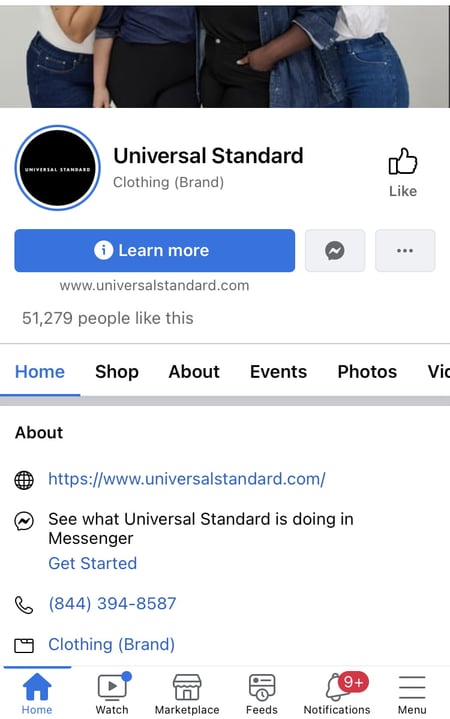
- Facebook Pages (Domain Rating = 100)
- Instagram for Business (Domain Rating = 99)
- LinkedIn Company Directory (Domain Rating = 98)
- Apple Maps (Domain Rating = 97)
- Yelp (Domain Rating = 95)
- Bing (Domain Rating = 93)
- HubSpot’s Solutions Directory (Domain Rating = 93)
- Better Business Bureau (Domain Rating = 93)
- MapQuest (Domain Rating = 91)
- Foursquare (Domain Rating = 91)
- Angi, FKA Angie’s List ( Domain Rating = 91)
- Thumbtack (Domain Rating = 90)
- Yellow Pages (Domain Rating = 90)
- Nextdoor (Domain Rating = 89)
- Manta (Domain Rating = 87)
- Merchant Circle (Domain Rating = 85)
- YellowBook.com (Domain Rating = 81)
- ChamberofCommerce.com (Domain Rating = 81)
- Dun & Bradstreet Business Directory (Domain Rating = 79)
- Brownbook.net (Domain Rating = 79)
- Local.com (Domain Rating = 78)
- Turbify (Domain Rating = 78)
- EZlocal (Domain Rating = 77)
- eLocal.com (Domain Rating = 77)
- EBusinessPages (Domain Rating = 76)
- City Squares (Domain Rating = 75)
- BOTW (Domain Rating = 74)
- iBegin (Domain Rating = 73)
- Neustar Localeze (Domain Rating = 73)
- Spoke (Domain Rating = 73)
- GoLocal247 (Domain Rating = 73)
- Call Up Contact (Domain Rating = 73)
- n49.com (Domain Rating = 73)
- Cybo (Domain Rating = 73)
- Just Landed (Domain Rating = 72)
- Tuugo.us (Domain Rating = 72)
- Lacartes (Domain Rating = 72)
- City Local Pro (Domain Rating = 72)
- Yellow.Place (Domain Rating – 72)
- Hub.biz (Domain Rating = 72)
- Cylex US (Domain Rating = 72)
- Fyple.com (Domain Rating = 68)
- Opendi.us (Domain Rating = 67)
- ExpressBusinessDirectory.com (Domain Rating = 66)
- My Huckleberry (Domain Rating = 65)
- Bizhwy.com (Domain Rating = 65)
- USdirectory.com (Domain Rating = 58)
- Finduslocal.com (Domain Rating = 56)
Methodology
We used a few parameters to decide which directories would make it onto the list.
Domain Rating
Domain rating is a score that’s given to websites to reflect how well they rank on Google based on their backlink profile. The minimum score is 0 and the maximum score is 100. Domain rating is similar, but not the same as, domain authority.
Our minimum required domain rating for the directories on this list was 50. We gathered the data from Ahrefs in November 2022.
Category
We compiled this list for use by any business. Regardless of your industry or target market, you can submit your business to all of the above directories.
To make it onto this list, the directory had to be categorized as General. The only exception is HubSpot’s solution directory, which is categorized as Marketing/Advertising.
Add Your Local Business to Online Directories
Making sure that you have a presence where your potential customers might find you is critical to any local marketing plan. It’s critical to build citations not only for the added visibility but for the SEO benefits, too. Add your local business to some of these business listings and directories today — and watch your business and customer base grow.
Editor’s note: This post was originally published in March 2013 and has been updated for comprehensiveness.



Product Launch Checklist: How to Launch a Product, According to HubSpot’s Experts
Like a tree falling in the woods, if you plan a product launch without spreading the word — will anyone use it? Will anyone even want it?
Probably not. Whether you’re launching something huge, something small, or you’re updating a current offering, you’ll want to start your preparation well in advance of the launch date with a product launch checklist.

Because there are so many moving parts in this process, bringing your product to market can be intimidating and tricky. To help you, we’ve come up with a step-by-step checklist for a successful product launch and gathered the best product launch tips from a HubSpot Product Marketer.
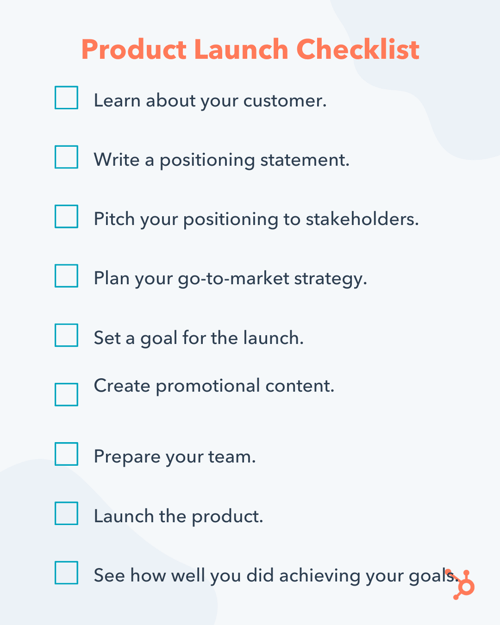
1. Learn about your customer.
Whether you call it “market research,” or “customer development” it’s key to learn about what drives your customer. Identifying their goals, motivations, and pain points could lead you to developing and marketing a valuable solution.
You don’t need to perform years of intense research to learn about your customer. In fact, we suggest just talking to 12 to 15 current or prospective customers.
When speaking to them, pay extra attention when they start sentences with “I wish a product did this function…” or “Why can’t products do this?” When they give these statements, respond with questions that go deeper, like “Can you get more specific about that?” If they don’t bring up any pain points, ask them a few specific questions that will encourage them to give deeper answers.
These conversations will give you a solid idea of what their biggest pain points are and how you can market a solution to them. Once you learn these key details about your customers, you can develop a buyer persona that your team can focus on serving.
2. Write a positioning statement.
Write out a statement that can clearly and concisely answer these three questions:
- Who is the product for?
- What does the product do?
- Why is it different from other products out there?
If you’d like to go even deeper, create a statement that answers the following questions:
- What is your target audience?
- What segment of the target audience is most likely to buy the product?
- What brand name will you give your product or service?
- What product or service category does your product lie in?
- How is it different from competitors in the same category?
- What evidence or proof do you have to prove that your product is different?
Still need more guidance on how to write a positioning statement? Check out this template.
3. Pitch your positioning to stakeholders.
Once you’ve established your position statement, present it to stakeholders in your company so they are all on the same page.
If your employees have a hard time buying into the product, your customers might as well. If your team loves it, that might be a great sign that the product launch will go well.
4. Plan your go-to-market strategy.
This is the strategy that you will use to launch and promote your product. While some businesses prefer to build a funnel strategy, others prefer the flywheel approach.
Regardless of which method you choose, this process contains many moving parts. To create an organized strategy for launching your product, it can be helpful to use a template, like this one.
As you create the strategy, also start considering which type of content you’ll use to attract a prospective customer’s attention during the awareness, consideration, and purchase decision stage. You’ll need to produce this content in the next step.
5. Set a goal for the launch.
Before you get started on implementing your strategy, make sure you write down your goals for the launch.
Alex Girard, a Product Marketing Manager at HubSpot, says, “Create specific goals for the launch’s success. Keeping these goals in mind will help you focus your efforts on launch tactics that will help you achieve those goals.”
For example, the goals of your product launch could be to effectively establish a new product name, build awareness, or create sales opportunities.
One of the best ways to set goals for your launch team is to write them out like SMART goals. A SMART goal is Specific, Measurable, Attainable, Relevant, and Time-bound.
6. Create promotional content.
After planning out your go-to-market strategy and writing your SMART goals, start producing content that will support and align with those promotional efforts. This can include blog posts related to your product or industry, demos and tutorials, and landing pages.
Our go-to-market template will also help you determine which content you should create for each phase of your prospective customer’s buyer’s journey.
7. Prepare your team.
Be sure that your company and key stakeholders are ready for you to launch and begin marketing the product. Communicate with the company through internal presentations, Slack, or email to keep your company updated on your launch plan.
8. Launch the product
Once you’ve completed all the above steps, you can launch the product.
9. See how well you did in achieving your goals.
After you launch your product, track how the go-to-market strategy is performing. Be prepared to pivot or adjust aspects of your plan if they aren’t going smoothly.
Additionally, don’t forget about the goals you set before the launch. See how well you did in achieving those goals. If the launch didn’t meet expectations, you can rethink your go-to-market strategy and adjust from there.
The cost of launching a new product varies significantly. For instance, an entrepreneur will see vastly different costs for launching a product on Amazon than an enterprise company might see for launching a product in a million-dollar market.
Let’s consider two examples to explore this more closely.
In the first example, let’s say you’re an entrepreneur who has invented a design app you’re hoping to sell online. You might conduct market research to determine which marketing strategies work best for your goals, which messaging resonates best with your audience, and which design elements appeal to your desired prospects. If you use a few focus groups to determine these answers, you might expect to spend roughly $5,000.
When you’re bringing a new app to the market, you’ll need to choose the best go-to marketing strategy for your needs. Regardless of the strategy you choose, they all cost money. For instance, product branding could cost roughly $1,000 if you’re paying a designer to help you out, and website design could cost anywhere from $500-$3,000 if you’re paying a web designer a one-off fee.
These fees don’t include the cost you need to pay yourself and any employees if this is a full-time job. It also doesn’t include the costs of hiring an engineer to update the app’s features and ensure the app is running smoothly.
With this simplified example, you’re looking at roughly $8,000. Of course, you can cut some costs if you choose to do any of these tasks yourself, but you might risk creating a subpar customer experience.
On the other end of the spectrum, let’s consider a large enterprise company that is launching a new product. Here, you’ll likely pay upwards of $30,000 – $50,000 for market research.
Perhaps you’ll spend $15,000 on brand positioning and the marketing materials necessary to differentiate yourself against competitors, and you might pay upwards of $30,000 for all the product design and brand packaging. Finally, your marketing team could need a budget of roughly $20,000 for SEO, paid advertising, social, content creation, etc.
All said and done, launching a product against other enterprise competitors’ could cost roughly $125,000. Again, that doesn’t include the costs you’ll pay your marketing, product development, and engineering teams.
How to Launch a Product Online
To launch your product online, you’ll want to ensure you’ve followed the steps above. However, there are a few additional steps you’ll want to follow to gain traction primarily online.
1. Figure out the story you want to tell regarding your product’s bigger purpose.
What story do you want to tell across social platforms, landing pages, and email? This is similar to your positioning statement but needs to be geared entirely toward your target audience. Ask questions like, Why should they purchase your product? And How will your product or service make their lives better?
Communicating cross-functionally ensures the communication materials you use across various online channels align — which is key when it comes to establishing a new product in the marketplace.
Consider, for instance, how Living Proof announced its new product, Advanced Clean Dry Shampoo, on its Instagram page. The story revolves around a simple nuisance common with most other dry shampoos — How consumers still want that just-washed feeling, even when using a dry shampoo.

By focusing on how the product will benefit consumers through storytelling, and using a new hashtag #NoWastedWashes, Living Proof builds excitement and demand for its new product.
2. Display customer testimonials, case studies, and other social evidence to positively frame your new product.
Consumers want to see that other consumers have already taken the risk and purchased your new product before doing it themselves. This is where social proof comes into play.
In the weeks leading up to a product launch, or shortly after it’s launch, begin posting customer testimonials, reviews, and case studies to showcase how your new product has already helped other people. Take this a step further and employ influencers to share the word about your product as well, if it’s a good fit for your brand.
Consumers are smart enough to know they shouldn’t trust every advertisement they see — but they can trust fellow consumers. So leverage that trust through social proof methods.
3. Create a social and email campaign.
Create a full, comprehensive social media campaign to increase interest and awareness of your new product.
Use paid advertising to reach new audiences, create full product explainer videos to use across your social channels, and use email to reach existing customers and provide an exclusive, first look at your new product’s features.
Additionally, you might consider hosting a live stream to connect directly with prospects and existing customers and invite experts from your product development team to explain the new features of your product.
It’s important to note — in this stage, you’ll want to pay attention to how consumers are interacting with the communication materials regarding your new product. Share concerns and feedback with the product development team — it’s important to trust your consumers and use their feedback to strengthen your product.
4. Have a pre-order option.
If a consumer is excited to purchase your new product, don’t make them wait — provide an option to pre-order the product or service before it’s even available. This helps spread out demand while enabling consumers to purchase the product whenever they’re feeling most inclined to do so.
Product Launch Best Practices by Industry
1. How to Launch a Digital Product
When launching a digital product, you’ll want to begin building anticipation with a strong content marketing strategy. Use blog posts, email marketing, social media, and other channels of distribution to increase interest and demand for your digital product.
You’ll also want to ensure you’re leveraging lead generation strategies to reach existing customers and prospects.
For instance, let’s say you’re launching an online course on SEO. In the weeks leading up to the launch, you might create SEO-related blog content to send to your email subscribers with an option to join the SEO course’s waitlist. This helps you gauge the effectiveness of your marketing materials while reaching an audience that has already demonstrated interest in your brand.
How to Launch a Product on Amazon
Anyone who’s ever shopped on Amazon knows the importance of a good product listing. In the weeks leading up to launch, take the time to create a strong, high-converting product listing — including taking high-resolution photos of your product, writing a description that outlines your product’s differentiating features, and using keywords to help your product rank on Amazon.
Additionally, product reviews are incredibly important on Amazon, so you’ll want to ensure you have reviews ready to go before you even launch your product on Amazon. To do this, ensure you’ve either launched your product on your own website first (which gives you time to earn reviews before launching on Amazon), or send your product to a select group of interested buyers ahead of the full launch, and collect reviews from them.
Finally, ensure you’re ready for an Amazon product launch by checking inventory. You never know how quickly your product might gain traction on the eCommerce superstore, so make sure you have enough products to fulfill Amazon orders quickly.
Take a look at HubSpot’s The Ultimate Guide to Selling on Amazon for more information related to Amazon.
How to Launch a SaaS Product
To launch a SaaS product, you’ll want to start by researching competitors and understanding the marketplace at large. There’s plenty of demand for SaaS products, as the industry is expected to grow by more than 16% by 2026. However, the SaaS industry is also well-saturated, so before launching a SaaS product, you’ll want to determine how your product differs from all the others in the industry.
To create a successful product launch, you’ll want to conduct market research and focus groups to determine the true benefits and differentiators of your product.
Next, you’ll want to employ a strong content marketing strategy to increase your website’s visibility on search engines and to ensure your business is appearing in search results for topics related to your product.
Since you aren’t launching a physical product, your marketing efforts need to convince businesses that your product can solve their needs. For instance, take a look at how HubSpot positioned the new Operations Hub product.
Additionally, you might want to offer free trials or a freemium option for smaller businesses on lower budgets to test out your offerings before committing.
For a full SaaS rundown, take a look at HubSpot’s Ultimate Guide to Software as a Service (SaaS).
How to Launch a Food Product
To launch a food product, you’ll first need to ensure you’re prepared for the costs required to do so — including how much it costs to package and store the product (including packaging, warehousing, and distribution), and how much it costs to sell the product (including branding and digital marketing).
Next, you’ll want to follow federal and state food regulations. For instance, you need to ensure you’re following health department rules for food preparation surfaces, refrigeration, and sanitation.
You’ll also need to make sure the labeling you use on your product’s packaging is accurate, which requires you to send your food product to a lab for analysis and check with your state commerce to see what it requires when it comes to nutrition labels.
When launching a food product, you’ll likely want to hire a food broker. A food broker can foster relationships with national or local grocery stores and will create a promotional plan to help increase sales as soon as your food hits the shelves.
Typically, a supermarket will test out your product for a few months before determining if there’s enough consumer interest to keep it stocked — which is why a food broker can be incredibly useful for using business intelligence and industry knowledge to ensure a successful food product launch.
Product Launch Tips
To learn the best practices for a successful product launch, I talked to Alex Girard again.
The HubSpot Product Marketing Manager said he had three main tips for a successful product launch:
- Your product positioning should reflect a shift you’re seeing in the world, and how your product helps your customers take advantage of that shift.
- Create a recurring schedule for you and the core stakeholders for the launch to check in and ensure you’re all on the same page.
- Make sure you keep the product team in the loop on your marketing plans. The product team could have insights that inform your overall marketing campaign.
However, sometimes, external factors might impact your ability to launch a product. When that happens, you might need to delay your launch.
How to Know When to Delay a Product Launch
To understand when, and why, you might hold off on a product launch, Girard told me there are three key reasons why you might want to delay a product launch, including:
- When your product itself isn’t ready and you need to change your timeline to create the best customer experience possible.
- If a situation occurs where your current customers are having a less-than-optimal experience with one of your current products. Before launching and promoting a new product, you should make sure your current customers are satisfied with your existing product offering.
- If something occurs on an international, national, state, or local level that requires your audience to readjust their priorities and shift focus away from your company and its product launch. Make sure that when the time comes to launch, your target audience is ready to learn about your new product.
If you’re looking for templates to coordinate your team efforts and align your company around your new product’s messaging, download our free product marketing kit below.
Editor’s note: This post was originally published in November 2015 and has been updated for comprehensiveness.

15 Productivity Hacks for a Successful 2023
One of my biggest challenges with working from home is staying focused and completing every task on time. After all, home is where my TV, phone, kitchen, and cats are — it’s not exactly set up with productivity in mind. However, that doesn’t mean it’s impossible to get things done. Fortunately, there are many practical, productive tips to help anyone reach their goals, whether they work from home or in an office.
Here are 15 productivity hacks to keep you focused so you can achieve your goals.
- Eat breakfast every day.
- Exercise in the morning.
- Take time to free-write.
- Plan the day ahead of time.
- Take regular breaks.
- Set a single goal for the day.
- Don’t be afraid to say ‘No.’
- Wake up early.
- Schedule some self-care.
- Create deadlines.
- Work in short bursts.
- Have a dedicated workspace.
- Avoid multitasking.
- Work near natural light.

Best Productivity Hacks for a Successful Day
Here are some great productivity hacks that will set your day up for success.
1. Eat breakfast every day.
Breakfast gives your body the energy it needs to stay alert and focused. Skipping breakfast can result in feeling sluggish in the morning, and you will likely have difficulty concentrating. According to the Harvard Business Review, food (or lack thereof) affects our cognitive performance and decision-making.
“Just about everything we eat is converted by our body into glucose, which provides the energy our brains need to stay alert,” psychologist Ron Friedman said. “When we’re running low on glucose, we have a tough time staying focused, and our attention drifts. This explains why it’s hard to concentrate on an empty stomach.”
Pro-Tip: Try meal-prepping your breakfast the night before. Overnight oats and yogurt parfaits are easy to make ahead and grab when you’re on the go.
2. Exercise in the morning.
Thirty minutes of regular exercise can boost one’s overall energy, so it makes sense you’ll be more productive during the day after a morning workout. According to Healthline, exercise helps oxygen and nutrients travel to your heart and lungs, which improves your cardiovascular system, stamina, and endurance.
Pro-Tip: Don’t overwork yourself. Too much exercise can result in injury, fatigue, depression, and anxiety, according to Everyday Health. Stick to 30 minutes of exercise a day, five days a week, to be safe.
3. Take time to free-write.
You don’t have to be a skilled writer to reap the benefits of free writing. Free writing in the morning or before bed can help organize your thoughts, boost creativity, and relieve stress. Writing can also improve your communication skills, making you a more effective leader.
Pro-Tip: Dedicate about 30 minutes to an hour of free writing every morning or every evening. And remember, no one needs to see what you write. So, don’t stress about the quality.
4. Plan the day ahead of time.
Write down a detailed plan of your day either the night before or in the morning. Include all your tasks for the day, the order in which you’ll complete them, and the time you’ll need on each assignment. Having a schedule will keep you on track and lessen the chance of drifting away from your duties or wasting time — because you’ll know what you need to do and when you’ll need to do it.
Pro-Tip: Get in the habit of keeping and updating a daily planner or calendar. Or make a daily to-do list in the notes app of your phone.
5. Take regular breaks.
It’s easy to get so invested in work that you skip lunch or focus to the point of exhaustion. Make sure to schedule moments to step away from your tasks and unwind. Permitting yourself to relax will help clear your mind and return to work with a more precise focus.
Pro-Tip: During those breaks, you can eat lunch, walk, stretch, read a book, meditate, or chat with friends. Make sure your activities leave you feeling refreshed and ready to work when the break is over.
6. Set a single goal for the day.
Think of one goal you want or need to accomplish for the day, and break that goal down into multiple tasks. Allot a certain amount of time to each task. Doing so will help you stay focused and ensure your tasks align with your vision.
Pro-Tip: Always ensure your goal is specific, measurable, attainable, relevant, and timely. In other words — establish SMART goals.
7. Don’t be afraid to say ‘No.’
Setting boundaries is a major key to productivity. Understandably, you may want to be helpful whenever you can, but you won’t be able to get things done if you’re constantly taking on requests from others. So learn to say ‘no’ to last-minute requests, impromptu phone calls, and inconvenient plans so you can stay on track.
Pro-Tip: If you have a shareable digital calendar, like Google Calendar, mark off specific days and times you’re unavailable for meetings or requests and share it with your colleagues.
8. Wake up early.
You can achieve a lot by simply waking up early in the morning. An early start will give you time to eat a good breakfast, work out, shower, and gear up for the day ahead. You may even complete your tasks earlier, allowing more free time in the evening.
Pro-Tip: If you’re not used to waking up early, try easing yourself into the habit. Try going to bed and waking up 20 minutes earlier each day until you’ve reached your goal time. For example, if you usually wake up at 8:30 a.m. but want to start waking up at 6:30 a.m.— set your alarm for 8:10 a.m. on the first day, then 7:50 a.m. the next morning. Keep setting your alarm earlier and earlier each day until you reach 6:30 a.m.
9. Schedule some self-care.
One of the biggest enemies of productivity is burnout, and the best way to avoid burnout is to make time for self-care. Examples of self-care include:
- Reading your favorite book
- Creating a relaxing nighttime routine before bed
- Journaling
- Exercising
- Going for a walk
- Meditating
Pro-Tip: Try to fit self-care activities into your daily routine so that you’ll always have something to look forward to.
10. Create deadlines.
You never want to spend too much time on a task, so it’s essential to give yourself a specific amount of time to complete something and a day and time it needs to be done. Doing so will provide a healthy sense of urgency and help you properly manage your time.
Pro-Tip: Audit your time to see how long specific tasks take to complete so that you can create realistic and manageable deadlines.
Productivity Hacks at Work
These hacks will help you stay focused at work.
11. Work in short bursts.
It’s hard to stay focused on the same thing for a long time, so make things easier on yourself by working in short bursts. For example, the Pomodoro method is a popular technique for boosting productivity. The Pomodoro method consists of working in 25-minute increments with 5-minute breaks in between each session.
Pro-Tip: If the Pomodoro method doesn’t seem to work for you, try adjusting the time increments and breaks to something you’re comfortable with.
12. Have a dedicated workspace.
This hack is especially useful if you’re working from home or remotely. Create a space that has all the tools you need to be productive and is only used for work. So, avoid having your dedicated workspace in your bedroom or an area used for recreation. You’ll need a space that you can leave once you’re done with work for the day.
Pro-Tip: Some homes are filled with too many distractions for workspace, so don’t be afraid to find areas outside the house to work, such as your local library, shared office space, or coffee shop.
13. Avoid multitasking.
There’s a misconception that multitasking is a great way to finish multiple tasks quickly because you’re working on various things at once. But in reality, only 2.5% of people can multitask effectively. That’s because the human brain can most focus on one task at a time, according to most recent studies.
When we try to multitask, our brains are just bouncing back and forth between different tasks, which can slow performance and result in more mistakes.
Pro-Tip: Group similar tasks together and complete them one-by-one, instead of simultaneously. By grouping similar duties, your mind can quickly shift its focus to the next job on your list.
14. Work near natural light.
Most recent studies show that natural light is key to boosting productivity. One study found that workers in office environments with optimized natural lights reported an 84% drop in symptoms like eyestrain, headaches, and blurred vision. These symptoms are common with prolonged usage of a computer or devices at work — which can hinder productivity.
In other words, natural sunlight contributes to a more comfortable environment. And when you feel better, you’ll likely work better, too.
Pro-Tip: Try setting up your workspace near a window or sunny area.
15. Forget about perfectionism.
Focus on getting the job done right rather than perfectly because nothing is ever truly perfect. I’ll never forget when I was a journalist and spent too much time writing an article for work. I spent so much time trying to make it “perfect” that I missed my deadline. You should always take pride in your work, but you should also know when to move on to the next thing.
Pro-Tip: Create a short list of things a task must have to be considered complete. Once you check off everything on the list, move on to the next task — even if the first one isn’t perfect but still checks every box.
When all else fails, the most significant hack to productivity is patience. There will be days when things don’t go as planned, and you don’t achieve everything on your to-do list. On those days, be patient with yourself and remember that tomorrow is another opportunity to do better.


Color Theory 101: A Complete Guide to Color Wheels & Color Schemes
While text-based content is always important when seeking answers to a question, creating visuals such as infographics, charts, graphs, animated GIFs, and other shareable images can do wonders for catching your readers’ attention and enhancing your article or report. Knowing color theory and design can help you make content stand out.
I know what you might be thinking: “I don’t know how to design awesome visuals. I’m not creative.” Neither am I, yet I found a strength in data visualization at HubSpot, where I’ve spent most of my days creating infographics and other visuals for blog posts.

Consider this your introductory course to color theory, types of color schemes, and the use of palettes. We’ll be covering the following topics:
- What Is Color Theory?
- Why Is Color Theory Important in Web Design?
- Color Theory 101
- Additive & Subtractive Color Theory
- The Meaning of Color
- The Seven Color Schemes
- How to Choose a Color Scheme
- Color Tools
What is color theory?
Color theory is the basis for the primary rules and guidelines that surround color and its use in creating aesthetically pleasing visuals. By understanding color theory basics, you can begin to parse the logical structure of color for yourself to create and use color palettes more strategically. The result means evoking a particular emotion, vibe, or aesthetic.
While there are many tools out there to help even the most inartistic of us to create compelling visuals, graphic design tasks require a little more background knowledge on design principles.
Take selecting the right color combination, for instance. It’s something that might seem easy at first but when you’re staring down a color wheel, you’re going to wish you had some information on what you’re looking at. In fact, brands of all sizes use color psychology to learn how color influences decision-making and affects design.
Understanding how colors work together, the impact they can have on mood and emotion, and how they change the look and feel of your website is critical to help you stand out from the crowd — for the right reasons.
From effective CTAs to sales conversions and marketing efforts, the right color choice can highlight specific sections of your website, make it easier for users to navigate, or give them a sense of familiarity from the first moment they click through.
But it’s not enough to simply select colors and hope for the best — from color theory to moods and schemes, finding the right HTML color codes, and identifying web-accessible colors for products and websites, the more you know about using color, the better your chances are for success.
Read on for our designer’s guide to color theory, color wheels, and color schemes for your site.
Color Theory 101
Let’s first go back to high school art class to discuss the basics of color.
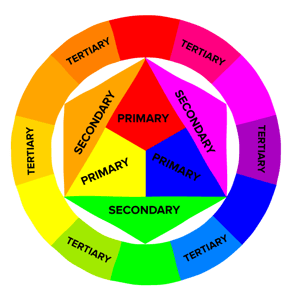
Remember hearing about primary, secondary, and tertiary colors? They’re pretty important if you want to understand, well, everything else about color.
Primary Colors
Primary colors are those you can’t create by combining two or more other colors together. They’re a lot like prime numbers, which can’t be created by multiplying two other numbers together.
There are three primary colors:
- Red
- Yellow
- Blue
Think of primary colors as your parent colors, anchoring your design in a general color scheme. Any one or combination of these colors can give your brand guardrails when you move to explore other shades, tones, and tints (we’ll talk about those in just a minute).
When designing or even painting with primary colors, don’t feel restricted to just the three primary colors listed above. Orange isn’t a primary color, for example, but brands can certainly use orange as their dominant color (as we at HubSpot know this quite well).
Knowing which primary colors create orange is your ticket to identifying colors that might go well with orange — given the right shade, tone, or tint. This brings us to our next type of color …
Secondary Colors
Secondary colors are the colors that are formed by combining any two of the three primary colors listed above. Check out the color theory model above — see how each secondary color is supported by two of the three primary colors?
There are three secondary colors: orange, purple, and green. You can create each one using two of the three primary colors. Here are the general rules of secondary color creation:
- Red + Yellow = Orange
- Blue + Red = Purple
- Yellow + Blue = Green
Keep in mind that the color mixtures above only work if you use the purest form of each primary color. This pure form is known as a color’s hue, and you’ll see how these hues compare to the variants underneath each color in the color wheel below.
Tertiary Colors
Tertiary colors are created when you mix a primary color with a secondary color.
From here, color gets a little more complicated, and if you want to learn how the experts choose color in their design, you’ve got to first understand all the other components of color.
The most important component of tertiary colors is that not every primary color can match with a secondary color to create a tertiary color. For example, red can’t mix in harmony with green, and blue can’t mix in harmony with orange — both mixtures would result in a slightly brown color (unless of course, that’s what you’re looking for).
Instead, tertiary colors are created when a primary color mixes with a secondary color that comes next to it on the color wheel below. There are six tertiary colors that fit this requirement:
- Red + Purple = Red-Purple (magenta)
- Red + Orange = Red-Orange (vermillion)
- Blue + Purple = Blue-Purple (violet)
- Blue + Green = Blue-Green (teal)
- Yellow + Orange = Yellow-Orange (amber)
- Yellow + Green = Yellow-Green (chartreuse)
The Color Theory Wheel
Okay, great. So now you know what the “main” colors are, but you and I both know that choosing color combinations, especially on a computer, involves a much wider range than 12 basic colors.
This is the impetus behind the color wheel, a circle graph that charts each primary, secondary, and tertiary color — as well as their respective hues, tints, tones, and shades. Visualizing colors in this way helps you choose color schemes by showing you how each color relates to the color that comes next to it on a rainbow color scale. (As you probably know, the colors of a rainbow, in order, are red, orange, yellow, green, blue, indigo, and violet.)
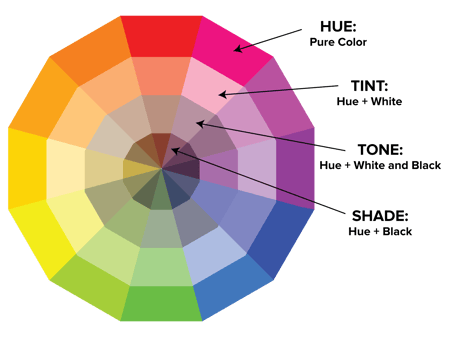
When choosing colors for a color scheme, the color wheel gives you opportunities to create brighter, lighter, softer, and darker colors by mixing white, black, and gray with the original colors. These mixes create the color variants described below:
Hue
Hue is pretty much synonymous with what we actually mean when we said the word “color.” All of the primary and secondary colors, for instance, are “hues.”
Hues are important to remember when combining two primary colors to create a secondary color. If you don’t use the hues of the two primary colors you’re mixing together, you won’t generate the hue of the secondary color. This is because a hue has the fewest other colors inside it. By mixing two primary colors that carry other tints, tones, and shades inside them, you’re technically adding more than two colors to the mixture — making your final color dependent on the compatibility of more than two colors.
If you were to mix the hues of red and blue together, for instance, you’d get purple, right? But mix a tint of red with the hue of blue, and you’ll get a slightly tinted purple in return.
Shade
You may recognize the term “shade” because it’s used quite often to refer to light and dark versions of the same hue. But actually, a shade is technically the color that you get when you add black to any given hue. The various “shades” just refer to how much black you’re adding.
Tint
A tint is the opposite of a shade, but people don’t often distinguish between a color’s shade and a color’s tint. You get a different tint when you add white to a color. So, a color can have a range of both shades and tints.
Tone (or Saturation)
You can also add both white and black to a color to create a tone. Tone and saturation essentially mean the same thing, but most people will use saturation if they’re talking about colors being created for digital images. Tone will be used more often for painting.
With the basics covered, let’s dive into something a little more complicated — like additive and subtractive color theory.
Additive & Subtractive Color Theory
If you’ve ever played around with color on any computer program, you’ve probably seen a module that listed RGB or CMYK colors with some numbers next to the letters.
Ever wondered what those letters mean?
CMYK
CMYK stands for Cyan, Magenta, Yellow, Key (Black). Those also happen to be the colors listed on your ink cartridges for your printer. That’s no coincidence.
CMYK is the subtractive color model. It’s called that because you have to subtract colors to get to white. That means the opposite is true — the more colors you add, the closer you get to black. Confusing, right?

Think about printing on a piece of paper. When you first put a sheet in the printer, you’re typically printing on a white piece of paper. By adding color, you’re blocking the white wavelengths from getting through.
Then, let’s say you were to put that printed piece of paper back into the printer, and print something on it again. You’ll notice the areas that have been printed on twice will have colors closer to black.
I find it easier to think about CMYK in terms of its corresponding numbers. CMYK works on a scale of 0 to 100. If C=100, M=100, Y=100, and K=100, you end up with black. But, if all four colors equal 0, you end up with true white.
RGB
RGB color models, on the other hand, are designed for electronic displays, including computers.
RGB stands for Red, Green, Blue, and is based on the additive color model of light waves. This means, the more color you add, the closer you get to white. For computers, RGB is created using scales from 0 to 255. So, black would be R=0, G=0, and B=0. White would be R=255, G=255, and B=255.

When you’re creating color on a computer, your color module will usually list both RGB and CMYK numbers. In practice, you can use either one to find colors, and the other color model will adjust accordingly.
However, many web programs will only give you the RGB values or a HEX code (the code assigned to color for CSS and HTML). So, if you’re designing digital images or for web design, RGB is probably your best bet for choosing colors.
You can always convert the design to CMYK and make adjustments should you ever need it for printed materials.
The Meaning of Color
Along with varying visual impact, different colors also carry different emotional symbolism.
- Red — typically associated with power, passion, or energy, and can help encourage action on your site
- Orange — joy and enthusiasm, making it a good choice for positive messaging
- Yellow — happiness and intellect, but be wary of overuse
- Green — often connected to growth or ambition, green can help give the sense that your brand is on the rise
- Blue — tranquility and confidence, depending on the shade — lighter shades provide a sense of peace, darker colors are more confident
- Purple — luxury or creativity, especially when used deliberately and sparingly on your site
- Black — power and mystery, and using this color can help create necessary negative space
- White — safety and innocence, making it a great choice to help streamline your site
Worth noting? Different audiences may perceive colors differently. The meanings listed above are common for North American audiences, but if your brand moves into other parts of the world, it’s a good idea to research how users will perceive particular colors. For example, while red typically symbolizes passion or power in the United States, it’s considered a color of mourning in South Africa.
While it’s possible to create your website using a combination of every color under the rainbow, chances are the final product won’t look great. Thankfully, color experts and designers have identified seven common color schemes to help jumpstart your creative process.
Let’s examine each type of color scheme in more detail.
1. Monochromatic
Monochromatic color schemes use a single color with varying shades and tints to produce a consistent look and feel. Although it lacks color contrast, it often ends up looking very clean and polished. It also allows you to easily change the darkness and lightness of your colors.

Monochromatic color schemes are often used for charts and graphs when creating high contrast isn’t necessary.
Check out all the monochromatic colors that fall under the red hue, a primary color.

2. Analogous
Analogous color schemes are formed by pairing one main color with the two colors directly next to it on the color wheel. You can also add two additional colors (which are found next to the two outside colors) if you want to use a five-color scheme instead of just three colors.

Analogous structures do not create themes with high contrasting colors, so they’re typically used to create a softer, less contrasting design. For example, you could use an analogous structure to create a color scheme with autumn or spring colors.
This color scheme is great for creating warmer (red, oranges, and yellows) or cooler (purples, blues, and greens) color palettes like the one below.

Analogous schemes are often used to design images rather than infographics or bar charts as all of the elements blend together nicely.
3. Complementary
You may have guessed it, but a complementary color scheme is based on the use of two colors directly across from each other on the color wheel and relevant tints of those colors.
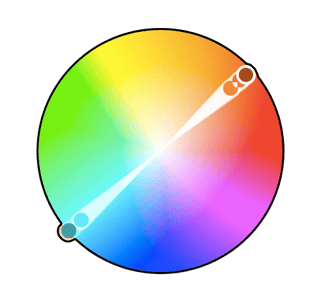
The complementary color scheme provides the greatest amount of color contrast. Because of this, you should be careful about how you use the complementary colors in a scheme.
It’s best to use one color predominantly and use the second color as accents in your design. The complementary color scheme is also great for charts and graphs. High contrast helps you highlight important points and takeaways.

4. Split Complementary
A split complementary scheme includes one dominant color and the two colors directly adjacent to the dominant color’s complement. This creates a more nuanced color palette than a complementary color scheme while still retaining the benefits of contrasting colors.

The split complementary color scheme can be difficult to balance because unlike analogous or monochromatic color schemes, the colors used all provide contrast (similar to the complementary scheme).
The positive and negative aspect of the split complementary color model is that you can use any two colors in the scheme and get great contrast … but that also means it can also be tricky to find the right balance between the colors. As a result, you may end up playing around with this one a bit more to find the right combination of contrast.

5. Triadic
Triadic color schemes offer high contrasting color schemes while retaining the same tone. Triadic color schemes are created by choosing three colors that are equally placed in lines around the color wheel.

Triad color schemes are useful for creating high contrast between each color in a design, but they can also seem overpowering if all of your colors are chosen on the same point in a line around the color wheel.
To subdue some of your colors in a triadic scheme, you can choose one dominant color and use the others sparingly, or simply subdue the other two colors by choosing a softer tint.
The triadic color scheme looks great in graphics like bar or pie charts because it offers the contrast you need to create comparisons.

6. Square
The square color scheme uses four colors equidistant from each other on the color wheel to create a square or diamond shape. While this evenly-spaced color scheme provides substantial contrast to your design, it’s a good idea to select one dominant color rather than trying to balance all four.

Square color schemes are great for creating interest across your web designs. Not sure where to start? Pick your favorite color and work from there to see if this scheme suits your brand or website. It’s also a good idea to try square schemes against both black and white backgrounds to find the best fit.

7. Rectangle
Also called the tetradic color scheme, the rectangle approach is similar to its square counterpart but offers a more subtle approach to color selection.

As you can see in the diagram above, while the blue and red shades are quite bold, the green and orange on the other side of the rectangle are more muted, in turn helping the bolder shades stand out.

No matter which color scheme you choose, keep in mind what your graphic needs. If you need to create contrast, then choose a color scheme that gives you that. On the other hand, if you just need to find the best “versions” of certain colors, then play around with the monochromatic color scheme to find the perfect shades and tints.
Remember, if you build a color scheme with five colors, that doesn’t mean you have to use all five. Sometimes just choosing two colors from a color scheme looks much better than cramming all five colors together in one graphic.
Examples of Color Schemes
Now that you are familiar with color scheme types, let’s take a look at some in the wild.
1. Canva
Type: Monochromatic
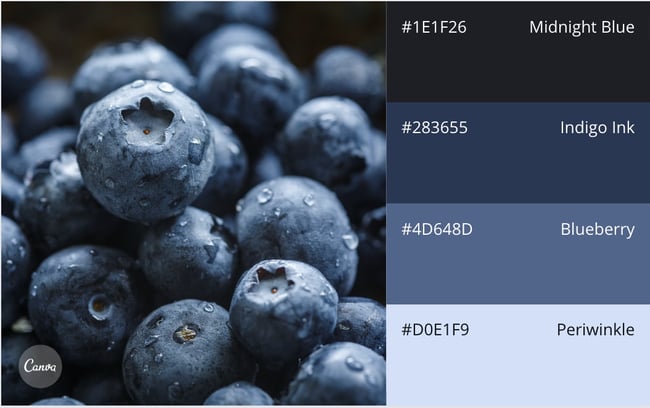
The use of blues and purples really make this monochromatic blueberry-inspired template stand out. Each shade builds on the next and provides ample contrast despite remaining within the same color family.
2. Newfoundland and Labrador Tourism
Type: Triadic

As we mentioned earlier, nature is a great way to get inspiration for your color palette. Why? Because mother nature already has it figured out. Newfoundland and Labrador Tourism took advantage of these triadic shades to showcase the region’s natural beauty.
3. Daye
Type: Analogous
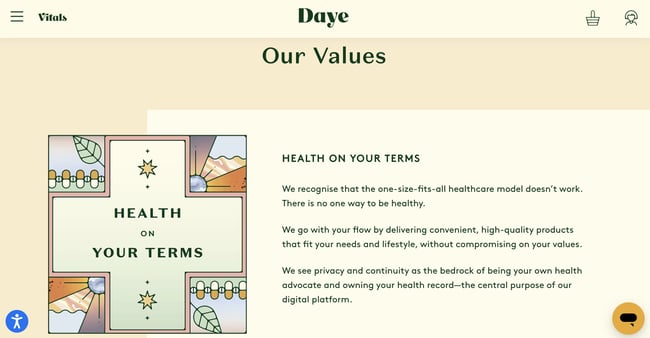
Eco-friendly Women’s health company Your Daye uses a blend of pastels and earthy tones for its analogous color scheme. The effect is soothing and pleasing to the eye.
1. Leverage natural inspiration.
Once your site operations are solid, it’s time to start selecting colors.
Not sure what looks good? Take a look outside. Nature is the best example of colors that complement each other — from the green stems and bright blooms of flowering plants to azure skies and white clouds, you can’t go wrong pulling context from natural colors and combinations.
2. Set a mood for your color scheme.
With a few color choices in mind, consider the mood you want your color scheme to set. If passion and energy are your priorities, lean more toward red or brighter yellows. If you’re looking to create a feeling of peace or tranquility, trend toward lighter blues and greens.
It’s also worth thinking negatively. This is because negative space — in either black or white — can help keep your design from feeling too cluttered with color.
3. Consider color context.
It’s also worth considering how colors are perceived in contrast.
In the image below, the middle of each of the circles is the same size, shape, and color. The only thing that changes is the background color.
Yet, the middle circles appear softer or brighter depending on the contrasting color behind it. You may even notice movement or depth changes just based on one color change.
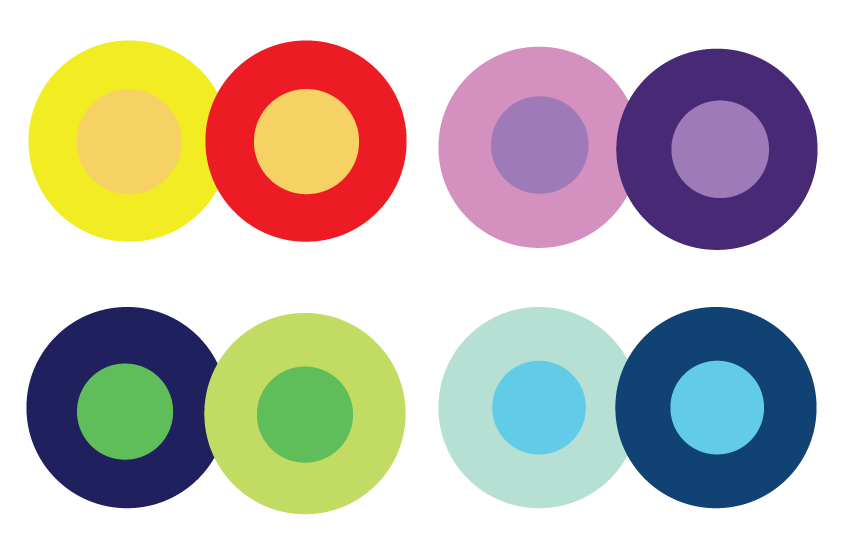
This is because the way in which we use two colors together changes how we perceive it. So, when you’re choosing colors for your graphic designs, think about how much contrast you want throughout the design.
For instance, if you were creating a simple bar chart, would you want a dark background with dark bars? Probably not. You’d most likely want to create a contrast between your bars and the background itself since you want your viewers to focus on the bars, not the background.
4. Refer to your color wheel.
Next, consider your color wheel and the schemes mentioned above. Select a few different color combinations using schemes such as monochrome, complementary, and triad to see what stands out.
Here, the goal isn’t to find exactly the right colors on the first try and create the perfect design, but rather to get a sense of which scheme naturally resonates with your personal perception and the look of your site.
You may also find that schemes you select that look good in theory don’t work with your site design. This is part of the process — trial and error will help you find the color palette that both highlights your content and improves the user experience.
5. Draft multiple designs.
Draft and apply multiple color designs to your website and see which one(s) stand out. Then, take a step back, wait a few days and check again to see if your favorites have changed.
Here’s why: While many designers go in with a vision of what they want to see and what looks good, the finished product often differs on digital screens that physical color wheels — what seemed like a perfect complement or an ideal color pop may end up looking drab or dated.
Don’t be afraid to draft, review, draft again and throw out what doesn’t work — color, like website creation, is a constantly-evolving art form.
How to Use Color Palettes
While color schemes provide a framework for working with different colors, you’ll still need to use a color palette — the colors you will select to use for your project. If you’re stumped about what colors to use, consider using a palette generator to get your creativity flowing.
Here are some best practices to make the most out of your color palette:
1. Work in grayscale.
This may sound counter-intuitive but starting with black and white can help you see exactly how much contrast exists in your design. Before getting started with color, it’s important to lay out all the elements like text, CTAs, illustrations, photos, and any other design features. The way your design looks in grayscale will determine how well it looks in color. Without enough light and dark contrast, your design will be hard to view, leaving your audience with a less than satisfactory user experience. Low contrast designs also make them inaccessible for those with a vision impairment.
2. Use the 60-30-10 rule.
Often used in home design, the 60-30-10 rule is also useful for website or app design.<
- 60%: primary or main color
- 30%: secondary colors
- 10%: accent colors
While you’re certainly not limited to using just three colors, this framework will provide balance and ensure your colors work together seamlessly.
3. Experiment with your palette.
Once you’ve made your color selection, experiment to discover which work better together. Consider how copy or type looks on top of your designated main color (60% is typically used as the background color).
Try not to use your main colors for buttons since you’re already using it everywhere else. Consider one of your accent colors instead.
4. Get feedback or conduct A/B testing.
So you’ve finished your draft. Now it’s time to test it. Before sending your design to market, you’ll want to test how users interact with it. What may look good to you, may be difficult to read for others. Some things to consider when asking for feedback:
- Are the CTAs generating attention?
- Are the colors you chose distracting?
- Is there enough color contrast?
- Is the copy legible?
Getting another set of eyes on your design will help you spot errors or inconsistencies you may have missed in the creation process. Take their feedback in stride and make adjustments where needed.
Put simply? Practice makes perfect. The more you play with color and practice design, the better you get. No one creates their masterpiece the first time around.
Color Tools
There’s been a lot of theory and practical information for actually understanding which colors go best together and why. But when it comes down to the actual task of choosing colors while you’re designing, it’s always a great idea to have tools to help you actually do the work quickly and easily.
Luckily, there are a number of tools to help you find and choose colors for your designs.
Adobe Color
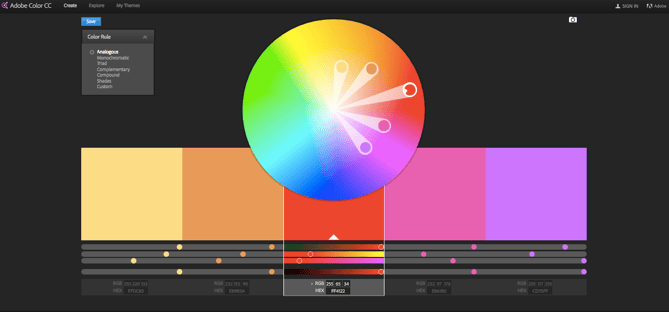
One of my favorite color tools to use while I’m designing anything — whether it’s an infographic or just a pie chart — is Adobe Color (previously Adobe Kuler).
This free online tool allows you to quickly build color schemes based on the color structures that were explained earlier in this post. Once you’ve chosen the colors in the scheme you’d like, you can copy and paste the HEX or RGB codes into whatever program you’re using.
It also features hundreds of premade color schemes for you to explore and use in your own designs. If you’re an Adobe user, you can easily save your themes to your account.
Illustrator Color Guide
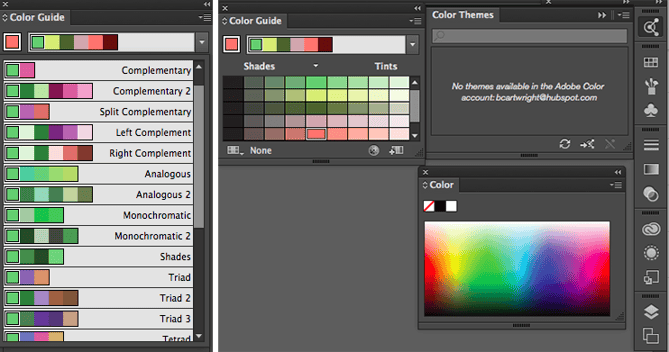
I spend a lot of time in Adobe Illustrator, and one of my most-used features is the color guide. The color guide allows you to choose one color, and it will automatically generate a five-color scheme for you. It will also give you a range of tints and shades for each color in the scheme.
If you switch your main color, the color guide will switch the corresponding colors in that scheme. So if you’ve chosen a complementary color scheme with the main color of blue, once you switch your main color to red, the complementary color will also switch from orange to green.
Like Adobe Color, the color guide has a number of preset modes to choose the kind of color scheme you want. This helps you pick the right color scheme style within the program you’re already using.
After you’ve created the color scheme that you want, you can save that scheme in the “Color Themes” module for you to use throughout your project or in the future.
Preset Color Guides
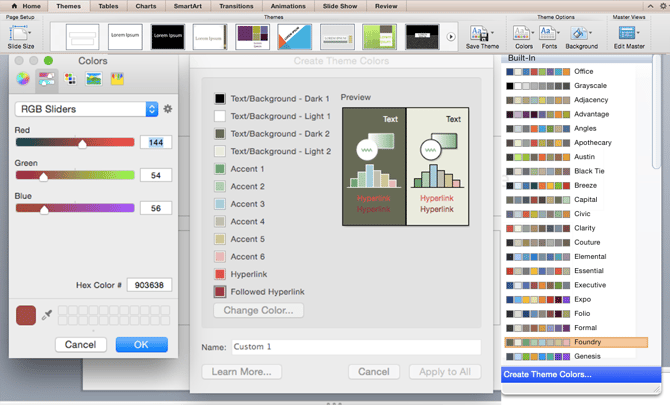
If you’re not an Adobe user, you’ve probably used Microsoft Office products at least once. All of the Office products have preset colors that you can use and play around with to create color schemes. PowerPoint also has a number of color scheme presets that you can use to draw inspiration for your designs.
Where the color schemes are located in PowerPoint will depend on which version you use, but once you find the color “themes” of your document, you can open up the preferences and locate the RGB and HEX codes for the colors used.
You can then copy and paste those codes to be used in whatever program you’re using to do your design work.
Finding the Right Color Scheme
There’s a lot of theory in this post, I know. But when it comes to choosing colors, understanding the theory behind color can do wonders for how you actually use color. This can make creating branded visuals easy, especially when using design templates where you can customize colors.
Editor’s note: This article was originally published in June 2021 and has been updated for comprehensiveness.

12 Free Personality Tests You Can Take Online Today
Personality tests are a great way to explore different aspects of who you are and uncover layers you perhaps hadn’t recognized about yourself before.
Keep reading to learn more about the purpose of taking personality tests. Then, take a look at the best free personality tests we’ve compiled and discover aspects of who you are, why you make certain decisions, and more.

The Purpose of Personality Tests
Being truly self-aware is hard. While personality tests might not always be 100% accurate, they work well as a starting point for self-discovery by providing results you might not have concluded on your own. These insights are invaluable for one’s personal and professional growth.
Pros of Personality Tests
Personality tests can be used for self-reflection and help you gain better insight on how to play to your strengths and combat your weaknesses.
Personality tests are also widely used in the workplace because they can be a great way for you and your coworkers to better understand each other’s communication and collaboration styles.
These tests are great conversation starters, especially among groups of people who don’t know each other very well. They can help create connections and establish common ground at work.
Learning about your colleagues’ personality traits can reveal how each team member prefers to receive feedback and criticism. This can help your team avoid unnecessary miscommunication down the road, as well as lead to more productive projects and meetings.
Cons of Personality Tests
While there are many pros to taking personality tests, there are also some cons.
Test results can be vague, depending on which test you are taking. Shorter personality tests, though convenient, are often not as comprehensive and accurate as the longer tests. Plus, some tests require a higher level of self-awareness and understanding of how others perceive you – not having this understanding may skew your test results.
Now, let’s learn more about the different types of personality tests, so you can determine which one is right for you.
Types of Personality Tests
With so many personality tests to choose from, it can be difficult to narrow down which one is right for you. Some focus on assessing your communication style, while others may look at your emotional intelligence, behavior, and more. Here, we’ve compiled a list of common types of personality tests you can take for free online.
1. Myers-Briggs Personality Tests
Myers-Briggs is a widely respected and popular personality assessment tool — first used in the 1940s, the test was developed by Katharine Cook Briggs and her daughter, Isabel Briggs Myers. Initially inspired by Carl Jung’s personality theory, the Myers-Briggs test conveniently separates people into 16 categories of personalities, providing each person with a four-letter acronym.
The following four tests are broad-stroke indicators of who you are, using inspiration from Myers-Briggs. Among other things, the tests cover your communication styles, your strengths and weaknesses, your desires and ambitions, how you see the world, and how people perceive you.
If you’ve never taken a test based on Jung’s psychological traits, or Myers-Briggs’ 16 categories of personalities, you may be surprised by the accuracy of some of the statements. More importantly, you could gain insight into how your behavior is perceived by others, helping you improve both professional and personal relationships.
2. DISC Personality Tests
The DISC assessment determines where you lie on four DISC factors: dominance, influence, steadiness, and compliance. DISC is one of the most popular and authoritative career assessments out there, and many companies encourage their employees to take it.
Undoubtedly, personality affects our career ambitions, as well as how we perform in different workplace environments. If you’re particularly extraverted, maybe you’ve chosen a career path that enables you to work daily with large groups of people. If you have certain communication styles that rely on passivity and emotion, perhaps your boss’s direct statements sometimes offend you.
Arming yourself with a sense of self-awareness could help you find your optimal career path, foster better work relationships, and mitigate work conflict more effectively.
3. Emotional Intelligence Tests
Psychology Today defines emotional intelligence as, “the ability to identify and manage your own emotions and the emotions of others.” Arguably, having emotional intelligence is the most important factor in dealing with conflict and communicating with others.
It’s undeniable that emotional intelligence is important — in fact, research has shown success is 80-90% attributable to emotional intelligence (EI), and only 10-20% to your IQ.
In the workplace, whether you’re around coworkers in the midst of a stressful project, or dealing with a tough performance review from your boss, it’s critical you know how to both identify and handle your own emotions; it’s equally important you know how to read other people’s emotions, and manage them appropriately.
What is the most accurate type of personality test?
Unfortunately, there isn’t a personality test that is completely accurate. The validity of the Myers-Briggs Type Indicator and the DISC assessment have been called into question by behavioral scientists over the years due to their oversimplification of behavior and personality traits.
Emotional intelligence tests are also divisive among scientists due to the potential for bias against groups outside the norm since one’s emotional recognition and regulation often depends on their cultural background.
That said, personality tests can be valuable tools for understanding personality similarities and differences among members of the same organization.
Free Personality Tests
1. 16 Personalities
Best for: Learning how your personality type influences many different areas of your life, as well as how it impacts your relationships.
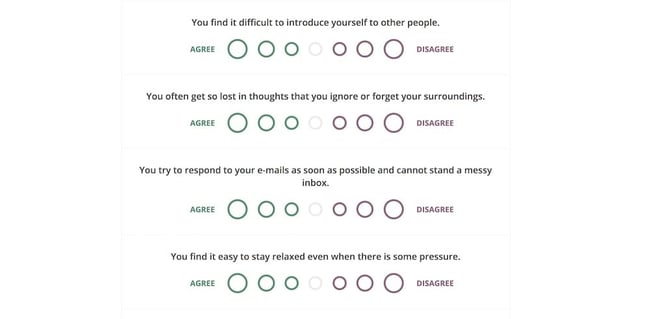
16 Personalities covers five broad personality aspects: mind, energy, nature, tactics and identity. The test is based on Carl Jung’s study of psychological traits (e.g. extroversion vs. introversion) and the Myers-Briggs test, two popular personality theories meant to determine an extensive overview of who you are.
Among other things, the test will cover how you communicate and relate to others — both professionally and personally — what you value and strive for, and how you make decisions. 16 Personalities has been taken over 126 million times, and is available in 30 languages.
Pros: Once you’ve gotten your results, you’ll find extensive information on your personality type including strengths and weaknesses, relationships, friendships, parenthood, and workplace habits. The test is incredibly accurate and can tell you how your personality type plays out in specific situations.
Cons: With seven bubbles varying from “Agree” to “Disagree”, it can be difficult and time-consuming to figure out where exactly you fall on each question. A “Strongly agree,” “Agree”, “Neutral”,”Disagree”, and “Strongly disagree” chart might’ve been easier to answer.
2. Personality Perfect
Best for: Learning how others perceive you or how they might misinterpret your behaviors, and finding out what you value most.
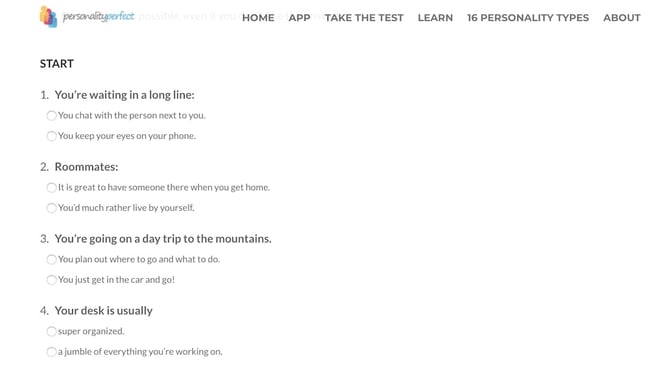
Similar to 16 Personalities, Personality Perfect is also based on Jung’s and Myers-Briggs’ personality theories, and uses four broad categories — extraversion vs. introversion, sensing and intuition, thinking and feeling, and judging and perceiving — to compile a four-letter abbreviation of your personality type (e.g. “INFP”).
The test provides a broad overview of how you connect with others, how you behave, and, perhaps most surprising, how you’re likely seen by others.
Pros: Once you know your four-letter personality abbreviation, you can apply that label to various situations, like work and love, and determine how others’ perceive your behaviors in those settings.
Cons: Tests that are based on Jung’s personality theories are typically considered rough tendencies, and not strict classifications — and many researchers say Myers-Briggs tests are unscientific due to the different results you might get if you take the test twice.
3. Human Metrics
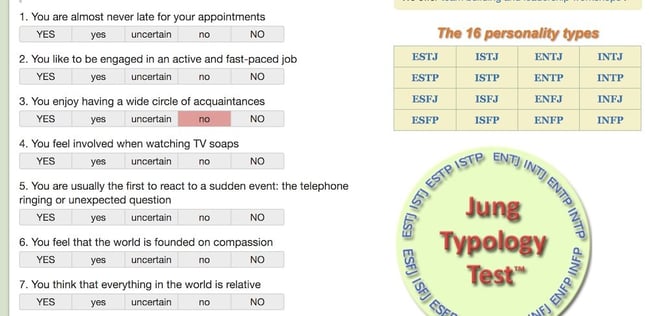
Best for: Determining a career path that is most well-suited for your personality.
If you’ve ever wondered which famous personalities share your personality type, you’re in luck — Human Metrics shows you that information, along with your four-letter personality type (again, based on Jung and Myers-Briggs theories).
With this test, you’ll get information about which career paths are most suitable for your personality type. If you’re having trouble choosing a career path or doubting the one you’ve chosen, maybe this test can help you figure it out.
Pros: This specific test allows you to see all 64 questions on one screen, which makes it easier to scroll back and change an answer if you’d like to.
Cons: Many of these responses can feel situation-dependent. “You feel involved when watching TV soaps”, for instance, could depend on the show you’re watching, how you’re feeling that day (relaxed? overwhelmed?) and simply might not be a strong predictor of who you are as a person.
4. TestColor
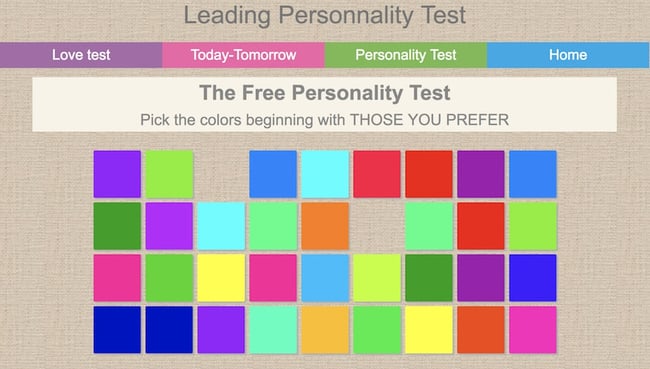
Best for: Finding out the ratio of extroverted to introverted you are, plus getting short descriptions of the qualities that most characterize your personality.
Test Color, a test validated by a team of clinical psychologists, psychoanalysts and mathematicians, asks you just two questions: “Click on the colors you like most,” and “Click on the colors you like least.”
Test Color tells you about your emotional intelligence, your creativity and imagination, your social skills, and your work style, including organization and management styles. I found it to be surprisingly accurate: in two questions, it nailed how I communicate with others and how I act in group settings.
Pros: It’s incredibly quick and easy — taking roughly 5 minutes to complete.
Cons: The results are relatively vague and general, and the test doesn’t divide your personality into categories depending on the situation. (For instance, it doesn’t tell you the difference between your personality in work settings and romantic situations.)
5. Crystal
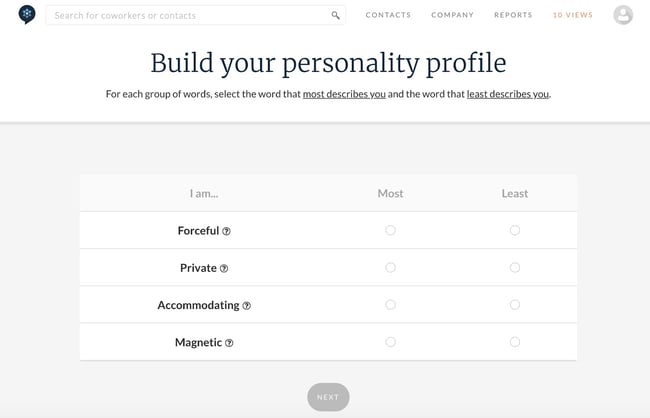
Best for: Learning how your personality biases you towards colleagues’ behavior, and gaining a deeper understanding of your coworkers’ personalities.
Crystal provides a free DISC assessment, which tells you (among other things) how your personality fits into your work environment, who you work well with, who you might have conflict with, how you perceive others behaviors, and how others perceive yours.
The test helps you understand how your own personality biases you towards certain colleagues (i.e. your personality might take another coworker’s comments offensively, while the coworker just believes in being direct), which could strengthen your work relationships.
Best of all, Crystal also offers an accurate personality test, enabling you to build an extensive personality profile on one website. Plus, when you input your company, Crystal lets you see your colleague’s personality profiles — undeniably critical information when you’re looking to empathize with a coworker.
Pros: Can be a useful tool for identifying areas to focus on for professional development and coaching.
Cons: There has been no correlational study to show that test results match real-world job performance.
6. 123Test

Best for: Analyzing and improving your relationships with coworkers.
123Test offers a DISC personality test you can take in five minutes, so there’s really no excuses. You’ll get a score to find out which DISC factors predict your behaviors towards other people.
The test offers critical information for understanding why you might get along better with one employee, and have more conflict with another. It identifies how you perceive other people’s actions (i.e. “You’re sensitive to her blunt nature, even though she believes she’s just being straightforward”), which can help you improve work relationships.
Pros: It’s incredibly quick and straightforward, and will give you a general sense for how you could misinterpret colleagues’ behaviors.
Cons: With a few simple images (like the example, below), this test is less advanced than others in the list, and could provide different results every time you take it depending on your mood.
7. Truity Career Personality Profiler
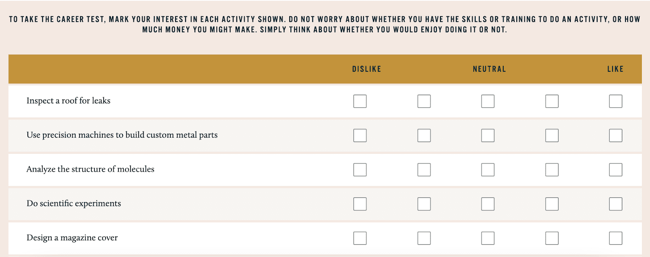
Best for: Figuring out an ideal career path, and learning which skills are required to excel in that career.
This test, based on the Holland Code and Big Five theories, will analyze your interests and personality traits and tell you careers (and college majors) that are a good match for you. It also lets you know about specific tasks and projects you’d love, what motivates you, and provides advice to help you maximize your strengths.
Even if you’re happy with your current career track, the test provides suggestions for specific skills you could learn to get ahead in your career.
Pros: If you’re early in your career (or a college student), this is a good test for uncovering your interests and discovering potential career paths. Best of all, it lets you know which projects or tasks you’d enjoy — allowing you to mix-and-match and determine the ideal career based on your personal interests.
Cons: It can be difficult to know what you’d enjoy doing if you’ve never done it. For instance, as a college student, I might not know how to answer whether or not I’d enjoy designing a magazine cover, if I’ve never experienced design work.
8. Interpersonal Skills assessment
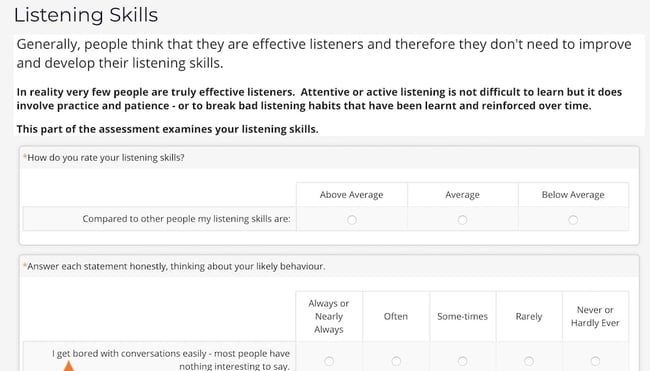
Best for: Improving your communication and listening skills.
Having well-developed interpersonal skills is critical to forming deep and meaningful personal and professional relationships. Interpersonal Skills assesses your listening skills, verbal communication skills, ability to work in teams, and emotional intelligence.
Better yet, the test identifies areas of weakness and provides tactical advice on how to improve those skills.
Pros: After you’ve completed the test, Interpersonal Skills provides you with helpful resources to level-up your communication or listening skills. Resources include “An Introduction to Communication Skills” and “Advanced Communication Skills” ($13 each). And even without the resources, this is a quick and easy test for evaluating areas for improvement in your own communication style.
Cons: To evaluate your listening skills, you might need to ask other people how they perceive you. Maybe you think you’re a good listener, but others disagree — if that’s the case, it can be difficult to accurately self-analyze your own skills for this test (or any others).
9. Sokanu
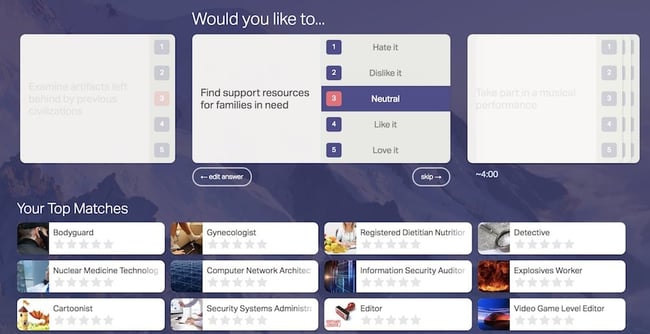
Best for: Determining a few different career paths that could make you happy — and then having the opportunity to pick-and-choose from there.
Major companies including General Assembly, NYU, and Redfin use Sokanu, a career assessment tool that tests you on your personality, background, interests, and goals to determine an ideal career path.
After you take the test, it provides you with multiple matches, which you can sort through to explore different careers and workplaces before choosing an ideal match.
Pros: The test provides you with multiple options for careers that could fulfill you — which I appreciate, since it can be stressful to get to the end of a test and find out there’s only one job that would make you happy. Plus, Sokanu offers a library filled with over 1,000 careers, and explains what type of people thrive in them — and why.
Cons: If you don’t know much about what interests you professionally, it can be a difficult test to take. Question one, for instance, is “Would you like to… Advise organizations on how to meet their business goals?” As a high school student, I wouldn’t have any idea how to answer that question.
10. Berkeley Emotional Intelligence

Best for: Figuring out how well you analyze and interpret other people’s emotions — a vital component of strong emotional intelligence.
This test, designed by Berkeley, shows you 20 pictures and asks you to recognize the facial expression on each person’s face. It’s easy, quick, and fun, and an informative way to learn how well you read other people’s emotions — which is a critical skill for assessing and mitigating conflict.
Pros: It’s fun and easy, and correctly identifying people’s facial expressions is a scientifically-proven way to evaluate someone’s emotional intelligence (EI).
Cons: 20 questions is a relatively short test to determine emotional intelligence, so the test is a good starting point, but might not offer a comprehensive view of your EI.
11. VeryWellMind
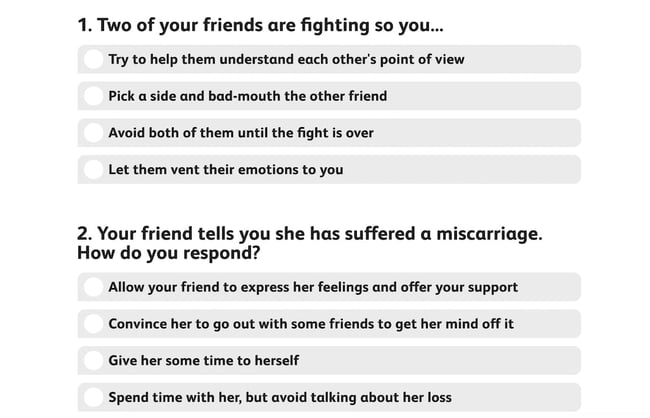
Best for: A speedy gut-check on how emotionally intelligent you are, with resources to further your understanding.
If you don’t have the time for anything more in-depth, this test only asks you 10 quick questions before delivering your results.
It’s admittedly not medical or scientific by any means, but does offer other articles depending on your score. If you score low, for example, VeryWellMind.com includes a link to another one of their articles, “Emotions and Types of Emotional Responses.”
Pros: Takes only a few minutes to complete, and the questions are straightforward and easy to answer.
Cons: It’s easy and fun, but isn’t necessarily as accurate or scientific as the others in this list.
12. Empathy Quotient
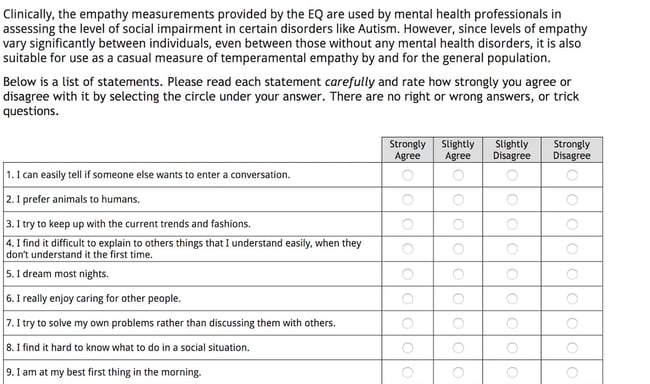
Best for: A more in-depth test to accurately analyze how emotionally intelligent you are.
Unlike the tests above, this one is designed to clinically assess you — the test was developed by Simon Baron-Cohen at the Autism Research Center at the University of Cambridge, and uses the same emotional measurements mental health professionals use to diagnose social impairment.
It’s a 60-item questionnaire and is suitable to measure “temperamental empathy” in adults.
Pros: It uses the same measurements that mental health professionals use to diagnose social impairments — meaning it’s accurate and scientifically-backed, and should provide you with a deeper understanding of your own empathy (and areas for improvement).
Cons: The test requires you to have a certain level of self-awareness and understand how others’ perceive you. For instance, one statement is, “I am very blunt, which some people take to be rudeness, even though this is unintentional” — it might be difficult for someone to know whether their bluntness comes across as rudeness.
Editor’s note: This post was originally published in May 2018 and has been updated for comprehensiveness.

How to Develop a Content Strategy in 7 Steps: A Start-to-Finish Guide
Whether you’re just starting out with content marketing or you’ve been using the same approach for a while, it never hurts to revisit your content strategy plan and make sure it’s up-to-date, innovative, and engaging for your prospects and customers — no matter when or how they intend to buy.
If you’re having trouble planning for the upcoming year or need some fresh ideas to include in your plan, read on.
In this post, we’ll dive into what content strategy is, why your business needs a content marketing plan, and what steps you need to teake to create your strategy. Plus, we’ll explore some examples of effective content marketing strategies for inspiration.
Say your business goals include increasing brand awareness. To achieve this, you might implement a content strategy that focuses on SEO to increase your website’s visibility on the search engine results pages (SERPs) and drive traffic to your products or services.
New business owners might assume a content strategy is a nice-to-have, but not necessary early on. However, producing high-quality content can be invaluable in building trust with new audiences and succeeding in the long haul.
In essence, a good content strategy is the foundation of your Attract and Delight stages in a buyer’s journey that follows the inbound marketing framework. Along with attracting prospects to your brand, you can leverage a content strategy for sales enablement and customer satisfaction.
Plus, with 70% of marketers actively investing in content marketing, it’s critical to develop a good content strategy to compete in your industry.
When you develop a content strategy, there are a few questions to answer. Let’s dive into those, now.
1. Who will be reading your content?
Who’s the target audience for your content? For how many audiences are you creating content?
Just as your business might have more than one type of customer, your content strategy can cater to more than one type of user.
Using a variety of content types and channels will help you deliver content that’s tailored to each persona.
2. What problem will you be solving for your audience(s)?
Ideally, your product or service solves a problem you know your audience has. By the same token, your content coaches and educates your audience through this problem as they begin to identify and address it.
A sound content strategy supports people on both sides of your product: those who are still figuring out what their main challenges are, and those who are already using your product to overcome these challenges.
Your content reinforces the solution(s) you’re offering and helps you build credibility with your target audience.
3. What makes you unique?
Your competitors likely have a similar product as yours, which means your potential customers need to know what makes yours better — or, at least, different.
Maybe your main asset is that your company has been established for many years. Or perhaps you have a unique brand voice that makes you stand out from your competitors.
To prove why you’re worth buying from, you need to prove why you’re worth listening to. Once you figure that out, permeate that message in your content.
4. What content formats will you focus on?
To figure out what formats to focus on, you need to meet your audience where they are.
While you may to tempted to launch a podcast since it’s grown so much in the last few years, or launch a YouTube channel, find out first where your audience lives.
Otherwise, you may waste time creating content that either won’t reach your audience or capture their attention.
Once you identify the best formats, start creating a budget to assess what resources you can allocate to execute this strategy.
5. What channels will you publish on?
Just as you can create content in different formats, you’ll also have various channels you can publish to, from your website to social media.
This, again, will reflect where your audience lives. If your audience prefers long-form video content, you may opt to publish your content on YouTube. If you have a younger audience that likes quick content, you may opt for TikTok and Instagram.
We’ll talk more about social media content strategy in the step-by-step guide later in this article.
6. How will you manage content creation and publication?
Figuring out how you’ll create and publish all your content can be a daunting task.
Before you execute, it’s important to establish:
- Who’s creating what.
- Where it’s being published.
- When it’s going live.
In a small team, this may be easy enough as you may be the sole decision-maker. As your company grows, you may need to collaborate with several content teams to figure out an effective process.
Today’s content strategies prevent clutter by managing content from a topic standpoint. When planning a content editorial calendar around topics, you can easily visualize your company’s message and assert yourself as an authority in your market over time.
Why Marketers Need to Create a Content Marketing Strategy
Content marketing helps businesses prepare and plan for reliable and cost-effective sources of website traffic and new leads.
If you can create just one blog post that gets a steady amount of organic traffic, an embedded link to an e-book or free tool will continue generating leads for you as time goes on — long after you click “Publish.”
HubSpot‘s blog team found this to be key to increasing traffic to the Sales Blog over time — read about our blog strategy here.
The reliable source of traffic and leads from your evergreen content will give you the flexibility to experiment with other marketing tactics to generate revenue, such as sponsored content, social media advertising, and distributed content.
Plus, your content won’t just help attract leads, it will also educate your prospects and generate awareness for your brand.
Now, let’s dive in to learn the specifics of how to create a content marketing plan. Curious how former HubSpot Head of Content SEO Aja Frost put together our content strategy? Here it is.
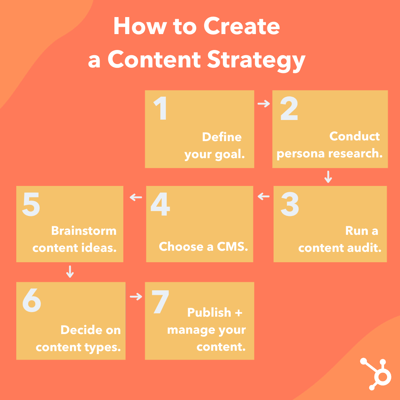
1. Define your goal.
What’s your aim for developing a content marketing plan? Why do you want to produce content and create a content marketing plan?
Know your goals before you begin planning, and you’ll have an easier time determining what’s best for your strategy.
Download this goal planning template for help figuring out the right content goals.
2. Conduct persona research.
To develop a successful plan, you need to clearly define your content’s target audience — also known as your buyer persona.
This is especially important for those who are starting out or are new to marketing. By knowing your target audience, you can produce more relevant and valuable content that they’ll want to read and convert on.
If you’re an experienced marketer, your target may have changed. Do you want to target a new group of people or expand your current target market? Do you want to keep the same target audience? Revisiting your audience parameters by conducting market research each year is crucial to growing your audience.
Featured Tool: Buyer Persona Generator
3. Run a content audit.
Early on, most brands start with blog posts. If you want to venture out into different formats, you can run a content audit to assess your top-performing and lowest-performing content. Then, use that information to inform which direction you take next.
If you’ve been in business for a while, you should review your content marketing efforts and last year’s results.
Figure out what you can do differently in the upcoming year and set new goals. Now is a great time to align your team’s goals with the rest of your organization’s goals.
Whatever stage you’re in, a content audit will help you determine what resonates best with your audience, identify gaps in your topic clusters, and brainstorm fresh content ideas.
4. Choose a content management system.
A few vital parts of content management include content creation, content publication, and content analytics.
You want to invest in a CMS to create, manage, and track your content in an easy and sustainable way.
With the HubSpot CMS, you can plan, produce, publish, and measure your results all in one place.
Another popular CMS is WordPress, to which you can add the HubSpot WordPress plugin for free web forms, live chat, CRM access, email marketing, and analytics.
5. Determine which type of content you want to create.
There are a variety of options out there for content you can create, from written content like ebooks and blog posts to audio content like podcasts.
In the next section, we’ll discuss some of the most popular content formats marketers are creating, including some tools and templates to get you started.
6. Brainstorm content ideas.
Now, it’s time to start coming up with ideas for your next content project.
Here are some tools to get the juices flowing.
1. Feedly
The Feedly RSS feed is a wonderful way to track trendy topics in your industry and find content ideas at the same time.
You start by telling the software what topics you’re most interested in and its AI tool will do the rest.
You won’t need to scour the internet to find new content ideas anymore. Instead, you can go through your curated list, compiled from news sites, newsletters, and social media.
2. BuzzSumo
Want to discover popular content and content ideas? This company offers several market research tools, one of which uses social media shares to determine if a piece of content is popular and well-liked.
This information helps you see which content ideas would do well if you were to create content about them.
3. BlogAbout
Get your mind gears going with IMPACT’s blog title generator. This tool works a bit like Mad Libs, but instead of joke sentences, it shows you common headline formats with blanks where you can fill in the subject you have in mind.
This brainstorming technique helps you put general ideas in contexts that would be appealing to your target audience. Once you have a headline you like, BlogAbout lets you add it to your “Notebook” so you can save your best ideas.
4. CoSchedule Headline Analyzer
You can get blog post ideas for an entire year with HubSpot’s Blog Ideas Generator. All you need to do is enter general topics or terms you’d like to write about, and this content idea generator does all the work for you.
This tool analyzes headlines and titles and provides feedback on length, word choice, grammar, and keyword search volume.
If you have an idea in mind, run a few title options through the Headline Analyzer to see how you could make it stronger, and to move your idea further along in the brainstorming process.
5. HubSpot’s Website Grader
This is a great tool to use when you want to see where you’re at with your website and SEO efforts. The Website Grader grades you on vital areas of your website performance and sends you a detailed report to help you optimize.
With this tool, you can figure out how to make your website more SEO-friendly and discover areas of improvement.
7. Publish and manage your content.
Your marketing plan should go beyond the types of content you’ll create — it should also cover how you’ll organize your content.
With the help of an editorial calendar, you’ll be on the right track to publishing a well-balanced and diverse content library on your website. Then, create a social media content calendar to promote and manage your content on other sites.
Featured Tool: Free Editorial Calendar Templates

Many of the ideas you think of will be evergreen (i.e.: just as relevant months or years from now as they are today). That being said, you shouldn’t ignore timely topics either. While they may not be the bulk of your editorial calendar, they can help you generate spikes of traffic.
Most people count on incorporating popular holidays, like New Year’s, in their marketing efforts, but you don’t have to limit yourself to these important marketing dates.
If there are niche holidays that might appeal to your audience, it could be worth publishing content on your blog or social media. Check out this ultimate list of social media holidays — keep an eye on it when you’re planning your calendar.
Content Strategy Template
Ready to get started with your own content marketing strategy? Download this helpful workbook.
It includes key readings and activities to help you fine-tune your plan and develop a robust strategy. You’ll learn how to:
- Generate content ideas.
- Create topic clusters and pillar pages.
- Promote your content.
- Repurpose your content based on your needs.
Content Marketing Strategy Examples
To understand what a content strategy is, let’s explore some examples of real-life content strategies based on a few business goals.
Let’s start with Evernote, a note-taking app, that developed an SEO-driven content strategy to attract new prospects to their website.
I’m a huge fan of Evernote’s blog, which offers a wealth of knowledge on the topic of productivity. The blog post, How To Stay Disciplined When Times Are Tough, made me laugh out loud — and incentivized me to grab a pen and write down some of the tips I liked best.
But why is a company that sells a note-taking app writing about discipline?
Because it’s how I found their website when I searched “How to stay disciplined” on Google.
People interested in reading content related to productivity are likely the same people interested in downloading Evernote’s note-taking product.
On the contrary, if Evernote’s marketing team simply created content for the sake of increasing traffic — like publishing “Our 10 Favorite Beyonce Songs” — it wouldn’t be considered a content strategy at all, it would just be content.
A strategy needs to align content with business goals. In Evernote’s case, the strategy aligns content (blog posts on productivity) with the business goal of attracting leads (people interested in note-taking) to their site.
Let’s take a look at another example to see how a good content strategy can help businesses with sales enablement.
Consider the following scenario: A prospect calls a sales representative at Wistia and asks questions related to Wistia’s video hosting service. As the Wistia sales rep speaks with her, he learns her business is using a few other tools to convert leads into sales, including Intercom.
Bingo.
Once the call ends, the sales rep sends the prospect a follow-up email with a blog post about Wistia’s integration with Intercom, which enables Intercom users to further personalize messages to prospects based on video-watching data they collect through Wistia.
This is a prime example of how you might use a content strategy as a sales enablement tool.
On the surface, it might seem odd that Wistia has dedicated content regarding another business tool. However, this content is a great resource for Wistia’s sales team, particularly when prospects have concerns regarding how Wistia’s product can integrate with their existing software or processes.
Now that we’ve explored a few examples of content strategies, let’s dive into the types of content marketing assets you can develop.
These are the eight most popular types of content marketing you can create for your readers and customers.
1. Blog Posts
If you haven’t already noticed, you’re currently reading a blog post. Blog posts live on a website and should be published regularly to attract new visitors.
Posts should provide valuable content for your audience that makes them inclined to share posts on social media and across other websites.
We recommend that blog posts be between 1,000 and 2,000 words in length, but you should experiment to see if your audience prefers longer or shorter reads.
Featured Tool: 6 Free Blog Post Templates
Check out our free blog post templates for writing great how-to, listicle, curation, SlideShare presentation, and newsjacking posts on your own blog.
2. Ebooks
Ebooks are lead-generation tools that website visitors download after submitting a lead form with their contact information. They’re typically longer, more in-depth, and published less frequently than blog posts, which are written to attract visitors to a website.
But ebooks aren’t only effective for the top of the funnel.
As Nora Leary, Growth Director at Ironpaper, Inc., notes, “Ebooks serve different purposes at varying stages in the buyer’s journey.”
She told me, “Awareness-level ebooks help educate the prospect about a certain pain point and are an excellent lead capture tool. The content should remain introductory and informational.”
Leary adds, “Ebooks can convert leads in the funnel by offering them useful tools as prospects consider their needs more in-depth. An ebook here might dive deeper into a particular problem and solution options and include templates or calculators.
[Lastly,] ebooks further down the funnel should become more personalized and offer more sales content. Comparison guides or an ebook of case studies are beneficial for prospects at this stage.”
Ebooks are the next step in the inbound marketing process. After reading a blog post, such as this one, visitors might want more information.
This is where calls-to-action (CTAs) come into play, directing people to a landing page where they can submit their contact information and download an ebook to learn more valuable information for their business. In turn, the business producing the ebook has a new lead for the sales team to contact.
Featured Tool: 18 Free Ebook Templates
3. Case Studies
A case study allows you to tell a customer story and build credibility in the process.
A case study is perhaps your most versatile type of content marketing because it can take many different forms — some of which are on this list. That’s right, case studies can take the form of a blog post, ebook, podcast, or even an infographic.
The goal is to demonstrate how your product helped real-life companies succeed. Before choosing a customer for a case study, you should determine to which business area you’re trying to drive value.
Featured Tool: 3 Free Case Study Templates

4. Templates
Templates are effective content marketing examples to try because they generate leads while offering tremendous value to your audience.
When you provide your audience with content strategy template tools to save them time and help them succeed, they’re more likely to engage with your content in the future.
5. Infographics
Infographics can organize and visualize data in a more compelling way than words alone.
These are great content formats to use if you’re trying to share a lot of data in a way that is clear and easy to understand.
Featured Tool: 15 Free Infographic Templates
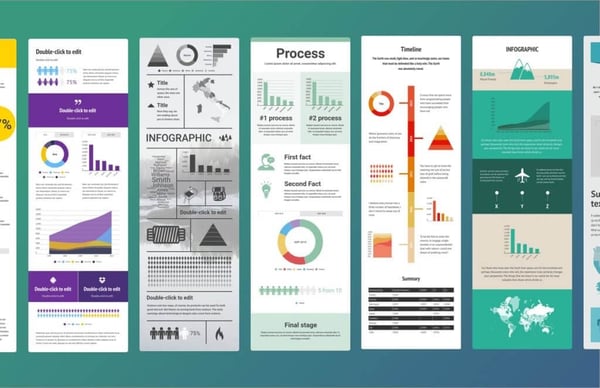
If you’re ready to get started, get our templates for creating beautiful infographics in less than an hour.
6. Videos
Videos are a highly engaging content medium and are shareable across social media platforms and websites alike.
Videos require a bigger investment of time and resources than written content, but as visual content continues to offer big ROI, it’s a medium worth exploring.
Featured Tool: Free Video Marketing Starter Pack + Templates
7. Podcasts
Starting a podcast will help audiences find your brand if they don’t have time or interest in reading content every day.
The number of podcast listeners is growing — in 2021, there was a 10% year-over-year increase in U.S. podcast listeners.
If you have interesting people to interview or conversations to host, consider podcasting as another content format to experiment with.
Featured Tool: How to Start a Podcast [Guide + Templates]
8. Social Media
Once you’ve been regularly publishing content on your own site for a while, start thinking about a social media strategy to distribute your content on social media.
In addition to sharing your content, you can also repurpose it into new formats and create original content specifically for each platform.
Posting on social media is pivotal to amplifying your brand’s reach and delivering your content to your customers where you know they spend their time. Popular social networks include:
When launching a business account on any of the social networks above, adjust your content to the platform.
On Instagram, for example, users want aesthetically pleasing visuals. With feeds, IGTV, Stories, you have a lot of room to play with. TikTok, on the other hand, appeals to a younger demographic that wants trendy, funny, and creative short-form videos.
Do some market research to discover which platforms your buyers are on, and mold your content to their expectations.
It takes time, organization, and creativity to grow a successful content marketing strategy. From building the foundation of your content marketing plan to adding tools to better manage your content, setting up your strategy for the new year won’t be a hassle if you follow the steps and explore the resources here.
Editor’s note: This post was originally published in September 2018 and has been updated for comprehensiveness.

How to Go Live on TikTok + Top Features You Should Use
Are you interested in going live on TikTok but have a few reservations? If you are curious about TikTok LIVE, its features, and how to go live — this article is for you! To help you navigate TikTok LIVE, we’ll dive into the top TikTok LIVE features, the requirements to go live, and a few tips to keep in mind before you start your first broadcast.
How to Join Someone’s TikTok LIVE
Why can’t I go live on TikTok?

What is TikTok LIVE?
TikTok LIVE is a feature that allows users to interact with creators in real-time via livestreams. Users 16 years old or older can launch livestreams on TikTok, and users18 years old or older can send and receive gifts during a live.
Of course, all users must abide by TikTok’s community guidelines, or their account will be banned, and they will no longer have access to TikTok LIVE.
TikTok LIVE Features
Going live on TikTok allows you to engage with your followers on the platform and build community. The app offers ways to maximize the experience for creators and viewers when going live.
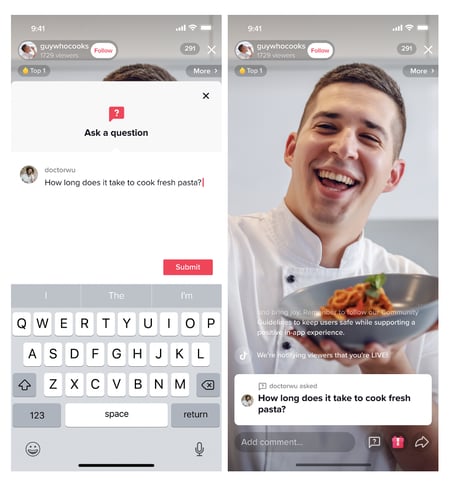
Here are some of the top features:
Q&A
The Q&A feature allows creators to respond to audience questions directly during the livestream. Creators are given access to various tools to select, display, and respond to only the questions they want to answer.
Multi-Guest
TikTok’s multi-guest feature allows users to go live with up to five guests using a panel or grid layout. This feature is excellent for hosting panel discussions, live how-to videos, and other community-based events.
Live events
To build anticipation around your Live, you can schedule, manage, and promote your livestream ahead of time to your followers.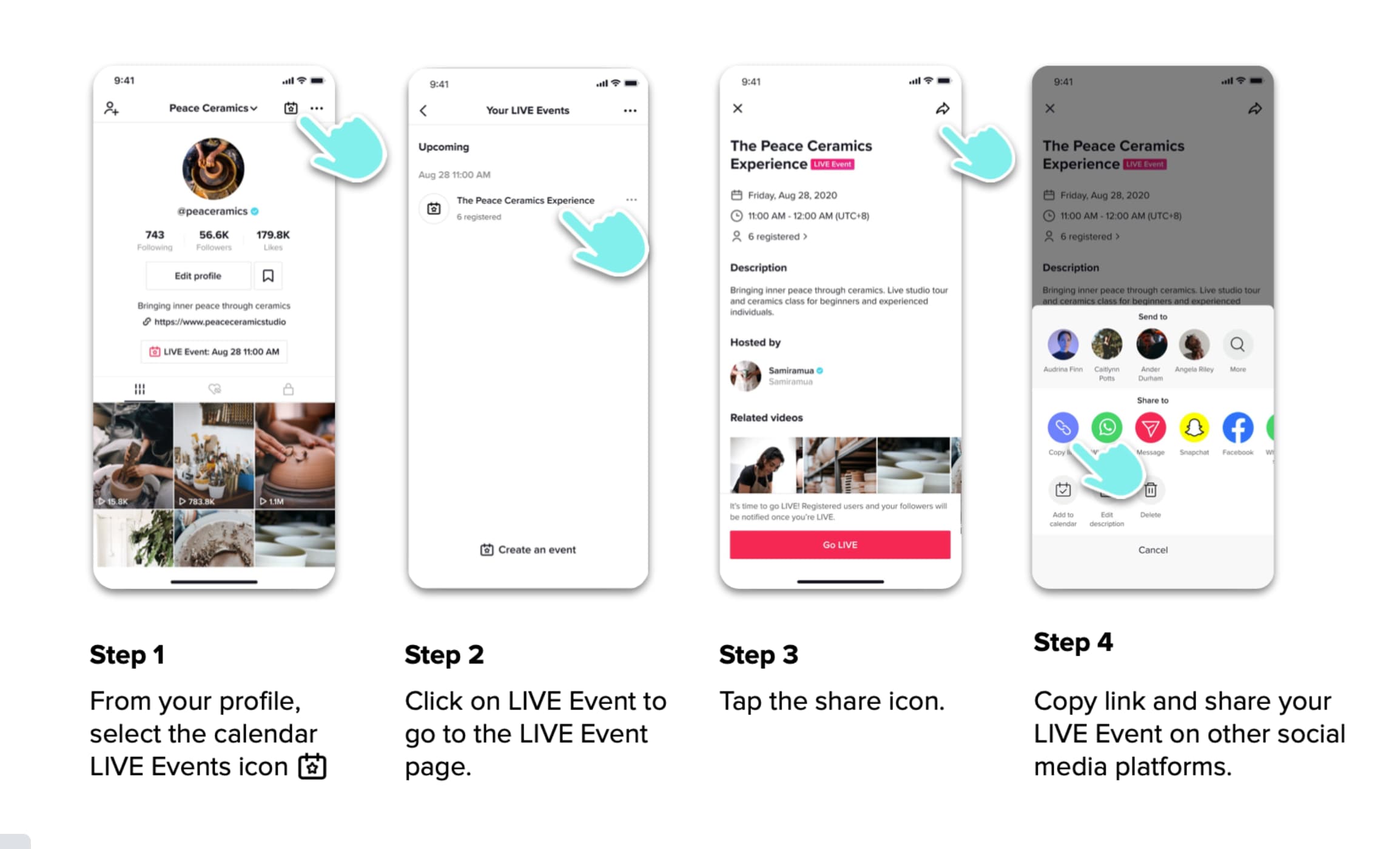
Image source
Gifts
If you are a part of TikTok’s Creator Next Program, viewers can give you badges that hold monetary value during a live stream if they enjoy your content. Only non-business accounts and users 18 years or older can accept these rewards unless you live in South Korea, where the minimum age requirement is 19, or in Japan, where it’s 20.)
Moderators
When going live, you can assign other users to moderate the chatroom to ensure it’s safe and in line with the content you share.
LIVE Donations
TikTok’s LIVE Donations button allows your audience to donate to your chosen charity. You can select your cause either before or during your stream. To set up donations before the stream:
- Select the anchor link that says “Select Non-Profit” in the top left corner.
- Select the non-profit you’d like to support and add to your livestream.
- Press “Go LIVE” once the nonprofit you select appears in the top left corner.
To set up donations during the stream:
- Click the bottom right arrow for more options.
- Click “Support Non-Profit.”
- Select a non-profit to add.
- Place the donations sticker wherever you prefer on the live screen.
LIVE Topics
This feature gives your audience an idea of what to expect in your livestream. LIVE Topics include music, sports, food, gaming, and DIY categories. LIVE Topics also boosts the discoverability of your livestream by enabling new viewers to discover and join your stream based on the LIVE Topic you’re covering.
Keyword Filters
Another way to protect your live stream is by automatically removing comments that feature words or phrases you’ve flagged.
How to Go Live on TikTok
1. Open the app and click on the ‘+’ sign.
2. Slide to the ‘LIVE’ tab.
3. Add a title.
4. Click ‘Go Live.’
After your live, you can access the recording for up to 90 days by going to your “settings and privacy” tab and selecting “LIVE replay.” From there, you can download your live video or delete it.
How to Join Someone’s TikTok LIVE
Send a request to join someone else’s TikTok LIVE. To do this, click on the livestream you want to join. Then, head to the comments section and click the icon that looks like two people. Finally, hit the ref request button. If the host of the TikTok Live accepts your request, you’ll join their livestream.
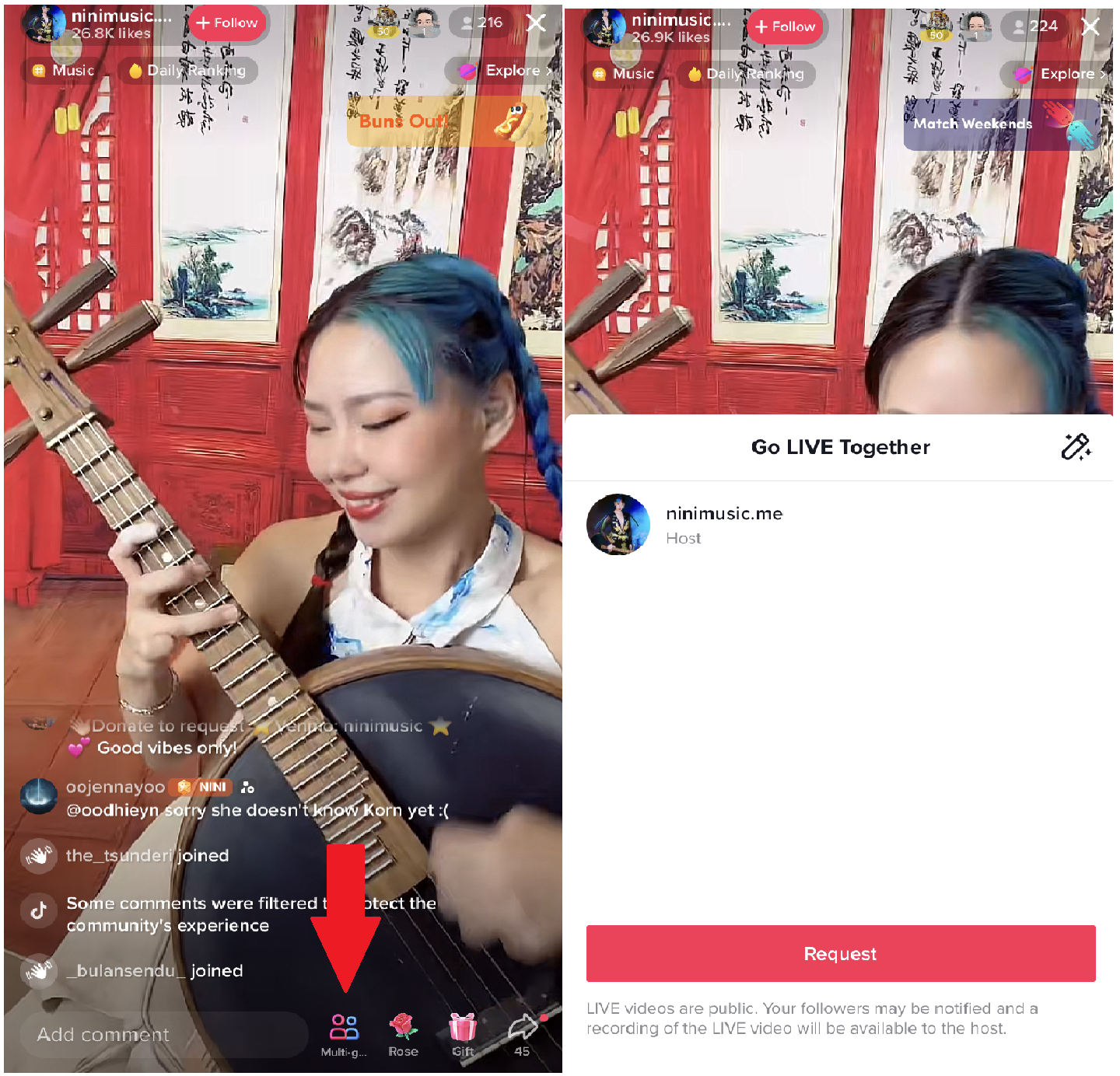
Why can’t I go live on TikTok?
There are several reasons why you may not see the option to go live on TikTok, such as:
- You’re under 18 years old.
- You have less than 1,000 followers.
- You have recently violated one of TikTok’s policies and are under review or suspension.
If you meet the requirements and can’t go live, you can report this issue to TikTok.
Tips for Going Live on TikTok

1. Know when your audience is most active on the app.
You want to ensure you reach your target audience by providing a more personalized experience and relevant advertising. This means knowing exactly when most are active on the app.
Check your “Followers” tab in your Analytics to find this out. It will tell you what times and days your followers are most active, along with other insights, like videos and sounds that are most popular with your followers.
All of this information will be valuable when planning your live.
2. Set the stage.
Nothing makes me click out of a live quicker than lousy lighting.
The first thing you want to do is make sure your lighting is arranged ahead of time. This can mean setting up before a window that gets great natural light or investing in artificial lights.
The next thing you’ll need is a quiet room. Make sure there isn’t a ton of background noise, as that can distract viewers and make it hard to maintain their attention. You can also invest in an external mic to improve your sound quality.
In addition, consider investing in a tripod. This will allow you to move freely as you are on the live.
Lastly, make sure your wi-fi connection is strong. You can quickly lose viewers if they struggle to hear or see you on the app.
3. Have a clear goal and outline.
Any time you plan on interacting with your audience, you should have a clear goal. It can be building brand awareness, learning more about your audience, leading users to your website, generating leads, etc.
Once you know what your goal is, outline your broadcast. This will ensure you communicate your key points and meet your end goal.
Here’s an example of a simple outline for a brand that’s announcing a new product:
- Welcome the audience and shout out specific usernames.
- Announce the new product.
- Dive into product specifics, such as benefits, features, and initial customer reviews
- Share discount code.
- Direct viewers to the website for purchase.
- Answer questions about the new product.
- Direct users to the website and sign off.
4. Have a moderator.
A moderator is a user you assign to ensure the chatroom is safe and enjoyableduring your broadcast.
Chats are notorious for having bots and trolls that can distract users and keep you from seeing important messages from your audience. The moderator will help you manage the live and allow you to focus on engaging your audience and sharing your message.
Going live on TikTok is a great way to connect with your audience and strengthen that brand loyalty. If you’re not yet at 1,000 followers, gather ideas for broadcasts by looking at your competitors and seeing which live strategy will most effectively meet your goal.
This way, you’ll be more than ready when your account meets the requirements.


HubSpot to Continue Delivering the Promise of Connection
Platform solutions have always been known as a one-stop shop for all of a marketer’s needs.
At their core, platforms are meant to help marketers, whether that’s understanding their customers’ journeys, optimizing the path to purchase, or quantifying the revenue that a campaign produces.
And, as I discussed last year, HubSpot delivered on the promise of platform through our world-class solution that doesn’t sacrifice power for ease of use.
Last year we focused on what it meant to be a valuable platform for our customers. Since then, we’ve made a number of product enhancements to double down on this promise.
Here at HubSpot, we’ve intentionally built our platform to meet the needs of organizations regardless of where they are in their journey. Our customers have always taken comfort in our easy-to-use tools and freedom to scale when they’re ready to.
That said, a lot has changed in the last few years and as a result, our customers’ needs are shifting. Although platform solutions are still the answer, customers need more than just the promise of strong technology.
They need connection.
Facing the Crisis of Disconnection
We’re living in a disconnected world – disconnected from one another, from the people we work with, or in this case, from the companies we do business with. In a time when connection matters now more than ever – this is a huge problem.
At INBOUND 2022, our CEO Yamini Rangan introduced this concept, that we’re suffering from a crisis of disconnection – disconnected data and systems, disconnected customers, and disconnected people.
As a result of that, our customers are interacting with products and businesses differently – they’re cautious and slow to trust brands.
They’re not only taking back ownership of their personal data, but they’re placing more trust in one another and expecting more flexibility and value from the companies they do business with. And it’s our job to fix that, keep them connected, and continue to trust our brand. But how?
If you ask our Chief Customer Officer, Rob Giglio, he would say that in order for your customers to feel valued, they need tools to evolve as they do. Empowering our customers to grow better by building deep and lasting connections with their customers is a top priority for HubSpot.
Give them those tools and they’ll naturally orchestrate stronger, more efficient processes.
United teams working on united systems translate into connected and consistent experiences for customers. Creating this is what translates to trust, and ultimately loyal customers.
Entering the Age of the Connected Customer
Creating connection matters. Customers want to feel known and valued, with the power, ease, and support to help them scale.
Our customers are facing difficult financial headwinds and are finding themselves needing to do more with less.
This is why the value that marketers are able to receive from their technology investment is more important than ever – whether that’s consolidated views into campaigns, sharper analytical tracking, or more powerful targeted ad capabilities, all while respecting customer privacy.
More on that here.
Marketing Hub gives marketers access to their customer data and tools in real-time, so they can create personalized experiences that attract, engage and delight customers in a more connected way.
HubSpot has always put the customer first, and we’re doubling down on that commitment by prioritizing genuine connection and continuing to build products that meet the ever-changing needs of growing businesses.
Built on our commerce-powered CRM and supported by a robust support network, partner ecosystem, and integration marketplace, Marketing Hub unifies our customers’ data right out of the box and gives them flexibility to grow within the platform as the business grows.
Continuing to Provide Connection
Creating a trustworthy environment with your customers is more important than ever. When making a purchase decision, customers need to trust that they can adopt our brand for not only ease of use, but also that we are here to support their needs.
Customer feedback will always be an important indicator of our performance. From our perspective, true magic happens when the market and industry experts also recognize that success.
This is why I’m extremely proud that, for the second year in a row, HubSpot has been named a Leader in the Gartner® Magic Quadrant™ for B2B Marketing Automation Platforms with Marketing Hub being evaluated.
We feel that being recognized as a Leader in B2B marketing automation by Gartner® is another point of validation that we’re doing what’s right for our customers, and a true testament to our continued commitment to delivering the best possible product, and trustworthy user experience, for our customers.
Source: Gartner, Magic Quadrant for B2B Marketing Automation Platforms, Rick Lafond, Julian Poulter, Matthew Wakeman, Jeffrey Cohen, Jeff Goldberg, 20 September 2022.
GARTNER and MAGIC QUADRANT are registered trademarks and service marks of Gartner, Inc. and/or its affiliates in the U.S. and internationally and are used herein with permission. All rights reserved.
Gartner does not endorse any vendor, product, or service depicted in its research publications, and does not advise technology users to select only those vendors with the highest ratings or designation. Gartner research publications consist of the opinions of Gartner’s research organization and should not be construed as statements of fact. Gartner disclaims all warranties, expressed or implied, with respect to this research, including any warranties of merchantability or fitness for a particular purpose.

The Top Marketing Trends of 2023 & How They’ve Changed Since 2022 [Data from 1000+ Global Marketers]
The marketing world moves at the speed of light.
As a marketer at any experience level, keeping up with these changes isn’t always easy. But, to succeed in the fast-paced marketing world — and maintain a sense of relevance with your audience — it’s vital to stay ahead of them.
To help businesses build cutting-edge and competitive marketing strategies in 2023, the HubSpot Blog surveyed more than 1,000 global marketing professionals — and talked to a handful of industry experts — to create this bookmarkable guide of marketing trends to watch in the next year.

1. Influencer marketing will evolve into a common marketing tactic.
Influencer marketing really picked up steam in 2022, and we predict this trend will keep pace in 2023. Why? 89% of marketers who currently engage with influencer marketing will increase or maintain their investment next year.
On top of that, 17% of marketers are planning to invest in it for the first time next year.
When marketers collaborate with influencers and industry thought leaders in their industry, they can expand brand awareness and gain fans from the influencer’s own audience.
Can’t afford to hire a celebrity influencer with millions of followers? That’s okay. In fact, more than 56% of marketers who invest in influencer marketing work with micro-influencers.
Micro-influencers are social media promoters with a smaller following (typically, thousands to tens of thousands of followers). Although they have fewer followers, their posts often pack more punch due to their higher level of engagement.
These influencers have found a niche in their industry, too — which is why they’ve started to play a bigger role in converting leads, connecting with audiences, and boosting brand awareness.
Because micro-influencers are still considered “everyday” people (unlike hard-to-reach celebrities), their audiences are actually more likely to trust their opinions and recommendations.
For example, Rosie, who’s known as The Londoner, is a popular travel and lifestyle influencer with over 330k loyal followers who interact and engage with her posts. The below image of a post on profile shows that with almost 36,000 likes, Rosie is garnering almost 11% engagement.

Although it’s tempting to only look at just follower count when determining if an influencer is right for your brand, remember that true influence lives in engagement rates (clicks, subscribes, and purchases).
Featured Resources
- How to Become an Influencer in Your Industry
- The 6-Step Process to Maximize Your Influencer Outreach
2. Video marketers will keep content short.
Short-form video has taken the marketing world by storm, and we predict it will carry over in 2023. A staggering 90% of marketers using short-form video will increase or maintain their investment next year, and 1 in 5 marketers plan to leverage short-form video for the first time in 2023.
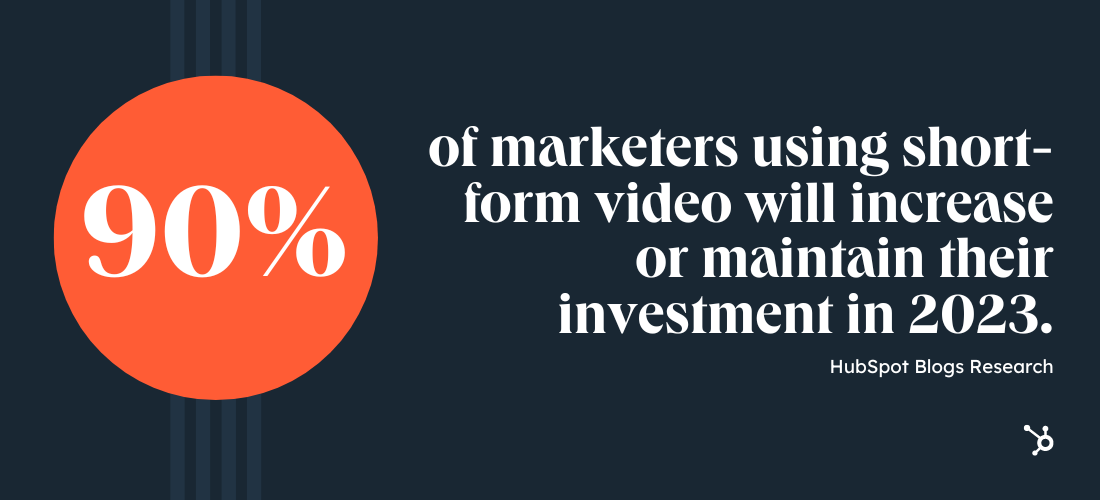
While long-form videos can offer depth and large amounts of information about a product, brand, or services to audiences, both B2C and B2B marketers have learned that getting to the point with short-form videos can actually be much more effective.
Not only does it take less bandwidth to create a short-form video, but this type of format aligns well with the fast-paced attention spans of online audiences in a variety of demographics. This is likely why platforms like TikTok, Reels, and — in previous years — Snapchat have gained quick growth and marketing interest.
Still not convinced that short-form videos can be effective in your marketing strategy? Check out this great example of a TikTok video from Canva that informs viewers of just how easy it is to make professional-looking graphics with the website.
Featured Resources
- The Ultimate Video Marketing Starter Pack
- YouTube for Business: A 30-Day Roadmap for Channel Growth
- How to Use Video in Every Stage of the Buyer’s Journey
3. Social media will become a customer service tool.
Leveraging social media as a customer service tool is relatively new, but this trend is quickly gaining steam. So much so, more than a quarter of marketers use direct messages (DM’s) to offer customer support, and 15% of marketers plan to try it for the first time in 2023.
It’s no coincidence that this trend is emerging at a time when many social media platforms — namely Instagram and Facebook — are expanding its e-commerce capabilities. For this reason, providing customer service on these platforms will become even more crucial.
It’s also worth noting that consumers want to communicate with brands via DM’s — especially the Millennial and Gen Z crowd. HubSpot’s 2022 Consumer Trends Survey found that 20% of Gen Z-ers and nearly 25% of Millennials have contacted a brand on social media for customer service in the past three months.
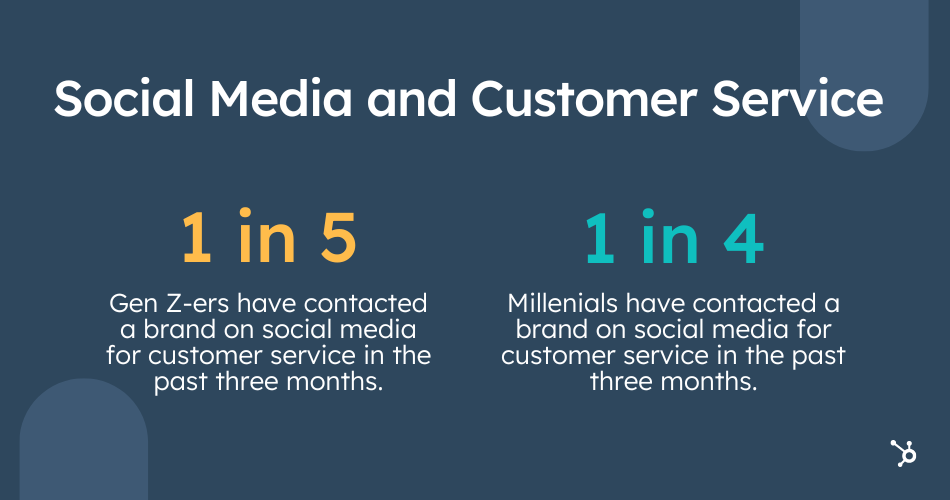
4. More businesses will leverage SEO to concur search traffic.
As marketers, we must ensure that our websites and content are as discoverable as possible — especially on Google — which can provide both long-term and short-term traffic returns. And, while SEO is not new, it’s strategies are becoming even more ingrained within modern day marketing strategies.
When it comes to the trend marketers will invest the most money in for 2023, SEO ranks third behind short-form video and influencer marketing. Further, 88% of marketers who have an SEO strategy will increase or maintain their investment in 2023, which is a slight uptick from the year before (84%).
As the interest and need for SEO strategies grow, so do all search optimization opportunities. As Google algorithms have evolved, SEO has become about much more than churning out basic posts that answer simple search queries. Now, brands are investing in SEO experts who can help them with everything from search insights reports, to multimedia optimization.
5. Mobile optimization will be even more important.
Consumers are spending more and more time on mobile devices. In fact, more than half of annual online website traffic comes from mobile devices, including tablets.
As millennials and Gen Z audiences continue to grow buying power, mobile-optimized digital experiences will be even more vital to consider as a business owner who markets to these fast-paced, highly connected generations.
Above are just some of the reasons why:
- 33% of global marketers invest in mobile web design,
- 64% of SEO marketers call mobile optimization an effective investment
And, mobile experiences aren’t just important on brand websites, they’re also important in other key marketing strategies. For example, 56% of marketers who work with email are focused on delivering mobile email experiences to subscribers.
Featured Resource
6. More companies will prioritize social responsibility.
89% of marketers who create social responsibility content plan to increase or maintain their investment in 2023, which is almost double from the year before.
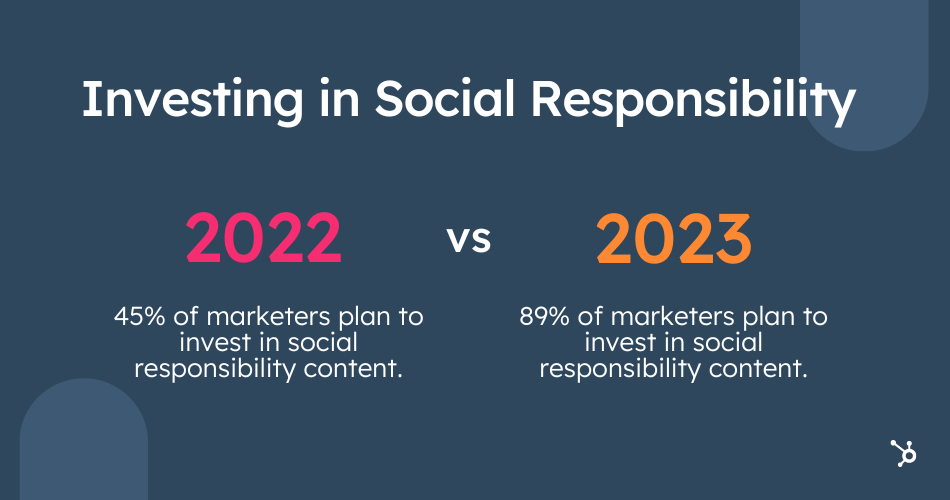
The trend is clear: social responsibility, ethics, and transparency matter to the modern consumer.
For instance, 50% Gen Z-ers and 40% of Millennials want companies to take a stance on social issues, specifically racial justice, LGBTQ+ rights, gender inequality, and climate change. When companies advocate for these issues, it has a strong impact on their purchase decisions
With all of this in mind, companies have begun to pivot social media strategies to focus more on inclusive initiatives, promotions, and offerings, while highlighting causes or missions they support. Although this might not sell products immediately, showing a sense of social responsibility is still both thoughtful and effective.
Senior Lecturer in Leadership and Innovation, Hal Gregersen, shares his perspective on the subject:
“If there can be a perfect storm of opportunity for strengthening D&I [diversity and inclusion] in organizations, I believe it is happening now.,” Gregersen says. “With the pandemic, traditional ways of doing business and of working were upended, and now, barriers to the idea of change are dissolving.”
7. Aligned marketing and sales teams will win.
As we inch closer to 2023, it’s becoming increasingly crucial for sales and marketing teams to work together. When these teams are aligned, marketers can get a more complete picture of their customers, including their interests, hobbies, and demographics.
But when this doesn’t happen, it creates a flurry of problems for everyone involved. Most notably, it’s more challenging to share and access data across teams — which 1 in 5 marketers currently struggle with.
Worryingly, only 31% of marketers say their sales and marketing teams are strongly aligned. It’s no surprise that almost half of marketers are shifting their goals in 2023 towards sales and marketing alignment.
8. Experiential marketing could make a comeback.
Experiential marketing campaigns enable audiences to step into an immersive experience that is often in a physical place or via an AR/VR platform.
One example of an experiential campaign you might have seen in the past was M&M’s Flavor Room pop-up.

Image Source
The experience included orb-shaped “rooms,” which were each complete with decor and fragrances unique to a certain candy flavor. The pop-up, which was based in NYC back in 2018, also included snack and drink lounges with M&M-themed cocktails — which, I’m willing to bet, we’re great opportunities for M&M to appear on different attendees’ social pages.
Although immersive experiences like these were fun, effective, and highly shareable on social media, they ran into barriers in 2020 and 2021 as businesses, public venues, and entire countries were forced to shut down public operations in the global pandemic.
And, because producing a branded AR/VR experience is a high-budget bet that can also rely on audiences to have tools like AR/VR headsets or the latest smartphone technology to access the content — fewer small brands have invested in digital experiential marketing.
But, now, as digitally immersive platforms continue to get more accessible to larger audiences, the possibility of experiential marketing back on the table again for 2023.
9. Inbound marketing will remain a best practice for growing brands.
In a time of digital transformation, embracing inbound marketing is an incredibly smart move.
Throughout the last two years, the world’s dealt with unprecedented change, and outbound marketing tactics have become even less effective in reaching prospects and leads.
The shift from in-person to hybrid work from home (WFH) business practices have made inbound marketing come to the forefront of effective tactics. For example, there’s been a significant rise in virtual events due to COVID-19 forcing marketers to get creative to catch the attention of customers.
John Hazard, the founder and content strategist at digital marketing agency Lighthouse Creative Group, sees this as a place of opportunity to generate interest despite their typical formulaic production. “Screen fatigue is a big issue for brands.”
Hazard adds, “As virtual events have exploded as a replacement for in-person engagement, every business has tried to roll out events, webinars, and virtual conferences. But most are just PowerPoint presentations or an executive talking with their kitchen in the background. That’s not interesting … So, the race is on in 2021 for polish and production value — graphics, directors, professional hosts, equipment, and no kitchen backdrops.”
Inbound marketing can be a valuable asset to create brand awareness and build trust digitally through refocusing strategy to drive customers to seek out your content.
The process of inbound marketing requires you to produce quality, valuable content tailored towards your target audience and buyer personas and their needs.
Why Brands Are Adopting the Flywheel
The marketing funnel is old news. Today, the flywheel — and a subsequent focus on service — have replaced the one-way direction of the funnel and lives at the center of many inbound marketing strategies.
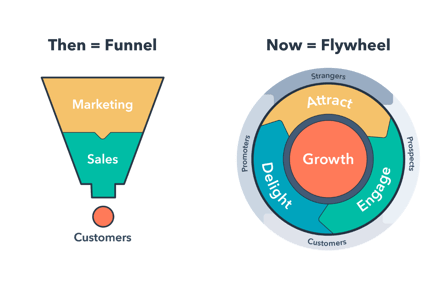 In the world of the marketing funnel, customers were an afterthought. Once they became a paying customer, businesses considered them obsolete — until, of course, it was time re-sign that contract.
The flywheel, on the other hand, places the customer in the center. Since word-of-mouth marketing is one of the most powerful marketing tactics, it’s wise to not only serve your customers but also equip them to become advocates for and promoters of your brand. The flywheel illustrates this process: excellent service as its own marketing strategy.
By keeping the flywheel at the center of your marketing efforts, you’ll delight and empower your customers. It’s worthwhile to place a heavy emphasis on customer service and train your team to handle requests and issues.
This will lead to customers who can market for you — they can promote and advocate for your business via their networks both online and in-person.
Featured Resource
10. Virtual reality (VR) and augmented reality (AR) will experience slow adoption in the marketing sphere.
We initially had high hopes for VR and AR in the marketing space. Back in 2021, 35% of marketers were leveraging AR or VR in their strategies, and of those marketers, almost half planned to increase their investment in 2022.
But in 2023, it could fall lower on the list as less marketers plan to invest in it. More than a quarter (27%) of marketers are planning to stop using VR and AR next year.
Generally speaking, this is a trend marketers have been slower to adopt due to pricey equipment and bulky headsets. But, as VR glasses and AR apps become more accessible, this could turn around.
11. More brands will test out native ads.
This year, almost a quarter (23%) of marketers planned to leverage native ads for the first time, and we predict this number will continue to grow in 2023.
Why the growing interest in this strategy? Well, it works. Of the marketers who use native ads, more than 36% say it’s effective, while nearly 50% say it’s their top ROI-generating tactic.
When your brand pays to feature content on a third-party website, you’re investing in native advertising. Unlike traditional advertising, which is designed to interrupt and stand out, native advertising is designed to blend in and promote your brand to a new audience who might otherwise never learn about you.
Because native ads don’t “feel” like traditional ads, consumers are more likely to consume them — in fact, consumers view native ads over 50% more than banner ads.
Examples of native advertising can be found on social media, through search engine results, content recommendation platforms (those links to various other content you can click at the bottom of the page to read more on or related to the topic), or in campaigns.
For example, Instagram is a popular social media network that routinely partners with brands for native advertising. By taking advantage of the Instagram Story or Shop features, brands are able to share posts that look similar to the average user’s followers posting style, while subtly advertising a product.
Content Marketing Trends
At least 47% of buyers view three to five pieces of content prior to engaging with a sales rep, and the majority of them expect brands to create content to gain their interest. That’s why brands all around the world have only grown their investments in content marketing.
But what content strategies are brands investing in? Below are just a few trends you’ll want to follow in 2022.
Featured Resources
12. Video will remain the top marketing content format.
Video dominated the marketing space in 2022 – and we predict 2023 will be no different. Why? Because marketers plan to invest in short-form video more than any other trend next year. What’s more, a whopping 90% of marketers who currently leverage short-form video will increase or maintain their investment in 2023.
“Video creates a deeper connection with your potential customer base and it is easy for brands to repurpose video content into podcasts and text-based content,” Neil Patel CMO and Co-Founder of NP Digital, says.
In the past, video creation and marketing strategies were limited due to costly resources and production. Today, it’s much more accessible. With a lower-cost barrier, video has become less intimidating to incorporate into your marketing efforts.
“Our company, Jotform, has been ramping up our video efforts on YouTube. We have over 16,000 subscribers and have seen a huge increase in site traffic and signups from investing in video on this platform,” says Aytekin Tank, Founder & CEO of Jotform.
You don’t have to hire a production team or marketing agency; all you need is a smartphone, such as an iPhone, and affordable editing software. Don’t believe us? This post highlights how our own video marketers created video content from home at the beginning of the COVID-19 pandemic.
13. Blogging isn’t going anywhere.
Blogging has been a commonly used marketing strategy since brands started building their own websites. But, the age of this tactic shouldn’t be a sign that it’s out-of-date. In fact, blogging has been used for so long simply because it works. So much so, one in three marketers leverage their own blog or website
On top of that, our research suggested that most consumers read blogs multiple times per week and have purchased something from a brand after reading the company’s blog.
Aside from providing consumer engagement and potentially conversion, blogs also provide a major key benefit to your website or online pages: search discoverability.
Ultimately, sites with robust blogs have more search potential and can implement SEO strategies much easier than sites that don’t.
Think about it this way. If a prospective client wants to hire a virtual accountant, and your firm’s site has a blog post that highlights tax tips or strategies your accountants use, this person might find your post or website via Google search, read your post and explore your website, and then decide that they want to contact you for a consultation or accounting assistance.
If you haven’t considered a blog by this point, but are intrigued by this data, check out these resources to help you build out your own strategy:
14. Case studies will continue to drive leads and brand credibility.
Longer-form case studies offer prospects an incredibly deep and exclusive look into how people or brands benefit from a product, service, or strategy. While some businesses place them publicly on their web pages to persuade a potential buyer as quickly as possible. others might gate them as free PDFs that require a lead conversion to be downloaded.
Although many marketers, such as those in B2C industries, don’t leverage case studies, those that do find them effective. Additionally, case study usage in content marketing is only growing: 37% of marketers planned to use case studies in their marketing strategy for the first time this year.
15. Marketers will embrace data with infographics.
If a picture paints a thousand words, infographics could paint at least double.
Infographics not only have the shareability and visual appeal of a nice photo — but they’re also packed with helpful data and informative information. This makes them incredibly engaging to web visitors and social media audiences alike.
Of the marketers who regularly use infographics in their content strategy, 56% say they are their most effective content type.
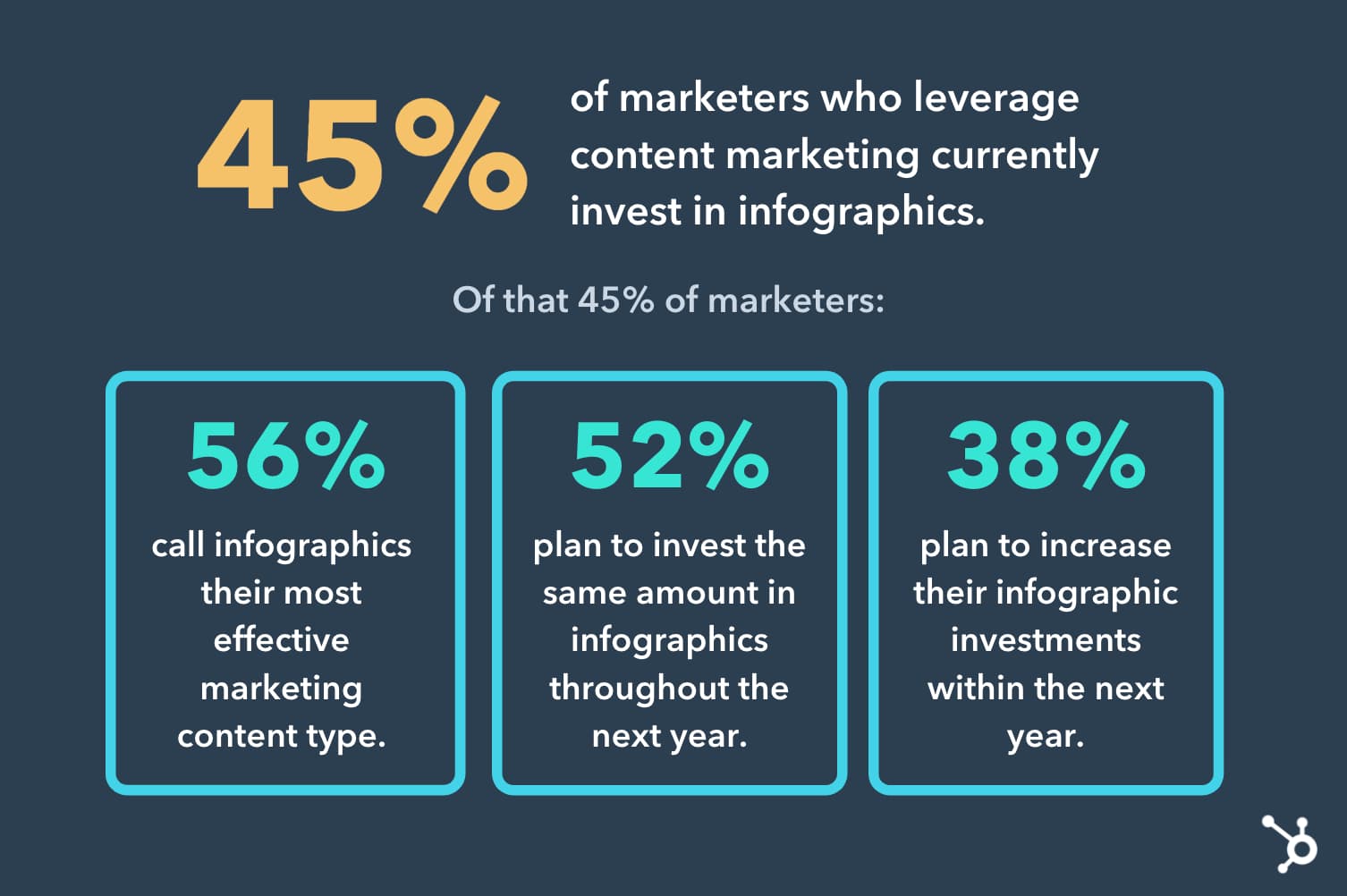
Ultimately, credible data can help marketers, bloggers, and content creators tell compelling and persuasive stories. Why else do you think we surveyed hundreds of marketing professionals to create this content?
Featured Resources
- How to Start a Successful Blog [Free eBook]
- The Complete Collection of Content Marketing Templates
- Free Editorial Calendar Templates
Social Media Marketing Trends
In the U.S. alone, 79% of people have some type of social media account — and globally, there are over 3.7 billion social media users.
This is why social media marketing is a popular channel that’s become a part of almost every business’s greater marketing strategy. Social media marketing allows you to authentically connect with your audience on a personal level, humanizing your brand.
16. Selling on social media.
Many social media platforms are vying to become the next go-to shopping destination. Instagram has Instagram Shopping; Facebook has Facebook Shops; and TikTok is testing new e-commerce and partnership features.
This shift is already having an impact on consumer shopping habits For instance, 71% of Gen Z-ers prefer to discover new products on social media. The same is true for 51% of Millennials.
If this trend continues to grow, you may want consider focusing on social media for your lead generation efforts.
17. TikTok will continue to gain brand interest.
TikTok will experience even more growth in 2023, as 56% of marketers who currently leverage the platform are planning to increase their investment in 2023, the highest of any social media app.
Brands have been trying to tap into the true power of TikTok since it first began to go viral three years ago. Now, with well-over 1 billion global users, TikTok has positioned itself as an app for a wide variety of audiences and marketers.
Of course, if you think TikTok is just for younger demographics, think again. 50% of Millennials report visiting TikTok in the last three months along with 38% of Gen X-ers, according to HubSpot’s 2022 Consumers Trends Report. We predict these numbers will continue to rise as TikTok becomes more mainstream.
18. Most marketers will focus on just three to five social media platforms.
On average, marketers leverage four social media platforms in their roles. Facebook is the most used social media platform, used by 64% of marketers, followed by Instagram (58%), YouTube (57%), Twitter (43%), and TikTok (42%).
Managing three to five platforms is realistic. This range allows brands of all sizes to expand their reach to different audiences while also giving social media marketers a realistic list of platforms to master without stretching their bandwidth during the work week.
Here are a few questions that can help you determine how many platforms you should really be on:
- How many social media marketers are on your team?
- Which social media platforms have audiences that best align with your targets?
- How much time will it take to master a strategy on each of the platforms you’re targeting?
- Are there any platforms that won’t benefit your overall marketing strategy right now?
- Are there any platforms you can easily repurpose engaging content between? (such as TikTok and YouTube Shorts)
By asking yourself some of the questions above, you can determine how much time your social team and brand will need to build an effective and engaging strategy on each platform, and prioritize which platforms you should really focus on.
Featured Resources
- How to Use Twitter for Business (+ Follower Growth Tracking Template)
- 30 Days of Instagram: A Guide for Businesses
- How to Attract Customers With Facebook
Search Engine Optimization Marketing Trends
61% of marketers say improving search engine optimization (SEO) to grow their organic presence online is their top inbound marketing priority.
Are you one of these marketers? If so, have you figured out how exactly you plan to improve your SEO and organic presence? When you optimize for specific types of consumer behavior, you’ll help your business become more discoverable online.
19. Keyword optimization will be a key priority.
By far, one of the HubSpot Blog’s most vital tactics is our Search Insights Report. This report highlights all the keywords we would like to leverage and all the blog posts we’ll need to create or update to rank for those keywords on Google.
But, we’re no longer one of the only blogs using a SIR anymore. In fact, 47% of marketing professionals who leverage SEO say their companies use search insights reports in their strategy.
For example, you can use tools like Ahrefs or SEMRush to do some quick SEO keyword research related to your business, products, or upcoming content to learn where you can boost your content with keyword-optimized titles, subheads, body text, or descriptions.
20. Web teams won’t forget about video and image SEO.
SEO doesn’t just involve changing the text on a page. It can also involve choosing and optimizing the right videos or images for a page to help it rank in Google images or search engine video carousels.
While optimizing images could involve compressing files to increase page speed and adding keyword optimized alt text to an image, video optimization strategies could involve embedding an video with a similar topic or keyword into a blog post.
Currently, 53% of marketers who leverage SEO have a strategy for optimizing videos and images. Of those marketers, 49% say image and video optimization is their most effective SEO tactic.
21. Link-building will help brands grow authority — and search rankings.
When sites with solid rankings begin to link to yours, Google’s crawlers note that your site might be credible and also have solid authority in your space. This can then tricker your Google ranking to go up. This, ultimately, is the goal of link-building — or getting other sites to link to yours.
Although writing highly shareable content, reaching out to share it with other websites, or ensuring that your post gets links can be time-consuming and challenging, research shows that this time and effort pays off. Of the 48% of SEO marketers that use backlinking and link building, 63% say its their brand’s most effective SEO tactic,
22. Historical optimization will help old web pages get new traffic.
Instead of coming up with new ideas, marketers are going to be taking what’s worked in the past and optimizing it for the present.
In SEO, keeping your content up to date and full of rich, engaging content will outweigh older work that is lacking in keyword relevancy with old statistics and links. Not only that, but taking existing content and repurposing it for a new podcast, webinar, or blog post can be an efficient way to keep it relevant in search engines.
While one in four SEO marketers leverage historical optimization in their strategy, 29% say of those marketers say it’s an effective SEO strategy.
23. Voice search optimization is less of a priority
Back in 2021, 41% of marketers planned to increase their investments in voice search optimization in the coming year. However, it seems this trend is less of a priority for marketers these days.
More than a quarter (28%) of marketers say they will stop leveraging voice search optimization in 2023.
While that may seem bleak, there is a portion of marketers who plan to explore this trend for the first time in 2023 (13% of marketers, to be exact). How will they do this? By framing their content around questions.
Think about it: these digital assistants answer short, informational queries such as “Who is the actor in Mission: Impossible?” or, “What’s the weather in Boston today?”, but they’ve also started to process more local, conversational, and customized searches. These may sound like, “Where’s a nearby coffee shop I can work from today?”, “How late is it open?”, and “Do they serve iced coffee?”
Aja Frost, Head of English SEO at HubSpot, says: “Businesses should look at a topic and say, ‘What questions could users ask about this?’ Then, they should plan sub-topics accordingly and look for opportunities to insert questions as headers. This will allow voice assistants to easily grab questions and recognize content as solutions.”
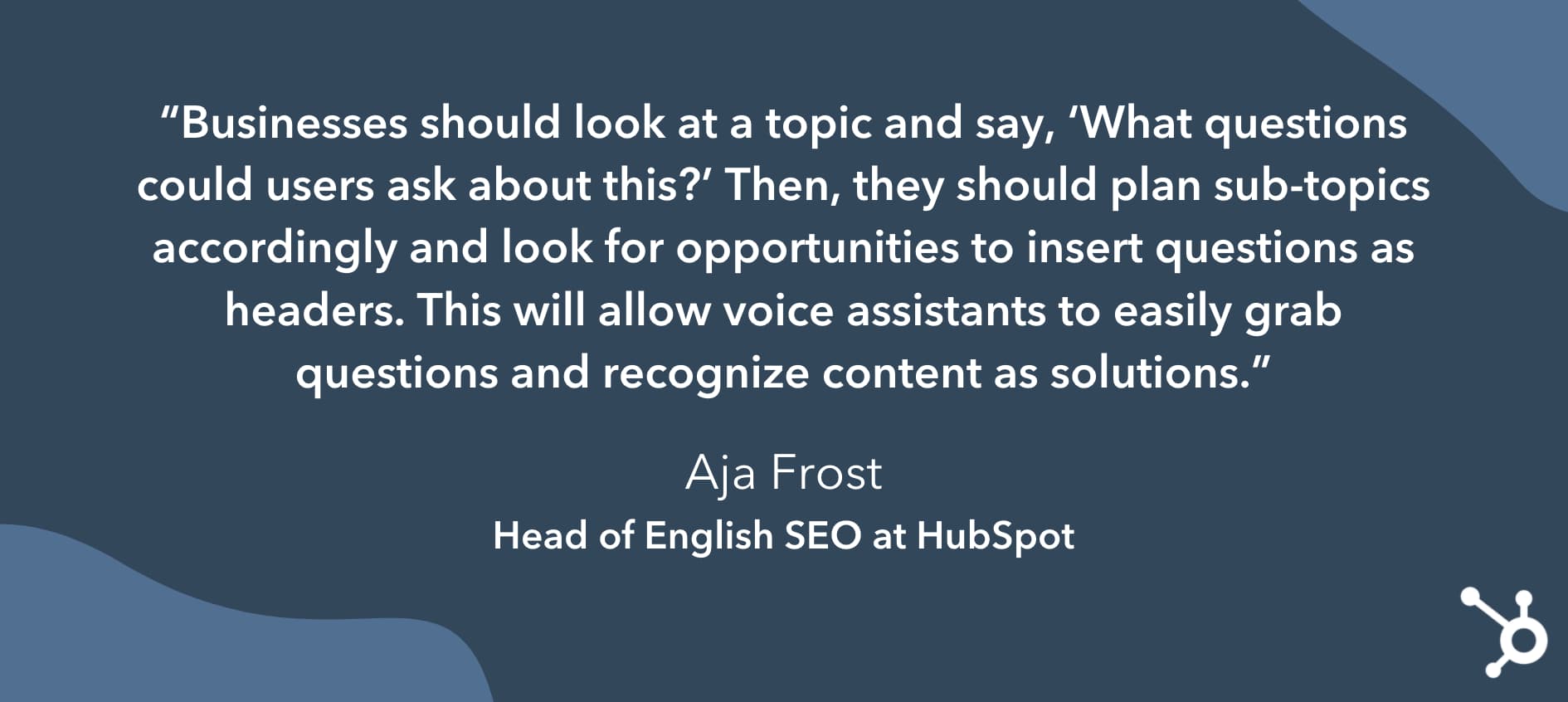
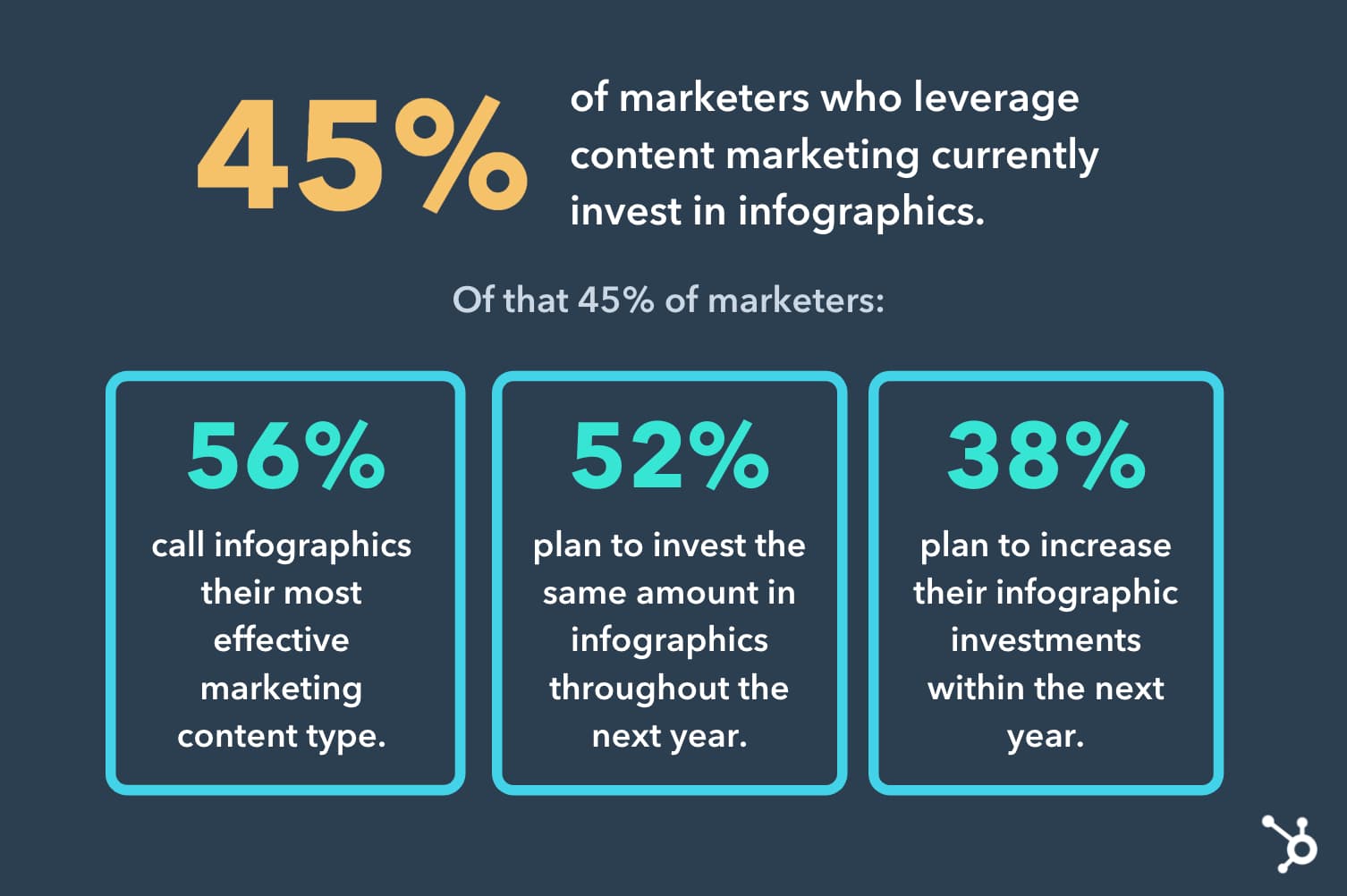
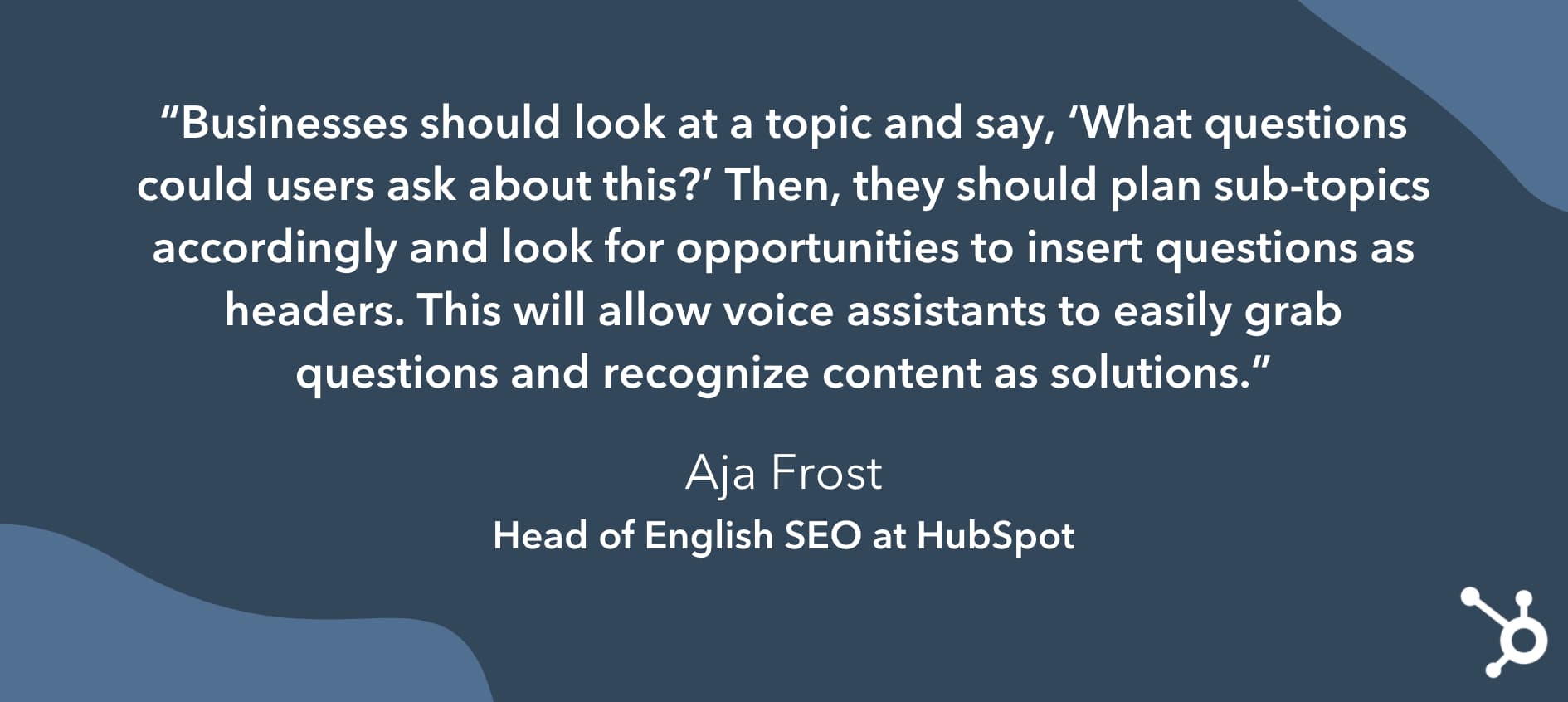
Featured Resource
24. Chatbots will continue to streamline conversational marketing.
Did you know that more than half of consumers expect a response within 10 minutes to any marketing, sales, or customer service inquiry? How can this be humanly possible?
It’s not… for humans, anyway. This is probably why 40% of marketers who use automation leverage chatbots.
Bots are powered by a computer program that automates certain tasks, typically by chatting with a user through a conversational interface. Bots are made possible by artificial intelligence which helps it understand complex requests, personalize responses, and improve interactions over time.
Bots provide the perception and dedication of a 1:1 service experience while working with hundreds of customers — something that no customer service representative or team would ever be able to do.
To the consumers who hate repeating themselves to multiple sales or service representatives (33%, to be exact), listen up — chatbots are and will continue making your lives much easier. If used correctly, they manage conversations at scale and aggregate data from multiple sources of data, from calendars to knowledge bases to blog posts and videos.
Jon Dick, SVP of Marketing at HubSpot, says: “It’s on you to make things as easy as possible.”
“Do your buyers want to use live chat? You should give it to them. They’ve had the same problem three times in the last month? You should already know, and have a plan to fix it,” Dick concludes.
Featured Resource
- How to Stay Current on Emerging Technology Trends
- How to Implement Affordable AI, According to Marketing AI Institute’s Director
Privacy Marketing Trends
25. Brands will need to give customers more control over their data.
In the marketing world, data is highly valuable — and not just valuable to you, as a marketer or business owner. Whether it’s an email address, credit card information, or smartphone location, consumers also view their data as precious and privileged — and it’s your responsibility to take care of it.
Whether a software company, bank, government agency, or lemonade stand, every business operates using data. It’s the lifeblood of all things marketing, sales, service, and more.
But, when precious information is misused or siphoned into the wrong hands, it leads to a strong distrust in businesses and potentially exploited consumers
That’s why the General Data Protection Regulation (GDPR) was enacted.
GDPR is an effort by the EU to give greater control to consumers over their data. Under the GDPR, organizations must ensure that their data is collected legally and safely and that those who collect and manage said data will protect it and respect consumers’ rights.
Following the GDPR guidelines might seem like a burden, but being fined for non-compliance will feel much heavier; fines range from 10 million euros to 4% of a company’s annual global revenue.
And — GDPR isn’t the only entity enforcing privacy mandates in 2022. In fact, companies like Google and Apple are now taking stands for user data as well.
In 2021, an Apple IOS launch enabled IPhone and IPad users to determine which apps could track their third-party data, which is often used for hyper-targeted ads.
In 2022, Apple will finish rolling out another IOS update with additional email privacy protections features for Apple Mail users. Meanwhile, Google will be discontinuing the use of third-party cookies on Chrome, while encouraging advertisers to leverage its Privacy Sandbox instead.
Ultimately, brands and governing bodies are increasingly aiming to give users more choice when it comes to releasing their data. And, while it is great for the consumer, businesses who leverage personal data to run campaigns will need to create alternative strategies and pivot plans incase they lose access to crucial datapoint.
Use Marketing Trends to Grow Better
You’re up to speed… for now. And, as long as you’re keeping a thumb on the pulse of marketing trends — and always remain open to change — your business won’t fall behind.
But, if you’re feeling overwhelmed by the idea of keeping up with all these insights, don’t worry. The HubSpot Blog will be publishing regular Marketing Strategy research pieces with data from hundreds of marketing professionals in the coming months and will continue to update this post as new trends emerge.
Editor’s note: This post was originally published in August 2019 and was updated in November 2021 with updated HubSpot Blog trends data.


What is Twitter Spaces? [+Why Marketers Should Care]
Following months of beta testing, Twitter made its new audio feature, Twitter Spaces, permanent.
Today, the highly-discussed feature is finally available to all users.
Spaces, which allows Twitter users to listen to and participate in public audio conversations, entered its beta test shortly after the launch and $100-million valuation of the app Clubhouse – which similarly offers an audio chat room experience.

Now that it’s here to stay, many brands with solid Twitter followings are also beginning to pay more attention to the marketing opportunities of Spaces.
- What is Twitter Spaces?
- Why Marketers Are Watching Twitter Spaces
- How to Use Twitter Spaces
- How to Join Spaces on Twitter
- Navigating Audio Social Media
Why Marketers Are Watching Twitter Spaces
Looking for a way to determine whether Twitter Spaces or Clubhouse is a better fit for your business? Check out our video guide comparing the pros and cons of the two social audio spaces below.
1. Twitter has major audience reach.
Twitter has well over 200 million daily active users. That user base includes audiences that fit into many different demographics all over the world. Because of this, brands can reach target audiences from all sorts of industries and backgrounds.
While Clubhouse’s user base quickly grew, it doesn’t offer comparable reach to Twitter due to its somewhat exclusive nature.
The audio social app was initially designed to be invite-only and started with a small user list of “elite” industry thought leaders, celebrities, and influencers. Only recently did every-day users start to get invited and expand its app to Android users.
2. Twitter Spaces could provide a shorter learning curve.
Learning how to use and experiment with a completely new social media app – like Clubhouse – can be time-consuming. Not only do you need to learn how to navigate it, but you also have to study its top users, brands, and trends to learn how to reach audiences there.
With learning curves in mind, marketers who are experienced Twitter users might turn to Spaces over Clubhouse simply because they already have a following on Twitter and only need to learn how to use one additional feature, rather than an entirely new platform.
3. Twitter Spaces could be more inviting to brands.
While Clubhouse’s live audio platform has pulled in users looking for authentic interpersonal conversation rather than brand information, Twitter’s audience is accustomed to seeing content from brands, such as ads, marketing videos, and promotional Fleets.
Because brand promotion feels more natural and common to Twitter users, these audiences might be more likely to accept or engage with brand-owned Space.
4. Twitter Spaces is visually interactive.
Twitter offers a number of features to make Spaces more visually appealing.
For example, Spaces listeners can use emojis to react to speaker comments. They can also share the Space while it’s live or recorded version to their newsfeed – allowing others to keep up with them.
“[The reaction feature]’s great because I see it as the perfect balance of being accessible for introverts and extroverts. If you’re not comfortable speaking, use an emoji,” said Krystal Wu, former HubSpot social media community manager, and Spaces beta tester.
5. Spaces provides a more casual environment than other streaming platforms.
Because of Spaces’ casual nature, marketers and audiences might not have to feel as intimidated when speaking in or launching Spaces, which could lead to engaging conversations between brands and their followers.
“The pressure is off when joining a Space. In all the discussions I’ve been part of, people are much more laid back no matter how casual or important the topic is that’s being discussed,” Wu explained. “I enjoy this because it removes the feeling of being ‘on,’ like most of us have been on Zoom during this pandemic.”
To learn how to use this feature and others within Spaces, keep reading for a quick how-to guide.
How to Use Twitter Spaces
How to Make a Space on Twitter
1. Start from the homepage or the Spaces tab.
There are two ways to start a Space:
- From the homepage – Click on the + icon to start a post then tap the purple Spaces icon.
- From the Spaces tab – Click on the purple Spaces icon on the bottom right of this tab to start a space.
From there, you’ll have to:
- Give your event a title, ideally related to the topic you’ll be discussing.
- Add up to 3 related topics to help relevant users find your event.
- Decide if you’ll record the Space.
- Start it immediately or schedule a date and time up to 30 days out.
Then, you can share your event with others in your feed to invite them to join.
2. Start your Space event.
As a host, you’ll be tasked with a few things:
- Designating speakers and/or moderators
- Accepting participation requests
- Sharing relevant Tweets during the conversation.
Read more about Twitter Spaces etiquette here.
3. Look for speaker requests.
When you first start a Space, the default setting will be to limit speakers to the ones you designate. However, you can change it to people you follow or anyone who joins.
Note that you can only designate up to 10 speakers at a time and have one co-host.
When someone requests to speak, you’ll get a notification and can choose to give them speaking privileges or ignore the request. If you unmute the listener, be sure to introduce them to the audience.
4. Remove or change speakers.
If you have more than 10 guests that would like to speak, you can tap one of your current speakers to remove their privileges.
This will allow you to minimize the potential speakers or add more speakers. This can be especially helpful if you’re holding a longer chat and want multiple listeners to contribute to the discussion.
Additionally, if the conversation goes awry or someone says something unexpected, Twitter allows Space creators to report or block speakers if they say or do something inappropriate.
This can help moderators create a safe and respectful environment for all listeners and participants.
5. End the Space.
A Twitter Space can only be ended by the person who launched it. To end a Space you created, all you have to do is tap the End icon.
6, Download your Space’s data.
According to Twitter, the social media platform retains data about the Space including recordings and transcriptions for up to 30 days after the event for review in case of policy violations.
Space creators can only access and download that data within 30 days of hosting, while speakers can download audio transcriptions. Spaces are ephemeral to non-speakers and conversations will disappear from the app as soon as they end.
How to Join Spaces on Twitter
7. Attend a Space.
When someone you follow is in a Space, you’ll see a purple circle around their profile picture on your timeline. A Twitter Space can also appear as a banner on the top of your feed.

When you tap on it, you’ll be given more details about who is in the Space and see a “Start listening” button. If the Space creator allows anyone who joins to speak, you’ll be asked if you want to enter the Space.
8. Attempt to speak.
Every Space you join is different. Some will allow any user to speak while others require attendees to request the ability to speak in the Space.

You’ll know by looking at your microphone icon. It’ll either say “Request” or “Speak.”
Once you’ve submitted your request, the host will be notified and will either approve or deny it. Once it’s your turn to speak, you’ll be notified.
9. Share the Space.
From the bottom navigation of each Space, you can tap the icon showing two people to invite specific followers to join, or the share button to Tweet a link to the Space you’re in.

10. React to the conversation.
If you want to respond to something a speaker says in a Space, but don’t want to speak, you can tap the heart-shaped icon in the Space’s lower navigation to see a list of emojis that you can tap to show a visual reaction.
11. Share Tweet-based conversation starters.
Wu says one of her favorite things about Spaces is that attendees can share public tweets directly in a Space.
“Any [speaker] in the Space can share a tweet, which will appear at the top of the Space,” Wu explains. “We can use it as reference points while chatting so that people can be more interactive in the discussions.”
Below is a look at Twitter’s own “Space’s” space. During the chat, which enables Twitter users to give feedback on the Space feature, a speaker shared a tweet from someone about how Spaces prioritizes attendees in its visual format.
To share tweets in a space, Wu says you just need to minimize the space you’re in, find a public tweet, tap the Share button, and tap the Spaces option. From there, the tweet will appear at the top of your space until the space host removes it or another tweet is shared.
12. Leave or minimize a Space.
Not interested in a discussion you’re listening to? All you need to do to exit is tap the “Leave” button in the upper-right corner of the screen.
If you’d like to go back to your Twitter feed, but want to keep listening to the Space conversation, you can tap the down arrow in the upper-left corner to shrink it into a small player that allows you to see tweets without leaving the Space.
Navigating Audio Social Media
If you’re a community-centric marketer, Twitter Spaces or Clubhouse could be worth experimenting and a great way to reach your audience on a more conversational level.
While you’ll certainly want to consider testing out Twitter Spaces, you should also continue to
Ultimately, if you decide audio social media is right for your brand, you’ll want to look at each platform’s pros, cons, and audience to determine which fits your target best.
To learn more about Clubhouse, which started the audio social media phenomenon, check out this post on the app’s growth. You can also check out this detailed how-to guide to see how Clubhouse’s features compare to Twitter Spaces.
More interested in growing your overall Twitter following and strategy? Click below to download a helpful free resource.
Editor’s Note: This post was originally published in May 2021 and has been updated for comprehensiveness.