
How to Become an SEO Expert, According to HubSpot’s SEO Team
Braden Becker’s journey to becoming an SEO specialist at HubSpot is a slightly unconventional one. In college, he studied Writing & Rhetoric, which helped him land his first job as a copy editor at a B2B trade publication. As he progressed through his career, Braden pivoted to content marketing, where he worked as an editor at a SaaS company and then as a content manager at the world’s largest environmental services firm.
You might think someone like Braden would continue to climb the creative career ladder in content marketing. But today he actually spends more time in Ahrefs than he does in Google Docs. As the historical optimization lead on HubSpot’s Blog Team, Braden’s main responsibility is to identify blog posts that are falling in organic traffic and optimize them for search engines to rank higher on Google. He’s even sharpened his SEO chops enough to co-create the SEO strategy for all of HubSpot’s blogs.
Traits of an SEO Expert
As a writer and editor for most of his career, SEO had always been in the periphery of Braden’s work — as it was a subject he had a solid grasp on but not necessarily a lot of expertise in.
Today, though, SEO is his central focus.
Braden, along with other SEO and historical optimization specialists at HubSpot — Aja Frost, Victor Pan, and Amanda Sellers — offered their advice about what it takes to become an SEO expert and the paths they took to get there.
Some SEO specialists don’t start out with the intention to dedicate their careers to SEO. Some start completely by accident. Let’s go over how HubSpot experts started theirs, and what you can do to start yours.
1. Develop your skills.
“Getting a job in SEO ideally requires two things: content creation skill and analytical skill. Most SEO professionals today have one of those and develop the other,” Braden says.
SEO experts are skilled writers with creative instincts. It’s helpful for those in the SEO profession to have a strong writing background because it takes creativity to optimize content in a way both Google and audiences will comprehend. In fact, Becker has noted that his writing background helped him get his start in the SEO industry.
“My background in writing and editing helped me get my foot in the door, but a willingness to focus on the structure, mechanics, and intent behind my writing is what I think secured my role as an SEO specialist for HubSpot.”
Braden’s story of pivoting from a creative career in content marketing to an analytical one isn’t as rare as you might think. Before Aja Frost became a senior SEO strategist at HubSpot, she was the editor of HubSpot’s Sales Blog.
“I taught myself how to do keyword research and competitive analysis as the Editor for HubSpot’s Sales Blog,” Aja says. “The Sales Blog’s traffic had been flat for a year and a half — I noticed that the only posts that consistently generated views for us were getting all of those views from search. So I began looking for sales-related keywords we could rank for that would help boost organic traffic.”
Resources:
So, how do you start developing your skills to be SEO-ready? Here’s what Aja had to say about her strategy for keeping her SEO skills sharp.
“To refine my SEO expertise, I constantly read. I’m really interested in technical SEO, so I look for blog posts, white papers, and research about site architecture and navigation, website speed, and everything that goes into that, including structured data,” she says. “SEO by the Sea, Sistrix, and Blind Five Year Old are all great technical SEO resources, along with (unsurprisingly) the Google Webmaster Blog. I’m a member of a few SEO subreddits (/seo and /bigseo are the most active). And I follow a ton of SEOs on Twitter — they drop random factoids or insights all the time.”
Like Braden mentioned, a lot of SEOs start with one skill and start developing others. So, whether you’ve got an analytical mind and want to start a blog to practice writing, or you’re a seasoned writer looking to train your technical mind, having a balance in both will help you in your SEO career.
2. Take a course and get certified.
Earning a certification ensures that you have the proper knowledge in a certain area to successfully practice on your own. It also gives you credibility when you network on professional sites such as LinkedIn. When doing initial SEO research, Aja found courses she could take in order to get a certification for SEO, which opened up more doors. “I read a ton of blog posts and eventually got my Google Analytics certification.”
If you decide to take a course, discover which one will provide you with the skills you need to advance in your SEO career. For instance, if you find that a certain course doesn’t go in-depth about subjects you need help in, it’s probably not the course for you.
Resources:
3. Understand how search engines crawl and index content.
The primary goal of SEO is to increase visibility on search engines so that search engine users can find your content. While content should always be created with those potential website visitors in mind, they won’t make it to your content if search engines don’t know what to make of them.
According to Moz, search engines have three primary functions:
- Crawl – Find and understand content.
- Index – Store and organize the content.
- Rank – Provide the best content for relevant queries.
The goal of increasing visibility is highly related to the third item on that list. But while rank is important, it comes after items #1 and #2.
According to Amanda Sellers, “Becoming an expert SEO means understanding those functions and optimizing content in a way that serves users… while keeping best practices in mind for crawling and indexing.”
Resources:
- How Search Engines Work by Moz
- How Google Search Works by Google
- Crawlability and Indexability by SEMrush
- What Are Crawl Errors? by Yoast
4. Gain perspective on what search engines value.
While the inner workings of each search engine will vary, keep in mind that each one has a single goal in mind: Always retrieve the best results for each query.
There are many factors that can go into what makes a particular result the “best,” but for the most part, it comes down to three things:
- Relevance to the searcher’s intent
- Authority the website has based on popularity signals
- Trust and confidence the search engine has that the website can provide a true and valuable answer
- Positive experience for the user as they consume the content
“The better you understand these big ideas, the better you’ll be able to understand the role ranking factors and SEO tactics play. With this context, the more effective you’ll be at implementing SEO initiatives and diagnosing problems when they come up,” Amanda says.
Resources:
- The Three Pillars of SEO: Authority, Relevance & Trust by Search Engine Journal
- The Ultimate Guide to SEO by HubSpot
5. Understand SEO strategies and tactics and why they matter.
“Once a search engine can crawl and index a website, it then uses ranking factors and signals to gauge relevance, authority, trust, and experience. These then translate to the strategies SEOs can use to improve their content,” Amanda adds.
These strategies and disciplines help inform SEO tactics:
- Technical SEO – This refers to the practice of optimizing the technical aspects of a website for search engines. This may include rectifying sitemap and linking errors found in technical site audits. (Indexability and crawlability)
- Keyword Research – By analyzing keyword data, you can get a better idea of what your audience wants to discover, which can then inform your strategy as you create content that is discoverable based on that data. (Relevance and search intent)
- On-Page SEO – Content that provides the searcher with valuable information while going above and beyond what’s already out there is more likely to rank. In addition, following on-page SEO best practices can help the search engine determine just how relevant the content is to the query. (Relevance and search intent)
- Link Building – Search engines use a number of factors to determine the popularity of a website, and one of those is the number and quality of the external links pointing to its content, also known as backlinks. (Authority and Trust)
- Other Ranking Factors – Factors such as mobile usability, page speed, etc. are important to search engines as they deliver the best results possible. (Experience)
“Knowing the basics of each is important in determining whether you want to be an SEO generalist or an SEO specialist in one of these disciplines, and they can also increase the effectiveness of your efforts.”
Resources:
- The Ultimate Guide to Technical SEO by HubSpot
- How to Do Keyword Research for SEO by HubSpot
- The Ultimate Guide to On-Page SEO by HubSpot
- Link Building for SEO [Free Lesson] by HubSpot
- Google’s Ranking Factors by Backlinko
6. Research the field.
In addition to initial research about SEO, it’s essential to keep up-to-date on the latest industry changes, so you aren’t using outdated optimization techniques Google doesn’t understand.
For example, when Aja noticed the Sales Blog traffic was flat, starting SEO research helped her uncover why: she wasn’t delivering content audiences searched for.
Aja doing research about SEO led her to discovering ways to improve the blog’s performance.
SEO is always changing, so it’s crucial to keep updating your knowledge on the topic.
To build his fundamental knowledge of SEO, Victor Pan, the head of technical SEO at HubSpot, cites reading as one of the best habits he’s gotten into.
“I used to be a voracious reader on all publicly available information on SEO. I had an RSS feed of search-related blogs and news websites I would go through for a whole hour every day,” he says. “Mere exposure to ideas makes unknown problems in SEO easier to tackle when you have other people’s experiences or frameworks to build from.”
7. Find a method/tool that works for you.
Similar to finding resources that work for you and your skill set, it’s imperative to find an SEO routine or tool that will become your foundation. For keyword research, SEOs like to reference their personal arsenal of tools.
For example, in addition to HubSpot’s SEO tools, some of HubSpot’s SEO experts also use tools, such as SEMrush, for additional research.
You don’t have to use every single tool that exists to conduct your SEO tasks, you just have to make sure the tools are helping you accomplish your goals and giving you accurate practice with the subject.
Resources:
If you don’t know where or how to start searching for tools, here’s eight you can check out. Remember, you don’t have to commit to eight, just to the one(s) that’ll get your job done. Use what will keep your research well-rounded, accurate, and easy to comprehend.
“My reading led me to experiment with SEMrush, AnswerThePublic, Google Analytics, Google Search Console, and of course, HubSpot’s own SEO tools. I read a ton of blog posts and eventually got my Google Analytics certification.”
8. Get familiar with data.
Once you start diving into your SEO tools, you’ll notice that there’s a LOT of data. Without this data, you’ll be unable to measure the performance of your initiatives and know exactly where and how to improve.
Some (but definitely not all) important SEO metrics include:
- Positioning – How close to the top your page shows up on the SERPs.
- Impressions – How many times your page was seen on the SERPs.
- Clicks – How many times your page was clicked on from the SERPs.
- CTR – The percentage of impressions that resulted in a click.
- Organic Sessions – The number of times the page was viewed in a browser.
According to Amanda, “Because each of these things measures a different aspect of search behavior, you can use them to gain valuable insights that can drive your strategy. In addition, it’s important to drill down and filter so that your data tells a more complete story.”
Resources:
- How to Use SEO Data to Make Better Decisions by HubSpot
- Tracking SEO Performance by Moz
- The Ultimate Guide to Google Search Console by HubSpot
- Actionable Insights from Google Analytics by Moz
- The Ultimate Guide to Google Analytics by HubSpot
9. Regularly test your SEO knowledge.
Putting theory into practice gives you the practical knowledge and experience needed to level up as an SEO. In this way, SEO is kind of like playing a sport. You can read all about hitting a baseball or throwing a football, but if you never practice, you’ll never reach your full potential.
To stay ahead of the curve in any industry, reading the latest news and research is hugely beneficial. But as an SEO, when everything is constantly changing, reading isn’t enough. To gain the practical experience that’ll truly take your SEO skills to the next level, you need to constantly test industry assumptions and your new ideas.
“I test a lot of things to refine my SEO expertise. Should your brand be in your title tags? Is internal anchor text worthwhile to still do in 2020 to move rankings? What happens when you purchase fake social “signals” — do you see an increase in organic traffic?” Victor says.
“Failed experiments taught me just as much as successful ones, and it made me a much more confident SEO whenever I would make any improvements to content. Just because, in one instance, making a change resulted in an improvement, doesn’t mean that change in another place will also result in an improvement— which is why we have to test and grasp causation over just correlation.”
Resources:
10. Grow your network.
Becoming an expert in SEO also means growing your network of fellow SEO professionals. There’s SEO groups on LinkedIn you can join, subreddits Aja mentioned, like SEO, and conferences you can attend. Broadening your circle of SEO experts grows your knowledge and credibility in the field.
If you become enough of an expert, you can also speak at conferences in the industry. For example, Braden and Victor led a session at INBOUND — their presentation, “How to Grow (Your Organic Traffic) Better” introduces SEO changes, how to adapt to them, and how to use some basic SEO methods to optimize content.
To get started building your network, look at the resources you have available. If you have a LinkedIn account, you can start making those industry connections. You can also watch YouTube videos for quick SEO tips and engage with other learners in the comments to pick up tips from peers.
Based on the stories and tips from these HubSpot professionals, becoming an SEO expert doesn’t mean you have to start and finish your career as an SEO. Pivoting from one role to an SEO role and developing your expertise from then on is entirely possible — you just need to be willing to learn and adapt.
Editor’s note: This post was originally published in March 2020 and has been updated for comprehensiveness.

How to Explain Banner Ads to Anyone
Sometimes, when it comes to advertising, we feel as talented as Don Draper in Mad Men — one of the best (fictional) advertisers in the game. However, advertising has evolved since the 60s, and that’s partly thanks to how expansive the internet has gotten with commerce.
Banner ads, for example, weren’t around until recently. But for prime ad placement, banner ads are the way to go and have cemented their importance in revenue gain for marketers.
So what exactly are banner ads and how do they work? We’ve got a simplified version you can use to explain them to anyone.
Banner ads are placed in high-traffic locations on web pages, creating brand awareness and generating click-throughs, purchases, and leads. These high-visibility locations include the front, bottom, or the side of a webpage; places where the eyes of browsers usually wander.
A great banner ad grabs the reader’s attention and invites them to learn more about what’s being advertised. They’re bright, welcoming, and don’t have much text, instead using images or multimedia to convey a message. Check out this banner ad as an example:
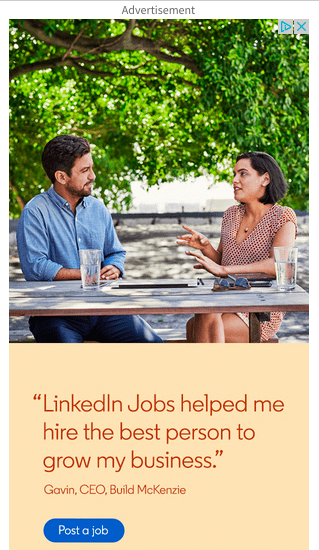
LinkedIn’s banner ad was found in the sidebar of a webpage I was browsing. It was large enough to catch my eye and inviting enough to make me linger on the ad.
How Banner Ads Work
Let’s say you’re a publishing outlet. You are able to drive a lot of traffic to your content because it’s helpful and valuable, but you have no way to monetize your efforts. However, your site does have a lot of valuable real estate that advertisers could capitalize on.
This makes selling that space an attractive proposition. To do that, you can sign up with a display network. A display network helps to connect you with advertisers by providing a script that you can add to your website. This script will populate display ads automatically without you having to lift a finger. AND you get paid a “commission” for each click on the ad that comes from your website. Monetization… success!
Now let’s look at it from the other side of the coin. Let’s say you’re an advertiser. You want to increase more visibility for your brand, so you want your ads to show up on high-trafficked websites that your target buyers visit. You pay the display network directly (rather than the publishing outlet) for ad placements, and you get to choose the types of websites your banner ads will display on. If effective, you get low costs per click, and this turns into real ROI for your business.
A win/win for the publishing outlet and the advertiser!
Are Banner Ads Effective?
Banner ads fall into the category of digital advertising, one of the most lucrative ways to generate revenue. In fact, in 2019’s first quarter, revenue from digital ads reached a landmark high of over $28.4 billion.
Banner ads are lucrative because of programmatic advertising, a term that describes how advertisers place ads. The software of these programs matches ads with the interests of website browsers.
To illustrate, let’s say LinkedIn’s ad team wanted to use Google AdSense as their display network. Google AdSense would then sell LinkedIn a sidebar space on websites professionals are more likely to visit, such as Investopedia. This ensures more potential for overall revenue earned for LinkedIn.
In order to determine if banner ads will be effective for you, it’s important to understand how cost is broken down with this method of advertising.
There are two different pricing models for banner ads:
- Cost per mille (CPM) – The price for 1,000 impressions (i.e. it has been “seen” 1,000 times)
- Cost per click (CPC) – The price for each ad click
Pricing structures vary between each display network, but they typically use an “auction” style system where you bid for your ad placements. In many cases, you can choose whether you bid based on a CPC or CPM model. The former is better for conversions while the latter is better for brand awareness and visibility.
With this in mind, the better your bid, the easier it will be to meet your advertising goals. In many cases, the display network will help you optimize your budget and timeframe to get the most out of your ads.
Now that you have an idea of average banner ad price tags, you can imagine that ad placement and banner size have a big impact on how often your ads are seen and clicked on. Let’s take a closer look at these two variables below:
Banner Ad Placement
The display network you choose should have transparent information on which sites or publishing outlets your ads will appear on. For example, here’s Google’s page on the topic.
Ideally, you want your ads to be placed in front of your ideal audience (rather than just anyone) so that you get the right traffic, which has a higher potential to convert into genuine leads for your business. With this in mind, you’ll want to be well-versed in the targeting capabilities your display network provides so that you can control this effectively.
While advertisers get a lot of latitude on which sites they appear on, they may not have a lot of control over where they appear on that site. On-page ad placement is in the hands of the publishing outlet. However, they do have a financial incentive to place ads in high-value locations. Remember, they get a “commission” from the display network. With that banner ads perform best when they’re:
- Close to the content
- Above the fold
- On the left-hand side
More within an advertiser’s control is the size and design of the ads they choose to create.
Standard Banner Ads Sizes
One of the major factors on your campaign’s effectiveness is the dimensions you choose for your ad(s). The right size and design can have a major effect on the click-through rate and overall effectiveness of your ad. Here are the most common ad sizes chosen by advertisers:
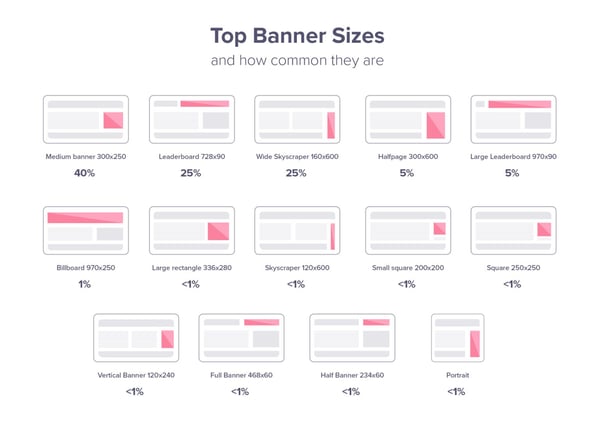
- Medium Banner: 300 x 250
- Leaderboard: 728 x 90
- Wide Skyscraper: 160 x 600
- Half-page: 300 x 600
- Large Leaderboard: 970 x 90
- Billboard: 970 x 250
- Large Rectangle: 336 x 280
- Skyscraper: 120 x 600
- Small Square: 200 x 200
- Square: 250 x 250
- Vertical Banner: 120 x 240
- Full Banner: 468 x 60
- Half-Banner: 234 x 60
- Portrait: 300 x 1050
It’s crucial to know the necessary sizes for your banner ads — but it’s not your only consideration. In order to make sure your banner ad is effective to target audiences, we have some tricks to keep in mind while you’re designing yours.
Let’s say you have all the tools for creating your banner ad in place. While the actual execution of the design is up to you, it’s important to incorporate these elements in your ad to make sure it’s effective, and not just something that crowds up a webpage.
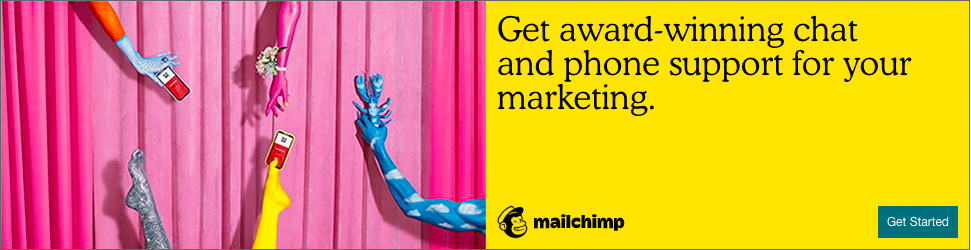
To illustrate steps, let’s use this 300 x 200 banner ad from Mailchimp on Entrepreneur’s website.
1. Incorporate a CTA.
A call-to-action (CTA) is what invites prospective buyers into discovering more about your product or service. This is what gets them to click on the ad and interested in learning more. Mailchimp’s CTA is the blue “Get Started” button at the bottom of their ad.
A bright, eye-catching CTA points your target audience in the right direction, and linking to your product page is a good way to get clicks on your website.
2. Add your brand.
If your logo isn’t visible, how will people know what your business is? Mailchimp’s logo is at the bottom of the ad in a clear spot. The logo doesn’t have to take up the entire ad or interrupt the flow of the rest, it just has to be recognizable among the rest of the ad’s imagery.
3. Make sure to use keywords.
Using keywords and action items will not only optimize your ad for search engines but has a better chance of browsers interacting with your ad because your service sounds right for them. Mailchimp uses words like “award-winning,” “support,” and “get started.”
If I were looking for marketing tools to make my life easier, award-winning software that offers support sounds right up my alley. If getting started is as easy as clicking a button, there’s no reason not to at least check it out.
4. Use high-quality visuals.
To keep your ad professional, any visual elements, such as images or GIFs, should be high quality. While moving images are a way to keep ads interesting, static images are just as effective.
Mailchimp’s imagery is fun and gets the point across. Their logo is also a way to convey imagery, making sure their brand stays in their audience’s memory.
5. Keep things simple.
A crowded ad is nothing but a nuisance to web browsers. An effective ad has minimal text, one or two images, and a CTA. Mailchimp’s ad is one sentence and includes large text.
Some banner ads don’t even have text or images at all, just a logo and a CTA. Though your ad doesn’t need to be that minimalist, it doesn’t need to have as much information as you may think. If your ad has more than one short sentence, it may be too much.
Best Banner Ad Examples
Let’s look at some excellent uses of banner ads and why they’re effective.
1. Pottery Barn
This desk ad from Pottery Barn is a good example of how a little goes a long way. Using a showroom photo to highlight the practicality of desks, it gives way to how easily their furniture could fit into a space.

With the logo, an engaging call to action, and a simple design, all five points of an incredible banner ad are covered, and it’s effective. For students browsing Amazon or professionals building their home office, this ad would be an excellent cater to them.
2. Blue Bloods
CBS’s banner ad for one of their shows has an awesome CTA. “Try 1 Week Free” entices the audience to check out their new streaming service, CBS All Access.

Using a show that’s already popular, and having all episodes streaming, pulls in binge watchers. This ad also incorporates the show’s logo and star. It also gives viewers all the information they need without appearing too crowded.
3. SEMrush
Popular SEO extension SEMrush used the small rectangular banner ad choice, which is not only pocket friendly, but useful for ads that don’t require a lot of information to get the point across.

In this ad, SEMrush lets you know exactly what their service provides in less than 20 words. Keywords “UX,” “SEO,” “Time,” and “Page Speed” are all golden here. They’re effective in grabbing the attention of companies looking to heighten their analytics.
4. Chevy
Providing all the specs of a car on a banner ad isn’t possible without the ad looking too busy. Chevy chose to play with text in order to keep the information there without being overwhelming. Moreover, they chose essential information and wording to make sure the impact would be as great as it can be.

Chevy also made it a point to incorporate color into the most important words. The discount on this car and the CTA are both in yellow, bringing the attention straight to those two elements of the ad.
5. The New Yorker
Minimalism goes a very long way, and The New Yorker knows this.

The magazine has a promotion going on that includes a free tote bag with a subscription. Imagery of both products a new subscriber will receive is a good way to use imagery, and the price here is bolded, meaning it’s of importance.
6. AT&T
Good advertising often comes down to how we can compel the user to take action.
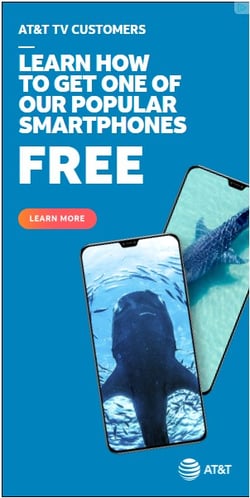
In AT&T’s case, what better way to do that than dangle the opportunity to get something of value completely free? This piques interest (“What do I have to do to qualify?”) and incentives the user to take the next step.
7. Best Buy
Convenience is also an important concept to keep in mind. How can we create offers while reducing the friction our prospective customers face when taking advantage of those offers?
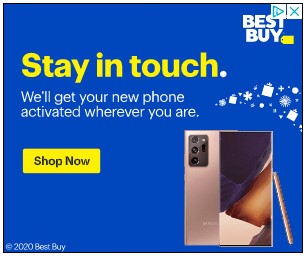
Best Buy does this exceptionally well in this banner ad. They likely knew that one barrier to buying a phone online from Best Buy is needing to activate it in store. In this ad, they assure their audience that this isn’t necessary, making the implication that “Buying from us will be convenient, so shop without worry.” This is particularly timely when people may be actively avoiding hectic holiday shopping.
8. Coca-Cola
This ad shows a partnership between Coca-Cola and an NFL team, positioning the beverage as a great choice on game day.
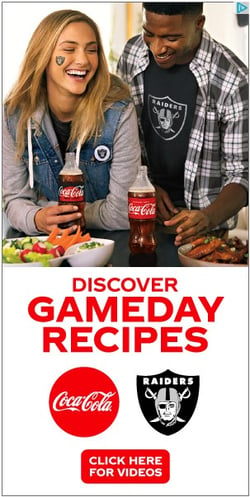
There are two things that are particularly striking about this ad:
- The natural use of Coke’s product placement in the image
- The offer is not a salesy “Buy Now” but rather an invitation to get some value from Coca’Cola’s website
9. Conversica
Here’s another great example of an ad that strays away from the salesy.
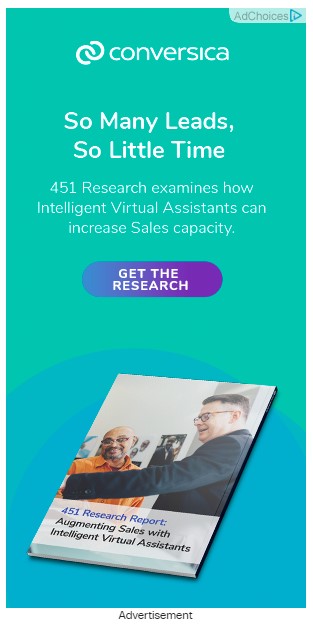
By offering something of value (research on sales capacity), Conversica is positioning the conversation around how they can help. This puts the focus on the buyer’s needs rather than “me me me” type of selling.
10. Dale Carnegie Training
This ad does really well with the small horizontal format.

In addition, the ad capitalizes on the existing brand recognition of Dale Carnegie to make a compelling statement that essentially boils down to “Learn from the Best in the Business.”
11. E*TRADE
The bold color in this ad goes well with its bold statement.

With the copywriting on this ad, E*TRADE is reducing friction by asserting this idea: “If you open an account with us, you’ll get something (up to $600) with no risk ($0 commissions).” As a result, that $600 figure seems like a sweet deal.
12. Instapage
This banner ad’s genius lies in its simplicity.
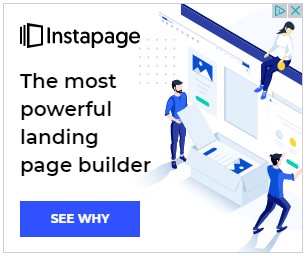
Instapage makes a bold claim, which piques interest, then deposits that the user must click to get validation for why that bold claim is true. In addition, they do it in few words, which allows for clean, bold typography and illustration.
13. Lendingtree
In some cases, like the one below, a banner ad can even include animation and interactivity.
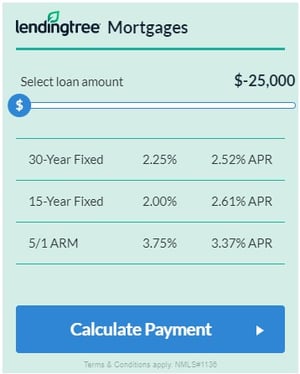
Lendingtree uses this to their advantage by incorporating a slider that the user can use to calculate a mortgage amount. The button then guides them to complete the next step by clicking the ad and going to their website. There’s a clear utility in this ad, which is why it’s so impressive.
14. Popeyes
Banner blindness, or the idea that people simply don’t notice ads anymore, is a real concern. However, the way to get around that is with eye-catching design.
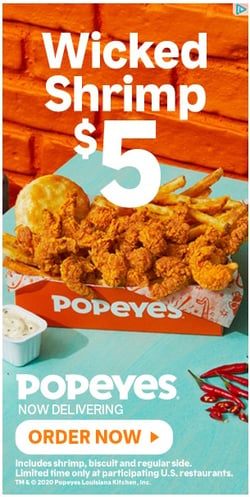
Popeyes does this well with contrasting warm and cool colors combined with big, bold typography. Placing the food in the center draws the eye and lets the image speak for itself as well.
15. Shutterfly
People love coupons, and this ad capitalizes on it.

The simple exchange of doing holiday shopping while saving money doing it is a simple message… but extremely effective.
You’ve probably interacted with a ton of banner ads with minimal knowledge of them. The truth is that they’re a great asset to boosting visits to your site and expanding your audience. Not that complicated, right?
With the right advertising plan combined with stellar ad design and copy, you’ll be well on your way to generating ROI for your business with display advertising.
Editor’s note: This post was originally published in October 2019 and has been updated for comprehensiveness.

The 8 Elements of Modern Web Design (And Web Design Trends to Watch)
Every year, we see new elements and styles in website design begin to emerge.
Some elements — when incorporated thoughtfully — help tell stories and explain your company. Other elements work to improve how content looks on a specific device. While it’s not necessary to include every trend that comes about on your website, many of them have the potential to improve your visitor’s experience.
But with so many options to choose from, it can be challenging to determine which ones are really worth considering. To help you narrow your focus, we’ve detailed eight important elements of modern website design that you can include to improve your site’s performance.
8 Modern Website Design Elements and Trends
1. Unique & Large Typography
Most companies have a particular font or typography that they use to help their customers immediately identify them versus their competitors. In recent years, designers have received a larger selection of fonts to choose from, making it easier for brands to more accurately express themselves through typography.
For example, The New Yorker is recognized instantly through their use of unique font, Adobe Caslon Pro. While more unique fonts, such as Blokletters-Balpen, have begun to be used by startups and technology companies like Zero.
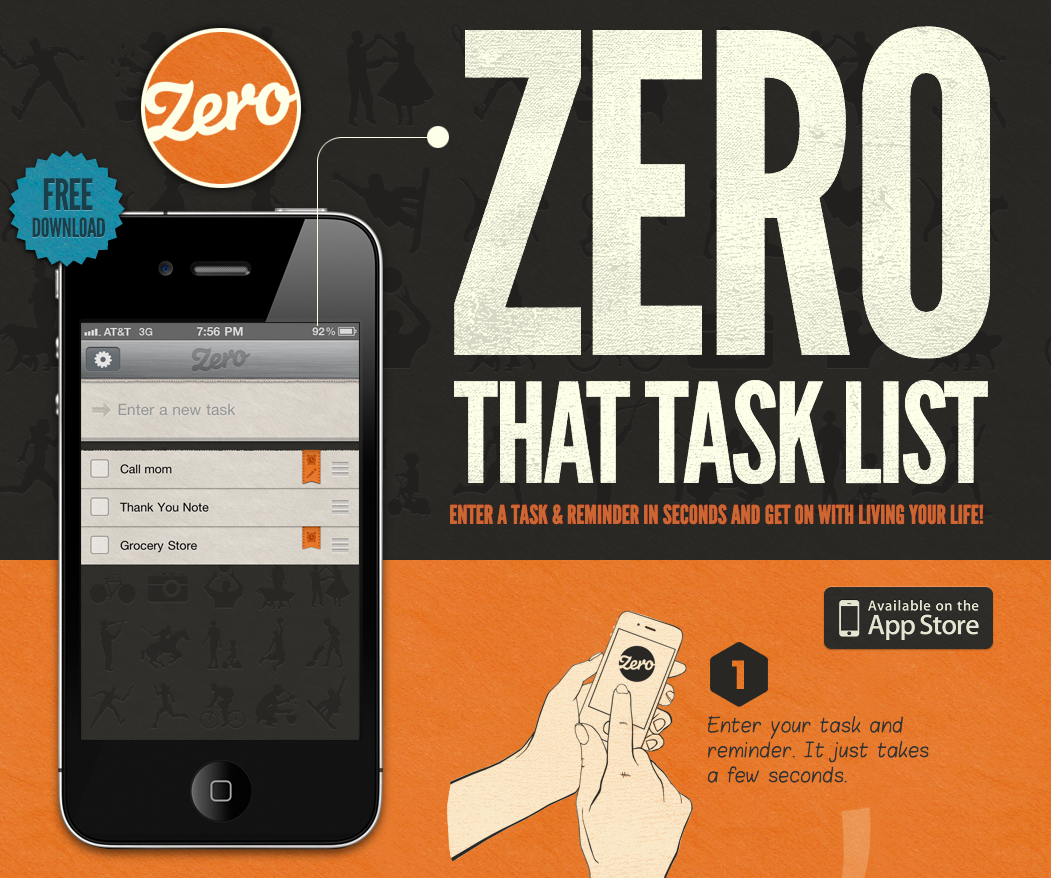
Why is it useful?
Typography uses one design trend across the website to lead readers to different parts of the page. For instance, The New Yorker website leads visitors from one section to another based on the typography and font sizes.
When creating your company’s brand, your choice in typography can indicate subtle hints about who you are. Are you fun or serious? Functional or informational? Regardless of what font you choose, be sure that your designer considers its applicability across browsers and computers. Choosing a font that is not supported by common browsers and computers could mean that your website displays awkwardly on different devices.
2. Large & Responsive Hero Images
You don’t have to go far beyond the popular publishing website Medium.com to see an example of a large hero image:
 Large images such as this one do away with the concept of above and below the fold. By focusing on just the image with text rather than a CTA or social buttons, Medium creates a strong visual experience that encourages you to scroll down to read more.
Large hero images are also often placed in the background with text and other content overlaid on top, like on Uber’s website. Regardless of the approach you utilize, large images can help visually tell your story without having to rely on just text.
Why is it useful?
Your customers are coming from all over the place and have high expectations. You may not be sure if they are finding your website from their phone, tablet, or desktop computer. The image that Medium uses above is extremely powerful, but if it was only visible from desktop computers, many people may miss it.
That said, ensuring your images are responsive makes for a good user experience. Website visitors can look at different images — whether they are the background or product images — and be able to get the same experience no matter what device they are coming from.
3. Background Videos
Videos that automatically play in the background can add a lot to a page. They can be used to tell a story and significantly reduce the amount of other content that is needed to explain your business.
Let’s take Wistia‘s website, for example. When you land on their homepage a large video automatically starts playing in the background, and by clicking on the play button, you get a deeper look at Wistia:
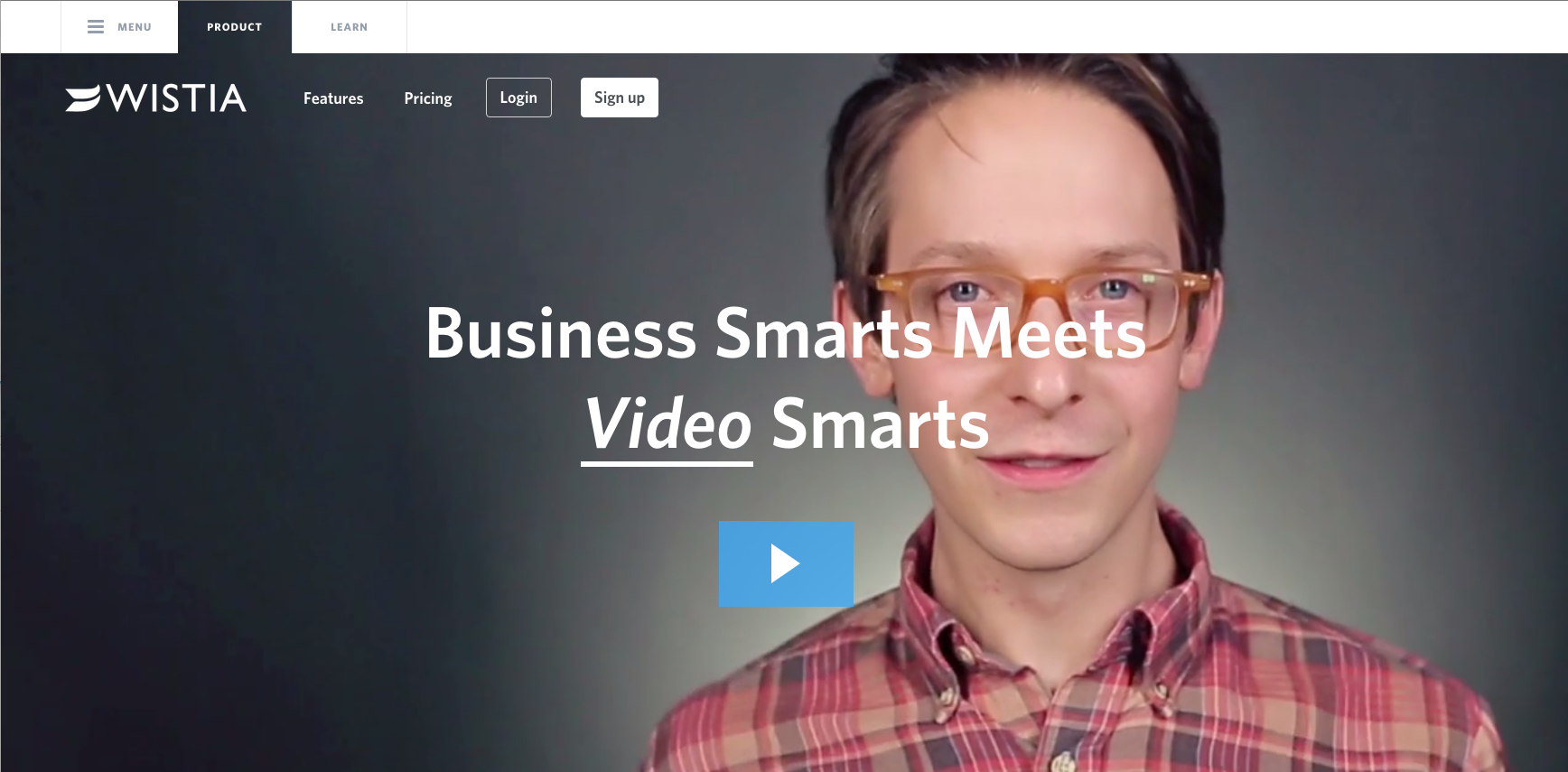
This background video serves as a brilliant way to get the visitor engaged to click-through to the main video.
Why is it useful?
Background videos focus on enticing the visitor from the moment they land on your page. The video allows your visitor to understand the key points about your company without ever having to read a single line of text.
In addition, video is processed 60,000 times faster by our brains compared to text. While people are often hesitant to read heavy blocks of text, videos appear effortless and can be consumed very quickly. It also helps that connection speeds are increasing and mobile device sizes are growing, making for better video experiences.
4. Semi-Flat Design
In 2013, Apple fundamentally shifted to flat design. Simply put, flat design is any element that does not include or give the perception of three dimensions, such as shadows. Not only is flat design is easier for users to comprehend, but it can also load more quickly on websites without complicated or overly-technical elements.
Following in Apple’s footsteps, many other organizations — both large and small — have shifted to flat design. However, companies like Uber have put their own spin on the style by adding subtle shadows and dimensions. As you can see in the image below, the boxes have an element of depth with shadows around them, without overdoing it:
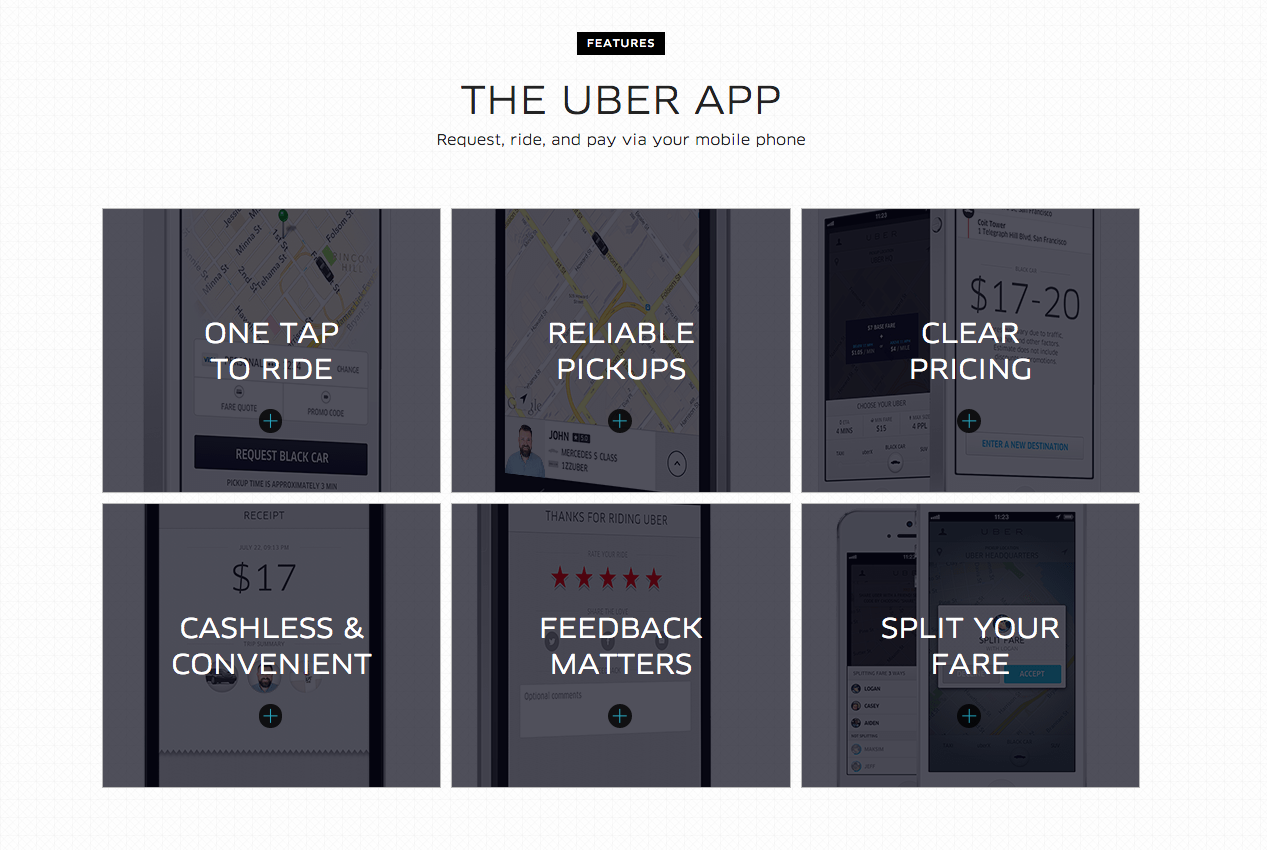
When you scroll over any of the boxes on the Uber homepage the shadow disappears and relieves the image behind it.
Why is it useful?
Flat design helps the visitor understand your content more quickly, and adding some elements of depth can bring it to life. Regardless of whether you fully design your website using flat design or utilize shadows and other elements, it’s important to be consistent throughout your website. Ensure that your homepage, product pages, and any other key sections of your website all utilize the same design cues so that visitors can instantly understand what they’re viewing.
5. Hamburger Menus
It’s likely that most websites you come in contact with have a long menu of options to choose from. The advantage of this is that the menu can take the visitor directly to where they want to go. However, the disadvantage is that they generally take up a ton of valuable screen space.
The hidden, or hamburger, menu changes this. This menu was common in web applications before making its way to web design — even in Google Chrome you can find a hamburger menu on the right-hand side.
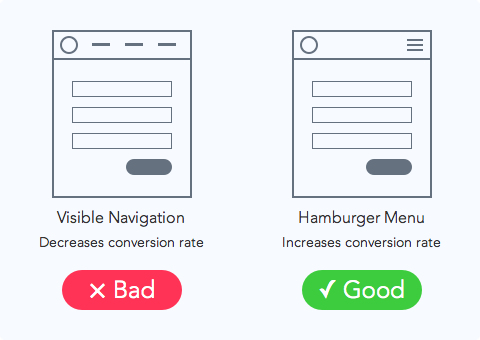 Source: UX movement
Wondering why it’s called a hamburger menu?
If you use your imagination, the three lines that are stacked on top of one another look like hamburger patties. Get it?
Why is it useful?
The pages of your website should have a clear path for the user to take. Removing a busy navigation makes the experience cleaner and distraction free. This improved experiences help to improve the likelihood that the user will find the information they need to complete a desired action.
6. Giant Product Images
You may have noticed that many B2B websites are starting to display large product images on their sites to highlight different features or parts of their product. This is no coincidence.
To give you a better idea of what we’re talking about, let’s take a look at the product page for the HubSpot Website Platform:
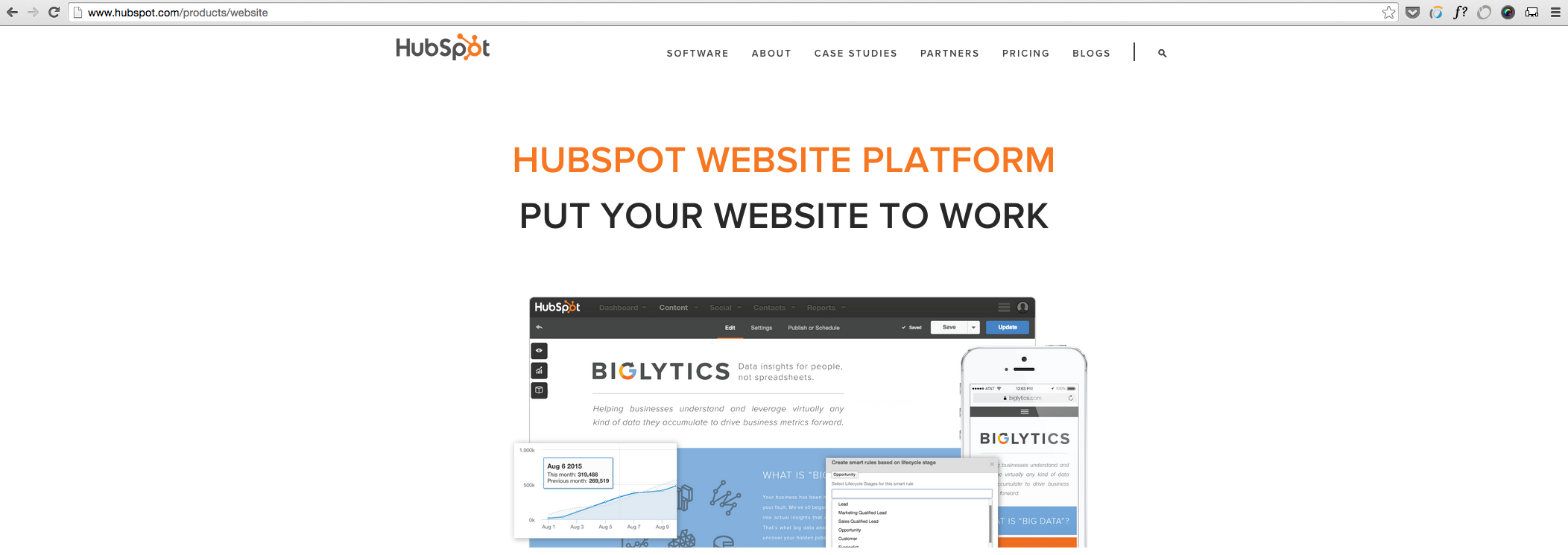
There is a large featured image at the top of this page, and as you scroll down the page there are additional in-depth product images. The images are also responsive which aims to ensure an optimized experience for viewers coming from different devices, as we mentioned earlier.
Why is it useful?
Larger product images help designers highlight different features of a product in a more efficient and effective way.
This approach reinforces the benefits of a feature by providing the opportunity to highlight the most valuable pieces. For instance, in the second image, you will notice that there are numbers on the image corresponding with benefits of certain features.
These large images are also scan-friendly. They help visitors generate a solid understanding of what the different product features do by convey them through images instead of words.
7. Card Design
With the rise of Pinterest, designers and marketers alike have become fascinated with cards. Individual cards help distribute information in a visual way so the visitors can easily consume bite-sized pieces of content without being overwhelmed.
Brit + Co’s homepage serves as a great example of card design in action:
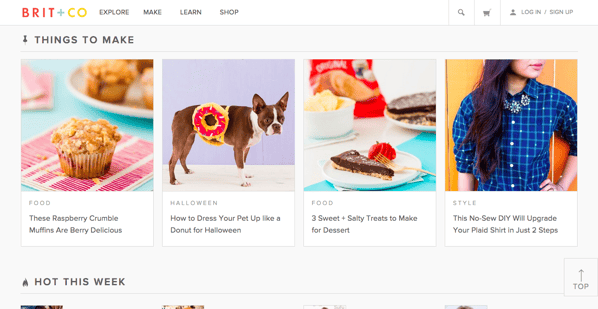
By breaking up different pieces of content into cards, users can pick and choose which articles they want to expand. This helps to keep the homepage feeling clean and organized, without relying on a ton of text.
Why is it useful?
Card design is becoming more and more popular across B2B and B2C websites because it helps to deliver easily digestible chunks of information for users. Using this design on your site can help highlight multiple products or solutions side-by-side.
Keep in mind that your cards should be responsive. This means that as the screen size gets smaller or larger, the number and size of cards shown should adapt accordingly.
8. Short Product or Feature Videos
In addition to background videos, companies are also beginning to use short product or feature videos to highlight a specific use case. These short videos are great at bringing your solution to life, while not overwhelming the visitor with a long experience that they must sit through.
A strong example of this comes from the folks at InVision. They display this short illustrator of how easy it is to use their product by dragging-and-dropping a design directly on their homepage:
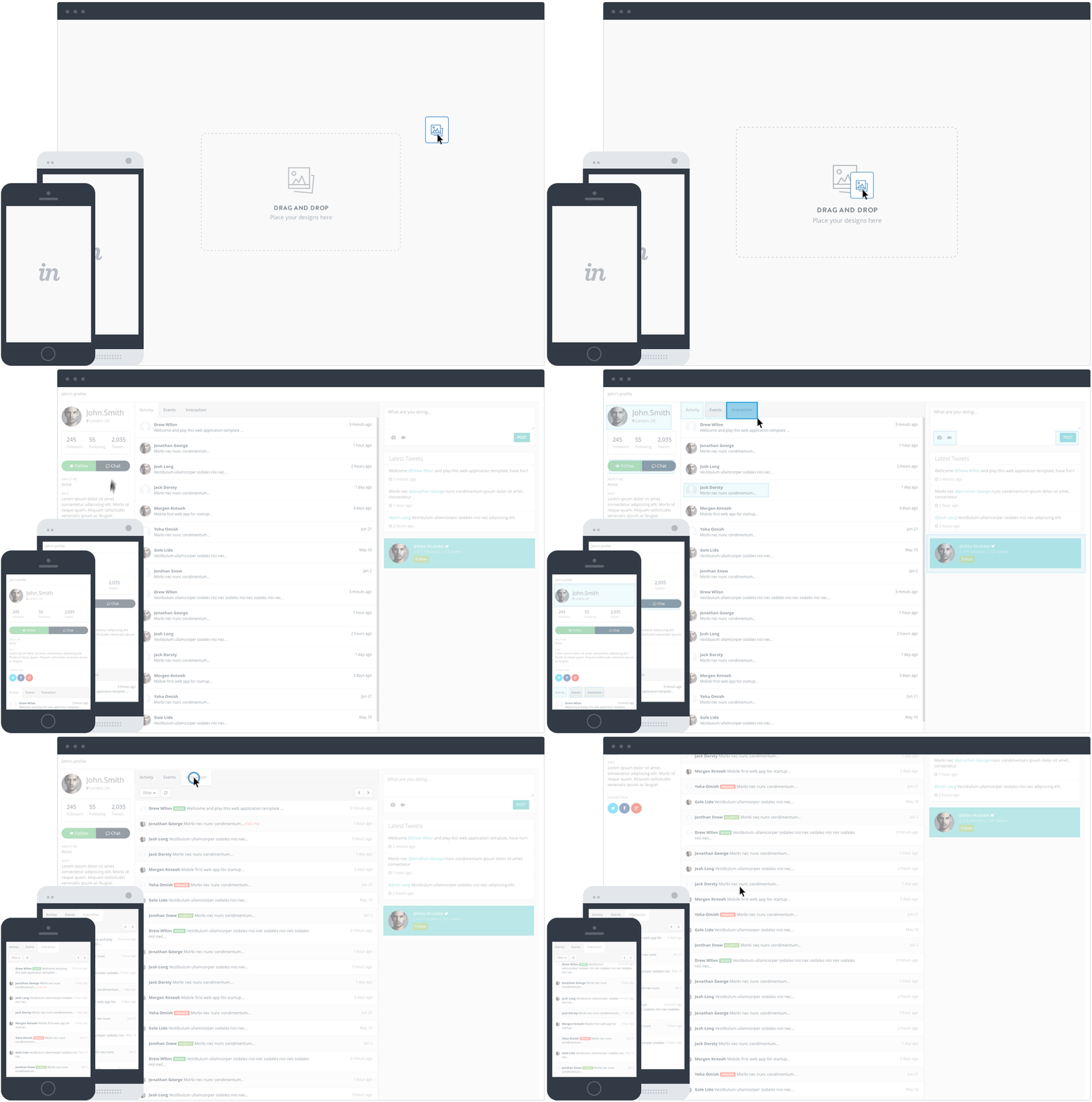
Why is it useful?
According to Inc. Magazine, 92% of B2B customers watch online video, and 43% of B2B customers watch online video when researching products and services for their business. Therefore, B2B companies need to create videos that explain their products because it is influential in the buyer’s decision-making process.
These short videos allow for your prospect to quickly understand value without watching a really long, in-depth experience. Sure, both have value, but the shorter videos allows for quick understanding that is best for top of the funnel.
Editor’s note: This post was originally published in August 2018 and has been updated for comprehensiveness.

4 Tips for Creating Customer-Centric Content to Drive Growth
How do you win brand visibility in a crowded market without overspending on resources?
For SaaS companies, content marketing is, in many ways, the most powerful opportunity to achieve growth and outshine competitors.
It’s no secret the SaaS market is highly saturated – some would even say polluted. In fact, nearly 60,000 software companies are listed on the G2 Crowd across over 700 verticals as of 2020.
Additionally, startups don’t have the luxury of being unique anymore. They must be better – not just different – from competitors if they want attention and sales.
Whenever brands come to me with this issue, I give them the same answer: Focus on customer-centric content, and you’ll achieve outstanding customer-centric growth.
The concept is really that simple. Putting it into practice, however, is another story.
Gaining thought leadership in a market filled with intelligent experts is not easy. Ranking for major keywords isn’t enough. You must commit to the craft with authority, relevance, and warmth.
Your customer should always be the hero of any story you tell.
That’s the secret recipe I’ve used for years to help SaaS companies thrive. Today, I’ll explain my rank-and-win process I used to help a leading content collaboration company (which I’ll call “Brand X” for our purposes). While I can’t disclose the brand name, I can promise you the tactics I used to help the company achieve growth are very, very real.
Let’s dive into four methods you should consider implementing for customer-centric growth.
1. Establish a voice.
Voice is everything. Any successful brand voice must:
- Immediately resonate with your target audience.
- Maintain consistency across all content and platforms.
Brand X developed an ideal voice to suit their content: funky, conversational, and banter-heavy.
Using this quirky voice, we managed to create content engaging enough to spark interest without pushing leads away with a sales-y tone.
Consider how you might find your own brand voice to ensure your readers are consistently delighted with the valuable content your company — and your company alone — can offer.
2. Map the repeating method for customer-centric growth.
Next, I had the team map out a flywheel diagram – an idea I got from Jim Collin’s book, The Flywheel Effect. The flywheel diagram dictates a repeatable process that achieves growth every time it’s implemented.
Like Jon Dick writes in this post, funnels lose momentum as they close in. Flywheels, however, leverage the momentum to continue spinning.
At the top of the diagram, we placed the goal of increasing Brand X’s website traffic. The wheel would spin like this:
Increase traffic to the website → Traffic generates demos and trials → Demos and trials turn into sales → Sales earn brand recognition → Recognition triggers more website traffic and the cycle repeats
At the end, we reinvested in research/development, sales, and marketing.
The flywheel diagram works for customer-centric growth every time because it’s focused on buyer needs and pain points, and can prevent lost ROI from bland marketing or sales strategies.
Our analysis found that 438 articles produced more than one lead in the last three years. That’s just the average, so that’s significant.
3. Create a rank-and-win thought leadership strategy.
You can’t complete the flywheel growth process without content. Content marketing – specifically thought leadership – fits perfectly with the flywheel strategy because it delivers ongoing ROI.
Every SaaS company wants to position itself as a thought leader and inspire its audience. I’ve noticed, however, that most people approach thought leadership the wrong way.
Instead of striving for nuance in every blog post, focus on filling a gap with authority and dedication.
Here’s where the rank-and-win idea comes into play: first, Brand X filled an information gap with consistent quality content.
That content then earned Google’s approval and ranked in the top-five for high-volume keywords.
Next, other websites found that content and linked back to Brand X. And, finally, people shared the original content widely on social media.
These keyword rankings drove substantial traffic to Brand X’s blog, with 80% being new traffic.
But how can you fill gaps and rank in saturated markets? Brand X focused on six key themes in their content cluster. They then built a structure and workflow for each theme for ideation and planning.
Brand X wasn’t trying to be annoyingly unique with their thought leadership. They were focusing on authority, and customer-centric content.
4. Develop a content strategy for organic blog traffic.
When content marketing starts delivering conversions, it’s not by luck – it’s by persistence to quality.
Since our initial flywheel goal for Brand X was to increase blog traffic, we focused on producing quality and consistency. They currently publish four blogs per week on average.
We set Brand X’s KPIs to reflect what we hoped to achieve from increasing blog traffic:
- Page views
- Assisted conversions (when a user clicks from a blog page to a conversion page like a content download or a free demo sign up)
- Subscribers
For Brand X, volume was instrumental – both in the number of blogs published, and traffic.
They first saw steady returns on traffic from content marketing. As they added more posts per week, the views spiked dramatically.
This dedication to customer-centric content earned them a 50% to 615% increase year-over-year in organic search traffic.
Content is the Secret to Unlocking Customer-Centric Growth in Saturated Markets
For SaaS companies, quality and consistent content wins every time. Today, Brand X has a defined content strategy complete with a mission statement, frequency, resources, and budget.
Best of all, they continue ranking in the top-five for high-volume keywords and producing customer-centric growth from their content.
Ultimately, it’s critical you focus on buyer needs and make prospects and customers the hero of all your stories. With a commitment to this mindset and action, you can develop content that reaches, engages, and converts.
To learn more about creating customer-centric content, take a look at 8 Tips for Becoming a Customer-Centric Organization.

Interactive Infographics: A Picture of the Premise, Tools, & Process
The infographic is one of the most effective mediums content marketers have at their disposal. It’s a format that allows you to create content that’s compelling and compulsively shareable without sacrificing utility and thoughtfulness.
But there are some cases where normal infographics just don’t cut it. So what can you do to elevate them? Is there a way to make them that much more gripping and intriguing? If you’re asking yourself those questions, you might want to consider making your infographics interactive.
Here, we’ll go over what an interactive infographic is, learn what it takes to make one, see some examples, and review some of the programs you can use to make one of your own.
In many respects, interactive infographics are a big part of the future of informational content. According to research by DemandGen, 85% of B2B marketers are already using or plan to use interactive infographics as part of their strategy.
But why is that the case? Why are companies so interested in incorporating these kinds of infographics into their content marketing strategies? Well, simply put, interactive infographics are more compelling than static ones.
They add a more immersive element to the medium and, in turn, drive greater engagement. Interactive content can also help express and promote a brand voice and identity. A study by the Content Marketing Institute found that 75% of marketers agree that non-gated interactive content can provide a “sample” of the brand, resulting in a higher degree of lead nurturing.
Ultimately, you can rope readers in by letting them directly interact with your data, they’ll be more inclined to learn and retain the information you’re sharing. That often translates to sincere interest in your business as a whole.
How to Make an Interactive Infographic
1. Gather and compellingly convey your data.
The first step to creating an interactive infographic — along with virtually any kind of informative content — is gathering data. An interactive infographic without interesting data is more or less a pretty picture with some information.
Once you have your data on hand, try to find a way to convey it with some oomph. A dry infographic isn’t going to drum up the kind of enthusiasm or engagement you’re looking for. See if you can tell a story with your information. Be intentional and interesting with the language you use.
Take a look at this example:
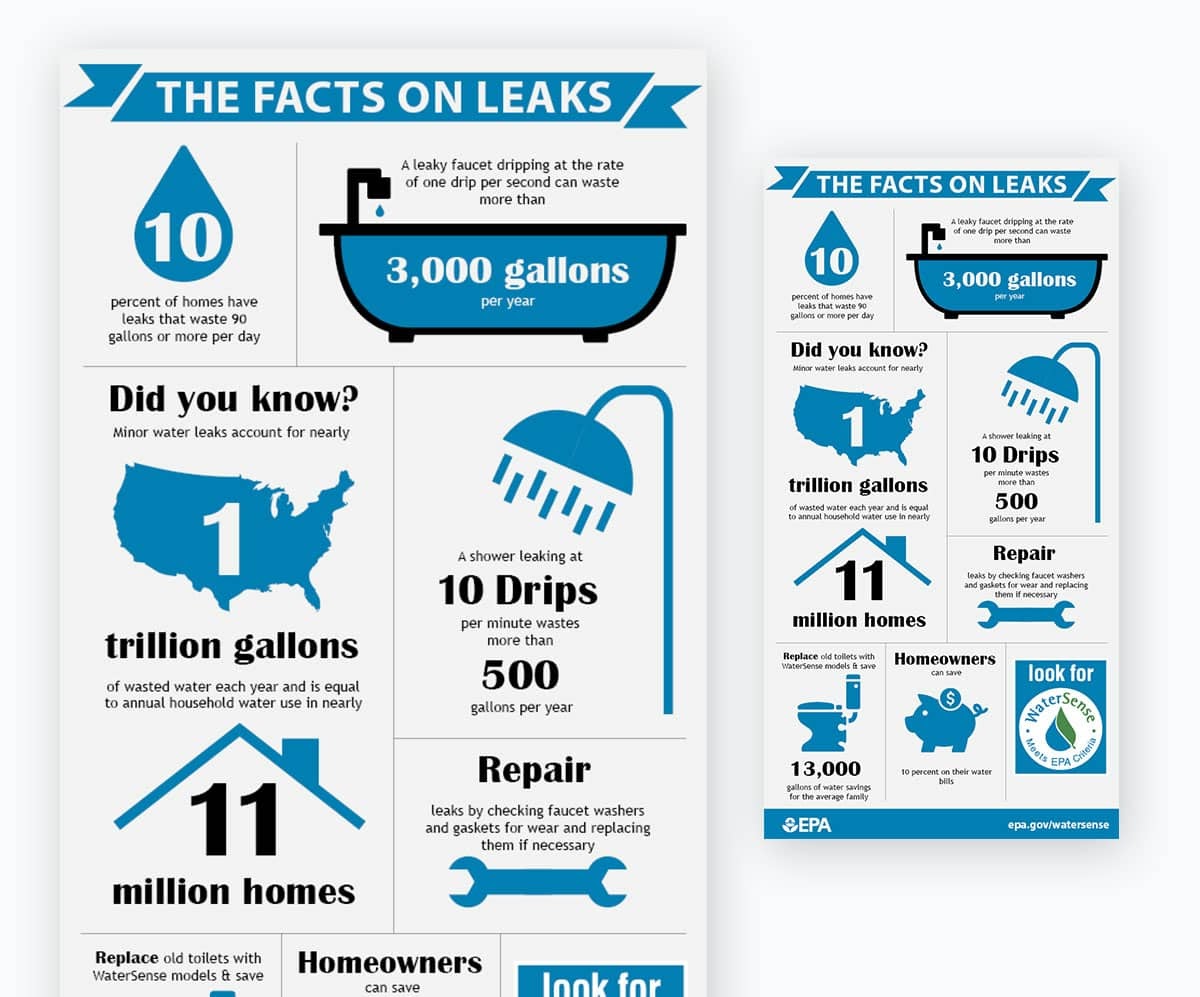
Whoever made this graphic managed to incorporate hooks, powerful language, and a cohesive theme to articulate their data and what it entails — making it more compelling, engaging, and readable than it would’ve been if they just threw out a laundry list of hard statistics.
2. Organize your data with compelling visual elements.
The operative term in the phrase “infographic” is “graphic”. Visual elements separate this kind of content from bland lists of facts or statistics. When making an interactive infographic, you need to incorporate interesting visuals to spur and sustain the interest that will keep people engaged with your content.
Find relevant, eye-catching images to supplement the data you’re trying to relay to readers — whether they be actual photos, illustrated graphics, or any other kind of engaging visual. The key here is to abide by a consistent theme.
That means maintaining consistency in the color, tone, and visual medium you decide to go with. Breaking up that kind of cohesion can be jarring and turn some readers off.
3. Determine and apply the interactive elements you’d like to include.
Finally, once you’ve pinned down the written and visual themes you want to use to convey your data, you need to identify and apply the interactive elements that can best complement and enhance them.
If you want readers to test their knowledge of the subject you’re covering, consider using a quiz. If you’d like to show them how your data might impact them personally, try including a survey. If your data covers physical landmarks or geographic data, think about including a heat map.
There are tons of interactive elements you can choose to make your infographic pop. Just make sure the ones you decide to include are engaging and appropriate without being too jarring. They need to be relevant to the information the infographic covers and tailored to keep readers hooked.
Interactive Infographic Examples
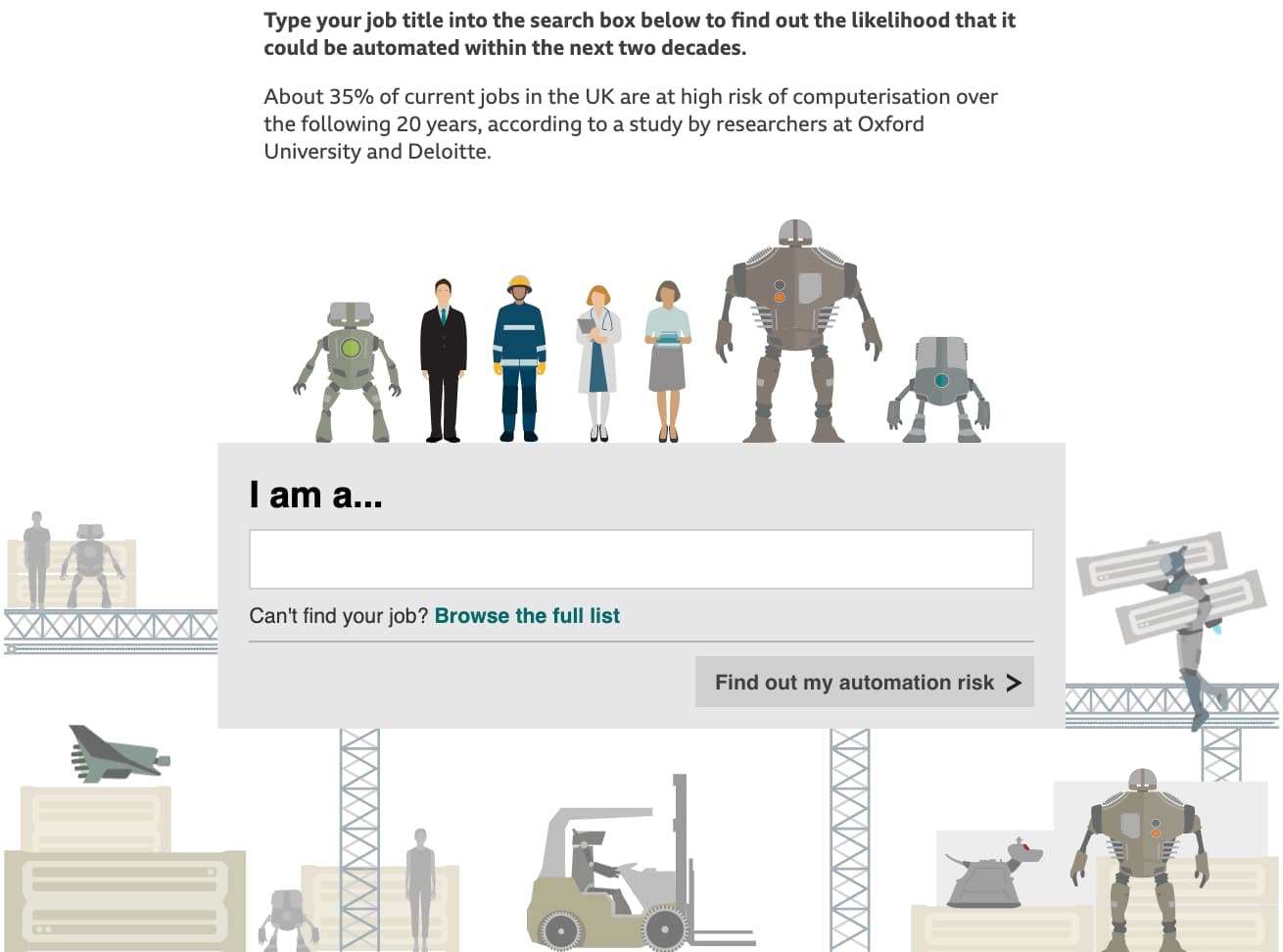
BBC’s “Will a Robot Take Your Job?”
This interactive infographic from BBC addresses the future of work and automation. It allows you to enter your line of work into a survey field and uses compelling, fun graphics to detail the degree to which your field will be automated in the future.
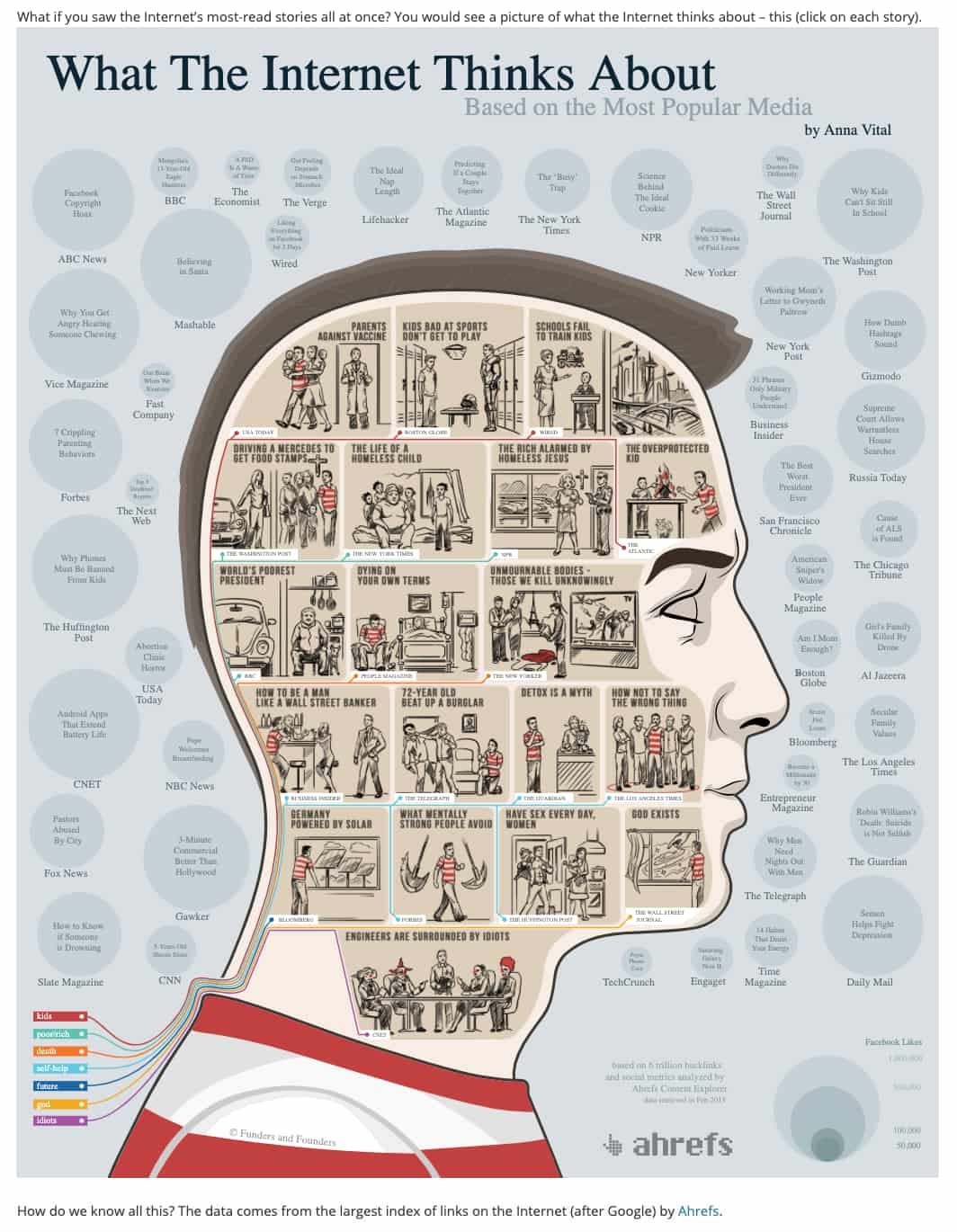
Adioma’s “What the Internet Thinks About”
This infographic from Adioma links out to a variety of popular articles that capture the essence of what kind of content most people on the internet are thinking about.
National Geographic’s “New York City Skyline”
This infographic from National Geographic provides a seamless, interactive view of the New York City skyline, along with some information about the individual buildings that compose it.
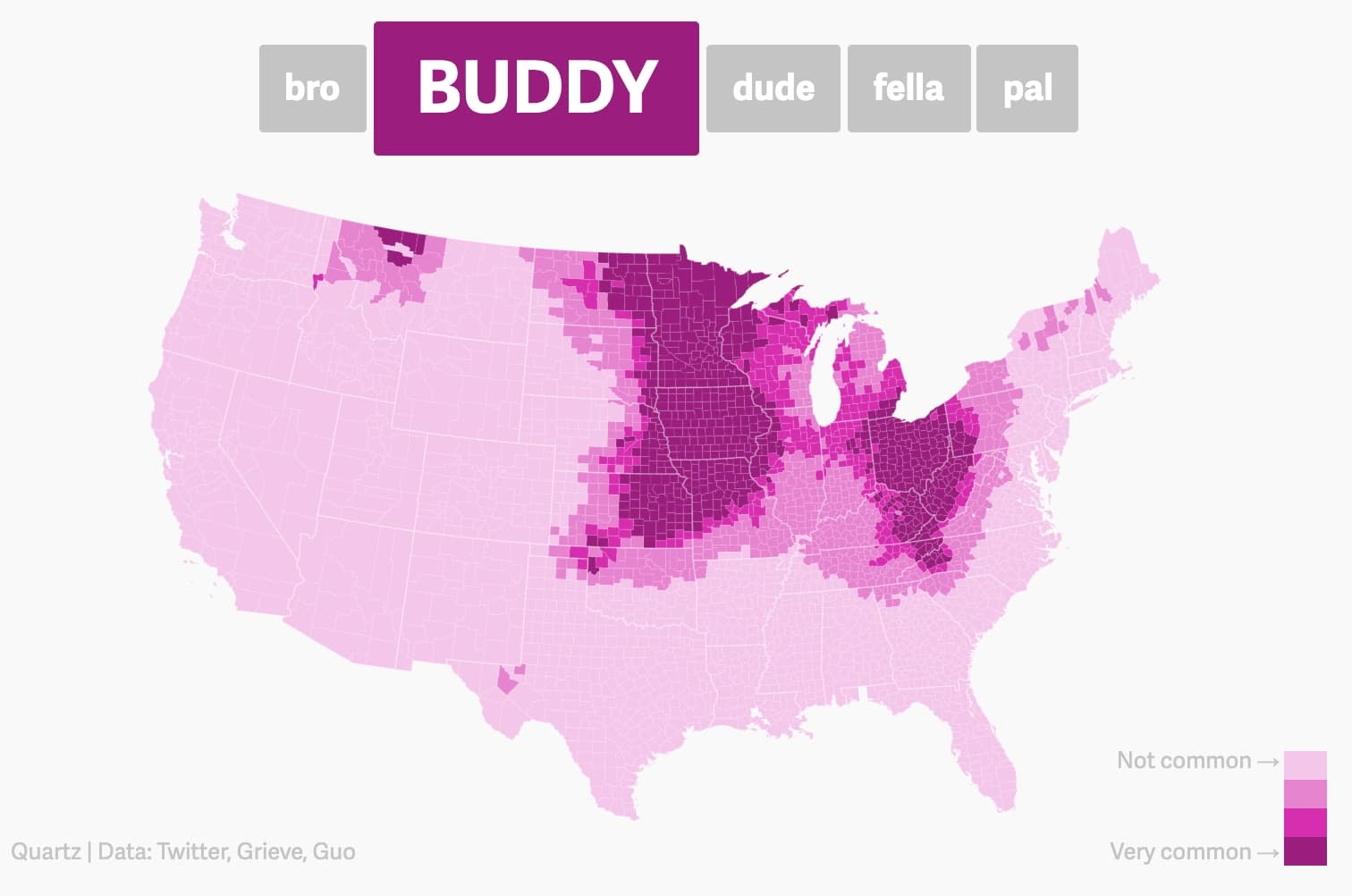
QZ’s “Dude Map”
This infographic is a fun heat map that details the names men use to greet each other by region in the United States.
1. Infogram
Infogram is one of the preeminent resources for creating interactive infographics. The program’s suite of interactive features is robust and eclectic — including elements like interactive chart legends, timers, and interactive maps.
The software is particularly user-friendly. It has an accessible interface and a host of straightforward, seamless integrations — users can smoothly translate data from spreadsheets into well-crafted, engaging interactive infographics.
Infogram’s pricing structure includes free plans for smaller operations and reasonably priced tiers available as your organization’s graphic needs expand.
2. VisMe
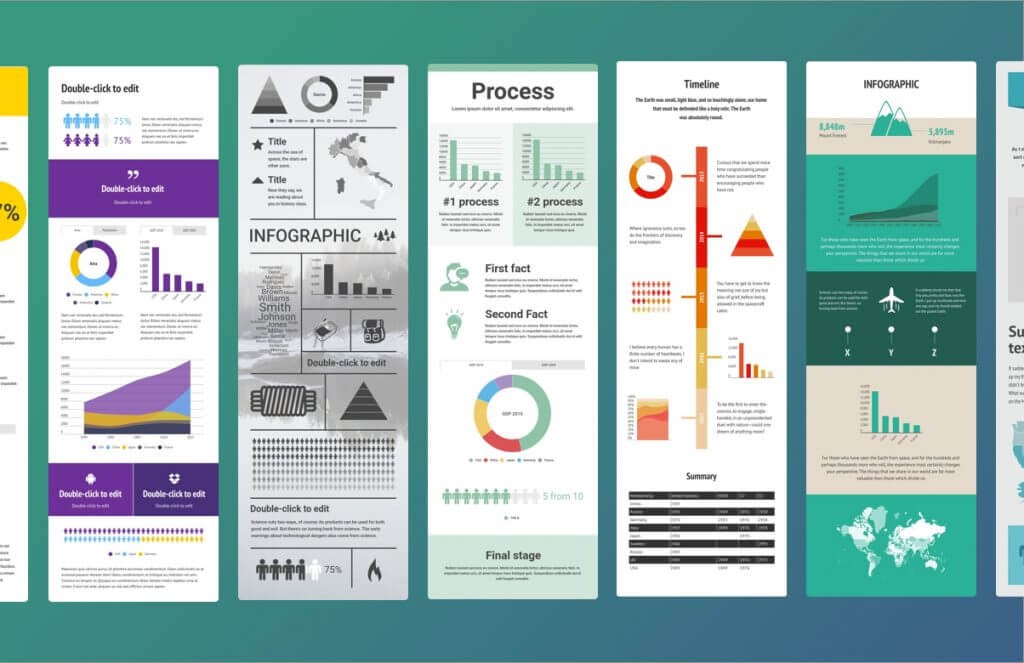
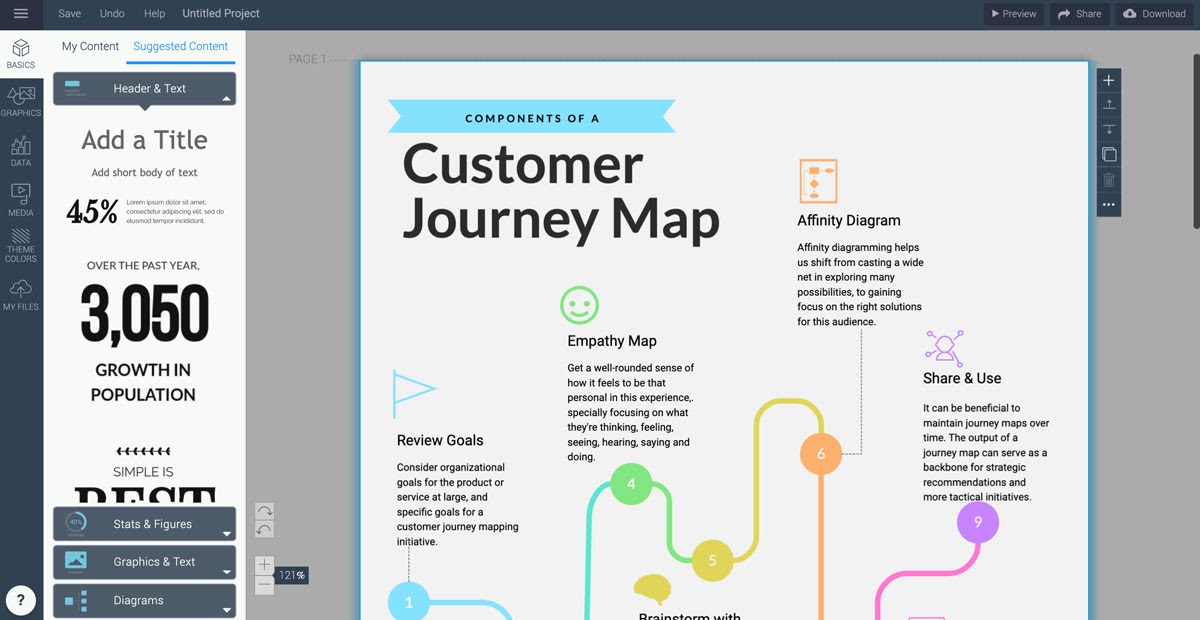
Visme is one of the foremost online design software for non-designers. The program includes resources for first-rate presentations and infographics. And while its static infographic creation features are cutting edge in their own right, Visme sets itself apart from similar software with its interactive infographic capabilities.
The software lets you easily incorporate interactive elements like links, quizzes, videos, and surveys into your infographics. And as I mentioned, Visme is tailored to suit the needs and skillsets of non-designers, so if you’re looking to put together compelling interactive infographics with limited design experience, consider giving VisMe a shot.
VisMe offers a free plan to let users get acquainted with the software and appropriately priced plans for everyone from individuals to enterprises.
3. CopyPress
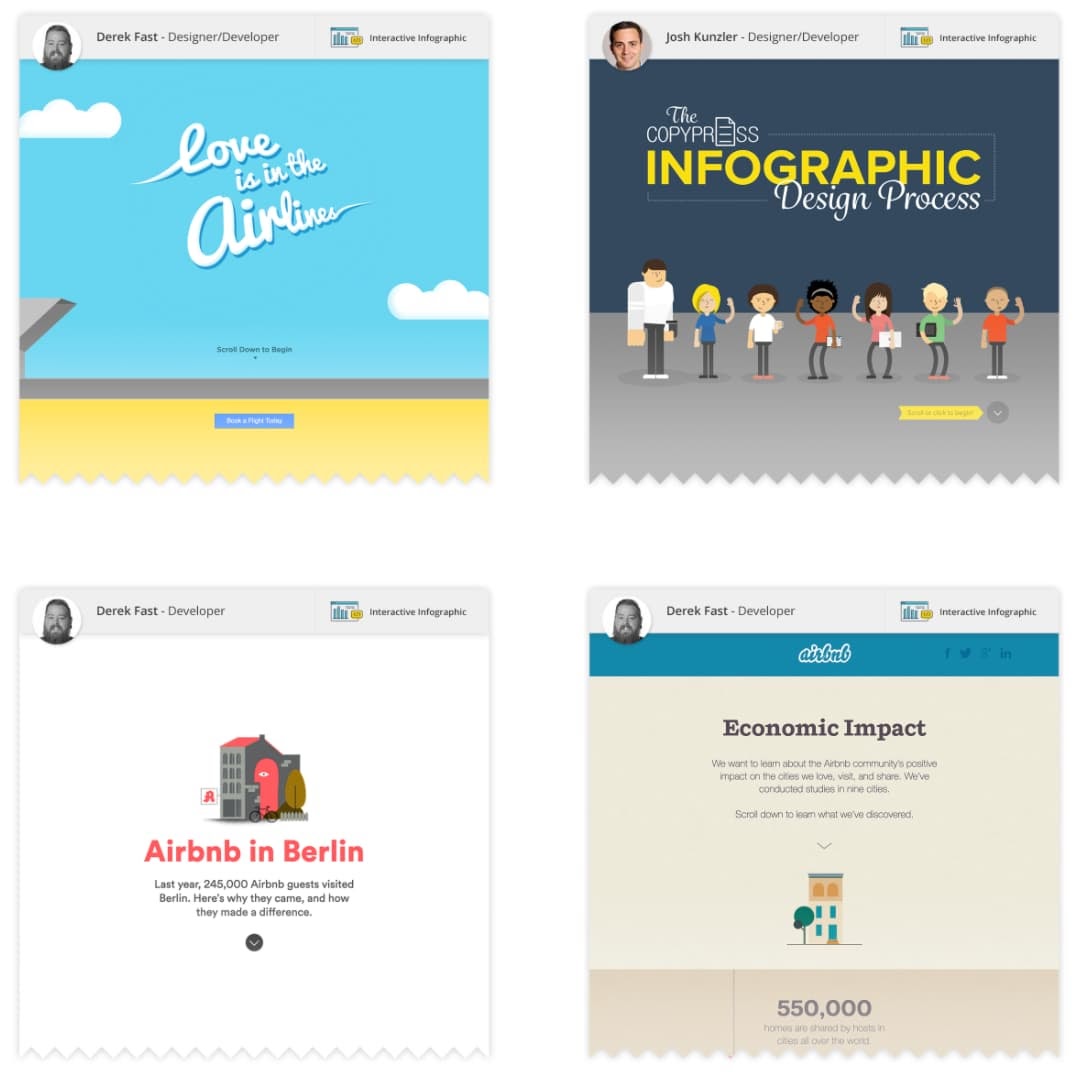
Creating interactive infographics isn’t always intuitive. It can be a complex process to nail. In some cases, you might want to outsource that work to an esteemed, effective creative agency. If your needs fit that bill, you might want to get in touch with CopyPress.
CopyPress can apply your research, work with you to pin down a tone that fits your specifications, and translate both into engaging, thoughtful interactive infographics. The firm even has an interactive infographic about how it makes interactive infographics.
As you can assume, this is one of the pricier roads to take, but if you want your interactive infographics to be thorough and professional, it might be the right way to go.
The interactive infographic is a format that can capture and retain consumer interest when done right — an emerging medium that’s worth some time and consideration when you’re wondering where to go with your content marketing. Creating one often takes a lot of effort, but if you’re looking for an effective way to compellingly convey hard data and quickly hook consumers, it might just be worth it.

The Top 5 Reasons Brands Make Videos [New Research]
Video is fast-becoming the preferred tool for most marketers to connect with and reach new audiences.
Video marketing is undeniably effective, too — in fact, including a video on a landing page is capable of increasing conversion rates by over 80%, and the mere mention of the word “video” in your email subject line increases open rates by 19%.
But, even if you already know about the importance of video, I’m willing to bet you aren’t completely aware of how other brand’s are using video … or, more importantly, why.
Each business will use video for a completely different goal — ranging from increasing brand awareness, to boosting SEO.
Here, we dove into new research from Wave.video to explore the top five reasons brands use video. Hopefully, these statistics will inspire you to use video in new, unique ways in 2021 and beyond. Let’s dive in.
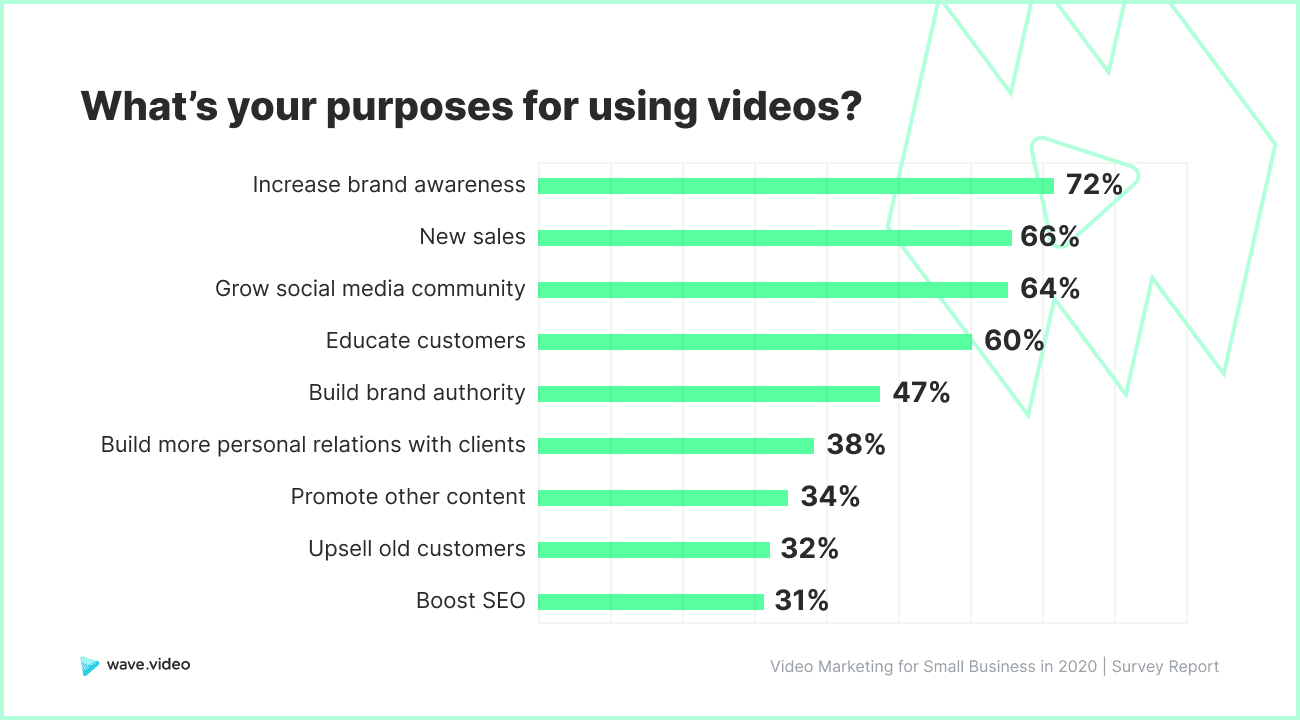
1. Brands use videos to increase brand awareness.
Video can help your business reach new audiences and attract new viewers to your social media pages and website, which is likely why “increase brand awareness” is the number one reason brands use video.
Take this video from Tasty, a Buzzfeed brand:
Ultimately, Tasty’s video isn’t meant to sell any products (at least, not directly) — instead, it’s simply meant to entertain new audiences and, ultimately, increase awareness of Tasty’s brand.
2. Brands use video for new sales.
Consider how you might create entertaining or informative videos with the sole purpose of increasing brand exposure. Ultimately, brand awareness can foster trust and increase brand equity, so it plays a critical role in your company’s bottom line.
To highlight this point, let’s start with an example. Take a look at this video, highlighting Kate Hudson’s company, Fabletics, below:
While at first glance it might look like a somewhat-random video of Kate Hudson running through the Aspen wilderness, it’s actually an effective example of a video with the purpose of increasing sales — without appearing like, well, an ad.
For instance, while the video portrays Hudson in a range of workout gear from her October Fabletics collection, it also incorporates an exclusive interview with the celebrity to discuss family, nature, and growing up in the mountains. Add in a gorgeous Aspen backdrop, and viewers might be fooled by the true purpose of the video: to sell Fabletics clothing.
Consider how you might also create a unique, compelling video to attract new prospects and even close sales deals.
3. Brands use video to grow a social media community.
Did you know that four of the top six channels on which global consumers watch video are social channels?
Ultimately, many marketers use video to attract visitors to a company’s social pages.
Consider, for instance, this #ShaveItOff video by Gillette partner The McFarlands:
While the video is undoubtedly entertaining to watch, it also serves a powerful purpose: to send some of The McFarlands’ 2 million followers back to Gillette’s own social channels. Best of all, the hashtag #ShaveItOff can be found on Gillette’s Instagram page as well, ensuring viewers can find the brand regardless of which social channel they prefer.
4. Brands use videos to educate customers.
Video can be an incredibly effective tool for education.
HubSpot Academy, for instance, often uses YouTube as a platform to educate its viewers. Oftentimes, HubSpot will even collaborate with thought leaders like Seth Godin to add a new perspective on a topic:
Many people learn best through visuals, which is why video can be a phenomenal tool for educating prospects and even customers.
Consider how you might incorporate educational videos into your own content strategy in unique ways – for instance, perhaps you include video demos for interested prospects, or how-to tutorials for new users of your product.
5. Brands use video to build brand authority.
Similar to the reason listed above, the fifth reason brands use video is to build brand authority on a subject, and demonstrate expertise.
Ideally, this means when people are searching for help on a certain topic, your brand will show up. After watching your videos, if viewers feel they’ve gained unique insight, they’ll trust your brand more and explore other offerings.
Consider what happens when I search “How to run a vlookup” in Google. When I click on the video section (since I prefer learning about vlookups through visuals like video), Microsoft is the first two video results:
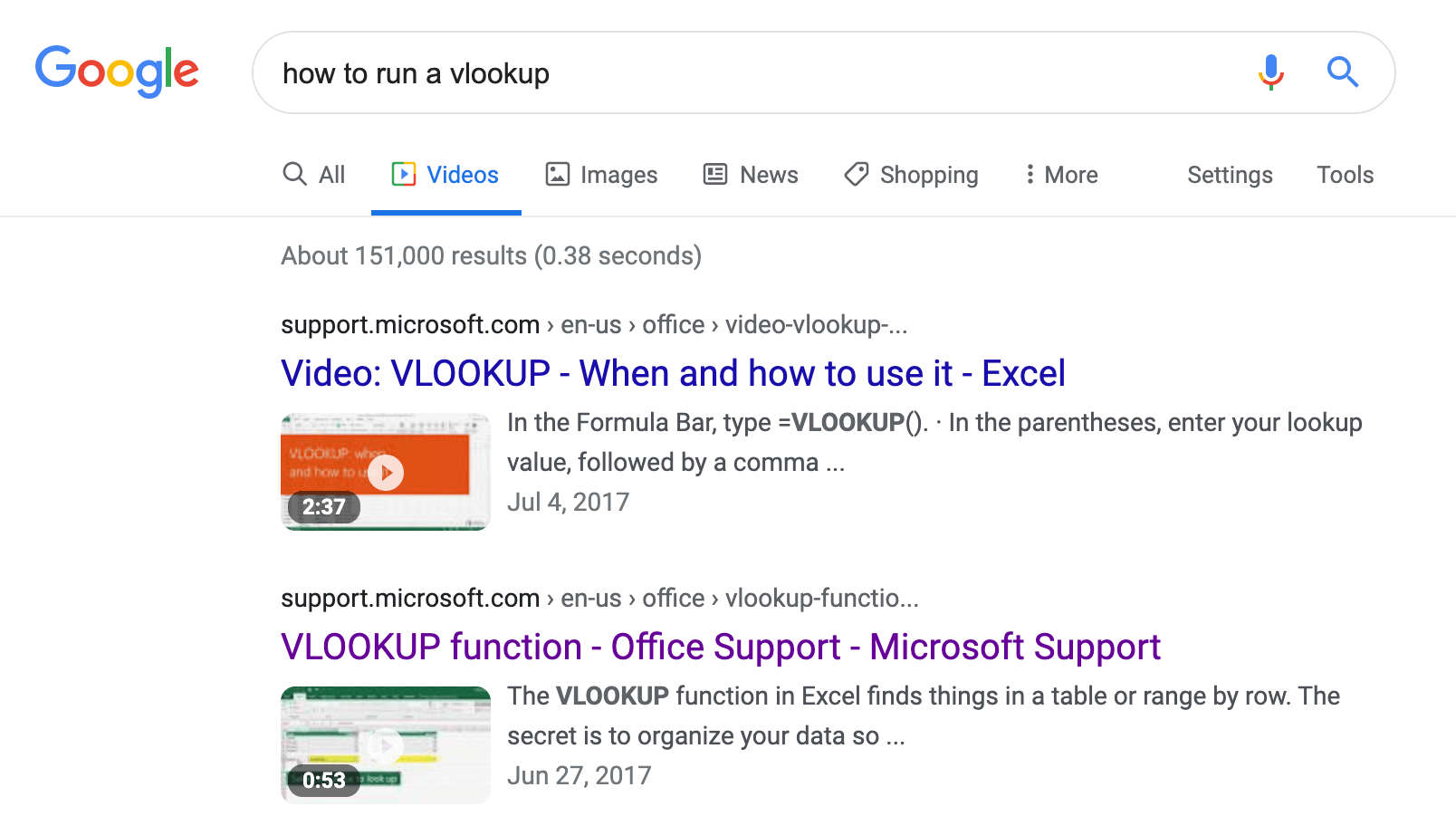
In this example, Microsoft is demonstrating its brand expertise when it comes to its Excel product — and, more widely, anything related to technology and data. This provides Microsoft with a good opportunity to showcase its brand authority while attracting new visitors to its website.
And that’s it! The top five reasons brands make videos. Take a look at The Ultimate Guide to Video Marketing to learn more about how you can create a powerful video marketing strategy for your own brand in 2021.

How to Write About Your Professional Background
A great way to share more about your background is to have a prepared document, like a professional bio.
A professional bio can be shared with prospective employers, your colleagues, included in your social media profiles, used for speaking engagement announcements, or used as an author bio on a blog.
Writing about your professional background for the first time may feel challenging or awkward, but it doesn’t have to be.
Here, we’ll explore some tips to help you feel more comfortable when writing your own professional bio. Let’s dive in.
What is a professional background?
A professional background is a summary of your professional experiences —coupled with any relevant personal information, including interests or passions — that you’ll use throughout your career as you network with industry peers, apply for new roles, or seek out thought leadership opportunities.
This includes previous jobs you’ve had, successful projects you’ve worked on, significant accomplishments like promotions or awards, professional networking organizations you belong to, and anything else you’d share with someone who wants to know more about you professionally.
Not only is sharing more about your background a great way to tell more about yourself to others, it’s also an opportunity to wholly reflect on your professional journey and the goals you’ve achieved — plus, what you hope to achieve in the future.
Next, let’s dive into how you can get started.
How to Write About Yourself
1. Don’t start from scratch.
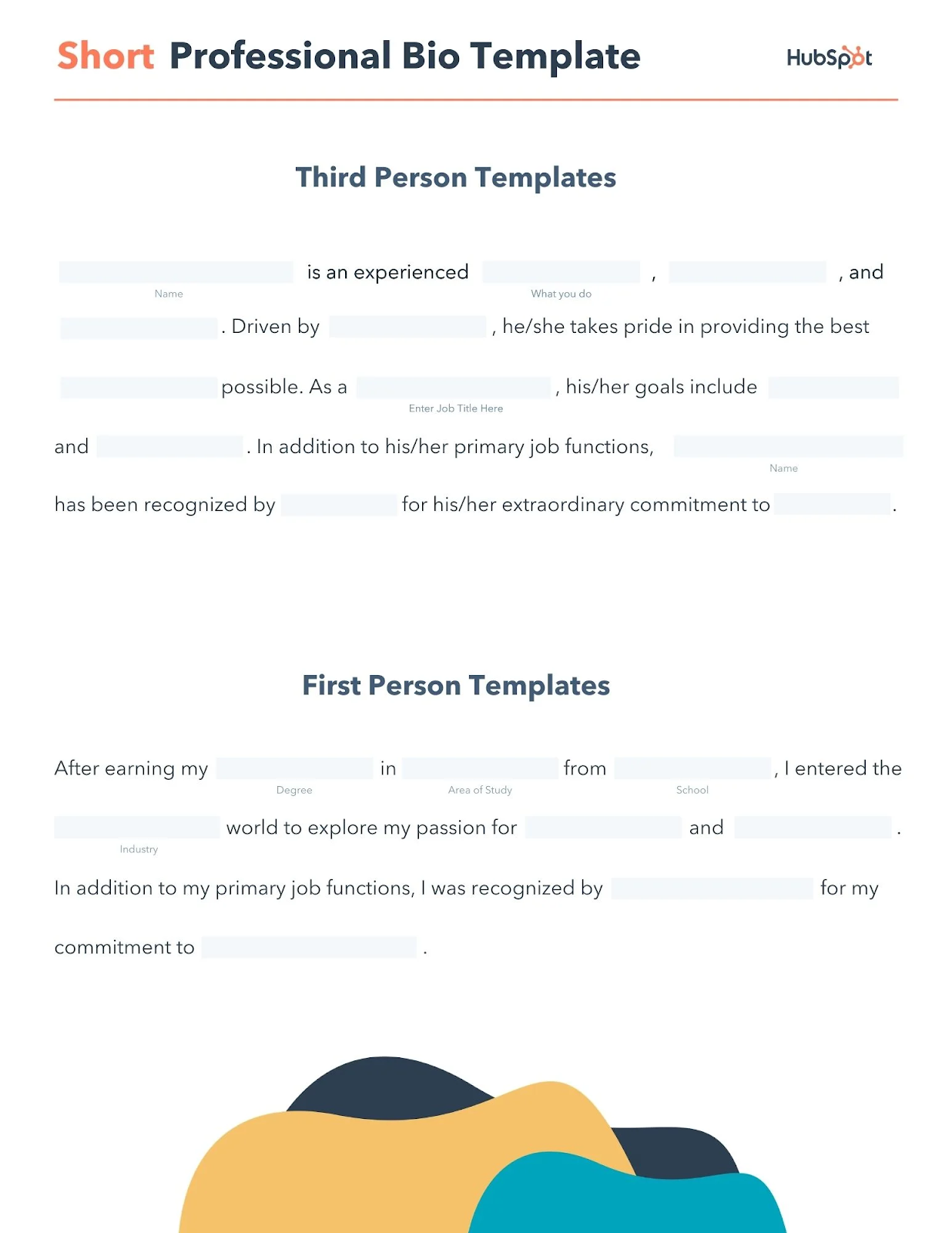
If you’re having trouble figuring out where to start, try using a professional bio template to guide you. Templates, like the ones featured below, make it easier for you to focus on your personal information and accomplishments, without having to worry as much about the structure.
Featured Resource: Professional Bio Templates and Examples
2. Know your audience.
Take into consideration who will be reading your professional bio and cater to your reader.
You may also want to draft different versions of your document to best fit specific audiences. For example, the version you post on your LinkedIn may not be as detailed as the version you post on your personal website, and if your reader is a potential employer, it would help to include details that specifically highlight why you’re the best candidate for the role for which you’re applying.
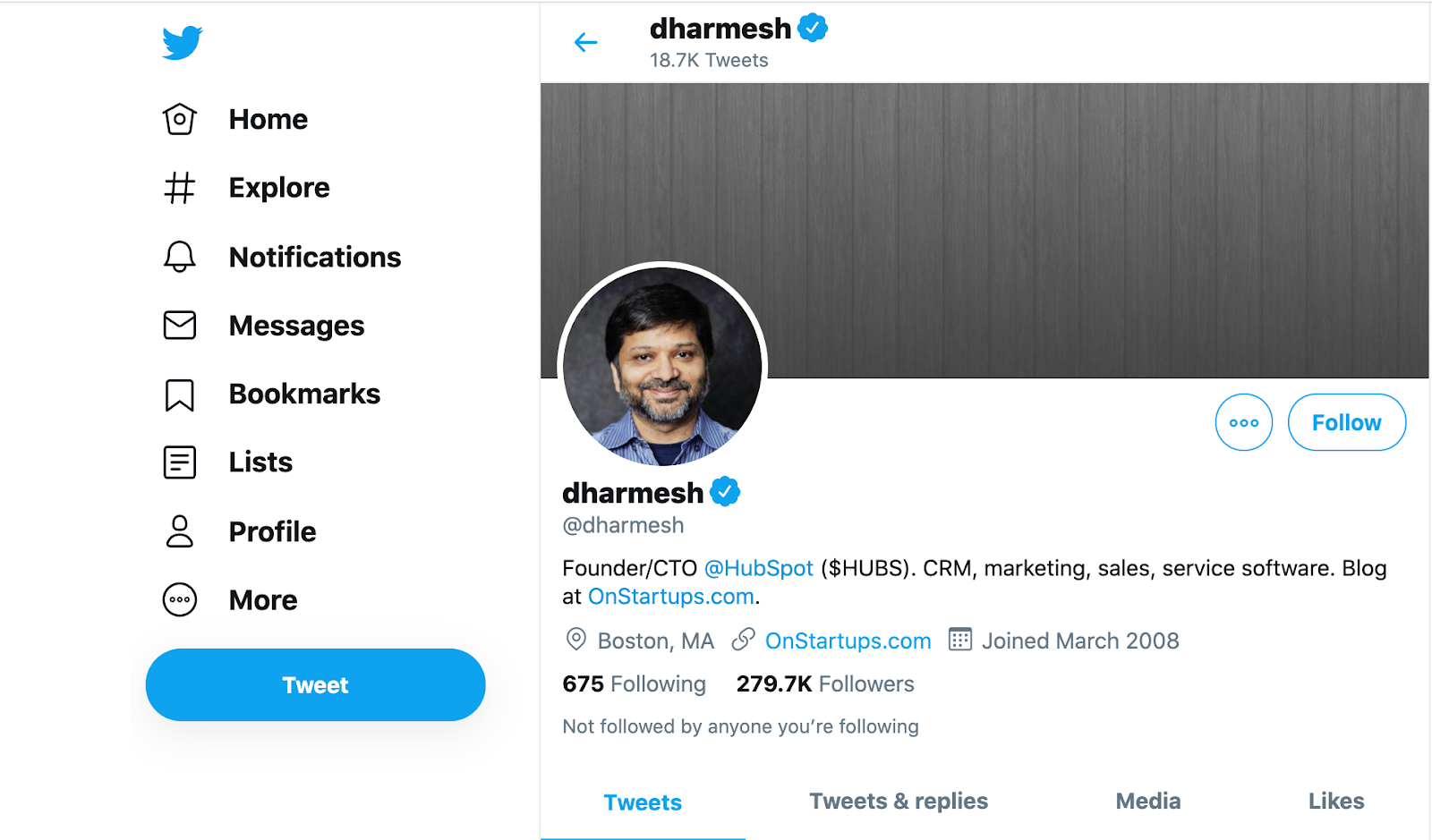
HubSpot Founder Dharmesh Shah uses different bios for different platforms. On Twitter, for instance, Dharmesh’s bio is short and sweet, which is perfect for Twitter’s character limit.
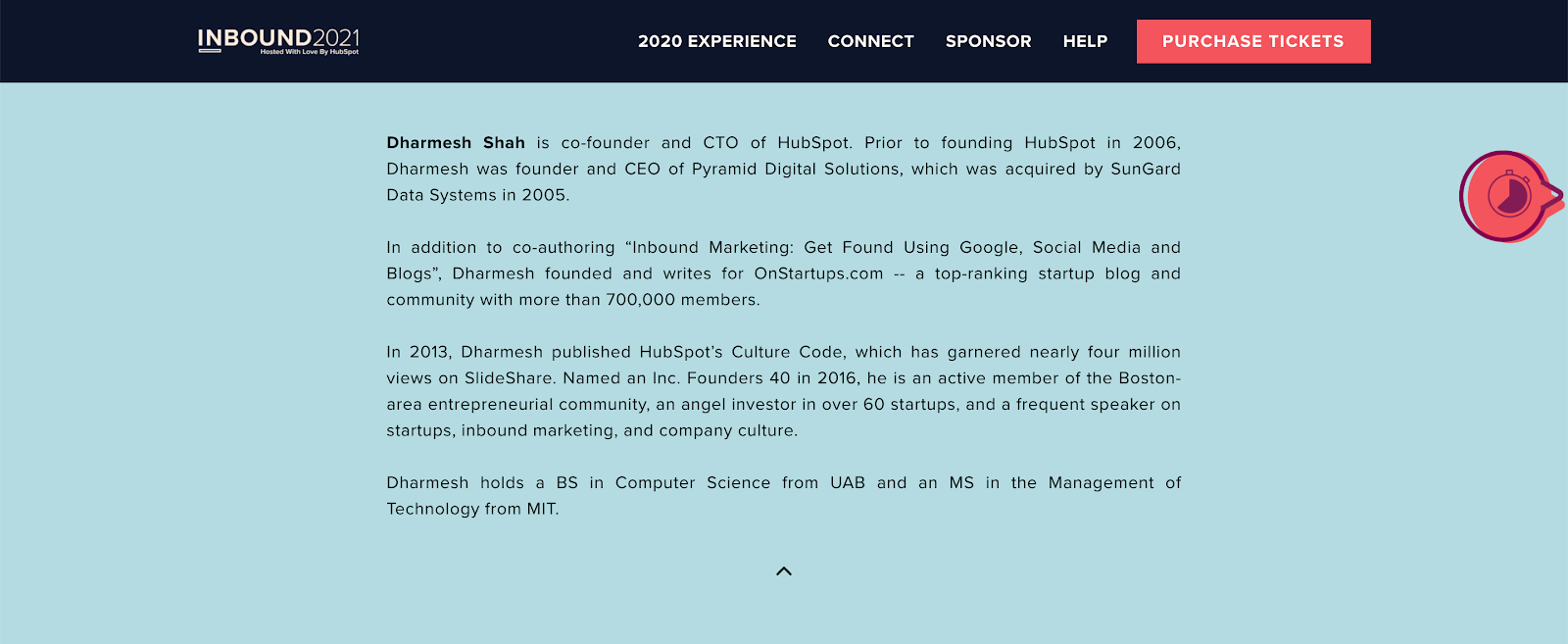
Alternatively, on INBOUND’s website, Dharmesh’s bio is written in third-person for attendees. This bio makes Dharmesh’s current role clear while providing some key background information.
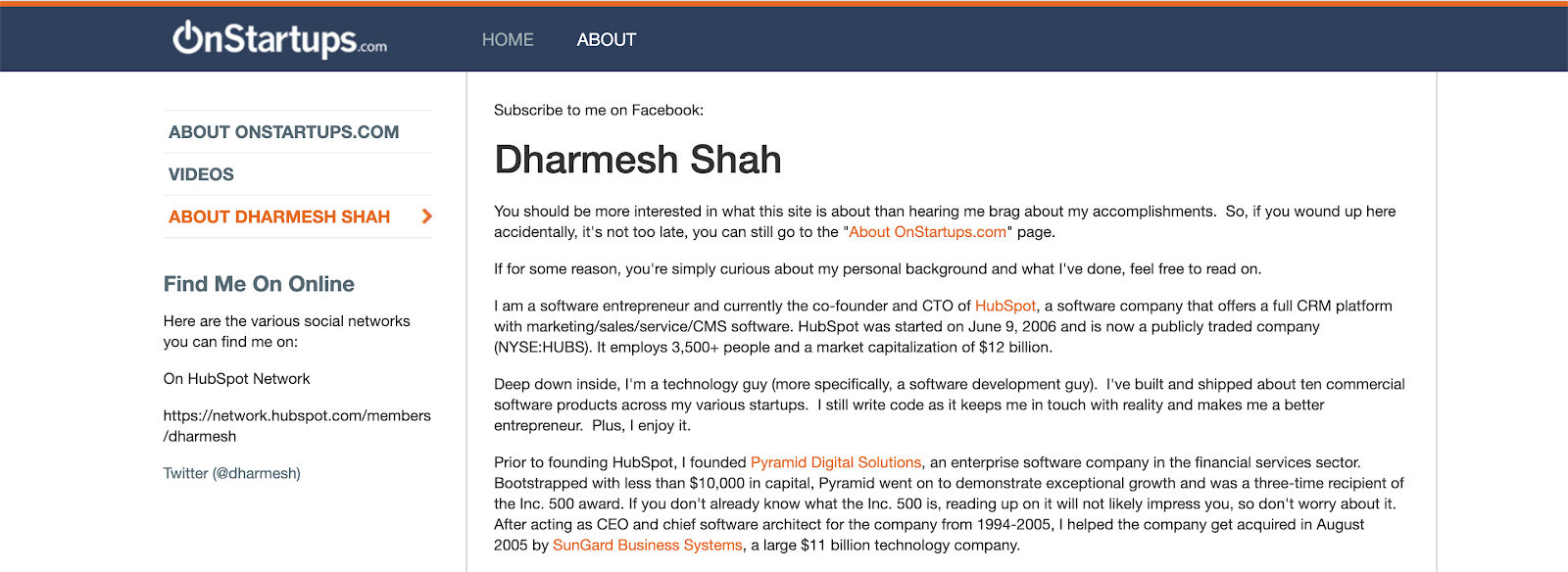
Finally, in his OnStartups bio, Dharmesh’s voice is personable since he’s speaking directly to the reader. This gives readers more insight into Dharmesh’s background directly from his perspective.
The best part about this approach is that you can create as many versions of your bio as you’d like, or simply recycle a general version whenever you need it.
3. Show professional progression.
As you’re writing, think about structuring your professional bio in a way that creates a timeline to show your progression. Explain what your different roles were like, and emphasize responsibilities that set you up for success in your latter roles.
It’s important to note that your timeline doesn’t have to be linear.
“Look for a theme that runs throughout several of the jobs you’ve held, and present your choices in a way that shows common threads running through each of your career decisions,” explains career strategist Jenny Foss.
The goal is to clearly show your audience the different roles you’ve had, and how all of your experiences have contributed to your overall professional development.
4. Highlight your accomplishments.
One of the best things about writing about your professional background is that it’s the perfect opportunity to brag about yourself — and I don’t mean humble brag.
Think of the most successful projects you’ve been part of, the strategies you’ve helped develop and execute, the deals you’ve closed, the revenue you’ve generated, and anything else that stands out as a major accomplishment.
“A former manager once told me to keep a ‘brag sheet’ in a document on my computer. The idea was to create a running list of noteworthy accomplishments, media mentions, awards, and letters of recommendation that I could reference to make it easier to write about myself. It also doesn’t hurt to open up this document whenever you’re having a tough day to remind yourself what you’re capable of,” Carly Stec, HubSpot’s Manager of Channel Monetization, told me.
It’s also important to consider how success was measured in your previous roles — and how that might shape the way you write about it.
If success for you tends to be measured in quantifiable metrics include strong statistics, it might look something like this:
- “In my first six months I was able to sign up X amount of customers that generated an average monthly recurring revenue of $X.”
- “I helped boost customer retention by X percentage.”
- “With the strategy I developed my team was able to lower customer acquisition costs by X percentage.”
If your role is primarily measured through qualitative goals, share a highlight that speaks to skills you excel at:
- “I successfully managed executing a major project with strong time management skills and excellent communication with several stakeholders.”
- “I was able to complete a project that was projected to take an entire quarter in half the time because of my organizational skills.”
- “I was selected to lead a database cleanup project due to my attention to detail and strong team collaboration skills.”
5. Be personable.
Timelines and accomplishments are great, but being personable is even better.
Readers should feel like they’re getting some sense of who you are from your professional bio. This gives readers the opportunity to know more about you beyond a professional scope. If you have any cool niche hobbies that you enjoy outside of work, this would be the time to share.
Here’s a list of prompts to help you brainstorm the right “fun facts” to highlight:
- What TV show are you currently binging?
- Do you have any pets?
- What’s something most people don’t know about you?
- What languages do you speak?
- What are you most proud of yourself for?
- Share something you’ve done that bucket-list worthy
- What do you do to relax?
- What are three of your must have apps?
- What would your favorite colleague say about you?
- What’s the best advice you’ve ever received and how do you apply it to your life?
Being personable is also a great opportunity to address any unconventional moments in your professional background. For example, maybe you’ve made a drastic shift in your career path, or you took a sabbatical at some point.
These types of stories can really help make you more relatable to your audience, and you never know who you may end up connecting with over one of your hobbies or more personal moments.
6. Ask for feedback.
Constructive feedback is key when you’re writing about yourself. While many choose to source feedback after completing a draft of their bio, it’s just as beneficial to get feedback from your peers at earlier stages of your drafting process.
Oftentimes, our peers can help identify our strengths and where we have opportunities to improve. If you’re having trouble developing a clear timeline or pinpointing which highlights you should mention, get together with a peer to brainstorm ideas.
Reflect on successful assignments that you’ve collaborated on and ask your peer to provide honest feedback about what you did best — and include that feedback in your bio.
If you need help getting started, here’s a list of discussion questions to use with your peers to uncover professional strengths you might be overlooking in your own self-assessment:
- What role do you think I tend to play in group work?
- How have I helped you be more successful?
- What do you think my most impressive project has been?
- What was your first impression of me?
- What do you think my strengths are?
Ready to start writing?
Keep these tips in mind as you’re writing about your professional bio. Your final product should be a written statement that boasts your most notable skills and achievements. As you continue to progress in your career, take time to update your bio like you would your resume, and continue to impress your readers.
And remember, if you’re feeling stuck, don’t be afraid to leverage our free professional bio templates to help you get started.

9 Social Media Trends Marketers Should Watch in 2021 [Data + Expert Tips]
As we near the end of 2020, one thing is certain: We’ve spent a lot of time on social media this year.
But, our increased connection to social media isn’t at all shocking.
In March, as countries implemented stay-at-home orders due to the global pandemic, Statista reported a 21% uptick in monthly social media usage.
Throughout the year, consumers have not only continued to use social channels to catch up with loved ones, but they’ve also embraced them for product research, the latest news coverage, and hours of mindless entertainment.
Now, as the world hits 3.6 billion social media users and continues to deal with the pandemic, brands aren’t just wondering how they’ll engage huge social media audiences next year. They’re also asking, “What social media trends should I expect in this constantly changing landscape?”
To learn more about what brands can expect next year, I spoke with HubSpot’s Social Media Manager Kelly Hendrickson and dug through research including HubSpot and Talkwalker’s Social Media Trends Report.
Below, I’ve compiled nine expert or research-backed trends social media marketers should watch or leverage in 2021.
1. Brands will continue to take a “less is more” posting approach.
This year, many brands spent less time churning out social media posts and more time producing only content that felt thoughtful, valuable, and in-touch with the world around them.
According to Hendrickson, the trend of “less is more” is likely to continue in 2021.
“COVID-19 had brands starting to ask a question they may have never asked themselves before: ‘Does my audience even want to hear from me right now?’,” Hendrickson says.
“I expect we’ll see brands being more thoughtful about when they post. This may even mean posting less — regardless of algorithms — because it’s the right thing to do,” Hendrickson explains. “There will also be more thoughtful ad buys and partnerships.”
“Never before has ensuring your audience obtains true value from your brand meant so much,” Hendrickson adds.
2. Content value will beat production quality.
When many businesses were forced to go completely remote in 2020, social media and video marketing teams needed develop scalable production processes that could be done from home.
When consumers still continued to engage with videos, live streams, and other social media content that was clearly made from home offices, marketers realized that content with lower production quality can still be engaging — if it provides value.
“COVID19 forced many brands to get scrappy when it came to producing content, especially video work,” Hendrickson explains. “Without a production studio or tons of equipment available, production value became a bit more lo-fi and in the end, but also a bit more human.”
“The exciting thing for brands is that — generally — audiences loved it. If anything, they saw themselves more in the work,” Hendrickson adds. “They too were on Zoom, filming things with their phones, or stuck in their homes.”
Hendricks predicts that “we’ll see bare bones productions in 2021. But, audiences will continue to appreciate it.”
3. Conversational marketing will change its tone.
Conversational marketing isn’t new. In fact, most of the big brands we know and love allow you to connect with them via social media messaging channels at any time.
But, in 2021, with more messaging channels than ever — and consumers needing more information to make a worthy investment — the tone of digital conversations might change.
For example, while past conversational marketing tactics centered around promotions and making sales as quickly as possible, 2021’s conversational marketers might be more focused on helping a user with something, educating them about a product, and nurturing them to conversion with a more thoughtful or empathic tone.
“Brands need to be more human on social media, inviting the world to your dinner table for a meaningful and engaging conversation,” says Aaron Kaufman, Director of Social Media at Square Enix in our Social Media Trends Report. “You are your fan’s greatest fans and need to embody that no matter what social media channel you live on. Emote, respond, recognize, relate, be engaging. We’re not robots.
So, how will brands deal with more demand for thoughtful conversational marketing? A mix of AI tools and human interaction could help.
A healthy combination of AI and human interaction could enable brands to run efficiently on social media while still giving consumers the authenticity they need to see to trust a brand and make a purchase. For example, a bot could handle quick message queries, while sales, service, or community management reps could respond to more complex questions and concerns.
To learn more about scaling up your conversational marketing strategy, check out this guide to building a chatbot or learn how HubSpot increased qualified leads with by mixing human and bots in our conversational marketing.
4. Consumers will crave snackable content.
In 2020, we saw the rise of TikTok and Instagram Reels, continued engagement on Stories content from Facebook, Instagram, and Snapchat, and brands creating other short-form or “snackable” pieces content to educate consumers about their brand.
As social media attention spans continue to shrink and more people scroll endlessly through feeds while bored at home, don’t expect snackable content to lose steam anytime soon.
To learn more about four types of snackable content your brand should leverage next year, check out this helpful post.
4. Video will continue to take center stage.
Early in 2020, HubSpot’s Not Another State of Marketing Report found that video was the most commonly used marketing content — and the second most engaging content type on social media.
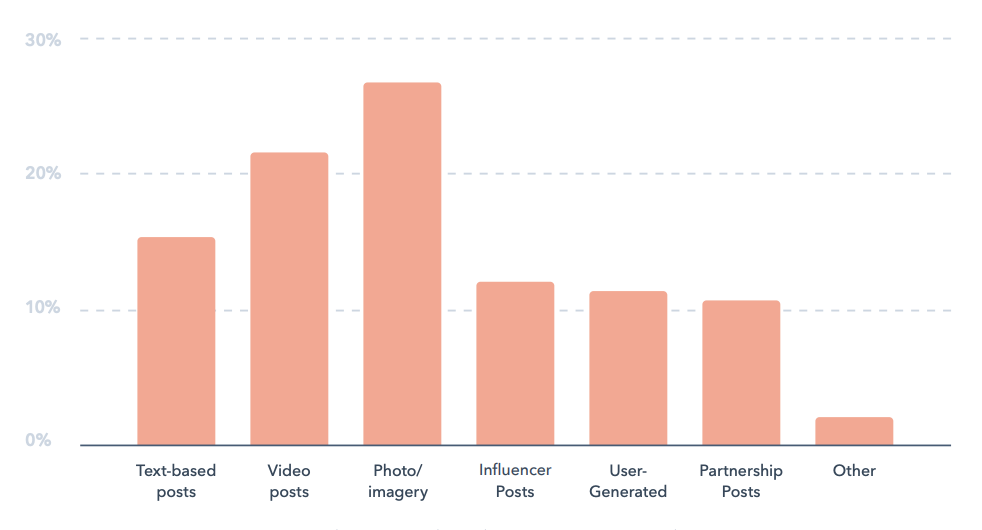
As major platforms, like Facebook, Instagram, TikTok, Twitter, and LinkedIn increasingly amp up their video capabilities, marketers can expect high video consumption to continue and grow in coming years.
5. More brands will go live.
In 2019, one in five Facebook videos were live. In May of that year, YouTube users cumulatively spent 284 hours watching live video.
In 2020, as many brands were forced to take conferences, events, and other marketing experiences online, it’s not shocking to think that 2020 live stream numbers could be higher.
At the moment, many brands are using Facebook, Instagram, Twitch, and Twitter to live stream events, Q&As, tutorials and other types of content. These types of content keep your followers engaged with your brand by bringing an event they otherwise might not be able to attend directly to their screens.
For example, each year, INBOUND interviews some of its noteworthy speakers and guests in live INBOUND Studio episodes on Facebook. This allows followers who can’t join us to get live tips from experts. It also allows followers of interviewed experts to learn more about INBOUND and HubSpot.
To learn more about going live online, check out this guide to live streaming, as well as these tips for marketing your next virtual event.
6. Social media platforms could double as shopping channels.
As many brands learned how to do business completely online, platforms like Facebook, Instagram, Twitter, Snapchat, and TikTok raced to develop more online business marketing solutions.
While TikTok and Snapchat expanded business marketing offerings in 2020, Facebook and Instagram actually brought shopping capabilities directly to their apps.
With Facebook Shops, Instagram Shoppable posts, consumers can buy a product seen in a post without even leaving the app they’re on.
For consumers, this adds convenience. For brands that couldn’t build their own ecommerce store, the online shopping tools noted above are providing new opportunities to effectively sell products online.
8. Social media users will embrace gaming and VR.
In the last year, the number of social media users who identify as “gamers” increased by more than 10 million — or 32%. Our Social Media Trends Report reveals that the highest uptick in gamer identification happened in COVID-19’s heaviest lockdown months.
Now, with Facebook’s company, Oculus, launching new VR products, Twitch continuing to expand online game-streaming capabilities, and platforms like Snapchat launching mini-game apps, it’s clear that gamification and social media will continue to go hand in hand in 2021.
As a small to medium-business marketer, gaming-related promotions might be inaccessible now, but with Facebook and other major platforms continuing to launch brand tools around their newest features — it’s not shocking to think that more social media in-game advertising opportunities could be possible in the future.
Brands should keep an eye out for game-related promotions in 2021.
Even if advertorial game content becomes available to big brands but not smaller companies, marketers can still watch what bigger companies are doing and hit the ground running with fresh ideas if gamified promotion become more scalable.
9. Authenticity will be vital.
This year, consumers and brands faced a global pandemic, uncertain financial times, and a number of major events that paused nations in front of news channels.
Now, consumers need more than just great deals to trust, identify with, and invest in a brand. At this point, many brands have taken notice by embracing authenticity and their human side on social media.
While some brands have spoken directly about their thoughts related to COVID-19 or other news items, others have shown authenticity by zoning on their customers through user-generated content or customer testimonials.
When done authentically, both strategies can help brands gain trust from their audiences while boosting awareness as a company that cares about people.
“We will continue to see the growth in creators in
the social media space. Influencers will continue
to be present, but accountability, authenticity,
and transparency will be the areas brands and
companies will use to determine who to partner
with, and who to pass on,” says Karen Freberg in our Social Media Trends Report. “Empathy and advocacy will be elements that will be integrated within messages and purposes for creator campaigns. The days of ‘faking it till you make it’ without any experience other than having lots of followers are over.”
In 2021, expect authenticity to take center stage on social media as successful brands continue to build trust from their audiences.
Navigating Social Media in 2021
Today, the world around us is constantly changing. And, although we think we know what to expect with social media, this list of trends is likely not exhaustive of what we’ll see in 2021.
As a social media marketer, the best thing you can do is to continue to research trends, online consumer behaviors, and your team’s social media data to determine which trends or strategies to lean into or how to navigate unprecedented online scenarios.
One great place to start doing this research could be our HubSpot and Talkwalker’s recent Social Media Trends Report.
Along with insights and quotes from social media experts, our Social Media Trends Report walks through all the major 2021 trend predictions to know about and data on how COVID-19 could impact social media marketing. to see the free report, click here or the banner below.

How to Make Money on YouTube, According to 3 People Who Do
Every day, over one billion YouTube videos are watched around the world.
And they’re not just being watched — they’re being devoured. In fact, the average YouTube mobile viewing session by any one viewer is roughly 40 minutes.
If only there was a way to make money off of a website people spend so much time on … As a matter of fact, there is! A few ways, actually, and the proof is in the people (and businesses) who’ve cashed in on their video strategy.
Who’s making content worthy of a nearly hour-long visit to YouTube? Well, YouTube isn’t just for amateur filmmakers and people videotaping their zainy housepets anymore. Musicians, TV networks, small businesses, and the self-employed all find monetary value in posting their own amazing content on a YouTube channel.
An active, entertaining YouTube channel — which is free to make through a Google+ account (also free) — strengthens these users’ brands and extends their reach to new audiences. It can also build a base of subscribers that other companies using YouTube will actually pay to advertise their products to.
Before launching a YouTube channel for the purposes of making money, you need to decide what kind of profit you’re interested in. Are you looking to use YouTube as a promotional outlet for your own products and services? Or, do you want your video content to generate ad revenue right from YouTube?
Here, we’ll dive into the step-by-step process you’ll need to follow to set up a YouTube account that is both ready and optimized for monetization. After that, we’ll dive into some specific methods you can try to make money on YouTube — and examples of successful brands who’ve tried those same strategies.
Feel free to skip directly to the section Different Ways to Earn Money on YouTube.
Otherwise, let’s dive in.
1. Set up an adSense account.
To begin earning money on YouTube, you’ll need to start with an AdSense account. An AdSense account is the platform in which you’ll receive payments from YouTube, so this is a critical step.
It’s important to note — you can monetize more than one YouTube channel with the same AdSense account, so if your brand has multiple YouTube accounts and you’re hoping to set up monetization features on each one, you only need one AdSense account.
To set up an AdSense account, simply follow these AdSense instructions, or go to https://www.google.com/adsense/start/ and click “Sign up now”.
Once you’ve done that, proceed to the next steps.
2. Become a YouTube partner.
Along with an adSense account, you now need to be accepted into the YouTube Partner Program (YPP). There are a few requirements for joining YPP, including:
- You must live in a country or region where the YouTube Partner Program is available.
- You must have more than 4,000 valid public watch hours in the last year.
- You must have more than 1,000 subscribers.
- You must comply with all YouTube monetization policies.
- You must have a linked AdSense account.
If you meet all those requirements, you’re eligible to sign up for the YouTube Partner Program. Here’s how to sign up:
- Sign into your YouTube account (and make sure this account has a linked AdSense account).
- Click “YouTube Studio” in the top right (by clicking on your profile picture).
- If you don’t currently meet the requirements, you can select “Notify me when I’m eligible” and you’ll receive an email once you’ve surpassed 1,000 subscribers and 4,000 watch hours.
- If you meet the requirements, click “Start” on the “Review Partner Program terms” card.
- Once you’ve signed the term, you’ll see a green “Done” sign on the card.
Once you’ve completed these steps, you’ll be placed in a queue to be reviewed. You can check your application status here at anytime. Once you’ve been accepted, you can proceed to the next step.
Note: If you’re accepted into the YPP, take a look a FAQs from creators who’ve just joined the program.
If you’ve been rejected, take a look at these FAQs for tips on how to strengthen your application. You can re-apply 30 days after rejection.
3. Identify viewer personas.
To create a strong, effective monetization strategy on YouTube, you’ll need to know who your target audience is — and, just as importantly, who your buyer personas are.
While your buyer persona will undoubtedly look similar to the same buyer persona you use for other marketing materials, there are slight variations you might need to make for the YouTube-version of your buyer persona.
As Nelson Chacon, HubSpot’s Principal Content Strategist for YouTube, told me: “For instance, you might have two buyer personas: Margaret and Sam. However, on YouTube, you have a better opportunity of reaching Sam than Margaret.”
Chacon continues: “Sam is interested in personal growth and probably has some existing tasks from Margaret on finding ways to reduce costs or find efficiencies for their business. The Sam we see outside of YouTube can have certain things he likes. However, inside of YouTube, he probably has other interests, so for this, you might look into creating a YouTube Sam 2.0 persona.”
“Ultimately, you’ll want to tailor your digital content towards your ‘YouTube 2.0’ buyer persona. Consider what types of content that buyer persona would be most interested in, watch more, like and comment on, and share with peers. This will help you increase chances of conversion on YouTube.”
Ultimately, YouTube is a search engine, so you’ll want to treat the platform similarly to how you’d treat any other search engine. This means, by identifying your buyer persona, you can begin to target keywords that appeal most to that persona — and ensure you’re avoiding content that attracts “negative” personas, or people you don’t believe would be a good match for your brand.
(To learn more about how to create buyer personas, take a look at this post.)
4. Establish a product conversion path.
If you want to make money on YouTube, you’ll want to establish a strong conversion path — i.e. which YouTube content will attract the most viewers, and of those pieces of content, how can you leverage conversion opportunities to turn leads into customers?
We’ve identified 8 types of CTAs you can consider using in your YouTube videos. Among those are beginning-of-the-video CTA, description CTA, and drive-to-website CTA. Ultimately, you’ll want to outline a clear conversion path to understand how to turn your YouTube visitors into product leads.
For instance, let’s say you want to use YouTube as a channel to drive leads to your company’s new email marketing software. For starters, you’ll want to create a compelling YouTube video that attracts your email marketing buyer persona, and then you’ll want to drive those viewers to a dedicated landing page or e-book to learn more about email marketing. Once those leads are further down the pipeline, you can introduce them to your product.
Your conversion path, then, will look similar to strategies you’ve outlined in other lead generation channels, such as blog posts and social media — however, you’ll want to ensure you’re tailoring the content you produce on YouTube to YouTube’s demographic and the type of content YouTube viewers enjoy the most.
This might look slightly different from the content that performs well on your blog, but it’s worth the extra effort to ensure you’re creating content that fits each platform’s strengths.
5. Optimize your page for conversions.
There are tons of strategies specific to optimizing your YouTube account for SEO — which can ultimately lead to more visitors, and an increase in revenue.
A few quick tips: Consider inserting your intended keyword in your video title; optimize your video description; tag your video with popular keywords that relate to your topic; upload a customer thumbnail image; and add End Screens to increase your YouTube channel’s viewership.
It’s important to remember, when making money on YouTube, you want to play the long game. Sure, SEO-optimization may not put money in your pocket tomorrow, but it’s a good opportunity to increase viewership, establish your brand as an influencer in the space, and ultimately have the leverage needed to turn those thousands of viewers into paying customers.
6. Choose your monetization preferences.
There are a variety of monetization features you might explore on YouTube. Ultimately, you’ll want to choose the path that best suits your business’ goals.
Take a look at these five YouTube features in particular on which you can make money:
- Advertising Revenue: Ad revenue from display, overlay, or video ads.
- Channel Memberships: Your members would make monthly payments for special perks or exclusive content.
- Merchandise Shelf: Your followers can purchase official branded merchandise that you display on your watch pages.
- Super Chat and Super Stickers: Your fans can pay you to get their messages highlighted in chat streams.
- YouTube Premium Revenue: Subscribers can pay a fee to get access to premium content, and if you sign up for this program, you’ll get a portion of that subscription fee.
Learn more about these features, and each feature’s eligibility requirements, on this page.
Additionally, let’s dive deeper into advertising revenue for a moment. There are three separate advertising options on YouTube: TrueView ads, Video Discovery Ads, and In-Stream Ads.
Ultimately, the ad option you choose will depend on your advertising goals. Ultimately, YouTube advertising can be one of the most effective opportunities for driving conversions for brands and influencers alike.
Take a look at YouTube Ads for Beginners: How to Launch & Optimize a YouTube Video Advertising Campaign to learn more.
7. Create sponsored content.
One other opportunity to make money on YouTube comes in the form of sponsored content.
If you’re a YouTube influencer, you might naturally incorporate a brand or product mention into your content, create an entire video featuring a brand’s product or service, or even include a brief shout-out to a brand with whom you’ve partnered.
There are plenty of small and large opportunities to partner with brands and receive payment, either for every individual referral you send to their website, or simply for including a brand mention in your content at all.
Best of all, you don’t need to pay YouTube a portion of your earnings for any sponsorships — instead, you can negotiate directly with the brand.
Alternatively, if you’re a brand, this could be a good opportunity to reach new audiences and, ultimately, drive revenue to your company.
Feel free to take a look at What Will Influencer Marketing Look Like in 2020? to learn more.
1. TrueView Ads
YouTube revenue: $2,600 – $41,600 per month
Got a great story to tell that also has a connection to your product? TrueView is for you. TrueView ads are your opportunity to create high-quality, longer creative spots that appear adjacent to the YouTube videos your target audience is already watching. These ads come in two forms: In-Stream and Discovery.
In-Stream videos play right before the YouTube user’s selected video, “in the stream” of that chosen video. Users can opt to skip this video after five seconds of it playing, as shown below, and jump to their content. In-Stream ads can be between 12 seconds and six minutes in length.
Discovery ads appear on the right sidebar of a selected video, just below the “Up Next” video as a suggested result. See how this one looks, below:
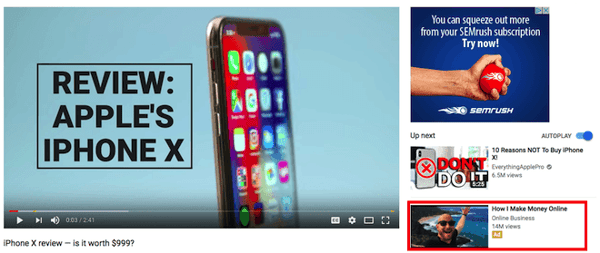
Because of the time you’re allotted with this ad format, it’s suggested that you create this type of ad with the goal of views and brand development, rather than just clicks into your website. This ad ideally generates revenue from the long-term brand awareness that comes out of a story people don’t want to skip, and one viewers remember the next time they approach your product or service.
Both In-Stream and Discovery are pay-per-view — you pay YouTube a fixed rate for every view the ad receives — and their return on investment (ROI) can be measured in Google AdWords. YouTube tallies one new “view” after 30 seconds of watching, or a click on the video as it’s playing. If the video is less than 30 seconds, views are tallied from people who watch the entire ad. (We’ll explain how AdWords manages all three ad formats in a minute.)
Clash Royale, a popular game app for mobile devices, has produced TrueView ads that are consistently in YouTube’s top 10 most highly watched ads of the year. The company’s 2017 ad, “The Last Second” (shown below), garnered more than 110 million views by the end of that year. This campaign contributed to a YouTube marketing strategy that makes the app developer no less than $4,000 per month, as estimated by SocialBlade.
2. Preroll Ads
Like In-Stream ads, Preroll ads play in the stream immediately before a user’s selected video. The difference is this ad type can’t be skipped after five seconds. These videos also run a maximum of 30 seconds, though YouTube recently confirmed it will limit advertisers to 15- and 20-second options starting this year.
Because viewing is required in this ad format, advertisers pay per click, so make the click worth it. A preroll ad with an enticing call-to-action that directs viewers to an appropriate landing or purchasing page on your website can be an enormous lead-generator for the sales team.
You can also leverage YouTube’s remarketing options, which enable you to send new videos back to users who’ve already engaged with your YouTube channel. If you’re a HubSpot user, and you’ve built smart forms for capturing new information on returning visitors, remarketing can be a terrific addition to an inbound marketing campaign.
This remarketing option helps you learn more about a person’s background and interests when they receive new videos that bring them to new landing pages.
3. Bumper Ads
Bumpers are the shortest ads you can buy. These six-second spots play just before a viewer’s selected video (like the above two options) but are best for brand awareness in the short breaks between long videos, or a YouTube playlist a user might be listening to in the background.
While they might be brief, YouTube found 90% of their bumper ads were remembered later by viewers. Bumpers are sold through cost-per-minute (CPM) bidding, which means you pay for every 1,000 plays of your ad on YouTube. They’re best used as a compliment to a TrueView ad campaign.
So how do you track the performance of these three video ad formats? Once you’ve created a YouTube channel and uploaded your video content, you can open a Google AdWords account and link it to your video campaign. In AdWords, select the campaign type, ad format, your budget, and to whom and where to show each video on YouTube.
You can target very specific audiences, and track the conversion rate of each video individually to see how much business (and revenue) you’re driving. See this blog post to learn more about this process.
4. YouTube Partner Program
YouTube revenue: $723,500 – 11.6 million per month
The YouTube Partner Program (YPP) allows the website’s most successful YouTube channels to monetize their content by serving ads made and paid for by other YouTube users.
The criteria for this program — which changed in 2018 — requires that your channel has reached 4,000 watch hours and 1,000 channel subscribers in the last 12 months. Once you have passed these two milestones, you can apply to join the program through the following steps:
- At the top-right of the YouTube homepage, click your account icon and select “Creator Studio.”
- On the left-hand side, click “Channel” and select “Status and features.”
- Under the box, “Monetization,” click “Enable.” Don’t be fooled if it says you’re already “Eligible” to the left; this just indicates there are no restrictions against you from trying to become a Partner.
- You’ll be asked to agree to the YPP Terms. Do so, and you’ll then sign up for an AdSense account so you can receive revenue through your monetized YouTube account.
- Set your ad hosting preferences and follow the prompts to submit your channel for review.
YouTube typically emails you a decision on whether they’ve accepted you into the YPP within a week of applying, so sit tight. Still trying to hit the right watch hours and channel subscribers? Keep in mind you should be posting prolifically — having just one or two videos on your channel that you’re personally proud of won’t cut it.
T-Series is a prime example of how volume and consistency can make you a sought-after channel by advertisers on YouTube. This India-based record company posts numerous music videos for songs written and performed in Bollywood, India. And although the company was founded in 1984 and has been on YouTube for nearly 10 years, keeping with this music video strategy has finally put them a position to dethrone PewDiePie (the famous video game-focused YouTube user) as the most popular YouTube channel in the world — with a whopping 83 million subscribers.
T-Series makes no less than $724 thousand per month from its YouTube channel, according to SocialBlade, much of which comes from advertisers through the YouTube Partner Program.
“Bollywood music is like Russian roulette. You keep on betting, but you don’t know what will be a hit.” -Nerraj Kalyan, President of T-Series
By publishing multiple videos a week, you can build your viewership, qualify for YPP, and make decent cash. YouTube splits ad revenue 55-45 with its partners — 45% to Google, 55% to you. That means an advertiser who invests $200 in serving ads on your channel can bring you $110 for your videos’ real estate.
T-Series’s president attributes their success on YouTube to the fact that the business doesn’t go into any one project thinking it will make money. Rather, the regular “bets” they place on YouTube increase their chances of capturing its audience, and increasing their following as a result.
5. Affiliate Links
YouTube revenue: $6,900 – $109,800 per month
As an affiliate, there is no eligibility requirement — you’re taking advertising into your own hands. This is a great option for YouTube channels that offer reviews and how-to’s, and frequently recommend new products to its viewers.
Turn those suggestions into paid (but natural) product placements in the description section of your video, as shown below:
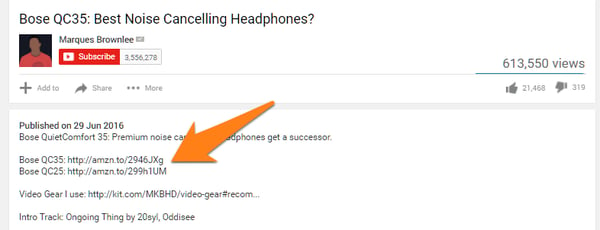 Image via Authority Hacker
Working as an affiliate of various brands can make you money — albeit usually less than a YouTube Partner campaign — each time that company makes a sale off a link you post on one of your videos. In this case, you’re earning revenue from the company of which you are an affiliate, rather than from YouTube and its advertisers.
Start by joining an affiliate network through sites like Click Bank or Amazon’s Affiliate Program, and follow the signup instructions. Keep in mind that each program takes a different percentage of a sale as commission, and your success is still tied to the popularity of your YouTube channel.
Travel vloggers can also join Travelpayouts. It is a travel affiliate program, that allows you to make money on flight tickets, hotels, tours and other travel services. The affiliate commission (percentage) depends on the service you choose and your sales volume.
YouTube personality Marques Brownlee, whose YouTube channel is shown promoting affiliate links in the screenshot above, is a consumer electronics reviewer on YouTube. This makes affiliate advertising the perfect revenue stream for his channel because his advertisers are effectively paying for Marques to review — and, assuming it’s a positive review, promote — their products to his viewers. Marques says he also generates revenue through the YouTube Partner Program, according to Recode.
“There’s little things you can do to get people to watch your videos more, but none of it will make as drastic of a difference as the video itself. The video itself has to be what makes people watch it and share it and watch it again.” -Marques Brownlee, tech reviewer on YouTube
In the example above, Marques reviews a pair of headphones by Bose, suggesting they might be the best noise-cancelling headphones on the market. This made him an affiliate of Bose — just one piece of a YouTube marketing strategy that makes Marques no less than $6,900 per month, according to SocialBlade.
6. YouTube Super Chats and Super Stickers
What exactly is fan-funding? It’s exactly what it sounds like: viewers donate money to your channel if they find your content enjoyable.
It’s the perfect option for videos managed by charities and nonprofits, but even for-profit businesses and independent creatives can publish videos and YouTube Live streams that encourage contributions from their audience. Streaming platforms such as Twitch.tv, which webcasts video games and general interest content, sees accounts that are two years or older make $80 in “tips” per year on average.
Twitch.tv’s most popular users make thousands.
Obviously YouTube and Twitch have different users, but YouTube has just as many loyal channel subscribers who would likely pay for exclusive rewards and content. On YouTube, sign up for Fan Funding to allow viewers of a live stream to tip through a chat window associated with the video.
YouTube calls them Super Chats.
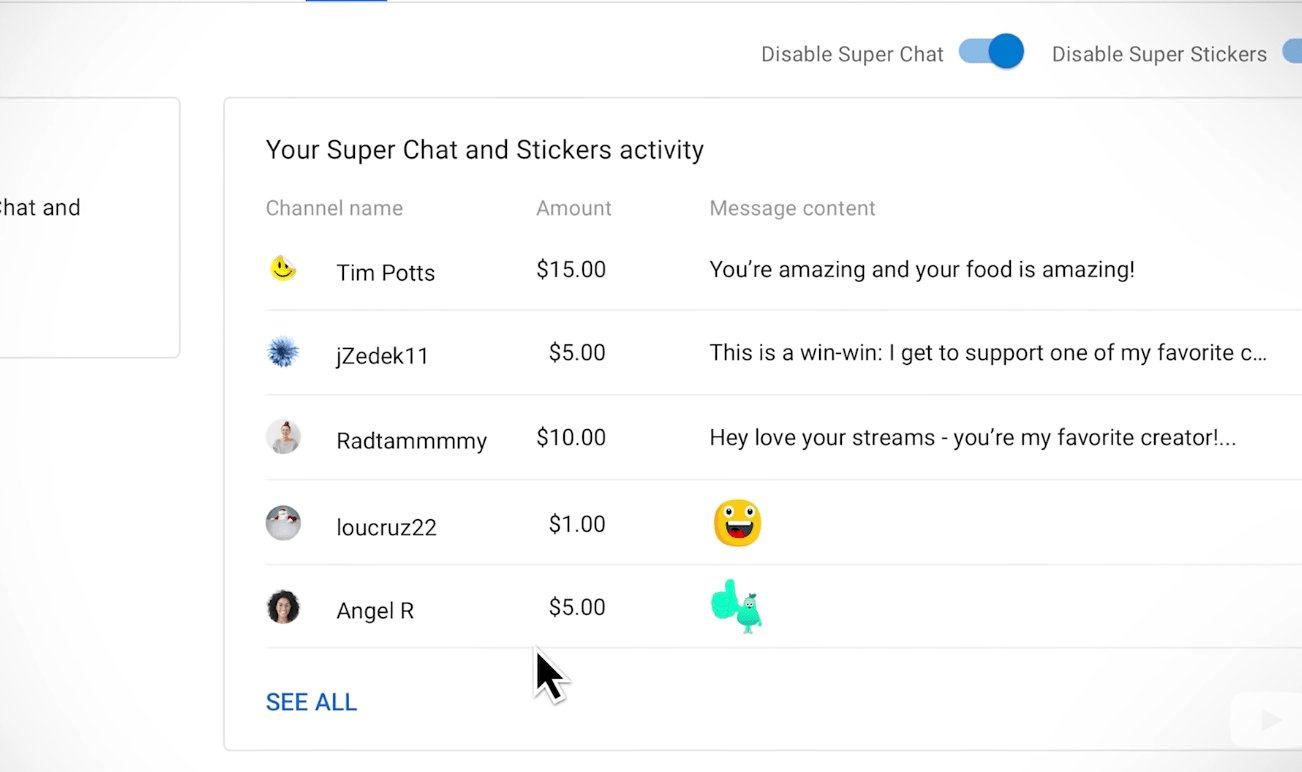
You can also sign up for Patreon, which allows you to launch membership-only video channels through YouTube at a small fee per month for regular rewards. Just imagine how much a YouTube channel could generate if it has the 1,000 subscribers required by the YPP. Charge $1 for a new channel with new content, and you could be looking at a solid monthly revenue stream.
7. Channel Membership
If you’re eligible, channel memberships is a powerful opportunity to offer exclusive perks to fans who are willing to pay a low monthly fee to become a member of your brand’s YouTube channel.
Channel memberships provide members with perks like loyalty badges, custom emojis, and other goods unique to the channel — for instance, comedian Mike Falzone offers a digital copy of his book and an exclusive coupon code to use on merchandise:
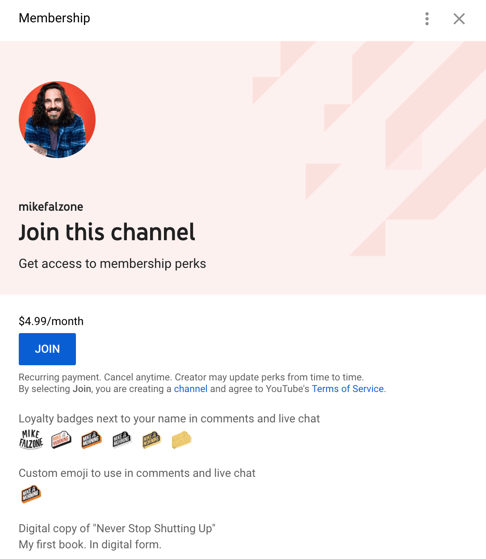
Take a look at YouTube’s Channel memberships eligibility, policies, & guidelines to see if this is a good fit for your brand. Ultimately, community membership could be a powerful opportunity for you to build a larger following on YouTube and make loyal fans feel valued by releasing exclusive, membership-only content.
8. Merchandise Shelf
Similar to the power of a good gift shop at the end of a museum tour, the Merchandise Shelf is a good option for influencers and brands alike to sell products or services to spread brand awareness and increase sales.
This is an especially good option for influencers. For instance, consider Ryan Higa, a Japanese American Youtube creator and personality, who has over 21 million subscribers on his YouTube channel. To earn money, Higa now has a full merchandise website he links to directly from his YouTube account. Devoted Higa fans will love purchasing a branded t-shirt or sweatshirt, and it earns Higa some hard-earned money on his already successful channel.
Take a look at YouTube’s merchandise page to learn more.
There’s no shortcut to well-earned cash money, even on YouTube. The good news is video is taking up an increasingly wide slice of global internet bandwidth, and there are numerous ways to produce video content that’s good enough for people to pay for.

6 Ways to Support Black-Owned Businesses During the Holidays
2020 has presented unprecedented challenges for businesses. COVID-19 has forced most to pivot their strategies online and adapt to a growing digital landscape. While some have been able to stay afloat, others haven’t been as successful and many have had to close their doors permanently as a result.
Black-owned businesses have been disproportionately impacted by the global pandemic. In the United States, 26% of Black-owned businesses closed their doors permanently between February and May of 2020, compared to 11% of white-owned businesses.
That’s why, this holiday season, HubSpot is joining Google, the U.S. Black Chambers, Inc., and other companies participating in Black-owned Fridays — an initiative to drive visibility and support for Black-owned businesses.
I spoke with Gianne Doherty, Founder of Organic Bath Co., to learn more about what businesses, and consumers, can do to support Black-owned businesses during this holiday season. Below are a few thoughts she offered during our conversation.
How to Support Black-Owned Businesses
1. Tell someone about a business or product.
Doherty started by saying that the simplest way to support Black-owned businesses during the holiday season is to tell people about their products. When you buy something cool or get a good deal, tell a friend. Online customer reviews are great, but a one-on-one interaction is usually the best way to convince someone to check out a business or product you love.
If you don’t know of any Black-owned businesses in your area, Doherty recommends heading to Google and doing a quick search. There are plenty of resources that can direct you to a Black-owned business in your area — one of which is the Official Black Wall Street Directory.
She also proposed searching social media sites to find Black-owned businesses online. For instance, if you search “#BlackOwnedBusiness” on Twitter, you can find plenty of accounts managed by Black business owners — liking, reposting, and sharing their content is also a great way to support these businesses.
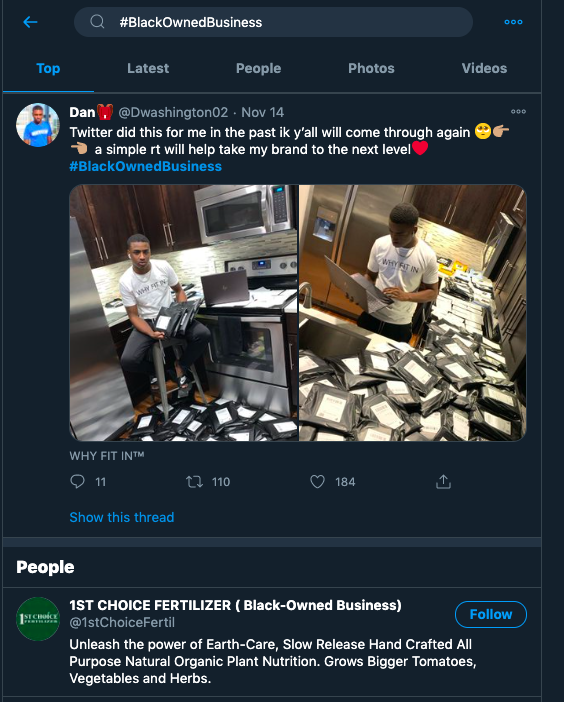
2. Refer customers to Black-owned businesses.
Word-of-mouth marketing is incredibly important for small businesses, especially if you’re operating in a B2B setting. Doherty noted that customer referrals make a huge impact on buying decisions, because customers will trust each other’s recommendations more than they’ll trust your brand’s advertisements. If you have the opportunity this holiday season, refer a Black-owned business to your customers or peers and help promote their brand.
Doherty also emphasized the importance of focusing on the value of the products and services you’re referring — and not just the fact that they’re Black-owned. After all, “shopping Black or shopping small doesn’t mean lower quality,” as she put it. When making a referral, Doherty encouraged people to highlight the benefits of the product or service along with the fact that they have been created by individuals who have been historically underfunded.
3. Shop early during the holidays.
The holidays are already a busy time for small businesses, and COVID-19 has made it even more difficult to keep pace with customer demand. In the United States, 99% of minority-owned businesses are small businesses, which means that many don’t have their own shipping operations like Amazon or Walmart.
Most small businesses in the United States use the United States Postal Service (USPS) when shipping their products, which can lead to delays as orders pile up around the holidays. Doherty recommends that customers try to buy their products early in the holiday season to avoid any potential problems that might occur with shipping.
4. Be patient with small businesses.
Alongside shopping early, Doherty also noted that customers will need to be a little more patient with small businesses this year. The holidays are already busy as it is and now, with COVID-19, many businesses are still learning how to adapt their marketing, sales, and customer service strategies. There are likely to be some new roadblocks to tackle this year, and customers need to be patient with small businesses as they work to overcome those challenges.
Black-owned businesses have already saw an increase in customer demand this year when searches for Black-owned businesses increased by over 7,000% between May and July. Unfortunately, this growth has declined since, creating a greater need for buyers to support Black-owned businesses during the holidays. While it’s wonderful to see a sudden spark of interest over the summer, Doherty encouraged buyers to continually support Black-owned businesses year-round and not just when it’s trendy.
5. Partner with Black-owned companies.
If you’re a business owner, one way you can partner with black-owned businesses is on promotional campaigns. Doherty, for example, has been partnering with other Black-owned businesses to hold giveaways. She’ll give away another brand’s product while that brand will give away one of hers. This is a great way for each company to raise awareness for the other among their customer bases.
Here’s one example from her company’s Instagram page, where she partnered with two other Black-owned beauty brands to give away products.
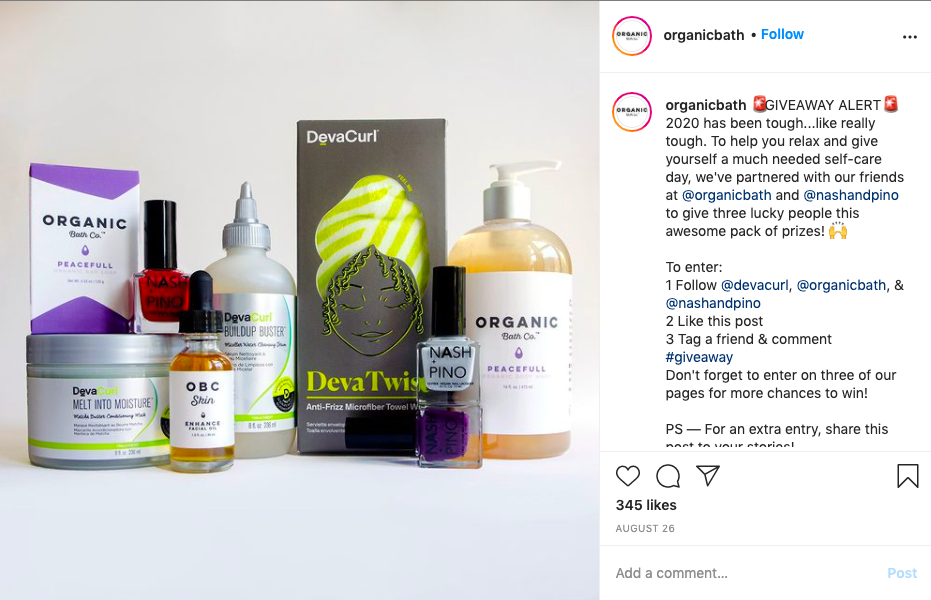
6. Buy from Black-owned businesses.
At the end of the day, the best way to support Black-owned businesses is to buy their products. Doherty said, “We’re voting with our dollars.” The businesses where we spend our money will be the ones that grow and thrive. If we don’t consciously shop at Black-owned businesses, we will continue to lose them at a disproportionate rate. If you really want to support Black-owned businesses this year, go out and purchase one of their products and tell a friend about them, too.
These are just a few of the ideas that Gianne Doherty wanted to share for Black-owned Friday. We hope it brings some attention to Black-owned businesses, especially those that have been significantly impacted by COVID-19.
If you’re a Black business owner and are looking for ways to optimize your visibility this season, below are a few resources from Google that can help you reach new customers.
How to Get Support If You’re a Black Business Owner
Here are three things that Google recommends doing if you’re a Black business owner.
- Add your business to the U.S. Black Chambers, Inc.’s ByBlack directory. You can add your listing and become a part of the community for free.
- Highlight that your business is Black-owned on your Business Profile on Google. By adding the Black-owned attribute, you’ll stand out to customers looking for your business on Google Search and Maps. Here’s how to get started.
- Get free coaching to help your business reach new customers, thrive online, and grow. Grow with Google Digital coaches provided dedicated support for Black and Latinx small businesses.
