
How to Get Started With CRM-Powered Advertising [+ Why You Should]
HubSpot was founded during a time when people were under constant attack from aggressive outbound marketing tactics.
I’m sure nobody misses the unwanted ads, spam emails, and cold calls that used to interrupt their day back in the mid-00s.
Ad retargeting wasn’t a thing, so we all had to settle for repeatedly seeing the same ads for products we had absolutely no interest in.
Marketing has changed a lot since then. Thankfully.
Nowadays, companies have the ability to develop engaging advertising campaigns that complement their inbound strategies and speak directly to their audiences’ needs. The concept of journey-based advertising has been widely adopted and marketers can now create customized content for individuals at every stage of the buyer’s journey.
Targeting has become more sophisticated, meaning that ads are now less interruptive and more informative — so sophisticated, in fact, that that we now take for granted the quality of the ads we get served in our Instagram feeds and YouTube videos.
Dare we say it — in some cases, the ad suggestions are actually really useful: “Oh, hey ad for that new running watch that I didn’t know I needed but now am obsessed with.” There is still a lot of bad advertising and mediocre marketing out there, but it’s important to recognize just how far we’ve come.
But, as advertising capabilities have evolved, so too has the digital landscape. And that has created a host of new challenges for marketers.
Cutting Through the Noise
There’s more choice online now than ever before, and what was previously helpful has, in many cases, become noise. Where we were once served two ads a day for a new jacket, we’re now served 22. Where there was once three restaurants in the local area offering takeaway menus, there’s now 30.
In 2020, this trend has accelerated due to COVID-19, as more and more businesses have moved online and added to the ever-increasing competition for attention. This increased volume of noise is causing consumers to tune out, and customer acquisition costs to go up. And marketers are struggling to make an impact.
To overcome these new challenges, marketers need a new approach — one that allows them to adapt the way they advertise to how consumers like to buy.
Today, the buyer’s journey is rarely linear. Consumers now interact with brands on laptops and smartphones and via social media, websites, and third-party influencers on the path to a purchase. And they still expect a consistent brand experience throughout.
Nowadays, the only way advertisers can break through the noise online and deliver a seamless experience across multiple touchpoints is with extreme relevance: both in terms of content and location.
Relevant messaging is the key to grabbing consumers’ attention, engaging them, and guiding them to the next stage of the buyer’s journey. The first step towards delivering this is meeting the audience where they are. With over four billion people worldwide now working from home, consumers’ purchasing behavior and content consumption habits are changing rapidly.
In the U.S., staying home has led to a 60% increase in the amount of content consumed — Americans are now watching roughly 12 hours of media content a day, according to Nielsen data. Knowing where an audience is paying attention is as important as knowing what messaging is likely to resonate.
Once a marketer understands where their target audience is spending their time, the next challenge is to create ad content that addresses their needs in an engaging way and is tailored to whichever stage of the buyer’s journey they are at.
For example, if a prospect is at the attract stage, an ad that helps them become more familiar with a brand name and core value proposition would probably perform much better than a niche ad that highlights a specific new feature. That type of ad would likely work better with audiences that are much closer to a purchase decision and comparing the feature sets of different products.
However, most companies today are struggling to deliver the type of relevant, engaging ad content that resonates with consumers. And, in most cases, the cause can be traced back to a disconnection between their marketing, website, and sales efforts.
When these elements aren’t working in unison, it becomes extremely difficult for marketers to get a clear view of where prospects are spending their time and which stage the buyer’s journey they are at. This makes it virtually impossible for them to deliver relevant messaging and leaves them with little choice but to resort to those dated outbound tactics I mentioned earlier.
In 2021, the secret to delivering better advertising lies in marketers’ ability to unlock the data at their disposal and leverage it to deliver hyper-relevant messaging and a unified buying experience.
At HubSpot, we call it ‘CRM-powered advertising.’
A Data-Driven Approach to Advertising
CRM-powered advertising enables marketers to create more relevant, engaging ads for prospects in three key ways:
- By providing them with up-to-date customer data, which allows them to understand their audiences’ preferences and purchase intent.
- By giving them reliable reporting based on holistic customer data, which provides insights into what’s working and what’s not.
- By enabling them to automate their ads based on live CRM data, which allows them to continually deliver relevant ads as prospects move to different stages of the buyer’s journey.
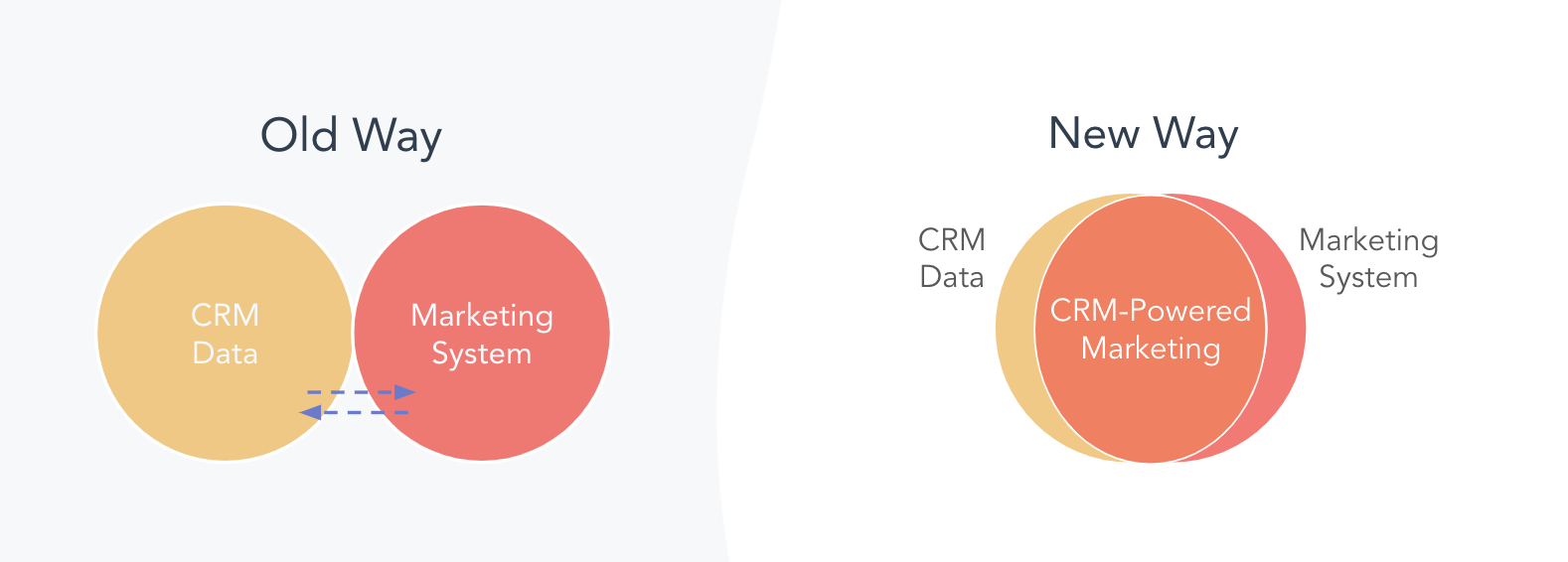
Let’s take a look at an example.
Say you’re a demand generation specialist working at a B2B company. Competition is rising in your industry and you’ve seen a decline in the number of qualified leads coming from your ads each month. You know that a more targeted and personalized approach is needed. And you turn to CRM-powered advertising.
As a first step, you create a different campaign for each stage of the buyer’s journey. For the attract stage, for example, you use data in your CRM to create a lookalike audience based on your happiest customers. This will be your target audience. You know that your company’s security features are a key differentiator in the market so you create ads that highlight that aspect of your value proposition.
Because the target audience you’ve created is reflective of your best customers, you get a high percentage of click-throughs. This leads prospects towards the next stage of the buyer’s journey, where they get the opportunity to download an ebook to learn more about your company’s products and services. Your software gives you the ability to create custom fields on the download form, which helps you to gain more granular preference data, and ultimately, get to know your prospects better.
You have set up your campaign to automatically route these new leads to your sales team, and because you’re working out of a shared CRM, you see a number of prospects move into the “demo” stage of their journey.
Again, using your CRM data, you sync these lifecycle stages to the display network you’re using, which automatically begins to serve a new set of ads to prospects based on the next stage of their journey. This allows you to deliver hyper-relevant messaging that addresses the pain points that are specific to prospects who are on the verge of making a purchase decision, such as social proof from happy customers.
As deals close, you then use attribution reporting to see exactly which new customers engaged with your ads and report to your leadership team on the number of deals your CRM-powered strategy influenced.
How to Get Started With CRM-Powered Advertising
HubSpot’s Marketing Hub is built to enable marketers to launch CRM-powered advertising campaigns and deliver a seamless experience for prospects — from the first time they see an ad to the moment they become a customer and beyond.
It offers ads tools that allow marketers to build deeply segmented audiences, serve different ads for different stages of the buyer’s journey, and precisely measure the performance of every campaign — all informed by rich CRM data.
Advertising has come a long way since the days of interruptive, irrelevant, and irritating content that once dominated our screens. A new era is unfolding — one in which consumers expect relevant messaging across every touchpoint and in which companies must find new ways to cut through the ever-increasing volume of noise online.
A CRM-powered advertising strategy, driven by a CRM platform built with this purpose in mind, empowers marketers to not only gain deeper insights into their customers’ needs, but to turn those insights into engaging content with the potential to delight prospects at every stage of the buyer’s journey.

How to Predict and Analyze Your Customers’ Buying Patterns
Buyers don’t think like marketers or salespeople. Anyone who works in these departments can admit that. More importantly, buyers don’t think like each other either.
Each consumer follows their own set of buying patterns, whether they recognize it or not. For instance, someone who walks to work every morning may grab a coffee from the Starbucks on the corner — to them, that’s part of their routine. To Starbucks, that’s an established buying pattern.
But if this person happened to move neighborhoods, they’d likely establish a new routine (and buying pattern).
Buying patterns are important to recognize, analyze, and measure because they help businesses better understand and potentially expand their target audience. Buying patterns also fall in step with the customer journey, although they connect more with the psychology and motivations behind each stage.
In this post, we are going to discuss buying patterns and how to predict those of your customers.
What are buying patterns?
Buying patterns refer to the why and how behind consumer purchase decisions. They are habits and routines that consumers establish through the products and services they buy.
Buying patterns are defined by the frequency, timing, quantity, etc. of said purchases.
These patterns are determined by factors such as:
- Where someone lives
- Where they work
- How much money they make
- What they enjoy and prefer
- What their friends and family recommend
- What their goals and motivations are
- The price of the product or service they’re interested in (and any active sales or discounts)
- Any product displays
- The necessity of the product or service
- Festivals, holidays, rituals, or celebrations
For example, let’s say the customer mentioned in the introduction is named Robert. Robert’s coffee-buying pattern is one coffee every weekday morning, and this pattern is primarily influenced by where he lives and what he likes to drink.
Therefore, when Robert moves neighborhoods, he’ll likely choose a new morning routine (and establish a new buying pattern) that allows him to still snag that morning coffee.
So, in this case, why should Starbucks care?
Well, by understanding Robert’s buying pattern, Starbucks could better understand the buyer persona he represents, predict in-store traffic, and analyze how they could better market their products to similar customers.
Predicting Customer Buying Patterns
Many, many things influence a customer’s buying behavior and patterns. In the case above, Robert’s neighborhood and coffee cravings influenced his daily Starbucks routine, but that’s just one example of his buying patterns. Robert also has established buying patterns for his groceries, gym usage, clothing purchases, and more.
These types of purchases fall into four consumer behavior categories:
- Routine purchases (e.g. weekly grocery shopping)
- Limited decision-making purchases (e.g. a new salon recommended by a friend)
- Extensive decision-making purchases (e.g. a new car)
- Impulse purchases (e.g. a pack of gum at the register)
Buying patterns are present in all of these types of consumer behavior, but they’re most prevalent and predictable through routine purchases. (We’ll dive more into these types and examples in the following section.)
Marketers at companies in all these industries work to uncover and understand the buying patterns of their customers. Most buying patterns are established through the typical buyer journey: awareness, consideration, and decision.
When a pattern is established, however, the buyer then no longer has to become aware of their problem and consider a solution — they simply repeat the decision stage over and over, thus creating the pattern.
So, how can marketers and salespeople uncover the current buying patterns of their customers? The most straightforward way is to ask. Once you set a baseline of customer behavior and expectations, you can then start to predict their patterns — and those of similar shoppers.
Here are some questions to ask in a customer survey or focus group:
- Why did you first purchase [product or service]?
- Who in your household decided to purchase [product or service]? Does this person make all the buying decisions?
- Where do you go when looking for [product or service]?
- How long does it take to decide to buy [product or service]?
- Do you buy other [products or services]? Why?
- What’s your budget for [product or service]?
- How far would you travel to buy [product or service]?
These questions help you understand the why and how behind your customer purchase decisions, thus uncovering their buying pattern as it relates to your product or service.
The most important takeaway about buying patterns is that they’re ever-changing. Not only do they differ between your customers and buyer personas, but they may also change as an individual’s life changes — as we saw above with Robert.
Customer Buying Pattern Examples
In the previous section, I outlined the four main types of consumer behavior. Below, I’ll unpack an example of a customer buying pattern for each of the types of consumer behaviors.
1. Routine Purchases
I mentioned above that routine purchases typically yield buying patterns. This is true because these patterns are the most prevalent and predictable.
For example, let’s say Betty goes grocery shopping every Monday morning after taking her kids to school. She buys many of the same items every week since her kids are young and prefer to repeat their favorite meals for dinner. Sometimes, she’ll splurge on an extra dessert or fancy coffee, but for the most part, she sticks to the same list.
On one Monday, her kids’ school is closed for maintenance. She has to take them to the grocery, vastly changing her grocery routine as her kids pull a variety of snacks and treats off the shelves. She decides to buy a few to placate her kids and treat them to a special day off.
This is also an example of how a buying pattern can be altered based on who accompanies the decision-maker.
2. Limited Decision-Making Purchases
Limited decision-making purchases are typically rendered through a trusted recommendation by a friend or family member. Because of the recommendation, the decision-maker doesn’t consider it to be a tough decision or feel the need to do much research. This type of purchase can actually be the catalyst for an altered buying pattern.
For example, let’s say Georgia has gone to the same hair salon for five years. She’s never disliked her services there, but when her friend mentions an amazing new salon that has opened down the street, Georgia is curious to try it.
When she goes, she is so impressed with the service that she decides to make it her new routine salon, thus altering her buying pattern due to outside influence or recommendation.
3. Extensive Decision-Making Purchases
Extensive decision-making purchases are usually those that are for expensive, seldomly-made purchases. These may include a new car, computer, or even a home. Because of their ticket size, there’s little room to establish a buying pattern between purchases.
However, some consumers are loyal to certain brands or stores. For example, let’s say Austin decides it’s time for a new car. He and his family have always owned Fords, so when it comes time to shop for cars, he doesn’t think twice about looking for a new Ford.
While he’s uncertain of what model he’ll buy (sedan versus SUV), he knows for sure that he’ll purchase a Ford vehicle, thus creating a buying pattern between his few-and-far-between car purchases.
4. Impulse Purchases
Impulse purchases are exactly how they sound — impulsive purchases made with little planning, research, or forethought. For this reason, buying patterns are hard to establish with these kinds of purchases.
However, one consistent factor in impulse buying is convenience; consumers often make impulsive purchases when they need something quickly or see something they (think they) need. The convenience factor of impulse purchases allows for buying patterns around location and proximity.
For example, let’s say Gio likes to add a little something extra to his takeout purchases when he orders on his food delivery app. He often changes where he gets food from, but he typically throws in an add-on (e.g. fries, a drink, or a cookie) when prompted before check-out.
In this case, there’s no buying pattern established in what Gio orders or where he orders from, but the app tracks his add-on purchases to analyze how often he makes impulse buys on the app. Then, they know to continue prompting those add-ons or perhaps increase the number of products listed.
Tools for Analyzing Customer Buying Patterns
Customer buying pattern analysis is all about analyzing customer behaviors, and there are plenty of tools that can help.
1. Google Analytics
Google Analytics provides a deep-dive view of your customers’ behaviors on your website. From traffic numbers to user demographics, Google Analytics can show you how your customers are interacting with your website. It can also help you establish baseline behaviors from which you can track patterns (or new behaviors that indicate breaks in patterns).
2. Facebook Audience Insights
If your audience is active on your Facebook Page, you can learn a lot about their behaviors and patterns through Facebook Audience Insights. These patterns may not always result in a purchase, but understanding how your audience behaves on social media can teach you how to optimize your social and other promotional content to better entice them to buy.
For example, if you see your followers engage the most on posts that ask a question, perhaps you start posting inquiries that relate to your product or service (versus blatantly promotional posts that don’t otherwise interest your audience).
3. HubSpot CRM
Here at HubSpot, we’re strong advocates of customer relationship management (CRM) tools. So much so that we offer a free one. Not only do CRMs help align your sales, marketing, and customer service teams, but they provide natural, seamless places to store and track customer behaviors — including buying patterns.
If you link your CRM to your register and/or ecommerce platform and track your customer’s purchases, it will quickly show you patterns in purchase frequency, timing, and more. All you have to do is stay diligent in your data collection.
4. HubSpot Service Hub
HubSpot Service Hub includes valuable Customer Feedback Software that can help you run surveys and collect insights about your customer buying patterns. The tool offers many pre-written and templatized survey options so you can dive right into gathering information around your customer behaviors and preferences.
For example, if you surveyed 25 known customers through HubSpot Service Hub, their answers and preferences would then be recorded in your HubSpot CRM, making it easier for you to track behaviors and establish buying patterns.
Buying patterns can tell you a lot about who’s buying from you and why. Use this information to better understand your customers, and fashion your marketing to match their expectations and meet them where they are.
To dig deeper, read our blog post on marketing psychology next.

Twitter Fleets Just Launched In the U.S.: What Marketers Need to Know
Following the success of Instagram Stories, Facebook Stories, Snapchat, and now LinkedIn Stories, Twitter’s finally launched its own story feature.
It’s called Twitter Fleets.
The launch of Twitter Fleets comes after a successful pilot which began nine months ago. In March, Twitter began testing the feature in Brazil and continued to add other countries to its pilot until unveiling the feature in the U.S.
But, how does Fleets work and how might your brand leverage it in your marketing strategy? We’ll walk you through everything we know so far below.
Fleets, or fleeting tweets, are similar to Instagram Stories. Like Instagram’s layout, Twitter users who have Fleets will see a bar with circular Story icons from each account above their Twitter feed.
From their homepage, a user can tap on a circular Fleet icon to see what an account posted in their Fleets area.

Unlike tweets, the text, video, or photo published shows up in a vertical format, similar to Instagram Stories. But, if you like the Tweet format, you can also share a one in a Fleet to draw more attention to it, like McDonalds does below:

How to Use Twitter Fleets
1. Tap the circle with your face in it in the Fleets bar.
Like Instagram and LinkedIn Stories, the Fleets bar is above your feed and your Fleet icon will be on the right side, as seen the first screenshot shown above.
2. Create your content.

3. Add text and descriptions.

4. Publish your Fleet.
The Motivation Behind Twitter Fleets
Because Fleets disappear after 24 hours, just like Instagram Stories, Twitter says it’s aiming to see if its ephemeral content will promote deeper and more personal conversations on the platform.
To make Fleets even more “personal,” other users cannot retweet or share the link to them. Twitter users can also only reply to Fleets via direct message.
When Twitter started its Fleets pilot, the company surveyed some of the first beta testers. As expected, most who used Fleets said they felt more comfortable publishing more personal thoughts or opinions than they’d publish in standard tweets. This was because the users knew that this content would eventually disappear.
“We hope that those people who are not usually comfortable with Tweeting use Fleets to talk about the reflections that come to their head,” said Mo Al Adham, a Twitter product manager explained, in Twitter’s announcement.
Twitter Fleets also signifies yet another move social media platforms are making towards embracing ephemeral content.
While disappearing video, text, and Stories might’ve sounded like gimmicks back in the earlier days of social media, ephemeral content features are increasingly common in today’s online landscape.
Although Fleets might not be the center of brand strategies just yet, you can still begin identifying potential ephemeral content that could ultimately work on the platform. Below, I’ll highlight a few commonly used ephemeral tactics that could boost brand awareness on Twitter Fleets.
How Brands Could Use Twitter Fleets
1. Publishing Limited-Time Offers
Want to sell out a lot of one product quickly? Or, offer a promotion to your most engaged Twitter followers? One great way to do both of these things could be using Fleets to promote temporary sales, offers, or coupon codes.
Since Fleets only last for 24 hours, users won’t be able to find the codes or promotions forever. That could mean that these audiences might feel a sense of urgency to make a purchase, use a given coupon code, or just visit your website to learn more about your product.

2. Hosting Daily Giveaways
Along with posting about short-term sales and coupon codes, Fleets — and other Story platforms — could be great places to promote giveaways. With a Story-like platform, you can include more text, video, and photo about the products you’re giving away and explain the rules of your giveaway within multiple pages.
While you can announce a giveaway in standard tweets, all of this information might have to be published in multiple posts or a thread due to Twitter’s character count limitations. And, because Twitter’s feed is so fast-paced, you’ll likely need to post more than once to get a large number of contest entries in a limited time.
With a platform like Fleets, you’ll not only be able to post multiple pages of tweets in the same Fleet story, but your content will also appear in the Fleets area above a user’s feed. This might mean that there’s less risk in your contest announcement being buried by tweets from other accounts.
Additionally, because Fleets and Stories only last for 24 hours, viewers might feel a sense of urgency. Like with coupons or sales, audiences might want to enter your contest, view your entire Story, or go to your website before the Fleet disappears.
To give you some added inspiration, here’s an example of a contest that a brand once ran on Instagram Stories:

3. Embracing Live Events on Social Media
Want to leverage live events or short-term news in your social media marketing strategy without it clogging up your Twitter profile? Consider covering the event with ephemeral content. That way, when the event is over, users focus back on your overall brand and business.
In this example below, the NBA’s Instagram Story featured coverage of the Toronto Raptors parade in Ontario, Canada. At this point in the Story, a Raptors team member took selfies with the rapper, Drake.

4. Interacting With Loyal Fans
While Twitter’s highly public platform already allows brands many opportunities to find and interact directly with fans, Fleets could also be a helpful tool for this.
On Instagram and Facebook Stories, you might regularly see content where brands ask users to DM them questions or content. Then, a brand might create a Story with user-generated quotes, images, or videos. This tactic makes users who participated feel like the brand cares about their thoughts. Meanwhile, an interactive Story like this allows other audiences to see that the brand appreciates its most engaged followers.

Aside from question-and-answer interactions, you could also go one step further by publishing Fleets with user-generated content from customers or fans. One brand that frequently does this on Instagram Stories and Facebook is Planet Fitness. In the story below, they highlight fitness journey photos sent to them by their actual customers:
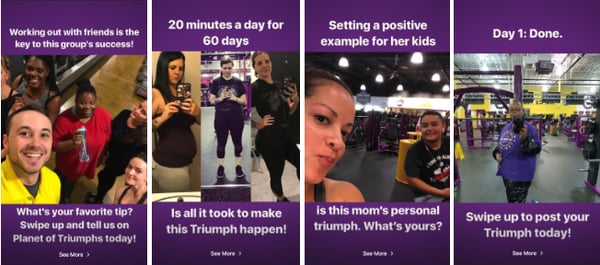
Not only does this Story allow loyal Planet Fitness fans to contribute to the brand’s social media content, but it also allows prospects to see how real people have benefited from the gym’s services.
5. Offering Behind-the-Scenes Content
Most of us know that people love seeing behind-the-scenes content from celebrities, athletes, and influencers on Instagram Stories, Facebook Stories, and Snapchat. But, research shows that consumers also enjoy behind-the-scenes material from brands.
While tweets offer brands a platform to create quick well-worded posts or publish heavy-lift content, Fleets could allow brands to show audiences behind-the-scenes content or insights that make them look more authentic and relatable. This is something we’ve seen brands frequently do on their temporary Instagram Stories.
In the Story below, the New England-based Caffe Nero highlights a Barista of the Year competition that it holds with its staff every year. The Story highlights how Caffe Nero baristas are dedicated to serving customers and shows off an authentic piece of the restaurant’s company culture that many customers might not know about.

5. Informing Audiences About Complex Industry Topics
When you craft a tweet, you need to sum up your message in 280 characters or start a thread. But with Fleets or other social media Stories, you can add further information or insight with photos, videos, or multiple pages of text. This could allow brands to offer Twitter users a stronger variation of valuable, easy-to-create content that isn’t limited to tiny tweets, pricey marketing videos, or time-consuming live streams.
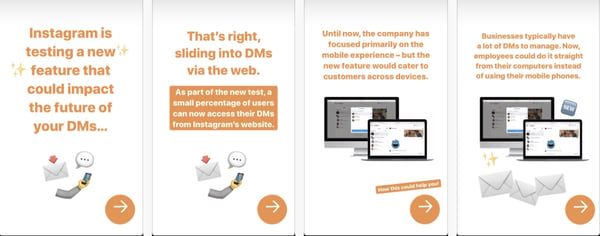
Here’s an example of how HubSpot discusses more complex industry topics via Instagram Stories. While you might not be able to add the same level of imagery to Fleets content, you could potentially leverage multiple pages of text in a similar way.
Navigating Ephemeral Content
Can content that disappears really leave an impression? Well, if Snapchat, Instagram, Facebook, LinkedIn, and Twitter have taught us anything — the answer to that question is, “Yes!”
While ephemeral platforms are a new and exciting opportunity, it does take creativity and brainstorming to create content that will grab your audience in a memorable way.
To get better acquainted with key ephemeral content tips and strategies, check out this introduction to the content type. Then, learn more about how major brands are leveraging current ephemeral platforms like Instagram Stories, Facebook Stories, and Snapchat.
Editor’s Note: This blog post was originally published to cover the Twitter Fleets pilot in May 2020, but was updated in November 2020 for comprehensiveness and freshness.

How to Repost on Instagram: 4 Ways to Reshare Content From Other Users
Most social media feeds are almost distractingly busy — full of photos, videos, and text updates from friends and brands you follow. Instagram is different — you can only look at one post at a time.
And while Instagram’s simple, clean interface makes to easy to focus on users’ beautiful photography and interesting videos, it also leaves something to be desired: the ability to easily repost other users’ content.
But fear not: for every problem, the internet has afforded a solution. We tested out four different ways to repost content on Instagram in a few simple steps. All of these methods are free, but some require you to download an app from the iOS App Store or Google Play first.
Disclaimer: Pursuant to Instagram’s Terms of Use, you must first reach out to the Instagram user whose content you want to reproduce and obtain written permission to do so. You can do this by commenting on the image and asking, or by sending them an Instagram Direct Message, which can be accessed by tapping the paper airplane icon in the upper right-hand corner of the app.
How to Repost on Instagram
To repost someone else’s Instagram post, you first have to obtain that person’s permission to re-use their content. Then, you can use an external app such as Repost for Instagram, Instarepost, or DownloadGram. You can also take a screenshot of the photo with your mobile device.
Using Repost for Instagram
1. Download Repost for Instagram.
Download Repost for Instagram for either iOS or Android. Both devices are compatible with this app, which integrates directly with Instagram so you can share content from other Instagram users from your mobile device.
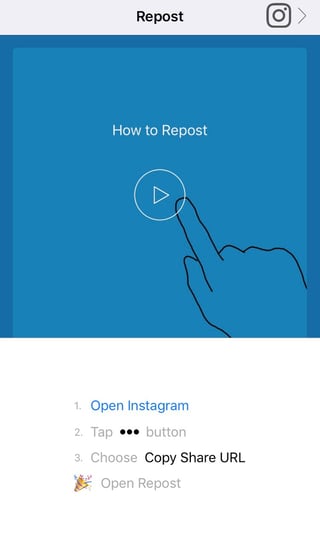
2. Identify a photo or video to repost.
Open your Instagram app and find a photo or video you’d like to repost from your own Instagram account. Tap your chosen photo from the original poster’s photo gallery to see its full view, as shown below.

(Psst — do you follow HubSpot on Instagram?)
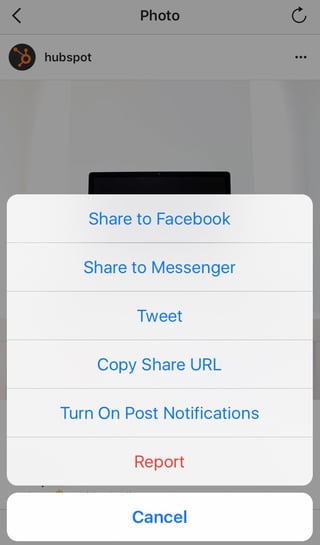
3. Copy the post’s share URL to your clipboard.
Once you’re on the photo’s or video’s landing page, tap the “…” icon in the upper-righthand corner of the post. Then, tap “Copy Share URL” (the button will look the same on Android devices).
4. Open Repost for Instagram.
Once the photo is copied to your phone’s clipboard, open Repost for Instagram. The post you copied will automatically be on the app’s homepage, as shown below.

Tap the arrow on the righthand side of the post. There, you can edit how you want the repost icon to appear on Instagram.

Tap “Repost.” Then, tap “Copy to Instagram,” where you can add a filter and edit the post.


5. Edit the post’s caption and share your repost.
Tap “Next.” If you want to include the original post’s caption, tap the caption field and press “Paste,” where the original caption will appear with a citation that credits the original poster with your reposted photo.

When you’re ready to share the post, tap “Share” as you would a regular Instagram post. Here’s how the post appears on your Instagram profile:

Using InstaRepost
1. Download InstaRepost.
Download InstaRepost for iOS or Android devices to share content from other Instagram users from your own Instagram account via your mobile device.
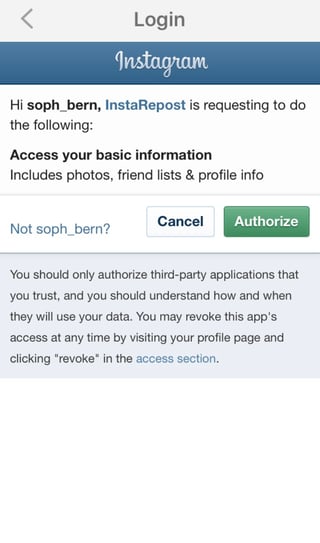
2. Give InstaRepost access to your Instagram account.
Open InstaRepost, log in using your Instagram credentials, and authorize it to access photos, friends, and similar content associated with your Instagram account.
3. Use InstaRepost to look up the original poster’s username.
InstaRepost will only show you a small selection from your Instagram feed. If you know what post you’re looking for, tap the magnifying glass icon on the bottom toolbar of the InstaRepost app to access the Explore tab. Enter the username of the person whose photo you want to repost.


4. Save the photo to your phone’s camera roll.
Once you’ve found a post you want to reshare, tap the arrow in the lower righthand corner. Then, tap “Repost,” then “Repost” again. This will first save the photo your mobile device’s native camera roll, where you can retrieve it in the Instagram app.



Navigate to your Instagram app and tap “Library.” You’ll see the post saved to your phone’s camera roll. Tap the photo to pull it into Instagram.

5. Add a filter and a citation, and share your repost.
Add a filter and edit the post as you would any other. Then, select “Next” and tap the caption field to paste the original caption. The repost won’t automatically include a citation, so we suggest adding one by typing “@ + [username]” to credit the content’s original poster. Then, press “Share.”


Here’s how the post appears on your Instagram profile:

Using DownloadGram
DownloadGram lets Instagram users download high-resolution copies of Instagram photos and videos to repost from their own accounts. Luckily, there isn’t an app you need to download to repost using this process. Here’s how to do it:
1. Open Instagram and find a photo or video to repost.
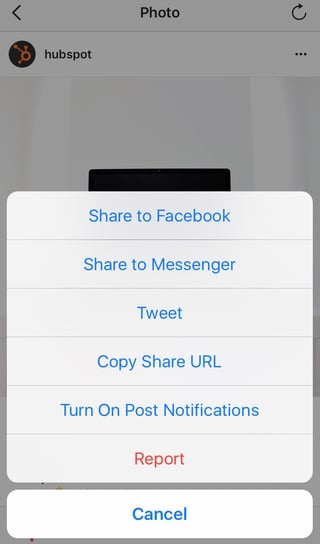
Open your Instagram app and find the post you want to repost. Tap the “…” icon in the upper righthand corner of the post and click “Copy Share URL” (this button will be the same for both iOS and Android mobile devices).

2. Paste the post’s share URL into DownloadGram.
Open your mobile internet browser and navigate to DownloadGram — or simply, downloadgram.com. Paste the URL into the text box that appears on the website’s homepage. Then, tap “Download.”

Tap the green “Download Image” button that appears further down DownloadGram’s homepage.

3. Download the post.
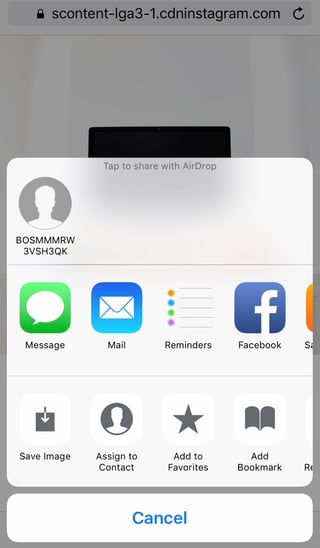
You’ll be directed to a new webpage with the content ready to download. Tap the download icon — the box with an upward-facing arrow, as shown below — then tap “Save image.”

4. Open Instagram and find the photo or video in your camera roll.
Return to your Instagram app. The image will be saved to your phone’s native camera roll, so edit it as you would any other Instagram post.

5. Add a caption and share your repost.
The repost won’t include a citation, so we suggest adding one by typing “@ + [username]” to credit the original poster with the photo or video. Then, press “Share.” Here’s how the post appears on your Instagram profile:

Taking a Screenshot
This method doesn’t require any or other websites to repost on Instagram. It’s worth nothing that this method only works for reposting photos, not videos. Here’s how to do it:
Find a photo on Instagram you’d like to repost, and take a screenshot with your phone.
- For iOS: Press down on the home and lock buttons simultaneously until your screen flashes.
- For Android: Press down on the sleep/wake and volume down buttons simultaneously until your screen flashes.
Tap the new post button in the bottom-center of your Instagram screen. Resize the photo so it’s properly cropped in the Instagram photo editor.

Edit and filter the post like you would any other Instagram post. Keep in mind that your phone will take a screenshot of everything on your screen, not just the photo you want to repost. So, be prepared to crop the sides of the screenshot to capture just the image you want to share with your followers.

The repost won’t include a citation, so we suggest adding one by typing “@ + [username]” to credit the original poster with the photo you’re reposting. Then, press “Share.” Here’s how the post appears on your Instagram profile:

Now that you’ve learned how to repost on Instagram, you can diversify your profile with content sourced from friends, family, and brands. Use the methods above — being sure to cite the source of the original post — to quickly and easily reshare your favorite content.
Looking for more ideas for sourcing and creating Instagram content for your brand? Download our free guide to using Instagram for business here.

Top GDPR Compliance Software
Disclaimer: This blog post is not legal advice for your company to use in complying with EU data privacy laws like the GDPR. Instead, it provides background information to help you better understand the GDPR. This legal information is not the same as legal advice, where an attorney applies the law to your specific circumstances, so we insist that you consult an attorney if you’d like advice on your interpretation of this information or its accuracy.
In a nutshell, you may not rely on this as legal advice, or as a recommendation of any particular legal understanding.
It’s not enough to implement a few changes for data protection in your business and forget about it. As part of the GDPR, or General Data Protection Regulation that’s now in EU law, businesses need “data protection by design and by default”.
This means building data security and privacy into every aspect of your business’s data management strategy. From data capture to storage, maintenance, transfer, use, and cleaning, it’s essential to take care of your contact data ethically and securely.
While we’re not advisors on GDPR, we can follow the experts and present their recommendations. This includes collecting clear consent for communication, managing data securely, and implementing requirements such as cookie banners and privacy notices.
One of the most straightforward ways to meet these requirements is with GDPR compliance software.
GDPR compliance software helps businesses to manage customer data, consent forms, and data security. Some platforms also enable a company’s customers to edit the personal data that is stored or processed about them.
What is Personal Data Under the GDPR?
Personal data includes information related to people who can be identified from it, whether directly or indirectly. Pseudonymized data can help reduce privacy risks, but it is still personal data by this definition. The GDPR applies to the processing of personal data wholly or partly by automated means, such as a form on your website, or the processing of personal data which forms part of a filing system.
How GDPR Impacts Email Campaigns
When whispers of GDPR first started surfacing many moons ago, one of the questions that most perplexed business owners had was whether they could continue sending emails to their existing contacts.
As an email marketer in the world of GDPR, you need to collect freely given, specific, informed, and unambiguous consent (Article 32) before sending emails.
Adhering to data protection in your email campaigns includes adopting these practices:
- Requiring all leads to specifically opt-in to communications before sending email campaigns.
- Offering contacts an easy way for their personal data to be edited or removed.
- Purging contact data you no longer require or after the communicated storage time in your terms and conditions.
To maintain a clear oversight of all contact data, you can sync your current lead and customer data as well as their latest subscription and consent status between apps with a two-way data sync. You can also implement a consent management platform to collect and manage consent for all contacts.
Simplify GDPR Compliance with a Consent Management Platform
One key part of GDPR is documenting each contact’s consent to store their data and communicate with them. While you can use built-in features in each of your apps, it’s also helpful to choose a dedicated consent management platform, or CMP. Here are some of the top CMPs to consider:
- Didomi is a popular consent and preference management platform with comprehensive solutions to collect, store, and leverage user consents and preferences. After completing the setup process, you can see a compliance score out of 100% for your business. With their Privacy Center, you can also offer customers a dedicated space to easily access and manage their consent and preferences.
- Piwik PRO was built as an analytics platform but now includes a Consent Manager to manage your marketing stack’s compliance in one centralized place. It’s designed to get your tools up to speed with GDPR, California’s CCPA, Brazil’s LGPD, and other privacy laws around the world.
Other Apps to Streamline GDPR Compliance
As well as adopting a consent management platform, there are several other types of apps to help you manage your contacts compliantly. Here are some GDPR-friendly apps to consider adding to your stack:
- LogicGate Risk Cloud is an agile GRC (governance, risk, and compliance) cloud solution. It includes enterprise-level solutions for risk management, compliance management, and data privacy.
- Boxcryptor makes your cloud storage more secure with encryption for OneDrive, Dropbox, and Google Drive among other providers. It’s free to use for one storage provider on two devices, and you can upgrade for unlimited devices, providers, and advanced filename encryption.
- Onna integrates, unifies, and protects knowledge platforms in one centralized and secure place. Connectors include Google Suite, Microsoft 365, Dropbox Business, Zoom, and Slack Enterprise.
- iubenda generates instant cookie banners and terms and conditions that are customized to fit your business, tech stack, and the data you collect. It’s especially valuable for websites and small businesses to comply with legal requirements quickly and simply.
- PieSync and its two-way data syncing tool existed before GDPR, but it has some handy benefits for secure data management and up-to-date contact information, including subscription status. The two-way sync enables you to create a “single source of truth” between your apps and make your customer data easier to use and manage. Next to the subscriptions, you can also sync consent status and preferences between apps with customizable filters and rules.
- Fathom Analytics was co-founded by entrepreneur and author Paul Jarvis, Fathom Analytics offers simple, fast, and privacy-focused website analytics as an alternative to Google Analytics. It doesn’t collect any personal data, so it’s instantly GDPR-compliant and you don’t need to include it in your cookie notice.
Keep Your Company Compliant
To maximize your organization’s GDPR compliance, there are certain steps you need to follow and checkboxes to tick. However, there are ways to streamline the process. GDPR compliance software can reduce many of the headaches and make it easier to meet the most important requirements, enabling you to get back to your other business goals sooner.

The Short & Sweet Guide to Microblogging
In January of 2019, Contently, a content marketing platform that connects enterprise brands with freelance talent, surveyed over 1,000 people in the U.S. about their media and marketing preferences. What they uncovered about people’s preferred content length shattered a seemingly unbreakable convention that longer is always better: 75% of people prefer to read articles under 1,000 words.
With our ever-dwindling ability to concentrate on given tasks, Contently’s discovery makes complete sense. Writing shorter articles is better because people prefer consuming that type of content.
However, longer articles typically rank higher on Google and generate more website visits because these types of resources are more comprehensive and better equipped to solve the searcher’s intent.
So how do you reconcile these two ideas, and when is it appropriate to craft concise content? Fortunately, the answer lies in microblogging.
This form is best used when:
- The topic or post has low search intent but high potential for virality.
- You want to take advantage of the communities on common microblogging platforms.
- You’re covering a live event or providing timely updates.
- You’re using your microblog as a vehicle for delivering multimedia content without a lot of accompanying text.
The conundrum then becomes how you can create a microblog without filling your site with thin content, which can actually hurt your site when it comes to search because Google sees these pages as low-value.
While it’s not necessary (as evidenced by the FiveThirtyEight example below), most microblogging actually happens on platforms designed specifically for the purpose.
1. Twitter
The OG of micro blogging sites, Twitter is not only one of the most popular microblogging sites around, but it’s also one of the most popular social media platforms around.
On Twitter, you can create a profile where all your posts — or Tweets — live. In your Tweets, you can include text, links, photos, videos, GIFs, audio, and more. Each of your Tweets also has a 280-character cap. Additionally, you can reply to and share — or retweet — other users’ Tweets.
2. Tumblr
With over 496 million different blogs, Tumblr is bustling hub of short form content. On the microblogging site, you can create a blog and include links, text, photos, GIFs, videos, Spotify tracks, MP3 files, and more in your posts. When you follow other blogs, their posts will show up in your dashboard. You can also comment on and reblog other blogs’ posts on your own blog.
3. Pinterest
Unlike most microblogs, Pinterest is purely visual. On your profile, you can create Boards, which are collections of pictures curated around a specific topic, post Pins of your favorite pictures, and add Tries, which are notes and photos of ideas you tried, like new recipes you cooked or new places you traveled to. You can also follow other people’s profiles and topics, which are the most popular Boards that cover specific topics.
4. Instagram
While Instagram is mostly a visual platform — like Pinterest — Instagram also lets you add 2,200 character long captions to each photo or video you post on your profile. Some media outlets are even leveraging Instagram to spark a new phase of journalism that focuses on crafting visually appealing articles.
On Instagram, you can follow other profiles and popular hashtags, discover new content based off your user behavior and popular topics, watch long form videos and Instagram stories, comment on posts, tag your friends in posts, and direct message them.
5. Facebook
You might know Facebook as the most popular social media network in the world. But it’s also the most robust microblogging platform out there.
On Facebook, you can create a profile where you can share text-based updates, photos, GIFs, videos, an emotion you’re feeling, an activity you’re currently doing, and the location you’re currently in.
You can also ask for recommendations on where to go when you’re about to visit a location, tag friends and events in your updates, poll your friends, support and donate to a nonprofit, answer a question about yourself, create fun lists, post Facebook Stories, record live videos, interact with your friend’s updates, message, call, and video chat with them, start groups with them, create events, watch long form videos, sell and buy products, and play games.
6. LinkedIn
LinkedIn is a social media platform geared towards business professionals, but it nonetheless has a powerful microblogging arm. Not only can you use LinkedIn’s publishing functionality to post articles, but you can also use status updates for short-form microblogs. With these status updates, you can share a photo, video, event, or link… or you can choose to publish something longer form. Everything you share or engage with can then be found on your profile under “Activity.”
As you probably already noticed, most of the microblogging sites above are also the most popular social media sites — but this shouldn’t be a surprise. People love scrolling through social media because they can consume tubs of snackable content in a short amount of time. And marketers should take this insight and apply it to their content strategy. Because, just like eating a bag of Doritos, you never stop after the first chip.
Microblog Examples
So you know when microblogging works and the common platforms where it takes place. But what do you end up posting?
Take inspiration from some of these incredible microblogs:
1. Liz Ryan on LinkedIn
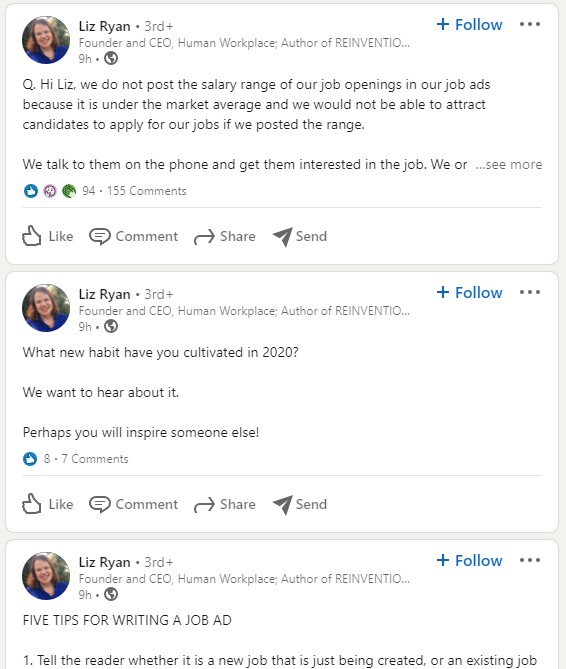
Liz Ryan is a thought leader in the human resources space, and she’s known for her Ask Liz Ryan series where individuals submit their burning career questions. Common topics include job hunting, salary negotiating, and toxic work places.
Her LinkedIn posts feature these stories as well as helpful human resources tips in a concise microblog format. She actively encourages participation from her followers to create a rich community where people share their stories.
2. Magic Realism Bot on Twitter

The magic realism bot on Twitter automatically generates a premise for a magical story every four hours. Followers can either use these as writing prompts for their own projects or simply bask in the absurdity that it creates.
The Magic Realism Bot completely fulfills its purpose in less than 280 characters, making it a great example for proving that long-form is not always the form for a content project.
3. Etsy on Pinterest
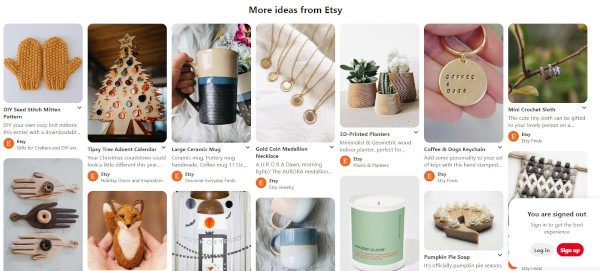
Etsy is an ecommerce platform where indie creators and collectors can list their products for sale. Because Etsy provides this service and generates revenue from transactions, it’s in their best interest to not only promote themselves as a platform but also the goods that can be found there.
In this type of scenario, casual browsing is a mighty tool, so they use their Pinterest as a microblog that showcases various gems from Etsy sellers. This tactic doesn’t work as a long-form blog, and the goal is not organic traffic but instead catching the eye of potential customers on Pinterest.
4. FiveThirtyEight’s Live Election Coverage

FiveThirtyEight is a website founded by analyst Nate Silver that covers poll analysis, politics, and economics. On November 3, 2020, their election coverage took the form of a microblog, releasing bite sized updates on the status of vote counts and projections on electoral vote distribution as well as expert commentary.
Unlike the other microblogs on this list, FiveThirtyEight used their own website to host their microblog posts, with all election coverage accessible on a single page. This helped keep users on their site while providing a good user experience when it came to refreshing for more information as information trickled in live.
5. Will Lucas on LinkedIn

Will Lucas uses LinkedIn to share insights on entrepreneurship and growth. While many of his posts include links to his initiatives as well as status updates on some of his ventures, he also uses the microblog functionality of LinkedIn to deliver video content that provides value to his audience.
6. SparkNotes on Twitter

As a study guide website for humanities classes, SparkNotes’s goal with their marketing is to reach out to their target audience of high school and college students. Their website content is geared toward students who are searching for something specific. However, they use Twitter as a microblog that takes a different approach: Using a viral approach that relies on humor and relatability to generate awareness, earn engagement, and increase reach.
7. Humans of New York on Instagram

The Humans of New York project uses Instagram to highlight real stories about real New Yorkers. Each Instagram post functions as a mini-feature piece about someone that photographer Brandon Stanton comes across.
Because these individuals aren’t famous, there isn’t a lot of search intent, so there’s no need for it to take on the form of a typical search engine-indexed blog post. Instead, Humans of New York relies on the visual aspect of the site to humanize its subjects with short articles that range from touching to absurd, heart-wrenching to hilarious.
With the advice regarding blogging vs. microblogging and the above examples serving as inspiration, start crafting a content strategy that uses form to reflect its purpose so that it can be as useful as possible to your audience.
Editor’s note: This post was originally published in May 2019 and has been updated for comprehensiveness.

How to Build a Market Development Strategy [Free Planning Templates]
Your business is getting by just fine – but still, the questions remain: Could you be selling more? Is there an opportunity to increase market penetration? Is there any way you could engage in further product diversification?
Companies hoping to increase revenue can do so in a variety of ways — such as an increase in advertising budget, expanding their sales team, and investing heavily in product development.
However, one of the often overlooked ways to strengthen your gross sales is a purposeful, well-researched, and expertly executed market development strategy.
In this article, we’ll explain what market development is and how you can employ it to increase sales and grow your business.
What is market development?
Market development is the expansion of your total addressable market (TAM) and how much market share you can expect to claim.
A market development strategy can focus on how a business might grow revenue by embracing one or both of the following initiatives:
- Developing a new product line to increase revenue by selling to new customers, or up-selling to existing ones.
- Creating a plan to sell existing products/services to new demographics, through such initiatives as adding locations or expanding delivery radius.
In the first scenario, TAM increases because by offering a new product or service, you’re effectively increasing the maximum amount of revenue you can attain from your existing customer base.
Think of a jeans company that starts to design shirts and jackets – this company might have tapped out their market’s interest in jeans, but those same customers might be willing to also buy clothing other than jeans from this company.
In the second example, TAM increases because you’re simply adding more people to your target market, and are able to service new customers without investing in a new product line. Think of corporate expansion by way of hiring salespeople to service a new region, or a restaurant opening up a second location on the other side of town.
How to Create a Market Development Strategy
The decision of when and how to develop your existing market should be a methodical process.
Just because your business has struck lightning once does not mean your new expansion plan is a guaranteed success.
Because of that reality, follow these steps and use these resources to determine if you should develop your market, how it should be developed, and whether or not the initiative is successful.
Step 1: Research Your Development Opportunities
It’s always tempting to go after the next big thing – whether it’s adding more areas of focus to your consulting business or adding more items to your restaurant menu.
However, before you spend time, money, or resources on developing your market, take these steps to determine if the expansion is worthwhile.
Review Your Buyer Personas
Featured Tool: HubSpot Buyer Persona Templates
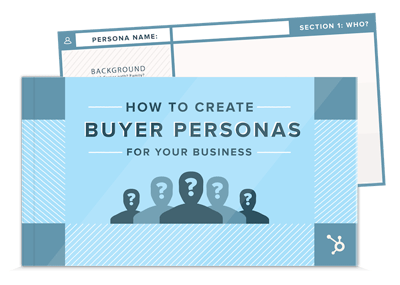
When expanding your market, you face the potential need for net new or revised buyer personas, which are semi-fictional representations of your ideal customer based on market research and real data about your existing customers.
Consider the motivations, demographics, and backgrounds of your new target market to help you decide whether or not the development initiative makes sense.
Research Your Market
Featured Tool: HubSpot Market Research Kit
Understanding your hypothetical positioning in a market is key before attempting to enter it. To that end, conduct market research exercises like a Porter’s Five Forces Analysis or a SWOT Analysis to determine your strengths, weaknesses, buyer power, threat of substitutes, or other attributes compared to competitors in this new market.
Additionally, you’ll want to calculate market penetration before moving forward with any plans to expand.
Survey Your Customers
Featured Tool: Customer Satisfaction Survey Templates
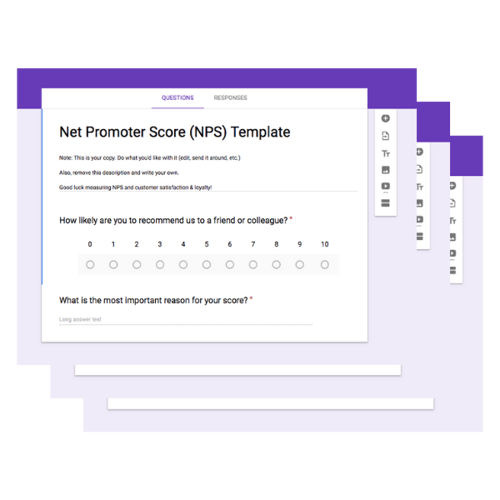
If you’re hoping to expand your current product line to generate more revenue from existing customers, make sure your intended expansion will be warmly received. Asking yourself why this development makes sense coming from your organization is a good first step.
However, talking to and surveying your customers to see if your proposed expansion is beneficial to their lives (and, more importantly, whether or not they would purchase it from you) is a necessary proof point before expanding your offerings as a business.
Step 2: Set Your Growth Goals
A successful market development will come with added sales, profit, employees, customers, products, users, locations, or some combination of these criteria.
Because there’s so much on the line, develop goals for which facets of your business you intend to grow, in addition to what your growth goal for each criteria is.
For example, by adding one more location, you may set the following growth goals:
- Increase customers by 90%.
- Increase revenue by 100%
- Double annual profits after recouping the initial investment.
- Increase employee headcount by 20 people.
During this stage, you should also consider the requirements needed to help you hit your growth goals, such as initial funding, tools, and software to help you get the initiative successfully up and running.
Lastly, the most important metric to measure before attempting to expand or develop your market is ROI. In this step of the process, compare the upfront costs of developing your market as intended with the projected revenue numbers of a successful expansion.
If the ROI is not encouraging enough to move forward with, you may need to go back to the drawing board and determine a new growth strategy and set of goals.
Featured Tool: Growth Strategy and Planning Template
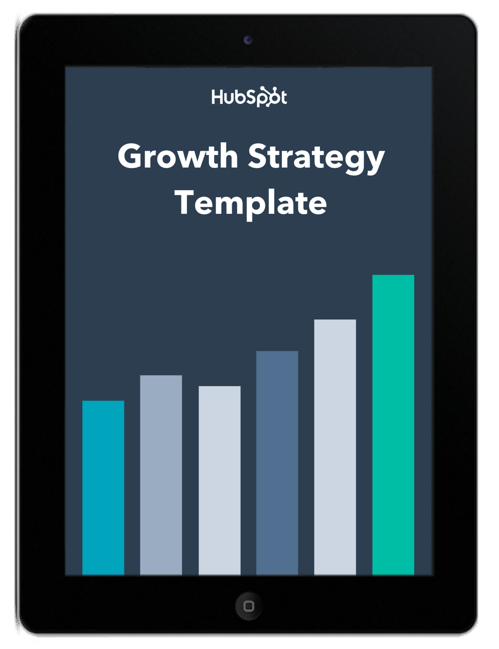
Using the template above, outline your growth goals and strategy to lay the foundation for your market development initiative. This template will help you plan out the steps necessary to achieve your goals and help you determine whether or not they are realistic for this project.
Step 3: Create Your Marketing Plan
An increased market means an increased need for effective marketing.
To generate demand – or to capture existing demand in your market – make sure your marketing plan is up-to-date and reflective of the initiatives it will take to grow your market share to its desired level.
Consider all of the following initiatives and how they’ll play a role in generating more revenue in your newly developed market:
- Email Marketing: Will you communicate with existing prospects via email to alert them of your initiative? Do you have a list of saved contacts who expressed interest in what you sell, were unable to make the purchase, and might now be able to purchase from you?
- Social Media: Do you have organic and paid initiatives to generate buzz and spread the word to grow awareness on social media?
- Content & SEO: Do you have website and blog content planned to capture the interest of website visitors hoping to learn more about what you’re selling?
- Local Marketing: If you’re developing your market on a regional level, are you working with local publications, PR agencies, or advertising platforms to appeal to nearby potential customers?
Featured Tool: HubSpot’s Marketing Plan Template
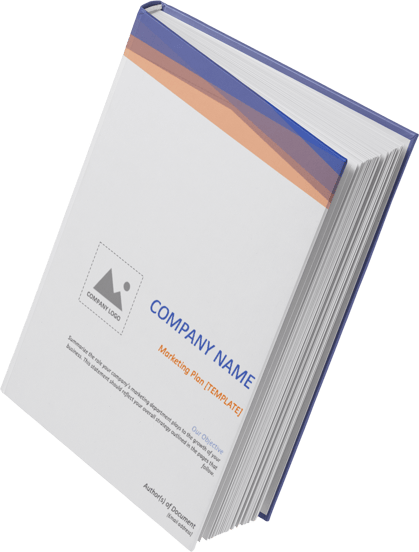
Document your marketing plan supporting your market development with the template above, and make adjustments to it as needed to ensure you’re reaching your market in an accurate, appealing, and consistent fashion.
Step 4: Go-To Market
The time has come – your research and planning are complete, and you’re ready to formally enact your development strategy, whether it’s opening the doors of your new location or making your new product available for purchase on your website.
But before you start collecting revenue, there are a few final steps to take – specifically, aligning your team on the best way to conduct this go-to-market launch.
Going to market is successfully completed by managing three imperative internal tasks – all of which can be done with this Product Go-to-Market Kit:
Campaign Planning
The campaign plan should be the one-stop shop for anyone who has a stake in the success of this project. It should provide a general purpose for the market development project, in addition to the tactical and strategic elements team members need to adhere to in order to see the project go off without a hitch.
Sales Planning
The sales plan should provide more specific insights for the sales team – especially regarding overall projections, team or individual goals, and strategies for how the organization intends to meet these goals
Team Email Updates
For the company at large – particularly for individuals who need to be informed but may not have set tasks to complete – team email updates are a staple of communication during market development. This messaging should contain a status check for the launch timeline, and outstanding tasks, and any notifications the company should be aware of during their day-to-day work.
Featured Tool: HubSpot Go-to-Market Kit
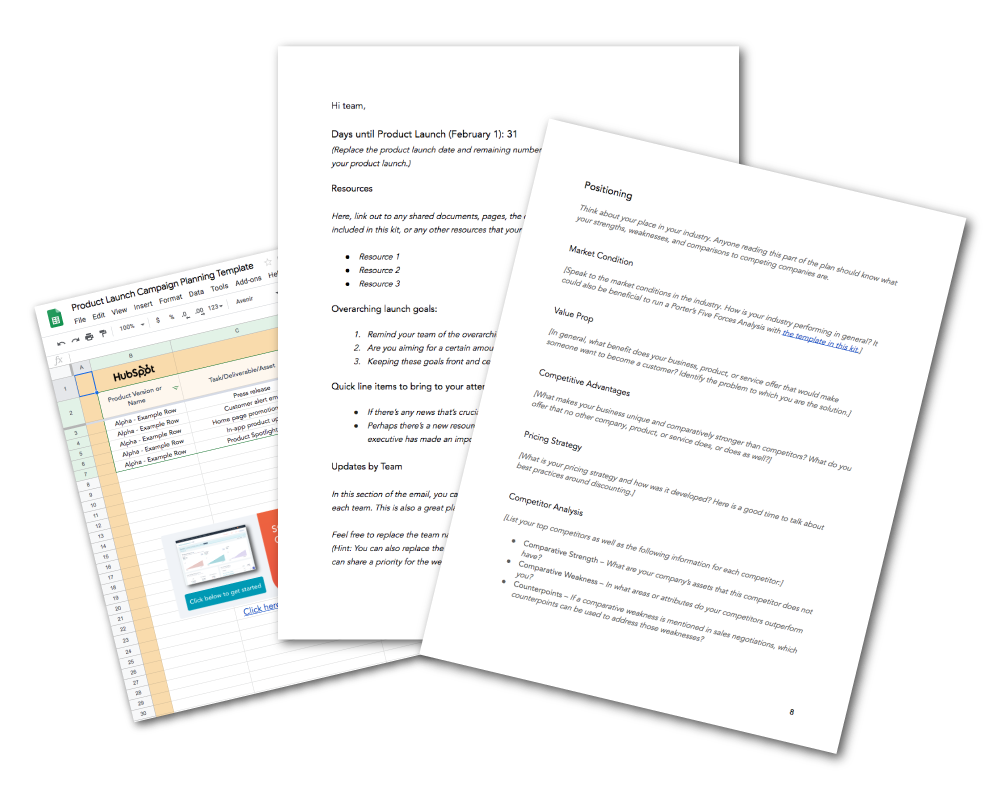
To centralize your internal planning and communication efforts during your market development process, use the HubSpot Go-to-Market Planning Kit.
Step 5: Analyze Your Results
Once you’ve taken the necessary actions to develop your market, the work has only begun. After launch day, you’ll need to be sure customers are satisfied, products and services are high-quality, employees are retained, and – most importantly – goals are met.
Start collecting sales data as soon as possible so that you can begin analyzing whether or not you’ll meet your projections. If not, you may have to determine a plan to either adjust your goals to become more realistic, and/or adjust your strategy to ensure your goals are met.
Once data are available, make sure you’re presenting your findings accurately and clearly so that stakeholders can fully understand what the results are, how you achieved them, and what the next steps of your market development strategy are.
Featured Tool: Marketing Reporting Templates
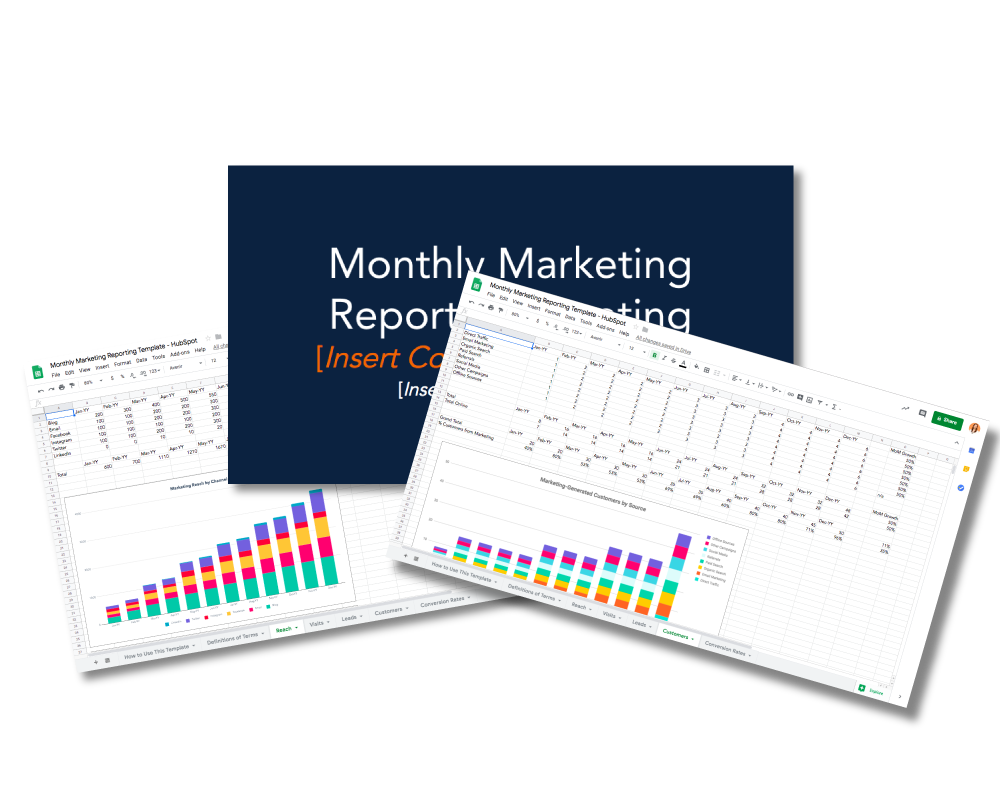
Available in PowerPoint, Excel, and Google Drive, these templates will help the project driver communicate the results of your market development strategy to your team.
Developing Your Market
Get ready to grow your business – by following these outlined steps and using these free planning resources, you’ll be prepared to turn your market development idea into a reality. As a next step, learn by example and read up on how five prominent companies developed and acted on their growth strategies.

Why Blogs Fail — And How to Make Sure Yours Doesn’t
Of the 1.7 billion websites in the world, 600 million are blogs. And the number of US bloggers is set to reach 31.7 million in 2020.
Clearly, blogging is competitive. You’re constantly vying for people’s precious online attention, which is around 15 seconds for more than half of readers. But for many, the benefits of running a blog outweigh the time, cost, and effort involved. That’s because in 2019, marketers who prioritized blogging received 13X more ROI than companies that put it at the bottom of the stack.
Beyond revenue, blogs are a great way to raise brand awareness, share engaging articles, and bring in new customers. Seems like an easy marketing win, right? Not quite. Before you hit ‘publish’ on that first piece, it’s important to consider why blogs fail.
To figure out what causes blogs to flop, let’s look at a handful of blog statistics — and simple ways to make sure yours is a success. But first, let’s answer that nagging question in the back of your brain:
So, we know what percentage of marketers feel their blogs aren’t successful, but what might have contributed to this failure? And how do you avoid these mistakes? Let’s take a look.
Why Blogs Fail
1. The blog lacks a content strategy.
Do you know why your blog exists? If so, does your content support that raison d’être?
One of the main reasons why blogs fail is a lack of purposeful, engaging content. In fact, “original written content” is the most important type for 58% of marketers. If you’re wondering what exactly is a purposeful post, Google defines it as “original content that adds value for users.” And that value is “meaningful content or features, such as additional information about price, purchasing location, or product category.”
The first step to creating valuable content is to make it a priority, like 72% of B2B content creators. Planning starts with a well-documented blog strategy, which you can dive into in our Business Blogging Course.
A strategy may sound like a simple solution — but it works. Sixty-five percent of the most successful North American bloggers have a well-documented content marketing strategy. Among the least successful bloggers, only 14% write down a strategy and 39% admit they don’t have any strategy.
Once your plan is in place, you’re ready to craft engaging content. It’s important to learn what works well for your buyer persona, but you can use these guidelines as a starting point.
- 55% of bloggers see results from blog posts with 2,000 words or more. (Orbit Media)
- 39% of consumers are irritated by content that’s “poorly written” or “too wordy.” (Adobe)
- Articles with images get 94% more total views. (fundera)
2. The blog isn’t optimized for search.
Let’s just say it — search engine optimization (SEO) can be frustrating. Just when you think you’ve done all you can to optimize your blog, the algorithms change. But ignoring SEO altogether is another reason why blogs fail.
You need people to find, read, and share your blog, yet that’s nearly impossible without any optimization. Across all industries, search is the top traffic source for blogs. In 2019, 68% of web traffic came from paid and organic search, beating out channels like display and social media.
Fortunately, certain SEO rules continue to ring true. So, if you focus on the following practices, your blog will be better poised for success:
- Research keywords. Keywords are a short string of words that help search engines understand what a web page is about (e.g., “Why do blogs fail?”). While experts debate whether or not keywords are still relevant for SEO, they do share the intent of your blog and improve rankings. Take a look at our SEO keyword research guide to pick up the best practices.
- Write descriptions for images and videos. Text is the foundation of search, so you’ll rank well if you create copy that algorithms can easily understand.
- Optimize for voice search. With 62% of people in the US aged 12 and older using voice-operated assistants, optimizing your blog for voice search is a way to get ahead of the SEO game.
3. The blog is not well-designed.
Imagine you click on a blog you’ve never visited, only to be met with low-quality images, slow loading times, and an unorganized layout. You’re likely not staying long — and you’re not alone. Ninety percent of people have left a website due to bad design.
While the look of your site is important for reader retention, a well-designed site architecture helps search engines organize and index your blog pages (Both benefit your SEO). If it’s tough for people to navigate your blog, they’re probably going to bounce … and never come back. A bad experience makes 88% of consumers unlikely to return to a website.
The solution to keep people scrolling your site? A good experience.
User experience (UX) design is a speciality all its own. So unless you want to dabble in the psychology of human decision-making, it’s best to work with a professional or a templated web design software like Squarespace, Wix, or WordPress. But you can improve the look of your content by incorporating design elements from these blog statistics:
Blog Statistics
- 40% of content marketers say original visuals, like infographics, perform best in their posts.
- 90% of bloggers boost visual appeal by including images in their article.
- An infinite scrolling feature can reduce a website’s bounce rate. (Think: Your Instagram feed).
- 52% of web traffic worldwide comes from a mobile device. And users are 5X more likely to leave a site if it’s not mobile-friendly.
4. The blog manager posts inconsistently.
On day one of your blogging journey, you have big plans to post every day. Two weeks later, only one article is live. This scenario highlights another reason why blogs fail: inconsistency.
Blogging takes time. In 2019, bloggers spent an average of three hours and 57 minutes writing a single post. You then have to factor time to add images, edit, format, share, and promote. For small companies, it can be too time-consuming to put out content every day. Posting one to four times a week is often enough for smaller teams. Large companies, on the other hand, usually have the resources to share a new piece every day.
Don’t worry if you can’t post seven times a week. The biggest challenge for 52% of bloggers is finding time to create and promote content. Instead, try the following tips to get on a consistent blogging schedule.
- Use templates. You don’t always have to start from scratch. Blog post templates are guided outlines to inspire creative thinking and help you format posts.
- Get inspired. Writer’s block happens to everyone — even bloggers. To get ideas for your next post, look for interesting headlines, formats, and designs. Then, make it your own by adding stats, images, examples, and thoughts.
- Create an editorial calendar. Psychology research has shown that in 90% of cases, specific, challenging goals led to higher performance than easy goals, “do your best” goals, or no goals. You can use goal-setting to your advantage by planning your blog content for the next one, three, or six months with an editorial calendar.
There are hundreds of reasons why blogs fail. But if you avoid these four common pitfalls, you’ll have a better chance of creating a blog that shows up in search results, offers engaging content, and keeps readers coming back.

How 8 Brands Mastered Marketing and Sales Alignment
I’ve written about the importance of sales and marketing alignment before, but the point can’t be understated: businesses undeniably have better success when they align sales and marketing teams.
Plus, having strong alignment between sales and marketing is mutually beneficial for both teams — in fact, sales and marketing alignment can help your company become 67% better at closing deals, and can help generate 209% more revenue from marketing.
If you’re anything like me, however, it’s likely helpful to learn through example. Which is why we’ve reached out to eight brands to learn how they mastered marketing and sales alignment.
I’d encourage you to use the following examples as inspiration for your own process as you work to better align your teams, but remember — marketing and sales alignment will be unique to each individual company.
For that reason, you’ll find the most benefit from this post if you pick-and-choose from these strategies which aspects feel most authentic to your own company culture and business goals.
Let’s dive in!
1. Crossbeam rolled out company-wide OKRs.
Robert Moore, Co-Founder and CEO at Crossbeam, told me: “At Crossbeam, we’ve rolled out company-wide OKRs that change each quarter and can be measured using sales, marketing, and product data from HubSpot.”
He adds, “Everyone at Crossbeam has access to dashboards that update in real-time with our progress toward these key results, and our progress also auto-posts to Slack each morning to keep people in the loop and drive discussions around progress. This keeps the company on the same page and aligned on what matters most.”
Key Takeaway: Ultimately, for strong marketing and sales alignment, it’s critical both teams share key metrics and can iterate on their alignment based on which metrics are exceeding expectations, and which ones are falling short.
2. Rybbon created a Marketing to Sales circle.
Jignesh Shah, CEO of Rybbon, says his company shifted its mindset to create better alignment between sales and marketing: “At Rybbon, instead of a marketing to sales funnel, we believe in a marketing to sales circle. Marketing campaigns are launched and supported by coordinated sales follow-up. Sales and marketing meet weekly to discuss the results of these campaigns and ultimately evaluate their effectiveness. Sales’ feedback to marketing then helps to guide decisions on what campaigns to do next.”
“The circle process keeps sales and marketing teams aligned and results-driven.”
Key Takeaway: To create your own circle process, consider how you might bake weekly or monthly sales and marketing collaborations into your company culture. Ultimately, both teams should feel comfortable working with one another on a regular basis for true, sustainable company alignment.
3. SmartBugMedia aligned its content calendar with its revenue targets.
Hannah Shain, Director of Marketing at SmartBugMedia, told me her team has directly tied its marketing goals with revenue targets to ensure both teams stay aligned and on-track: “Our campaigns and content calendar are directly aligned to revenue targets, resulting in an average of 17.4% increase month-over-month in inbound-qualified sales leads that convert to qualified pipeline at an average rate of 47.73%.”
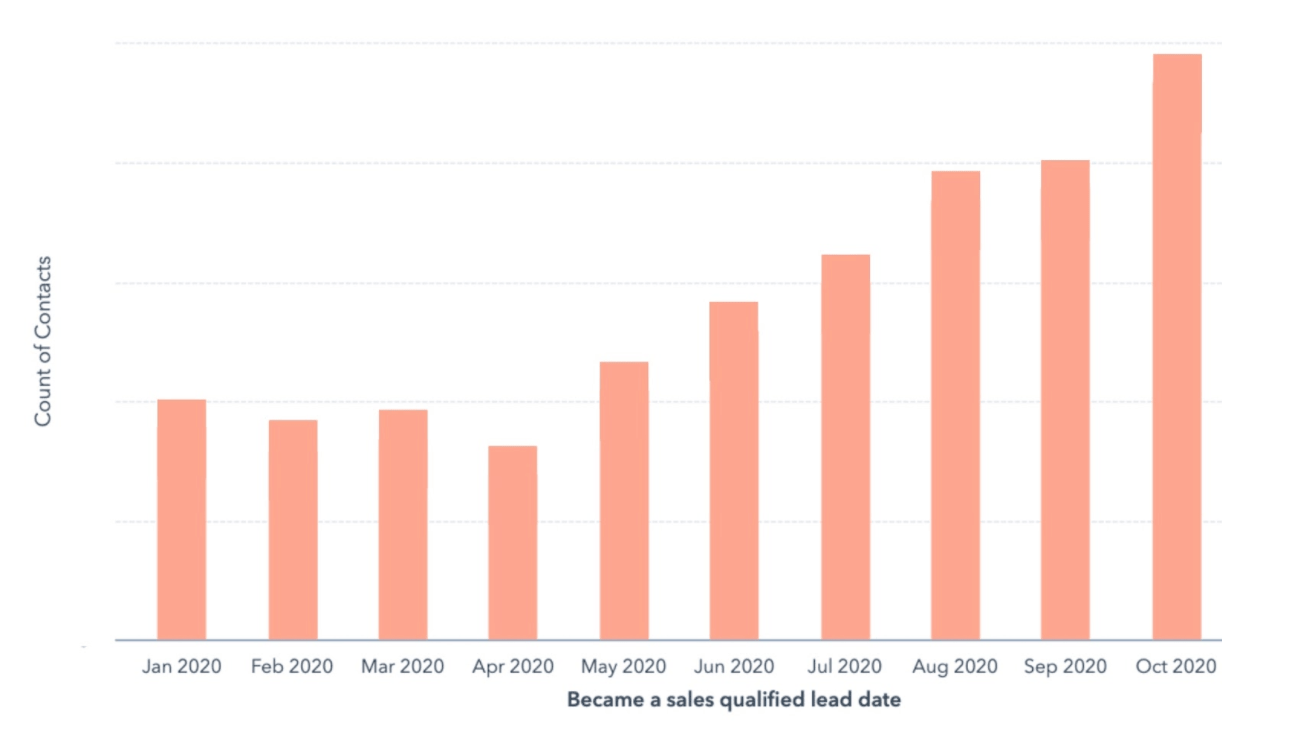
She continues, “Additionally, our sales team is seeing instant benefits in their HubSpot Sequences. The marketing content being produced is directly on target with their outreach, landing them meetings on the first touch.”
Key Takeaway: To truly motivate and inspire both teams to work together, consider how you might create intersection in key business metrics. For instance, perhaps you tie revenue back to your marketing goals, to ensure marketers stay on-track to serve the same bottom-line goals that matter most to sales, as well.
4. Outreach encourages both teams to avoid blame at all costs.
If your marketing and sales teams are misaligned or don’t communicate well, it might be easy for each team to assign blame when things don’t go as planned.
As Mark Kosoglow, VP of Sales at Outreach, says: “You need to decide not to have a blame-game mindset or culture. When pipeline is viewed as a shared challenge, then it becomes easier to talk about what needs to be done to improve the situation.”
“Sales and marketing is a complex relationship, and assigning blame narrows your ability to create needle-moving solutions.”
Key Takeaway: Create a culture in which your sales and marketing teams feel authentically connected and aligned when it comes to your company’s bottom-line. The more leadership can encourage collaboration over competition, the better.
5. Nextiva focuses on high-quality data analysis to align marketing and sales.
Ultimately, data analysis is critical for understanding the current level of alignment between sales and marketing goals, and iterating to ensure future alignment success.
Nextiva is fully aware of the importance of data for marketing and sales alignment. As Gaetano DiNardi, Director of Growth Marketing at Nextiva, told me: “At Nextiva, we have a joke: ‘Hey marketing, can we just get one more lead?’ Our lead flow is 100% inbound, but with that arrangement comes a unique set of challenges. Sales can often argue that lead volumes are too low. So we’ll go and fix that by ranking highly in Google for important terms like Business VoIP.”
He adds, “Alternatively, when lead volumes are unquestionably above forecast, then sales will say that the lead sizes are not large enough. So we’ll dig into the data and show them how poor their close rates have been on our largest lead sizes. Eventually, there will be an aha moment among both groups on where the biggest problem exists — but that only happens when you can bring the right data to the conversation.”
“Great alignment between marketing and sales comes down to high-quality data analysis and effective communication with an action plan, and accountability on both sides, in order to solve complex problems.”
Key Takeaway: Bring data into every conversation you have between sales and marketing. To avoid blame, you can use this data to demonstrate where each team might be falling short of helping support the other team’s goals.
6. BluLeadz’s sales and marketing teams share an ecosystem to improve the customer experience.
To truly align your marketing and sales teams, you’ll want to consider what tools and platforms each team uses. Is there an opportunity to align your tools to enable each team member to visualize how their individual actions are helping or hurting the other team’s goals — and, ultimately, what the experience looks like for the customer?
As Dave Stout, an Inbound Specialist at BluLeadz, explains: “Our ability to maintain alignment between marketing and sales comes down to three elements: Process, communication, and shared ecosystems.”
“We collaboratively create processes that we share and refine together. For example, marketing will help us create sales content, and our sales team refines those content assets over time and shares the results. This ongoing communication about what’s working and what is not working is vital.
We maintain an open communication channel by meeting every week to address friction points, establish action items, and hold each other accountable.”
Stout adds, “The most important tactic we use to stay aligned is sharing an ecosystem. Both of our teams use HubSpot, and we share access to each team’s portal and reporting dashboards. This allows us to have impactful conversations about the quality of leads coming from different channels, enabling us to accurately forecast sales and identify touchpoints we can add throughout the buying process to improve the customer experience.”
Key Takeaway: Choose an ecosystem that offers advanced tools for both sales reps and marketers. The more your teams can align on tools and processes, the easier it will be for your entire company to reach tighter alignment.
7. SuperOffice asked its sales reps to become more active on social media.
In this case study blog post, Steven MacDonald writes about SuperOffice’s experience aligning its own sales and marketing teams.
In 2016, the company chose to bring in Jan Willem Alphenaar, a social selling expert, to instruct the sales team on how to use social media for sales. The sales team shifted their perspective and recognized social media as a tool for capturing B2B sales — not just leads.
As MacDonald writes, “Sales and marketing became much more aligned and now hold frequent meetings to discuss content, campaigns, digital activities and goals – such as what to post online and how often, how to target prospects and build relationships and how to engage with potential customers.”
The results? An increase in business leads by 168%, an increase in social media visits to SuperOffice’s website by 61%, and a business revenue increase of 10% within the first 12 months — with plenty more room to grow.
Key Takeaway: Consider in which aspects of marketing — including social media, blogging, event planning, email, and video — you might ask your sales team to get involved. In this case, the sales team recognized their own power to reach new audiences and convert leads into customers through social media. Your sales reps might have unique opportunities to reach new networks — tap into that.
8. American Express created a content hub with both marketing and sales playing a role.
American Express had a lofty goal: to position itself as a leader in the corporate travel industry.
To make that happen, the company partnered with the Global Business Travel Association (GBTA) and conducted extensive research on the experience of global business travelers.
American Express then established a pilot social selling team, comprised of employees across multiple departments and locations, including sales and marketing.
This team created content based on the research from GBTA — and, while marketing took the lead on creating and distributing that content, the sales team provided customer insight and played a critical role in ensuring the content was customer-centric.
American Express’ corporate travel content hub was undeniably successful — with a reach of more than 100 million publications, over 1,500 page visits, and an increase of 100% engagement rate on LinkedIn.
Key Takeaway: While marketers are critical for conducting customer research and understanding the needs of your audiences and prospects, it’s important for marketers to remember that sales reps are the ones who speak most directly to prospects and customers on a daily basis. Consider how your marketing team might collaborate with sales to leverage that unique customer insight for upcoming campaigns or content launches.
Now that we’ve covered some amazing brands mastering sales and marketing alignment, feel free to take a look at Tried-and-True Tips for Sales and Marketing Alignment for a more individualized, step-by-step guide to better alignment.

Level Up Your Social Media Lead Generation Game with These 35 Tools and Stats
Gorgeous, on-brand images and lively language? Check. A substantial social following in the channels that matter most for your industry? Check. Leads coming through? Check — and fist bump.
What comes next? Optimizing your social media lead generation so that it converts even more of your engaged audience into clients and customers.
Social media lead generation is the process of turning brand awareness and interest into visitor actions, such as:
- Signing up for your weekly newsletter
- Accessing an ebook or white paper
- Signing up for a free trial of your service
- Attending a virtual event
- Engaging with a chatbot
People who take any of these first steps are more likely to take the next and the next. They’ve demonstrated more-than-passing interest in your products or services, and can evolve into high-value, qualified leads — provided you build trust and offer genuinely helpful content along the way.
Social Media Lead Generation Tools
Social Media Ad Retargeting Tools
Ads on social media are a must for any enterprise business. You already use them to raise brand awareness across platforms and then retarget ads to people who visit your website. But generating more warm leads takes retargeted social media ads segmented to address particular interests or pain points.
Image source: IBM Cloud
For example, retargeted ads for B2B website visitors who explored introductory guides should be different than ads for visitors who explored more complex topics. Tools to help you dive deeper and segment site visitors for retargeting:
1. Google Analytics – Tracking inbound leads generated through social media will quickly pinpoint which social platforms perform best for your business, as well as what is the most effective messaging and images for your audience.
2. Facebook Custom Audiences – The platform allows you to target custom audiences through website visitors and people who have already engaged with your Facebook ads. To track website visitors for audience customization, you need to add Facebook pixel to your website. Once you’ve installed pixel, you can create retargeted ads for people who have visited a specific blog post or product page.
3. YouTube Audience Manager – This is an excellent way to create sequential retargeted ad campaigns for specific audiences. The first step is to link your YouTube channel with your Google Ads account. Then, through Audience Manager, you can create audience lists of people who watched a specific video or channel page.
4. LinkedIn Showcase and Affiliated Pages – Separate from your company page, showcase pages spotlight specific product offerings and initiatives. They are featured on your main page, but they have different audiences and their own followings. For example, IBM features a showcase page for IBM Cloud (pictured above) with nearly 180,000 followers interested in keeping up with that service.
5. Twitter Custom Audiences – Segment your audience for retargeting campaigns based on website or app activity. Your custom audience must be greater than 100 Twitter users to trigger retargeting.
6. Instagram Engagement Custom Audience – Create custom audiences based on website activity, shares, and likes, among other options. Instagram also retargets seamlessly with Facebook, its parent company.
7. AdRoll – This company is known for their retargeting options, including detailed audience segmentation and exclusions triggered by specific parameters. No more flooding customers with ads or sending an ad for a product they purchased yesterday.
8. Perfect Audience – Perfect Audience is an affordable retargeting option for smaller companies that need to keep the process efficient and simple.
Conversational Landing Pages
Nobody puts chatbot in a (lower-left) corner. At least, not on conversational landing pages. Visitors feel more in control of the experience, because they can get answers to their high-level questions immediately and choose their next steps from multiple options presented by the chatbot.
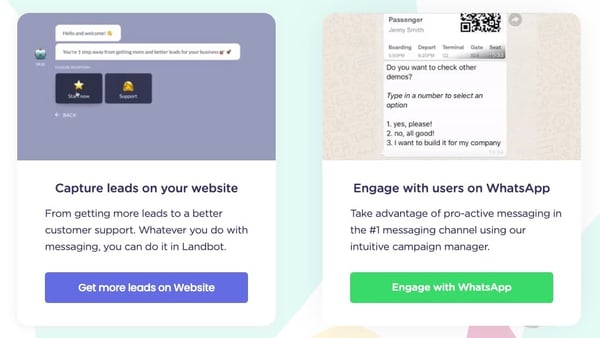
Image source: Landbot
Conversational landing pages are excellent options for freemium tool pages, complex product pages, and product education sign-up pages. They are popular for B2B landing pages in particular because of the subject-matter complexity in comparison to ecommerce.
9. Landbot – This chatbot platform lets you build a customized conversational landing page. Coding skills not required. The chatbot guides visitors through ‘choose your own adventure’ prompts, so they get the answers they need.
Video Tools for Lead Generation
Engaging, polished, and informative videos are powerful lead generation tools. They can answer customer questions before they’re asked and clarify your value proposition for visual learners.
Image source: Animaker
You can use video to capture attention and educate on social media ads, landing pages, and product pages.
10. Biteable – This program reduces the intimidation factor of video and animation production. Their homepage trumpets the ability to make professional videos “on your lunch break.” The top-tier plan allows collaborative editing, production assistance, custom branding, and access to 1.8 million images and clips sans watermark. Be sure to include closed captioning to make the video accessible — and for those who watch social videos with the sound off.
11. Animaker – Animated videos get attention and can be more cost-effective than live-action video production. Animaker streamlines the process for companies with their enterprise option.
12. Shakr – This video making technology for start-ups and global enterprises includes A/B testing, creative services, and support with video ad campaign set up.
13. Magisto Video Editor – An online video editing tool that uses AI to highlight the most emotional moments of your footage, so you can create videos that connect and inspire.
A/B and Multivariate Testing Tools
Small and large changes to your landing pages and your social media ads can make or break a campaign’s lead generation success. With A/B testing you test two distinct options to see which performs better. You can test the design of an entire landing page or a single element, such as a form or CTA.
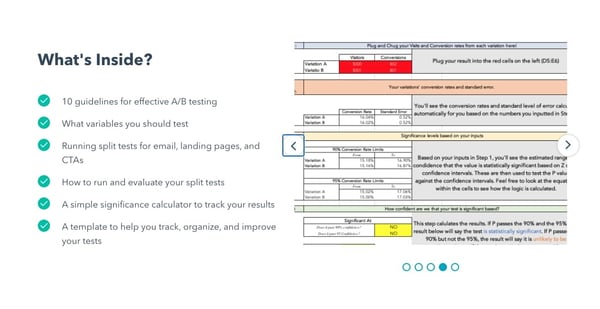
Image source: HubSpot
Multivariate testing is more complex and measures the impact of several subtle changes on a webpage. Here, you may test different copy options for your landing page H1 and the CTA to discover which combination is most effective for lead generation.
14. Optimizely – This company is all about digital experimentation, making them a strong partner for A/B and multivariate testing. You can do both testing styles with the Optimizely Web Experimentation tool, but only A/B testing with Optimizely Performance Edge.
15. HubSpot – You can conduct A/B and multivariate testing to improve lead generation using the HubSpot CRM. Set up an A/B test of a landing page to see which option results in more form completion. Or, set up multivariate tests to determine whether a distinct combination of copy and background color results in more downloads of a whitepaper.
Social Listening and Competitor Research Tools
These tools track what people are saying about your company and the products and services of your competitors. What do people like? Where do your competitors fall short? This can help you tweak your ad and landing page copy to address frustrations and stand apart from the crowd.
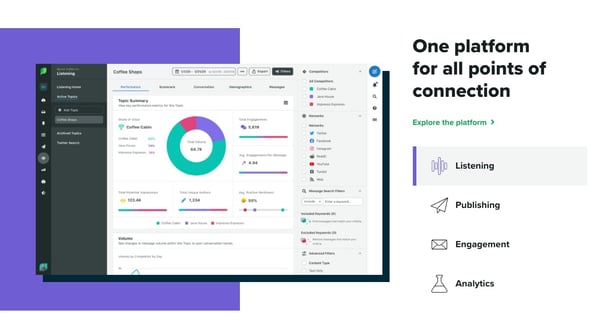
Image source: Sprout Social
16. Hootsuite Insights – This tool lets you track millions of mentions across the major social media platforms, as well as in online forums, the news, and review sites. You can track social sentiment around your brand and industry keywords, as well as social mentions of your competitors.
17. Sprout Social – The social media management tool boasts detailed competitor analysis in their Premium and Advanced plans. To compare your brand’s performance with competitors, Sprout Social breaks reports down by earned (organic) and owned (brand-driven) content and by social platform. This allows you to expand on what’s working and adjust what’s not working.
18. BuzzSumo Competitor Intelligence – This tool helps you track the content that works for your competitors, as well as the content that falls short. Use this information to create content, social campaigns, and landing pages that leverage engaging topics across your industry.
Social Graphics Tools
Original, vibrant graphics capture attention on the feed. Here are a few tools to help you create scroll-stopping images.

Image source: Word Swag
29. Canva – This easy-to-use design tool lets you create social media graphics using ready-to-customize templates or your own designs.
20. Word Swag – This one is for the font fanatics in the crowd. Use Word Swag to create text-only social graphics. You can even A/B test how your text-only social ads perform for lead generation against ads that blend images and text.
Landing Page Optimization Tools
Without a sharp landing page, your inbound lead generation via social media will fall flat. You want your landing page to be frictionless, with information that meets the expectations you set up in your social post, exact next steps, and engaging CTA button.
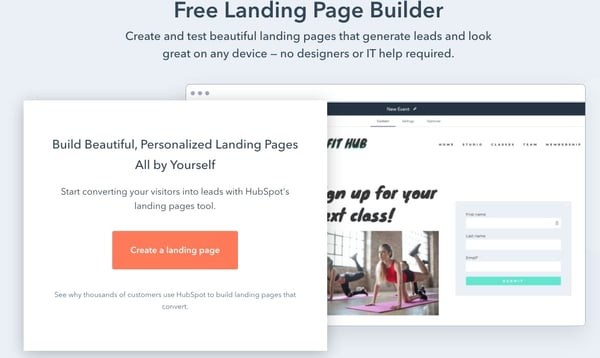
Image source: HubSpot
Once visitors fill out a form, don’t forget the personable thank-you page that offers a discount, related blog post links, or simply a compelling or charming on-brand image.
21. HubSpot Landing Page Builder – HubSpot’s Landing Page Builder helps you optimize with one-click forms and dynamic content that changes depending on who is visiting the page (first-timers or repeat visitors). HubSpot lets you track the inbound traffic from social media and the performance of CTAs. A/B or multivariate testing will also help optimize the page.
22. Unbounce – The landing page builder and platform helps users create branded pages with an easy drag-and-drop interface. Unbounce specializes in SaaS, ecommerce, and agency landing pages. It’s Social Ads solution helps you create ad-customized landing pages and customizable forms designed to capture more qualified leads.
Social Media Lead Generation Statistics
- 59% of marketers say social media marketing is one of the most effective tactics for improving lead generation quality. (Ascend2)
- 61% of marketers say lead generation is their top marketing challenge. (Hubspot)
- 67% of marketers say social media marketing generates leads. (Social Media Examiner)
- Approximately 96% of website visitors are NOT ready to make a purchasing decision. (Marketo)
- You have less than 15 seconds to capture the attention of website visitors before they leave. (Crazy Egg)
- 72% of adults in the US use at least one social media platform. (Pew Research Center)
- 73% of adults in the US use YouTube. (Pew Research Center)
- 69% of US adults use Facebook. (Pew Research Center)
- 89% of consumers buy from brands they follow on social media. (Sprout Social)
- In 2020, global digital ad spend is estimated to be $385 billion. (eMarketer)
- 56% of marketers say sales revenue generated is the most useful metric for measuring lead generation quality. (Ascend2)
- 54% of marketers say they measure lead quality continuously. (Ascend2)
- 66% of marketers say they generate social media leads with only six hours of social marketing per week. (Social Media Examiner)
- 74% of marketers with more than four years of experience in social media marketing say their lead generation proficiency improved. (Social Media Examiner)
How to Measure Lead Generation for Social Media
Analyze, adjust, repeat. It’s a marketing mantra across strategies for good reason, and social media lead generation should be part of your analysis. Here are the essential metrics to track and analyze:
Click-through rate – This metric shows whether you are effectively segmenting audiences for your social ads. If you speak to your customers’ interests, questions, and pain points, your CTR percentage will be higher.
The CTR is calculated by dividing the number of clicks on your social media ad with the number of ad impressions and multiplying the result by 100. That is your CTR percentage for a given ad or campaign.
Conversion rate – This measures the number of people who took the lead generation action you wanted your social ad to prompt, such as joining your newsletter, downloading a whitepaper, or requesting a quote.
Leads per channel – Knowing how many leads you get per channel often tells you where your customers prefer to engage and where you should focus your social ad spend. However, if your campaigns aren’t generating leads on platforms known to yield results for your industry, you may need to A/B test or rethink your social ads strategy on that channel.
Form abandonment – If your form abandonment rate is high, there may be one too many information requirements. Business leads may be hesitant to give their full name, email, company name, and cell phone number.
Leads to qualified leads – How many of the leads you generate via social media are truly qualified? That means they successfully resulted in sales or were, at the least, promising for future business. To get the qualified lead percentage, divide qualified leads by the total number of leads and multiply by 100. To make improvements, you may need to further refine your social media messaging for your target audience.
It’s tempting to set your social media lead generation strategy to autopilot, especially when you get positive results. But gaining a better understanding of your audience and fine-tuning your social ads can deepen trust, enhance your lead generation, and significantly boost their quality.
