Creating a Channel Strategy: The Complete Guide
Be honest. Do you know what your non-marketing colleagues do all day?
Sure, you might have a general idea of what your co-workers in sales, finance, and HR do, at least categorically. But it seems that many of us — myself included — have those days, weeks, and months when we’re so bogged down in our own daily hustle, that we become a bit oblivious to what everyone else around us is working on. After all, that’s probably why the phrase, “put your blinders on” exists.
But while a colleague’s job might look different from our own, there’s actually quite a bit that we, as marketers, can learn from them. One of those things is channel strategy.

That’s why I recently sat down with my colleague, Adrianne Ober, a Channel Consultant here at HubSpot. After speaking with her about what she does every day — and about the most important knowledge she’s gained in this role — I’ve realized that there are a lot of channel strategy lessons that marketers can apply to their own work.
So, what did we learn? Read on to find out — or listen to our interview with Adrianne by pressing “play” below.
What Is Channel Strategy?
A channel strategy, according to TechTarget, “is a vendor’s plan for moving a product or a service through the chain of commerce to the end customer.”
In many environments, this kind of channel strategy takes the form of a reselling program — here at HubSpot, we work with Marketing Agency Partners who not only grow with HubSpot software but also, teach their clients how they, too, can be more successful with it.
That’s where channel consultants like Ober come in. “My role is a combination of an account manager and an implementation specialist,” Ober explains, but her day-to-day work encompasses much more than that. “Our focus is to work with our new Agency Partners, to onboard them to the program and support their reselling and delivery efforts.”
Reselling programs aren’t exactly uncommon, especially within tech companies, but what makes Ober’s job different is its true partnership nature. “We really do invest a ton more than other companies do in their partner programs,” she says, “to ensure they are getting the most out of it to help grow their businesses.”
What Can Marketers Learn From a Channel Consultant?
Building Your Own Channel Strategy
Not all marketers work for agencies, but many of us are responsible for positioning our respective products and services as solutions for our target audiences. For example, HubSpot’s Marketing Software provides automation solutions for marketers — what solutions does your organization offer?
In a way, channel strategy could be described as a formal approach to word-of-mouth marketing. How can you provide solutions to your customers that they, in turn, can share with and provide to their own networks? Ober challenges and encourages marketers to ask that question, find the best answer, and make it a reality.
There’s a “relationship-building aspect” of every marketer’s job, she explains, even for those who don’t work with customers directly. Chances are, you’re still responsible for crafting the messages and content that’s going to reach customers, and ultimately, that’s one way for brands to build a relationship with a target audience — by establishing themselves as a trustworthy, shareable resource for solving problems and meeting needs.
But where can marketers begin? “Product knowledge is … imperative,” Ober says. Start by becoming an expert in the solutions provided by your organization — not just the products and services you offer, but also, with the industry at-large. “We need to be comfortable with usage and training,” she explains, in order to establish that trust with both current and potential customers.
A Marketer’s Biggest Pain Points
The thing about HubSpot’s Agency Partner Program — one that even I’m guilty of forgetting — is that its channel consultants work with marketers, day in and day out. That means people in Ober’s position hear about the most common struggles faced by marketers every day and are tasked with proactively offering solutions.
So not only can marketers stand to benefit by implementing their own strategies — but speaking with people like Ober, it turns out, can help us to take a step back, examine our biggest pain points, and figure out how to efficiently tackle them.
“The biggest struggles I hear about are pricing, process, scaling, hiring, and time management,” she explains. In other words: growing pains. “In order for agencies to scale their businesses, they need to develop a repeatable process, which means they need to have a handle on time management for their team and make the right hires at the right time.”
Sound familiar? Maybe that’s why growth marketing is such a hot topic right now — no matter the size of the company they work for, it seems that these are pains experienced by a number of marketers. Those working in SMBs are often tasked with many of the responsibilities mentioned by Ober to help their employers grow. And those working for larger organizations, while not necessarily tasked with growing the business, are often tasked with building, executing, and growing new campaigns and initiatives.
That’s why it’s so important, Ober says, to make time for the learning process, no matter how “underwater” marketers tend to feel when they’re facing deadlines and other time-sensitive priorities.
“Our most successful partners make the time to build their process, invest in the education we provide for their team and take the time to price their services appropriately,” she says. “Marketers can and should make time to keep their finger on the pulse of the industry [they work in], connect with peers, and read up on trends.”
A Similar Skill Set
Finally, I asked Ober, “What else can marketers learn from a channel consultant?” To answer that, she pointed to many of the skills required of her job that overlap with those most crucial to a marketer’s success.
“This role requires us to confidently assess a marketing strategy as it relates to the overall goals,” she says, “whether it’s for a Partner Agency’s own marketing or one of their clients.”
And no matter what their industry, it seems that skill is highly valuable to all marketers — to be able to objectively measure their own strategies, and to figure out what is (not) working.
And “even more so,” Ober explains, is the shared, necessary ability of both marketers and channel consultants “to recommend the right tools and approach to go with the strategy.”
But doing that requires a high-level of communication skills, whether you’re making these recommendations to customers, your colleagues, or your boss. “We need to be able to [identify] not only where these gaps may be,” Ober points out, but also to align them with goals. Skilling up in those areas, she says, can ultimately help marketers accurately evaluate the feasibility of a situation, whether it’s marketing strategy or budget — or being able to predict how (and if) your brand will resonate with a given audience.
Looking Forward
With INBOUND on the horizon, Ober says she’s looking forward to discussing channel strategy and exchanging knowledge with industry professionals.
“I love seeing my Partners in person,” she shares. “I’m excited to talk with them about some products that were teased last year and are in beta now.”
But maybe even more than that, is how excited she is to hear about other marketers’ ideas.
“INBOUND is a place for peers to connect, and [we all] come away from the event with a ton of ideas,” she says, “and, as a result, a ton of motivation to dig in.”
Have you used channel strategy or consulting? Let us know in the comments.


The 10 Best Leadership Podcasts to Make You a Better Leader
Looking for some new leadership podcasts to check out? We’ve got you covered.
From tips on how to be a better leader to interviews with top CEOs, these top leadership podcasts will help you develop your skills and knowledge.
 Whether you’re a new or a seasoned leader, there’s something here for everyone.
1. CEO School

If you’re a leader who is also taking on entrepreneurship, you’ll enjoy this podcast.
Host and founder of a billion-dollar fintech company, Suneera Madhani, regularly brings on experts to discuss everything from scaling your business to creating a positive work culture. In her solo episodes, she shares advice based on her experience running her successful company.
Standout Episodes:
- How to Have Effective 1:1s with Your Team to Drive Results with Empathy
- Establishing a Culture that Drives Business Success
- A Billion-Dollar CEO’s #1 Fundraising Tip
2. HBR’s IdeaCast
If you struggle to find time to listen to podcasts, this bite-size one is a great option.
Each week, HBR’s IdeaCast tackles one facet of leadership in 30 minutes or less. With over 600 episodes, this longstanding podcast has covered just about everything you might want to know about being a better leader.
Standout Episodes:
- One Way to Fight the Great Resignation? Re-recruit Your Current Employees
- It’s Time to Fine-Tune Performance Management
- Fighting Bias and Inequality at the Team Level
3. Let’s Take This Offline: The Podcast for Everyday Leaders
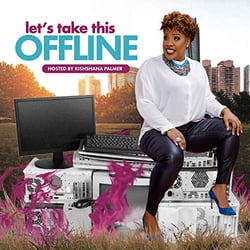
In this podcast, host and former exec Kishshana Palmer looks to redefine what leadership looks like.
“Let’s Take This Offline” breaks down unpopular topics within the leadership space, such as doubt, vulnerability, and shame. Consider this a safe space for leaders who don’t feel like they have it all together and want reassurance that it’s OK.
Standout Episodes:
- Summer Well Series: Create Your Leadership Roadmap
- How Doubt Can Boost Your Leadership
- No Second Guessing, You Are Enough
4. How Leaders Lead
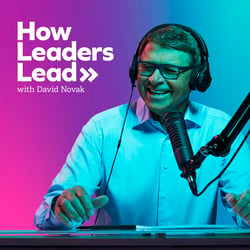
When you’re working on improving yourself as a leader, it’s vital to get advice from all angles. This podcast does just that.
“How Leaders Lead” is an interview-style podcast that gives you access to top leaders in business, sports, entertainment, and more. Its host, David Novak, is the co-founder and former chairman of a Fortune 500 company who knows what questions to ask and which insights leaders are looking for.
Standout Episodes:
- Embrace Big Changes with Curiosity
- Bill Harrison, JPMorgan Chase Former Chairman & CEO – Preparing the Next Leader
- Rob Manfred, MLB Commissioner – Finding Common Ground
5. Coaching with Leaders
Want to listen to a leadership podcast but don’t have a whole hour to dedicate to it? Then, this is the podcast for you.
With each episode averaging around 30 minutes, Coaching for Leaders is a short and sweet podcast on all things leadership, from giving feedback and managing difficult stakeholders to fostering inclusivity and improving communication.
Every episode is filled with tactical, actionable advice that you can use every day as a leader, making it a great listen for the morning when you’re getting ready for work.
Standout Episodes:
- How to Involve Stakeholders in Decisions
- How Top Leaders Influence Great Teamwork, with Scott Keller
- How to Lead and Retain High Performers
6. The Unburdened Leader
When we talk about leadership, we rarely dive into the toll it can take on your mental health. Rebecca ching, LMFT, is here to tackle it.
With a background in family therapy, Ching has built her career around helping leaders navigate through the complex emotions and events associated with this path.
In each episode, she leans on experts in various fields to discuss leadership through the lens of mental health.
Standout episodes:
- Leading Authentically After Hard Falls with Ref Rodriguez
- The Intersection of Leadership, Brand, and Inner Work
- Challenging the Fear of Rejection and Leading with Vulnerability
7. Coaching for Latina Leaders
While this podcast was designed with Latina leaders in mind, it’s a great listen for any leader.
What’s great about this pod is that it looks at leaders from a holistic perspective, helping them see how their personal lives impact their work lives.
That’s why you’ll see episodes focusing on journaling and meditation while others focus on leadership frameworks.
Standout episodes:
- Living and Leading with ADHD
- Lead at Work as Powerfully as You Lead at Home
- Arrival Fallacy: How to Enjoy the Journey Toward Your Next Big Success
8. Coaching Real Leaders
Backed by the Harvard Business Review, this podcast is led by leadership coach Muriel Wilkins and is geared toward high performers struggling to grow as leaders.
Every episode starts with one question and one leader’s challenge to frame the episode. In one hour or less, Wilkins uses her background in coaching to help her audience navigate everyday challenges.
Standout Episodes:
- How Do I Move from a Specialist to a General Leadership Role?
- How Can I Lead Authentically?
- Finding My Leadership Voice
9. Dare to Lead
In 2018, author Brene Brown wrote the New York Times Best Selling book Dare to Lead which serves as the basis for this Spotify Original podcast.
According to their blurb, this podcast features riveting conversations with “change-catalysts, culture-shifters, and as many troublemakers as possible.”
Standout Episodes:
- Leading with Purpose In the Digital Age
- Armored versus Daring Leadership
- Why Every Leader Needs to Worry About Toxic Culture
10. Self-Control and Cheese
Ever wish you could talk candidly with your peers about the challenges you’re going through at work? Consider this podcast that safe space.
Hosts Bridget and Sara, two young leaders working at fast-growing tech companies, talk about everything from securing that promotion to navigating difficult conversations with your direct report.
If you work in tech (or plan to), this is the podcast to hear about what it’s really like and how to move within this space.
Standout Episodes:
- It’s Not Job Hopping If The Company’s Toxic
- The Leadership Crash Course
- 30 Under 30s A Scam
So, if you’re looking to up your leadership game, or just want to learn more about the art of being a great leader, then check out some of these top podcasts on leadership.

The 10 Best Leadership Podcasts to Make You a Better Leader
Looking for some new leadership podcasts to check out? We’ve got you covered.
From tips on how to be a better leader to interviews with top CEOs, these top leadership podcasts will help you develop your skills and knowledge.
Whether you’re a new or a seasoned leader, there’s something here for everyone.
1. CEO School
If you’re a leader who is also taking on entrepreneurship, you’ll enjoy this podcast.
Host and founder of a billion-dollar fintech company, Suneera Madhani, regularly brings on experts to discuss everything from scaling your business to creating a positive work culture. In her solo episodes, she shares advice based on her experience running her successful company.
Standout Episodes:
- How to Have Effective 1:1s with Your Team to Drive Results with Empathy
- Establishing a Culture that Drives Business Success
- A Billion-Dollar CEO’s #1 Fundraising Tip
2. HBR’s IdeaCast
If you struggle to find time to listen to podcasts, this bite-size one is a great option.
Each week, HBR’s IdeaCast tackles one facet of leadership in 30 minutes or less. With over 600 episodes, this longstanding podcast has covered just about everything you might want to know about being a better leader.
Standout Episodes:
- One Way to Fight the Great Resignation? Re-recruit Your Current Employees
- It’s Time to Fine-Tune Performance Management
- Fighting Bias and Inequality at the Team Level
3. Let’s Take This Offline: The Podcast for Everyday Leaders
In this podcast, host and former exec Kishshana Palmer looks to redefine what leadership looks like.
“Let’s Take This Offline” breaks down unpopular topics within the leadership space, such as doubt, vulnerability, and shame. Consider this a safe space for leaders who don’t feel like they have it all together and want reassurance that it’s OK.
Standout Episodes:
- Summer Well Series: Create Your Leadership Roadmap
- How Doubt Can Boost Your Leadership
- No Second Guessing, You Are Enough
4. How Leaders Lead
When you’re working on improving yourself as a leader, it’s vital to get advice from all angles. This podcast does just that.
“How Leaders Lead” is an interview-style podcast that gives you access to top leaders in business, sports, entertainment, and more. Its host, David Novak, is the co-founder and former chairman of a Fortune 500 company who knows what questions to ask and which insights leaders are looking for.
Standout Episodes:
- Embrace Big Changes with Curiosity
- Bill Harrison, JPMorgan Chase Former Chairman & CEO – Preparing the Next Leader
- Rob Manfred, MLB Commissioner – Finding Common Ground
5. Coaching with Leaders
Want to listen to a leadership podcast but don’t have a whole hour to dedicate to it? Then, this is the podcast for you.
With each episode averaging around 30 minutes, Coaching for Leaders is a short and sweet podcast on all things leadership, from giving feedback and managing difficult stakeholders to fostering inclusivity and improving communication.
Every episode is filled with tactical, actionable advice that you can use every day as a leader, making it a great listen for the morning when you’re getting ready for work.
Standout Episodes:
- How to Involve Stakeholders in Decisions
- How Top Leaders Influence Great Teamwork, with Scott Keller
- How to Lead and Retain High Performers
6. The Unburdened Leader
When we talk about leadership, we rarely dive into the toll it can take on your mental health. Rebecca ching, LMFT, is here to tackle it.
With a background in family therapy, Ching has built her career around helping leaders navigate through the complex emotions and events associated with this path.
In each episode, she leans on experts in various fields to discuss leadership through the lens of mental health.
Standout episodes:
- Leading Authentically After Hard Falls with Ref Rodriguez
- The Intersection of Leadership, Brand, and Inner Work
- Challenging the Fear of Rejection and Leading with Vulnerability
7. Coaching for Latina Leaders
While this podcast was designed with Latina leaders in mind, it’s a great listen for any leader.
What’s great about this pod is that it looks at leaders from a holistic perspective, helping them see how their personal lives impact their work lives.
That’s why you’ll see episodes focusing on journaling and meditation while others focus on leadership frameworks.
Standout episodes:
- Living and Leading with ADHD
- Lead at Work as Powerfully as You Lead at Home
- Arrival Fallacy: How to Enjoy the Journey Toward Your Next Big Success
8. Coaching Real Leaders
Backed by the Harvard Business Review, this podcast is led by leadership coach Muriel Wilkins and is geared toward high performers struggling to grow as leaders.
Every episode starts with one question and one leader’s challenge to frame the episode. In one hour or less, Wilkins uses her background in coaching to help her audience navigate everyday challenges.
Standout Episodes:
- How Do I Move from a Specialist to a General Leadership Role?
- How Can I Lead Authentically?
- Finding My Leadership Voice
9. Dare to Lead
In 2018, author Brene Brown wrote the New York Times Best Selling book Dare to Lead which serves as the basis for this Spotify Original podcast.
According to their blurb, this podcast features riveting conversations with “change-catalysts, culture-shifters, and as many troublemakers as possible.”
Standout Episodes:
- Leading with Purpose In the Digital Age
- Armored versus Daring Leadership
- Why Every Leader Needs to Worry About Toxic Culture
10. Self-Control and Cheese
Ever wish you could talk candidly with your peers about the challenges you’re going through at work? Consider this podcast that safe space.
Hosts Bridget and Sara, two young leaders working at fast-growing tech companies, talk about everything from securing that promotion to navigating difficult conversations with your direct report.
If you work in tech (or plan to), this is the podcast to hear about what it’s really like and how to move within this space.
Standout Episodes:
- It’s Not Job Hopping If The Company’s Toxic
- The Leadership Crash Course
- 30 Under 30s A Scam
So, if you’re looking to up your leadership game, or just want to learn more about the art of being a great leader, then check out some of these top podcasts on leadership.

6 TikTok Myths, Debunked in 2022
Many marketers have flirted with the idea of trying TikTok, but certain misconceptions have stood in the way.
For instance, isn’t it just a platform for teens? Specifically, teens who lip-sync?
To help curb the confusion, we’ve rounded up a list of common TikTok myths to help you decide whether it deserves a spot on your marking roster. Let’s dive in.

Myth 1: TikTok’s audience is too young.
Brands mistakenly assume that TikTok is just for teens and young adults. Although it initially exploded in popularity with the Gen Z crowd, TikTok is quickly “growing up.” In fact, 36% of TikTok users in 2021 were between 35 and 54 years old, a 10% increase from the year before.
On top of that, 50% of Millennials report visiting TikTok in the last three months, along with 38% of Gen X-ers, according to HubSpot’s 2022 Consumers Trends Report. We predict these numbers will continue to rise as TikTok cements itself as a mainstream social platform.
Myth 2: TikTok is just for lip-synching and dancing.
While these types of videos certainly exist on TikTok, it’s only the tip of the iceberg. As its audience has grown more diverse, so too has its content.
Nowadays, you can find videos that hit almost any niche. For example, some of the most popular TikTok categories include cooking recipes, beauty tutorials, fitness routines, life hacks, and even pet videos. This also means TikTok can work for a variety of brands across different industries.
For example, Ryanair, a European airline, is a fan favorite on TikTok with almost two million TikTok followers. DuoLingo, a language learning app, is another favorite with over four million followers. Then there’s Red Bull, a popular energy drink, with almost 7 million followers. These are wildly different brands, from different industries, that have built a healthy audience on TikTok.
Curious which brands are winning on TikTok? Check out this helpful guide to get inspired.
Myth 3: If your brand is “serious,” TikTok isn’t for you.
TikTok has a reputation for being quirky — but if your brand is on the serious side, don’t let this scare you away. Instead, try approaching your brand from a different angle.
For example, take a look at Planet Money, an NPR-backed podcast that covers complex topics about the economy. Not the most entertaining topic in the world, right? Yet, it’s raked up almost 750,000 followers.
From gentrification to mortgages, no topic is too serious for Planet Money to tackle with a humorous spin. Need convincing? Take a look at the following video that asks, “Is free shipping really free?”
If you feel your brand is too “serious” for TikTok, take a note from Planet Money and approach your brand — and the content you create — from a different lens. At the end of the day, it’s about sharing value and delivering it in an engaging way — and that’s a goal almost any brand can attain.
Myth 4: You need a lot of followers to go viral.
On TikTok, anyone can go viral. Even accounts with a handful of followers can spark millions of views on a great video.
Its viral nature is a direct result of its algorithm. How does it work? The algorithm pinpoints users that may enjoy your content based on their previous watch history, hashtag searches, and current location. Then, it will push your video to their feed. If enough people engage with it, the algorithm will share it to even more people. Next thing you know, you have a viral hit.
Here’s an example: suppose you post a video of yourself hiking a mountain. The algorithm shows your video to users who live nearby, as well as those who recently searched for hiking trails on the platform. It notices a lot of people “liking” and commenting on the video, so it shares it to more users.
Long story short, if you’re worried you won’t get any traction on TikTok, it’s helpful to remember that the algorithm is on your side, enabling you to reach more people outside of your immediate followers.
Myth 5: Because TikTok videos are shorter, users are less engaged.
TikTok is known for its short, bite-sized content. However, this creates an illusion that users don’t spend much time on the platform.
Fortunately, this couldn’t be farther from the truth. In fact, TikTok has an average user session of 10.85 minutes, far exceeding any other social media platform. On top of that, users in the U.S. open the TikTok app 8 times a day on average.
Myth 6: TikTok is a fad.
Will TikTok meet the same fate as Myspace and Tumblr? While it’s too early to call, I’d argue that it doesn’t really matter.
For one, short-form video is dominating the social media landscape. If TikTok meets its demise, consumers will still crave this content. The audience may jump to a new platform, or migrate to an existing one. Either way, you still need to know how to create engaging, snackable content — and TikTok is the leading platform to hone this skill.
Second, if you build your brand correctly, no rise or fall of a single platform will topple it. If you build a strong community around your brand, it will become unshakeable. But in order to do this, you need to go where your audience is — and, for right now, that might be TikTok.
Back To You
Let’s end with one final myth: it’s too late to join TikTok.
This is untrue, especially if your audience is active there. Further, its high engagement rates, stellar growth potential, and powerful algorithm can take your digital marketing to the next level. That said, time is of the essence. Brands that establish a presence on TikTok now can stay ahead of the curve.

40 Office Costume Ideas for Marketing Nerds & Tech Geeks
Halloween is a fun holiday, but it doesn’t always get the attention it deserves — especially if it falls on a weekday when most people have to work. Fortunately, there is still a way to indulge in the spooky holiday while in the office — dress up and join your office’s Halloween festivities!
How many days of the year are you encouraged to dress up and goof around at work? Probably just one — Halloween — and even then, it can be hard to know what’s office-appropriate.
We want you to have fun this year, so we’re taking the work out if it for you. We’ve compiled a list of DIY Halloween costume ideas that are easy to put together, inexpensive, and perfect for the digital marketer or tech professional.
If your family and friends don’t get your costume, your colleagues definitely will.

40 Office Costume Ideas for Marketing Nerds & Tech Geeks
Computer or App-Related Costumes
1. Incognito Mode Costume
If you’re looking for a dash of mystery and clever internet humor, dressing up as the Incognito Mode logo is your best bet. The costume is simple and there’s a good chance you already have most of the materials you need around your home.
Here’s what you’ll need:
- A black fedora or cowboy hat
- Weak or fake reading glasses with a thin frame
- A black suit coat and dress pants
- A black mask
- Dress shoes
- A white or black dress shirt
 Image source: Instructables Craft
2. Web Browers
This costume is great because you can either dress up as your favorite web browser on your own, or you can have your friends join in on the fun and make it a group costume.
Either way, it’s a simple and cost-effective costume for your next office party. Just print the browser logos, cut them out, and wear them around your neck with a string or ribbon. For the rest of the outfit, you can color coordinate using the clothes you have at home.
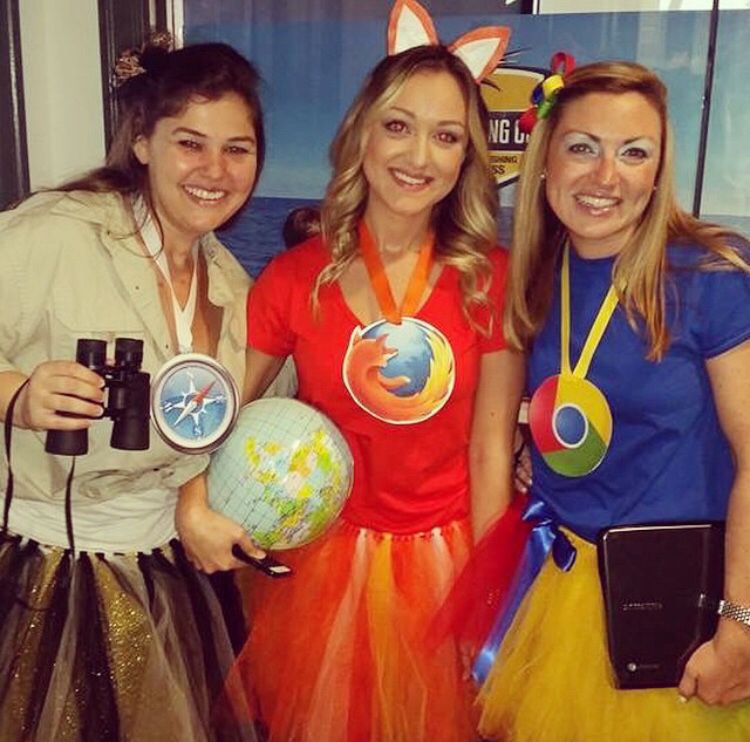 Image source: Pinterest
3. Alt Text
Alt text isn’t just the metadata of an image published on the web — you could also say it’s an “alternative” fashion statement with the text to describe the era. It’s great because you don’t even look dressed up if you have a casual office dress code, so you can just blend in.
To dress as alt text this Halloween, break out your best 90s alternative garb — like black jeans, combat boots, and a flannel. Then, tape hyphenated text that best describes what you’re wearing, much like an image of your outfit would do online to help search engines read the file.
We edited a sash of alt text onto the alternatively dressed girl below, just to help you picture your awesome costume.
 Source: That’s Life
4. Mobile App
Wander around holding an appetizer — candy, cheese and crackers, chips and dip, or whatever you have on hand — and you can call yourself a mobile “app.”
This costume also doubles as a great way to introduce yourself and make friends at a party.
5. Ghostwriter
Have you ever written something for somebody else’s byline? Such is the life of a “ghostwriter.” Turn your author-less accomplishment into this year’s office Halloween costume.
To dress up as a ghostwriter, grab a white sheet and cut a hole for your head and arms. Dab some black ink spots on the sheet, get a book and one of those feather quills (or just get a feather, I suppose), and boo — you’re a ghostwriter.

6. Whitespace
Whitespace on the internet might just denote all the blank space you use to help your design stand out, but on Halloween, “whitespace” isn’t just the absence of space.
Dress in all white — add a white wig if you’re ultra-committed. Then add a hint of color somewhere on the outfit, like a colored tie or scarf — or even a paint splotch. That color splotch will make the white space more prominent, transforming you into “whitespace.”
7. Error 404 Code
You’ve most likely encountered a funny error 404 page before, and you can make it a funny costume, too. Grab a sheet of paper, write “Error 404: Costume Not Found,” and tape it to your outfit.
8. (Monty) Python
If you’re into programming code, British comedy, and low-effort costumes, being (Monty) Python is perfect. Dress up in anything remotely snakelike in your closet: olive green clothing, snakeskin accessories, and fake vampire teeth that can serve as your fangs.
Then, to amp up the dork factor on this costume, add two coconuts or a gold chalice to embody Monty Python on his quest for the Holy Grail.
9. Facebook
Grab face paint or eyeliner and write “book” across your cheeks. Just like that, you’re the world’s biggest social network for Halloween.
And for your sake, we hope your colleagues actually get it:
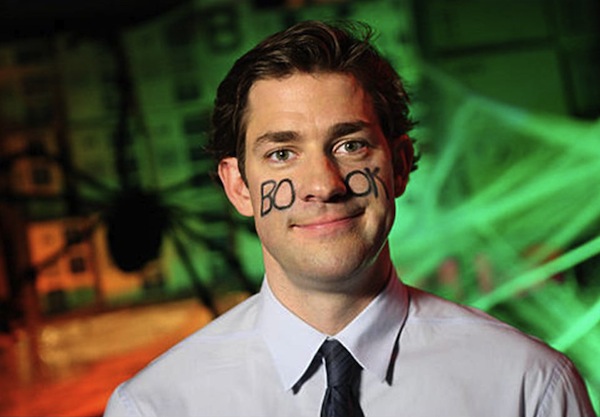 Image Source: Sweety High
10. Unicorn
Here’s another tech-friendly, double-entendre costume: Be your own version of a tech unicorn. Here at HubSpot, we love this tech icon, and you can easily make your own version of a unicorn horn with help from this article.
 Image Source: WikiHow
11. Phishing Emails
Phishing emails are nothing to joke about — they can seriously threaten your technology and data security. But on Halloween, you can dress up as a play on phishing emails for an easy DIY costume. All you need are a stick, a piece of string, and an envelope. Bonus points if you own a bucket hat and vest to complete the ensemble. Check out an amusing version of this costume below.
 Image Source: Car and Driver
12. Copycat
“CNTRL + C” is the popular keyboard macro allowing you to copy items from one place to another on your computer. Well, here’s a technology spin on a classic Halloween costume. All you’ll need are cat ears, eyeliner-drawn whiskers, and a sheet of paper. Write “CNTRL + C” on the paper, tape it to your outfit, and you’re a “copycat.”
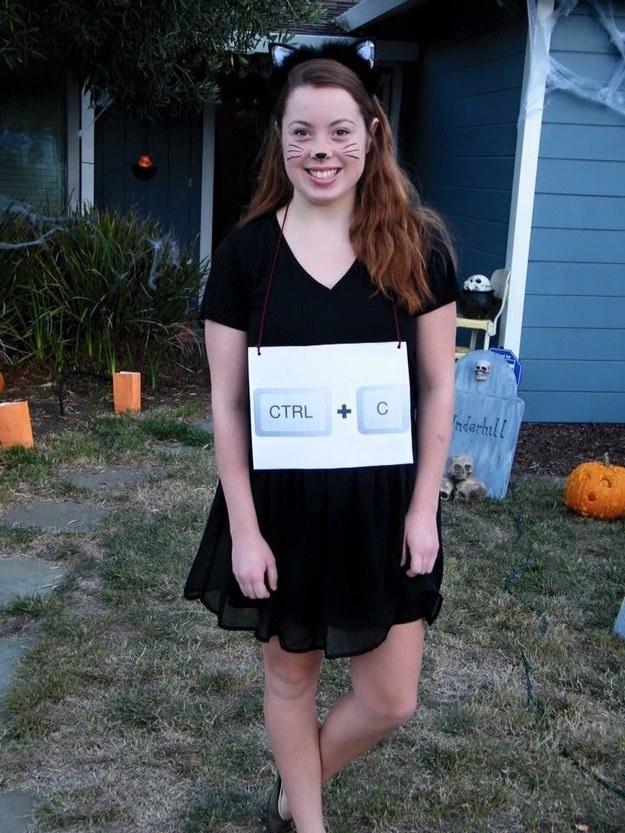 Image Source: BuzzFeed
13. The Blue Screen of Death
You know the screen, even if you don’t know the morbid nickname the tech world has given it. This classic error screen is known for signaling the end of a computer’s useful life, and you know it when you see it. It causes so much stress on site, in fact, that the color alone is scary enough for Halloween.
Believe it or not, there are T-shirts of this ominous screen you can find online. Want to make your own? All you need is a royal blue t-shirt and a printed version of this horrifying error message to pin to it.
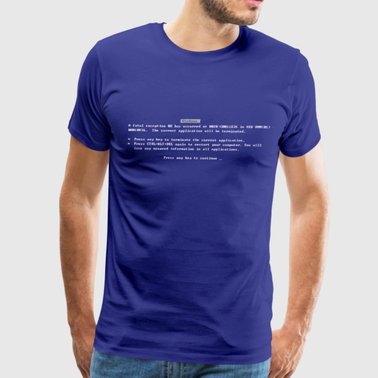 Image Source: Spreadshirt
14. GPS Costume
This will work best with two people. You can cut a Point A and Point B pin shape out of cardboard, paint them red, and write A and B on both pieces. From there, you can personalize the costume however you’d like. You can even get more intricate by finding a T-Shirt with a map on it.
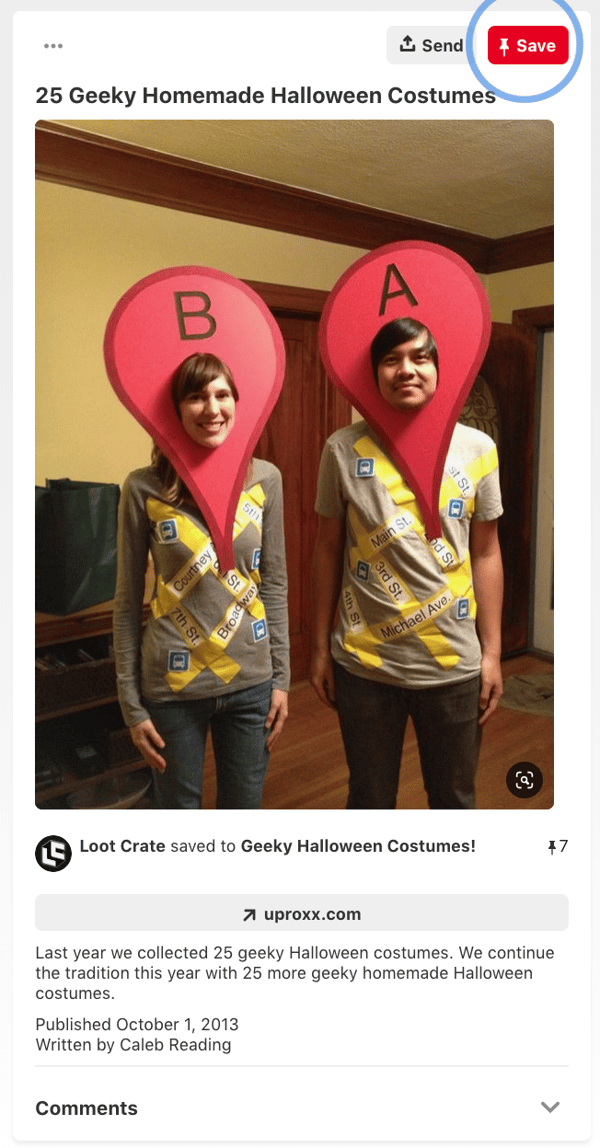
Image Source: Pinterest
15. Dead Battery and Low Wi-Fi
Nothing is more terrifying than a dead battery or no Wi-Fi. This costume brings every techy’s fears to life. It’s also pretty simple to create. Just tape or glue images of dead Wi-Fi and low battery signals onto a black shirt. To emphasize the low-connectivity fears, put on some zombie or skeleton makeup.
Although this can work as a couple’s costume, this could also be a fun option for office colleagues. Since both costumes within the set don’t rely on each other to be understandable, an individual could also wear either the Dead Battery outfit or the No-Wi-Fi suit and still be easily recognized.

Image Source: Pinterest
Emoji Costumes
16. Information Desk Girl
This genius professional found a golden (or, rather, purple) opportunity to be the information desk emoji — the many gestures that we’ve all come to know, love, and use at some point in a text conversation.
The best part about this awesome tech reference is that you don’t need to alter your regular attire to make it work. As Naomi shows us below, it’s all in the hand gestures.
17. Dancing Girls Emoji
If you’re the owner of one of the 2.2 billion Apple iPhones sold worldwide, you’re probably familiar with the dancing girls emoji, shown below.
The easiest version of this costume is to find a buddy and dress all in black together. If you’re committed to emoji authenticity, buy black bunny ears to complete the look.
 Image Source: Brit + Co
18. Heart Eyes
Are you just in love with Halloween? Prove it with this passionate emoji face. You don’t have to paint your entire face to get the Heart Eyes Emoji just right, but it certainly helps. It’ll also disguise your stress when you’re at your most focused during the day.
“This employee just seems to love her job, I can’t put my finger on why,” your manager will think. See how to paint this emoji onto your face below — you’ll need some help with this one.
Topical Office Costumes
19. 1920s Flapper
The best part about dressing up as a flapper for Halloween is that this fun outfit can be found easily online at affordable prices, or you can assemble it using whatever you have at home or find at the craft store.
The latter is what interior designer and DIY enthusiast Mandi Johnson did last year. She found a simple black dress and managed to make all the jewelry, accessories, and fringe items from materials she bought at a crafts shop.
 Image source: A Beautiful Mess
20. Minnie Mouse Costume
You can never go wrong with the classics. Minnie Mouse is a timeless, simple, and inexpensive costume that never goes out of style. And if your Halloween office party allows for a plus one, you can invite your spouse or significant other to dress up as Mickey. Who doesn’t love a cute couple’s costume?
 Image source: Pinterest
21. Top Gun
Top Gun-inspired costumes will likely see a boost in popularity this Halloween thanks to the 2022 sequel “Top Gun: Maverick.” While you can find the signature green jumpsuits online for a decent price, you can also put the outfit together at home if you have jeans, a white shirt, a jacket, and sunglasses lying around.
 Image source: IMP Awards
22. Formal Apology
Ever bought formal attire for a special occasion and never worn it again? Well, now you have an excuse to bring your formal pieces out of retirement. Dress up as a “formal apology,” because nothing says “quirky office party” like a good play on words. Simply dress up in your formal dress or suit, and have a sign or sash that reads “apology” or “sorry.”
 Image source: Good Housekeeping
23. Men in Black
This is a great costume to pull off with your best friend at the office, especially if you already have a suit lying around.
 Image source: Pinterest
24. Fully Vested
At work, “fully vested” usually refers to one’s ability to earn all matching funds of a 401(k) retirement plan. But for some, you just can’t help but picture someone wearing lots of sleeveless jackets at the same time. Now’s the time to personify that image.
If you work in a company where people would get the joke, put on a bunch of vests (at least three, but even more is encouraged), and that’s about it. You’re fully vested.
25. Nerd
What I love about the nerd costume is that it’s effortless and always unique — there are many ways to be a nerd in this day and age. Are you a tech nerd, a video game nerd, or a book nerd? The sky is the limit with this costume. Show up wearing glasses with your favorite accessories — such as a magic wand, book, or lightsaber — to complete the effect.

Source: Pinterest
26. Sanderson Sisters from Hocus Pocus
The Sanderson Sisters made a comeback in Hocus Pocus 2, which streamed on Disney+ this year — so they’ll likely be a popular costume this Halloween season that will be easy to find at any costume store.
 Image source: NBC News
27. Eddie Munson from Stranger Things
Eddie Munson was a fan favorite in the latest season of Stranger Things, and his outfit is pretty easy to put together. If you have a jean vest or jacket at home, you’re already halfway to the look. You can also find Eddie’s Hellfire Club shirt at Target or Walmart for less than $20.

28. Fifty Shades of Grey: PG Paint Swatch Costume
Want to do something cheeky, but still office friendly? This is PG pun costume shares the name of a popular romantic novel and film, “50 Shades of Grey.”
Go to your local paint or hardware store and buy 50 grey paint swatches. Then, tape them to a black shirt and tell your colleagues you’re, “50 Shades of Grey.”
29. Early 2000s Disney Red Carpet Fashion
If you’ve been on social media at all, you’ve likely noticed old red-carpet photos of Disney Channel stars like Ashley Tisdale re-circulating online. Early 2000s Disney fashion was interesting, to say the least, and would make a fun nostalgic costume.
The best part about this idea is that there is a lot of room to improvise. The wilder the accessories the better — and you can likely use almost anything from your closet. Want to wear a skirt over jeans? Or add a chunky belt to the ensemble? The possibilities are endless.
 Image source: Twitter
30. Eleven from Stranger Things
Eleven from Stranger Things is universally beloved, and it’s a bonus that her signature look is a comfortable and easy-to-assemble costume. Rock your best Eleven with a dress, a denim jacket, and a box of Eggo Waffles.
 Source: Business Insider
31. Scoops Ahoy Employee from Stranger Things
While Eleven is an absolute classic Stranger Things character, season two inspired another great costume opportunity. In that season, Steve, played by Joe Keery, worked at an ice cream shop called Scoops Ahoy. As a server, he had to wear a goofy sailor uniform alongside his coworker Robin.
Since it’s a pretty generic sailor uniform, you might be able to easily find one that’s similar in a variety of Halloween shops. This costume could work for both individuals or two colleagues.
32. Dress Up as Your Favorite Anime Character
Anime is seeing a huge surge in popularity, and if you’re an anime fan — why not dress up as your favorite character? Just make sure it’s office appropriate. Some great work-appropriate characters include Aizawa from My Hero Academia, Nanami from Jujutsu Kaisen, and Kiki from Kiki’s Delivery Service.
 Group Office Costumes
33. The Sales Lifecycle
At HubSpot, we love embracing team costumes. A few years ago, a handful of HubSpot employees grabbed some T-Shirts and wrote the stages of the sales lifecycle on them. Then they lined up accordingly and passed a fake prospect listing around to symbolize the process of making a sale. This was such an easy costume to coordinate that the team could even include an out-of-office employee over a video call.
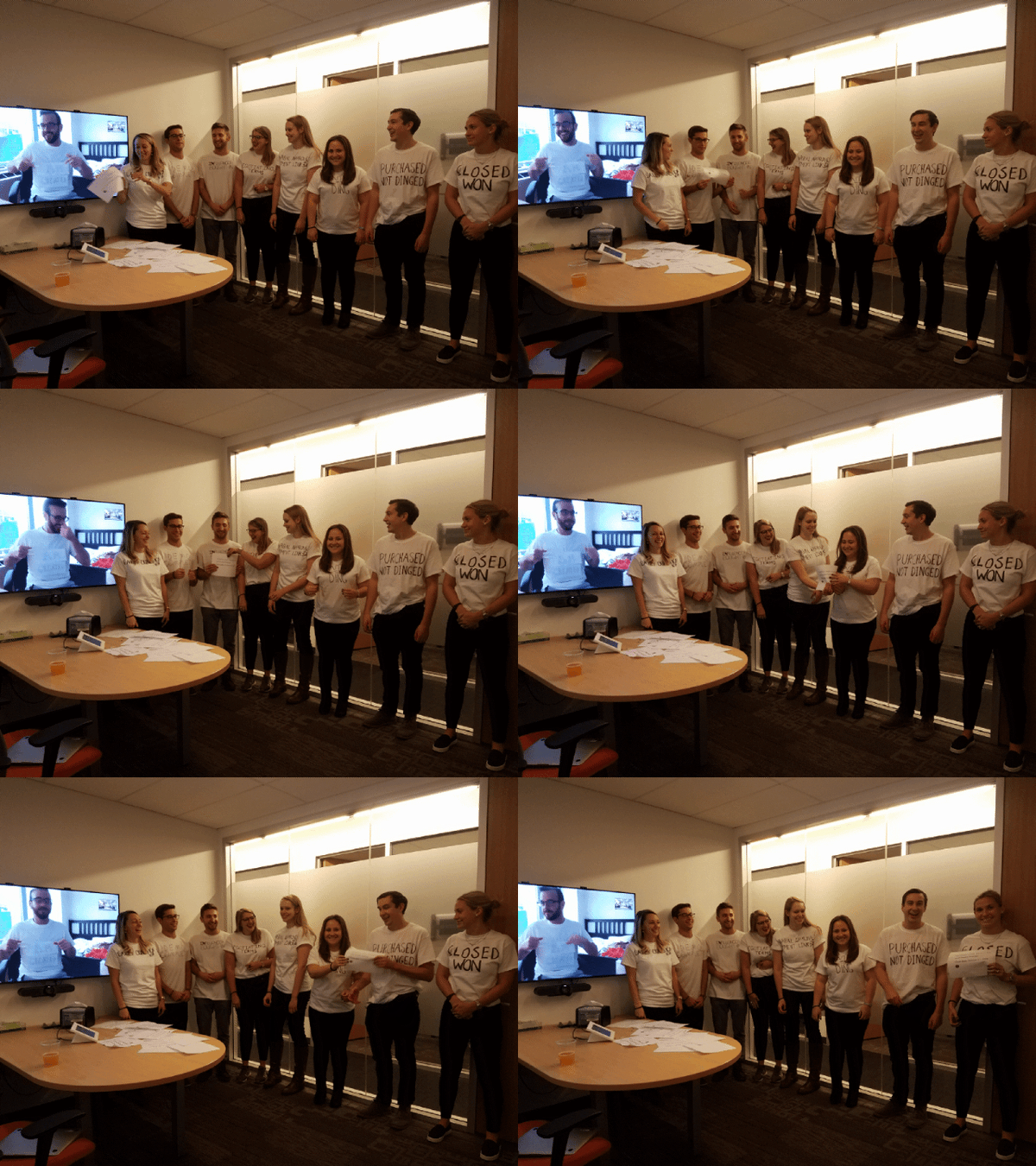 Source: Maggie Bomze, Principal Customer Success Manager of Strategic Accounts at HubSpot
34. Social Media Channels
While this Pinterest image shows classmates posing as major social media networks, this could easily be modified to fit the office setting.
Simply pick out a solid list of the hottest social networks, then buy blank T-Shirts that match the colors of each platform. From there, you can either draw, tape, or glue the logos onto each shirt. If you’re not interested in the tutus worn below, you could also find matching pants, or just wear jeans and keep things simple.

Source: Pinterest
35. Google Algorithm Update
Find a couple of office buddies for this one — one panda, one penguin, and one pigeon. You might be thinking, “what the heck is the pigeon algorithm update?” Trust me when I say it’s a thing. Also, we checked Amazon for hummingbird costumes, and there aren’t any cheap ones available.
 Source: Opportunity Max
36. Black Hat and White Hat SEO
This is another SEO-related costume, and I think you can figure this one out on your own. I recommend wearing a black hat for one, and a white hat for the other, and having “SEO” embroidered on each one — which you can easily custom order.
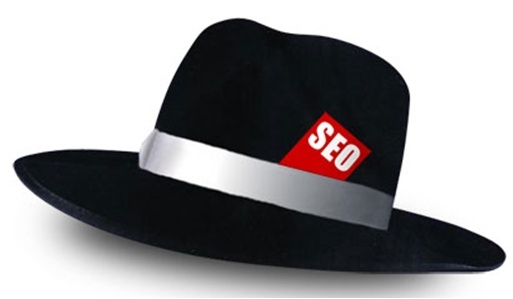 Source: SEO-Hacker
37. Snapchat Filters
Here’s another group costume idea that pays tribute to Snapchat’s filters feature.
There are numerous options that you and your team can choose from to embody this costume. You could dress up as vomiting rainbows, cat and dog ears, a flower crown, or a face swap, and this could be as DIY or store-bought as you’re interested in pursuing. For example, here’s some inspiration for a couple of the dog filters:
 Source: PopSugar
38. Snapchat Ghosts
Put a marketing spin on a classic Halloween costume by arriving as a Snapchat ghost. All you’ll need is a white sheet and to pick which ghost you like the most.
 Source: YouTube
39. PAC-MAN and Company
Here’s yet another awesome ghostly costume idea your whole team at work can get in on. Have your team lead wear the yellow pie-shaped garb of PAC-MAN, with each team member dressed as the multi-colored ghosts that roam the screen in this vintage arcade game.
Just make sure the team lead doesn’t actually try to eat the ghosts — you’re in an office, and you’re all technically on the same team.
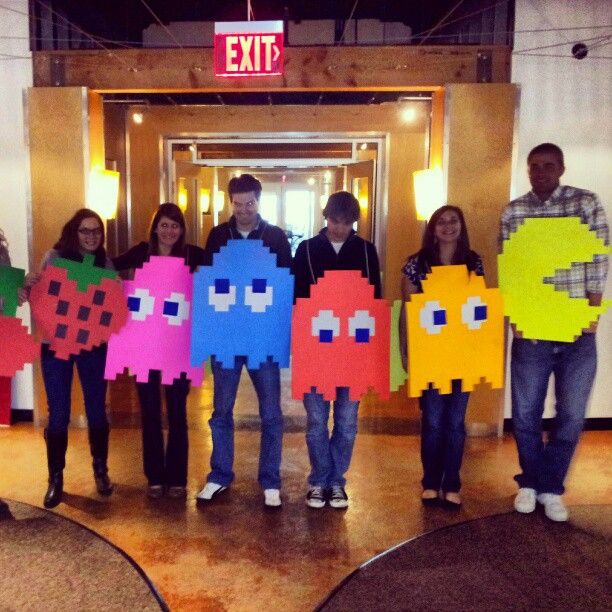 Source: Meningrey
40. Instagram Filters
For this group costume, you’ll need white t-shirts and fabric markers. Draw an Instagram photo frame on the front of your shirts, and each team member can write a different Instagram filter‘s name inside the photo frame. Or, create frame props with different filters on them as the group did below:
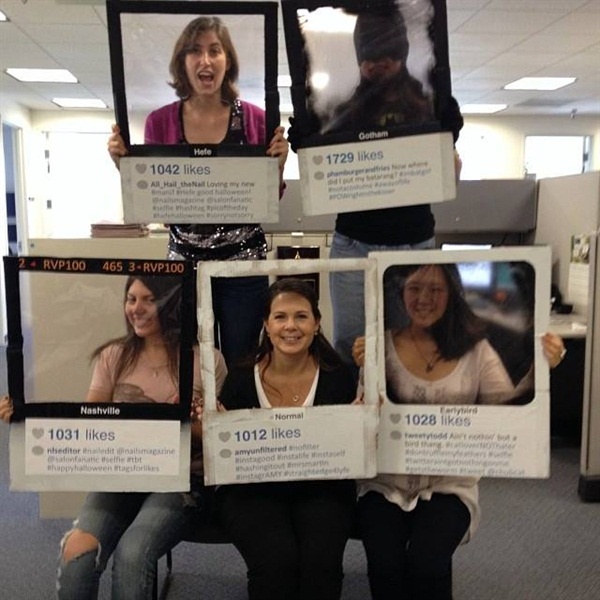 Source: Nails Magazine
The clothes don’t make the marketer, but the costume can certainly make the culture at your company. Now that you have plenty of ideas for fun, work-appropriate Halloween attire, you’re ready to wow your coworkers at your next spooky office party.
Editor’s Note: This post was originally published October 21, 2018 but was updated in October of 2022 for comprehensiveness.

How to Perfectly Manage a PPC Campaign [Template]
In the world of search engine marketing (SEM), a growing number of marketers are turning to PPC campaigns. That’s how Google has significantly grown its advertising revenue every year. In 2021, Google’s advertising revenue accounted for 81% of Alphabet’s overall sales.
Price-per-click or PPC campaigns lead to nearly guaranteed ad placement in the search engine result pages. Well-run PPC campaigns help you generate leads. And if your ads tool is tightly integrated with your CRM, you can use insights from your ads’ data to nurture leads across their buying journey.

In this post, you’ll learn what a successful campaign entails and the best practices for optimizing your PPC campaigns.
So, how can you win a PPC campaign? Start by crafting the right strategy and learning the management missteps you’ll want to avoid.
Remember: Poor PPC campaign management is costly and delivers poor lead generation results.
Here are a few ways marketers go wrong with PPC campaign management:
- Building one basic campaign without using Google Ads’ Ad Groups tool.
- Coming up with keywords by relying on gut feeling instead of doing research.
- Not adding “negative keywords” or monitoring campaigns to avoid wasting budget.
- Using unengaging landing pages, or a homepage that generates no leads for the campaign.
- Creating campaigns, setting budget caps, and going live without informing internal or external stakeholders.
Building an excellent campaign structure can help you avoid these obstacles. Luckily, you can master this campaign structure with a detailed PPC template.
PPC Campaign Management Template
We’ve created a free PPC campaign management template. This template will help you and your clients to set up a full-funnel campaign structure that follows PPC best practices. Once you do that, you’ll be better positioned to maximize the return on your PPC investment. We broke the template into two sections: Ads Planner and Ads Results.
Ads Planner Template
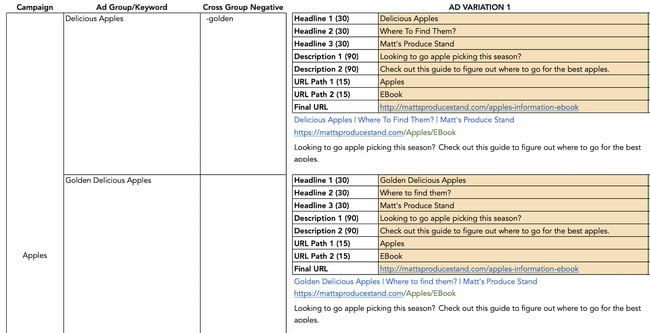
In this section of the PPC template, you’ll record your ad campaign information. The first 3 columns contain your campaign name, keywords, and negative keywords (keywords you don’t want ads shown for).
Enter your ad variations in the next section. There’s room for multiple headlines, descriptions, and URL paths to help you keep track of your running ads.
Ads Results Template
This part of the PPC template allows you to track relevant campaign metrics. Use it to record your total ad cost and analyze the performance of impressions, conversions, cost-per-click information, and more.
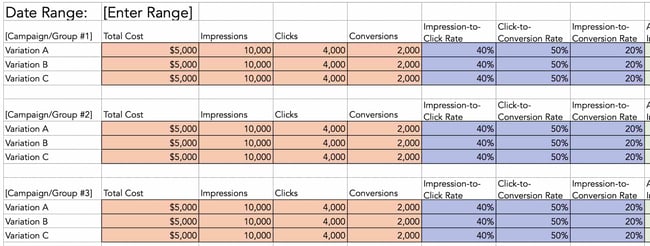
Now that you’re familiar with the template’s components, let’s look at managing your PPC campaign.
How to Manage a PPC Campaign
PPC campaign templates also act as checklists that can help you manage your work.
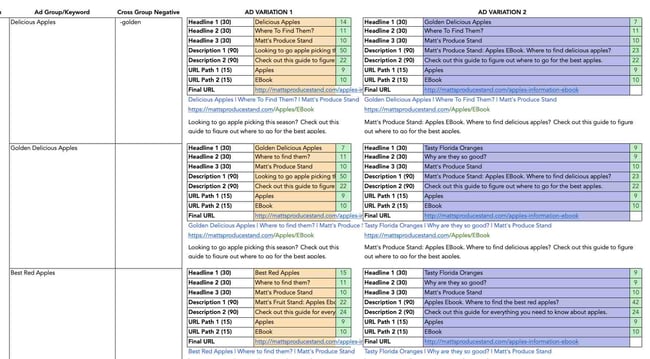
We’re going to show you how to use the PPC template in this blog post — so download it now and follow along.
Before we get started, here are two tips that’ll make using this template easy:
- You’ll want to clear out the example data in the template. That includes placeholder keywords, campaign and AdGroup names, ads, and final URLs.
- Be careful not to alter the variables in columns F, J, and N of the ads planner. They contain the number of characters required by Google Ads for headlines, descriptions, URL paths, and Final URLs.
Now, let’s dive into PPC campaign management.
Step 1: Choose your PPC campaign management tools and software.
There are several platforms for managing your PPC campaign. Pro tip: Start with one platform. This tactic works because it keeps your costs low in the initial stages of PPC planning.
Rather than paying for an external campaign management tool, you can natively manage your campaigns in the platform you use for running ads.
However, as you expand your strategy to include more sites, you’ll need a robust PPC campaign management software. This tool allows you to keep track of each platform, budget, and set of creatives in one place.
Here are some of our favorite tools for the job:
- Marin Software: Integrates with Google and Facebook — two of the most popular PPC platforms.
- WordStream Advisor: Analyzes Google and Facebook ad spend to keep you on budget.
- SpyFu: Analyzes your competitor’s campaigns to help you build a well-rounded strategy.
Step 2: Understand PPC campaign structure.
Understanding PPC campaign structure is essential. Usually, some marketers set up an account, create an ad, direct the ad to their home page, pick some keywords, and hit go. This is a wrong PPC approach.
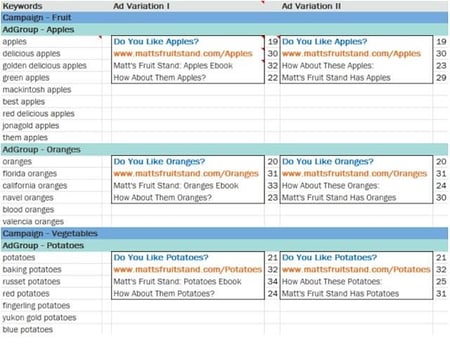
With Google Ads, you can create multiple campaigns. Your campaigns may contain several AdGroups. Each AdGroup may contain a few ads and multiple similar keywords.
Multiple campaigns allow you to set daily budget caps, day-parting, and select geo-targeted regions at the campaign level. If you’re bidding on generic and branded keywords, you’ll want to put these in separate campaigns. The parameters around these two types of keywords will likely be different.
As you’ll see below, your template reflects these best practices, providing cells for several campaigns, AdGroups, and ad variations within those AdGroups.
Step 3: Identify your landing pages.
The “final URL” is the web page where your PPC traffic lands.
Don’t drive PPC visitors to your home page or blog, hoping they’ll see and fill out a lead generation form. That’s the role of organic search. Instead, drive your audience to a landing page with a form on it. Also, add a tracking token or UTM parameter to the page so you can identify your lead sources.
Keep in mind that the final URL within an AdGroup will be the same regardless of the keyword or ad. You can create another AdGroup if you want to drive a keyword to a different landing page. If you want to get even more specific, create another campaign for that keyword.
Step 4: Build your keyword strategy.
Always select relevant keywords that apply to your landing page and offer. Relevant keywords are important because they increase the chance of visitors completing the form on your landing page.
You may want to rank for multiple keywords, but you shouldn’t do this with one landing page. Why? A landing page will have a focused message that addresses only a few keywords. If a keyword is irrelevant to a landing page, you’ll be wasting your ad budget, as visitors who search for and click the keyword won’t convert. In such a case, it’s better to create another offer and landing page that specifically addresses additional keywords.
To understand search volumes and costs around keywords you want, use tools like the Google Ads Keyword Tool, or — if you’re a HubSpot customer — use our keywords tool.
If it’s your first time managing a PPC campaign, check out this article on how to design a keyword strategy. For Google Ads, you’ll want to learn more about keyword quality scores.
Step 5: Create your ads.
This is the fun part.
Google Ads and Microsoft Ads allow you to create over one ad for each Ad Group (hence the “group” terminology).
After creating multiple ads, these platforms display the ad variations to your audience and note the variant with a higher clickthrough rate (CTR). This is called A/B testing. While running A/B tests is optional, taking advantage of it could improve your campaign performance and ROI.
Keep in mind that you have 30 characters for each ad headline, 30 characters for the display URL (the URL that’s displayed in the ad, not to be confused with the final URL), and 90 characters for each line of copy. If you’re using this template, you can easily keep track of these values.
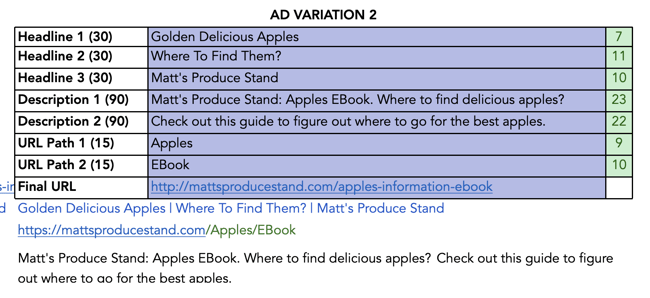
When writing your ad, give special attention to your headline. The headline has the greatest influence on an ad’s CTR. Be sure to include a keyword in your headline to draw a user’s attention.
An even better practice is using dynamic keyword insertion. Plus, you’ll want to provide a cohesive experience for searchers — from seeing your ad in the search engine results to completing the form on your landing page. Everything should align with the goal of getting them to click through.
Finally, there’s the tricky matter of the display URL. You’re only allowed 30 characters here, but it’s unlikely that your final URL, the actual URL for your landing page, will be that short, especially after adding UTM parameters.
For this reason, search engines like Google allow you to create a display URL, which may not be an actual URL on your website. However, the domain in your display URL must be the same as the domain in your final URL. This allows users to know they’re in the right place when they click your ad and visit your landing page.
Step 6: Share the completed template with stakeholders.
Your completed template needs to align with stakeholders’ expectations and the elements of a productive PPC campaign.
If you’re a PPC campaign stakeholder, this template will help you with two things. First, the ads planner template gives you a bird’s-eye view of what the person running the ads is doing. Second, the ad results template shows how much you’re spending on PPC. With this, you can reallocate and swiftly modify your budget as you respond to changes in the marketplace.
How to Optimize Your PPC Campaign
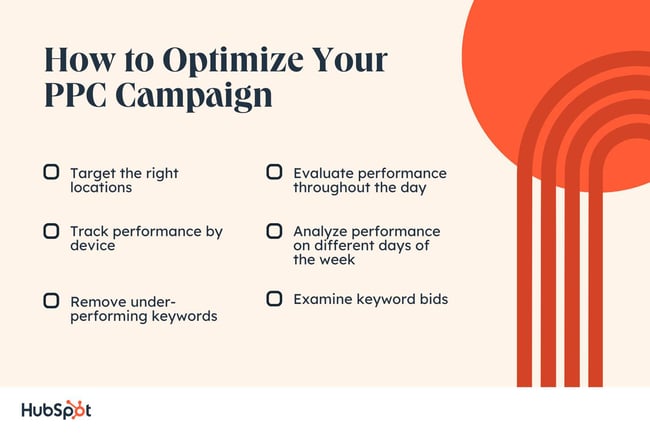
PPC campaign management isn’t a one-time thing. You’ll need to adjust your methods continually for optimized results. Keep these factors in mind to maximize the performance of your PPC campaigns.
Location
Ad platforms often use geographic targeting in PPC management. Therefore, you should always analyze the performance of your ads to identify the most profitable locations. Use this data to exclude underperforming locations, and add these locations to your negative keywords list.
For example, if you own a bike shop, targeting urban and densely populated areas may be better than targeting rural areas where most folks need a car to get around.
Performance by Device
Campaigns that are effective for desktop users may not perform so well with mobile users. Consider targeting each group separately, and note any differences in conversion rates.
If a campaign works better on mobile versus desktop, allocate funds towards your mobile efforts while you try a different campaign for desktop users. This way, you ensure you’re spending on campaigns that guarantee the highest ROI.
Removing Keywords
When running campaigns, every keyword you chose won’t prove useful. You’ll need to remove the low performers. These could be keywords that:
- Are not converting.
- Are converting at a very high cost.
- Have a “below average” quality score rating.
Remove these keywords and stick with those that are performing well. This allows you to get maximum value from your ad budget.
Examine Keyword Bids
When bidding for keywords, you’ll want to determine how much you can pay for each conversion and still make a profit. To do this, you’ll need Google Ads tools to optimize your bids, like:
- Bid simulator: This allows you to see how higher or lower bids can affect your ad’s performance.
- First-page bid estimates: This shows how much you likely need to bid to get your ads on the first page of Google search results.
After determining the maximum you can pay for a keyword, these tools will help you make the most of your budget.
Performance by Day and Time
Campaign performance will fluctuate depending on the time of day or day of the week. So, observe your campaigns. Note when they perform well and vice versa. If they aren’t performing during a specific timeframe, adjust your campaign so that you are only bidding on the most profitable times.
Now, let’s explore the platforms available for running your PPC campaigns.
PPC Campaign Management
Besides figuring out the ads that work best for your business, understanding where your audience spends most of their time online is key. That’s why you need to familiarize yourself with the different platforms available for running your PPC campaigns.
Let’s look at some of the most popular ad platforms, like Google, Microsoft (Bing), Facebook, Twitter, and YouTube.
Google PPC Campaign Management
Google has been the dominant player in the search engine space for over 20 years, and it still produces some of the most innovative ad experiences in the market. Here’s a look at two of the most popular ways to serve ads on Google.
Google Search Ads
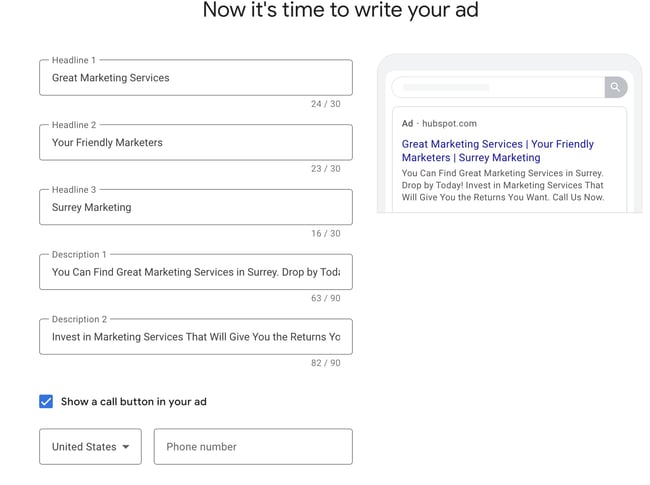
One of the most popular types of Google Ads is the search ad. These ads appear at the top and bottom of the search results for specific keywords you bid on. The typical goal for running Google search ad campaigns is to drive traffic to a specific webpage — like a landing or product page.
Google Display Ads
If you’ve ever visited a website that advertised on the banner, sidebar, or footer of a web page, you’ve probably seen a Google display ad. These ads are typically visual, featuring colorful graphics, videos, and occasionally audio. Google display ads are helpful for retargeting customers who visited your website without taking your desired action.
Microsoft Ads (Formerly Bing Ads) PPC Campaign Management
Overall, Microsoft Ads works almost like Google Ads. However, there are a few distinctions that’ll help you get the most out of your PPC campaign.
Microsoft Ads Keyword Planner
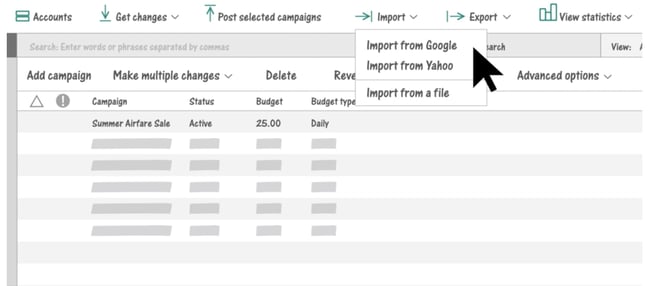
The bulk of your PPC efforts will likely live in Google Ads. When you decide to bid on Microsoft Ads, avoid using your Google Ads keywords for your Microsoft Ads. Google and Bing are different search engines, meaning the search volume for your Google keywords may not be the same in Bing.
Bing’s keyword research and suggestion tool provide more accurate search volumes for your keywords. So, while you can use your keyword list from Google, use this tool to verify whether you should bid on the same keywords versus other variants with more traffic.
Lower CPC
One upside of Microsoft Ads is the possibility of having lower CPC, which decreases your ad spend.
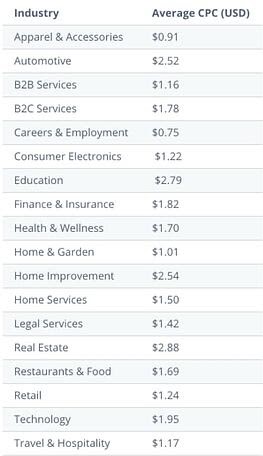
A WordStream test of both Google and Microsoft found that the average CPC of running ads on Microsoft was 33% lower. The implication? Bidding on Microsoft Ads is less competitive compared to Google, meaning you may likely spend less when paying for Microsoft Ads keywords. This may be especially true for specific industries, as you’ll see in this table:
For a deeper dive into Microsoft Ads check out this tutorial.
Facebook PPC Campaign Management
Facebook Ads Manager is a platform that connects 1.6 billion people to businesses on Facebook. It’s a great tool to target specific audiences.
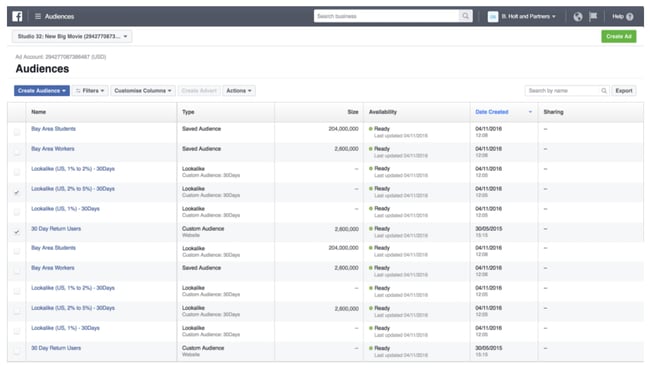
Some of the most popular ads you can use for Facebook campaigns are:
Story Ads
With more users spending time on social media platforms’ story features, these ads are one way to reach your audience. Like personal stories, you can share story ads as a video with a link. You can also use a series of photos to explain your ad and entice your audience to take a specific action.
Keep in mind: You can only post stories for 24 hours. These ads are best used for promotions like time-limited offers.
Playable Ads
Gamification is an innovative way to catch a lead’s attention. Facebook’s playable ads allow you to create a brief interactive version of a game or app so users can get a feel for your product.
You’ll want to keep the functionality simple so you don’t deter potential customers. And of course, make it fun.
Messenger Ads
If you’ve ever used Facebook’s messenger tool, you’ve probably seen an ad in your conversations. Messenger ads are useful because potential customers can decide to connect with your business directly from their messages.
If you have a customer service team that connects with people via chat, this is a great way to establish an instant connection. You can also send a lead to your site or a specific landing page from the ad.
To get a comprehensive deep dive into building Facebook ad campaigns, check out HubSpot’s Facebook Ads Training Course.
Twitter PPC Campaign Management
Twitter Ads Manager makes it easy to plan your Twitter ad while providing reporting on campaign performance.
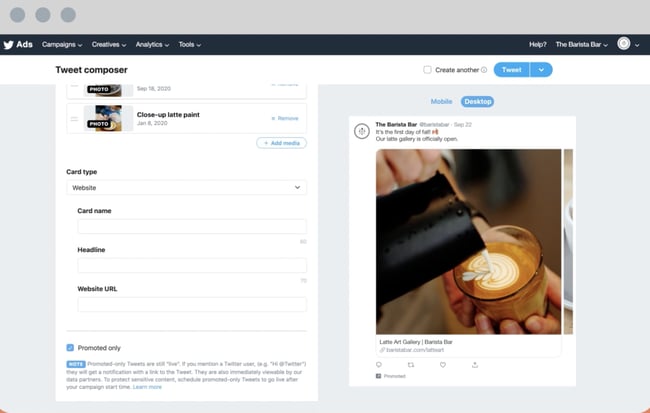
People spend 26% more time viewing Twitter ads compared to other leading platforms. But while you may have an excellent chance of success with Twitter, your ads need to be catchy enough to stop someone mid-scroll. Some ads you can include in your Twitter campaigns are:
Promoted Tweets
Regular and promoted tweets have only one difference. Regular tweets are free while you pay to promote tweets that’ll appear in your ideal audience’s feeds. This allows your business to convert users, or gain new followers. That can help build your brand’s awareness.
Promoted Moments
Twitter moments are several tweets that focus on a specific topic or event. Essentially, you want this collection of tweets to communicate a story to your audience. Moments include categories such as trending, sports, entertainment, and more. These are great for fun or trendy topics.
Promoted Trends
If you love seeing what’s trending on Twitter, you may want to experiment with promoting a trend for your target audience to interact with. This trend will be displayed in the timeline, the explore tab, and the “Trends for You” section.
Once someone clicks the promoted trend, they’ll see various search results for the specific trend and your brand’s promoted Tweet. If your business has identified an engaged Twitter audience, promoted trends may be your goldmine.
Learn more about Twitter Ads Manager for your business, and get to tweeting!
YouTube PPC Campaign Management
YouTube is one part of the Google Display Network with over 2.4 billion monthly users. This high number of users suggests that including YouTube in your ad campaign strategy makes sense. If your business can create ads that’ll interest your audience and keep them from hitting “skip” you’re already winning.
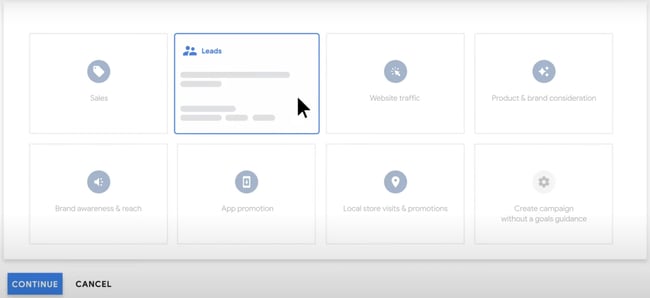
Let’s look at some of the different YouTube ads.
Skippable In-Stream Ads
These are likely the ads you are most familiar with. These ads have a little button that says “skip.” Clicking the button allows you to start or continue viewing a video on YouTube.
Often, users have to wait five seconds before they can skip. Five seconds isn’t much time to convince someone to stick around, so ensure your ad’s hook can capture your audience’s attention.
However, you shouldn’t worry if users skip your ad within the first five seconds. When a user skips your ad in the first 5 seconds, you won’t have to pay for such views or clicks.
Non-Skippable In-Stream Ads (Including Bumper Ads)
Since many people opt to skip ads on YouTube, advertisers have the option of creating non-skippable ads. If you think your creative is captivating enough to resonate with your target audience, this option may work.
Ensure you measure the results from your non-skippable ads to get the best use of your budget. If the results aren’t in your favor, revert to a skippable ad.
Video Discovery Ads (Formerly Known as In-display Ads)
Discovery ads are what users see in the search results. As the second largest search engine, people watch over 1 billion hours of YouTube videos daily. You’ll want those ads appearing in search results too.
These ads will include a thumbnail and a few lines of text as a description. Since many people prefer visuals over text, this is an opportunity to get your audience to view your video instead of reading a competitor’s text resource.
Start Your PPC Campaign Today
PPC management is all about researching, budgeting, testing, reporting, repeating what works, and ditching what produces no or less ROI. You don’t have to do it alone. With the right tools and instructions outlined in this guide, you’ll be able to implement a PPC campaign that yields results for your business.
Editor’s note: This post was originally published in May 2019 and has been updated for comprehensiveness.

28 Best About Us & About Me Page Examples (+10 Templates)
The “about” section of your website should include your mission, purpose, and who’s on your team. The right about us or about me template can help you expertly lay out your vision. That’s why our team gathered five templates to help you build the perfect about page.

This post includes best practices for crafting a stellar about page. You’ll explore:
- What makes a good about page?
- How to write an about page
- The Best About Us Page Templates and Examples
- The Best About Me Page Templates and Examples
Featured Resource: Our 29 Favorite ‘About Us’ Pages
Download the guide to review what we love about these amazing ‘About Us’ page examples, plus a few tips about how to make one of your own.
What makes a good about page?
A remarkable about page is genuine, approachable, and distinguished. It should give the visitor a glimpse into what working with you might be like. You can include personal interests, stories, and photos that convey the unique story of your business. You may also include information about who’s on your team and what their roles are.
About pages are personal to you and your company, so the structure of your about page will vary based on what you want to highlight. However, you’ll start with the same writing process.
Let’s explore the set-by-step guide to building your about page.
1. Establish a mission statement.
Your about page can and will be more comprehensive than a single mission statement. However, to draw people in, you need to succinctly state your goal in the industry up front.
What is your business here to do? Why should your website visitors care? This information will give the reader something to remember about your company long after they leave your website.
2. Outline your company story.
Every business has a story to tell. Even if you’re running a start-up with a short history, you’ll want to share your company’s origin. Talk about how you got to where you are today on your about page.
Pro tip: Isolate the milestones before your company’s founding, and use them to give readers some backstory on your current venture.
3. Reveal how you’ve evolved.
There’s no shame in admitting how your business strategy — or even your way of thinking — has changed since you began. In fact, these evolutions can improve the story you tell to website visitors.
About pages are perfect spaces to talk about where you started, how you’ve grown, and the ideals that have helped your organization mature. Use these moments to show people that you’re always ready to change and adapt to the needs of your industry.
4. State your “aha!” moment.
Every good company was founded on an idea — something the current marketplace might not yet offer. What was your idea?
Use this “Aha!” moment as a pivot point when telling your company story. What was a challenge you faced while developing your company? How did this challenge or discovery shape what you are today?
5. Explain who you serve.
As much as you want as many eyeballs on your about page as possible, you won’t do business with every single website visitor. That’s why you must identify and mention your core customer.
Your about page should explain who your business is dedicated to helping. This allows prospects to identify if your service is aligned with their needs.
6. Explain what you’re offering them.
Companies often generalize their offering in the website copy, making it hard to understand what the customer is actually paying for. In a sentence or two, explain exactly what a potential customer will gain from your business. This succinct summary will keep visitors on your website for longer and get them interested in learning more.
Pro tip: Sometimes, businesses are afraid that in-depth explanations of their products aren’t interesting enough or will sound unappealing in writing. And that’s a fair concern. Start by explaining what problem your offering solves. Then, link to a page with more information.
7. Cite examples of clients you’ve served.
Got some loyal customers in your portfolio? Use your about page to let the world know who already benefits from your work. Consider naming your most successful clients and linking to a case study.
Knowing about your company’s past successes can influence your prospects’ purchasing decisions. They can envision their future success through the stories of your best customers.
8. Describe your values.
Customers want to be treated like human beings. For that to happen, they need to feel that they’re being served by human beings. When finishing your about page, describe who you are as a person or a team. What’s your company culture like? What bigger picture in life drives your business?
Pro tip: Remember, future employees are a secondary audience of your company’s about page. This is another reason describing your personal values is a good idea. The key to your job candidates’ hearts is to show them you have one too.
Keep in mind a secondary audience of your company’s About page consists of your future employees. This is another reason describing your personal values is a good idea — the key to your job candidates’ hearts is to show them you have one too.
About Us Page Template & Examples
About Us Template
You can create an About Us template for your company website easily. We lay out the standard “about us” page below.
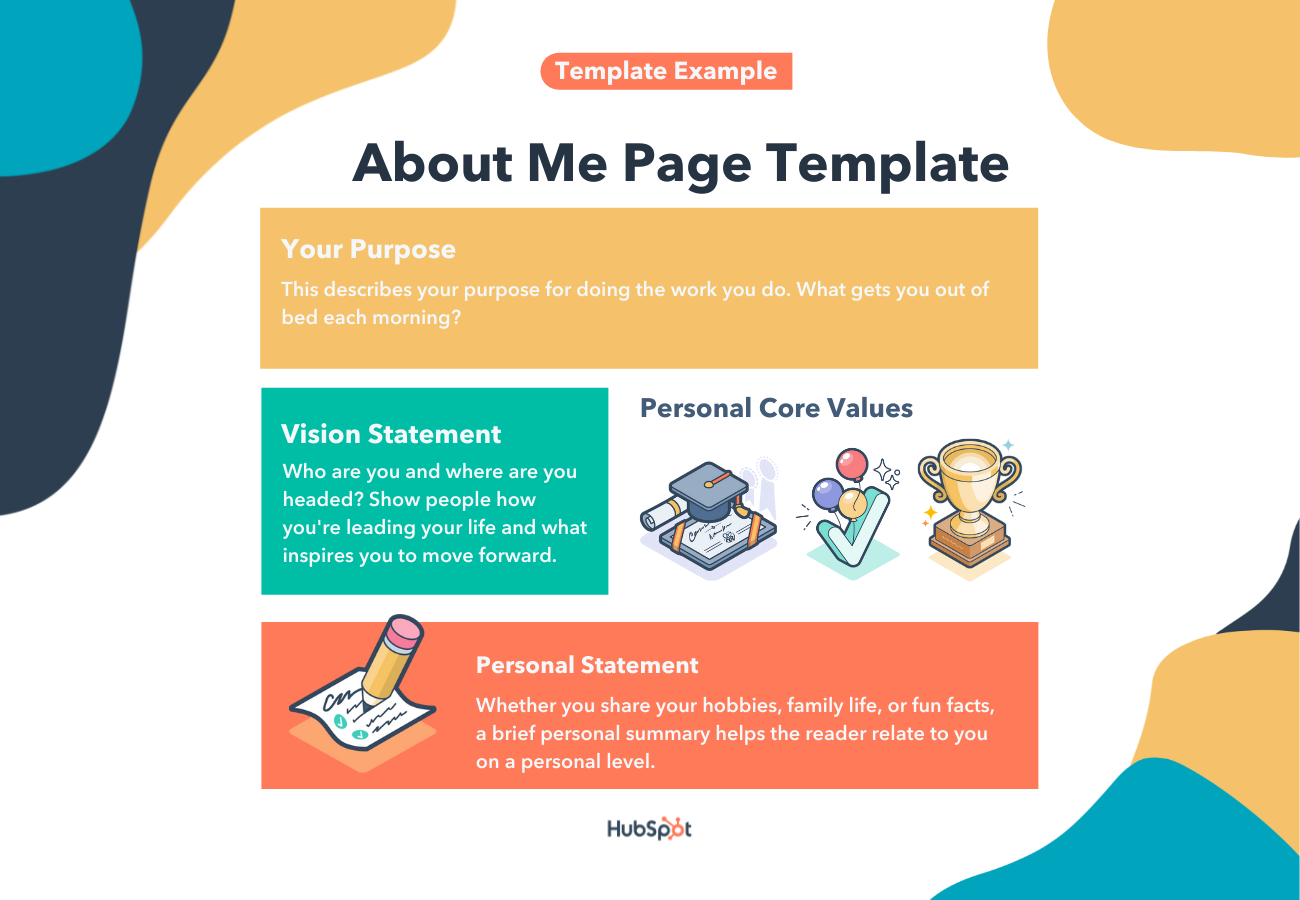
No matter your business, your about page should include the following elements.
- A mission statement. This describes the purpose of your business as it relates to the industry or market you serve.
- A vision statement. The future of your business is outlined in this section.
- Your values. Core values help the reader connect with you and your business on a personal level.
- A target market summary. Your site visitors want to know that they’re in the right place and that your company can help them.
- A brief company history. In addition to piquing your visitors’ interest, a brief company history can help the press describe your business accurately.
After you write a draft, you can use one of HubSpot’s done-for-you website templates to create your about page’s layout. These website templates can be installed and customized in minutes.
Done-For-You About Us Page Templates
While the copy is an important element of your about page, you’ll also want to showcase your brand story and identity to the world. These “about us” page templates create a compelling, customizable user-experience.
1. Touraza Template (WordPress)
If you want something with a little flavor, the Touraza template is a tasteful choice. With the “meet the team” section near the top, geometric designs, and striking typography, you’ll be able to showcase the humans behind your brand.
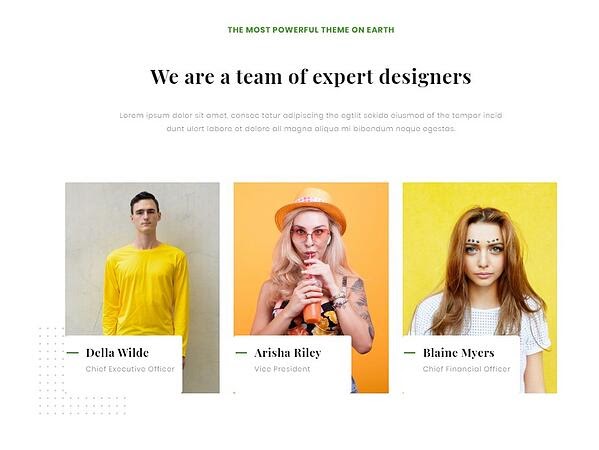
2. Logan Template (Shopify)
This template makes use of large images in a modern layout to break up the ample white space. The result: A clean and enjoyable reading experience.
The top of the page puts the brand story (or other introductory text) first, supported by a large image that speaks for itself. The pops of color can be customized to your brand style, drawing emphasis to the most important elements you want to highlight.
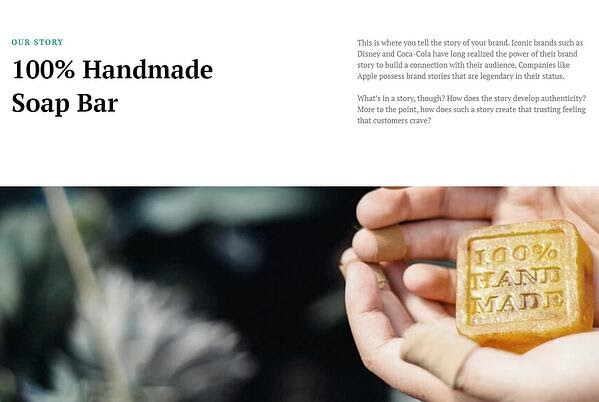
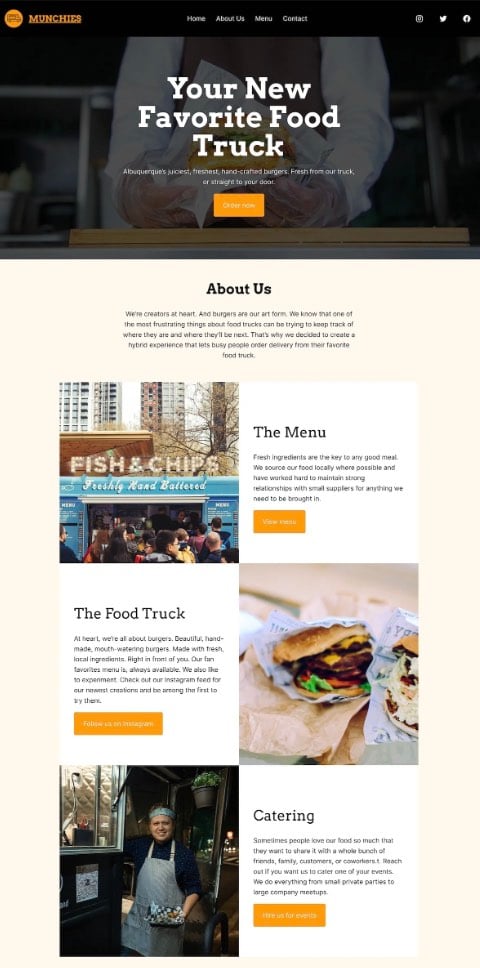
3. Munchies Template (WordPress)
This theme from Automattic is great for small businesses with a brief company history. You can start by explaining your mission concisely, then jump right into important links.
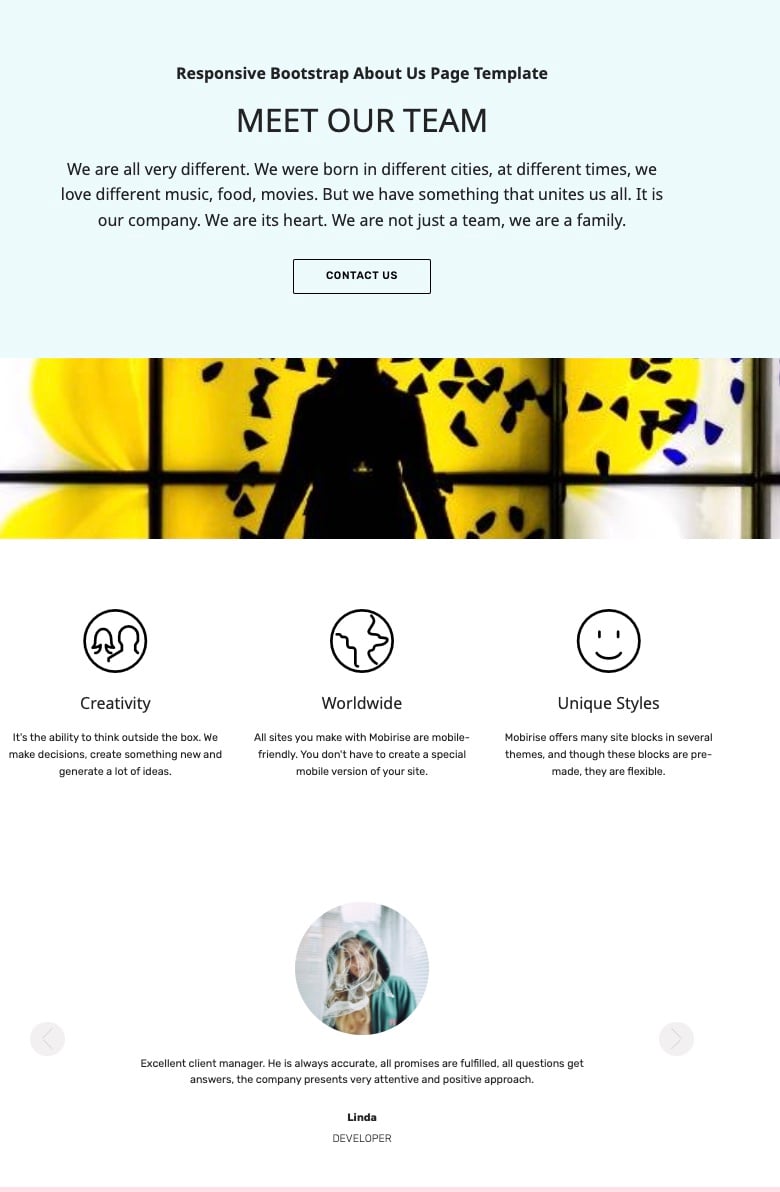
4. Mobirise Template (WordPress)
This visually compelling page allows you to evenly disperse information. Your webpage visitors won’t be scared off by a giant wall of text.
Instead, you can briefly describe your history at the top of the page. Three icons allow you to lay out your most important values. Plus, the page also features a carousel, so you can include headshots and titles for your teammates.
Best About Us Page Examples
1. Yellow Leaf Hammocks
Good stories humanize your brand, providing context and meaning for your offering. What’s more, good stories are sticky — which means people are more likely to connect with them and pass them on.
Yellow Leaf Hammocks tells users about its product by describing how the hammocks empower artisan weavers and their families. The company breaks down different pieces of the story into sections that combine words and easily digestible graphics.
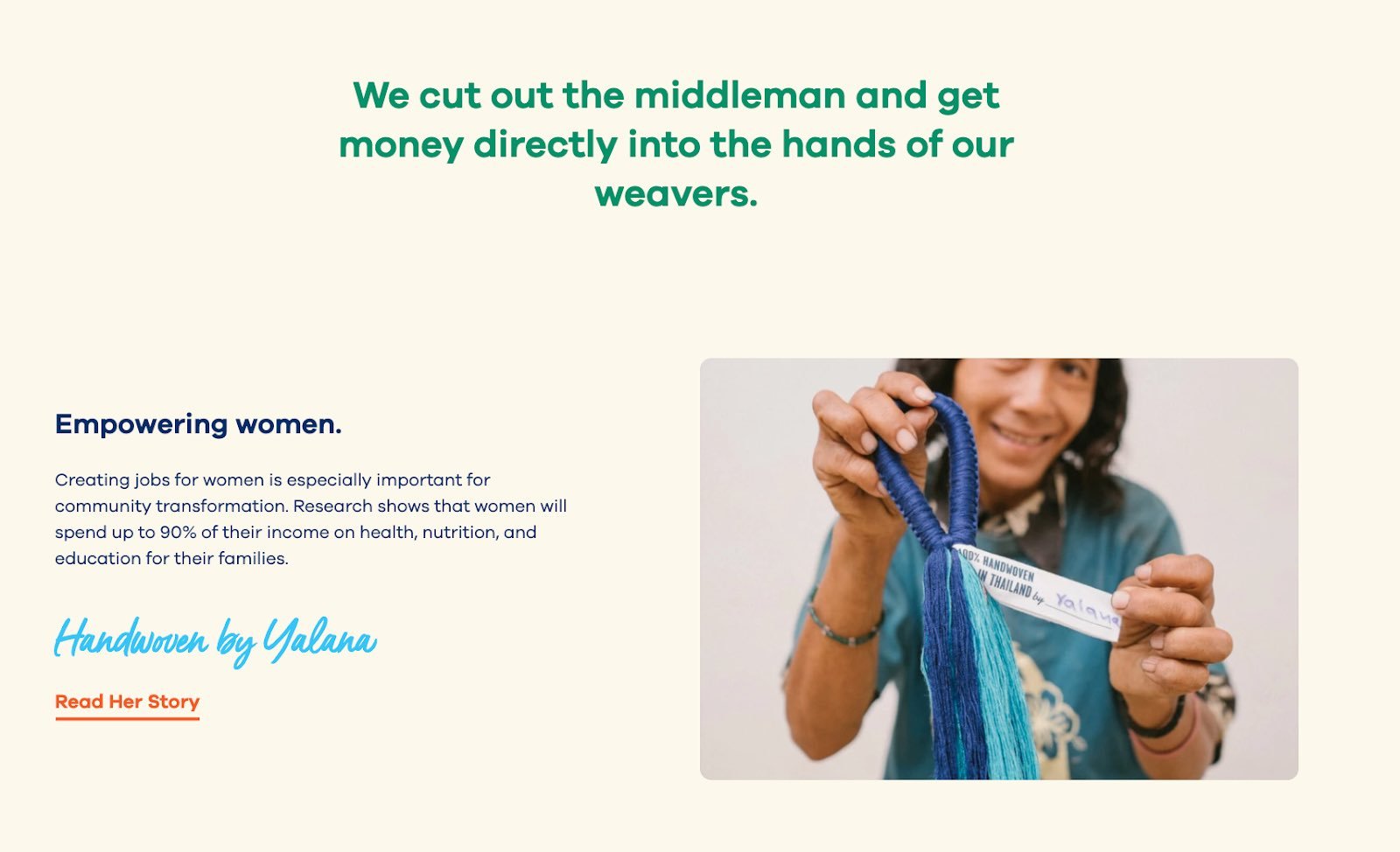
Pro tip: Put your storytelling skills to work on your about us page. Using descriptive and emotive copy and gorgeous graphics, an about us page with a story works harder for your business than a generic one.
2. Eight Hour Day
People tend to think that about us pages have to sound formal to gain credibility and trust. But most people find it easier to trust real human beings, rather than a description that sounds like it came from an automaton. Keep your about page us page friendly and real.
Take inspiration from Eight Hour Day. This brand showcases the people behind the company and humanizes its brand.
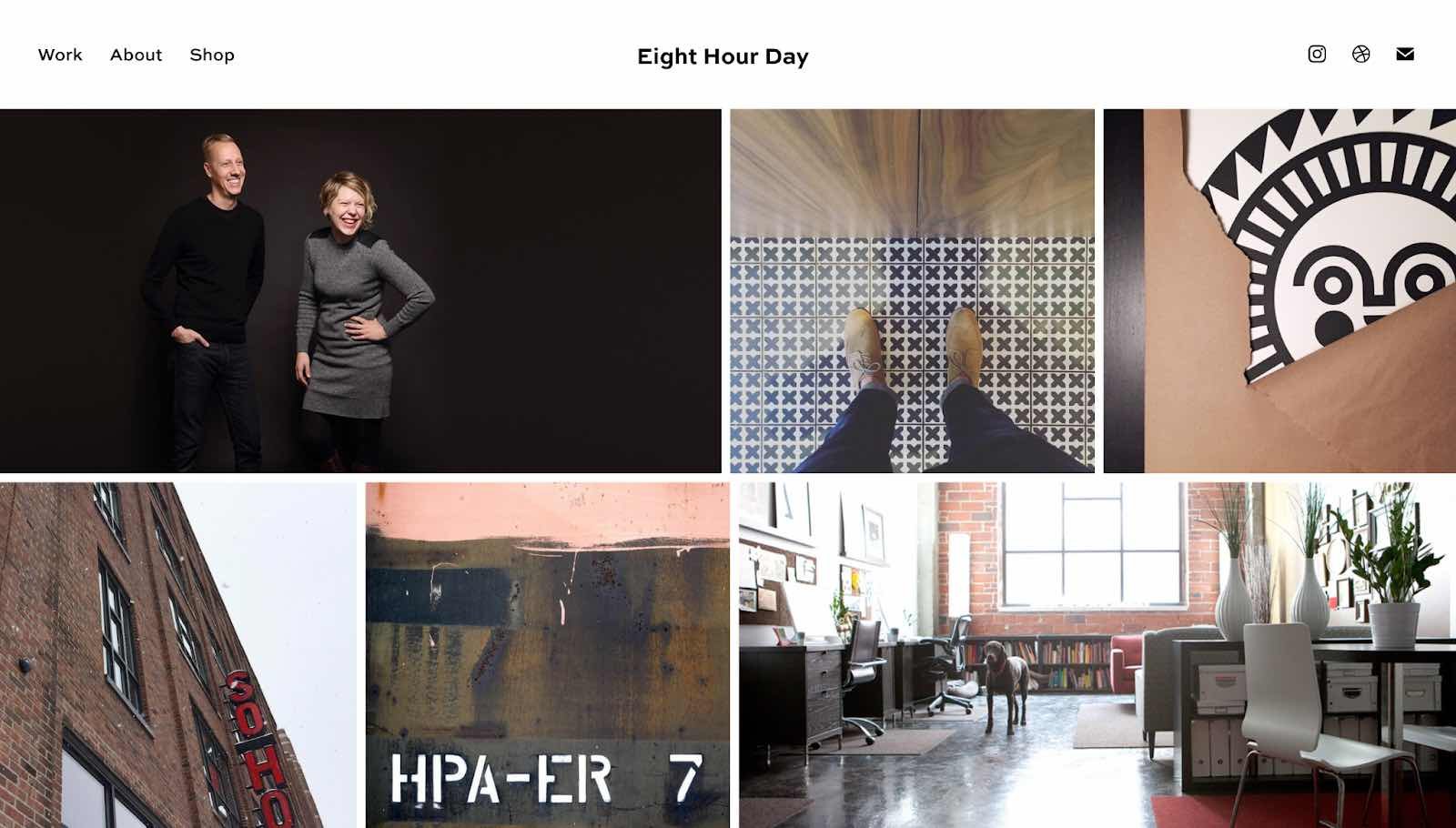
What we love: Introducing the founders with inviting photos on this about us page drives home the point that Nathan and Katie are — as they so astutely put it — “two individuals with a passion for creativity — creativity makes us happy.”
3. Apptopia
People want to know what your business does and how it can help them. After all, if people can’t figure out what you do, how will they know they need your product or service?
So, skip the industry lingo — that’s what Apptopia does on its About Us page. The startup’s simple but polished language effectively communicates the company’s offering while still allowing the Average Joe to understand it.
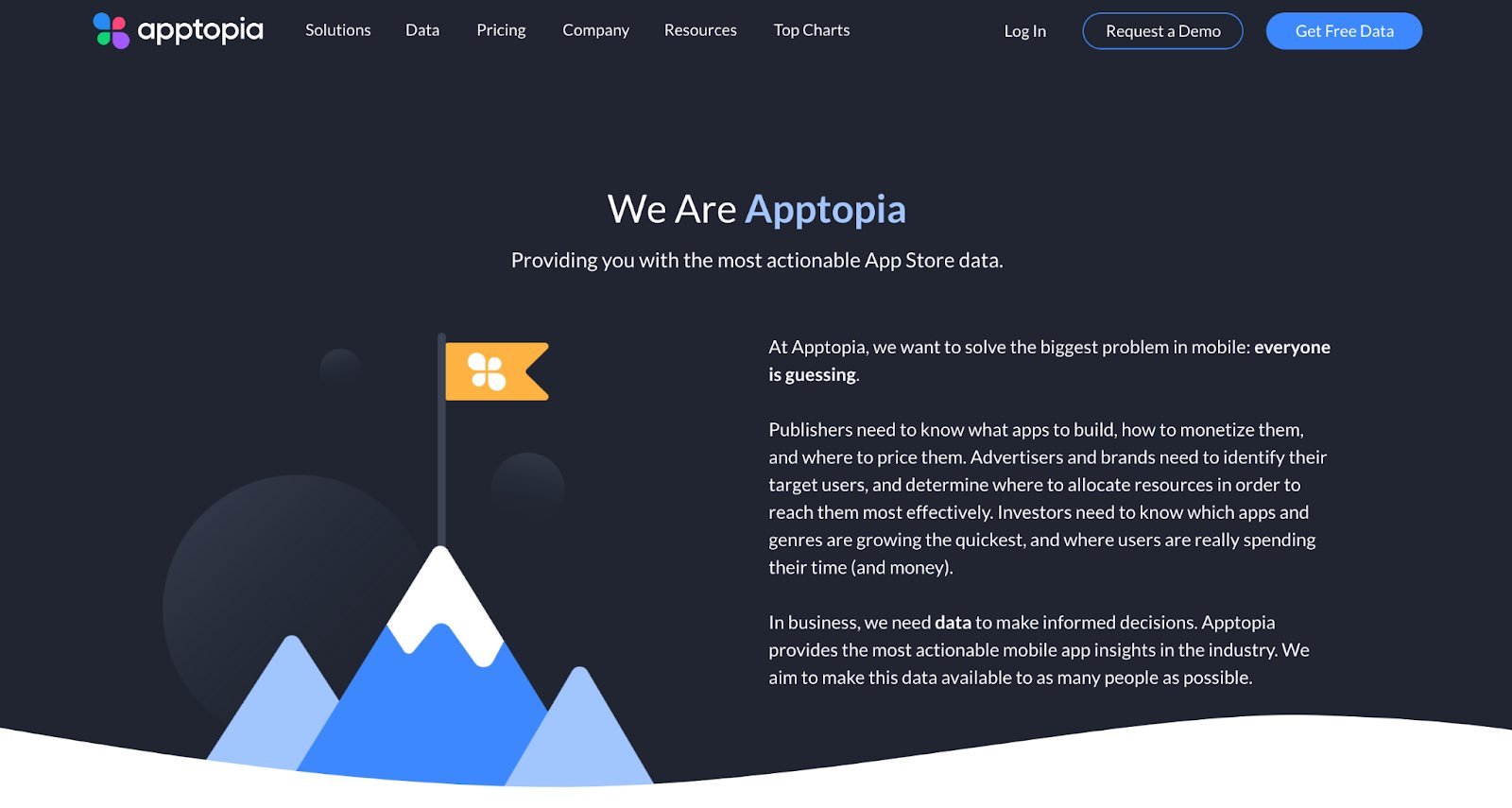
What we love: Apptopia uses short and punchy sentences to explain complex products and ideas in a way that isn’t patronizing. The copy on this About Us page leads with empathy.
4. Moz
Instead of following the classic about us script, try something different. Take Moz, for example. A lot has happened since it was founded in 2004, so the company chose to share those milestones using a fun, clean design.
Moz’s about us page incorporates clear headers, concise blurbs, and little graphics to break up the text.
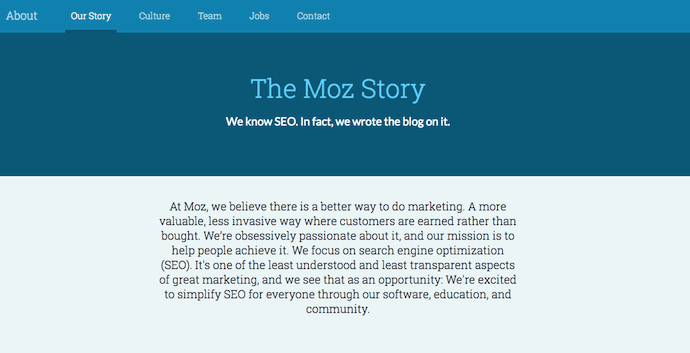
What we love: Take note of the humble references to how Moz received funding, how it switched its brand positioning — and most importantly, how it switched back to its original model. This speaks volumes about the value honesty and humility can play to your customers.
5. Yokel Local
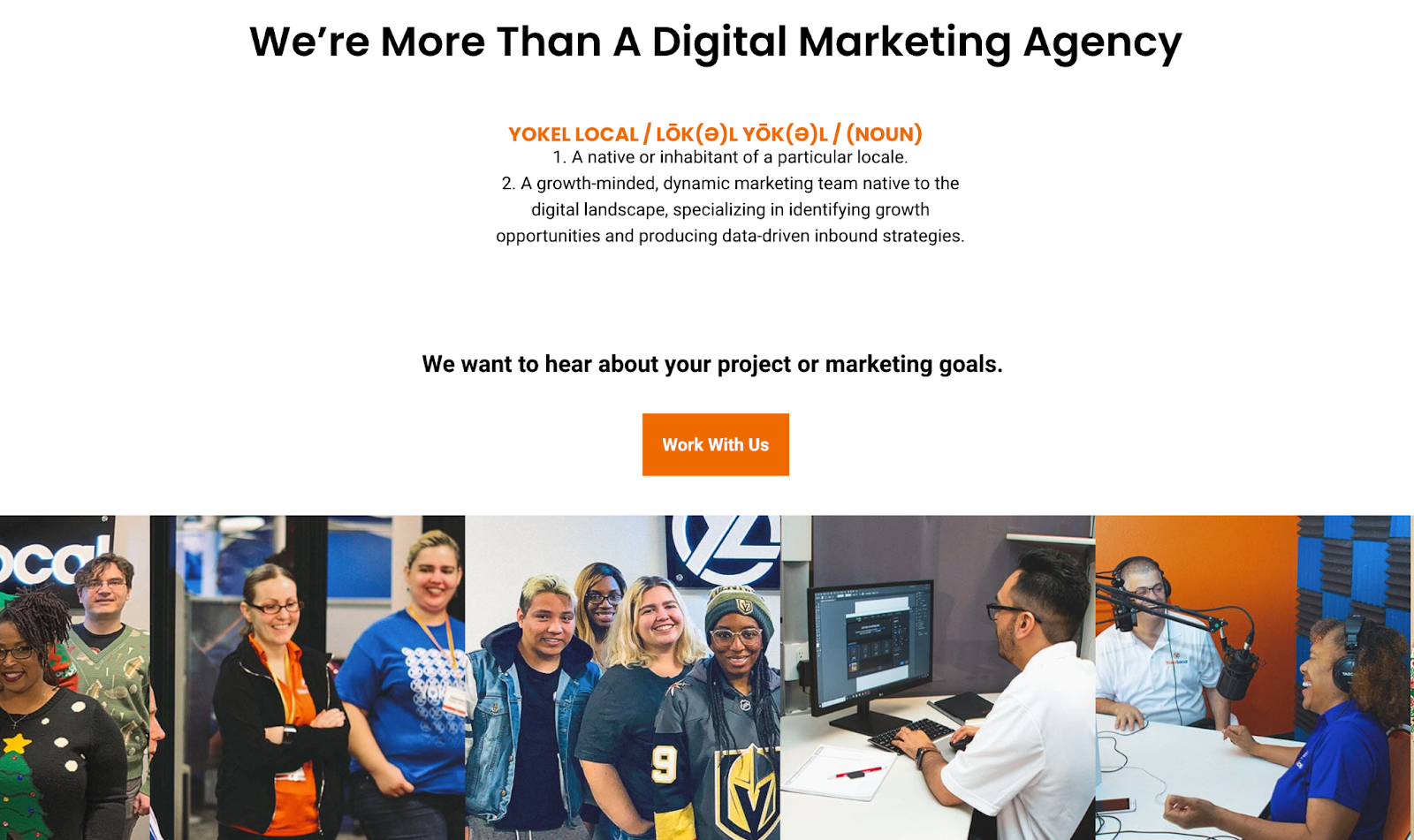
On its about page, Yokel Local spotlights its clients, its story and mission, and the team behind the brand. This last element is key because Yokel Local knows that its “vibe” wins over prospective clients. After all, when you hire an agency, you’re hiring its people. And people have personalities.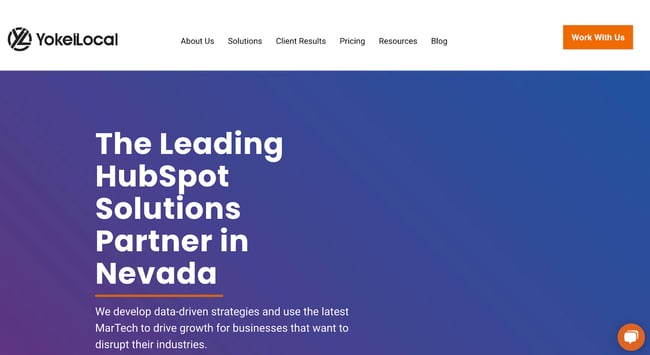
What we love: Because “Yokel Local” is a bit of a kooky name that gives people pause, the company pokes fun at it by providing the definition. This then leads to photos of the team at work (and at play), the agency’s story, its mission and values, and the people who make the magic happen. This magic is included all over the about page as its employees make goofy faces, wear ugly Christmas sweaters, and work/play hard.
6. Nike
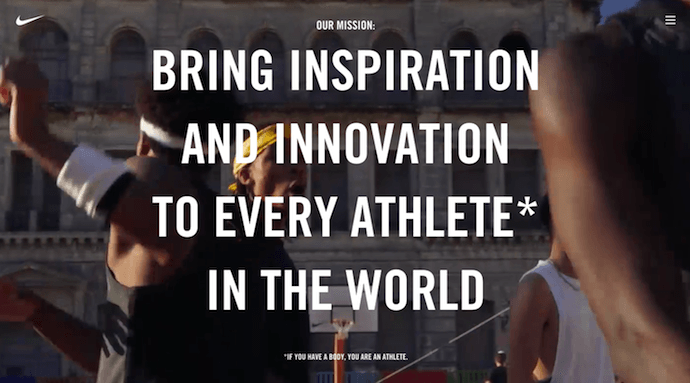
Nike began on the campus of the University of Oregon at the hand of the college’s track coach, Bill Bowerman. Even though he no longer works at the company, one of his beloved quotes still brands the bottom of Nike’s about us page below: “If you have a body, you are an athlete.”
This bold sentence, referenced by the asterisked “Athlete” in the words right above it, sheds important light on Nike’s audience. The brand may be big today, but Nike is all about the rising stars — whom the company depends on, according to the rest of its about us page, to “expand human potential.”
What we love: Nike clearly knows its audience and makes its mission obvious to them as soon as they land on the about us page. There’s no question that the visitor is in the right place and understands exactly what Nike has set out to do.
7. Bulldog Skincare
The best about us pages are infused with color, have personality, and stay true to a company’s unique brand voice. Let’s take a look at Bulldog, a men’s skincare brand.
The about us page is pithy and leads with an adorable bulldog — fitting the name and the brand. It also states the purpose of the products — to help customers from waking up with the (admittedly adorable) wrinkly face you see when you visit Bulldog’s website.
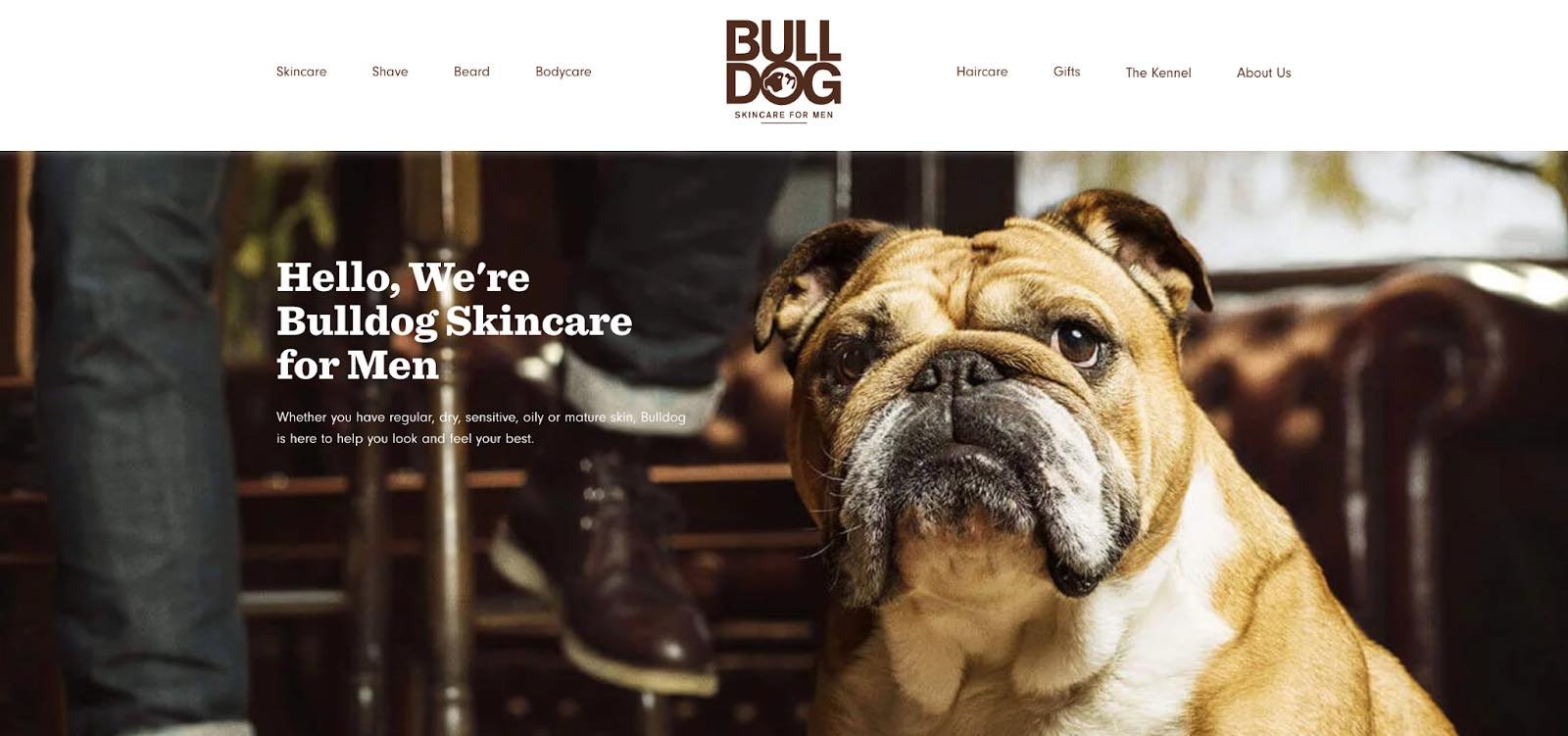
What we love: Bulldog isn’t afraid to have fun with its brand. That bit of humor makes this about us page anything but typical. It primes visitors for a story in a way that makes them immediately feel connected to Bulldog’s mission and vision.
8. Doomtree
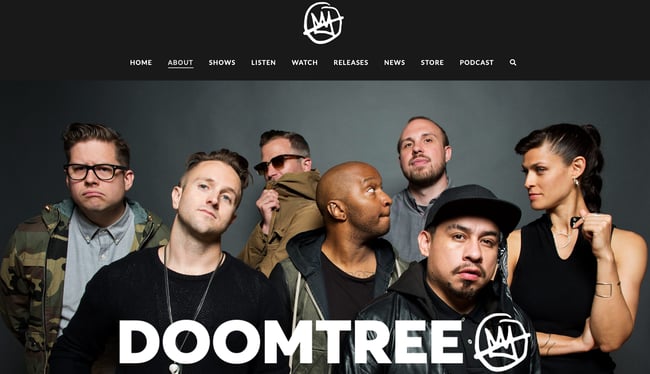
Made up of talented artists with thriving solo careers, Doomtree brings these musicians together to work on creative projects as a crew. The group “started as a mess of friends in Minneapolis, fooling around after school, trying to make music without reading the manual.”
As soon as you arrive on Doomtree’s About Us page, you’re greeted with big, bold photos of those friends.
As you scroll down, users are treated to even more interaction with the crew’s events and music tracks. That makes sense because it gives visitors an instant sample of Doomtree’s product.
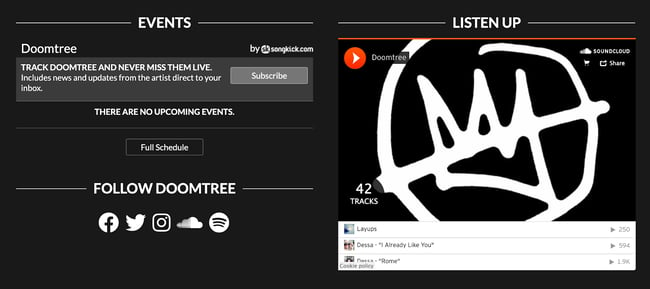
Pro tip: Find ways to use multimedia elements. One minute of video is worth 1.8 million words, according to Forrester Research’s Dr. James McQuivey. Consider combining your unique story with audio and visuals like in the example above.
9. Below the Fold
Below the Fold is a company committed to “sharing news stories you aren’t hearing anywhere else.” With that in mind, the big headline on the about page introduces the company’s purpose. Further down, you’ll find four core values, how the business generates revenue and more details about the team behind the scenes.
What we love: This page gets straight to the point about what Below the Fold is, who it serves, and why it exists. The simple design lacks color, embellishments, and sensational imagery so the reader can focus on what the company has to say — a direct nod to the mission statement.
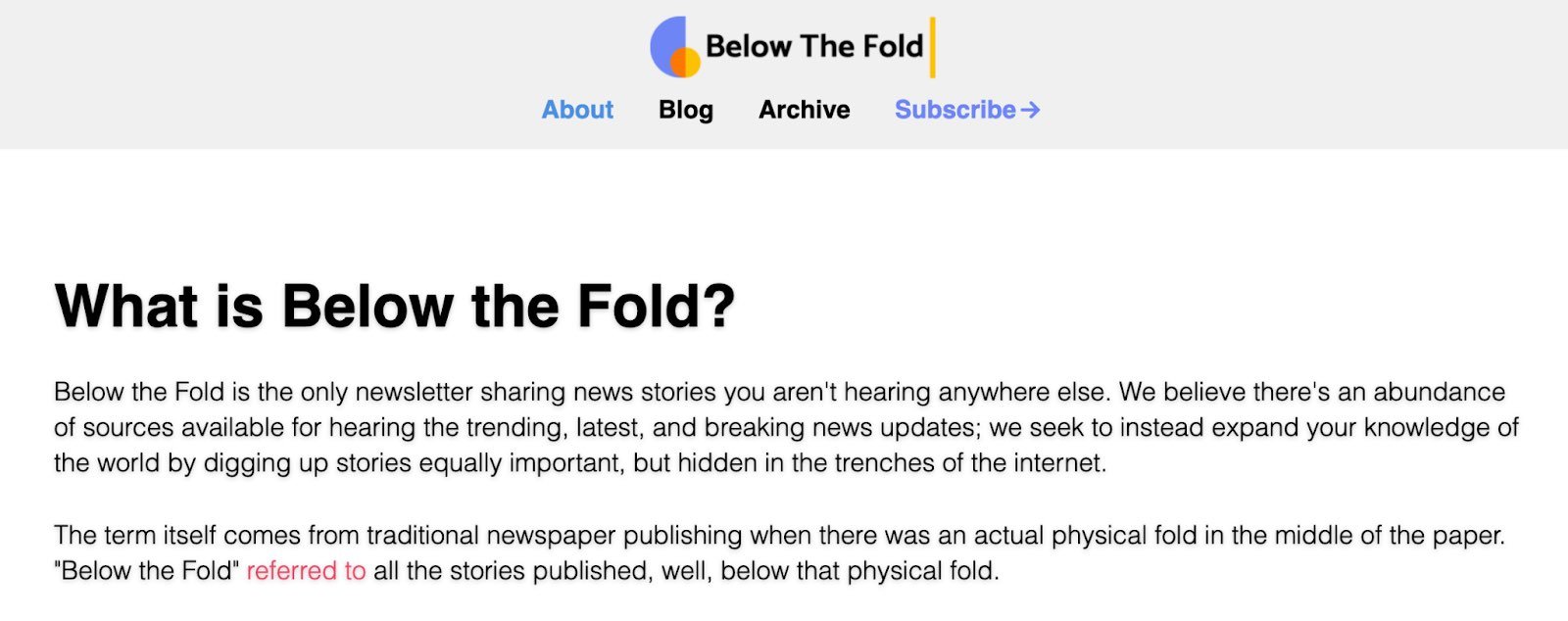
10. Ceros
Ceros’ About Us page is interactive and engaging. As you scroll, the images move across the page with punchy designs. Additionally, Ceros’ uses these images of its impressive, unique office space to further personalize the page.
What we love: Ceros keeps the text on the page short-and-sweet, with powerful statements like “we exist to unlock creativity”. The culture section further demonstrates Ceros’ playful brand voice, with core values like “we wear our chicken suits”.
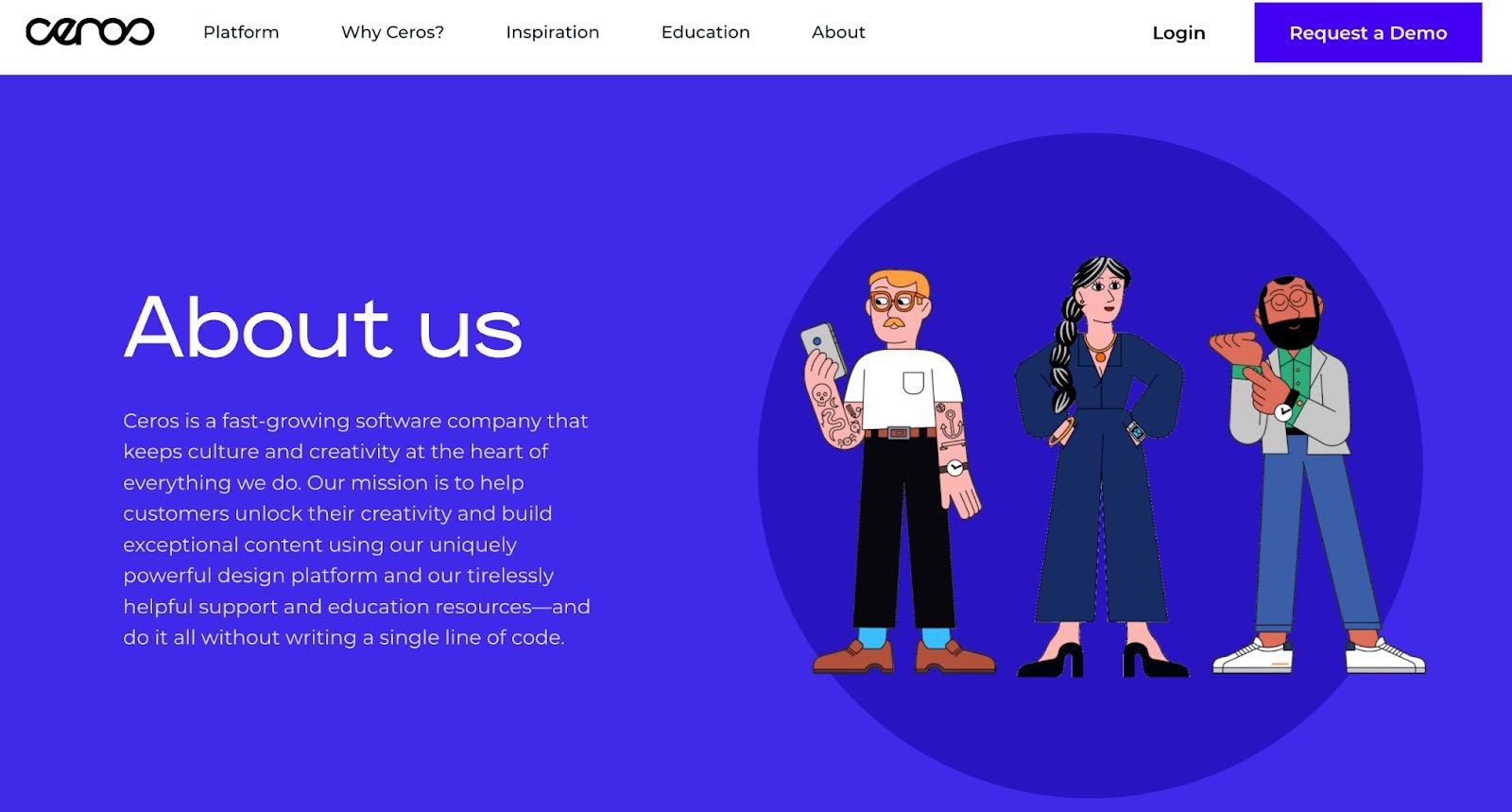
11. Marketive
Marketive’s about us page leads with a solid value statement: “Got a solid product? We tell your target audience that you exist.”
Additionally, Marketive’s About Us page displays original designs rather than photos to support the text. This makes the page compelling to scroll through.
What we love: The interactive milestone calendar at the bottom is especially impressive. It authentically represents some humble beginnings (including two unsuccessful startups that inspired present-day Marketive) and features a fun scroll element.
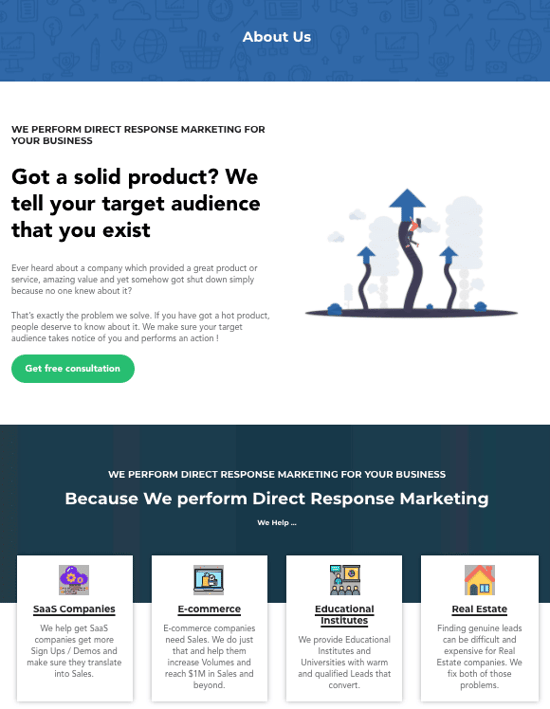
12. Sweet Loren’s
Start-to-finish, Sweet Loren’s about us page is playful, engaging, and colorful. The page starts with a 60-second video and even incorporates cookie dough-scooping gifs. As you scroll, you’ll move through some of Sweet Loren’s impressive values, including inclusivity and refusing to compromise.
What we love: Sweet Loren’s yummy products are last on the page, ensuring you’re fully primed to purchase only after learning about Sweet Loren’s mission.
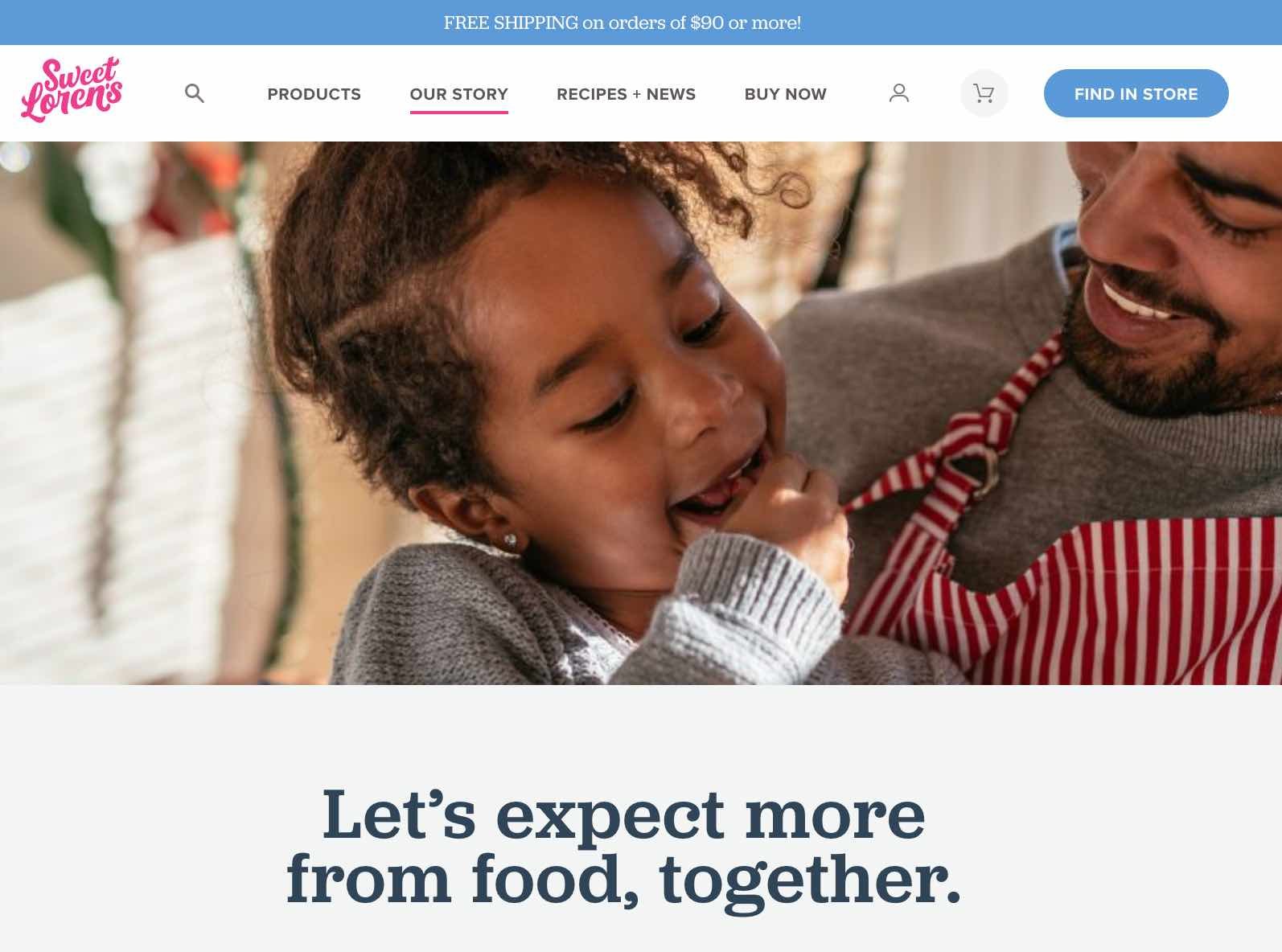
13. TalEx
TalEx began when two women left a major recruiting firm to build their own. TalEx has since seen unprecedented growth at 4,900% in the three years. The company’s about page captures this history and more.
What we love: The company’s emphasis on social responsibility takes up nearly half the page, making this core value clear. The statement explains TalEx’s commitment to donate 5% of its annual net profit to philanthropic organizations. People who visit the website know immediately that giving back is important to the team at TalEx.
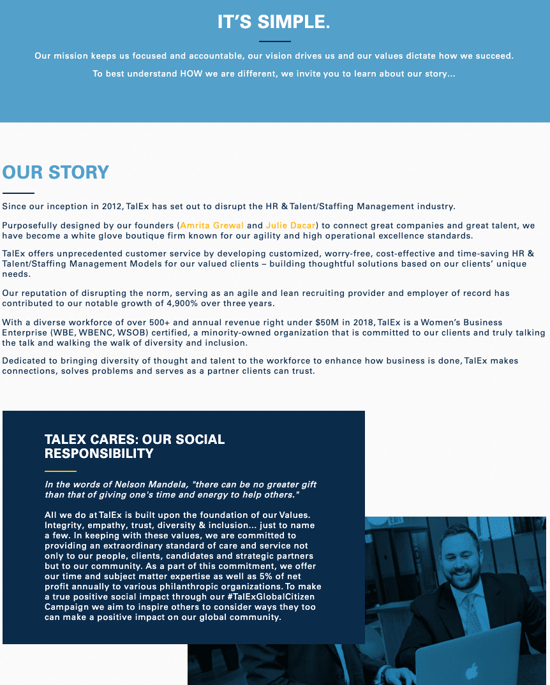
14. LoveBug Probiotics
LoveBug Probiotics’ page effectively includes all the information you’d need on the company to make an informed purchasing decision. That includes how the founder came up with the idea, her personal ties to the vision, and the science behind her probiotic.
While the products are science-backed, the About Us page doesn’t confuse visitors with difficult-to-understand facts. Instead, the page is simple, straightforward, and helpful.
What we love: This about us page features an image of the founder’s four young children wearing “Chief Fun Officer”, “Chief Giggle Officer”, “Chief Silly Officer” and “Chief Humor Officer” t-shirts. There aren’t many pages with cuter introductions than that.
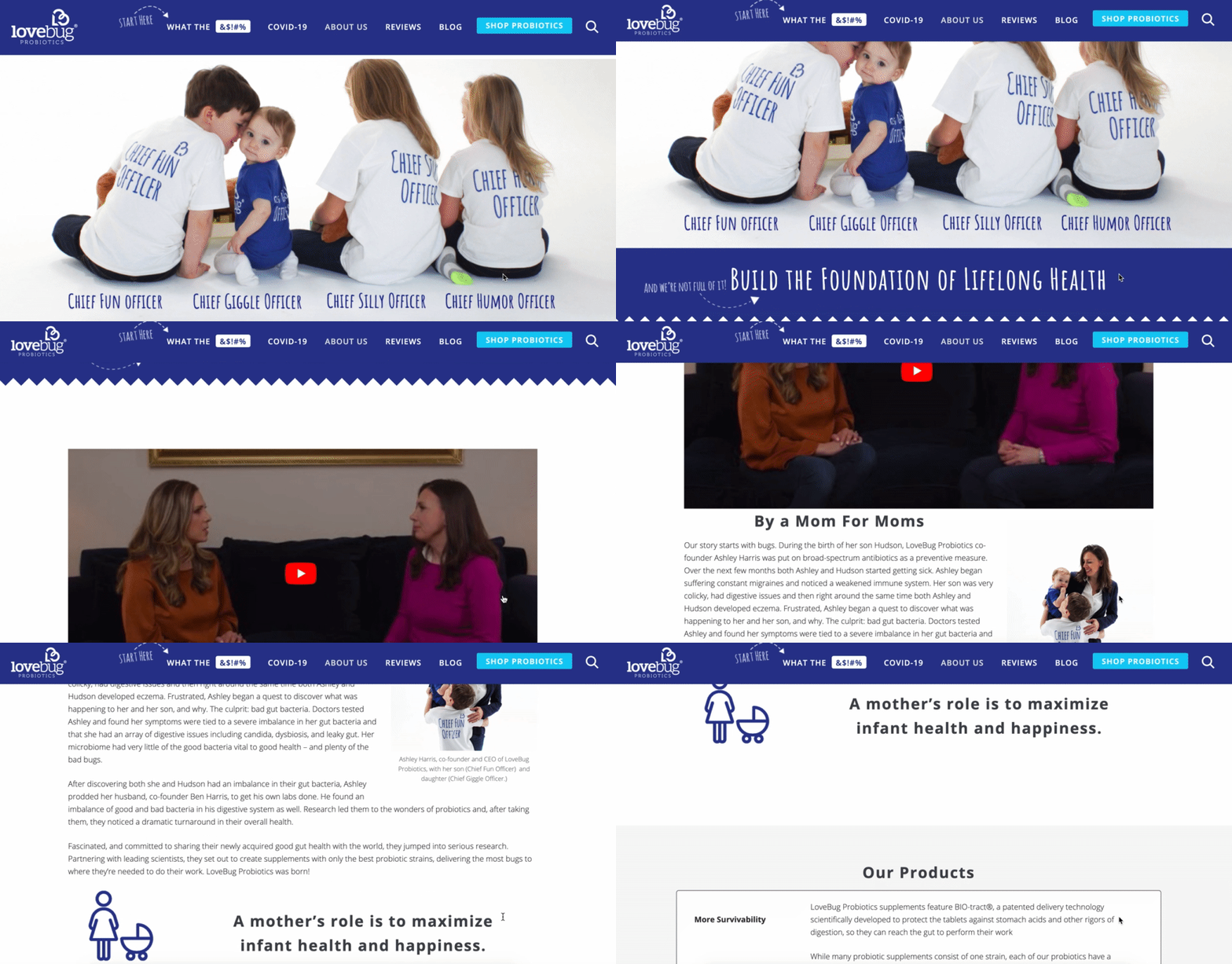
15. Brown and Coconut
Sometimes, simpler is better — as is the case with Brown and Coconut. This about us page features a photo of the two co-founders alongside a few paragraphs of text outlining the brand’s vision.
Brown and Coconut’s About page uses no-fuss language to describe the business.
What we love: Rather than ending with a CTA directing visitors to its products, the co-founders instead choose to include a CTA to follow the business on Instagram, promoting a more effective, long-term lead generation strategy that starts with brand awareness.
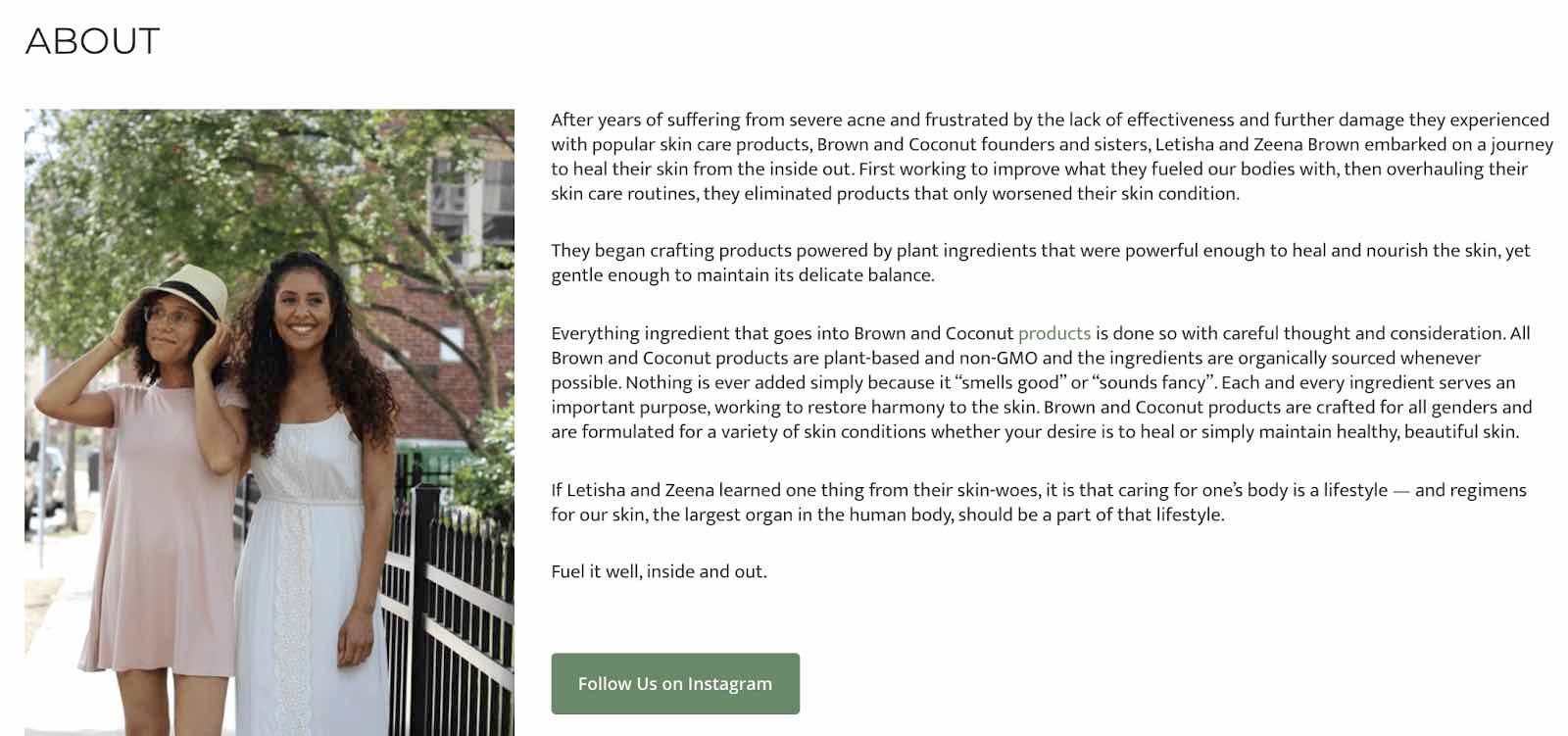
16. Kuno Creative
Kuno Creative’s page effectively focuses on what makes the company different: its people. While the first paragraph describes the origin of the digital marketing agency, the majority of the page is taken up by black-and-white headshots of all its employees along with descriptions of each member.
What we love: If you’re unsure what you want to include on your about us page, consider taking note of how Kuno Creative focuses on its people, rather than its product. This offers a great way to humanize your brand.
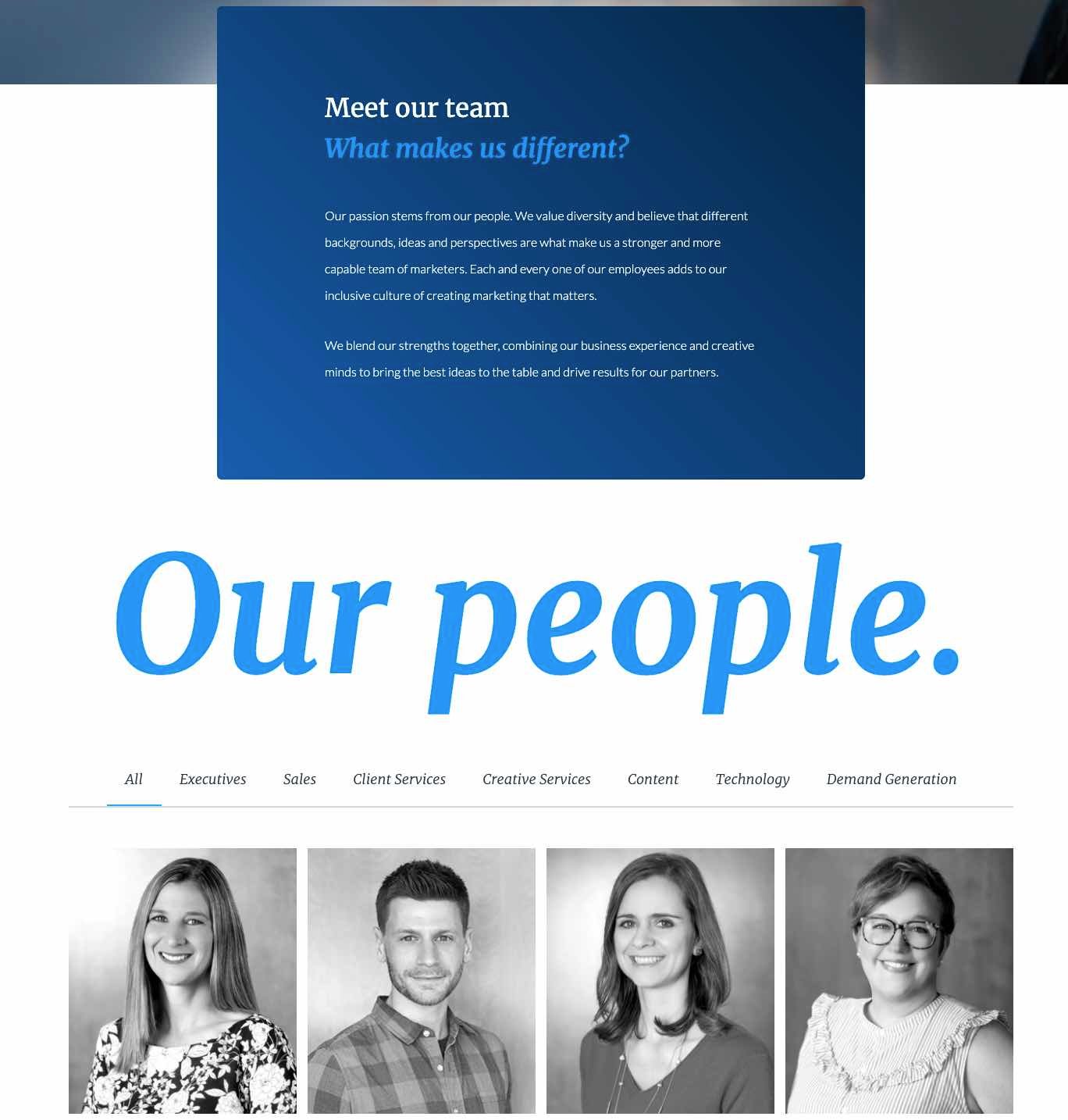
About Me Page Templates & Examples
About Me Template
About me pages vary in detail, but most great pages include a few standard elements. You can see a suggested template from HubSpot below.
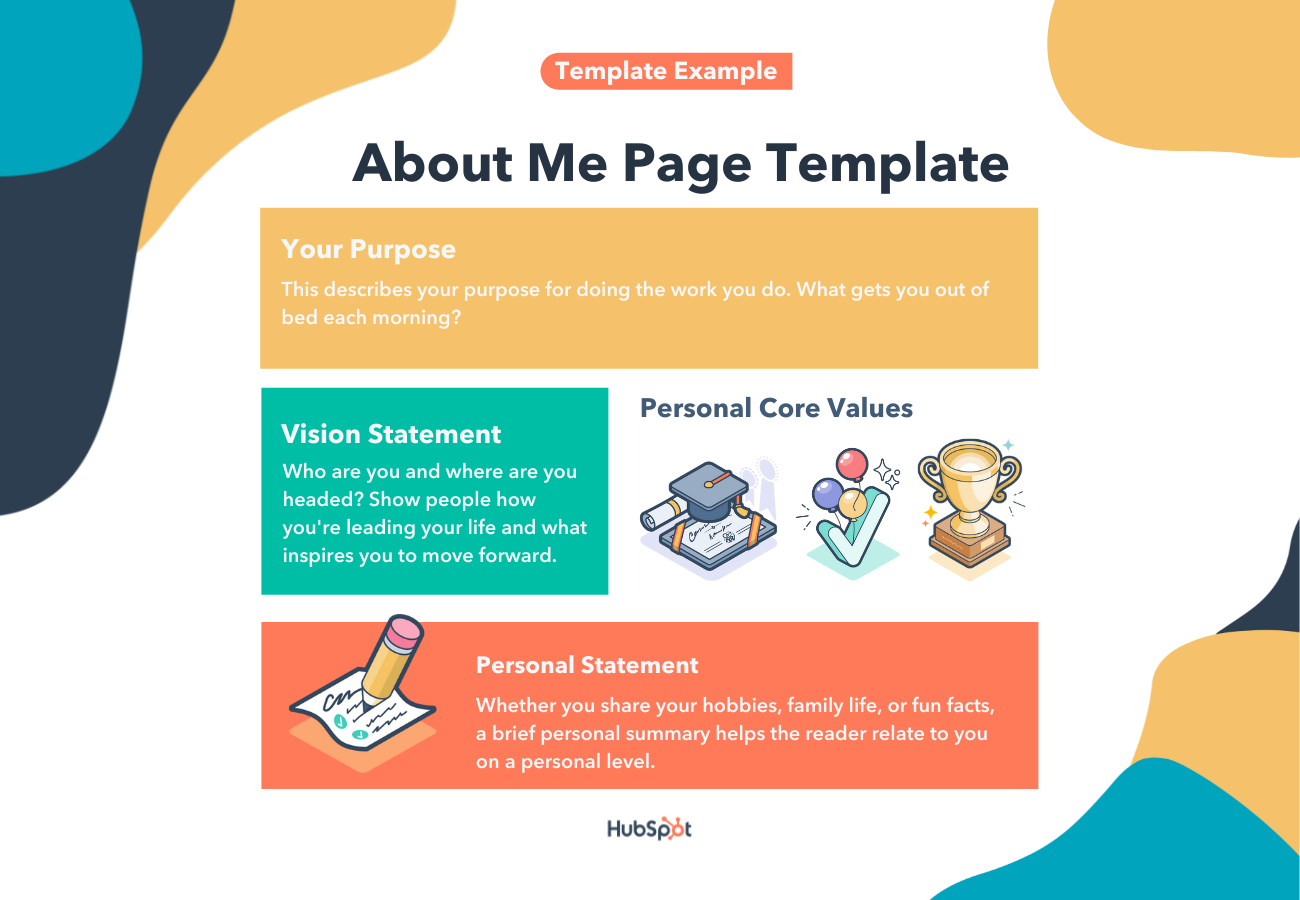
Make sure you include the following information on your page.
- Your purpose. This describes your purpose for doing the work you do. What gets you out of bed each morning? Try using the Ikigai map for guidance here.
- A vision statement. Who are you and where are you headed? Believe it or not, people are looking to you for leadership in some way. Show them how you’re leading your life and what inspires you to move forward.
- Your core values. Personal core values help the reader connect with you and find common ground.
- A brief personal statement. Whether you share your hobbies, family life, or fun facts, a brief personal summary helps the reader relate to you on a personal level.
Next, you’ll see these elements in action in the examples below.
Done-For-You About Me Page Templates
1. Coax Template (WordPress)
The Coax template allows the typography and copy to take center stage. This text-centric approach highlights your personal accomplishments and sells your services. Consider laying out content like a resume with big subheads on the left and descriptive text on the right.
Plus, this template is powered by Elementor, a page builder that makes customization easy.
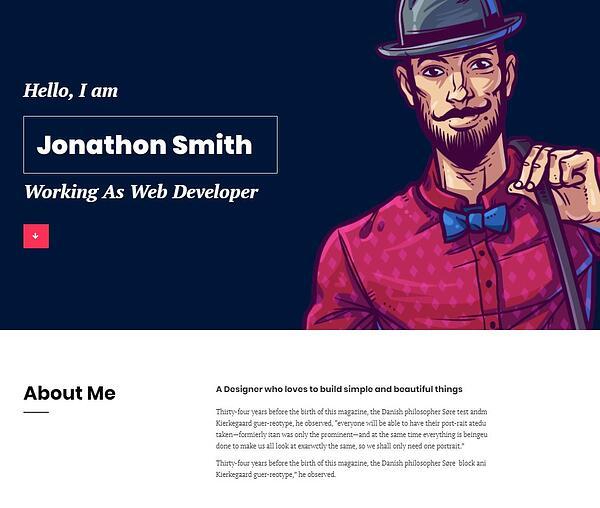
2. One Page Portfolio Template
Instead of a wall of text, this about me page is neatly divided into separate sections. The text at the top of the page allows you to describe your mission and background.
The icons in the next section call attention to three specific services you provide. Further down the page, you can explain those services in greater detail. You can also include photos to show what you can do.
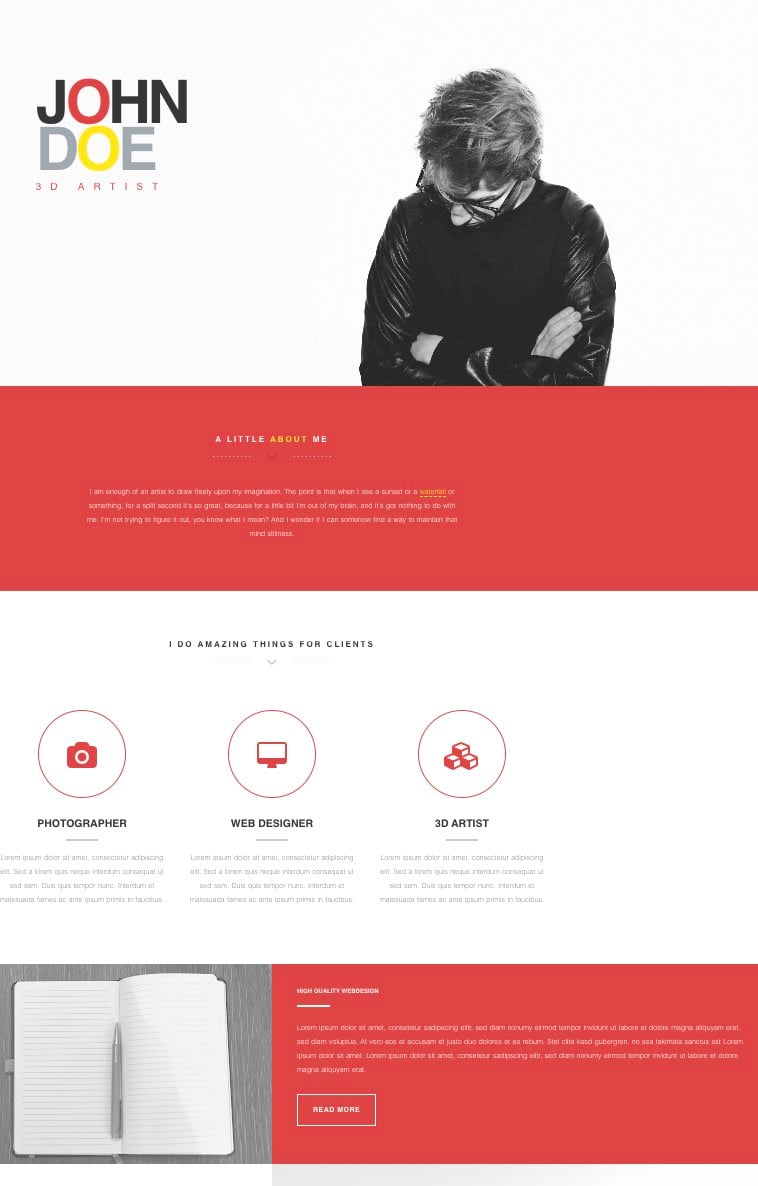
3. Beckham Template
Your about me page should provide a highlight of your accomplishments, as well as an overview of your service. This template can help you put your best foot forward.
The Beckham template includes a suggested place to link your resume, as well as sections to show off previously completed projects.
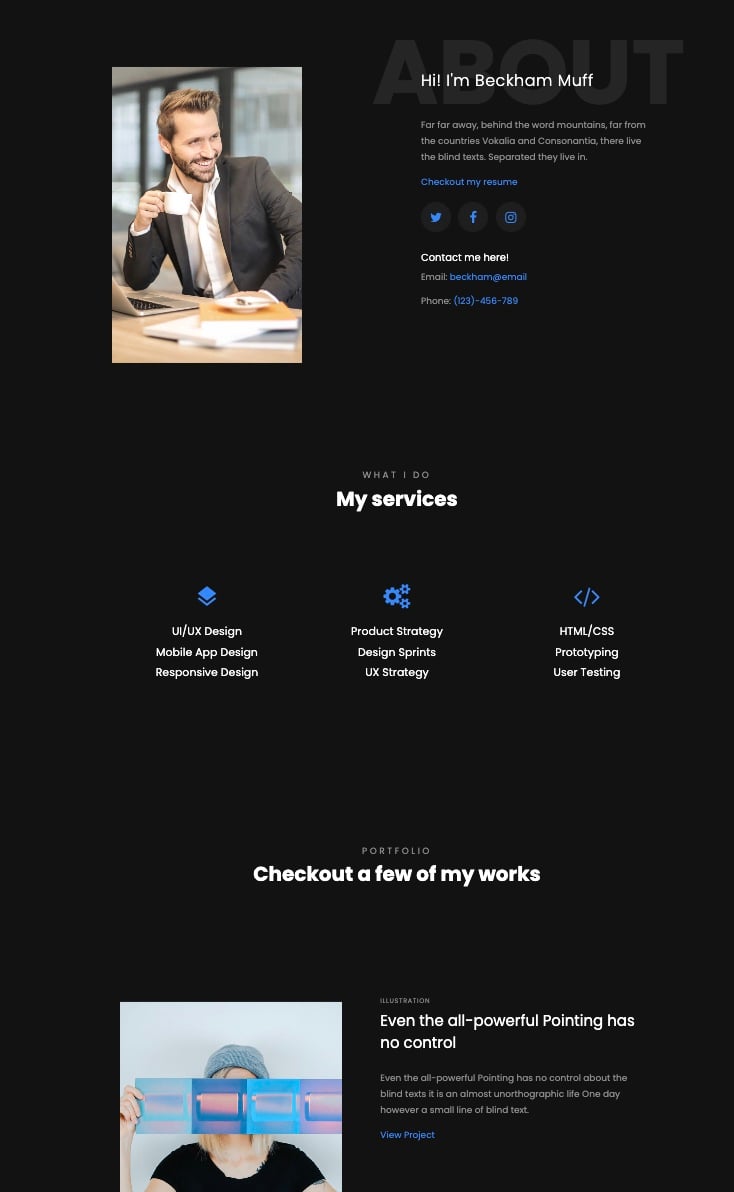 What we love: Near the bottom of the page, you can show off important numbers. That includes how many clients you have, how many projects you’ve completed, and how much coffee you drank.

4. Calvin Template
For personal websites, consider placing your contact information front and center. Your visitors shouldn’t have to search to see how they can reach out.
The Calvin template makes integrating your contact information and personal story seamless. This template leads with email and phone numbers. Then, you can lay out the services you provide, before including links to your work.
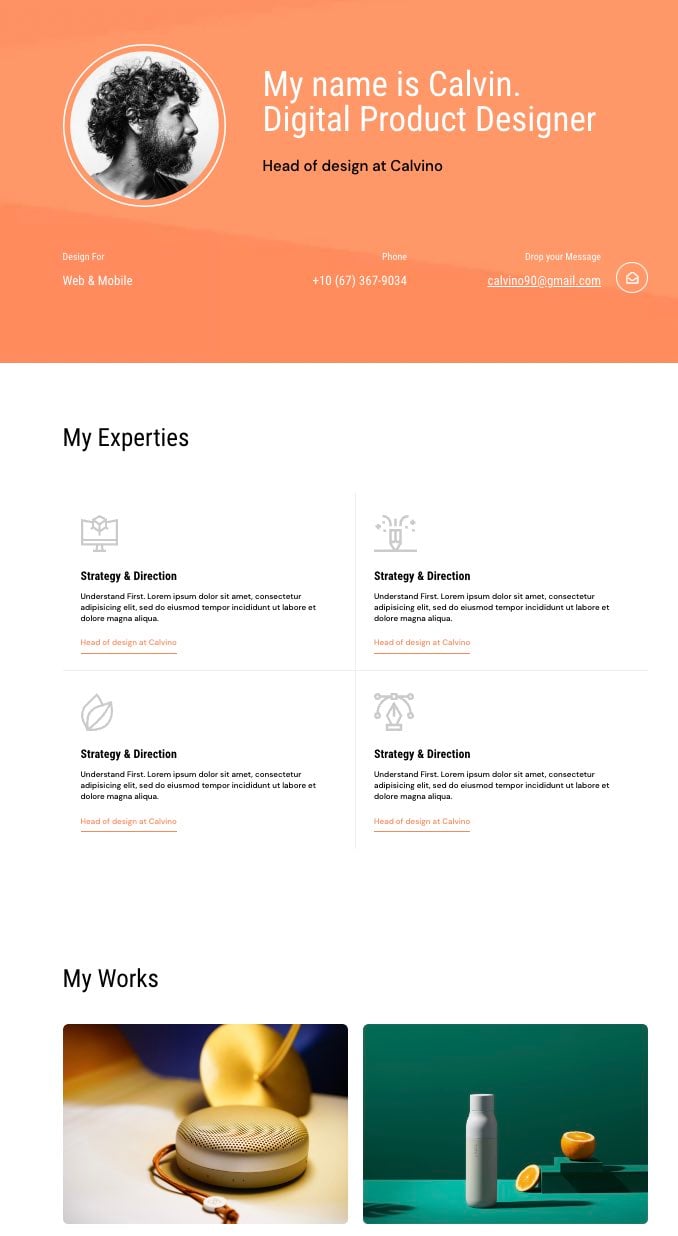
Best About Me Page Examples
1. Joe Payton
The style and tone of your about page should match the services you provide. Let’s look at Joe Payton’s website as an example.
Not only does Joe’s illustrative self-portrait give him a personal brand that customers will remember, but it also demonstrates his expertise as a designer and animator. His website visitors can learn what he does in an easily digestible way.
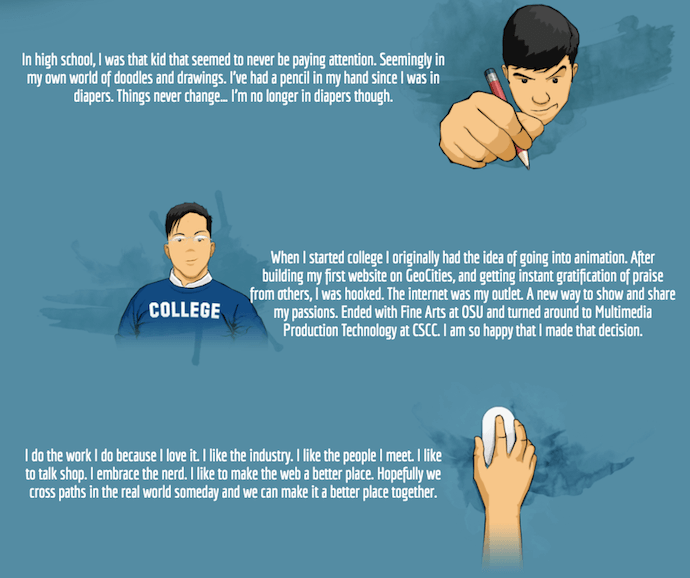
What we love: Joe freely expresses his values as a creative professional on a well-organized page. He tells a story that guides the reader through each section, without having them scroll endlessly to the bottom of the page.
2. Kero One
Kero One is a hip-hop artist and DJ from San Francisco. His About Me page carries a valuable lesson to personal brands that cater to more than one audience — especially if those audiences speak different languages.
Kero One’s about me page tells his story in English, Japanese, Korean, and Chinese. Including these East Asian languages helps Kero One connect with listeners in these different communities.
Pro tip: If your services are global or your offerings come in multiple languages, consider having your about me page in several languages.
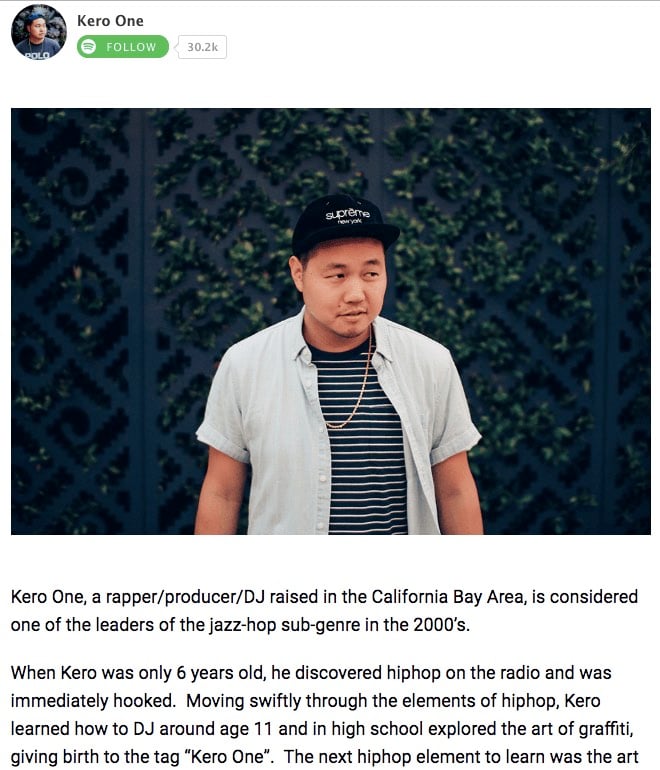
3. Aja Frost
Alright, we might be biased in highlighting this professional, as Aja is our very own Director of English Growth at HubSpot. Nonetheless, the ingenuity she brings to the company isn’t lost on her website’s About Me page.
Being a data-driven professional, Aja knows her clients are looking for more than her writing skills — they want to see how her content has performed. With that in mind, her About Me page tells a story of her career growth, which peaks — no pun intended — at an impressive line graph showing the result of an SEO strategy she implemented for the HubSpot Blog.
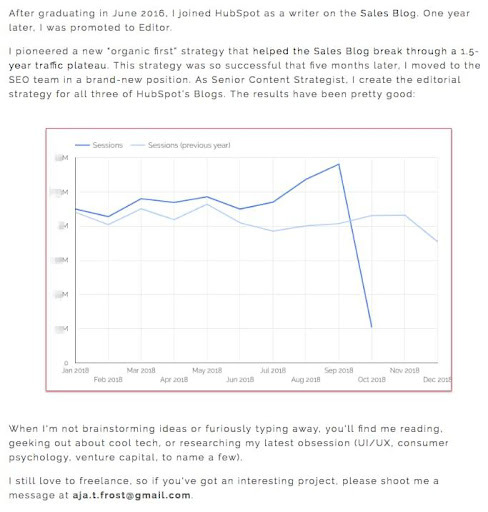
What we love: Aja understands the value of being personable even in a digital space like an About Me page. She closes out her about page with a personal note on what she does in her spare time — a great way to humanize yourself in the eyes of your potential customers.
4. Madison Butler
Madison Butler is an HR change-maker “committed to deconstructing the status quo and rebuilding corporate America, one organization at a time.” She does this through her DEI work and her advocacy.
Her about page, which doubles as the site’s homepage, calls this out at the very top in one bold statement: “I’m here to ensure organizations know how to make space for everyone.”
What we love: Madison’s About page is effective because it stays true to her mission while being simple, effective, and to the point. The second sentence in the headline, “you belong here,” underscores the inclusivity of Butler’s mission and work.
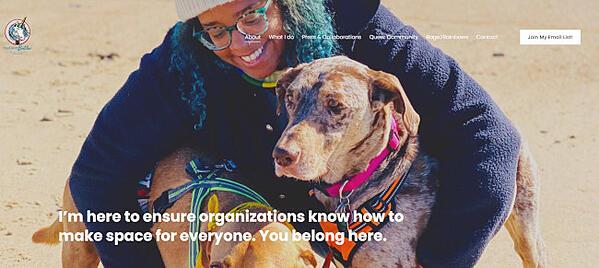
5. Sara Dietschy
This professional YouTube content creator has an eclectic collection of videos related to technology and culture and expresses that diversity all over her About Me page.
In addition to the vibrant self-portrait at the top of the page, Sara’s first sentence tells you just how many people subscribe to her channel: 780,000. This is an important number to know for her potential video advertisers and collaborators who want to know how much exposure they’d get by working with her or advertising on her channel.
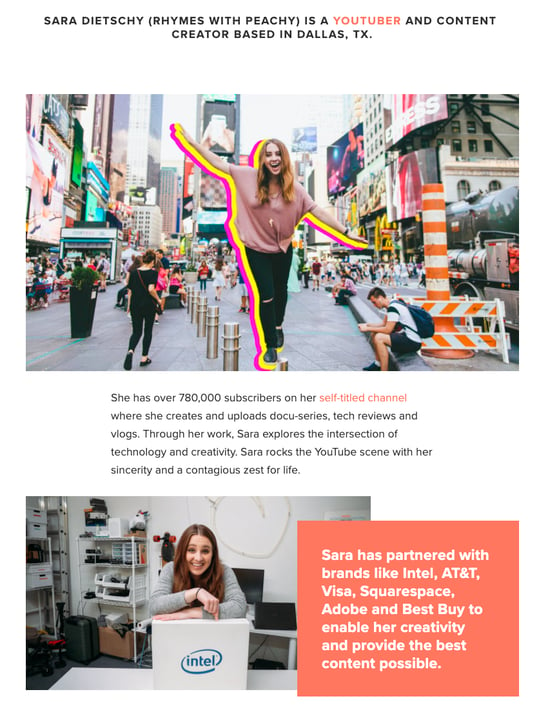
What we love: The colored tiles lining the page — starting with the red one, as shown above — segment her work by the types of projects she’s worked on. This helps the reader navigate the page and understand what’s important for them to know.
6. ShaDrena
ShaDrena is a graphic artist whose mission is to “visually build creative rebellious brands beyond a logo.” In three sections — about, bio, and random facts — the audience gets the full ShaDrena experience, which is more than just design. It’s also about voice and personality.
As a self-described “creative hustler,” “rule-breaker,” and “designer of dope brands,” the language ShaDrena uses on her site comes across as edgy and authentic.
What we love: ShaDrena’s about page is counterintuitive to what someone might expect from a graphic artist. Most of the content is presented in black, white, and gray which puts all the focus on the composition of her design.
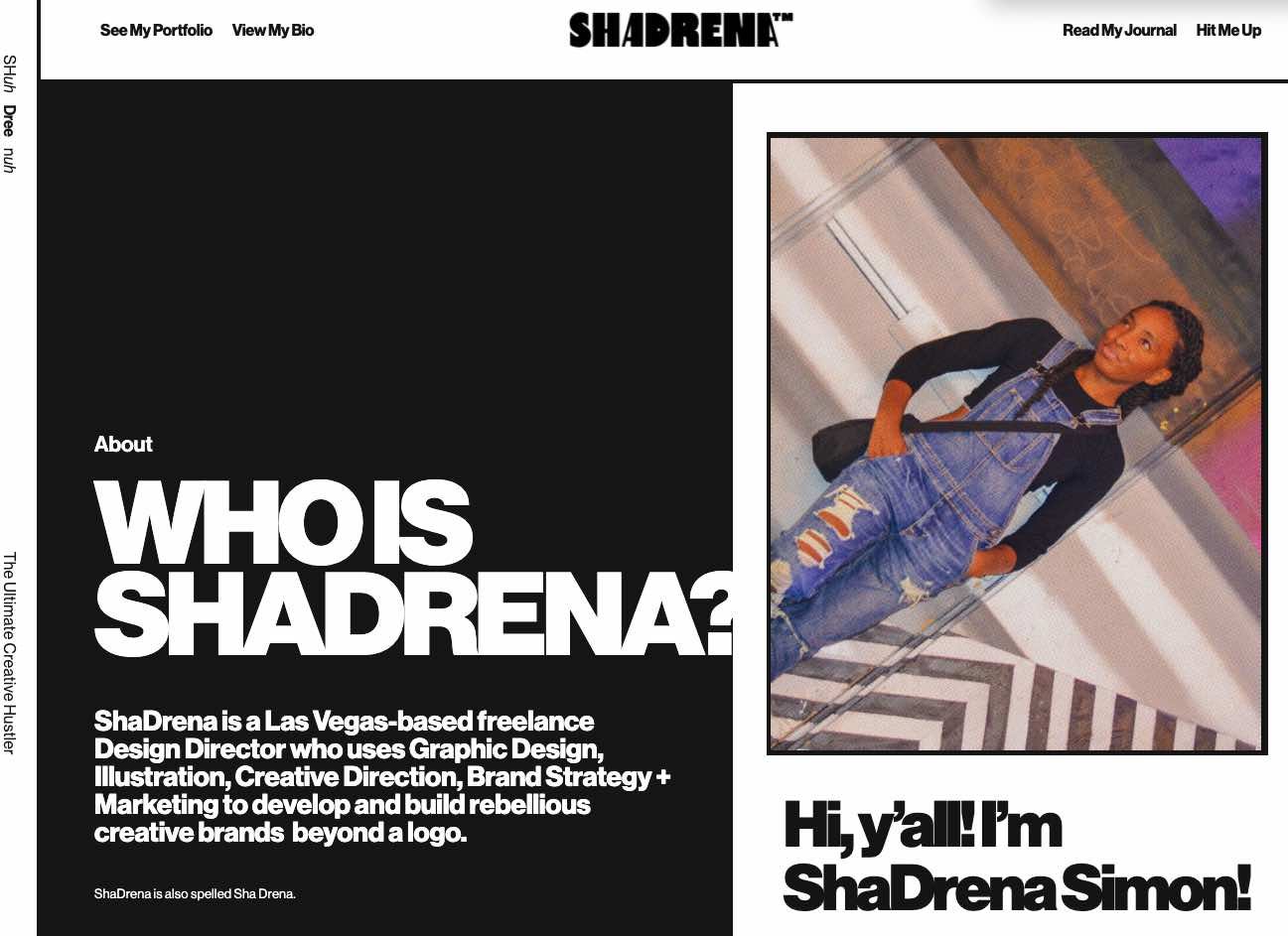
7. Marc Ensign
On his about page, Marc Ensign takes his work seriously without taking himself too seriously. Marketers know there’s value to keeping a casual tone in the content they create, but to attract customers, you need to prove you have discipline and integrity. This often proves to be a tough balance to get right.
What we love: Marc Ensign nails the balance between friendly and formal with a confident opening statement. This not only draws the reader in but also establishes Marc as a relatable partner to work with.
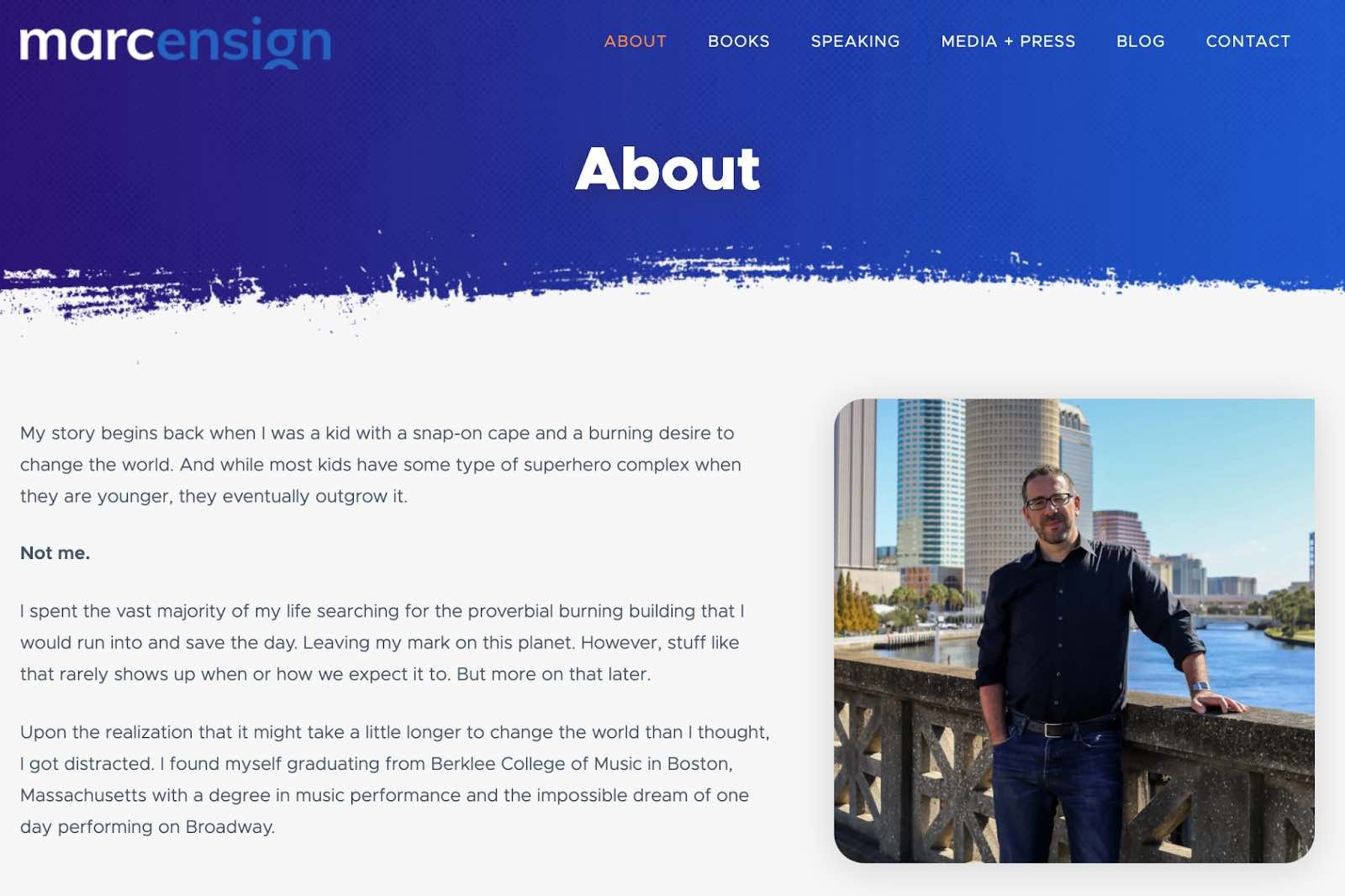
8. Miracle Inameti-Archibong
With an excellent design that emphasizes her copy, Miracle Inameti-Archibong’s site is a masterclass on how to do a one-page website well. The content is presented with large clear images, cool and bold colors, dynamic angles and blocks, and simple typography.
What we love: Miracle’s about me section spans over a decade but is laid out in just four sentences. The reader can easily understand her career span without being overwhelmed with too much information.
9. Haley Shapley
Haley is a freelance writer and editor who uses a single-page format for her website to showcase her personality, writing samples, and professional services. The site also features a very cool animated video effect in the background, creating a sense of space and movement.
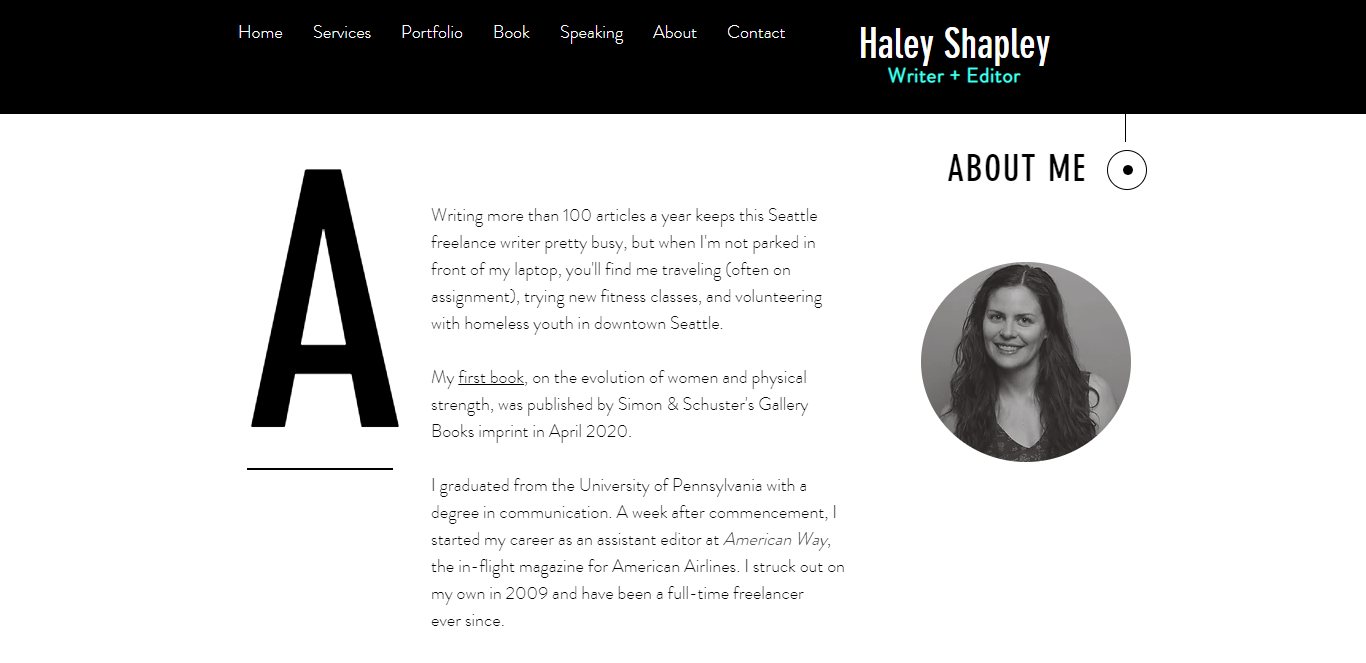 What we love: Haley leads with an important number: She can write over 100 articles a year. Starting with an impressive data point helps show her level of experience.
10. Amy Blaschka
Amy Blaschka’s portfolio features plenty of white space, balanced out with a bright blue header that really pops, and orange buttons for conversion actions (i.e. “Let’s talk”). Additionally, her use of video to explain what she does helps her stand out in a crowded space.
What we love: To showcase her creativity and individuality, Amy has a list of bullet points of things she loves and things she doesn’t love. She also provides website visitors with three (yes, three!) different versions of her bio: a short one (under 75 words), one that’s a bit longer (under 150 words), and her full bio which takes up an entire page.
By doing this, she’s demonstrating her talent for crafting messaging and educating prospective customers on who she is. Very sneaky, Amy!
11. Cathy Derus
Cathy Derus’ site features bold images and crisp text. The site also highlights Cathy’s appearances in major media outlets and publications, like Entrepreneur and Cosmopolitan.
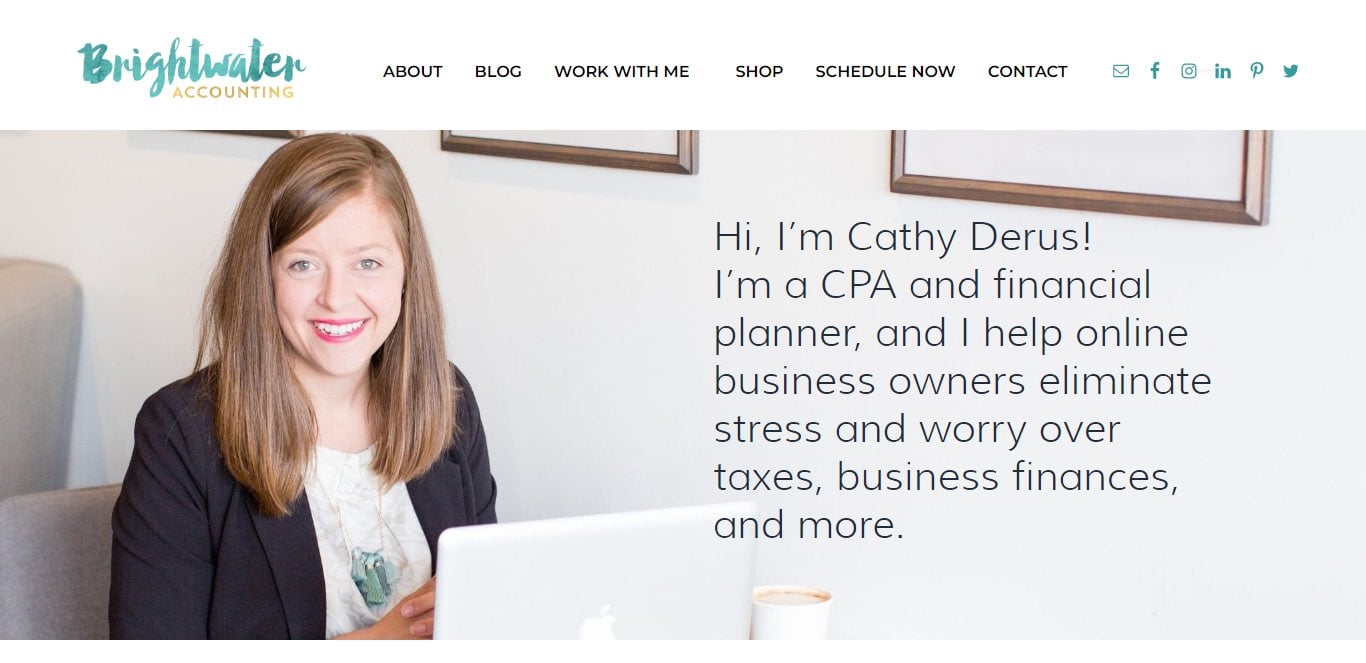 What we love: Cathy’s about section features a full-page image of Cathy on her laptop, with a brief text introduction directly to the right of her. Instead of breaking up the image with text, Cathy overlays the text on the actual image, so website visitors get the feeling they are actually in her office with her. This is a great way to build credibility.
12. Matt Gray
Matt is a serial entrepreneur who now manages a portfolio of “soulful businesses”. His website is designed to promote the paid courses he’s developed for entrepreneurs and the 1:1 coaching he provides to those looking for a more personalized touch.
Matt’s site provides plenty of content to help visitors understand who he is and what he does. The focus of the site is very simple: to get visitors to convert by signing up for his email newsletter.
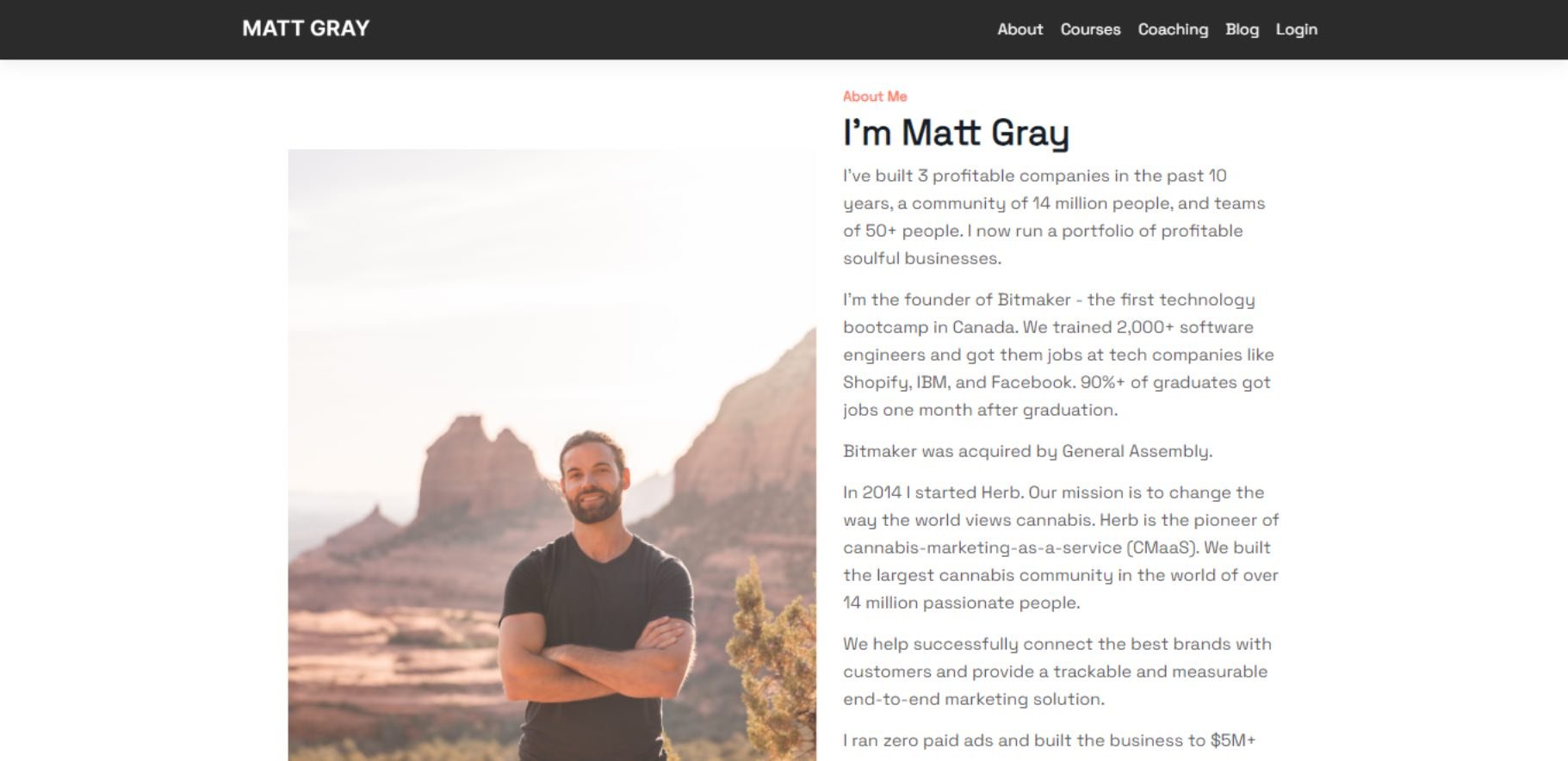 What we love: Below the bio section, Matt breaks down his offerings in a simple 1-2-3 format, providing something for everybody. Lower on the page, visitors find a mailing list sign-up form with a commitment of what subscribers will receive by signing up.
Tell the World All About You
Now that you’ve seen examples, it’s time to build your own about page. With a good story to tell, creative copy, humility, and digestible visuals, you’re on your way to an eye-catching user experience.
You’ll be standing out from a sea of about us and about me pages in no time. So, tell us, What makes you different? We’re eager to learn more…about you.
Editor’s note: This post was originally published in October 2020 and has been updated for comprehensiveness.

6 Spooky Marketing Campaigns Just in Time for Halloween
Spooky season is officially upon us. It’s a fun time for consumers and an even better time for brands that get to be playful with their audience.

Below, you’ll find examples of Halloween marketing campaigns, from ad spots and seasonal products to social media posts and influencer campaigns.
1. Twix
It’s hard to think of Halloween without thinking of chocolate.
Since 2012, Twix has delivered ad campaigns focused on the left and right sides of their chocolate bars.
For Halloween, they continue with the same theme – except this one comes with a twist (or should I say Twix?).
In this commercial, young adults dressed in costumes sit in a circle in front of an Ouija board, a device used to communicate with ghosts, spirits, and other supernatural beings.
As they play, a gust of wind blows through the room, and before they know it, the “spirit” has taken a bite of a Twix bar. Everyone starts screaming and the ending shot reads, “The spirits have decided. Left or right, either is a good decision.”
This is a great example of how a brand can tweak an existing campaign and give it a holiday twist.
2. Disney Parks & TikTok
On TikTok, text-to-speech is a popular feature used by a lot of creators. Voices can range from standard American accents to popular characters and serve to add more depth(or fun) to videos.
To celebrate Halloween, Disney Parks recently announced a collaboration with TikTok, in which three characters from Disney’s theme parks can voice videos on the platform.
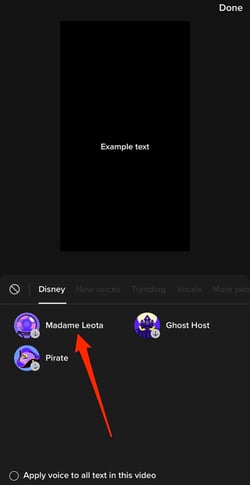
When we say “Meet your audience where they’re at,” this is what we mean. This partnership is a great play for Disney, as they presumably attempt to reel in a younger crowd and garner interest in their parks.
While they could go with flashy ads, this approach is subtle, as it is embedded into a process users are naturally engaging in.
3. Vegan Treats
Wondering just how early you can start marketing your seasonal products? For Halloween, you can start as early as September.
Although Spooky Season doesn’t officially start ‘till October 1st, the start of fall is a great time to start introducing Halloween-themed products and services.
Take Vegan Treats. On September 7, they started sharing product images all relating to Halloween, starting things off with a skull cake.

The earlier you can start the better. It gives your audience time to review your offers and decide if they want to purchase. If you wait until the week of Halloween to start, it’ll already be too late.
4. Elysian Brewing
During Halloween, you’ll find some of the most unlikely brands pair up. That’s because holidays allow businesses to branch out in a way that feels natural and fluid.
Take this co-branding campaign between Elysian Brewing, USA Network, and Syfy.
To kick off trick-or-treat time, this beer company released a limited batch of beers for Halloween, “A Killer Wit Beer.”
“Just like Chucky is synonymous with Halloween, Elysian’s pumpkin beers have become synonymous with the season. Seeing Chucky’s iconic, freckled face on our cans feels like a match made in… ah… hell,” said Joe Bisacca, co-founder of Elysian Brewing, in a statement.
Collaborations like these can be key for new audience growth and can work well during holidays when strategies and goals are more likely to align.
5. Heinz
Although the concept of a vegetarian vampire during Halloween doesn’t sound very interesting, Heinz found a way to make it work.
Enlisting the help of content creator and TikTok influencer E.J. Marcus, Heinz released a campaign to promote its annual Halloween-themed ketchup, dubbed “tomato blood.”
The multi-channel campaign included an ad spot during AMC’s “Interview with the Vampire,” a partnership with Six Flags to offer branded menu items, and QR-code-scannable billboards.
Where does Marcus come in? He takes on the role of a vampire who’s learned to resist his thirst for humans and instead sustain himself with Heinz’s tomato blood. The ad seems to appeal to Gen-Z, given the ambassador they’ve chosen and the purpose-driven character he embodies.
One takeaway here is that there isn’t only one way to success. If you have the resources for a multi-pronged approach, don’t be afraid to do it. Even unsuccessful campaigns teach you about your audience and what they’re looking for – so it’s always a win for your team.
6. Target
On TikTok, Target leans heavily on user-generated content. They understand that perfect curation – à la Instagram – isn’t the key to success on this app.
So, they partner with influencers and content creators who can share authentic content using Target products. During Halloween, the strategy remains the same.
@target doesn’t matter if it’s 105 degrees, we ride at dawn 🧙♀️ @Dalia Elizabeth
♬ Halloween ・ cute horror song – PeriTune
One of their latest posts features creator Dalia Elizabeth who invites viewers to go Halloween shopping with her at Target. Viewers follow along as she walks the aisles and looks through Halloween decorations.
It’s simple but for TikTok, it might be exactly the right approach.
These diverse examples highlight the many ways you can approach the holiday while still staying true to your brand. 

What is Data Deduplication? A Plain-English Guide
As a marketer, you likely deal with data in some form on a regular basis. So, how is data deduplication relevant to you?
With so much critical information saved on our computer systems, we’ve learned to backup data regularly — including our email inboxes, Word documents, photos, and entire folders of old work. It’s typically a ton of data.
Since we usually backup and save our data on auto-pilot, we might not realize just how much has been re-copied and re-saved. Over time, our data storage becomes unnecessarily burdened with redundant copies of data, costing money as data requirements grow and processing time slows down. This is where data deduplication comes in.

Andrew Le, an IT Helpdesk Technician at HubSpot, further explains the importance of data deduplication for a business looking to grow — “[Data deduplication] really improves scaling and efficiency when pulling data from one source. If you have lots of the same data in different spaces, your entire system can be slowed down.”
So, you might be wondering, “How does data deduplication actually work?” Let’s dive into it.
How does data deduplication work?
The data deduplication process might seem intimidating, but it’s actually simpler than it sounds. You can use data deduplication software when you backup your computer. Additionally, some marketing automation software, like HubSpot, might have a deduplication feature to keep track of your marketing contacts.
To ensure you’re optimizing your data backup storage, here’s a list of the best data deduplication software you can use to minimize unnecessary data copies.
Data Deduplication Software
1. HubSpot’s Deduplication Feature
Best for: Any business.
If you use HubSpot’s CRM to manage your contacts, you’ll be impressed to find out you can also use HubSpot’s machine learning-powered deduplication feature to keep your contact database clean. HubSpot contacts can be deduplicated by a user token set with a cookie in their web browser or email address — additionally, contacts, companies, deals, and tickets can be deduplicated using a unique object ID.
2. Dedupely
Best for: A dedicated deduplication platform that integrates with your CRM.
Dedupely finds and merges duplicate data automatically, saving you time and headaches and improving trust and alignment across your company.
If your company stores a lot of data, it’s important to begin the data deduplication process. By using software, you can simply automate this process.
3. Barracuda Backup Deduplication
Best for: Users of Barracuda security solutions.
With a 9.1 user rating out of 10 on TrustRadius, Barracuda Backup is a good option, offering a robust, secure, fully-integrated data deduplication solution. Their tool can help your business reduce bandwidth requirements and backup costs. Additionally, Barracuda is a good option if your business needs to protect multiple sites, since its cloud storage technology helps distributed networks stay protected.
4. Avamar
Best for: Remote-work companies and enterprises.
Avamar, a solution from Dell EMC, provides variable-length deduplication, which reduces backup time by only storing unique daily changes while simultaneously maintaining daily backups. Avamar is an efficient, secure option and is particularly useful for virtual environments, remote offices, and enterprise applications.
5. HPE StoreOnce
Best for: Any business.
HPE StoreOnce, a solution from Hewlett-Packard Enterprise, offers disk-based backup, deduplication, and secure long-term data storage. Their deduplication software is equipped for virtual backup machines in small remote offices, and equally capable of handling high-performance dedicated applications for larger businesses. Ultimately, this is an impressive tool to help you keep your data secure and efficient as you scale-up.
6. Exagrid EX Series
Best for: Faster, more efficient backups.
Exagrid implements a highly efficient approach to data deduplication that allows six times the backup performance, and up to 20 times the restore and VM boot performance. With Exagrid, you can backup your data straight onto a disk without inline deduplication processing, enabling a shorter backup window.
7. Insycle
Best for: A full data storage and automation solution.
One of G2’s high-performers and a HubSpot App Partner, Insycle is a complete customer data management solution that makes it simple for companies to manage, automate, and maintain clean customer databases. It drives efficiency, betters reporting, aligns teams, and improves trust in data.
Cut down on excess data with data deduplication.
Don’t get me wrong, data backups are crucial to keep your company’s assets safe. However, if unmoinitored, automatic backups can lead to bloated storage and poor performance from your servers. Luckily, it’s easy to deduplicate excess data with the right tools to keep your software and business running smoothly.
Editor’s note: This post was originally published in April 2019 and has been updated for comprehensiveness.

How to Set Up Automated Email Marketing Workflows (+ Examples)
Without email marketing automation, your marketing team misses out on major opportunities to nurture and engage your target audience and contacts.
In this article, we’ll review common types of email marketing automation, the tools to help you establish and maintain an email marketing automation strategy, and different automation triggers you may implement at your company. But first, let’s begin by answering the most crucial question: what is email automation?

Email Automation
Email automation helps convert leads into customers, delight existing customers, and encourage activities like greater product adoption, upsells, evangelism, and additional purchases.
Top 7 Email Marketing Tools To Automate Emails & Get Clicks!
Why should you do automated email marketing?
Email marketing automation eliminates time-consuming tasks, such as preparing email lists, sending generic messages, or scheduling events manually. This gives marketers and salespeople more time to work on projects that require their attention (or cannot be fully automated).
Email marketing automation is centered around workflows, a predetermined, triggered set of actions you’re directing your automation software to take for you.
Now let’s look at how this process actually works.
Pro tip: While you work through the following steps, keep the teachings from this video on email marketing in mind — many of the topics covered below are also touched on in the video and vice versa — after all, your email marketing automation is part of your email marketing strategy.
1. Select email automation software.
There are several email automation software on the market today — the key is selecting the best option for your business and goals.
For the sake of this article, we’re going to work through the following steps in this section by looking at HubSpot’s Marketing Automation tool.
But here are a few more tools for your consideration with their main features and benefits to give you an idea of what these tools are capable of.
Email Marketing Automation Tools
-
HubSpot Marketing Automation: Best email marketing automation software for automating and personalizing email campaigns with CRM integration.
Price: Free, $45/mo (Starter), $800/ mo (Professional), $3,200/ mo (Enterprise)

With HubSpot’s Marketing Automation Software, you can automate your email drip campaigns without any code. Select triggers, conditions, and actions, so your emails are sent to the right audience members at the right time.
Pair your email campaign workflows with goals to track and analyze their success. And speaking of workflows, you can visualize, customize, and personalize them to help you target every individual in your contact database.
(You can also use HubSpot to automate many other tasks besides email, such as lead scoring, lead rotating, webhooks, etc.)
Pro Tip: Use HubSpot’s Marketing Automation software to automate and personalize email campaigns to move prospects through the marketing flywheel and generate qualified leads.
-
Versium Reach: Best email marketing automation software to visualize and segment customers.
Price: Contact for pricing

Versium Reach allows you to create target audiences that you can use across various marketing platforms (like HubSpot) and channels to help you effectively target and reach those groups through your email (and other digital) campaigns.
Versium Reach helps you visualize and segment your customers so you can tailor your email campaigns to them no matter which stage of the buyer’s journey.
The tool also helps you maintain a cost-effective lead generation strategy — Versium allows you to experiment with a single data source for better-performing customer segments.
-
Mailchimp: Best email marketing automation software for connecting ecommerce and email platforms.
Price: Free Basic Plan, Essentials Plan; $11/month, Standard Plan; $17/month, Premium Plan; $299/month
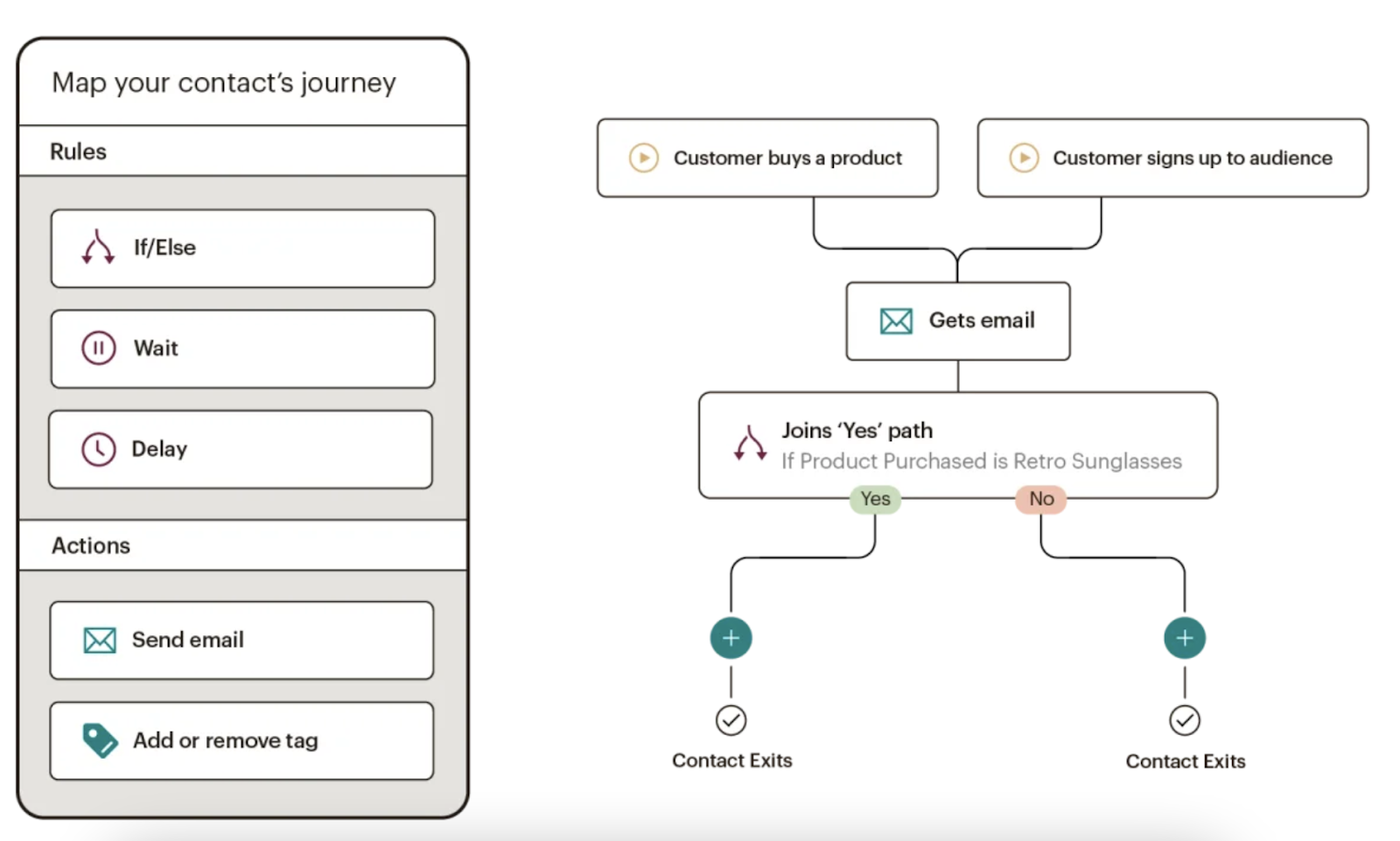
Mailchimp makes it easy to deliver personalized and relevant messages and purchase paths to individuals based on their contact information and how they interact with your company. Send-time optimization then schedules your emails to be sent when your customers are most likely to engage with them.
Mailchimp offers many ecommerce integrations (e.g. WooCommerce, Shopify) so you can connect your online store to the email tool — this way, you can target customers based on their purchases.
Mailchimp offers six main types of email automation to make your team more productive and efficient — customer journey automation, behavior automation, transactional email automation, postcard automation, date-based automation, and RSS-to-email automation.
-
Moosend: Best email marketing automation software for managing several email campaigns and mailing lists.
Price: Contact for pricing

Moosesend is an email marketing platform for managing several email campaigns and mailing lists. Design and A/B test responsive emails and newsletters to ensure they effectively target your audience.
Personalize your emails by creating condition combinations to segment your audience based on the specific behaviors you care about on your emails and your website.
Understand the success of your email marketing campaigns with Moosend’s analytics dashboard — track email opens, clicks, social shares, unsubscribed, and more.
2. Identify who you’re sharing your email campaigns with.
Determine who you want to send your emails to. For example, you might use lifecycle stages to group your email recipients — for an upsell campaign, you send emails to existing customers who have not purchased a particular product yet.
Your email marketing tool should be able to help you efficiently segment your customers ahead of your campaign using the criteria you’ve decided upon. Again, your contact data in your CRM should help with this — for instance, in HubSpot, segment your email recipients by lifecycle stage.
3. Determine your email campaign’s goal.
Your email marketing is only as good as your strategy — so ensure you know exactly why you’re contacting these individuals. Do you want them to buy something? Learn something? Do something?
Once you answer this question, you can figure out the messaging you need to take them from where contacts are currently to where you want them to go.
You also have to plan for what happens when you succeed.
For example, imagine a 10-email series to get prospects to request a consultation. Prospect A converts within the first email. If Prospect A continues to receive emails telling them to do what they’ve already done, they’ll get frustrated.
In HubSpot, if you define your goal, it will unenroll any contacts who meet the goal.

4. Set enrollment criteria.
Enrollment criteria refer to the qualifications that must be met for a contract to be entered into a workflow.
Suppose you’re using HubSpot Workflows. You can create personalized, automated email workflows that can get triggered in a number of different ways. This can look like a contact added to a list, submitting a form on your website, clicking a link in an email, viewing a page on your blog, clicking on one of your ads, or becoming a marketing qualified lead.
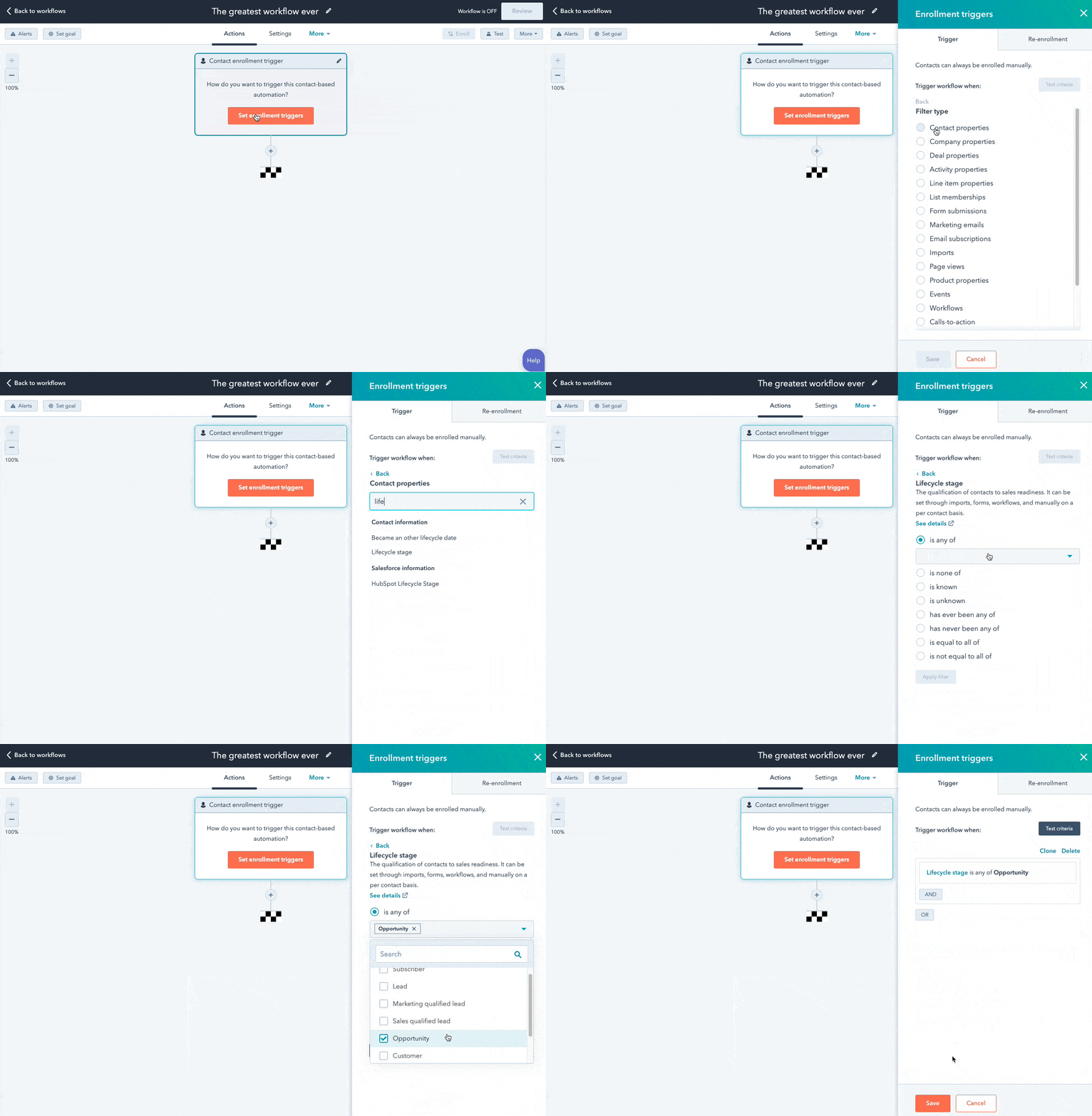
You can also set up email workflows based on any information you have about the contacts in your marketing database, such as page views, email or social media clicks, content downloads, contact properties, or any combination of these and more.
5. Determine which processes you want to automate with Workflows.
If you were manually emailing these contacts, what would you do? Think of your email marketing workflows as blueprints that outline each action your tool will take for you.
For instance, specify which actions you want the software to take in HubSpot. Examples of automatable actions are:
- Sending an email.
- Scheduling an email (and/or delaying it).
- If/ then email branching.
- Updating and syncing all email and contact data to your CRM.

6. Create your email campaign assets.
By this point, you know how many emails you want to send, the general messaging you’ll include in the emails, and which groups of customers the emails are going to.
Now it’s time to ensure all of your email campaign assets are created and available in your email automation software so you can add them to campaigns.
7. Check your email automation setup and run a test, if possible.
Some things to consider implementing into your workflow publishing process are:
- Looking at your list of enrolled contacts for errors.
- Ensuring the number of enrolled contacts is what you’d expect.
- Considering your workflow chart and use cases.
- Checking your “Send” settings.
In HubSpot, you can test your workflow to ensure the automation you plan to set live is working as intended.

8. Make our email automation workflow live and monitor its progress.
Once you’re happy with the workflow, set it live.
Mistakes can happen, so monitor for anomalies. Don’t be afraid to adjust as needed to resolve issues or improve the performance of your email automation workflow — similar to your other marketing strategies, this is also an iterative process.
Additionally, you can continually expand upon your workflows to support other business goals. Use them to automate other actions such as setting or clearing a contact property value, updating a contact’s lifecycle stage, adding/removing a contact from a list, and other administrative tasks that allow for more targeted, effective marketing to your prospects and customers.
Email Marketing Automation Examples
Now let’s walk through some examples of automated email workflows you can set up to start getting more out of your contacts database and marketing automation software.
1. Topic Workflows
Main triggers: Page views or content offer downloads.

Create a workflow for each of the industry-related topics you create content about.
Imagine you’re a unicorn breeder whose main content topics include unicorn diets, unicorn gear, and unicorn boarding. Then you could bucket your content marketing offers (e.g. ebooks, webinars, kits, etc.) and blog posts by these topics. You could also create an email workflow for each topic and then trigger the appropriate workflow when one of your contacts views a page or downloads an offer centered around that topic.
Trigger a content download workflow based on a form submission from a tool conversion tool like HubSpot’s Free Marketing & Lead Generation Software. To trigger an automated workflow in HubSpot, you can use the “Lead Flow Submission” option as the starting condition.
So if a contact downloaded your ebook called 10 Tips for a Balanced Unicorn Diet, your “unicorn diet” workflow would be triggered, sending that contact more helpful content, such as blog posts describing unicorn dietary tips.
2. Blog Subscriber Welcome Workflow
Main trigger: Subscription to your blog.

Give your brand new blog subscribers a nice, warm welcome with a blog welcome email. Use this email to thank contacts for subscribing, remind them what they’ll get from reading your blog, review their subscription settings (and allow them to make adjustments), and promote your blog’s best-performing articles or other offers.
(Get tips for creating a successful blog welcome email here, and learn more about optimizing welcome emails here.)
3. New Customer Welcome/ Training Workflow
Main trigger: Lifecycle stage.
While we’re on the subject of warm welcomes, consider setting up a series of welcome emails when a contact converts into a paying customer, which you can trigger when a contact’s lifecycle stage gets updated to “customer.”
Not only is this a great way to kick off your new customer relationship on a positive note, but it can also keep your customers engaged after they buy. And if your product or service requires a little training on your customers’ part, use this workflow as an opportunity to introduce helpful training materials on an incremental basis.
4. Engaged Contact/ Evangelist Workflow
Main triggers: Visits, clicks, or form submissions.

Create a smart/dynamic list that automatically updates to include contacts that you’ve really engaged.
To create this list, use trigger criteria such as a high threshold of visits to your website, clicks on your emails or social media posts, or form submissions. Then create an email workflow to leverage this list to encourage evangelism of your top content on social media.
Because these contacts are highly engaged with you already, they’re more likely to share your top content. You can also consider adding list criteria to pull in contacts with a certain number of Twitter followers to leverage the power of those social media influencers in your database.
5. Lead Nurturing Workflow
Main trigger: Multiple beginning stage conversion events.
If a contact has downloaded several of your beginning stage marketing offers like ebooks and webinars, it might be a sign that they’re ready for a bit more. Set up workflows that help advance these contacts further through the flywheel.
If the contact is a lead, send them emails containing more content that can upgrade them to a marketing qualified lead (MQL) or an opportunity in your sales process.
This workflow may include content and web pages you’ve identified from an attribution report analysis as influential in converting leads into customers — perhaps content like customer success stories/case studies, free trial offers, or product demos.
6. Internal Sales Rep Notification Workflow
Main triggers: Late stage page views/conversion events.
On any given website, there are certain page visits and conversion events that indicate more product interest than others.
First, identify these pages and conversion events using an attribution reporting tool like HubSpot. You’ll notice that, more often than not, the pages you unearth will be your pricing page, product pages, etc. — the pages that your contacts view when they’re truly considering your products or services.
Use workflows here to trigger an internal email notification to your sales rep to inform them of these high-value activities. Using personalization, give the rep all the information they need about the lead in question, including relevant mid- and late stage content that they can send to the lead in their outreach email. This allows you to connect sales reps with the best possible leads at the right time.
7. Re-engagement Workflow
Main trigger: Inactive contacts.

Reawaken inactive contacts with a re-engagement workflow, enrolling contacts once they’ve met certain list criteria.
For example, you could set conditions such as the length of time since their last form submission, website visit, or email click, triggering the email once it’s been a while since a contact last engaged with you.
In your workflow, try sending them an exclusive offer or coupon to get them excited about your company again. For more tips about launching an effective email re-engagement campaign, check out this post.
8. Event Workflow
Main trigger: Registration or attendance.

Hosting a live, in-person, or virtual event? Use email workflows to automate your communication to event registrants and attendees before, during, and after the event.
For example, create a workflow that delivers important information registrants should know leading up to the event, such as hotel accommodations and agenda information for live events, or webinar log-in information for online events.
When the event ends, set up a workflow that gives attendees online access to session slides and continues to nurture them with additional content or promotion for future events.
9. Abandoned Shopping Cart Workflow
Main trigger: Shopping cart abandonment.

If you’re an ecommerce business, you’ll likely benefit from an abandoned shopping cart workflow.
The concept here is simple: When someone adds an item to their online shopping cart but leaves your site without completing the purchase, you can trigger an email workflow that reminds them of their forgotten purchase. By offering a special discount code or incentive to buy, you motivate the individual to return to your website to complete the transaction.
10. Upsell Workflow
Main trigger: Past purchases.

Communication with your customers shouldn’t stop after they make a purchase. This is especially true if you sell various products and/or services. Use workflows to help you upsell or cross-sell existing customers.
Create dynamically updating lists of contacts who purchase a certain product — or combination of products — and create workflows aimed at recommending other products/ services or encouraging upsells or add-ons.
11. Customer Happiness Workflow
Main trigger: High or low NPS scores.
If you administer regular Net Promoter surveys of your customer base, you can use customers’ Net Promoter Scores as a property to trigger workflows.
Simply determine what your ideal customer happiness score is, and use that as the threshold for your dynamic list of happy customers. Then trigger a workflow for customers with “happy” scores and reward them with exclusive content, offers, or discounts.
Trigger a different workflow for your “unhappy” customers that includes content/offers aimed at helping to improve their happiness.
You can even segment unhappy customers by the specific reasons they’re feeling unsatisfied — then send them even more targeted workflows to address their issues.
12. Customer Success/ Engagement Workflow
Main triggers: Success metrics or product usage.

If you keep track of customer success metrics, you have a prime workflow opportunity on your hands.
For example, if you’re trying to build up your arsenal of customer case studies, automatically trigger an email that asks customers if they’d be interested in being featured as a success story once certain customer success metrics were met.
Furthermore, suppose you track customers’ product adoption or feature usage. In that case, you could trigger a workflow for users exhibiting low product engagement, providing resources that educate and train them on using the product features they’re not taking advantage of.
13. Upcoming Purchase Reminder Workflow
Main trigger: Purchases made on a cycle.

Does your contacts database include customers who typically purchase on a cycle? Enter those people into a workflow that gets triggered when they make a purchase.
For instance, you sell eye care products, and a customer purchases a six-month supply of prescription contacts. Enroll that customer into a workflow that sends them an automated email five months later as a reminder that their six-month supply is about to run out, and it might be time to order a new batch of contacts.
14. Customer Service or Ticket Workflow
Main Trigger: A customer or prospect contacts customer service via email or an online form.
Your customers or prospects might have trouble using your free or paid software. When this happens, fielding a bunch of customer service emails and messages can take tons of valuable time from your schedule.
One way to avoid this is to create a workflow that turns customer concerns into tickets that can be categorized, labeled, and assigned to customer service reps on your team. These tickets can also help you track ongoing problems and when issues with a customer or prospect are resolved.
15. Deal-Based Workflows
Main Trigger: When someone e-signs a quote or contract.
Sealing the deal is key to successful marketing and sales. Automating small aspects of this process, like emails someone might get after signing a contract or quote page with you, allows your sales reps more time to nurture the client over the phone, during demos, or via other messages.
With a deal-based workflow, you can trigger confirmation emails when a prospect becomes a client or qualified lead by signing a quote or contract. With systems like HubSpot, you can also set the workflow to change the contact’s status to show where they are in the lifecycle.
Automate Your Email Marketing Campaigns
Email marketing automation increases efficiency and gives your team back valuable time that can be spent on customers and other work that requires their attention. Additionally, the process helps optimize your email marketing strategy and personalize email content to increase its effectiveness among your target audience and customers.
Identify your ideal email marketing automation tool and begin setting up the workflows your team needs.
Editor’s Note: This post was originally published in September 2012 and has been updated for freshness, accuracy, and comprehensiveness.