
How and Why You Should Run a Customer Panel for Your Marketing Team
As a marketer, we typically ask ourselves the following question at least a dozen times a day: “Would our prospects and customers like this?”
Ideally, you’ll use a mix of qualitative and quantitative data to arrive at the answer to that question.
But one great place to know what your customers like (and love … and hate … ) is directly from the customers themselves.
At HubSpot’s department-wide marketing team meetings, for instance, we often host customer panels. There’s good reason for this.
As Senior Product Marketing Manager, Katriona Heaslip, notes, “A good marketing strategy should always incorporate the voice of the customer — you could have the best product in the world but you won’t see any growth unless you’re positioning it in a way that appeals to the customer.”
Additionally, Amanda Whyte, HubSpot’s Director of Voice of the Customer, says, “Customer panels are such an important way for feedback to be heard, especially for teams that are non-customer facing in their day-to-day job responsibilities.”
Whyte adds, “Hearing from a customer what their experience has been, in their own words, creates empathy among decision-makers in a way they couldn’t get from looking at data alone. It drives more customer-centric content and communications.”
A customer panel is an exceptional opportunity to learn more about your customers’ points of friction and success stories. And, along with using that material to inform your future marketing strategy, it can also inspire your marketers to work harder by reminding them why what they’re doing matters.
Here, we’ll dive into best practices when hosting a customer panel — including what makes a “good” customer for a panel, how to ask effective questions during a customer panel, and why a customer panel is critical for creating alignment across your marketing team.
Let’s dive in.
How to Choose Participants for Your Customer Panel
When you begin curating a list of potential customers to host in a customer panel, there are a few factors you’ll want to consider.
First, as Lauren McKenzie, HubSpot’s Director of Product Design, points out, “A ‘good’ panel has a wide range of experiences and feedback to offer. For instance, the panel should represent your customer base. If 50% of your customer base is based in Latin America, you’ll want 50% of your panelists to be based in Latin America. A thoughtfully curated panel allows you and the team to hear from a diverse set of customers, offering a breadth of experiences and opinions.”
Plus, McKenzie adds, “Gabby Thomas, our Program Manager for DI&B, always asks whose voice are we not hearing. This is important to consider when creating a panel, as well.”
“It’s our job to give all of our customers a platform to have their voices heard, and often that means seeking out the customers we don’t hear from as much. You don’t just want your fans or ambassadors — instead, you want customers that are going to push you to think differently and improve.”
Ultimately, when you’re curating a list of customers to host, you’ll want to consider whether your panelists deliver a wide range of perspectives to get the most out of your panel.
Laurie Aquilante, HubSpot’s Director of Customer Marketing, echoes this perspective, adding that diversity in your panel is critical. She says, “Make sure you have a panel with diverse perspectives. Do you have a mix of industries, use cases, and backgrounds represented? What about titles? Company size? Racial and gender diversity? High NPS and low NPS?”
Additionally, consider curating a group depending on the questions you want to ask during your discussion. If you’re releasing a product meant to help enterprise customers, make sure your panelists are enterprise-level. Within that group, you might include a marketer, developer, and IT person to offer a range of perspectives on the enterprise product.
It’s also important to consider which panelists will offer the most constructive feedback to truly enable your company to grow.
Shauna Carroll, HubSpot’s Program Manager of Voice of the Customer, says, “When selecting your customers for the panel it is important to understand the customer’s ability and willingness to provide candid feedback. When recruiting for HubSpot’s Customer Advisory Board this is one of the most important factors for us — we want members who are invested in our success, but not afraid to share their honest opinion.”
Of course, it can be difficult to pre-determine which customers will offer helpful, constructive feedback.
For this reason, Carroll advises, “You can determine this by having quick screening call with each of the participants. This screening call is also a great way for the facilitator to understand the various personalities joining the panel and he/she can start to build a plan for how to get the most from the panelists.”
As if this doesn’t seem specific-enough, there’s one more thing you’ll want to consider when choosing a panel: how well they speak on-camera.
Kinzie Trompak, HubSpot’s Manager of Customer Stories, says, “You’ll want to find speakers that are comfortable on camera. Do your speakers have a sample talk they can share?”
“Are they comfortable speaking on Zoom where they can’t necessarily see faces or pick up on non-verbal cues? This piece is part of doing research and effectively preparing your speakers.”
Once you’ve found customers that can offer a wide range of perspectives and opinions, it’s time to host the panel.
But when it comes to hosting the panel … what questions should you even ask?
Effective Questions to Ask During a Customer Panel
I spoke to Katriona Heaslip, a Senior Product Marketing Manager at HubSpot, to learn what types of questions you should ask a customer during a panel. She told me, “Customers have the answers to the questions we as marketers spend a lot of time agonizing over: who is our persona, what’s the perfect price point, what category should we be in, what’s the best tagline to use.”
“Your customers have the answers, you just have to unlock them by listening.”
So — how do you unlock them?
Heaslip says, “Always have a goal or objective in mind: this will help you develop questions and add more focus to your time with customers, giving you better insights.”
For instance, at HubSpot we often host panels a couple weeks or months before a new product launch. This enables the marketing team to uncover concerns revolving around that type of product, and how our marketing materials might mitigate those concerns.
You might consider doing the same thing at your own company. If you’ve just added some new features to your product, perhaps you host some existing customers and ask them how those features might help them — as well as any apprehensions they might have.
McKenzie also suggests creating open-ended and specific questions, to ensure your customers can stay on-track, while still broad enough to give them an opportunity to provide any anecdotal information they’d like. She says, “Focus more on asking questions that start with What and How rather than Why. Ideally, questions should focus on their actual experience, rather than asking them to project into the future or imagine what they would do in a hypothetical scenario.”
To get you started, here are a few potential questions I’d recommend asking:
- What was the decision process like when buying [our product]? Did you look at or use other tools?
- How long have you been using [our product]?
- What were the earliest successes you saw? What sort of long-term impact have you seen?
- Which features or tools do you like the most? How do you learn from them?
- Which resources do you use most? (Blogs, ebooks, whitepapers, video, etc.)
- Did you have to convince stakeholders to buy? What was that process like?
- If you could wave a magic wand and change one thing about our product or overall buying process, what would it be?
In terms of distribution, Aquilante told me, “Consider having a set of questions you’ve sent the customers in advance, so they can prepare best for the discussion. Then, during the panel, have attendees at your company write down questions that come to mind and save them for the end of the meeting.”
Additionally, you’ll want to ensure your questionnaire is consistent across the board. Heaslip advises, “Make sure you ask each customer the same questions (where relevant) in order to compare answers and ascertain trends and patterns in feedback.”
4 Best Practices Before, During, and After a Customer Panel
Before the Customer Panel
1. Decide whether or not you’ll take live questions, and how long your panel will be.
Once you’ve got your customers chosen and questions planned, you’ll need to plan logistics. For instance, will you accept questions in-the-moment from the audience, or provide some time after the prepared panel for audience questions?
If you do leave time for audience questions, consider requesting that your employees send their questions to a pre-determined Slack channel, so the moderator can sift through and choose the ones best-suited for the panel. This provides an additional level of control over the questions asked.
As Trompak suggests, “I’d collect questions ahead of the panel. There is nothing more awkward than asking for audience participation, followed by silence. By collecting questions ahead of time, you’re setting your speakers up for success as they have time to prepare and think through their answers.”
Another logistical factor you’ll want to figure out pre-panel: How long do you want your panel to last?
As Aquilante puts it, “You’ll want to prepare ahead of time and make sure the customers and the people at your company are aware of how things are going to go. Ensure they understand how long the panel will go, and whether or not you’ll take live questions. If you choose to take live questions, figure out whether or not you’ll take them during or after. For us, we’ve found about 45 minutes to be a good length of time for a panel of 3-4 customers.”
During The Customer Panel
1. Invest in recording software to turn the customer panel into a case study.
If you’re conducting a customer panel via video conferencing, consider how you might record and transcribe the call after-the-fact. Alternatively, even if your customer panel is in-person, consider whether you can access video equipment to record the chat and transcribe it later.
Katriona Heaslip told me, “It’s useful to record the customer call using a tool like Gong, which also provides a transcript, so you can engage fully with the customer in-the-moment without typing furiously trying to keep up. This way you can reference the call afterwards and pick up things you may have missed, or even share it with some other stakeholders internally if there’s some particularly useful feedback.”
Additionally, Heaslip advises using the content from the customer panel and turning it into a case study. This way, you can leverage the customer panel as a lead generation opportunity and demonstrate to prospects how your existing customers’ have found success with your product.
2. Have a good moderator to facilitate various points-of-view.
Ultimately, a customer panel is only as good as your moderator. It’s your moderator’s job to keep the conversation flowing, encourage alternate perspectives, and simply facilitate which customers answer in which order to ensure everyone is heard equally.
As McKenzie told me, “A good moderator asks open-ended questions, involves all panelists in the discussion, and moves the discussion along rather than offering up their own opinions.”
Additionally, she adds, “A potential pitfall of a customer panel is when one loud voice dominates the conversation or causes other panelists to second guess themselves.”
“A good moderator can counteract this by not only encouraging differing opinions, but actively seeking out different points of view throughout the discussion.”
3. Follow a few Zoom best practices to create an ideal audience experience.
Whyte recommends a few tips she follows whenever her customer panels are entirely remote.
“If the panels are over Zoom and we have a larger audience, we recommend the following tips to ensure the best experience for everyone:
- Hide Non-Video Participants (Go to Preferences > Video > Check the box for ‘Hide non-video participants’).
- Everyone who is not a panelist or moderator can Turn Off Video & Mute.
- To see the panelists at the same time as slide content, use Side-by-side Mode (Go to View Options & turn on “Side-by-side Mode” to see slides + gallery view of customers).
- During any Q&A portion, turn your video back on and unmute yourself so the panelists can see who is asking the question.”
Of course, if you’re using an alternative video conferencing tools, you’ll want to explore the options you have to mute or hide non-video participants.
Ultimately, you’ll want to decide what works best for your marketing team and panelists, but it’s a good idea to iron out the details before going live with your customers.
After the Customer Panel
1. Thank your customers for their time with a note or gift.
Once your customer panel has ended, you’ll want to follow-up with participants to thank them for their time.
Laurie Aquilante suggests sending along a thank-you note or gift to show customers you appreciate their time: “How are you going to thank customers for their time? Consider delivering a hand-written thank you note from your team or a small gift. Alternatively, perhaps participating in a customer panel is part of a greater advocacy and rewards program.”
2. Provide panelists with networking opportunities.
After the panel, consider how you might encourage further interaction between your customers to facilitate long-term professional connections.
For instance, Carroll suggests, “After the customer panel, it can be a nice gesture to provide the panel with the opportunity to network further with each other and with employees from your company. Many customers will be grateful for this opportunity, and offering to facilitate/host this is a nice way to thank them for their time.”
Ultimately, there are a variety of other channels you might leverage to learn more about your customers, so it’s up to you to decide whether or not a customer panel is the best-fit for your team.
As HubSpot’s Director of Customer Marketing, Laurie Aquilante, puts it, “Getting your customer’s perspective is incredibly important for any business. There are lots of ways to do that — you can look at reviews, NPS, various feedback channels, a user/customer research function, focus groups, and customer panels. Ultimately, you’ll want to consider which method you need for which program.”
A customer panel is a fantastic option to demonstrate how much your company cares about your customers’ perspectives — and enables you to align your team under one shared vision: the customer.
Additionally, Trompak told me, “The majority of marketers rarely speak directly to customers. Panels are a great way to infuse the voice of the customer into your work without bombarding your customers with asks from multiple teams.”
She adds, “As an example, At HubSpot, we ran two panels in January to inform marketers’ work for 2020. The Super Admin panel helped my teammate Lucy Alexander design the offerings for HubSpot’s Power User Community.”
Hopefully, with these best practices in-hand, your team can leave your next marketing team meeting feeling inspired, aligned, and ready to tackle their marketing challenges with a fresh sense of who your customers are. To explore other options, take a look at Customer Feedback Strategy: The Only Guide You’ll Ever Need.

How to Make an Instagram Business Account
When I worked at a marketing agency, one of my duties was to create Instagram accounts for our clients who had never used social media before.
More often than not, those clients soon realized how helpful Instagram could be for their business.
With 140 million estimated monthly active businesses across Instagram, Facebook, and WhatsApp and over 200 million Instagram users visiting at least one business profile daily, it makes sense.
In fact, 60% of people say they discover new products on Instagram and one-third of the most viewed stories are from businesses.
Ultimately, it’s impossible to ignore the success your business could have on Instagram.
In this post, we’ll review how to make an Instagram business account, how to switch to and from a business to a personal account, and the benefits of having a business account.
1. Download the Instagram app.
To get started, you’ll need to download the Instagram app on your phone or go to the Instagram site.
2. Sign up.
Next, you’ll fill out the form with your email address (make sure you choose a business email address), company name, username, and password.
You could also sign up with Facebook. If you have a business Facebook account, this could be a good option.
It’s important to note that your username should most likely be your company name and your password should follow all recommended guidelines (include a number, special characters, etc.).
3. Switch to a business account.
Now that you’re set up with a profile, it’s time to switch it to a business account.
To do so, go to your profile and click the three lines in the top right corner. Then, scroll down, click “Account” and then choose “Switch to Business Account.”
When you get to this point, you’ll see another option to switch to a “Creator” account. Creator accounts are meant to be used by influencers, public figures, or content creators.
If you’re a business that sells a product or service, then a business account is the right option.
4. Complete your profile.
At this point, you’re all set up with a business account, but you’re not done yet. Before you can start promoting your social media, you’ll need to complete your profile.
To do this, choose a profile photo. Your profile image will typically be some variation of your logo so your audience can easily recognize it.
Next, you’ll need to write your bio and fill out your company info. This will include your website, store hours, and contact information.
5. Post some content.
Before you can promote your account, it’s important to post a few images first. Perhaps you can write an introduction or hello post.
When you start interacting with people and following people, they’ll likely visit your account. You want there to be something to see that explains who you are as a company.
6. Link your business Facebook page.
If you didn’t choose to sign up with your business Facebook account, then it’s time to link your account here.
This is an important step because you need to have a Facebook business page to use some of Instagram’s business tools.
To link your account, click the three lines in the top right corner. Then, click “Settings” and “Business.” Now, you can click “Connect a Facebook Page.” You’ll need to be logged in to Facebook to do this.
7. Start following people.
Your profile is essentially ready to go. To get started on Instagram, invite your Facebook followers to follow you on Instagram.
You should also start following people to get the ball rolling. However, make sure that you’re strategic. The people you follow should make sense for your brand.
8. Develop a strategy.
Starting your Instagram business account is just the beginning. Once you’re all set with your page, it’s time to learn how to use Instagram for marketing.
You’ll want to think about the hashtags you’ll use, the accounts you’ll target, and who you’ll engage with.
To get started, you can learn how to use Instagram for marketing with HubSpot Academy’s Instagram Marketing Course.
Now, what if you have a creator account and you want to switch to a business account? Or what if you have a business account that you want to switch to personal? Or perhaps you have a personal account you want to switch to business?
To do this, follow the steps below.
1. Go to your profile.
The first step to switch your account is to go to your profile.
2. Tap the Settings cog.
Next, click the three lines in the top right corner and click “Settings.”
3. Click Account & Switch to Business Profile.
Now, click “Account” and then “Switch to business profile.” If you’re a business page and want to switch to a personal account, this button will become “Switch to personal account.”
No matter what account you have or what you want to switch it to, this is the process to go through.
Interestingly, you can also do this by just clicking on your profile, and clicking “Edit Profile.”
At this point, you might be wondering, “Why do I need a business account?” Below, let’s review some of the top benefits of having a business account on Instagram.
1. Action buttons.
With an Instagram business account you can add action buttons to your profile, such as “Book an Appointment,” “Make a Reservation,” or “Get Tickets” depending on your needs.
In fact, plenty of scheduling software integrates with Instagram, so you can attach your Instagram business account to your scheduling software.
Additionally, you can add CTAs on your profile, including “Call” or “Email” so it’s easier for your audience to get in touch with you.
2. Auto-scheduling posts.
A major perk of having a business account is the ability to schedule posts in advance. This is helpful because you can implement and execute your strategy without needing to spend every day on the app.
3. Access to analytics.
With a business profile, you’ll gain access to insights about your followers. You can see a demographic breakdown and how your audience interacts with your posts.
4. Ability to manage ads.
This is one of the best features of Instagram business accounts.
You’ll be able to promote posts and can easily select your audience, set a budget, and get rolling with advertising.
You can even work with influencers by directly promoting their branded content (if you’re tagged as a business partner).
To get more in depth, your Facebook account will need to be linked so you can use the Facebook ad’s manager.
5. Swipe up feature.
Another great feature of a business account is the ability to include swipe up links if you have more than 10,000 followers.
Since Instagram is one of the only platforms where you can’t include any clickable links in your posts, this is an excellent way to get your content out there.
Getting started with Instagram marketing can be hugely beneficial for your company. And it’s even an easy process. If you aren’t sure where to get started, we suggest taking free courses on Instagram Marketing (like HubSpot’s).

The Ultimate Smarketing Glossary: 67 Common Sales Terms Explained for Marketers
Sales and marketing teams are both responsible for the growth and revenue side of the business — and yet, many of them still tend to operate like two opposing teams.
The goal of “smarketing” is to help bring sales and marketing together as one team, which involves constant, effective communication.
It’s pretty critical that sales and marketing teams learn how to speak each other’s language. But while both teams have some shared vocabulary, there are plenty of terms salespeople throw around that, let’s be honest, may as well be gibberish.
So we’ve put together a glossary of sales terms for marketers you can reference each time you encounter sales speak you’re unfamiliar with. Keep on reading to brush up on your sales knowledge.
Definitions of Common Sales Terms
- ABC: Always Be Closing
- AIDA: Attention, Interest, Desire, Action
- BANT: Budget, Authority, Need, Timeline
- Commission: The payment a sales rep gets when they successfully sell something
- Discovery call: The first call a sales rep makes to a prospect
- Quota: A sales goal; a set amount of selling a sales rep is expect to meet over a given time frame, usually a month and/or quarter
- Value proposition: A benefit of a product or company intended to make it more attractive to potential buyers and differentiates it from competitors
62 Definitions of Common Sales Terms
ABC
“Always Be Closing.” An antiquated sales strategy that basically says everything a sales rep does throughout the sales process is in pursuit toward the singular goal of closing a deal. The implication is that, if a sales rep doesn’t close the deal, then everything they did regarding that opportunity was a failure. In the inbound methodology, the preferred ABCs of selling are: Always Be Connecting. Even better, “Always Be Helping.”
Adoption process
Another way of saying “the buying process.” The stages a potential buyer goes through, from learning about a new product or service to either becoming a loyal customer or rejecting it. The potential buyer may or may not end up purchasing/adopting that product or service.
AIDA
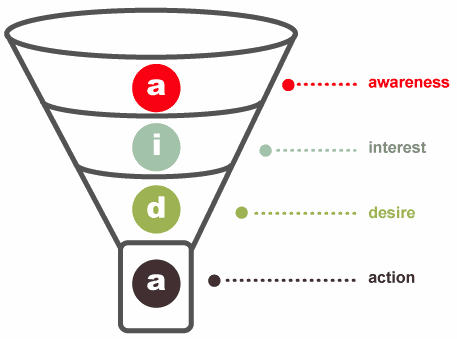
An acronym used in Sales that stands for Attention/Awareness, Interest, Desire, Action. They are the four steps of the now somewhat-outdated Purchase Funnel (although most agree the funnel is much more complex than what is represented in this traditional model), wherein customers travel from awareness to purchase.
ARR
Annual Recurring Revenue. For recurring revenue companies, ARR provides a high-level look at how recurring revenue or subscription business is growing over time. It’s a good metric for models that have longer term subscription durations. It’s also great for long-term planning. See also MRR.
B2B
Business 2 Business. B2B is a term that describes the transactional relationship between provider and client where the provider is a business and the client is another business. e.g. “Our B2B marketing strategy targets organizations in the manufacturing niche.” See also: B2C.
B2C
Business 2 Consumer. B2C is a term describes the transactional relationship between provider and client where the provider is a business and the client is an individual consumer. e.g. “Our B2C marketing strategy targets new moms.” See also: B2B.
Benefit
The value of a product or service that a consumer of that product or service experiences. Benefits are distinct from features, and sales reps should sell based on benefits that are supported by features.
Bad Leads
Leads that are unlikely to become paying customers — and a sales rep’s worst nightmare, because they are a waste of time. A tough challenge for most marketers is how you separate good, high-quality leads from the people who are just poking around your site. Learn more about lead scoring here.
BANT
An acronym used in sales for lead qualification that stands for Budget, Authority, Need, Timeline. It’s a famous tool for sales reps and sales leaders to help them determine whether their prospects have the budget, authority, need, and right timeline to buy what they sell.
- B = Budget: Determines whether your prospect has a budget for what you’re selling.
- A = Authority: Determines whether your prospect has the authority to make a purchasing decision.
- N = Need: Determines whether there’s a business need for what you’re selling.
- T = Timeline: Determines the time frame for implementation.
The BANT formula was originally developed by IBM several decades ago. We don’t think BANT is good enough anymore, though: Learn more here about the better qualifying formula, GPCTBA/C&I.
Bluebird Sales
A “bluebird” is a sale that came seemingly from nowhere or with unexpected ease. A sales rep might say, “Fortunately, a bluebird flew right in at the end of the quarter, helping me reach my goal.”
One thing to keep in mind with inbound sales is that many of these sales may not be true bluebirds since your inbound engine is actively building awareness and helping prospects along a buyer’s journey. With high-performance sales organizations, you’ll want to have some control over your pipeline forecasting and be able to look at lead attribution, so it’s best not to rely on bluebirds.
Bottom of the Funnel (BOFU)
A stage of the buying process leads reach when they’re just about to close into new customers. They’ve identified a problem, have shopped around for possible solutions, and are very close to buying.
Buyer Behavior
The ways a consumer identifies, considers, and chooses products and services. Buyer behavior is often influenced by the consumer’s needs, desires, aspirations, inhibitions, role, social and cultural environment.
Buyer Persona
A semi-fictional representation of your ideal customer based on market research and real data about your existing customers. While it helps inbound marketers like you define their target audience, it can also help sales reps qualify leads. Learn more about developing buyer personas here.
Buying Criteria
All the information a consumer needs to make a buying decision. It can be written or unwritten, and often answers questions like, “what is it?; “why should I buy it?”; “what is the price?”; “why do I need it?” and so on.
Buying Process/Cycle
The process potential buyers go through before deciding whether to make a purchase. Although it’s been broken it down into many sub-stages to align with different business models, it can universally be boiled down to these three lifecycle stages:
- Awareness: Leads have either become aware of your product or service, or they have become aware that they have a need that must be fulfilled.
- Evaluation: Leads are aware that your product or service could fulfill their need, and they are trying to determine whether you are the best fit.
- Purchase: Leads are ready to make a purchase.
Buying Signal
A communication from a prospect indicating they are ready to make a purchase, either verbal or non-verbal. An example would be them asking the sales rep, “When can it be delivered?”
Churn Rate
A metric that measures how many customers you retain and at what value. To calculate churn rate, take the number of customers you lost during a certain time frame, and divide that by the total number of customers you had at the very beginning of that time frame. (Don’t include any new sales from that time frame.)
For example, if a company had 500 customers at the beginning of October and only 450 customers at the end of October (discounting any customers that were closed in October), their customer churn rate would be: (500-450)/500 = 50/500 = 10%.
Churn rate is a significant metric primarily for recurring revenue companies. Regardless of your monthly revenue, if your average customer does not stick around long enough for you to at least break even on your customer acquisition costs, you’re in trouble.
Closed Opportunities
An umbrella term that includes both closed-won and closed-lost opportunities, although some people use it to mean only closed-won opportunities.
Closed-Won
When a sales rep closes a deal in which the buyer purchases the product or service.
Closed-Lost
When a sales rep closes a deal in which the buyer does not purchase the product or service.
Closing Ratio
The percentage of prospects that a sales rep successfully close-wins. This ratio is usually used to assess individual sales reps on their short-term performance, but it can also be used to evaluate profits, forecast sales, and so on. Improving a closing ratio usually requires efforts to bring better-qualified leads into the funnel.
Cold Calling
Making unsolicited calls in an attempt to sell products or services. It’s also a very inefficient way to find potential customers.
Commission
The payment a sales rep gets when they successfully sell something; usually a percentage of sales revenue. If you want more info on sales compensation, check out this article.
Consumer
A person who uses a product or service. They may not be the actual buyer of that product; for example, if I buy my brother a pair of basketball shoes, then my brother is the consumer of those shoes, not me.
Conversion Path
The “events” on a company’s website that help companies capture leads. In its most basic form, it’ll consist of a call-to-action (typically a button that describes an offer) that leads to a landing page with a lead capture form, which redirects to a thank-you page where a content offer resides. In exchange for his or her contact information, a website visitor obtains a content offer to better help them through the buying process.
Conversion Rate
The percentage of people who completed a desired action on a single web page, such as filling out a form. Pages with high conversion rates are performing well, while pages with low conversion rates are performing poorly.
Cross-Selling
When a sales rep has more than one type of product to offer consumers that could be beneficial, and s/he successfully sells a consumer more than one item either at the time of purchase or later on. An example is when Apple sells you an iPhone and then successfully sells you an Apple iPhone case or a pair of Apple headphones. In this case, a sales rep identifies a need the customer has, and fulfills that need by recommending an additional product. (Cross-selling differs from up-selling; see up-selling.)
Customer Acquisition Cost (CAC)
This is your total Sales and Marketing cost. To calculate, follow these steps for a given time period (month, quarter, or year):
- Add up program or advertising spend + salaries + commissions + bonuses + overhead.
- Divide by the number of new customers in that time period.
For example, if you spend $500,000 on Sales and Marketing in a given month and added 50 customers that same month, then your CAC was $10,000 that month. (Learn more here.)
Customer Relationship Management (CRM)
Software that let companies keep track of everything they do with their existing and potential customers. At the simplest level, CRM software lets you keep track of all the contact information for these customers. But CRM systems can do lots of other things, too, like track email, phone calls, faxes, and deals; send personalized emails; schedule appointments; and log every instance of customer service and support. Some systems also incorporate feeds from social media such as Facebook, Twitter, LinkedIn, and others. The goal is to create a system in which sales reps have a lot of information at their fingertips and can quickly pull up everything about a prospect or existing customer.
Data Entry/Processing
The process of obtaining, recording, and maintaining information you can retrieve and use later. In Sales, this usually mean inputting potential buyers’ information into a Customer Relationship Management (CRM) tool to track activity, correspondence, and progress on open opportunities.
Decision-Maker
The person who, or role that, makes the final decision of a sale. They are often “guarded” by a gatekeeper.
Discovery Call
The first call a sales rep makes to a prospect, with the goal of asking them questions and qualifying them for the next step.
Feature
A function of a product that can solve for a potential buyer’s need or pain point; usually a distinguishing characteristic that helps boost appeal.
Flywheel
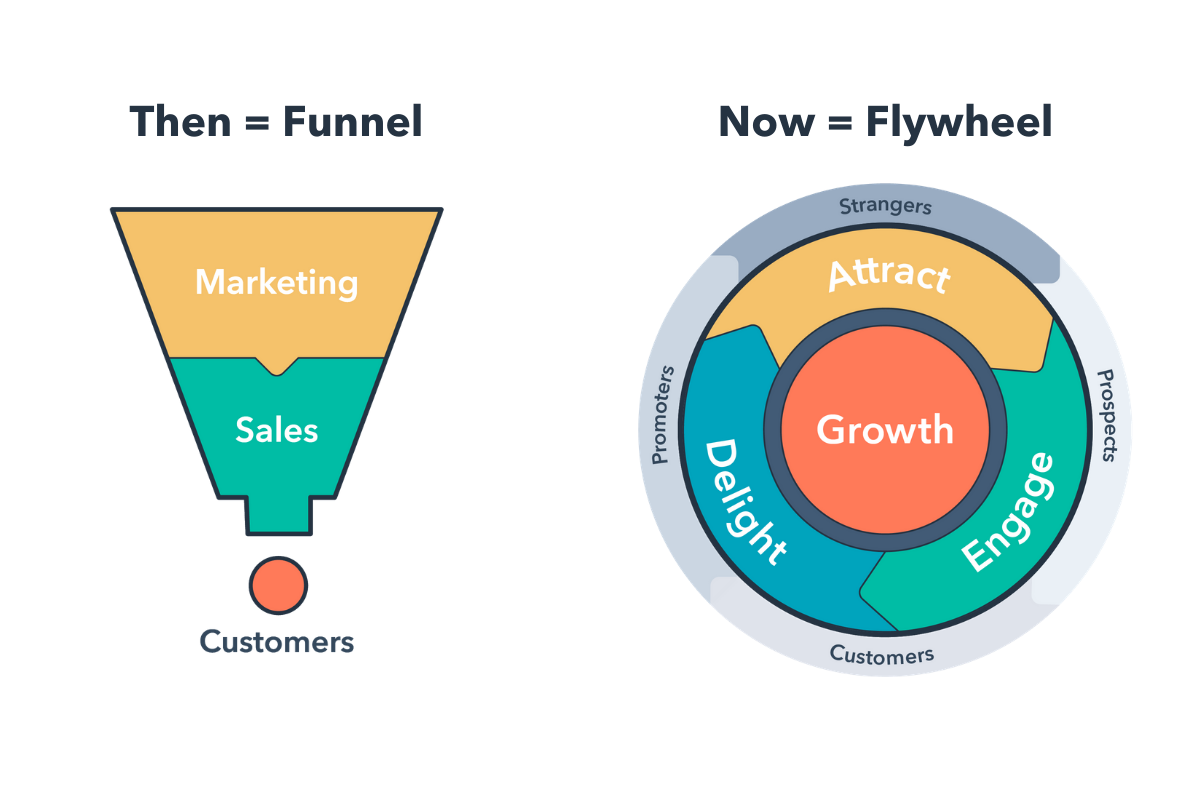
The flywheel is a new way of conceptualizing the sales process, replacing the funnel where customers are thought of as an output. The flywheel demonstrates that awareness, engagement, and delight can happen at any point during the customer journey and that the best way to achieve growth is to apply force and remove friction in each stage.
Forecasting
Estimating future sales performance for a forecast period based on historical data. Forecasted performance can vary widely from actual sales results, but helps sales reps plan their upcoming days, weeks, and months, and helps high-level employees set standards for expenses, profit, and growth. Learn more about sales forecasting here.
Gatekeeper
A person who, or role that, enables or prevents information from getting to another person(s) in a company. For example, a receptionist or personal assistant.
GPCTBA/C&I
Goals, Plans, Challenges, Timeline, Budget, Authority, Negative Consequences, Positive Implications. The lead qualification criteria sales reps should use to qualify prospects — it’s a better tool than BANT to help sales reps and sales leaders to determine whether their prospects have the goals, plans, challenges, and right timeline to buy what they sell.
- G = Goals: Determines the quantifiable goals your prospect wants or needs to hit. An opportunity for sales reps to establish themselves as an advisor by beginning to help prospects reset or quantify their goals.
- P = Plans: Determines the prospect’s current plans that they’ll implement in order to achieve those goals.
- C = Challenges: Determines whether the sales rep can help a prospect overcome their and their company’s challenges; ones they’re dealing with and ones they (or the sales rep) anticipate.
- T = Timeline: Determines the time frame for implementation of their goals and plans, and when they need to eliminate their challenges.
- B = Budget: Determines how much money a prospect has to spend.
- A = Authority: Determines who in the organization will help champion and/or decide to make a purchase.
- C = Negative Consequences: Discusses the negative things that’ll happen if a prospect doesn’t meet their goal.
- I = Positive Implications: Discusses the positive outcomes that’ll happen if a prospect meets their goal.
Read about GPCT in more detail here.
Lead
A person or company who’s shown interest in a product or service in some way, shape, or form. Perhaps they filled out a form, subscribed to a blog, or shared their contact information in exchange for a coupon.
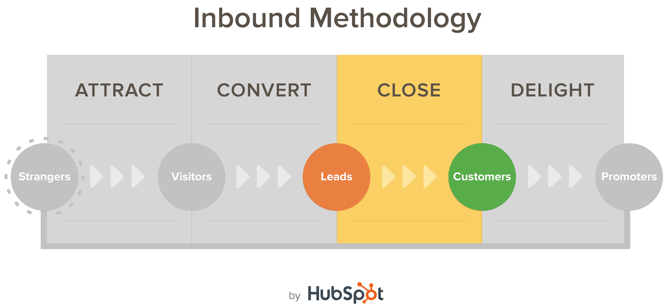
Generating leads is a critical part of a prospect’s journey to becoming a customer, and it falls in between the second and third stages of the larger inbound marketing methodology, which you can see below.
Landing pages, forms, offers, and calls-to-action are just a few tools to help companies generate leads. Learn more about lead generation here.
Lead Qualification
The process of determining whether a potential buyer has certain characteristics that qualify him or her as a lead. These characteristics could be budget, authority, timeline, and so on. Popular lead qualification criteria acronyms are GPCTBA/C&I and BANT.
Lifetime Value (LTV)
A prediction of the net profit attributed to the entire future relationship with a customer. To calculate LTV, follow these steps for a given time period:
- Take the revenue the customer paid you in that time period.
- Subtract from that number the gross margin.
- Divide by the estimated churn rate (aka cancellation rate) for that customer.
For example, if a customer pays you $100,000 per year where your gross margin on the revenue is 70%, and that customer type is predicted to cancel at 16% per year, then the customer’s LTV is $437,500. (Learn more here.)
Loss Leader
Used in retail to refer to a product sold at a low price (either at break-even or at a loss) for the purpose of attracting customers into the store. The goal is for customers who go into the store to buy other items that are priced to make a profit.
LTV:CAC
The ratio of lifetime value to customer acquisition cost. Once you have the LTV and the CAC, compute the ratio of the two. If it costs you $100,000 to acquire a customer with an LTV of $437,500, then your LTV:CAC is 4.4 to 1.
Margin
The difference between a product or service’s selling price and the cost of production.
Mark-Up
The amount added to the cost price of goods to cover overhead and profit.
Middle of the Funnel (MOFU)
The stage that a lead enters after identifying a problem. Now they’re looking to conduct further research to find a solution to the problem. Typical middle of the funnel offers include case studies, product brochures, or anything that brings your business into the equation as a solution to the problem the lead is looking to solve.
MRR
Monthly Recurring Revenue. For recurring revenue companies, MRR provides a month-to-month look at how recurring revenue or subscription business is growing. Includes MRR gained by new accounts (net new), MRR gained from up-sells (net positive), MRR lost from down-sells (net negative), and MRR lost from cancellations (net loss). MRR may not be ideal for longer term subscription models since there will be natural fluctuation over shorter time periods, but it can be a better metric for recurring revenue companies that aren’t ideal for long-term subscriptions. It’s also great for short-term planning. See also: ARR.
Net Promoter Score (NPS)
A customer satisfaction metric that measures, on a scale of 0-10, the degree to which people would recommend your company to others. The NPS is derived from a simple survey designed to help you determine how loyal your customers are to your business. To calculate NPS, subtract the percentage of customers who would not recommend you (detractors, or 0-6) from the percent of customers who would (promoters, or 9-10).
Regularly determining your company’s NPS allows you to identify ways to improve your products and services so you can increase the loyalty of your customers. Learn more about how to use NPS surveys for marketing here.
Objection
A prospect’s challenge to or rejection of a product or service’s benefits, and a natural part of the sales process. Common objections often have to do with budget, authority, need, and timing (see BANT). How sales reps handle objections plays a big role in determining whether a prospect will buy. Learn how to tackle common B2B sales objections here.
Opportunity
Though every company has different processes for defining what criteria make someone an opportunity, it’s basically when a qualified lead is being worked by Sales. See Qualified Lead for more information.
Pain Point
A prospect’s pain point, or need, is the most important thing for a sales rep to identify in the selling process. Without knowing a prospect’s pain points, they can’t possibly offer benefits to help resolve those pain points.
Performance Plan
Also “Performance Improvement Plan” or “PIP.” A sales rep is put on a performance plan if s/he doesn’t make a certain percentage of quota over a certain period of time. Performance plans vary from company to company, but it usually starts with a written warning and further disciplinary action, including termination if necessary. The purpose of performance plans is to set clear and specific performance goals, provide a means for feedback, and develop sales skills.
Pipeline
The step-by-step process sales reps go through to convert a prospect into a customer. The sales pipeline is often divided into stages for each step in the sales process, and the sales rep is responsible for moving opportunities through the stages. It can also refer to a visual representation of the sales process, where every open opportunity is arranged based on the sales stage they’re in.
Positioning Statement
Statements and questions that sales reps use when opening a sales call to engage the prospect in conversation around their pain points. Many sales reps are trained to start off every sales call with these statements. Here’s an example of positioning statements on a sales call from Advanced Marketing Concepts:
- Sales Rep: I help marketing leaders who are frustrated with the inability of the sales team to differentiate their products in a crowded market.
- Buyer: Yes, that’s always been a problem. (If you’ve done your job well and targeted the buyer effectively with that first positioning statement, then you’ll get an engaging signal like this one.)
- Sales Rep: I talk to a lot of marketing leaders, and lately I’m hearing the two biggest problems are weak sales pipeline and an inability to differentiate from competitors. Do these problems sound familiar?
Learn more about positioning statements here.
Profit Margin
A ratio of profitability that measures how much money a company actually keeps in earnings. It’s calculated either as a) net income divided by revenues, or b) net profits divided by sales.
Prospecting
The process of searching for and finding potential buyers. Sales reps (or “prospectors”) seek out qualified prospects and move them through the sales cycle.
Qualified Lead
A contact that opted in to receive communication from your company, became educated about your product or service, and is interested in learning more. Marketing and Sales often have two different versions of qualified leads (MQLs for Marketing, and SQLs for Sales), so be sure to have conversations with your sales team to set expectations for the types of leads you plan to hand over.
Quota
A sales goal; a set amount of selling a sales rep is expect to meet over a given time frame, usually a month and/or quarter. It’s very, very common for sales reps to have quotas, also the form they take can vary from company to company and from role to role.
Sales Methodology
“The ‘how’ of selling as a skill set,” according to John Kenney of Sales Benchmark Index. There are many sales methodologies out there, a few of which are particularly popular, and sales leaders often choose one and use it to teach and motivate his or her team. Popular sales methodologies include SPIN selling, Conceptual Selling, SNAP Selling, The Challenger Sale, Sandler Sales, and CustomerCentric Selling. Read more about these sales methodologies here.
Service Level Agreement (SLA)
For salespeople, an SLA is an agreement between a company’s sales and marketing teams that defines the expectations Sales has for Marketing and vice versa. The Sales SLA defines the expectations Marketing has for Sales on how deeply and frequently Sales will pursue each qualified lead, while the Marketing SLA defines expectations Sales has for Marketing with regards to lead quantity and lead quality.
SLAs exist to align Sales and Marketing. For companies to achieve growth and become leaders in their industries, it is critical that these two groups be properly integrated. Learn how to create an SLA here.
Smarketing
Used to refer to the practice of aligning Sales and Marketing efforts. In a perfect world, marketing would pass off tons of fully qualified leads to the sales team, who would then subsequently work every one of those leads enough times to close them 100% of the time. But since this isn’t always how the cookie crumbles, it’s important for Marketing and Sales to align efforts to impact the bottom line the best they can through coordinated communication.
Social Selling
When sales reps use social media to interact directly with their prospects. They provide value by answering prospects’ questions and offering thoughtful content until the prospect is ready to buy.
Sound Bite
A series of words or phrases sales reps use to respond to and overcome a customer objection.
Stage
Parts of the sales pipeline representing each step in the sales process. It’s the sales rep’s responsibility for moving opportunities from stage to stage. Different companies define their sales stages differently, but each one has behind it a set of requirements that need to be completed in order for an opportunity to move from one stage to the next. Names for sales stages are usually things like “Prospect,” “Qualified Lead,” “Demo,” “Proposal,” “Closed.”
Top of the Funnel (TOFU)
The very first stage of the buying process. Leads at this stage are identifying a problem they have and are looking for more information. At this point, marketers create helpful content that aids leads in identifying this problem and providing next steps toward a solution.
Up-Selling
When a sales rep sells an existing customer a higher-end version of the product that customer originally bought. For example, if you bought a cell phone plan and a sales rep successfully persuaded you to upgrade to a plan with more minutes or data, then that’s an up-sell.
Value Proposition
“Value prop” for short. A benefit of a product or company intended to make it more attractive to potential buyers and differentiates it from competitors.
Weighted Pipeline
A more detailed version of a sales pipeline, in which each opportunity is given a specific value based on which stage they’re in in the sales process. For example, potential buyers in the prospecting stage could be assigned a 10% chance of closing the deal, demo stage buyers 60%, closed-won 100%, and so on. A sales rep could say that, instead of having 10 prospects in her pipeline, she has 10 opportunities at 50% or greater likelihood of closing with a weighted pipeline value of $50,000.
As you get familiar with the common sales terms and how to apply them to your business, you’ll better be able to manage your organization’s sales strategy (or create one).
Editor’s note: This post was originally published in November 2014 and has been updated for comprehensiveness.

How to Add a Link to Your Instagram Bio
Every social network makes it clear how to put a link in your bio on their platform — except Instagram.
Twitter lets you tag other handles in your bio. LinkedIn gives you the ability to link yourself to your employer’s official page. Facebook allows you to tag a number of different businesses, interest pages, and people in your “About” section, so you can let friends know who you work for, what brands you like, your alma mater, your relationship status, and so on.
What about Instagram?
Until recently, Instagram didn’t give you a ton of space to brand your profile with hashtags and profile handles — you could only link to their respective pages in photo captions. Websites were the only types of links you could put in your bio (hence the common phrase “link in bio”).
“Link in bio” is essentially a call to action, promoting more information available outside of Instagram’s parameters.
But Instagram recently gifted us two new features: linkable profiles and hashtags, right in your bio. You can now add them alongside the link to your website.
How to Add a Link to Your Instagram Bio
- Open your Instagram mobile app.
- Visit your profile by tapping the person icon on the bottom right.
- Tap “Edit Profile” at the top of the screen.
- Write a custom description in 150 characters or less.
- Add a brief link to your website in the form of yourdomain.com.
- Add links to other profiles by tapping “@” followed by the profile’s handle.
- Add hashtags by tapping “#” followed by the hashtag you associate with.
- Tap “Done” to save your bio.
Note: The instructions above apply to the latest version of Instagram — 37.0 on iOS. You can also edit your bio on Instagram’s website by navigating to your profile and clicking “Edit Profile” next to your name.
On the screen to the left, below, you can see how Instagram suggests popular hashtags as you edit the bio text field, just like it would when you add a hashtag to a picture’s caption. On the screen to the right, you’ll see the profile of a person who uses hashtags, profile links, and websites in her bio.
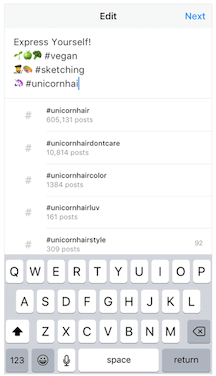
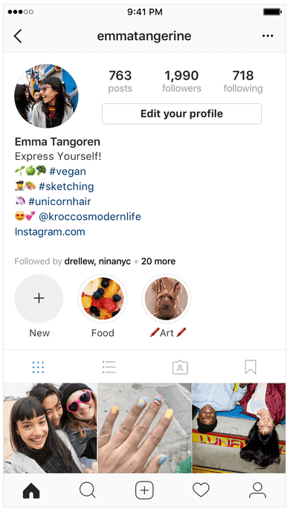
Images via Newsweek
Things have changed at Instagram as of late, and you now have options to link to other pages you identify with right beneath your Instagram profile picture. But keep in mind that users who don’t want their profile tagged in others’ bios can opt to untag themselves.
It’s best to reserve this space for the accounts you know would agree with the association you’re making.
Editor’s note: This post was originally published in March 2018 and has been updated for comprehensiveness.

15 Key Performance Indicators to Help Improve Your Marketing
When I was cooking steak the other day, I had to use a meat thermometer to check and see if the meat was cooked all the way through.
In other words, I had to look for an indicator to see how the cooking process was coming along.
Marketing is fairly similar.
As a marketer, instead of a meat thermometer, you’re going to use key performance indicators (KPI) to measure success.
Below, let’s learn more about KPIs and review some examples of marketing KPIs that can help you improve your marketing.
Essentially, KPIs are measurable metrics that gauge overall performance over time. A great way to analyze and report on your KPIs is to create custom dashboards in your automation software.
So, now that we understand what a KPI is, let’s look at some examples.
For today’s purposes, we’ll focus on marketing KPIs, but to learn more about sales metrics, check out our ultimate guide.
1. Customer Acquisition Cost (CAC)
Customer acquisition cost (CAC) measures the amount of money it takes to convert a potential lead into a customer.
This metric can be used to improve your marketing because it helps you make important budgetary decisions.
For example, you don’t want to spend too much money acquiring a customer if it won’t result in a profit. Basically, this helps businesses decide how much money to spend on attracting customers.
2. Lifetime Value of a Customer (LTV)
Another metric that can help determine how much money to spend on marketing is the lifetime value of a customer. This metric indicates the total amount of revenue a business can expect to make from a single customer.
This is a useful metric to compare to CAC. For example, if your CAC is higher than your LTV, then you’re probably spending too much money acquiring your customers.
3. Return on Investment (ROI)
Return on investment in marketing refers to the amount of money you gain compared to the marketing cost.
To calculate this, you’ll subtract marketing expenses from sales growth and then divide that by marketing cost to get the return on your investment.
In marketing, keep in mind that it can be hard to directly attribute sales growth to a marketing campaign. If that’s the case, you can subtract your average organic sales growth and marketing cost from your sales growth and then divide it by your marketing cost.
4. Return on Ad Spend (ROAS)
Return on ad spend is a more specific KPI that you can use to determine the success of your ad campaigns.
This metric measures the revenue that’s generated compared to every dollar you spend on an advertising campaign. It’s usually a ratio.
For example, let’s say you made $10 for every $1 spent on an advertising campaign. That means your ROAS for that campaign is 10:1.
5. Marketing Qualified Leads (MQL)
An MQL is a lead that has engaged with your company and could become a more serious prospect if you nurture that relationship.
This is a great KPI to measure because it helps your marketing team understand how many leads they’re bringing in.
Additionally, when compared to sales qualified leads (see below), your marketing team can measure how many MQLs become SQLs and then customers.
6. Sales Qualified Leads (SQL)
If an MQL is nurtured correctly, then eventually they become a sales qualified lead. An SQL is a prospective customer that’s ready to talk to someone on your sales team.
Usually, these leads have been researched and vetted by your marketing department.
Again, this KPI is helpful because it can help your marketing team understand how many of their leads are talking to your sales team.
7. Follower Growth
As a marketer, one of your duties might be to manage social media accounts for your company. If you work on the social team, a helpful KPI to track is follower growth.
Most likely one of the goals of your social media team is to increase brand awareness and interact with your audience. Increasing your followers is a great way to measure success for those goals.
To grow your follower base, you might consider running sponsored campaigns. One brand added 36X its typical number of followers each day during the 4 days it ran a set of sponsored posts on Instagram, increasing its follower count by 18.15%.
8. Conversion Rate
Conversion rate is the percentage of visitors who complete a desired action. The desired action could be anything from completing an online form to signing up for a service or purchasing a product.
This is a helpful KPI to track because it can let you know how successful you are at attracting leads.
For example, if the desired action was filling out a web form, measuring your conversion rate could let you know that your web page isn’t converting many leads. If that’s the case, then you could start to rethink your strategy.
9. Website Visitors
As a marketer, attracting people to your company is the main goal. A great way to do that is to attract website visitors.
Website visitors is an important KPI because it could track the success of several campaigns.
For instance, if you’re tracking organic web traffic, then you’ll be measuring the effectiveness of your SEO team.
On the other hand, if you’re tracking web visitors from social media, then you could use web visitors to see how many referrals your social team sends to your site.
10. Social Media Engagement
Not to reiterate, but a major role in marketing is social media. One of the main KPIs for social media is engagement.
You could track likes, shares, comments, messages, tags, or mentions. Any way that a customer or lead is interacting with you, you can count as engagement.
Measuring engagement can help you analyze the success of your social media posts.
11. Referral Traffic
Referral traffic is a KPI that can help you understand where your web visitors are coming from.
This is a great KPI to track because it helps you understand how most people find your company. This could be useful information when building your overall marketing strategy.
12. Net Promoter Score (NPS)
Net Promoter Score is a way to measure customer satisfaction. This KPI measures how likely your customers are to recommend your business to a friend.
When you calculate your NPS, you’ll most likely leave additional space for comments. This metric can give you direct, actionable feedback and insights from your customers.
As a marketer, it’s important to listen to your customers and truly understand them. This KPI will help you do that.
13. Organic Traffic
It’s important to measure the success of your SEO efforts. To do that, you’ll likely track the KPI of organic traffic and keyword performance.
With an SEO tool, you can see how well your company is ranking on search engines for certain keywords.
This KPI will inform your overall organic and SEO strategy.
14. Event Attendance
As a marketer, you’ll have KPIs for every campaign you’re operating.
If you’re running an event, for example, then you’ll most likely track event attendance. This KPI will let you know how well your marketing team did at attracting people to your event.
15. Customer Retention
While you might think customer retention isn’t a marketing KPI, it actually is important to consider.
Customer retention is a great KPI to track for marketers because you can use the information in your messaging for your marketing campaigns.
Additionally, this metric helps you better understand your customers, so you can market to them better.
Ultimately, KPIs are important because they’re how you measure success as a marketer. You’ll use KPIs in almost every situation because you’re going to need to track success for short and long term campaigns.

The Best Time to Send an Email (Research-Backed)
Here’s a little exercise for you: Check the timestamps on the emails you’ve gotten in the past day. What have you found? For me, I noticed that most of my emails, especially my subscription emails, were sent between 9-10 AM, or 5-6 PM.
This isn’t a coincidence, either.
While the answer to “What’s the perfect time to send an email to my customers?” isn’t an exact science, there are some key findings we’ve discovered through heavy research, and those times listed above are right in line with what we found. Keep reading to find out the best time to send an email, according to our findings.
Why Email Matters For Your Business
Automated email marketing provides a chance for you to improve sales conversions — maybe even by 14%. It’s a way to send customers unique offers — such as product sales or newsletters updates — with information your reader can’t get anywhere else.
Emails should be personalized with what your customers want to see, allowing you an instant way to communicate with them. Your emails should contain information your customers are interested in learning more about, such as discount offers, business updates, or product/service launches.
HubSpot‘s marketing email tool allows users to create and send automated emails for free. It also gives you the option to schedule your emails according to the preferences you’ve set. Then, your emails will then be sent to the list(s) of contacts you select.

When you reach this option in your automated email tool, you probably spend some time wondering when exactly your audience would like to receive your email, especially if it includes a limited-time offer. You want to make sure the highest number of customers possible are reading your emails.
How to Measure the Performance of Your Email Sends
If you’re wondering about the best time to send a marketing email, there’s something you should know first. There’s a lot of data out there on the subject that provide differing answers, and one reason is because it depends on your audience and, more importantly, how you’re measuring success.
For example, the best time for people opening your emails could differ from the best time for people to take action. Here is a breakdown of the most important email metrics:
Click-through rate
Click-through rate refers to the number of people who open a link or image in an email. This number will always be smaller than the total number of emails opened, since some people will open your email but then abandon it without engaging with it any further.
Click-to-open rate
When comparing the number of people that opened your email and the number that clicked on any links, that data is called click-to-open rate. This metric helps you identify which information in your emails is relevant to consumers. Finding CTOR is done by diving CTR by the open rate and multiplying it by 100%. For example, if your email receives 200 clicks and 120 opens, your click-to-open-rate is 60%.
Open rate
The open rate, then, is the percentage found from the number of subscribers who opened your email campaign. Emails that have great open rates have short, effective subject lines. Plus, they’re optimized for previews and preheader text.
Best Time to Send Emails
If you’re sending emails that include a sale or promotion, try sending them during the times your audience tends to take their lunch breaks simply because they may be more likely to check their emails at this time.
If you want something more specific when it comes to what time and day you should send an email, we found some researched-backed best practices.
The following numbers are from GetResponse, an email marketing software that combed its data to compile a report of email marketing benchmarks. They analyzed 4 billion emails from 1,000 active senders.

The highest line of the graph represents the open rate. The purple line (i.e., the one below it) represents the click-to-open rate. Below that, the dark blue line, represents the click-through rate. The almost transparent data counts the number of messages sent in percent value.
This gets into the best day to send through an email. CampaignMonitor collected data from millions of emails used on their service. They put together the best day as it pertains to data collection.

From this data, it looks like the best days for seeing a good blanket of success fall during the workweek. People are mostly opening and reading through emails in the middle of the week. It’s also good to keep in mind the lowest unsubscribe rate: during the beginning of the week.
Keeping your audience in mind is a good tip for figuring out the time to send your emails. If your buyer persona is a professional with a nine-to-five job, sending emails during their ideal downtimes are the best. For instance, HubSpot sends emails between 8-9:30 AM ET to match our audience’s daily routines.
Entrepreneur concurs with the above broad strokes recommendations but breaks it down further based on audience type:
The big take-away here is that you’ll want to segment your B2B audience down even further, perhaps by job function or seniority, to accommodate different behaviors and modes of working with your email sends. You may even find that other times work better for your list.
B2B is great and all, but does the time you send an email matter when marketing consumer and personal goods?
Again, keep in mind that studies differ, consumer behavior is always changing, and performance varies based on which metric you’re using as your ultimate goal. Continue experimenting and seeing what works best with your audience. One way to do this is by using an automation tool like Seventh Sense which will fine-tune your email sends using artificial intelligence.
Email marketing can be a tricky subject. There are so many industries taking advantage of it in their own way and making an impact. How do you measure up?
Your subscribers are already interested in your content. They appreciate what you are offering as a company, and as long as you’re sending them emails that relate to that, you have a good chance of obtaining great metrics.
Editor’s note: This post was originally published in November 2019 and has been updated for comprehensiveness.

23 of the Best Email Newsletter Templates and Resources to Download Right Now
If you had to guess, how many email newsletters do you think you’re subscribed to? Ten? Twenty? Fifty?
To be honest, I’ve lost count — and I know I’m not alone. Email marketers have a lot to compete with in their subscribers’ inboxes. That’s why a solid newsletter template is crucial to designing an email that people are encouraged to click through.
Best Email Newsletter Templates
- Pook by Litmus
- Sonata by Web Canopy Studio
- ZURB Ink
- Wire by HubSpot
- 99designs
- Webinar Invite by WorkCast
- ThemeForest
- Resonant by HubSpot
- Antwort
- Useful Notifications by TemplateMonster
- Sonata by HubSpot
- Themezy
- Email on Acid
- Ridge by HubSpot
- MailPortfolio by SliceJack
- Magazine Email by 24-7 inc.
- Material Design by Paul Goddard
- Briar by SliceJack
- EmailOctopus
- Root by HubSpot
- Postcards by Designmodo
- Feshto by Liramail
- HubSpot Template Marketplace
If done well, though, email newsletters can do wonders to help you build an engaged subscriber base, keep your business top-of-mind, and nurture leads that are already making their way down the funnel.
However, “done well” means more than just serving up great content. In fact, an often overlooked component of the newsletter creation process is the design.
Don’t have time to build out a custom template from scratch? We’ve scoured the internet for the best resources for email newsletter templates and compiled them below. Many of the templates have also been pre-tested for compatibility with major email service providers (ESPs) via Litmus — a web service that allows you to preview the way your email will look on different email clients and devices.
Once you find one you like, download the template and customize it to fit your needs.
1. Pook by Litmus
Price: Free
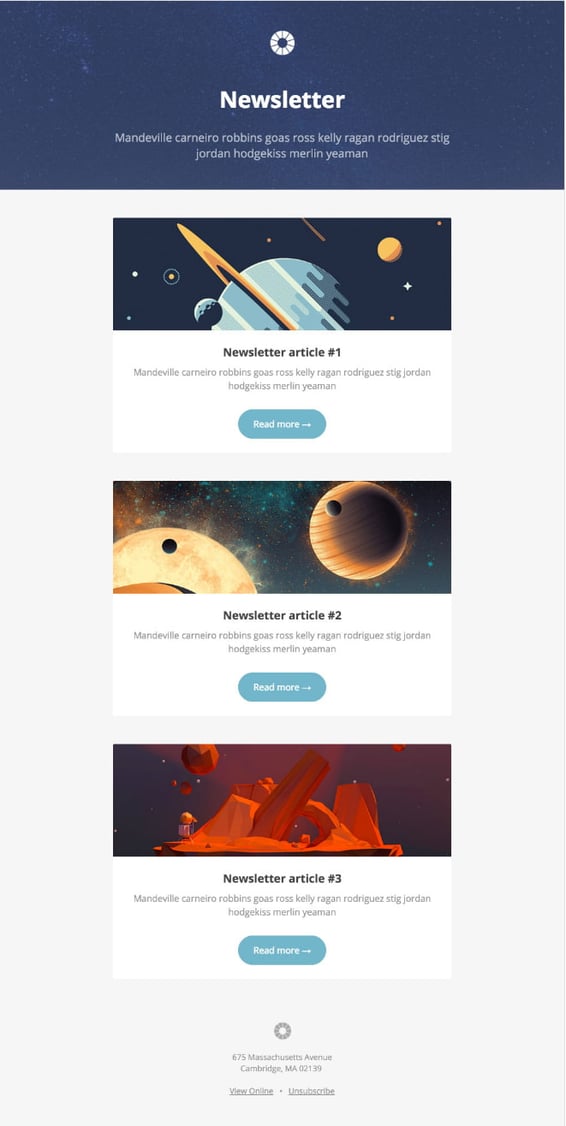
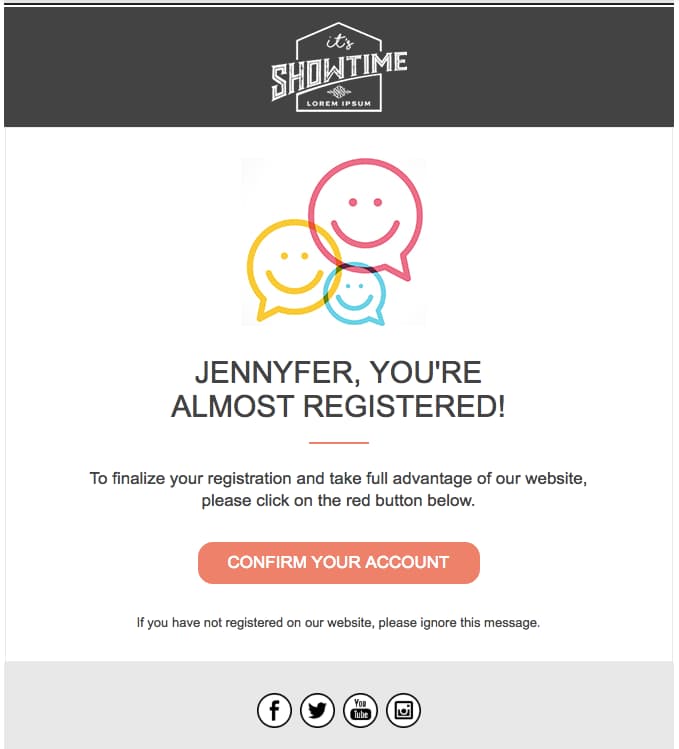
Litmus offers a free email template collection — from newsletter templates to account management templates. The marketing-specific theme, below — referred to as “Pook” — is modern and sleek, while still being kind of fun. All of the templates have been tested with Litmus, and you can easily check out how the email will appear in different email clients here.
While you are required to create a Litmus account with your email address to access the templates, the templates themselves are free of charge.
2. Sonata by Web Canopy Studio
Price: Free
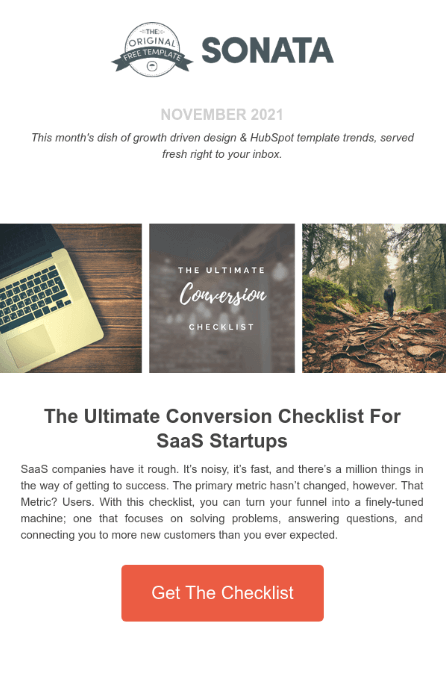
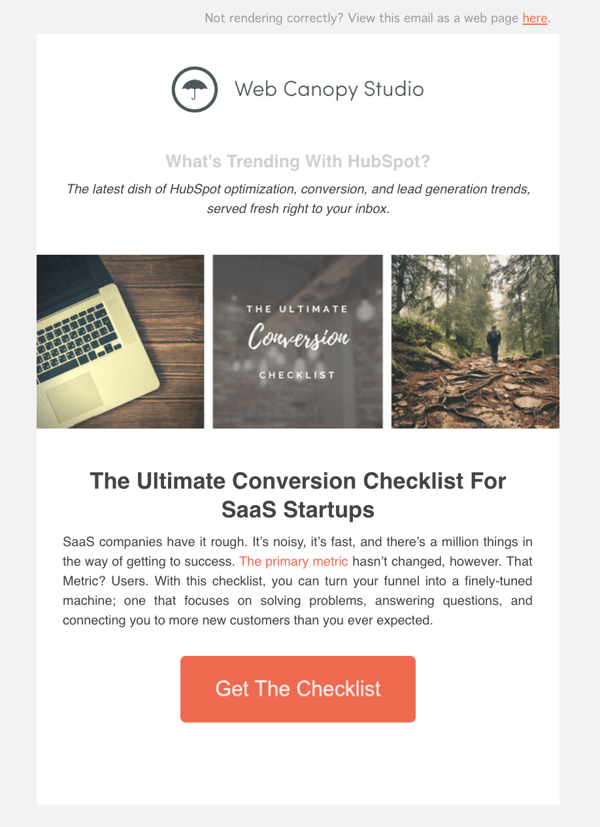
Sonata is an email template by Web Canopy Studio, available on the HubSpot platform to any HubSpot user, free or paid, looking to promote a special offer or resource to their loyal subscribers. As you can see, the newsletter template below embraces a clean aesthetic with image slots to capture the essence of your brand in three separate tiles.
You can customize almost any component of the template below, from the company logo at the top of the email to the “Get The Checklist” CTA at the bottom. Get this template from the HubSpot Template Marketplace, which includes a full gallery of similar templates linked at the end of this article.
3. ZURB Ink
Price: Free
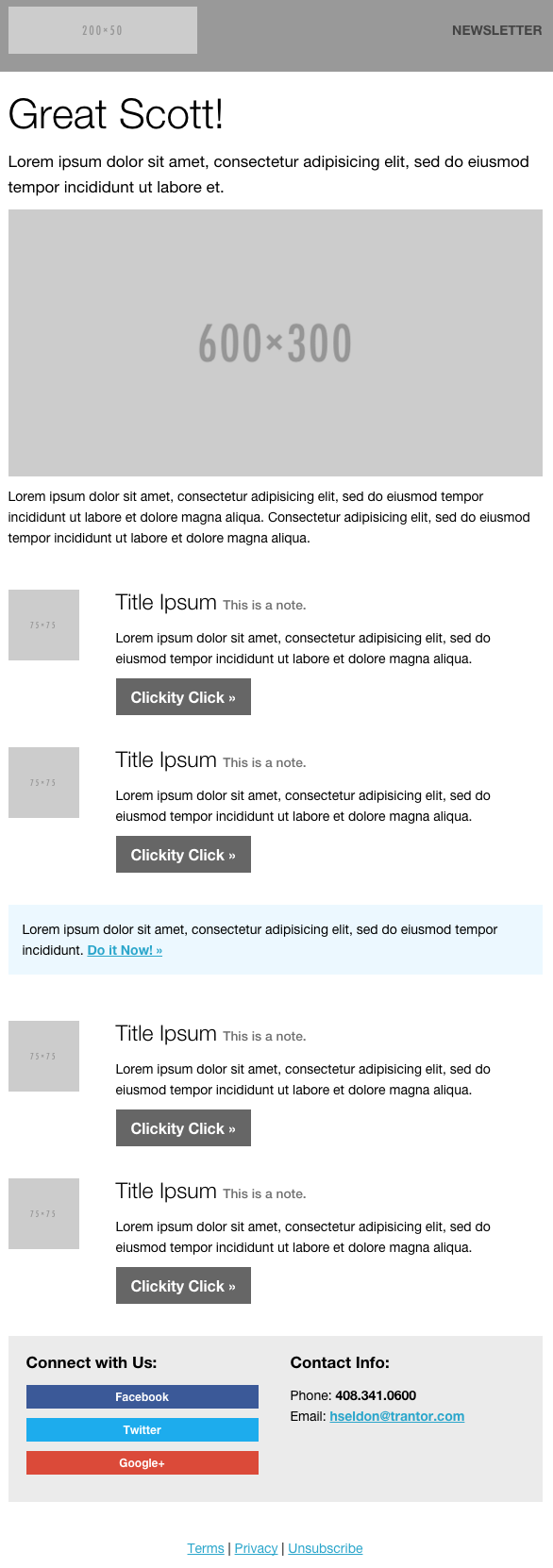
ZURB Studios has five responsive email templates available for free, including the newsletter one below. It has a great, fluid layout you can customize with your own colors, images, and wording. If you want to see how each template looks on different email clients, you can check out screenshots from each template’s email client tests, which are on available the site. These layouts are optimized for most email clients — except for Outlook 2007, 2010, and 2013.
The template comes with a separate CSS stylesheet and HTML file to ease the editing process, and most clients put the CSS inline with the HTML itself after both are uploaded separately. If you’re going to add images to your newsletter, keep in mind you’ll have to create a separate folder and compress with the CSS stylesheet when uploaded.
Pro tip: Once you’ve selected a template, use HubSpot’s free email marketing software to craft your message and send a newsletter out to the world!
4. Wire by HubSpot
Price: Free
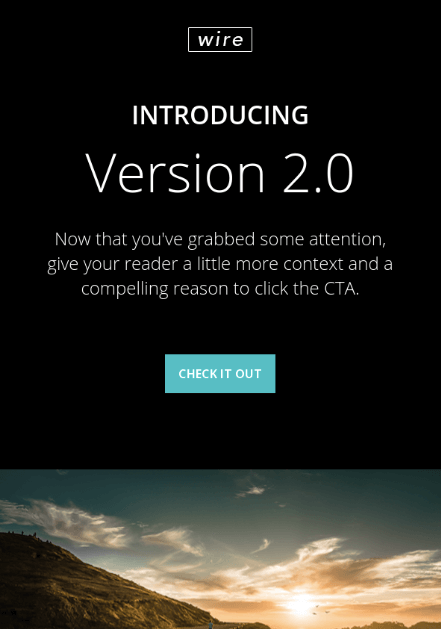
Wire is a HubSpot-designed newsletter template, catering to marketers who are rolling out a new product or service they want their prospects and customers to know about. The thin typeface and contrast between the dark background and vibrant product copy can add a sense of intensity to any new campaign.
5. 99designs
Price: Free
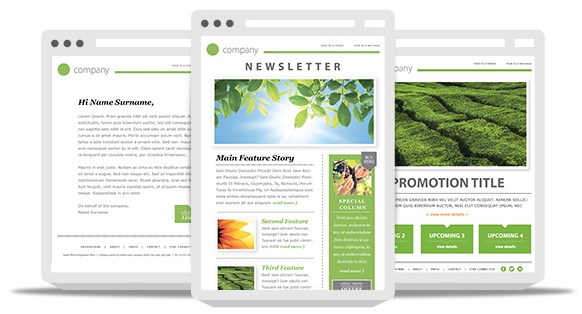
99designs is a growing online community and collaboration platform for designers and small businesses, and they have a great designer blog and business blog. As a free offering to their blog readers, they recently released a set of 45 free email templates — perfect for newsletters, promotional messages, and personalized responses. All of the templates are fully responsive and compatible with all major email clients.
6. Webinar Invite by WorkCast
Price: Free
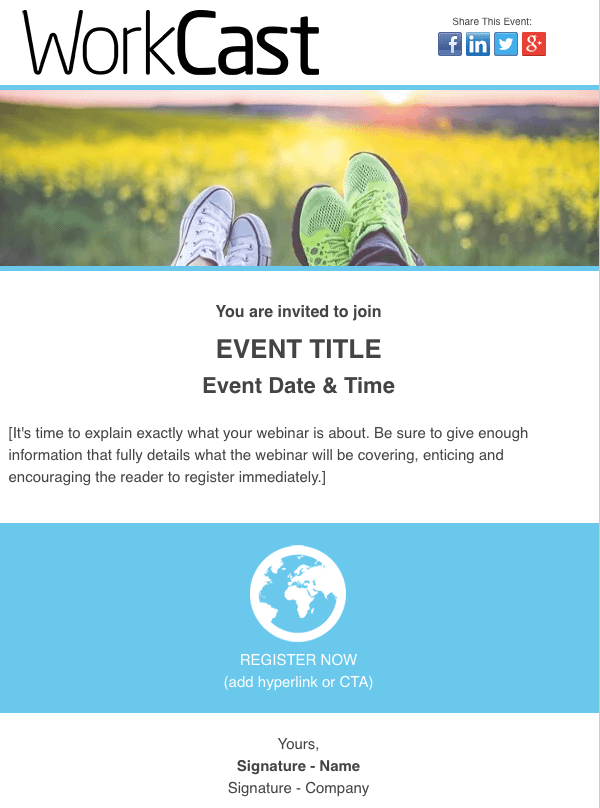
The email newsletter template below can promote anything from articles to new products, but it’s particularly useful for promoting a webinar you want people to register for.
Developed by WorkCast for the HubSpot platform, the template below offers a healthy balance of text and graphics so you can grab your recipients’ attention and give them the where and when of the webinar you think they’d be interested in attending.
7. ThemeForest
Price: $6-23/template
ThemeForest is an awesome resource for email templates if you have some budget to spend. Their library has over 460 newsletter templates in all different colors, styles, and themes. They’re rated using a four-star system, and you can filter by rating, price, recency, and popularity.
There are a lot to choose from, but here are four of our favorites:
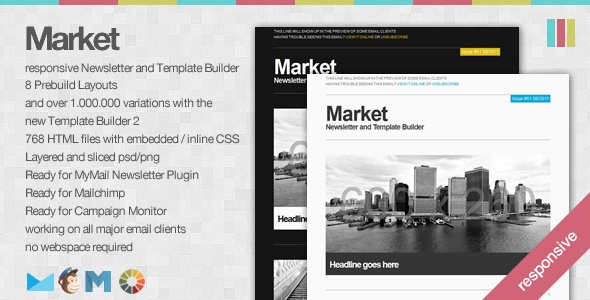
Market – Responsive Newsletter with Template Builder ($19)
This template has eight prebuilt layouts, 24 color variations, 24 full-layered PSD files, and more. Plus, it’s supported by all major email clients.
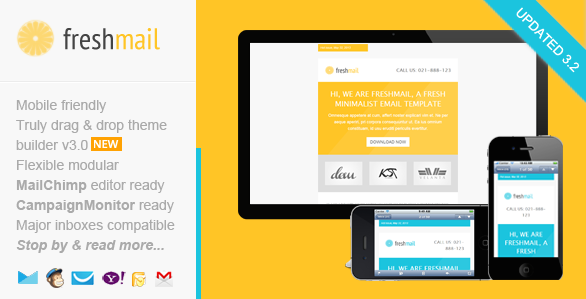
FreshMail, Responsive Email with Template Editor ($18)
Want a more minimalist look? This is a great template with minimalist design that’s also flexible and repeatable, so you can easily arrange the layout and use it to build your own unique template. Even better, it comes with helpful documentation and video tutorials to help you make the most of the design. It works for all major email clients and is responsive to mobile.
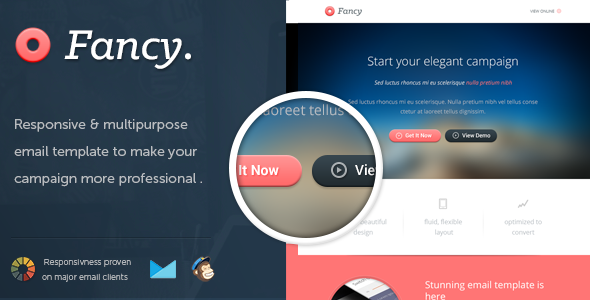
FancyMail – Responsive Email Template ($19)
If you’re looking for something more elegant and sophisticated, this might be the template for you. It comes in seven layout options and eight colors, along with six, fully-layered PSD files so you can customize as you wish. It works with all major email clients, is responsive to mobile devices, and includes helpful documentation so you can make the most of the template.
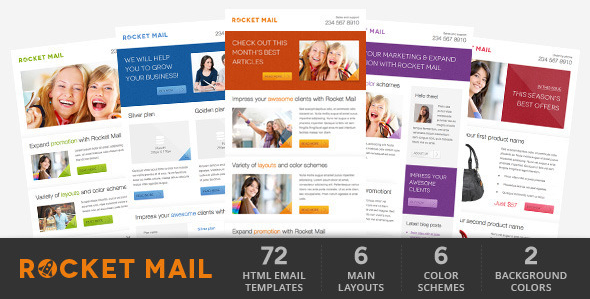
Rocket Mail – Clean & Modern Email Template ($16)
This template is great for marketers who are going for something that looks like your classic, basic newsletter design. It comes with 72 variations comprised of six color themes with six layouts each, and two backgrounds (light and dark) for each color. It has well commented HTML code to make it easier to follow along and customize. It works for all major email clients.
8. Resonant by HubSpot
Price: Free
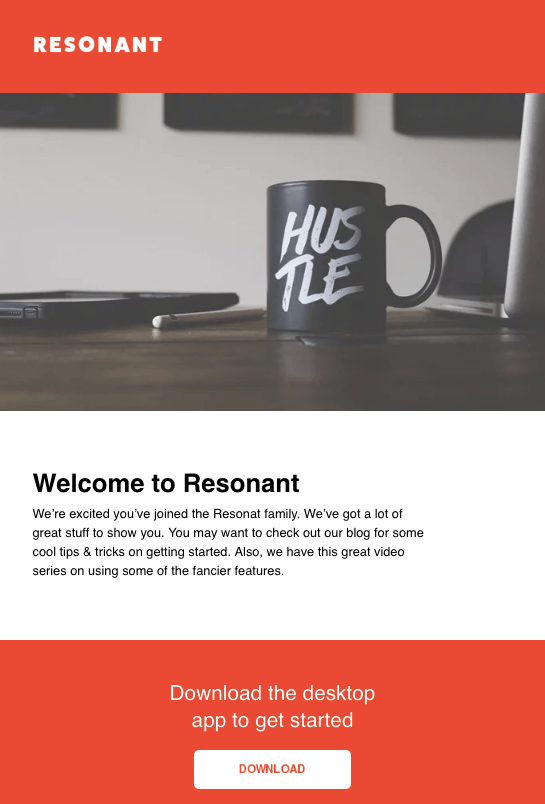
Resonant is another free email newsletter template by HubSpot. The template’s base design is perfect for welcoming new users to your service. At this stage in the customer journey, you don’t want to overwhelm your newest users with too much content right away — but you do want to give them a taste of who you are. The wide image space at the top and text blurb beneath it help you do just that.
Maybe you want to send this email to help new users complete their registration, or offer them the next tier of your product. The “Download” CTA at the bottom of the email template gives you a modest up-sell opportunity, which you can personalize with any links and copy you’d like.
9. Antwort
Price: Free
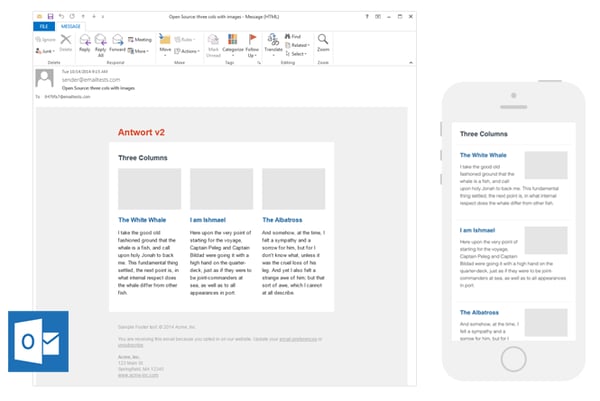
Antwort offers three newsletter templates: one single-column, one two-column, and one three-column. They’re all responsive to mobile devices, so columns on desktop automatically condense on mobile devices. You’ll notice they’re pretty minimalist in design, which helps if you want to do a lot of customization work. They were also designed with dynamic content in mind.
On desktop, they work for major email clients like Gmail, Yahoo!, Outlook, and AOL. On mobile, they work for Mail on iOS and Email on Android.
10. Useful Notifications by TemplateMonster
Price: $14
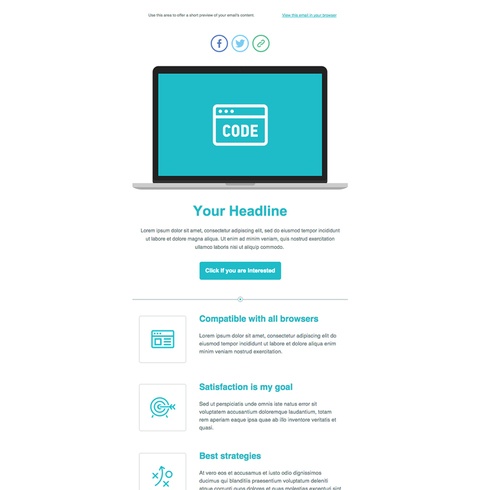
TemplateMonster offers a variety of email newsletter templates, such as the Useful Notifications newsletter template pictured below, all of which are available for relatively low prices. Their templates are clean, customizable, and easy-to-use, and they’re compatible with most major email clients, such as Gmail and Yahoo Mail. Additionally, the templates come with built-in responsive layouts for screen adaptability, such as on the mobile phone pictured below, and PSD sources for a litany of customization options.
11. Sonata by HubSpot
Price: Free
Need a quick, simple, and sleek marketing email to make an announcement while showing off a few great photos? Check out Sonata by HubSpot. This template, available in the HubSpot Marketplace, is web friendly and looks great to the mobile reader.
12. Themezy
Price: Free
Download sixteen free HTML, CSS, and PSD sources of customizable email templates on Themezy. You don’t have to submit an email address to get started, and there are various color schemes and layouts to meet your email list’s needs. Plus, they’re designed to be responsive across devices to ensure that your subscribers can read your newsletter.
13.<> Email on Acid
Price: Free
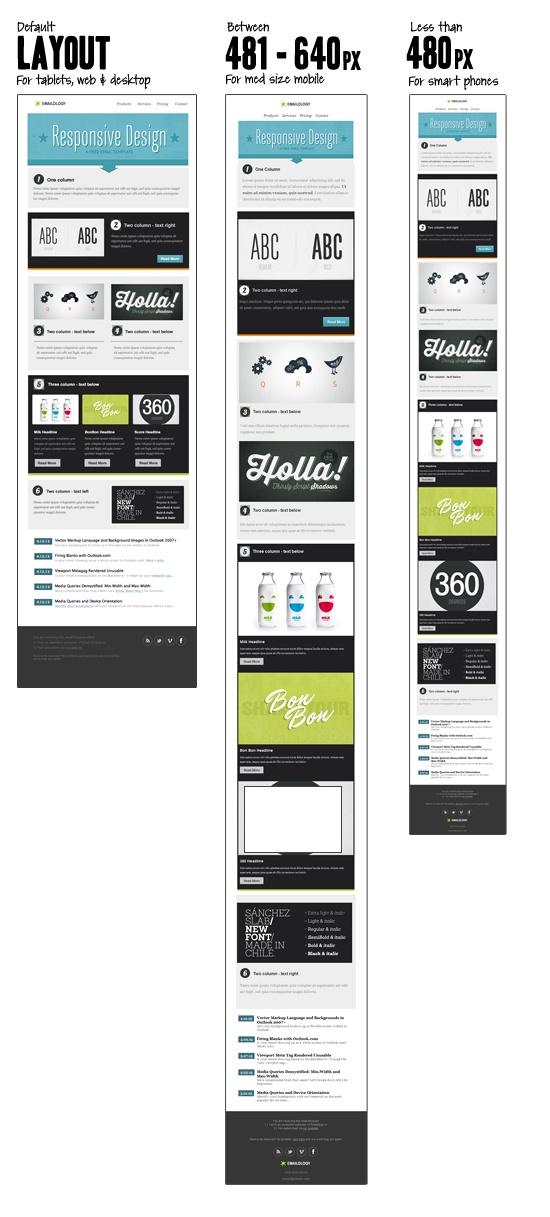
Email on Acid offers a free template with a basic, fluid design that’s also responsive to mobile devices. In other words, the three different “layouts” you see below trigger based on the width of the recipient’s screen.
Although there’s only one template here, you can actually mix and match each section of the layout to fit your specific design needs. The layout supports one, two, or three columns, and recipients on mobile devices will see the version that converts to a one-column layout for easy reading.
14. Ridge by HubSpot
Price: Free
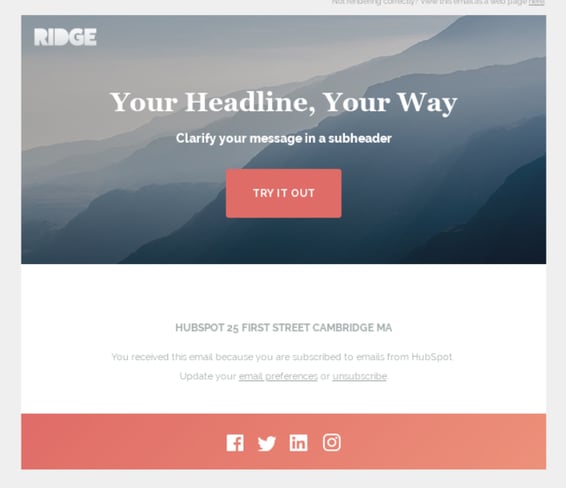
This one-column email format is both great for mobile readers and inserting colorful crisp visuals. It’s simplistic, so it could be used for multiple industries or purposes. While this preview displays a Thank You email, this type of format is great for a short and sweet announcement or an offer that deserves gorgeous imagery to go along with it. If you like the style but not the arrangement of images and text, you can also find more Ridge themes on the HubSpot Marketplace.
15. MailPortfolio by SliceJack
Price: Free
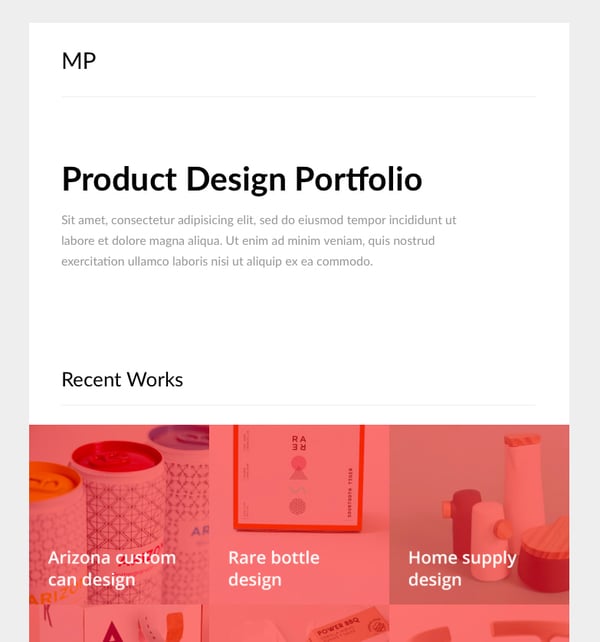
If your marketing strategy is heavily reliant on visuals, MailPortfolio is perfect for you. It’s a minimalist template with no added background distractions. While it was made for those looking to display personal creative portfolios, it’s also suitable for larger businesses and organizations.
The template has been tested with Litmus, is responsive, and works perfectly on all email clients. (Note: older versions of Outlook may not render all of the fonts and the Android Gmail app is not fully supported.)
16. Magazine Email by 24-7 inc.
Price: Free on HubSpot Marketplace
24-7 Inc’s magazine email pack is a digital version of a broadsheet, making it perfect for marketers looking to deliver magazine and newspaper-looking content to users without losing the traditional print look. There are nine different templates to choose from, differing in column number and image size.
The theme default is black text on a white background, making it easy for you to feature text and images with little competition. You can even use the hero image feature for content that is more visual-based.
The template is compatible with all major email clients.
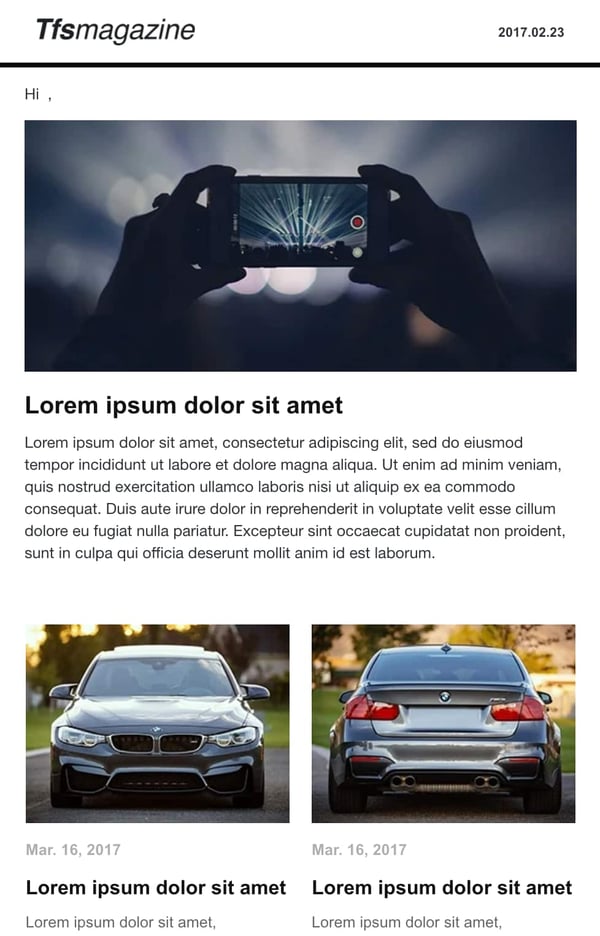
17. Material Design by Paul Goddard
Price: Free
This template is based on Google’s Material Design and has a robotic-retro feel. It is perfect for sending out multi-purpose newsletters featuring new products, events, and other announcements at the same time. There is no specific industry this theme is made for, but the template is well-fitting for businesses looking for a timeless, technological look.
Material Design has been tested on Litmus, is compatible with all major ESPs, and is responsive. While its main attraction is its unique design, this theme download also includes customizable HTML files.
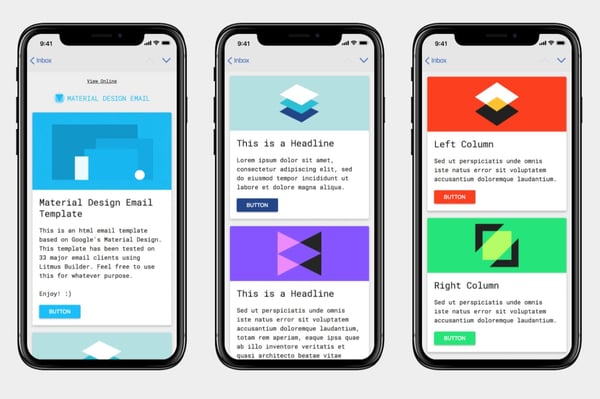
18. Briar by SliceJack
Price: Free
Briar is the perfect newsletter template for marketers looking for a fluid, minimalist design featuring images and text that don’t overshadow each other. It’s perfect for sending out regular newsletters, and you can customize the Inline CSS files.
The template has been tested with Litmus and works with all major email service providers (ESPs), however, some older versions of Outlook may not render all Google fonts. Also, the Android Gmail app is not fully supported.
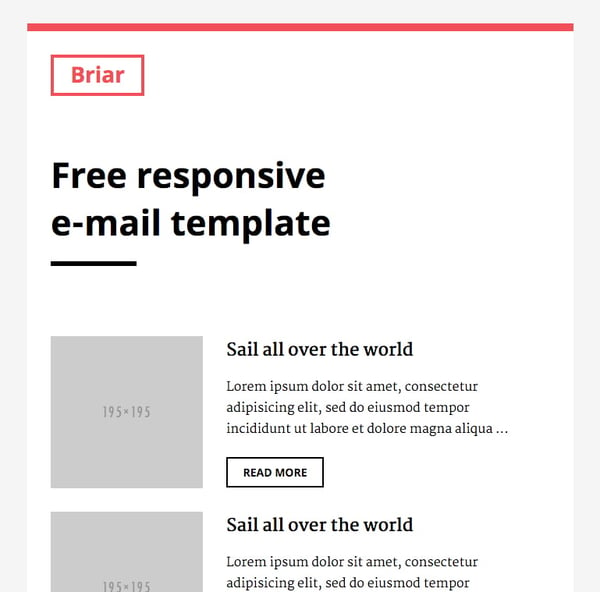
19. EmailOctopus
Price: Free
EmailOctopus is a marketing service that launched a series of 11 templates that can be used to create newsletters for a variety of industries. Whether you’re marketing for a fashion brand or a medical supply company, one of the templates will fit your needs.
The templates have the typical newsletter look but allow you to add product announcements, feature stories, and CTAs wherever you’d like. All of the templates can be modified through any WYSIWYG editor and downloads include the HTML files.
These templates have been tested through Litmus across all major ESPs and are responsive to all screen sizes.
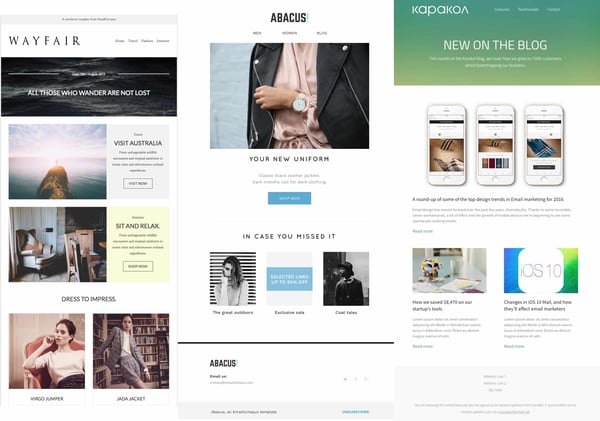
20. Root by HubSpot
Price: Free on HubSpot Marketplace
Root is a responsive newsletter template that can be used across industries. The template is designed to feature a hero image, which is perfect for promoting product offers and announcing new sales. You’ll be able to display and announce new product deals front and center. The download also comes with instructional text to help you build a high-quality newsletter.
This template has been tested to work with all major email clients.
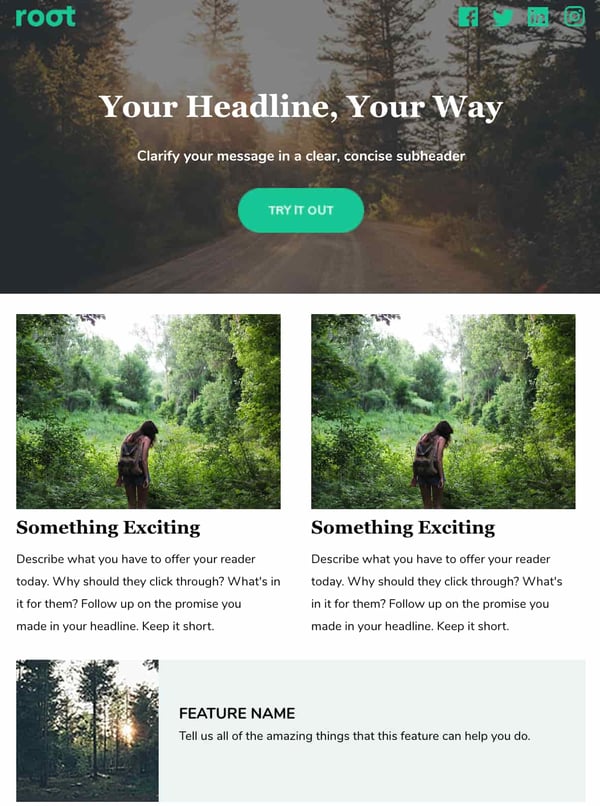
21. Postcards by Designmodo
Price: Free – $25
Postcards is a tool that allows you to build your own email newsletters. The drag-and-drop feature allows you to pick and choose the elements that best suit your personal needs, like hero images, eCommerce functions, and CTAs. The versatility also allows you to customize every email you send if you wish.
The default settings include visual contrast that will help your content stand out to readers, but you can customize the templates if you prefer a different look. No matter how you choose to customize your template, you’ll still be able to retain the modern look that the creators intended.
When you finish designing your template, it’s just a one-click export into your favorite ESP or plain HTML. Not to mention, the modules have been tested with Litmus and work with all major email clients.
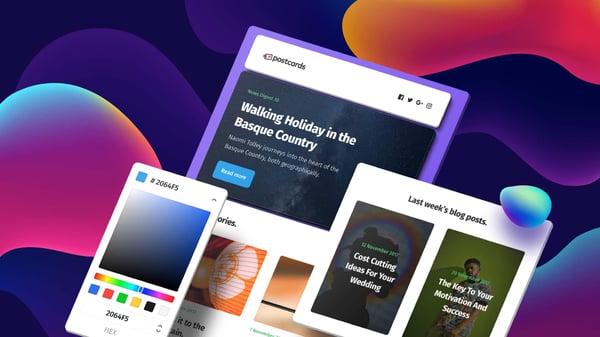
22. Feshto by Liramail
Price: $29-25/template
Feshto is an email bundle meant to help ecommerce companies looking to feature products and share testimonials from satisfied customers with their users. It comes with a weekly digest module, which is their version of a newsletter.
The module features a chic, clean design that ensures your images and copy are not distracting from the other. You can choose from their various layouts, such as “Weekly Digest,” “City Story,” and “Blog Article.” These templates are perfect for product featurettes and testimonials from satisfied customers. While the default themes are black and white, you can make edits in your preferred WYSIWYG editor.
Feshto is a responsive template and is compatible with all major ESPs.
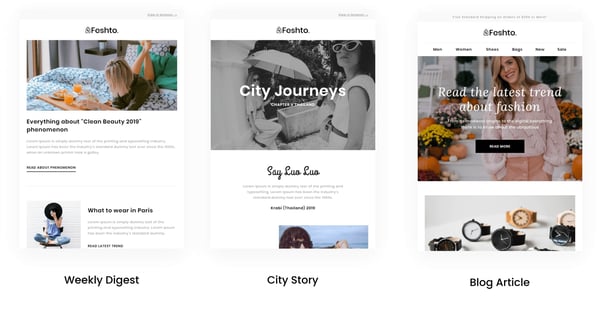
23. HubSpot Template Marketplace
Price: Free & paid options available
If you’re a HubSpot customer, HubSpot offers a great collection of email templates you can download or purchase from our template marketplace. Paid templates are available for as low as $1, and once you buy a template, you can start using it immediately right in HubSpot — no HTML or CSS required.
The second, fourth, sixth, and eighth templates on this list all came from our Marketplace.
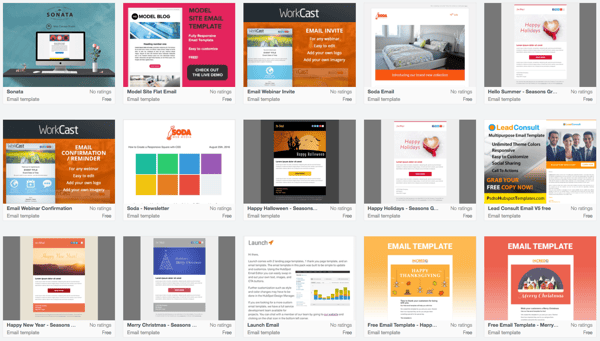
Get Started on Your Email Marketing Newsletter
Ready to draft your next 2019 email newsletter campaign? Download one of the excellent newsletter templates from the template galleries and landing pages above. Then, grab your free guide below for creating an email newsletter your audience will want to engage with.
Interested in finding templates for canned responses or pitches related to marketing and sales? Check out these two great resources.
Editor’s Note: The post was originally published in December 2018 but was updated for comprehensiveness in December 2019.

How to Build a Brand Through Live Streaming [+ Examples]
Nowadays, it’s critical you invest in a video marketing strategy to build brand awareness and expand your reach, particularly since so many people prefer watching video over other types of content.
But even the most robust video marketing strategy often misses one key element: live streaming.
Over the past few years, live streaming has become a popular marketing tool. In fact, in 2019 alone, people watched 1.1 billion hours of live video, and 82% of people prefer live video from a brand over standard social media posts.
Additionally, live streaming is an effective method for building trust and demonstrating authenticity.
Besides the trust factor, there are plenty of other incredible live streaming benefits that can boost your brand, including maximizing audience reach, demonstrating creativity, enabling direct communication between your brand and audience, and cost-efficiency compared to other video strategies.
However, one significant downside to live streaming is the unpredictable nature of it, which makes your content prone to flaws. To minimize those risks, it’s of the utmost importance to thoroughly plan your streams beforehand.
Here, let’s dive into six common use cases for live streaming, as well as how some major brands use live streaming to promote new products or reach new audiences.
6 Ways to Use Live Streaming to Build a Brand
Now, let’s take a closer look at some of the most common use cases of live streaming for brands.
Unlike traditional videos, live videos allow for direct communication with your audience. Therefore, brands tend to take full advantage of this factor in the following types of live streaming.
1. Brand news and messages.
If you choose to pre-record your company updates, it can appear inauthentic and lack warmth. Announcements or other news-related messages are a wonderful opportunity to keep in touch with your customers, and live streaming is an effective method to do that.
By live streaming brand news, you’re showing your audience you care enough about them to speak directly to them. Additionally, you can live stream such announcements internally to your workers and achieve the same effect.
2. Live interviews.
Let’s talk about something very exciting — live interviews. Although it might seem obvious, live interviews should be live streamed, not pre-recorded. Creating such content can certainly raise awareness about your brand, especially if you invite big names to your stream. You can host pro live interviews in a matter of two clicks in Restream Studio. No third-party apps are needed — just your browser, web cam, and microphone.
3. Webinars.
Another effective opportunity to boost your brand via live streaming is by hosting webinars. Get your leads and conduct an educational session, explaining the principles of your work and promoting your brand values.
Such educational events can potentially attract a more diverse demographic. This way, you will be able to positively impact your brand’s awareness and the desire of the viewers to become its advocate.
4. Live Q&A.
Similarly to webinars, live Q&A sessions allow for continuous communication with your viewers. This provides your audience with an opportunity to learn exactly what they want about your brand, and gives them the sense that you care about making them feel heard.
Additionally, live Q&As seem to be the easiest and quickest way to tell the world what is your brand about. Depending on the topic, you can ask any employee to provide answers in the Q&A.
For instance, if you feel the questions are going to be product-specific, consider asking a Product Manager or Product Developer to answer questions. Alternatively, you can always ask a PR, marketing, or social media manager to participate in the Q&A. Your audience will appreciate being able to put a face behind the brand.
5. Product promotions and releases.
A few major brands such as Apple or Nestle — which we’ll dive into, below — use live streaming to promote new product releases. This provides a sense of authenticity and trust into your product releases — plus, seeing a live release of a product is exciting and builds excitement around the release.
Additionally, you can always record your streams and repurpose them on product landing pages later on.
6. Influencer live streams.
Using influencers in live streams is rapidly gaining popularity, particularly since influencer marketing allows you to reach a larger and more diverse audience. Plus, influencers likely already know how to speak on-camera to an audience, so it saves your employees some stress if they don’t want to be on-camera.
Additionally, you might be able to save some resources by hiring an influencer to conduct the live stream with his or her own equipment.
6 Examples of Brands Using Live Streaming
Now that we’ve covered potential use cases for live streaming, let’s see how a few brands use live streaming to build or expand on their own brand.
1. Apple
One of the biggest tech companies in the world, Apple is continuously developing and expanding on its products, and often chooses live streaming to promote its new releases.
The company vigorously promotes its new products online twice a year. The live product release doesn’t need any explanation. However, Apple makes a “Show El Grande” out of a traditional presentation. These events gather more than 10 million viewers across the world.
2. Microsoft
As another tech giant that uses a similar strategy to Apple, Microsoft live streams product announcements and internal training for workers, as well as software releases and updates.
Events like XBOX games releases gather millions of viewers, which results in consumer awareness and excitement.
3. Nissan and General Motors
Both these automobile manufacturers have presented their new cars via live streams. Nissan streamed its Maxima at the 2016 New York auto show, and General Motors became the first automotive brand to showcase its product on a Facebook live stream.
4. Kohl’s
Another successful live streaming strategy was used by Kohl’s in 2016. It used influencer marketing to promote its Black Friday sales on Facebook Live. Kohl’s partnered with famous vlogger Judy Travis and managed to raise awareness and increase sales.
5. Nestle
Another example of a successful influencer live stream is Nestle’s Drumstick marketing campaign. The brand masterfully took advantage of the trending hashtag #FirstDayOfSummer and partnered with some rising influencers on Twitter’s Periscope.
The campaign quickly went viral thanks to the influencers’ live videos, promoting Drumsticks.
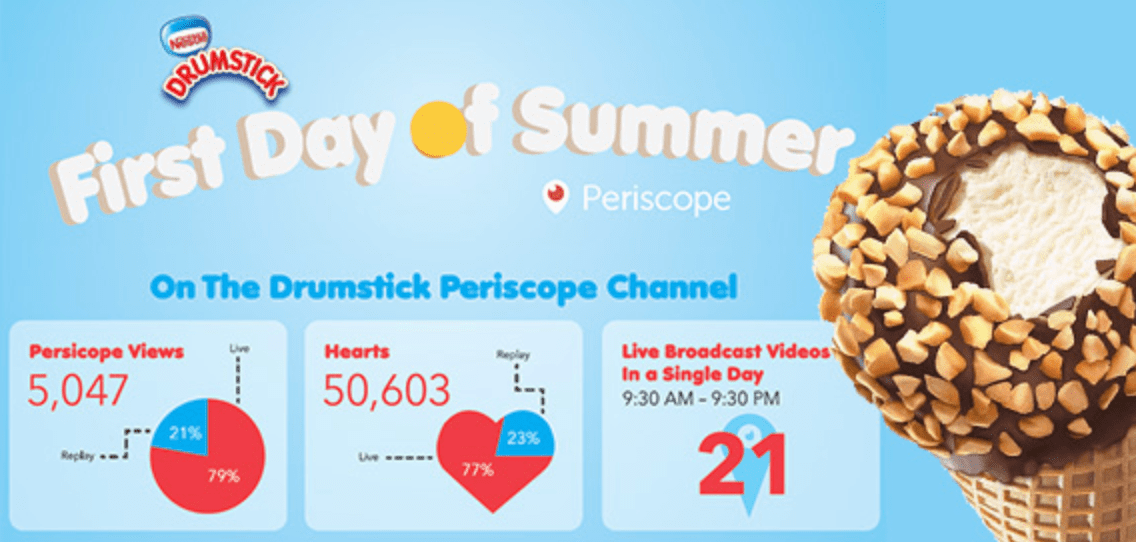
6. Ninja
Arguably the most exciting development of an individual brand has been shown by Richard Tyler Blevins, better known as Ninja. He used to be a professional gamer and started live streaming in 2011.
Blevins actively followed the gamer trends and achieved his popularity thanks to Fortnite. By the year 2020, Ninja had more than 23 million subscribers and an extremely popular brand in the gaming world. He often uses live streaming to connect with his audience and expand his reach.

Which streaming platform is the best to build your brand?
The golden rule is to choose a live streaming platform where you believe most of your consumers are. This way, you ensure your resources will be spent well. However, if your goal is to attract some new potential audiences, you can try investing in a platform that could help you expand your reach.
Another important factor you should consider when choosing a platform is how many viewers it has. The more people circulate around a streaming platform, the better it will be for your campaign. Some of the best streaming platforms include YouTube Live, Facebook Live, LinkedIn Live, Periscope, and Instagram.
However, you don’t necessarily have to choose one specific streaming platform. With services like Restream.io, you can simultaneously multi-stream your live content to as many platforms as you’d like, thus maximizing your audience reach.
If you’re convinced live streaming could be an effective strategy for your own brand, take a look at How to Live Stream Successfully: A Preparation Checklist for Marketers to learn how to plan your first live streaming event.

12 Tactics That Take Webinars From Good to Great, According to HubSpot Marketers
In 2020, with conferences and events going virtual, a number of brands around the world have heavily embraced webinars.
Along with allowing marketers to educate audiences about topics related to their brand, webinars can also offer major lead generation benefits.
But, while a number of successful marketing pros make creating webinars look easy, there’s actually a hefty amount of work that needs to go into planning them in order to see solid engagement.
The lead-up to a webinar requires other facets of inbound to come into play — everything from getting a speaker to join the webinar, to planning blog and social posts to promote it, to developing the actual topics and focus for the event.
At this point, you might be asking yourself if there’s a checklist that can assist you in your webinar planning.
Well, look no further. Below, I’ve outlined 12 tactics you should focus on to ensure you and your team are fully prepared to put on a high-quality, successful webinar.
How to Prepare for an Engaging Webinar
1. Interact with your audience through promotions before the webinar.
If your audience doesn’t know about your webinar or isn’t excited about the topic, they won’t sign up.
Be sure to tweet about the event, write blog posts promoting it, and come up with other creative ways to share it online. To engage attendees — even before your event, your promotional messages, such as social posts or emails, can ask for people to submit their questions or comments beforehand.
Also, if you have some type of webinar giveaway or special feature during the webinar, circulate that information to further differentiate your webinar from similar events held by competitors.
For example, we once gave out tickets to INBOUND, our inbound marketing conference, to a person who tweeted our webinar’s hashtag before, during, and after the webinar. This helped us get audiences to participate in promotions on top of our other marketing efforts.
For more on promoting webinars and other virtual events, check out these tips from HubSpot experts.
2. Create an eye-popping slide deck.
To keep an audience engaged for 30 minutes to an hour, you’ll need to give them something nice to look at. So, make your slide deck is visually appealing.
Create image-heavy slides that relate to the topic you are discussing. Using copy on slides is fine — if done correctly. Don’t simply write a paragraph on a slide in black and white. Instead, make sure the copy adds to the presentation. Stick to one color palette throughout the webinar deck, and try not to make it too busy.
Take a look here to see what a blase, paragraph-only slide looks like (on the left) and what one with color and images (in other words, one that’s got some life to it) looks like (on the right):
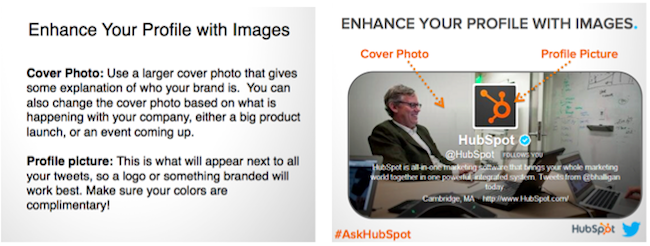
3. Dedicate a hashtag to your webinar.
As mentioned in the first section, you can consider using a hashtag through the webinar marketing process that is unique to your virtual event. Using a lesser-known hashtag or creating a brand new one will help ensure all tweets with the hashtag are about your webinar.
For example, we used #TwitterQA for a past webinar that featured a Q&A with an Twitter executive. In scenarios like this, we use a webinar hashtag well before the webinar to create a community of people with something in common. During the webinar, we use the hashtag to interact with the audience, answer technical questions, and gather questions for the Q&A portion.
Finally, after the webinar, we use the hashtag to follow up on any unanswered questions and send additional information.
4. Seek one or more thought leaders or experts to present.
Nothing is worse on a webinar than a monotone speaker who puts the audience half asleep. Pick a webinar host who is personable, energetic, and an expert in the topic you plan on discussing.
Additionally, if you have more than one speaker, have them play off of each other, making the webinar a discussion instead of two different monologues.
If you are able to access experts in your industry, or thought leaders with higher followings on platforms like LinkedIn, you should also consider including them in your webinar.
Leveraging experts will make your event more interesting for your audience and could also pull in listeners that have followed that experts work. You can additionally leverage these people for online co-marketing tactics before, during, and after the event.
5. Meet with all the speakers beforehand.
For an extra smooth webinar, consider hosting a quick meeting that will allow you and other webinar panelists to walk through the webinar topic and get to know eachother.
Juliana Nicholson, a HubSpot Program Manager who’s been involved with a number of webinars including our Adapt series, strongly encourages a get together like this before you launch the event.
“Don’t have the first time your host and panelists meet be the day of your webinar,” says Juliana Nicholson, a HubSpot Program Manager. “Set up some time ahead of the event for the host and speakers to get to know each other, and run through day-of details.”
Nicholson, who most recently planned webinar content for our Adapt 2020 series, explains, “Everything from pronouncing people’s names to knowing who to call of first for each question will feel a lot more smooth day of, if you practice beforehand.”
6. Leverage speaker and company social media handles in your promotions.
While the webinar is being run by you and your organization, you’ll still want to allow your audience to interact with the speaker(s) as well, so be sure to make their Twitter handle(s) known, both in your promotions, as well as throughout the webinar presentation.
Not only does it give a personal touch to your webinars, but also think of all the new followers you could get!
7. Have at least one host or moderator.
Getting one or more speakers to join your webinar can really liven the conversation, but that convo can lose track pretty quickly if no one is assigned to moderate the discussion.
Simply put, a webinar host can help with the flow of the presentation. This person introduces the speakers, asks any questions that come up during the webinar or Q&A, and concludes the event. If any problems arise, this person can address them easily, without causing the speakers to get off-topic.
8. Leverage different types of media in your webinar.
To keep audiences engaged during the event, you should consider using a variety of media types for your webinar.
Do you have a short video or animation that will help your demonstrate your point? Does sharing your screen temporarily help get a point across? Would a downloadable checklist help your audience follow along with your discussion? Think about how you can complement your webinar with other forms of media, either during or after the webinar.
Recently, we hosted a webinar with Guy Kawasaki that was 100% screen-sharing. Guy walked us through his daily social media activities, down to how he takes screenshots and posts them on Twitter! Talk about a highly interactive webinar.
9. Consider other audience engagement strategies.
With webinar platforms expanding their features daily, there are now many more ways to engage your audiences than there were in the past. For example, many platforms let audiences comment with questions, vote in polls, or take quizzes during the webinar.
As a moderator or webinar planner, get creative and consider ways to leverage these elements so your audience doesn’t feel like they’re passively listening to speakers rather than engaging with them.
“Don’t let audience engagement be an afterthought. Know how and when you want to engage the audience,” Nicholson advises. “Will you have formal Q+A? How will people submit questions? When will you answer those questions? All this should be pre-determined and clearly communicated to set your attendees up for a good experience.”
10. Perform thorough audio and video checks.
Even in today’s world, technical problems happen with software. Do your best to avoid them when on the air live by testing your webinar platform ahead of time.
For example, you might not realize it, but your computer’s sound could be muffled, or your headphones could prevent people from hearing sounds played on your screen. This is why you’ll want to do at least one sound check before you present.
Similarly, you’ll also want to make sure you pick a workspace with good lighting.
Additionally, you should also troubleshoot for more unexpected technical slip ups. For example, if you’re going to be sharing your screen or switching controls, have a pre-webinar dry run where speakers can practice before doing it live.
Ultimately, it’s always best to find out where mistakes could occur before the actual webinar so you don’t waste your time or that of your guest speaker(s).
11. Take time zones into consideration when scheduling your event.
When choosing a time to host your live event, keep in mind that not everyone will be in your time zone. HubSpot is located in Eastern Standard Time, so we try to host webinars at a time that works for other areas around the country and across the globe.
For example, though 1 p.m. to 3 p.m. EST often works for us, it may not suit our European audience well, so we’ll need to find a time that works for both of us.
Nicholson also suggests that marketers should “make it clear if your webinar will be recorded and that by signing up someone will get that recording. You’ll increase conversions even when someone cant attend live.”
12. Host your webinar in a quiet, non-distracting workspace.
Don’t underestimate the importance of the physical location of your webinar. I sit next to a sales team who are on the phone all day. If I tried to host a webinar from my desk, the audience would hardly be able to hear me! Thus, I make sure to find a quiet (sound proof is even better) room elsewhere in the office.
If you have multiple people speaking in the same room, make sure to have a high-quality speakerphone. To avoid any technical problems, I avoid using the wireless internet when at all possible and test everything beforehand.
Planning the Perfect Webinar
Yes, it takes lots of time to plan a webinar, but the benefits might just be worth it. As you plan, keep in mind that most of the tips on this list aim to boost audience engagement.
While an informative webinar is a great start, sharing a basic lecture with your attendees might not cut it. Your audience will listen more actively, enjoy the content more, and continue signing up for webinars if they feel engaged throughout the event.
For more webinar tips, check out this ultimate guide. If you already think you’re planning great webinars, but don’t know where to start with promoting them, check out this post with tips from HubSpot marketing experts.

How to Learn Social Media Marketing: 39 Resources for Beginners
Social media is no longer an optional marketing channel — it’s a necessary one.
But that doesn’t mean results are a given. When it comes to social media, you’ll either have a lot of success interacting with your customers, or you’ll see little results — and that depends on the level of effort you put into it.
For every business that has found success in social media marketing, there are at least two more spinning their social wheels with no tangible results. It’s time to change that trend.
For many, social media is simply a place to post links to content they’ve created in hopes that thousands will see it, click through, and share with their followers. So they have profiles on every network, and every network looks exactly the same; line after line of self-promotion.
This is not going to bring results. In fact, Facebook‘s algorithm now penalizes link-based content, and Instagram has made it all-but-impossible to share a link.
Half-heartedly sharing your content on social media is not social media marketing. It’s spamming.
Social marketing is a lot of work, and it takes time listening and responding. After all, it’s social, and anything social takes an investment of effort and skill.
To hone these skills, check out these resources that will help you develop the skills needed to be effective on social media. (You may want to bookmark this post so you can easily refer to it again later.) Click the links below to jump to each section of resources in this article:
- Social Media Marketing Blogs
- Social Media Publishing Templates
- Social Media Marketing Ebooks
- Social Media Marketing Courses
- Social Media Marketing Videos
- Social Media Podcasts
- Slideshows & Infographics About Social Media
- Social Media Marketing Books
- How to Start Social Media Marketing
How to Learn Social Media Marketing: 40 Free Resources
Social Media Marketing Blogs
Social marketing is a science involving special communication skills. And the landscape changes constantly.
One of the best ways to develop your social media prowess and to stay up-to-date is to follow experts in the field. These blogs are always fresh with actionable information you can use to improve your marketing:
1. Social Media Explorer
SME is both a strategic services agency and a blog with a bevy of social media and marketing experts. The SME blog is consistently considered one of the most insightful in the industry, and several of its authors have written popular books on several aspects of digital and social marketing.
2. Scott Monty
Monty is a marketing guru who covers a ton of subjects. However, his social media articles are always eye-opening. If you haven’t heard of him yet, check out his “this week in digital” posts — these will keep you up-to-date with all the news on social, and every other aspect of digital marketing as well.
3. Social Media Examiner
Not to be confused with Social Media Explorer, the Examiner is one of the top blogs in the world for social media. Its social media reports are filled with all the important data social marketers want, and the blog posts are filled with valuable tips, as well. If I had to pick just one social media blog to follow, this is the one I would choose.
4. HubSpot Marketing Blog
Right here on the HubSpot Marketing Blog, you can find breaking news and actionable how-to guides on every social network there is.
Social Media Publishing Templates
5. Social Media Content Calendar Template
Before you load your social media content into a publishing tool (HubSpot has one, when you’re ready for it), you’ll want to organize it all in an offline calendar. The free template linked above allows you to sort your social media content in a spreadsheet that’s designed to help you track the day, time, and social media channel on which everything you create is being promoted.
6. Social Media Calendar Templates
This social media template helps you track your social media campaigns not just by social network, but by how much engagement they get, which holidays they’re aligned with, and which ones have paid promotion behind them.
7. Airtable’s Content Calendar
Once you’ve organized your social media calendar into a spreadsheet — like the one linked to #6, above — you might also want to load this content into a project management platform so you can track its progress in real time. Airtable is one such platform to help you do that, and it comes with a content calendar format so you don’t have to shoehorn the platform around your business.
8. Social Media Image Templates
It’s well-known that visuals get more engagement on social media than just text. Get your designs off on the right foot with this collection of social media image templates.
9. Instagram Templates for Business
Instagram is the most image-focused social network out there, and because of that, not just any image will reach your audience. To cut through the crowds, use this collection of Instagram templates to create brand-aligned posts that resonate with your audience.
Social Media Marketing Ebooks
These ebooks will provide deeper information on specific networks and topics.
10. How to Use Instagram for Business
This step-by-step guide explains the reasons to create a business Instagram account and how to execute on Instagram to drive results.
11. A Visual Guide to Creating the Perfect LinkedIn Company Page
If you’re building a company page for the first time, or trying to upgrade your page, this guide will show you exactly how to do everything from crafting an engaging company description to creating an eye-catching banner image.
12. How to Attract Customers with Facebook
This multi-page ebook will show you how to use Facebook to drive real business results for your organization.
13. How to Get More Twitter Followers
HubSpot partnered with the experts at Twitter to provide actionable tips for social media managers starting new accounts to build a following, and fast.
14. The Beginner’s Guide to Social Media
Here’s an amazing guide from Moz. The 12 chapters in this book are filled with valuable information that every marketer absolutely needs to know. Bookmark this guide, you’ll refer to it more than once.
15. How to Create High-Quality Videos for Social Media
Like images, videos drive a ton of engagement on social media. And although the idea of shooting a quality video for your social channels sounds daunting, it’s actually easier than you think. Grab the free guide above to learn how to quickly turn your office into a production studio.
Social Media Marketing Courses
16. Developing an End-to-End Instagram Marketing Strategy for Your Business
This free course in the HubSpot Academy will teach you how to stand up an Instagram marketing strategy in just 95 minutes. The course consists of 3 lessons, 13 videos, and 3 quizzes.
17. Putting Social Media to Work for Your Coaching Business
Even consultants need consultants to learn how to, well, be a consultant. The free Udemy course linked above will teach you how to use social media to market your business as a coach or consultant in your industry.
18. Developing an End-to-End Facebook Marketing Strategy
Opposite the Instagram marketing course linked in #16, above, take this hour-long course to learn the basics of Facebook marketing.
19. Social Media Influencer Course
You’ve probably heard of influencer marketing — it’s particularly common in the context of social media. Take this course by Captevrix to learn how to work with an Influencer who resonates with your audience to promote your brand.
Social Media Marketing Videos
Videos are my second favorite medium to learn, behind books. Being able to glean from the brightest minds on any subject as if you’re face-to-face is powerful. These videos will give you valuable insights, just how to do social media, but you’ll get insights into the why and what as well.
20. The #AskGaryVee Show
You can’t talk about social media without talking about the speaker, author, and social expert Gary Vaynerchuk. On the Gary Vee Show, he takes questions from his audience and answers them as only he can. If you have a burning question on social media marketing, send it to him.
21. TED Talks: Social Media Marketing
If you aren’t in love with TED, you might want to check your pulse. This is a playlist of videos from TED Talks on social media. There may not be that much actionable advice in these videos, but if you want to become an expert on social media, these videos will give you insight into the deeper subject like “the hidden influence of social networks.”
22. Learn Social Media Marketing
If you’re really new to social media, and you want to learn through a structured lesson experience, consider Lynda’s massive library on social marketing courses.
23. Free Social Media Certification
HubSpot Academy has a breadth of video courses across inbound and digital marketing. Their free social media course is an eight-step video curriculum that teaches you the fundamentals of managing a social media campaign for your business. It also earns you a fresh Social Media Certification.
Social Media Podcasts
If you like to learn while you chill, work out, or commute to and from work, podcasts are one of the best ways to do it. And these podcasts will help you develop your social media expertise.
24. Social Media Marketing Podcast
Michael Stelzner, from Social Media Examiner, brings you success stories and expert interviews from leading social media marketing pros.
25. The Social Toolkit
If you like to stay up-to-date on digital tools, apps, and software for social media marketing, this is the podcast for you.
26. The Social Pros Podcast
Every episode of the Social Pros Podcast shines the light on real pros doing real work for real companies. You’ll get insights from Jay Baer of Convince and Convert when you tune in.
Slideshows & Infographics About Social Media
If you’re a visual learner, these slide decks and infographics provide great ways to learn social media.
27. The B2B Social Media Palette
This SlideShare walks you through the channels and tools you’ll need to be most effective at B2B social media marketing. Sometimes, success can be found by using the right tools and channels for the right audience.
28. The Complete Guide to the Best Times to Post on Social Media
Timing is very important when it comes to social media. Post it the wrong time, and your update can go completely unnoticed because of the flood of updates in your audience’s feeds. Being able to master the timing of social media is critical to effective marketing.
29. 58 Social Media Tips for Content Marketers
This slideshow is from the folks at Content Marketing Institute. This deck shows the proper methods for promoting your content over social media. This is a must-read for any social marketer who wants to use those channels to promote content.
30. The Best and Worst Times to Post on Social Media
Again, timing is everything. This infographic lays out the best and worst times to post on each major network. You should save this infographic for referencing when you schedule your social media posts.
Social Media Marketing Books
Books are my favorite way to learn. Many experts agree that if you read a book a week, on your area of expertise, for 5 years, you will have the equivalent of a Ph.D. on the subject. That may or may not be true, but reading books from the experts definitely doesn’t make you a worse marketer. Here are some books to get you started.
31. The B2B Social Media Book
This book covers the specific application of social marketing to B2B companies, to leverage social media to drive leads and revenue.
32. The Art of Social Media: Power Tips for Power Users
You’ve got to read this book by the legendary former Chief Evangelist of Apple, Guy Kawasaki. He’s one of the pioneers of social and content marketing, and this book is filled with expert advice from one of the best.
33. The Tao of Twitter
This book is supposed to be for busy marketers who need to get the basics of Twitter down quickly. It shows you how to connect and start creating meaningful connections in less than two hours.
34. The Ultimate Guide to Facebook Advertising
Facebook is one of the most effective advertising and PPC platforms available. You can target a plethora of metrics, allowing you to drill down and advertise to a very specific audience. This book will show you how to optimize your Facebook ads.
35. Jab, Jab, Right Hook: How to Tell Your Story in a Noisy Social World
Gary Vaynerchuk gives insight into how he uses a conversational, reactionary approach to engaging his audience. He gives concrete, visual examples of great social marketing, as well as not-so-great ones.
36. The New Rules of Marketing and PR
David Meerman Scott’s book on digital marketing is an international bestseller, and worth every penny. Some argue that it should be required reading for any marketer — and in this marketer’s opinion, “Just read it.”
37. Likeable Social Media
Dave Kerpen claims the secret to viral social marketing is to be likable. When someone likes you, they’ll recommend you. But being likable on social networks is easier said than done. This book will help you crack that code.
38. Social Media Marketing for Dummies
One of my mentors taught me to read children’s books on a subject if I just couldn’t grasp a concept. That principle gave way to movements like “Explain It Like I’m 5.” And, sometimes you just need it broken down like you’re, well, less than an expert on the topic, to put it gently. If that’s you, this book is valuable. Go ahead and buy it — we won’t call you dummy.
39. Contagious: Why Things Catch On
This book by Jonah Berger provides a strong foundation to understand how content goes viral — and how to create ideas on social media that are so catchy, your audience won’t be able to help but click them.
Now that you’ve reviewed the top social media marketing resources, it’s time to create your action plan for getting out there and actually doing it.
1. Go where your customers are.
You don’t have to be on every network. It’s a common mistake when starting out to overextend across platforms. If you’re running short on marketing resources, identify which platform (or two) your audience is most likely to be found and then double-down on creating meaningful content and experiences on that platform. You can always expand your efforts into different platforms later.
2. Be helpful. Period.
Audiences watch TV to be entertained, get informed, or unwind, not to view commercials. The same is true for social media users. Chances are, if you do nothing except promote yourself, you won’t get far with social media because signing into social media is not indicative that they’re ready to be sold to.
So how do you meet audiences on their turf in a way that’s earns you meaningful awareness and engagement? The 80/20 Rule.
This “rule” states that successful social media marketing means providing something for the audience 80% of the time and promoting your brand 20% of the time. If your audience is hungry for your content, they’re much more willing to also accept promotional messaging as long as it’s not too overwhelming or obtrusive.
3. Set realistic and measurable goals.
If you begin your social media marketing efforts with no destination in mind, you may find yourself floundering. Get clear on what you need from your efforts so that you can set goals and measure your progress towards them.
For example, you might be using social media to increase your brand awareness, which means you’d look at your posts’ reach and how your audience is growing. On the other hand, if you want to drive traffic from your website, you might measure click-throughs.
It’s important also to begin with a benchmark so that you can set realistic goals. Shooting for the moon is nice, but you’ll also want to measure against achievable milestones to gauge performance and make accurate (within reason) predictions for strategic planning.
4. Maximize your existing resources.
Sit down and decide on a publishing schedule that is appropriate for the network you’ve chosen and the resources you have for content creation. Creating content can be arduous, even if you choose just one or two platforms, so it’s important not to overtax your resources. Instead, consider ways that you can utilize, adapt, and repurpose existing content to make your resources stretch even further.
5. Have conversations.
Don’t forget the “social” in “social media.” Social media marketing isn’t about broadcasting; it’s about communicating. By interacting with your audience online, you can increase brand awareness by increasing engagement. In addition, this engagement tends to be more memorable and delightful than non-personalized interactions.
6. Listen to your audience.
Customer feedback, direct mentions of your brand, and even industry chatter can all inform your social strategy. By listening to the conversations your audience has on social media, you can come up with new ideas for content based on real-time industry trends, shifting your social media marketing strategy to fit their needs. Social listening tools such as HubSpot and Sprout Social can streamline this process and lead to amazing insights.
7. Don’t get trapped by #followback loops.
You may notice trends such as #followfridays as you’re establishing your platform. It may be tempting to participate, but these follow chains can often lead to a large audience of unengaged followers who aren’t interested in your brand. This isn’t an ideal way to grow. The best thing you can do is check out these follow trains and see if there are any individuals that you or your business wants to follow based on their perspectives rather than simply as a reciprocal act of increasing numbers.
8. Focus on quality, not quantity.
This tip can be applied to so many things in the social media space:
- Quality, not quantity, of followers
- Quality, not quantity, of posts you create
- Quality, not quantity, of promotions
The fact of the matter is, even though it may seem like slow growth over time, quality matters on social media and will drive more meaningful results and better ROI, which is the foundation of successful social media marketing.
9. Never copy/paste the same message into every social profile.
If you’re on multiple platforms, it’s best to adhere to best practices for that specific platform. While it may be tempting to create the same message and promote the same way to save time, this can actually hurt the experience for social media users. Each platform has different native browsing behavior, image thumbnail formats, character counts, best practices for hashtags, and more. For optimal experience (and performance), understand what works best on each social media channel and tailor your messaging to fit.
10. Never stop learning.
No matter how many social networks you set out to master, or how long you work in the social marketing field, there is one secret that will ensure you’re successful: Never stop learning.
Social media constantly changes, so it’s impossible to master this topic with a once-and-done approach; it requires continual education.
The list above is massive, I know, and there’s no way to consume all these resources in the next week. But if you set yourself to learning every day, every week, every month, every year, you’ll eventually be the one writing the books that help others learn social marketing.
It all begins with learning.
Editor’s note: This post was originally published in April 2019 and has been updated for comprehensiveness.
