20 of the Best Professional Bio Examples We’ve Ever Seen [+ Templates]
Be honest, does your professional bio make a statement?
If you have your doubts, it’s likely time to update your bio, and we have some of the best professional bio examples to get you started.
Your professional bio is not only relevant when applying for jobs, seeking new clients, or networking — it also gives the world a brief snapshot of who you are and your professional ideals.

But if you’re anything like me, you probably don’t think about your professional bio until you’re suddenly asked to “send one over via email.” You have approximately one afternoon to come up with it so you scramble together a bio that ends up reading like this:
“Rodney Erickson is a content marketing professional at HubSpot, a CRM platform that helps companies attract visitors, convert leads, and close customers. Previously, Rodney worked as a marketing manager for a tech software startup. He graduated with honors from Columbia University with a dual degree in Business Administration and Creative Writing.”
To be fair, in certain contexts, your professional bio does need to be more formal like Mr. Erickson’s up there, but there are also cases where writing a personable and conversational bio can be a good thing.
So to help you author one that packs a punch, we’ll teach you how to write a professional bio and leverage professional bio templates with 20 of the best professional bio examples we’ve ever seen to draw inspiration from. Skip to one of these sections if you know what you’re looking for:
Skip to one of these sections if you know what you’re looking for:
- What is a professional bio?
- Professional Bio Templates
- How to Write a Professional Bio
- Best Professional Bio Examples
- Short Bio Examples
- How to Write a Short Bio
Purpose of Professional Bios
A bio tells an audience who you are, and what you’ve done, and also hints at what you are capable of doing. It can help potential employers, fans, or customers get a sense of your personality and what you stand for.
It’s important to tailor your professional bio to your goals and the people you want to reach for it to be effective. For example, say you’re looking for a job. Your professional bio should give recruiters a peek at your career accomplishments and experience.
But what if you’ve recently published a book or are applying for a grant? In those situations, you might want to highlight organizations you support or funny anecdotes.
Recent graduates can benefit from a well-written professional bio. It can help you communicate how your life experience makes you a great candidate for the roles you’re looking for.
What should a professional bio say?
Your professional bio should be as unique as you are. That said, there are a few items you’ll want to include to make sure that your readers get the information they’re looking for.
Your bio should include important professional roles and achievements. It’s also valuable to add passions, personal interests, and how you bring your values to your work. Finally, your bio should give your readers a chance to get to know you. So, it should reflect your personality.
Writing a First-Person Bio
If you want to build a personal brand, writing in the first person can be a great way to connect with your audience. When you write a first-person bio, use “I” or “me” statements to make yourself relatable and approachable.
Here’s one way to write a first-person bio: “I’m a freelance writer specializing in small business content. I’ve worked with companies in a variety of industries, from home care services to fine leather goods.” By speaking in the first person here, you take a more personable approach to connecting with a client or brand.
When you write a first-person bio you’re telling your story directly to your audience. This shows them that you crafted your bio with your personal experience and opinions.
There are a few things to remember that can make your first-person bio great.
Try not to start every sentence with “I.”
Showing instead of telling is a great approach.
For example, check out this short professional bio example below. Instead of saying “I love to write.” She says “Writer. Bad but enthusiastic dancer.” Instead of talking about writing, she creates a vivid picture and shows her sense of humor.
Remember that you know yourself better than anyone else does.
Adding some back story to your bio can help create a context for the roles and successes you’re writing about. This bio from Mark Levy is a great example.
Focus on useful details.
These are quick facts about you that can quickly show someone new who you are and what you stand for.
For example, say you’re writing a bio for LinkedIn. You might be into playing Animal Crossing for your home right now, but does that hobby say anything about where you want your career to go?
If you want to focus on video games in the future, this could be the perfect addition. But if your interests lie elsewhere, you might want to include a hobby that’s more relevant.
Writing a Third-Person Bio
Using third-person will make your bio sound more authoritative and objective. So, if you’re job searching in a formal industry, applying for grants, or trying to get published, you may want to stick to the third person.
For instance, when you write a third-person bio you may start with “Jasmine Montgomery is a Senior Hiring Manager at L’Oreal based in New York. She recruits across several business units to connect with the brightest talent from around the globe.” By only using your name and pronouns to speak about yourself here, you are letting your title and skill set speak for themselves.
These bios create distance between the subject of the bio (you) and the reader, through a third person. This person could be anyone, but they usually speak in a tone that emphasizes their expertise. This means that third-person reviews can sometimes feel aloof or overly formal.
Ideally, your third-person bio should sound friendly but polished, like a message from a close colleague at work. Here are a few more tips on how to write a great third-person bio.
Write from the perspective of someone you know and trust.
It can be tough to write about yourself, so try to see yourself from the perspective of your favorite person at work or a mentor you trust. This can help you write from a position of authority without feeling self-conscious.
Show the reader why they should trust your opinion.
A professional bio often reflects a specific industry or niche. With this in mind, your text should include relevant details that people in the industry would know. At the same time, avoid jargon whenever you can.
Remember you’re telling a story.
If you want a third-person bio, but you’re used to writing in first-person, it may help to write it the way that’s most comfortable for you.
Your professional bio is an important piece of writing, so it’s natural for you to edit it carefully. In this case, you may want to edit your writing from both points of view and see which works best for your target audience.
First-Person Bio vs. Third-Person Bio
While first-person bios are quite common, third-person bios can be more effective in formal situations.
Your decision to write your professional bio in the first or third person depends on whether you’d like to leave a more personable or assertive impression. Both approaches can be effective when you tailor them to your goals and the audience you are writing for.
The most important thing is to be clear and concise and tell your story in a way that connects with your reader.
To structure your professional bio so it stays true to these objectives, try out our 80+ downloadable professional bio templates — for both short and long-form bios — to start composing a bio that makes a mark:
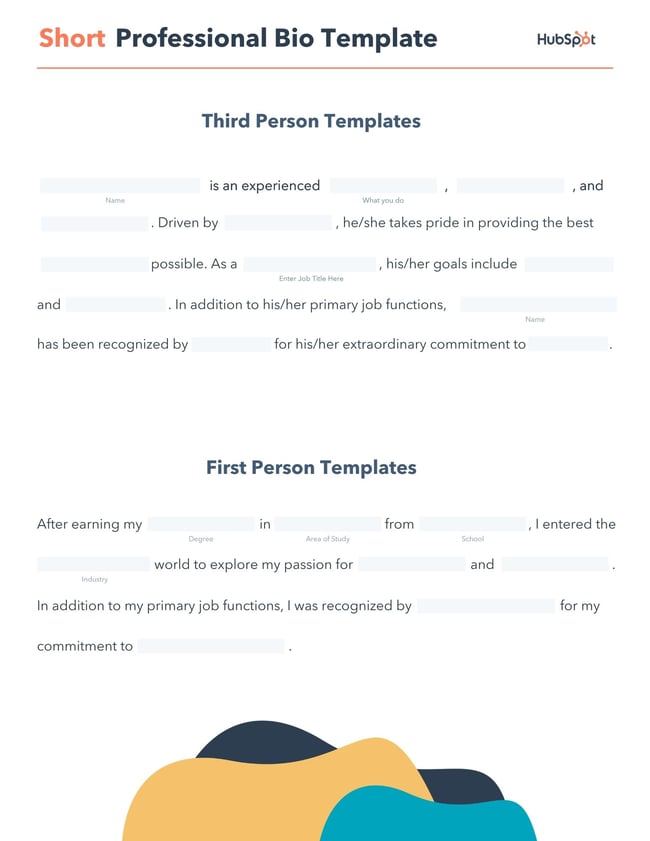
Download a free, editable short professional bio template.
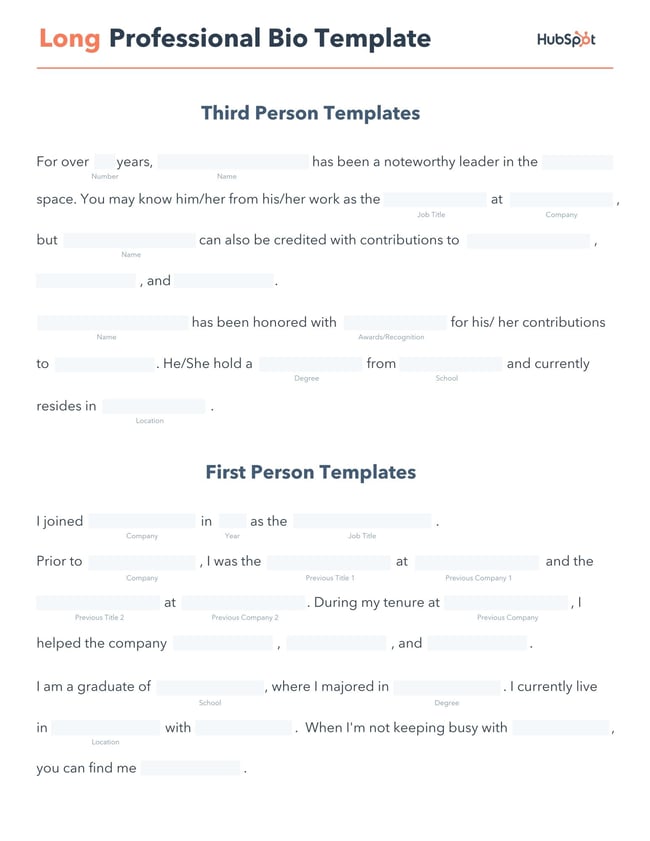
Download a free, editable long professional bio template.
Professional Bio Templates
When it comes to professional bios, keeping your message honest and to the point is best practice. So how do you go about writing one that will effectively market you and your brand?
This is where a professional bio template comes in. By sticking to a predetermined format, all you have to do to begin is fill in the blanks with your most relevant career information. These bio templates will guide you on where you should place your:
- Name
- Occupation or Job title
- Passions and goals
- Skill set and expertise
- Education
- Work history
- Location
Of course, while there is no one-size-fits-all template for a professional bio, this template is a quick way to start building out your long or short bio before customizing it to your liking. But before choosing your bio template, there are some key elements to include to make sure yours is effective.
Here’s how to write a professional bio, step by step.
1. Create an ‘About’ page for your website or profile.
Before you can publish your professional bio, you need a living space for it. Here are a few to consider (some of these you might already have in place):
- Facebook Business page
- LinkedIn profile
- Instagram account
- Personal website
- Personal blog
- Industry website
- Industry blog byline
As you’ll see in the professional bio examples below, the length and tone of your bio will differ depending on which of the above platforms you choose to be on.
Instagram, for example, allows only 150 characters of bio space, whereas you can write virtually as much as you want on your personal website — or even your Facebook Business page. But once created, this bio should represent who you are in the eyes of your audience.
2. Begin writing your bio with your first and last name.
If your readers don’t remember anything else about your bio, make sure they remember your name. For that reason, it’s a good idea for your first and last name to be the first two words of your professional bio. Even if your name is printed above this bio (hint: it should), this is a rare moment where it’s okay to be redundant.
For example, if I were writing my own bio, I might start it like this:
Lindsay Kolowich
Lindsay Kolowich is a Senior Marketing Manager at HubSpot.
3. Mention any associated brand name you might use.
Will your professional bio represent yourself, or a business you work for? Make sure the brand you want to be associated with is mentioned in your bio. If you’re a freelancer, perhaps you have a personal business name or pseudonym you advertise to your clients. Here are a few examples:
- Lindsay Kolowich Marketing
- SEO Lindsay
- Kolowich Consulting
- Content by Kolowich (what do you think … too cheesy?)
Maybe you founded your own company, and you want its name to be separate from your real name. Don’t be afraid to keep it simple: “Lindsay Kolowich is the founder and CEO of Kolowich Consulting.”
4. State your current position and what you do.
Whether you’re the author of a novel or a mid-level specialist, use the next few lines of your bio to describe what you do in that position. Don’t assume your audience will naturally know what your job title entails.
Make your primary responsibilities known to the reader, helping them paint a picture of who you are during the day and what you have to offer the industry.
5. Include at least one professional accomplishment.
Just as a business touts its client successes in the form of case studies, your professional bio should let your own audience know what you’ve already achieved. What have you done for yourself — as well as for others — that makes you a valuable player in your industry?
6. Describe your values and how they inform your career.
Why do you do what you do? What might make your contribution to the market different from your colleagues?
Better yet, what values do you and your colleagues share that would make your business a worthwhile investment to others? Start to wrap up your professional bio by simply explaining what gets you up in the morning.
7. Briefly tell your readers who you are outside of work.
Transition from describing your values in work to describing who you are outside of work. This may include:
- Your family
- Your hometown
- Sports you play
- Hobbies and interests
- Favorite music and travel destinations
- Side hustles you’re working on
People like connecting with other people. The more transparent you are about who you are personally, the more likable you’ll be to the people reading about who you are as a professional.
8. Consider adding humor or a personal story to add flavor to your professional bio.
End your professional bio on a good note — or, more specifically, a funny note. Leaving your audience with something quirky or uniquely you can ensure they’ll leave your website with a pleasant impression of you.
It’s important to follow the steps above when writing your bio, but don’t obsess over any one section. Remember, the people reading your bio are suffering from information fatigue. If you don’t hook ’em in the first line, you’ll lose them quickly.
(P.S. Want to give your professional brand a boost? Take one of HubSpot Academy’s free certification courses. In just one weekend, you can add a line to your resume and bio that’s coveted by over 60,000 marketers.)
Why Good Bios Are Important for a Professional
Alright, I know what you may be thinking … So what? It’s just a bio. I mean, how many people read professional bios, anyway?
The answer: A lot of people. More importantly, though, there’s no way to tell exactly who is reading it — and you always want it to be ready for when the right people come across it. And when they do, you want it to catch their eye. In a good way.
You see, while your resume is only useful for when you’re actively applying for specific positions, your professional bio is much more visible. It can live on your LinkedIn profile, your company’s website, your guest blog posts, your speaker profiles, your Twitter bio, and many other places.
And, most importantly, it’s the tool that you can leverage most when you’re networking.
Bottom line? People will read your professional bio. Whether they remember it, and whether it makes them care about you, is a matter of how well you present yourself to your intended audience.
So, what does a top-notch professional bio look like?
Below, we’ve curated some of the best real professional bio examples we’ve ever seen on Twitter, Instagram, Facebook, LinkedIn, and the various websites where you might describe yourself.
Check ’em out, and use them as inspiration when crafting your own.
1. Chimamanda Ngozi Adichie: Author
Bio Platform: Personal Website
Chimamanda Ngozi Adichie begins her professional bio with an invitation into her world. In just one sentence, she describes the depth and breadth of her body of work as it has been translated into thirty languages and several publications.
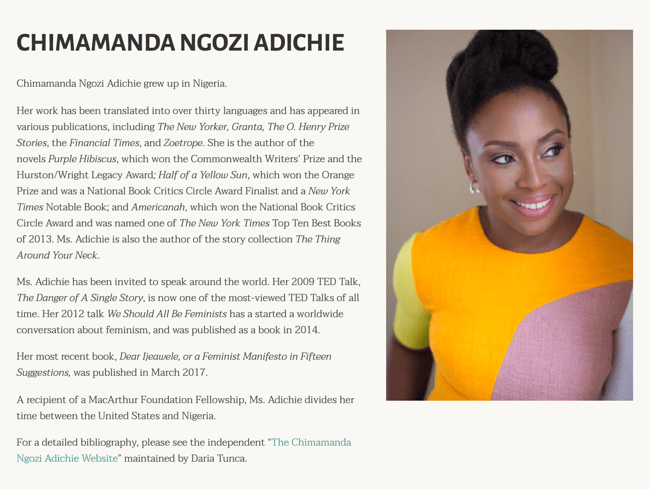
Along with her notable writing career, Chimamanda showcases her speaking career which introduces readers to a well-rounded view of who she is as a professional. From there, her bio seamlessly flows into her recent work and a glimpse into how and where she spends her personal time – the United States and Nigeria.
Finally, Chimamanda’s bio ends with a call to action to read a more detailed biography, giving the reader a choice to read the information available about her life and career.
2. Chime Mmeje: SEO Content Writer
Bio Platform: LinkedIn
A bio with a hook is sure to keep you reading. Chima Mmeje is a freelance SEO copywriter who’s “extremely good at one thing”: helping companies rank for their target keywords.
By leading with a strong hook that aligns with her target audience’s marketing needs, she’s able to keep readers engaged.
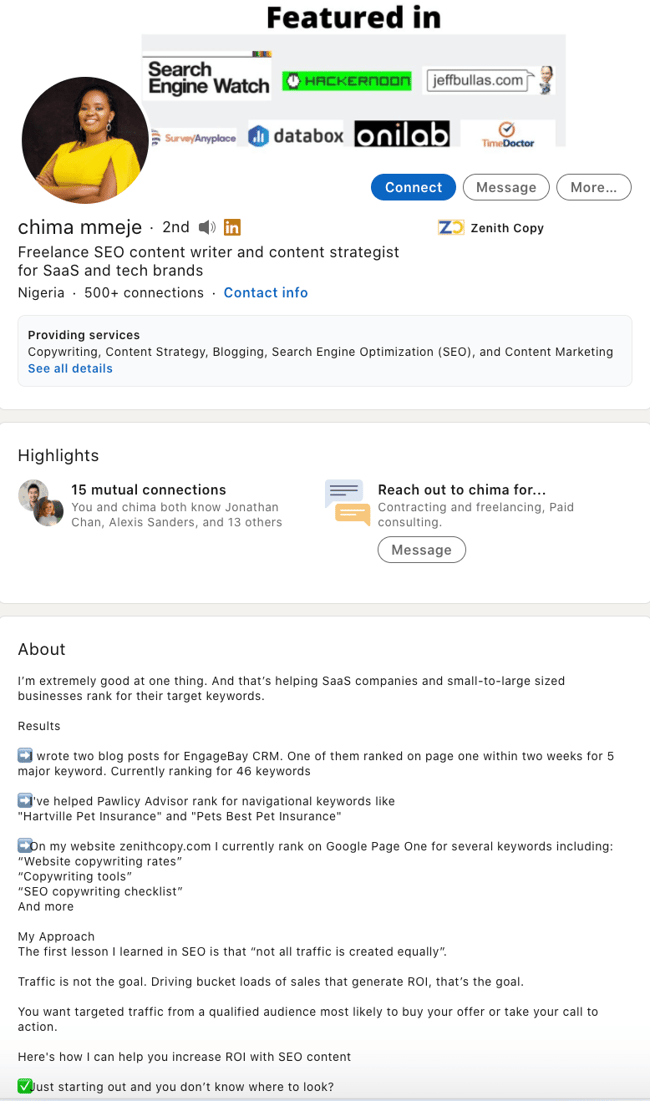 What comes next is a unique differentiator in a professional bio. Instead of listing accolades, Chima shares a few wins she’s secured for her clients. This nifty section does two things: it builds the readers’ confidence in her ability to deliver results and it’s a practical way to name-drop her clients in a professional bio.
In the body of her professional bio, Chima briefly lists her process at a high level, giving her potential clients a bird’s-eye view of what they can expect when they book her services.
The simple call to action “Drop a message” in her email inbox is a casual invitation to learn more about her services.
3. DJ Nexus: DJ
Bio Platform: Facebook
This New England-based DJ has single-handedly captured the Likes of more than 2,000 people in and beyond Boston, MA. And even if you don’t listen to the type of music he produces, it’s hard not to listen to his compelling Facebook bio.
For instance, consider his tagline, under “About” — “Quiet during the day. QUITE LOUD at night!” DJ Nexus tells you when he works in an awesome way. I got goosebumps just imagining a dance club he might play his music in.
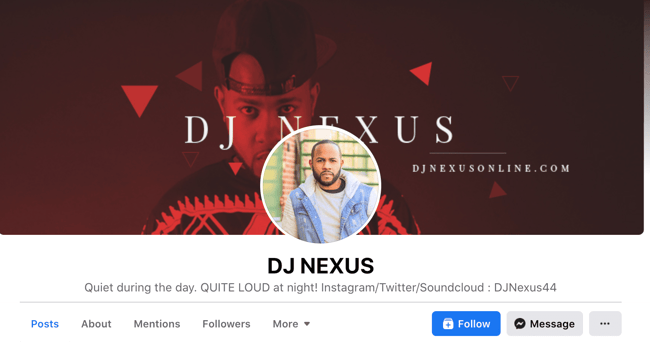 DJ Nexus’s bio brilliance doesn’t stop there.
DJ Nexus links his Facebook account to his personal website, where he has the space to tell the full story of his background. Here’s a preview, below:
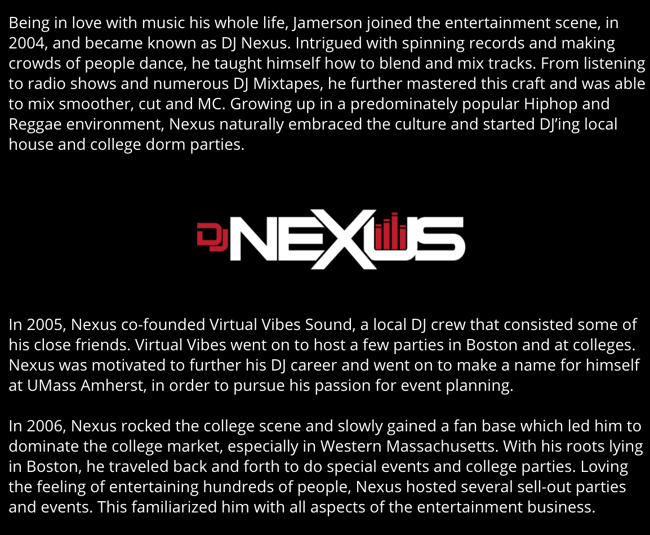 In this story, DJ Nexus describes both when he “became known as DJ Nexus” and a company he founded shortly afterward — all before going to college.
This is a terrific lesson for professional bios: Customers want to learn about you. Consider how you might also lead your Facebook visitors off your Facebook page and onto your personal website to learn more about who you are.
4. Lena Axelsson: Marriage & Family Therapist
Bio Platform: Industry Website
When it all comes down to it, your professional bio is no different from any other piece of persuasive copy — no matter where it lives. One of the most common mistakes people make is thinking of it as its own beast, separate from other pieces of writing. If you think about it that way, you’re far more likely to write something painfully uninteresting.
When you sit down to write your professional bio and you’re watching that cursor blinking on the screen, think about how you would introduce a blog post. You don’t just dive right into the meat of the thing, now, do you? No. You start with an introduction.
The best bios are often concise (around 200–300 words), so you don’t have a lot of room to play around. But a single sentence that tees your reader up and provides context for the accomplishments that follow could make the rest of your bio that much more persuasive.
Take Lena Axelsson’s bio, for instance. She’s a marriage and family therapist — a job where empathy and compassion are a big part of the job description. That’s why she chooses to open her bio with a great introductory sentence: “When human beings experience trauma or severe life stressors, it is not uncommon for their lives to unravel.”
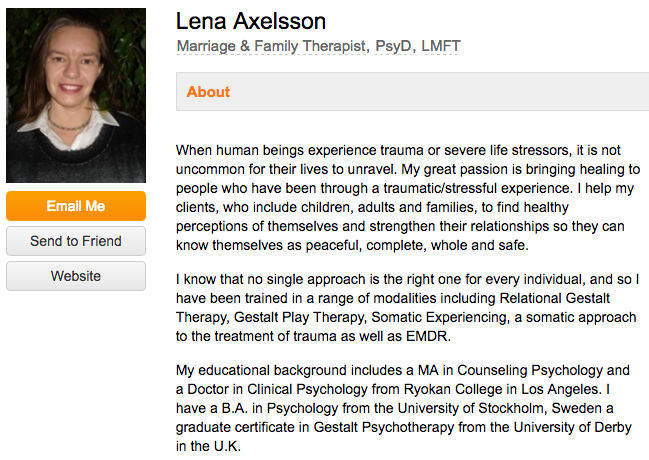
Then, she goes into why she’s passionate about her job, how she helps her clients, and how she caters her approach to each patient. The necessary educational information is left for the end after the reader has been hooked.
Your bio doesn’t have to be super serious, nor does it have to start with a joke. This bio shows how you can capture your reader’s attention by being empathetic and showing how that empathy shapes a valuable professional.
5. Mark Levy: Branding Firm Founder
Bio Platform: Personal Website
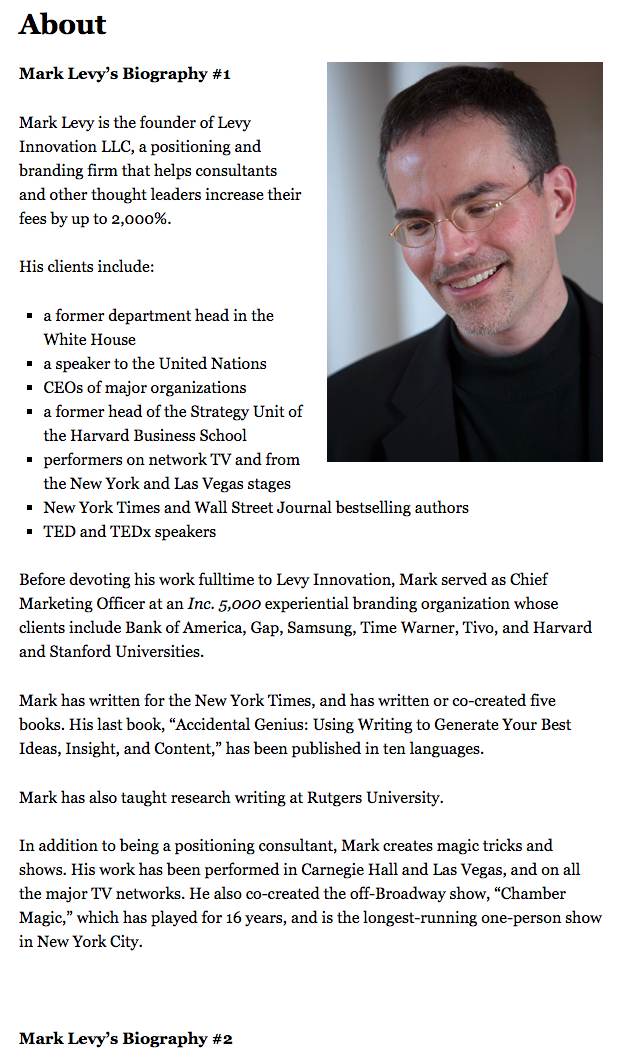
Mark Levy is a small business owner who’s taken a more traditional approach to the professional bio on his website — but in a way that takes care to speak to his intended audience.
What we love about his bio is the way he’s set it up: On his business’ “About” page, he’s listed two biographies, which he’s labeled “Mark Levy’s Biography #1” and “Mark Levy’s Biography #2.”
Click here to see the full version.
Like Ann, Mark’s given his readers two different options. The first biography is a “short version,” which includes a combination of bullet points listing his credentials and a few short paragraphs.
The second is the “long version,” which is actually even more interesting than the first one. Why? Because it reads like a story — a compelling one, at that. In fact, it gets really funny at parts.
The second sentence of the bio reads: “He was frightened of public school, loved playing baseball and football, ran home to watch ape films on the 4:30 Movie, listened to The Jam and The Buzzcocks, and read magic trick books.”
Here’s another excerpt from the middle:
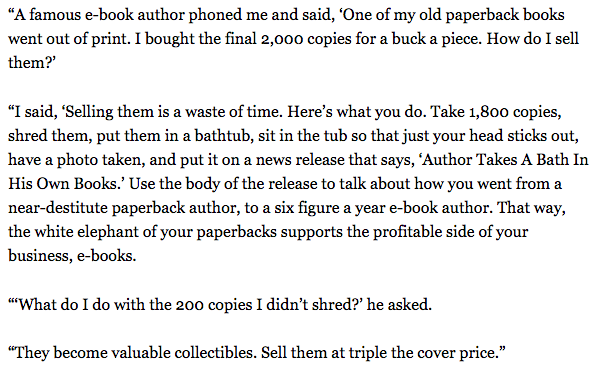
Of course, the fantastic copywriting isn’t a surprise, given that this guy wrote several books. But the conversational tone and entertaining copy let his quirky personality (and great writing skills) shine.
6. Audra Simpson: Political Anthropologist
Bio Platform: Personal Website
With a classic take on the professional bio, Audra Simpson crafts a brief overview of her career in just a couple of paragraphs. The “why” behind her work is emphasized in the first half of her bio before transitioning to the way she carries out that work in practice.
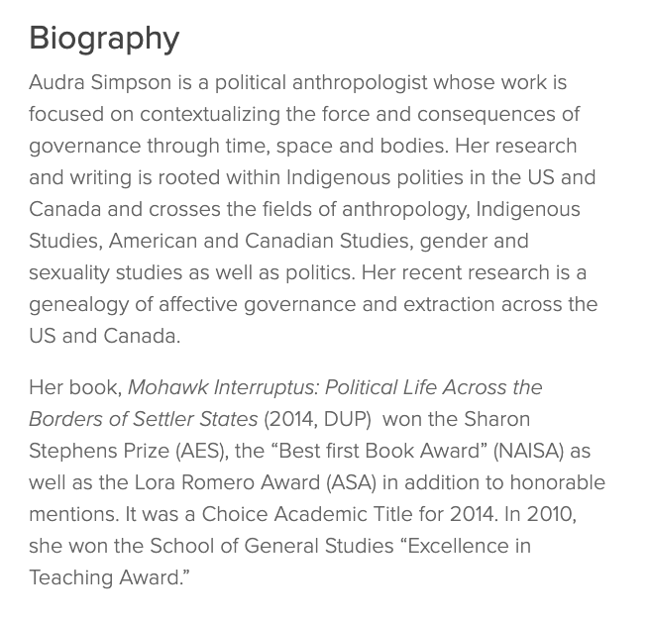
The second half of her bio combines her bodies of work and the awards she’s won for each from the year 2014 to 2020. This subtle timeline gives readers a picture of her experience in the field of political anthropology without listing her resume in detail.
Audra’s professional bio is an example for those of us with several years of experience to communicate, but a strict word limit to write within.
7. Marie Mikhail: Professional Recruiter
Bio Platform: LinkedIn
Marie Mikhail checks off nearly every box for what makes an excellent bio. A professional recruiter, she expresses her “passion for recruiting” upfront, in the first sentence, while using that sentence to hook her profile visitors into a brief story of her background.
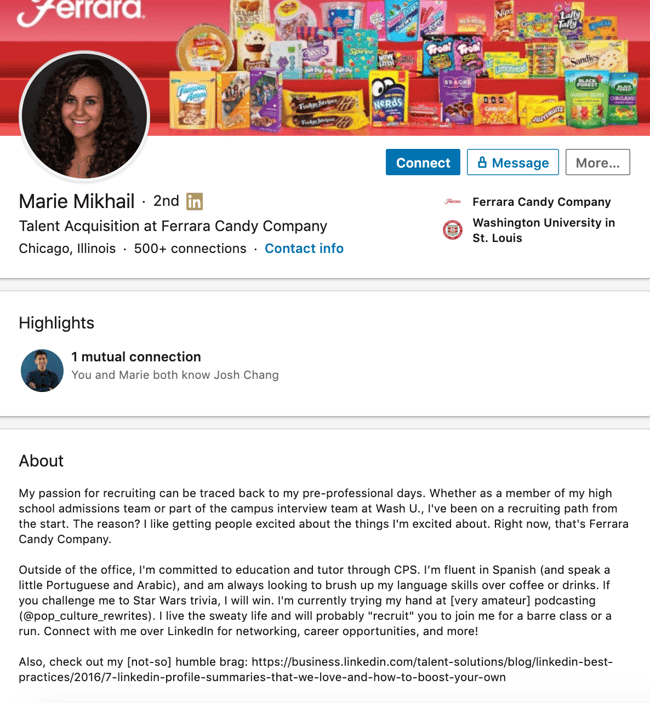
But there are a lot of recruiters out there, and Marie knows that. So, to differentiate herself, she closes the first paragraph of her bio by explaining that she likes “getting people excited about the things [she’s] excited about.” It’s a well-put value proposition that sets her apart from the rest of the HR industry.
Marie Mikhail finishes off her bio by including a smooth mixture of professional skills, such as her Spanish fluency; and personal interests, such as podcasting and Star Wars (she mentions the latter with just the right amount of humor).
8. Wonbo Woo: Executive Producer
Bio Platform: Personal Website
Wonbo Woo is the executive producer of WIRED’s video content, and he has several impressive credits to his name. What does this mean for his professional bio? He has to prioritize. With this in mind, Wonbo opens his bio with the most eye-catching details first (if the image below is hard to read, click it to see the full copy).
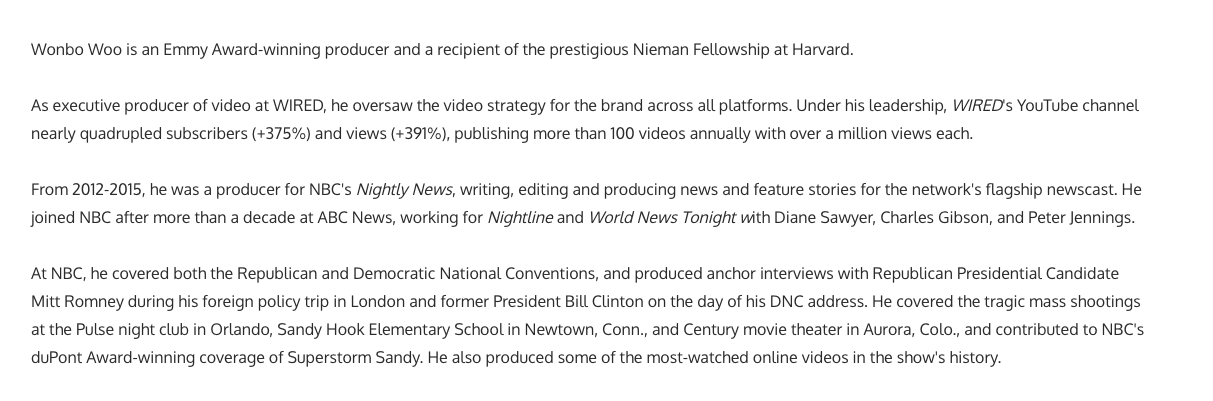
Not only does Wonbo’s bio start strong, but he also takes readers on a suspenseful journey through some of his most harrowing assignments — where he was when news broke and how he responded. You can see this quality below.
 The accomplished journalist concludes his gripping bio as strong as it began, measuring his experience by the number of states, countries, and continents to which he’s traveled in his career. See how this looks above. All in all, it’s a fantastically concise bio for as much detail as it holds.
9. Chris Burkard: Freelance Photographer
Bio Platform: LinkedIn
If you’re writing your bio but having trouble figuring out how to showcase your accomplishments without boasting, photographer Burkard’s LinkedIn bio is a great example for inspiration.
Written in third-person, his bio tells a fluid story, starting with his ultimate mission — “capture stories that inspire humans to consider their relationship with nature” — before diving into more tangible accolades (giving a TED talk, publishing books, etc.).
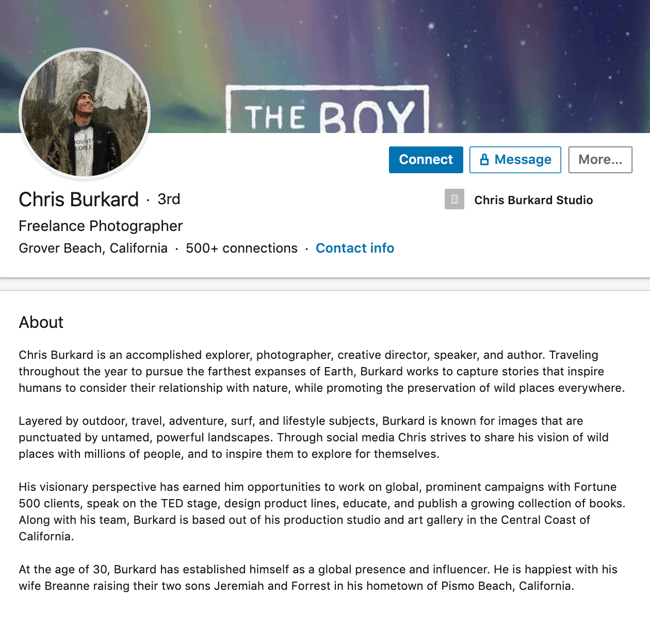
Best of all, rather than using his bio as an opportunity to brag, he instead ties his talents into how he hopes to help others, writing, “Through social media, Chris strives to share his vision … and inspire [his followers] to explore for themselves.”
I wouldn’t necessarily be inclined to follow Chris if his bio had simply read “I post beautiful images” … but inspire me to travel? Now that’s something I can get behind.
Lastly, he ends on a humble, sweet note, writing “He is happiest with his wife Breanne raising their two sons”. Don’t be afraid to inject some personal information into your bio — it could help you seem more approachable as a result.
10. Lisa Quine: Creative Consultant
Bio Platform: Portfolio Website
Although a picture is worth 1,000 words, a portfolio is quite different from a professional bio. While this might present a challenge for creative professionals who specialize in visual art to tell their stories, Lisa Quine quantifies her creativity to give her professional bio balance.
Throughout her bio, you’ll notice the number of murals she’s completed and a brief timeline of her career thus far which helps paint the picture of who she is as a professional.
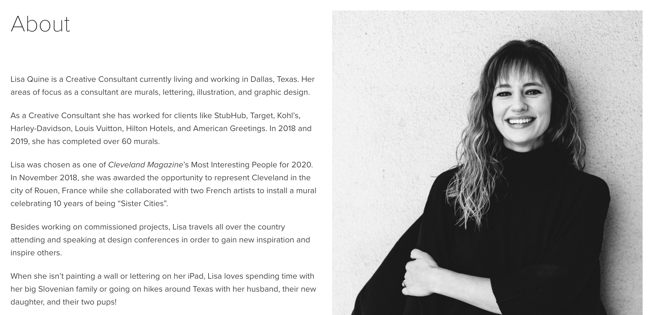
Lisa’s bio checks the box on nearly all of our recommendations for a great bio. She begins with her full name, her location, and what she does best. From there, she gets creative by appropriately mentioning the brands she’s worked with and highlighting some of her favorite projects. With a third-person approach to the writing, this bio invites the reader behind a metaphorical door to meet Lisa as a professional, traveler, learner, wife, and mother.
11. Nancy Twine: Hair Care Founder
Bio Platform: Company Website
As Founder and CEO of Briogeo — a popular natural hair care line that’s received rave reviews in publications such as Allure and InStyle — there are undoubtedly plenty of accolades Twine could boast about.
But she chooses to start her bio from a humbler place, stating: “Nancy Twine is no newcomer to the beauty-sphere — in fact, she made her first foray into the world of natural product formulation at the ripe age of five.”
The rest of her bio similarly focuses on Twine’s strengths as someone who’s able to take hair care “back to basics”. The bio focuses on why Twine made the decision she did to start her company, and what ultimately drives her.

Similarly, you might consider using your personal bio as an opportunity to highlight your bigger purpose or vision. As Twine demonstrates, sometimes it’s best to keep it simple and let your message resonate with the right audience.
12. Trinity Mouzon: Wellness Brand Founder
Bio Platform: Personal Website
I gravitated towards Mouzon’s bio from the first sentence: “I’m obsessed with leveling the playing field.” Mouzon effectively grips the reader’s attention with this introduction and then dives into some of her impressive accomplishments — including a brand that’s now sold at Urban Outfitters and Target.
The language used throughout Mouzon’s bio is authentic, real, and honest. Consider, for instance, the beginning of the second paragraph, where she admits, “While building a brand may have looked effortless from the outside, starting a business at age 23 with no resources or funding quickly forced me to realize that early-stage entrepreneurship was anything but transparent.”
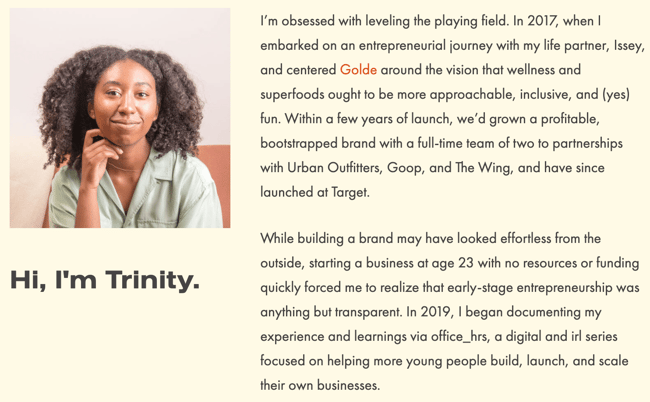
Ultimately, this bio doesn’t just focus on Mouzon’s (impressive) background — it also highlights how she can help her readers start and scale their businesses.
By focusing on the reader, Mouzon effectively demonstrates the real power of a good bio: the power to convert newcomers into leads and customers.
13. Alberto “Beto” Perez: Co-Founder of Zumba Fitness
Bio Platform: LinkedIn
As an avid Zumba fan, I was excited to include this one in the list. Perez styles his LinkedIn bio as a short story, starting with his background as a hard-working teen who held three jobs by age 14.
His bio tells the fun and fascinating origin story of Zumba, in which Perez, an aerobics teacher in Florida at the time, forgot his music for class and used a Latin music cassette tape instead … “And it was an instant hit!”
His bio continues, “Shortly after he was connected to Alberto Periman and Alberto Aghion and Zumba was officially created … what started as a dream now has 15 million people in more than 200,000 locations in 186 countries who take Zumba classes every week.”
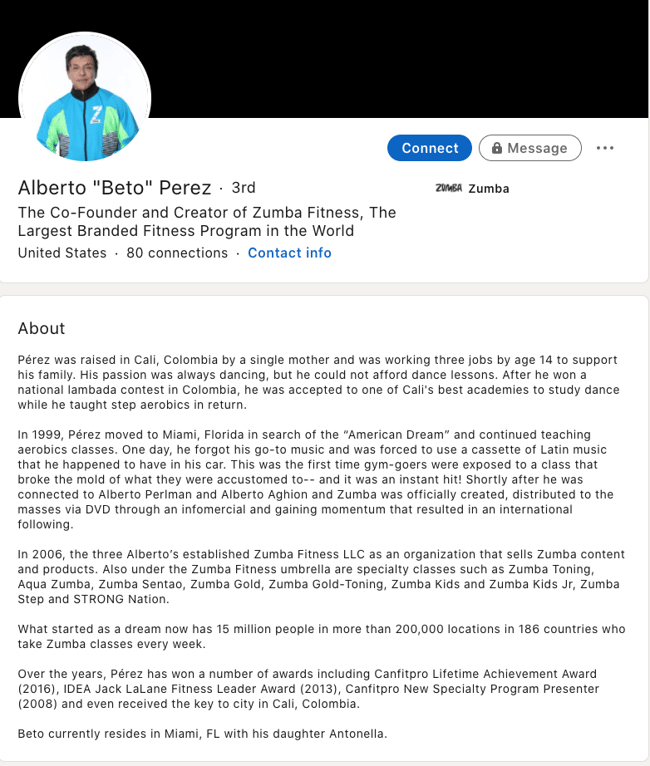
What I like best about this bio is Perez’s decision to use the space to tell the story of his business, rather than list out his accomplishments. It provides a more real and colorful introduction to Perez and immediately makes him feel both relatable and inspirational.
Learn how to write your professional bio with more free tips, templates, and inspiring examples.
Let’s dive into a few examples of short professional bios next.
Short Bio Examples
14. Ann Handley: Writer and Marketer
Bio Platform: Personal Website
If you’re a marketer, you’ve likely heard of Ann Handley. Her list of credentials is lengthy, and if she wanted to, she could go on and on and on about her accomplishments.
But when people list out all their accomplishments in their bios, they risk sounding a little egotistical. Sure, you might impress a handful of people with all those laurels, but many people who read your bio will end up feeling either intimidated or annoyed. Think about it: Is that how you want the majority of your readers to feel when they read your bio?
To minimize the egoism that comes with talking about yourself, think about how you can list out your accomplishments without sounding like you’re bragging. Ann does this really well, choosing a tone in her bio that’s more approachable.
Best of all, Ann chooses to focus on her readers’ challenges and motivations, rather than her own. For instance, she writes, “Ann Handley writes and speaks about how businesses can escape marketing mediocrity to achieve tangible results. >And she will inspire you to do work you’re proud of.“
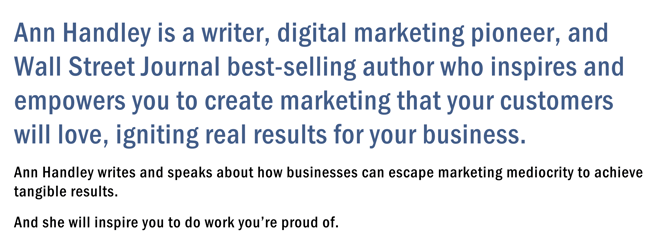
Follow the link and you’ll be led to a page dedicated to a fuller bio, which she’s divided into two parts: a “short version” (literally a bulleted list of key facts) and a “long version,” which includes traditional paragraphs. There’s something in there for everyone.
15. Rebecca Bollwitt: Writer
Bio platform: Instagram
Instagram is a notoriously difficult platform on which to write a good bio. Similar to Twitter, you simply don’t have room for a professional bio that includes everything about you. And because Instagram is primarily a mobile app, many viewers are reading about you passively on their mobile devices.
Instagram’s limited bio space requires you to highlight just your most important qualities, and blogging icon Rebecca Bollwitt does so in her own Instagram bio in an excellent way.
Rebecca’s brand name is Miss604 and cleverly uses emojis in her Instagram bio to tell visitors exactly what makes her a valuable content creator. Take a look at the screenshot below:
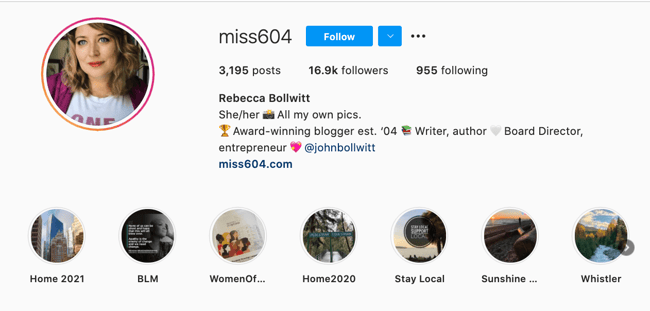
Starting with a trophy emoji, Miss604 says she’s an award-winning blogger. I haven’t even looked at her pictures yet and the introduction of her bio has already sucked me in.
The rest of her bio follows suit, breaking up the text with an appropriate emoji and a perfect collection of nouns to tell me who she is as a person. She even links out to her husband’s Instagram account after the heart emoji (an adorable addition) and assures her followers that all of her pictures are authentically hers.
Take a lesson from Miss604, and show your personal side. Just because you’re branding yourself as a professional doesn’t mean you have to take your human being hat off. Often your most personal attributes make for the best professional bio content.
16. Corey Wainwright: Principal Marketing Manager
Bio Platform: Blog Byline
Corey Wainwright is a Principal Marketing Manager here at HubSpot. She’s written content for HubSpot’s Marketing Blog for years, and her blog author bio has caught my eye since before I ever started working for HubSpot. (Back then, it started with, “Corey just took a cool vacation.”)
What I love most about Corey’s bio is that it’s a great example of how to deliver information about yourself without taking things too seriously. And in this context, that’s totally appropriate.
Despite having several impressive accomplishments under her belt, she simply doesn’t like displaying them publicly. So, she prefers making her author bio a little more “light.”
Her bio (pictured below) reads, “Corey is a Bruce Springsteen fan who does content marketing, in that order.”
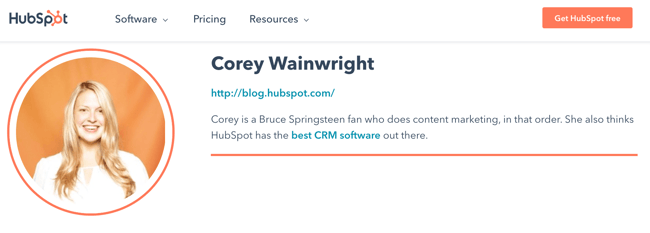 It works in this particular context because, at HubSpot, our blog authors often prefer to make themselves as friendly and approachable as possible — while letting the content speak for itself.
It helps that authors’ social media accounts are located right below our names and above our pictures. For folks who really do want a list of Corey’s credentials, they can click the LinkedIn button to go to her LinkedIn page. (You can read this blog post to learn how to create social media buttons and add them to your website.)
17. Megan Gilmore: Cookbook Author
Bio Platform: Instagram
Megan Gilmore is a best-selling cookbook author, and she often posts healthy recipes on her Instagram page to inspire followers’ to realize that you don’t have to sacrifice taste for the sake of health.
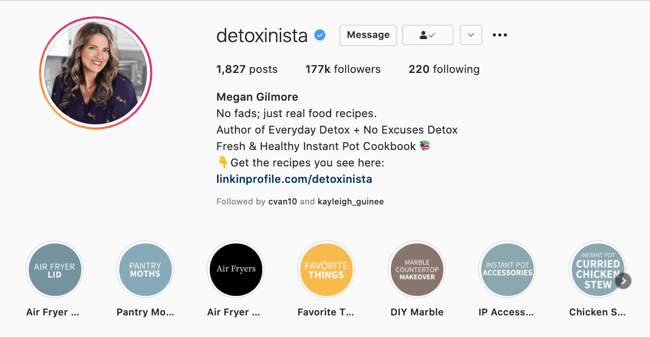 Fortunately, you glean most of this information immediately from her Instagram bio, which is short and to the point: “No fads; just real food recipes. Author of Everyday Detox + No Excuses Detox.” Her “no fads” call-out shows followers she aims to be helpful rather than gimmicky.
Plus, Gilmore includes a CTA link within her Instagram bio that leads followers to free, ready-to-use recipes. You might be thinking — Why would she do that, since it discourages people from buying her book? But that couldn’t be further from the truth.
By giving her followers the chance to try out her recipes, she’s slowly turning leads into customers. After I tried a few of her Instagram recipes and loved them, I decided to go ahead and buy her book, knowing I’d like more of what she had to offer.
18. Van Jones: Political Commentator, Author, and Lawyer
Bio Platform: Twitter
Someone who’s known for a variety of talents and skills may find it difficult to capture who they are in a professional bio. When limited to just over 100 characters on Twitter, the feat is nearly impossible. But Van Jones effortlessly explains who he is and why it matters to everyone who visits his Twitter profile.
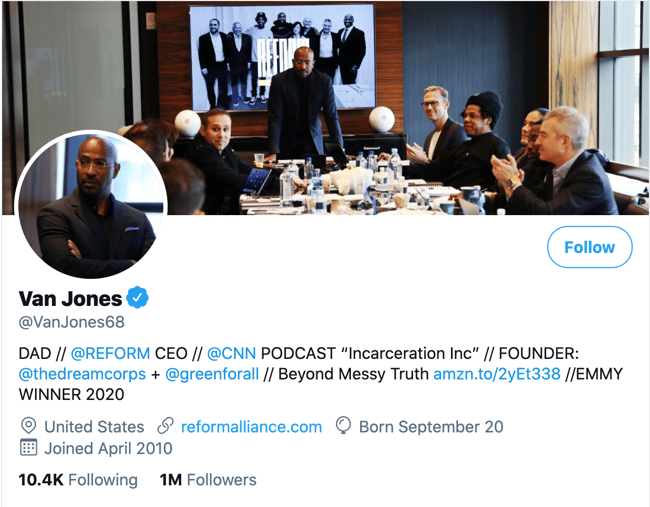
He starts his professional bio with a token of personalization and prioritization of his values. By mentioning that he is a dad first, we recognize what’s important to him in his long list of successes.
As we’ve seen in other bios, sharing who we are outside of work makes us more personable and should find its way into your bio, if possible. Van leaves plenty of room to share a variety of professional experiences in his bio including CEO of REFORM and his 2020 Emmy award.
What’s great about Van’s Twitter bio is his ability to link valuable offerings to his readers. He invites us to check out his latest book and has his website reformalliance.com linked at the top.
19. Sarah Haskins: Writer
Bio Platform: Twitter
When in doubt, a few words go a long way.
Consider, for instance, the funny and impactful bio of Sarah Haskins on her Twitter page, which reads: “writer. bad but enthusiastic dancer.”
What more do you need to know?
She doesn’t take her bio too seriously and uses the space to highlight one serious accomplishment/skill (writer) and one not-so-impressive skill (bad dancer), to demonstrate her sense of humor and realness.
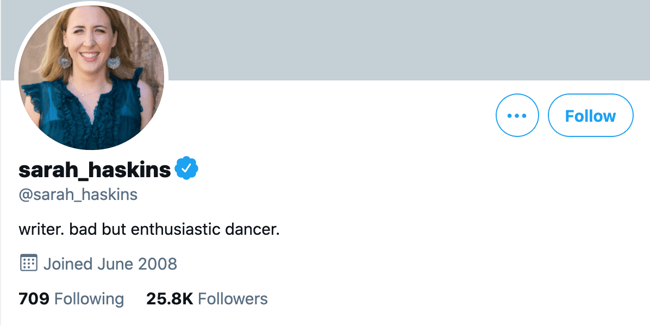
Particularly for a social media account that already restricts word count, consider how you might showcase your uniqueness in just a few words.
20. Bea Dixon: Feminine Care Founder
Bio Platform: Instagram
Bea Dixon, Founder, and CEO of The Honey Pot Company, efficiently uses her space on her Instagram profile to highlight who she is as a well-rounded human — not just a businesswoman.
For instance, while she highlights her Girl boss attitude with a tiara emoji, she equally calls attention to her fashion interests (Free People), her pets Boss and Sadie, and her love for ramen noodles.
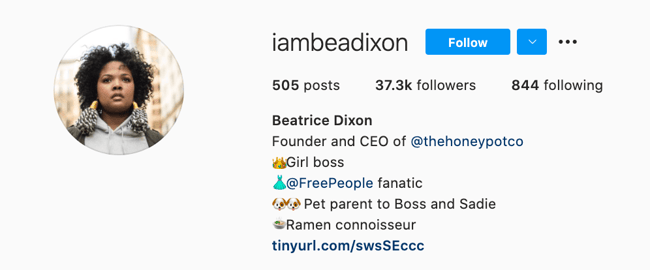
Consider how you might also highlight your interests, hobbies, or passions outside of the 9-to-5. If people are reading your bio, they’re interested in getting to know the full you.
If you’re posting a bio on a social media account or sending a quick blurb to a client, you want to keep it short and sweet while showcasing your accomplishments.
To get you started, here are the best practices for writing your short professional bio:
Your introduction is your first impression, so always begin by telling people who you are. You may start with a greeting like, “Hello, my name is” or “Hi! Let me first introduce myself …” when sending your bio as a message.
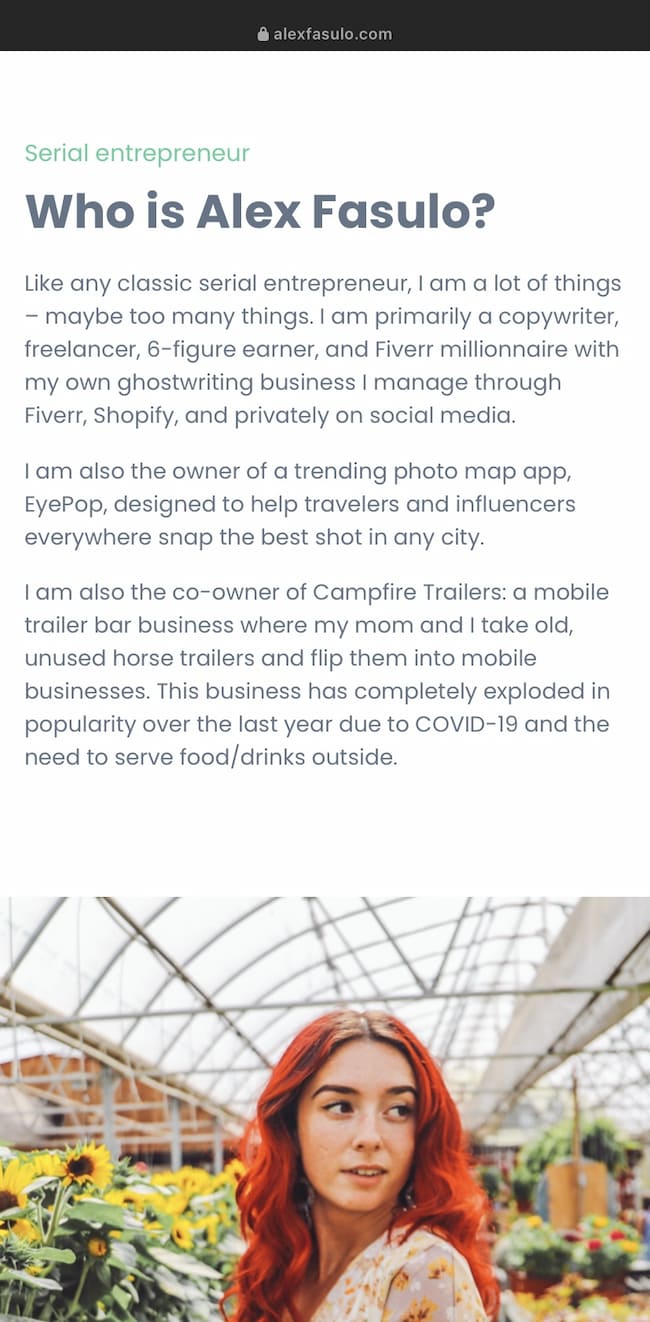
If you’re writing a bio for an online platform, simply stating your name at the beginning works as well, like the way freelancing entrepreneur Alex Fasulo presents themselves in the first person on their website:
2. State what you do.
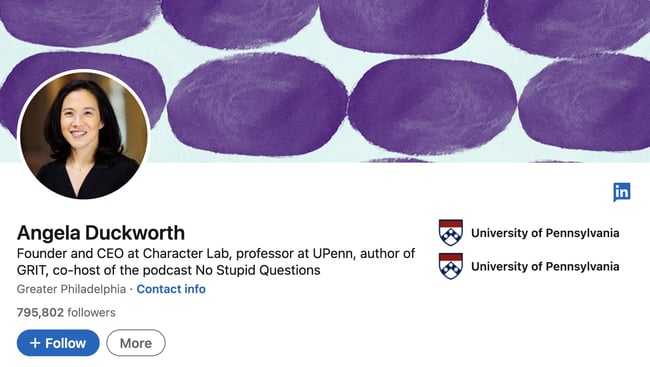
Give people an idea of what you do day-to-day, as well as where you work. Your job title is how the people put you into context and consider whether your profession relates to your audience’s industry. So detail the most relevant work you’re involved in your short bio like CEO, professor, and author, Angela Duckworth, specifies on her LinkedIn:
Even if you are a freelancer with a broad focus, you can keep it general yet clearly specify the type of contract work you do. If your specialty is writing, your title could be “Freelance Writer,” or if it’s Help Desk or Information Technology you may state yourself as a “Freelance IT Specialist.”
3. Add key skills or areas of expertise.
Especially, if you’re sending a bio to a client or potential employer, make sure to highlight the skills that they will find valuable. For instance, if you’re expertise is in social media marketing and content creation like Ivanka Dekoning, make sure you list these skills concisely:
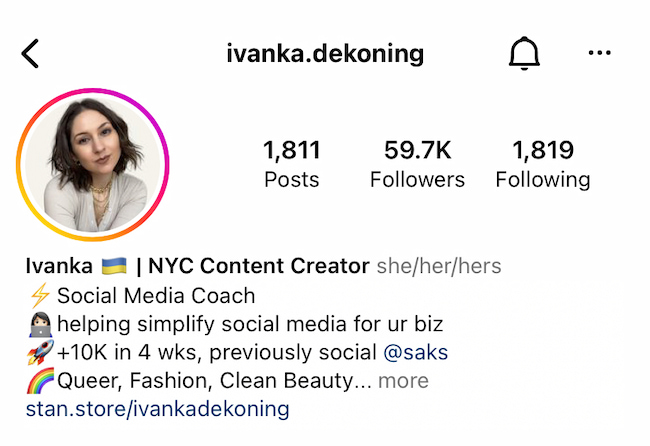
Here Dekoning showcases their experience so potential connections immediately see if they have what they’re looking for— and you can show this too.
4. Include a personal mission statement.
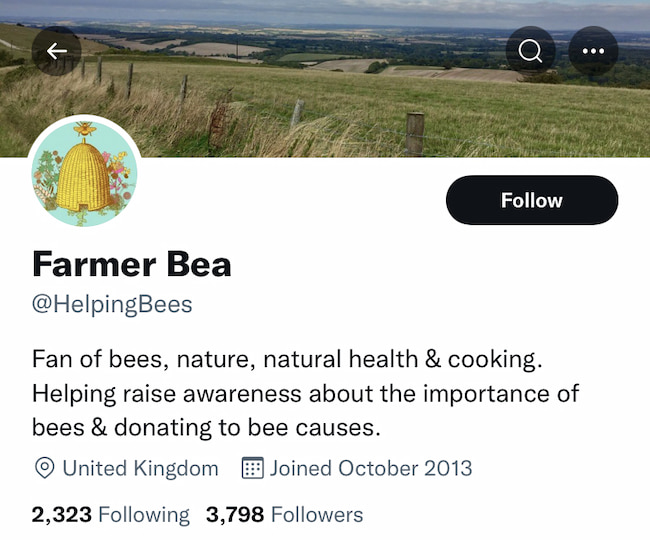
What do you hope to achieve through your work? Why do you do what you do? Answering these questions can help give your bio’s mission statement some direction, similar to how Farmer Bea makes their goal to help bees clear to all of their Twitter connections:
 So give an honest answer about your goals or mission to give color to what your professional purpose is overall.
5. Celebrate your wins.
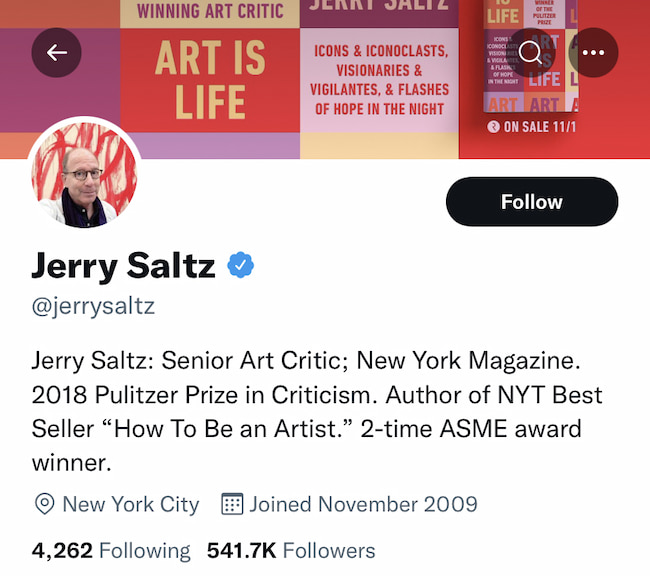
Your short bio can be a proud showcase of your accomplishments, so add 1 to 2 personal successes you’ve achieved through your skills or mission. For instance, if you’ve received acclaim from industry leaders in your scope like Art Critic Jerry Saltz, your wins may list as something like:
 So whether they’re awards you won, publications you’ve been featured in, or companies you worked with, be sure to spotlight any major achievements.
6. Provide your contact information.
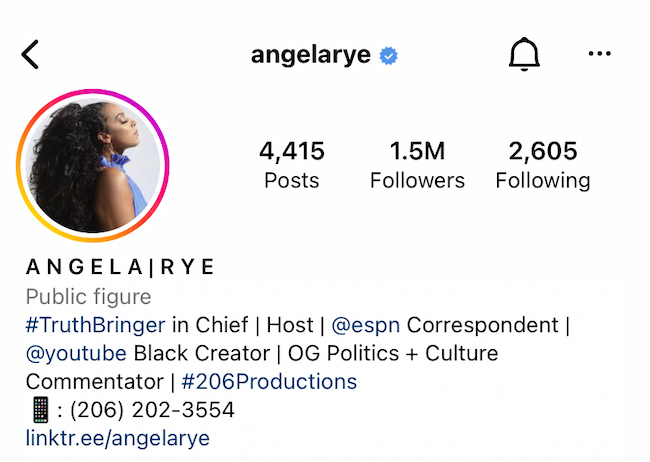
People who visit your profile or receive your message will already know your social media account. But to take business off the app, include your email address, website, or any other professional profiles you’d like them to know about. Political Commentator and Sports Correspondent, Angela Rye, shows a great example of this in her short professional bio on Instagram:
 Additionally, after listing a name, job titles, and contact information, Rye includes a Linktree to their website where you can read a longer version of the professional bio:
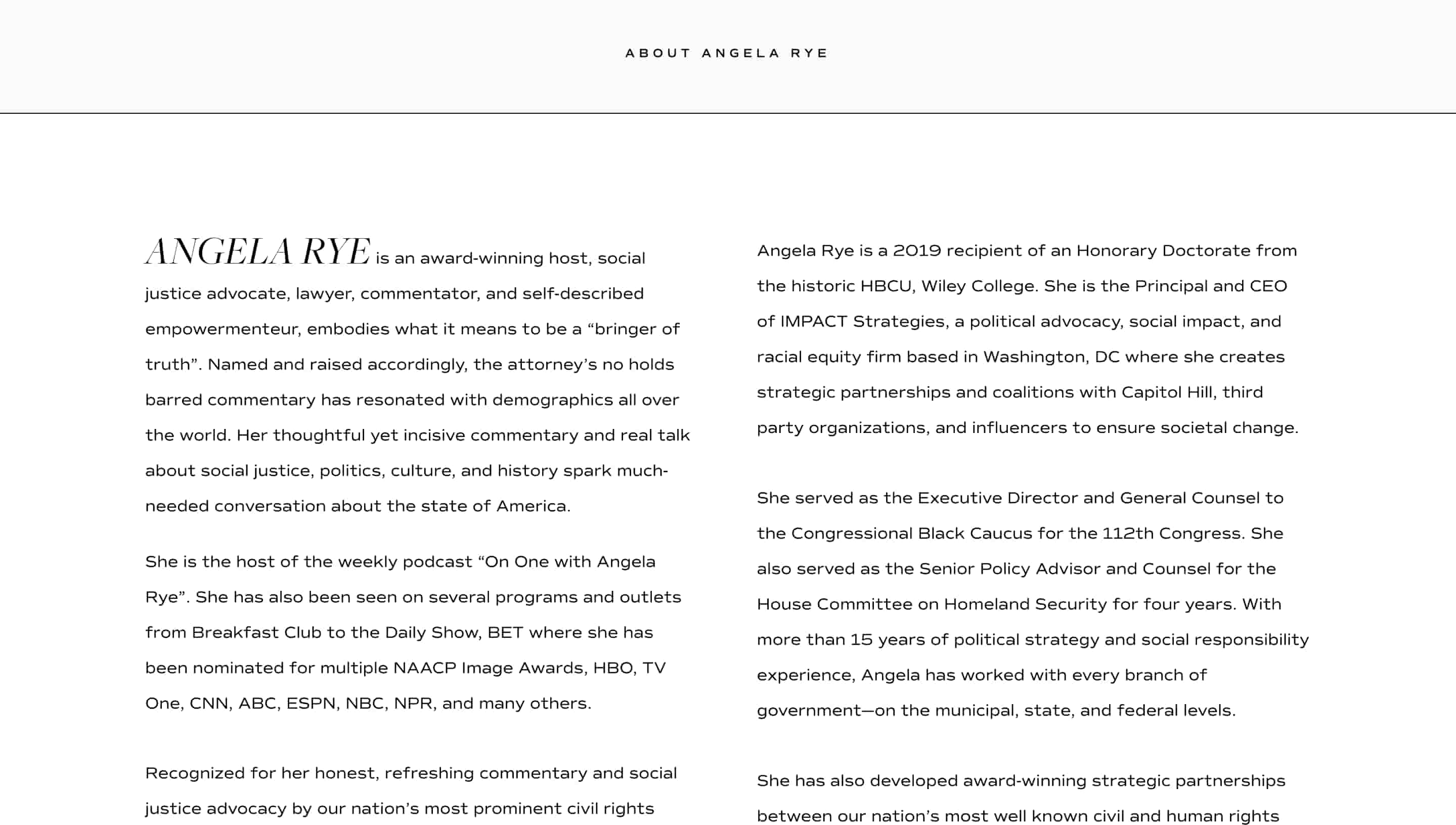 This allows Raye to detail her values more in-depth and how they demonstrate them through her work. So before diving into your long professional bio, begin with a short bio as a teaser of who you are, what you care about, and what you can do for others.
7. Show them your personality.
Don’t be afraid to add a little bit of personal charisma to your short professional bio — because professional doesn’t have to mean plain. Your personality may be best portrayed through:
-
A joke: “Some mistakes are too much fun to only make once. At least that’s what I learned when I created…”
-
A mention of a hobby: “I’ll be honest: for me, tennis is life— Go Nadal!”
-
A fun fact: “Every year I watch 100 new films! I’m a cinephile and love every movie genre.”
-
A few emojis related to your interests: “🎶🤖🎾🎬🎭”
Whichever way you choose to get personal, give people a glimpse into who you are as an individual.
When writing a short bio it can be tempting to try and pack in as much relevant information about yourself as possible — but this isn’t the most effective approach. Instead, focus on including the details that you and your audience care about most and leave out the fluff.
Create Your Own Professional Bio
Prim and proper, relaxed, or studded with accomplishments, your bio is a reflection of your best professional self. Your professional bio will often precede your physical presence. Before people meet you for the first time, they’ll probably read your bio.
Whether you’re creating an about page for your website or social media profile, one thing’s for sure, you’ll want to put your best foot forward with a top-notch professional bio.
Editor’s Note: This post was originally published in November 2019 and has been updated for accuracy and comprehensiveness.

The Top Traffic, Conversion, & Lead Trends in Q3: Data & Takeaways from 120,000+ Businesses
When it comes to Q4, Halloween isn’t the only spooky thing haunting marketers.
In fact, the most intimidating part of Q4 is the pressure to end the year with great results, while also taking on immense annual planning to start the new year off right.
And, on top of the normal stressors of Q4, businesses are also dealing with concerns about inflation, uncertain economies, and how a potential recession could impact their bottom line.
As you enter an uncertain Q4, it will be helpful to gather all the hard data you need to make decisions, including research on how industries like your own have performed in the past few months. This data not only gives you insights into how you’re performing against the competition today, but it can also help you create actionable strategies that could enable you to transition from one successful year to another.
In this post, we’ll highlight how more than 120,000 businesses are performing when it comes to traffic, leads, conversion rates, and email engagement. With this data in mind, we’ll also highlight which takeaways you should bring with you during Q4 planning.
About this Data: These insights are based on data aggregated from 130,000+ HubSpot customers globally between July 2021 and September 2022. Because the data is aggregated from HubSpot customers’ businesses, please keep in mind that the performance of individual businesses, including HubSpot’s, might differ based on their own markets, customer base, industry, geography, stage and/or other factors.

Q3 Performance Trends from 120,000+ Companies
Overall, Q3 might have been susceptible to seasonality in both B2B and B2C industries with frequent QoQ performance metrics dips. When looking at the overall YoY numbers, it’s also possible that current themes, such as economic uncertainty, could slightly be impacting stats.
However, while some metrics and industries are seeing bigger dips, others are still making strides – hinting that there might not be a major cause for industry-wide concerns.
Below is an interactive infographic that allows you to toggle between overall YoY and MoM trends. Keep reading for a breakdown of how these industries are performing based on each key metric.
Web Traffic and Conversions
Most industries are seeing a web traffic decrease.
In Q3 2022, web traffic was down 7% compared to Q2 2022 and 10% compared to Q3 2021 (sample size = 142,308).
Industries hit the hardest by this slump were Financial Activities – which saw a 14% YoY drop despite only having a 2% QoQ decrease – as well as Professional & Business Services which saw drops of 6% QoQ and 8% YoY. Manufacturing also saw an 8% YoY dip with a 4% QoQ drop, hinting that business-facing companies might be struggling more with seasonality and traffic growth in current times.
While some industries that are more heavily B2C saw drops, they aren’t as comparable to those mentioned above. Additionally, Leisure and Hospitality is likely benefiting from post-COVID reopenings and travel as it saw a small QoQ dip of 3% but a 5% YoY boost in traffic.
|
Industry |
QOQ |
YOY |
Sample size |
|
All |
-7% |
-10% |
142,308 |
|
Construction |
-4% |
-6% |
1,379 |
|
Education and Health Services |
-3% |
-7% |
3,613 |
|
Financial Activities |
-2% |
-14% |
4,032 |
|
Leisure and Hospitality |
-3% |
+5% |
1,104 |
|
Manufacturing |
-4% |
-8% |
4,410 |
|
Professional and Business Services |
-6% |
-8% |
12,872 |
|
Technology, Information and Media |
-6% |
-5% |
14,673 |
|
Trade, Transportation and Utilities |
-8% |
-4% |
3,404 |
If you saw drops in web traffic in Q3, you don’t necessarily need to panic. Be sure to compare this with the previous quarter, historical data, or industry-wide as this might just be seasonality or an industry-trend-related theme.
If you believe you’re in the midst of seasonally low traffic or a low-traffic time in your industry, this doesn’t mean you should stop and accept defeat. In fact, seasons with lower web visitors or general industry slowdown could be great for taking on site or traffic optimization projects that you wanted to avoid during times of high traffic or sales. Things you could explore might include:
- Website user experience testing.
- Website maintenance or migrations.
- Larger SEO projects, like historically updating old pages instead of churning new pages.
- Website redesigns or design-oriented tests.
The good news? Web conversions are bouncing back from previous months
Website conversion rates in Q3 2022 were up 2% compared to Q2 2022 and up 8% compared to Q3 2021 (sample size = 122,426).
Unlike the traffic trends above, the most noticeable industry spikes were in
- Professional and Business Services (+20% YoY)
- Financial Activities (+15% YoY)
- Education and Health Services (+13% YoY)
While this is likely due in part to traffic dips, as conversions are calculated based on traffic compared to the number of conversions), it shows that prospects are still interested in learning about products that are in these industries and that those who end up on their sites might be better, more serious leads, than those who visited in times of high traffic.
One of the two industries that saw either a QoQ or YoY loss was Leisure and Hospitality, which saw a 3% drop from quarter to quarter. However, the industry is still bouncing back from previous COVID-impacted years with a 7% increase in conversions YoY, hinting that companies in this space might just be dealing with seasonality and less travel in Q3 as people often focus their vacation time on the Q2 summer months or Q4 holiday travel.
Something seasonal could also be happening in the Trade, Transportation, and Utilities industry, which saw a dip of 5% in Q3, likely due to less demand in the late summer to early fall months, but is still seeing 2% growth annually.
|
Industry |
QOQ |
YOY |
Sample size |
|
All |
+2% |
+8% |
122,426 |
|
Construction |
+5% |
+1% |
1,154 |
|
Education and Health Services |
+5% |
+13% |
3,285 |
|
Financial Activities |
+8% |
+15% |
3,512 |
|
Leisure and Hospitality |
-3% |
+7% |
943 |
|
Manufacturing |
+6% |
+8% |
3,887 |
|
Professional and Business Services |
+1% |
+20% |
11,328 |
|
Technology, Information and Media |
+9% |
+11% |
13,534 |
|
Trade, Transportation and Utilities |
-5% |
+2% |
2,947 |
Although you might be seeing higher web conversions due to lower traffic, this could still be helpful in your long-term strategy as you can potentially determine where your biggest sources of conversions are coming from on your site and optimize for them. This way, when your site traffic heightens, your pages will be primed for lead generation and clicks.
If you’re seeing lower conversion rates, keep in mind that these are quite difficult to keep high all year – for any company. Essentially, most companies, especially B2B or those in more niche industries, will have high points and low points each year.
However, if you feel like conversions are unusually low for your industry, now might be a good time to investigate and ask yourself questions like:
- When did these dips start?
- Is there a logical reason visitors might be less interested in our site or offers? (such as seasonality, the current economy, current trends, etc.)
- Are our offers, deals, or sales enough to persuade customers?
- Did we make a change to a high-converting page that caused problems?
- Is one of our high-converting offers or pages getting “stale” and in need of a refresh?
By answering questions like those above, you can determine what the best course of action is, or at least test out strategies that will give you more information about why the conversion dips might be happening.
Marketing Email
Over the past year or so, more email marketers and email experience experts have encouraged a less is more approach to combat continuing inbox clutter and disengagement from overwhelmed subscribers. And, in the summer months, we saw email marketing benefit from fewer email sends.
However, it seems as though Q3 was not a spectacular time for email marketing.
Despite seeing a 4% YoY and 3% QoQ dip in email sends, the average email marketers still dealt with whopping 17% and 14% YoY drops in opens and open rate respectively.
|
Metric |
QOQ |
YOY |
Sample size |
|
Email sends |
-3% |
-4% |
138,855 |
|
Email opens |
-4% |
-17% |
138,863 |
|
Email open rate |
-2% |
-14% |
136,697 |
Because companies have been sending fewer emails each quarter and still seeing dips in opens and open rates, it might be time for them to think more transformatively about their email scheduling, the value of every email they send, and how they’ll get subscribers to keep opening their messages.
Inbound Leads
Ultimately, marketers want high traffic, conversion, and email engagement because these things can bring them inbound leads who could very well become customers. So, let’s take a look at how these marketing efforts paid off in Q3.
In Q3 2022, inbound leads were down 2% compared to Q2 2022 and up 2% compared to Q3 2021. Although there wasn’t much major movement overall, a few industries saw some big changes.
While Leisure and Hospitality and Professional & Business Services saw dips quarter over quarter, each saw a 13% increase of YoY leads, hinting that their quarterly drops could’ve been due to seasonality.
One substantial drop happened in the Construction industry, which saw an 8% YoY dip despite only enduring a 1% decrease quarter over quarter. In our previous summer report, we oppositely saw construction see a YoY increase in July. This likely hints that seasonality, as well as potential cost-saving initiatives could be impacting the industry. However, while seasonality is to be expected, we’ll need to watch further to confirm whether or not Q3’s YoY dip could be a result of economic impact, or just fewer people making home or building alterations or improvements than they did during the COVID-19 era.
|
Industry |
QOQ |
YOY |
Sample size |
|
All |
-2% |
+2% |
128,522 |
|
Construction |
-1% |
-8% |
1,323 |
|
Education and Health Services |
+3% |
+4% |
3,609 |
|
Financial Activities |
+6% |
+1% |
3,838 |
|
Leisure and Hospitality |
-6% |
+13% |
1,034 |
|
Manufacturing |
+1% |
No change |
4,264 |
|
Professional & Business Services |
-3% |
+13% |
12,529 |
|
Technology, Information and Media |
+2% |
+6% |
14,524 |
|
Trade, Transportation and Utilities |
-8% |
-3% |
3,215 |
The good news is that this dip shouldn’t alarm everyone, especially during times of financial uncertainty when you might expect lead numbers to dip a lot more.
If you’re seeing a rise, do your best to figure out what’s triggering it and embrace it. For example, if you’re in the travel industry and anticipate a rise in holiday travel, now is a great time to start planning holiday lead-gen or marketing campaigns.
Meanwhile, if you’re in a field like construction, and seeing some more significant slowdowns due to the economy or the approaching winter season, ask yourself, “How can I be there for my prospects or customers – even if I’m not providing the exact same services or pricing I had in the summer months or during the pandemic?”
Takeaways for Marketers and Businesses
While Q3 seemed to feel the weight of seasonality and potentially ongoing economic trends, this doesn’t necessarily mean that you can end Q4 on a positive note.
Even if it’s harder to gain deals, sales, conversions, or leads, you can still spend this time focusing on things like:
- Larger web traffic initiatives, such as SEO or CRO.
- Retention and Customer Experience improvement tactics.
- Catering your email sends and messaging around your subscribers.
- Continuing to ask yourself, “How can I be there for my customer – even as times change?”
Even if you don’t see wildly high ROI or year-over-year growth at the end of Q4, these tactics will set you, your customers, and your audiences up for an excellent and hopeful start to a new year.
To look back on how trends have changed since the summer of 2022, check out this post.


Coming Soon: Act Like a Leader, Think Like a Leader
It’s almost here…
Thanks for your interest in our upcoming Executive Leadership Report and its corresponding pillar, “Act Like a Leader, Think Like a Leader: Data from 300+ Marketing Directors on How to Take Your Team to the Next Level“.
If you’ve arrived on this page, we know our content so far has made you eager to see the full report. Check back on this same page on November 1, 2022, for our full report and corresponding blog posts.
We hope you enjoy what we’ve got in store for you!
Worried you’ll forget? Click here or below to set a Google Calendar reminder that will notify you when the report is live.
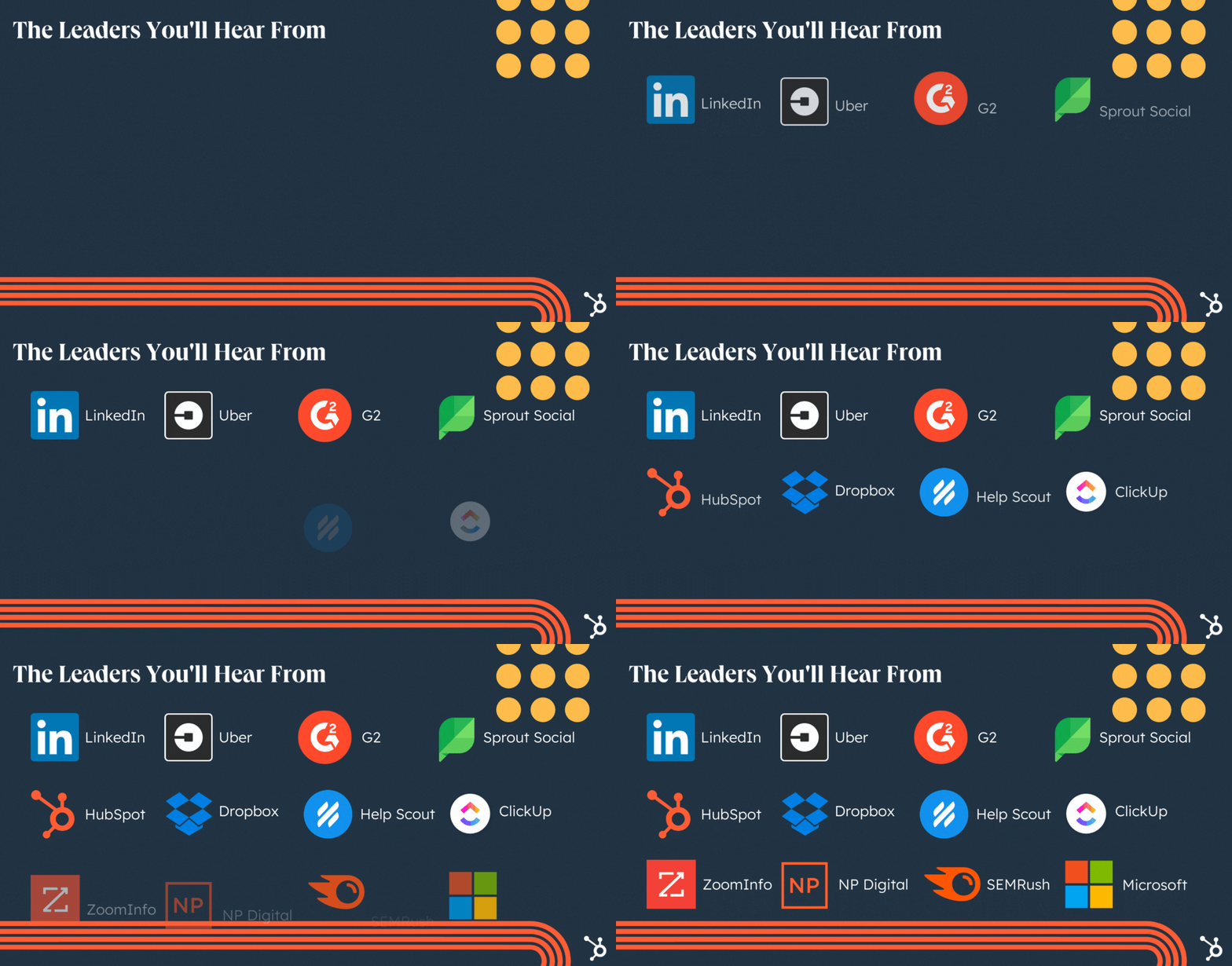
Curious what’s in store? Here are a few topics we’ve got coming for you:
- What Help Scout’s VP of Brand Considers When Promoting Individual Contributors & People Managers [+ How These Promotions Differ]
- The Top 8 Marketing Challenges Expect to Face in 2023 [HubSpot Data + Expert Tips from Sprout Social, Microsoft, and ZoomInfo]
- The Top Goals of Marketing Leaders in 2023 [New Data + Expert Insights from Uber, Dropbox, and ClickUp]
- How to Get Buy-In from Some of the Top Marketing Leaders: 3 Execs Discuss What KPIs Matter to Them
- Which SEO Metrics Matter Most, According to SEMRush’s VP of Brand Marketing
- Neil Patel’s 5 Solutions to Marketers’ Biggest Challenges in Five Minutes or Less [YouTube]
- … And more!
We’ll also send this content out in our Marketing Blog Newsletters, so be sure to subscribe to the HubSpot Marketing Blog by clicking the banner below and never miss a beat!

7 Soft Skills You Need to Achieve Career Growth
Is there someone (or hopefully, several someones) at your company who it seems like everyone wants to work with?
Perhaps it’s someone with amazing soft skills which get them pulled into brainstorms. Or maybe they’re the go-to consultant for some of the most impactful business issues. Or maybe it just seems like everyone on your team really, really likes them.

Soft skills have the power to grow your career in the same way hard skills and talent can. But what exactly are soft skills? And why are they so important to growing your career? Keep reading to find out, or use the links below to jump to a section.
Soft skills can be taught, but they’re not as straightforward as hard skills which are the specific qualities that can be clearly defined, measured, and taught for success in a job.
With hard skills, you can learn advanced techniques and methods that yield measurable results. They can even be tied directly to the business’s bottom line.
But when it comes to soft skills — things like small talk, empathy, and flexibility — they’re not an exact science, but they’re just as impactful.
You need hard skills to land a job, but you need soft skills to progress in your career. So we’ve rounded up a list of the soft skills most critical to building a successful career — and how you can acquire them.
How to Acquire Soft Skills
Soft skills are unlike hard skills in that they require situational awareness to know when to use which skill. When you’re hired for an accounting job, you know that most days you’ll need to the do hard skills you learned in school like mathematical formulas, bookkeeping, and probably some work in a spreadsheet application. However, it’s not as cut and dry when you’ll use soft skills because they are dependent upon intangible factors.
This is why acquiring soft skills is so unique. Practice is the best way to acquire soft skills and demonstrate them effectively. And you might be wondering, “How can I highlight soft skills in my role?” The answer is simple — having a genuine concern for others is the main ingredient to strengthening your soft skills and growing your career.
Listen to your coworkers and leaders to understand their success, challenges, opportunities, and concerns. Then see if there are any skills, experiences, advice, or resources you can offer.
Practice doing this in your meetings, one-on-ones, and even on your lunch break with the team. You’ll be surprised by how quickly you acquire these soft skills and grow your career.
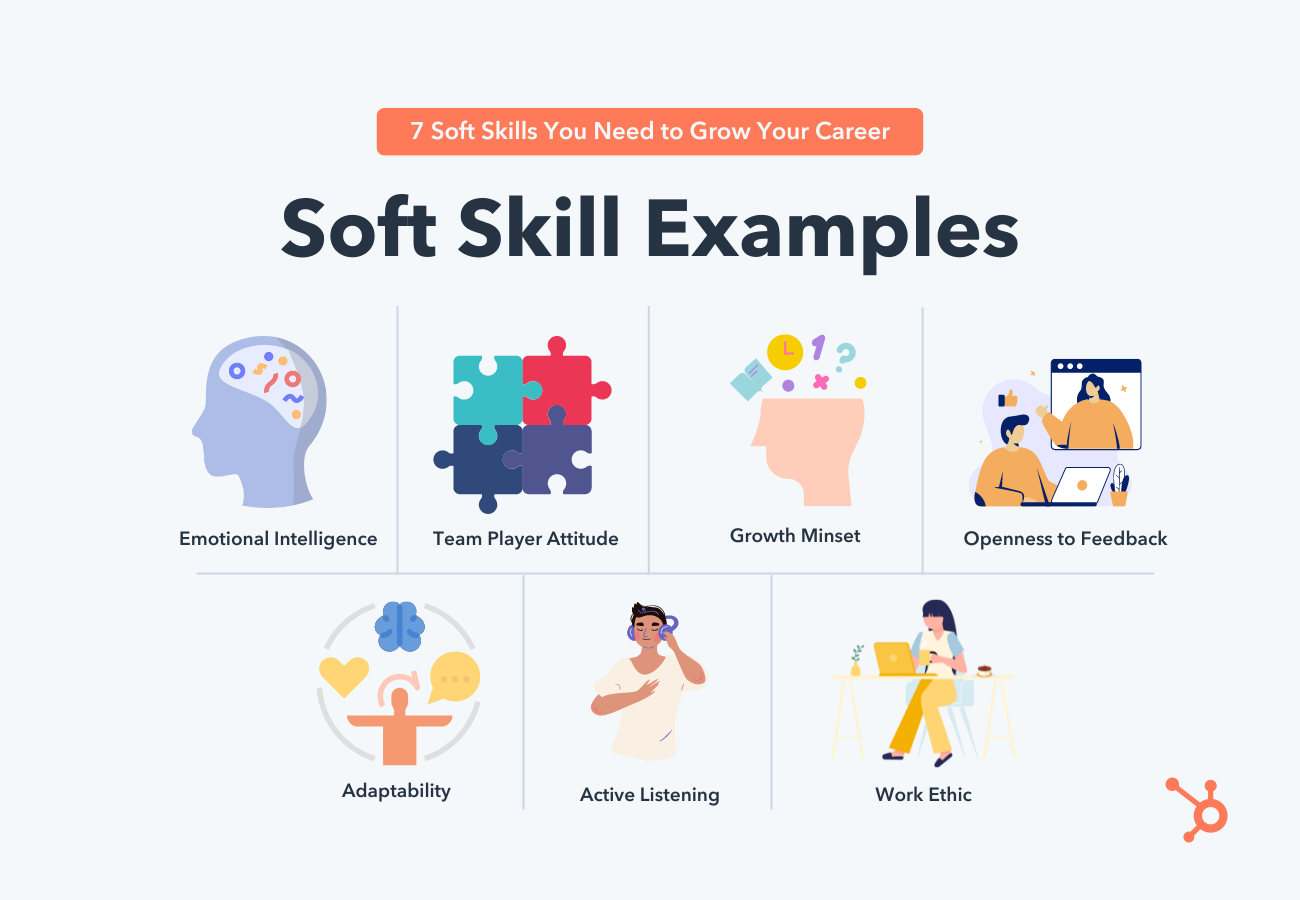
Here are seven soft skills and examples that will help you make an impact on your coworkers and your career.
7 Soft Skills You Need to Achieve Career Growth
1. Emotional Intelligence
Emotional intelligence is the ability to recognize and manage your emotions and the emotions of others. It’s made up of five key elements:
- Self-awareness
- Self-regulation
- Motivation
- Empathy
- Social skill
You can read more about the specifics of the attributes of emotional intelligence in this blog post if you want to learn more, but in the context of the workplace, emotional intelligence boils to a few key abilities:
- Can you recognize and regulate your emotions and reactions in the workplace?
- Can you build rapport and positive relationships with other people?
- Can you empathize with others?
- Can you give — and receive — effective, constructive feedback?
It might not sound like the most important skill for job growth and success, but in some cases, it is. In an analysis of new employees who didn’t meet expectations during the first 18 months on the job, 23% failed due to low emotional intelligence. (Take this quiz to rate your emotional intelligence and identify areas where you can improve.)
2. Team Player Attitude
The ability to play well with others is a soft skill you’ve been working on — unknowingly — since your first day of pre-school or daycare. You might not have known it when you were fighting over blocks or figuring out the rules of a made-up game, but you were actually preparing for a lifetime of workplace collaboration.
Whether you’re an individual contributor or a people manager, you have to work with other people — in meetings, in brainstorms, and on various cross-functional projects within your company. A positive, can-do attitude when it comes to working with others is essential to team harmony, which means you need to be able to run an effective and inclusive meeting, be open to new ideas, and work respectfully with others.
Read our guide to running better meetings for all personality types here, and brush up on these rapport-building questions to get to know and work well with any team member you encounter.
3. Growth Mindset
In any job, no matter what the role, you’ll encounter roadblocks, disappointments, and other situations that might frustrate you. A soft skill that’s critical to your ability to persevere is having a growth mindset — a term psychologist Carol Dweck coined to refer to a frame of thinking that reflects viewing your abilities, talents, and intelligence as skills you can grow and improve upon.
Someone with a growth mindset might look at a failure to meet a quarterly goal as an opportunity to identify their strengths and weaknesses to tackle the next quarter’s goal. A person with a fixed mindset, however, might say to themselves, “I’m not good at blogging,” and let that negative outlook — without any belief in the capability of improvement — impact their next quarter’s success, too.
Watch Dweck’s TED Talk to learn more about the growth mindset here — and try to find places in your daily correspondence or reflections where you can reframe your outlook by viewing a challenge or setback as a way you can grow.
4. Openness to Feedback
This is part of emotional intelligence, but especially when it comes to the workplace, being open and able to receive development feedback is critical to success at a job — especially a new job.
Think about it: Constructive feedback helps you do the best job you can, and if you take it personally or react defensively, you aren’t able to hear the feedback and adapt it to your current strategy.
The key to giving and receiving feedback is to come into the conversation from a place of kindness: You aren’t receiving constructive feedback because that person hates you personally, it’s because they want you to be the best you can be. You should be chomping at the bit to receive feedback that can help you more effectively hit your goals.
If you don’t feel comfortable with feedback yet, try immersion therapy — make feedback a part of your daily to-do list. Ask for feedback from more people you work with to get immediate help honing your skill set — and to help make it easier to take.
5. Adaptability
No matter what your role, and no matter what your industry, the ability to adapt to change — and a positive attitude about change — go a long way toward growing a successful career.
Whether it’s a seat shuffle or a huge company pivot, nobody likes a complainer. It’s important not only to accept change as a fact of life in the constantly-evolving business world, but as an opportunity to try out new strategies for thriving in environments of change (remember the growth mindset?).
If you don’t feel comfortable with frequent changes, either on your team or at your company, write down your feelings and reactions, instead of immediately voicing them. By laying out how you feel and why you feel a certain way, you’ll be able to distinguish legitimate concerns from complaints that might not need to be discussed with your team.
6. Active Listening
You probably can tell the difference between when someone is hearing words you’re saying and when they’re actively listening to what you’re saying. If someone is typing while you’re presenting at a meeting, or they’re giving you that slack-jawed look, they probably aren’t really hearing what you’re saying.
Active listeners, meanwhile, pay close attention to meeting presenters, offer up clarifying questions or responses, and refer back to notes in future discussions. They don’t need things repeated to them because they heard them the first time — making active listeners not only respectful colleagues, but more effective workers, too.
If you think you could stand to improve your active listening skills, challenge yourself not to look at your various devices during meetings — instead to focus completely on speakers, and take notes by hand if needed (which is proven to help with memory retention).
7. Work Ethic
You can’t succeed in a role without being willing to put in the time, effort, and elbow grease to hit your goals, and company leaders and hiring managers are looking for people who will put in the extra legwork to succeed without being asked.
If you want to get a new job or get promoted, it’s essential that you hone your work ethic — so quit bellyaching and put in the extra time you need to succeed. Or, if excelling means learning new skills or tools, dedicate time to learning those outside of work hours so you can make your time in the office as effectively as possible.
What weaves all of these soft skills together is a positive attitude. It might sound cheesy, but believing that there’s a positive outcome in any and all challenging situations will help you navigate the day-to-day of your job while making other people really want to work with you. These soft skills are harder to teach, but the payoff might be even bigger, so make sure you’re investing time and effort into auditing and improving your soft skill set.
Editor’s note: This post was originally published in November 2017 and has been updated for comprehensiveness.

Firefox Eliminates URL Tracking Parameters: What Marketers Should Know
In June 2022, Mozilla Firefox 102 was released with a feature that strips query parameters from URLs that track users as they navigate the web. The feature is called “Query Parameter Stripping,” and the purpose is to protect the privacy of users who don’t want to be trailed online.
Now that Firefox has given its users the ability to strip query parameters, here’s what marketers need to know.
What are query parameters?
Query parameters are a set of texts that are automatically added to the end of a URL to pass on data. These parameters identify specific content or actions based on the data being passed.
Query parameters appear as a “?” followed by a series of text. To add multiple parameters, an “&” is added in between each branch. For instance: https://ift.tt/plQOTng
To better understand what a query parameter is, let’s use the link to this HubSpot blog post about using video to humanize your brand. The link to this blog post is:
https://blog.hubspot.com/marketing/video-marketing-tips-from-wistia
However, if I were to click on this same link on Facebook, the URL would appear as:
Everything after the “?” doesn’t make a difference in terms of where the URL takes you but it provides Facebook (and for the sake of transparency, HubSpot) information about who’s clicking, what they’re clicking, and why.
How do query parameters help marketers?
The information from query parameters helps marketers optimize their company’s websites to create a more user-friendly experience. Essentially query parameters play a significant role in evaluating the touchpoints consumers encounter online on their path to purchase (attributions).
Query parameters also help track content performance across different platforms — they also help companies figure out the right ads to have on their websites to boost ad revenue.
How will this affect marketers going forward?
For now, the feature is a setting that has to be manually activated by the Firefox user. Once activated, any significant navigation event — like opening a new window or tab, clicking links, or redirects between URLs — will result in the removal of query parameters from the destination URL.
This could impact attributions for sites like Facebook, HubSpot, and other websites using query parameters in the sense that some attributions may not be reflected accurately.
Going forward, marketers using query parameters should be aware that users of Firefox 102 and beyond may not accurately reflect attributions.
Marketers should also be prepared for the possibility that Mozilla could make Query Parameter Stripping a default setting in the future. Preparation could be using other methods to track user behavior. Another method would be to gather data through website audits to optimize the usefulness of your site to consumers.

The AI Advantage: Three Ways to Supercharge Lead Generation, According to ZoomInfo
Marketing is about reaching people. But far too often, marketers spend their time performing repetitive, robotic tasks that could be better handled by software.
Artificial intelligence (AI) is poised to substantially change this. According to research from McKinsey, the marketing and sales sectors have the largest possible benefit from implementing AI-based solutions in the coming years, with up to $2.6 trillion in increased value.
Here are three ways modern marketers are using artificial intelligence (AI) tools to create more effective lead generation strategies and get them back to what they do best: Connecting with people.
How to Leverage AI for Lead Generation
Artificial intelligence makes marketers more efficient by shortening the time it takes to move from research to outreach. AI tools can be trained to spot patterns and draw conclusions that might otherwise need a human expert to spotlight.
1. Create Ideal Customer Profiles (ICPs) that match your biggest wins.
When your sales team wins a deal, the next logical move is to go after similar accounts. But replicating that ideal customer and tracking down best-fit, lookalike prospects can be a slog. AI software can dramatically speed up this process by analyzing closed-won (and closed-lost) opportunities and generating a profile that can be matched against your contact database for strong lookalikes.
For example, say your sales team just closed on a medium-sized business in the SaaS industry that has 50+ salespeople, uses Salesforce, and is located on the East Coast. AI can take these attributes (and others) to create a target list of lookalike accounts.
This process works for buying committee members, too. If most of your customer buying committees consist of marketing directors at enterprise-sized companies who use Marketo, AI can identify that trend and provide you with a dynamic list of prospects who fit the criteria of an ideal buyer.
To accomplish this, you need the right tech at your disposal. Tools like ZoomInfo’s RevOS platform, with its database of over 100 million company records, can automatically analyze your past deals, identify similarities between them, build your buyer persona, provide a list of lookalikes, and create a targeted account universe.
If you’re already a ZoomInfo customer, click here to get 20% off HubSpot products.
Automated demographic, firmographic, and technographic data all play a part in drawing your absolute best-fit accounts — which means you can spend time crafting a compelling message instead of conducting research.
2. Personalize your campaigns with up-to-date data.
Professionals who run account-based marketing campaigns know that one size definitely does not fit all. How can they cover all the angles of a large buying committee without spending too much time trying to qualify their prospective leads?
The answer is buying signals. With a modern, AI-driven marketing platform, marketers can be alerted when a target account has significant changes that might inform, alter, or elevate their ABM approach:
- A prospect gets a new round of investment: They’re likely to be greenlighting budgets for new or upgraded tools, so tailor your ABM campaigns accordingly.
- A new executive is hired, or an internal champion gets promoted: Now’s the time to strike with an ABM campaign that targets a new leader who is likely reassessing their team’s contract.
- A target account visits your website: With real-time insight into the companies visiting your site and which pages they landed on, you can quickly send a targeted message while you’re still top of mind.
There are dozens of different types of buying signals that can inspire personalization.
For example, Rocks & Gold sends real-time alerts of B2B companies in buying mode based on their history of hiring dynamics. This includes when a prospect, customer, or stale deal:
- Starts growing or decreasing in company size
- Makes leadership changes
- Announces a new fundraising round
This type of insight gives you a competitive advantage by helping you customize your message to speak directly to the circumstances that make them a good fit right now.
3. Use intent data that illuminates the last mile of prospect interest.
You know which accounts you’d like to target. You have the campaigns that will resonate with their buying committee. But timing is everything — are they ready to hear your value proposition right now?
Intent data answers that question. By using AI-driven systems that can match corporate IP addresses and user profiles to web data, marketers can be aware when a prospect is actively in the market.
How does it work? Say a prospect account visits your website and downloads your marketing content on a pretty predictable but relatively rare basis. As the second quarter is coming to a close, that company is suddenly filling out lots of forms and engaging with your how-to videos. An AI-powered intent data system connects those dots — and elevates the significance.
On top of that, it connects the dots outside of your website. Say your company sells project management software. Intent data can track which companies are searching for terms like “project management vendors” or “project management software free trial” and consuming content on external websites — including your competitors.
If a current customer is searching these terms, it could be an indication of future churn and you can get ahead of the problem. If it’s an ideal prospect, it indicates a level of interest in making a purchase and enables you to target them with relevant content.
There are many tools that track and monitor intent-based keywords in HubSpot’s partner ecosystem. Benefits include:
- Market clarity: Gain a clearer understanding of whom to target and how or when to engage with them
- Efficiency: Increase ROI by reducing wasted time and effort pursuing bad-fit prospects
- Impact: Quickly increase leads and ABM effectiveness
AI Marketing Tools & Software
There are hundreds of AI vendors, each with unique tools and technology to help make your marketing efforts easier, faster, and more successful. Here are a few we’d recommend:
1. Personalize your website experiences with Justuno
According to Forrester, 56% of marketers strongly agree that personalized content is key to ABM success. Justuno empowers marketers to convert more website traffic through personalized pop-ups and onsite messaging that is customized to speak to the unique visitor’s interests and priorities.
2. End-to-end content engagement with Paperflite
According to the Marketing AI Institute, the top use case for Marketing AI is analyzing existing online content for gaps and opportunities. That’s exactly what Paperflite does. Paperflite centralizes and curates all of your marketing and sales content into a single interface, and provides recommendations to surface the right content for the right opportunity.
3. Manage email replies for B2B sales and marketing with LeadGnome
As your company grows, manually managing email replies becomes daunting — at a certain point you need AI to scale your business. LeadGnome automates email reply management, which helps increase open and deliverability rates so you can engage customers faster.
Marketing is part art and part science. Using AI to eliminate the drudgery and cut down on the guesswork gives marketers the ability to bring their A-game to every campaign.
With AI-driven marketing tools, your next campaign can use the science of cutting-edge technology, while your reps tackle the part that only a seasoned marketer can supply: the art of connecting with people.

14 of the Best Examples of Beautiful Email Design
Opening a marketing email is such a regular task, consumers often don’t give it a second thought. As email marketers, though, we know the other side of the story. Finding new HTML email inspiration can be a daunting task.
When you’re an email marketer, your to-do list often looks like this: Generate opt-in leads, segment your lists, set up lead nurturing workflows, draft clear and concise email copy, check your emails for deliverability, optimize for plain text and HTML, and so on. “Where’s the fun in this?” you may wonder.

Thankfully, there are plenty of email marketing geeks out there (ourselves included) that do think all of that’s kind of fun. These less glamorous aspects of email marketing — though critical to your campaign’s success — don’t paint the entire picture of what amazing email marketing really is.
While plain text or bare-bones emails can still be extremely effective, sometimes you want to amaze your subscribers with creative, captivating, or delightfully understated email designs. Some brands out there have also figured out how to create emails that are pretty darn beautiful. If you’re looking to dabble in something a little more adventurous for your next email marketing campaign, check out the examples below for inspiration.
Table of Contents:
Email Newsletter Design Examples
1. Collaborative Fund
In design, red and yellow serve as powerful color choices. While red is known to convey power or passion, yellow is often considered both bright and energizing. Although many companies use a big block of color at the top of their newsletters to draw people in, the folks at Collaborative Fund took it a few steps further by combining red and yellow bursts of color throughout the whole email. Pretty powerful, right?
Color aside, they leveraged clean divides to separate these blocks, while incorporating different textures — like that crumpled paper — to create a really compelling experience.
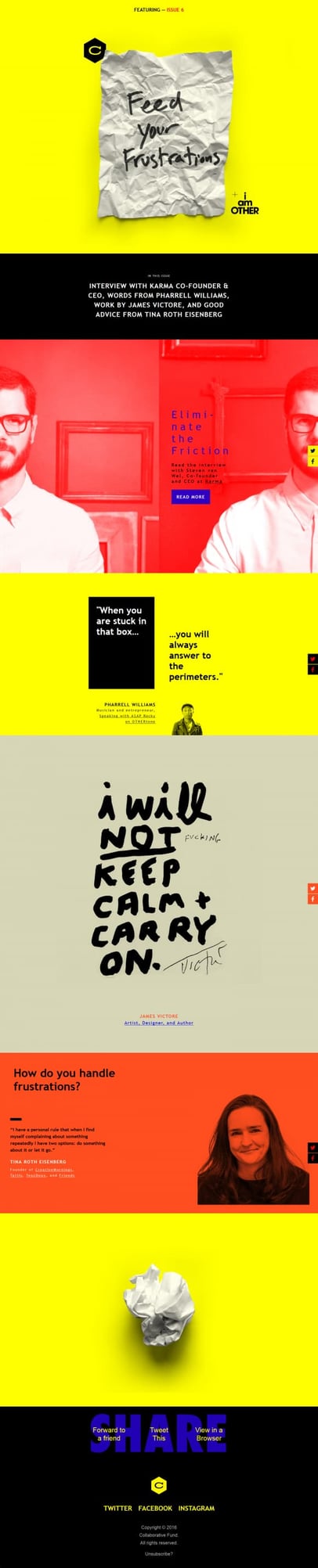
Pro Tip: When done well, incorporating an array of textures, via high-quality graphics or photography (like the crumbled paper used above), can make the 2D experience of viewing an email more visceral and engaging.
2. Domino
This newsletter from Domino covers a lot of information: design with storage restrictions, giveaways, a profile piece with Chelsea Handler, bathroom and bedroom design tips, and a call-to-action.
To make this more easily scannable, Domino paired these short descriptions with high-quality images. Like the Collaborative Fund example, they also used clear, horizontal divides to separate each topic.
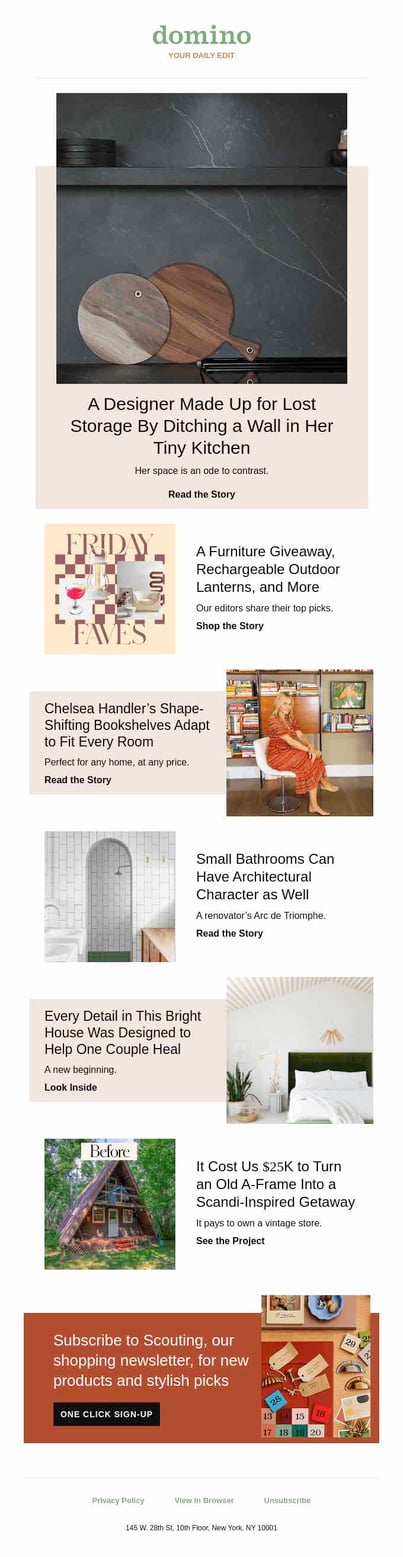
Pro Tip: Incorporating contrasting colors can help with creating division between sections and draw the eye from each section with ease.
3. InVision LABS
This is a much more concise email from InVision, which includes a clean design and an eye-catching color. The blue background causes both the call-to-action and the white box near the bottom of the email to command attention. The fanned-out product images help the recipient understand what the announcement entails before diving into the explainer copy.
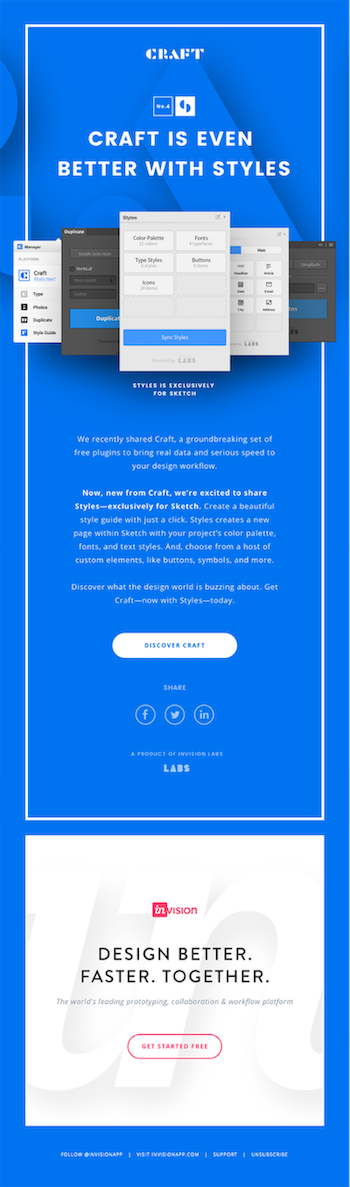
The colorful experience doesn’t stop with the email. The bright blue color is carried through to the corresponding website, making this a strong example of seamless branding.
Are you inspired by InVision’s clean design and ready to create your own campaign? Use a free email marketing software like HubSpot to create and send your message to the world.
4. GrubHub
This email from GrubHub is a great example of product promotion … because it doesn’t sound or feel like product promotion at all. Instead of saying, “Hey, you like food. You should order it using our service!”, the email tells a story with the help of a really cool piece of interactive content: a quiz to see what you should serve at your party (see what they did there?).
We especially love the saturated GIF they used to promote the piece of content, as it really commands the recipient’s attention.
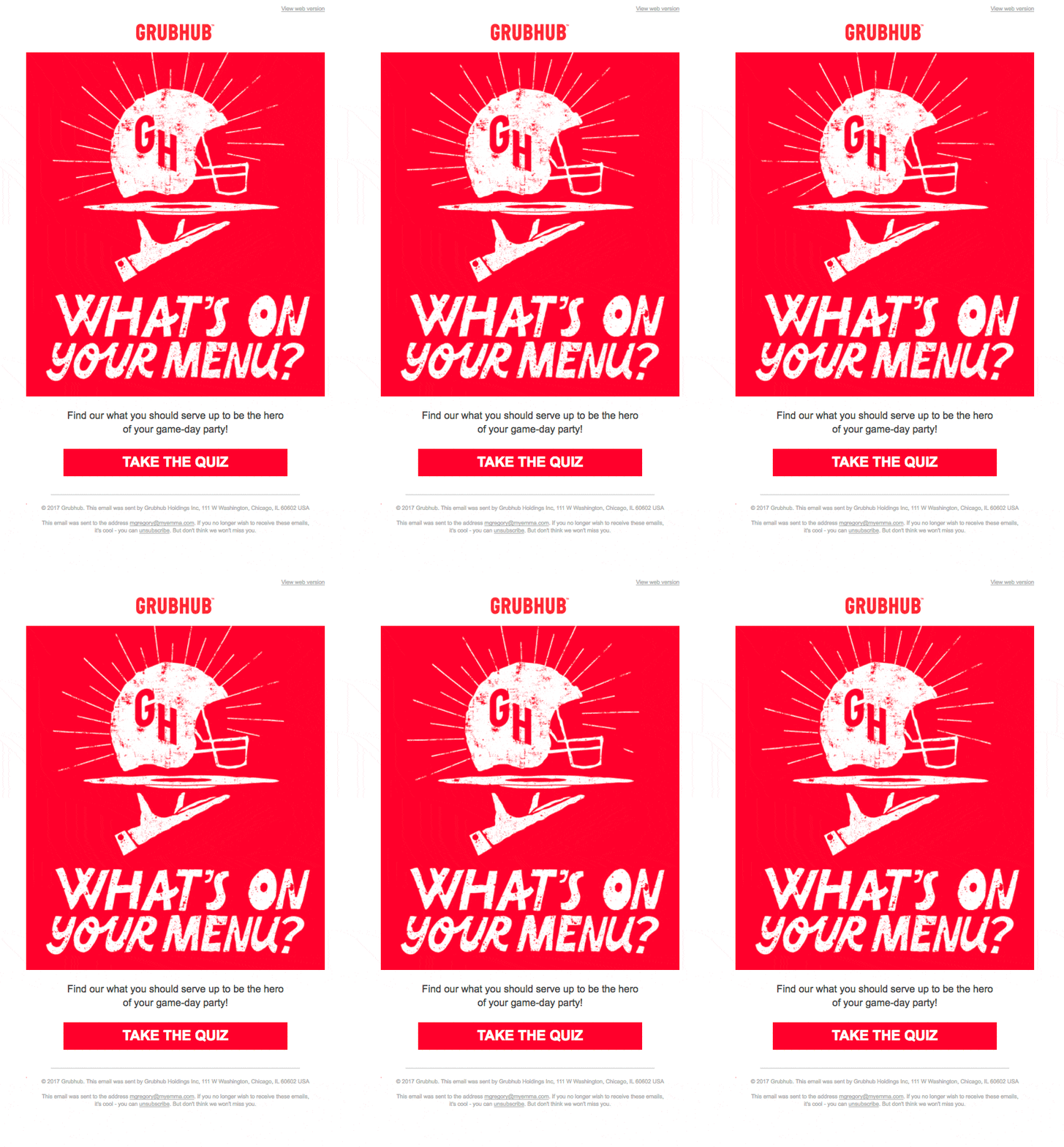
Pro Tip: Motion catches the eye. We see this throughout social media and other forms of media. Adding this feature to your emails can appeal to viewers enticed by the motion factor in public-facing content. Learn how to create a GIF using Photoshop.
Nurturing Email Design Examples
5. Handy
We love this simple welcome email from Handy. The color scheme is consistent, relying on gray for the base, and bright blue to draw attention to the logo and calls-to-action.
There’s a nice balance between text and visuals here, and the tile design makes it easy to skim through. Finally, we love that they used non-cheesy stock photos to represent their brand, which makes them more genuine and lovable from a consumer perspective.
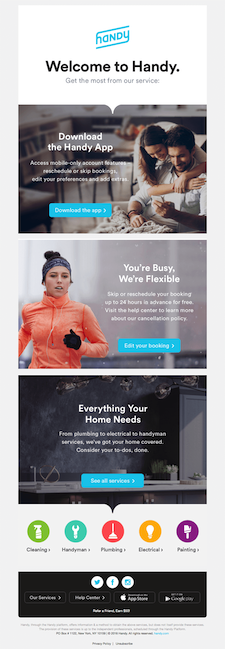
Pro Tip: Nowadays, most viewers have some level of ability to sense whether an image is a stock photo or originally captured content. If you must use stock photography, take your time when looking through image databases, and filtering for images that represent not only the tone of the email and message but the overall aesthetic and feel of your brand.
6. Litmus
You might expect a beautiful email from a company that’s announcing an email design conference — and Litmus doesn’t disappoint. The email starts out with a bold burst of color, which grabs readers’ attention. Below this, you’ll find a clean design that includes concise copy, whimsical illustrations, and a great use of white space.
At the bottom of the email, you’ll see a live Twitter feed showing tweets that use the conference’s official hashtag. That social media factor is a really cool touch that we’re willing to bet increased engagement, while simultaneously informing folks about how to stay connected at the event.
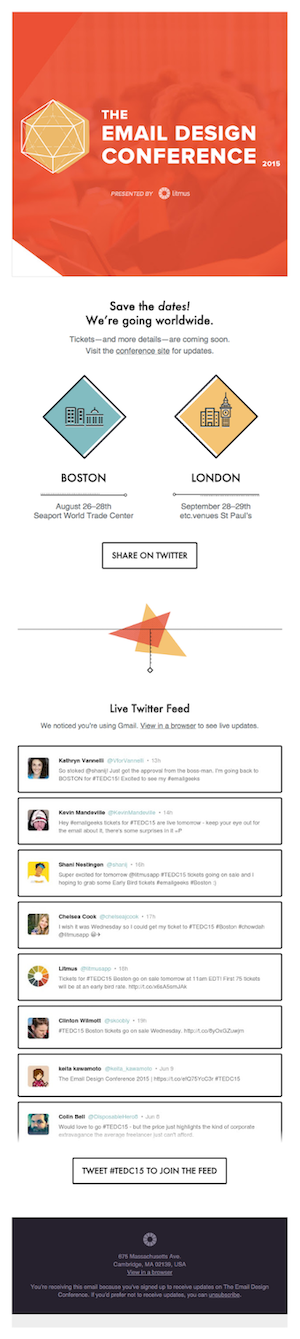
Pro Tip: Being imaginative and using icons and illustrations can be a rewarding and simple way of getting messaging across. Consistent look and feel makes the difference, showing intention and design-strategy. You can find free icon packs that include the most commonly used icons, at websites like FlatIcon.com.
7. Uber
As marketers, we know that charts and graphs can serve as an effective way to illustrate information. But what about incorporating graphs into emails?
This email design from Uber skillfully demonstrates the power of data visualization through the use of simple graphs. Rather than relying on words to explain their lowered rates, Uber whipped up a few comparative visuals to do the job. Thanks to the bright blue color choice, it’s easy for recipients to understand how the rates have shifted in just a quick glance.
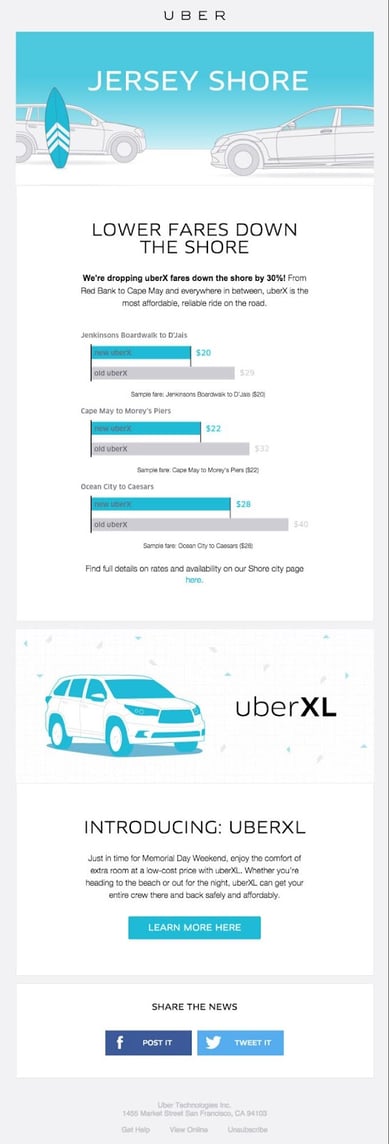
Pro Tip: Excitement is more difficult to elicit from audiences than one would think. The above serves as an example of how Uber uses their historical data to galvanize excitement for new offerings from the company. The potential of what’s to come is correlated to what has happened. Show what’s been done before showing what’s to come, letting consumers know their excitement is secure.
8. Cuyana
Here’s a product promotion email Cuyana sent to people who signed up for a new product’s “early access” list. The email is centered entirely around showcasing the new product, but in this case, that’s exactly what the folks who opted in to the “early access” list were looking for.
The design of the email is clean and sophisticated, thanks to a brilliant use of negative space and attractive fonts. This approach is very true-to-brand for a women’s apparel and accessories company. We love the use of consistent coloring — especially the signature orange hue they chose for the call-to-action button at the bottom.
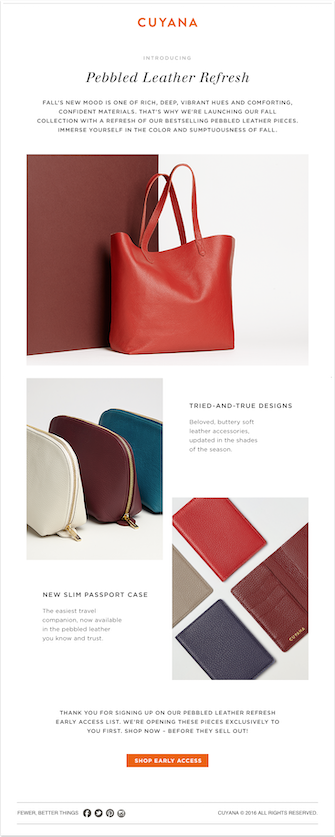
Pro Tip: This is an example of an email made using HubSpot. Click here to check out more email marketing examples from our library.
E-commerce Email Design Examples
9. J.Crew
Sometimes, words can be overrated. Why not let a picture tell the story for you? That’s what J.Crew did in this email, anyway. The email is promoting a sale, but you wouldn’t know it right away: All you see is the copy, “This is worth the scroll,” along with a very long (and very scroll-worthy), high-definition picture of an ice cream cone. We love the subtlety. Yum!

Pro Tip: If you make it to the bottom, you’ll notice that the tip of the ice cream cone acts like a directional arrow, pointing recipients toward the call-to-action. Photography can serve as more than a static image, it can be an interactive guide, leading the eye throughout the message.
10. Apple
This holiday email from Apple balances white space with product displays to create a really interesting experience.
While the products all share a similar color scheme, what’s really compelling is their positioning. By strategically arranging the products, Apple was able to create visual patterns that alternate throughout the email. This approach is among the best for displaying the confidence of a brand in its products. It allows the products themselves to be the focus of the message, as well as the means through which the messaging is conveyed.
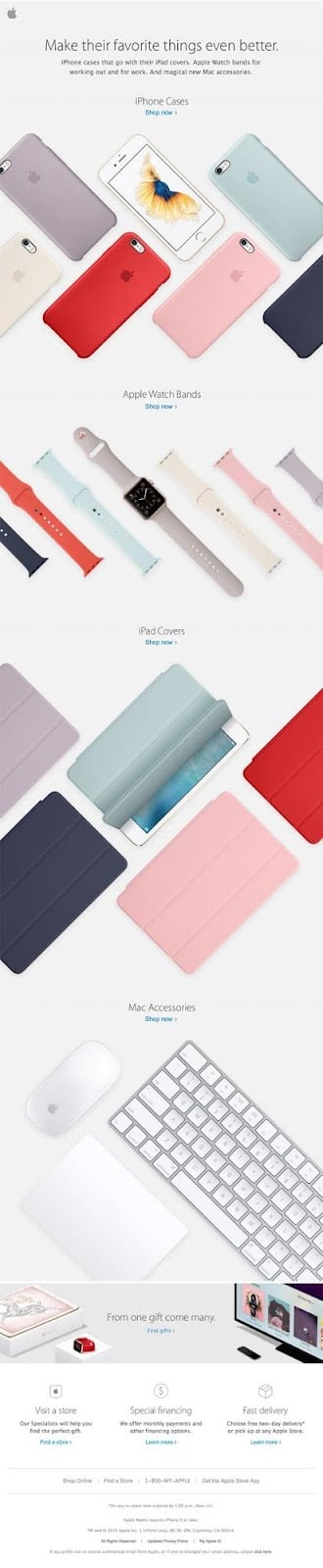
Pro Tip: Drafting or sketching out the design for an email at the start of the process can make creating eye-catching messaging an easily attainable goal and can save you time.
11. Union Made Goods
Consumers get a lot of emails from e-commerce businesses showcasing holiday gift ideas from their websites, and this is an example of one of these emails done well. They opted for a simple design here, which includes a really nice use of both color and white space, making the copy and images that are there pop a little more.
We really enjoy how the simplicity allows for the mind of the reader to be less focused on distracting elements within the message. Instead, they can fill in the negative space with imaginings of how the products displayed — or others sold by the company — could bring about the desired reaction from the mothers in their lives. It makes one wonder, “What does mom have?”, “What does she need?”, or “What would she like?”
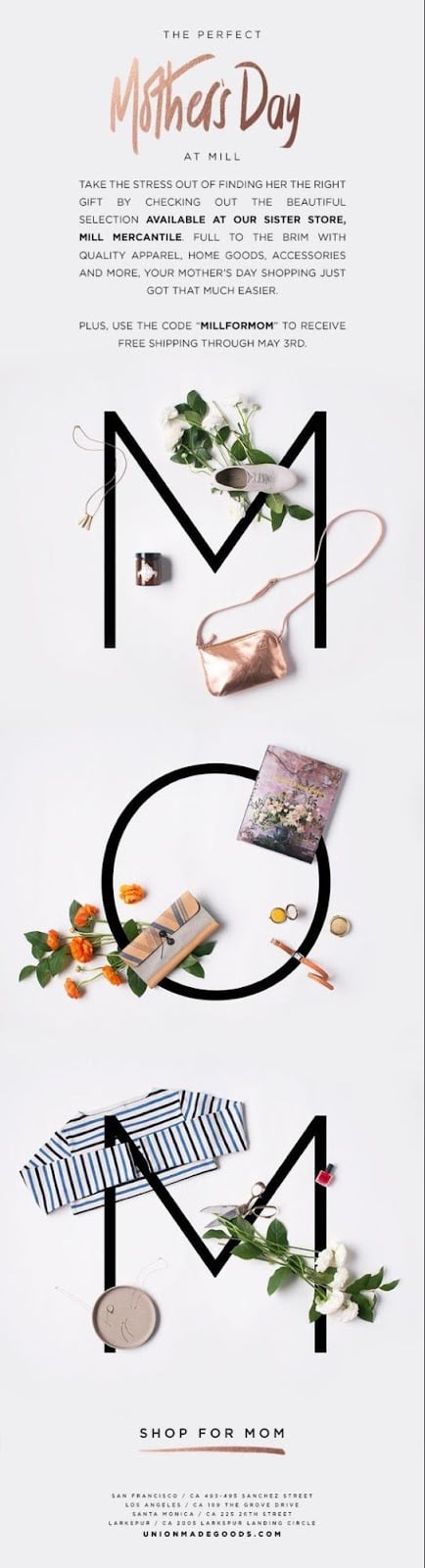
Pro Tip: Offering something like a discount on a purchase, without overselling, inclines readers to take a look at their own time, with the knowledge that they will receive incentives for engaging further.
12. Casper
This welcome email from Casper does a stellar job of providing an overview of what joining their 1+ million member community will get you. From their community numbers, it is clear they have put a lot of time and work into creating a product and reputation so you can rest assured. (Get it? “Rest,” because it’s a mattress company? Ah, nevermind!)
They list a few of the perks you get from a membership, and then immediately jump into establishing educational value, offering tips for sleeping. This alone isn’t compelling enough to make someone a loyally attentive Casper email-subscriber, but it does further connect the brand and product(s) to consumers’ experiences. We love how they use simple graphics and concise messaging to subtly associate themselves with the solution to sleep challenges.
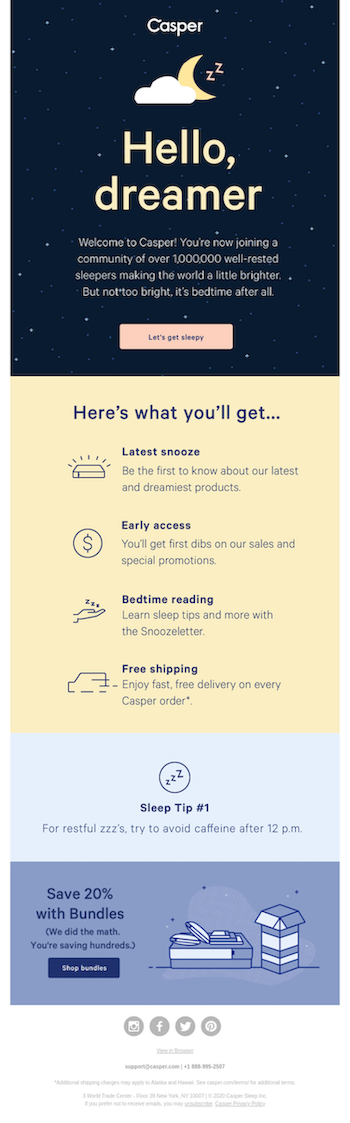
Pro Tip: Keep it simple, allowing viewers and consumers to conclude for themselves that they need what you have to offer.
13. Shwood x Stanley
In the e-commerce world, the quality of visuals in your emails can have a huge impact on whether recipients stick around to look through the whole email, or quickly hit the “delete” button. This email from Shwood x Stanley places a big emphasis on those high-quality visuals. We especially adore the textured backgrounds, as well as the ways in which they play with light and shadows.
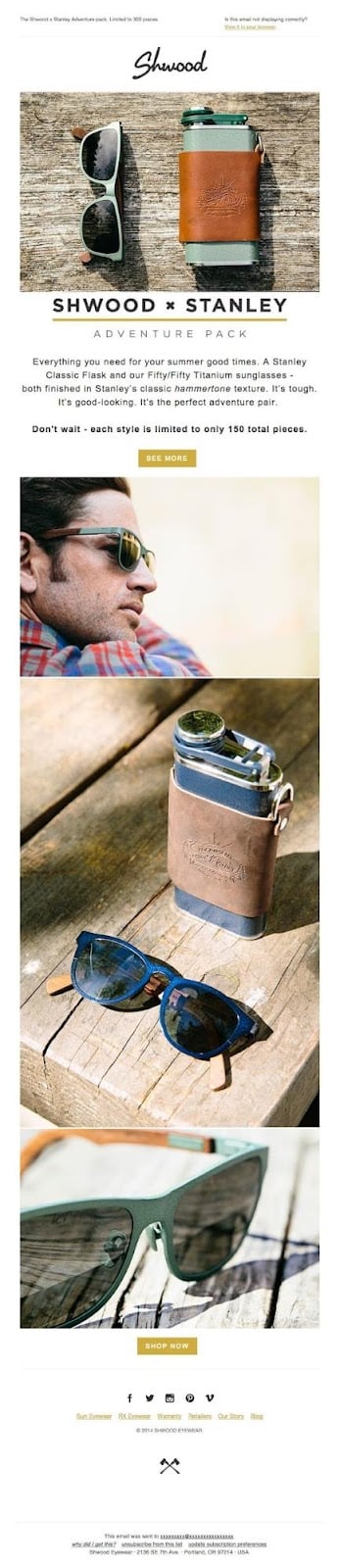
Pro Tip: When using multiple images in an html email, consider what colors complement and contrast with each other. This consideration can make the experiences of transitioning from section to section seamless for the viewer, compelling engaged attention throughout the message.
14. Harry’s
For seasonal emails like this one from Harry’s, you might consider using color schemes that go with the season. To promote their winter gift set, the folks at Harry’s cooled down their color scheme with traditional winter colors like green, blue, and brown. They also struck a nice balance between text and visuals, and helped to make their email easier to skim by using a simple tile design.
Another thing we love are those bright red calls-to-action; they look pretty clickable … wouldn’t you agree?
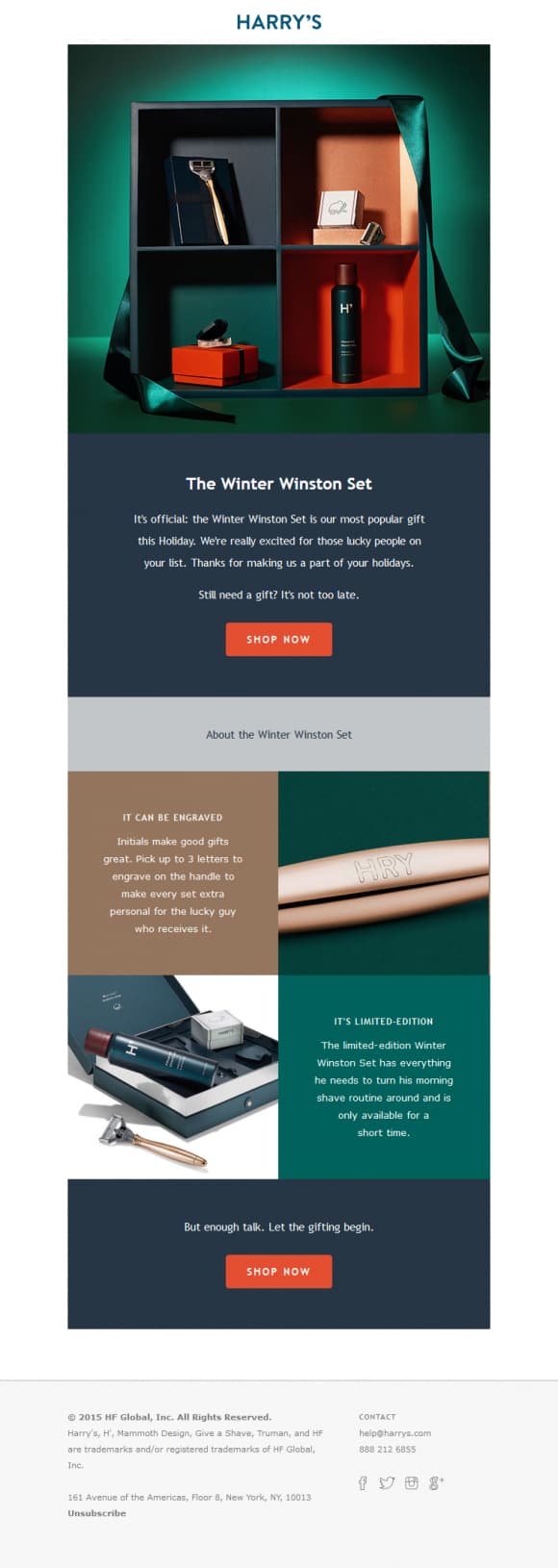
Pro Tip: Simply put, there is no replacement for good product photography. If you’re diving into the ocean of original product photography, check out this Beginner’s Guide to Product Photography.
What other companies out there have you noticed are creating beautiful email marketing? What stands out about their approach? How can you take this and add your own original spin, making something new for your brand’s messaging?
Editor’s Note: This post was originally published in May 2012 and has been updated for freshness, accuracy, and comprehensiveness.

YouTube SEO: How to Optimize Videos for YouTube Search
How does YouTube SEO work? What are the steps to optimize your YouTube videos for search? The answer to these questions are simpler than you might think.
While it might seem difficult to get any exposure on YouTube, you can implement certain strategies to ensure that the YouTube algorithm favors you in the search results.

In this post, we’ll go over proven YouTube SEO tips that have worked for HubSpot’s YouTube channel and that will work for you, regardless of your channel size. Let’s get started.
How to Rank Videos on YouTube
To get videos to rank on YouTube, we must first understand the YouTube algorithm and YouTube’s ranking factors.
Just like any search engine, YouTube wants to deliver content that answers the searcher’s specific query. For instance, if someone searches for “how to tie a tie,” YouTube won’t deliver a video titled “how to tie your shoelaces.” Instead, it will serve search results that answer that specific query.
So, as you try your hand at YouTube SEO, think about how you can incorporate terms and phrases that are used by your target audience.
You’ll also need to think about YouTube analytics and engagement. When it ranks videos, YouTube cares about a metric called “watch time” — in other words, how long viewers stay on your video. A long watch time means that you’re delivering valuable content; a short watch time means that your content should likely not rank.
If you want your videos to rank, try to create content that’s optimized for longer watch times. You can, for instance, prompt users to stay until the end of the video by promising a surprise or a giveaway.
Is it worth optimizing videos on YouTube?
Trying to rank videos on YouTube might seem like a lost effort. Only the most well-known influencers and content creators seem to have any luck on the platform.
However, that’s not the case. As a business, you can enjoy views, comments, and likes on your videos — so long as you find the right audience for your content. In fact, finding and targeting the right audience is even more important than creating a “beautiful” video. If you’re actively solving your prospective customers’ problems with your YouTube videos, then you’ve done 90% of the YouTube optimization work.
In addition, ranking videos on YouTube is a key element of your inbound marketing strategy, even if it might not seem that way. As recently as a decade ago, inbound video marketing was a brand new idea. Marketers were learning that they couldn’t just publish a high volume of content — it also had to be high-quality and optimized in ways that made it as discoverable as possible through search engines.
That content was once largely limited to the written word. Today, that’s no longer the case. Today, a comprehensive content strategy includes written work like blogs and ebooks, as well as media like podcasts, visual assets, and videos. And with the rise of other content formats comes the need to optimize them for search. One increasingly important place to do that is on YouTube.
If you’re feeling lost, don’t worry. We cover the most important YouTube SEO tips below, so that you can effectively optimize your content for YouTube search.
1. Rename your video file using a target keyword.
Just like you would when optimizing written content, you’ll use an SEO tool to first identify keywords you’d like your video to focus on (you can browse popular YouTube SEO tools below these tips, or just click that link earlier in this sentence).
With a keyword identified, the first place you should put it is your video file — before you even upload it to YouTube. Why? YouTube can’t actually “watch” your video to see how relevant it is to your target keyword, and as you’ll learn in the tips below, there are only so many places you can safely insert this keyword on your video’s viewing page once it’s published. But, YouTube can read your video’s file name and all the code that comes with it when it’s uploaded.
With that in mind, replace the “business_ad_003FINAL.mov” file name (don’t be embarrassed … we’ve all been there during post-production) with your desired keyword. If your keyword is “house painting tips,” for example, your video’s file name should be “house-painting-tips” followed by your preferred video file type (MOV, MP4, and WMV are some of the most common that are compatible with YouTube).
2. Insert your keyword naturally in the video title.
When we search for videos, one of the first things that our eyes are drawn to is the title. That’s often what determines whether or not the viewer will click to watch your video, so the title should not only be compelling, but also clear and concise.
Although your keyword plays a big part in your video title, it also helps if the title closely matches what the viewer is searching for. Research conducted by Backlinko found that videos with an exact keyword match in the title have only a slight advantage over those that don’t. Here’s a linear representation of those findings:
So, while “using your target keyword in your title may help you rank for that term,” report author Brian Dean explains, “the relationship between keyword-rich video titles and rankings” isn’t always a strong one. Nonetheless, it’s a good idea to optimize your title for this keyword so long as it fits naturally into a title that tells viewers exactly what they’re about to see.
Lastly, make sure to keep your title fairly short — HubSpot campaigns manager Alicia Collins recommends limiting it to 60 characters to help keep it from getting cut off in results pages.
3. Optimize your video description.
First things first: According to Google, the official character limit for YouTube video descriptions is 1,000 characters. And while it’s okay to use all of that space, remember that your viewer most likely came here to watch a video, not to read an essay.
If you do choose to write a longer description, keep in mind that YouTube only displays the first two or three lines of text — that amounts to about 100 characters. After that point, viewers have to click “show more” to see the full description. That’s why we suggest front-loading the description with the most important information, like CTAs or crucial links.
As for optimizing the video itself, it doesn’t hurt to add a transcript of the video, especially for those who have to watch it without volume. That said, Backlinko’s research also found no correlation between descriptions that were optimized for a certain keyword and the rankings for that term.
Dean is careful not to encourage ditching an optimized description altogether, though. “An optimized description helps you show up in the suggested videos sidebar,” he writes, “which is a significant source of views for most channels.”
4. Tag your video with popular keywords that relate to your topic.
YouTube suggests using tags to let viewers know what your video is about. But you’re not just informing your viewers — you’re also informing YouTube itself. Dean explains that the platform uses tags “to understand the content and context of your video.”
That way, YouTube figures out how to associate your video with similar videos, which can broaden your content’s reach. But choose your tags wisely. Don’t use an irrelevant tag because you think it’ll get you more views — in fact, Google might penalize you for that. And similar to your description, lead with the most important keywords, including a good mix of those that are common and more long-tail (as in, those that answer a question like “how do I?”).
5. Categorize your video.
Once you upload a video, you can categorize it under “Advanced settings.” Choosing a category is another way to group your video with similar content on YouTube so it winds up in different playlists and gains exposure to more viewers who identify with your audience.
It might not be as simple as it looks. In fact, it’s important to go through a comprehensive process to determine which category each video belongs in. Answer questions like:
- Who are the top creators within the category? What are they known for and what do they do well?
- Are there any patterns between the audiences of similar channels within a given category?
- Do the videos within a similar category have share qualities like production value, length, or format?
6. Upload a custom thumbnail image for your video’s result link.
Your video thumbnail is the main image viewers see when scrolling through a list of video results. Along with the video’s title, that thumbnail sends a signal to the viewer about the video’s content, so it can impact the number of clicks and views your video receives.
While you can always pick one of the thumbnail options auto-generated by YouTube, we highly recommend uploading a custom thumbnail. YouTube recommends the use of images that are 1280×720 pixels — representing a 16:9 ratio — that are saved as 2MB or smaller .jpg, .gif, .bmp, or .png files. If you follow those parameters, it can help to ensure that your thumbnail appears with equally high quality across multiple viewing platforms.
It’s important to note that your YouTube account has to be verified in order to upload a custom thumbnail image. To do that, visit youtube.com/verify and follow the instructions listed there.
7. Use an SRT File to add subtitles & closed captions.
Like much of the other text we’ve discussed here, subtitles and closed captions can boost YouTube search optimization by highlighting important keywords.
In order to add subtitles or closed captions to your video, you’ll have to upload a supported text transcript or timed subtitles file. For the former, you can also directly enter transcript text for a video so that it auto-syncs with the video.
Adding subtitles follows a similar process, however, you can limit the amount of text you want displayed. For either, head to your video manager then click on “Videos” under “Video Manager.” Find the video you want to add subtitles or closed captioning to, and click the drop-down arrow next to the edit button. Then, choose “Subtitles/CC.” You can then select how you’d like to add subtitles or closed captioning.
Find out how to add closed captions to your YouTube video in the video below.
8. Add Cards and End Screens to increase your YouTube channel’s viewership.
Cards
When you’re watching a video, have you ever seen a small white, circular icon with an “i” in the center appear in the corner, or a translucent bar of text asking you to subscribe? Those are Cards, which YouTube describes as “preformatted notifications that appear on desktop and mobile which you can set up to promote your brand and other videos on your channel.”
You can add up to five cards to a single video, and there are six types:
- Channel cards that direct viewers to another channel.
- Donation cards to encourage fundraising on behalf of U.S. nonprofit organizations.
- Fan funding to ask your viewers to help support the creation of your video content.
- Link cards, which direct viewers to an external site, approved crowdfunding platform, or an approved merchandise selling platform.
- Poll cards, which pose a question to viewers and allow them to vote for a response.
- Video or playlist cards, which link to other YouTube content of this kind.
For detailed steps on adding a card to your video, follow these official steps from Google, or check out the video below.
End Screens
End screens display similar information as cards, but as you may have guessed, they don’t display until a video is over, and are a bit more visually detailed in nature. A good example is the overlay with a book image and a visual link to view more on the video below:
There are a number of detailed instructions for adding end screens depending on what kind of platform you want to design them for, as well as different types of content allowed for them by YouTube. Google outlines the details for how to optimize for all of those considerations here.
It’s important to note that YouTube is always testing end screens to try to optimize the viewer experience, so there are times when “your end screen, as designated by you, may not appear.” Take these factors into account as you decide between using either cards or end screens.
These factors may seem a bit complicated and time-consuming, but remember: The time people spend watching YouTube on their TV has more than doubled year over year. There’s an audience to be discovered there, and when you optimize for YouTube, your chances of being discovered increase.
9. Add hashtags to increase reach.
Hashtags are a recent addition to the YouTube user interface that allow you to add related terms to your content, just as you would on LinkedIn or Instagram. Hashtags show up right above your video title for easy clicking and discoverability. You can use your company name, as HubSpot does below, or include related keywords.
 We also recommend using hashtags in your YouTube description, but don’t go overboard; the YouTube algorithm constantly checks for spam. Overly hashtagging may get you inadvertently flagged. Instead of using every hashtag you can think of, choose 2-3 that you feel most accurately describe your video.
10. Create a playlist about your video’s general topic.
As you add more and more videos to your content library, group them in keyword-optimized playlists. This will not only further signal to YouTube what your videos are about, but it will also keep viewers clicking from video to video, increasing your view count and, by extension, your rankings.
 For example, Yoga with Kassandra grouped all of its short yoga classes in a playlist titled “5-15 min Yoga Classes.” Not only is the title short and descriptive, but the playlist description includes related keywords such as ”10 minute yoga classes,” “10 minute morning yoga stretches,” and “bedtime yoga classes.”
11. Optional: Leave a pinned comment on your own video.
Leaving a comment on your video might seem over-the-top, but it’s a smart strategy. Not only do more comments improve your video’s rankability, but if you play your cards right, you can generate high levels of audience engagement. A pinned comment may result in hundreds of replies, like it did for Matt D’Avelia below:
 Be sure to leave an engaging comment that furthers the conversation or provides more value for readers. Here at HubSpot, for example, we leave a resource pinned so that viewers can further their knowledge on the topic.
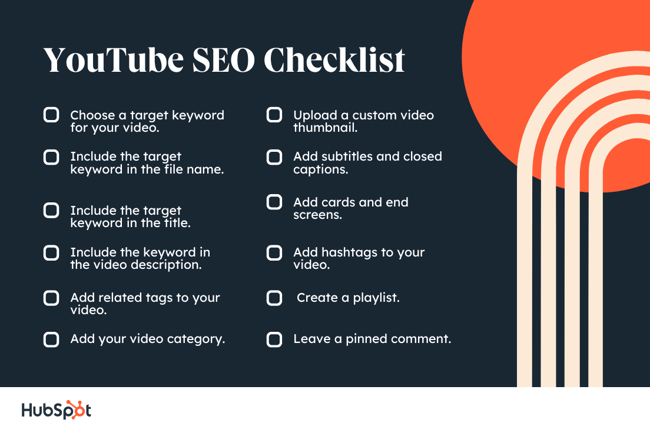
1. Choose a target keyword for your video. This can be a topic, a question, or a highly specific query. If you’re not sure of the right target keyword, use a keyword research tool, or simply explore YouTube’s existing content library for inspiration.
2. Include the target keyword in the file name. Don’t use spaces between each word, but rather dashes (-) or underscores (_).
3. Include the target keyword in the title. Next up, work the target keyword into the title of your video, but be creative, and be sure to do it naturally. You don’t want the title to simply be “[keyword].” The title is the first thing users will see, so try to create intrigue and interest while promising to help the viewer in some way.
 4. Include the keyword, as well as keyword variations, in the video description. The video description is the lifeblood of your YouTube SEO strategy. Write a natural description with 1-2 mentions of your target keyword, as well as variations of this keyword.
5. Add related tags to your video. While most users don’t use tags to find videos, they can help the YouTube algorithm categorize your video and serve it to the appropriate audience. Add around 5-8 industry tags, being sure to not overdo it so that you’re not flagged as spam.
6. Add your video category. While not as specific as tags, categories help users find your video and helps the YouTube algorithm understand what your video is about. Categories come into play in the home page, the explore page, and the sidebar menu.
7. Upload a custom video thumbnail. Create a thumbnail that includes either a variation of your keyword or a short phrase that could generate clicks (such as “1,000 organic followers, fast!”). As mentioned, you’ll need to verify your YouTube channel to get access to custom thumbnail uploads.
 8. Add subtitles and closed captions. Subtitles and closed captions are a much-needed accessibility component of your videos. They also indirectly help you optimize for YouTube search by giving YouTube a text version of your video content.
9. Add cards and end screens that tie into the topic of your video. Cards are equivalent to internal and external linking, and end screens allow you to engage viewers during those critical last few seconds when a viewer might be tempted to click to another piece of content.
10. Add hashtags to your video. Hashtags are different from tags. They show up above your video title and help you increase reach and authority by further signaling what your video is about.
11. Create a playlist about your overarching topic. One of the best ways to optimize YouTube videos is to create playlists. Finding a few related videos and putting them in a playlist will not only attract more viewers, but it will also help the YouTube algorithm understand how your video relates to others in your upload library.
12. Optional: Leave a pinned comment to generate engagement or provide more value. As a brand, you can and should comment on your own videos — not only to reply to others, but to provide more value to readers.
Now, most of the SEO tips above rely on you identifying a keyword and promoting your video correctly. And not all of those tips can be carried out through YouTube alone. To get the most bang for your videography buck, consider some of the tools below to optimize your video for search.
1. Ahrefs Keywords Explorer
Ahrefs is a comprehensive SEO platform that allows you to monitor a website’s ranking, estimate the organic traffic you’d get from each keyword, and research keywords for which you might want to create new content.
One popular feature of Ahrefs is Keywords Explorer, which allows you to look up numerous details related to a keyword you’re interested in. And as you can see in the screenshot above, you can filter your keyword results by search engine — including YouTube.
Ahrefs Keywords Explorer gives you a keyword’s monthly search volume, how many clicks received by videos ranking for that keyword, related keywords, and more.
2. Canva
You might know Canva as a design template for creating all kinds of cards, photos, logos, and more. It just so happens this popular product has a Thumbnail Creator just for YouTube videos.
As stated in the tips above, thumbnail images are critical to promoting your content in YouTube search results and enticing users to click on your video. Using Canva’s Thumbnail Creator, you can create the perfect preview image for your video in 1280 x 720 pixels — the thumbnail dimensions YouTube requires.
3. HubSpot Content Strategy
 Our content strategy tool, developed here at HubSpot, allows you to find popular keywords for which to create content and then organize these keywords into groupings — what we call “topic clusters.” By sorting your content into topic clusters, you can oversee which pieces of content are related to one another, which types of content you have planned, and what you’ve already created.
While the keywords you discover in HubSpot reflect their popularity in a standard Google search, many of these topics will also produce videos on Google’s search engine results pages. In those cases, you can create topic clusters that have both blog and YouTube content belonging to them.
Clustering your content — and linking from videos to blog posts, and vice-versa — can give you more authority in the eyes of Google and YouTube, while giving you more ways to capture traffic from the people searching your topic.
4. vidIQ Vision
 This is a Chrome extension, available through Chrome’s web store in the link above, that helps you analyze how and why certain YouTube videos perform so well. This includes the tags a video has been optimized for, its average watch time, and even how quickly that video might be gaining traffic.
The vidIQ tool then provides an SEO “score” you can use to create content that performs (or outperforms) the results you already see on YouTube.
5. TubeBuddy
 TubeBuddy is an all-in-one video platform that helps you manage the production, optimization, and promotion of your YouTube content. Its features include an automatic language translator (which helps you rank for non-English keywords), a keyword explorer, tag suggestions, a rank tracker for your published videos, and more.
6. Cyfe
 Cyfe is a large software suite that offers, among other things, a YouTube analytics platform. On this platform, you can track performance on YouTube and on your site.
In addition to traffic analytics, Cyfe can show you which keywords you’re ranking for and which ones are most popular across various search engines. Sounds a lot like Google Analytics or Moz, right? That’s because Cyfe has data from both of those tools, and more, built into it.
No matter what SEO tip or tool you start with, a successful YouTube channel begins with good content. Make sure your viewers have something high-quality and relevant to watch when they find you. Want step-by-step help? Download our free guide on YouTube for Business below.
Editor’s note: This post was originally published in March 2013 and has been updated for comprehensiveness.

How to Track Changes in Google Docs [FAQ]
Tracking changes in Google Docs is an essential skill to add to your arsenal. Since it’s accessible to anyone with WiFi and a Gmail account, Google Docs is a popular option for editing and collaborating on content, but things can get messy.
When you’ve got an entire team making suggestions, changing sentences, or deleting paragraphs, it quickly becomes difficult to discern changes you’ve made to a document. In this post, we’ll go over how you can track these changes without using Suggesting mode.

Can You Track Changes in Google Docs?
Yes. Fortunately, Google Docs includes a “Track Changes” feature to ensure easier collaboration and less delete-regret. It’s named “Suggesting mode,” and you can access it by going to the navigation menu and tapping View > Mode > Suggesting (Edits become suggestions).
You can also go to the right-hand corner of the formatting bar, tap Editing, and switch the mode to Suggesting.
While Suggesting mode is one of the most useful Docs features to date, it can unfortunately make your document harder to read and edit if you’re working with multiple people. Not only will you have to accept changes either one at a time or all at once, you’ll have to read what everyone wrote through a mass of green lines and struck-through text.
The method below shows how to track changes you or others have made in a Google Doc without swimming through a slog of suggested changes. Once you find the version that you most prefer, you can then revert to it, and if you like different parts from different versions, you can simply copy sections from one version to the next.
Track Changes in Google Docs
1. Open a Google doc.
The first thing to do is open the Google Doc file where you want to track changes.
2. Navigate to the version history.
Next, you’ll need to head to the version history within the Google Docs navigation. To do this, go to File, scroll down to Version history, and click See version history.
Alternatively, you can click the line that says Last edit was [time] ago next to the navigation menu. This will automatically open up the version history of your document.
3. Find earlier versions of your draft.
On the right-hand side of your screen, you can see all the earlier versions of your document. Tap from one version to the next to see who has made changes and which changes were made.
4. Rename earlier drafts.
Rename the earlier drafts of your document to make it easy to track which draft you’re looking at. Just click on the date and you’ll be able to add the text of your choice.
5. Undo changes.
If you prefer an earlier version of your draft and want to undo the changes you’ve made, you can click “Restore This Version.” This will take you back to this version of your document.
Warning: If there are sections you prefer from your current draft, they will be overridden. The good news is that if you accidentally revert to another version, Google will still store the version you prefer. Simply revert as needed.
6. Check the comments thread.
As an alternative, you can also click the “Comments Thread” icon beside the “Share” button. When you click, you’ll be able to scroll through any comments that you and your collaborators have left.
And there you have it! Now you can revise, comment, and delete within a Google Doc without suffering from the fear of making an irreparable mistake. Don’t worry — all versions can always be tracked and restored.
Editor’s note: This post was originally published in May 2018 and has been updated for comprehensiveness.

Workforce Trends You Need To Know About in 2022 [New Data]
The past two years have brought on changes in the workforce, especially when it comes to how people do their jobs and where they do their jobs.
In this post, we’ll discuss new data from HubSpot’s State of Consumer Trends Report that shows exactly how consumers feel about work in 2022 and what they expect from their employers.

How Consumers Feel About Work in 2022
In 2022, consumers want businesses to continue to offer the remote and hybrid work models that increased in popularity in 2020. The State of Consumer Trends survey found that 40% of respondents are in the office full-time or nearly full-time, 32% are in remote roles, and 28% are in hybrid roles.
Even though people are returning to the office, 54% of remote and hybrid workers expect to continue to be able to work their preferred model, and more than half would consider leaving their role if they were required to return to the office full time.
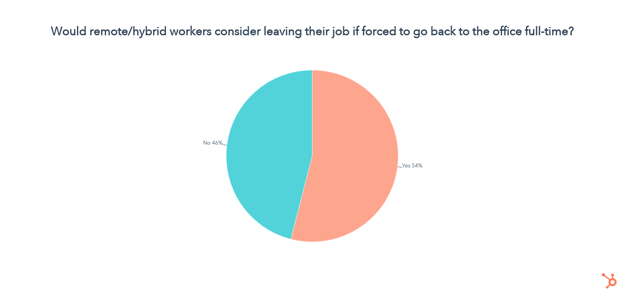
Consumers also want the businesses they work for to understand what’s important to them in how they work, and 65% of those surveyed said they want to feel like they’re making a positive impact with the work they do.
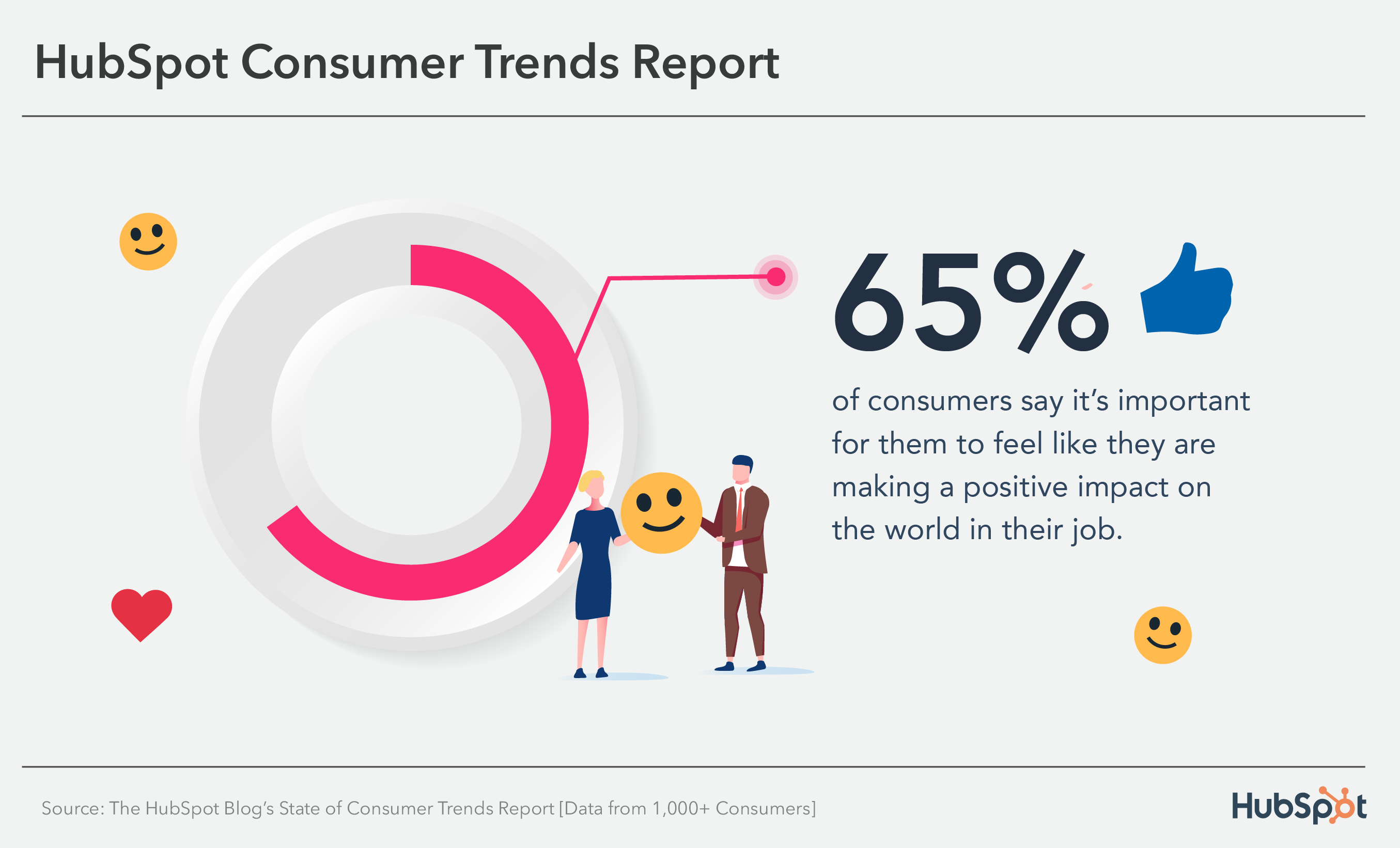 More than half of respondents also said they want to work for companies with a diverse and inclusive work culture. Valuable ways to speak to this desire and help employees feel seen in the workplace are offering employee resource groups for people to find community and encouraging healthy work/life balance habits.
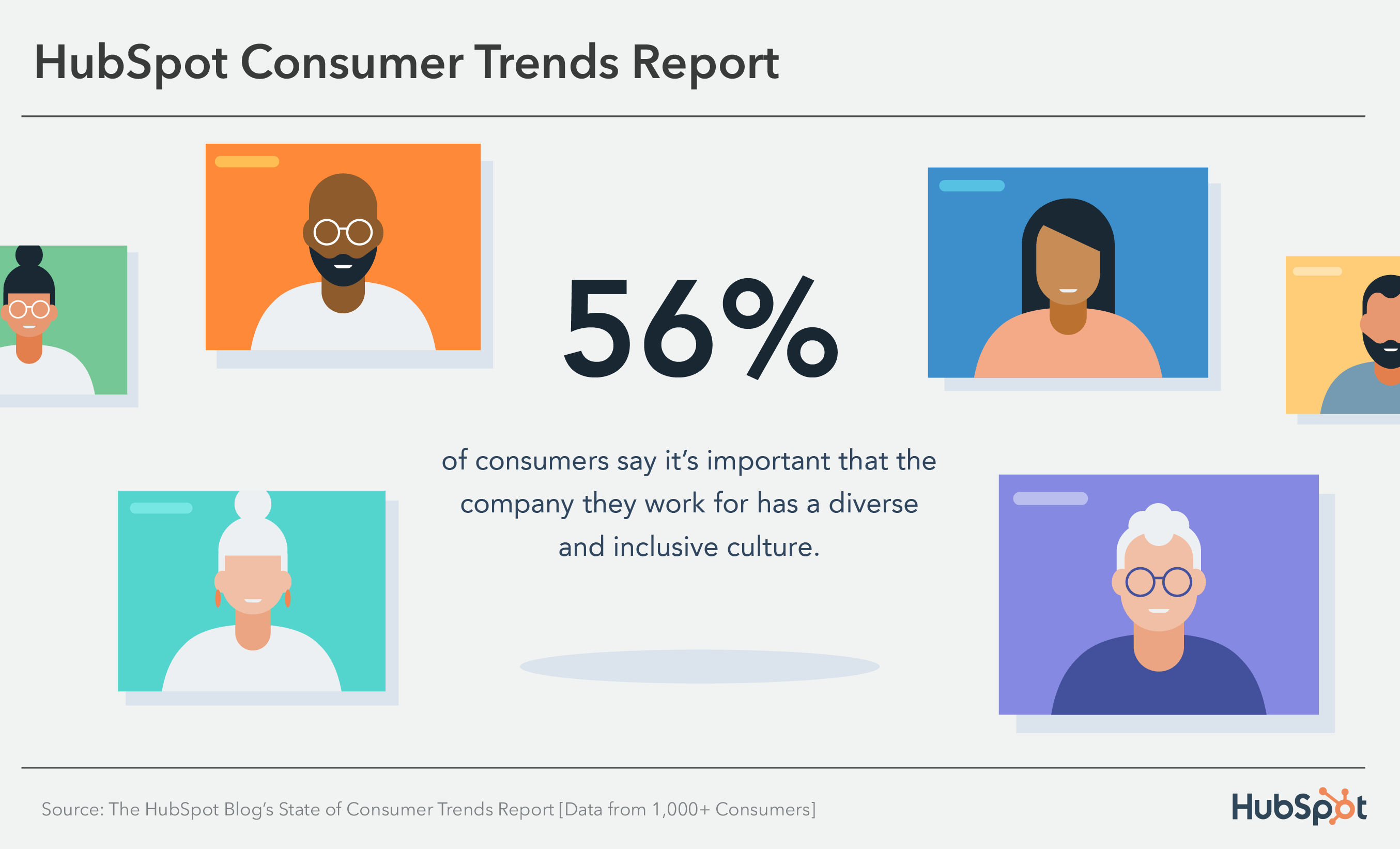 Regarding job satisfaction, 70% of survey respondents said they are satisfied with their current job, and 12% are dissatisfied.
People who stay in their current roles do so because of competitive pay, having a healthy work/life balance, and having a flexible work schedule, and those considering leaving do so because pay isn’t competitive, they experience burnout, and they don’t feel supported by management.
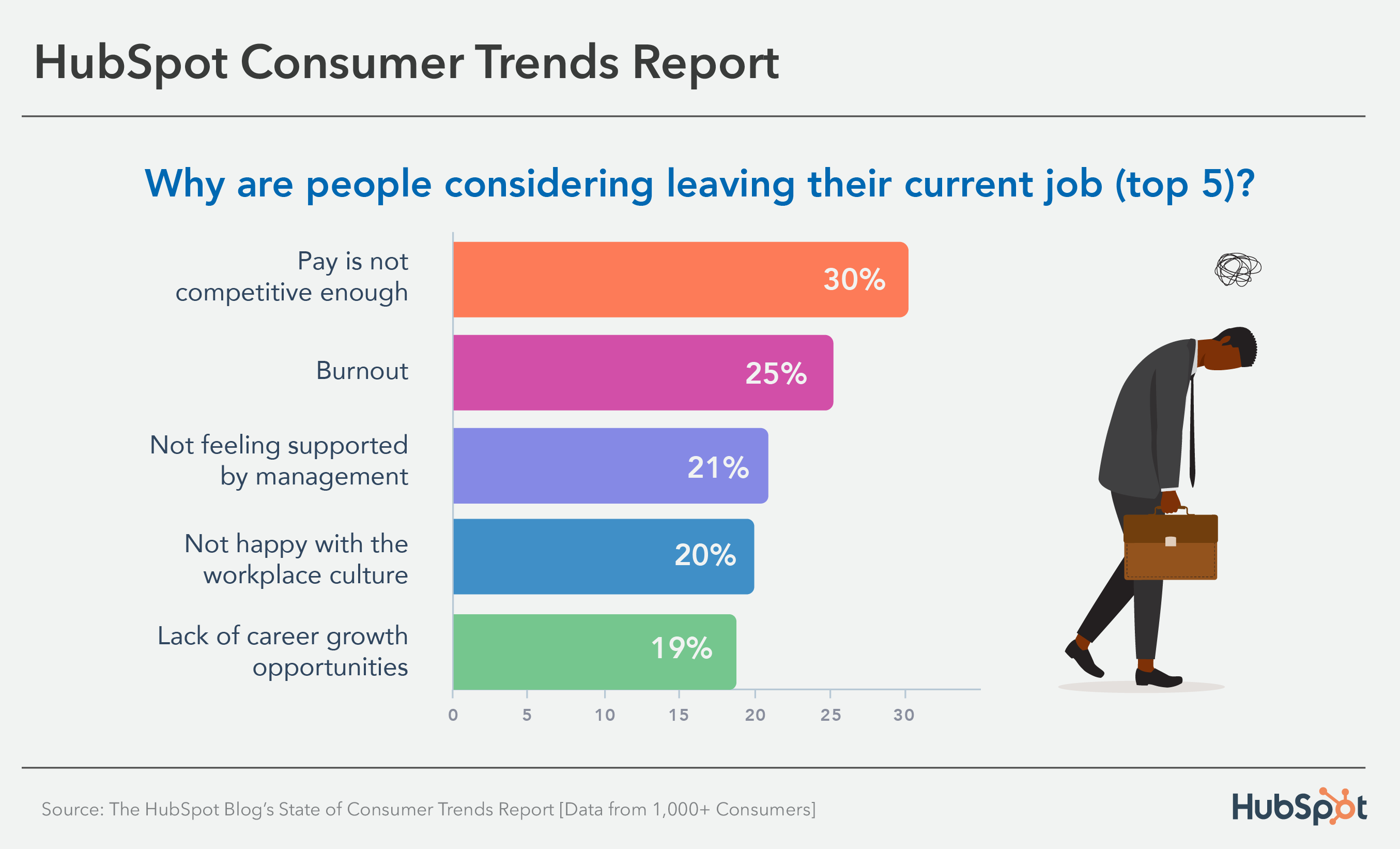
With this in mind, potential economic instability could change how these trends look. Let’s go over what this could mean.
How the Recession Could Impact Today’s Workforce Trends
Although there have been no official declarations of recession, businesses preparing for potential economic instability will likely make decisions that preserve assets. This ensures that there is enough money to keep the company afloat, and many of these decisions initiate changes in investments, budgets, and even in the workforce and hiring practices.
For example, Meta, Twitter, and Uber are a few companies that have updated their hiring processes. Dara Khosrowshai, Uber CEO, said hiring will become a privilege, and the business will “Be deliberate about when and where we add headcount.”
Economic changes could also mean that businesses are more strict about how employees work. However, even if companies are more strict, consumers likely won’t change their desire for flexibility — some might even be more inclined to work remotely or hybrid if it could mean cutting costs for things like childcare or transportation.
Nela Richardson, Chief Economist at ADP and co-head of the ADP Research Institute, says that, in the face of a possible recession, companies will need to invest more in their people to stay competitive in the market.
However, the state of employment could change quickly if we were to enter a recession. So, the best way to keep employees satisfied is to understand their needs and what they want in the workforce. Many trends in the HubSpot Blog survey may become even more critical as economic instability can be stressful.
For example, workers might search for more support in their work environment, whether from managers, connecting with people like them in employee resource groups, or having a healthy work-life balance.
In addition, during the COVID-19 pandemic, people wanted businesses to support causes outside of work that contributed to the betterment of society, such as people laid off as businesses closed — a recession can cause these same issues that employees are passionate about.
Understanding Your Employees Is Critical
Employee satisfaction significantly impacts your business’s bottom line, so it’s essential to know who they are, what they stand for, and what they want from their employers. Having this information also makes it easier to retain them, whether during a period of economic prosperity or uncertainty.
If you want to learn more about consumer trends and their preferences for things like where they prefer to shop or how they feel about crypto and NFTs, check out the State of Consumer Trends Report.