
14 Signs Your Remote Team is Communicating Ineffectively
Every weekend, my friends and I have online video calls to catch-up with each other.
Sometimes it feels like certain people dominate the conversation and others don’t feel comfortable speaking up.
These types of communication issues via remote conversations are actually normal.
In fact, for remote teams communication with co-workers is a challenge that remote workers face daily.
Additionally, according to HubSpot’s findings, non-HubSpot remote workers noted a lack of social connection (29%) and communicating with co-workers (29%) as the two biggest challenges they face being remote.
When your team can’t be in the same space, communication needs to become more intentional. So, how do you do that? And how do you know when your communication needs some work?
Below, let’s review some signs that your remote team isn’t communicating as effectively as possible.
1. Your team has too many meetings.
As a remote worker, I know I’ve had days where I jump from meeting to meeting with no time for a break. Sometimes, this can actually be a symptom of poor communication.
Typically, your team shouldn’t have to meet several times a week. In fact, plenty of meetings can be sent in an email.
Before scheduling a meeting, think about whether that meeting will waste time. If you aren’t sure, then reevaluate whether the content can be sent in an email.
Additionally, keep in mind when you schedule a meeting that every person you invited needs to be there. If not, let them know it’s optional. Plus, think about the length of your meetings. If it can be shorter, make it shorter.
Regardless, it’s important to be intentional when you’re planning remote meetings.
2. You’ve never thought about digital body language.
When you’re communicating via video conferencing, it can be easy to forget about digital body language.
However, it’s important to keep in mind that nothing on camera is subtle and it can feel like you have a spotlight on you.
That means you have to pay even more attention to body language.
For instance, you should still maintain eye contact, speak clearly, and have your video on during remote calls.
3. Team members don’t contribute during online team meetings.
Have you ever been to a meeting where the same people speak up and other team members don’t?
This can be a symptom of poor communication on your team because it might mean that some team members don’t feel comfortable talking during meetings.
On the other hand, it’s important to keep in mind that some people are more introverted than others.
To ensure that all team members are contributing, consider asking everyone a question and going round-robin so everyone has a chance to speak.
4. Your team isn’t collaborating.
Do you collaborate with your team when the opportunity arises? As a manager, do you notice that your team isn’t collaborating?
If collaboration isn’t happening, this could be a sign that team members don’t feel comfortable reaching out to each other.
Additionally, this could mean that your team doesn’t have the tools they need to collaborate effectively.
For example, on the HubSpot blog team, we use Trello to keep track of our editorial assignments. With this tool, writers can easily collaborate with other team members when they want to lean on them for expertise.
5. There’s no communication throughout the day.
In previous remote roles, I was able to go days without talking to another coworker. While the introverted part of my personality loved that, it was a sign that our team wasn’t communicating well.
The more you talk to people on your team, the more trust you’ll have. This makes it easier to reach out when you need help. That’s why it’s important to make sure your team feels comfortable communicating throughout the day — even if it’s just to send a GIF to the group chat.
While you don’t want to inundate your team with messages, checking in every so often is important for camaraderie and team communication.
6. Emails are overly complicated.
Emails should always be simple, clear, and specific. If you’re writing an email and it’s overly complicated, you might want to schedule a quick Zoom meeting with that person.
To communicate effectively, it’s important to know what channel to use to deliver your message. Sometimes it works in an email, but sometimes it requires a meeting.
7. There’s no agenda or meeting structure.
If you don’t have an agenda or meeting structure, you might not be communicating effectively during your meetings.
Meetings should be organized and structured so they’re productive. Having an agenda will keep you on track.
You might even want to schedule in the five minutes of informal chat before a meeting gets started. This will help team members self-regulate.
If it’s possible, you should always send the agenda prior to the meeting.
However, this isn’t necessary with regularly scheduled meetings. For those, just make sure you’ve set expectations.
8. Your team doesn’t use “Working With Me” documents.
Every member on your team should have a “Working With Me” document that details work habits, expectations, and even interests.
These documents are helpful for managers to learn about their team so they can properly manage communication among various team members.
Additionally, you can also share these with everyone on the team so coworkers can get to know their teammates better.
Knowing each others work habits will help build trust and psychological safety on your team.
Instead of spending time trying to figure people out, your team can just talk about it.
9. Norms for communication haven’t been established.
If you’ve ever been stressed about communicating with your remote team, that’s probably because norms for communication haven’t been established.
For example, everyone’s work hours and breaks should be clear. This could mean that everyone is on the same Google calendar or they’ve added a status on their Slack so people know that they aren’t available.
Whatever your team’s method is, make sure that’s communicated among everyone.
Additionally, it might be wise to set expectations in your emails. When you send an email that doesn’t need a response, you might want to call that out.
Setting expectations and norms will help improve communication immensely.
10. Your team hasn’t built psychological safety.
If there’s no psychological safety on your team, then you aren’t communicating effectively.
On remote teams, sometimes it can be hard to feel included. However, the option to be included is so important.
When people don’t feel included, they won’t feel comfortable speaking up.
To build psychological safety in a remote meeting, make sure you go round-robin so everyone has a chance to speak.
Additionally, try to focus on bigger picture conversations and ask people specific questions.
Plus, you can do a “This or That” activity. Doing a quick icebreaker where everyone has to go around and answer a question can help people feel confident about communicating with the team.
11. Your team doesn’t express appreciation for one another.
Forming connections is paramount for communication.
One of the best ways to do this is to express gratitude for each other. For example, people should feel free to congratulate each other in a group chat.
Additionally, you can send birthday cards or just create an email thread of appreciation.
Expressing gratitude is a great way to renew your energy and create a safe space on your team.
12. Managers redo work from team members.
If you’re a manager and you’ve found yourself redoing work from your team, that means you aren’t communicating effectively.
When assignments are sent back with errors, typically this means that the assignment wasn’t clear and expectations weren’t communicated.
If you ever redo someone’s work, that shows that you might not feel comfortable sending edits.
Again, the problem here is all about communication. The only way to improve this process is to … you guessed it, communicate with each other.
13. Assignments fall through the cracks.
Have you ever had an assignment just fall through the cracks? Or perhaps you’re unsure where you left off on a project.
When this happens, it’s clear that you aren’t using a great project management tool that enables communication.
With project management tools, you should be able to see what stage a project is on and collaborate with others right in the tool. By improving communication, assignments won’t fall through the cracks.
14. Your team has a high turnover rate.
If your team has a high turnover rate, that could mean that your communication isn’t effective. When this happens, it’s important to talk to your team so you can figure out what’s working and what isn’t.
While working remotely can make communication feel harder, it doesn’t have to be that way. If your team is communicating ineffectively, you can use these productivity tips to help.

16 Digital Marketing Ebooks You Can Download Today
About 60% of marketers believe that content marketing is important to their overall marketing strategies.
When you think about your marketing strategies, what are the tools you’re using to deepen your understanding of the current landscape of digital marketing?
As an ever-changing industry, it’s important for marketers to commit to learning as much as possible about digital marketing. But … who has the time?
Enter: the ebook.
If you want to expand your knowledge of digital marketing from reputable thought leaders, but have limited resources, or don’t even know where to start, this post is for you.
Below, I’ll list some awesome ebooks on the ins and outs of digital marketing, from SEO, to content building, to beginner’s guides.
Let’s jump in!
1. Digital Marketing for Small Business by HubSpot
For this ebook, HubSpot teamed up with the experts at MOO to build a guide aimed at small businesses. It provides everything startups need to know about inbound marketing and gives a great scope of how to test, learn, and grow in an online marketing landscape.
This ebook takes readers through accessible ways to maximize resources and get the greatest benefit from marketing. Need help with channels like Facebook, Google, and Twitter? “Digital Marketing for Small Businesses” has you covered.
If you’re looking for a one-stop shop for how to start a functional digital marketing strategy from the ground up, this ebook is for you. It even provides templates and concrete examples that will help you organize your strategy.
2. Paid and Earned: The Two Sides of Influencer Marketing by Jay Baer
Do you want to have a robust understanding of how influencer marketing can boost your ROI? This ebook shows you how influencer marketing is a great method for building brand awareness and boosting conversion, while offering a guide on how to choose between paid influencers or earned influencers.
Author Jay Baer explores how influencer marketing can be a necessity for brands as well as the inverse relationship between the two. Baer discusses how different kinds of influencers have their own impacts on the industry and how to navigate working with influencers to maximize ROI.
3. The $10 Digital Media Startup Ebook by My Frugal Business
If you’re building your business from the ground up and need a little help, this guide is aimed at guiding you through how to begin that process. This ebook is for those starting at level zero with building an online digital media strategy.
It’ll walk you through fleshing out a social media strategy, SEO, influencer marketing, and how to become a successful digital entrepreneur. If you’re in the space where you have to multitask in order to get your business up and running, consider giving this ebook a look.
4. 25 Actionable Social Media Strategies You Can Implement Today by Buffer and Kevan Lee
For this ebook, the team at Buffer collaborated with marketer Kevan Lee on social media strategies that are easy to implement. If you think a social media strategy is just about posting consistently, think again. This guide debunks that theory and explains how strategies also need to be delightful, effective, and targeted.
You’ll receive advice that’s actionable and useful as you plan out or re-work your current strategy. For instance, you’ll learn how to leave a lasting impression on followers through content and when to post to leave the most impact.
5. Content Marketing: The Ultimate Beginner’s Guide to What Works by Search Engine Journal
The team at Search Engine Journal put together a comprehensive ebook that focuses on how to build a content marketing strategy for those just getting started. Content marketing encompasses lead acquisition and the growth of your business — but only if it’s done effectively.
This ebook is for anyone who wants a content marketing strategy that’s successful. It provides readers with an understanding of the value of content marketing and how to maximize your resources so you get the most bang for your buck.
6. How to Build a World-Class Internet Lead Generation Program by Peter Geisheker
If you want to know how to attract more target customers to your online business this ebook should be useful. Author Peter Geisheker gives a crash course in improving lead generation, correctly.
You’ll receive actionable tips about attracting customers, social media marketing, and how to retarget content to generate leads. Additionally, this ebook talks about how sales funnels work online and how having an online advertising plan in place helps you drive website traffic.
7. Data-Driven Content Marketing by Uberflip
Content marketing works when it’s built from helpful, actionable data. With this ebook, you’ll become an expert at understanding the power of data analytics in building a content marketing strategy.
Of course, data isn’t the only necessity when planning out content marketing. This ebook also dives into the creation process, distribution, and strategizing of a content plan that works for your company.
This ebook will help you determine if your current content strategy is the best that it can be and provides valuable tips for marketers about how to improve what’s not working.
8. How to Run a Marketing Campaign with G Suite by HubSpot
In this ebook, you’ll learn the best practices for digital marketing using Google’s tools.
With so much to manage in the marketing landscape, you’ll learn quick, easy ways to become a rockstar at managing Google Suite, which streamlines marketing activities on a digital landscape. You’ll become comfortable with Google’s offerings of productivity and collaboration software to help your marketing efforts.
This guide presents concrete examples of how HubSpot’s marketing team uses Google Suite to create, manage, and analyze campaigns giving you actionable takeaways as you become familiar with the platform.
9. Complete Guide to Crushing Your Influencer Marketing: Influencer Marketing Blueprint by Shane Barker
Unsure about the true benefits of leveraging influencer marketing? Let this guide by Shane Barker lessen your uncertainty. It puts a digital marketing lens on the ins and outs of using influencer marketing to your advantage.
This ebook gives you a full understanding of how to effectively use influencer marketing to boost the ROI of your digital campaigns, from picking the right influencers to crafting compelling pitches.
10. The Marketer’s Guide to Facebook by Contently
Contently, a content planning platform, offers a guide about executing a fully-fledged Facebook marketing campaign using the platform’s suite of tools. Facebook has a pretty intuitive marketing toolkit, but using it effectively can be an uphill battle — this ebook helps.
It’ll give you a deep dive into how Facebook works when aligned with marketing strategies and puts a content marketing lens on how to engage new and current customers. If you want to learn how Facebook’s tools can be useful to you from top to bottom, then this ebook is for you.
11. The Beginner’s Guide to Online Marketing by Wrike
This guide walks you through how online marketing has changed over the years, and it brings you up to speed about how to be a master online marketer in today’s ever-changing landscape. You’ll learn how to leverage email, Twitter, and YouTube to create an effective marketing strategy.
You’ll also learn how to develop new approaches to digital marketing, roles, and tools that are a necessity, and how to keep track of what’ll help your company the most.
12. Successfully Generate Leads To Grow Your Business With Facebook Ads by AdEspresso
AdEspresso’s ebook focuses on lead generation targeting only one channel: Facebook Ads. This book will guide you through the process of expanding your reach and finding new audiences using Facebook Ads. It also provides strategic insight into how to use the tool in a way that maximizes ROI.
You’ll also learn how to leverage Ad tools to engage your audience, and dive into lead nurturing, building landing pages, and how to manage your campaigns. If you want to learn more about how to perfect your Facebook Ads strategy, this ebook will help tremendously.
13. Beginner’s Guide to SEO by Moz
This series of articles put together by the team at Moz is formatted like an ebook. It provides readers with a detailed introductory lesson on how to use SEO to grow your business.
It gives an in-depth tutorial about how search engines work. Additionally, this ebook provides the fundamentals of how to make your website compatible with search engine results.
You’ll also find strategies for making the content you provide to audiences more search-engine friendly, and you’ll develop an understanding about how your target audience interacts with search engines. Plus, you’ll become familiar with keyword research and how your content affects search engine rank.
14. Killer Content Marketing by Content Marketing Institute
If you’re comfortable with content marketing, but want an intermediate-level guide to maximize your strategy, this is a great ebook. Going beyond the basics of content marketing, you’ll learn how social data can be used to construct new, innovative strategies.
This book is easily comprehensible, and you’ll find out how to organize your content planning and up your brand presence online.
15. Introductory Digital Marketing Guide by Simplilearn
This ebook gives you an expansive history of digital marketing and why the landscape has morphed into what it has today. After you gain this understanding, the guide will take you through the different channels you can use for digital marketing, such as blog, social media, and your own website.
You’ll learn the importance of understanding your target audience and how your strategies must place the customer at the center.
16. Why Digital Marketing? by HubSpot
Without having a presence online, it’ll be pretty difficult to grow your business. And that’s how digital marketing can step in and help. To aid in that process, this ebook by HubSpot teaches you the ins and outs of marketing a brand online.
You’ll learn how to construct a functional digital marketing strategy in seven easy steps that provide robust techniques for managing that strategy. Additionally, you’ll learn the importance of SEO, social media, lead nurturing, and reporting as well as how to accurately perform these methods to help grow your business.
This ebook also provides you detailed advice about how to leverage your digital marketing campaigns to their highest performance, earning you the most ROI possible.
Whether you choose a few of these ebooks or many, they all dive into the importance of digital marketing. Because we are in a landscape that is continually changing, keeping up-to-date on those industry changes and trends is a necessity to properly execute your job and provide value to customers.
Which ebook are you most excited to download?

How to Create an Editorial Calendar [Examples + Templates]
If you’re anything like me, you’re consistently working out of at least 20 browser tabs, four journals, a yellow legal pad or two, and a myriad of Post-it notes stuck around your computer monitor.
To the average overseer, it’s nothing short of chaos. To the blogger, it’s evidence of a (desperate) need for an editorial calendar.
My muddled system transforms dramatically when I work with a team. I realize the need for organization and structure, and this could not be more necessary than with managing a blog. Without a mutually agreed-upon system for planning, writing, and scheduling content every week, you can find yourself in a pile of missed deadlines, unedited blog posts, and a fair amount of team tension.
There’s no such thing as a perfect editorial calendar — it all depends on the needs of your team. Nonetheless, there are a number of questions you should ask yourself to determine what your editorial calendar should look like. These include:
- How frequently are you publishing content? Do you have stuff going live every day? Once a week? Perhaps multiple times a day? Finding out how often you publish can tell you how best to visualize your editorial calendar on a regular basis.
- Do you create more than one type of content? If you upload as many videos to YouTube as you publish articles to your company blog, your editorial calendar will need to distinguish between the two.
- How many people will use this editorial calendar? The best editorial calendars allow multiple people to brainstorm, collaborate, and provide feedback on assignments in real time — directly on the calendar.
- What are the various stages content goes through before it’s published? How complex is your content pipeline? Is there a substantial review or approval process that each piece of content goes through? Make sure your calendar can distinguish between two similar assignments that are in different stages of creation.
- What format will you use to organize this calendar? You’ll want to choose the system that best aligns with your goals and your team’s workflows. The next section discusses the most common formats.
Choosing a Format for Organizing Your Content Calendar
There’s no such thing as a perfect editorial calendar, but some formats will be better than others at helping you solve for your team’s goals. Once you choose a format, you’ll also want to decide on how you will implement it — picking a tool or platform that offers the features or interface your company needs most.
Here are some of the different ways to format your editorial calendar:
1. Traditional Calendar or Calendar App
Whether you’re tracking deadlines on a big paper calendar on your desk or through an app like Google Calendar, this is one of the most straight-forward ways to know what’s going out and when.
The disadvantage, though, is that there’s more to project and content management than publishing dates, and a calendar may not always be effective enough on its own.
2. Spreadsheet
Spreadsheets have always been a favorite for content management. There’s something so satisfying in seeing all your necessary data points aggregated in one place and organized neatly into rows and columns. With Microsoft Excel and Google Sheets, spreadsheets are easily accessible and don’t have a high learning curve.
One advantage of using spreadsheets is that they can be easily paired with calendar apps and content management tools. By importing a .csv file, you can load the information into multiple places as needed for the tasks at hand (see the Google Sheets and Hootsuite Planner combination in the next section for inspiration).
3. Kanban Board or Other Project Management Tool
Kanban is a visual system for project management that involves moving cards through different stages of a project. It’s popular in editorial management because it can be easily used to represent an editorial workflow no matter what your quality assurance process is or how many hands touch a piece before it’s published.
This means that a Kanban board can easily accommodate your content calendar if you require more planning and management to push things live. Popular options for this type of system include Trello, Airtable, and Meistertask.
4. Content Calendar (and Management) Apps
Taking the calendar concept a little further, there are apps and software platforms that have been designed specifically for content management. They include both the calendar and the project management aspects that are required to get the job done along with other helpful features for high-volume content marketing teams. Examples of these platforms include CoSchedule, Contently, and Loomly.
Editorial Calendar Examples
To help you implement an editorial calendar, we’ve also included two real examples from a few of the most successful content teams out there. Check them out below and find out what makes their calendar so useful.
1. Buffer’s Editorial Calendar
Platform: Trello
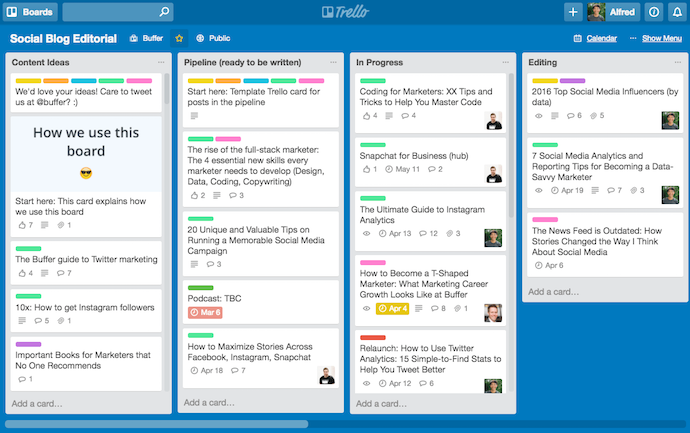 This is the actual editorial calendar of Buffer, a social media content scheduling platform. Naturally, the company’s own content is supported by an editorial calendar that describes an assignment’s author, title, publish date, and where it is in the company’s editorial workflow (content can be in the “Ideas” stage, in the “Pipeline,” “In Progress,” or “Editing”).
Each rectangular tile shown above represents an individual piece of content — whether it’s a blog post, video, or even a podcast episode.
As you might be able to tell, Buffer’s editorial calendar is built on Trello, a common project management tool. And although you can use Trello more than one way, Buffer uses most of its available features so everyone has the information they need within a few clicks — regardless of what they do for the company and how the calendar affects their work.
“An editorial calendar should be a resource for your whole team, not just content creators,” says Ash Read, Buffer’s editorial director. “It should be something anyone can easily access to see what’s coming up and also suggest content ideas. Sometimes the best content suggestions will come from people outside of your marketing team.”

In the next screenshot, above, you can see what’s inside each rectangular tile. When you click on an assignment, Buffer logs feedback as the content is created and reviewed. Says Ash: “It’s not just a calendar, but a place to share feedback, editing notes, pitches, ideas and more.”
2. Unbounce’s Editorial Calendar
Platform: Google Sheets
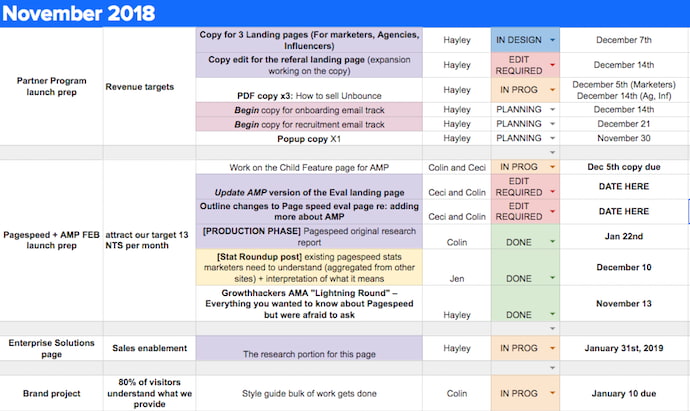 This is the editorial calendar of Unbounce, a creator of landing pages and related conversion tools for marketers, as well as a HubSpot integration partner. Unlike Buffer, this company uses Google Sheets to manage their entire content production, and the way they’ve customized the spreadsheet above would be pleasing to the eyes of any content creator.
In addition to organizing their projects by month, what you might notice from the screenshot above is that Unbounce also sorts their content by the campaign they’re serving — as per the first two columns on the lefthand side. This allows the business to see what multiple assignments — listed vertically down the third column — have in common, and track content that extends beyond the Unbounce blog.
Shown below, the Unbounce blog has a separate editorial calendar in Google Sheets that allows the blog to work alongside the larger company initiatives. Nonetheless, using spreadsheets for both content workflows has proven to be the best choice for the company’s growing operation.

“We’re a small content team, so other platforms would likely overcomplicate things,” says Colin Loughran, editor in chief at Unbounce.
Ultimately, this editorial calendar keeps Colin’s team in sync. “While we try to lock dates a few weeks in advance,” he explains, “the reality is that sometimes we need to make changes very quickly. A product launch might move into a slot we’d planned for something else, for instance, or a guest contributor will be delayed in delivering a revised draft. When that’s the case, having a centralized resource that everyone can check is a necessary safety blanket.”
3. Digital Authority’s Content Calendar
Platform: CoSchedule
Digital Authority, a marketing agency that specializes in content and social media, draws the distinction between their big picture content goals vs. their smaller content-related tasks.

Digital Authority uses CoSchedule to plan out timelines for pieces such as blogs and social media posts. The advantage of this is the color categorization, calendar and task views, and the ability to create social posts across platforms from within one portal.
There are also features to keep the team actionable, on the same page, and agile with drag-and-drop features.
4. Hootsuite’s Content Calendar
Platform: Google Slides and Hootsuite Planner
Hootsuite, another social media scheduling platform, has a ton of content to publish both on a daily basis and far out in advance. That makes their content calendar a major component of their production strategy.

Due to the volume, the Hootsuite team creates content far in advance using Google Sheets to plan and organize across channels. Once the strategy is created and executed on, posts that are ready to be published are represented on Hootsuite Planner.

Editorial Calendar Template
Ready to make your own editorial calendar? No matter which platform you ultimately want to work out of, a spreadsheet can help you take inventory of what content you have and how quickly it moves from start to finish. Try our free Blog Editorial Calendar Templates.

Using the templates linked above, you’ll be able to organize, categorize, and color code to your heart’s content. Use these templates to target the right readers, optimize posts with the best keywords, and pair each topic with a killer call-to-action.
In this download, we’ve included three different templates for you to choose from. Why three? We recognize that not all content teams are the same. While some feel most efficient with a centralized editorial calendar solution, others may need the gentle push of an upcoming deadline right on their personal calendar. Therefore, you’ll have access to all three templates in Microsoft Excel, Google Sheets, and Google Calendar.
With a little customization, your blog calendar will be running smoothly, leaving you time to be the content-writing, lead-generating machine you strive to be.

The Onboarding Process That Makes New Hires Fall in Love With Your Company All Over Again
It was the first day of my first internship in college. When I walked in the doors, my boss gave me a brief, 20-minute rundown on how the organization was structured, what my role entailed, and what my first assignment would be.
Then, I found my cubicle and got to work … feeling both largely unprepared and frustratingly secluded.
Who was on my team? Wasn’t I supposed to meet them? Were there other interns, and where were they? And what was the culture like, really?
It was an internship, but nonetheless, it quickly taught me the importance of onboarding.
Almost 70% of employees are more likely to
stay with a company for at least three years
after a great onboarding experience.
Ultimately, your company’s onboarding experience is your employees’ initial introduction to the company.
If you don’t implement a memorable and helpful onboarding process that fully integrates new employees into your company, you risk higher turnover rates and less productive teams.
To ensure your new hires remain thrilled by your company and engaged in their roles long after the initial onboarding process, take a look at our onboarding checklist.
Onboarding Checklist
An onboarding checklist is one of the easiest ways to ensure your onboarding process includes all the necessary elements to fully integrate new employees into your company. However, it’s important to note, onboarding isn’t one-size-fits-all — a junior copywriter is going to need different tools to succeed at your company than a new marketing director.
While onboarding will vary for each employee, there are a few components you should include for any new hire.
The following onboarding checklists are for managers or HR departments to use when they are helping a new hire integrate into the company. Of course, certain tasks, such as necessary paperwork or required reading, will differ depending on the company or role.
Before The First Day
- Gather the necessary paperwork (e.g. W-4, I-9, and insurance forms, direct deposit forms).
- Ask your new hire to review your company’s employee handbook and sign a non-disclosure agreement.
- Prepare a workstation for your new hire.
- Gather the necessary tools, such as a computer, and/or access to any required software.
- Provide your new hire with a company email.
- Give your new hire any relevant reading material, including company-wide policies and procedures, an organization chart, and a description of her role, as well as the company’s values, mission, and culture (unless this is included in employee handbook)
Before the first day, you might also consider leaving a note on your new hire’s desk, welcoming them to the team. Perhaps you can share any branded material, like a sweatshirt or mug, as a welcome gift.
Additionally, consider sending your new hire an email, cc’ing all team members, welcoming them to the team.
On The First Day
- Provide your new hire with all necessary information, such as your dress code, where they can park, what time they should arrive, and what they should bring.
- Prepare your team ahead of time — let them know your new hire is arriving so they can greet her when she gets to her workstation.
- Reserve time on your team’s calendar for a “Welcome” lunch for the new hire, and tell the new hire ahead of time.
- Give your new hire a tour of the office, including bathrooms, kitchen, and support desk.
- Set up a meeting between the manager (if not you) and new hire, so the manager can introduce herself, explain how the department is structured and how one-on-one’s typically go, and answer any questions.
- Assign the new hire a mentor and ask mentor to set up a time to have lunch with the new hire.
The first day will vary depending on how many new hires your company onboards at one time — one new hire, of course, will require a different process than a group of 30.
However, it’s important to keep your new hire busy and engaged. You don’t want her to feel awkward sitting at her desk waiting for instruction. You want to demonstrate you’ve taken the time to plan a full, productive day for her.
To keep the employee engaged and excited, you could give her a “30-day plan”, which might include:
- Names of people you suggest she reach out to for lunch or coffee. These are likely people she’ll be working with closely, or people you believe can offer her guidance.
- Reading material that will help her succeed in her new role — if she’s the new social media manager, perhaps you can include blog posts about social media you’d like her to read.
- The manager’s expectations for her first month (i.e. “I’d like you to brainstorm and present one marketing video campaign idea by the end of this month”).
During Week One
- Consider asking both new hire and manager to take the DiSC, if they haven’t already — understanding work personalities can help meetings and projects go more smoothly.
- Within first few days, assign the first project to your new hire. This will help her feel like a valuable asset to the team and allow her to become more comfortable in her role.
- Ensure all required paperwork is filled out.
- Review employee performance evaluations and set goals for the first month.
- If necessary, set aside time to teach new hire how to use any new software.
As a manager, it’s critical to keep your schedule open if you’re solely in charge of your new hire’s integration into the new team. Take the time to thoughtfully consider one-on-one lessons you can set up to acclimate your new hire to your software or work processes.
Additionally, keep her educated on what’s happening with the larger team. Ask her if she wants to sit in on meetings that, while not directly relevant to her at the moment, might be useful to her as she grows in her role. This may also help her get a better sense of what your team does and what kind of culture your department fosters.
Ultimately, it’s critical she has a firm understanding not just of her own role, but how her role fits into the company as a whole.
For the First Month
- Set up weekly meetings to give your new hire constructive criticism regarding her first couple assignments.
- Provide her with additional reading material as you see fit — perhaps you suggest books related to her role or articles you feel will help with her professional growth.
- Check that she is meeting the appropriate people and getting lunch or coffee with core members of the team
- Ask for feedback from the new hire(s) — if its a large group, offer the option to fill-out an anonymous survey. If you have only one new hire, simply ask her what else she needs to succeed or what she wishes the company provided.
- Organize a team outing to help the new hire bond with the team — if dinner is difficult to plan, consider getting lunch with the team away from the office.
- Ask her mentor to check-in with her.
During the first month, it’s important your new hire has a firm understanding of what’s expected of her and who she can turn to for guidance.
Additionally, your new hire likely has particular preferences regarding how she’d like to be managed. After providing constructive feedback during each one-on-one, ask her if she has any feedback for you as her manager.
Towards the end of the initial onboarding process, ask new hires to fill out a survey regarding the onboarding process. Your HR team can use these suggestions to alter the process for future employees.
While we’ve only covered the first month, it’s important to note studies have shown companies with less than one month dedicated to onboarding are 9% less likely to keep first-year employees than companies with longer processes.
Your new hires need time to fully acclimate to their roles and the company culture. A good time frame is roughly one to three months minimum, but some companies choose to implement an onboarding process that lasts a full year.
Ultimately, a good onboarding process will take into consideration both what your team needs from your new hire, and what your new hire needs to succeed in her role. It might require flexibility and patience, but it’s worth it if you can show your new hire she’s a valuable asset to your team. You can also adjust your strategies as you learn more about her strengths and weaknesses.
Editor’s note: This post was originally published in January 2019 and has been updated for comprehensiveness.

The Ultimate Guide to Company Culture
Nowadays, we hear about a company’s culture a lot — including perks like free beer, ping-pong tables, and fitness classes at the office.
Company culture is a critical factor for acquiring and retaining top talent. Additionally, a good company culture can help your business succeed. In fact, companies with strong cultures saw a 4x increase in revenue growth.
But culture is more than just workplace benefits. At its core, a company’s culture is the shared set of values, behaviors, and shared vision of that workplace.
Additionally, a company culture clearly outlines your workplace’s values, and ultimately drives your entire company under a common vision.
In a Deloitte study, 87% of organizations cite culture and engagement as one of their top challenges.
If you feel your culture can be improved but aren’t sure where to begin, keep reading to learn about the different types of company cultures, and get ideas on how you might improve your own culture.
Let’s unpack the five main types of company culture and which one may be a good fit for your company.
1. Team-First Corporate Culture
As the name implies, a team-first corporate culture is one in which team bonding and cross-department collaboration are top priorities. In a team-first corporate culture, you’re likely to find both formal and informal events planned to encourage strong employee relationships, including regular team outings or after-work drinks.
Additionally, a team-first corporate culture typically offers flexibility and a level of autonomy to ensure employee happiness. For instance, Netflix provides its employees with a full year of unlimited family leave, which allows employees the opportunity to decide what works best for them.
Netflix also encourages independent decision-making and a culture in which information is shared openly. These aspects of the culture are inherently team-first, as they emphasize the importance of collaborating and communicating with team members to ensure the company stays on track to hit goals without sacrificing an employee’s individual needs.
2. Elite Corporate Culture
You’ll want to consider companies like Google or Facebook when you think of an elite corporate culture, which is a culture in which innovation and forward-thinking are not only encouraged, but expected.
An elite corporate culture hires only the best, and values fast growth — ultimately, the employees of an elite corporate culture aim to become the trailblazers in their industry.
For instance, Gainsight, a SaaS company, demonstrates its culture’s emphasis on innovation on its About Us page, where they state: “To change the world of business, you’ve got to have great captains”. Additionally, one of their five values is “Stay thirsty: we believe in a totally internally-driven strive for greatness.”
You might have an elite corporate culture if your company encourages each employee to think outside the box and push the boundaries of the status quo on a daily basis.
3. Hierarchy/Traditional Corporate Culture
In a hierarchical or traditional corporate culture, you’ll find the bottom-line is always the highest priority — meaning a company with a traditional corporate culture likely makes risk-averse and data-driven decisions.
A traditional corporate culture likely enforces a dress code and has a clearly defined hierarchy. Additionally, a traditional culture has an established practice, which makes it difficult to implement new technology.
Bureaucratic organizations like the Department of Motor Vehicles is a good example of a hierarchy culture. This organization follows corporate procedures to ensure consistency and results.
4. Horizontal Corporate Culture
A horizontal corporate culture is typically more popular with small start-ups — as the name implies, it’s a culture in which everyone pitches in and collaboration is critical. Since the company is typically young, a horizontal corporate culture is flexible in nature and encourages employees to use market research to refine their strategy.
For instance, take a look at some of these employees’ reviews of Acorns, a software company with digital investment products: “[People in leadership positions] are great! I always received help from them when needed” and “Every person in the company is engaged and you’ll get help from any person that you reach out to”.
These are the types of reviews you’d expect to see for a horizontal culture.
5. Clan Culture
Last on our list, clan culture refers to a company with a “family-like” atmosphere. Typically popular with smaller companies and startups, clan culture suggests a high level of employee engagement and collaboration, and a strong emphasis placed on teamwork.
Additionally, with clan culture there’s typically fewer levels of management between employees and leadership — which means communication tends to be more informal and candid.
For instance, on Smile Brand’s Glassdoor review, you’ll see one employee wrote, “I’ve worked for Smile Brands for close to 12 years. I enjoy the family atmosphere and collective focus on supporting the practices and optimal patient care.”
Now, let’s review some common company culture ideas you can implement at your own company.
1. Offer impressive workplace benefits, like an on-site gym or unlimited vacation.
Typically, one of the first aspects you’ll hear about when you discuss workplace culture is the benefits — but free beer isn’t enough to implement a truly impressive company culture. Instead, you’ll want to ensure the benefits you offer exist to increase your employee’s happiness, and align well with your values.
An on-site gym, for instance, shows your company’s commitment to health and wellness. Alternatively, unlimited vacation makes sense if your company values autonomy.
If you’re unsure which benefits are appropriate for your company culture, take a look at The Comprehensive List of Employee Benefits.
2. Focus on diversity initiatives.
A strong office culture can’t exist without focusing on diversity. For instance, a survey by Glassdoor found 67% of people consider diversity an important factor when deciding where to work — to attract top talent, then, it’s imperative you incorporate diversity into the workplace.
Additionally, diversity can foster innovation, and diverse teams perform better. To learn more about the benefits of diversity in the workplace, check out 5 Awesome Benefits of Diversity at Work.
3. Plan team-building activities.
To create a fun and engaging company culture, it’s critical you implement both formal and informal events to cultivate stronger relationships among members of your organization. You might consider monthly team outings, or informal happy hour drinks after a campaign kickoff.
To ensure everyone feels included in the outings, vary the types of experiences you have with your fellow team members — for instance, one month you might commit to a charity event, and another month you might create an office fitness challenge.
Ultimately, a strong office culture can only exist once employees begin feeling more comfortable with one another.
Additionally, it’s important your company offers opportunities for employees to engage with coworkers from different departments, for better company alignment.
4. Give back to the community.
To improve employee morale and give employees another reason to feel proud to work for your organization, consider offering employees the opportunity to volunteer for a local charity.
Charity events enable employees to bond with one another, and can also ensure your employees see first-hand how your company’s values play out in real life.
For instance, ExxonMobil awards a $500 grant to a non-profit once a team of five or more employees volunteer for a combined total of at least 20 hours — this allows employees to focus on teamwork and strengthen employee relationships while giving back to the community.
5. Take action to help your employees’ health and wellness.
Having healthy employees has proven to result in better productivity, lower healthcare costs, and fewer turnover rates — all critical components to a good workplace culture. Additionally, healthy employees are happier, which will likely lead to a more engaged workforce.
There are plenty of opportunities, varying in cost, to create a stronger workplace wellness program. You might invest in standing desks, create lunchtime yoga sessions, provide healthy snacks, or offer personalized nutrition counseling.
Alternatively, you might simply offer employees more flexible hours, so they can arrive at work early and leave at 4 p.m. to catch a cycling class, or arrive late after a morning meditation session.
Essentially, any steps you take to help employees feel better will pay-off in the long run. And, ultimately, you’ll create a culture in which health is considered a top priority — which is certainly a place I’d like to work, wouldn’t you?
6. Create a company culture manifesto.
A few years ago, HubSpot founder Dharmesh Shah created this Culture Code slide deck, with the purpose of answering the following questions for viewers: “What do we believe? What makes us tick?”
A powerful company culture manifesto or document is critical for attracting top talent, and can be used as a resource for recruiters and HR.
Additionally, a manifesto enables you to clearly outline what your culture is, as well as what you want it to be — essentially, it can work as a road map, guiding employees when making decisions regarding behaviors and values.
For instance, HubSpot’s slide deck states one simple rule: “Use good judgment.” This is a memorable statement internal employees can use when decision-making.
7. Collect employee feedback.
You’ll never fully know whether your company has a strong and compelling culture if you don’t regularly collect employee feedback.
By asking your employees how they feel, you’ll be better equipped to recognize strengths in your current culture, as well as areas for improvement. For instance, maybe you’ll find employees are unhappy with the lack of training programs your company offers.
This information can help you create a more targeted and unique workplace culture down the road — one that focuses less on free beer, and more on long-term employee happiness.
If you need further assistance in developing your company’s culture, consider checking out Delivering Happiness, an organization that offers workshops and online resources to help companies improve their workplace culture.
Editor’s note: This post was originally published in March 2019 and has been updated for comprehensiveness.

How 9 Brands With Physical Locations Made Their Services Virtual
In 2020, the era of digital transformation is in full swing.
At this point, video, blogging, and content marketing top the list of tactics brands are investing more heavily in. Meanwhile, 97% learn about businesses online more than anywhere else.
While most brands embrace digital transformation and today’s technology through online marketing tactics like blogs, social media marketing, and email newsletters, other companies are taking things a step further by bringing some of their in-person services online.
For example, in the last year, we’ve seen beauty experts, career coaches, tax representatives, and even educators begin to schedule online classes or consultations that allow their clients to learn from them without ever having to step foot in the same room.
The growth in virtualized services makes a lot of sense. In the past, in-person services relied on strong local marketing and a good geographical business location. But, now, virtual services can open a pool of clients up nationally or internationally. Not to mention, brands that make themselves more accessible to clients might even be perceived as companies that truly care about customer experience.
While it’s still not possible to bring all businesses and services online, recently, a number of unexpected companies have gotten creative to virtualize services that originally needed to take place in a physical store or location.
If you think that some of your products or services could go completely digital, but need a bit of inspiration, here are nine innovative examples of brands that made some or all of their once-physical services virtual.
9 Brands That Made Services Virtual
Planet Fitness
Recently, after temporarily closing all Planet Fitness branches and pausing gym membership fees, Planet Fitness began offering free virtual “work-in” classes and online training. Although they’re not making any money off of these classes, they serve as a strong customer retention strategy by encouraging those who aren’t regularly going to the gym to use Planet Fitness’ expert coaches to stay in shape.
Here’s a video of one of the “work-ins” which was first featured on Facebook Live.
When Planet Fitness locations open again, customers might remember the effort Planet Fitness made to keep everyone healthy and active despite gym closures. This could result in members feeling like the gym cares about its clients even when it isn’t generating revenue from them.
Lure Salon
In 2020, a number of local and name-brand hair salons have been offering virtual consultations, online beauty tutorials, and guided haircuts. One example of a local business that’s embracing video call technology to continue servicing customers is Lure Salon.

According to the Dallas-based salon’s website, customers can book a time to FaceTime with a stylist. They can use this time to discuss what type of color or style they’re thinking of for their hair, create a coloring plan that can be done at home, and learn more about the tools that are necessary for safe hair-styling.
Sweet Farm
In March, Sweet Farm, an animal sanctuary based in California, launched a campaign where animal-lovers could invite one of the organization’s goats, llamas, cows, or other animals to video calls. The campaign is cleverly titled, “Goat-2-Meeting,” a play on GoToMeeting — a popular video meeting software.

“Our board member, Jon Azoff, came up with the idea and said, ‘You know, we’re having so many company meetings and happy hours but they’re all boring. What if we could get a goat or llama on the call?'” Nate Salpeter, Sweet Farm co-founder, told CNN.
According to the Goat-2-Meeting site, people all around the world can schedule an animal meet-and-greets for donations ranging between $65 to $750 depending on how many people plan to attend and whether the video call will be hosted for a small group of friends or a corporate company.
In most of the meeting formats offered, guests will get a quick tour of the farm, some information about the animal on their call, and an opportunity to ask questions about Sweet Farm or the animal.
Not only is this campaign adorable, but it also allows the farm to generate revenue and spread awareness about its organization’s mission on a viral global scale. According to Sweet Farm, the campaign has been so successful that there’s now a waitlist to book a meeting.
Venture Cafe Cambridge
Based in the startup hub of Cambridge, Mass., Venture Cafe is a physical venue that hosts events to promote the local startup and innovation community. Events often include pitching sessions, expert Q&As, fundraisers, networking nights, workshops, and presentations from business experts.
Recently, Venture Cafe, or VenCaf, began offering a number of virtual opportunities for those who couldn’t attend physical events. These virtual events include webinars, Q&As, workshops, and virtual networking. VenCaf has also launched podcasts, videos, and other online resources to keep the startup community informed.

Allstate
Since 2016, Allstate has been virtually inspecting insured property via drone streams. This strategy, which was considered incredibly innovative at the time it began has also been honored with an award from the Novarica Insurance Technology Research Council.
When a customer applies or files a claim online for homeowners, renters, or business property insurance, Allstate can deploy drones to review the insured site or confirm visible damage.
While a rep might still need to visit and inspect certain sites or claims, drone photos or videos can expedite the process of getting insured customers money in a faster amount of time. This could also be safer for reps and insured people when the property is too dangerous to set foot on after a fire, flood, or other types of damage occur.
H&R Block
H&R Block offers an Online Assist add-on for tax filers which allows you to chat with a tax expert in real-time as you prepare your taxes. For more complex questions and troubleshooting, you can also video call and share your screen with an H&R Block representative who can walk you through how to fill out your tax forms.

Although this add-on is not equal to having an accountant file taxes, it might make customers feel more comfortable filing with H&R Block. For example, if someone can’t afford an accountant but is worried they’ll make a mistake on their taxes, they might file with the help of the Online Assist tool for a tax professional’s live reassurance that they are doing everything correctly.
Warby Parker
Warby Parker is well-known for making in-person aspects of glasses shopping into almost completely virtual experiences. While those who still prefer shopping for glasses in person can visit a Warby Parker store, those who just want to make a quick purchase can virtually try on glasses, purchase them online, and return them if there are any flaws.
On top of virtual fitting, Warby Parker now even helps you determine your vision prescription from home with the help of its Prescription Check app. With the desktop and mobile app, you’ll receive a few automatic prompts in a chat thread. Then you’ll be given tests to determine your distance and close-range vision. Following these tests, a real Warby Parker doctor will look over your results and confirm your prescription with you.

Ultimately, Warby Parker’s customer tools streamline the once fully in-person aspects of finding glasses. You can use them to determine your visual needs, map your face to determine if you need high-index or low-index glasses, get glasses shape suggestions, and ultimately purchase a pair that seems right for you.
Home Depot
Painting a house can take time, especially if you’re picky when it comes to color. Odds are, you’ll go to your local hardware store multiple times to get more paint swatches or different shades of paint. However, a number of hardware stores, including Home Depot, have attempted to streamline the paint swatching process by allowing you to virtually see different shades of their paint on your wall.
Home Depot’s paint preview app is called ProjectColor. With the app, you can not only preview your own rooms in all of Home Depot’s paint colors, but you can also see how the shades look in other rooms with different liking through stock photos available on the app.

Aside from ProjectColor, you can also see how certain objects or appliances look in your house using Home Depot’s AR-powered preview tools.
L’Oreal
As someone who dyes her hair at least twice a year, I know that it can be a strangely strenuous process. First, you go online, Google different hairstyles, and discuss all the images you find with your friends to get their opinions. Then, if you aren’t able to go to a hairdresser, you go to a drugstore, compare all the different colors and boxes to the photos you have, hold the preview image on the box up to your hair to see how the dye will come out, buy the dye, and hope it works well for you.
Although L’Oreal can’t physically dye your hair for you without in-person interractions, they have developed a virtual tool that can help you streamline the color research and previewing process. The tool, called Style My Hair, uses AR to scan a photo of your face. From there, you can tap through a variety of haircuts and L’Oreal hair colors to get an idea of which would look best on you.

Once you’ve decided what you want to do with your hair, you can either screenshot the image to get feedback from friends or loved ones or buy the hair color products directly from L’Oreal’s website.

Should You Virtualize Your Services?
As you try to determine if your business is a good candidate for a virtual transformation, ask yourself these questions:
Can any part of my services be done between a client and a rep through video chat?
H&R Block, Lure Salon, and many other organizations have realized that they don’t necessarily need customers to come in to provide value to them. Because of this, if they aren’t able to provide a physical one-on-one experience, they have their experts educate or aid clients over video calls, phone calls, or live chats. Later on, when that client is pleased with the service and interactions they had with the brand’s expert, they might seek out the brand for a physical service — like a complex haircut.
If you can’t make your core product virtual, are their digital resources you can offer?
Although Planet Fitness couldn’t make a virtual version of a gym, the company leveraged its fitness experts and trainers by asking them to film instructional workout videos. This allows customers or fans who can’t get into the gym to learn how they can stay in shape at home and still gain value from Planet Fitness when their physical branch is closed.
Will the cost of going virtual outweigh the reward?
While asking employees you already have to hop on a video call with a client might not cost you more money than running a physical service, hiring an AR developer to create product previews, or purchasing a drone to look at job sites, can cost a fortune for a small or medium business.
Be sure to look at your budget and your constraints to determine if a virtual approach will be worth it. Aside from looking at potential ROI, you should also consider how this virtual approach might impact customer retention or potentially bring in new customers that couldn’t visit your physical business for various reasons.
If you’re interested in offering virtual services or resources to your audience, check out these guides to running virtual events, live streaming, augmented reality, and video conference calls.

How to Create a Winning Resume in 2020 [New Data]
I’m willing to bet we’ve all heard a few hard-and-fast rules when it comes to creating a resume.
Keep it to one page, for instance — or No need to include a summary or objective on your resume.
Surprisingly, I’ve come to find out that both of those are incorrect, as reported by new data from Zety. (FYI, to boost your chances of scoring an interview, Zety found you should actually use a two-page resume, especially if you’re an experienced professional.)
Zety — a resume builder and a career blog — analyzed 133,000 real-life job applications created in their resume builder to compile this comprehensive resume analysis.
Which is likely exactly what job seekers need in these trying times.
Take a look at the results of their comprehensive study, below, to compare your resume with real-life competitors, see what you should improve, and spot any missed opportunities.


104 Email Marketing Myths, Experiments & Inspiring Tips [Free Guide]
There are a lot of myths out there: For instance, some say the Loch Ness monster is real, and others say lightning strikes in the same place twice.
Oftentimes, it’s fun to discuss myths with friends and debate whether or not they’re true.. Sometimes, the most popular myths are debunked by those who really want to know the truth. After all, that was the premise of the show “MythBusters“.
Here, we’re going to debunk myths, as well. But, instead of looking at myths about nature or stars, we will look at myths in the marketing world — and, more specifically, those surrounding email marketing.
But it’s possible that your company isn’t investing as much in email marketing because of the myths you’ve come across. If that’s true, you might be surprised to learn how some of these have been debunked by HubSpot email marketers.
Top Myths, According to HubSpot Email Marketers
Whether you’re an email marketing veteran or just getting started, you may be operating under certain common misconceptions about email that have been disproved by research.
Additionally, your email may be getting dull due to a lack of experimentation or inspiration. Maybe you’re aware that it’s time to switch up your email marketing, but it can still be hard to know where to begin.
Knowing these myths before you start your next email campaign can help you improve the effectiveness of your emails.
1. Using the word ‘free’ in emails will cause it to be sent to the spam folder.
While the language you use to construct your emails is important, keep in mind that there might not be as many rules as suggested when using making emails.
According to one of HubSpot’s Email Enablement Project Managers, Amanda MacDonald, “My least favorite email marketing myth is that using certain words like ‘Free,’ or exclamation points in your email will cause it to go to the spam folder.”
The wording you use in the body of emails keeps subscribers engaged as they read the message, so it’s unlikely that certain words will cause the email to be regarded as spam by the email browser’s filtering system.
For example, I received this promotion email, which uses the word “Free” in its subject line. The email was sent straight to my Promotions tab, where I engaged with the message:
“Email engagement is what determines if your email goes to the spam folder, so focusing on what drives engagement is key,” MacDonald states. “If that’s exclamation points or certain keywords, you shouldn’t be afraid to use them. The key is knowing your audience and your data.”
So if you’ve seen that engagement tends to be higher when you use language like, “Free deal!”, don’t shy away from turning to what works — email browsers won’t filter the message as spam.
2. Millennials don’t subscribe to marketing emails.
Adobe found that millennials check and use their emails more than any other age group. If your target audience includes millennials but you aren’t implementing an email marketing strategy, you may be missing out on a way to build customer relationships from a different channel.
The key to successfully marketing to millennials through email is focusing on quality over quantity. Though millennials prefer to engage with brands through email, too many emails may lead to fatigue from the age group.
You can always A/B test emails to see if it would be an effective move for your campaigns. Additionally, you can gauge the type of emails your millennial audience prefer as a result of testing.
3. Inserting video is an automatic engagement booster in email marketing.
“There is a lot of buzz about how including videos in your emails is great for email engagement,” recalls Jackie Lee, one of HubSpot’s email deliverability specialists. “However, including an actual video file in an email can be really bad for deliverability.”
This is because if large files, like video, are included in your email, it may impact the formatting — and, therefore, deliverability. Recall that deliverability focuses on the content of emails as much as its legality, so it’s important to make sure your emails look clean and professional.
However, this isn’t to say that you should never add videos. In fact, Lee suggests that, “Including a picture of the video with a play button overlapping the image that links to the actual video will ensure that you have a key element for engagement without risking poor deliverability.”
Check out this email I received as an example:
 The video isn’t directly embedded into the message, but the play button has a link that will open another tab to play the video game’s trailer. The email’s formatting didn’t suffer for the sake of a video and it was sent to my main email folder. I was still able to interact with the content without deliverability being impacted.
4. Email marketing is a ‘dead’ practice.
Sometimes, it may seem like low engagement from subscribers points to the phasing out of email marketing. However, it has been found that 78% of marketers have seen an increase in engagement over the past year. This data from HubSpot suggests that email marketing is still an effective marketing tactic.
If you’re finding that email marketing isn’t providing as much ROI as you’re expecting, it may be time to redesign your strategy. Personalization is the growing trend in successful email marketing campaigns, as well as emails that are responsive.
When you design emails to be highly targeted and optimized for multiple devices, you are increasing the chance of subscribers being delighted by your messages. For instance, when I see my name in the subject line of a marketing email, I feel like it was made to fit my interests.
Take this email I received from a real estate site. This website sends listings based on web behavior. Getting sent targeted emails like that made me interested to check out more properties on the website:

Eventually, I began to look forward to these emails so I could scour the site for more listings. The extra step of personalization in emails told me that the team working for this company cared about providing value to me through every stage of the buyer’s journey.
5. Emails are incredibly easy to design using HTML.
Are you familiar with the coding language needed for email design? I’m definitely not — I’d rather use email software to help me construct beautiful messages. But if you’ve never made a marketing email from scratch before, they may be more difficult to design than they seem.
This is because HTML doesn’t follow a basic set of rules for email providers, which is tricky when you want to design something specific and don’t know how. You might write a line of code that won’t make sense to the email browser, ultimately impacting email deliverability.
According to HubSpot’s Conversational Marketing Manager, Oluchi Ughanze, “HTML for web browsers is like an art class where everyone paints the same still life using the same materials. The painting might look different, but that’s because of the artist, not because of the still life or the colors.”
Marketing email design looks a little bit different. “HTML for email, however, is like an art class where, though you’re painting the same still life, everyone is given different materials. So it’s not as consistent to work with.”
“The only thing tying them together,” she continues, “Is the still life assignment, but nothing more. In this analogy, the still life is HTML, the materials are the clients or web browsers.”
Some things for HTML can look intimidating, but are pretty easy to pick up. For example, I’m pretty confident in my ability to bold text in a line of code if I need to. Other things, like email design, are a bit trickier.
For an easier, cost and time effective remedy for powerful email design, check out some email software tools that do all the HTML for you — so you can focus on delighting your customers.
6. Email subject lines have to be short and straightforward.
It’s become tougher to keep the busy mind of a subscriber engaged with marketing messages. But your subject lines don’t have to be short in order to keep your reader occupied.
It’s good to be concise with your wording, but it’s better to inform readers of what will be inside your email to avoid misleading messages. For example, I get email notifications from Patreon, a membership service platform, when the creatives I support upload new content. It’s helpful to know exactly what they’re uploading so I have an idea of when to interact with what they’ve posted.
Sometimes, though, that subject line can look a little lengthy:

From the subject line of this email, I know exactly what the email will contain: exclusive live show details for patrons. Knowing this made me excited to open the rest of the email. But if the subject line stopped after the word “Show,” I wouldn’t have known the exclusivity of the content and might not have been as compelled to open the message.
Consumers prefer interact with their favorite brands through email, so be sure to communicate the impact of your message using as many characters as necessary. Chances are, those who subscribed to your emails generally enjoy the messages you’re sending out, so you can be a little more lax with how you use subject lines.
Myth 7: A spam email is just a poorly designed email.
When you think of what a spam email is, what comes to mind? I think of a sketchy-looking message that looks like it was made in the 1990s, like this beauty that landed in my spam folder not too long ago:

However, that’s not entirely the case. While this email isn’t the best in the looks department, that’s not why it was marked as spam. “Some people think spam is super badly formatted garbage mail, but spam is any unwanted bulk marketing email,” explains Allpomonia Roman, email deliverability consultant at HubSpot.
The reason this email was marked as spam is because I never subscribed to the email list from this sender in the first place, not because it’s not great to look at. As Roman notes, “I could get an exceptionally targeted email from T.J. Maxx, for example, but if I didn’t sign up for those emails, it’s spam.”
When you’re constructing your email list, check it twice, and make sure all subscribers chose to opt-in to your emails. Otherwise, there’s a good chance that it will be marked as spam.
I don’t have a favorite episode of “MythBusters.” They’re so compelling to learn about — and sometimes, dive into a rabbit hole with research. Now that some of these myths have effectively been busted by HubSpot marketers, which of them are you most interested in trying out for yourself?
I can’t wait to see what you come up with.
Click here to download104 Email Marketing Myths, Experiments, and Inspiration.

How to Live Stream Successfully: A Preparation Checklist for Marketers
Raise your hand if you’d rather watch a video to learn something new than read about it.
Go ahead — you’re not alone. 59% of executives say they’d rather watch a video than read text, too. And really, that number makes sense — we are a society of video streamers. (I mean, hello, Netflix.)
But if you’re not sure how to run a live stream event on social media, fear not. We’re here to make sure you don’t just hit the “Live” button on Facebook and stare at the camera like a deer in headlights. Instead, we’ve come up with a comprehensive checklist to help you plan your first — or next — live stream.
How Live Streaming Works
Live streaming is a way to broadcast your events to an online audience. It’s a digital alternative to something like selling tickets to an in-person event and allows you to reach people near and far with live video.
Brands use live streaming for a few different reasons, but according to a Brandlive survey, 74% of businesses used it to engage with their consumer base. So instead of being the proverbial “man behind the curtain,” you’re allowing viewers to put a face (or faces) to your organization’s name, all in real time.
Live streaming can be used for a number of different event types, as well. Everyone from the White House to fashion houses to chefs have live-streamed videos of economy briefings, runway shows, and cooking demos, respectively. Here at HubSpot, we’ve used it for things like interviews with thought leaders. So feel free to be creative — just make sure you’ve got your bases covered.
A Step-by-Step Guide to Live Streaming
When you’re ready to start learning how to live stream successfully, follow these steps:
1. Plan your live stream like you would any other event.
Think about some of the most popular talk shows. Can you imagine if the guests, sets, lighting, and schedules for something like “The Tonight Show” weren’t planned in advance? To say the least, it might be chaotic.
You’ll want to put the same thought and due diligence into your live stream that you’d put into an in-person event of its kind. And you’ll want to have your goals in mind as you begin to make those plans; those will dictate a lot of the logistics.
Who
Knowing your target audience will determine a few pieces of the planning process. If it includes an international population, that should factor into the date and time of your stream — be sure to think about time zones or holidays that might not be top-of-mind in your home country.
What
Then, think of what category your live stream falls into, and create a title for your event. In case you don’t find any of the above examples fitting to your business, we’ve got some ideas for ways businesses can use live videos.
HubSpot’s Social Media Marketing Manager, Chelsea Hunersen, stresses the importance of thoroughly researching the topic of your live stream in advance.
“Decide important points or stats to hit,” she says. And if you’re going to feature guests, “designate a moderator/host who can make sure these points are hit and can wrap up the conversation if necessary.”
Where
The platform you use (which we’ll get to in a bit) can also be dependent on who you want to view the stream. Different audiences use different channels, so you’ll want to pick the one that’s most likely to draw the crowd you want.
Finally, pick an optimal location from which you’ll broadcast your stream. Consumers have a low tolerance for a bad stream, watching for at most 90 seconds if the connection is spotty or poor-quality, so make sure your setting is conducive to a positive viewing experience. Does it have good lighting? Is it prone to a lot of noise? Is there a chance that your dog walker will barge in yelling, “Who’s a good boy?” loud enough for the entire audience to hear? (Not that that’s happened to me.)
Think of these contingencies, then pick a streaming venue that insulates you from them.
2. Choose your platform.
Here’s where you’ll really need to have your goals in mind since different platforms can achieve different things.
YouTube Live
YouTube Live Events tend to have “two goals,” says Megan Conley, HubSpot’s Content Marketing Strategist. “Registrants and attendees.”
So, if you’re looking to boost revenue — which 75% of marketing professionals are using video to do — YouTube Live is one of the best platforms to use.
Here’s how that works. First, if you don’t have one already, you’ll need to create an account on Google, which you’ll then use to create one on YouTube.
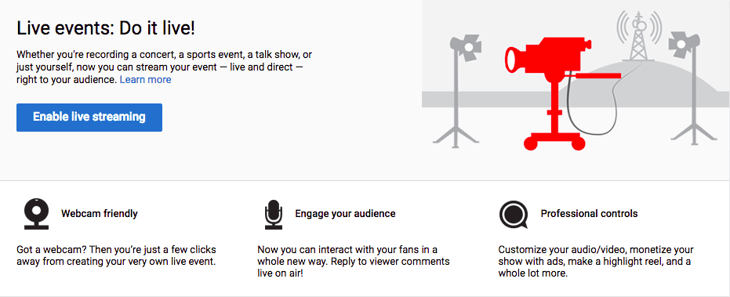
Once that’s done, you can use YouTube’s Live Streaming Events dashboard to schedule a future stream — just click on “Enable live streaming,” if you haven’t already set it up.
YouTube requires a 24-hour buffer between the time that you enable live streaming and your first live. Once that 24-hour period is up, all you have to do is log into your YouTube Studio.
Then, click the “Create” button in the top right corner.

This will prompt a drop-down that asks you to choose between uploading a video or going live. Choose “Go live.”
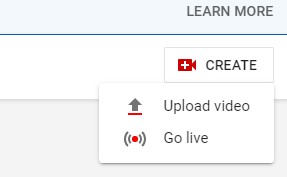
YouTube will then prompt you to complete some basic info such as its title and what age group the video is made for. You’ll also need to decide if you’re going live right away or scheduling it for a certain time.
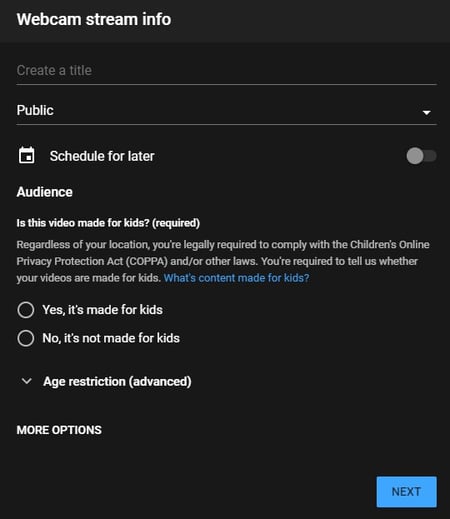
After that, you’ll need to indicate if you want your event to be public or private — here’s where you’ll decide how you want to use your live stream to generate leads.
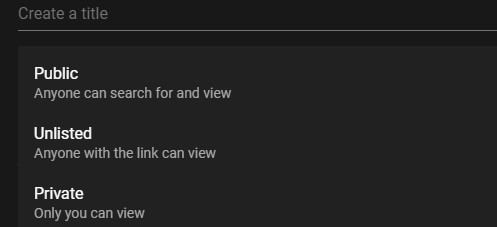
The Unlisted option accomplishes two things:
- I’ll be able to generate a link that attendees will get only after they fill out a registration form.
- It won’t stream directly onto my YouTube page.
Once you’re done, click “Next” You will be asked to smile to take a thumbnail, so make sure you’re camera-ready. From there, you have the option to “Go Live” or “Share” your content.
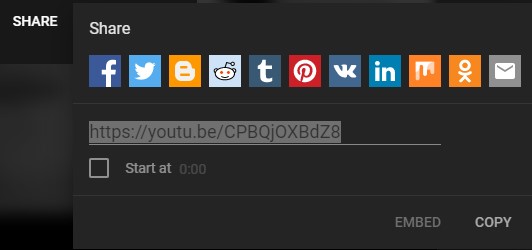
Click “Share,” and that will generate your event’s URL. As I mentioned above, you can keep that behind a landing page where attendees fill out a form to register.
Conley says that, generally, this type of live stream is embedded on a thank-you page behind a landing page form.
If you use the HubSpot COS, all you’ll need is the link, and the system will generate the embed code for you.

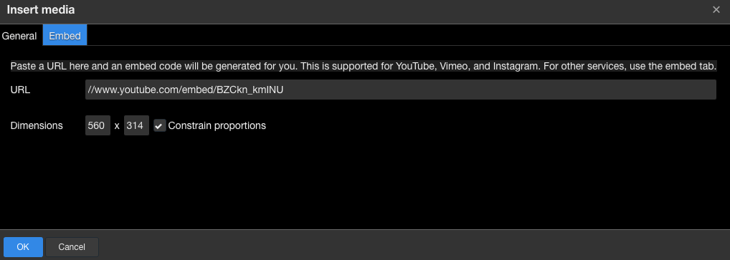
Just click “insert media,” paste the link you copied from YouTube, and you’re done.
If embedding isn’t an option, you can still just put a link there — the embed code just creates a seamless design that you can place right on your thank-you page. Either way, be sure to use the thank-you page as a place to remind your attendees of the date and time of the event.
There’s also the option to make your YouTube Live Event completely open to the public. That’s a good option, Conley says, for a major event that you “want anyone and everyone to be able to find.” But if you make your stream public, she points out, make sure you use the event to promote gated content you want your audience to download.
“An image CTA would do,” she notes, as would holding up clearly printed short links throughout the stream (Make sure you have those printed out in advance!). In the image above, you’ll also see that you can add a message to your video — you can mention your gated content there, too.
Facebook Live has been making quite a few headlines lately, and businesses stand to benefit from it — Facebook Live videos produce 6 times as many interactions as traditional videos.
Even without pre-registration, you can definitely promote streams on this platform in advance, which we’ll touch on later. In the meantime, if you haven’t used it before, check out my colleague Lindsay Kolowich’s overview of Facebook Live.
The interface for Facebook has recently changed, so you’ll have an easier time live streaming from your mobile Facebook app.
Depending on your device, you may see the “Live” option right under the Composer when you open the app. Alternatively, you may need to click “Create Post” at the top of your News Feed, then select the three horizontal dots in the Composer.
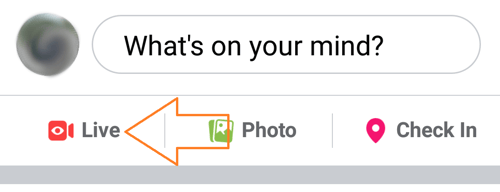
You’ll have a chance to write a comment about your video. Once you’ve done that, you can select “Go Live” in the bottom left corner.
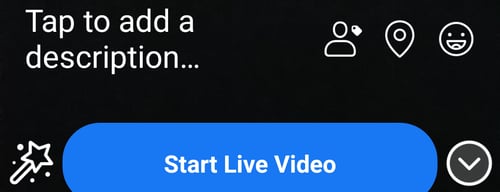
Instagram Live
You can also live stream on Instagram. With Instagram Live, a functionality in the Instagram Stories feature, you’re able to broadcast video streams and save the replay to your Stories. Users are able to engage through likes and comments during the stream.
This is a great platform for live streaming since Instagram Stories are used by 500 million users per day, and one-third of most-viewed Stories are from businesses.
Keep in mind that you cannot post to Instagram from your browser, so open the mobile Instagram app to begin your live stream. Then, select the camera icon in the top left corner next to the Instagram logo.
At the bottom of the camera viewer is a menu that scrolls horizontally. Select “Live.”

The shutter button will change to a broadcast icon. This will immediately take you live if you tap it, so make sure you’re camera ready.

Twitter Live
Twitter’s advantage is that you can easily share and promote content to a large audience, even if you don’t have a large following. In addition, hot topics spread more quickly than other media outlets.
If you want to hit the ground running and generate buzz, Twitter is a great choice. However, you cannot go live on Twitter from your browser, so open the mobile Twitter app when you’re ready to start your broadcast.
Once there, open the Tweet composer by clicking the button with the feather and plus sign.
Select the camera icon.
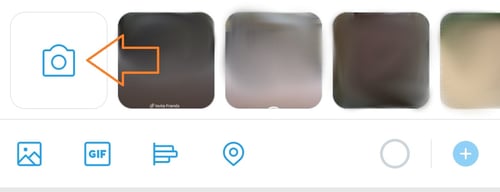
At the bottom of the camera viewer is the choice between “Capture” and “Live.” Choose “Live.”
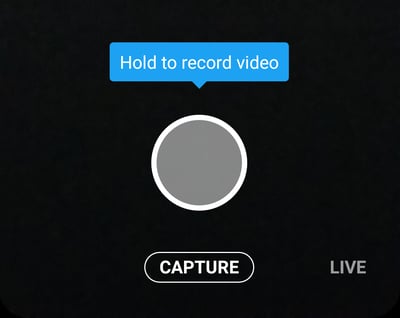
The shutter button will be replaced with a button that says “Go Live.” This will immediately take you live, so make sure that you have everything set up before pressing it.

TikTok
Since 2018, TikTok has had major buzz as the newest big player in the social media game as a platform for short-form videos. While TikTok’s audience trends younger with 41% of users between 16-24 years old, more people and brands are taking to the platform, as evidenced by its place as the fourth most downloaded app in 2018.
One big drawback is that you can only go live on TikTok if you have 1,000 followers. For accounts where this isn’t a problem, here’s how to broadcast live:
Open your TikTok mobile app and select the plus sign at the bottom of the screen.
Then, enter the title of your stream and select “start.”
It’s that easy!
The live streaming options certainly don’t end there. Major brands have also used platforms like Periscope, Livestream, and Twitch. They all have their own sets of features and advantages, so definitely take the time to look into which one best suits your needs.
3. Choose your equipment.
When it comes to the actual hardware required for your live stream, some of it is fairly intuitive: A camera is pretty standard, for example, or a device with one installed (like a laptop or phone).
But if you do use your phone, Conley says, be sure to use a tripod. “There’s nothing worse than recording a Facebook Live and having your arm start to fall asleep five minutes into the recording,” she advises. “Use a phone tripod to give your live streaming a professional look.”
Consider how professional you want your sound quality to be, too. Your camera might have its own microphone, but if your setting is more prone to noise, body mics might not be a bad idea, either.
And when you’re using an external camera, says Hunersen, you’ll also need some sort of encoding software (Facebook has a great step-by-step guide to that). That’s what converts the camera footage into a format that your streaming platform understands and can broadcast to viewers. The software you use might depend on your budget, but to get started, check out this one from Adobe.
Also, think about setting up a professional backdrop, like one with your logo. That can help to brand your videos and give them some visual consistency, which is a particularly good practice if you plan to do a lot of live streaming in the future.
Want to take that a step further? “Set up a makeshift studio in your office to speed up the prep time for all of your future recordings,” Conley says. “A beautiful, branded backdrop could be just what your Facebook Live needs to help grab the attention of someone quickly scrolling through their News Feed.”
4. Promote your live stream.
Congratulations! You’ve now completed a lot of the major planning and setup for your live stream. Now, how do you get people to watch it?
As we’ve covered, using a landing page is a good way to get enrollment on a platform like Hangouts On Air (or, as of September 12th, YouTube Live). Here’s an example of how we recently used one at HubSpot:
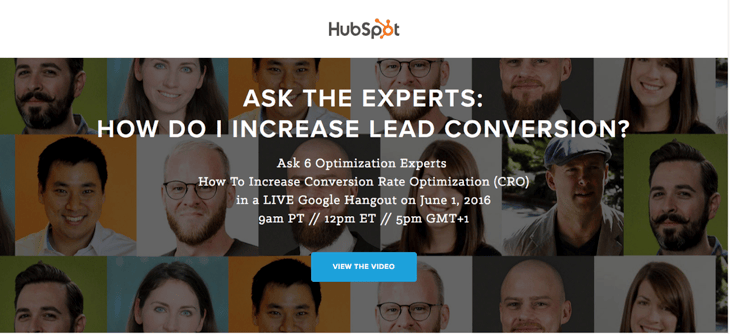
There’s a clear CTA here — “View The Video” — which, when clicked, takes the visitor to a registration form. (And check out this rundown of which channels drive the best conversion rates — it’s got some tips on getting people to your landing page in the first place.)
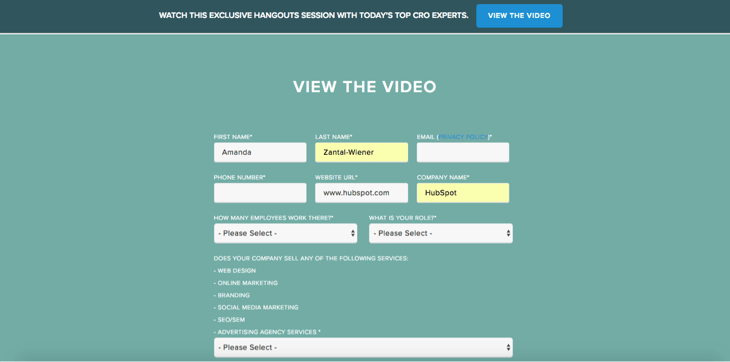
Once someone fills out the form on your landing page, it should lead them to a thank-you page, where you can share some promotional information about the live stream.
HubSpot’s Co-Marketing Demand Generation Manager, Christine White, suggests creating a “Next Steps” section here with actionable items like “add this event to your calendar” and “check back here on [the date of your event]” to remind viewers that’s where they’ll go to view the live stream.
And once you have contact information for your registrants, Conley reminds us, “you can email the people on that list on the day of, and remind them when it’s going to go live.”
But to promote your Facebook Live stream, says Conley, “It’s really about doing a social image and spreading the word that you are going live at a specific time.”
Don’t rule out using social media to promote live streams on other platforms, too. Some of them, like YouTube, allow you to link your social accounts and push content in multiple places. And if your guests are active on social media, leverage that by including links to their handles in any related content, and ask them to promote the event with their own networks.
5. Do a dry run.
There’s a reason why we do dress rehearsals. When I was in a high school show choir — a humiliating but factual piece of history — it was to make sure I didn’t trip over my dance partner in high-heeled tap shoes.
In the world of live streaming, though, we do dry runs to avoid more technical, but equally embarrassing, missteps. Improv can be hilarious, but not when it means you’re verbally unprepared or your equipment stops working and you don’t have a backup plan.
6. Prep any guest speakers.
Is there anything worse than a moment of awkward, dumbfounded silence?
As part of your dry run, make sure your guests are prepared for any questions they might be asked. Don’t over-rehearse, but do what you can to prevent catching them off-guard.
“It may help to give some questions in advance to a potential guest,” says Hunersen, “but save some follow-up or in-depth questions for on-air, so that you’re able to let them be both prepared and react in the moment.”
7. Test your audio and internet connection.
You might want people to talk about your live stream, but not if all they’re going to say is, “We can’t hear you.” Make sure all of your audio equipment is working both during your dry run and on the day of the stream. Having an extra microphone and batteries on hand probably won’t hurt, either.
Make sure your network can handle a live stream, too. If you’re streaming high quality video, for example, you’ll need both a wire connection and a 3G/4G wireless connection, according to Cleeng.
In other words, make sure your WiFi is working, but also, “grab an ethernet cord,” says Conley. “One thing you can’t help is if your internet connection unexpectedly goes out.”
We know — even the sound of “ethernet” seems terribly old school. But if your WiFi suddenly drops, you’ll be glad you busted that cord out of storage.
8. Set up social media monitoring.
One great thing about live streaming is your audience’s ability to join the conversation and comment in real time.
Juliana Nicholson, Sr. Marketing Manager at HubSpot, advises to “Have a plan for audience engagement. Know when and how you plan to incorporate audience feedback and Q&As and then clearly communicate that information to your attendees.” This will make it so much easier to encourage participation.
But that’s not all you should do with regard to engagement. If you’ve watched any Facebook Live feed, you’ve seen that the comments roll in fast. So while it’s awesome to invite and answer viewer questions, it can be overwhelming, especially if you personalize your responses.
That’s why it’s a great idea to dedicate someone to monitoring social media, comments, and questions during the live feed.
That task can be made a bit easier with something like a branded hashtag created specifically for this live stream. For platforms with built-in comment feeds, for example, you can ask your viewers to preface any questions with it — that can help qualify what needs to be answered.
You could even take that a step further and use the hashtag throughout the planning process, making sure to include it on your landing page, thank-you page, and promotional messages leading up to the event. That helps to create buzz around the live stream. And if you use HubSpot’s Social Inbox, here’s a great place to take advantage of its monitoring feature, which lets you prioritize and reply to social messages based on things like keywords or hashtags.
After Your Live Stream
It’s always nice to follow up with your attendees after your live stream has ended. Thank them for their time, give them a head’s up about your next event, and invite them to download a piece of relevant content. If you’ve followed these steps, you’ve probably done a great job of using your live stream to generate leads, so keep up the momentum and nurture them.

19 Ways to Effectively Increase Your Conversion Rate
Have you ever heard the term “analysis paralysis”? It’s the concept that too many choices can inhibit a person’s ability to make a decision.
It’s like when a visitor is on your website and there are too many places to look or there’s a confusing design.
When this happens, visitors won’t convert.
As a marketer, it’s important to remove any type of barrier to conversion. To do this, you should calculate your conversion rate and analyze why visitors aren’t converting on your site.
Whatever the reason, I’m sure you’re wondering how you can improve your conversion rate.
Below, let’s review how to increase your conversion rate for both your desktop website and mobile site.
Improving Your Website’s Conversation Rate
1. Use a CRO planner.
Getting started with conversion rate optimization can seem like a daunting task.
The first step to improving your conversion rate? Use a CRO planner.
With a CRO planner, you’ll be able to analyze and develop a strategy for increasing your conversion rate.
For example, with HubSpot CRO planner, you’ll find instructions on how to conduct a site audit, identify areas to improve your conversion funnel, understand users on your site, and go through the process of A/B testing and experimentation.
CRO planners can be helpful because they take through the entire process from A to Z.
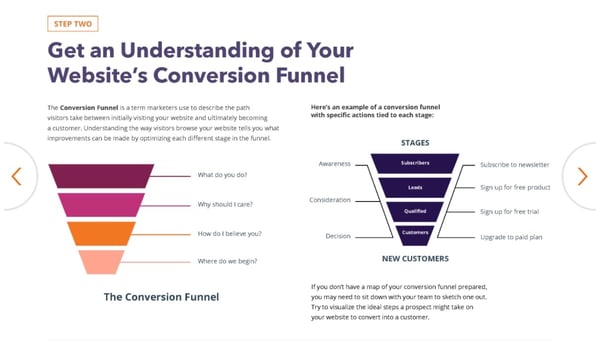
2. Shorten your forms.
One reason that users don’t convert is because there’s friction in the process. For example, if you have a long form, visitors might be hesitant to fill it out.
It’s your job to eliminate hesitation, not create it. By shortening your forms, you’ll create trust among your audience. Plus, it takes less time to fill out so users are more likely to complete it.
3. Include social proof.
Did you know that 92% of consumers hesitate to make a purchase if there are no customer reviews and 97% say customer reviews factor into their buying decision?
Without a doubt, your reputation and online presence impact your conversion rate. That’s why you should include social proof on your site.
You can link to your Yelp or any other directory page where customers have left reviews.
Additionally, you should also add testimonials and reviews right on your site so visitors don’t have to go to a third-party site.
It should be apparent that your customers have enjoyed using your product or service. If it isn’t, your conversion rate will suffer.
4. Track how people interact with your site.
It’ll be hard to improve your conversion rate if you don’t understand how users are interacting with your site.
But how can you see where visitors are getting tripped up? With website analysis tools, you can see screen recordings of users on your site. You’ll see what they click on, if they skip over an offer, or if they stop filling out a form in the middle.
Additionally, these tools should include heat maps of your site, so you can see what elements stand out and what draws the eye.
A tool like Crazy Egg or HubSpot’s website grader can help you see what you’re doing well and diagnose what areas of your site you need to improve.
5. Add live chat.
When a web visitor doesn’t convert, they might have a question or concern about your product or service.
To avoid losing potential customers, you should consider adding live chat to your site.
With live chat, your customer service or sales employees can alleviate concerns of prospects who are on the fence.
6. Test your offers.
Sometimes it can feel like you’ve checked everything — you’ve written strong copy, included social proof, and have optimized your forms … but you still aren’t converting.
When this happens, it’s time to check your content offers. Do they align with your audience? Are they creative and compelling? Do the offers make sense for the page they’re on?
Think about your current offers and answer those questions.
For example, offering a free trial or consultation is fairly generic. Instead, you could offer something like HubSpot’s Website Grader. With this offer, the customer is getting a lot out of it. They’re getting actionable advice, for free, and they don’t need to clear out time on their calendar to get it.
Tangible and compelling offers always perform better than a generic offer. To improve conversions, you need to analyze and test your content offers.
7. Communicate your value proposition.
On any landing page, your value proposition should be clearly communicated. To do this, you need to have a solid understanding of who your audience is and your buyer persona.
Write your copy specifically for your target audience. For example, you can address their goals, motivations, and pain points.
Additionally, you should discuss the benefits of your product or service over the features. Benefits will help your potential customers imagine their life with your product, while features are easy to skim and ignore.
Your copy should communicate how your product or service can solve your audience’s problem. If you aren’t converting, you should check and see how well your copy is written.
8. Incorporate multimedia elements to your landing pages.
Have you ever ordered something at a restaurant and when it came out, it looked completely different than what you imagined?
You don’t want this to happen when people download your content offers. To avoid this, include images and videos of your product or service on your landing pages.
Multimedia elements make your site feel more trustworthy. Plus, it’s the preferred way of consuming content.
To improve your conversion rate, try adding images of graphs and charts, or video testimonials to your site.
9. Write strong CTAs.
A huge component of conversion is your call-to-action (CTA). Your CTA could be to download an offer, share a post on social media, or subscribe to your email newsletter.
Whatever it is, you need to include CTAs throughout your website and landing pages. Usually, this means that they’re clear and easily accessible.
Typically, each landing page will only have one call to action, but be incorporated several times on a page. For example, this blog post has three CTAs that lead to one offer. One at the bottom of the page, one in the text in the introduction, and one that pops up after scrolling down the page.
The important thing to note is that you can access the CTA no matter where you are on the page.
10. Meet your audience’s expectations.
When someone clicks on your site after reading your meta description on Google or seeing your search engine ad, your landing page needs to follow through.
You have to deliver on the promises that were made in that copy. For example, if a user sees this post in Google, they’re going to expect to find strategies to improve their conversion rate. If they clicked through and this page only had pictures of puppies, they’d be confused.
If a landing page doesn’t deliver on what a user thought they were getting, they won’t convert. That’s why you need to think about the entire process from seeing an ad, going to your landing page, and downloading an offer.
If a landing page isn’t converting, review your social media posts and search engine descriptions to see if you follow through on the promises you made.
11. Conduct A/B testing.
It’s not always easy to know what’s working and what isn’t. When that happens, you should conduct A/B tests.
See what types of headlines, colors, copy, layout, and CTAs work for your audience. Get creative with your experiments.
For example, you can try testing an entirely new type of CTA or completely changing the format of your copy.
12. Increase trust and remove friction.
Users don’t convert if they don’t trust your brand or experience friction in the process.
So, how can you increase trust?
You can use several tactics, including money-back guarantees, updating your site content regularly, avoiding spammy links, and making the site easy to use.
If it looks like you haven’t posted a blog in two years or there are a lot of broken links — that’s friction and it creates distrust.
Additionally, you can include team bios so your audience knows who they’re getting information from.
If your site doesn’t include these elements, it could impact your conversion rate.
13. Create abandoned cart email campaigns.
Have you ever been on a site, added something to your cart, but decided not to check out? We all do it and that means it’s probably happening on your site too.
You shouldn’t forget about those potential customers. If someone abandons their cart, they should receive an abandoned cart email campaign.
With this type of an email campaign, you’ll email users a reminder about the products in their cart, send a follow-up, and then perhaps include a discount or offer.
If you don’t send this email, you’re losing out on conversions.
How to Increase Mobile Conversion Rate
14. Improve your page speed.
When it comes to mobile conversion, a huge obstacle is page speed. This is the time it takes for your content to appear on the screen.
Did you know that 40% of people abandon sites that take more than 3 seconds to load? On mobile specifically, a one-second delay in page response can result in a 7% reduction in conversions.
If your mobile page isn’t converting as well, analyze your page speed with Google’s PageSpeed tools. This will test your mobile page speed.
To improve your page speed, images need to be smaller and compressed. Additionally, your site should be responsive and optimized for mobile.
15. Optimize for mobile.
Since Google switched to mobile-first indexing, mobile optimization has been more important than ever. If you don’t optimize for mobile, your Google rankings might be impacted, which could reduce conversions.
You might be wondering, “How do I optimize my site for mobile?”
Before you begin, it’s important to remember that mobile and desktop experiences are different.
You can use Google’s mobile testing tool to see if your site is mobile-friendly. With this tool, you’ll get recommendations for how to improve your site’s mobile performance.
For example, you might need to increase your font on mobile, compress your images, or improve page speed.
16. Enhance the purchasing process.
Making a purchase on your phone should be a simple process.
That means you shouldn’t have too many steps in your checkout process and your payment buttons should be easy to see and click.
Additionally, try to remove restrictions on online forms where you gather payment information. Personally, I’m always stopped on mobile forms because the name of my city is too long (22 characters).
Users should be able to check out as a guest and use whatever payment method they want, whether that’s Google Pay, Apple Pay, or by PayPal.
Ultimately, this process should be easy and pain-free. A complicated checkout process will reduce mobile conversions.
17. Be creative with your mobile marketing.
When you want to increase your mobile conversion rate, that doesn’t just mean you need to adapt your site to the mobile experience.
You can also start to get creative and run mobile-only marketing campaigns.
For example, maybe you can start an SMS text message campaign, or you can use push notifications on your app.
These creative, out of the box techniques can help increase your mobile conversion rate.
18. Make adjustments to your mobile site.
Since the mobile and desktop experiences are different, your mobile and desktop sites should be different.
For example, your email subscriber form might be smaller or nonexistent on your mobile site.
Additionally, you’ll probably use different CTAs on your mobile site. For instance, when you read this blog, the website and mobile have different types of CTAs. While the offer is the same, the button and the way to access the CTA isn’t.
On mobile, less is more. Your mobile site should be simple and eliminate distractions. This can mean you have simplified navigation and use a hamburger menu so it’s easy to get around your site.
19. Localize your content.
Mobile users are usually on your site because they’re looking for contact information, want to know your location, find directions, or look up reviews.
That’s why you should optimize for local marketing. This means adding location pages to your website, managing your online directory listings, and creating local content.
To improve your mobile conversion rates, consider localizing your content so you perform better in local searches.
Before I sign off, I want to remind you that many of the tactics for improving your website’s conversion rate can be applied to mobile CRO.
At the end of the day, we’ve all been consumers before. Take a step back, look at the bigger picture, put yourself in your customer’s shoes, and think about whether you would make a purchase off your site.
