
The Ultimate Guide to Video Marketing
Brands need a video marketing strategy — this idea isn’t new. What has changed is how important video has become on every platform and channel.
Video is no longer just one piece of your overall marketing plan. It’s central to your outreach and campaign efforts … especially your social strategy.
Video has absolutely dominated social. HubSpot Research shows that four of the top six channels on which global consumers watch video are social channels.
Why is this important? If you aren’t creating video, you’re likely falling behind. But don’t fret. For most videos, the more simple and raw it is, the more authentic the content seems … and that’s what really matters to your audience.
Better yet, video production is more cost-effective than ever — you can shoot in high-quality, 4K video with your smartphone.
Regardless, between camera equipment to lighting to editing software, the topic of video marketing can still seem pretty complicated. That’s why we compiled this guide.
Continue reading learn everything you need to know about video marketing strategy, or use the links below to jump to a specific section.
Why should you focus on video marketing today?
The last handful of years saw a surge in the popularity of video as a content marketing format.
Specifically, in 2017, video rise to the top of your marketing tactic list. Video as a tactic was likely streamlined by your creative team as a one-to-many awareness play, with lots of focus on expensive production and little analysis to show for it.
2018 and 2019 transformed video from a singular marketing tactic to an entire business strategy.
Today, video is a holistic business approach, meaning video content should be produced by all teams in a conversational, actionable, and measurable way.
Learn how personalized video is shaping the future of marketing, sales, and customer service.
According to a report from HubSpot Research, more than 50% of consumers want to see videos from brands … more than any other type of content.
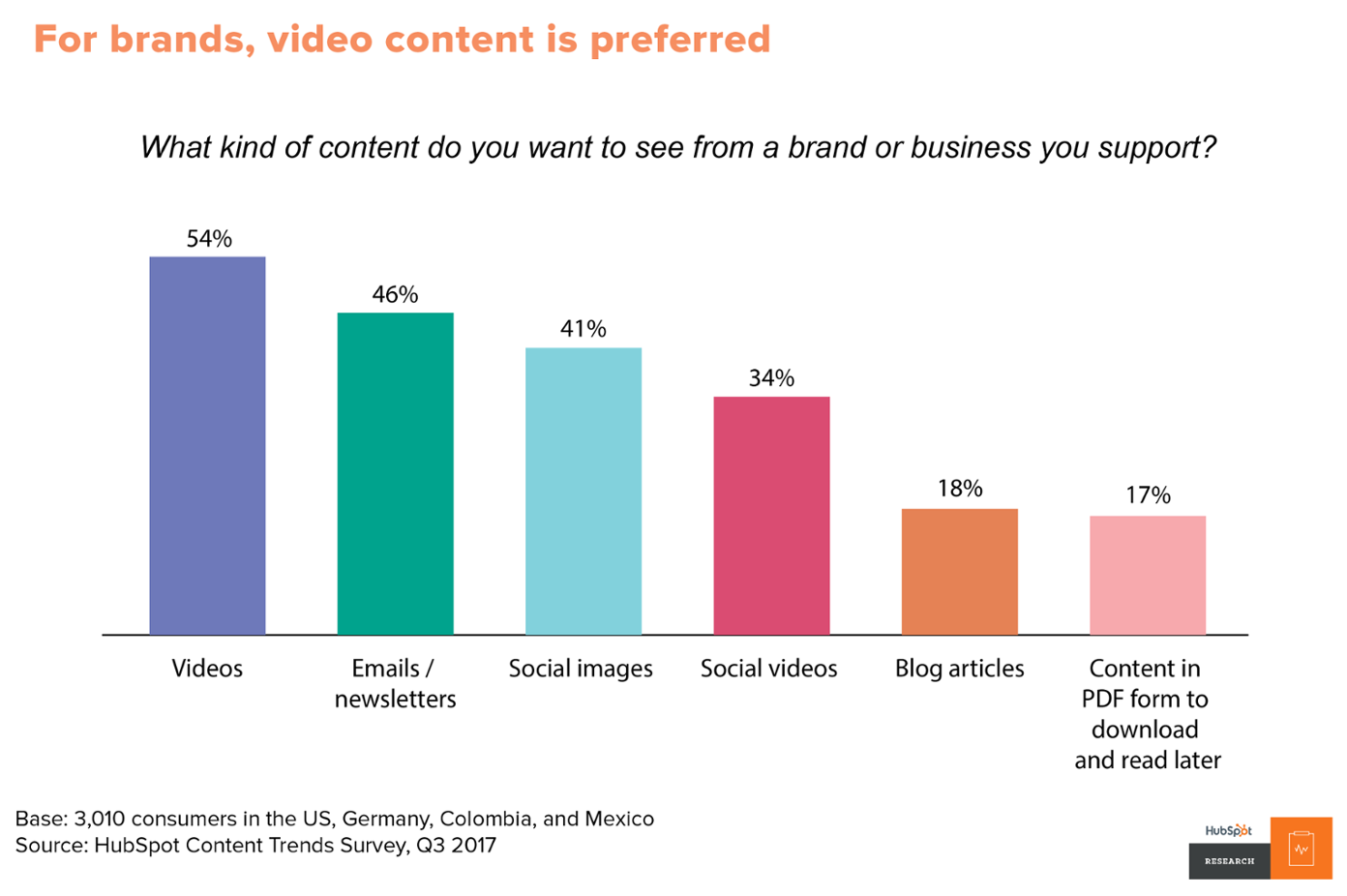
Video is useful for more than entertainment, too. Video on landing pages is capable of increasing conversion rates by over 80%, and the mere mention of the word “video” in your email subject line increases open rates by 19%. 90% of customers also say videos help them make buying decisions.
But video hasn’t only transformed how businesses market and consumers shop; it’s also revolutionized how salespeople connect with and convert prospects and how service teams support and delight customers. In short, video is incredibly useful throughout the entire flywheel — not just to heighten brand awareness.
Video can be a versatile tool for salespeople throughout the entire customer buying journey, and it can do much more than increase engagement. Backend analytics also help salespeople qualify and prioritize cold or unresponsive leads.
According to Gary Stevens, head of research at HostingCanada.org, “retargeting our website visitors on social media has led to a 47% increase in visitor value site-wide.” The granularity of video analytics on platforms like Facebook is one reason why, in 2018, 93% of businesses reported getting a new customer on social media thanks to video.
The options are also endless for service teams — onboarding videos, knowledge-based videos, meet the team videos, support video calls, and customer stories are just a few ways that video can create a more thorough, personalized customer support experience.
Lastly, according to HubSpot Research, consumers and customers actually prefer lower quality, “authentic” video over high-quality video that seems artificial and inauthentic.
Video is within reach for businesses of virtually any size — team and budget alike. 45% of marketers plan to add YouTube to their content strategy in the next year. Will you join them?
The 12 Types of Marketing Videos
Before you begin filming, you first need to determine the type of video(s) you want to create. Check out this list to better understand your options.
1. Demo Videos
Demo videos showcase how your product works — whether that’s taking viewers on a tour of your software and how it can be used or unboxing and putting a physical product to the test.
Learn how to use video in each stage of the buyer’s journey.
2. Brand Videos
Brand videos are typically created as a part of a larger advertising campaign, showcasing the company’s high-level vision, mission, or products and services.
The goal of brand videos is to build awareness around your company and to intrigue and attract your target audience.
3. Event Videos
Is your business hosting a conference, round table discussion, fundraiser, or another type of event?
Produce a highlight reel or release interesting interviews and presentations from the gathering.
4. Expert Interviews
Capturing interviews with internal experts or thought leaders in your industry is a great way to build trust and authority with your target audience. Find the influencers in your industry — whether they share your point-of-view or not — get these discussions in front of your audience.
5. Educational or How-To Videos
Instructional videos can be used to teach your audience something new or build the foundational knowledge they’ll need to better understand your business and solutions. These videos can also be used by your sales and service teams as they work with customers.
6. Explainer Videos
This type of video is used to help your audience better understand why they need your product or service. Many explainer videos focus on a fictional journey of the company’s core buyer persona who is struggling with a problem. This person overcomes the issue by adopting or buying the business’s solution.
7. Animated Videos
HubSpot created the following video to promote a key (intangible) theme from the 2017 State of Inbound report.
Animated videos can be a great format for hard-to-grasp concepts that need strong visuals or to explain an abstract service or product. For example,
8. Case Study and Customer Testimonial Videos
Your prospects want to know that your product can (and will) solve their specific problem. One of the best ways to prove this is by creating case study videos that feature your satisfied, loyal customers. These folks are your best advocates. Get them on-camera describing their challenges and how your company helped solve them.
9. Live Videos
Live video gives your viewers a special, behind-the-scenes look at your company. It also draws longer streams and higher engagement rates — viewers spend up to 8.1x longer with live video than with video-on-demand. Live-stream interviews, presentations, and events, and encourage viewers to comment with questions.
Learn how Facebook Live video can increase your social following and brand awareness.
10. 360° & Virtual Reality Videos
With 360° videos, viewers “scroll” around to see content from every angle — as if they were physically standing within the content. This spherical video style allows viewers to experience a location or event, such as exploring Antarctica or meeting a hammerhead shark. Virtual reality (VR) allows viewers to navigate and control their experience. These videos are usually viewed through devices such as Oculus Rift or Google Cardboard.
11. Augmented Reality (AR) Videos
In this style video, a digital layer is added to what you are currently viewing in the world. For example, you can point your phone’s camera at your living room and AR would allow you to see how a couch would look in the space. The IKEA Place app is a great example of this.
12. Personalized Messages
Video can be a creative way to continue a conversation or respond to someone via email or text. Use HubSpot Video or Loom to record yourself recapping an important meeting or giving personalized recommendations. These videos create a delightful, unique moment for your prospects and can drive them further down the purchase journey.
There’s a lot that goes into making a video. This section will walk you through the detailed process of creating and publishing a video for your business. Grab your camera and follow along.
1. Plan your video.
Before you set up, record, or edit anything, start with a conversation about the purpose of your video. Why? Every decision made during the video creation process will point back to your video’s purpose and what action you’d like your audience to complete after watching it.
And, of course, without a clear purpose agreed upon by your team, you’ll find yourself in a whirlwind of re-shooting, re-framing, editing … and wasting a lot of precious time.
There are typically a lot of players when making a video. How can you ensure they’re all aligned?
Create a questionnaire using Google Forms or SurveyMonkey and pass it along to the stakeholders of the project. This way, you can ask the same questions of everyone and aggregate your answers in one place.
Who’s your target audience?
What buyer persona are you targeting? This may be a segment of your company’s typical buyer persona.
What’s the goal?
Is it to increase brand awareness? Sell more event tickets? Launch a new product? Ultimately, what do you want your audience to do after watching the video?
Where’s the video going to live?
On Facebook? Behind a landing page form? You should begin with one target location — where you know your audience will discover the video — before repurposing it for other channels.
When’s it due?
Always start with a timeline. A video on which you have a few months to work will have very a different budget and creative scope than a video needed in a few days.
What’s the budget?
Video can be expensive, but it doesn’t have to be … if you set a budget. Do your research and set realistic parameters, especially before you answer the next question.
What are the creative requirements?
With your budget, skills, and resources in mind, think about the creative roadblocks that might arise. Do you need a designer to create lower third graphics? Are you going to create an animated video or a live-action video?
What will constitute success for the video?
Choose several key performance indicators that correspond with your video goals — or hop down to the chapter in this guide on measuring and analyzing video.
2. Script your video.
There’s a time and place for videos to be off-the-cuff and completely unscripted. You have tear-jerking documentaries, vlogging rants, and, of course, the holy grail: cat videos.
That being said, most business videos need a script.
If you skip this step, you’ll find yourself editing more than you need to, releasing a video longer than it should be, and probably losing your audience along the way.
Start writing your script the way you would begin a blog post — with an outline. List out your key points and order them logically.
Do all of your drafting in Google Docs to promote collaboration and real-time commenting. Use the “Insert > Table” function to adopt one of television’s traditional script-writing practices: the two-column script. Write your audio (script) in the left column and insert matching visual ideas in the right column.
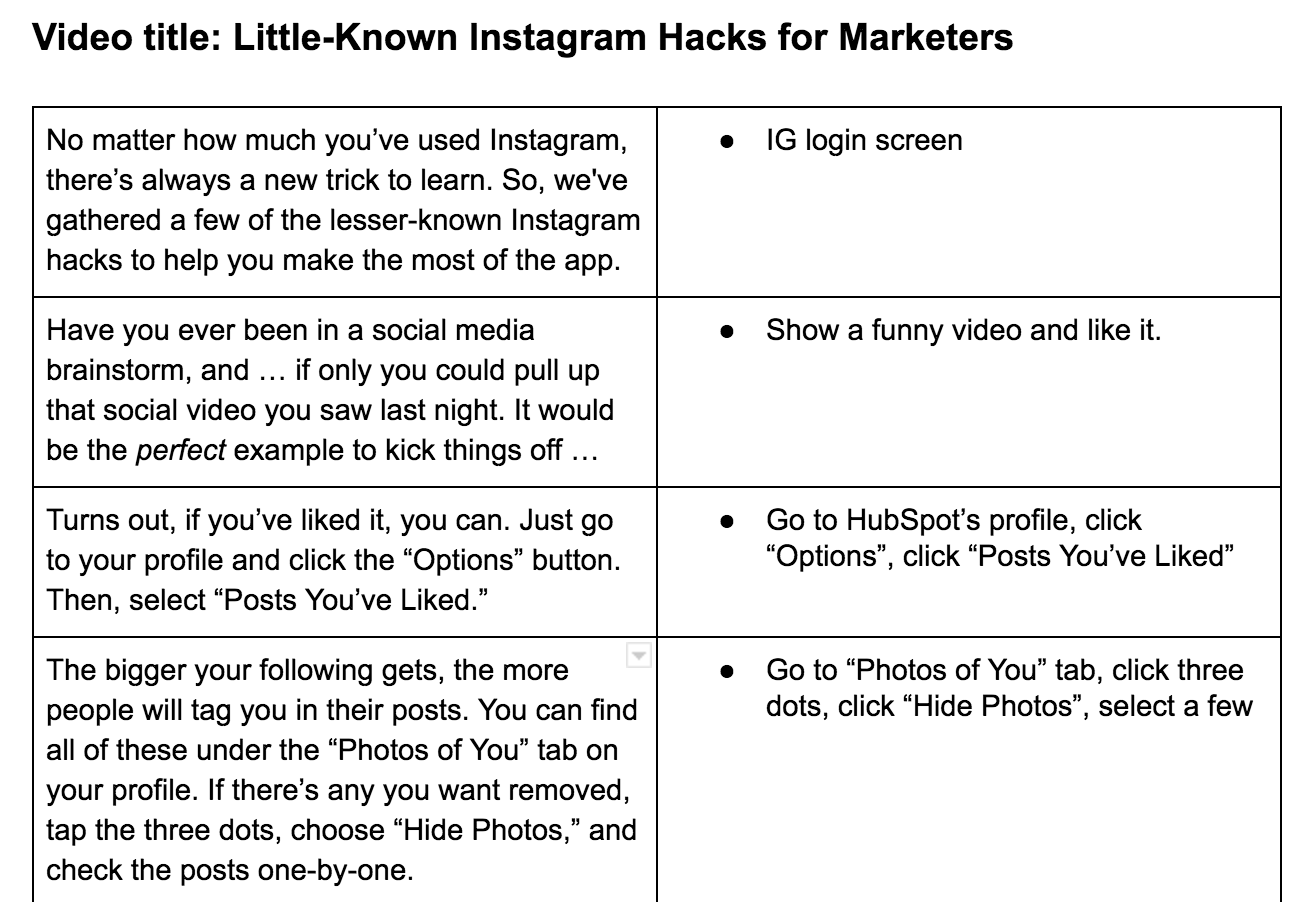
Don’t make the viewer wait until the final seconds to understand the purpose of your video … we promise they won’t stick around. Similar to a piece of journalistic writing, include a hook near the beginning that states the purpose of the video, especially for educational and explainer videos.
Notice, in our example below, that we don’t let the audience get past the second sentence without understanding what the video will be about.
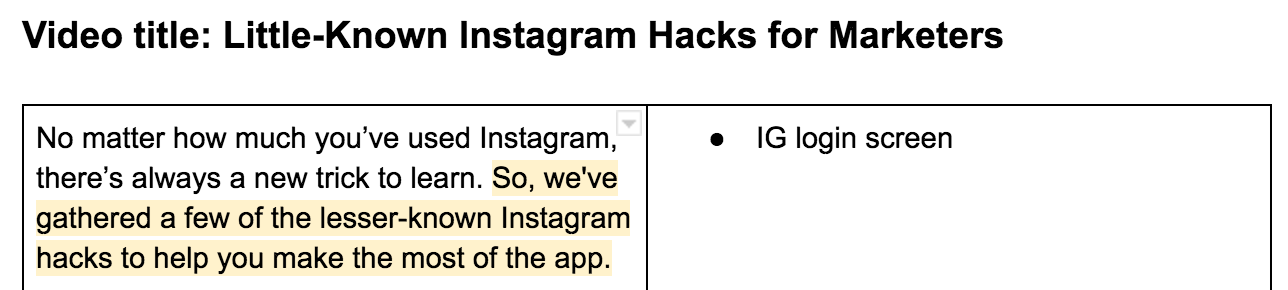
As you begin creating videos, you’ll notice a key difference between video scripts and your typical business blog post — the language. Video language should be relaxed, clear, and conversational. Avoid using complex sentence structures and eloquent clauses. Instead, connect with your audience by writing in first person and using visual language. Keep the language concise, but avoid jargon and buzzwords.
Following the “Little-Known Instagram Hacks” example, note how a section from the original blog post could be transformed for video by using fewer words and relying on visuals.
- Blog Post Version: “When someone tags you in a photo or video on Instagram, it’s automatically added to your profile under “Photos of You,” unless you opt to add tagged photos manually (see the next tip). To see the posts you’ve been tagged in, go to your own profile and click the person icon below your bio.”
- Video Script: “The bigger your following gets, the more people will tag you in their posts. You can find all of these under the “Photos of You” tab on your profile.”
Most video scripts are short … probably shorter than you think. Keep a script timer handy to check your script length as you write and edit. For example, a 350-word script equates to a video that is nearly 2 minutes long.
Words on paper sound a lot different than they do when read out loud. That’s why we encourage organizing a table read of your script before you start filming. The point of a table read is to smooth out the kinks of the script and nail down inflection points.
Have a few people (writer and talent included) gather around a table with their laptops and read the script multiple times through. If you accidentally say a line different than what the script prescribes, think about why and consider changing the language to make it sound more natural.
3. Understand your camera(s).
Too often the fear and uncertainty of equipment keep businesses from trying out video marketing. But learning to shoot video doesn’t have to be overwhelming.
It’s likely you have a great, easy-to-use camera right in your pocket: your iPhone.
Shooting with Your iPhone
Before filming with your iPhone, ensure your device has enough storage. Also, don’t forget to enable your iPhone’s Do Not Disturb feature to avoid distracting notifications while filming.
Once you open the iPhone’s camera, flip your phone horizontally to create the best possible viewing experience. Then, move close enough to your subject so you don’t have to use the zoom feature — it often makes the final video look pixelated and blurry.
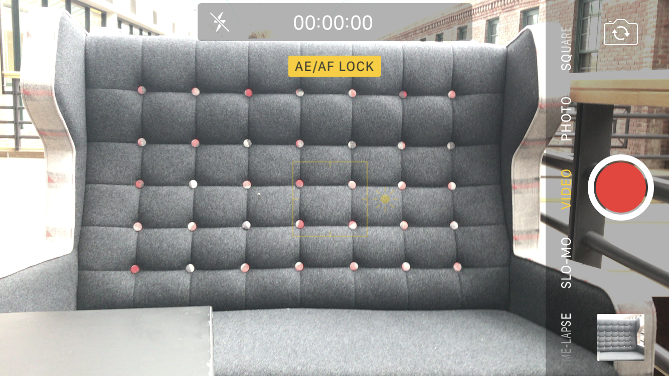
Your iPhone might do a great job of focusing on the subject when you take photos, but when it comes to video the camera will continue adjusting and re-adjusting as you move around the scene. To solve this problem, lock the exposure before you press record. Hold your finger down on the subject of the video until a yellow box appears with the words “AE/AF Lock”.
Shooting with Prosumer and Professional Cameras
While iPhones are great for filming on the fly or becoming acclimated with video, at some point you may feel ready to graduate up to the next model. With all the digital cameras on the market, there are a ton of choices to pick from. Below we’ve identified a few options to simplify your search.
The first choice you make will be between purchasing a “prosumer” camera and a professional camera.
Prosumer cameras are considered the bridge between basic compact cameras and more advanced cameras. They’re perfect for someone interested in creating more video but want the option to just press record. Most have a fixed lens to keep things simple.
Professional cameras, like DSLRs, give you fine control over the manual settings of shooting video and allow you to achieve the shallow depth of field (background out of focus) that people rave about. While they’re primarily used for photography, DSLRs are incredibly small, work great in low light situations, and pair with a wide range of lenses — making them perfect for video. However, DSLRs do require some training (and additional purchases) of lenses.
If you’re interested in going the prosumer route, take a look at the Canon PowerShot ELPH 340. The GoPro HERO5 is another fun option for adventurous shoots with lots of movement.
Considering the expense of a DSLR camera, research your options and read plenty of reviews. Top of the line options (from most expensive to least) include the Sony Alpha a7SII, Nikon D810, and Canon EOS 5D Mark III. For a more cost-effective option, check out the Canon EOS 7D Mark II, Canon 80D, Nikon d3300, or Canon EOS Rebel T6.
Understanding Your Camera’s Manual Settings
If you choose a DSLR, there are a few settings you need to understand before your first shoot: frame rate, shutter speed, ISO, aperture, and color balance. Definitely keep your camera nearby as you read — manual settings can seem quite abstract without testing them for yourself.
But before we dive in, we want to stress that this is a high-level overview of each setting. If you find yourself wanting more, dive in and do some of your own research. There’s plenty to learn about how to manipulate these settings and use them together to create different looks.
Lastly, there will be a different method for adjusting these settings based on your specific camera. Always refer to your camera’s instruction manual.
Frame Rate
As with video concepts, there are tons of customization options. The most basic customization option when it comes to frame rate is shooting your video at 24 frames per second (fps) or 30fps.
Video experts often credit 24fps with a more “cinematic” look, while 30fps is more common, especially for videos that need to be projected or broadcasted. A good rule of thumb is to ask the end-user of your video what his or her preferences are and shoot based on that. Then, be sure your resolution is at least 1920 x 1080 to maintain quality footage.
Once you’ve set your frame rate and resolution in your camera’s settings, it’s time to determine your aperture, shutter speed, and ISO. Be sure to turn your camera to manual mode to control these settings.
(While we’ll define each of these individually, know that these three variables are meant to work in tandem with each other. In fact, many photographers use the term Exposure Triangle to describe how they relate to light and how it interacts with the camera.)

Aperture
Aperture refers to the size of the opening in the lens. Like a human eye, a lens opens and closes to control the amount of light reaching the sensor. Aperture is measured in what’s called an f-stop. The smaller the f-stop number, the more open the lens is, while a larger number means the lens is more closed.

What does aperture mean for your video? When a lot of light comes into the camera (with a low f-stop number), you get a brighter image and a shallow depth of field. This is great for when you want your subject to stand out against a background. When less light comes into the camera (with a high f-stop number), you get what’s called deep depth of field and are able to maintain focus across a larger portion of your frame.

Shutter Speed
To understand shutter speed, we first have to talk about photography. When taking a photo, shutter speed refers to the length of time the camera’s sensor is exposed to light. Think of it as how quickly or slowly the camera blinks.
If you’ve seen a perfectly timed photo of a hummingbird seemingly frozen in time, you’ve witnessed a very fast shutter speed. Meanwhile, an image of a rushing river with the water blurring together was probably taken with slow shutter speed.
Shutter speed is measured in seconds, or in most cases, fractions of seconds. The greater the denominator of the fraction is, the faster the shutter speed. So, 1/1000 would be faster than 1/30.
But what does shutter speed mean for video? We won’t go too deep into the science of shutter speed, but to pick the adequate setting, you’ll have to do a little math. First, multiply your frame rate by 2. So if you’re shooting in 24fps, that would be 48. This number becomes the denominator of your shutter speed fraction.
Since shutter speed is only available in a few increments, you’ll need to round 1/48 up to the next closest setting: 1/50. Here are some common shutter speeds and how to calculate them:
- At 24fps, 24 x 2 = 48, equalling a shutter speed of 1/50
- At 30fps, 30 x 2 = 60, equalling a shutter speed of 1/60
- At 60fps, 60 x 2 = 120, equalling a shutter speed of 1/20
Remember, this process is just a guideline for choosing shutter speed. Traditionalists stick to these calculations, but there’s always room to tweak shutter speed slightly to achieve a desired effect. In the case of video, rules can be broken — as long as you have a good enough reason.
ISO
Last in the Exposure Triangle is ISO. In digital photography and videography, ISO measures the camera sensor’s sensitivity to light. On your camera, you’ll see the settings referred to with numbers in the hundreds or thousands (e.g. 200, 400, 800, 1600, etc).
The higher the number, the more sensitive your camera is to light … the lower the number, the less sensitive. ISO also affects the graininess of the image. Low ISOs produce a crisp shot, while high ISOs create a more noisy, grainy shot.
When choosing an ISO, consider the lighting. If your subject is well-lit (for example, if you were outside), you can get by with a lower ISO, ideally around 100 or 200. If you’re indoors in a low-light situation, you’ll need to bump up the ISO — just be careful of how grainy it makes your shot.
This is where you can begin to see how the three factors of the Exposure Triangle work together. When you have a low-lit situation, for example, you may choose a lens that can shoot with a low f-stop to let more light into the camera and avoid making the shot too noisy with a high ISO.

If you’re just starting out with manual video settings, don’t be overwhelmed. Understanding the ins and outs of the Exposure Triangle takes time and a lot of practice. Here are two tips to beat the learning curve:
- Start with photos. By switching your camera off video mode, you’ll be able to see the relationship between aperture, ISO, and shutter speed. Take a ton of photos and change each setting incrementally. Over time, the numbers will be less intimidating and switching between settings will make more sense — and become easier to apply to video.
- Form a process. Every videographer has their own method, but we suggest setting your shutter speed first according to the math described above. Then adjust aperture according to the depth of field you want to create. Then, ISO. Finally, circle back to shutter speed for any fine adjustments.
While aperture, shutter speed, and ISO may be the three main pillars of manual photography and videography, there is a fourth piece of the puzzle that’s just as important: white balance.
White Balance
White balance tells your camera the color temperature of the environment you’re shooting in. Different types of light have different colors. For example, incandescent bulbs (like what many people put in a lamp) have a very warm color. The fluorescent lights (if you’re reading this in an office, look up) are a little bit cooler. Daylight is cooler yet. Before you begin shooting, you have to adjust your camera’s white balance according to your setup.
The exact settings on your camera will depend on your model, but there’s likely an auto option, a bunch of presets (daylight, cloudy, tungsten, etc.), and custom. Avoid auto white balance at all costs and opt for a preset or custom instead. If you have a top-of-the-line DSLR, there may also be an option to manually set the color temperature of the room, measured in Kelvin.
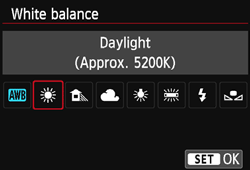
To help you understand the importance of setting your white balance, consider the difference between these two photos. The environment is lit with yellow fluorescent lights. You can see how the appropriate setting looks natural, while the daylight setting adds a blue tint to the scene.

Focus
Focus isn’t one of the key settings of shooting, but it’s definitely important to keep in mind. With a DSLR, you have the option to shoot with autofocus or manual focus. It depends on the camera and lens you have, but typically autofocus is not the most accurate.
Instead, flip your lens to manual focus. Use the (+) and (-) buttons to enlarge the viewfinder and move in close to your subject’s face. Then, adjust the focus on the lens. For shooting a stationary setup like an interview, make sure the subject’s eyelashes are in focus — that way, you can be certain your footage is clear and sharp.
4. Set up your studio.
When you begin building your in-office studio, the purchases can add up quickly. Not only do you need a camera, but the more you read, the more you realize you need tripods, lights, microphones, and more.
Take a breath. With a little bit of know-how, building your studio doesn’t have to be overwhelming. There are plenty of cost-effective choices and DIY hacks to make sure your videos look top-of-the-line.
Basic Equipment
Always shoot with a tripod. It should go without saying, but the handheld method you use for your Snapchat story isn’t going to cut it. Tripods will ensure you maintain a steady shot and not break any expensive equipment in the process.
Tripods range tremendously in price, and the quality of your tripod should depend on the level of camera and lens you have. If you’re shooting with your phone, you can get by with a table mount like the Arkon Tripod Mount or a full-size tripod like the Acuvar 50” Aluminum Tripod. For a DSLR, Manfrotto makes a variety of trustworthy tripods starting with the Manfrotto BeFree and increasing in quality and price from there.
Along with the tripod, stock up on camera batteries and SD cards. Recording video will cause you to run through both much quicker than taking photos.
Audio Equipment
If you’ve begun testing out your camera’s video capabilities, you’ve probably noticed that it has an internal microphone to record audio … don’t use it.
If you set up your camera at a reasonable distance from your subject, you’ll quickly learn that the internal microphone isn’t powerful enough to adequately record audio. Instead, you should begin investing in a few pieces of quality sound equipment.
When you’re shooting with your iPhone, there are a ton of microphone options that are all easy to use and decently cheap. For example, the Movo MA200 Omni-Directional iPhone microphone will give you a plug-and-play solution for capturing audio on the fly.
Opinions vary greatly among sound engineers on the best method and equipment for recording audio with a DSLR. You’ve likely seen many videos that use a lavalier microphone — the small piece that clips below the collar of the talent’s shirt.
Lavaliers come in both wired and wireless options. However, lavaliers can be a bit obtrusive both for the talent (who has to have a wire threaded down his or her shirt) and for the viewer (who has to see a microphone for the whole video).
Instead, if you know you’re recording in a controlled environment (like a conference room in your office) we suggest recording with a shotgun mic. They’re reliable, remain out of the shot, and record background noise in a natural-sounding way.
To create a shotgun mic setup in your office studio, you’ll need a shotgun mic like the Sennheiser ME66, a shotgun clip, light stand, XLR cable, and Zoom H4N recorder. The Zoom recorder will allow you to record audio separately on an SD card and adjust the gain for the environment you’re shooting in.
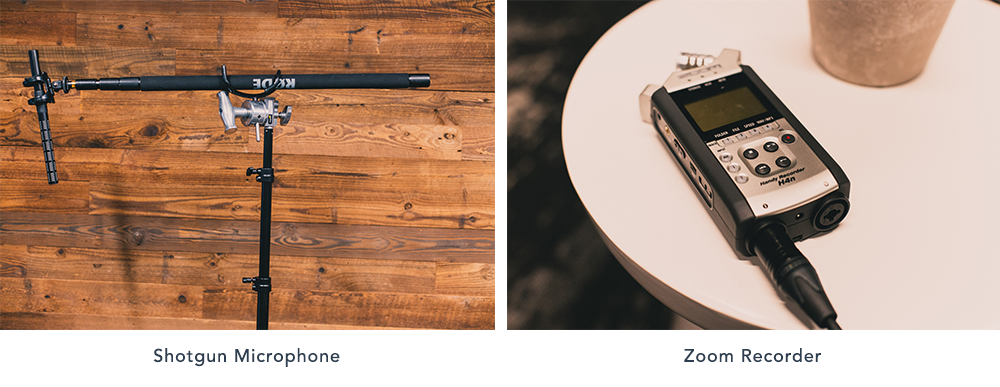
We admit these audio purchases may sound like a lot. But a shotgun mic setup is a worthy investment that will last for years. If you’re looking for a more cost-effective solution, look into the Rode VideoMic that mounts on top of your DSLR and plugs right into the camera body.
Lighting Equipment
You have a camera. You have audio. Now, let’s talk about lights.
To outfit your studio without breaking the bank, head over to your local home improvement store. Pick up extension cords and a few clamp lights with bulbs. You’ll also need three light stands, which are available on Amazon.
The traditional setup of video lights is known as three-point lighting. As you might guess, it involves three lights placed strategically around the subject, wrapping them in light and creating appealing shadows on their face.
First, you’ll need a key light. Place this at a 45-degree angle to the left or right of the subject. Lift the light above their head and aim it downwards. As the name suggests, this is the key light and should be bright enough that it could be the only light in the scene … if it had to be.
Next, place the fill light at a 45-degree angle on the other side and lift it close to or just above eye level. The purpose of the fill is to soften the shadows created by the key, but without getting rid of them completely. Therefore, the fill should be dimmer than the key light. If you have to use the same type of light for both, scoot the fill back and diffuse it by clipping a clear shower curtain onto the clamp light with clothespins.
Finally, the backlight will add a third layer of dimension. Scoot your subject away from the background. Lift a light above the subject’s head and place it behind them and off to the side so it’s out of the frame. The light should be aimed at the back of their head, creating a subtle rim of light and separating them from the background.
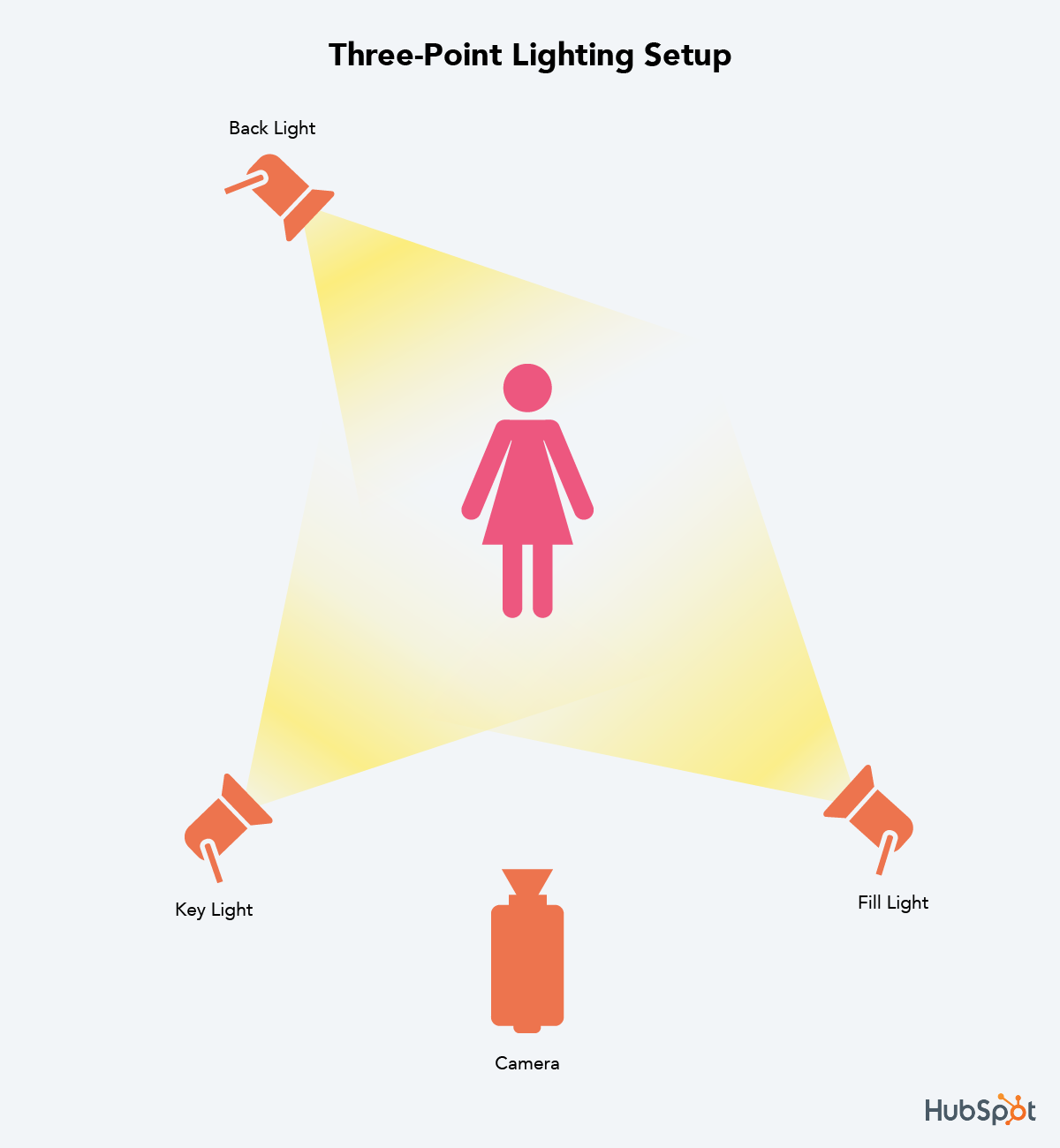
Setting Up Your In-Office Studio
Now that you have all of your equipment, you’re finally ready to build your office studio. While you could always grab a closet to store your equipment in, let’s go a bit bigger and claim a conference room.
By having a designated studio, you’ll save loads of prep time for each shoot. Just make sure the conference room isn’t too empty. If you have to, bring in a couch, chairs, or blankets to minimize the echos in the room.
Speaking of sound, pay special attention to the hum of the air conditioning. Find a room with minimal noise or turn down the fan during recording. Consider purchasing photography paper to create a background that’s a little more appealing than a white conference room wall.

When it comes time to shoot, clear out unnecessary people from the room and turn off the overhead lights. With your three-point lighting setup, there will be no need for those harsh fluorescents. When — and only when — everything is set up, call in your talent. There’s nothing worse than being nervous, and then having to anxiously watch as lights are turned on and the camera is tested.
5. Prepare your talent.
If you have experienced, confident actors in your company, you’re lucky. Video talent is a rare resource. But with a little bit of coaching (and a fair share of nervous laughter), you can help your teammates thrive in front of the camera.
No matter if it’s your first video or your fiftieth, remember that getting in front of the camera is scary. Schedule plenty of time and give your talent the script early — but make it clear they don’t need to memorize it.
Instead, place a laptop below the eye-line of the camera. Break the script into short paragraphs and record it section by section until you capture a great take of each. If you plan in advance when the final video will show b-roll (supplementary footage or screenshots), you can have your talent read those lines directly off the laptop like a voice over.
During the shoot, your job goes beyond pressing record. First and foremost, you need to be a coach. Balance critical feedback with support and be quick to give encouragement after each take. This is why conducting a table read during the scripting process is so important: It’s easier to give feedback when there’s not a camera in the room. Remember, be a little silly during the shoot or your talent will be on edge and uncomfortable — and it will show in the footage.
But while you’re maintaining the fun level on set, remain vigilant. It’s your job to pay attention to the little things, like making sure all of the mics are on or noticing if the lighting changes. Record each section many times and have your talent play with inflections. When you think they’ve nailed the shot … get just one more. At this point, your talent is already on a roll, and options will help tremendously during editing.
Finally, circle back to the beginning of the script at the end of your recording. Chances are your subject got more comfortable throughout the shoot. Since the beginning is often the most crucial part of the video, record that section again when they’re feeling the most confident.
Composition Basics
There are some films that are simply beautiful. It’s not the story or even the picturesque setting. In fact, the scene might take place in the dingiest of sets, but somehow each shot just feels right.
That’s the power of composition. When objects appear where they should in the frame, the quality of your video increases exponentially.
For video, the rules of composition are similar to what you may have learned in a photography or art class. First, consider the rule of thirds — the idea that you can create a sense of balance by imagining the canvas with two horizontal lines and two vertical lines. Key elements should occur at the intersection of these lines.

For example, if you are shooting an interview or a how-to video, the subject’s eyes should align with the top horizontal line around one of the two intersections. For this “talking head” shot, you can also improve your composition by leaving enough (but not too much) headroom. This is the empty space above the person’s head.
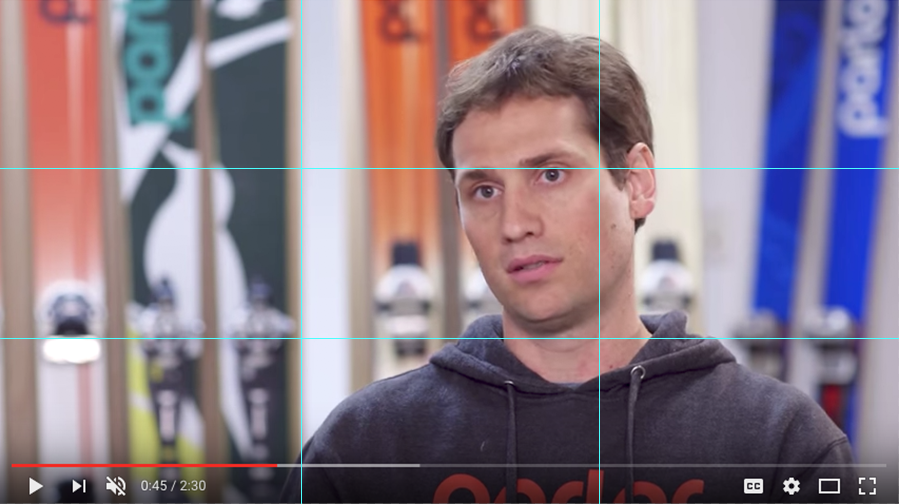
One of the best ways to improve the look of your video is to include b-roll. B-roll is the supplementary footage included as a cutaway. This might include shots of a customer service rep talking on a phone, a designer editing your website, visuals of your office, or even screenshots of your product. The key with b-roll is to make sure each and every piece enhances the story.
When you’re collecting b-roll, include a mix of shots from varying angles and distances. In fact, film professionals use different names to describe these variations.
- Establishing Shots: Wide shots allow the viewer to see the entire scene. These are great to use when introducing the scene at the beginning of a video.
- Medium Shots: Tighter shots that focus on the subject or a portion of the scene. Your classic interview shot could be considered a medium shot.
- Close-ups: Tightly cropped shots zoomed in to show detail. These might feature someone’s hands typing on a keyboard or pouring a cup of coffee.
As practice, try telling a story with your b-roll and planning out a shot sequence. For example, your subject might open a door from the hallway, walk into their office space, sit down at their desk, open their laptop, and begin typing. Seems simple, right? But a shot sequence showing this 10-second scenario might consist of six or more different b-roll clips.
Here’s where the final lesson of composition comes in: continuity. Continuity is the process of combining shots into a sequence so that they appear to have happened at the same time and place. A key part of continuity is making sure any ancillary objects in the scene — for example, a cup of water on a desk — stay in the same place (and have the same amount of water) throughout all of the shots.
The other part of learning continuity is match on action. For the scene described above, you’d want to record the subject opening the door and walking in from both inside and outside the room. In post-production, you could then flip between the clips at the exact right time to make the cut seamless.

6. Shoot for the edit.
When it comes to video, some are better at shooting while others are better at editing. Whatever side you claim, you should understand the process and pain points of each.
For instance, as the person behind the camera, you may believe you collect ample footage and ask all the right interview questions. But to the editor, you may actually be shooting too much of one type of shot and missing out on some that would make their job easier.
Filmmakers teach a valuable lesson here: shoot for the edit. By remembering that the footage you record will be edited later, you can make smarter decisions and save countless hours in the editing room.
The first step in adopting a shoot-for-the-edit mindset is remembering to leave a buffer at the beginning and the end of each clip. There are called handles and can save editors from the headache of cutting too close to an important shot.
In the section on preparing talent, we discussed how to record your script in short sections. If the editor were to stitch these sections together side-by-side, the subject’s face and hands might abruptly switch between clips. This is called a jump cut, and for editors, it poses an interesting challenge. Thankfully, this is where b-roll comes in handy, to mask these jump cuts.

Example of a jump cut
As a producer, your job is to capture plenty of b-roll to make sure your editor never runs out. Create a shot list of more b-roll ideas than you think you’ll need and mark them off as you record them.
To mask jump cuts, you can also shoot with two cameras, especially if you’re recording an interview without a script. Camera A would be the traditional, straight-on shot. Camera B should be angled 30 to 45-degrees to the side and capture a distinctly different shot. The editor could then flip between these two views to make the cut appear natural.

Example of switching between interview angles
A note about shooting with two cameras: Your editor will need to sync the footage between the different views. To help them do this, clap your hands loudly in the view of both cameras right before you ask the first interview question … yes, just like an old fashion clapboard. Modern editing software has auto-sync features, but this loud clap will help you initially line up the clips.
Finally, mark your good clips. Even if you’re recording a scripted video, you might have to record each section 10 or more times. Once your subject nails the take, wave your hand in front of the lens. That way, the editor can scrub directly to this visual cue and save time on footage review.

7. Organize your footage.
Yes, file organization is boring. But when video editing, it just might save your project.
Capturing video will force you to take a hard look at your computer and file organization habits. If you’re one of those people who work off a cluttered desktop — you know who you are — you’ll find yourself in a world of hurt.
First, video format files are incredibly large, so it’s very unlikely you’ll want to store any of them on your internal hard drive. You’ll quickly run out of storage, and your computer’s processing speed will begin lagging under the weight.
Instead, invest in an external hard drive like one of the Lacie Rugged models. External hard drives come in a variety of sizes and port options (Thunderbolt, USB 3.0, etc.). Multimedia creators will use the phrase “working off of an external” to describe storing all of their project files on this hard drive. This method also makes it easier to collaborate with teammates because you can easily share the drive.
Second, video editing programs are very particular about where you keep your files. If you don’t stick with the original file structure, you may find yourself buried in error messages. (We’ll cover software options and best practices in the next section.)
On your external hard drive, you should create a separate top-level folder for each project. Within this folder, there should be a prescribed set of “buckets” to store your video footage, audio, design assets, and more. Create a template project folder that you can copy and paste for each project using the image below as a guide.
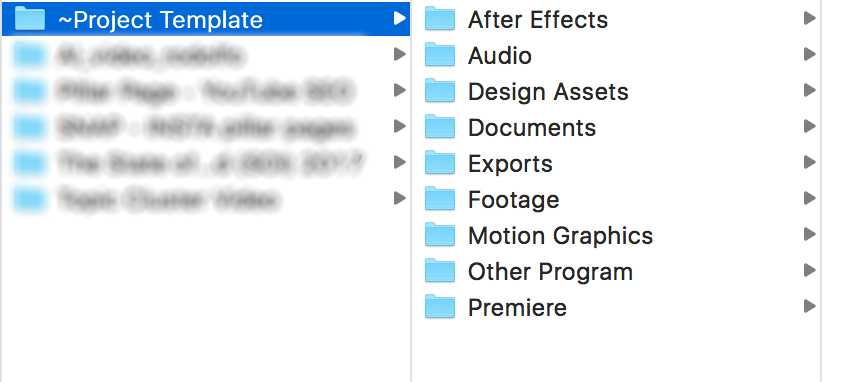
When you import your footage from your camera, place it in the “footage” folder on your hard drive.
For both the project folders and your editing files, follow a consistent naming structure. For example, you could start each name using YRMODA (year-month-date). So a video on Instagram Hacks might be named “180625_instagram_hacks” if it was started on June 25, 2018.
Even with a perfectly organized external hard drive, you’re not yet out of the weeds. You need to back up your files (and maybe even back up your backup files). It’s not uncommon to have an external hard drive for everyday work, another external for backups, and a third set of backups in the cloud via Dropbox or Google Drive.
8. Edit your video.
Okay, you’ve filmed your video footage. Congrats — you’re halfway there!
Now it’s time to talk about editing. We get it, video editing can be confusing. It’s easy to feel overwhelmed at first, especially when you see software price tags! Luckily, there are many options for video editing based on your skill level, operating system, and budget. There are even free programs and mobile apps! Let’s go over a few options.
Intermediate: Apple iMovie
iMovie is Apple’s video editing software. Compatible with Macs and other iOS devices, iMovie is simple, user-friendly, and free on all Apple products. iMovie allows you to create and edit your videos by cutting together clips, adding titles, music, sound effects, basic color correction, filters, and special effects.
The program even provides helpful templates that simplify the editing process. The platform supports high-quality clips like 4K video footage and makes it easy to share your work directly to a video hosting platform. Limited access to advanced color correction and editing features mean it isn’t commonly used by professionals, but iMovie is still a great option if you’re just starting out.
Advanced: Adobe Premiere Pro
Adobe Premiere Pro is a leading video editing software program used by amateurs and professionals alike. With a customizable interface and numerous advanced editing tools, the platform is often called the industry standard for video editing and has been used to edit major Hollywood movies like Gone Girl and Deadpool.
Premiere makes it easy to collaborate with other editors, organize your material, and sync with other programs in the Adobe suite like After Effects and Photoshop. The platform supports high-quality footage (4K and higher) and includes advanced, built-in color correction and grading tools that set it apart from cheaper or free options like iMovie.
The only downside to Premiere is the cost. A year-long subscription to the latest Premiere Pro CC comes in around $240. If you’re new to video editing, you may want to experiment with a cheaper option like iMovie or Adobe Premiere Elements before investing in the Premiere Pro. On the fence? Check out some Adobe Premiere Pro tutorials here.
9. Choose your music.
What’s the first thing that comes to mind when you think about video? I’m guessing the actual video footage. While it’s important to concentrate on your video footage, don’t forget to factor music into your overall plan and budget.
Music is a powerful tool that can alter your video’s mood and tone — just watch the videos above! Choosing the right music often makes the difference between an amateur project and a professional piece of content. When used properly, it can help keep your viewer’s attention, evoke emotions, and define your overall editing style.
Before you start filming, set a music budget and research your local copyright laws. Copyright law can be very difficult to decipher, especially when you’re dealing with digital content. Bottom line: Most music isn’t free. If you use another artist’s music without permission or proper licensing, you risk video removal and legal action.
In order to avoid copyright infringement, you’ll need to find royalty-free tunes or pay a composer to create an original score. Royalty-free songs aren’t free to use; they’re quality songs available for a single flat fee. This means you don’t have to worry about paying additional licensing fees or royalties in the future. YouTube, Pond5, and PremiumBeat are all great sites to find royalty-free music.
Next, consider your audience and the overall mood for your production. Are you targeting a small audience that will appreciate the newest, underground hip-hop track, or do you need something that will appeal to many demographics? Are you creating a practical product tutorial or an upbeat event recap? Be sure to choose music that enhances the overall tone of your video.
In addition to considering your audience, be sure to contemplate the purpose of the music. Do you need background music or something with real impact? Will you be narrating or speaking in the video? If so, don’t let the music get in the way of your content. Sometimes the best music is the music you don’t remember at all.
After you’ve determined the type of music you need, it’s time to start analyzing potential songs. Consider the song’s pacing. Songs with a steady rhythm are easy to change to suit your video style. Hoping to include your favorite, Top 40 hit? Popular, radio songs are usually structured in 4-5 parts and can be difficult to transition.
Try to choose simple songs that are easy to loop. If you’re looking for an instrumental song, be sure to find something that was recorded with real instruments. Songs made with digital samples can make your video feel unprofessional and out of date.
Finally, consider adding intro and outro music. Intro and outro music, or bookends, can serve as a theme for your content. These are a great choice if you don’t need music throughout your entire video. Bookend music can help set the tone for your video, naturally split your content into chapters, and leave your viewers feeling they had a complete experience.
While some videos feel unfinished without background music, others just need a few tunes to tie the project together. Pay attention to videos that have a similar style to see how others utilize music.
10. Record your voice over.
You have your video footage and music — now it’s time to chat about voice overs. A voice over is the separate video narration that’s not spoken by the speaker on-camera. Voice overs are an effective tool that can help make your content more relatable, emotional, and fluid.
It’s important to remember that video audio is just as important as video visuals. The good news is that you don’t have to be the next Don LaFontaine or hire a professional to record a great voice over. Below are a few tips to capture audio on a budget.
- Find a location. Decide on a spot to record. If you can’t go to a professional studio, try to pick a quiet room away from distracting external sounds like sirens, opening and closing doors, and people talking on the phone. Read your script aloud, and pay attention to the room’s acoustics. Does your voice echo or sound muffled? If so, consider recording in a different space or adding furniture to fill in the room.
- Prepare. Practice makes perfect! Before you record, read through your script a few times and take note of any difficult pauses, transitions, and words. On the big day, be sure to stay hydrated and avoid wearing noisy clothing or jewelry. Also, use a stand, laptop, or teleprompter while recording so you aren’t rustling through a printed script.
- Test and listen. Think you can record the perfect voice over in just one take? Think again! Invest in a good pair of headphones and keep an eye on your audio quality throughout the recording process. It’s easier to get a new take of audio than trying to fix it during the editing process. We recommend running through your script a few times, especially the first few paragraphs, to ensure that your voice is fully warmed up. If you hear popping or hissing sounds, try standing further away from the mic or invest in a pop filter.
- Relax! Be sure to read slowly, pause, and take breaks while recording your voice over. Sometimes all you need is a sip of water to get back on track.
Video Hosting Platforms
You’re ready to publish your video. You shot the footage, edited it together, added music and a voice over, and exported it for the web. Now it’s time to get your video online so your audience can start viewing, sharing, and engaging with it.
You have several options for hosting videos online, and in this section, we’ll talk about some of the best ones.
YouTube
When you ask your friends which online video platform they use, the answer you probably hear the most is YouTube.
YouTube is the largest video hosting platform and the second largest search platform and second most visited website — both after Google.
Every single day, people watch over five billion videos on YouTube. It’s also free to upload your videos to YouTube and optimize them for search.
In addition to its massive audience, YouTube offers several other features that make the platform a good option for hosting your video. Because YouTube videos are hosted on individual channels, the platform allows you to build a dedicated audience of subscribers. Users who follow your channel are more likely to see additional videos you upload.
Within your channel itself, you can also organize videos into playlists, making it easy for your audience to search within your content. As a social platform, viewers can engage with your videos by liking and commenting on them, providing you another chance to interact with your audience. YouTube also offers a variety of advertising options for more sophisticated targeting.
Although YouTube offers the benefit of reaching a large audience with no cost to upload and host videos, there are several downsides to the platform. While video ads can be a great tool for promoting your own content, the number of ads on the platform from other advertisers can detract from your viewer’s experience.
YouTube is also (surprise, surprise!) highly addicting. 83% of viewers prefer YouTube over any other video platform. Once viewers are on the platform, they usually stick around to watch another video … or 20. This can make it difficult to drive traffic back to your site from the platform. Despite these barriers, YouTube is a great platform for hosting videos and growing your audience.
Vimeo
If your friends didn’t answer your earlier question with “YouTube” then they most likely responded with Vimeo, the second largest video hosting platform.
Vimeo’s audience is significantly smaller (715 million monthly views) than YouTube’s, but there are still many benefits that make it a favorite for content creators and viewers alike.
Among these is a simpler, cleaner, user interface that makes it easier to navigate the platform. Unlike YouTube, Vimeo has very limited ads and commercials that would otherwise detract from your viewers’ experience. Videos on Vimeo also tend to be higher quality than on YouTube, and the audience on the platform is likely to be more professional.
Vimeo offers several different premium account options to better suit businesses. The premium accounts provide additional storage, advanced analytics, customer support, player customization, access to lead generation tools, and much more. In addition to premium accounts, Vimeo also partners with businesses to produce quality marketing content.
If you’re looking to showcase high quality, artistic content, Vimeo might be the platform for you. Its engaged audience and beautiful aesthetic make it a great place to host creative videos. However, if you’re focused on quantity over quality and increasing your reach, you may want to explore other platform options.
Vidyard
Vidyard is a video hosting platform built specifically for businesses. It’s not just another option to store and manage your videos; instead, it allows you to become a fully video-enabled business. Here’s what we mean.
These days, we know posting your video to YouTube isn’t enough. You need channel-specific video content for Facebook and Instagram, not to mention for your website. Enter: Vidyard. The platform allows you to publish and update to all of these places from a central location.
From this portal, you’ll find all sorts of viewer insights. Discover what types of video content your audience likes and how they watch their videos. Then, channel those insights directly into your marketing automation software or CRM. For example, if that prospect you’ve been monitoring views your latest case study video, you’ll be notified straight away.
One of the coolest features of Vidyard is the ability to personalize videos with the viewer’s name or company directly in the video design. This is a creative addition as you begin working video into your marketing and sales strategies.
How to Create a Video Social Media Strategy
We’ve learned how to create high-quality videos for your business. Now, let’s make sure those videos fit within each social network’s best practices.
Creating and posting videos on social media should always help you drive toward your existing marketing goals.
For example, if your goal is to get more people to download an ebook, you could create a short teaser or how-to video and post the full link to the ebook’s landing page in the copy of your social post.
Let’s drill down into best practices for each social network.
Promote a new blog post, engage with your audience, or even drive viewers to a landing page with Twitter videos. When teasing a blog post or piece of content on Twitter, always keep your video short and sweet – brevity is a core factor on this channel.
Short clips that are easy to consume tend to perform the best. Try pinning your video to the top of your profile for some added exposure.
If you want to get a little more experimental with using video on Twitter, you can try making short, custom videos to engage with your audience. These highly personal, one-to-one response videos are an awesome way to make your brand more human while building personal connections with your engaged followers.
Facebook and Instagram
When you walk onto a bus or train for your morning commute, how many people are scrolling through their smartphones to see the news and content they’ve missed overnight? Pretty much everyone – but not everyone is wearing headphones.
For this reason, make sure your video works with or without sound. BuzzFeed is the master of silent auto-play — just take a look at their Facebook page. The reason their silent auto-play strategy works so well is because of this rise in mobile video views and the way people scroll through and consume content on social media. They often post quick recipes or quick how-to’s, often with easy-to-follow imagery or helpful text to describe what is happening.

Facebook also favors longer videos in their newsfeed algorithm. The goal with this shift is to better surface videos that are most relevant to the viewer.
So what does this mean for you? Don’t panic; this just confirms what we already know is true. Creating the “right” content for your audience is more important than churning out it out for the sake of it.
Secondly, upload videos directly to Facebook. Facebook continues to make a compelling case for uploading your videos natively to the platform — the primary reason being that your content will be seen by more eyes.
Brand awareness videos that are light-hearted and entertaining tend to perform well on Facebook for this very reason – their algorithm takes into account a user’s previous video-related actions when determining what videos to show them on subsequent visits. Make a video that’s super relevant to your audience, share it on Facebook, and see what type of engagement you can drum up!
Lastly, grab attention instantly… and keep it. Did you know that Instagram was the first social channel to initiate silent, auto-playing videos? It’s true! Shortly after, Facebook followed suit, so it’s safe to say that catering to this type of video when creating content for social media is the way to go. It might seem daunting to try and grab someone’s attention so fast and without sound, but here are a few best practices you can use to make things easier:
- Start off your video with motion to grab your viewer’s attention while they’re scrolling through the feed.
- Videos that feature people speaking are great for landing pages or your website, but try to stick to visually stimulating videos for Facebook and Instagram (unless you’re going Live, which we’ll talk more about later).
- Incorporate text or include captions so that viewers can follow along with or without audio.
YouTube
On YouTube, post with a specific strategy in mind. Think of YouTube as a giant library of video content where people go to either educate themselves or to be entertained. YouTube reports over 1 billion unique users per month – sounds like a social media gold-mine, right? Well, sometimes, yes.
There are, however, a few questions you should ask yourself before going forth with posting every video you’ve ever made to your YouTube account:
- Can you make the specific video content they’re searching for there?
- Do you need these prospects to end up on your website?
- If you’re purely seeking some broad brand awareness, YouTube could be an awesome channel for you? (Just don’t expect much in the way of driving tons of traffic back to your site.)
Establish and grow a dedicated channel of subscribers by creating informative, educational content that is in high demand, and you’ll start to see some real success!
For a long time, LinkedIn was one of the less video-friendly social networks, that’s changed. Users can now upload videos, and brands (whether that’s your company brand or personal brand) can now get even more creative with the content they share.
Considering this fairly recent development, what should you be considering when creating and uploading LinkedIn videos? LinkedIn recommends four different themes for creating video to be used on its platform:
1. Show it.
If you’re in a fast-paced industry that’s always evolving, brands and thought leaders can take the lead by showcasing new technologies in video format, or providing tutorials on how a new physical product works.
2. Transport them there.
Video is the perfect medium for giving audiences a taste of what it’s like to really be somewhere. The most obvious use case here is industry conferences and events. If your company hosts them, uploading videos of the event to LinkedIn is a great way to demonstrate the buzz you’re creating in your industry.
If you’re working on your personal brand, bringing snapshots of the things you’re learning at the event to your connections can be the perfect way to help your community or develop your own thought leadership by sharing your perspective of everything that’s happening there.
3. Teach it.
If you have a time-saving hack to share or have learned something new that might help other people in your network, video is a super effective medium for sharing that knowledge. If you’re thinking about this on behalf of your company, ask yourself what your buyer personas often struggle with, and see if you can teach them a solution in video format.
4. Share it.
This is one for the opinionated amongst us. If you have thoughts on a recent announcement or piece of industry news, let people know what you’re thinking in a video! Likewise, if your company has some news, or has made a recent key hire that your followers and wider industry would want to hear about, a video is a personable take that can be used alongside the traditional press release.
Of course, you don’t have to stick to these four themes — get creative and test to see what works best for you.
Lastly, upload videos directly to LinkedIn. Here’s how to create and upload a video for LinkedIn:
- Go to the LinkedIn app and tap the video icon in the share box in the top right-hand corner.
- Select the video icon to record now, or choose a pre-recorded video from your phone’s camera roll.
- If you chose to record now, you’ll begin recording a video inside the LinkedIn app itself.
- Add a description to your video to sit alongside it when you post.
- Hit Post and your video will start to appear in your followers’ feeds.
Live Video: Facebook & Instagram
While Instagram’s traditional features let users record short video clips and post them online afterward, new live features on Facebook and Instagram take a different approach, allowing users to post live video streams of what they’re doing at that very moment.
When you’re setting up videos for Facebook Live or Instagram Live, make sure you’re following the steps in the first section of this guide. If you do this, you’ll have much higher quality live videos, which will set you apart from other live videos being shown. In addition to these steps, we have a few more things to keep in mind.
Consider timing.
Keep in mind that your live video will be broadcast from the platform (Facebook or Instagram) itself, so that’s where you’ll be promoting your broadcasts primarily. Do some research on your Facebook/Instagram audiences to find out when they’re most engaged with your posts.
Even if some of your followers miss out, the app will save your videos to the app by default (although you can delete them manually if you want to), and they’ll be available for viewing by your followers after the fact.
As for the length of your video broadcasts, remember that most people’s attention spans are fairly short — especially on mobile. If your broadcasts aren’t captivating from the get-go, users will likely stop viewing your stream.
Spend time coming up with a compelling title.
It’s vital that your title describes what your video is and why people should either tune in now or replay your stream later (up to 24 hours). Here are a few styles that make effective titles:
- Straight-Forward: Sometimes, the most effective title will tell people exactly what you’re going doing in the video. For example, Elijah Wood once posted a live video with the title “Jellyfish” whilst visiting the aquarium — which is exactly what the video showed; nothing more, nothing less.
- Exclusive: A title that lets users believe they’re seeing exclusive footage can be super compelling. For example, you might broadcast a video titled, “I’m live from my show!” for all the viewers at home. Another version of this could be “A Backstage Look Into…” or something along those lines.
- Unique: Broadcasting something unique, rare, or just plain weird? Own it. One of my personal favorites was, “My Fridge: 100 Viewers and I’ll Drop Eggs.”
Respond to comments live.
One of the coolest features on Facebook is that people who are watching your stream in real time can comment and “like” the broadcast (which show up as hearts, like on Instagram). Other viewers are able to see these comments and the number of hearts your video has. Acknowledge or even respond to these comments out loud on the live broadcast to encourage engagement and make the experience feel like more of a two-way conversation.
Experiment with use cases.
Since Facebook and Instagram Live features are still relatively new, there aren’t solidly defined ways to use it, especially for brands. This is a unique opportunity for you to experiment with different ways of using it and what type of content your audience likes most.
Facebook Live lets you analyze a few key stats you’ll want to keep track of while you’re figuring out what works. Once your video ends, the app lets you see how many live viewers you had, how many viewers replayed your video, and how many hearts your video received (this number updates automatically as users continue “liking” your video from the time it ends until it expires).
Finally, as you experiment with different recording environments, keep in mind that background noise is easily picked up by microphones — so you’ll want to make sure you’re in a relatively controlled environment if doing a more serious or professional broadcast.
How to Use Video Throughout the Flywheel
Too often, companies jump at the opportunity to create their first video. They spend tons of money on an explainer video for their homepage, but as soon as the project is complete, all future video ambitions screech to a halt.
On the other hand, plenty of businesses churn out a slew of social videos. But since they’ve simply replicated fads they’ve seen, their videos hardly consider their audience’s challenges or habits.
Considering the time, money, and resources involved, video marketing can’t be an impulsive guessing game. Instead, you need to create a comprehensive video marketing strategy that applies to every facet of your flywheel. This means thinking in the context of the inbound methodology.
The inbound methodology is the marketing and sales approach focused on attracting customers through content and interactions that are relevant and helpful. Each video you create should acknowledge your audience’s challenges and provide a solution. Looking at the big picture, this content guides consumers through the journey of becoming aware of, evaluating, and purchasing your product or service.
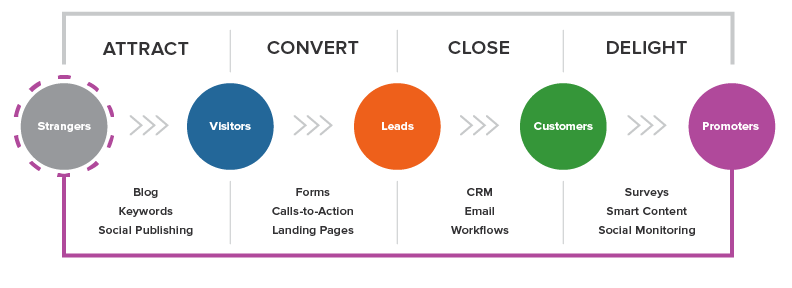
In the following sections, we’ll cover the types of videos you should create for each stage in the image above. To start, plan to create at least two videos for each. Don’t forget to include call-to-actions to help lead your audience through their purchase journey and into the role of “promoter.” Over time, you can improve based on conversion rates and the content gaps you discover.
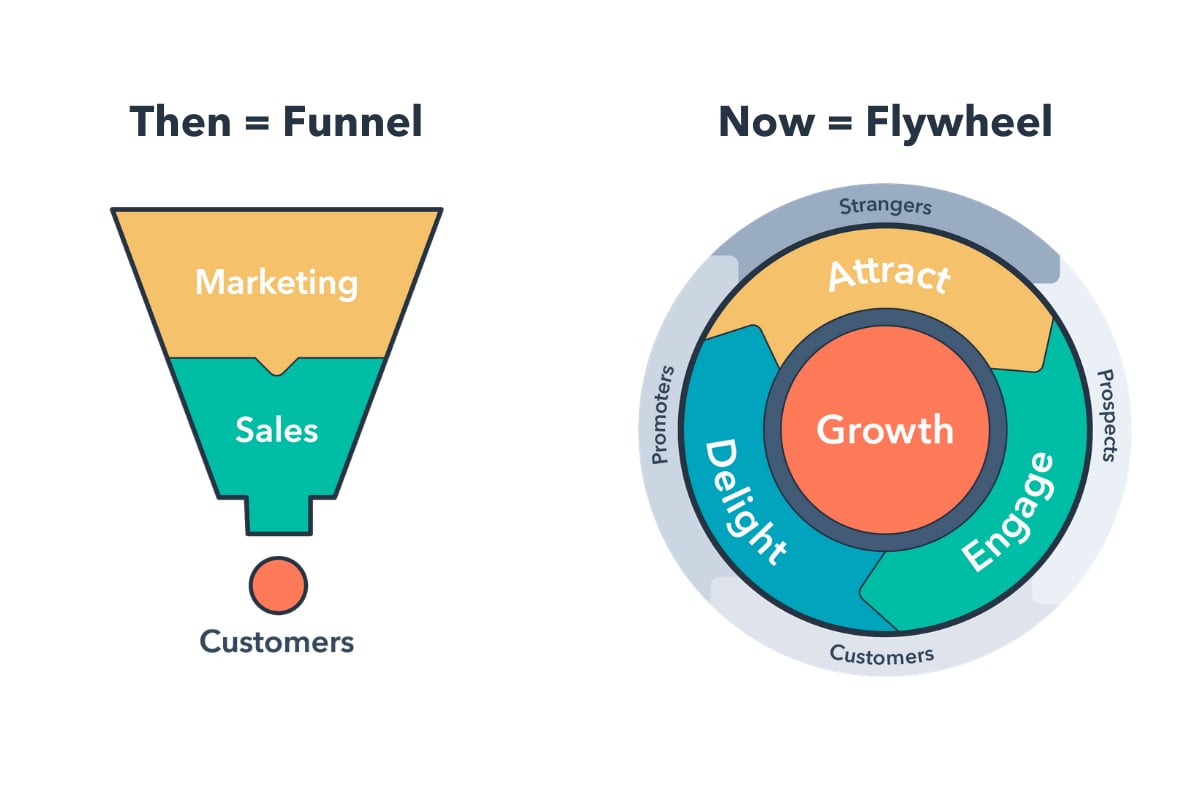
Attract
The first step of the inbound methodology is to attract — or turn strangers into visitors. Consumers at this stage are identifying their challenges and deciding whether or not they should seek out a solution. Therefore, the videos you create should empathize with their problems and introduce a possible solution in your product or service.
Ultimately, the goal of this kind of video is to expand reach and build trust. Because you are looking to garner shares for your video, it’ll likely be more entertaining and emotion-evoking than educational. But, you should still provide enough information to associate yourself as an authority on the topic.
Examples of videos in the “attract” stage include snackable social videos that show off your brand’s personality, thought leadership videos that establish you as a source of industry news and insight, brand films the share your values and mission, or explainers and how-to videos that provide relevant tips for solving your audience’s pain point.
Discover 75 tips for creating, sharing, and optimizing video for Facebook and Instagram.
For any “attract” video, avoid speaking too much about your product. Instead, let your brand values and personality be your north star(s). Finally, because these videos can live on a variety of channels, keep in mind the strategies of each platform. For example, a Facebook video might have a square aspect ratio and text animations for soundless viewers.
Convert
Now that you’ve attracted video viewers and website visitors, the next step is to convert these visitors into leads. With most inbound marketing content, this means collecting some sort of contact information via a form. Video can aid this process by visualizing a solution to the buyer’s problem, whether that’s before the form on a landing page or as the offer itself. Overall, the goal of this kind of video is to educate and excite.
“Convert” videos may include a webinar filled with tactical advice, product demos sent via email, landing page promotional videos, case studies, or more in-depth explainer and how-to videos. For example, while an “attract” video might provide a quick tip for nailing a sales pitch, a “convert” video could be an animated explainer video that breaks down the inbound sales methodology.
Close
You’ve attracted a new audience with your videos and converted the right visitors into leads. Now’s the time to close these leads into customers. Yet, as important as this stage is, “close” videos are often the most overlooked by marketers and salespeople.
At this point, the consumer is weighing their options and deciding on the purchase. Therefore, the goal of this kind of video is to make your audience visualize themselves using your product or service — and thriving. There’s a reason 4X as many customers would rather watch a video about a product than read about it. Videos are able to display functionality and leverage emotions in ways a product description never could.
Great “close” videos include testimonials of customers with relatable stories, in-depth product demos, culture videos that sell viewers on your quality of service, or even personalized videos that explain exactly how your product could help their business
Delight
A purchase may have been made, but there’s still a lot of video can do to leverage the post-conversion stage of your flywheel. During the “delight stage” of the inbound methodology, your goal is to continue providing remarkable content to users that makes their interaction with your product or service as incredible as possible.
It’s also in hopes that they’ll tell their connections about their experience or up-sell themselves. Therefore, the goal of this type of video is to encourage your customers to embrace your brand and become brand evangelists.
Your first opportunity to delight comes directly after the purchase. Consider sending a thank you video to welcome them into the community or an onboarding video to get them rolling with their new purchase. Then, build out a library of educational courses or product training videos to cater to consumers who prefer self-service or simply want to expand their expertise.
Defining Your Goals and Analyzing Results
At this point, you know how to create a video and where to host it. You’re ready to get started, right? Not quite. Before you dive in, you need to define your video goals and identify the best metrics for determining whether you’ve accomplished those goals.
Before launching any marketing campaign, it’s important to determine your primary video goal. This could be to increase brand awareness, engagement, or even conversions for a free trial. It’s crucial to pick out just one or two goals for each video. When you define more than that, your video will seem unfocused, making it difficult for viewers to determine what they should do next.
When thinking of your goals, be sure to keep your buyer persona and target audience in mind. How old are they? Where do they live? What are their interests? How do they typically consume media? What stage of the buyer’s journey are they in?
All of these questions can help determine what type of video you should make and where you should post it. For example, if your target audience is not familiar with your company, you probably want to make a video that focuses on brand awareness before producing an in-depth, product video. You’ll also want to host your video on a site that already has a large reach, like YouTube.
Next, let’s talk about metrics. Understanding these will equip you to define and measure your success and set your goals. When you post a video, it’s easy to get obsessed with one metric — view count. While view count can be an important metric, there are many others that may be more relevant to your campaign.
Below are some popular metrics you’ll see when you publish and track video.
- View Count: View count is the number of times your video has been viewed — also referred to as reach. This metric is great to track if your goal is to increase brand awareness and have your content seen by as many people as possible. However, it’s important to remember that every video hosting platform measures a view differently. For example, a view on YouTube is 30 seconds while a view on Facebook is only 3 seconds. Be sure to read the fine print before reporting on your video view count.
- Play Rate: Play rate is the percentage of people who played your video divided by the number of impressions it received. This metric helps determine how relevant or appealing your video is to your audience. If thousands of people see your video, but only a handful of people play it, it’s probably time to optimize your content.
- Social Sharing and Comments: If you’re on social media, you’re probably familiar with sharing and commenting. Social shares and comments are good indicators of how relevant your content is with your target audience. If a viewer watches your video and takes the time to share it with their network, you probably created a great piece of content. Social shares are also important because the more times your video is shared, the more it’ll be viewed. If your goal is to reach a lot of people, social shares is a good metric to track.
- Video Completions: If you took the time to make a video … you probably want people to watch the whole thing, right? A video completion is the number of times a video is played in its entirety. This metric can be more reliable than view count when trying to determine your video’s success.
- Completion Rate: Completion rate is the number of people who completed your video divided by the number of people who played it. Completion rate and other engagement metrics are a great way to gauge a viewer’s reaction to your video. Do you have a low completion rate? Are people all dropping off at a certain point? This might be a sign that your video content is not resonating with your target audience.
- Click-Through Rate: Click-through rate (CTR) is the number of times your call-to-action (CTA) is clicked divided by the number of times it’s viewed. CTR is a great indicator of how effective your video is at encouraging people to take your desired action. If your CTR is low, consider revising the design or copy of your CTA.
- Conversion Rate: Conversion rate is the number of times visitors completed your desired action divided by the number of clicks on your CTA. If your goal is to have your viewers complete an action like signing up for a free trial, try adding a video to your landing page to see if your conversion rate increases.
- Bounce Rate and Time-On-Page: Are you thinking about adding a video to a web page? Take note of the page bounce rate and the amount of time people spent on the page before you add the video. Be sure to check the metrics after you place the video to see if changes the way people interact with your other content.
Finally, what about your video social media marketing strategy? How do you measure that?
Measuring performance on each social media platform provides valuable information, especially to determine whether video really is the right content type for your audience on each platform.
Across all platforms, in addition to the metrics above, be sure to measure views over time to determine the life of your videos. You may find that videos need to be refreshed every few weeks, or months, in order to stay relevant with your audience. You also want to always be tracking and comparing engagement of your videos. This will help you determine which topics encourage the most sharing, and therefore will have a higher and longer lifetime value.
Ready, Set, Action!
I’m guessing you’re feeling a little overwhelmed right now. Don’t worry, you’re not alone. Video editing and marketing can seem daunting at first, but with a little practice and patience, you can easily produce high-quality content that is unique to your brand.
With 71% of consumers watching more video online than they were a year ago, brands can no longer ignore their growing popularity. Thankfully, creating great content has never been easier!
Try turning a written blog into a video or create a product tutorial. Using video to showcase information in a new, interesting way is sure to interest and delight your audience. Pick up a camera, start filming, and watch your engagement levels increase. It’s time to make video a key part of your marketing strategy!
Editor’s note: This post was originally written in August 2018 and has been updated for comprehensiveness.

The Ultimate Guide to Advertising in 2020
When you hear the word advertising, what comes to mind?
Do you think of banner ads on your favorite website? Those hilarious Super Bowl commercials? The billboards along the highway or posters in the subway stations?
While most of us have a pretty good idea of what advertising looks like, it’s a little harder to nail down exactly what it means — and how to do it well.
From the printing press to pop-up ads, advertising has certainly changed with the times. Despite this, though, the need for advertising hasn’t changed, and neither have the techniques and best practices that make for quality advertising. That’s what we’ll cover in this guide.
Good advertising is designed to be extremely influential, memorable, and, at times, risqué. It breaks through the clutter and noise of everyday life, disrupts the viewer’s attention, and demands their focus.
Whether on a billboard or the back of a restaurant menu, advertising can go to work for your company in a variety of ways:
-
To raise awareness for your brand
-
To drive potential customers to your business
-
To promote sales for both new and existing products
-
To introduce a new product or service to the market
-
To differentiate your product from your competitors’
Advertising can also be executed in various ways. Radio commercials, billboards, branded t-shirts, and social media endorsements all count as advertising — as we’ll discuss later on in this guide.
But, first, how does advertising differ from marketing?
Marketing includes a number of different channels, such as social media, email marketing, public relations, SEO, and paid advertising.
Alternatively, advertising is just one component of marketing.
A company’s overarching marketing strategy will typically include an advertising plan. The advertising portion zooms in on the specific process of creating and publishing the persuasive messages to get customers to take action.
A Brief History of Advertising
Advertising is one of the oldest segments of business, save for currency and trade. Once products and services arose, so did the need to make them known.
The oldest confirmed piece of advertising dates back to 3,000 B.C. Technically, it was a print ad from ancient Egypt promoting the capture and return of an escaped slave. Incidentally, the ad also mentioned the slave owner’s shop — a rug business — which inherently advertised his storefront, too. The slave was never caught, but the rug owner did discover a brand new method of bringing in traffic: advertising.
Let’s fast-forward about 4,000 years. Here’s a brief look at the past five centuries of advertising:
1472: The first poster advertisement is placed on church doors in London.
1650: The first newspaper ad — a reward for 12 stolen horses — is published. (What’s with the reward-based advertisements?)
1704: The Boston News-Letter prompts its readers to place ads in its paper.
1870: The Powers style of ad copy is born. This style packed a punch — it was short, to-the-point, truthful, and convincing. Powers said the focus should be on why the consumer should buy your product or service — a message that still resonates for good reason today.
1880: Postcards become one of the hottest new ways to reach customers.
1902: Unilever creates the “longest client-agency relationship in advertising history” when it hires J. Walter Thompson Company to advertise its Lifebuoy Soap.

1902: Mellins Food advertises its brand on 25 airship flights, becoming the first brand to take this approach.

1904: The Campbell’s Kids are created, piloting the change in advertisement focus from a single ad to an entire campaign.
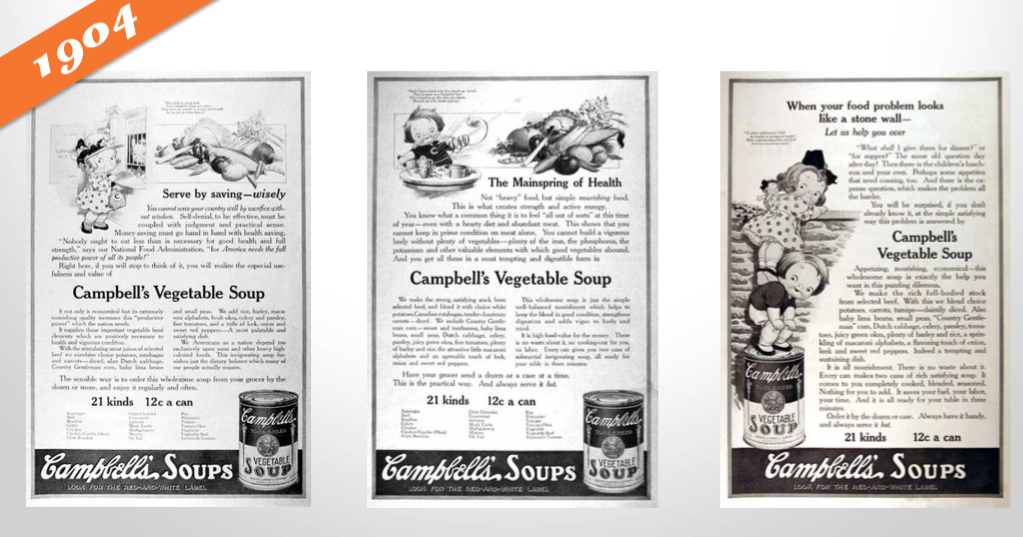
1922: Radio ads are born, and businesses purchase 10 mins for $100. Two years later brands would increase their investment by sponsoring an entire radio show, a concept that would eventually become known as “sponsored content.”
1925: Advertisers start to appeal to emotions, focusing on what pleasure customers would receive from their product or service. This old Ford ad exemplifies this perfectly.

1975: VCRs are introduced, and consumers begin to record shows and, therefore, skip advertisements.
1990: Computers become more popular and accessible at home, with over 5 million homes connected to the internet.
1994: The first email spam campaign launches. Banner ads are also introduced.
1995: Search engines like Yahoo! and Alta Vista are born. Ask Jeeves and Google would follow in 1997 and 1998, respectively.
2005: YouTube and Facebook (for college students only) launch.
2008: Brands start to realize the importance of having an online presence for their potential customers. Procter and Gamble pilot the concept of the content hub with BeingGirl.com.

2012: Online videos reach almost 170 million viewers.
2013: Sites like Pinterest and Instagram join the social network scene.
2020: Advertising soars on digital platforms including social media, podcasts, pay-per-click (PPC), and more. Customer data plays a larger role in advertising targeting and retargeting. Lastly, a rapid increase in mobile devices sees a boost in mobile ads and SMS marketing.
History teaches us that advertising is an ever-changing concept, just like shopping habits and how and where consumers spend their time.
Whereas almost 140 years ago, postcards were the newest form of advertising, brands today are building chatbots for Facebook Messenger and integrating artificial intelligence into their marketing and sales platforms.
Things in the advertising world move fast. Now, let’s take a look at how advertising methods have changed and what marketers and advertisers are using today.
Advertising can look like many different things. Here are the different formats and channels that advertisers have been using over the years.
1. Print Advertising
Print advertising refers to posters, postcards, bulletins, mailers, flyers, and other physically-printed promotions. It also refers to newspaper and magazine ads.
How we design and consume print advertising has changed over the years, but it’s been a steadfast advertising medium — especially as digital advertising has evolved (which we’ll cover next).
Unlike digital media, print advertising can’t be tracked and analyzed as clearly. Fortunately, brands have found brilliant ways to incorporate print advertising into broader digital campaigns.
2. Billboards and Public Transit Ads
Billboard advertising encompasses print advertising on a much larger scale. Due to their size, the design, placement, and cost of billboard and public transit ads are different than typical print advertising.
For example, billboards are typically designed with few to no words so that viewers have time to process the message while passing by in a car or train. Also, these ads are used for brand awareness, so they usually only include a brand name or phone number (versus a website).
3. TV Commercials
TV commercials are short advertisements developed and paid for by companies and organizations looking to capture the audience of a TV show or network program. TV ads have been around since the invention of the television and have since changed drastically with the birth of streaming TV.
TV ads have a wide reach (millions) and provide viewers with a multi-sensory ad experience — something print ads and some digital ads can’t quite do. Alternatively, TV ads are expensive, avoidable by your audience, and hard to target as accurately as other channels.
4. Radio
Radio advertising refers to spoken advertising spots aired on radio channels between music and other programs. This method dates back to 1920 when commercial radio first aired.
Radio advertising is particularly powerful for local and regional advertising. Nowadays, podcast advertising is a similar but more effective method, especially for national audiences.
You’ll notice the above advertising methods don’t dive into digital advertising — that’s what we’ll unpack next.
How to Advertise Online
As of today, there are over 4 billion people using the internet. This number is up 300% from 2005. Point being, internet usage is skyrocketing, and it’s not stopping.
If you’re not advertising online, you’re behind the curve. Not only does the internet offer you direct access to more than half the global population — including more than half of your target audience — but it also provides so many different channels on which to advertise.
Marketers now have the flexibility to reach their target audiences on multiple fronts, in multiple ways, for multiple budgets. There are also a number of tools (many of which are free) that can help you execute your advertising strategy.
Here are the most common ways to advertise online:
Paid Search Advertising
Whether Google, Yahoo, or Bing, all search engines have their own paid advertising. This is referred to as pay-per-click, or PPC, and involves bidding on keywords and placing ads at the top or sides of search results.
When someone performs a query using one of those search engines, advertisers have the ability to display ads above organic search results. That’s what makes PPC so powerful — it gives your advertisements prime real estate in front of people already searching for relevant topics.
Here’s an example on Google:
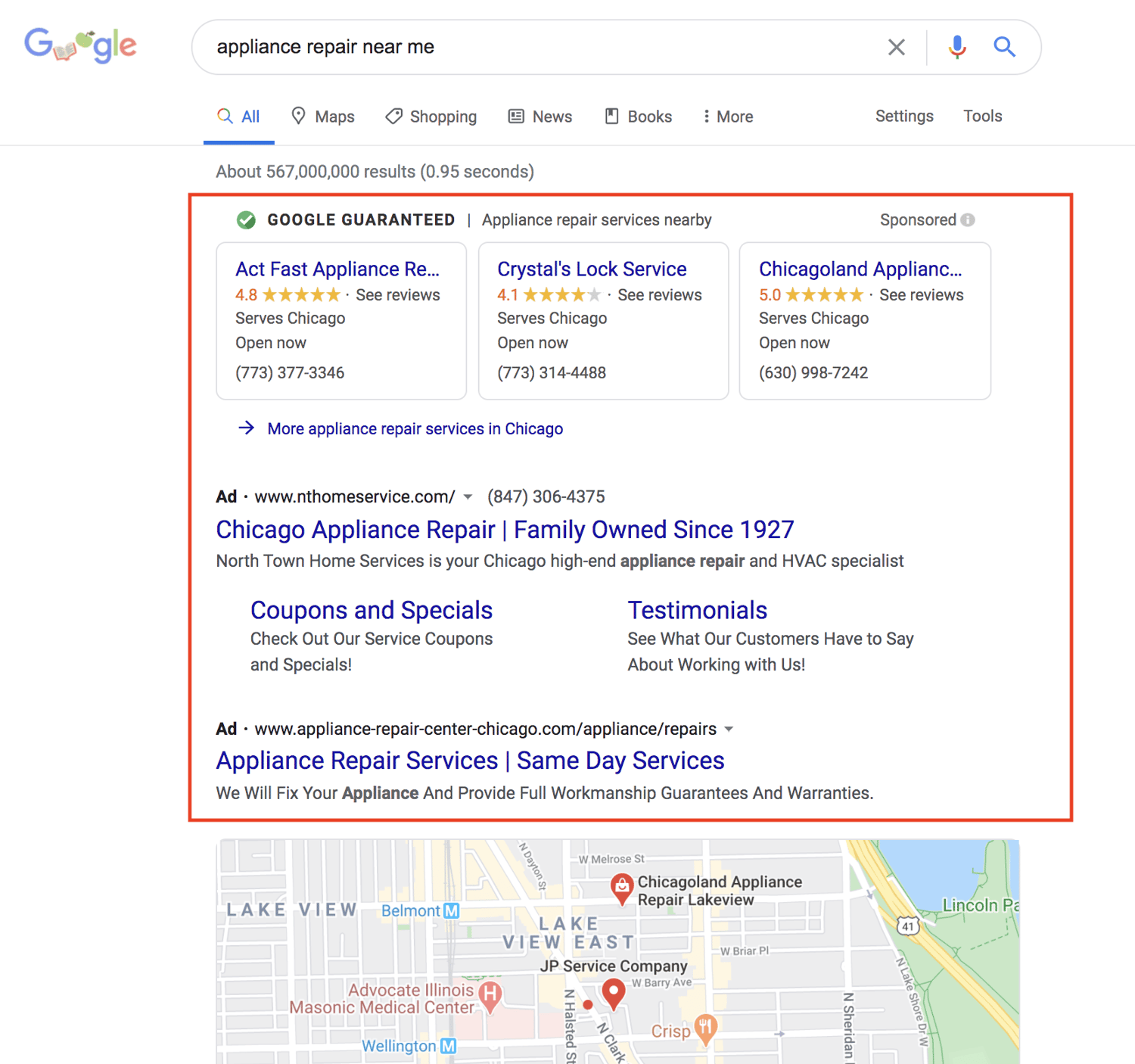
The top listings in the red box are advertisements. Organic search results, those that came up as a result of SEO, were below the map snippet.
Social Media Advertising
Social media platforms know how valuable their content is, and that’s why they offer the option to sponsor or boost posts. Social media ads put your message in front of your target audience and encourage them to engage, click-through, and buy.
More and more, social media sites are prioritizing ad space over organic content because, well, it brings in more revenue.
Whether you’re a budding or brand new business, consider running some social media advertisements. These will not only advertise your products and services but also promote your social media pages and grow your following.
Platforms like Facebook, Instagram, LinkedIn, and Twitter each have their own version of ads like these.
Here’s how they appear on their respective feeds:
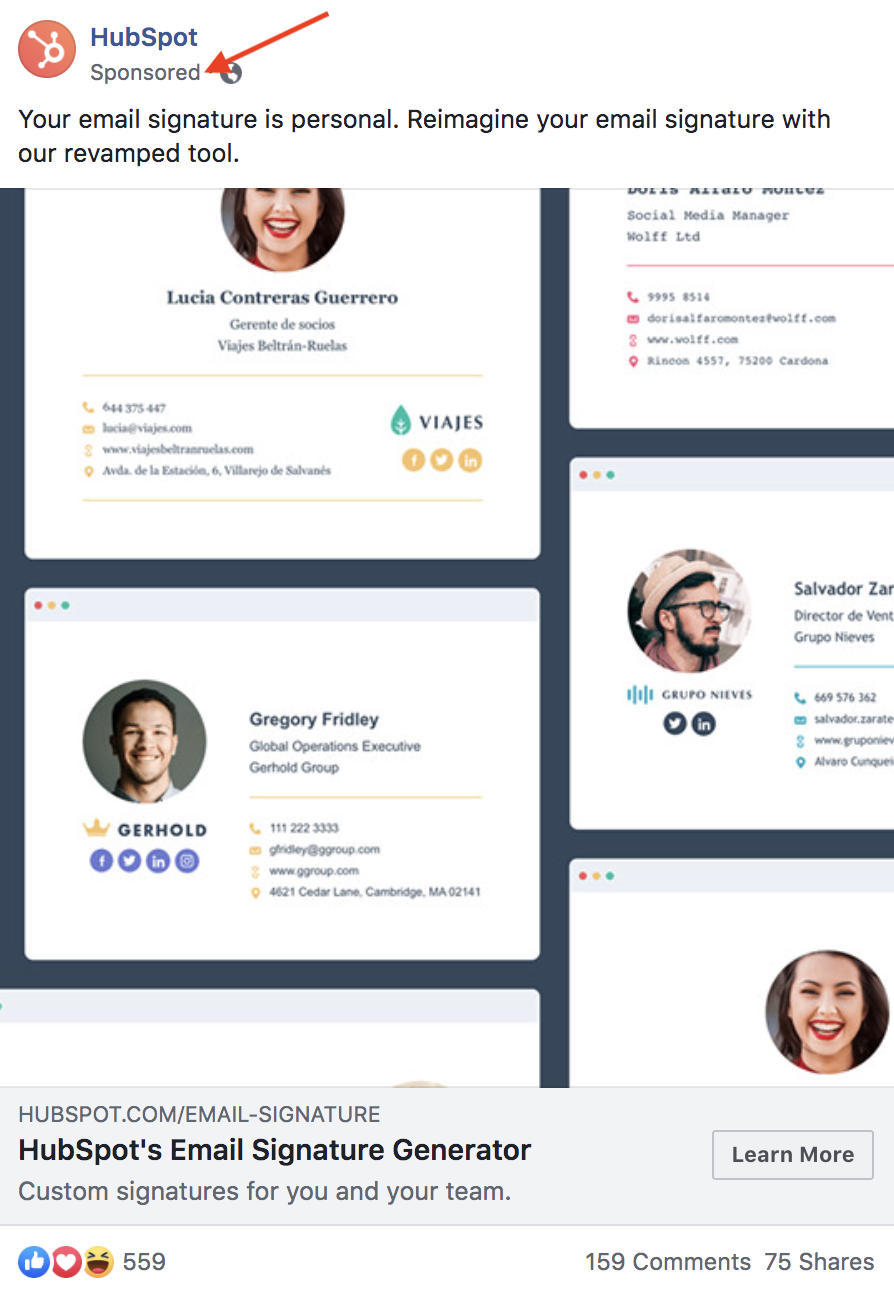
Download our free lookbook of 50 Facebook Ad Examples We Actually Clicked.

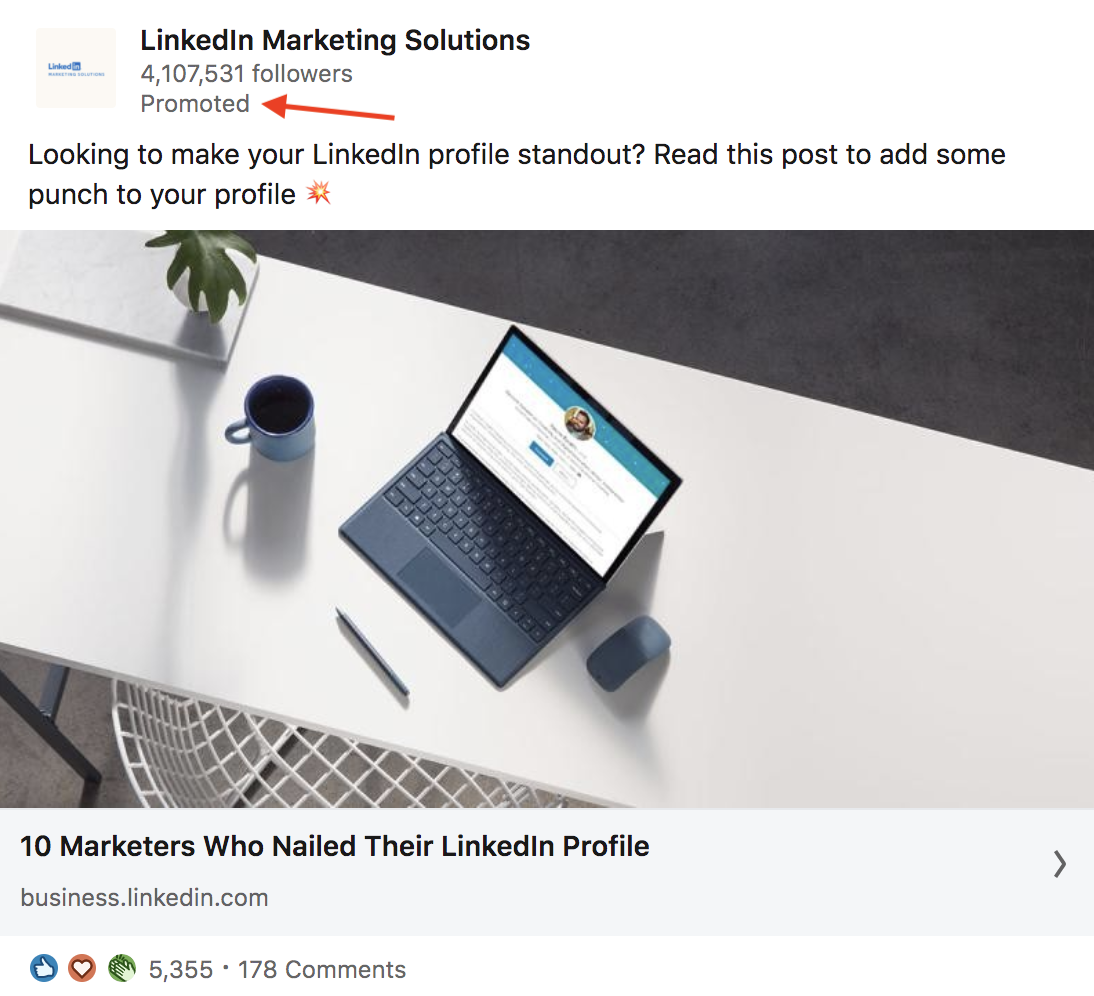
Download our free guide on How to Run Successful LinkedIn Ads.
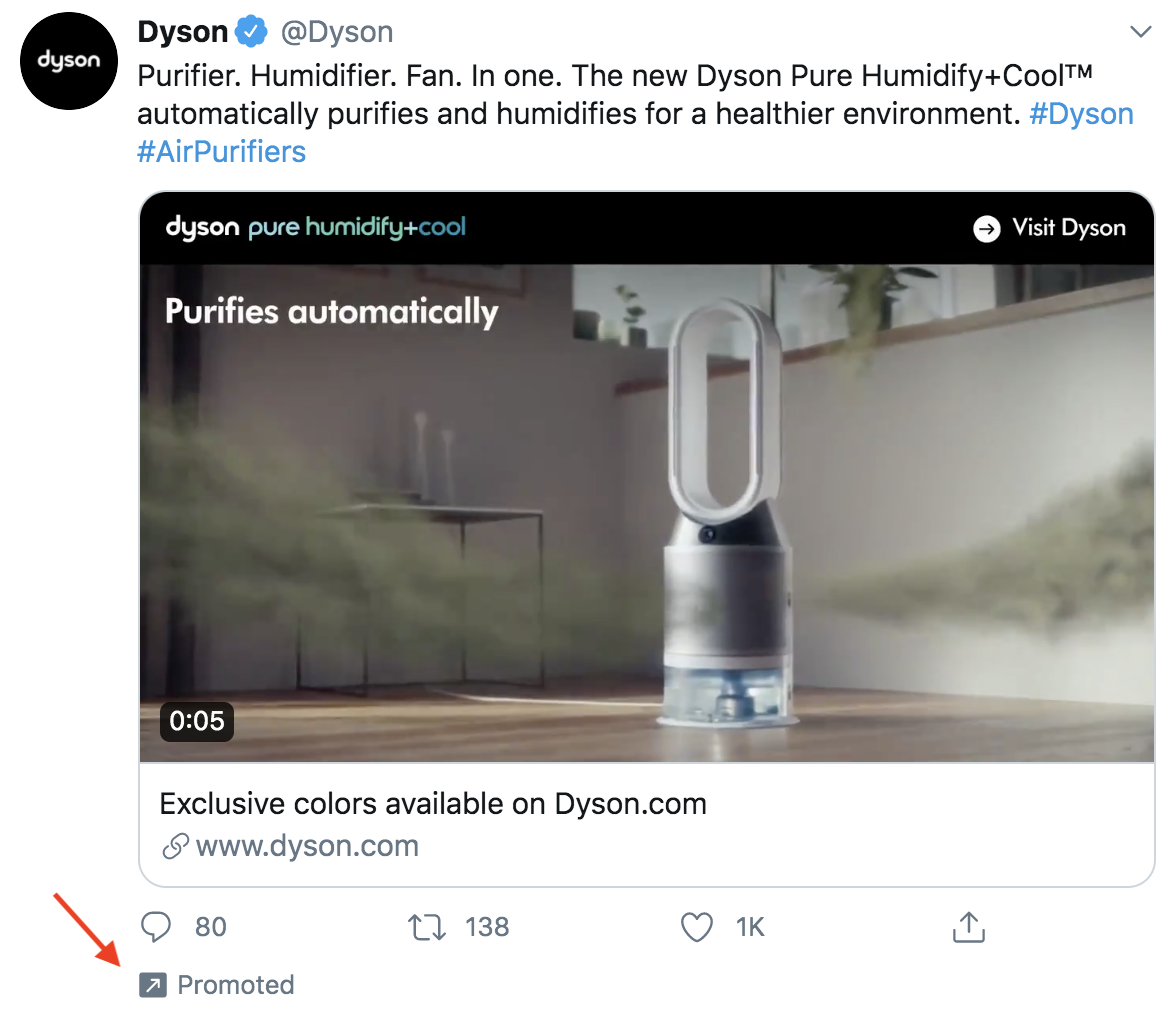
Download our free guide on How to Use Twitter for Business.
Native Ads and Sponsored Content
Sponsored content has been around since 1922, when brands would sponsor entire radio shows. Today, sponsored content refers more to native ads and blog or article content subsidized by brands.
Have you ever read a Buzzfeed article that heavily referenced or recommended a certain product or service? It was likely sponsored by a certain brand.
Check out this article, 10 Reasons To Put Away Your Phone On Your Next Trip, promoted by agoda, a hotel or destination booking site. Does it blatantly promote agoda’s services? No. Its primary purpose is to entertain and inform, although agoda is referenced a few times throughout the content.
At the top, the byline reflects agoda’s sponsorship, just before the content starts. And, as you scroll down the page, another ad sits within the content.
Sponsored content is a great way to promote your brand in content your audience is already familiar with.
Banner and Display Ads
Banner and display ads are an extension of search ads and follow a similar PPC model. But instead of a text-based ad, consumers see a more visual advertisement.
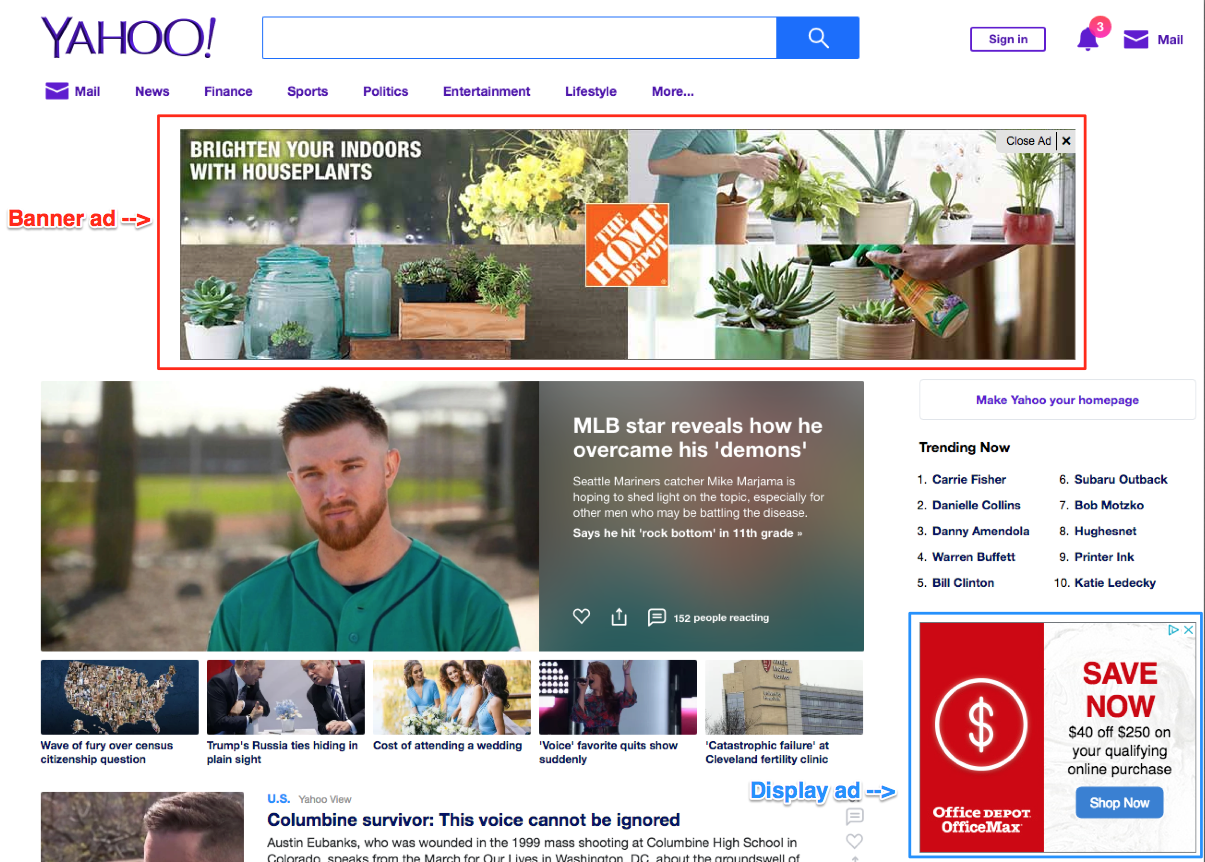
Banner ads are typically the horizontal boxes on top of a web page, whereas display ads are smaller in nature and shown on the side (like in the screenshot above).
Whether you opt for traditional print ads in magazines or subway stations or choose online promotion on social media or search engines, there are a few rules that make for great advertising. Below are some advertising best practices to apply to all your ads.
Advertising Best Practices
There are a lot of best practices, tips, and tricks when it comes to advertising. It’s an art that’s been perfected over the years, and with the rise of modern advertising and new media, best practices continue to manifest.
In this section, though, we’re going to cover five famous advertising concepts that still work today — regardless of what advertising method or medium you’re using.
When used correctly, these advertising techniques will do wonders for your brand and products.
Appeal to emotions.
While you may not consider the ASPCA a business, their unforgettable Sarah McLachlan commercial is the perfect example of using emotional appeal to entice people to take action.
For most of us, the images in that commercial are hard to watch — we may even turn away. But since it tugs at our heartstrings, we’re more likely to donate to animals in need after seeing the horrors they’re going through.
Studies show that people rely on emotions, rather than information, to make brand decisions. Emotional responses to ads influence a person’s intent to buy more than the actual ad content.
Whether you try to evoke happiness, sadness, fear, or anger, appealing to emotions can help your target audience feel your message — not simply read or hear it.
Create positive associations.
When consumers associate your product with a feeling of happiness, state of achievement, or accomplished goal, they’re more likely to take notice, remember your product or service, and make a purchase.
Actually, you’ve probably been on the receiving end of this before without even realizing it. Have you ever seen your favorite celebrity or Instagram influencer posing with a product or brand and found that you wanted to be, do, or look the same? Companies create this subconscious connection in advertising hoping that you associate your positive feelings with the product or service they’re promoting.
Catchy songs like “Nationwide is on your side” is an example of helping people associate friendliness with the Nationwide brand. Coca-Cola has a brand advertising campaign that associates their product with friends, family, and fun. When you consider what refreshments to serve at a party or bring on a picnic, Coca-Cola wants you to think of them.
As you create your advertisements, consider what feelings, desires, or goals with which you want your brand to be associated. Weave these feelings or goals into your advertisements through stories or videos. Look for influencers who align with your brand’s core values and demeanor and include them to promote positive association.
Establish a bandwagon effect.
People want to fit in. It’s human nature. Neither you nor I are immune to it.
And it’s this base human desire that makes the bandwagon effect so effective. People don’t want to be left out. They find value in their peers’ opinions, and they certainly don’t want to be the only ones not using the latest and greatest product.
Brands like Maybelline understand this concept well and use it to their advertising advantage. One tube of their top-selling mascara is purchased every two seconds, a statistic that establishes social proof and further supports their claim of “America’s Favorite Mascara.”

Use customer testimonials, survey data, or shareable content to advertise your brand as one worth following or buying into. Take another approach by promoting a discount for sharing your brand with a friend or family member — so your audience will do the selling for you. Either way, use your advertising to create an inclusive environment people will want to join.
Focus on benefits over features.
Features and benefits are two very different things. Features are the details of the product or service you’re selling, such as the measurements of a couch or the ingredients of a protein bar. Benefits, on the other hand, explain why a person should buy a couch or protein bar from you and how their life would, well, benefit from such a purchase.
Advertising should focus on the benefit your product or service brings, not explain what you’re physically selling.
Consider how Southwest Airlines advertises. Instead of explaining, line by line, what a Business Select ticket offers, Southwest paints a picture of what life would be like if you made a purchase. In this advertisement, they focus on the benefits.

Rather than wasting precious ad space on your product specifications or service details, talk about the ways a purchase might positively impact your customers. If you do it right, your creative, benefit-packed advertisement would then inspire them to research the features on their own.
Use storytelling.
Not unlike our desire to fit in is our penchant for a good story. Storytelling helps paint a bigger picture of a brand or company, not simply promote a single product or service. Also, when stories resonate with someone, it’s far easier to motivate him or her to take action.
Storytelling is the one technique you should try to infuse in all your advertising. In fact, if you haven’t started crafting your brand’s overall story, you should definitely do so. Research shows that stories that illustrate a brand as “necessary, believable, and integral” are the most effective for engaging and influencing consumers.
Dove employs storytelling in its campaign partnership with Operation Homefront. The videos feature real stories of military men and their families being reunited. The advertisements don’t directly promote Dove products but instead tell the Dove brand story (and pull on a few heartstrings, too).
Determining your brand story will help you learn how to best discuss your brand in all marketing efforts, not just advertising.
Next, let’s take a look at some of the most memorable ad campaigns, a few of which put these best practices in action.
Five Memorable Ad Campaigns
The best advertisements are the best teachers. Whether it’s the copywriting, design, medium, or target audience, well-executed campaigns can always teach you something new about advertising or positioning.
(Consider Westinghouse Electric’s “We Can Do It” ad …)
Here are five campaigns that left a noticeable mark on advertising history:
1. Nike: Just Do It
In the late 1980s, Nike launched its “Just Do It” campaign.
At the time, Reebok was outselling Nike, and Nike needed to act fast to compete against the sneaker conglomerate.
But it wasn’t just the three-word phrase that earned global attention. Their new ad campaign also focused on real people wearing and working out in their products, as opposed to simply featuring clothes and sneakers themselves.

This powerful combination of people plus product helped Nike go from $800 million in 1988 to $9.2 billion just 10 years later.
2. The Absolut Vodka Bottle
Did you know Absolut’s “Bottles in the Wild” ad series is the longest uninterrupted campaign in history?
The campaign was Absolut’s attempt to grow their name internationally, especially throughout the United States. It featured the Absolut bottle in different cities and countries worldwide.
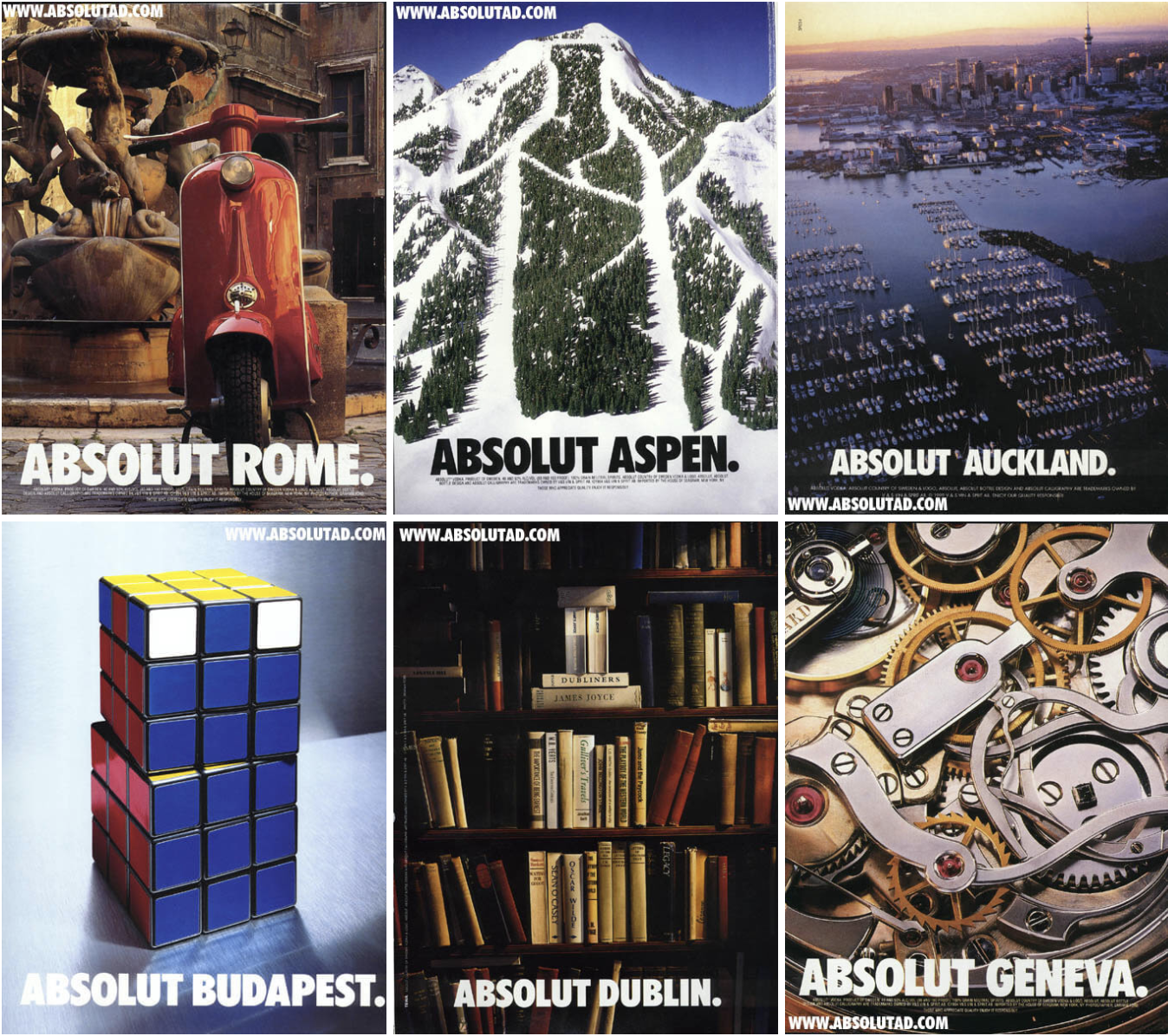
It launched in 1985 and ran until 2000 — lasting an impressive 25 years.
Absolut’s campaign helped grow the company from a tiny slice of the vodka market share (2.5%) to over half the U.S. imported market share.
To this day, the Absolut brand is the fourth largest spirit company, thanks to its focus on the overall story, not just the product itself.
3. Miller Lite
The folks at Miller Lite used differentiation to reach their goal: to get “real men” to willingly drink light beers. With their “Great Taste, Less Filling” campaign, they maintained a leading position in the light beer market for several decades after this first campaign aired.

4. Volkswagen
Though Volkswagen has officially discontinued its production of Beetles, its iconic “Think Small” campaign will be forever ingrained in advertising history.
Doyle Dane & Bernbach (DDB) advertising agency knew it had to change the mind of consumers if it wanted to compete with industry leaders. So, VW admitted that though the Beetle was, in fact, tiny, it was still a force to be reckoned with and worth a purchase.

Authenticity and honesty went a long way in this seemingly small campaign.
5. Dos Equis
With its edgy, cool, and sophisticated aesthetic, it’s no surprise “The Most Interesting Man in the World” campaign put Dos Equis on the map.
This campaign created a positive association between the Dos Equis beer and the feeling of sophistication and poise. Sales quickly jumped by 22% after the campaign launched.

Even more impressive was how Dos Equis found success in a time when craft beers grabbed a foothold in the market and imported beer took a 4% hit. This campaign was a major component of that success.
To learn how to grab the attention of your audience, learn from the professionals. These campaigns are a great example of how brands have used real stories, real people, and real talk to grow their businesses.
Advertising Helps You Grow Better
Equipped with a dense, dynamic history, advertising is an incredible tool to add to your marketing tool box.
Between print ads, radio sponsorship, TV commercials, and social media promotion, the opportunities to advertise and promote your brand are endless.
To best connect and engage with your audience, speak your customer’s language, appeal to their emotions, and tap into their desire to be a part of a community, create a clear and authentic brand story to illustrate how your brand aligns with their values.
By applying these tried and true practices to your advertising, you’ll build a magnetic brand that attracts customers, establishes a following, and generates revenue.
Do this and your brand will grow into a household name that stands the test of time — just like advertising itself.
Editor’s note: This post was originally published in July 2018 and has been updated for comprehensiveness.

Deal Performance in April Yields Cautious Optimism for May [COVID-19 Benchmark Data]
The economic impact of COVID-19 is undeniable. Businesses all across the globe are learning how to adapt to these new circumstances and we’re all learning how to operate in a “new normal” that’s constantly changing.
That’s why we’ll be publishing week-over-week trend data for core business metrics like website traffic, email send and open rates, sales engagements, close rates and more. We hope to establish useful benchmarks to measure your business against, and serve as an early indicator of when short- or long-term adjustments may be needed in your strategy.
While this post focuses on the highlights of last week, you can explore all the data we’re publishing here.

About the Data
- These insights are based on aggregated data from over 70,000 HubSpot customers globally.
- The dataset includes weekly trend data for core business metrics in 2020, focusing on changes occurring during and after March 2020.*
- Charts depict the performance of a given metric against pre-COVID benchmarks, calculated using weekly averages from January 13, 2020, to March 9, 2020. They do not depict week-over-week percentage changes.
- Because the data is sourced from HubSpot’s customer base, it reflects benchmarks for companies that have invested in an online presence and use inbound as a key part of their growth strategy.
*The spread of COVID-19 has had a different timeline in different regions, so we are using the World Health Organization’s declaration of a global pandemic on March 11, 2020 as our “official” start date.
NOTE: Because the data is aggregated from HubSpot customers’ businesses, please keep in mind that individual businesses, including HubSpot’s, may differ based on their own markets, customer base, industry, geography, stage, and/or other factors.
What We’re Seeing
This week, we’ve gathered the top insights from our COVID data which now includes a breakdown for seven different industries. In the sections below, we’ll provide you with your weekly metrics update, some notable industry insights, and how metrics are fairing in countries and regions around the world.
1. Deals closed show signs of recovery after a low in early April.
Last week was end-of-month for sales teams, and we saw deals closed increase by 4%. With that boost, our customers closed more deals the last week of April than they had since the week of March 16 when the economy really began to deteriorate. This was a hopeful sign of recovery that indicated we might be trending in a positive direction.
On the other hand, rep optimism for May isn’t increasing after last week’s metrics. Deals created experienced a slight decline, staying essentially flat.
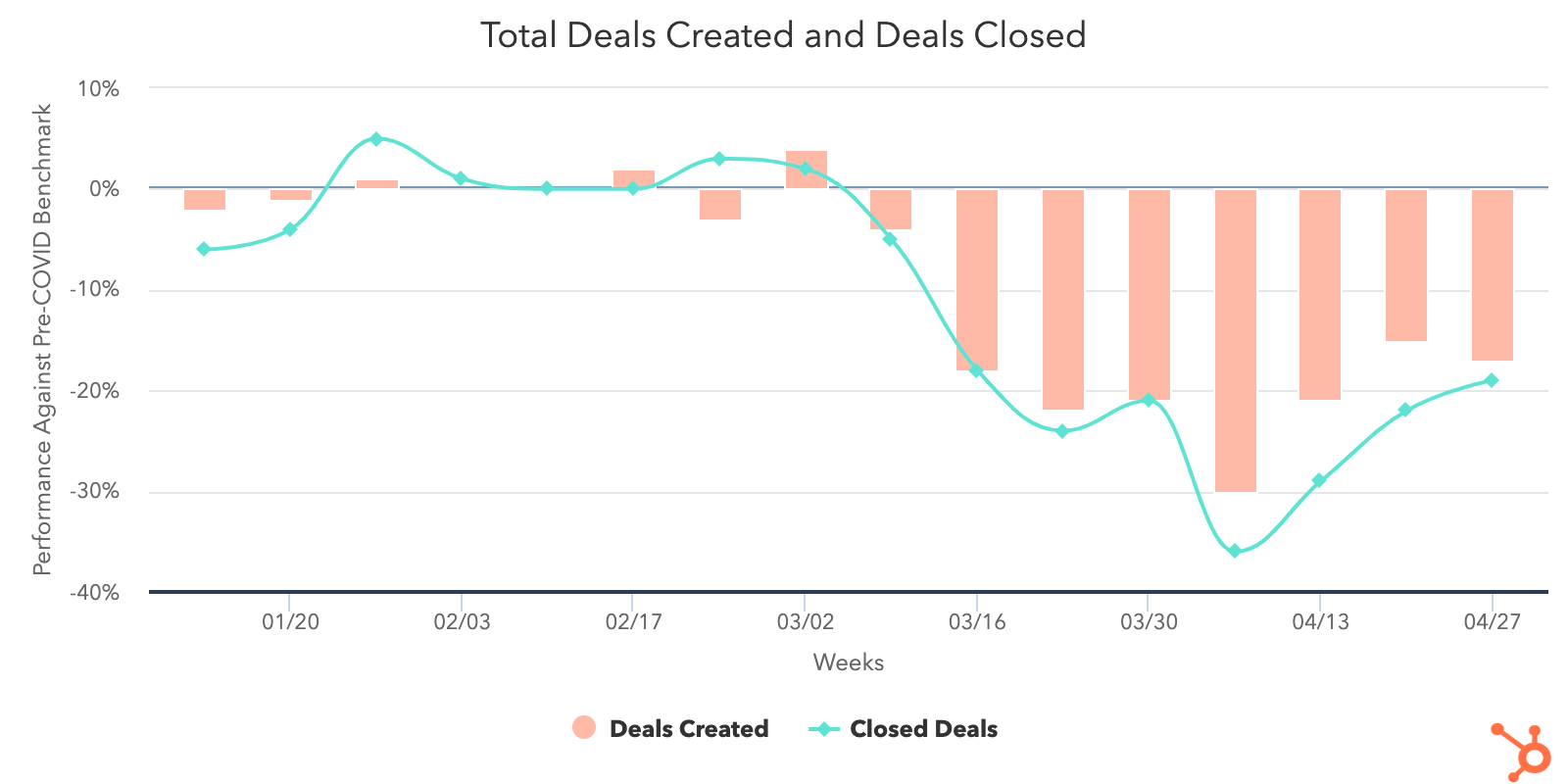
Contact growth is also down 14% across all portals last week. Businesses with 26-200 and 201+ employees saw 31% and 25% drops, respectively, while companies with 1-25 experienced a 24% increase and now sit 22% above pre-COVID averages. Smaller businesses noticeably outperformed their larger counterparts in marketing email sends, and with open rates continuing to be at an outstanding high, this could explain why contact growth was so strong for 1-25 businesses last week.
During the week of April 27, the number of sales emails sent from portals dropped 9%, but email send rates are still above pre-COVID levels. Total email responses remained far below pre-COVID rates.
While companies with more than 201 employees actually saw an increase in total sends during the week of April 27, they also saw the biggest decrease in their response rates with a -10% drop, while 1-25 and 26-200 had smaller dips at only 1% and 3%. This, coupled with a decrease in deal creation rates for companies with over 201 employees, suggests that the increase in sales activity did not successfully result in business generation.
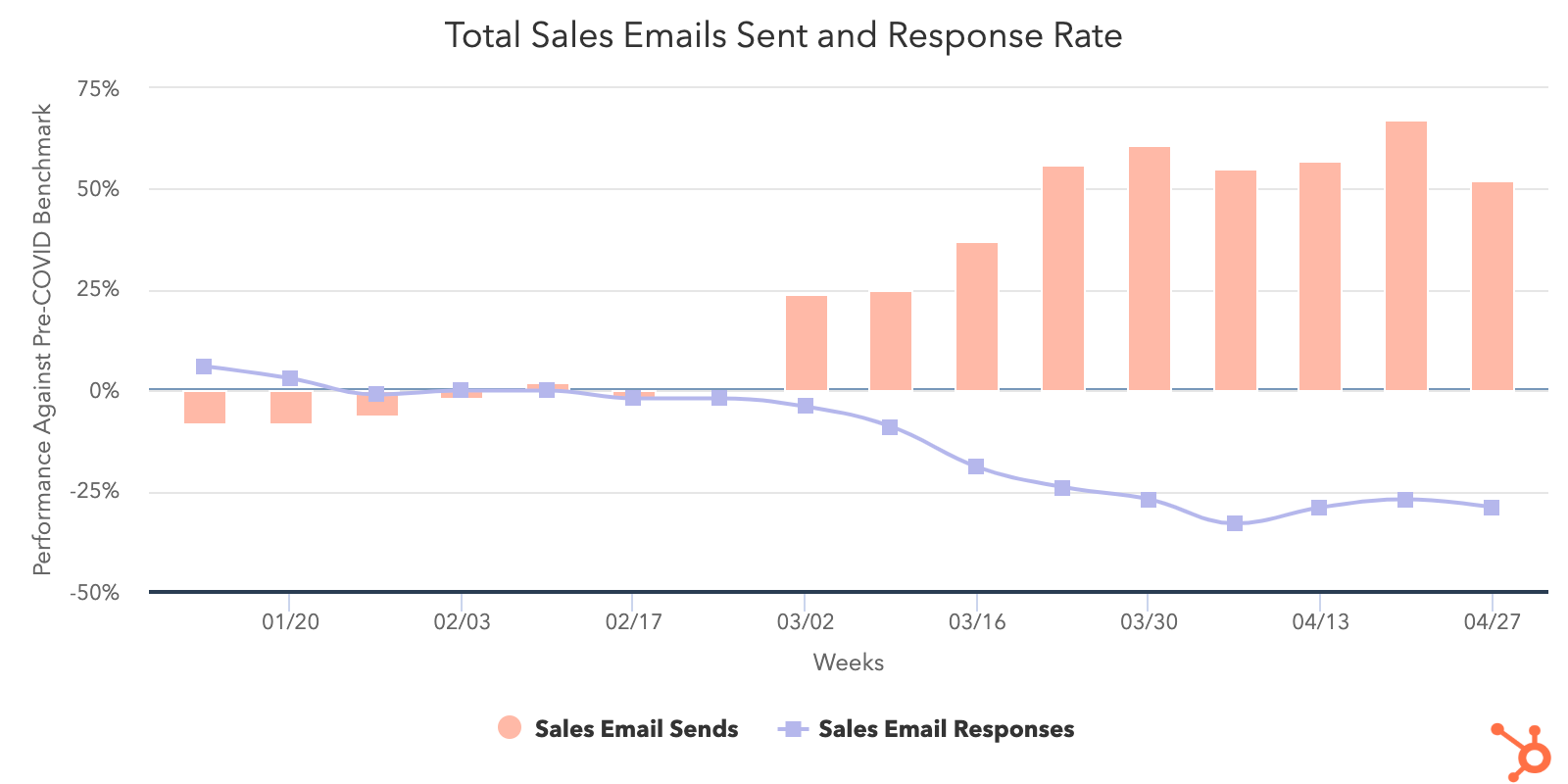
Much to our surprise, open rates on marketing emails continue to rise. Even as marketers sent 27% more emails than they then did pre-COVID, engagement remains strong as we move towards May. We’ve been expecting to see open rates decline as consumers grow wary of marketing emails, but the data indicates that hasn’t happened yet.
Total marketing email sends are up 2% last week. Total open rates continue to rise for the fourth week in a row and are up 3% compared to April 20. As open rates continue to remain strong, companies of all sizes are really leaning into email as a channel to effectively connect with customers.
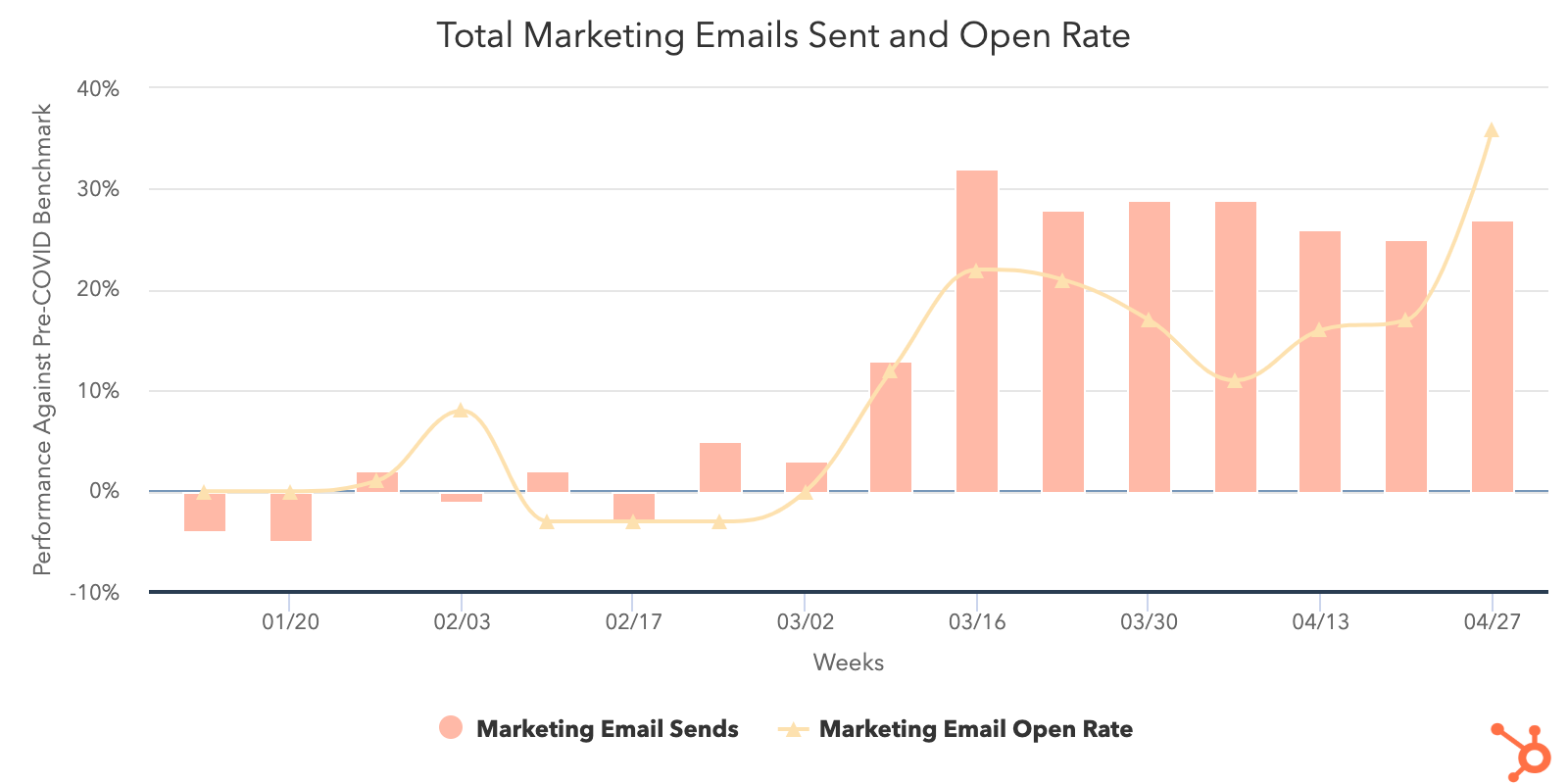
Web traffic remained mostly stable across all portals. The good news is that active conversation interactions, like messaging and live chat, continue to increase, currently performing 26% above pre-COVID weekly averages. The strongest trends were seen in companies with 1-25 employees and in the NORTHAM region.
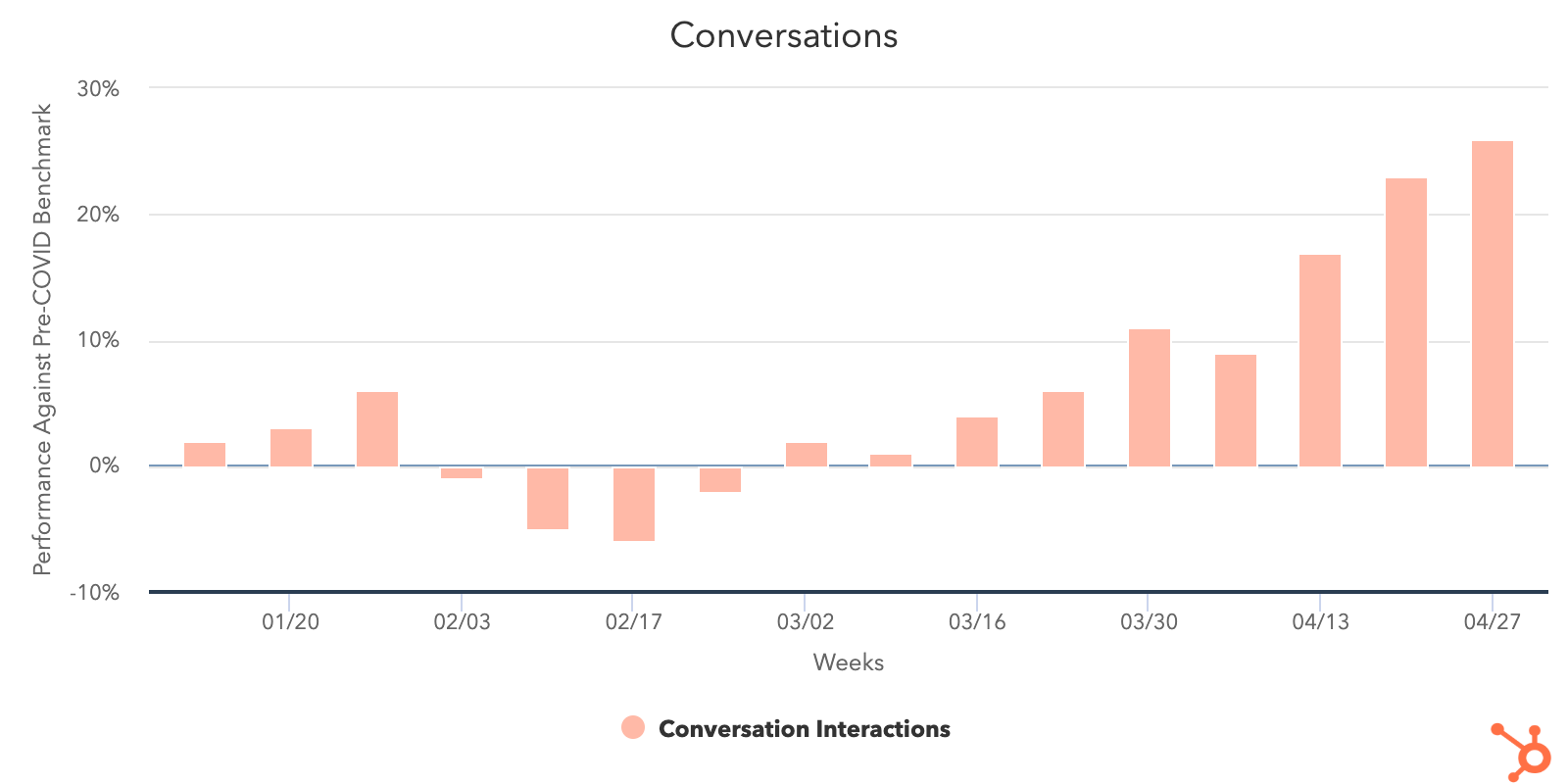
2. Industries can be categorized into two groups: less-impacted and more-impacted.
Less-Impacted Industries
Despite all industries experiencing a dip in deal creation, there are a few standouts that seem to be faring better than others. This may be due to these industries having been deemed “essential,” and/or haven’t been as affected by COVID restrictions. We’ll keep a close eye on them moving forward and see what they’re doing to stay ahead of the curve.
Computer software is one of the best performing industries in terms of deals created, despite seeing an 8% decline last week. Though not as high as construction, its sales email volume remains steady and — with the exception of entertainment — response rates for this industry have suffered the smallest decrease from pre-COVID numbers. This is because website traffic is trending well above pre-COVID averages as consumers are turning to software to help them weather the storm.
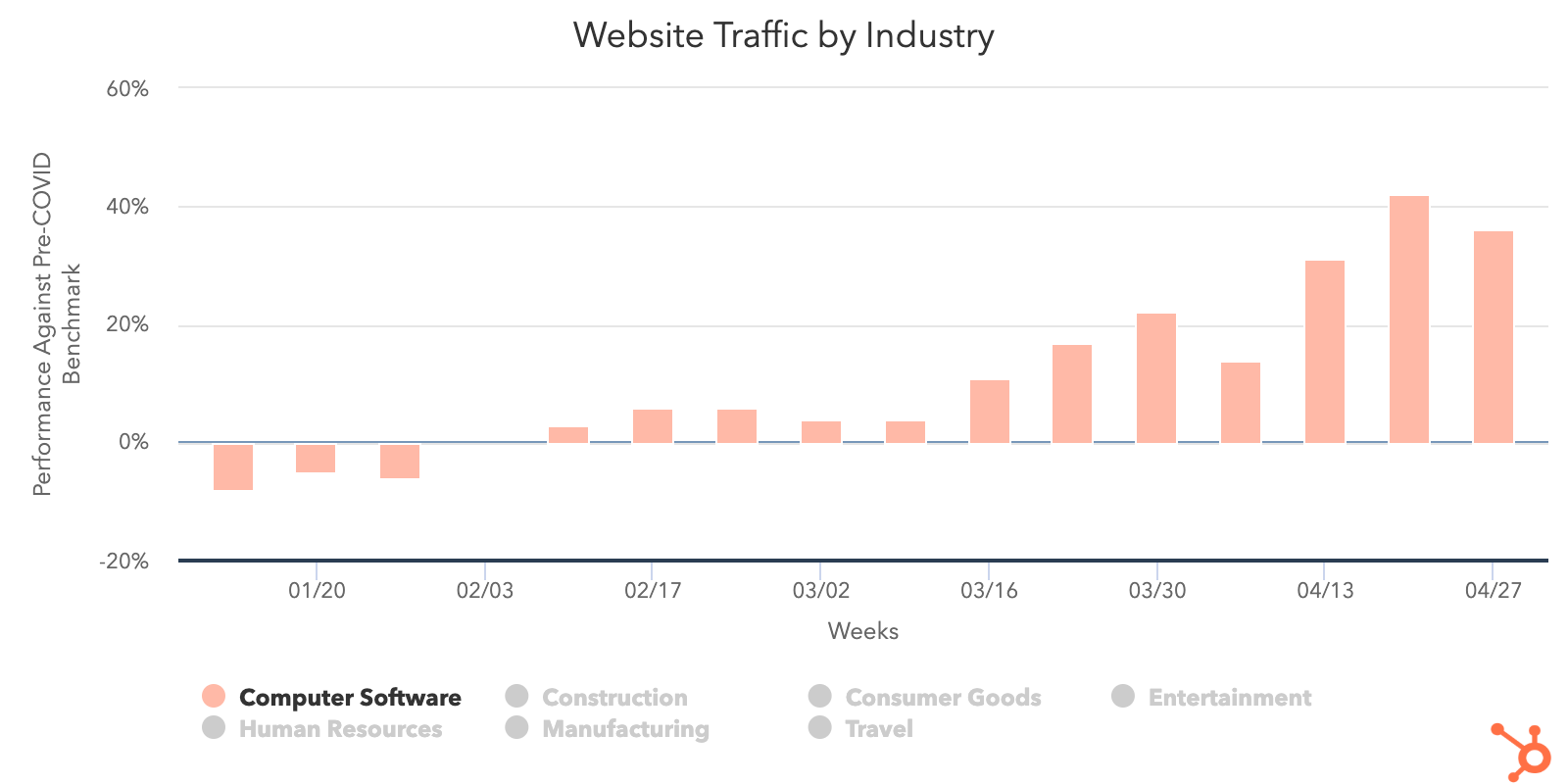
Another standout is construction as many companies in this industry have continued operations under essential work permissions. Construction is only 1% below the benchmark for deals created and has seen a 13% increase in deals closed since the beginning of April.
The volume of sales emails sent for construction is exceptionally high (248% above benchmark the week of April 27) however, its response rates remain below pre-COVID averages. And, with web traffic increasing 5% last week, it’s becoming increasingly important for construction companies to communicate with new and long-standing clients as they navigate through uncertain times.
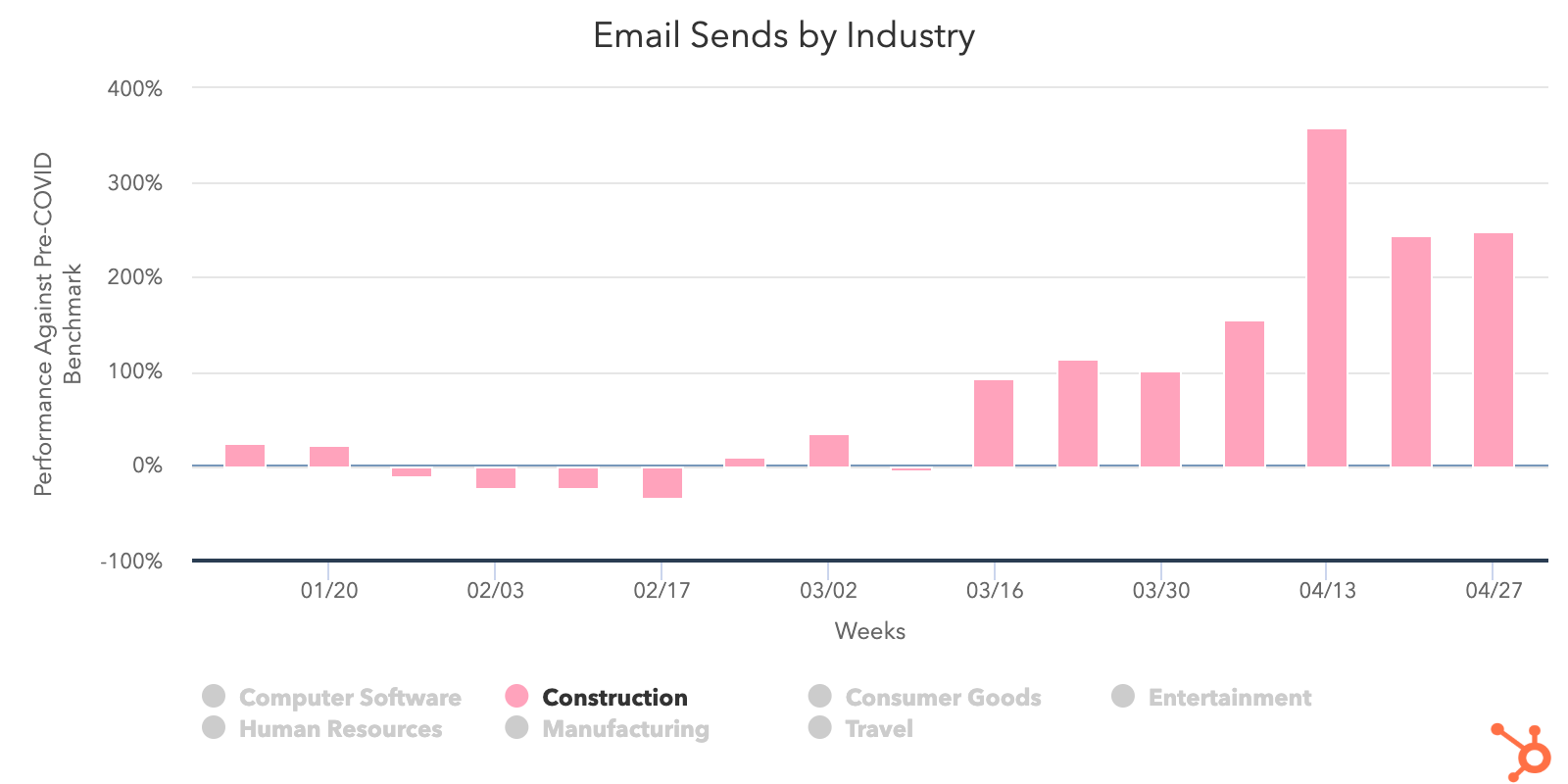
Manufacturing is another industry that’s been deemed essential and is permitted to operate in most countries. This explains why its deals created is only 7% below the pre-COVID benchmark and deals closed has risen 28% in the last two weeks. Similar to construction, manufacturers need to be constantly updating their long-term clients, which is why sales email sends for this industry have doubled since pre-COVID and why response rates have dropped so dramatically as well.
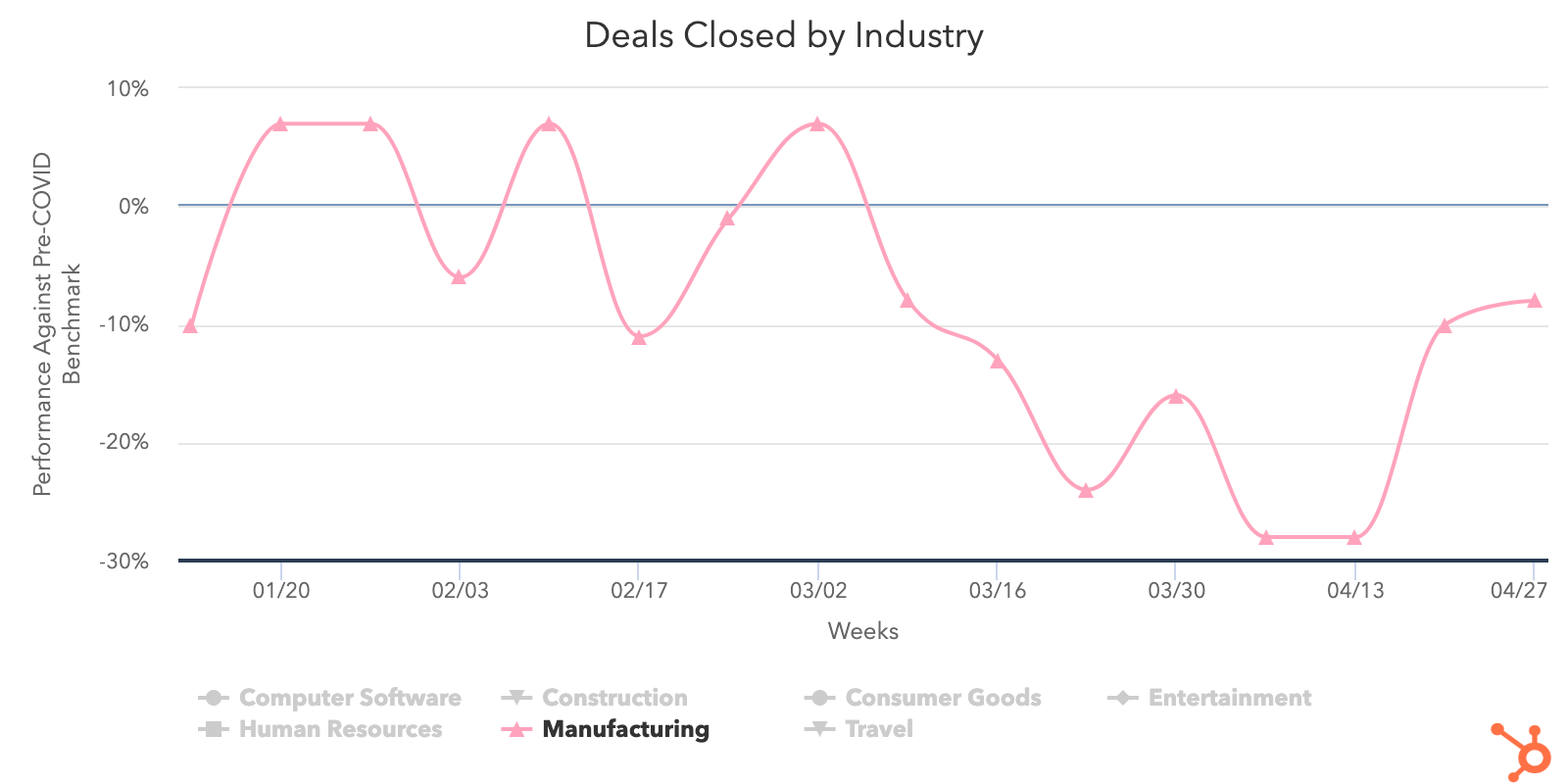
More-Impacted Industries
Some industries by default are facing more challenges than others in the battle against COVID-19. Some are subject to restrictions that affect their sales process, some are working tirelessly to attract new leads, and others simply can’t open their doors until the local legislature permits them. These are the industries we want to keep a close eye on so we can provide valuable insights that help them overcome roadblocks where we can.
Sadly, travel is one industry that’s been the hardest hit across all of the metrics we’ve recorded. It’s seen a huge decline in deal performance, standing 43% below the benchmark for deals created and 29% below for deals closed. Web traffic is down 19% percent since pre-COVID and Inbound demand has dropped off. Not to mention, outbound efforts by reps to engage new leads have struggled as well.
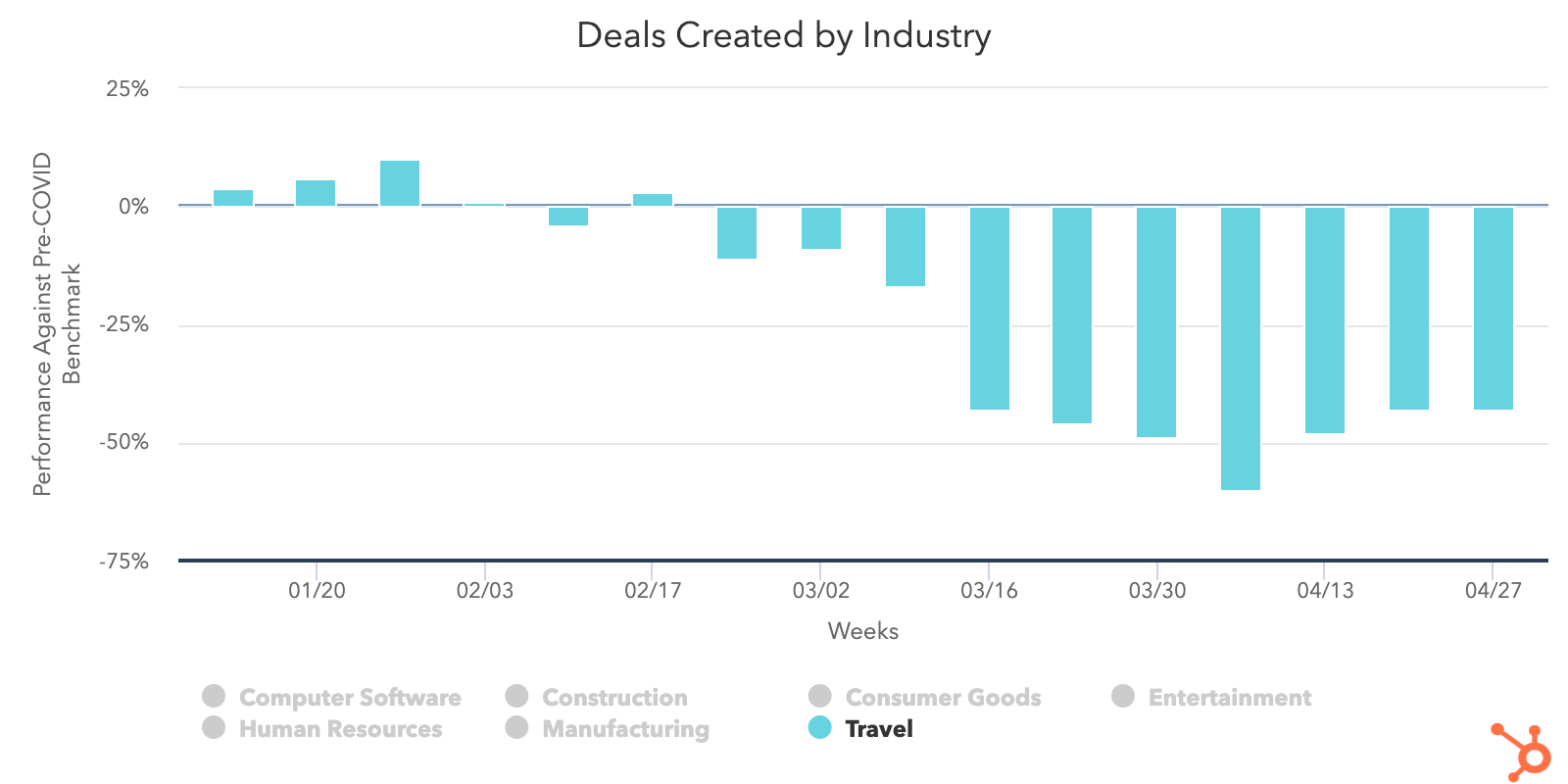
Another industry that’s been heavily affected over the past few weeks is entertainment. Entertainment saw a 10% dip in deals created last week and its deals closed is trending 48% below pre-COVID levels. This drop comes after an 8% week over week decrease in sales email responses after increasing email volume by 13% the week of April 27. Even though web traffic and marketing email open rates remain strong, sales teams continue to struggle as entertainment businesses find ways to adapt until they can return to normal strategies.
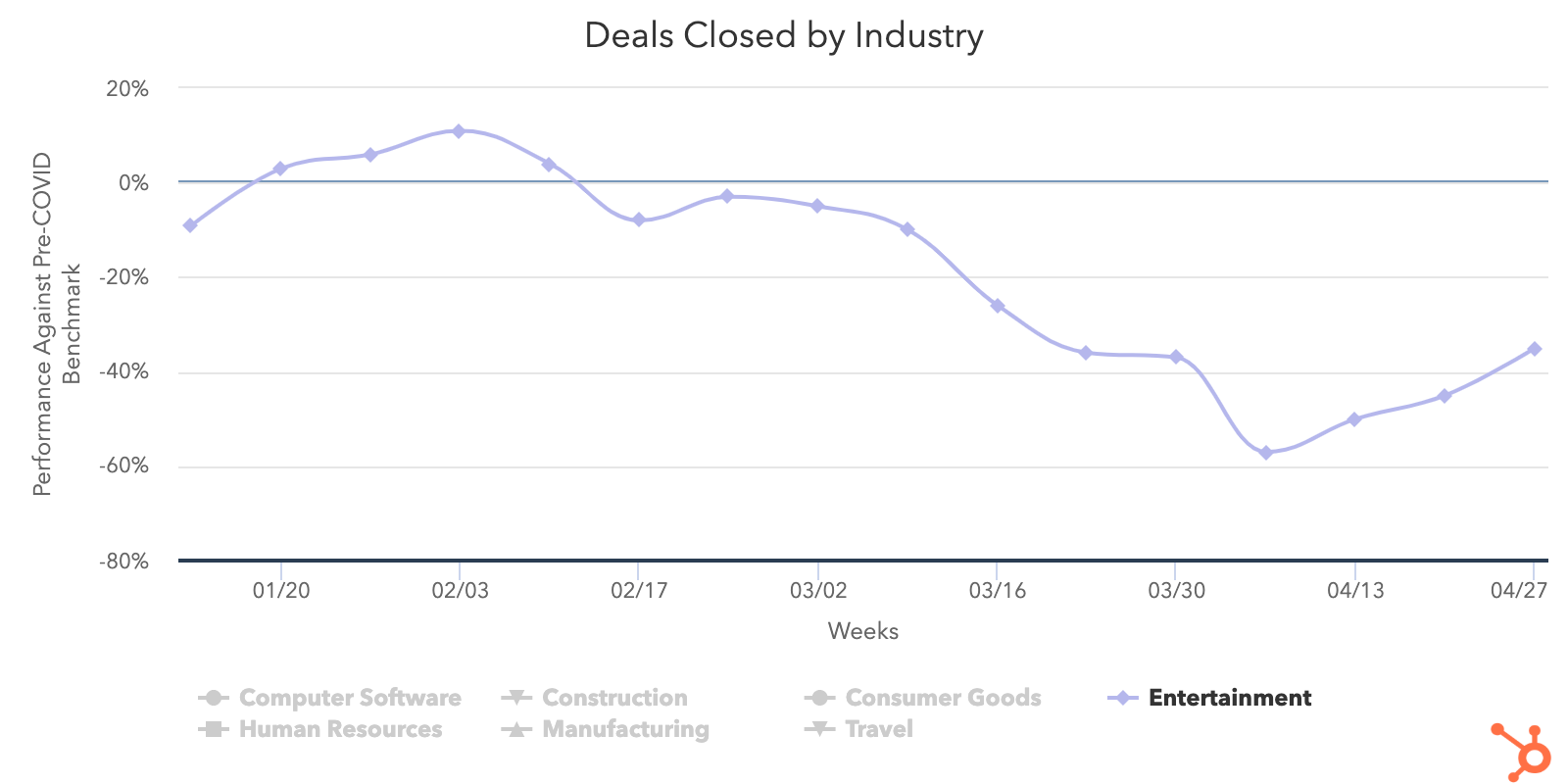
Despite working to reinvent itself quickly, the human resources industry is one of the lowest performers for deals created dropping 18% last week. Sales responses have also reached new lows, sinking 10% and reaching its lowest recording since the week of March 16. While marketing email send and open rates are up, web traffic continues to fall below pre-COVID levels as human resource companies shift focus to building their lead pipelines while businesses aren’t currently hiring at a rapid pace.
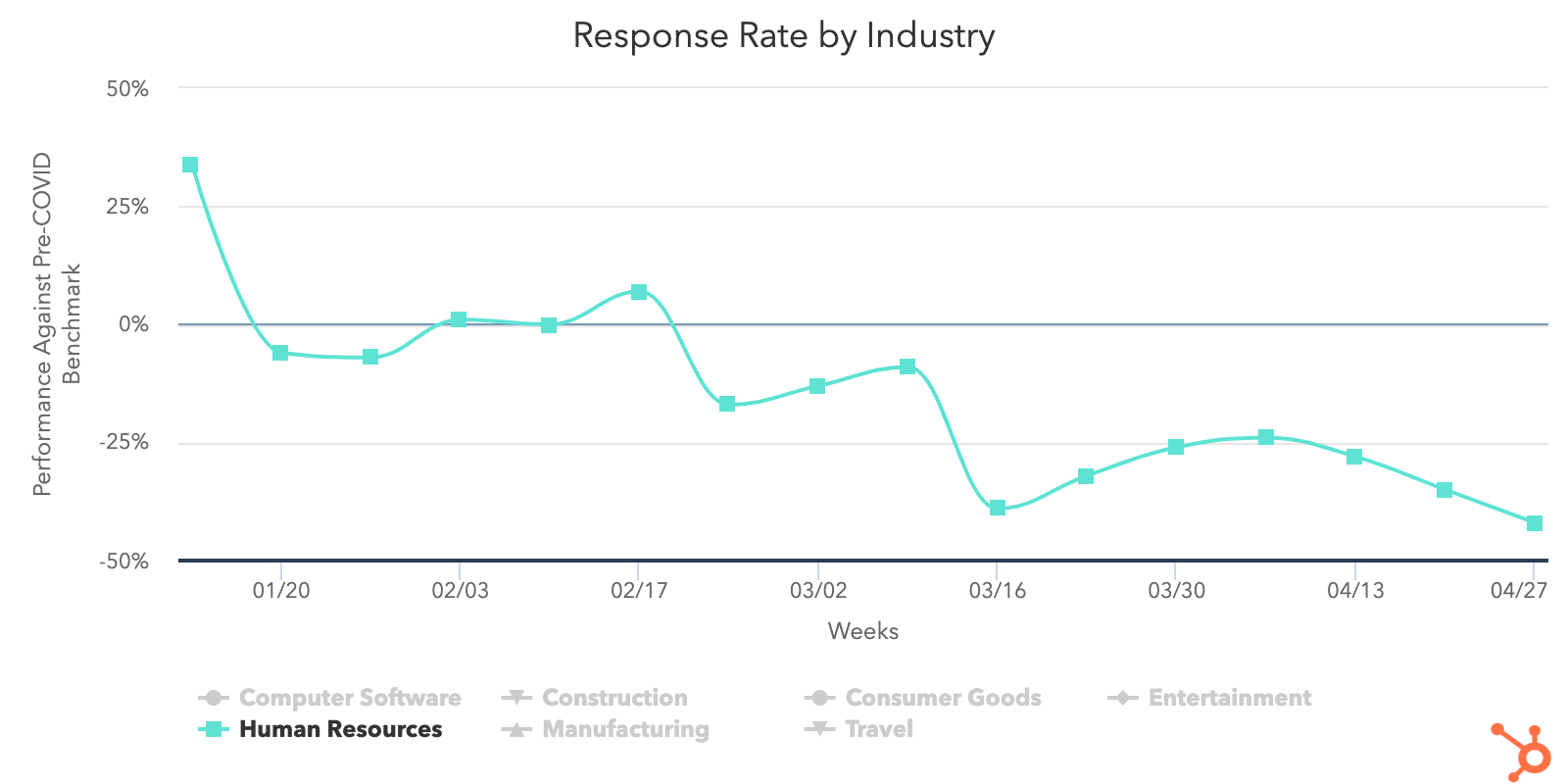
3. NORTHAM’s sales metrics hold steady, while EMEA trended the opposite direction.
Regionally, deal metrics favored NORTHAM last week as it was the only region that avoided a decline in deal creation. EMEA recorded the largest drop at 7%, while APAC decreased by 2% and LATAM by 3%. EMEA was also the only region to decline in deals closed, dipping 3% the week of April 27. This can be compared to NORTHAM with a 10% growth, LATAM with 5%, and APAC with 4%.
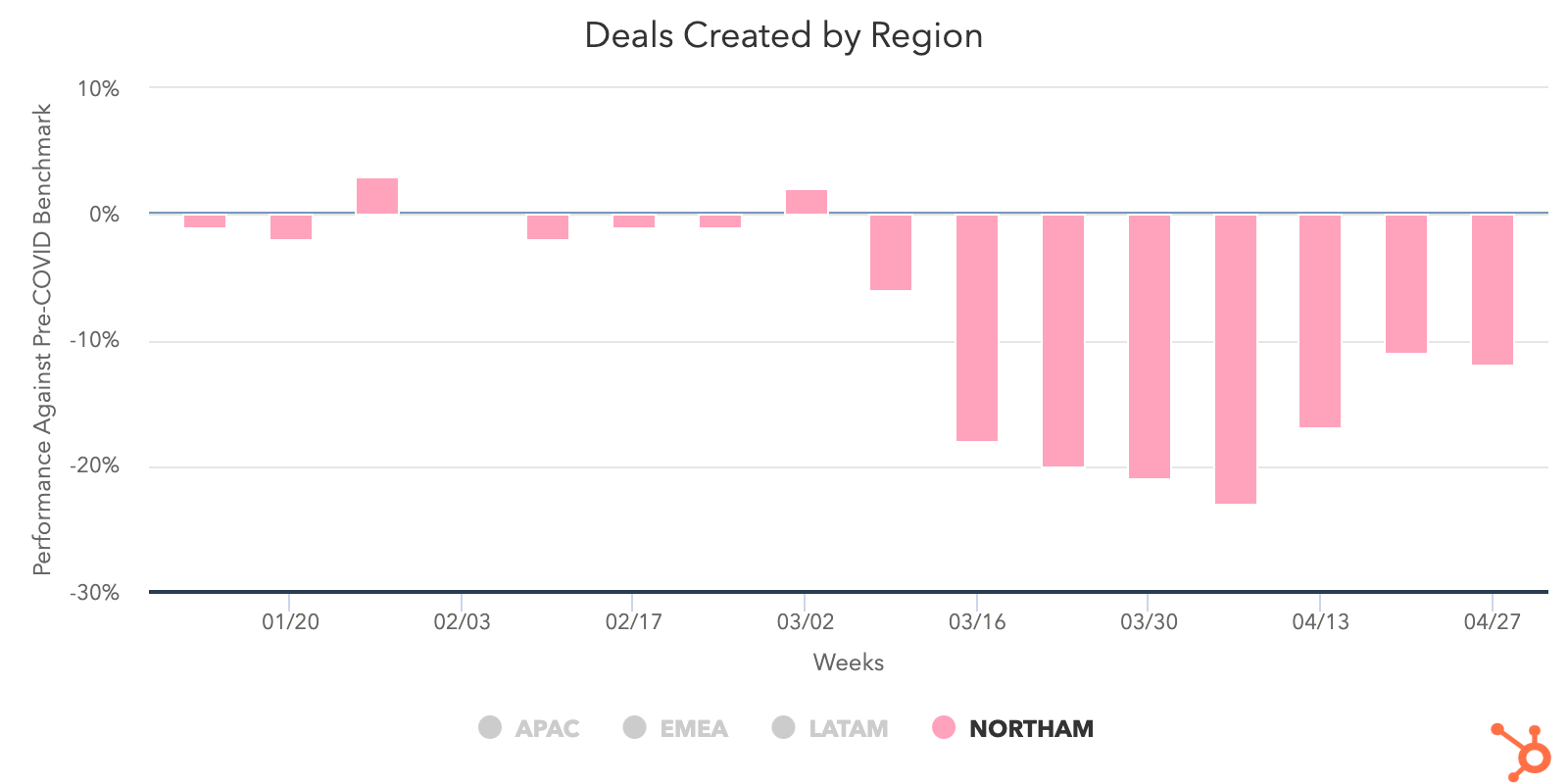
Germany had a notable drop in deals created (-22%) after experiencing a 41% boost the week of April 20. It also saw a 15% dip in deals closed as that metric slipped to 17% under pre-COVID averages. This could be related to the overall 11% drop that EMEA countries like Germany, Spain, and Italy experienced during the course of last week.
Australia, on the other hand, continued a 4-week streak with a 7% increase in deals created, pushing to just 5% below the pre-COVID benchmark. Deals closed are up 5% week over week and contact growth is up 103% since April 6. That’s important to note, too, as APAC dropped 40% as a region in terms of contact growth, second only to LATAM which declined 48% last week.
Narrowing in on the NORTHAM region, Canada had a 15% increase in deals closed, the biggest positive change for any country we recorded last week. The United States is now working on four steady weeks of increases, as it’s deals closed is 11% below pre-COVID averages after a 7% bump last week. NORTHAM was also the only region that didn’t experience a drop in sales email response rate as every other region dropped by at least 5%.
What This Means for Businesses
Transition from outside sales to inside sales.
The last few weeks have doubtless been a time of tremendous change for companies that employ an outside sales model. Temporarily adjusting to an inside sales model is virtually a requirement for businesses hoping to maintain or grow.
In times like these, knowing how to build strong relationships remotely is key. Invest in videoconferencing software to have “face-to-face” conversations online, and build trust by starting conversations with educational content instead of a generic pitch.
Ensure the quality of your sales conversations doesn’t suffer by taking essential parts of the sales process online. Whether it’s training your sales teams on cloud communications so they’re able to call prospects without physical phones, working with your marketing team to digitize educational content that prospects use to research your products, or learning how to conduct demos online, you’ll need to create online equivalents for formerly offline processes. And of course, you’ll need the right tools to keep your sales team running — see below for a dedicated analysis of the technology your team needs.
The last piece of the puzzle is integrating sales enablement with your inside sales engine. Build workflows that ensure the right information is reaching your sales team and that they can easily access it, whether it’s through a project management platform, team wiki, etc.
Resources to Help
- Learn to run an online demo with this list of do’s and don’ts.
- Transition your sales process online with this sales kit.
- Learn best practices for sales enablement in this certification.
Improve prospecting with targeted, creative outreach.
Our data shows that historic numbers of buyers are visiting and engaging with businesses. Yet we haven’t seen a corresponding increase in sales volume. Why?
Part of this decline was inevitable. Companies across the world are tightening their belts and cutting down on nonessential investments. But that can’t fully explain historic lows in sales engagement.
The answer lies in prospecting — the root of most good and bad sales outcomes. The huge increase in email prospecting accompanied by decreases in responses is both troubling and revealing. Instead of maintaining their standard balance of activities, sales professionals are prioritizing the technique that allows them to touch the largest number of prospects in the least amount of time. Not only has this change had the opposite intended effect, it may also hamstring salespeople who find they’ve burned through their database by blasting irritating emails to prospects who may have been a good fit down the line.
It’s time to get back to basics. Buyer interest is at historic highs, and sales teams that take the time to target buyers who have expressed interest in their products will be better at capturing their interest than teams who are merely emailing as many people as possible.
Encourage your sales team to add a human touch to outreach. For example, recording personalized videos to attach to email messages is a way to stand out in crowded inboxes. Leading with relevance and empathy is more important than ever, and incorporating personalization into your outreach process will drive sales teams to slow down and focus on good-fit prospects.
Resources to Help
- Refresh your email outreach with these sales templates.
- Start using video in your sales outreach to engage more prospects.
- Use this guide to increase your sales close rates.
- Lead with empathy in sales emails to build rapport and increase response rates.
Remove friction from your sales process with the right technology.
Friction is never good. But in an economic downturn, friction can be deadly. Our data shows that record numbers of buyers are turning to company websites and chat to conduct research. There are a number of ways you can remove friction from your sales process to form more connections between these prospects and your sales team.
Automate and digitize interactions that formerly took place in person. Many steps of the sales process that used to happen face-to-face will need to move online. Chatbots are a useful way to automate parts of the qualification process. Invest in self-service resources like pre-recorded demos, and ensure your sales team has the right technology to add a human touch to email outreach, and run sales calls online.
Invest in conversational marketing. Conversational marketing offers a real-time way to answer customer questions and automates the lead routing process so your business can serve prospective and existing customers even when your team is out of the office. Additionally, chatbots can help your company meet the increase in inquiries by providing customers with lightning-fast answers, automating lead qualification, and booking meetings on behalf of your sales and service teams.
Enable self-service. Whether it’s through chatbots, online meeting booking, eSigning, or self-service meetings links, implementing technology that allows prospects to engage with your business on their schedule will make the process easier on your prospects and more efficient for your team.
Resources to Help
- Equip your team with these essential inside sales technologies
- Streamline your sales process with this guide to frictionless selling (and this course)
- Check out what HubSpot’s app partners are offering at this time with this list of relief initiatives
Free Software to Get Started
- HubSpot CRM is free and comes with included sales acceleration tools, including free 1:1 video, meetings, and chatbot tools
- Gmail and Google Calendar integrations with HubSpot
- Zoom integration with HubSpot
- LinkedIn Sales Navigator integration with HubSpot


The Evolution of Content Marketing: How It’s Changed and Where It’s Going in the Next Decade
A sound content marketing strategy is one of the better ways a business can help shape its brand identity, garner interest from prospects, and retain an engaged audience. It lets you establish authority in your space, project legitimacy, and build trust between you and who you’re trying to reach.
As you can assume, it’s well worth understanding. But that’s easier said than done. Content marketing isn’t static. The landscape of the practice is constantly changing. It doesn’t look the same now as it did ten years ago, and in ten years it won’t look the same as it does now.
It’s a difficult topic to pin down — one with a fascinating past and an exciting future. Out of both genuine interest and forward-thinking practicality, it’s important to understand both where it’s been and where it’s going.
Here, we’ll get some perspective on both. We’re going to take a look at how content marketing has evolved in the past decade, and how it’s going to evolve in the next one.
How Content Marketing Evolved in the Past Decade
Google changed the game.
In 2011, Google conducted its landmark Zero Moment of Truth (ZMOT) study. It found that 88% of shoppers use what’s known as a Zero Moment of Truth — a discovery and awareness stage in a buying cycle where a consumer researches a product before buying it. Google’s research also indicated that word of mouth was a definitive factor in swaying that moment.
The study provides a unique point of reference in the context of content marketing’s evolution. It captures the essence of how and why businesses needed to focus on content marketing at the beginning of the 2010s.
It was tacit evidence that companies’ stories were being told online — well beyond the control of their marketing departments — and it was in their best interest to help shape those conversations.
The ZMOT study highlighted the need for sound Search Engine Optimization (SEO). Ranking for relevant keywords on search engines became all but essential to bolstering a company’s online presence and holding up during consumers’ Zero Moments of Truth.
But that study wasn’t the only bombshell Google dropped in the early 2010s. Around the time the study came out, Google’s search ranking algorithm changed to discourage “keyword stuffing” — the practice of repetitively loading a webpage with specific keywords to try to sway search engine rankings.
The change represented what is still a continuous effort by Google to provide users with positive, helpful online experiences. And it did just that. The shift that set the stage for businesses to focus on producing more high-quality, meaningful content.
Social media rose.
But content marketing’s evolution wasn’t exclusively linked to search engines. Social media’s meteoric rise to prominence — one of the most disruptive trends in human history — also had a profound impact on the practice. As these platforms developed into mainstays of everyday life, they presented new challenges for content marketers.
As social media evolved, it popularized a different kind of content consumption than search engines. The difference boiled down to a matter of “pointed versus passive.”
Consumers use search engines to find content more pointedly. Generally speaking, when you use a search engine, you’re looking for a specific answer or a specific subject. Social media allowed users to consume content more passively on their preferred platforms. The content you see on your Facebook feed is finding its way to you — not the other way around.
That trend incentivized the creation of more shareable, attention-grabbing content that could easily be spread across social media channels.
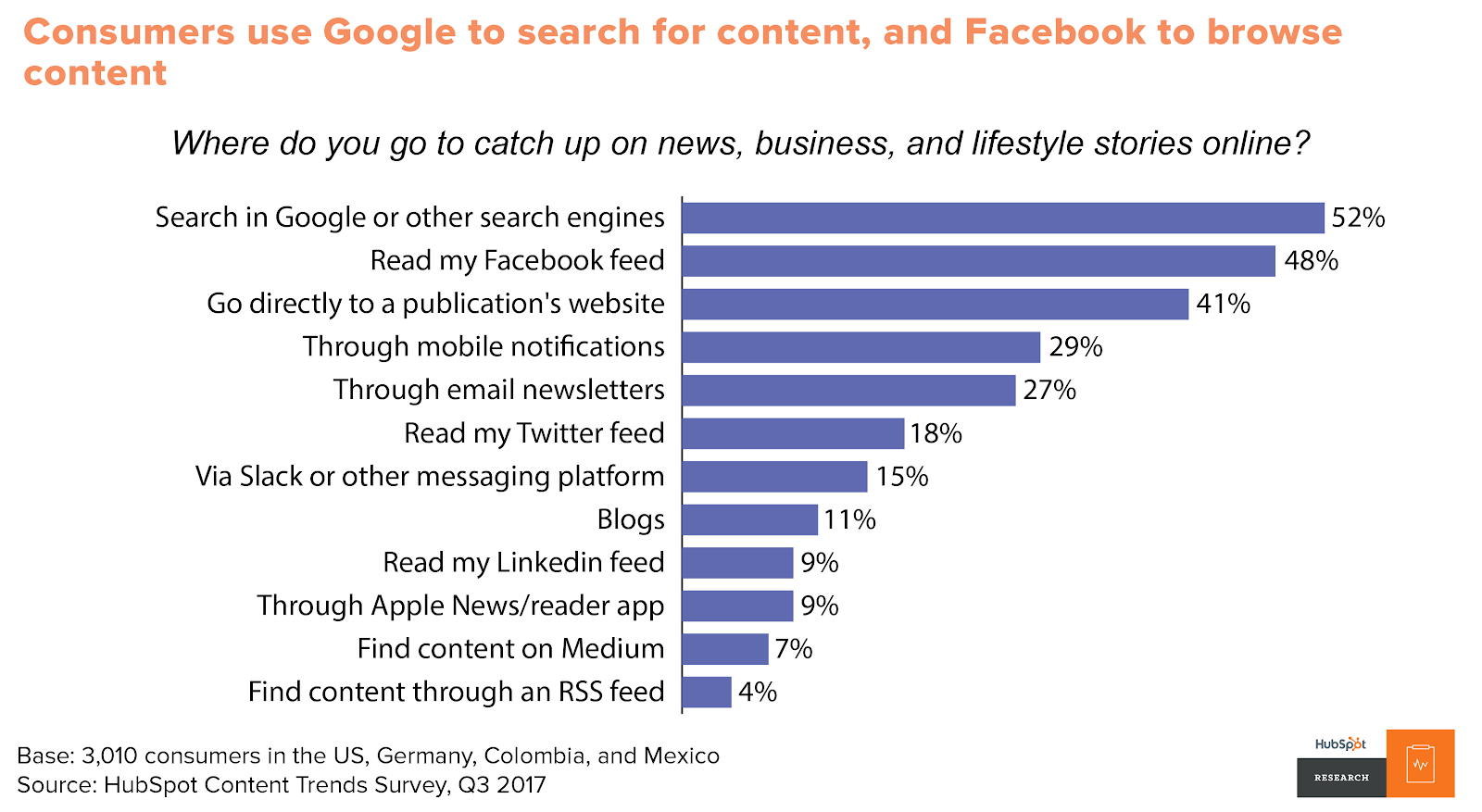
Video made a push.
Video also emerged as one of the prevailing content marketing mediums as the decade progressed, particularly among younger consumers. By 2017, over 50% of consumers wanted to see videos from brands they supported — more than any other kind of content.
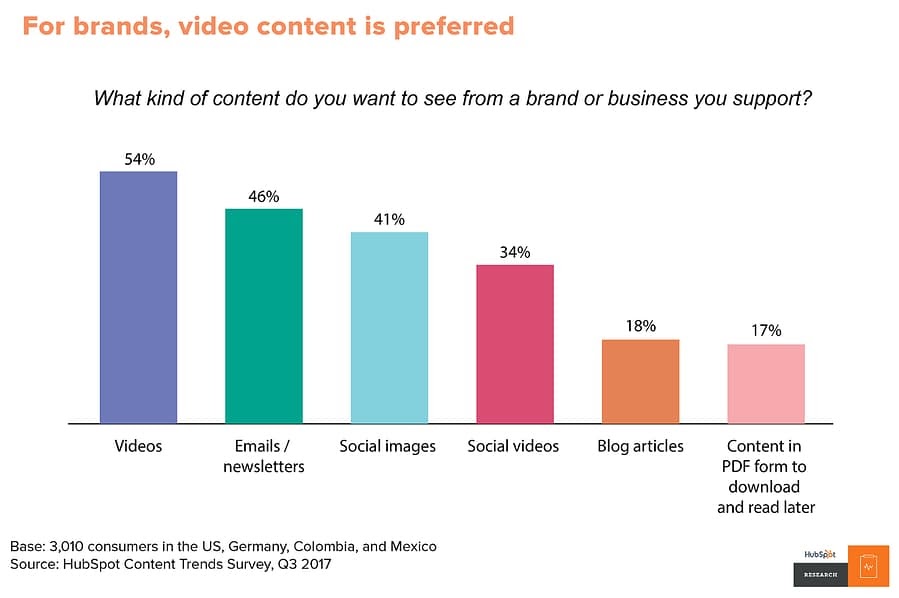
Video is inherently engaging. Generally speaking, it’s easier to follow than blog posts, email newsletters, or ebooks. Gradually, audiences took to it more and more as the decade progressed. By the end of the 2010s, platforms like YouTube were central to the landscape of content marketing.
Obviously, content marketing underwent several shifts in the 2010s, but as I said at the beginning of this article, the practice isn’t — and will never be — static. There are still plenty of changes to come.
How Content Marketing Will Evolve in the Next Decade
Video content will continue to rule.
As I just mentioned, video was emerging as one of the most — if not the most — important mediums for content marketing at the end of this past decade. There’s no indication that that trend is stopping anytime soon.
As of 2020, 85% of businesses use video as a marketing tool — up 24% from 2016. And 92% of marketers who use it consider it an important part of their marketing strategy. It’s already a staple in several companies’ content marketing operations, and research indicates that base is going to expand.
According to a survey by Wyzowl, 59% of marketers who weren’t using video in 2019 expect to be using it in 2020.
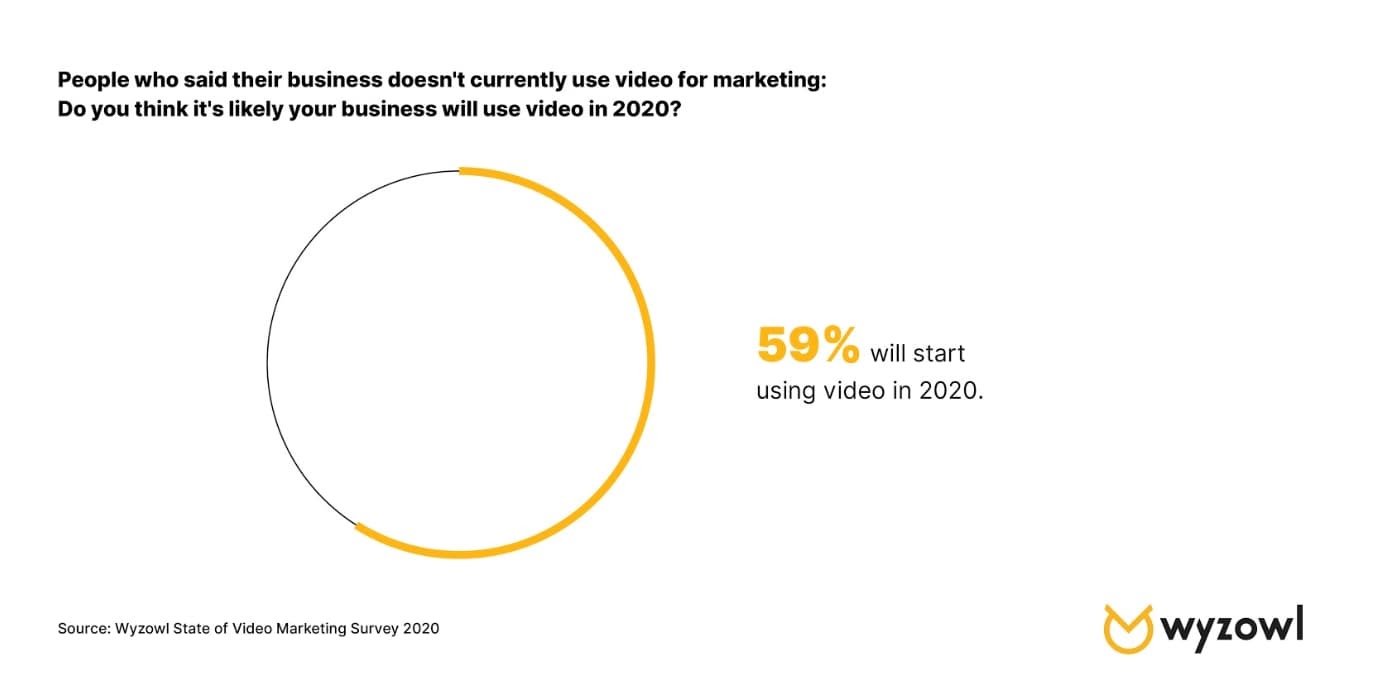
All told, it looks like the exploration and expansion of video as the preeminent medium for content marketing is going to continue. The priority for marketers is going to be a matter of standing out.
That could mean emphasizing the quality of the content you produce — ensuring it’s enriching, well-crafted, and relevant to viewers. You could also try looking to emerging platforms like TikTok.
No matter how individual producers and companies manage to innovate when it comes to video marketing, the medium is going to be a mainstay in the evolution of content marketing going forward.
Adjusting for mobile will be essential and present new opportunities.
According to Statista, global mobile data traffic in 2022 will be seven times larger than it was in 2017. Mobile device usage is increasing astronomically, and it’s in every content marketer’s best interest to keep pace with that trend.
In 2019, 61% of Google searches took place on a mobile device, and that trend is showing no signs of slowing down. Having a website optimized for mobile devices will be central to successful SEO efforts. And a lot of the content you create will need to fit that bill as well.
Blogs should be easily navigable on smartphones. Readily accessible video content that your audience can watch on mobile devices will be a big help as well. Prospects and customers will need to be able to get as much out of your mobile resources as your desktop ones.
This shift towards mobile will also present new opportunities through emerging kinds of media. More novel mobile technology — like virtual and augmented reality — will have a very real place in the future of content marketing.
As people continue to rely more on their mobile devices, content marketers will have to as well.
Successful content will be more empathetic, purposeful, and customer-first.
Google’s ranking algorithm aims to prioritize the content that will mean the most to searchers. Ideally, by Google’s standards, the first ranking search result for any keyword is the one that best addresses whatever users are searching for. And in all likelihood, they’ll keep tinkering with their process in pursuit of that interest.
While there’s no telling exactly how the algorithm might change going forward, one fact remains — marketers need to focus on high-quality content that will register with consumers. That means understanding your audience and putting considerable effort into how to reach them best.
As HubSpot Senior Content Strategist Amanda Zantal-Wiener puts it, “Where I’m starting to see content turning a corner is in the area of empathy. In the years to come, marketers are going to start creating more content that’s truly created in the mindset of putting themselves in the shoes of others — be it their customers, prospects, partners, or someone else within their audiences. They’ll ask questions like, ‘What does my audience need from me right now? What can I create that’s truly going to help them?’ That’s going to become a requirement for marketers when they begin brainstorming content.”
Research, outreach, and community engagement will become even more important in the context of content creation. Content marketing is trending towards audience enrichment as opposed to product promotion. If this shifting tide holds true, content marketing will continue to become more targeted, purposeful, and customer-centric as the practice evolves.
If there’s anything to take away from understanding the previous and upcoming evolutions of content marketing it’s this — don’t get too comfortable. New trends and challenges are always emerging, and it will always be in your best interest to stay abreast of them.
And above all else, focus on consistently creating high-quality content that your audience will always be able to get something out of.

How to Implement Affordable AI in 3 Steps, According to the Marketing AI Institute Director
Artificial intelligence is continuing to make an impact on the business world. In fact, McKinsey predicts that up to $2.6 trillion in value will be unlocked by AI in marketing and sales alone.
But, if you’re less tech-savvy, you might be intimidated by terms like “artificial intelligence,” “machine learning,” and “algorithms.” You probably also hear about these technologies and think to yourself, “My business definitely can’t afford that.”
This makes sense. As a good marketer, you should be skeptical about high-priced emerging technologies. After all, we hear a lot of hype about AI from all sorts of blogs, news outlets, and vendors. But, still, sometimes it’s hard to tell how a tool works and if it’s actually worth your money. Additionally, if you’re less familiar with AI, it might seem like it’s only a technology used only by industry-leading behemoths.
There are so many misconceptions about AI in marketing, that my colleagues and I launched the Marketing AI Institute. At the organization, we aim to make AI approachable and actionable for marketers. To date, we’ve vetted dozens of AI solutions and have monitored more than 1,500 sales and marketing AI companies with combined funding north of $6.2 billion.
As the Institute’s director, I’ve advised small and medium-sized companies on AI implementations. We’ve also piloted several AI tools in our own marketing operations at the Marketing AI Institute — often for no or extremely low cost.
While you might think that AI is totally out of your budget, there’s actually a chance your business is already using an app that relies on this technology to do its job.
Here’s a three-step process for implementing AI on a budget, as well as examples of affordable tools that can help you.
How to Implement AI on a Budget
1. Determine where AI tools could help you eliminate costs.
At some point, you’ll need to spend money to implement AI. But, how you structure an AI pilot project can help you defray some of the costs.
Although a successful AI implementation can definitely help marketers increase revenue and reduce costs, you’ll still want to start with a cost-reduction pilot before a revenue-increasing experiment.
Why?
While a cost-reduction pilot’s goal is to streamline or improve processes you already have in place, a pilot solely focused on revenue generation might require new processes — which could ultimately cost more time and money.
Cost-reduction use cases are often more immediately obvious in organizations. It’s also easier to justify investment in technology that can quickly reduce costs or time related to outdated marketing processes.
It’s usually not hard to identify time-intensive, or repetitive tasks that hold experts back from focusing on high-quality projects in your organization. And, once you identify these time-sucks, you can look for AI tools that can do these tasks more intelligently.
Start by making a list of your recurring responsibilities. Track everything you do every week or month, and list the amount of time you spend on each activity. Chances are, there are a ton of tasks that take way too much time each month. It’s likely they’re also pretty data-driven, too.
Good news, these data-oriented tasks can lead to successful AI pilot projects.
Next, explore vendors who have created more intelligent ways to do the tasks that are blocking your team.
For example, you might discover that tagging images on your website takes up too much time. AI software can probably free you up from doing that task. Or, you might spend hours each week managing paid advertising. AI can also help there, too.
In fact, there are dozens of ways you can apply AI to immediately free up team time and resources. And, depending on the cost reductions, these pilots may pay for themselves.
2. Research tools that work out of the box.
A handful of small to medium-sized businesses might worry about blowing their budgets when they hear the words, “artificial intelligence” because — at the moment — many AI solutions are built for corporate enterprise.
The truth is, many AI tools need access to quality data at scale to produce results. Enterprises are often the only source of this data. But this doesn’t mean you need to count out AI as a marketer for a smaller business.
In fact, a number of AI tools are affordable, work out of the box, and cut time on basic marketing tasks.
Additionally, you might not know it, but you might already be using popular office tools that are powered by AI.
Here are a few examples of popular and affordable AI-powered tools:
Grammarly
Price: Free; Premium plans to start at $11.66/mo for an annual commitment.
Grammarly is an intuitive copy-editing tool that uses machine learning to recognize and highlight spelling, grammar, and other phrasing errors on different platforms including Google Docs, email, and social media sites.
For an individual user, Grammarly allows you to track your writing performance and get edit suggestions based on your level of writing experience. The software will also send you emails that show you areas where you are excelling and where you need to improve.
Recently, Grammarly also added a feature where it could recognize and sense the emotional tone of your emails. For example, if you’re writing an email with “Thank you” in it, Grammarly will note that your message sounds “appreciative,” or “optimistic.”
Grammarly is also available for teams. With the team version, you can unlock customizable editing features that allow the software to make suggestions with your company’s writing styles and branded words in mind.
To learn more about Grammarly and other productivity tools, check out this blog post.
Frase.io
Price: Trial available; Plans start at $24.99 per month.
Frase.io is an AI-powered research assistant and question answering bot that uses and analyzes search data on your site. The software can also help you optimize articles and other content for SEO by reading the text, comparing it with similar online content, and offering search and keyword-based suggestions.
Aside from the SEO features, Frase.io also provides a bot feature. When a visitor is searching your site and would like to find something, they can simply type a question into the message box on your web page and receive an answer from a bot.
The bot uses machine learning to recognize the phrases given and match the words with content or pages related to those words. For example, if someone says, “I’m looking for a blog post on Instagram Stories,” the bot would reply with a link to one or more blog posts about Instagram Stories.
One company that benefited from this product was Embryo Digital, a small UK-based agency that used Frase to conservatively save 180 hours per month on research.
Google Analytics
Price: Free
By now, you’ve probably heard of or already use Google Analytics.
The leading analytics platform’s machine learning capabilities will answer questions about your website data.
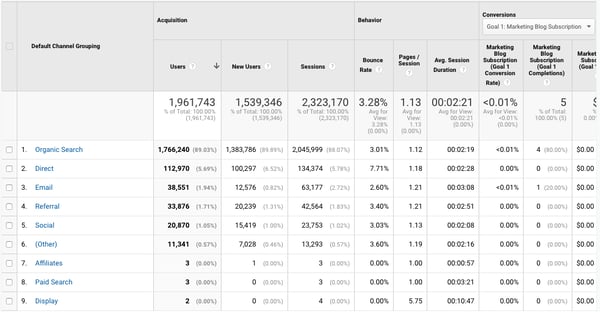
On top of giving you detailed insights on how your website is doing, GA also integrates with all of Google’s marketing products — including Google Ads, Search Console, and Data Studio.
Although Google Analytics is the leading analytics tool of marketers and already has many AI tools that work upon launching it, it will take marketers time to set up their GA dashboards so that data is understandable and organized for full teams.
To learn more about this platform and how to get started on it, check out this ultimate guide.
Ahrefs
Price: $99-$999/month depending on your number of users and features.
Ahrefs uses data from Google and other search engines to show you where your web pages rank for certain keywords. It also allows you to query words or phrases to see how common people are looking them up on search engines. This type of tool can quickly help you identify topics that you might want to blog about or see if your blog post or website is actually showing up on Google searches when people make queries related to your industry.
To give you more of an idea of how the software works, here’s a demo that walks you through how to do keyword research with Ahrefs:
https://www.youtube.com/watch?v=OMJQPqG2Uas&feature=emb_title
If you’d like to better your keyword research strategies, but can’t afford something as intuitive as Ahrefs, you can also check out these tools which similarly leverage AI algorithms to help marketers identify search opportunities.
HubSpot
Price: Free CRM; Plans start at $50 per month and vary based on team size and tier subscribed to.
HubSpot also incorporates AI in a number of ways. Here are just a few:
- SEO: HubSpot’s COS and CMS use algorithms to scour your posts for search optimization suggestions before you post.
- Emails and Workflows: When a customer does something such as engage with an email or landing page, this will trigger a canned email to be sent to them with their name and other personalizations in it.
- Social Media: HubSpot’s social media platform allows you to autogenerate post caption copy using machine learning. This technology recognizes sentences that you might regularly tweet or meta descriptions in a link you’re sharing, then crafts a caption that you can then edit or tweak.
- Deduplication features: If you upload a new list into a HubSpot CRM, or a pre-existing contact subscribes to your marketing newsletter, HubSpot will search the CRM to find matching contacts and prevent any duplicates from being added.
3. Ask these questions before investing in an AI product.
There are some vendors out there that claim to be AI but aren’t. If you don’t understand what to look for, you could waste time and money on lackluster solutions.
That’s why we encourage every marketer to establish a baseline knowledge of AI. (Our beginner’s guide will cut down your learning curve.)
Aside from familiarizing yourself with the technology, you also need to ask smart questions of AI vendors about the tools they sell.
Start with questions like:
- How does ____ use AI today?
- What AI capabilities are on the product roadmap?
- What type of data do I need for the solution to work?
- Is there any type of minimum size dataset I need to use the solution? (i.e. a certain number of emails sent, visitors to the site, etc.)
- What kinds of in-house capabilities do I need to use and maintain the solution?: Can anyone use it? Do I need dedicated data scientists, machine learning experts?
- My top use cases for AI are A, B, C, etc. Can ___ help?
Curiosity may have killed the cat. But it also saves marketers tons of money when buying new technology. So, don’t be afraid to ask questions and do deep research on each product you’re considering before you invest.
Familiarizing Yourself With AI
Artificial intelligence can sound like an intimidating or expensive technology. But, the truth is, it’s getting more and more prominent in our world and workplaces today.
Ultimately, the best strategy for vetting AI products, tools, and opportunities that may come your way in the future is to research credible sources and ask the right questions about the software you’re considering.
If you’re looking to take the next step with technology implementation, check out HubSpot Academy’s latest course, “Artificial Intelligence and Machine Learning in Marketing.” The course gives an introduction to AI and machine learning while also walking you through how to implement it in your company’s marketing department.
Still in the initial research phase, but want to learn how AI could impact marketing in the next year? Discover four predictions from marketing AI experts in this blog post.

2020 Social Media Trends, According to HubSpot’s Social Media Professor
If social media trends from 2019 taught us anything, it’s that personalized content is key for success. We also saw brands starting to listen more closely to their audience. I only expect this to intensify in 2020 with the world moving towards tighter data regulations and higher expectations from people for the content they consume. The world is numb to generic social media broadcasts.
On top of that, there are more social media channels than ever before, but the main three still lead the pack in regards to return on investment. In the most recent HubSpot Research survey, marketers reported that Facebook provides the biggest return on investment.
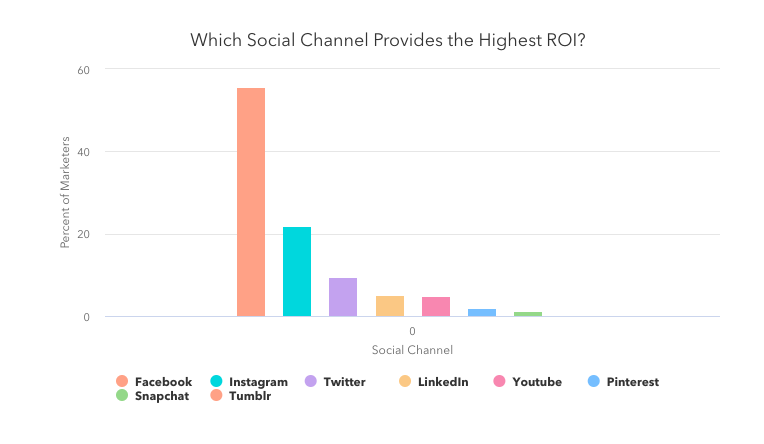
To fine-tune your social media strategy in 2020, we’ll explore doubling down on social listening, investing in private groups for your hard-earned audience, and staying away from using your social media as a broadcast channel.
Continue Investing in Your Audience (Your Best Content Consultant)
When we talk about social media tactics we often discuss great creative, influencers, and copy. But, in a recent HubSpot Research survey, marketers reported social listening as their #1 tactic in their social media strategy. This is a trend we have been seeing at HubSpot.
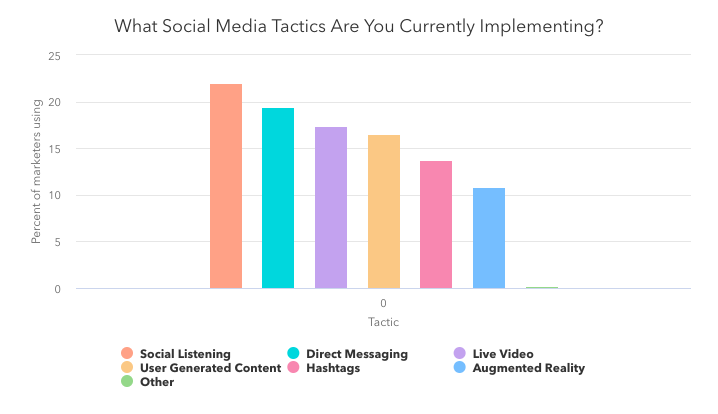
Start Building Private Groups for Your Passionate Audience
In its early years, the internet essentially was organized as online communities of people talking to each other about specific topics. Then, somewhere, it shifted. But to me, that’s where the magic was, and that connection is what people still crave.
Our latest research shows that 18% of marketers in North America are using Facebook Groups. With 1.4 billion people using Facebook Groups globally, I can see this trend continuing to rise among marketers.
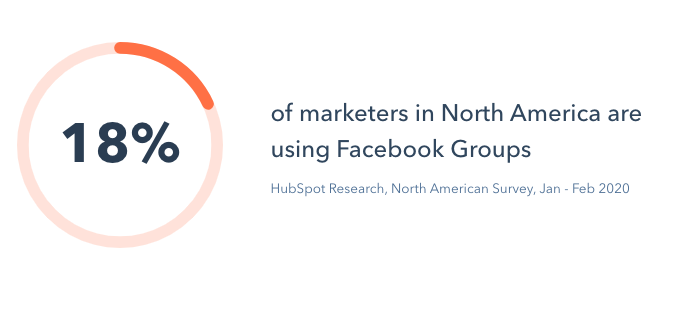

The Top 13 Best Email Marketing Services in 2020
Email marketing isn’t dead — in fact, it’s far from dead. Today, email marketing continues to be a critical strategy for marketing (and sales teams) across an array of industries and business types. As a result, at growing companies, an email marketing service provider (ESP) is one of the first additions to a marketer’s tool belt — and for good reason.
Email marketing remains a quick and effective way to engage and nurture leads into loyal customers. It’s also extremely cost-effective — some studies show an ROI of up to 4,400%!
Simply, email marketing services exist to make the process of email marketing simpler — they have features and capabilities that enhance and streamline email communication (among other things) to help you identify qualified leads, nurture those leads, and close more deals.
Many of these tools not only offer email support, but they may also help you organize and store contact information in your CRM — this helps you keep all of your data in a central location for members of your marketing, sales, and service teams to reference down the road.
But with so many email marketing tools available today, where should you start? Which tool meets your business’ unique needs, and how can you differentiate one tool from the next?
We’ll answer those questions and more in this guide to email marketing services — let’s dive in.
Before we look at the best email marketing services on the market today, let’s review what an email marketing service is and why it’s so important to have one that works well for your team.
What is an email marketing service?
Email marketing services and software streamline all of your email marketing efforts. They have a wide range of features depending on the service you choose — however, they often have functionality related to: Automation, subscription, general email communication, notifications, monitoring, campaigns, integration with other marketing, sales, and service software, and analytics.
Why is an email marketing service important?
Today, email marketing services continue to be an integral, strategic tool for businesses of all sizes across all industries — they help businesses build strong relationships with prospects and customers all while moving them through the buyer’s journey and maintaining strong communication throughout.
Not to mention, as ESPs continue to develop, features like A/B Testing, automation, and personalization have made the tools even more valuable to a marketer looking to engage with an increasingly fragmented audience.
Now let’s look at some of the best email marketing services today — one of which you might choose to implement at your company.
For each of the following services, we’ve listed notable features as well as pricing details but we still recommend reviewing the service’s product and pricing pages for greater detail.
1. HubSpot Email Marketing Software
HubSpot’s free email marketing software is easy to use, has an extremely high deliverability rate, plus all the bells and whistles you’d expect to see within an ESP.
HubSpot Email Marketing Software Features
When creating an email, you can pick from one of many drag-and-drop email templates, or you can craft a custom template tailored to your brand. Once you’ve got your template, incorporating content is simple and intuitive.
You can also personalize and preview your emails for different recipients based on device type, country, or list inclusion — or use a simple personalization token to ensure that each email includes content that’s specific to each recipient.
When it comes time to send an email, using the smart send feature will ensure recipients receive your messages at an ideal time. Additionally, you can run A/B tests to compare different versions of an email to understand which one resonates the most with your audience. You also won’t have to worry about deliverability — HubSpot maintains a 99% deliverability rate across the network for all marketing email sends.
Outside of the email marketing functionality, HubSpot offers a wide range of reports on your email’s performance, letting you judge what’s resonating with your audience so you can optimize your strategy accordingly.
For instance, you can report on something as broad as your overall email performance in Q1 or you get granular and see how one particular lead is interacting with your emails.
Lastly, HubSpot’s automation platform makes it easy to scale your email marketing strategy, which will help you quickly turn leads into loyal customers.
HubSpot Email Marketing Software Price
Hubspot’s Email Marketing Software (and CRM for small to enterprise companies, for that matter) is free forever. However, if you need enhanced capabilities, it may be worth paying for one of the upgraded Marketing Hub plans.
2. Omnisend
Omnisend is an easy-to-use platform that offers automation workflows for any stage of the customer journey.
Omnisend Features
What separates Omnisend from other email marketing tools is the omni-channel functionalities, which offer greater control over how and where you connect with your audience. In the automation workflow, you can add email, SMS, push notifications, Facebook Messenger, WhatsApp, and more.
If you’re trying to reach a specific audience that might not respond well to traditional email communication, using a tool like Omnisend can help you build and manage more customized, targeted communication workflows. This doesn’t just help you connect with your audience better — it also provides a less disruptive, more personalized experience for your contacts.
Omnichannel features combined with user-friendly segmentation mean you can send the right message to the right person, at the right time, on the right channel.
Omnisend also offers templates for email capture, campaigns, and automation workflows so you can get started quickly.
Omnisend Price
Omnisend has four pricing plans — one of which is free with very limited capabilities as well as a customizable enterprise-level plan. Their plans come with a free trial so you can experiment with the service to determine what works best for you.
3. Pabbly Email Marketing
Pabbly Email Marketing is an email marketing software that enables you to send bulk emails either by connecting via SMTP or external SMTP.
Pabbly Email Marketing Features
Pabbly provides access to SMTP routing, workflow automation, email scheduling, and much more without any restrictions. With the help of marketing automation and autoresponders included in the tool, you can schedule emails in advance and create triggers to avoid manual follow-up responses.
Additionally, Pabbly offers responsive email templates and a drag-and-drop email editor for easy customization. The email tracking feature allows you to track data such as bounce rate, open rate, and click-through rate so you can improve upon your email marketing and campaigns.
Pabbly Email Marketing Price
Pabbly offers multiple plans based on your number of subscribers. They offer a free plan — with strict caps on the number of emails you can send and subscribers — as well as an enterprise-level plan tailored to websites with over 1 million subscribers.
4. Constant Contact
Constant Contact is a popular email marketing service that works well for many industries.
Constant Contact Features
The service comes with over 100 email templates that you can either use as-is or customize. Once your email looks good, you can easily schedule it to send to your contacts at any time you choose.
In addition to drip email campaigns, you can also have emails go out at a regular cadence to celebrate specific events — for example, you could have a regular email go out on each customer’s birthday.
Once an email contact list is uploaded, bounces and unsubscribes are automatically updated for you. Constant Contact also has “Plus” features that allow you to execute specific types of campaigns such as coupon offers, donation collections, or surveys.
Constant Contact Price
Constant Contact has two plans depending on the features you need that start at $20 and $45 per month. The price differentiation is related to your number of contacts. They offer a free trial so you can experiment with the service prior to committing to it.
5. Campaign Monitor
Campaign Monitor prides itself on providing powerful, personalized email marketing tools that are simple and easy to use.
Campaign Monitor Features
Their drag-and-drop email editor is intuitive, and the included analytics make it simple to optimize your email strategy and create targeted customer segments.
Personalization is key for campaign monitor. It uses data to increase personalized content and inform your list segmentation to boost your engagement. They also offer a visual marketing automation tool so you can create a unique customer journey at scale.
Not to mention, Campaign monitor has an extensive library of resources available to help you become an email marketing pro.
Campaign Monitor Price
There are three major plans you can choose from with Campaign Monitor ranging from $9 up to $149 per month. You can choose to pay annually rather than monthly as well as take advantage of the option to simply pay per campaign if that schedule works better for your needs.
6. iContact
iContact has been providing one of the top-choice email marketing services since 2003, as it has an easy-to-use email marketing tool that helps you and your team see results fast
iContact Features
While iContact doesn’t necessarily stand out from competitors in terms of features, their customer support and service teams set them apart. Customers are paired with a strategic advisor to create an effective email marketing strategy right with the tool.
They also have Social+ marketing consultants who help boost your entire online presence through creative social posts that drive traffic to your site.
iContact Price
iContact has two main plans that vary in price based on your number of subscribers, each of which starts at $12.75 and $25.50 per month. You can choose to pay monthly or annually depending on your needs.
7. MailChimp
Over the years, MailChimp has added landing pages and various ads tools to their capabilities but, their email marketing service remains their claim-to-fame.
MailChimp Features
MailChimp has millions of customers in over 175 countries and they use the data they collect off those customers to provide you with actionable insights to improve your email strategy. The tool is flexible enough for an enterprise company, yet simple enough for someone just getting started with their startup’s email marketing strategy.
Best of all, MailChimp has over 300 integrations that help you customize the tool to your business. By using these integrations to further personalize your marketing, you’ll get the most out of your email strategy.
MailChimp Price
MailChimp has four plans to choose from that range in price from free to $299 per month. Aside from the free plan, depending on the option you go with, your monthly payment increases with the number of contacts you have.
8. AWeber
Aweber is an email platform built specifically for small businesses and entrepreneurs.
AWeber Features
The goal of AWeber is to make it simple for those who are just getting started with email marketing to segment their contacts, design a professional email, and start nurturing leads. Customers have praised AWeber for its deliverability — AWeber’s deliverability team monitors their servers around the clock to ensure your campaign consistently reaches the’ inboxes of your recipients.
Aweber Price
AWeber offers a total of six plans that vary in price and features based on your number of subscribers. Unless you’re looking to go with the top plan, pricing ranges between $19 and $149 per month. You can also choose to pay on a quarterly or annual cycle if that’s preferred over monthly billing.
9. SendinBlue
SendinBlue is an email marketing platform that helps customers send a total of over 30 million automated emails and text messages every day.
SendinBlue Features
On top of email, SendinBlue also has a forms tool that allows you to collect new leads, which you can then segment into specific lists and enter into email nurturing campaigns.
Not sure how to kick off your email nurturing campaign? No problem. SendinBlue has workflows that give you access to a number of pre-made automation campaigns tailored to your specific goals.
If you want to run a more nuanced email nurturing campaign, you can always create a campaign from scratch to meet your specific business needs.
SendinBlue Price
SendinBlue has five main plans, one of which is free, three of which range in price between $25 and $66 per month, and one that is enterprise and requires you to get a customized quote. The plans vary in cost based on the number of emails sent per day/ month.
10. ActiveCampaign
ActiveCampaign is a marketing automation platform that offers live chat and a CRM service in addition to email marketing capabilities.
ActiveCampaign Features
By adding a CRM to their functionality, ActiveCampaign can help surface the right leads to your sales team using features like lead scoring. The service also allows you to share dynamic content in your emails — this allows you to provide different experiences to your contacts based on the way you segment them.
ActiveCampaign Price
ActiveCampaign has four plans which you can choose to pay for monthly or annually. Their plans vary based on the number of contacts you have and range in price from $15 to $279. You can experiment with the service before buying it with a free trial, as well.
11. AutoPilot
Autopilot differentiates themselves from the competitors with their visual marketing tools.
AutoPilot Features
Everything from AutoPilot’s email editor to their automation tool is set up to work via a drag-and-drop interface, making the system intuitive and easy to use.
AutoPilot offers collaborative tools to help your team work together effectively — it allows you to quickly share your work with your team, ensuring everyone is on the same page before you launch a campaign. And with the “annotate & collaborate” feature, you can quickly mark-up a customer journey and ask your team for feedback and assistance.
AutoPilot Price
AutoPilot offers three plans which range in price between $49 and $249 that vary based on your number of contacts. There are three types of billing cycles including monthly, monthly with an annual commitment, and annual.
12. GetResponse
GetResponse is a marketing automation service that’s available in over 20 languages.
GetResponse Features
On top of email marketing and automation, GetResponse also offers a CRM, landing pages, and a complete webinar solution.
The service offers over 500 templates to help you get started with email marketing and integrates with Shutterstock, giving you access to a creative library at your fingertips. Also, their drip campaign tool is managed through a calendar interface, allowing you to see exactly when you will be reaching out to your leads.
GetResponse Price
There are four GetResponse plans that you can choose from ranging in price from $15 to $99 per month (plus a customized enterprise-level option that requires you to reach out for a quote). Pricing varies based on your list size and you can pay monthly or annually. Each plan offers a free trial to you can test out the service before investing.
13. Ontraport
Ontraport offers a full suite of marketing automation tools including ecommerce functionality for businesses with online stores.
Ontraport Features
Ontraport’s visual campaign builder allows you to create detailed campaigns to engage your audience. You can create a campaign from scratch or tap into the marketplace where they offer dozens of the most common marketing campaigns to choose from, including abandoned cart nurturing or webinar sign-up and follow-up.
The service also provides insight into detailed reports so you can gain insight into your pipeline, traffic sources, and conversion timelines.
Ontraport Price
Ontraport offers four plans that range in price between $79 and $497 per month. No matter which plan you choose, you’ll receive one-on-one onboarding. The plans differ in price based on your number of contacts. You can cancel your monthly plan at any time and if you choose to pay annually, you’ll benefit from a discount.
Choose Your Email Marketing Service
Most email marketing tools offer the essentials needed to craft a basic email newsletter, but there are fewer options if you want a range of top-notch features such as complete customization, available support, and data analysis.
Not to mention, as a marketer, you might want to consider combining your email marketing service with a CRM to give you even greater functionality that can impact your email marketing as well as other marketing sales, and service efforts. But. ultimately, the best email marketing tool for you depends on your team’s goals and particular needs — so, review the options above as well as the services’ product and pricing pages to get started. .
Editor’s note: This post was originally published in April, 2019 and has been updated for comprehensiveness.

How to Host an Inclusive Virtual Meeting, According to HubSpot’s Remote Work Manager
As HubSpot’s remote population has grown from a handful of folks to over 300 in the past few years, we’ve learned a number of lessons on how to pivot in-person communications into a virtual environment.
When it comes to a team meeting, we’ve learned that while the content often remains the same, the way in which that content is presented and discussed often needs to be modified to ensure that the information resonates and all attendees are actively engaged.
We’ve all been on a conference call that goes something like this:
But, with remote working on the rise, conference calls are no longer the only option.
Today, there are loads of options available to host meetings over a virtual meeting platform such as Google Hangouts, Zoom, WebEx or Join.me.
While every business will have different needs to consider, if you’re just starting to think about virtual meetings, we recommend starting with a platform that allows video, audio, and screen sharing as these tools allow for better engagement and collaboration during the meeting as opposed to the standard conference call.
Here, I’ll dive into some of the best practices I’ve picked up along the way as HubSpot’s Remote Work and Inclusion Program Manager.
How to Host an Inclusive Virtual Meeting
1. Have ground rules in-place for your first meeting.
Whether it’s your first time managing a remote team or your team is suddenly working from home, virtual meetings are often a new environment for everyone. So it’s important to lay some ground rules for how meetings will work and what you expect from your attendees.
Here are a few things to consider:
- Video: Encourage attendees to use their video for meetings as this allows us to better engage with each other through non-verbal communication.
- Audio: Generally speaking, it’s best practice to stay muted in a virtual meeting unless you’re presenting or answering a question. This prevents background noise from becoming a distraction and creates a signal (unmuting) when someone has something to say.
- Engagement: Be clear about how you expect participants to engage in meetings (see Tip #3 for more details).
- Etiquette: Be intentional in calling out meeting etiquette expectations. Some common ones that come up are usage of phones, having to step away from your desk, checking notifications, or eating during meetings. If you have specific expectations around meeting etiquette, be explicit about this up front with your attendees.
- Set the Stage: If you’re meeting with a larger group, it can be helpful to set expectations on a starting slide that attendees will see upon entering the meeting.
For instance, at HubSpot, I often present with this slide at the beginning, so my attendees know ground rules for the meeting:
 Additionally, you might consider including a slide that says, “Record the meeting”, as a reminder for yourself, in case anyone misses the meeting or wants to refer back to it later.
2. Take some time to break the ice.
Virtual environments can be intimidating, especially if you aren’t accustomed to them or if you’re meeting with folks you’re unfamiliar with. To warm things up, we recommend starting your meetings with an icebreaker. It’s a great way to test that everyone’s audio works properly and it’s an even better way to learn more about each other and get everyone feeling comfortable before jumping into the agenda.
To make this easier, we suggest:
Keep it simple: Depending on the meeting, it might make sense to start with a standard question such as “How are you feeling today?”
Mix it up: If you have the time, try mixing in some unique ice breakers to get to know each other better (take a look at some of our suggestions here).
Pass the microphone: We’re all likely familiar with that awkward silence that occurs when everyone is expecting someone else to jump in. To solve for this, encourage teams to “Pass the Microphone” to each other after their own answer.
If everyone is expected to provide an answer, have the host start and then pass the proverbial microphone to any participant. Once that participant answers, they’ll end their statement with “Next, I’ll pass the microphone to [name].” This keeps the conversation moving and prevents the awkward silence of waiting for someone else to jump in.
3. Determine a structure for how you expect participants to engage during the meeting.
It’s not always obvious how folks should provide feedback or answers during a virtual meeting. To keep the conversation flowing, determine a structure for how you expect participants to engage during meetings and be upfront about these expectations at the start of the meeting.
A few of our favorite strategies are:
Raise your virtual hand. Many virtual meeting platforms have non-verbal feedback tools that allow a participant to indicate they have a question — for example, Zoom’s “raise hand” feature. For large meetings, ask folks to use these tools to indicate when they have a question or input and the host can then call on them directly. This can also be a great way to have a quick yes/no question answered by the group and expanded upon.
Example: “Raise your hand if you have had a positive interaction with an external Support team.” Based on who raises their hand, you can then call on one person to expand on that answer if needed.
Use the chat feature: For quick questions, you may ask folks to enter their answers into the chat (for instance, Google Hangouts’ Chat feature). This allows you to quickly hear answers from a large group and allows everyone to learn from each other’s answer. In addition, as our APAC Customer Success Trainer, Mariel Argonza, points out, this is also a great way to be inclusive of attendees who use English as a Second Language.
Example: “How is everyone feeling today? Describe it in one word in the chat pane.”
Jump in: Depending on the size of your meeting and psychological safety of your attendees, you may opt to have folks simply jump in with their feedback and questions. As the facilitator, it’s important to be cognizant of participation in order to ensure that one individual isn’t dominating the conversation.
Example: “Can anyone tell me the definition of Inbound Marketing? Feel free to jump right in.”
4. Ensure every attendee is on the same page.
Depending on the nature of your meeting, you may need some additional tools to get on the same page with your idea, such as a virtual whiteboard or collaboration tool. Some of our favorites include:
- Virtual Whiteboard: Many of the virtual meeting tools have a native whiteboard tool built in that will allow attendees to whiteboard their ideas as well as save their whiteboard images for future use.
- Share Your Screen: Looking at an email you need help with or struggling to explain a glitch you’re seeing? Use a screen sharing tool such as Zoom’s Screen Share so that your attendees can see what you’re seeing from your point of view.
- JamBoard: Part of GSuite, JamBoard allows you to virtually whiteboard, insert pictures and text, and save/share your whiteboard for future use.
- LucidChart: Lucidchart is a visual productivity platform that helps individuals understand and share ideas, information, and processes with clarity.
- Miro: Miro is an online whiteboard tool that allows distributed teams to collaborate virtually from wherever they may be seated.
5. Stay on track with a clear agenda or slides.
Even with a clear agenda, it can be challenging to keep a conversation on track — and on time — in a virtual setting. To help your meeting stay on course, try:
Circulate the agenda: In the meeting invitation, make it clear what topics you’ll be discussing, what’s expected of attendees in terms of preparation, and what the outcomes of the meeting will be.
Pause: When everyone is on mute and staring at you on camera, it can be instinctual to race through your notes without coming up for air. However, in a virtual atmosphere, it’s more important than ever to slow down and pause often to ensure that folks have an opportunity to jump in, slower WiFi connections can catch up with a delayed sound response, and participants have the opportunity to digest your words.
Ask for questions: In a virtual setting, you may not always catch a confused look and folks might not feel as comfortable interrupting you for clarification. So, intentionally ask your participants – what questions do you have for me? Pause longer than you normally would to wait for questions.
Use slides to stay on-track: Having a visual to keep you on track will allow everyone to be more organized and focused during the meeting. You can choose to send slides out in advance of or following the meeting, but it’s a helpful way to have a record of what was discussed. In addition, sending out slides means that folks won’t have to take as many notes (and therefore won’t spend the meeting typing).
Even with preparation, you’re likely to encounter some awkward pauses, technical glitches, and uncomfortable moments. But, we encourage you to embrace these moments, learn from them, and move past them. We’re all in this together after all!
If you’re just starting out with virtual meetings, we encourage you to be honest with your team that this is a skill you’re working on. Practice different techniques to find what works best for you. Ask for feedback from your team on what’s working in the context of your meetings and what isn’t.
Plus, when you find something that works for you, share it with others so that we can all learn together.

9 Tips for Working With Teams in Different Timezones
As remote work and satellite offices become more common, marketers are discovering that global teams can be incredibly beneficial to a company’s culture and ability to hire diverse talent.
In today’s workplace, diversity breeds new and unique ideas, allows us to look at our campaigns from different points of view, and benefits companies financially. In fact, by 2022, Gartner predicts that 75% of businesses with diverse frontline decision-makers will exceed their financial targets.
But, despite all the benefits of having a diverse global staff, companies are still trying to figure out how to work successfully across different timezones.
As someone who’s managed marketing initiatives at companies with remote employees and offices around the world, I’ve seen what successful and unsuccessful international collaboration looks like first hand.
When you have a successful game plan, you’re regularly able to video chat with colleagues, hear their thoughts, and gain insight into what the workplace is like on the other side of the world. These benefits allow your team to work better together and can lead your international teammates to feel more included in your team’s day-to-day work.
When international collaboration is done poorly, you might run into frustration from colleagues, all sorts of misalignment, and a sense of personal and professional disconnection across teams. These negatives aren’t helpful for retaining employees or building a positive company culture.
While creating processes that allow employees to work in different timezones is logistically beneficial, on a deeper level, it also makes it easier for diverse global talent to join your team.
Tips for Working with Teammates in Different timezones
1. Communicate clearly about timezone boundaries with your team.
As a hardworking employee located farther away from your company’s office, you might find feel pressure to say yes to every meeting you’re invited to. Additionally, you might also find it hard to say no to meetings — or suggest other times — for meetings scheduled outside of your regular working hours.
However, many HubSpot marketers say that you should keep a dialogue going with your global counterparts to ensure that everyone’s boundaries are being respected and that there are equal odd-hour meetings for both teams.
“If you’re clear about why you can’t work every hour of the day across all timezones, teammates will understand that. Just make sure you propose alternatives,” says Nataly Kelly, HubSpot’s VP of Localization.
Whether you’re working in-office, remotely, or in a global office outside of your main headquarters, make sure you are open to discussing your own work hours and boundaries with your dispersed team. Similarly, invite your teammates to discuss their own work hours and boundaries so that way you all are familiar with the different timezones your everyone is working within.
If you’re based in your office headquarters, Kelly says you should “remember that your counterparts in most international offices are accustomed to working odd shifts all the time.”
Meanwhile, if you’re not working in the same country as your broader team, “don’t be afraid to ask for meetings that are outside of others’ timezones.”
“There’s a give and take. So long as you check with the person on their preferences, it’s fine to ask. Some might even prefer to work a non-standard shift anyway,” Kelly explains.
Even after having an initial conversation, you should also speak up if you’re having issues attending many meetings in multiple timezones. Likewise, you should also encourage colleagues to communicate when they’re running into timezone blockers. These discussions will better help your team learn how to strategize and identify respectful or empathetic solutions to timezone-related challenges.
Aside from specifically discussing timezone-related needs and boundaries as needed, you can also mark your standard work hours on a team calendar — while encouraging colleagues to do the same.
When you have a successful game plan, you’re regularly able to video chat with colleagues, hear their thoughts, and gain insight into what the workplace is like on the other side of the world. These benefits allow your team to work better together and can lead your international teammates to feel more included in your team’s day-to-day work.
The strategies above will give you and your team a better idea of when to schedule meetings or when you can respectfully send emails, questions, or task assignments to global colleagues.
2. Get specific when discussing dates and times with peers.
“When working with team members from different timezones regarding deadlines, I’ve found it helpful to explicitly state the deadline we are working to in both my timezone, and their timezone so there is no confusion on either end when the deliverable is expected to be complete,” says Lestraudra Alfred, a California-based marketing manager and staff writer for the HubSpot Blog.
Even when you’re working with a colleague in the same country as you, not getting as specific as possible about dates or times can cause confusion or slow your processes.
For example, if a Boston-based marketing manager gives a California-based blogger a deadline for “9 a.m. Monday,” it might be hard to determine whether the deadline was for 9 a.m. EST or PST. This could cause content to be published later than expected.
Similarly, if a hiring manager in California gives a Dublin-based job candidate an interview time without noting EST or PST, the job candidate might log on for a video interview at the wrong time.
While acknowledging a timezone seems like a no-brainer, many of us have forgotten to do it when working with international colleagues or even planning video calls with loved ones abroad. Because it’s such a common mishap that has the ability to totally mess with schedules, this tip is absolutely worth noting if you work with international teams
3. Be mindful of other teammates’ designated work hours.
Once you and your team establish timezones boundaries and preferred work hours, respect them. This means that if you need something from a global teammate, you determine how urgent the task is before sending it. Or, this could mean that you develop a virtual team meeting schedule that fits within everyone’s active work hours — rather than making some teammates call in late at night or in the early morning.
When your global teammates feel like their schedule is respected, they might feel happier at their job, less stressed, or have an easier time tuning out of work communication outside of their main work hours. Ultimately, these things will help boost job retention, productivity, and your team’s overall performance.
4. Test out split shifts or workdays that cater to different timezones.
If you work in an office within one country but half of your team is in another location, talk to your manager to see if you can do a half-day in the office and then work remotely at night or early in the morning one or more days per week. Working during one chunk of the day caters to your timezone, followed by another shift that caters to another team’s timezone, is often called a split shift.
Splitting your hourly schedule around your team’s timezones allows you to be more available for meetings or quick communication with your international colleagues without ignoring the colleagues in your office. It will also ensure that you’re available to your international department without needing to stay up all hours of the day.
“If you’re working two timezones that don’t overlap much, why not split your shift into two instead of doing the same number of hours consecutively?” asks Kelly.
“Because I often work during Asia Pacific hours, I’ll go into HubSpot’s Cambridge office for half the day. Then, later on, I’ll work another half of the day from home. Usually, this shift lasts from 8 p.m. to midnight, which happens to be my highest productivity time of day anyway.”
Alternatively, Kelly says you could also consider picking a few days per week where you’ll work on another international team’s schedule entirely.
When Kelly works on days that cater to European, Middle Eastern, and African regions (EMEA), she says, “I go into the office super early and leave early. To do this, I book a full-day event on my calendar that says “EMEA hours: 6 a.m. to 3 p.m. EST” so that people in my timezone won’t book me. I also mark 3 p.m. onward as “Busy” so I won’t get booked then.”
“Alternatively, you can also block the time at the end of the day with a private reminder that says, “Go home now, you’ve been here since 6 am,” Kelly adds.
“The hardest thing to do is to make sure you don’t end up working 12-hour days routinely,” Kelly notes. “Booking the times I mentioned helps you avoid that.”
5. Embrace virtual processes and project management tools.
With all of the technology at our fingertips, many teams are no longer required to work in the same location or at the same time.
To keep your team on task and working efficiently across the globe, leverage tools like instant messaging apps, task management software, and progress trackers which will enable anyone on your team to strategize and update teams on their progress at different times of day.
Aside from allowing people to work on the same projects in different timezones, these tools allow global employees to stay on the same page about what aspects of a project have been completed.
For example, if an employee in Australia is working while U.S. employees are offline, the U.S. team can see what the Australian team completed when they were logged in and identify which tasks need to be completed next.
To learn more about tools and software that can help global and remote teams, check out this helpful list.
6. Schedule less urgent emails to send at a time where international teammates are active.
“When you work in different timezones, it’s important to be aware of when you’re sending a message or email,” says Rebecca White, a junior writer for the HubSpot Blog.
“For example, if you’re expecting a response the day you send the message, you might need to send it early on in the day to ensure the recipient gets the message during their normal work hours,” White advises. “I recommend sending messages a day or two in advance of when you need a response. This gives people time to respond if they don’t receive your messages until the next day.”
If you have to send a message before or after your own work hours, some communication platforms, like Gmail, will allow you to schedule emails in advance. This can be especially helpful if you’re working late and don’t want to bother your team with a message. But, it can be helpful when you want to send a non-urgent message to global teammates without waking them up incredibly early in the morning or disturbing their nighttime routine.
To do this on Gmail, create the email as you would draft any other message. Then, when you’re ready to schedule the email, click the arrow on the send icon for the “Schedule message” option.
When it comes to quick communication some tools, like Slack, will even give you a notification before or after you send a message stating which timezone your recipient is in.

Timezone messages like the one above can help you be mindful of what to send when to send it, and if your message is urgent enough to send as soon as possible. For example, if you have a few messages you want to send, but notice it’s 9 p.m. in another employee’s timezone, you might either want to avoid sending til the morning or schedule an email.
7. If you must send an unscheduled message, be patient.
Colleagues in different timezones don’t want to be bombarded with messages and emails right when they wake up or as they’re going to bed. Because of this, many global employees will make an effort to tune out by snoozing their instant message notifications or turning off their work devices when they’ve finished working for the day.
Expecting your teammates to be “always-on” doesn’t create the best culture and might make them feel disrespected. So, to avoid this, minimize the messages you send after hours and be patient if you don’t immediately get a response back. Odds are, a great teammate will get back to you when they begin working the next day.
8. Be mindful of international employees when scheduling meetings.
Whether you’re aiming to book a standard meeting, a virtual water-cooler for team bonding, or even a coworker’s birthday celebration, you should try to schedule these events at a time that makes sense for all company employees. This may not always be possible, but being mindful of international schedules ensures that all employees feel included and that their time is respected.
In a previous blog post, Siobhán McGinty, a Principle Marketing Manager, explained that scheduling meetings or virtual events at times where all teammates can be included can be beneficial for both remote or global employees.
“That feeling of inclusion can make such a difference to employee retention, happiness, and performance — so the little things actually matter quite a lot,” McGinty said.
Sometimes, scheduling a meeting at a time that works for all timezones is easier said than done. For example, if you’re based in the U.S. and have teams in Asia and California, finding a time that fits into everyone’s schedules and usual work hours can be tricky.
If you must schedule a virtual meeting at a time that’s later at night or early in the morning for people on your team, try to make up for the inconvenience in some way to show that you’re being empathic to your colleagues.
On many HubSpot marketing teams, if we schedule a meeting that requires people in other timezones to wake up early or stay up late, we try to be empathetic to those colleagues in some way. For example, our managers might expense dinner for people working late in another timezone or they might decide that the next meeting will be before or after the U.S. office’s work hours and so it fits within a global teams’ workday.
9. Know when to be flexible.
When you’re working remotely or in a different location from other team members, you can’t easily turn to them, ask a question, or make conversation. This can make it hard to communicate and develop a relationship with your colleagues.
To avoid team blockers related to timezones, one thing Susanne Ronnqvist Ahmadi, HubSpot’s Vice President of International Marketing, says you should aim to have a flexible schedule at certain points of the day.
“Be ready to jump on a call/video-call without having to schedule a time for it,” Ronnqvist Ahmadi advises. “Let your team know you’re available over Slack (or whichever tool you use), and build in ‘air-time’ in your agenda for check-ins or quick chats.”
The Key to timezone Etiquette
Ultimately, most important things to embrace and keep in mind when working with team members in different timezones are respect, empathy, and inclusion.
All of the steps above will enable you to create a schedule that works for your global team, include everyone in virtual meetings, and allow your diverse global teammates to contribute great ideas during their own work hours.
To learn more about key aspects of working with international or remote teams, check out these blog posts on hosting virtual meetings, working with global teammates, and international communication tips.

7 Creative Ideas for Your Next Facebook Live Event, from HubSpot’s Social Media Campaign Manager
In 2016, Facebook released Live video on their platform. And in the past year, the time people spent watching Facebook Live has quadrupled. In fact, one in five videos on Facebook are now live streams.
As we came into a new decade, it seemed the initial live streaming frenzy on Facebook had calmed down. But today, remote work and digital events are the norm.
The effect: Live video is having its moment in the spotlight again.
In fact, Facebook says the number of people in the U.S. watching live streams has increased by 50% since January. This leaves many marketers again asking: Should I go live?
The answer will depend on your brand, goals, and resources. But for many marketers, streaming a Facebook Live is at the top of their to-do list. For starters, video consumption isn’t slowing down. On Facebook and Instagram, people look at video content 5X longer than static content.
Live videos are attention-grabbing — especially when the audience gets a push notification.
Plus, live videos present a unique opportunity to build trust with interactive, two-way conversations.
The immediate, authentic, and interactive experience of a livestream is a no-brainer for some marketers. But it’s important to note that not every tactic is right for every brand. Going live can be intimidating. And there are nuances that dissuade many marketers from taking the plunge. Some reasons a brand may choose not to go live: time, talent, content strategy, resources, and more.
Debating whether Facebook Live fits into your strategy? Consider these questions: Why are you creating Facebook Live? Do you have resources? Do you have the time? Does your target audience consume Facebook Live? Can you repurpose the live video content elsewhere?
You don’t have to use Facebook Live to be successful. But it’s worth exploring, especially now that live streaming is booming. Need some encouragement to take the plunge? Live streams are simple to set up. All you need to “go Live” is a smartphone and some creative ideas.
That’s where we come in — here, let’s explore creative Facebook Live ideas, as well as best practices to take your Live strategy to the next level.
7 Creative Facebook Live Ideas
1. Teach a class.
Once of the most valuable things you can do for your audience on social media is teach them how to do something. Free, live educational programming is a great way to position your brand as a thought leader. It also gives your audience a more robust understanding of your product and or services.
For instance, at HubSpot we often post educational content on our Facebook page, like the example below:

By going live, you’re adding an extra level of authenticity and connection. For instance, you might tell readers they can send along questions in real time, and they can watch their questions get answered on-the-fly. The live Q&A format might also help readers feel more engaged than they would with a pre-recorded video.
Additionally, you can save and upload your Live videos for viewers to consume after-the-fact. This enables you to reach a larger audience than you could just through live.
2. Raise money for a cause.
More than ever, consumers want to buy from companies with values. Use a live stream to support your values and raise awareness for the things your care most about.
During the live stream, explain the cause, why it’s important, and how the audience can help. You can even pin a comment to direct your audience to the right place to provide support. Additionally, some qualified Facebook pages will be able to add a Donate button to their live videos on mobile.
3. Host a weekly roundtable.
Take time to talk about topics your audience cares about with a weekly roundtable. Some of the most popular roundtables on Facebook now include Red Table Talk, STEVE on Watch, and more.
During a roundtable livestream the participants could field audience questions, give perspective on industry news, or entertain the audience. Of course, a live roundtable style will take more set-up than others. But, like a TV show, it can become content your audience tunes in for weekly.
4. Process-style workshop with a behind-the-scenes component.
Give your audience an exclusive look at what happens behind-the-scenes of your product. Your audience will have a deeper connection to a product or service if they know the process.
Think about what you can share that would be interesting or compelling for your audience to know. This tactic is especially great for brands who pride themselves on transparency.
For instance, take a look at this Dunkin’ Behind-the-Scenes Live video, in which you’ll see a “First store of the future concept”:
The Live video gives viewers the opportunity to deepen their connection to the brand, particularly since the video isn’t especially “polished”, instead showcasing a more authentic side to Dunkin’.
5. Hangout Live in a Facebook Group.
There are over 10M+ groups on Facebook, with 1.4B people using them every month. Consider going live in a group for an exclusive chat with your community. Groups are often smaller and more niche than company pages, so it’s likely the audience is more invested in a topic.
Consider keeping this style of live video very casual. For instance, you could set a discussion topic each week for the audience to ask questions around. Or, ask your group want they want to talk about and program around their interests.
6. AMA with a company expert.
Access to experts in-person is difficult — even before physical distancing. Host an AMA and give your audience access to your businesses’ most knowledgeable employees.
During the live stream, the expert can answer questions on the fly — or consider fielding questions from other social channels and promote a loose agenda.
7. Host an exclusive product launch or post-launch education session.
Want to make a splash with your next product launch? Consider launching it on Facebook Live. This tactic gives your audience incentive to tune in.
Alternatively, you might consider launching your product across all channels and provide a supplementary live stream. Then, during the live stream you can give the audience a first look at the product in action.
For more inspiration, take a look at 13 of the Best Facebook Live Videos We’ve Ever Seen.
Best Practices for Facebook Live
Once you have your ideas set, there are best practices to keep in mind. Below are some tips for before, during, and after you go live.
Before Going Live
Before your live stream, encourage your audience to tune-in. Do this by notifying them via social media posts and Stories.
In your promotional content, source questions from audience members. This will help guarantee the content you produce is relevant and timely. Next, grab a tripod or prop up your phone in a stabilized place. Check your Internet connection and get ready to start the show.
Pro-tip: Write a compelling description of your live video beforehand. That way there are no spelling or grammar errors.
During Your Live Stream
At the start of your live stream, be sure to build-in time to allow your audience to tune in. If filming on a phone, get the best picture possible and lock the focus and exposure.
Some live stream concepts require the talent to move further away from the phone. In that case, consider purchasing a wireless microphone that plugs into your phone.
Once you’re live, make it conversational and encourage your audience to participate. You can respond to and or pin fan comments. Get more exposure by sharing the live stream in groups or Pages you manage.
Additionally, although your audience isn’t there in person, try to make direct eye contact. Look at the lens and connect with the camera. When it comes to using music in a live stream you need to have the rights to it. Using commercial music without rights can be grounds for removal of your live stream. Try using music from the Sound Collection within Facebook’s Creator Studio.
Facebook recommends going live for at least 15 minutes or longer. But remember, the time limit for a session using the Facebook mobile app is four hours.
After the Live Stream
After the live stream is complete, save the live video to your camera roll. There will be a prompt once it ends. A great way to repurpose this content is to share it in your Feed, Stories, and even on IGTV. Repurposing a live video into supplementary social content can be even more rewarding.
So why go live on Facebook? It’s a unique content opportunity to help build brand awareness. The real-time, two-way conversations that happen on live also help build relationships.
There are so many options for live streaming so get creative! And don’t forget, you can repurpose live videos across social channels. Adding value for your fans and followers in real time has never been easier.
