
39 Call-to-Action Examples You Can’t Help But Click
Think about all the times you’ve signed up for things in your life. Did you once download Evernote? Dropbox? Spotify? Maybe you’ve even taken a class on General Assembly.
Each one of these signups is likely a result of an effective call-to-action (CTA).
Think about it: If you hadn’t been drawn in by the copy or design of the CTA, or been guided so eloquently through your sign-up process, you would probably use a lot fewer apps and websites than you do now.
It’s really important to guide your visitors through the buying journey using strategic CTAs.
What a CTA Means in Marketing
As a marketer, CTAs are relevant because they encourage your audience to take action on a marketing campaign.
Ultimately, the goal of any marketing campaign is to guide your audience in the buyer’s journey so they eventually make a purchase.
However, each marketing campaign might have a different action for the audience to carry out because there are several tactics you can use to guide your audience in their journey.
Below are a few examples of the types of CTAs you might use in marketing:
Sign up.
In this type of CTA, the audience might be invited to sign up for a free trial, an online course, a future event, or even a software product. It all depends on the CTAs context on an ad or website.
Subscribe.
This CTA doesn’t commit a person to a purchase. Rather, it invites them to receive updates from the company. “Subscribe” CTAs are common to company blogs, for which the business wants to develop a readership.
Try for free.
Nearly every company website has a free trial offer today. Each of them are CTAs of this variety, and they allow people to demo a product before deciding if it’s worth the cost to them.
Get started.
This CTA can drive a variety of behaviors for a company, from a free trial to virtual reality experience.
Learn more.
Sometimes, all you want is to give your potential customers a little more information so they’re prepared to buy something. That’s what this CTA is for.
Join us.
Do you manage an online community. Is your product built on collaboration between users? You might find yourself placing “join us” CTA somewhere on your website.
Learn more about the purposes CTAs can serve in this blog post.
The above types of CTA all serve a designated purpose, but keep in mind the language they use can vary. And today, marketers everywhere have put some creative spins on their calls to action to generate the leads their businesses depend on.
To help you identify what’s effective and what’s not, we’ve listed out 31 examples of CTAs that totally rock. These call-to-action examples are broken out into three categories:
- Simple and effective CTAs
- CTAs with great call-to-action phrases
- CTAs that balance multiple buttons on one page
1. Evernote
CTA: Sign Up
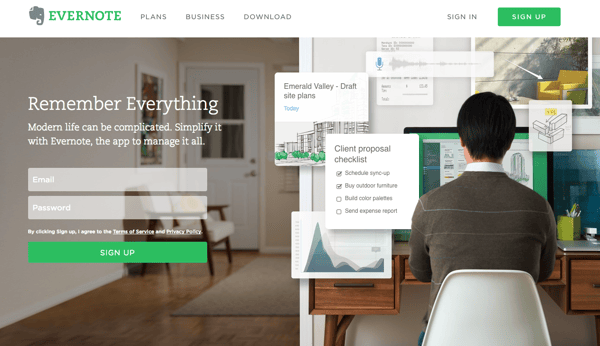
“Remember Everything.” Visitors can immediately understand that message the moment they land on this page. The design on Evernote’s website makes it super simple for users to see quick benefits of using the app and how to actually sign up to use it. Plus, the green color of the main and secondary CTA buttons is the same green as the headline and the Evernote logo, all of which jump off the page.
2. Dropbox
CTA: Sign up for free
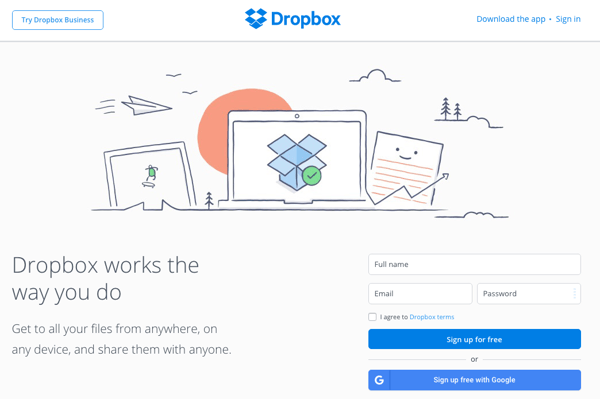
Dropbox has always embraced simple design with a lot of negative space. Even the graphics on their homepage are subtle and simple.
Thanks to that simple design and negative space, the blue “Sign up for free” call-to-action button stands out from everything else on the page. Since the CTA and the Dropbox logo are the same color, it’s easy for the visitor to interpret this CTA as “Sign up for Dropbox.” That’s one effective call-to-action.
3. OfficeVibe
CTA: Subscribe
Here’s a slide-in call-to-action that caught my attention from OfficeVibe. While scrolling through a post on their blog, a banner slid in from the bottom of the page with a call-to-action to subscribe to their blog. The best part? The copy on the slide-in told me I’d be getting tips about how to become a better manager — and the post it appeared on was a post about how to become a better manager. In other words, the offer was something I was already interested in.

Plus, I like how unobtrusive slide-in CTAs are — as opposed to what my colleague Rachel Sprung calls the “stop-everything-and-click-here-pop-up-CTA.” I find these CTAs offer a more lovable experience because they provide more information while still allowing me to continue reading the blog post.
4. Netflix
CTA: Join Free for a Month
One big fear users have before committing to sign up for something? That it’ll be a pain to cancel their subscription if they end up not liking it. Netflix nips that fear in the bud with the “Cancel anytime” copy right above the “Join Free for a Month” CTA. I’d venture a guess that reassurance alone has boosted signups. Also, you’ll notice again that the red color of the primary and secondary CTAs here match Netflix’s logo color.

5. Square
CTA: Get Started
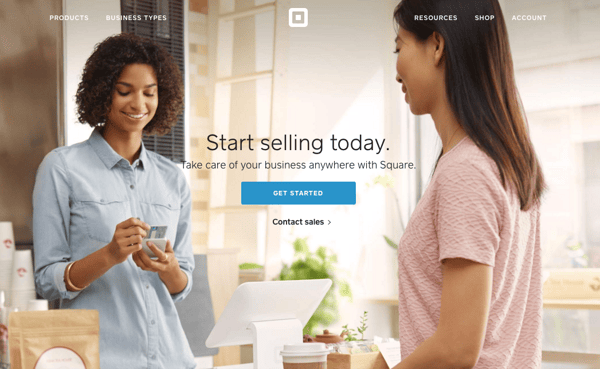
To achieve effective CTA design, you need to consider more than just the button itself. It’s also super important to consider elements like background color, surrounding images, and surrounding text.
Mindful of these additional design components, the folks at Square used a single image to showcase the simplicity of using their product, where the hovering “Get Started” CTA awaits your click. If you look closely, the color of the credit card in the image and the color of the CTA button match, which helps the viewer connect the dots of what to expect if/when they click.
6. Prezi
CTA: Give Prezi a try
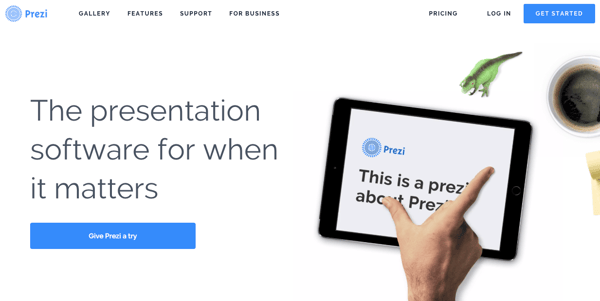
The folks at Prezi are also into the minimalist design look on their website. Other than the green dinosaur and the dark brown coffee, the only other color accompanying the predominantly black-and-white design is a bright blue — the same blue from their main logo. That bright blue is strategically placed on the homepage: the main “Give Prezi a try” CTA, and the secondary “Get Started” CTA, both of which take users to the same pricing page.
7. Full Bundle
CTA: Our Work
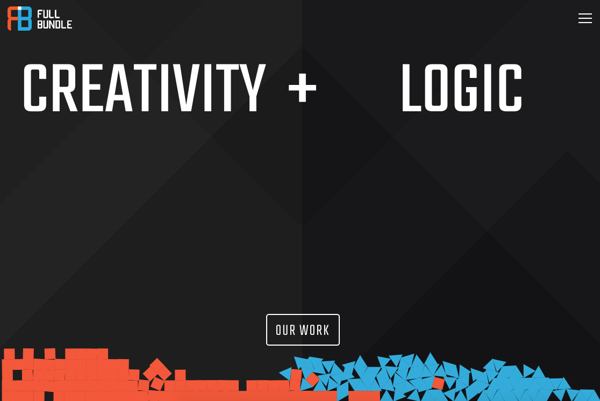
Full Bundle is another company that uses negative space to make their primary CTA pop. The white “Our Work” call-to-action stands out against the dark greys of the background. Their choice of CTA is strategic, too. Given that they primarily exist to build out clients’ online presences, it’s important for them to showcase their work — and that’s what most folks are going to their website for.
8. Panthera
CTA: Join
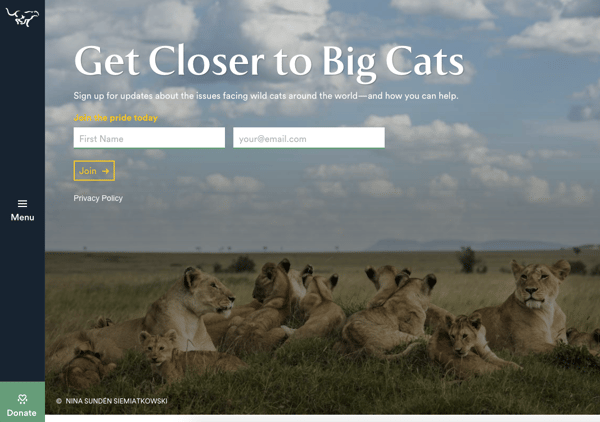
The folks at Panthera are looking for users who really care about wild cats around the world and want to join a group of people who feel the same way. To target those people in particular, we love how they use language that would speak to big cat-lovers: “Join the pride today.” The page itself is super simple: an on-page form with two, simple fields, and a button asking folks to (again) “Join.”
9. EPIC
CTA: Let’s start a new project together
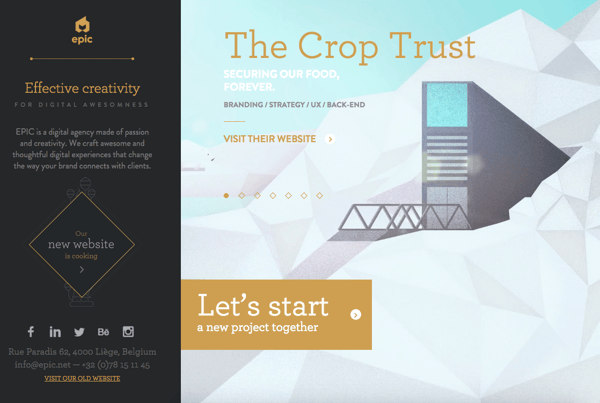
The folks at the agency EPIC use their homepage primarily to showcase their work. When you arrive on the page, you’re greeted with animated videos showing some of the work they’ve done for clients, which rotate on a carousel. While there are plenty of other places users might click on their site — including their clients’ websites — the main call-to-action stands out and always contrasts with the video that’s playing in the background.
I love that it features friendly, inclusive language — “Let’s start a new project together” — which gives a hint to users looking for a creative partner that they’re an especially great team to work for.
10. Aquaspresso
CTA: Send Me Specials Now!
The whole point of a call-to-action is to direct your site visitors to a desired course of action — and the best CTAs do so in a way that’s helpful to their visitors. The folks at coffee company Aquaspresso really nailed that balance here with the pop-up CTA on their main blog page.
Here, the desired course of action is for their blog readers to check out what they’re actually selling (and hopefully buy from them). There are many ways they could have done this, including putting out a CTA that urges people to “Check out our most popular products!” or something very direct. But we love what they’ve done instead: Their CTA offers blog readers something much more helpful and subtle — an offer for “today’s specials” in exchange for the reader’s email address.
Adding that the specials are for today only is a great example of a psychological tactic called scarcity, which causes us to assign more value to things we think are scarce. The fear that today’s specials are better than tomorrow’s might make people want to fill it out and claim their offer while they can.
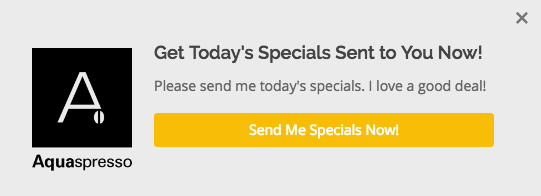
(The call-to-action above was created using HubSpot’s free conversion tool, Leadin. Click here to learn how to easily create CTAs like this one using Leadin.)
11. QuickSprout
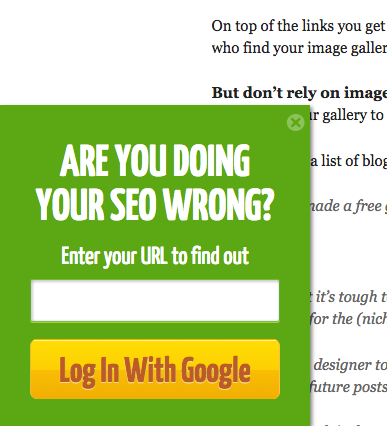
CTA: Are you doing your SEO wrong? Enter your URL to find out
No one wants to be wrong. That’s why a call-to-action button like QuickSprout’s slide-in CTA on their blog is so clickworthy. It asks the reader, “Are you doing your SEO wrong?” Well, am I? All I have to do is enter my URL to find out — seems easy enough. It’s language like that that can really entice visitors to click through.
Plus, having the CTA slide in mid-blog post is a great tactic for catching readers before they bounce off the page. Traditionally, many blogs have CTAs at the very bottom of each blog post, but research shows most readers only get 60% of the way through an article. (Click here to learn how to add slide-in CTAs to your blog posts.)
12. Grey Goose
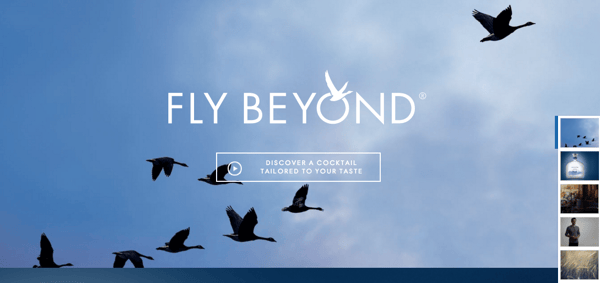
CTA: Discover a cocktail tailored to your taste
Here’s a fun, unique call-to-action that can get people clicking. Whereas site visitors might have expected to be directed to product pages or press releases from the homepage, a CTA to “Discover a Cocktail Tailored to Your Taste” is a pleasantly surprising ask. People love personalization, and this CTA kind of feels like an enticing game. The play button icon next to the copy gives a hint that visitors will be taken to a video so they have a better idea of what to expect when they click.
13. Treehouse
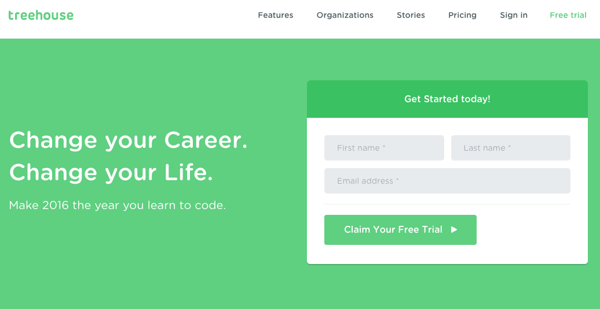
CTA: Claim Your Free Trial
A lot of company websites out there offer users the opportunity to start a free trial. But the CTA on Treehouse’s website doesn’t just say “Start a Free Trial”; it says “Claim Your Free Trial.”
The difference in wording may seem subtle, but think about how much more personal “Claim Your Free Trial” is. Plus, the word “claim” suggests it may not be available for long, giving users a sense of urgency to get that free trial while they can.
14. OKCupid
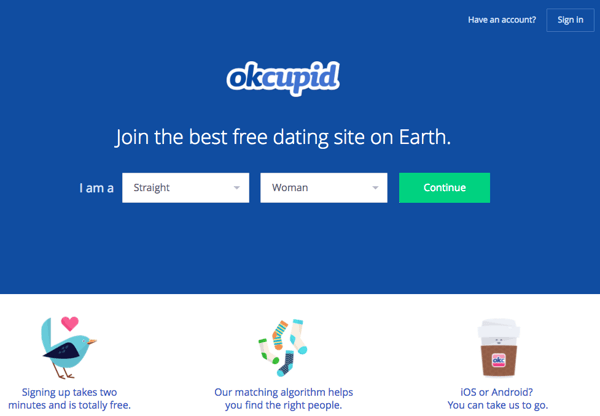
CTA: Continue
OKCupid’s CTA doesn’t seem that impressive at first glance, but its brilliance is in the small details.
The call-to-action button, which is bright green and stands out well on a dark blue background, says, “Continue.” The simplicity of this term gives hope that the signup process is short and casual. To me, this CTA feels more like I’m playing a fun game than filling out a boring form or committing to something that might make me nervous. And it’s all due to the copy.
15. Blogging.org
CTA: Countdown Clock
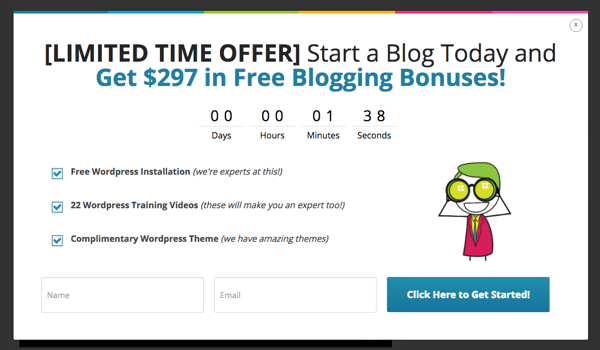
Nothing like a ticking timer to make someone want to take action. After spending a short amount of time on blogging.org’s homepage, new visitors are greeted with a pop-up CTA with a “limited time offer,” accompanied by a timer that counts down from two minutes.
As with Aquaspresso’s example in #10, this is a classic use of the psychological tactic called scarcity, which causes us to assign more value to things we think are scarce. Limiting the time someone has to fill out a form makes people want to fill it out and claim their offer while they can.
Curious, what happens when time runs out? So was I. Hilariously, nothing happens. The pop-up CTA remains on the page when the timer gets to zero.
16. IMPACT Branding & Design
CTA: What We Do
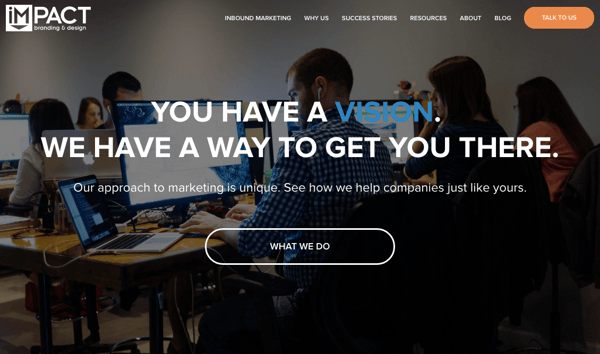
CTAs can feel really pushy and salesy (yes, that’s a word…) if the wrong language is used. I like IMPACT‘s educational approach, where they challenge visitors to learn what the company does before pushing them to take any further action. This call-to-action is especially intriguing to me because they don’t even use an action verb, yet they still manage to entice people to click.
17. Huemor
CTA: Launch (Do Not Press)
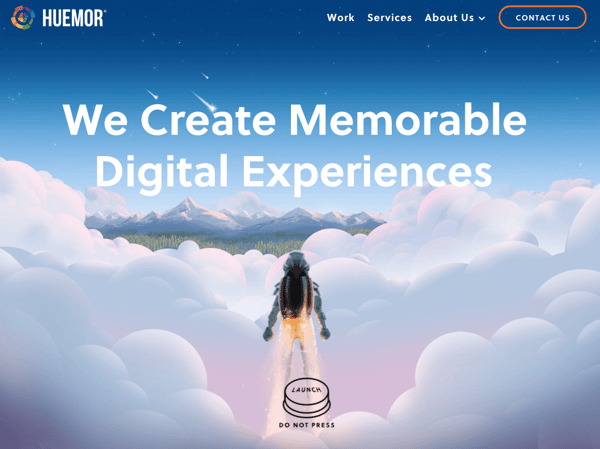
If you went to a website and saw a “Launch” CTA accompanied by the copy “Do Not Press” … what would you do? Let’s be honest: You’d be dying to press it. The use of harmless reverse psychology here is playful, which is very much in keeping with Huemor’s brand voice.
18. Brooks Running
CTA: Find out when we have more
How many times have you hotly pursued a product you love, only to discover it’s sold out? Well, as you might know, it’s no picnic for the seller either. But just because you’ve run out of an item doesn’t mean you should stop promoting it.
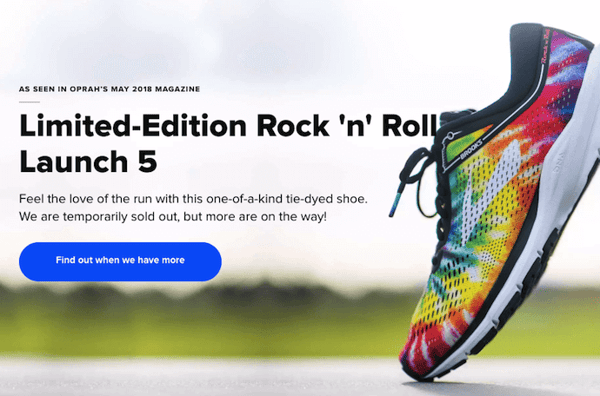
Brooks Running uses a clever call to action to ensure their customers don’t bounce from their website just because their favorite shoe is out of stock. In the screenshot below, you can see Brooks touting an awesome-looking shoe with the CTA, “Find out when we have more.” I love how this button turns bad news into an opportunity to retain customers. Without it, Brooks’ customers would likely forget about the shoe and look elsewhere.
When you click on the blue CTA button depicted below, Brooks directs you to a page with a simple code you can text the company. This code prompts Brooks to automatically alert the visitor when the shoe they want is available again.
19. Humboldt County
CTA: Follow the Magic
Humboldt County’s website is gorgeous on its own: It greets you with a full-screen video of shockingly beautiful footage. But what I really love is the unconventional call-to-action button placed in the bottom center, which features a bunny icon and the words “Follow the Magic.”
It enhances the sort of fantastical feel of the footage, making you feel like you’re about to step into a fairytale.
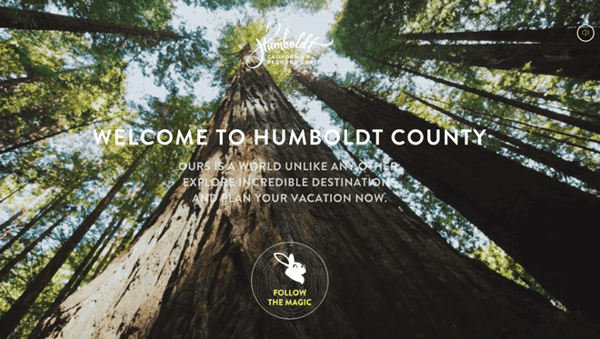
What’s more, once you click into that CTA, the website turns into a sort of choose-your-own-adventure game, which is a fun call-to-action path for users and encourages them to spend more time on the site.

20. Uber
CTA: Sign up to drive | Start riding with Uber
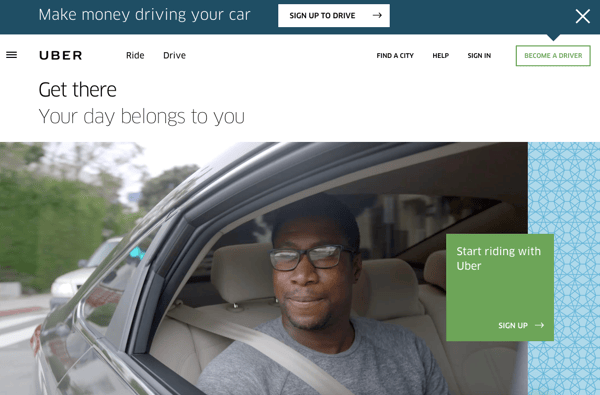
Uber’s looking for two, very distinct types of people to sign up on their website: riders and drivers. Both personas are looking for totally different things, and yet, the website ties them together really well with the large video playing in the background showing Uber riders and drivers having a good time in locations all over the world.
I love the copy of the driver CTA at the top, too: It doesn’t get much more straightforward than, “Make money driving your car.” Now that’s speaking people’s language.
21. Spotify
CTA: Go Premium | Play Free
As soon as you reach Spotify’s homepage, it’s pretty clear that their main goal is to attract customers who are willing to pay for a premium account, while the CTA for users to sign up for free is very much secondary.
It’s not just the headline that gives this away; it’s also the coloring of their CTA buttons. The “Go Premium” CTA is lime green, making it pop off the page, while the “Play Free” CTA is plain white and blends in with the rest of the copy on the page. This contrast ensures that visitors are drawn to the premium CTA.

22. Ugmonk
CTA: Send me the coupons | I’m not interested
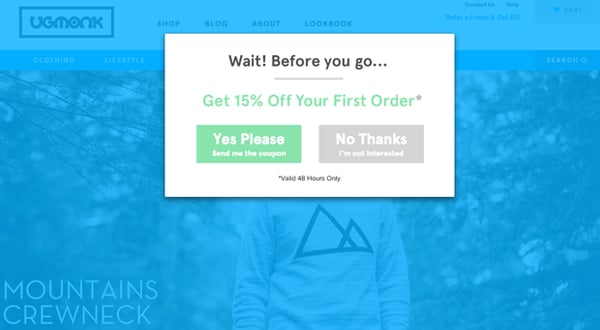
Exit CTAs, also known as exit intent pop-ups, are different than normal pop-ups. They detect your users’ behavior and only appear when it seems as though they’re about to leave your site. By intervening in a timely way, these pop-ups serve as a fantastic way of getting your reader’s attention while offering them a reason to stay.
Ugmonk has a great exit CTA, offering two options for users as a final plea before they leave the site. First, they offer a 15% discount on their products, followed by two options: “Yes Please: Send me the coupon” and “No Thanks: I’m not interested.” It’s super helpful that each CTA clarifies what “Yes” and “No” actually mean, and I also like that they didn’t use guilt-tripping language like “No Thanks: I hate nature” like I’ve seen on other websites. Finally, notice that the “Yes Please” button is much brighter and inviting in color than the other option.
23. Pinterest
CTA: Continue with Facebook | Sign Up
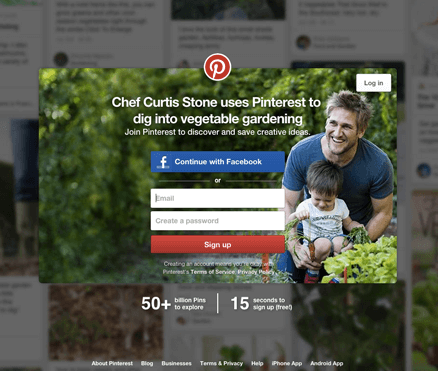
Want to sign up for Pinterest? You have a couple of options: sign up via Facebook or via email. If you have a Facebook account, Pinterest wants you to do that first. How do I know? Aesthetically, I know because the blue Facebook CTA comes first and is much more prominent, colorful, and recognizable due to the branded logo and color. Logically, I know because if you log in through Facebook, Pinterest can pull in Facebook’s API data and get more information about you than if you log in through your email address.
Although this homepage is optimized to bring in new members, you’ll notice a very subtle CTA for folks with Pinterest accounts to log in on the top right.
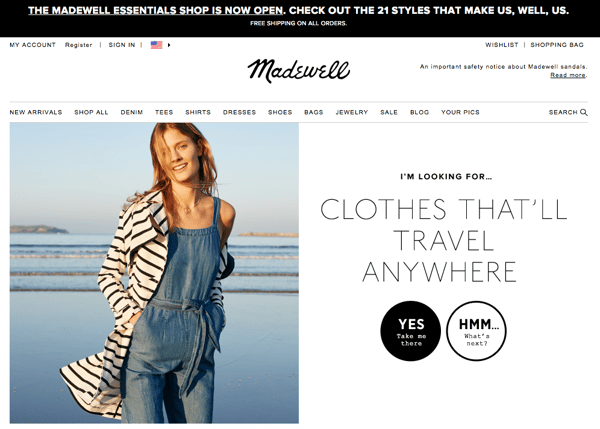
24. Madewell
CTA: Take me there | What’s next?
Madewell (owned by J.Crew) has always had standout website design, taking what could be a typical ecommerce website to the next level. Their use of CTAs on their homepage is no exception.
When you first arrive on the page, you’re greeted with the headline “I’m Looking For …” followed by a category, like “Clothes That’ll Travel Anywhere.” Below this copy are two options: “Yes, Take Me There” or “Hmm… What’s Next?” The user can choose between the two CTAs to either browse clothes that are good for travel, or be taken to the next type of clothing, where they can play again.
This gamification is a great way to make your site more interesting for users who come across it without having a specific idea of where they want to look.
25. Instagram
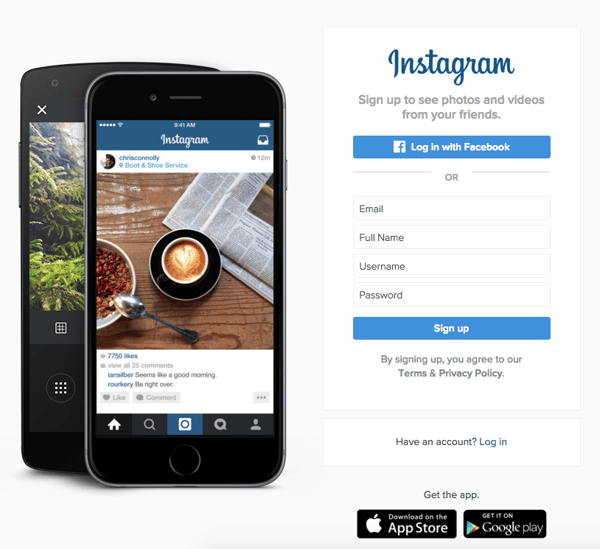
CTA: Download on the App Store | Get it on Google Play
Since Instagram is a mainly mobile app, you’ll see two black CTAs of equal size: one to download Instagram in Apple’s App Store, and another to download it on Google Play. The reason these CTAs are of equal caliber is because it doesn’t matter if someone downloads the app in the App Store or on Google Play … a download is a download, which is exactly what Instagram is optimizing for. If you already have Instagram, you can also click the CTA to “Log In” if you’d prefer that option, too.
26. Barkbox
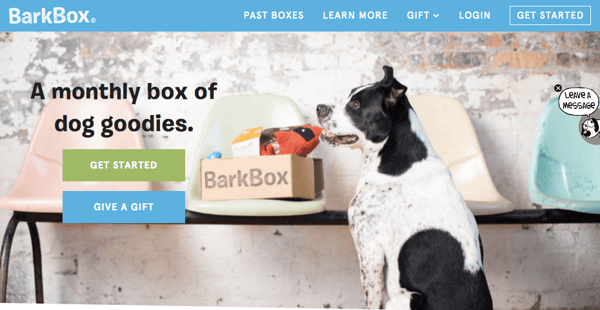
CTA: Get Started | Give a Gift
The two CTAs on Barkbox’s homepage show that the team there knows their customers: While many people visiting their site are signing up for themselves, there are a lot of people out there who want to give Barkbox as a gift. To give those people an easy path to purchase, there are two, equally sized CTAs on the page: “Get Started” and “Give a Gift.”
As an added bonus, there’s an adorable, pop-up call-to-action on the right-hand side of the screen prompting users to leave a message if they’d like. Click into it, and a small dialogue box pops up that reads, “Woof! I’m afraid our pack is not online. Please leave us a message and we’ll bark at you as soon as pawsible.” Talk about delightful copy.
27. t.c. pharma
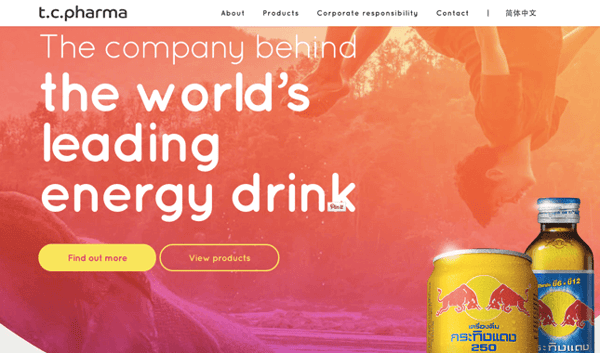
CTA: Find out more | View products
Turns out Red Bull isn’t its own parent company: It’s owned by Thailand-based t.c. pharma, a company that makes popular energy drinks, electrolyte beverages, and functional drinks and snacks.
Its homepage features two call-to-action buttons of equal size: “Find out more” and “View products” — but it’s clear by the bright yellow color of the first button that they’d rather direct folks to “Find out more.”
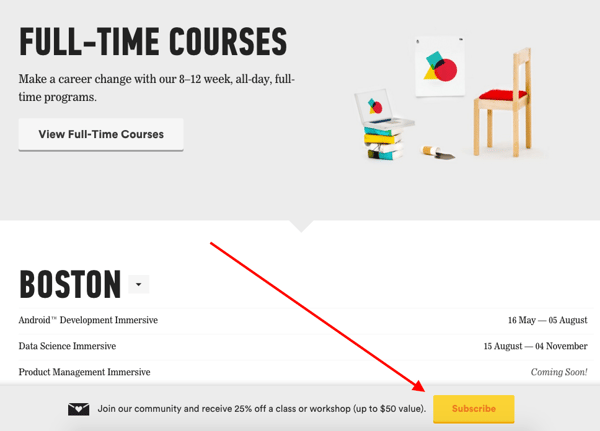
28. General Assembly
CTA: View Full-Time Courses | Subscribe
As you scroll through the General Assembly website, you’ll see CTAs for various courses you may or may not want to sign up for. I’d like to point your attention to the CTA that slides in from the bottom of the page as you’re scrolling, though, which suggests that you subscribe to email updates.
Although this feels like a secondary CTA due to its location and manner, I actually think they try to sneak this in to become more of a primary CTA because it’s so much more colorful and noticeable than the CTAs for individual classes. When you create your own CTAs, try using bolder colors — even ones that clash with your regular stylings — to see if it’s effective at getting people’s attention. (Click here for a tutorial on how to add slide-in CTAs to your webpages.)
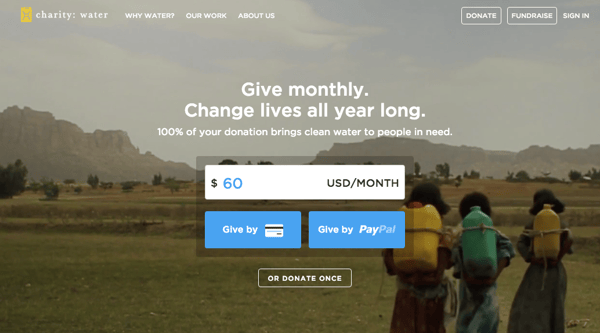
29. charity: water
CTA: Give by Credit Card | Give by PayPal
Charity: water’s main goal is to get people to donate money for clean water — but they can’t assume that everyone wants to pay the same way.
The CTAs featured on their homepage take a really unique approach to offering up different payment methods by pre-filling $60 into a single line form and including two equally important CTAs to pay via credit card or PayPal. Notice how both CTAs are the same size and design — this is because charity: water likely doesn’t care how you donate, as long as you’re donating.
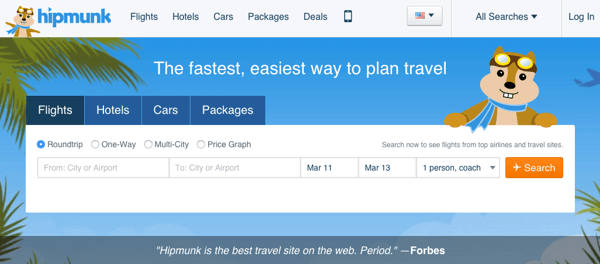
30. Hipmunk
CTA: Flights | Hotels | Cars | Packages
When you land on the Hipmunk site, your main option is to search flights. But notice there are four tabs you can flip through: flights, hotels, cars, and packages.
When you click into one of these options, the form changes so you can fill out more information. To be 100% sure you know what you’re searching for, Hipmunk placed a bright orange CTA at the far right-hand side of the form. On this CTA, you’ll see a recognizable icon of a plane next to the word “Search,” so you know for sure that you’re searching for flights, not hotels. When you’re on the hotels tab, that icon changes to a hotel icon. Same goes with cars and packages.
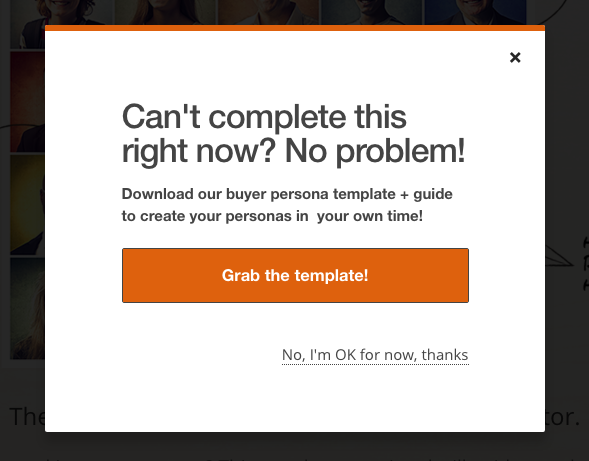
31. MakeMyPersona
CTA: Grab the template! | No thanks
Here’s another example of a great pop-up with multiple calls-to-action — except in this case, you’ll notice the size, color, and design of the users’ two options are very different from one another. In this case, the folks at MakeMyPersona are making the “Grab the template!” CTA much more attractive and clickable than the “No, I’m OK for now, thanks” CTA — which doesn’t even look like a clickable button.
I also like how the “no” option uses polite language. I find brands that don’t guilt-trip users who don’t want to take action to be much, much more lovable.
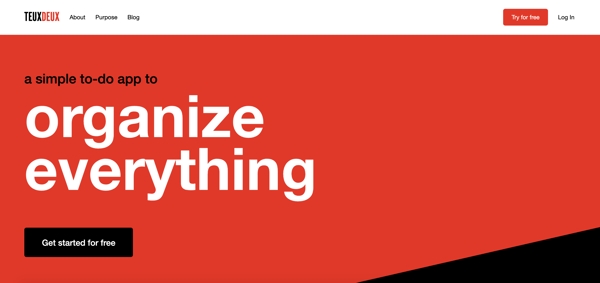
32. TeuxDeux
CTA: Get Started for Free | Try for Free
Another example of simplistic design, TeuxDeux’s main website features one phrase and two CTA buttons.
That’s it.
Using the company’s colors, the background is just a splash of red and some black.
The CTA buttons stand out against the color and emphasize that you can try the product for free.
I like these CTAs because they show that the company understands its audience. Whenever I’m researching to-do list apps, I always want to try it before I buy it. It’s something that people are very particular about and want to test-drive. TeuxDeux’s CTAs shows that they understand this about their audience.
33. Betabrand
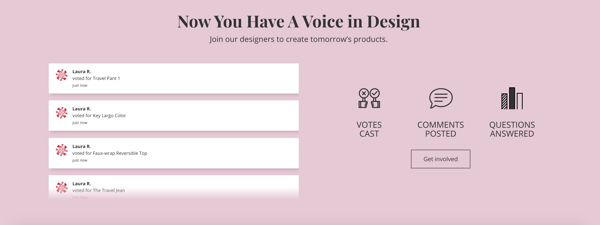
CTA: Get involved
Betabrand is a clothing company that sells yoga/dress pants for women. Usually, clothing brands tend to use similar CTAs such as “Shop Now.”
However, Betabrand’s homepage CTA is unique in that it involves the audience. Here, users can vote and impact the design of new products.
This is a fun way to get the audience involved and do something different.
34. Fabletics
CTA: Limited Edition
This Fabletics CTA uses several marketing tactics: scarcity and a holiday.
On the homepage, the brand announces a limited edition collection that’s tied to a holiday (Mother’s Day).
Additionally, the CTA uses a bright color so the CTA stands out on the simple homepage.

35. Ashley Stewart
CTA: Shop the Lookbook
Ashley Stewart is a clothing brand catered to plus-sized women. In this CTA, the company uses a fun design to entice website visitors. The entire collage of images looks like a behind-the-scenes camera roll, which is interesting to look at.
Additionally, the CTA copy is straight to the point, which is helpful for visitors who are looking to browse.

36. Amazon Music
CTA: 3 months free
This is a great example of several of the elements we’ve talked about in one CTA.
Amazon uses two strategically placed CTAs, colorful, yet simple design, and offers the product for free.
With this CTA, Amazon is promoting one of its own products and services on its homepage instead of other products listed for sale on the site.
The only message they want to get across? That you can try their product, Amazon Music, for free for three whole months. This CTA accomplishes that goal with a simple design.

37. Barnes and Noble
CTA: Shop Now
Barnes and Noble uses a simple CTA to entice visitors to shop a limited collection during the Mother’s Day holiday.
I like this CTA because the landing page design is so cohesive with the branding of the overall company.
Additionally, the graphics and the fonts are all interesting and match the brand’s messaging.

38. Slack
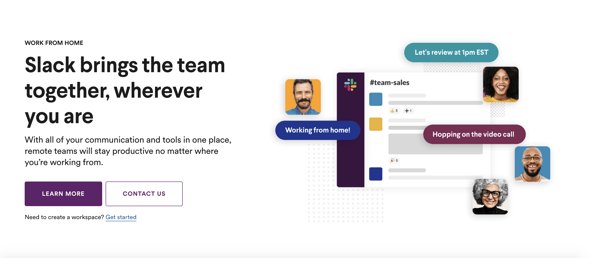
CTA: Learn More | Contact Us
Slack uses beautiful, simple design on its homepage to entice visitors to click on one of the two CTA buttons.
I like this example because Slack has two CTA buttons for two different audiences. If you’re just getting started in your research, you can click “Learn More.” However, if you’re a repeat visitor and know that you want to talk to a sales person, you can click “Contact Us.”
This is a great example of serving two audiences with your CTAs on your homepage.
39. Nintendo
CTA: Compare Features
On Nintendo’s website, the company is focused on answering any questions a visitor might have.
In fact, one of the main CTAs is “Compare Features.” With this CTA, Nintendo answers one of their most popular questions because they understand that many visitors are still doing their research before purchasing a product.

There you have it. By now, we hope you can see just how important little CTA tweaks can be.
Full Disclosure: We don’t have data to know if these are all scientifically successful, but these examples all follow our best practices. If you decide to recreate these CTAs on your site, please remember to test to see if they work for your audience.
Want more CTA design inspiration? Check out some of our favorite HubSpot call-to-action examples.
Editor’s note: This post was originally published in June 2014 and has been updated for comprehensiveness.

How Small Businesses Can Take Advantage of the Australian Stimulus Package
In light of the evolving situation around the COVID-19 pandemic, the Australian Government has released a number of economic responses to support individuals, households and businesses and improve stability in this particularly volatile environment.
With so much information being circulated, updated and changed so frequently, we wanted to provide a summary of the government’s response in a more easily digestible format.
Below is a guide to the Australian government support that is currently available for:
- Individuals and households
- Businesses
- The flow of credit for businesses and lending institutions
You’ll also find a summary of timings at the end of this page, where the implementation dates of each initiative are listed in accordance with government guidelines at the time of writing.
This blog post is meant as a basic resource and not a comprehensive guide. For the most up-to-date information visit the official Australian government website, which outlines in detail the official economic response to the Coronavirus.
Support for Individuals and Households
1. Income support for individuals.
The Government is providing an income support payment of $550 to individuals every two weeks. This is limited for six months as a temporary Coronavirus supplement and is applicable to new and existing recipients of existing support payments such as JobSeeker Payment, Parenting Payment etc.
You can apply for this by creating and/or signing into your myGov account online and registering your intention to claim a Centrelink payment.
2. Payments to support households.
This is the provision of two $750 payments for specific groups such as veterans, concession card holders and other income support recipients. The second of those two payments won’t be made available to those that qualify for the aforementioned Coronavirus supplement for individuals.
You can apply for this by creating and/or signing into your myGov account online and registering your intention to claim a Centrelink payment.
3. Temporary early release of superannuation
This release entitles individuals and those operating as sole traders that have been impacted to an early, tax-free withdrawal of up to $10,000 of their superannuation in 2019-2020 financial year and another $10,000 in the 2020-2021 financial year.
You can apply for this by creating and/or signing into your myGov account online and registering your interest in accessing your super early.
4. Temporarily reducing superannuation minimum drawdown rates
Superannuation minimum drawdown rates have been reduced by 50% from 2019-2020 and 2020-2021 income years to reduce the need to sell assets in order to fund these requirements.
You do not need to apply for this.
5. Reducing social security deeming rates
Social security deeming rates were reduced by 0.5% on March 12th and have since been reduced by another 0.25%, meaning that income from savings will be lessened. This will benefit many income support recipients and also Age Pensioners who will get $324 more of their Age Pension over the first full year of these new rates.
You do not need to apply for this.
Support for Businesses
1. JobKeeper Payment
As of March 30th, 2020, the JobKeeper Payment provides businesses with $1,500 every two weeks per eligible employee to supplement their wages, for a maximum of six months. This isn’t available for businesses subject to the Major Bank Levy, but can include sole traders. You may qualify for this if:
- Your turnover is less than $1bn and has reduced or likely to reduce by 30% or more
- Your turnover is more than $1bn and has reduced or likely to reduce by 50% or more
- Charities or NFPs will be eligible for the subsidy if they estimate their turnover has or will likely fall by 15% or more
Businesses can register their interest here and below are some additional assets for this:
2. Boosting cash flow for employers.
Small-to-medium businesses and not for profit bodies that employ staff during the current climate will receive temporary, tax-free cashflow support from the government from 28th April, ranging from $20,000 to $100,000. This will be done through two credit boosts in the activity statement system as and when eligible businesses submit their activity statements.
Initial payments will be made from March to July, 2020, and will be 100% of employees’ salary and wages that have been withheld. Minimum initial payment will be $10,000 and maximum will be $50,000. A second payment will be made to those who received the initial boost and will be for the same amount as the first payment. You may qualify for this if:
- You’re a small or medium-sized business with an aggregated annual turnover under $50m with employees that are also eligible
- You’re a not for profit business with an aggregated annual turnover under $50m with employees that are also eligible
You don’t need to apply for the cash flow boost. All you need to do is lodge your upcoming activity statements. You must lodge your March and Q3 activity statements on their due date and no earlier to ensure you receive the maximum refund available. If your business is eligible, the credit will be automatically applied on or after 28th April 2020.
3. Temporary relief for financially distressed businesses.
The limit at which creditors and other bodies can issue statutory demands or start bankruptcy proceedings against a business is being temporarily increased from $2,000 to $20,000, as is the response time that a business has to reply to these proceedings and demands, extending from 21 days to six months.
This initiative also temporarily relieves directors from personal liability for trading during insolvency as a result of the Coronavirus. With this, the ATO will aid in creating solutions for businesses that are suffering and this includes reducing payments or stopping enforcement actions.
You do not need to apply for this.
4. Backing business investment.
From now until 30th June, 2021, businesses with a turnover of under $500m can deduct 50% of the cost of eligible business assets on installation. However, the remaining cost of the asset will be subject to existing depreciation rules.
You do not need to apply for this.
5. Supporting apprentices and trainees.
If a small business doesn’t have the means to retain an apprentice or trainee, they can apply for a wage subsidy equal to 50% of the apprentice’s wages until 30th September, 2020. This is subject to a maximum of $21,000 per eligible apprentice and $7,000 per quarter.
Visit this page to learn more or apply for support.
Support for Coronavirus-affected regions and communities:
There’s now a fund of $1bn available to support communities and areas that have most heavily been impacted by Coronavirus and include industries like tourism, agriculture and education. At the time of writing, the Deputy Prime Minister will work with affected industries and communities to develop recovery plans and measures.
You do not need to apply for this.
Supporting the Flow of Credit
1. Support for immediate cash flow needs for SMEs.
The government will now support short-term unsecured small-to-medium enterprise loans by providing 50% to lenders, guaranteeing up to $40bn in the process. Through this, businesses will get the funding they need to keep cash flowing by enabling lending institutions to extend their credit lines.
Advice from this official government website says if you’re interested in the Coronavirus SME Guarantee Scheme you should approach your financial institution for more information.
2. Quick and efficient access to credit for small business.
Lending institutions now have leeway as the government provides temporary exemption for certain lending obligations in terms of providing credit to small businesses. This means lenders can extend their line of credit to small businesses much quicker and more efficiently than before.
Advice from this official government website says if you’re interested in the Coronavirus SME Guarantee Scheme you should approach your financial institution for more information.
3. Reserve Bank of Australia — Supporting the flow and reducing the cost of credit.
Banks now have access to $90bn+ in funding at a fixed interest rate of 0.25%, reducing their funding costs and in turn reducing the interest rates imposed on businesses borrowing from these banks. This is being implemented with a view to encouraging business lending and reducing the cost of borrowing for banks and businesses.
Advice from this official government website says if you’re interested in the Coronavirus SME Guarantee Scheme you should approach your financial institution for more information.
4. Australian Prudential Regulatory Authority — Ensuring banks are well placed to lend.
The Australian Prudential Regulatory Authority has made significant changes in terms of the expectations they have on bank capital ratios. Like the above, this measure is designed to ensure that lending can take place and that banks are in a solid position to do so.
Advice from this official government website says if you’re interested in the Coronavirus SME Guarantee Scheme you should approach your financial institution for more information.
Timing of Assistance
- Increased instant asset write off — Immediately, with deductions to be included in 2019-20 tax returns
- Temporarily reduced minimum drawdown rates for superannuation — From 20 April 2020 Immediately
- Backing business investment — Accelerated depreciation — Immediately, with deductions to be included in 2019-20 tax returns
- Support for Coronavirus-affected regions and communities — As soon as practicable
- Register interest for JobKeeper Payment — From 30 March 2020
- First round of $750 payments to support households — From 12 March to 13 April inclusive
- Assistance for existing apprentices and trainees — Applications from early-April
- Temporary early release of superannuation — Applications from 20 April
- Income support and a Coronavirus supplement — From 27 April 2020
- First phase of Boosting Cash Flow for Employers — Quarterly lodgement from 28 April 2020, monthly lodgement from 21 April 2020
- Increased transfer payments from reduced deeming rates — From 1 May 2020
- Initial JobKeeper Payments received by employers — First week of May
- Second round of $750 payments to support households — Available on 10 July 2020
- Second phase of Boosting Cash Flow for Employers — From 21 July 2020
- Coronavirus SME Guarantee Scheme — From early April 2020
We hope that this has added some clarity to what is a very uncertain time for everyone, and that some of the initiatives being rolled out can help you and your business get through this hugely difficult environment.

What Are Content Managers, and How Do You Become One?
When I was in college, I had a mentor during my summer internship. When we were talking about my career goals, I explained to her that I wanted to be someone who creates, distributes, strategizes, and promotes content.
“It sounds like you want to be a content manager,” she said.
I had no idea what she meant by that — I’d never heard of a content manager. Instead of asking her to clarify, I decided to smile and nod. But my curiosity was immediately sparked.
After all, I had no idea there was a ‘perfect’ role out there for me.
Ultimately, my mentor was right. Content managers have a hand in content strategy, creation, and distribution of marketing communications for a company. They’re organized, well-versed in fostering a brand voice, and often know their way around a blog post.
Maybe you are in a position like the one I was in — someone just learning about the content management role, and want to know the basics. Or, maybe you know this is the job for you, but want to make sure you’re prepared to be successful.
Below, you’ll find everything you need to know about content managers, from what they do to how to become one. Let’s take a look.
What are content managers, and what do they do?
According to Senior Brand Manager Alicia Collins, “Content managers wear many hats. Their job consists of so many moving parts — managing blogs, managing social, managing offers … in some cases, they can be a one-person marketing team.”
The role of a content manager can depend on company structure and size. For instance, a startup’s content manager might be their only marketer, while an enterprise company might have content managers assigned to multiple teams. Even so, there are common characteristics that define a content manager.
Content managers are creative. They develop and distribute timely, relevant content for audiences. To do that, they have a deep understanding of the voice their brand takes and use it to communicate with customers.
In addition to creativity, being a content manager usually involves the management of projects and a content team. They also might collaborate across other teams for projects.
This role is usually not entry-level — content managers are generally expected to lead their team and foster growth, so it’s a job that’s usually filled by someone with a couple years of experience in marketing, communications, and project management.
You might find a content manager taking the ownership over an editorial calendar, developing content topic strategy, data reports, managing social media accounts, or writing long-form editorial pieces.
That was just an overview of content managers and the job role. Next, we’re going to talk about some specific duties of a content manager.
If you’re a content manager, you are most likely spending some time analyzing datasets. Data from past campaigns, SEO research, and audience behavior are all helpful numbers to look at in order to execute job functions — they inform leadership decisions and collaborative projects.
If you don’t analyze the results from your content performance, you won’t know if your messages are accurately connecting with your customers.
As a content manager, you’ll also spend ample time working on strategizing how to deliver those messages.
According to content manager Justin Champion, “An effective content manager needs to have a vision of what story they’re trying to tell. This will help them stitch together all of their mediums to create the best experience possible for their audience.”
“An effective content manager needs to have a vision of what story they’re trying to tell. This will help them stitch together all of their mediums to create the best experience possible for their audience.”
Content managers are brand advocates and know that the way stories are delivered reflect their company’s brand and audience preferences.
So, you know what a content manager does. What about some of the skills you’ll need to exceed as one? Let’s talk about a few, next.
The skills needed for content management.
We’ve lightly touched on a few of the skills you need to be a content manager, including creativity, leadership, data interpretation, and organization. But it’s also imperative to have working knowledge of a few other things.
For instance, a general understanding of SEO rules and familiarity with how to use keyword research software are also needed. In addition, you’ll also have to know how to be a storyteller using the voice of a brand, and how to connect with customers using that brand voice.
Take it from Senior Podcast Producer Matt Brown, who says, “Empathizing with your audience and telling a story worth listening to is always the greatest skill a content manager should have.”
In order to deliver those stories, they’ll need to be familiar with copywriting and editing. Writing skills would be applied to writing marketing communications, blog posts, and when editing the work of others.
It’s also a good idea to know about how social media is used as a business tool, and when that applies to marketing campaigns for your company. To help with social media management, knowing how to use a CMS like HubSpot would be beneficial.
Generally, knowledge of one or two online tools for every facet of content production and management will cover your bases. This includes programs to enhance content as well, such as automatic grammar check software or graphic design tools.
So, you know what it takes to be a content manager. But how do you get there? Time to find out.
How to Become a Content Manager
You can start sharpening your skills today. If you’re looking to become a content manager, deepen your knowledge of the skills mentioned that you know you can brush up on.
Refining your skillset ensures that you’re staying up-to-date with industry changes. This is a must for content managers. If you don’t know how the industry is changing, you won’t be able to effectively connect to your audience.
Two other skills you can start working on are writing and SEO practices.
If you’re new to both, try starting a blog on a platform that has built-in, guided SEO capabilities, like HubSpot or WordPress. These functions will help you on a two-for-one front — practice with writing for a specific audience, and optimizing.
If you’re worried about the grammar and comprehension front when it comes to writing, check out Hemingway Editor or Grammarly. Hemingway Editor is a free website that checks your writing for technical errors and readability, while Grammarly is software that analyzes your work, spell-checks it, and offers suggestions on how to improve sentence structure.
You can also take courses to help you strengthen your content marketing skills. Champion recommends starting with this certification course. Upon completion, you’ll get a certificate that verifies your comprehension of content marketing (plus, you can add it to your LinkedIn profile).
When I was in college talking to my mentor, I didn’t know that the skills needed for content managing transition into my current role — even though it’s not my job title, I’m still in charge of creating content that resonates with readers. I also need to be proficient in SEO language, comfortable with collaboration, and have an organized workflow to do my job effectively.
Now that you know all about content managers, have you spotted some similarities between the role and what you do? If so, you’re already on your way to becoming an awesome one. As the saying goes, “It’s not about the destination, but they journey,” and I know that once you reach your destination, you’ll make waves as a content manager.

11 Cover Letter Templates to Perfect Your Next Job Application
No one seems to agree on cover letters. How much time do you need to spend perfecting them? Do hiring managers even read them? Is it better to just send in your resume and call it a day?
I’m not in HR, but I’ve been approached by applicants who wondered whether their cover letter would actually be read. My answer is one not many of them wanted to hear: “sometimes.” Sometimes it will be read. Other times, you can get away with just sending in your resume — like when you network your way into applying for a position.
The truth is, you can’t really predict on a case-by-case basis — and you’re better safe than sorry. For the most part, having a cover letter will give you an upper hand in ways your resume doesn’t. It allows you to show off your writing skills, provide details that you couldn’t fit on your resume, demonstrate your passion, and show your willingness to put in as much time and effort as possible.
Seems fairly basic, right? Cover letters can hold different levels of importance to an employer depending on the industry you’re in and the job you’re applying for. If you do plan to write a cover letter, keep in mind there are certain qualities it should have that are not included in the definition above.
What to Include in a Cover Letter
So, what should you include? We’ll let the 11 templates below this list do most of the talking. No matter which one you download, pay attention to the following elements — all of which should shine through in the letter you send to your future manager.
1. Contact Information
Cover letters shouldn’t just carry your contact information, but also that of the company to which you’re applying. Contact info includes your phone number, email address, and any social media accounts you’re willing to share and receive connections to.
Home addresses aren’t required, but they can be a helpful reassurance to the employer that you already live nearby and would have no trouble coming into the office.
Avoid offering phone numbers, email addresses, or actual addresses that belong to your current employer. Using your personal Gmail address over your work email, for example, ensures your correspondence with recruiters remains separate from all of your current work communication.
2. A Personal Address Line
For as often as you see “to whom it may concern” at the top of cover letters today, do your best to avoid writing this exhausted line.
Address lines that specify a person or company grab your reader’s attention much more quickly, and show the employer that you’ve taken the time to tailor your application letter to them. Don’t have the name of the hiring manager? “Employers at [company name]” will do just fine.
3. A Hook
A “hook” is a clever introduction that “hooks” your reader into wanting to learn more. Think about yourself as a job candidate — what makes you unique? What about your career might a recruiter be intrigued by that you can package into an interesting first sentence?
4. Why You’re Qualified
It’s a no-brainer that you should summarize your professional experience in your cover letter. However, today’s best applications describe why this experience qualifies the applicant for the job they’re applying for. For example, don’t just state that you spent three years writing for a company blog. Explain that this type of work lends itself to managing your new potential employer’s content calendar every week.
5. General Knowledge of the Business
Grammatical errors could mean your application is thrown in the trash, but that’s not the only thing that could get your letter tossed aside. Using a generic “one-size-fits-all” cover letter — especially if you forget to change the name of the company — will also hurt your chances of landing an interview.
So, if you take the time to write a cover letter, take the time to comment on the business itself. Why are you applying to this company? What about their business stuck out to you as a professional?
Now, let’s take a look at an example cover letter, what makes it effective, along with 11 templates you can download or draw inspiration from.
Cover Letter Example
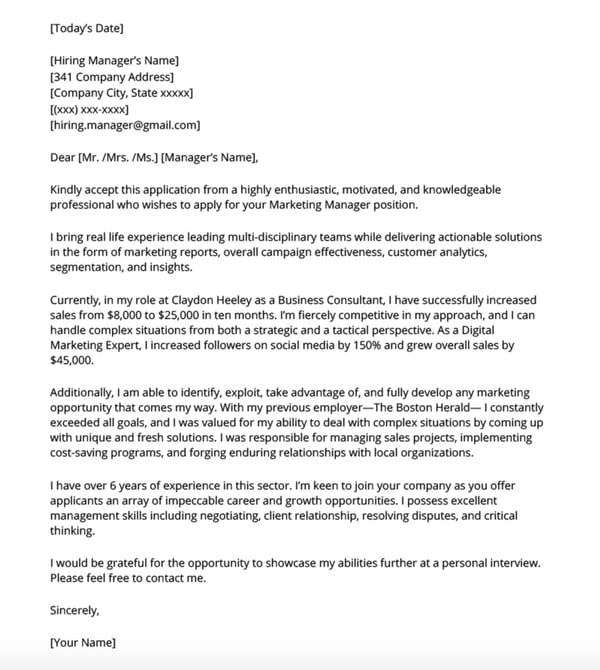
The example above illustrates how to write a marketing cover letter using the elements we listed.
Besides the contact information and the address line, the first few paragraphs explain why the candidate is qualified for the position. This example uses specific data to show why they would be a good fit.
Additionally, in the second to last paragraph, the candidate discusses why they’re interested in the specific company, demonstrating general knowledge of the business.
By combining all the elements to a cover letter, this is a great example to use for inspiration.
11 Free Cover Letter Templates for Your Next Job Application
Template 1: Basic

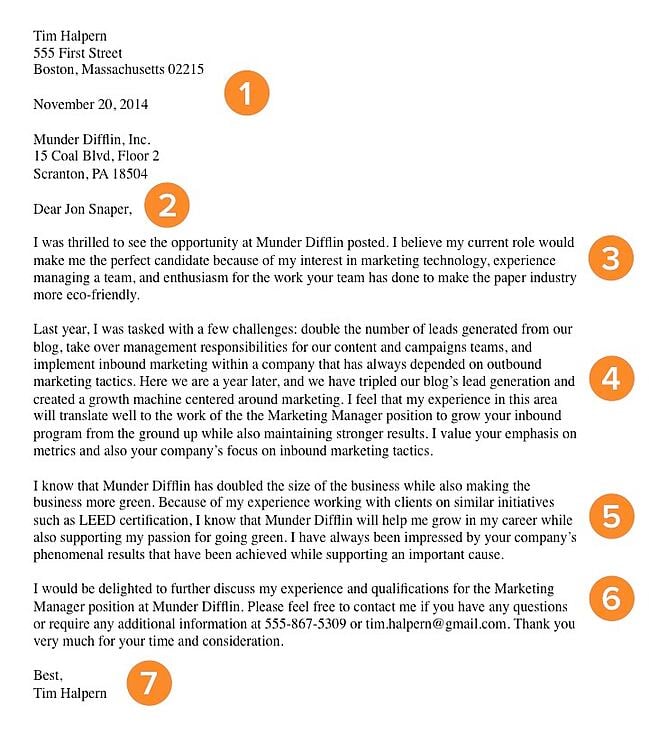
The example above is a basic (but great) cover letter. The numbered sections are explained in more detail below.
1. Header
The level of formality your header has will depend on the company to which you apply. If you’re applying to a formal business, it’s important to use a formal header to open your cover letter, like in the sample above. Put your address, the date, and the company’s address. But if you’re applying to a company that isn’t as formal, you don’t need to include yours and the company’s addresses. You can still include the date, though.
2. Greeting
Using “To Whom It May Concern” is okay, but you may want to take the time to research the name of the recruiter or hiring manager online. If you do your research and aren’t confident you found the right name, then you should definitely use the generic greeting — but if you are sure, then it shows you put in the effort to find their name and it will catch the recruiter’s eye.
If you have the recruiter’s name, do you greet them by their full name, or by their courtesy title (i.e. Mr., Ms., or Mrs.)? Similar to the header, it depends on the company’s level of formality. If you’re applying to a corporate business, you may want to consider using “Mr. Snaper” instead of “Jon Snaper.” If you’re applying to a start-up or a business with a more casual culture, you can use “Jon Snaper,” as shown in the example.
3. Introduction
Your opening paragraph should, in 1-3 sentences, state why you’re excited to apply and what makes you the perfect candidate. Get right to the point, and don’t worry about explaining where you found the posting or who you know at the company. This isn’t a place to go into detail about why you’re a great candidate — that’s for the second paragraph. Here, simply list a few key reasons in one sentence to set up the rest of your letter. Keep in mind that the recruiter may cross-reference your cover letter with your resume, so make sure the two sync up.
4. Paragraph 2: Why You’re a Great Fit for the Job
Next, sell yourself and your experience by choosing one or two concrete examples that show why you’re a great fit for the position. What did you do at a previous company that gave you relevant experience? Which projects have you worked on that would benefit the new company? How will your prior experience help this company grow? Stay humble in your explanation of credentials while still showing that you would be an asset to the team. Use this paragraph to show you’re genuinely excited and interested in the position.
5. Third Paragraph: Why the Company Is a Great Fit for You
While it’s certainly important you’re a good fit for the job, it’s also important that the company is a good fit for you. “A cover letter typically describes why you’re great for a company — but how will you benefit from getting hired?” asks Emily MacIntyre, a Team Development Manager at HubSpot. “We want to know why our company appeals to you, and how it will be a mutually beneficial working relationship.”
In the third paragraph, show you’re serious about growing and developing your career at this new company. What impresses and excites you about the company? Is there something that you feel strongly about that aligns with the company’s goals? For example, the candidate in the sample letter used this space to show his personal commitment to environmental causes aligns with the company’s green initiatives.
6. Strong Closer and Signature
Don’t get lazy in the final few sentences of your cover letter — it’s important to finish strong. Be straightforward about your interest and enthusiasm about the new position, and tell them you’re available to talk about the opportunity at any time. Be sure to include your phone number and email address. At this point, the ball is (rightly) in the recruiter’s court to decide how to follow up.
Last but certainly not least, thank them for their time and consideration. Use a formal sign-off like “Best,” “All the best,” or “Sincerely,” and finish by typing out your full name. You don’t need to sign it with a pen.
Template 2: Data-Driven Marketing Cover Letter
Get it here.
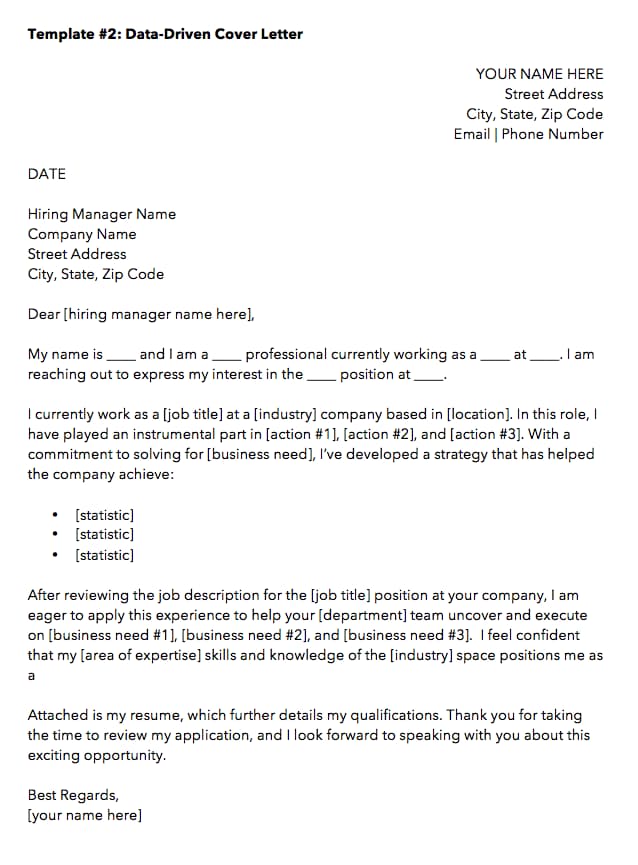
When applying to a data-driven position, it might be tempting to inject your cover letter with, well, the data to describe what you’ve done for other employers. But in an application letter — particularly for the marketing industry — how you convey this data is just as important as the data itself.
The cover letter template above, which we created here at HubSpot, can help you present the data that’s most important to you as a candidate such that it’ll matter to your future employer.
Notice the three bullet points near the center of the letter above, preceded by the statement: “… I’ve developed a strategy that has helped the company achieve …” This setup is important, because while you can add as many statistics as you want to this template, your data points should describe how your current/former business benefited from your work, rather than how you, yourself, benefited.
Template 3: Straight-to-the-Point Cover Letter
Get it here.
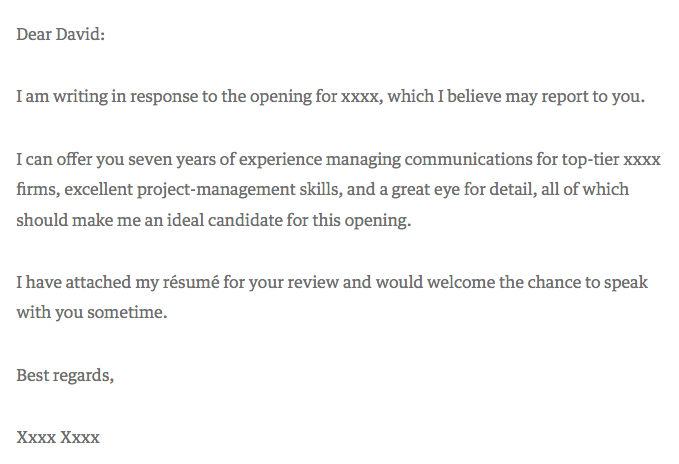
Harvard Business Review contributor David Silverman hailed the above cover letter example as “The Best Cover Letter I Ever Received.” For context, Silverman believes there are only a handful of times when writing a cover letter is actually necessary:
- When you know the name of the hiring manager.
- When you know something about what the job requires.
- When you’ve been referred to the job personally.
Under those three circumstances, a straight-to-the-point cover letter like the one above could be your best bet. Because it’s so concise, however, make a point to add your own letterhead above the message itself. It might be easy for a recruiter to sift through a short and sweet cover letter like the one above, but it’s just as easy for it to get lost in the shuffle of their application list without a unique design or format.
Template 4: Referral Cover Letter
Get it here.
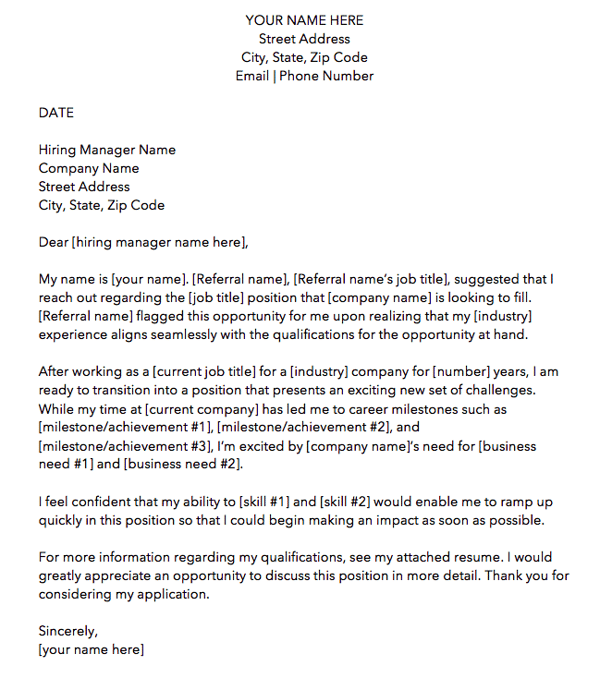
Just because a friend or colleague recommended you for a job doesn’t mean the company is all set to hire you. Therefore, the cover letter template above is written specifically for referrals. We made this one here at HubSpot. Download it here (it comes with four other cover letter templates, too).
As you can see in the picture above, the first paragraph of the cover letter is dedicated entirely to acknowledging the circumstances of your applying: You know someone who works there — no harm in that. But there might be harm in not mentioning it to the hiring manager. Telling the reader about your connection at the company shows you’re aware and confident of the actions you take to get the opportunities you’re interested it.
Ultimately, it’s better than the recruiter hearing about your employee connection from somebody else.
As for the rest of the cover letter, treat your message the same way you would if you had applied with no connection from within. Your skills and successes are no less important because of your internal referral.
Template 5: Photo Letterhead Cover Letter
Get it here.
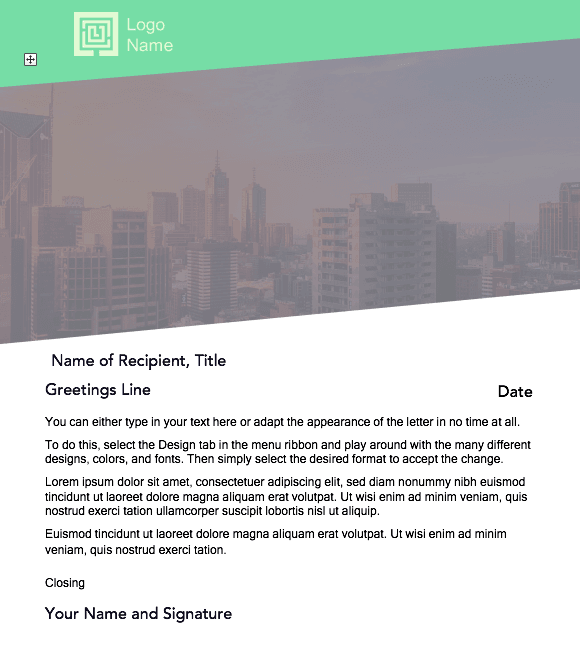
The cover letter template above was designed by Microsoft Office, and as comprehensive as it looks, it’s completely free to download and modify.
As it looks right now, this cover letter contains about half photo, half text. Feel free to shrink (and change) the image to give yourself more room to tell your story. Of course, a nice washed-out image that expresses who you are can be part of that story …
Template 6: Digital Creative Cover Letter
Get it here.
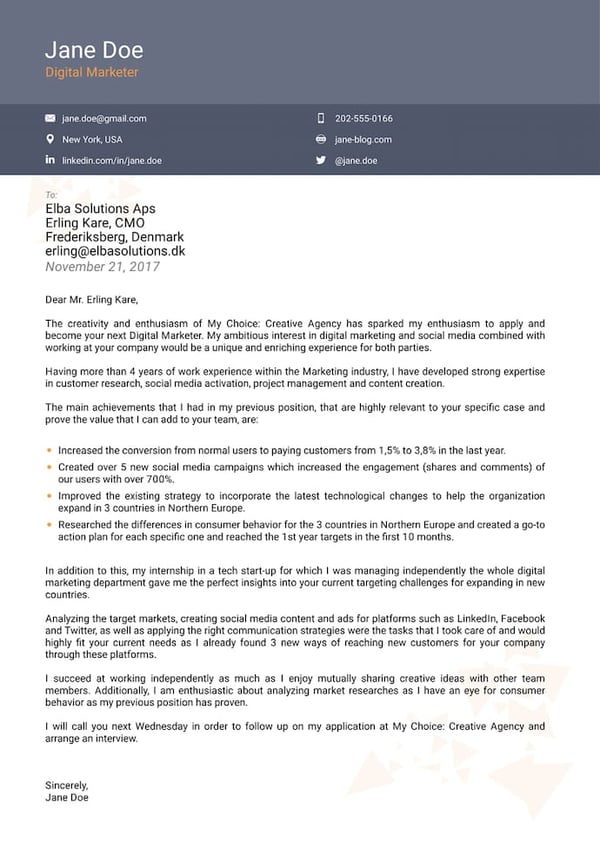
This sixth template is perfect for the applicant who wants to emphasize the many different digital channels he or she is on. The header bar also allows this template to go well with a resume of the same format.
As you personalize this letter with your own experience, make note of the social networks and industry software included in this template. You’ll see along the top that LinkedIn, email, and personal website are all available for you to fill with your own information.
The bullet points in the above template also allow you to highlight your most important skills or accomplishments for the hiring manager.
Template 7: Marketing Manager Cover Letter
Get it here.
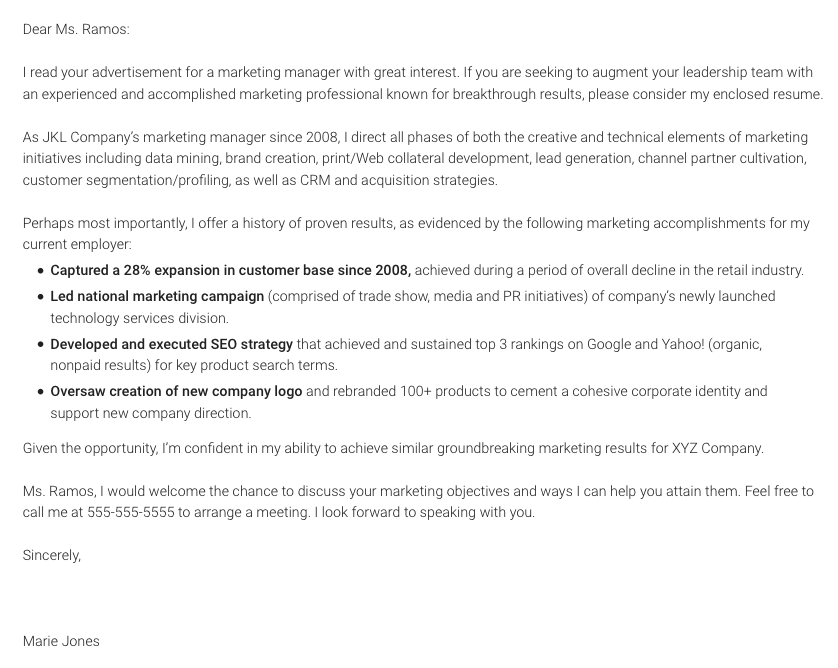
Our seventh cover letter comes from Monster.com. This cover letter, shown above, is focused specifically on a marketing role.
Notice how the writer includes references to important marketing metrics and terminology. If you’re applying to a data-driven role, you might not want to fill the page with a story of your experience in paragraph form, like Template 1 does at the beginning of this article. Instead, consider highlighting three (or four, or five) of your successes that you believe the hiring manager would resonate most with, in bulleted form.
As a marketing professional, breaking up your letter with bulleted details like the ones above shows a respect for the hiring manager’s limited time — a mentality that all marketers must understand when communicating with a brand’s audience.
Template 8: Career Day Follow-Up Cover Letter
Get it here.
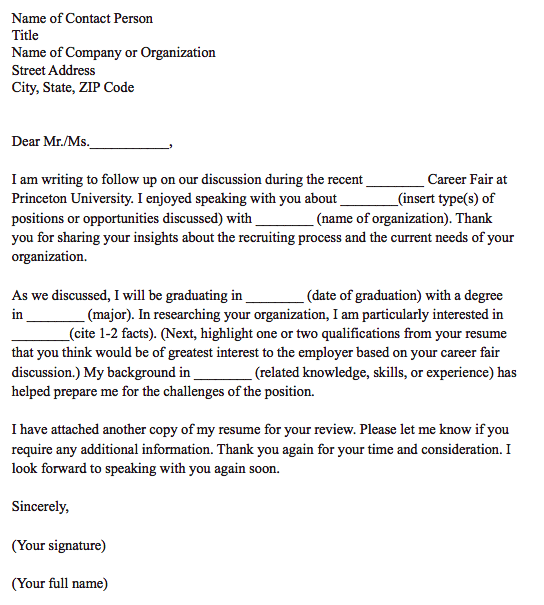
This is a unique kind of cover letter from Princeton University.
CareerBuilder, Monster, and Indeed might take the lion’s share of your job searches online, but still some employment opportunities come out of a trade show, job fair, or similar networking event. For those occurrences, you have the follow-up cover letter template above.
This cover letter has everything you need to help an employer recall a conversation you had with him/her at a career fair. As you can see in the second paragraph, the letter is particularly useful to people who are about to graduate college.
Template 9: Logo and Watermarked Cover Letter
Get it here.
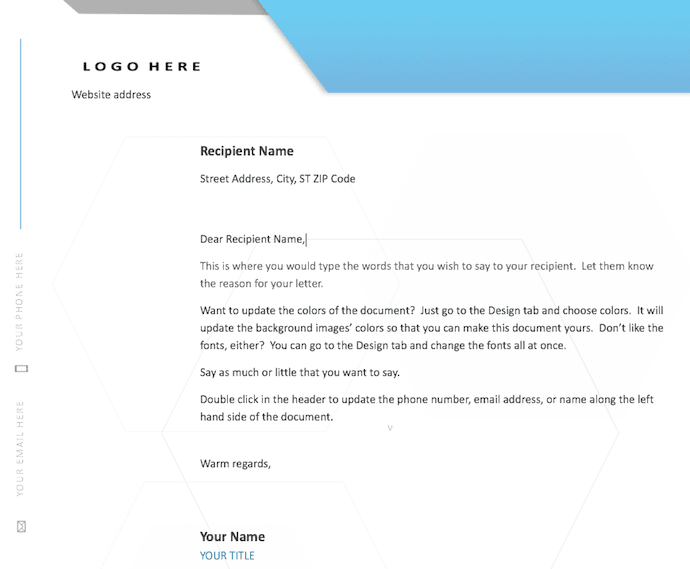
Here’s another cover letter template from Microsoft Office. This one has a light touch of color in the design just above the letterhead, but make no mistake — the template caters to any professional looking to make a good first impression on their future employer.
Don’t let the logo space on the top-right of the page confuse you. This can be the logo of the company to which you’re applying — to quickly get the attention of the recruiter — or your own logo. Perhaps you freelance on the side or simply like branding yourself. This cover letter template is meant for customization.
Template 10: Business Cover Letter
Get it here.
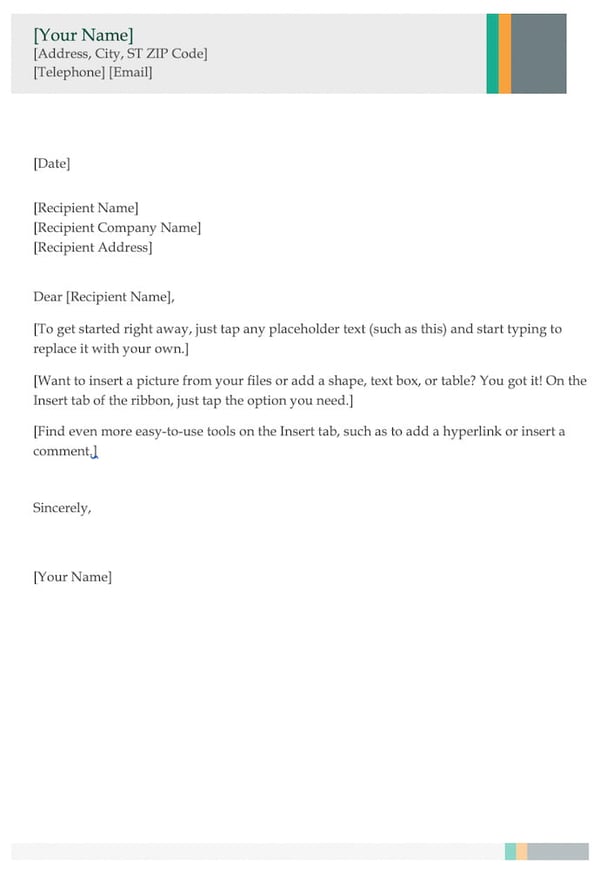
The cover letter template above is perfect for entry- and mid-level marketers who want to show a little extra professionalism in their opening note to a potential employer.
The multi-colored header (you can change the color if you wish) shows just the right amount of creativity and can go quite well with a resume of the same style. If you don’t have enough experience to fill the entire page, don’t worry. Feel free to write to a length you think is representative of who you are and what the hiring manager wants to see.
No matter how long your final cover letter is, the above template is your opportunity to show your attention to detail — from your contact information in the top header, to the personalized address line where you can include the name of the hiring manager. Like we said, “to whom it may concern” is pretty outdated, anyway.
Template 11: Entry-Level Cover Letter
Get it here.
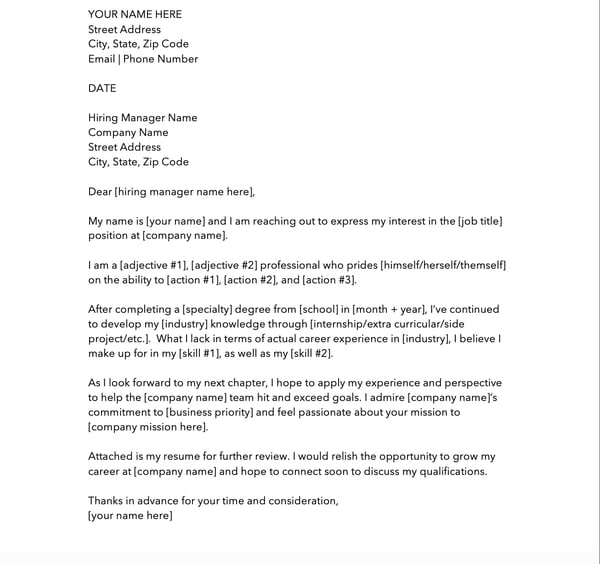
The cover letter template above, written by HubSpot, is specifically designed for entry-level applicants.
When you only have a few years experience, it’s important to display how you gained your skills and what you learned from your education or internships. Additionally, it’s important to mention why you want to work at the company you’re applying to.
No matter your experience, the template above will help you decide what skills you want to highlight and flesh out in your cover letter.
You can download it here (it comes with four other cover letter templates, too).
Writing a cover letter is easier said than done. Don’t hesitate to spend a lot of time writing and editing it. Or, ask a friend or family member to read it over and give you feedback. If the recruiter does end up reading it, you’ll be thankful you did.
Editor’s note: This post was originally published in November 2014 and has been updated for comprehensiveness.

11 of the Best Professional Bio Examples We’ve Ever Seen [+ Bio Templates]
Is your professional bio as good as it can be?
In this article, we have nine real bio examples you should definitely compare yours to — and a series of free bio templates you can use to perfect it.
Most people don’t think about their professional bio until they’re suddenly asked to “shoot one over via email,” and have approximately one afternoon to come up with it. That’s when we scramble, and our bio ends up reading like this:
Rodney Erickson is a content marketing professional at HubSpot, an inbound marketing and sales platform that helps companies attract visitors, convert leads, and close customers. Previously, Rodney worked as a marketing manager for a tech software startup. He graduated with honors from Columbia University with a dual degree in Business Administration and Creative Writing.”
Woof, that was dull. Are you still with me? I swear, not even adding a tidbit about his cats would liven that bio up.
To be fair, in certain contexts, your professional bio does need to be more formal, like Mr. Erickson’s up there. But in many cases, writing a bio that’s readable — even conversational — is actually a really good thing. That means dropping that traditional format of listing your accomplishments like a robot and cramming as much professional-sounding jargon in there as you can.
How to Write a Bio
Writing a professional bio that captures your brand and what you offer to your audience can help you grow better. But doing it right is just as important. Here’s how to write a bio, step-by-step.
1. Create an ‘About’ page for your website or profile.
Before you can publish your professional bio, you need a living space for it. Here are a few to consider (some of these you might already have in place):
- Facebook Business page
- LinkedIn profile
- Instagram account
- Personal website
- Personal blog
- Industry website
- Industry blog byline
As you’ll see in the professional bio examples below, the length and tone of your bio will differ depending on which of the above platforms you choose to be on. Instagram, for example, allows only 150 characters of bio space, whereas you can write virtually as much as you want on your personal website — or even your Facebook Business page. But once created, this bio should represent who you are in the eyes of your audience.
2. Begin writing your bio with your first and last name.
If your readers don’t remember anything else about your bio, make sure they remember your name. For that reason, it’s a good idea for your first and last name to be the first two words of your professional bio. Even if your name is printed above this bio (hint: it should), this is a rare moment where it’s okay to be redundant.
For example, if I were writing my own bio, I might start it like this:
Lindsay Kolowich
Lindsay Kolowich is a Senior Marketing Manager at HubSpot.
3. Mention any associated brand name you might use.
Will your professional bio represent yourself, or a business you work for? Make sure the brand you want to be associated with is mentioned in your bio. If you’re a freelancer, perhaps you have a personal business name or pseudonym you advertise to your clients. Here are a few examples:
- Lindsay Kolowich Marketing
- SEO Lindsay
- Kolowich Consulting
- Content by Kolowich (what do you think … too cheesy?)
Maybe you founded your own company, and you want its name to be separate from your real name. Don’t be afraid to keep it simple: “Lindsay Kolowich is the founder and CEO of Kolowich Consulting.”
4. State your current position and what you do.
Whether you’re the founder of your company or a mid-level specialist, use the next few lines of your bio to describe what you do in that position. Don’t assume your audience will naturally know what your job title entails. Make your primary responsibilities known for the reader, helping them paint a picture of who you are during the day and what you have to offer the industry.
5. Include at least one professional accomplishment.
Just as a business touts its client successes in the form of case studies, your professional bio should let your own audience know what you’ve already achieved. What have you done for yourself — as well as for others — that makes you a valuable player in your industry?
6. Describe your values and how they inform your career.
Why do you do what you do? What might make your contribution to the market different than your colleagues? Better yet, what values do you and your colleagues share that would make your business a worthwhile investment to others? Start to wrap up your professional bio by simply explaining what gets you up in the morning.
7. Briefly tell your readers who you are outside of work.
Transition from describing your values in work to describing who you are outside of work. This may include:
- Your family
- Your hometown
- Sports you play
- Hobbies and interests
- Favorite music and travel destinations
- Side hustles you’re working on
People like connecting with other people. The more transparent you are about who you are personally, the more likable you’ll be to the people reading about who you are professionally.
8. Consider adding humor or a personal story to add flavor to your professional bio.
End your professional bio on a good note — or, more specifically, a funny note. Leaving your audience with something quirky or uniquely you can ensure they’ll leave your website with a pleasant impression of you.
It’s important to follow the steps above when writing your bio, but don’t obsess over any one section. Remember, the people reading your bio are suffering from information fatigue. If you don’t hook ’em in the first line, you’ll lose them quickly.
(P.S. Want to give your professional brand a boost? Take one of HubSpot Academy’s free certification courses. In just one weekend, you can add a line to your resume and bio that’s coveted by over 60,000 marketers.)
Why Good Bios Are Important for a Professional
Alright, I know what you may be thinking … So what? It’s just a bio. I mean, how many people actually read professional bios, anyway?
The answer: A lot of people. More importantly, though, there’s no way to tell exactly who is reading it — and you always want it to be ready for when the right people come across it. And when they do, you want it to catch their eye. In a good way.
You see, while your resume is only useful for when you’re actively applying for specific positions, your professional bio is much more visible. It can live on your LinkedIn profile, your company’s website, your guest blog posts, your speaker profiles, your Twitter bio, and many other places.
And, most importantly, it’s the tool that you can leverage most when you’re networking.
Bottom line? People will read your professional bio. Whether they remember it, and whether it makes them actually care about you, is a matter of how well you present yourself to your intended audience.
So, what does a top-notch professional bio look like?
Below, we’ve curated some of the best real professional bio examples we’ve ever seen on Twitter, Instagram, Facebook, LinkedIn, and the various websites where you might describe yourself.
Check ’em out, and use them as inspiration when crafting your own.
11 of the Best Professional Bio Examples We’ve Ever Seen
1. Ann Handley
Bio Platform: Personal Website
If you’re a marketer, you’ve likely heard of Ann Handley. Her list of credentials is lengthy, and if she really wanted to, she could go on and on and on about her accomplishments.
But when people list out all their accomplishments in their bios, they risk sounding a little egotistical. Sure, you might impress a handful of people with all those laurels, but many people who read your bio will end up feeling either intimidated or annoyed. Think about it: Is that how you want the majority of your readers to feel when they read your bio?
To minimize the egoism that comes with talking about yourself, think about how you can list out your accomplishments without sounding like you’re bragging. Ann does this really well, choosing a tone in her bio that’s more approachable.
It starts with the excerpt in the footer of her personal website. Give it a quick read, paying close attention to the opening and closing lines:
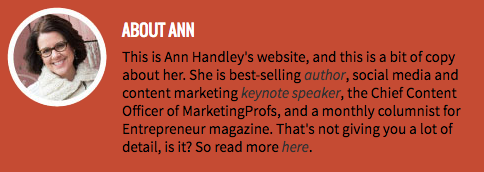
“This is Ann Handley’s website, and this is a bit of copy about her … That’s not giving you a lot of detail, is it? So read more here.” This is the kind of simple, friendly language that invites the reader in rather than shutting them out.
Follow the link and you’ll be led to a page dedicated to a fuller bio, which she’s divided into two parts: a “short version” (literally a bulleted list of key facts) and a “long version,” which includes traditional paragraphs. There’s something in there for everyone.
2. Rebecca Bollwitt
Bio platform: Instagram
Instagram is a notoriously difficult platform on which to write a good bio. Similar to Twitter, you simply don’t have room for a professional bio that includes everything about you. And because Instagram is primarily a mobile app, many viewers are reading about you passively on their mobile device.
Instagram’s limited bio space requires you to highlight just your most important qualities, and blogging icon Rebecca Bollwitt does so in her own Instagram bio in an excellent way.
Rebecca’s brand name is Miss604, and cleverly uses emojis in her Instagram bio to tell visitors exactly what makes her a valuable content creator. Take a look in the screenshot below.
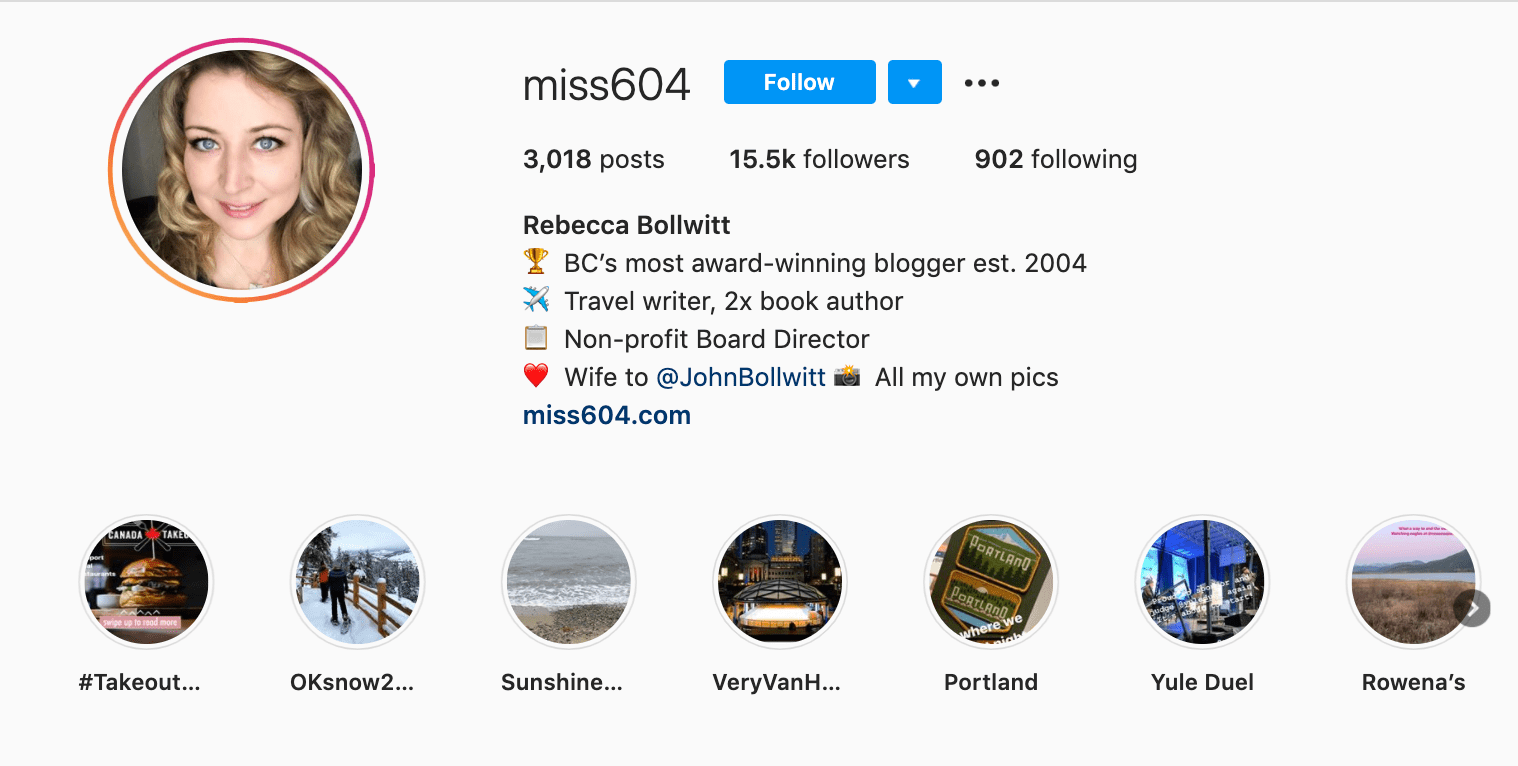
Starting with a trophy emoji, Miss604 says she’s BC’s most award-winning blogger. I haven’t even looked at her pictures yet and the introduction of her bio has already sucked me in.
The rest of her bio follows suit, breaking up the text with an appropriate emoji and a perfect collection of nouns to tell me who she is as a person. She even links out to her husband’s Instagram account after the heart emoji (an adorable addition), and assures her followers that all of her pictures are authentically hers.
Take a lesson from Miss604, and show your personal side. Just because you’re branding yourself as a professional doesn’t mean you have to take your human being hat off. Often your most personal attributes make for the best professional bio content.
3. Mark Gallion
Bio Platform: Twitter
As a venture capitalist and an executive at several start-ups, Mark Gallion has different versions of his bio all over the internet. You can imagine some are more formal than others. But when it comes to his Twitter bio, he carefully phrased his information in a way that helps him connect with his audience — specifically, through the use of humor.
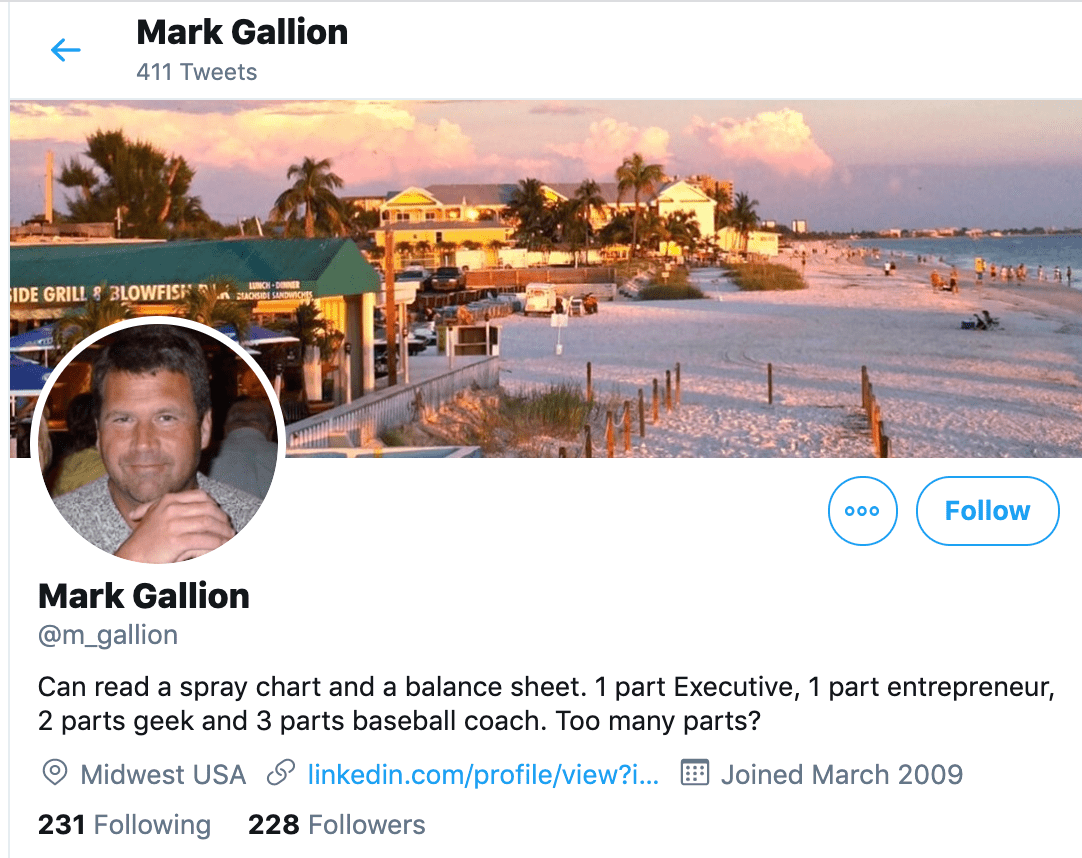
Why would he choose humor when he runs four start-ups and constantly seeks funding for them? Well, Mark’s tactic is totally intentional: it’s a lever he pulls to refresh his brand while maintaining his already impressive and established identity as an entrepreneur.
Mark leverages his Twitter bio because it’s place where he can be human. And it helps him relate to his followers and potential investors.
When crafting your own Twitter bio, consider your audience and the personal brand you’re trying to create for yourself. Use it as an opportunity to be relatable. (And check out this list of amusing Twitter bios for inspiration.)
4. DJ Nexus
Bio Platform: Facebook
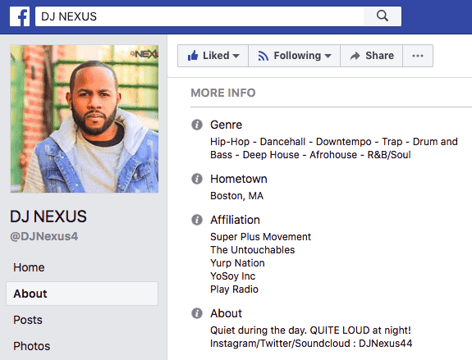
This New England-based DJ has single-handedly captured the Likes of more than 2,000 people in and beyond Boston, MA. And even if you don’t listen to the type of music he produces, it’s hard not to listen to his compelling Facebook bio.
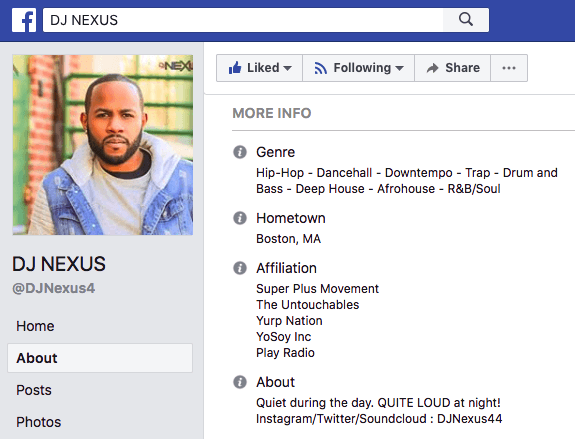
Stage-named DJ Nexus, Jamerson’s professional bio makes use of nearly every Page field inside the About tab. Right away, his audience knows which genres he plays in, where he’s from, and who else he’s worked with. The latter — under “Affiliation,” as shown in the screenshot below — is unique and seldom mentioned in professional bios today.
Our favorite part about DJ Nexus’s bio? His tagline, under “About” — “Quiet during the day. QUITE LOUD at night!” DJ Nexus tells you when he works in an awesome way. I got goosebumps just imagining a dance club he might play his music in.
DJ Nexus’s bio brilliance doesn’t stop there.
The great thing about Facebook Business Pages is that you can write as much as you want without overwhelming your Page visitors. For those who just want Jamerson’s basic info, they have the four categories shown above. For those who want to learn more about him, he tells an excellent story of his career. Here’s just a preview of his story, below:
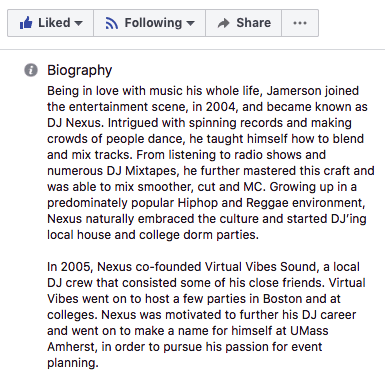
In this story, DJ Nexus describes both when he “became known as DJ Nexus” and a company he founded shortly afterward — all before going to college. This is a terrific lesson for Facebook Businesses today: customers want to learn about you, and as Facebook increasingly becomes a place for meaningful interactions, there’s no better place to tell your story than on your Facebook Business Page.
5. Lena Axelsson
Bio Platform: Industry Website
When it all comes down to it, your professional bio is no different than any other piece of persuasive copy — no matter where it lives. One of the most common mistakes people make is thinking of it as its own beast, separate from other pieces of writing. If you think about it that way, you’re far more likely to write something painfully uninteresting.
When you sit down to write your professional bio and you’re watching that cursor blinking on the screen, think about how you would introduce a blog post. You don’t just dive right into the meat of the thing, now, do you? No. You start with an introduction.
The best bios are often concise (around 200–300 words), so you don’t have a lot of room to play around. But a single sentence that tees your reader up and provides context for the accomplishments that follow could make the rest of your bio that much more persuasive.
Take Lena Axelsson’s bio, for instance. She’s a marriage and family therapist — a job where empathy and compassion are a big part of the job description. That’s why she chooses to open her bio with a great introductory sentence: “When human beings experience trauma or severe life stressors, it is not uncommon for their lives to unravel.”

Then, she goes into why she’s passionate about her job, how she helps her clients, and how she caters her approach to each individual patient. The necessary educational information is left for the end, after the reader has been hooked.
Your bio doesn’t have to be super serious, nor does it have to start with a joke. This bio shows how you can capture your reader’s attention by being empathetic and showing how that empathy shapes a valuable professional.
6. Mark Levy
Bio Platform: Personal Website
Mark Levy is a small business owner who’s taken a more traditional approach to the professional bio on his website — but in a way that takes care to speak to his intended audience.
What we love about his bio is the way he’s set it up: On his business’ “About” page, he’s listed two biographies, which he’s labeled “Mark Levy’s Biography #1” and “Mark Levy’s Biography #2.”
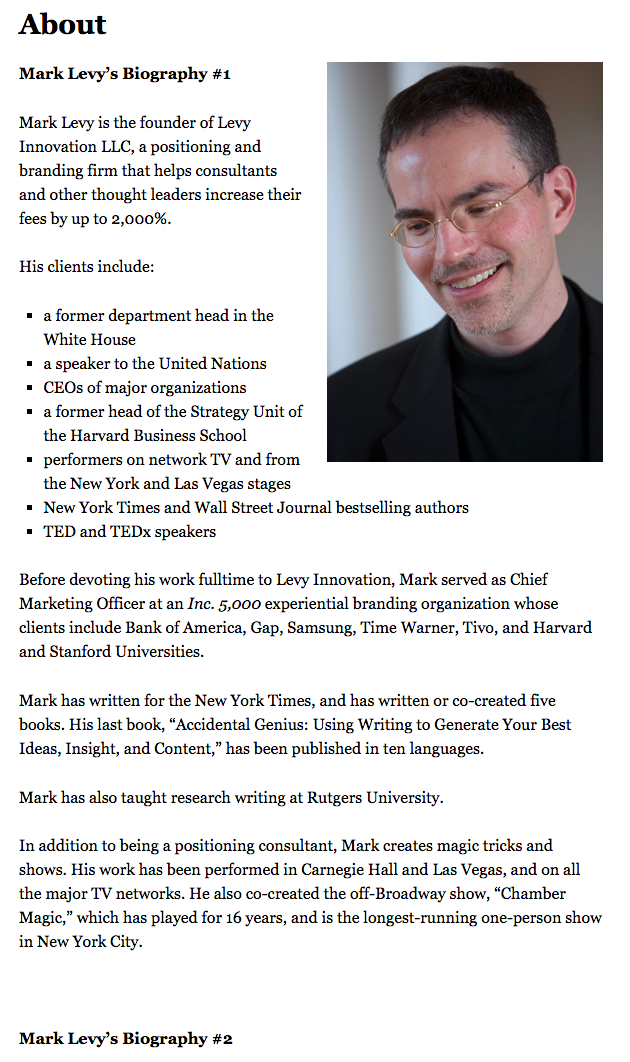
Click here to see the full version.
Like Ann, Mark’s given his readers two different options. The first biography is a “short version,” which includes a combination of bullet points listing his credentials and a few short paragraphs.
The second is the “long version,” which is actually even more interesting than the first one. Why? Because it reads like a story — a compelling one, at that. In fact, it gets really funny at parts.
The second sentence of the bio reads: “He was frightened of public school, loved playing baseball and football, ran home to watch ape films on the 4:30 Movie, listened to The Jam and The Buzzcocks, and read magic trick books.”
Here’s another excerpt from the middle:
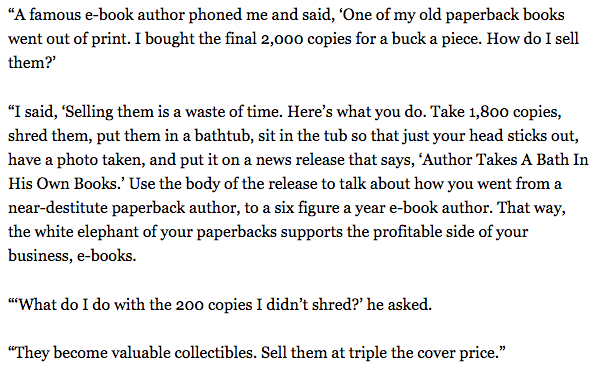
Of course, the fantastic copywriting isn’t a surprise, given that this guy wrote several books. But the conversational tone and entertaining copy let his quirky personality (and great writing skills) shine.
7. Corey Wainwright
Bio Platform: Blog Byline
Corey Wainwright is the director of content here at HubSpot. She’s written content for HubSpot’s Marketing Blog for years, and her blog author bio has caught my eye since before I ever started working for HubSpot. (Back then, it started with, “Corey just took a cool vacation.”)
What I love most about Corey’s bio is that it’s a great example of how to deliver information about yourself without taking things too seriously. And in this context, that’s totally appropriate.
Despite having a number of impressive accomplishments under her belt, she simply doesn’t like displaying them publicly. So, she prefers making her author bio a little more “light.”
Her bio (pictured below) reads, “Corey is a Bruce Springsteen fan who does content marketing, in that order.”
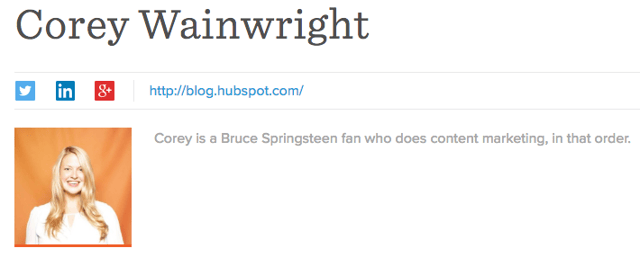
It works in this particular context because, at HubSpot, our blog authors often prefer to make themselves as friendly and approachable as possible — while letting the content speak for itself.
It helps that authors’ social media accounts are located right below our names and above our pictures. For folks who really do want a list of Corey’s credentials, they can click the LinkedIn button to go to her LinkedIn page. (You can read this blog post to learn how to create social media buttons and add them to your website.)
8. Marie Mikhail
Bio Platform: LinkedIn
Marie Mikhail checks off nearly every box for what makes an excellent bio. A professional recruiter, she expresses her “passion for recruiting” upfront, in the first sentence, while using that sentence to hook her profile visitors into a brief story of her background.
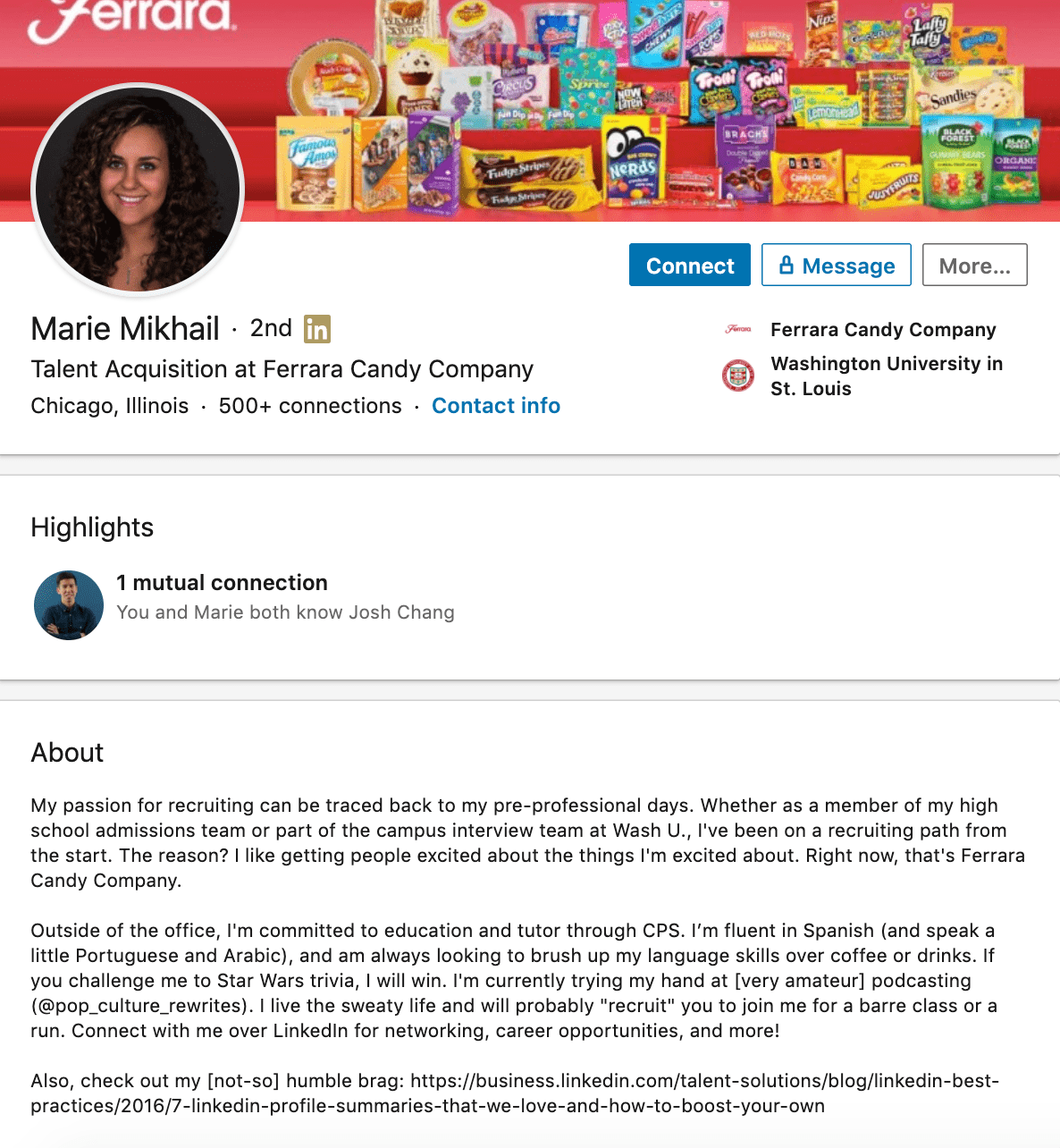
But there are a lot of recruiters out there, and Marie knows that. So, to differentiate herself, she closes the first paragraph of her bio explaining that she likes “getting people excited about the things [she’s] excited about.” It’s a well-put value proposition that sets her apart from the rest of the HR industry.
Marie Mikhail finishes off her bio by including a smooth mixture of professional skills, such as her Spanish fluency; and personal interests, such as podcasting and Star Wars (she mentions the latter with just the right amount of humor).
9. Wonbo Woo
Bio Platform: Personal Website
Wonbo Woo is the executive producer of WIRED’s video content, and he has a number of impressive credits to his name. What does this mean for his professional bio? He has to prioritize. With this in mind, Wonbo opens his bio with the most eye-catching details first (if the image below is hard to read, click it to see the full copy).
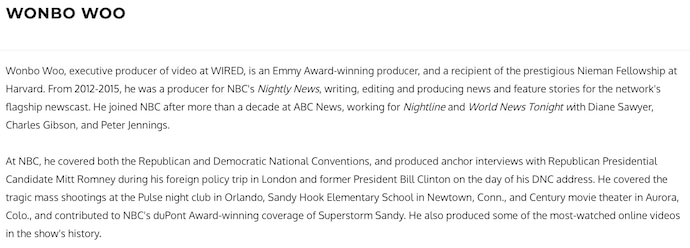
Not only does Wonbo’s bio start strong, but he also takes readers on a suspenseful journey through some of his most harrowing assignments — where he was when news broke and how he responded. You can see this quality below.
 The accomplished journalist concludes his gripping bio as strong as it began, measuring his experience by the number of states, countries, and continents to which he’s traveled in his career. See how this looks above. All in all, it’s a fantastically concise bio for as much detail as it holds.
10. Chris Burkard
Bio Platform: LinkedIn
If you’re writing your bio but having trouble figuring out how to showcase your accomplishments without boasting, photographer Burkard’s LinkedIn bio is a great example for inspiration.
Written in third-person, his bio tells a fluid story, starting with his ultimate mission — “capture stories that inspire humans to consider their relationship with nature” — before diving into more tangible accolades (giving a TED talk, publishing books, etc.).
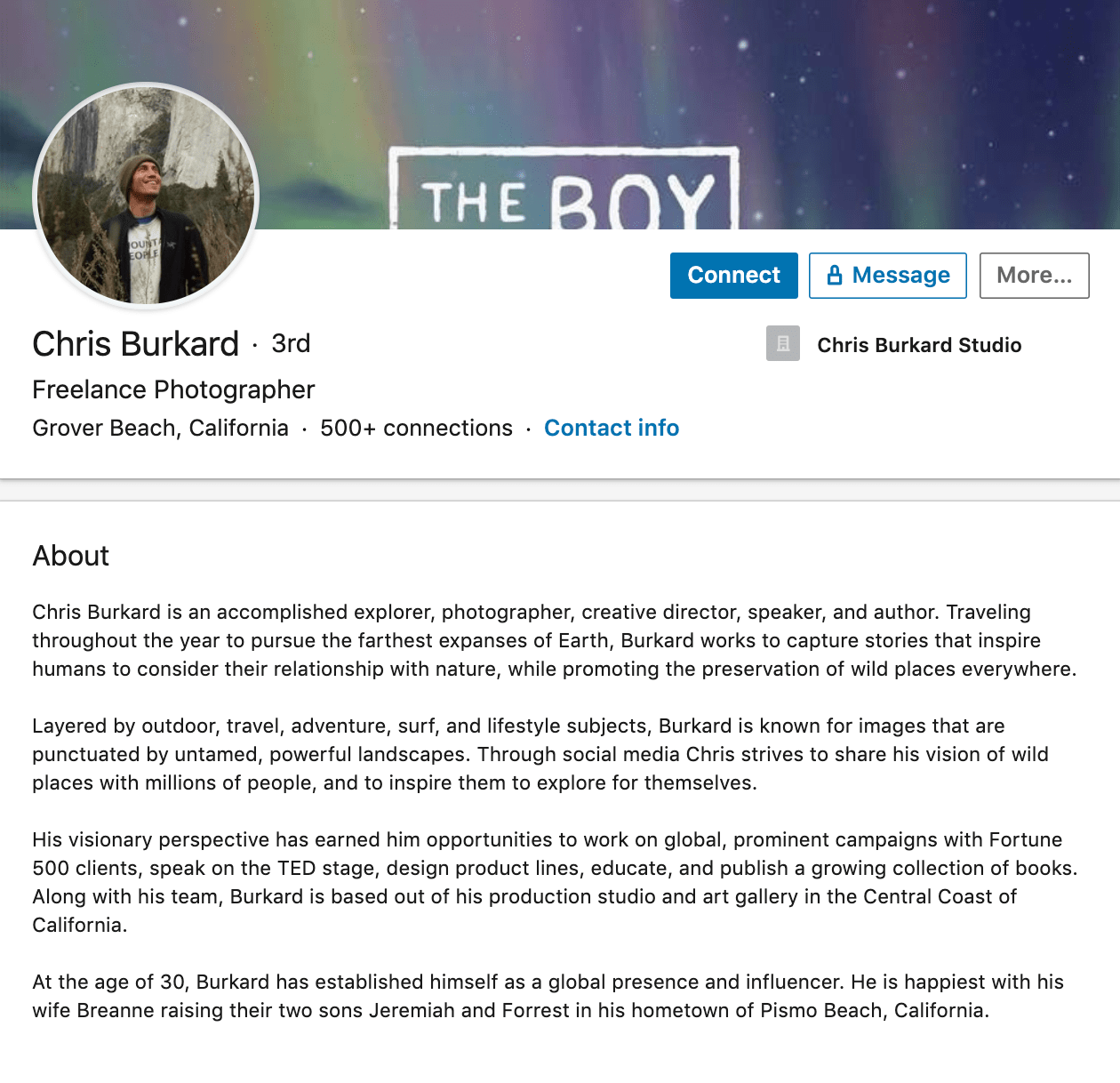
Best of all, rather than using his bio as an opportunity to brag, he instead ties his talents into how he hopes to help others, writing, “Through social media Chris strives to share his vision … and inspire [his followers] to explore for themselves.” I wouldn’t necessarily be inclined to follow Chris if his bio had simply read “I post beautiful images” … but inspire me to travel? Now that’s something I can get behind.
Lastly, he ends on a humble, sweet note, writing “He is happiest wth his wife Breanne raising their two sons”. Don’t be afraid to inject some personal information into your bio — it could help you seem more approachable as a result.
11. Megan Gilmore
Bio Platform: Instagram
Megan Gilmore is a best-selling cookbook author, and she often posts healthy recipes on her Instagram page to inspire followers’ to realize that you don’t have to sacrifice taste for the sake of health.
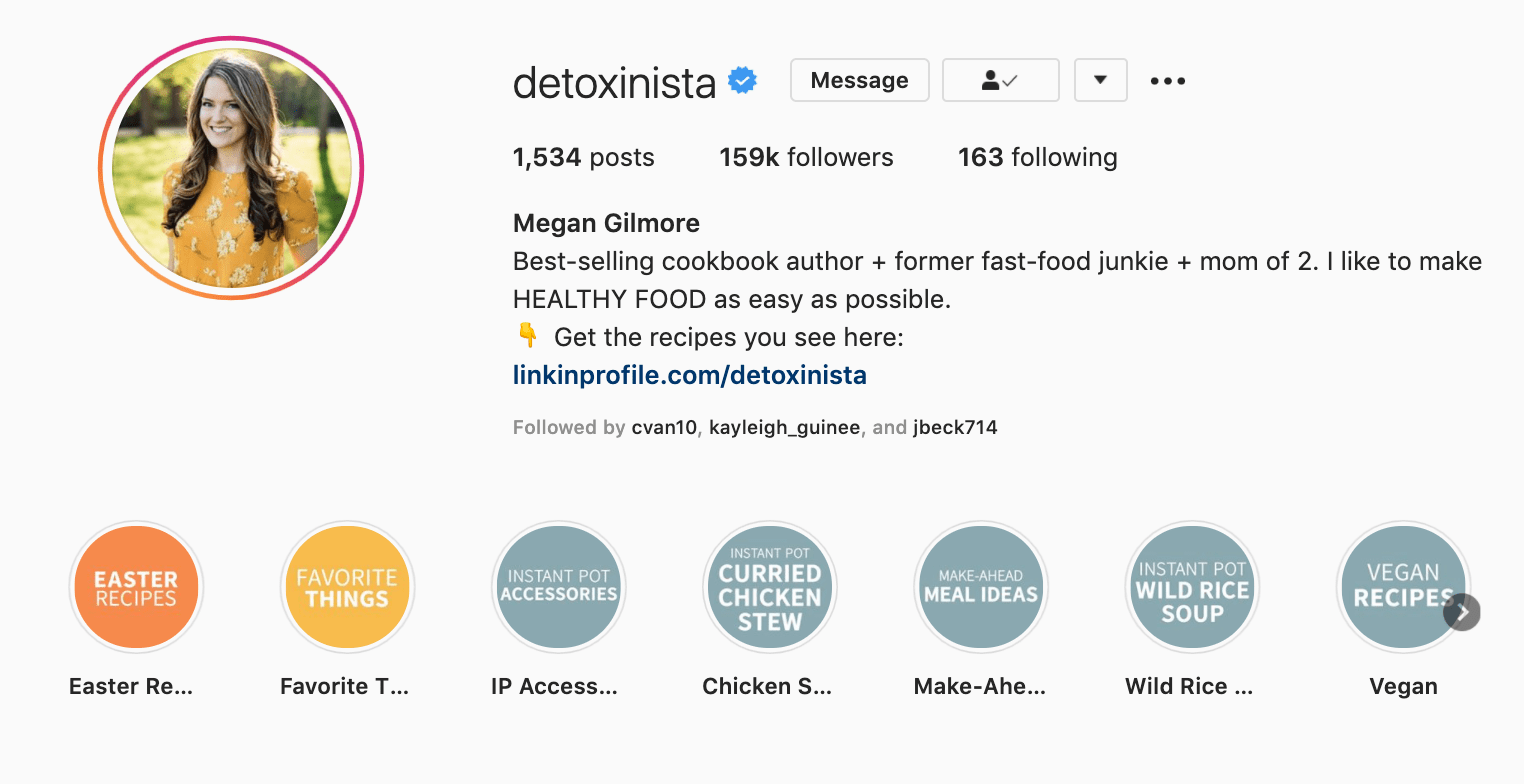
Fortunately, you glean most of this information immediately from her Instagram bio, which is short and to-the-point: “Best-selling cookbook author + former fast-food junkie + mom of 2. I like to make healthy food as easy as possible.” Her “former fast-food junkie” call-out shows followers she’s relatable (and that her recipes are likely delicious yet healthy alternatives), and by mentioning she’s a mother, you get the sense that her recipes really will actually be quick and easy.
Plus, Gilmore includes a CTA link within her Instagram bio that leads followers to free, ready-to-use recipes. You might be thinking — Why would she do that, since it discourages people from buying her book? But that couldn’t be further from the truth.
By giving her followers the chance to try out her recipes, she’s slowly turning leads into customers. After I tried a few of her Instagram recipes and loved them, I decided to go ahead and buy her book, knowing I’d like more of what she had to offer.
Want more? Read How to Write a Cover Letter That Gets You the Job [Bookmarkable Template + Examples].
Editor’s Note: This post was originally published in November 2019 and has been updated for accuracy and comprehensiveness.

HubSpot’s CCO on Why We Need to Talk About Growth
“G-R-O-W-T-H”: a simple, six-letter word that has become remarkably difficult to say in recent weeks.
For years, “growth” had been on the lips of entrepreneurs, venture capitalists, journalists, and economists across the business world. A proxy for progress. An indicator of ingenuity. The ultimate sign of success.
And then, the world changed.
The uncertainty that has enveloped our communities and economies has jolted all of us into a new reality. And in this new environment, growth is a tough topic to broach.
While a few companies are experiencing accelerated growth as a result of dramatic shifts in consumer behavior, most are facing significant challenges. And it is survival, not growth, that is the word of the day.
When urgently switching focus to strategies for survival, as many businesses are now having to do, it’s easy to become absorbed in short-term thinking and to forget the fact that the decisions made in the midst of a crisis can have lasting effects — positive or negative — on the path back to growth. Budgets need to be cut. Ads need to be paused. Forecasts need to be adjusted.
Amidst the fog, many businesses can lose sight of their greatest source of direction when navigating times of uncertainty: the customer.
Finding Focus Amidst the Fog
During times of crisis, the stakes are raised, and customers feel the impact of their experience with a business more acutely than during normal times. They remember the companies they heard from too often — and those they didn’t hear from enough. They remember the interactions that felt empathetic — and those that didn’t. And they remember the actions that truly provided help when it was needed the most.
Companies that solve for their customers during times of crisis can foster deep levels of loyalty that will live long into the future and help them swiftly return to growth once conditions improve.
In fact, during the recession of 2007-09, companies that prioritized customer experience delivered three times the shareholder return of those that didn’t.
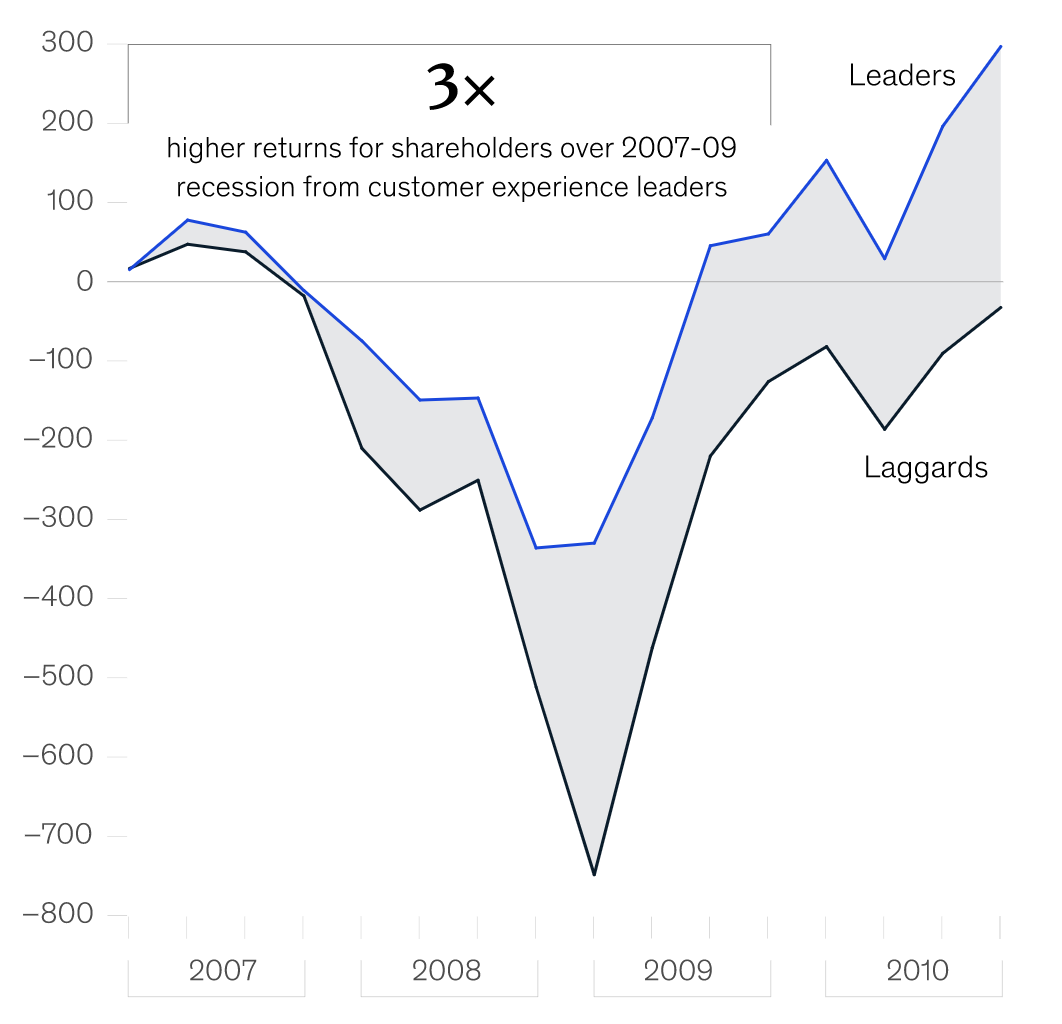
Image 1: Comparison of total shareholder returns for customer experience leaders and customer experience laggards, source: Forrester Customer Experience Performance Index (2007–09), via McKinsey & Company
That is why it is so important that sales, marketing, and service teams in particular fight the forces dragging them in the direction of quick fixes and short-term solutions and firmly focus on the customer amidst the fog of crisis. This isn’t only the right thing to do, it’s the most effective way to protect key business metrics in a sustainable way, for the long term, through times good and bad.
Selling for Today and Tomorrow
When growth stagnates, sales teams are naturally inclined towards ramping up outreach to prospects in the hope of quickly closing new deals. But this is counterproductive. During a time of economic uncertainty, prospects are likely to be reducing budgets and taking a more cautious approach to purchase decisions, making them less likely to respond positively to cold emails and calls.
According to research from HubSpot, sales teams increased their email outreach by 23% as the COVID-19 crisis took hold, but saw a 27% decline in the average response rate to those emails.
Instead of increasing outreach, sales teams should instead sharpen their focus on the immediate needs of their prospects, explore solutions in a collaborative manner, and strive to build relationships that’ll last.
Where possible, businesses should update their automated emails to ensure they’re empathetic, re-evaluate their target markets based on which segments and industries have been most impacted by the crisis, and adjust their forecasts to reflect the challenging economic conditions — a move that can help to relieve salespeople of the sense of urgent pressure that pushes them towards short-term solutions.
Adopting this approach can help sales teams to close more deals in the immediate future, but more significantly, it can serve as a powerful display of empathy and understanding that helps set up new business relationships for long-term success.
Marketing that Matters for the Moment
Marketing teams face challenges of their own during a crisis. Many of the campaigns, creative concepts, and communications plans that were mapped out during times of growth will be irrelevant at best, and tone-deaf at worst, during a time of economic hardship.
As difficult as it is to postpone or scrap well-thought-out marketing plans, not doing so could alienate audiences and do irreparable damage to customer relationships that have been years in the making.
In the face of uncertainty, there should be one question guiding all marketing decisions: how can we help, right now?
For some teams, that could mean reducing the volume of emails and content that are sent out into the world.
For others, it could mean creating brand new resources — such as educational courses or virtual event programs — that offer unique value and speak to the immediate needs of their audiences. And as is the case for salespeople, marketers should adjust the tone of their messaging to ensure that empathy is at the center of every touchpoint with the customer.
At its core, good marketing is always about providing value to audiences. Teams that successfully adapt their strategies to add value in a moment of crisis reassure their customers that they are committed to helping them, no matter the circumstances. And that’s a message that can foster deeper levels of trust, which will be key to reigniting growth post-crisis.
Service That Can Sustain the Strain of a Crisis
When uncertain times strike, many companies experience sudden spikes in customer queries, which can put a major strain on service teams. While the natural temptation may be to try to increase effort and working hours to manage the higher volume, this could lead to employee burnout, a lower-quality of service, and longer-than-expected wait times for customers. A more sustainable approach is needed to solve for the customer.
Businesses should consider investing in a chatbot, which will allow customers to self-serve and get quick answers to common questions, while also freeing up staff to spend more time working on more complex queries. Service and marketing teams should also work together to create relevant educational content that proactively addresses anticipated customer issues.
Businesses that successfully adopt new sustainable service strategies during a crisis will be well-placed to support their customers through the period of uncertainty, and significantly, will have established new scalable processes to support renewed growth in the future.
Grow Better: a Message for These Times
During times of crisis, growth often grinds to a halt. But as most businesses will attest, growth is never a straight line. For individuals, companies, and economies alike, the journey is littered with setbacks, misplaced bets, false starts, and a whole host of unforeseen events.

There is no foolproof playbook for the unprecedented situation now facing businesses across the world, and there is no guaranteed fast-track back to growth. Some companies will pivot to a new model that sets them up for renewed long-term success. Others will double-down on their existing strategies and white-knuckle their way through the coming months. Others will have to make some agonizing decisions to survive.
It’s easy to feel pessimistic at a time like this, but in the face of undeniable uncertainty, I am fiercely optimistic that the customer-centric values that got businesses to where they were before the present crisis are ultimately what will get them through it.
By drawing closer to customers and placing them at the center of every decision across sales, marketing, and service, businesses give themselves their best chance of successfully navigating these uncharted waters. Not only that, they also position themselves for renewed growth as the economy stabilizes and new opportunities emerge.
At HubSpot, we’ve long thought that this is the best way to grow, and we have encapsulated it in our mission: to help millions of organizations grow better. It’s a way that doesn’t sacrifice customer experience for short-term gains. A way that calls on businesses to do the right thing, even when it’s hard. A way that builds the armor needed to weather the storms when they inevitably come.
So just as it has felt difficult to talk about growth in recent weeks, it has felt energizing and empowering to talk about growing better. It’s a philosophy that was built for these times.
Take a look at Adapt 2020: An Education Series to learn more about the shifts you need to make to build a marketing strategy for today’s unique situation, and tomorrow’s new economy.

The Most Underrated Online Marketing Tactics You’re Probably Not Taking Seriously
Here’s a fun little challenge for you: name three marketing strategies you’d recommend to someone who’s getting their start in the field. Easy, right?
This is what I’d suggest — social media marketing, email newsletters, and content offers.
As marketers, we can pretty much list useful, tried-and-true marketing tactics like clockwork. We know what works. But when delighting customers is a top priority, the “same old, same old” can seem redundant to your audiences.
For that reason, thinking outside of the box when conducting marketing strategies is essential. You don’t want to bore your customers, and you don’t want to get bored creating the same campaigns, either.
If you’re looking for marketing strategies that aren’t making an email list or writing a blog post, you’ve come to the right place.
Here, we’re going to introduce some marketing strategies that you might’ve seen before (or maybe not), but that you haven’t seen popularly implemented in years.
If you can’t take much more of the same, your audience probably can’t, either. Let’s talk about some interesting, less-raved about ways you can spice up your marketing plan.
1. Create and distribute infographics.
19% of marketers use infographics as part of their content marketing campaigns, but they are very useful for audiences. If you’re distributing data on social media, infographics present the complicated information in a simple, fun format:
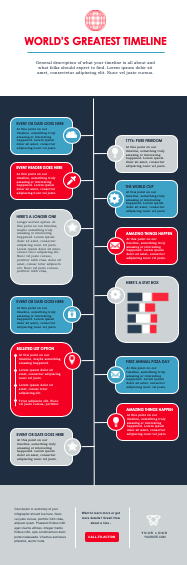
Visual content is more engaging than text, and still presents the information in a useful way — plus, people who may not have the time to read a full report (or might have difficulty finding takeaways from the data) will likely find an infographic fun and quick.
Plus, infographics can be an awesome content piece for visual platforms (and are pretty fun to make). If you’ve never made an infographic before and are looking for a template or two to get started, why not 15 you can download for free right now?
2. Conduct interviews with industry thought leaders.
Industry thought leaders are likely to have a following of their own, especially on a professional networking site like LinkedIn. Interviewing one diversifies content on your blog, gives you the chance to expand your network, and connects you with a different audience.
It can seem like interviews aren’t a home run idea, but, a properly optimized post with an industry thought leader grows your connections and provides helpful content to readers.
Check your network for thought leaders to interview — you might already have some awesome connections to work with. When you post and share the interview, make sure to tag the thought leader and the industry, so a broader audience has a chance of finding you organically.
3. Invest in a video series strategy.
Are you investing in your content marketing strategy? If you are, or plan to, and don’t yet produce videos or a video series, video content is a great place to start. In fact, 88% of marketers say video content gives them a great ROI.
Videos can be about anything related to your brand. For instance, maybe you’ve found that your audience responds really well to posts that spotlight colleagues. If this is the case, your first video series could be a quick Instagram Takeover where your staff answers audience questions on your business account’s Story.
Alternatively, if your business has its own course content, consider uploading them to YouTube and sharing it with your customers. That way, content is accessible in multiple areas for your audience.
4. Introduce apps into content planning.
Conversational marketing is an important base to cover because it informs professionals how to best reach audiences. For some companies, the best conversational channel is through email or chatbots — but what about an app with marketing and business tools?
For example, WhatsApp is the #1 messaging app in the world and has an accompanying Business app. It lets you interact with customers on a more personal level from a Business page. Customers can text the page with questions, or they can visit your online storefront and check out the products or services you offer.
If you want to offer a more personalized experience to customers, using apps that customers likely already know how to use is a great start. They can even be used as an accessory to a new product launch or a promotion — because sometimes, don’t you just wish you could text a sale reminder to customers?
5. Host a webinar.
Webinars are another method to solidify industry expertise for your business. They’re also a way to connect your audience with the people behind your brand. A webinar provides its viewers with an educational presentation online, and is a cheaper, easier option than planning a conference.
Are you unsure of how a webinar will look for your business? Think of larger topics that can be discussed by two or more people at your company. For a marketing company, for example, this might look like “social media marketing,” or “lead acquisition.”
For example, LinkedIn’s webinars are focused on professional development:
Inviting customers to join your webinar gives them an event to look forward to. Plus, they’re usually live events, with recordings released after. A “one-time-only” event gives customers more of an incentive to attend, so they’re not the last to know.
6. Use SEO in other areas.
SEO is great for building traffic, but you can also use it for other areas of your business. For instance, keyword research can help you name new products so leads have a better chance of finding them.
As another SEO tactic that serves customers, you can use previous data you’ve collected to create a customer-centric strategy that caters to every part of their buyer’s journey. If you’ve noticed that you’re generating enough leads, but aren’t converting enough customers, SEO data could help you figure out where that gap is and how to fix it.
Those are just two ways SEO can help you, but for more ideas, look at our post for using SEO for marketing decision-making.
7. Refer to metrics for decision-making.
Did you know that only 35% of marketers believe that understanding metrics of previous campaigns is important? Ultimately, understanding the metrics and ROI of completed campaigns can heavily influence how you structure the next one.
For instance, ROI data is one of the indicators that can tell you if you met your business goals. Additionally, analyzing what works for audiences and what doesn’t leads to better ad spending and content planning. Knowing how your customers respond to campaigns gives you better ideas of how to target them.
8. Consider micro-influencer partnerships.
Yes, influencer marketing is extremely effective — but it can also be extremely expensive. Maybe you don’t have the budget to plan a partnership with that influencer with 5 million Twitter followers, but what about the influencer with 8,000 followers?
The smaller audience of a micro-influencer means those figures have more bandwidth to engage with their audience, so you can expect to find a healthy balance between the number of followers one has and their engagement.
Plus, micro-influencers tend to have more of a targeted audience. For example, let’s say that you work for a software development company and you want to partner with an influencer for your newest gaming computer launch. Partnering with a celebrity influencer with millions of followers can earn you great exposure, sure — but only a portion of them will be interested in gaming computers.
Alternatively, if you partner with 3-4 micro-influencers in the gaming community, with 4,000 followers each, you still have the chance to be exposed to large, active audiences that are interested in gaming and gaming software.
9. Use forums to your advantage.
Online forums are platforms where users can ask and answer questions about various topics. At first, forums may seem as if they have little to no connection to marketing, but they’re actually a great brand awareness tool.
For example, let’s say you are a marketer for a web design company, and you’re scrolling a forum, such as Reddit or Quora. Eventually, you come across a question about the best tools to use for building a website. You can answer the question using your expertise and recommend your company, like this answer to “What’s the best video maker?”:
That way, you can introduce the user to your company’s brand, but it goes a little further, too: anyone who comes across the question will have the chance to see your answer, and if it’s a great one, it might earn enough recognition to stay at the top of the thread. Ultimately, forums work like search engines — the best, highest rated, and most helpful query answers get displayed first.
10. Quiz your audience on different platforms.
If your engagement with social media audiences starts and ends with comment sections, there’s so much more room to try out new growth opportunities. A quiz is one way to actively engage your followers.
Quizzes can take form in a blog post, an Instagram story poll, a Twitter poll, or in video. The quiz can be personality-based, a way for your audience to test their industry knowledge, or an introduction to your colleagues.
Try out a few online quiz makers and see what you can come up with for your next campaign. Is there room for a quick “What Your Favorite Social Media Platform Says About You” quiz in your future?
11. Diversify with interactive messaging.
Similar to posting quizzes, getting your followers involved in the creation and distribution of your content is a huge way to build customer relationships. What’s more, most online platforms and channels have their own tools to make that easier.
For instance, you can use a template to make an eye-catching visual to pair with a question you ask followers on Facebook, or hold a contest and ask users to create their own content using your branded resources, like this beauty company did:

We know the basics of user-generated content, but are you thinking outside the box? If you lead social media efforts for a boutique fashion company, you could ask social media followers to style an outfit with one of your pieces — but the catch is that the outfit has to be only one color.
Some of these strategies aren’t new, but coming up with new ways to use them is part of knowing how to reach your audience. Some tactics, however, tend to be overlooked in favor of strategies that companies lean on for success.
If you’re finding trouble delighting your followers, try thinking outside of your marketing comfort zone. You never know what new strategies might delight your audience.

How to Live Stream Successfully: A Preparation Checklist for Marketers
Raise your hand if you’d rather watch a video to learn something new than read about it.
Go ahead — you’re not alone. 59% of executives say they’d rather watch a video than read text, too. And really, that number makes sense — we are a society of video streamers. (I mean, hello, Netflix.)
But if you’re not sure how to run a live stream event on social media, fear not. We’re here to make sure you don’t just hit the “Live” button on Facebook and stare at the camera like a deer in headlights. Instead, we’ve come up with a comprehensive checklist to help you plan your first — or next — live stream.
How Live Streaming Works
Live streaming is a way to broadcast your events to an online audience. It’s a digital alternative to something like selling tickets to an in-person event and allows you to reach people near and far with live video.
Brands use live streaming for a few different reasons, but according to a Brandlive survey, 74% of businesses used it to engage with their consumer base. So instead of being the proverbial “man behind the curtain,” you’re allowing viewers to put a face (or faces) to your organization’s name, all in real time.
Live streaming can be used for a number of different event types, as well. Everyone from the White House to fashion houses to chefs have live-streamed videos of economy briefings, runway shows, and cooking demos, respectively. Here at HubSpot, we’ve used it for things like interviews with thought leaders. So feel free to be creative — just make sure you’ve got your bases covered.
A Step-by-Step Guide to Live Streaming
When you’re ready to start learning how to live stream successfully, follow these steps:
1. Plan your live stream like you would any other event.
Think about some of the most popular talk shows. Can you imagine if the guests, sets, lighting, and schedules for something like “The Tonight Show” weren’t planned in advance? To say the least, it might be chaotic.
You’ll want to put the same thought and due diligence into your live stream that you’d put into an in-person event of its kind. And you’ll want to have your goals in mind as you begin to make those plans; those will dictate a lot of the logistics.
Who
Knowing your target audience will determine a few pieces of the planning process. If it includes an international population, that should factor into the date and time of your stream — be sure to think about time zones or holidays that might not be top-of-mind in your home country.
What
Then, think of what category your live stream falls into, and create a title for your event. In case you don’t find any of the above examples fitting to your business, we’ve got some ideas for ways businesses can use live videos.
HubSpot’s Social Media Marketing Manager, Chelsea Hunersen, stresses the importance of thoroughly researching the topic of your live stream in advance.
“Decide important points or stats to hit,” she says. And if you’re going to feature guests, “designate a moderator/host who can make sure these points are hit and can wrap up the conversation if necessary.”
Where
The platform you use (which we’ll get to in a bit) can also be dependent on who you want to view the stream. Different audiences use different channels, so you’ll want to pick the one that’s most likely to draw the crowd you want.
Finally, pick an optimal location from which you’ll broadcast your stream. Consumers have a low tolerance for a bad stream, watching for at most 90 seconds if the connection is spotty or poor-quality, so make sure your setting is conducive to a positive viewing experience. Does it have good lighting? Is it prone to a lot of noise? Is there a chance that your dog walker will barge in yelling, “Who’s a good boy?” loud enough for the entire audience to hear? (Not that that’s happened to me.)
Think of these contingencies, then pick a streaming venue that insulates you from them.
2. Choose your platform.
Here’s where you’ll really need to have your goals in mind since different platforms can achieve different things.
YouTube Live
YouTube Live Events tend to have “two goals,” says Megan Conley, HubSpot’s Content Marketing Strategist. “Registrants and attendees.”
So, if you’re looking to boost revenue — which 75% of marketing professionals are using video to do — YouTube Live is one of the best platforms to use.
Here’s how that works. First, if you don’t have one already, you’ll need to create an account on Google, which you’ll then use to create one on YouTube.
Once that’s done, you can use YouTube’s Live Streaming Events dashboard to schedule a future stream — just click on “Enable live streaming,” if you haven’t already set it up.
YouTube requires a 24-hour buffer between the time that you enable live streaming and your first live. Once that 24-hour period is up, all you have to do is log into your YouTube Studio.
Then, click the “Create” button in the top right corner.
This will prompt a drop-down that asks you to choose between uploading a video or going live. Choose “Go live.”
YouTube will then prompt you to complete some basic info such as its title and what age group the video is made for. You’ll also need to decide if you’re going live right away or scheduling it for a certain time.
After that, you’ll need to indicate if you want your event to be public or private — here’s where you’ll decide how you want to use your live stream to generate leads.
The Unlisted option accomplishes two things:
- I’ll be able to generate a link that attendees will get only after they fill out a registration form.
- It won’t stream directly onto my YouTube page.
Once you’re done, click “Next” You will be asked to smile to take a thumbnail, so make sure you’re camera-ready. From there, you have the option to “Go Live” or “Share” your content.
Click “Share,” and that will generate your event’s URL. As I mentioned above, you can keep that behind a landing page where attendees fill out a form to register.
Conley says that, generally, this type of live stream is embedded on a thank-you page behind a landing page form.
If you use the HubSpot COS, all you’ll need is the link, and the system will generate the embed code for you.

Just click “insert media,” paste the link you copied from YouTube, and you’re done.
If embedding isn’t an option, you can still just put a link there — the embed code just creates a seamless design that you can place right on your thank-you page. Either way, be sure to use the thank-you page as a place to remind your attendees of the date and time of the event.
There’s also the option to make your YouTube Live Event completely open to the public. That’s a good option, Conley says, for a major event that you “want anyone and everyone to be able to find.” But if you make your stream public, she points out, make sure you use the event to promote gated content you want your audience to download.
“An image CTA would do,” she notes, as would holding up clearly printed short links throughout the stream (Make sure you have those printed out in advance!). In the image above, you’ll also see that you can add a message to your video — you can mention your gated content there, too.
Facebook Live has been making quite a few headlines lately, and businesses stand to benefit from it — Facebook Live videos produce 6 times as many interactions as traditional videos.
Even without pre-registration, you can definitely promote streams on this platform in advance, which we’ll touch on later. In the meantime, if you haven’t used it before, check out my colleague Lindsay Kolowich’s overview of Facebook Live.
The interface for Facebook has recently changed, so you’ll have an easier time live streaming from your mobile Facebook app.
Depending on your device, you may see the “Live” option right under the Composer when you open the app. Alternatively, you may need to click “Create Post” at the top of your News Feed, then select the three horizontal dots in the Composer.
You’ll have a chance to write a comment about your video. Once you’ve done that, you can select “Go Live” in the bottom left corner.
Instagram Live
You can also live stream on Instagram. With Instagram Live, a functionality in the Instagram Stories feature, you’re able to broadcast video streams and save the replay to your Stories. Users are able to engage through likes and comments during the stream.
This is a great platform for live streaming since Instagram Stories are used by 500 million users per day, and one-third of most-viewed Stories are from businesses.
Keep in mind that you cannot post to Instagram from your browser, so open the mobile Instagram app to begin your live stream. Then, select the camera icon in the top left corner next to the Instagram logo.
At the bottom of the camera viewer is a menu that scrolls horizontally. Select “Live.”

The shutter button will change to a broadcast icon. This will immediately take you live if you tap it, so make sure you’re camera ready.

Twitter Live
Twitter’s advantage is that you can easily share and promote content to a large audience, even if you don’t have a large following. In addition, hot topics spread more quickly than other media outlets.
If you want to hit the ground running and generate buzz, Twitter is a great choice. However, you cannot go live on Twitter from your browser, so open the mobile Twitter app when you’re ready to start your broadcast.
Once there, open the Tweet composer by clicking the button with the feather and plus sign.
Select the camera icon.
At the bottom of the camera viewer is the choice between “Capture” and “Live.” Choose “Live.”
The shutter button will be replaced with a button that says “Go Live.” This will immediately take you live, so make sure that you have everything set up before pressing it.
TikTok
Since 2018, TikTok has had major buzz as the newest big player in the social media game as a platform for short-form videos. While TikTok’s audience trends younger with 41% of users between 16-24 years old, more people and brands are taking to the platform, as evidenced by its place as the fourth most downloaded app in 2018.
One big drawback is that you can only go live on TikTok if you have 1,000 followers. For accounts where this isn’t a problem, here’s how to broadcast live:
Open your TikTok mobile app and select the plus sign at the bottom of the screen.
Then, enter the title of your stream and select “start.”
It’s that easy!
The live streaming options certainly don’t end there. Major brands have also used platforms like Periscope, Livestream, and Twitch. They all have their own sets of features and advantages, so definitely take the time to look into which one best suits your needs.
3. Choose your equipment.
When it comes to the actual hardware required for your live stream, some of it is fairly intuitive: A camera is pretty standard, for example, or a device with one installed (like a laptop or phone).
But if you do use your phone, Conley says, be sure to use a tripod. “There’s nothing worse than recording a Facebook Live and having your arm start to fall asleep five minutes into the recording,” she advises. “Use a phone tripod to give your live streaming a professional look.”
Consider how professional you want your sound quality to be, too. Your camera might have its own microphone, but if your setting is more prone to noise, body mics might not be a bad idea, either.
And when you’re using an external camera, says Hunersen, you’ll also need some sort of encoding software (Facebook has a great step-by-step guide to that). That’s what converts the camera footage into a format that your streaming platform understands and can broadcast to viewers. The software you use might depend on your budget, but to get started, check out this one from Adobe.
Also, think about setting up a professional backdrop, like one with your logo. That can help to brand your videos and give them some visual consistency, which is a particularly good practice if you plan to do a lot of live streaming in the future.
Want to take that a step further? “Set up a makeshift studio in your office to speed up the prep time for all of your future recordings,” Conley says. “A beautiful, branded backdrop could be just what your Facebook Live needs to help grab the attention of someone quickly scrolling through their News Feed.”
4. Promote your live stream.
Congratulations! You’ve now completed a lot of the major planning and setup for your live stream. Now, how do you get people to watch it?
As we’ve covered, using a landing page is a good way to get enrollment on a platform like Hangouts On Air (or, as of September 12th, YouTube Live). Here’s an example of how we recently used one at HubSpot:
There’s a clear CTA here — “View The Video” — which, when clicked, takes the visitor to a registration form. (And check out this rundown of which channels drive the best conversion rates — it’s got some tips on getting people to your landing page in the first place.)
Once someone fills out the form on your landing page, it should lead them to a thank-you page, where you can share some promotional information about the live stream.
HubSpot’s Co-Marketing Demand Generation Manager, Christine White, suggests creating a “Next Steps” section here with actionable items like “add this event to your calendar” and “check back here on [the date of your event]” to remind viewers that’s where they’ll go to view the live stream.
And once you have contact information for your registrants, Conley reminds us, “you can email the people on that list on the day of, and remind them when it’s going to go live.”
But to promote your Facebook Live stream, says Conley, “It’s really about doing a social image and spreading the word that you are going live at a specific time.”
Don’t rule out using social media to promote live streams on other platforms, too. Some of them, like YouTube, allow you to link your social accounts and push content in multiple places. And if your guests are active on social media, leverage that by including links to their handles in any related content, and ask them to promote the event with their own networks.
5. Do a dry run.
There’s a reason why we do dress rehearsals. When I was in a high school show choir — a humiliating but factual piece of history — it was to make sure I didn’t trip over my dance partner in high-heeled tap shoes.
In the world of live streaming, though, we do dry runs to avoid more technical, but equally embarrassing, missteps. Improv can be hilarious, but not when it means you’re verbally unprepared or your equipment stops working and you don’t have a backup plan.
6. Prep any guest speakers.
Is there anything worse than a moment of awkward, dumbfounded silence?
As part of your dry run, make sure your guests are prepared for any questions they might be asked. Don’t over-rehearse, but do what you can to prevent catching them off-guard.
“It may help to give some questions in advance to a potential guest,” says Hunersen, “but save some follow-up or in-depth questions for on-air, so that you’re able to let them be both prepared and react in the moment.”
7. Test your audio and internet connection.
You might want people to talk about your live stream, but not if all they’re going to say is, “We can’t hear you.” Make sure all of your audio equipment is working both during your dry run and on the day of the stream. Having an extra microphone and batteries on hand probably won’t hurt, either.
Make sure your network can handle a live stream, too. If you’re streaming high quality video, for example, you’ll need both a wire connection and a 3G/4G wireless connection, according to Cleeng.
In other words, make sure your WiFi is working, but also, “grab an ethernet cord,” says Conley. “One thing you can’t help is if your internet connection unexpectedly goes out.”
We know — even the sound of “ethernet” seems terribly old school. But if your WiFi suddenly drops, you’ll be glad you busted that cord out of storage.
8. Set up social media monitoring.
One great thing about live streaming is your audience’s ability to join the conversation and comment in real time.
Juliana Nicholson, Sr. Marketing Manager at HubSpot, advises to “Have a plan for audience engagement. Know when and how you plan to incorporate audience feedback and Q&As and then clearly communicate that information to your attendees.” This will make it so much easier to encourage participation.
But that’s not all you should do with regard to engagement. If you’ve watched any Facebook Live feed, you’ve seen that the comments roll in fast. So while it’s awesome to invite and answer viewer questions, it can be overwhelming, especially if you personalize your responses.
That’s why it’s a great idea to dedicate someone to monitoring social media, comments, and questions during the live feed.
That task can be made a bit easier with something like a branded hashtag created specifically for this live stream. For platforms with built-in comment feeds, for example, you can ask your viewers to preface any questions with it — that can help qualify what needs to be answered.
You could even take that a step further and use the hashtag throughout the planning process, making sure to include it on your landing page, thank-you page, and promotional messages leading up to the event. That helps to create buzz around the live stream. And if you use HubSpot’s Social Inbox, here’s a great place to take advantage of its monitoring feature, which lets you prioritize and reply to social messages based on things like keywords or hashtags.
After Your Live Stream
It’s always nice to follow up with your attendees after your live stream has ended. Thank them for their time, give them a head’s up about your next event, and invite them to download a piece of relevant content. If you’ve followed these steps, you’ve probably done a great job of using your live stream to generate leads, so keep up the momentum and nurture them.

The Ultimate List of Types of Marketing [41 and Counting]
Like many of the people who work in the industry, digital marketing was born in the 1990s. Back then, email was the age of most college graduates, AT&T launched the first banner ad, and the CRM industry was just starting to thrive.
Needless to say, marketing has evolved at breakneck speed since then, sprouting many more types of marketing. Some are definitely more effective and relevant than others, so read on to learn about the top types of marketing around today.
The Ultimate List of Types of Marketing
1. Traditional Marketing
Traditional marketing refers to brand promotion on any kind of channel that has been around since before the advent of the internet. Because information wasn’t as easily accessible and readily available, the majority of traditional marketing relied on outbound tactics such as print, television ads, and billboards.
2. Outbound Marketing
Outbound marketing refers to intrusive promotion such as print ads, TV ads, cold calling, and email blasts. This marketing method is called “outbound” since the brand is pushing their message out to all consumers to spread awareness — whether they are in need of it or not.
3. Inbound Marketing
Inbound marketing, on the other hand, is focused on attracting customers rather than interrupting them. The majority of inbound marketing tactics fall under digital marketing as consumers are empowered to do research online as they progress through their own buyer’s journey (more on that later).
The focus for inbound is on creating valuable experiences that have a positive impact on people and your business to pull prospects and customers to your website with relevant and helpful content. Once they arrive, you engage with them using conversational tools like email and chat and by promising continued value. Finally, you delight them by continuing to act as an empathetic advisor and expert.
4. Digital Marketing
Digital marketing is the opposite of traditional marketing, leveraging technology that didn’t exist traditionally to reach audiences in new ways. This type of marketing encompasses all marketing efforts that use an electronic device or the internet. Businesses leverage digital channels such as search engines, social media, email, and other websites to connect with current and prospective customers. We’ve broken some of these down in more detail below.
5. Search Engine Marketing
Search engine marketing, or SEM, includes all activities in the effort of ensuring your business’s products or services are visible on search engine results pages (SERPs). When a user types in a certain keyword, SEM enables your business to appear as a top result for that search query. The two types of SEM include search engine optimization (SEO) for organic search results and pay-per-click (PPC) advertising for sponsored SERPs.
To get started with SEO, you must familiarize yourself with search engine ranking factors and produce content for search engines to index.
To get started with pay-per-click SEM, you must work with the search engine you’re looking to purchase placements with. Google Ads is a popular choice. There are also ads management tools to make creating and managing PPC campaigns a breeze.
6. Content Marketing
Content marketing is a key instrument in inbound and digital marketing because content is what allows audiences as well as search engines, such as Google, to find the information they need on the web. By definition, it involves creating, publishing, and distributing content to your target audience. The most common components of a content marketing program are social media networks, blogs, visual content, and premium content assets, like tools, ebooks, or webinars.
With content marketing, the goal is to help your audience along their buyer’s journey. First, identify common FAQs and concerns your buyers have before they are ready to make a purchase. Then, create an editorial calendar to help you create and manage your content. It also helps to have a content management system to make publishing easy.
7. Social Media Marketing
Social media marketing is creating content to promote your brand and products on various social media platforms like Facebook, Instagram, LinkedIn, and Twitter. Remember your audience as you create content. No one logs on to social media looking for something to purchase, so think through what types of content that is useful, informative, entertaining, and/or compelling. Your unique content should be tailored to the specific platform you share it on to help you boost your post’s reach.
In order to make publishing content across platforms easy, there are a number of social media tools out there such as that simplify the process.
8. Video Marketing
Video marketing is a type of content marketing that involves using video as a medium. The idea is to create videos and upload them to your website, YouTube, and social media to boost brand awareness, generate conversions, and close deals. Some video marketing apps even allow you to analyze, nurture, and score leads based on their activity.
9. Voice Marketing
Voice marketing is leveraging smart speakers like Amazon Alexa and Google Home to educate people and answer questions about their topics of interest. Optimizing your website for voice search is very similar to optimizing for organic search, but beyond that, you can also get inventive by creating a Google action or Alexa skill.
10. Email Marketing
Email marketing involves sending educational or entertaining content and promotional messages to people who willingly subscribe to your receive messages from you. The primary goal is to deepen your relationship with the customer or prospect by sending marketing messages personalized to them. Pushing that idea further, you can also use email marketing to nurture leads with content that moves them along the buyer’s journey.
Depending on your location, you must stay compliant with GDPR, the CAN-SPAM Act, and other regulations governing email. At their core, they boil down to responsible commercial email sending: Only send to people who are expecting messages from you (i.e. they’ve opted in), make it easy for them to opt out, and be transparent about who you are when you do make contact.
With that in mind, the first thing you’ll need to do is strategize how you’ll build your email list — the database of contacts you can send email to. The most common mechanism is through lead capture forms on your website. Then, you’ll need email marketing software and a CRM to send, track, and monitor the effectiveness of your emails. To push your email strategy further and maximize productivity, you may also want to look into email automation software that sends emails based on triggering criteria.
To learn the ins and outs of email marketing, you can take the free email marketing course from HubSpot academy.
11. Conversational Marketing
Conversational marketing is the ability to have 1:1 personal conversations across multiple channels, meeting customers how, when, and where they want. It is more than just live chat, extending to phone calls, texts, Facebook Messenger, email, Slack, and more.
When you’re getting started, you’ll first identify which channels your audience is on. The challenge, though, is being able to manage multiple channels without slow response times, internal miscommunication, or productivity loss. That’s why it’s important to use conversational marketing tools, such as a unified inbox, to streamline your efforts.
12. Buzz Marketing
Buzz marketing is a viral marketing strategy that leverages refreshingly creative content, interactive events, and community influencers to generate word-of-mouth marketing and anticipation for the product or service the brand is about to launch.
Buzz marketing works best when you reach out to influencers early and have a plan in place to generate suspense and perhaps even mystery. To track your buzz marketing efforts, it’s best to use social listening software to keep a pulse on how your audience is responding.
13. Influencer Marketing
Influencer marketing is designed to tap into an existing community of engaged followers on social media. Influencers are considered experts in their niches. These individuals have a large influence over an audience you might be trying to reach and can be helpful marketing to those buyers.
To get started with influencer marketing, you must first create your influencer marketing strategy and define what type of influencer you’re targeting (their niche). Then, you’ll want to create a list of criteria that would make an influencer in that niche a good fit with you, considering things such as the size of their audience, how active that audience is, and the vibe on their profile.
From there, you can find influencers and reach out to them by:
- Manually searching on social media
- Using an influencer marketing platform
- Hiring an agency to do the influencer research and outreach for you
From there, you’ll want to understand that the influencer is the one who knows their audience the best, so maintain a good relationship with that individual and allow them some creative freedom with how they handle your promotion.
14. Acquisition Marketing
While all types of marketing is geared toward acquiring customers, the majority of types have broader and softer goals such as improving brand awareness or driving traffic. In contrast, acquisition marketing is laser-focused on acquiring customers.
Acquisition marketing is an umbrella type of marketing that employs the tactics and strategies of other types of marketing but focuses on how to turn those marketing benefits into revenue. Ultimately, the focus is on lead generation from the results you get driving website traffic from inbound marketing, including content, social media, and search engine marketing.
Once you have website traffic, you must turn that traffic into leads and, eventually, sales. That’s where acquisition marketing comes in. Acquisition marketing may involve a number of tactics to turn a website into a lead generation engine, including offering freemium products, launching education hubs, tightening the copywriting on the site, conversion rate optimization, and lead optimization. It may even include a lead optimization and nurturing strategy to facilitate the hand-off between marketing and sales.
15. Contextual Marketing
Contextual marketing is targeting online users with different ads on websites and social media networks based on their online browsing behavior. The number one way to make contextual marketing efforts powerful is through personalization. A CRM combined with powerful marketing tools such as smart CTAs can make a website seem more like a “choose your own adventure” story, allowing the user to find the right information and take the right actions more effectively.
Contextual marketing takes strategy and planning, so start off on the right foot by accessing HubSpot’s free contextual marketing course.
16. Personalized Marketing
The goal here is to be thought-provoking and generate discussion so that your brand is remembered and associated with positive sentiment.
In order to begin brand marketing, you need to deeply understand your buyer persona and what resonates with them. You must also consider your position in the market and what makes you unique from competitors. This can help shape your values and what you stand for, giving you fodder for storytelling campaigns.
17. Brand Marketing
Brand marketing is shaping your brand’s public perception and forging an emotional connection with your target audience through storytelling, creativity, humor, and inspiration.
The goal here is to be thought-provoking and generate discussion so that your brand is remembered and associated with positive sentiment.
In order to begin brand marketing, you need to deeply understand your buyer persona and what resonates with them. You must also consider your position in the market and what makes you unique from competitors. This can help shape your values and what you stand for, giving you fodder for storytelling campaigns.
18. Stealth Marketing
Stealth marketing is when a brand hires actors or celebrities or uses pseudonyms to promote their product or service without consumers realizing they’re being marketed to. Some examples of stealth marketing are hiring actors to subtly promote products to the public, sockpuppeting, paying influencers to post about a product or service without disclosing that it’s actually an ad, creating fake viral videos, and product placement in movies.
19. Guerrilla Marketing
Guerrilla marketing is placing bold, clever brand activations in high-traffic physical locations to reach audiences in a creative and cost-effective way, grow brand awareness, and spread the word about your brand. Examples of guerilla marketing include altering outdoor urban environments, targeting indoor locations such as train stops, and promoting during a live event without permission from the sponsors.
20. Native Marketing
Native marketing is when brands pay reputable publishers to collaborate in the creative process of crafting a sponsored article or video that covers one of the publisher’s main topics and looks like a regular piece of content on their website. They also pay these publishers to distribute this sponsored content to their massive audience through social media and their website. In sum, when brands pay for a publisher’s native advertising services, they can leverage their editorial expertise and reach to help their brand tell captivating stories to a bigger and better viewership.
In order to benefit from native marketing, you’ll need to either reach out to media publications yourself or go through a native advert network that helps find and facilitate ad placement.
21. Affiliate Marketing
Affiliate marketing is when an online retailer rewards a website with a commission for each customer they refer through their promotion of one of the online retailers’ products. The website, often called an affiliate, will only get paid when their promotion generates a sale.
If you already have marketing assets that are performing, such as a website that generates traffic or an engaged network on social media or elsewhere, affiliate marketing is a great way to further leverage those assets. Choose a product or brand that closely aligns with what you sell (but does not compete with you) and promote it to your audience.
22. Partner Marketing
Partner marketing is attracting new partners to sell your product or service to another pool of customers. For example, a HubSpot, we have an agency partner program where inbound marketing agencies sell our product to their clients, and we give our partners a cut of the revenue.
23. Product Marketing
Product marketing is bringing a product to market and driving demand for it. This includes deciding the product’s positioning and messaging, launching the product, and ensuring salespeople and customers understand its benefits and features. This can be done through many of the marketing methods discussed in this article but with a focus on the product rather than an organization as a whole.
24. Account-based Marketing
Account-based marketing (ABM) is a hyper-focused marketing strategy where teams treat an individual prospect or customer like its very own market. Marketing teams create content, host events, and launch entire campaigns dedicated to the people associated with that account, rather than the industry as a whole.
The advantage of this is having personalized campaigns for your ideal client. Here’s how you can start:
- Identify key accounts.
- Create messaging based on issues that matter to those accounts.
- Learn how to put that messaging in action with HubSpot’s introductory ABM lesson.
- Find ABM software that can enable your efforts.
25. Customer Marketing
In contrast to acquisition marketing where the focus is on acquiring new customers, customer marketing is focusing on retaining your existing customers, delighting them with your product or service and customer service, and turning them into advocates for your brand who can spread the word about your brand. This is a great strategy because the cost of acquisition is much higher than what it takes to retain or upsell existing customers.
Customer marketing relies on constant improvement of the customer experience — or the impression you leave with a customer after you’ve provided service. Simple ways to improve the customer experience — and, as a result, tap into customer marketing — is by eliminating friction in the customer service process, providing ways for them to self-service such as through online knowledge bases, and using customer service software to manage and improve customer communication.
26. Word of Mouth Marketing
Word of mouth marketing is customers’ recommendations of a brand, which is the most trusted form of marketing today. To create as much word of mouth marketing as possible, you need to stay laser-focused on developing the best product or service possible and providing top-notch customer service. In other words, you need to serve your customers’ needs before your own. Only then will your customers turn into a loyal, passionate tribe that will recommend your brand to their friends and family.
27. Relationship Marketing
Relationship marketing is a type of customer marketing that focuses on cultivating deeper, more meaningful relationships with customers to ensure long-term brand loyalty. Relationship marketing is not focused on short-term wins or sales transactions. Instead, it’s focused on creating brand evangelists that become promoters for the long-haul.
The key to doing this is by focusing on delighting your customers who are already satisfied with your brand. Start by using customer feedback software to run a Net Promoter Score (NPS) campaign to help you find out who those customers are. Then, come up with ways to turn those happy customers into raving fans. From there, you can request that they leave a testimonial, participate in a case study, or help you achieve your customer delight goals in some other way.
28. User-generated Marketing
User-generated marketing is when businesses ask the public for ideas, information, and opinions on social media or run contests to help them craft better marketing material, like a logo, jingle, or commercial.
29. Campus Marketing
Campus marketing is hiring college students to become campus ambassadors for your brand. They usually market your products or services to other students by setting up booths around campus or hosting giveaways.
30. Proximity Marketing
Proximity marketing is when brands use Beacons, which are Bluetooth devices that send alerts to people’s smartphones based on their proximity to one of their stores, to promote discounts to any customer who walks by one of their stores and has their app. Beacons can also pinpoint people’s locations in a store and send them deals on the products and brands that are in the same section as them.
31. Event Marketing
Event marketing is planning, organizing, and executing an event for the purpose of promoting a brand, product, or service. Events can take place in-person or online, and companies can either host an event, attend as an exhibitor, or participate as a sponsor. Many organizations leverage their unique experience in the industry to provide present helpful informational sessions in exchange for the cost of admission and the brand positioning that results after being seen by attendees as an authority on the topic. Alternatively, or in conjunction with that strategy, there may be a pitch at the end of the event to prompt interested attendees to make a purchase.
32. Experiential Marketing
Experiential marketing encompasses in-person events, experiences, and interactions that forge lasting emotional connections between a brand and its target audience. Experiential marketing takes event marketing just one step further with the goal of making the experience magical for attendees, providing something they can take with them after the event is over — other than just information, of course.
At HubSpot, we do our best to make our INBOUND conference an immersive experience that extends beyond breakout sessions by including networking opportunities, entertainment, parties and happy hours, food truck lunches, and other immersive experiences. Instead of a conference, INBOUND becomes a celebration.
33. Interactive Marketing
Interactive marketing is an innovative type of marketing where your audience can interact with engaging visuals or videos within your content. This new form of marketing unleashes your creativity and, in turn, allows you to tell more gripping stories, crowning it as one of the best ways to capture your audience’s attention. Examples of interactive marketing include immersive video and interactive infographics.
34. Global Marketing
Global marketing is focusing on the needs of potential buyers in other countries. Typically, a global marketing strategy requires a business to do new market research, identify countries where the business’s product might be successful, and then localize the brand to reflect the needs of those communities.
35. Multicultural Marketing
Multicultural marketing is devising and executing a marketing campaign that targets people of different ethnicities and cultures within a brand’s overarching audience. Not only does it help you relate to and resonate with minority groups, but it also recognizes their ethnicities and cultures and helps majority groups realize that most countries are melting pots and not dominated by one main ethnicity or culture.
36. Informative Marketing
Informative marketing is a kind of marketing that refers primarily to the type of message your marketing gets across, focusing more on the facts and less on emotions. This marketing tactic highlights how your product’s features and benefits solve your customers’ problems and can even compare your product to your competitors’ product. Although this type of marketing relies on facts and figures to trigger a desired action, it’s usually framed in a compelling way.
37. Neuromarketing
Neuromarketing blends neuroscience and marketing to help brands gauge the emotional resonance of their current and future marketing campaigns. To do this, companies like Immersion Neuroscience and Spark Neuro have developed technology that can gauge certain neurochemical and physiological responses, which both signal emotional engagement while consuming marketing content.
38. Persuasive Marketing
Persuasive marketing focuses more on the emotions and less on the facts. It aims to make an audience feel something, associate those emotions with a brand, and trigger a desired action.
39. Cause Marketing
Cause marketing is a type of corporate social responsibility that aims to simultaneously improve society and boost a brand’s awareness by promoting and supporting a charitable cause.
Sheryl Green, author of Do Good to Do Better, a book on cause marketing, describes this scenario: “There’s nothing fun about selling widgets … [so] Susan is about to discover the power of Cause Marketing. She pledges 1% of her gross sales to support her local food bank. She spends her Saturday mornings at soup kitchens serving the homeless. She has donation boxes set up in her employee break rooms and gives comp time to her employees who want to volunteer. And, she has switched her commercials from a description of the widget making process to a story about how her employees give back to the community and how they’ve served over 6000 meals in the last year. Susan is no longer selling widgets… now she’s selling warm fuzzies.”
All of this is because Susan, the fictitious owner of the widget company, chose to marry her business with her desire to support the community.
Cause marketing begins by answering three questions:
- What causes do I care most about?
- How can I leverage my company’s position to support those causes?
- How can I tell my prospects and customers about my efforts so that they can get involved?
That last question benefits both your business and the cause/charity you’re supporting.
40. Controversial Marketing
Controversial marketing doesn’t aim to polarize an audience. It’s an attention-grabbing technique for stating an opinion, and brands use it to spark productive conversations about certain moral values. In recent years, any stance taken on sensitive social issues can be considered controversial marketing. While you may turn off potential customers who disagree with you, your audience who agrees with you will be more committed to your brand and more likely to promote your message as it aligns with their world view.
41. Field Marketing
Field marketing is creating sales enablement content like case studies, product overviews, competitor comparisons, and more to help sales close their prospects into customers during the last stage of the buyer’s journey.
There’s no right or wrong way to do marketing — as long as it’s effective for connecting with your desired audience. Many companies use one, a few, or multiple types of marketing to promote their message across campaigns and other efforts.
Ultimately, you’ll want to choose what works best for your buyers, niche, budget, and resources. It’s up to you to be on top of current trends and leverage that knowledge as you create your marketing plan.

The Ultimate Guide to Building a Website Redesign Strategy
So… you want to redesign your website. Maybe you just finished a brand overhaul or your product was recently updated. Whatever your reason, a redesign can be a huge success — or a total flop. It can also be a long and tedious undertaking, which is why every redesign needs to start with a clear vision and/or problem to solve.
The better you are at defining that vision at the very beginning, the more successful your redesign will be — and the smoother the entire process will be as well.
Whether you’re working with an agency, redesigning your site in-house, or proposing a redesign to company stakeholders, this guide will help you strategize your website redesign and ensure it turns out to be a huge success — not a total flop.
Many organizations opt to redesign their website to welcome more traffic as their business grows and scales; others invest in a website redesign as part of a larger rebranding initiative. Regardless of why your company is interested in a website redesign, the project itself is a massive undertaking. Not to mention an important one to get right considering the critical role your website plays in your marketing and brand image.
In fact, 80% of consumers say the experience your company provides is as important as the products or services you sell — including the experience they have with your website.
How Often Should You Redesign Your Website?
According to Business 2 Community, the average lifespan for a website is 1.5 to 2.5 years. Because design trends change and technology advances, this is the average amount of time that a redesign will feel “fresh” and competitive. However, that time frame is only a benchmark, so you will need to determine what works best for your organization.
The following factors will determine how often you should redesign your website:
- How often your brand or goals change. When you’re itching for a new site, first ask yourself, “Does this website still represent who we are as a company?”
- How much budget you allot to design and development. Ask yourself, “Can a site design wait, or do I have reasons to use the budget on our site now?”
- How long your website stays functional and fast. Step into your customers’ shoes and see if you can navigate the site well and find everything you want to find without encountering errors or long page load times.
- The performance of your website. Ask yourself, “Is this site converting a reasonable amount of traffic? Do people stay on the page for a reasonable amount of time, or do they bounce?”
- Changes in the industry. For example, when Google announced that it would be changing to mobile-first indexing, it necessitated that sites be mobile-friendly, or they’d lose organic traffic from Google.
Your website is where visitors and customers go when they want to ask questions, read content, or purchase products or services. For that reason, it’s best to be extra prepared when committing to a website redesign.
You may spend more time building your website redesign strategy than you will on the redesign itself. If you’re wondering what should go into your website redesign strategy, start with the steps below.
Let’s unpack eight critical steps to take when redesigning your website.
1. Benchmark your current performance metrics.
Before you begin planning your website redesign, document your current performance metrics. This will give you a good idea of where your current website stands and what metrics you can improve upon through your redesign.
Analyze your existing website’s monthly performance in the following areas. The importance and relevance of each may vary depending on your website redesign goals, but it’s helpful to pull each metric before you dive into your redesign.
- Number of visits, visitors, and unique visitors
- Bounce rate
- Time on site
- Top-performing keywords in terms of rank, traffic, and lead generation
- Number of inbound linking domains
- Total new leads and form submissions
- Total sales generated (in dollars)
- Total pages indexed
- Total pages that receive traffic
If you don’t have access to this information, I recommend adding tools like Google Analytics and HubSpot’s Marketing Analytics for better tracking and visibility into your website’s performance.
Furthermore, make note of which tools you used to measure each of these benchmarks in the past. Ideally, you’ll want to use those same tools when collecting your post-redesign metrics. Otherwise, you’ll be comparing apples to oranges.
2. Determine your website redesign goals.
What’s the “why” behind your website redesign? When considering a redesign, there should always be a good reason behind it.
If you’re answering with “well, it’s been a while since we’ve done one” or “my competitor just did a redesign,” those reasons aren’t good enough on their own.
Remember: It’s not just about how your site looks, but rather how it works. Be crystal clear about why you’re doing a website redesign, and tie those goals to measurable results.
Then communicate your goals with your team, designer, and/or agency. Consider the following data-driven objectives for your own website:
- To increase the number of visits and visitors (both are important as one visitor could visit more than once)
- To reduce bounce rate
- To increase time on site
- To improve domain authority
- To increase the total new leads and form submissions
- To increase the total sales generated
- To enhance current SEO rankings for important keywords
Many of these goals are dependent on one another. For example, in order to generate more conversions, you may also need to increase traffic while decreasing your site’s bounce rate.
Also, take a look at the metrics you pulled out in step one. Are there any metrics you can improve upon with your new website? Perhaps you use your old website metrics to inspire new goals, too.
3. Define your branding and messaging.
Before crafting your new website design and content, be crystal clear about your desired branding, messaging, and unique value proposition. Doing so will ensure consistency across your entire website.
Anyone who visits your website for the first time should immediately understand what you do, how it may benefit them, and why they should stay on your site and not flee to your competitors’.
Think about whether you plan to change your branding and/or messaging, or if it will stay the same. If you plan to change it, what about it needs to change? Keep these changes top-of-mind as you redesign your website.
As you develop your messaging, use clear, concise language. Avoid using industry jargon that may alienate parts of your audience and make you sound more like a business-babbling robot than a human.
Consider the following example of how we could describe HubSpot in a “gobbledygook” way:
HubSpot helps companies across multiple countries reduce churn by backfilling the sales pipeline with highly qualified traffic that generates leads that convert into customers with high lifetime value. We achieve this by providing leading-edge software that integrates all marketing channels for a synergistic view of the data that determines and prioritizes high-value marketing activities.
Say what? Let’s translate that into the way people actually speak:
HubSpot’s all-in-one marketing software helps more than 6,000 businesses in 45 countries attract leads and convert them into customers. A pioneer in inbound marketing, HubSpot aims to help its customers make marketing that people actually love.
Much clearer! I think visitors and potential customers would prefer the second description — don’t you?
Additionally, as you develop your branding, consider what visual aspects of your website need to be redesigned and what can stay the same. Have you created a new logo, style guide, or color palette? Make sure these are applied to your new website so it remains consistent with other parts of your brand.
4. Define your buyer persona(s).
Your website is not just about you. Actually, it’s hardly about you.
When your visitors land on your website, they’re asking themselves, “What’s in it for me? How could this help me?”
Speak to your visitors in their language by crafting your website design and content around your buyer personas.
For instance, if you’re a marketing manager at a hotel looking to bring in new business, you might target five different buyer personas: an independent business traveler, a corporate travel manager, an event planner, a vacationing family, and a couple planning their wedding reception.
Make sure you clearly identify your buyer personas so you can shape your website redesign strategy around the website visitors that matter most to you.
Check out our handy buyer personas template to help you research and create detailed buyer personas.
Is your target audience changing as part of your website redesign? Do your branding and content align with this audience? Answer these questions as you’re strategizing your website redesign.
5. Protect your search engine optimized pages.
Getting discovered online is also essential to improving your website’s metrics. If no one is able to find and visit your site, how can you increase new leads, reconversions, or sales? Here are some tips for designing your new website with search engine optimization (SEO) in mind:
Document your most search-valued pages.
Use your marketing analytics to figure out which pages receive the most traffic and inbound links, convert the most leads, and ultimately cover the most influential topics in your industry. If you plan to move any of these highly valuable pages, make sure you create the proper 301 redirects.
Create a 301 redirect strategy.
Speaking of 301 redirects, these are extremely important in terms of retaining the traffic and link value associated with a given page. Create a spreadsheet to record and map out your 301 redirects (old URLs vs. new URLs). Then hand this document over to someone technical for proper implementation.
Do your keyword research.
For every page on your newly designed website, pick one keyword/topic each page will focus on. Once you determine the keyword(s), use on-page SEO best practices to optimize your website pages. Furthermore, consider adding new content and pages to your website that address those particular keywords and topics that may be neglected on your current site.
Save time and rank higher on Google with our free on-page SEO template.
6. Analyze the competition.
While we don’t recommend obsessing over your competitors, it can help to know how you compare. First, run your website through HubSpot’s free Website Grader tool to generate a report card of how well your website is performing. You can also use this diagnostic tool to evaluate your competitors’ websites, so you’re aware of their strengths and weaknesses.
Next, take a look at your competitors’ websites, and take note of what you like — and what you don’t. This process is to help you realize what you can do better on your website. Once you conduct your competitive analysis, put together a list of action items highlighting some areas for improvement and how you can set yourself apart from your competitors.
7. Take inventory of your high-performing content.
While a redesign is a great way to improve the performance of your website, there are unfortunately countless ways in which it can hurt you. Your existing website likely contains many high-performing content assets that you’ve already built up, and losing their effectiveness because of a redesign can severely damage your marketing results.
For instance, such assets might include your:
- Most-shared or viewed content
- High-traffic pages
- Best performing or ranking keywords and associated pages
- Number of inbound links to individual pages
For example, if you end up removing a page from your site that has accumulated a high number of inbound links, you could potentially lose a lot of SEO credit, which would make it increasingly difficult for you to get found on search engine results pages (SERPs).
Keep in mind that many web designers don’t consider this step because they are neither marketers nor SEO specialists. Don’t hesitate to remind them about this, and help them along by auditing your site and providing them with a list for maintaining or updating critical pages on your site.
8. Choose the right software.
The final (but arguably most important) step of the website redesign process is choosing the right software with which to create and host your website. This software is typically called a content management system (CMS), and it’s used to develop, design, and publish your website for the world to see.
CMS software is beneficial for a few reasons. Whether you’re a novice digital marketer or a master web developer, a CMS can easily help you create a gorgeous, functional website. Choosing the right CMS depends on your business, such as what CMSs you’re already familiar with and what features your website redesign requires.
There are hundreds of CMSs to choose from, including CMS Hub — the only combined CMS and CRM. Or you can review some of the best CMS platforms to learn about your options.
Get Started on Your Website Redesign Today
Whew! Now you’re ready to plan, design, build, optimize, launch, and analyze your new website. Apply these seven steps to redesign a website that attracts more consumers, wows more visitors, and converts more customers.
Editor’s note: This post was originally published in January 2013 and has been updated for comprehensiveness.
