
8 Social Media Platforms That Weren’t Founded in the U.S.
In 2018, North America discovered a viral new app called TikTok. Within just a year and a half of its launch, it reportedly grew to over 800 million active users.
As tech journalists and bloggers dug into the origin of the odd video app, some were surprised to discover that TikTok, which took America by storm, was actually inspired by an app created by the same company in China.
Researching social media platforms not founded in the U.S. can be helpful when trying to learn about audiences that live in other countries, especially those that live in highly censored areas like China or Russia. In areas like these, where people might not be able to access common U.S.-based networks, like Facebook or YouTube, tech companies have built their own social media empires.
Whether you’re interested in international marketing, or just want to learn more about how audiences around the world interact with the internet, learning about the top global platforms that weren’t created in Silicon Valley can be an eye-opening experience.
Below, I’ll walk you through eight of the most popular social media platforms around the globe, including TikTok’s origin platform — Douyin.
8 of the Biggest Global Social Media Platforms
QZone and QQ
Owner: Tencent
Origin: China (Available globally, Chinese language-only)
Name’s Origin: QZone and QQ were shortened from the original name, OICQ. The O stood for “open” while ICQ is an instant message term that sounds like “I Seek You” when said allowed.
Reported Users: 517 million active users on QZone with 653 million monthly users on QQ.
QZone is a social media channel while QQ is a messaging app that links to a QZone account. The two apps serve as an alternative to Facebook in countries like China and South Korea, where the U.S. platform is blocked.
The overall platform’s story began in 1999 when QQ launched as a desktop messaging site. QZone, a social media site and app, launched in 2005. In 2019, as mobile-first mindsets grew in millennial and Gen Z audiences, Tencent transformed the QQ website into a standalone app. QZone still serves as a social media platform while QQ is now similar to the Facebook Messenger app.
To help you better visualize how people have used QQ and QZone, here’s a quick analogy:
When U.S. millennials like me were children, we raced home from school to message our friends on AIM. Then, as we reached our high school years, we ventured onto Facebook, where we could message people, create a profile, and post updates.
Meanwhile, in China, people in my age group might have messaged friends on QQ’s messaging website instead of AIM. Now, QQ users might use its sister app — QZone — for a social media experience that’s comparable to Facebook. Then, to message friends, they use QQ.
Here’s an example of a current QZone profile that shows just how similar the platform is to Facebook:

On QZone, users are encouraged to publish posts, videos, or even music. Like Facebook, they can also connect with friends, see a feed of updates, comment, share or react to posts, and update cover or profile photos.
The QQ and QZone are great examples of a social media brand that gained traction long before we signed on to well-known platforms owned by U.S. tech firms. The usership of QQ and QZone might be so strong in China because young audiences discovered the brand for its messaging tool and were able to join and enjoy its full social media network later on.
Although Facebook launched 2004, one year before QZone came out, Tencent had already captured the millennial demographic with QQ, figured out how to grow its product competitively with QZone, and continued to add features to pull in Gen Z audiences.
While QZone and QQ seem like Facebook alternatives, their history of growth is fairly parallel. And, as one of the ten biggest social media platforms globally, QZone is worth knowing about if you plan to market to Asian territories with heavy censorship.
WeChat/Weixin
Owner: Tencent
Origin: China (Available globally)
Name’s Origin: The app’s original name was Weixin, which translates to “micro letters.” In a play to become a more globally used app, Weixin rebranded to WeChat in 2012,
Reported Users: 1 billion active users
WeChat launched in 2011, before competitors like Kik and WhatsApp. The messaging app was rolled out by Tencent, which also created QZone and QQ.
Similarly to WhatsApp, WeChat allows free text-based chats and voice calls. It also has a Moments feature similar to Instagram or Facebook Stories. Like many U.S. platforms, you can place fun animated stickers and filters on images or videos sent within the app.
To join WeChat, users need to know someone on the platform and have them scan an activation code that a user receives when logging in for the first time.
Once users are logged in, they can access WeChat’s messaging feature, send video messages to friends, and host virtual phone calls with one or more contacts.

Aside from using the platform for friend-to-friend communication, users can also take advantage of more entertaining features. For example, while one feature allows people to play in-app games live against friends, others include video or photo filters that can be used in chats or video calls.
Here’s a quick video that shows a popular game being played on the WeChat app:
https://www.youtube.com/watch?v=lXhLXBTm2tc
WeChat also connects to a number of third-party or Tencent-owned apps so that a user can take on multiple tasks, like hailing a ride or paying friends money, directly from WeChat.
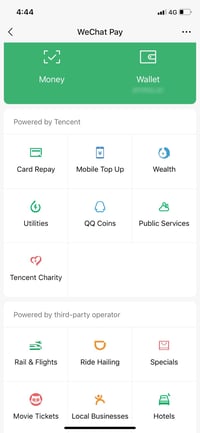
At this point, Facebook, Snapchat, WhatsApp, and other major social media apps are using a similar strategy of pulling additional features into their platforms to keep users logged in longer. For example, many of today’s top messengers allow group video calls, offer in-app games, or let users send money.
Weibo (Also known as Sina Weibo)
Owner: Sina Corp.
Origin: China (Available globally with text in Chinese.)
Platform Name Translation: Loosely translates “microblogging.”
Reported Users: Projected to hit 500 million monthly active users in 2020
Weibo, also called Sina Weibo, is the biggest Chinese microblogging and social media platform. The social channel made news in 2017 when it reached more monthly active users than Twitter. Since then the app’s continued to grow. Reports suggest that more than 30% of Chinese internet users now have an account on the platform.
When you visit the website, it’s automatically in Chinese. However, you can use Google Chrome’s translator to convert the text to different languages. To give you a better idea of how Weibo works, here’s what its desktop site looks like with the English translation turned on.
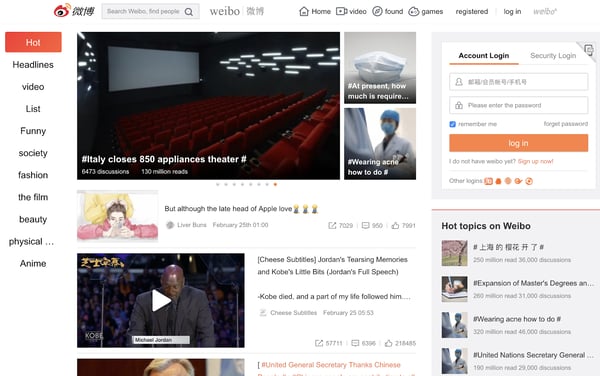
Like Twitter, Weibo offers a central feed where you can see the latest or highest performing posts. To toggle through different types of posts, you can click a category on the list in the left sidebar. On the left, you can log in to an account and see “Hot Topics” similar to Twitter’s “Trending Topics.” If you continue to scroll down, you’ll also see a box that allows you to search for people — similarly to Twitter’s “Who to follow” block.
To help you see just how similar these two platforms are, here’s a picture of Twitter’s feed.
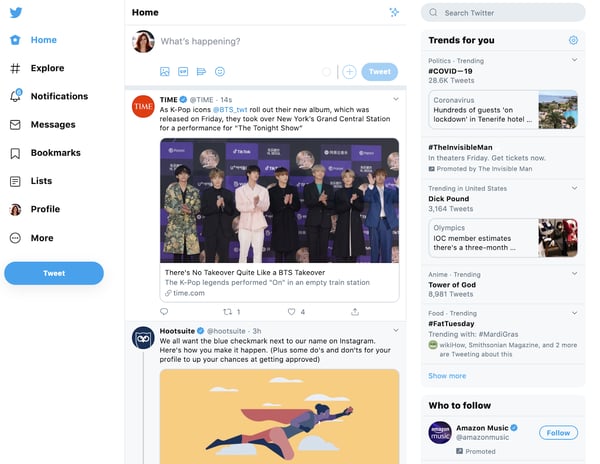
While Weibo’s layout and microblogging mission is similar to Twitter’s, the Chinese platform emphasizes videos, photos, and trending content, while Twitter still puts an emphasis on the accounts sharing the content.
Although Twitter also prioritizes trending content, you can easily see which of your followers posted, liked, or retweeted it before seeing the content in a tweet. This allows audiences to subconsciously focus on the person who tweeted something as well as the tweet itself.
These slightly different layouts might also suggest that the audiences of each platform prefer to consume content differently. While Twitter’s audience might prefer the human connection aspect of its site, those on Weibo might want to jump straight to the content.
Douyin
Owner: ByteDance
Origin Country: China (Available only in China: TikTok is available globally)
Name’s Origin: Douyin loosely translates to “shaking sound” or “vibrato.”
Reported Number of Users: 400 million active users
Douyin is the Chinese-only counterpart to TikTok, which is owned by the same company. TikTok specifically is a merger of Douyin and the Musical.ly lip-syncing app. Both social media apps specialize in allowing users to create, edit, and share short-form vertical video that’s less than 60 seconds.
After Douyin launched in early 2018, it grew to 150 million active users in year one. ByteDance then purchased a similar lip-syncing app called Musical.ly and created TikTok, a global app that merged the best features from each original app.
Since launching in late 2018, TikTok’s also seen viral growth by gaining roughly 800 million active users. Like Douyin, TikTok also sees a large number of international influencers from countries like India.
While Douyin and TikTok are very similar short-video apps and are often confused as the same thing, they have a slightly different set of features, are powered by different servers, and have different levels of censorship due to regulations around the world.
Douyin isn’t accessible for us to preview in the U.S., but news outlets describe it as being even more advanced than TikTok — particularly when it comes to ecommerce.
For example, while TikTok just recently rolled out advertising options, Douyin reportedly allows users to triple-tap a video with a product featured in it to go to a brand’s ecommerce store. Users can also use the app for virtual tours of hotels, stores, or travel locations, and then visit the websites affiliated with these tours.
Unlike TikTok, Douyin also reportedly allows users to geotag themselves at a store or location. This could be helpful for providing brand awareness to local brands.
When it comes to what Douyin and TikTok have in common, both are apps where users can share short videos that can feature musical overlays, fun filters, and text overlays. Videos on each platform must be 60-seconds or less.
From photos I’ve dug up online, it looks like the platform’s design is very similar with some slight design differences. The screenshots below show a video ad and the platform’s search feature:
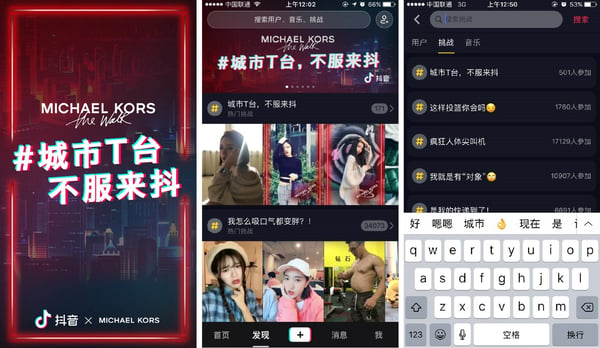
As a comparison, here’s what a video ad and the search feature look like on TikTok:


Both apps are also centered around a video feed that algorithmically shows users videos from followers or videos that they might enjoy based on previous content they’ve viewed on the app. When users enter the app and see the feed, one video will begin playing automatically. To see other videos, users simply swipe up on that feed. Here’s what this looks like on TikTok:

Aside from the shared features, both fast-paced social media channels are favored by younger generations — especially Gen Z. While over 50% of TikTok’s audience is younger than 34, it’s also been reported that Gen Z has flocked to Douyin.
Douyin and TikTok’s success story is a great example of how one unique international platform can change the way we consume content in other countries. Prior to TikTok’s launch in the Western hemisphere, many Americans hadn’t seen anything similar to it since Vine — a similar short video app and feed that was discontinued by Twitter in 2016.
Not only did Douyin and TikTok replace the need for Vine, but both apps also catered to Gen-Z and Millennials, two mobile-first generations known for short online attention spans and heavy consumption of video content.
Kuaishou
Owner: Kuaishou Technologies
Country of Origin: China
Name Origin: No translation could be found.
Number of users: 400 million monthly active users
Kuaishou is a short-video app that competes with Douyin. This platform started as a GIF sharing site called Kuaishou GIF. It was like GIPHY in the sense that anyone could create, post, and share GIFs on the network.
In 2012, Kuaishou dropped GIF from its name and pivoted to a short video platform. Its interface is now very similar to Instagram’s. It doesn’t have a Stories feature like Instagram, but it features similarly looking profile formats and feeds where users share short vertical videos rather than photos or other content.

Like Douyin or TikTok, the video features of Kuaishou seem fairly similar in that users can leverage sound bites and basic editing tools in their content. Like many social media platforms with videos, Kuaishou also allows users to overlay text and stickers to images or videos.

From looking at a variety of videos that have been uploaded on to other sites from this platform, it seems like many Chinese residents have used this app to highlight their unique skills and musical talent.
Here’s a video that highlights multiple short videos on the platform:
https://www.youtube.com/watch?v=r0JCLvFVfDU
A number of users have also shared videos that highlight and celebrate aspects of rural China. Here’s an example that Kuaishou posted on its own YouTube page:
https://www.youtube.com/watch?v=sINEza-m11k
In 2019, Apple distinguished Kuaishou as a global app that was defining mobile video storytelling trends. This came shortly after the app notably added ecommerce and monetization features that enabled creators in poverty-stricken rural China to make money from it.
Aside from its short-videos, Kuaishou also allows users to live stream content to their friends or followers on the platform. Similarly to the short video feature, the stream has allowed users to film longer videos that highlight their skills.
VKontakte (VK)
Owner: Mail.Ru Group
Country of Origin: Russia
Name’s English Translation: VKontakte loosely translates to “in contact with.”
Reported Number of Users: 500 million users
VK, the biggest social channel in Russia, is like a mix between Facebook, YouTube, and the illegal ’90s downloading service LimeWire. This platform allows users to publish and share text-based posts, photos, video files, and music files with their connections.
When it comes to this platform’s user interface, it looks eerily similar to Facebook, with some slight tweaks to page layouts. Here’s what VK’s main feed looks like:
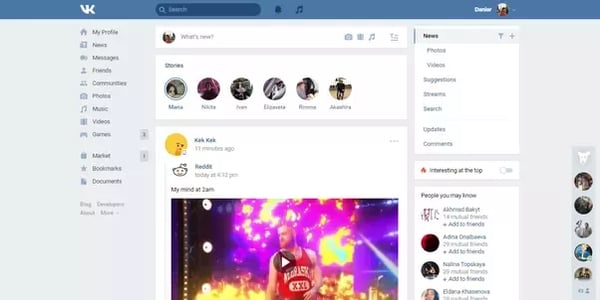
And, here’s an example of what a profile page looks like:
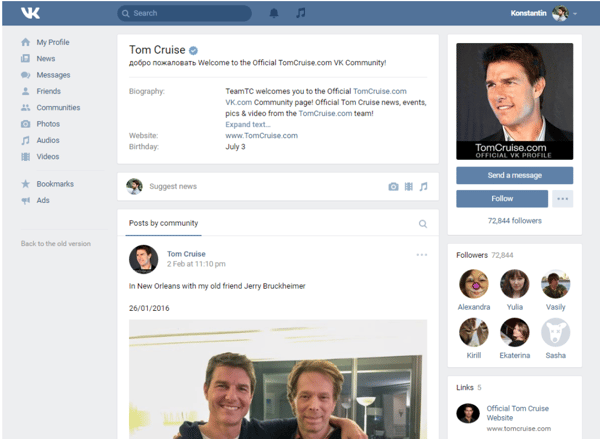
Aside from allowing users to share their own content, they can allegedly upload and stream copyrighted material such as music and movies. This has allegedly been abundant on the platform since its launch, but legal steps have not been taken against it.
The social platform is owned by Mail.Ru Group, a tech company that owns Russia’s main search engines and OK.RU, a social platform noted below. Reports also suggest that this company has affiliations with the Russian government.
At the moment, some experts suggest that liberal-minded internet users spend time on Facebook, Russia’s more conservative users spend time on Mail.Ru-owned sites.
In a recent Vice article, one user from Moscow described how Facebook was seen as a liberal network.
“It’s become more ‘woke’ to be on Facebook because most Russian liberal intellectuals use it,” the user explained. “It’s kind of like Twitter for us, it’s where you follow people when you want to see what they think.”
It is interesting to think that while U.S. internet users of all political backgrounds tend to argue their points on Facebook, people with certain political affiliations might stick to using one platform or another based on political affiliations in countries like Russia.
Odnoklassniki (Shorthand name: OK.RU)
Owner: Mail.Ru Group
Country of Origin: Russia
Name’s English Translation: Odnoklassniki translates to “classmate.”
Reported Number of Users: 200 million users
Odnoklassniki, or OK.RU, is a website that specializes in connecting people with their past classmates. The social media platform is set up like a blog, similar to Tumblr, where users can share life updates, images, or videos, which then show up in other user’s home page feeds. Along with their classmates’ content, a sidebar shows users the most popular videos that have been posted on the platform.
Below is a look at the feed. While the site is in Russian, I’ve used Google Chrome to translate it so you can get a better idea of what people are posting.
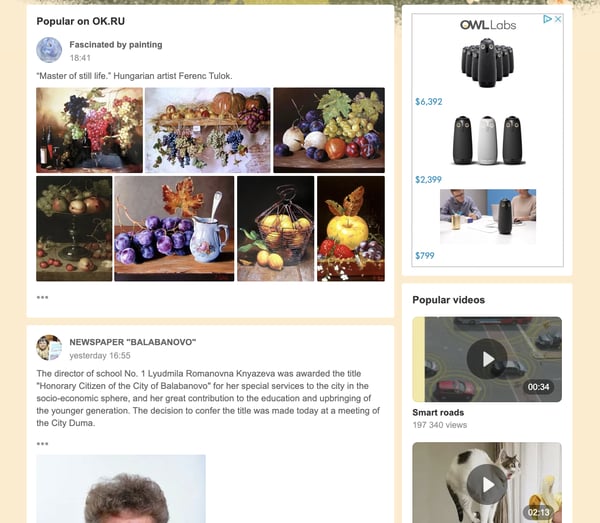
Like Tumblr, users can also click on the name or image of another user in a post to find that person’s profile. These profiles are similar to Facebook’s layout in that they show a cover photo, a user’s top followers (called “participants” in the image below), and then a feed of their own content.
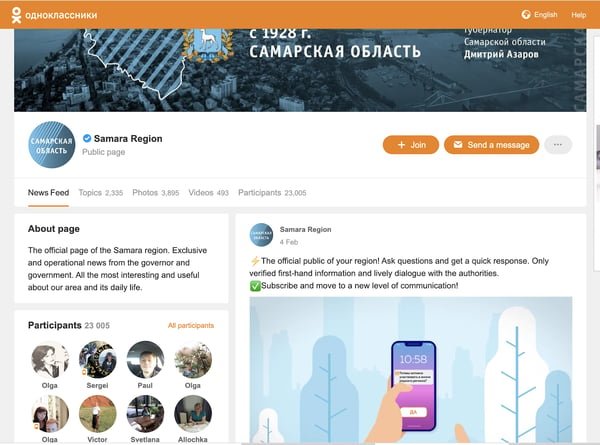
While this platform is similar to both Tumblr and Facebook, Russian citizens don’t commonly use those two platforms as much as OK.RU. Additionally, with warnings that Facebook, YouTube, and Instagram could be banned in Russia, it’s not shocking that tech companies in this region have innovated to create similar alternative platforms.
As we’ve seen with the Chinese platforms on this list, many of the top global social platforms have been inspired by or created as an alternative to U.S.-origin sites that were censored or censored. These continent-specific social media industries could be a theme we continue seeing in different areas of the world.
If you’re an international marketer, it can be helpful to identify segments of your audiences that might not be able to access the platforms you use for social media marketing. As you do this, you should also research any alternatives that you can access to promote your content or product in those audience’s locations.
The Similarities of Global Social Platforms
Despite their critical differences, social media industries around the world have some fascinating similarities to that of the U.S.
For example, while many of North America’s most prominent social media apps are owned by Facebook or were created in Silicon Valley. Most prominent global platforms were created by Tencent or other major tech firms based in China. Similarly, the two biggest Russian platforms are owned by the same company.
Although many of the apps above were created and launched in highly censored areas, they don’t seem to be falling behind on innovation due to these governances. Because international social platforms have evolved on a similar timeline as many common U.S. platforms, it seems like these geographies are building their own parallel social media industries, rather than just racing to create alternatives to our own platforms.
One thing that does seem different between international and domestically launched social media platforms is that many of the examples on this list emphasize direct communication more than content, while our own platforms emphasize content and user experience. While every social media platform we use today does have messenger with various features, only a few of them are or were ever standalone messengers.
For example, QZone and WeChat built their initial audiences as messenger apps and broadened their features from there. Meanwhile, Snapchat and WhatsApp are the only top platforms that started as direct messengers. While Facebook Messenger is one of the most prominent text messaging platforms, it is an expansion of Facebook’s original News Feed-centered platform.
If you’re interested in reaching international audiences, you should pay attention to the social media platforms they most commonly use, and what they use them for. This will give you insight on what types of content these groups engage with, what motivates them, and what strategies could persuade buying decisions.
If you want to tap into an international audience, but can’t access some of the platforms on this list, you can alternatively consider testing out a campaign on a globally accessible platform like WhatsApp and WeChat.

Ultimate List of Ecommerce Tools For 2020
The ecommerce industry is booming.
These trends are showing no signs of slowing down in the foreseeable future. In fact, the global ecommerce market is expected to eclipse $6.54 trillion in sales by 2023. That’s up from $3.53 trillion in 2019.
Whether you’re interested in starting a new ecommerce business from scratch or looking to expand your retail operation to an online store, you can use an ecommerce tool to achieve your goal.
Not all ecommerce solutions are created equally. Some tools are all-in-one website builders, while others are plug-ins, add-ons, or shopping cart software.
So what’s the best ecommerce tool for 2020? The answer depends on your unique situation. Use this guide to find the best ecommerce solution for you and your business.
The 10 Best Ecommerce Tools of 2020
In a market saturated with dozens, if not hundreds, of different ecommerce tools, there are the top ten that I’d recommend:
- Shopify
- WooCommerce
- BigCommerce
- Wix
- Magento
- Squarespace
- 3DCart
- Easy Digital Downloads
- Ecwid
- OpenCart
I’ll give you an in-depth overview of the features, benefits, pricing, and use cases for each one of these tools as we continue through this guide.
1. Shopify
Shopify has everything you need and more to start an ecommerce website from scratch. It’s an all-in-one ecommerce solution for website creation and shopping cart software.
Regardless of your technical skill level, Shopify is easy for anyone to set up and use right out of the box.
Shopify makes it possible for you to sell from anywhere. In addition to your own ecommerce store, Shopify supports third-party marketplaces, social media selling, and in-person sales with Shopify POS (point of sale) software.
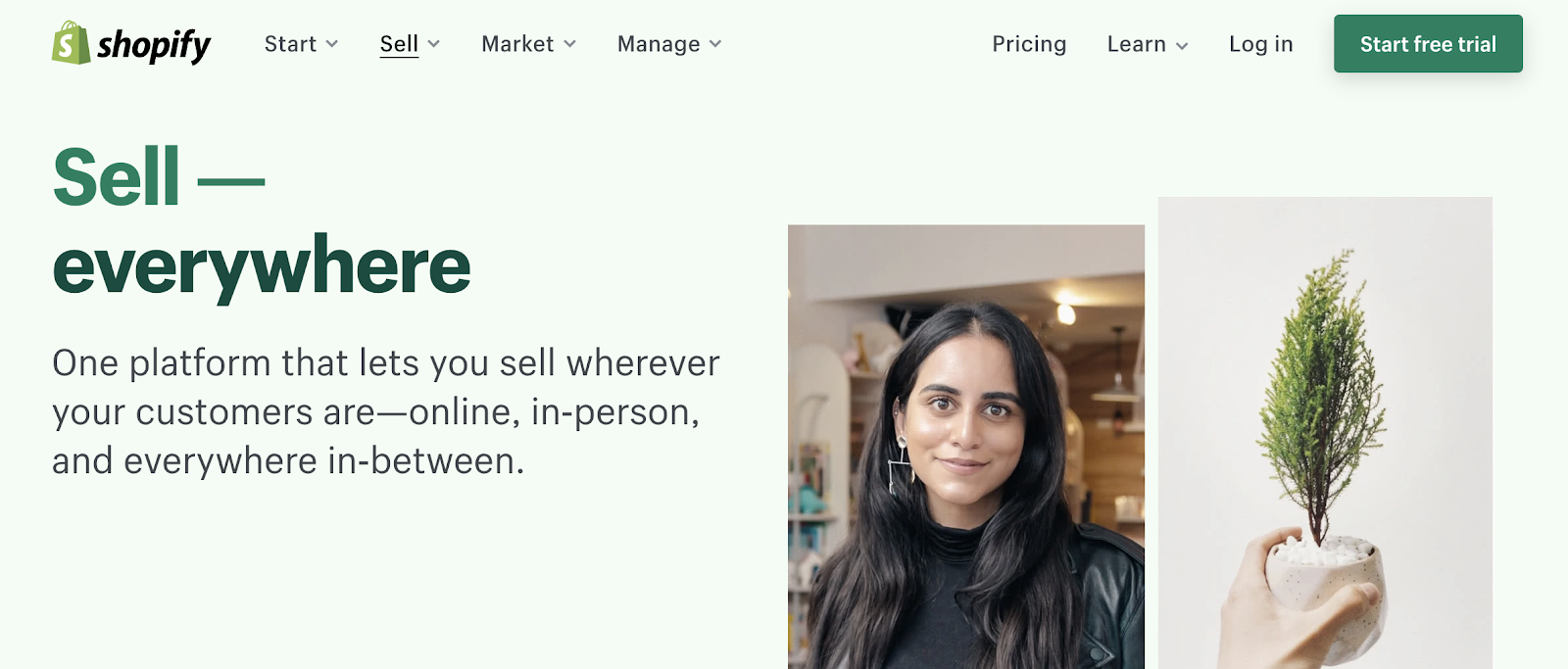
Every Shopify theme is optimized for mobile devices. Additionally, with tools like BuildFire, you could always build a Shopify mobile app to take your mobile sales strategy to the next level.
One of the most significant standouts of Shopify is its versatility. From startups to small businesses and large-scale operations, this ecommerce tool can fit the needs of any organization.
Shopify Pricing: Shopify has three different plans—Basic Shopify, Shopify, and Advanced Shopify. These plans start at $29, $79, and $299 per month, respectively. You can try Shopify for free with a 14-day trial.
2. WooCommerce
WooCommerce is unique compared to some of the other ecommerce tools on our list. That’s because it’s not an all-in-one ecommerce solution.
If you already have a WordPress website, you can add ecommerce functionality by installing the WooCommerce plugin.
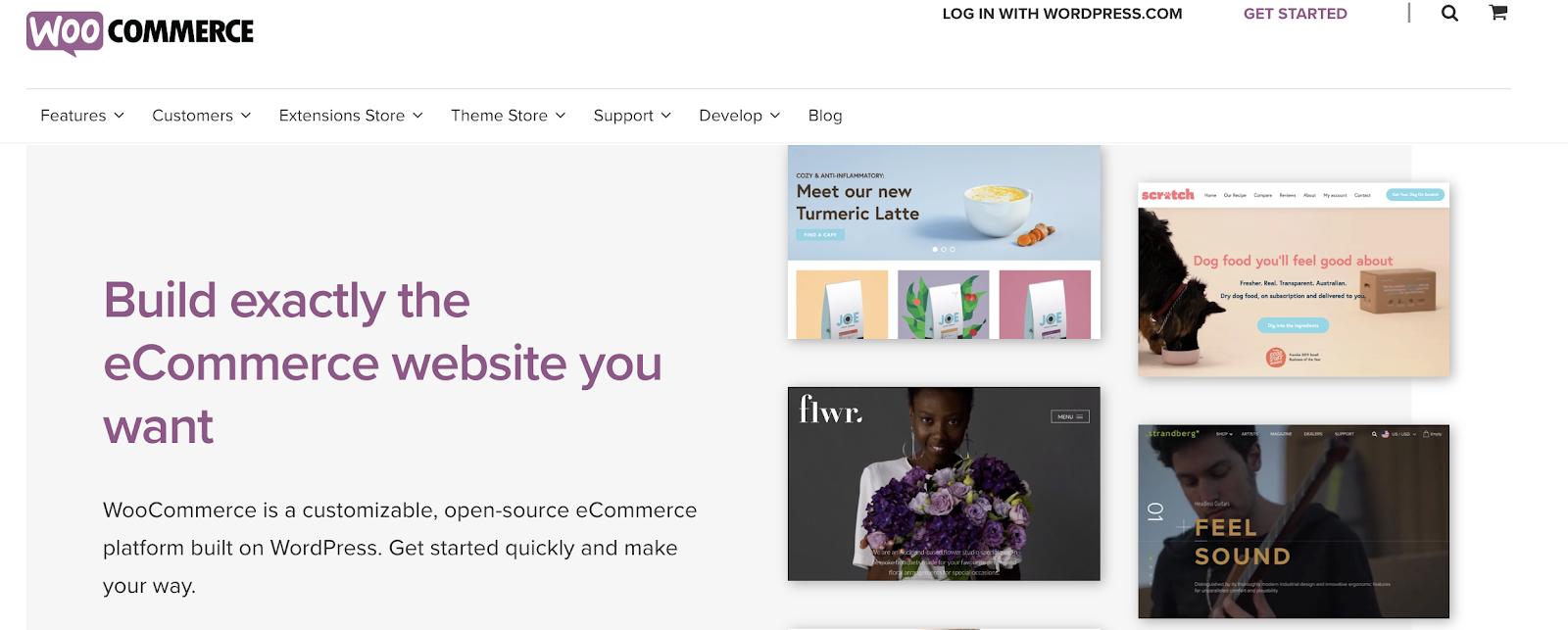
From selling products to subscriptions and memberships, WooCommerce has everything you need to add ecommerce capabilities to WordPress.
The tool is fully customizable. It integrates with popular payment platforms like Stripe, Square, PayPal, Amazon Pay, and more. WooCommerce has other extensions for things like printing shipping labels and integrating with your email marketing platform.
For those of you who have an existing WordPress site, WooCommerce is the best way to start selling online without doing a complete rebuild. Simply install the plugin, and customize your settings from there.
WooCommerce Pricing: WooCommerce is free to install on your WordPress site. But other extensions to customize the WooCommerce plugin do cost money. Tons of extensions are free, while others range up to $300 per installation.
3. BigCommerce
Since launching back in 2009, BigCommerce has processed more than $25 billion in merchant sales. It’s used by businesses in 120+ countries worldwide.
As another full-service ecommerce platform provider, BigCommerce offers everything you need to start selling online.
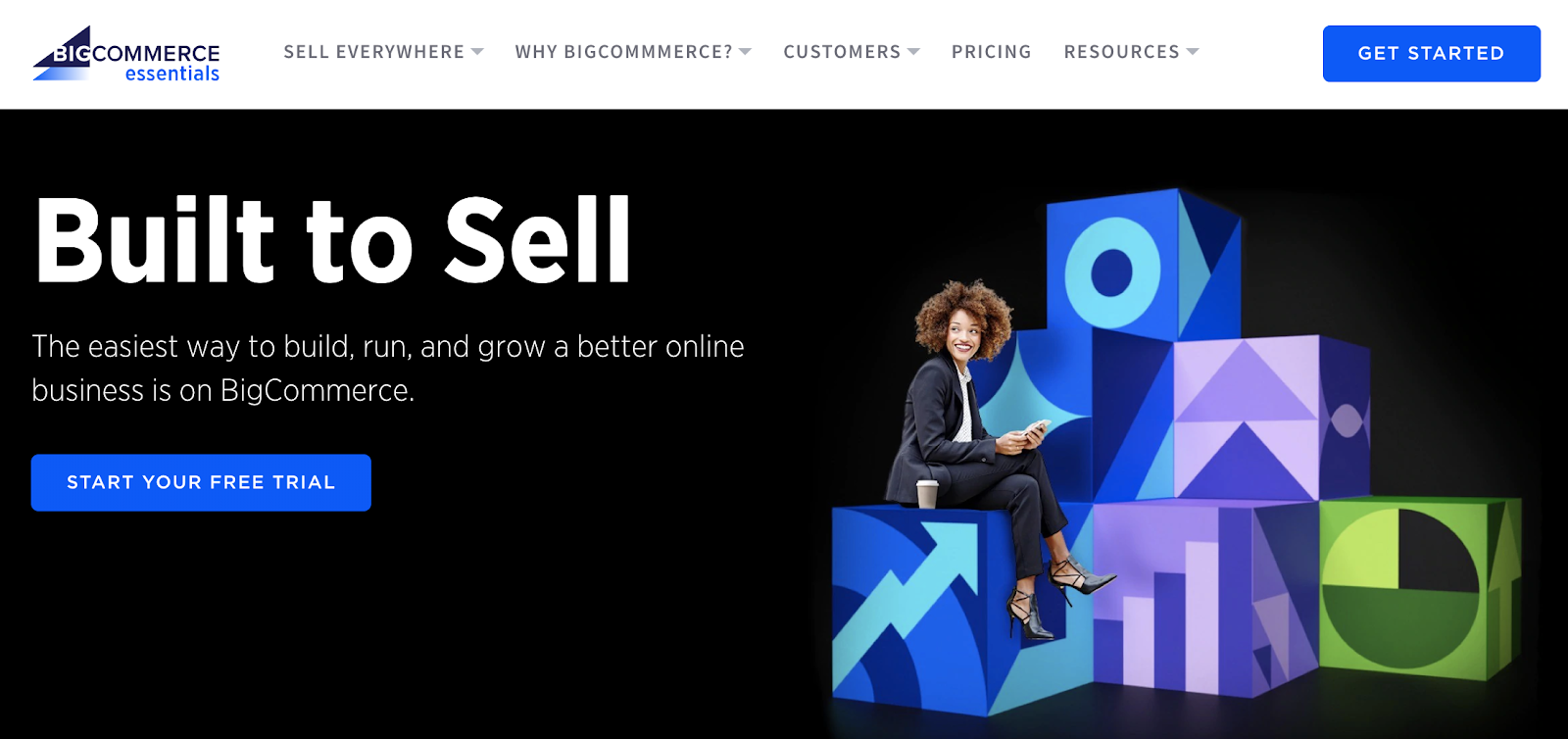
Compared to other ecommerce tools on the market today, BigCommerce comes pre-loaded with the most native features.
BigCommerce has exceptional tools for inventory management, SEO, and conversions. You’ll also benefit from 24/7 customer support via phone, email, and live chat. So you can rest assured knowing that you’ll have access to assistance if you ever have any questions.
In addition to traditional online sales, BigCommerce supports B2B wholesale websites and provides enterprise-grade ecommerce solutions as well.
BigCommerce is an industry leader in ecommerce performance. When it comes to page loading speed, uptime, and security, this tool is second to none.
BigCommerce Pricing: The Standard plan starts at $29.95 per month. BigCommerce Plus starts at $79.95 per month, and Pro starts at $299.95 per month. You’ll need to contact the sales team for a custom quote on Enterprise solutions.
4. Wix
Wix is arguably the world’s simplest website builder. The platform is the easiest way for anyone to build a new website from scratch without any technical knowledge or coding experience.
Using the intuitive drag-and-drop builder, you can design a high-quality website with text, images, videos, and other media types in minutes. Adding new pages or starting a blog with Wix is just as easy.
Wix has 500+ templates for you to choose from. Your website will automatically be optimized for SEO and mobile web browsers. If you build a site with Wix, you’ll have access to the Wix App Market. This resource is filled with powerful web apps to customize your site.
You can also create an online store with your Wix website.
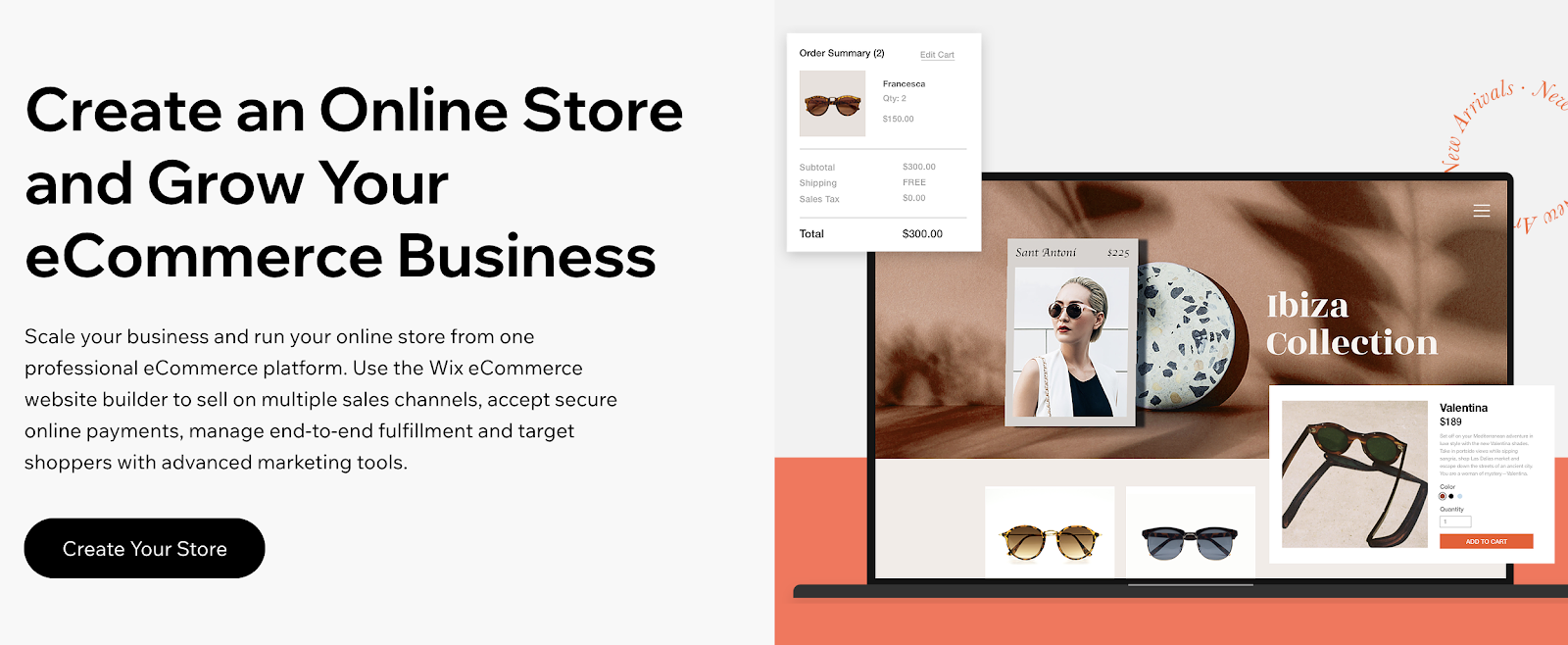
Wix offers a fully customizable storefront and shopping cart. Add features like a shopping wishlist, related product galleries, a quick add-to-cart button, mini-carts, and more.
For those of you who want to start selling new products online but don’t know where to start, Wix’s platform supports dropshipping. Browse from thousands of products that you can sell, with no inventory costs. Products ship in 5-7 business days.
Wix allows you to set up custom shipping rules as well. Manage international orders, choose your carrier preferences, and give customers real-time delivery estimates.
Wix Pricing: Wix has plans starting at $13 per month. But not every Wix subscription supports online selling. The ecommerce plans with the ability to accept online payments range from $23 to $49 per month. Enterprise solutions start at $500 per month.
5. Magento
Magento is an ecommerce tool offered by Adobe. It’s an all-in-one ecommerce solution that processes more than $100 billion in gross merchandise sales each year.
With Magento, you can create an ecommerce store no matter how big or small your website is. This platform supports small businesses, mid-market and enterprise, and B2B online sales as well.
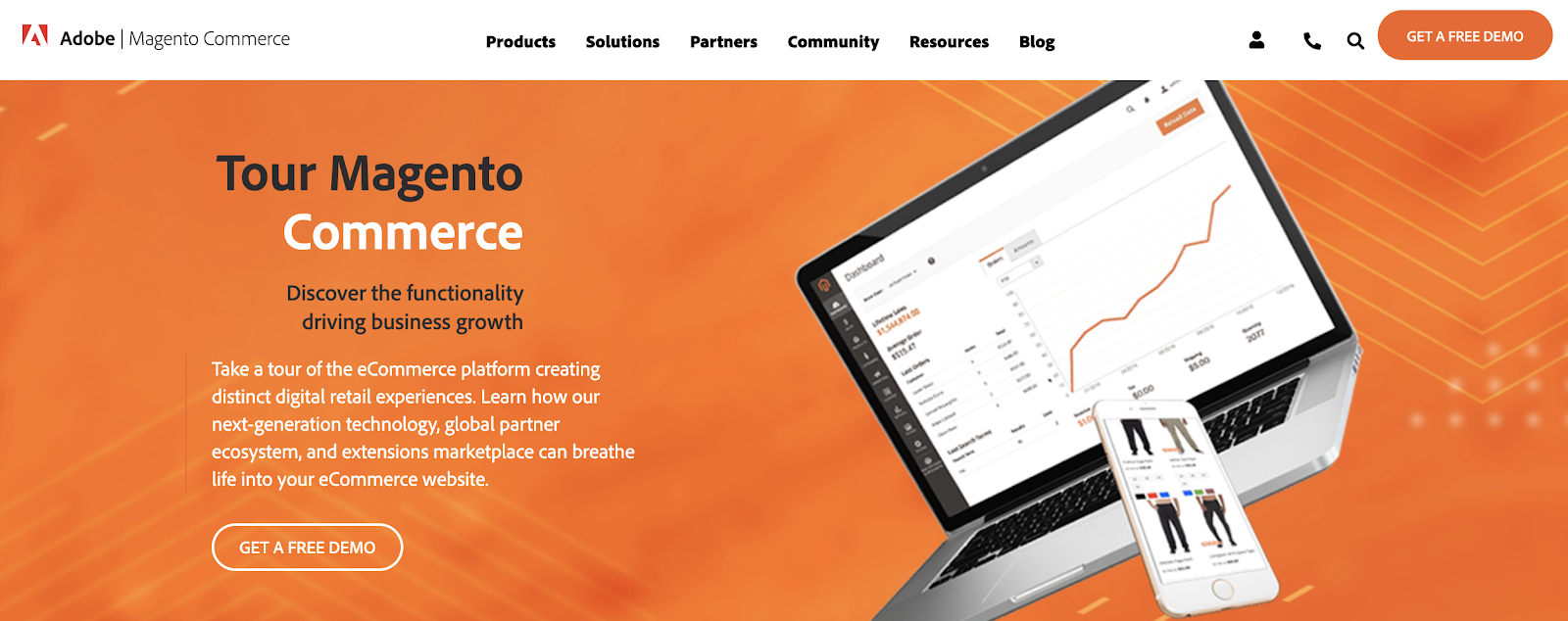
Magento stands out from other platforms with its efficiency, automation, and access to crucial data. You’ll benefit from inventory management, business intelligence, shipping solutions, and order management.
This ecommerce tool has specific features for customer segmentation and personalization.
Your store will automatically display products, promotions, content, and prices based on factors like customer location, order history, customer gender, LTV, and wish list items. You can even improve the shopping experience for unknown website visitors based on their shopping cart or products viewed.
Magento Pricing: Contact the Magento sales team for a custom quote on a Magento Commerce license. You can request a free demo to try it out before you commit.
6. Squarespace
Squarespace is another well-known website builder. Unlike Wix, Squarespace has integrated ecommerce capabilities built-in to all of its business plans.
This ecommerce tool is popular for businesses and individuals in creative industries. The Squarespace designs are known for being both beautiful and modern. These award-winning templates are perfect for fashion designers, artists, musicians, and photographers.
If you want to showcase your work and sell it online, Squarespace is the place to do it.
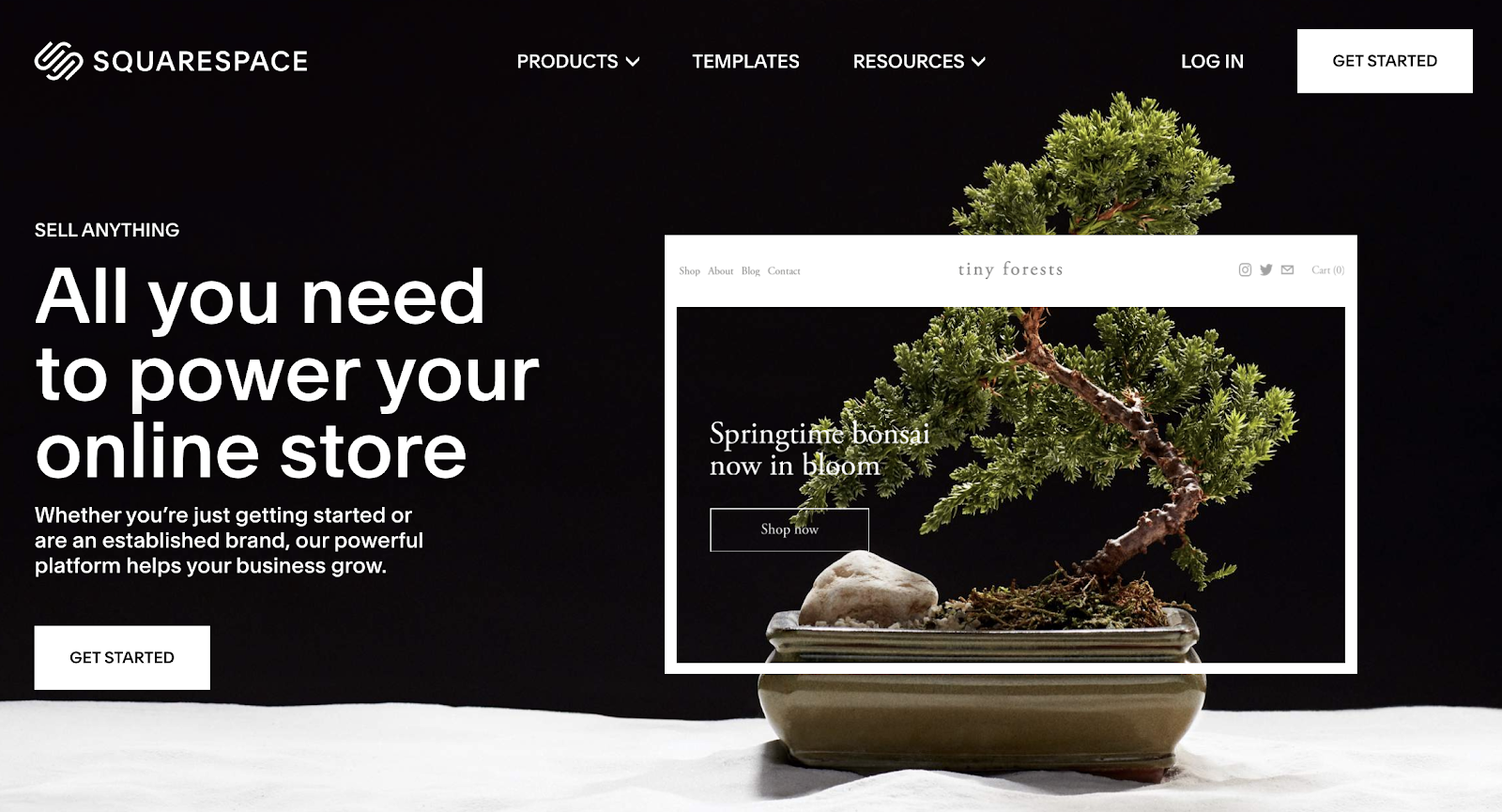
You can also Squarespace to sell subscriptions and digital content.
If you’re selling physical products, Squarespace offers automatic inventory management, shipping calculator tools, and a rich product display. Use this ecommerce tool to showcase videos of your products as well.
Squarespace integrates with other popular online selling tools such as PayPal, Stripe, USPS, FedEx, and Apple Pay. It also integrates with popular accounting solutions like Xero.
For those of you who want to create a portfolio website and monetize it with ecommerce capabilities, Squarespace is the best choice for you.
Squarespace Pricing: Squarespace Personal costs $12 per month. But you can’t sell online with this option. The $18 business plan has a fully integrated ecommerce store with the ability to sell unlimited products, although it does have some limitations.
To take full advantage of Squarespace as an ecommerce tool, consider the Basic Commerce or Advanced Commerce plan. These start at $26 and $40 per month, respectively.
7. 3DCart
3DCart is one of the oldest ecommerce tools on our list. The platform was founded back in 1997. More than 25,000 merchants use this tool to power their ecommerce website.
To be clear, 3DCart is not for everyone. It’s ecommerce software that’s designed for advanced ecommerce stores. The platform doesn’t offer a drag-and-drop site builder like Wix. Instead, you’ll need to have some knowledge related to development and coding to fully customize your templates and themes.
Just install 3DCart into your existing website to turn it into an ecommerce shop. If you aren’t comfortable editing your site’s code, you’ll likely need to hire a developer to do this.
Once installed, you’ll have access to more than 200 built-in ecommerce features. 3DCart has 50 free themes and supports 100+ payment processors.
Integrate 3DCart with platforms like MailChimp, Stripe, Facebook, Amazon, PayPal, QuickBooks, and more.
For those of you who don’t want the restrictions associated with an all-in-one ecommerce website builder, 3DCart offers full customization. You’ll just need to handle the coding on your own.
3DCart Pricing: 3DCart has five different plans ranging from $19 per month to $229 per month. You can try the software for free with a 15-day trial. All plans are backed by a 30-day money-back guarantee.
8. Easy Digital Downloads
Just as its name implies, Easy Digital Downloads is an ecommerce tool designed for selling digital products. Similar to WooCommerce, it’s a plugin for WordPress websites.
More than 2.44 million users have downloaded EDD.
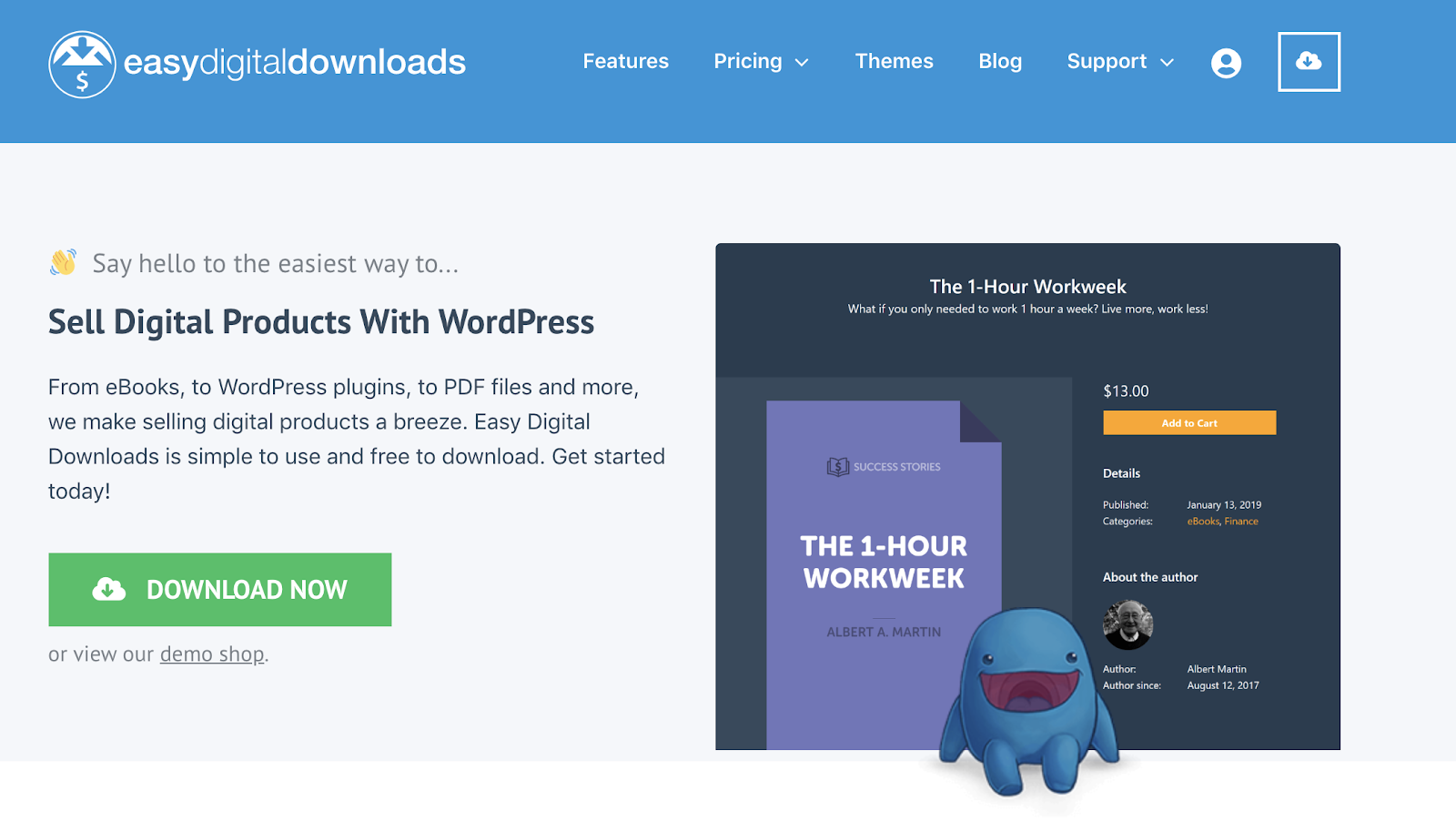
This ecommerce tool makes it easy for you to create discount codes, track download activity, and restrict file access. It comes with a fully integrated shopping cart that allows customers to purchase multiple downloads simultaneously.
There are no limitations on how many digital products you can sell with the Easy Digital Downloads plugin.
The tool integrates with other popular tools and extensions that you’re already using. Some examples include PayPal, Authorize.net, Stripe, Slack, Zapier, AWeber, Dropbox, and Amazon Web Services.
Easy Digital Downloads Pricing: There are four different plans for the EDD plugin license. All of them are billed on an annual basis until canceled. The Personal Pass is $99, Extended Pass is $199, Professional Pass is $299, and All Access Pass is $499.
9. Ecwid
Ecwid is a free commerce extension that’s compatible with WordPress and other popular CMS platforms. You can add the Ecwid tool to Weebly, Joomla, Tumblr, Squarespace, Wix, Blogger, and Adobe Muse.
You’ll also be able to sell online from marketplaces like Amazon and eBay or sell on social media via Facebook and Instagram.
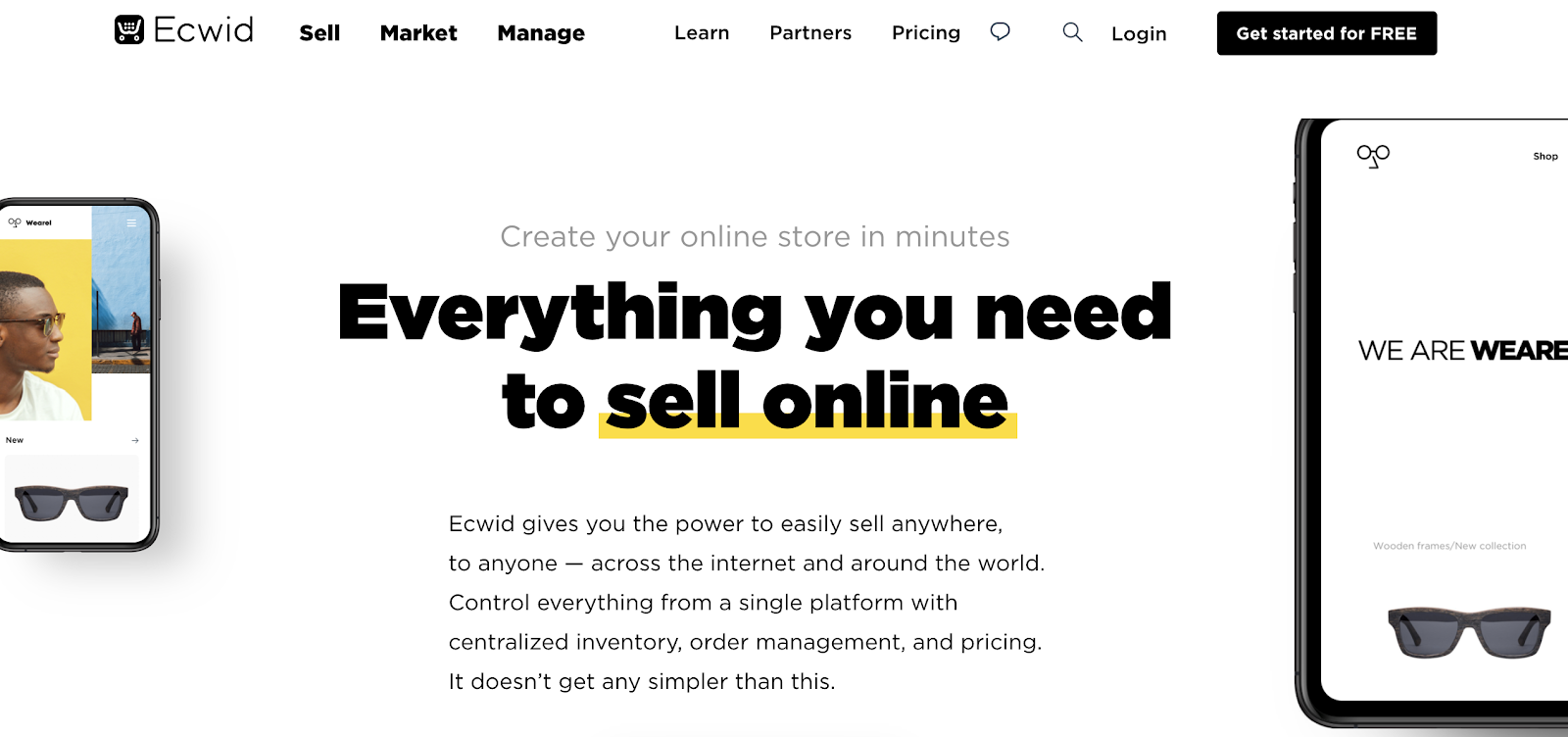
Unlike 3DCart, you can install Ecwid to your website without any development or coding experience. The Ecwid software can integrate with in-person selling at your brick and mortar retail stores as well.
If you’re currently using WordPress but don’t want to use WooCommerce as an ecommerce tool, Ecwid is a viable alternative.
Ecwid has a free forever plan, but it’s extremely limited. You’ll only be able to sell up to ten products and won’t have access to sales channels outside of your website.
Ecwid Pricing: The entry-level Venture plan starts at $15 per month. Business and Unlimited plans start at $35 per month and $99 per month, respectively. You can save money on all of these if you commit to an annual contract.
10. OpenCart
Last, but certainly not least on our list is OpenCart. Unlike some of the other tools listed above, this is not a website builder. OpenCart is a free and open-source platform that adds ecommerce functionality to existing websites.
Over 342,000 ecommerce websites across the world use OpenCart for selling online.
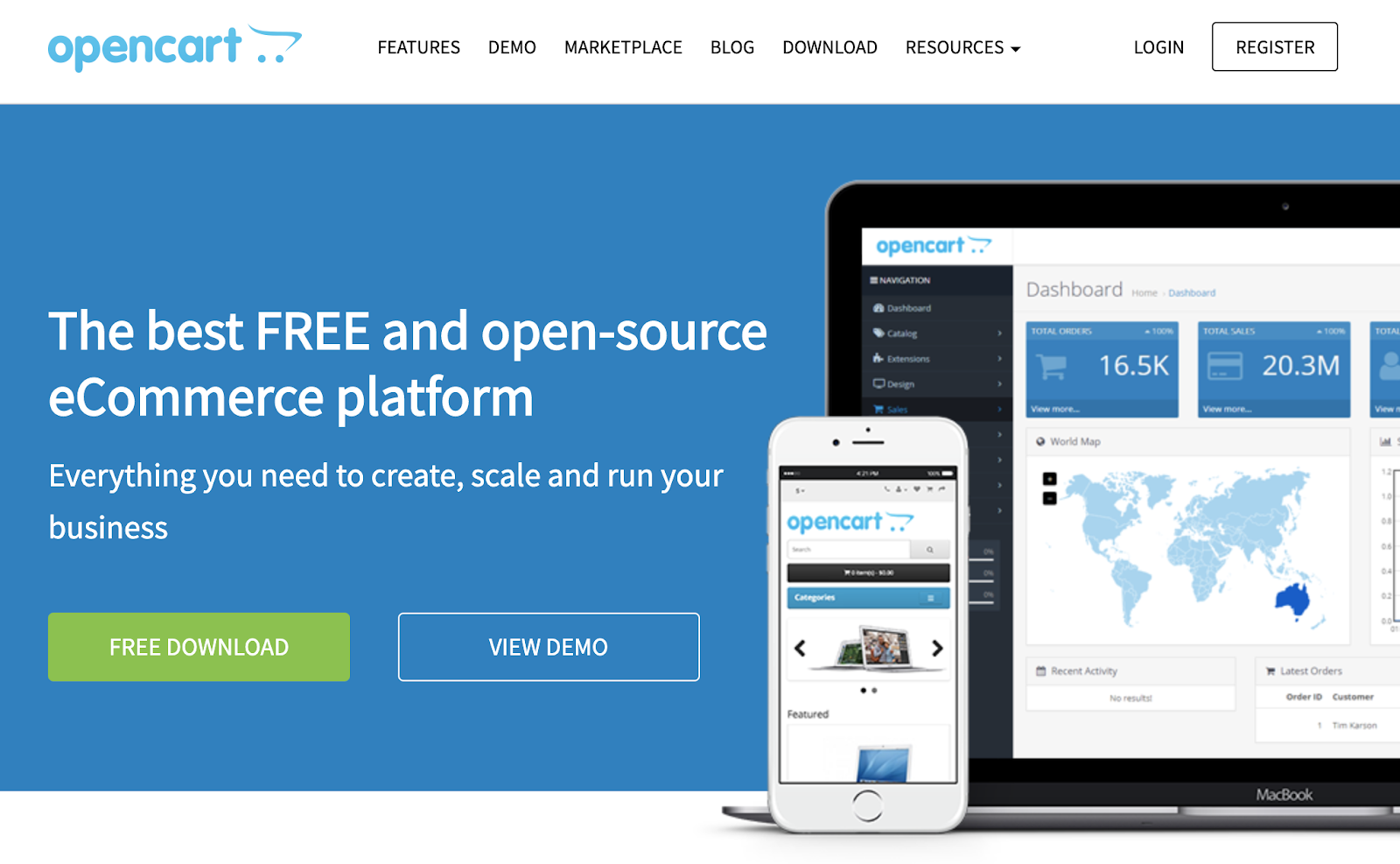
The most significant standout of this ecommerce tool is the OpenCart marketplace. You’ll have access to 13,000+ modules and themes. You can integrate OpenCart with an extensive list of payment gateways and shipping providers.
As an open-source platform, OpenCart has an outstanding community support forum with more than 550,000 posts from 110,000+ registered members.
For a one-time fee or ongoing monthly service, you can have access to OpenCart’s dedicated support staff.
OpenCart Pricing: As I mentioned earlier, OpenCart is free to download and install. But extensions and dedicated support will cost extra.
What’s the best ecommerce tool to use in 2020? It depends on your unique situation.
An ecommerce startup won’t have the same needs as a small business retailer that wants to expand online. There are ecommerce tools that are better for selling wholesale B2B products and other tools made for digital downloads.
Do you want to create a new website from scratch? Or are you adding ecommerce functionality to your existing site?
All of these scenarios will impact how you choose an ecommerce solution.
Since I included something for everyone in this guide, I’m confident that you can find what you’re looking for in one of the ten options listed above.

How 8 Brands Use Instagram Story Swipe Ups
As a marketer, you know you’ve got what it takes to build and manage an incredible Instagram page.
For instance, you’ve made your business’ account branded so it aligns with your company, filled it with eye-catching posts, and turned the page into a great outlet to encourage audience engagement.
Everything … well … almost everything, is going smoothly.
The tiny snag: How in the world are you supposed to make Instagram Stories Swipe Ups worthwhile, for your audience and your ROI?
Instagram is one of the most widely-used platforms for marketing efforts, but only 21% of marketers are seeing a return on investment from their Instagram strategy. You might be experiencing the same snafu — you’re putting a lot of effort into your Instagram, like adding Stories, but they’re not earning the traffic you need.
The problem may not be in your content, though. It could be your delivery.
But don’t worry — in this post, we’re going to cover some strategies you can do to give your Story viewership a 180, as well as take a look at what other brands are doing to make their Stories a worthwhile tool in their content strategies.
Let’s go over some best practices for driving traffic to your Instagram Stories before we get into how to leverage the Swipe Up tool.
Best Practices for Driving Instagram Story Traffic
Are you keeping these practices in mind when you go to upload your Story? Before you schedule your next one, refer to these strategies to give your viewership a boost.
1. Preview the Story on the main feed.
To drive traffic to your Instagram Story, a sure-fire way is to make a post about it on your main feed.
Posting a “preview” photo or video on your main feed, and then alluding that the rest of the post is in your Story, compels the audience to explore the missing content. This method caters to the fear of missing out, or FOMO, because Stories disappear after 24 hours. The only way to combat this is archiving the story in a highlight.
2. Make it into a highlight.
Highlights can be a traffic driver, as well. If you encourage user-generated content, save them in a highlight when you share them to your Story. Then, tag the customer who posted the content. If audiences see that you shout-out customers, they’ll be more inclined to check back to see if their submission gets picked.
3. Promote the Story on other channels.
Another way to drive traffic to your Story is to let your audiences know about it. Adding a simple “Follow us on Instagram!” CTA in email newsletters or on another social media account will let audiences outside of your current Instagram followers know that there’s another way to engage with your content.
4. Run interactive Stories.
Finally, running a contest or Q&A on Instagram drives traffic because it encourages audience participation. For instance, if you run a contest that gives away an item, and make one of the rules tagging two friends, you can spread your content through your audience’s shares.
Similarly, if you give your followers the chance to engage directly with your brand, they’re more inclined to check your Story for more opportunities to interact. By doing this, you’re strengthening customer relationships.
So, now that you know some ways you can get more eyes on your Story, let’s look at some examples of how you can keep them using the Swipe Up feature.
Additionally, if you’re still unsure about how Instagram Stories works, take a look at Instagram Stories: What They Are and How to Make One Like a Pro.
Examples of Brands That Include Links in Stories
So, you have a pretty good idea of how to drive traffic to your Story. But once audiences get there, what should they see? And, what is the content to keep them coming back?
Let’s go over some examples of brands using their Stories in a way that makes audiences think, “I can’t wait to look at this account again!”
1. The Newsette
Tactic: Promote A Blog Post.
The Newsette is an online daily newsletter, supporting stories of women in the workplace. Their corresponding Instagram account supports the newsletter, especially in the Stories. This Story in particular, for instance, highlights a new blog post:
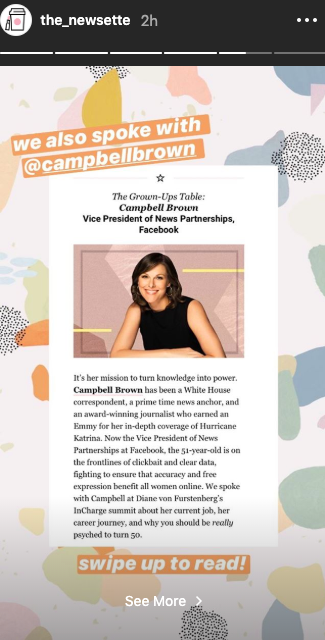
Right off the bat, this Story is graphically compelling. The background is fun and enjoyable without distracting from the focal point of the Story — the post. Using Stories to promote your latest interview or blog post can entice fans who don’t want to miss out on the 24-hour offer.
2. Maddie Lymburner
Tactic: Share A YouTube Video.
As a health food blogger and fitness influencer, Maddie Lymburner has a lot of content she can share on her Instagram Stories. For her fitness Instagram, Maddie posts at-home workouts or a preview of her new workout video, like shown below:
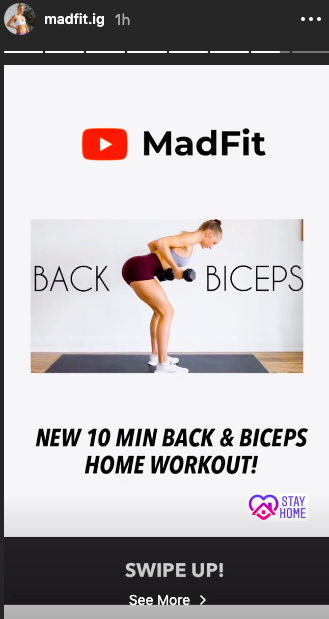
This Story features a sneak peek of the workout, and provides the link, so Instagrammers can watch the video without closing the app. If your YouTube account could use some love, you can leverage Stories to get more views on your YouTube channel, as well.
3. Father/Daughter Records
Tactic: Post A Link To Stream Content.
To bid a “Happy Birthday” to a record, independent label Father/Daughter Records used Stories to celebrate. What else is included in the Story is a link to stream or buy the record:

You can use Stories to give your account some brand personality. For instance, if your team just created a new podcast episode for your brand’s podcast, you can use the swipe up Instagram feature to compel new listeners to follow along.
4. Steffi Lynn x Adobe
Tactic: Partner With An Influencer.
If you are an independent artist, or part of a business that does partnerships, this is a great way for you to use the Swipe Up tool on a Story. For instance, Steffi Lynn is an independent graphic design artist, and uses her Instagram account to showcase her work, or announce a new partnership, like in this Story, sponsored by Adobe:

The swipe up links back to Adobe’s new product, and its supporting product page. Independent artists like Steffi Lynn can use swipe up to link to their own ecommerce pages, and marketers or advertisers can work with influencers to include their company’s links on the Story.
5. Coveteur
Tactic: Promote Your Podcast.
Coveteur is an online fashion and beauty publication. Recently, the team at Coveteur have been branching out and exploring more ways to deliver content, and to support that initiative, have been linking back to episodes in Stories.

What’s especially great about Coveteur choosing this episode to link to is that Bobbi Brown was the CEO of a successful cosmetics company of the same name, so to Coveteur’s target audiences, Bobbi Brown is a respected thought leader in the beauty industry. Seeing a recognizable name on a Story from a brand that may be unrecognizable at first, instantly gives the publication a credibility boost.
6. Franklin & Whitman
Tactic: Share Your Ecommerce Options.
Do you sell your products online? The swipe up tool is an excellent way to inform customers about a sale or promotion, announce new products, or give updates about home-run products, like this one from skincare brand Franklin & Whitman:

Fans of the company can enjoy the ease of buying their favorite products by swiping up on an Instagram Story, and leads that engage with this Story will find the pricing information useful as they continue on in their buyer’s journey. Being proactive and using Stories to let customers know about your new products or upcoming discounts proves to your audience that you care about their needs as a customer — including allowing them to purchase your products wherever they prefer
7. The Mayfair Group
Tactic: Build Buzz For Your TikTok Videos.
If you have another social account that could use more followers, you can use Stories to link back to it, like brand representation company The Mayfair Group did below:

The Story itself was a clip of a TikTok from the company’s account. It asked followers to write what they’re grateful for in a TikTok and tag the company. This is a great idea for promotion because it inspires action — after seeing this, I was immediately interested in making a TikTok of my own.
8. Girls’ Night In Club
Tactic: Share Your Newsletter.
Maybe you have an email list, and are looking for more subscribers. You could leverage Stories for that, and post a highlight from the newsletter. Then, the swipe tool could link to the email sign-up form.

Above is an example of how you can promote your newsletter through your Instagram account. Notice that, because the promotion was for an interview, the collaborators were tagged. This gives the community newsletter, Girls’ Night In, more exposure from the collaborators’ followers when the post gets reposted.
These are just some of the strategies and methods you can use to upgrade your Story content. Not only is there a chance to get a spike in viewership on your Instagram account, but you can also get eyes on some of your other content, as well.
Will I see your brand the next time I open the Discover page?

Everything You Need to Know About Employer Branding
When a job seeker begins their search, their queries might look like this: “Top companies to work for in 2019” or, alternatively, “Top companies in X industry.”
It makes sense — nowadays, a company’s reputation matters more than ever. In fact, 86% of workers would not apply for, or continue to work for, a company that has a bad reputation with former employees or the general public.
Ultimately, you spend plenty of time creating a compelling, incentivizing brand story surrounding your products or services. But how long do you spend cultivating a powerful employer brand to ensure you attract and retain top talent?
Here, we’re going to explore what employer branding means, examples of good employer branding, and how you can implement your own employer branding strategy, today.
What Is Employer Branding?
At its most basic, an employer brand is your reputation among the workforce as well as your employees’ perception of you as an employer.
In other words, employer branding is how you market your company to job seekers and internal employees. The better you are at employer branding, the more likely you are to attract top talent. Additionally, a positive employer brand can also help you retain top talent.
Let’s say you’ve done a phenomenal job building up a strong brand in relation to your products or services. Unfortunately, that alone won’t convince someone to work at, or stay at, your company. You need to implement the same branding strategy when it comes to communicating your company’s leadership, values, and culture.
If a job seeker asks an employee at your company, “What’s it like to work there?” the employee isn’t going to say, “We’ve built some awesome merchandise.” Instead, he’s going to lay into the day-to-day of people management, company values, and workplace culture. To ensure a good employer brand, you need to tell a compelling story.
However, it goes deeper than storytelling — you also need to walk the walk. Telling your employees, and the general public, that your company is a great place to work because you have ping-pong tables isn’t going to cut it.
Why Is Employer Branding Important?
At this point, you might be wondering, Does this really matter to me and my company?
Actually, employer branding is critical to your bottom-line. A good employer brand can reduce turnover rates by 28%, and cut your costs-per-hire by half. Additionally, 75% of active job seekers are likely to apply to a job if the employer actively manages its employer brand.
You have an employer brand whether you’ve put effort behind it or not — so why not put effort in to ensure it’s a brand you can be proud of?
Next, let’s explore how you can implement an employer brand strategy today.
Employer Branding Strategy
An employer branding strategy allows you to control and positively change the dialogue surrounding your company to ensure higher talent acquisition and retention. At its most basic, employer branding is how you market your company to job seekers and what employees say about your company as a workplace.
A good employer branding strategy can help you attract better talent, cut down on hiring costs, and reduce employee turnover.
1. Know your company’s unique value proposition.
To create a powerful employer brand, it’s critical you start by focusing on your company’s mission statement, values, vision, and culture. It could be helpful to identify what your business needs are and then work backwards to understand what type of talent you need to acquire to fulfill those objectives.
For instance, consider Teach for America’s mission statement — “One day, all children in this nation will have the opportunity to attain an excellent education.”
Using this statement as a guideline, Teach for America is then able to tell a compelling brand employer story on their Values page. Among other things, they promise employees the chance for continuous learning, stating, “We operate with curiosity and embrace new ideas to innovate and constantly improve. We take informed risks and learn from successes, setbacks, and each other.”
In this way, they’ve aligned their values, and their employer brand, with their business goal.
2. Conduct an employer brand audit.
You might not be fully aware of the reputation your company has among job seekers or even your own employees. Send out internal surveys, conduct social media searches, check out sites like Glassdoor to read reviews, or hire a firm that administers reputation monitoring.
Ultimately, your research should uncover your employees’ favorite aspects of your company culture that you can focus on highlighting as well as any areas for improvement to ensure a strong employer brand.
3. Write an employer value proposition.
Once you’ve done your research and cultivated a list of values and benefits your company offers, you’ll want to create an employer value proposition. An employer value proposition is a marketing message and a promise, so you shouldn’t say anything that isn’t true or that your employees wouldn’t agree with. You might use your employer value proposition on your website, recruitment materials, or LinkedIn company page.
Additionally, your employer value proposition is something your recruiters and HR team can discuss with potential candidates.
Your employer value proposition should have nothing to do with compensation. Instead, you want to evoke passion in potential candidates by expressing your company’s positive impact on the world or its deeper purpose. People want to feel their work is meaningful, often even at the expense of a bigger paycheck.
For instance, Accenture, a global management consulting and professional services firm, created this employer value proposition, which they’ve displayed prominently on their Careers page: “Help build the future. Be yourself, make a difference. Work where you’re inspired to explore your passions, where your talents are nurtured and cultivated. Innovate with leading-edge technologies on some of the coolest projects you can imagine. And get the tools you need to keep learning and growing so you stay continually ahead of the game while making a difference in the world.”
4. Leverage current employees.
When job seekers want to learn more about your employer brand, they’re going to want to hear from and see real employees at your company. Leverage your employees by conducting employee interviews or testimonials to share on your website.
You also might leverage employees by asking them to post on their social media accounts when your company does a fun giveaway or company outing. For instance, perhaps you create a Women in Tech event and hold a panel discussion. Afterwards, you might simply ask your employees to post a picture on Instagram or Facebook with a hashtag you’ve created. This is a fun yet powerful way for your own employees to share your company’s culture with their own networks.
5. Cultivate a strong onboarding process.
Onboarding is the first experience a new hire goes through, and a negative impression can have big consequences. In fact, people who have a negative onboarding experience are twice as likely to seek a different opportunity.
Ultimately, instilling a positive company brand image starts with a good onboarding process. It’s critical you get employees engaged and excited about their roles, and their teams, from the start. By arming your new employees with the instructions and tools necessary to excel in their roles, you’re ensuring a smooth transition, lower turnover rates, and more productive teams.
6. Offer learning and development opportunities.
In 2018, the number one reason people left their jobs was because they were bored, and needed a new challenge. Ultimately, this should be a relatively easy fix.
If you allow employees to pursue learning opportunities and become proficient in new skills, you’re demonstrating your company’s emphasis on continuous learning and improvement. And by challenging your employees, you’re ensuring they won’t get bored in their roles — which could lead to higher retention rates.
Plus, as they develop new skills, they become more valuable employees for your company. A win, win.
7. Use video, blog posts, photos, and slideshows to tell your company story.
When you’re implementing a strategy to improve the market’s perception of your product or service, you don’t just communicate your message through one channel. Instead, you provide videos, photos, slideshows, blogs, and other forms of messaging to ensure you’re reaching the largest audience on whichever platform they want to be found.
Similarly, it’s critical you use high-quality videos, photos, and text to tell your company story. You might consider putting employee interviews on your job page, or a slideshare created by your CEO on your About Us page.
8. Create a strong diversity and inclusion initiative.
If you want to create a strong employer brand, it’s critical you show your commitment to building diverse teams. There are plenty of company benefits to investing in D&I initiatives, including more innovative ideas, a stronger workplace culture, and better customer service. However, it’s also necessary for cultivating a positive employer brand by ensuring you’re extending your brand’s reach to new groups of people.
Employer branding examples
- Starbucks
- HubSpot
- Wistia
- SoulCycle
- Canva
- Eventbrite
- Jet
- Shopify
1. Starbucks
Starbucks does a good job ensuring they cultivate a strong community among their employees. For instance, they refer to current employees as partners, instilling a sense of pride in each employee. Additionally, Starbucks created Instagram and Twitter accounts specifically for @StarbucksJobs, which they use to promote their employer brand and interact with job seekers.
By creating social media accounts with the sole purpose of demonstrating appreciation for current employees and evoking passion in potential candidates, Starbucks shows its commitment to being more than just a product.
Rather than posting about their drinks, Starbucks uses its social media accounts to share their company mission, congratulate employees on college graduation, and share personal employee stories. The company also uses the platforms to demonstrate its commitment to diversity and inclusion.


2. HubSpot
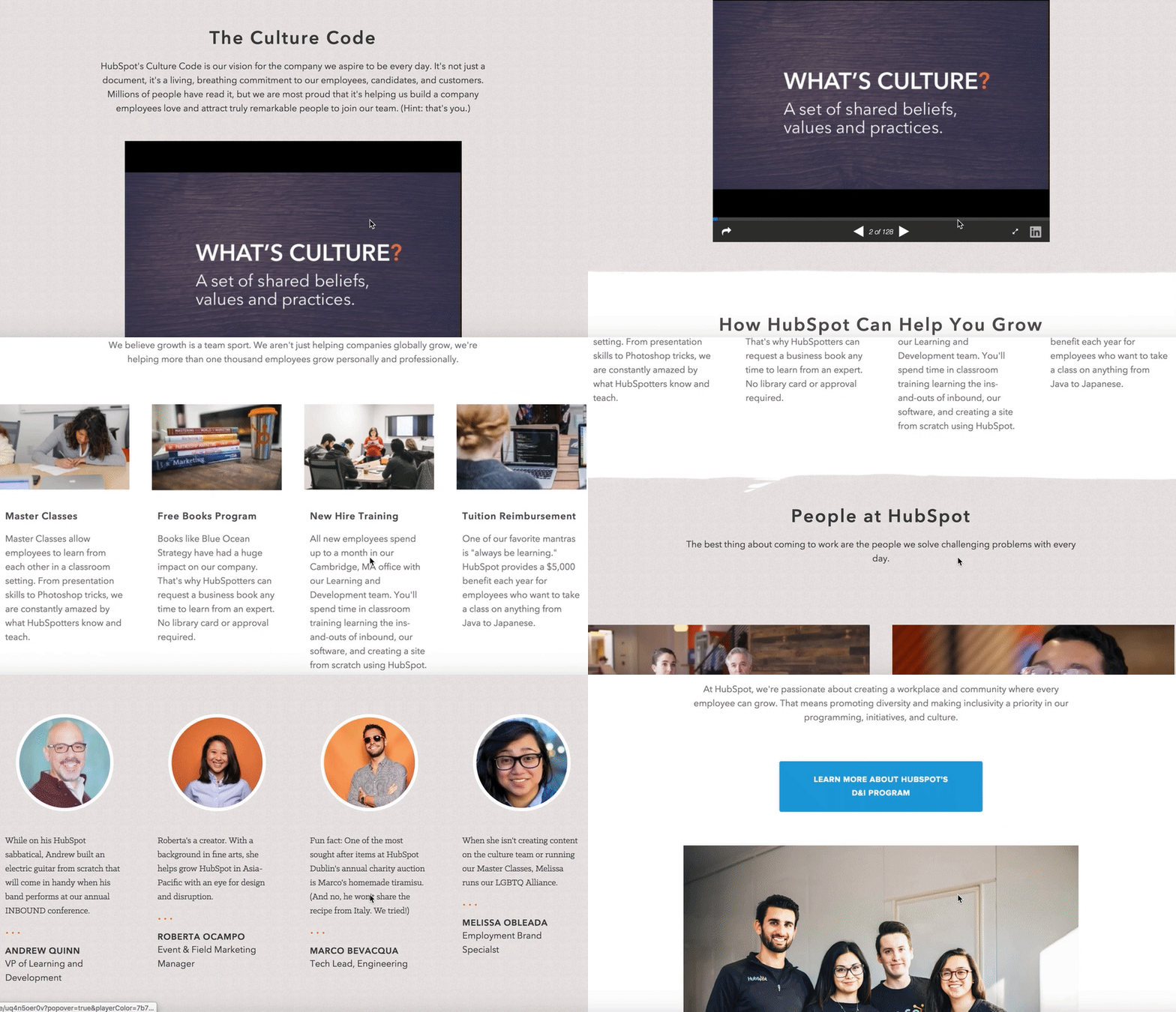
HubSpot’s Culture Page begins with a document called the Culture Code, which publically pronounces every vision and value HubSpot hopes to promote and instill in its employees, candidates, and customers.
Moving further down the page, you’ll find sections discussing opportunities for learning and development, HubSpot’s commitment to diversity and inclusion, and interviews with real HubSpot employees. The language also consistently focuses on the job seeker: “Here’s how we can help you grow.”
The page ends with a “day in the life” video made by HubSpot employee Matthew Watkins, demonstrating HubSpot’s relentless commitment to communicating its culture via its employees. Ultimately, the page is a powerful example for how you might use interactive media to promote your employer brand.
3. Wistia
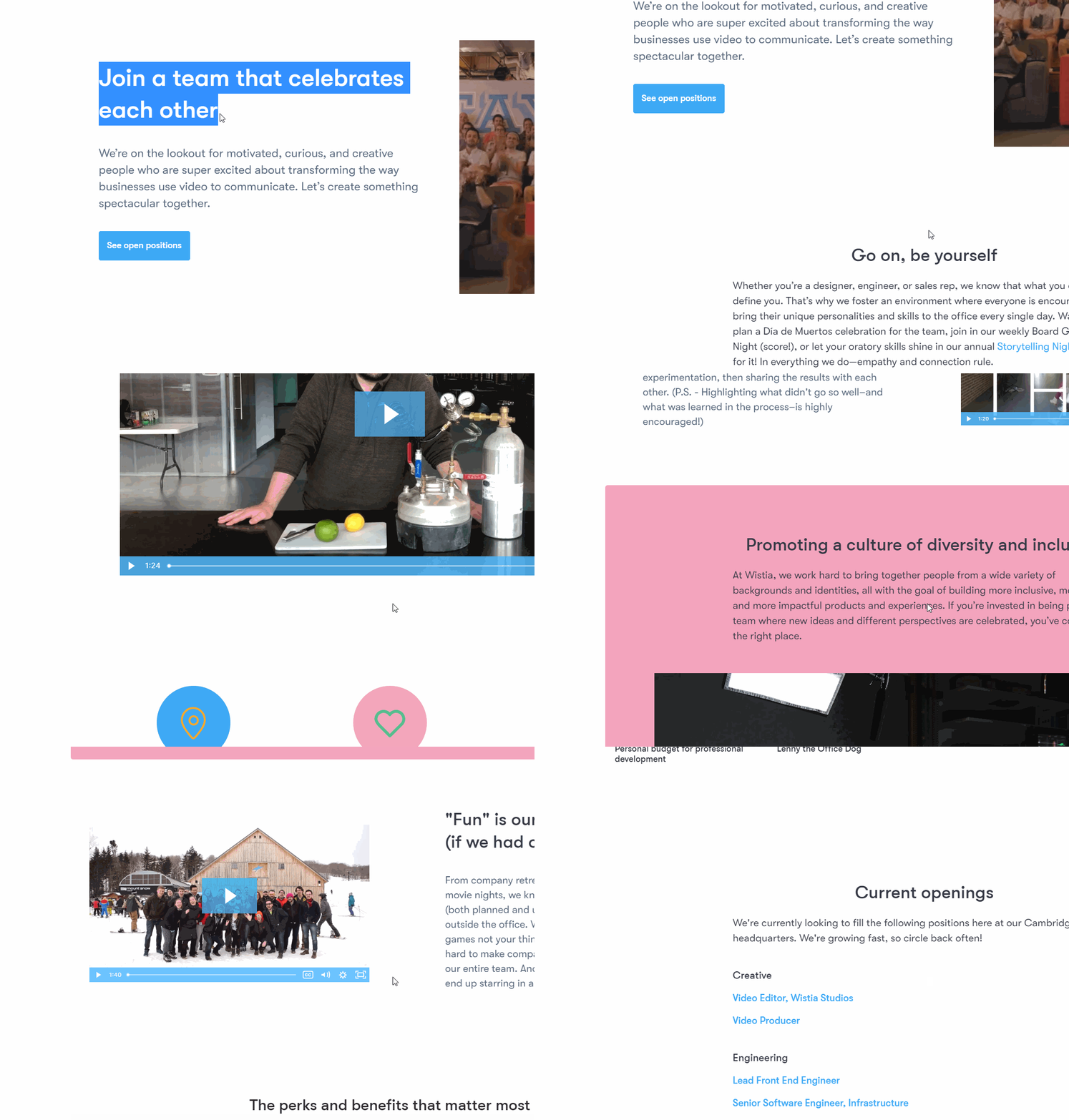
For consumers, Wistia brands itself as a video marketing software that helps grow your audience and build brands. It only makes sense that they would be brand-conscious and use their own software to underscore the ideas that they want to convey to job seekers as well.
Rather than brag about how great a workplace they are, the first message on the Careers page is one of encouragement for job candidates: “Join a team that celebrates each other.” They continue to underscore that idea with multiple Wista-created videos about the people that make up their company, the culture that they instill, and the things that make up that culture.
4. SoulCycle
SoulCycle isn’t just transforming the boutique fitness space. It’s also aiming to transform the traditional corporate culture by offering benefits it feels will evoke a sense of purpose and belonging in each of its employees..
For instance, Soul gives its employees two paid business days off per year to volunteer at a charity of their choice with the hope that the charity days will help employees feel happy and more fulfilled.
Additionally, Soul offers free classes (about a $30-per-class value) to employees whenever it suits their schedule. This displays Soul’s deeper commitment to making fitness fun and using exercise as an outlet to de-stress and connect with the community.
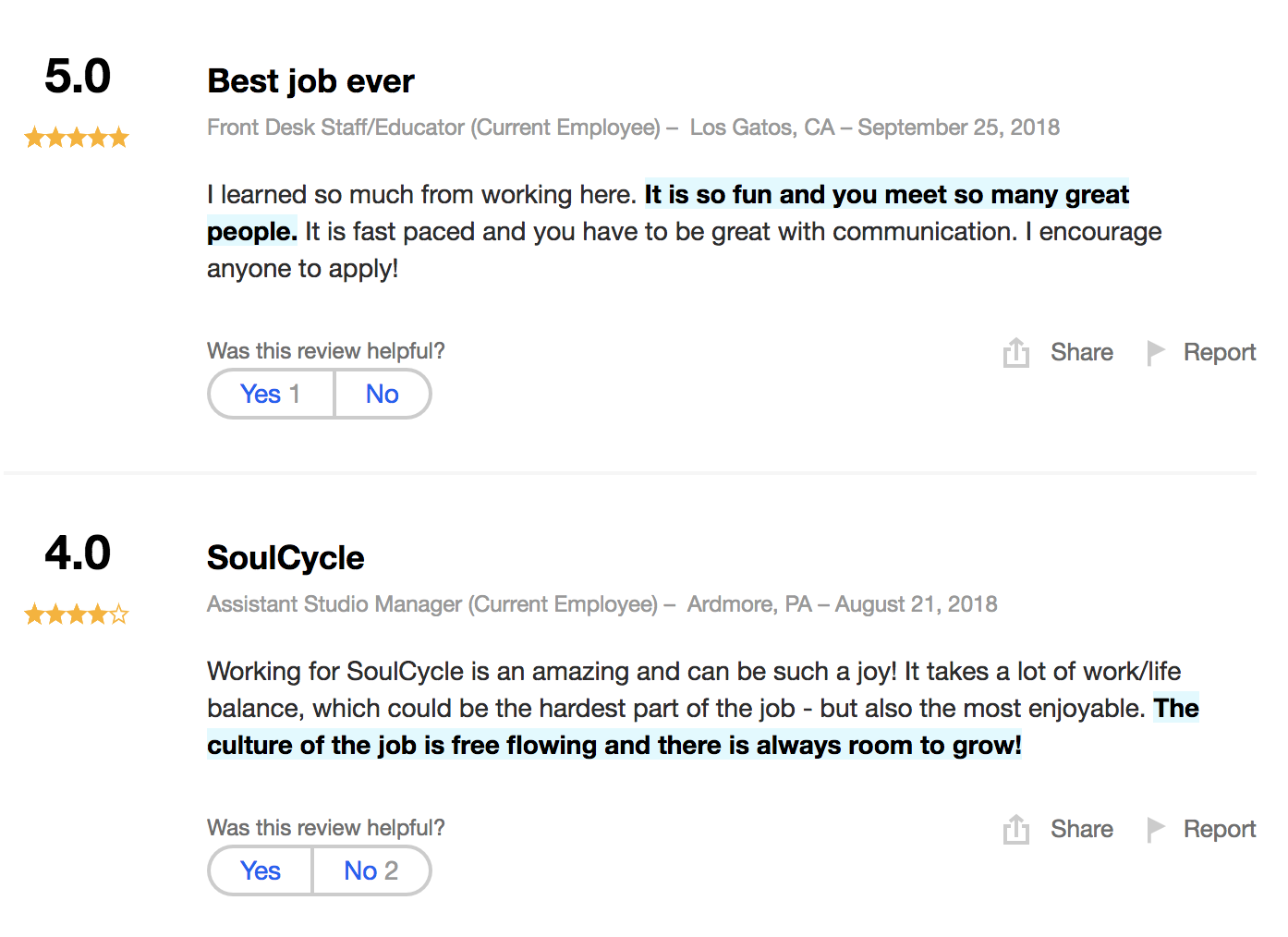
With high ratings in each category on Indeed, including four stars on work-life balance and four stars on management, SoulCycle has undoubtedly cultivated a strong employer brand.
5. Canva
According to LinkedIn’s Global Talent Trends report, 23% of Millennials and Gen-X and 32% of Baby Boomers consider company mission as a top factor when considering a new job. That means that across the workforce, more and more job candidates want to be inspired and have purpose in their jobs.
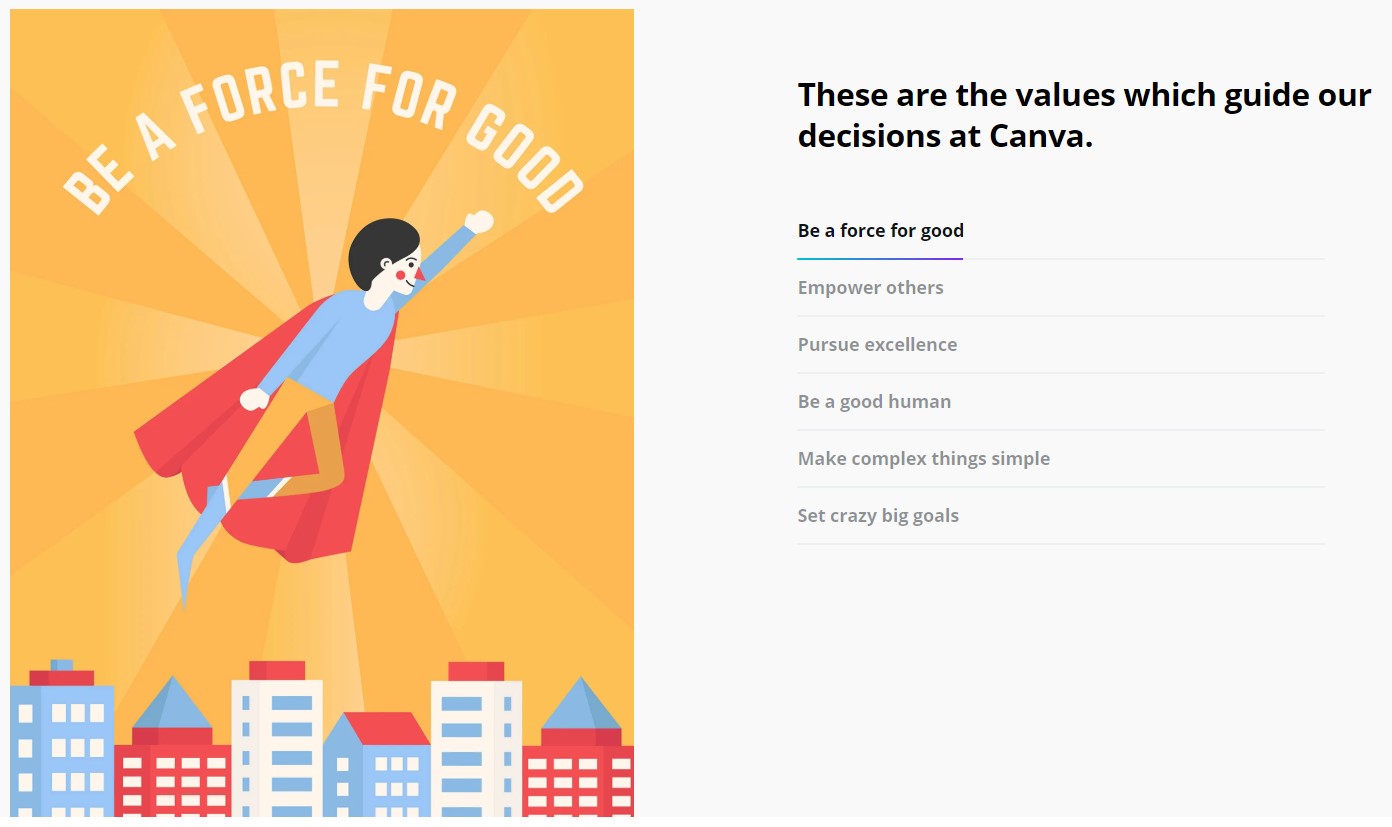
This is what make’s Canva’s employer brand so great. On their Careers page, they highlight their values for job seekers and pair each value with a visual design, underscoring the idea that design can be a force for good.
Canva also doubles down on this idea on their social media channels, which are full of inspirational content and ideas furthered by design.
6. Eventbrite
To demonstrate its commitment to recruiting high-quality talent, Eventbrite created a web page to introduce job seekers to its recruitment team. The bios are funny and relatable with fun facts about each recruiter.
Additionally, the Eventbrite recruitment team page states, “Interviewing shouldn’t be nerve-wracking —– it should be exciting. It should spark great conversation. We believe in respect, transparency, and timely responses (we don’t leave anyone in the dreaded recruiting black hole).”
Their language reflects their values, likely inspiring job seekers to apply.

7. Jet
The ecommerce site Jet created this inspirational, employee-focused video to spread awareness for its fun, engaging, motivational workplace. The video is especially powerful because it uses real employee interviews, giving the job seeker a sense for Jet’s work culture and values.
Additionally, the video is likely empowering and pride-evoking for current employees, who can see their company’s clear commitment to carrying out its mission statement through videos of its workers.
8. Shopify
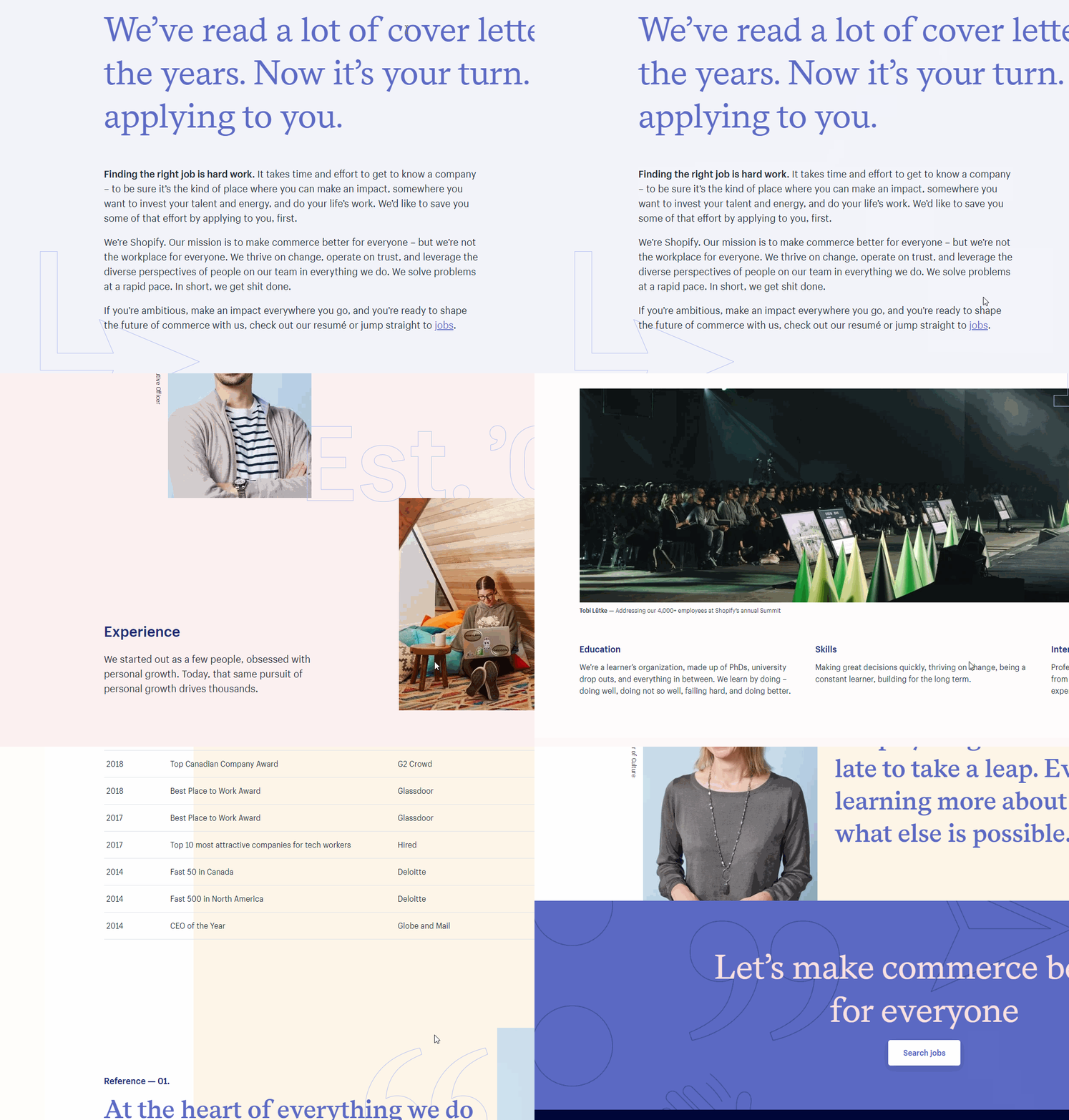
If there’s one thing that’s clear in tech recruiting, it’s that there’s a gap between tech jobs and qualified applicants, and it’s taking longer and longer to fill positions. For many companies, their leverage is having an incredible employer brand and great perks to attract top talent. Many tech companies can take a cue from Shopify, where they recognize this and tell the job seeker that it’s their turn to “apply to you.”
This acknowledgement is one step toward earning rapport with a potential candidate, and they continue to empathize with the reader by stating, “Finding the right job is hard work.” The rest of their Careers page is dedicated to providing the information that someone would need to take a chance and apply to Shopify.
 Each one of the examples on this list has in some way shown their empathy, a human element, and a slice of their culture to begin attracting great employees. Human capital is your biggest investment and asset, but remember that your candidates are also investing in you.

What Is Quora? A Marketer’s Guide to the Most Underrated Platform of 2020
Part of a social media manager’s job is to filter through which platforms are or aren’t relevant to their industry — or, more importantly, their audience. But there’s more to choose from than Facebook, Twitter, LinkedIn, Snapchat, and Instagram.
Believe it or not, Quora is one such platform you might want to add to your marketing portfolio.
Quora entered the social marketplace about eight years ago, and it has since become a website worthy of a marketer’s attention. Before we get into why, let’s talk about what exactly Quora is.
So, why is this website compelling to marketers? A handful of unique features, including:
- Follow users — and be followed.
- Answer questions relevant to your industry.
- Display personal and professional titles above your answers.
- Reap SEO benefits for your business over the long term.
- Access new audiences via Quora emails.
- Use links in your answers to bring traffic to your website.
If all that sounds good, and you’re ready to dive in, let’s get straight to how to use Quora’s tools to enhance your marketing efforts, next.
How to Use Quora for Marketing
Use Quora to follow users.
Quora emulates a feature of Twitter and LinkedIn in that it has a follow feature. This follow feature allows users to connect with readers, colleagues, and other businesses so that they can associate with people who contribute to similar conversations. Users on Quora can ask or answer questions while following questions and people to create a stream of information aligned with their audience’s interests.
When first signing up for Quora, you can start by following your connections from Facebook and Twitter. This allows you to connect and nurture your relationship with those you already know you’ll want to answer questions for. It also helps you understand what your core customers and readers are most interested in learning about.
Answer questions around your industry.
Quora shares features with other popular social applications, so what makes Quora unique? Two main elements: design and community. Quora’s forum-like design makes for a positive user experience in that it focuses its users entirely on specific questions and answers, rather than broad trending topics that brands can’t easily participate in.
In other words, whereas social networks like Twitter and Facebook focus primarily on the user, Quora is designed to focus on the question. In doing so, all Quora users “play by the same rules,” so to speak. This ultimately helps business users carry over their subject-matter expertise and extend that expertise to more audiences.
Display professional titles to establish authority.
In addition to design, Quora’s community provides rich and relevant answers to the things people are searching for and talking about. This ensures that the focus of the website will always depend on and cater to the interests of each user and their followers.
Opposite what you might think, this open-dialogue community doesn’t produce as much subjective or inaccurate information as you’d think. Each user’s answer competes with the answers other users post under the same question. The answer’s relevance therefore depends on how many views and upvotes it receives by the Quora community.
This competition among answers encourages only the most knowledgeable users to participate. For this reason, many of them display their professional titles and business affiliations as an added sign of trust in their response. Quora also allows you to publish photo headshots, reinforcing its commitment to real, human answers — with a hint of networking potential for the employee answering the question. See how this looks in the Quora question below.

The expertise of the people who are answering questions on Quora is truly impressive and only adds to the value of using the platform.
Use Quora as an SEO boost.
You’d think because Quora answers can be posted for free by anyone, Google wouldn’t rank these answers all that highly. On the contrary, Quora answers do quite well in search engine rankings because Quora is designed to rank its best answers by how much its users trust them.
In other words, Quora has done all the work for Google already — all you have to do is write an answer that users view and trust the most, and you can give your business some great exposure on Google’s search engine results pages (SERPs).
Keep in mind that Quora answers are automatically given “nofollow” tags, which prevent search engines like Google from ranking website links inside your Quora answer any differently just because the Quora post itself might appear high up in a search result. For this reason, you should still invest plenty of time into your website’s on-page SEO — the search engine optimization given to your own webpages, as opposed to the tactics used elsewhere, like Quora.
Access new audiences via Quora emails.
Just because you have a limited amount of email subscribers to your emails doesn’t mean you can’t get some brand recognition in Quora Digest …
What is Quora Digest?
Quora Digest is an email newsletter sent by Quora to users who have viewed answers to specific questions on Quora’s website. Each email looks different to the recipient based on the topics Quora has found he or she to be most interested in.
Quora Digest emails typically consist of 10 answers to questions the recipient would likely want to see. Recipients can receive these emails as often as multiple times per week or as infrequently as once a month. It all depends on how much time the user spends on Quora.
Although the content of Quora Digest emails is generated automatically by Quora, marketers can still win a spot in these emails by answering questions that rank highly on Quora. The more questions you answer, the more authority you’ll build. This increases your answers’ rankings and, ultimately, puts you in a Quora Digest.
The best part? These Quora emails go right to users who are interested in the topics you’re answering questions on. You get direct exposure to the people who fit your buyer persona without any of the heavy lifting involved in adding them to an email list.
Use links in your answers to bring traffic to your website.
Many businesses use Quora not just to connect with potential customers and build authority on a subject, but to gain website traffic, too.
When looking for questions to answer on Quora, consider if you already have webpages or blog posts that answer the question a user is asking. If so, take an excerpt from your blog post and use it to build your answer in Quora. When you’re done, link out to your blog or website content as an invitation for users to learn more about the subject. See what this looks like in the Quora question below.

It’s unclear how effective this tactic is when done at length, so be careful how much you rely on Quora for blog or website traffic. Ultimately, you want most of your information to live in one place, that place should be your website.
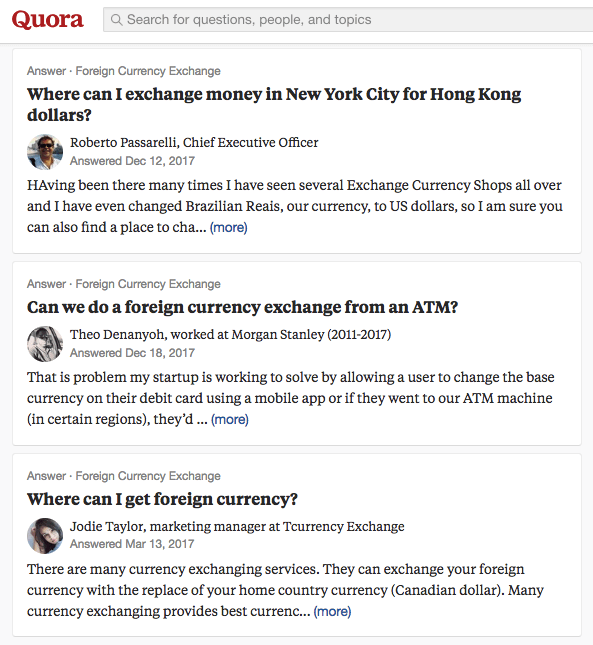
As you can see, there are several clear benefits to Quora. For one, it caters to specific subject matters. You can pick your own expertise areas and then stay there as your chief engagement. If your business or expertise is in foreign currency exchange, for example, you can write for a dedicated category of questions where you can relay your leadership and help answer questions for your followers.
And yes, that very field has its own category of questions on Quora where people want to learn more about currency exchange. Check it out below.
Then, as a marketer, you can consider the people who are asking questions or engaging in discussion with you as your potential leads.
If you see someone is asking for help picking a good foreign exchange broker, or how to know if someone is a good adviser, don’t be afraid to mention your services and include the URL to your website when answering their question.
You can also use Quora to do research on what you should blog about. Any good answer is going to be more than a paragraph, and could be used as the basis for your newest blog post. This is a great way to do keyword research and get a sense of what the keyword phrases and description that your potential leads really use, and see what they don’t understand or should know about your business.
If someone is asking a fundamental question about your industry, think about writing a blog post to reply and then linking them in your answer to the blog post. You can bring them to your website, show them your calls-to-action, and present them with an offer all while answering their question.
Have you started using Quora yet for your business?

Unstructured Data Vs. Structured Data: A 3-Minute Rundown
Most marketers think being data-driven means using web metrics to inform every decision they make. But that’s not actually being data-driven. That’s being Google Analytics-driven. To truly be data-driven, we must remind ourselves of the actual definition of data — all types of information.
One of the most insightful types of information is qualitative data or unstructured data. It can reveal your customers’ true opinions and feelings toward your brand, which is challenging to extract from quantitative data or structured data.
Even Jeff Bezos, the CEO of Amazon, is a passionate proponent of using qualitative data to drive strategy. “The thing I have noticed is when the anecdotes and the data disagree, the anecdotes are usually right. And there’s something wrong with the way you are measuring (your data),” he explained during an onstage interview at George Bush Presidential Center.
Bezos’ love for customer feedback shouldn’t compel you to supplant quantitative data with qualitative data when strategizing your next marketing campaign, though. It should compel you to inform your strategy with both sources of data. By combining the insights pulled from web metrics and customer feedback, you can get a full understanding of your marketing program’s effectiveness.
If you want a deeper explanation of what qualitative or unstructured data and quantitative or structured data is, check out this quick rundown of what both data sources exactly are and which tools you can use to store and analyze them.
It’s also difficult to examine unstructured data with standard data analysis methods and tools like regression analysis and pivot tables.
Since you can’t store and organize unstructured data in typical databases, you need to store them in Word documents or non-relational (NoSQL) databases, like Elasticsearch or Solr, which can perform search queries for words and phrases.
Additionally, since you can’t use standard data analysis methods and tools to pull insights from unstructured data, you can either manually analyze or use the analysis tools in a NoSQL database to examine unstructured data. However, to use these tools effectively, you need a high level of technical expertise.
If you can successfully extract insights from unstructured data, though, you can develop a deep understanding of your customer’s preferences and their sentiment toward your brand.
1. Survey Responses
Every time you gather feedback from your customers, you’re collecting unstructured data. For example, surveys with text responses are unstructured data.
While this data can’t be collected in a database, it’s still valuable information you can use to inform business decisions.
2. Social Media Comments
If you’ve ever received social media comments with feedback from your customers, you’ve seen unstructured data.
Again, this can’t be collected in a database, but you’ll want to pay attention to this feedback. You can even store it in a Word document to track.
3. Email Responses
Similar to survey responses, email responses can also be considered unstructured data.
The feedback you receive is important information, but it can’t necessarily be collected in a database.
4. Phone Call Transcriptions
Your customer service and sales team are always collecting unstructured data in their phone calls.
Since these calls often include some critiques of your company, it’s important feedback to collect. However, as with all unstructured data, it’s hard to quantify.
5. Business Documents
Any business document such as presentations, or information you have stored on a Word document, is an example of unstructured data.
Since unstructured data is essentially the information you have that can’t be stored neatly in a database, any miscellaneous documents you have can be considered unstructured data.
Even though structured data is just numbers or words packed in a database, you can easily extract insights from structured data by running it through data analysis methods and tools like regression analysis and pivot tables. This is the most valuable aspect of structured data.
1. Structured data is easier to store.
Structured data is easy to export, store, and organize in typical databases like Excel, Google Sheets, and SQL.
On the contrary, unstructured data is difficult to export, store, and organize in typical databases. Most of the time, you must store unstructured data in Word documents or NoSQL databases.
2. Structured data is easier to analyze.
With structured data, you can easily examine the information with standard data analysis methods and tools like regression analysis and pivot tables.
However, with unstructured data, you can’t. You’ll have to manually analyze it or use the analysis tools in a NoSQL database to examine this type of data.
3. Unstructured data offers more freedom.
While structured data is easier to store and collect, unstructured data gives analysts more freedom since it’s in its native format.
Additionally, companies usually have more unstructured data since the data is adaptable and not restricted by format.
Be Data-Driven, Not Just Google-Analytics Driven
In a world where Google Analytics can spit out every metric under the sun, you must remember that qualitative data, such as customer feedback, is just as crucial for informing your marketing strategy as web metrics.
Without unstructured data, you won’t have a clear understanding of how your customers actually feel about your brand. And that’s crucial for every marketer to know.
Editor’s note: This post was originally published in February 2019 and has been updated for comprehensiveness.

How to Set & Achieve Marketing Objectives in 2020
In the marketing industry, setting objectives can be a double-edged sword. On the one hand, constantly raising the bar can incentivize your team to sustain your growth rate over long periods of time. On the other hand, it can incentivize your team to prioritize your company’s needs over your customers’ needs.
Contrary to popular belief, solely focusing on the results doesn’t actually produce results. Focusing on serving your customers is what produces results. Tim Cook, Apple’s CEO, is famous for sparking this customer-centric movement. In 2015, he spoke at Goldman Sach’s Technology and Internet Conference in San Francisco, and a reporter asked him what some of Apple’s biggest accomplishments from the past year were. He responded, “We’re not focused on the numbers. We’re focused on the things that produce the numbers.”
In marketing, what produces the numbers is a passion for your craft. Sometimes, we can get so obsessed with optimizing for results that we forget what actually generates the views and leads we desperately desire — compelling content.
In this blog post, we’ll show you how to set realistic marketing objectives that will help you craft audience-centric content, prioritize your customers’ needs, and hit your numbers, all at the same time. Read on to learn how to identify your marketing objectives’ purpose and process and why it’s just as important as the numbers you aim to hit.
What Are Marketing Objectives?
Marketing objectives are the goals your team wants to achieve during a certain period of time. They’re usually a hard number or metric that serve as metaphorical finish line for your team to sprint towards. However, setting marketing objectives isn’t just limited to determining what you want to achieve. You also need to specify how you’re going to reach your goals and why you want to reach them.
In his insightful blog post about setting goals, Jay Acunzo, the founder of Unthinkable Media, reveals a subtle yet potent problem that has pervaded the content marketing industry over the years — traditional goal setting lets you measure what you do, but it doesn’t lend itself to gauging how you do it or why, which is what ultimately gives your work meaning and resonates with prospects.
In marketing, you obviously need to aim for concrete targets. But, as we said earlier, only focusing on the results can sometimes incentivize you to take a course of action that prioritizes your organization’s needs over your customers’ needs.
To help you focus more on your purpose and process instead of just your results, Acunzo recommends considering two additional factors things when setting a marketing objective — your hunger and your aspirational anchor.
Your hunger is your current dissatisfaction with your work today or why you want to achieve your goal. Your aspirational anchor is your vision of your work in the future or how you’ll achieve your goal. These two factors drive your motivation and keep you on track to create work that better serves your customers. When you add your numerical goal to the equation, you’ll be able to simultaneously produce customer-centric work and create business impact.
How to Set Realistic Marketing Objectives
The first thing to understand is the subtle difference between a goal and an objective. A general goal is going to be your broader vision while your marketing objective is that more concrete specification of how that vision is achieved. In order to craft your marketing objective, you must start with vision first by defining three main things:
- Hunger – What is the driving force — or the “why” — behind what you want to achieve? What pain or problem has led you to this point, and why must it be solved?
- Aspirational Anchor – What does success look like — or “how” does the end vision solve that problem?
- Goal – What steps must be taken — or the “what” — for that aspiration to come to fruition?
Now that we understand the “why” and the “how” behind setting marketing objectives, let’s go over how you can root the “what” in reality with the SMART goal framework.
SMART goals are realistic, quantifiable, and focused targets that you can easily aim for. If you’re wondering what SMART means, it’s an acronym that helps you clearly define your goals.
Specific
In terms of marketing, you should choose the particular metric you want to improve upon, like visitors, leads, or customers. You should also determine what each team members will work on, the resources they’ll have, and their plan of action.
Measurable
If you want to gauge your team’s progress, you need to quantify your goals, like achieving an X percentage increase in visitors, leads, or customers.
Attainable
Make sure that X-percentage increase is achievable in your specific situation. If your blog traffic increased by 5% last month, try to increase it by 8-10% this month, not 30%. It’s crucial to base your goals off of your own analytics, not industry benchmarks, or else you might bite off more than you can chew.
Relevant
Your goal needs to relate to your company’s overall goal and account for current trends in your industry. For instance, will growing your Facebook following lead to more revenue? And is it actually possible for you to significantly boost your organic reach on Facebook after their most recent algorithm change? If you’re aware of these factors, you’ll be more likely to set goals that are realistic, achievable, and beneficial to your company.
Time-bound
Attaching deadlines to your goals puts pressure on your team to accomplish them. And this helps you make consistent and significant progress in the long-term. If you don’t give yourself a deadline, you can very easily fall into the trap of procrastinating on action items, leading to a slower rate of success. For example, which would you prefer: Increasing leads by 5% every month, leading to a 30-35% increase in half a year or trying to increase leads by 15% with no deadline and achieving that goal in a year?
By analyzing two different goal setting frameworks, we’ve learned how to identify the “why,” “how,” and “what” behind your marketing objectives. Now, we can blend the two frameworks to set a realistic goal that fulfills your customers’ needs and helps you hit your numbers at the same time. Check out the examples below for more detail.
Marketing Objective Examples
- Increase blog subscribers by 25% month over month this year.
- Reach 35,000 visitors to the website from our organic search monthly by the end of the year.
- Improve the mobile traffic conversion rate site-wide from 2.3% to 5% by Q3.
- Convert 500 Leads to MQLs by the end of the year.
- Increase our average monthly open rate from 25% to 40% by Q1.
- Increase our MQL-to-SQL conversion rate from 25% to 35% by Q2.
- Improve our NPS score from 31 to 35 in 6 months.
- Improve our Facebook engagement by 30% month-over-month.
Now that you know how to write a marketing objective, you can get ideas from some metaphorical samples. Below, we’ll start with one long example breaking out the above methodology step-by-step, and then we’ll provide other examples to fuel your inspiration.
1. Increase blog subscribers by 25% month over month this year.
For this example, let’s begin with the aspirational vision framework from earlier in the blog post.
- Hunger (Why) – Our blog educates our audience well but it doesn’t resonate emotionally with them enough.
- Aspirational Anchor (How) – Run a blog that consistently resonates with our audience and that people look forward to reading every time they receive our email digest.
- Goal (What) – Increase blog subscribers as an indication of our success.
With this goal setting framework, you can see how the “why” and “how” behind a goal incentivizes behavior that better serves customers and hits numbers at the same time.
For instance, in the example above, this blog team refuses to just do whatever it takes to boost their blog subscription. They want to craft emotionally resonant stories that their audience actually values, or content that’s worth subscribing to, and this is what will lead to their growth in subscribers and create long-term value for their business.
If this blog team didn’t identify their hunger or set an aspirational anchor, however, the only thing that would guide them toward the finish line is the finish line itself. And that could incentivize short-sighted behavior that helps them achieve their goal at the expense of prioritizing their audience’s needs over their own.
Once the aspirational vision and the general goal has been defined, now it’s time to pivot to a concrete objective using the SMART goal framework:
Specific
Our blog educates our audience well, but it doesn’t resonate emotionally with them enough. Let’s start running a blog that can consistently provide value, that people look forward to reading every time they receive our email digest, and that can attract more subscribers.
Measurable
Increase month-over-month blog subscribers by 25% this year.
Attainable
Last year, we increased month-over-month blog subscribers by 15%, so we know this is doable.
Relevant
If we can craft emotionally resonant stories that our audience actually values, we can build deeper relationships with them, attract more subscribers who we can also build deep relationships with, and hopefully do business with them in the future.
Time-Bound
Monthly over the course of a year.
2. Reach 35,000 visitors to the website from our organic search monthly by the end of the year.
Let’s say our organization’s goal is to grow its online organic presence to attract more leads. Those are Hunger and Aspirational anchors, so they must be translated into a SMART goal if we want to take steps to achieve it:
- Specific – Increase website visitors from organic search.
- Measurable – Reach 35,000 visitors monthly.
- Attainable – Must be sure that number is reachable by increasing or improving variables within our control.
- Relevant – Must be the right traffic since the ultimate goal is to increase leads.
- Time-bound – By the end of the year.
3. Improve the mobile traffic conversion rate site-wide from 2.3% to 5% by Q3.
Traffic alone is not enough to generate leads and, ultimately, revenue. We need mechanisms in place to convert the traffic we’re already getting. Let’s say we notice that our site converts a lot better on desktop than mobile. This means we could be losing a ton of lead opportunities who arrived at our site on a mobile device. That’s why we decide to improve the mobile experience. Here’s how we turn that goal into an objective:
- Specific – Improve mobile traffic conversion rate.
- Measurable – From 2.3% to 5%.
- Attainable – Must identify roadblocks to conversion and how we plan to remove them.
- Relevant – Must actually have enough mobile traffic to justify the effort.
- Time-bound – By Q3.
4. Convert 500 Leads to MQLs by the end of the year.
With inbound marketing, it’s easy to get swept up in blogging, offer creation, and lead conversions. At the same time, if we don’t have mechanisms in place to move those leads closer to a purchasing decision, these efforts don’t pay off the way they could. Part of our jobs as marketers is to foster relationships with our leads while qualifying them so that the sales team focuses on prospects who are ready to buy.
Let’s say we have a top-of-the-funnel lead generation engine where website visitors convert on eBooks and guides. Our goal is now to bridge the gap between where they’re at in their journey vs. where we want them to go (becoming a customer). We decide to do that through an ongoing educational email drip sequence, and we start with our objective:
- Specific – Convert Leads to MQLs.
- Measurable – From the existing number to 500.
- Attainable – Must ensure we already have a large enough pool to extract those MQLs from (or a fast-enough lead generation engine to supply them).
- Relevant – Must have a clear definition for what constitutes as an MQL and a plan to obtain those parameters.
- Time-bound – By the year’s end.
5. Increase our average monthly open rate from 25% to 40% by Q1.
In order for us to effectively nurture leads, we want people to be reading our content… which they won’t do if they don’t get past the subject line of the email. Here’s how we position this concept into a concrete objective:
- Specific – Increase average monthly open rate.
- Measurable – From 25% to 40%.
- Attainable – Must analyze existing email tactics to identify gaps.
- Relevant – Must only include the most relevant marketing emails in the metrics to avoid skewing data.
- Time-bound – By Q1.
6. Increase our MQL-to-SQL conversion rate from 25% to 35% by Q2.
Never forget the primary goal of marketing, which is to promote an organization’s goods or services in the effort of generating more sales. At the same time, fewer than half of marketers consider their departments aligned with sales.
A relevant goal might be to improve the effectiveness of our marketing efforts by solidifying the marketing to sales hand-off. Our concrete objective might break down like this:
- Specific – Increase the MQL-to-SQL conversion rate.
- Measurable – From 25% to 35%.
- Attainable – Must ensure we already have a large enough pool to extract those SQLs from (or a fast-enough lead generation engine to supply them).
- Relevant – Must have a clear agreement between the marketing and sales departments for what constitutes as an SQL.
- Time-bound – By Q2.
7. Improve our NPS score from 31 to 35 in 6 months.
Marketing doesn’t end once the prospect becomes a customer, and that means also working on ways to fuel the flywheel i.e. turning customers into brand advocates who purchase from us and tell their friends to do the same. NPS is a solid measurement of customer happiness, so improving that number is a solid place to start building our objective:
- Specific – Improve the NPS score.
- Measurable – From 31 to 35.
- Attainable – Must analyze existing NPS roadblocks to identify gaps.
- Relevant – Must ensure there’s a mechanism for collecting and analyzing NPS input.
- Time-bound – In 6 months.
8. Improve our Facebook engagement by 30% month-over-month.
One of the best ways to grow a brand’s marketing efforts exponentially is by investing in its community of customers and prospects. The goal might be to stay top of mind and energize the community by raising the bar on each social media platform. For example:
- Specific – Improve engagement on Facebook.
- Measurable – By 30%.
- Attainable – Must identify the content that’s engaging our existing user base and see if 30% is a reasonable number to strive for.
- Relevant – Must ensure that there’s a solid definition of what metrics are being counted as engagement.
- Time-bound – On a monthly rolling basis.
Once you understand the importance of vision, identifying broad goals, and using the SMART goal framework to make concrete marketing objectives for those goals, it’s time to identify the gaps in your marketing and begin outlining your own objectives.
Once you do, it’s important to write those objectives down and commit to creating a solid plan of action to achieving them.

What Is a CMS and Why Should You Care?
There’s a lot of acronyms in the business world to keep straight. SEO, CRM, SERP, CTR, and CMS are just a few important ones.
CMS is particularly important, considering that more than half of all websites are built with one. So what is it?
CMS is an acronym for content management system. It also may be the solution you’re looking for to quickly make a website with limited technical knowledge and resources.
In this post, we’ll define what a CMS is and how it works. Then we’ll look at how you can use a CMS to handle the infrastructure of your site so you can focus on creating exciting, delightful content that results in more conversions and leads. We’ll wrap up by looking at some of the most popular CMS platforms on the market. Let’s get started.
With a CMS, you can create, manage, modify, and publish content in a user-friendly interface. You can customize the design and functionality of your site by downloading or purchasing templates and extensions, rather than coding. You can have multiple users working in the back-end of the same tool — and much more.
You might be wondering how one piece of software does all of this. To answer that question, let’s take a closer look at how a CMS works.
How does a CMS work?
To understand how a CMS works, you first have to understand what it’s like to build a site from scratch.
You’d start with HTML to add text, images, navigation bars, and other building blocks of a site. Then you’d add CSS to style those elements to match the unique look and feel of your brand. Then you’d finish up by writing some JavaScript to add more advanced functionality to your site, like slide-in CTAs. Then you’d have to upload this HTML file to your server to be filed away in your database.
Whenever you want to make changes — even simple ones like updating content — you have to download files from the server, open them, and change the HTML code by hand. Then you’ll have to make sure you didn’t break any links or something else before uploading the files back to the server.
Sounds complicated, yes? For developers and other advanced users with web development experience, building a site from scratch might be ideal. But for those who don’t have the coding skills or time and resources to build a site from scratch and maintain it, they can use a CMS.
A CMS is made up of two core parts: a content management application (CMA) and content delivery application (CDA). Combined, these applications essentially handle all the code, database queries, and infrastructure in the back end so you can focus on the front end of your site.
Rather than start with a blank HTML page, for example, you’ll open up the content editor and be able bold text, add links and CTAs, and insert images and tables by dragging and dropping some modules or clicking a few buttons rather than writing out HTML, CSS, and JavaScript. To make other changes on your site, like changing the permalink structure or installing extensions, just navigate to the appropriate section in your admin panel. This is the CMA in action: all these changes are made in an intuitive interface that hides the code from you, the end user.
When you’re done making changes, the CDA will take the content you entered into the CMA, assemble the code, display it to your front-end visitors, and store it. That means when you want to publish a new blog post, for example, you just have to hit the Publish button instead of manually uploading a page to your server.
Now that we understand what a CMS is and how it works, let’s explore the benefits of using one over building a site from scratch or using another website building tool.
Why use a content management system?
We’ve already alluded to some benefits of using a CMS, but let’s look at some specific ways it can impact your set-up process, team’s productivity, and visibility online.
1. No Coding Knowledge Required
By enabling non-developers and other users to build websites without coding, CMS systems have helped revolutionize web design. Gone are the days of relying on web developers and designers to establish an online presence for your business. You can create and manage content, customize the design of your site, and install extensions to add functionality to your site — all without coding. (It’s important to note that most platforms do allow you to add custom code for more granular control over your site, too.)
As a result, users with limited technical resources and time can still build a powerful website for their business.
2. Easy Collaboration
Multiple users can access and work in the back end of a CMS at the same time. That means on any given day, your marketers can be producing content, your IT professionals implementing security protocols, and your developers adding custom code to your theme. In fact, they could all be working on the same landing page.
In short, a CMS can help improve workflows and productivity across your team.
3. SEO Features and Extensions
CMS platforms offer built-in features as well as add-ons to help you optimize your site for search engines.
Using built-in or third party tools, you can:
- Customize page titles and metadescriptions
- Choose SEO-friendly URL structures
- Create XML sitemaps
- Add image alt text
- Create 301 Redirects
- Include breadcrumb navigation
- Optimize page load times
Implementing these best practices will help improve your chances of ranking on Google and other major search engines.
4. Predesigned Templates
Most CMS platforms come with a selection of predesigned templates you can use to quickly customize the appearance of your site. They can also affect the behavior of your site.
Choosing a responsive template, for example, will ensure your site looks good on any device, without requiring you to write a bunch of code. Not only do templates save you design time before launching your site, they can also make a website redesign much faster and simpler down the road.
5. Simpler Updates
As discussed above, a CMS enables you to make changes on your site faster and easier, from major updates like a website redesign to minor updates like changing the image on your home page. Rather than hiring a developer or trying to edit the code yourself, you can go into the dashboard of your CMS to update and edit the content of your website. This allows you to keep your content dynamic and relevant.
If your site is growing, you may need to upgrade to a CMS to meet your needs. You can start your search by checking out a few of the best CMS systems below.
1. CMS Hub
With CMS Hub, you can build websites that are secure, powerful, and optimized for search engines.
Using this all-on-one connected platform, you can create personalized content for visitors based on data from your HubSpot CRM, create custom templates and styles, run A/B tests on multi-language content, view performance analytics, and much more. By combining ease of use and flexibility, this proprietary CMS is ideal for businesses with diverse teams of marketers, developers, and IT professionals that are looking to grow over time.
2. WordPress
WordPress.org is a self-hosted platform that powers millions of sites. You can easily and quickly build a WordPress site using the Gutenberg editor and then customize it with any of the thousands of plugins and themes available in the official WordPress directory or other third-party sites.
Want to add forms and live chat to your site? Want a theme that comes with a built-in visual builder and split testing? Leveraging WordPress plugins and themes like these, you can create a unique experience specific to your brand.
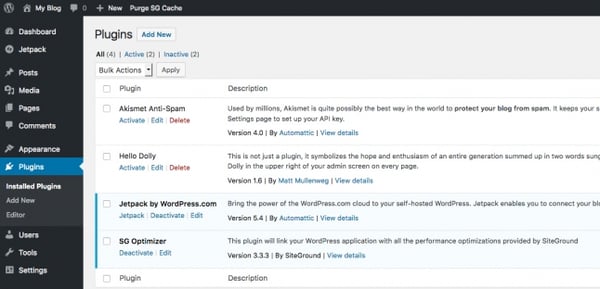
3. Joomla
Site owners looking for more functionality built right into the platform may try a WordPress alternative like Joomla.
Like WordPress, Joomla is an open-source CMS. What sets Joomla apart is its built-in multilingual support and advanced user and content management options, which make it ideal for membership, community, and social networking sites.
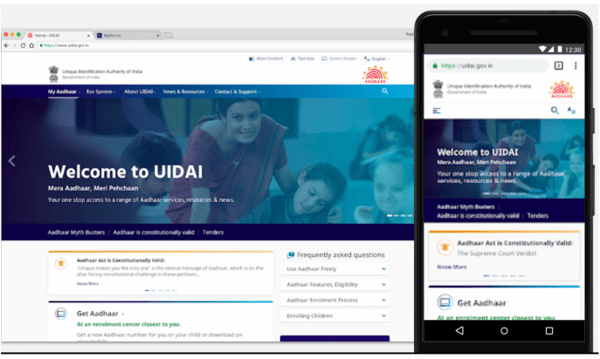
4. Drupal
Drupal is a highly flexible CMS favored by large corporations and government agencies like NASA. While you will need web development experience to fully leverage the power of this platform, you won’t have to start from scratch. In addition to its out-of-the-box features, you can choose among 44,000 modules available in its directory and thousands of free themes in its theme repository to build a complex site that handles large volumes of data and heavy traffic.
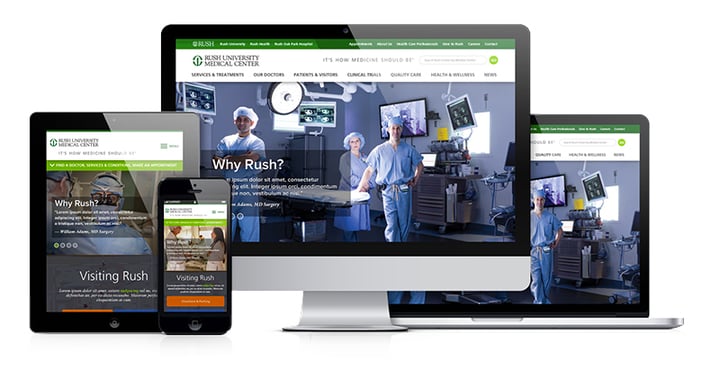
5. Magento
The self-hosted version of Magento, known as Magento OpenSource, is like the Drupal of the ecommerce world. It’s highly flexible and secure, but difficult to learn and take advantage of all its built-in functionality and extensions.
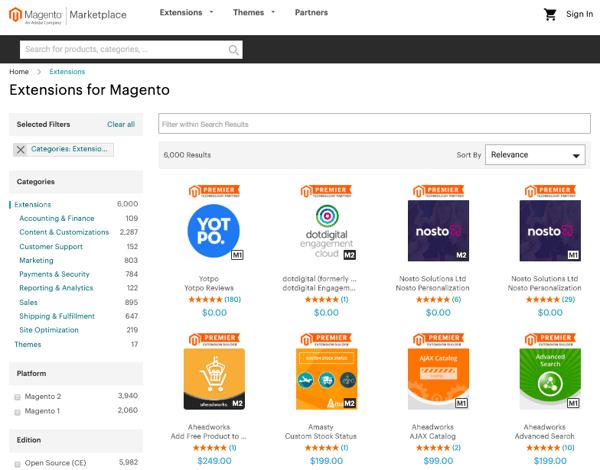
With Magento, you can manage multiple stores, use several worldwide shipping providers, and transact in different countries, languages, and currencies — all within the same dashboard. So, if you have the time and resources to invest in set-up and maintenance, you’ll be able to build an online store with a huge product inventory and global reach.
6. Webflow
Webflow is a “visual” content management system designed to fill a market gap for web designers who want to focus on creating and customizing sites without worrying about hosting, security, or performance.
With Webflow, you can start with one of the hundreds of pre-built templates or start from scratch using the Webflow Designer shown below.

You can also extend the functionality of your site through third-party integrations or embedding HTML code. Since it requires at least some knowledge of HTML, CSS, and web design, Webflow is best suited for freelancer designers or agencies.
7. Ghost
If you’re looking for a more simple and lightweight CMS dedicated to blogging, Ghost is a great option. Ghost is a headless CMS, which means that its body (the content repository) is separated from its head (the presentation layer). Basically, this allows you to create and manage content and then deliver that content via their Node.js APIs (or another front-end tool you prefer) to any platform and channel, from smartwatches to virtuality reality headsets.
With an intuitive editor and built-in SEO tools, Ghost appeals to bloggers and beginner who want a basic site that’s simple to create and manage.
Building a Site with a CMS
Using a content management system to build and manage your site can help you grow over time. Not only will a CMS store all of your web content in one place, it will also support collaboration across teams, allow for quick and easy updates, and offer templates and extensions to customize your site.

16 Creative Lead Generation Ideas to Try
Lead generation is tough, whether in person or online. Sending cold emails and scraping together lists can be difficult because — let’s face it — often, people don’t want to take the time out of their schedules to talk.
What if you could reach your lead generation goals using methods that actually add value for your prospects? And what happens when traditional lead generation methods fall flat due to internal or external circumstances?
This lead generation utopia I’m describing is a possibility. To walk you through how to achieve this for your business, we’ve detailed several creative methods you can add to your lead generation strategy. These ideas provide valuable information that helps prospects rather than simply pushing them to make a purchase.
Let’s unpack these 16 creative lead generation ideas to spark activity on your content offers, email lists, websites, and conversion rates.
Discover all of HubSpot’s free lead generation content and resources, all in one place.
1. Share success secrets from thought leaders.
Want to provide unique value in your content? Reach out to a thought leader in your industry or even your company.
By interviewing an expert to uncover their secrets, you prove to potential customers that you’re dedicated to delivering the best advice and insight out there.
Below you’ll see Groove’s take on this approach through an interview with the CEO of The Foundation, Andy Drish. The folks at Groove frequently interview successful founders and ask very specific questions from which everyone can learn something. Then, Groove shares those interviews with audience members on its blog.
Not only is the interview with Drish chock-full of quotes, lessons, and actionable takeaways for entrepreneurs, but it also features an “Ask Me Anything” (AMA) with the interview subject in the comments section.
This touch helps further Groove’s reputation as a resource for expert information among its audience.
2. Create helpful videos to solve issues for prospects.
Helpful videos can solve a real problem for potential customers in a format that’s both entertaining and easily digestible.
Video hosting and analytics company Wistia offers a series of educational videos for companies that need help shooting their own videos. Here’s a library of information by Wistia on how to film videos with an iPhone.
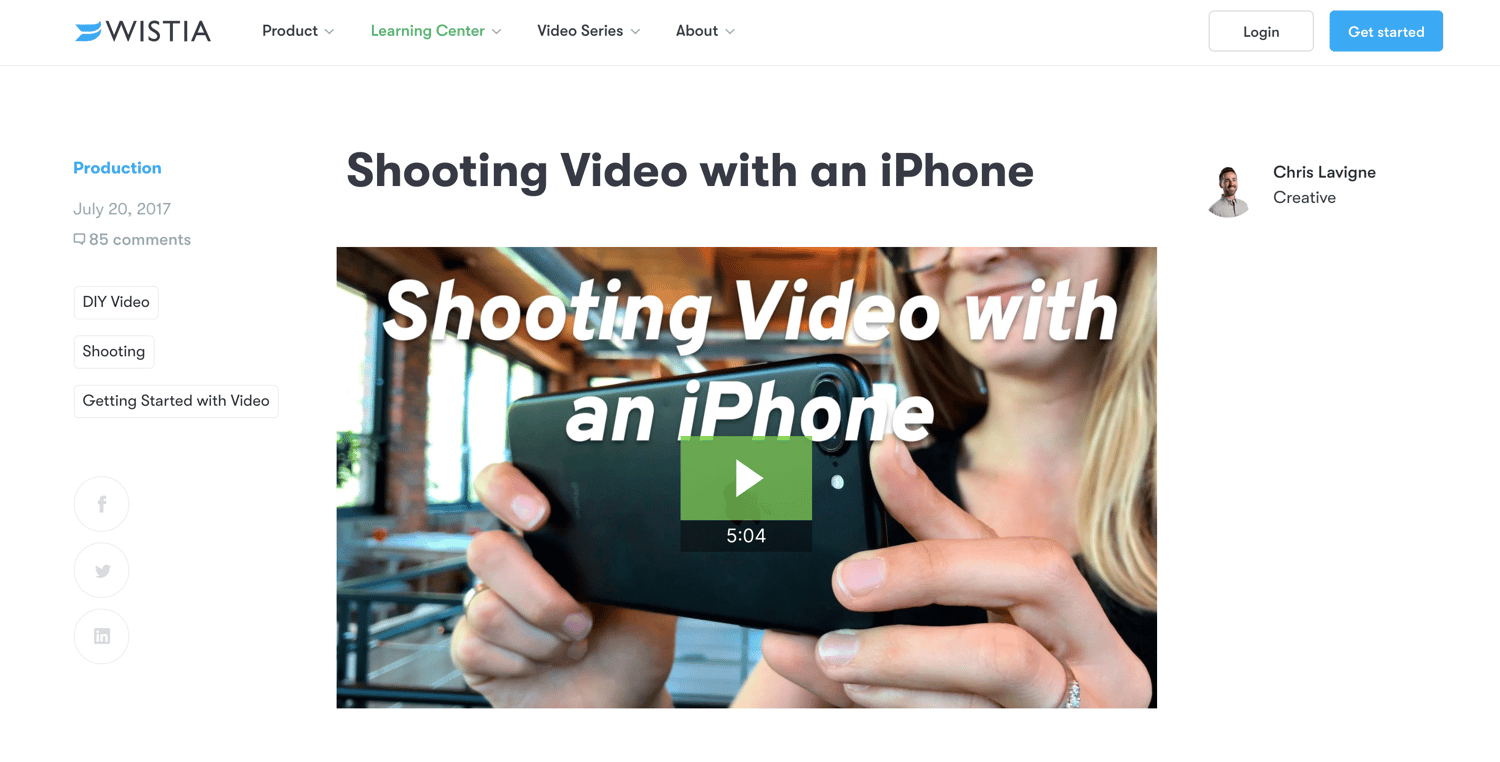
Because Wistia is a video hosting platform, publishing content strictly about how to use its product would only apply to people who were already customers. Videos like the one above, which are relevant to anyone who has an iPhone, help the brand create value for people who may not even be familiar with Wistia.
If readers learn something useful from Wistia even once, they’re more likely to do it again and may eventually come to the site ready to purchase a subscription.
3. Leverage the SEO power of customer reviews.
Review platforms generally have a strong presence in organic search, making them a great opportunity to expand your brand presence and get noticed by the right people.
When you encourage users to leave reviews on a third-party platform with strong SEO — like Yelp or Google — you increase the chances of being found by qualified prospects in search, without paying a dime.
Google recognizes the independent role of these sites in helping people find what they’re looking for and seems to favor review sites in search engine results.
For instance, when I searched for “best marketing software”, the rich snippet goes to FinancesOnline.com, a leading B2B review platforms.
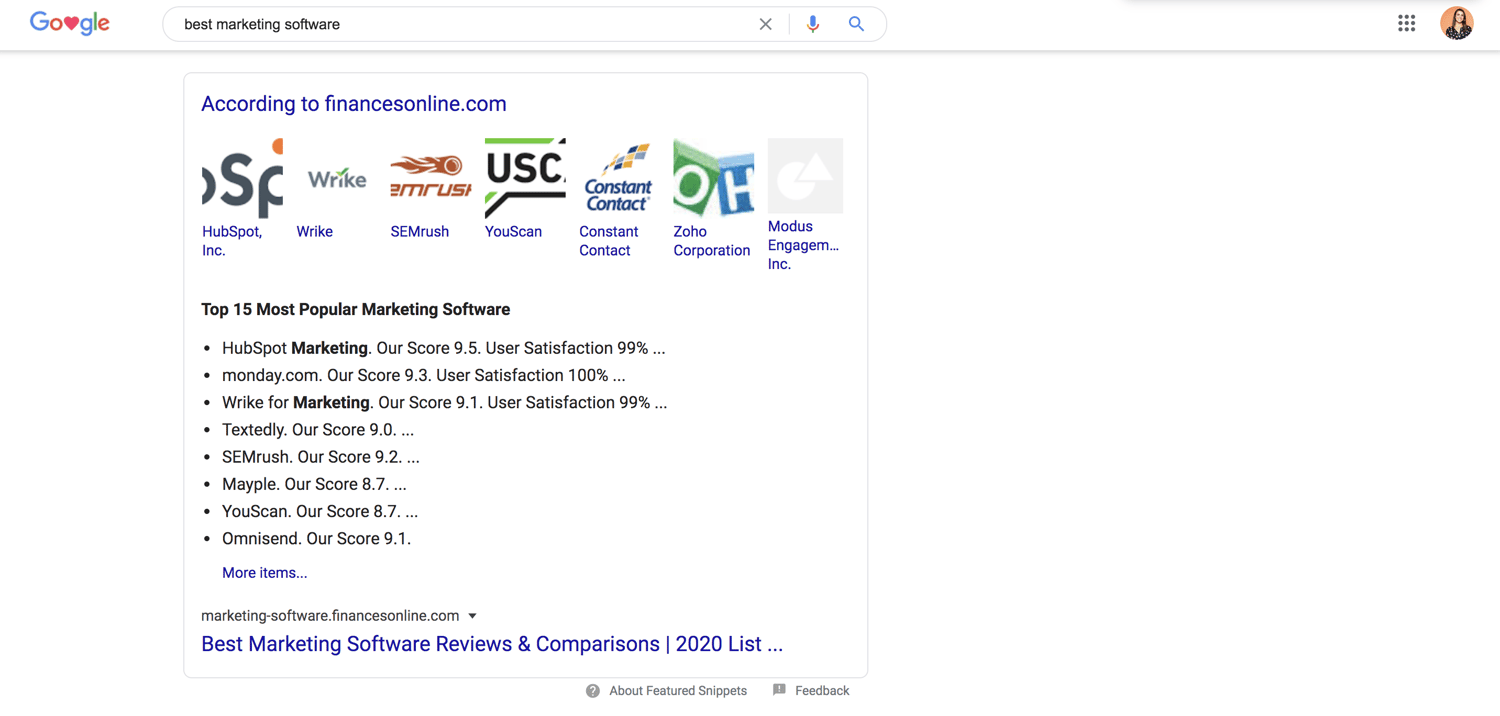
Imagine your company on this list. There’s a high chance your product would be included in what McKinsey calls the “initial consideration set” leading to the “moment of purchase” during the consumer decision journey.
You also outmaneuver competitors in high-value keyword searches. This is crucial considering that many B2B searches start with a generic keyword phrase.
4. Create an interactive quiz or tool.
Offer a quiz to your website visitors as a creative way to learn more about them and obtain their contact information. The goal is to “bargain” the result of the quiz in return for a new lead, which can be very effective when done right.
A great example of this comes from Eastern International College. It created the following quiz to help students make a proper major selection.

The quiz provides valuable information for students in a unique and interactive way. When students fill out a lead information form, they provide specific information about themselves, which Eastern International College can then use to counsel them about the school.
Another similar method is offering an interactive tool, such as the HubSpot Website Grader. The Website Grader is a free online tool that visitors can use to grade their websites against key metrics and discover ways to improve them.
To use the tool, visitors must submit their email — which provides HubSpot with new leads interested in improving their web presence.
5. Provide gated offers with best practices.
When you explore a marketing tactic in a blog post or e-book, it’s helpful to know what others are doing to have success with the same method. Compiling those best practices into a list is incredibly useful to the marketer looking to get started in a particular arena.
For example, HubSpot offers a comprehensive list of SEO best practices from a variety of experts, which aims to help its target audience achieve a greater return on investment from content marketing.

The e-book provides value for readers trying to crack a complicated marketing strategy — and in exchange for their contact information, they get insider tips from a variety of expert sources.
6. Show what’s working for your company.
Writing a transparent post that pulls back the curtain on something with which you’ve seen success (or failure) can prove interesting to potential leads. Other companies going through a similar stage of growth — or approaching your size — can gain a lot of inspiration from posts like this and ultimately avoid making the same mistakes.
In an effort to provide an insightful resource, Classy created an analysis of how its blogging strategy had evolved and what the brand had learned over the course of 1,000 posts.
This blog post from Classy, a fundraising platform for nonprofit organizations, pulls back the curtain on its learnings to share it with the broader content community. It’s helpful for a blogger in any industry and prompts readers to download the strategy guide as a final call-to-action (CTA).
7. Create a useful spreadsheet.
Compiling a spreadsheet of resources takes forever, so it’s easy to see the value when someone else does it for you.
Heinz Marketing created an easy-reference spreadsheet directory (a map of the marketing technology landscape) and made it available in return for an opt-in.
Different people have different preferences about how they like to consume content, and by making the information easily accessible to its audience, Heinz Marketing made a highly valuable piece of content that helped to generate leads.
8. Offer a deep-dive answer for a tough question.
You can find the answer to any question you might have on the internet. But how many really good answers are out there?
Taking the time to create an in-depth, step-by-step article that answers a burning question for your prospect serves as an opportunity to generate a lead. After all, the company that provides the best answer will often get your business, right?
A great example of this method in action comes from the folks at Interact. In an effort to explain how to make quizzes, Interact created the following in-depth blog post which dives into how quizzes can help build an email list (a strategy we discussed in step 4).
Email marketing plays a huge role in marketing and lead generation success, and this blog post provides a helpful breakdown of how to use quizzes to make emails more interesting.
Interact’s audience will keep coming back to the blog for more insight and instruction, and might eventually purchase products from the trusted company.
9. Create a worksheet that simplifies a process.
There are tasks in every business that are best suited by a worksheet. For example, a software company might use a worksheet to formulate a marketing strategy.
By providing a simple worksheet for people to fill out — and trading that worksheet for an opt-in — you can create a mutually positive relationship with prospects.
HubSpot offers a fantastic example of this with its free KPI tracking worksheet.
Inside this spreadsheet, readers can find resources to establish company goals, identifying and tracking your team’s KPIs, and suggestions for the top KPIs for your industry. In exchange for their contact information, readers can get started tracking their marketing impact.
10. Create a list of useful tools or resources.
It’s easy to brag about the tools your company offers, but when you take the initiative and explore other helpful resources your audience could be using, it proves you prioritize their success over your self-promotion.
In return, you’re also attracting the kind of audience that’s looking for solutions like yours — which has the potential to drive leads. Below you’ll find a great example of this in action from the HubSpot Blog: The 15 Best Lead Generation Tools.
While HubSpot offers some fantastic marketing and lead generation tools, it doesn’t shy away from providing its readers other equitable options. This checklist is chock-full of tools and other resources readers can use.
Since this guide is comprehensive, readers get what they need and they’re more likely to return to the HubSpot Blog in the future, and possibly even subscribe.
11. Compile real-life examples with actionable takeaways.
Finding effective examples to learn from can be equally as valuable and difficult. A list of best practices or real-life examples in your industry is an excellent way to drive prospects to a guide or offer where they can opt-in.
Kapost put together “The Kapost 50,” a list of top B2B content marketing examples, as a resource to inspire site visitors to opt-in and be successful with their marketing strategies.
Content marketers are looking for examples of brands creating content well, especially in the B2B space, and the Kapost 50 calls out particular examples of top content every year.
The blog post drives traffic with its clever site copy, and the brand inspiration and helpful examples make visitors want to keep coming back for more.
12. Create a valuable email course.
A well-developed email course is like gaining access to a real class — for free. For busy marketers, this type of offer can prove to be incredibly valuable.
This approach tends to work well for in-depth topics that are best learned in a class-like environment. For example, Buffer gives away 25 social media strategies in 25 days in exchange for an opt-in.
Buffer created the email course to repurpose blog content into smaller, more digestible pieces. The email course helps people with different content consumption styles get the same valuable information that’s on Buffer’s blog, and it helps Buffer generate new leads to engage with over email.
13. Host a giveaway.
Giveaways are one of the most successful forms of lead generation. However, a giveaway can also result in a bunch of junk leads and waste your time if not done logically.
The trick? Make sure what you’re giving away is something people want. For example, eWebDesign put together a giveaway of conversion rate optimization (CRO) software that was highly useful to its target demographic.
The giveaway generated leads via email subscriptions and social media engagement, and it was a win-win for eWebDesign. Whether a user won or lost the giveaway, they continued to engage with the brand in hopes of winning future giveaways.
Meanwhile, eWebDesign grew its email list to continue outreach among subscribers with more targeted content about CRO.
14. Create a template to simplify an everyday task.
There are certain templates you use every day in business — employee schedule, content calendar, market research sheets — that can be a pain to build yourself.
As a marketer looking for lead generation ideas, creating those templates for your customers is the perfect way to begin a strong relationship that can end in the prospect buying your product or service.
Need inspiration? Check out this collection of marketing budget templates from HubSpot.
Every marketing organization needs to set a budget, and this template bundle from HubSpot makes that job a little bit easier. For HubSpot, these templates help get its brand in front of more people to continue nurturing them with relevant content.
15. Offer a free trial or a freemium product.
Free trials of a brand’s services help get a prospect’s foot halfway through the door. If the free trial helps them and provides great value, they’re more likely to purchase the full product and become a customer.
Touchless buying is popular among prospects who want to stay online and off the phone. By creating a free trial, a brand’s site can do its own selling and encourage buying in a low-pressure way.
Here’s an example of a strong free trial offer from BuzzSumo.
BuzzSumo offers a simple, payment-free way to sign up and test their tool. It also provides a few examples of the tool’s interface, giving visitors more reasons to try it out.
Another similar strategy is to offer a freemium product, similar to how HubSpot offers the free forever HubSpot CRM. By offering a portion of your product or services line for free, you give users a taste of your brand and build trust and awareness among your user base.
16. Offer a handy checklist.
Who doesn’t have a running to-do list that sometimes gets a little bit too long? If you’re planning an upcoming webinar, you can be sure there’s a lot that goes into it.
HubSpot created a handy webinar checklist that marketers can download and use to make sure they don’t miss any critical steps in their webinar production.
HubSpot uses the gated offer to prove its brand’s expertise on the subject and encourage checklist downloads.
Whichever lead generation strategy you experiment with next, make sure the content is useful to your audience so they’ll return to your website again and again.
For more lead generation ideas, check out HubSpot’s guide to the 30 greatest lead generation lessons.
Editor’s note: This post was originally published in February 2017 and has been updated for comprehensiveness.

How to Get the Most out of Your Ecommerce Marketing Strategy
What do a Hand Forged 1060 High Carbon Black Steel Blade Full Tang Samurai Katana Sword and a 7,541-Piece Lego Millennium Falcon™ Replica have in common? Well, first and foremost, they’re both awesome. Second, if you have kids under the age of three, you probably don’t want them playing with either — one is a choking hazard and one is a katana.
And third, you can buy both through the magic of something called ecommerce — the sale of products or services online.
Ecommerce is becoming a staple of companies’ sales and marketing operations across virtually every industry. Here, we’ll examine some ecommerce marketing strategies your business can employ to land and retain as many customers as possible.
Ecommerce Marketing Plan
Your ecommerce marketing plan is essentially the sum of the ecommerce strategies and tactics you choose to employ. The most effective plans aren’t randomly cobbled together — they’re designed with intention. They’re often guided by a general marketing philosophy or underlying structure.
For instance, the inbound methodology can be applied to an overarching ecommerce marketing plan. In this case, you would tailor your ecommerce marketing efforts to attract visitors, convert those visitors into leads, close deals and turn them into customers, and delight them once they’ve purchased your products or services to turn them into promoters.
There are a number of different strategies to consider when constructing your plan. Here are some of the most effective options worth exploring.
1. Blog.
Maintaining a blog is one of the better ways to attract potential customers to your site organically. By creating quality content relevant to your industry, you can project a sense of legitimacy and trustworthiness to prospects.
If you give strangers an incentive to visit your site through your content — beyond material specific to your product or service — you can generate interest that might ultimately turn into action. Regardless of what you’re selling, maintaining a blog for your site is a cost-effective way to prove that your business is an authority in its space
2. Contribute guest posts to other websites.
Guest posts have the potential to expand your online visibility. Not only can it better establish you as an authority within your industry, contributing guest posts affords you more domain authority for your ecommerce site — leading search engines to believe your site is more reliable and worth ranking higher.
You can accomplish this by identifying sites with keywords relevant to your products and reaching out to the people behind them. Sometimes, you won’t even need to create a post of your own. You might be able to just expand upon one of a site’s current posts with relevant context or an infographic that links back to your site.
3. Try referral marketing programs.
Referral marketing combines two of the most powerful underlying assets to any ecommerce marketing strategy — word of mouth and incentives. A solid ecommerce referral program allows customers to relay your messaging to prospects who trust their judgment.
Research indicates that word of mouth is directly responsible for 19% of all purchases and influences as much as 90% of them. So a significant part of your ecommerce marketing strategy has to be tapping into that trend. Referral marketing is one way to do that.
By offering some sort of incentive — like a discount or small gift — to your customers in exchange for their referral of new prospects, you’re putting yourself in a position to better retain current customers while expanding your base. Here’s an example of a referral program from Stitchfix.

For more information on referral marketing, check out this article.
4. Leverage social media.
A well maintained social media presence is an invaluable component to a successful ecommerce marketing strategy. That being said, ecommerce marketing over social media might not look like marketing for a conventional business, brand, contractor, or publisher. And not every social media platform is optimal for ecommerce.
Ecommerce is an inherently visual medium. Very few consumers are willing to buy a product based solely on text. The success of your social media efforts often hinges your use of imagery to capture attention and generate traffic to your product pages. That makes Instagram one of the better platforms to complement your ecommerce marketing strategy.
If possible, you should consider incorporating shoppable content — interactive content that allows your visitors to buy immediately — into your ecommerce marketing strategy. That can mean anything from strategically placing display ads within a social feed to adding additional tags that take users directly to a shopping cart.

5. Drive user-generated content.
Driving user-generated content is the practice of finding and fostering ways for your customers to promote your business. It’s an excellent way to facilitate word of mouth for your company. It drives traffic to your ecommerce site while building an authentic following of interested customers.
User-generated content can come in many forms. One of the most effective ways to encourage it is through competitions — offering prizes to customers that promote your product in some form. You could also use promotional hashtags on social media or maintain review platforms where customers can share feedback about your product.
One way or another, getting your customers to actively promote your product on their own provides a new degree of trustworthiness and a relatively inexpensive source of potential traffic to your site.
For instance, Starbucks launched its #WhiteCupContest campaign in 2014. Customers were encouraged to draw whatever they felt like on the chain’s white cups. The winners’ designs would be used as limited edition templates for Starbucks’ cup design. In just three weeks, the company received over 4,000 submissions — generating plenty of buzz and free promotion.

If your business has any sort of ecommerce presence, you stand to gain a lot by exploring and employing different ecommerce marketing strategies. Many of the available options can be as cost-effective as they are valuable.
No matter how you choose to structure your ecommerce marketing plan, make sure it’s dynamic, multifaceted, and well-maintained. Putting one of these plans in motion will take some effort, but if done correctly, that effort will pay off in spades.
