
Remote Smarketing 101: How to Align Distributed Marketing and Sales Teams
To create the optimal customer experience, it’s undeniably critical your sales and marketing teams are well-aligned.
If you don’t, your prospects will suffer.
For instance, imagine this: your prospect has been researching a new video conferencing tool for weeks.
She’s finally found one company she’s extremely interested in — yours.
Before calling a sales rep, your prospect decides to read numerous blog posts on your website. She also downloads an ebook, watches your company’s YouTube videos, and even chats in a few of your community forums.
Once your marketing materials have convinced her your product could be a good fit, she decides to call one of your company’s sales rep.
Unfortunately, the sales rep has no background knowledge on the content with which the prospect has already interacted. The sales rep begins a generic introductory sales pitch, not realizing your prospect is almost ready to buy — she just has a few final questions.
This results in a less-than-ideal user experience for your prospect, who won’t feel valued as someone who’s been interacting with your brand’s content for weeks already.
Additionally, it isn’t an ideal experience for your company’s sales or marketing teams, either. If the sales rep was aware of the content with which the prospect has interacted, they’d have an easier time connecting with the prospect and understanding her needs upfront.
Ultimately, well-aligned sales and marketing teams have a major impact on your business’ bottom line. In fact, companies with well-aligned sales and marketing teams generated 208% more revenue from marketing efforts.
However, if your marketing and sales teams are primarily remote or operate out of different locations, it can be more challenging to align the teams than it would be in-person. That’s where good remote leadership comes into play.
Here, I’ve spoken with Debbie Farese, HubSpot’s former Director of Sales Enablement and current Director of Global Web Strategy, and Matt Hambor, HubSpot’s Corporate Sales Manager, to gather insights into how you might align your own distributed marketing and sales teams.
3 Tips for Aligning Distributed Marketing and Sales Teams
1. Ensure your goals are aligned across distributed marketing and sales teams.
Ultimately, to align distributed marketing and sales teams, it’s critical you ensure both teams have clearly identified mutually-beneficial goals.
Debbie Farese told me: “Goal alignment is the best way to ensure sales and marketing teams are aligned, no matter where they sit. For marketing, this means looking at metrics that factor in the quality of leads generated, not just the quantity. Examples are lead-to-qualified-lead rates, close rates, revenue per lead, etc.
Farese added, “For sales, this means committing to working the leads that marketing generates and tracking this along with success in closing deals. Examples are work rates, productivity per rep, etc.”
Ultimately, it’s not enough to say you’ve aligned goals across teams. Instead, you need to prove it, with some of the metrics Farese mentions above. And, whether your team is remote or in-office, you’ll want to continue to foster meetings that allow both teams to pivot if your current strategy isn’t enabling the teams to work hand-in-hand effectively.
For instance, let’s say your sales team has identified “inform customers of new product features” as a major 2020 goal. However, this goal hasn’t been properly communicated with the marketing team.
Undoubtedly, this causes friction for the prospect. A prospect might receive tons of high-quality marketing materials before speaking with a sales rep — including ebooks, blog posts, webinars, newsletters, and YouTube videos — but they’ll feel caught-off guard if most marketing materials don’t mention the product’s new features.
It makes it easier for both your sales and marketing teams to effectively perform their roles if both teams are well-aligned in a few critical goals.
And, most importantly, it makes it easier on your prospects and customers if your teams are aligned. You don’t want your prospects to feel like your company is disorganized, or that they’re receiving disparate information from different teams within your larger organization.
2. Have your marketing team listen to sales calls or join Slack conversations.
If your sales team is largely remote, that likely means your sales reps function primarily via video or conference calls to close deals, rather than in-person customer meetings. This could make it easier to integrate marketing into the sales process, or enable marketing leaders to listen, on occasion, to prospect conversations to ensure the marketing team is delivering relevant content.
For instance, Farese told me, “Through remote work, it’s easier than ever for marketing to listen in on customer and prospect calls to understand their persona even better, develop empathy for sales reps, and get an understanding for what content and messaging really resonates.”
Additionally, Matt Hambor mentioned as a leader of a remote team, it’s critical you “encourage everyone to contribute to communication via Slack, email, or text. If you hear a good idea or success story from a member of your team, encourage them to share it with the larger group.”
This concept can also help align your marketing and sales teams — for instance, you might invite members of your marketing team to your sales team’s Slack channel, so they can take note of customer concerns and successes and consider using those stories as Case Studies or by highlighting the customer in a company newsletter.
3. Create both formal and informal opportunities for sales and marketing to collaborate.
Matt Hambor, who’s been managing a majority remote sales team for over two years, told me a few tactics he’s used to facilitate team bonding and cross collaboration. Hambor says, “Setting clear expectations and being transparent when dealing cross-functionally is critical with any type of collaboration, but even more important when it’s remote.”
You might try implementing a few cross-department virtual meetings once a month, or once a quarter. Hambor’s team, for instance, meets with a HubSpot Marketing Manager once a month for a standup meeting in which both teams are able to ask questions and ensure their priorities are well-aligned.
By ensuring your sales team is able to glean insight into marketing strategies and priorities, you’re ensuring your sales reps have a firm understanding of your prospects’ entire start-to-finish buyer’s journey, so they can better meet prospects wherever, and whenever, they’d like to be met.
Additionally, Hambor mentions he often hosts weekly happy hours, contests within the team, and other more casual events to facilitate team bonding. To align your sales and marketing teams, then, you might try creating a quarterly remote happy hour, trivia game, or cross-department bonding activity.
Ultimately, whether your teams are remote, in-person, or a mixture of both, Hambor says it’s vital as a manager that you show you care about your employees’ well-being. Hambor says, “It’s important you ask how your employees are doing … and actually care. They could be going through things you don’t have exposure to. It’s important you have a genuine interest in their well-being and success. The last thing you want is your remote teammates feeling isolated and insecure reaching out and asking for help.”
Once you’ve implemented some strategies mentioned above, consider sending a survey to your sales and marketing teams to gather insights into other potential opportunities for cross-department collaboration and partnership. Your marketing and sales teams will thank you — and so will your prospects and customers.

How AI Tools Dropped One Agency’s Reporting Time by 97%
As marketers in 2020, there’s one major thing that we have in common: We’re driven by data.
Regardless of whether we’re copywriters, social media managers, videographers, or web designers, data is key to helping us determine which projects are successful, which strategies might require more of a budget, and which tactics we need to leave behind.
But those who thrive on data also know its one major downfall: it can take hours to collect and organize.
Even if you have an analytics software that tracks a campaign’s traffic, engagements, ROI, and other KPIs, you’ll likely still need to take time to organize these numbers, analyze them, and come up with an understandable way to report on your projects to your team or clients.
In the past, marketing firms and agencies tasked full-timers with reporting-related duties. And, although much of the data collection process has been automated by various analytics software, marketing teams and firms are still losing countless hours on manual data reporting.
This is a problem that my Cleveland-based marketing firm, PR 20/20, ran into a few years ago.
As part of our process, we create monthly performance reports for each of our clients. When we create them, we pull the data from HubSpot and Google Analytics. Then, we write a report to explain the data to our colleagues, clients, and project stakeholders.
These reports allowed our clients to make better sense of the numbers they were seeing and formulate their strategies around where they performed well or needed improvement. But, although they were helping our clients, creating them was holding our team back.
While our clients found the reports valuable, the process of pulling the data, analyzing it, and drafting the reports easily took five hours per client, per month. This took our marketers away from tasks that could have been productive in the long run, such as brainstorming new ideas and strategies that could noticeably help their clients.
In this blog post, I’ll walk you through how to streamline reporting with AI, using our own experiment as an example.
How to Streamline Your Reporting Processes with AI
Step 1: Research your AI software options.
Whenever you’re attempting to experiment with or implement a new strategy, you’ll want to research the topic thoroughly.
For example, you’ll want to recognize your budget and then look into software that fits into it.
You’ll also want to determine the pros and cons of any software you consider. This will help you better familiarize yourself with the world of AI and which tools can actually help you. Because the topic of artificial intelligence comes with a lot of online hype, thorough research will also help you to distinguish which products are actually worth investing in and which are overhyped and overpriced.
Prior to deciding that we wanted to streamline our reporting strategy, we’d been researching AI through resources at our Marketing AI Institute.
The Institute is a media company that aims to make AI more approachable for marketers. Since we launched the company, we’ve published more than 400 articles on AI in marketing. We’re also tracking 1,500+ sales and marketing AI companies with combined funding north of $6.2 billion.
After learning about how AI had already streamlined dozens of marketing-related processes, we decided to explore how automation and artificial intelligence could help us with our clients at PR 20/20.
We became obsessed with how smarter technology could increase revenue and reduce costs.
In the process, we found natural language generation (NLG) technology that wrote plain English automatically.
Essentially, NLG takes structured data — such as information on spreadsheets — and turns it into written or spoken language. You’ve encountered NLG anytime you’ve used Gmail’s Smart Compose feature. Or, when you hear Amazon’s Alexa respond to your voice queries.
Once we discovered a potentially helpful NLG software, we decided to run an experiment to see if the AI technology could partially or fully automate our performance report writing process.
2. Pick software that works best for your team.
After doing your research, you might learn the basics of how AI technology such as machine learning or NLG works.
Now, the next step is to search for software that works for your business. Here are a few things you’ll need to consider:
- The cost: You’ll want to consider the cost of any of the software’s subscriptions or fees, as well as the cost to implement it. For example, you may need to contract or hire an engineer to prepare your data and take any steps to make sure the software works smoothly.
- Maintenance needed: While higher-priced software might be intuitive enough to require lower maintenance, others may need to be monitored and updated by someone who’s very tech-savvy. Be sure to understand what you’ll need to do if something isn’t working properly so you don’t incur any emergency costs.
- Usability: As a marketer, you won’t want to rely on a full-time engineer to use AI software to run your reports. You’ll want to shop for software that your less tech-savvy team members can eventually get trained on and learn. For example, a software that lets you adjust your settings or make basic adjustments in an easy to understand dashboard will be effective for multiple team members and require fewer software experts to manage.
As you pick out software, you’ll also want to track down case studies, reviews, or user testimonials that describe how a company used the software to run reports or complete a similar activity. This will give you an idea of if the product you’re considering has a good track record or credibility in the AI software industry.
When it comes to finding affordable AI-powered software, there are a number of service providers that similarly use NLG to draft analytics reports or generate dashboards that you can then share with your clients or stakeholders. Here are two highly-regarded examples:
Domo
Domo is a data visualization and reporting tool that integrates with major data and analytics platforms including Google Analytics. Once you connect these platforms, you can use a dashboard to set up and generate data visualizations or reports for your clients. These visualizations include pie charts, other graphs, and word clouds.
Preparing the data that Domo will report on also requires minimal maintenance. The platform offers guides on how to create datasets or spreadsheets that its algorithms will recognize as well as a drag and drop guide which asks you to upload specific information such as “Monthly Budget.”
Here’s a quick demo that shows Domo in action:
Adaptive Insights
This reporting software allows you to generate reports or reporting dashboards that your team and clients can edit and cross-collaborate on. Like Domo, it also includes a handful of data visualization capabilities.
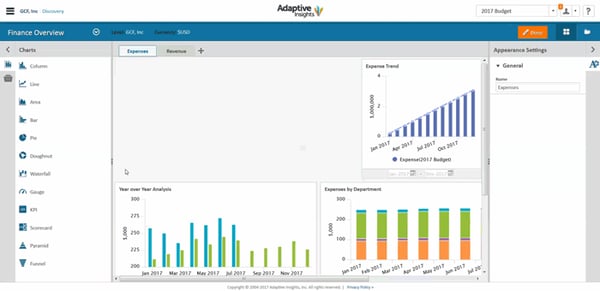
Aside from data visualizations, you can also add boxes to your dashboards that show you scorecards that note whether you’re hitting your goals or not, as well as filters that help you drill down on specific aspects of your project. Here’s a demo explaining how small businesses such as nonprofits can benefit from the software’s dashboard reporting features:
3. Prepare your data so your software can understand it.
Regardless of which product you choose, you’ll likely need to prepare your data in a way that your software’s robot or algorithm could easily recognize and analyze.
For example, before beginning our own experiment, we needed to prep the data by structuring it in a way that was compatible with the very basic NLG software we used.
The software required structured data in columns and rows to generate text. So, first, we had to pull HubSpot and Google Analytics data into spreadsheets.
Because doing this manually would take too much time and limit the potential time saved with automation, we used APIs and built our own algorithm using Google Apps Scripts to pull data into a Google Sheet.
Next, we standardized how each performance report would be formatted. We knew NLG software would be unlikely to handle completely custom reports well. So, we created a template for these reports that didn’t change each month.
To create a format for each report, we identified a set of 12 common questions we were trying to answer for clients each month:
- How much traffic came to your website, and how does that compare to the previous month? Last year?
- How engaged was last month’s website traffic?
- What were the top traffic-driving channels?
- Was there fluctuation in overall traffic, and if so, what caused it?
- How did the blog perform last month?
- How engaged was blog traffic?
- What were the top-performing blog posts?
- Were there any changes in blog traffic last month, and if so, what caused them?
- How many goals or new contacts were generated last month?
- What were the top converting pages?
- Where did goals or new contacts originate?
- Was there any change in total goals or lead volume, and if so, what was responsible?
4. Develop a template or set up a dashboard for your reports.
A good AI software will either allow you to create documents or even dashboards, as your reports. These assets can then be sent to your team or your clients so that they can easily look over and make sense of what all the data you’ve collected means.
Once we’d structured our data and developed a standard report format, we had to translate our standard report format into an NLG template.
The template was essentially a completed version of a performance report. When the NLG software runs, this report gets copied into the NLG software. Then rules are applied to the copy to programmatically update what’s written based on the structured data provided. Specifically, we assigned:
- Variables: Parts of the template that are swapped out with a data point.
- Conditional Statements: Branching if/then logic that selects the appropriate wording to
- Synonyms: To give the content some variety, synonyms can be added to vary the words or phrases used in the report. The NLG software will randomly insert one from a list of options that humans create.
Rather than the NLG software solely writing out a report, which could result in incomprehensible sentences that poorly discussed the data, we created the template so that the software would merely fill in the blanks of each report with specific data points.
The end result was a template that, when paired with a spreadsheet, automatically produces a unique report for each client. The final output could be a CSV, Word, or Google Doc file.
5. Test the software before implementing it.
Even if you’re working with a credible AI software, you’ll still want to test it and troubleshoot any issues that come to light. This prevents any AI-related incidents from occurring when the tool is actively being used by employees or on tight deadlines.
We ran hundreds of tests to guarantee the reports came out accurate and read well. And we eventually perfected the process to consistently produce clear, accurate automated performance reports.
If a software provider that you work with offers a trial or discount for testing out their product, leverage it. This will allow you to witness first-hand if the cost of the product outweighs its benefits, or give you time to identify if there is a more suitable product that you should be using.
6. Once implemented, measure your results.
Like in the testing phase, you’ll want to monitor how well your tools are working when they are actually implemented in your office.
When you do this, here are a few things that you’ll want to evaluate:
- The amount of time that the software is saving employees, or if there were any bugs, how much time the software cost.
- The amount of other productive or revenue-generating tasks your team was able to get done with the extra time you had.
- The ability of your team members to be trained and adapt to the new software and reporting processes.
As we tracked our new automated performance reports, we found that our tools took a fraction of the time to produce the same report that we took hours to create. Additionally, the level of detail in our client reports is now consistent across all accounts.
Before we implemented AI tools, the reports were only as strong as the account team’s comfort level of analyzing marketing performance reports.
Now, at midnight on the first of the month, our reporting program starts to pull in the data, communicates with the NLG system, and then automatically creates Google Docs with the fully written report.
The only manual part of the process now involves spot-checking the data for accuracy, applying some styling, and then sending.
What once took us five hours per report now takes 10 minutes. While the original process needed to be managed by multiple teammates, only one staff member is needed for spot-checking.
In this scenario, our company benefited from NLG technology because our new process allowed us to increase revenue from happy clients, improve the quality of our data reporting, and reduce costs of time and labor originally associated with reporting.
Resources for Automated Reporting
Although our team is able to access AI providers and experts for our in-office experiments, other small business marketers can also take advantage of this strategy somewhat affordably.
However, keep in mind that AI implementation can take time. For us, we needed to put time into building structured datasets, as well as our Report template so that our AI software could read our analytics and draft reports properly.
If you’re interested in testing out your own AI experiments, but don’t know where to start, check out the HubSpot Academy course, “Artificial Intelligence and Machine Learning in Marketing: Live from MAICON.” It will teach you how to apply AI in marketing using a holistic framework and begin conversations around piloting AI in your business.

Why HubSpot’s Director of Web Strategy Says Your Website Isn’t About You
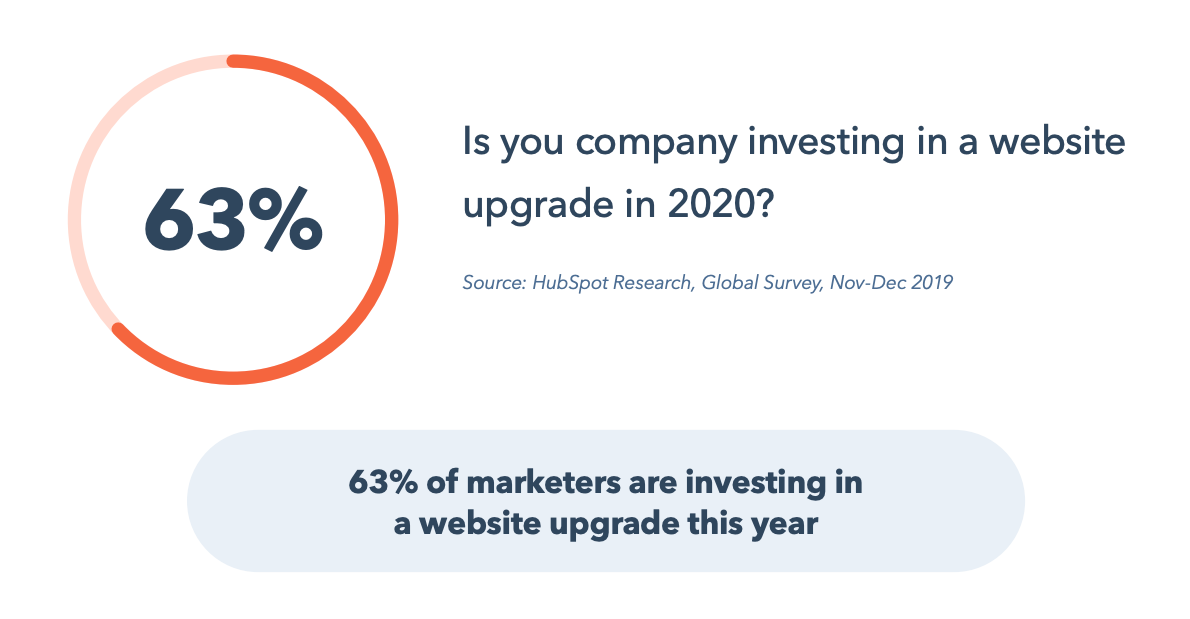
Welcome to 2020. In a recent survey conducted by HubSpot Research, 63% of marketers responded that they are looking to make a website upgrade this year. Are you?
 The discussion of web strategy can take many directions, from copywriting to conversion paths. When we consider website optimization and overall web strategy, accessibility should be one of your main objectives in 2020 and onward.
Accessibility is a broad term, but there are a few main things I will focus on in this article: a continuous monumental shift to mobile devices, transparency and disclosure of information, and properly interpreting user intent. In 2020, build your web strategy around your audience’s needs first. Providing a great user experience will allow you to more easily deliver your message and meet your business goals.
Keep Being Transparent: If People Can’t Find It on Your Site, They’ll Find It Elsewhere
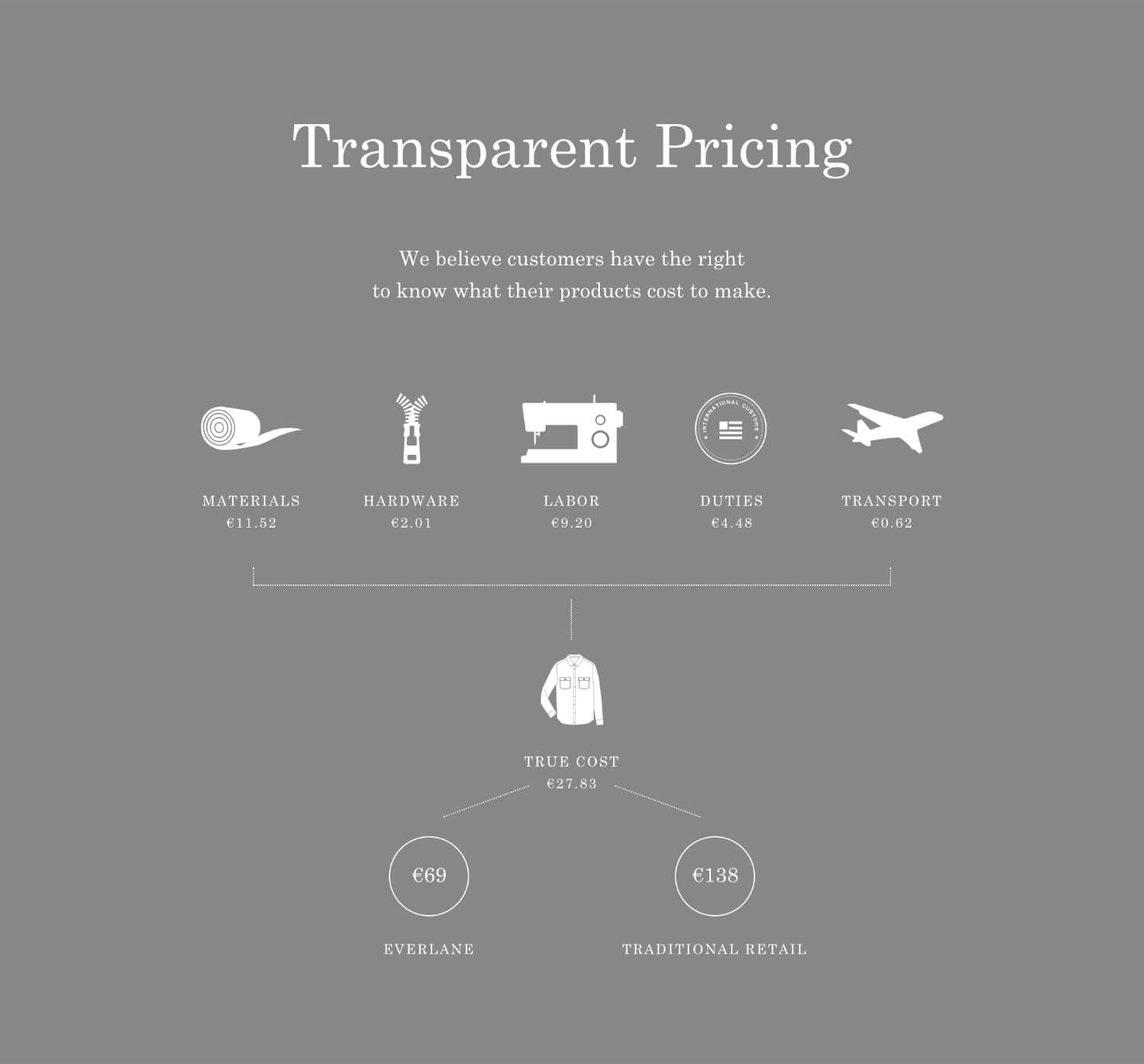
Continue to lead with transparency. Websites have come a long way from just pretty online brochures — done right, they’re now your best tool to build trust and credibility with prospects and customers. Users want to feel that they are in control of their site experience, so help them get there by sharing more, not less. Public-facing pricing pages are a great example; making your pricing readily available to your customers lends credibility to your brand, and qualifies/disqualifies prospects for you. Additionally, help them find your pricing quickly by including it in your primary navigation and on your home page. Make your pricing easy to understand and have clear call to action to complete the sale.
One B2C company that sets the standard for this is the clothing company Everlane. On all of their product pages, they have a section that looks like this:
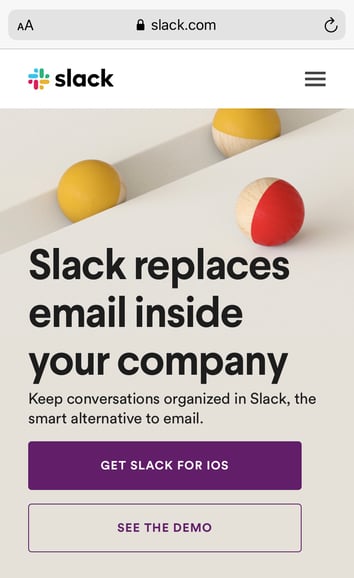
As you start to think more about mobile, you also have to focus on accessibility.
At HubSpot, accessibility is a focus in 2020. We run our site on HubSpot CMS, which has made it easy for every marketer to create and edit content, and we’re working diligently to improve our website accessibility for all.
To help us, we spoke to Christina Mallon, the Accessibility Design Lead at Wunderman Thompson. Christina started her presentation with “What if I told you that your marketing content was excluding an audience of roughly 61 million people in the United States? 1 in 4 people live with a disability in the United States.”
This further enforced our belief that accessibility should be a requirement for every marketer going forward. We aren’t perfect, but we have put together a task force to improve our process.
If you’re looking for a starting point, try studying the Web Content Accessibility Guidelines (WCAG) to ensure your process for web design and content production is inclusive.
Be mindful of font and type size to help drive better user experience. Ensure hyperlinks are easily identifiable. What types of content could you add to consider more users? Maybe you could add subtitles to your videos for the hard of hearing. Or, perhaps you could add a page reading feature to your blog. Making experiences accessible for those who need it makes them better for everybody — design for the edges and the rest falls in.
Stop Giving Users Limited or Outdated Choices
As the saying goes, it’s not about you. Stop forcing your site visitors down the conversion path you want them to take. A classic example: You visit a site, and the only call to action is a “Contact Us” link that sends you to a form and (potentially) into the void. Instead, ask yourself — what is best for your audience? How and when do they want to interact with you?
Start by making the effort to understand users’ intent. Different visitors are looking for different types of information based on their familiarity with your business and position in the buyer’s journey. Perhaps it’s educational resources or a support center for customers, or maybe it’s someone who was referred to you by a friend and is ready to talk to your sales team.
You should be able to create a general website map that connects the most appropriate calls-to-action for different sections of your site, and you can run experiments over time to optimize the best user experience and conversion rates for your business on specific pages.
Oftentimes, different visitors on the same pages have different preferences or needs, so don’t limit them to just one choice. You don’t need to throw away that “Contact Us” page with a form — try adding the phone number for your sales line or online chat — you can use a chatbot if you don’t have live chat agents available. At HubSpot, we’ve seen great success with our calendar tool that lets users schedule a meeting to talk to sales at a time that’s convenient for them. Another great example of this is Salted Stone’s contact us page.
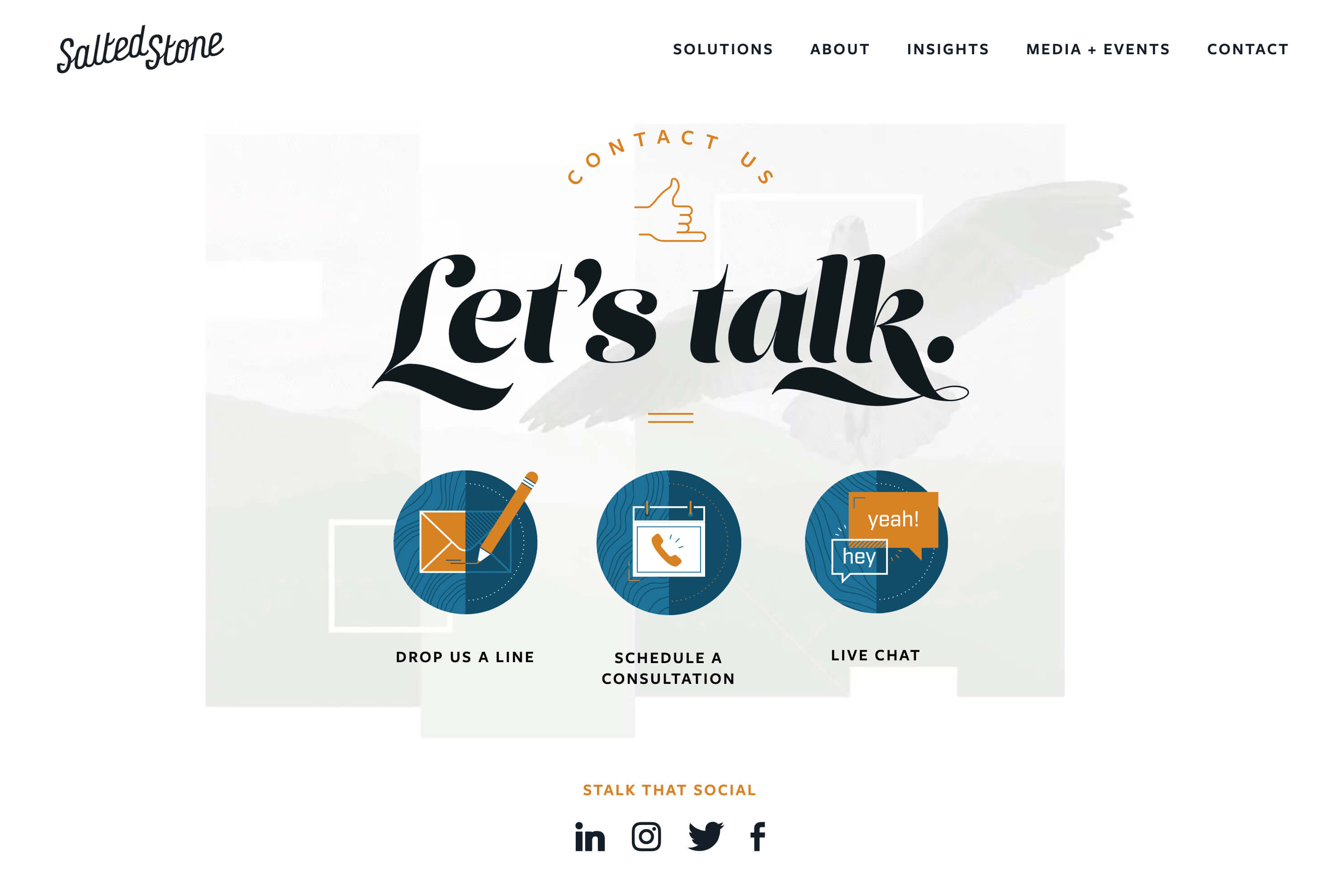
Give your audience an opportunity to get in touch however and whenever they choose.
My Recommended Web Strategy Resources
Here are a few of my favorite tools for improving our web experience:
-
Stark: Contrast checker and colorblind simulator
-
WAVE: Web accessibility evaluation tool
-
Lighthouse: Good for testing page load time
-
BrowserStack: App and browser testing
Take a Deep-Dive Into the State of Web Strategy
I’m excited to see where you take your web strategy in 2020. Remember, lead with the user, and if you need some data to help guide these decisions, get access to over 70 data points and trends from over 3,400 marketers around the world. Dive deeper into HubSpot’s survey data by downloading the full “Not Another State of Marketing” Report.

How to Become an SEO Expert, According to HubSpot’s SEO Team
Braden Becker’s journey to becoming an SEO specialist at HubSpot is a slightly unconventional one. In college, he studied Writing & Rhetoric, which helped him land his first job as a copy editor at a B2B trade publication. As he progressed through his career, Braden pivoted to content marketing, where he worked as an editor at a SaaS company and then as a content manager at the world’s largest environmental services firm.
You might think someone like Braden would continue to climb the creative career ladder in content marketing. But today he actually spends more time in Ahrefs than he does in Google Docs. As the historical optimization lead on HubSpot’s Blog Team, Braden’s main responsibility is to identify blog posts that are falling in organic traffic and optimize them for search engines to rank higher on Google. He’s even sharpened his SEO chops enough to co-create the SEO strategy for all of HubSpot’s blogs.
Traits of an SEO Expert
As a writer and editor for most of his career, SEO had always been in the periphery of Braden’s work — as it was a subject he had a solid grasp on but not necessarily a lot of expertise in.
Today, though, SEO is his central focus.
Braden, along with other SEO specialists at HubSpot, Aja Frost and Victor Pan, offered their advice about what it takes to become an SEO expert and the paths they took to get there.
Some SEO specialists don’t start out with the intention to dedicate their careers to SEO. Some start completely by accident. Let’s go over how HubSpot experts started theirs, and what you can do to start yours.
1. Develop your skills.
“Getting a job in SEO ideally requires two things: content creation skill and analytical skill. Most SEO professionals today have one of those and develop the other,” Becker says.
SEO experts are skilled writers with creative instincts. It’s helpful for those in the SEO profession to have a strong writing background because it takes creativity to optimize content in a way both Google and audiences will comprehend. In fact, Becker has noted that his writing background helped him get his start in the SEO industry.
“My background in writing and editing helped me get my foot in the door, but a willingness to focus on the structure, mechanics, and intent behind my writing is what I think secured my role as an SEO specialist for HubSpot.”
Braden’s story of pivoting from a creative career in content marketing to an analytical one isn’t as rare as you might think. Before Aja Frost became a senior SEO strategist at HubSpot, she was the editor of HubSpot’s Sales Blog.
“I taught myself how to do keyword research and competitive analysis as the Editor for HubSpot’s Sales Blog,” Aja says. “The Sales Blog’s traffic had been flat for a year and a half — I noticed that the only posts that consistently generated views for us were getting all of those views from search. So I began looking for sales-related keywords we could rank for that would help boost organic traffic.”
So, how do you start developing your skills to be SEO-ready? Here’s what Aja had to say about her strategy for keeping her SEO skills sharp.
“To refine my SEO expertise, I constantly read. I’m really interested in technical SEO, so I look for blog posts, white papers, and research about site architecture and navigation, website speed, and everything that goes into that, including structured data,” she says. “SEO by the Sea, Sistrix, and Blind Five Year Old are all great technical SEO resources, along with (unsurprisingly) the Google Webmaster Blog. I’m a member of a few SEO subreddits (/seo and /bigseo are the most active). And I follow a ton of SEOs on Twitter — they drop random factoids or insights all the time.”
Like Braden mentioned, a lot of SEOs start with one skill and start developing others. So, whether you’ve got an analytical mind and want to start a blog to practice writing, or you’re a seasoned writer looking to train your technical mind, having a balance in both will help you in your SEO career.
2. Research the field.
In addition to initial research about SEO, it’s essential to keep up-to-date on the latest industry changes, so you aren’t using outdated optimization techniques Google doesn’t understand.
For example, when Aja noticed the Sales Blog traffic was flat, starting SEO research helped her uncover why: she wasn’t delivering content audiences searched for.
Aja doing research about SEO led her to discovering ways to improve the blog’s performance.
SEO is always changing, so it’s crucial to keep updating your knowledge on the topic.
To build his fundamental knowledge of SEO, Victor Pan, the head of technical SEO at HubSpot, cites reading as one of the best habits he’s gotten into.
“I used to be a voracious reader on all publicly available information on SEO. I had an RSS feed of search-related blogs and news websites I would go through for a whole hour every day,” he says. “Mere exposure to ideas makes unknown problems in SEO easier to tackle when you have other people’s experiences or frameworks to build from.”
For Victor, reading was one of the best ways to develop his SEO fundamentals. Alternatively, Aja took courses to broaden her knowledge. How will you use your time to research SEO?
3. Regularly test your SEO knowledge.
Putting theory into practice gives you the practical knowledge and experience needed to level up as an SEO. In this way, SEO is kind of like playing a sport. You can read all about hitting a baseball or throwing a football, but if you never practice, you’ll never reach your full potential.
To stay ahead of the curve in any industry, reading the latest news and research is hugely beneficial. But as an SEO, when everything is constantly changing, reading isn’t enough. To gain the practical experience that’ll truly take your SEO skills to the next level, you need to constantly test industry assumptions and your new ideas.
“I test a lot of things to refine my SEO expertise. Should your brand be in your title tags? Is internal anchor text worthwhile to still do in 2020 to move rankings? What happens when you purchase fake social “signals” — do you see an increase in organic traffic?” says Pan.
“Failed experiments taught me just as much as successful ones, and it made me a much more confident SEO whenever I would make any improvements to content. Just because, in one instance, making a change resulted in an improvement, doesn’t mean that change in another place will also result in an improvement— which is why we have to test and grasp causation over just correlation.”
4. Take a course and get certified.
Earning a certification ensures that you have the proper knowledge in a certain area to successfully practice on your own. It also gives you credibility when you network on professional sites such as LinkedIn. When doing initial SEO research, Aja found courses she could take in order to get a certification for SEO, which opened up more doors.
“This led me to experiment with SEMrush, AnswerThePublic, Google Analytics, Google Search Console, and of course, HubSpot’s own SEO tools. I read a ton of blog posts and eventually got my Google Analytics certification.”
If you decide to take a course, discover which one will provide you with the skills you need to advance in your SEO career. For instance, if you find that a certain course doesn’t go in-depth about subjects you need help in, it’s probably not the course for you.
To get a head start on courses you can take, here is a list of three, two of which are part of a certification track for content marketing and inbound marketing.
5. Find a method/tool that works for you.
Similar to finding resources that work for you and your skill set, it’s imperative to find an SEO routine or tool that will become your foundation. For keyword research, SEOs like to reference their personal arsenal of tools.
For example, in addition to HubSpot’s SEO tools, some of HubSpot’s SEO experts also use tools, such as SEMrush, for additional research.
You don’t have to use every single tool that exists to conduct your SEO tasks, you just have to make sure the tools are helping you accomplish your goals and giving you accurate practice with the subject.
If you don’t know where or how to start searching for tools, here’s eight you can check out. Remember, you don’t have to commit to eight, just to the one(s) that’ll get your job done. Use what will keep your research well-rounded, accurate, and easy to comprehend.
6. Grow your network.
Becoming an expert in SEO also means growing your network of fellow SEO professionals. There’s SEO groups on LinkedIn you can join, subreddits Aja mentioned, like SEO, and conferences you can attend. Broadening your circle of SEO experts grows your knowledge and credibility in the field.
If you become enough of an expert, you can also speak at conferences in the industry. For example, Braden and Victor led a session at INBOUND — their presentation, “How to Grow (Your Organic Traffic) Better” introduces SEO changes, how to adapt to them, and how to use some basic SEO methods to optimize content.
To get started building your network, look at the resources you have available. If you have a LinkedIn account, you can start making those industry connections. You can also watch YouTube videos for quick SEO tips and engage with other learners in the comments to pick up tips from peers.
Based on Braden’s, Aja’s, and Victor’s stories, becoming an SEO expert doesn’t mean you have to start and finish your career as an SEO. Pivoting from one role to an SEO role and developing your expertise from then on is entirely possible — you just need to be willing to learn and adapt.

42 of the Best Affiliate Programs That Pay the Highest Commission
Every day, thousands of publishers benefit from a recurring cash inflow by partnering up with other companies via affiliate programs.
Affiliate marketing is one of the best ways to monetize your blog, especially when you don’t sell products or services. Joining an affiliate program can get you exclusive access to new content and special deals for your audience — all while earning you more money.
To further understand affiliate programs, let’s consider an example — Wirecutter.com, a New York Times company, is a website that lists product recommendations for shoppers. Wirecutter largely earns commission based on affiliate relationships with retailers.
Wirecutter’s affiliate program might make you doubt the legitimacy of Wirecutter’s recommendations — but, in fact, it’s quite the opposite. Wirecutter only makes commission when a reader purchases a product from an affiliate retailer and doesn’t return the product. Wirecutter, then, has no incentive to promote inferior products — if they did, they’d make less money and turn away readers.
There are many different types of affiliate programs, ranging from online courses to website builders to marketing and business affiliates. Here, we’re going to explore the 30 affiliate programs with the highest earning potential to ensure you’re able to make money off the content you provide.
But first — what exactly is an affiliate program?
What is an Affiliate Program?
Simply put, an affiliate program is an agreement in which a business pays another business or influencer (“the affiliate”) a commission for sending traffic and/or sales their way.
This can be achieved through web content, social media, or a product integration. The affiliate gets a unique link (an “affiliate link”) from which clicks can be tracked — typically using cookies.
You will often come across the terms “cookie length” or “cookie life”, which simply define how long the cookie will be tracking the user’s online activity.
For example, if a cookie has a 30-day life, your referral needs to make a purchase within 30-days of clicking your affiliate link in order for you to get paid — otherwise the lead will no longer be trackable.
A B2B audience can be particularly valuable, since they are the same customers who are willing to drop hundreds of dollars for a product or service that will help them make money. How could you not capitalize on that?
Of course, there are different types of affiliate programs, and you’ll want to ensure you pick the one best-suited for your business. Let’s dive into types of affiliate programs, next.
Types of Affiliate Programs
If you’re looking to promote your products or services, there are a few affiliate programs you can consider. When choosing an affiliate program, you’ll want to keep in-mind the avenues or platforms your audience spends the majority of their time — for instance, does your buyer persona typically read blog posts, scroll Facebook, or use search engines when researching new products?
Alternatively, is your buyer persona someone who’s always looking for a good deal, and would appreciate a link on a coupon site? Or are they more interested in doing tons of research before purchasing, making your promotion efforts more worthwhile on a review site?
While those are questions you’ll have to consider for yourself, let’s take a look at some general types of affiliate programs so you can begin brainstorming potential avenues for your own marketing efforts:
Search affiliates: With this program, you’ll have freelancers or entrepreneurs pay their own money to promote your offer on search results or other online advertising platforms like Facebook Advertising. While you’ll want to ensure your partner is following search and advertising guidelines, this could work in your favor if your partner has an SEO background and wants to A/B test to see which ads result in the most referrals for you — and most ROI for them.
Bloggers/influencers:If there are impressive bloggers or social media influencers in your industry who engage with your ideal buyer persona on a regular basis, you might consider partnering with them. For instance, if you sell kitchen appliances, it might be good to reach out to bloggers or YouTube influencers who post recipes, and ask if they’d feature your product as a “recommended tool” in their next recipe post. Ideally, this would result in your target audience taking a look at your website, and if they like the products you offer, could provide additional revenue for the influencer.
Review sites: If you offer a product or service that is more expensive or niche, it’s likely that most of your buyers need to conduct research on that topic before purchasing — if that’s the case, it might be a good idea to research the top review sites related to your product or service, and reach out to the business or writer who published the piece, asking whether they’d be interested in providing an affiliate link to your product or service in the text.
Coupon sites: If you’re offering a new product or service that isn’t popular in the marketplace, you might try creating an affiliate partnership with a coupon site for a limited time. While you don’t want to lose money by giving your product away at a discount, it could be effective at getting some first-time buyers to check out your website and become brand advocates.
Email marketing: This is best in small doses. You don’t want any partners sending out bulk emails to customers who aren’t interested in your products or services, but with proper consideration for who’s receiving the email, this could be an effective method. For instance, if you sell design tools, you might reach out to marketing agencies and ask, if they’re working with a specific client on a design project, whether they might consider sending a URL from your site within the body of the email. This could help their clients leverage your tools to create higher-quality content, while giving agencies an added source of income.
Next, let’s explore the 42 affiliate programs that pay the highest commission.
Best Marketing and Business Affiliate Programs
1. HubSpot

Commission: Flat rate — up to $1,000 per product purchased
Cookie life: 90 days
HubSpot’s mission is to help millions of organizations grow better. Comprised of Marketing Hub, Sales Hub, Service Hub, and a powerful free CRM, HubSpot’s award-winning growth platform gives thousands of companies the tools they need to manage the customer experience — all the way from awareness to advocacy.
As a HubSpot affiliate, the commission you’ll receive will depend on the product tier of each product your referral has purchased:
- Starter: $250
- Professional/CMS: $500
- Enterprise: $1,000
Keep in mind that you can earn up to $1,000 for each product purchased. It is not uncommon for customers to buy more than one product at a time. So, in reality, you could very well earn up to $3,000 if your referral were to purchase the Enterprise Growth Suite.
When you join HubSpot’s affiliate program, you gain access to a large creative inventory, including demo videos, banners, and copy examples, all designed to help you earn the most commission possible. Plus, you can cultivate a one-on-one relationship with the HubSpot affiliate team, who are all dedicated to helping you succeed.
If you have a large business audience or want to monetize your content, then our affiliate program is likely well-suited for you. (You can learn more about HubSpot by reading HubSpot reviews.)
2. AWeber
Commission: 30% recurring
Cookie life: One year
AWeber has been the autoresponder of choice for over one million businesses and entrepreneurs since 1998. It’s a great tool for newsletter and email drip campaigns.
Affiliates of AWeber can earn substantial income through two different channels:
- Their in-house program offers a lifetime 30% commission. Plans typically range from around $20 to $150/month, so the payout can add up.
- Alternatively, you can earn up to $300 per account through CJ Affiliate. However, the cookie life with this option is only 45 days, rather than one year.
3. ConvertKit
Commission: 30% recurring
Cookie window: 30 days
A new up-and-comer in the email marketing field, ConvertKit helps its customers grow their customer-base via landing pages, forms, and email drip campaigns. (You can learn more about ConvertKit by reading reviews.)
ConvertKit’s affiliate program is primarily addressed to existing ConvertKit users who feel their audience could benefit from email marketing products. The program offers a lifelong 30% commission for every referred paying customer or webinar subscriber.
With plans ranging anywhere from $29 per month all the way to $2,000+, the income potential is a very attractive offer, and it costs you absolutely nothing to join the program. The program does not, however, offer any special deals or discounts for any product the affiliate might promote.
4. LeadPages

Commission: 30% recurring
Cookie life: 30 days
LeadPages is an online tool that lets you create easy-to-customize landing pages to collect contact information and boost your conversion rates. (You can learn more about LeadPages by reading reviews.)
Their affiliate program is only open to LeadPages customers. Each paying customer referred brings in a lifetime commission of 30%. Membership prices range from $25 to $200 per month.
LeadPages will sometimes run special offers, such as a $5,000 bonus for affiliates who drive 10+ sales by a given date. All affiliates get access to banners, sidebar images, and social media-friendly links. You also have the option to share a unique link to a free content page (like a blog post or video) rather than a product page.
5. GetResponse
Commission: 33% recurring
Cookie length: 120 days
Along with email marketing, GetResponse offers landing pages, opt-in forms, webinar hosting, a CRM tool, and plenty of other marketing automation tools. (You can learn more about GetResponse by reading reviews.)
Just like AWeber, GetResponse has two affiliate programs you can choose from (or, you can join both!):
- Their self-hosted program offers a 33% recurring commission. With plans ranging anywhere from $15 to $1,200/month, the payout can be pretty substantial.
- You can also earn $135 for every sale referred through CJ Affiliate. However, the cookie life is only 30 days, rather than 120 offered in the in-house program.
6. SEMRush

Commission: 40% recurring
Cookie life: 10 years
BeRush is the affiliate program for SEMRush, a SaaS company that specializes in SEO and competitive analysis tools for digital marketers. Their affiliate program offers a 40% recurring commission over the lifetime of a referral’s subscription, which translates to up to $160 per month per referral. Plus, they offer a very generous 10-year cookie life.
Plus, since BeRush functions under a first cookie attribution model, if a referral were to cancel their subscription and sign up again in the future (within 10 years), you still get commission on that second subscription.
Exclusive SEMRush promotional material is available in five different languages and applicants are automatically pre-approved, so the sign-up process is only a few minutes, enabling you to get started right away.
Best Online Course Affiliate Programs
7. Kajabi
Commission: 30% recurring
Cookie life: 30 days
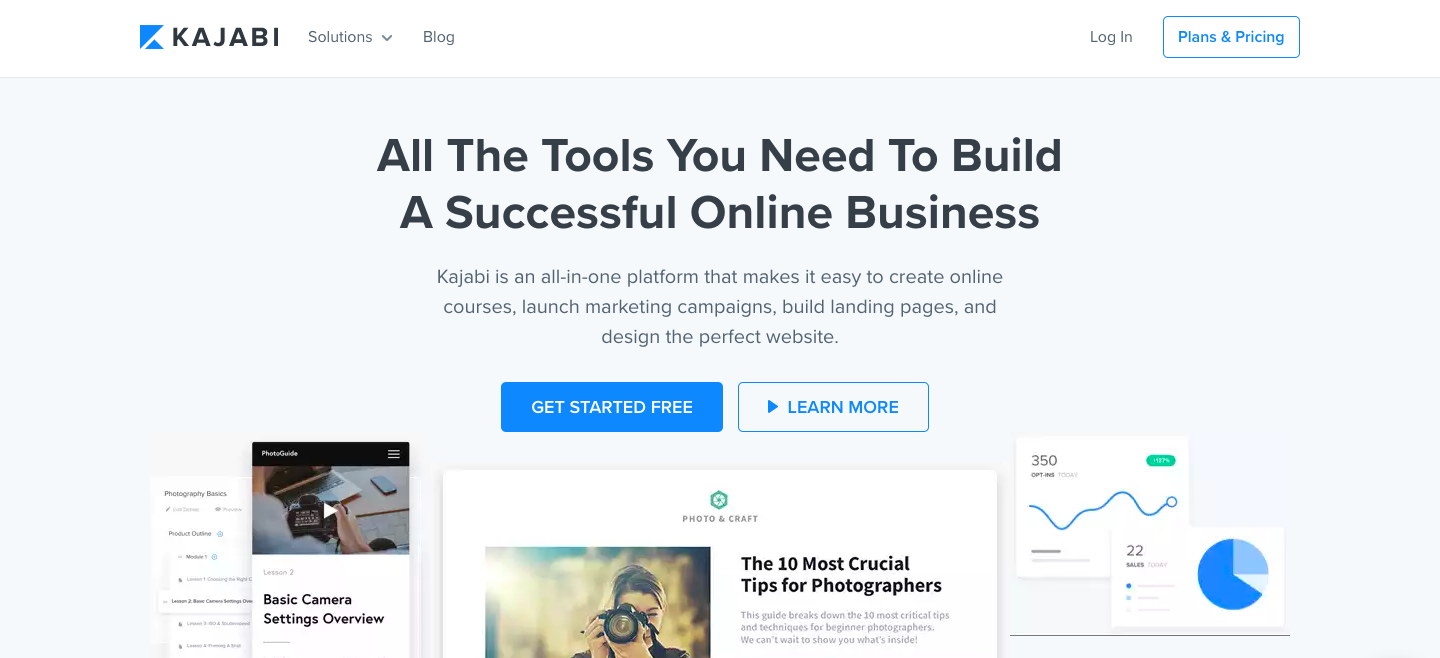
Kajabi is an all-in-one platform that lets users create online courses, launch marketing campaigns, build landing pages, and design the perfect website.
The Kajabi Partner Program is currently only open to Kajabi users. As an affiliate, you’ll receive a 30% lifetime commission for any new member you bring to Kajabi that stays active past their trial period. What’s more, you will be treated to special rewards as you progress. Each level unlocks exciting bonuses only available to Kajabi Partners.
8. Coursera
Commission: 20-45%
Cookie life: 30 days
Coursera offers over 1,000 courses and specializations ranging anywhere from Digital Marketing to Applied Data Science and Personal Development. Each course consists of pre-recorded videos, puzzles, and assignments.
Coursera’s affiliate program runs on the Linkshare network and offers a commission ranging from 20% to 45% with bonuses for strong performance. Courses and Specializations are generally priced between $29 and $99. As a Coursera affiliate, you get access to professionally-designed banners and a monthly affiliate newsletter with curated content recommendations.
9. Teachable

Commission: 30% recurring
Cookie life: 90 days
Teachable helps you create and sell beautiful online courses. With over 18 million students and 186 thousand active courses, Teachable is one of the most reputable e-learning platforms. Plus, it’s heavily endorsed by Pat Flynn from Smart Passive Income.
Ranging from Facebook ads to cake decorating tips, Teachable is suited for a variety of niche subjects. Teachable’s affiliate program pays a recurring 30% commission on the referral’s monthly subscription fee. Plans can go anywhere from $29 to $499 per month, meaning you’ll be able to earn up to $150 a month per sale.
Best Website Builder Affiliate Programs
10. BigCommerce
Commission: 200% or $1,500 per enterprise customer
Cookie life: 90 days
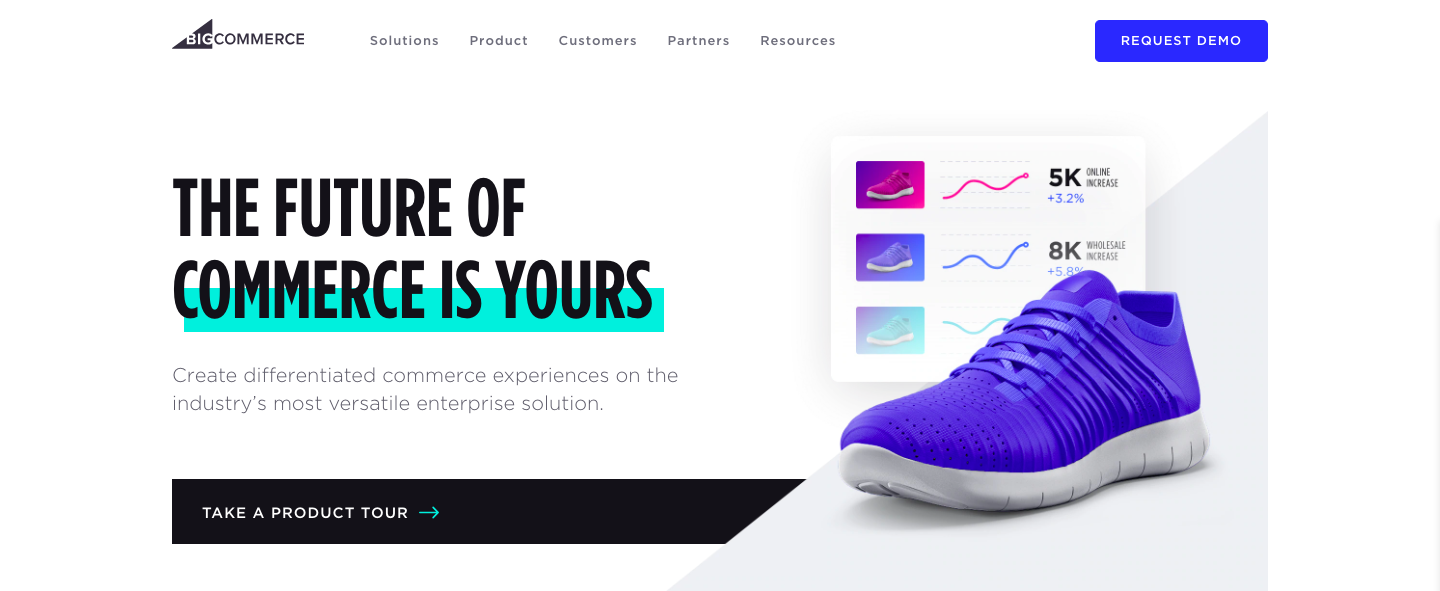
Founded in 2009, BigCommerce is an online store builder that powers thousands of e-commerce stores in over 150 countries. It serves a wide variety of industries, including fashion, automotive, manufacturing, food, and health.
When you refer visitors to BigCommerce, you earn 200% of the customer’s first monthly payment (that’s up to $500 per referral!), or $1,500 per enterprise customer.
11. Shopify
Commission: 200%
Cookie life: 30 days
With over 500,000 Shopify stores worldwide, Shopify has truly proven itself as a market leader in the drop shipping industry. Shopify has everything you need to start your online store, including website builders, shopping carts, web hosting and store management tools, analytics features, payment processing, and much more.
If your audience is all about e-commerce and needs help setting up an online store, Shopify’s affiliate program just might be for you. Affiliates earn a whooping 200% commission on the cost of a monthly subscription (that’s up to $2,400!). Additionally, when a referral signs up for a Shopify Plus account, you get paid a flat $2,000 bounty payment.
On top of the money, as a Shopify affiliate, you get priority support for your own Shopify store, as well as free Shopify content to promote to your audience.
Joining the program is absolutely free. The main drawbacks may be that the target for this program is quite niche, since you’ll need an audience that sells products online and doesn’t already have a solid e-commerce platform.
12. 3dcart
Commission: 300%
Cookie life: 45 days
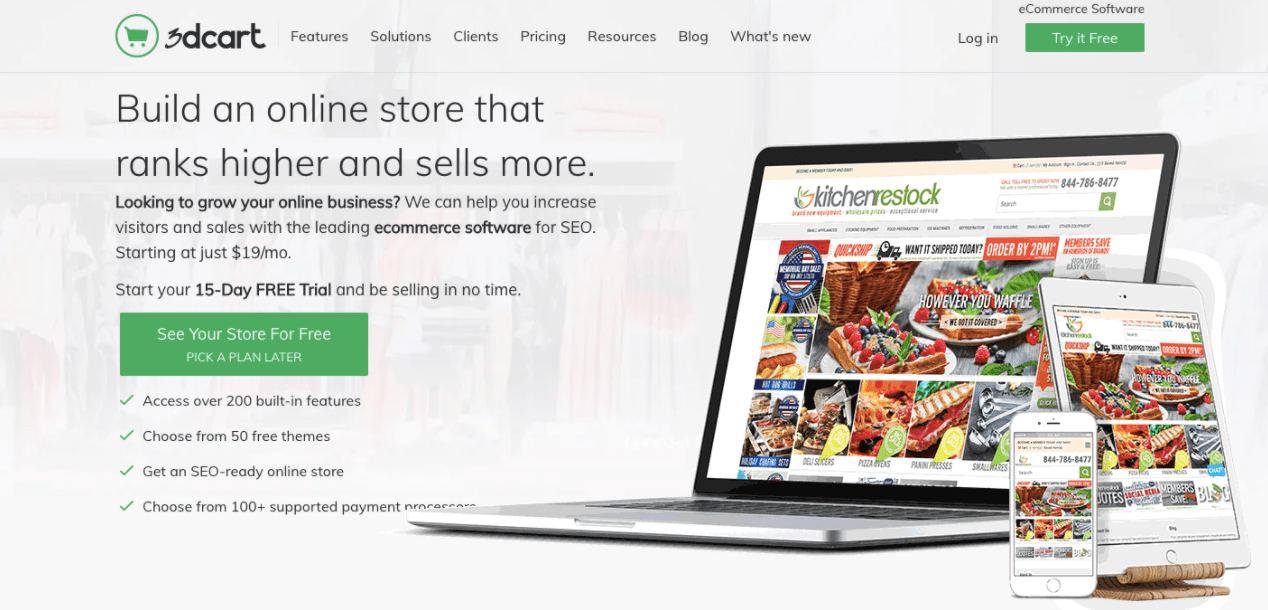
3dcart is an e-commerce platform with a high focus on SEO. It provides you with all the tools you need to build, promote, and grow your online store. Users can use 3dcart to start an online business, add a shopping cart to an existing site, or replace their current shopping cart platform.
Affiliates earn a 300% commission on each referred customer — which is up to $687 per referral. Their affiliate program runs on both the Commission Junction and ShareASale networks, and both offer the same commission and cookie life, so it’s up to you to decide which platform you like best.
13. Volusion

Commission: 200%
Cookie life: 45 days
Volusion is an e-commerce solution that enables small businesses to create, manage, and expand their online stores. They provide customers with exports to help them every step of the way, including help with domain purchase, web design, cart integration, SEO, and security.
Affiliates get paid a 200% commission on the referred customer’s first monthly payment, which can range anywhere from $29 to $299 (or, go even higher with their Prime custom tier). As an affiliate, you get access to marketing material to assist in your promotional efforts.
Best Web Hosting Affiliate Programs
14. WP Engine

Commission: $200+ per signup
Cookie window: 180 days
There are millions of websites on the internet, and 30% of them are built on WordPress. WP Engine provides super-fast web hosting for thousands of WordPress websites around the world.
WP Engine’s affiliate program runs on the ShareASale network. By promoting WP Engine plans, you can earn $200 per signup or 100% of the customer’s first monthly payment — whichever one is higher. You gain access to exclusive affiliate discounts you can offer to your audience.
You can also promote StudioPress themes and earn 35% of the sales generated. These purchases get 60 days of cookie tracking.
It’s important to note — WP Engine’s affiliate program is two-tiered, which means that you’ll get paid not only for referring customers, but also for referring affiliates. You get $50 for each of their referrals.
While it may not be easy to find an audience looking to build a new WordPress website, when you do find those users, the profits can be huge.
15. Kinsta

Commission: Up to $500 per referral + 10% recurring
Cookie life: 60 days
Kinsta was founded in 2013 by veteran WordPress developers “with a desire to create the best WordPress hosting platform in the world.” They strive to offer WordPress hosting that is fast, secure, and reliable.
Kinsta’s affiliate program pays an initial commission, followed by a recurring 10% monthly payment. Affiliates can earn up to $500 initially, depending on the type of plan the referral has purchased:
- Starter: $30
- Pro: $100
- Business: $150
- Enterprise: $500
While 10% may not seem like much, your referrals are likely to have a high lifetime value, thanks to Kinsta’s high customer retention rate of 95%.
16. Flywheel
Commission: 300%, up to $500 per referral
Cookie life: 90 days
As another dedicated WordPress hosting solution, Flywheel aims to take away all the hassle that comes with web hosting so users can focus on doing what they do best — creating and designing websites.
Flywheel affiliates can earn up to $500 per referral. You get access to tons of creative assets, from banners to co-branded landing pages pages to stylish social images. The Flywheel team will even work with you to create custom images that can take your commissions to the next level.
It’s worth noting that there is no minimum threshold limit to receive a payment.
Best Retail Affiliate Programs
Disclaimer: You’ll notice that commissions for retail stores are much smaller than what is offered by B2B because the purchase price is much smaller. But this also means that it’s easier to get your audience to buy those items (low price = low commitment), which could translate into high conversion rates and higher returns.
17. Amazon Associates

Commission: 1-10% (depending on the product category)
Cookie life: 24 hours
Amazon is one of the most popular online shopping platforms, so if you’re looking to buy something, chances are you’ll find it on Amazon.
Amazon Associates pays commissions between 1% and 10%, depending on the category the product purchased falls under. The most valuable items to promote are clothes and luxury beauty products, both of which can earn you a 10% cut on the price.
One of the main advantages of doing affiliate marketing with Amazon is that people already know the company and love to shop there, so it’s not a hard sell. The company has very high conversion rates, especially around the holidays. And because the product selection is so vast, it fits most kinds of businesses.
If you write about animals, for instance, you can promote cat treats or dog toys. If your audience is interested in cars, you can recommend jumper cables — you get the idea.
Additionally, if someone ends up on Amazon through your link and buys something other than what your content links to, you still get commission on the user’s entire cart.
Ultimately, the only downside is some categories have particularly low commissions, such as video games and electronics.
For businesses with large audiences, Amazon recently launched their new Amazon Influencer Program as an extension to the Associates program for social media influencers. You get similar benefits to the online Associates program, as well as your own page on Amazon with a unique URL to showcase the products you recommend to your followers.
Currently, you must have a YouTube, Instagram, Twitter, or Facebook account to qualify. Amazon looks at the number of followers and other engagement metrics of your social media accounts to determine whether you’re eligible for the program.
18. eBay Partner Network

Commission: 50-70% of auction fees (depending on the product category)
Cookie life: 24 hours for “buy it now” items, 10 days for auction items
With over one billion listings from a wide range of product categories, eBay’s affiliate program shares a lot of the same advantages as Amazon’s — well-known, high conversion rates, and a diverse selection of products.
The eBay Partner Network pays a commission of 50% to 70% of auction fees — not the sale price. For each item sold, eBay gets a cut by charging the seller an auction fee. You then earn a percentage of the revenue eBay earns from that purchase, based on the product category.
High-ticket items to promote are those falling under Parts & Accessories, or Fashion. You can have a look at the complete rate card here.
19. Target

Commission: 1-8% (depending on the product category and sales volume)
Cookie life: 7 days
While it doesn’t offer as specialized a selection as Amazon or eBay, Target remains a highly recognizable brand with a variety of different products.
Target’s affiliate program operates on a volume-based commission structure, meaning that your commission increases as the number of items purchased increases. Sadly, a product category that does not benefit from this model is the Health and Beauty products — the commission on this category caps at 1%, regardless of volume.
It’s also critical to note — most people tend to prefer buying Target products in-person, rather than online, so this could have an impact on your returns.
Best Beauty and Cosmetic Affiliate Programs
20. Murad

Commission: 11%
Cookie life: 7 days
Howard Murad, M.D. has devoted his life to the science of skincare, and is one of the country’s top skincare authorities. After treating individuals with various skin concerns, he began developing targeted formulas to treat skin conditions. Today, Murad is one of the leading companies in skincare products, and is popular for its treatments for acne, anti-aging, cellulite, age spot treatments, and more.
Murad’s affiliate program pays 11% in commissions. With an average order size of $90, affiliates can expect to earn close to $10 per referral. You are provided with dynamic banners and text links to promote Murad products. The company has on-going promotions, including free shipping and free products, to help you drive more sales.
21. Yves Rocher

Commission: 15%
Cookie life: 30 days
Yves Rocher offers a wide selection of botanical beauty products, including skin & body care, makeup, and fragrances. Additionally, they offer superior customer experience — for instance, they offer a free gift with any purchase.
Yves Rocher’s affiliate program offers a generous 15% commission rate on all sales (which is a relatively high rate in the retail B2C space). Like most programs, affiliates get access to promotional banners and other creative assets to use on their sites and social media accounts.
22. Scentbird

Commission: $14
Cookie life: 45 days
Born out of frustration with expensive perfume bottles collecting dust on a dresser or cabinet, Scentbird offers a delivery subscription service that gives you access to a 30-day supply of over 450 top designer fragrances. The subscription service lets you “date” fragrances before committing to “marrying” them.
Affiliates earn $14 for every subscription sales generated through their link and gives access to links and banners, fresh blog content, seasonal ads, and coupon codes to help them perform to the best of their abilities.
23. BH Cosmetics
Commission: 8%
Cookie life: 60 days
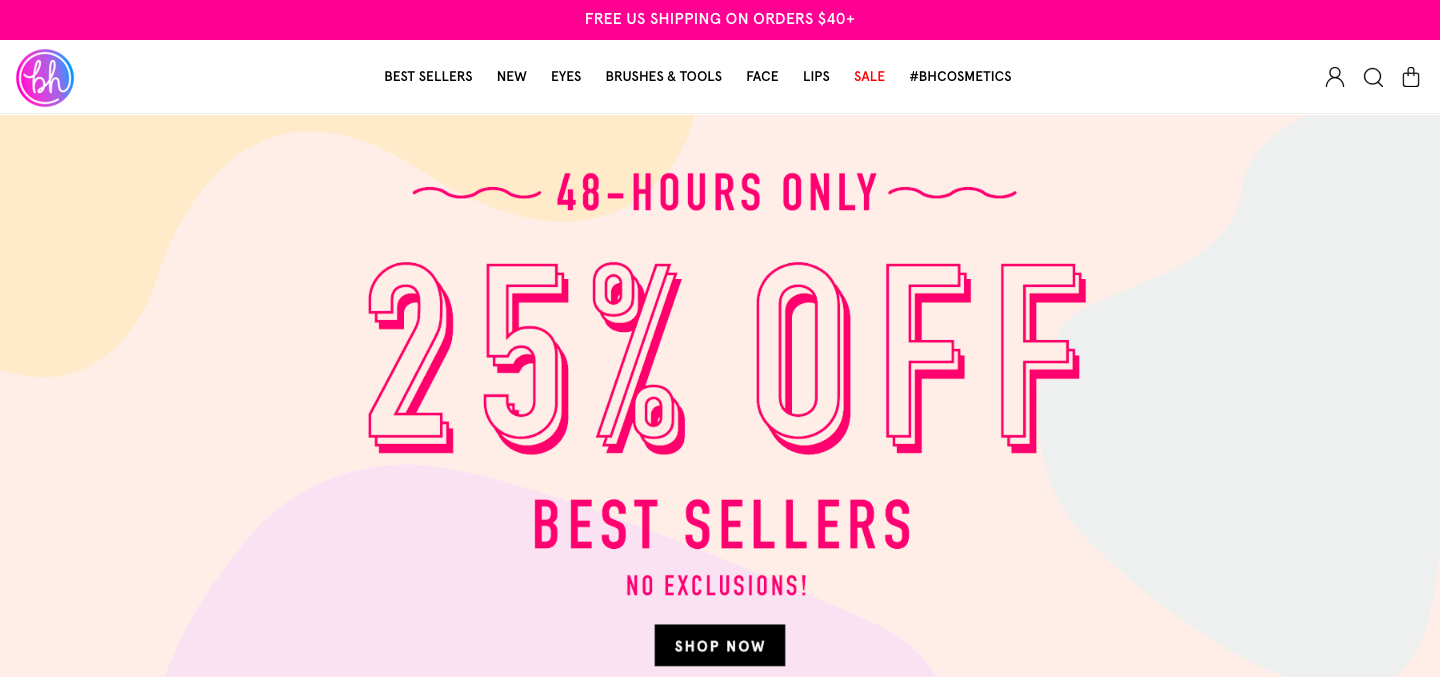
Born and raised in LA, BH Cosmetics is one of the leading companies in the beauty industry. They are passionate about creating new and innovative beauty trends and dedicated to bringing customers the best in cruelty-free cosmetics. They also run promotions and sales regularly to help convert those leads.
BH Cosmetics affiliates receive an 8% commission on purchases made within 60 days of the user’s visit. The site has an average order value of $38 and an on-site conversion rate of 6.46%.
As an affiliate, you’ll get exclusive access to coupons and banners you can use on your website, blog, or emails. You’ll also receive monthly affiliate newsletters. Plus, their dedicated in-house affiliate team runs monthly incentives and affiliate contests to encourage you to perform at your best.
Best Travel Affiliate Programs
24. Boatbookings

Commission: 20% + 10% for returning customers
Cookie life: 30 days
If you think your website visitors might be interested in chartering yachts, you might want to join Boatbookings’ affiliate program. Boatbookings specializes in luxury yacht chartering, boat rental, and sailing & motor yacht vacations.
On the charter value of a boat, Boatbookings receives commission on the net charter value (not including APA or any additional items ordered). On this commission, affiliates will earn 20% as a base rate, with a possibility for escalating rates if referring multiple clients. When customers return to Boatbookings, affiliates receive an additional 10% commission on that second purchase.
25. TripAdvisor
Commission: 50%
Cookie life: Session
Crowned the “world’s largest travel site”, TripAdvisor provides travelers with the wisdom of the crowds to help them decide where to stay, how to fly, what to do, and where to eat. The site helps you compare prices from 200+ hotel booking sites so you can find the lowest price on the hotel that’s right for you.
Powered by Commission Junction, TripAdvisor’s affiliate program pays a 50% commission off the revenue generated from a user clicking on links and/or ads that send them to a TripAdvisor partner site. Which means, unlike most other affiliate programs in this list, you don’t have to wait for your referral to make a purchase to earn your commission. As soon as someone comes from your website and clicks on one of the ads or links on the TripAdvisor website, you get paid.
On average, affiliates will earn between $0.15-$0.75 per click-out. While it may not seem like a lot, since your revenue is only dependent on clicks (and not purchase), this can add up quite nicely.
26. Cheapflights
Commission: Flat rate — up to $0.45 per click-out
Cookie life: Session
Cheapflights is a travel comparison site that helps users find the cheapest plane tickets.
Cheapflights is another company that rewards its affiliates not for bringing paying customers, but for sending traffic to their partners.
Affiliates are paid a flat fee when a user clicks through — $0.45 per click-out for desktop and tablet, and $0.25 for mobile.
As an affiliate, you get access to various creative assets, ranging from banners to search boxes and travel widgets, that allow your visitors to conduct a search on your site and display flights results on Cheapflights’ page. This is their most popular travel affiliate tool and generates the highest revenue per visit.
27. Momondo

Commission: Flat rate — up to $0.65 per click-out
Cookie life: Session
Momondo is a global travel search site that compares cheap flights, hotels, and car rental deals.
Each time someone clicks on a flight on Momondo’s website from your site’s link, you will earn $0.65 for desktop and tablet users, and $0.45 for mobile users.
28. Sandals Resorts

Commission: 4%
Cookie life: 60 days
Sandals is one of the most well-recognized names in Caribbean resort travel. The 15 Sandals Resorts offer luxurious vacations for couples and families traveling to Jamaica, The Bahamas, Barbados, and more.
The Sandals affiliate program pays you a commission for referring users to book either a stay in one of the Sandals Resorts, or booking an activity. While 4% might seem like a small percentage, these luxury resorts have daily rates that range from $150 to over $2,000 per person — which means, if a couple were to book a romantic week in a Sandals Resort at $500 per person per night, you would earn a commission of $280!
This program is only worthwhile, however, if your site and audience has a true interest in luxury travel to the Caribbean.
Best Personal Finance and Investment Affiliate Programs
29. Capitalist Exploits

Commission: 50%
Cookie life: 365 days
Capitalist Exploits provides trade recommendations for investors and anyone looking to outperform the market by sharing only the best low-risk/high-reward opportunities to subscribers.
If your target audience consists of investors, high net-worth individuals, people interested in investment, financial advisors, or wealth managers, then this program might be for you.
Capitalist Exploits pays a 50% commission on any referred sale with absolutely no limits. Their products range from $1,575 to $3,499. This means each referral brings you a minimum of $787.50. Affiliates also receive exclusive access to paid membership trials for your audience.
30. Kabbage

Commission: $250 per qualified lead
Cookie life: Unknown
Kabbage connects small businesses to capital. Small business owners can apply for up to $250,000 in funding.
Affiliates receive $250 for every referred customer who qualifies for the loan, and get an additional $50 when the referral gets approved. Each small business you refer will also receive one $50 gift card once they’re approved by Kabbage. There is no limit to the number of referrals you can make, or the amount you can receive.
31. Bluehost

Commission: $65 per sale
Cookie life: 45 days
Bluehost, a web hosting platform that supports more than 2 million websites, offers a phenomenal affiliate program for any business or entrepreneur looking to monetize their blog or website. If you promote Bluehost’s products or services on your own blog or website (either through custom banners or links), you can earn anywhere from $65 to $130 per sale generated from your website — an incredibly high fee.
Best of all, it’s free to join their affiliate program, and Bluehost offers reliable tracking to ensure you get credit for each lead you provide them. Plus, Bluehost offers affiliate managers who can offer support or personalized advice.
32. Hostgator
Commission: $65 to $125 per signup
Cookie life: 60 days
Hostgator offers both web hosting and building tools, and is incredibly low-cost for startups or ecommerce businesses with limited budgets — for instance, a starter plan costs only $3.84/month.
It’s free to become a Hostgator affiliate, and their tiered payouts are substantial — you can make $65 per signup if you provide Hostgator with 1-5 signups per month, and up to $125 per signup if you provide Hostgator with over 21 signups. You can either embed tracking links on your site or create a custom coupon code. Since Hostgator provides a 45 day money-back gurantee, it’s low-risk for your website visitors to try it out.
33. GreenGeeks

Commission: $50 for one sale; up to $100 for six sales
Cookie life: 30 days
GreenGeeks, an eco-friendly, secure web hosting platform, allows you to earn up to $100 per sale. They have a tiered program that pays generously — including $50 for just one sale, and $100 for six or more. Additionally, the company provides a selection of creatives, content, and banners to ensure you’re proud of the link or banner you include on your website or blog.
If you believe your blog readers or website visitors are interested in exploring web hosting platforms (for instance, if you write content for freelancers), this could be a good option to explore. Best of all, the company promotes eco-friendly alternatives, so you can feel good knowing you’re spreading a positive, “green message” to your site visitors.
34. Sage Financials

Commission: $10 per Cloud subscription sale, $7 for all other sales, $5 for free trial
Cookie life: 30 days
Sage Financials, a cloud accounting solution built on Salesforce that provides accounting, analytics, and reporting tools for small and mid-sized businesses, has an impressive affiliate program that includes a dedicated support team, commission paid directly into your bank account (and currency of choice), and detailed reporting on your performance and earnings.
Best of all, you’re able to receive commission even from free sign-ups Sage receives from your website or blog. If you feel your website visitors or blog readers are interested in accounting tools, this could be a good partnership to explore.
35. Wix

Commission: $100 per Premium sale
Cookie life: 30 days
If you’re interested in unlimited payouts with minimal effort, Wix could be for you. The web development company is one of the most popular web hosting platforms, and offers $100 per Premium referral with no limit on the amount of people you can refer (which means, if you refer 10 people, you’ve already made $1,000). Additionally, Wix provides links and creatives, including banners and landing pages in all languages, to make it easy for you to include their link on your site.
However, it’s important to note, there is a minimum sales target you need to reach to get paid — $300 per month (if you make less than that, your earnings will stay in your account until you reach that benchmark). If you feel your website, blog, or social channel is visited on a regular basis by prospects who might be interested in creating their own website on a hosting platform, this could be a good program for you, but if you’re unsure if you can meet the mimimum sales target for a while, you might want to reconsider.
36. Fiverr
 Commission: $15-50 for Fiverr CPA, $10 CPA + 10% RevShare for Fiverr Hybrid, or 30% of every Fiverr Learn course order
Cookie life: 30 days
Fiverr has a few products you might promote on your own website or blog — including Fiverr (the freelance marketplace with digital services for everything from marketing to tech), Fiverr Pro (access to hand-vetted talent trusted by major brands), and Fiverr Learn (courses for freelancers and businesses looking to expand skills).
If you work with clients who might need to hire a freelancer for marketing, design, or tech skills, or you write a blog for entrepreneurs and want to promote Fiverr Learn, you might want to consider partnering with Fiverr. The popular site, with over 5.5 million users, offers affiliates a dashboard to manage and monitor campaigns, and creative assets to help you promote their services. Of course, commission varies depending on the service you want to promote — take a look at their full offerings here.
37. Unbounce
 Commission: 20% of recurring revenue for every customer you refer
Cookie life: 90 days
This popular landing page platform — used by brands such as Campaign Monitor and Zola — helps users design high-converting landing pages for SaaS businesses, ecommerce sites, and agencies. Additionally, Unbounce’s Affiliate program is impressive, with the opportunity to earn 20% of the recurring revenue for every customer you refer to Unbounce.
Plus, your site visitors or social media followers get 20% off their first three months using Unbounce, making the exchange valuable for them, as well. Unbounce provides you with plenty of tools to succeed using their Affiliate program, including a Partner coach, custom dashboard to track progress, and training and promotional materials to ensure you’re promoting their business as effectively as possible. If you’re a marketer hoping to help clients increase conversions on their landing pages, this partnership could be a win-win for you both.
38. Invoice Ninja
 Commission: 50% on all referrals for four years
Cookie life:
Invoice Ninja, a free open-source invoicing app for freelancers and businesses, offers a Ninja Pro Plan for just $10 a month — and, as an affiliate partner, you can make 50% on all referrals for four years. That means, if you refer 100 Pro users, you’ll receive $5,000 every year for the next four years.
Additionally, any user can start free and upgrade when they decide it’s worthwhile, so it’s easy for your site visitors to give the tool a try. You can provide their affiliate link in your email signature, on a blog post, or in an email newsletter, and Invoice Ninja provides both logos and ads to make it easy to promote their tool. If your social media followers or website visitors are typically online entrepreneurs or freelancers, this could be a good partnership to consider.
39. Constant Contact
 Commission: $5 for each referral that signs up for a free trial, and $105 when your referrals pay for a new account
Cookie life: 120 days
Constant Contact offers powerful email marketing tools for small businesses, bloggers, and entrepreneurs. Among other things, users of Constant Contact can use the tools to create Instagram and Facebook Ads, automate their email marketing campaigns, or target new ecommerce customers and send follow-up emails to increase revenue to their online stores.
The company’s affiliate program enables you to earn $5 for all qualified leads, and $105 when the referral becomes a customer of Constant Contact.
Additionally, you’ll receive promotional materials, a tracking dashboard, and personalized support to help you succeed with the affiliate program. Constant Contact is used by major brands including Facebook, WordPress, and Shopify. If you believe your clients or prospects could benefit from email marketing tools, this is a good partnership to consider.
40. Typeform
 Commission: 10% off subscription; no limit on referral discounts
Cookie life: Unknown
Typeform, which offers conversational forms and surveys including Contact Forms, Employee Satisfaction Surveys, and Event Lead Capture Forms, doesn’t offer commission on referrals, but the company does deduct 10% from your own account when one of your referrals subscribes to a paid plan. That means, with 10 referrals, you can deduce your Typeform bill to zero dollars.
Additionally, it’s important to note — your discount doesn’t expire. You’ll continue to receive 10% off your subscription for each referral that joins Typeform for as long as that referral keeps their own account.
41. Hammacher Schlemmer
 Commission: 8% on any sale
Cookie life: 30 days
Hammacher Schlemmer is America’s longest-running catalog with a lifetime of over 150 years, and continues to successfully sell items ranging from electronics to travel to outdoor living. Additionally, the company offers an impressive affiliate program with the potential to earn incredibly high commissions.
They offer 8% commission on any product you’re able to sell through your own website or blog. While 8% might not sound like a lot, consider some of the higher-priced items they sell, including a Muhammad Ali Autographed Photo Collage for $5,000, or the Full Immersion Professional Racer’s Simulator for $65,000.
Ultimately, if you’re able to find products or services on Hammacher Schlemmer’s website that align well with your own core offerings or might interest your buyer persona, you might consider partnering with the brand.
Additionally, this affiliate program could be a good idea for an ecommerce business interested in expanding their offerings. Hammacher Schlemmer provides tools (including password-protected online reports) and content to help your online store succeed.
42. Spocket
 Commission: 20% per Bronze subscriber; 25% per Silver subscriber; 30% per Gold subscriber (up to 445.50 per subscriber)
Cookie life: 90 days
Spocket, a dropshipping supplier, wholesaler, and distributor of high-quality United States and European products, enables entrepreneurs to choose products to sell from thousands of dropshipping suppliers around the world. They also offer an incredibly impressive affiliate program — you can make up to $450 for each customer you find for Spocket, and you’ll continue to collect commission off your referral’s Spocket account as long as they remain a customer.
Their program will also provide you with the tools and resources you need to successfully promote their business. If your website visitors are entrepreneurs or ecommerce businesses, this is a good affiliate program to explore.
Ultimately, when deciding which program to choose, there are many key elements to keep in mind, including how established your online following is, and how much you want to earn.
And, most importantly — who is your audience, and what are they interested in?
Think about what your website visitors or your social media followers need and could benefit from, and choose an affiliate marketing program that will let you promote products in support of that.
You might also want to consider affiliate networks like LinkShare or CJ Affiliate that offer many different programs to choose from. There are no limits to the number of affiliate programs you can join.

9 Ways Healthcare Marketers Should Utilize Social Media
Social media is no longer a marketing afterthought for companies and organizations. Every major brand is present across the major social media platforms, and they are actively planning strategic campaigns around social activity. Companies from every industry have made the leap into social media, but healthcare lagged behind. In fact, a survey by Greystone in 2015 reported that most healthcare marketers considered their efforts behind the curve compared to other industries.
The good news is that there has since been a large adoption of social media since this report with 96% of respondents (up from 80%) showing an active Facebook account at the very least.
Why so late, though, when social media has been a viable market strategy for much longer? Part of the reason was a lack of understanding about what social media is and how it integrated with current healthcare marketing efforts. Another part was a fear of how it affects patient privacy and compliance with regulations such as HIPAA.
Healthcare Social Media Marketing
With the internet and social media, patients are more empowered than ever to make their own healthcare decisions. With 72% of adults actively using social media in 2019 and 47% of internet users making health-related searches (according to Pew Research), social media marketing is more important than ever to healthcare providers.
Pros and Cons of Social Media in Healthcare
You might be considering whether or not social media is right for your practice or organization when there are so many other less risky channels. At the same time, it seems as though the good might outweigh the bad.
Pros
- Increasing professional network
- Attracting higher patient count
- Increasing awareness for health topics and issues
- Connecting patients with health education
- Disseminating information quickly
- Cost-effective
Cons
- Maintaining compliance
- Balancing professionalism while being engaging and approachable
- Avoiding negative responses
All of this means healthcare social media marketing is a growing opportunity for providers. However, it must be done right. Here are some tips that you can implement into your social media strategy today:
Best Practices for Social Media in Healthcare
- You still have to comply with HIPAA.
- Give your organization a voice.
- Educate your audience.
- Counteract misinformation.
- Share public health and crisis monitoring information.
- When it does come time to promote your services, don’t be afraid to advertise.
- Take every opportunity to engage.
- Share resources and support.
- Give your audience content they can’t get elsewhere.
1. You still have to comply with HIPAA.
Always remember that to comply with HIPAA regulations, as well as medical ethics codes, you must protect the privacy of your patients at all times. Don’t share any information about patients, or information that could potentially identify patients, such as physical descriptions or mannerisms.
2. Give your organization a voice.
Healthcare companies can come across as a bit sterile, which is great when they’re talking about the cleanliness of the equipment but not so great when communicating with patients and the public. Here are some tips to liven your social media copy:
- Use social media as a way to interact and engage with your patients or customers.
- Show a bit of personality by choosing a specific tone and using language that provides levity.
- Humanize your organization by showing the faces behind the organization.
- Respond to all reviews and inquiries.
3. Educate your audience.
One interest most of your audience has in common is health and fitness, yet the human body is complex. Social media is a great way to inform individuals about health, reduce risky behavior, and help prevent or reduce the effects of disease and other health hazards.
Don’t solely create self-promotional posts when you can focus on ways that you can help your audience. Making your organization a rich resource establishes trust, which is great positioning once it’s time to find a healthcare provider.
4. Counteract misinformation.
There’s a lot of misinformation on the internet about health and fitness. In fact, a study in 2019 found that the top 50 viral news articles perpetuating fake health information earned more than 12 million shares, comments, and reactions. This free information age is largely a good thing, but it has led to serious issues with false narratives in healthcare, which can be extremely harmful. Think about ways in which your organization can combat this and use social media to positively impact patients and the public.
5. Share public health and crisis monitoring information.
According to Pew Research, social media outpaced print newspapers as a news source in mid-2016. In 2018, 20% of U.S. adults said they get their news from social media, making it a prime platform to distribute critical information. As a healthcare professional, you may find yourself in a unique position to provide information in times of breaking news or crisis. Just remember to keep the health and safety of your audience in mind.
6. When it does come time to promote your services, don’t be afraid to advertise.
Apparently, the average young American is projected to spend nearly 7 years on social media during their lifetime. It’s kind of a no brainer, then, that advertising online is a sustainable way to reach your audience now and in the future. On many platforms, sponsored content outpaces organic reach by a significant amount. On Facebook, for example, the organic reach of a post is just 6.4% of a page’s likes. This almost necessitates a pay-to-play strategy to expand your reach to new and existing audiences.
Your social media ads need to be relevant, well-written and accompanied by an image that will grab your audience’s attention. In addition, you must ensure that any content you produce and promote is HIPAA and FDA compliant (not to mention compliant with each platform’s terms of service regarding health content).
7. Take every opportunity to engage.
Instead of publishing into the void, ensure that you take the time to foster connections with those who engage with you. Responding to their comments, posting polls, and asking them open-ended questions related to your content are all ways to get social media users to stop and consider your content and your brand. A smaller engaged audience is much more valuable than a large unengaged audience. Fostering a relationship leads to trust, and as mentioned earlier, trust leads to business.
8. Share resources and support.
A section of your audience may very well include some of our community’s most vulnerable members or even individuals just looking for help. As you choose to produce content that serves a purpose for your audience and helps them, you might want to include promoting awareness for support and resources.
For example, your organization may have resources already in place that you can promote such as free or low-cost classes, seminars, or webinars around related topics. You can also consider boosting local charity organizations or support communities. As some individuals may be dealing with stress related to their health situation, having access to this information may be a source of relief and have a positive impact that they won’t forget.
9. Give your audience content they can’t get elsewhere.
The sky is the limit here: video tutorials for how to use at-home healthcare monitoring devices, product demos for equipment that you’re selling to hospitals, and infographics with tips and fitness exercises for wheelchair-bound patients are all great examples of helpful content.
No matter which industry segment your healthcare organization is in, whether it’s patient-facing or B2B, whether you’re a company selling state-of-the-art stethoscopes or a hospital performing cutting-edge surgeries, you have something unique to offer your audience. When it comes down to it, this is what will get you shares, likes, retweets and favorites.
Social media isn’t so scary once you get started. If it helps, monitor other healthcare companies on social for a month or two first, and see what they post. Make notes of what resonates with you and their audience. From there, you can build your own voice and start engaging with your audience on social media.
Editor’s Note: This post was originally published on Apr 3, 2015 but was updated on Mar 25, 2020 for comprehensiveness.

6 Amazing Ways to Use Facebook Local Awareness Ads
I love learning, and recently, I’ve been pondering taking an online course or two at a local college, just to sharpen my marketing and communications skills.
When I started doing some research, like typing in local colleges and looking at courses, I took a break periodically to check social media.
Surprisingly, as I was perusing Facebook, I noticed I had a brand new Reach Ad on my news feed:

I knew this was a Reach Ad by the way it’s designed. The copy is short, but it provides actionable language and was shown to me as a response to my recent search queries.
Ultimately, the ad is incredibly effective. My high-intent while searching for education courses in my area makes me an ideal candidate to receive this sort of message. After seeing the ad, I immediately clicked the “Learn more” CTA.
This is an example of Facebook’s Local Awareness Ads. Here, let’s explore what Local Awareness Ads are, and how you can use them to take your marketing strategy to the next level.

You can use Reach Ads to let customers know about a promotion or upcoming sale, giving audiences an incentive to visit your website. Reach Ads can also build interest in a time-sensitive event, such as a happy hour or special offer, and make the content shareable.
Reach Ads are also helpful for building your brand’s ties to the community. An ad can be created to share your business’s origins and how your company is connected to the area.
Let’s talk about some of the features that make these outcomes possible.
One spectacular ad feature is the four different types of call-to-action buttons, each with their own purpose:
- Get directions — This CTA button help users find your business from their device. If you want to increase foot traffic to your business, this is the button for you.
- Call now — In general, think of this as your “build customer relationships” button. A customer can tap on this button to call your business, helping you facilitate sales conversations.
- Send message — When users click this button, they can send a direct message to your business, so this CTA is a great way to increase leads.
- Learn more — If raising webpage traffic is one of your biggest goals, this CTA button will send users directly to your website in order to learn more information.
These CTA options are one of the ways Reach Ads helps with exposure. When developers at Facebook talked with advertisers, they learned that the number one driver for in-store traffic is reach, which became the developers’ focus when building the ad tool. Advertisers can select locations for their ads instead of specific users, to respect the users’ privacy.
When advertisers select audiences, Facebook doesn’t note how many people are in an audience, and users will only see ads if location services are enabled on their device because that’s how Facebook tracks a location.
Now that you know about Reach Ads, and how they can help you out, let’s explore some tips to make your ads shine in your users’ news feeds.
Tips for local awareness ads.
Every local business has a story to tell. In order to help businesses share that story to the correct audience, Facebook created Reach Ads. Here are a few ideas you can use to make sure your ads have the biggest impact.
1. Follow Facebook’s Recommendations For Reach Ads.
When you’re formatting your ad, pay attention to the structure. Does it fit Facebook’s recommended optimization ratios?

If, after you create your ad, you notice you have 130 characters for ad text or a 25 character description, don’t sweat it. Those characters are flexible, but make sure your image size is always the highest resolution available, so your media element is visually pleasing to customers.
2. Use Reach Ads To Increase Brand Awareness.
The marketers at Canadian communications company, Rogers Communication, wanted to increase awareness of its new data plan by connecting with family-oriented audiences on Facebook.
One of their methods included using the “Learn More” CTA button (remember, this button is great for building customer traffic) on their ad. This encourages prospective customers to call and visit the website to learn more about the plan.

After using Reach Ads to connect with their target audience, the campaign reached 65% of their total audience, as well as a six-point lift in intent to purchase. The ads were fast-paced videos that showcased the advantages of an unlimited data plan, like the one Rogers was offering, and connected with their audience.
3. Use Facebook Retargeting To Engage Visitors.
When you use Facebook retargeting for ads, you are using a tool that encourages visitors who leave your site before converting to stay a little longer. The way this happens is by showing them a personalized ad to introduce the conversion opportunity.
In general, using a Facebook retargeting campaign lets you remind potential customers about your business.
I recently browsed some products at a few clothing and beauty stores. When looking at my sponsored content on my Facebook news feed, I can see which businesses’s decision-makers have chosen a retargeted campaign:

I added products to my cart from both of these stores, and based on my Facebook searches, these are the retargeted ads Facebook is choosing to show me.
These dynamic ads engage with leads who have interacted with your brand already, such as email subscribers or previous customers. These leads already know about your brand, so they’re closer to conversion than customers who haven’t interacted with your brand yet.
Engaging visitors with a retargeting ad boosts the effectiveness of your Reach Ads, personalizing the customer journey for leads with a further step.
4. Include Reach Ads In Your Sales Strategy.
Reach Ads can drive sales.
For instance, when the marketers at lifestyle magazine Essence began planning a campaign that would boost ticket sales to their festival, Essence Fest, they decided to use Reach Ads, and found phenomenal success by doing so.
Essence’s team found that Facebook’s ad options provided the necessary solutions they needed to make a dynamic campaign with creative elements that helped them exceed their ticket sale goal.
The campaign used videos, slideshows, and retargeting for their campaign. A video from this campaign showed Facebook users past performers, the festival’s message, and included a CTA to get customers to buy tickets.

Since this was Essence’s first time using a strategy as expansive as this one, they were very interested to see the results of their campaign. After two months, the campaign earned Essence 1,600 ticket sales from Facebook ads.
You can use Reach Ads to drive in-store sales by using the “Get Directions” or “Learn More” CTA buttons and changing up the language in a current ad to encourage more action to purchase.
5. Encourage Customer Attendance At Your Store.
Home furniture retailer Pier 1 used Reach Ads as part of a marketing campaign to increase foot traffic at physical locations. The goal was to gain more visitors over the winter holidays using a mix of video and photo ads.
When decision-makers at Pier 1 saw that brand loyalty was dropping, they decided to use the winter holidays to launch a campaign on Facebook to get more people in stores. As a result, the campaign used copy that invoked action.

Notice how the ad makes use of the “Get Directions” CTA button, reinforcing easy options for potential visitors to find their way to a store.
From a carousel ad that showed new collections, an emphasis on current sales and the Pier 1 brand, the company’s dynamic campaign, running from November—December 2018, earned a 5% increase in in-store traffic.
6. Analyze Reach Ad Performance To Measure ROI.
Tracking the performance of ads is an essential step in running a campaign. Ad insights lets you know if your ad was profitable and successful. The key metrics of an ad’s campaign gives you an idea of how to make improvements for more effective ads.
Facebook has an Ads Manager that provides insights and metrics about all of your ads, including all of your Reach Ads. You can track the exposure your ad is getting and how frequently people are seeing your ad.
To illustrate these tools, here is a screenshot from Ads Manager showing the amount of money being spent on an ad by the account holder. The next tab will show how many audience members are being reached with that ad spend.

Ads Manager also shows you ROI data in the form of cost per 1,000 users reached. This metric will show you the costs of current campaigns compared to previous ones, and provides metrics to help you maximize ad spend.
Last but not least, Facebook’s Ad Manager shows you button clicks at the end of your campaign. Button clicks will tell you how many people interacted with your CTAs. If you test out different buttons for different Reach Ads, you can infer which types of buttons are more successful and keep those in future campaigns.
Even though Reach Ads have been re-named to better explain their purpose, they’re synonymous with the concept of local awareness. They are a cost-effective way to spread the story of your business without traditional advertising channels, like newspapers. The precise capabilities of Facebook’s Reach Ads improve the number of customers who are more likely to interact with your business.

The Ultimate Guide to Local Marketing
When I moved to Chicago two years ago, I knew very little about the city and my new neighborhood. As I got comfortable and established myself as a new Wrigleyville resident, I made a very important friend in Google.
Google helped me find the businesses, vendors, and specialists I needed in a new city — from a hair salon and gym to an appliance repairman and locksmith. But Google couldn’t have helped me discover these folks without those businesses investing in local marketing.
Did you know that 97% of people learn more about a local company online than any other medium? In fact, 88% of mobile online searches for local businesses result in either a call or business visit within one day.
If your business caters to a local audience, has several service areas, and/or has a brick and mortar location, local marketing is a must-need strategy. In this guide, we break down local marketing and a slew of helpful strategies to help you get started.
What is local marketing?
Local marketing is a marketing strategy that targets consumers and customers within a certain radius of the physical location(s) of a business. Local marketing is also known as neighborhood marketing or local store marketing.
If you have at least one brick-and-mortar business location (this applies to both local businesses and chains), local marketing is a marketing strategy you should consider adding to your arsenal. Local marketing can work for any brand that has a physical location, but it’s especially important for locally-based businesses whose primary business happens in-person (versus online, where consumers in any location can make purchases).
Local marketing allows you to hone your resources on a select audience — one that can actually respond to and shop from your digital and print advertisements.
The key to successful local marketing is accurately defining your buyer personas. This process helps you better understand your target audience’s demographic and psychographic information, including their geographic location(s). This location data is how you can pinpoint where you can funnel your local marketing energy.
If local marketing sounds like an approach you’d like to apply to your own business, make note of these strategies. You may be able to attract new local customers by implementing these for your company. (Hey, sometimes small local businesses have the biggest viral marketing campaigns.)
Here are 9 local marketing tactics that you can use to attract new business from your local area and surrounding neighborhoods. Don’t hesitate to combine these strategies to strengthen the impact of your local marketing.
1. Confirm your website is mobile-friendly.
You probably aren’t surprised that over half of worldwide internet traffic happens on mobile devices.
But did you know that 61% of mobile searchers are more likely to contact a local business if they have a mobile-friendly site? A mobile-friendly site is critical to attracting new business, especially local customers.
Mobile-friendly sites load seamlessly when accessed on a mobile device. They often show bigger text, form fields, menus, and buttons, making it easier to browse site information on the go.
Before you embark on these local marketing strategies, confirm your website is mobile-friendly. If you’re not sure about your own site’s mobile responsiveness, use Google’s Mobile-Friendly Test tool.
2. Localize your website.
Localizing your website involves making your web content relevant to your local audience and consumer base. First, add location-based terms to your website. For example, instead of “vegan bakery,” your homepage could read “best vegan bakery in Wrigleyville”.
Localize your web content wherever relevant, and keep this language consistent between your website, social media, and digital ads.

Secondly, add location pages to your website. This is especially important if you have more than one brick and mortar location. These pages publish your business name, address, phone number, and other relevant store information; they also help you rank on local SERPs.
3. Claim your local listings on third-party websites and directories.
There are numerous third-party websites, directories, and review sites that highlight local businesses and educate consumers on where to shop. As a local business, you don’t want to miss out on this traffic (both digital and foot).
These sites are important for SEO and search intent purposes; for example, consistency between your name, address, and phone number information (referred to as NAP) is extremely important, and these directories help you establish that online.
The most important listing you’ll want to claim is Google My Business. This will allow your business information to show up accurately when people search for your name, industry, products, or all the above.

This process will also equip customers to start leaving you reviews — another critical component of drumming up local business. Visit Yelp, Yellow Pages, Better Business Bureau (BBB), and Foursquare to claim/create these listings, too. Tools like Moz Local simplify this process so you don’t have to do it manually.
Depending on your industry, there may even be service-specific ones you can list on, such as Niche.com or GreatSchools.org.
Setting up these listings legitimizes your business’s online presence and improves your search engine rankings. Most importantly, however, these websites also fuel word-of-mouth marketing — today’s strongest marketing strategy by far.
4. Invest in local SEO.
Local searches lead 50% of mobile users to visit stores within 24 hours. But this wouldn’t be possible without local SEO. Local SEO is optimizing your website to rank for locally-relevant terms and keywords. Google Trends is a helpful tool here for identifying what terms are popular in your location and for your industry.
In addition to localizing your website, create local content. Promote local gatherings, neighborhood events, and industry listings from your area. This type of content helps localize your website and paint you as a local authority.
5. Localize your paid advertising.
Local advertising is another powerful way to reach your local audiences. Not only does this strategy target specific audiences and personas (hint: based on their location), but it also involves adding relevant keywords to your ad content.

Include terms like your city or neighborhood to your listings and incorporate location data where possible.
6. Go local on social media.
Social media is arguably the quickest and most efficient way to connect with local and global shoppers alike. Most social platforms provide plenty of localization options, from setting a location in your profile to tagging the location of each post.

You can also share local hashtags in the caption or comments.
7. Be active in your community.
People are proud of the cities, towns, and neighborhoods they live in, including their local businesses and organizations. When you support your community as a business and employer, your community is likely to support you, too.
Get active with non-profit activities, local sports teams, community school events, county fairs or expositions. If you can’t physically attend, consider sponsoring an event to get more eyes on your brand name.
8. Don’t forget your local media.
Local news consumption is still alive and well. Consumers trust local media to keep them updated about their communities and neighborhoods, and that includes business and economy-related information.
Invest in radio advertising, take out an advertisement in the local newspaper or find your way on your town’s morning news show. Whether you’re marketing your grand opening or simply want to get your brand name out there, any exposure through the local media can help bring new customers to your door.
9. Leverage your ecommerce activity.
Ecommerce and local marketing don’t have to be mutually exclusive; both can bring in new business and provide excellent experiences for your customers. In fact, you can use ecommerce to boost your local business (and vice versa).
For example, consider offering an in-store coupon for every online purchase or providing free in-store pickup or returns. These strategies get customers in the door and browsing your store — even those who discovered you online.
These local marketing ideas put the above strategies to work. Consider adding some of these ideas to your next round of marketing efforts.
1. Distribute local print marketing materials.
Design and print high-quality business cards, postcards, and flyers — even car magnets. Not only will these be a physical piece of your brand for customers to hold onto, but they can equip your customers with the tools to market on your behalf. Bonus: Include a small discount or freebie coupon on your business card to bring customers back.
2. Become a local sponsor.
Get your business name in front of new customers by sponsoring a local sports team, school event, or non-profit fundraiser. This strategy allows you to showcase your brand on signage, marketing materials, and even uniforms.

3. Invest in booth space at local events.
Another way to get new eyes on your business is by purchasing a booth at a local event. The price for booths range depending on the event and anticipated attendance, but it’s always a good investment — you can give away branded merchandise and connect with more members of your local community.

4. Hold a contest on social media.
Use digital channels like social media to increase your foot traffic. Consider holding a contest through which participants can enter on social media and collect their prize in person. You can also offer discounts or free giveaways if shoppers engage with your social media profiles, share their purchases, or tag the business on Facebook or Twitter.
5. Use a sidewalk sign.
Nothing gets the attention of local shoppers like signage. Set up a sidewalk sign outside your business to attract shoppers that are walking or driving by. Be sure to include your business name, “open”, and perhaps your business hours. Another option here is billboard advertising, especially if you’re marketing in a heavily trafficked area.

6. Set up a suggestion box.
You’ll never know how to better attract customers if you don’t ask them. Set up a suggestion box in your business to give visitors an anonymous way to share feedback about their experience. Check this box weekly and implement anything new you may learn.
Local Marketing Helps You Grow Better
Local marketing helps you reach new audiences, boosts your search rankings and online traffic, and helps establish your business in your local community. Invest in these local marketing strategies to bring new customers in your doors today.

How to Create a Product Launch Email [Outlines + Templates]
There are few times more exciting in a company than during a product launch. Anticipation brews and a sense of optimism emerges around the prospect of a growth in market share.
Still, a question always arises when a new product launches: do enough people know about this product launch for it to be successful?
There are multiple avenues to communicate through during a product launch — ads, social media, PR, and blog promotion, to name a few. Yet one of the most underrated and effective communication methods to alert internal and external stakeholders is a product launch email.
Not only can product launch emails be used for raising awareness of the product launch outside of your company, but they can also be used to communicate vital information about the launch to those inside of your company.
In this post, we’ll walk you through the steps for writing three different types of product launch emails, include some suggestions for your product launch email subject lines, and outline the ideal product launch email sequence.
Featured Resource: Product Marketing Email Templates [Download Now]
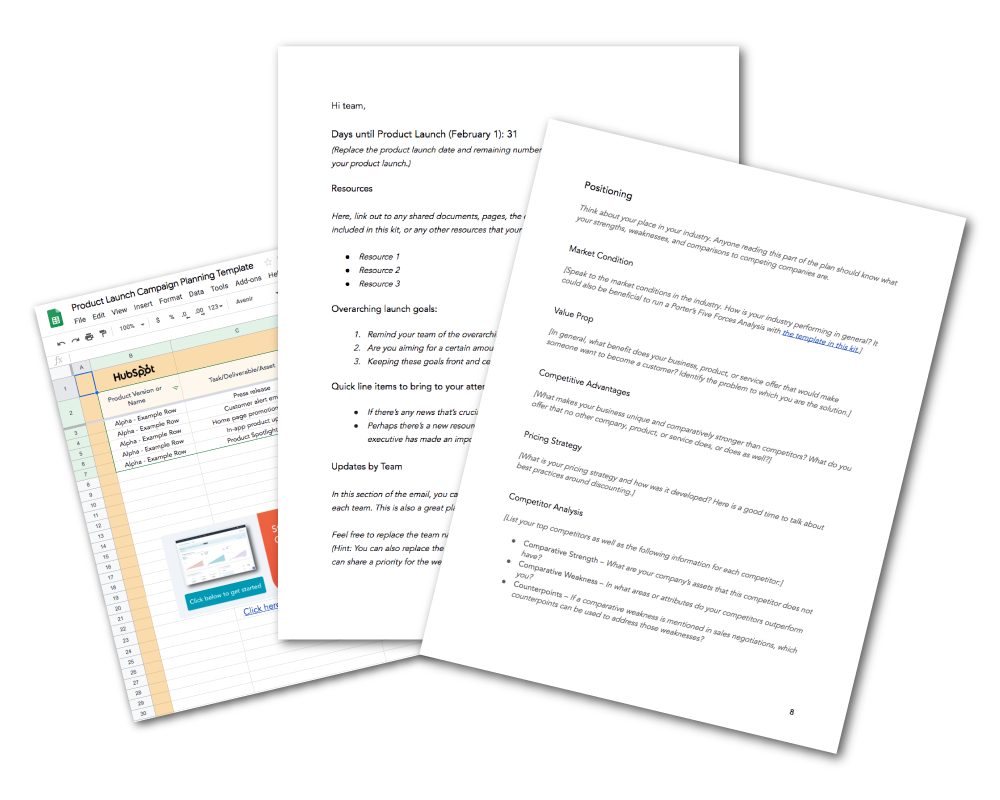
HubSpot’s Free Product Marketing Kit is full of the organizational templates you’ll need to spread the word about your product, including email templates. Why waste time starting from scratch? Click here to download the templates.
Internal Product Launch Email
You’ll want to share an internal product launch email with your entire company on either the day of or prior to your product launch. With this email, you’ll want to turn all of the employees at your company into an enthusiastic, well-informed word-of-mouth marketing team by providing them with:
- An overview of the product.
- Why employees should be excited about it.
- “Lazy copy” for email and social media that employees can copy and paste.
Here’s an outline of an internal product launch email. You can also download it as a template with more details.
1. Subject Line and Preview Test. Keep the subject line at or under 12 words. We’ll provide a list of examples below.
2. Greeting and Tl;dr. Just like you, the employees at your company are busy, so capture their attention with a quick hello and a 1-2 sentence overview on the product launch.
3. What is it? Give your readers the very basic info on your product, like what it’s called, what it does, when it’s available to the public, and how much it costs. You should also include an image so readers have a visual reference.
4. Why it Matters. Why should your employees be excited about this launch? You can go a little more in-depth here, so explain what void this product fills in the market and what opportunity you’re seizing on to expand your market share, delight more users, and expand your customer base.
Some questions you can answer in this section are:
- Does this update address a common customer complaint?
- Are you bringing your product up to par for the market you’re in?
- Do you have statistics or revenue projections to prove the importance?
5. How it Works. In this section, give a brief overview of the steps required to get or use this product/feature. How do your customers sign up? Are there any usage limitations? Anticipate frequently asked questions — particularly from salespeople, marketers, account managers, and support reps — and try to reduce confusion upfront.
6. Who It’s For. If you haven’t already covered it, say who the intended audience for this product is, or if any users will automatically see this new feature. This section is particularly important for regional or language-specific products.
7. Where to Go With Questions. Provide the contact info and name of the person or people who are best equipped to answer any questions about the product, its launch, or its promotion.
8. Lazy Copy. You’ll want to make it as simple as possible for employees to share the product launch over email or social media. Provide sample text and URLs that can be copied and pasted — or better yet, pre-made social links from a site like Share Link Generator.
Here’s an example of lazy copy for every situation.
- Twitter: We’ve just launched [Product Name] here @[Company Name]! This new feature will let you [List Main Benefit]. Click here to learn more about it >> [Insert URL].
- LinkedIn: It’s an exciting day here at [Company Name]! Today, we’re announcing our launch of [Product Name] – a new product that [List One or Two Major Benefits or Features].
We’re thrilled to finally share this with our customers. Learn more at our website, and reach out to me if you have any questions about the new product! [Insert Product Page URL] - Email:
Hi [First Name],
Exciting news! I’m reaching out to let you know that [Company Name] has just launched our new [Product Name]. This feature will [List One or Two Major Benefits or Features].
If you’ve been struggling with [Issue this Product Solves], I think [Product Name] would be a big help. If you’re interested in learning more about it, feel free to reach out to me to set up some time to chat. You can also learn more about it on our website here >> [Insert Link].
Let me know if you have any questions or want to talk more.
Thanks!
[Your Name]
Internal Product Launch Email Subject Lines
Need a good email subject line for your internal product launch announcement email? Try one of these on for size.
- It’s Time! [Product] is now live. Click to learn more!
- We just launched [Product] – And we need your help
- [NOW LIVE]: [Product] is available to the public
- [Product] launches today. Here’s what you need to know.
- The moment you’ve all been waiting for: [Product] is here.
- [PLEASE READ]: Everything you need to know about [Product].
- [Product] goes live today. Help us spread the word!
Internal Product Launch Update Email
The internal product launch update email is best shared with direct stakeholders in the product launch. For example: product marketers, product managers, designers, and social & PR.
These emails should be sent routinely leading up to the official product launch (every week, every other week, etc.) and provide readers with actionable steps on what has happened since your last email, what needs to be done, and whether or not you’re on track for launch.
Here’s an outline of what your internal product launch update email should look like. You can also download it as a template with more details.
1. Subject Line and Preview Text. Keep the subject line at or under 12 words. We’ll provide a list of examples below.
2. Days Until Product Launch. Reiterate the scheduled date of the product launch in addition to how many days remain.
3. Major Updates. List out any major updates that have occured between the previous email and this one. For example: a bug was fixed, final designs were approved, or you secured placement in a leading circuit on announcement day.
4. Resources. Link out to shared documents, the campaign planning spreadsheets, or any other resources that your team may need to reference this week.
5. Progress Against Goals. Remind your team of the overarching campaign goals in this section and provide a status update (complete, meeting, exceeding, or lagging).
6. Updates by Team. Run through brief status updates and developments from each team. This is also a great place to share each team’s focus for the upcoming week.
7. Questions or Comments. Encourage recipients to reach out to you directly with any questions.
Internal Product Launch Update Email Subject Lines
Choose a subject line for your internal product launch update emails and make it the standard for whenever you send out your updates.
- [Date] Bi-weekly [Product Name] Update
- [#] Days Until [Product]: This Week’s Update
- [Product] Launch Status: Today’s Action Items
- New from [Company]: A Solution for [Main Problem]
- [Product]: A Solution to Your [Problem]
- Available Now: [Product], the Solution to [Problem]
- [Product] is Now Available. Here’s How You Can Get it.
- Problems With [Problem]? Try [Product] – New from [Company]
- At Last – A Solution to Your [Problem]
- Meet [Product]: A New Product to Help You [Benefit]
External Product Launch Email
The time has come to share your exciting new product with the world.
If you have an established list of loyal contacts in your CRM, create a list of the recipients you think would benefit from the product launch email. While you can send out a mass email to all of your contacts, it makes sense to group your contacts together by their lifecycle stage or their interests so that you’re prioritizing customers who would be most interested or ready for your new product.
Here’s how you might want to format an email to your contacts to encourage them to buy or learn more about your new product.
1. Subject Line and Preview Text. Keep the subject line at or under 12 words. We’ll provide a list of examples below.
2. Greeting and tl;dr. Like your fellow employees, your customers are also very busy. Don’t bury the lede — start the email off with the big news! Buzzwords like “new,” “big news,” or “now available” would be good to implement here, alongside a quick overview of what the product is called, what it does, and an image of the product.
3. Overview of the Product. Provide a high-level summary of what the product is, why it was made, and what it does.
4. Key Features. List the key features or benefits of this offer. If you have a product demo video, you may want to link to it here.
5. Call-to-Action. Leave your contacts with an actionable next step. Do you want them to reply to you with questions? Sign up for a demo? Check out the new product page on your website? Whatever your desired next step is, make it abundantly clear with a link or by bolding the action.
External Product Launch Email Subject Lines
Want to grab the attention of your contacts? Try one of these product launch email subject lines:
- New from [Company]: A Solution for [Main Problem]
- [Product]: A Solution to Your [Problem]
- Available Now: [Product], the Solution to [Problem]
- [Product] is Now Available. Here’s How You Can Get it.
- Problems With [Problem]? Try [Product] – New from [Company]
- At Last – A Solution to Your [Problem]
- Meet [Product]: A New Product to Help You [Benefit]
Product Launch Email Sequence
To spread the word for your product launch more efficiently, consider enrolling your contacts into an email sequence in your email marketing software. Here are the steps you might want to follow:
Internal Product Launch Email Sequence
- Introductory Email: Alert the employees the product development is in progress and why.
- Pre-Launch Email: Let employees know when the product is set to be launched and what is expected of them on launch day.
- Launch Day Email: On the day of the product launch, alert all employees the product is available to the public and provide share links.
- Follow-up Email: After some time has passed, send employees an update of your performance against goals, and a reminder of how employees can help the product launch be more successful.
External Product Launch Email Sequence
When you want to build anticipation among your contacts, consider an external product launch email sequence. This can be used to gradually increase your prospects’ interests before and after the product comes out.
Remember: you may only want to enroll people in this sequence that meet certain qualification criteria.
1. Pre-Announcement Email. This email comes once you feel the product is in a good place and you’re comfortable announcing its release date to the public. It should include a basic description of the product in addition to an expected time frame. We’d suggest not identifying an official launch date unless you are absolutely confident the date you have chosen is accurate — you never know what could go wrong between now and then, so it’s best to play it safe.
2. Announcement Email. This email should be the official email announcement of your product. We’ve outlined what should be included in this email in the section above, but remember to keep the content in this email short, informative, and actionable.
3. Follow-Up Email. This email should be sent to the contacts you feel would be a good fit for your new product but didn’t follow up with your original email. Kindly remind them that you think they would benefit from this new product and you’re excited to hear if they’re interested.
How to Know When to Delay a Product Launch
To understand when, and why, you might hold off on a product launch, I spoke with Alex Girard, a Product Marketing Manager at HubSpot. Girard told me there are three key reasons why you might want to delay a product launch, including:
- When your product itself isn’t ready, and you need to change your timeline to create the best customer experience possible.
- If a situation occurs where your current customers are having a less than optimal experience with one of your current products. Before launching and promoting a new product, you should make sure your current customers are satisfied with your existing product offering.
- If something occurs on an international, national, state, or local level that requires your audience to readjust their priorities and shift focus away from your company and its product launch. Make sure that when the time comes to launch, your target audience is ready to learn about your new product.
Product Launch Email Templates
Remember, you can save time by using product launch planning and email templates. You can download free product marketing email templates here in our Product Marketing Go-To-Market Kit.

Tips & Templates for Truly Memorable Product Announcements
Your organization spends time and money researching, developing, and implementing a great product. The next (ongoing) step is to bring awareness to that product and its changes. That’s where you come in. In the product marketing space, you have three main goals: increase the number of users, improve adoption and loyalty of those users, and reduce churn. As the development team continues to reduce friction by adding or improving features, users must be made aware of these changes so you can fuel your flywheel.
The effort that will have the most impact in this endeavor is investing in your product announcement strategy.
Product Announcement
A product announcement is the initial set of marketing activities aimed at promoting a new or updated product. Done well, product announcements bring awareness to the efforts your brand is making to improve or uplevel user/customer experience.
You can likely envision the palpable excitement your prospects will have for your new product or feature, but at the same time, it may seem daunting to get the word out. We have some tips, best practices, and templates to help you out.
New Product Announcement Example
New product announcements will be different for every brand, depending on who the audience is and how big of an update or announcement is required. The one thing all product announcements have in common is that they engage existing customers. Initially, this is done with a product announcement email that outlines:
- Who the new product or update benefits
- The reason for the change or addition
- The problems and pains that it solves
- How best to take advantage of it
To set the product announcement up for success, you may also choose to strategize a supporting launch campaign. In addition to the initial announcement email, this may include:
- A reminder email sequence to keep the product top of mind
- In-app or in-product tutorials or notifications
- Social posts and ads to reach users and fans outside of email
- Product or feature demos for high-profile users and all new customers
- Demos or promotional materials for tradeshows or other events
- Blog posts and promotion for large releases and announcements
All of the above are examples of how to get the word out about your new product or feature set.
Tips for Truly Memorable Product Announcements
Here are a few ideas for planning out your next product launch or other company announcements.
1. Know Your Audience
As you strategize your product announcement, you’ll need to identify your target audience, especially if the product or feature will only be available to a segment of your existing and potential users. Focusing on a single buyer persona at a time will help you craft your strategy, write laser-focused messaging, and help you identify your promotion channels. The key thing to remember is that they are experiencing pains and problems that your new product or feature is likely to solve.
2. Know Your Competition
In order to craft great messaging for your product announcement, you’ll need to answer the following questions:
- How does your product compare to your competition?
- How does your new product or feature factor into this equation?
- What are the differentiating and positioning factors you can leverage?
3. Demonstrate the Value in Your Messaging
When setting pen to paper (or fingers to keys), keep your buyer persona and competition in mind. Across each channel, your messaging should be targeting the pains and problems your customers are experiencing and leveraging your solution in a way that your competition doesn’t. Take a stance and add some creativity along with your brand’s voice to create your core messaging.
4. Pick the Right Channel for the Initial Announcement
Meeting your prospects and customers where they hang out is a critical strategy for a successful product announcement. Many brands have the advantage of a large customer database that they use as a marketing asset, making email an ideal announcement choice for the initial announcement. If this is not the case for you, think about other channels and strategies you can lean into.
5. Strategize the Additional Promotions and Announcements
If there is a visual element to your announcement, consider holding an in-person event, scheduling a webinar, or creating an online video. If the speed at which the news spreads is the most important factor, leverage your social media channels. Twitter is an especially great choice for this. If you care most about media exposure, reach out to a journalist you respect and offer them an exclusive.
6. Create Amazing Promotional Materials for Each Channel
Email, blogs, and social media all need visual collateral to drive the point home. Think of your promotional materials as the vehicle for your message. Shareable graphics and videos that are aesthetically pleasing will go a long way during your launch. To get the most mileage out of each asset, tailor what you create to each asset, taking care to consider repurposing across channels.
7. Set Goals
Unless you have a clear plan for how your efforts impact the bottom line, none of the above tips matter. Set S.M.A.R.T. (Specific, Measurable, Attainable, Relevant, Time-Bound) goals to measure the success and ROI of your campaign:
- Specific – “Creating awareness about the product” is a broad goal that lacks context. Expand on it. Why are you doing all you’re doing?
- Measurable – Identify what metrics you’ll measure and what will signify success.
- Attainable – Be realistic about those metrics and reverse engineer a clear path to achieve them.
- Relevant – Focus and ensure that the goal and the actions you’re taking support the bigger picture.
- Time-Bound – Choose when the campaign ends and when you will evaluate its success.
8. Determine the Right Amount of Hype
There’s nothing more deflating than a big build-up for a little announcement. Use suspense tactics to lead into a major product announcement, new partnerships, or big events.
9. Get the Timing Right
Don’t give too much lead time to your announcement, or your supporters will lose interest. Increase the frequency of hints and sneak peeks as you draw closer to the announcement.
10. Leverage Social Media
One of the best ways to drop hints is through your social media channels. There’s nothing more intriguing than a tweet like, “Something big is in the works… can’t wait for the world to see!”
11. Tell Your Most Loyal Supporters First
For announcements that aren’t top-secret, seek out a small group of your best customers and brand advocates and provide them with advanced notice. If you’re launching a product or service, let them be the first to try it out and provide feedback. If you are throwing an event, host them for an exclusive dinner or give them a space to interact with each other. Fans are your best assets and should be empowered to help shape your product and speak on your behalf.
12. Be Agile
You never know how announcements are going to go until you are smack in the middle of them. Be prepared to handle any surprises that could come your way, and react to them. A few plan Bs to have:
- If the Story Leaks: Try as you might to prevent leaks, sometimes news gets out ahead of time. When this happens, move quickly beyond the surprise and make the most of the occasion. Correct any inaccuracies and prioritize a communications plan to notify your customers as soon as possible. Then, run with the story. Make yourself available to answer any questions and invite bloggers or journalists to spread the story. If you had a launch event planned, turn that event into a celebration.
- If the Announcement Doesn’t Go Over Well: Particularly if you are dealing with a new product or service, there’s always a small risk that the public won’t like what you’ve released. If this happens, try not to have a knee jerk reaction. Listen to the concerns you’re hearing, and open up more channels for feedback. Communicate any changes you are making in response.
- If Your Site Goes Down: If you run into technical problems on the day you’ve released your news, don’t panic. Designate a core team to be ready and responsive if there is any trouble with your website. Use every other channel possible to communicate the announcement and the work being done to fix the technical problem. Don’t forget to breathe!
The most important part is to let your genuine enthusiasm shine through your announcement. Make sure your audience is able to feed off that excitement.
Product Announcement Template
If you still need inspiration for the initial product announcement, you can use the templates and guides below and add your own flair.
Product Announcement Email
Consumers don’t sit and read novel-length content while checking their email, so focus on the core message you want to convey and stick with it. Here is a template you can follow:
Subject Line
In the subject line, your goal is to get the email recipient to open the email. For this reason, you’ll want to use suspense while setting expectations for what they’re about to read.
e.g. You asked, and we answered…
Headline
Write a concise and snappy sentence to draw the reader in.
e.g. [Feature Benefit] That Saves 20% More Time
First Paragraph
Briefly paint a picture of how your prospect will benefit from your new product. What do they stand to gain? How will their life (or business) change?
Second Paragraph
Expand on the new product (or a key feature) and the main benefit.
Call to Action
If your prospect takes one action from this email, what would you want it to be? Use a brief imperative statement that tells your reader what to do next and make sure it’s aligned with the rest of the copy.
Third Paragraph
Announce any supporting details or information. Feel free to use bullets or icons to present the information in a visual and easy-to-digest way.
[Contact Name],
If you have been frustrated by [Insert Pains], you’re not alone. Based on the feedback of our customers, we have been working on [Insert Product Name] to [Insert Benefit]. In addition to our other exciting [features/products], this addition will [Paint a picture of how their life or business will change]. You’ll enjoy:
- [Insert Feature] for [Insert Benefit]
- [Insert Feature] for [Insert Benefit]
- [Insert Feature] for [Insert Benefit]
Product Announcement Blog Post
Blog posts are a bit different in that you can go far more in-depth about your product announcement than in your email. Just be sure to use heading tags, images, bulleted lists, and other visual elements to break up the text for readability.
Blog Title/Headline
The blog title is similar to an email in that it is instrumental for getting individuals to open or click into the blog post. However, there’s an added element of strategy to making your blog post as discoverable as possible. For this reason, it’s best to include keywords in your blog post title that properly describe your product announcement while still maintaining an air of creativity. Keep in mind that a headline should also be under 60 characters.
e.g. [Company Name]’s [Product Feature] Has Landed.
First Paragraph
Your first paragraph should hook the reader by empathizing with the problems and pains they’ve been experiencing. Use this space to connect with your reader and prove that you care about their situation.
Second Paragraph
Make your product announcement. Explain what has changed, the benefits they can expect, and how it’s an ideal solution to the pains and problems you mentioned in the first paragraph.
Call to Action
Similar to the email, if they take one action from this post, what would you want it to be? Use a brief imperative statement as the anchor text to a link where they can complete that action.
Third Paragraph
Announce any further details or supporting information. Feel free to use bullets, icons, images, and videos to present the information in a visual and easy-to-digest way.
Additional Paragraphs
Don’t be afraid to include a human element to your blog post. Below are some questions to prompt you.
- What was the journey to this development?
- How did your team arrive at the conclusion that this product/feature needed to be added or improved upon?
- What issues did you encounter along the way?
- Were there any customer use cases you can draw from to provide additional context?
People love stories, and stories make ideas resonate.
Conclusion
Provide a brief summary here and then guide the reader on what next steps to take. Will they need to update their app, upgrade their package, or download anything to get the new features? This is where you can provide those details.
Call to Action
Most likely, the call to action will have the same goal as the earlier one in the post. For this iteration, though, you’ll want to present it in a banner image that draws the eye’s attention. When they click the image, they will be directed to the page where they can complete the action.
However you decide to make your product launch, always put your customers and prospects first. Understand what it is they want and how you are solving for it. Before making your announcement, make sure you understand the market and have a plan in place to support your launch.
