
Your Email Testing Playbook for 2020 (& the Tools You’ll Need)
A/B testing is one of those techniques that, if you have enough volume to give you significant results, is pretty much guaranteed to generate better results from your marketing.
Email marketers have known this for ages, but what drives me nuts is that they waste their time on tiny little tests — instead of tackling some of the bigger, more exciting tests that yield real insights and improvements.
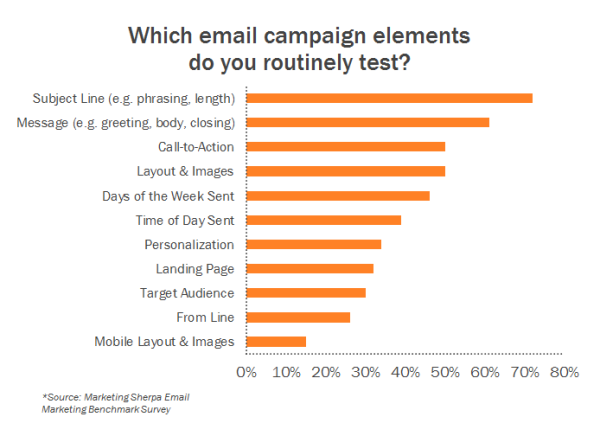
In fact, MarketingSherpa’s email survey found that subject lines are still the most commonly tested element in email marketing. Meaning that those few words that get your subscribers to open your emails and see your wonderful offers are what marketers focus on most in their attempts to optimize their email marketing.
While I’m sure this strategy can end up getting you the most tested, optimized subject line that will ever reach an inbox, the impact of these tests are minimal compared to all the other things an email marketer could be testing.
So … are you ready to run some big, exciting tests? In this blog post, we’ll highlight what you should be experimenting with and which tools can help you. But, first, we’ll explain the importance of A/B testing.
Email Testing
1. Test different types of offers in your messages.
Possibly the biggest lever you have in your email marketing is not the few words you use to describe your offer, but rather, the offer itself.
Whether you’re testing two ebooks against each other, or an ebook versus a webinar, this test is bound to get you better results overall. The reason this is particularly important is, while you may think your offer is the best thing since the iPod, you may also be wrong.
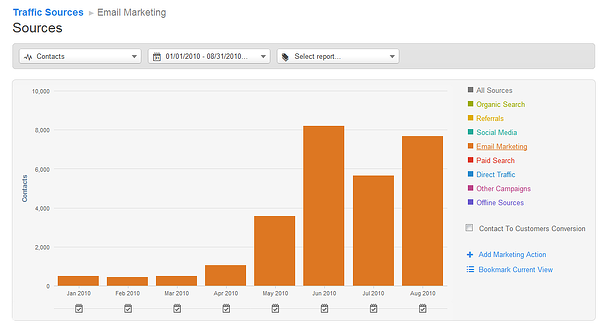
We started doing this sort of testing religiously back in the summer of 2010 and saw dramatic results. Instead of taking our email list and sending them all our latest ebook, we would take a smaller portion of the list, split it in half, send them each two different offers, and then send the better performing offer to the (larger) remainder of the list. This testing alone increased our monthly email leads 4-8x instantly.
Here are some more specific offer elements you can consider testing:
- Topic: Do certain offer topics resonate better with your audience? For example, we might test one of our ebooks on Facebook against one of our ebooks on Twitter.
- Format: Which offer format does your list prefer? Do they love webinars? How does that compare to their interest in ebooks, kits, free trials, etc.?
- Length/Size: Does your audience prefer smaller, bite-sized offers like tip sheets, or are they hungry for more, like an 80-page ebook? Try testing longer forms of content vs. shorter offers, or one offer vs. a set of offers.
- Name of Offer: Sometimes the way you position your offer can make a difference with your audience. Think ebook vs. guide vs. whitepaper, or factbook vs. slideshow vs. download.
2. Analyze the landing page you’ll be linking to.
The goal of your email is not just to get someone to open or click through; it’s also to take some action. For example, to download your offer. So don’t think of your email in a vacuum. Think of it in the context of driving that particular action, which means optimizing where the action takes place: the landing page.
After all, if you create this great email that drives lots of clicks to your website but then you lose those potential leads at the last stage, it’s like you’ve run the first leg of a marathon but then decided to drop out of the race during the very last mile.
Here are some important landing page elements to test:
- Description of Offer: The way you position your offer may have an impact. Calling out that a consultation is free, or referencing testimonials of people who have downloaded that offer, for example, can be interesting variables to test.
- Length of Description: Do you go on and on about your offer, providing testimonials and screenshots, or do you keep things short and sweet in bullet point form?
- Image/Preview of Offer: Using a supporting image is great, but what do you show? An image of the ebook cover, a sample page of the ebook so people can see what’s inside, or a preview of the first few pages?
- Form Placement: Do you put the form on the left? The right? Below a block of text? Best practices say make it visible on immediate page load (above the fold), but feel free to play around with the placement.
- Number of Form Fields: What data do you really need from your prospects? Fewer form fields usually leads to a higher conversion rate, but you should always test asking the bare minimum versus asking for every personal detail — and somewhere in between. We’ve also published some great advice about this debate here.
- Which Form Questions to Ask: In addition to the number of form fields, which questions you ask on your form can have a big impact. Asking for Social Security Numbers or visitors’ first born child’s name is very different from asking for size of company or industry.
- Form “Submit” Button Text: Do you use a straightforward, action-oriented phrase like “Download Ebook Now,” a fun option like “Let’s Go!” or a standard “Download” button? Test out the text of the button you know each lead is clicking on.
3. Leverage audience segmentation tests.
The success of your email is not just dependent on what you’re emailing or how you’re emailing it, but also *who* you’re emailing.
For HubSpot, an offer called, Agency Kit: How to Create Effective Ebooks for your Clients may get a great response from marketing agency owners, but it’d probably get a terrible response from the nonprofit marketers interested in our content.
The simple act of segmenting your email list to narrow your audience down to one that would find your content more relevant can have an amazing impact on your results.
Here are some audience segmentation tests you can run:
- Interest: Has someone downloaded an ebook on this topic before? Do you know they have a particular challenge based on their website browsing history? Target the offers around those interests for a boost in response rate.
- Persona: Identify your main business personas, and target your content to each one. At HubSpot, this means we send different content to small business owners than what we send to nonprofit marketers, for example.
- Recency or Level of Engagement: Did this subscriber come to your site recently, or has it been a few months? Did they download a dozen ebooks, or just one?
- Other Demographics: Try segmenting on other demographics collected by marketing or sales – things like industry or role or company size.
- Lifecycle Stage: Where is this person in the sales and marketing funnel? Did they just start engaging with you, or are they in the last stages of the sales process? This article provides suggestions on what to send at each stage of the funnel.
Check out this blog post for even more examples of how you can slice and dice your email list for better segmentation.
4. Test different newsletter formats.
Changing up the format of your email can also have a surprising effect on your response rate. This could mean everything from the length of the email, to including a lot of images, to creating a simple, plain text email. Keep in mind that your results may differ depending on the type of offer.
For example, our new ebooks perform best when sent in a nicely formatted html email, while our free consultation offers perform better when sent as a simple, plain text email.
Here are some formatting elements you can test in your email marketing:
- Plain Text vs. HTML: Simply try changing your pretty HTML email into a plain, personal-looking email to see how that changes your response rates. You might be surprised at the results!
- Content in Text Only vs. Text and Images: At HubSpot, for example, we tend not to rely too much on images because many subscribers don’t enable or download images in their emails. That being said, some companies have had great success with using visuals to tell stories that you simply can’t convey through words alone.
- Number of Calls-to-Action: Do you go with a newsletter style with a lot of calls-to-action, or zone in on one single offer?
- Length of Email: Do you go short and sweet, include meaty content, or go on and on about the value of the offer?
If you have a number of different email templates or design tweaks you want to test in a limited amount of time, you could consider A/B testing.
5. Send newsletters at different times and frequencies.
Timing is one of the most popular things marketers try to optimize. But it seems like there’s more talk about the best time to send in general, and not enough testing going on to determine the best time to send email to your own subscribers — or even a specific segment of your subscribers.
Even within HubSpot, we have segments of subscribers who respond more to emails on Mondays, Saturdays, mornings, afternoons — on top of that, all in their own timezones.
Instead of sending email at every marketer’s favorite time (Tuesdays at 10 a.m.), break away from the pack and see what works specifically for your audience in order to optimize for your particular business — and to have a better chance of breaking through the clutter of other businesses’ emails.
Consider conducting the following timing/frequency tests in your email marketing:
- Day of the Week: If you always email on Tuesdays, try mixing it up and sending on a Monday or Saturday.
- Time of Day: Do you always send emails in the mornings on the East Coast? Try an afternoon send — or even go for after work hours.
- Triggered by Specific Behavior: It’s not just about when you want to send an email, it’s about when your subscriber has taken some interesting action. Try targeting your follow-up around when they take an action using marketing automation.
- Timing Around Trigger Event: How soon after the triggering event should you send that email? Immediately? An hour later? A day later? Longer?
- Frequency: How much should you email someone, and how much time should you leave in between? Once a month, once a week, once a day? Check out this article to help you determine your optimal email frequency.
6. Determine if your sender name or address impacts your email numbers.
If you haven’t tested a different sender name or address yet, definitely add this to your list. While best practices still apply (in other words, using a name that recipients will recognize as well as a real email address that your prospects can respond to), you can always try out different names to see how it affects your open and clickthrough rates.
Here are some sender name tests to try out:
- Consistency vs. Change: Should you use the same name for consistency, or try changing it up email to email to garner more attention?
- Personal vs. Company: Should you use an individual’s name, your company name, or some combination? (e.g. ‘Ellie Mirman,’ ‘HubSpot,’ or ‘Ellie Mirman, HubSpot’)
- Category-Related Name: If you have a subscriber in a particular segment of your business, you can try sending an email from the name of that segment (e.g. ‘Small Business Team’). If your subscriber signed up for a particular type of content, try using a name related to that specific content type (e.g. ‘HubSpot Webinars)’.
HubSpot’s Free Email Software
HubSpot’s free email tool allows you to create email campaigns that can be ent to email subscribers or contacts in your CRM.

Aside from providing an easy-to-use drag-and-drop software, HubSpot also allows you to test email designs through an A/B test feature. The software also provides tips related to length in the subject line and preview text area which can help you write captions and instantly verify that they won’t get cut off.
On top of all these features, HubSpot’s software will notify you if it can’t find a link in your email. It will also warn you when inboxes like Gmail will trim your message.
Litmus
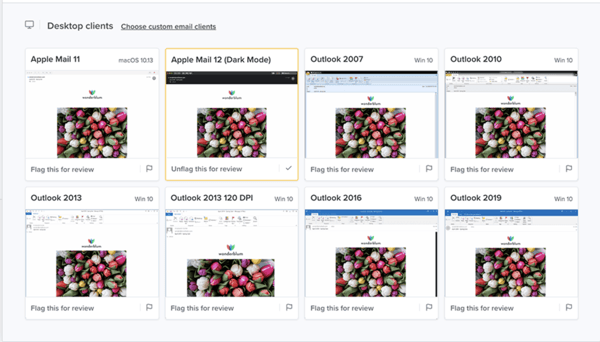
Ever wonder if your email will look aesthetically pleasing on different devices and in different email provider inboxes? With Litmus, you can sign up for free and send them the email you want to test. From there, Litmus will automatically review the email and send you screenshots showing what your message will look like to readers using different email providers.
Mail-Tester
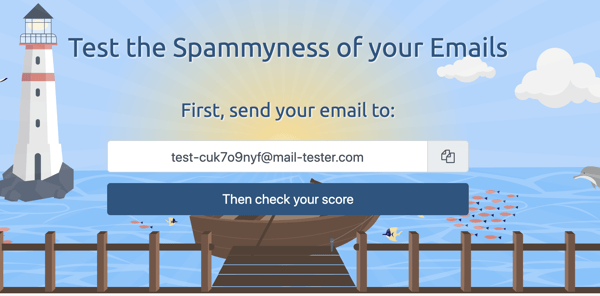
Worried you’re using phrases or wording that could trigger spam filters to burry your email? With Mail-Tester, you can log in and get a special email address to send your test email to. After you send it, Mail-Tester will send you a report that notes any of the spammy trigger words that were in your message so you can correct your language before sending to your full list.
Sender Score
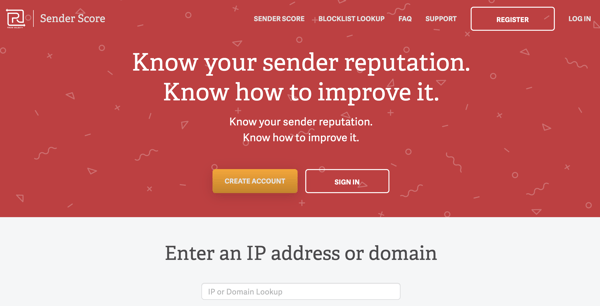
Sometimes, if your IP address is associated with sending many different email newsletters, email providers might move your email to spam. If you suspect that your IP address could be negatively impacting your email numbers, you can use SenderScore to find out if your IP address is considered “spammy.”
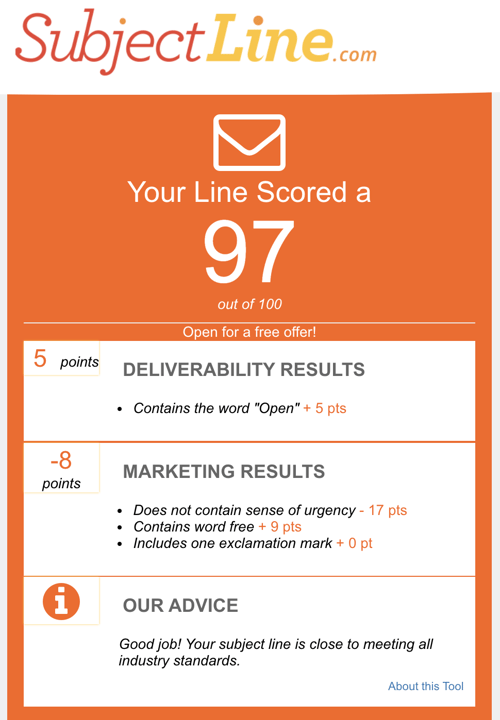
SubjectLine
If you need help with writing subject lines, you can test a few before sending your email with SubjectLine.com. When you go to the website, you simply type in a subject line and click the submit button. Then, you’ll receive a grade out of 100 points as well as pointers for improvement.
Reminder: Test only one thing at a time.
The key with any of these tests is to test just one element at a time so you can isolate your variables and thus tie the difference in results is to that particular change. And if you crank through this list of BIG email tests, here are some great ideas for quick, smaller tests to; always be optimizing.
Happy testing!
Editor’s note: This blog post was originally published in 2012 but was updated for comprehensiveness and freshness in March 2020.

How to Use Internal Linking to Improve Your Website’s SEO
Great content and attracting inbound links are major elements of your SEO strategy.
If you’ve created an exciting blog post or ebook, you’ll naturally want to work on making sure that you are driving as much traffic to it as possible. Part of that strategy should always include internal linking, and understanding how the other pages of your website can contribute value toward your new page.
If you’re working on any important campaign, it’s absolutely critical to figure out which of your already great, high-authority pages should be linking to your new page, or what ongoing efforts can continue to build link authority for your site over time. This process is called internal linking.
With great internal linking, ranking for very difficult keyword phrases is made much easier as you share the authority of your other best content with your new efforts.
Why Internal Linking Is Important
Remember that a search engine’s ultimate goal is to surface the very best few pages about a topic on the web. With the focus that most linkbuilders and SEO specialists have on inbound links and developing links from other sites, it is easy to overlook how internal linking is important. If you’ve heard that inbound links are like other sites voting for your content and telling search engines what your content is about, internal links are like voting for yourself and also letting the search engine know about your vote.
While it’s obviously better to have more people than just yourself voting for your content, if you don’t start by voting for yourself, the search engines will have a difficult time considering your page as one of the best on the web. Internal links are valuable not just because they are a direct signal that your content is important, but also because those links themselves pass on their own link authority.

When you consider that the link authority of each page is being shared into your website from these internal links, the value of your blog and other linked pages is more obvious to search engines.
While these pages are ranking well and bringing traffic into your website on their own, there is a second layer of SEO benefit that they can bring to your website if you properly apply them to your internal linking strategy.
How to Establish an Internal Link Structure
If there’s a page on your website that you care about a lot and that has a lot of value to you, you should be thinking about how you can explain that value to a search engine. One quick way to do this is by creating an internal linking strategy around it.
Start by considering how a search engine understands the value of an internal link; it’s looking at how many pages on your website link to that page, and how they link to it. If every page of your website links to something, it must be important to you — like your homepage, or your blog’s homepage.
If the only links in to your blog are from your ‘About Us’ section and nothing from your homepage or your website’s main navigation, you have already sent a strong signal to search engines that your blog is not very strong.
On the other hand, if your blog is in the main navigation on your website, Google and Bing will treat it like one of your top pages.
This works similarly to specific blog posts, as well as your blog. If you write an extensive blog post that defines something, such as a strategy or trend in your industry, you can link phrases in follow-up blog posts to it to prove to Google that this page is valuable to your readers.
To leverage internal linking to the fullest, do an audit of your website’s main pages and where you can interlink between them. As you write blog posts, you can also have your writers and others publishing on your website to interlink to your other blog posts and pages when it feels natural.
To help you further develop your internal linking structure, check out the tips below.
3 Ways to Improve the Internal Linking on Your Website
Here are three exercises you should go through to ensure you are effectively using the authority of your internal pages.
1. Sketch out a map of your website.
Make a list of each page in your main navigation and what links are on each of those major pages. This will help you understand the links that you already have between each section of your site, and how you’ve linked it together in the past. Sometimes, laying out your whole website visually is the only way to understand what you’ve overlooked and what’s working. You might just uncover that the reason some of your best pages are ranking well is because you subconsciously did a great job building your own links into them from your other content.
2. Look at the topics that you frequently write about.
If you’re writing regularly about something, you should have another dedicated page on your website about that topic — like a landing page with an offer, for example. Each of those posts should be linking to that authoritative page on the subject, and it should be optimized for conversions. If your landing page has a prominent call-to-action, your effective use of internal linking will help drive more new leads through the offer.
Also consider where that page lies in your navigation, and if it’s worth linking to from your homepage or products page. Depending on your business, you might even find that linking to a specific blog post or page from your website’s main navigation might suit you well. For example, if your company often needs to explain your business to people who discover you, that would make a good blog post that deserves major promotion across your site.
3. Think about every other page that could link to your ranking page.
If it is a page related to a topic you frequently blog about, make sure each of your new blog posts about that topic reference that page and link into it. You can see this in how HubSpot ranks for the term ‘how to use facebook for business.’
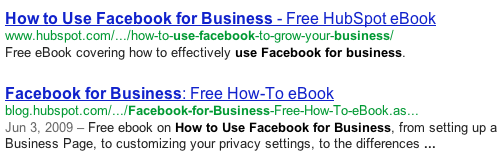
One of the major factors behind its rank is that we regularly write about how to use Facebook for Business, we have a lot of very powerful links from our blog posts about using Facebook for business, and we have at least one link in each of those entries to our Facebook for Business landing page. Those blog posts we wrote over the last five years about this topic all have great authority of their own because people have linked to them, and each of them links to our landing page to further build that value.
Editor’s Note: The blog post was originally published in Feb. 2012, but was updated in March of 2020 for comprehensiveness and freshness.

How to Calculate ROI in Marketing [Free Excel Templates]
It’s a brand new month, everyone! It’s a time for new beginnings. New campaigns, new landing pages, new blog posts, new emails, and new social media posts are all on the horizon.
But wait … aren’t we forgetting something? With last month’s activities all done, we need to pause for a second to examine what worked and what didn’t. And you can’t do that just by saying last month’s activities were “great” … “great” doesn’t pay the bills.
If you can prove that your marketing activities actually made an impact in your business, you’ll have many more opportunities at your disposal. More budget to play with. And more potential hires to bring on board. Sounds like every marketer’s dream, right?
So how do you go about first, finding the right metrics to use, and second, proving your marketing’s ROI to your boss? Why, with a monthly marketing report template, of course. Download our completely revamped PowerPoint and Excel templates by clicking here, and then keep reading to learn how you can use them in real life.
For example, if you’ve been running a campaign for three months, and you’re seeing a sales growth of 5% per month, then your ROI calculation will take out that trend.
Additionally, if you’re a HubSpot customer, you can access an ROI calculator programmed with the same formula in our CRM.
Which Metrics Should You Track?
First things first — which metrics should you be paying attention to in the first place? Not all metrics were created equal, and if you’re going to capture your boss’ attention with this PowerPoint deck, you’re going to need to tell your story efficiently through data. Click through our marketing metrics template and get tips on how you can put together your marketing report deck.
How to Create Your Own Marketing Metrics Report
So now you know what metrics you need … but what about customizing the PowerPoint slides to fit your business? Follow these four steps so you’ll have engaging, accurate, and concise slides to show to your boss.
1. Download our monthly marketing reporting templates for Excel and PowerPoint.
Seriously, you haven’t downloaded it yet? 😉
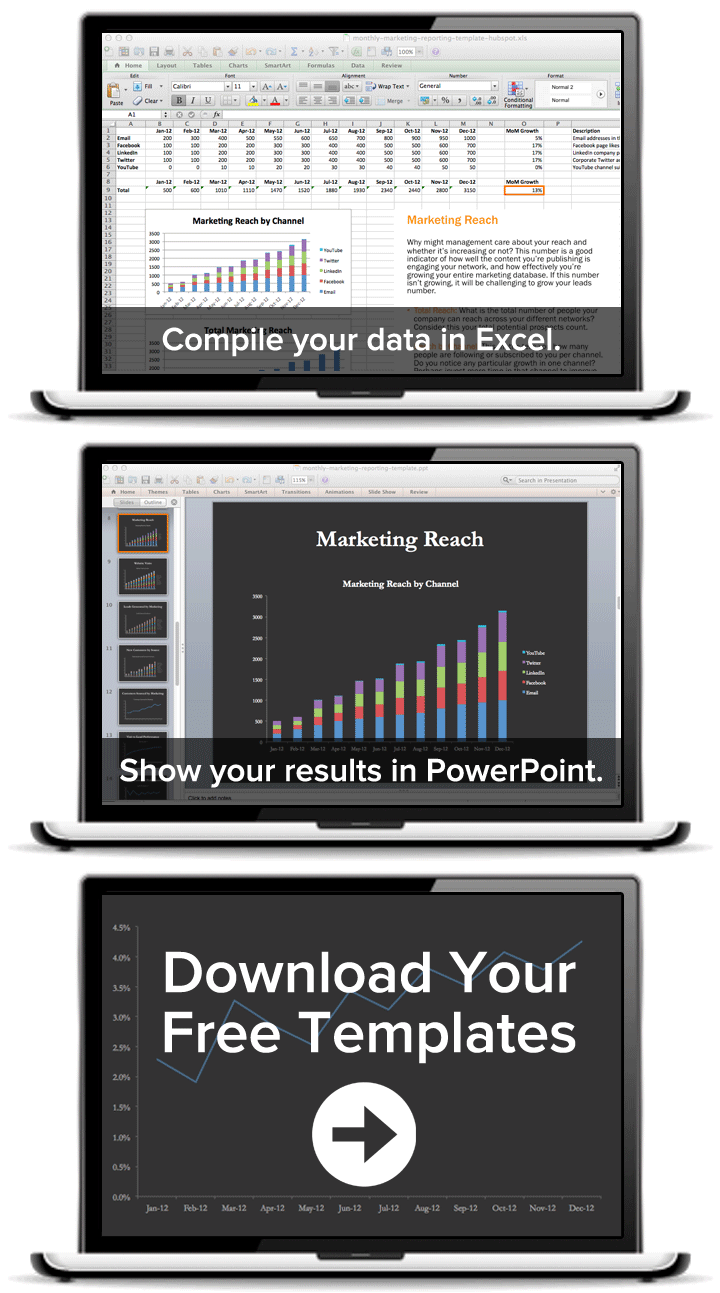
2. Open up Excel, and fill in the metrics you want to track.
Equations and graphs will automatically populate based on the metrics you add.

3. Copy the graphs and paste them into PowerPoint.
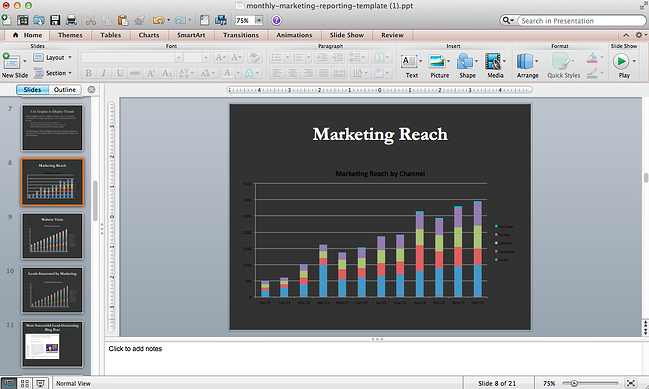
4. Customize your graphs and charts to fit your company’s theme.
After crunching a bunch of numbers, you probably need a little creative break anyway. Click on individual elements in the graph to customize them. If you really want to get fancy with your presentation, check out these five simple PowerPoint tips.
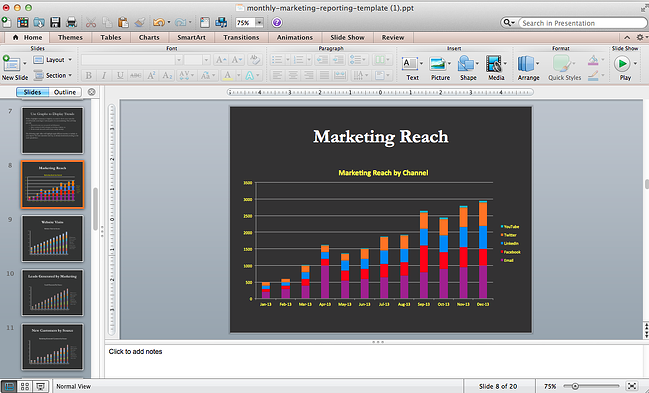
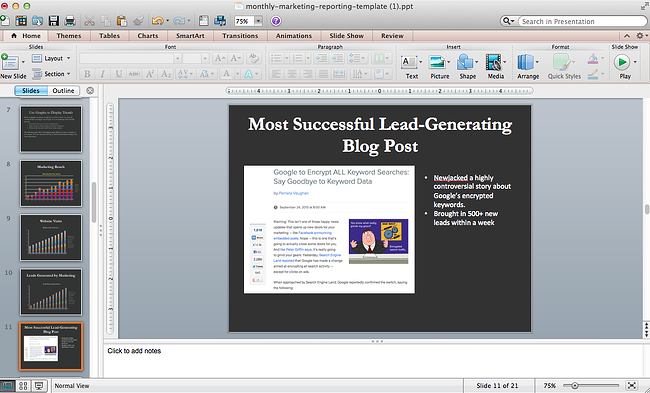
5. Add relevant examples to back up your graphs.
If you truly want to explain your marketing team’s success from the past month, don’t forget to include a slide here or there that touches on specific examples. For example, if you have a blog post that drove a crazy number of leads in a month, you could include that example slide with a few bullet-point takeaways after the “Leads Generated by Marketing” slide. These specific examples give color to your presentation and justify time spent on future projects.
ROI Excel Templates
Excel is one of the best tools to use when you’re tracking and calculating ROI on a regular basis.
Download our monthly marketing reporting templates for Excel and PowerPoint.
In the above collection of marketing reporting templates, you’ll get to fill in the following contents (and more) to suit your company:
Below, let’s review the five excel templates, and what you’ll find in each one.
1. Reach
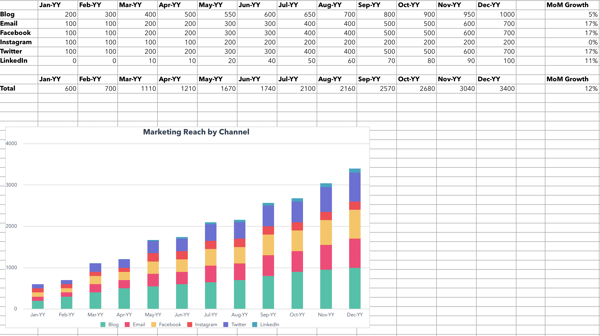
In this template, you can fill out the data to calculate your marketing reach. For example, you can calculate reach of your blog, email, or social media.
Then, the graphs below will help turn your data into a visual graph.
2. Visits
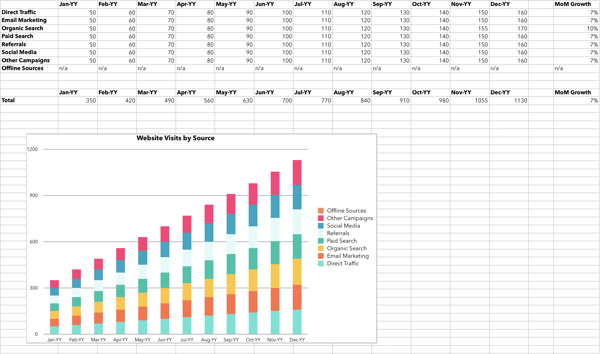
With this template, you can fill out the information to calculate your visits. This will include visits via several sources and channels including paid traffic, direct traffic, and social media referrals.
Then, the graph below will create a visualization of your data.
3. Leads
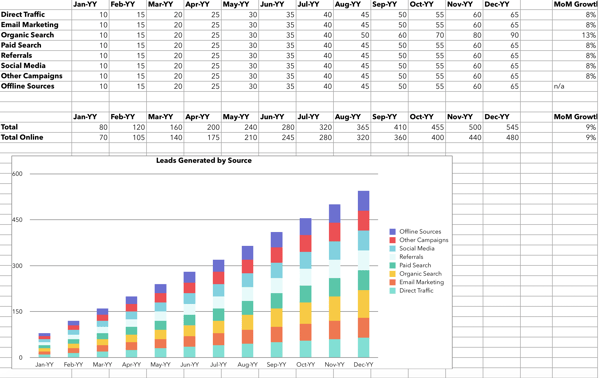
In this template, you can input your information, for how many leads are generated with your marketing campaigns.
In the graph below, you can visualize your leads depending on the sources.
4. Customers
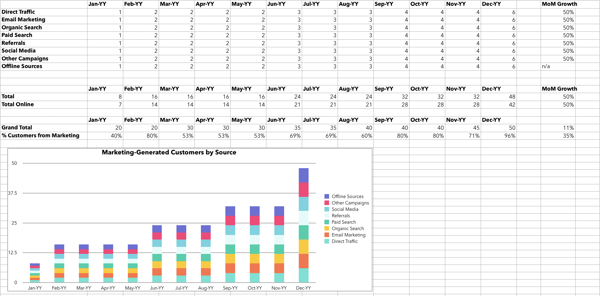
In this template, you can calculate your customers via traffic source. In the below graph, you can visualize your customers.
5. Conversion Rates

In this template, you can calculate conversion rates by inputting your information.
And that’s it! Easy peasy way to track your team’s success. After a few months of this, who knows, you may have an even bigger budget or a brand new marketer on board.
Editor’s note: This post was originally published in September 2013 and has been updated for comprehensiveness.

The Plain-English Guide to Meta Tags & SEO
In 2018, HubSpot found 64% of marketers said they actively invest in search engine optimization (SEO).
Good SEO can get you in front of the potential customers who are searching for your products or services, and great SEO can help those users become long-term customers, and even brand loyalists.
SEO is a landscape that involves many on-page and off-page factors, and it’s critical to understand how to incorporate meta tags into each one of your web pages. Meta tags can help search engines correctly identify and categorize your pages, which may result in higher rankings and more exposure to the audience you’re trying to reach.
If you’re anything like me, though, you might be thinking, “Wait … what’s a meta tag again?”
What Are Meta Tags?
Here, we’re going to define meta tags, identify some of the most important meta tags you need to worry about, and provide instructions so that you can begin incorporating meta tags into your HTML today.
SEO & Meta Tags
A meta tag is a snippet of descriptive text you’ll include in the code of a web page but it doesn’t appear on the page itself. Meta tags help search engine crawlers understand what your site is about and index your page, which is critical when you want to rank on SERPs for the right keywords.
Meta tags are useful from an SEO perspective since they allow search engines to more easily categorize your web page’s content. There are several types of meta tags and their attributes, and how you use them will depend on your strategy.
Meta Tags Example
Examples of meta tags include canonical tags, meta content type, robot meta tags, meta descriptions, and title tags. You might use a canonical tag to tell search engines which page is the ‘master’ one. Alternatively, you might use robot meta tags to ensure search engines don’t index a page you don’t want on the SERP’s, like a search results page on your site.
Let’s dive into some of these now.
1. Canonical Tags
If you have a single page with multiple URLs, or different pages with similar content (such as a page with a mobile and desktop version), search engines see these pages as duplicate versions of the same page.
For instance, as a human, you know “www.google.com” and “https://google.com” point to the same page — if you search for either, you’ll land on Google’s homepage.
But Google sees “www” and “https://” as duplicate versions of the same page. If you don’t specify which page you want to be the “real,” or original, source, Google will choose which source it dubs original and crawl the other pages less often.
This could mean that Google consistently crawls your mobile version of your homepage and rarely checks your desktop version.
For this reason, it’s often important to include a canonical tag, which simply tells Google, “Hey, if you find this same content elsewhere — please disregard. This is the source I want you to see, and this is the version I want to appear in the SERPs.”
This is especially important for pages like your homepage. To insert a canonical tag, simply put this code in your HTML:
<link rel=”canonical” href=”https://ift.tt/2TD2Z5p” />
2. Meta Content Type
The meta content type enables you to specify the media type (e.g. “text/html”) and character set for each web page — you’ll want to include this on all of your web pages. Different browsers render information differently, and different languages have different character sets. Using meta content type tags ensures your pages are displayed correctly on all browsers.
Here’s an example of the code you’d use for meta content type:
<meta http-equiv=”Content-Type” content=”text/html; charset=utf-8″ />
3. Robots Meta Tags
By default, search engine crawlers move through your entire site and follow internal and external links. However, this may not align with your strategy if you are looking to control how some pages appear in SERPs. In addition, a high number of outbound links may negatively affect the value passed through your links (also known in the SEO community as “link juice”).
If you don’t specify a robot meta tag, search engines will obey the default index,follow command. Robots meta tags can influence the behavior of the search engine crawling and indexing, resulting in more strategic control of how your site shows up in SERPs and what “link juice” it retains.
Here are a few common robot meta tags:
- noindex — Prevents the page from being indexed.
- nofollow — Prevents Googlebot from following links from this page.
- nosnippet — Prevents a text snippet or video preview from being shown in the search results. For video, a static image could be shown instead.
- noarchive — Prevents Google from showing the Cached link for a page.
- unavailable_after:[date] — Allows you to specify the exact time and date you want to stop crawling and indexing of this page.
There are various reasons you might use a robots meta tag. You might input the “nofollow” command, for instance, if your web page has a comments section. Since you can’t control which links are posted by readers in the comments section (which could be off-topic to your page’s content), it might be smart to tell search engines not to follow those links.
Alternatively, “noindex” is a popular tag for a few reasons. Let’s say you’re planning to launch a website redesign, but you want to test the redesign on a development server that lives in a subdomain on your website. You’ll want to use the “noindex” tag to ensure Google won’t release the site in search before it’s ready.
You might also use “noindex” if you have a gated content offer you don’t want users to be able to find on search engines — since you want them to fill out a form to access it.
Lastly, you might use “noindex” if your website creates unique web pages whenever someone does a site search. Search engines might think those pages are part of your website, which will hurt your SEO. It’s best if you incorporate “noindex” to ensure site search results aren’t displayed on the SERPs.
To incorporate a robots meta directive, input this code into your HTML:
<meta name=”robots” content=”noindex, nofollow”>
4. Title Tags
Title tags help readers initially understand what your content is about, and they are also a major factor in helping search engines understand your content’s subject matter. Additionally, a title tag can ensure consistency, since the title tag will show up on your web page, on the web browser, and in social networks.
If you don’t include a <title> tag, Google will create one for the SERPs for you — which can hurt your ranking. Ultimately, you want to create a compelling, click-worthy title that will intrigue readers while accurately portraying what your page is about.
Include a title tag on each of your web page’s by pasting this code into your HTML:
<head>
<title>Example Title</title>
</head>
It’s important to note, alt text is technically not a tag — it’s an attribute. However, you’ve likely heard the term “alt tag”, which is why you might think alt text is part of the meta tag family (I know I did …).
Regardless of its categorization, alt text is incredibly important for your overall SEO strategy, particularly since Google places more value on visual search nowadays. When a search engine crawls your page, it’s going to look for the alt text of an image as an identifier for what your web page is about — so it’s critical you correctly title your alt text.
Here’s a code example for alt text to incorporate in your HTML: <img src=”metatag.jpg” alt=”Meta tag picture”>.
5. Meta Keywords
Meta keywords are an attribute of the “meta name” tag that get added if you want to use keywords to describe what a page is about. These keywords would not appear on the page but rather in the page’s code, and search engines used to use them as a ranking factor.
Note: While it doesn’t hurt to use them, meta keywords are no longer relevant for most SEO strategies. In 2009, Google announced that it no longer factored meta keywords into their search algorithm for ranking.
6. Meta Descriptions
Meta descriptions are one example of a meta tag — simply put, a meta description is a 160 character-limit snippet of text a user can read on a search engine. A meta description tells the user what they’ll find if they click on your content — which, if done correctly, can greatly increase click-through rates.
The tag doesn’t influence ranking directly, but it’s nonetheless an important element of SEO — a good meta description can compel readers to click on your article, and if the meta description accurately describes your content, the user is more likely to stay on the page. Click-through rates do influence search engine ranking, so meta descriptions are important for SEO.
Here’s an example of the code you’d use to manually input a meta description into your web page’s HTML:
<head>
<meta name=”description” content=”This is an example of my meta description.”>
</head>
Meta Tags vs. Meta Descriptions
These two often get conflated since they both contain the word “meta.” One thing to understand is that meta descriptions are just one example of meta tags, which encompass all of the items in the above list.
While meta descriptions are a subcategory of meta tags, there is a fundamental difference between the two — purpose. Meta tags are used to help search engines figure out the content of your site, but meta descriptions are used to help a user sort your content.
For instance, consider what happens when I search “what are meta tags”:

The meta descriptions for the following two articles are more than likely the primary reason I’ll choose one article over the other.
How to Write Meta Tags
- Understand that not all meta tags need to be written. Some are just codes.
- Create a swipe file to use for copy/pasting those codes.
- Paste the canonical tag into the HTML header if the page has duplicate content.
- Use the robots noindex tag if you don’t want the page to show up in SERPs.
- Use the robots nofollow tag if you don’t want Google to follow links on this page.
- Create a short headline to use in your title tag. This should compel readers to click.
- Write a concise meta description.
- Add alt text tags that are keyword-optimized and descriptive to any embedded images on the page.
1. Understand that not all meta tags need to be written. Some are just codes.
After reading this article, you’ve learned that there’s not one single “meta tag” but rather several categories that fall under this umbrella. Some meta tags require creativity while others are snippets of code that you can simply copy and paste.
2. Create a swipe file to use for copy/pasting those codes.
For the instances in which you don’t need to write anything, it’s helpful to have this coding handy anytime you’re creating pages.
3. Paste the canonical tag into the HTML header if the page has duplicate content.
As a reminder, if there are multiple versions of a page on your site, you’ll want to use canonical tags to specify the original source for that content. For any duplicate content, you can pull your canonical code from your swipe file to specify it as such.
4. Use the robots noindex tag if you don’t want the page to show up in SERPs.
There are many reasons you might not want a particular page to be indexed. Perhaps it’s a thank you page that should only be viewed once a user takes a certain action, or maybe it’s a piece of content that you don’t want showing up in the SERPs. Whatever your reason, the noindex tag will signal to Google not to index that particular page.
Add this specification to your robots meta tag code in your swipe file. Then, paste it into your HTML header for the page in question.
5. Use the robots nofollow tag if you don’t want Google to follow links on this page.
If you have a comments section where you want to prevent Google from associating random links with your website, you can do this with the nofollow tag. The nofollow tag is also helpful for controlling your site’s “link juice” in a strategic way. If you don’t want Google to follow any links on a page, pull this code from your swipe file. It also goes in the HTML header.
6. Create a short headline to use in your title tag. This should compel readers to click.
Your title tag should be unique for each page you create because it essentially names the page. The title tag shows in the SERPs, in the browser, and on social media. For that reason, it should be written for your target audience. Some things to keep in mind as you write:
- What value are you providing to them?
- What will they get if they visit the page?
- What benefits or advantages do you offer?
- How can you present that information while enticing them to click?
Another best practice is to include your page’s target keyword as close to the beginning of the headline as possible.
7. Write a concise meta description that supports your title tag and further entices readers.
Since the meta description also shows up in SERPs, this is an additional meta tag that essentially advertises your content. The goal here is to expand on the title/headline with enough elaboration while also enticing them to click. The challenge is doing it in under 160 words. Here are some strategies to consider:
- Use your primary keyword in the meta description to make it more relevant to their query, catching the reader’s eye.
- Set the stage for the content, giving the reader expectations about what you’ll be delivering.
- Open a loop or create intrigue to make them want to read more.
8. Add alt text tags that are keyword-optimized and descriptive to any embedded images on the page.
Alt text describes images for search engine crawlers and screen readers. With that in mind, you should:
- Describe what’s happening in the image as concisely as possible.
- Include a keyword to make the image more relevant from an SEO standpoint.
How to Use Meta Tags with HubSpot
- In your HubSpot account, click the Marketing tab in the navigation.
- Hover over Website, then choose either Website Pages or Landing Pages (depending on where the page in question is located).
- Click the name of the page to open up the editor.
- Click the “Settings” tab at the top of the page editor.
- Click “Advanced Options” at the bottom of the page.
- Locate the Head HTML field under “Additional code snippets.”
- Paste in the code for the most applicable meta tag(s).
- Ensure that the code is correct for what you want to achieve.
- Publish or Update the page.
- You can verify that the code is now live by visiting the page, right clicking somewhere on the page, choosing “View Source,” and searching for your code in the new window.
Now that you know what meta tags are and how to implement them on your site, you can check this task off your SEO to-do list. Your pages will now be much more easily crawled and indexed by search engines like Google. Keep in mind, however, that meta tags are only one part of optimizing pages for organic search. There are many other SEO factors that could affect your traffic and ranking performance.
Editor’s Note: This post was originally published on Mar 8, 2019 but was updated on Mar 10, 2020 for comprehensiveness.

How to Determine Your Internet Marketing Plan Based on Your Revenue Goals
91% of marketers are confident that they’re making marketing decisions that will positively impact revenue.
Are you one of them?
As marketers, we’re well-versed in the main goals of internet marketing: to generate leads and new business. Revenue generated from online marketing justifies why we include online channels in our marketing efforts.
Some companies use revenue as a jumping-off point to build their marketing plans. This method determines if current marketing efforts should be changed or repeated based on lead generation and customer acquisition data. A tactic like this measures and drives the growth of a business.
To put it another way, some companies use revenue marketing when planning online marketing strategies. Revenue marketing is about coming up with a campaign that is driven by the desire to create more leads and drive sales.
How then, do marketers come up with a winning online marketing strategy that directly ties to their revenue goals?
If you’re unsure of the answer, we’ve got you covered.
To give you a starting point of how you can follow suit we’ve come up with some steps you can take to begin marketing planning based on revenue.
Revenue Marketing
When we talk about revenue marketing, we’re talking about a method of marketing that’s used for lead generation. Some marketing campaigns are implemented to increase brand awareness or support a product launch, but revenue marketing puts all hands on deck towards increasing just that.
Let’s explain revenue marketing a little bit more.
If you were to implement a revenue marketing plan, you would look at your revenue goals first instead of your business goals. This method turns those goals into a campaign.
Let’s dive into how you can develop a revenue marketing plan.

1. Set SMART revenue goals.
To reach your revenue goals, you have to make them! If you’re a little confused on how to start making them or unsure of how to set them so they’re effective for marketing campaigns, let’s talk about how you can set measurable goals.
Before you set out to conduct online marketing strategies, your goal should be clearly defined and understood by the team working on the campaign. The easiest way to do that is to make sure your goal(s) is SMART: Specific, Measurable, Attainable, Relevant, and Time-based.
For a little refresher on SMART goals and how they pertain to setting revenue goals for marketing campaigns, let’s walk through an example.
Let’s say a marketing team for a company is generating $10,000/month in revenue through online and traditional marketing efforts, but wants to generate more revenue through beefing up digital campaigns. They have decided on a goal to double their revenue.
While doubling revenue is a fantastic goal, it doesn’t have any basis for how to get there. To make this goal SMART, the team can add some terms to make their path a little more clear.
So, instead of the marketing teams’ goal being “Double revenue,” it can be restructured to, “Through an online marketing campaign, the goal is to double revenue in six months by using channels chosen based on previous ROI data.”
This goal gives a time span, is specific, relevant to the task, and measurable. While doubling revenue is a high goal, SMART goals can change; they’re merely a guide to making sure your goals are reachable.
Begin by planning out your revenue goals. If you are still shaky on SMART goal making, HubSpot offers a free template you can download to guide you while writing them.
2. Audit your current website and marketing ROI.
Marketing analytics software can be used to measure the number of visits, leads, and generated sales you earn for each of your marketing channels. For example, HubSpot’s Marketing Hub offers the tools marketers need to measure the success of their digital marketing campaigns, such as website metrics.
When you want to determine the initial ROI of online marketing efforts, using analytics tools is extremely critical. These tools have customizable settings that you can configure, so the platforms only track the metrics you care about.
If you want to use your revenue goals to inspire your internet marketing plan, the metrics that will be useful may vary based on your business goals, but here are a few that are especially helpful: SEO metrics, ROI from pay-per-click (PPC), your blog’s conversion rates, and social media engagement.
Those metrics will tell you how your marketing efforts are ranking on Google, how many people are clicking on your ads or campaign offers, how helpful your content is to readers, and how your brand is perceived by its audience.
In general, if you intend to make money from a marketing channel, it’s important you continue to measure and iterate your strategy based on that channel’s core metrics. Once you know your analytics, you can use that data, paired with monthly revenue data, to estimate the conversion rate you aim to earn with your next campaign.
3. Conduct research to determine actionable steps.
If you’re unsure of how to determine actionable steps in your plan, it’s always helpful to do some research.
I know, I know: you might not have the time to devote to copious amounts of research. However, by seeking out some information, you’ll be able to uncover actionable steps that work for similar companies’ revenue marketing efforts.
For instance, we’ve talked about how leveraging data can help build your online marketing strategy. Before you start planning, if you’re unsure of where to begin, refresh your memory of must-haves when writing a marketing plan. This post is a good place to start.
You can also look into downloading a report from a company that used revenue marketing. For instance, HubSpot offers this study, which details how revenue marketing worked for a campaign, and provides highlights of the report for those strapped for time.
Additionally, you can look at a case study to get an understanding of how a revenue marketing plan looks from a bird’s eye view. This directory of case studies is organized based on industry, company size, and company goals, so you can easily find a case study that illustrates the plan you’re considering for your own business.
Don’t forget to look into how using SEO can help make smarter marketing decisions. If you are confident in your SEO efforts, look at keyword and competitive data to figure out how much time and money you should invest in pay-per-click to hit your goals.
Finally, research can help you determine if you’re following the best practices for lead generation and tracking. You can find new ideas for converting leads into customers using online marketing channels, such as blogging and email, as nurturing tools.
To gain an understanding of how your marketing efforts help one another, and how to structure a chronological plan, a little research is necessary.
4. Put it all together.
Once you’ve got an idea of your current return, have set reasonable revenue goals, and know a bit more about the channels and methods you want to use, it’s time to put it all together.
When you’re building your internet marketing campaign, keep in mind that every step in your plan should be based on revenue goals. If you’re going to use Facebook Ads as part of your campaign, for example, it should be understood by the team why that method will help you reach your revenue goal.
Spend some time ensuring the content you want to create for the campaign will resonate with its audience, as well. Blog posts need to be valuable to readers (Keyword research helps you figure out what readers are searching for) and social media content needs to engage followers, for example.
During your internet marketing planning process, outline how you’re going to measure success. Revenue is the obvious metric to measure, but what software will you be using? How are you going to interpret the revenue you earn?
Once you’ve worked through your marketing plan, you should have all the resources in place to write a marketing report or case study from your findings on your own. Who knows — your report could even turn into a valuable content offer for your next revenue-based campaign.
Happy planning!

14 Time-Saving Tools for Managing Your Twitter Following
According to Hootsuite, Twitter has 145 million monetizable daily active users, and that number is growing. This and the open nature of the ecosystem makes it a great platform to put content in front of your ideal customers. At the same time, the Twitterverse is fast-paced. In fact, Moz estimates that the average lifespan of a tweet is only 18 minutes, which means that your posts have less time to capture their attention.
That said, maintaining a healthy following and publishing schedule on Twitter is challenging, perhaps much more so than other social networks. You can’t help but want more followers, but if you’re going to extreme lengths just to build up that number with empty names and faces, it’s not worth the time and resources. After all, effective engagement occurs with real, interested followers, not eggs and inactive accounts.
If you want to streamline your following and uncover analytics that can be used to refine your strategy, you need the right set of tools. Ones that actually work.
To help, I’ve collected 14 tools that can help you keep on top of your social media following. All the tools vary in price and network specificity, so you’re sure to find something that meets your team’s unique needs.
Twitter Following Tools
- Crowdfire
- Commun.it
- Followerwonk
- Sprout Social
- Tweepi
- Social Inbox
- ManageFlitter
- Likeable Hub
- Narrow.io
- Statusbrew
- Buzzsumo
- Circleboom
- AgoraPulse
- RiteTag
1. Crowdfire
Price: Free for personal use, starts at $7.48/month for more advanced features
People follow accounts that produce content that appeals to them, so growing any Twitter following means managing a publishing cadence and creating quality content. Crowdfire helps curate content, schedule posts in advance, analyze what’s working, and manage engagement. To support those goals, it offers:
- Article and image curation help
- RSS support and tools for curating content from your own assets
- Queued posting
- Hashtag recommendations for increasing reach
- Social, post, and competitor analytics tools
- A unified inbox for mentions
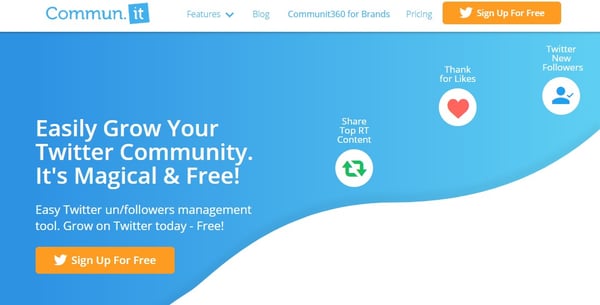
2. Commun.it
Price: Free, starts at $19.99/month for more advanced features
Commun.it’s goal is to help individuals, organizations, and brands grow on Twitter. The tool allows users to quickly and easily filter through all of the noise so they can prioritize the interactions that really matter. Here are a few of the tools most noteworthy features:
- Suggests top Twitter users and influencers to follow
- Helps you maximize relationships on the platform by seeing your history with them and the content they like
- Allows you to engage your community by optimizing communication in a unified inbox
- Provides robust analytics reports
3. Followerwonk
Price: Free for personal use, $29/month for more advanced features
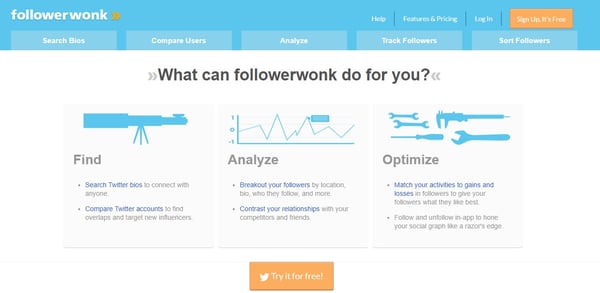
There is often key information about people in their Twitter bios that can be used to learn more about them. These short introductions to a person’s Twitter feed aim to distill the purpose of their Twitter existence into 160 characters. These bios can even be search engine optimized. FollowerWonk helps you take advantage of those optimized bios and find the people who want to be found. Here’s what you can expect:
- Search bios to turn up relevant Twitter users
- Track and sort followers
- Compare individual followers
- Match activities to gains and losses
4. Spout Social
Price: Starts at $99/month per user
This social analytics tool has been designed with brand marketers and social teams in mind … and it shows. Sprout Social’s platform helps give businesses of all sizes more advanced insights into their social media. These insights can then be used to build out successful Twitter strategies that draw in the right audience. Here are a few of the tool’s most valuable features:
- Social listening to capitalize on trends
- Social publishing for teams
- Unified inbox for managing engagement
- Analytics, social data, and dashboards
- Robust collaboration and automation features
5. Tweepi
Price: Starts at $10.75/month
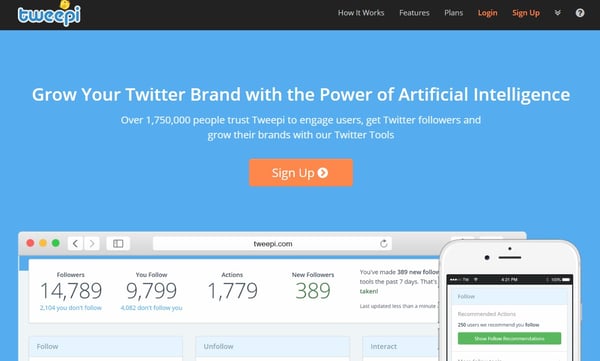
Tweepi uses artificial intelligence to help you grow your Twitter presence without spending so much time on the platform doing manual tasks. Tweepi’s AI targets specific users and prompts you to interact with them in a seamless way, helping you get noticed, grow your following, and become more active. Here’s a rundown of some of the key features:
- Easy way to unfollow inactive or undesirable Twitter users
- AI-driven Twitter actions including retweets, likes, replies, and following
- Competitor, user, and hashtag monitoring tools
- Advanced user search features
6. Social Inbox
Price: Included in HubSpot Marketing plans starting at Pro for $800/month
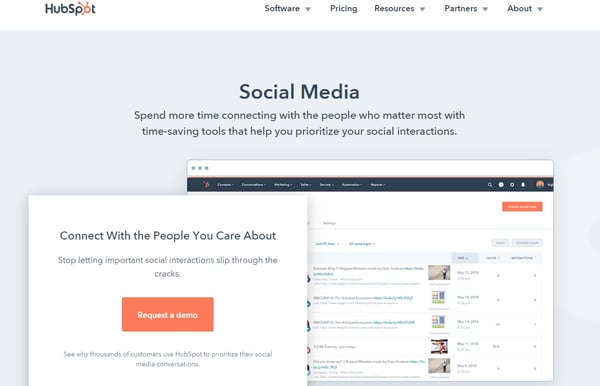
Social media brings a human element back to marketing. Each platform provides businesses with an opportunity to interact, build relationships, and learn from those they follow… but it can get noisy. HubSpot’s Social Inbox App gives users the tools they need to manage their day-to-day interactions and engagement in a way that makes sense. Here’s a quick look at some of Social Inbox’s capabilities:
- Get a quick hit list of new followers and content that’s resonating
- Schedule and publish posts informed by clicks and interactions data to keep your following engaged
- Tie interactions back to contacts in your HubSpot database
- Create targeted streams for simplified social monitoring
7. ManageFlitter
Price: Starts at $12/month, $49/month for more advanced features
One of the biggest challenges of social media, and especially Twitter, is finding out when people are online and looking at your content. ManageFlitter has a built-in tool that helps you determine what time is best for publishing Tweets based on your followers’ activity. Here’s a look a few important tasks you can accomplish with the tool:
- Advanced filtering to find Twitter users based on keywords, followers, bio, and even location
- PowerPost interface that helps you post during high-impact times
- Analytics and reporting tools to give you comprehensive insights about your following
8. Likeable Hub
Price: Starts at $299/month
Managing social media can be a grind, and it takes time. No matter what tricks you have, nothing beats good content. Likeable Hub is all about helping businesses provide great content and promote it effectively.
With customizable, industry-specific content, it makes for your business to attract a qualified following — one that sees the value in your messages. The content is particularly meaningful because it’s not auto-generated, but instead carefully curated by real people. Here’s a closer look at what the tool really does:
- Builds audience with Turbopost™ post amplification
- Tracks different topics on Twitter to find out what your audience cares about
- Tracks page growth and engagement
- Provides a content library to discover content that works best in your industry
9. Narrow.io
Price: Starts at $19/month
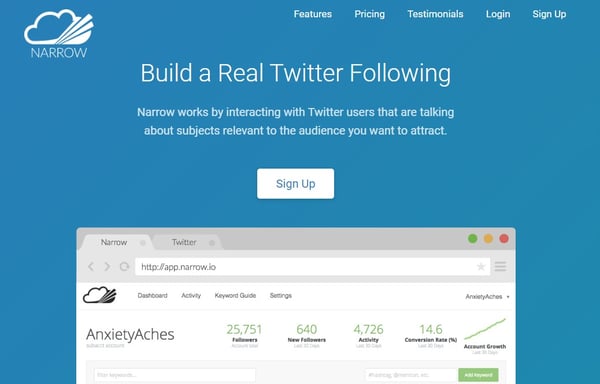
Good marketing starts with showing up where your target customers hang out. Online, that means finding the right people who are interested (and talking about) the right things. Narrow.io can help you identify users that are talking about subjects relevant to your product or service, i.e. your target demographic. After identifying this audience, you can start following and engaging with these highly targeted Twitter users.
- Audience research tools to narrow in on the right users
- Robust user filtering based on keywords, hashtags, and locations
- Analytics and user insights to inform your strategy
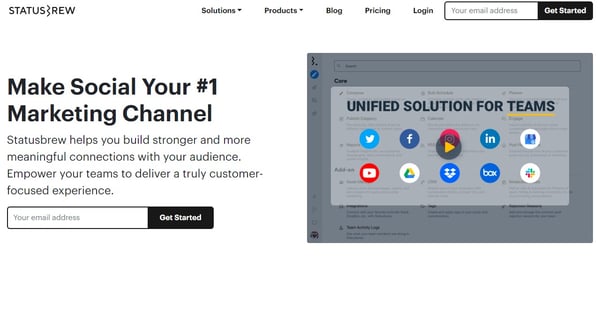
10. Statusbrew
Price: Starts at $12/month billed annually for posting features, $99/month billed annually for essential management features
Statusbrew was developed with high-performing teams in mind. As an all-in-one platform that encompasses everything from publishing to brand monitoring with workflows for approval and collaboration, small businesses and above can leverage this solution to improve their Twitter management strategy. It even comes with custom reporting and white labeling for an even better experience.
- Brand listening and monitoring for yourself and your competition
- Unified inbox and saved replies for streamlined communication
- Slack integration
- Data-driven insights on follower growth, engagement, and more
- Bulk publishing and URL shortening
11. Buzzsumo
Price: Starts at $99/month
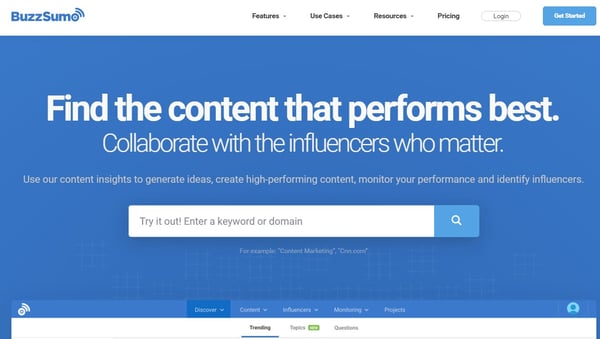
BuzzSumo functions primarily as a content discovery engine. What this software does really well is identify trending topics in your niche so that you create buzz-worthy content on your own and/or engage with existing online discussions. This keeps you always at the center of what’s hot and trendy.
Not only does BuzzSumo provide these insights from a content creation standpoint, but it also includes features that enable collaboration with influencers, making it a great all-in-one platform for growing your following in a content-forward and social manner. Here are some of BuzzSumo’s most powerful features:
- Billions of data points to help you research and discover relevant articles
- Advanced search features and easy interface for exploring trends
- Ability to identify key influencers to connect with
- Monitoring features for tracking competitors and industry updates
- Alert and notification system for keywords that matter
12. Circleboom
Price: Free, starts at $7.99/month for more advanced use
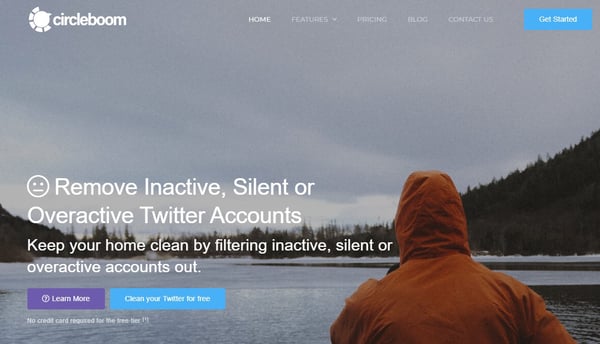
If you’re interested in an all-in-one Twitter management platform, Circleboom has a massive list of features, focused primarily on strengthening your “circle.” In addition to being able to unfollow inactive users and identify spam accounts, you’ll also enjoy a rich feature set that includes:
- Automating curated content in the industry of your choice
- Ability to add articles to your publishing queue
- Filtering and sorting your likes and retweets (and bulk unlike them)
- Identifying fake, bot, inactive, and overactive accounts
- Ability to remove unwanted followers without blocking
13. AgoraPulse
Price: Starts at $79/month billed annually after a free trial
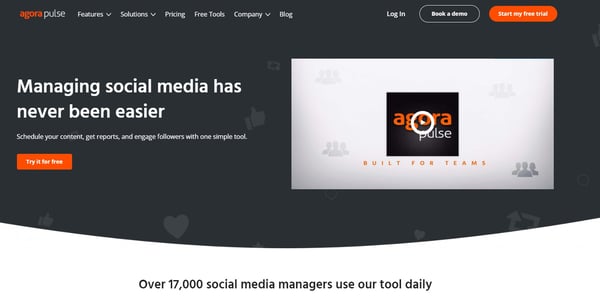
AgoraPulse is another all-in-one social media management solution for Twitter. The primary goal of this tool is making publishing content and engaging with users simpler, even in collaborative environments. Features such as saved responses and one-click PowerPoint exports for reporting can help you achieve your goals faster and more efficiently. Here are some other benefits to the tool:
- Flexible post scheduling, rescheduling, and queuing
- Bulk post uploading
- Unified social inbox with automated moderation capability
- User collaboration perfect for teams and agencies
14. RiteTag
Price: $49/year
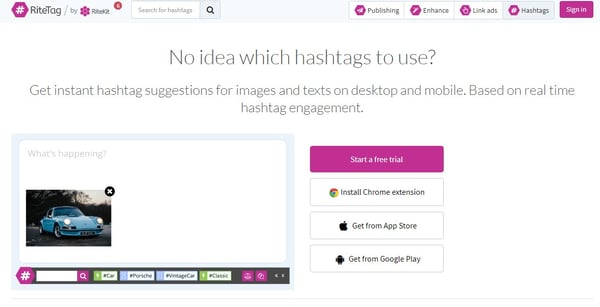
Part of growing your following comes down to the discoverability of your content. With RiteTag, you can get instant tweet enhancement suggestions, including hashtag optimization that will give the post the best reach possible. It works by analyzing hashtag engagement in real-time and suggesting the most relevant and trendy tags for your post. There are additional enhancement features such as:
- Automatically adding relevant emojis and gifs
- Extracting images from your links
- Pulling text into a shareable image
- Appending the Twitter handle of post authors
Now that you know the top tools to help you manage and grow your Twitter presence, you can find the right ecosystem that works for you. With a combination of tools, resources, and content that your followers will love, you’ll be on your way to seeing ROI from Twitter marketing in no time.
Editor’s Note: This post was originally published on Nov 5, 2015 but was updated on Mar 16, 2020 for comprehensiveness.

How to Bridge the Gap Between In-Person and Online Lead Generation
From a marketing standpoint, the great benefit of online channels is the ability to track and measure how effective they are.
Knowing which social links led to a conversion, or which web pages ultimately influenced a customer to purchase your product, makes us better and more effective marketers.
But what about the power of in-person events? How do you measure the value of a speech or understand the influence a conference had amid all the other interactions a prospective customer had with your company online?
Linking the online and offline activities has long been a challenge for marketers — but it’s not impossible.
Here, let’s dive into a few ways you can bridge the gap between in-person and online lead generation. Additionally, we’ll explore how to transition to online lead generation if you find some of your traditionally in-person events are now cancelled and replaced with virtual customer interactions.
How to Transition In-Person Events to Online Lead Generation
1. Provide an option for your attendees to download slides.
Speaking at an event carries with it a tremendous amount of potential — more than any vendor table or collateral seat-drop can offer. You have the capacity to captivate an audience, teach them something new, and form a lasting impression.
But even the best speeches are lost opportunities if you don’t translate them to visits to your website and potential conversions. Giving your email or website URL alone may not be enough to get audience members to look you up. Instead, take a page from the inbound marketing playbook and offer them something of value.
When I first started speaking at events, I’d often get requests over Twitter or in-person for a copy of my presentation slides. Having the slide deck makes it easier for people to bring what they’ve learned at the conference back to their colleagues.
One strong way to provide attendees who are really interested in what you said with a takeaway is to create a landing page on your website where attendees can fill out a small form and download your slides or any other materials you presented.
Creating a landing page with your presentation materials offers two benefits:
- It gives those who are interested in learning more or evangelizing what you’ve presented the materials they need to do so.
- The conversion on your website bridges the gap from in-person to online activity, enabling you to better track the lead and further nurture the relationship.
Put up the landing page before your speech and optimize it just as you would any other landing page. Position it both for the attendees of your talk and the larger audiences who may hear about it through social media or other means.
In the last slide of your presentation, include an easy-to-remember short link to your slides. We often use bit.ly because it’s free and allows you to customize the link to a more memorable phrase like the conference or talk name. In addition to including the link in your presentation, share it out on social media with the conference hashtag after the talk.
2. Zap business cards right into your contact database.
In the basement of my apartment next to my washing machine sits a collection of business and partnership opportunities gone to waste. I’m not proud of it. But I’m coming clean because I’m guessing a few of you have been there too. You go to a conference or a trade show, meet scores of interesting people and, like summer camps of years past, you promise to stay in touch.
Then you stuff their business cards into your pockets, leave the conference, grab a coffee, catch a plane home, unpack your bags, go to work, wince at your swelling inbox and fail to remember the treasure trove of business cards piled up at home.
Now, maybe you’re better than me at this, or maybe you’ve already discovered a useful app like FullContact Card Reader.
Card Reader is an app that translates in-person business cards to online contact records. I first learned about them because HubSpot has a new integration with them that allows you to take pictures of business cards at an event which then automatically translates into contacts in your HubSpot database, enabling you to toss the business cards, send follow-up emails, and better understand the contact’s future activity on your site. If you’re a HubSpot customer you can log in here to try the integration yourself through Zapier). But you don’t have to be a HubSpot customer to use FullContact Card Reader. You can download their iPhone or Android app for free and start using Card Reader at your next event.
A business card left abandoned in a contact database is just as lonely as one left to gather dust by my abandoned sock bin, so to get the most out of this tool, you want to have a good follow-up strategy. When you digitize the business card, include a note to remind you what you and the new contact discussed and make sure any follow up is tailored, relevant, and in the words of Dharmesh Shah, “human.”
I asked Brad McCarty, Content Director at FullContact, what tips he had for quality post-event follow up. He offered the following advice — “My philosophy is three fold: segment, wait, make it personal,” he explained. “After any big event, I like to wait until the middle of the following week before touching base with the people that I’ve met. That gives those people a chance to catch up from the out of office time, and it seems to increase my response rate versus faster follow ups. I don’t do phone calls unless someone specifically asks for one, mainly because I find them to be invasive. That being said, I do try to make sure that my email to them is as personal as possible. It takes more time, but any good relationship requires that investment.”
3. Offer an exchange.
When he was CEO of Gemvara, an online custom jewelry company, Matt Lauzon came to speak at our company about his approach to growing a business.
At the end of his talk Matt did something that was equal parts old-fashioned and innovative. He made us a deal. He held up a collection of printed gift cards to Gemvara, each with a unique code on them. He thanked us for attending and told us he would give the free gift cards to anyone who wanted them so long as they promised to do one thing in return.
His one request was that if we used the gift card, we had to promise to drop him a note afterwards to tell him how our experience was with the company.
People have been giving out discounts and coupon codes for a while now at companies, but often they’re handed out as an after-thought. By asking for something in return, Lauzon not only added more significance to the exchange, he also furthered the relationship. He’s able to link the event and the online purchase with a code from the card, and can isolate the portion of highly engaged customers based on who followed through on their promise to email with feedback.
Robert Caldini, professor of psychology and marketing and author of Influence: The Psychology of Persuasion, explains this as the rule of reciprocity. There are six key principles of influence, he writes, the first of which is reciprocity.
By offering someone something of value and requesting, even lightly, something in return, Lauzon brought his audience to a deeper level of engagement and commitment.
Not everyone followed through, but he certainly gained more post-talk connections than he would have otherwise.
I’ve given you a few tips on what to do to bridge the gap between in-person and online lead generation, now let me close with one to avoid. The fastest way to ruin a good in-person interaction is to follow it up with a canned and robotic email response. Sometimes emails are hard to get out right away. It takes time to follow up in a personal way.
Ultimately, tailored and relevant follow-up communications are always more meaningful and memorable than a form email. Whenever possible, leave the canned emails to … well … just leave those emails in the can. Focus on the person, what stood out about your conversation and the real reason you decided to follow up.
How to Implement a Lead Generation Strategy Entirely Online
If your in-person events suddenly get cancelled, or you don’t have the opportunity to attend in-person events, you’re in luck — you can still create a highly effective lead generation strategy entirely online.
Here’s how to get started:
1. Host an online webinar with a CTA at the end.
Similary to the strategy outlined above, if you can’t attend an in-person event, you can still create meaningful video content online with the option to download your webinar materials at the end on a landing page.
Webinars are incredibly effective — in fact, 73% of B2B marketers say a webinar is the best way to generate high-quality leads.
To host a webinar, you’ll want to begin by considering some of your prospects’ primary questions or concerns and how you might be able to answer them. For instance, if you work for a SaaS company, you might consider hosting a fireside chat on “Technology and AI 2020 Predictions” with some industry leaders.
Alternatively, you might explore a more niche topic if you feel your research has uncovered specific questions your audience wants answers to, such as “How to Leverage Instagram Advertising”.
To ensure you’re covering topics your audience cares about, you can explore LinkedIn communities to take note of highly-asked questions in your industry, or even post a poll on your social pages to get input from your followers.
What’s great about webinars is the ability to access them even after the live premiere, whenever and wherever your prospects want to tune in — to fully leverage this option, you might consider creating a webinar landing page with all your webinars posted for viewing, like Sprout Social did.
Once you’ve completed your live webinar, use the same strategy above to let viewers download webinar content to share with colleagues by filling out a landing page form.
Take a look at How to Setup and Promote Your First Marketing Webinar to learn more about how to create and promote your first webinar.
2. Create online learning courses to further nurture leads.
At HubSpot, we have an entire Academy team dedicated to creating a wide variety of courses and certifications to further educate our prospects and help them grow their own careers.
By offering educational content to your own prospects and customers, you’re able to position your company as an industry expert, while proving your value even before prospects make a purchase.
The more value you can provide prospects upfront, the better. With online learning courses, you’re able to build both brand awareness and credibility, and when prospects are eventually ready to make a purchase, they’ll already see the value in your brand.
Creating learning courses doesn’t have to be expensive, either. Consider Moz’s Whiteboard Friday’s, which are incredibly valuable and educational — and yet, only involve a whiteboard and a camera.
As next steps, you can include ebooks or additional downloads to further nurture leads once they’ve seen value in the courses you post, either to your website or social channels.
3. Use email, social media, or blog posts for the ultimate lead generation strategy.
In-person events are great for building rapport and meeting face-to-face with potential prospects, but they’re also limited in scope. A typical conference enables you to meet a few hundred people, at most.
Online, of course, your audience is much larger — with over 3.4 billion of the world’s population online, it’s critical you optimize your website, blog content, social media pages, and email to ensure you’re able to nurture leads from around the globe, even when those leads can’t meet in-person.
To learn more about how to create a lead generation strategy from start-to-finish, take a look at Lead Generation: A Beginner’s Guide to Generating Business Leads the Inbound Way.
For now, though, let’s provide a few quick takeaways:
- Use keyword research and, if possible, align your content team with your SEO team to ensure your blog content can reach and convert the highest possible number of potential leads
- Ensure each blog post has a CTA (call-to-action) that invites leads to build a deeper relationship with your brand
- Use email marketing to create a newsletter with valuable information for leads who are interested in inviting your brand into their inbox — depending on your leads and strategy, you might send a bi-weekly, weekly, or daily newsletter (of course, ensure your emails are GDPR compliant)
- Have your social media team analyze a diverse range of social platforms to decide which ones work best for attracting your ideal audience. Depending on your business’s needs, you might take advantage of Instagram, Facebook, Twitter, Snapchat, LinkedIn, Pinterest, Quora, TikTok, or a variety of others to ensure you’re engaging with your prospects wherever, and whenever, they want
In an ideal world, we’d have the resources to connect with our prospects both in-person and online — but ultimately, if you have valuable content, your leads will be interested in learning more about your business regardless of where they hear of you first.
Try some of the tactics listed above to reach and convert as many potential customers as possible, and whether you meet in-person or online, always ensure you’re ready to provide next steps to cultivate deeper relationships with prospects from across the globe.

Why You Should SEO-Optimize Your Content, Even if Your Goal Isn’t Organic Traffic
Nowadays, you can’t conduct a successful content marketing strategy without incorporating SEO methods.
Neil Patel explained it well when he wrote: “Good SEO … means consistent output of content. Consistent output means that you’re doing content marketing, and you’re doing it right. There isn’t any way around it.”
I can imagine you might be thinking — “OK, but my goal for content marketing isn’t just SEO. It’s also creating thought leadership content, and lead generation, as well.”
Of course, every marketer should consider more than organic traffic when analyzing success metrics. After all, SEO isn’t the only component of a successful marketing strategy.
But SEO efforts don’t just help you reach organic traffic goals — they can also help you achieve your brand awareness and lead generation goals, as well.
Here, let’s explore how SEO can help you meet all your marketing goals, even if those goals don’t require organic traffic.
How SEO Can Help You Reach the 3 Main Content Marketing Goals
Before we dive into how marketers can use SEO strategies to reach their content marketing goals, let’s take a short detour and refresh ourselves on three of the primary reasons for doing content marketing:
- Lead generation. If you have salespeople ready to close sales but need to fill their pipeline with more qualified leads, the primary goal for your content marketing is probably lead generation. Lead generation is the process of converting people who’ve heard of your company into people who want to hear from your company more often. And then when those leads trust you and view you as an expert in your industry, they’re more likely to convert into customers.
- Thought leadership/brand awareness. If you’re hoping to position your company as a knowledgeable expert within your industry, your primary content marketing goal is probably thought leadership. Consistently getting thought leadership content published in trusted publications — whether through guest-contributed articles or press mentions — is a fantastic way to build credibility with your audience.
- SEO. If there’s a lot of competition in your space and you’re gunning for the top spot in your target audience’s mind, your primary goal for content marketing is probably SEO. SEO works to get your website to the top of the list when your audience looks for certain keywords in search engines. The content on your site and the pages that link to your site give your website a better score, boosting your overall credibility with the search engine.
If you didn’t have a specific content marketing goal in mind before you started reading, pick the one from the list above that’s most important to you right now. Keep that goal in mind as you keep reading.
SEO Strategies to Reach Any Content Marketing Goal
Now that you have a specific goal in mind, let’s take a look at a few SEO strategies that can help you improve your content marketing results, as well as how you can apply these SEO strategies to reach your content marketing goals.
1. Keyword Research
To put it simply, keyword research lets you see what search terms you’re currently ranking for, what others in your industry are ranking for, and which keywords could use more of your attention.
For example, you might discover that your audience is looking for “guides on creating a content marketing strategy.” While a certain publication you want to partner with might not be looking for an article that spells this out in a lengthy, detailed how-to guide, you could write a higher-level article for that publication that links to a white-paper on your site that dives deeper into the process of developing an effective content marketing strategy.
This would allow you to create content that your audience is looking for, while also publishing in an important publication that helps demonstrate your brand as a thought leader in the industry. Of course, researching your keywords will look the same regardless of your content marketing goal — but the way you use that information will differ.
If your primary goal is lead generation, keyword research can enable you to identify pain points or sales objections you might want to cover in your content. This will allow you to tailor your content to what your audience actually wants to know and strategically use keywords related to your audiences’ searches so you can reach them in search results. Once you reach them there, you can hopefully lead them to your site to engage with your company further.
Focusing on thought leadership? Keyword research can help you find out what questions your audience has so you can provide answers and position your company as authorities in your industry. You can include short-tail (e.g., “AI”) and long-tail (e.g., “what is artificial intelligence”) keywords in your content to rank for those keywords and further solidify your place as a thought leader online. After all, if your audience members don’t find you when they search for information related to your expertise, they probably won’t consider you a credible expert.
If SEO is your focus, keyword research lets you see how you stack up against the competition when it comes to ranking for important keywords in your industry. It will give you insight into what keywords your content initiatives should focus on so you can improve those rankings and be more competitive on search engine results pages.
To conduct keyword research, analyze your website’s current rankings, identify keywords your competition doesn’t rank for but that might be good opportunities, look for question-based keywords you can focus on to answer your audience’s queries, and cluster your findings so you can identify trends. Google’s autocomplete, similar searches, or Keyword Planner are accessible ways to explore what your audience is searching for. If you want to go deeper, you can use a keyword tool like Ahrefs, SEMrush, or Moz to get a more well-rounded picture.
2. Topic Clusters
Search engines’ algorithms favor topic-based content, so it can be beneficial to link related content under “topic clusters.” Basically, building topic clusters allows you to provide deeper coverage across a range of core topics and create an efficient information architecture.
You can develop a pillar page for each of your company’s main focus areas. Then you’ll build out more specific subtopics, or “cluster content.” These pieces of cluster content will provide more detail related to a specific long-form keyword that’s related to the main topic you covered on the pillar page. The pillar links to each cluster page, and each piece of cluster content links back to the pillar with the same hyperlinked keyword.
For example, at my company, Influence & Co., we created a pillar page titled “The Ultimate Guide to Content Marketing.” This is a longer piece of content that covers six ways readers can take their content marketing to the next level, diving deep into how to achieve the advice in each section. This pillar page links out to multiple cluster pages (and the cluster pages link back), which results in that solid architecture I just mentioned.
We also produced a couple of guest-contributed articles related to this pillar page to create a comprehensive content plan that provides a wide range of specific, tactical content to help our audience better understand content marketing — and how to do it well.

If you’re focusing on lead generation, this linking ecosystem enables you to keep your audience members engaged with your content longer, which boosts the likelihood that they’ll fill out a form or reach out to you. Plus, as your audience members spend more time on your site, they learn more about your company, making them more qualified leads once they do decide to take the leap and give you their information.
Topic clusters can benefit a thought leadership strategy as well, because this approach lets you create overview content and in-depth content, which positions you as a thorough expert on the subject matter that your audience is interested in and cares about.
Finally, working to achieve SEO goals? This model can help you organize your site’s structure.
Building a strong information architecture can lead to better rankings in organic search across a broad subject area. Those hyper-focused pieces of cluster content will allow you to work toward that strong architecture while also maintaining your focus on producing content that your audience cares about. Plus, creating one high-performing cluster page can elevate search rankings to all of the other pages that are linked to the same pillar.
A great way to plan out your topic clusters is to develop a content map. Before you even begin creating content, decide what your pillar page will focus on. Then nail down topics for a few cluster pages. You can even take it a step further and identify what subjects you’d like to cover in guest-contributed articles related to that overarching topic. We’ve put together a free content map template that you can use to get started.
3. Optimizing Blog Posts
Blogging can position your website as a relevant answer to your target audience’s burning questions. And optimizing those posts for search can help you actually reach your audience members so you can provide the value they’re looking for.
Blog post optimization can advance both thought leadership and lead generation goals because if the content you’re producing for your site isn’t ranking well, it isn’t showing up as a relevant answer to your audience’s questions. This means you won’t be perceived as an expert, and you most definitely won’t generate more leads.
If you’re focusing on SEO as your primary goal, optimizing blog posts is a given. Your content isn’t going to rank well if you’re not including relevant short- and long-tail keywords that your audience cares about.
To optimize your blog content, focus on one or two long-tail keywords that line up with the intent of your target readership, and include those keywords in your post where they fit in naturally. For example, if your audience has been searching for information on creating a predictive analytics strategy, you’ll want to publish a blog post about the strategy and techniques behind predictive analytics.
When writing that post, you’ll need to include long-tail keywords for which people are searching. Those might include “how to do predictive analytics,” “predictive analytics strategies,” and “predictive analytics techniques.” This way, your blog post will show up in search results for people who are looking for more detailed insights on developing a predictive analytics strategy.
In addition, make sure your blog is responsive and mobile-friendly. Creating a meta description that’s keyword-rich, optimizing your images with alt text, and linking to other pages on your blog whenever possible will also help you rank.
These are just a few SEO strategies that can help you reach your content marketing goals, whether you’re focusing on SEO itself, thought leadership, or lead generation. This certainly isn’t an exhaustive list, but it’ll get you started on your journey of optimizing your way to better content marketing results.

Everything You Need to Know About Business Process Automation
When I think of automation, my first thought is that judgment day from “The Terminator” is upon us.
However, conspiracy theories aside, automation can actually help marketers grow better and do their jobs more efficiently.
In fact, 29% of marketers are using automation to help them personalize customer engagement. Overall, marketers’ adoption of artificial intelligence has grown by 44% since 2017.
When marketers use business process automation, they have more time for high-level, creative tasks.
Without manual duties, automation can even allow your team to get more done.
Below, let’s review everything there is to know about business automation including what it is, the top benefits, and examples for how to use it. Then, we’ll dive into the best business automation tools.
You can use business process automation in many departments including marketing, human resources, sales, and customer service.
For example, chatbots are a form of business process automation for marketing. Similarly, you can automate contract management for sales.
Now, you might be wondering, “What tasks can I automate?”
Ultimately, if a process is repeatable, needs to be free from human error, and requires consistency, then you should consider automation (more on this below).
Before we dive into examples of business process automation, you might be curious why you should use it? Let’s review some of the top benefits below.
Business Process Automation Benefits
Business process automation can help improve customer relationships, create reporting dashboards, and standardize your processes.
But, how does this help you?
Below, let’s discuss the top benefits of business process automation:
1. Saves time.
At the end of the day, grunt work takes more time than you think. While these tasks are important and cannot be skipped, they don’t necessarily need to be done by a human.
Business process automation will save your employees time by completing the menial tasks, such as paperwork.
Automation will instantly execute tasks that normally take time to complete.
Additionally, this saved time will give your employees more time to complete higher-level tasks, such as building relationships and research. This means they can create more value and make more money for your business.
2. Reduces human error.
I don’t know about you, but I’ve been known to mix up my words and numbers from time to time. That’s just human. But, if an invoice number is mixed up, that can cause a major fiasco for your company.
With automation, you won’t have to worry about human errors like that. You can process paperwork, transfer documents, and gather signatures instantly.
Additionally, automated tools can send reminders in case your human employees forget to complete a task.
3. Results in happier employees.
Menial tasks are usually the most hated. People don’t like doing grunt work, no matter how necessary it is.
With automation, your employees won’t have to do that anymore. This will result in happier employees who are empowered to do their job.
4. Streamlines information.
Business process automation will streamline all your data and tasks. For example, a business process automation software will have an entire process documented. The information for all the steps in a project are accessible to your entire team.
This will make reporting and decision making easier for your team. Automated processes lead to clear accountability, valuable insights, and possibly faster turnaround times.
Additionally, information and notifications can be customized. This allows your team to have customized notifications on when to send a certain email or when a task is due on a project.
5. Improves customer satisfaction.
When your processes are streamlined, you’re typically running more successful marketing campaigns and responding to your customers quickly.
All of this leads to happier customers. Business process automation tools can help you consistently meet the high standards of your customers.
6. Promotes compliance.
Many processes in a marketing campaign need to be compliant. For example, with emails, you need to follow GDPR and CAN-SPAM laws.
With business process automation tools, you can ensure your campaigns are compliant. You can set up systems that check for this compliance, so you only have to implement the information once.
Now that you understand the benefits, you might be wondering “How can I use business process automation in my business?” Below, let’s review some examples.
Business Process Automation Examples
Business process automation can be used in several departments, including marketing, customer service, human resources, and sales. Below, we’ll dive into some examples in each category.
1. Project Management
As a marketer, you’re often managing several campaigns and projects. With business process automation, you can digitize your workflows and automate the entire logistical part of a campaign.
For example, task management tools can tell you who’s doing what and when it’s due.
When an employee finishes a task, the system can automatically notify the next person within the workflow.
Additionally, managers can see dashboards for which employees are doing what and how they’re doing. If someone’s late with a deadline, managers are instantly notified.
2. Customer Service
Customer service is one of the best departments to automate. With business process automation, your customer service team can automate replies if certain keywords show up in an email or chat.
Additionally, if you have a list of FAQs, you can create automated responses on social media chatbots, or chatbots on your site.
Other business process automation tools can analyze, classify, and assign support tickets to the right department and team member.
3. Social Media
Posting on several social media platforms every day can be exhausting. And it takes more time than you think.
With social media automation tools, you can schedule posts in advance, so you don’t have to manually upload your posts every day.
Additionally, other social media tools help with content curation. These tools are a great place to streamline your idea process.
4. Approvals
If your business requires ordering of any kind (most businesses do), business process automation software can streamline the approval process.
Sometimes just managing requests can be a full-time job. With automation tools, you don’t have to track down five team members to get approval. You can just send approval notifications to your team and have them do it online.
5. Onboarding
Onboarding is a menial process. There’s documentation that needs to be signed, tax documents to fill out, and signatures to gather.
With business process automation tools, your recruiting and human resources team doesn’t need to manage that manually. They can send these requests online and look at the software to see what’s been completed and what hasn’t.
6. Customer Relationship Management
As a marketer, customer relationship management is important. You don’t want to send the same email to a lead twice. With all in one software, like HubSpot, you can see your contact’s engagement with your company in one place.
Additionally, customer relationship management programs help you nurture leads and workflows. Plus, it helps identify when a lead moves from an MQL to an SQL through automated lead scoring.
7. Sales
A menial task for sales reps is creating and tracking invoices. With business process automation software, this can all be set up with your software, saving your sales time valuable time.
Additionally, software like HubSpot’s Sales Hub can help manage contracts, create email sequences, and automate the day-to-day tasks of a sales rep.
Once you’ve decided what you want to use business process automation for, you can begin to look at the best tools. Below, let’s review some of the tools you can use.
Business Process Automation Tools
Deciding what automation tools you want depends on what process you want to automate. Before you purchase new automation software, you should have an understanding of the tasks involved in the process you want to automate, have a clear goal, and make sure you have the time to train employees in new software.
Additionally, you’ll want to assign a team leader who’s responsible for helping your team during this adjustment period.
It’s important that you don’t just purchase new software and leave it to your team to figure out how to implement it. There needs to be a plan for how it’s going to be used and who’s responsible for assigning certain tasks.
With that said, below are some business process automation tools you can use for your team:
- HubSpot Marketing Hub
- HubSpot Sales Hub
- HubSpot Service Hub
- MailChimp
- Constant Contact
- Hootsuite
- Buffer
- Salesforce
- Basecamp
- Asana
- Monday.com
Ultimately, business process automation will make your life easier. It can complete recurring tasks that need to be free from human error. Plus, it’ll free up your time for important, high-level tasks and help your company grow better.

5 Steps to Create an Outstanding Marketing Plan [Free Templates]
Do you take a good, hard look at your team’s marketing strategy every year?
You should. An annual marketing plan helps you set your marketing on the right course to make your company’s business goals a reality. Think of it as a high-level plan that guides the direction of your team’s campaigns, goals, and growth.
Without one, things can get messy — and it’s nearly impossible to put a number on the budget you’ll need to secure for the projects, hiring, and outsourcing you’ll encounter over the course of a year if you don’t have a plan.
Keep in mind there are variations to the marketing plan you need, depending on your industry and the goals of your marketing team. To make your plan’s creation easier, we’ve put together a list of what to include in your plan and a few different planning templates where you can easily fill in the blanks.
To start, let’s dive into how to create a marketing plan and then take a look at what a high-level marketing plan has inside.
1. Conduct a situation analysis.
Before you can get started with your marketing plan, you have to know your current situation.
What are your strengths, weaknesses, opportunities, and threats? Conduct a basic SWOT analysis is the first step to creating a marketing plan.
Additionally, you should also have an understanding of the current market. How do you compare to your competitors? Doing a competitor analysis should help you with this step.
Think about how other products are better than yours. Plus, consider the gaps in a competitor’s approach. What are they missing? What can you offer that’ll give you a competitive advantage? Think about what sets you apart.
Answering questions like this should help you figure out what your customer wants, which brings us to step number two.
2. Define your target audience.
Once you have a better understanding of the market and your company’s situation, make sure you know who your target audience is.
If your company already has buyer persona’s, this step might just mean you have to refine your current personas.
If you don’t have a buyer persona, you should create one. To do this, you might have to conduct market research.
Your buyer persona should include demographic information such as age, gender, and income. However, it will also include psychographic information such as pain points and goals. What drives your audience? What problems do they have that your product or service can fix?
Once you have this information written out, it’ll help you define what your goals are, which brings us to step number three.
3. Write SMART goals.
My mother always used to tell me, “You can’t go somewhere unless you have a road map.” Now, for me, someone who’s geographically challenged, that was literal advice.
However, it can also be applied metaphorically to marketing. You can’t improve your ROI unless you know what your goals are.
After you’ve figured out your current situation and know your audience, you can begin to define your SMART goals.
SMART goals are specific, measurable, attainable, relevant, and time-bound. This means that all your goals should be specific and include a time frame for which you want to complete it.
For example, your goal could be to increase your Instagram followers by 15% in three months. Depending on your overall marketing goals, this should be relevant and attainable. Additionally, this goal is specific, measurable, and time-bound.
Before you start any tactic, you should write out your goals. Then, you can begin to analyze which tactics will help you achieve that goal. That brings us to step number four.
4. Analyze your tactics.
At this point, you’ve written down your goals based on your target audience and current situation.
Now, you have to figure out what tactics will help you achieve your goals. Plus, what are the right channels and action items to focus on.
For example, if your goal is to increase your Instagram followers by 15% in three months, your tactics might include hosting a giveaway, responding to every comment, and posting three times on Instagram per week.
Once you know your goals, brainstorming several tactics to achieve those goals should be easy.
However, while you’re writing your tactics, you have to keep your budget in mind, which brings us to step number five.
5. Set your budget.
Before you can begin implementing any of your ideas that you’ve come up with in the steps above, you have to know your budget.
For example, your tactics might include social media advertising. However, if you don’t have the budget for that, then you might not be able to achieve your goals.
While you’re writing out your tactics, be sure to note an estimated budget. You can include the time it’ll take to complete each tactic in addition to the assets you might need to purchase, such as ad space.
Now that you know how to create your marketing plan, let’s dive into the elements that a high-level marketing plan should include.
Marketing Plan Elements
Marketing plans can get quite granular to reflect the industry you’re in, whether you’re selling to consumers (B2C) or other businesses (B2B), and how big your digital presence is. Nonetheless, here are six elements every effective marketing plan includes:
1. Business Summary
In a marketing plan, your Business Summary is exactly what it sounds like: a summary of the organization. This includes the company name, where it’s headquartered, and its mission statement — all of which should be consistent with the business as a whole.
Your marketing plan’s Business Summary also includes a SWOT analysis, which stands for the business’s strengths, weaknesses, opportunities, and threats. Be patient with your business’s SWOT analysis; you’ll write most of it based on how you fill out the next few marketing plan elements below.
2. Business Initiatives
The Business Initiatives element of a marketing plan helps you segment the various goals of your department. Be careful not to include big-picture company initiatives, which you’d normally find in a business plan. This section of your marketing plan should outline the projects that are specific to marketing. You’ll also describe the goals of those projects and how those goals will be measured.
3. Target Market
Here’s where you’ll conduct some basic market research. If your company has already done a thorough market research study, this section of your marketing plan might be easier to put together.
Ultimately, this element of your marketing plan will help you describe the industry you’re selling to, an analysis of your competitors, and your buyer persona. A buyer persona is a semi-fictional description of your ideal customer, focusing on traits like age, location, job title, and personal challenges.
4. Market Strategy
Your Market Strategy uses the information included in your Target Market section to describe how your company should approach the market. What will your business offer your buyer personas that your competitors aren’t already offering them?
In a full-length marketing plan, this section can contain the “seven Ps of marketing.” These Ps are product, price, place, promotion, people, process, and physical evidence. (You’ll learn more about these seven sub-components inside our free marketing plan template, which you can download below.)
5. Budget
Don’t mistake the Budget element of your marketing plan with your product’s price or other company financials. Your budget describes how much money the business has allotted the marketing team to pursue the initiatives and goals outlined in the elements above.
Depending on how many individual expenses you have, you should consider itemizing this budget by what specifically you’ll spend your budget on. Example marketing expenses include a marketing agency, marketing software, paid promotions, and events (those you’ll host and/or attend).
6. Marketing Channels
Lastly, your marketing plan will include a list of your marketing channels. While your company might promote the product itself using certain ad space, your marketing channels are where you’ll publish the content that educates your buyers, generates leads, and spreads awareness of your brand.
If you publish (or intend to publish) on social media, this is the place to talk about it. Use the Marketing Channels section of your marketing plan to lay out which social networks you want to launch a business page on, what you’ll use this social network for, and how you’ll measure your success on this network. Part of this section’s purpose is to prove to your superiors, both inside an outside Marketing, that these channels will serve to grow the business.
Businesses with extensive social media presences might even consider elaborating on their social strategy in a separate social media plan template — which you can download below.
Free Marketing Plan Template [Word]
Now that you know what to include in your marketing plan, it’s time to grab your marketing plan template and see how best to organize the six elements explained above. The following marketing plan template opens directly in Microsoft Word, so you can edit each section as you see fit:
Download your marketing plan template here.
In this marketing plan template, you’ll get to fill in the following contents to suit your company:
Business Summary
- Company Name
- Marketing Leadership Team
- Headquarters, Office Locations
- Mission Statement
- SWOT Analysis
Business Initiatives
- Overarching company initiatives
- Marketing initiatives, goals, metrics
Target Market
- Industry Name
- Buyer Persona(s)
- Competitive Analysis
Market Strategy
- Product
- Price
- Promotion
- People
- Process
- Physical Evidence
Budget
Marketing Channels
Social Media Marketing Plan Templates
As marketing departments grow, so will their presence on social media. And as as their social media presence grows, so will their need to measure, plan, and re-plan what types of content they want to publish across each network.
If you’re looking for a way to deepen your social media marketing strategy — even further than the marketing plan template above — the following collection of social media marketing plan templates is perfect for you:
Download 10 social media reporting templates here.
In the above collection of marketing plan templates, you’ll get to fill in the following contents (and more) to suit your company:
- Annual social media budget tracking
- Weekly social media themes
- Required social media image dimension key
- Pie chart on social media traffic sorted by platform
- Social media post calendar and publish time
Below, let’s review the 10 social media reporting templates, and what you’ll find in each one.
1. Social Media Questions
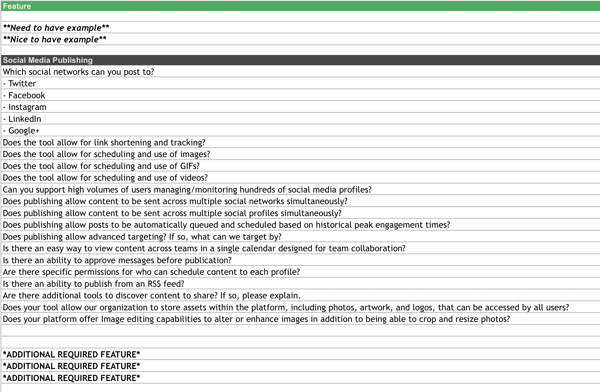
This template lists out questions to help you decide which social media management platform you should use.
Once you know what social media tactics you’re going to implement in your marketing plan, it’s time to figure out what channels are right for you. This template will help you do that.
2. Hashtag Holidays
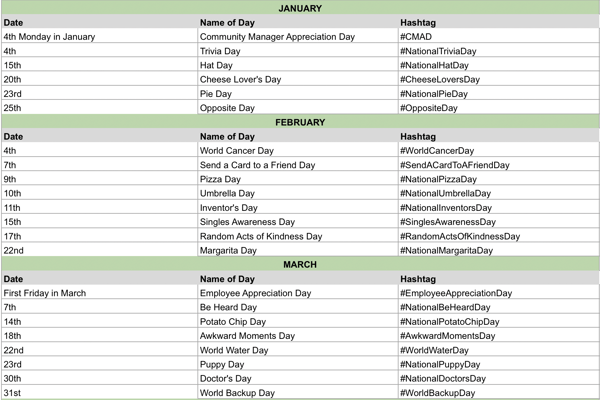
If you’re going to lean in to social media in your marketing plan, you can use hashtag holidays to generate ideas.
These holidays are a great way to fill out your social media publishing schedule. With this template, you’ll get a list of all the hashtag holidays for the year.
3. Facebook Live Schedule
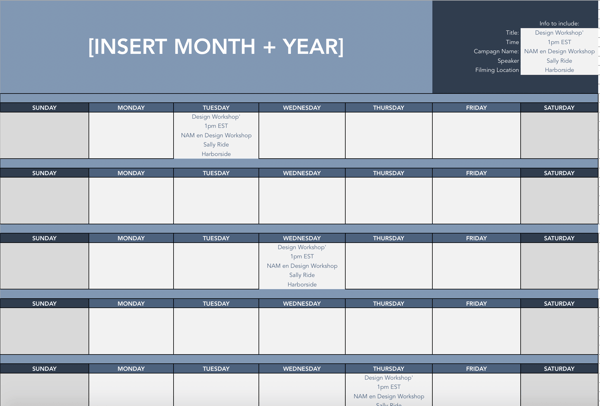
If Facebook live is one of the marketing tactics in your plan, this template will help you design an editorial calendar. With this template, you can organize what Facebook live’s you want to do and when.
4. Instagram Post Log
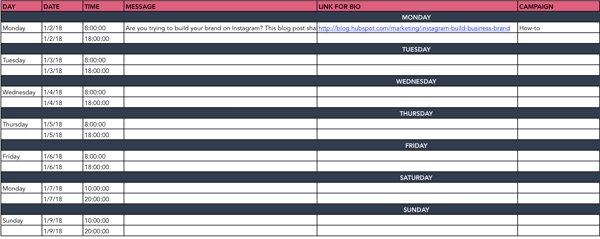
Are you going to begin using Instagram regularly? Do you want to increase your following? With this template, you can organize your Instagram posts, so everyone on your team knows what posts are going live and when.
Additionally, you can organize your assets and campaigns on this doc.
5. Paid Social Media Template
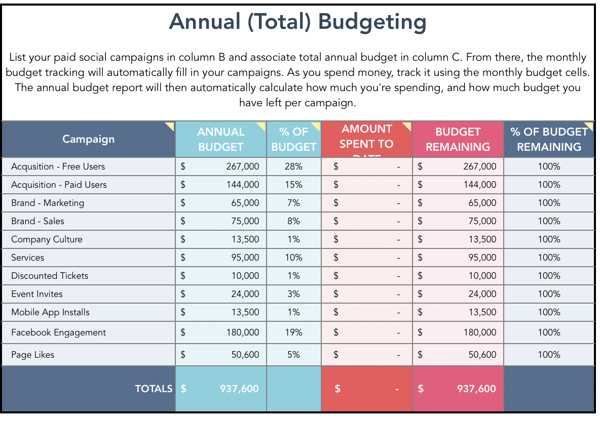
With this template, you can organize your annual and monthly budget for your paid social media calendar.
6. Social Media Audit
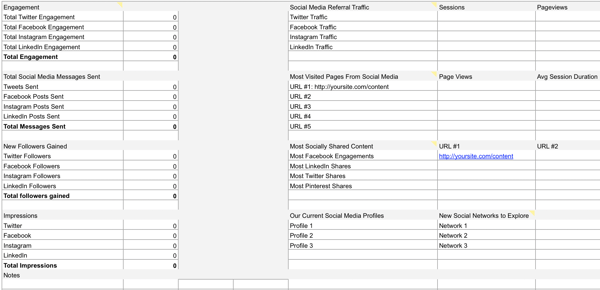
Conducting a social media audit? You can use this template to help you gather the right analytics.
7. Social Media Editorial Calendar
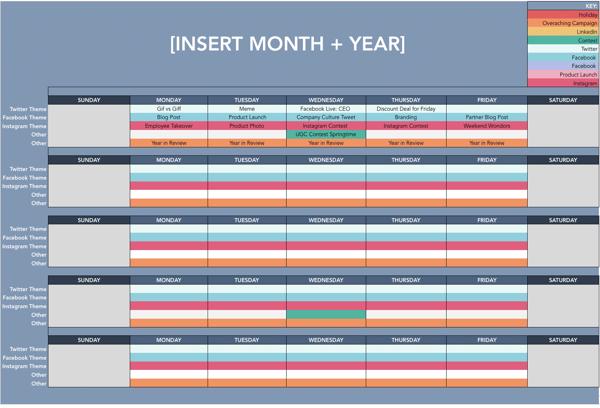
With this template, you can organize your social media editorial calendar. For example, you can include social media posts for each platform, so your team knows what’s going live on any given day.
8. Social Media Image Sizes

With this template, your team can have the latest social media image sizes handy. This template includes image sizes for all major social media platforms, including Facebook, Instagram, and Twitter.
9. Social Media Marketing Proposal
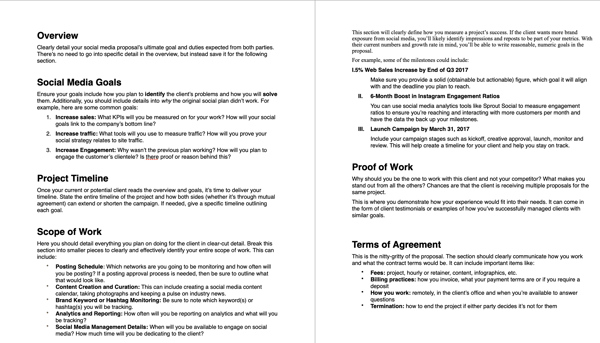
With this template, you can create an entire social media marketing proposal. This will outline the social media goals, scope of the work, and the tactics that you plan to implement.
10. Social Media Reporting Template
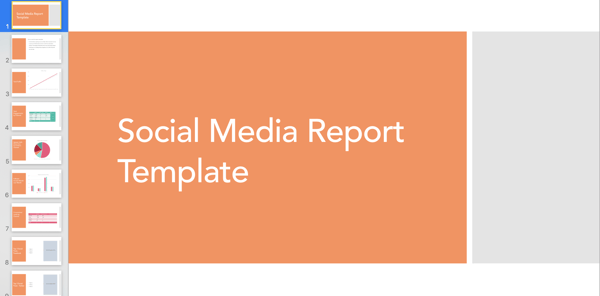
With this template, you’ll gain access to a slidedeck that includes templates for social media reporting. If you plan to implement social media in your marketing plan, these reporting templates can help you track your progress.
Simple Marketing Plan Template
Of course, this type of planning takes a lot of time and effort. So if you’re strapped for time before the holidays, give our new Marketing Plan Generator a try. This tool simplifies yearly planning and lays your strategies, initiatives, and goals out in a simple template so you can identify what’s most important for the coming year.
Try our free Marketing Plan Generator here.
Once you’ve filled in your information, you’ll come away with a plan that helps you:
- Outline your annual marketing strategy
- Identify your most important annual initiatives
- Nix the projects that won’t help you hit your 2017 goals
- Track the right metrics throughout the year
- Align your team through a common mission
Pro Tip: The best way to set up your marketing plan for the year is to start with quick wins first, that way you can ramp up fast and set yourself (and your team) up to hit more challenging goals and take on more sophisticated projects by Q4. So, what do you say? Are you ready to give it a spin?
Editor’s note: This post was originally published in December 2016 and has been updated for comprehensiveness.
