
How to Structure a Kick-Ass Marketing Team for Any Company
Companies are taking note of inbound marketing and revamping their strategy and talent pool to generate higher quality leads at about a 60% lower cost per lead than outbound marketing . Want to know how you can transform your marketing department to become an inbound lead generating machine helping your sales team KILL it and grow your business?
Here’s how: Talent.
All your inbound excitement won’t deliver results if you don’t have the right skills to adapt. After years of working with thousands of customers, we’ve got a pretty good picture of what a high performing inbound marketing team might look like across a variety of company sizes.
First, let’s define what we mean by different company sizes. You may not agree with all of them, but that’s fine; at least we have a common lexicon.
-
SMB (Small to Medium Sized Business) = Somewhere between 5-100 Employees
-
Midsized Business = Somewhere between 101-1,000 Employees
-
Enterprise = Upwards of 1,000 employees, but NOT including your massive Fortune 1000, big brand-type companies where it starts to get extremely big, siloed and global. (That could be a book!)
Now that we’ve agreed on sizes, let’s talk about who you need to hire to rock inbound at each level.
Marketing Department Structure
Structuring your marketing team(s) is a huge task. Marketing is an ever-changing industry, and as the industry changes, so do team structures and job roles.
Hiring the best talent will require knowing the best skills for each role. And, even if you’re hiring for a startup or small business and only have resources for 1-2 marketing roles at the moment, it’s still helpful to know the most transferrable skills that will help you hire people who can grow into new roles in the future.
This section will cover different types of roles within teams, and what skills are needed to excel in those teams. We will also go over how to build that team depending on your business size. Are you ready to take the first step to find your rockstar team?
1. Social Media Team
Skills needed: Content creation, graphic design, basic SEO knowledge, social media management, project management.
Your social media team will create and execute social media marketing efforts. This team will need to have knowledge of how to make engaging content to drive brand awareness, generate leads, and connect with audiences.
To properly perform these job functions, your social media team should have a working knowledge of creating, scheduling, and measuring the performance of social content.
Basic graphic design skills or knowledge of design tools like Canva or Adobe will be necessary for the content creation side, while social media management tools will help teams track performance, measure success, and schedule content.
Teams also need to be comfortable with customer service, as social media teams will be the ones responding to customers who engage through social media tags or posts. They will also be communicating to customers through content copy, blog posts, and comment sections, so an understanding of the company voice and ideal customer is key.
To help small teams, social media management software provides marketers with the tools they need to execute an entire social media strategy, such as the tools within HubSpot’s Marketing Hub.
Structure by team size:
SMBs with a team member dedicated to marketing should have a general comfortability with basic marketing practices and social media experience to build an online presence. If you can afford multiple marketing roles, start specializing in marketing functions like social media manager, which can be its own role.
Enterprise teams can structure their social media team by having specialists and managers to lead and oversee social media strategy, as well as roles for day-to-day social media activities, such as creating Instagram Stories and Posts, video editing for Facebook, and content management.
Potential roles
- Account Manager
- Head Account Manager
- Content Creator
- Content Media Strategist
- Digital Marketing Specialist
2. Search Engine Optimization Team
Skills needed: Writing, editing, problem-solving, experience with programming and technical thinking, analytics, spreadsheets, drive, the ability to adapt.
The SEO team will mainly be driving traffic to your webpages by optimizing content and ensuring your brand is aware of the keywords necessary to rank on the SERPs for topics related to your product or service. Occasionally, they’re also required to lend expertise to make business decisions. To accomplish these goals, SEO teams need to be made up of individuals with strong technical, programming, and writing skills.
Some SEO functions require writing, editing, and proofreading content to optimize it for audiences. This is where having a strong writing background will come in handy. SEO teams should be excellent problem-solvers and think about how to optimize content specifically for search engines.
These hires should be comfortable finding and implementing keywords, which will improve how high your business ranks on Google. They will also have to develop strategies for link building and develop a basic SEO protocol for the company.
In addition, SEO specialists should be fluent in analytics software to ensure they’re able to incorporate the lessons from those metrics into their overall strategy.
Structure by team size:
If you work for a small company, your SEO strategist might be melded with another role. If that’s the case, make sure that the SEO functions are being carried out by someone who has an understanding of analytics and optimizing content for search engines, as well as conducting thorough keyword research..
In other words, if they can’t speak Google or Bing’s language, they probably aren’t the right fit.
Comprehending analytics and optimizing content for SEO purposes will help your business rank on search engines and reach new prospects, or nurture leads until they’re ready to purchase..
For businesses that are large enough to build a team, hire for different specialties within SEO. For instance, you can hire for historical optimization, link building management, or raising webpage traffic.
From there, you can hire project managers and team managers who are experts in the field of SEO and can offer seasoned advice to other team members, as well as manage multiple SEO projects at once.
Potential roles
- SEO Strategist
- Senior SEO Strategist
- Optimization Specialist
- Historical Optimization Writer
- Senior Historical Optimization Writer
3. Acquisition Team
Skills needed: Customer service, excellent written and verbal communication, customer-obsession, solution-driven mindset, collaborative and approachable spirit, attention to detail
Though the entire marketing team should be customer-obsessed, your Acquisition team will be made up of those who live and breathe methods for delighting the customer through every step of their buyer’s journey.
Acquisition hires are the first contact with customers — they will introduce audiences to your brand. Your acquisition team will communicate to the customer as a representative and advocate for the company, and need excellent customer-facing skills and company knowledge to do so.
Another skill valued in an acquisition team is attention to detail; these teams have to be experts in how products can help customers and capitalize on little moments that can enhance the customer experience.
The biggest question for an Acquisition team to answer is, “How can we delight the customer for every stage of the buyer’s journey?” and projects should reflect that. For instance, creating compelling content offers and tracking the performance of these CTAs will be essential for teams to make impactful strategies for driving growth.
Structure by team size:
For companies whose members don’t have the resources to build a full Acquisition team, make sure the team member you designate for acquisition can effectively communicate your brand. They should know how to delight customers every step of the way.
If you’re building a team for a larger company, hire for an Acquisition team with roles that are either exclusively customer-facing or exclusively non-customer-facing. Individual hires will be able to focus their job functions based on their interaction with customers.
For example, someone in a non-customer-facing acquisition role could have duties such as developing CTAs and content offers, so writing experience and an understanding of basic graphic design practices are critical. Customer-facing roles, then, will onboard customers, source and contact them, and identify and ease pain points they might have in their journey.
Potential roles
- Lead Acquisition Specialist
- Customer Acquisition Specialist
- Content Acquisition Manager
- Acquisition Editor
4. Product Marketing Team
Skills needed: Research, analyzation, strategic planning, cross-functionality, writing, customer service, a creative problem-solving mindset, technical knowledge, pricing strategy, solving for the customer.
This team is so important because they will communicate the features and benefits of your product to the customer. They’ll organize and drive the messages of a product and how it connects to your brand and the customer.
Product marketers identify target audiences to communicate with through product pages and ad copy. In addition, product marketers need to be star planners with keen attention to detail, as they will be planning the campaigns for your products or services.
When you hire a product marketer, look for someone who demonstrates a deep understanding of overall marketing functions since, for start-ups, they might be your only marketer. They need to know how to research, analyze metrics, use that knowledge to plan future campaigns, and target the customer’s needs in all of your business’s marketing materials.
In order to bring a product to life, a product marketer needs to know how to build an effective product page, and include content that will highlight that. They need to be able to present their strategies to other decision-makers and have plans for every strategy.
Structure by team size:
The product marketer you hire as a small business owner is likely your only marketer, or the one leading marketing efforts with another team member. Hire someone with a background or demonstrated knowledge in writing, presenting marketing, and business.
Remember, the product marketer will communicate the product’s usefulness to customers, so the team member’s skills should be robust. If you are hiring for a larger team, then, you can have a little more flexibility. You can hire product marketers by product stack, so for instance, phones and personal laptops could be product stacks for a tech company.
You can structure your product marketing team by specialty, as well — a role-based solely on developing copy or producing strategy, for example.
Potential roles
- Brand Specialist
- Product Manager
- Product Marketing Manager
- Product Marketing Specialist
- By product stack team
5. Content Creation Team
Skills needed: Writing, editing, organization, creative problem-solving, multimedia production, photography, graphic design, spirit of collaboration.
Your content creators will be the ones making sure your brand has enough content to tell a cohesive, compelling story. The content they produce will be useful in every facet of your marketing functions, from video to blog posts.
Content creators are skilled writers; they usually know how to create a solid blog post or webinar. They also have to be keen with editing — their blogs, videos, and social media content depends on it.
This team will be the go-to for production of high-quality multimedia assets for your business, including podcasts, videos, ebooks, or other materials as needed. They may have to work on projects with other teams to make sure the messaging is correct, so your content creators should be ready to collaborate with others.
When building this team, make sure that your content creators are familiar with online management software, like HubSpot’s Marketing Hub. This makes their job easier. Instead of having to analyze data from multiple different sources, online software keeps all of that data in one place.
Structure by team size:
In a startup, your content creation team might also be your social media and product marketing team. Though the roles are similar, content marketers need to have good organization and time-management skills in a fast-paced environment, so make sure the person you hire can work autonomously and in a team setting.
Hire a content creator who understands the story of your brand and brand voice. Their methods of sharing your voice through video, podcast, or ebooks should ultimately incentivize prospects to learn more about your business.
Larger companies hiring for a content creation team can hire by skill or by the needs of other teams. For example, Social Media Agencies need content creators for every client or group of clients.
Potential roles
- Jr. Content Creator
- Content Creator
- Head Content Creator
- Video Production Specialist
- Producer
- Video Editor
- Web Editor
- Staff Writer
- Head of Content
6. Web Design Team
Skills needed: Programming, Creative Suite programs, interpersonal communication, Website and email design, user-experience orientation, content management software, understanding of web standards and best practices, SEO
Of course, any business needs a website. And as your company grows, you may find the need to hire someone full-time to maintain your website. This team will be responsible for all things dot com, so you should hire a creative proficient in web design, web strategy, and optimization.
Your web design team will use their mastery of programming and web design tools to create and maintain the message your website is conveying. They will work closely with product marketing and content teams on web page execution, so the ability to collaborate across teams is essential.
They will be the point-of-contact for someone who runs into a problem on your website, and should be able to fix any technical issues that may arise. You should trust your web design team to create a user-experience that keeps customers coming back.
Structure by team size:
The general function of a web designer is to make the web page experience seamless, optimized, and engaging for every visitor. They’ll use their expertise to deliver a delightful experience to customers who interact with your business’s web pages.
You can structure your web design by need, but if you can afford to build out an entire team, you can start hiring Senior Web Developers to bring your site up to current standards and maintain it, while Associate level hires can assist with those job duties as your design team grows.
Potential roles
- Designer
- Web Developer
- Senior Web Developer
- UX / UI Designer
- Front-end Web Developer
- Web Designer
- Visual UX Developer
- Graphic Design Specialist
Hiring in this environment can be tricky. You can find folks who have done tons of email marketing but have never had to come up with the actual content offer itself. Steer clear of one-trick ponies, and opt instead for someone with perhaps a little less depth of experience but great overall communications skills and marketing savvy.
Regardless of company size or type, hiring great talent is one of the most difficult growth challenges you’ll face. Resist the temptation to hire an okay person; there are stellar talents out there who are worth the wait.

How to Do A/B Testing: A Checklist You’ll Want to Bookmark
When marketers like us create landing pages, write email copy, or design call-to-action buttons, it can be tempting to use our intuition to predict what will make people click and convert.
But basing marketing decisions off of a “feeling” can be pretty detrimental to results. Rather than relying on guesses or assumptions to make these decisions, you’re much better off running an A/B test — sometimes called a split test.
A/B testing can be valuable because different audiences behave, well, differently. Something that works for one company may not necessarily work for another. In fact, conversion rate optimization (CRO) experts hate the term “best practices” because it may not actually be the best practice for you.
But A/B tests can also be complex. If you’re not careful, you could make incorrect assumptions about what people like and what makes them click — decisions that could easily misinform other parts of your strategy.
Keep reading to learn how to do A/B testing before, during, and after data collection so you can make the best decisions from your results.
To run an A/B test, you need to create two different versions of one piece of content, with changes to a single variable. Then, you’ll show these two versions to two similarly sized audiences and analyze which one performed better over a specific period of time (long enough to make accurate conclusions about your results).
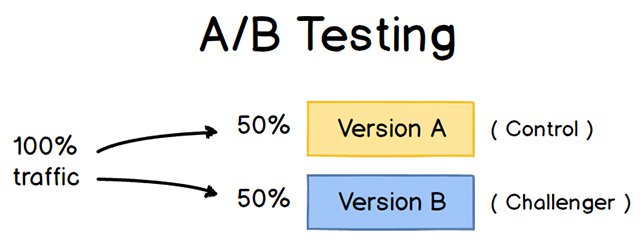
A/B testing helps marketers observe how one version of a piece of marketing content performs alongside another. Here are two types of A/B tests you might conduct in an effort to increase your website’s conversion rate:
Example 1: User Experience Test
Perhaps you want to see if moving a certain call-to-action (CTA) button to the top of your homepage instead of keeping it in the sidebar will improve its clickthrough rate.
To A/B test this theory, you’d create another, alternative web page that reflected that CTA placement change. The existing design — or the “control” — is Version A. Version B is the “challenger.” Then, you’d test these two versions by showing each of them to a predetermined percentage of site visitors. Ideally, the percentage of visitors seeing either version is the same.
Learn how to easily A/B test a component of your website with HubSpot’s Marketing Hub.
Example 2: Design Test
Perhaps you want to find out if changing the color of your call-to-action (CTA) button can increase its clickthrough rate.
To A/B test this theory, you’d design an alternative CTA button with a different button color that leads to the same landing page as the control. If you usually use a red call-to-action button in your marketing content, and the green variation receives more clicks after your A/B test, this could merit changing the default color of your call-to-action buttons to green from now on.
To learn more about A/B testing, download our free introductory guide here.
The Benefits of A/B Testing
A/B testing has a multitude of benefits to a marketing team, depending on what it is you decide to test. Above all, though, these tests are valuable to a business because they’re low in cost but high in reward.
Let’s say you employ a content creator with a salary of $50,000/year. This content creator publishes five articles per week for the company blog, totaling 260 articles per year. If the average post on the company’s blog generates 10 leads, you could say it costs just over $192 to generate 10 leads for the business ($50,000 salary ÷ 260 articles = $192 per article). That’s a solid chunk of change.
Now, if you ask this content creator to spend two days developing an A/B test on one article, instead of writing two articles in that time period, you might burn $192 because you’re publishing one fewer article. But if that A/B test finds you can increase each article’s conversion rate from 10 to 20 leads, you just spent $192 to potentially double the number of customers your business gets from your blog.
If the test fails, of course, you lost $192 — but now you can make your next A/B test even more educated. If that second test succeeds in doubling your blog’s conversion rate, you ultimately spent $284 to potentially double your company’s revenue. No matter how many times your A/B test fails, its eventual success will almost always outweigh the cost to conduct it.
There are many types of split tests you can run to make the experiment worth it in the end. Here are some common goals marketers have for their business when A/B testing:
- Increased Website Traffic: Testing different blog post or webpage titles can change the number of people who click on that hyperlinked title to get to your website. This can increase website traffic as a result.
- Higher Conversion Rate: Testing different locations, colors, or even anchor text on your CTAs can change the number of people who click these CTAs to get to a landing page. This can increase the number of people who fill out forms on your website, submit their contact info to you, and “convert” into a lead.
- Lower Bounce Rate: If your website visitors leave (or “bounce”) quickly after visiting your website, testing different blog post introductions, fonts, or feature images can reduce this bounce rate and retain more visitors.
- Lower Cart Abandonment: Ecommerce businesses see 40% – 75% of customers leave their website with items in their shopping cart, according to MightyCall. This is known as “shopping cart abandonment.” Testing different product photos, check-out page designs, and even where shipping costs are displayed can lower this abandonment rate.
Now, let’s walk through the checklist for setting up, running, and measuring an A/B test.
How to Conduct A/B Testing
 Follow along with our free A/B testing kit with everything you need to run A/B testing including an test tracking template, a how-to guide for instruction and inspiration, and a statistical significance calculator to see if your tests were wins, losses, or inconclusive.
Before the A/B Test
1. Pick one variable to test.
As you optimize your web pages and emails, you might find there are a number of variables you want to test. But to evaluate how effective a change is, you’ll want to isolate one “independent variable” and measure its performance — otherwise, you can’t be sure which one was responsible for changes in performance.
You can test more than one variable for a single web page or email; just be sure you’re testing them one at a time.
Look at the various elements in your marketing resources and their possible alternatives for design, wording, and layout. Other things you might test include email subject lines, sender names, and different ways to personalize your emails.
Keep in mind that even simple changes, like changing the image in your email or the words on your call-to-action button, can drive big improvements. In fact, these sorts of changes are usually easier to measure than the bigger ones.
Note: There are some times when it makes more sense to test multiple variables rather than a single variable. This is a process called multivariate testing. If you’re wondering whether you should run an A/B test versus a multivariate test, here’s a helpful article from Optimizely that compares the two.
2. Identify your goal.
Although you’ll measure a number of metrics for every one test, choose a primary metric to focus on — before you run the test. In fact, do it before you even set up the second variation. This is your “dependent variable.”
Think about where you want this variable to be at the end of the split test. You might state an official hypothesis and examine your results based on this prediction.
If you wait until afterward to think about which metrics are important to you, what your goals are, and how the changes you’re proposing might affect user behavior, then you might not set up the test in the most effective way.
3. Create a ‘control’ and a ‘challenger.’
You now have your independent variable, your dependent variable, and your desired outcome. Use this information to set up the unaltered version of whatever you’re testing as your “control.” If you’re testing a web page, this is the unaltered web page as it exists already. If you’re testing a landing page, this would be the landing page design and copy you would normally use.
From there, build a variation, or a “challenger” — the website, landing page, or email you’ll test against your control. For example, if you’re wondering whether including a testimonial on a landing page would make a difference, set up your control page with no testimonials. Then, create your variation with a testimonial.
4. Split your sample groups equally and randomly.
For tests where you have more control over the audience — like with emails — you need to test with two or more audiences that are equal in order to have conclusive results.
How you do this will vary depending on the A/B testing tool you use. If you’re a HubSpot Enterprise customer conducting an A/B test on an email, for example, HubSpot will automatically split traffic to your variations so that each variation gets a random sampling of visitors.
5. Determine your sample size (if applicable).
How you determine your sample size will also vary depending on your A/B testing tool, as well as the type of A/B test you’re running.
If you’re A/B testing an email, you’ll probably want to send an A/B test to a smaller portion of your list to get statistically significant results. Eventually, you’ll pick a winner and send the winning variation on to the rest of the list. (See “The Science of Split Testing” ebook at the end of this article for more on calculating your sample size.)
If you’re a HubSpot Enterprise customer, you’ll have some help determining the size of your sample group using a slider. It’ll let you do a 50/50 A/B test of any sample size — although all other sample splits require a list of at least 1,000 recipients.
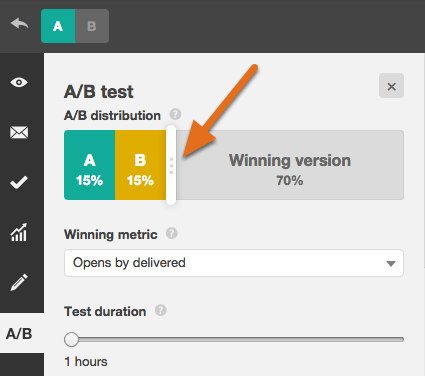
If you’re testing something that doesn’t have a finite audience, like a web page, then how long you keep your test running will directly affect your sample size.
You’ll need to let your test run long enough to obtain a substantial number of views, otherwise it’ll be hard to tell whether there was a statistically significant difference between the two variations.
6. Decide how significant your results need to be.
Once you’ve picked your goal metric, think about how significant your results need to be to justify choosing one variation over another. Statistical significance is a super important part of A/B testing process that’s often misunderstood. If you need a refresher on statistical significance from a marketing standpoint, I recommend reading this blog post.
The higher the percentage of your confidence level, the more sure you can be about your results. In most cases, you’ll want a confidence level of 95% minimum — preferably even 98% — especially if it was a time-intensive experiment to set up. However, sometimes it makes sense to use a lower confidence rate if you don’t need the test to be as stringent.
Matt Rheault, a senior software engineer at HubSpot, likes to think of statistical significance like placing a bet. What odds are you comfortable placing a bet on? Saying “I’m 80% sure this is the right design and I’m willing to bet everything on it” is similar to running an A/B test to 80% significance and then declaring a winner.
Rheault also says you’ll likely want a higher confidence threshold when testing for something that only slightly improves conversation rate. Why? Because random variance is more likely to play a bigger role.
“An example where we could feel safer lowering our confidence threshold is an experiment that will likely improve conversion rate by 10% or more, such as a redesigned hero section,” he explained.
“The takeaway here is that the more radical the change, the less scientific we need to be process-wise. The more specific the change (button color, micro copy, etc.), the more scientific we should be because the change is less likely to have a large and noticeable impact on conversion rate.”
7. Make sure you’re only running one test at a time on any campaign.
Testing more than one thing for a single campaign — even if it’s not on the same exact asset — can complicate your results. For example, if you A/B test an email campaign that directs to a landing page at the same time that you’re A/B testing that landing page … how can you know which change caused the increase in leads?
During the A/B Test
8. Use an A/B testing tool.
To do an A/B test on your website or in an email, you’ll need to use an A/B testing tool. If you’re a HubSpot Enterprise customer, the HubSpot software has features that let you A/B test emails (learn how here), calls-to-action (learn how here), and landing pages (learn how here).
For non-HubSpot Enterprise customers, other options include Google Analytics’ Experiments, which lets you A/B test up to 10 full versions of a single web page and compare their performance using a random sample of users.
9. Test both variations simultaneously.
Timing plays a significant role in your marketing campaign’s results, whether it’s time of day, day of the week, or month of the year. If you were to run Version A during one month and Version B a month later, how would you know whether the performance change was caused by the different design or the different month?
When you run A/B tests, you’ll need to run the two variations at the same time, otherwise you may be left second-guessing your results.
The only exception here is if you’re testing timing itself, like finding the optimal times for sending out emails. This is a great thing to test because depending on what your business offers and who your subscribers are, the optimal time for subscriber engagement can vary significantly by industry and target market.
10. Give the A/B test enough time to produce useful data.
Again, you’ll want to make sure that you let your test run long enough in order to obtain a substantial sample size. Otherwise, it’ll be hard to tell whether there was a statistically significant difference between the two variations.
How long is long enough? Depending on your company and how you execute the A/B test, getting statistically significant results could happen in hours … or days … or weeks. A big part of how long it takes to get statistically significant results is how much traffic you get — so if your business doesn’t get a lot of traffic to your website, it’ll take much longer for you to run an A/B test.
In theory, you shouldn’t restrict the time in which you’re gathering results. (Read this blog post to learn more about sample size and timing.)
11. Ask for feedback from real users.
A/B testing has a lot to do with quantitative data … but that won’t necessarily help you understand why people take certain actions over others. While you’re running your A/B test, why not collect qualitative feedback from real users?
One of the best ways to ask people for their opinions is through a survey or poll. You might add an exit survey on your site that asks visitors why they didn’t click on a certain CTA, or one on your thank-you pages that asks visitors why they clicked a button or filled out a form.
You might find, for example, that a lot of people clicked on a call-to-action leading them to an ebook, but once they saw the price, they didn’t convert. That kind of information will give you a lot of insight into why your users are behaving in certain ways.
After the A/B Test
12. Focus on your goal metric.
Again, although you’ll be measuring multiple metrics, keep your focus on that primary goal metric when you do your analysis.
For example, if you tested two variations of an email and chose leads as your primary metric, don’t get caught up on open rate or clickthrough rate. You might see a high clickthrough rate and poor conversion rates, in which case you might end up choosing the variation that had a lower clickthrough rate in the end.
13. Measure the significance of your results using our A/B testing calculator.
Now that you’ve determined which variation performs the best, it’s time to determine whether or not your results statistically significant. In other words, are they enough to justify a change?
To find out, you’ll need to conduct a test of statistical significance. You could do that manually … or you could just plug in the results from your experiment to our free A/B testing calculator.
For each variation you tested, you’ll be prompted to input the total number of tries, like emails sent or impressions seen. Then, enter the number of goals it completed — generally you’ll look at clicks, but this could also be other types of conversions.

The calculator will spit out the confidence level your data produces for the winning variation. Then, measure that number against the value you chose to determine statistical significance.
14. Take action based on your results.
If one variation is statistically better than the other, you have a winner. Complete your test by disabling the losing variation in your A/B testing tool.
If neither variation is statistically better, you’ve just learned that the variable you tested didn’t impact results, and you’ll have to mark the test as inconclusive. In this case, stick with the original variation — or run another test. You can use the failed data to help you figure out a new iteration on your new test.
While A/B tests help you impact results on a case-by-case basis, you can also apply the lessons you learn from each test and apply it to future efforts.
For example, if you’ve conducted A/B tests in your email marketing and have repeatedly found that using numbers in email subject lines generates better clickthrough rates, you might want to consider using that tactic in more of your emails.
15. Plan your next A/B test.
The A/B test you just finished may have helped you discover a new way to make your marketing content more effective — but don’t stop there. There’s always room for more optimization.
You can even try conducting an A/B test on another feature of the same web page or email you just did a test on. For example, if you just tested a headline on a landing page, why not do a new test on body copy? Or color scheme? Or images? Always keep an eye out for opportunities to increase conversion rates and leads.
Learn how to best carry out some of the steps above using the free ebook below.

The Ultimate Guide to Social Media Analytics
There are over 3.8 billion social media users across the globe.
As you can probably imagine, that’s a major reason why businesses want to be active on social, too. Businesses use social media to market, sell, and provide support to their target audience and customers as well as learn about and bond with them.
The key is to understand what types of posts on which platforms are most effective in resonating with these audience members and customers. This will allow your business to consistently produce engaging content that positively impacts your bottom line.
How do you do this? Well, it requires social media analytics and reporting.
What is social media analytics?
Social media analytics is the process of gathering and analyzing data and reports based on metrics from one or multiple social media accounts.
Social media analytics provides insight into a number of important factors that are directly tied to the success of your marketing efforts and your business as a whole.
Here’s a list that explains the importance of social media analytics:
- Develop a deeper understanding of who your target audience is and where they spend their time
- Identify which social platforms receive the greatest amount of traffic
- Determine what type of social content leads to the most conversions, engagements, etc.
- Discover what type of social media post has the greatest reach and resonates best with your audience on certain platforms
- Learn about what is and isn’t working in terms of social media campaigns and ads among your audience while they’re live and after they wrap up
- Develop a stronger social media strategy for your business’s specific goals related to things like your marketing, sales, and service efforts
Social Media Analytics Reports
Social media analytics reports provide an overview of specific metrics and data points — such as engagements and impressions — related to the content you share on various social media platforms. Simply put, reports are how you’ll review your social media analytics.
Social media analytics tools (which we’ll review next) make the creation of reports simple — some of these resources provide reports from one social platform at a time while others provide reports from multiple social platforms.
Either way, social media analytics reporting tools are typically customizable — meaning, you can view and pull the data and reports that matter most to you and your business.
With the tools we’re going to review below, reports can be automatically made and shared for you. But, here are some of the unique aspects of social media analytics reports that you can typically customize:
- Statistics and data points that matter to you and will be displayed in the report
- Time frame (weekly, monthly, quarterly, yearly, campaign start to end)
- Progress growth (i.e. how you’ll share your progress growth over time through a report — typically, either in the form of a snapshot or a comparison of stats in a given time period).
Learn how to create impactful monthly reports to show ROI on your social media efforts.
As stated, your reports will be unique based on the analytics software or tool you use. However, let’s look at some of the most common social media analytics reports that you may come across or create at some point.
Types of Social Media Analytics Reports
To give you an idea of some of the different types of social media analytics reports available in commonly-used tools, let’s look at HubSpot’s social media analytics reporting options.
1. Audience Analytics Report
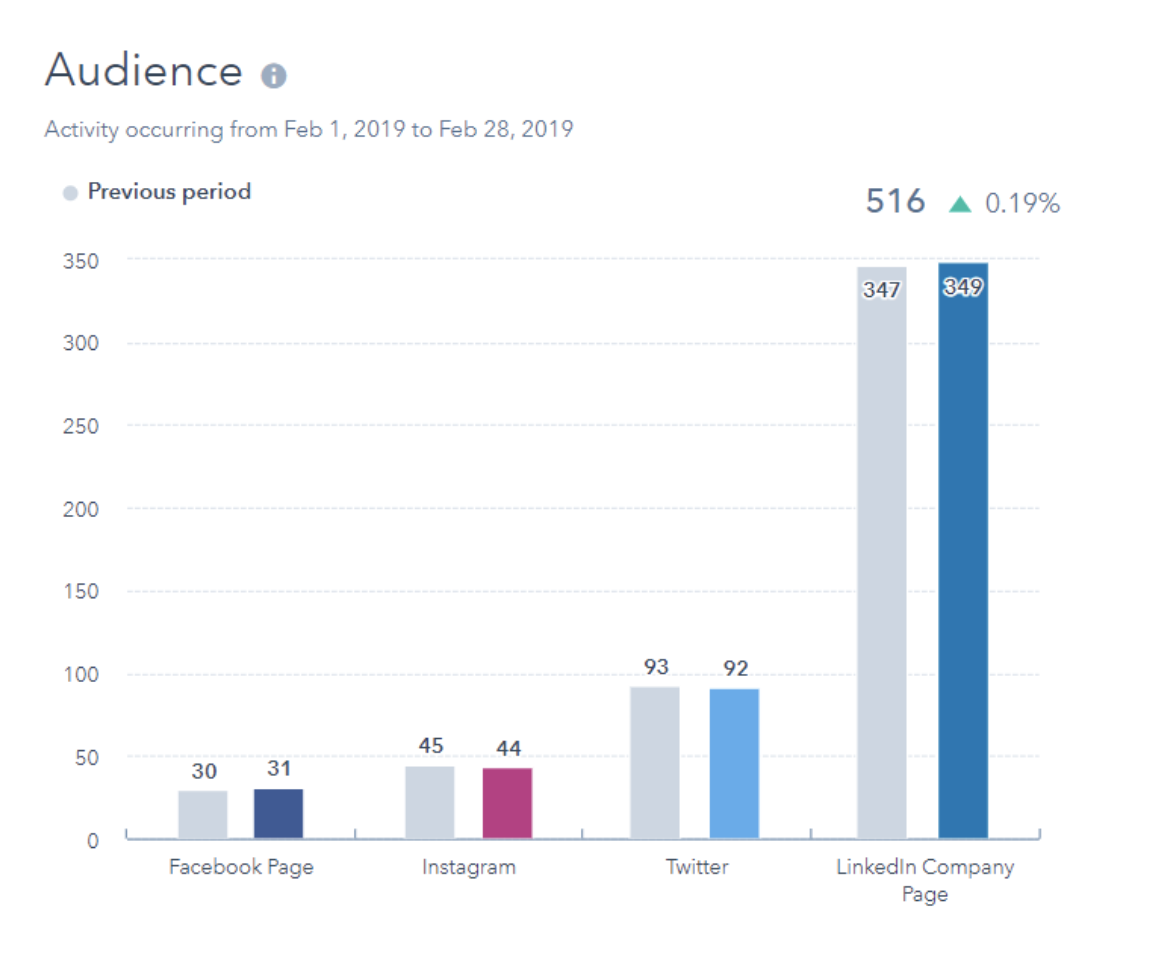
The Audience report displays your current number of followers for each of your social accounts compared to the number of followers you had in a previous time period.
2. Published Posts Analytics Report
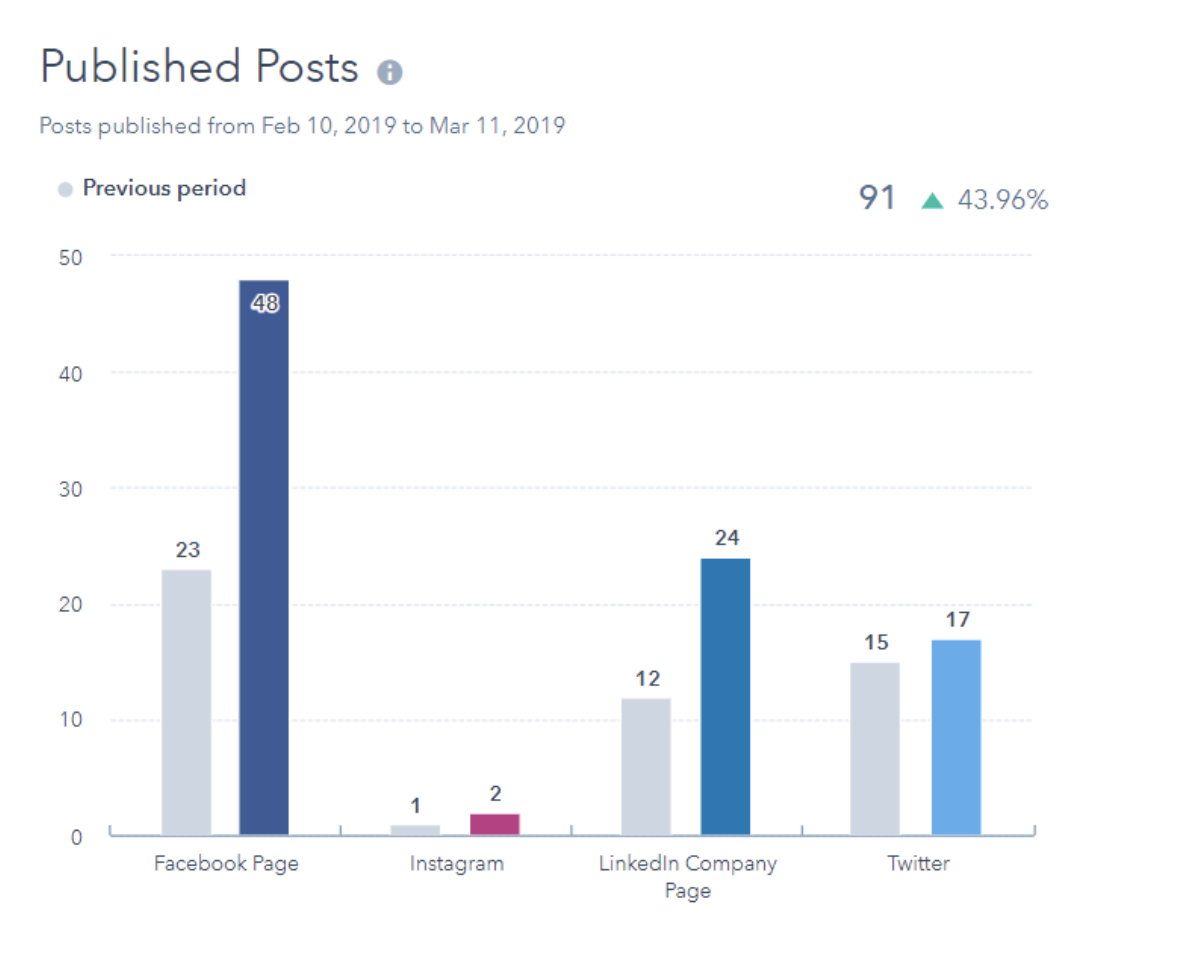
The Published Posts report shows the number of social posts published across your social accounts during a specific time period.
3. Interactions Analytics Report
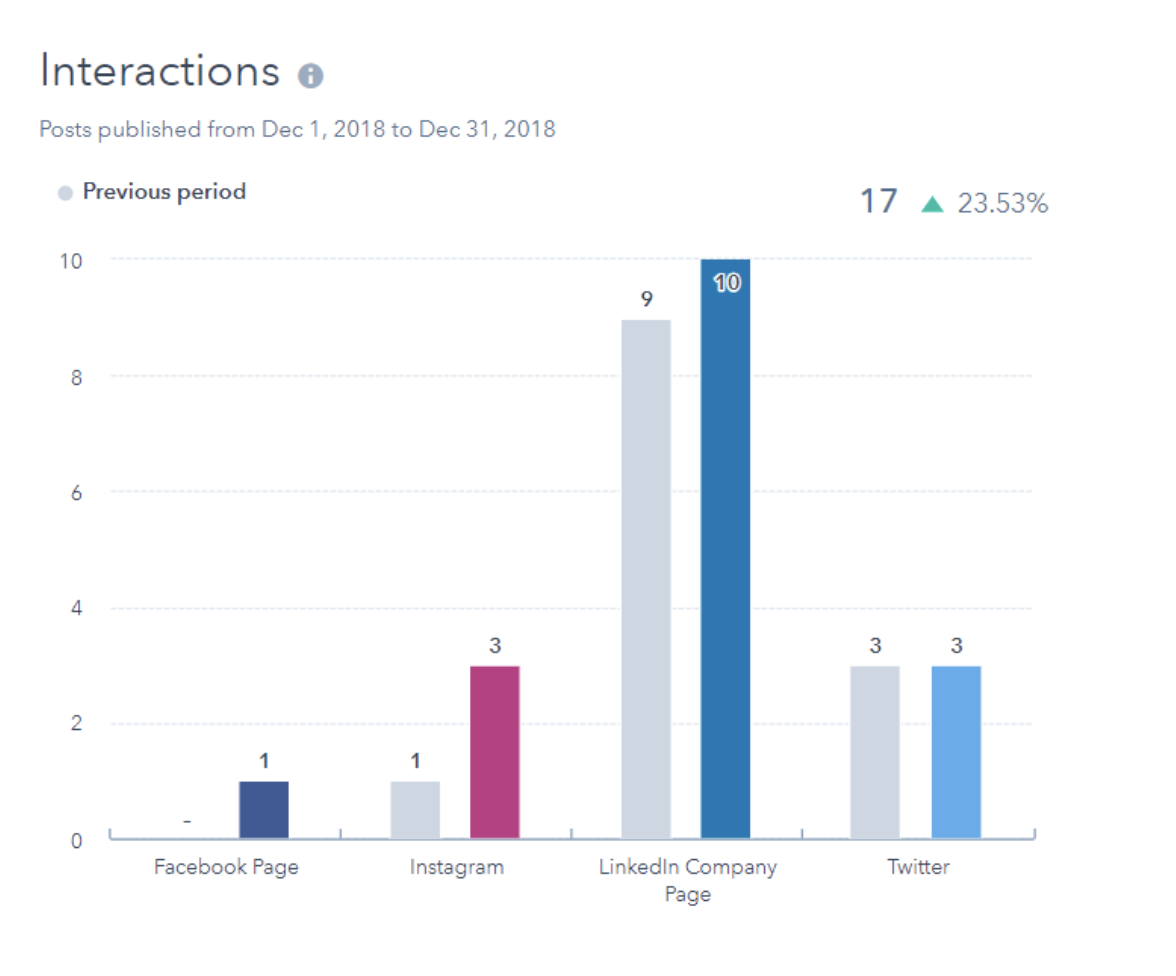
The Interactions report displays the number of likes, reactions, and comments on all of your posts across multiple platforms.
4. Clicks Analytics Report
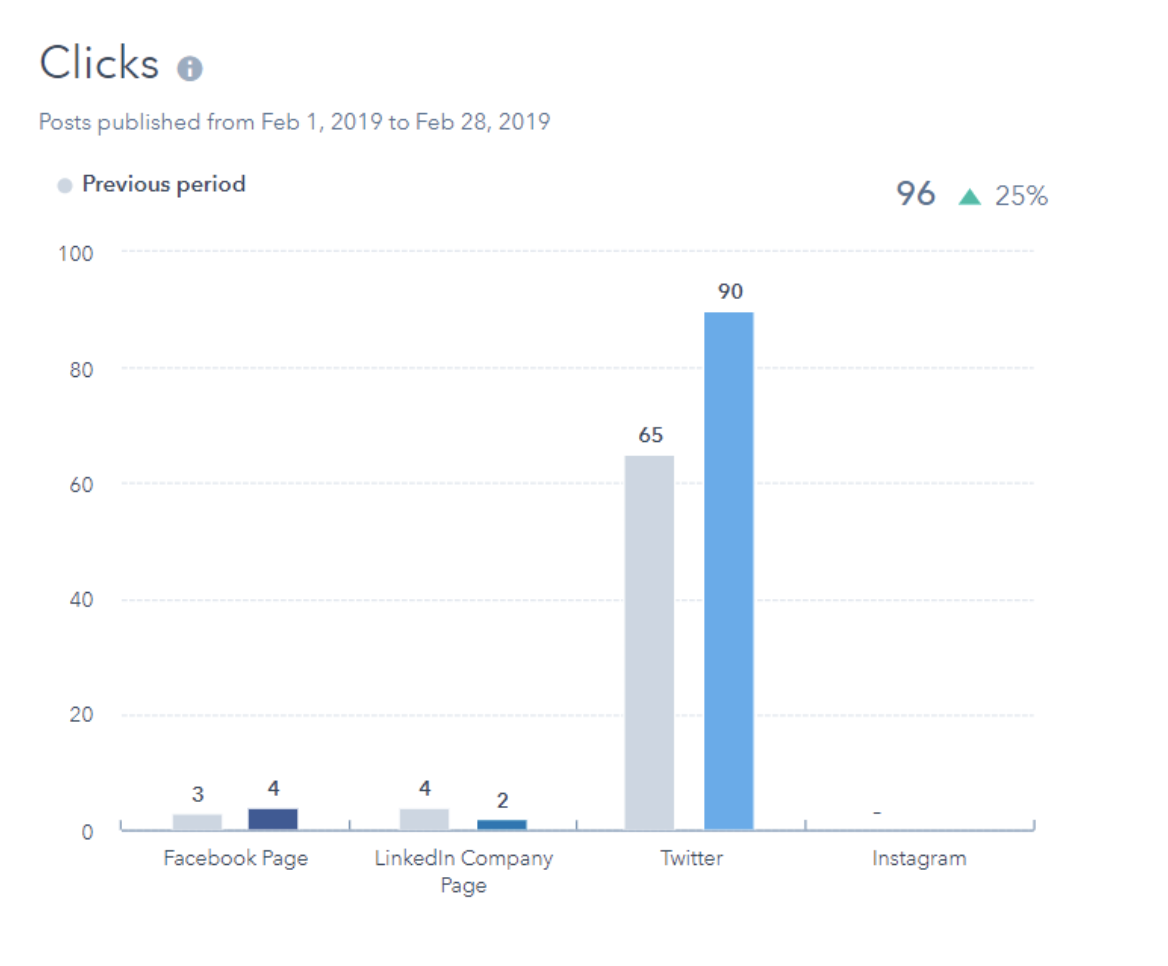
The Clicks report displays how many clicks you get on your social posts published through HubSpot.
5. Shares Analytics Report
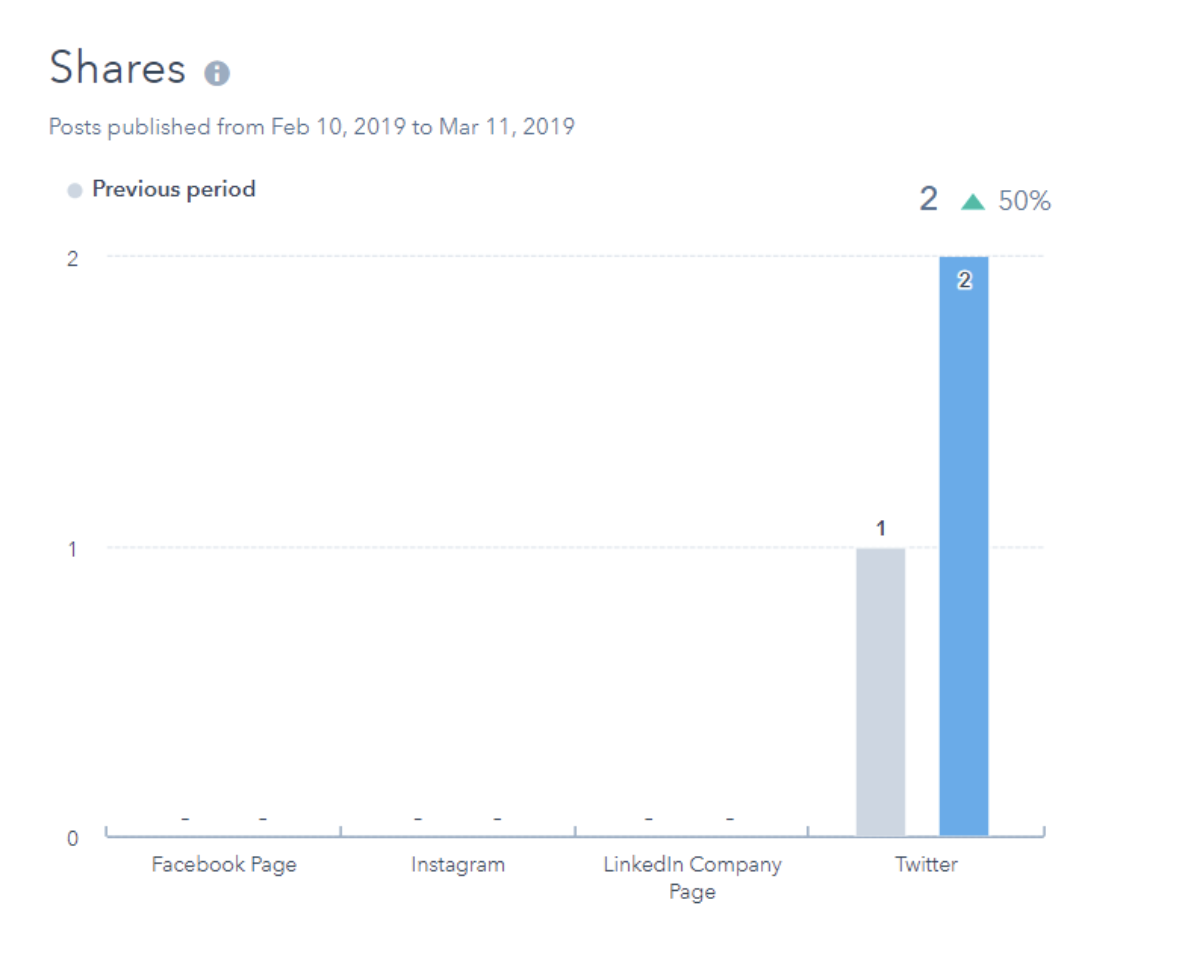
The Shares report displays the amount of your posts that were shared by your audience members.
6. Impressions Analytics Report
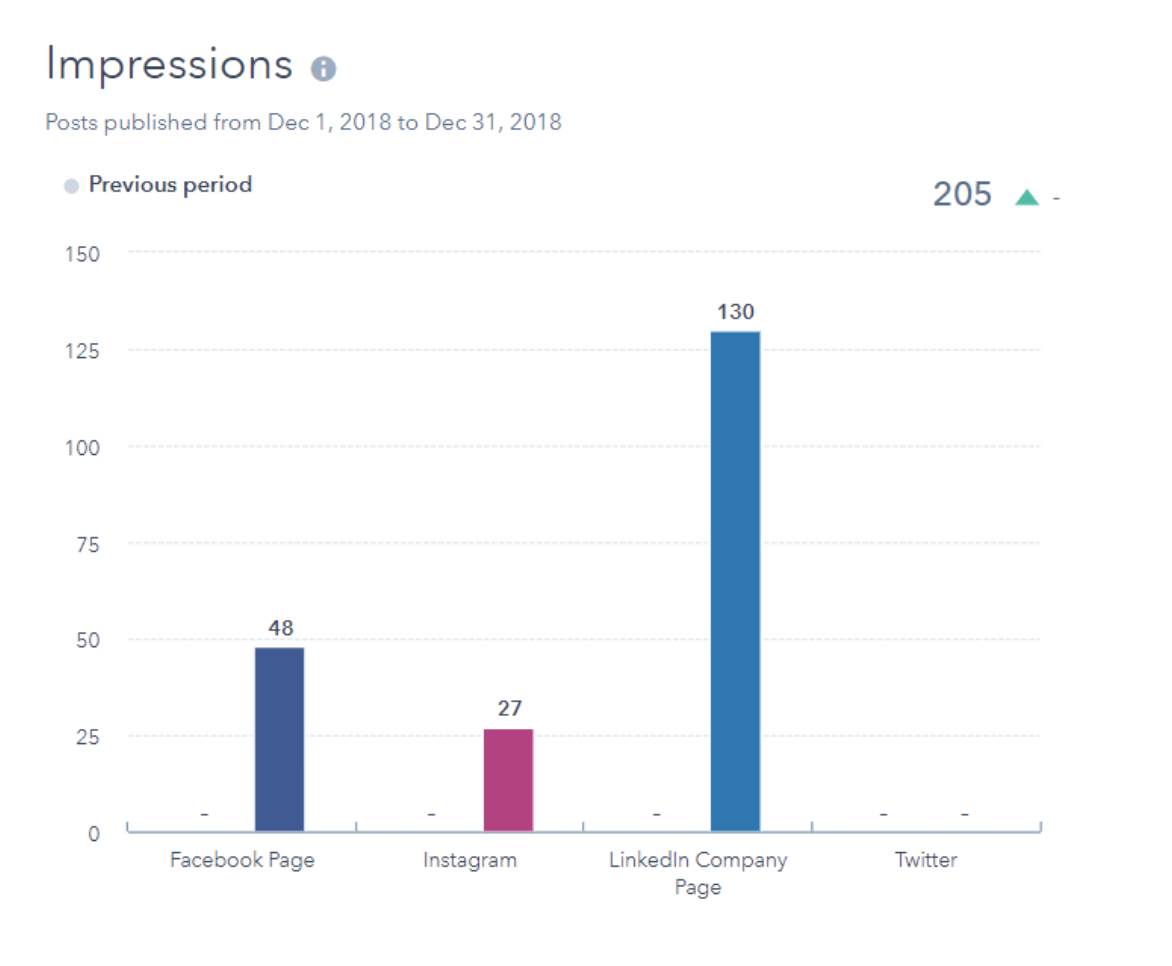
The Impressions report shows the number of views that posts on your LinkedIn, Facebook, and Instagram pages received.
7. Sessions Analytics Report
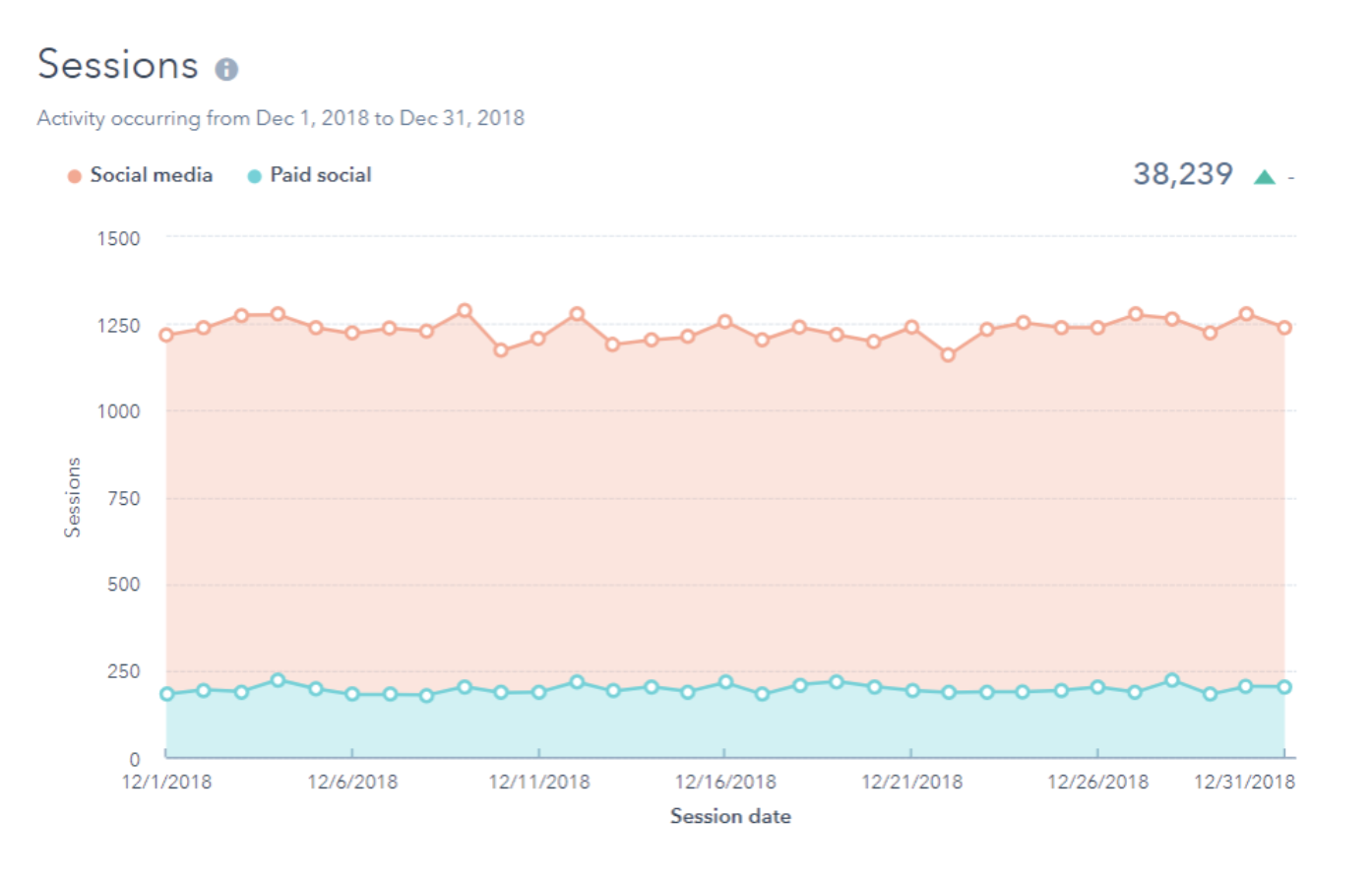
The Sessions report displays how many web sessions took place within a given time period on your site that were driven from social media.
8. New Contacts Analytics Report
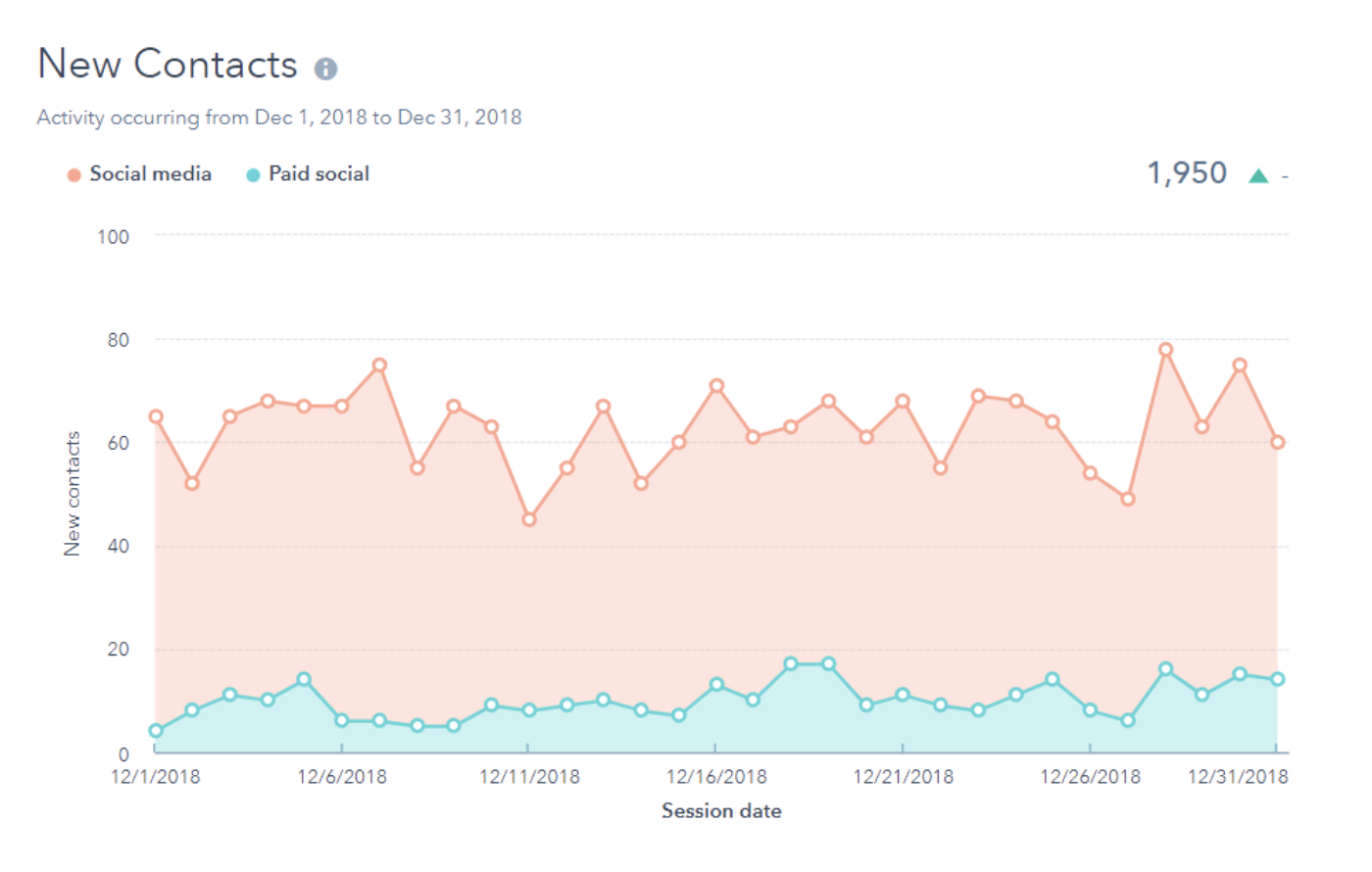
The New Contacts report displays how many new contacts have been created in HubSpot as a result of web sessions driven from social media within the selected time period.
Now you may be wondering what tools are available to help you pull these reports and data — next, we’ll cover some of your options.
Social Media Analytics Tools
There are a plethora of social media analytics tools available today which is why identifying the right one for your business can seem like a daunting task. We’ve compiled the following list of seven of our favorites to help get you started.
1. HubSpot Social Media Software
HubSpot Social Media Software gives you insight into the customer journey through integrated analytics tools. These help you understand which of your marketing tactics are working best among your audience, determine how your marketing efforts are impacting your bottom line, and learn about your search engine optimization (SEO)-related ROI.
Try HubSpot’s social media tools free for 30 days.
In addition to this HubSpot’s Social Media Software, there are a number of resources including social media analytics report templates, free social media analytics tools, and social media courses available for you to implement in your strategy.
Note: HubSpot also integrates with other analytics software, like Oktopost, as well as major social platforms and their respective analytics tools such as LinkedIn, Facebook, Instagram, and Youtube (among many others, which you can learn about in the HubSpot integrations marketplace).
2. Tweet Deck
Tweet Deck is an analytics tool used for Twitter. It works in real-time to help you view and analyze your Tweet engagement, organization, management, and tracking on the platform.
3. Tweet Reach
Despite what you may think based on its name, Tweet Reach isn’t just used for Twitter. The analytics tool creates snapshot reports to help you efficiently monitor and pull key takeaways from your Twitter, Instagram, and Facebook profiles based on factors you identify as most important to your business.
4. Buffer
Buffer provides an in-depth look at how you can strategize to grow your brand on social media. The software does this by measuring your performance on various social platforms, creating detailed reports about the data points that matter to you, and recommending ways to improve your reach, engagement, and more.
5. Hootsuite
Hootsuite allows you to create customized social media reports using over 200 metrics over any of your social channels and campaigns. These reports are easily shareable with members of your team as well as your clients to keep everyone on the same page and prove ROI.
6. Sprout Social
Sprout Social provides a look into the needs of your customers through the conversations your customers and followers are having on social. The software also measures your specific content and campaign work across various platforms and channels to determine what’s working best among audience members and what should be improved upon.
(Note: Sprout Social is another social media software that integrates with HubSpot.)
7. Mention
Mention is a tool that allows your company to monitor, listen, and analyze your posts as well as your interactions with and among audience members via different social channels and platforms. The software also makes it easy to create automated reports to share this data with fellow employees or clients.
Next, let’s look at how to apply these tools and resources in your day-to-day work by reviewing the steps involved in tracking social media analytics (also known as your social media analytics strategy).
Work through the following steps to begin tracking your social media analytics and gaining a better understanding of which parts of your processes are working and which need to be modified. Again, you can think of this as your social media analytics strategy.
1. Set SMART social media analytics goals.
Create and set SMART goals to help you achieve your social media analytics goals. By ensuring your goals are SMART, they’ll be Specific, Measureable, Attainable, Relevant, and Time-bound — meaning, you’ll be able to focus your strategy to reach or even exceed your expectations efficiently.
To begin, ask yourself, “What do I want to learn from my social media analytics?” Then, dive into each part of the SMART goal. Here’s an example of a SMART goal related to your social media analytics strategy for reference.
Use a free template to help you create SMART goals and achieve them.
Specific: I want to use social media analytics to identify specific data points related to my marketing tactics to determine which posts and campaigns are working best in reaching and engaging our audience members.
Measurable: I want to be able to identify some specific data points to accomplish this goal.
Attainable: I will work to identify three specific data points to help accomplish this goal.
Relevant: These data points will help my team and I measure our success in reaching and engaging our audience members across social media channels as well as identify any gaps or areas for improvement in our social media strategy.
Time-bound: I want to identify these specific data points over the course of the next month — this way, in four week’s time, we can begin using them to measure our success in reaching and engaging audience members across social channels and identify gaps and areas for improvement in our social media strategy.
2. Decide which metrics you’ll and focus on and track.
Now it’s time to decide which social media metrics you’re going to track. There are a number of commonly-tracked social media metrics for your consideration. Metrics may vary by social platform as well as which analytics tool you chose. But, here are some all-encompassing metrics applicable to virtually every social channel and analytics tool to get started.
- Reach is the total number of people who have seen your content.
- Engagements are all interactions including shares, likes, and comments.
- Impressions are the number of times or content is displayed on someone’s feed.
- Mentions are the times your business and brand are referenced on social media by audience members or other businesses.
- Social ROI provides insight into whether the investment you’ve put into your social media marketing is resulting in an increase or decrease in customers, sales, brand awareness, and customer loyalty.
- Social listening is when you monitor conversations about your business and brand on social to see what customers and audience members are saying about you.
- Likes are when an audience member taps (or double taps) on your social content to show they’re a fan of your post.
- Retweets/ shares/ reposts are when audience members post the content your business published on their profiles.
3. Determine which social media analytics tools you’ll use.
Next, determine which social media analytics tools you’ll use — we covered some popular choices above but you can always review other options through a simple Google search.
Before making a decision regarding which tool or tools you’ll use, think about the following questions:
- Do you want a tool or software to help you manage your social media analytics across multiple channels and platforms (e.g. Twitter, Facebook, LinkedIn) or just one (e.g. Twitter)?
- Which metrics did you decide you’re going to track (as we touched on in the above step)?
- What is your budget? Do you need a tool with flexible pricing options and features that you can add to or remove from over time? (To find this information, review the pricing pages like this page on Sprout Social’s website.)
- Which tools and software options are suited to help you achieve the SMART goals you set? (Check out feature pages for this type of information, like this page on Oktopost’s website.)
- Do you want your tool to integrate with the greater software your team uses to run your business (such as HubSpot’s CRM, for example)?
4. Measure the success of your social media analytics efforts.
Once you implement your social media analytics software, you’ll be able to measure the success of your efforts. To do this, you may use the analytics tool you implemented — depending on your software, you might have the ability to create customized reports and dashboards or pull the specific details about data points you care most about.
In addition to applying your tools to help measure your success, you may also consider your answers to the following questions:
- Did you achieve your SMART goals?
- Did the metrics you chose to focus on tell a story that’s helpful for your business?
- Did the software or tool you implemented support your business needs?
5. Make necessary social media analytics adjustments.
Once you measure the success of your social media analytics efforts, you’ll be able to determine whether or not any part of your strategy needs to be changed or updated.
Maybe you realize one of your data points isn’t providing the level of insight into your marketing efforts across social platforms, so you need to identify a new one to measure. Maybe your software doesn’t allow you to customize cross-channel reports the way you want to, so you need to implement a new tool. Or, if you’re happy with the way your social media analytics reporting and strategy is working, be sure to revisit your strategy in the future to ensure it continues meeting your expectations.
Begin Tracking and Applying Social Media Analytics
By tracking and applying the process of social media analytics to your strategy, you’ll be able to more effectively reach your audience. And when you do this, you’ll see improvements in factors that are directly tied to your ROI like engagement, conversions, loyalty, and more. Consider which tools and software are best for you and determine how you’ll track your social media analytics to create deeper relationships with your customers and followers.

35 Podcast Stats That Advertisers Need to Know in 2020
If you’re trying to connect with younger audiences, like millennials or Gen Z, odds are you’ve thought about creating a podcast for your brand.
I probably don’t need to tell you that podcasting takes time and effort. Not only do you have to figure out which topics will intrigue and captivate audiences, but you’ll also have to take time to book guests, record interviews, and build a solid recording space where you can create high-quality audio content.
As a busy marketer, you want to make sure you’re going to get a good return on your investment before you start spending time and money building a podcast.
One great way to see if podcasting could be a viable marketing tactic for your company or personal brandis through podcast advertising or sponsorships. With these tactics, you can identify podcasters with a price-point and audience target that makes sense for your brand. Then, you can work with them and leverage their expertise by sponsoring the content they’ve made. Alternatively, you could also create a native ad that aligns with their discussion topics.
If you aren’t sure if creating your own podcast is a good marketing strategy for your brand, you might see a return on podcast ads or sponsorships.
If you’re interested in a pursuing a podcast advertising strategy but aren’t sure if the right opportunities exist for your company, check out this list of more than 30 podcast advertising stats. We’ll cover podcasting’s biggest marketing opportunities, where podcasting is headed, and the demographics who tune in the most.
Podcasts and Advertising
- In 2018, 17% of marketers were actively planning to add podcasting to their strategy. (HubSpot)
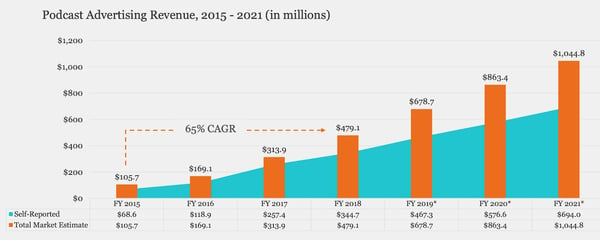
- Podcast ad spending is expected to hit $354 million this year. (Statista)
- The average podcast ad slot costs between $10 to $50, with additional premium fees for shows with high listenership. (HubSpot)
- 54% of podcast consumers say that they are more likely to consider the brands they hear advertised on podcasts. (Edison Research)
- Podcast advertising revenue is expected to pass $1 billion by 2021. (IAB Podcast Ad Revenue Report)
Podcast Growth
- In 2018, there were more than 750,000 active podcasts. (Podcast Insights)
- By the end of 2019, the number of podcasts jumped to 800,000 (Podcast Insights)
- Monthly podcast listeners grew from 24% of Americans to 26% year over year in 2018. (Edison Research)
- The number of podcast episodes climbed to over 30 million in December 2019. (Podcast Insights)
- The number of people that said they listened to a podcast at least once a week rose by 17% between 2018 and 2019. (Podcast Insights)
- Between 2018 and 2019, the number of people who listened to podcasts at work doubled. (EX-IQ)
Podcast Demographics
- Roughly 51% of people over the age of 12 in the U.S. have listened to a podcast at least once. (Edison Research)
- 56% of podcast listeners are men. (Podcast Insights)
- One-third of millennials regularly listen to podcasts. (EX-IQ)
- 27% of men and 24% of women listened to podcasts in 2018. (Edison Research)
- Roughly 34% of those making $50,000 to 75,000 annually and 32% of those making $75,000 to 100,000 listen to podcasts daily — more than any other income levels. (EX-IQ)
- The biggest increase in podcast listenership in the past year has come from those in the 12-to-24 age group. (Edison Research)
Podcast Listener Behaviors
- 32% of people listen to podcasts monthly while 22% listen at least weekly. (Edison Research)
- Only 42% of generations older than millennials will listen to a podcast of 26 minutes or longer, compared to 60% of Gen Z and 52% of Millennials. (EX-IQ)
- While 49% of podcast listeners tune in from home, 22% listen in the car. (Podcast Insights)
- Roughly 64% of people learn about podcasts through social media while about 40% of listeners say they hear about them from other friends or word of mouth. (EX-IQ)
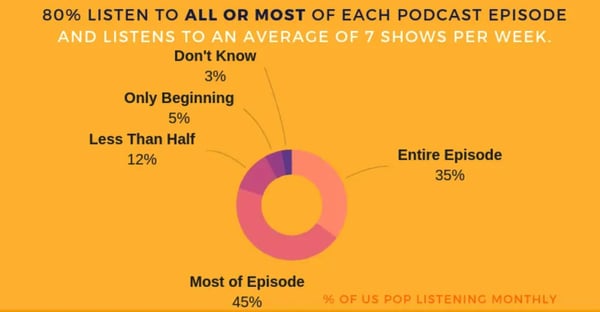
- 80% of podcast listeners stay tuned in for most or all of the episodes they listen to. (Podcast Insights)
- Podcast listeners are more likely to own a smart speaker. (Edison Research)
- Podcasts are the number one audio source by time of consumption among podcast listeners. (Edison Research)
- In 2018, more than 67% of podcast listeners agreed that podcasts contribute to their intellectual growth. (EX-IQ)
- Millennials and Gen Z are 5% more likely to listen to podcasts for professional reasons than older generations. (EX-IQ)
- Roughly 50% of customer service reps have listened to a podcast at work. (EX-IQ)
- While 43% of people who listen to podcasts at least monthly listen via Spotify, 35% use Pandora. (Edison Research)
- More than half of millennials listen to educational podcasts. (EX-IQ)
- 62% of podcast listeners say they’d be more likely to share podcasts with friends if they were able to share one short segment or highlight of it, rather than an entire episode. (EX-IQ)
- In late 2018, premade edited in podcast ads made up 51% of placements. However, dynamic ads rose from making up 44% of ad placements in 2017 to 48% in the following year. (IAB Podcast Ad Revenue Report)
- The amount of branded content in podcasts increased by nearly 10% between 2017 and the end of 2018. (IAB Podcast Ad Revenue Report)
- More than 38% of podcast advertisements are sold and purchased on a quarterly basis. (IAB Podcast Ad Revenue Report)
- Nearly 86% of podcasters charge for ads with cost-per-mille pricing. (IAB Podcast Ad Revenue Report)
- NPR notes that 75% of its podcast listeners will respond or take action after hearing sponsored content. (National Public Media)
Considering podcast advertising?
As you’ve seen with the stats above, podcasting is growing in popularity — especially among younger generations. And while it is often considered a form of “entertainment,” podcast content can be incredibly versatile.
For example, although millennials or Gen Z listen to podcasts that feature interviews with big celebrities, they’ll also listen intently to smaller shows that educate them about new trends or news that impacts their life or career.
Because there are so many podcasts, and so many listeners with buying potential, you might want to consider podcast sponsorships in your future advertising plan.
To learn more about how to advertise on a podcast that’s appropriate for your industry, check out this step-by-step guide with tips from HubSpot’s own podcast expert.

9 of The Best Facebook Groups We’ve Ever Seen
Let’s face it: the way people are using and interacting with Facebook is shifting. The same can be said for businesses, too.
In the past, businesses looking to market using Facebook had one major tool at their disposal — their Facebook Page. In fact, for a long time, Pages were the reason many businesses joined Facebook in the first place.
Facebook is a very different place compared to when it first entered the marketing scene. Organic reach is harder to come by, advertising is more important than ever, the amount of competition is overwhelming, and the more traditional tactics — like posting frequently or asking users to like or share your content — don’t seem to work anymore.
However, it’s not all doom and gloom. There is another tool marketers have at their disposal: Facebook Groups.
Groups are nothing new to the marketing world, but they present a variety of interesting business opportunities. They are an excellent place for two-way communication between businesses and their customers. And if a Group is public, it’s a great place for prospects, too.
Ultimately, Groups give businesses the chance to engage with their audience in a more meaningful and authentic way than they ever could using their Page.
So, we took some time and scoured the web to find businesses who do a really good job at utilizing Groups to engage and delight their customers, and prospects too, in new and exciting ways. Here are nine Facebook Groups that are crushing it to help inspire your future Facebook marketing strategy.
1. Instant Pot
Members: 2.5 million
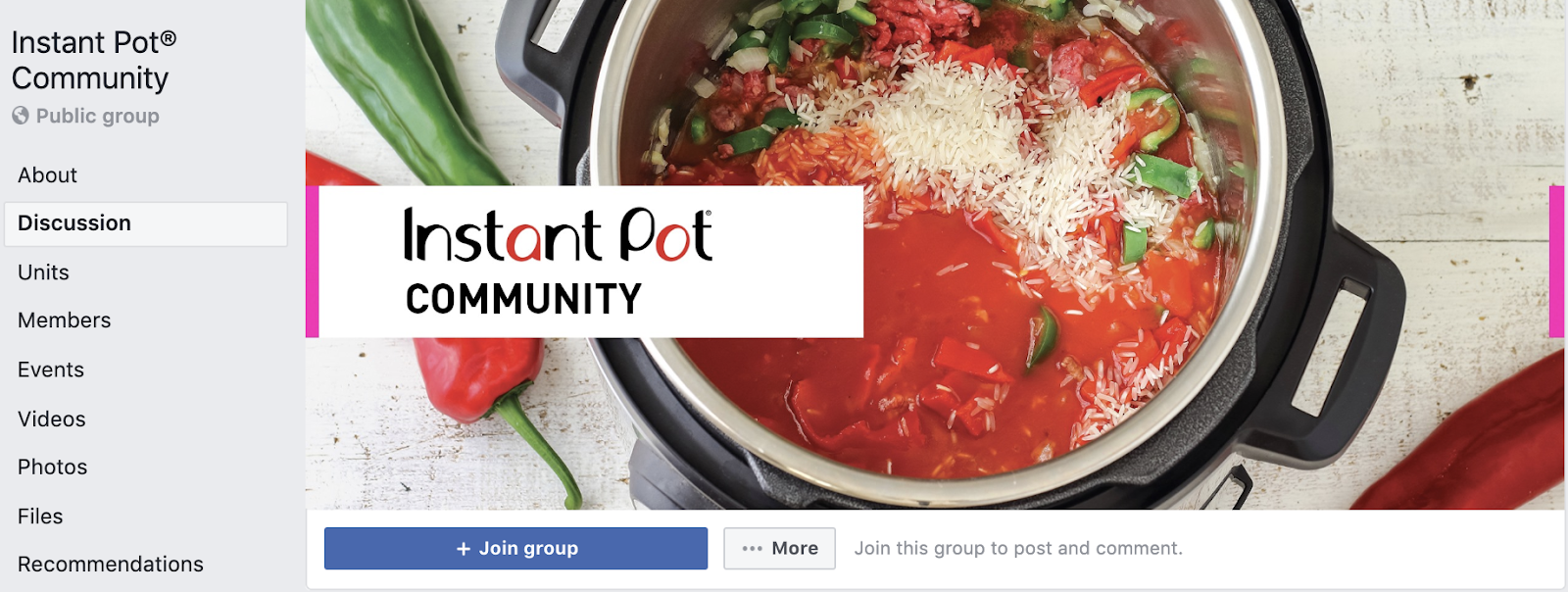
While the Instant Pot Facebook Page has a follower count of about 267,000, their Group — Instant Pot Community — has a whopping 2.5 million members.
The Group sees about 10,000 posts every 30 days. Talk about a high level of engagement! The popular electric cooker brand uses its group to create a space where the international community of Instant Pot users can ask questions, post unique recipes, and share the joy of cooking with their products.
They also offer limited trouble-shooting in the case that any customers experience any issues or have product-specific questions. They rarely ever promote their products within the Group, outside of the occasional giveaway where members can enter to win prizes to use with their Instant Pot.
This is a great example of a brand using Facebook Groups to create an environment where members who share a common interest — in this case, cooking with the Instant Pot — can interact and engage.
2. Gold’s Gym
Members: 6,000
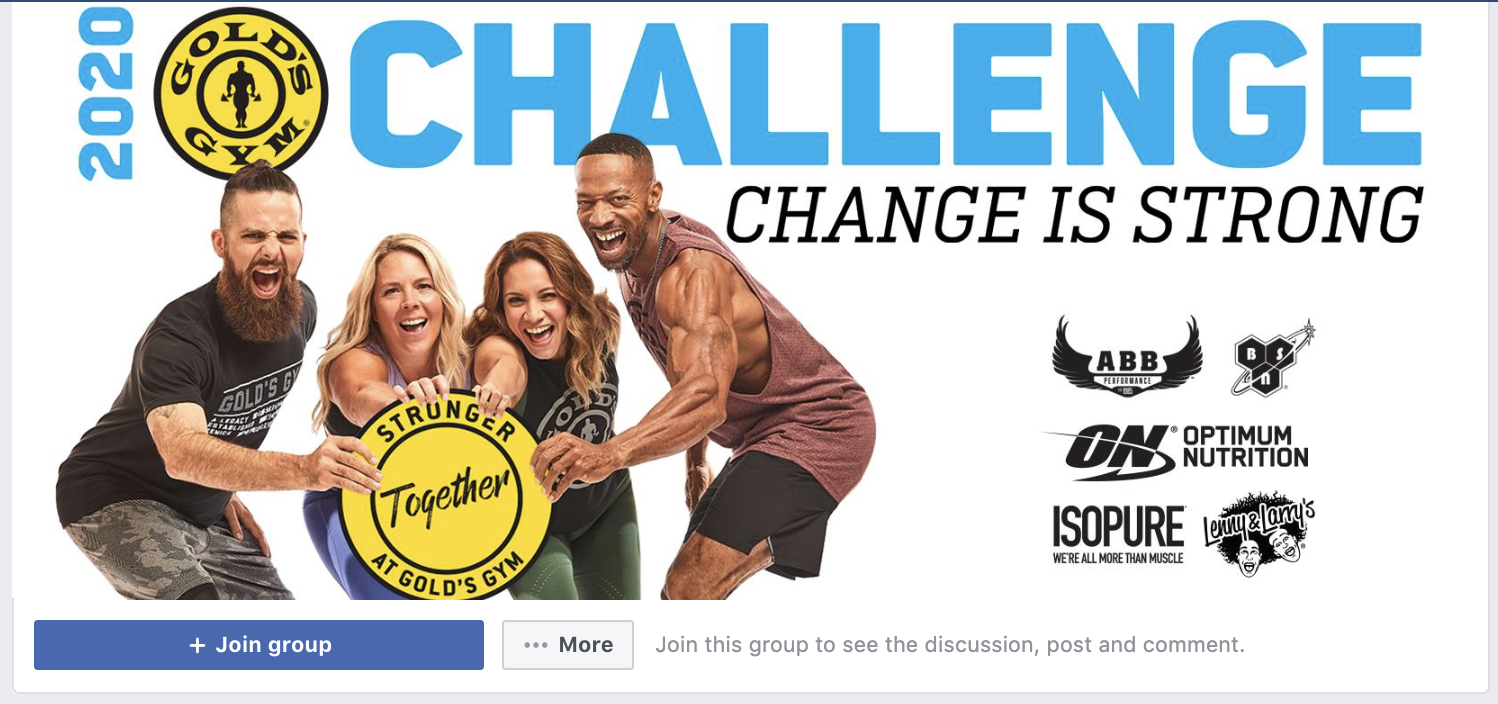
Every year, Gold’s Gym hosts The Gold’s Gym Challenge where members sign-up for a 12-week fitness program. Instead of just offering a unique training program, Gold’s Gym took it a step further. They used Facebook Groups to create a space where current, and past, members can share their progress on their 12-week challenge, find support, and document their journey.
If you’ve ever attempted any sort of fitness challenge, you know how meaningful and important support from people in the same program or challenge can be.
3. National Geographic
Members: 66,000

When it comes to the art of inspiring and being a voice for change, there are very few who do it quite as well as National Geographic. Their group, Women of Impact, focuses on “celebrating world-shaping powerhouses” and encourages anyone who is passionate about women breaking barriers in their fields to join.
A group doesn’t always need to be directly related to products or services and this is a great example — National Geographic originally started out as a magazine. The publication uses Facebook Groups to connect with an audience that deeply aligns with issues and initiatives the brand also cares deeply about.
4. Elementor
Members: 57,089
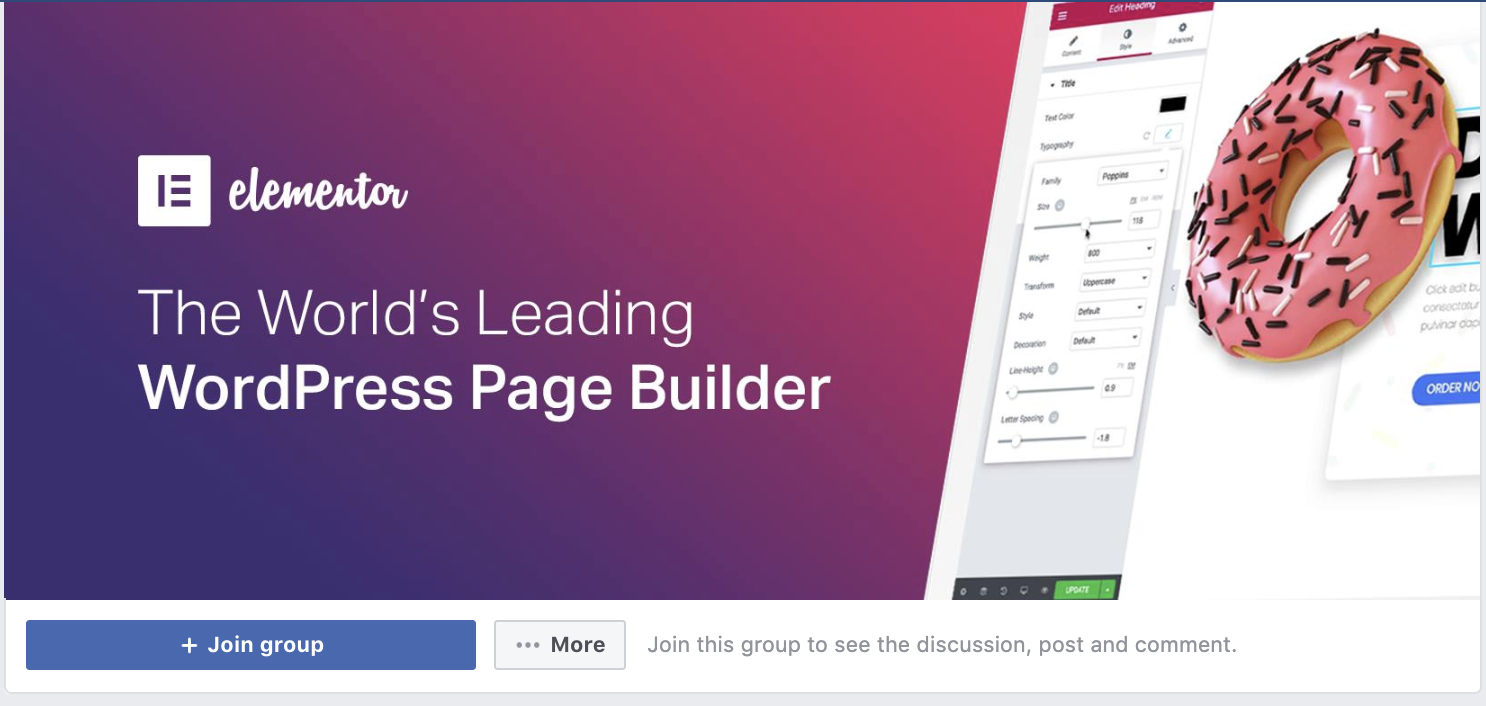
Elementor, a WordPress page builder plugin, has a Facebook group that consists of just over 50,000 members. Where they really excel, however, is using their group to drive engagement. On average, the group sees over 4,000 posts every month. 4,000! Let that sink in for a second. That level of engagement is unheard of on a business Page.
And when it comes to engagement, not only do Groups beat out Pages, but Facebook prioritizes Group content over Pages.
5. Peloton
Members: 245,000
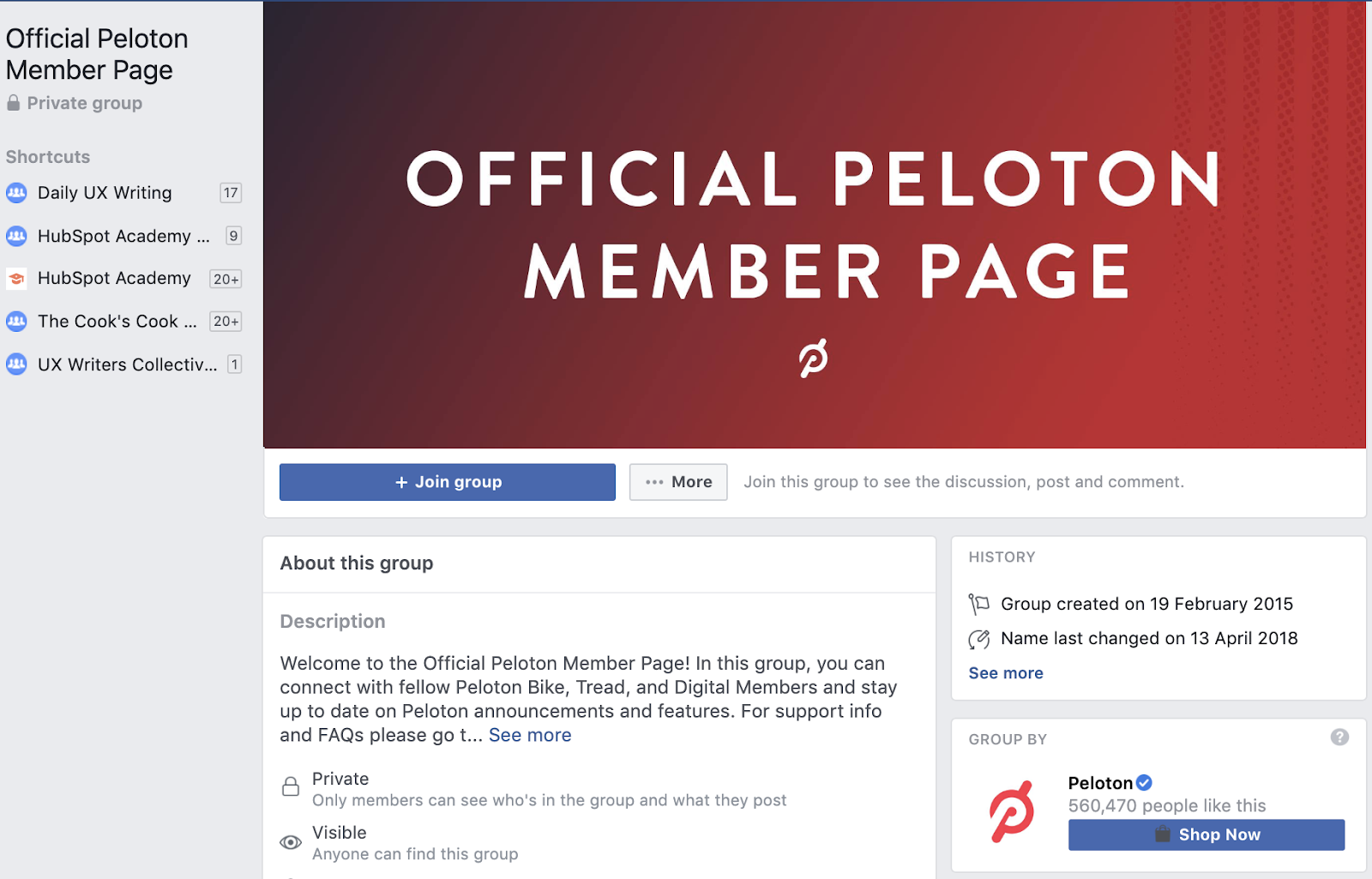
Similarly to Instant Pot, Peloton — an American company that makes high-end exercise equipment and hosts virtual fitness classes — created the Official Peloton Member private group where anyone who owns one of their products can connect and network with others who have Peloton’s products, too. And when it comes to exercise, this type of network or group provides value to its members as they’re able to share exercise plans, techniques, schedules, and training methods with one another.
Like some of the other groups in this list, Peloton created a private community, meaning members need to request access. This is a good tactic when you’re trying to create an exclusive experience for customers or members who are invested in your product. The exclusive community adds an element of value to their experience.
6. MobileMonkey
Members: 32,403
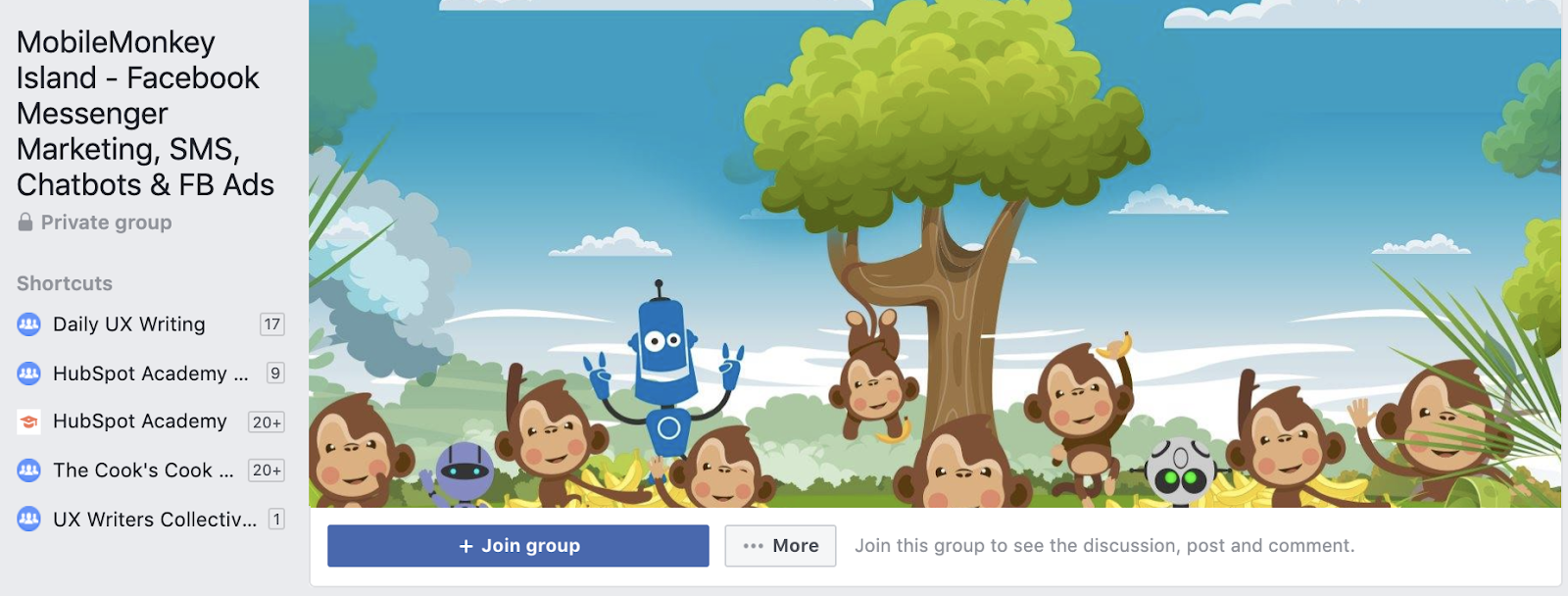
Here’s an example of a company whose reach potential for their Group far surpasses that of their Page. MobileMonkey‘s business Page only has 6,000 followers. Their Facebook Group, however, has a staggering 32,400 members. Their Group — MobileMonkey Island — is product-specific and provides an environment where members can ask questions and share knowledge about Facebook Messenger, chatbot marketing, and advanced Facebook Ads with MobileMonkey.
Instead of creating, or even building, a separate community, MobileMonkey does a really great job at meeting their users where they’re already active — on social media.
7. HubSpot Academy
Members: 7,000
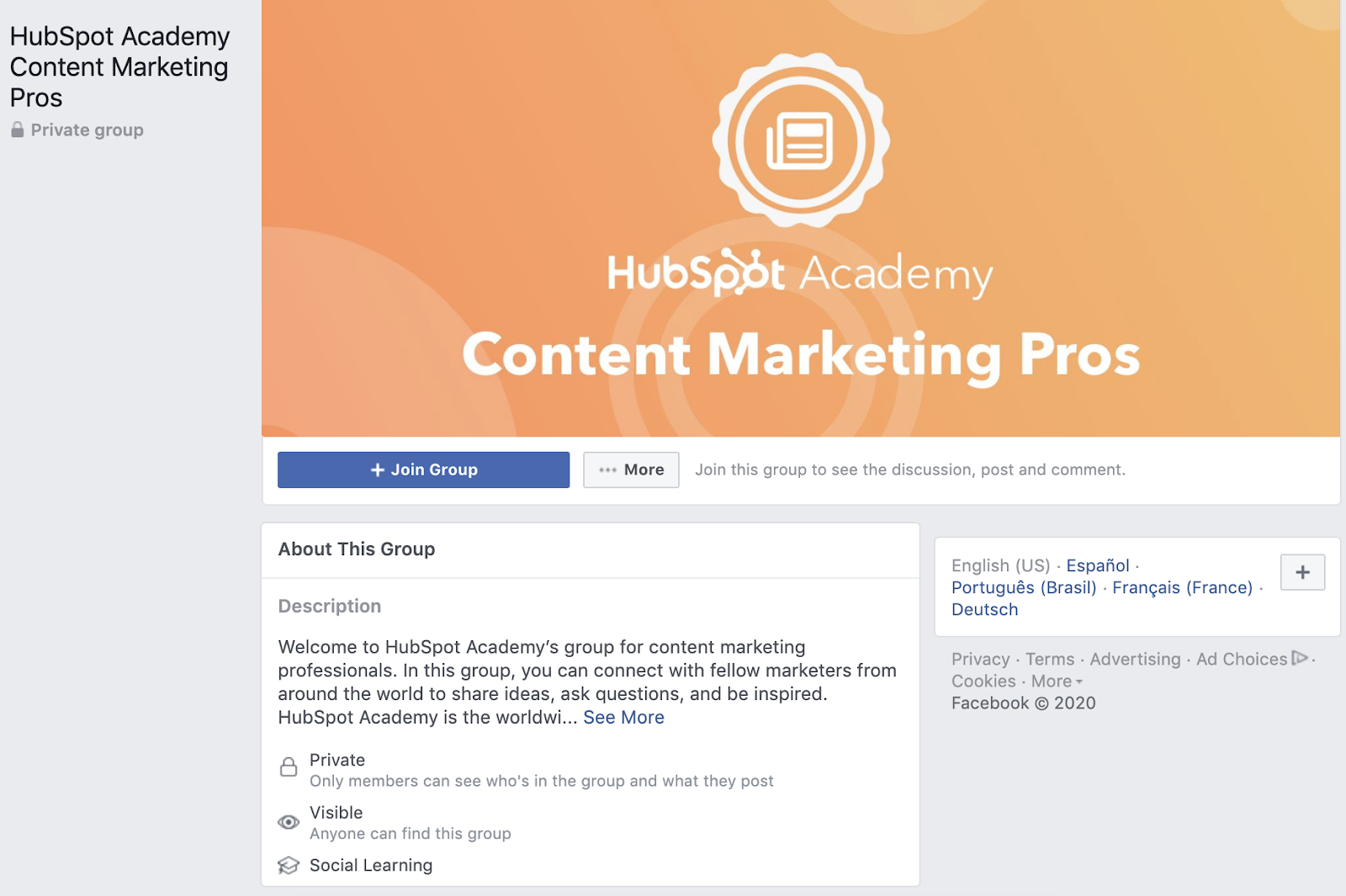
Okay — shameless-plug, we know — but there are a few reasons why HubSpot Academy’s Content Marketing Pros Group makes the list. It is a closed group, so members need to request to be a part of it. Once in the group, members can share ideas about content challenges, projects they’re working on, and even share ideas for courses they would like to see HubSpot Academy produce in the future.
It’s a great example of how you can invite your customers to be a part of the process, and show them that you value their feedback and input. This type of group works especially well for B2B businesses.
8. Canva
Members: 10,000

Like MobileMonkey, Canva’s Group — Canva Design Circle — is product-specific where members can make the most out of their tool through Canva’s Design School. They can also get the latest updates, tips, and insights directly from the Canva team. This is a great example of a company using Groups to help members navigate their product in a larger community with other members who might be sharing similar challenges.
9. Tasty
Members: 47, 000
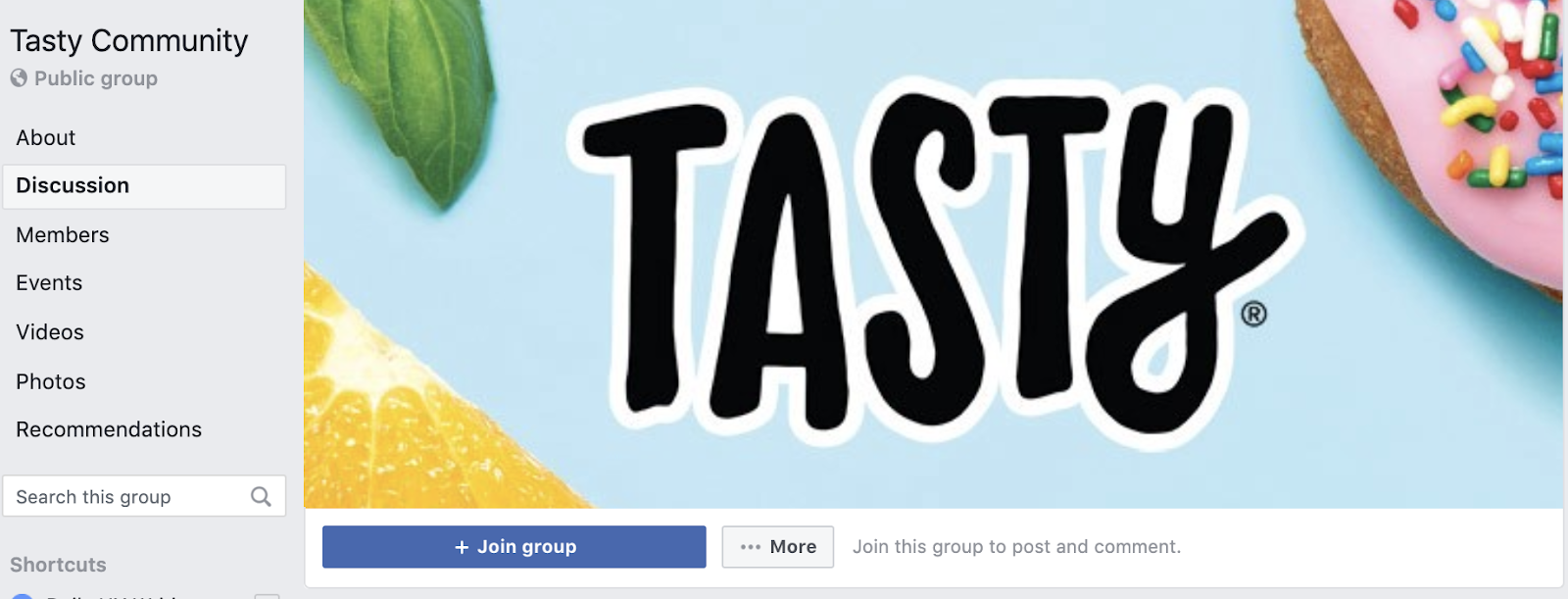
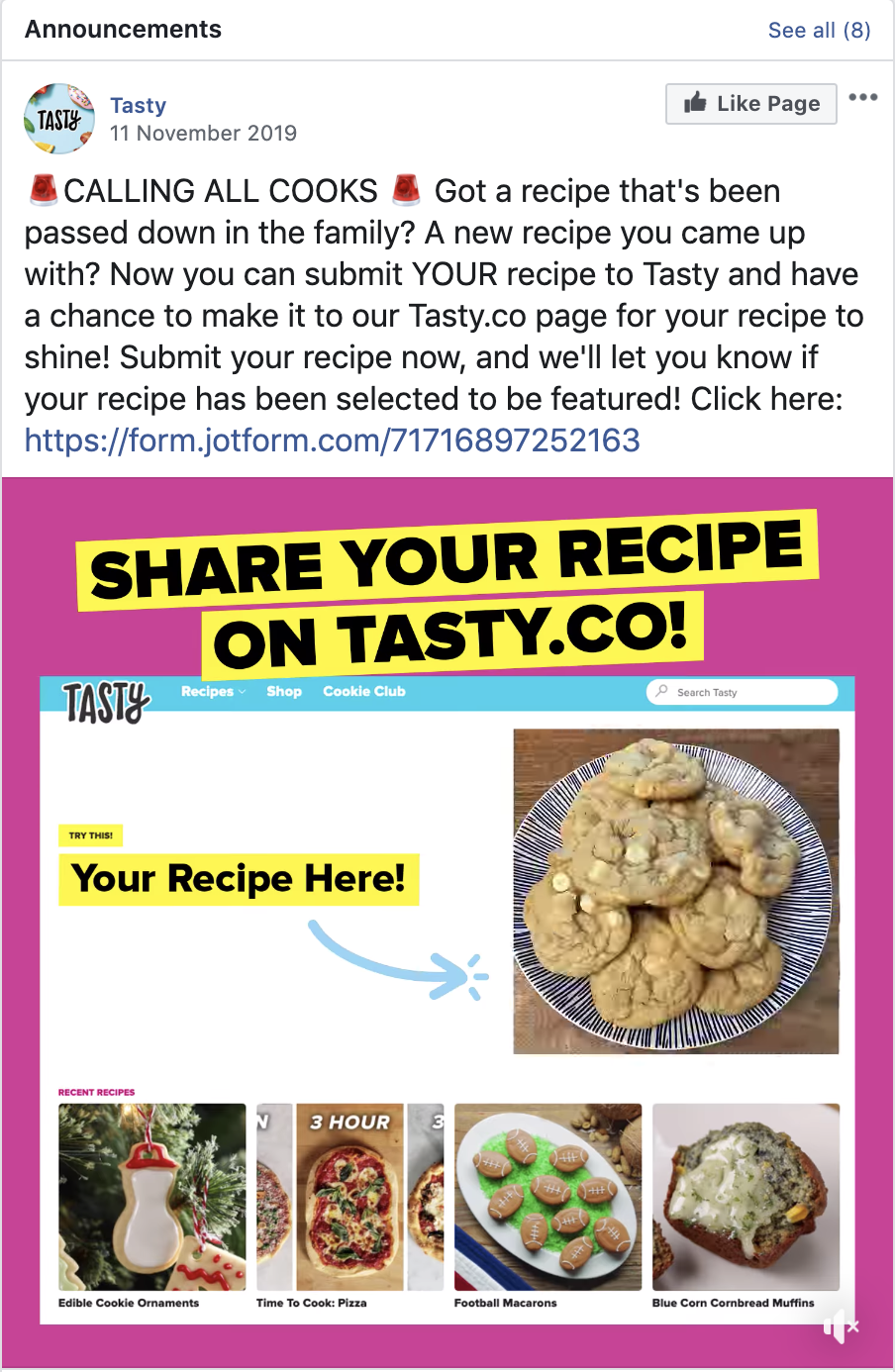
Tasty calls it’s public group, the Tasty Community, a Global Potluck. The group connects a global community of people who share a common interest — a love for Tasty and food. Members share recipes, ideas for substitutes, and cooking tips.
The group drives engagement by encouraging its members to share their recipes and stand a chance of having that recipe featured on their website, Tasty.co. By creating these competitions or incentives they’re encouraging members to participate in the community and connect with other members.
When you’re thinking about how you can incorporate Groups as a part of your Facebook strategy, remember to think of it as an additional resource that you’re providing to your customers and prospects.
If you’d like to learn more about how you can use Groups as a part of your Facebook Marketing Strategy, check out HubSpot Academy’s new Facebook Marketing Course.

The Ultimate Guide to Email Marketing
The first marketing email was sent in 1978, resulted in $13 million in sales, and kicked off what has become one of the most highly used marketing channels even to this day. Given its early beginnings, email isn’t as shiny as some newer channels like messaging and social, but it is an effective way to build an owned audience that gets results.
Email isn’t dead. It’s one of the few marketing channels we can use to build an authentic connection with the humans that keep our businesses alive.
Email marketing isn’t spam. It’s not a personal note from an old colleague either. It’s something in between. Your customers don’t give their information lightly, and — if used right — email marketing can be both a relationship-building and profit-building tool.
You should use email to build upon an existing relationship with your subscribers and leads by providing relevant, valuable information that will help them take action on their goals.
That’s right, email marketing isn’t just about you, or your company. It’s about your customer.
If you keep this golden rule in mind, your subscribers will not only read your emails, but they will look forward to hearing from you every time.
Unless you have the (wo)manpower, free time, and capital to individually build a personal relationship with each one of your prospects and customers, email should be your best marketing friend.
So, how does email marketing actually work anyway?
Now let’s review when you should use email marketing and some benefits and statistics that support the reason why email marketing is so valuable.
Master the fundamentals of email marketing with a free online course.
When to Use Email Marketing
There are many ways to use email marketing — some of the most common including using the tactic to:
- Build relationships: Build connections through personalized engagement.
- Boost brand awareness: Keep your company and your services top-of-mind for the moment when your prospects are ready to engage.
- Promote your content: Use email to share relevant blog content or useful assets with your prospects.
- Generate leads: Entice subscribers to provide their personal information in exchange for an asset that they’d find valuable.
- Market your products: Promote your products and services.
- Nurture leads: Delight your customers with content that can help them succeed in their goals.
Email Marketing Benefits
- There are 3.8 billion email users worldwide, so if you’re looking for a way to reach your customers, email is the perfect place to find them.
- On average, email generates $38 for every dollar spent, which is a 3,800% return on investment.
- Two thirds of customers have made a purchase as a direct result of an email marketing message.
- Only 20% of leads that are sent directly to sales are qualified, meaning they need to be nurtured via email and great content.
- When it comes to customer acquisition, email is 40X more effective than Facebook and Twitter combined.
- Perhaps the best reason to use email marketing is that you own the channel. Outside of compliance regulations, there is no external entity that can impact how, when, or why you reach out to your subscribers.
Featured Resource
Email Marketing Stats by Industry
Email marketing rules change based on your industry and who you’re marketing to. Below are some email marketing trends for B2B, B2C, ecommerce, and real estate companies that can inform your email marketing strategy.
Email Marketing Stats for B2B
- Emails that are triggered by an action perform 3X better than nurture emails or drip campaigns
- For 86% of professionals, email is their preferred communication channel
- 60% of marketers believe that email marketing produces a positive ROI
- Clickthrough rates are 47% higher for B2B emails than B2C
- Subject-line emojis accounted for increased open rates for 56% of brands
Email Marketing Stats for B2C
- 78% of consumers have unsubscribed from lists because a brand was sending too many emails
- Over 90% of consumers check their emails daily
- Email subscribers are 3X more likely to share social content than others
Email Marketing Stats for eCommerce
- 86% of consumers would like to receive a promotional email from brands they subscribe to at least once per month
- Segmented emails generate 58% of company revenue
Email Marketing Stats for Real Estate
- The majority (53%) of real estate companies obtain subscribers from their website
- Businesses that blog get twice as much traffic from email as those that don’t
- 40% of real estate companies use list segmentation
Getting Started with Email Marketing
Before you get overwhelmed with the vast possibilities of email marketing, let’s break down a few key steps to get you started building a strong email campaign that will delight your customers. You can think of these steps as the way to create a successful email marketing strategy.
Create an Email Marketing Strategy
Each of your customers receives 121 emails every day. That means, if you don’t take the time to develop a strategy, your emails will get lost in crowded inboxes, or worse, be sent to the spam folder.
You can learn how to build an effective email strategy and send emails that people actually want to read. It just takes a plan (one that can be broken down into a few key steps).
Think of the following five steps as an outline for your email strategy. We’ll dive deeper into some of these in a moment.
Featured Resource
1. Define Your Audience
An effective email is a relevant email. Like everything else in marketing, start with your buyer persona, understand what they want, and tailor your email campaign to your audience’s needs.
2. Establish Your Goals
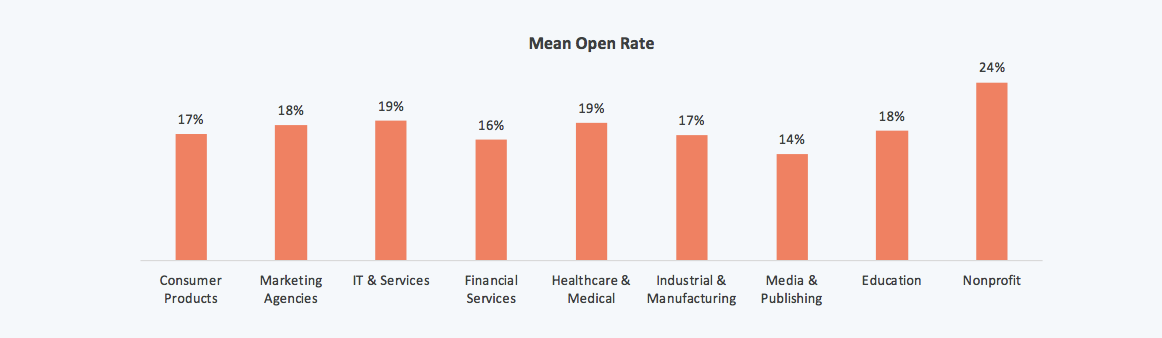
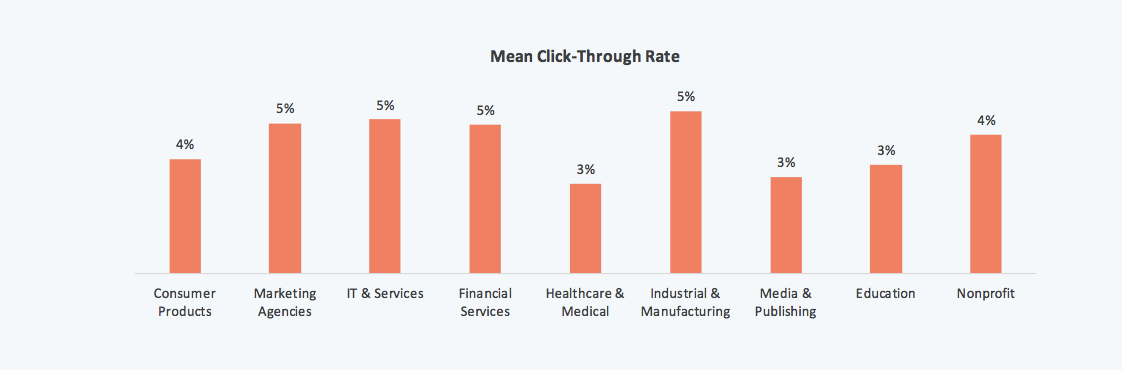
Before you come up with your campaign goals, gather some context. Research the average email stats for your industry and use them as benchmarks for your goals.
3. Create a Way for People to Sign Up
You need people to email, right? An email list (we’ll cover how to build your email list in the next section) is a group of users who have given you permission to send them relevant content. To build that list, you need several ways for prospects to opt in to receive your emails.
Don’t be discouraged if you only have a few people on your list to start. It can take some time to build. In the meantime, treat every single subscriber and lead like gold, and you’ll start to see your email list grow organically.
4. Choose an Email Campaign Type
Email campaigns vary and trying to decide between them can be overwhelming. Do you send a weekly newsletter? Should you send out new product announcements? Which blog posts are worth sharing?
These questions plague every marketer. The answer is subjective. You can start by learning about the different types of email campaigns that exist, then decide which is best for your audience. You should also set up different lists for different types of emails, so customers and prospects can sign up for only the emails that are relevant to them.
5. Make a Schedule
Decide how often you plan to contact your list, inform your audience upfront so they know what to expect, and stick to a consistent schedule to build trust, and so they don’t forget about you.
6. Measure Your Results
This should come as no surprise. As marketers, we measure everything. Being meticulous about every key metric will help you make small changes to your emails that will yield large results. We’re going to touch on the exact KPIs to monitor in a bit (or you can simply jump ahead).
Now that you understand the steps to creating an email marketing strategy, we’ll look at what’s involved in building your email list.
How to Build Your Email List
Now to the fun part: filling your email list with eager prospects that are excited to hear from you.
There are many creative ways to build your email list (and, no, purchasing emails ain’t one). Tactically speaking, list building comes down to two key elements that work cohesively to grow your subscriber numbers: lead magnets and opt-in forms.
Featured Resources
Here’s how to get started building and growing your email list.
1. Use lead magnets.
Your lead magnet is exactly as it sounds: something that attracts prospects to your email list, usually in the form of a free offer. The offer can take a number of formats, should be valuable to your prospects, and is given away for free in exchange for an email address.
There’s just one problem: People have become hyper protective of their personal information. You can’t expect to receive an email address without exchanging it for something valuable.
Think about a lead magnet that is relevant, useful, and makes your prospects’ lives easier.
Here are a few types of lead magnets you could create:
- Ebook
- Whitepaper
- Infographic
- Report or Study
- Checklist
- Template
- Webinar or Course
- Tool
If you’re short on resources, you can even repurpose your existing content to create lead magnets.
How to Create a Great Lead Magnet
Remember that your lead magnet should be relevant to your prospects. Here are a few guidelines to ensure you’re creating a valuable asset for your potential list.
Make your offer solution-oriented and actionable.
Provide practical information that solves a problem and create a realistic way to achieve the solution.
Ensure that the asset is easy to consume.
Lead magnets should be delivered in a digital format. Whether it’s a PDF, a webpage, a video, or some other format, make it easy for your new lead to obtain and consume it.
Create your offer with future content in mind.
There’s nothing worse than signing up for a great offer only to be disappointed by the content that follows. Make sure your offer is aligned with the value that you will provide throughout your relationship, otherwise you risk damaging trust.
Treat your lead magnet as a stepping stone to your paid solution.
The point of your email list is to eventually guide subscribers to a paid offer. You offer free content to demonstrate the value that you provide as a company, and those free offers should eventually lead to your product or service.
Create offers that are relevant to each stage of the buyer’s journey.
Every new lead will be at a different stage of the buyer’s journey, and it’s your responsibility to know which. Segment your list from the beginning by providing separate opt-in offers that pertain to each stage of the buyer’s journey. You can tell a lot about a prospect’s mindset by the content they consume.
2. Create an enticing opt-in form.
Your opt-in form is how you get a prospect’s information to add them to your list. It’s the gate between your future leads and the incredible asset that you created with them in mind. Here are some tips for creating an enticing opt-in form:
Create an attractive design and attention-grabbing header.
Your form should be branded, stand out from the page, and entice people to sign up. You want to excite readers with the offer.
Make the copy relevant to the offer.
While your goal is to get people to enter their information, it isn’t to deceive them. Any information on your form should be a truthful representation of the offer.
Keep the form simple.
This could be one of your first interactions with your prospect. Don’t scare them away with a long form with several fields. Ask for only the most essential information: first name and email is a good place to start.
Set your opt-in form for double confirmation.
It may seem counterproductive to ask your subscribers to opt in to your emails twice, but a study on open rates proves that customers prefer a confirmed opt-in (COI) email 2.7X more than a welcome email.
Ensure that the flow works.
Take yourself through the user experience before you go live. Double check that the form works as intended, the thank you page is live, and your offer is delivered as promised. This is one of your first impressions on your new lead — make it a professional and positive one.
Next, let’s take a moment to cover some universally-accepted email marketing best practices regarding how to send marketing emails.
If all goes well, you’ll have built a robust list of subscribers and leads that are waiting to hear from you. But you can’t start emailing just yet unless you want to end up in a spam folder, or worse, a blocked list.
Here are a few extremely important things to keep in mind before you start emailing your precious list that you worked so hard to build.
1. Choose an email marketing service.
An email marketing provider (ESP) is a great resource if you’re looking for any level of support while fine-tuning your email marketing efforts.
For example, HubSpot’s Email Marketing tool allows you to efficiently create, personalize, and optimize marketing emails that feel and look professional without designers or IT. There are a variety of features to help you create the best email marketing campaigns and support all of your email marketing goals.
Additionally, you can analyze the success of your email marketing so you can share the data that matters most to your business with your team. The best part? You can use HubSpot’s Email Marketing service for free.
Here are examples of features services like HubSpot offer to consider when choosing an email service provider:
- CRM platform with segmentation capabilities
- Good standing with Internet Service Providers
- A positive reputation as an email service provider (ESP)
- Easy-to-build forms, landing pages, and CTAs
- Automation
- Simple ways to comply with email regulations
- Ability to split test your emails
- Built-in analytics
- Downloadable reports
2. Use email marketing tips.
While you probably don’t think twice about the formatting or subject line of an email you send to a friend, email marketing requires a lot more consideration. Everything from the time you send your email to the devices on which your email could be opened matters.
Your goal with every email is to generate more leads, which makes crafting a marketing email a more involved process than other emails you’ve written.
Let’s touch on the components of a successful marketing email:
Copy: The copy in the body of your email should be consistent with your voice and stick to only one topic.
Images: Choose images that are optimized for all devices, eye-catching, and relevant.
CTA: Your call-to-action should lead to a relevant offer and stand out from the rest of the email.
Timing: Based on a study that observed response rates of 20 million emails, Tuesday at 11 AM ET is the best day and time to send your email.
Responsiveness: 55% of emails are opened on mobile. Your email should, therefore, be optimized for this as well as all other devices.
Personalization: Write every email like you’re sending it to a friend. Be personable and address your reader in a familiar tone.
Subject Line: Use clear, actionable, enticing language that is personalized and aligned with the body of the email.
Featured Resource
3. Implement email segmentation.
Segmentation is breaking up your large email list into sub categories that pertain to your subscribers’ unique characteristics, interests, and preferences.
Our subscribers are humans, after all, and we should do our best to treat them as such. That means, not sending generic email blasts.
We talked about segmentation briefly above. The reason why this topic is important enough to mention twice is that, without it, you run the risk of sending the wrong content to the wrong people and losing subscribers.
Why should you segment your email list?
Each person who signs up to receive your emails is at a different level of readiness to convert into a customer (which is the ultimate goal of all this).
If you send a discount coupon for your product to subscribers that don’t even know how to diagnose their problem, you’ll probably lose them. That’s because you’re skipping the part where you build trust and develop the relationship.
Every email you send should treat your subscribers like humans that you want to connect with, as opposed to a herd of leads that you’re trying to corral into one-size-fits-all box.
The more you segment your list, the more trust you build with your leads and the easier it’ll be to convert them later.
Not to mention, segmented emails generate 58% of all revenue.
How to Segment Email Lists
The first step in segmentation is creating separate lead magnets and opt-in forms for each part of the buyer’s journey. That way, your contacts are automatically divided into separate lists.
Beyond that, email marketing platforms allow you to segment your email list by contact data and behavior to help you send the right emails to the right people.
Here are some ways you could break up your list:
- Geographical location
- Lifecycle stage
- Awareness, consideration, decision stage
- Industry
- Previous engagement with your brand
- Language
- Job Title
In reality, you can segment your list any way that you want. Just make sure to be as exclusive as possible when sending emails to each subgroup.
4. Personalize your email marketing.
Now that you know who you’re emailing and what’s important to them, it will be much easier to send emails with personalized touches.
Sure, you’re speaking to 100+ people at one time, but your leads don’t need to know it.
To really drive this point home, consider this: Personalized emails have 26% higher open rates, and an improved click-through rate of 14% when compared to others.
You’ve gathered all this unique data. Your email marketing software allows for personalization tokens. You have no excuse for sending generic emails that don’t make your leads feel special.
Here are a few ways to personalize your emails:
- Add a first name field in your subject line and/or greeting
- Include region-specific information when appropriate
- Send content that is relevant to your lead’s lifecycle stage
- Only send emails that pertain to the last engagement a lead has had with your brand
- Write about relevant and/or personal events, like region-specific holidays or birthdays
- End your emails with a personal signature from a human (not your company)
- Use a relevant call-to-action to an offer that the reader will find useful
5. Incorporate email marketing automation.
Automation is putting your list segmentation to use. Once you’ve created specific subgroups, you can send automated emails that are highly targeted. There are a couple ways to do this.
Autoresponders
An autoresponder, also known as a drip campaign, is a series of emails that is sent out automatically once triggered by a certain action, for instance, when someone downloads your ebook.
You’ll use the same guidelines for writing your emails that we discussed previously to ensure that your readers find your emails useful and interesting. You should decide how far apart you’d like your emails to be sent, say every few days or weeks or even months.
The great thing about autoresponders is that you can set it and forget it. Every user that is part of your autoresponder will receive each email that you’ve added to the series.
Workflows
Workflows take autoresponders a step further. Think of Workflows like a flow tree with yes/no branches that will execute actions based on the criteria that you set.
Workflows have two key components: 1. Enrollment criteria, or the action that would qualify a user for the workflow. 2. Goal, or the action that would take a user out of the workflow.
Workflow tools are smart enough to know if a user opened an email or downloaded an offer, and it will set off a series of actions based on that behavior. That means, it can send an email series, or even change a prospect’s lifecycle stage based on what a user does.
Here’s an example of how a workflow could be set up:
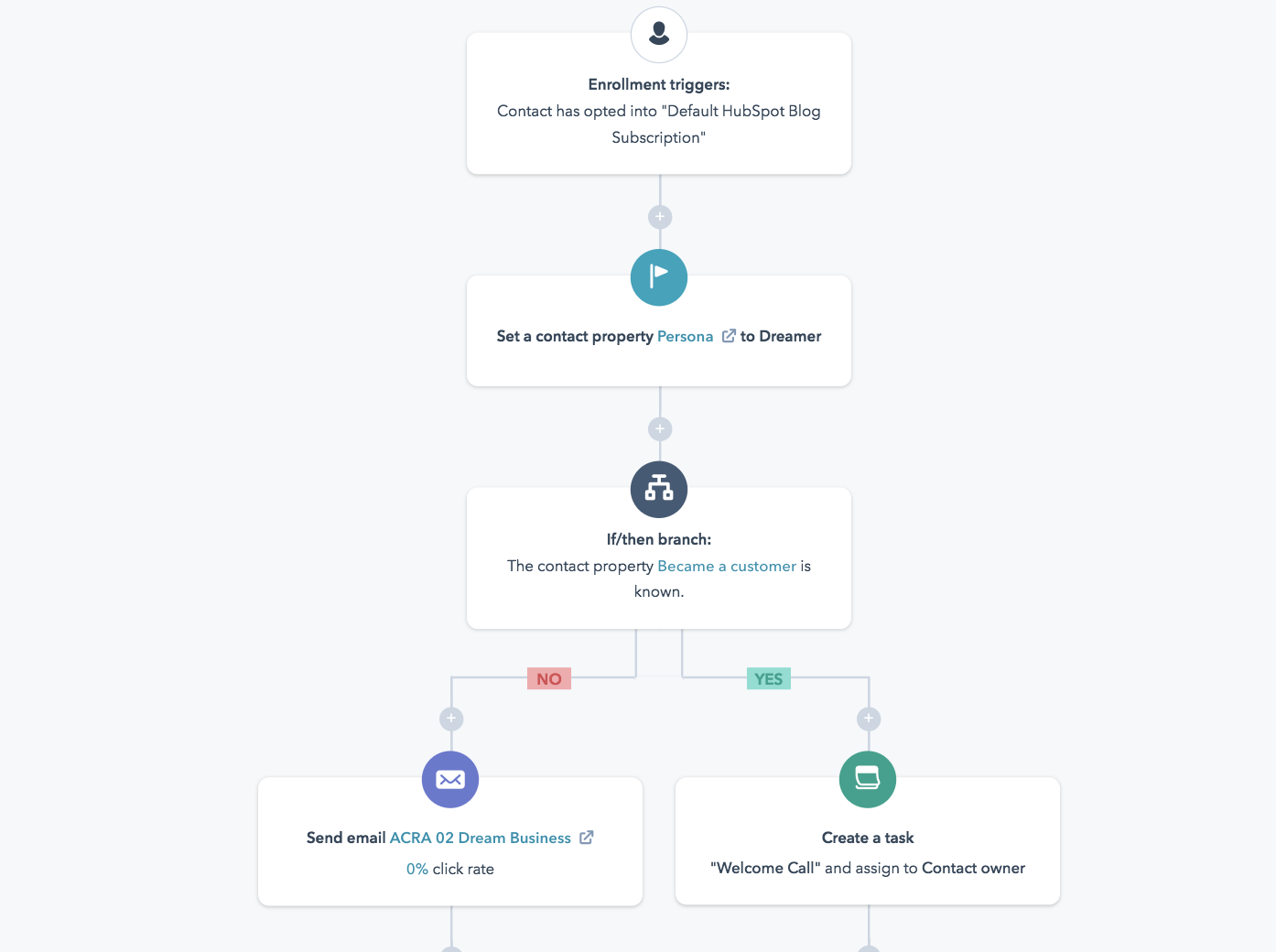
The key difference from an autoresponder is that workflows are smart: They can change the course of your automated series based on what your prospect will find useful.
For instance, if a new subscriber receives a welcome email and the subsequent email is set up to send them an offer that they already found and downloaded on your site, the workflow tool will know and adapt. In an autoresponder, a user receives a specific set of emails at specific time intervals no matter what action they take.
Why is this important? Sending the right email at the wrong time is detrimental to your bottom line. Companies see a 20% increase in revenue when they send emails based on lifecycle stages.
6. Use email marketing templates.
Email marketing templates — like these ones from HubSpot — are another great resource to help you with your email marketing.
Unless you’re a designer and developer on top of being a skilled marketer, templates will save you a ton of time — they take the design, coding, and UX-definition work out of crafting your emails.
Just one caveat: when making your selection, choose email templates that are proven to be effective. The highest-quality templates come from the most reputable ESPs that have tested them against thousands of alternatives. So, stick with the professionals.
And speaking of things like quality work and great reputation, there are some email regulations to be aware of when crafting emails and developing your marketing strategy.
Email Regulations
Email regulations are consistent with consumers’ desires to know how and why their information is being used. If there’s anything we care about, it’s complying with what our customers—or potential customers—want.
1. CAN-SPAM Compliance
Technically, CAN-SPAM is an acronym for Controlling the Assault of Non-Solicited Pornography and Marketing (because sometimes the two go together).
In practice, it’s a way to protect your subscribers’ right to only receive emails that they’ve requested.
The law was passed in 2003 and applies to any commercial emails used for business purposes.
Here are the ways to ensure that your emails are CAN-SPAM compliant:
- Include your company name and address in every email.
- Place visible unsubscribe links within your emails.
- Use real email addresses in the “From” and “Reply to” fields.
- Write subject lines that indicate the contents of the email.
Please note: This is not to be confused for legal advice. See the FTC’s site for more specific legal information regarding CAN-SPAM laws.
2. GDPR Compliance
“GDPR is wholly consistent with the inbound approach to business” – Brian Halligan, HubSpot CEO
While some may view these newly implemented email regulations as burdensome and unnecessary, General Data Protection Regulation (GDPR) actually moves us closer to building long-lasting and trusting relationships with our customers.
GDPR is about giving your customers the right to choose. They choose your emails. They choose to hear from you. They choose your products. And that is exactly what inbound marketing is about.
Something important to note about GDPR is that it only applies to businesses that operate in the European Union and businesses that market to EU citizens. Noncompliance will result in significant fees that aren’t worth the risk, so make sure read the GDPR guidelines entirely.
Here’s an overview of how you can comply with GDPR laws:
- Use explicit and clear language when requesting consent to store personal information.
- Only collect contact data that is necessary for and relevant to your business.
- Store contact data in a secure manner and only use it for the agreed-upon purpose.
- Retain data for justifiable business purposes only.
- Delete contact data on request.
- Make it easy for contacts to unsubscribe from your list or update their preferences.
- Comply promptly to a contact’s request for access to their data.
- Keep company records to prove GDPR compliance.
These regulations will be taken seriously (as they should), so it’s a good idea to create a GDPR strategy for your business before you start sending out emails.
3. Avoid Spam Filters
You spend time creating the perfect email and adhering to regulations, so the last thing you want is to end up in a spam folder.
You’ll want to avoid the spam folder because:
- It hurts your deliverability rates across the board.
- Your contacts will likely miss all of your emails.
- You won’t be able to accurately measure your email marketing effectiveness.
- Your analytics will be skewed.
You can avoid being deduced to spam by:
Getting whitelisted.
A whitelist is the opposite of a blacklist, meaning it’s a list of approved senders that are allowed to reach the subscriber’s inbox. The easiest way to accomplish this is to have your new subscriber add your email address to their address book. Include directions on how to do this in your welcome email.
Minding your copy.
Avoid using all caps and multiple exclamation points, as well as spam trigger words, like “opt in”, “click below”, and “order”, that are easily detected and marked down by Internet Service Providers (ISPs).
Using a reliable email service provider.
Your email service provider’s reputation affects your deliverability, so stick to established, well-known companies.
Implementing a double opt-in.
After someone opts in to your email list, send an email asking them to confirm. This ensures that your new subscriber is genuinely interested in your emails and will likely be more engaged.
(Check out more ways you can avoid the spam filter.)
And last but certainly not least, you need to consistently measure the success of your email marketing efforts. There are a number of options you can choose from when it comes to your business’s email marketing analytics.
Email Marketing Analysis
By diving into your email marketing analytics, you’ll be able to make better decisions that are sure to positively impact your business’s bottom line, resonate with your subscribers, readers, and customers, and justify your work to the rest of your company.
Here are the best ways to analyze the effectiveness of your email marketing campaigns.
1. A/B test your marketing emails.
Not all email lists are created equal. Some audiences prefer personalization and others will think it’s spammy. Some audiences will like bright, eye-catching CTA buttons, and others will prefer a more subtle call-to-action.
You’ll never know what type of people make up your email list until you test the variables. That’s where A/B testing comes in handy.
A/B testing, or split testing, is a way to see what type of email performs best with your audience by analyzing the results of email A against email B.
Here’s the step-by-step process for A/B testing your emails:
- Select one variable to test at a time, e.g., subject line, CTA, images.
- Create two versions of the email: one with and one without the variable.
- Allow your emails to be sent out simultaneously for a period of time.
- Analyze your results and keep only the version that performed better.
- Test a new variable and repeat the process.
Most email service providers will have A/B testing built into their software, which will make it easy for you to compare email results without much manual work.
Featured Resource
2. Set email marketing KPIs.
There are four keys metrics to pay attention to when evaluating the effectiveness of your email marketing campaign.
- Deliverability measures the rate at which emails reach your intended subscribers’ inboxes.
- Open rate is the percentage of people that open your email once it reaches their inbox.
- Clickthrough rate (CTR) is the percentage of people that click on your CTAs.
- Unsubscribes measures the number of people who opt out of your email list once they receive an email from you.
3. Adjust different email element to improve results.
Many factors impact your KPIs, and it’s going to take some experimentation and guesswork to figure out which tweaks to your emails will yield that biggest changes.
If you aren’t getting the numbers you want, try playing with these variables to improve your email results.
Deliverability
- Ensure that you’re following best practices when it comes to avoiding spam filters.
- Remove inactive people from your email list to keep only engaged subscribers.
- Check which emails hard-bounced and remove those email addresses from your list.
Open Rate
- Play with the language in your subject line to entice people to click on your email.
- Adjust the time and day that you send your email to see what works best.
Clickthrough Rate (CTR)
- Evaluate your offer to ensure that it provides value to your segmented list.
- Rewrite your copy to make sure that it’s clear what you want the reader to do.
- Try different CTAs, e.g., graphic versus Inline copy, bold versus subtle.
Unsubscribes
- First, consider if this a blessing in disguise, as uninterested parties are removing themselves from your list.
- Evaluate whether the email you sent is aligned with your brand.
- Ensure you haven’t performed a bait-and-switch by promising one thing and delivering another.
- Make sure your emails are providing value to your audience before trying to upsell.
4. Use an email marketing report template.
Your data does no good if you can’t report it in an organized fashion.
An email marketing report is a spreadsheet where you can record your results in one place to help you make inferences from your KPIs and take action to improve them.
Here’s how you should organize your report:
Metrics:
- Total number of emails sent
- Number of emails delivered
- Deliverability Rate
- Bounce Rate
- Open Rate
- Clickthrough Rate
- Unsubscribe Rate
Data:
- Subject line
- Length of email body
- Offer
- CTA (inline or graphic)
- List segment
Questions To Ask:
- Was your deliverability rate high in comparison to previous periods?
- How did your CTR compare to your open rate?
- Were your unsubscribe numbers consistent with other emails?
- Did a certain subject line perform better than others?
- Does the length of email make a difference in CTR?
- Could another style of CTA perform better?
- Was the offer appropriate for the list segment?
Begin Email Marketing
While there are many rules to sending a marketing email, the most important is this: Treat your subscribers like humans.
You can achieve all of your email marketing goals if you keep this golden rule top-of-mind in every autoresponder, lead magnet, and subject line.
When in doubt or if you’re ever in need of inspiration, turn to some of the greatest email marketing examples. You can also take a look at some quick additional tips in this video by HubSpot Academy:
And remember, your subscribers want to hear from you and they want to relate to you. Be a genuine resource, and they will look forward to opening an email from you just like they would any friend of theirs.
Editor’s note: This post was originally published in 2019 and has been updated for comprehensiveness.

How to Write a Blog Post: A Step-by-Step Guide [+ Free Blog Post Templates]
You’ve probably heard how paramount blogging is to the success of your marketing. But it’s important that you learn how to start a blog and write blog posts for it so that each article supports your business.
Without a blog, your SEO can tank, you’ll have nothing to promote on social media, you’ll have no clout with your leads and customers, and you’ll have fewer pages to put those valuable calls-to-action that generate inbound leads.
So why, oh why, does almost every marketer I talk to have a laundry list of excuses for why they can’t consistently blog?
Maybe because, unless you’re one of the few people who actually like writing, business blogging kind of stinks. You have to find words, string them together into sentences … ugh, where do you even start?
Well my friend, the time for excuses is over.
Today, people and organizations of all walks of life manage blogs to share analyses, instruction, criticisms, and other observations of an industry in which they are a rising expert.
After you read this post, there will be absolutely no reason you can’t blog every single day — and do it quickly. Not only am I about to provide you with a simple blog post formula to follow, but I’m also going to give you free templates for creating five different types of blog posts:
- The How-To Post
- The List-Based Post
- The Curated Collection Post
- The SlideShare Presentation Post
- The Newsjacking Post
With all this blogging how-to, literally anyone can blog as long as they truly know the subject matter they’re writing about. And since you’re an expert in your industry, there’s no longer any reason you can’t sit down every day and hammer out an excellent blog post.
What makes a good blog post?
Before you write a blog post, you should understand what makes a good post. You should know the answers to questions like “Why would someone keep reading your entire blog post?” and “What makes your audience come back for more?”
To start, a good blog post is interesting and educational. Your blogs should answer a reader’s question and help them with a problem they might have. Maybe more importantly, you have to do this in an interesting way.
It’s not enough just to answer someone’s questions. You have to provide actionable steps, while being entertaining. For example, your introduction should hook the reader to continue reading the post.
Then, you can use examples to keep your readers interested in what you have to say.
A good blog post is interesting to read, while also providing educational content to its audience.
Want to learn how to apply blogging and other forms of content marketing to your business? Check out HubSpot Academy’s free content marketing training resource page.
How to Write a Blog Post
1. Understand your audience.
Before you start to write your first blog post, have a clear understanding of your target audience. What do they want to know about? What will resonate with them? This is where creating your buyer personas comes in handy. Consider what you know about your buyer personas and their interests while you’re coming up with a topic for your blog post.
For instance, if your readers are millennials looking to start their own business, you probably don’t need to provide them with information about getting started in social media — most of them already have that down. You might, however, want to give them information about how to adjust their approach to social media from a more casual, personal one to a more business-savvy, networking-focused approach. That kind of tweak is what separates you from blogging about generic stuff to the stuff your audience really wants (and needs) to hear.
Don’t have buyer personas in place for your business? Here are a few resources to help you get started:
- Create Buyer Personas for Your Business [Free Template]
- Blog Post: How to Create Detailed Buyer Personas for Your Business
- [Free Tool] Make My Persona: Buyer Persona Generator
 2. Create your blog domain.
Next, you’ll need a place to host this and every other blog post you write. This requires choosing a content management system (CMS) and a website domain hosting service.
Sign Up With a Content Management System
A CMS helps you create a website domain where you’ll actually publish your blog. The CMS platforms available for you to sign up for can manage domains, where you create your own website; and subdomains, where you create a webpage that connects with an existing website.
HubSpot customers host their website content through HubSpot’s content management system. Another popular option is a self-hosted WordPress website on WP Engine. Whether they create a domain or a subdomain to start their blog, they’ll need to choose a web domain hosting service after choosing their CMS.
This is true for every blogger seeking to start their own blog on their own website.
Register a Domain or Subdomain With a Website Host
Your own blog domain will look like this: www.yourblog.com. The name between the two periods is up to you, as long as this domain name doesn’t yet exist on the internet.
Want to create a subdomain for your blog? If you already own a cooking business at www.yourcompany.com, you might create a blog that looks like this: blog.yourcompany.com. In other words, your blog’s subdomain will live in its own section of yourcompany.com.
Some CMSs offer subdomains as a free service, where your blog lives on the CMS, rather than your business’s website. For example, it might look like “yourblog.contentmanagementsystem.com.” However, in order to create a subdomain that belongs to a company website, you’ll need to register this subdomain with a website host.
Most website hosting services charge very little to host an original domain — in fact, website costs can be as inexpensive as $3 per month. Here are five popular web hosting services to choose from:
3. Customize your blog’s theme.
Once you have your blog domain set up, customize the appearance of your blog to reflect the theme of the content you plan on creating.
Are you writing about sustainability and the environment? Green might be a color to keep in mind when designing the look and feel of your blog, as green is often associated with sustainability.
If you already manage a website, and are writing your first blog post for that website, it’s important that your blog is consistent with this existing website, both in appearance and subject matter. Two things to include right away are:
- Logo. This can be your name or your business’s logo, either one helping to remind your readers who or what is publishing this content. How heavily you want to brand this blog, in relation to your main brand, is up to you.
- “About” page. You might already have an “About” blurb describing yourself or your business. Your blog’s “About” section is an extension of this higher-level statement. Think of it as your blog’s mission statement, which serves to support your company’s goals.
4. Identify your first blog post’s topic.
Before you even write anything, you need to pick a topic for your blog post. The topic can be pretty general to start with. For example, if you’re a plumber, you might start out thinking you want to write about leaky faucets.
Then, as you do your research, you can expand the topic to discuss how to fix a leaky faucet based on the various causes of a faucet leak.
You might not want to jump right into a “how-to” article for your first blog post, though, and that’s okay. Perhaps you’d like to write about modern types of faucet setups, or tell one particular success story you had rescuing a faucet before it flooded someone’s house.
If a plumber’s first how-to article is about how to fix a leaky faucet, for example, here are four other types of sample blog post ideas a plumber might start with, based on the five free blog templates we’ve offered to you:
- List-based Post: 5 ways to fix a leaky faucet
- Curated Collection Post: 10 faucet and sink brands you should look into today
- SlideShare Presentation: 5 types of faucets that should replace your old one (with pictures)
- News post: New study shows X% of people don’t replace their faucet on time
Find more examples of blog posts at the end of this step-by-step guide.
If you’re having trouble coming up with topic ideas, check out this blog post from my colleague Ginny Soskey. In this post, Soskey walks through a helpful process for turning one idea into many. Similar to the “leaky faucet” examples above, she suggests that you “iterate off old topics to come up with unique and compelling new topics.” This can be done by:
- Changing the topic scope
- Adjusting the time frame
- Choosing a new audience
- Taking a positive/negative approach
- Introducing a new format
5. Come up with a working title.
Then you might come up with a few different working titles — in other words, iterations or different ways of approaching that topic to help you focus your writing. For example, you might decide to narrow your topic to “Tools for Fixing Leaky Faucets” or “Common Causes of Leaky Faucets.” A working title is specific and will guide your post so you can start writing.
Let’s take a real post as an example: “How to Choose a Solid Topic for Your Next Blog Post.” Appropriate, right? The topic, in this case, was probably simply “blogging.” Then the working title may have been something like, “The Process for Selecting a Blog Post Topic.” And the final title ended up being “How to Choose a Solid Topic for Your Next Blog Post.”
See that evolution from topic, to working title, to final title? Even though the working title may not end up being the final title (more on that in a moment), it still provides enough information so you can focus your blog post on something more specific than a generic, overwhelming topic.
6. Write an intro (and make it captivating).
We’ve written more specifically about writing captivating introductions in the post, “How to Write an Introduction,” but let’s review, shall we?
First, grab the reader’s attention. If you lose the reader in the first few paragraphs — or even sentences — of the introduction, they will stop reading even before they’ve given your post a fair shake. You can do this in a number of ways: tell a story or a joke, be empathetic, or grip the reader with an interesting fact or statistic.
Then describe the purpose of the post and explain how it will address a problem the reader may be having. This will give the reader a reason to keep reading and give them a connection to how it will help them improve their work/lives. Here’s an example of a post that we think does a good job of attracting a reader’s attention right away:

7. Organize your content in an outline.
Sometimes, blog posts can have an overwhelming amount of information — for the reader and the writer. The trick is to organize the info so readers are not intimidated by the length or amount of content. The organization can take multiple forms — sections, lists, tips, whatever’s most appropriate. But it must be organized!
Let’s take a look at the post, “How to Use Snapchat: A Detailed Look Into HubSpot’s Snapchat Strategy.” There is a lot of content in this post, so we broke it into a few different sections using the following headers: How to Setup Your Snapchat Account, Snaps vs. Stories: What’s the Difference?, and How to Use Snapchat for Business. These sections are then separated into sub-sections that to go into more detail and also make the content easier to read.
To complete this step, all you really need to do is outline your post. That way, before you start writing, you know which points you want to cover, and the best order in which to do it. To make things even easier, you can also download and use our free blog post templates, which are pre-organized for five of the most common blog post types. Just fill in the blanks!
8. Write your blog post!
The next step — but not the last — is actually writing the content. We couldn’t forget about that, of course.
Now that you have your outline/template, you’re ready to fill in the blanks. Use your outline as a guide and be sure to expand on all of your points as needed. Write about what you already know, and if necessary, do additional research to gather more information, examples, and data to back up your points, providing proper attribution when incorporating external sources. Need help finding accurate and compelling data to use in your post? Check out this roundup of sources — from Pew Research to Google Trends.
If you find you’re having trouble stringing sentences together, you’re not alone. Finding your “flow” can be really challenging for a lot of folks. Luckily, there are a ton of tools you can lean on to help you improve your writing. Here are a few to get you started:
- Power Thesaurus: Stuck on a word? Power Thesaurus is a crowdsourced tool that provides users with a ton of alternative word choices from a community of writers.
- ZenPen: If you’re having trouble staying focused, check out this distraction-free writing tool. ZenPen creates a minimalist “writing zone” that’s designed to help you get words down without having to fuss with formatting right away.
- Cliché Finder: Feeling like your writing might be coming off a little cheesy? Identify instances where you can be more specific using this handy cliché tool.
For a complete list of tools for improving your writing skills, check out this post. And if you’re looking for more direction, the following resources are chock-full of valuable writing advice:
- The Marketer’s Pocket Guide to Writing Well [Free Ebook]
- How to Write Compelling Copy: 7 Tips for Writing Content That Converts
- How to Write With Clarity: 9 Tips for Simplifying Your Message
- The Kurt Vonnegut Guide to Great Copywriting: 8 Rules That Apply to Anyone
- Your Blog Posts Are Boring: 9 Tips for Making Your Writing More Interesting
- The Beginner’s Guide to Starting a Successful Blog in 2019
9. Edit/proofread your post, and fix your formatting.
You’re not quite done yet, but you’re close! The editing process is an important part of blogging — don’t overlook it. Ask a grammar-conscious co-worker to copy, edit, and proofread your post, and consider enlisting the help of The Ultimate Editing Checklist (or try using a free grammar checker, like the one developed by Grammarly). And if you’re looking to brush up on your own self-editing skills, turn to these helpful posts for some tips and tricks to get you started:
- Confessions of a HubSpot Editor: 11 Editing Tips From the Trenches
- How to Become a More Efficient Editor: 12 Ways to Speed Up the Editorial Process
- 10 Simple Edits That’ll Instantly Improve Any Piece of Writing
When you’re ready to check your formatting, keep the following advice in mind …
Featured Image
Make sure you choose a visually appealing and relevant image for your post. As social networks treat content with images more prominently, visuals are now more responsible than ever for the success of your blog content in social media. In fact, it’s been shown that content with relevant images receives 94% more views than content without relevant images.
For help selecting an image for your post, read “How to Select the Perfect Image for Your Next Blog Post” — and pay close attention to the section about copyright law.
Visual Appearance
No one likes an ugly blog post. And it’s not just pictures that make a post visually appealing — it’s the formatting and organization of the post, too.
In a properly formatted and visually appealing blog post, you’ll notice that header and sub-headers are used to break up large blocks of text — and those headers are styled consistently. Here’s an example of what that looks like:
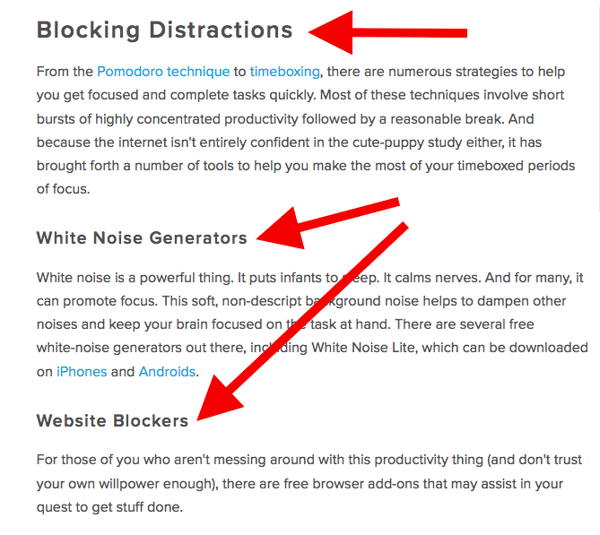
Also, screenshots should always have a similar, defined border (see screenshot above for example) so they don’t appear as if they’re floating in space. And that style should stay consistent from post to post.
Maintaining this consistency makes your content (and your brand) look more professional, and makes it easier on the eyes.
Topics/Tags
Tags are specific, public-facing keywords that describe a post. They also allow readers to browse for more content in the same category on your blog. Refrain from adding a laundry list of tags to each post. Instead, put some thought into a tagging strategy. Think of tags as “topics” or “categories,” and choose 10-20 tags that represent all the main topics you want to cover on your blog. Then stick to those.
10. Insert a call-to-action (CTA) at the end.
At the end of every blog post, you should have a CTA that indicates what you want the reader to do next — subscribe to your blog, download an ebook, register for a webinar or event, read a related article, etc. Typically, you think about the CTA being beneficial for the marketer. Your visitors read your blog post, they click on the CTA, and eventually you generate a lead. But the CTA is also a valuable resource for the person reading your content — use your CTAs to offer more content similar to the subject of the post they just finished reading.
In the blog post, “What to Post on Instagram: 18 Photo & Video Ideas to Spark Inspiration,” for instance, readers are given actionable ideas for creating valuable Instagram content. At the end of the post is a CTA referring readers to download a comprehensive guide on how to use Instagram for business:
See how that’s a win-win for everyone? Readers who want to learn more have the opportunity to do so, and the business receives a lead they can nurture … who may even become a customer! Learn more about how to choose the right CTA for every blog post in this article. And check out this collection of clever CTAs to inspire your own efforts.
11. Optimize for on-page SEO.
After you finish writing, go back and optimize your post for search.
Don’t obsess over how many keywords to include. If there are opportunities to incorporate keywords you’re targeting, and it won’t impact reader experience, do it. If you can make your URL shorter and more keyword-friendly, go for it. But don’t cram keywords or shoot for some arbitrary keyword density — Google’s smarter than that!
Here’s a little reminder of what you can and should look for:
Meta Description
Meta descriptions are the descriptions below the post’s page title on Google’s search results pages. They provide searchers with a short summary of the post before clicking into it. They are ideally between 150-160 characters and start with a verb, such as “Learn,” “Read,” or “Discover.” While meta descriptions no longer factor into Google’s keyword ranking algorithm, they do give searchers a snapshot of what they will get by reading the post and can help improve your clickthrough rate from search.
Page Title and Headers
Most blogging software uses your post title as your page title, which is the most important on-page SEO element at your disposal. But if you’ve followed our formula so far, you should already have a working title that will naturally include keywords/phrases your target audience is interested in. Don’t over-complicate your title by trying to fit keywords where they don’t naturally belong. That said, if there are clear opportunities to add keywords you’re targeting to your post title and headers, feel free to take them. Also, try to keep your headlines short — ideally, under 65 characters — so they don’t get truncated in search engine results.
Anchor Text
Anchor text is the word or words that link to another page — either on your website or on another website. Carefully select which keywords you want to link to other pages on your site, because search engines take that into consideration when ranking your page for certain keywords.
It’s also important to consider which pages you link to. Consider linking to pages that you want to rank well for that keyword. You could end up getting it to rank on Google’s first page of results instead of its second page, and that ain’t small potatoes.
Mobile Optimization
With mobile devices now accounting for nearly 2 out of every 3 minutes spent online, having a website that is responsive or designed for mobile has become more and more critical. In addition to making sure your website’s visitors (including your blog’s visitors) have the best experience possible, optimizing for mobile will score your website some SEO points.
Back in 2015, Google made a change to its algorithm that now penalizes sites that aren’t mobile optimized. This month (May 2016), Google rolled out their second version of the mobile-friendly algorithm update — creating a sense of urgency for the folks that have yet to update their websites. To make sure your site is getting the maximum SEO benefit possible, check out this free guide: How to Make a Mobile-Friendly Website: SEO Tips for a Post-“Mobilegeddon” World.
12. Pick a catchy title.
Last but not least, it’s time to spruce up that working title of yours. Luckily, we have a simple formula for writing catchy titles that will grab the attention of your reader. Here’s what to consider:
- Start with your working title.
- As you start to edit your title, keep in mind that it’s important to keep the title accurate and clear.
- Then, work on making your title sexy — whether it’s through strong language, alliteration, or another literary tactic.
- If you can, optimize for SEO by sneaking some keywords in there (only if it’s natural, though!).
- Finally, see if you can shorten it at all. No one likes a long, overwhelming title — and remember, Google prefers 65 characters or fewer before it truncates it on its search engine results pages.
If you’ve mastered the steps above, learn about some way to take your blog posts to the next level in this post. Want some real examples of blog posts? See what your first blog post can look like, below, based on the topic you choose and the audience you’re targeting.
1. List-Based Post
Example: 10 Fresh Ways to Get Better Results From Your Blog Posts
List-based posts are sometimes called “listicles,” a mix of the words “list” and “article.” These are articles that deliver information in the form of a list. A listicle uses subheaders to break down the blog post into individual pieces, helping readers skim and digest your content more easily. According to ClearVoice, listicles are among the most shared types of content on social media across 14 industries.
As you can see in the example from our blog, above, listicles can offer various tips and methods for solving a problem.
2. Thought Leadership Post
Example: What I Wish I Had Known Before Writing My First Book
Thought leadership blog posts allow you to indulge in your expertise on a particular subject matter and share firsthand knowledge with your readers. These pieces — which can be written in the first person, like the post by Joanna Penn, shown above — help you build trust with your audience so people take your blog seriously as you continue to write for it.
3. Curated Collection Post
Example: 8 Examples of Evolution in Action

Curated collections are a special type of listicle blog post (the first blog post example, described above). But rather than sharing tips or methods of doing something, this type of blog post shares a list of real examples that all have something in common, in order to prove a larger point. In the example post above, Listverse shares eight real examples of evolution in action among eight different animals — starting with the peppered moth.
4. Slideshare Presentation
Example: The HubSpot Culture Code
Slideshare is a presentation tool owned by the social network, LinkedIn, that helps publishers package a lot of information into easily shareable slides. Think of it like a PowerPoint, but for the web. With this in mind, Slideshare blog posts help you promote your Slideshare so that it can generate a steady stream of visitors.
Unlike blogs, Slideshare decks don’t often rank well on search engines, so they need a platform for getting their message out there to the people who are looking for it. By embedding and summarizing your Slideshare on a blog post, you can share a great deal of information and give it a chance to rank on Google at the same time.
Need some Slideshare ideas? In the example above, we turned our company’s “Culture Code” into a Slideshare presentation that anyone can look through and take lessons from, and promoted it through a blog post.
5. Newsjacking Post
Example: Ivy Goes Mobile With New App for Designers

“Newsjacking” is a nickname for “hijacking” your blog to break important news related to your industry. Therefore, the newsjack post is a type of article whose sole purpose is to garner consumers’ attention and, while offering them timeless professional advice, also prove your blog to be a trusted resource for learning about the big things that happen in your industry.
The newsjack example above was published by Houzz, a home decor merchant and interior design resource, about a new mobile app that launched just for interior designers. Houzz didn’t launch the app, but the news of its launching is no less important to Houzz’s audience.
6. Infographic Post
Example: The Key Benefits of Studying Online [Infographic]
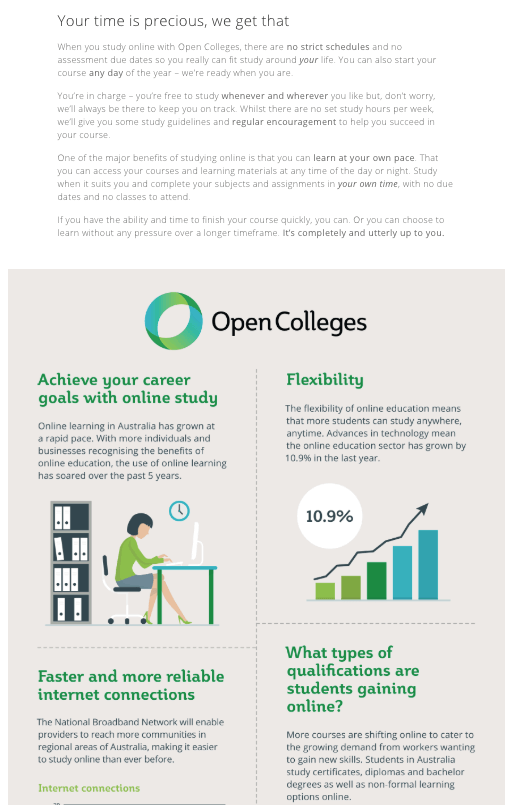
The infographic post serves a similar purpose as the Slideshare post — the fourth example, explained above — in that it conveys information for which plain blog copy might not be the best format. For example, when you’re looking to share a lot of statistical information (without boring or confusing your readers), building this data into a well-designed, even fun-looking infographic can help keep your readers engaged with your content. It also helps readers remember the information long after they leave your website.
7. How-to Post
Example: How to Write a Blog Post: A Step-by-Step Guide
For this example, you need not look any further than the blog post you’re reading right now! How-to guides like this one help solve a problem for your readers. They’re like a cookbook for your industry, walking your audience through a project step by step to improve their literacy on the subject. The more posts like this you create, the more equipped your readers will be to work with you and invest in the services you offer.
8. Guest Post
Example: Your Bookmarkable Guide to Social Media Image Sizes in 2020 [Infographic]

Guest posts are a type of blog post that you can use to include other voices on your blog. For example, if you want to get an outside experts opinion or take on a topic, a guest post is the perfect place for that.
Additionally, these type of posts give your blog variety in topics and viewpoints. If your customer has a problem that you can’t solve, a guest post is a great way to solve that problem.
If you begin accepting guest posts, it’s important to have a set of editorial guidelines. This will help you edit guest posts so it’s still up to the same standards as your own posts.
Ready to blog? Don’t forget to download your six free blog post templates right here.
Editor’s note: This post was originally published in October 2013 and has been updated for comprehensiveness.

The 5-Step Process HubSpot Uses to Optimize Facebook Advertising Costs
When Mark Zuckerberg shocked the digital marketing world with his announcement that Facebook would overhaul its algorithm to let users engage with their friends and family more and less with brands, the social media giant’s CPM skyrocketed 122% — the highest spike in Facebook ad prices over the previous 14 months.
Today, organic and paid reach are still flatlining, causing ad costs to balloon to unprecedented levels. And in a space where advertising has historically been cheap, how can marketers sustain their revenue without having to increase their Facebook ad budget?
One word: optimization. In a nutshell, ad optimization is getting the maximum bang for your buck for every single dollar you spend distributing content. To do this, you need to constantly test your Facebook ad strategy and use data to course correct it enough to maximize your results every time you send out an ad. There are a number of ads tools available that can help — many of which are free. But still, ad optimization is easier said than done.
To help you implement an efficient and effective Facebook advertising strategy, we’ll flesh out HubSpot’s five-step process for optimizing Facebook advertising costs. Read on to learn about our approach to Facebook advertising.
The 5-Step Process HubSpot Uses to Optimize Facebook Advertising Costs
1. Choose a campaign objective.
From a fifty-thousand foot view, we usually pursue two types of Facebook advertising campaigns: direct response and branding.
Direct response campaigns aim to get people to take a desired action, like a download, signup, or purchase. Branding campaigns aim to get as many eyeballs on our content as possible. Clicks aren’t the goal here, exposure is.
Facebook also knows which users are most likely to click on ads and which ones are not, so whatever objective they chose at the start of their campaign, the social media giant will distribute their ads to the right audience.
2. Pick a bid strategy.
On Facebook, there are two main ways to buy advertising space: Cost Per Thousand Impressions (CPM) and Cost Per Click (CPC).
When we use CPM bidding, the risk is completely on us. We’re paying for impressions, not clicks, so if our offer or creative isn’t compelling, we’re wasting their money.
When we use CPC bidding, we share the risk with Facebook.We need to craft compelling ads and Facebook needs to distribute them to the right audience. Otherwise, both parties lose.
3. Build out targeting.
One way we like to target our ads is by building a custom audience. A custom audience is a list of people who have specific attributes, like being one of HubSpot’s monthly active users or CRM signee, that we plug into Facebook. Facebook then analyzes this list of people to match them with their Facebook profiles and builds a more robust audience for us.
A couple of years ago, we used a custom audience to target ads to CMOs who use Google Chrome.We wanted to see if their strategy would decrease our cost per acquisition and cost per click for one of HubSpot’s Google Chrome extensions.
But we also had a hunch: We could convince CMOs who use other browsers that HubSpot’s extension was valuable enough to switch browsers for.We ended up being right. When we broadened our targeting to all browsers, we discovered that we could acquire twice as many users for HubSpot’s Google Chrome extension compared to only targeting Chrome users.
| Experiment | Cost Per Regular User | Cost Per Click |
| Chrome | $19.32 | $3.60 |
| All Browsers | $9.63 | $1.07 |
Another way we target our ads and optimize our spend is by creating lookalike audiences. To do this, there are two relatively easy options we can leverage:
- Pull lists of people who have specific attributes from HubSpot’s database, like anyone who is a CRM signee or invited additional team members to sign up, and plug them into Facebook.
- Pixel one of HubSpot’s web pages, like the blog’s homepage, so the list of people who visited the page are tagged with a cookie. This way, Facebook can match these people back to theirFacebook profiles and distribute ads to their newsfeed.
Whichever route we choose, Facebook will generate a much larger group of users who “look like” the people in these lists. We can then distribute ads to a cohort of new prospects who are likely to convert into users.
For instance, during one of their Facebook advertising campaigns that promoted CRM signups, we found out that creating lookalike audiences based off people who have decision maker titles, are activated users, or are listed as a sales rep in HubSpot’s CRM helped us acquire team registrations at a lower cost than lookalike audiences based off people who visited certain pages on HubSpot’s website.
| Seed List | Cost Per Team Registration |
| Decision Maker Titles | $20.31 |
| Activated Users | $20.48 |
| All Sales Reps In CRM | $23.95 |
| Registered Users | $24.33 |
| CRM Homepage Visitors | $27.66 |
| Sales Exec Same | $28.55 |
| All HubSpot Visitors | $31.48 |
| SB4 Visitors | $33.48 |
| Sales Blog Visitors | $34.14 |
4. Craft compelling ad creative.
When we sit down to write ad copy, our goal is write something so compelling that it can grab the attention of a distracted millennial slouched in front of the TV, with their smartphone in one hand and a slice of pizza in the other.
So what’s the process for convincing our audience to ignore that pizza and read HubSpot’s content? After testing over 500 ad creatives during the past two years, we’ve boiled the art of crafting compelling ad creative into three steps.
Pique Your Audience’s Curiosity
A little intrigue goes a long way in marketing. Humans are biologically driven to investigate our world, rather than respond to it. And if you can evoke enough curiosity in your audience so they can’t help but satisfy it, they’ll click on your ad.
For instance, when we used the tagline “The hidden gem buried within your Google Calendar, brand new from HubSpot”, it produced better results than the tagline “Scheduling meetings just got a whole lot easier with HubSpot’s CRM”.
Why? Without revealing what it actually is, the first tagline describes a new tool that’s right in your email inbox, evoking curiosity and excitement for something that seems valuable yet easily accessible.
On the contrary, the second tagline immediately gives away what the new tool is — a meeting scheduler. This doesn’t evoke enough curiosity or interest to compel people to click on the ad.
Blend Into The News Feed
Most of your audience’s news feeds are filled with posts from their friends and family, especially after Facebook’s latest algorithm update. To avoid screaming “I’m an ad”, include a photo that actually looks natural.
For instance, the picture below looks like a stock photo. And when people see a stock photo, they’ll immediately know the post isn’t authentic.

However, the next picture looks like a regular picture a friend might post, organically blending in with your audience’s newsfeed and making a genuine first impression with them.

Sell A Feeling, Not A Product
Psychology tells us that emotions drive our behavior, while logic justifies our actions after the fact. Marketing confirms this theory — humans associate the same personality traits with brands as they do with people. Choosing between two alternatives is like choosing your best friend or significant other. The people we decide to live our lives with make us feel something.
This is also the reason why pitching a product’s features is a lousy attempt at persuasion. Features only appeal to the logical part of your brain, which science suggests doesn’t drive action nearly as well as appealing to the emotional part of your brain does.
To pinpoint the exact emotion that resonated with our audience the most when we promoted our CRM through Facebook ads, we tested over 30 emotional angles against cost per regular user and click through rate. Here are our best and worst ones.
| Angle | Cost Per Regular User | Click Through Rate |
| Free/Alleviates Frustration | $2.86 | 1.07% |
| Transformation Version 2 | $3.95 | 0.76% |
| Data Enrichment | $4.08 | 0.68% |
| Saves Time | $4.10 | 1.02% |
| Transformation Version 1 | $4.97 | 0.72% |
| 360 Degree View of Sales Process | $9.65 | 0.53% |
| No More Falling Behind On Leads | $10.47 | 0.56% |
| Cuts Down On Stress | $10.57 | 0.64% |
5. Design a simple landing page.
Just because you’ve grabbed someone’s attention with your ad doesn’t mean your work is done. You still need to design a compelling landing page that clearly conveys the value of our offer. To help you do this, here are three principles we live by when we design our landing pages.
Again, Pique Your Audience’s Curiosity
Curiosity is the best way to convert an audience. Don’t reveal too much about your offer, but make sure to highlight its benefits.
Don’t Distract Your Audience With External Links
Allowing people to exit your landing page through an external link pokes a hole in your funnel — users will leak through, diminishing your conversion rate. If visitors can leave your paid acquisition funnel, there should only be two exits: exiting out the page or signing up for the offer.
Test Out A Video
Even though videos can explain the value of your offer in a more engaging way than text, they also serve as a distraction. This might lead to a dip in your landing pages’ conversion rates, but we’ve noticed that videos actually increased our landing pages’ activation rate, which compensated for our loss in conversions.
| Variation | Cost Per Regular User | Cost Per Activated User |
| Video | $21.56 | $78.37 |
| No Video | $15.76 | $85.32 |
Never stop testing.
Testing your Facebook ads is like gambling — most of the time you’ll fail. But if you can quickly figure out which strategies work and which ones don’t, you can refine your Facebook advertising to the point where you’ll almost always earn the maximum bang for your buck on every dollar you spend distributing content on the social network.
Now that you know how HubSpot figures out ad costs, might be asking, “How much is all of this gonna cost me?”
In the next section, we’re going to cover how to calculate Facebook Ads costs as much as possible (because, like with figuring out when to send emails, the answer varies).
Let’s look at some strategies and tests you can use to figure out how much to spend on Facebook Ads. These suggestions can scale to your business size and goals. Feel free to use these as tips to get the ball rolling.
1. Spend at least $1 a day.
It’s tricky to find out how much to spend on ads, and it may require some trial and error. This doesn’t mean “Throw your entire budget at Facebook Ads and see what happens,” trial and error, but more of a “Look at your data and plan accordingly,” strategy.
So, let’s think about a test ad strategy for Facebook Ads. For five days, spend $1 for every 100 clicks your website gets. So, if your website gets 10,000 clicks in a day, you’ll spend $100 per ad set.
Ad sets can test different target audiences, such as “Teens ages 13-17,” or “Millennials in urban North American communities.” You can choose audiences based on your marketing goals and buyer personas.
Within your ad, include free content you created to help customers solve their challenges. For instance, if your targeted audience is small business owners, insert a blog targeted towards small business owners. After you’ve included beneficial content, you’re ready to test.
When you run the test, you’re looking to see which Facebook ad set generates the most leads for the lowest cost. Once you’ve figured that out, you can start to determine how much to spend on an ad strategy that cost-effectively serves your Facebook audience in the best way.
2. Think about your intended goals.
What are your intended goals when you run your Facebook ad campaign? You’ll want to ensure they’re SMART goals, since it’s critical you’re spending money when and where it counts. Goals that are clearly defined can help you decide how much to spend.
Once you’ve defined your goals, think about if you have enough budget to devote to Facebook ads. If, after running a test ad, you decide Facebook Ads are too expensive for you, try other ways of Facebook marketing until you have the budget to run ads successfully.
Next, make sure you have some numbers at the ready, including your overall revenue goals. In other words, how much are your projecting to make from your ad campaign? Identifying this goal will help you shape your ad budget.
Once you’ve defined goals, you can start thinking about ballpark numbers for Facebook ad spend. When you know who you’re planning to reach, how much you have to spend, and how much you want to spend, you can begin to build your overall ad strategy accordingly.
3. Use a calculator to estimate costs.
You can use a calculator or a few simple math formulas to help you figure out how much you want to spend on ads. HubSpot offers a free ad spend calculator, but if you want to do some calculating on your own, let’s talk about the figures to find.
The first step will calculate how many sales you need to make in order to hit your target revenue. You’ll need to divide your revenue target by your average revenue per sale. This will get you the number of sales you need to make as it stands.
For example, let’s say that in order to make $7,000 in revenue at $43.75 per product, you have to make 160 individual sales.
In the next step, you will look at your metrics to determine if you can get a valuable return on acquisition (ROA). Take your website conversion links, current click-through-rate (CTR) of ads, and the reach required to hit those targets. Then, fill those figures in.
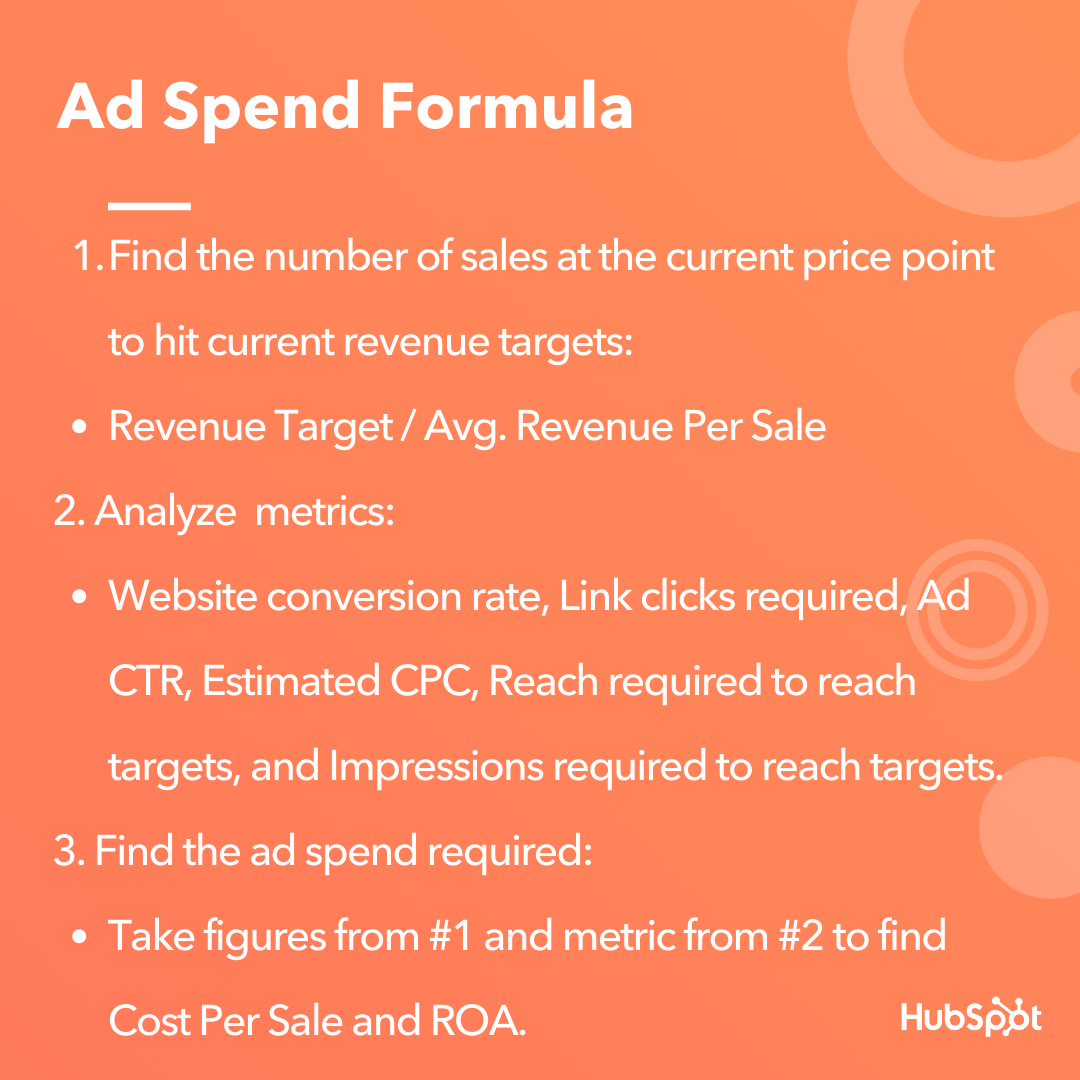 After calculating how many sales you need to make and analyzing metrics, you can figure out the ad spend required to make a ROA. Let’s use these figures in an example.
If you wanted your wanted target to be $5,000 for the month and your average order value is $31, then you’ll have to generate 161 sales to hit that number at a 2% website conversion rate. (Step 1). If you find that your budget based on metrics is $2,500 (Step 2), then you’d want to aim to make $2 for every $1 you spend.
The calculations will let you know how many impressions your ad will have to make to reach those numbers.
4. Focus on your audience size.
Next, set benchmarks focused on your audience. For example, if you want to target two million audience members on a budget of $4 a day, it’ll take you months to see a return on your investment. This is because you’d be spending too little money on too wide of an audience to see any real impact in under a year’s time.
Similar to the first example, your goals should reflect your audience size. To see a return on Facebook ad investment, you have to be ready for one thing: spending money.
Spending money doesn’t mean spending millions of dollars, but it also doesn’t mean spending a total of $20. Based on your audience, set benchmarks for yourself that leave you room to recover if you find that ad spend isn’t profitable for you right now.
5. Keep best practices in mind.
Ads can be a tricky thing to get a hang of, and at times, stressful. To negate some of that stress, when you’re creating your ads, keep these best practices in mind to impact their effectiveness.
First, don’t keep your focus solely on building conversions. You can use Facebook ads to help a ton of other business goals, such as attracting leads or building brand awareness. If you put all of your efforts into one corner, you may be missing out on how these ads can really impact your overall marketing strategy.
Next, make sure your ad has visual elements. Videos are popular on Facebook, but if you don’t have the resources to produce a video, use some type of visual that will pull scrollers in. For instance, if you have a useful graphic, company commercial, or podcast with a bright cover image, you can use them in place of a video.
Additionally, when measuring the ad’s return, keep the tools you use to analyze your success to a minimum. Facebook has its own Ad Manager, but you should only be using two or fewer tools to understand the success of your campaign.
If you are using more than two tools to measure the success of one platform’s ad campaigns, think of consolidating resources to keep yourself organized and your numbers accurate. For example, HubSpot’s Marketing Hub offers tools that measure and build reports of ad performance.
Though the process for researching, building, and measuring ads can be a long one, don’t take the easy way out and spend all you have on ads. Additionally, consider other Facebook Marketing options if you feel you don’t have the budget to focus on Facebook ads at this time.
Marketers don’t need to spend thousands of dollars to be successful, but you do have to conduct research to figure out how to get the most out of your ads.

8 Technical SEO Tools You Should Be Using Today
Most people see search engine optimization, or SEO, as having two parts: on-site optimization and off-site optimization. Both of these having to do with content, keywords, and links, but a lot of the time technical SEO gets overlooked. Many people are either not educated enough about the subject, or get nervous when they hear the word technical.
So what is technical SEO? It is essentially the more involved optimization tweaks that help give your content the best chance it can have to rank for relevant keywords and phrases. Technical SEO allows you to focus on analyzing how well the search engines are crawling and accessing your website.
If the search engines are able to get to your website easier, it will be easy for you to rank with the on-site and off-site optimization that comes after. There are many different areas that should be reviewed and fixed as part of this process and as part of your ongoing SEO campaign.
Throughout this post, we’ll cover several tools that can be used to determine what needs improvement as far as technical SEO goes, and the purpose each tool serves.
Technical SEO Tools
1. Website Grader by HubSpot
Your first stop is HubSpot’s Website Grader. This free dashboard asks you to enter the root domain (or subdomain) you want to analyze, and returns to you a full report card of that domain’s performance.
The report card given to you by Website Grader shows you site metrics across a number of categories, including:
- Performance
- Mobile
- SEO
- Security
Not only does this tool give you performance data in the above categories, but Website Grader also offers simple next steps to make your site better if you scored low in a particular area. This free tool is a must for all site owners looking to level up their site’s performance.
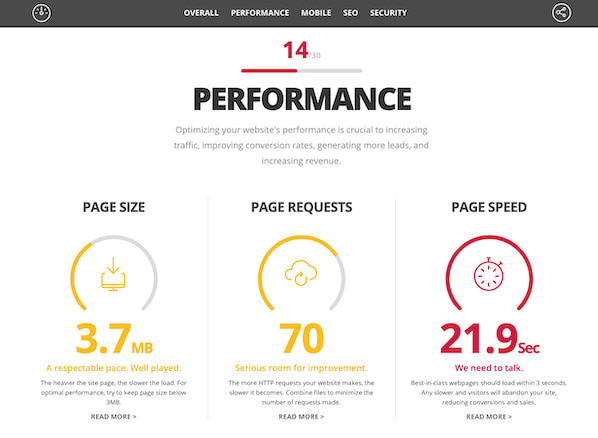
1. Google Webmaster Tools
Google Webmaster Tools (GWT) is probably the technical SEO tool I use the most. It has a ton of great features to use when implementing technical SEO. Arguably it’s most useful feature is its ability to pinpoint 404 errors, or pages on your website that are not showing up to website visitors. Because an issue like this can severely hinder your website’s marketing performance, it’s important to locate these errors and redirect the 404 to the correct page.
Additionally, Google Webmaster Tools allows you to check you Robots.txt file (a file on your website that prevents search engines from listing certain pages in search results) to ensure none of the important pages are being blocked from search engines.
It also allows you to see if your sitemap of your website is error free. This is important, because a sitemap that’s riddled with errors can create an unpleasant user experience for website visitors. Among other things, it also allows you to pick out the duplicate page titles and descriptions so you can go into the website and fix them in order to avoid ranking penalties by search engines.
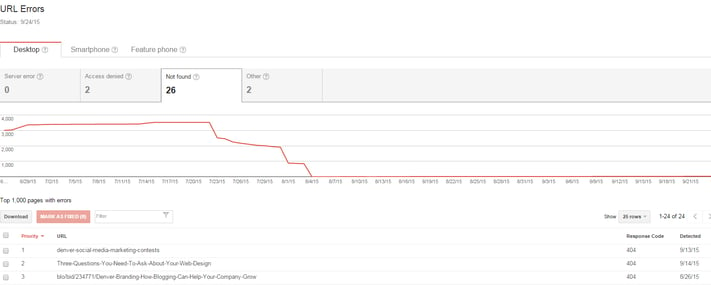
2. Screaming Frog
Screaming Frog is also a tool I use almost every day. If you have not downloaded this tool, I strongly suggest you do so. Why? It crawls so many aspects of a domain that will really assist you with your technical SEO process.
It primarily helps with on-page SEO– finding duplicate page titles and descriptions, as well as examining URL structures to determine what needs to be fixed.
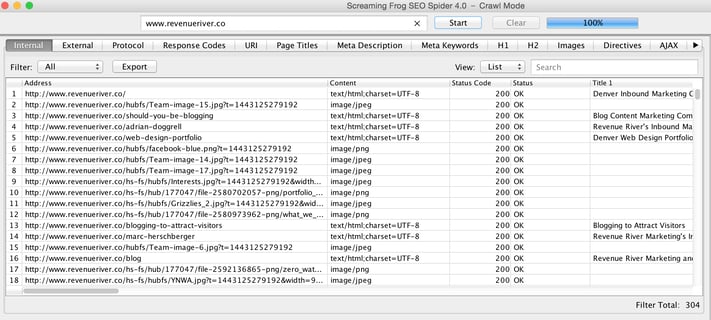
3. Google’s PageSpeed Insights
As you probably know, faster page load time can help improve your webpage rankings and at least make your website’s experience more enjoyable for visitors. Google’s PageSpeed Insights Tool allows you to analyze a specific page’s site speed and user experience with that site speed. It analyzes it on mobile devices and desktop devices. Additionally, it will show you how to fix any errors to help improve the speed or user experience.
4. Google’s Mobile Friendly Testing Tool
As of April, 2015, Google released an update to their mobile algorithm that would give higher rank to those websites that had a responsive or mobile website. In addition to this, they came out with a mobile-friendly testing tool to help you cover all of your bases to make sure your website would not lose rankings from this update. Additionally, if the page you are analyzing turns out to not pass standards, the tool will tell you how to fix it.

5. Responsinator
The Responsinator is very similar to the Google Mobile-Friendly Testing Tool, but there are some differences. First, it shows you what your web page would look like on all different mobile and tablet devices, landscape and portrait.
This includes different types of iPhones, Androids, iPads, and Tablets. Although it does not tell you how to fix the issue, it does give you a full representation of what your website looks like across all devices.
6. Siteliner
Siteliner is a tool that allows you to find duplicate content within your website. All you do is insert your domain and the tool crawls up to 250 pages. It then analyzes the percentage of your website that is duplicate content.
Additionally, it will tell you which pages have the duplicate content and the percentage of duplicate content. You can then analyze each page further to make the necessary changes needed to avoid too much duplicate content.
7. SEO Browser
SEO Browser allows you to view your website as search engines see it. This allows you to make sure that all your content is showing up the way you want it to and that the search engines are getting everything you are trying to convey. For one reason or another, search engines may not pick something important up and this website will help you figure out what that is.
As you can see, it’s very important that technical SEO does not fall off your radar. It’s the foundation of your search engine optimization efforts and letting it fall by the wayside could have a detrimental impact on your marketing efforts.
If you need to revamp your SEO strategy, make sure you perform a technical SEO audit on your website and use these tools to do so. What other tools and resources are good for those looking to start focusing on technical SEO?

A Marketer’s Crash Course to Hyperlocal Marketing
A couple of weeks ago, I was planning a trip to New York. I’d never been, so I was excited to start planning and figure out my itinerary.
Once my hotel room was booked, I started looking for things to do during my time. I wanted to stay close to my hotel so I could find my way back after a long day of exploring. This goal of mine meant that most of my Google searches would have “near greenwich village, NY” in the queries.
When I was planning out places to get food, for example, my query was “vegan restaurant near greenwich village”. The results Google picked for me based on this search weren’t by guessing or magic — most likely, the restaurants used hyperlocal marketing efforts to optimize their businesses for “near me” searches.
Hyperlocal marketing targets audiences who have similar researching methods to mine — those who use “near me” in search queries in hopes of picking out a business to try out in person based on the business’s location.
For my New York trip, I didn’t want to spend a lot of time commuting, so finding places near my hotel was essential. I knew I was going to see a Broadway play during my trip, and I found similar results for “shopping near broadway”.
If your business is struggling locally, or you’re looking for a way to boost foot traffic, you may benefit from hyperlocal marketing. Here, let’s explore what hyperlocal marketing is, how you can implement hyperlocal marketing at your own company, and examples of hyperlocal marketing to further understand why it matters.
What is Hyperlocal Marketing?
Hyperlocal marketing is a method of marketing that focuses on a targeted audience within a local area. This tactic zeroes in on a small number of consumers who want to buy from businesses near them.
Hyperlocal marketing accomplishes one main goal: raising foot traffic to a store’s physical location for people who rely on “near me” queries for shopping.
For example, if I wanted to find a coffee shop in my area, I would Google “coffee shops near me” to figure out where the nearest one is. Any coffee shops that has teams are using hyperlocal marketing as a strategy would then pop up on the results page.
Hyperlocal marketing is a good choice for you if you want to increase in-person sales and boost brand awareness. Next, let’s talk about some strategies that’ll impact your hyperlocal marketing results.
Hyperlocal marketing strategies
These marketing strategies contribute to the goal of getting more local audiences to find your business from a simple Google search. Although they’re focused on hyperlocal results, you can also use these strategies to make sure your business is optimized for online search in general.
1. Make and Optimize Your Google My Business Listing
If your business isn’t set up on Google My Business, that’s an important first step. Google My Business is the aptly-named tool businesses use to show up on “near me” search queries. When you make your listing, or if you already have one, it’s critical you properly optimize the page to show up on search results for “near me” queries.
Some things to keep in mind: add relevant keywords in your business description to increase your chances of being found. Make sure you post high-quality photos to make your listing professional. Additionally, increase your visibility by choosing categories that best describe your business and business goals.
Google My Business queries’ most fundamental element is location, so your optimization efforts should focus on that. When you optimize your listing, you raise your chances of being ranked highly on local results pages.
2. Make Sure You’re Accessible
On your website, make your contact information easy to find. It should be labeled clearly on your webpage. This tells customers your business is accessible and welcomes interaction.
If you have business pages on social media platforms, be sure to link back to your website, provide your store location, and include contact information as well. As a consumer, I find most new local restaurants on social media — if I can’t contact them about my dietary restrictions, I won’t make a reservation.
If your business is near any popular landmarks or attractions, you can note them in the description of your business to draw in customers who are looking for businesses near attractions. Those keywords will expand your reach.
3. Optimize For Local Search
Review your website. When was the last time it was optimized for SEO? Your website should be optimized to the same standards your Google My Business page is.
Let’s go over what it means to have your website properly optimized. First, it should be easy to navigate, so first-time visitors can find their way around.
Next, your URL structure should be informative. Google sees URLs first and asks questions later, so the information in your URL should be relevant to search queries. If your business provides marketing solutions in Las Vegas, for example, one of your website pages should have a URL structure that includes the keywords “marketing company,” and “Las Vegas”.
After checking URL structure, be sure to check the language on your website. It should emphasize the locality of your business. What helps with this is using hyperlocal keywords, like nearby landmarks or popular tourist destinations near your business.
When you use hyperlocal keywords on your site, have a local-based website structure, and keep your website properly optimized for SEO, you increase the chances of locals and tourists finding your business on Google.
4. Create Content That’s Hyperlocal
In the same notion of making language on your site hyperlocal, take it a step further and make content that’s hyperlocal. Small businesses whose teams turn to a local marketing plan have the advantage of leveraging content ideas that center around locality. Local content can increase the rank you have on pages that concern location.
How do you come up with local content? Think about your current strategy, what you’re doing now, and how you can put a local spin on it. If your highest-performing content is already focused on location, see how you can modify previous or upcoming content to do the same.
Additionally, local businesses can make content about local events, like a city-wide festival or pop-up shop. You could write a short blog post about the history of a local festival, or take pictures of your business participating in a local networking event for social media.
Most content ideas you have, you most likely won’t have to modify that much, especially if they’re performing well with audiences.
Now, let’s look at some examples of companies whose online presence is benefitting from hyperlocal marketing content.
Hyperlocal marketing examples
1. Diesel Cafe
Let’s look at an example of an awesome Google My Business page. Remember, Google My Business pages helps those who turn to Google first to find local spots near them. So when I typed in “cafe near me” as a search query, this is what I saw:
Let’s talk about why this example is awesome.
First, the most important details are listed: the company address, menu, contact information, and website. If I were to click on the website or the menu, all of the links work, making this listing accessible and comprehensible.
There are also plenty of photos, from customers and business owners, to establish the vibe the cafe has from the inside to the outside. Additionally, look at the rating and amount of reviews: I could pour over almost 1,000 reviews if the 4.4 stars didn’t convince me at first glance.
Diesel Cafe excelled at hyperlocal marketing here because their page is properly optimized for hyperlocal marketing. The biggest clue is that it was one of the first results when I typed in my search query. To test the quality of your page, see if you can use a vague search query, like “cafes near me,” to find it.
2. Lamplighter Brewing Co.
For this example, let’s look at an optimized website.
Boston-based brewery Lamplighter Brewing has been filling the glasses of locals and visitors alike since 2014. Lamplighter is very successful at hyperlocal marketing and their website reflects how dedicated they are to providing visitors with an experience that keeps Boston at the forefront.
For instance, let’s look at Lamplighter’s “About” page. As a first-time visitor, I’d be looking for local language, such as location, and business hours in the location’s time zone. I’d also be looking for services and local flair to help make my decisions.

From the “About page,” I can see the brewery’s location, services offered, a business goal of sticking to New England IPAs, and what makes the brewery different from other options in the area. This is a wonderful example of a business page that was optimized using hyperlocal strategies, like location, and the business’s local ties.
Because of their optimized website, when I search “craft beer in cambridge mass” in Google, I could find Lamplighter in the first five results, with their website listed on Google.
3. Glossier
Here’s an example of hyperlocal marketing by a global company. Beauty company Glossier opened a pop-up location in Boston’s Seaport area during 2019. To market their new pop-up, Glossier used a lot of Boston-based hyperlocal marketing efforts to build interest with a specific audience: Boston-based customers who could travel to Seaport.
Let’s look at their Instagram ad:
This post was uploaded three days after the New England Patriots won Super Bowl LIII. The location of the image? A public transit stop less than ten minutes away from the location of Glossier’s pop-up.
The image shows the middle of Super Bowl festivities, sure, but it also shows an ad for a Glossier product. The marketers at Glossier saw a golden opportunity to boost local interest by showcasing their ad and how locals interact with it during a massive local event.
4. Dollop Coffee Co.
Hyperlocal marketing on Twitter? Chicago-based coffee chain Dollop proves it’s possible. From their bio, which includes local language and contact information, to their tweets, which have a theme of slipping location into most of them, it’s clear Dollop uses Twitter to target and engage with local audiences.
For instance, check out their pinned tweet from December 2019:
Hey what are you up to Thursday? Nothing? Cool- a new new Dollop opens @ 4613 N Lincoln, serving our Dollop Diner Breakfast sandwiches, fancy coffee dranks and our new “healthy chocolate shake” smoothie. See you @ 7am! pic.twitter.com/s45OD9BnA6
— Dollop Coffee Co. (@DollopCoffeeCo)
December 12, 2019
This tweet gives the hyperlocal marketing essentials: location, cool features, a peek at the store’s hours, and high-quality photos. If I were visiting Chicago and came across this tweet, I could easily copy and paste the address in my search bar.
To check and see if Dollop’s hyperlocal Twitter strategy was working, I searched “coffee chicago” on Twitter, and clicked on the “People” section. Dollop’s account is in the top ten results. For such a vague search query, it’s clear to see that Dollop’s strategy is paying off.
Now that we’ve gone over some hyperlocal strategies and examples, you’re ready to start planning how to effectively implement a hyperlocal plan for your business. To see how your business ranks hyperlocally, start with search queries. Type in “near me” queries and see what businesses ranking above yours are doing to improve their ranking.
Will I see your business next time I’m traveling and looking for places “near me”?
