
10 Free Project Management Software Options to Keep Your Team On-Track
59% of U.S. workers say communication is their team’s biggest obstacle to success, followed by accountability.
Managing multiple projects at once, delegating tasks, and collaborating across teams is difficult on a good day — but can become downright impossible when unforeseen obstacles get in the way.
Miscommunication and inefficiencies in your project management process can lead to confusing and stressful experiences for your employees, and hinder your company’s ability to satisfy your clients’ needs or hit end-of-year goals. This can lead to major losses over time.
Fortunately, there are plenty of free project management software options to keep your team on-track without breaking the bank. To streamline your process and ensure everyone on your team is on the same page, take a look at these ten exceptional free project management tools.
1. Project.co
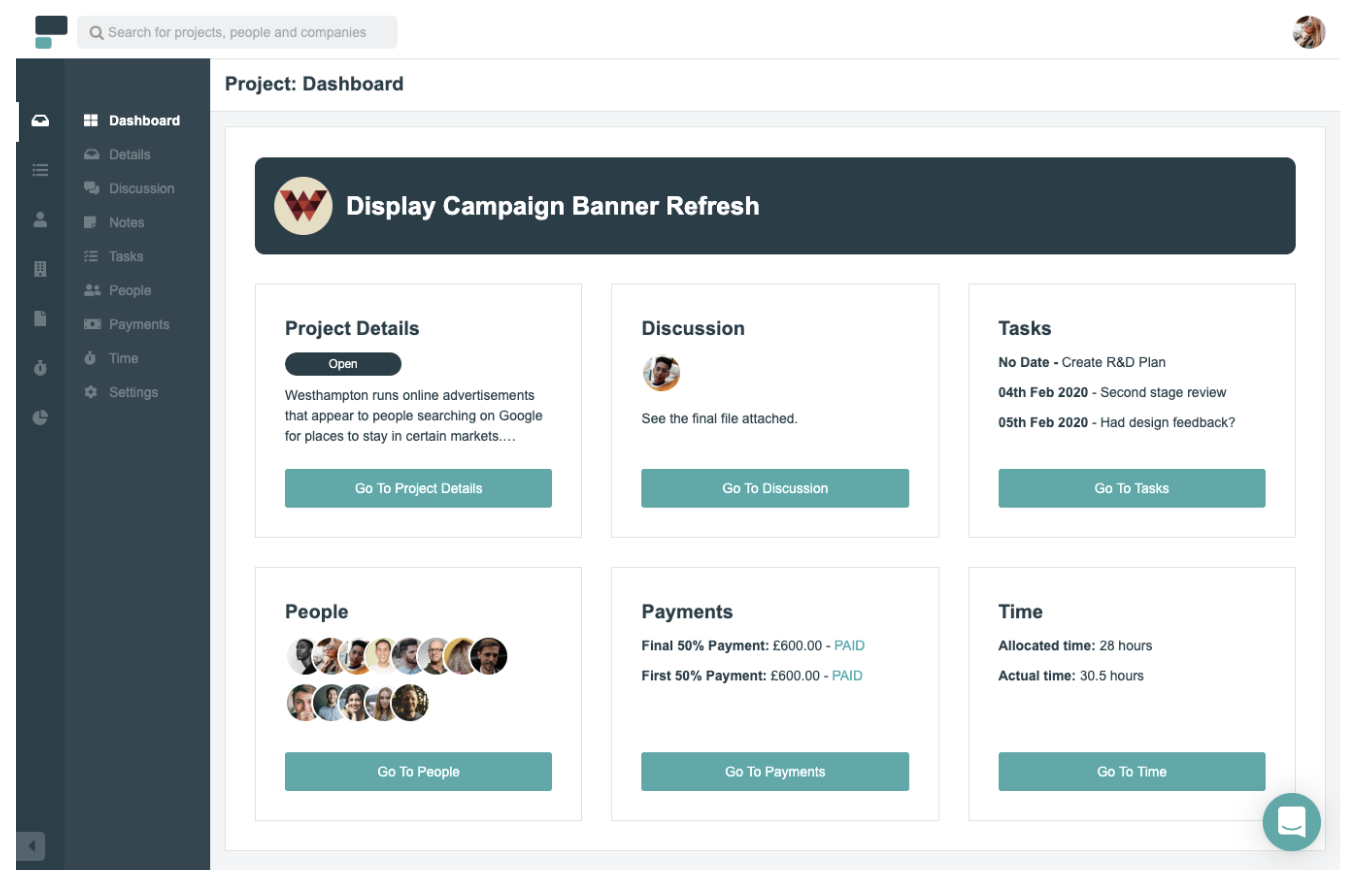
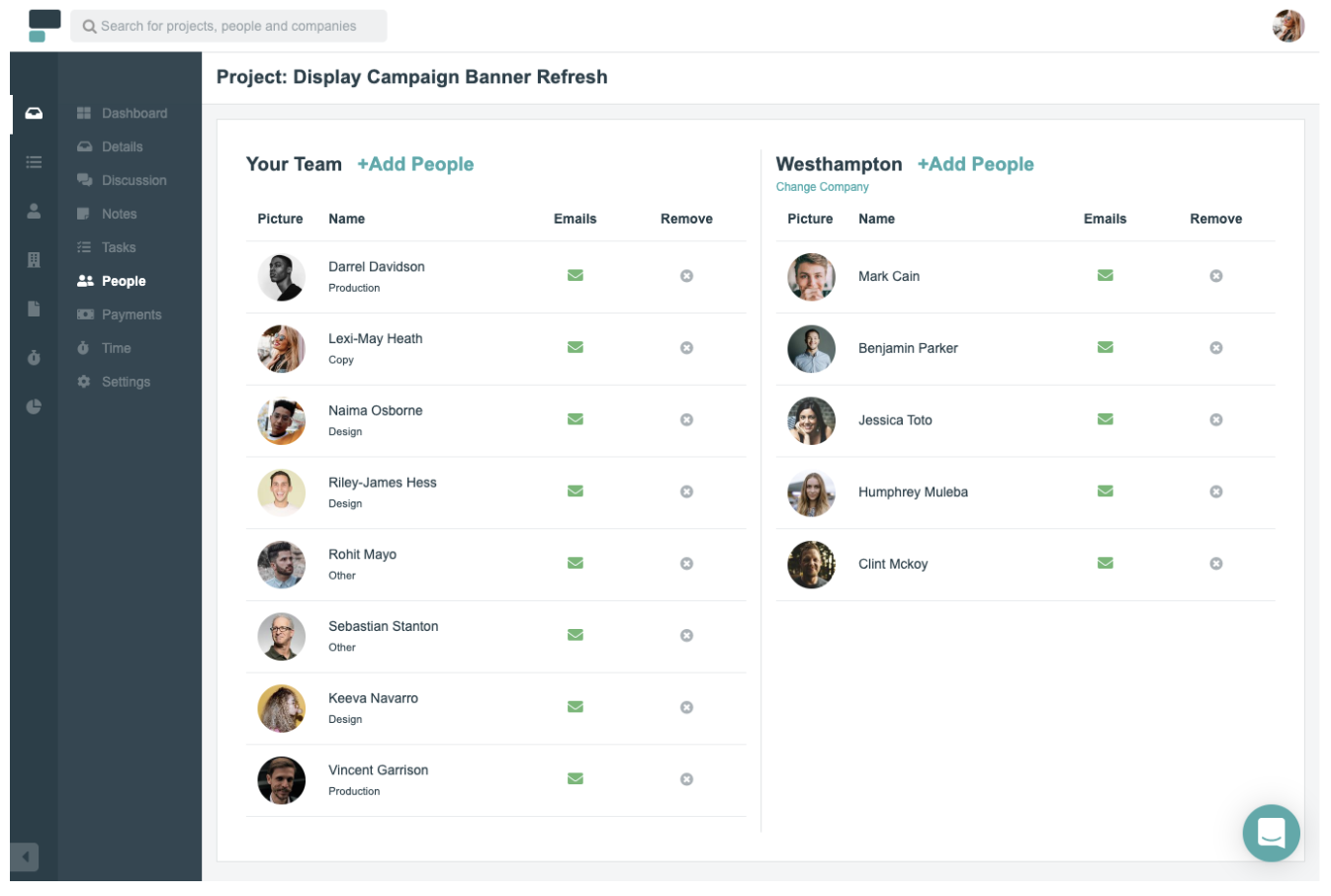
Project.co is a client-facing project management system that connects your team with your clients’ teams in one place. Each piece of work you do can be setup as its own project, with its own discussion feed, notes, tasks, team, and payments. You can also record time spent on each project.
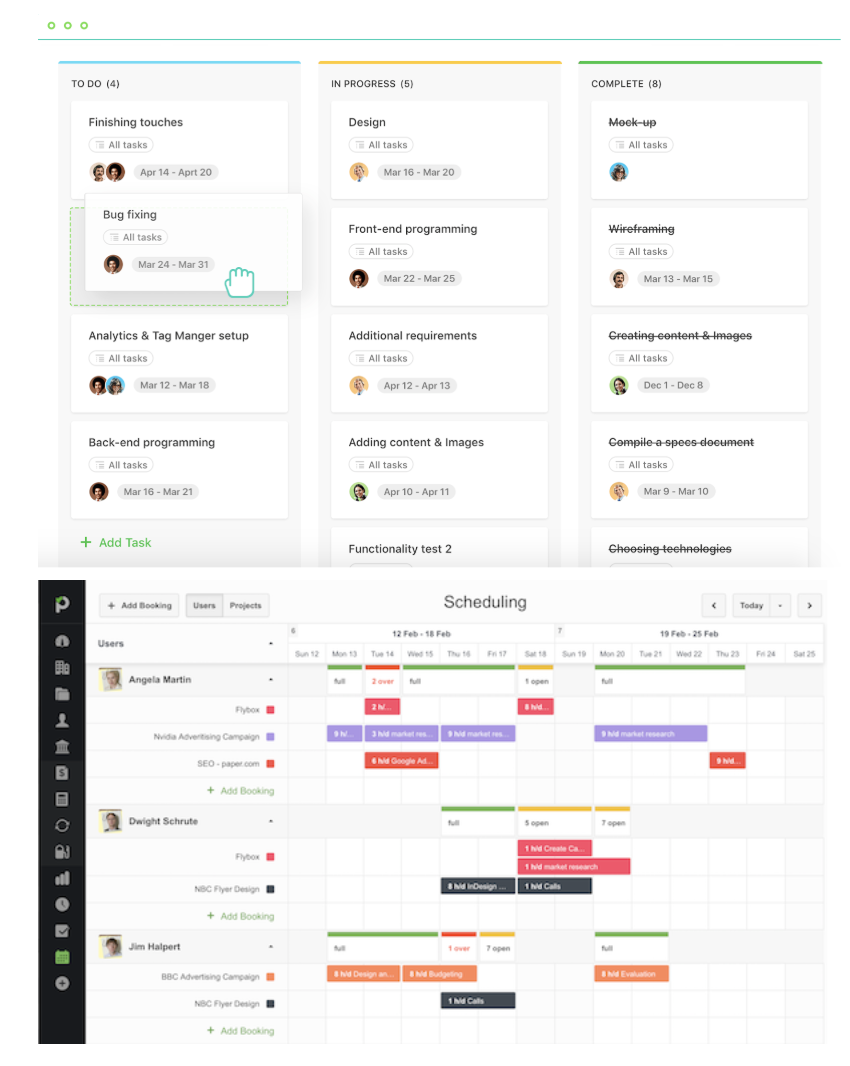
A variety of different task and project views are available including calendar, scheduler and Kanban view — to give you the ideal overview of the work that’s happening within your team.
Features include:
- Ability to quickly add/invite both internal and external users
- Discussion feed for each project – with email alerts (and the ability to reply by email without logging in)
- Variety of task views – which can be filtered – giving your whole team, each department and even individual users their daily/weekly task lists
- Reporting tools that measure your most/least profitable/efficient projects
- Ability to integrate payment solutions and quickly, securely take card payments through the system
Pricing:
Free for up to five active projects and five internal users, with paid options starting from $7 per user per month.
2. Toggl Plan
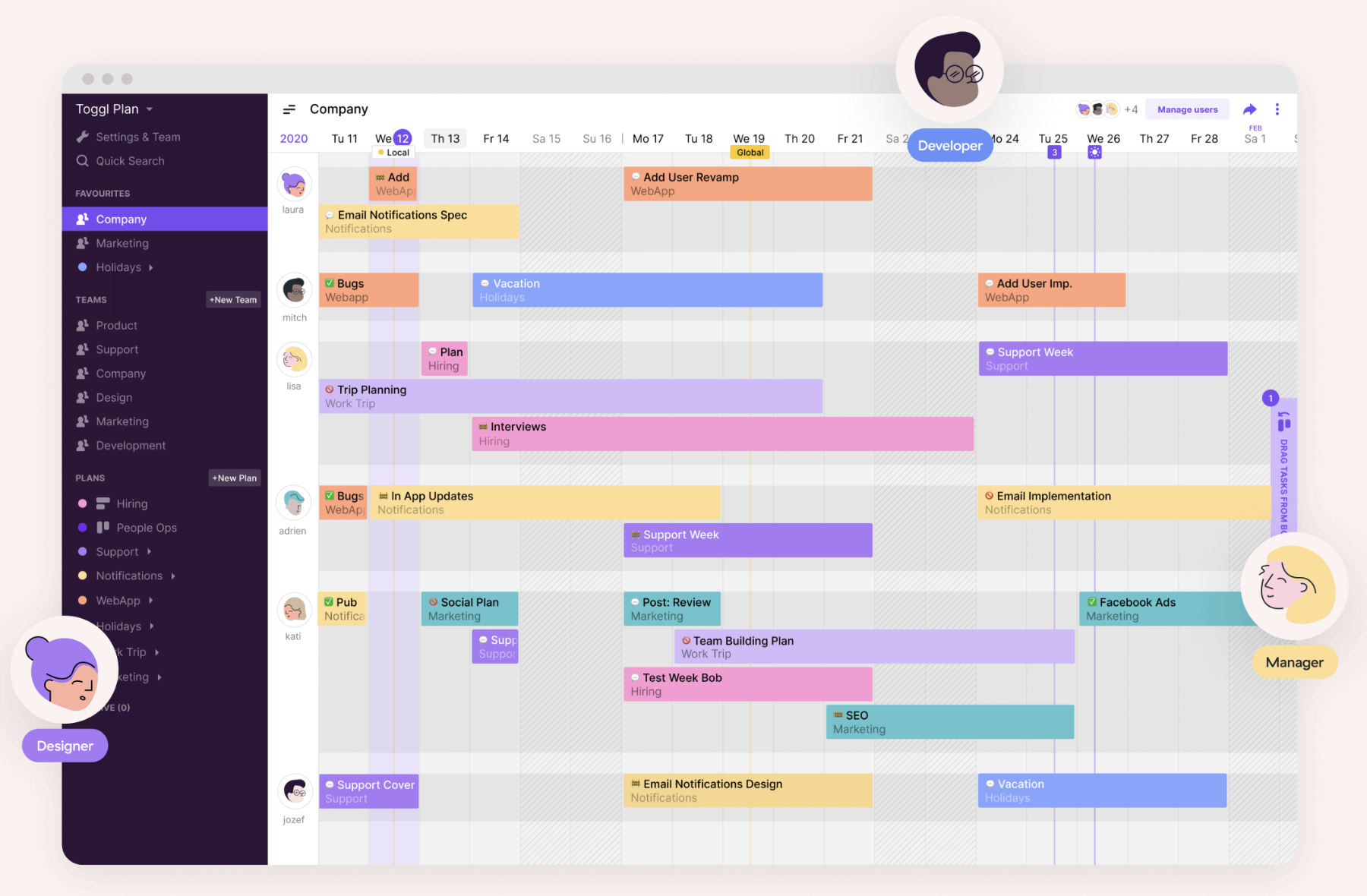
Toggl Plan is an effective project management tool to automate your task delegation process and visualize which project tasks have been completed, and which haven’t. If your team often collaborates with other departments on projects, this might be a useful tool for you.
Features include:
- Gantt-chart visualization to track important deadlines and projects
- Integrations with Slack, Github, Evernote, and others
- Team collaboration option through shared calendars and task notes
Pricing:
Free for an unlimited number of projects for up to five team members
3. Freedcamp
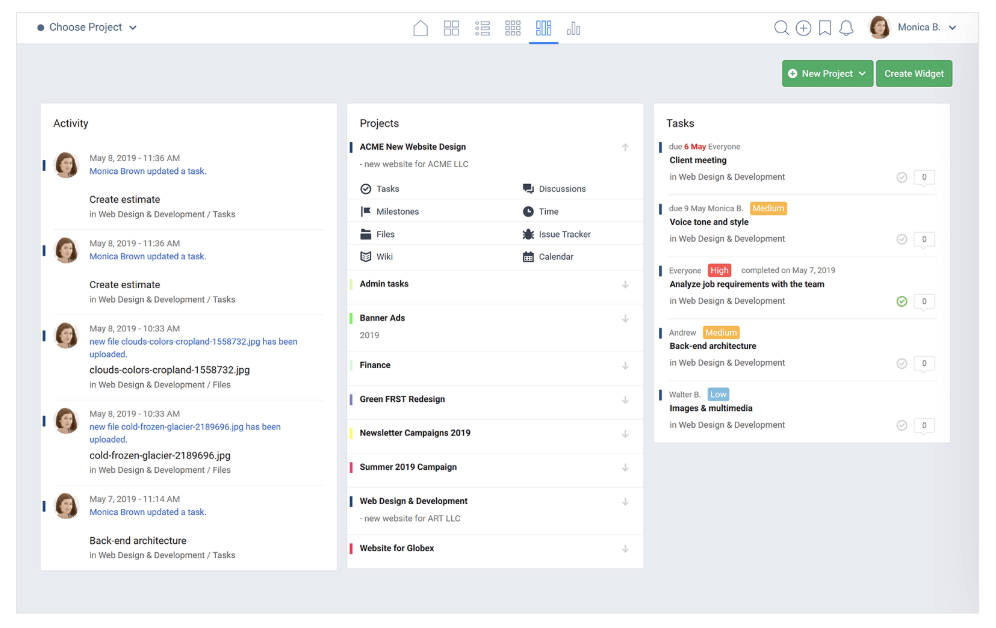
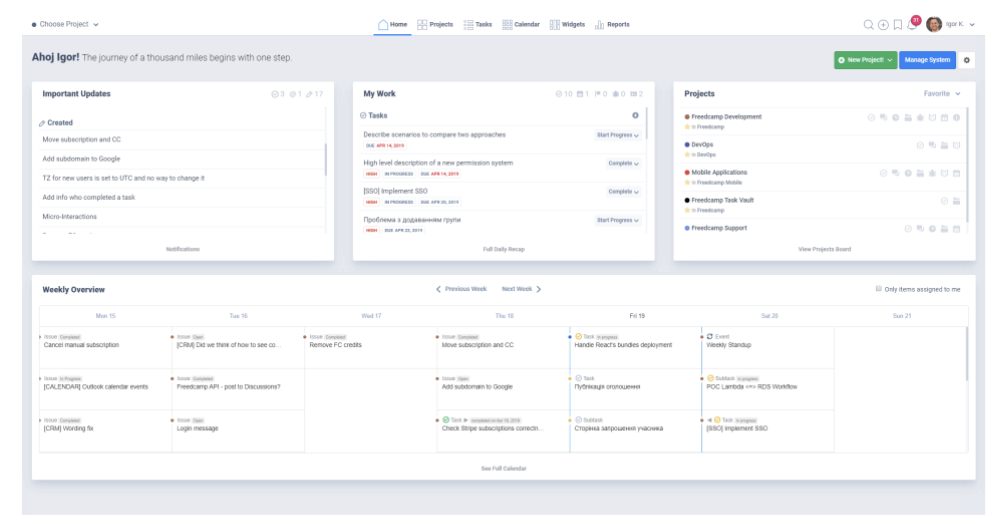
Freedcamp is a feature-rich project management tool that’s designed for personal and professional use. Each project has its own tasks, milestones, files, discussions, time, issue tracker and calendar. The dashboard gives you a clear, concise overview of what’s going on in your team including activity, projects, and tasks.
Features include:
- Message board style discussion feed, with the ability to create and carry out discussions on any topic
- Powerful calendar view laying out all upcoming events
- 3rd party integrations including Google Drive, Google Calendar, Dropbox and more
Pricing:
Free forever. Paid plans are available with additional features, starting from $1.49 per user per month.
4. Asana
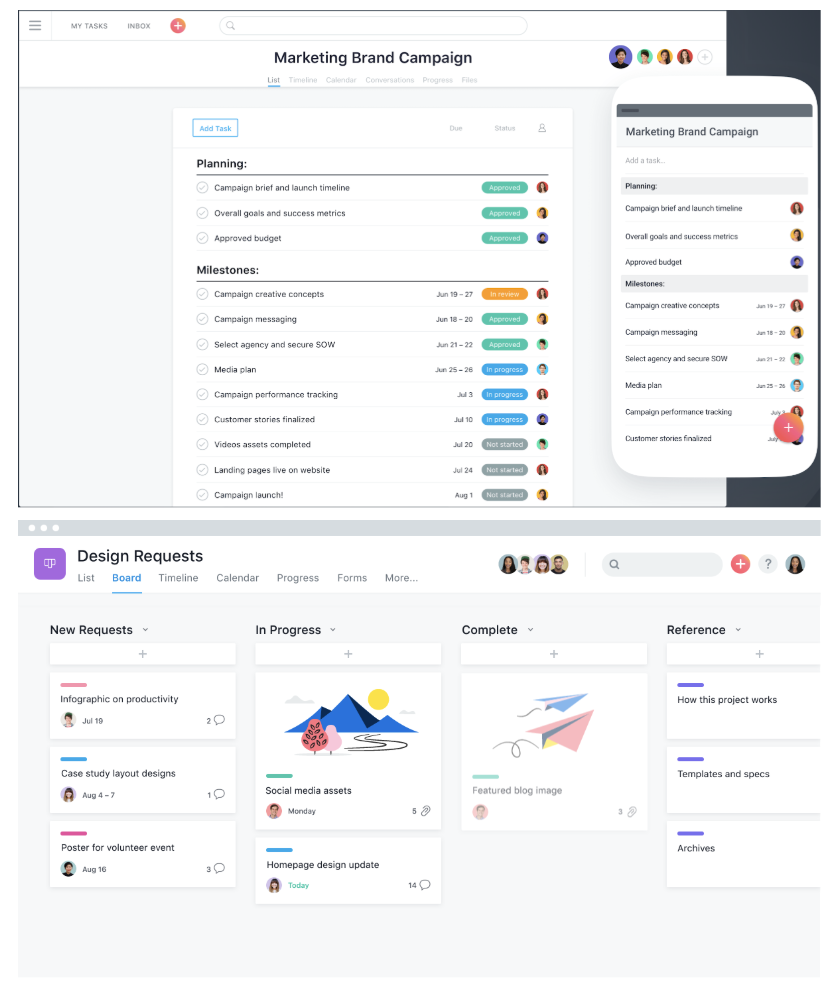
Asana, one of the most popular project management solutions used by millions of people across 192 countries, has a clean and user-friendly interface. The all-in-one tool lets you create boards to visualize which stage your project is in, and use reporting to keep track of finished tasks and tasks that need your attention.
Features include:
- The ability to create templates to automate mundane tasks
- The ability to collaborate and share information across the team, privately and securely
- The option to set security controls and designate admins
- Over 100 integrations for a more efficient start-to-finish process
- Custom project fields, share documents, and filter tasks
Pricing:
Free for unlimited projects for teams up to 15 people. Paid plans starting at $10.99 per user per month.
5. Teamwork
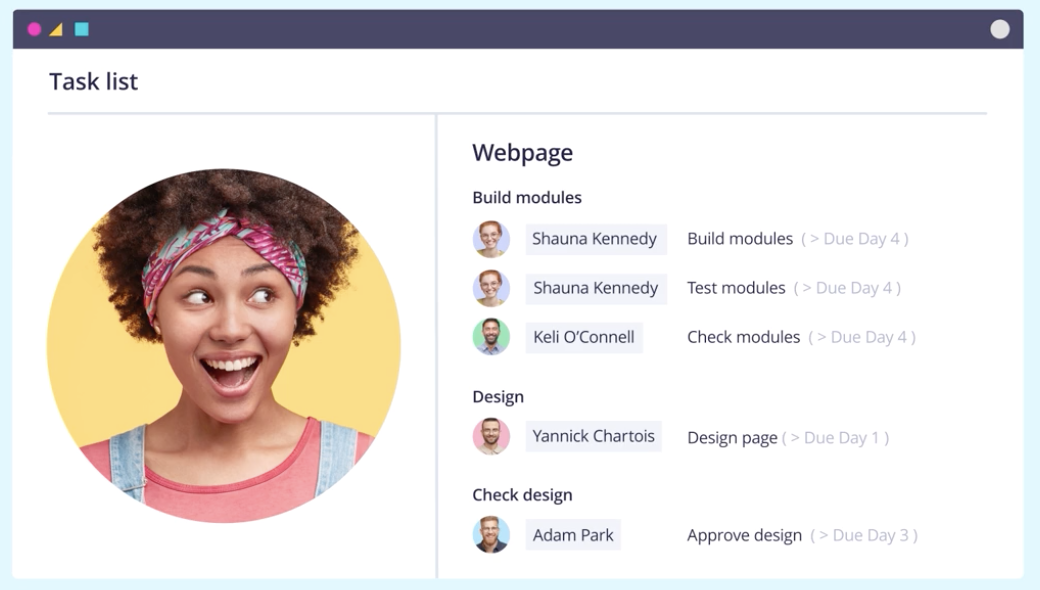
Teamwork, a project management tool that specializes in bringing together remote workers, allows you to create team member status updates so your remote and flexible teams know their coworkers’ schedules. It also provides customer service functions, including the option to assign tickets or view customer emails in one place. (Teamwork is a HubSpot integration partner).
Features include:
- Customizable navigation to prioritize your team’s needs
- Gantt chart for visualizing due dates and project timelines
- Private messaging, and option to make project details private
- Team member status updates for remote or flexible team members
Pricing:
Free for up to five users. Paid plans start at $9 per user per month with a minimum of 5 users.
6. Wrike
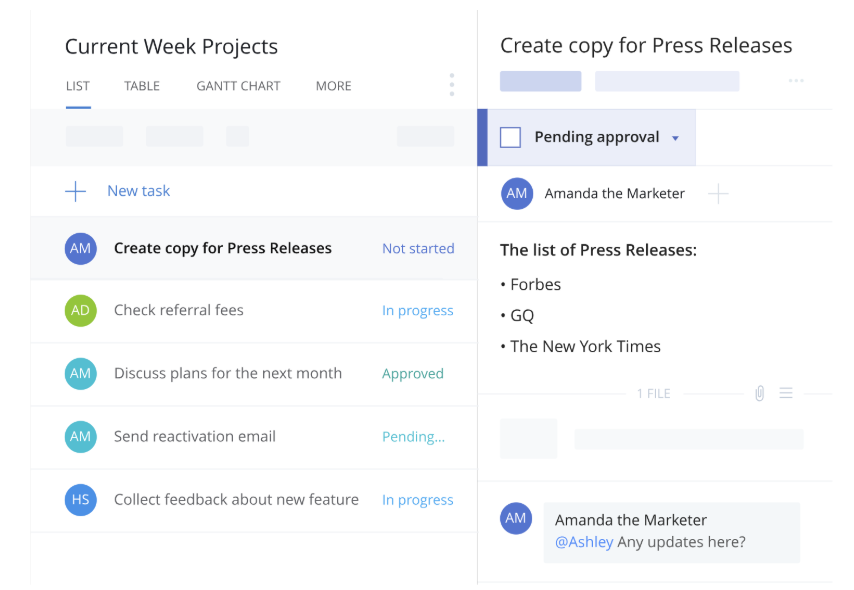
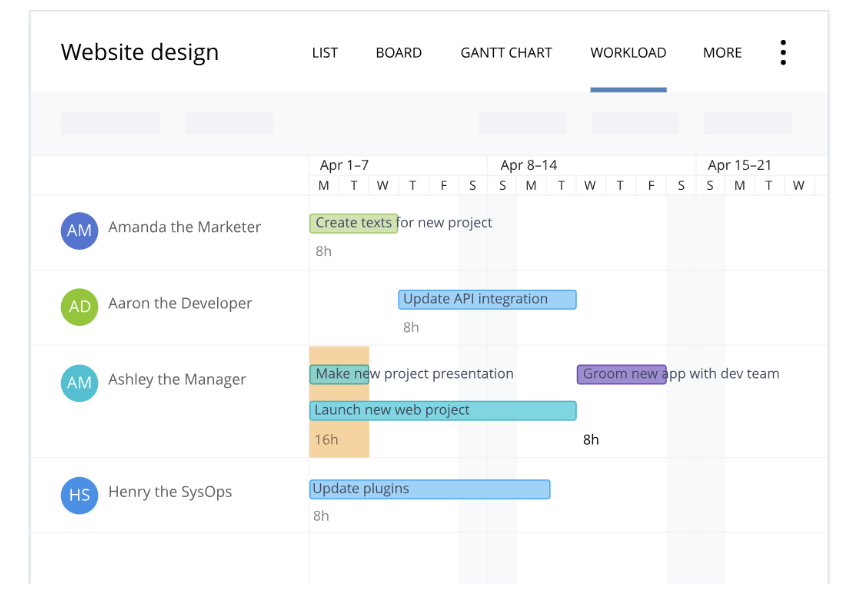
Wrike stands out as an exceptional project management tool for teams who want the option to customize workflows and edit and revise projects from within the platform itself. The tool offers the ability to color code and layer calendars, and its mobile form allows colleagues to update project information on-the-go. You can add comments to sections, videos, or documents, and create custom fields to export data most relevant to your company.
Features include:
- Security measures to ensure only authorized personnel can access information
- Activity Stream to allow project managers to micromanage small tasks, see activities in chronological order, and tag team members
- The option to unfollow activities to declutter your own personal Stream
- Email and calendar synchronization
- Built-in editing and approval features
Pricing:
Free for five team members. Paid plans start at $9.80 per user per month with a minimum of 5 users.
7. Paymo
Paymo’s free version only allows access for one user, but if you’ve got a small team or you’re a freelancer, this could be an efficient option for tracking billable hours and invoicing clients. Along with tracking finances, Paymo also allows you to organize project timelines, create to-do lists, and stay on top of your budgets for multiple projects at once.
Features include:
- Kanban Boards
- Time Tracking
- File Sharing and Adobe CC Extension
- Reporting
- Three Invoices
Pricing:
Free for one user. Paid plans start at $11.95 per user per month.
8. ClickUp
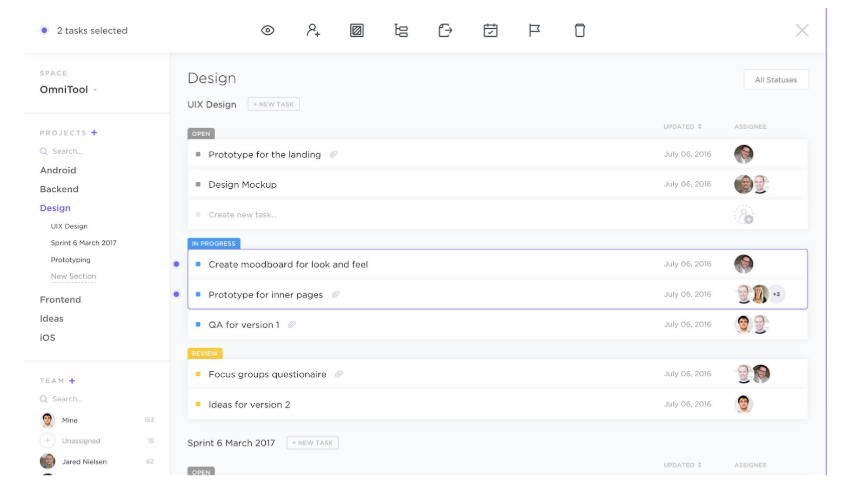
ClickUp provides a few impressive features to customize the all-in-one project management tool to suit your team members, including the option for each user to choose one of three different ways to view their projects and tasks depending on individual preference. If your marketing team overlaps with sales, design, or development, this is an effective solution, as it provides features for all of those four teams.
Features include:
- The ability to organize your projects based on priority, and assign tasks to groups
- The option to set goals to remind teams what they’re aiming to accomplish
- Google Calendar two-way sync
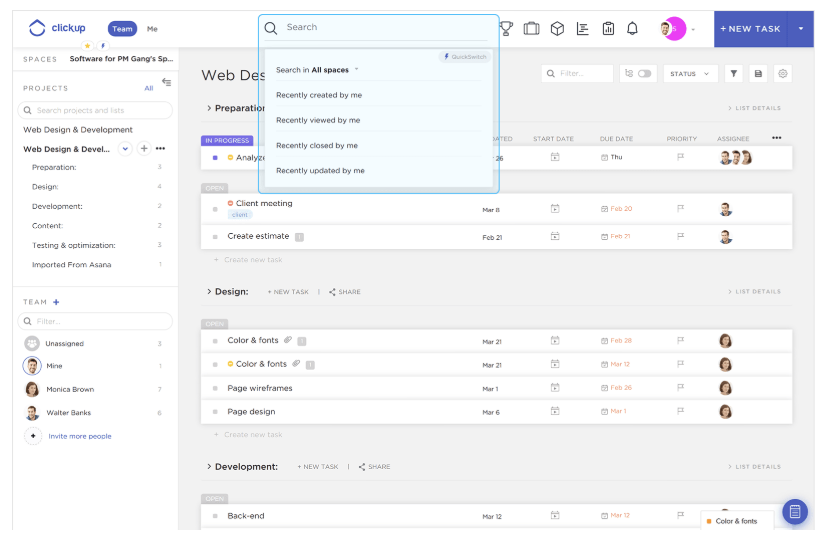
- An easy way to filter, search, sorting, and customize options for managing specific tasks
- Activity stream with mentions capability
- Image mockups
- 57 integrated apps
Pricing:
Free forever, with unlimited users limited features. Paid plans start at $5 per user per month.
9. Trello
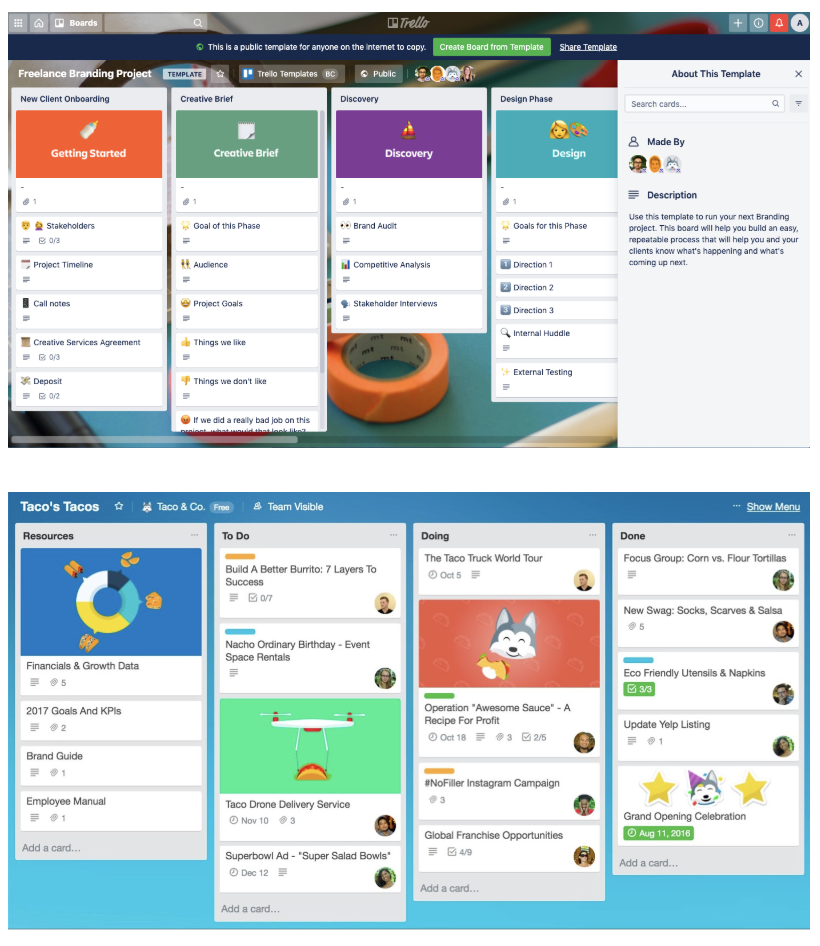
Trello is a drag-and-drop tool that lets you move projects – personal, or professional – through workflow stages, all the way to completion.
You define what those stages are – whether it’s work project statuses like ‘On Hold,’ or personal project categories like ‘Things to buy!’ – with tasks represented as ‘cards.’ Each card can be given a name, assigned to an individual, given a due date – and have files, such as images, attached to it.
Features include:
- Templates for a range of different types of project, from business to education through to personal productivity.
- Ability to add attachments such as images to any card on any board.
- Customise your workflow stages to reflect your actual process.
- Simple drag-and-drop movement of cards through workflow stages.
Pricing:
Free forever for unlimited personal boards, cards and lists – with 10 team boards. Paid plans start at $9.99 per user per month.
10. Todoist
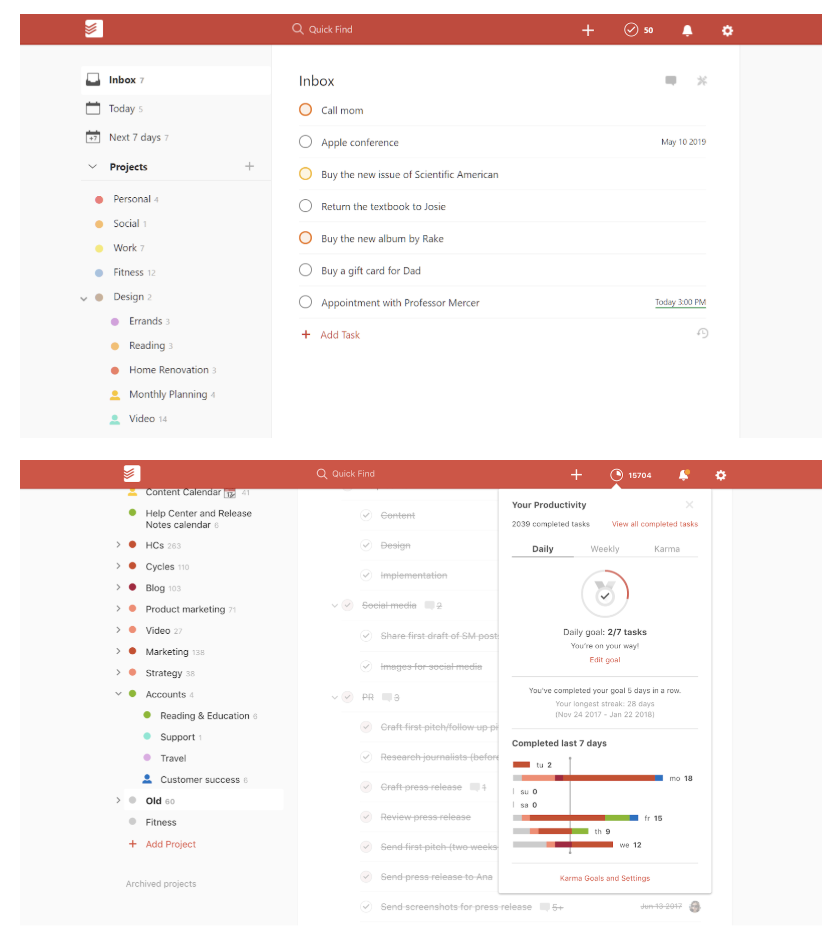
Todoist is a simple but powerful tool that lets you create powerful, interactive to-do lists. To-do items can be assigned priority levels, assigned to people in your team and flagged – with customisable reminders (although these are a premium feature.) Actionable items can also be categorised into different projects, making a simple, easily understandable structure where each ‘list’ has a title (project name) and a series of actions. This all makes it an extremely flexible, customisable tool to get work done.
Features include:
- Template lists to inspire and guide you.
- Recurring due dates for regularly recurring tasks.
- Productivity visualisations and ‘Karma’ points for completed tasks and streaks!
- Labels, notifications and discussion feeds to keep you organised.
Pricing:
Free, with an upgrade to premium (with extra features) available from $3 per user per month.

What Are Direct Costs & How Do They Differ From Indirect Costs?
It’s surprisingly inexpensive to start a business today — as little at $5,000, reports Fortunly. However, as encouraging as that is to aspiring business owners, the costs to run that business every day are a bit more complex.
Before research and development, and before you even rent an office space, you might want to know how much money you’ll need to make your product. These are your direct costs.
Direct Costs
Direct costs are what you spend specifically to develop and maintain your product or service. These costs can vary over time as the product is improved upon. Direct costs range from employee salaries to the price of the items needed to build each unit of your product.
Are direct costs different from fixed and variable costs?
Actually, direct costs are a type of fixed or variable cost. These expenses are not mutually exclusive. Whether or not a direct cost is fixed or variable simply depends on how likely (or regularly) the cost is to change as your business grows. Here are two examples:
- Variable direct cost: A SaaS company that sells cloud-based software is responsible for storing the data their customers put on their software. That information is stored on servers. The more clients the company has, the more servers the business will need to buy to store client data so the product can continue to operate. Server costs, in this case, are a variable direct cost to the business.
- Fixed direct cost: Consider the variable cost example, above. This company also employs an IT administrator to manage the storage of its customers’ data. Barring changes to his/her compensation, the salary the company pays this administrator remains unchanged each month. IT salaries are a fixed direct cost to the business.
Direct vs. Indirect Costs
Direct costs are invested “directly” in the development of a product or service. Indirect costs may affect the business’s overhead, but they do not directly contribute to the creation and quality of that service. These costs include office space rent, office security, and staff supplies.
Direct costs get their name because they have a “direct” line to the creation and management of your goods and services. You pay cost A in exchange for item B, you use item B to make product C. Cost A is a direct cost because product C can be traced back to the cost A you paid.
Indirect costs are more complicated and do not have this direct line to your product’s end result. You pay cost A in exchange for facility B, you use facility B to host machine C, machine C is used by team D to make product E. Cost A is an indirect cost because product E cannot be directly traced back to the cost A you paid. There are other direct costs that took place between A and E.
| Direct costs | InDIRECT costs |
|
The physical materials needed to make your product. The servers needed to power your ecommerce site. The salaries and commission you pay employees to produce and sell your product. Transportation methods that get your product to the customer. |
The rent prices and fees that come with facilitating an office. Expenses needed to keep your team happy and motivated. (i.e. office perks or team lunches.) Supplies needed to help your office run smoothly. Technology and IT that doesn’t directly help produce products. |
Examples of Direct Costs
- Physical materials
- Employee salaries
- Sales commission
- Servers
- Data center spaces
- Product transportation
It’s easy to attribute your direct costs to the money you spend physically making your goods and services. An automotive company, for example, might pay a steel manufacturer for the material used to create each car body. This is a direct cost to the car company.
However, there are other direct costs that can go into a product even if those costs don’t pay for the material your product is made out of. Here are some common examples of direct costs you can attribute directly to your product:
Physical materials
The raw materials, ingredients, and parts needed to build your product are all direct costs to your business.
For example, if sell computers, you’ll need to factor in the materials needed for the screen, the keyboard, and the hard-drive, as well as any other material needed to build the device when designating a cost for it.
Employee salaries
The individual salaries, particularly the ones you pay to those who make and sell your product, are direct costs.
If you hire any freelancers or contractors, you’ll also want to factor in how much money you will need to spend on their labor.
Sales commission
This is different than salary and is usually specific to salespeople, which often work partially on commission.
Every time a salesperson sells a unit of your product, he/she is paid commission. This is a direct cost to maintaining the value or your product. Compare how many units you’d like to sell with the commissions you’ll pay every time they get sold.
Servers
In 2020, almost every business needs some sort of a website. Meanwhile, every website needs a server. The servers needed to store customer data on your product, particularly if your product is in the form of software, is a direct cost to your business.
While you might be able to trim down costs buy building your website on a CMS that provides server support, you should still factor in the costs you’ll need to protect and store your data.
Data Center Space
Just paying for your servers isn’t the only thing you might have to factor in. You also might need to consider where you’ll place them and how much that could cost. Data center space you rent or own to store those servers is a direct cost.
Product transportation
Once a customer buys a product, how will it get to them? Will it come in the mail, or will a delivery tech from your company bring it? You’ll need to determine which strategy you’ll use and add up the costs associated with that. While mail will result in regular shipping costs, having your own company deliver it will results in costs of labor and costs related to purchasing your own modes of transit, such as trucks.
Click here to learn more about the types of variable costs you’ll encounter when growing your business.
Editor’s Note: This blog post was originally published in March 2019, but has been updated for comprehensiveness.

How HubSpot Manages a Giant Website With a Tiny Team
I can’t write a single line of code.
So, it was a big surprise to me when I was asked to lead our new global web strategy team three years ago.
If you’ve followed HubSpot’s history, it’s also probably a big surprise to you that we had 20,000 customers and went public years before we had a team to manage our web strategy.
And, as you might expect, things were pretty complicated before my team was implemented. Prior to 2016, we referred to our giant website as “the wild, wild west.”
The brand team owned the homepage, but anyone who asked for access could make or edit any of our web pages. The web developers and designers had an endless list of requests, but no way to prioritize them. And while some individual marketers measured the success of pages that contributed to their lead goals, nobody was measuring the overall success of the website.
You may be wondering how the HubSpot marketing team could fail to recognize the need for someone to manage its websites. The truth is, it wasn’t a matter of ignorance. — It was actually a matter of fear.
HubSpot has always had an autonomous culture. Before the team was implemented, stakeholders were afraid introducing a centralized team could hinder that autonomy. Because most of our marketers and cross-functional teams used the website for their initiatives, marketing leaders worried that one management team would slow people down or stifle innovation.
We needed a strategy for managing our websites that could accomplish our team needs: it needed to empower the many people at the company who contribute to the website and ensure a consistent user experience that delivered on measurable business goals.
As the days of the “wild, wild west” ended, my team, limited to a small group of people as we proved our worth, began creating a web management process.
The website management strategy we have today isn’t perfect, but it’s helped us grow and restored some sanity to the creators working on the site. Our team of just 17 people is able to manage our core website in six languages while providing an optimal user experience and consistent branding across our web properties.
Since developing the centralized website management team, we’ve grown the conversion rate on our core site by 76% while redesigning multiple related sites and site sections. And, thanks to the tools we’ve used, we’ve only needed to grow the team by a few people.
If you don’t have a huge budget to keep an agency on retainer or hire a full army of developers, here are five tips on how to scale your web strategy with a small team. For each tip, I’ll walk you through how we did it in our own strategy.
How to Develop a Scalable Website Strategy Like HubSpot
1. Identify your website’s purpose and goals.
Customers often touch a brand’s website at every single stage of the customer journey: From their first interaction of reading a blog post to looking for customer support documentation after they’ve become a customer.
This puts a lot of demand on a website and the team that manages it.
Since our strategy could go in multiple different directions, our team first needed to articulate a clear purpose. We did this by crafting mission and vision statements.
- Our Mission: Help professionals grow their businesses better by connecting them to HubSpot’s content and software on our global websites.
- Our Vision: Oversee HubSpot’s websites to ensure that they are on brand, user-friendly, global, and optimized for conversion.
We also wanted to go one step deeper in our responsibility to the business by creating some quantifiable goals.
When determining our KPIs, we debated between using click-through-rates, conversion rates, or estimated revenue. We ultimately decided to track the overall website’s performance by conversion rate.
The conversion rate was relatively easy to measure and the most isolated KPI that would relate most to the work that we’d do.
We also considered using revenue as our main measure, but we lacked direct attribution reporting. Revenue can also be impacted by many external factors such as changes in average sales prices and sales close rates. However, we still used revenue to evaluate the winner for any conversion rate optimization tests that we’d run, as they would be taken over a short period of time and less subject to changes in those external factors.
To make sure we still put the customer experience first, over quantified business metrics, we created a hierarchy of website goals.
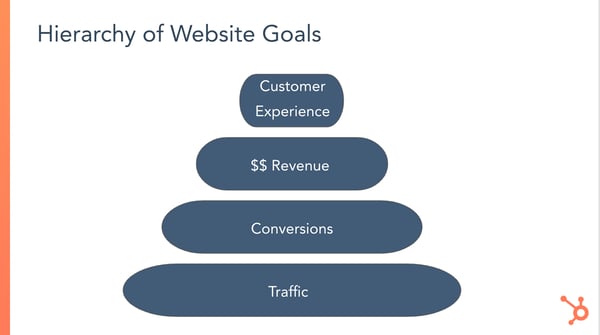
We felt this hierarchy was important to document because being too focused on increasing numbers like conversion rates can lead to bad behavior. Examples at their most extreme include the extensive use of misleading clickbait copy or interruptive pop-up CTAs. I wasn’t worried about my team getting that misguided, but we had seen pages that were off-brand or could be confusing to some users that still yielded high conversion rates.
We wanted to hold ourselves accountable for having the best of both worlds — iterating and testing a subpar design until we could find a variant that converted well, was consistent with our brand, and could generate positive user feedback.
2. Choose a content management technology that meets your team’s needs.
To help manage a website without a full team of developers, both big and small brands often use content management systems.
CMS platforms allow those with less web experience to create or design webpages or content using a simple interface. Meanwhile, those with development or coding knowledge can still customize or make more advanced changes to a website. In short, a CMS enables most employees to contribute productively to a website without any help.
Our website has always been powered by HubSpot’s CMS— as you probably might have guessed.
As HubSpot employees, we like to use our own products to do our jobs. Aside from staying loyal to our own brand, the CMS aligns with our web management needs,
The CMS software was designed for quickly-growing companies just like our own. It’s powerful enough to handle the governance and other website management needs our development team demands, and straightforward enough that marketers who can’t code can still easily use it. It empowers web managers or editors of all levels to create or manage successful website content.
Aside from the CMS, we also use our CRM, Marketing Hub, Sales Hub, and Service Hub.HubSpot products that power different aspects of our website. For example: while the Marketing Hub helps us with SEO, analytics; and automation, the Sales Hub allows us to enable chatbots and live chat on our site.
With HubSpot, we can also integrate third-party software to help us execute our strategy. Here are a few examples of helpful tools that work with HubSpot:
- Cloudwords: For localization of our non-English websites
- Google Analytics: For measuring web traffic, click-through rates, conversion rates.
- Google Optimize: For running conversion rate optimization experiments. We use this to complement HubSpot’s own testing tools.
3. Plan your operating model.
When you count every single blog post or landing page in every language across all of our domains, we have nearly one million website pages. That’s a lot of content to maintain and optimize. Our team simply can’t touch every page.
To help us manage even the pages we don’t regularly touch, we needed to develop a system of ownership and prioritization that would find the right balance of empowering other marketers to manage aspects of the site, while still maintaining control over consistent user experience and business goals.
So we developed a framework to define ownership across our various websites:
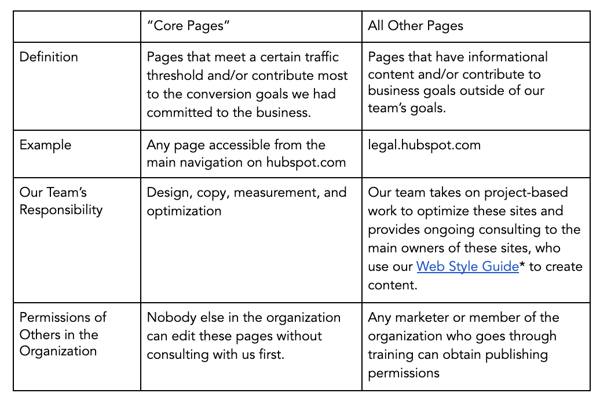
The design and development teams also created a Web Style Guide, which made it possible to have a flexible website that empowered others and ensured a consistent user experience. This guide is a toolkit of consistent, on-brand web modules that other stakeholders can use to create and edit website pages. These modules are the building blocks for making a landing page.
With all marketers and website stakeholders pulling from the same library of modules, there’s an automatic system in place to ensure a consistent user experience across our many site pages. And if we want to make a global change to update a design element, like one of our brand colors, our developers can roll it out universally.
If you’re building out a web strategy for your site, you’ll also want to prioritize what tasks are important for your core team and which site pages can be delegated to other marketers.
For example, if you have a core website and a robust blog, you might want one marketer to oversee the website’s main pages, while a blog manager manages your blog site. This will free you up to focus on the larger branding-related tasks that we were able to take on.
4. Identify talent with different strengths for your website management team.
Odds are, your website will have many different elements to it, such as a homepage, a mobile-optimized design, a blog, or product purchasing pages. Because of this, it only makes sense that you should build a web strategy team with multiple types of marketers that can give you insight on how to maintain each aspect of your site.
One of the really unique things about our team is that it brings together people with a wide range of expertise, all working towards common goals. Our group is incredibly cross-functional, and the work we create is a testament to the power of diversity of thought.
Below are examples of people you’ll want on your web strategy team. In my case, the people in the following roles don’t all report to me. However, I still consider anyone outside my direct org a member of my team:
- Conversion Rate Optimization strategists: Use qualitative and quantitative data to run experiments and improve the conversion rate on existing pages, or apply these principles to creating successful new pages
- Copywriters: Write short-form copy for website pages based on the audience’s needs and business goals
- Web developers: Develop site pages, applications, and user experiences
- Web data analysts: Implement analytics technologies and analyzes data to identify opportunities
- Project managers: Prioritize projects and facilitates collaboration across the team
- International website champion: Establishes our localization strategies across our various language sites
5. Prioritize your goals and projects.
As you scale up, it can seem like there are hundreds of things to do on your website. It can be hard to identify what’s really the most important thing to be working on. Even when you do, a sudden product launch or company announcement could cause you to need to change course on a project.
Once your website strategy and your team are in place, it’s crucial that you continue to prioritize work in a way that aligns with the goals, mission, and purpose you’ve decided on.
On our team, work falls within three main categories:
- Optimization: Conducting research to understand data and user behavior to inform website experiments intended to increase conversion rates on a page (ex: A/B testing copy headlines)
- Business Updates: Altering copy and design on a page or multiple pages to communicate information about our product offerings, brand messaging, partner programs, etc. when there is a strategy change (ex: launching a new product)
- Redesigns: Completely altering the site structure or making significant, multiple changes to design and copy all at once based on a complex business strategy change or insight about user behavior (ex: updating the site navigation and corresponding pages to simplify conversion paths)
Aside from picking key areas to focus on, as we’ve done, you should also consider an annual planning process or meetings designed for prioritizing upcoming tasks.
In our case, we always have more project ideas and opportunities than team bandwidth. And business changes come along all the time that we weren’t expecting. This combination has led us to create a diligent annual planning process with quarterly revisions.
At the beginning of each year, we spend time with leaders across the business to understand what business updates are coming and how they’d like the website to better support their initiatives.
We also create our own wish list where we see opportunities and create an additional bucket for ongoing maintenance, experimentation, and unforeseen projects.
Then, we determine how many people we’d need across our many disciplines to execute on every project. This helps us create a prioritization system to rank the projects.
After a series of meetings with the marketing leadership team, where we iterate on headcount and prioritization, we end up with the list of projects we’ll commit to delivering.
Every quarter, we revisit the priorities and make adjustments based on any business changes, new opportunities identified, or shifts in goals from our team or the broader business,
Through this process, we’re able to prioritize more urgent matters, while still being able to revisit or re-prioritize the less urgent matters in the future.
6. Recognize potential challenges and make goals to work through them.
Even if you have a winning team and an army of developers, you still will run into challenges as your site grows and your brand evolves. When running a web strategy, it’s helpful to acknowledge those challenges and how you’ll combat them.
Our team has come a long way in establishing an effective and scalable website model, but we still have a lot of room for improvement.
One of the main things we struggle with, which is common to any growing company, is finding the right balance of executing against short term goals with building scalable systems for the future. Trying to do both can feel like already driving a car while you’re still trying to build the car.
We’re trying to get to the point where we never have to do a classic redesign to any of our sites or site sections ever again; instead, we want to continually optimize, update, and evolve our web properties through testing and ongoing improvements.
Start Building Your Website Strategy
Even after three years of directing global web strategy, I still can’t write a line of code.
But, as long as I have a great tech stack and a team that’s committed to empowering marketers, I don’t intend to learn.
If you’re a marketer at a growing business, you don’t necessarily need to be a development expert to lead its website strategy. If you can envision what a smooth website experience looks like for your customers, navigate a CMS, and pick the right mix of development and marketing talent for your team, you can build a successful process.
To learn more about how to build an effective website or scale up your strategy, check out this step-by-step guide to creating a website, or this post on redesign strategies. If you’re interested in testing out our CMS, click here for a free trial.

Features vs. Benefits: A Crash Course on Proper Messaging
Earlier, I was scrolling on LinkedIn and came across this ad.
Instantly, I was impressed with the effectiveness of the language.
The language, concise and clear, offers up the benefit of the product being marketed in a way that stops scrollers in their tracks, including me.

Qordoba is an IT company that helps companies stay consistent with communication through AI technology.
The company’s ad caught my eye by communicating the benefits reading the report will have when it comes to customer-facing content, which does interest me.
‘How are tech companies managing their voice, tone, & writing style guides across their various types of customer-facing content?’
After reading this caption, I knew exactly what I would gain from this product, and why it was worth my time.
The beauty of proper messaging is that by communicating either the benefits or features of your product or service, you can tell customers what they need to know in a clever, concise way.
As a marketer, you’re likely wondering when you should use benefits versus features in your content. We’ve got an answer, and we’re going to dive into that in the next couple of sections.
Features vs. Benefits
What exactly is a “feature” or “benefit,” anyway?
Both methods are useful and give customers important information they’ll need during their buyer’s journey, such as design, price, and real-world relevance. Ultimately, however, the benefits of having a product or service are what make consumers purchase. If you do decide to highlight features, you’ll want to make sure consumers understand how they’ll benefit from those features.
Let’s look at another example of features and benefits at work. This is a marketing email I got this morning from Marriott hotels:
 This ad starts with the benefits of becoming a Marriott member — ‘yes to vacation views’ — while the rest of it explains the features of the program, including ‘no annual fees’ and ‘3X points per $1 spent at more than 7,000 Marriott locations.
Emphasizing that Marriott members enjoy free perks, then expanding on how this is done (by earning rewards points), is a really effective way to explain the benefits and features of the rewards membership.
Which is relatively straightforward — but what if you have multiple products being sold at once?
If you’re working with more than one campaign at once, remember the “Features or benefits?” the answer can change depending on the product.
If you’re unsure whether you should list features or benefits for a given product, consider this — features are an optimal choice in a saturated market. For instance, a small business making a meal-delivery kit would have some competition (such as HelloFresh or Home Chef), so they would have to communicate their service’s competitive advantage by naming one-of-a-kind features. This would include price, dietary restrictions, menu configuration, etc.
Benefits, on the other hand, are the way to go if your brand exists within a niche market or a “drier” topic. You’ll want to answer the following questions with your benefits: How does it work? How does it make a consumer’s life easier?
To resonate well with an audience who perhaps haven’t heard of your product or service before, try to include benefits in your demos, ebooks, and other marketing content..
Now that we’re more clear on features vs. benefits, let’s explore some examples to see both in-action.
Features and benefits: Examples
For the visual learners like myself, below are some real-world examples of how to work features or benefits into ads, product pages, email, or any other marketing materials:
1. Calm
This email about an exclusive deal made me excited, which is another way highlighting features in your marketing material can be beneficial — to build excitement. Here’s how sleep meditation company Calm did it:
 Framing singer/songwriter Lindsey Stirling‘s work as an exclusive feature improves customer relationships and makes them feel special. Opening this email made me think about how glad I am to be an email subscriber (especially since I grew up watching Stirling on YouTube) because of cool offers like this.
If you’re running a promotion or want to improve customer relationships, consider sending them an offer that reminds customers of your product or service’s unique features.
2. HubSpot Academy
In this product page for HubSpot Academy’s social media course, three benefits are listed at the bottom, so prospects can see how completing this course will be worth their time:
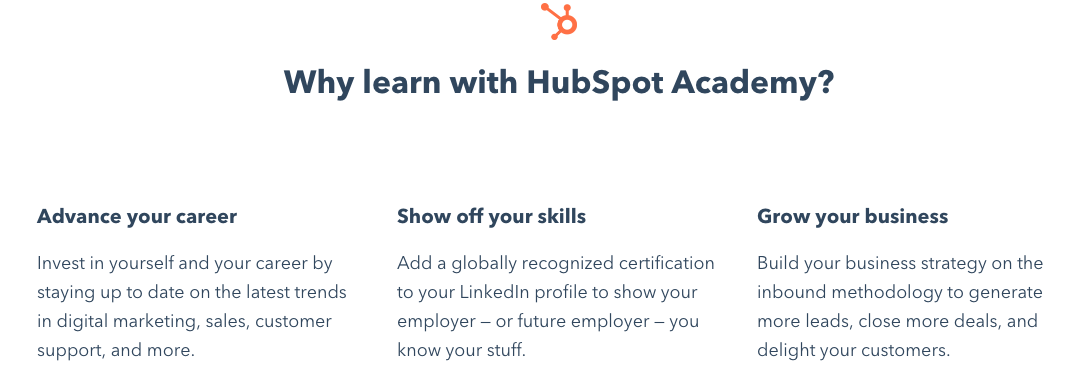
Benefits don’t always have to be short phrases – in fact, on product pages, more is often better. On web pages, it’s critical you give your customers the helpful information they need — including cost, structure, time required to complete, and a description on how your products or services’ benefits outweigh the benefits of competitors’.
3. Arcadia
Can you spot the benefits energy company Arcadia used in this promoted tweet?
Here’s the easiest way to save on your utility bill and get clean energy.
— Arcadia (@arcadia)
February 18, 2020
If you chose the entire tweet, you’re right!
Almost every word helps describe to the reader why they should open the linked website. As a consumer, I would think, “Well, what is the easiest way to save on my energy bill at no cost? That thing is sky high!”
Words that help the consumer are going to resonate with those who are just mindlessly scrolling and not necessarily looking to buy anything. To build interest in their promotion, Arcadia’s use of benefits to entice prospective customers was a good choice on Twitter.
Impress a scroller by using benefits in marketing messages. You have a few seconds to leave a mark.
4. Airtable
Beautiful, descriptive features in this Facebook ad told me exactly what Airtable is and what their software does, despite having no previous knowledge. In less than thirty words, I know that Airtable must be a product or service that makes dull spreadsheets a thing of the past — for free.

Marketing teams that don’t have the budget to spend on a full suite of fancy products might come across this ad, see the features, and think “Flexible, beautiful, and fun? Spreadsheets? For free? I should look into this,” and immediately hit that CTA.
Many of us use spreadsheets that are mostly text and less colorful, so Airtable does a good job detailing how they’re different from Microsoft Excel or Google Sheets, and helps them seem like a game-changer to consumers.
5. KeVita
Kombucha is a fermented tea drink with probiotics, which aid in helping digestion and improving energy levels. So, when marketing their kombucha on Instagram, the KeVita brand wanted to show that kombucha isn’t just a summer drink, contrary to popular belief.
Aesthetically pleasing, benefit-enforcing GIFs like this make visual platforms like Instagram a perfect canvas for an ad that displays benefits.
Animation often stops scrollers — especially animation paired with bright pink text. The backdrop, a ski lift covered in fresh snow, (“powder” to skiers), shows the accessibility of the drink, while the caption alludes to kombucha-fueled energy to get through a long ski trip.
Two benefits that instantly stuck out to me about this post are accessibility and energy. On snowy mountains, those two functions are going to be essential when thinking about snacks. Consider a scenario-based ad if your product is like KeVita, commonly perceived as a summer drink.
From phones to shampoo, , the features/benefits marketing method can be applied to almost anything. As we saw, it’s important to know the distinction so audience members can deliver a clear marketing message.
Asking yourself, “Does this ad convey features or benefits?” and structuring accordingly is a simple thought to consider when creating copy that could improve the interpretation of product pages or ads by the public. What do you want to say, and which messaging method will be best for that?

How to Leverage YouTube Advertising for Your Direct Response Campaign
While brand advertising on YouTube has been around for a while now, adopting the platform for direct response B2B advertising is relatively new.
Unlike branding, direct response focuses on compelling people to take immediate action after watching an ad. This action can be a site visit, sign-up, download, or purchase, which an advertiser can then track and measure.
Google has recently shown an increasing interest in expanding YouTube’s offerings for performance advertisers with TrueView for Action — a powerful campaign type that helps drive leads and conversions.
So it’s an ideal time to capitalize on a social platform that’s currently less competitive, slightly more affordable, and has a goldmine of nearly 2 billion monthly engaged users ready to take action. Here, let’s explore how to leverage YouTube for your next direct response campaign.
How to Create Effective Video Ad Creatives
Many advertisers perceive the video production process to be both intimidating and costly. And it can be, but it certainly doesn’t have to be.
Yes, YouTube requires specifically tailored video creatives, and that does require some money, time, and effort. But, for direct response, having an effective video ad is less about making sure you have polished video creatives. Instead, it’s more about having the right messaging strategy that will make people want to watch your ad and take action.
You only have a few seconds to grab the viewer’s attention before they have the option to skip your video ad — that’s it. Investing in an overly expensive production crew to produce perfectly polished videos isn’t going to be enough to captivate your audience.
That’s why you should focus on developing and testing the right messaging to help you with your KPIs, rather than worry about fixing bad white balance or low-quality audio.
Develop the Right Messaging
What exactly is the right messaging, though? It really depends on your audience. Before you start trying to write the perfect script, it’s important to determine who your target audience is and how to tailor your message to them.
Relevant messaging is incredibly important because a viewer’s first instinct is to skip an ad so they can continue to the video they intended to watch. You need to grab the viewer’s attention in the first few seconds while also making sure that they’re a relevant audience for your product.
This means, don’t use clickbait tactics. Why? Because it’s expensive. You pay when someone watches your ad beyond 30 seconds, watches until the end of the ad if it happens to be shorter than 30 seconds, or clicks the ad. So if you get a lot of people watching the full ad without any interest in your product, it could end up costing you a lot while offering you very little in return.
At the same time, you also don’t want to “leave the best for last.” It’s not a TV commercial with a build-up to an eventual climax that ends with a big reveal. YouTube ads are different.
As soon as the skip button appears, viewers begin skipping, and the number of people “dropping off” continues to increase the longer the ad runs. You want to make sure the relevant ones stick around, so it’s critical to lead with a captivating message so they keep watching.

A good approach is to lead with a specific problem or pain point that your product or service solves. Then, follow that up with why your product or service is the solution, and show them how it solves that problem or pain point.
You need to do it in such a way that’s either interesting or entertaining, and aligned with your brand personality — that’s where your team’s talent comes in.
Let’s take a look at examples of brands that get it right.
For instance, this monday.com video ad begins with a woman in an office talking about a major pain point for managers, which is “managing a team.” Then she shares that even though managing a team is hard, monday.com makes it easy.
If the viewer is interested in learning more, the ad continues on with what monday.com is and how the work OS solves this major pain point for managers.
Nectar mattress is another brand that uses a similar strategy in its direct response ads. It begins with a voice-over, “Hello there, are you sleeping on a Nectar mattress, or are you sleeping on a piece of garbage?”
In this case, the ad immediately follows this statement with what happens to your brain when you don’t get enough sleep, supported by scientific facts. If the viewer sticks around to watch the ad long enough, they’re told they can try the mattress out before they make a purchase, and so on.
Once you’re ready to start putting your ad’s script together, think about what you want the viewer to take away. Make sure you don’t over-do it. If you have a lot to communicate, don’t try to fit it all in the first few seconds, or even in a single video ad. If you push too much information out all at once, you risk drowning the main message and confusing the viewer. And that’s something you don’t want.
Starting with TrueView for Action
There are a few campaign types offered on YouTube, but for someone just getting started with direct response, TrueView for Action is a good place to start.
TrueView for Action pre-selects the ad type format to skippable in-stream. This means the ad is unskippable for five seconds before a “skip” button appears, allowing the viewer to continue to the video they were about to watch.
There is no maximum length for your ad, so it’s totally up to you, but there’s a minimum length of 12 seconds. The goal is to create a video ad that’s captivating enough to keep the viewer interested in watching beyond the first five seconds.
The big advantage of using TrueView for Action is the clickable assets and the smart bidding strategies that help support your ad creative. Let’s dive into those features next.
Clickable Assets
The clickable assets consist of a CTA overlay, companion banner, and an end screen that each has a customizable headline and customizable CTA button. These assets are designed to drive clicks, making them great for direct response.
CTA Overlay
The CTA overlay appears as an interactive asset over your ad for 15 seconds at the bottom left-hand corner before it collapses into a thumbnail image of your company logo.
Companion Banner
The companion banner is available with other in-stream ad formats, but the difference here is that it sticks around even after your video ad ends. It accompanies the viewer as they continue onto the video they intended to watch and will remain visible until another companion banner takes its place.
These banners work best when you can tie it back to your video ad through similar visuals or messaging. That way, if the viewer happens to notice it two videos later, they’ll easily recognize it’s connected to your video ad.

End Screen
The end screen is a single screen that appears when a viewer reaches the end of the video ad with a headline and CTA. It also includes your company logo, which is taken directly from your YouTube channel.

Later on, you might want to consider using other campaign types. For example, if your initial campaign has been running for a while and you want to remarket to viewers who’ve already seen the ads, you can add bumper ads. These ads are only six seconds, non-skippable, and use cost-per-mille (CPM) bidding rather than CPV or Target CPA.
Smart Bidding Options
With TrueView for Action, two smart bidding options use machine learning and conversion data to optimize results to your KPIs. They are Maximize Conversions and Target CPA.
Deciding between these two options depends on timing, advertising needs, and business goals.

Maximize Conversions Bidding
Maximize Conversions bidding strategy focuses on helping you get as many conversions as possible using the entire daily budget you’ve set for the campaign.
Google Ads recently expanded this bidding strategy to TrueView for Action, so you may be familiar with it from Google Search and Google Display.
Maximize Conversions is a great way to help ramp-up new campaigns and drive action. It optimizes ads for the most relevant audience based on how likely they are to convert without limiting delivery until its accumulated enough data.
After running with this bidding strategy from anywhere between a few days to one week, you should see the cost-per-action (CPA) stabilizing. This means the machine learning algorithm has already implemented the learning it acquired from those initial conversions.
It’s at this stage where you can decide if you want to switch to Target CPA.
Target CPA Bidding
This bidding strategy focuses on helping you get as many conversions as possible, at or below the Target CPA you’ve set. In most cases, it makes sense to use this as your long-term bidding strategy since it spends your budget more efficiently than Maximize Conversion.
A case where you may want to start with Target CPA from the beginning is when traffic from the new campaigns is expected to be similar to campaigns in the account that are already using this bidding strategy.
Targeting Relevant Audiences
One of the greatest benefits of using YouTube for direct response is its advanced and wide-ranged targeting capabilities. Some may be familiar to you from other channels, while others will be completely new and unique to YouTube.
As with bidding options, choosing the right target audiences will depend on your product, your funnel, and your goals.
Targeting Based on Viewer Interests and Characteristics
YouTube campaigns tap into Google’s wealth of search and browsing history data. This is primarily the reason why YouTube’s targeting capabilities are so strong.
If you’ve been advertising on other channels, you’re likely familiar with a lot of the targeting options available within YouTube, such as demographics, similar audiences, and in-market audiences.
What’s worth mentioning are the audience categories you may not necessarily be familiar with that can boost your targeting strategy.
Custom Intent Audiences
Custom Intent audiences on YouTube are not the same as in Display. With custom intent on YouTube, you can target viewers based on their recent search activity on Google. If you already have active Search campaigns, you can leverage your existing keyword knowledge to create custom intent audiences using those keywords.
One of the biggest advantages with Custom Intent on YouTube is that you can use it as a workaround for highly competitive keywords or keywords with low-quality scores in Search. This allows you to reach your target audience on YouTube without the high CPCs in Search. So if, for example, you know what your target audience is searching for but your product is not the direct answer to it, you’re still able to reach a very relevant audience.
Keep in mind that, unlike Search, you are unable to define match types or exclude keywords or phrases, so you should choose keywords that could work in broad match type, or without exclusions.

Life Events
Life Events is relatively new and allows you to target viewers based on key milestones in a person’s life, including graduation, marriage, first home purchase, and so on. All of these major life events can be related to purchasing decisions.
The targeting criteria is segmented into two: before, and after, the specific life event — so “getting married soon” and “recently got married” would be examples of these two segments. With this segmentation, you are able to specify your targeting according to what is relevant to your product.
If you can tie your product to a key milestone, Life Events is a more comprehensive targeting option that goes beyond just targeting the specific keywords that people are likely searching for around that time.
Video Re-marketing
As the name suggests, this type of re-marketing is specific to Youtube and allows you to target viewers based on their past interactions with your videos or YouTube channel.
For example, if you have a lot of channel subscribers, you can use this option to target them with your ad. Since they’ve already shown interest in your product or content, they make a high-potential target audience.

Targeting Based on Video Content
Rather than targeting based on personal characteristics or interests, you can target viewers based on the content of the video they intended to watch. That means you decide on the placement of your ad.
If you’re not targeting based on the video content, then your ads will appear on various videos automatically, regardless of whether the video content relates to your ad.
Keep in mind that you can use both types of targeting, but you may find yourself with a tiny audience since those with specific characteristics or interests who also happen to be watching a particular video is extremely accurate.
There are two ways you can approach placements: Managed and Automatic.
Managed Placements
This is a more manual placement option, meaning you need to research and handpick specific monetized YouTube videos or channels you want your ad to appear on.
While finding managed placements can be a tedious process, the placements are likely extremely accurate and therefore more likely to bring better results.
There are also external tools out there to help make this process a bit less manual, so it’s definitely worth testing.
Topics
Targeting by Topics is similar to Google Display campaigns since the category options are the same. YouTube videos are assigned a specific topic based on what the video is about, making it easier for you as an advertiser to target.
It is a much more scalable option compared to managed placements since you select topics rather than specific videos, and there are many sub-categories that help you narrow down the selection to get a more accurate result.

Understanding Your Campaign’s Impact Beyond Clicks
There are several ways to determine if your video campaigns are effective.
Viewers interested in your product or service will see your video ad and then typically take action through the clickable assets to reach your website, and hopefully continue through the funnel and eventually convert. For those who track campaigns on other channels, tracking click-through is standard and straightforward.
But there’s actually another way viewers can and do take action, and it’s not necessary during or directly after they’ve watched your ad.
If your ad left an impression, these viewers may type your brand name into their browser, click the paid brand ad or an organic search result, visit your website, and start moving through the funnel — all of which can be attributed to the YouTube ad they watched.
They may not even remember your brand name, but decide to search for the relevant product or service in hopes of finding you.
These impression-based viewers are critical to track and measure because they went the extra mile to get to your site, which is a good indication that they’re higher quality than someone who clicked on your ad.
The problem is, while important, they can be challenging to track.
One of the best ways to measure is to invest in an impression tracker like DoubleClick Campaign Manager and integrate it with your business intelligence software. If you’re able to do this, you can identify at the user-level those viewers who got to your site after seeing your YouTube ad.
If you’re not ready to invest in an impression tracker or if it isn’t relevant right now, you should consider using proxies to understand the full impact of your video ads.
Proxies
Proxies indicate a noticeable change in metrics from other data segments that exist in your BI software.
There are, of course, many proxies you can explore, but two easy ones to start with are geographic splitting and testing and brand searches.
Geographic Splitting and Testing
If you don’t have many user acquisition traffic sources and your traffic is relatively stable, then you should be able to see a lift in site visits that are unattributed to paid sources or attributed to paid brand campaigns. These additional site visits could then be attributed to your YouTube direct response campaign.
If you have multiple user acquisition sources, a simple way to isolate the impact of direct response on YouTube would be to target your ads to specific geographic locations. Then you can compare any lift in traffic there to other geographic areas where you didn’t run YouTube direct response, and attribute the gap to your YouTube campaigns.
For example, if your traffic from New York and Chicago typically behave the same and, after launching a campaign only targeting New York, you see a clear lift in site visits compared to Chicago, then you can attribute those extra site visits to your direct response campaign.

Increase in brand searches
Similarly, you might see an increase in brand term searches parallel to running direct response YouTube campaigns, either through your paid brand Search campaigns or other traffic sources. You can also then attribute that lift in site visits to your YouTube direct response campaign.
What To Expect Down The Road
YouTube is regularly coming out with new features and targeting capabilities. It’s important to stay in the loop so you don’t miss out on any changes that may affect your campaigns or new opportunities these features can open.

What a Social Media Target Audience Is and How to Find It
For my master’s program at Syracuse University, we were required to attend two immersion weekends.
These weekends were filled with networking events, guest speakers, and industry leader presentations.
The goal was to interact with classmates, faculty, and industry thought leaders to discuss the future of digital communication.
One of the immersions in Los Angeles was focused on public relations. An amazing guest speaker was discussing company publics and one thing he said really stood out to me: “If you don’t explicitly include someone, you implicitly exclude them.”
It’s important to keep that concept in mind when you’re learning about social media target audiences.
Since you can’t target everyone (though you can sell to anyone), you have to define, identify, and understand your audience so you can speak to them on social media.
Below, let’s review what a social media target audience is and how to find it.
Typically, defining your social media target audience is similar to drafting your company’s buyer personas and will help you develop brand guidelines.
You’ll answer questions like, “What content will your audience relate to?” and “What tone or voice should you use?”
This is important so you can speak the same language as your audience, making them more likely to interact on social media, develop brand loyalty, and ultimately purchase your product.
Just like the guest speaker told us on that immersion weekend, your social media target audience should be highly specific and detailed. That way you won’t implicitly leave people out who might be interested in your product.
Ultimately, a social media target audience will help you market your product effectively, and prioritize who you’re targeting.
Now that we’ve reviewed what a social media target audience is and why it’s helpful, let’s dive into how to find your target audience.
How to Find Your Target Audience on Social Media
When you go to develop your target audience, it should be based on research and data. Below, we’ve outlined five steps that can get you started:
1. Identify or create buyer personas.
If your business already has buyer personas, then you can use that same information for your social media target audience.
However, if you don’t, think about who your current customers are. What are their jobs? Age? Income?
A lot of the demographic details can be found by looking at your analytics. Look at your social media numbers and track any current campaigns. This information should allow you to build on what you already know about your audience.
Then, flesh out those demographic details. Answer questions like, “What are my audience’s pain points?” or “What problems does my product or service solve?”
Additionally, consider traits such as spending power, spending patterns, and their stage of life. All of this information plays into how customers interact on social media and spend their money.
In the end, you might have more than one persona. For example, if you sell more than one product, it makes sense that you’ll have different personas.
2. Find out where your audience is most active.
Once you have an understanding of who your audience is, figure out where they’re hanging out online.
You have to identify if your community is even on each separate social media platform.
For example, older generations have increased their Facebook use in the past four years. In fact, the share of the Silent generation using Facebook has nearly doubled.
On the other hand, Twitter appeals to younger audiences. In fact, 38% of Twitter users are between the ages of 18-29, and 26% of users are 30-49.
Instagram also appeals to younger generations, with 35% of users being ages 25-34 and 30% being 18-24.
Figuring out where your audience is will help you prioritize which social media platforms you want to focus on.
Then, you can adjust as you go. For instance, if a post works well on one platform but not the other, you can adapt. Or if the people you’re targeting aren’t interested, but another group is, you can change your target audience.
3. Look at your competitors.
When you’re trying to flesh out your target audience on social media, look to your competitors. What kind of voice are they using? Who are they appealing to?
You can figure this out by looking at who’s responding to their posts and engaging with them. Also, take note of what social networks they’re active on, who their top followers are, what their engagement rate is, and what hashtags they use.
Additionally, you can search for keywords that you’re targeting on social media apps and see what competitors show up.
Plus, you can even use your own analytics to see other pages that your audience likes.
4. Survey your customers.
Although you’ll have plenty of statistics available, it’s always a good idea to talk to your current customers.
Surveys help you figure out who your real customers are and what social media networks they prefer.
You can ask what type of content they consume, what social media sites they like, or who they follow.
5. Search Facebook Groups.
If your audience is mostly using Facebook, it’s a good idea to find them in Facebook groups. Facebook groups are becoming more popular amongst social media users and they’re a good place to learn more about your audience.
What are they posting? What tone of voice do they use? Not only can you learn more about how to communicate with your audience, but you can also use it as an opportunity to create your own community.
Developing your social media target audience is an important step in creating successful marketing campaigns. Plus, you can focus your efforts on the right social media platforms and posts. Social media is an important place to engage with your target audience and learn more about them.
Once you’ve found your target audience, you can create a well-balanced content plan that appeals to them and begin drafting brand guidelines.

What Does A/B Testing Have to do with Machine Learning?
To some marketers, A/B tests are a no-brainer.
After all, there’s nothing like knowing which marketing content is preferred with your target audience, before sending it out to the masses.
Even though the test is a timeless marketing technique, it can be a little frustrating because of the uncertainty of it all. Thankfully, there’s an unlikely superhero to point to when we’re talking about the upgrades to a regular A/B test — machine learning.
If you’re finding inconclusive or unnecessary results after A/B testing, you might want to try machine learning to see if that can optimize your A/B tests.
If you wish that A/B testing could be more simplified and automated, machine learning is the missing element you need. In the next section, we’re going to refresh the definitions of A/B tests and machine learning, then learn how they work together to make your life as a marketer a whole lot easier.
What is an A/B Test and Machine Learning?
In this section, we’re going to dive into the basics. This includes what an A/B test is, what machine learning is, and how they’re both beneficial to marketers.
A/B testing
A/B testing is a common and powerful marketing technique. Before sending out a marketing message, a marketer would send “test” versions to a portion of audience members to see which performs better.
Using an A/B test gives you an idea of what delights your customers the most. For example, if you’re using a promoted tweet campaign to support a new product launch, you might test different versions of that tweet using automated software, so you can tell how to market to your audience.
After seeing which tweet had the most clicks, you can then use that version in marketing messages, as well as a template for the duration of the campaign. That way, engagement is more of a guarantee.
Running an A/B test is pretty simple. However, you might run into a few snags with A/B testing.
For instance, you might have to make the final choice before you receive any conclusive results, particularly if you’re on a tight deadline.
Another possible bump in the road? Well, more people might like option A, but there’s still a portion of an audience that will choose B, and marketers that aim to appeal to both might find themselves frustrated.
Thankfully, though, you can use machine learning to make A/B testing less stressful. Let’s look into how in the next sections — starting with machine learning is in the first place.
Machine learning
Machine learning is a technique used to analyze large data sets. Gone are the days of pouring over expansive contact lists and target audiences — machine learning does that heavy lifting on a quicker, more accurate, and larger scale.
To explain further, let’s consider an example — do you use social media reporting tools, like Instagram Insights? If so, you’re already using machine learning to make your job more streamlined. Social media reporting tools help those use machine learning to discover how customers engage with social media marketing efforts.
Here’s what marketers need to know about machine learning:
If you want your marketing campaign to be more personalized and potentially more helpful for individual customers, machine learning can help you create tighter customer segments, analyze performance accurately, and execute stunning campaigns.
In short, machine learning shreds hours of data analysis that’s an essential part of marketing and enables marketers to be more productive. In fact, Google found that 66% of marketing leaders agree that automation and machine learning helps their team focus more on strategic marketing initiatives.
Machine learning helps marketers with audience discovery, optimization, measurement, and creativity. Machine learning also helps A/B testing. Let’s dive into how the two can work hand-in-hand, next.
Machine Learning and A/B Testing
We’ve gone over why A/B testing can hit some snags — data might not be conclusive when you need it, and you might find your audience is relatively evenly split, with a large group preferring the less-favored option.
Machine learning’s powerful makeup can help with these issues by automating A/B testing. The algorithms of machine learning also enable marketers to analyze results more accurately.
For example, HubSpot’s Lead Flow tool, a tool that organizes all things regarding leads, has an effective system that enables users to run a test continuously. In other words, marketers set up the test, and HubSpot does the rest.
Alternatively, you might try software like Optimizely, a platform that specializes in delivery and experimentation. A marketer using Optimizely would be able to use the machine learning tools the platform offers and test marketing messages and increase conversion and lifetime value.
By using machine learning, marketers can get a better picture of what audiences want in many key steps of the A/B testing process.
To make sure the test is going to the right customers, machine learning sorts and analyzes channels —such as social media channels — to help the user discover valuable customers. That means, if a marketer wants to discover leads on Twitter, machine learning could do it quickly and thoroughly.
Advancements in technology have helped the accessibility of machine learning data and its uses for marketing. For instance, ten years ago, it would be more difficult to discover software that did A/B testing for you, but content management systems (CMS’s) often have this component built into their software.
Today’s world of marketing is busier and moves quicker than ever before. Your marketing methodology should be more efficient to keep up. By automating some techniques, such as A/B testing, your next testing round can be a breeze.

How One Marketing Agency Earns Radio, Local, and National Television Coverage
Most of us grow up with dreams of making it on TV or the local radio with headlines like “Local Man Does Good” or “Neighborhood Woman Breaks World Record”.
Unfortunately, many of us won’t see those dreams become reality — however, as marketers, we can create content that is worthy of making it big.
My team at Fractl creates content with one goal in mind: to produce the most engaging and impactful human experiences on the web. Sometimes, those experiences are shared on traditional media outlets such as radio and television, as well.
To help your brand increase exposure across a variety of traditional media outlets, let’s explore some techniques you can incorporate to take your content to the next level.
How to Get Radio Coverage
Probably one of the most beneficial forms of publicity is traditional radio and the accompanying blog coverage. Radio networks work together and bounce content from site to site. If your work is featured with one local station, the likelihood of natural syndication increases.
Local and radio outreach is a strategy best employed with light-hearted, evergreen content. For instance, a campaign uncovering popular baby names through generations saw coverage on the iHeart Radio network and was a top performer for our client when it came to natural syndication.
The major draw? Babies who are named after the first family, including Ivanka, Melania, and Baron.
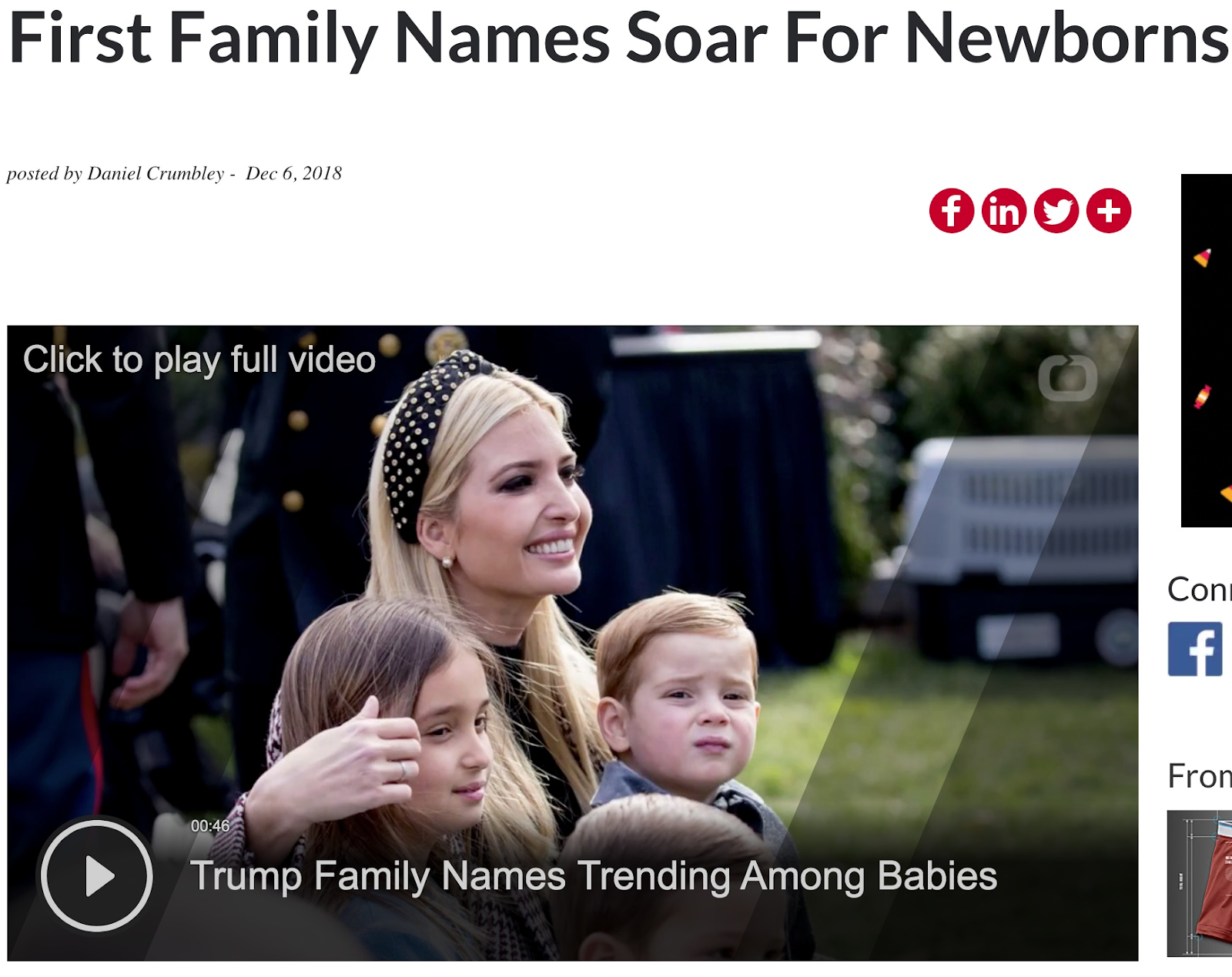
Lists of baby names may seem like an exhausted topic, but still, we see new articles every year exposing the top 50 names so new moms can garner inspiration (and know which names to avoid).
Our approach was a bit different. We pored over years of Social Security Administration data to compare name changes over the past 70 years and how pop culture and trends have impacted how we name our children. Throughout our promotions process, this content proved interesting for readers at both the local and national levels.
The main takeaway here is to avoid limiting your content by addressing hot news topics and pressing social issues. Instead, focus on providing interesting, evergreen projects that engage an audience in a lighthearted way.
How to Get Local TV Coverage
Some mornings are slow news mornings, especially at the local level. Additionally, most stations enjoy sprinkling a few positive, uplifting, and relatable stories in between all the negative and heartbreaking segments. This is where content marketing strategies prove valuable.
Producing relatable content can be as simple as surveying Americans about their preferences and sorting those results by state and region. That’s exactly what we did for a client looking to build brand exposure and traffic. We surveyed over 2,000 Americans to get their opinions on the best and worst Halloween candies. This study hit a sweet spot; it was a newsworthy topic paired with regional relevance.
It was popular and controversial enough to spark a conversation on a number of regional television news outlets. Supporting Idaho for their love of Almond Joys or disagreeing with Marylanders for their affinity for Nerds proved to be a festive way to ring in the new season.

A similar study by AT&T citing the most popular Halloween costumes in every state gained traction with many local news stations. NBC New York reported their residents would likely go the pop culture route for their costumes, and CI Proud predicted a ton of Mickey Mouse costumes.
Ultimately, collecting regional statistics allows for the opportunity to narrow your outreach efforts and appeal to an audience on a more personal level.
How to Get National TV Coverage
The Today Show’s segment “What’s Trending Today” has covered a number of content marketing studies, and they all have one thing in common: shocking statistics. Obviously, you can’t always predict a study will provide shocking takeaways, but leveraging the ones that do is key.
During the outreach stage, make sure to identify gold when it appears. When our survey of 2,000 drivers across the United States revealed that more than half of drivers pick their noses when they are driving, and 1% say they’ve changed a diaper while behind the wheel, we clearly had a winner. The Today Show discussed their driving confessions and named our client on the air.

When formulating new ideas for your projects, try to ask questions that relate to a common fascination.
For instance, we know the media loves to report on Millennials: habits, trends, disruptions, finances, etc. Creating a survey or study that uncovers some surprising statistics about Millennial cooking habits, let’s say, might be your ticket onto the Today Show. It comes down to finding the right topic, and asking the right questions.
The Secret to Traditional Media
Exposure on traditional media outlets is still one of the best ways to reach your audience. In fact, a majority of Americans claim to respond positively to TV, radio, and newspaper ads. Of course, like any content marketing campaign, the results can be hit-or-miss.
By following some of the trends we see with radio, local, and national television coverage, you can increase your chances for exposure and further engage your audience. Try to create evergreen content, with relatable, regionally-specific data. Also, be sure to identify a major hook.
You’ve likely already hit these marks in recent surveys and projects. Be sure to use what you have and expand your outreach strategy to include local and national stations. Once you see the results, you won’t regret it.

What Is Local PR and How Does It Work? [Examples]
Let’s face it — building brand awareness isn’t the easiest task for a marketer. Trying to be a big voice in a field of so many is nothing short of difficult.
That is where public relations comes in.
Ultimately, the goal of public relations is to maintain positive communication with the world, and ensure your brand image represents your company’s core values and offerings.
Of course, PR is easier said than done, particularly when you’re trying to resonate with global audience. That’s where local PR comes into play.
Those who are struggling with fostering brand awareness should look into the opportunities local PR can give them. As a more cost-effective route to spreading the word, local PR gives businesses repeat consumers in an accessible area and a chance to broaden coverage to the national level.
It’s a good idea to look into leveraging some local PR if you find your business struggling to expand reach and generate leads. Instead of focusing on a broad campaign, however, local PR is a chance to tailor that campaign close to home, boosting its impact among your local community.
Here, let’s explore the benefits of local PR, as well as some examples of brands that have successfully implemented local PR, so you can consider whether it’s a good idea for your own marketing strategy.
Local PR
Local PR is about building brand awareness and creating positive and engaging customer relationships within a business’s community. Local PR takes all of the aspects of public relations, such as maintaining a good brand image, and focuses it at the community level.
For instance, global PR campaigns have an impressive amount of potential reach, but language, budget constraints, and other factors can limit how it will resonate with an audience.
With local PR, businesses can build brand loyalty within their own community. Additionally, creating lasting relationships with local media outlets can lead to positive future press.
Think of travel sites that host roundups of the top local spots to visit in big cities. Businesses with a close relationship with local media outlets that cover local spots would have a good chance of earning this exposure over a business that doesn’t connect with local media.
Local PR comes with its own set of unique benefits: it’s easier than a national campaign, less expensive, and targets physically-accessible customers.
A brand can really tailor its image through local PR and share a local story within a community to which its residents can connect. After all, part of public relations is how businesses communicate with people.
For a broad scope, this guide is an excellent resource for all things public relations. For inspiration with local PR campaigns, let’s explore how three brands used local PR to resonate with their local communities
Local PR examples.
Take a look at how some brands, large and small, are making impacts locally. Through local PR, they’ve earned positive press and strengthened community ties.
These are only a few examples of local PR — more incredible public relations examples are listed here.
1. General Mills
Global manufacturer General Mills (products include Cheerios, Lucky Charms, Cinnamon Toast Crunch, and a number of other household breakfast cereals) provides grants every year for educational programming in Minneapolis, Minnesota.
The Hometown Grants are how Minneapolis-founded General Mills gives back to its community. Every year, the company picks a program or non-profit delivering educational experiences about hunger and food insecurity to the area and sponsors it. The grant also focuses on providing resources to the public K-12 schools in the area.
A company that is globally revered, such as General Mills, could have a hard time keeping positive relationships with local programs and offerings. However, with their grant program, they can continue to build those partnerships and improve their community.
2. Veggie Galaxy
One of my favorite places to eat here in Boston is a diner called Veggie Galaxy. The restaurant has won rave local reviews and even lends its space for Bitcoin meetups every Monday night.
Having the space to host local events or meetups helps build positive relationships around the community.
3. True Crime Obsessed
The first live podcast on Broadway will be performed on June 1st, 2020, at Hayes Theater in New York. True Crime Obsessed is a podcast about all things related to true crime documentaries, based and recorded in New York.
In anticipation of the Broadway announcement, the hosts of the podcast did an interview with New York-based Broadway site Playbill to promote their show.
Being the first podcast to perform in a Broadway theater is a national story, but doing press with a local, Broadway-connected site turns the national story into one with local scope. So, not only is the podcast building a relationship with Broadway and its press, but it is also framing the event on a national level, building more press for the engagement.
Now, let’s talk about some quick strategies to get started with local PR.
Three strategies to get started with local PR
1. Find the Local Angle
Finding the local angle to your news that might only have national appeal is one way to connect your brand to local PR. Maybe you donate to a business in the community or only manufacture within your area. Having that local angle helps your brand appeal to the local press, as well.
2. Host Local Events
Alternatively, participating in local events held by other local businesses offers amazing networking opportunities. Even if the connections are with others outside of your industry, like Bitcoin is for Veggie Galaxy, there’s always the possibility for future collaboration. Who knows, your next event might be held at a vegetarian restaurant, too!
3. Use Local PR for More Exposure
Another great time to incorporate local PR is when partnerships are being looked into. Local PR helps brand image around its community first, opening the door to more expansive coverage.
Sometimes leveraging local PR is a great springboard for gaining broader attention and finding a national angle. Other times, local PR earns you great ground in the community that surrounds you.

The 10 Best Blogging Platforms & How to Pick One
As a baseball player turned blogger, my blogging platform is just as important to me as my bat was to me back in the day. If I went up to the plate with a quality bat that I personally preferred swinging, I would feel more confident, boosting my chances of getting a hit. If I didn’t, I would most likely tap a dribbler back to the pitcher.
Similarly, when blogging eventually replaced baseball in life, I discovered using a blogging platform I was comfortable with and liked, which enabled me to produce better work and results. If I didn’t, I wouldn’t execute as well.
But, just like baseball bats, there are countless blogging platforms you can use. Fortunately, if you’re looking for one that’s ideal for your specific situation, we’ve got you covered. Read on to learn how to choose a blogging platform and find the best-fit platform for your content creation team.
How to Choose a Blogging Platform
Before you can choose a blogging platform, it’s important to consider all your options. While you might’ve only heard of WordPress or Wix, these aren’t your only choices.
Below, let’s review the three steps to help you choose the best blogging platform:
1. List your needs.
Obviously, you’ll have different needs for your blogging platform if you’re a beginner or an advanced web developer. Before you can begin your research, write up a list of your must-haves.
Answer questions like, “Do you need an e-commerce store on your site?” or “Do you want total customization options or are you okay working from templates?”
These are the types of things you’ll want to know as you’re browsing different blogging platforms.
2. Do your research.
Depending on your needs, come up with a list of the best platforms. List out the pros and cons and find the options that fit your needs. Note: We’ve started this process for you by listing the top 10 blogging platforms below.
3. Build a spreadsheet.
Build a spreadsheet to compare your options. List out prices, features, support, ease of use, integrations, and design. Additionally, you’ll want to consider if the platform has room to grow as your blog grows.
Now, let’s review some of your options below.
1. HubSpot
G2 Rating: 4.3/5.0 (5,974 Reviews)
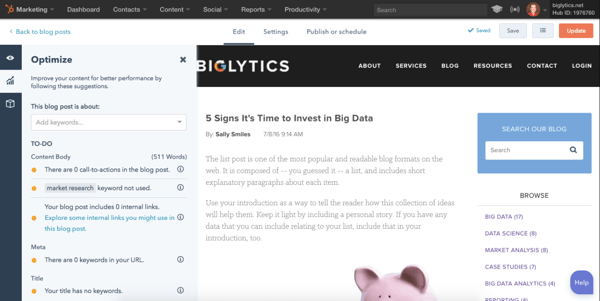
HubSpot offers one of the most robust blogging platforms around. When drafting your blog posts, you can use its composer to craft content from scratch or with one of the pre-made blog post blueprints. You can also integrate your G-Suite Account with HubSpot’s blogging platform to import your Google Docs right into its composer.
Additionally, you can edit your blog posts directly in the composer by adding comments, offering feedback, and collaborating with other writers or editors on your team.
After you finish drafting your blog post, HubSpot’s blogging platform features SEO recommendations and a topic cluster tool that helps you optimize your blog posts for search engines.
You can then schedule your blog posts with HubSpot’s calendar tool, connect to and promote them through your social media accounts and email, and analyze their performance with HubSpot’s analytics tools.
To test it out, try the CMS Hub free trial.
2. Squarespace
G2 Rating: 4.4/5.0 (845 Reviews)
If you want to build a truly beautiful blog, Squarespace is the blogging platform for you. With their award-winning, fully customizable designer templates and integrations with Getty Images, Unsplash, Google AMP, and more, you can improve your content’s design and boost its ability to grab and hold your audience’s attention.
You can also collaborate with multiple writers and editors on your content, integrate and promote your blog with your social media accounts, and manage your blog posts’ comments.
Additionally, Squarespace offers some other robust marketing tools that can help you increase your reach and refine your content strategy, like email campaigns, SEO features, analytics, and lead capture features.
3. WordPress
G2 Rating: 4.3/5.0 (7,613 Reviews)
 Powering over 30% of the websites on the internet, WordPress is one of the most popular blogging platforms out there. If you’re creating a new blog, you can register a domain for your site right on the platform. If you already have a website, you can transfer your current domain to your new WordPress site.
When creating blog content, WordPress offers hundreds of themes that you can customize with your own branding and content. You can also leverage their SEO tools, social media integrations, and sharing tools to amplify your blog posts’ reach.
When it’s time to analyze your blog posts’ performance, WordPress offers metrics and data visualization, like charts and graphs, that’ll help you grasp your readers’ topic preferences and referral source.
4. Wix
G2 Rating: 4.2/5.0 (1,172 Reviews)
 Wix is one of the most versatile blogging platforms on the market. Whether you own a business or a food review website, Wix has a wide range of templates any blogger can use.
After you’ve picked your blog’s template, Wix lets you write and edit posts on desktop and mobile, organize your posts into topics, display Wix’s stock photos and videos or your own media on your blog posts, and create a community of audience members who can make profiles on your blog and interact with each other.
To promote your blog posts, you can leverage Wix’s SEO tools to boost your organic reach, push your content to your subscribers with their email tool, and connect and share them through your social media accounts. If you want to measure your content’s performance, Wix also offers an advanced analytics tool.
5. Weebly
G2 Rating: 4.2/5.0 (401 Reviews)
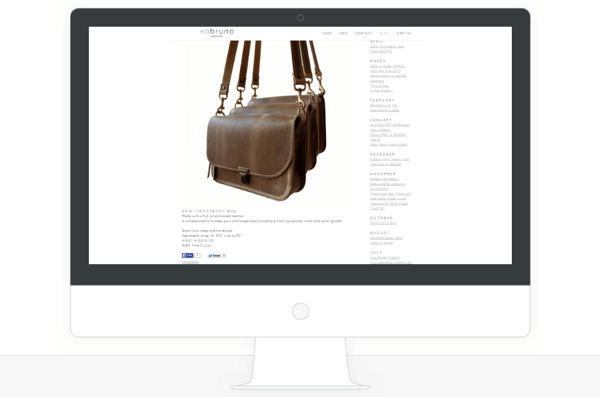 Trusted by over 30 million people across the globe, Weebly is one of the most popular blogging platforms because it’s incredibly intuitive. With their drag and drop editor, free blog templates, completely customizable design, and a wide range of media options and integrations, you can easily create a blog that’s easy on the eyes.
To amplify your blog’s reach, you can leverage Wix’s SEO tools to improve your organic rankings, their RSS feed to update your subscribers with every new blog post you publish, and their social sharing tools to schedule your content on your social media profiles.
6. Craft CMS
G2 Rating: 4.1/5.0 (28 Reviews)
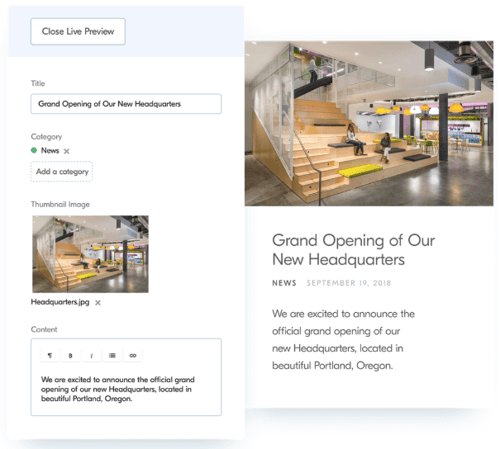 Craft CMS is a blogging platform that lets you completely customize your blog, manage your content, and analyze its performance. With its personalized content modeling, custom control over your blog’s code, and powerful templating, you can build your very own dream blog.
Craft CMS also offers an image editor, collaboration tools, and a localization feature that can translate your content to specific languages. To analyze your content’s performance, you can integrate Craft CMS’ dashboard with Google Analytics.
7. Contently
G2 Rating: 4.0/5.0 (20 Reviews)
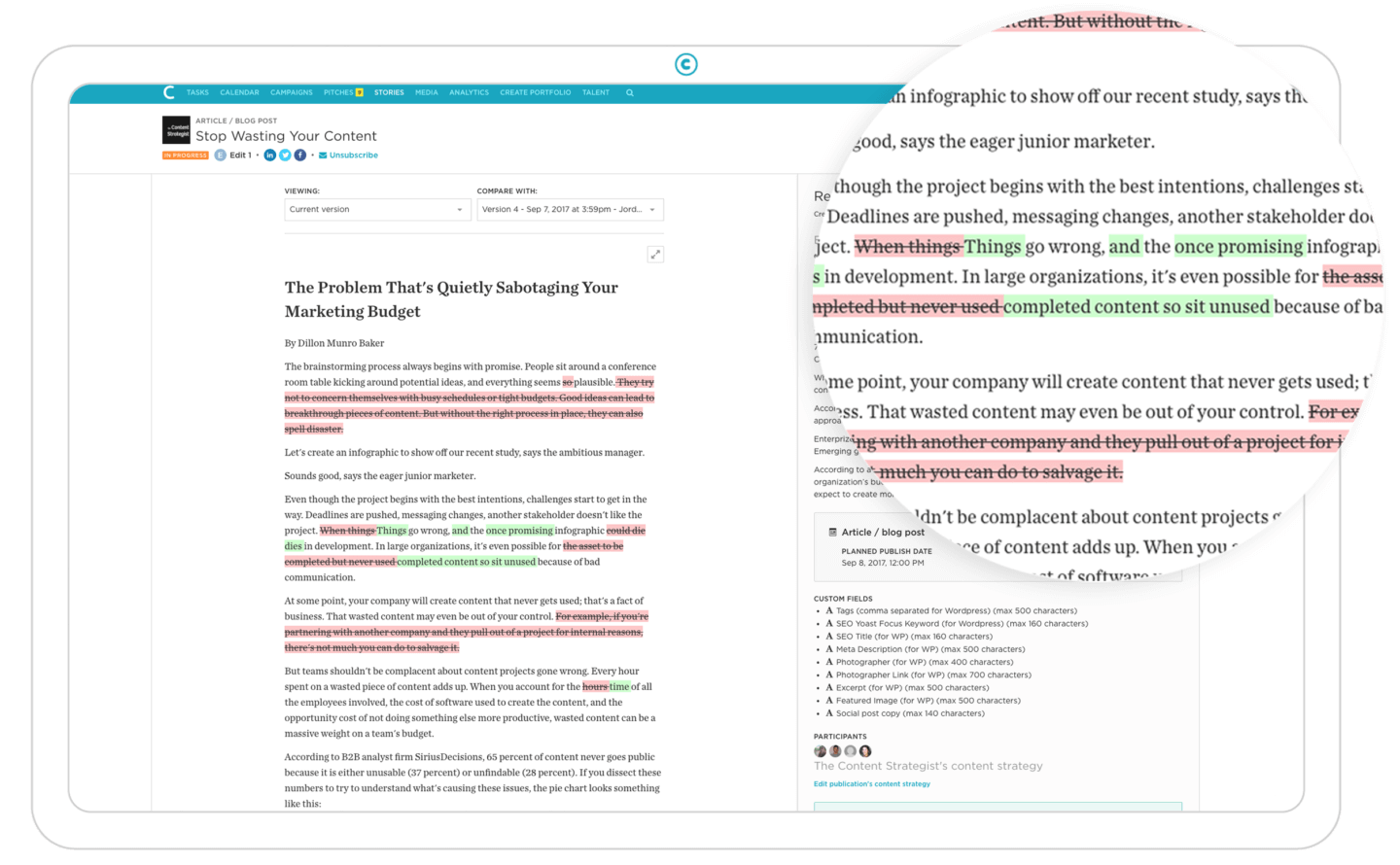 Tailored for enterprise companies, Contently is a robust blogging platform that allows you to run your entire content creation process in one place. To develop your content strategy on Contently, you can organize your blog posts with their tagging tool and flesh out your editorial strategy with their customizable production calendar to.
After that, you can effectively collaborate with your team on projects by commenting on and tagging colleagues in your drafts and leveraging Contently’s advanced workflow tools.
When it’s time to ship your content, you can use their smart content review tools to ensure your content is aligned with your brand, optimized for search, and legally compliant.
If you want to gauge your content’s performance and use that data to refine your content strategy, you can compare your content’s performance against industry benchmarks and measure its performance by topic, format, and sources in the platform.
8. Drupal
G2 Rating: 3.8/5.0 (326 Reviews)
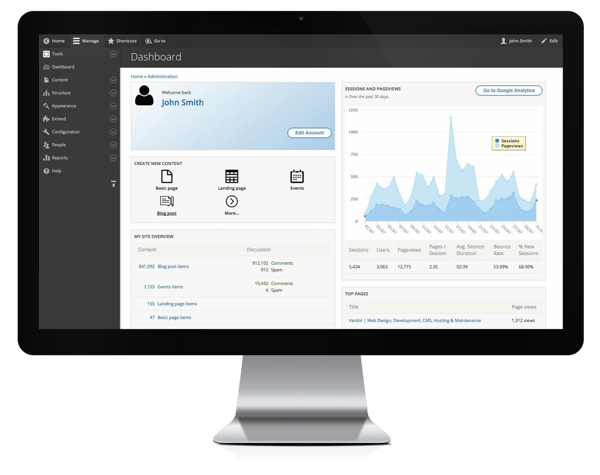 Drupal is another CMS option that’s popular with enterprise companies because of the extensive features.
It offers excellent built-in content creation and editing features for enterprise blogs. However, if you don’t have an advanced developer on your team, it might be more difficult to use. Additionally, you won’t need all of the bells and whistles for a simple blog.
On the one hand, Drupal offers great security, thousands of free plugins, customizable options, and it can grow with you. However, there’s a steep learning curve, so this isn’t the best option for beginners.
9. Joomla
G2 Rating: 3.9/5.0 (290 Reviews)
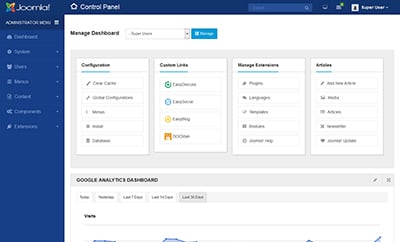
Joomla is an excellent blogging platform for beginners. It’s easy to maintain because of the site’s seamless update process. Additionally, it offers more built-in settings than WordPress and has a thorough Help Center if you need it.
Joomla is similar to WordPress in that it’s open source and is easy for beginners. You don’t have to be a developer to build a blog on this site. Many businesses like this blogging platform because it offers flexibility and is suitable for several types of websites.
On the other hand, it doesn’t offer as many themes or extensions as its competitors.
10. Blogger.com
G2 Rating: 4.1/5.0 (56 Reviews)
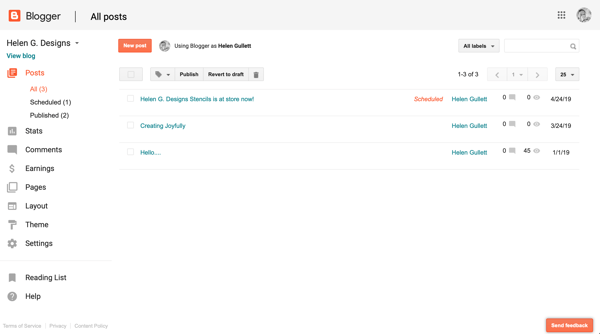
Blogger is probably one of the best free blogging platforms for beginners. It’s simple to use and doesn’t have a steep learning curve. All you have to do is write a blog, add photos, and publish. This platform lets you edit HTML and add widgets.
Additionally, Blogger is a Google service, so Google-related add-ons are helpful. You’ll connect your Google account and can easily monetize with AdWords.
However, many bloggers grow out of this platform since there aren’t any upgrade options. You can’t add an ecommerce store and customization is limited.
While this is a great option for personal blogs or hobby blogs, you might want to look at the other options if you’re a business blog.
Choosing a blogging platform is an important decision for the success of your blog. Once you know what you’re looking for, it’s time to compare and contrast.
Editor’s note: This post was originally published in April 2019 and has been updated for comprehensiveness.
