
The Facebook Ad Types: How to Choose the Best Ad Type for Your Goals
Did you know that people in the U.S. spend 20% of their mobile time on Facebook or Instagram? And there are over 1.8 billion people using Facebook every month?
With so many active users, Facebook Ads are a no-brainer for any marketer looking to reach new audiences in a place where people are already spending a significant amount of time.
Facebook’s business platform has grown to be more and more sophisticated, giving advertisers more options to reach new audiences and retarget previous site visitors back to their brand. However, with so many different options, it can be difficult for advertisers to figure out which Facebook Ad type is best for any given campaign objective.
In this post, we’ll walk through each of the different Facebook Ad types and help you figure out which ads you should run for different campaign goals.
1. Post Engagement
If you regularly post content on your Facebook page, you probably know that some content performs better than others. With Facebook post engagement ads, you can drive more engagement on individual posts and expand its original reach. This helps you generate more activity on your posts and helps you get more organic followers quickly by offering them the kinds of posts they’ll see more of if they follow you.
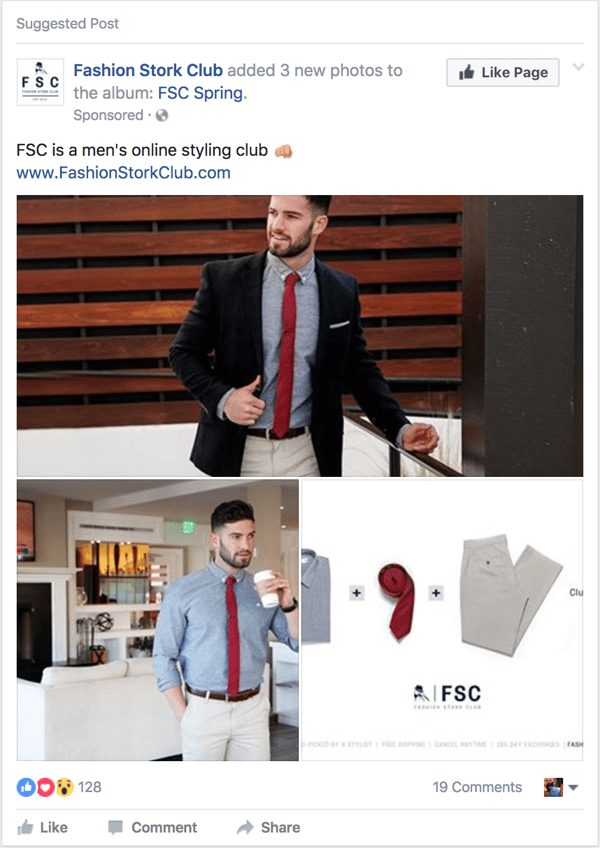
In the example below, the Fashion Stork Club ad promotes an update this company made to their Facebook photos. Notice that the add displays the post engagement (likes, comments, shares) along with the post to encourage viewers to engage with it.
The ad also features a “like page” button which allows the advertiser to generate both page likes and post engagements all in one post.
2. Instant Experience
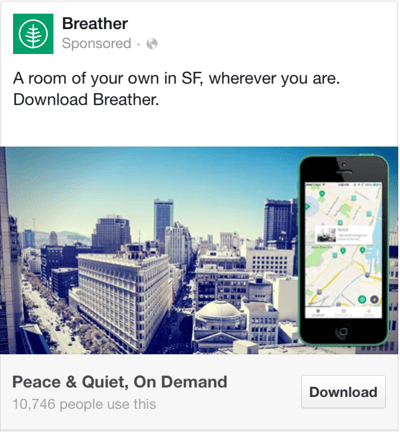
While app engagement ads are intended to highlight specific features to drive in-app engagements, app install ads are focused on generating new users. Instead of calling out specific features, app install ads are more likely to showcase the app’s core purpose and main functionality.
3. Video
The video ad features help educate your audience about your product features using video.
Videos should be the highest resolution possible in aspect ratios 9:16 or 16:9. They also need to be a minimum of one second to a max of 240 minutes. A cool thing about Facebook’s video ads is that you can upload a 360 ad, which is an immersive experience where users can drag their finger or turn their device to see an ad.
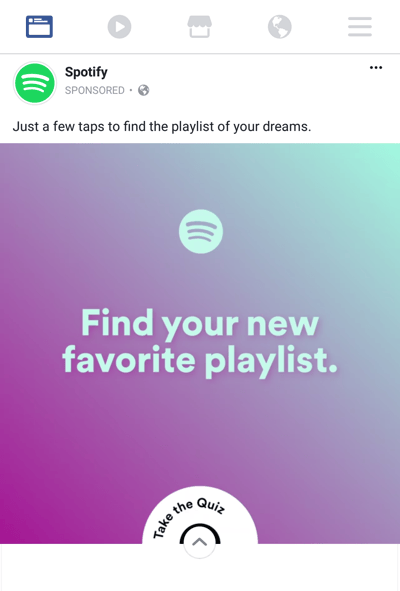
In the example above, Spotify’s ad uses a creative, colorful video that focuses on finding new music and playlists for users to enjoy. While a user might see the add and decide to sign up for Spotify immediately, Spotify used the brand awareness approach to create compelling content to draw the user’s attention.
4. Event Responses
Whether you have a new store opening or just want to boost awareness for one of your store’s existing locations, you might consider using the local awareness ad type to drive brand awareness in specific geographic regions. This ad type is largely the same as brand awareness ads, but will be more oriented and targeted via location.
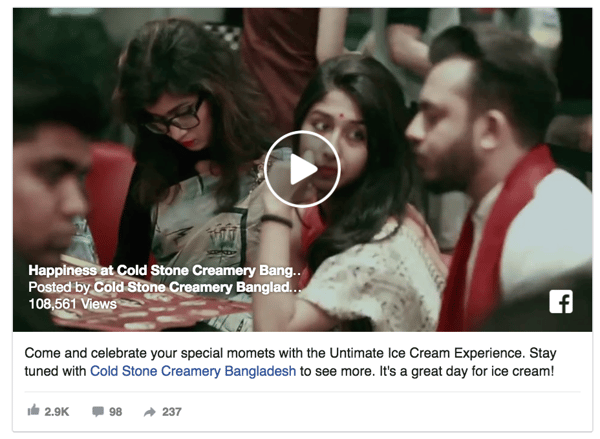
For example, Cold Stone Creamery used a local awareness ad to target people in a geographic area when their store in Bangladesh opened. Notice how in this ad, Cold Stone chose to use a video as the creative asset featured in the ad. This is a great way to engage users and entice them to stop scrolling down their newsfeed.
5. Offers
During the website conversion ads section, we touched on the fact that you could use conversion-focused offers as a landing point for your Facebook ad. That said, Facebook also allows you to set off-site offer downloads as a campaign objective.
Whether you have discounts, holiday deals, or content-specific offers to promote via Facebook ads, the offer claim objective allows you to customize your ads with calls-to-action specific to the offer. For example, you might use a “Learn More” call-to-action if you’re offering something that’s good only for the first 500 sign-ups, like in the ad example below:
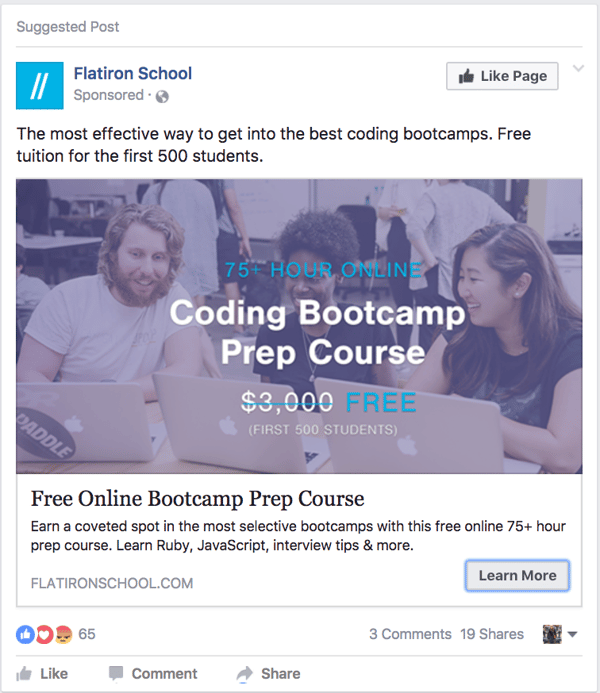
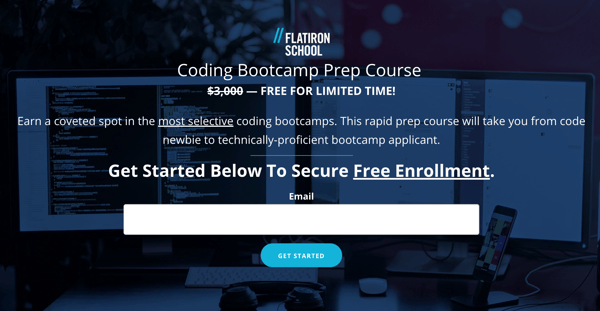
As you can see, the offer claim Facebook Ad type should lead your users directly to a sign-up page on your website where they can claim the offer you promoted.
6. Lead Generation Ads
In a traditional lead generation conversion path, users are driven to a landing page where they fill out a form. For example, you might use a Facebook offer claim ad (like we discussed in the previous section) to drive users to your website and have them fill out a form there.
The downside to this conversion path is that users are required to leave Facebook altogether once they’ve clicked on the ad to actually claim what you’re promoting. Luckily, Facebook offers the lead generation objective, which allows you to collect lead information without forcing your audience to ever leave the Facebook app.
Here’s an example that shows the conversion path the user goes through on a Facebook lead ad.
First, the user see a traditional conversion-focused ad:

Once the user clicks on the add and/or call-to-action (in this case, Sign-Up), they see this pop up within the Facebook app:
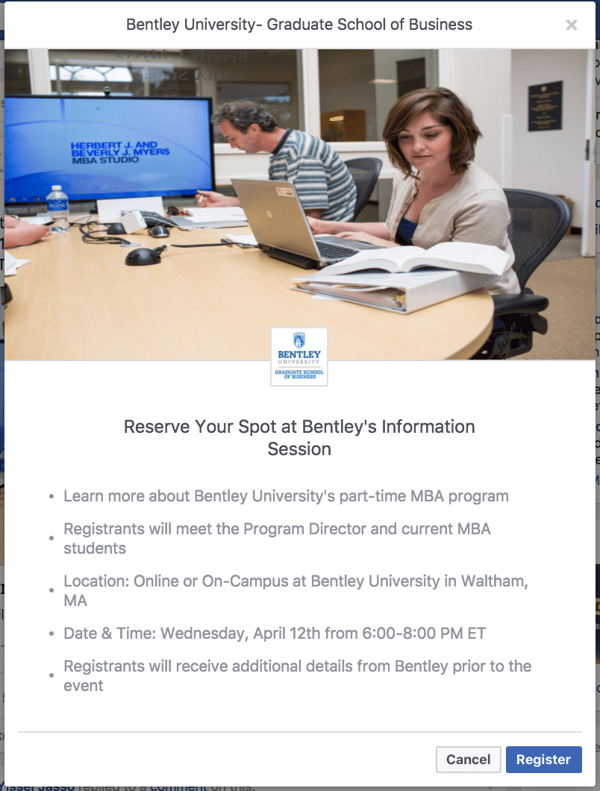
Next, the user can click the register button and see a form (of your choosing) with their information auto-filled.
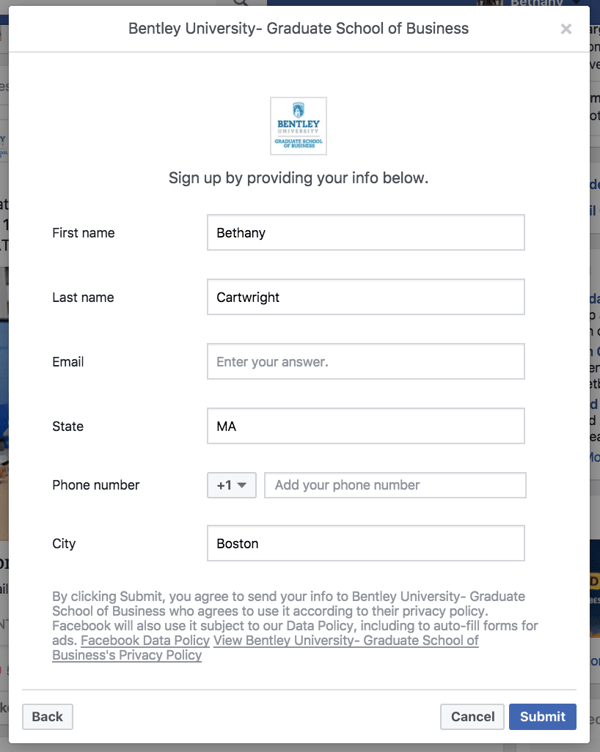
Once the user submits the form on the lead ad, they can click out of the ad and go back to browsing on Facebook. It’s a great user experience and Facebook will sync with your CRM so your leads are right where you want them.
Want more information on how to set up and successful target Facebook lead ads to the right users? Check out this comprehensive guide.
7. Page Likes
In some cases, you may want to use Facebook Ads to expand your organic reach. When this is your campaign goal, you should use the page like ad type to encourage new users to “like” your page. Once they do, they’ll be able to see your organic content when you post it.
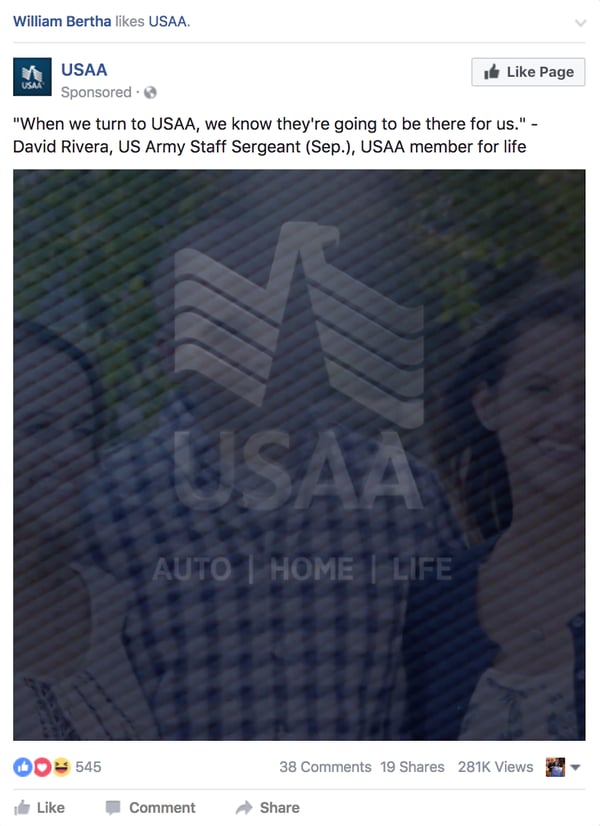
Page like campaigns are best for advertisers who put lots of effort into their social media presence and produce content specifically for their Facebook users to drive engagement.
Keep in mind, you can also ad a “like page” call-to-action option to other ad types if you want to accomplish two goals with one ad.
8. Slideshow
Slideshow ads, in Facebook’s opinion, are kind of in the video category, kind of not. Think of them as billboards: they move quickly and can give an immersive ad experience. Slideshows are an affordable alternative to video, and also provide a quick loading time, so you can capture the attention span of someone who doesn’t want to wait for videos.
These are a possible option for you if you want to quickly make ads. Facebook gives you the option of choosing from stock images and free video editing tools to make your ad spectacular. You can even choose music.
Slideshows are also great for you if you want to simplify a process that is a little bit more complex. Like Carousels, you can use quickly moving images to tell a story or sequence.
9. Carousel
Carousel ads are very diverse and Facebook hosts them on their website, Instagram, Messenger, and Audience Network. Carousels lets you show up to 10 images or videos in one ad. This expansive ad space embraces creativity.
Common ways to use carousel ads are product demos, product highlights, showcasing specs about a product, and a way to tell stories. Although they’re popular on Instagram, Carousels also have a place on Facebook, and can attract users who are into an interactive experience.
10. Collection
If you’re releasing a lot of products at once, collection ads may be something you look into, especially at the end of a campaign that drives a lot of interest. This is because collection ads lets interested buyers move from discovering your product to purchasing in a streamlined method.
Collection ads are pretty much like an online store, with a primary image of the product along with four images customers can tap through. If they decide to purchase, they can do so without leaving the platform.
11. Image
For driving visitors to your site, a quick creation process, and keeping things simple, image ads are right up your alley. They are a common form of an ad and come with fewer bells and whistles than other formats. Still, they can be extremely effective.
With a single, stunning image and little text, you can create a stunning image ad, where that picture will be the focal point. Images on Facebook gives you a format to use, with spaces to make sure your photo is incredible and you have the option to include copy.
How to Choose Which Facebook Ad Type to Use
We’ve covered all of the different Facebook Ad types campaign objectives you can use to meet your specific ads goals. But is that all encompassing? Not really.
In reality, many of the Facebook Ad type campaign objectives overlap, and you could use multiple ad types to accomplish the same objective. Additionally, Facebook has many different options for you to choose from once you pick a campaign objective, which means choosing an ad type isn’t even half of the battle.
So how do you decide which ad type to use?
1) Define your campaign goal.
Before you begin any ad campaign, you first need to determine what the goal of your campaign is. Are you trying to drive conversions on your website? Drive attendance for an upcoming event? Simply get more customers to your local store?
Don’t just come up with a campaign around which ad type you want to use. Instead, start with your own marketing needs and build your ad around it.
2) Choose relevant types you could use.
Once you’ve defined the goal of your ad campaign, take a look at the different Facebook Ad types available to you. Luckily, you already know what each of the ad types are.
Choose the type most relevant to your goals. You probably noticed Facebook has multiple ad types you could use for a single objective. If your goal is to drive downloads for an ebook, for example, you could use any one of the following options:
- Clicks to Website
- Website Conversions
- Lead Generation
- Offer Claims
3) Narrow down your options.
Once you’ve chosen which ad types are most applicable to your needs, choose the one you think will work best for you campaign. Or, use the same creative, copy, and targeting options to set up a campaign test using different ad types and see if one performs better than the other.
4) Write copy and create assets.
One great feature of Facebook’s Ads Manager tool is the wide range of creative and layout options you have available to you. Not only can you choose between image, video, photo grid, and carousel layouts, you can also customize your ads for mobile and desktop audiences.
Facebook also has lots of different calls-to-action you can use on your ads, or you can choose not to use one at all! As you run different ad campaigns, make sure to test and analyze what works best for your audience.
5) Use different ad types for different campaign goals.
Don’t just stick to one ad type for all of your campaigns. Instead, make sure you’re optimizing your ads for the right campaign objectives. Try out different Facebook Ad types and different ad campaigns to optimize your ad strategy for your audience.
6) Target the right audience.
Creating the draft of your ad is only half the battle. The other half is figuring out how to target the right audience for your ads campaign.
Luckily, our free guide to Facebook Lead Ads has an in-depth section on how to set up your targeting strategy for any ad campaign you run.
7) Test, analyze, and repeat.
Once you’ve defined your campaign objective, selected your ad type, created your ad, and targeted the right audience, it’s time to analyze your results.
Remember: digital advertising is all about testing, analyzing, and optimizing future ad campaigns over time. Make sure you follow this important final important step, and you’ll be on your way to implementing a high-ROI ads strategy in no time.
You may be wondering, “Okay, which Facebook Ad type should I definitely try right away?
We just put together this in-depth guide on Facebook Lead Ads. It’ll help you learn everything you need to know about optimizing lead generation ads that allow users to submit forms to you without ever leaving Facebook. Check it out here or click the banner below.

10 Logo Design Trends to Watch for in 2020 [Infographic]
We demand a lot from logos.
They have to be simple, yet still convey the ethos of the brand in a way that resonates with consumers. They have to be timeless and distinct, but still modern and consistent with contemporary graphic design trends.
It’s a lot to ask of a single symbol. As any designer will surely tell you, designing a logo that meets these varied expectations is no easy task.
To help you prepare for the new year, Logaster created the infographic below detailing their predictions for the most influential logo design trends of 2020. Keep an eye out for these design approaches in the coming year:


25 Case Study Examples Every Marketer Should See
The saying “lead by example” is important in politics and leadership roles — and it’s also critical in marketing.
Sure, you can tell potential customers your marketing team is the best at running YouTube campaigns or effectively increasing a website’s cost-per-acquisition (CPA), but until you offer examples, they’re going to have a hard time believing you.
What is a case study?
A case study is a detailed story of something your company did. It includes a beginning — often discussing a conflict, an explanation of what happened next, and a resolution that explains how the company solved or improved on something. A great case study is also often filled with research and stats to back up points made about a project’s results.
Putting together a compelling case study is one of the most powerful strategies for showcasing your marketing skills and attracting future customers. But it’s easier said than done — you’ve executed the campaign, you’ve collected the results, now what?
To help you create an attractive and high-converting case study, we’ve put together a list of some of our favorites. Take a look, and let these examples inspire your next brilliant case study design.
Case Study Examples
1. “Shopify Uses HubSpot CRM to Transform High Volume Sales Organization,” by HubSpot
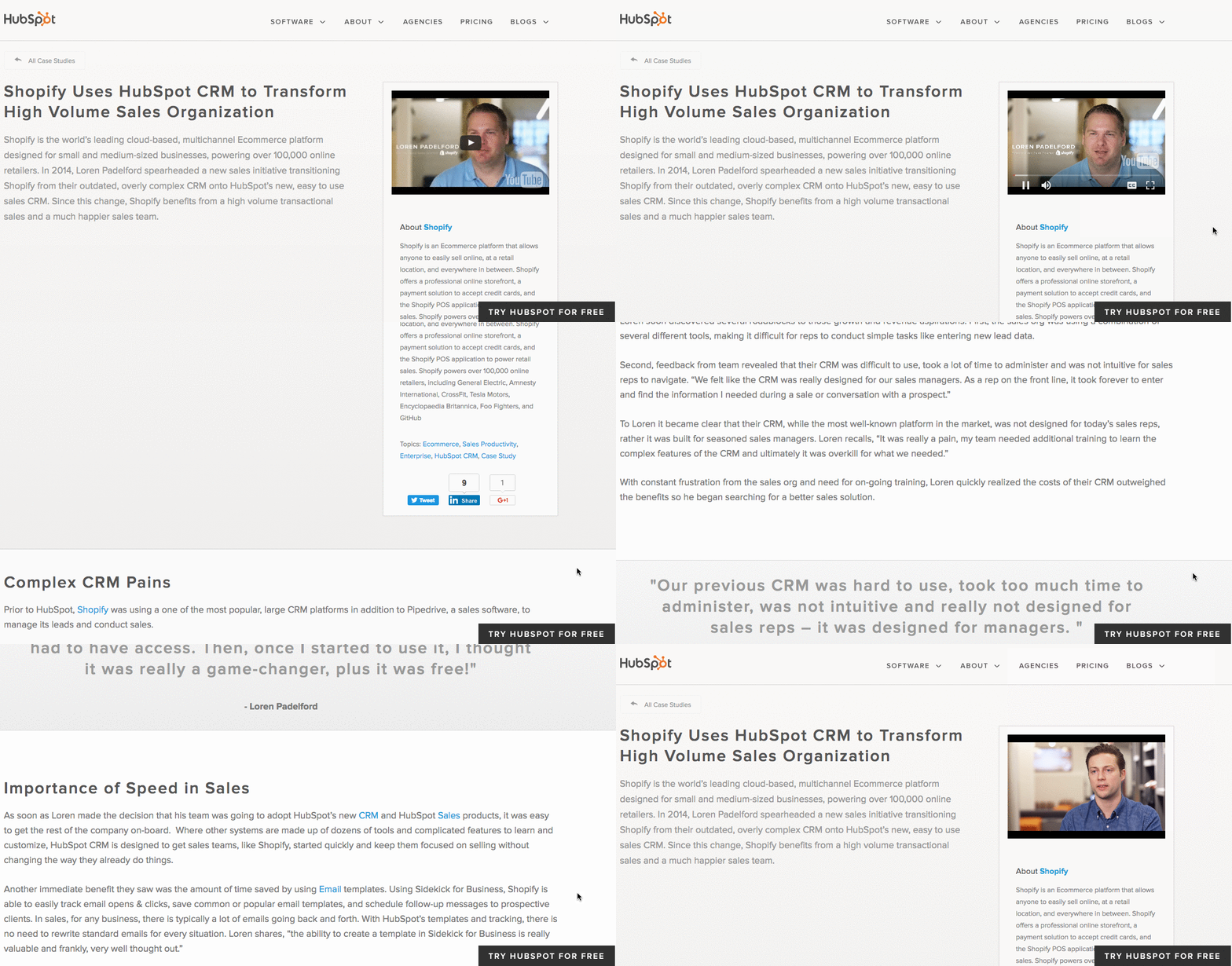
What’s interesting about this case study is the way it leads with the customer. That reflects a major HubSpot credo, which is to always solve for the customer first. The copy leads with a brief description of why Shopify uses HubSpot, and is accompanied by a short video and some basic statistics on the company.
Notice that this case study uses mixed-media. Yes, there is a short video, but it’s elaborated upon in the additional text on the page. So while your case studies can use one or the other, don’t be afraid to combine written copy with visuals to emphasize the project’s success.
2. “Designing the Future of Urban Farming,” by IDEO
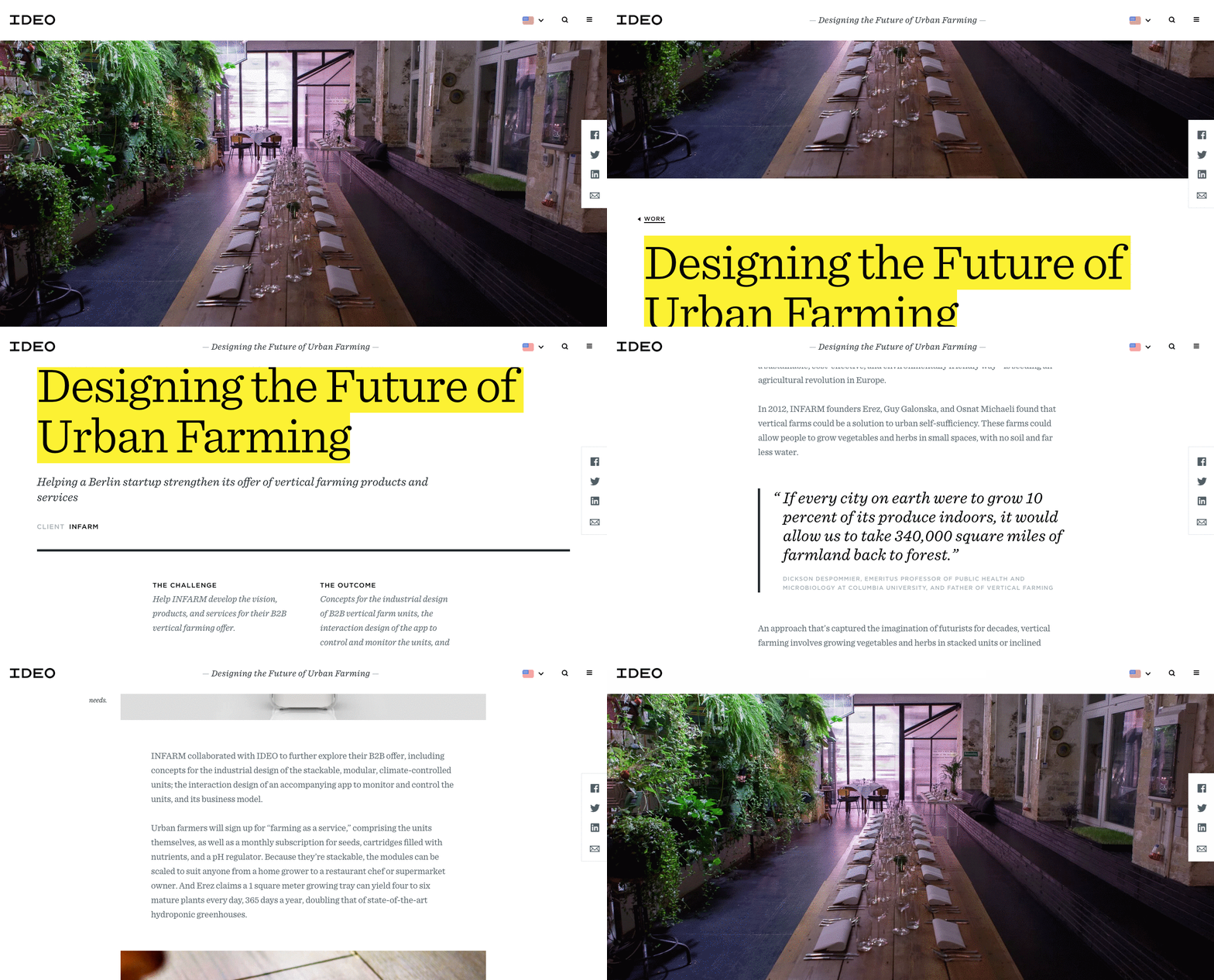
Here’s a design company that knows how to lead with simplicity in its case studies. As soon as the visitor arrives at the page, he or she is greeted with a big, bold photo, and two very simple columns of text — “The Challenge” and “The Outcome.”
Immediately, IDEO has communicated two of the case study’s major pillars. And while that’s great — the company created a solution for vertical farming startup INFARM’s challenge — it doesn’t stop there. As the user scrolls down, those pillars are elaborated upon with comprehensive (but not overwhelming) copy that outlines what that process looked like, replete with quotes and additional visuals.
3. “Secure Wi-Fi Wins Big for Tournament,” by WatchGuard
Then, there are the cases when visuals can tell almost the entire story — when executed correctly. Network security provider WatchGuard is able to do that through this video, which tells the story of how its services enhanced the attendee and vendor experience at the Windmill Ultimate Frisbee tournament.
4. “Customer Case Study: ElliotLee Estate Agents” by Pioneer Business Systems
In 2018, 45% of people watch more than an hour of Facebook or YouTube videos a week. A video case study could be a compelling way to attract potential customers who prefer watching a video over reading text. Additionally, a video allows you to convey customer emotion. This case study by Pioneer Business Systems, for instance, allows viewers to see firsthand the effects Pioneer’s telephone system had on their clients, ElliotLee Estate Agents. It includes text, as well, to thoughtfully organize and break-up the video into sections.
5. “Sapio User Acquisition Case Study” by Fractl
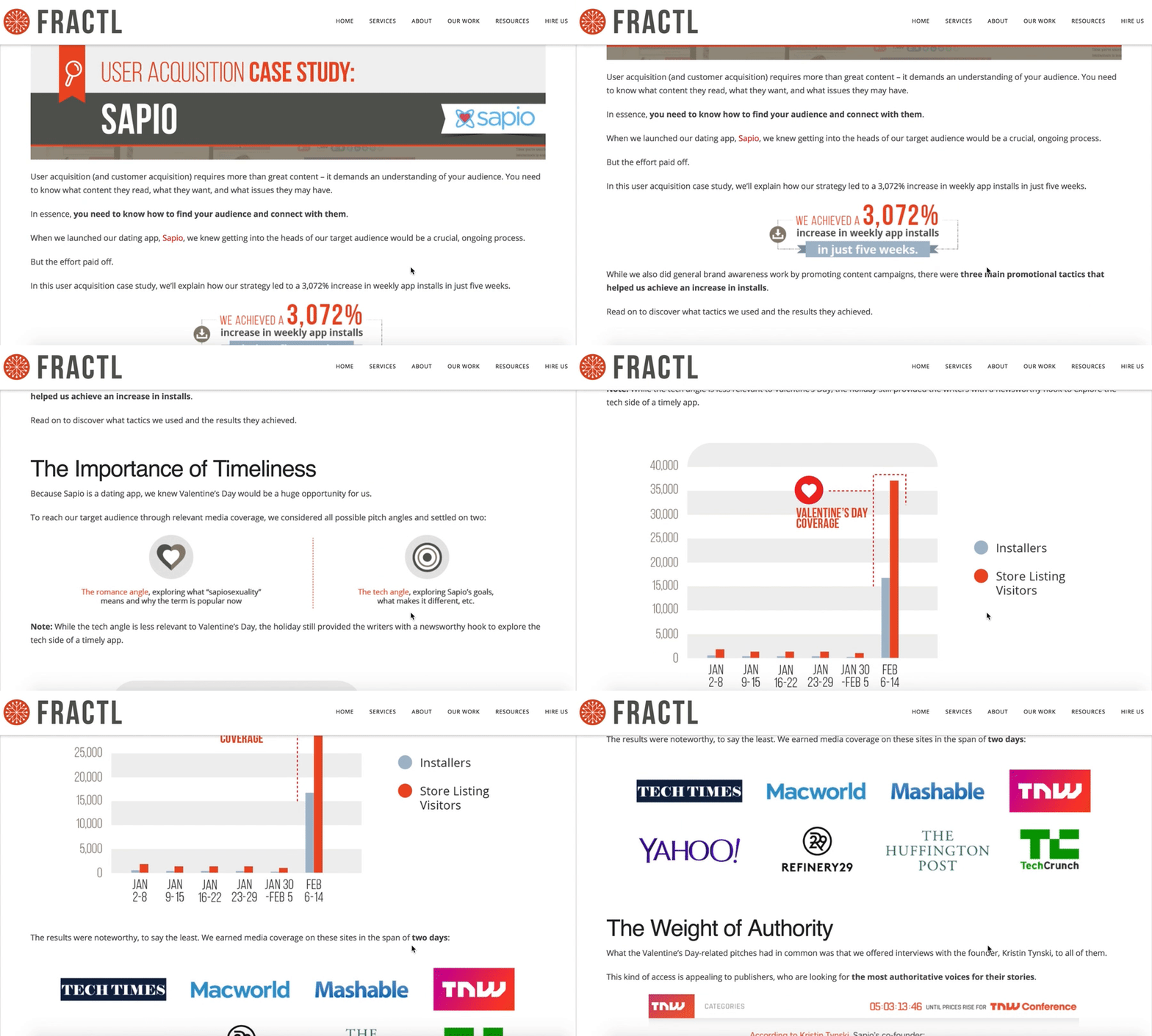
Fractl uses both text and graphic design on their Sapio case study web page to immerse the viewer in a more interesting user experience. For instance, as you scroll, you’ll see the results are illustrated in an infographic-design form as well as the text itself. Further down the page, they use icons like a heart and a circle to illustrate their pitch angles, and graphs to showcase their results. Rather than writing which publications covered their news story, they incorporated the media outlet’s icons for further visual diversity.
6. “USA Today” by Fantasy
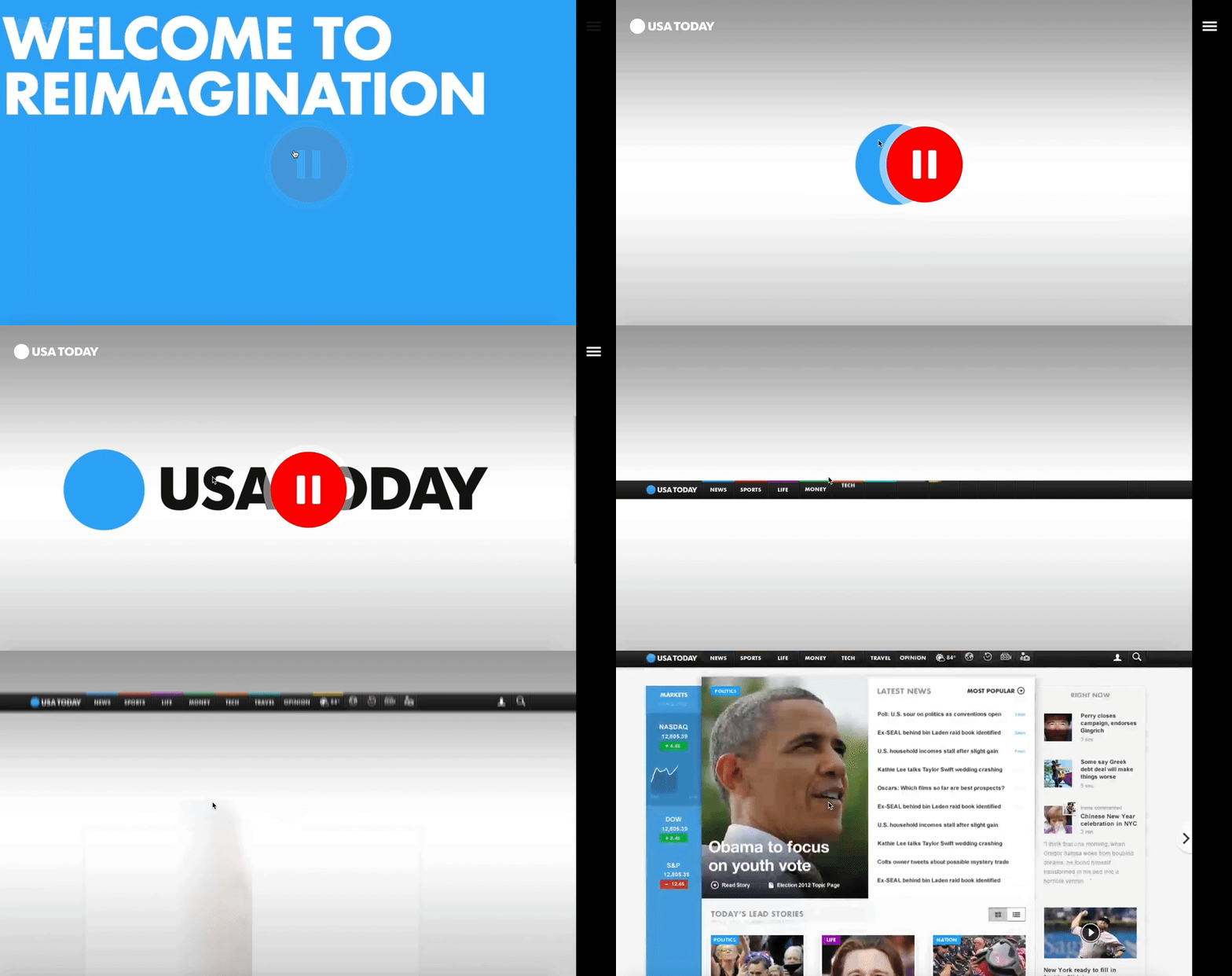
What’s the best way to showcase the responsiveness and user interface of a website? Probably by diving right into it, via video — which is exactly what Fantasy does on their case study page for USA Today. They keep the page simple and clean, with a large red play button embedded at the top, inviting you to review their redesign of USA Today’s website via video. The video itself is simple, showing the website’s interface and clicking on various links with simple instrumental music in the background.
If you’re more interested in text, you can scroll to find their goal, “make USA Today’s website responsive”, in one short paragraph, followed by a simple “1” icon, with the text “Became the most visited US News site.” Fantasy understands that, as a potential customer, this is all you need to know. Scrolling further, you’re greeted with a simple “Contact Us” CTA.
7. “Coca-Cola Uses App Annie to Amaze & Delight Customers” by App Annie.
(embed link: https://www.youtube.com/watch?v=sHo0SnZFTMw)
A video is a phenomenal way to grab a viewer’s attention, but in our video-heavy world today, it can be hard to keep potential customers’ eyes on the screen. To combat this, App Annie’s case study of Coca-Cola includes drawings and text to highlight what Greg Chambers, Coca-Cola’s Director of Innovation, is talking about on-screen. They also occasionally cut away from his face to include full-screen text. By incorporating graphic designs and text in their video, App Annie encourages viewers to stay engaged.
8. “How One Ecommerce Business Solved the Omnichannel Challenge with Bitly Campaigns” by Bitly
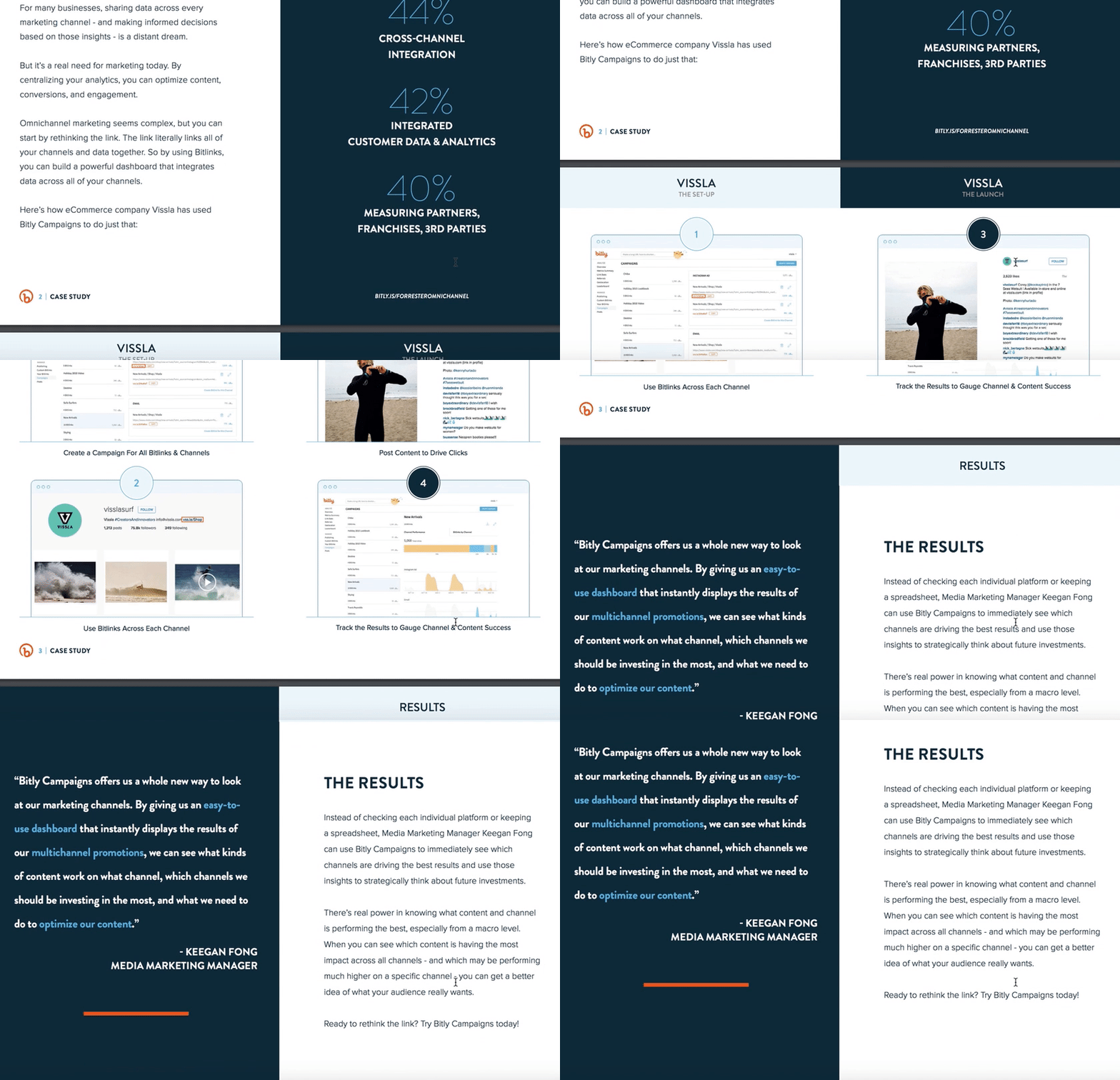
Bitly takes a different approach to text-heavy case studies, by providing their case study of ecommerce company Vissla in PDF form. The case study is clean and easily scannable, with sections divided into “The Goal”, “Top Omnichannel Obstacles”, and images of “The Set-Up” and “The Launch.” The downloadable PDF format makes the case study feel like an exclusive behind-the-scenes look, and uses colors and text that align with Bitly’s brand. Since the PDF opens in a separate browser, it’s easier for the viewer to avoid distractions as they scroll the pages.
9. “How Social Media Insights Turned Around Lexus’ Holiday Campaigns” by Infegy
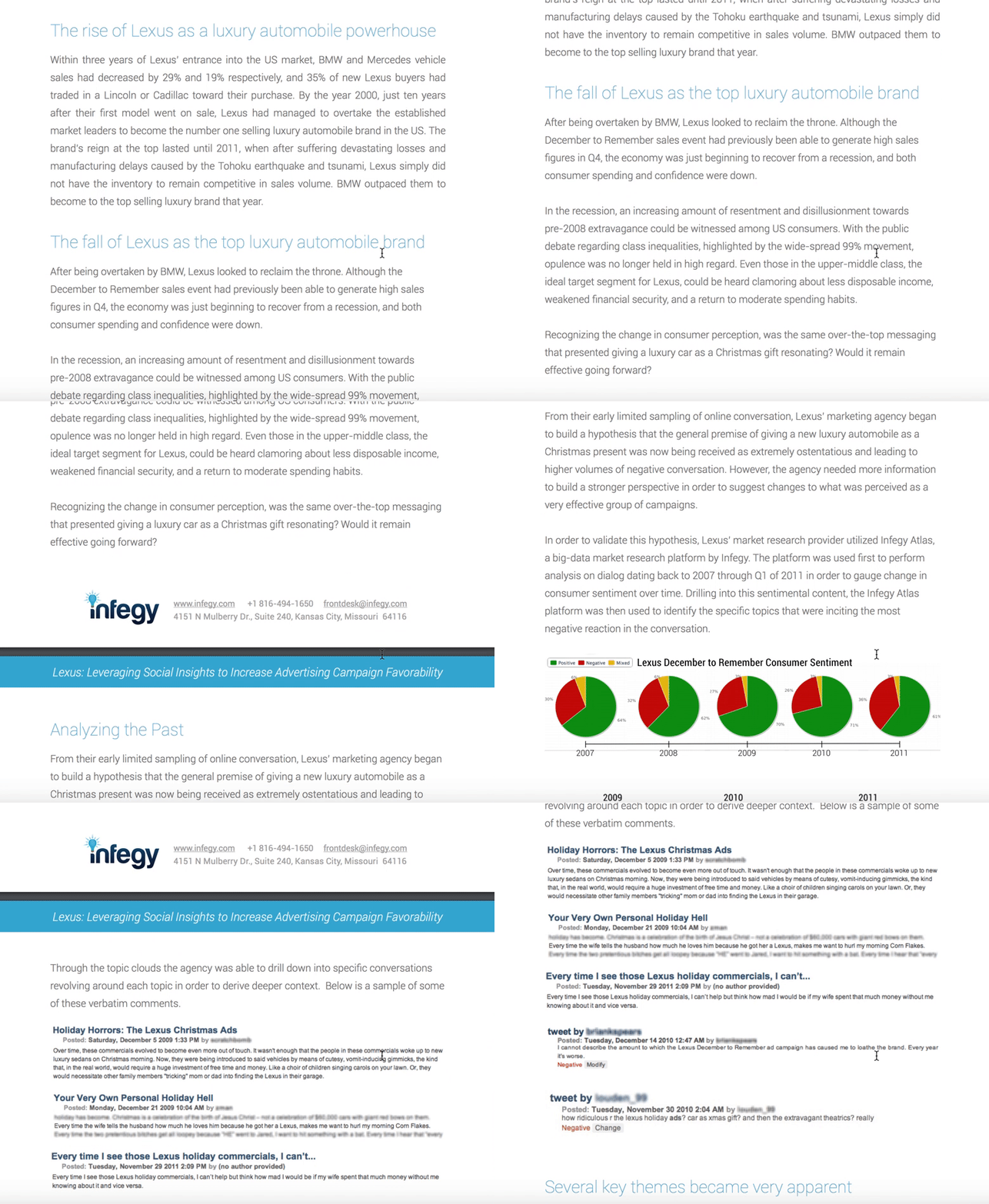
It can be risky to include hurdles to your case studies, but with great risk comes great reward, right? In Infegy’s case, their gated content is worth the fill-out form information, particularly since their client is such a big name in the automobile industry: Lexus. The PDF case study reads like a compelling news article, including titles like “The Rise of Lexus” and “The Fall of Lexus”, colorful pie charts, and real online comments from customers who were unhappy with Lexus’ old holiday ads. The PDF is six pages but features big font and plenty of white space, so viewers can easily skim it in only a few minutes.
10. “Fiesta Bowl” by OH Partners
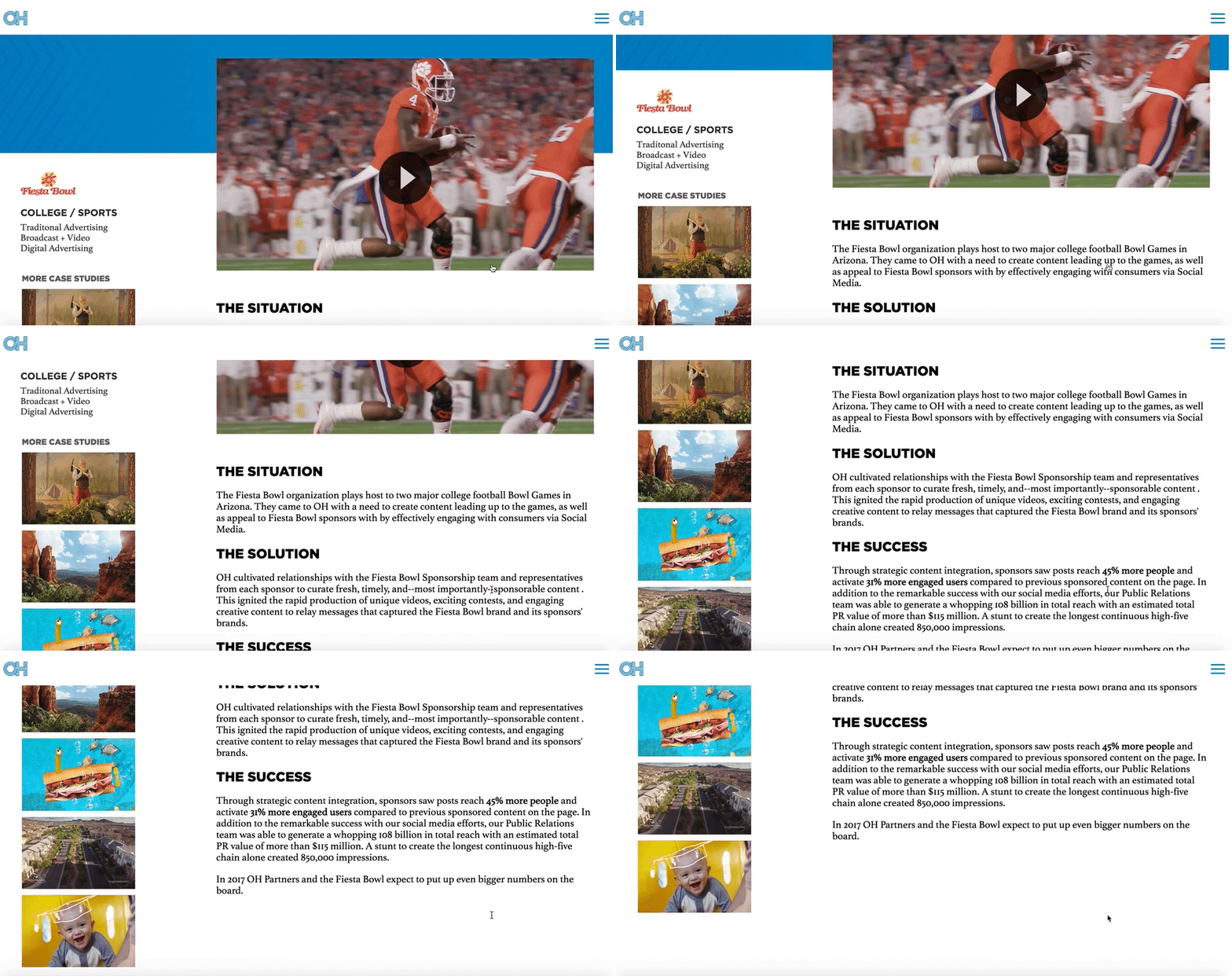
OH Partners doesn’t let superfluous details distract from the most important themes of their case study — “The Situation”, “The Solution”, and “The Success”. Each one of their case studies, including this Fiesta Bowl one, is organized into those three categories, with a video at the beginning followed by a few large font, easily skimmable paragraphs.
Best of all, OH Partners puts other case studies on the left side of the page, with highly enticing visuals to ensure a potential consumer can continue perusing the case studies until they’re confident in OH Partner’s track record.
11. “The Gifted Day” by Digitas
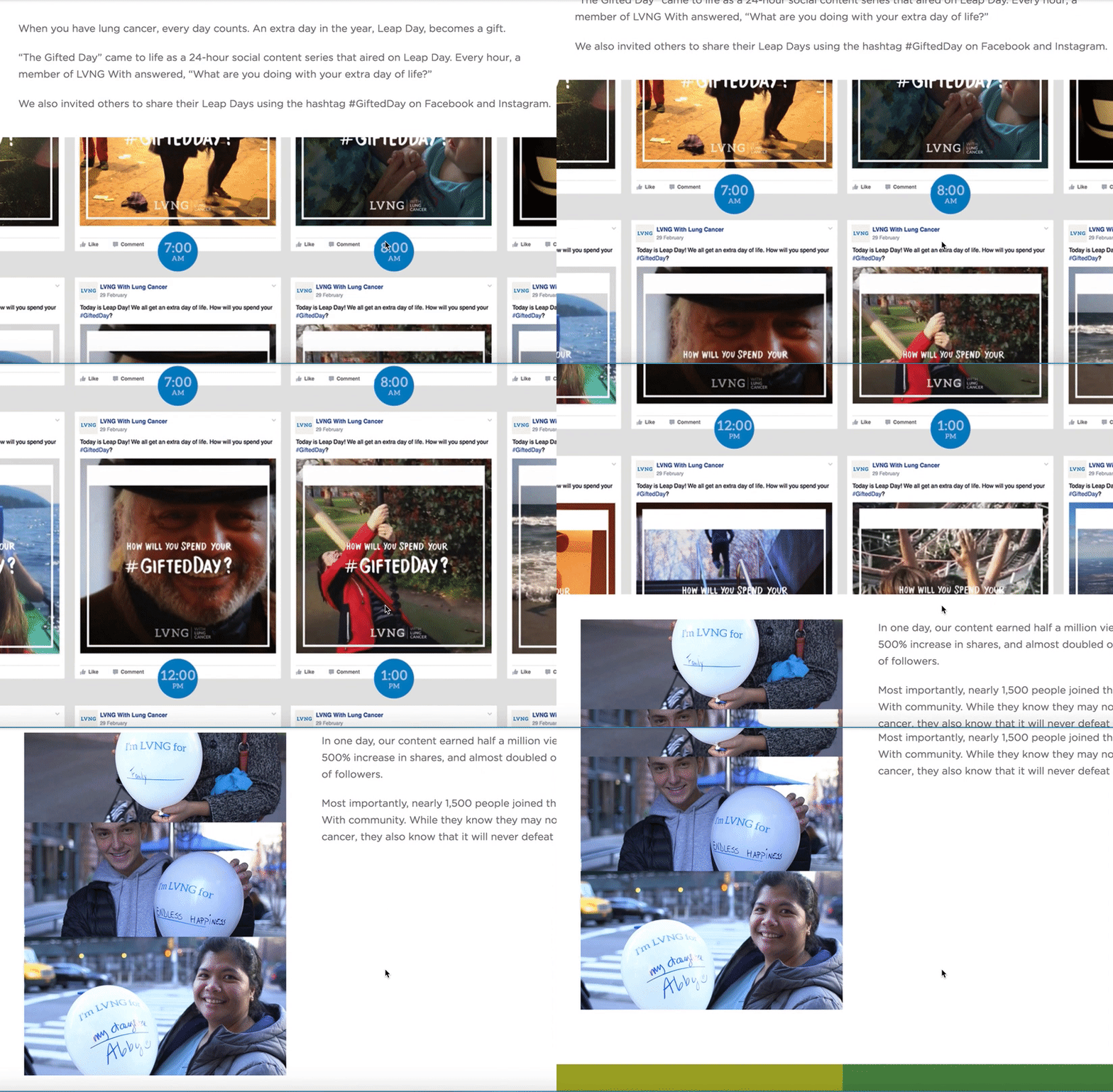
Digitas’ case study page for LVNG With, a cancer support community created by AstraZeneca, is one of the more emotionally moving campaigns in our list and might even evoke a few tears. The page begins with a heart-wrenching video of all the moments — a grandmother holding her grandchild, someone riding a roller coaster — that “weren’t supposed to happen”, exemplifying the enormous gift a single day could be to a terminal patient. Scrolling down, it’s obvious that Digitas kept AstraZeneca at the forefront of their strategy, but more than that, they used real people as their focal point.
12. “Wine.com” by RichRelevance
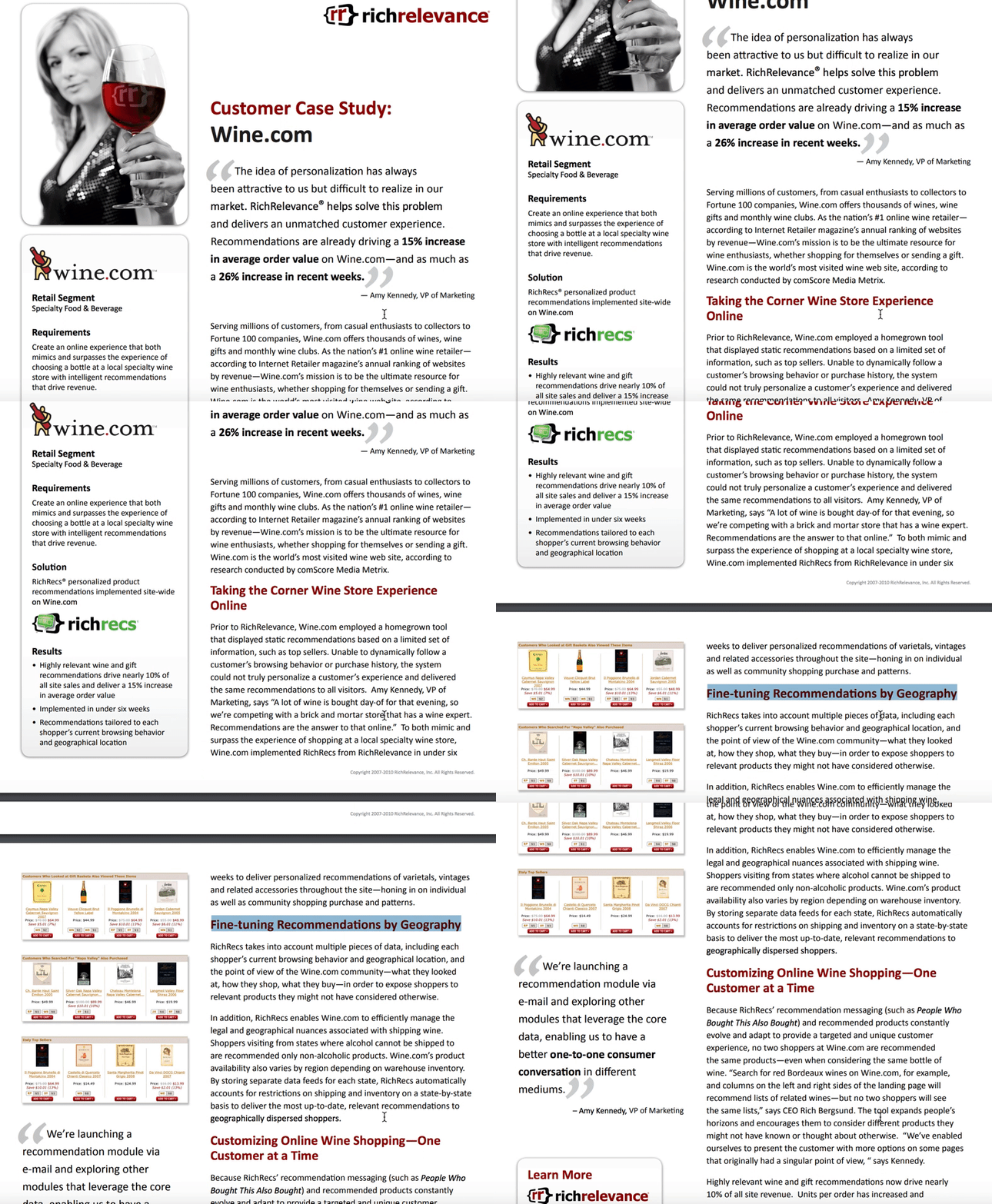
What first attracted me to RichRelevance’s Wine.com case study was the box on the left-side that quickly summed up the case study, including requirements, solution, and results. Adding an abridged version to a case study enables you to attract a larger audience, by offering a quick-read for those short on time, and a longer version for those interested in the details. RichRelevance’s case study also offers an impressive amount of information for those wanting to understand the nuances of their strategy, including a section titled “Fine-tuning Recommendations by Geography”.
13. “Synapse Innovation” by Uniface
SlideShare is a platform that allows you to encourage engagement from your viewers — which is likely why Netherlands-headquartered Uniface chose to use a SlideShare for their customer case study. As you click to the right you’re able to easily read their process from challenge to solution, and they provide a link to the full case study, and their social media accounts, on the last slide. Since each slide only needs a few lines of text, the SlideShare feels especially digestible.
14. “StyleHaul” by Asana
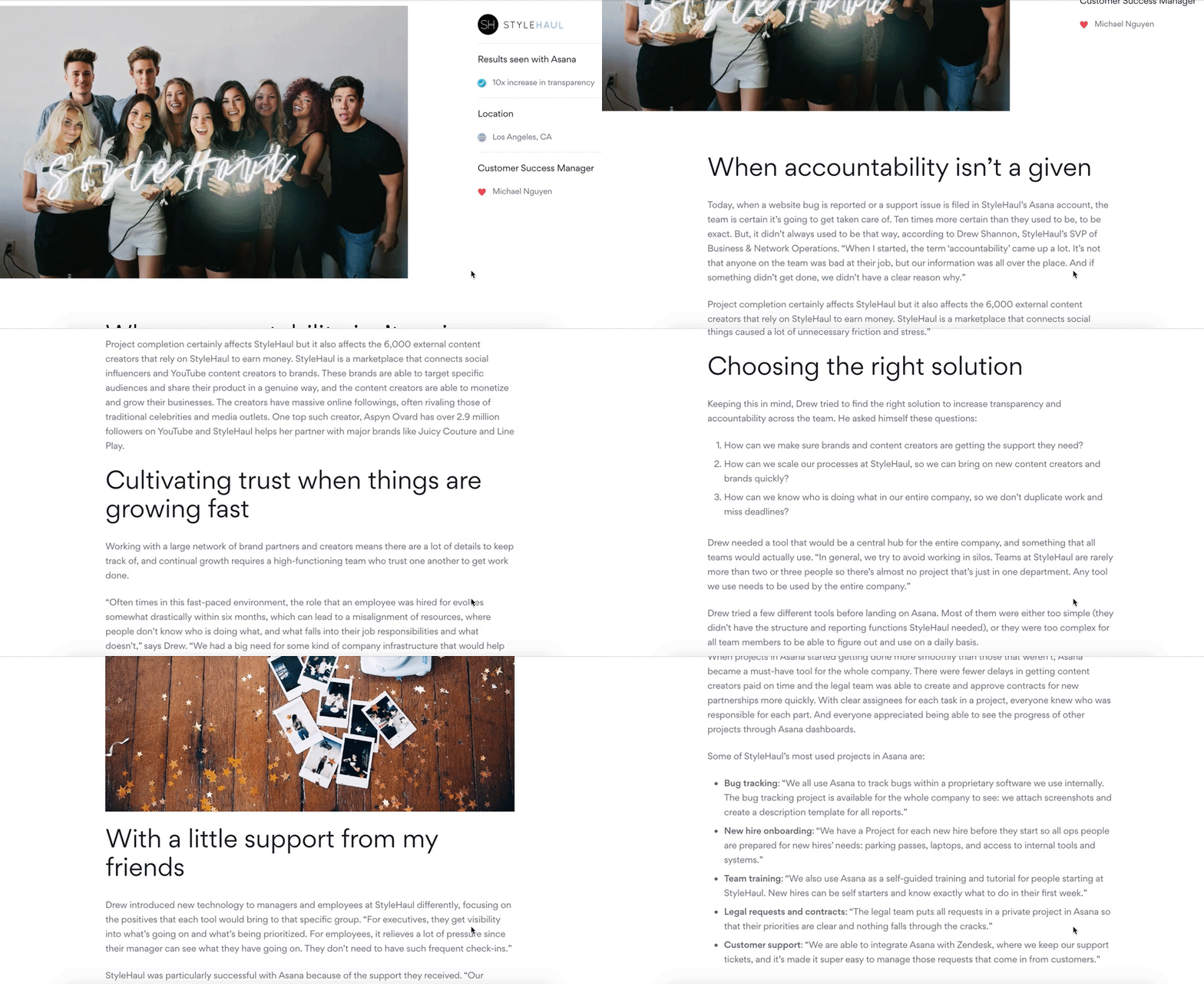
While Asana’s case study design looks initially text-heavy, there’s good reason — it reads like a creative story, and is told entirely from the customer’s perspective. For instance, Asana knows you won’t trust their word alone on their impressive customer service, so they let StyleHaul’s SVP of Business & Network Operations, Drew, tell you instead: “Our Customer Success Manager, Michael, was amazing. If I had a question, I wasn’t put into a queue—I could get it answered right away.” The entire case study reads like an in-depth interview, and captivates the reader through creative storytelling.
15. “Patagonia” by Amp Agency

Amp Agency’s Patagonia marketing strategy aimed to appeal to a new audience through guerilla marketing efforts and a coast-to-coast roadtrip. Their case study page effectively conveys a voyager theme, complete with real photos of Patagonia customers from across the U.S., and a map of the expedition. Personally, I liked Amp Agency’s storytelling approach best, which captures viewers’ attention start-to-finish simply because it’s an intriguing and unique approach to marketing.
16. “Budweiser Influencer Marketing Case Study” by Anomaly
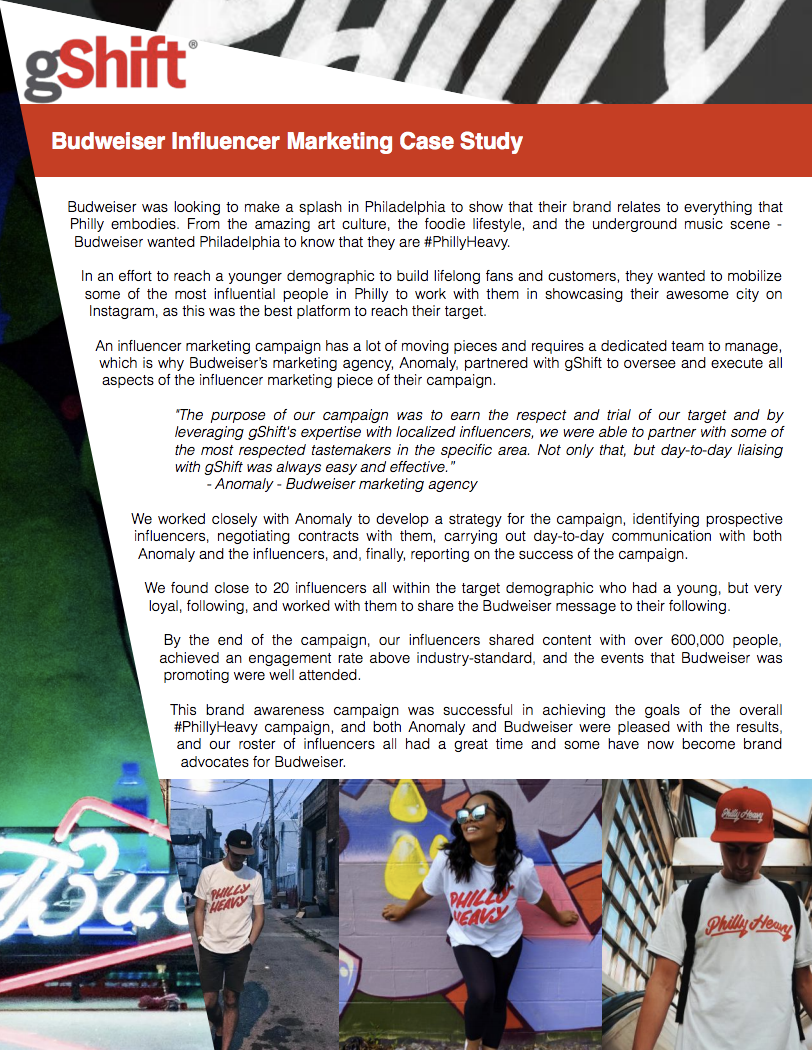
Budweiser’s one page, poster-esque case study is a good reflection of a brand knowing its audience. Anomaly’s case study for Budweiser appears edgy and modern, with a design that playfully pushes the text to the right as it showcases pictures of social media influencers wearing a campaign-related t-shirt. Both the top and the bottom of the page are eye-catching, and the text itself is simple and straightforward.
17. “Clinique” by AdRoll
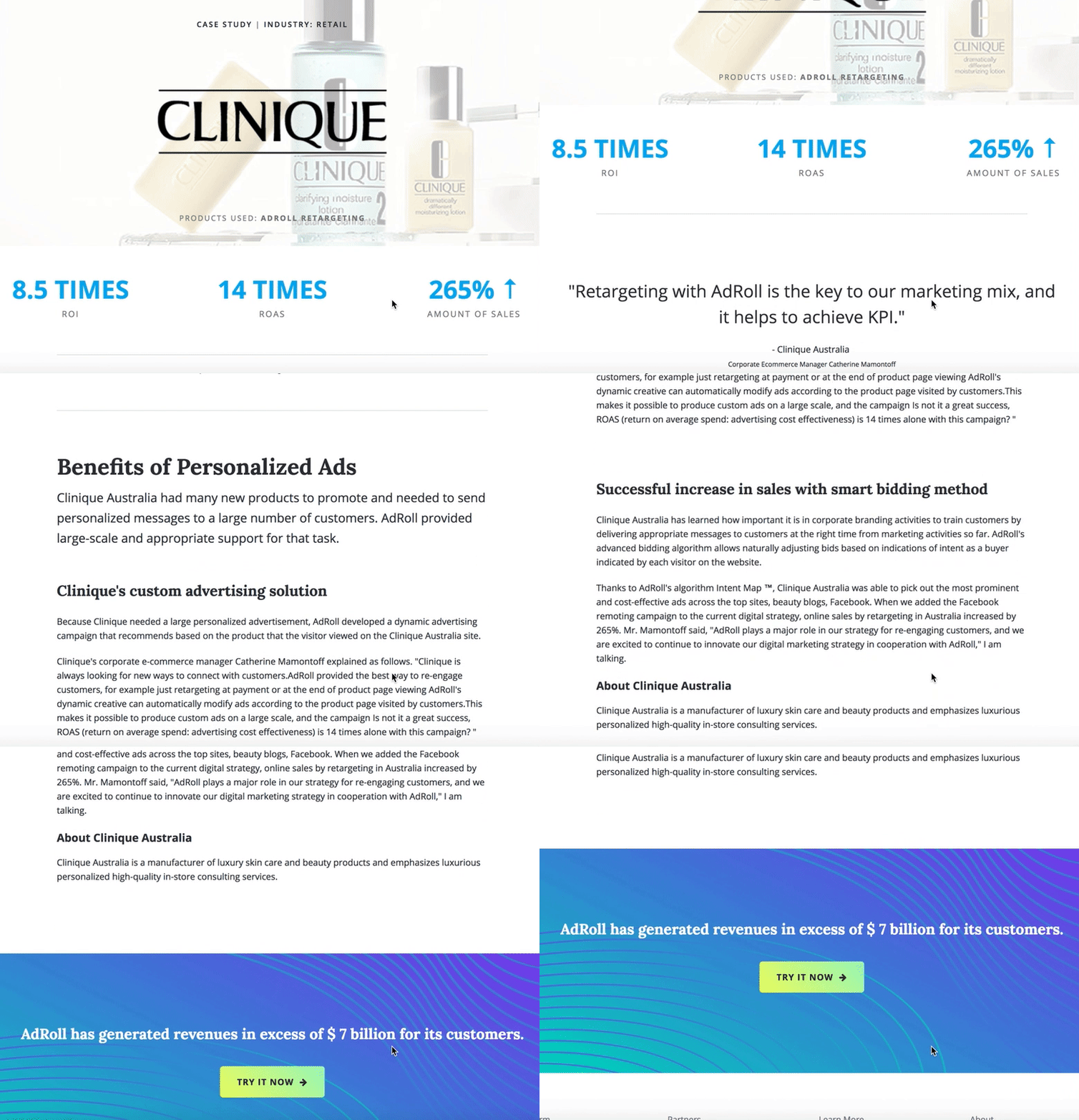
Sometimes, starting with the results is the best way to capture your readers’ attention. In Clinique’s case study, AdRoll does just that, beginning with some impressive numbers: “8.5 Times ROI, 14 Times ROAS, 265% Amount of Sales”. Once it has boldly outlined their results, AdRoll smartly pulls back to discuss the “Benefits of Personalized Ads”, letting the viewer consider how these same benefits might help their own company.
The page is short and sweet and ends with a compelling call-to-action — “AdRoll has generated revenues in excess of seven billion for its customers. Try it now.” The clean, whitespace-heavy page is an effective example of using a case study to capture future leads.
18. “TEXTCARE” by The George Institute
The George Institute chose to display the case study for their program, TEXTCARE, in a documentary-style video with real people discussing how TEXTCARE helped them become healthier and more active. If your case study results benefited people, there’s likely no better way to showcase that than through on-screen interviews.
19. “Reclaiming The Identity of a Brand: A Levi’s Case Study” by Levi
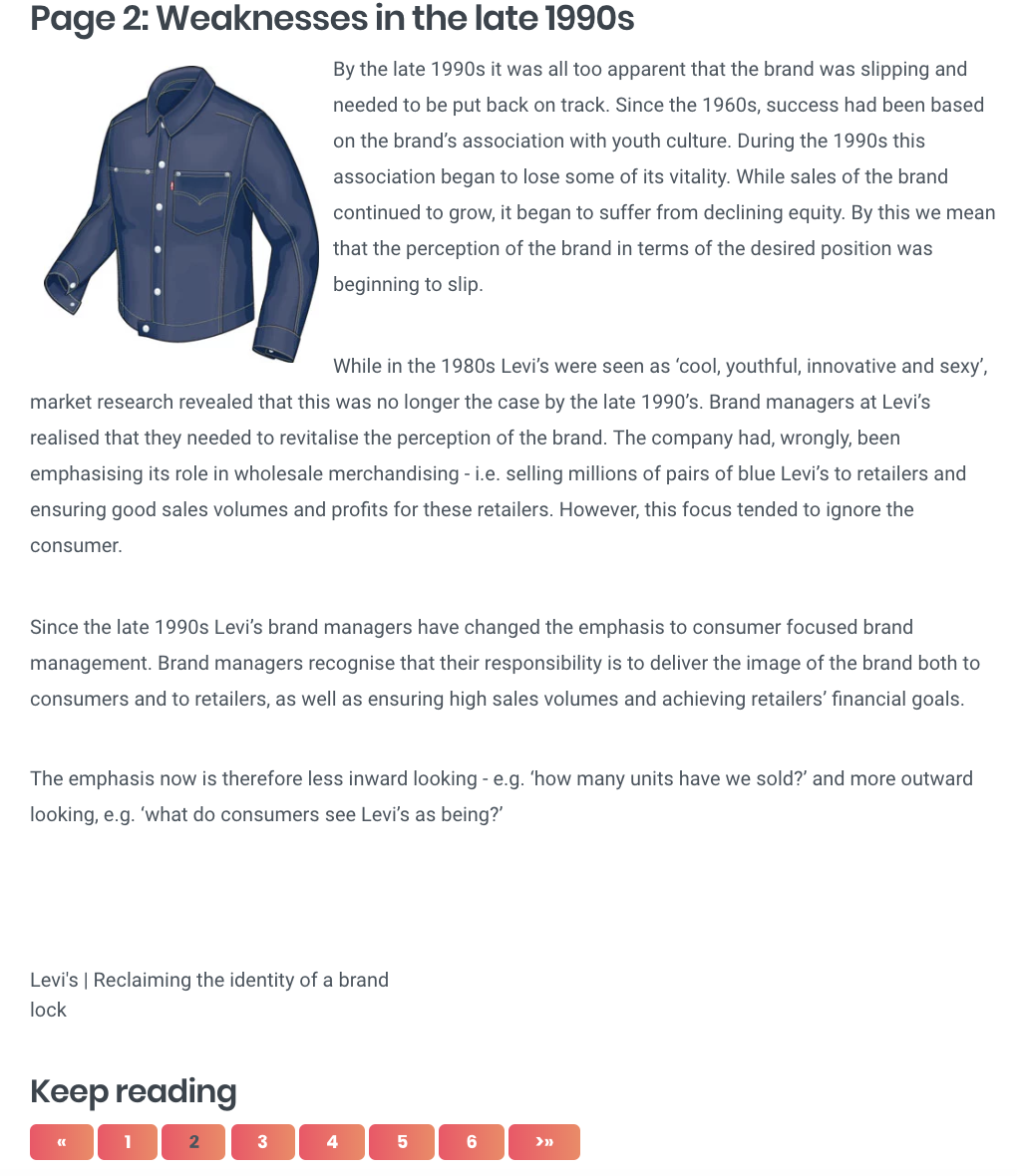
If you’ve got a case study with dense text, one of the more creative solutions to breaking it up could be to organize it by pages. Levi’s case study uses this method — their page one, for instance, is labeled “Introduction”, while page two is labeled “Weaknesses in the late 1990s”. Each page tackles a different topic, and the design makes it feel more like reading a book than a business article.
20. “Red Sox Season Campaign” by CTP
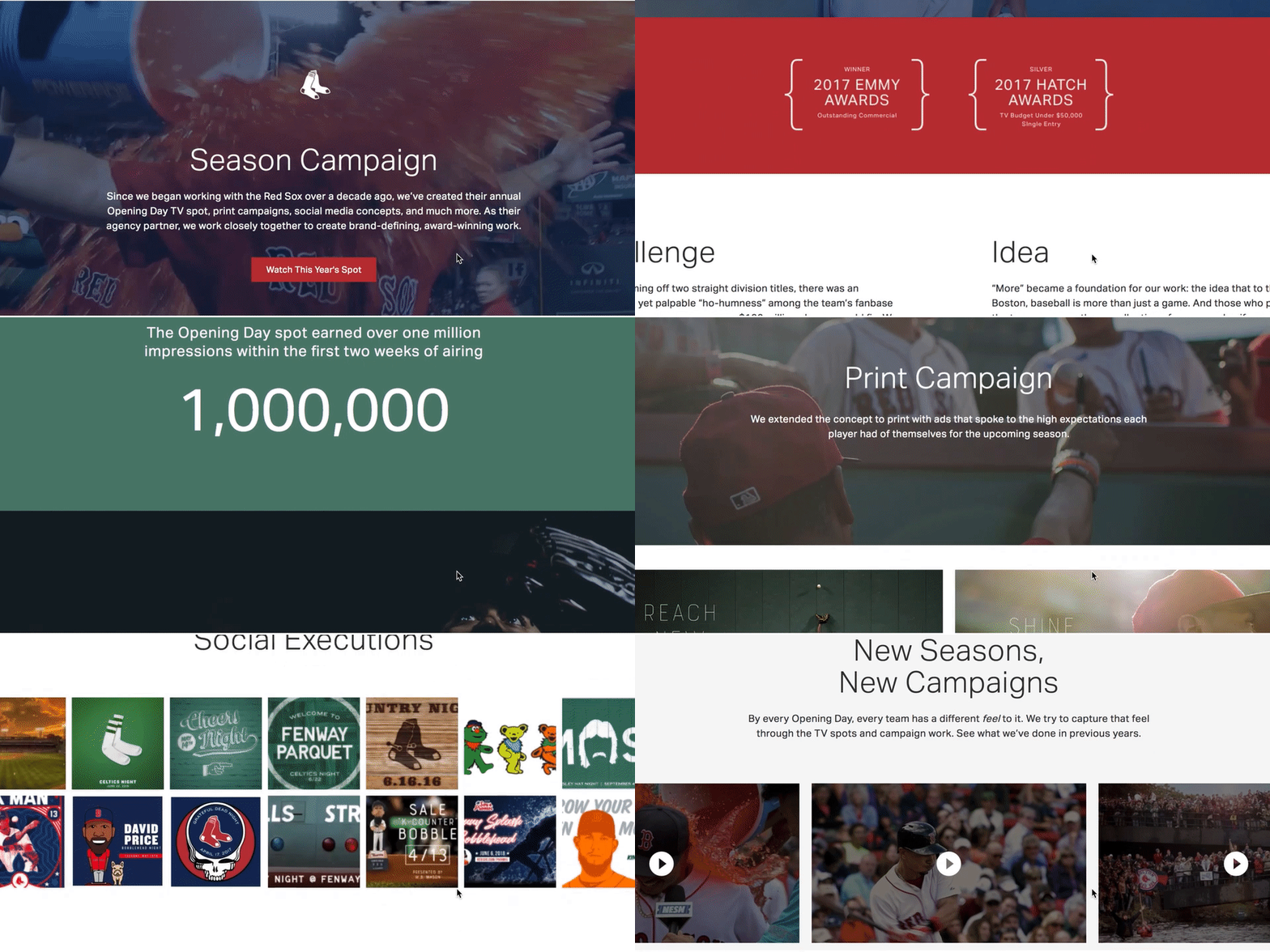
What’s great about CTP’s case study page for their Red Sox Season Campaign is their combination of video, images, and text — a video automatically begins playing when you visit the page, and as you scroll, you’ll see additional embedded videos of Red Sox players, a compilation of print ads, and social media images you can click to enlarge. At the bottom, it says “Find out how we can do something similar for your brand.” The page is clean, cohesive, and aesthetically-pleasing, inviting viewers to appreciate the well-roundedness of CTP’s campaign for Boston’s beloved baseball team.
21. “BIC: Bringing One Stop Shopping to BIC Razors” by Genuine
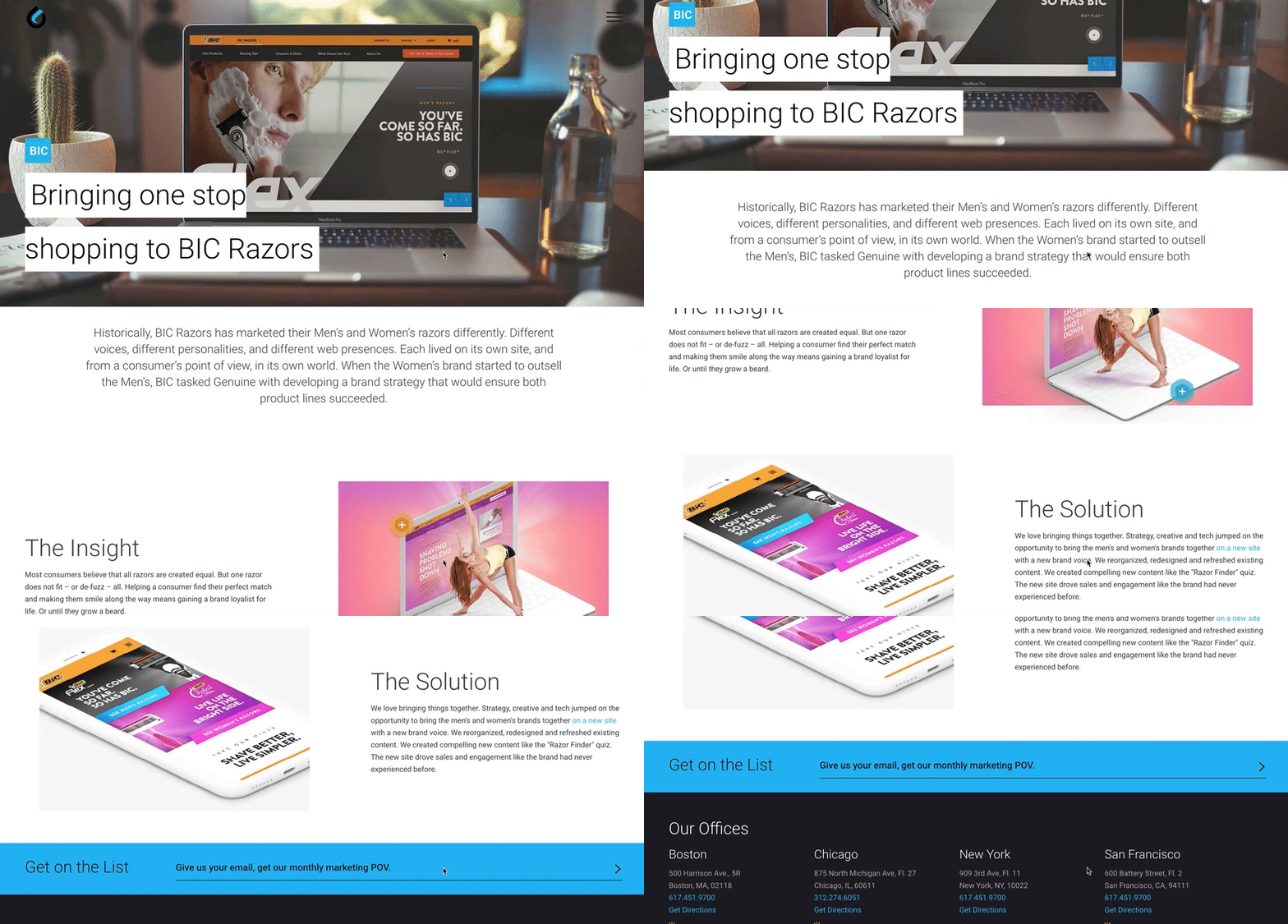
Sometimes, simple is key. Genuine’s case study for BIC razor’s is straightforward and minimal, with only two short paragraphs, “The Insight” and “The Solution”, accompanied by two images. The simplicity of the page allows the reader to focus on the sense of humor in the text, like “Helping a consumer find their perfect match and making them smile along the way means gaining a brand loyalist for life. Or until they grow a beard.” The page displays Genuine’s brand personality well, while offering the viewer all the necessary information they’d need.
22. “Cisco Systems: Velocity to Value” by Apptio

An attention-grabbing title is one of the easiest, yet most effective, ways to help your case study stand out — like Apptio’s Cisco Systems case study, titled “Velocity to Value: A Mature IT Services Transformation Enables IT to Continually Simplify and Innovate.” The piece is well-organized and uses compelling headers to keep the reader engaged, and offers a side panel for viewers who just need the bullet points. Despite its length, Apptio’s case study is appealing enough to keep viewer’s attention.
23. “Airbnb’s Custom 360-view of the Customer” by Zendesk
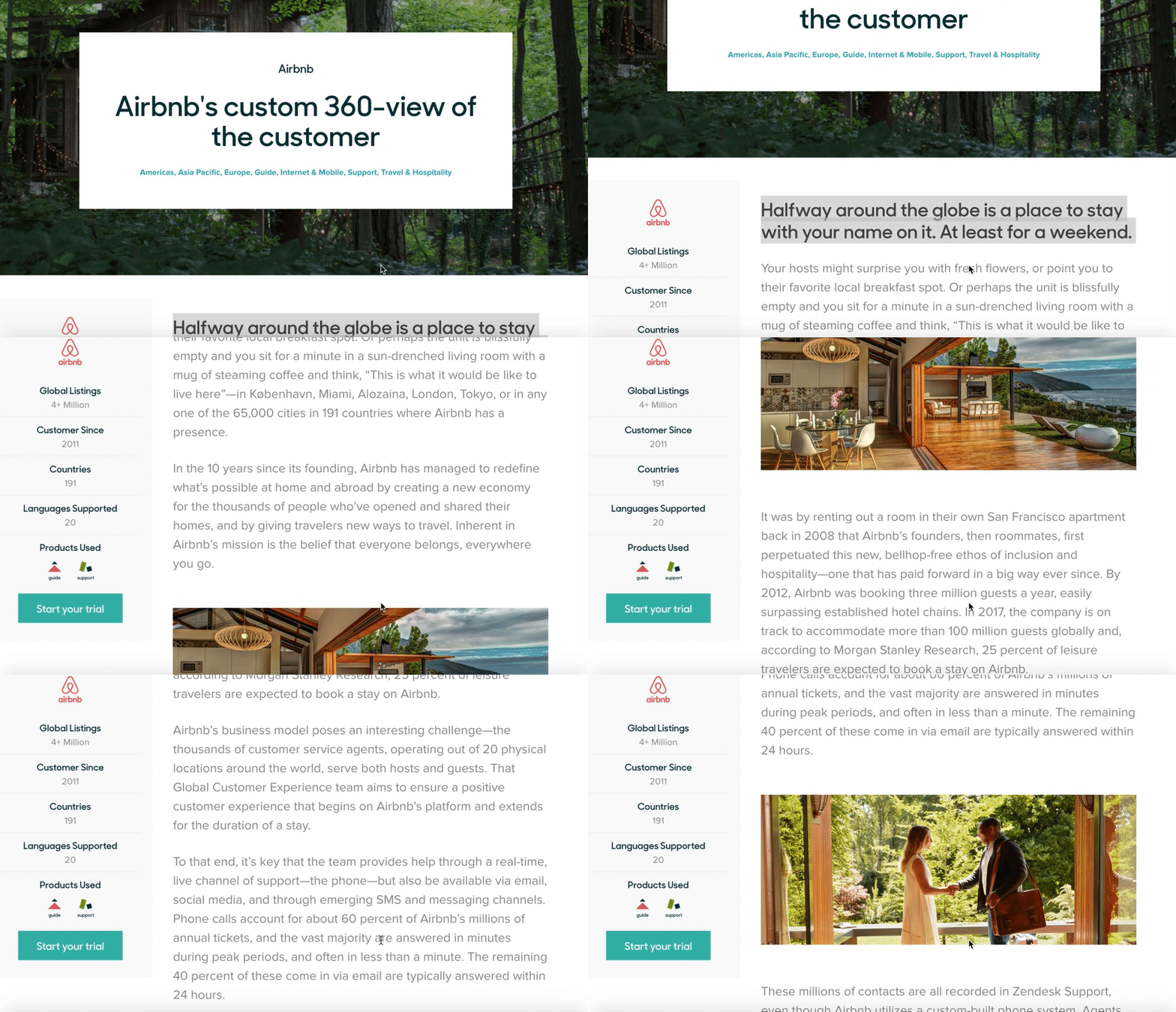
Zendesk’s Airbnb case study reads like a blog, and focuses equally on Zendesk and Airbnb, highlighting a true partnership between the companies. To captivate readers, it begins like this: “Halfway around the globe is a place to stay with your name on it. At least for a weekend.” The piece focuses on telling a good story, and provides photographs of beautiful Airbnb locations. In a case study meant to highlight Zendesk’s helpfulness, nothing could be more authentic than their decision to focus on Airbnb’s service in such great detail.
24. “Herschel Delights with Hootsuite” by Hootsuite
If you didn’t know this video was a case study for Hootsuite, you’d assume it was simply an artsy video capturing Herschel’s startup success. The Herschel marketing team mentions Hootsuite, but they do it authentically and remain primarily focused on the appreciation they have for their social media community. This video doesn’t have the feel of a traditional advertisement — instead, it feels unique and true to Herschel, highlighting Hootsuite as both a helpful and unobtrusive partner.
25. “4 Content Marketing Success Stories [Infographic]” by Kapost
You don’t always need a ton of text or a video to convey your message — sometimes, you just need images. Kapost’s infographic does a fantastic job of quickly providing the fundamental statistics a potential customer would need to know, without boggling down their readers with dense paragraphs. The infographic includes percentages, customer quotes, and colorful charts to provide the viewer with both numerical and emotional reasons they might choose Kapost.
Start creating your case study.
Now that you’ve got a great list of examples of killer case studies, think about a topic you’d like to write about that highlights your company or work you did with a customer. For more examples, check out these social media case studies.

The New Approach to Work-Life Balance
CareerBuilder found that nearly half of American workers check email after they leave work, and 45% say they do work during non-business hours.
Additionally, this phenomenon crosses global borders, prompting new laws in France and a campaign in Japan to limit working hours.
Of course, we’d all love a little more balance in our lives. But it’s more than that. We need it.
Today’s “always on” mentality has serious consequences. Stanford professors Joel Goh, Jeffrey Pfeffer, and Stefanos Zenios found that more than 120,000 deaths per year and approximately 5%–8% of annual healthcare costs may be attributable to workplace stress from long working hours, job insecurity, work-family conflict, high job demands, and low social support at work.
But achieving work-life balance is hard. Obviously, reducing workplace stress is essential. But, despite finding that those who take vacation and travel are happier in their personal and professional lives, Project Time Off also found that more than half of American workers don’t take all of the vacation days they’ve earned.
By contrast, many other countries offer or mandate additional vacation days. For example, The Center for Economic and Policy Research found that the United States is the only country surveyed that doesn’t have a law requiring paid leave. Compare that to Germany (20 days), the United Kingdom (28 days), and Australia (20 days). With the exception of the United States, laws in other countries mandate a minimum of 10-30 days of paid leave per year.
The Work-Life Balance Matrix
Work life balance can (and should) look different for everyone, based on what’s most important to you. There may be times in life when you’re focused on career and personal development, and other times when your focus turns to family or a favorite hobby.
In other words, work-life balance examples run the gamut. But we’ve got some tips to help you find the work-life balance that’s just right for you.
Before addressing areas that might be out of balance, it’s a good idea to first understand what you value and how satisfied you are with the time you’re allocating to those areas of your life. When I was touring colleges, I used a weighted decision matrix to score each campus on the things I cared about. Ever since, I’ve used this handy tool to evaluate everything from jobs, to apartments, to vacation spots.
Here’s a sample of a completed matrix, with steps to complete your own, below:

Step 1: Create a list of 4-6 categories that most contribute to your satisfaction in life. I recommend using categories that are broad enough to encompass changing life phases, but narrow enough to act upon. You can use anything that contributes to your satisfaction, from hobbies, to career, to family, to spirituality, and volunteer work.
I also recommend that these categories have a significant effect on how you make life choices, how you spend your time, and have actionable and measurable steps associated with them.
For example, while it may significantly increase your satisfaction to “be a successful person,” a better category might be career. Or, if your satisfaction is impacted by “helping people,” a more actionable category might be “volunteer work.”
Step 2: Assign each of the chosen categories a percentage for the amount that the category impacts your satisfaction. For example, if your categories include family, career, hobbies, charity work, and education, you might say that family is 30%, career is 25%, hobbies are 10%, charity work is 20%, and education is 15%.
Be honest with yourself when choosing and rating each category. If you honestly don’t receive much satisfaction from hobbies, don’t give it more weight than career.
Step 3: Assign a percentage for your current satisfaction in each category. Are you 100% satisfied in your career? Are you only 50% satisfied with your family life? Go through each category and give an honest percentage with how satisfied you are with that area of your life.
Step 4: Multiply the satisfaction percentage with the weight of each category. Now add the categories up. The end percentage is how satisfied you are with your life. What’s your total? It’s rare than anyone will be 100% satisfied, but maybe 90%? What if your percentage is low, say, 30% satisfied?
Step 5: Analyze the results, and determine which areas of your life are causing the most dissatisfaction. What steps can you take to change that? How much of your satisfaction is built on choices and situations within your control, and how much is not in your control?
7 Work-Smart Strategies
Once you’ve quantified your life satisfaction, it’s time to start tackling areas with lower scores. Most people struggle with finding enough hours in the day to fit it all in, especially for personal time. Working smarter and savvy time management help you free up mental capacity, physical hours, and emotional space to accommodate more of the activities you love.
1. Just say no to low-impact work.
We all want to play as a team, but helping out on too many projects sucks up your time, leaving too little for the work that really matters. Setting quality OKRs (objectives and key results) is the key to knowing which activities are high-value, and which will distract you from accomplishing your goals.
And this doesn’t stop with office tasks. If the committee you’ve chaired for three years no longer brings you joy, step down and get back to participating in a way that feeds your soul. Are too many hobbies making you feel stressed and frenetic? Pare them down to the activities that bring the most pleasure. If an activity is not bringing you joy and helping you progress towards your goals, give it up!
When going through these steps last year, I recognized that I was feeling stressed and guilty about my role as a board member for a local community theater. I kept skipping meetings because of other commitments and I felt like I wasn’t contributing. I still wanted to volunteer on an ad-hoc basis, so I sent a note to the board president explaining that while I didn’t have time to make the required commitment to board duties for the coming year, I’d still love to participate by helping staff auditions, contributing time and money to opening night festivities, and acting as the house manager for productions. This allowed me to keep the things that brought me joy, and provided much needed support on a more reliable cadence for the theater.
2. Stop multi-tasking.
Seriously. How many browser tabs do you have open right now? Multitasking makes you think you’re getting more done, but research from the American Psychological Association has shown it reduces productivity by as much as 40%.
Instead, break each project into time-bound tasks, and spend focused amounts of time completing each element. Prioritize the tasks that require input from others for completion so that you can finish your portion of the project and hand it off to the next worker. Parallelizing work (where multiple work streams happen at the same time by different people) is an efficient use of time, but trying to do it all yourself is a recipe for disaster.
3. Break work down into achievable tasks.
Create a project plan that includes all the tasks you need to accomplish for the quarter. Then, divide the tasks in monthly and weekly to-dos. These can be kept on a team whiteboard, personal notepad, or shared Trello board. Whatever method you choose, make sure that you can check things off the list when complete, and move activities to the next phase of the project when ready.
4. Make your meetings matter.
Many people assume a weekly check-in meeting is needed for their projects … but is it? Do you really need to get in a room for 30 minutes to talk about the status of the checklist, instead of looking at the shared board or exchanging comments in writing?
Useless meetings waste tons of valuable time, so get ’em off the calendar if they aren’t adding value! If you want to take a bold step, delete all the recurring meetings off your calendar for the next quarter. Ask organizers to re-send the invites to meetings you should attend, and confirm why they feel your presence is valuable. You might find that check-ins for old projects never re-appear, and the meetings that remain actually do help you move work forward each quarter.
5. Create checklists.
Don’t procrastinate on checking things off your list. Sometimes we waste more energy worrying about doing the thing than actually doing the thing itself . David Allen, who wrote the book “Getting Things Done” and offers training on how to be more productive, says that the mind is for having ideas, not holding them.
He advocates for making a series of lists to capture and process all the things that you need to accomplish in a day. Once captured, do. Sometimes we get so mired down in the need to make the list perfect, make the steps perfect, make our desk perfect, that we forget that the act of starting means we’re one step closing to finishing our task. Once you’ve got a plan in place, take action.
6. Evaluate your daily schedule.
A long commute is another area that eats up time and contributes stress to most peoples’ lives. Want to reduce these effects? Try negotiating for a work-from-home day once or twice a week. Gallup found that in 2017, 43% of Americans said they worked remotely at least some of the time, and with collaboration tools like video, chat, and email, you can stay just as connected to your team.
If a long commute is non-negotiable, use that time for something that you’ve deemed important to your work life balance. For instance, if you have a goal to advance your knowledge or learn a new skill, you can listen to podcasts or audiobooks, or if you want to focus on well-being you can use apps like Headspace that offer guided meditations for relaxation.
7. Make time for self-care.
As you’re thinking about your daily plans, revisit your routines for physical health. You can gain time and nutrition benefits by meal planning and cooking in bulk on the weekends. Freeze meals in pre-portioned containers for easy reheating in the evenings. The time and stress you save each evening allows you to spend more time unwinding with your family, and getting to bed at a reasonable hour.
Speaking of which … how’s your sleep schedule? Are you going to bed at a reasonable time, getting a solid night’s rest, and waking with energy? If not, commit to a bedtime routine for 30 days, and see how you feel at the end. Keep the elements that improve your rest, and experiment with changes to ensure you get a good night’s sleep.
Of course, all of these new habits take time to build and practice to maintain. Some tactics, like deleting all your meetings and negotiating a regular WFH day, can be done right away. Others, like declining low-impact work and focusing on tasks individually, require diligent attention throughout the year.
This article was originally published on Atlassian.com and republished with permission.

25 Widgets, Plugins, and Add-Ons to Enhance Your Blog’s Performance
Let’s talk blogging.
It’s hard to get a blog started, and sometimes, even harder to organize all the content you want and need. If you use a blog hosting site like WordPress or a CMS like HubSpot, you’ll likely notice that you have options like plugins and widgets to enhance your blog.
There’s so many different kinds of tools, and they’re all used to make your blog more personalized. Think of widgets as the different spices to add special elements on your webpages. Plugins, on the other hand, are the vessel for which you obtain the widgets.
We’ve compiled a list of widgets and plugins that are essential to make a great blog excellent. They’re essentials that contribute to a good user experience for your readers, bring you new ones, and make your brand more cohesive across all fronts.
Think of these lists as a jumping off point. This is not a list of all of the plugins and widgets available, but they give you an expansive look into how many kinds there are and what they can do for you.
Blogger Widgets
1. Instagram Feed
With an Instagram feed, you can import pictures from your account directly to your blog. We have a plugin suggestion for this to make the process more streamlined.
This is an especially great idea if you want your brand to be synced across all of your webpages and socials. It’s also a good thing to look into if your brand is based on visuals.
2. Email Subscribe Form
Converting casual visitors into email subscribers builds readership and generates a community of content enthusiasts. Additionally, they’ll likely share your content with other people in their networks through email and social media, exposing your blog to brand new audiences.
However, to turn those visitors into subscribers, an email subscribe form is an absolute must-have for any blog. Make sure you have one highly visible. Considering their importance, you might also want to consider these other ways to generate more blog subscribers.
3. YouTube Gallery
Do you have a YouTube channel? This is a perfect widget to have, especially if you plan on posting some tutorials on your blog. With a YouTube gallery, you can add videos and comments directly from YouTube onto your blog.
This could be a helpful widget even if you don’t have a YouTube channel. Videos are helpful visual assets, so if you post roundups, you could begin to include videos in them using a YouTube widget. You could also do a funny video of the week to show readers a more fun side of your blog.
4. RSS Feed
While RSS subscribers tend to be a little bit more passive than email subscribers, there are many people who prefer RSS subscription to email, and they can be beneficial in the same ways as email subscribers. The RSS feed for your blog should be easy to find for visitors who are looking for it (a good place is right near the email subscribe form).
5. Testimonials Slider
To show appreciation of your customers and boost the credibility of your blog, add in a slider solely focused on testimonials. This is also a great way to spice up your webpages if you believe they’re looking a little bare.
Putting in a slider doesn’t crowd your blog, but it does add a little flair. I enjoy reading testimonials on blogs because they give a little insight into the content I might find interesting if I don’t have the time to explore every post, so testimonials could be a great asset for lead generation.
6. Author Profiles
Do you have several people contributing content to your blog? Do you publish content from guest bloggers from time to time? If so, try incorporating author profiles into your blog — both at the end of individual articles as well as on separate author pages that aggregate content published by that author alone.
Author profiles are a great way to give credit to and promote the hard work of your contributors, provide readers with information about who’s creating the content they’re reading and allow them to connect, demonstrate the credibility of your writers, and attract additional guest blogging talent.
7. QR Code
If you want to include an offer on your blog without a CTA button, insert a QR Code widget. That way, interested visitors can scan the offer with their phone or desktop and instantly receive your content.
QR Codes are handy and a cool way to make your blog stick out from others that use CTAs. However, they can also work hand in hand with CTAs, by being added directly into one or make the download process easier for visitors. If you have readers that find that they enjoy using them, you can boost conversions.
8. List of Contributors
Let’s say you have some pretty big names in your industry who contribute to your blog. That might be something you want to showcase to new readers in an effort to emphasize the credibility of your writers. Or maybe you just want to let your readers sort through your content by their favorite authors.
If so, adding a contributors list to your blog and linking to the author pages of those authors you list are a good idea, like Cracked does in its top navigation.
9. Comments Section
A blog should encourage a dialogue between the author and the reader. And while there are definitely downsides to having a comments section on your blog, I think the pros definitely outweigh the cons.
Enabling comments fosters a sense of community among you and your visitors, makes your blog much more interactive and engaging, allows you to gather valuable feedback from your readers to inform your content strategy, and helps you come up with new topics for future blog posts. HubSpot users have a built-in comments engine for blogs hosted on our COS.
10. Search Bar
Make it easy for visitors to find the content they’re looking for by adding search functionality to your blog. This makes for a much better user experience and encourages your readers to stick around and check out some of your other content.
If you can implement a search bar that provides insight into what keywords visitors are searching for on your blog (e.g. Google Site Search, which integrates with Google Analytics), a bonus is that you can identify the types of content your readers are actively searching for and use that to inform your content creation strategy.
11. Topics/Tags List
In addition to a search feature, another good way to help visitors discover more content is by showcasing a list of your blog’s topics or tags. In addition to giving new visitors an idea of the types of content you typically write about, a topics list allows readers to further engage with your content by browsing only the topics that interest them.
As a small tip, make sure you have a tagging strategy in place that organizes content into topic categories. This is so readers can dive deeper into just the sales topics they want to read more about.
12. Recent or Popular Post Widgets
Another great option for enhancing content discoverability on your blog is to include recent or popular post widgets, which display a list of either the latest or most popular posts available on your blog. This allows you to feature the freshest or best-performing content, enticing visitors to stick around for more.
Most blogging software, including HubSpot’s, offer out-of-the-box widgets that enable you to feature your blog’s most recent or most popular (usually based on most views) posts in your sidebar.
13.Calls-to-Action
If you’re managing a business blog, chances are you’re not publishing content just for the heck of it. You have other goals in mind. So, leverage top, side, and/or in-post blog real estate to improve the lead generation potential of your blog with calls-to-action (CTAs) for your marketing offers.
You can also use CTAs to promote upcoming events, encourage subscription, or support any of your other marketing goals.
Now that you know the idea of the kind of widgets you can introduce into your blog, let’s talk about some plugins that offer these widgets, as well as some new ones.
Blogger Plugins
1. Slider Revolution
Price: $26
If sidebar images are your thing for your blog, this plugin is right up your alley. Slider Revolution is one of the best WordPress slider plugins for an affordable price.
What it does is provide its users with a widget solely dedicated to sliders, which lets blog owners easily put images that scroll in areas that are widgetized. Pretty cool, right? For your own sliding blog images, look into SR.
2. Widget Options
Price: Free
Widget Options helps to control the function of other widgets. Available to integrate with WordPress, it has options for you to manage widgets across other pages. This is super handy if your blog has multiple pages that you want to manage on one dashboard.
Unique to this plugin, it gives you an option to configure settings of widgets based on the device being used to view the webpage. You can choose to show or wide them and add personalized alignments to them as well.
3. Contextual Related Posts
Price: Free
This plugin does a fancier job than others. That’s because it discovers related content based on a post’s title and description. Another cool feature is that you can include custom posts in this, which is great for blogs with specifically custom attributes.
Contextual Related Posts also gives you the choice to pick categories or leave them out. Further, with this plugin, you can choose how the posts are displayed, whether that’s with thumbnails or something else, and they can be configured to increase the speed of your website.
4. Ninja Forms
Price: Free
If forms are important to you (and they should be,) here’s a plugin with its own widget. It’s a free tool that allows you to place a contact form in the sidebar. With this widget, you don’t have to feel confined to the sidebar, you can place contact forms wherever you like on your site.
You can also customize the forms. Your options include making the fields like Name, Email, and Message all unique, and you can also change the colors and function of fields based on your needs. Ninja Forms is one of the best free platforms for contact forms that comes with its own widget.
5. Smash Ballon Social Photo Feed
Price: Free
It can be pretty annoying to upload pictures to your media library from your desktop if you had to import them from your phone. (Personally, I just send them to my email to make the process easier). This plugin makes the process seamless.
Smash Balloon Social Photo Feed lets you pull those social-media ready posts straight from Instagram. Think of all the syncing you do with your website, blog, and socials with that asset. This plugin has features that includes thumbnail display, multiple image sizing, carousel options, and the ability to connect multiple Instagram accounts. Pretty fancy for a free plugin, right?
6. Meks Smart Author Widget
Price: Free
Personally, author bios are always my favorite part of a website. Whether it’s my own, my HubSpot bio, or those of another website, I love how they’re a chance for the people behind a website to get their moment and show their personality. This widget lets you do that in a fashionable way on your website.
Meks Smart Author Widget has some cool features attached to it. It lets you configure multiple types of bios, whether they’re for many authors or just one. Single authors have the freedom to choose to display this bio on every page to make sure every visitors have a chance to read about who you are.
7. Opinion Stage
Price: Free
If you communicate with your audience frequently, you might want to think about adding the Opinion Stage plugin to your arsenal. What it does is let you bring audience communication to a whole new level — offering fun and diverse ways to connect with your visitors.
Maybe you want to hold a poll or create a personality quiz. Or maybe you want to put yourself in the hot seat and answer questions. Whatever your idea, this plugin lets you create widgets that apply your brand and images. Further, you can monetize widgets to collect that sweet ad revenue.
8. Content Aware Sidebars
Price: Free
Could your website benefit from multiple widgets and sidebars based on content? Perhaps in one category, you want to show visitors a certain set of widgets that differ from ones you want to display in another category. Using Content Aware Sidebars, you can make that happen.
This plugin helps you fine-tune and customize targeted sidebars. Using its easy site, you’ll be greeted with over 10 ways to display sidebars based on different sets of criteria, like author, template, content, and post type. It’s great for blogs that want to stick true to their theme or have a sidebar that stands out.
9. Ad Inserter
Price: Free
Does your blog make use of its sidebars and place ads in them? Here’s a way to make that process great: the Ad Inserter plugin. It really does it all, affiliate banners, AdSense, display, anything you need.
Customizable features are great with this one. You can rotate the ads and the order in which they’re displayed on your sidebar and control how they’re shown. It also comes highly recommended from common Ad hosts like Amazon Associates and Google AdSense.
10. Awesome Weather Widget
Price: Free
The name really says it all. This plugin is, in fact, awesome. It lets you host a widget on your site that displays the weather based on the weather of the visitor. Maybe you host a travel service; wouldn’t it be great to show the weather of Barbados as people visit?
Professional, fun, bright looking widgets are right in your reach using this plugin. You can even customize the color schemes. The data on the weather is given by OpenWeatherMap, which will be imported by a generated API key you create.
11. Relevanssi
Price: Free
Sometimes, built-in search features just aren’t the best and you have to download some extra help. In that case, Relevanssi is here for you. This widget, instead of WordPress’s default search field, gives visitors one that is great at sorting posts by relevancy, hence the apt name.
When you use Relevanssi, you can’t kiss WordPress’s search function goodbye competely, but, instead of being fixed to WordPress’s settings, the widget is in control. It’s like putting a fresh coat of paint on a wall that was already there.
12. PHP Code Widget
Price: Free
WordPress developers, pay attention to this one, it may just be your short-term solution. PHP Code Widget allows you to include PHP code right into your sidebar, which means you can configure webpages into the visitors’ preferred language.
Keep in mind that anyone with access in WordPress’s dashboard can use PHP code, so don’t install any PHP widgets as a permanent solution. For a quick fix in a pinch those, this will make global blog audiences feel right at home.

How These 8 Direct-to-Consumer Brands Are Changing Ecommerce Forever
Direct-to-consumer (D2C) companies cater to people’s desire for simplicity. As much as consumers claim to love choice, analysis paralysis is a real thing; D2C brands eliminate the hassle of researching, browsing, and choosing from hundreds of options, making shopping practically effortless.
D2C brands manufacture, market, and distribute their own products without middlemen, which enables them to reduce costs, interact directly with consumers, and provide a seamless start-to-finish buyer’s experience.
For consumers, the easy buying process is typically the distinguishing factor when choosing D2C over a traditional shop.
Take a look at this customer review for the D2C mattress company, Casper. Despite this customer’s dissatisfaction with his mattress, he still gave the company five stars:

What is direct-to-consumer marketing?
Direct-to-consumer marketing is when a company markets its product or service directly to their consumers. This direct relationship can occur through methods like social media, YouTube, or podcasts, but not through TV, billboards, or magazine advertisements.
Creating innovative marketing campaigns is a necessity for D2C companies, many of which are up against some big-name competitors. Dollar Shave Club, for example, is up against Gillette razors, and Glossier’s makeup and skincare lines compete with stores like Sephora and Ulta.
The benefits of D2C marketing are clear: through this direct relationship, these companies are creating strong relationships with their consumers, understanding them better, and reaching a more specific, appropriate audience.
By controlling the start-to-finish buyer’s process, D2C companies reduce costs and have the advantage of focusing solely on consumers. D2C companies typically ship directly to consumers, partner with retail locations, or open pop-up shops to distribute their products.
Every D2C company does advertising a little differently. We’ve examined eight D2C companies that all share one thing in common: their one-of-a-kind approach to marketing and advertising has brought them lots of recognition, customers, and revenue.
Let’s examine these eight D2C companies and discuss what you can take away from their strategies. Whether you work for a D2C company or not, there are plenty of tangible marketing practices you can still try out for yourself.
1. Dollar Shave Club
No one can guarantee that a video will go viral. But it doesn’t hurt to have a strategy in place.
Dollar Shave Club, which sells — you guessed it — razors (among other bathroom essentials), launched their ecommerce company with a 1:33 minute video. Their video is wacky and memorable, with dance numbers, shaving babies, and a guy named Mike traipsing around a warehouse and making proclamations like, “Are the blades any good? No … our blades are f**ing great.”
The video was a huge success. In the first three months, it received 4.75 million views, and within the first two days of the company’s launch, 12,000 people had already signed up for Dollar Shave Club razors.
The video doesn’t come across like an advertisement, it seems like a funny video your brother’s goofy friend made in his garage — which probably explains why so many people sent it to friends and shared it on social media. But Dollar Shave Club didn’t rely on organic reach alone to promote their launch video.
Before promoting their video, Dollar Shave Club reached out to tech publications to let them know when it was going live, provided these publications early access to the video, edited a shorter version to run on late-night TV, and spent $10,000 promoting it on social media, among other things.
They didn’t just reach out to any tech publications, either — they focused on media properties already reaching the male demographic they wanted to target, like Thrillist and Uncrate.
Takeaway: It may not be feasible to aim for a viral video, but it is possible to create great content and use your money and other resources to market it to the right demographic. Hopefully, your audience will do the hard work from there.
2. Glossier
When I think of Glossier, I think of one word: accessible. The makeup and skincare industry can be a complicated, convoluted world to navigate. Glossier has simplified the approach to buying beauty products, both through their marketing and product design.
Glossier’s advertising has no pretense. For example, rather than working with influencers, the brand gave free products to 500 “superfans” who had purchased the most product or engaged the most with the brand.
The evidence of Glossier’s cult following reverberates across social media. Customers and employees alike share videos and images sampling their products and teaching viewers how to properly use them. Moreover, the brand encourages customers of every age, ethnicity, and gender to showcase their Glossier, making the brand accessible on multiple levels.
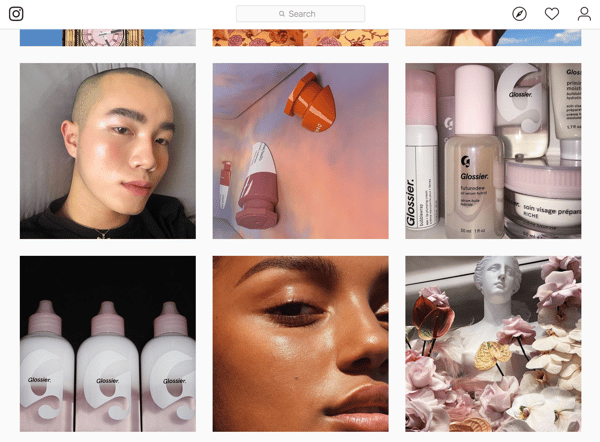
Whether customers are ordering from Glossier’s ecommerce site or visiting one of its popular pop-up shops, the experience is unforgettable. Shoppers receive Glossier stickers and the memorable Glossier Pink Pouch (which Glossier even sold on its own).
Takeaway: Glossier has created a loyal following and accessible, fresh shopping experience in a convoluted industry. The brand creates a customer experience that can’t help but be shared on social media, serving as both user-generated content and customer advocacy.
3. Warby Parker
Warby Parker’s D2C model eliminates the hassle of shopping for eyeglasses by sending you multiple pairs and letting you return the ones you don’t like. The convenience of choosing eyeglasses in your own home is Warby Parker’s biggest selling point.
Warby Parker knew their customers were already taking pictures and videos of their glasses to send to friends for advice, so they started asking customers to post their images on social media with the hashtag #warbyhometryon … as a reward for posting, Warby Parker pairs those customers with one of their online personal stylists. Today, almost 25,000 people have posted with the Warby Parker hashtag on Instagram.
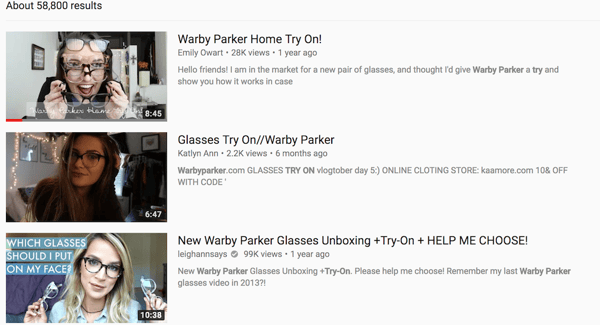
The company also pays YouTube influencers to post videos of themselves trying different Warby Parker glasses on. The tactic is popular — there are currently tens of thousands of results on YouTube for “Warby Parker try on”. More importantly, encouraging people to share their home try-on experiences on social media also makes consumers more likely to buy. Warby Parker found that customers who shared content online were 50% more likely to make the purchase.
Takeaway: The #Warbyhometryon marketing campaign succeeded by encouraging customers to promote something they were already doing — taking photos and videos of themselves trying on eyeglasses — on social media, a channel through which Warby knew could reach their millennial audience. This effort also naturally created a highly-impactful user-generated content campaign that boosted awareness of the Warby Parker brand through its customers. By tapping into natural behaviors, Warby Parker was able to introduce its products to new customers as well as boost conversions.
4. Julep
Julep, a monthly customizable subscription beauty box, released a female empowerment video called Throw Anything at Me. The video features a woman putting on Julep makeup and then tackling issues related to women’s rights. On Julep’s website, the ad is described as a “celebration, a rallying cry, championing every woman’s innate power”.
The ad briefly features a few Julep products, but it mainly focuses on the woman in the ad and the things being “thrown” at her. It also introduces a bit of humor through the text message blurbs, a falling man holding wine and winking, and stunned onlookers.
Along with the ad, Julep made a similarly-named video game in which consumers could act like the female in the video and engage with the ad while having fun. Moreover, it brought viewers directly to the Julep website where they’d hopefully shop for products or subscribe to the beauty box.
Takeaway: There are plenty of subscription beauty boxes out there. To differentiate themselves, Julep didn’t advertise what it was — it advertised what it stood for. It helped build a sense of trust and camaraderie between customers and the brand prior to asking them to make a purchase.
5. Cards Against Humanity
Cards Against Humanity, a sarcastic and taboo card game founded in 2011, understands their audience very well. And, if you know your audience well, you can break the rules.
For instance, in 2013, Cards Against Humanity sold its product for $5 more on Black Friday, and sales actually went up. In 2015, they sold nothing for $5 … and received $71,000 from consumers. In 2016, they dug a hole in the ground and filled it back up — and raised $100,000 in the process.
I don’t know about you, but selling nothing sure seems like breaking the rules to me.
This strategy wouldn’t work for most companies, but it worked for Cards Against Humanity. The company knew their audience would pay attention, appreciate their sense of humor, and, pay for it.
Takeaway: While it may not be a good idea to sell nothing, remember it’s okay to employ some stunts if you trust your audience will get it. Who knows? You may profit in the process.
6. BarkBox
Everyone loves their dogs, but not everyone loves running constant errands to find and refill new food, treats, or toys. BarkBox noticed this market gap and created a subscription service that provide dog products, services, and experiences.
One thing that BarkBox does very well is cater to its target audience: urban dog owners who don’t have the time or means (i.e. transportation) to shop for or with their dogs. Unlike other pet subscription services like Chewy, BarkBox sends pre-packed, themed boxes to customers each month — customers don’t designate what they receive.
Since it’s conception, BarkBox has also expanded into other markets including an outdoor dog park community and an ecommerce site where customers can shop for products they received in other BarkBoxes.
Most importantly, BarkBox has built a community around their brand. BarkBox subscribers feel a sense of camaraderie with other customers, especially since most are receiving the same treats and toys in their boxes. This feeling alone has propelled over 300,000 customers to post about their #dogsofBark on Instagram.
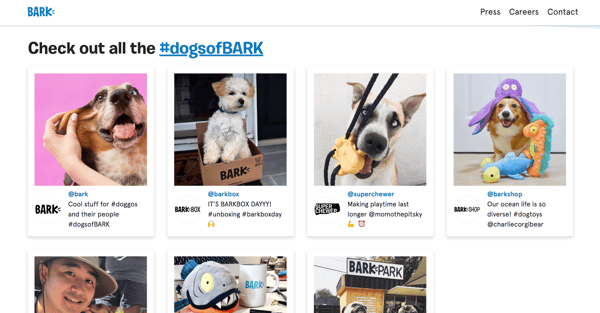
BarkBox sticks to their narrative well: dogs first. They stay true to this even in their charity work — the brand donates 10% of its proceeds go to animal shelters.
Takeaway: BarkBox makes its customers feel as though they, and their dogs, are a part of a community through their subscription boxes and donations. Build camaraderie among your customers, and they’ll advocate for your brand.
7. Casper
Shopping for mattresses is an overwhelming experience. Besides feeling like goldilocks with the “soft, plush, semi-firm, and firm” options, you’re also forced to contemplate price, size, and whether you want memory foam, gel, or hybrid.
Mattress company Casper prevents this frustrating process by providing one, perfect-for-anyone mattress. Since Casper’s primary goal is to differentiate themselves from traditional mattress companies, they opt to use non-traditional marketing methods.
Casper focuses its marketing efforts in two places: New York City and Los Angeles. In New York, they’ve used MTA stations to post cheerful advertisements. They set up a satellite office in LA and have leveraged Hollywood connections and social media influencers. Kylie Jenner, for instance, posted a picture of herself on a Casper mattress, a photo that doubled Casper’s net sales.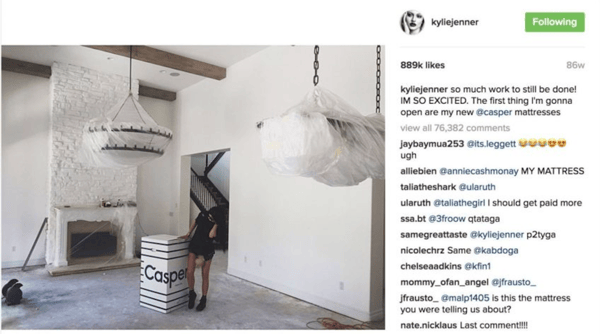
Casper didn’t fight to stand out in the traditional mattress industry. Instead, they used urban spaces to reach their target millennial audience and worked with social media influencers to display their brand as trendy and unique.
The brand has also been running TV ads since it opened its doors, reporting that, “TV is the mass media that provides a very large reach in a limited amount of time…when bought efficiently, [it] allows us to maximize repetition and therefore increase brand recognition.”
Takeaway: While it’s wise to learn from businesses who’ve come before you, don’t hesitate to try some non-traditional or out-of-the-box methods to start out and garner attention. Also, invest in methods that build awareness around your brand, not only sell products. This is how you continually bring in new customers — an important distinction for Casper as even the most loyal customers don’t need new mattresses every month or year.
8. Blue Apron
Blue Apron sources, ships, and simplifies the process of making healthy, local food for customers. The brand includes ready-to-use recipes that correspond with each subscription box’s ingredients.
The company faces a lot of competition nowadays from other subscription meal services, including Amazon, HelloFresh, Green Chef, and Plated. As a result of this competition, Blue Apron’s biggest challenge has been explaining how their product stands out from the rest.
In 2015, Blue Apron reached out to popular food bloggers like Naomi of Love Taza and Anne of Fannetastic Food, as well as social media influencers, and asked these industry leaders to explain in-depth what Blue Apron was. This is generally an effective strategy, as food bloggers and social media influencers have already gained the trust of their audience.
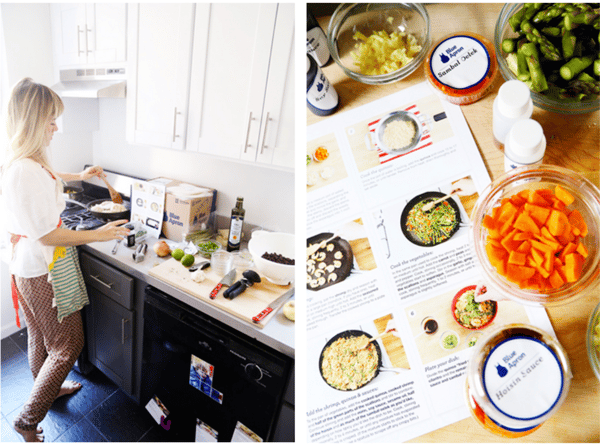
Blue Apron then took it a step further, sponsoring their content on podcasts like Gimlet Media and The No Sleep Podcast. The company recognized podcasts as a worthwhile investment. Almost 50 million people ages 13 and up listen to podcasts, but more than one-third of the top 100 iTunes podcasts have no ads at all. With plenty of supply and little demand, Blue Apron’s sponsored content stood out from the rest.
Employing social media influencers and bloggers to promote their brand, and sponsoring ads on podcasts, paid off: In 2015, Blue Apron sales increased by 500%.
Takeaway: Blue Apron separated itself from the competition by using industry influencers to reach already-engaged audiences and promoting its content on appropriate (and less-crowded) platforms like podcasts.
These eight direct to consumer brands are impacting ecommerce and customer expectations in major ways. Implement some of the strategies and best practices from this article for your own business.

Tried-and-True Ways to Promote Your Blog Posts
There’s nothing quite like the feeling of wrapping up a blog post. After many hours of outlining, researching, and creative writing, it feels amazing to review your completed work and imagine how much your audience will love it …
… hopefully enough to trust your brand, share your content, and purchase your products, right?
Unfortunately, not even the best blog post can meet any of those goals without being seen first — the post-and-pray method just doesn’t cut it anymore.
Today, you need to put a bit more oomph behind those blogs.
What kind of oomph are we talkin’ about? We created this blog post to help you with “how” and “where” to promote and distribute your blog. This will help you build trust between your customers and business to create loyal brand advocates.
Here are five tactics to follow to promote your blog and grow your readership.
1. Create high-quality blog content.
Before you consider how you’ll promote your blog, make sure you’re creating high-quality blog content. Creating content for the sake of creating content won’t help your business in the long run. Your blog should contain helpful, unique content that relates to your product and brand.
Aside from how-to content and ultimate guides, feature guest writers on your blog, too. Not only will this mix up the type of content you’re publishing, but it will highlight different voices from your network, employee base, and even current customers, which provides valuable insight for readers.
Don’t shy away from trends. While every blog needs evergreen content, content based on trends, seasonality, and recent news can keep your brand relevant and blog interesting.
Remember, even the best promotion plan won’t matter if you’re promoting low-quality blog content.
2. Understand your target audience.
You can’t create helpful content until you know exactly how to help your readers. Conduct extensive target audience research to better understand their challenges, desires, and pain points — and tailor your content to respond to, solve, and meet these needs. Centering your blog around your readers will allow you to provide truly valuable content.
If you haven’t already, develop buyer personas to streamline your audience data across your organization. Then, start writing content that you envision your personas would read and enjoy.
3. Incorporate visual media.
Media like images and videos make your blog posts more visually appealing and memorable. Consumers remember 65% of visual content versus only 10% of written content, meaning that adding visual media to your blogs can help readers retain information and remember your brand.
Another way to help your blog content resonate with readers is to develop original images for your blog. This applies to blog headers as well as original infographics, graphs, and other types of visual media.
Save countless hours by using these pre-made templates to design your infographics.
Visual content can also help drive traffic to your blog. Image alt text alone can help boost your blog SEO — an experiment we ran at HubSpot that saw a 25% increase in blog traffic. (Image alt text also contributes to your blog’s accessibility, an equally important feature to optimize.)
4. Make your blog searchable.
In addition to creating interesting, helpful content, don’t forget to optimize your blog content for search. Employ on-page and off-page search engine optimization (SEO) tactics to help your content show up on search engine results pages (SERPs).
To write blog posts for SEO, do keyword research to identify high-ranking terms and naturally integrate those terms throughout your content. Link to relevant internal pages as well as influential external sites.
Optimizing your blog for search allows readers to organically discover, read, and share your high-quality blog content. Better yet, it’s more cost-effective than paid promotion.
5. Build real relationships.
Not all blog promotion needs to happen online and on your blog; building real relationships with readers can be just as beneficial. First, establish and build a loyal base of readers. (One way to cultivate this base is via email, which we’ll talk about in the next section.) You can count on these readers to provide feedback for and share your blog content, effectively distributing it for you.
Another way to leverage real relationships for blog promotion is to build off-site relationships with other bloggers and businesses. Share other people’s content on social media, in your emails, and through links in your blog content — you never know who will share yours in exchange.
Where to Promote Your Blog
Where you promote your blog posts is just as important as how you promote them. In this section, we’ll talk about where you can distribute your content and grow your audience.
Email is a uniquely powerful blog promotion tool. You can use it to cultivate your reader audience as well as connect with industry experts and guest writers.
First, consider starting a blog newsletter to build your list of readers. Include a simple call-to-action (CTA) on your blog for those interested in reading new posts. This is a great way to convert readers into subscribers and, eventually, into paying customers.
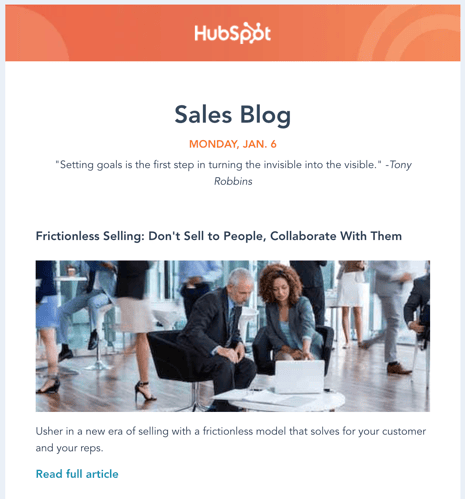
Once you build a substantial list, start to segment your subscribers by topic interest. You can decipher these interests based on what blog links each subscriber clicks on, what content offers they download, or what products they buy.
Another way to leverage email for blog promotion is to reach out to people you mentioned or quoted in your content. Not only does this alert them to their name or brand being mentioned, but it gives them an incentive to share your content with their networks. Email, in this case, is also more personal than Twitter, which we’ll discuss next.
Social Media
Social media is a great way to share blog content in a friendly way as well as engage with readers and customers. Twitter is beneficial for content promotion as many professionals are active on the network and can jump into conversations or mention your blog with a short tweet. As you promote your content on Twitter, tag relevant people (including those you mentioned in your blog or may be interested in your post).
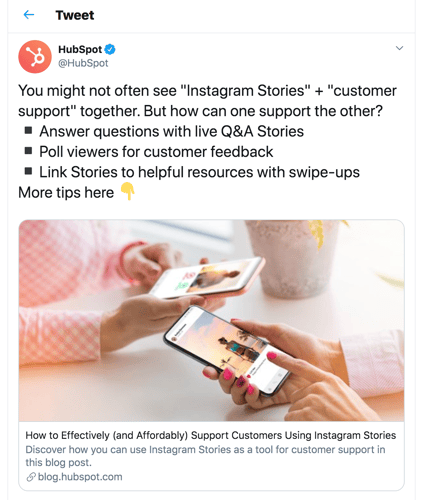
When posting on social media — Twitter included — take note of the timing of your posts. Research when your audience is online and post within those windows. Promote your blog on as many channels as possible, sometimes posting multiple times with the same link. Also, be sure to add context with each link you share, otherwise, your followers may not open and read it.
Website
Your website can be a helpful tool for promoting your blog content. First, make sure your blog is a prominent link on your site menu. Throughout your website, encourage readers to check out your blog. Also, include a subscription CTA on your website so that visitors can sign up to receive new posts.
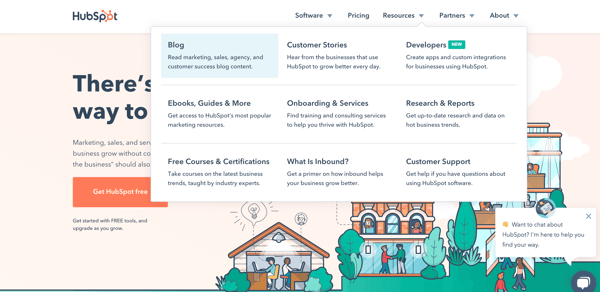
The very best blog content can’t engage readers and convert customers without a solid promotion plan. Put these blog promotion tactics to work to grow your reader base and convert more customers.

The New Approach to Work-Life Balance
CareerBuilder found that nearly half of American workers check email after they leave work, and 45% say they do work during non-business hours.
Additionally, this phenomenon crosses global borders, prompting new laws in France and a campaign in Japan to limit working hours.
Of course, we’d all love a little more balance in our lives. But it’s more than that. We need it.
Today’s “always on” mentality has serious consequences. Stanford professors Joel Goh, Jeffrey Pfeffer, and Stefanos Zenios found that more than 120,000 deaths per year and approximately 5%–8% of annual healthcare costs may be attributable to workplace stress from long working hours, job insecurity, work-family conflict, high job demands, and low social support at work.
But achieving work-life balance is hard. Obviously, reducing workplace stress is essential. But, despite finding that those who take vacation and travel are happier in their personal and professional lives, Project Time Off also found that more than half of American workers don’t take all of the vacation days they’ve earned.
By contrast, many other countries offer or mandate additional vacation days. For example, The Center for Economic and Policy Research found that the United States is the only country surveyed that doesn’t have a law requiring paid leave. Compare that to Germany (20 days), the United Kingdom (28 days), and Australia (20 days). With the exception of the United States, laws in other countries mandate a minimum of 10-30 days of paid leave per year.
The Work-Life Balance Matrix
Work life balance can (and should) look different for everyone, based on what’s most important to you. There may be times in life when you’re focused on career and personal development, and other times when your focus turns to family or a favorite hobby.
In other words, work-life balance examples run the gamut. But we’ve got some tips to help you find the work-life balance that’s just right for you.
Before addressing areas that might be out of balance, it’s a good idea to first understand what you value and how satisfied you are with the time you’re allocating to those areas of your life. When I was touring colleges, I used a weighted decision matrix to score each campus on the things I cared about. Ever since, I’ve used this handy tool to evaluate everything from jobs, to apartments, to vacation spots.
Here’s a sample of a completed matrix, with steps to complete your own, below:
Step 1: Create a list of 4-6 categories that most contribute to your satisfaction in life. I recommend using categories that are broad enough to encompass changing life phases, but narrow enough to act upon. You can use anything that contributes to your satisfaction, from hobbies, to career, to family, to spirituality, and volunteer work.
I also recommend that these categories have a significant effect on how you make life choices, how you spend your time, and have actionable and measurable steps associated with them.
For example, while it may significantly increase your satisfaction to “be a successful person,” a better category might be career. Or, if your satisfaction is impacted by “helping people,” a more actionable category might be “volunteer work.”
Step 2: Assign each of the chosen categories a percentage for the amount that the category impacts your satisfaction. For example, if your categories include family, career, hobbies, charity work, and education, you might say that family is 30%, career is 25%, hobbies are 10%, charity work is 20%, and education is 15%.
Be honest with yourself when choosing and rating each category. If you honestly don’t receive much satisfaction from hobbies, don’t give it more weight than career.
Step 3: Assign a percentage for your current satisfaction in each category. Are you 100% satisfied in your career? Are you only 50% satisfied with your family life? Go through each category and give an honest percentage with how satisfied you are with that area of your life.
Step 4: Multiply the satisfaction percentage with the weight of each category. Now add the categories up. The end percentage is how satisfied you are with your life. What’s your total? It’s rare than anyone will be 100% satisfied, but maybe 90%? What if your percentage is low, say, 30% satisfied?
Step 5: Analyze the results, and determine which areas of your life are causing the most dissatisfaction. What steps can you take to change that? How much of your satisfaction is built on choices and situations within your control, and how much is not in your control?
7 Work-Smart Strategies
Once you’ve quantified your life satisfaction, it’s time to start tackling areas with lower scores. Most people struggle with finding enough hours in the day to fit it all in, especially for personal time. Working smarter and savvy time management help you free up mental capacity, physical hours, and emotional space to accommodate more of the activities you love.
1. Just say no to low-impact work.
We all want to play as a team, but helping out on too many projects sucks up your time, leaving too little for the work that really matters. Setting quality OKRs (objectives and key results) is the key to knowing which activities are high-value, and which will distract you from accomplishing your goals.
And this doesn’t stop with office tasks. If the committee you’ve chaired for three years no longer brings you joy, step down and get back to participating in a way that feeds your soul. Are too many hobbies making you feel stressed and frenetic? Pare them down to the activities that bring the most pleasure. If an activity is not bringing you joy and helping you progress towards your goals, give it up!
When going through these steps last year, I recognized that I was feeling stressed and guilty about my role as a board member for a local community theater. I kept skipping meetings because of other commitments and I felt like I wasn’t contributing. I still wanted to volunteer on an ad-hoc basis, so I sent a note to the board president explaining that while I didn’t have time to make the required commitment to board duties for the coming year, I’d still love to participate by helping staff auditions, contributing time and money to opening night festivities, and acting as the house manager for productions. This allowed me to keep the things that brought me joy, and provided much needed support on a more reliable cadence for the theater.
2. Stop multi-tasking.
Seriously. How many browser tabs do you have open right now? Multitasking makes you think you’re getting more done, but research from the American Psychological Association has shown it reduces productivity by as much as 40%.
Instead, break each project into time-bound tasks, and spend focused amounts of time completing each element. Prioritize the tasks that require input from others for completion so that you can finish your portion of the project and hand it off to the next worker. Parallelizing work (where multiple work streams happen at the same time by different people) is an efficient use of time, but trying to do it all yourself is a recipe for disaster.
3. Break work down into achievable tasks.
Create a project plan that includes all the tasks you need to accomplish for the quarter. Then, divide the tasks in monthly and weekly to-dos. These can be kept on a team whiteboard, personal notepad, or shared Trello board. Whatever method you choose, make sure that you can check things off the list when complete, and move activities to the next phase of the project when ready.
4. Make your meetings matter.
Many people assume a weekly check-in meeting is needed for their projects … but is it? Do you really need to get in a room for 30 minutes to talk about the status of the checklist, instead of looking at the shared board or exchanging comments in writing?
Useless meetings waste tons of valuable time, so get ’em off the calendar if they aren’t adding value! If you want to take a bold step, delete all the recurring meetings off your calendar for the next quarter. Ask organizers to re-send the invites to meetings you should attend, and confirm why they feel your presence is valuable. You might find that check-ins for old projects never re-appear, and the meetings that remain actually do help you move work forward each quarter.
5. Create checklists.
Don’t procrastinate on checking things off your list. Sometimes we waste more energy worrying about doing the thing than actually doing the thing itself . David Allen, who wrote the book “Getting Things Done” and offers training on how to be more productive, says that the mind is for having ideas, not holding them.
He advocates for making a series of lists to capture and process all the things that you need to accomplish in a day. Once captured, do. Sometimes we get so mired down in the need to make the list perfect, make the steps perfect, make our desk perfect, that we forget that the act of starting means we’re one step closing to finishing our task. Once you’ve got a plan in place, take action.
6. Evaluate your daily schedule.
A long commute is another area that eats up time and contributes stress to most peoples’ lives. Want to reduce these effects? Try negotiating for a work-from-home day once or twice a week. Gallup found that in 2017, 43% of Americans said they worked remotely at least some of the time, and with collaboration tools like video, chat, and email, you can stay just as connected to your team.
If a long commute is non-negotiable, use that time for something that you’ve deemed important to your work life balance. For instance, if you have a goal to advance your knowledge or learn a new skill, you can listen to podcasts or audiobooks, or if you want to focus on well-being you can use apps like Headspace that offer guided meditations for relaxation.
7. Make time for self-care.
As you’re thinking about your daily plans, revisit your routines for physical health. You can gain time and nutrition benefits by meal planning and cooking in bulk on the weekends. Freeze meals in pre-portioned containers for easy reheating in the evenings. The time and stress you save each evening allows you to spend more time unwinding with your family, and getting to bed at a reasonable hour.
Speaking of which … how’s your sleep schedule? Are you going to bed at a reasonable time, getting a solid night’s rest, and waking with energy? If not, commit to a bedtime routine for 30 days, and see how you feel at the end. Keep the elements that improve your rest, and experiment with changes to ensure you get a good night’s sleep.
Of course, all of these new habits take time to build and practice to maintain. Some tactics, like deleting all your meetings and negotiating a regular WFH day, can be done right away. Others, like declining low-impact work and focusing on tasks individually, require diligent attention throughout the year.
This article was originally published on Atlassian.com and republished with permission.

How Consumers Actually Responded to All Those Black Friday Ads [New Research]
Although Cyber Monday is described as the biggest online shopping event of the year, more than $7.4 billion in online purchases were made on Black Friday in 2019.
While a majority of Black Friday purchases happened online, a Fiserv study found that brick-and-mortar store purchases rose by 4.2% compared to 2018. The same study found that a quarter of people traveled 25 miles or more to stores with Black Friday discounts.
By now, you may know that this was one of the biggest Black Fridays ever. But, as a marketer, you might be wondering what drove people to overcrowded stores and ecommerce websites during the national shopping event. You also might want to learn more about consumer shopping behaviors to strengthen your overall strategy in 2020.
To help you discover more about the consumer behaviors behind Black Friday’s 2019 results, I surveyed a pool of more than 300 people using Lucid Software to learn what led them to engage with or purchase products in Black Friday ads.
In this post, I’ll fill you in on what I learned from these consumers, arm you with other helpful stats and facts about Black Friday, and offer takeaways that you can use in 2020.
Black Friday’s Online Ad Engagement
With crazy Black Friday deals comes an inundation of Black Friday ads throughout all forms of media. It’s no surprise that millions of people shopped on Black Friday — but which ad strategies actually led to purchases?
With more brick and mortar stores than ever, and the bombardment of ads that comes with them, do these Black Friday promotions actually influence purchases? To learn more about the Black Friday ad behaviors, I asked consumers about how they interacted with ads for the shopping holiday.
While you might think that people would get annoyed with the constant stream of ads, or try to completely disregard them, you’ll be slightly surprised by the results.
When I asked participants, “Did you engage with any online ads or promotions for Black Friday?”, 61% said they engaged with one or more ads in some way, while only 39% said they disregarded them.
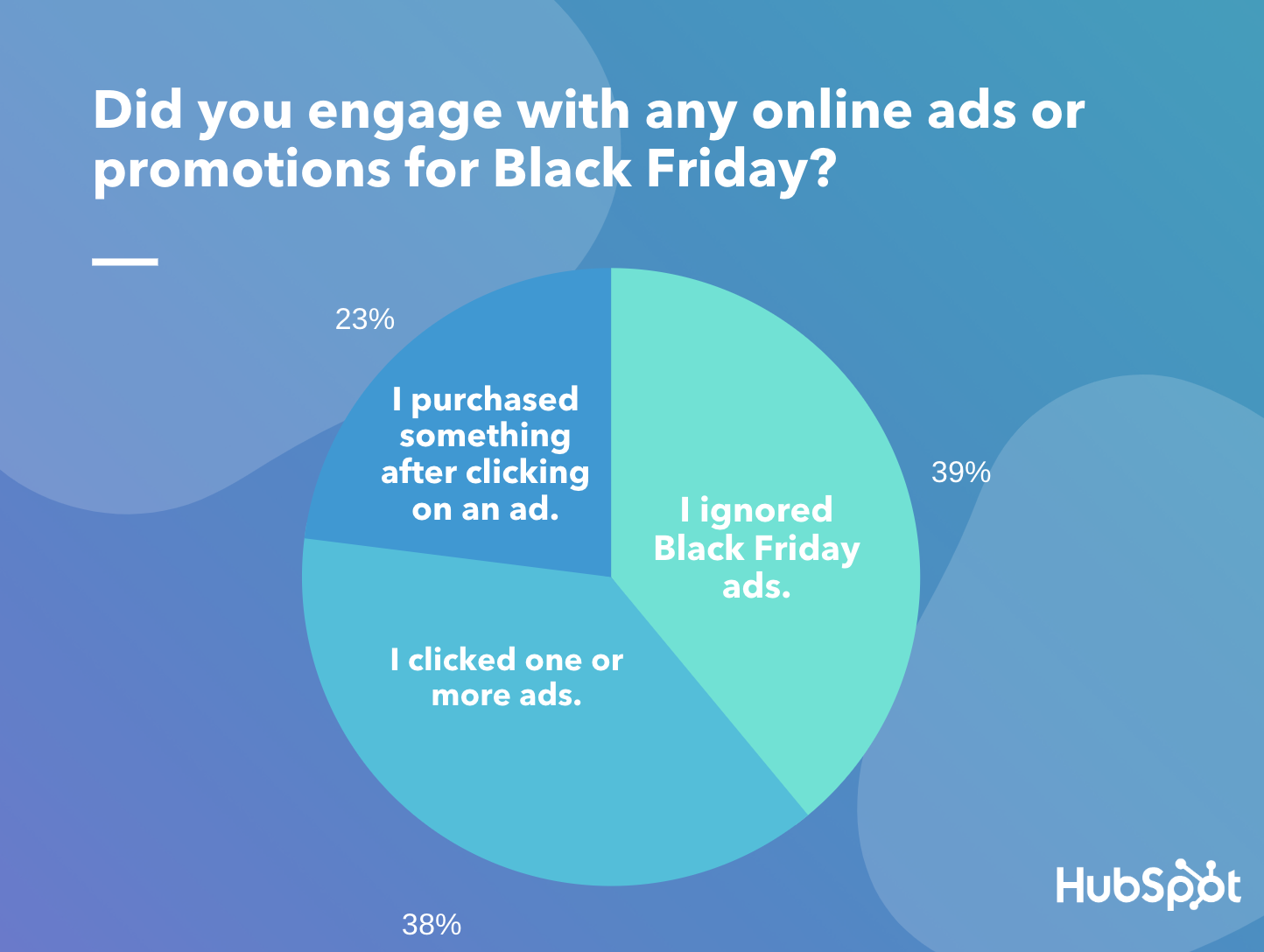
Data Source: Lucid Software
Of that 61% of people who engaged with one or more ads, 38% clicked on the promotions without making a purchase, while 23% converted to a customer after clicking the ad.
When it comes to where people saw the ads they clicked on, 62% found promotions on social media.
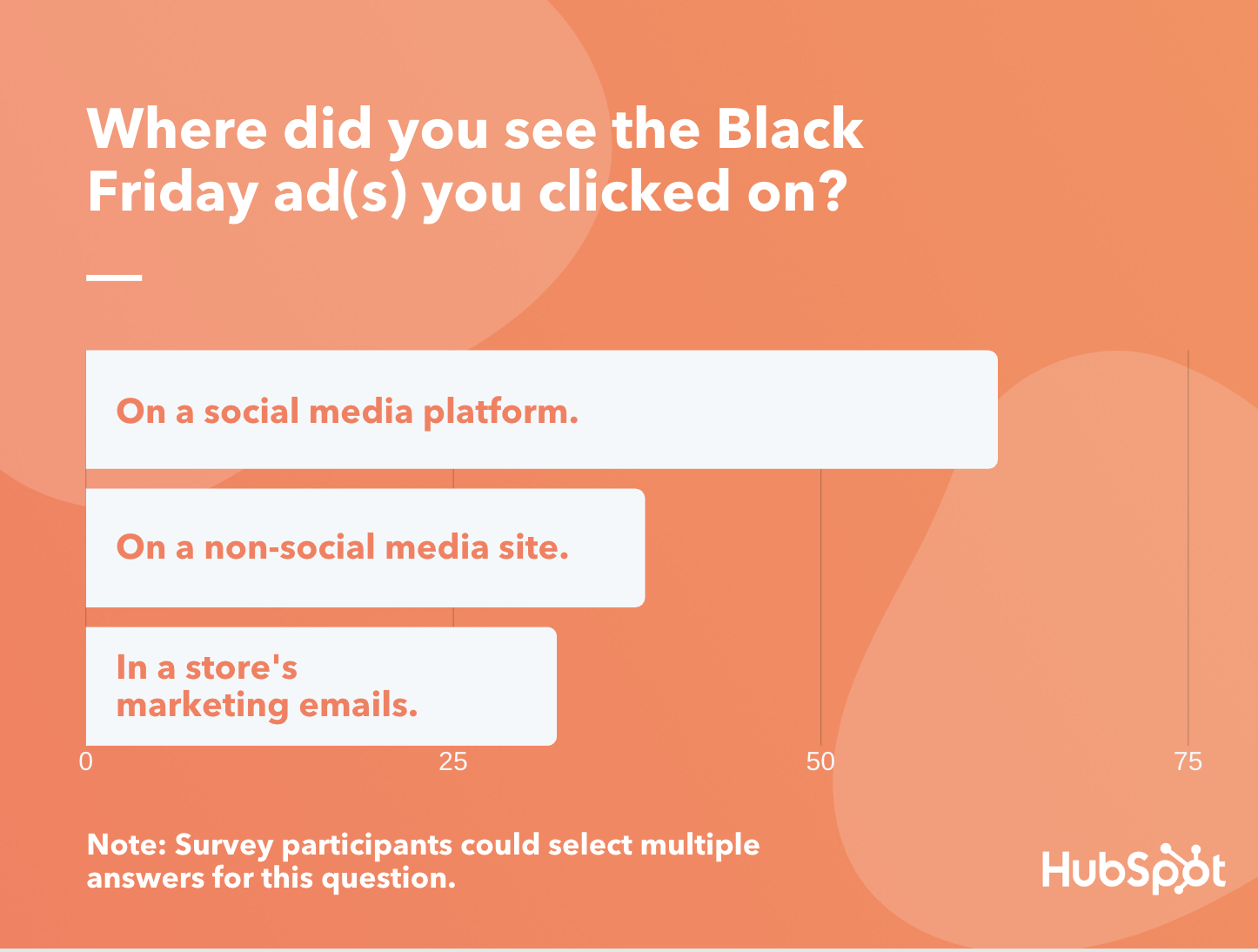
Data Source: Lucid Software
“Non-social media sites” were also a fairly successful place for promotion, with 38% of people saying they clicked on ads in these locations. These sites could include websites owned by other brands where a native ad is located, search engine platforms, or other areas of the web that aren’t considered social media.
Although only 32% of people said they clicked on ads shown in marketing emails, recent research still shows that this tactic is still a vital part of digital marketing. In fact, CampaignMonitor recently published research showing that email marketing was responsible for 20% of holiday-related traffic.
Aside from the ad’s location, the product or service advertised could have played a role in an audience’s level of engagement. To get an idea of which products were most popular, I asked survey participants, “Which best describes the products or services that were featured in the Black Friday ads you clicked on.”
Of those who said they clicked on or purchased something from an ad in the first question of the survey, roughly 36% said the ads they engaged with featured products in the “Gadgets and Technology” category. Meanwhile, two other popular categories were “Fashion and Beauty” and “Home Goods, Furniture, and Decor” which both received votes from more than 18% of participants.
Ads and Black Friday Foot Traffic
In 2019, in-store Black Friday foot traffic dropped 6% lower than in 2018. However, this shopping event was still significant for brick-and-mortar stores as earnings from in-store purchases still rose by 4.2%.
Much of the in-store foot traffic and purchases could have also been because of ads. When I asked consumers if they “entered a store on Black Friday after seeing an ad or promotion for its sales,” more than half said, “Yes.”
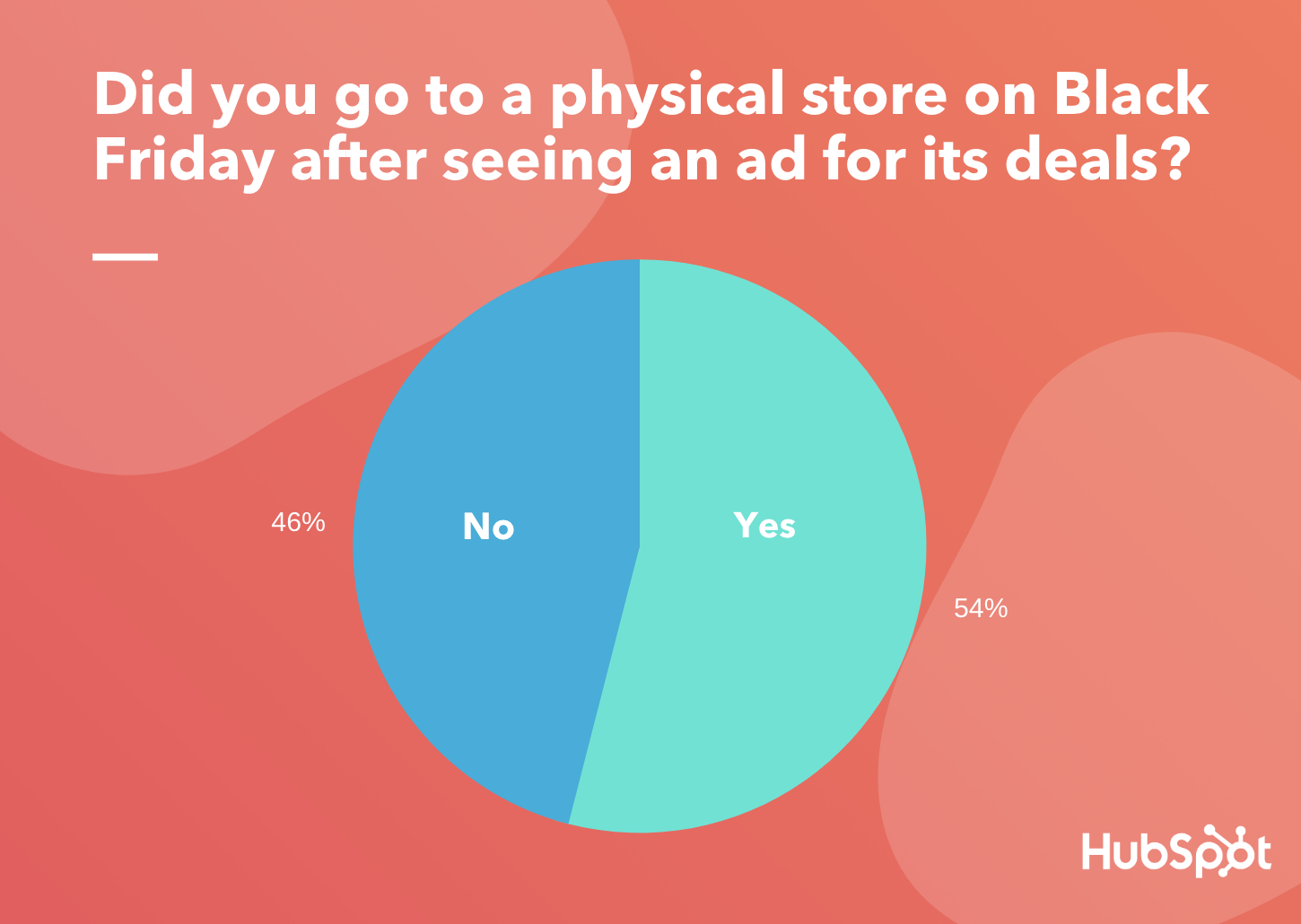
Data Source: Lucid Software
To determine how much impact online ads made on Black Friday foot traffic as compared to physical ads, I asked the same consumers, “Where did you see the Black Friday ads for the store you visited on Black Friday?” Those surveyed could choose from a long list of ad style options from more digital social media promotions to traditional TV commercials or newspaper advertisements.
Although these participants decided to brave crowded physical stores on Black Friday, the survey found that they weren’t pulled into them by physical or more traditional ads like billboards, newspaper promotions, or commercials.
Again, social media was the front-runner, as 38% of people who entered stores on Black Friday found ads on these types of platforms first.
Aside from social media, 15% of those who visited a store due to a Black Friday ad said they saw it on the store’s own website. Only small portions of those surveyed said they went to a store after seeing television commercials (7%), email marketing ads (7%), newspaper promotions (8%), or physical signage (1%).
However, keep in mind that this was still a rather small sample and that it should not completely rearrange your marketing strategy in 2020.
While only 7% of those surveyed found ads that led them to visit a physical store in marketing newsletters, data shows that including ads and offers in emails is still a vital strategy for gaining web visits, leads, and even in-store foot traffic. We don’t encourage pulling email marketing from your strategy just because of one pool of shoppers’ Black Friday behaviors.
What Black Friday Means for 2020 Marketing
If you’re running a brick-and-mortar or ecommerce operation, these results, as well as mounting research show the importance of developing or constantly improving on a web presence, whether that means purchasing online ad space or taking on free strategies like building a social media profile or creating a Google My Business for your store.
Due to social media’s popularity and track record for ROI, you’ll definitely want to consider advertising or at least posting for free about your products on platforms that align well with your audience if you aren’t doing so already.
If you’re trying to build your social presence, or determine which platforms you should be promoting your products or deals on, check out this research-based blog post where I reveal which social media platforms people use to learn about products.
You should also consider experimenting with or expanding on other online tactics to expand on or create a highly digital promotional strategy. For example, continue marketing products your own website, placing native ads on other websites, and embracing email marketing within your strategy.
Boosting your web presence will not only help you promote sales and events, such as Black Friday. But this strategy could also boost brand awareness and conversions throughout the rest of the year.

How Consumers Actually Responded to All Those Black Friday Ads [New Research]
Although Cyber Monday is described as the biggest online shopping event of the year, more than $7.4 billion in online purchases were made on Black Friday in 2019.
While a majority of Black Friday purchases happened online, a Fiserv study found that brick-and-mortar store purchases rose by 4.2% compared to 2018. The same study found that a quarter of people traveled 25 miles or more to stores with Black Friday discounts.
By now, you may know that this was one of the biggest Black Fridays ever. But, as a marketer, you might be wondering what drove people to overcrowded stores and ecommerce websites during the national shopping event. You also might want to learn more about consumer shopping behaviors to strengthen your overall strategy in 2020.
To help you discover more about the consumer behaviors behind Black Friday’s 2019 results, I surveyed a pool of more than 300 people using Lucid Software to learn what led them to engage with or purchase products in Black Friday ads.
In this post, I’ll fill you in on what I learned from these consumers, arm you with other helpful stats and facts about Black Friday, and offer takeaways that you can use in 2020.
Black Friday’s Online Ad Engagement
With crazy Black Friday deals comes an inundation of Black Friday ads throughout all forms of media. It’s no surprise that millions of people shopped on Black Friday — but which ad strategies actually led to purchases?
With more brick and mortar stores than ever, and the bombardment of ads that comes with them, do these Black Friday promotions actually influence purchases? To learn more about the Black Friday ad behaviors, I asked consumers about how they interacted with ads for the shopping holiday.
While you might think that people would get annoyed with the constant stream of ads, or try to completely disregard them, you’ll be slightly surprised by the results.
When I asked participants, “Did you engage with any online ads or promotions for Black Friday?”, 61% said they engaged with one or more ads in some way, while only 39% said they disregarded them.
Data Source: Lucid Software
Of that 61% of people who engaged with one or more ads, 38% clicked on the promotions without making a purchase, while 23% converted to a customer after clicking the ad.
When it comes to where people saw the ads they clicked on, 62% found promotions on social media.
Data Source: Lucid Software
“Non-social media sites” were also a fairly successful place for promotion, with 38% of people saying they clicked on ads in these locations. These sites could include websites owned by other brands where a native ad is located, search engine platforms, or other areas of the web that aren’t considered social media.
Although only 32% of people said they clicked on ads shown in marketing emails, recent research still shows that this tactic is still a vital part of digital marketing. In fact, CampaignMonitor recently published research showing that email marketing was responsible for 20% of holiday-related traffic.
Aside from the ad’s location, the product or service advertised could have played a role in an audience’s level of engagement. To get an idea of which products were most popular, I asked survey participants, “Which best describes the products or services that were featured in the Black Friday ads you clicked on.”
Of those who said they clicked on or purchased something from an ad in the first question of the survey, roughly 36% said the ads they engaged with featured products in the “Gadgets and Technology” category. Meanwhile, two other popular categories were “Fashion and Beauty” and “Home Goods, Furniture, and Decor” which both received votes from more than 18% of participants.
Ads and Black Friday Foot Traffic
In 2019, in-store Black Friday foot traffic dropped 6% lower than in 2018. However, this shopping event was still significant for brick-and-mortar stores as earnings from in-store purchases still rose by 4.2%.
Much of the in-store foot traffic and purchases could have also been because of ads. When I asked consumers if they “entered a store on Black Friday after seeing an ad or promotion for its sales,” more than half said, “Yes.”
Data Source: Lucid Software
To determine how much impact online ads made on Black Friday foot traffic as compared to physical ads, I asked the same consumers, “Where did you see the Black Friday ads for the store you visited on Black Friday?” Those surveyed could choose from a long list of ad style options from more digital social media promotions to traditional TV commercials or newspaper advertisements.
Although these participants decided to brave crowded physical stores on Black Friday, the survey found that they weren’t pulled into them by physical or more traditional ads like billboards, newspaper promotions, or commercials.
Again, social media was the front-runner, as 38% of people who entered stores on Black Friday found ads on these types of platforms first.
Aside from social media, 15% of those who visited a store due to a Black Friday ad said they saw it on the store’s own website. Only small portions of those surveyed said they went to a store after seeing television commercials (7%), email marketing ads (7%), newspaper promotions (8%), or physical signage (1%).
However, keep in mind that this was still a rather small sample and that it should not completely rearrange your marketing strategy in 2020.
While only 7% of those surveyed found ads that led them to visit a physical store in marketing newsletters, data shows that including ads and offers in emails is still a vital strategy for gaining web visits, leads, and even in-store foot traffic. We don’t encourage pulling email marketing from your strategy just because of one pool of shoppers’ Black Friday behaviors.
What Black Friday Means for 2020 Marketing
If you’re running a brick-and-mortar or ecommerce operation, these results, as well as mounting research show the importance of developing or constantly improving on a web presence, whether that means purchasing online ad space or taking on free strategies like building a social media profile or creating a Google My Business for your store.
Due to social media’s popularity and track record for ROI, you’ll definitely want to consider advertising or at least posting for free about your products on platforms that align well with your audience if you aren’t doing so already.
If you’re trying to build your social presence, or determine which platforms you should be promoting your products or deals on, check out this research-based blog post where I reveal which social media platforms people use to learn about products.
You should also consider experimenting with or expanding on other online tactics to expand on or create a highly digital promotional strategy. For example, continue marketing products your own website, placing native ads on other websites, and embracing email marketing within your strategy.
Boosting your web presence will not only help you promote sales and events, such as Black Friday. But this strategy could also boost brand awareness and conversions throughout the rest of the year.
