
The Ultimate Guide to Landing Pages
A landing page can be the designated page you’re taken to when you click on an ad. It can be the page that follows a call-to-action button. A landing page can also serve as the homepage of a website. What distinguishes a webpage as a landing page is its objective — the purpose of a landing page is to convert visitors into leads.
That’s it. The differentiating component of a landing page is that it contains a lead form that asks visitors for their contact information, typically in exchange for something the visitor values.
Now, think about how protective you are of your personal information. What makes you think a stranger on the internet would want to give up theirs?
Well, that’s where landing page best practices come in. A targeted, well-crafted landing page with a solid format and sound copy will get almost anyone to do your desired action.
And that is exactly what this guide will teach you.
Why do you need a landing page?
Why would you create a special page just for people to fill out a form? Why not just use your homepage or about page? Great questions.
After reading this article, you’ll likely be able to answer those questions yourself, but the short answer is this: A landing page eliminates distractions by removing navigation, competing links, and alternate options so you capture your visitor’s undivided attention. And complete attention means you can guide your visitor where you’d like them to go, i.e., to your lead form. In sum, landing pages are specifically designed to create conversions.
Now that you understand their importance, let’s cover landing page best practices to make sure your pages are set up to convert.
Was that a lot? We’ll break them down below.
Craft a benefit-focused headline
For every 10 people that visit your landing page, at least seven of them will bounce off the page. To keep that number low, your visitors need to know (and understand) what’s in it for them within seconds of arriving. Your headline is the first thing they’ll read, and it should clearly and concisely communicate the value of your landing page and offer.
Choose an image that illustrates the offer
Yes, an image is mandatory, and it should represent your target audience. The purpose of your image is to convey a feeling — it should illustrate how your visitor will feel once they receive your offer. Certain images work better than others, so you should always split test your options (which we’ll cover below).
Write compelling copy
Don’t spend all that time crafting the perfect headline and finding your ideal image to fall flat when it comes to the words that will actually sell your call-to-action. Your copy needs to be clear, concise and should guide your visitor to the action you want them to complete. Compelling copy also speaks directly to the visitor by using “you” and “your” to make them feel engaged. We’ll go more in-depth on copy tips below.
Include the lead form above the fold
Your lead form needs to be readily accessible should your prospect want to convert right away — you definitely don’t want them searching and scanning your landing page to find your offer. “Above the fold” just means that visitors don’t have to scroll to get to the form — that it’s in view as soon as someone hits the page. This could be a form or an anchor link to the form. Even better: Design your form to scroll with the user as they move down the page.
Add a clear and standout call-to-action
The call-to-action (CTA) is arguably the most important element on your landing page — it’s one of many elements that encourage conversion. The CTA button needs to stand out, meaning you should use a color that contrasts with other elements on the page. Be clear about what you want visitors to do, that is, use an action verb that spells it out for them, like “submit”, “download”, or “get it now”. More on CTA best practices below.
Give away a relevant offer
Think of your landing page as a part of your lead’s journey to your ultimate offer — your product or service, that is. Your offer is the thing you give in exchange for your lead’s personal information. Not only should it be compelling enough for your visitor to provide their contact info, but it should also be relevant to your business. Say you sell horseshoes. Your offer might be something like “10 Simple Ways to Size Your Horse’s Hooves,” because, ultimately, you’re going to ask that lead to buy your horseshoes. You wouldn’t hook them with an offer about organic farming because that puts them on a completely different path. We’ll talk more about how compelling offers below.
Only ask for what you need
You want to gather as much information as possible about your lead, but how much you ask for depends on several factors: how well acquainted they are with you, where they are in their buyer’s journey, and how much they trust you. Ask for as little info as you need in your lead form to create a low barrier to entry. A name and an email are more than sufficient to nurture a new lead.
Remove all navigation
Your landing page has one objective and one objective only: to convert visitors into leads. Any competing links — including internal links to other pages on your website — will distract from that goal. Remove any other links on your page to draw all of your visitors’ attention to your call-to-action.
Make your page responsive
Just like every other page on your website, your landing pages need to be responsive to accommodate every viewing experience. The last thing you need is for your form to fall out of view on mobile devices. Give your visitors every possible opportunity to convert, no matter how they’re viewing your page.
Optimize for search
Sure, you’ll be driving visitors to your landing page through email blasts, social posts and other marketing methods, but your page should also be optimized with target keywords for your paid campaigns and organic search. When someone searches for your key phrase, they should find your landing page. Similarly, when you target a keyword with paid ads, those words should exist on your landing page.
Remember to use a thank you page
A thank you page is where you send leads once they’ve completed your form. Now, you could just show a thank you message on the same page or ditch the thank you altogether, but there are many reasons why that’s not the best option. A thank you page serves three important purposes: 1) it delivers the offer that you promised (usually in the form of an instant download), 2) it gives you an opportunity to interest your new lead in additional relevant content, and 3) it serves as a chance to thank them for their interest, which goes a long way in promoting them to a customer down the line.
How to Design Your Landing Page
Often times, design means creativity, colors, and pretty pictures. For the purpose of a landing page, we take design a step further to mean functional, direction-oriented, and effective. So, to craft a well-designed landing page, you’ll have to tap into both your right and left brain. But don’t get me wrong — you still need great imagery and attractive colors to convert your visitors. We’ll touch on how to incorporate all of this below.
Landing Page Structure
The good news is you don’t need to get too creative here. Most landing pages follow a very similar structure because it’s been proven to work. You can infuse your creativity through branded elements and images, but stick to a landing page format that people are used to seeing.
A good landing page has five elements (check out the landing page example below to see these elements in practice):
- Headline that grabs the visitors attention
- Relevant Image that is relevant to your audience
- Lead Form that sits above the fold to capture visitors’ information
- CTA that is action-oriented and compelling
- Copy/Description that informs and entices your visitor to complete your form
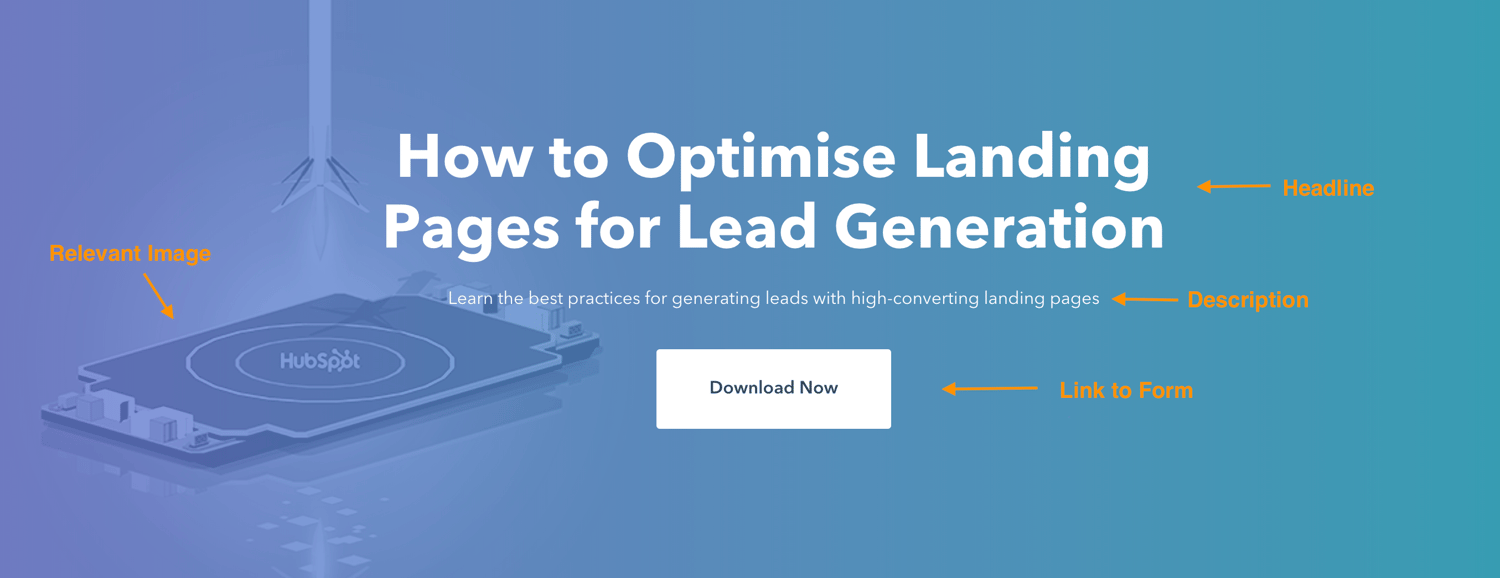
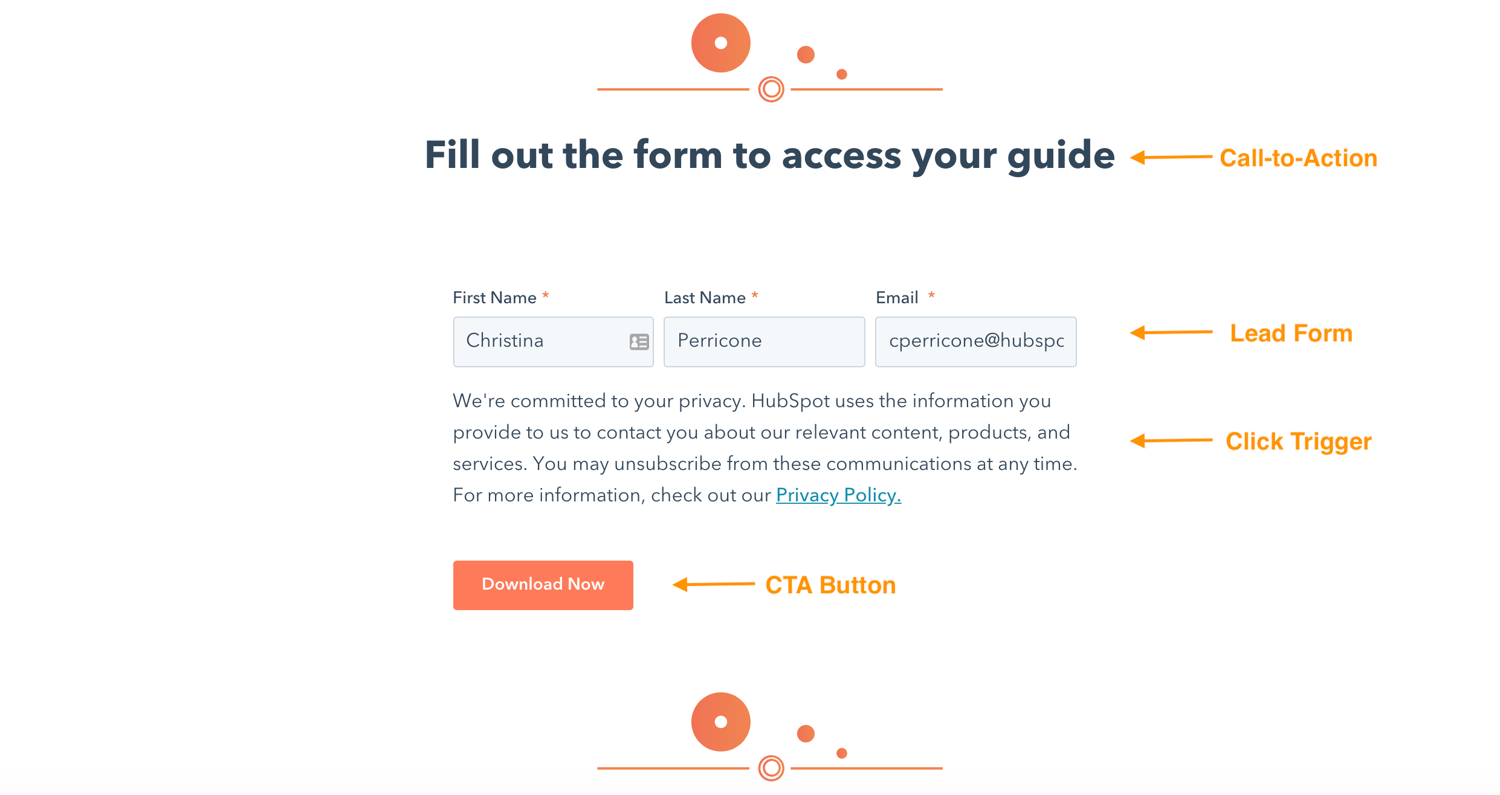
Can your landing page include more than this? Absolutely. (Think social share buttons that visitors can use to spread the word about your offer). This is simply the bare minimum. You need to know your audience, where they are coming from and where they are in their buyer’s journey to know how much you need to include. The rule of thumb is include as much information as you need to get people to convert.
Landing Page Layout
This may come as a surprise, but most people don’t read every word of your cleverly-crafted copy. Instead, they skim through and pull out the most important tidbits. Your job is to make those tidbits stand out so your visitor doesn’t miss anything important.
That means a few things …
- Keep the most important information above the fold so your visitor doesn’t need to scroll to get to it.
- Perform a blink test on your page, meaning a visitor should be able to gather the main message in less time than it takes them to blink, i.e., less than five seconds.
- Use white (or negative) space to keep your visitor engaged, focused, and to help them comprehend your message.
- Write with bullets and short paragraphs to make your copy easy to digest.
- Try to work the important copy into an F-pattern, which is the direction that most people scan a page online. Work with the flow of visual patterns to drive people to the key points that will get them to convert.
Landing Page Colors
The design of your landing page — including the colors you use — should reflect that of your website. You’re aiming to form a long-term relationship with the people who visit your landing page, and that means they need to become familiar with your branding colors and unique style. The more they recognize your brand, the more they trust you (and the more they trust you, the easier it is to get them to do what you want them to do).
The areas where you should consider using alternate colors are on the elements of your page that need to stand out — ahem, your CTA button. Contrast is the name of the game here. Say your branded colors are mostly green … you’ll want to choose a color that can draw users attention, say purple.
Wondering what colors perform well? We did a little research for you to determine which colors convert best.
Landing Page Images
The image on your landing page is one the first things people see, and since people process visuals far quicker than they do text, it sets the tone for their entire experience. . But how can you possibly choose between millions of stock photos and that company photo shoot that’s taking up all the space in your Dropbox? Let’s narrow down the selection with a few important questions:
Who is my target audience?
What does your persona look like? How old are they? How do they dress? What are they interested in? The answers to these questions are important in determining what image you’re going to place front and center on your landing page. If it’s going to appeal to your audience, then it needs to represent them in some way.
Where on my landing page do I want them to look?
This might seem like an odd question, but really it’s based on the idea that people follow directional cues, like where someone is looking or pointing. If you want visitors to fill out a form, consider an image that drives their attention toward that form.
Will this image reinforce my message?
Every element on your landing page serves an important purpose. Since your image is one of the first things that people see, it should help clarify what the visitor can expect from your page. Make sure that your image adds value.
Here are some other important things to consider when creating great landing page images.
Call-to-Action (CTA)
We’ve discussed your CTA a few times so far, but since it’s the most important part of your landing page, it’s worth mentioning again. When it comes to the design of your CTA, there are a few tricks will make it so alluring that visitors feel compelled to click. To clarify, your CTA includes the button and the copy you use to draw attention to it; these tips cover both.
- Give your CTA a vibrant and contrasting color
- Focus your CTA copy on the benefit to your visitor
- Get to the point — try using no more than five words
- Tell your visitor what you want them to do using action verbs, e.g. Get, Download, Click
- Make your button large enough to stand out on the page
- Give it some negative space — don’t crowd the area around your CTA
- Follow the flow of the page and place your CTA where your readers’ eyes will go, such as to the right of or below the copy
- Test your button shape, test your copy … as a matter of fact test everything (we’ll cover how to do this below)
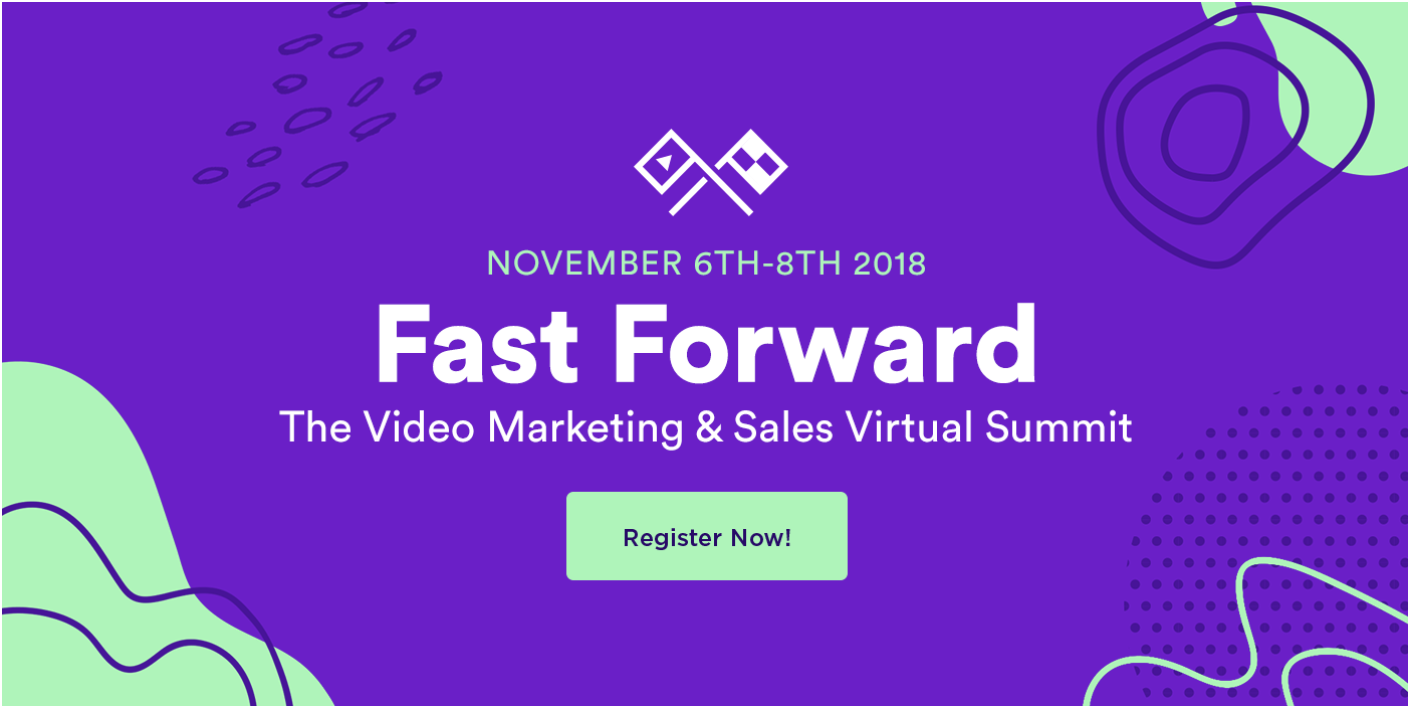
Mobile Landing Page
More than half of website traffic comes from mobile devices, therefore, the user experience should be the same no matter the device visitors are using. By making your landing page responsive, you give them every opportunity to view and convert, whether they’re on a desktop, phone, tablet, or otherwise.
Landing Page Copywriting Tips
After design comes great copy. Your objective is to be compelling, instructive, likable, concise, effective, trustworthy and informative all at once. How? Keep reading.
1. Cover the main points
No matter how you position it, there are a few main points that you need to hit with your copy. Those main points are your persona’s pain point, the solution to that pain point, how your solution works (features), how your solution will improve their situation (benefits), and verification that it works (social proof).
The majority of what you write needs to address how you can help your prospect, not how awesome you are (because that’s implied). Let’s go more in-depth on these points.
The Pain Point
The pain point that you focus on should be the one that your offer solves. Not to sound negative, but it’s important to touch on the problem your persona is facing so they know you understand what they’re going through. Empathy is an effective way to build trust. And if they know you get their problem, then they’re more likely to trust your solution.
Your Solution
The solution to their pain point is what you’re offering in exchange for their information. Illustrate a clear path between their problem and how your solution is the remedy they need.
Features
Just knowing what your solution is may not be enough to convert leads, so you need to mention what’s included in that solution. If it’s an ebook, what are the subjects your cover? If you’re promoting a webinar, how will it work and what will you teach? If it’s a service, what can they expect? Give your potential lead all the information they need to make a decision.
Benefits
Your copy should be heavy with benefits to the user because that’s what they really care about — what’s in it for them. While features list what your offer has, benefits tell visitors how their situation will be improved as a result. It paints a vivid picture of how much better their life could be by using your solution.
Social Proof
Studies show that social proof is effective for persuading people to take a desired action. Social proof comes in the form of logos of brands you’ve worked with, testimonials from previous clients, reviews of your product, or confirmation that others have purchased your service. In essence, people want to know that others are have used and benefited from your solution, too. By including social proof on your landing page, you’re validating your offer without even saying anything.
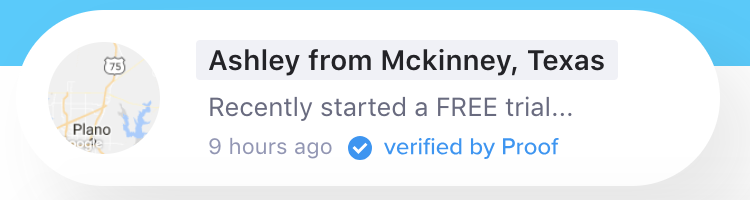
Touching on each of these points will provide you with well-rounded copy that answers all of your visitors’ questions … which brings me to my next point.
2. Preemptively respond to objections
A key part of writing persuasive copy (copy that gets people to convert) is dismantling objections before they even come up. Now, this takes some skill … or at least some help from a friend.
Once you’ve laid your foundation by addressing all the main points, put yourself in the mind of your prospect and think about where they might protest or challenge you as they read. For instance, if you say “We’ve helped Fortune 500 companies bring in customers,” your reader might scoff or doubt it unless you follow up that statement with social proof.
Do this exercise for every section of your page (or ask an unbiased friend to help) until you’ve covered every possible objection you can think of. When you get questions from people who’ve visited your landing page, use that as feedback to sharpen your copy even further. Better yet, seek out constructive criticism from your first few converted leads to ensure your landing page is meeting every need.
3. Build trust with your prospect
Say you were reading a sales page and the company wrote, “Our product has helped 100 people and it might work for you, too!” Meh. I’d probably pass and find a company that has a solution that can definitely work for me. Your goal is to build trust with your visitor and the way to do that is to come across as an authority.
Besides using social proof, some other ways to build trust are:
- Write in the way that you speak and address your prospects as you would a live customer.
- Cite statistics that support your message.
- Use case studies that highlight customers similar to your target.
- Be relatable. Show your audience that you’re human by admitting failures, opening up about doubts you’ve had, and being honest. The caveat is you should only share what is relevant to their struggle; don’t just divulge anything.
4. Use click triggers
Click triggers are designed to eliminate that last bit of doubt before a visitor converts. You can think of them as lick Probability Enhancers (… yes, I made up that term). They are essentially copy positioned next to your CTA that pushes your prospect over the edge by easing their mind and mitigating the risk of converting.
Below are some effective ways to employ click triggers:
- Money-back guarantee
- Easy unsubscribe
- Quote from a successful or happy customer
- Blurb on “what to expect”
- Price slashing
- Privacy policy
- Some other creative method
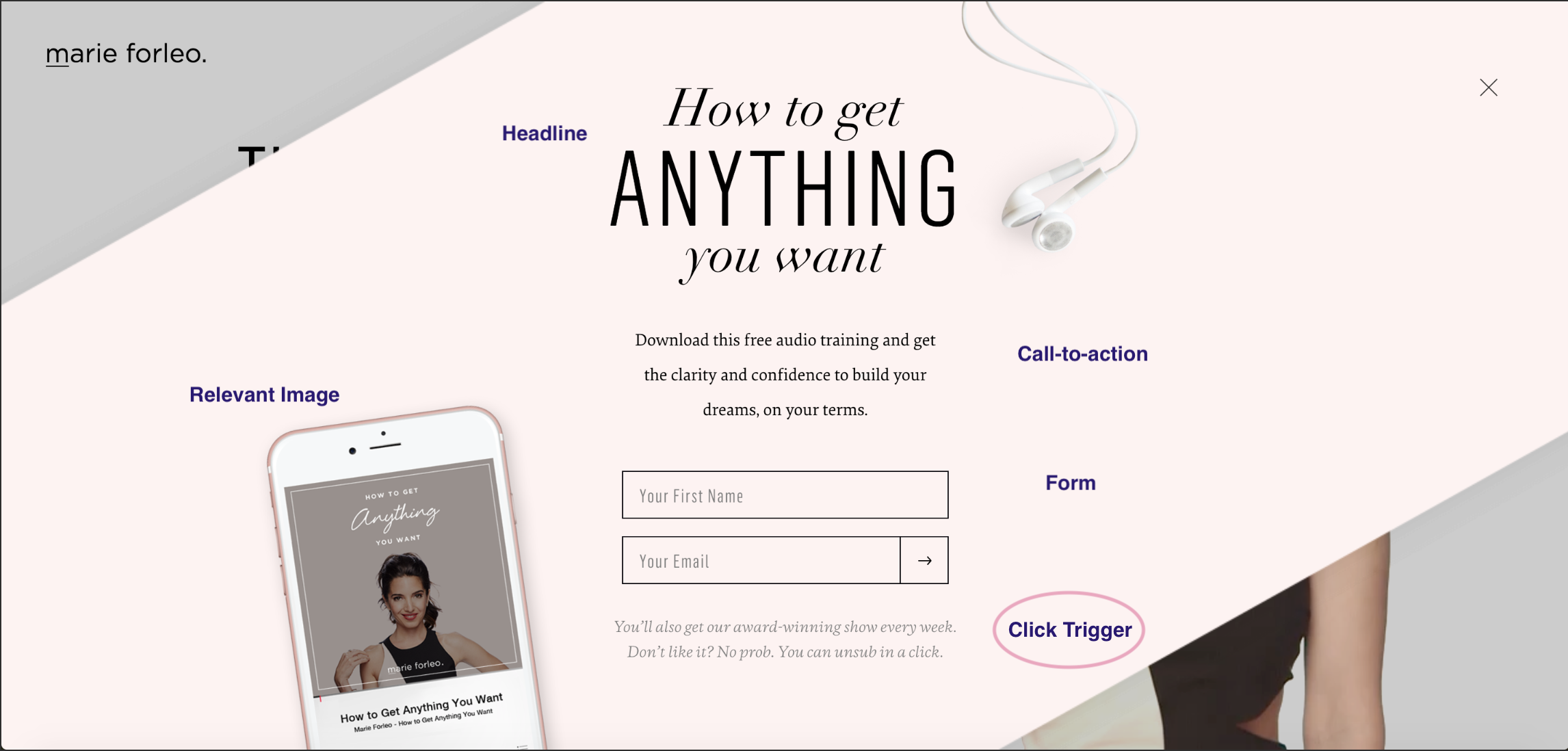
Whatever you choose, click triggers will give your conversions the boost they need.
A/B Testing Your Landing Page
Everything we’ve discussed until this point is great … in theory. But your business is different from others, and your target audience is unique. How do you know if the copy you chose is working? Or if your CTA placement is right? Or what colors perform best? Or which image to choose?
You test it. That’s how. Split testing (or A/B testing) is probably nothing new to you as a marketer, and split testing your landing page is just one more experiment to add to your list.
Let’s briefly go over how to best A/B test your landing pages.
What is A/B testing?
A/B testing is simply splitting your traffic to two (or more) variations of a page to see which performs better. While you could do this manually by launching one variation for a period of time, then another for the same amount of time, it’s far more efficient to use a software that allows you to split test and can track your results.
The main components of an A/B test are variants, or the two versions of the page, the champion, or the original page, and the challenger, or the page that you modified to test against the original.
How to A/B test
The most important trick to split testing is to make very small tweaks with each experiment. For instance, you don’t want to split test your headline and your image at the same time because you won’t know which element garnered the results. For this reason, stick to testing one element at a time. The “winner” becomes your champion, then you can create a new challenger to test the next element. You repeat this cycle until you reach a conversion rate that you’re happy with (and that falls within realistic expectations, which we’ll cover below).
What should you test?
You can test virtually anything on your landing page. But while that’s possible, you may want to limit your test to a few of the most impactful elements of your page, like:
- Headline copy
- Image
- CTA color
- Click triggers
- Copy on the page
- Lead form length and fields
These tests will have the biggest impact on your conversion rates. Try starting with the simplest change first, like a headline or CTA color, then work your way to the larger undertakings, like your page copy.
Landing Page Metrics to Track
Metrics will tell you everything you need to know about how well your landing page is performing as well as give you some insight on how to improve it. It’s hard to know exactly what will work when you launch a page. Measure and track meticulously in the beginning until you reach a relatively good conversion rate, then you can track your metrics less frequently.
Page Visits
How many visits are you getting on your landing page? The more visits, the more you increase your probability of conversions. Try adjusting your paid strategy or redefining your keywords to drive more traffic to your page. You can also let your current followers know about your offer through emails, social media, and on your website.
Traffic Source
Knowing where your traffic is coming from will let you know where you should double down on or ditch your efforts.
Submission Rate
This is the number of people that complete your lead form and land on your thank you page. There are many tweaks you can make to your page to increase this number, but make sure to A/B test so you know what’s working.
Contacts
Contacts refers to the number of leads that you generated from your form. The reason this is different from submissions is because duplicate contacts are only counted once, meaning if a current lead fills out your form to get your offer, they don’t affect the count.
Heat Mapping
This is more of an observation of how people interact with your page as opposed to a metric. Heat mapping can show you where people scroll, what they read, and how they engage with your page. This is all useful data when thinking about your page layout and structure.
Bounce Rate
If visitors are coming to your page and immediately leaving, then you need to examine whether the content is aligned with the offer. Does your copy capture visitors’ attention and do visitors automatically know what to do when they land on your page? Is your page a reflection of the copy you used to get people to visit it?
Form Abandonment
This metric tells you how many people start filling out your form but don’t complete it. If this number is particularly high, some adjustments to consider are introducing new click triggers, shortening your form, or making it more clear what you want your visitor to do.
Benchmarks
You need to judge your landing page against industry norms and across a similar audience to know if it’s performing as expected. Check out some industry benchmarks to set as your baseline, but don’t be discouraged by other company’s results.
No matter what’s going on, it’s possible to diagnose and heal your landing pages if you pay attention to the metrics.
How to Make Your Landing Pages More Effective
There are always tweaks you can make to boost landing page performance. Below are a few great tips (if I do say so myself) to get your landing pages leveled up.
Optimize your landing page
Optimize is such a confusing word, isn’t it? I mean, are we talking about imagery, copy, keywords, or UI? The answer is yes — we’re talking about all of it. Optimize just means to make your landing page the best it can be, and that can include a myriad of modifications. If you want to know everything you could do to optimize your landing page, you’ll need a pretty expansive guide. And, guess what, we have one here.
Present a really good offer
You could argue that anything free qualifies as “good,” but that isn’t exactly true. Not only should your offer be free (we’re not talking sales pages here) but it also has to be good enough to warrant a stranger giving you their personal information. Let’s face it — there are a lot of companies competing for your audience’s attention, asking for their information and soliciting them via email. So, what’s going to make you stand out from the pack? An outstanding offer, that’s what.
Here are a few questions to determine if you have a compelling offer or not:
- Does my offer solve a pain point for my target audience?
- Is there a clear benefit that a lead can gain from this offer?
- Can my offer rival the competition?
Decrease page load time
A single second delay in page load time means 7% less conversions and 11% less page views. One study found that a three-second page load time can result in losing nearly half of your potential customers. Not only that, but slow page load times result in customer dissatisfaction and frustration.
Needless to say, landing page load time is a metric to take seriously. If you need some tips, check out this resource on decreasing page load time.
Keep the buyer’s journey in mind
Since you’re driving traffic to your landing page, you should have a clear idea of where your visitors are in their buyer’s journey. That means, you’ll know if they’re trying to diagnose a problem (awareness), looking for a solution to their problem (consideration), or are ready to close (decision). Your copy and offer should reflect this if you want to convert. It’s no different from any other marketing materials — meet your visitors where they are.
Create a seamless experience
No one should be surprised when they arrive on your landing page. It should be exactly as advertised, meaning be consistent with your copy. Use the same words on your landing page that you used to get people to arrive there, whether it was a paid ad, social post, blog CTA, or email. You need to avoid the bait and switch at all costs if you want people to stick around.
Create a clear path to conversion
There should be no guesswork involved in navigating your landing page. Once someone arrives on your page, it should be clear what you want them to do — submit their info to your lead form. Your goal is to guide visitors to your form using creative directional cues.
Here are some ways to point your visitor to a conversion:
- Choose an image of a person that is either gazing in the direction of or pointing to your form
- Make your CTA a contrasting color to draw attention to it
- Use arrows that point to your lead form
- Insert anchor text that brings people back to the form when clicked
- Give your CTA some negative space on the page
- Frame your lead form with a bold color or outline
Add scarcity to your offer
Few emotional marketing tactics work as well as fear … and the fear of missing out (more formally known as FOMO). Consumers don’t like to lose their ability to choose, and once you make it clear that your offer is in high demand and/or short supply, they’re going to clamber to get it. (Here’s a cool study on cookie jars if you want to geek out on the psychology of scarcity marketing.)
The other reason why this technique works is because people want things that are hard to obtain — that signifies value and exclusivity.
To show scarcity, mention how little of your offer is left, include a countdown timer, use words like “ends soon” or “last chance”. Obviously, we want you to be genuine, so only employ tactics that are true for your business. Bottom line: there are many ways to use and benefit from this technique.
Use video
Video marketing is becoming increasingly popular for good reason. Not only do customers prefer to see video from companies, but video has been proven to increase conversions by up to 80 percent. The key is to create an effective video that doesn’t distract visitors from your ultimate goal: the call-to-action.
If you’re on the fence about using video, here are some reasons that might push you over the ledge.
Video…
- Increases conversion rates
- Is a more personable way to share a message and connect with prospects
- Can be more engaging than an image and will get visitors in the habit of clicking (and converting)
- Keeps visitors on your page longer
- Is processed 60,000 times faster than text
If you do plan to employ this tactic, VidYard has some helpful landing page video guidelines to follow.
Are you excited yet about all the ways you can improve your landing pages? Sure, there are quite a few but that just means that a poor-performing landing page doesn’t have to stay that way. Take it one tactic at a time and build as needed.
What to Do Post-Conversion: Lead Nurturing
So, you have an optimized landing page that converts like a charm. Now what? You don’t want to leave those leads hanging. Instead you want to nurture them into becoming customers, then nurture them some more. Here’s how.
Optimize your thank you page
I hope you’re not tired of optimizing yet. Your thank you page is the first thing someone sees after they convert, so it serves as a great opportunity to delight your new lead even more than you already have. Your objective is twofold: deliver your promised offer and get them interested in something else on your site.
Your thank you page should:
- Thank your new lead (go figure)
- Provide links to relevant content on your site
- Invite your lead to follow you on social media
- Ask your lead to subscribe to your blog
- Automate a follow-up email with the offer
Guide them along their buyer’s journey
Your new lead is going to make their way to the decision stage with or without you. You want to be the one to help them get there. You’ve gathered some valuable information about your lead, which means you can anticipate what they need next. Provide content or resources to bring them to the subsequent stage of their journey, and you just might be their option for the decision stage. After all, we know that prospects buy from companies that they know, like, and trust.
Form a relationship
Once someone signs up to receive information from you, they become a potential customer with whom you should work hard to build a relationship and connection. The good thing is you already know what they’re interested in and what their pain points are, so you can target them with additional, helpful content and personalized marketing.
If you’re still stuck, get some inspiration from some of the best landing pages we could find.
Conclusion
Landing pages will account for a majority of your new leads, so they demand your attention. With the vast number of tweaks, additions, and variations you can implement, there’s no reason why you can’t have a landing page that converts well. As long as you’re following the best practices we covered above, you’ll be on your way to a high-performing landing page. And if you need some additional guidance, we’re always here as a resource.

The Ultimate Guide to Content Marketing in 2019
It’s no secret that traditional forms of marketing, which interrupt audience members, are less effective than they once were for reaching prospects and converting leads into customers. That’s why content marketing has become a popular way for businesses to reach and engage their target audience.
By providing audience members with useful content to educate them on your products and services — and show them how those products and services effectively solve their pain points and challenges — you can increase conversions, improve brand awareness, boost revenue, and more. Sound interesting? Keep reading to learn about the ways your business can implement content marketing tactics and strategies to connect with your audience.
Why is content marketing important?
Today, outbound marketing strategies (or anything that interrupts your audience members) aren’t as effective for reaching audience members and converting leads as they once were. Content marketing has become a popular way for businesses to combat this issue. In addition to expanding your reach, content marketing helps your business:
- Educate your leads and prospects about the products and services you offer
- Boost conversions
- Build relationships between your customers and business
- Connect with your audience to show them how your products and services solve their challenges
- Create a sense of community around your brand
Now that you understand why your business should invest in content marketing, let’s review some examples so you can decide which types of content you want to create.
Content Marketing Examples
Although content marketing is an applicable and useful tactic for almost every company, brainstorming creative and persuasive ways to reach and convert your audience is no simple task. So, how can you succeed at content marketing?
To answer that question, let’s take a look at the various types of content marketing, plus some examples of each. This section will give you a better understanding of how you can incorporate content in your business’s marketing plans.
Types of Content Marketing
There are many types of content marketing your business may decide to leverage. Below are some of the most popular options.
Social Media Content Marketing
With over 3.7 billion global users, it’s easy to understand why so many businesses invest in social media content marketing. There are a number of platforms (such as Facebook, Instagram, Pinterest, LinkedIn, and Snapchat) to work with and several ways you can create and share social media content on each of them (such as photos, live and pre-recorded videos, and stories). All of these platforms and ways to share your content provide you with a plethora of opportunities to connect with your audience.
Example of Social Media Content Marketing
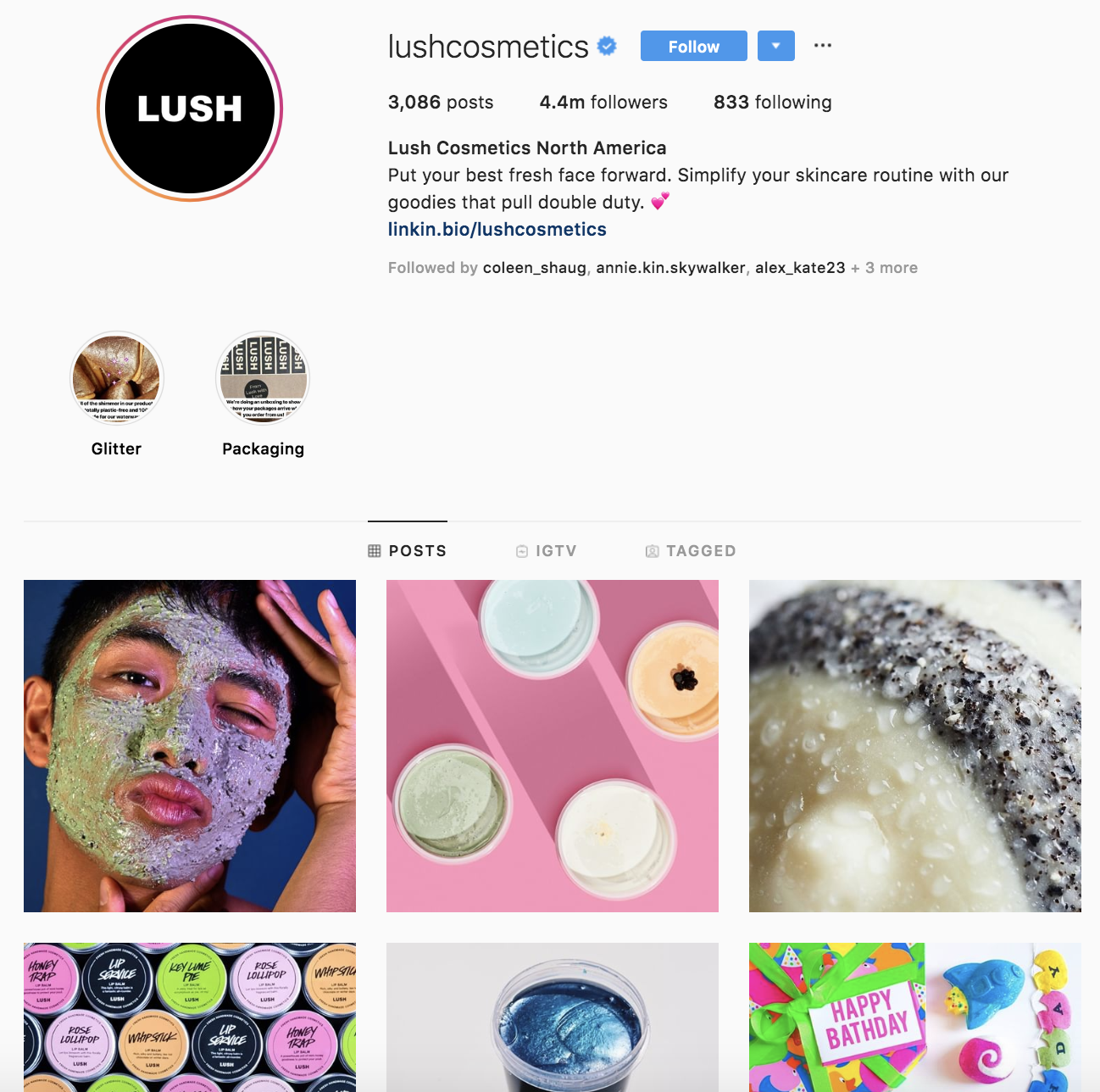
Lush Cosmetics’ Instagram account is on-brand and complements the rest of their marketing content — if the page didn’t say “Lush Cosmetics” anywhere on the profile, customers would likely still know the profile belongs to Lush.
The Instagram page shares the Lush product line, displays different color and scent options for the products, and shows the various ways each product can be used. Their profile feels and looks colorful, bright, happy, and uniquely Lush. The page also depicts people of all backgrounds, ethnicities, and genders using their products in ways that fit their specific needs.
Infographic Content Marketing
Infographics display content, information, and data in an easy-to-understand, graphic format. With a mix of simple wording, short statements, and clear images, infographics are a great way to effectively communicate your content. They work well if you’re trying to distill an educational and/ or complex topic down so all audience members can understand it.
Example of Infographic Content Marketing

IBM created an infographic when they launched their Cloud marketplace Their infographic is on-brand, well-organized, and easy to read. It clearly explains what they’re doing with their Cloud marketplace and how customers can benefit from it. It also tells audience members how they can access the marketplace and get started using it.
Blog Content Marketing
Blogs are a powerful type of content for inbound marketing and sharing information with your customers and target audience (whether educational, customer-related, or product-related). Blogs can be used to convert readers into customers, boost brand awareness, and/ or build relationships with your audience.
Depending on the goal of your specific blog, you may choose to promote other blog content by linking to various posts, sharing links to your social media pages, linking to your partners’ websites and products, or writing about your product line.
Example of Blog Content Marketing

Expedia has a blog called “[Out There Starts Here]” that shares travel-related information. Whether about hotel recommendations, unique places to visit, or various activities you can do around the globe, their blog has all of the details.
Expedia regularly publishes their blog content to keep readers interested and engaged. It includes a wide range of topics related to any type of trip you could imagine. The blog is on-brand and all articles relate to the travel technology company’s goal and mission of gaining customers and boosting brand awareness. They do this by linking to their services and writing about customers who have already had positive experiences with the company.
Podcast Content Marketing
Did you know over 6 million people currently listen to podcasts in the U.S.? Podcasts have become a popular content medium because of their convenience — you can enjoy them while relaxing or on-the-go. That’s why so many businesses have started creating podcasts. They help improve brand awareness, build relationships with audience members, and promote their products, services, and partners.
Example of Podcast Content Marketing

Harvard Business Review (HBR) has a weekly podcast called HBR IdeaCast which features industry leaders in both business and management. You can either subscribe to consistently receive their hundreds of podcasts or pick and choose which ones you want to listen to.
The podcast is on-brand and complements the rest of HBRs published content. It also serves as a great way for HBR to connect with their target audience, enhance brand awareness, and gain a following of audience members through a medium that differs from their typical work (listening to a podcast vs. reading an HBR article).
Video Content Marketing
According to a recent HubSpot research, over 50% of consumers say they want to see videos from the brands they interact with. Additionally, video marketing can boost conversions, improve ROI, and help you build relationships with audience members. You may choose to share your video marketing content on social media platforms, site pages, or on your partners’ websites — expanding your reach across different media.
Example of Video Content Marketing

Much of Dollar Shave Club’s video content has gone viral. Their marketing efforts are on-brand, humorous, and entertaining. In fact, one of their videos has over 26 million views on YouTube. By making a name for themselves through their online video content, Dollar Shave Club has experienced impressive growth and brand recognition.
Paid Ad Content Marketing
As I mentioned before, organic traffic created by content and inbound marketing is becoming increasingly popular among all types of businesses. However, that’s not to say paid content and ads are useless or ineffective for reaching your target audience. Paid content ads can help you reach a broad audience and allow you to position yourself in all of the places you want to be seen.
There are many ways you can create and publish your paid content ads. You might share paid ads on social media or publish digital ads on websites in the form of banners or sponsored content.
Example of Paid Ad Content Marketing

Revolve — a clothing and accessories company — uses paid and sponsored ads on social media (like this one on Facebook) to reach their target audience while they browse their news feeds. The content ads feature some of their products and details about their free shipping and return policies to pull their audience to their website and, hopefully, convert them audience into customers.
We’ve now reviewed the various types of content marketing you can add to your strategy. Now, let’s talk about your content marketing strategy. By implementing a strategy, you can ensure your content marketing efforts are impactful and effective in converting leads and reaching your audience members.
1. Set SMART Goals
The first part of your content marketing strategy is to set SMART goals. These should be specific to your business — they’ll likely complement your broader marketing and company goals. Let’s review some examples of goals you set for your content marketing strategy.
You may want your content to …
- Improve brand awareness
- Boost revenue
- Increase conversions
- Improve brand loyalty
- Increase customer engagement
- Build rapport and trust among prospects and customers
- Attract strategic partners
2. Determine Your KPIs
Next, set key performance indicators (KPIs) for your SMART goals. KPIs are quantifiable data points you can use to measure your actual performance against your goal.
| smart goal | related kpi |
| Brand awareness | Site traffic, social media followers, subscription sign-ups, mentions (by customers and partners) |
| Revenue | Daily sales, site traffic |
| Conversions | Conversion rate, shopping cart abandonment rate, associated shipping rate trends, competitive price trends |
| Brand loyalty | Returning customers, promoters, product reviews, referrals |
| Customer engagement | Likes, shares, follows, mentions, backlinks |
| Rapport and trust | Returning customers, promoters, followers, mentions |
| Strategic partners | New partnerships, mentions, backlinks |
3. Decide on the Type of Content
Next, choose the type of content you’ll create. To do this, start by thinking about your target audience and buyer personas. Answer the following questions about your target audience to help you narrow down the right types of content for them:
- What do they need from you?
- What challenges are they looking to overcome?
- Why do they need your product or service?
- How can you help them succeed?
Now, take a look back at the various types of content we reviewed earlier to determine which type or types of content you’ll create and share among your audience members and customers.
4. Choose Your Content Channels
Once you’ve decided on the type of content you’ll market with, it’s time to choose your specific content channels. For some of the content types, the channel you need to work with will be obvious. For example, if you’re creating blog content, your channel will be the blog itself.
However, some channels will be less obvious. For example, if you choose social media, you’ll need to decide which platform or platforms you’ll be marketing on (Instagram, Facebook, Twitter, etc.). If you choose an infographic, you’ll need to decide which channel will you be sharing it on (social media, website, etc.).
5. Set a Budget
Now, set your budget. Think about the type of content you’re creating and which channels you’re marketing that content on. Then, ask yourself the following questions to determine your budget:
- Do you need to purchase any software or technology to create the content (such as graphic design software like Adobe Photoshop, a subscription to Canva, a camera to take high-quality photos and videos)?
- Do you need to hire any content team members (such as artists, writers, editors, designers)?
- Do you need to pay for ad space?
- Do you need access to specific tools or resources to enhance or measure your specific type of content?
As you answer these questions, you may notice how your responses impact your expected budget — whether that’s an increase or decrease in what you may have already estimated.
6. Create and Distribute the Content
Create and distribute your content so your audience members can consume it — and possibly convert. To ensure you’re consistently producing content and sharing it among your prospects and customers, use a social media calendar or an editorial content calendar. This can help your team can stay on top of all of the content being created and even schedule it ahead of time.
7. Analyze and Measure Results
Lastly, analyze and measure your results. This will allow you to make any necessary changes to enhance your content marketing efforts and reach more audience members. Look at your SMART goals and KPIs to determine the success of your content marketing strategy. Did you achieve your goals and KPIs? Were you close to reaching them, or were you off in your estimations?
Here are some tools to help you with your content marketing strategy analytics and results:
- HubSpot marketing analytics software
- HubSpot social media software
- Mention social media marketing software
- SharedCount engagement tool
- Sprout Social social media analytics software
- Google Analytics
Convert More Prospects With Content Marketing
With effective content marketing, you can reach your target audience and increase conversions. There are several ways to market with content to boost revenue, grow your brand awareness and recognition, and build relationships with your prospects and customers.
To get started, determine which type of content works best for your business and audience, and develop a content marketing strategy to begin boosting your bottom line today.

How to Prepare an Advertising Plan [Free Template]
Oftentimes, turning an idea for an advertising campaign into reality isn’t exactly simple.
Among other things, you must get buy-in from other teams, earn approval from bosses and executives, negotiate your budget, and present a clear path for return on investment (ROI).
The best way to clearly present your proposal, its costs, its stakeholders, and how much you expect to earn is with a concrete and detailed advertising plan. Additionally, an advertising plan will help you formulate and organize your thoughts and ideas so you can ensure your campaign is an effective one.
In this post, we’ll highlight the major sections you should include in your advertising plan so you can guarantee your next campaign is a success.
Follow Along With HubSpot’s Free Ad Plan Template
HubSpot created an advertising plan template for you to download so you can organize your advertising campaign easier. The template is broken down into relevant sections and can be shared with your stakeholders when it’s completed.
 Download this Advertising Planning Kit
The template also includes an advertising project pitch deck, which you can use in your campaign kickoff meeting, in addition to a guide of the pros and cons of various advertising platforms. Download the kit now to kickstart your ad campaign in the best way possible.
How to Prepare an Advertising Plan
1. Provide an Overview of Your Advertising Plan
Before you jump into your tactical advertising ideas, provide those reading your ad plan with a high-level overview of your initiative.
You should specify the following so anyone reading will have a basic understanding of what the campaign is, and what you’re trying to accomplish:
- Campaign Name: Make the campaign name catchy, unique, and easily identifiable so your team can get behind it.
- Campaign Description: What is the purpose of your campaign? Explain in 2-3 paragraphs what the inspiration behind your campaign is, how it aligns with your company initiatives, what customer problems you’re solving, and what the final deliverables of the campaign will be.
- Target Audience: Ideally, who’s on the receiving end of these ads? You can be specific to age, sex, region, or any number of demographics, or you could use this space to name which of your business’s buyer personas you’re targeting.
- Advertising Platforms of Choice: How will you be getting your message across? Here, you’ll just want to identify the platform you’ll be using, since you’ll get more into the details of what the actual ads will look like in a later section.
- Goals and ROI: Ultimately, you’ll need to explain what the end goal of your campaign is. Most ad campaigns are intended to produce a direct profit or return on investment, so if that’s your goal, identify that number here. If your campaign goal is something else — event sign-ups, product awareness, etc. — be sure to identify and quantify it if possible.
2. Choose Your Platforms
Here’s where you’ll provide more detail on the advertisements themselves and on which platform they will be promoted. For each ad you intend to run in this campaign, you should provide the following:
- Platform name
- Ad type
- Description of the ad
- Timeline
- Budget
For example, your content in this section might look like this:
Platform #1: YouTube
- Advertisement Type: Video
- Description of Ad: A 15-second pre-video ad. The video will be an animated look at our new app with a link to the app store at when someone clicks.
- Timeline: July 1 – July 31
- Budget: $10,000
3. Develop Your Timeline
Working on an ad campaign takes a ton of time and resources, so everyone involved will want to know what tasks they’re responsible for, when they’re due, and how long they have to do them. In this part of your advertising plan, list the tasks that are due, when they are due, and who is responsible for accomplishing them.
4. Outline Your Budget
Because a return on investment isn’t guaranteed, the budget can be the toughest part of your advertising project to get approved — which is why it’s important to break up your requests by line item and present them in your plan.
Rather than simply stating, “We need $65,000 for this project”, try organizing your budget into a detailed visual, like the example below:

Naturally, you can (and should) expect questions and pushback on certain line items. For example, you may be asked to find another designer or video freelancing team who can do the job for cheaper. It’s critical you arrive at meetings prepared to defend which costs are necessary for the campaign’s success, and which expenses can be reconsidered.
5. Explain Your DACI Framework
The DACI framework outlines who the key contributors in the project are and what their responsibilities entail.
Here’s how a DACI framework is broken down:
- Driver (D): Unsurprisingly, this person is the project’s main driver. Chances are, this will be either you or your direct manager. The driver will coordinate all of the moving pieces of the project, seeing it through from inception to wrap-up.
- Approver (A): This will be the person who must approve a project and is typically a director, VP, or manager. This person will give feedback, recommendations, or approval on the overall project and have a final say in all project deliverables.
- Contributors (C): Contributors will be the individuals who are responsible for creating one or more deliverables for the project. In an advertising campaign, this can include copywriters, video producers, animators, designers, and digital advertising specialists.
- Informed (I): These are employees who are kept in the loop as the project goes on. Examples include the department heads and the managers of project contributors. These people have no direct responsibilities but benefit from knowing about the project and its status.
Your DACI framework should include the name of each stakeholder, his or her contact information (email, phone, and/or Slack handle), and that person’s responsibility or deliverable.
This framework makes project delegation crystal clear for everyone involved.
6. Provide Additional Resources
This will act as the appendix of your advertising plan. Share the ad campaign that inspired this one with your readers, link to the product page you’ll be promoting with this initiative, or link to your company’s brand style guide so designers and writers get a refresh on how to create external-facing content.
7. Host a Campaign Kickoff Meeting
After you complete your outline, gather all the stakeholders in a conference room or over Zoom for a kickoff meeting to explain the campaign concept, timeline, and deliverables. Compile all of them in HubSpot’s advertising project pitch deck and present your advertising plan, opening it up for further questions and brainstorming from project contributors.
Over to You
Now that you know how to write your advertising plan, it’s time to lay your ideas, budget, and timeline out in HubSpot’s Advertising Plan Template. Download it for free to get your advertising campaign project plan off the ground.
For further inspiration, take a look at The 18 Best Advertisements of All Time.

How to Calculate Your Business’s Break Even Point [Video Included]
You’ve heard the term “break even.” It’s a popular way to describe a time when you spent exactly as much money as you made. “We gambled $200 at the casino and won $200, so we broke even.”
But in a business context, it’s not that simple.
Your break even point doesn’t just happen in Vegas, and needs to be constantly recalculated for you to turn a profit in the long term. Here’s how to find it.
Find Your Contribution Margin
Recently, I explained how a business calculates its contribution margin — the amount (ideally in the form of a percentage) that your revenue from sales exceeds your variable costs to develop the product. There are two reasons you should care about this figure.
First, your contribution margin deliberately leaves out your operating costs so you can see exactly how profitable your product is. For example, while software and website costs to an ecommerce clothing business don’t directly contribute to the business’s product (the clothing), the cost its thread vendor charges does. The business omits the first cost because it only wants to see how profitable its clothing is against what it pays to produce it.
The second reason contribution margin is so important? You need it to calculate your break even point.
Although operating costs are irrelevant when assessing a product’s profitability, they’re critical when assessing your business’s profitability. These costs, also called fixed costs, factor back into your books when calculating your profit margin — your total profitability after all business expenses paid. And in order to achieve a high profit margin, you first need to know when you’ll break even.
Break Even Point
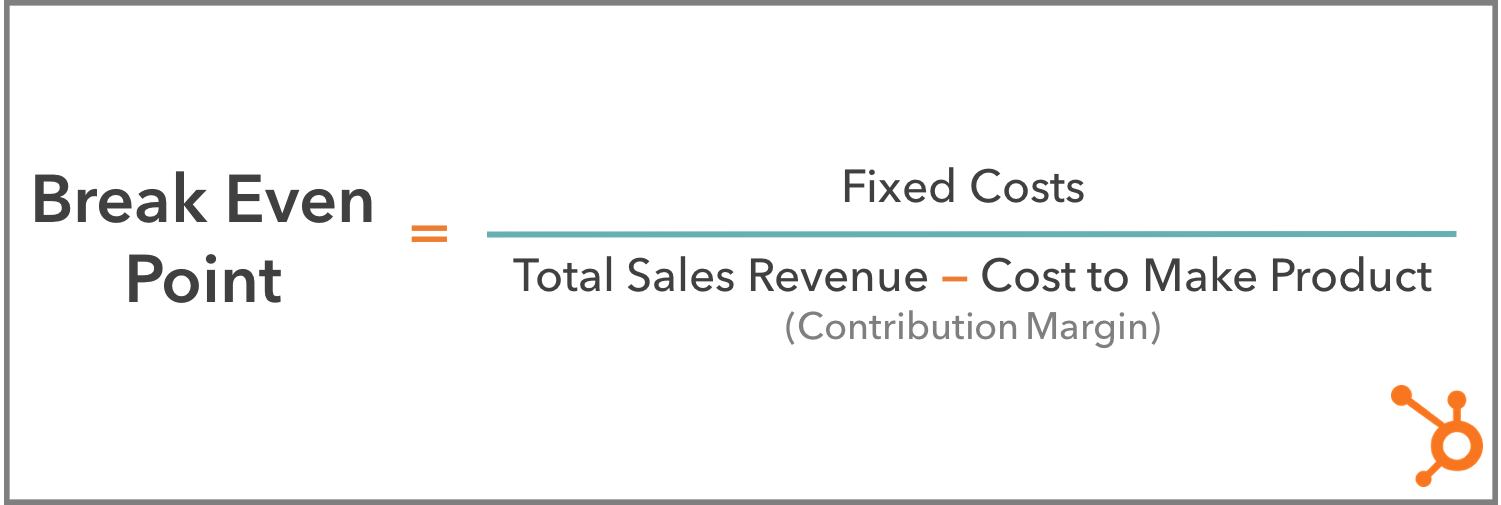
A business’s break even point indicates when total revenue from sales will be equal to total costs to the business. As a formula, your break even point is your fixed costs divided by your contribution margin, and the final number can be used as a recurring metric by the business to predict profitability.
Keep in mind that a break even point isn’t a finish line. Breaking even is an exciting milestone for a growing business, but the break even point indicates when the business’s revenue will be equal to its costs — not when it is. Businesses run the equation described above multiple times a year, eventually surpassing their break even point and (hopefully) becoming profitable.
So why is this number recalculated all the time? Once you “break even,” aren’t you officially on the road to profitability? Yes and no. If you were to calculate your break even point according to yearly revenue, yearly fixed costs, and yearly contribution margin, then yes, you’d get a number that is more representative of the business’s profitability since you’re considering a full year of activity. And once you break even, you wouldn’t have to track your break even point as often.
But there are shorter-term break even points that reset on a weekly, monthly, or quarterly basis to guide you as you strive to reach your end-of-year (EOY) break even point.
For example, if fixed costs such as your monthly office rent total $3000, and your product has a contribution margin of $250 per unit, you’d have to sell 12 units of your product by the end of the month to break even for that month. See how I came up with this number below:
The following month, you’re back to square one, as you’re on the hook for $3000 worth of bills for next month and need to sell another 12 products to, once again, break even for that period of time.
Set Goals to Become Profitable
Luckily, as a business grows, it won’t have to meet these incremental break even points in order to declare itself profitable by EOY. The business’s monthly revenue can even come up short of a month’s fixed costs, but break even or declare the business profitable at the end of the year.
How? With seasonal fluctuations in sales, you might fall short one month but become super busy during a holiday and make up for it. Perhaps you host a flash sale that reduces revenue in the short term but develops brand loyalty that brings in long-term customers, and a more steady revenue stream. Just be sure you calculate your break even point first before running a sale or discount so you can set appropriate goals for the sale itself. Houston, we have a profit.
Now it’s time for you to calculate your business’s break even point … How’d you do? Did you plug your sales figures into the formula above and get a scary number? Don’t sweat it — that’s why these incremental break even points are so helpful to a growing business.
If you’re discouraged by how much work you’d have to do to break even by the end of the year, shorten the time period of your break even point. By setting a goal to break even every week or month right now, you can set yourself up to break even after larger stretches of time later.

The Ultimate Guide to Advertising in 2019
When you hear the word advertising, what comes to mind?
Do you think of banner ads on your favorite website? Super Bowl commercials? How about the billboards along the highway or posters in the subway stations?
While most of us have a pretty good idea of what advertising looks like, it’s a little harder to nail down exactly what it means — and how to do it well.
From the printing press to pop-up ads, advertising has certainly changed with the times. Despite this, though, the need for advertising hasn’t changed, and neither have the techniques and best practices that make for quality advertising. That’s what we’ll cover in this guide.
Whether on a billboard or the back of a restaurant menu, advertising can go to work for your company in a variety of ways. Here’s how:
- To raise awareness for your brand
- To drive potential customers to your business
- To promote sales for both new and existing products
- To introduce a new product or service to the market
- To differentiate your product from your competitors’
Advertising can also be executed in various ways. Radio commercials, billboards, branded t-shirts, and social media endorsements all count as advertising. Here are the different formats and channels that advertisers have been using for years:
- Print advertising and posters
- Newspapers and magazines
- Outdoor ads and billboards
- Public transit ads
- Sponsorship of TV shows and events
- Radio
- Sponsored web content
- TV commercials
- Online pop-ups and search engines ads
- Social media ads
Advertising can look like many different things. Below, we’ll cover how to advertise on these mediums.
Marketing includes a number of different channels, such as social media, email marketing, public relations, SEO, and paid advertising.
Alternatively, advertising is just one part of marketing.
A company’s overarching marketing strategy will typically include an advertising plan. The advertising zooms in on the specific process of creating and publishing the persuasive messages to get customers to take action.
A Brief History of Advertising
Advertising is one of the oldest segments of business, save for currency and trade. Once products and services arose, so did the need to make them known.
The oldest confirmed piece of advertising dates back to 3,000 B.C. Technically, it was a print ad from ancient Egypt promoting the capture and return of an escaped slave. Incidentally, the ad also mentioned the slave owner’s shop — a rug business — which inherently advertised his storefront, too. The slave was never caught, but the rug owner did discover a brand new method of bringing in traffic: advertising.
Let’s fast-forward about 4,000 years. Here’s a brief look at the past five centuries of advertising:
1472: The first poster advertisement is placed on church doors in London.
1650: The first newspaper ad — a reward for 12 stolen horses — is published. (What’s with the reward-based advertisements?)
1704: The Boston News-Letter prompts its readers to place ads in its paper.
1870: The Powers style of ad copy is born. This style packed a punch — it was short, to-the-point, truthful, and convincing. Powers said the focus should be on why the consumer should buy your product or service — a message that still resonates for good reason today.
1880: Postcards become one of the hottest new ways to reach customers.
1893: Retailer Sears, Roebuck, & Co. joins the mail-order bandwagon by issuing their own catalog. 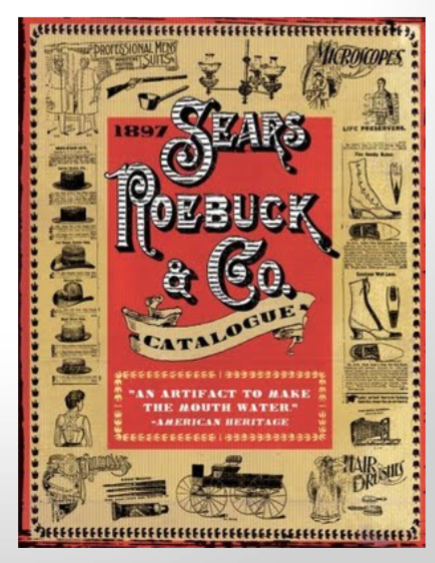
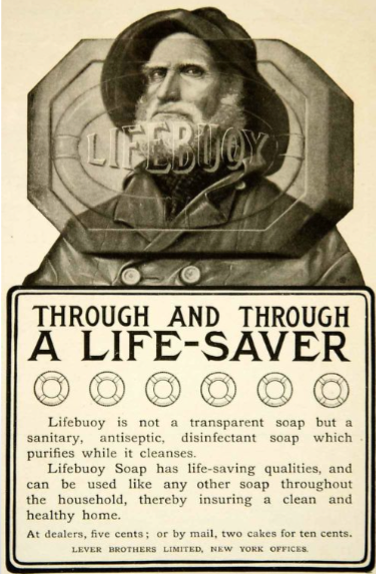
1902: Unilever creates the “longest client-agency relationship in advertising history” when it hires J. Walter Thompson Company to advertise its Lifebuoy Soap.
1902: Mellins Food advertises its brand on 25 airship flights, becoming the first brand to take this approach.

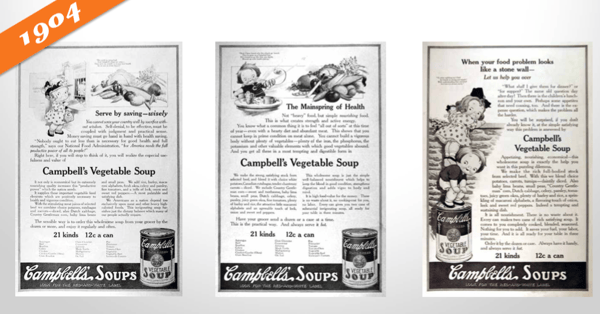
1904: The Campbell’s Kids are created, piloting the change in advertisement focus from a single ad to an entire campaign.
1922: Radio ads are born, and businesses purchase 10 mins for $100. Two years later brands would increase their investment by sponsoring an entire radio show, a concept that would eventually become known as “sponsored content.”
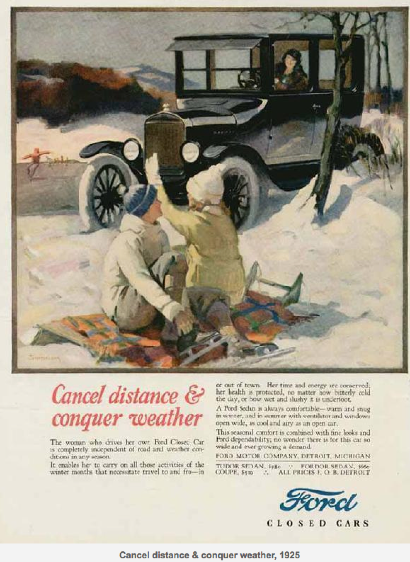
1925: Advertisers start to appeal to emotions, focusing on what pleasure customers would receive from their product or service. This old Ford ad exemplifies this perfectly.
1975: VCRs are introduced, and consumers begin to record shows and, therefore, skip advertisements.
1990: Computers become more popular and accessible at home, with over 5 million homes connected to the internet.
1994: The first email spam campaign launches. Banner ads are also introduced.
1995: Search engines like Yahoo! and Alta Vista are born. Ask Jeeves and Google would follow in 1997 and 1998, respectively.
2005: YouTube and Facebook (for college students only) launch.
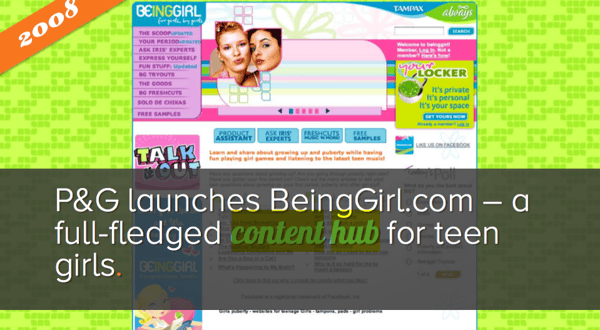
2008: Brands start to realize the importance of having an online presence for their potential customers. Procter and Gamble pilot the concept of the content hub with BeingGirl.com.
2012: Online videos reach 169.3 million viewers.
2013: Sites like Pinterest and Instagram join the social network scene.
History teaches us that advertising is an ever-changing concept, just like shopping habits and how and where consumers spend their time. Whereas almost 140 years ago, postcards were the newest form of advertising, brands today are building chatbots for Facebook Messenger and integrating artificial intelligence into their marketing and sales platforms.
Things in the advertising world move fast.
The Modern Era: How to Advertise Online
As of today, there are almost 4 billion people using the internet. This number is up 300% from 2005. Point being, internet usage is skyrocketing, and it’s not stopping.
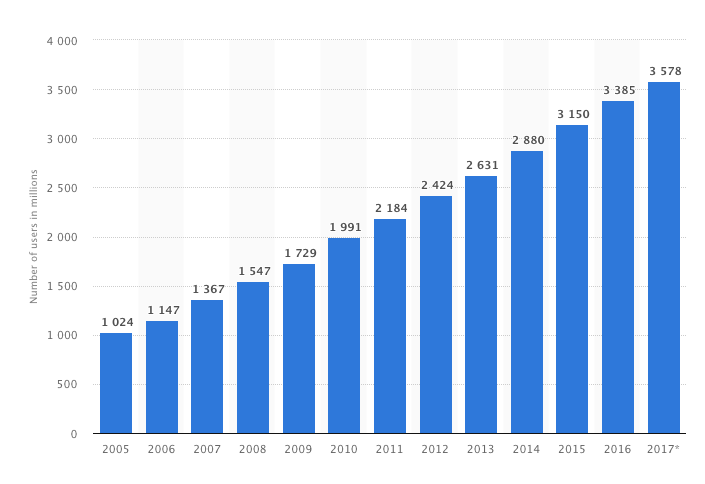 If you’re not advertising online, you’re behind the curve, my friend. Not only does the internet offer you direct access to more than half the global population — including more than half of your target audience — but it also provides so many different channels on which to advertise.
Marketers now have the flexibility to reach their target audiences on multiple fronts, in multiple ways, for multiple budgets. Their are also a number of tools (many of which are free) that can help you execute your advertising strategy.
Here are the most common ways to advertise online:
Paid Search Advertising
Whether Google, Yahoo, or Bing, all search engines have their own paid advertising. This is referred to as pay-per-click, or PPC, and involves bidding on keywords and placing ads at the top or sides of search results.
When someone performs a query using one of those search engines, advertisers have the ability to display ads above organic search results. That’s what makes PPC so powerful — it gives your advertisements prime real estate in front of people already searching for relevant topics.
Featured Resource
Here’s an example on Google:
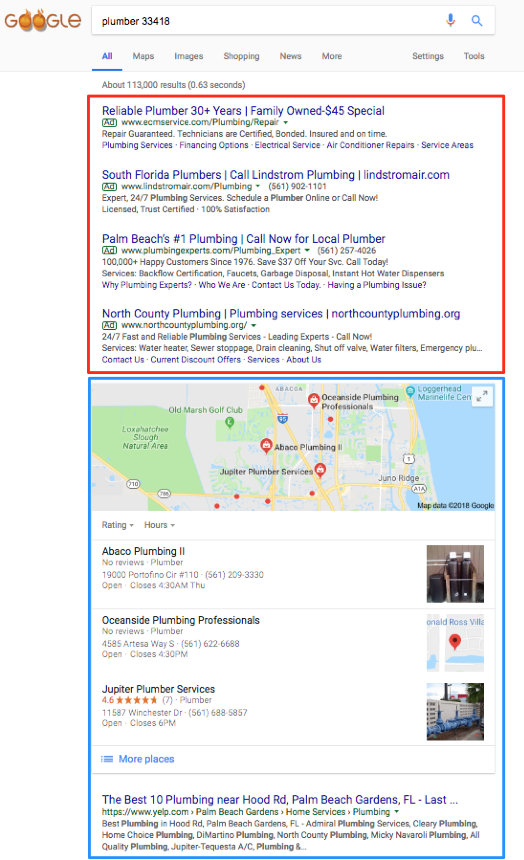
The top four listings in the red box are advertisements. The lower portion, in the blue box, are organic search results that come up as a result of search engine optimization.
Check out our guide to PPC for more information.
Social Media Advertising
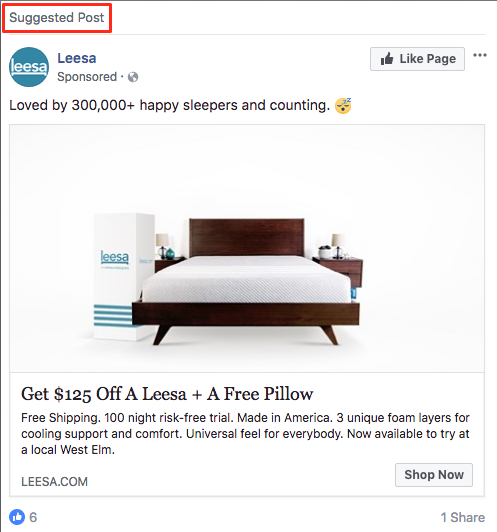
Social media platforms know how valuable their content is, and that’s why they offer the option to sponsor or boost posts. Social ads put your message in front of your target audience and encourages them to engage, click-through, and buy. More and more, social media sites are prioritizing ad space over organic content because, well, it brings in more revenue.
If you’re a budding business or new brand, consider running some social media advertisements. These will not only advertise your products and services but also promote your social media pages and grow your following.
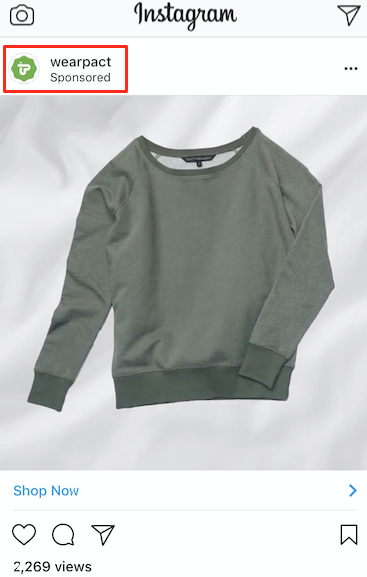
Platforms like Facebook, Instagram, LinkedIn, and Twitter each have their own version of ads like these.
Here’s how they appear on their respective feeds:
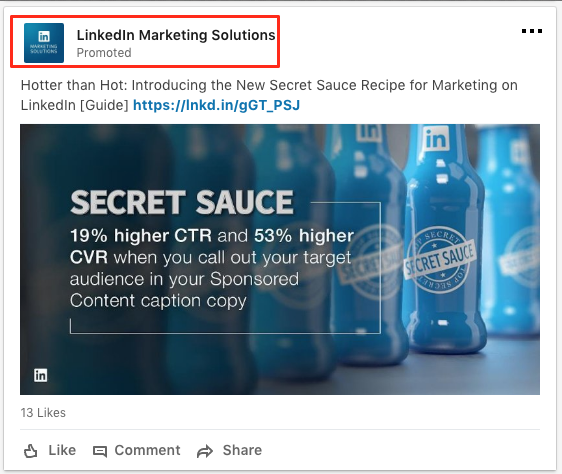
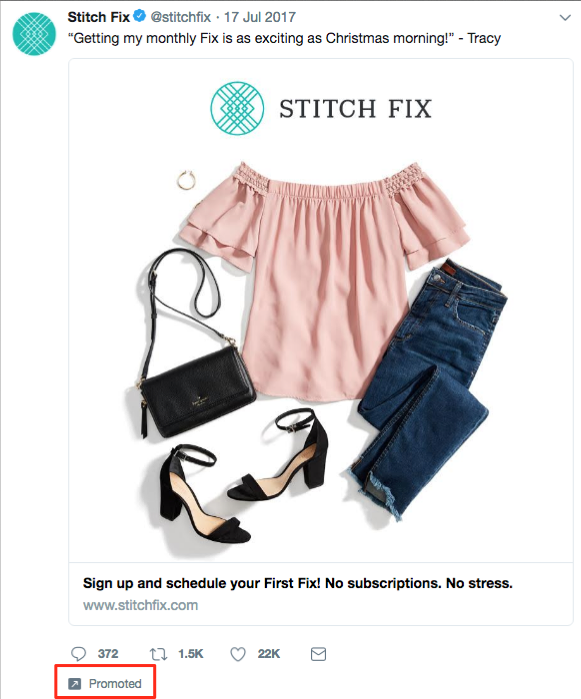
Featured Resources
- The Essential Guide to Social Media Advertising
- The Future of Facebook Advertising
- How to Advertise on Instagram
- How to Run Successful LinkedIn Ads
Native Ads and Sponsored Content
Sponsored content has been around since 1922, when brands would sponsor entire radio shows. Today, sponsored content refers more to native ads and blog or article content subsidized by brands.
Have you ever read a Buzzfeed article that heavily referenced or recommended a certain product or service? It was likely sponsored by a certain brand.
Check out this article, 10 Reasons To Put Away Your Phone On Your Next Trip, promoted by agoda, a hotel or destination booking site. Does it blatantly promote agoda’s services? No. It’s primary purpose is to entertain and inform, although agoda is referenced a few times throughout the content.
At the top, the byline reflects agoda’s sponsorship, just before the content starts. And, as you scroll down the page, another ad sits within the content.
Sponsored content is a great way to promote your brand in content your audience is already familiar with.
Banner and Display Ads
Banner and display ads are an extension of search ads and follow a similar PPC model. But instead of a text-based ad, consumers see a more visual advertisement.
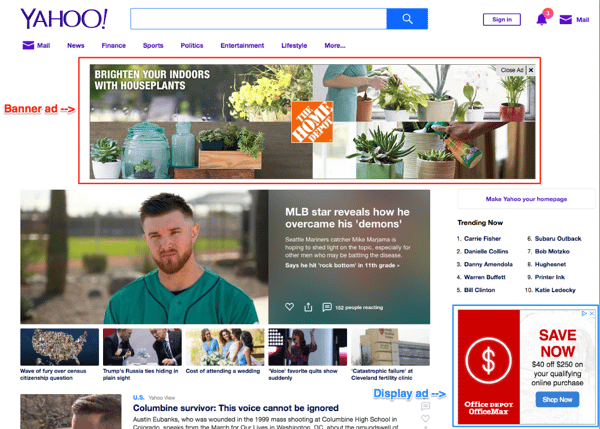
Banner ads are typically the horizontal boxes on top of a web page, whereas display ads are smaller in nature and shown on the side (like in the screenshot above).
Read our 10-step guide to creating banner ads for more information.
Whether you opt for traditional print ads in magazines or subway stations or choose online promotion on social media or search engines, there are a few rules that make for great advertising. Below are some advertising best practices to apply to all your ads.
Advertising Best Practices
There are a lot of best practices, tips, and tricks when it comes to advertising. It’s an art that’s been perfected over the years, and with the rise of modern advertising and new media, best practices continue to manifest.
In this section, though, we’re going to cover five famous advertising concepts that still work today — regardless of what advertising method or medium you’re using.
When used correctly, these advertising techniques will do wonders for your brand and products.
Appeal to Emotions
While you may not consider the ASPCA a business, their unforgettable Sarah McLachlan commercial is the perfect example of using emotional appeal to entice people to take action.
For most of us, the images in that commercial are hard to watch — we may even turn away. But since it tugs at our heartstrings, we’re more likely to donate to animals in need after seeing the horrors they’re going through.
Studies show that people rely on emotions, rather than information, to make brand decisions. Emotional responses to ads influence a person’s intent to buy more than the actual ad content.
Whether you try to evoke happiness, sadness, fear, or anger, appealing to emotions can help your target audience feel your message — not simply read or hear it.
Create Positive Associations
When consumers associate your product with a feeling of happiness, state of achievement, or accomplished goal, they’re more likely to take notice, remember your product or service, and make a purchase.
Actually, you’ve probably been on the receiving end of this before without even realizing it. Have you ever seen your favorite celebrity or Instagram influencer posing with a product or brand and found that you wanted to be, do, or look the same? Companies create this subconscious connection in advertising hoping that you associate your positive feelings with the product or service they’re promoting.
Catchy songs like “Nationwide is on your side” is an example of helping people associate friendliness with the Nationwide brand. Coca-Cola has a brand advertising campaign that associates their product with friends, family, and fun. When you consider what refreshments to serve at a party or bring on a picnic, Coca-Cola wants you to think of them.
As you create your advertisements, consider what feelings, desires, or goals with which you want your brand to be associated. Weave these feelings or goals into your advertisements through stories or videos. Look for influencers who align with your brand’s core values and demeanor and include them to promote positive association.
Establish a Bandwagon Effect
People want to fit in. It’s human nature. Neither you nor I are immune to it.
And it’s this base human desire that makes the bandwagon effect so effective. People don’t want to be left out. They find value in their peers’ opinions, and they certainly don’t want to be the only ones not using the latest and greatest product.
Brands like Maybelline understand this concept well and use it to their advertising advantage. One tube of their top-selling mascara is purchased every two seconds, a statistic that establishes social proof and further supports their claim of “America’s Favorite Mascara.”
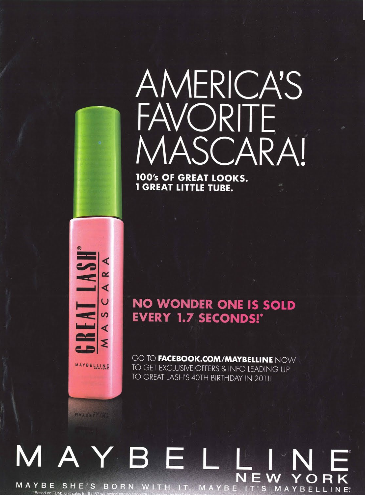
Use customer testimonials, survey data, or shareable content to advertise your brand as one worth following or buying into. Take another approach by promoting a discount for sharing your brand with a friend or family member — so your audience will do the selling for you. Either way, use your advertising to create an inclusive environment people will want to join.
Focus on Benefits Over Features
Features and benefits are two very different things. Features are the details of the product or service you’re selling, such as the measurements of a couch or the ingredients of a protein bar. Benefits, on the other hand, explain why a person should buy a couch or protein bar from you and how their life would, well, benefit from such a purchase.
Advertising should focus on the benefit your product or service brings, not explain what you’re physically selling.
Consider how Southwest Airlines advertises. Instead of explaining, line by line, what a Business Select ticket offers, Southwest paints a picture of what life would be like if you made a purchase. In this advertisement, they focus on the benefits.
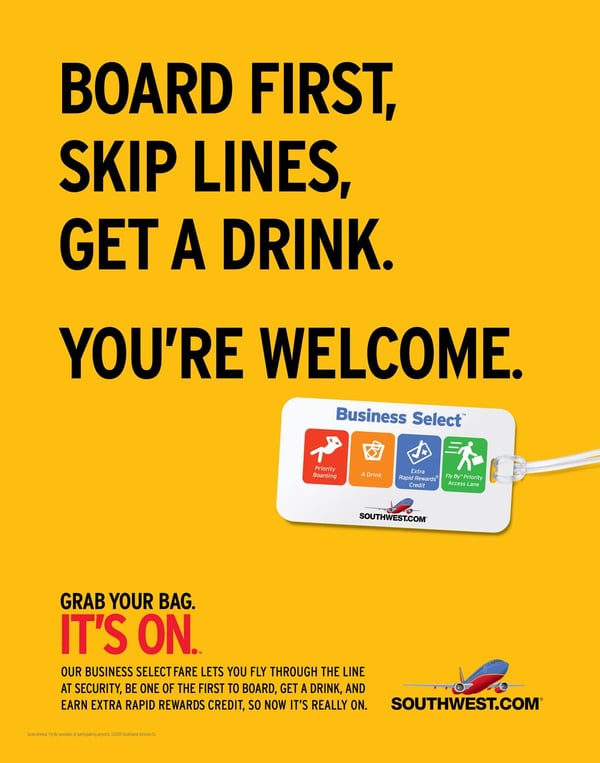
Rather than wasting precious ad space on your product specifications or service details, talk about the ways a purchase might positively impact your customers. If you do it right, your creative, benefit-packed advertisement would then inspire them to research the features on their own.
Use Storytelling
Not unlike our desire to fit in is our penchant for a good story. Storytelling helps paint a bigger picture of a brand or company, not simply promote a single product or service. Also, when stories resonate with someone, it’s far easier to motivate him or her to take action.
Storytelling is the one technique you should try to infuse in all your advertising. In fact, if you haven’t started crafting your brand’s overall story, you should definitely do so. Research shows that stories that illustrate a brand as “necessary, believable, and integral” are the most effective for engaging and influencing consumers.
Dove employs storytelling in its campaign partnership with Operation Homefront. The videos feature real stories of military men and their families being reunited. The advertisements don’t directly promote Dove products but instead tell the Dove brand story (and pull on a few heartstrings, too).
Determining your brand story will help you learn how to best discuss your brand in all marketing efforts, not just advertising.
Next, let’s take a look at some of the most memorable ad campaigns, a few of which put these best practices in action.
Five Memorable Ad Campaigns
The best advertisements are the best teachers. Whether it’s the copywriting, design, medium, or target audience, well-executed campaigns can always teach you something new about advertising or positioning. (Consider Westinghouse Electric’s “We Can Do It” ad…)
Here are five campaigns that left a noticeable mark on advertising history:
Nike: Just Do It
In the late 1980s, Nike launched their “Just Do It” campaign.
At the time, Reebok was outselling Nike, and Nike needed to act fast to compete against the sneaker conglomerate.
But it wasn’t just the three-word phrase that earned global attention. Their new ad campaign also focused on real people wearing and working out in their products, as opposed to simply featuring clothes and sneakers themselves.
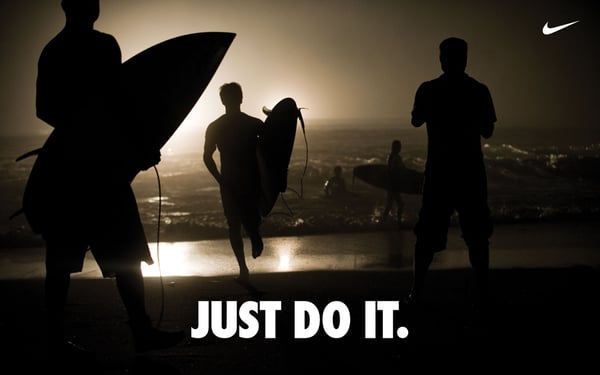
This powerful combination of people plus product helped Nike go from $800 million in 1988 to $9.2 billion just 10 years later.
The Absolut Vodka Bottle
Did you know Absolut’s “Bottles in the Wild” ad series is the longest uninterrupted campaign in history? The campaign was Absolut’s attempt to grow their name internationally, especially throughout the United States. It featured the Absolut bottle in different cities and countries worldwide.
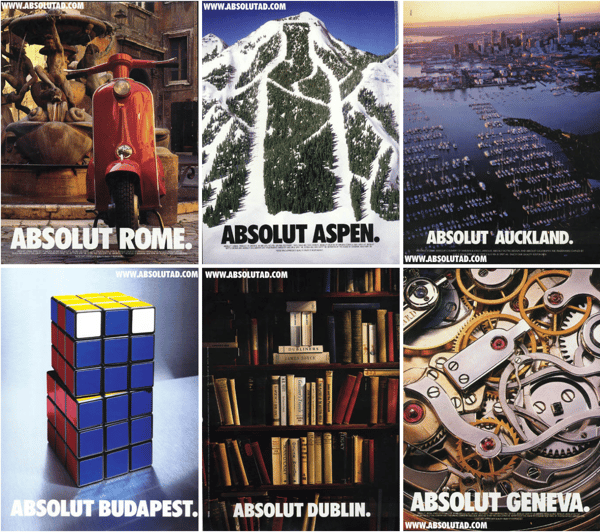
It launched in 1985 and ran until 2000 — lasting an impressive 25 years.
Absolut’s campaign helped grow the company from a tiny slice of the vodka market share (2.5%) to over half the U.S. imported market share.
To this day, the Absolut brand is the fourth largest spirit company, thanks to their focus on the overall story, not just the product itself.
Miller Lite
The folks at Miller Lite used differentiation to reach their goal: to get “real men” to willingly drink light beers. With their “Great Taste, Less Filling” campaign, they maintained a leading position in the light beer market for several decades after this first campaign aired.
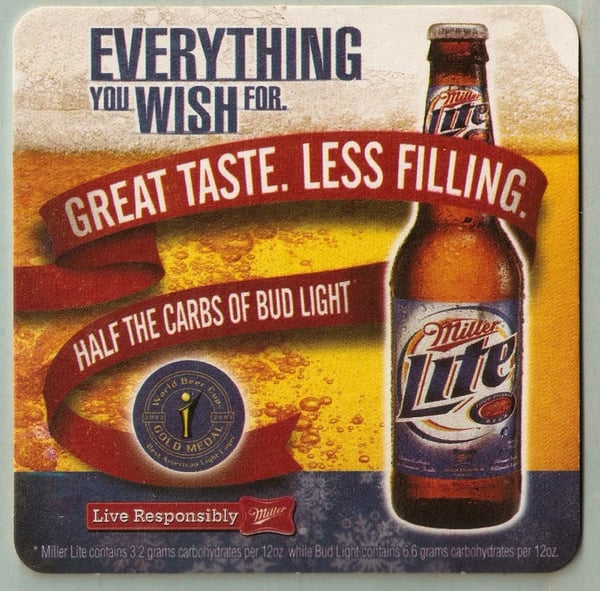
Volkswagen
Though Volkswagen has officially discontinued its production of Beetles, its iconic “Think Small” campaign will be forever ingrained in advertising history.
Doyle Dane & Bernbach (DDB) advertising agency knew it had to change the mind of consumers if it wanted to compete with industry leaders. So, VW admitted that though the Beetle was, in fact, tiny, it was still a force to be reckoned with and worth a purchase.
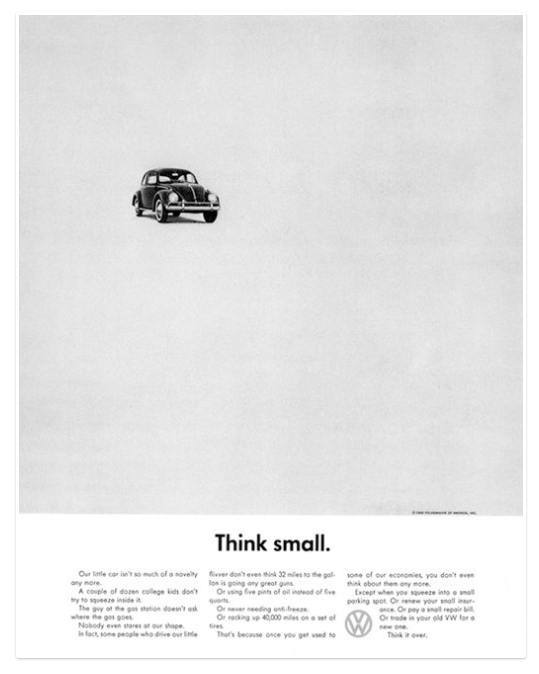
Authenticity and honesty went a long way in this seemingly small campaign.
Dos Equis
With its edgy, cool, and sophisticated aesthetic, it’s no surprise “The Most Interesting Man in the World” campaign put Dos Equis on the map.
This campaign created a positive association between the Dos Equis beer and the feeling of sophistication and poise. Sales quickly jumped by 22% after the campaign launched.

Even more impressive was how Dos Equis found success in a time when craft beers grabbed a foothold in the market and imported beer took a 4% hit. This campaign was major component of that success.
To learn how to grab the attention of your audience, learn from the professionals. These campaigns are a great example of how brands have used real stories, real people, and real talk to grow their businesses.
Advertising Helps You Grow Better
Equipped with a dense, dynamic history, advertising is an incredible tool to add to your marketing tool box.
Between print ads, radio sponsorship, TV commercials, and social media promotion, the opportunities to advertise and promote your brand are endless.
To best connect and engage with your audience, speak your customer’s language, appeal to their emotions, and tap into their desire to be a part of a community, create a clear and authentic brand story to illustrate how your brand aligns with their values.
By applying these tried and true practices to your advertising, you’ll build a magnetic brand that attracts customers, establishes a following, and generates revenue.
Do this and your brand will grow into a household name that stands the test of time — just like advertising itself.

The Ultimate Guide to Public Relations in 2019
Are you looking to expand your business’s reach? Would you like to expose your brand to new people who’d likely be interested in your product or service?
Welcome to the world of public relations.
Public relations defines how a company communicates with people — customers, partners, journalists, philanthropists, politicians, and the general public. All businesses need public relations, regardless of their size or industry.
Why? Because, nowadays, customers want to trust the brands they do business with — and nothing builds and fosters trust like public relations.
What is public relations?
Public relations (PR) is the practice of leveraging media channels to promote your organization and cultivate a positive public perception. PR is also the process of managing your organization’s brand and communications — especially in times of crisis.
PR is how brands manage the spread of their information, so it’s similar to branding. The main difference is that PR is focused on communication and reputation, whereas branding relies on visual elements like logos, websites, and marketing materials.
Brands manage their PR — or communication and reputation — through various media channels.
Media: Owned vs. Paid vs. Earned
The types of public relations, which we’ll review shortly, can be organized into three main categories: owned, paid, and earned media. Each type works towards the same goal of building a positive brand reputation, but they use different strategies to get there.
Your PR strategies should include all three, as they all provide different ways of reaching, engaging, and building trust with your audience.
Owned media
Owned media is defined as any content that your business controls. It’s often the go-to strategy for businesses looking to build a PR campaign.
Rightly so, as it’s arguably the most important type of PR-related media that you should be focusing on. This is because you have total control — unlike the other two media tactics.
Owned media includes:
- Social media posts
- Blog content
- Website copy
- Email newsletters
Owned media acts as a “home base” for your PR activity. When people write about your brand or products, they’ll likely reference (i.e. link to) your owned media in their coverage.
Paid media
It’s not uncommon to pay to promote your content in the marketing world … and it’s no different when it comes to PR.
Paid media refers to paying to make your content visible. It’s standard practice to promote owned media.
Paid media includes:
- Social media advertising
- Influencer marketing
- Pay-per-click (PPC)
Putting some funds toward boosting PR content is becoming increasingly popular. Since the majority of social platforms are reducing organic reach for business accounts, paid media is a fantastic way to make sure your content gets in front of the people you want to see it.
Earned media
Earned media is the tactic used to boost conversation around your brand. It’s essentially word-of-mouth and is arguably the best PR tactic to build your reputation.
Earned media is the hardest type of PR media to obtain. It takes a lot of effort, consistency, and hard work to establish it — hence why it’s “earned”.
Earned media includes:
- Mentions in industry news and reviews
- Praise from customers on social media
- High rankings on search engines
All of these media avenues provide ways to use PR to build brand awareness, generate leads, and convert those leads into paying customers — similar to your marketing. Now, let’s discuss the difference.
Unlike marketing, PR doesn’t always have an impact on sales. It typically indirectly promotes your products or services through activities like press release distribution and speaking at industry events. Alternatively, instead of improving the perception of your business, marketing campaigns focus on driving revenue and boosting profits.
People don’t buy products, they buy brands. For this reason, using PR and marketing in tandem drives the best results: typically, someone connects with your brand as a result of your PR efforts and converts into a customer as a result of your marketing tactics.
Studies show that brand consistency can result in a revenue boost of over 20%. You could be seeing similar results by combining your PR and marketing strategies.
Now, let’s discuss the types of PR you may leverage as you promote your organization and build and manage your reputation.
Business Events
Business events are opportunities to market your products or services and gain exposure for your brand. Whether hosted or attended by your company, events are also important sales opportunities. Events give you a chance to meet prospective customers and delight current ones face-to-face.
Speaking engagements at events are also helpful for boosting brand awareness and sharing unique thought leadership or data-driven information that can help elevate your brand.
Community Relations
Community relations refers to building positive relationships with the local community around your business. This could include charity work, donations, special discounts, or anything that builds a strong relationship with the community and strengthens customer loyalty.
Corporate and Social Responsibility
Corporate and social responsibility is similar to community relations, but it places a greater emphasis on ethical business practices, environmental responsibility, and philanthropy — locally, regionally, and globally. This is a critical area of PR as it directly affects public perception of your brand.
Crisis Management
Crisis management is the practice of acknowledging, managing, and working to reverse negative communication and perception surrounding a business crisis. Anything that could jeopardize or ruin your brand’s reputation should be handled through PR.
Crisis management is an important function of PR and should be handled quickly, consistently, and strategically. With certain PR tools, crises can be averted through monitoring online chatter and quality-checking any marketing or promotional material that may be misunderstood or misconstrued.
Employee Relations
Employee relations, also known as internal PR, is the practice of communicating with and cultivating a positive employee perception of your company. This process may include dedicated employee newsletters or communications, employee perks and benefits, free training and skill-boosting opportunities, employee appreciation events, and working with unions or employee groups.
Employee relations not only keeps your employees motivated, hard-working, and loyal, but it also encourages them to advocate for your business — which can bring in both customers and more high-quality employees.
Media Relations
Media relations refers to building positive relationships with journalists, publications, and other news outlets. This process typically includes writing press releases, organizing press releases, and scheduling interviews. Not only does this gain exposure for your business and products but it also encourages the media to market your brand for free.
Social Media
Social media is considered both an earned and paid PR tactic. For most companies, social media can be a helpful PR (and marketing) tool —it’s an effective way to amass followers, convert customers, share your content, and resolve crises.
Whether you’re sharing a post with your audience or interacting with a single customer, your social media activity is open to the public. That’s why it’s critical to have a social media strategy that keeps your communications consistent, positive, and accurate.
Now, let’s talk about the who’s responsible for these different types of PR: your PR manager.
What does a PR manager do?
PR managers are responsible for building, executing, and monitoring your PR strategies and tactics. They typically handle crisis communications, write press releases, and lead a team of other PR professionals who manage your brand’s public presence.
Let’s discuss the skills and tasks your PR manager(s) will master.
PR Manager Skills
Successful PR managers have a particular set of skills — below, I will cover a few important ones.
Great communication
One primary focus of public relations is building your business’s reputation. To do this, PR managers spend a lot of their time speaking about your company at public functions, press conferences, and other events. For this reason, excellent communication is a key skill for PR managers.
Writing skills
PR managers should also be able to communicate well in written form.
Since PR managers are responsible for writing press releases and company-related news, strong writing skills will help convey the appropriate message to promote your company. This is especially useful for online PR where you’ll need to create blog posts, website content, and press releases to gain coverage.
Creativity
Similar to marketing, creativity goes a long way in the public relations world. Great PR managers are creative and know how to create a strategy that stands out from the crowd, which is important because a unique story or perspective will drive PR coverage.
Strong research skills
Public relations is a social industry, and people might be talking about your brand without directly mentioning it. Good research skills will help PR managers find and leverage these opportunities.
PR managers will also need to do lots of research when planning your PR strategy. Because they might need additional information, statistics, and data points to boost the power of their owned media, strong research skills are essential.
PR Manager Tasks
The day-to-day tasks of your PR manager can vary depending on your industry, active PR campaigns, PR team size, and other factors. However, here’s what they often include:
- Writing press releases to announce company-related news
- Creating fact sheets and media kits about the company to send to media teams for brand-building
- Giving media training to both in-house and external teams
- Attending and speaking at industry events and representing the brand at trade shows, recruiting events, etc.
- Finding and analyzing media coverage and promoting that content through owned and paid media channels
Public relations managers are also responsible for tracking and measuring their PR efforts. The following key performance indicators (KPIs) can help your public relations manager(s) analyze and improve your PR strategies.
Measuring your PR performance and impact can be tough. These KPIs will help you track your PR efforts and determine the effectiveness of your PR strategy.
1. Backlinks
Backlinks help you find where and in what context your brand has been mentioned. With backlinks, sites who’ve mentioned your brand have linked to your website, making it easy for readers to click-through and visit your website (and easy for you to track).
But, it’s not just new traffic you’ll benefit from when collecting backlinks — you could see a rise in your SEO rankings, too.
2. Brand Mentions
Brand mentions occur when someone mentions your brand. This metric is important because it helps you measure awareness of your brand.
You might see brand mentions in traditional news coverage, on other business or personal blogs, in reviews, or on social media. Some mentions may be tagged or hyperlinked, and some may not link back to your brand or website — which means you have to go looking for them. Check out the PR tools section for some helpful software tools.
Note: It’s important to read brand mentions for context. Remember, you want people to be saying good things about your brand, and it’s not always easy to understand the value of coverage until you read the entire piece. (I talk about measuring sentiment below.)
3. Conversions
While the volume of new customers coming directly from your PR activity isn’t the easiest to measure, it is definitely worth investigating.
You can discover where your customers came from by either surveying customers after they purchase and asking how they heard of you or by using a tool like Google Analytics to learn about your customers’ conversion paths (a.k.a. their route to purchase).
Note: While this is an exciting metric to track, don’t feel disheartened if you don’t see an influx of conversion-ready site traffic. Remember, the goal of PR is to raise brand awareness, spread the ideas of your internal thought leaders, and communicate the ideas of your brand — those new site visitors could always return and make a purchase in the future (now that they know about your brand because of your PR).
4. Domain Authority
Domain authority refers to your website’s SEO ranking and how it performs in search results.
It’s ranked from 1 to 100 (with 100 being the highest) and is a valuable measure of how your website compares to your competitors’. The higher your domain authority is, the better your website will rank in search results.
Domain authority is made up of three main factors: links to your site (backlinks), links from your site to other, well-ranked websites, and the age of your site. While you can’t magically make your website older, you can leverage PR to attract backlinks and place links in your content.
Moz offers a free tool to check your domain authority, page rank, and other important website measures.
5. Sentiment
Sentiment, which is a synonym “viewpoint,” “opinion,” or “attitude,” measures how your brand is mentioned. While brand mentions and backlinks typically improve your brand awareness and SEO, sentiment is what sets apart the positive mentions from the negative one.
You’ve probably heard the saying, “There’s no such thing as bad publicity.” While I can’t agree or disagree, I’d say that it’s at least good practice to be aware of negative press. Tracking sentiment can help you understand what your audience is saying about your brand and whether or not you need to address any problems or concerns. Check out the PR tools section for some helpful tools.
6. Site Traffic
Site traffic is a sign of successful PR efforts. If people are hearing about your brand through earned media and heading to your site, your PR efforts are reaching your audience.
As you run PR campaigns, track your site traffic once press releases and other efforts go live. Use your site analytics to check your visitors’ referral sources (how they made their way to your website) and aim to replicate this in the future.
7. Social Media Engagement
Social media engagement encompasses a few types of activity: views, impressions, likes, shares, and comments.
This information shows the level of brand awareness and engagement among your audience members. It also tells you when your audience is most active, i.e. when should be posting and interacting with your followers.
8. Social Shares
Social shares are different than social media engagement. Social shares refer to when your audience shares something from your website or blog on their social media.
This is a critical metric because it tells you that your audience enjoys your content enough to vouch for it on their social channels. It’s a very clear measure of your brand reputation among your audience.
When looking at social shares, pay attention to which type of content is frequently being shared. This will give you an idea of what your audience enjoys the most and what kind of content to create more of.
Now, let’s review a handful of PR SaaS tools that can help you implement your PR strategies and track the PR KPIs I’ve mentioned above.
Public Relations Tools
We’ve rounded up a handful of helpful PR tools to help you execute your PR campaigns and measure your impact and performance.
Agility PR Solutions
Agility PR Solutions is a paid tool that provides powerful yet easy-to-use solutions for your media database, monitoring, and analytics. These solutions help identify and connect with influencers, capture coverage, and measure impact.
ANewsTip
ANewsTip is a media search, monitoring, and relationship management tool. You can use it to search media mentions by keyword or handle, reach out to journalists and influencers all over the world, and create a media database of important PR campaign contacts. It offers both paid and free plan options.
CoverageBook
CoverageBook is a paid tool that helps you find and collect any coverage of your PR content. It’s a great tool for PR agencies who are building coverage reports for their clients.
Flaunter
Flaunter is a paid tool that gives you media access to brand content and PR samples. As a business, it’s a place to publish high-quality brand and product imagery so journalists, influencers, and bloggers can share it.
Google Alerts
Google Alerts is an easy-to-use, free tool that allows you to set up email alerts for certain keyword mentions. When a name, keyword, or link is mentioned online, Google sends you a digest email alerting you of the mention.
Mention
Mention helps you track who’s mentioned your brand in media and on social media. You can also use this tool to publish on your social media and manage crisis communications. It offers both free and paid plan options.
Monitor Backlinks
Monitor Backlinks is a free tool that helps you track who’s mentioned your brand in coverage and included a backlink to your site. It’s also valuable for monitoring and disavowing bad backlinks and keeping your website’s SEO and domain authority at its peak.
Muck Rack
Muck Rack is a paid tool that allows you to discover and contact members of the media who might be interested in covering your PR story.
PR Fire
PR Fire is a paid tool helps you distribute your press release to journalists and receive a report of their performance and reach. It’s ideal for in-house teams who’re doing their own PR.
SharedCount
SharedCount shows you engagement data for any social media, blog, or website URL. Once you input a URL, the tool will tally its likes, shares, comments, and other engagement measures. It offers both free and paid plan options.
TweetDeck
TweetDeck is a free tool (created by Twitter) that monitors Twitter activity. You can set up Twitter streams that track certain keywords, accounts, trends, or other filters.
Start Building Your Public Relations Strategy
With all these tactics, tools, and strategy-building tips, are you ready to start turning the wheels on your new PR strategy? I hope so! I can’t wait to read about your brand in the news.
However, there’s one thing you should keep in mind: PR is an ongoing, iterative strategy — not a one-off task. (In fact, the best PR involves multiple tasks, tactics, and strategies.) Just like marketing, it can take a while to see results.
But with a solid strategy and a commitment to spreading the word about your company, you’ll soon see more mentions, backlinks, and general buzz. And that’s a great way to build a memorable brand.

Should You Use Instagram Automation? The Pros & Cons of Instagram Bots
Doesn’t it feel like most people are falling a little too much in love with automation just because it’s faster and easier? When you’re running multiple social media accounts on platforms like Instagram, the possibility of automating all your regular tasks can be even more tempting.
But what is Instagram automation. and is it legit?
Sure, automation can save you time and mitigate the grind associated with repetitive tasks. But does it produce better results? Can a bot truly be effective at replacing human interaction?
The answer — according to Instagram — is no. In fact, it’s against Instagram’s policy to have a bot-based account. Since 2018, they’ve killed a large number of bot accounts. So, obviously, we advise you not to do it.
If you really wanted to use a bot and are devastated by this news, don’t be. You’re better off without one.
Before this policy came to be — we ran a pretty interesting bot experiment of our own. We wanted to see the best way to build an engaged audience on Instagram, so we decided to test outbound automation against human engagement — and see which one got better results.
In this post, we’ll highlight how we set up the experiment and what the results revealed.
Spoiler: The humans won!
What do we Mean by Engaged Audience?
An engaged audience contains people who actually care about what you post. What’s the point in running up a large follower count if the people on that list don’t engage with your content?
It’s easy to artificially inflate your follower numbers, which is impressive at a superficial glance — but it doesn’t indicate that your content actually has any impact.
An engaged audience contains followers who like your posts, comment when you add something, and respond to your comments. It’s about creating a loyal following that opens up conversation and opportunity for all parties involved.
How do Instagram bots work?
If you were to build an Instagram bot, you’d usually work with some type of company that provides bot-related AI software. If you have AI engineers or people who’ve worked with machine learning in the past, they could potentially build this for you.
To work properly, the bot would need to use machine learning and deep learning algorithms. While machine learning algorithms allow the bot to recognize text patterns, like captions and direct messages, deep learning — a form of machine learning — would allow it to analyze objects in photos and videos. This could allow the bot to comment appropriately on photos, or surf the web for photos that it could post.
To determine whether this advanced technology would actually work or not on the platform, I teamed up with Fouad Tolaib, Founder of Jolted, to develop the framework for a bot experiment.
We had two initial hypotheses:
- The automated account will have more followers. A bot’s ability to reach more people would be more seamless than a human’s.
- Automation currently isn’t sophisticated enough to be as effective at connecting with an audience peer-to-peer.
The Profiles
The experiment featured two identical profiles where I branded myself as a digital nomad. The first account, @liveworksee, had Instagram interactions come from a person:
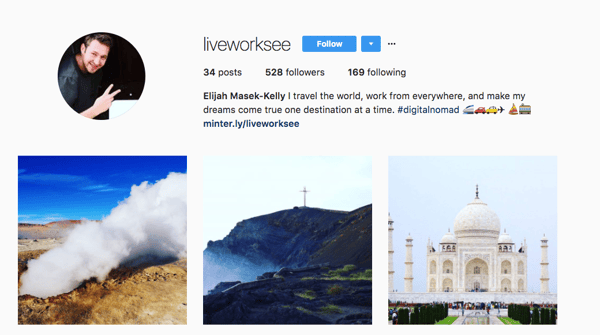
The second account, @work_live_see, was automated.
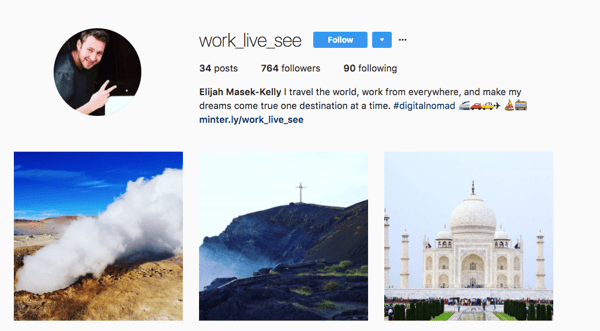
Rules for the Instagram Experiment
After setting up two Instagram profiles, we set the following parameters around the experiment:
- Each account contained the same profile description.
- We posted the same content at the same time on both profiles each day, for one month.
- Every post contained the same hashtags to drive inbound engagement.
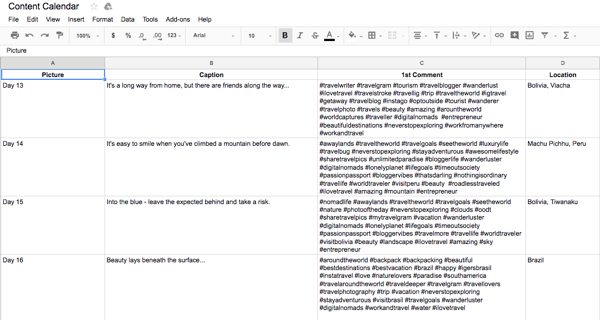
All of the results over 30 days were tracked by Minter.io.
The Human Profile (@liveworksee)
All outbound engagement was done by a human. We defined “human” by using organic engagement — that means a real person commented on and liked other Instagram posts from this account.
The Automated Profile (@work_live_see)
All outbound engagement was controlled by Gramista’s automation software. We allowed it to log in on our behalf, set specific hashtags to target, applied restrictive filters, set the algorithm on ‘auto like,’ and gave permission for the bot to leave a certain amount of generic comments.
The Results
Thirty days later, we found some surprising results.
The average post engagement rate — which we calculated by taking the sum of likes and comments, divided by the number of posts on a profile, then divided by followers — on our organic engagement profile was nearly 3X higher.
That meant one thing:
The Loser: Bots. The Winner: Humans!

In addition to a significantly higher engagement, the organic engagement profile had over 2,000 more likes, and the number of comments was 41% higher.
Follower Demographics
The demographics of followers also skewed significantly. Female followers of the automated account were just 35.8%, compared to 47.8% on the organic engagement profile. At last check, Instagram users overall are predominantly female.
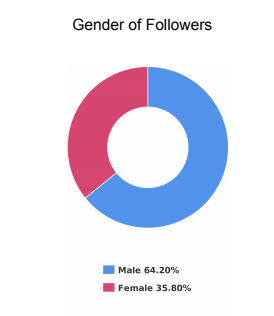
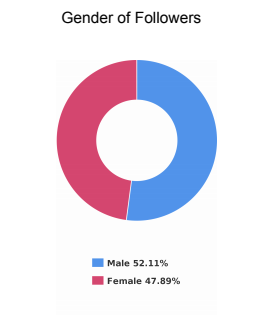
The number of private users that followed the organic engagement profile was also close to 3X more.
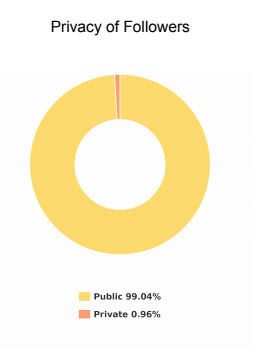
The top country of origin for followers on the automated profile was India (28%), followed by the United States (13%). For the human-run account, U.S. was first (22%), and Italy second (8%). On the organic profile, India was sixth, comprising 4% of followers.
Reaching Influencers
We then looked at the number of popular, or influencer profiles. Minter.io defines “popular” or “influencer” according to a user’s follower-to-following ratio. The more followers that user has, compared to the number of users they follow, the more influential they are per this metric.
Popular and influencer profiles comprised 30.95% of the organic engagement profile’s followers, compared to 15.41% on the automated profile.
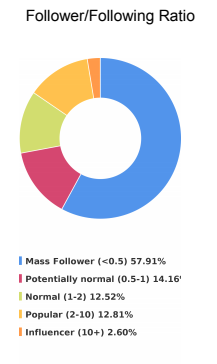
Photo Engagement
Interestingly, despite posting uniform content on each profile, the most engaged-with photos on each account were also different.
The most engaging photos on the human-run profile were:
- A small harbor in Colombia.
- A shot of Macchu Picchu.
- A little boy and woman walking in Viacha, Bolivia.
And on the automated profile:
- A shot of the moon hanging over a mountain range in La Paz, Bolivia.
- A man in sunglasses posing next to a bunch of flags left at the top of a mountain.
- An archaeological site in western Bolivia.
The best performing hashtags on the human-operated profile were #ilovetravel, #neverstopexploring, and #travelgoals, while the automated profile’s top three were #neverstopexploring, #digitalnomads, and #ilovetravel.
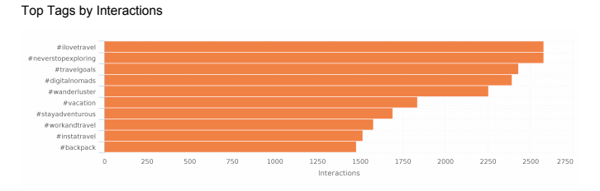
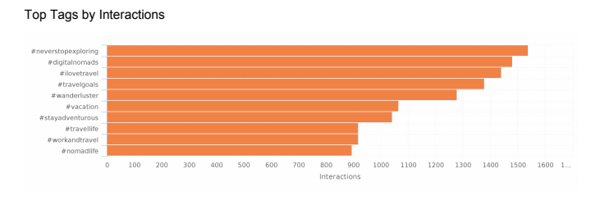
The only two hashtags to crack the organic profile’s top ten that didn’t make it on the automated results were #instatravel (just over 1,500 interactions) and #backpack (1,450).
Alternatively, #nomadlife (900 interactions) and #travellife (910 interactions) made the automated profile’s top ten hashtags, but not the human-run profile’s.
The key point here: Automated software may not necessarily detect all hashtags generating a high number of interactions.
Scheduling Future Posts
Minter.io also determined, based on the organic profile’s data, that the best time of the week to post for engagement was Monday night and Tuesday evening.
An aggregate report from CoSchedule confirms that the best time to post is typically Monday mornings and evenings.
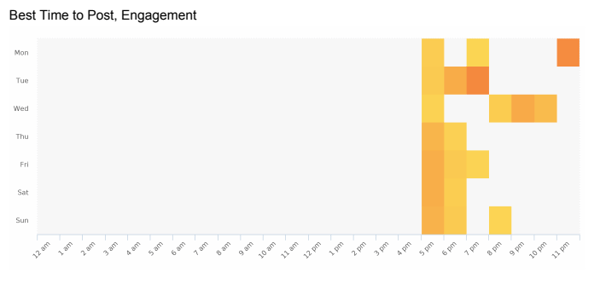
However, on the automated account, the greatest time for engagement was on Saturday afternoons.
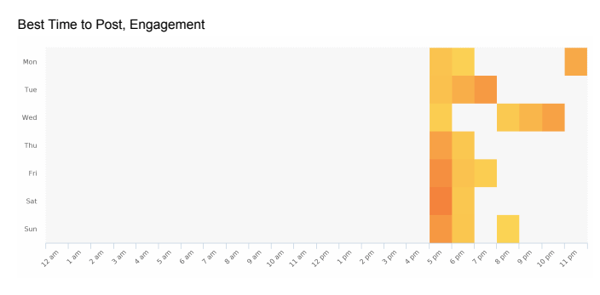
Lessons Learned
1. Automation Leads to Less Engagement.
The end number of followers on the automated profile was 799, compared to 621 for the personally managed account. Automated tools will run up the follower count faster and get you off to a quicker start, but organic engagement creates a more engaged audience.
Generic comments and rapid liking does not create the same kind of human connection that followers actually crave. The organic profile generated a significantly larger amount of engagement with the average rate being nearly three times more.
2. Organic Engagement Has A Higher Content Reach Potential
For the organic profile, the potential reach of content (regramming, future partnerships, etc.) was also higher as we looked at the number of followers who were influencers or popular. Responding to each comment with a personal touch made for more engagement with private Instagram users as well.
3. Automation Connects More With Bots Than Humans.
We found the automated profile had more automated followers. Yes: bots following bots. In other words, these followers were either scheduling a large amount posts of posts, or leaving very generic messages.
That’s likely due to a bot’s inability to recognize the difference between generic comments and real responses. However, humans will naturally connect more with a thoughtful response and ignore a meaningless “awesome!” comment.
So, how do you build an engaged audience?
Have someone (yes, a real person) spend two-to-three hours per day per day on your Instagram profile completing tasks including:
- Replying to all comments
- Liking other posts
- Adding insightful comments to other posts
- Asking followers questions to connect with them
- Researching emerging content trends and hashtags
- Reaching out to influencers
From our observations, we believe tailoring your content to your target audience, engaging naturally and consistently with both followers and non-followers, and using targeted tags (up to 30) in your post’s first comment all contribute to an increased rate of post engagement.
Automation can supplement the speed of your growth, particularly in regards to follower count, but it should not be relied on as the only strategy for Instagram.
If you’re tight on time, a combination of automated and manual outbound engagement might work best.
However, when it comes to commenting on other people’s content, there’s no better alternative than a human responding with something specific. This has proved to be true in our case study and resulted in a higher conversion (non-follower to follower) ratio.
After all, this is social media – it’s about human connection and social sharing.
If we all just have bots running our profiles and interacting with each other, what’s the point of doing it at all?
For more engagement tips, check out our Ultimate Guide to Instagram Marketing. You can also click here for a guide to using hashtags.

How to Establish an Instagram Aesthetic and the Brands Doing It Right
Since 2010, Instagram has garnered more than 500 million users, 4.2 billion daily likes, and more than 95 million photos and videos posted per day. Brands who take advantage of this unique social media platform often find that the level of exposure that Instagram gives them is unprecedented.
But creating a successful, branded Instagram account requires more than just pretty images. To succeed, you’ll need to establish a distinct brand aesthetic, a well-curated feed, and an effective community management strategy — all stemming from your own unique brand identity.
With millions of active accounts, we managed to uncover five main tips and ten inspiring brands that’ll help you understand how to establish a more cohesive Instagram aesthetic.
Instagram Aesthetic Ideas
Once you establish your brand identity and define your target market, you can curate your Instagram content to meet that criteria. Instagram is the platform for captivating content, and brands can capitalize on this with consistent and creative posts.
When people talk about an Instagram “aesthetic”, they mean a cohesive type, mood, and general impression of a user’s posts. By presenting a seamless aesthetic that is consistent with your core brand values, you are aligning your brand with your target audience and are, therefore, building awareness. In this sense, your Instagram aesthetic is just as important as your website.
First impressions are everything on Instagram, so here are a few ideas for building your aesthetic:
1. Know exactly what your brand identity is.
A great part of your aesthetic will derive from your brand identity. What’s your brand personality and tone? What are its values? Is your brand playful? Adventurous? Bold and daring?
Having an Instagram feed that reflects the image and purpose of your brand is extremely important because it creates uniformity. Posting content that is random creates disconnect and confusion. When this happens, it’s hard to commit hitting that follow button. See how Taco Bell and fashion illustrator Megan Hess incorporate this into their Instagram feed.
2. Determine your target market and cater to them without compromising your brand identity.
Your Instagram feed is primarily meant to attract existing and future customers, so it’s important to create content that pulls them in and engages them. To do this, start by getting to know what’s important to your target market — what they love about your brand, products, and services. Then, reflect that back to them in your Instagram feed.
Need inspiration? Check out how brands like GoPro and Squarespace are doing it.
3. Create a story with each photo displayed on the post.
The more compelling your story, the less it would feel to your customers that you’re just selling them something. Narratives tied with your brand identity create the emotional connection your audience needs, giving meaning to your content and making it more relatable.
The story you tell plays a great part in creating brand loyalty from your customers. Instagram is a great avenue for telling this story just as Nike and Red Bull have been doing.
4. Choose a color palette, “feel,” or filter and use it consistently.
Using a color palette, filter, or even texture in your Instagram posts can give you that much sought-after level of consistency in your feeds. To tie all your posts together and enhance your feed’s look, try using the same two to four filers on your posts. You can choose a vintage look, a light and bright lens, or whatever is most aligned with your brand’s personality. Try desaturating your photos or stick to bright white backgrounds with pops of color. Or, create your own brand color palette by playing around with three to four color combinations to repeat in your posts.
Check out how Tough Mudder repeats orange and brown in their posts and how Pantone plays around with their featured colors.
5. Post content that reflects your brand’s core value.
Don’t be afraid to use Instagram marketing to show off your products or service at work — just get creative. Take detailed shots and create eye-catching flat lays that show off your products in new and interesting ways.
These shots can even encourage and inspire your followers to create their own posts featuring your products to share with their followers. Not only will you increase your brand’s interaction, but you’ll also have user-generated content that’s authentic and organic.
Check out how the Office Depot and Fabletics use products shots to engage their followers and creative a consistent, memorable aesthetic.
You can also post user-generated content (UGC) — posts sourced from customers and followers — to build brand trust and awareness. Oftentimes, users will tag your brand in their own posts — you can then screenshot and post the content, or use a reposting app. UGC can only mean good things: prospects are likely to evaluate customer reviews when looking to buy, and it makes your brand look trustworthy and beloved.
6. Plan ahead!
Most well-organized Instagram aesthetics are organized and planned ahead. Some accounts plan posts on a chronological basis — like seasonal, monthly, or quarterly timelines — but others plan in terms of content. For instance, they might try to post consistently about a certain product or event, or create a repeated series of posts per row surrounding a specific topic like quotes or food.
7. Create a branded hashtag.
We all know hashtags are helpful for reaching new audiences. A branded hashtag, however, is unique to a company, product, or event that is used to help promote whatever it represents. For example, the #ShareACoke campaign was one of the best-performing marketing campaigns in Coca-Cola’s history. It appeals to their target audience, was effectively shared across all media channels, and reflects Coca-Cola’s core brand values.
Instagram Aesthetic Examples
Taco Bell (@tacobell): 1.3M Followers
When you think Taco Bell, you think tacos and “LiVE MÀS!” This means that social media accounts will reflect a lot of tacos, bold colors, and a lifestyle that includes living fast and “on the go” like their individual posts on Instagram.

Since Taco Bell’s main audience has been increasingly attributed to millennials, they have focused on inserting fun and authenticity into their aesthetic, which makes it easier for them to drum up engagement.
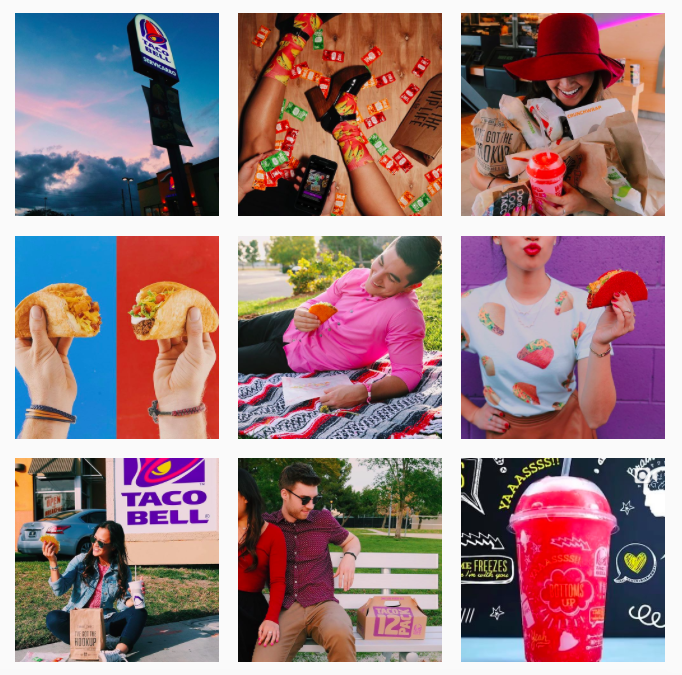
Vitruvi (@vitruvi): 67.7K Followers
Vitruvi, an essential oil company, has a soothing and aspirational Instagram feed. They make good use of one or two filters, post simple images, and show women living their best lives. They are associating their products with clean, happy, and healthy lifestyles.

Megan Hess (@meganhess_official): 377K Followers
Megan Hess is an illustrator known for her very beautiful, feminine, and fashion-related artwork. She has built an empire on fashion illustrations that are coveted and aesthetically pleasing. Instagram has become her main outlet for her fans to follow her work and get a glimpse of what happens behind-the-scenes.

As an illustrator, she’s big on personal brand recognition, so she frequently uses one of her most important brand assets in her posts: her logo. Simple, black, and uniquely hers, the logo perfectly matches her aesthetic and illustrations which makes it easy for her to include it with any Instagram post.
Having a distinctive logo is critical to building your brand, so it’s important to create one that’s easily recognizable and matches your brand identity. If your own needs a spruce or you’re looking to create a file that’s easily adaptable for your social posts, try using Canva’s free logo maker.

GoPro (@gopro): 15.9M Followers
GoPro’s Instagram photos perfectly represent what it means to capture a lifestyle full of adventure and action through the lens of their product.

Their feed focuses on showcasing a variety of unique moments designed to drive you to want to go out and document your own adventures.

Old Navy (@oldnavy): 2M Followers
If you’re trying to sell consumer clothing, you need to meet their seasonal needs. Old Navy is a retail company that knows how to sell for seasonality, and their Instagram reflects this. For summer, Old Navy brought out bright yellows, light sundresses, and generally tried to create backgrounds to reflect a summertime mood.
They also have a unique color strategy — for instance, they might gradually transition from yellow to blue in a series of posts.
 Squarespace (@squarespace): 193K Followers
If we’re talking about well-curated content tailored for an audience, we have to talk about Squarespace’s Instagram. Promising the simplest way to create a beautiful website, the brand echoes its tagline through a beautifully-curated feed.

Squarespace intrigues followers by using impressive images reflecting the brand’s minimalist aesthetic. Best of all, it features images from clients, showcasing success stories and the wide range of possibilities on how the Squarespace service can be used, which helps to engage followers and inspire potential clients.

ColourPop Cosmetics (@colourpopcosmetics): 8.1M Followers
ColourPop is a cosmetics brand based in Los Angeles that understands what users want from makeup posts on Instagram, and delivers it. They maintain a bright collection of tutorial videos, product posts, swatches, images of influencers, and pop culture. Each image is glorious and eye-catching.
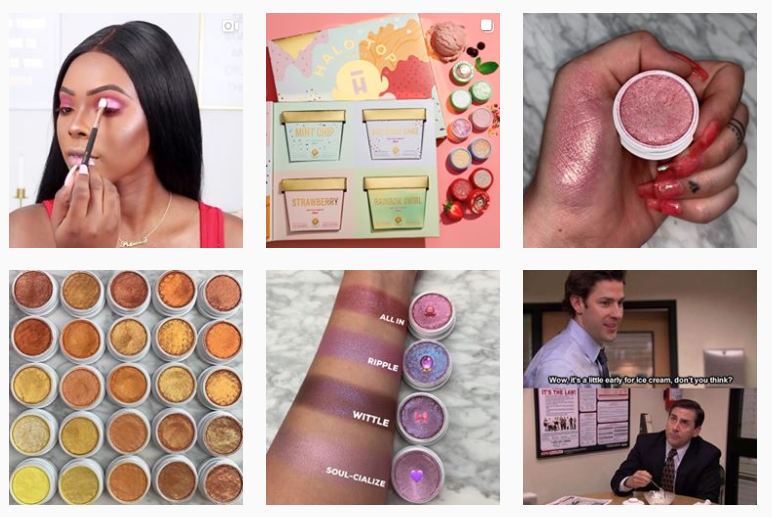
Nike (@nike): 90.9M Followers
With one of the largest followings on Instagram, Nike’s feed goes beyond just great athletic sportswear and footwear. They have created a distinctive “Just Do It” mentality and systematically developed a social media presence to reflect that inspirational brand image.
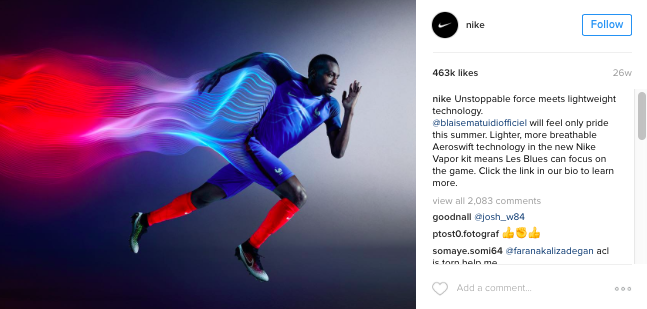
As seen in the post above, along with the rest of the recent videos uploaded on their Instagram feed, Nike has done an incredible job of featuring inspiring athletes to promote propel their vision. If you want to perform at the highest level like these athletes, you wear Nike.
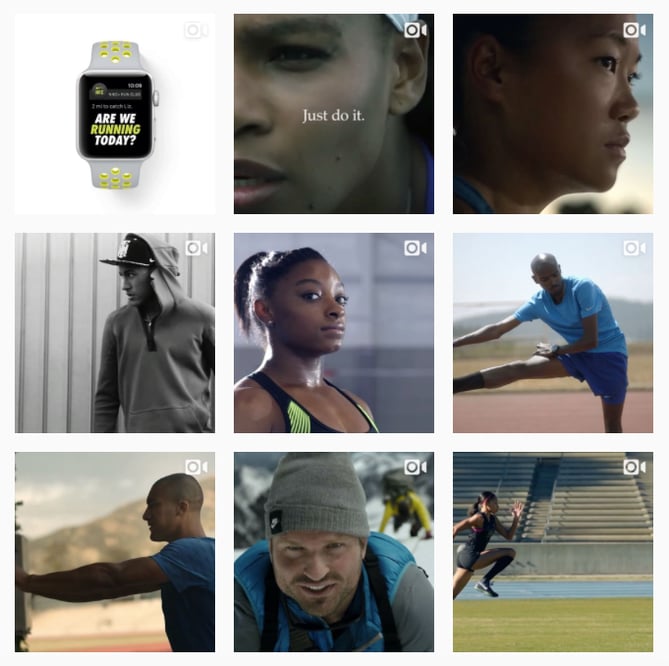
Doug the Pug (@itsdougthepug): 3.8M Followers
Who doesn’t love dog pics?It seems like everyone has an Instagram for their beloved pets these days, but Doug the Pug is the most famous dogstagram account in the world. This verified pup has almost four million followers and is best known for his many costumes and floppy tongue. Doug (and his owner) have cultivated a brand that brings audiences’ joy and keeps them coming back for more.

Red Bull (@redbull): 11.6M Followers
When you think of Red Bull, you think high energy. That’s why Red Bull’s Instagram feed includes so many “epic” videos and pictures — each one more thrilling than the other.
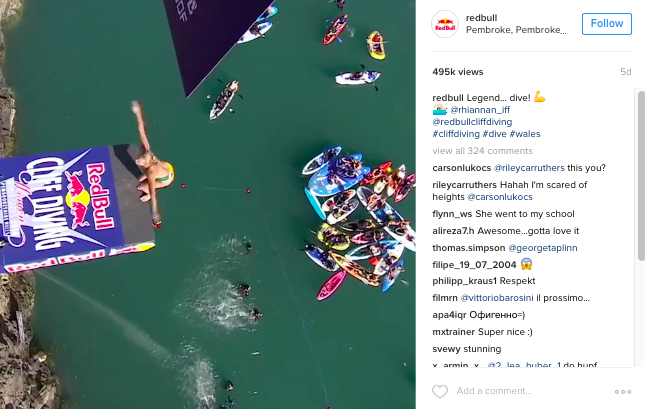
Red Bull associates their brand with a lifestyle that is exhilarating and pushes boundaries when it comes to extreme sports and weekend getaways. Another way they create a narrative is through the cohesive feel of their posts. Notice below how majority of their posts are set in the outdoors. It helps create the image that when you drink Red Bull, you live on the edge.
Tough Mudder (@tough_mudder): 935K Followers
Tough Mudder has built an image on conquering a military-inspired obstacle that requires teamwork, tenacity, and a whole lot of feeling like a total “badass.” Tough Mudder’s Instagram feed is brimming with pictures that highlight muddy participants sporting the color orange, which helps to signify the brightness and sense of camaraderie that exists in a otherwise challenging situation.
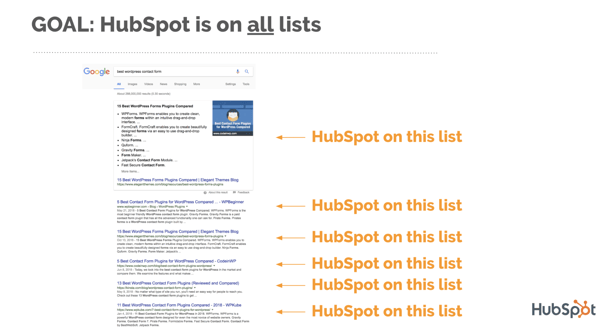
The beauty of Tough Mudder’s Instagram feed is their ability to capture moments of participants’ emotions throughout the completion of the course. They have mastered the art of evoking feelings of strength and the desire to accomplish a difficult task that only a select group of people has achieved.
The pictures of training hard and being part of a program that pushes you to your limits is exciting as it is rewarding. Tough Mudder showcases a curated Instagram feed that addresses perseverance and toughness, just as its brand name indicates.
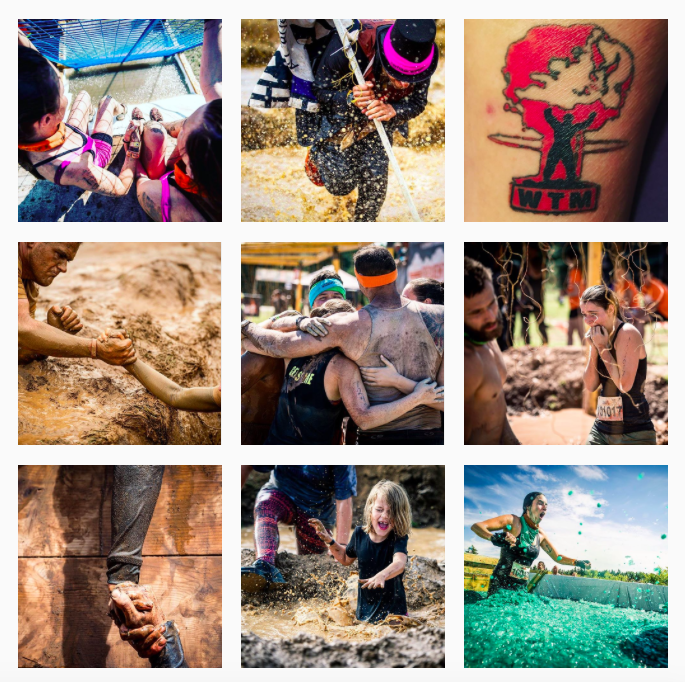
Pantone (@pantone): 2M Followers
Striking visuals are everything on Instagram, and Pantone’s instagram looks like a color wheel. The color consulting firm uses high resolution images, and each post captures a particular color in a unique way. Additionally, Pantone takes advantage of the space on their Instagram homepage — every 3-6 photos highlights a different color through clothing, architectures, or paint color samples.

Office Depot (@officedepot): 15K Followers
Through some well-thought planning, the Office Depot is able to showcase its sheer amount of products in fun and interesting combinations. Their “Gear Up for Great” campaign is a great example of featuring products inventively while staying true to its business.
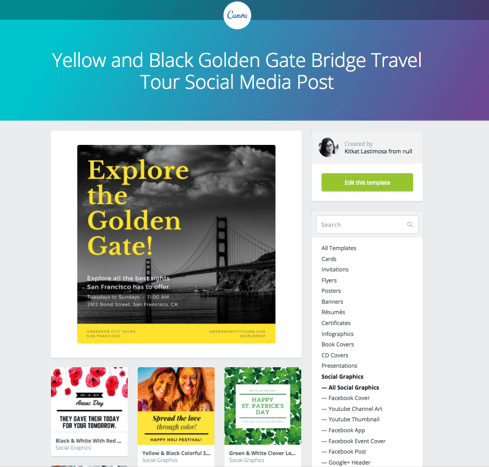
Office Depot is also great at curating content that’s relevant. They do this by working with themes and seasons like “Gearing up for School”, as well as holidays like Teacher’s Day or Cinco de Mayo.
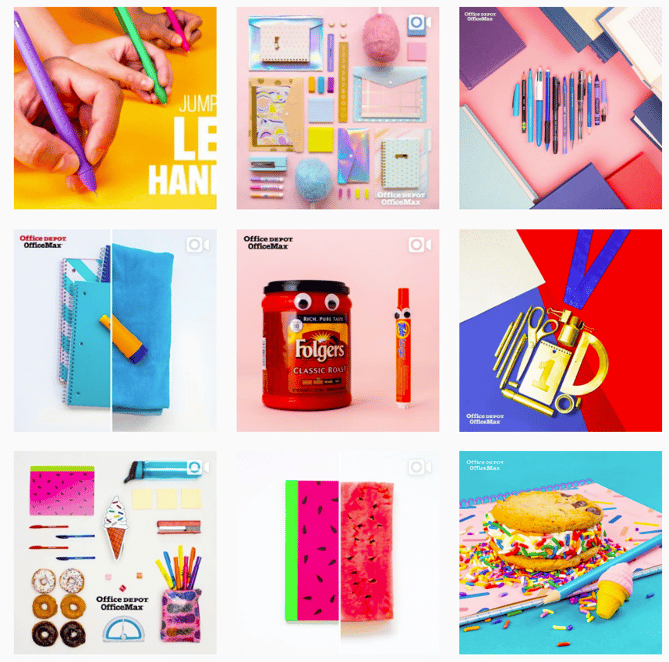
Fabletics (@fabletics): 341K Followers
Fabletics — one of the first companies to introduce the subscription model for athletic wear for women — knows a thing or two about performance, quality, and style.

In a generation where selfies and gym posts are very much a norm, Fabletics makes sure that it sticks to its image of ensuring its customers look good while working out. 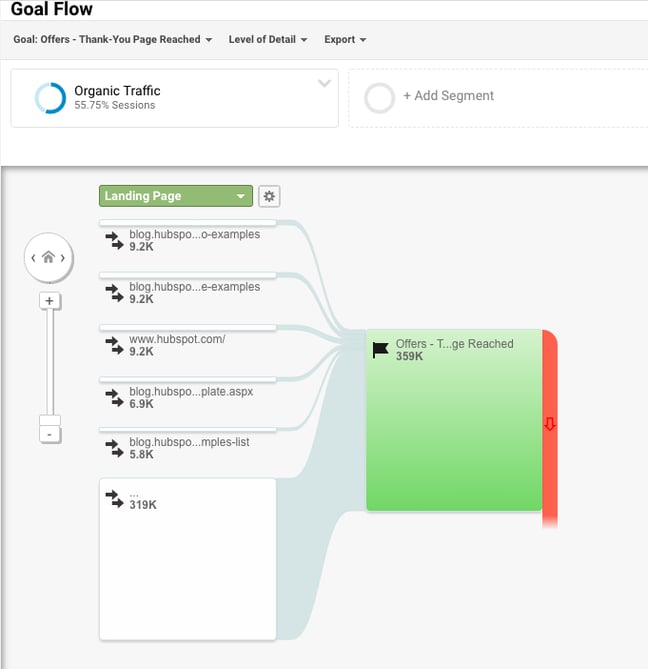
Ready to refresh your Instagram?
With these 10 brands that are rocking Instagram as references, get started refreshing your brand’s Instagram feed and take it to the next level. Happy posting!
What tips do you have for creating a cohesive Instagram aesthetic? Share them below.

How to Get a Job at Apple
Apple is not just a tech company — it’s one of the leading technology innovators in the world. On top of that, it’s a great place to work. Apple is ranked as one of Glassdoor’s Best Places to Work not only in 2019, but every year since 2009. Their employees have the opportunity to work with some of the most cutting-edge, innovative technologies today, while enjoying first-class wages and benefits — from employee discounts to comprehensive health insurance.
So what does it take to score a job at this iconic company? We’ve got input from real employees and interviewees at the company on how they got an interview at the company, what the process entailed, and what it’s like to be an employee for the leading technology firm.
How to Interview at Apple
“The interview process was what you’d expect from a company like this. I have about three phone screens (all of them were technical and the last one included a code snippet), followed by an all day on-site interview. The on-site consisted of one-hour interviews every hour (11-5), and were all very technical. I was asked to solve various problems (your typical algorithm and data structure subjects), as well as explain the various projects I worked on in my most recent position. The questions involved a lot of thinking, but I was able to find my way to the solutions after some time. All in all, I’d say it wasn’t too bad as I had prepared by practicing algorithms (searching, sorting, etc.), and brushing up on some objective-c (I had to teach myself it in the two weeks leading up to the on-site). A good topcoder browse is a good resource for preparing to interview with this company.” — Software Engineer Interview
“The whole process was very polished and professional. The HR reps were prompt and sharp. Interviewing potential supervisors was somewhat nerve-wracking, because they seemed to have keen ‘b.s. sensing’ attributes. Questions were difficult, mostly about describing exactly how you performed in the past. Follow-on questions tested the validity of your answers. Strong emphasis in work ethic, how you perform under pressure, ability to travel frequently, and maturity. From recruitment to offer, 2-month time span.” — Global Supply Manager Interview
“Asked a lot of troubleshooting questions and how much you know about Apple products. Role-play scenario about someone having issues with their iPhone. How would you troubleshoot an external monitor?” — Apple At Home Advisor Interview
“Super quick and painless. On campus interview and two phone screens, and that was it. I had an offer relatively quickly. They really didn’t waste any time at all. I’ve heard that they usually give on-sites for full time. This was for a co-op.” — Product Design Engineer Interview
What Apple Employees Say
“Working at Apple means that the things you work on get into the hands of hundreds of millions of people, literally. It’s a lot of pressure to get things right and drives one to do the best work of their lives. 2+ years later I’m still blown away by the talent and creativity of people I work with.” — Current Software Engineer
“The position is at home. The company is AMAZING. There are limitless advancement opportunities. You work with some very cool people and the leadership cares about your development. You may get coaching but you never get battered or belittled. The pay is decent and the benefits include, 401(k) match, stock purchase options, product discounts and discounts on services across many different areas, education assistance, child care assistance, paid vacation, sick time and other time off options, health club reimbursement or bike cost set off. You get 1.5 time for OT and it’s pretty much unlimited as long as you don’t exceed 12 hours in a day or 59 total in a week.” — Current Apple At Home Advisor
“Great team of creative thinkers. Open to feedback (culture of receiving and offering positive and negative feedback). Offers special food days during busy seasons. Diversity (of thought, feeling, being) is truly honored and respected at Apple. YOU WILL LEARN SO MUCH! Great working environment with opportunities to be promoted into a new role.” — Current Product Specialist
“Supportive manager, interesting problems, competitive salary, and about everyone is dedicated to the product. Truly first class coworkers and the culture within my org was supportive. I could really focus on the work in a way I couldn’t at other larger companies and I knew that my contribution was amounting to an important impact for users. The skills I learned here have translated forward to other jobs I have had afterwards and I am certain I am a better engineer for having spent time here.” — Former Software Engineer
Apple Job Search Tips
1. Practice for the interview – really practice.
Apple is one of the leading technology companies in the world. Any technical role you apply for will not only require you to talk about your past work experience and your fit for the current role, but also to pass certain technical tests that show your aptitude for the job. Depending on the job you’re applying for, you can search the different types of questions that people interviewing for specific jobs at Apple are asked for using Glassdoor — from software engineers to technical specialists to Apple at-home advisors.
2. Network.
Getting a job at Apple doesn’t always come through an impersonal online application process. In fact, of the thousands of Glassdoor users who interviewed at Apple, only 55 percent applied online, while the rest scored interviews there through employee referrals, recruiters, on-campus recruiting, and in person. This means that doing networking during your job hunt at Apple can seriously pay off.
This means reaching out to recruiters, talking to current or past employees, and probing your network to see if anyone you know has friends or professional connections at Apple. Current employees have an incentive to refer you, too, because Apple has been known to offer cash bonuses to the employees who refer successful hires. So go out and start talking to people!
3. Polish and proofread your resume.
Your resume is the foundation stone upon which you build your job application. Make sure your resume is polished, proofread, and coherent. Don’t be shy to hand your resume over to friends, family members, and colleagues, who can help catch errors. With a ready-to-go resume, you’ll be prepared to apply to jobs as soon as they’re posted.
4. Set job alerts.
Apple currently has over 6,000 jobs posted on Glassdoor, and more are added every month. You can make finding a specific job easier for yourself by setting a job alert, so when new jobs are posted at Apple, Glassdoor will send you an email about it. You can also set job alerts for related positions at other companies, from software engineering to UX design.
What To Know About Apple
Before applying to a job at Apple, it’s important to do your research. At such a large company (according to industry resources, the company employs more than 132,000 full-time workers as of 2018) there are many career opportunities within the organization, from working as a software engineer in Santa Clara, California to working as an Apple At-Home advisor from your bedroom in Kansas. Check out the job requirements as well as the average salary and typical interview questions for these positions on Glassdoor.
Since Apple is always unveiling new products, it’s important to stay up-to-date on what products they’ve just launched, and which ones are currently in the works. It’s also important to look at their news about the quarterly reports — for example, Apple just released its Q2 report for 2019 financials, which showed a decline in iPhone sales but an uptick in iPad and wearable sales.
You can also choose to set a news alert using Google or other tools, so that every time big news related to Apple is published, you can see it right away.
Now get, set, apply!
This article was originally published on Glassdoor, one of the world’s largest job and recruiting sites. Glassdoor combines all the jobs with valuable data to make it easy for people to find a job that fits their life, while also helping employers hire quality talent at scale. Are you hiring? Post jobs for free with a 7-day trial.

The Beginner’s Guide to Editing YouTube Videos
As a video marketer, editing might be the most important part of post-production. If you can’t seamlessly weave your shots together or get your cut to hit the right frame, your video will seem unpolished and disengage your viewers.
That said, if you’re operating on a shoestring budget, you might not be able to afford video editing software. So what’s a video marketer to do without editing software? Fortunately, YouTube offers a web-based video editor that is completely free and accessible through its platform.
YouTube’s video editor is an extremely basic editing tool, but it can still let you trim clips out of any part of your video, so read on to learn how to chop up your videos right in the video platform.
How to Use YouTube’s Video Editor
1. Sign in to YouTube Studio
2. On the left side bar, click “Videos”
3. In “Uploads”, click the thumbnail of the video you want to edit.
 4. In the left sidebar, click “Editor”.
5. Trim the beginning or end of your video.
If you want to trim the beginning or end of your video, select “Trim”, which is right next to your video’s timer and right above your timeline panel.
Next, you’ll see a blue and white line on the sides of your timeline panel. Drag them to chop off parts of the beginning or end of your rough cut that you don’t want to include in your final version. Click “Preview” to view your edited video, and if it looks good, press “Save”.
6. Trim clips out of the middle of your video.
If you want to trim a certain clip out of the middle of your video, select “Trim”. Next, in your timeline panel, click the beginning of the clip that you’d like to trim out and press “Split”
Then, in your timeline panel, click the end of the clip that you’d like to trim out and press “Split” again.
 Finally, click on the blue line at either the beginning or end of your clip and drag it to the other side to trim it out of your video. Click “Preview” to view your edited video, and if it looks good, press “Save”.
7. Add an End Screen to your video.
If you want to give your viewers the option to watch a related video, playlist, or subscribe to your channel at the end of your video, click “ADD AN END SCREEN” in your timeline panel.
 You can either create an End Screen from scratch or choose from five End Screen templates.
 If you’d like to use a more robust video editing software when editing your YouTube videos, check out our post on
five of the best YouTube video editor alternatives.
