Micro Conversions: What They Are, Why They Matter & How to Track Them
As marketers, we all know what macro conversions are — simply put, a macro-conversion is the primary goal of your site.
For instance, Amazon’s macro conversion is when a user purchases a product. Boston Web Group’s macro-conversion, on the other hand, is when someone requests a consultation appointment.
But oftentimes, a user doesn’t jump straight to a macro conversion. I’ve never stumbled across a site I’ve never heard of and immediately clicked “Buy now” on a product — and, my guess is, neither have you.
This is where micro conversions come into play.
Similar to the warm-up before the full sprint, a micro-conversion is a necessary step in your buyer’s journey.
Here, we’ll explore what exactly micro-conversions are, why they matter, and how to track them.

Micro Conversions: What They Are and Why They Matter
A micro conversion is any incremental step a user can take to show initial interest in your brand or product.
If you only pay attention to those who complete a macro conversion — like signing up for a free trial, requesting a consultation, or purchasing a product — then you’re missing out on the power of your micro converters.
For instance, let’s say I stumble across your blog through a Google search. I read your article, and I like it so much, I choose to share it with friends on Facebook. Additionally, I sign-up for your weekly email newsletter, so I can receive similar blog posts in the future.
I didn’t buy your product, but that doesn’t mean I’m insignificant to your company’s bottom line. In fact, people who participate in micro conversions before taking the leap into fully converting could be better brand advocates down the line — through those micro conversions, they’ve learned to trust your brand, and see the legitimacy of your business as a thought leader in the industry.
Nielsen Norman Group’s Jennifer Cardello splits micro conversions into two categories:
- Process Milestones are conversions that represent linear movement toward a primary macro conversion. Monitoring these will help you define the steps where UX improvements are most needed.
- Secondary Actions are not the primary goals of the site, but they are desirable actions that are indicators of potential future macro conversions.
Examples of micro conversions, both process milestones and secondary actions, include:
- An email newsletter sign-up.
- Viewing a certain number of pages of your site.
- Commenting on one of your articles.
- Sharing one of your pages via social media.
- Tweeting about your company.
- Downloading an ebook.
- Creating an account.
- Watching a video.
- Fulfilling a certain number of steps in your business’s conversion cycle — adding a product to a cart, beginning to fill out a form, etc.
Ultimately, micro conversions can help you understand your buyer’s behavior better, and optimize your site for higher conversion rates. Down the road, this data can help you create more targeted campaigns, and even convert faster.
For instance, Wholesale Suite uses two-step conversions from OptinMonster to drive qualified leads to their email lists — which, by itself, is a micro conversion. However, this micro conversion allows Wholesale Suite to nurture leads into sales. From that one landing page alone, Wholesale Suite collects 15-20 qualified leads every day.
Ultimately, little steps can equal big wins.
Now that we’ve covered the importance of micro conversions, let’s take a look at how to track them.
How to Track Micro Conversions
Tracking micro conversions is a relatively easy process using a tool like Google Analytics.
Before you begin tracking your micro conversion, however, you’ll want to define with your team which stage of the micro conversion you want to track.
For instance, let’s say you want to track users who download an ebook. Your criteria might be any user who fills out the form on the ebook landing page — but, alternatively, perhaps you track users who receive the “thank you” email, or visit the thank you page for the offer. This could help you distinguish where your users primarily download the ebook, if you place your ebook CTA on various pages of your site, like blog posts.
Once you’ve defined your criteria for a completed micro conversion, you can track your micro conversion in GA. Let’s go through that process now:
1. When you’re signed into your Google Analytics account, go to “Admin”.

2. Next, click “Goals” under the “View” column.

3. Click the red “+ NEW GOAL” button to add a goal. (Note: If you don’t see this button, it’s because you’ve already used all 20 of the goals you’re allowed).

4. You can use one of the common goal templates GA provides — if you’re tracking a micro conversion such as creating an account, sharing content on social media, or playing a video, it’s a good idea to use one of GA’s pre-built templates. Alternatively, you can click “Custom” to make your own.

5. Name your goal, then choose how you’ll track the micro conversion — you can track whether someone visits a page, how long they spend on a page, if they visited a certain minimum requirement of pages, or if they clicked a button or played a video. When you’re ready, click “Continue”.

6. Once you’ve successfully created your goal, you’ll see it in your “Goals” chart.

7. When you need to track the progress of your micro conversions, you can do this under “Conversions” > “Goals”.

It’s important to note, if you’ve used HubSpot to build your website or track your analytics, you can also use HubSpot to track your micro conversions.
It may take some trial and error, but tracking micro conversions can ultimately help you optimize your site for a better user experience. For instance, if you notice one blog post in particular is a high-converting post, you might update the post or include more CTA’s on that page.
Alternatively, if you’re surprised to find one page in particular is low-converting, you might try moving the CTA to a higher position, or A/B testing the design or language of the CTA. Or, maybe you find most people ditch a form before completing it — this signals your form might need to be redesigned for simplicity.
While micro conversions can seem minor, they’re essential to growing brand awareness, increasing trust in potential leads, and ultimately converting at a much higher percentage. If you’re not properly tracking your micro conversions, you’re missing out on a ton of opportunity to convert higher-quality leads.


How to Make Money on YouTube, According to 3 People Who Do
Every day, five billion YouTube videos are watched around the world. And they’re not just being watched — they’re being devoured. The average YouTube session by any one viewer is roughly 40 minutes, up 50% from the previous year, according to Omnicore.
If only there was a way to make money off of a website people spend so much time on. As a matter of fact, there is! A few ways, actually, and the proof is in the people (and businesses) who’ve cashed in on their video strategy.
Who’s making content worthy of a nearly hour-long visit to youtube.com? Well, YouTube isn’t just for amateur filmmakers and people videotaping their zainy housepets anymore. Musicians, TV networks, small businesses, and the self-employed all find monetary value in posting their own amazing content on a YouTube channel.
An active, entertaining YouTube channel — which is free to make through a Google+ account (also free) — strengthens these users’ brands and extends their reach to new audiences. It can also build a base of subscribers that other companies using YouTube will actually pay to advertise their products to.
Before launching a YouTube channel for the purposes of making money, you need to decide what kind of profit you’re interested in. Are you looking to use YouTube as a promotional outlet for your own products and services? Or, do you want your video content to generate ad revenue right from YouTube?
How to Make Money on YouTube
There are two ways to earn money on YouTube: as an advertiser and as an ad platform. As an advertiser, you pay YouTube for Preroll, Bumpers, or TrueView ads that get your videos in front of potential buyers. As an ad platform, you publish videos that are watched enough to host others’ content as a paid affiliate or YouTube Partner.
Here’s a breakdown of both monetization strategies, along with remarks from the YouTubers who’ve successfully made money using each strategy. Want to jump to a specific point in this article? Click the following links to jump to each YouTuber, how much they’re estimated to make, and how they’re making it.
Then, at the bottom of this guide, learn about a bonus strategy that content producers are increasingly considering as their YouTube channels become more popular.

1. Be an Advertiser
As an advertiser on YouTube, you’re populating your YouTube channel with video advertisements made by you. The difference between YouTube ads and, say, TV commercials, is that you get to show YouTube ads to more specific and often more engaged audience segments. You’ll pay YouTube to host your ads on other, highly watched YouTube channels that appeal to the same viewership you’re targeting.
The channels on which you host your video ads can range from big brands all the way to individual users who’ve made videos that are a hit with your audience.
When advertising on YouTube, you should know going in that you’re playing the long game. It can be scary to pay others for top video slots that don’t guarantee you’ll be seen by your ideal buyer — let alone get click-throughs to your website that you can convert into long-term customers.
But studies show these ads do pay off for advertisers during their time on YouTube: Those who see a TrueView ad (we’ll explain what those are in a second) are reportedly 10 times more likely to take the action prompted in the ad than the viewer would be on their own.
Here’s a rundown of your three advertising options on YouTube:
TrueView Ads
Who does it: Clash Royale
YouTube revenue: $2,600 – $41,600 per month
Got a great story to tell that also has a connection to your product? TrueView is for you. TrueView ads are your opportunity to create high-quality, longer creative spots that appear adjacent to the YouTube videos your target audience is already watching. These ads come in two forms: In-Stream and Discovery.
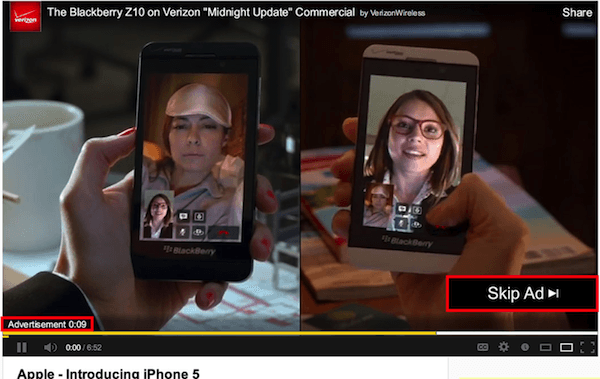
In-Stream videos play right before the YouTube user’s selected video, “in the stream” of that chosen video. Users can opt to skip this video after five seconds of it playing, as shown below, and jump to their content. In-Stream ads can be between 12 seconds and six minutes in length.
Discovery ads appear on the right sidebar of a selected video, just below the “Up Next” video as a suggested result. See how this one looks below.
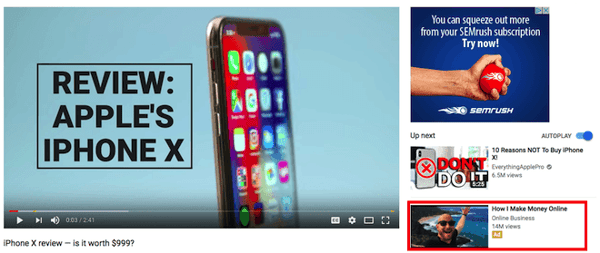
Because of the time you’re allotted with this ad format, it’s suggested that you create this type of ad with the goal of views and brand development, rather than just clicks into your website. This ad ideally generates revenue from the long-term brand awareness that comes out of a story people don’t want to skip, and one viewers remember the next time they approach your product or service.
Both In-Stream and Discovery are pay-per-view — you pay YouTube a fixed rate for every view the ad receives — and their return on investment (ROI) can be measured in Google AdWords. YouTube tallies one new “view” after 30 seconds of watching, or a click on the video as it’s playing. If the video is less than 30 seconds, views are tallied from people who watch the entire ad. (We’ll explain how AdWords manages all three ad formats in a minute.)
Clash Royale, a popular game app for mobile devices, has produced TrueView ads that are consistently in YouTube’s top 10 most highly watched ads of the year. The company’s 2017 ad, “The Last Second” (shown below), garnered more than 110 million views by the end of that year. This campaign contributed to a YouTube marketing strategy that makes the app developer no less than $2.6 thousand per month, as estimated by SocialBlade.
Preroll
Like In-Stream ads, Preroll ads play in the stream immediately before a user’s selected video. The difference is this ad type can’t be skipped after five seconds. These videos also run a maximum of 30 seconds, though YouTube recently confirmed it will limit advertisers to 15- and 20-second options starting this year.
Because viewing is required in this ad format, advertisers pay per click, so make the click worth it. A preroll ad with an enticing call-to-action that directs viewers to an appropriate landing or purchasing page on your website can be an enormous lead-generator for the sales team.
You can also leverage YouTube’s remarketing options, which enable you to send new videos back to users who’ve already engaged with your YouTube channel. If you’re a HubSpot user, and you’ve built smart forms for capturing new information on returning visitors, remarketing can be a terrific addition to an inbound marketing campaign.
This remarketing option helps you learn more about a person’s background and interests when they receive new videos that bring them to new landing pages.
Bumpers
Bumpers are the shortest ads you can buy. These six-second spots play just before a viewer’s selected video (like the above two options) but are best for brand awareness in the short breaks between long videos, or a YouTube playlist a user might be listening to in the background.
While they might be brief, YouTube found 90% of their bumper ads were remembered later by viewers. Bumpers are sold through cost-per-minute (CPM) bidding, which means you pay for every 1,000 plays of your ad on YouTube. They’re best used as a compliment to a TrueView ad campaign.
So how do you track the performance of these three video ad formats? Once you’ve created a YouTube channel and uploaded your video content, you can open a Google AdWords account and link it to your video campaign. In AdWords, select the campaign type, ad format, your budget, and to whom and where to show each video on YouTube.
You can target very specific audiences, and track the conversion rate of each video individually to see how much business (and revenue) you’re driving. See this blog post to learn more about this process.
2. Be an Advertising Platform
If advertising is a marathon, the next two strategies are a sprint … sort of. When you think about how to make money on YouTube, you’re probably thinking of the following options. In this case, you’re the one getting paid to host others’ advertisements — the other side of the YouTube advertising relationship.
Keep in mind that while turning your videos into ad space can make money more quickly and directly, it requires more heavy lifting on your part to make a decent profit.
Here are your main options:
YouTube Partner Program
Who does it: T-Series
YouTube revenue: $723,500 – 11.6 million per month
The YouTube Partner Program (YPP) allows the website’s most successful YouTube channels to monetize their content by serving ads made and paid for by other YouTube users.
The criteria for this program — which changed in 2018 — requires that your channel has reached 4,000 watch hours and 1,000 channel subscribers in the last 12 months. Once you have passed these two milestones, you can apply to join the program through the following steps:
- At the top-right of the YouTube homepage, click your account icon and select “Creator Studio.”
- On the left-hand side, click “Channel” and select “Status and features.”
- Under the box, “Monetization,” click “Enable.” Don’t be fooled if it says you’re already “Eligible” to the left; this just indicates there are no restrictions against you from trying to become a Partner.
- You’ll be asked to agree to the YPP Terms. Do so, and you’ll then sign up for an AdSense account so you can receive revenue through your monetized YouTube account.
- Set your ad hosting preferences and follow the prompts to submit your channel for review.
YouTube typically emails you a decision on whether they’ve accepted you into the YPP within a week of applying, so sit tight. Still trying to hit the right watch hours and channel subscribers? Keep in mind you should be posting prolifically — having just one or two videos on your channel that you’re personally proud of won’t cut it.
T-Series is a prime example of how volume and consistency can make you a sought-after channel by advertisers on YouTube. This India-based record company posts numerous music videos for songs written and performed in Bollywood, India. And although the company was founded in 1984 and has been on YouTube for nearly 10 years, keeping with this music video strategy has finally put them a position to dethrone PewDiePie (the famous video game-focused YouTube user) as the most popular YouTube channel in the world — with a whopping 83 million subscribers.
T-Series makes no less than $724 thousand per month from its YouTube channel, according to SocialBlade, much of which comes from advertisers through the YouTube Partner Program.
“Bollywood music is like Russian roulette. You keep on betting, but you don’t know what will be a hit.” -Nerraj Kalyan, President of T-Series
By publishing multiple videos a week, you can build your viewership, qualify for YPP, and make decent cash. YouTube splits ad revenue 55-45 with its partners — 45% to Google, 55% to you. That means an advertiser who invests $200 in serving ads on your channel can bring you $110 for your videos’ real estate.
T-Series’s president attributes their success on YouTube to the fact that the business doesn’t go into any one project thinking it will make money. Rather, the regular “bets” they place on YouTube increase their chances of capturing its audience, and increasing their following as a result.
Affiliate Links
Who does it: Marques Brownlee
YouTube revenue: $6,900 – $109,800 per month
As an affiliate, there is no eligibility requirement — you’re taking advertising into your own hands. This is a great option for YouTube channels that offer reviews and how-to’s, and frequently recommend new products to its viewers.
Turn those suggestions into paid (but natural) product placements in the description section of your video, as shown below:
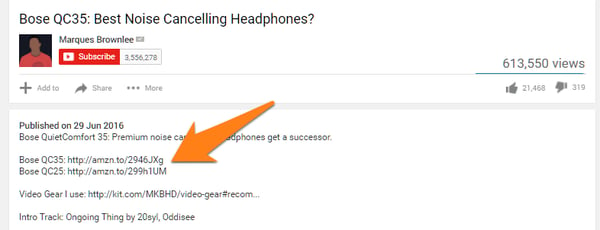 Image via Authority Hacker
Working as an affiliate of various brands can make you money — albeit usually less than a YouTube Partner campaign — each time that company makes a sale off a link you post on one of your videos. In this case, you’re earning revenue from the company of which you are an affiliate, rather than from YouTube and its advertisers.
Start by joining an affiliate network through sites like Click Bank or Amazon’s Affiliate Program, and follow the signup instructions. Keep in mind that each program takes a different percentage of a sale as commission, and your success is still tied to the popularity of your YouTube channel.
Travel vloggers can also join Travelpayouts. It is a travel affiliate program, that allows you to make money on flight tickets, hotels, tours and other travel services. The affiliate commission (percentage) depends on the service you choose and your sales volume.
YouTube personality Marques Brownlee, whose YouTube channel is shown promoting affiliate links in the screenshot above, is a consumer electronics reviewer on YouTube. This makes affiliate advertising the perfect revenue stream for his channel because his advertisers are effectively paying for Marques to review — and, assuming it’s a positive review, promote — their products to his viewers. Marques says he also generates revenue through the YouTube Partner Program, according to Recode.
“There’s little things you can do to get people to watch your videos more, but none of it will make as drastic of a difference as the video itself. The video itself has to be what makes people watch it and share it and watch it again.” -Marques Brownlee, tech reviewer on YouTube
In the example above, Marques reviews a pair of headphones by Bose, suggesting they might be the best noise-cancelling headphones on the market. This made him an affiliate of Bose — just one piece of a YouTube marketing strategy that makes Marques no less than $6,900 per month, according to SocialBlade.
Bonus: Fan-Fund Your YouTube Channel
Who does it: Typical Gamer
What exactly is fan-funding? It’s exactly what it sounds like: viewers donate money to your channel if they find your content enjoyable.
It’s the perfect option for videos managed by charities and nonprofits, but even for-profit businesses and independent creatives can publish videos and YouTube Live streams that encourage contributions from their audience. Streaming platforms such as Twitch.tv, which webcasts video games and general interest content, sees accounts that are two years or older make $80 in “tips” per year on average.
Twitch.tv’s most popular users make thousands.
Obviously YouTube and Twitch have different users, but YouTube has just as many loyal channel subscribers who would likely pay for exclusive rewards and content. On YouTube, sign up for Fan Funding to allow viewers of a live stream to tip through a chat window associated with the video.
YouTube calls them Super Chats, shown on a mobile device below:

You can also sign up for Patreon, which allows you to launch membership-only video channels through YouTube at a small fee per month for regular rewards. Just imagine how much a YouTube channel could generate if it has the 1,000 subscribers required by the YPP. Charge $1 for a new channel with new content, and you could be looking at a solid monthly revenue stream.
There’s no shortcut to well-earned cash money, even on YouTube. The good news is video is taking up an increasingly wide slice of global internet bandwidth, and there are numerous ways to produce video content that’s good enough for people to pay for.

How to Tell a Compelling Brand Story [Guide + Examples]
Last year, a buzzword ripped through the content marketing space that most marketers were surprisingly thrilled about and eager to implement. Shockingly, it didn’t start with “virtual” or end with “intelligence”. Instead, it was what attracted most marketers to the industry in the first place — “storytelling”.
Content marketing’s steady adoption of storytelling is an exciting new opportunity for content creators. But since we’ve spent the majority of our careers optimizing content for algorithms, it can be challenging to flex a creative muscle that’s slowly withered away from inactivity.
To help you strengthen your creative muscle and write compelling stories again, we’ll teach you the fundamentals of brand story structure and show you how three small-to-medium sized businesses have leveraged their brand story to resonate with huge audiences, despite their comparatively small size.
What is a brand story?
A brand story recounts the series of events that sparked your company’s inception and expresses how that narrative still drives your mission today. Just like your favorite books and movies’ characters, if you can craft a compelling brand story, your audience will remember who you are, develop empathy for you, and, ultimately, care about you.
When HubSpot first started, we noticed traditional, interruptive marketing didn’t appeal to consumers anymore. Due to the digital age, people were in complete control of the information they consumed — and they were sick and tired of receiving direct mail, email blasts, and cold calls. People wanted to be helped, so we started creating educational content that aided people in solving their marketing problems.
Today, we’ve built a passionate community of inbound marketers, expanded our inbound marketing approach to the sales and customer service industries, and strengthened the inbound movement more than ever before.
This our brand story — a simple, digestible narrative that recounts the reason why HubSpot began, and how it still serves as our purpose today.
How to Write a Brand Story
1. Highlight Your Story’s Conflict.
Check out the following story. Does it resonate with you?
A girl wearing a red-hooded cloak is strolling through the woods to give her sick grandma some much-needed food and TLC. She passes by a wolf on the way. They exchange a slightly awkward soft smile-nod combination that random colleagues usually greet each other with as they pass in the hallway. She makes it to her grandma’s house without a scratch. They eat lunch and play a game of Clue together. Grandma wins by deducing that Colonel Mustard killed Mr. Boddy in the Billiard Room with the candlestick — what a shocker! The End.
So … what’d you think? Did this story keep you on the edge of your seat? Or does it feel … off? For some reason, it doesn’t work, right? That’s because there’s no conflict. Despite the intense game of Clue at the end, there’s nothing at stake. There’s no tension. The wolf didn’t try to eat the girl. He didn’t even go to Grandma’s house. He barely acknowledged Little Red Riding Hood.
At their core, stories are about overcoming adversity. So if there’s no conflict presented, there’s no drama or emotional journey that people can relate to. And if your story has no drama or emotional journey, it won’t hold anyone’s attention — let alone resonate with and inspire them.
Unfortunately, in the business world, brands are horrified to reveal any adversity or conflict they’ve faced. They believe that spinning a rosy, blemish-free story about how their company only experiences hockey stick growth will convince people that they’re the industry’s best-in-class solution. Any adversity or conflict during their company’s history will expose their imperfections, deterring potential customers from buying their product.
But, in reality, this is a huge misconception. Nothing’s perfect. Everything, including companies (especially companies), has flaws. Plus, people don’t relate to perfection. They relate to the emotional journey of experiencing adversity, struggling through it, and, ultimately, overcoming it. Because, in a nutshell, that’s the story of life.
Conflict is key to telling compelling stories. So be transparent about the adversity your company has faced, and own it. The more honest you are about your shortcomings, the more people will respect you and relate to your brand.
2. Don’t Forget About Your Story’s Status Quo and Resolution
Conflict isn’t the only thing you should focus on when crafting your brand story. A compelling story has two other fundamental elements — the status quo and resolution.
The status quo is the way things are or the initial nature of your situation. The conflict disrupts this situation and puts something at stake, forcing the protagonist (your brand) to actively find a solution to this problem. The resolution describes how the protagonist solves the problem, giving your audience an emotional payoff.
In sum, your brand’s story structure should look like this — status quo, conflict, and resolution. It’s as simple as that.
If you need an example to crystalize brand story structure in your mind, let’s go over the actual Little Red Riding Hood story, as well as some brands who are nailing their brand stories right now.
Little Red Riding Hood
Status Quo: Little Red Riding Hood walks through the woods, on her way to deliver food to her sick grandma.
Conflict: A Big Bad Wolf approaches her, and asks where she’s going. She naively tells him where her grandmother’s house is, so he suggests she picks some flowers as a present for her. While she’s distracted, he breaks into Little Red Riding Hood’s grandmother’s house, eats her, and puts on her clothes to impersonate her.
When Little Red Riding Hood gets to her grandmother’s house, she notices some subtle changes in her grandmother appearance but ultimately ignores them and hops into bed with her. The wolf swallows her whole. He falls asleep from a massive food coma.
Resolution: A hunter hears Little Red Riding Hood’s screams, bursts through grandma’s door, and cuts open the wolf’s stomach, setting Little Red Riding Hood and her grandmother free. They then fill the wolf’s body with heavy stones, and when he wakes up and tries to run away, he topples over and dies.
Now — wouldn’t you say that was a little more compelling and entertaining than finding out Colonel Mustard can wield a candlestick as a murder weapon? I would, too.
The thing is, some small brands are leveraging this same exact story structure to generate massive amounts of brand awareness and affinity. Read on to find out exactly how they do it.
Brand Story Examples
- Unthinkable Media
- Grado Labs
- Drift
1. Unthinkable Media
Unthinkable Media is a creative agency that produces original, narrative-driven podcasts for B2B brands. Their mission is to create refreshing, entertaining shows for clients that can actually retain people’s attention, not just acquire it.
Here’s a rundown of their brand story, which is also fleshed out in one of the founder’s blog posts:
Status Quo: As makers and marketers, we want our audience’s attention, and so for years, we focused our efforts on acquiring it.
Conflict: But today, thanks to multiple screens, ubiquitous and instantly accessible content, and endless choice in nearly every competitive niche, the buyer now has total control. They only choose experiences they genuinely enjoy. It is no longer enough for us to simply acquire our audience’s attention.
Resolution: We need to hold it. That is our new mandate as makers and marketers. We need to shift our focus from impressions and traffic to subscribers and community. Everything we are trying to achieve becomes possible and gets easier when our audience spends minutes or even hours with us, not seconds. Don’t just acquire attention. Hold it.
2. Grado Labs
Grado Labs is a third-generation, family-owned headphone and cartridge company. They don’t believe in advertising, have operated in the same building for over a century, and even make their headphones by hand. So why do they choose to operate like this when huge brands like Beats by Dre, Sony, and Bose have celebrity endorsers and mass-produce their headphones? Check out our interpretation of their brand story to find out.
Status Quo: Music is an essential part of the human experience. Without it, life just isn’t as colorful and exciting. And we believe quality headphones amplify the pleasant, emotional experience of listening to music.
Conflict: In a market where every headphone brand has an enormous advertising budget, state-of-the-art facilities, and high-tech machines that can churn out as much product as they want, all of which we don’t have, why do we choose to not conform?
Resolution: Sound comes first. We’re craft-driven creators, meaning we prioritize producing the best product over generating the most hype. And by creating a better pair of headphones at the expense of publicity and growth, we can serve our customers better and foster a fervent passion for our product.
3. Drift
Drift is a conversational marketing platform that helps businesses connect with prospects through genuine, empathetic conversations and interactions. In 2016, they shocked the content marketing world by scrapping arguably the most reliable lead generator from their website — forms.
Even though they were initially anxious about getting rid of a lead generation machine, they knew ungating every piece of content on their website would allow them to align with their mission, put their customers first, and offer as much value as possible, which would produce better long-term results. Here’s our interpretation of their brand story.
Status Quo: The crux of content marketing is treating people like humans. So, we’ve done what most other companies have done: created content that aims to help and educate our customers. And in exchange for adding value to their lives, customers are likely to return the favor with their attention, trust, and action.
Conflict: But as much as we preach about putting the customer first, we don’t practice it. Instead of offering the most value we possibly can, we make people give us their contact information in exchange for the very thing we promise is free. Then, with their contact information, we email and call them until they either unsubscribe or eventually buy. No one actually enjoys filling out forms, becoming a lead, and getting nurtured. Our ulterior motive is crystal clear. So are we actually being customer-centric?
Resolution: Let’s get rid of all our forms. If we really want to practice what we preach — putting our customers first and providing a more human and empathetic marketing experience — we should offer all of our content for free, with no strings attached.
Tell Your Brand’s Real Story, Not It’s Highlight Reel
Whether you’re publishing your brand story on your website or using it to inform your overall mission, make sure it’s fact, not fiction. Spitting out a highlight reel, like almost every other brand does, won’t actually resonate with people. Instead, it’s crucial you tell the honest truth about the adversity your company has faced, and how you’re working to overcome it. Because what people relate to and get inspired by isn’t endless success — it’s the rocky journey of pursuing a goal, getting knocked down, and, ultimately, finding a path toward success.

What Is Twitter and How Does It Work?
Twitter, a social networking site launched in 2006, is undoubtedly one of the most popular social media platforms available today, with 100 million daily active users and 500 million tweets sent daily.
Twitter can be used to receive news, follow high-profile celebrities, or stay in-touch with old high school friends.
But its popularity can be intimidating — if you don’t know how to use Twitter in 2019, should you even bother trying to join the masses who’ve acquired years of experience on the site?
Fortunately, Twitter is incredibly easy to use. Here, we’ll cover what Twitter is, who uses Twitter, and how you can get started on the site, today.

What is Twitter?
In 2006, Jack Dorsey, co-founder of Twitter, had an idea — he would create a SMS-based communications platform in which friends could keep tabs on each other by updating statuses. In the beginning, Twitter was an idea all-too-similar to texting.
The idea evolved, in large part due to brainstorming sessions with Dorsey’s co-founder, Evan Williams.
On March 21, 2006, Jack sent the first tweet, which read — “just setting up my twttr.”
Twitter saw explosive growth at the 2007 South By Southwest Interactive conference, during which more than 60,000 tweets were sent. The Twitter team took advantage of the conference to begin growing their user base.
Twitter began as an SMS-based platform, so the 140 character limit was initially simply a necessity — mobile carriers imposed the limit, not Twitter.
However, as Twitter grew to become a web platform, they kept the limit simply because it aligned with Twitter’s brand — Twitter is a platform that aims to create highly skimmable content for our tech-heavy, attention-deficit modern world.
Twitter has grown exponentially over the past 10+ years. Its purpose is ultimately to spread information fast — while that information is not always serious (Kim Kardashian’s thoughts on makeup, for instance), it sometimes is (like when Iranian protesters used Twitter to assemble marches).
In many ways, Twitter has both unlimited meaning and immeasurable potential. It can connect you with someone in Thailand as quickly as it can introduce you to your next-door neighbor. You might choose to fill your feed with industry professionals, news sites, celebrities, comedians, or friends.
By enabling each user to curate their content to their personal desires and interests, Twitter has successfully created a highly-addictive platform.
What is Twitter used for?
Twitter is a social media site, and its primary purpose is to connect people and allow people to share their thoughts with a big audience. Twitter allows users to discover stories regarding today’s biggest news and events, follow people or companies that post content they enjoy consuming, or simply communicate with friends. Additionally, PR teams and marketers can use Twitter to increase brand awareness and delight their audience.
Twitter for Marketers
Twitter can be a very helpful platform for growing a following and providing your audience with valuable content before they even become customers. The character limit can also help you create quick-and-compelling advertisements, like a shout-out to a webinar your business is conducting, or a free e-book.
It’s important to note, you can use Twitter to advertise your products or services, but you should do so sparingly. Like any social media marketing strategy, your primary focus should be on attracting an audience with useful content and growing brand awareness.
Additionally, you can use Twitter to connect with your audience in personal and meaningful ways. If someone mentions one of your products or services, you can “like” or “retweet” their comment. Alternatively, if a customer complains about your services on Twitter, you can reach out to rectify the situation in real-time.
To learn more about how to use Twitter for marketing purposes, take a look at How to Use Twitter for Marketing & PR.
Twitter for Reporters
Twitter has often been used to spread breaking news quickly — at times, it’s even faster than traditional media outlets at spreading groundbreaking information quickly.
For instance, when the US Airways plane crash-landed in the Hudson River in 2009, Janis Krums was one of the first to spread the word via Twitter, before many media outlets even caught on:

As a reporter, you could amass a large following by tweeting short descriptions to alert your audience of daily events.
Additionally, many celebrities, athletes, and politicians choose to post on Twitter directly rather than speaking through media outlets when they want to share information with their fans — so Twitter is often a helpful avenue when you’re looking for insider information or direct quotes to use for an article.
Of course, there’s a danger in using Twitter as a primary source of news — the limited character count, for one thing, enables Twitter users to spread one-sided information without having the space to offer the full-story. If you’re a reporter, it’s likely best if you use Twitter to post short snapshots of larger events, but stay clear of offering controversial opinions when you don’t have the text space to back it up.
Twitter for PR Teams
If you work in PR, you might consider using Twitter to post announcements about one of your clients — for instance, you could tweet about a release date for a client’s product, or an upcoming event.
Twitter can also help you quickly figure out what your client’s competitors are discussing, to ensure your client is up-to-date on industry trends, and participating in the larger conversation.
Finally, Twitter allows you to network with professionals or influencers who might have an interest in working with your client.
Twitter for Individuals
You can use Twitter for entertainment purposes, or to stay in contact with friends and family. At its most basic, Twitter is similar to sending out a 140-character mass text to everyone you know — you could use it to share a funny story, post a compelling video, or ask your audience a question. The choice is yours.
How does Twitter work?
Twitter is a social networking site in which you can post 140 character status updates, otherwise known as “tweets”, that can be seen by anyone who has chosen to follow you. Within the tweet, you can link to other articles or videos. Additionally, you can scroll through your Twitter homepage to see what other people, who you’ve chosen to follow, are posting. For instance, you can use Twitter for professional use only, and choose to follow industry leaders in your field. Alternatively, maybe you just follow comedians, and use Twitter as a source of amusement.
If you’re ready to get started with Twitter, here’s how it works — don’t worry, it’s relatively simple.
First, create a Twitter account. Then, once you’re ready to use Twitter, follow these steps:
How to Post a Tweet
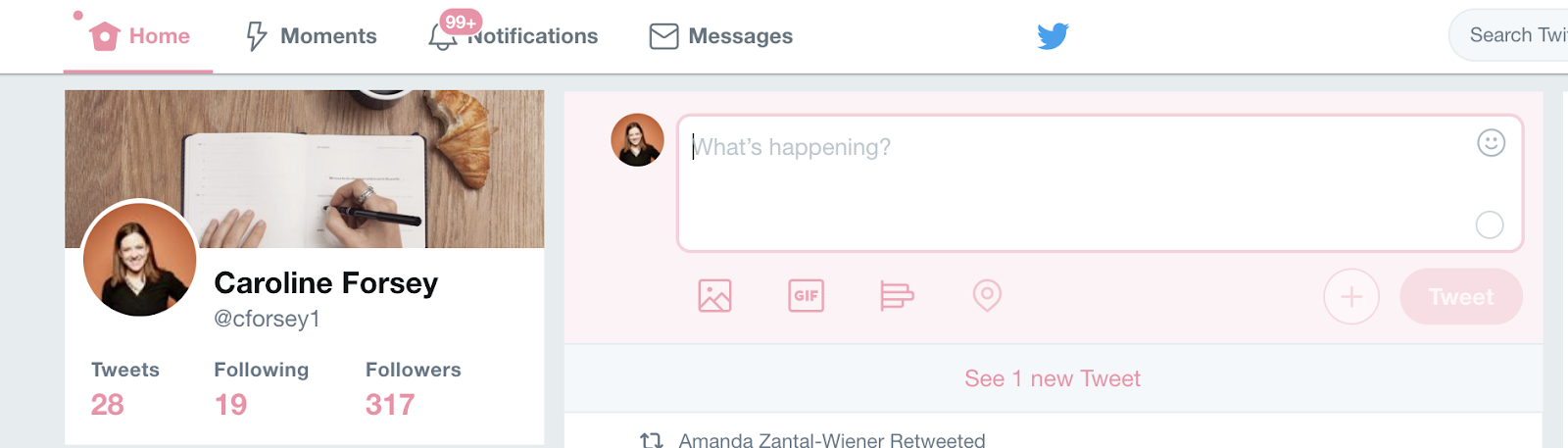
If you’re interested in posting something, you’ll want to click the text box that says “What’s happening?”. You can include pictures, a GIF, or a poll using the icons below the text box.
If you’re not sure what to post, consider pasting a URL into the box of a funny video or interesting article, with your own brief personal take on the content.
When you’re ready, press “Tweet”.
How to Peruse Popular Content and Follow People on Twitter
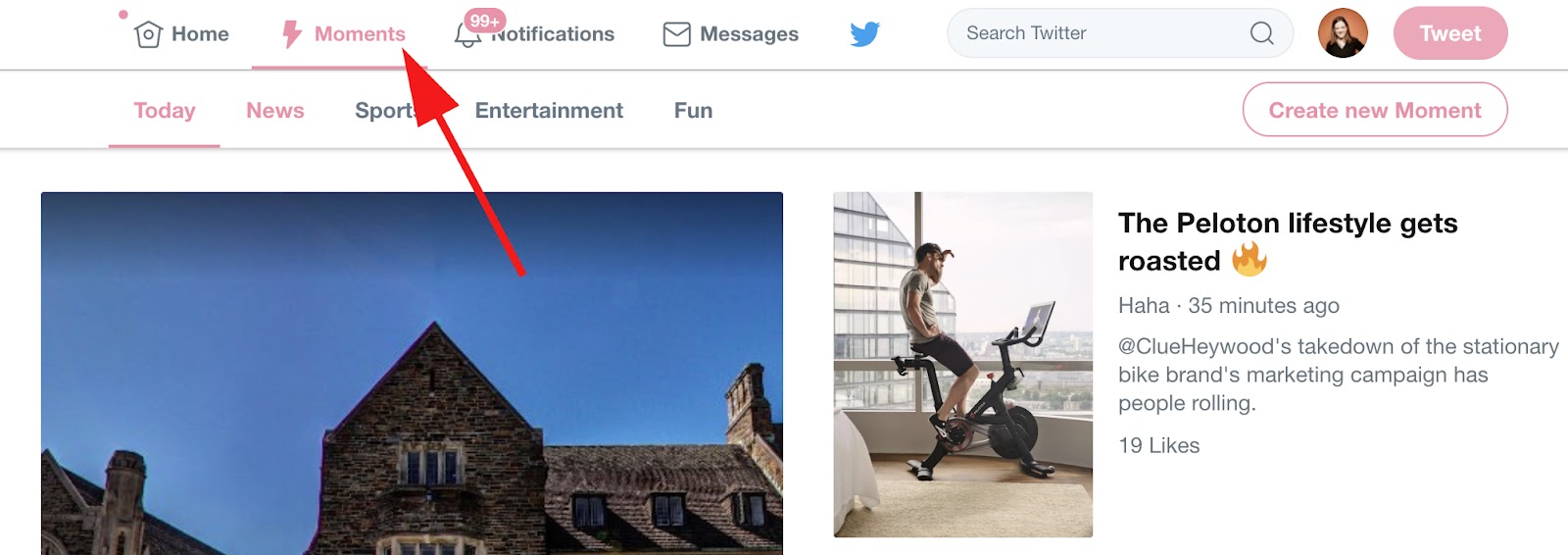
To peruse popular content, you can click the “Moments” section at the top. This will show you trending topics in a variety of subjects, including News, Sports, Entertainment, and Fun.
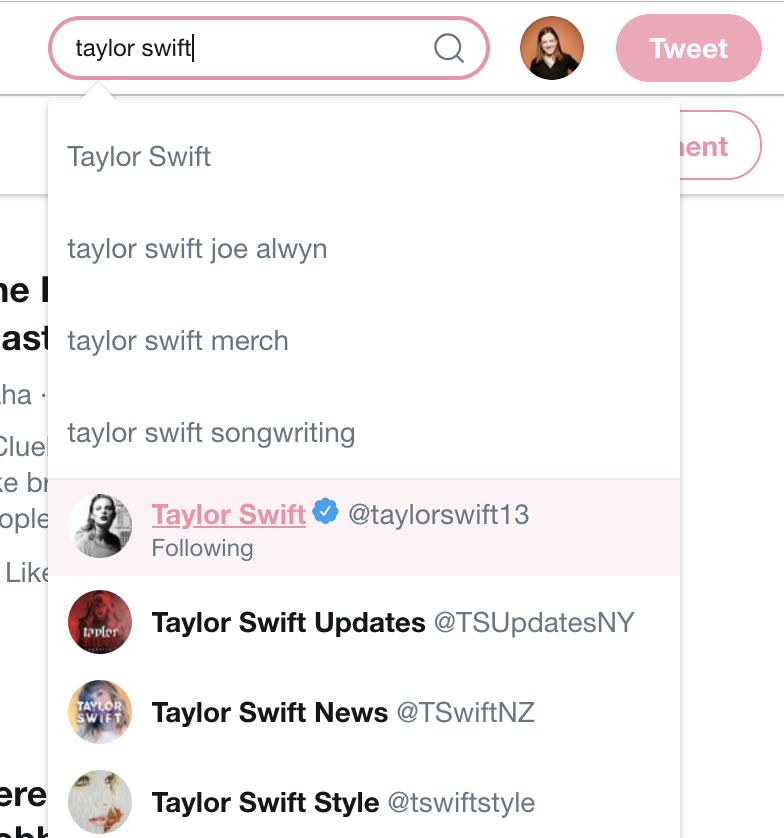
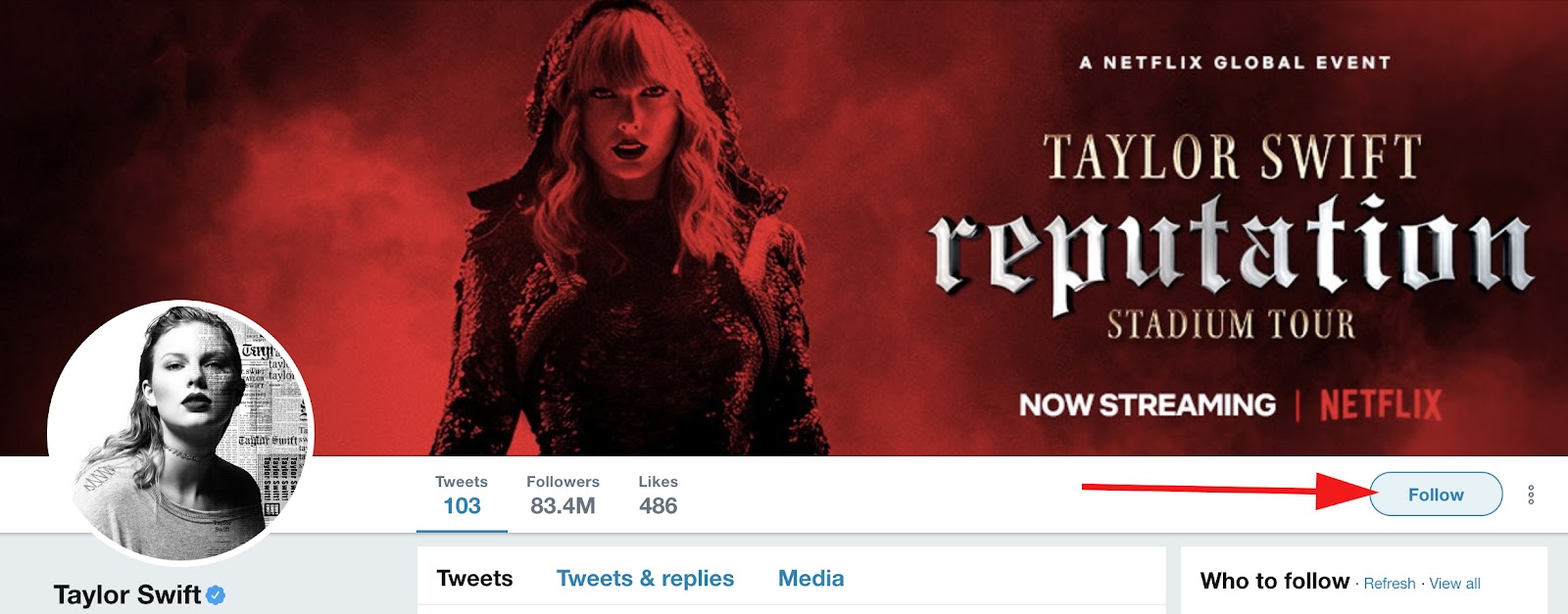
To follow specific people, you can type their name into the search box. When you click on their name, you’ll be directed to their profile. There, click the “Follow” button to the right to begin following them — this means any tweets they post will appear on your homepage.
How to Engage With Other People’s Tweets
To engage with someone else’s content, you can “Retweet” it. This allows you to share someone else’s tweet with your own audience, and to show your agreement or approval of the tweet (for instance, if someone posts a video of a good song and says “This is the best song!” and you retweet it, you’re signaling to your audience that you also like the song and want to share it).

Alternatively, you can click the speech bubble to the left of the Retweet button if you want to comment on the tweet, or the heart to the right of the Retweet button if you want to “like” the tweet.
Finally, you can click the mail icon if you want to Direct Message the tweet to just one person, or just one specific group of people.
And that’s it! You now know how to post a tweet, engage with other Twitter users, follow people, and peruse popular content on the platform. While there’s still other handy tips and tricks to figure out, you have the basics down.
Next, to learn how to use Twitter for your business, check out How to Build a Community of Twitter Followers for Your Company.

HubSpot’s Guide to Becoming a Better Writer
When I was nine, I wrote a short story for my avid reader base … a.k.a. my mom and dad and dog, Maggie. It was about roller coasters and featured my best friend Abby, but that’s about all I remember from my first literary masterpiece.
I’ve always loved writing, and I’m so grateful that I get to write every single day (albeit about marketing and not theme parks). I mean, I get paid to do this. How cool is that?
But just because I landed my dream job doesn’t mean I’ve stopped improving my writing. In fact, I feel more motivated than ever to discover new habits and master new writing skills.
Writing is an integral part of life. Regardless of what your job is, writing is a key part of being a great employee, student, and communicator.
We believe everyone can become a better writer — even those of us on our blog team here at HubSpot. Consider us your partners on this journey and this guide as your beacon. Use the chapter links below to jump ahead to a particular section, or keep reading to dive right in.

Writing skills improve grammar, spelling, punctuation, language, and writing style. There are also different writing skills required for different types of content, such as memos, letters, and emails.
Lastly, mastering the art of writing and the discipline required to be a writer is a skill in itself, too! (And, believe me, these skills are sometimes the hardest to master.)
Why Writing Skills Matter
Writing is a form of communication, and becoming a better writer is essentially becoming a better communicator.
We communicate all day, every day. Even when we’re not opening our mouths, we’re communicating through our body language, facial expressions, physical movements — and with our written words.
Whether you’re sending an important memo to your team at work, writing a letter to your child’s teacher, building a presentation for a potential investor, or simply emailing your doctor, writing skills help you communicate in a clear and confident manner.
Where Writing Skills Matter
Writing skills are universal. They’re applicable to almost every part of our lives.
At work, writing skills help us communicate with co-workers, managers, and customers. They help us create effective emails, presentations, blog posts, social media posts, and marketing campaigns. They also come in handy when you might be applying to new jobs using resumes and cover letters.
Writing skills also apply at home. Perhaps you’re writing an important letter to your child’s teacher, or maybe you have to state your case when applying for a bank loan or attempting to purchase a home.
Becoming a better writer can help you in a myriad of ways — and make you sound smart and confident.
Improving Your Writing Structure
Sometimes I like to think of writing like making chili … weird, I know, but let me explain.
My dad is a self-proclaimed chili master. He always says that there’s a lot that goes into making a good chili: your choice of meat and how you prepare it, your choice of beans, your level of spiciness and what seasoning you choose, how long you cook it, and — finally — what you put on top. (Cheese and sour cream, anyone!?)
Weird story, Allie … what’s the point?
My point is that there’s a lot that goes into writing, too. And when you combine its components correctly (commas, gerunds, metaphors, etc.), your writing becomes a very powerful recipe.
Now, let’s talk about those individual writing “ingredients”. Below, I’ve provided a handful of tips for each component — some featuring a pretty list with bullet points.
Featured Resource:
Grammar Skills
You’ve heard people talk about grammar … probably something along the lines of: “Sorry, I am SUCH a grammar freak!” Or, the infamous you’re vs. your debate.

the study or use of the rules about how words change their form and combine with other words to express meaning.” I like to think about it as the way you use words and put them together.
Grammar encompasses a lot of rules and techniques. Here are a handful of my favorite grammar tip lists.
- TechRepublic’s “10 Flagrant Grammar Mistakes That Make You Look Stupid”
- FluentU’s “8 Important English Grammar Rules That Anyone in Business Should Understand”
- Writing Forward’s “Ten Grammar Rules Every Writer Should Know”
Some writing skills are repeated in these lists, but that means they’re that much more important!
Spelling Skills
Remember when spelling was its own subject in school? As we grew up, it was phased out of our daily learning, but spelling is still a vital writing skill.
We all struggle with certain words (Feb-ru-ary, anyone?), but certain misspellings can completely change the meaning of a phrase or piece of writing — and mean massive confusion for co-workers or customers.
Below, I’ve aggregated some of the most common misuses and misspellings (as inspired by this list from the B2B Insights blog).
Continual vs. continuous
“Continual” means always occurring, whereas “continuously” means never-ending.
i.e. vs. e.g.
i.e. stands for “id est” meaning “”in other words,”” while “e.g.” stands for “exempli gratia” meaning ““for example””.
Elicit vs. illicit
“Elicit” means to evoke some sort of response, whereas “illicit” means “illegal.”
Alternately vs. alternatively
“Alternately” means to take turns –or alternate, whereas alternatively” presents one or more options.
Refute vs. rebut
Refute” is to disprove with evidence, whereas “rebut” is to disagree.
Farther vs. further
“Farther” refers to physical distance, whereas “further” refers to a greater degree of something.
Alright vs. all right
Alright is actually not a legitimate word … use “all right instead.”
Uninterested vs. disinterested
Uninterested” means to have no interest, whereas “disinterested” means to be removed or neutral to a situation.
Who’s vs. whose
Who’s” is a contraction for ““who is,” whereas whose is used to show ownership of something. (The same goes for it’s vs. its.)
Than vs. then
Than is used when comparing two things, whereas then is used to express a sense of time, such as what comes next or what used to be.
Punctuation Skills
Punctuation refers to a whole host of symbols used in writing, but I’m going to review the few most popular in this section.
Periods (.), exclamation points (!), and question marks (?)
Periods should be your go-to way to end a sentence. Every sentence should end in a period (if you’re not using a question mark or exclamation point.
Exclamation points — which are used to express excitement, accentuate an important point, or get the reader’s attention — should be used sparingly! If you overuse them, they won’t be effective when you need them to be! These sentences are great examples of completely unnecessary exclamation points! Woot!
Question marks are appropriate for — you guessed it — questions. Using questions throughout your writing can help create a conversational, friendly tone (which we talk about in our language skills section below).
Commas (,), semicolons (;), and colons (:)
When I started at HubSpot, my editor told me that I was “comma happy.”

a lot, so I understood why she was giving me that feedback. In my defense, commas are important in writing and apparently
very financially valuable for businesses.
Commas pack a punch in your writing. They’re also easy to overuse and misuse. Because of that, it’s crucial to master the rules of the comma.
Next: semicolons. Where commas connect two phrases, semicolons connect two complete, related sentences. For example, the previous sentence could be re-written with a semicolon by saying: Commas connect two phrases; however, semicolons connect two complete, related sentences.
Always use “____; however, ____” when using a semicolon.
Colons are used to introduce a new point, just like in my sentence above, “Next: semicolons.”. They’re pretty easy to utilize in your writing.
Dashes (—) and hyphens (-)
Writers often confuse dashes and colons. Colons introduce something and are typically used near the end of a sentence, whereas hyphens are used to offset a phrase — not unlike commas — in the middle or end of a sentence.
Dashes just put a little more oomph on the phrase that’s set apart.
Hyphens are used to connect words to make them compound words. They’re used to connect two words that serve as an adjective for a noun (such as well-known, or caramel-covered) as well as clarify the meaning of a word (re-sign vs. resign). Hyphens also produce numbers (thirty-seven) and, with prefixes, set apart one word from another (boyfriend vs. ex-boyfriend).
Language Skills
Language refers to using certain words and writing techniques to create a great piece of writing. Consider language skills to be the proverbial “bow” on top of your grammar, spelling, and punctuation.
Here are some of my favorites.
- Employ transition words to help your reader glide from sentence to sentence and paragraph to paragraph.
- Use colorful and creative metaphors to help get difficult, complicated, or uncomfortable points across.
- Don’t be afraid to incorporate a personal anecdote or two … like my comma story above. This helps connect to your reader and present something more interesting than a simple how-to or definition.
- Look up colorful, flavorful synonyms to basic words. Painful = excruciating. Fast = rapid. Scary = chilling. Noisy = deafening. These words are more fun to read and present a more visceral, interesting piece of writing.
- Pepper in questions in your writing to become more conversational. Try not to overdo it, though, or your reader might feel like he or she is being interrogated.
- Study your audience to know which words to use (and not use) to have the greatest impact. Put yourself in your reader’s shoes.
- Read your writing out loud to test for rhythm and awkward phrasing.
Developing Your Written Content
Different types of writing require different skills. What makes for a great business memo might not be needed when writing a blog or email. Note: The writing skills we discussed above are universal and apply to each of these types of content.
Writing a Letter
There are a lot of types of letters out there: formal letters, cover letters, letters of recommendation, letters to Grandma … but the letter format you choose should always depend on your audience. If you know your recipient, a casual letter is appropriate. If you don’t know your recipient or are writing a business letter, a formal letter is best.
Featured Resource:
You should always address formal letters in a specific way, unlike informal letters to friends or family. When starting your letter, the greeting should align with your familiarity with the recipient. Informal letters can start with “Hello” or another common greeting. Formal letters should begin with “Dear _______” if you know the recipient’s name or “To whom it may concern” if you don’t. All greetings should be followed with a comma.
The body of your letter should be concise and accurate, whether informal or formal. Avoid contractions, slang, and inappropriate language in formal letters.
Always include a complimentary closing at the end of your letter. Informal letters can be closed with “With love,” “Sincerely,” or any other customary closing. Formal letters should be signed off with “Sincerely” (typically the safest bet), “Cordially,” or “Warmly.” All closings should be followed with a comma as well.
Writing a Business Memo
A business memo (short for “memorandum,” or reminder) is a type of internal business communication sent to a large team or entire organization. Business memos typically follow a simple template to ensure consistency.
When writing a business memo, you should always prioritize accuracy and brevity. Consider your audience when choosing what words and language to use. Double-check for grammar, spelling, and punctuation errors that could confuse or distract the reader. Be sure your memo is concise and to the point so that recipients clearly understand its purpose. Lastly, don’t forget to attach any necessary data and documents.
Writing an Email
Like letters, emails come in all shapes and sizes. There are marketing emails, sales emails, emails to pitch media relations, and emails that communicate with international teams.
Regardless of what kind of email you’re writing, here are a few tips that can help you write a great one:
- Write an outstanding subject line … literally. Make it stand out so people open your email.
- Keep your email focused. Consider dropping any extraneous greetings or unnecessary information. Break up your message so it’s not just one long block of text.
- Watch out for robotic writing. Read your message out loud to help combat this.
- Avoid hedging language, which can make you sound less confident and weaken your writing.
Featured Resources:
- 25 Proven Sales Email Templates
- The Beginner’s Guide to Email Marketing
- How to Create Email Newsletters That Don’t Suck
Writing a Blog Post
At HubSpot, we love writing blog posts. They’re fun, straightforward, and often informal ways to connect with our customers and readers.
Everyone should know how to write a blog post. While maintaining a blog takes some extra work, writing up the blog posts isn’t hard at all. In fact, we’ve made it easier — simply download our five free blog post templates and dive right in.
In the meantime, here’s our super-simple blog writing formula:
- Identify your blog post topic
- Brainstorm a working title
- Draft a captivating intro
- Outline your content
- Write the blog post
- Edit, proofread and format the post
- Add a CTA and optimize for SEO
- Finalize your title, and publish!
Learn more about this process in our step-by-step guide on writing a blog post. Want to learn how to write other types of content? Check out our guides on writing video scripts, compelling copy, business proposals, and press releases.
Featured Resources:
Nurturing Your Writing Habits
Writing skills are both technical and habitual. You could become a grammar guru, punctuation pro, or master of business memos … but if you never actually sat down to write, it wouldn’t matter. While the technical skills make you a better writer, building up your habitual skills actually makes you write.
Here are some writing skills and habits to build for both professional and personal purposes. Every writer (me included!) implements at least a few of these habits in order to improve their writing.
Book time on your calendar to write
Set a meeting with yourself that you can’t break, and let your co-workers and friends know that you’re unavailable for that block of time.
Assign yourself a task for each weekday
For example, I try to outline my pieces on Mondays, write on Tuesdays, submit my first draft by end-of-day Wednesday, make edits on Thursday, and submit by final draft by Friday. You could also set a word count goal for each day, such as 500 or 1,000 words. This can help break up your piece into digestible bits so it doesn’t’ seem overwhelming. Each day, you can say to yourself: “I only have to get X done today.”
Go somewhere that doesn’t have Wi-Fi
Maybe you need a change of scenery. This removes the temptation to respond to emails, check social media, and generally procrastinate. Save these trips for days on which you don’t have to do research.
Give yourself time away from your writing
This is especially important if you have to do a final sweep-through or round of edits. After spending hours and hours on a piece, it can be hard to see minor errors or gaps in the writing. Sometimes stepping away and coming back can give you a fresh set of eyes.
Read. Read. Read.
Read the writers and writing styles that you admire and aspire to be/recreate. Subscribe to your favorite blogs. Bookmark those websites and publications that you love reading. Download any e-books or digital guides that catch your eye. Buy your favorite books — which supports your favorite authors, too! You’ve heard the saying, “You’re a byproduct of your environment,” right? The same goes for your writing.
If you’re interested in writing — whether professionally or personally — and not sure how to get started, becoming a writer is actually a pretty straightforward process.
Using Writing Resources to Become a Better Writer
Even the best writers are continuously learning. Below, we’ve collected a handful of writing resources for you to bookmark and use as you improve your writing skills.
Courses
- HubSpot Academy, notably our Business Writing Course: Master High-Impact Writing With Bestselling Author Daniel Pink.
- MasterClass, which offers access to online courses taught by the “world’s greatest minds”. Their writing courses feature teachers like James Patterson, Judy Blume, Malcolm Gladwell, Shonda Rhimes, Aaron Sorkin, and Margaret Atwood.
Tools
- Grammarly, a free digital copyeditor. Available as a web or desktop app and for a fee, you can access many premium features.
- Hemingway Editor, a free digital copyeditor for more editorial, creative writing. Also available as a web or desktop app.
- Definr, a super quick digital dictionary.
- Jargon Grader, a simple tool to check your writing for jargon and fluff.
- Tone Analyzer, a pretty cool tool that assesses the different tones (anger, confidence, tentativeness, etc.) in your writing.
Blogs and Guides
- Grammar Girl, both a blog and podcast that provide quick tips to improve your writing.
- Purdue University Online Writing Lab (OWL), a very trustworthy site for any questions about writing or grammar.
Over to You
Building and improving your writing skills is a continuous process. From technical skills for grammar, punctuation, and spelling to skills that help you hone a disciplined writing process, there are many tips and techniques to master and remember.
Whether you’re learning how to write better emails to your team at work or are chipping away at that dream of writing a book, we’re here to help. Bookmark this guide for future reference, and start writing!

21 Great Examples of PowerPoint Presentation Design [+ Templates]
We can all agree there’s more than one way of doing something.
For example, some people default to the “loop, swoop, and pull” method when they tie their shoes, while others swear by the “bunny ears” technique. Either way you swing it, your shoes get tied, right?
The trouble is, in some areas of life, different approaches don’t always return the same results.
When it comes to presentation design, for instance, there’s no shortage of avenues you can take. And while all that choice — colors, formats, visuals, fonts — can feel liberating, it’s important that you’re careful in your selection as not all design combinations add up to success.
We’re not saying there’s one right way to design your next PowerPoint presentation, but we are saying that some designs make more sense than others. Luckily, new versions of PowerPoint actually suggest ideas for you based on the content you’re presenting. In this blog post, you’ll learn how to create an awesome PowerPoint deck and then see 21 real presentations that nail it in exactly their own way.
PowerPoint Design Ideas
It’s impossible for us to tell you which design ideas you should go after in your next PowerPoint, because, well, we don’t know what the goal of your presentation is. But, as it turns out, PowerPoint can make these suggestions.
In PowerPoint 2016 and later, PowerPoint is filled with interesting boilerplate designs you can start with. To find these suggestions, open PowerPoint and click the “Design” tab in your top navigation bar. Then, on the far right side, you’ll see the following options:
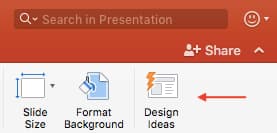 Click the “Design Ideas” option under this Design tab, as shown in the screenshot above. This icon will reveal a vertical list of interesting slide layouts based on what your slides already have on them.
Don’t have any content on your slides yet? You can easily shuffle this vertical list of design ideas by clicking various slides themes inside the color carousel to the far left of the Design Ideas icon, as shown below:

As you browse and select from the themes shown above, your Design Ideas pane to the right will interpret them and come up with layouts such as:
Paint Splash
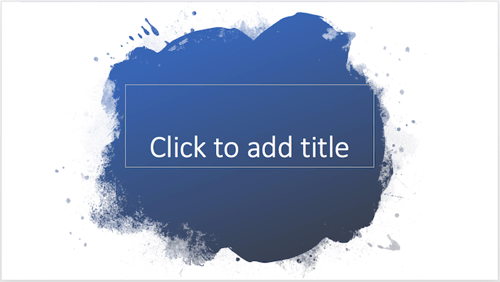
Covering a more creative subject for a younger or more energetic audience? On behalf of PowerPoint, might we suggest the cover slide design above?
Artistic Curves
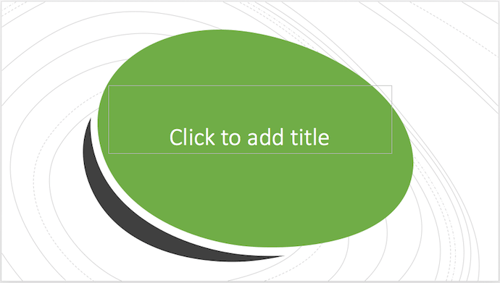 This design doesn’t have the intensity of the first slide on this list, but it maintains a sense of informality that all PowerPoint presentations benefit from.
Wallpaper
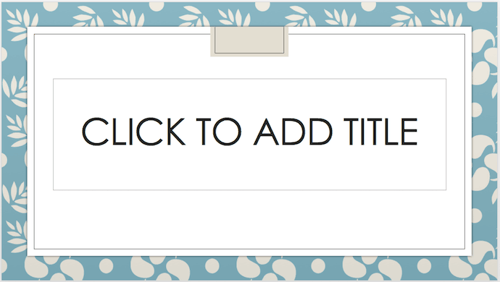 There’s an old-fashioned feel to the design above that sets a fun but relaxing tone for its audience.
Warm Tiles

This design idea focuses on warm colors, helping to emphasize the black title tile on top of it.
Textured Backdrop
 We’re particularly fond of this PowerPoint design style. By using real textures — like wood, as shown above — you add depth to your slides. This can help your content capture and hold your audience’s attention more easily.
To see some examples of the best PowerPoint presentation designs, check out the following decks.

21 Good Examples of PowerPoint Presentation Design
1. “The Search for Meaning in B2B Marketing,” Velocity Partners
We’ve said it once, and we’ll say it again: We love this presentation from Velocity Partner’s Co-Founder Doug Kessler. Not only is the content remarkable, but the design is also quite clever. While each slide employs the same background visual, the copy in the notebook unfolds brilliantly through a series of colorful doodles and bold text. This gives the presentation a personal feel, which aligns with the self-reflective nature of the concept.
2. “You Don’t Suck at PowerPoint,” Jesse Desjardins
If the contrast used throughout this PowerPoint presentation design were a human, we’d marry it. This skillful presentation from Jesse Desjardins employs the perfect color palette: balancing black and white photos with pops of florescent pink, yellow, and blue. The cheeky vintage photos work to reinforce the copy on each slide, making the presentation both interesting and visually appealing.
3. “Build a Better Entrepreneur Pitch Deck,” Center for Entrepreneurial Innovation
Balancing visual backgrounds with text isn’t easy. More often than not, the text is formatted in a way that winds up getting lost in the image. This presentation from the Center for Entrepreneurial Information combated this issue by combining a blurring effect with a shaded filter to create contrast between the bulleted text and the busy background. Well done.
4. “40 Tools in 20 Minutes: Hacking your Marketing Career,” Eric Leist
When you’re tasked with presenting a lot of information in a little bit of time, things can get sort of messy. To simplify this type of presentation, it’s a good idea to use a visual table of contents like the one shown above. This color-coded index clearly signifies the start and finish of each section to make it easier for the viewer to follow along and keep track of the information.
5. “How to Craft Your Company’s Storytelling Voice,” MarketingProfs
Do you love these hand drawn illustrations … or do you love these hand drawn illustrations? I mean, c’mon, this is amazing. Certainly it would have been easier to generate these designs online, but this approach highlights MarketingProf’s commitment to investing the time and thought it takes to create an out-of-the-box piece of content. And as a result, this presentation stands out in the best way possible.
6. “2015 Travel Trends,” Creative Lodging Solutions
If you’re going to go the minimalistic route, take note of this PowerPoint presentation example from Creative Lodging Solutions. This clean design adheres to a simple, consistent color palette with clean graphics peppered throughout to make the slides more visually interesting. Overall there are no frills or unnecessary additions, which allows the informative content to take priority.
7. “Healthcare Napkins,” Dan Roam
This presentation dates back to 2009, but the design is still as good as ever. The colorful, quirky doodles help tell the story while also serving as an interesting way to illustrate data (see slides 20 and 21). For visual learners, this approach is much more inviting than a series of slides riddled with text-heavy bullet points.
8. “Eco-nomics: The Hidden Costs of Consumption,” Josh Beatty
This presentation employs both powerful images and playful graphics to illustrate the point. While many of the slides contain numbers, they are broken up in a way that makes them easily digestible. Not to mention all of the text is crisp, clean, and concise.
9. “10 Powerful Body Language Tips for Your Next Presentation,” SOAP
This simplistic presentation example employs several different fonts, but instead of coming off as disconnected, the varied fonts worth with one another to create contrast and call out specific concepts. Also, the big, bold numbers help set the reader’s expectations, as they clearly signify how far along the viewer is in the list of tips.
10. “Pixar’s 22 Rules to Phenomenal Storytelling,” Gavin McMahon
This presentation by Gavin McMahon features color in all the right places. While each of the background images boasts a bright, spotlight-like design, all of the characters are intentionally blacked out. This helps keep the focus on the tips, while still incorporating a visual element. Not to mention, it’s still easy for the viewer to identify each character without the details. (I found you on slide eight, Nemo.)
11. “Digital, Social & Mobile in 2015,” We Are Social
Here’s another great example of data visualization in the wild. Rather than displaying numbers and statistics straight up, this presentation calls upon interesting, colorful graphs and charts to present the information in a way that just makes sense.
12. “6 Snapchat Hacks Too Easy to Ignore,” Gary Vaynerchuk
This wouldn’t be a true Gary Vaynerchuk presentation if it wasn’t a little loud, am i right? Aside from the fact that we love the eye-catching, bright yellow background (which aligns with the SnapChat theme), Vaynerchuk does a great job of incorporating screenshots on each slide to create a visual tutorial that coincides with the tips.
13. “20 Tweetable Quotes to Inspire Marketing & Design Creative Genius,” IMPACT Branding & Design
We’ve all seen our fair share of quote-chronicling presentations … but that isn’t to say they were all done well. Often times the background images are poor quality, the text is too small, or there isn’t enough contrast. Well, this PowerPoint presentation from IMPACT Branding & Design suffers from none of said challenges. The colorful filters over each background image create just enough contrast for the quotes to stand out.
14. “The Top 20 Facts About High Fructose Corn Syrup,” Corn Refiners Association
This is another great example of minimalistic design done right. There’s nothing overly complicated about this presentation’s design, which is why it works. The text is large and legible, the images are high quality and placed in a way that’s not obtrusive, and the facts are called out from the rest of the text.
15. “Creating Powerful Customer Experiences,” Digital Surgeons
This presentation offers up a lot of information in a way that doesn’t feel overwhelming. Different colors are used to differentiate one set of numbers from another (see slide eight), and colorful graphics are used to make the information seem less buttoned-up.
16. “All About Beer,” Ethos3
Not going to lie, it was the title that convinced me to click through to this presentation … but the awesome design kept me there once I arrived. This simple design adheres to a consistent color pattern and leverages bullet points and varied fonts to break up the text nicely.
17. “Digital Transformation in 50 Soundbites,” Julie Dodd
This design highlights a great alternative to the “text-over-image” display we’ve grown used to seeing. By leveraging a split screen approach to each slide, Julie Dodd was able to serve up a clean, legible quote without sacrificing the power of a strong visual.
18. “SMOKE: The Convenient Truth,” Empowered Presentations!
All of the elements are working together here to create a compelling, unified presentation. From the font choice to the color palette to the dark visual background images, this design aligns perfectly with the context of the copy.
19. “Fix Your Really Bad PowerPoint,” Slide Comet
When you’re creating a PowerPoint about how everyone’s PowerPoints stink, yours had better be terrific. The one above, based on the ebook by Seth Godin, keeps it simple without boring its audience. Its clever combinations of fonts, together with consistent color across each slide, ensure you’re neither overwhelmed nor unengaged.
20. “How Google Works,” Eric Schmidt
Simple, clever doodles tell the story of Google in a fun and creative way. This presentation reads almost like a storybook, making it easy to move from one slide to the next. This uncluttered approach provides viewers with an easy-to-understand explanation of a complicated topic.
21. “What Really Differentiates the Best Content Marketers From The Rest,” Ross Simmonds
Let’s be honest: These graphics are hard not to love. Rather than employing the same old stock photos we’ve seen time and time again, this unique design serves as a refreshing way to present information that’s both valuable and fun. We especially appreciate the author’s cartoonified self-portrait that closes out the presentation. Well played, Ross Simmonds.
Want more? Read How to Create Infographics in Under an Hour [15 Free Infographic Templates].


7 Creative Company Profile Examples to Inspire Your Own
We all know about the infamous rivalry between Dunkin’ Donuts and Starbucks. At the end of the day, they both sell coffee — but they’ve each cultivated strong, unique brands, and have attracted very different audiences as a result.
You can often overhear heated arguments regarding the topic, with people vehemently claiming one coffee chain to be better than the other.
But let’s say you didn’t know about the rivalry, and you’d never heard of either Starbucks or Dunkin’ Donuts before.
Instead, you stumble across these two very different company profile statements:

Image courtesy of Dunkin’ Donuts

Image courtesy of Starbucks
From their opening paragraphs alone, I’m willing to bet you’re persuaded to check out one brand in more detail over the other. It isn’t just the language itself that gives you a sense of their business — it’s the design, the font, and the color.
Ultimately, your company profile matters. It can intrigue a new visitor to check out your products or services in more detail, and nudge potential customers into choosing your business over competitors.
What’s a company profile?
A company profile is an introduction to your business, and aims to tell an audience about your products or services. However, a company profile shouldn’t just tell your audience what you sell — it should also tell viewers why you sell it. A company profile often includes a compelling story about how the company began, as well as the company’s vision and values.
Here, we’ll explore seven of the most creative company profile examples, to ensure you’re able to create a company profile in 2019 that will attract and engage the right audience. Once you’re done perusing these impressive examples, take a look at our template to get started designing your own.
Company Profile Examples
1. Starbucks company profile
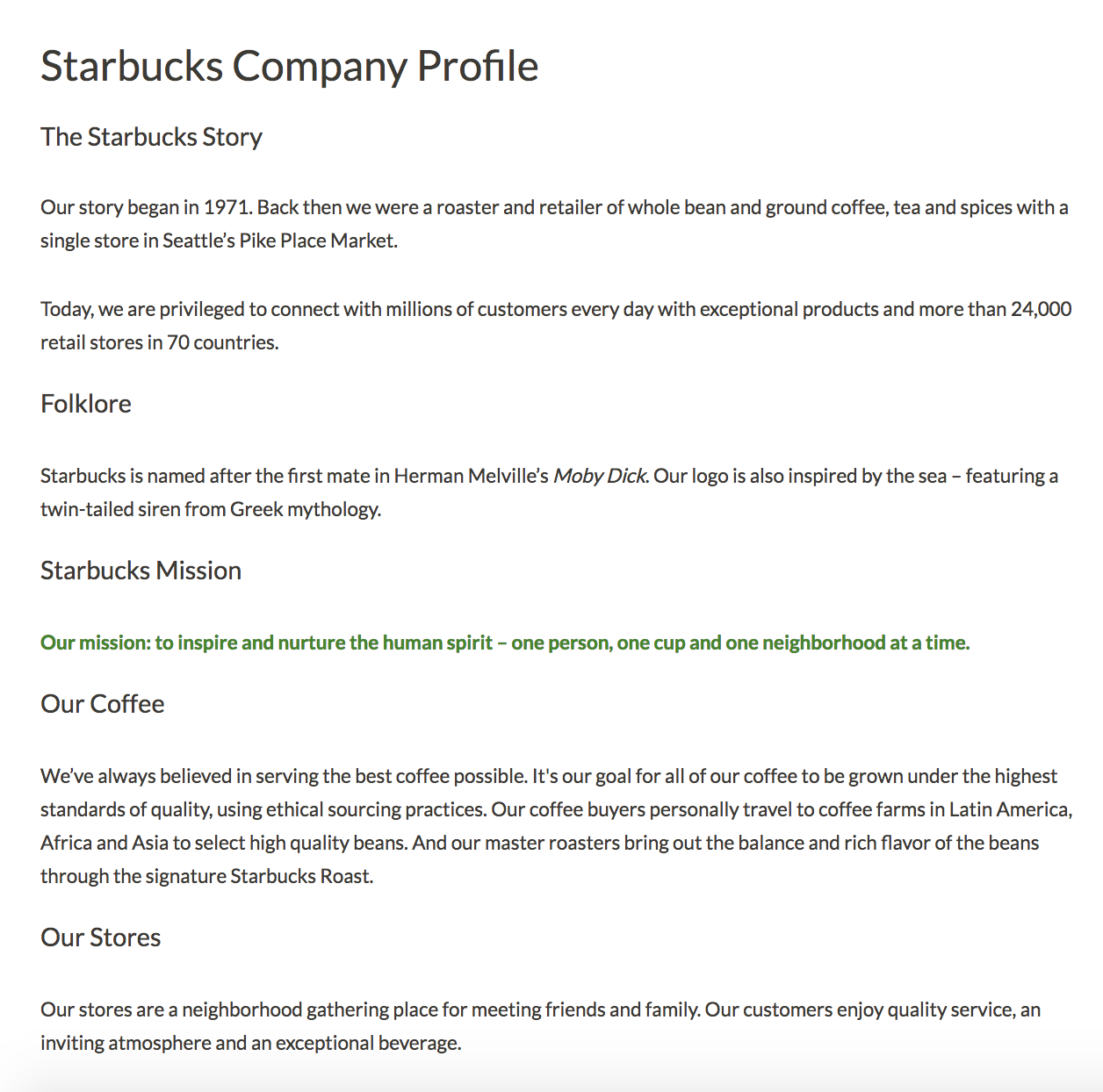
Starbucks’ company profile has it all — the company’s mission, background story, products, store atmosphere, and even folklore regarding the name. Best of all, they somehow manage to pull off sounding both genuine and grandiose. I don’t know many other coffee stores that could claim, “our mission: to inspire and nurture the human spirit”. Starbucks’ company profile is a fantastic example of a store with a common household product — coffee — managing to stand out from the competition through their mission and values.
2. Nordstrom company profile
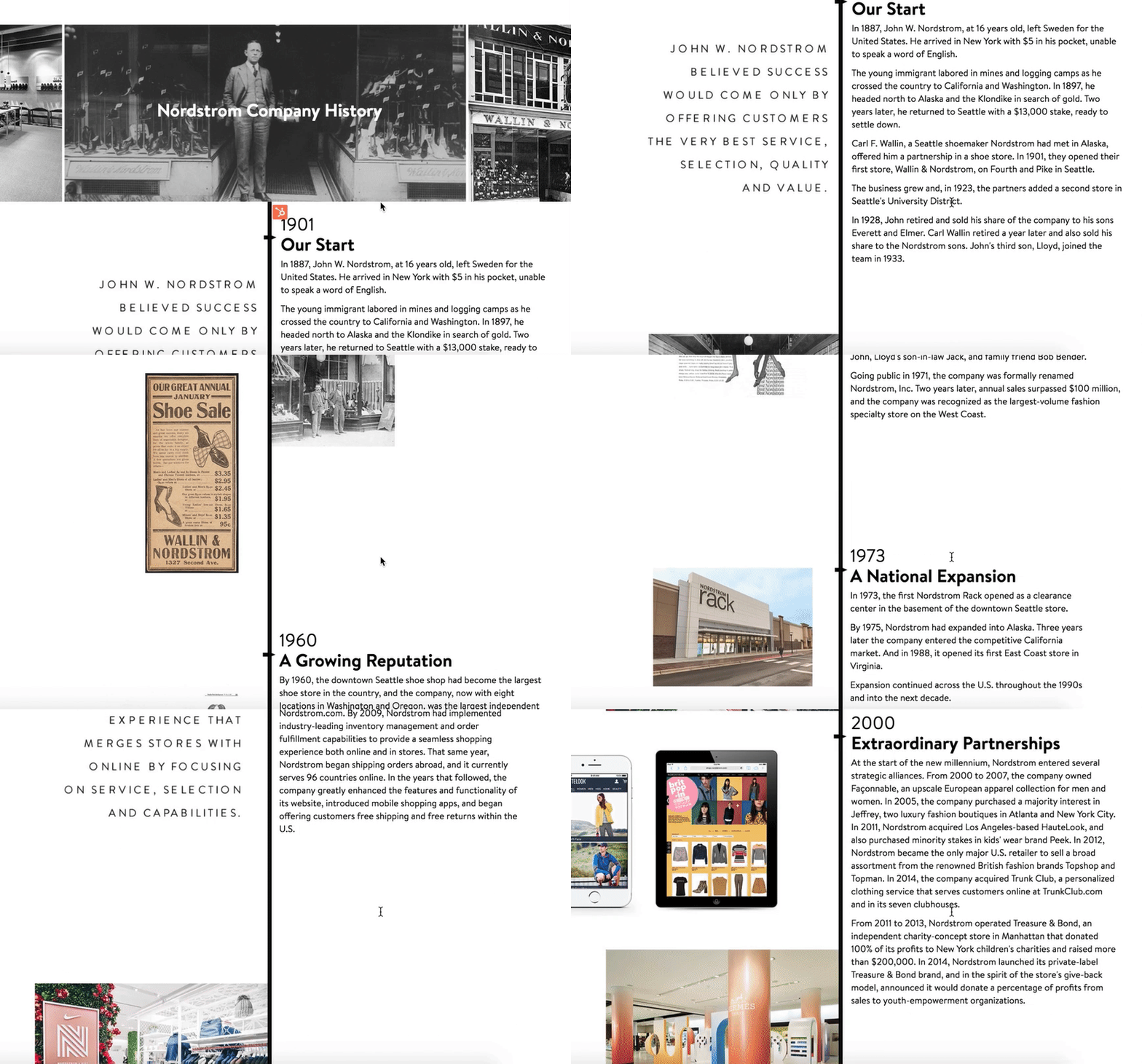
If your company has an interesting and lengthy history, you might consider creating a visual timeline, like Nordstrom did on their company profile. The profile reads like a creative story from the very first line — “In 1887, John W. Nordstrom, at 16 years old, left Sweden for the United States. He arrived in New York with $5 in his pocket, unable to speak a word of English.” With a good balance of image and text, the timeline serves as a reminder of Nordstrom’s stability and growth.
3. Diehl Group Architects company profile

For both cleanliness and ease-of-use, take a look at Diehl Group Architects’ company profile. The web page uses clickable boxes to separate topics, allowing users to choose which subject they’d like to learn more about. Additionally, the entire design — including the page’s background, which displays a floor-plan — mirrors the company’s purpose.
4. Bloomberg company profile

If both video and text are available on the same page, 72% of people would rather use video to learn about a product or service. You might consider using a compelling video to convey your company’s story, like Bloomberg does in their company profile.
Additionally, Bloomberg’s profile proves the company knows its audience — they offer a few quick statistics, and then link to other areas of the site, such as Careers and Tech. While another business might do well offering a creative, long-form story, Bloomberg’s typical demographic is likely more analytical.
5. Nike company profile
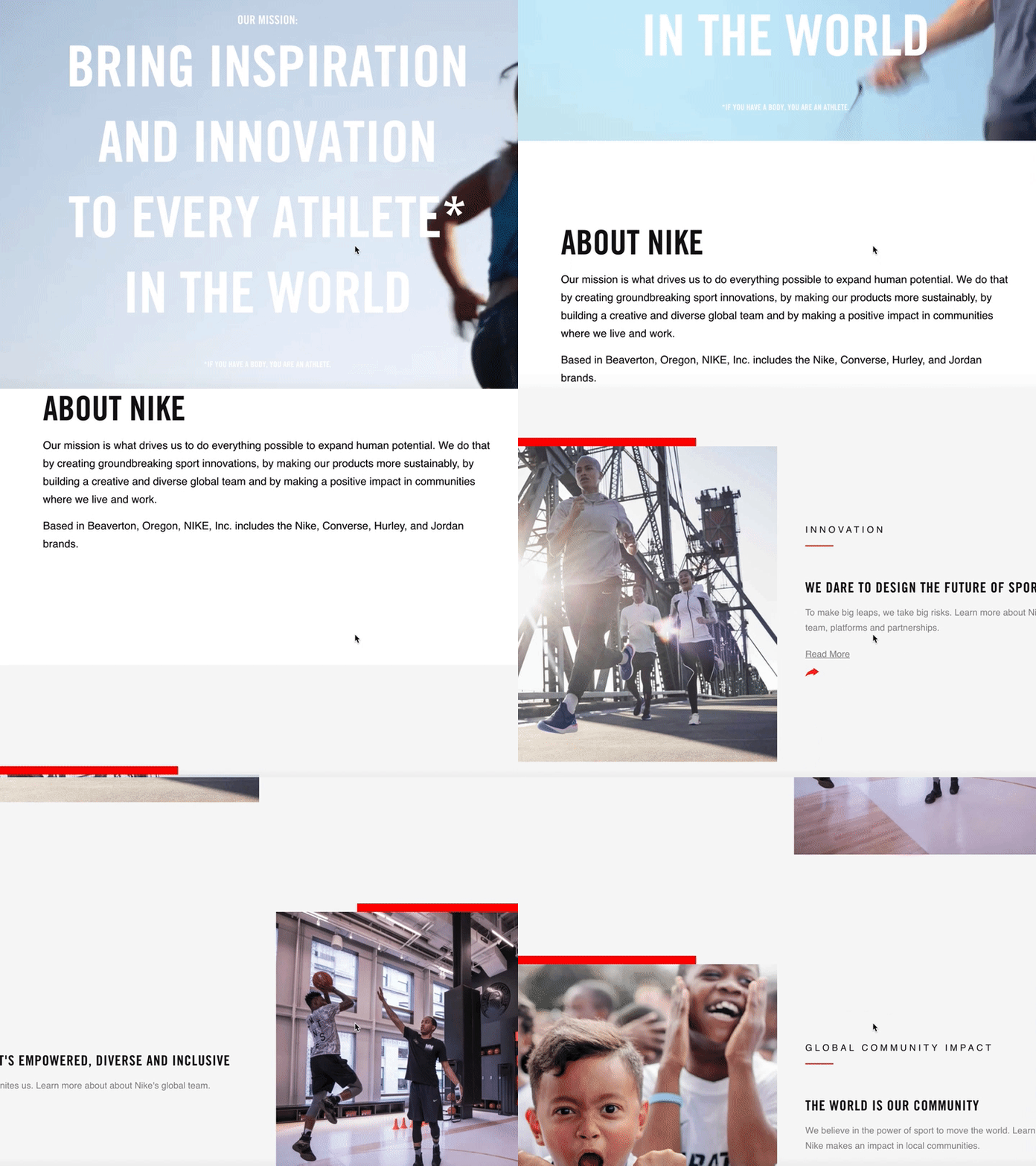
You can get a sense for Nike’s two primary purposes almost instantly — fitness, and people. When you first open their company profile you’re greeted with videos of people of different ages, gender, and nationalities playing sports.
Additionally, their initial introduction is this: “Bring inspiration and innovation to every athlete* in the world”. Below, beside the asteric, it says, “If you have a body, you are an athlete”. As you scroll, you’ll see information on their internal diversity and inclusion initiative, their global community impact, and their sustainable business program, with very little mention of their products.
Nike’s company profile portrays a larger, grander vision, compelling an audience to believe in their brand even before they purchase a product.
6. Seattle Cider company profile
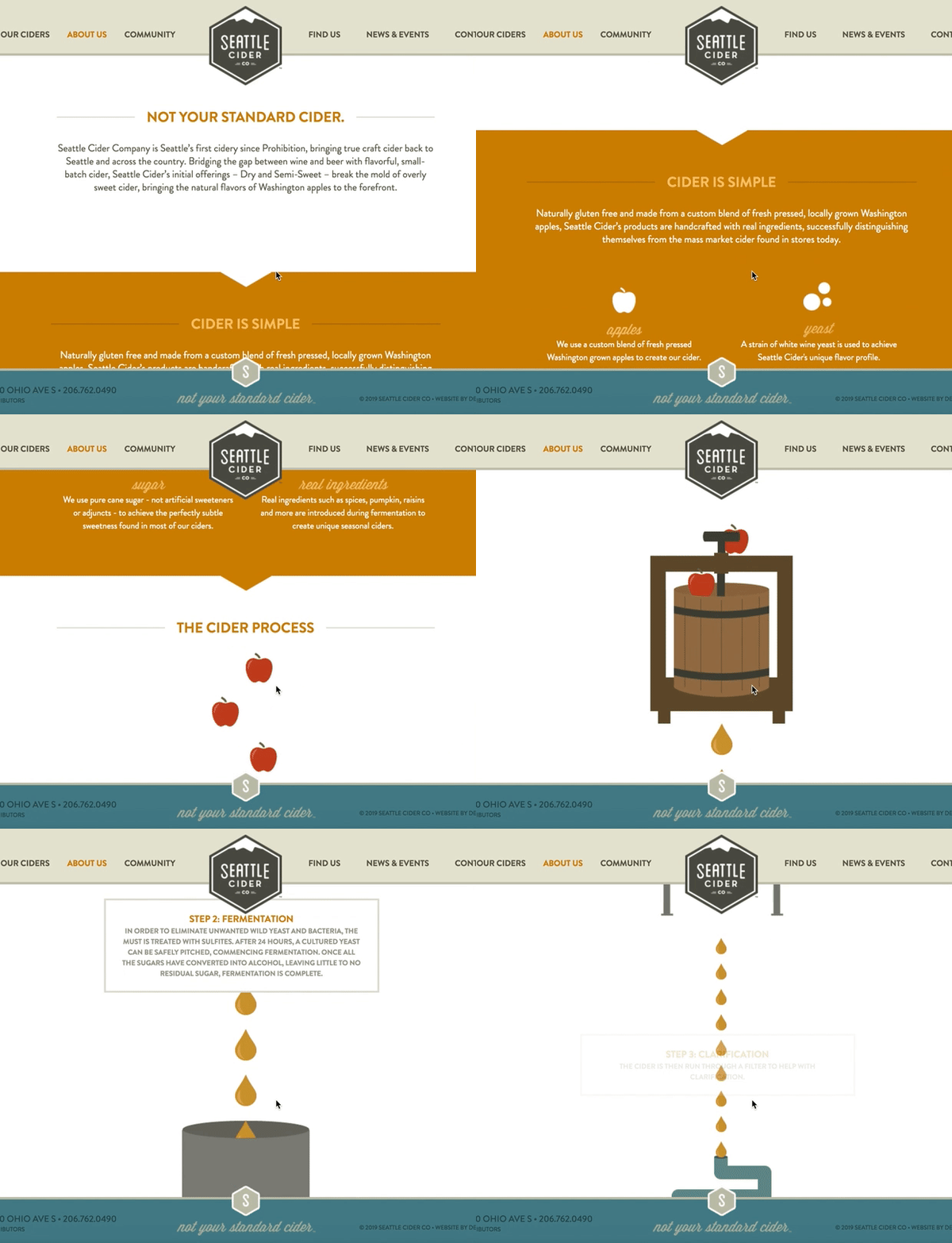
Seattle Cider Company’s profile is fun, and engages the user through compelling graphics that demonstrate the company’s cider process. The page flows seamlessly, and provides critical information regarding the product before displaying the company’s mission and values. This profile is a good example of a company that understands its users’ concerns (in this case, quality ingredients), and addresses those issues while still displaying personality and flair.
7. Delta company profile
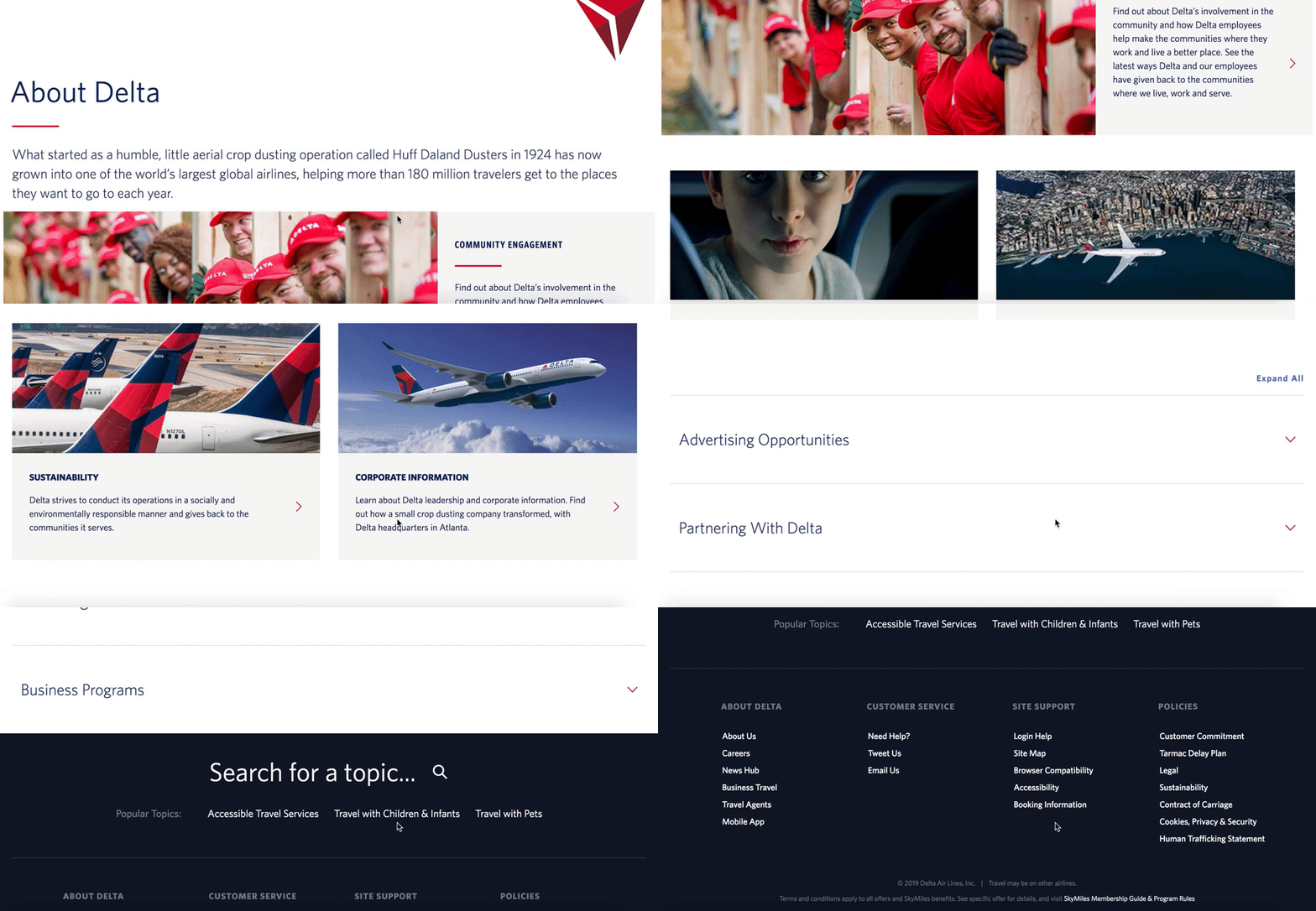
Delta’s page is well-organized by topic, and showcases the company’s values, including efforts to engage with the community and promote sustainability. They’ve included brief meta-descriptions below each category. The design allows for users to click-through if they want to learn more. Overall, Delta’s company profile is simple and uncluttered, but includes all the necessary information to demonstrate why Delta is unique.
Company Profile Template
- Company name
- Established date
- Physical address per location
- Contact information
About Us / Our Story / Our Beginning
[Here, you’ll want to include a brief introduction to your company, including where, when, and by whom the company was founded, the company’s mission statement, and/or the company’s vision and purpose. In this section, you don’t necessarily want to include products or services — instead, focus on your bigger meaning, and how you stand out from competitors. Tell your story in a compelling way — for instance, HubSpot starts their About Us section with, “More than ten years ago, we had a vision — an inbound world”. HubSpot doesn’t mention their products until further down the page.]
Our Mission / Values
[Here, you’ll want to say what your company stands for on a larger scale. What is your ultimate goal, and what do you hope your products or services will give people? Take a look at 17 Truly Inspiring Company Vision and Mission Statement Examples for ideas.]
Our Team
[Provide a picture or brief paragraph describing your team — you might focus on leadership, or provide an explanation of your company’s culture. Ultimately, this section should help users understand how your employees can uniquely serve them.]
Our Product / Services
[Describe a high-level overview of what your product is, and how you hope it will positively impact the user’s life. You can link to a Product page if necessary, so keep this section relatively general.]
How to write a company profile
- Focus on a high-level overview of your company.
- At the beginning of your company profile, include important information such as your company name, your business’s physical location, a website URL, contact information, and an established date.
- Consider adding a timeline or synopsis of your company’s history, including information regarding expansion or growth.
- Aim to express your company’s values or mission in your company profile, rather than just your products or services. A user won’t care about what you’re selling until they believe in your brand.
- Include any awards or recognition you’ve received, and highlight what makes your company different from your competitors.
- Depending on your audience, you might choose to include graphics, visuals, or video.
- Add statistics to back up your claims.

Should Your Brand Use Controversial Advertising? 5 Examples to Help You Decide
Two weeks ago, people were tweeting pictures of razors submerged at the bottom of their toilet bowls. No, this wasn’t a wacky teen challenge to make your dad late for work. It was a protest against Gillette’s latest advertisement — one that confronts toxic masculinity.
Brands that craft controversial advertisements like Gillette’s, however, expect this type of response, at least from some people. Taking any kind of stance on sensitive social issues tends to lead to disagreement. But advocating for the causes you truly believe in usually has more pros than cons.
“Even if publicizing your beliefs may ostracize some potential customers, it also builds deep loyalty for those who share your values — particularly values like celebrating equality and inclusion, which many people support, regardless of political affiliation,” Joe Lazauskas, the Head of Content Strategy at Contently, wrote in an article after the divisive 2016 presidential election. “The same goes for expressing concern and support for the diverse people who work for you. Loyalty isn’t just a marketing metric; it’s also critical for measuring the internal health of your company.”
Executed properly, controversial ads can be an unexpected, emotional delight that can not only deepen your connection with your core audience, but can also help you reach new audiences. For instance, after Gillette released their ad challenging toxic masculinity, Adweek discovered it actually resonated with women the most.
What Is Controversial Advertising?
Controversial advertising doesn’t aim to polarize an audience. It’s an attention-grabbing technique for stating an opinion, and brands use it to spark productive conversations about certain moral values. In recent years, any stance taken on sensitive social issues can be considered controversial advertising.
The Psychology Behind Controversial Advertising
People usually read and share opinionated content because it aligns with their own values. And by letting the world know about their beliefs, they can solidify an ideal image of themselves within their social circle and their own minds.
Opinionated content also has a knack for making people think and consider other points of view, which builds more loyal audiences because it can teach people something new and help shape their perspective on life.
But while controversial ads can generate more buzz than other types of ads, if executed poorly, they can be detrimental to your brand. For instance, consider SNL’s hilarious skit of ad executives pitching commercial ideas to the snack brand Cheetos.
Although SNL isn’t specifically giving controversial advertising a ribbing, they’re poking fun at the way brands exploit sensitive social issues to peddle their products instead of what they should be doing when covering these types of topics — encouraging productive conversations.
Creating a controversial ad with an ulterior motive is a one way ticket to receiving Kendall Jenner & Pepsi type of feedback (we’ll cover this later). In other words, it can spark harsh backlash and bad publicity instead of meaningful dialogue.
So how do you avoid this type of negative response if you want to create a controversial advertising campaign? Below, we’ll analyze three controversial advertising examples that work and two that don’t to help you support the causes you genuinely believe in and better connect with audiences.
Controversial Advertising Examples That Work
1. Anheuser-Busch | Born The Hard Way
The United States has conflicting opinions on whether to welcome immigrants with open arms or not, but Anheuser-Busch’s ad about their founder’s origin story makes people realize that something so fundamentally American, like Budweiser beer, can have immigrant roots.
Budweiser is commonly associated with themes of American patriotism, so taking a stance on immigration, which is a controversial issue in the United States, conflicted with some of the brand’s most loyal customers’ political beliefs. But taking this social stance also led to a meaningful dialogue about how immigrants have founded some of America’s most iconic brands.
By telling a gripping and emotional story about the founding of their company, Anheuser-Busch could take a stance on an important issue that’s essential to their brand and connect with the people who understand that the United States is country of immigrants, helping the ad garner more than 21.7 million views in only three days.
2. Nike | Dream Crazy
“Believe in something, even if it means sacrificing everything” is an accurate life motto for Colin Kaepernick, a professional American football player. In the 2016 NFL season, he stoked controversy by kneeling during the National Anthem before the start of every game as a protest against racial inequality.
Unfortunately, all the controversy associated with him has basically barred him from the NFL — no team hasn’t signed him since his controversial 2016 season. Yet, admirably, he still advocates for the causes he supported during his protests.
Along with Kaepernick’s story, Nike’s “Dream Crazy” weaves in other narratives of athletes who followed ambitious dreams to eventual success. And Nike made it clear that they want to help Colin Kaepernick achieve his dream of a righteous world, no matter how crazy it seems right now.
“Dream Crazy”, while highly controversial, resonated with millions of people. Just days after they released the ad, Nike’s sales soared by 31%, despite videos of their gear engulfed in flames circulating throughout social media.
3. Heineken | Worlds Apart
In Heineken’s “Worlds Apart”, people were paired together and asked to build stools and a bar together. After they completed the activity and developed some rapport with each other, pre-recorded videos starting playing and revealed that their political views were actually the polar opposite of each others. They were then asked if they would discuss their differences over a beer. All of them said a resounding “yes”.
Making an ad where people with such differing political views actually engage in meaningful dialogue and don’t just belittle each other is a risky move. A lot of people have a fiery passion for their political beliefs and won’t associate with people who don’t agree with them. But that’s ultimately why Worlds Apart was met with rave reviews and called “The Antidote to Pepsi’s Kendall Jenner Ad” — it focuses on putting our differences aside to work for a greater cause together, not Heineken’s product.
Controversial Advertising Examples That Don’t Work
4. Pepsi | Live for Now
If you think long and hard about it, could a can of Pepsi really mend the complex rifts that divide the entire world right now? Nope. Not at all. Even worse, is Kendall Jenner really an integral part of any social justice movement, or was she just there because she’s a famous celebrity who can grab almost anyone’s attention? You probably know the answer to this question by now.
After receiving five times as many downvotes as upvotes on YouTube and a glut of bad publicity and negative reactions on social media, Pepsi removed the ad from their channel only a few hours after posting it.
If you want to avoid this type of response when creating controversial content, don’t emphasize your product more than the issue at hand. All advertisements are technically self-serving, but people can spot overly promotional fluff masquerading as social justice faster than they’ll click exit on a pop-up ad. So if you don’t truly feel convicted to support a specific social cause when creating controversial content, it’s best to not even put pen to paper.
5. Nationwide | Boy
It starts out as an adorable story about a boy who seems to lack self-confidence, but Nationwide’s “Boy” turns shockingly dark when it’s revealed that the main character can’t live a normal childhood because he’s actually dead.
Child accidents are a serious problem that should be addressed, but this ad was criticized for being too fear-mongering and manipulative — it literally uses the death of children to sell insurance. So even if your ad highlights a prevalent problem, make sure it doesn’t exploit a sensitive issue just to peddle more product. Otherwise, it might get crowned as the worst ad of the year.

17 Truly Inspiring Company Vision and Mission Statement Examples
Think about those brands you purchase from over and over, even when there are cheaper options out there. Why do you choose the ones you choose?
Do you usually fly on a particular airline? Do you buy your coffee from the same place every morning? Do you recommend a specific restaurant whenever out-of-towners ask for suggestions? Well, there’s a good reason for it.
The reason we stay loyal to brands is because of their values. The best brands strive to combine physical, emotional, and logical elements into one exceptional customer (and employee) experience that you value as much as they do. Nowhere are those values more visible than in the company’s mission statement.
When you successfully create a connection with your customers and employees, many of them might stay loyal to you for life. This helps you increase your overall profitability while building a solid foundation of brand promoters.
But achieving that connection is no easy task. The companies that succeed are ones that stay true to their core values over the years and create a company that employees and customers are proud to associate with.
That’s where company vision and mission statements come in.
Mission Statement vs. Vision Statement
Let’s start with a bit of a vocabulary lesson to differentiate between these two types of company statements.
Vision Statement
A vision statement describes where the company aspires to be upon achieving its mission. This statement reveals the “where” of a business — but not just where the company seeks to be. Rather, a vision statement describes where the company wants a community, or the world, to be as a result of the company’s services.
Below are some vision statements from well-known companies to give you a sense of how a vision represents a brand.
- Alzheimer’s Association: A world without Alzheimer’s disease.
- Teach for America: One day, all children in this nation will have the opportunity to attain an excellent education.
- Creative Commons: Realizing the full potential of the internet — universal access to research and education, full participation in culture — to drive a new era of development, growth, and productivity.
- Microsoft (at its founding): A computer on every desk and in every home.
- Australia Department of Health: Better health and wellbeing for all Australians, now and for future generations.
Mission Statement
If the above examples are vision statements, what’s a mission statement? A mission statement is, in some ways, an action-oriented vision statement, declaring the purpose an organization serves to its audience. That often includes a general description of the organization, its function, and its objectives. Ultimately, a mission statement is intended to clarify the “what,” the “who,” and the “why” of a company. It’s the roadmap for the company’s vision statement.
As a company grows, its objectives and goals may be reached, and in turn they’ll change. Therefore, mission and vision statements should be revised as needed to reflect the business’s new culture as previous goals are met.
Both mission and vision statements are often combined into one comprehensive “mission statement” to define the organization’s reason for existing and its outlook for internal and external audiences — like employees, partners, board members, consumers, and shareholders.
With that in mind, what does a good mission statement look like? Check out some of the following company mission statements for yourself — and get inspired to write one for your brand.
Mission Statement Examples
- Life is Good: To spread the power of optimism.
- sweetgreen: To inspire healthier communities by connecting people to real food.
- Patagonia: Build the best product, cause no unnecessary harm, use business to inspire and implement solutions to the environmental crisis.
- American Express: We work hard every day to make American Express the world’s most respected service brand.
- Warby Parker: To offer designer eyewear at a revolutionary price, while leading the way for socially conscious businesses.
- InvisionApp: Question Assumptions. Think Deeply. Iterate as a Lifestyle. Details, Details. Design is Everywhere. Integrity.
- Honest Tea: To create and promote great-tasting, healthy, organic beverages.
- IKEA:
- Nordstrom: To give customers the most compelling shopping experience possible.
- Cradles to Crayons: Provides children from birth through age 12, living in homeless or low-income situations, with the essential items they need to thrive – at home, at school and at play.
- Universal Health Services, Inc.: To provide superior quality healthcare services that: PATIENTS recommend to family and friends, PHYSICIANS prefer for their patients, PURCHASERS select for their clients, EMPLOYEES are proud of, and INVESTORS seek for long-term returns.
- JetBlue: To inspire humanity – both in the air and on the ground.
- Workday: To put people at the center of enterprise software.
- Prezi: To reinvent how people share knowledge, tell stories, and inspire their audiences to act.
- Tesla: To accelerate the world’s transition to sustainable energy.
- Invisible Children: To end violence and exploitation facing our world’s most isolated and vulnerable communities.
- TED: Spread ideas.
Best Vision and Mission Statement Examples From Real Companies
1. Life Is Good: To spread the power of optimism.
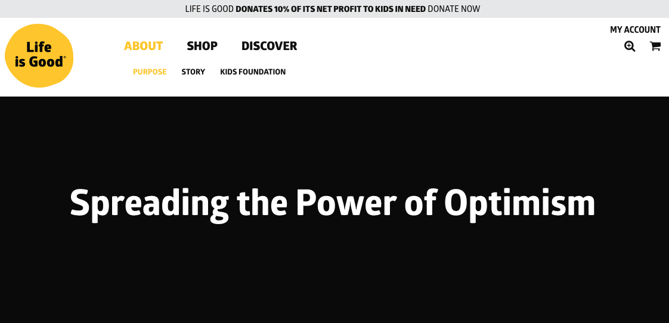
The Life is Good brand is about more than spreading optimism — although, with uplifting T-shirt slogans like “Seas The Day” and “Forecast: Mostly Sunny,” it’s hard not to crack a smile.
There are a ton of T-shirt companies in the world, but Life is Good’s mission sets itself apart with a mission statement goes beyond fun clothing: to spread the power of optimism. This mission is perhaps a little unexpected if you’re not familiar with the company’s public charity: How will a T-shirt company help spread optimism? Life is Good answers that question below the fold, where what the mission means is explained in more detail, with links to programs implemented to support it: its #GrowTheGood initiative and the Life is Good Kids Foundation page. We really like how lofty yet specific this mission statement is — it’s a hard-to-balance combination.
2. sweetgreen: To inspire healthier communities by connecting people to real food.
Notice that sweetgreen’s mission is positioned to align with your values — not just written as something the brand believes. We love the inclusive language used in its statement, letting us know that the company is all about connecting its growing network of farmers growing healthy, local ingredients with us — the customer — because we’re the ones who want more locally grown, healthy food options.
The mission to connect people is what makes this statement so strong. And that promise has gone beyond sweetgreen’s website and walls of its food shops: The team has made strides in the communities where it’s opened stores as well. Primarily, it provides education to young kids on healthy eating, fitness, sustainability, and where food comes from. The sweetlife music festival attracts 20,000 like-minded people every year who come together to listen to music, eat healthy food, and give back to a cause — the sweetgreen in schools charity partner, FoodCorps.
3. Patagonia: Build the best product, cause no unnecessary harm, use business to inspire and implement solutions to the environmental crisis.
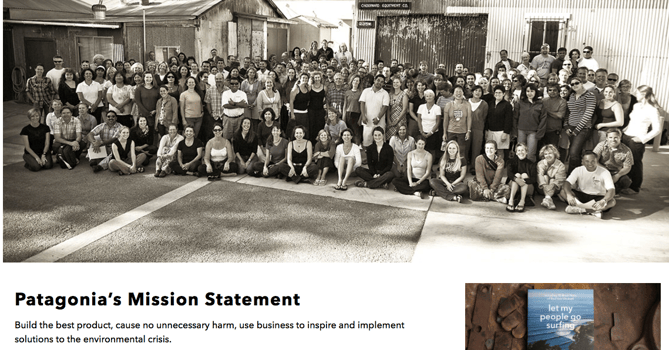
Patagonia’s mission statement combines both the values that bring them market success (building safe, high-quality products) and the values that contribute to a better world (philanthropic efforts to help the environment). For the people behind the brand, “a love of wild and beautiful places demands participation in the fight to save them.” In the name of this cause, the company donates time, services, and at least 1% of its sales to hundreds of grassroots environmental groups around the world.
If your company has a similar focus on growing your business and giving back, think about talking about both the benefit you bring to customers and the value you want to bring to a greater cause in your mission statement.
4. American Express: We work hard every day to make American Express the world’s most respected service brand.
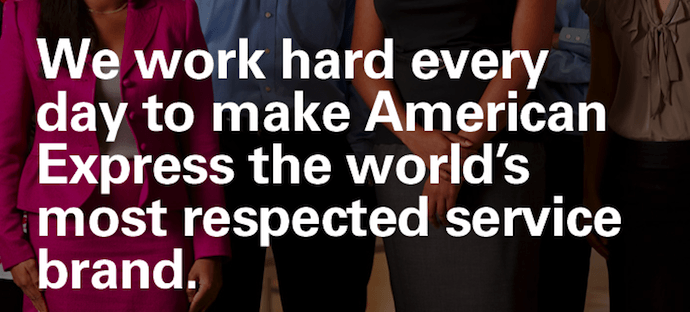
Customers will never love a company until the employees love it first.
— Simon Sinek (@simonsinek)
April 16, 2014
The tweet above is from Simon Sinek, and it’s one that we repeat here at HubSpot all the time. American Express sets itself apart from other credit card companies in its list of values, with an ode to great customer service, which is something it’s famous for.
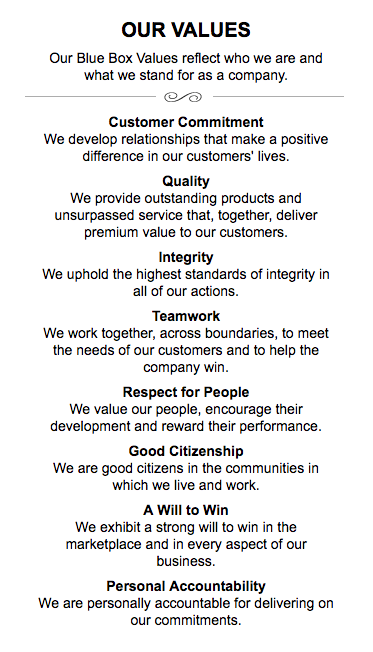
We especially love the emphasis on teamwork and supporting employees, so that the people inside of the organization can be in the best position to support their customers.
5. Warby Parker: To offer designer eyewear at a revolutionary price, while leading the way for socially conscious businesses.
Speaking of quirky, this “objective” statement from Warby Parker uses words that reflect a young and daring personality: “rebellious,” “revolutionary,” “socially-conscious.” In one sentence, the brand takes us back to the root of why it was founded while also revealing its vision for a better future.
The longer-form version of the mission reads: “We believe that buying glasses should be easy and fun. It should leave you happy and good-looking, with money in your pocket,” which further shows how Warby Parker doesn’t hold back on letting its unique personality shine through. Here, the missions statement’s success all comes down to spot-on word choice.
6. InvisionApp: Question Assumptions. Think Deeply. Iterate as a Lifestyle. Details, Details. Design is Everywhere. Integrity.

These days, it can seem like every B2B company page looks the same — but InvisionApp has one of the cooler company pages I’ve seen. Scroll down to “Our Core Values,” and hover your mouse over any of the icons, and you’ll find a short-but-sweet piece of the overall company mission under each icon. We love the way the statements are laid out under each icon. Each description is brief, authentic, and business babble-free — which makes the folks at InvisionApp seem like trustworthy, B.S.-free types.
7. Honest Tea: To create and promote great-tasting, healthy, organic beverages.
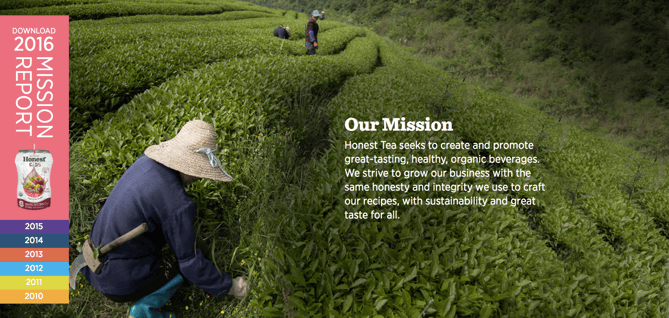
Honest Tea’s mission statement begins with a simple punch line connoting its tea is real, pure, and therefore not full of artificial chemicals. The brand is speaking to an audience that’s tired of finding ingredients in its tea that can’t be pronounced, and have been searching for a tea that’s exactly what it says it is.
Not only does Honest Tea have a punny name, but it also centers its mission around the clever company name. For some time, the company even published a Mission Report each year in an effort to be “transparent about our business practices and live up to our mission to seek to create and promote great-tasting, healthier, organic beverages.”
8. IKEA: To create a better everyday life for the many people.
The folks at IKEA dream big. The vision-based mission statement could have been one of beautiful, affordable furniture, but instead, it’s to make everyday life better for its customers. It’s a partnership: IKEA finds deals all over the world and buys in bulk, then we choose the furniture and pick it up at a self-service warehouse.
“Our business idea supports this vision … so [that] as many people as possible will be able to afford them,” the brand states.
Using words like “as many people as possible” makes a huge company like IKEA much more accessible and appealing to customers.
9. Nordstrom: “To give customers the most compelling shopping experience possible.
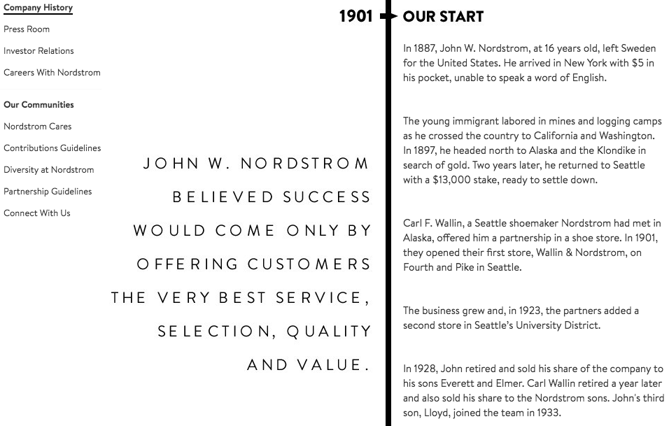
When it comes to customer commitment, not many companies are as hyper-focused as Nordstrom is. Although clothing selection, quality, and value all have a place in the company’s mission statement, it’s crystal clear that it’s all about the customer: “Nordstrom works relentlessly to give customers the most compelling shopping experience possible.”
If you’ve ever shopped at a Nordstrom, you’ll know the brand will uphold the high standard for customer service mentioned in its mission statement, as associates are always roaming the sales floors, asking customers whether they’ve been helped, and doing everything they can to make the shopping experience a memorable one.
10. Cradles to Crayons: Provides children from birth through age 12, living in homeless or low-income situations, with the essential items they need to thrive – at home, at school and at play.
Cradles to Crayons divided its mission and model into three sections that read like a game plan: The Need, The Mission, and The Model. The “rule of three” is a powerful rhetorical device called a tricolon that’s usually used in speechwriting to help make an idea more memorable. A tricolon is a series of three parallel elements of roughly the same length — think “I came; I saw; I conquered.”
11. Universal Health Services, Inc.: To provide superior quality healthcare services that: PATIENTS recommend to family and friends, PHYSICIANS prefer for their patients, PURCHASERS select for their clients, EMPLOYEES are proud of, and INVESTORS seek for long-term returns.
A company thrives when it pleases its customers, its employees, its partners, and its investors — and Universal Health Services endeavors to do just that, according to its mission statement. As a health care service, it specifically strives to please its patients, physicians, purchasers, employees, and investors. We love the emphasis on each facet of the organization, by capitalizing the font and making it red for easy skimming.
12. JetBlue: To inspire humanity – both in the air and on the ground.

JetBlue’s committed to its founding mission through lovable marketing, charitable partnerships, and influential programs — and we love the approachable language used to describe these endeavors. For example, the brand writes how it “set out in 2000 to bring humanity back to the skies.”
For those of us who want to learn more about any of its specific efforts, JetBlue’s provided details on the Soar With Reading program, its partnership with KaBOOM!, the JetBlue Foundation, environmental and social reporting, and so on. It breaks down all these initiatives really well with big headers, bullet points, pictures, and links to other webpages visitors can click to learn more. Finally, it ends with a call-to-action encouraging website visitors volunteer or donate their TrueBlue points.
13. Workday: To put people at the center of enterprise software.
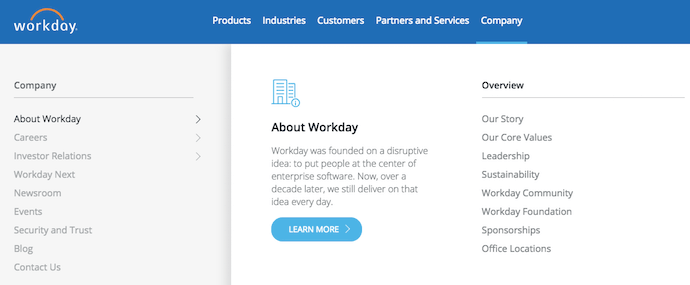
Workday, a human resources (HR) task automation service, doesn’t use its mission statement to highlight the features of its product or how it intends to help HR professionals improve in such-and-such a way.
Instead, the business takes a stance on the state of enterprise software in general: There’s a lot of great tech out there. But at Workday, it revolves around the people. We love how confident yet kind this mission statement is. It observes the state of its industry — which Workday believes lacks a human touch — and builds company values around it.
14. Prezi: To reinvent how people share knowledge, tell stories, and inspire their audiences to act.
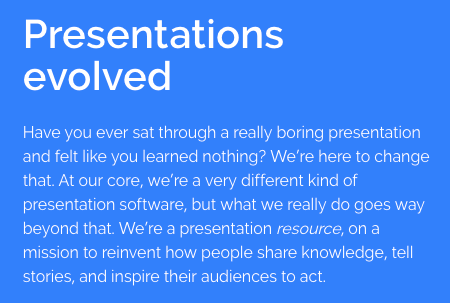
If you know Prezi, you know how engaging it can make your next business presentation look. According to its mission statement, the company’s clever slide animations and 3-dimensional experience aren’t just superficial product features. With every decision Prezi makes, it’s all about the story you tell and the audience that story affects.
15. Tesla: To accelerate the world’s transition to sustainable energy.
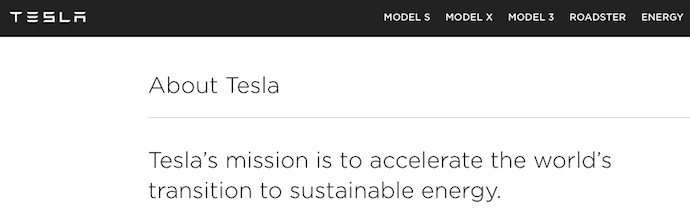
A car company’s punny use of the word “accelerate” is just one reason this mission statement sticks out. The main reason Tesla makes this list is because of how its mission statement describes the industry.
It may be a car company, but Tesla’s main interest isn’t just automobile sales — it’s promoting sustainable energy. And sustainable energy still has a “long road” ahead of it (pun intended) — hence the world’s “transition” into this market.
Ultimately, a mission statement that can admit to the industry’s immaturity is exactly what gets customers to root for it. And Tesla does that nicely.
16. Invisible Children: To end violence and exploitation facing our world’s most isolated and vulnerable communities.
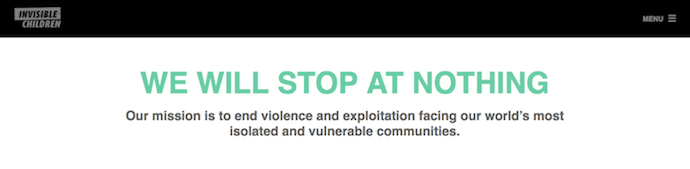
Tenacity is hard to come by in the non-profit sector, and that’s what makes this mission statement so distinguished. Invisible Children is a non-profit that raises awareness around the violence affecting communities across Central Africa, and the company takes quite a confident tone in its mission.
The most valuable quality of this mission statement is that it has an end goal. Many companies’ visions and missions are intentionally left open-ended so that the business might always be needed by the community. Invisible Children, on the other hand, wants to “end” the violence facing African families. It’s an admirable mission that all businesses — not just non-profits — can learn from when trying to motivate their customers.
17. TED: Spread ideas.
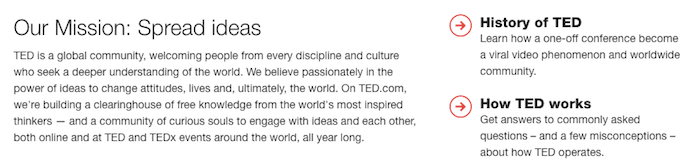
We’ve all seen TED Talks online before. Well, the company happens to have one of the most succinct mission statements out there.
TED, which stands for “Technology Education and Design,” has a two-word mission statement that shines through in every Talk you’ve seen the company publish on the internet. That mission statement: “Spread ideas.” Sometimes, the best way to get an audience to remember you is to zoom out as far as your business’s vision can go. What do you really care about? TED has recorded some of the most famous presentations in the world, but in the grand scheme of things, all it wants is to spread ideas around to its viewers.
Here are 22 companies with really catchy slogans and brand taglines.


HTTP Error 403 Forbidden Messages: What They Are & How to Fix Them
Imagine this — you’ve recently created a new website to host your content, and you’re excited to see it go live. You can’t wait to dive into SEO and begin ranking for keywords, and attract an audience to your brand.
But then a friend emails you and says, “Hey, is there a reason I see this when I click on your website?”
Image courtesy of Wikipedia
Undoubtedly, a 403 Forbidden Message is cause for immediate concern — how many potential viewers are you losing, as they come across your website just to find this message?
Fortunately, there are a few quick-and-easy solutions to a 403 error. Here, we’ll explain the top three, so you can get your site up and running.

403 error
A 403 Forbidden error is an HTTP status code sent to users by an HTTP server when a user is trying to access a URL. It means the page you were trying to reach is forbidden for one of two reasons — either there is a removal or restriction of access permissions from the client-side, or there’s an accidental misconfiguration of the web server.
How to Fix 403 Errors
1. Permission or ownership errors.
Your site might be showing a 403 Forbidden error because of permission issues. If you’ve configured your web server, you’ll want to add the server to the www-data group, and set ownership of /var/www to the www-data user and www-data group.
You’ll then want to make sure your directories are set to 755, your files are set to 644, and your dynamic content is set to 700.
2. Make sure you have an index page.
Your website’s home page must be called index.html or index.php — if it’s not, you should rename the homepage to include one of those URL names.
Alternatively, you can upload an index page to your httpdocs directory, and then set up a redirect on the index page to your real homepage.
3. You haven’t uploaded your website content to the correct directory on your server.
Lastly, you might see a 403 forbidden message if you haven’t correctly uploaded your content to the directory on your server.
There are several different FTP clients you might’ve chosen to host your domain — let’s say you chose FileZilla, which is free and available for Windows, Mac, and Linux.
To publish your content online, you’ll need to put your files into the Public-htdocs directory (if you’re using FileZilla — these instructions will vary if you use a different FTP client). Once you’ve dragged-and-dropped your files into the directory, you should search your website’s URL to double-check they now appear online.
If you’re in your FTP server and don’t see the httpdocs directory, you can create a file within the directory with this title, which could also solve the issue.