
The 15 Best Responsive WordPress Themes in 2019
It’s no secret that modern shoppers are visiting your WordPress website, reading your content, signing up for your services, and purchasing your products from a variety of technological devices including desktop and laptop computers, smartphones, and tablets.
That’s why it’s crucial your WordPress website’s theme has a responsive design — so your website visitors can easily browse your site while having an equally pleasant experience from any technological device.
The 15 Best Responsive WordPress Themes in 2019
With such an abundance of WordPress themes available, finding your responsive theme of choice may be a difficult task. That’s why we’ve put together this list of 15 of our favorite themes for 2019 that you can review and consider for your own website. Below, you’ll find feature descriptions for all 15 options as well as a few key takeaways for those of you who are looking to find a theme as efficiently as possible.
1. Avada
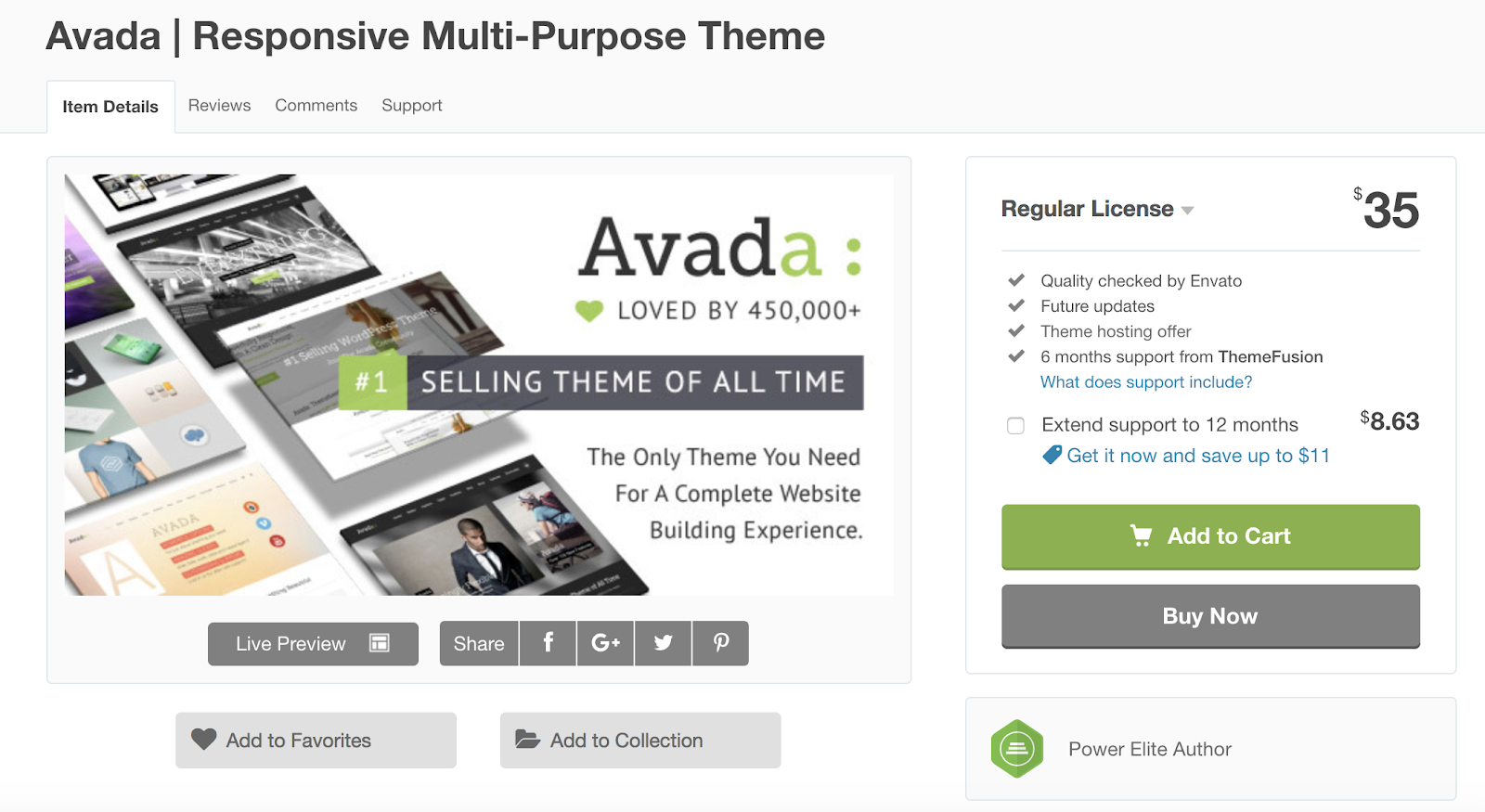
Avada is a responsive, multi-purpose WordPress theme with versatile features and layout options fit for business, creative, e-commerce, and more. With no coding required and a minimalist design, the theme is easy to use no matter your level of web development knowledge. The theme also allows you to disable responsiveness if you create or add something to your site that is only meant to be viewed on one type of device.
Key Takeaways:
- Multi-purpose theme
- No coding required
- Ability to disable responsiveness
2. BeTheme
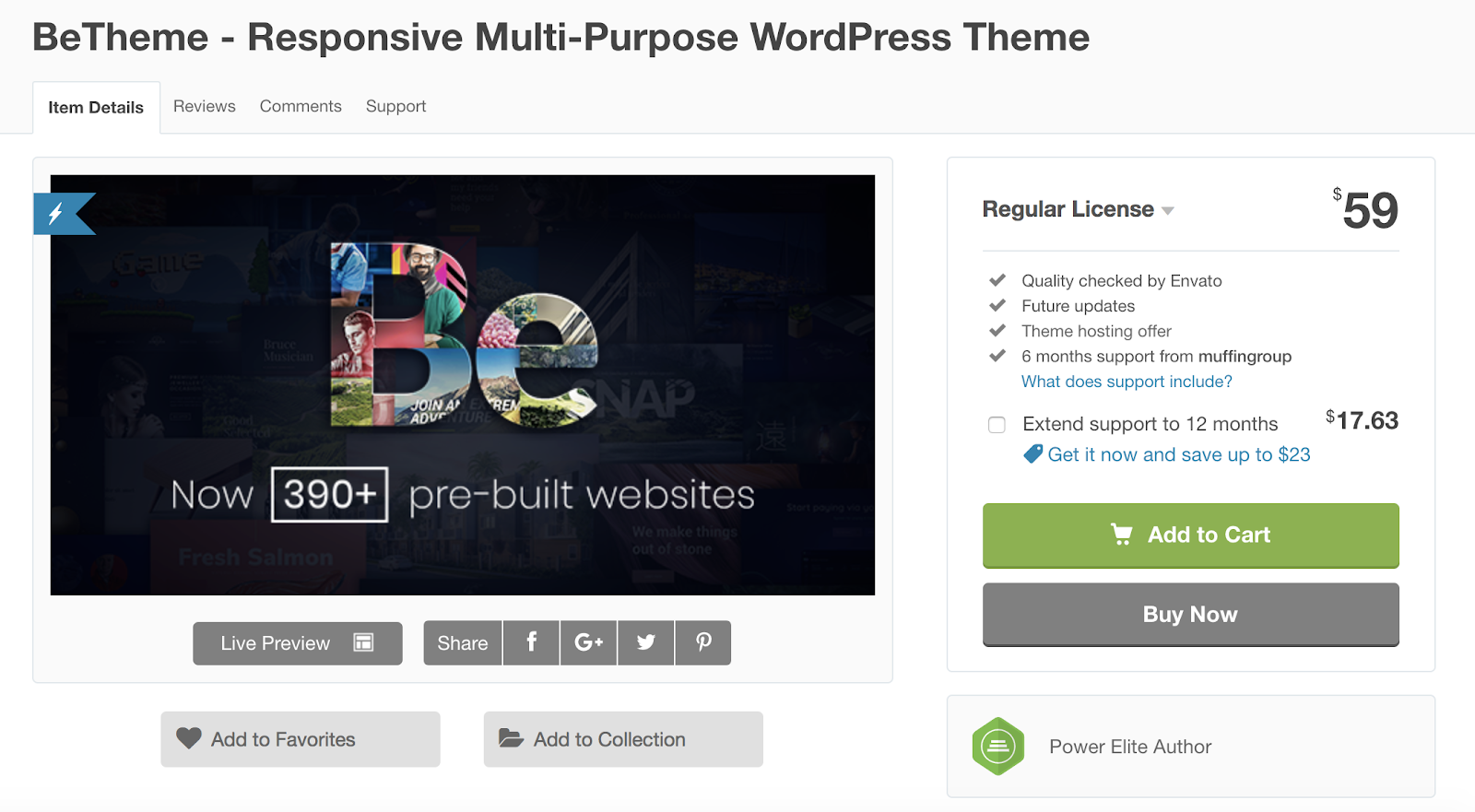
If you’re looking for a responsive, multi-purpose WordPress theme, BeTheme might be a good option for you. BeTheme is also considered a lightweight theme, meaning it’s efficient, quick, and takes up minimal space on your server. With over 390 pre-built websites, you can get started adding your content with just one click. The responsive design allows you to choose minimal headers and other features to fit on smaller screens, so your visitors aren’t overwhelmed by the amount of content they’re viewing in such a tight space.
Key Takeaways:
- Multi-purpose theme
- Lightweight
- 390+ pre-built installable sites
3. Jupiter
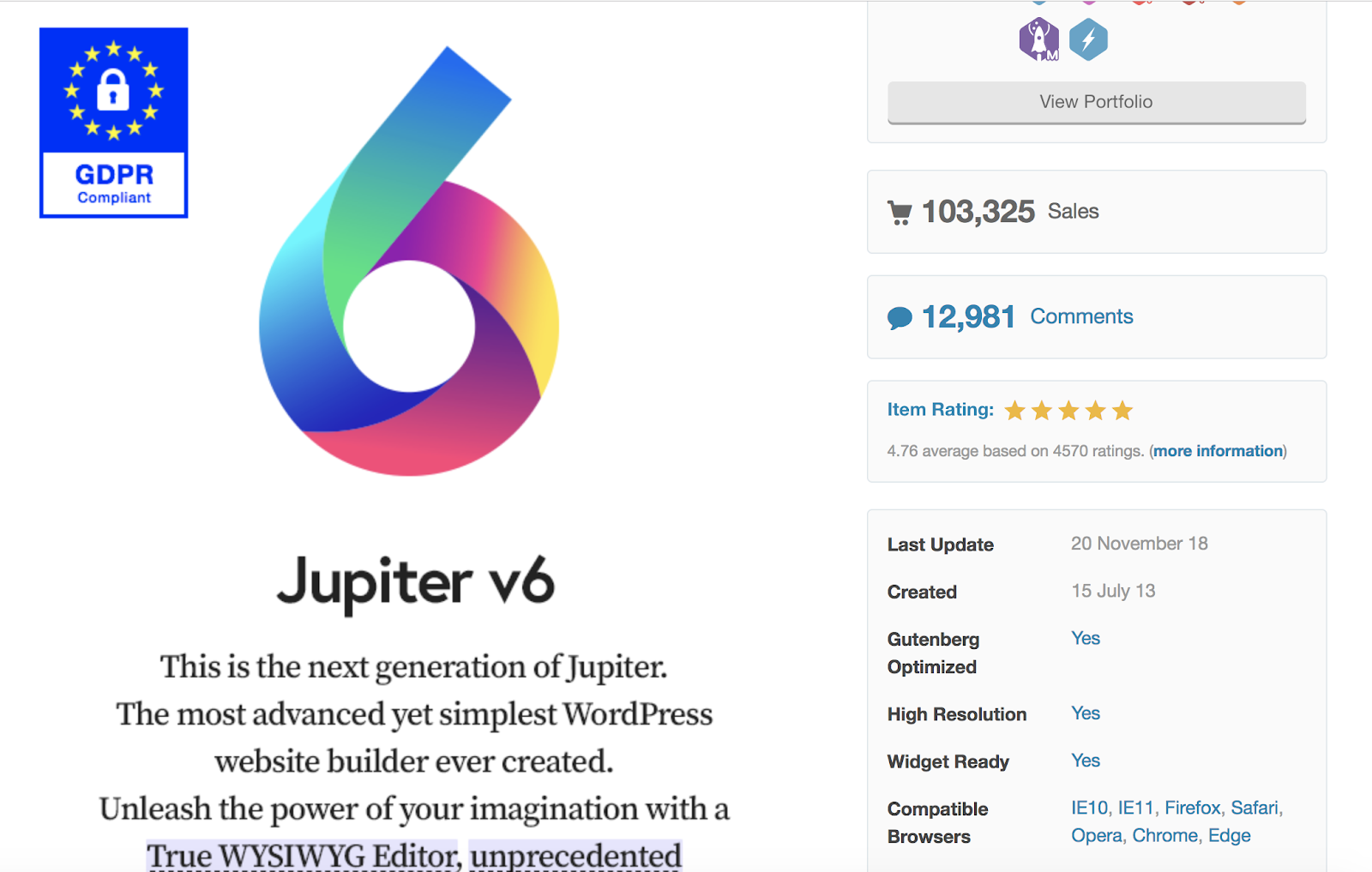
Jupiter is a responsive, multi-purpose theme with a visual page builder that allows you to update and review the changes you make to your content and website in real-time. The theme has WooCommerce integration so you can easily set up and manage your online store straight from your WordPress website. Jupiter is also SEO-ready to help your website rank organically for specific keywords and phrases.
Key Takeaways:
- Multi-purpose theme
- WooCommerce integration included
- SEO optimized
4. Flatsome
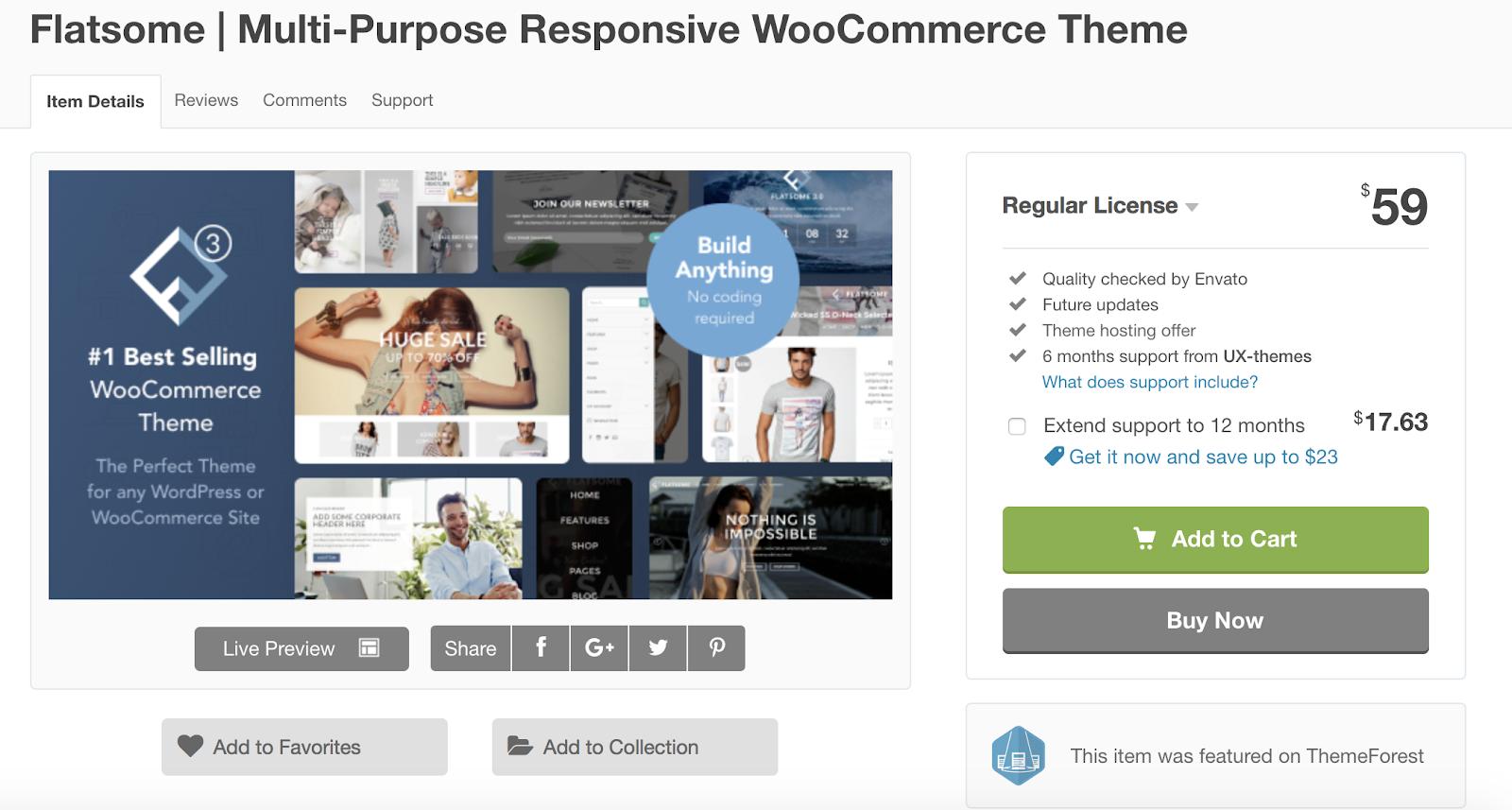
Flatsome is a responsive and multi-purpose WordPress theme with WooCommerce integration for e-commerce businesses. The theme has a custom product page builder so you can easily display and sell your items in a way that makes sense for your business. Flatsome is already translated in more than 12 different languages for those of you looking to sell your products in other countries.
Key Takeaways:
- Multi-purpose and e-commerce theme
- Custom product page builder
- Translated in 12+ languages
5. Impreza
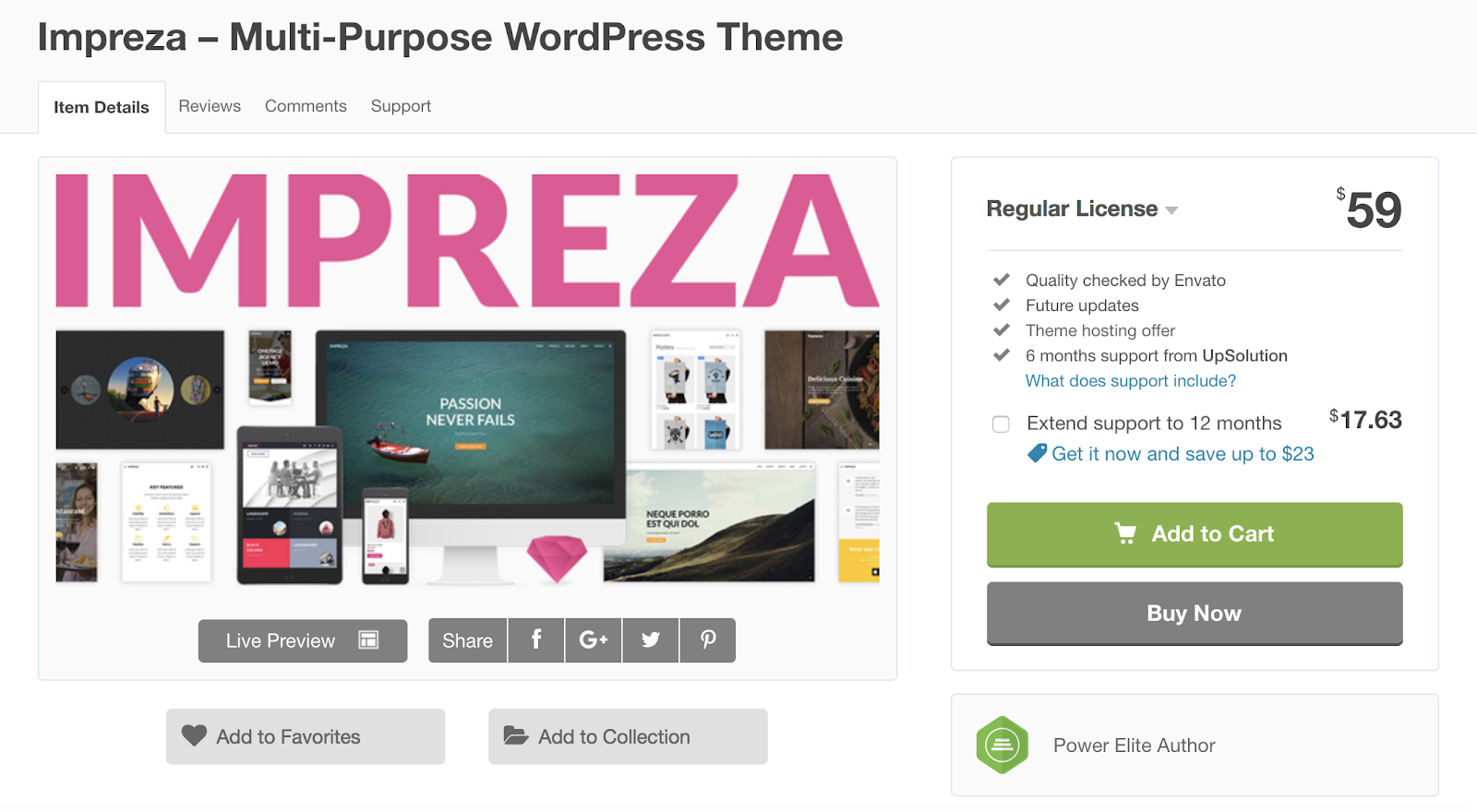
Impreza is a responsive, multi-purpose WordPress theme that offers a number of unique, ready-to-use demos to help you start customizing your website. With Impreza, all of your theme updates are automatic so you’ll never have to worry about managing your own software.
Key Takeaways:
- Multi-purpose theme
- Ready-to-use demos available
- Automatic updates
6. Float
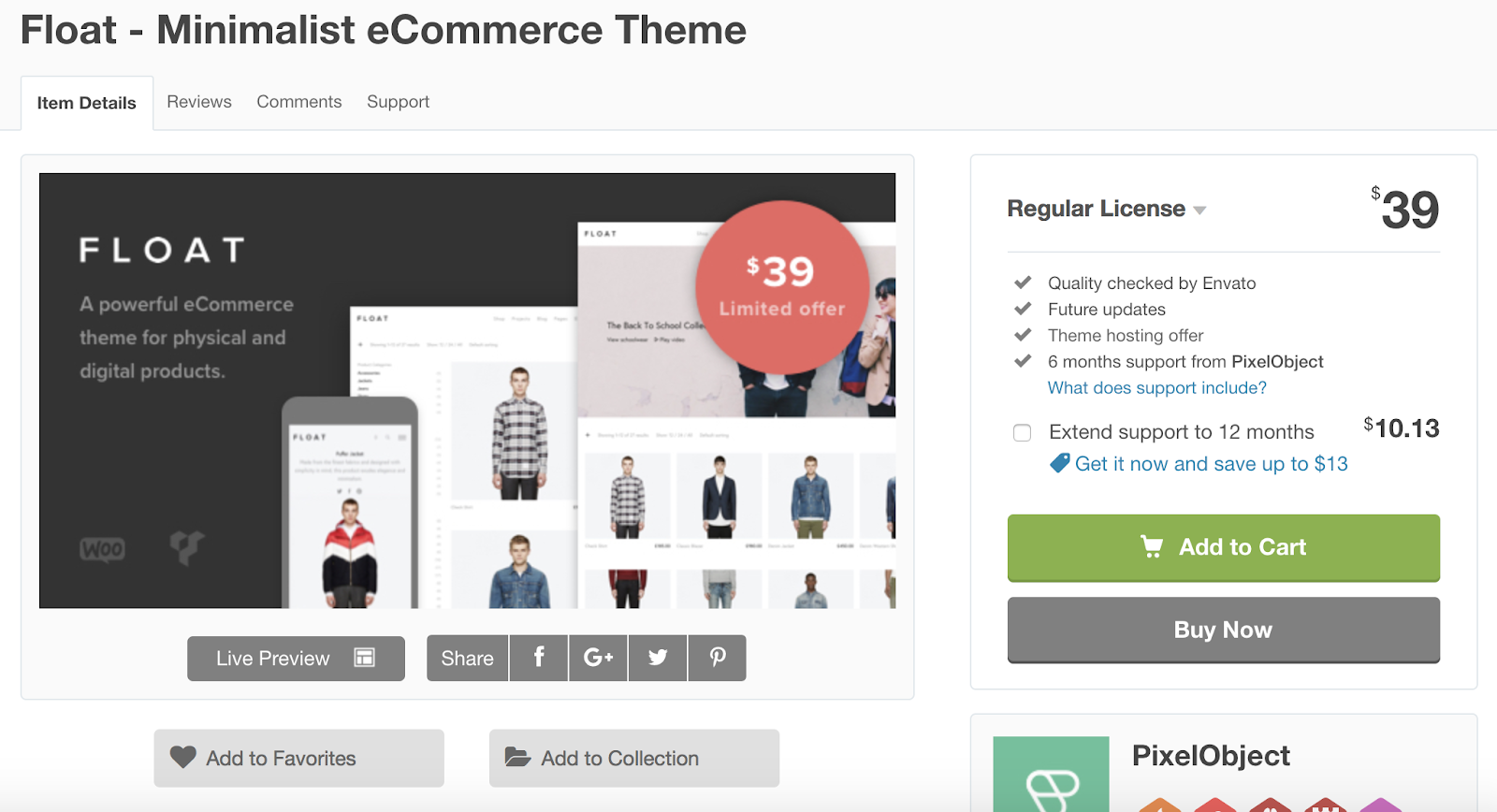
Float is a responsive, simple WordPress theme tailored to e-commerce websites. The theme offers a clean, minimalist design to improve user experience and ease-of-use. The two product page display options — scroll and slider — allow your customers to either scroll up and down or slide right and left to view your products.
Key Takeaways:
- E-commerce theme
- Clean, minimalist design
- Scroll and slider options for product pages
7. One Page
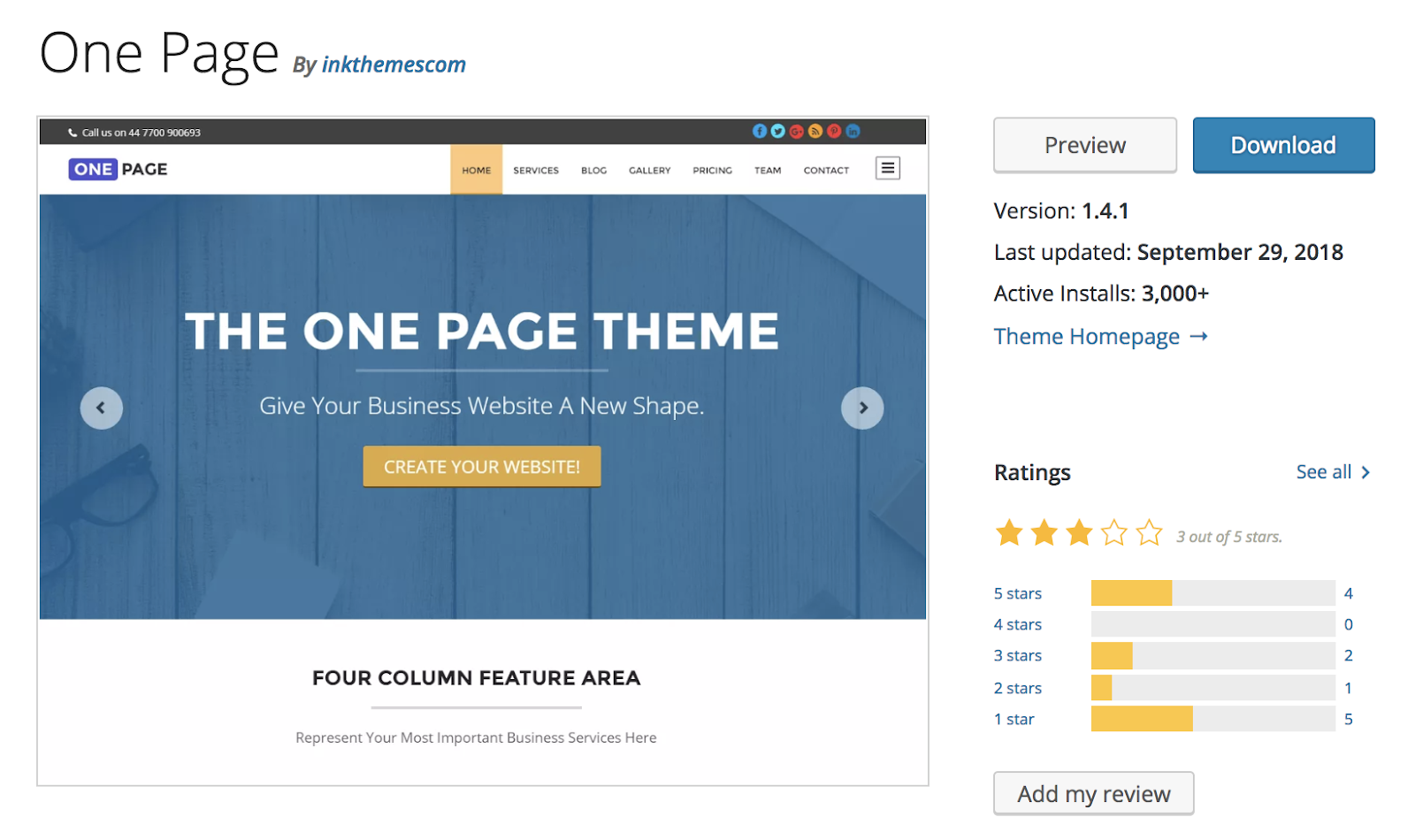
One Page is a single-page WordPress theme, meaning it displays all of your most important website features on your homepage. This might be appealing if you don’t have a ton of content on your website and want to keep it all in one location to improve user experience and efficiency for your visitors. The theme only allows space for your most important business-related information to be listed on your homepage making it minimalist and clutter-free.
Key Takeaways:
- Most important business information listed on your homepage
- Ideal if you don’t want a lot of content on your site
- Minimalist design
8. Excellent
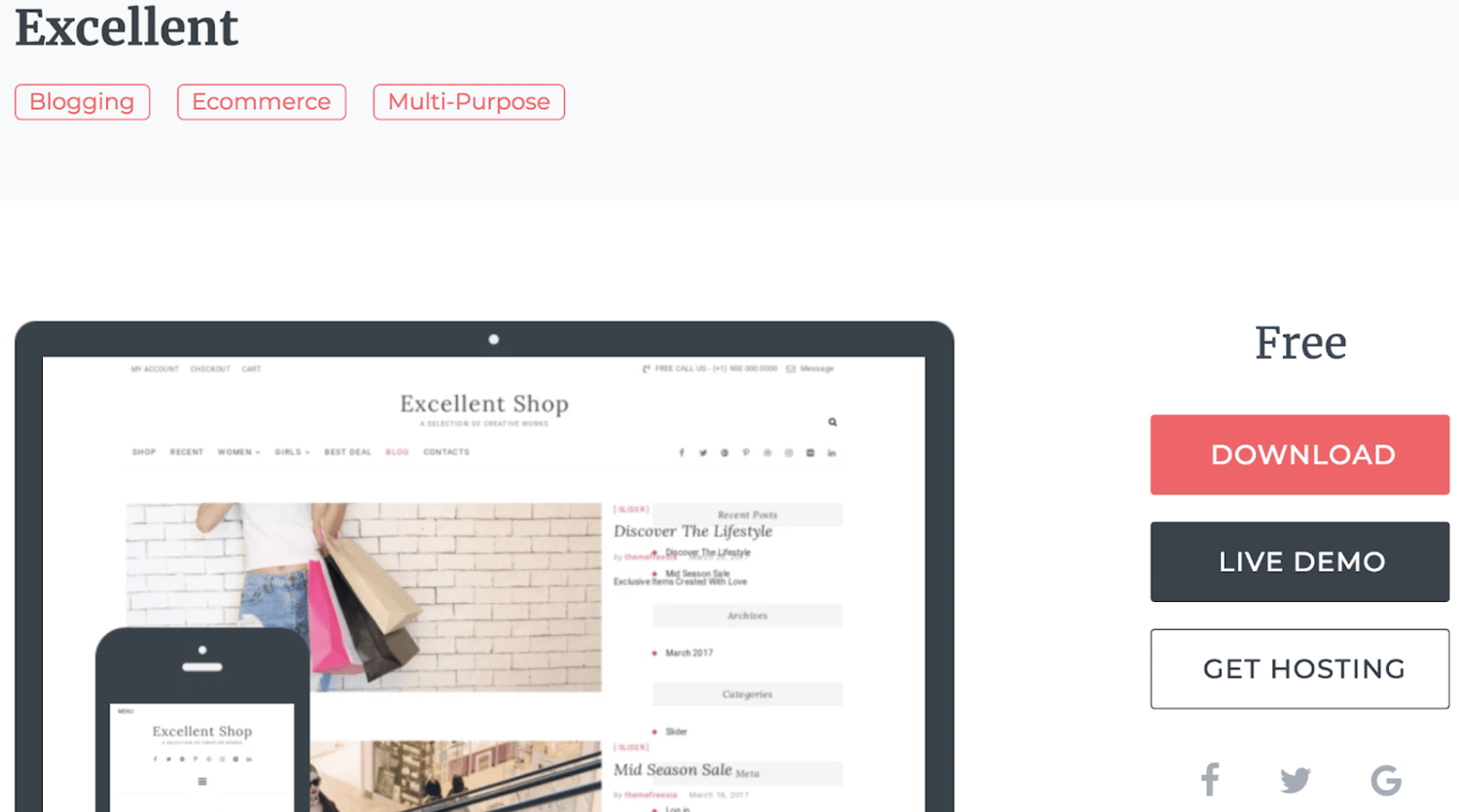
Excellent is a responsive, multi-purpose WordPress theme focused on businesses and e-commerce sites. With a variety of different sections that you can add and move to suit your business’ needs, as well as a wide range of navigation menu options, there are hundreds of ways to customize your company’s website. The theme’s WooCommerce integration allows you to simplify the management of your online store and gives you the ability to add sidebars with links to all of your social profiles so your customers can easily view and follow your accounts.
Key Takeaways:
- Ideal for businesses and e-commerce sites
- Customizable navigation menus
- Social media sidebars
9. Mustache
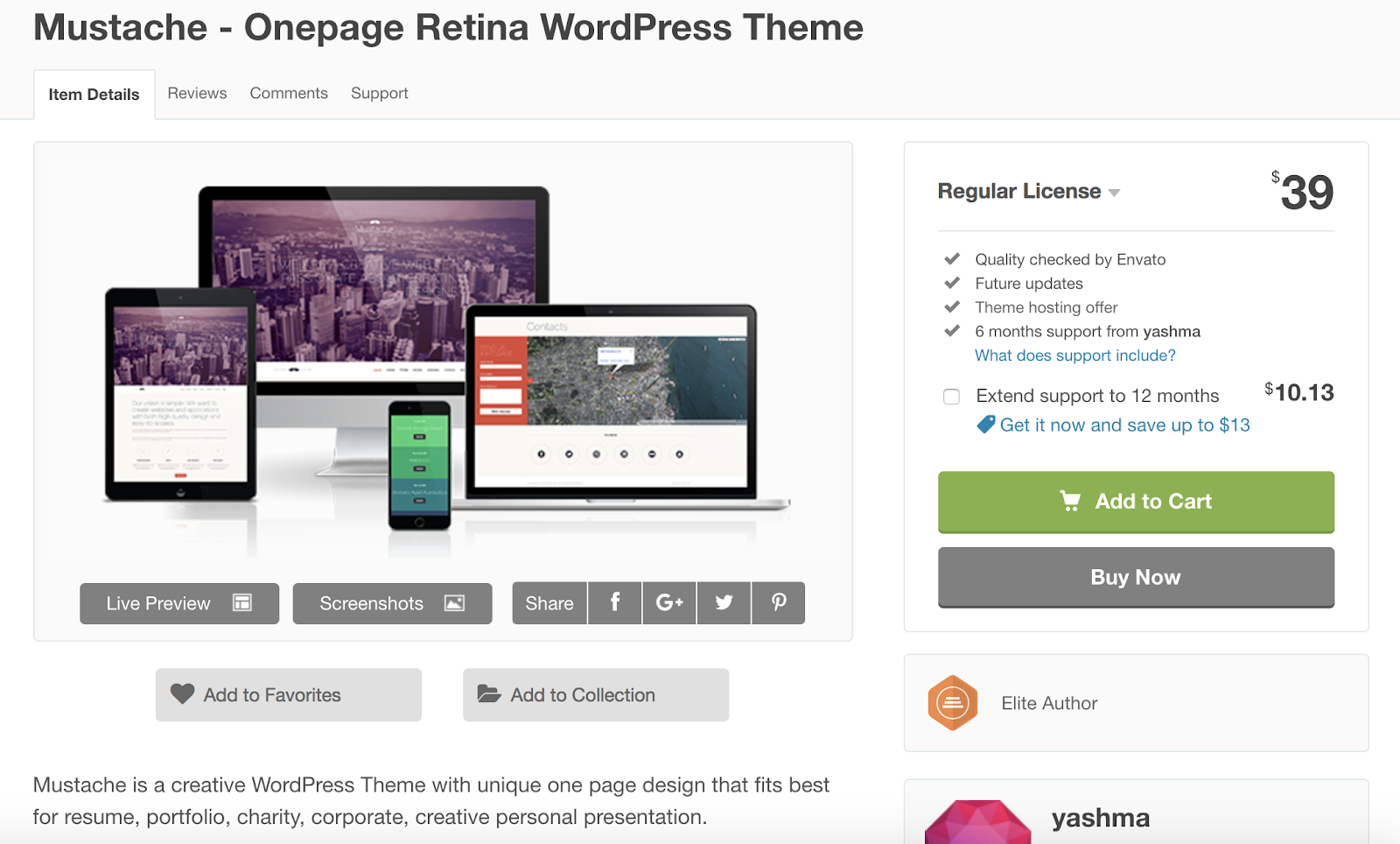
Mustache is a responsive, creative WordPress theme built for sharing artistic work and written content as well as portfolios and presentations. With Mustache, you can easily add the Google Analytics integration so you are able to keep track of your content’s success and manage any needed improvements.
The theme also gives you access to the Google Fonts library which contains thousands of font options for you to choose from and add to your site. For those of you looking to build your portfolio on your WordPress site, Mustache also offers two different portfolio gallery options that you can implement.
Key Takeaways:
- Creative theme
- Google Analytics integration
- Two portfolio gallery options
10. Aesthetic
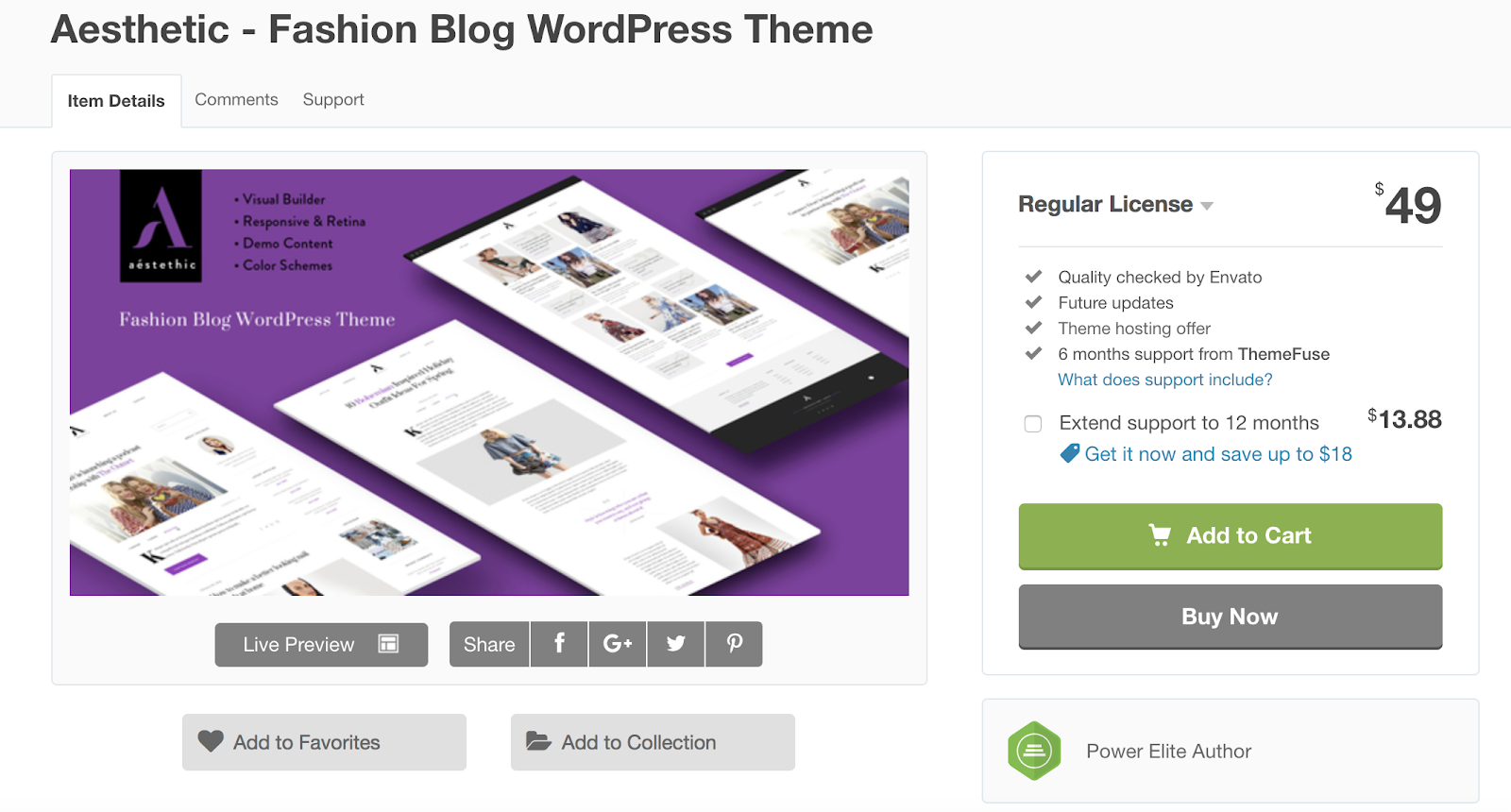
Aesthetic is a responsive WordPress theme built specifically for fashion and lifestyle blogs. The theme includes a minimalist design, the ability to implement a portfolio format with up to four columns, and other customizable features. Aesthetic has a page option ready for donations as well as an option to easily add your own animations to different pages of your website.
Key Takeaways:
- Built for fashion and lifestyle blogs
- Donations page included
- Can easily add your own animations
11. Exposure
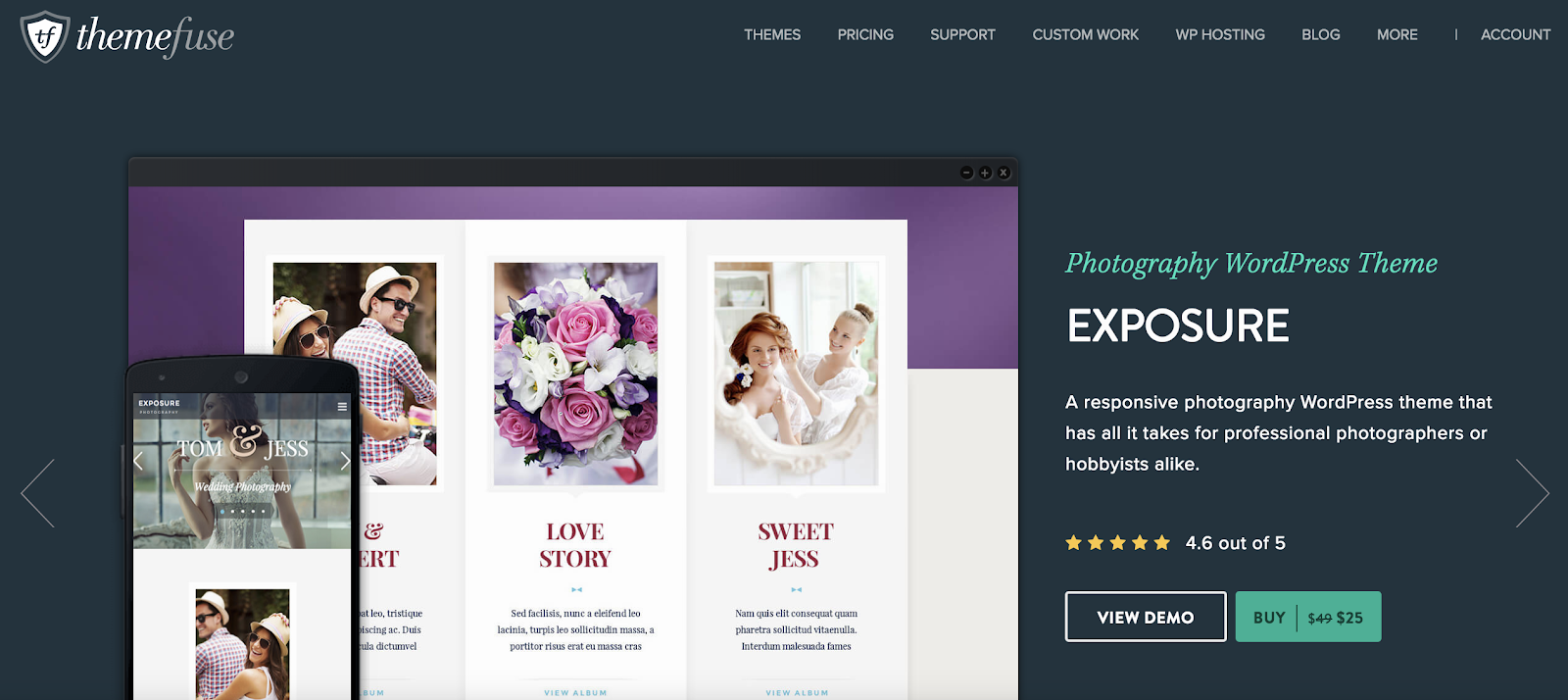
Exposure is a responsive, photography WordPress theme created for artists looking to display their work with a clean and minimalist design. The theme is ideal for all types of photographers — whether it’s your full-time job or your hobby. For those of you who are looking to sell your photos, the theme is integrated with WooCommerce to keep the shopping and buying processes simple for your customers. There is also a contact form module that you can add to one of your site pages so your visitors can reach out to you with any questions or concerns.
Side note: For those of you considering other themes that may not come with a contact form module, HubSpot’s WordPress Contact Form plugin is a tool that you can easily install and add to your own site so your visitors can efficiently get in touch with you.
Key Takeaways:
- Photography theme
- WooCommerce integration
- Contact form module
12. SuperMag
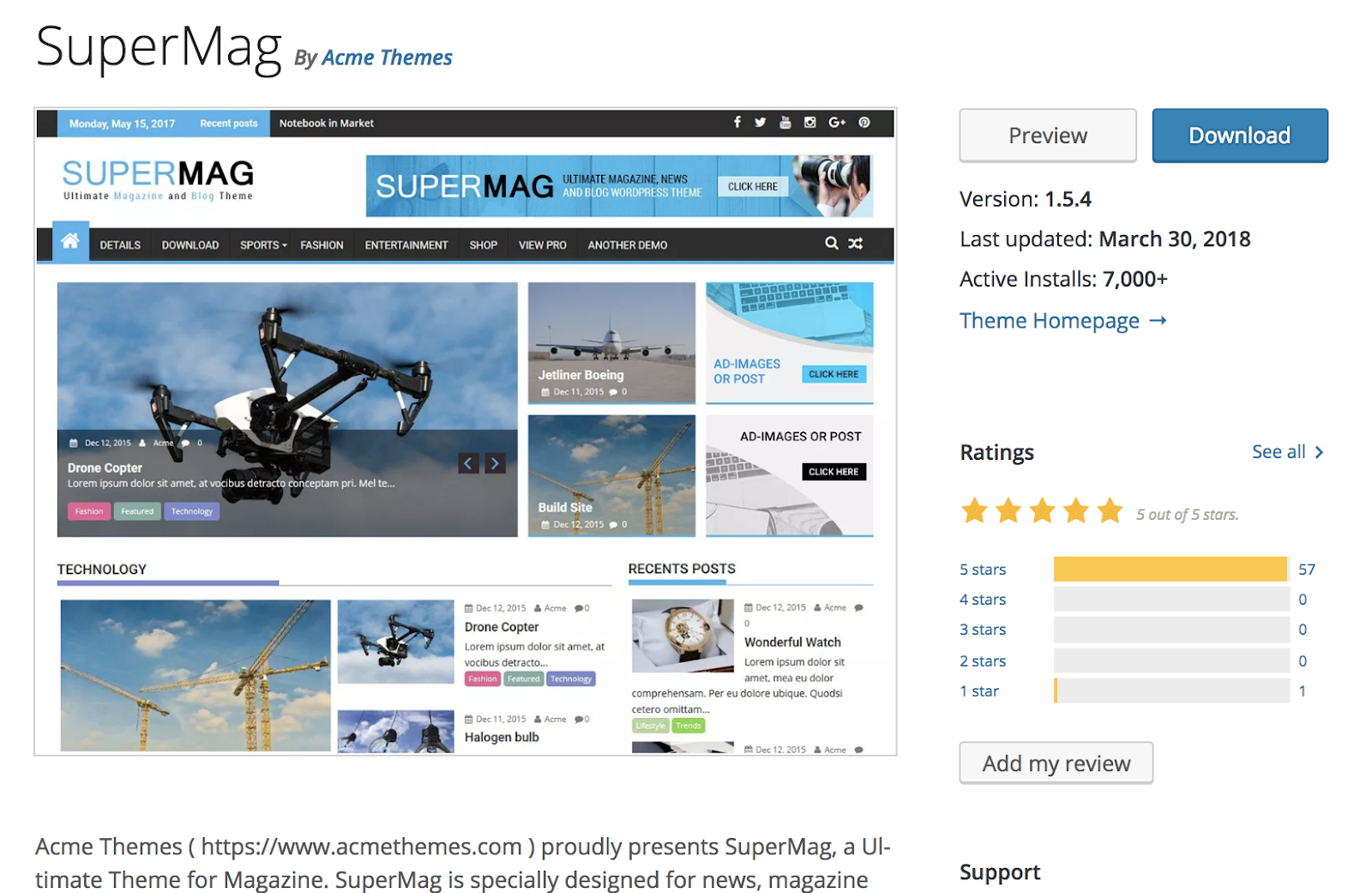
SuperMag is a responsive WordPress theme created for digital magazines. The theme’s magazine-style design features a variety of ways to display photographs, videos, and written content. SuperMag is advertisement-ready so you can easily add your chosen ads to your site pages. There is also an option to enable a “breaking news” page or section for your site if you feel it’s vital for all of your visitors to know about a specific change or event.
Key Takeaways:
- Ideal for digital magazines
- Advertisement-ready
- Option to include “breaking news” page or section
13. Fagri
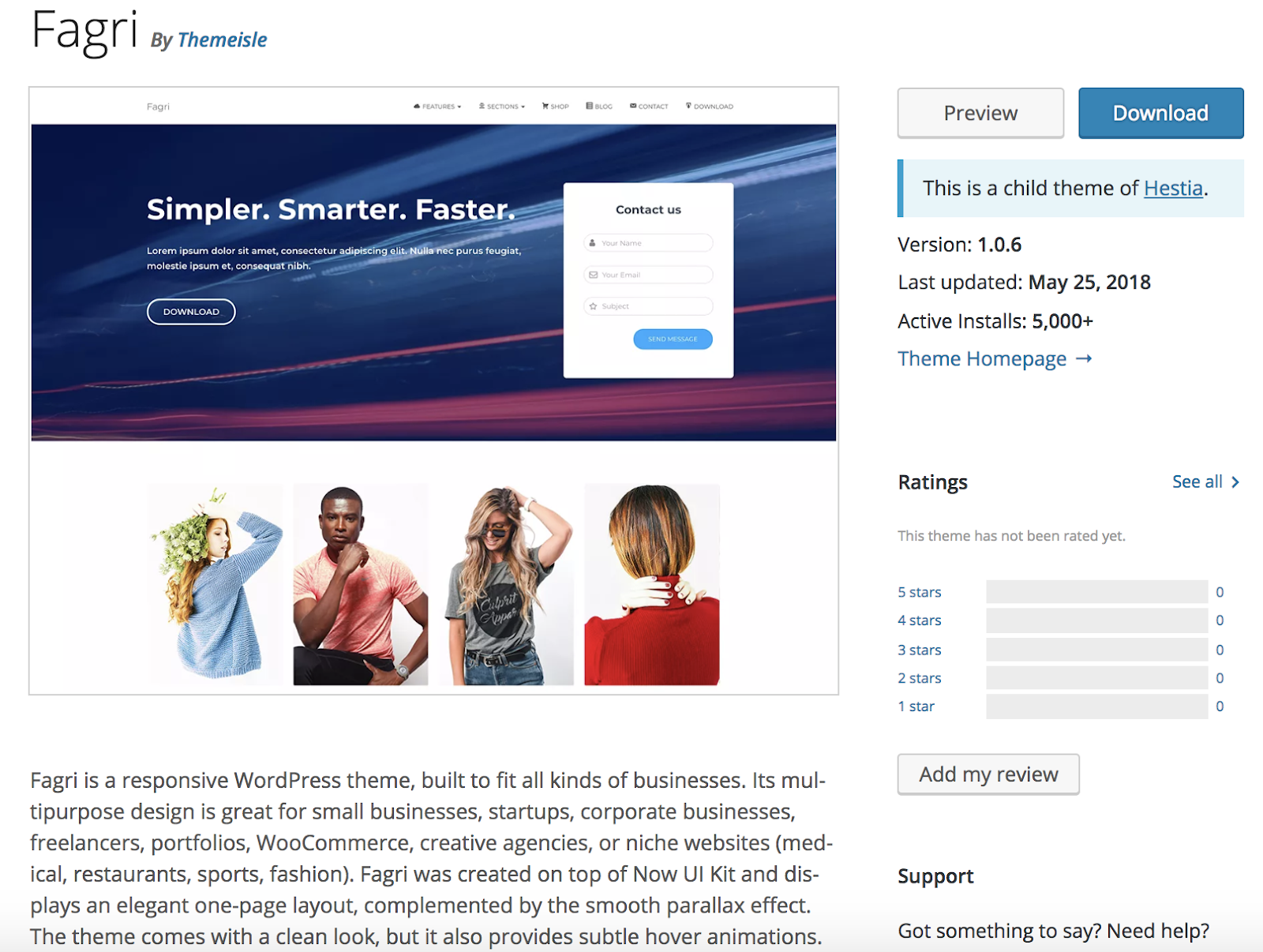
Fagri is a responsive, multi-purpose WordPress theme built for a wide range of businesses due to its flexible design and large number of customizable features. The theme comes with newsletter integration so you can easily send your email list information about your latest developments, new products, sales, and more. Fagri is SEO-ready so your site is more likely to organically rank on search engines such as Google.
Key Takeaways:
- Multi-purpose theme
- Newsletter integration
- SEO-ready
14. Tiny Hestia
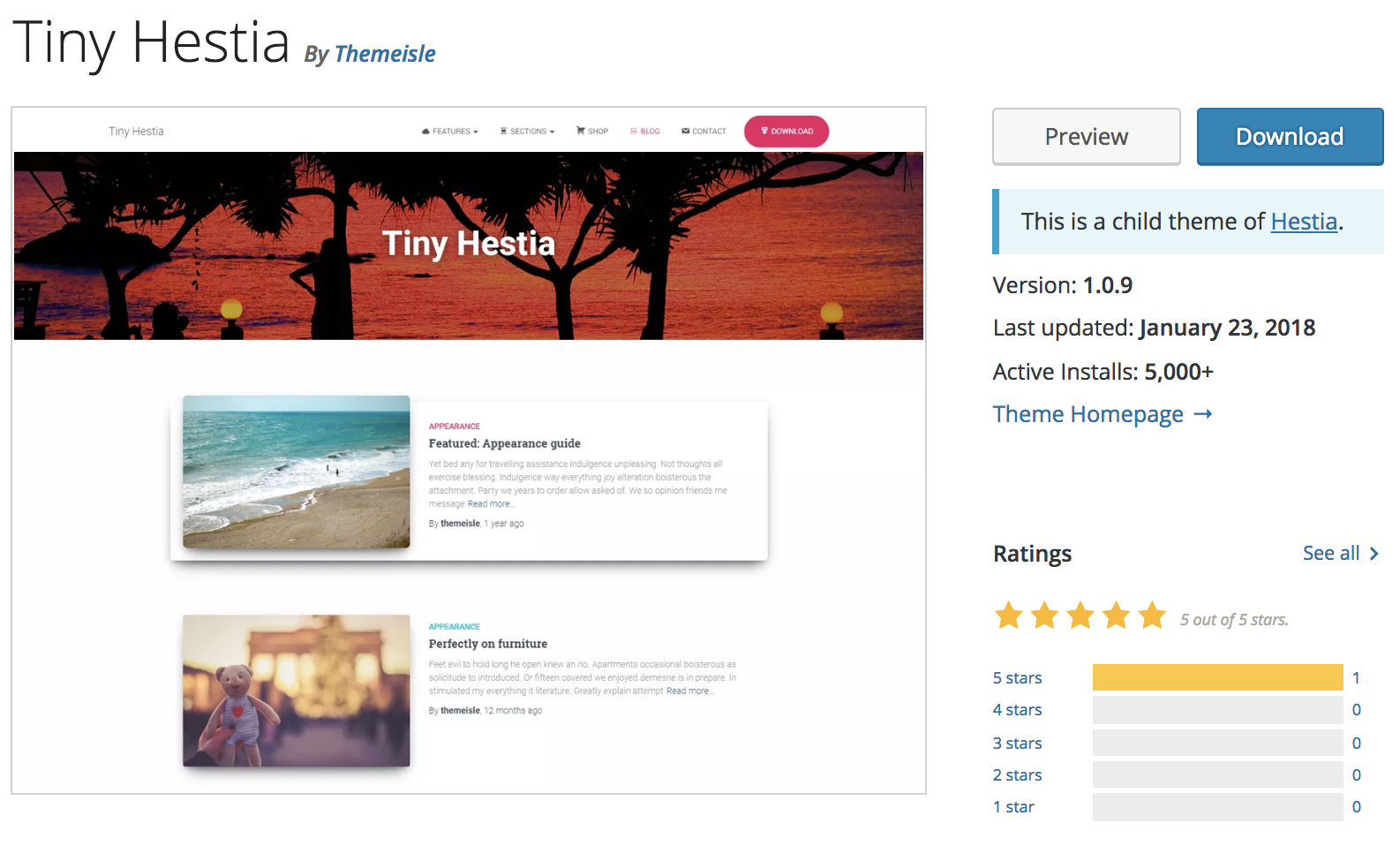
Tiny Hestia is a responsive WordPress theme for bloggers. The theme has a minimalist design so your visitors can easily navigate your site and focus on your content. Tiny Hestia is a child theme of Hestia — child themes allow you to modify your current theme to enhance functionality. So, if you are already a Hestia user and want to customize the theme to make it better suited for sharing blog content, you can install Tiny Hestia. When you install a child theme like Tiny Hestia, you don’t lose your ability to update the theme or lose any of your original content.
Key Takeaways:
- Created for bloggers
- Minimalist design
- Child theme of Hestia
15. Bordeaux
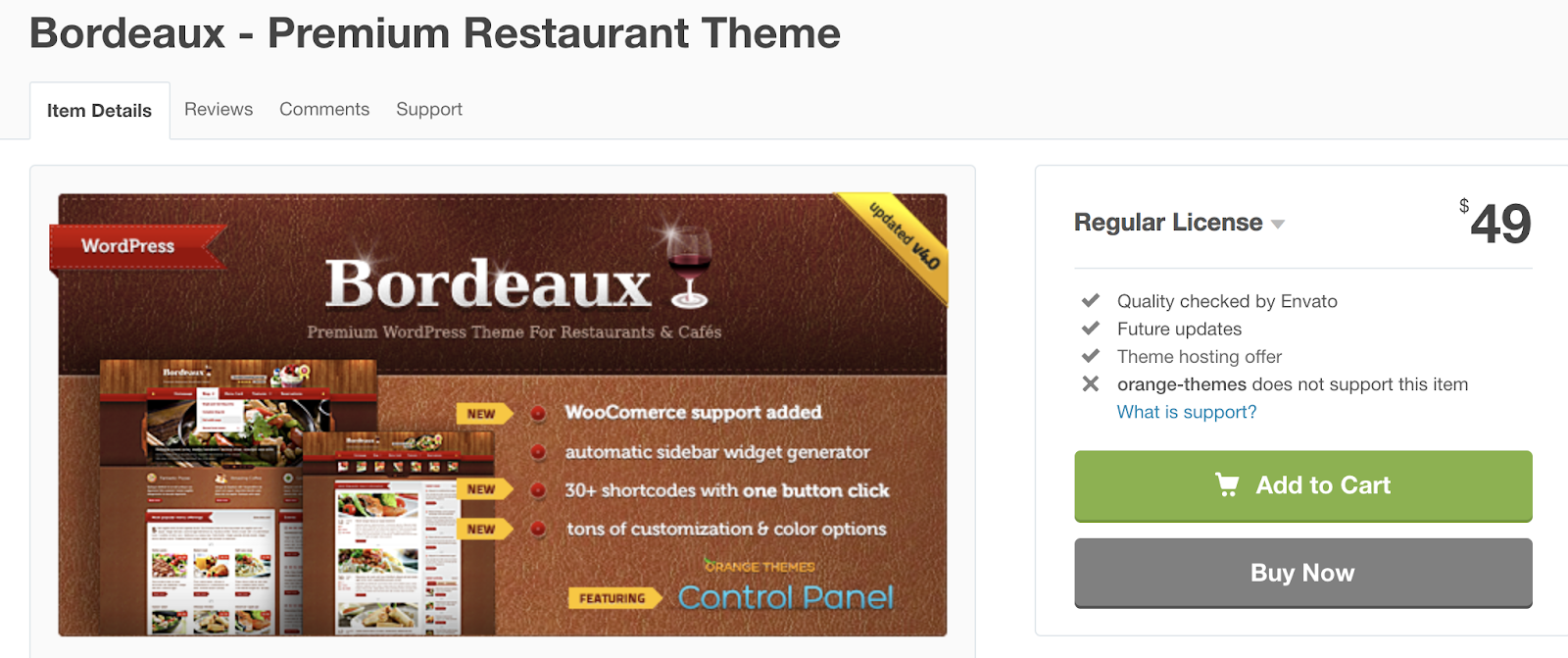
If you’re in the restaurant business and looking for a responsive theme, Bordeaux might be a great option for you. The theme has customizable features fit for restaurants, cafes, and bakeries, and includes a reservation system so you don’t need to find a separate plugin or software to manage your tables. The theme’s homepage has three customizable information blocks including a menu card, items for sale, and latest restaurant news.
Key Takeaways:
- Restaurant theme
- Table reservation system includes
- Homepage includes three customizable information sections
Back To You
Today, responsive website themes are a necessity — your WordPress website visitors and customers are browsing your content and purchasing your items on a variety of different devices at all times. That’s why you want to ensure they have a consistent and positive experience on all types of devices.
So, try installing a responsive WordPress theme to create a seamless transition for your website visitors no matter the device they’re on — and if the 15 options we’ve described aren’t of interest to you, you can always review the WordPress theme library for more choices tailored to your specific needs. Just remember to review the feature lists to ensure the themes in question include a responsive design.

The Ultimate Guide to Google Forms
Whether you’re collecting customer feedback or applications for a job opening, Google Forms is undoubtedly one of the best free form tools at your disposal.
Google Forms integrates seamlessly with other Google products, such as Sheets, allowing you to make sense of all that data you collect. Additionally, it works well with other platforms like YouTube, enabling you to upload videos without leaving the tool.

However, if you’re new to Google Forms or want to undertake a more challenging task than you’re used to within Forms, you might feel overwhelmed and unsure how to get started.
Here, we’re going to explore all of Google Forms’ features, tools, and functions to ensure you’re prepared to make any form you need within minutes.
To start, let’s take a look at the templates Forms has to offer.
How to use Google Forms
- Go to docs.google.com/forms, then choose a blank form or template from your template gallery.
- You can use Google Forms to create customer feedback surveys, job applications, RSVP forms, quizzes, order forms, time off requests, and more.
- Additionally, you can use Google Forms to collect contact information and integrate it with a Google Sheet.
- Within a form itself, you can adjust almost everything, including title, description, and sections. You can also add images or videos.
- When you’re ready to use your Google Form, simply click the “Send” button in the top right, and type the email addresses to which you want to send your form. Alternatively, you can embed your form in a blog post or landing page, or send the link itself.
Google Forms Templates
Here are a few of the templates you’ll likely use most often, separated by category.
To find these templates in your Google Forms, go to your email and click Forms in the drop-down menu (if you don’t see it, click “More” at the bottom).
Then, click the up and down arrow beside Template Gallery. This will show you all your template options.

For leads, try these templates:
- Contact Information
- Event Registration
To collect customer feedback, try these templates:
- Event Feedback
- Customer Feedback
For customer payment, try these templates:
- Order Form
For internal employees, try these templates:
- Job Application
- Time Off Request
- Find a Time
It’s important to note, you can also create a blank form, or use one of the above templates for multiple purposes. “Find a Time”, for instance, allows you to figure out when your team is available to meet, but you might also send it to a client to find a meeting time that works for you both.
Next, let’s take a look at some exceptional Google Forms examples for further inspiration.
How to get the link to your Google Form
- To get the link to your Google Form to send through social media, text, or in the text of an email, go to the “Send” button at the top right of your form.
- Beside the “Send via” text, click the link icon.
- Copy the link provided, and send to recipients.
Google Forms Examples
Google Forms is incredibly easy and intuitive, once you get the hang of it. Within each template, you have the option to add questions, a title and description, an image, a video, or even an entire section.
Additionally, Forms integrates well with other platforms — for instance, to embed a video, you can search YouTube videos from within your Form. You can also upload or search for an image without having to leave Forms.
Here are a few initial Google Form examples, to get you started:
1. For an in-house seminar or conference (using the RSVP form):

2. For a job application (using the Job Application form):

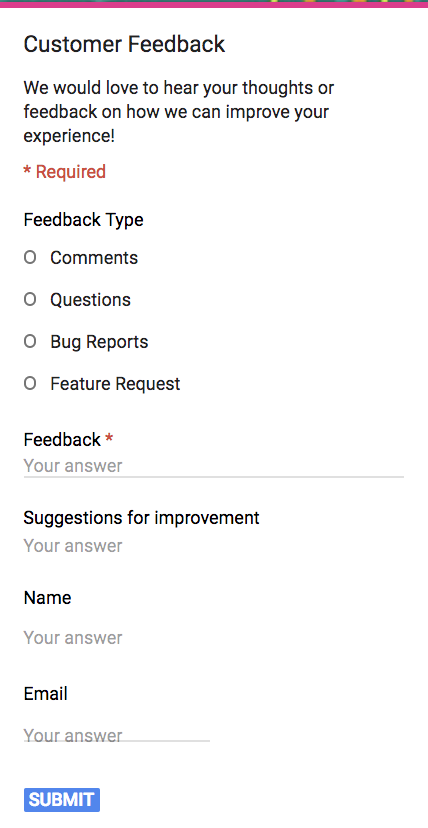
3. For customer feedback (using the Customer Feedback form):
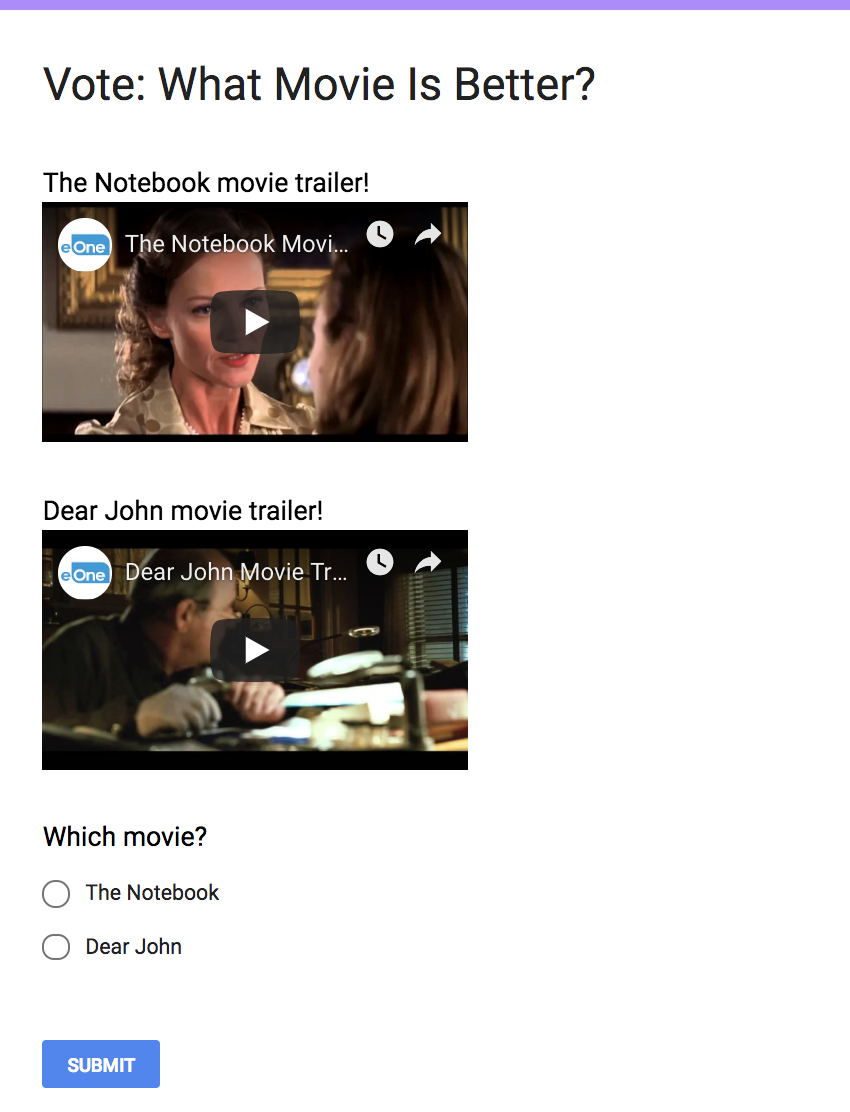
4. To create a quiz (using the Quizzes form):
How to make a Google Form
- Go to docs.google.com/forms, then choose a blank form or template from your template gallery.
- Fill out or adjust the necessary information. Be sure to title your form, and include a description. Additionally, you can add images or embed videos.
- On the right-hand side of your form, you’ll see a toolbox with five icons — “Add question”, “Add title and description”, “Add image”, “Add video”, and “Add section”. Use these to personalize your form further, if necessary.
- When you’re ready, click Send in the top right. Type the email(s) to which you want to send your form. Then click “Send” in the bottom right.
How to share a Google Form
- To share a Google Form, you can either send it directly to the email(s) you provide, send a link to recipients, or embed the HTML of the form into a blog post, landing page, etc.
- Click the “Send” button at the top right of your form. Then, choose one of the three options listed beside “Send via … “.
- Alternatively, there are Facebook, Google Plus, and Twitter icons at the top right of the same “Send” pop-up box. Click on one of those if you want to share your Google Form to one of those audiences.
- When you’re ready, click “Send” in the bottom right corner.
How to Embed a Google Form in an Email
While you can technically embed a Google Form directly in an email (by copying the embed link straight from the form and pasting it in an email), you probably don’t want to — simply sending your form to email addresses you provide looks cleaner.
For instance, when I send a form to myself, here’s how it appears in my inbox:

The email comes with a nifty “Fill Out Form” button. When I click it, I’m automatically taken to your form.
However, if instead you want to embed your form into a landing page or blog post, follow these instructions:
1. Click the “Send” button at the top of your form.
2. When this box pops up, select the “< >” embed link.
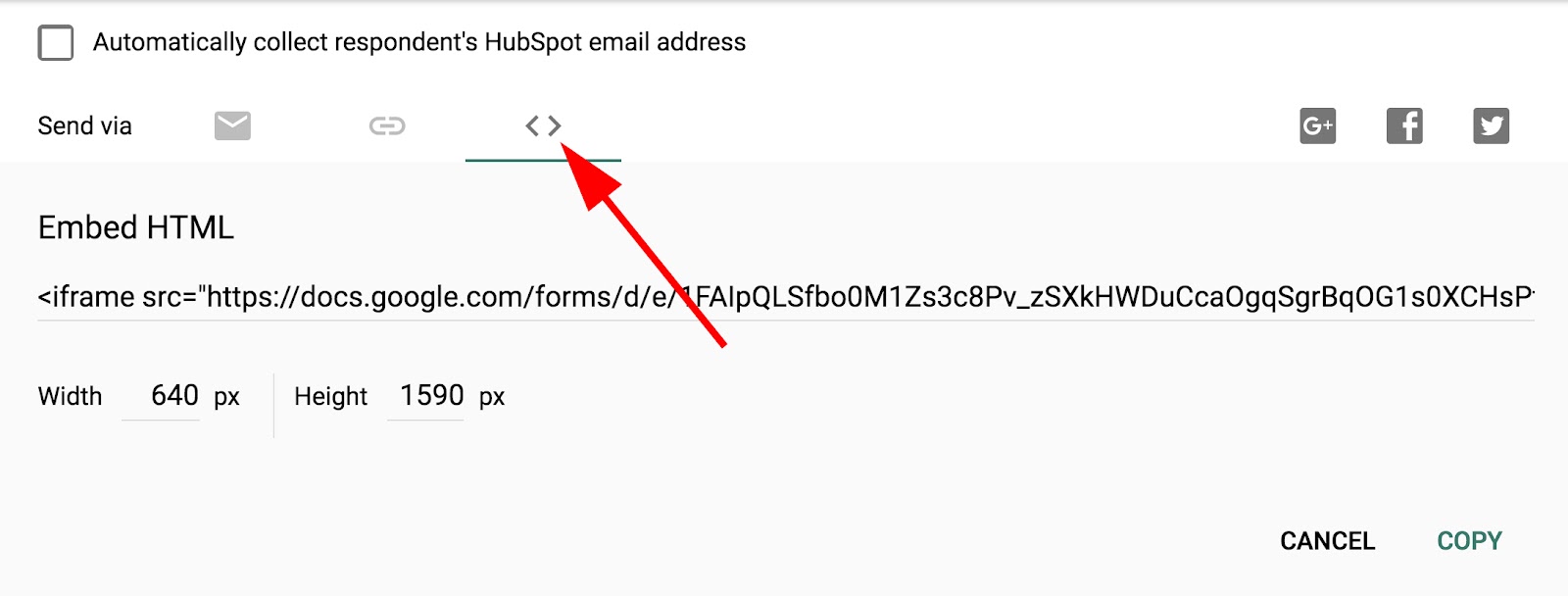
3. Click “Copy” in the bottom right. Then, paste the embed HTML link into the code of a blog post or website page.

How to share Google Form responses
- To share your Google Form responses, go to the top right of your Form and click “More” (the three-dot icon).
- Click “Add collaborators … “
- Type the names or emails of the people with whom you want to share responses, then click “Send”.
- The collaborators can now see the form responses, send the form to others, and even edit the form themselves.
How to Close a Google Form
If you’re done with a form and want to close it, follow these three easy steps:
1. Click “Edit This Form” on the form you want to close. Then, select “Responses”.
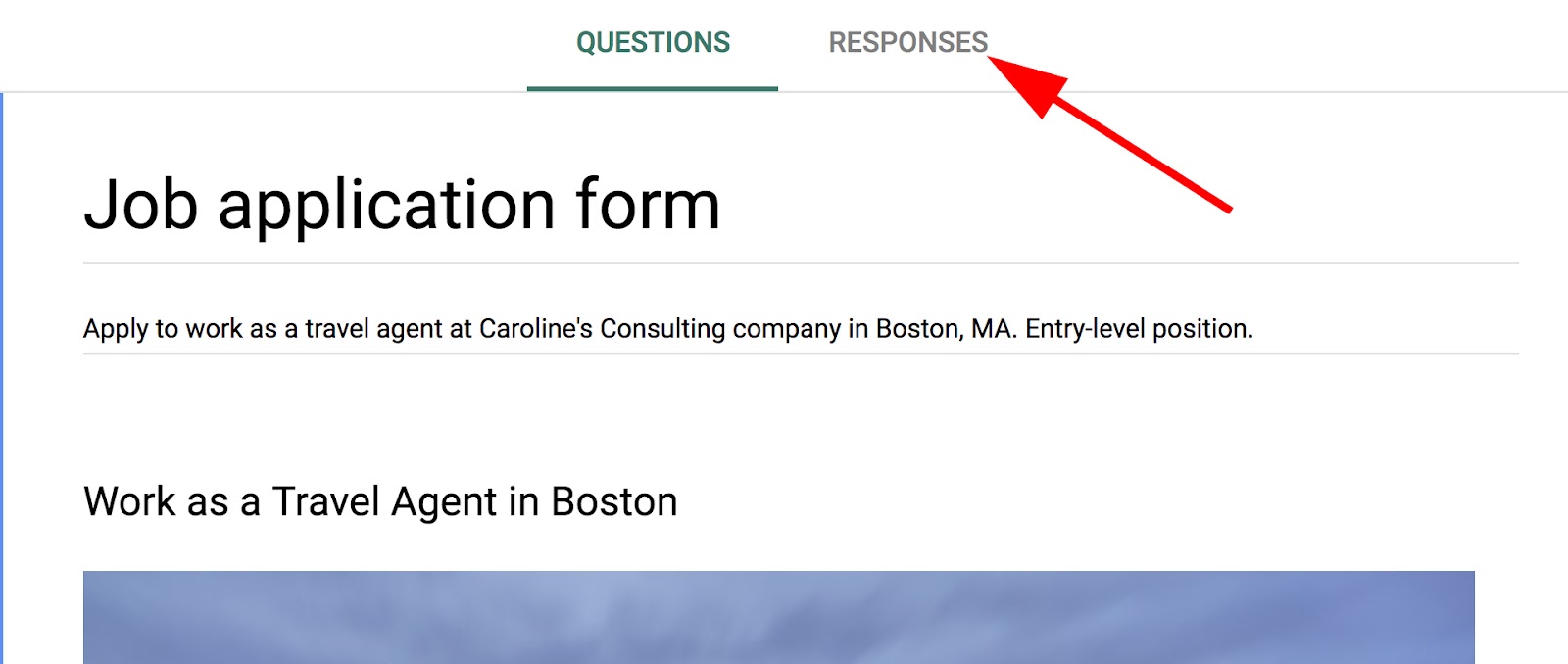
2. Click the button to the right of “Accepting responses”.
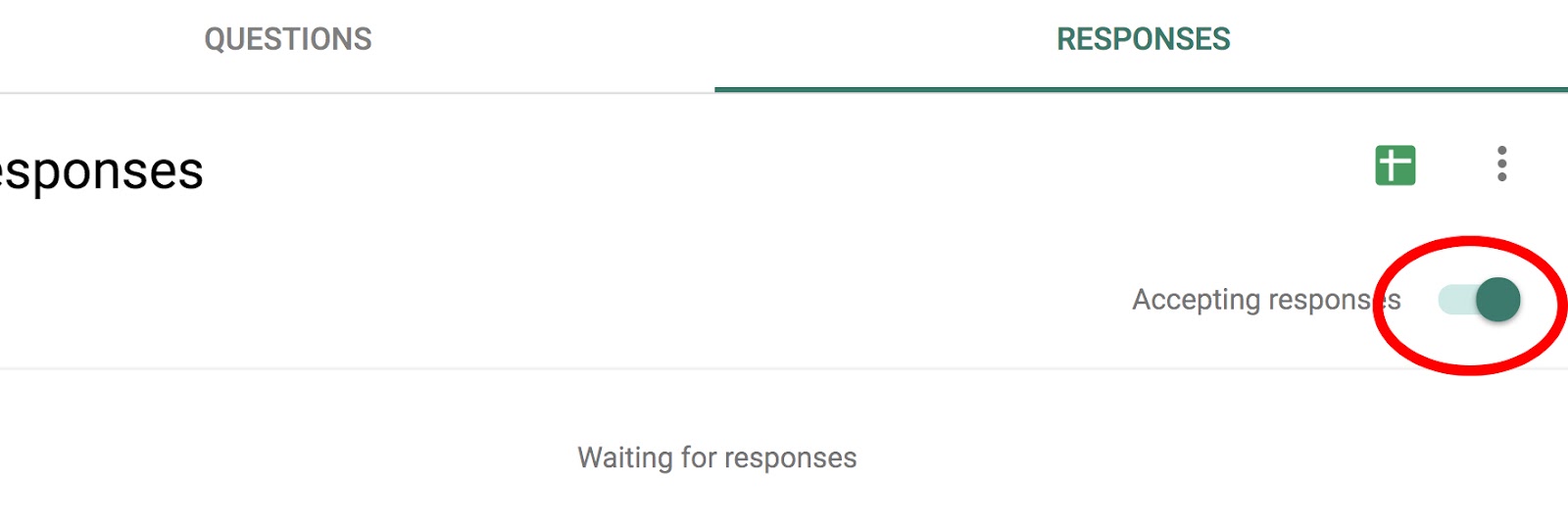
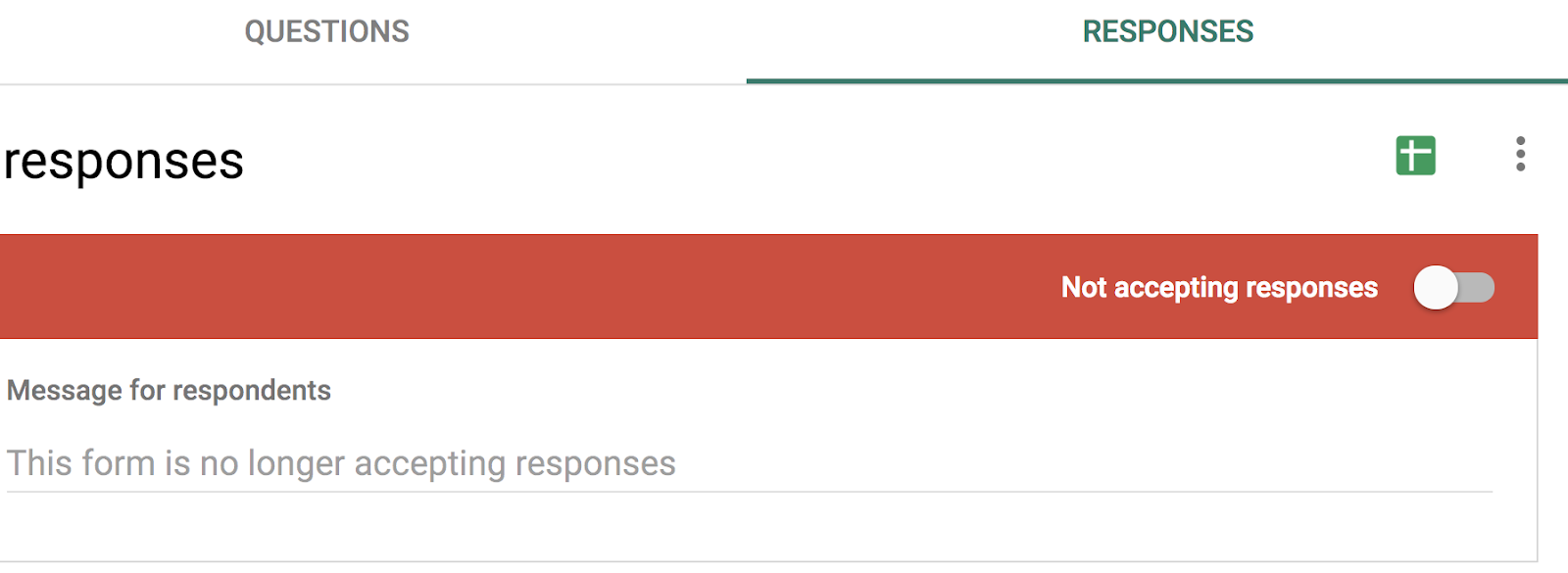
3. Once it says “Not accepting responses”, your form is now successfully closed.

5 Impressive Resume Objective Examples to Help You Craft Your Own
With only six seconds to grab a recruiter’s attention, conventional wisdom might tell you to cut right to the chase when you write your resume. A lot of people say a resume objective just waste precious space. But if you craft it in a way that highlights your qualifications, skills, and fit for a role, an objective can actually enhance your resume by giving recruiters a sneak peek of your background that prompts them to keep reading.
What’s a resume objective?
A resume objective is a brief introduction to your professional prowess. It’s placed at the top of your resume and previews your qualifications and fit for the role you’re applying to, spurring recruiters to read the rest of your resume.
How to Write a Resume Objective
When recruiters read your resume, they want to know three things about you:
- Are you qualified for this job?
- Have you made an impact on your company in your current or previous roles?
- How will you make an impact on our company in this specific role?
If you can give them a clear and concise preview of these three answers within the first few lines of your resume, they’ll start thinking about your potential as an employee at their company. This’ll also give them a positive first impression of you and make them read the rest of your resume to confirm that you’re their best-fit candidate.
To show you how to craft a compelling resume objective at any stage of your career, we’ve provided five resume objective examples that anyone from a recent graduate to a proven professional can use. We’ll also break down the structure of each resume objective to give you a more concrete understanding of writing a gripping resume objective.
Resume Objective Examples
The Recent Graduate
Recent double major in English and Economics from Pomona College who has completed four content marketing internships in the MarTech space. Used creative and analytical skills to craft compelling content and refine content marketing strategies. Seeking a position as a Junior Growth Marketer to help HubSpot scale freemium marketing efforts and boost free product signups.
Structure:
Are you qualified for this job?
“Recent double major in English and Economics from Pomona College who has completed four content marketing internships in the MarTech space.”
How have you made an impact during your current or previous roles?
“Used creative and analytical skills to craft compelling content and refine content marketing strategies.”
How will you make an impact on our company in this specific role?
“Seeking a position as a Junior Growth Marketer to help HubSpot scale freemium marketing efforts and boost free product signups.”
The Ambitious Entry-Level Worker
Ambitious associate marketing manager with two years of experience strategizing and executing lead generation campaigns. Spearhead Sigstr’s co-marketing program and drove a 25% increase in program leads last year. Seeking a position as Marketing Manager of the Lead Optimization team at HubSpot to optimize blog lead generation strategy.
Structure:
Are you qualified for this job?
“Ambitious associate marketing manager with two years of experience strategizing and executing lead generation campaigns.”
How have you made an impact during your current or previous roles?
“Spearhead Sigstr’s co-marketing program and drove a 25% increase in program leads last year.”
How will you make an impact on our company in this specific role?
“Seeking a position as Marketing Manager of the Lead Optimization team at HubSpot to optimize blog lead generation strategy.”
The Career Switcher
Experienced journalist considering a career switch to content marketing. Spent five years digging up and breaking stories about business and technology for The Boston Globe. Hoping to apply my grasp of journalism and storytelling as a Staff Writer to strengthen HubSpot’s thought leadership in the MarTech space.
Structure:
Are you qualified for this job?
“Experienced journalist set on making a career switch to content marketing.”
How have you made an impact during your current or previous roles?
“Spent five years digging up and breaking stories about business and technology for The Boston Globe.”
How will you make an impact on our company in this specific role?
“Hoping to apply my grasp of journalism and storytelling as a Staff Writer to strengthen HubSpot’s thought leadership in the MarTech space.”
The Middle Manager Who Wants to Make it to the Top
Savvy marketing manager with five years of experience crafting social media videos, developing social video strategy, and optimizing social media advertising strategy. Lead Sprout Social’s social analytics team and doubled video views and cut CPM costs by 40% this year. Looking to join HubSpot as Director of Buzz to develop an overarching social media strategy that boosts views, engagement, and cuts costs.
Structure:
Are you qualified for this job?
“Savvy marketing manager with seven years of experience crafting social media videos, developing social video strategy, and optimizing social media advertising strategy.”
How have you made an impact during your current or previous roles?
“Lead Sprout Social’s social analytics team and doubled video views and cut CPM costs by 40% this year.
How will you make an impact on our company in this specific role?
“Looking to join HubSpot as Director of Buzz to develop an overarching social media strategy that boosts views, engagement, and cuts costs.”
The Proven Professional
Seasoned business operations and analytics veteran with an MBA and ten years of experience leading high-performing sales operations, marketing analytics, and business intelligence teams at Salesforce, Adobe, and Domo. Seeking to utilize my proven analytical, technical, and professional expertise to leverage data and drive crucial business decisions at HubSpot as Vice President of Business Intelligence.
Structure:
Are you qualified for this job?/How have you made an impact during your current or previous roles?
“Seasoned business operations and analytics veteran with an MBA and ten years of experience leading high-performing sales operations, marketing analytics, and business intelligence teams at Salesforce, Adobe, and Domo.”
How will you make an impact on our company in this specific role?
“Seeking to utilize my proven analytical, technical, and professional expertise to leverage data and drive crucial business decisions at HubSpot as Vice President of Business Intelligence.

The 9 Habits of Highly Successful Content Creators
Peanut butter and jelly. Batman and Robin. Eggs and ham. You’ve probably heard of these famous pairs (or, in some cases, noshed on them), but for inbound marketers, there’s one pair in particular that goes hand-in-hand: content and marketing.
Ninety-one percent of business-to-business (B2B) professionals use content marketing as part of their strategy. Still, that doesn’t mean all the content they create is top-notch, compelling, or valuable content.
But what does it take to become a good content creator? How do I become one that peers in my industry would look to for advice and opinions?
It all starts with what you do before you put your fingers to a keyboard.
Content Creator
A content creator produces entertaining or educational material that caters to the interests and challenges of a target audience. The content he/she produces can take many forms, including blog posts, videos, ebooks, photos, and infographics. Today, businesses employ content creators to engage new and existing customers on the brand’s behalf.
Whether you work on a content marketing team at your company or you’re riding solo, there are some tried-and-true habits you can adopt that will put you on the path to being a truly successful content creator.

Fair warning: Like all good things, it’s not going to happen overnight. And it shouldn’t, because you’re trying to get good at it, not just simply do it. But the sooner you start working these five habits into your routine, the sooner you’ll be well on your way to becoming a high-quality content creator.
How to Become a Content Creator
- Read news about your industry every day.
- Write on the regular.
- Study your industry’s audience.
- Establish your own voice.
- Curate other people’s content (when it makes sense to).
- Understand your KPIs.
- Network at every opportunity.
- Offer solutions, not just commentary.
- Question everything.
1. Read news about your industry every day.
Creating great content that really resonates with your target audience requires you to know what’s going on in your industry. And the best content creators scour — not just read, but scour — the internet for industry news and trends. This sets them up nicely to understand the context behind what’s happened historically in their industry and how that shapes their target audience’s mindset in the present.
Get in the habit of reading by putting everything you read in one place. You can set up an RSS feed with an app like Feedly for blogs you know that contain relevant industry news. Also, ask a few colleagues what they’re reading these days and follow suit. Discover where your buyer persona spends time online and snag those blogs, too. Ahead of the game and have a few favorites already? Add ’em to the list.
2. Write on the regular.
If you don’t use it, you lose it. Successful content creators understand the importance of constantly flexing their writing muscles. Doing so helps them work through ideas that might be jumbled in their head and identify nuggets that could turn into fully realized ideas later. Successful content creators may not always be inspired to write, but they know something inspiring can come from their writing.
Get in the habit of writing by doing it daily or every other day. I’m not saying you need to write a polished, 1500-word essay on an industry-relevant topic daily. Rather, I’m talking about setting aside 10 or 15 minutes to jot down some thoughts and ideas. Figure out when your mind is the clearest — for most people, that’s after or during a cup of coffee — and just free-form write. What did you read yesterday that stuck with you? What didn’t you understand? Asking yourself those questions should start the flow.
3. Study your industry’s audience.
One of the hardest pills to swallow as a creative professional is that you are at the mercy of your audience — and the needs of that audience can sap your creativity.
But, at the end of the day, your audience pays your bills. And if you study your audience deeply enough, you’ll find interests and creative opportunities you wouldn’t have found without them.
The third quality of all successful content creators: They know their audience inside and out. Examine your own readers and viewers: What do they want that you’re not yet giving them? What problems do they have that you can solve for them? Here are some other characteristics of your audience you can identify for yourself or for your employer:
- Age
- Gender
- Location
- Family size
- Job title
- Salary
4. Establish your own voice.
Quick reality check: You’re not the only content creator in your industry. That means you’re not the only one offering the advice, observations, and thought leadership your industry is asking for. There are lots of things you can do to stand out from the other content creators in your field: diversifying into a new content medium, promoting your content on different channels, and naturally gaining experience and trust over time. But even then, the content producers with whom you’re competing for attention are doing the same thing.
What you can bring to your content, that nobody else can, is your own personal voice.
Readers click on your content for the information, but they come back for the personality. Writing about cybersecurity? Don’t just offer fresh insight on today’s malware; offer analogies and personal stories of data breaches that justify your insights and that only you can offer. The brand you write for might restrict you from opinionated or overly informal content, but that doesn’t mean you can’t indulge in the unique perspective that inspired you to join this business in the first place.
Learn how to blend your employer’s content guidelines with your own creativity, and you’ll become a much more valuable content creator in the long run.
5. Curate other people’s content (when it makes sense to).
here’s no shortage of people curating content these days. In fact, anyone on the internet can take someone else’s content and retweet it, share it on Facebook, pin it — the list goes on. But successful content creators know it’s not enough to take relevant industry news and spit it back out to your fans and followers.
“You must also position yourself as an expert and genuinely interact with your communities,” says Guy Kawasaki, the New York Times best-selling author. Sharing content isn’t enough. Engaging with the content you’re sharing now makes it unique to you.
Get in the habit of curating content when you have something valuable to add. Now that you’ve started scouring the internet on a regular basis for industry news, you probably have a wider depth of knowledge than you think. So be confident, and give your readers additional, useful information or even a thought or opinion when sharing others’ content. Your networks will appreciate it, and the author probably will too (or it could at least spark a debate — bonus!).
6. Understand your KPIs.
The internet is a big place (obviously). In fact, it’s safe to say it’s too big for your content to be discovered by your audience all by itself. In 2018, 61% of professionals stated that generating traffic and leads was their top marketing challenge.
Just because you publish content online doesn’t mean you’ll get the traffic your insight deserves. To get your content discovered, you first need to focus in on a key performance indicator (KPI), and optimize your content for it. A KPI is a specific metric you’ve chosen to measure how well your content is doing against your expectations. Modern KPIs include:
- Social media traffic, the number of visitors that come to your content from a social media post.
- Direct traffic, the number of visitors that come to your content by entering your website’s URL directly into their browser’s address bar.
- Organic traffic, the number of visitors that come to your content from a search engine result link.
- Submissions, the number of people who visit your website and leave having submitted their contact information in exchange for a resource you offered them (a form of lead generation).
If you or your employer chooses to focus on organic traffic, for example, it’s a good idea to study Google’s search algorithm to find out how it ranks content. Then, optimize your content so that it performs well under the organic traffic KPI. The more knowledge you have of the KPIs available to content creators now, the more successful you’ll be as a marketer.
7. Network at every opportunity.
Successful content creators know their success is due not only to their passion, but also to those who taught them, inspired them, and pushed them to think in different ways.
This is one way content creators grow into successful content creators. They’ve accepted the fact there’s more to learn than what they already know, and they’re open to new ways of thinking. Networking forces you to do just that. It’s a time to listen to others’ ideas and take them into consideration alongside your own.
Get in the habit of networking by seizing the countless opportunities you have to do it. They aren’t called social networks for nothing! Spend some time on Twitter, Facebook, and LinkedIn to check out who the thought leaders are in your industry and follow them.
Once you do that, you can ease into in-person networking. If you’re not a natural extrovert, the thought of networking can make you cringe. Make it easy on yourself and start small with colleagues. You already have something in common, so striking up a conversation in the kitchen or at your desks shouldn’t be too scary.
8. Offer solutions, not just commentary.
When you’re just getting started as a content creator, you might already have the knowledge your market is looking for. For successful content creators, however, expertise isn’t everything.
Want your audience to remember your content? Don’t just recite the things you know — explain why they’re important and what your audience can take away from it. The people consuming your content aren’t interested in just hearing you talk. They come looking to satisfy specific needs. Whether those needs are to solve a problem to simply increase their confidence in your industry, it’s your job to put your market observations into terms they can understand and find lessons in.
9. Question everything.
Polished content creators are curious by nature. They’ve learned to be curious about the internal knowledge they already have and the external information that’s being promoted out in the world. It’s the insights that come from this inherent curiosity that makes great content.
“You need to be curious to identify problems worth solving,” says Lorraine Twohill, head of marketing at Google, “and then come up with new solutions.” It’s these proposed solutions to age-old problems that gets content creators on the radar.
Get in the habit of questioning the status quo by constantly playing devil’s advocate. Taking the contrarian view of a piece of content can be difficult at first, but if you start to question why the author thinks this way and what happened in the industry that triggered this viewpoint, you’ll begin to think more critically about the content you’re consuming. And if you didn’t know, critical thinkers make great content creators.
There’s a lot of pressure on content creators — and every inbound marketer, for that matter — to churn out great content as part of their marketing strategy. Just know that being a successful content creator starts with the habits you form, as they’ll set you up to produce some seriously valuable content for your target audience.



Use My Data, But Don’t Abuse It [The Customer Code Series]
Companies that use data effectively have made my life so much easier.
I used to call a cab and explain my location, now Lyft just detects where I am and lets my driver know.
I used to manually program my phone so it could tell me who was calling, now my phone looks at my email contacts and just tells me (or makes a pretty good guess).
I can’t imagine running my business without data, and today I take an abundance of dashboards and charts for granted.
I want companies to use my data, when they do the end result is that my life becomes a little easier, a little more convenient, I’m able to get more done in a day.
But I don’t want companies to abuse my data.
Spammy emails. Sloppy data storage. Eerily targeted ads. Data that is collected without my permission. That’s data abuse.
The fourth tenet of The Customer Code is: Use my data, but don’t abuse it. I give HubSpot a 9 out of 10 on this. This is one of our highest scores, and there are three reasons for this:
1) We are sticklers about doing the right thing when it comes to protecting our customers’ data.
To some extent data protection can be solved with money and time, which we have done, investing money and human hours in data infrastructure and security.
We’re thoughtful in how we build the architecture of our software–from the way our Sales Hub products connect to customers’ email accounts, to the SSO implementation that allows seamless (and safe) transition across portals.
We made the decision to apply GDPR principles globally, meaning that regardless of a customer’s location, we will apply the principles around fairness, transparency, and data portability.
But where I see our team really standing out is that we have optimized for fast resolution of vulnerabilities. There is no vulnerability-free software, and attempting to achieve that often slows the pace of innovation. Instead, we’ve invested in testing: in-house testing, four annual penetration tests, continuous vulnerability scanning, and a bug bounty platform. Our team is able to identify, prioritize, and resolve bugs quickly and efficiently.
2) We are sticklers about helping our customers do the right thing when it comes to protecting their customers’ data.
We’re big fans of GDPR, which aligns very nicely with the philosophy of inbound.
Earlier this year, we released a set of features that make it easy for our customers and their teams to comply with GDPR and other data privacy regulations. These features are made available to all HubSpot customers.
3) We want to make our customers’ lives easier by helping them use data to make their customers’ lives easier.
HubSpot customers are growing businesses, many of whom have more impactful things to do than figure out a full AI integration.
Our team is doing the work to figure out when, where, and how growing businesses can leverage AI:
- Our content strategy tool in Marketing Hub uses machine learning to understand the themes that search engines associate with your content.
- In the Sales Hub, we launched a send time optimization tool that gets your emails to the right person at the right time.
- Our machine learning team is currently building automated A/B testing that will run in the background, quietly optimizing campaign performance.
HubSpot stores an enormous amount of data for our customers. We want to protect that data, help our customers derive value from it, and put a stop to all forms of data abuse.
Data is a powerful tool that can be used for good, evil, or just general annoyance. Companies that choose to abuse customer data can certainly grow. But companies that protect data and use it thoughtfully to make customers’ lives just a little bit easier, grow better.
This post is part 5 of 11 in a series on HubSpot’s Customer Code. You can find more info on The Customer Code and how we score ourselves here, and watch my INBOUND talk on this topic here:

Unriddled: Youtube Removes a Paywall, a Farewell to Google Hangouts, and More Tech News You Need
“Unriddled” is HubSpot’s weekly digest of the tech headlines you need to know. We give you the top tech stories in a quick, scannable way and break it all down. It’s tech news: explained.
Unriddled: The Tech News You Need
1. YouTube to Remove Its Original Programming Paywall
Fans of YouTube Originals, rejoice: The video-sharing platform says it will no longer keeps its premium shows behind a paywall, and will instead move them to an ad-supported model. According to Variety, this program will be available for all to view for free — or, at least, available for the cost of having commercials. The change comes alongside a move to also create more original scripted series, moving the focus from “YouTube celebrity” content to that with traditional stars or celebrities. Read full story >>
2. Goodbye, Google Hangouts
According to 9to5Google, rumor has it that the consumer-facing version of Google Hangouts will no longer be available after 2019 — which, the story says, is not exactly a surprise “since Google essentially ceased development on the app more than a year ago.” However, it appears that enterprise versions of Hangouts will still be available, by way of such features as Hangouts Chat (built to resemble workplace chat and productivity platform Slack) and Hangouts Meet (a video meeting tool). Read full story >>
3. Instagram Unveils “Close Friends”
In a reminder that the app is owned by Facebook, Instagram has introduced a new feature allowing users to build customizable lists of “close friends” — with whom they can exclusively share Story content. The new feature is an addition to previous options to share Story content with either all followers or select people who had to be selected individually — and could be reflect ongoing cries for improved privacy on social media.
“Our community has grown,” the company says in its official announcement, “and sometimes what you want to share isn’t for everyone.” Read full story >>
4. Amazon Is Testing Bigger, Better (?) Cashierless Stores
Amazon is reportedly testing its cashierless technology in larger store formats, leaving many wondering if it’s planning to bring this feature to Whole Foods — a natural grocery chain that it owns. Amazon currently operates a handful of somewhat small cashierless Go stores within the U.S. (here’s what happened when we visited one), and according to TechCrunch, the company is piloting cashierless features in a larger retail space within Seattle, where it’s currently headquartered. Read full story >>
5. What Does a World With Zero Search Results Looks Like?
Google has officially shown us what a world of zero search results might look like — where the search engine will provide a single answer to such queries as, “What time is it in New York?” without displaying any other search results. What’s the impact, and what do users think? Read full story >>
6. Looking Back on Facebook’s Murky 2018: Here’s Why Users Are Sticking Around
Facebook has arguably weathered some of the worst storms in its history over the past year. But with every new report of a scandal, users stick with the social network. We wanted to know, after a checkered 2018 — what’s keeping users around? Read full story >>
7. What You Missed Last Month in Google
With the early days of December upon us, catch up on the top stories from Google that you may have missed last month. Read full story >>
8. Are More People Getting Their News Online Than on TV? The Answer May Surprise You
New research says that when it comes to getting the news, most people prefer to watch it (rather than read or listen to it) — and that they prefer to do so on TV, not online. What’s behind this preference, and how will it trend? Read full story >>
9. These Were Our Top 10 Tech News Stories of 2018. Here’s What They Say About Next Year’s Trends.
2018 was a pivotal year for the tech industry. Here’s a look at our top 10 tech news stories from this year. Read full story >>
Featured image source: YouTube

The Ultimate List of Free Photoshop Brushes
If you often use Photoshop for design projects, it’s critical you have a collection of high-quality Photoshop brushes at your disposal. Brushes can save you time while ensuring consistency across various projects.
But finding the perfect brushes to meet your needs can be difficult, and when you do find brushes you like, you might not have the budget to purchase them.

To ensure you have a ready-to-go collection of free Photoshop brushes whenever you need them, we’ve compiled a list of the 25 best free ones. Take a look.
Disclaimer: While some of these are free for both commercial and personal use, others might only be free for personal use. Double check with the guidelines from the page on which the download is available. Additionally, some of these are only available in exchange for a free email subscription.
1. Free Spray Splatter Photoshop Brushes

2. 25 Watercolor Photoshop Brushes

3. Photoshop Brushes by Sakimichan

4. Pencil Box by Mawgallery

5. RetroSupply Brush Sampler Pack

6. 14 Dripping Liquid Brushes by Lilithdemoness

7. Photoshop Plant Brushes by FixThePhoto

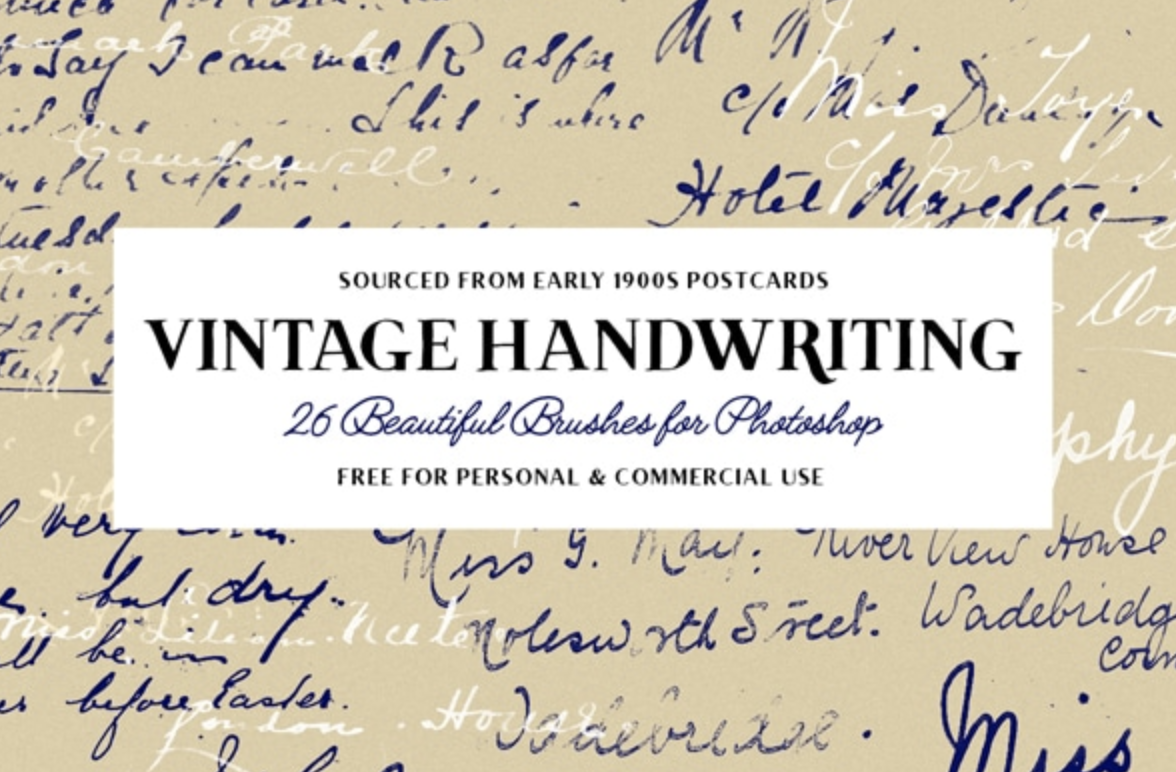
8. 26 Vintage Handwriting Brushes by Tom Chalky
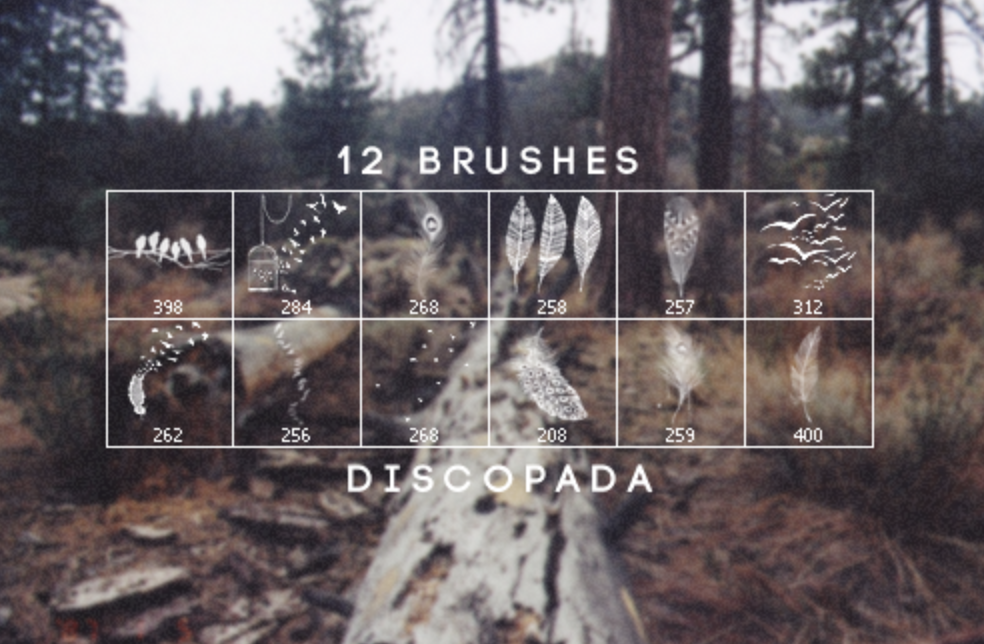
9. Feathers and Birds Brushes by Discopada
10. Doodle Monsters by UCreative

11. 12 High-Resolution Shattered Glass Photoshop Brushes by UCreative

12. Realistic Charcoal Brush by WojtekFus

13. 12 Real Markers Essentials by Eilert Janßen

14. Spray Paint High-Res Free Photoshop Brush Set by Creative Nerds

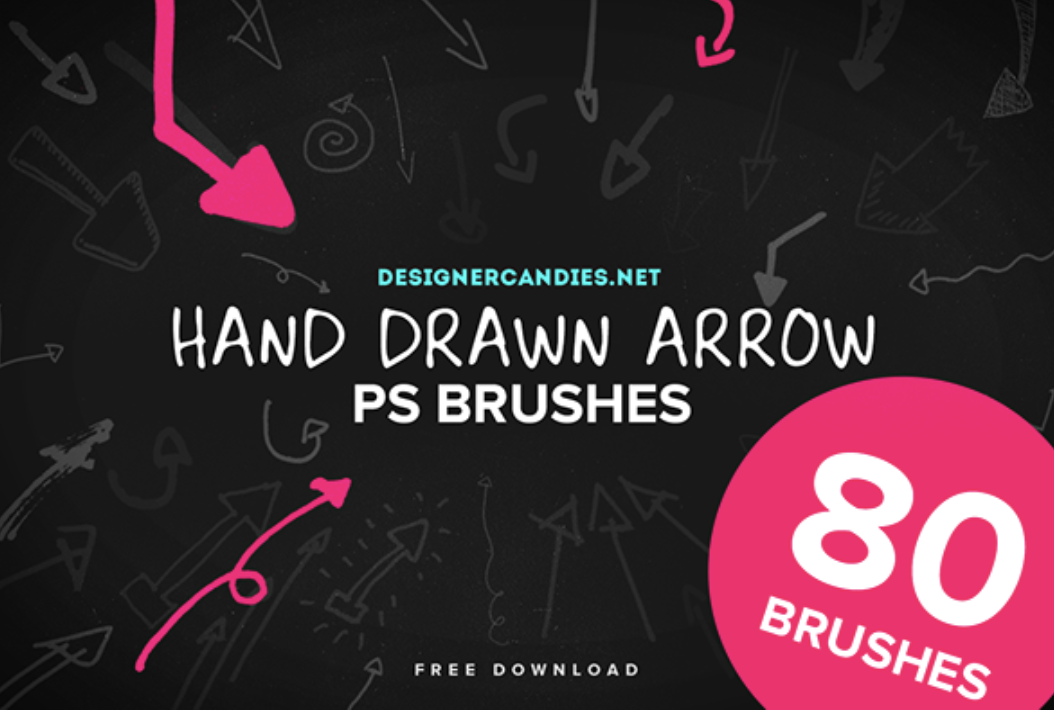
15. 80 Free Hand Drawn Arrow Brushes by Designer Candies
16. 12 Large Bokeh Brushes by Photoshop Tutorials

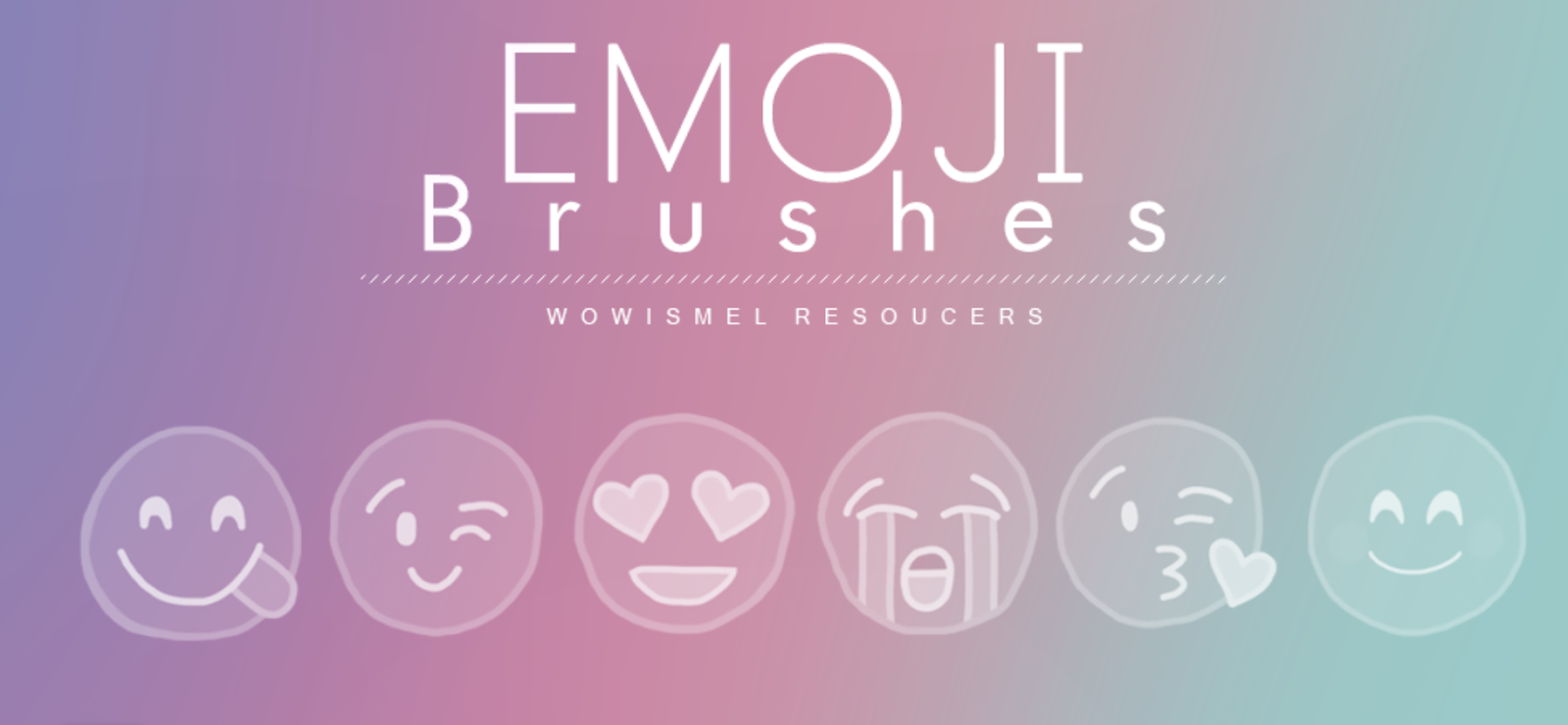
17. Emoji Brushes by WowisMel
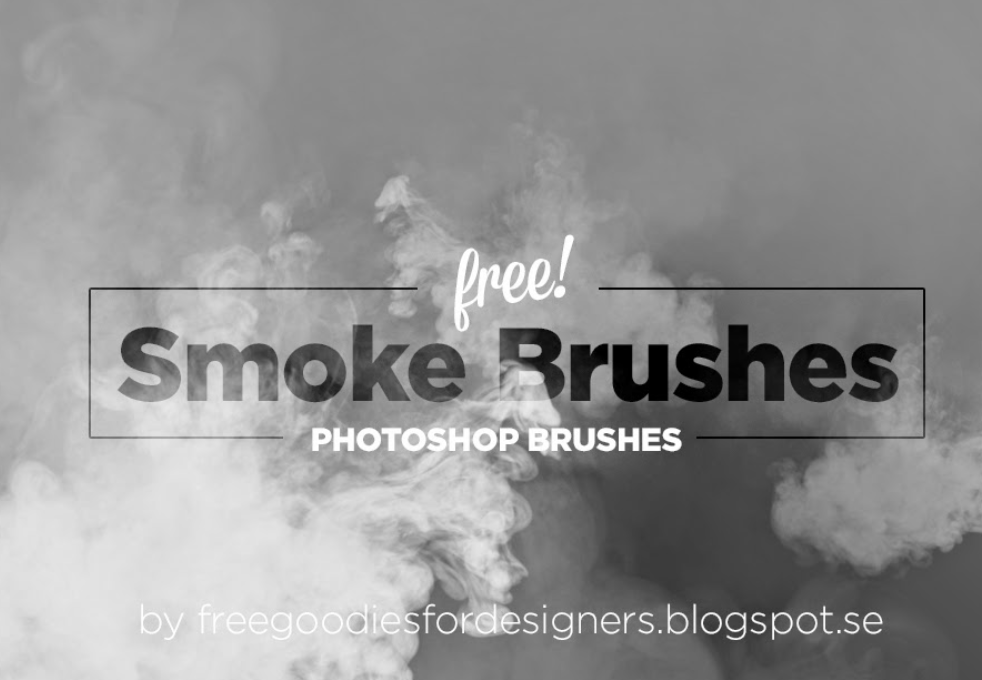
18. Free Hi-Res Smoke Photoshop Brushes
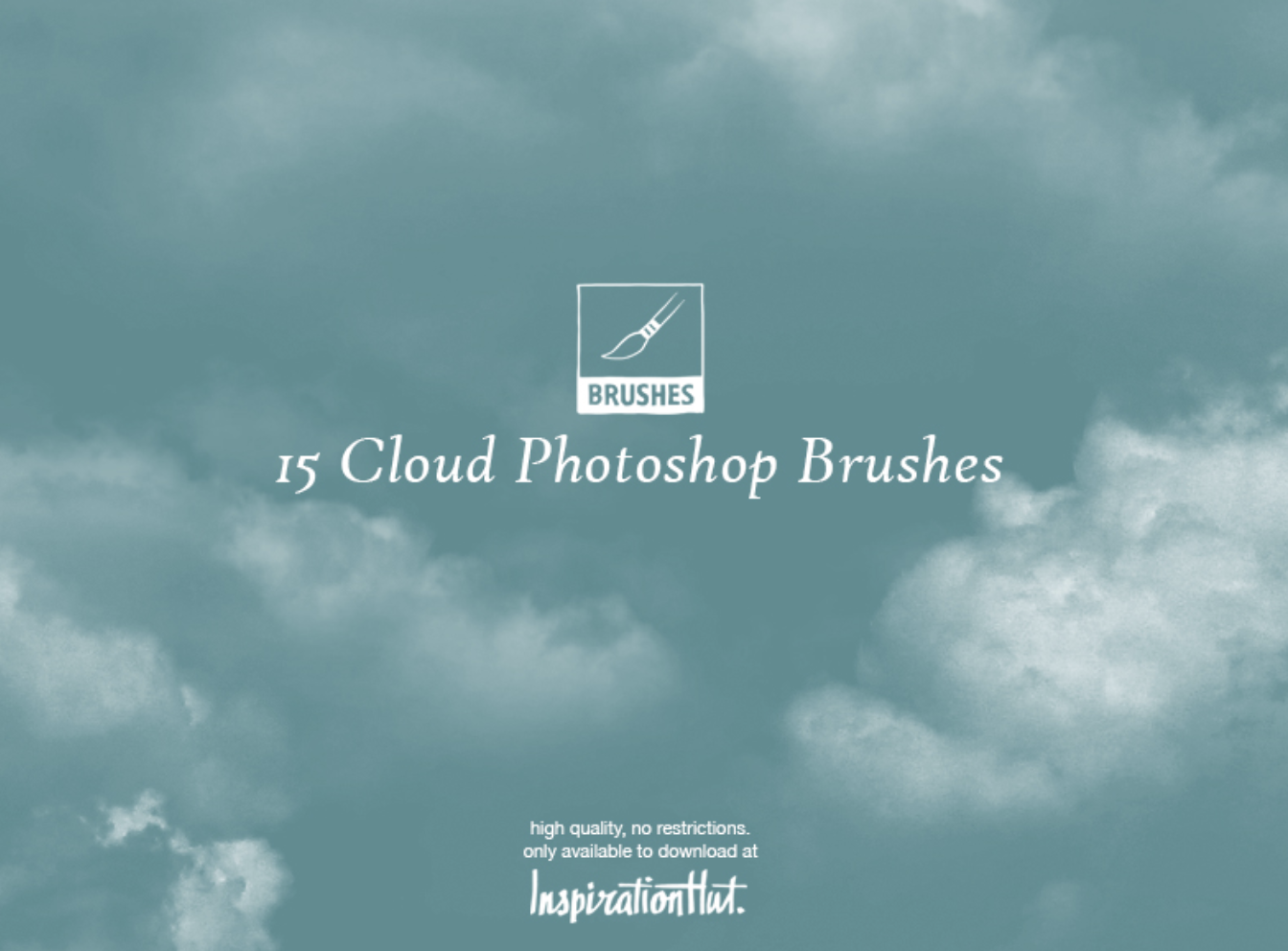
19. 15 High Quality Cloud Photoshop Brushes by Inspiration Hut
20. 11 Water Splash Photoshop Brushes

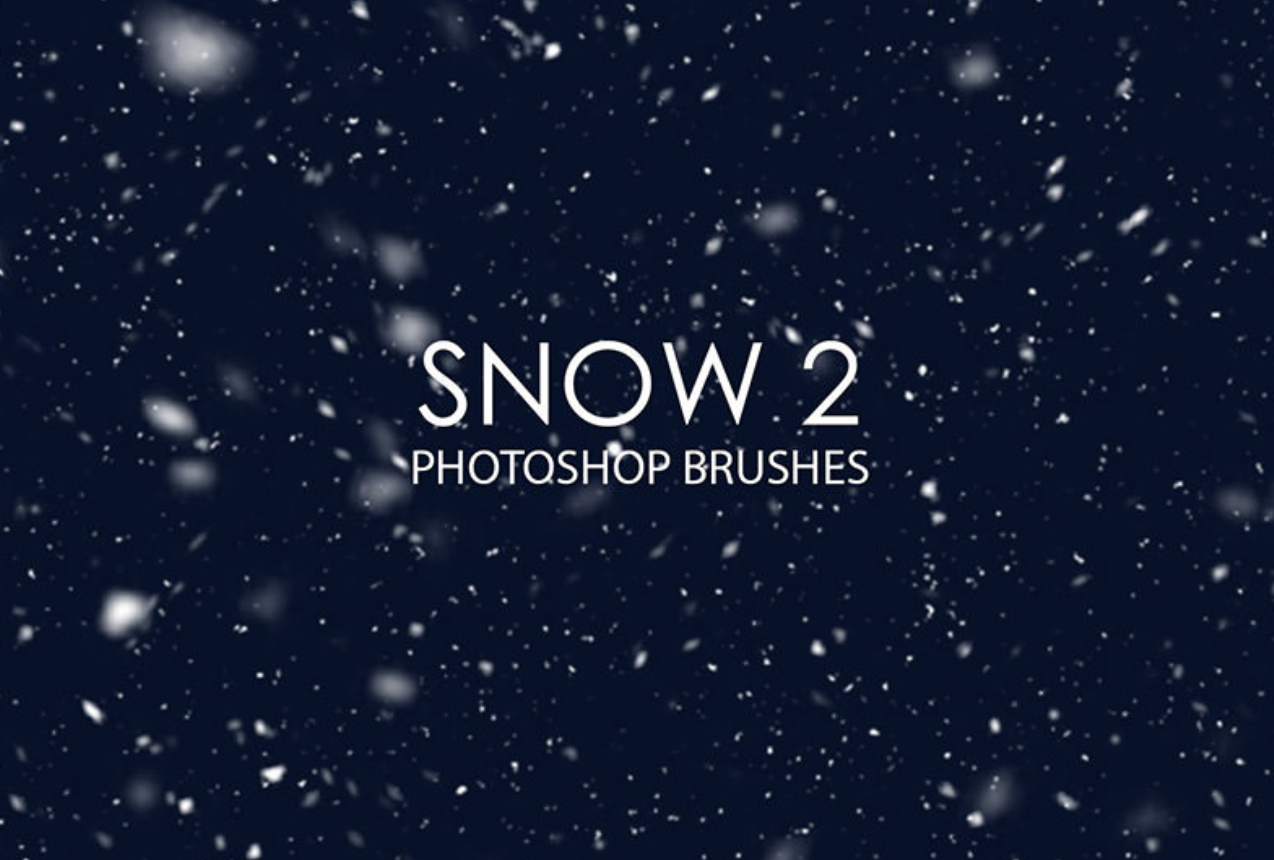
21. Free Snow Photoshop Brushes 2
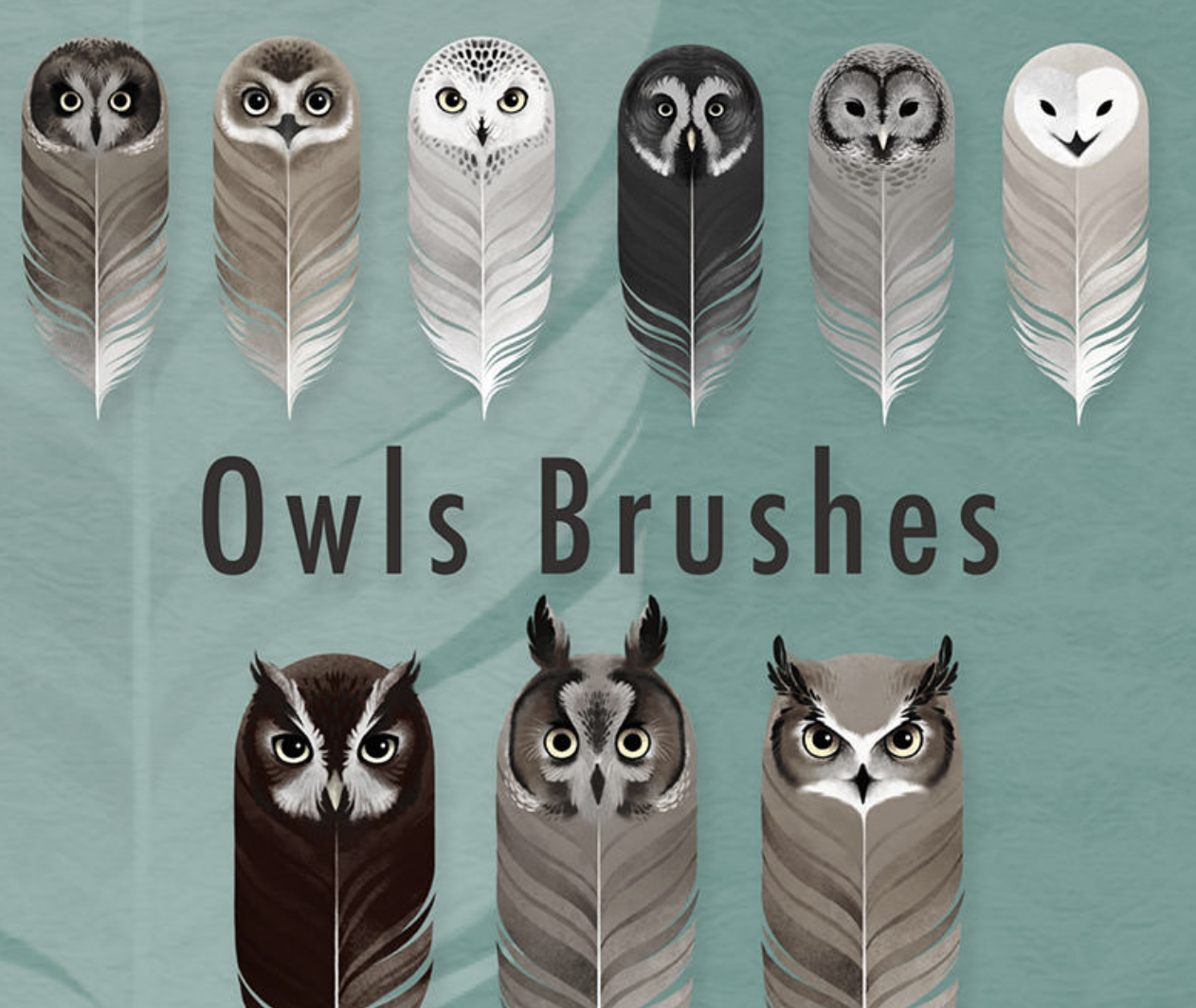
22. 9 Owls Brushes by Sash B.
23. Palm Trees Brushes for PS by Pinkonhead

24. Skin Textures Brushes by Stephanie Shimerdla

25. Texture Photoshop Brushes by Redheadstock


Inside the Mysterious World of Ethical Hacking
In a world where harboring your most sensitive data on the internet is a convenient risk that everyone seems willing to take, the ramifications could actually be much more alarming than a stolen credit card number — cyber attacks could dismantle society.
According to this year’s Worldwide Threat Assesment, written by Daniel R. Coats, the Director of U.S. National Intelligence, cyber attacks are the top danger to society, posing more of a global threat than mass destruction and terrorism.

“The potential for surprise in the cyber realm will increase in the next year and beyond as billions more digital devices are connected — with relatively little built-in security — and both nation states and malign actors become more emboldened and better equipped in the use of increasingly widespread cyber toolkits.” Coats writes in his report.
As individuals and companies rely more heavily on internet-connected devices that have notoriously weak security, and cybercriminals continue to develop more sophisticated methods of attack, like fileless malware, which caused Equifax’s infamous data breach last year, cyber attacks are becoming more prevalent and dangerous than ever before — especially in the business world.
In 2017, the Identity Theft Resource Center reported a record-high 1,579 data breaches — 44.7% more incidents than the previous record high recorded just one year before. Ponemon Institute, a research center dedicated to privacy, data protection, and information security policy, also reported that a single ransomware attack inflicted on a company that doesn’t even pay the ransom payment will cost them $5 million in lost productivity, due to the disruption of the company’s networks and computers.
With malicious viruses costing companies huge sums of money and skyrocketing growth in data breaches every year, it might seem like cybercrime laws are too flimsy to deter hackers. But in some states, certain cybercrimes are considered Class C felonies, which is equal to kidnapping and arson.
Unfortunately, cyber investigators are spread so thin that they only have time to work on cases that receive a lot of media attention, affect government officials or celebrities, or resulted in a loss of $200,000 or more. As a result, breaking a serious law doesn’t make cybercriminals flinch even one bit. So how are companies securing themselves if order can’t?
Protecting a company’s cybersecurity requires the same skills as exploiting it. And to quickly find their own vulnerabilities and patch them up, businesses pay people to hack into their computer systems. It’s something called ethical hacking.
What is ethical hacking?
Ethical hacking is when companies, organizations, and government agencies hire white-hat hackers to identify vulnerabilities in their computer systems and help fix them instead of exploiting them.
Most companies connect with freelance white-hat hackers through platforms like HackerOne and BugCrowd and offer them monetary rewards, called bug bounties, in exchange for information about their previously unknown vulnerability. Bug bounties can range anywhere from hundreds of dollars to tens of thousands. In fact, Google will pay you up to $23,000 if you find a certain type of bug in their computer systems.
A budding industry, the technology, government, telecommunications, automotive, and healthcare sectors all saw increases in bug bounty programs this year. HackerOne has also helped white-hat hackers earn over 31 million dollars in bug bounties since their inception in 2012, and computer science students at universities like Cal Berkeley use the platform to earn points toward their final grades in their security classes.
The growth of ethical hacking is promising for the cybersecurity industry. It’s incentivizing the rare few who can hack into complex computer systems to use their technical chops for good. And hopefully, it’ll spark enough opportunity to help the light side of hacking shine brightly over the dark.


8 of the Best Professional Bio Examples We’ve Ever Seen [+ Bio Templates]
Is your professional bio as good as it can be?
In this article, we have eight real bio examples you should definitely compare yours to — and a series of free bio templates you can use to perfect it.
Most people don’t think about their professional bio until they’re suddenly asked to “shoot one over via email,” and have approximately one afternoon to come up with it. That’s when we scramble, and our bio ends up reading like this:
Rodney Erickson is a content marketing professional at HubSpot, an inbound marketing and sales platform that helps companies attract visitors, convert leads, and close customers. Previously, Rodney worked as a marketing manager for a tech software startup. He graduated with honors from Columbia University with a dual degree in Business Administration and Creative Writing.”
Woof, that was dull. Are you still with me? I swear, not even adding a tidbit about his cats would liven that bio up.

To be fair, in certain contexts, your professional bio does need to be more formal, like Mr. Erickson’s up there. But in many cases, writing a bio that’s readable — even conversational — is actually a really good thing. That means dropping that traditional format of listing your accomplishments like a robot and cramming as much professional-sounding jargon in there as you can.
How to Write a Bio
- Create an ‘About’ page for your website or profile.
- Begin writing your bio with your first and last name.
- Mention any associated brand name you might use.
- State your current position and what you do.
- Include at least one professional accomplishment.
- Describe your values and how they inform your career.
- Briefly tell your readers who you are outside of work.
- Consider adding humor or a personal story to add flavor to your professional bio.
1. Create an ‘About’ page for your website or profile.
Before you can publish your professional bio, you need a living space for it. Here are a few to consider (some of these you might already have in place):
- Facebook Business page
- LinkedIn profile
- Instagram account
- Personal website
- Personal blog
- Industry website
- Industry blog byline
As you’ll see in the professional bio examples below, the length and tone of your bio will differ depending on which of the above platforms you choose to be on. Instagram, for example, allows only 150 characters of bio space, whereas you can write virtually as much as you want on your personal website — or even your Facebook Business page. But once created, this bio should represent who you are in the eyes of your audience.
2. Begin writing your bio with your first and last name.
If your readers don’t remember anything else about your bio, make sure they remember your name. For that reason, it’s a good idea for your first and last name to be the first two words of your professional bio. Even if your name is printed above this bio (hint: it should), this is a rare moment where it’s okay to be redundant.
For example, if I were writing my own bio, I might start it like this:
Lindsay Kolowich
Lindsay Kolowich is a Senior Marketing Manager at HubSpot.
3. Mention any associated brand name you might use.
Will your professional bio represent yourself, or a business you work for? Make sure the brand you want to be associated with is mentioned in your bio. If you’re a freelancer, perhaps you have a personal business name or pseudonym you advertise to your clients. Here are a few examples:
- Lindsay Kolowich Marketing
- SEO Lindsay
- Kolowich Consulting
- Content by Kolowich (what do you think … too cheesy?)
Maybe you founded your own company, and you want its name to be separate from your real name. Don’t be afraid to keep it simple: “Lindsay Kolowich is the founder and CEO of Kolowich Consulting.”
4. State your current position and what you do.
Whether you’re the founder of your company or a mid-level specialist, use the next few lines of your bio to describe what you do in that position. Don’t assume your audience will naturally know what your job title entails. Make your primary responsibilities known for the reader, helping them paint a picture of who you are during the day and what you have to offer the industry.
5. Include at least one professional accomplishment.
Just as a business touts its client successes in the form of case studies, your professional bio should let your own audience know what you’ve already achieved. What have you done for yourself — as well as for others — that makes you a valuable player in your industry?
6. Describe your values and how they inform your career.
Why do you do what you do? What might make your contribution to the market different than your colleagues? Better yet, what values do you and your colleagues share that would make your business a worthwhile investment to others? Start to wrap up your professional bio by simply explaining what gets you up in the morning.
7. Briefly tell your readers who you are outside of work.
Transition from describing your values in work to describing who you are outside of work. This may include:
- Your family
- Your hometown
- Sports you play
- Hobbies and interests
- Favorite music and travel destinations
- Side hustles you’re working on
People like connecting with other people. The more transparent you are about who you are personally, the more likable you’ll be to the people reading about who you are professionally.
8. Consider adding humor or a personal story to add flavor to your professional bio.
End your professional bio on a good note — or, more specifically, a funny note. Leaving your audience with something quirky or uniquely you can ensure they’ll leave your website with a pleasant impression of you.
It’s important to follow the steps above when writing your bio, but don’t obsess over any one section. Remember, the people reading your bio are suffering from information fatigue. If you don’t hook ’em in the first line, you’ll lose them quickly.
Alright, I know what you may be thinking … So what? It’s just a bio.
(P.S. Want to give your professional brand a boost? Take one of HubSpot Academy’s free certification courses. In just one weekend, you can add a line to your resume and bio that’s coveted by over 60,000 marketers.)
Why Good Bios Are Important for a Professional
I mean, how many people actually read professional bios, anyway?
The answer: A lot of people. More importantly, though, there’s no way to tell exactly who is reading it — and you always want it to be ready for when the right people to come across it. And when they do, you want it to catch their eye. In a good way.
You see, while your resume is only useful for when you’re actively applying for specific positions, your professional bio is much more visible. It can live on your LinkedIn profile, your company’s website, your guest blog posts, your speaker profiles, your Twitter bio, and many other places.
And, most importantly, it’s the tool that you can leverage most when you’re networking.
Bottom line? People will read your professional bio. Whether they remember it, and whether it makes them actually care about you, is a matter of how well you present yourself to your intended audience.
So, what does a top-notch professional bio look like?
Below, we’ve curated some of the best real professional bio examples we’ve ever seen on Twitter, Instagram, Facebook, LinkedIn, and the various websites where you might describe yourself.
Check ’em out, and use them as inspiration when crafting your own.
Best Bio Examples
- Ann Handley
- Rebecca Bollwitt
- Mark Gallion
- DJ Nexus
- Lena Axelsson
- Mark Levy
- Corey Wainwright
- Marie Mikhail
8 of the Best Professional Bio Examples We’ve Ever Seen
1. Ann Handley
Bio Platform: Personal Website
If you’re a marketer, you’ve likely heard of Ann Handley. Her list of credentials is lengthy, and if she really wanted to, she could go on and on and on about her accomplishments.
But when people list out all their accomplishments in their bios, they risk sounding a little egotistical. Sure, you might impress a handful of people with all those laurels, but many people who read your bio will end up feeling either intimidated or annoyed. Think about it: Is that how you want the majority of your readers to feel when they read your bio?
To minimize the egoism that comes with talking about yourself, think about how you can list out your accomplishments without sounding like you’re bragging. Ann does this really well, choosing a tone in her bio that’s more approachable.
It starts with the excerpt in the footer of her personal website. Give it a quick read, paying close attention to the opening and closing lines:
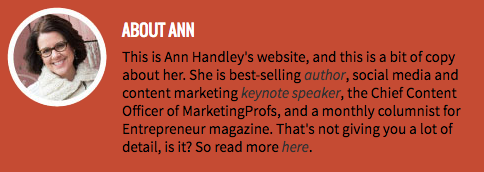
“This is Ann Handley’s website, and this is a bit of copy about her … That’s not giving you a lot of detail, is it? So read more here.” This is the kind of simple, friendly language that invites the reader in rather than shutting them out.
Follow the link and you’ll be led to a page dedicated to a fuller bio, which she’s divided into two parts: a “short version” (literally a bulleted list of key facts) and a “long version,” which includes traditional paragraphs. There’s something in there for everyone.
2. Rebecca Bollwitt
Bio platform: Instagram
Instagram is a notoriously difficult platform on which to write a good bio. Similar to Twitter, you simply don’t have room for a professional bio that includes everything about you. And because Instagram is primarily a mobile app, many viewers are reading about you passively on their mobile device.
Instagram’s limited bio space requires you to highlight just your most important qualities, and blogging icon Rebecca Bollwitt does so in her own Instagram bio in an excellent way.
Rebecca’s brand name is Miss604, and cleverly uses emojis in her Instagram bio to tell visitors exactly what makes her a valuable content creator. Take a look in the screenshot below.
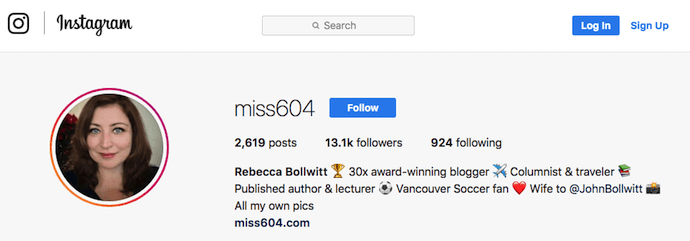
Starting with a trophy emoji, Miss604 says she’s won more than 30 awards for her blogging services. I haven’t even looked at her pictures yet and the introduction of her bio has already sucked me in.
The rest of her bio follows suit, breaking up the text with an appropriate emoji and a perfect collection of nouns to tell me who she is as a person. She even links out to her husband’s Instagram account after the heart emoji (an adorable addition), and assures her followers that all of her pictures are authentically hers.
Take a lesson from Miss604, and show your personal side. Just because you’re branding yourself as a professional doesn’t mean you have to take your human being hat off. Often your most personal attributes make for the best professional bio content.
3. Mark Gallion
Bio Platform: Twitter
As a venture capitalist and an executive at several start-ups, Mark Gallion has different versions of his bio all over the internet. You can imagine some are more formal than others. But when it comes to his Twitter bio, he carefully phrased his information in a way that helps him connect with his audience — specifically, through the use of humor.
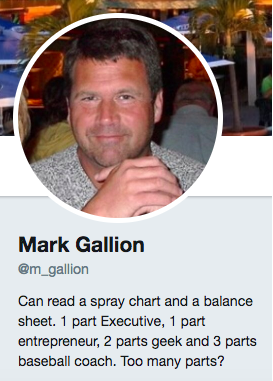
Why would he choose humor when he runs four start-ups and constantly seeks funding for them? Well, Mark’s tactic is totally intentional: it’s a lever he pulls to refresh his brand while maintaining his already impressive and established identity as an entrepreneur.
Mark leverages his Twitter bio because it’s place where he can be human. And it helps him relate to his followers and potential investors.
When crafting your own Twitter bio, consider your audience and the personal brand you’re trying to create for yourself. Use it as an opportunity to be relatable. (And check out this list of amusing Twitter bios for inspiration.)
4. DJ Nexus
Bio Platform: Facebook
This New England-based DJ has single-handedly captured the Likes of more than 2,000 people in and beyond Boston, MA. And even if you don’t listen to the type of music he produces, it’s hard not to listen to his compelling Facebook bio.
Stage-named DJ Nexus, Jamerson’s professional bio makes use of nearly every Page field inside the About tab. Right away, his audience knows which genres he plays in, where he’s from, and who else he’s worked with. The latter — under “Affiliation,” as shown in the screenshot below — is unique and seldom mentioned in professional bios today.
Our favorite part about DJ Nexus’s bio? His tagline, under “About” — “Quiet during the day. QUITE LOUD at night!” DJ Nexus tells you when he works in an awesome way. I got goosebumps just imagining a dance club he might play his music in.
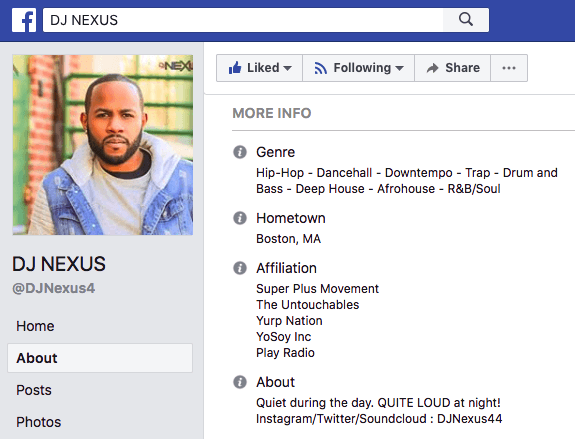
DJ Nexus’s bio brilliance doesn’t stop there.
The great thing about Facebook Business Pages is that you can write as much as you want without overwhelming your Page visitors. For those who just want Jamerson’s basic info, they have the four categories shown above. For those who want to learn more about him, he tells an excellent story of his career. Here’s just a preview of his story, below:
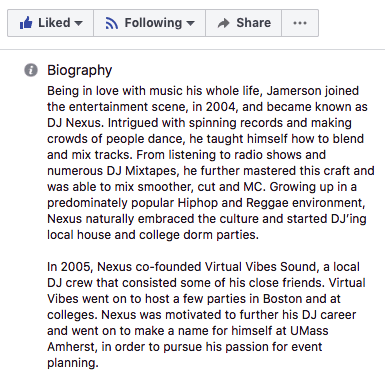
In this story, DJ Nexus describes both when he “became known as DJ Nexus” and a company he founded shortly afterward — all before going to college. This is a terrific lesson for Facebook Businesses today: customers want to learn about you, and as Facebook increasingly becomes a place for meaningful interactions, there’s no better place to tell your story than on your Facebook Business Page.
5. Lena Axelsson
Bio Platform: Industry Website
When it all comes down to it, your professional bio is no different than any other piece of persuasive copy — no matter where it lives. One of the most common mistakes people make is thinking of it as its own beast, separate from other pieces of writing. If you think about it that way, you’re far more likely to write something painfully uninteresting.
When you sit down to write your professional bio and you’re watching that cursor blinking on the screen, think about how you would introduce a blog post. You don’t just dive right into the meat of the thing, now, do you? No. You start with an introduction.
The best bios are often concise (around 200–300 words), so you don’t have a lot of room to play around. But a single sentence that tees your reader up and provides context for the accomplishments that follow could make the rest of your bio that much more persuasive.
Take Lena Axelsson’s bio, for instance. She’s a marriage and family therapist — a job where empathy and compassion are a big part of the job description. That’s why she chooses to open her bio with a great introductory sentence: “When human beings experience trauma or severe life stressors, it is not uncommon for their lives to unravel.”

Then, she goes into why she’s passionate about her job, how she helps her clients, and how she caters her approach to each individual patient. The necessary educational information is left for the end, after the reader has been hooked.
Your bio doesn’t have to be super serious, nor does it have to start with a joke. This bio shows how you can capture your reader’s attention by being empathetic and showing how that empathy shapes a valuable professional.
6. Mark Levy
Bio Platform: Personal Website
Mark Levy is a small business owner who’s taken a more traditional approach to the professional bio on his website — but in a way that takes care to speak to his intended audience.
What we love about his bio is the way he’s set it up: On his business’ “About” page, he’s listed two biographies, which he’s labeled “Mark Levy’s Biography #1” and “Mark Levy’s Biography #2.”
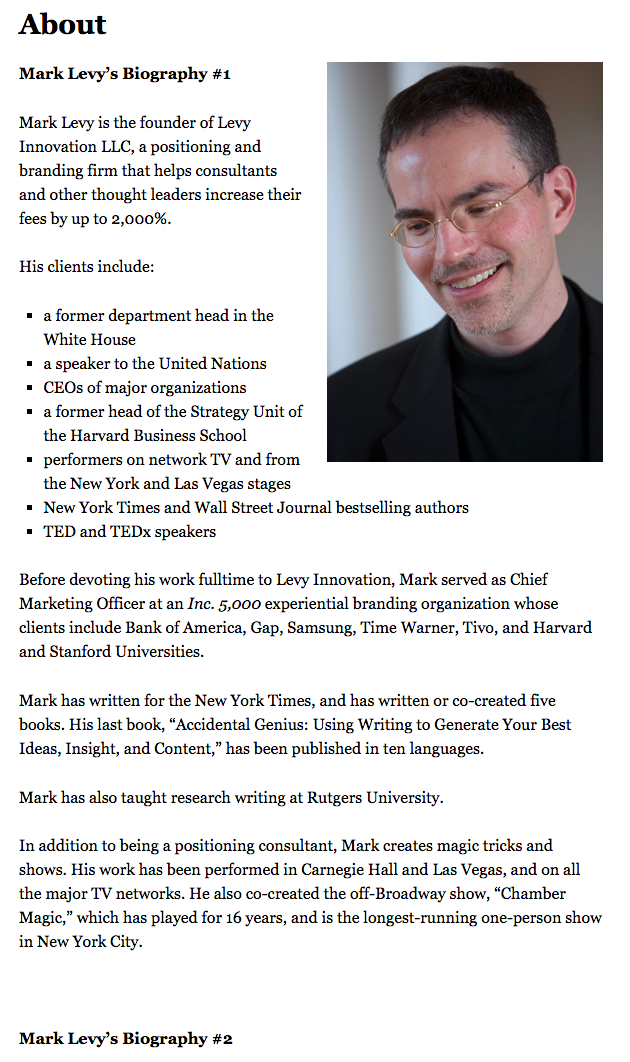
Click here to see the full version.
Like Ann, Mark’s given his readers two different options. The first biography is a “short version,” which includes a combination of bullet points listing his credentials and a few short paragraphs.
The second is the “long version,” which is actually even more interesting than the first one. Why? Because it reads like a story — a compelling one, at that. In fact, it gets really funny at parts.
The second sentence of the bio reads: “He was frightened of public school, loved playing baseball and football, ran home to watch ape films on the 4:30 Movie, listened to The Jam and The Buzzcocks, and read magic trick books.”
Here’s another excerpt from the middle:
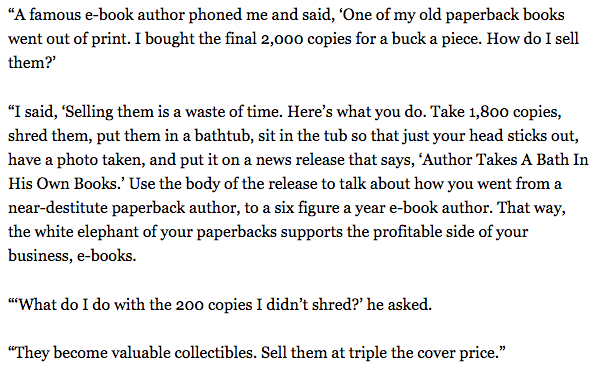
Of course, the fantastic copywriting isn’t a surprise, given that this guy wrote several books. But the conversational tone and entertaining copy let his quirky personality (and great writing skills) shine.
7. Corey Wainwright
Bio Platform: Blog Byline
Finally, we have Corey Wainwright, who’s the director of content here at HubSpot. She’s written content for HubSpot’s Marketing Blog for years, and her blog author bio has caught my eye since before I ever started working for HubSpot. (Back then, it started with, “Corey just took a cool vacation.”)
What I love most about Corey’s bio is that it’s a great example of how to deliver information about yourself without taking things too seriously. And in this context, that’s totally appropriate.
Despite having a number of impressive accomplishments under her belt, she simply doesn’t like displaying them publicly. So, she prefers making her author bio a little more “light.”
Her bio (pictured below) reads, “Corey is a Bruce Springsteen fan who does content marketing, in that order.”
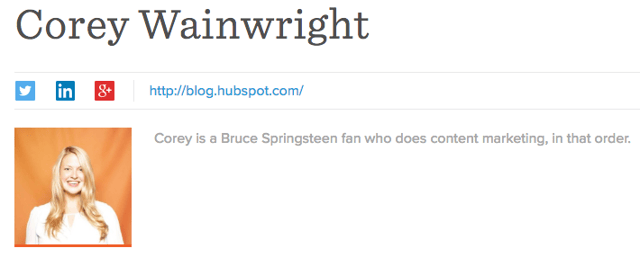
It works in this particular context because, at HubSpot, our blog authors often prefer to make themselves as friendly and approachable as possible — while letting the content speak for itself.
It helps that authors’ social media accounts are located right below our names and above our pictures. For folks who really do want a list of Corey’s credentials, they can click the LinkedIn button to go to her LinkedIn page. (You can read this blog post to learn how to create social media buttons and add them to your website.)
8. Marie Mikhail
Bio Platform: LinkedIn
Marie Mikhail checks off nearly every box for what makes an excellent bio. A professional recruiter, she expresses her “passion for recruiting” upfront, in the first sentence, while using that sentence to hook her profile visitors into a brief story of her background.
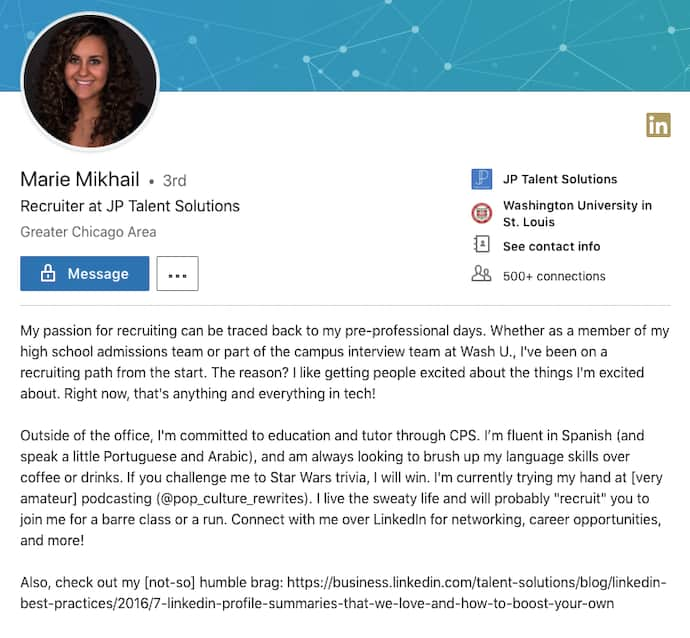
But there are a lot of recruiters out there, and Marie knows that. So, to differentiate herself, she closes the first paragraph of her bio explaining that she likes “getting people excited about the things [she’s] excited about.” It’s a well-put value proposition that sets her apart from the rest of the HR industry.
Marie Mikhail finishes off her bio by including a smooth mixture of professional skills, such as her Spanish fluency; and personal interests, such as podcasting and Star Wars (she mentions the latter with just the right amount of humor).
Want more? Read How to Write a Cover Letter That Gets You the Job [Bookmarkable Template + Examples].

These Were Our Top 10 Tech News Stories of 2018. Here’s What They Say About Next Year’s Trends.
Here at HubSpot, we’re big fans of trying new things.
We’re into experimentation. We’re into approaching our work differently than we may have previously, and taking on new projects that — we hope — will result in providing something that is helpful to those who come to us for information.
A little over a year ago, we embarked on such a journey: one that would bring the latest news and trends in the technology realm in a way that’s relevant to marketers and small-to-midsize businesses.
Now, as 2018 is coming to a close, we’re looking back on the news we’ve covered this year, and which stories were the most popular. To us, that’s a key indicator to the most pivotal moments in tech this year, and a key to predicting what’s to come in 2019.
These are our top 10 news stories of 2018 — and what they say about the tech landscape this year, as well as what to look out for in the next.
Our Top 10 Tech News Stories of 2018
1. “Here Are the Top Marketing Design Trends for 2018 [Infographic]”

Shutterstock, a familiar name to many creative professionals, kicked off the year with its 2018 Creative Trends Report to summarize design trends marketers might want to know about. We wrote up the report — and it was our #1 news post of 2018.
The report was the result of synthesizing and analyzing the billions of searches for visual content on Shutterstock’s collection — which boasts over 170 million images — and determining which design concepts were most likely to influence creative marketing and design.

The release of the report might have been a nod to the deemed value of visuals — you can check out some statistics on how it can boost marketing content across a variety of formats and channels here — as well as what many predicted to be key trends beyond imagery based on searches and top news stories from the previous year.
Looking ahead to next year, we wouldn’t be entirely surprised to see design themes pertaining to “a global march” continue to trend — with perhaps some inspiration from this year’s much-discussed tech topics, like automation.
2. What’s Happening at Facebook? A Breakdown of the Ongoing Data Story

Who could forget what was arguably 2018’s biggest tech story of the year: The improper harvesting of personal Facebook user data by a voter profiling firm Cambridge Analytica to help inform and compose influential messaging to sway consumers … or voters.
The harvesting activity left 87 million accounts jeopardized — and set into motion a series of events that would shape the way people discussed and used social media throughout the rest of the year.
Social networks modified the way everyday users, brands, and app developers could use them, with modifications made to their terms of service, data use rules, and privacy policies. Tech executives appeared in high profile hearings and testimonies before U.S. and European lawmakers. And after news of the Cambridge Analytica data issue emerged — it seemed that the negative reports about Facebook just kept coming.

Mark Zuckerberg makes opening remarks before members of the U.S. House of Representatives in April 2018. Photo: Amanda Zantal-Wiener
How this news will continue to reverberate into the next year remains to be seen, but it could go in a number of directions. Although less-than-positive stories about Facebook continue to emerge in the last month of 2018, our research has repeatedly shown that most users have yet to stray from the network for a number of reasons.
3. Here Are the 7 Top Tech Trends to Watch in 2018, According to CES
Every January, the Consumer Electronics Association hosts the annual (and potentially largest) Consumer Electronics Show (CES) in Las Vegas, Nevada — where events often begin with a projection of the top tech trends to come that year.
For 2018, it was predicted that the following seven trends would dominate the year:
- 5G
- Artificial Intelligence
- Robotics
- Voice: The Fourth Sales Channel
- Facial Recognition on the Go
- Virtual Reality
- Smart Cities
While some of these trends panned out more than others — 5G and virtual reality both have yet to make the big splash that was anticipated — while voice technology continues to progress and appear on a number of different platforms. And seeing as 25% of people believe that all searches will be done by voice within the next five years, we wouldn’t surprised to see that trend continue to progress.
4. I Downloaded My Facebook Data and It Got Weird Fast

One of the key items to result from Facebook’s Cambridge Analytica crisis was the company giving users the ability to download their full personal user data files. We decided to give that option a try, and it was … an odd experience.
One of the highlights, if you will, of the report was that it includes a record of user activity Messenger — that is, it contains a transcript of every Messenger interaction, replete with any photo or video files shared in those conversations.
Facebook took out full page ads in the NYT, WSJ, WashPost, and 6 UK papers today https://t.co/kMA822kTpU pic.twitter.com/CUEYwyWuTT
— Brian Stelter (@brianstelter)
March 25, 2018
Looking ahead to 2019, it’s hard to predict exactly how user privacy and data protection will be approached by companies or lawmakers — but 2018 has heard much reverberating talk of creating some sort of regulation pertaining to it within the U.S. after a year of incidents across a number of industries. (In the European Union, the General Data Protection Regulation [GDPR] came into force in May this year.)
Just this month, for instance, news emerged that 500 million people were impacted by a breach of Marriott customer data.
“It seems like every other day we learn about a new mega-breach affecting the personal data of millions of Americans,” Senator Mark Warner said in response. “Rather than accepting this trend as the new normal, this latest incident should strengthen Congress’ resolve.”
5. Facebook Page Engagement Has Dropped 50%, According to New Data

Before news of the Cambridge Analytica scandal broke in March, Facebook kicked off the year with another big announcement: It would be revamping its News Feed algorithm to prioritize content from friends and family over that from pages.
By August, that change had result in a drop in engagement for Business Pages — within some categories, by as much as 50%.
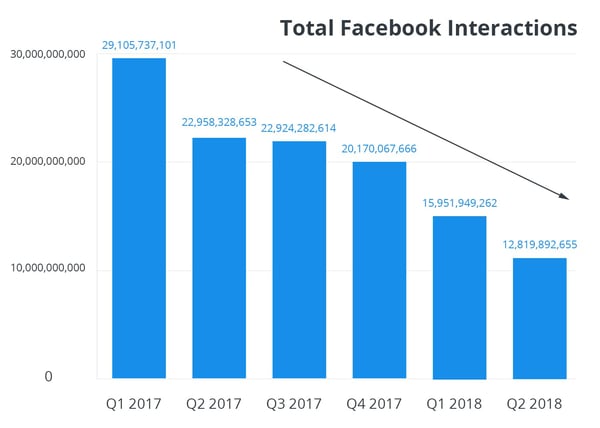
Source: Buffer
And while our research has shown that users within the U.S., UK, and Canada are reluctant to leave Facebook, the primary reason across the board is to maintain connections with friends and family — not to follow brands or other pages.
So, will this trend continue into the new year? Possibly. Throughout its 2018 earnings reports, Facebook saw plateaued growth in the U.S. and Canada, which could have resulted from the combination of decreased Page engagement, a narrowing number of advertising channels, and slowed user growth. But that doesn’t mean that marketers should give up on social media completely.
“The best way to reach our audiences on Facebook is to study the data, experiment constantly, be open to learning,” wrote the authors of the study we used to report on this trend, “and take a growth mindset.”
6. Want to Win at Social Media? Here’s What Followers Want, According to Experts at SXSW

Every March, enthusiasts and experts from all corners of the world — from interactive fields, to film, to music — gather in Austin, Texas for several days of education and experiences that celebrate their respective fields.
This year, Teen Vogue‘s Rajni Lucienne Jacques, Facebook’s Tutti Taygerly, and Instagram’s Joshua Dickens gathered on a panel to share their insights on what followers want the most in today’s climate.
Their key takeaways:
- Users want to find communities online. “In fact, said Jacques, “Social media is the one thing that galvanizes a movement. [It] allows people to gather in a way that is faster and more efficient.”
- Users want privacy. Seriously. “What should be shared just with friends and family, and what should be public?” asked Tayerly. And what, she continued, “is the demarcation between those two worlds?”
- Users want a place to share their stories. Social media, explained Jacques, “gives a voice to those who never thought they had a voice. … Why don’t we say, ‘We’re inviting you in to tell your stories that you’re already telling your peers’?”
- Users want smaller networks. “Sometimes, it’s easier to share more intimately in a group,” said Taygerly. And the answer to that, she said, may lie in “smaller, more intimate social networks.”
Note: This panel discussion took place a mere few days before news of Facebook’s Cambridge Analytica crisis broke. If anything — and as a result — in the year to come, these points may become even more true.
7. Facebook’s News Feed Will Once Again Focus on Friends and Family
Even though we mentioned this story earlier, it wasn’t quite as big a story over the course of 2018 as the drop in Facebook Page Engagement that potentially resulted from it.
But to reiterate: In January, Facebook announced that it would overhaul its News Feed to shift the type of content users see first, and most often. The reason, according to the company’s official statement: “So people have more opportunities to interact with the people they care about.”
While news of the Cambridge Analytica crisis hadn’t yet surfaced when this change was made, the News Feed algorithm update was likely made in response to and earlier Facebook scandal — when details emerged that the network had been weaponized by foreign actors to spread misinformation and influence the 2016 U.S. presidential election.
Again, our data reflects that this emphasis on “personal network” content will continue to through the next year — especially as Facebook begins to explore other revenue channels in the face of the aforementioned slowed user growth, such as advertising through WhatsApp, one of its portfolio companies.
“Facebook has clearly put a stake in the ground that user experience is more important that the brands that pay them,” said HubSpot Senior Product Marketing Manager Marcus Andrews at the time. “By making this shift they clearly prioritized one over the other.”
8. 4 Things We Want to Know After Reading Mary Meeker’s 2018 Internet Trends Report

Source: Jasveer10 [CC BY-SA 4.0], from Wikimedia Commons / Cropped from original

Each year, marketers, tech writers, and overall online enthusiasts await the release of the Internet Trends Report: an annual presentation by former Kleiner Perkins Caufield & Byers partner Mary Meeker, covering the year’s most pivotal statistics and trends in the online realm.
Meeker has since left the firm, leaving many pondering the fate of her annual report in 2019.
But in 2018, the report was the subject of one of our top news stories, and left us with four key questions. Now, a few months later, here are the potential answers we see for the coming year.
The time internet users spend online has increased, but when it comes to the number of new internet users, growth has significantly slowed. Does the future of growth reside in ways for people to connect, rather than getting more people online?
Possibly. While growth on Facebook has plateaued, companies are creating more ways for people to connect, particularly by way of gamified and chat-fueled video programming.
If the answer to that question is “yes,” could this trend be a “golden ticket” for emerging technology like virtual reality, which has struggled to get a strong foothold in consumer and business markets alike?
Not really — not yet, at least. Have a look at our data on what’s slowing the progress of virtual reality as a mainstream technology.
Meeker speaks to the “privacy paradox”: that as innovation becomes a broader channel for growth, it involves a higher degree of personalization that can inevitably require personal user data. Can there be innovation with regulation?
The idea of “data protection for a price” is not new — and given the aforementioned breach news, isn’t going anywhere — nor is it tremendously popular, according to our research. When we surveyed a panel of 893 consumers across the U.S., UK, and Canada to find out how many would pay for an ad-free version of Facebook, 64% said “no.” But knowing how this will impact innovation and the industry at-large would require a side-by-side, longer-term comparison of what these varying levels of regulation look like — especially in the months that have followed GDPR coming into force.
What, if any, is the psychological impact of the growing amount of time we spend online?
Well, it might not look great — though it would be interesting to measure user sentiment and response to this question now that more companies and apps — like Apple, Facebook, and Instagram — all rolled out dashboards in 2018 to give users a snapshot of how much time they spend using each. How that will bleed into the way we approach time spent online in 2019 remains to be seen.
9. “The Robin Hood of Algorithms”: Why LinkedIn’s New Feed Could Be a Game Changer for Marketers
Earlier this year, LinkedIn announced that it plans to overhaul its feed ranking system to help more creators get better engagement on the content they share. The changes were spurred when the professional networking site discovered that the top 1% of content creators — also known as “power users,” or perhaps influencers — were receiving the vast majority of engagement with their posts.
Meanwhile, the remaining 98%, the site says, was “receiving less [engagement] than ever.”
But LinkedIn’s 2018 changes didn’t end there. The network is also rumored to encroaching on the success of its social media peers by introducing features similar to those found on Facebook and Snapchat, for instance, like “reactions” and Stories.
LinkedIn is testing Reactions, similar to Facebook’s counterpart
Reactions include “Like”, “Clap”, “Insightful”, “Hmm”, “Support”
Tip @Techmeme pic.twitter.com/CUqL3zcLlj
— Jane Manchun Wong (@wongmjane)
November 20, 2018
As Facebook’s active user counts plateau in its most lucrative markets, it’s left many speculating if other users are working to leverage that development — as well as the less-than-positive attention it’s received this year — to create networks for users and businesses alike that could, (way) down the line, replace it.
And while there’s always room for the element of surprise, given the sentiment we’ve measured about the widespread reluctance to leave Facebook, its audience of 2.2 billion users seems unlikely to be replaced within the next year.
10. Here’s How Featured Snippets Work, According to Google
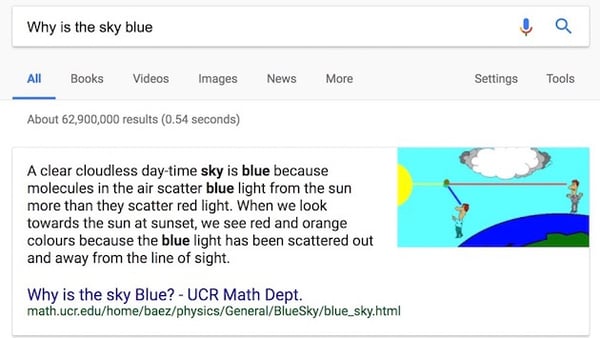
Last — but certainly not least — we arrive at one of our top stories of the year, and it’s about Google.
In 2018, the search engine giant decided to shed a bit of light on featured snippets: a concise response to a Google search query. It’s displayed on top of the general results, and also includes the page’s publication date, title, and URL.
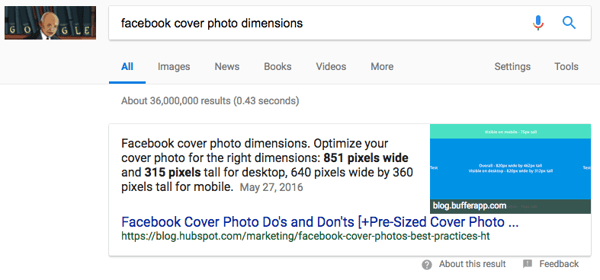
2018 saw quite a few changes for Google’s search engine results page (SERP) — from experimenting with double featured snippets to, well, no search results at all.
In the context of that latter development, the #10 story on this list almost seems like old news. But, yes: We’ve officially arrived in the “zero search results era,” where Google provides a single answer to queries about local time and mathematical conversions or calculations — e.g., “8 tbsp in tsp” — without displaying any other search results.
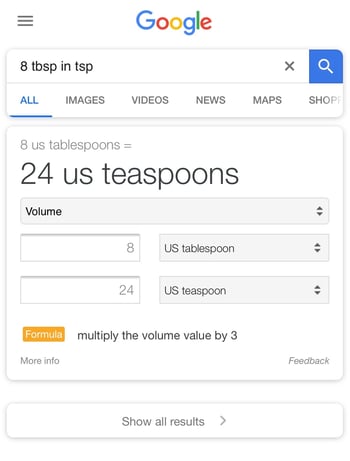
If this development seems to align with some of our thoughts and stories of voice search — that’s because it does. In fact, it could be argued that we were living in a zero search results era even before the above feature was officially discovered and confirmed by Google, since voice search results don’t actually yield a visual list of links to visit for information.
And as voice assistants continue to make their ways onto a growing number of smart hardware devices, it’s highly likely that this trend will continue.
Cheers to what all of this will look like — or sound like — in 2019.
