
How to Calculate Your Lead Generation Goals [Free Calculator]
To hit revenue and growth goals, your company needs customers. To get customers in an inbound world, your marketing team is responsible for generating leads and funneling them over to your sales team. The question is … how many leads?
When your boss asks you what your lead goal is, don’t just pull an answer out of thin air. Your projections need to be based on math and anchored in your company’s larger goals. That’s where our new lead goal calculator comes in.

Lead Calculator
To make it easier for marketers like you to set your lead goals for the month, we created a calculator template in Google Sheets and Excel that will calculate exactly how many leads your inbound marketing efforts need to drive each month for your sales organization to hit their numbers and your company to meet its growth goals. With just a few quick inputs, like your monthly revenue goal and average deal size, this template will do all the Math for you.
Our lead generation goal calculator is a customizable Service Level Agreement (SLA) template that can help you calculate your lead goals based on sales headcount and marketing & sales conversion rates. The template can also monitor sales close rates, assign dollar values to each of your lead sources, track monthly lead generation by channel, and help your business commit to a concrete monthly lead generation goal.
You can download the Lead Goal Calculator here.
How to Use A Lead Goal Calculator
To use the Lead Goal calculator, follow these simple steps:
- Step 1: Work with your sales leadership team to determine the overall monthly revenue target that your company needs to hit. This will ensure that marketing acts as a growth engine and your revenue team is in line with sales. Take your revenue targets per region per month and add them to the correct cells. Remember to update this spreadsheet if your goals change at any point throughout the year.
- Step 2: Determine the value of your average deal size. This will help you determine how many deals you need to close to hit your revenue numbers. Calculating your average deal size is simple. First, identify your average sale price for each of your core regions or personas. Find this data in your marketing software and sales CRM tools. Input your average sale value into the top “average sale price” row for each region. Our template will automatically calculate the value of your leads based upon the % close rates you filled in for step one. Revisit your average sale prices for your personas or regions regularly to make sure you are holding your teams to the right numbers.
- Step 3: Work with your sales leadership to determine the percentage of revenue pipeline generated by marketing and the revenue generated directly by sales. This will vary depending on how inbound versus outbound your company is. This may change throughout the year and should regularly be updated in this spreadsheet.
- Step 4: Examine your sales closing rates, and specifically tease out what percentage of your leads ultimately become customers. This analysis looks at the historical performance in your marketing and sales, In addition, this analysis fills these holes in with actual performance data. To tease out your overall closing rates, look at your last six months of sales data for each channel that you use to generate marketing leads.
- Step 5: The last section of our calculator will tally your commitments. As you fill in steps one through three, the calculator will automatically populate the total fields for each channel and persona. This worksheet will sum up your channel and persona goals and your overall monthly total. Ultimately, the total monthly goal you commit to should equal the total potential revenue each segment or region can produce per month. As you fill out your tables each month, the calculator will show how you are tracking towards your monthly goal.
It’s important to adapt this spreadsheet to meet your individual needs. It may work better to split your revenue by personas. If this is the case, just swap out the region for persona. The calculations will still work.
Take the average close rate and add it to the correct cell in the document. Remember to update this spreadsheet every month, as your channel performance will change over time.
In the Performance Against Plan tab, you’ll track your daily actual leads and track monthly volume trends and percentage performance against plan.
The Performance Against Plan Example shows a snapshot of a month’s productivity. For maximum visibility, update these leads on an ongoing basis. For example, HubSpot managers often monitor these numbers daily, and we send the marketing team a daily summary of our month-to-date performance.
You can also use this template to experiment. For example, try changing the conversion rates and see how your lead goals go down or up accordingly.
Lead Calculator Examples
With our Lead Goal Calculator template, you can easily calculate your business’s marketing and sales lead goals for different media channels, including your social media, website, and email marketing.
As shown in the examples below, our calculator will guide you through how to fill in the data for your revenue, average deal size, percentage of revenue from marketing, and lead to close rate in the Lead Target by Month tab. Once this data is entered, the calculator will determine the number of leads you need to bring in to hit your revenue goals successfully.
1. Performance Against Plan
The Performance Against Plan tab will automatically populate and calculate your total target per month for all of your segments. The Performance Against Plan tab also provides a table that you can manually fill in with your business’s actual qualified lead volume every month, so you can track your progress every month and identify volume trends. After filling in the table, the number of leads you need to bring in to hit your revenue goals will be calculated automatically.
2. Leads From Social
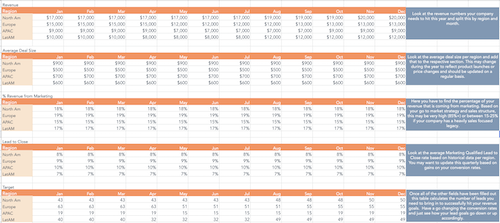
You can use our Lead Goal Calculator to determine how many prospects your business needs to connect with on social media in each region to generate leads and meet your sales goals each month.
The calculator can also help you keep track of the amount of monthly revenue you earn through social media posts and advertising, as well as the average size of deals that your business gains through social media each month. In addition, the calculator can help you determine the average percentage of revenue your business gains through social media each month and your average Marketing Qualified Lead to Close rate based on historical data per region.
3. Leads From Website
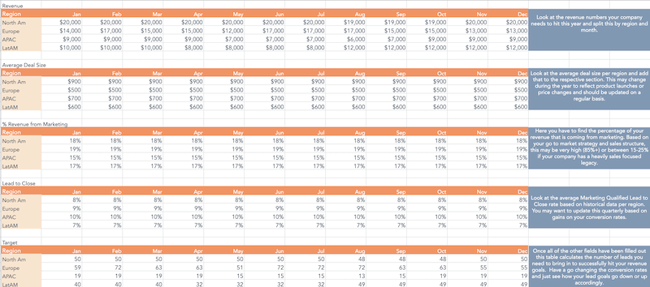
You can use our Lead Goal Calculator to determine how many prospects your business needs to connect with on your website in each region to generate leads and meet your sales goals. Our calculator can also help you track revenue per month on your SaaS or e-commerce website.
4. Leads From Email
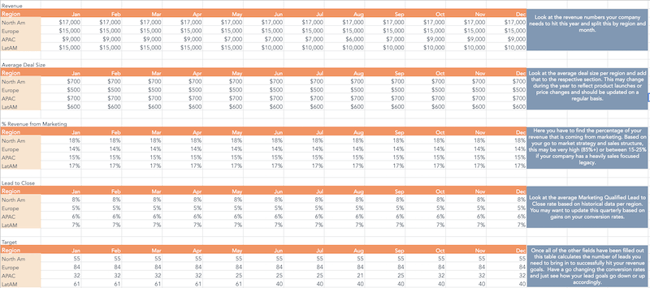
You can use our Lead Goal Calculator to determine what percentage of your business’s revenue should come from email marketing month-by-month. The calculator can also determine how many prospects in each region need to opt-in to receive your business’s marketing emails to generate leads and meet your sales goals.
Start Calculating Your Sales Goals
Our Lead Goal Calculator has everything your business needs to visualize your lead target per month, and this tool calculates your lead goals and sales goals throughout the year.
Editor’s note: This post was originally published in January 2017 and has been updated for comprehensiveness.

20 of the Best Professional Bio Examples We’ve Ever Seen [+ Templates]
Be honest, does your professional bio make a statement?
If you have your doubts, it’s likely time to update your bio, and we have some of the best professional bio examples to get you started.
Your professional bio is not only relevant when applying for jobs, seeking new clients, or networking — it also gives the world a brief snapshot of who you are and your professional ideals.

But if you’re anything like me, you probably don’t think about your professional bio until you’re suddenly asked to “send one over via email.” You have approximately one afternoon to come up with it so you scramble together a bio that ends up reading like this:
“Rodney Erickson is a content marketing professional at HubSpot, a CRM platform that helps companies attract visitors, convert leads, and close customers. Previously, Rodney worked as a marketing manager for a tech software startup. He graduated with honors from Columbia University with a dual degree in Business Administration and Creative Writing.”
To be fair, in certain contexts, your professional bio does need to be more formal like Mr. Erickson’s up there, but there are also cases where writing a personable and conversational bio can be a good thing.
So to help you author one that packs a punch, we’ll teach you how to write a professional bio and leverage professional bio templates with 20 of the best professional bio examples we’ve ever seen to draw inspiration from. Skip to one of these sections if you know what you’re looking for:
Skip to one of these sections if you know what you’re looking for:
- Professional Bio Templates
- How to Write a Professional Bio
- Best Professional Bio Examples
- Short Bio Examples
- How to Write a Short Bio
Professional Bio Templates
When it comes to professional bios, keeping your message honest and to the point is best practice. So how do you go about writing one that will effectively market you and your brand?
This is where a professional bio template comes in. By sticking to a predetermined format, all you have to do to begin is fill in the blanks with your most relevant career information. These bio templates will guide you on where you should place your:
- Name
- Occupation or Job title
- Passions and goals
- Skill set and expertise
- Education
- Work history
- Location
Of course, while there is no one-size-fits-all template for a professional bio, this template is a quick way to start building out your long or short bio before customizing it to your liking. But before choosing your bio template, there are some key elements to include to make sure yours is effective — one of the most important elements being whether to write your professional bio in the first person or third person.
First-Person Bio vs. Third-Person Bio
If you’re looking to build a personal brand, writing in the first person can be a great way to connect with your audience. When you write a first-person bio, use “I” statements to make yourself relatable and approachable.
Here’s one way to write a first-person bio: “I’m a freelance writer specializing in small business content. I’ve worked with companies in a variety of industries, from home care services to fine leather goods.” By speaking in the first person here, you take a more personable approach to connecting with a client or brand.
While first-person bios are quite common, third-person bios can prove more effective in informal situations. If you’re job searching, applying for grants, or trying to get published, it’s generally best to stick to the third person. This will make you sound more authoritative and objective about who you are and what you can do.
For instance, when you write a third-person bio you may start with “Jasmine Montgomery is a Senior Hiring Manager at L’Oreal based in New York. She recruits across several business units to connect with the brightest talent from around the globe.” By only using your name and pronouns to speak about yourself here, you are letting your title and skill set speak for themselves.
So your decision to write your professional bio in the first or third person depends on whether you’d like to leave a more personable or assertive impression. Overall, both approaches can be effective when you tailor them to your goals and the audience you are writing for. The most important thing is to be clear, concise, and tell your story in a way that connects with your reader.
To structure your professional bio so it stays true to these objectives, try out our 80+ downloadable professional bio templates — for both short and long-form bios — to start composing a bio that makes a mark:
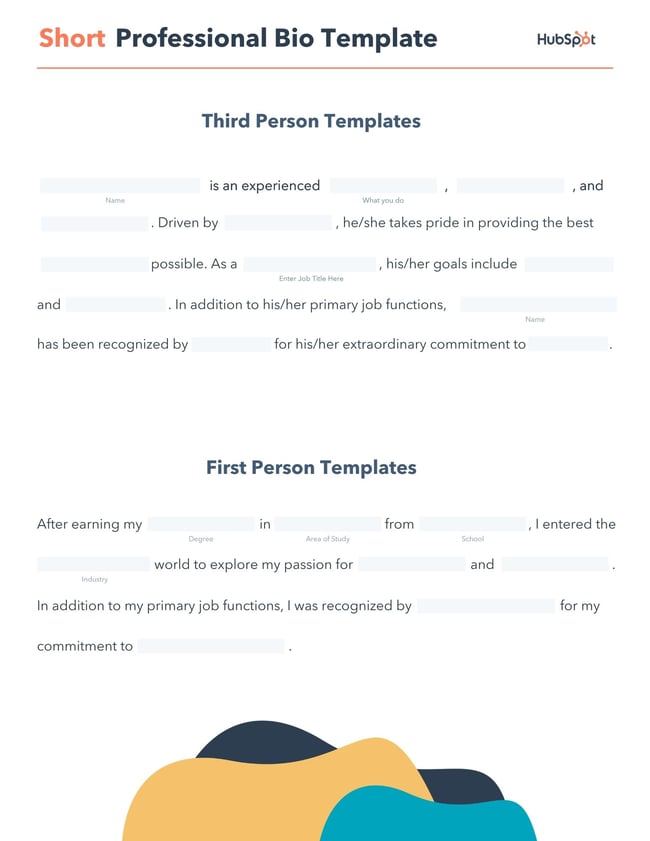
Download a free, editable short professional bio template.
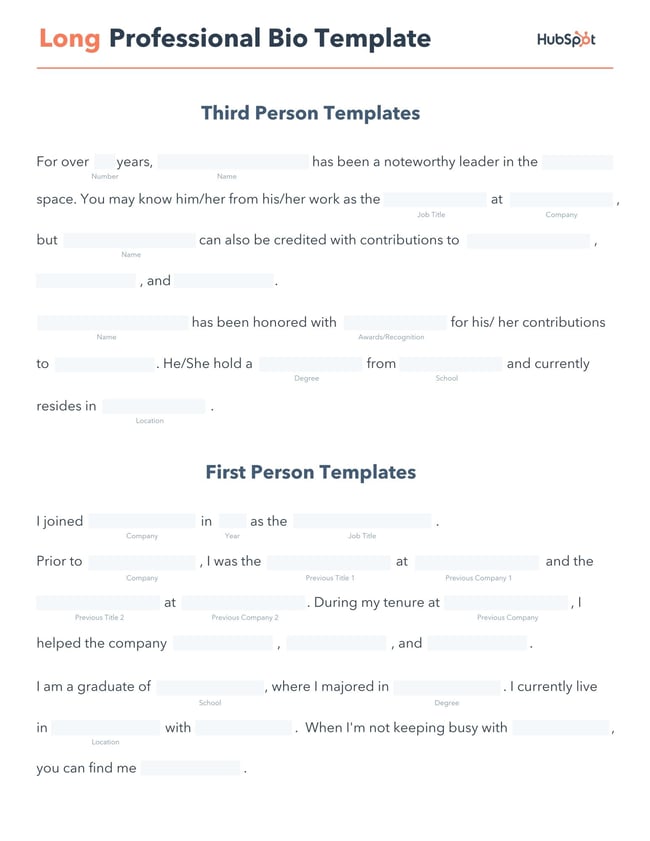
Download a free, editable long professional bio template.
Writing a professional bio that captures your brand and what you offer to your audience can encourage your professional growth. But doing it right is just as important.
Here’s how to write a professional bio, step by step.
Here’s how to write a bio, step-by-step.
1. Create an ‘About’ page for your website or profile.
Before you can publish your professional bio, you need a living space for it. Here are a few to consider (some of these you might already have in place):
- Facebook Business page
- LinkedIn profile
- Instagram account
- Personal website
- Personal blog
- Industry website
- Industry blog byline
As you’ll see in the professional bio examples below, the length and tone of your bio will differ depending on which of the above platforms you choose to be on.
Instagram, for example, allows only 150 characters of bio space, whereas you can write virtually as much as you want on your personal website — or even your Facebook Business page. But once created, this bio should represent who you are in the eyes of your audience.
2. Begin writing your bio with your first and last name.
If your readers don’t remember anything else about your bio, make sure they remember your name. For that reason, it’s a good idea for your first and last name to be the first two words of your professional bio. Even if your name is printed above this bio (hint: it should), this is a rare moment where it’s okay to be redundant.
For example, if I were writing my own bio, I might start it like this:
Lindsay Kolowich
Lindsay Kolowich is a Senior Marketing Manager at HubSpot.
3. Mention any associated brand name you might use.
Will your professional bio represent yourself, or a business you work for? Make sure the brand you want to be associated with is mentioned in your bio. If you’re a freelancer, perhaps you have a personal business name or pseudonym you advertise to your clients. Here are a few examples:
- Lindsay Kolowich Marketing
- SEO Lindsay
- Kolowich Consulting
- Content by Kolowich (what do you think … too cheesy?)
Maybe you founded your own company, and you want its name to be separate from your real name. Don’t be afraid to keep it simple: “Lindsay Kolowich is the founder and CEO of Kolowich Consulting.”
4. State your current position and what you do.
Whether you’re the author of a novel or a mid-level specialist, use the next few lines of your bio to describe what you do in that position. Don’t assume your audience will naturally know what your job title entails.
Make your primary responsibilities known to the reader, helping them paint a picture of who you are during the day and what you have to offer the industry.
5. Include at least one professional accomplishment.
Just as a business touts its client successes in the form of case studies, your professional bio should let your own audience know what you’ve already achieved. What have you done for yourself — as well as for others — that makes you a valuable player in your industry?
6. Describe your values and how they inform your career.
Why do you do what you do? What might make your contribution to the market different from your colleagues?
Better yet, what values do you and your colleagues share that would make your business a worthwhile investment to others? Start to wrap up your professional bio by simply explaining what gets you up in the morning.
7. Briefly tell your readers who you are outside of work.
Transition from describing your values in work to describing who you are outside of work. This may include:
- Your family
- Your hometown
- Sports you play
- Hobbies and interests
- Favorite music and travel destinations
- Side hustles you’re working on
People like connecting with other people. The more transparent you are about who you are personally, the more likable you’ll be to the people reading about who you are as a professional.
8. Consider adding humor or a personal story to add flavor to your professional bio.
End your professional bio on a good note — or, more specifically, a funny note. Leaving your audience with something quirky or uniquely you can ensure they’ll leave your website with a pleasant impression of you.
It’s important to follow the steps above when writing your bio, but don’t obsess over any one section. Remember, the people reading your bio are suffering from information fatigue. If you don’t hook ’em in the first line, you’ll lose them quickly.
(P.S. Want to give your professional brand a boost? Take one of HubSpot Academy’s free certification courses. In just one weekend, you can add a line to your resume and bio that’s coveted by over 60,000 marketers.)
Why Good Bios Are Important for a Professional
Alright, I know what you may be thinking … So what? It’s just a bio. I mean, how many people read professional bios, anyway?
The answer: A lot of people. More importantly, though, there’s no way to tell exactly who is reading it — and you always want it to be ready for when the right people come across it. And when they do, you want it to catch their eye. In a good way.
You see, while your resume is only useful for when you’re actively applying for specific positions, your professional bio is much more visible. It can live on your LinkedIn profile, your company’s website, your guest blog posts, your speaker profiles, your Twitter bio, and many other places.
And, most importantly, it’s the tool that you can leverage most when you’re networking.
Bottom line? People will read your professional bio. Whether they remember it, and whether it makes them care about you, is a matter of how well you present yourself to your intended audience.
So, what does a top-notch professional bio look like?
Below, we’ve curated some of the best real professional bio examples we’ve ever seen on Twitter, Instagram, Facebook, LinkedIn, and the various websites where you might describe yourself.
Check ’em out, and use them as inspiration when crafting your own.
The Best Professional Bio Examples We’ve Ever Seen
1.Chimamanda Ngozi Adichie: Author
Bio Platform: Personal Website
Chimamanda Ngozi Adichie begins her professional bio with an invitation into her world. In just one sentence, she describes the depth and breadth of her body of work as it has been translated into thirty languages and several publications.
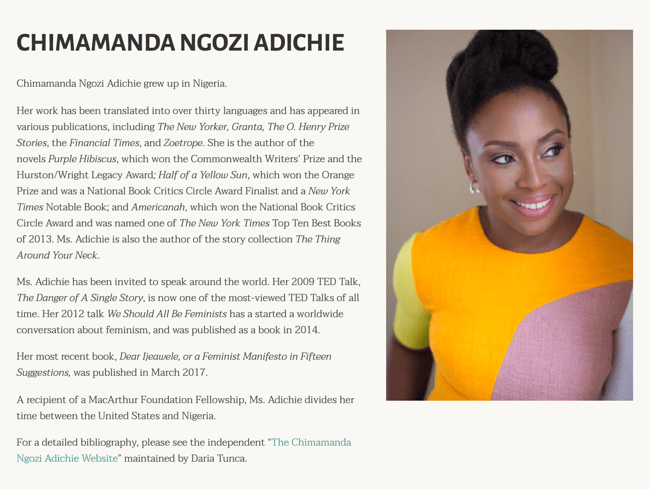
Along with her notable writing career, Chimamanda showcases her speaking career which introduces readers to a well-rounded view of who she is as a professional. From there, her bio seamlessly flows into her recent work and a glimpse into how and where she spends her personal time – the United States and Nigeria.
Finally, Chimamanda’s bio ends with a call to action to read a more detailed biography, giving the reader a choice to read the information available about her life and career.
2. Chime Mmeje: SEO Content Writer
Bio Platform: LinkedIn
A bio with a hook is sure to keep you reading. Chima Mmeje is a freelance SEO copywriter who’s “extremely good at one thing”: helping companies rank for their target keywords.
By leading with a strong hook that aligns with her target audience’s marketing needs, she’s able to keep readers engaged.
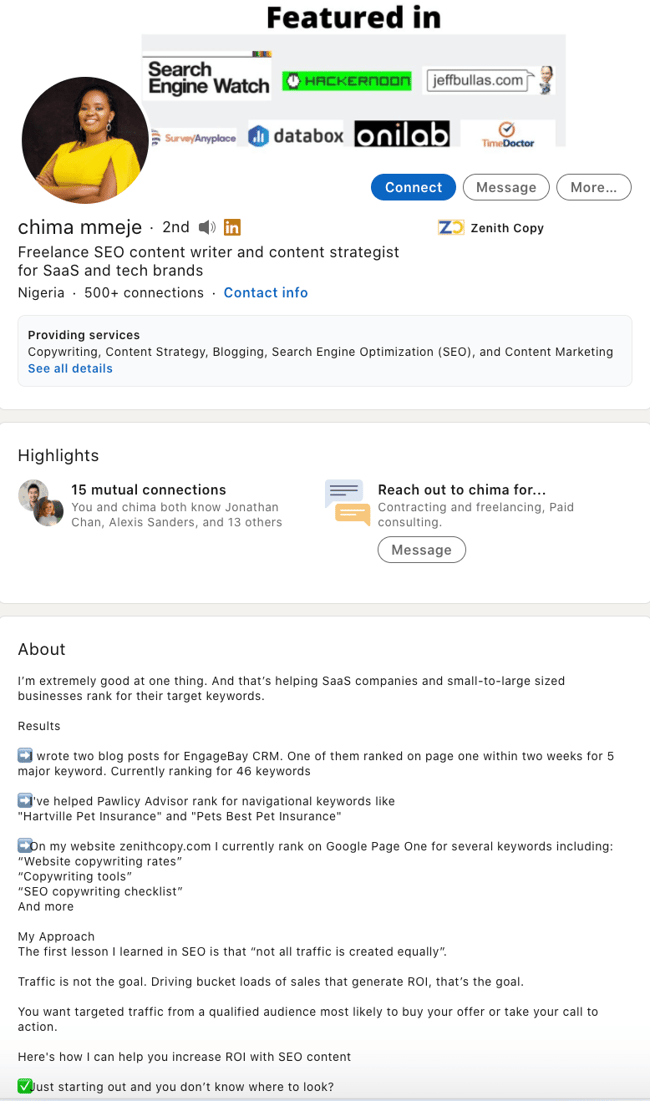 What comes next is a unique differentiator in a professional bio. Instead of listing accolades, Chima shares a few wins she’s secured for her clients. This nifty section does two things: it builds the readers’ confidence in her ability to deliver results and it’s a practical way to name-drop her clients in a professional bio.
In the body of her professional bio, Chima briefly lists her process at a high level, giving her potential clients a birds-eye view of what they can expect when they book her services.
The simple call to action “Drop a message” in her email inbox is a casual invitation to learn more about her services.
3. DJ Nexus: DJ
Bio Platform: Facebook
This New England-based DJ has single-handedly captured the Likes of more than 2,000 people in and beyond Boston, MA. And even if you don’t listen to the type of music he produces, it’s hard not to listen to his compelling Facebook bio.
For instance, consider his tagline, under “About” — “Quiet during the day. QUITE LOUD at night!” DJ Nexus tells you when he works in an awesome way. I got goosebumps just imagining a dance club he might play his music in.
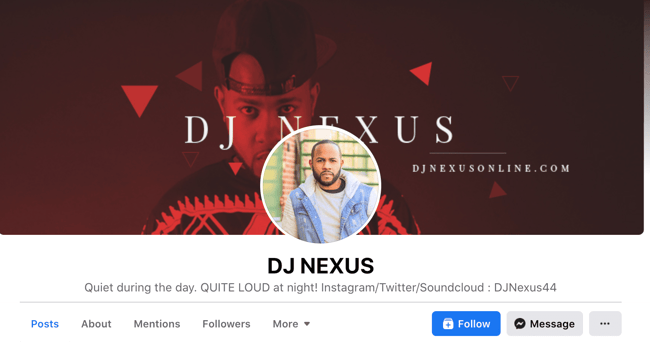 DJ Nexus’s bio brilliance doesn’t stop there.
DJ Nexus links his Facebook account to his personal website, where he has the space to tell the full story of his background. Here’s a preview, below:
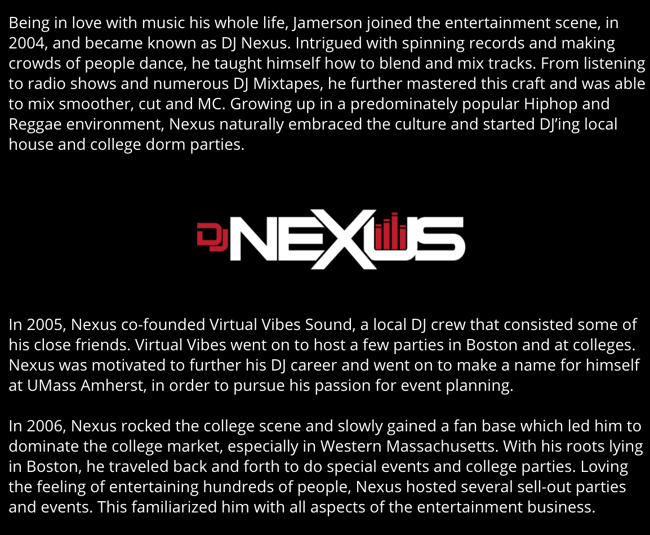 In this story, DJ Nexus describes both when he “became known as DJ Nexus” and a company he founded shortly afterward — all before going to college.
This is a terrific lesson for professional bios: Customers want to learn about you. Consider how you might also lead your Facebook visitors off your Facebook page and onto your personal website to learn more about who you are.
4. Lena Axelsson: Marriage & Family Therapist
Bio Platform: Industry Website
When it all comes down to it, your professional bio is no different from any other piece of persuasive copy — no matter where it lives. One of the most common mistakes people make is thinking of it as its own beast, separate from other pieces of writing. If you think about it that way, you’re far more likely to write something painfully uninteresting.
When you sit down to write your professional bio and you’re watching that cursor blinking on the screen, think about how you would introduce a blog post. You don’t just dive right into the meat of the thing, now, do you? No. You start with an introduction.
The best bios are often concise (around 200–300 words), so you don’t have a lot of room to play around. But a single sentence that tees your reader up and provides context for the accomplishments that follow could make the rest of your bio that much more persuasive.
Take Lena Axelsson’s bio, for instance. She’s a marriage and family therapist — a job where empathy and compassion are a big part of the job description. That’s why she chooses to open her bio with a great introductory sentence: “When human beings experience trauma or severe life stressors, it is not uncommon for their lives to unravel.”

Then, she goes into why she’s passionate about her job, how she helps her clients, and how she caters her approach to each patient. The necessary educational information is left for the end after the reader has been hooked.
Your bio doesn’t have to be super serious, nor does it have to start with a joke. This bio shows how you can capture your reader’s attention by being empathetic and showing how that empathy shapes a valuable professional.
5.Mark Levy: Branding Firm Founder
Bio Platform: Personal Website
Mark Levy is a small business owner who’s taken a more traditional approach to the professional bio on his website — but in a way that takes care to speak to his intended audience.
What we love about his bio is the way he’s set it up: On his business’ “About” page, he’s listed two biographies, which he’s labeled “Mark Levy’s Biography #1” and “Mark Levy’s Biography #2.”
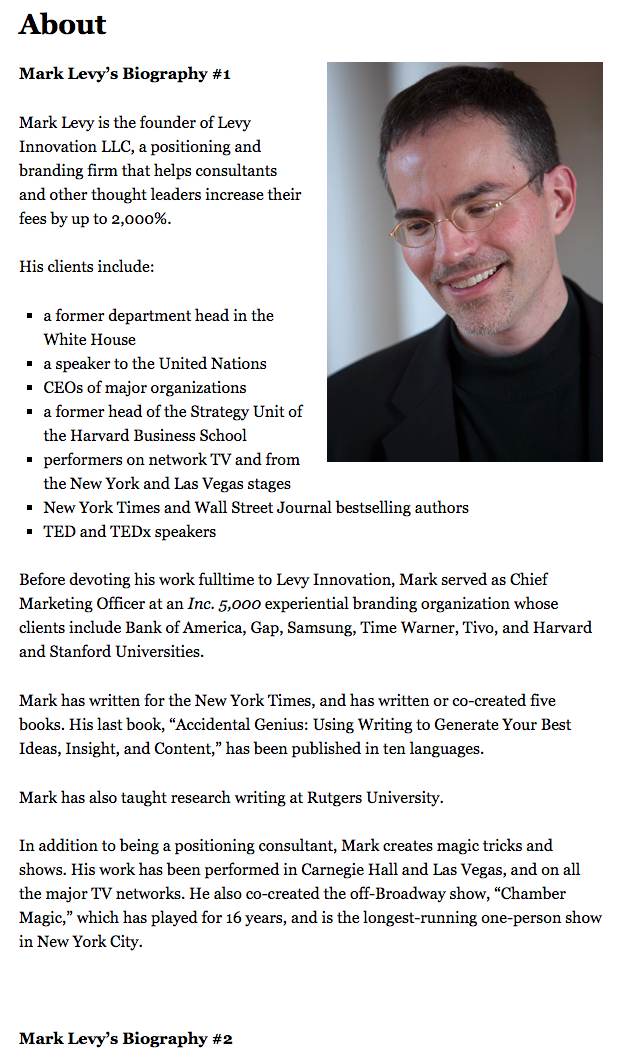
Click here to see the full version.
Like Ann, Mark’s given his readers two different options. The first biography is a “short version,” which includes a combination of bullet points listing his credentials and a few short paragraphs.
The second is the “long version,” which is actually even more interesting than the first one. Why? Because it reads like a story — a compelling one, at that. In fact, it gets really funny at parts.
The second sentence of the bio reads: “He was frightened of public school, loved playing baseball and football, ran home to watch ape films on the 4:30 Movie, listened to The Jam and The Buzzcocks, and read magic trick books.”
Here’s another excerpt from the middle:
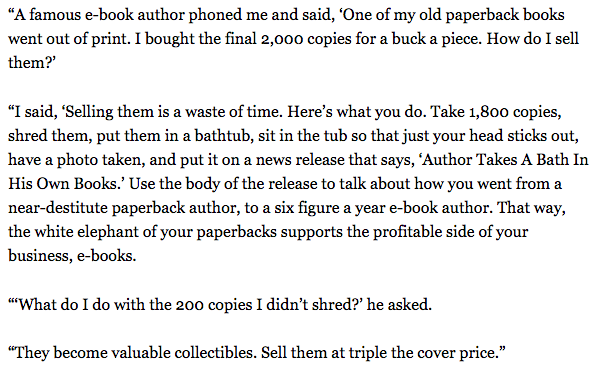
Of course, the fantastic copywriting isn’t a surprise, given that this guy wrote several books. But the conversational tone and entertaining copy let his quirky personality (and great writing skills) shine.
6. Audra Simpson: Political Anthropologist
Bio Platform: Personal Website
With a classic take on the professional bio, Audra Simpson crafts a brief overview of her career in just a couple of paragraphs. The “why” behind her work is emphasized in the first half of her bio before transitioning to the way she carries out that work in practice.
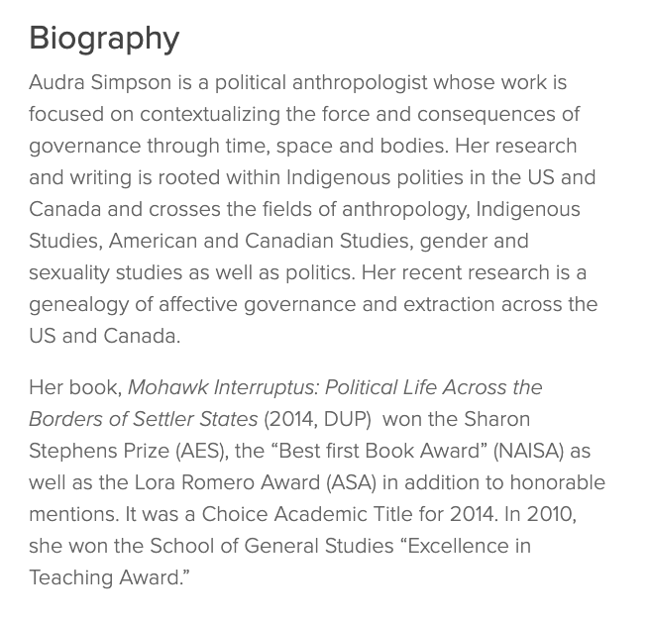
The second half of her bio combines her bodies of work and the awards she’s won for each from the year 2014 to 2020. This subtle timeline gives readers a picture of her experience in the field of political anthropology without listing her resume in detail.
Audra’s professional bio is an example for those of us with several years of experience to communicate, but a strict word limit to write within.
7. Marie Mikhail: Professional Recruiter
Bio Platform: LinkedIn
Marie Mikhail checks off nearly every box for what makes an excellent bio. A professional recruiter, she expresses her “passion for recruiting” upfront, in the first sentence, while using that sentence to hook her profile visitors into a brief story of her background.
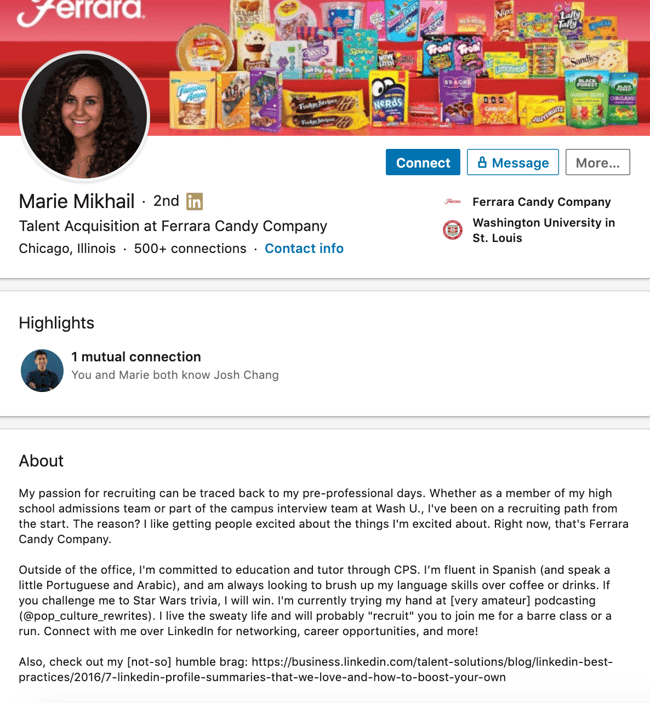
But there are a lot of recruiters out there, and Marie knows that. So, to differentiate herself, she closes the first paragraph of her bio by explaining that she likes “getting people excited about the things [she’s] excited about.” It’s a well-put value proposition that sets her apart from the rest of the HR industry.
Marie Mikhail finishes off her bio by including a smooth mixture of professional skills, such as her Spanish fluency; and personal interests, such as podcasting and Star Wars (she mentions the latter with just the right amount of humor).
8. Wonbo Woo: Executive Producer
Bio Platform: Personal Website
Wonbo Woo is the executive producer of WIRED’s video content, and he has several impressive credits to his name. What does this mean for his professional bio? He has to prioritize. With this in mind, Wonbo opens his bio with the most eye-catching details first (if the image below is hard to read, click it to see the full copy).
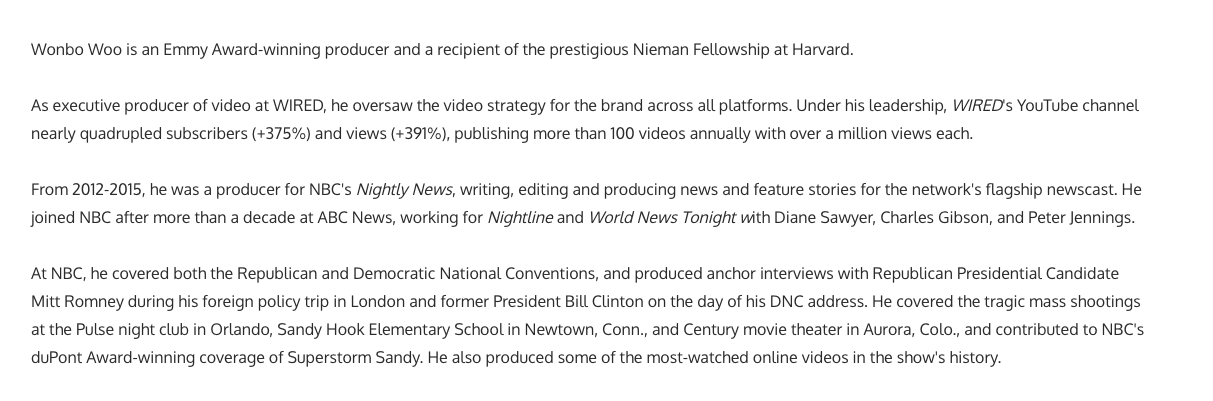
Not only does Wonbo’s bio start strong, but he also takes readers on a suspenseful journey through some of his most harrowing assignments — where he was when news broke and how he responded. You can see this quality below.
 The accomplished journalist concludes his gripping bio as strong as it began, measuring his experience by the number of states, countries, and continents to which he’s traveled in his career. See how this looks above. All in all, it’s a fantastically concise bio for as much detail as it holds.
9. Chris Burkard: Freelance Photographer
Bio Platform: LinkedIn
If you’re writing your bio but having trouble figuring out how to showcase your accomplishments without boasting, photographer Burkard’s LinkedIn bio is a great example for inspiration.
Written in third-person, his bio tells a fluid story, starting with his ultimate mission — “capture stories that inspire humans to consider their relationship with nature” — before diving into more tangible accolades (giving a TED talk, publishing books, etc.).
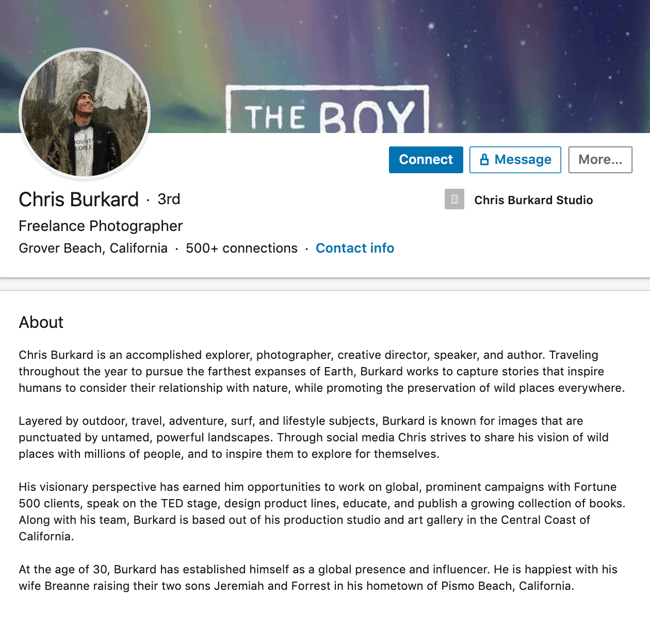
Best of all, rather than using his bio as an opportunity to brag, he instead ties his talents into how he hopes to help others, writing, “Through social media, Chris strives to share his vision … and inspire [his followers] to explore for themselves.”
I wouldn’t necessarily be inclined to follow Chris if his bio had simply read “I post beautiful images” … but inspire me to travel? Now that’s something I can get behind.
Lastly, he ends on a humble, sweet note, writing “He is happiest with his wife Breanne raising their two sons”. Don’t be afraid to inject some personal information into your bio — it could help you seem more approachable as a result.
10. Lisa Quine: Creative Consultant
Bio Platform: Portfolio Website
Although a picture is worth 1,000 words, a portfolio is quite different from a professional bio. While this might present a challenge for creative professionals who specialize in visual art to tell their stories, Lisa Quine quantifies her creativity to give her professional bio balance.
Throughout her bio, you’ll notice the number of murals she’s completed and a brief timeline of her career thus far which helps paint the picture of who she is as a professional.
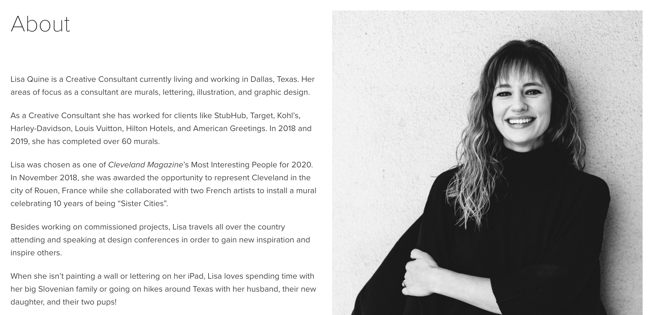
Lisa’s bio checks the box on nearly all of our recommendations for a great bio. She begins with her full name, her location, and what she does best. From there, she gets creative by appropriately mentioning the brands she’s worked with and highlighting some of her favorite projects. With a third-person approach to the writing, this bio invites the reader behind a metaphorical door to meet Lisa as a professional, traveler, learner, wife, and mother.
11. Nancy Twine: Hair Care Founder
Bio Platform: Company Website
As Founder and CEO of Briogeo — a popular natural hair care line that’s received rave reviews in publications such as Allure and InStyle — there are undoubtedly plenty of accolades Twine could boast about.
But she chooses to start her bio from a humbler place, stating: “Nancy Twine is no newcomer to the beauty-sphere — in fact, she made her first foray into the world of natural product formulation at the ripe age of five.”
The rest of her bio similarly focuses on Twine’s strengths as someone who’s able to take hair care “back to basics”. The bio focuses on why Twine made the decision she did to start her company, and what ultimately drives her.

Similarly, you might consider using your personal bio as an opportunity to highlight your bigger purpose or vision. As Twine demonstrates, sometimes it’s best to keep it simple and let your message resonate with the right audience.
12. Trinity Mouzon: Wellness Brand Founder
Bio Platform: Personal Website
I gravitated towards Mouzon’s bio from the first sentence: “I’m obsessed with leveling the playing field.” Mouzon effectively grips the reader’s attention with this introduction and then dives into some of her impressive accomplishments — including a brand that’s now sold at Urban Outfitters and Target.
The language used throughout Mouzon’s bio is authentic, real, and honest. Consider, for instance, the beginning of the second paragraph, where she admits, “While building a brand may have looked effortless from the outside, starting a business at age 23 with no resources or funding quickly forced me to realize that early-stage entrepreneurship was anything but transparent.”
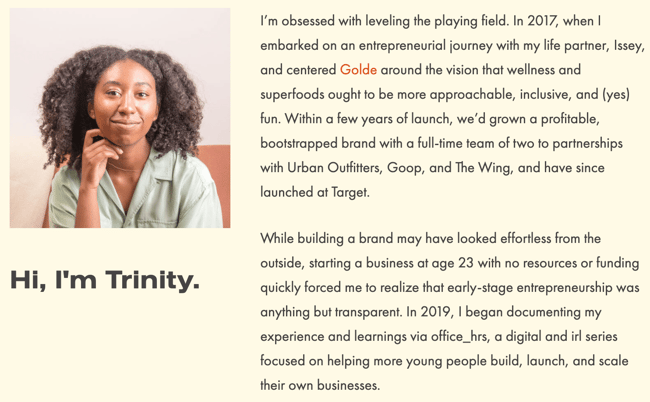
Ultimately, this bio doesn’t just focus on Mouzon’s (impressive) background … it also highlights how she can help her readers start and scale their businesses.
By focusing on the reader, Mouzon effectively demonstrates the real power of a good bio: the power to convert newcomers into leads and customers.
13. Alberto “Beto” Perez: Co-Founder of Zumba Fitness
Bio Platform: LinkedIn
As an avid Zumba fan, I was excited to include this one in the list. Perez styles his LinkedIn bio as a short story, starting with his background as a hard-working teen who held three jobs by age 14.
His bio tells the fun and fascinating origin story of Zumba, in which Perez, an aerobics teacher in Florida at the time, forgot his music for class and used a Latin music cassette tape instead … “And it was an instant hit!”
His bio continues, “Shortly after he was connected to Alberto Periman and Alberto Aghion and Zumba was officially created … what started as a dream now has 15 million people in more than 200,000 locations in 186 countries who take Zumba classes every week.”
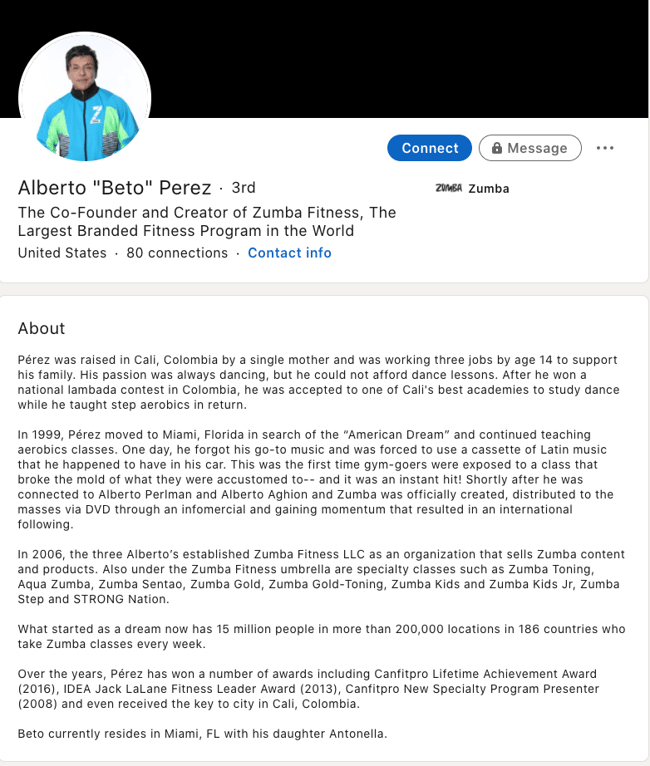
What I like best about this bio is Perez’s decision to use the space to tell the story of his business, rather than list out his accomplishments. It provides a more real and colorful introduction to Perez and immediately makes him feel both relatable and inspirational.
Let’s dive into a few more examples of short professional bios, next.
Short Bio Examples
14. Ann Handley: Writer and Marketer
Bio Platform: Personal Website
If you’re a marketer, you’ve likely heard of Ann Handley. Her list of credentials is lengthy, and if she wanted to, she could go on and on and on about her accomplishments.
But when people list out all their accomplishments in their bios, they risk sounding a little egotistical. Sure, you might impress a handful of people with all those laurels, but many people who read your bio will end up feeling either intimidated or annoyed. Think about it: Is that how you want the majority of your readers to feel when they read your bio?
To minimize the egoism that comes with talking about yourself, think about how you can list out your accomplishments without sounding like you’re bragging. Ann does this really well, choosing a tone in her bio that’s more approachable.
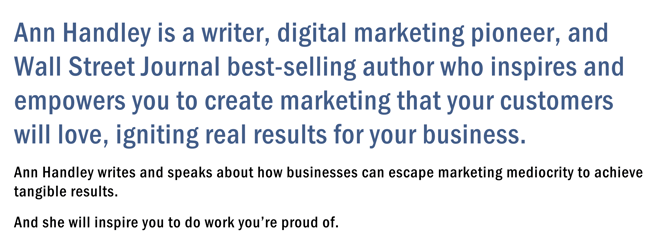
Best of all, Ann chooses to focus on her readers’ challenges and motivations, rather than her own. For instance, she writes, “Ann Handley writes and speaks about how businesses can escape marketing mediocrity to achieve tangible results. >And she will inspire you to do work you’re proud of.“
Follow the link and you’ll be led to a page dedicated to a fuller bio, which she’s divided into two parts: a “short version” (literally a bulleted list of key facts) and a “long version,” which includes traditional paragraphs. There’s something in there for everyone.
15. Rebecca Bollwitt: Writer
Bio platform: Instagram
Instagram is a notoriously difficult platform on which to write a good bio. Similar to Twitter, you simply don’t have room for a professional bio that includes everything about you. And because Instagram is primarily a mobile app, many viewers are reading about you passively on their mobile devices.
Instagram’s limited bio space requires you to highlight just your most important qualities, and blogging icon Rebecca Bollwitt does so in her own Instagram bio in an excellent way.
Rebecca’s brand name is Miss604 and cleverly uses emojis in her Instagram bio to tell visitors exactly what makes her a valuable content creator. Take a look at the screenshot below:
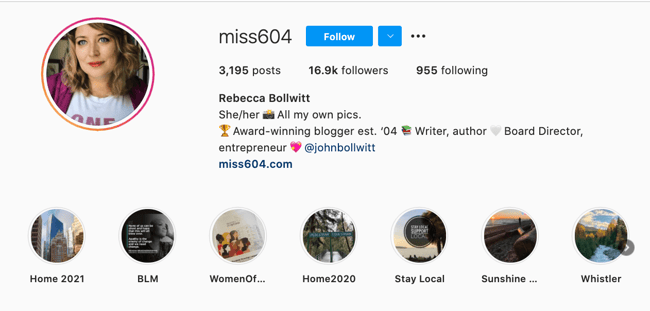
Starting with a trophy emoji, Miss604 says she’s an award-winning blogger. I haven’t even looked at her pictures yet and the introduction of her bio has already sucked me in.
The rest of her bio follows suit, breaking up the text with an appropriate emoji and a perfect collection of nouns to tell me who she is as a person. She even links out to her husband’s Instagram account after the heart emoji (an adorable addition) and assures her followers that all of her pictures are authentically hers.
Take a lesson from Miss604, and show your personal side. Just because you’re branding yourself as a professional doesn’t mean you have to take your human being hat off. Often your most personal attributes make for the best professional bio content.
16. Corey Wainwright: Principal Marketing Manager
Bio Platform: Blog Byline
Corey Wainwright is a Principal Marketing Manager here at HubSpot. She’s written content for HubSpot’s Marketing Blog for years, and her blog author bio has caught my eye since before I ever started working for HubSpot. (Back then, it started with, “Corey just took a cool vacation.”)
What I love most about Corey’s bio is that it’s a great example of how to deliver information about yourself without taking things too seriously. And in this context, that’s totally appropriate.
Despite having several impressive accomplishments under her belt, she simply doesn’t like displaying them publicly. So, she prefers making her author bio a little more “light.”
Her bio (pictured below) reads, “Corey is a Bruce Springsteen fan who does content marketing, in that order.”
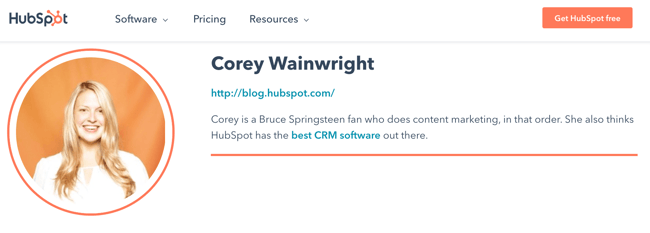 It works in this particular context because, at HubSpot, our blog authors often prefer to make themselves as friendly and approachable as possible — while letting the content speak for itself.
It helps that authors’ social media accounts are located right below our names and above our pictures. For folks who really do want a list of Corey’s credentials, they can click the LinkedIn button to go to her LinkedIn page. (You can read this blog post to learn how to create social media buttons and add them to your website.)
17. Megan Gilmore: Cookbook Author
Bio Platform: Instagram
Megan Gilmore is a best-selling cookbook author, and she often posts healthy recipes on her Instagram page to inspire followers’ to realize that you don’t have to sacrifice taste for the sake of health.
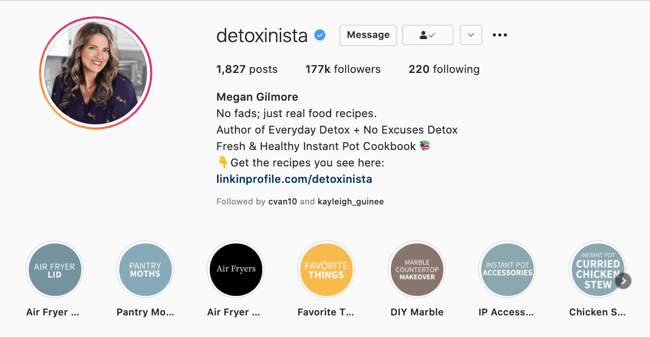 Fortunately, you glean most of this information immediately from her Instagram bio, which is short and to the point: “No fads; just real food recipes. Author of Everyday Detox + No Excuses Detox.” Her “no fads” call-out shows followers she aims to be helpful rather than gimmicky.
Plus, Gilmore includes a CTA link within her Instagram bio that leads followers to free, ready-to-use recipes. You might be thinking — Why would she do that, since it discourages people from buying her book? But that couldn’t be further from the truth.
By giving her followers the chance to try out her recipes, she’s slowly turning leads into customers. After I tried a few of her Instagram recipes and loved them, I decided to go ahead and buy her book, knowing I’d like more of what she had to offer.
18. Van Jones: Political Commentator, Author, and Lawyer
Bio Platform: Twitter
Someone who’s known for a variety of talents and skills may find it difficult to capture who they are in a professional bio. When limited to just over 100 characters on Twitter, the feat is nearly impossible. But Van Jones effortlessly explains who he is and why it matters to everyone who visits his Twitter profile.
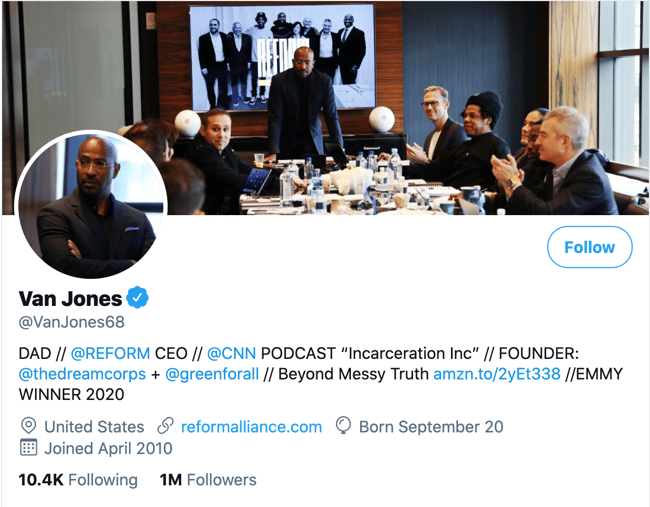
He starts his professional bio with a token of personalization and prioritization of his values. By mentioning that he is a dad first, we recognize what’s important to him in his long list of successes.
As we’ve seen in other bios, sharing who we are outside of work makes us more personable and should find its way into your bio, if possible. Van leaves plenty of room to share a variety of professional experiences in his bio including CEO of REFORM and his 2020 Emmy award.
What’s great about Van’s Twitter bio is his ability to link valuable offerings to his readers. He invites us to check out his latest book and has his website reformalliance.com linked at the top.
19.Sarah Haskins: Writer
Bio Platform: Twitter
When in doubt, a few words go a long way.
Consider, for instance, the funny and impactful bio of Sarah Haskins on her Twitter page, which reads: “writer. bad but enthusiastic dancer.”
What more do you need to know?
She doesn’t take her bio too seriously and uses the space to highlight one serious accomplishment/skill (writer) and one not-so-impressive skill (bad dancer), to demonstrate her sense of humor and realness.
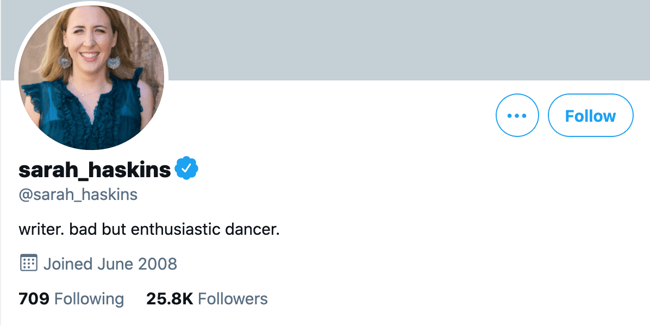
Particularly for a social media account that already restricts word count, consider how you might showcase your uniqueness in just a few words.
20. Bea Dixon: Feminine Care Founder
Bio Platform: Instagram
Bea Dixon, Founder, and CEO of The Honey Pot Company, efficiently uses her space on her Instagram profile to highlight who she is as a well-rounded human — not just a businesswoman.
For instance, while she highlights her Girl boss attitude with a tiara emoji, she equally calls attention to her fashion interests (Free People), her pets Boss and Sadie, and her love for ramen noodles.
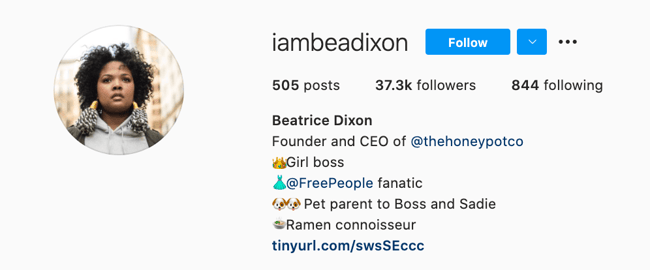
Consider how you might also highlight your interests, hobbies, or passions outside of the 9-to-5. If people are reading your bio, they’re interested in getting to know the full you.
If you’re posting a bio on a social media account or sending a quick blurb to a client, you want to keep it short and sweet while showcasing your accomplishments.
To get you started, here are the best practices for writing your short professional bio:
Your introduction is your first impression, so always begin by telling people who you are. You may start with a greeting like, “Hello, my name is” or “Hi! Let me first introduce myself …” when sending your bio as a message.
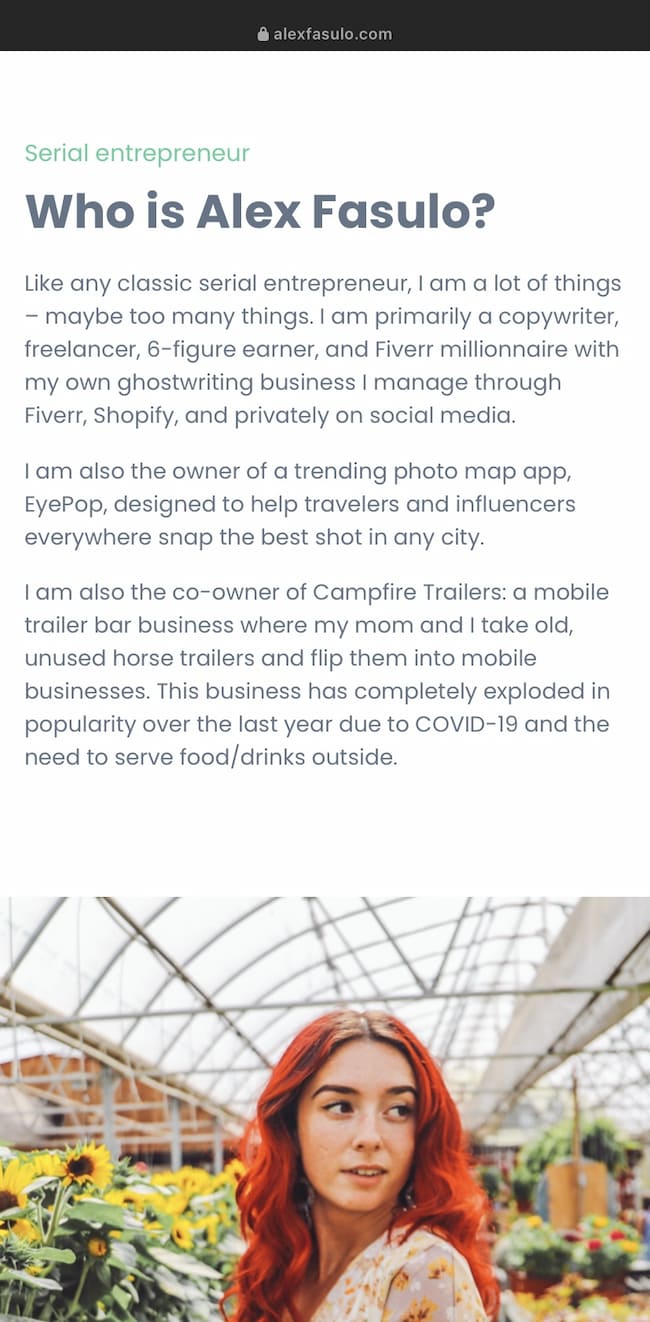
If you’re writing a bio for an online platform, simply stating your name at the beginning works as well, like the way freelancing entrepreneur Alex Fasulo presents themselves in the first person on their website:
2. State what you do.
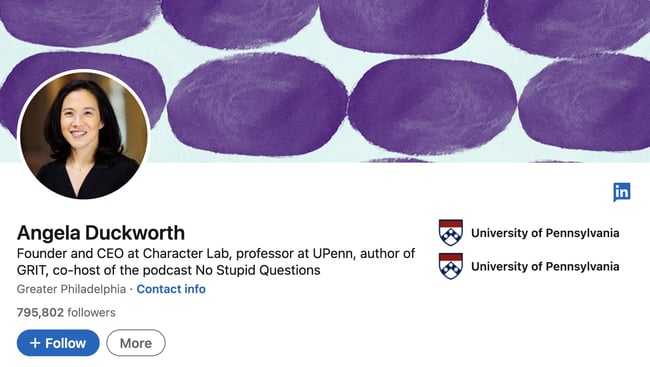
Give people an idea of what you do day-to-day, as well as where you work. Your job title is how the people put you into context and consider whether your profession relates to your audience’s industry. So detail the most relevant work you’re involved in your short bio like CEO, professor, and author, Angela Duckworth, specifies on her LinkedIn:
Even if you are a freelancer with a broad focus, you can keep it general yet clearly specify the type of contract work you do. If your specialty is writing, your title could be “Freelance Writer,” or if it’s Help Desk or Information Technology you may state yourself as a “Freelance IT Specialist.”
3. Add key skills or areas of expertise.
Especially, if you’re sending a bio to a client or potential employer, make sure to highlight the skills that they will find valuable. For instance, if you’re expertise is in social media marketing and content creation like Ivanka Dekoning, make sure you list these skills concisely:
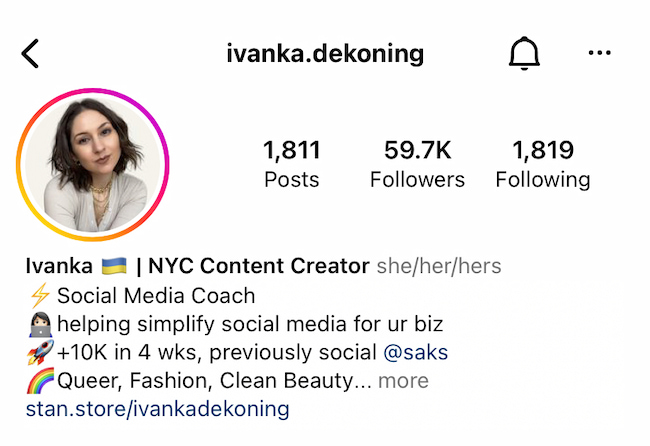
Here Dekoning showcases their experience so potential connections immediately see if they have what they’re looking for— and you can show this too.
4. Include a personal mission statement.
What do you hope to achieve through your work? Why do you do what you do? Answering these questions can help give your bio’s mission statement some direction, similar to how Farmer Bea makes their goal to help bees clear to all of their Twitter connections:
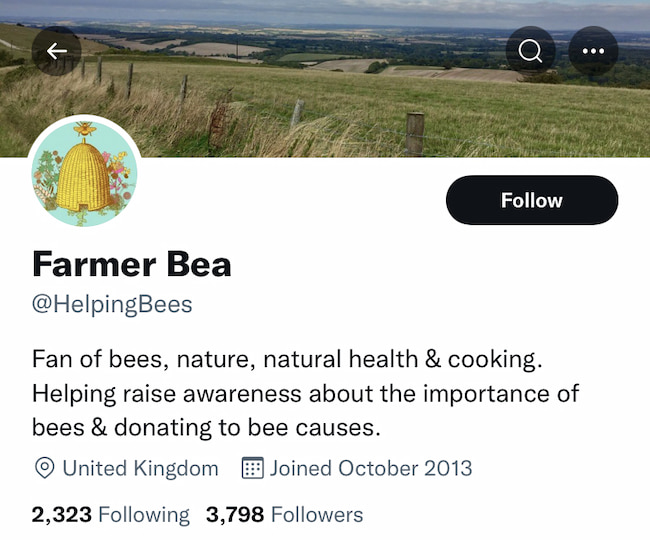 So give an honest answer about your goals or mission to give color to what your professional purpose is overall.
5. Celebrate your wins.
Your short bio can be a proud showcase of your accomplishments, so add 1 to 2 personal successes you’ve achieved through your skills or mission. For instance, if you’ve received acclaim from industry leaders in your scope like Art Critic Jerry Saltz, your wins may list as something like:
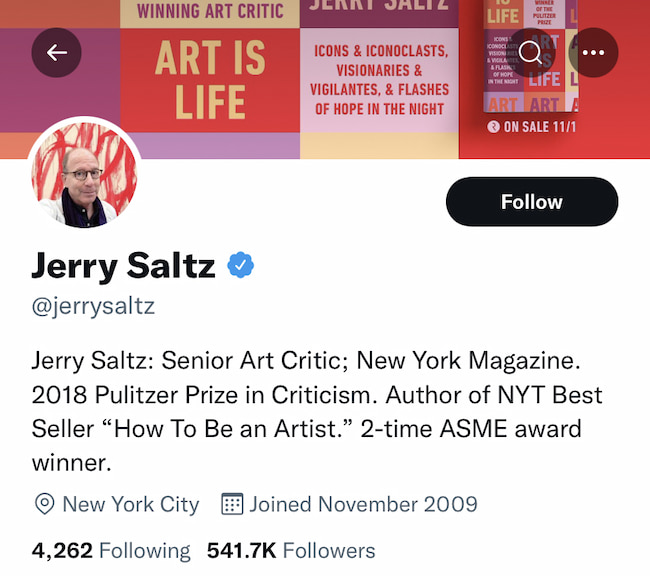 So whether they’re awards you won, publications you’ve been featured in, or companies you worked with, be sure to spotlight any major achievements.
6. Provide your contact information.
People who visit your profile or receive your message will already know your social media account. But to take business off the app, include your email address, website, or any other professional profiles you’d like them to know about. Political Commentator and Sports Correspondent, Angela Rye, shows a great example of this in her short professional bio on Instagram:
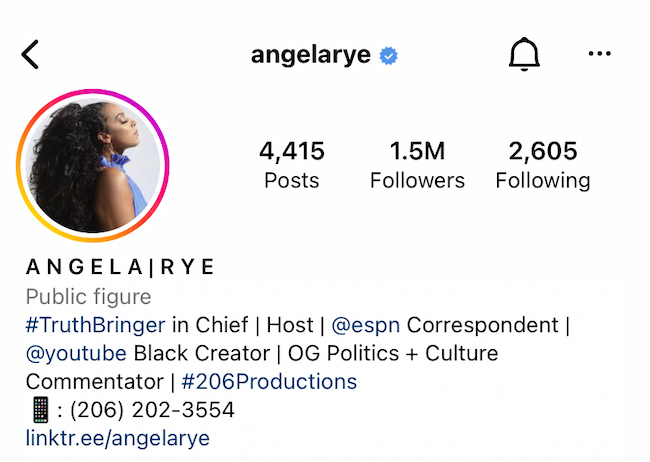 Additionally, after listing a name, job titles, and contact information, Rye includes a Linktree to their website where you can read a longer version of the professional bio:
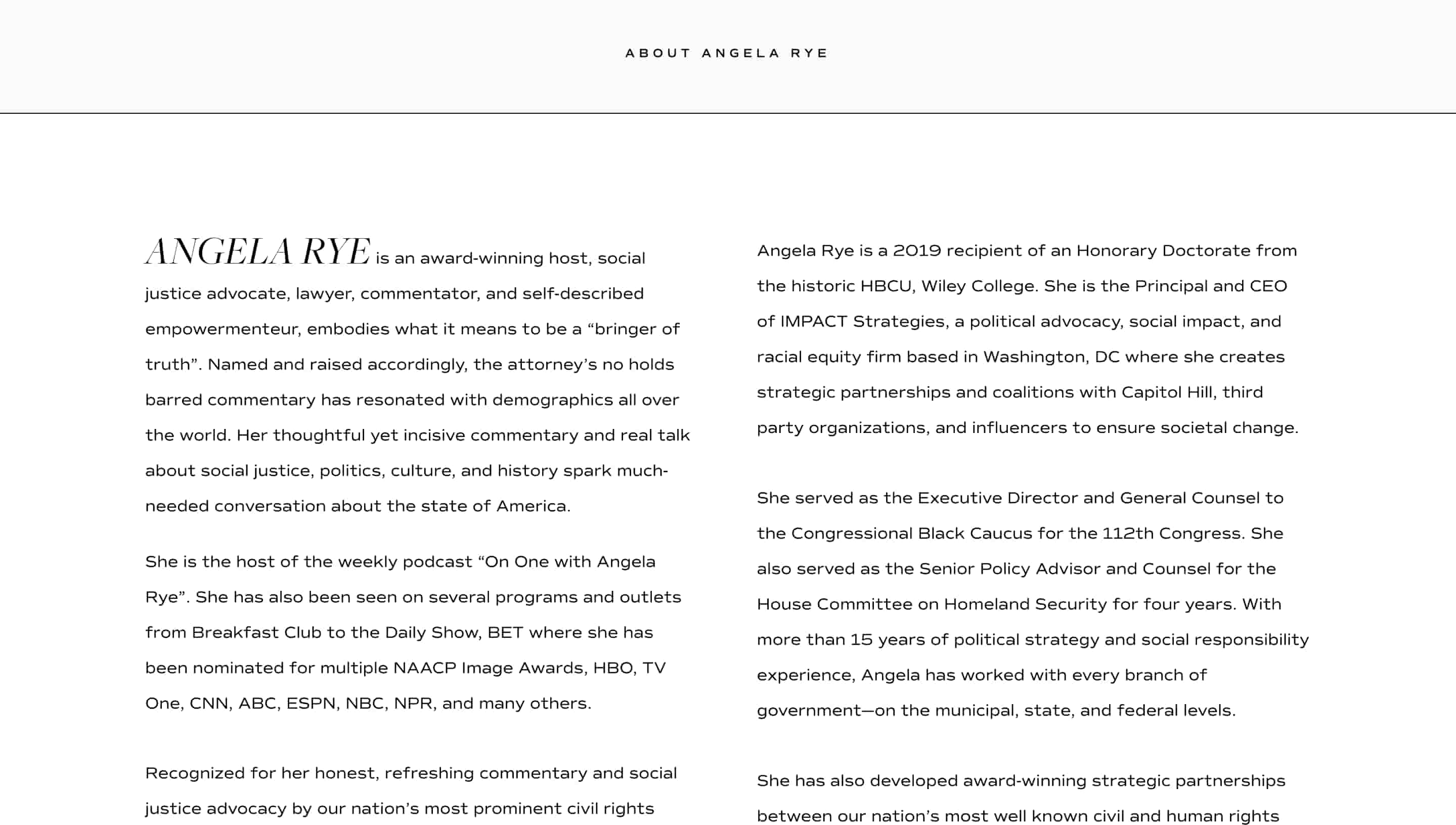 This allows Raye to detail her values more in-depth and how they demonstrate them through her work. So before diving into your long professional bio, begin with a short bio as a teaser of who you are, what you care about, and what you can do for others.
7. Show them your personality!
Don’t be afraid to add a little bit of personal charisma to your short professional bio — because professional doesn’t have to mean plain. Your personality may be best portrayed through:
-
A joke: “Some mistakes are too much fun to only make once. At least that’s what I learned when I created…”
-
A mention of a hobby: “I’ll be honest: for me, tennis is life— Go Nadal!”
-
A fun fact: “Every year I watch 100 new films! I’m a cinephile and love every movie genre.”
-
A few emojis related to your interests: “🎶🤖🎾🎬🎭”
Whichever way you choose to get personal, give people a glimpse into who you are as an individual.
When writing a short bio it can be tempting to try and pack in as much relevant information about yourself as possible — but this isn’t the most effective approach. Instead, focus on including the details that you and your audience care about most and leave out the fluff.
Create Your Own Professional Bio
Prim and proper, relaxed, or studded with accomplishments, your bio is a reflection of your best professional self. Your professional bio will often precede your physical presence. Before people meet you for the first time, they’ll probably read your bio.
Whether you’re creating an about page for your website or social media profile, one thing’s for sure, you’ll want to put your best foot forward with a top-notch professional bio.
Editor’s Note: This post was originally published in November 2019 and has been updated for accuracy and comprehensiveness in May 2022.

Local SEO Audit: Everything You Need to Know [+ How to Perform One]
How can you be sure that your business is taking advantage of every opportunity to attract local customers? One way is to perform a local SEO audit — a thorough assessment of your search engines rankings and the actions you should take to improve or maintain your local online presence.
While a local SEO audit may seem daunting if you’ve never done one before, it can actually be completed in seven easy steps — and there are several tools that can make yours quick and efficient.
A local SEO audit can be done on its own or as part of an overall digital audit.

Local SEO Audit Guide
Our guide to completing a local SEO audit is broken down into the following steps:
- Keyword research
- Website audit
- Google Business Profile analysis
- Local business citation analysis
- Client/customer review performance
- Analytics review
- Competitor analysis
How to Do a Local SEO Audit
1. SEO Keyword Research
Figure out the keywords your potential customers are typing into search engines to find businesses like yours. Different customers will use different keywords to find what they are looking for, so make sure the keywords you optimize for aren’t too narrow.
To broaden your keyword list, think about where your customers could be in the buyer’s journey. If they’re in the early stages, they’re likely searching “Where can I find X near me?” or “X in [city, state].”
While you may already know a few keywords and phrases to optimize for, using SEO tools like Ahrefs and Keyword Finder will help you find even more long and short tail keywords you may have never thought of.
Remember, the majority of search engine users rarely click on the second page for information, so optimizing your website for SERPs is key to attracting new customers and generating conversions.
2. Website Audit
Now that you know the keywords you need to optimize for, you’re ready to conduct a website audit — an analysis of your website’s structure, content, and overall experience.
A website audit considers:
Page Optimization
Optimizing a web page means ensuring a page is well-structured, unique, and focused on relevant keywords. When a search engine like Google crawls through a webpage, it looks for signals to determine the page’s focus and what search inquiries it can rank for.
Issues with page optimization can include:
- Missing or lengthy title tags
- Missing headlines
- Missing, lengthy, or duplicate meta data
To optimize your page, include keyword-focused headlines, page titles, headings, URLs, and meta descriptions. If images are important to your business or website, use image alt text and file names that include relevant keywords.
Featured Snippets
Featured snippets are special boxes that include highlighted excerpts of texts and appear at the very top of search results. Below is a featured snippet that appears when you Google “What color is the sun.”

A featured snippet will bring your web page to the top of search results. To increase the chances of SERPs pulling your page as a featured snippet:
- Publish authoritative and relevant content.
- Ensure your local business details, events, products, FAQs are easily found on your site.
Internal Linking
Make sure your site’s pages link to other parts of your website and that those links are not dead or outdated. Cross linking to other parts of your website can boost multiple pages at a time — and it will help search engines determine the flow of your website and its ability to direct users to the answers they need.
Duplicate Content
Google prioritizes original content in its rankings. If your website contains duplicate content, you can either update your page so that it only has original content, delete duplicate pages, or include a canonical tag to let Google know your site contains pages taken from another site.
Step 3: Google Business Profile
A Google Business Profile (GBP) is a box that appears when people look up your business or service. This box contains your business’ name, address, hours, and other key information customers would want to know. An updated GBP will boost your business’ visibility on Google Maps and will increase organic search results.
Notice the GBP below includes the business name, primary business category, hours of operation, address, services and more.
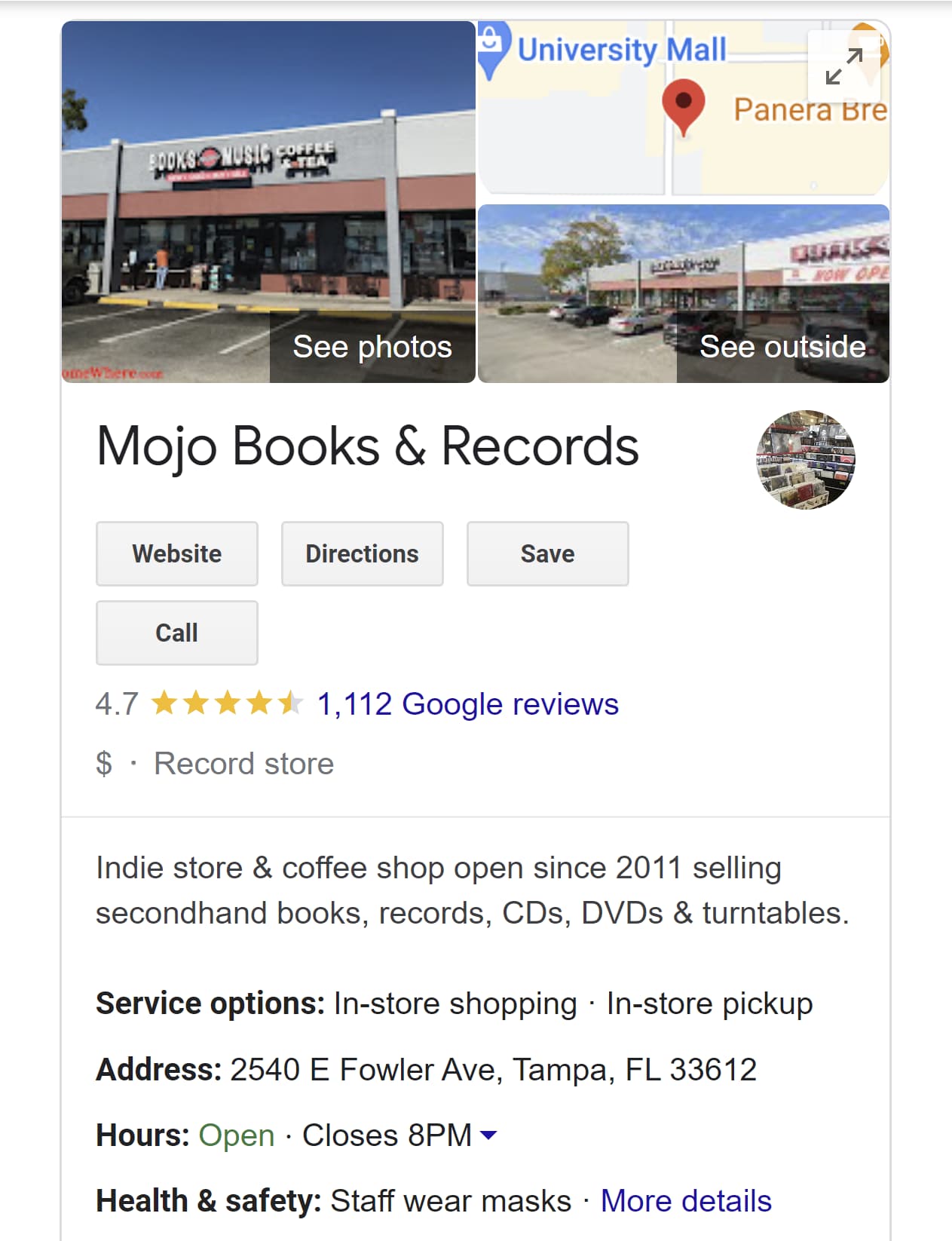
Once you’ve created your GBP, check to make sure all the information regarding your business is up to date. This establishes credibility and will encourage Google to rank your business higher in local search results.
Step 4: Local Business Citation Analysis
Local citations are any online mentions of your business’ name, address, and phone number. It’s important to have this information featured in local directories, such as your local chamber of commerce or websites like Yellow Pages.
Make sure all of this information is up-to-date. If you’ve changed locations, names, or numbers, all references to your business must reflect that. If your local citations are out of date, your credibility could take a hit, and search engines will likely lower your ranking.
Step 5: Client/Customer Review Analysis
Reviews play a huge role not only in local search rankings but in acquiring new customers. According to a 2022 survey by Brightlocal, 84% of consumers said reviews are “important” or “very important” when deciding to try out a new business or service provider.
With that in mind, analyze your reviews. Are they mostly positive or negative? Do you have enough reviews to determine a pattern? How often are you responding to reviews?
That last point is especially important because responding to reviews shows Google that you’re an active and responsive business, which plays a role in your ranking.
To obtain more reviews, encourage clients to leave a review online by issuing a special promotion. Some businesses offer incentives such as gift cards or a certain percentage off the customer’s next purchase.
Step 6: Analytics Review
Use tools like Google Analytics to track the success of your web pages and assess which of your pages are performing well and which need more support. When using Google Analytics (or any analytics tool of your choice) pay attention to:
- Your top-visited pages and whether those pages are visible on your site
- Organic search
- Page performance
- The path visitors take to purchase on your site
Also, check to see if other domains are referring to your website and if there is an opportunity for backlinks. Backlinks are any links to your website or pages from third-party websites. If a relevant and reputable website frequently links to yours, that could boost search results. However, links from non-reputable websites can do more harm than good.
Step 7: Competitor Analysis
Finally, it’s time to check on your competitors. Type the keywords you plan to optimize for into Google and make a list of competitors in your niche. The list doesn’t have to be long — at least five would be enough.
Then look up their GBP, reviews, social media activity, local listings, and how well they rank for those keywords. SEO tools like Ahrefs also offer features that allow you to see what other keywords their websites are optimized for, so you can consider those keywords for your own strategy.
Local SEO Audit Tools
Many of the steps listed above can be done manually, but there are plenty of tools that can save time and effort when performing a local SEO audit such as:
HubSpot
HubSpot offers SEO tools that provide actionable recommendations to optimize your website for SEO, show which pages need to be updated, offer topic suggestions, access to monthly search data, and more. Its integrated tools also allow you to create clusters and blog content around core topics — strengthening your authority in your niche and boosting your search rankings.
Ahrefs
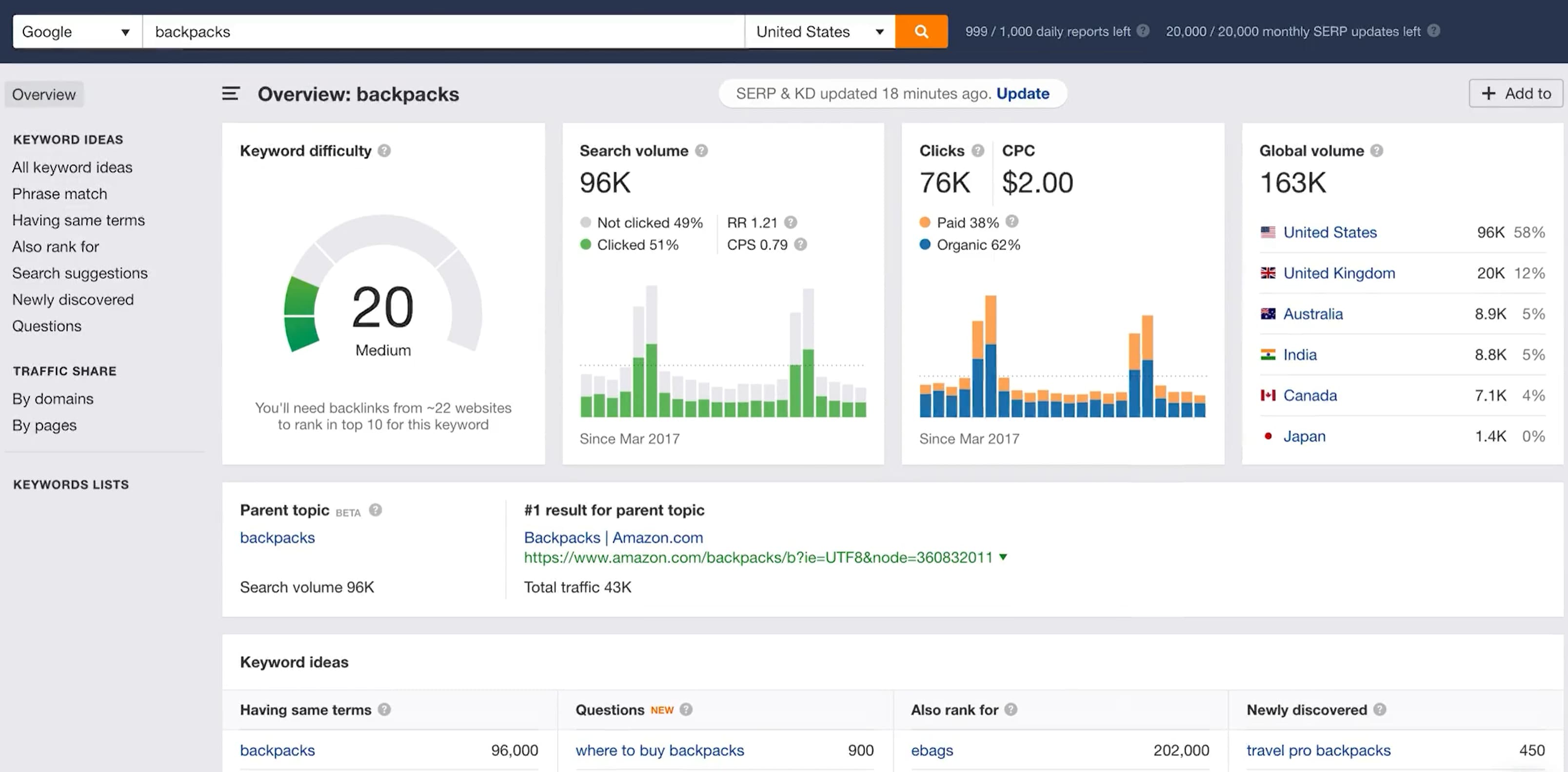
Ahrefs has many features that help you track SEO performance and research your competitors’ backlinks and keyword performance. You can also find new keywords with its Keyword Explorer feature and perform site audits that scan for SEO issues
Google My Business
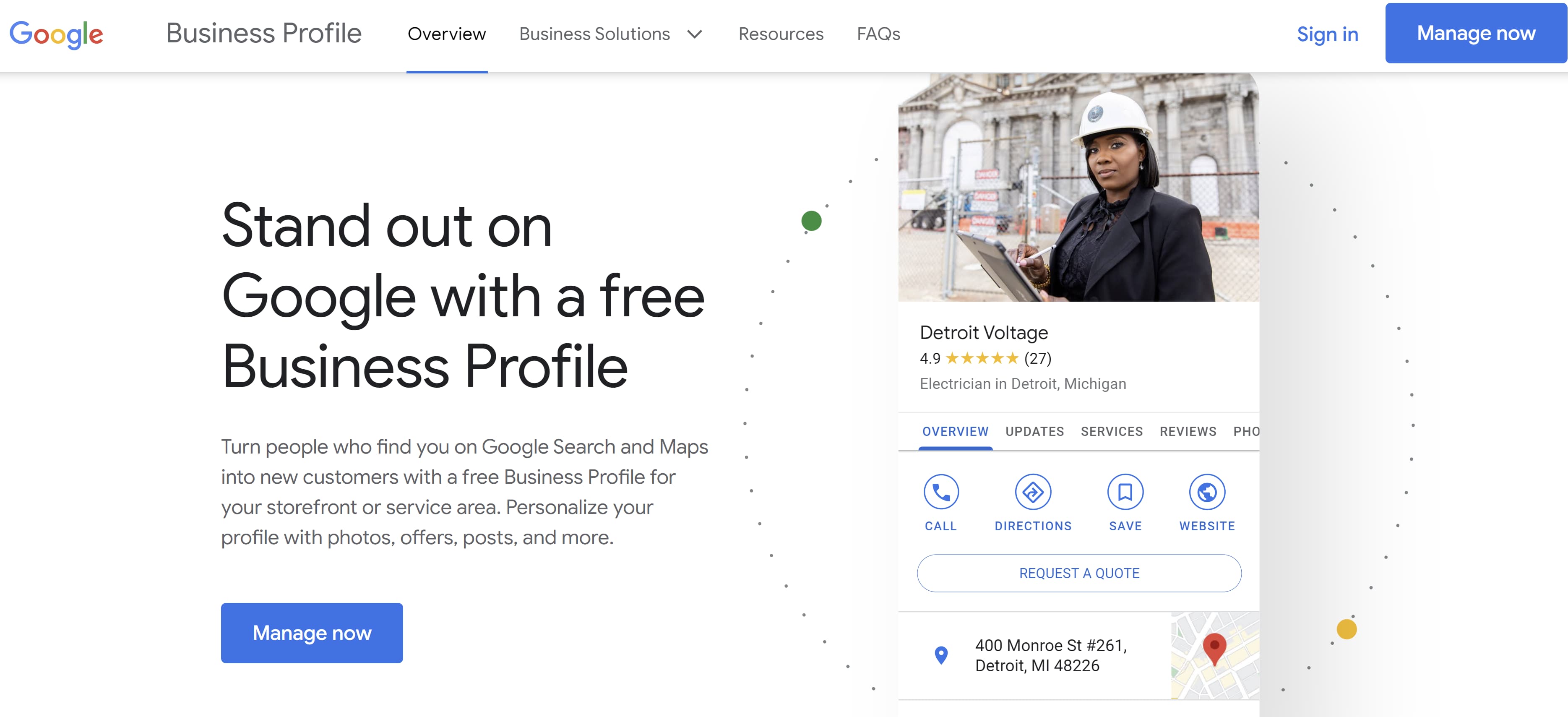
This tool can help you discover local competitors, compare your performance, and monitor and respond to reviews on your site. It also comes with a “Book an Appointment” feature that can boost engagement with your business.
 Google Analytics
 shows how many people visit your website. It also records organic traffic, bounce rate, third party referrals, and demographic data to help you build detailed buyer personas.
 GeoRanker
This tool tracks the rankings of websites by location and this information via heat maps. This is great for determining how well your site ranks in your community and planning targeted campaigns to improve or maintain your ranking.
 Local SEO audits are key to assessing how well your website connects to your target audience. By ensuring your website is up-to-date, keyword optimized, and easily accessible, you can bring more customers to your storefront and boost revenue.

25 Copywriting Portfolio Examples That Will Secure Your Next Gig
If you’re reading this blog, you’ve likely decided to start or revamp your copywriting portfolio. With so many portfolios out there, it’s hard to figure out how to make yours stand out from the crowd.
What colors should you use? What kind of writing samples will show off your skills? Fortunately, I’ve put together a collection of copywriting portfolio examples that are sure to inspire you and guide you in the right direction.
Each copywriting portfolio example I’ve included is unique in terms of color, layout, and personality — highlighting the various ways you can approach putting a portfolio together and how it’s okay to get creative with yours.

How to Create a Copywriting Portfolio
When creating your copywriting portfolio, avoid cramming in too many of your writing samples. You’ll want to show off your diverse portfolio —that’s understandable — but too many samples can overwhelm potential clients and employers.
Instead, opt for five or six writing samples that capture the different styles of writing you’ve done, such as technical, marketing, and business writing. Be sure to also include a balance of humorous and serious pieces, B2B and B2C writings, as well as short and long-form content.
If you have little-to-no writing samples, build your portfolio by starting a website or blog to showcase your writing skills, or contribute to other websites. You can also write for nonprofits or work internships.
Another method to build your portfolio is to write mock-copywriting samples based on local businesses. Just be sure to let employers or clients know they are mock-samples and that you weren’t actually hired by those companies. The point isn’t to deceive, but to show what you can do.
Copywriting Portfolio Examples
Now that you have a few of your best copywriting examples ready to upload, it’s time to design your portfolio. You want a portfolio that stands out from the crowd, showcases your personality, highlights your skills, and is easy to navigate by potential employers.
To give you some inspiration, here are 25 examples of excellent copywriting portfolios broken down into the following categories:
- Homepage – The first page people see of your online portfolio and where you’ll likely house your work samples
- About Me – Where you’ll give readers an idea of who you are and what you do
- Services – What you can provide your clients
Each of these examples presents a different approach to copywriting portfolios that is sure to attract new opportunities.
Homepage
There are many different approaches to creating a homepage for your portfolio — however, it’s best practice to ensure your homepage features your name, your contact information, and complementary colors. Most copywriters choose to feature their work directly on their homepage, but some find a way to link to their samples.
Here are several examples of outstanding homepage templates:
1. Carline Anglade-Cole
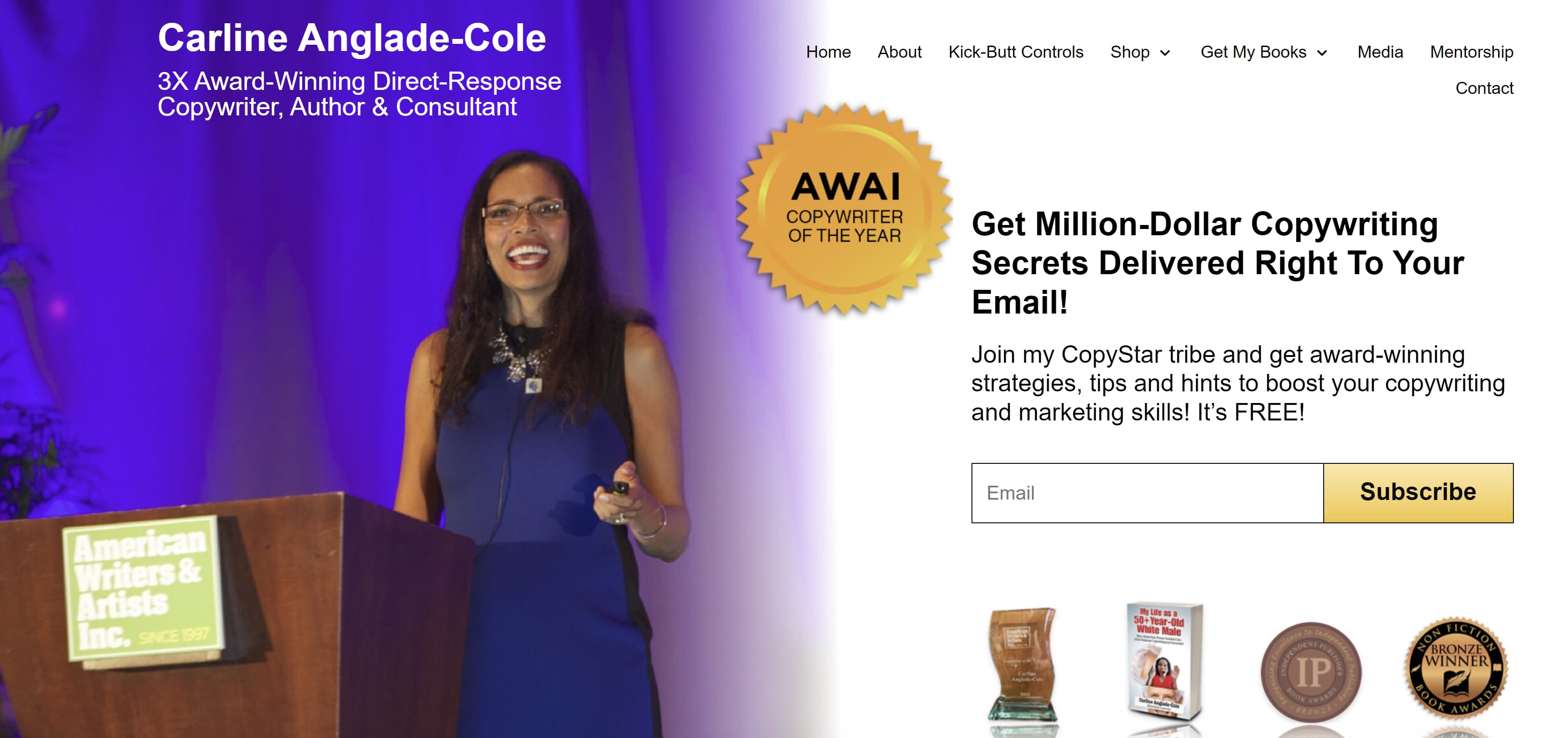
The homepage for Anglade-Cole’s copywriting portfolio immediately establishes her as an expert in her field by bringing attention to the awards she’s garnered throughout her career. The photo on her front page shows her at a speaking engagement with a confident smile, and the photo’s caption clearly states her full name above “3X Award-Winning Direct-Response Copywriter, Author, and Consultant.”
The badges for her awards are also displayed throughout, with the American Writers and Artists Institute badge placed in the middle next to the link to subscribe to her email list. Beneath her email list are badges from other accomplishments, including winning the bronze Nonfiction Book Award. If you’re an award-winning copywriter, Anglade-Cole’s page is a great example of how you can place your awards front and center to establish credibility.
 2. Gari Cruze
If you want your homepage to focus less on awards and more on who you’ve worked with, Cruze’s homepage is an outstanding example. This homepage heavily features high-quality photos from the different campaigns he’s worked on. Simply hover over each photo to see the name of the company or campaign, then click on the photo to see the copy he wrote and where it was published.
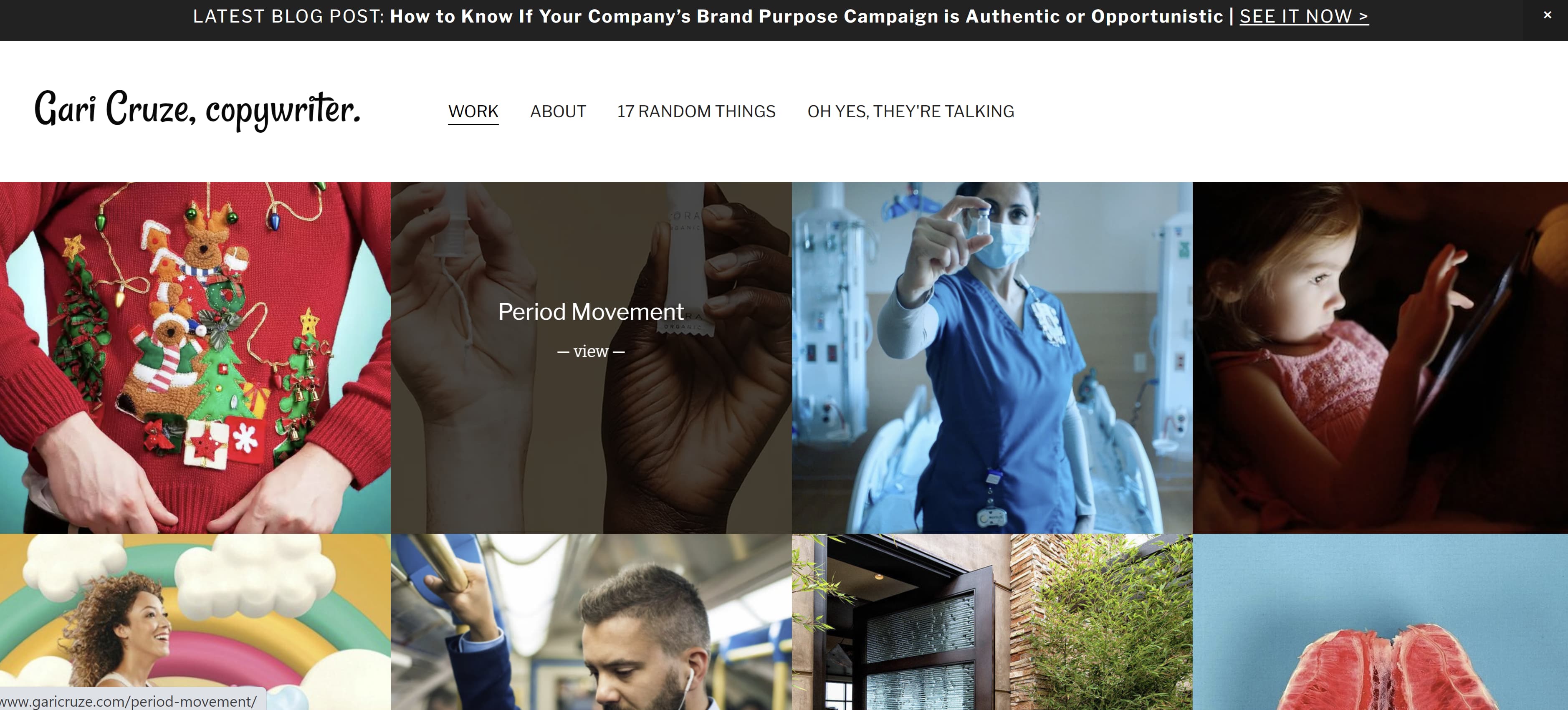
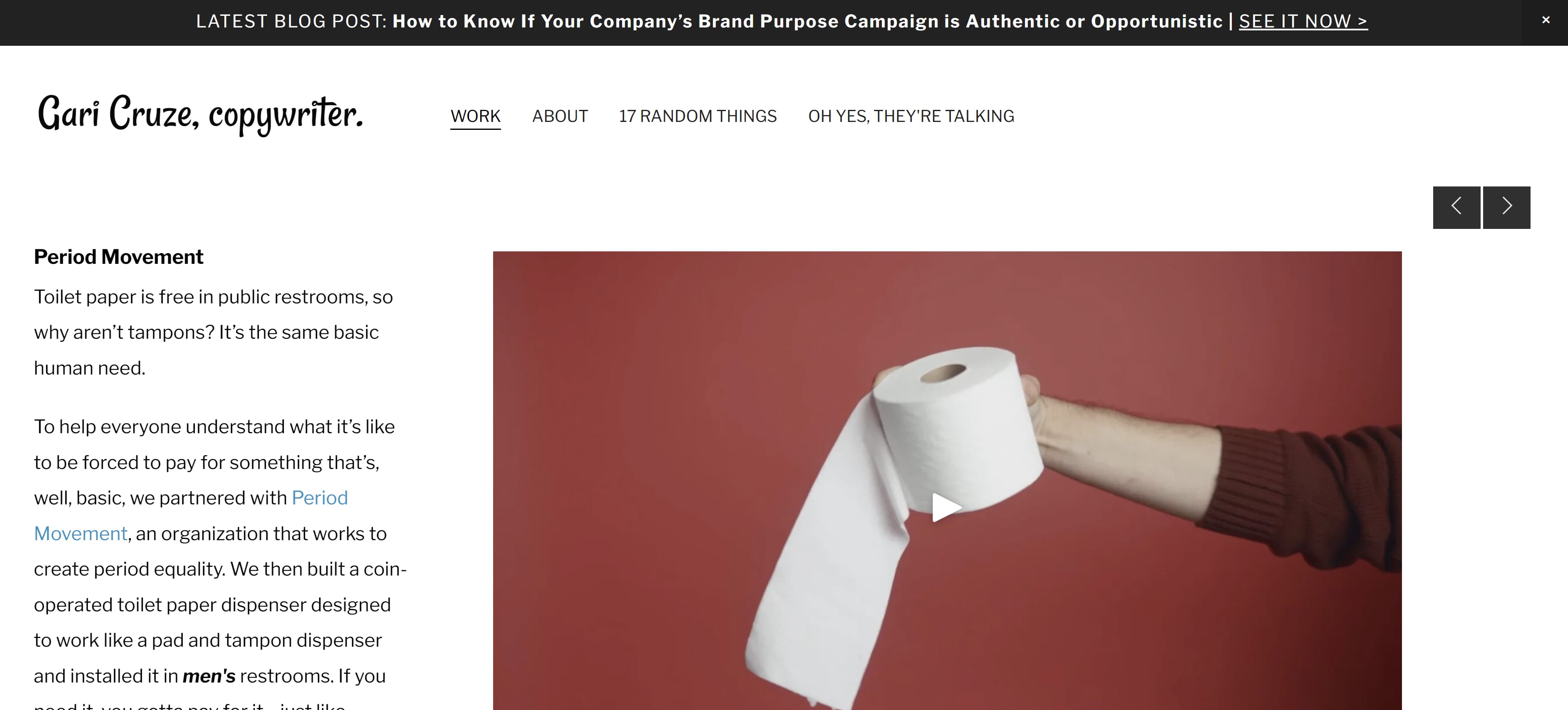
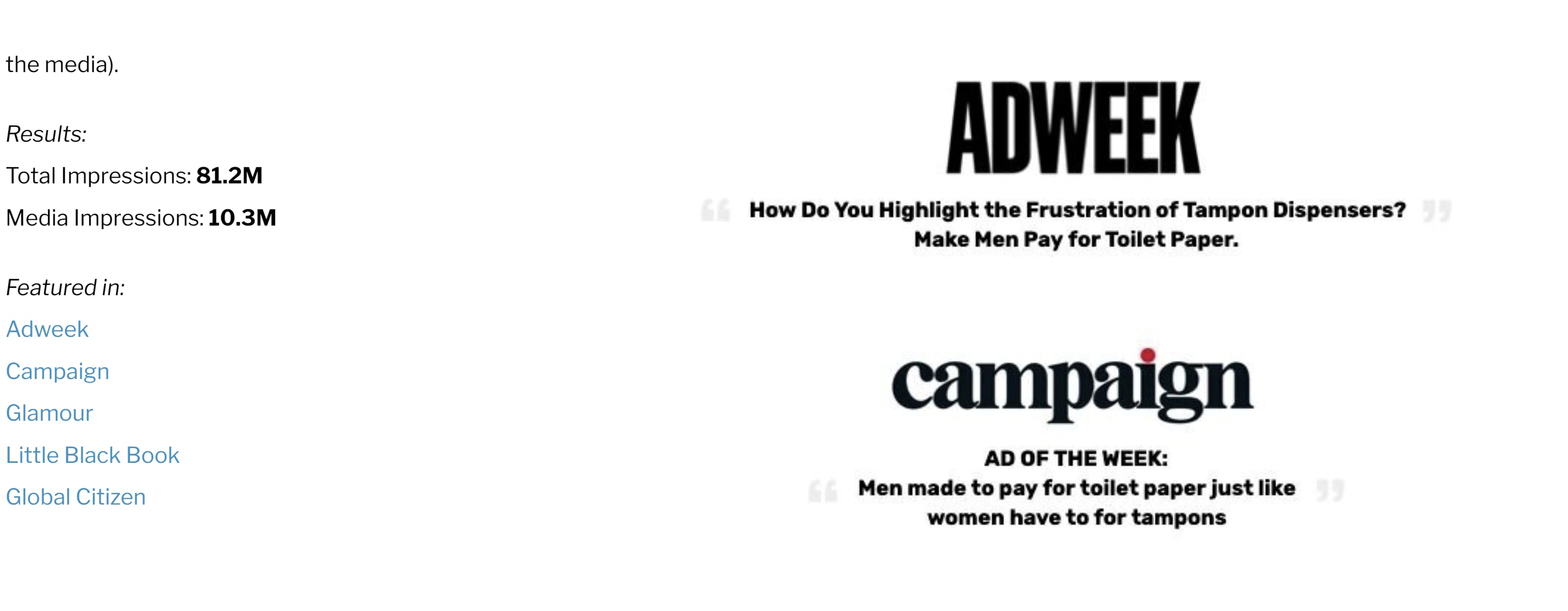 If you’re looking for a more straight-forward yet eye-catching approach to displaying your work, Cruze’s example can lead you in the right direction.
3. Evan Benner
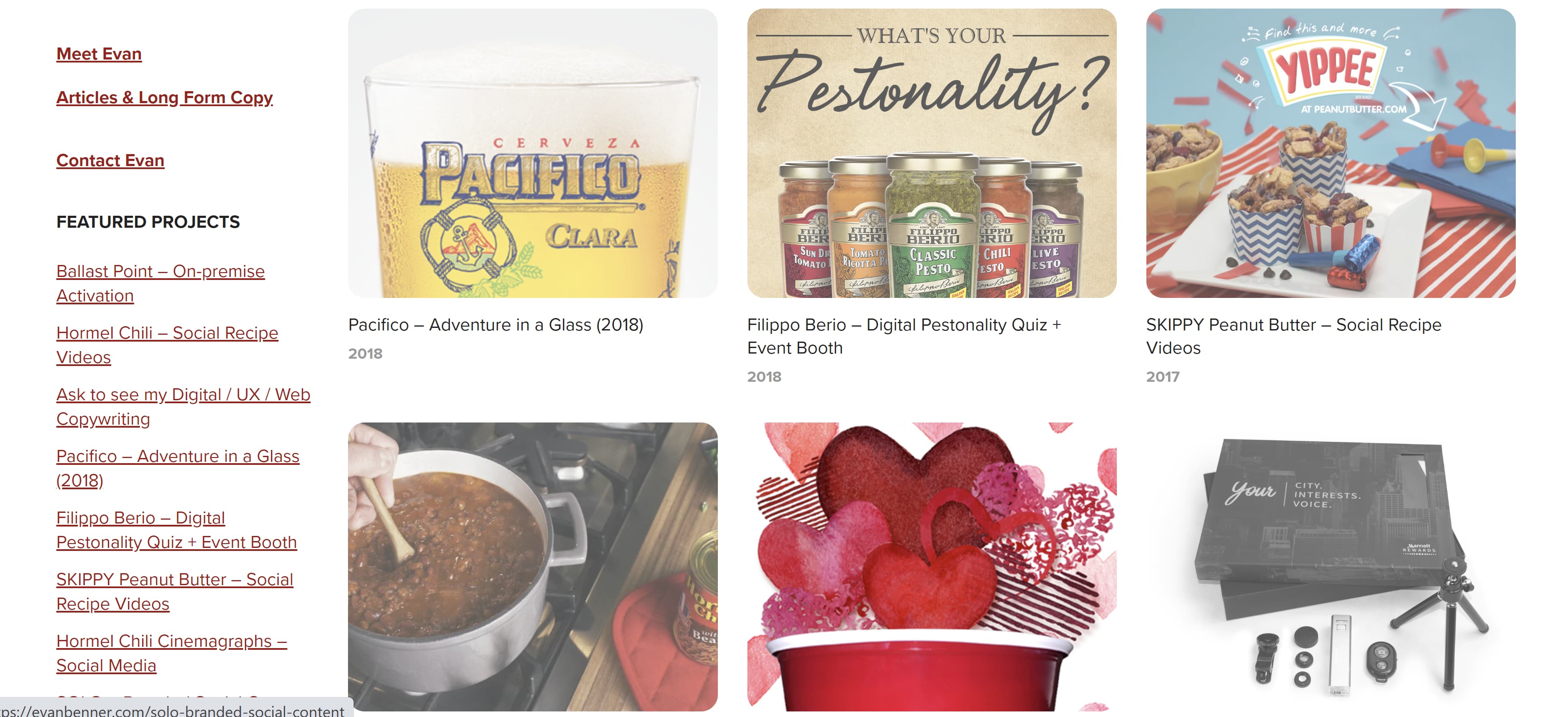
Benner takes a similar approach by using a mixture of high-quality photos and GIFs to display his work on his portfolio’s homepage. However, Benner takes it a step further by including the year his work was published next to each photo. His homepage also includes a headshot and a small blurb about who he is and where he is based.
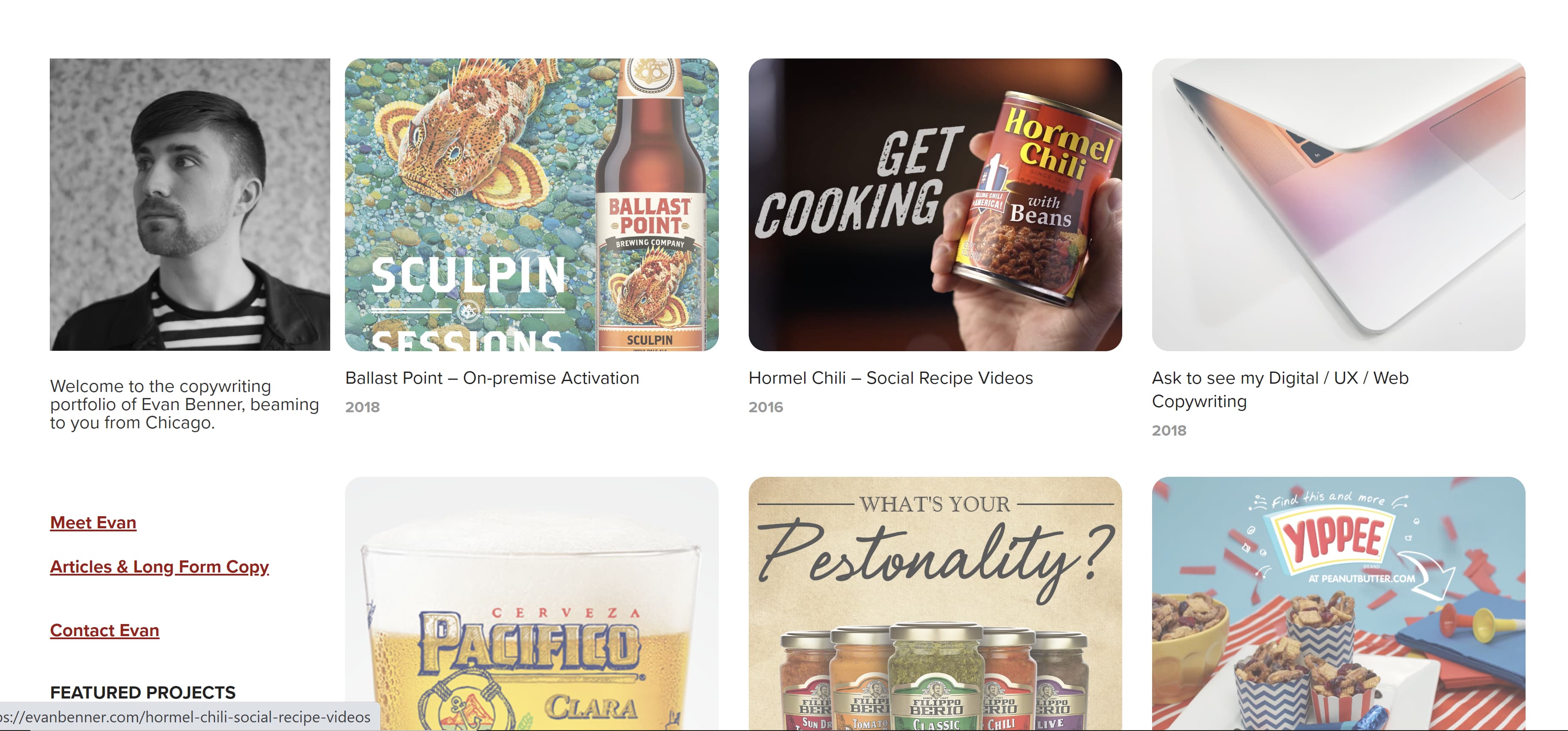 Potential clients and employers can easily navigate his portfolio by scrolling down where they can see more links to his About page (“Meet Evan”), copy, and the projects he worked on.
 4. Jose Carlos Benítez
Copywriting portfolios don’t have to be all work and no play, so don’t be afraid to inject a little humor if you can. Benítez’s personality and sense of humor are sprinkled throughout his portfolio’s homepage.
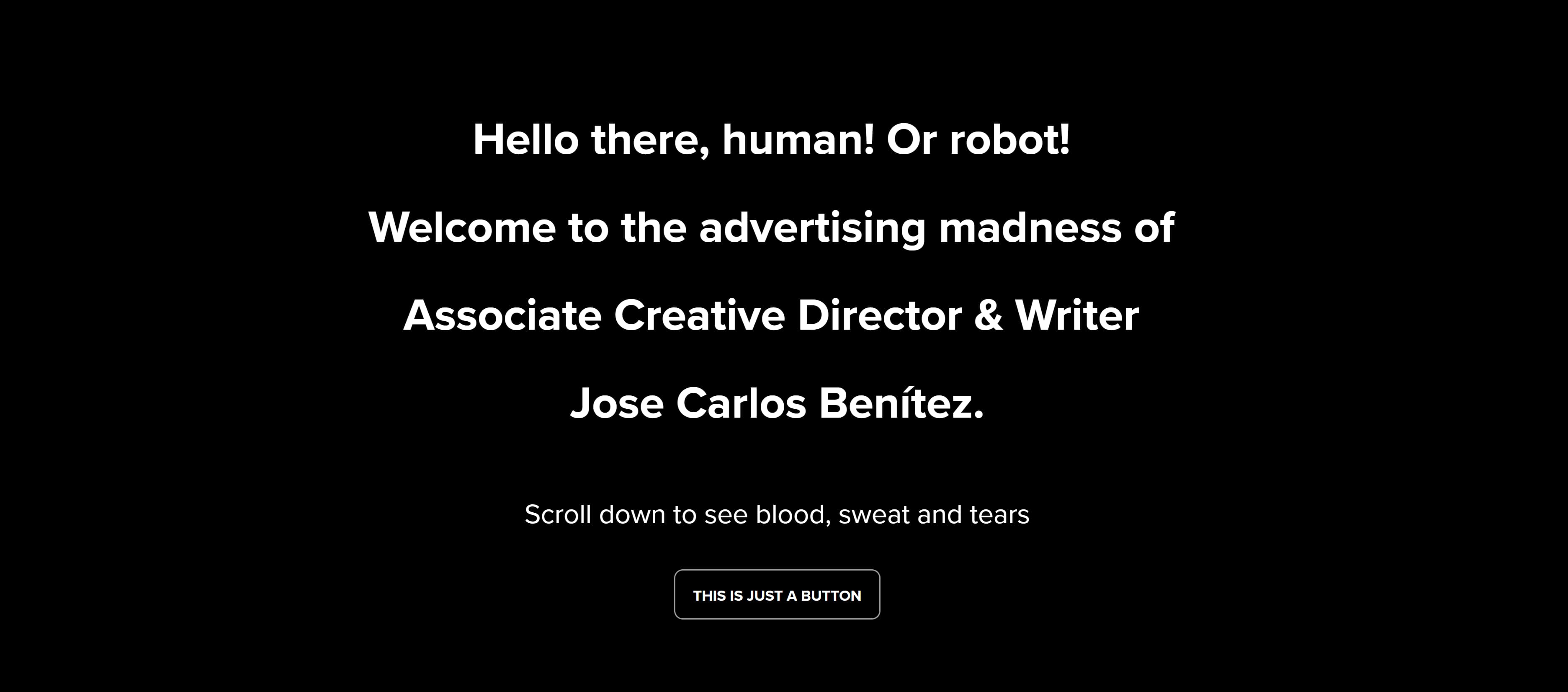
Upon visiting his website, you’re greeted with a black screen with white text that starts with “Hello there, human! Or robot!” and ends with “Scroll down to see the blood, sweat and tears.” And for laughs, there’s a random button that says “This is just a button.” Spoiler Alert: The button doesn’t do anything but I definitely laughed after I clicked on it and waited 30 seconds for something (nothing) to happen.
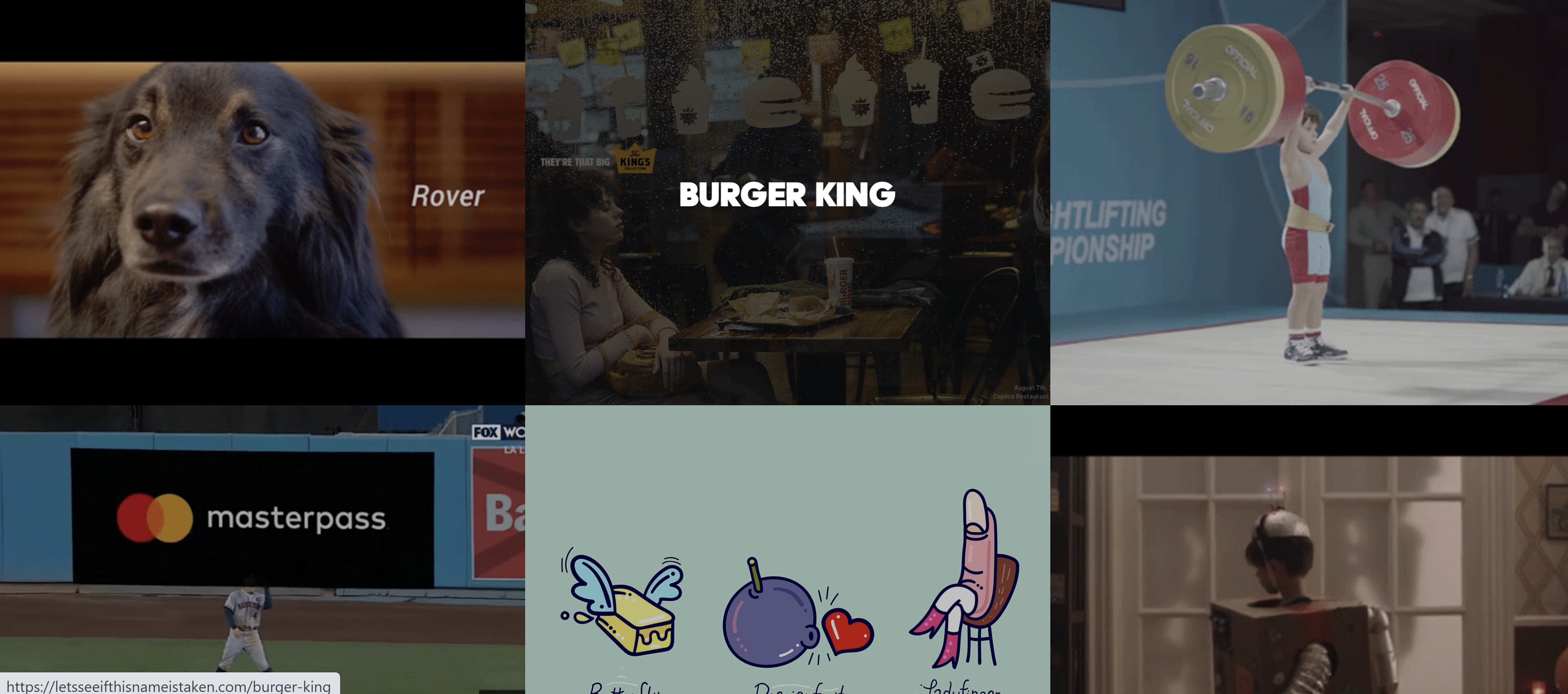
 Once you scroll down, you’ll see a display of GIFs of the different campaigns Benítez has worked on over the years. Similar to Cruze and Brenner’s portfolios, hovering over the GIFs will show the name of the company the campaign was for — and clicking on them will take you to his work.
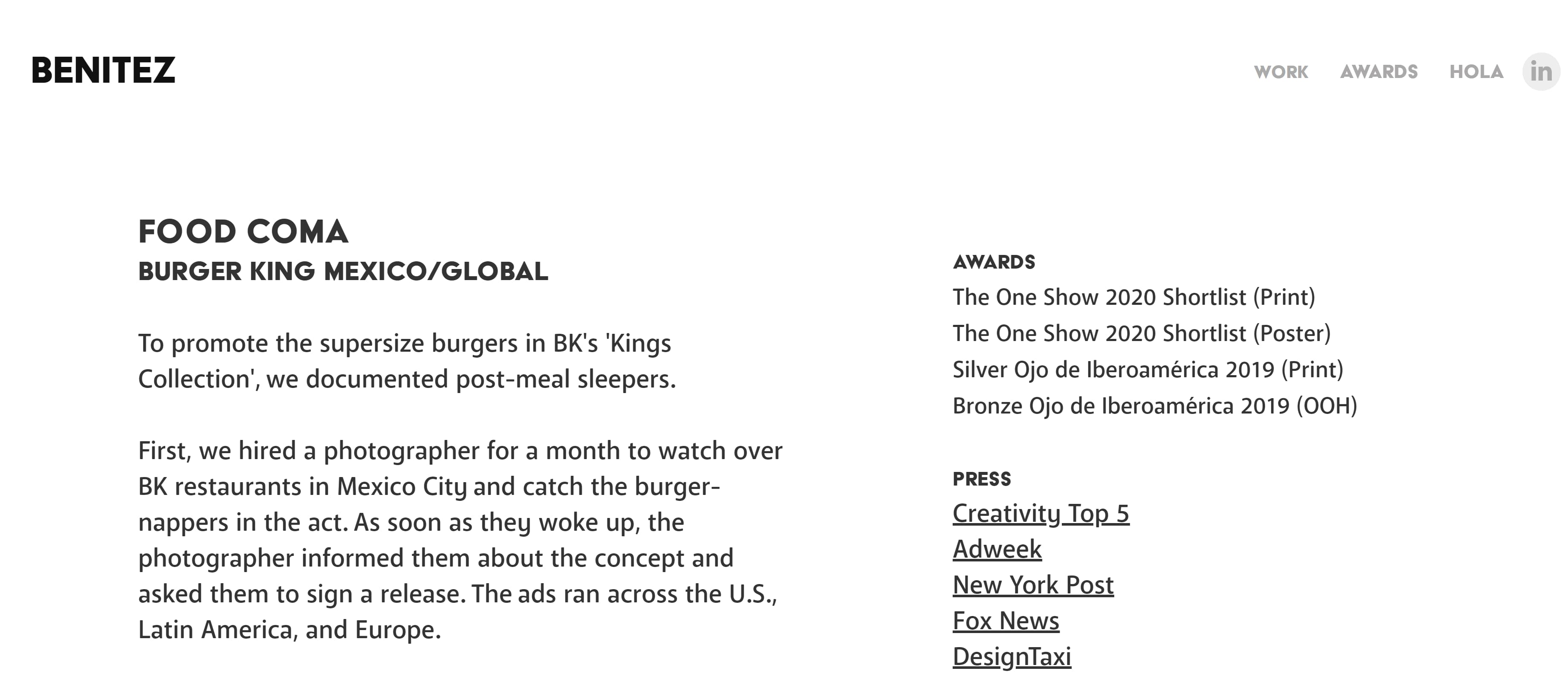
 Featuring a bit of your personality throughout the portfolio will give potential clients and employers an idea of the kind of person they’re working with — and their humor and vision might line up with yours.
5. Benji Shaw
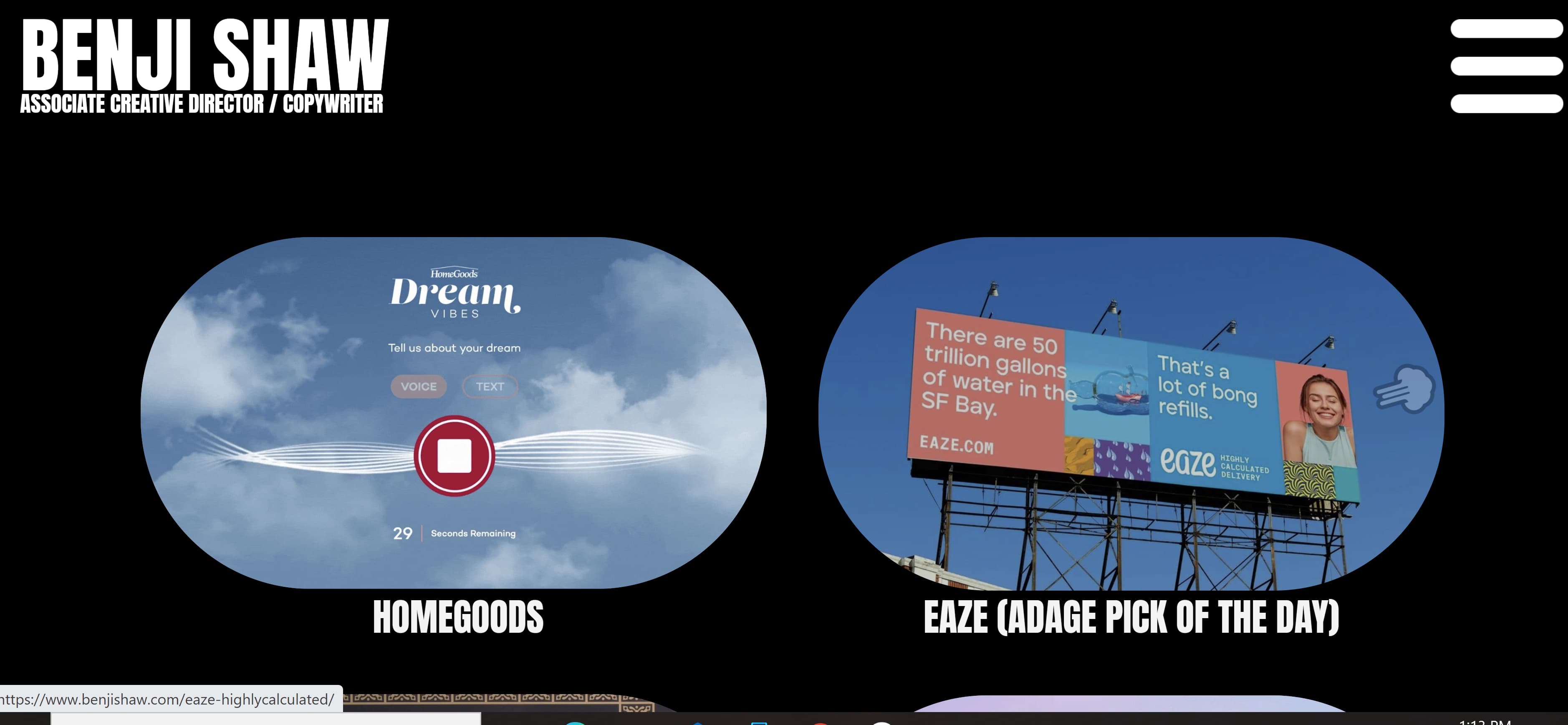
If you want to include imagery in your portfolio, but prefer a more minimalist approach, then Shaw’s portfolio will spark a few ideas. This portfolio features a black background with his name displayed in a large, easy-to-read font in the upper left corner. Two large images representing his work are featured in the foreground, and more of his work is shown by simply scrolling down. Like in previous examples, clicking the images will take you to another page that gives greater detail on the projects he’s worked on.
 6. Aly J. Yale
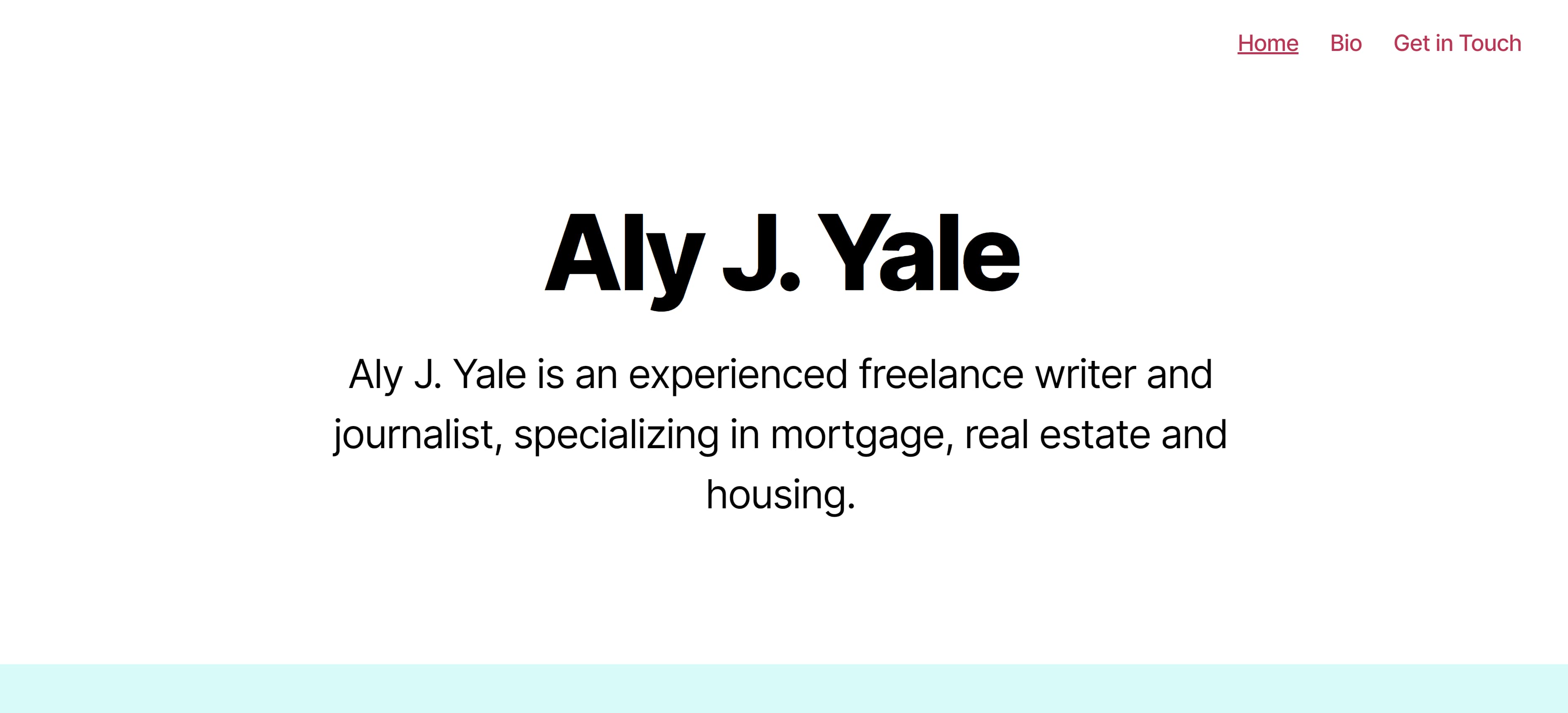
Another excellent example for minimalists, Yale’s portfolio doesn’t rely on a ton of imagery. Instead her homepage is straightforward, simple, and only features her name in large black text against a white background —along with tabs in the upper right hand corner that lead to her bio, homepage, and contact page.
 If you scroll down Yale’s homepage, you see the logos of the outlets that have published her work.
 Though I’d definitely suggest including a tab with links to your written work, this homepage shows that sometimes less is more and that you don’t have to rely on bold images to have a strong portfolio.
7. Davina van Buren
The homepage for van Buren’s portfolio is a great example for copywriters who are looking for a neat, organized way of promoting all of their talents, work, and social media in one place.
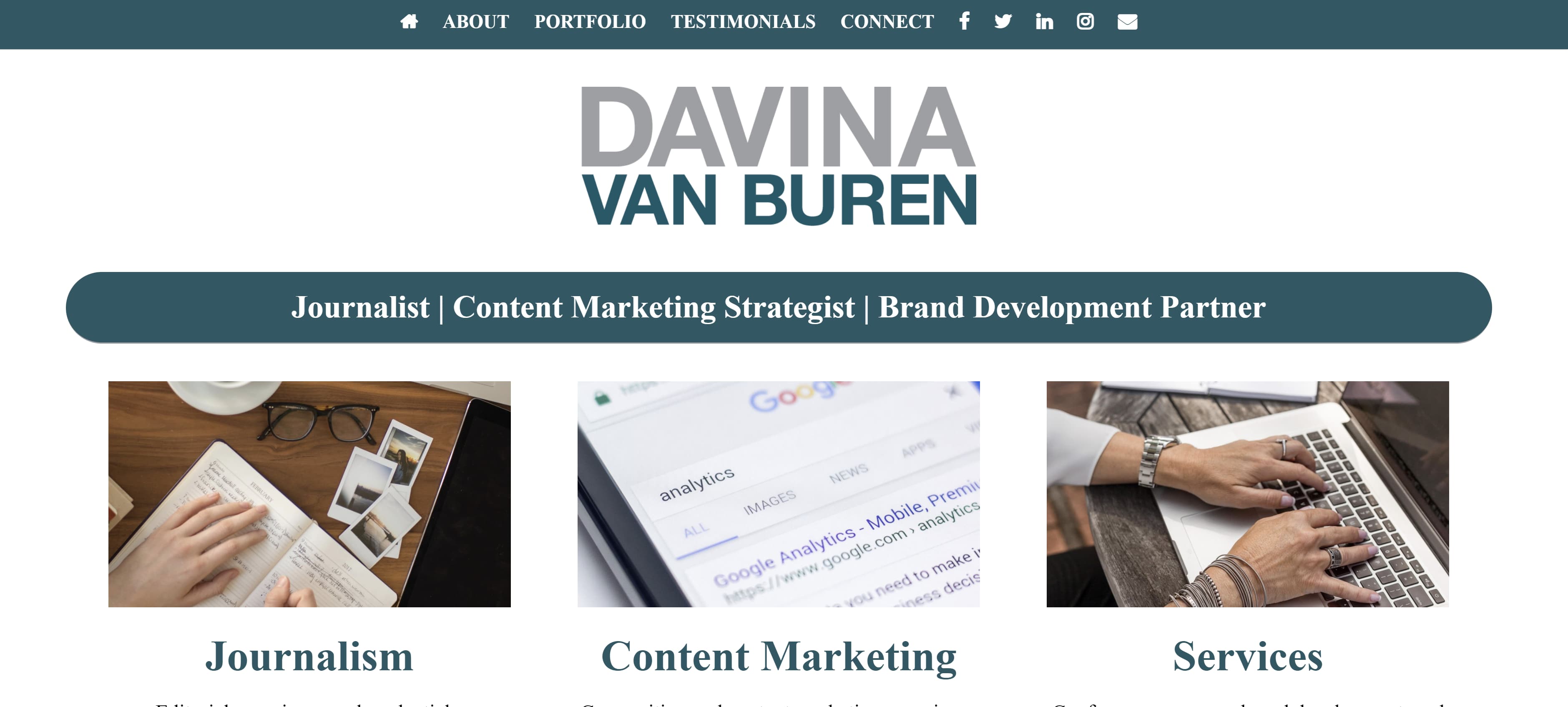
The content of the homepage is organized in a way that leads your eyes down the page. Its coordinated neutral colors are engaging without being too jarring. Also, notice how the tabs for the about page, portfolio, testimonials, contact information, and social media widgets are all neatly organized in a single row at the top.
This format is great if you’re a copywriter who prefers a clean-cut, business professional portfolio.
8. Stephan Marsh
This portfolio is a great example if you’re the kind of copywriter who wants to get straight to the point. With a tagline in big bold letters reading “Read less of what I say. See more of what I’ve done,” Marsh makes it clear that he does not want to waste anyone’s time. The top of his homepage even includes a self-contained PDF portfolio that can be downloaded immediately.
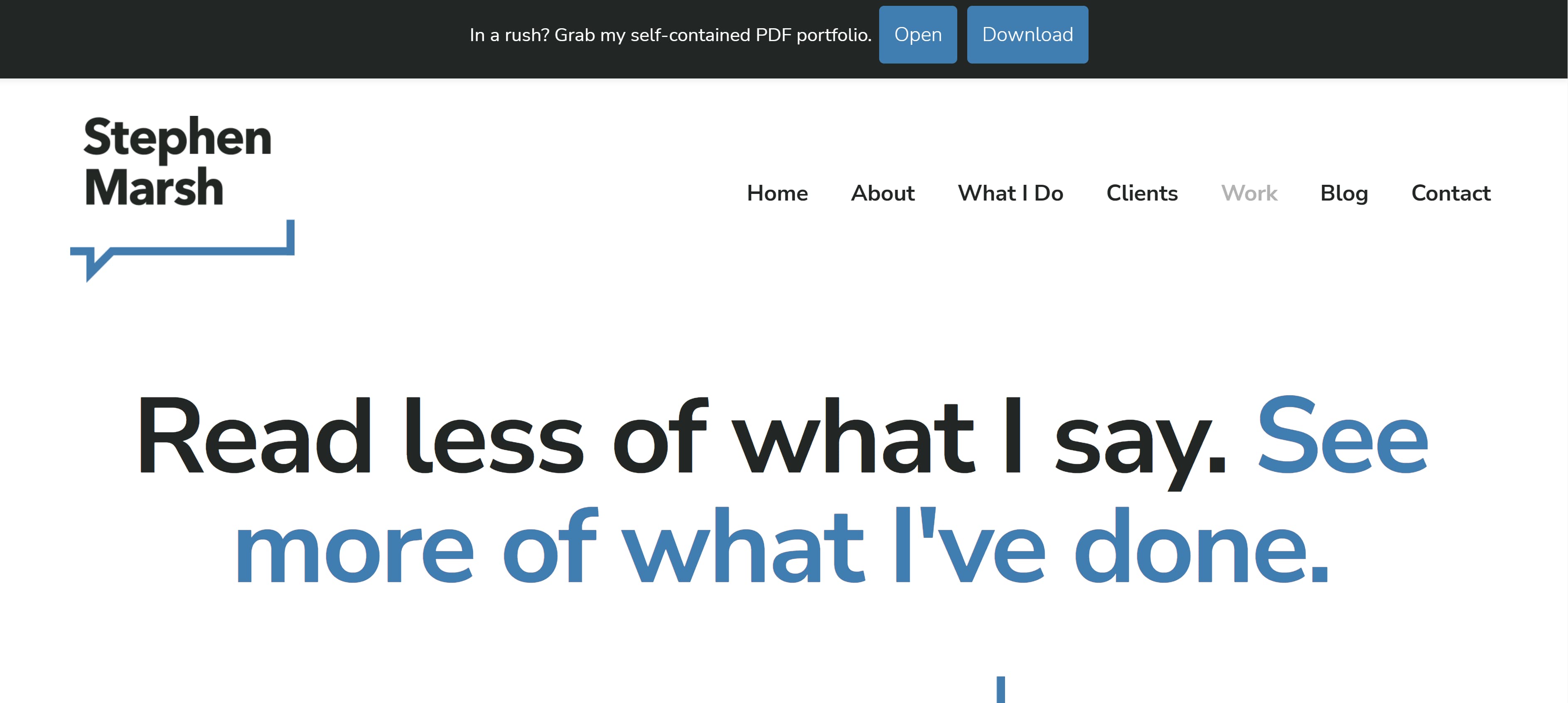 This portfolio shows that even a person of few words can still find a way to make a bold first impression.
9. Jennifer Cheek
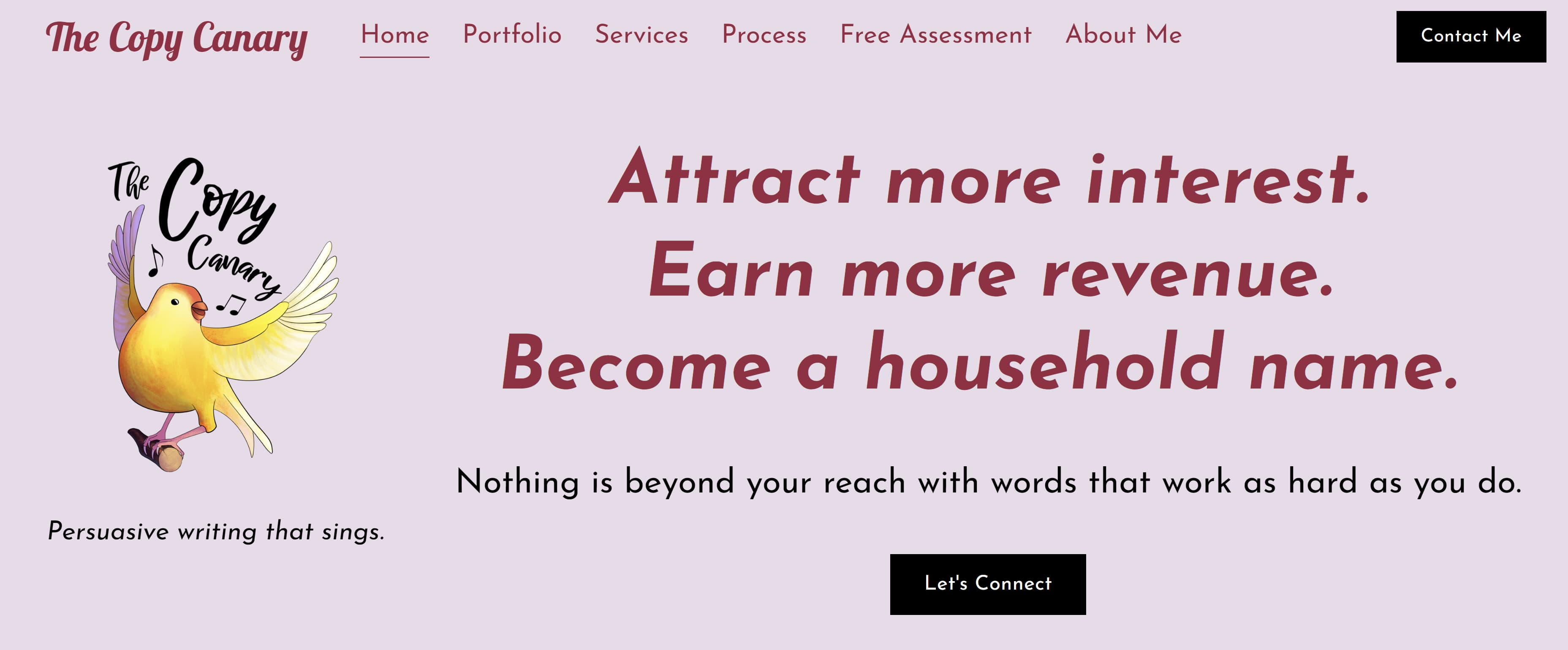
I love this homepage example because it shows how a copywriter can add their own personal touch to a portfolio template. What makes this portfolio stand out is its fun pink hues and the adorable yellow canary logo on the left side of the page. Once again, don’t be afraid to show your personality on your portfolio’s homepage, and that includes your quirky side.
 10. Anna Rogan
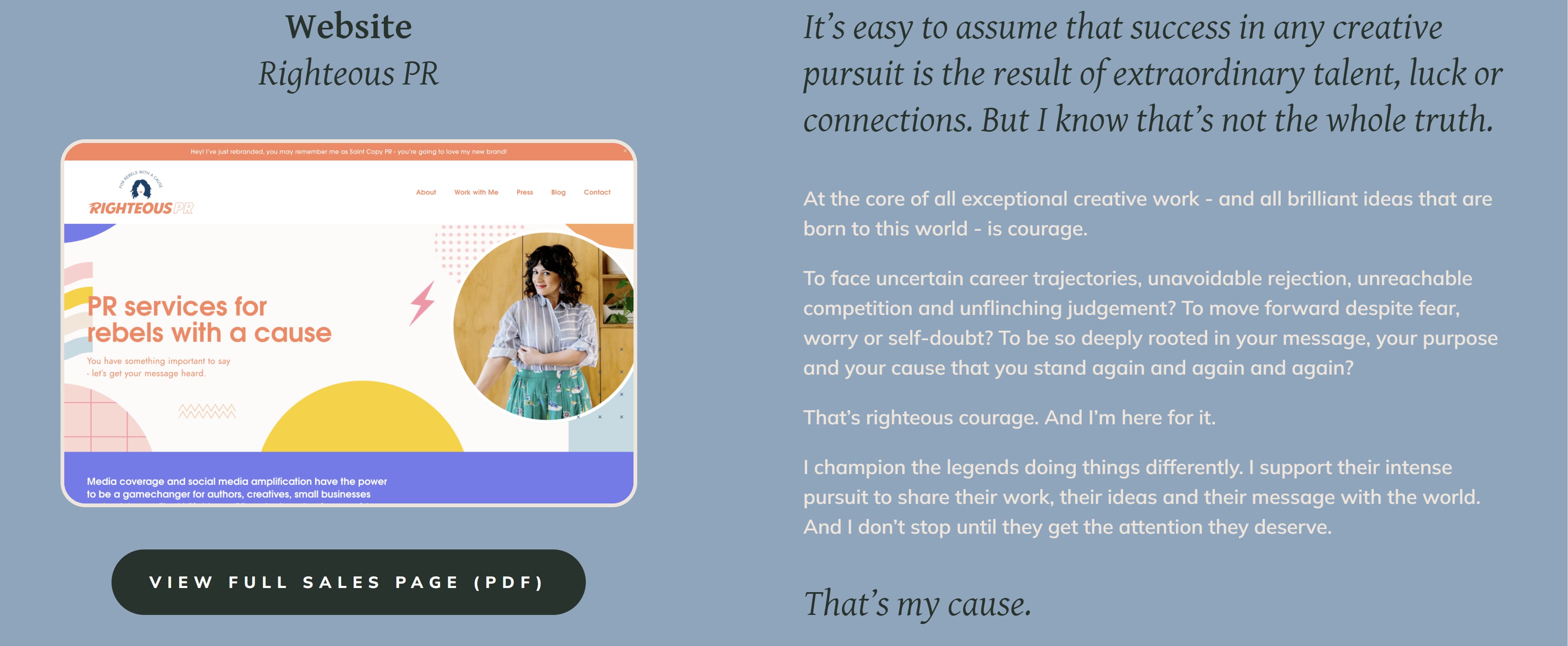
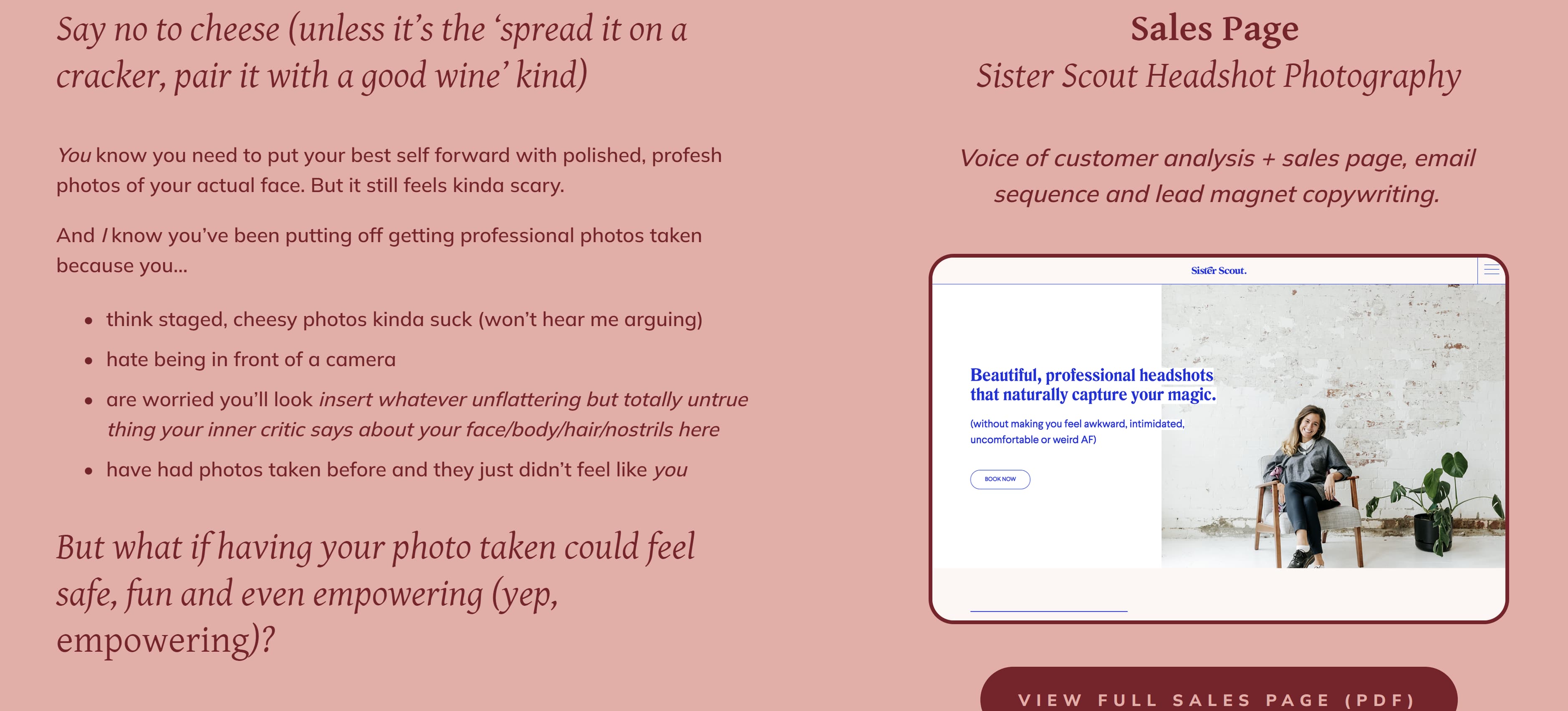
Rogan’s homepage, like van Buran’s, also leads your eye downward. As you scroll down you’ll see more of her work samples, but what makes her page really interesting is that each sample comes with a corresponding color change. This makes for a fun, aesthetically pleasing scroll through her work.
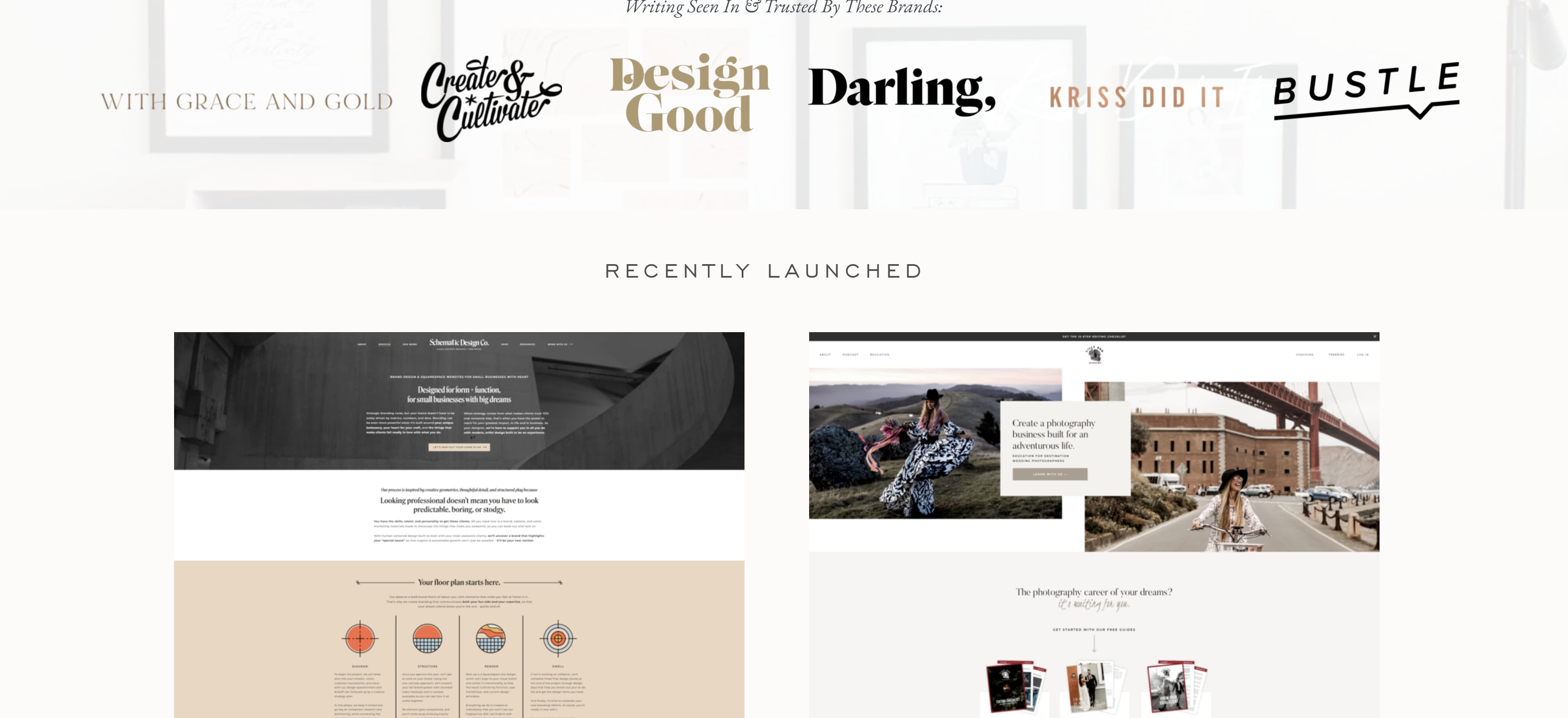
 11. Kayla Dean
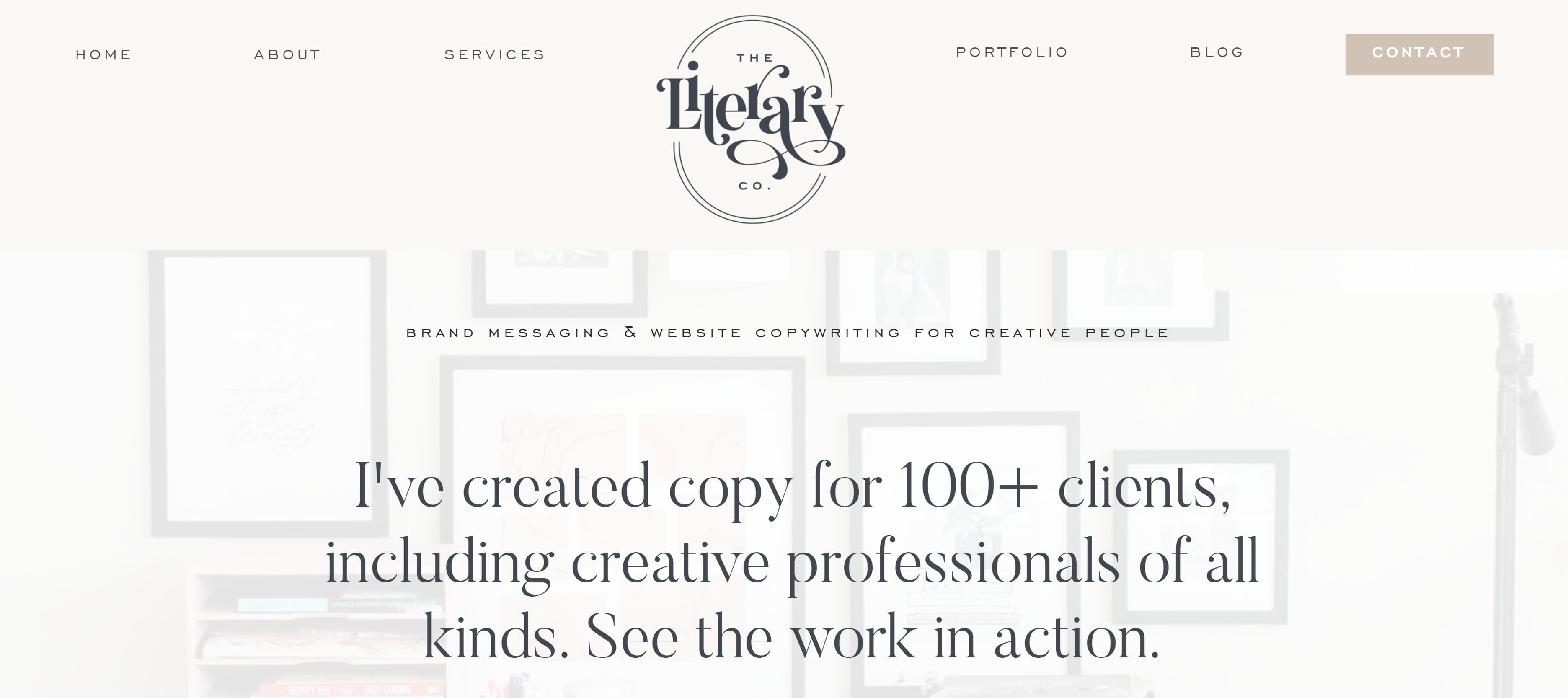
Dean’s portfolio is called The Literary Co. and starts by letting visitors know she has a wealth of experience, having created copy for more than 100 clients. Her portfolio also has a blog-style setup where potential clients can scroll down and see all of her latest work, case studies, and the brands she has worked with.
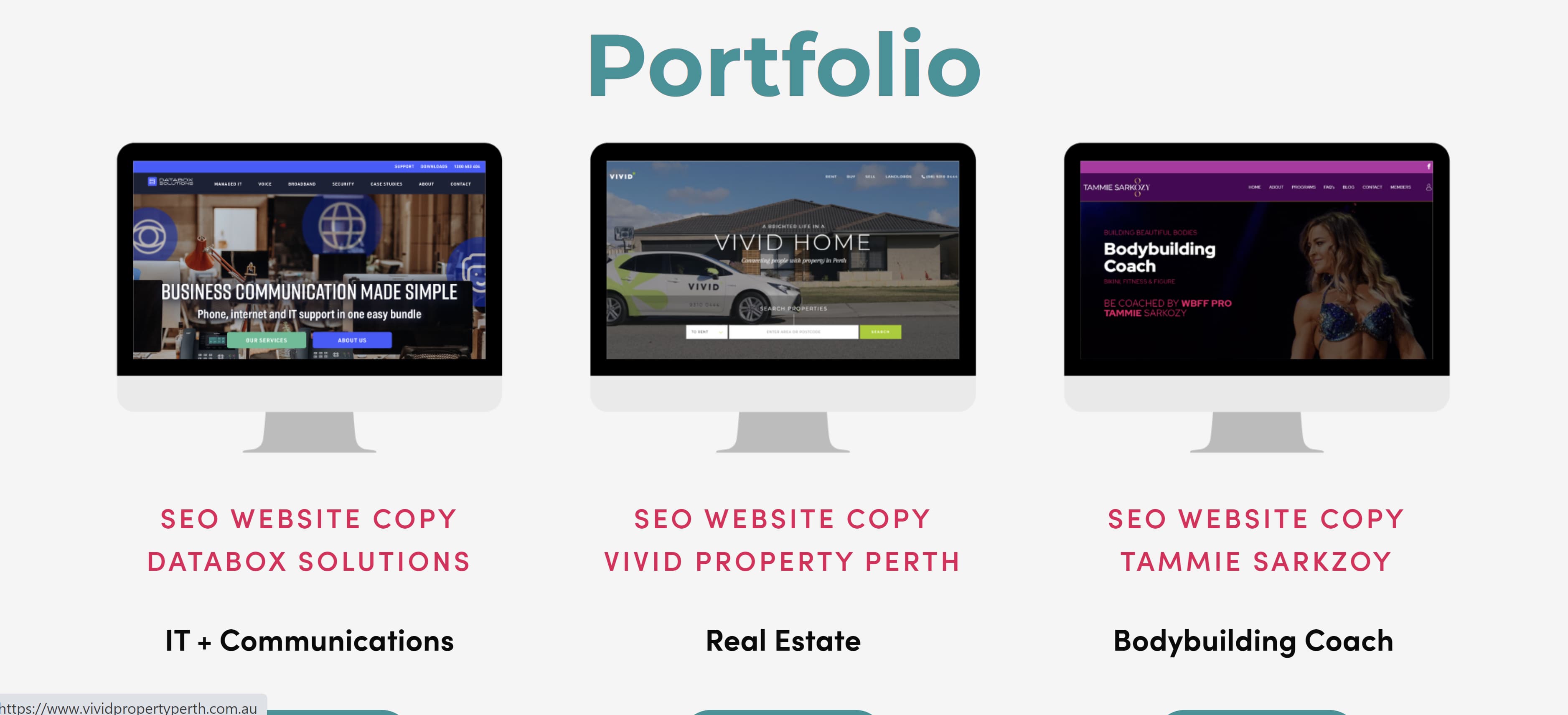
 12. Dayarne Smith
Smith’s website opens with a large image of a woman at a keyboard and features all of her relevant tabs at the top of the homepage. Once you scroll down, you’ll see her portfolio with links to her work uniquely displayed in fun monitor illustrations.

 13. Sara Frandina
Frandina leaned into the writing theme by having her portfolio’s homepage resemble notebook paper. She doubled down on the theme by crossing out a word in the tagline and “writing” in a new word.
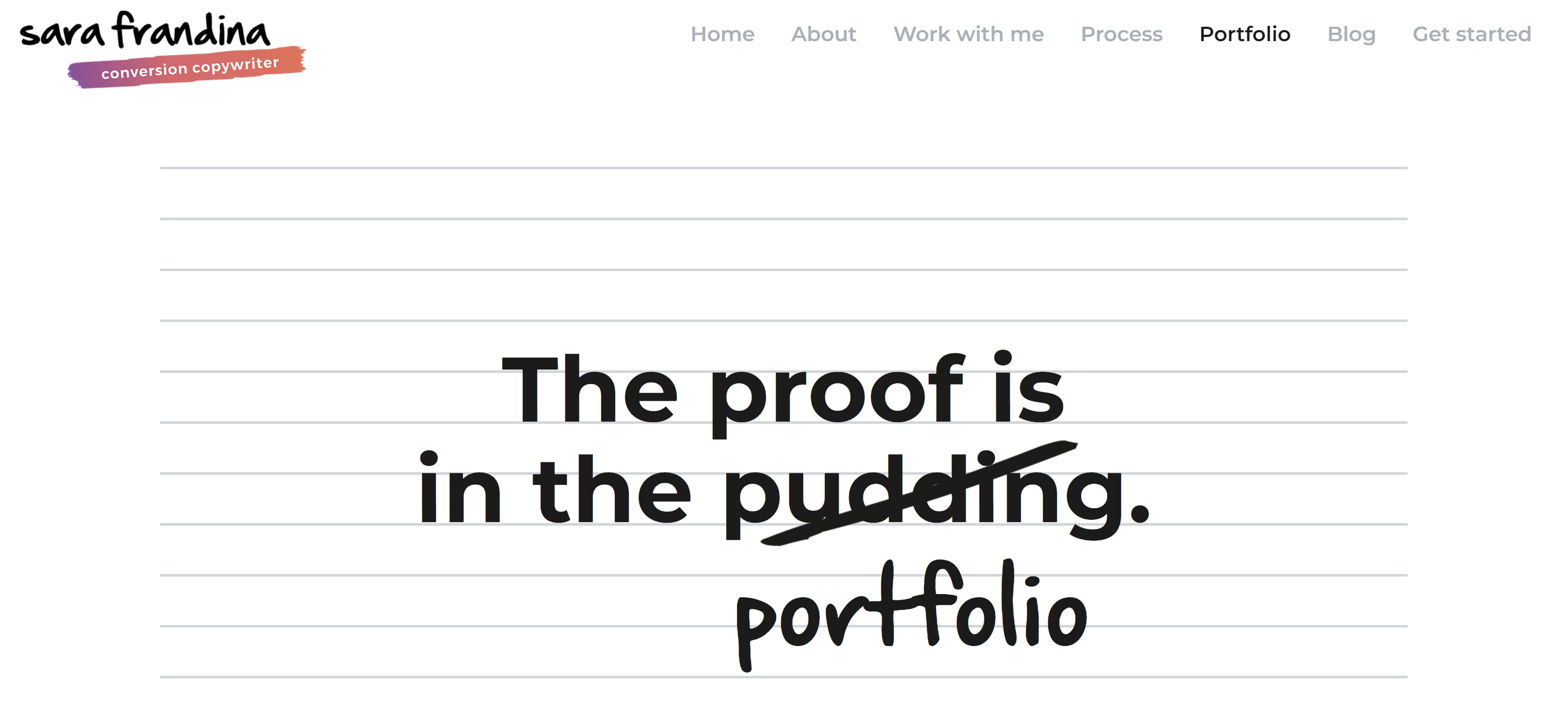 In addition to having standard information tabs at the top of the page, Frandina also included tabs linking to her past works separated by categories — customer research, email sequences, launch copy, long-form sales page, and website copy. These tabs can be found by scrolling down the homepage.

About Me
This is where you showcase your personality and clearly define the expertise you bring as a copywriter. Notice that each example features a photo of the copywriter.
14. Kim Hobson
Figuring out what to say about yourself can be difficult. Where do you even start? Hobson found a way around that by breaking her About page into sections. In her introduction, she includes a photo of herself followed by a brief overview of what she does, where she is based, and how long she has been copywriting.
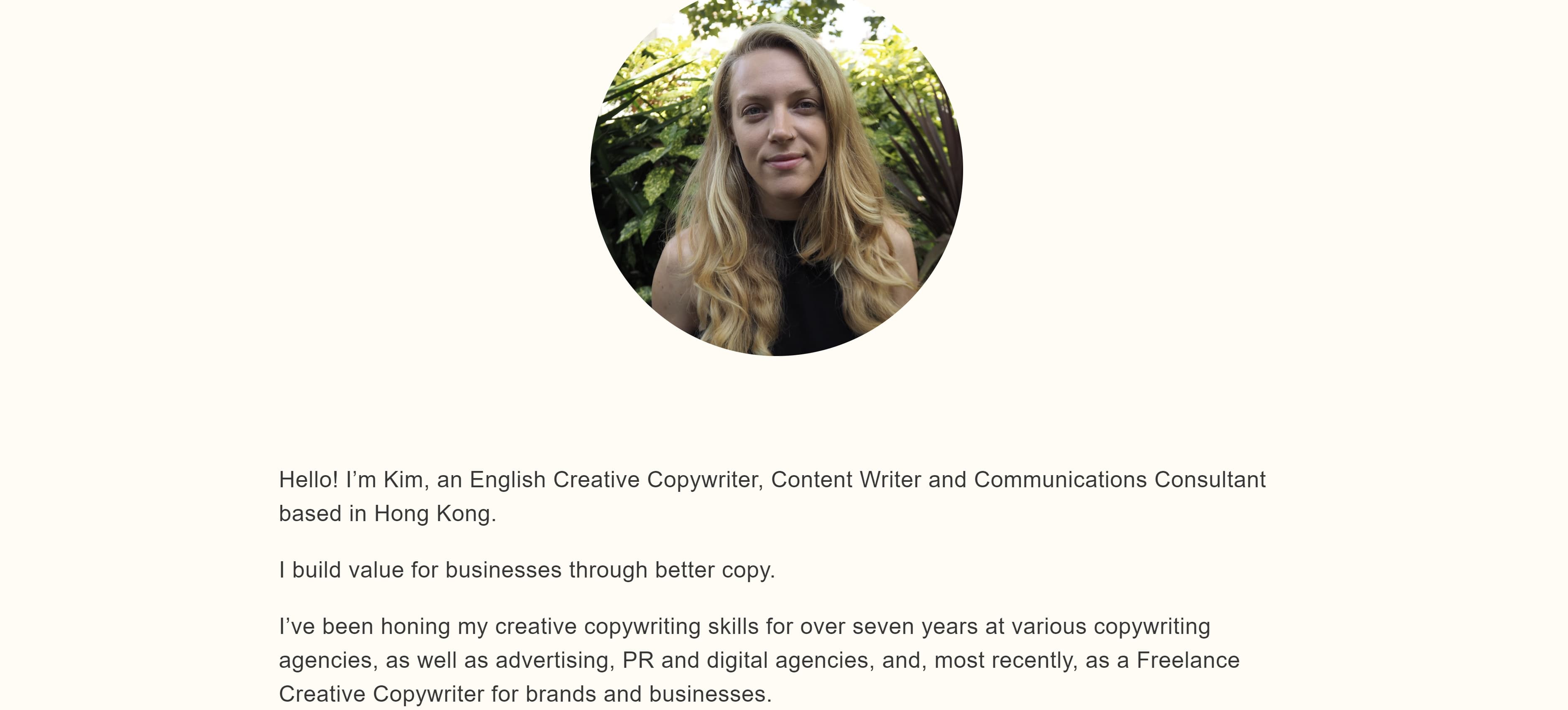 Below her overview, she lists five quick facts about herself — some of which pertain to copywriting and others that cover her personal life. Then she has a section that breaks down her professional background.
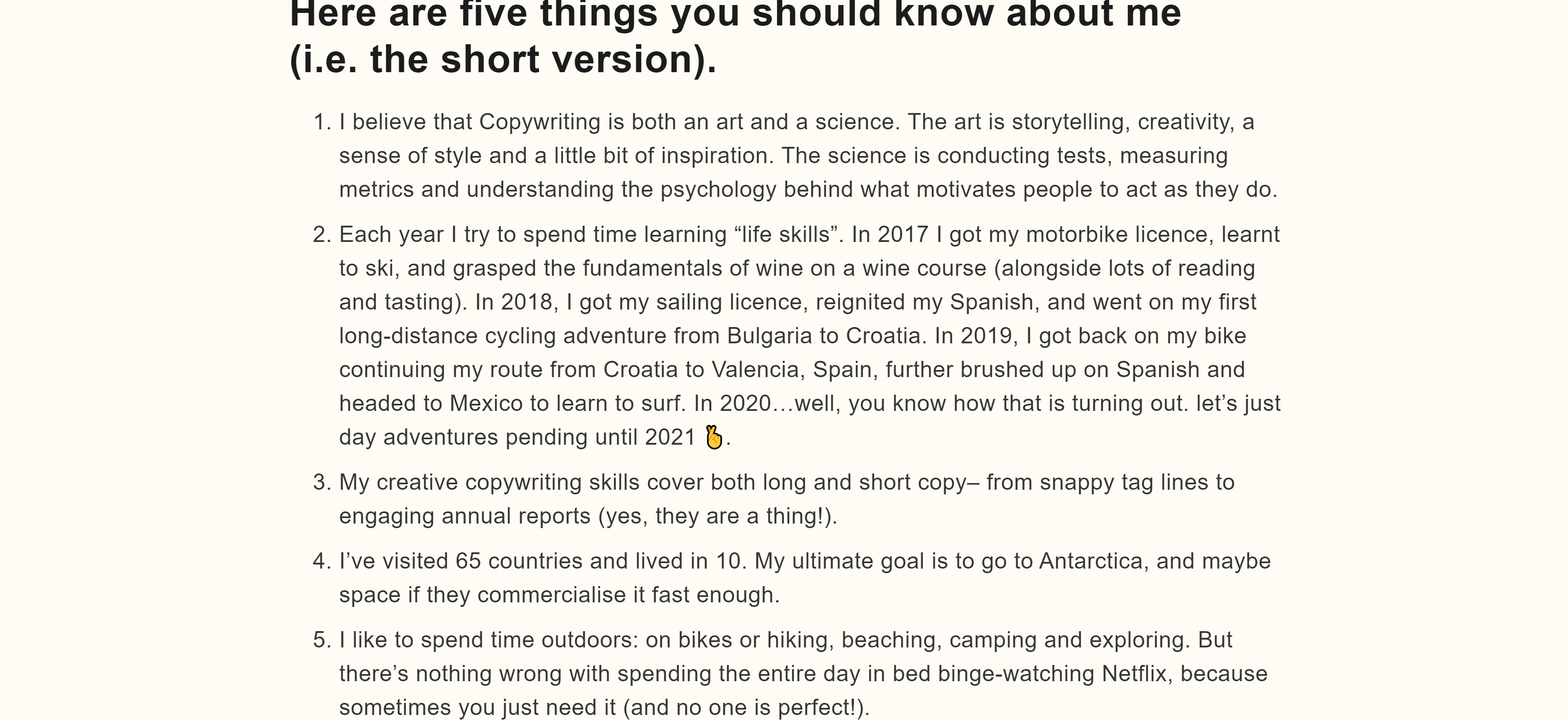
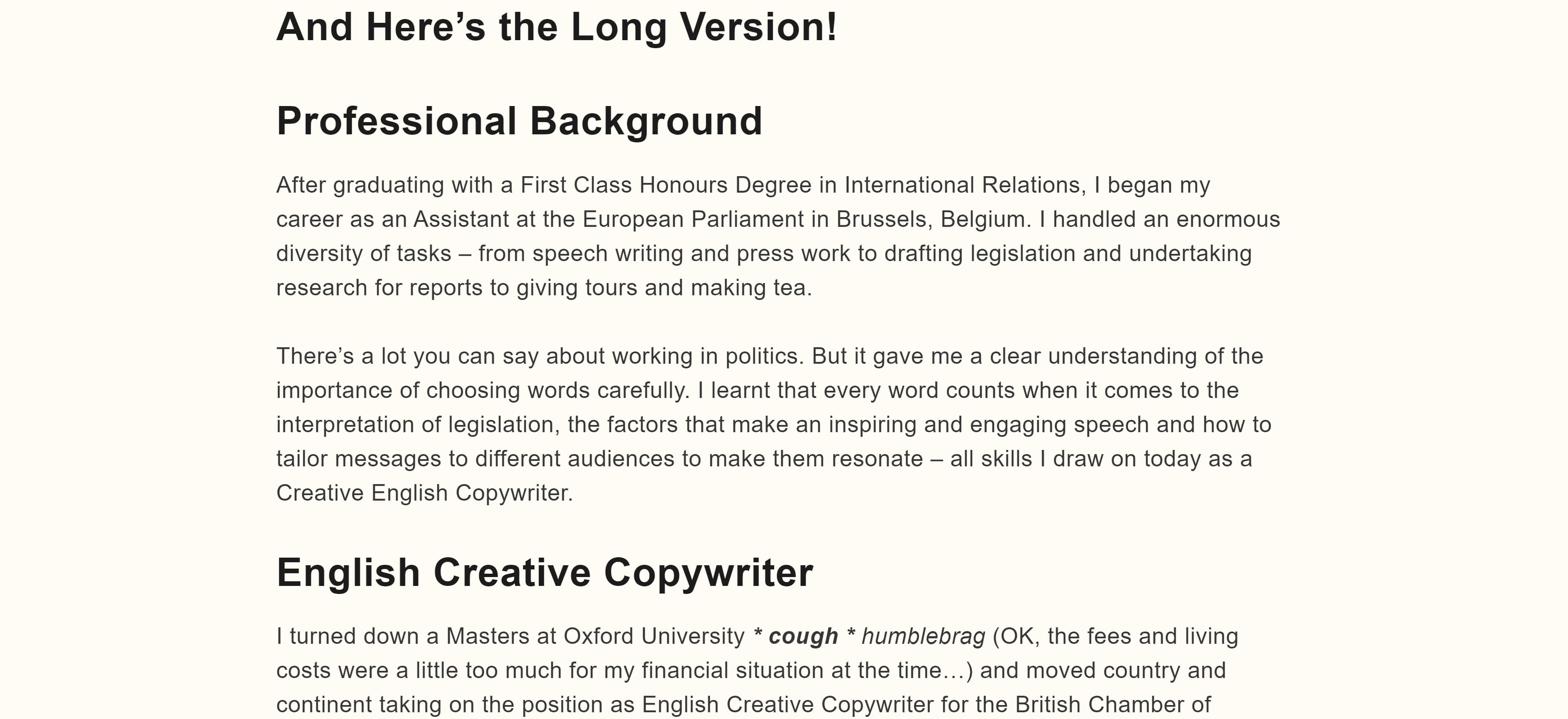 If you’re not sure what to put in your About page, you can follow Hobson’s formula by including a brief overview followed by a few fun facts and a breakdown of your career thus far.
15. Flourish Writing
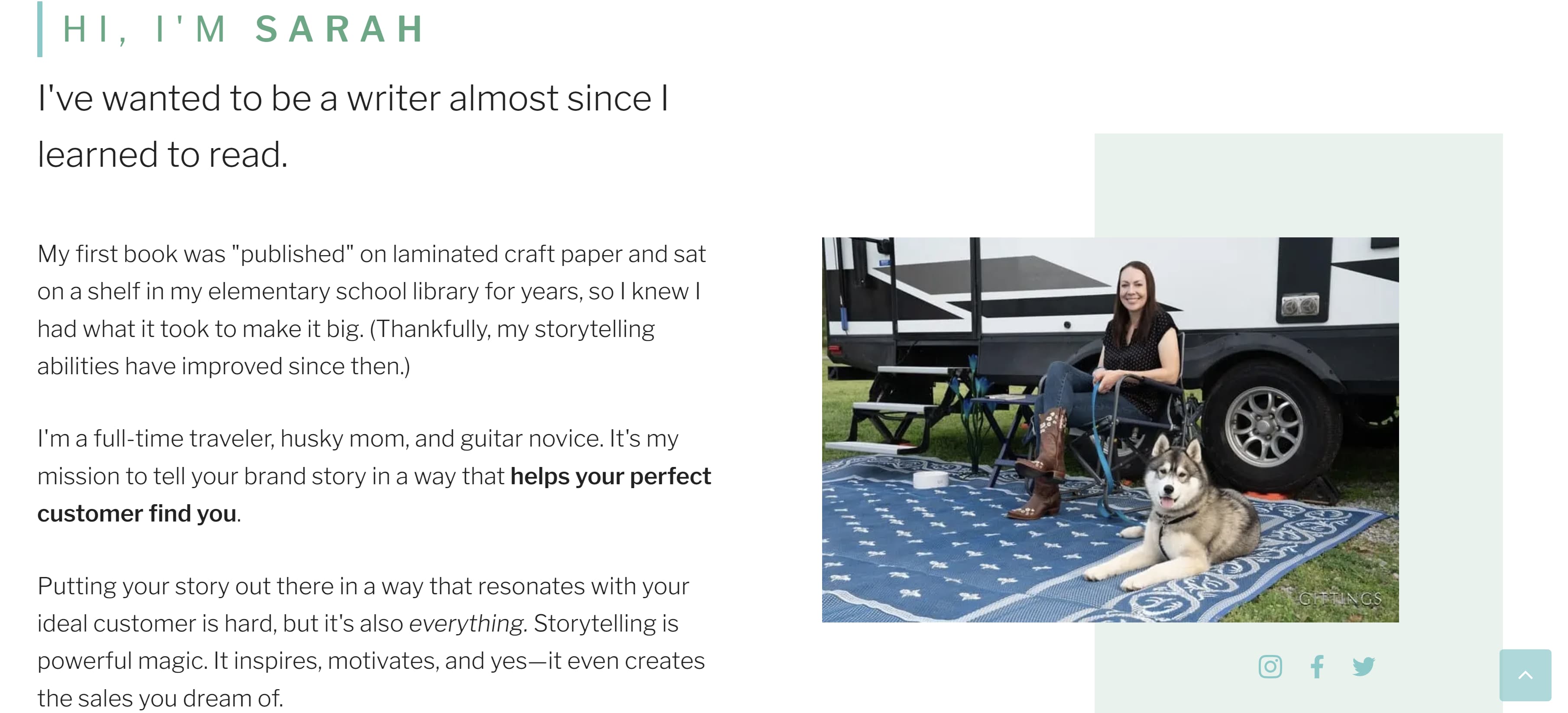
Sarah, whose portfolio is called Flourish Writing, introduces herself using a funny anecdote about her first “published book” being written on craft paper and stored on her elementary school’s shelf for years. This anecdote lets the reader know Sarah has had a passion for writing since she was a child and that passion can also produce excellent work.
Complete with a photo of Sarah with her adorable pup, this About page gives the reader a clear idea of who Sarah is when she isn’t writing.
 16. Shanice Perriatt
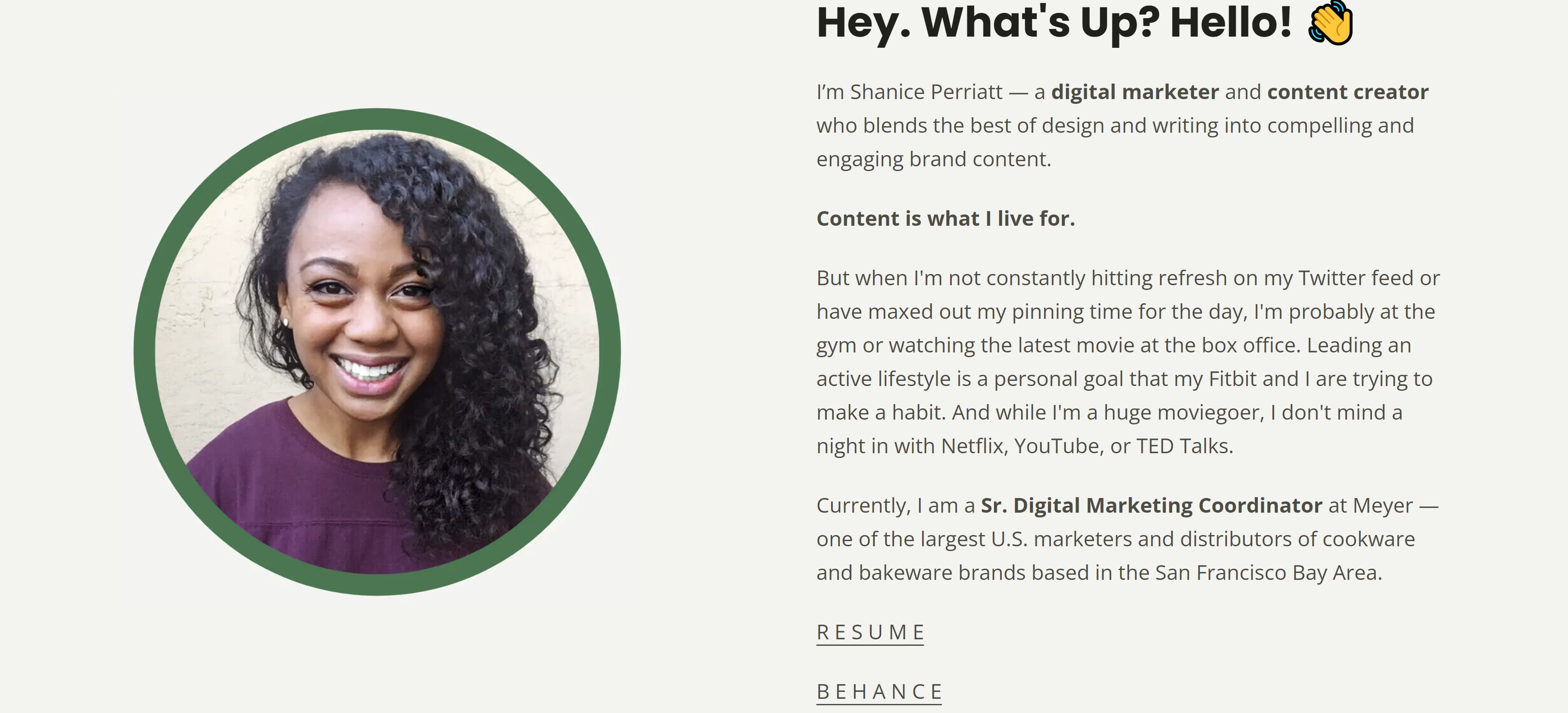
Perriatt’s About page is concise and well organized. Her opener clearly states her name and what she does: “I’m Shanice Perriatt – a digital marketer and content creator who blends the best of design and writing into compelling and engaging brand content.”
Like Sarah, Perriatt also gives us insight into her life and hobbies – going to the gym, scrolling through Twitter, and going to the movies. Finally, the bio ends with Perriatt telling the reader the position she holds now.
The muted pastel background complements the green around headshot, making for a clean, informative page.
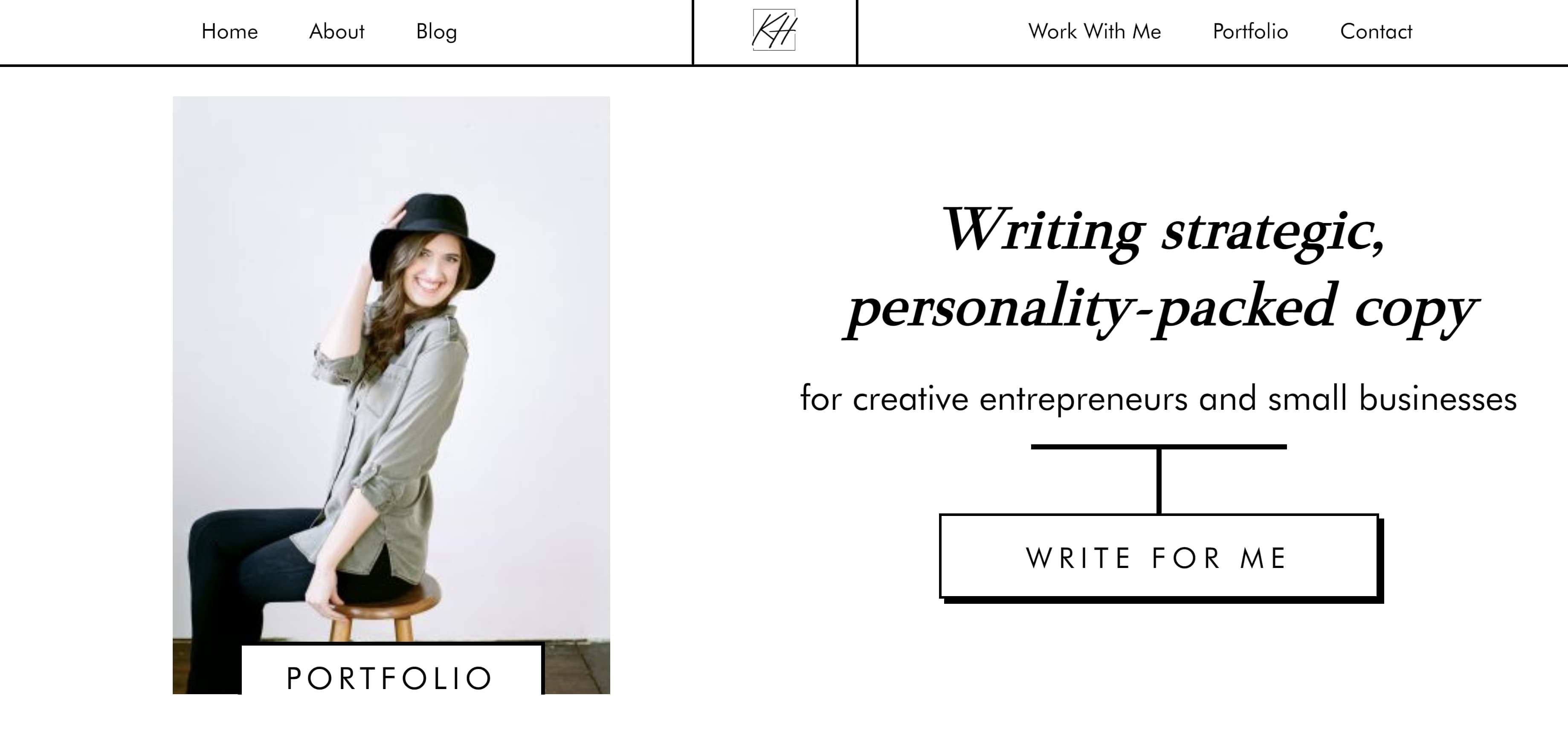
 17. Kayla Hollatz
Hollatz takes a different approach to her About page. First, it starts with a photo of Hollatz next to a brief statement detailing her objective.
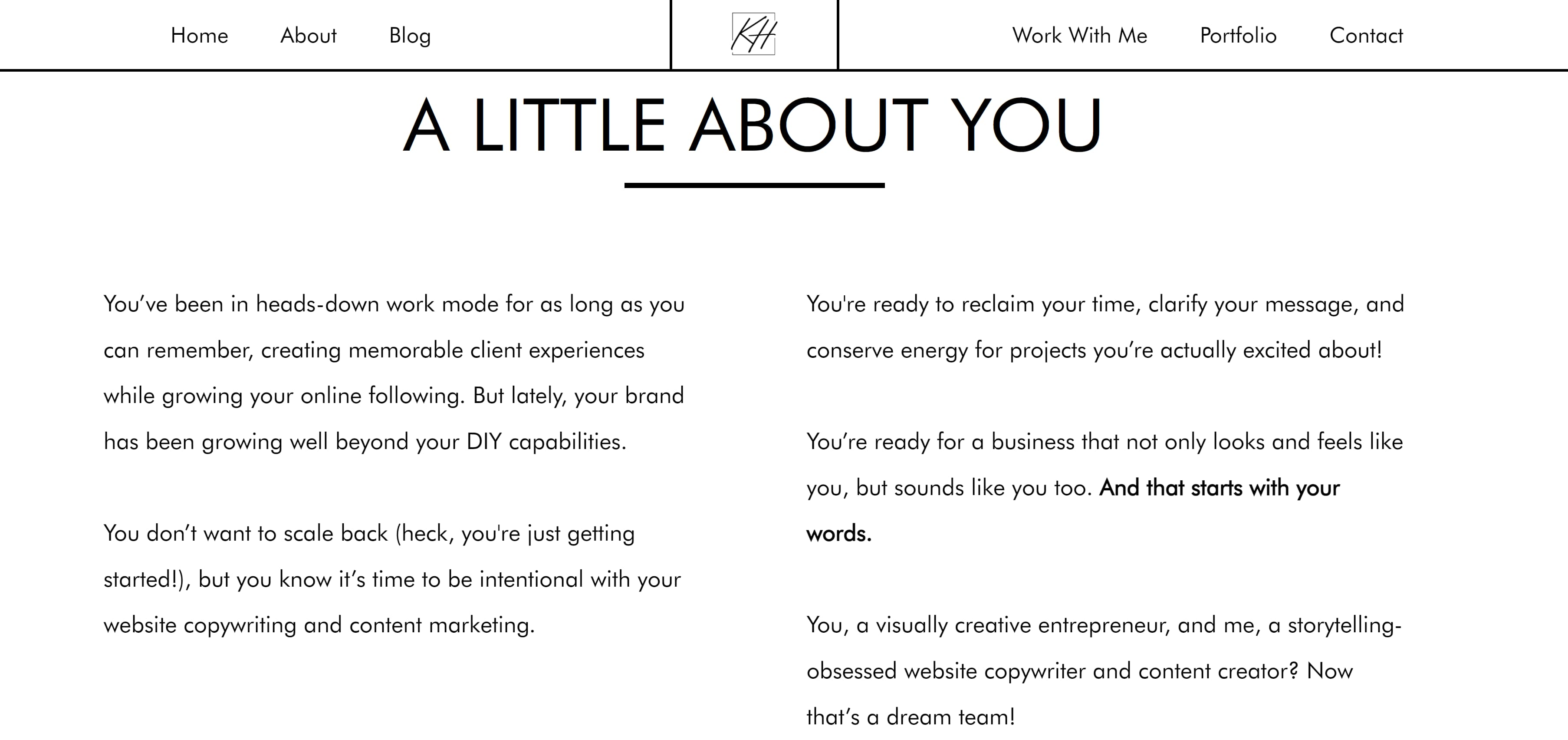
 After scrolling down, visitors see an “About You” page instead of an “About Me” page. This is where Hollatz presents an issue many clients face.
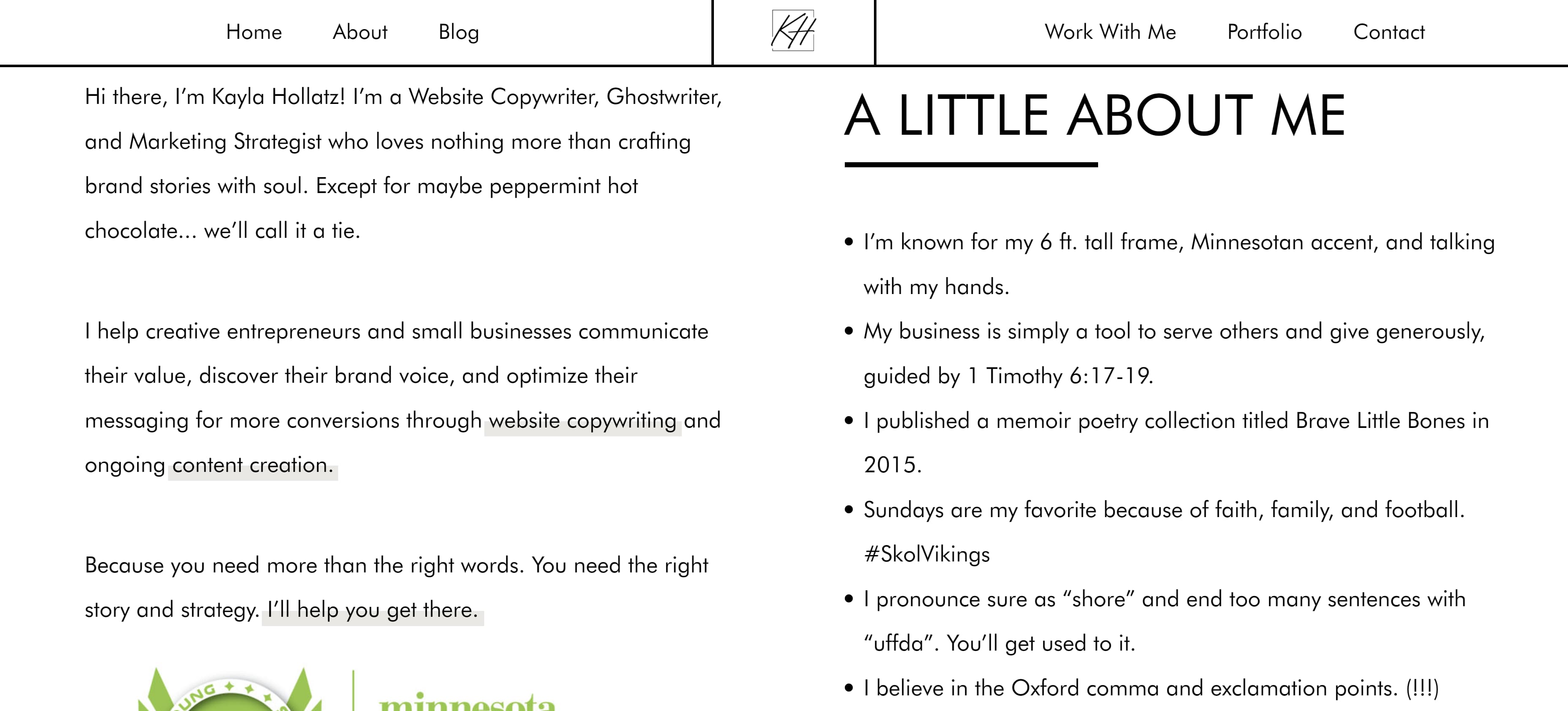
 Finally, visitors can scroll further down to find an About Me page in which Hollatz presents herself as the answer to all of the potential client’s problems.
 18. Andie Coupland
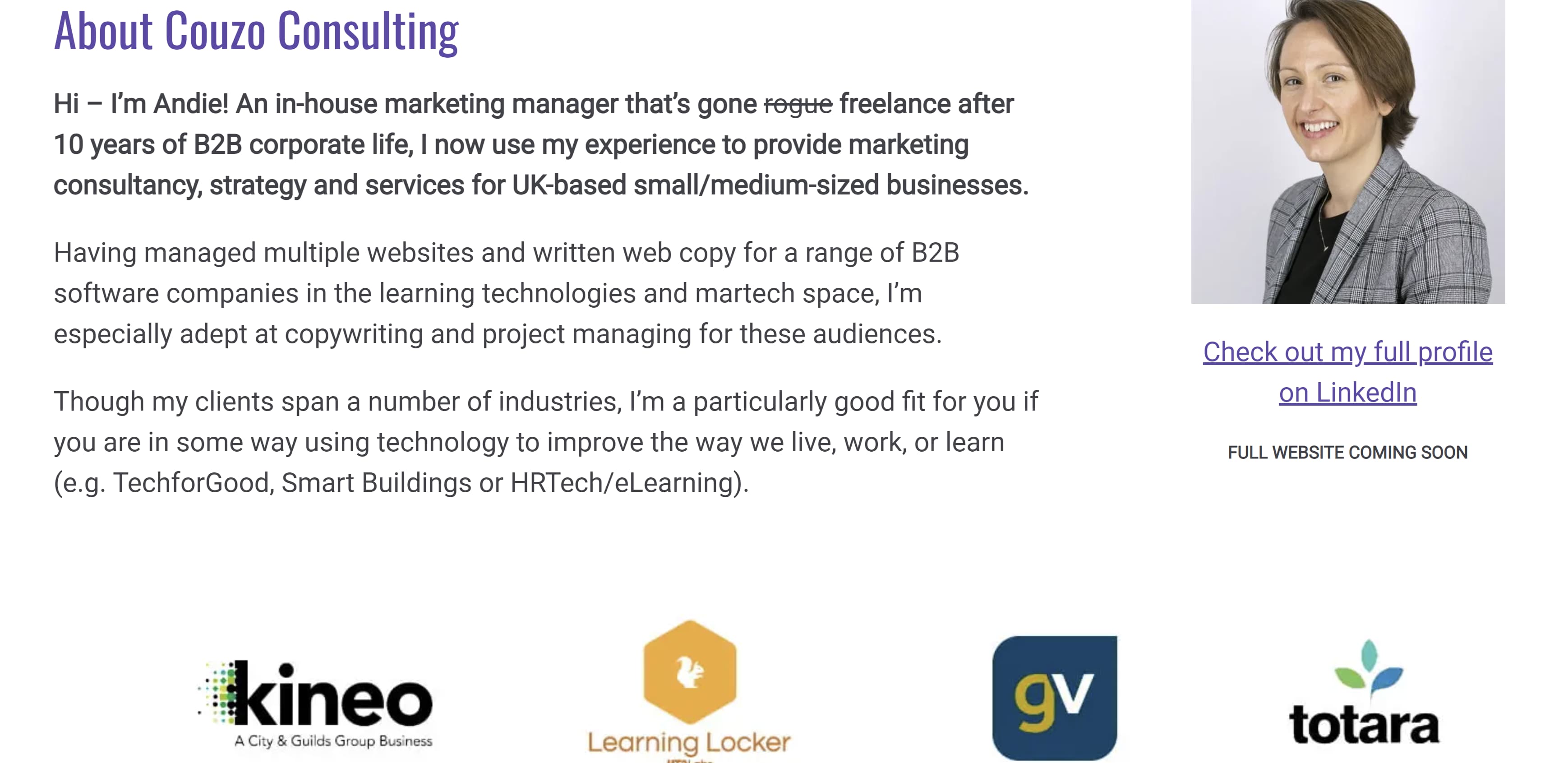
Coupland’s About page shows that it is perfectly fine to veer away from personal details and to keep things strictly business. While we don’t get insight into Coupland’s life outside of writing, we do get a clear description of her experience and what she brings to the table as a copywriter. Note that she also includes a link to her LinkedIn for more information.
 19. Jacob McMillen
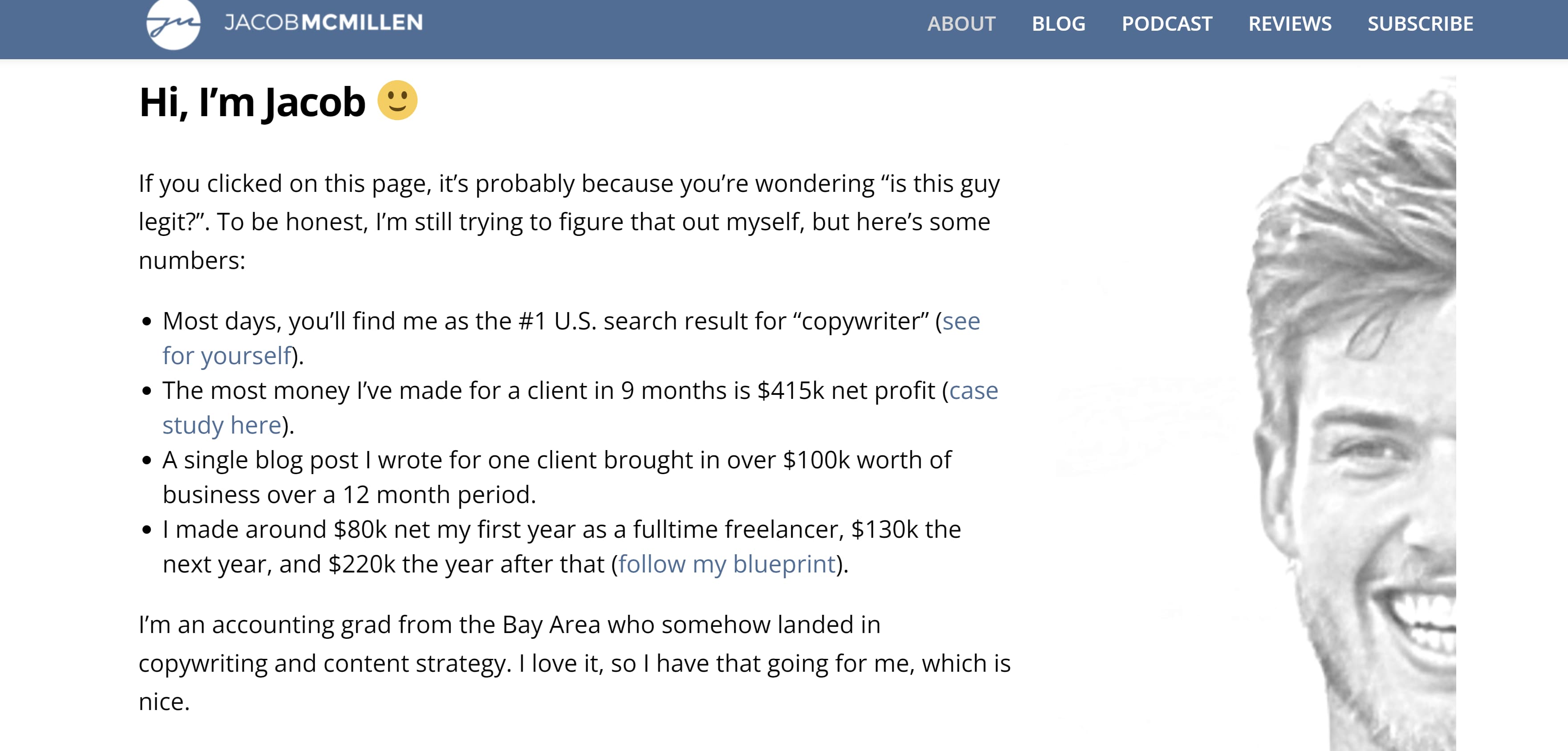
McMillen’s About page establishes credibility by focusing on his accomplishments. He also puts his own spin on the writer’s headshot by instead only showing half his face. It’s a bold move but the gray coloring complements the muted blue and white banner, so it doesn’t seem too out of place.
 20. James Schlesinger
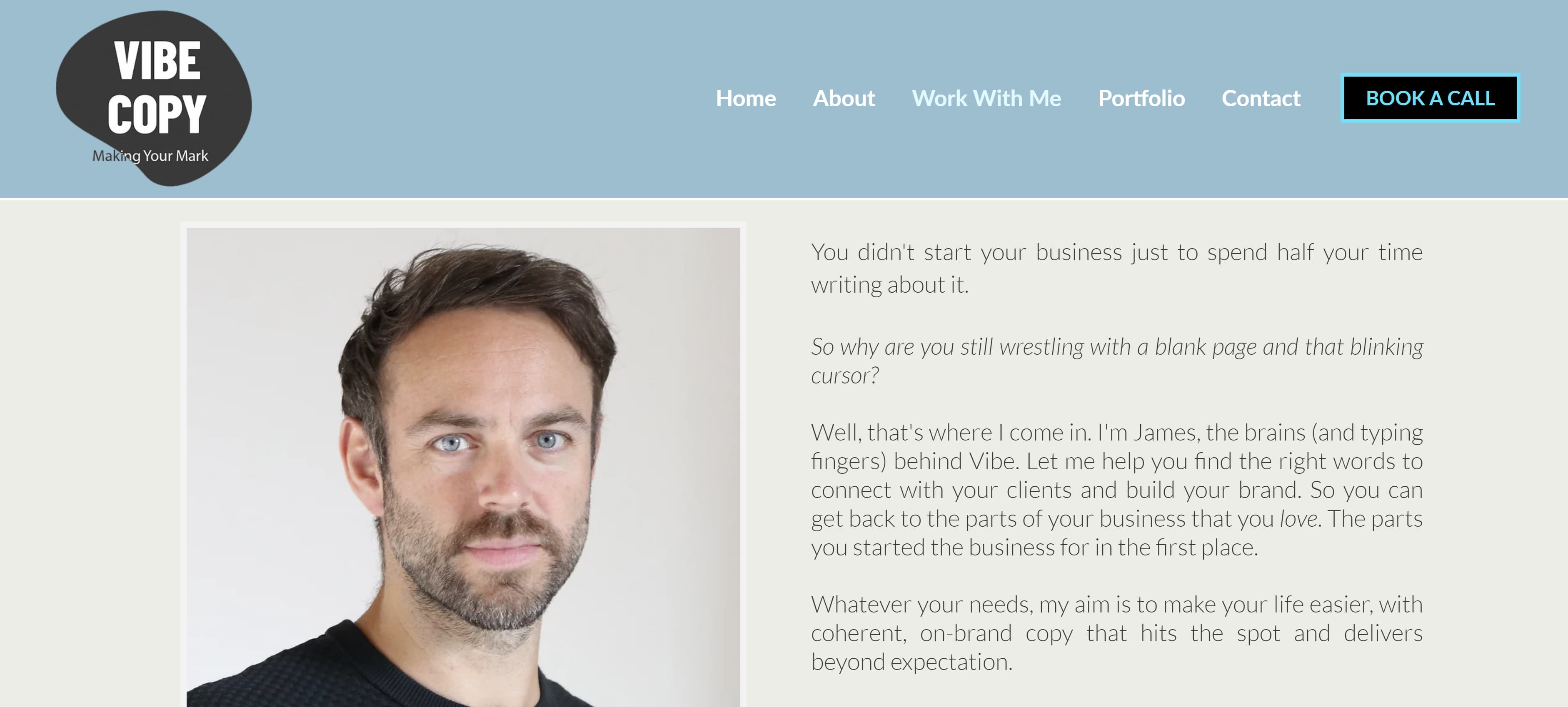
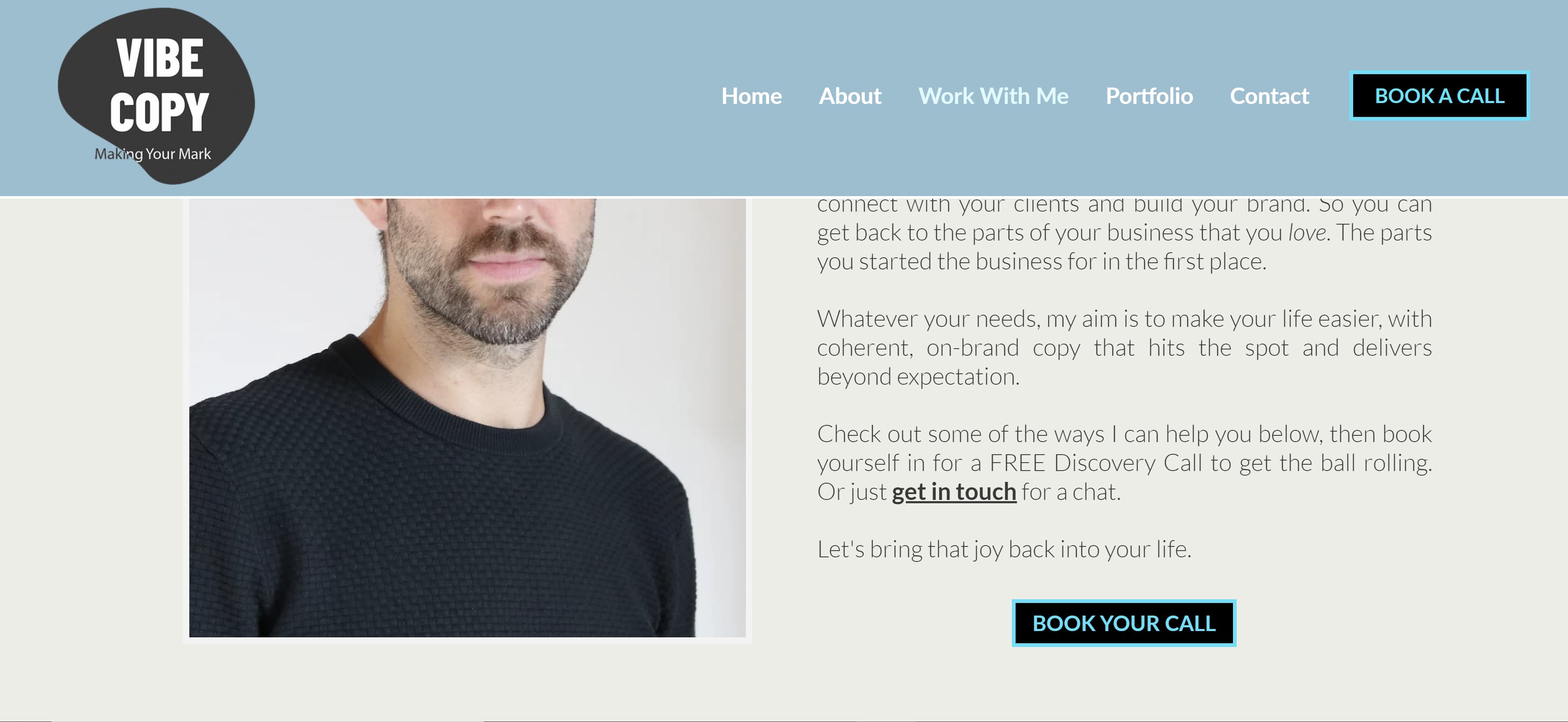
Like Hollatz, Schlesinger uses his About page to present a problem potential clients could be facing, then he presents himself as the solution by explaining exactly what he can do for them. Then he ends his bio with a call to action, urging readers to contact him for his services.
 21. John Axtell
Are you looking for a punchy opener to grab the reader’s attention? Why not try “I love high kicks!” Maybe avoid that exact phrase, since that’s how Axtell decided to open his About page, but shouting a random fact about yourself is definitely a good start. Axtell took the opener a step further by including a photo of him doing a high kick.
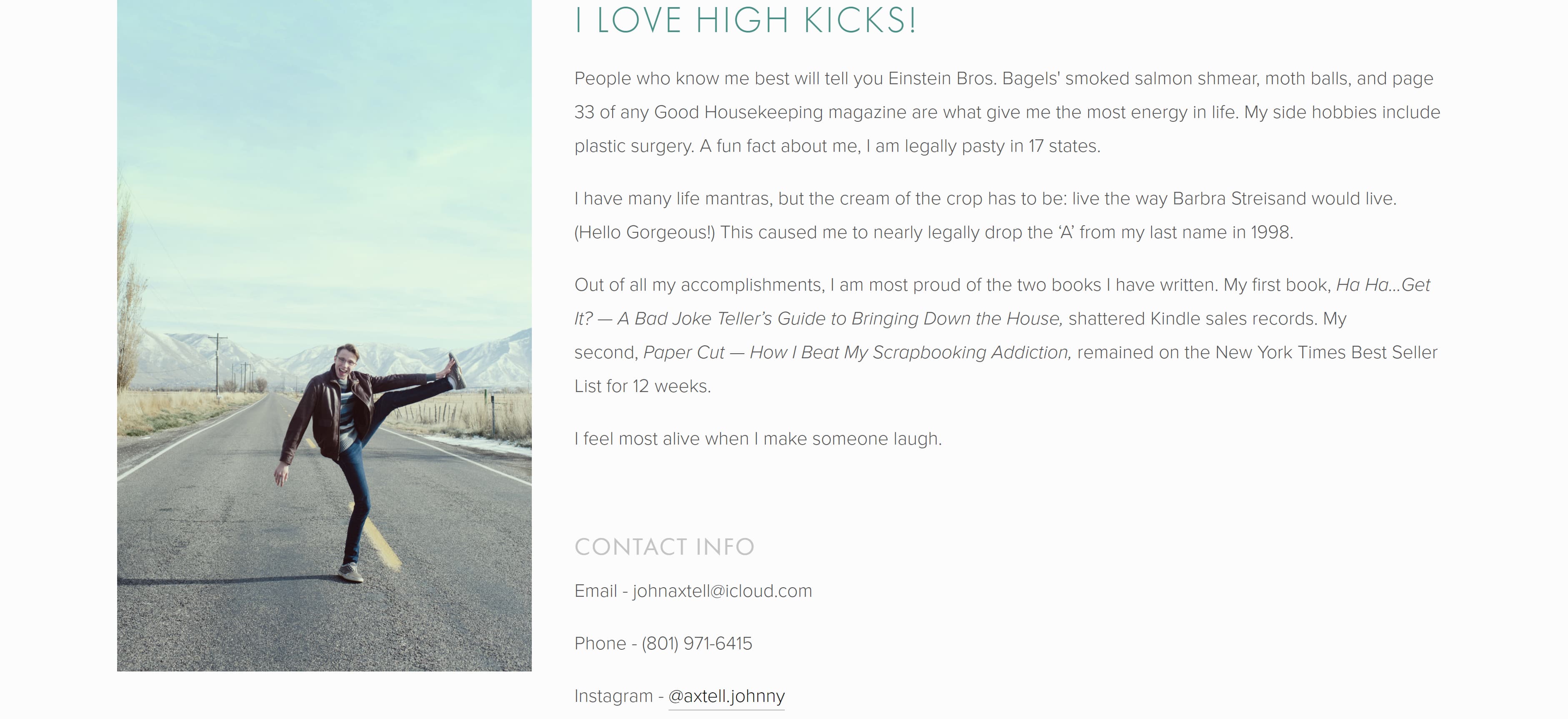
If you decide to open with a fun fact, like Axtell, coupling that opener with a photo showing that fact can definitely show your personality and grab the attention of potential clients.
Services
Some copywriters opt to dedicate a separate page of their online portfolio to breaking down the specific services they provide. If you choose to do the same, here are a couple of examples you can reference:
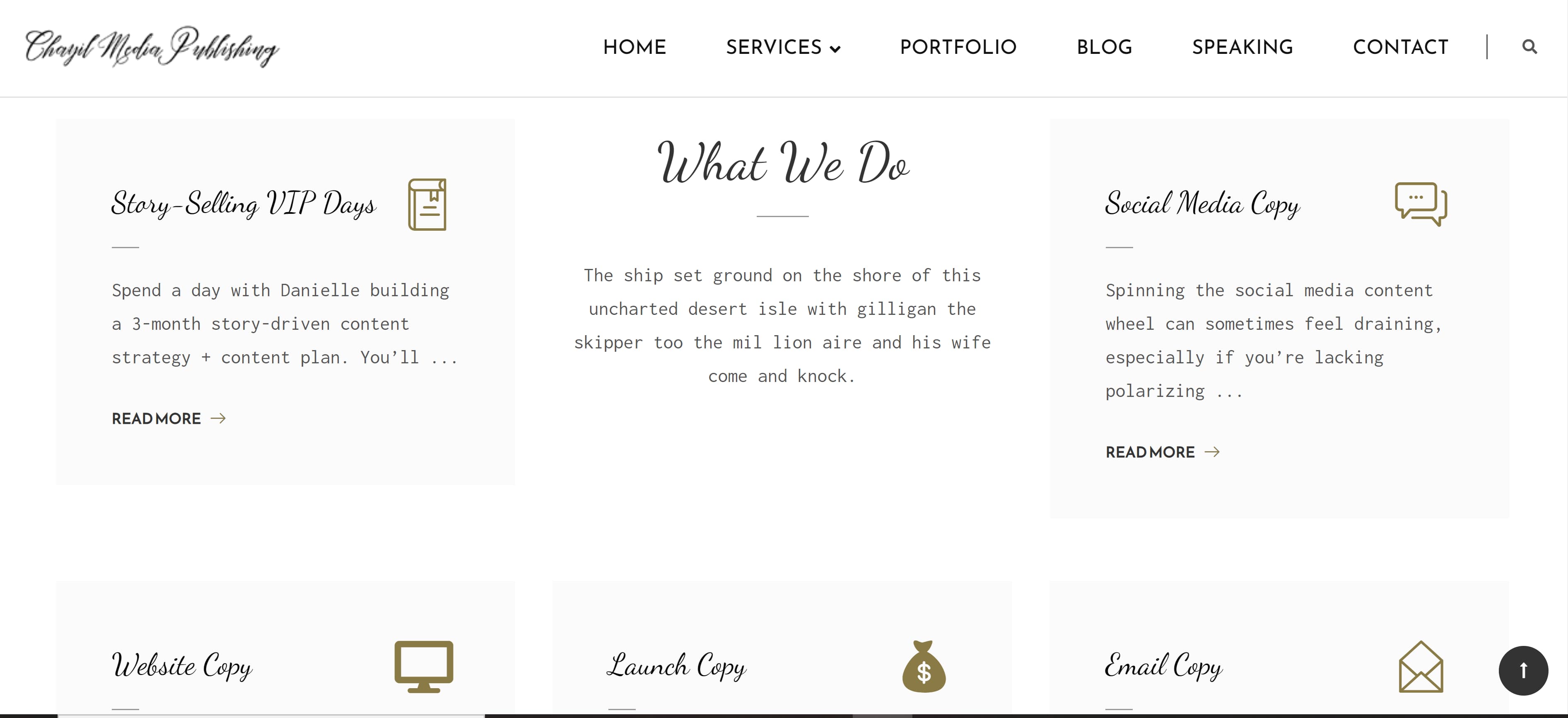
22. Danielle Wallace
Wallace chose to separate her services into different clickable boxes that include icons and a mixture of script and typewriting fonts.
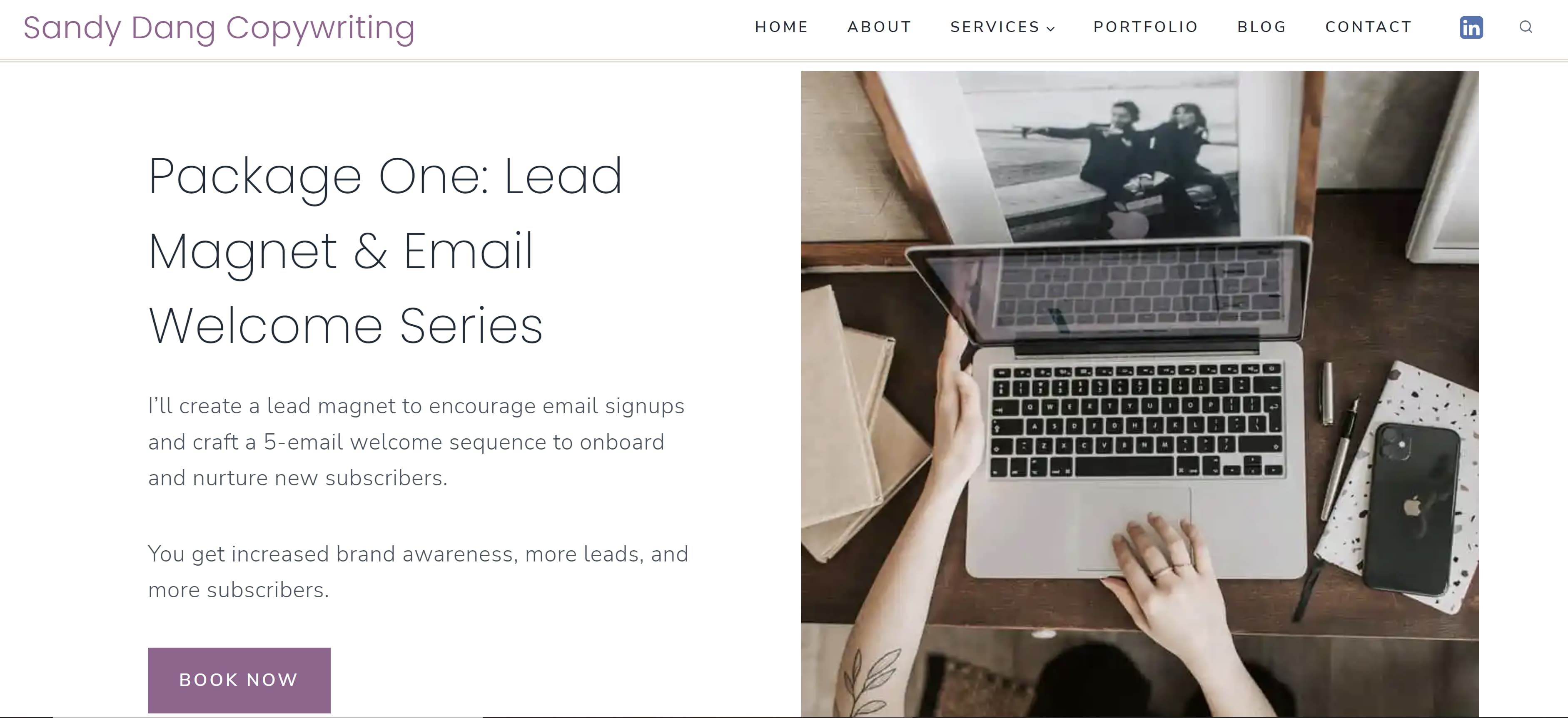
 23. Sandy Dang
Dang displays her services in a more horizontal format with texts on one side and a large corresponding photo on the other. Each section of her service page includes a button that gives the option to book.
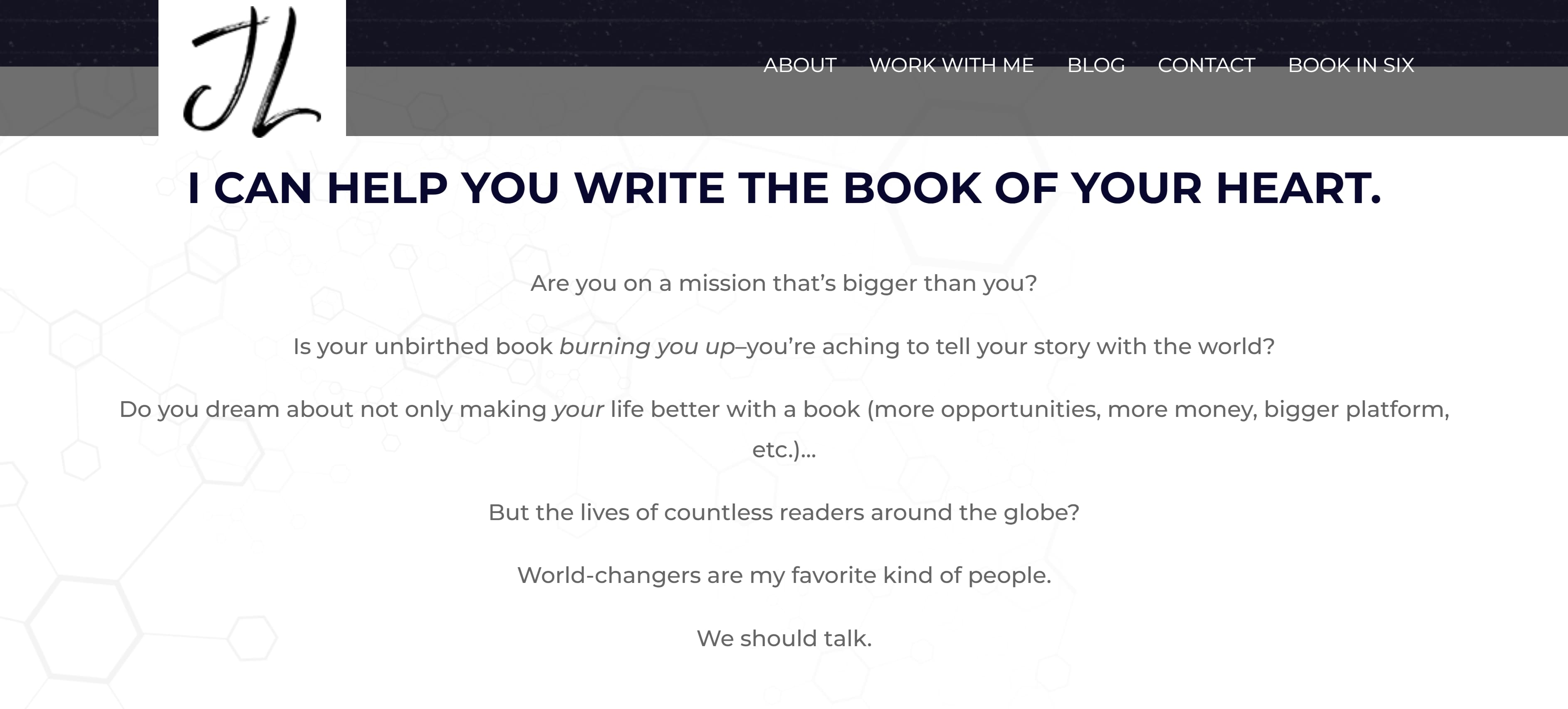
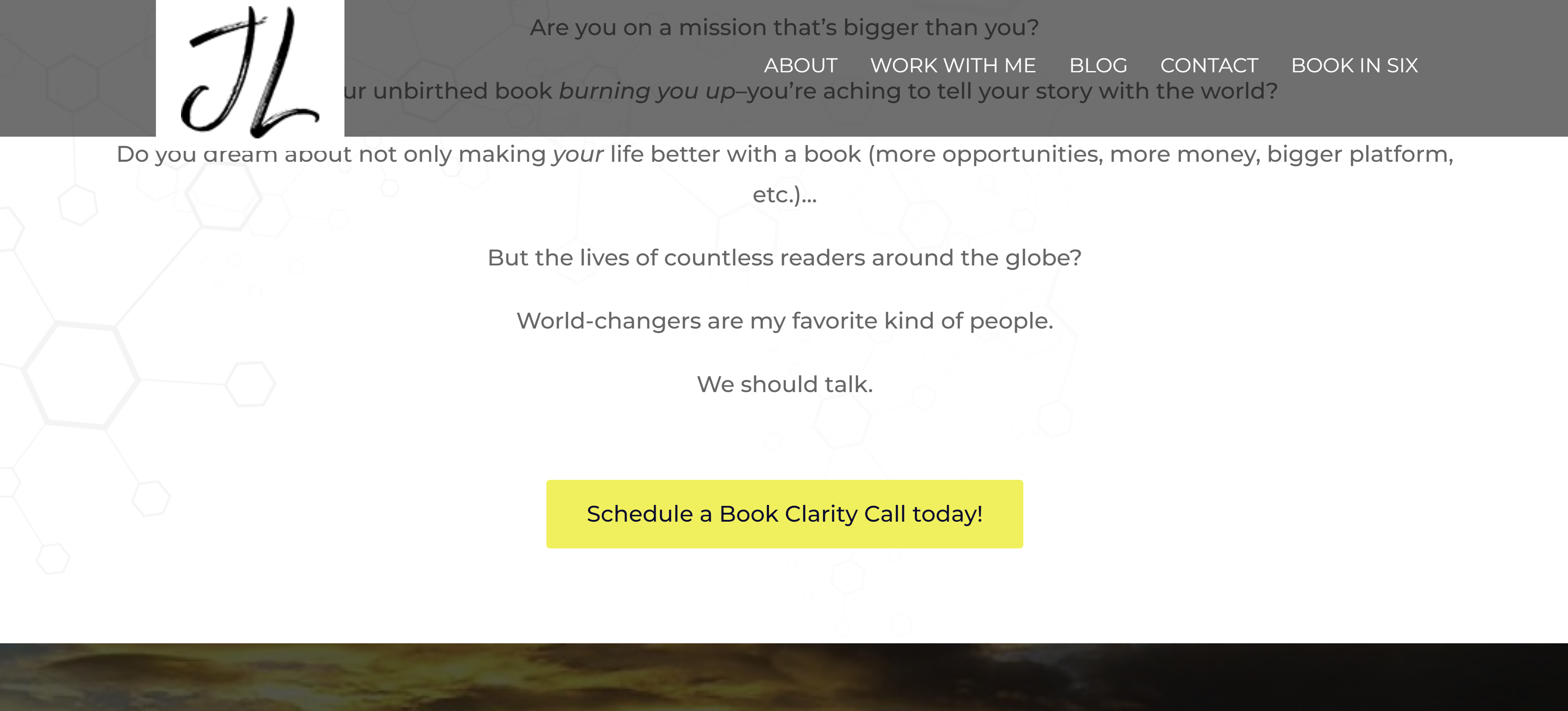
 24. Jennifer Locke
Lock kept the format straightforward by simply stating what she can do for the client and including a button that allows potential clients to schedule a consultation. This could be a great method for copywriters who specialize in only one for two services.
 25. Stuart Tarn
Of course, sometimes your portfolio is enough to show clients and employers what you’re capable of. Tarn organized his portfolio in a simple way that shows he can provide web, email, social, and print copy. Clicking on each image will take the reader to his previous work.
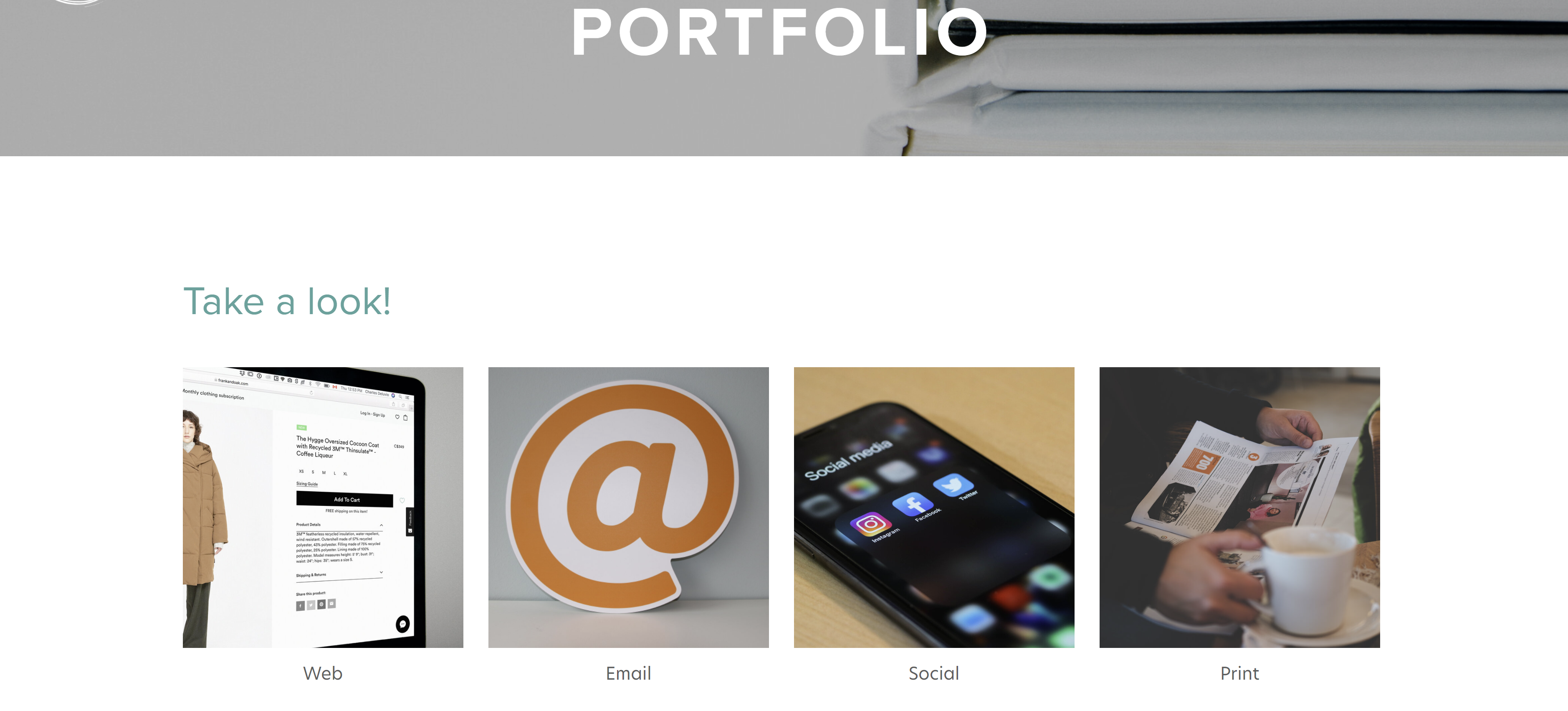 All of these copywriting portfolio examples are unique, but are all well organized, easy to navigate, and show a dash of personality while using complementary or neutral colors. Remember these points when putting together your own portfolio. Now, go out there and get that next big gig!

Free Instagram Post Templates for Your Brand
Instagram is an undeniably powerful marketing tool, but with over 200 million business accounts on the platform today, it’s critical that you take the time to create well-designed and thoughtful Instagram posts to stand out. You’ll need to apply a strategic design plan to your business’s Instagram to attract a loyal following and find success on the app, long-term.
However, creating a clean and cohesive Instagram feed takes design skills and time commitment you may lack, and with an algorithm that favors brands that post at least once a day, that could be adding to your stress.
If that’s the case, you’re in luck — in this post we’ll discuss how you can create pre-made Instagram post templates so you’ve got a stash ready to go. Plus, by ensuring you use the same templates for different posts, you’ll have an easier time creating a cohesive and aesthetically-pleasing feed.

Instagram Post Templates
Instagram templates can be used to serve different purposes, and we have a list of our own for you to brainstorm ideas and customize for free.
Panel Template
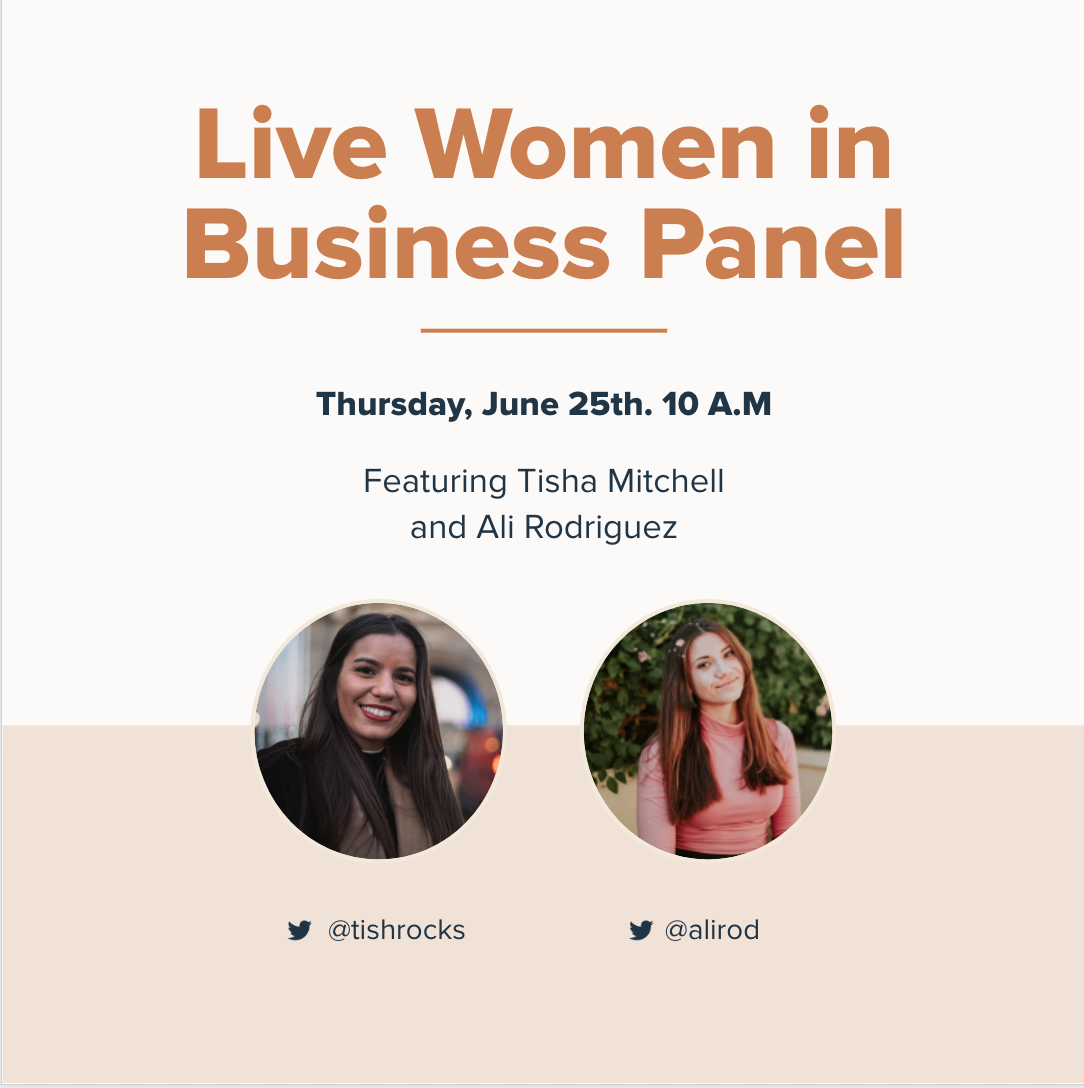
For those trying to spread the word on an upcoming virtual or in-person panel, you can promote it using our Panel Template.
Customize it by adding the speakers’ profile photos and usernames to build hype and give followers the chance to get an idea of what they can look forward to.
What We Like: Your followers won’t have to DM you for panel information, as the example given in the template provides all the context necessary for them to plan to attend.
Quote Template

Sometimes you want to keep up with the algorithm, and posting consistently using quotes in between announcements can help keep that relevance businesses need to be seen.
Interview insightful team members, or even use inspirational quotes that your followers would enjoy seeing as they scroll through their feed.
What We Like: The versatility of this template lets you change the background image to fit the tone of the quote you share.
Sales Announcement Template

I don’t know about you, but when I see a sales announcement I get excited to check out what’s available.
When you’re looking to sell existing inventory, or share a seasonal offer, this sales announcement template gets straight to the point to capture attention. Change the background image to fit the occasion and you’ll have this post ready within minutes.
What We Like: This template isn’t cluttered nor pushy; those who are already fans of your product will want to go to your site to take advantage of the opportunity.
Quick Tip Template

Sometimes your followers could be in need of some advice, that’s where our Quick Tip Template can fit that need.
If you’re catering to budding professionals or hobbyists, you can help them become more proficient in the skill they’re trying to develop. Change the imagery to reflect the tip of your choosing and share it with your followers.
What We Like: While it’s a simple template, it’s an easy way to engage with followers in between campaigns, and if you want to make the most of it, encourage commenters to share their own tips or advice they found helpful, too.
We’re Hiring Template

Yes, you could just post job openings on websites like LinkedIn, but you could reach exactly who you’re looking for on social media channels like Instagram, too.
Customize this template to either showcase a variety of positions you have open, or for a certain position that you can expand on in your post description.
What We Like: You can reach a further audience with Instagram using this template and by using the post-boost feature to better target the persona you’re looking for.
Offer Template
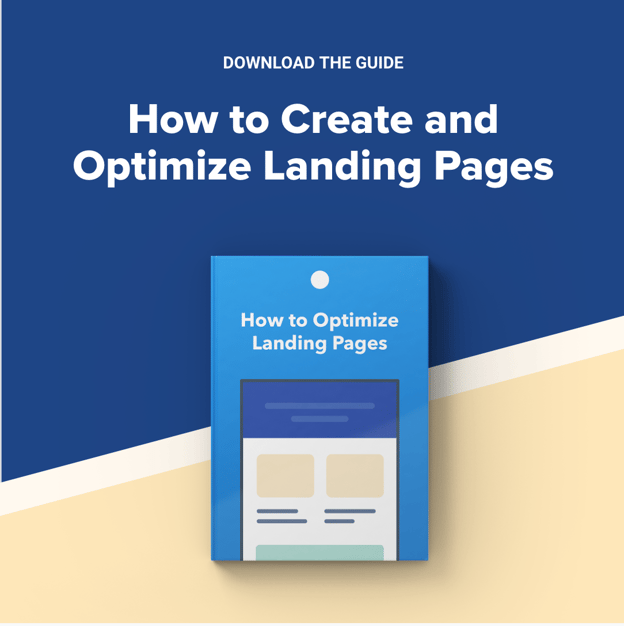
Promote things like eBooks or guides using our Offer template.
By giving followers a glimpse at your newer offers, you can use the post description to give them a call to action and download different types of resources. Customize it to reflect your brand’s color scheme and offerings.
What We Like: This chic template is the right amount of professional and minimalist approach that viewers will want to check out, as opposed to lengthy announcements littered with too much text in imagery.
New Product Template

When you’re ready to launch a new product, you should meet your target audience right where they are on Instagram the day it goes live.
By using our New Product template, you can give your followers an idea of what they can expect with this new innovation. You can also switch out the imagery to reflect the product solution.
What We Like: Without using words, your followers can get a clearer idea of what your new product can do for them if they purchase it.
Review Template

Whether it’s internal or external, sharing positive reviews of your brand or product can be a great way to add legitimacy to your business.
Use our Review template to share the positive experiences your clients or employees had from your business, this can attract customers and talent to the company.
What We Like: Sharing reviews can help customers build trust, and adding posts like these to your profile can aid in the process.
Podcast Template

Podcasts are on the rise, so to help get the word out, you should be promoting on your Instagram.
This simplistic template is a great way to announce the creation of your podcast. You can use the post description to give your followers an idea of what’s to come and encourage them to spread the word.
What We Like: You can distinguish the type of podcast in the image if you choose or frame it as a surprise. The possibilities are endless.
These aren’t the only templates available in our offer, so download the pack to brainstorm even more ideas for your future posts.
1. Download Instagram post templates.
Let’s face it — you don’t always have the time, resources, or personnel to design noteworthy Instagram posts. That’s why we recommend using Instagram Post Templates for Business which you can build from and customize.
Here are some options to create and save Instagram post templates, so you can have stunning posts on-hand whenever you’re ready to publish.
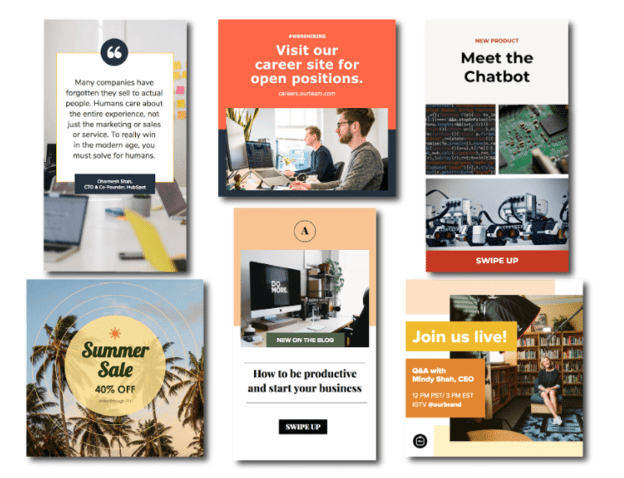
Featured Resource: 22 Free Instagram Post Templates for Business
Need templates to get started? Download HubSpot’s free Instagram post templates for both traditional posts and stories, which you can tailor as you see fit when it comes to your brand. You can alter any parts of the template – the image, the copy, and the design elements – to ensure you’re publishing posts to grow and engage your follower base.
2. Choose your post format.
While traditional Instagram posts to your permanent timeline are more long-lasting and allow for comments and likes, you shouldn’t underestimate the power of Instagram Stories, which can be used for more immediate needs and occasions.
In fact, 500 million accounts use the Instagram Stories feature daily. So, when you’re creating your post, ask yourself if it warrants publication as a story or as a traditional post.
3. Choose an image.
Maybe you’ve decided your post doesn’t need a photograph and that text overlay on a solid-color background will work for you. If that’s the case, hop over to the next step.
If you’ve decided you do want to use a photograph – particularly if you want one as the background for text overlay – you’ve got a few options.
- Take a photo on your phone or with a camera. No need to be a professional photographer for your Instagram posts – you can learn how to take great photos with your phone here.
- Use a photo from your company’s files. This works well if you need to utilize team photos or product photography, which may be better quality.
- Use a stock photo that pertains to your business (just make sure you don’t use the same one multiple times!).
Whichever photo you decide to use, simply replace it as the background for the template you’re using in the HubSpot Instagram Post Template collection and resize the photo so it’s to your liking (and is good quality).
4. Add design elements.
Instagram post templates come with design placeholders for text with special fonts and other elements. Your next step is to alter, add, or remove any elements that you see fit.
This includes updating the copy to reflect the information you want followers to know and/or the action you want them to take.
5. Save the photo.
When you’ve done all you can in the template builder of your choosing, save your photo to be posted on Instagram. All you’ll have to do here is click File > Download > PNG Image or JPEG Image. Then, just name the photo file, email, or message it to yourself, and save it on your phone so you can post it.
6. Upload to Instagram.
Once you have your photo saved, it’s time to upload it to share with your followers. For a traditional post, open Instagram, click the + button in the bottom center, choose your photo, add any filter, description, or hashtags, and click Share. (Take a look at How to Post on Instagram: a Step-by-Step Guide if you’re still unsure.)
For an Instagram Story post, click on the camera icon in the top left of your screen, access your camera roll in the bottom left of the screen, choose your image, minimize the date that shows up to the point where it can’t be seen, and add any additional design elements – like a GIF or additional copy – to the image. From there, click Your Story on the bottom left.
Other Ways to Design Instagram Posts
Here are some other options to create and save Instagram post templates, so you can have stunning posts on-hand whenever you’re ready to publish.
1. HubSpot
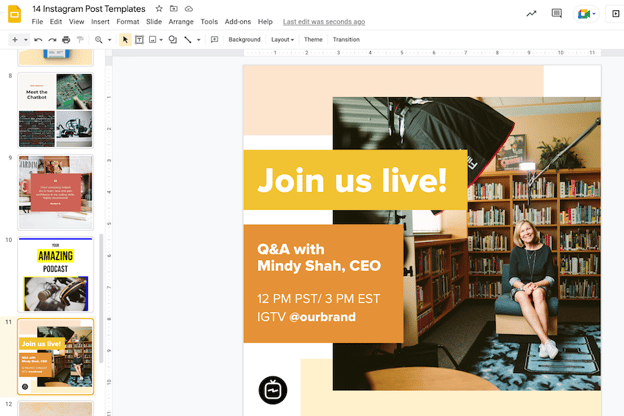
As previously mentioned, HubSpot has some go-to templates for your Instagram posts and stories.
You can have access to fully customizable templates through Google Slides where you can alter the color schemes, images, and purpose of each template depending on the subject you’re posting about — many of which are already made to promote business events or product releases.
2. Fotor
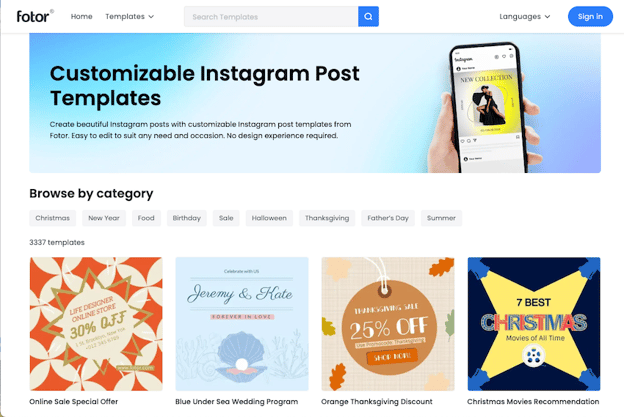
If you’re looking for a free collection of templates to choose from, Fotor will give you over three thousand templates for any topic or occasion.
With Fotor, you can cater your post to reflect your brand image, while incorporating seasonal designs or special sales, or discount templates for your business.
3. Crello
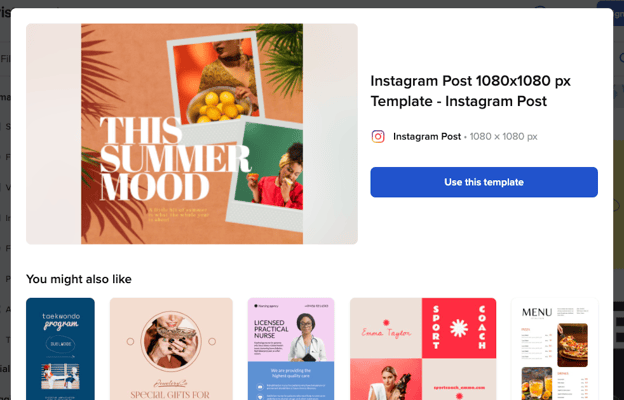
Crello is an online graphic design tool made to enhance your content for many social media channels — providing users with plenty of templates to fill out your Instagram grid.
4. Creative Market
If you’re willing to shell out the cash, you might consider buying one of Creative Market’s Instagram Template bundles.
For instance, you could purchase this 1053 Quotes social media pack.
Alternatively, you can purchase a bundle with Instagram Story content, like this Animated Stories bundle.
Finally, you might consider purchasing a bundle to help you create a cohesive theme for your Instagram feed, like this The Grid template.
Curate Your Instagram Posts with Ease
We hope you found our guide and templates useful as you prepare to make a stylized Instagram feed. With these tools, you’ll be set to create and save pre-made Instagram templates, so you can focus on attracting a loyal following without tediously designing a post from scratch every day.
Editor’s note: This post was originally published in October 2018 and has been updated for comprehensiveness.

How to Type the Shrug Emoji ¯\_(ツ)_/¯ in 2 Seconds Flat
The shrug emoji 🤷 is a popular image used to convey confusion or emphasize a question.
There’s no denying the power emojis have when it comes to boosting engagement and emphasizing communication. Sometimes you just need a symbol to get the point across, and emojis serve that purpose.

However, it’s worth noting the shrug emoji wouldn’t exist without its predecessor, the shrug emoticon. ¯\_(ツ)_/¯
Though emojis have come a long way, I’m still a big fan of typed emoticons. Emoticons bring me back to simpler times when my phone still had a physical keyboard and AOL Instant Messenger was my main method of communication. Those were the days.
If you still have an affinity for typed emoticons like me, especially the ¯\_(ツ)_/¯ emoticon, here’s how you can type it in two seconds flat on a Mac, Windows, iPhone, and Android.
How to Type the Shrug Emoji ¯\_(ツ)_/¯ in Two Seconds Flat
The shrug emoticon is one of the more intricate emoticons to type, so most people resort to copying and pasting it from a website, like CopyShrug.
But copying and pasting the emoticon is really only a good option if you use it sparingly. If you’re an avid user of the shrug emoticon, you’ll need to keep revisiting the website to copy and paste it, which is a relatively slow and annoying process, especially on your mobile phone.
To type the shrug emoticon as fast as possible, we recommend creating a text replacement shortcut with your device’s autocorrect feature (which might be the first time autocorrect actually comes in handy for you).
How to Type the Shrug Emoji: on Mac
1. Copy “¯\_(ツ)_/¯”
2. Go to System Preferences
3. Click Keyboard
4. Press Text
5. In the Replace box, type “shrug”
6. In the With box, paste “¯\_(ツ)_/¯”
How to Type the Shrug Emoji:
on Windows
Unfortunately, Windows doesn’t have an autocorrect feature, but you can download programs like
PhraseExpress to set up text replacement shortcuts and quickly type the shrug emoticon.
How to Type the Shrug Emoji: on
iPhone
 1. Copy “¯\_(ツ)_/¯ “
2. Go to Settings
3. Press General
4. Tap Keyboard
5. Choose Text Replacement
6. Select the “+” button
7. In the Shortcut field, type “shrug”
8. In the Phrase field, paste “¯\_(ツ)_/¯ “
How to Type the Shrug Emoji: on
Android
1. Copy “¯\_(ツ)_/¯ “
2. From your text message keyboard, tap the three dots
 3. Go to Settings
4. Tap Dictionary
5. On a Google Pixel, press Personal Dictionary; using a Samsung device, tap Text Shortcuts
6. Select your language
7. Select the “+”
8. In the Shortcut field, type “shrug”
9. Tap the ” ¯\_(ツ)_/¯” that shows up on the keyboard

There you have it! A quick and easy shortcut to help you type the shrug emoji in no time.
Editor’s Note: This post was originally published in September 2018 and has been updated for comprehensiveness.

YouTube Thumbnail: Your Guide to Making a Scroll-Stopping Image
YouTube thumbnails, the small, clickable snapshots that viewers see when they search for videos, can be just as important as a video’s title because they provide a preview of your video and entice viewers to click through.

If your video has an ordinary or sub-par thumbnail, it won’t persuade anyone to watch your content. YouTube could deem the video irrelevant and won’t rank it in the search results or distribute it through the “Recommended Videos” feed. Since your video’s click-through rate is one of the most important ranking factors in YouTube’s search algorithm, especially during its first hour on the platform, an eye-catching thumbnail can make a huge difference in ranking number one for a query and not ranking at all.
Creating vibrant YouTube thumbnails can also instantly grab people’s attention and this can help you differentiate yourself on a platform full of standard thumbnails all screaming for attention. Below, we’ll guide you through an easy four-step process for creating visually appealing YouTube thumbnails that will cut through the noise, boost your video’s click-through rate, and lift your rankings.
Table of Contents:
1. Visit a free online YouTube thumbnail maker.
There are eight free online YouTube thumbnail makers listed below, but we featured FotoJet in this guide because it’s one of the only YouTube thumbnail makers that doesn’t make you sign up for a free account before you can create a thumbnail. Their robust thumbnail maker lets you customize and download your thumbnails completely for free — no email address necessary.
The free version of this online app lets you download small and medium-sized image files, but large and extra-large are premium features. This means you’ll get to be creative with your designs to ensure they appear as crisp as possible on YouTube.
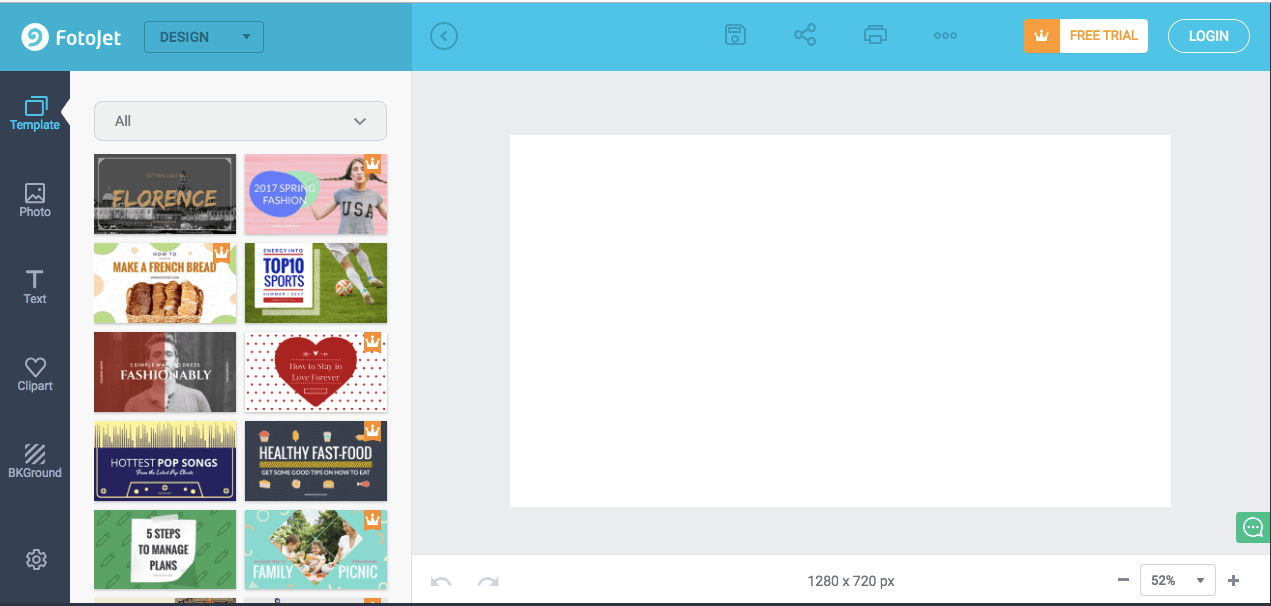
2. Upload a photo or choose one of the thumbnail makers’ templates.
YouTube will let you upload any picture from your computer as your video’s thumbnail. But if you don’t have a vivid visual on your computer or you need some inspiration, Fotojet’s got you covered. It has over 23 free templates that can serve as your thumbnail’s foundation.
To create striking a thumbnail in Fotojet, consider including a talking head. People are naturally drawn to human faces because it’s an ingrained survival mechanism to help us quickly gauge someone’s emotions and determine if they’re a threat or friend. Research Gate also discovered that Instagram photos with faces are 38% more likely to receive likes and 32% more likely to receive comments.
3. Add text, clip art, or a background to your thumbnail.
Once you’ve picked your picture or template, you can make your thumbnail stand out even more by adding text, clip art, or a background to it.
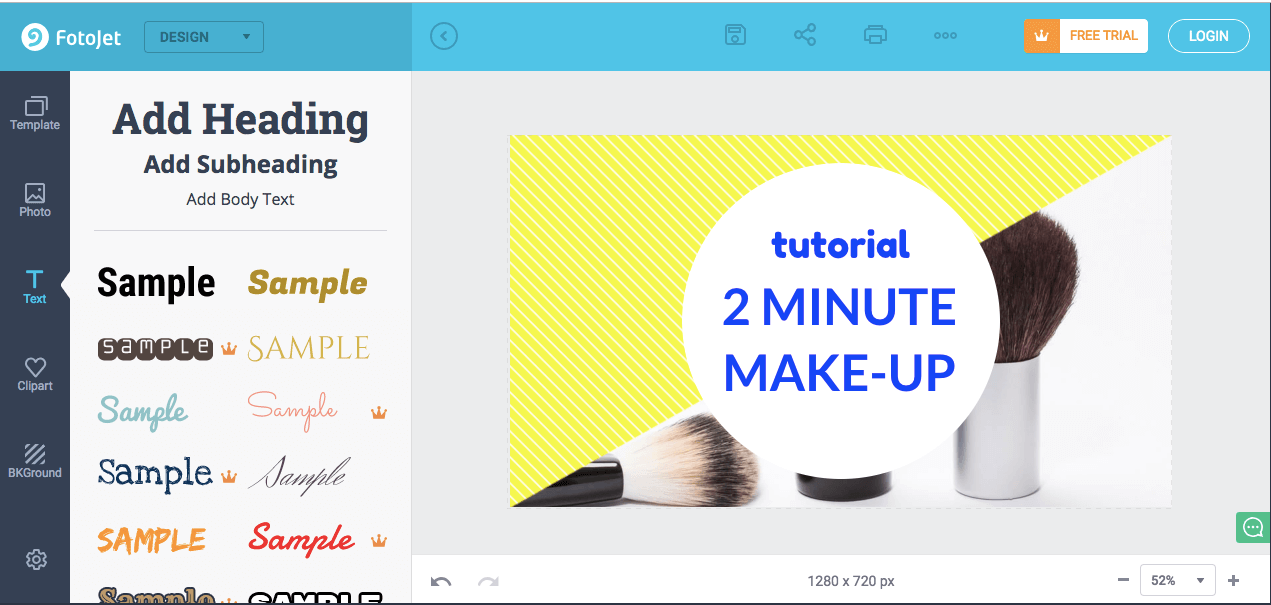
To further clarify your video’s subject matter, consider adding your video’s title to the thumbnail. If your photo, graphic, or text is bright, consider placing it on top of a dark background. The color contrast will make your thumbnail pop. The same logic applies to dark objects and bright backdrops.

4. Download the finished product to your computer.
After you finish polishing your thumbnail, press the Save button at the top of the page to export your thumbnail.
Last, title your thumbnail. When you’re naming the thumbnail, include either the title of the video, or the primary keyword related to the video. Save the final file as a PNG or JPG. Its resolution will already match YouTube’s recommended resolution — 1280 x 720 pixels — so you don’t have to worry about resizing it later.
8 YouTube Thumbnail Makers
Along with Fotojet’s free online YouTube thumbnail maker, there are seven other thumbnail makers that can help you customize your own YouTube thumbnails. Before you create a thumbnail with these tools, though, you need to sign up for a free account on their websites.
1. FotoJet
FotoJet is a leading YouTube thumbnail maker that comes with templates to help you summarize your video into a click-worthy image. You can get started with FotoJet as soon as you land on the homepage — no email or account setup required. Choose from a variety of stock images, font styles, and clip art elements to customize your design, then export it in either a JPG or PNG format.
2. Canva
With more than 2 million images in their library, hundreds of fonts, and customizable backgrounds and colors, Canva gives you more than enough resources to unleash your creativity.
You can sign up for the free or paid version of the online design tool, but be prepared to take your own images as Canva’s image gallery can cost up to $1 per photo. Don’t let that deter you. This robust tool is jam-packed with free design elements that can help you create click-worthy YouTube thumbnails.
3. Adobe Spark
Adobe Spark lets you select from thousands of photos on the web and a variety of built-out themes with their own unique layouts, colors, and fonts to craft eye-catching YouTube thumbnails. Although the free version comes with a watermark on all content you download from the system, you can always upgrade to the paid version to have unique thumbnails that are truly your own.
4. Crello
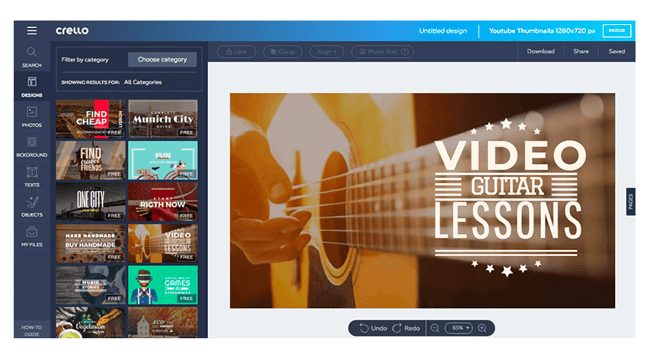
With Crello, you can create engaging thumbnails by blending a multitude of designs, photos, backgrounds, text, and objects together. When compared to other popular design tools, Crello emerges as a less expensive option, but remember resizing your thumbnails could be a pain because of some improvements that need to be made within the app.
5. Visme
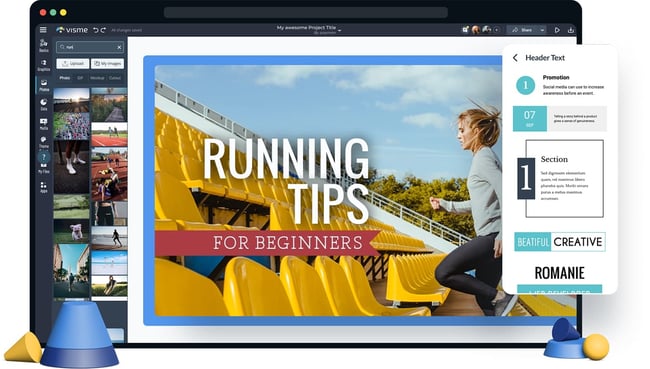
Choose from a wide selection of templates, photos, graphics, colors, and fonts to create a thumbnail in Visme. This app was made with video thumbnails in mind, so you won’t have to worry about sizing and finding the perfect layouts. Visme offers creators various templates to choose from so you can spend more time adding your finishing touches.
6. Fotor

Fotor provides templates under certain themes to help you create captivating thumbnails. It includes all the trending YouTube thumbnail features like photo frames, the lomo effect, and background remover. The options are virtually limitless with Fotor as the canvas for your YouTube thumbnail.
If your workflow can’t be completed all in one session, Fotor’s premium plan allows you to save the version history of your thumbnails so you can pick up right where you left off.
7. Picmaker
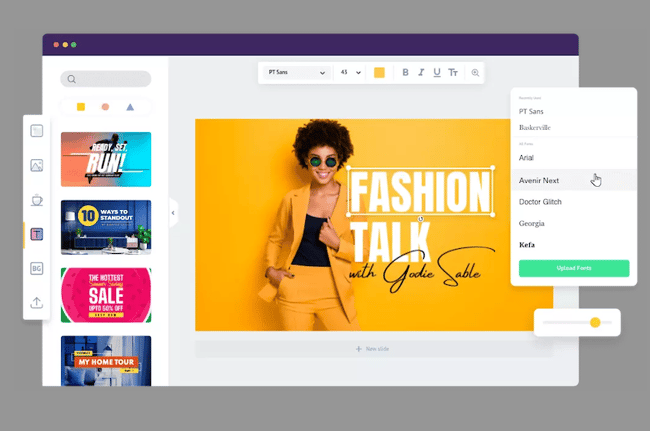
With over 100,000 graphics, 1,000 stock photos, stickers, borders, backgrounds, text, icons, and filters, and an automatic background remover, you can create a gripping thumbnail on Picmaker. If you have set brand colors, the free options won’t be the easiest to work with since you can’t save colors, logos, or fonts. But upgrading to just the starter tier opens up a variety of benefits including a brand kit, premium photos, and multi-sized designs.
8. Snappa
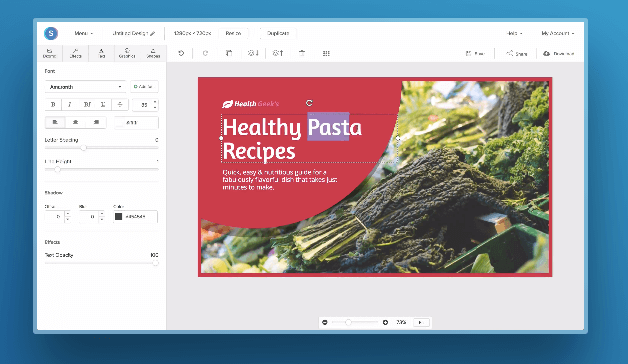
Snappa has over 500,000 stock photos, an assortment of professionally designed templates, and customizable graphics, shapes, and text to help you create a YouTube thumbnail. If you’re making over three thumbnails per month, Snappa might affect your workflow as the free version only allows three downloads per month. If three is enough for you, you’ll be glad to know there’s a drag-and-drop functionality to help you create your own custom thumbnail template.
Create Scroll-Stopping YouTube Thumbnails
Just like a peephole, the subject line of an email, and even caller-ID, a YouTube thumbnail gives the viewer a peek behind the curtain to see what’s on the other side. It’s a major component in a search result that will determine whether someone clicks and watches your video. Taking the tips and examples in this article, you’ll have to know how to make scroll-stopping YouTube thumbnails that will draw in new subscribers.
Editor’s note: This post was originally published in November 2018 and has been updated for comprehensiveness.

How To Make Your Own Ecommerce Strategy
As an online store, you drive traffic online. This means that, when people search for products or services related to what you sell, you want your business to appear in their search results. Enter ecommerce SEO.
Read on to learn more about ecommerce SEO, why it’s important, how to create an ecommerce SEO strategy, and discover tools that will help you with your process.
What is ecommerce SEO?
Ecommerce seo is the process of making your online store visible in search results so that people doing searches related to what you offer are likely to come across your website. An optimized ecommerce site is more likely to rank highly in SERPs and drive organic traffic.
Ecommerce SEO is important because 60% of people research a brand online before making a purchase. When your site is optimized, they’ll be able to find your product pages in search results and learn about what you offer. When people can find your site and learn about what you offer, they’re also more likely to make a purchase.
This type of SEO is not that different from general SEO. Still, you will focus your efforts on optimizing your site to benefit your products, like writing high-quality and keyword-rich product descriptions.
Ecommerce SEO Strategy
1. Keyword Research
Your ecommerce SEO process should begin with keyword research for your site, especially for your product pages.
This research will help you learn the words most commonly used when people search for products related to your business. You’ll then want to use these keywords in the content on your site, so Google learns when to surface your website in SERPs and so searchers know what they’ll find on your page when they click.
The image below is a product page from Supergoop for one of its sunscreen products, Unseen Sunscreen. The brief product description uses keywords that people often search for when researching sunscreens: invisible sunscreen, scentless sunscreen, SPF 40.
You can also conduct keyword research based on your competitors to see what they’re ranking for that you aren’t. Ahrefs Content Gap Tool is a high-quality option for doing this, and you can enter the URLs for your competitors and get a full report.
2.On-page SEO
On-page SEO elements help search engines understand what’s on your site pages, like your content and HTML elements. These elements often include your keywords, so keyword research is always the first step.
1. Meta Titles
Meta titles are the headings you use to describe what’s on your page content. When you write them, you’d want to summarize the main topic of your page with a related keyword. The image below is an example from Shopify, an ecommerce platform for businesses, where the meta title describes exactly what the business is for: selling online.
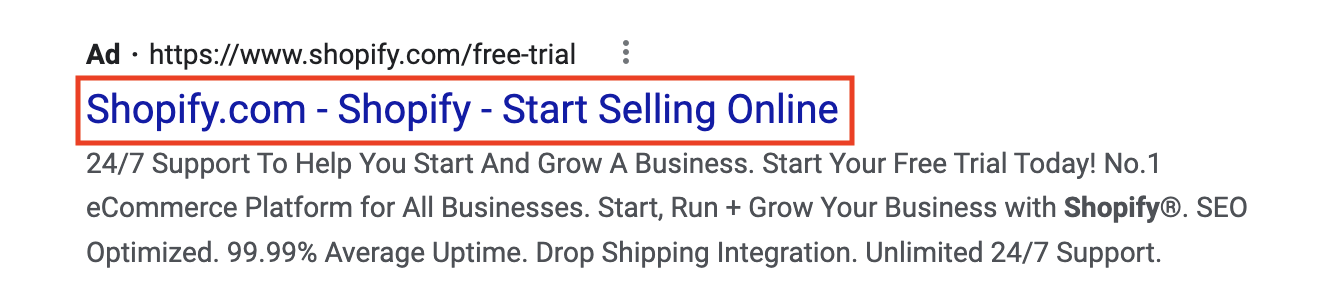
2. Meta Descriptions
Meta descriptions are snippets of text in SERPs that describe what’s on specific pages. It helps searchers assess if the page is relevant to what they are looking for. This summary is only visible in search results, and when writing them, you should include your target keywords.
The image below is an example of a meta description from Dollar Shave Club that reads, “Everything you need in the bathroom – from razor blades to grooming products – automatically delivered to your door. It doesn’t get any simpler than that.”
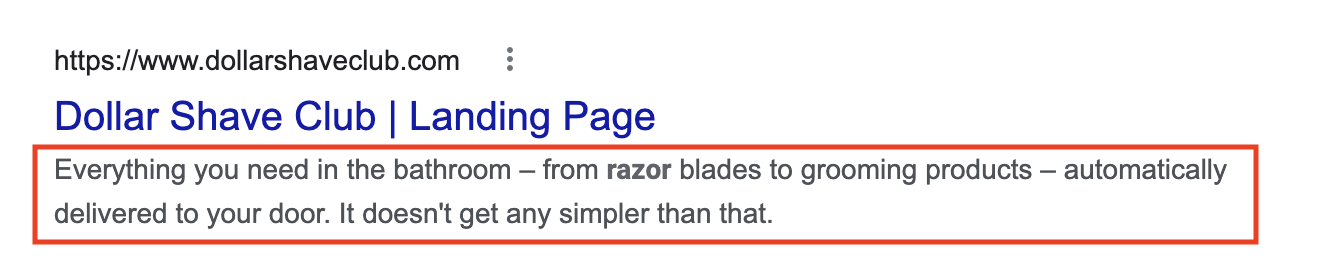
Within your meta descriptions, your ecommerce store can also greatly benefit from including reviews and star ratings for your products as it helps you build trust. You can do this by using review snippet schema markup.
3. URL Structure
Your URL structure refers to your subdirectories and slugs that categorize your website. Best practices are to keep your URLs simple, use relevant keywords, and always hyphenate your slugs.
The hierarchy of your URLs should be clear, so browsers and search engines know when your pages are getting more specific.
Let’s take HubSpot URLs as an example. The HubSpot domain is hubspot.com.
If you’re researching HubSpot’s marketing software and its specific tools, the URL becomes hubspot.com/products/marketing, where
- /products is a subdirectory
- /marketing is a slug
Telling Google that /marketing is a product page that gets more specific. Then, if you’re interested in the social media management software, the URL becomes hubspot.com/products/marketing/social-inbox, where
- /social-inbox is an additional slug for a specific tool within a specific product
4. Product Descriptions
Product and category descriptions clearly explain what your product is. When writing them, you want to include the keywords you’ve gathered in your research.
On the Social Media Management product page from HubSpot, the product is described using relevant long-tail keywords that people will often search, like publishing content, social media ROI, and monitoring social mentions.
5. Structured Data
Structured data is the code on your website that explains the content on your page to help with indexing. You want to add structured data markups to your product pages to ensure optimization.
Google has an entire database of product-related structured data for shipping information, offers, pricing, and product availability — really anything you need to sell your products. You can simply copy and paste it into your site’s schema markup, add your unique elements, and check if it’s valid using the Rich Results Test.
6. Images and Image Alt Text
All ecommerce websites should use high-quality images to display their products. While they help drive a sale, images with the right keywords and descriptive alt text can help you show up in search results and image packs.
For example, here’s an image from the WordPress website with the alt text “Devices showing the WordPress mobile app.” The alt text describes what’s in the picture, and the description allows it to show up in image search results for WordPress Mobile.
3.Technical SEO
Technical SEO is what makes your site run and easy to navigate. For ecommerce sites, focus on optimizing your website speed.
As you likely include a lot of text to describe your products, images to show off your products, and maybe videos for product demonstrations, your site can take a long time to load. Aim to compress all files on your site to ensure they can load fast enough that browsers aren’t frustrated and waiting for results. Conversion rates drop by an average of 4.42% with each additional second of load time, so this is critical.
You also want to make sure that your code is clean because it can impact load times. All SEO practices work in tandem, so using the correct structured data can help you ensure your code is clean and easy for bots to read.
4. Backlinks
Backlinks, also known as off-page SEO, are important for ecommerce sites as they drive traffic. Seek out backlinks from sources with positive reputations, are authoritative, and relate to what you offer.
Some popular strategies for getting backlinks are reclaiming unlinked mentions of your business, getting mentioned in listicles, and using high-quality images that sites can use to link back to your content.
A creative way to get backlinks for an ecommerce site is through collaborations with influencers or affiliates. They can promote your products and share links to your site with their audience.
5. Optimize For Mobile
Optimizing your ecommerce site for mobile is a must for your SEO strategy, as mobile devices generate about half of all global website traffic and 41% of web traffic.
Responsive mobile design is how you ensure your ecommerce site can adapt to whatever device a visitor uses. This means mobile buttons that resize, images and graphics that scale, typography, and text size — really anything that can change based on the size of someone’s screen.
Ecommerce SEO Audit
Your ecommerce SEO audit will monitor the same elements that make up your strategy. Running one is beneficial because you’ll get a checklist of improvements to make that will benefit your rankings once you finish.
Here are some questions you can use to guide yourself during your audit.
Keyword Research
- Which keywords do you currently rank for?
- What keyword opportunities can you pursue?
On-Page SEO
- Do you have descriptive meta descriptions?
- Are your meta titles related to your page content?
- Do your product descriptions use target keywords?
- Do your product descriptions clearly explain what you’re selling?
- Do your images have descriptive, keyword-rich alt text?
- Do you use product-specific structured data?
- Is your structured data valid by Google’s standards?
Technical SEO
- What is your current page speed?
- Are your images compressed?
- Are your videos compressed?
- Is your schema markup clean?
- Has your site been indexed by Google?
Backlinks
- What current backlinks do you have?
- Are your current backlinks from authoritative sources?
- What websites can you get backlinks from?
- Do you have any unlinked mentions to claim?
Mobile Optimization
- Are your images scalable?
- Are your graphics and vectors scalable?
- Is your text scalable?
- Does your website automatically respond to different device sizes?
- Does your website pass the mobile optimization test?
Ecommerce SEO Tools
- Keyword Planner is a free tool that helps you conduct keyword research for writing rich product descriptions.
- Google’s Mobile Optimization Test helps you ensure your site is responsive to screens of all sizes.
- PageSpeed Insights will tell you your site’s current speed and give suggestions on how to improve your score.
- Rich Result Test analyzes the structured data on your desktop and mobile site to ensure it’s valid for rich results. It tests specifically for Google SERP features.
- Squoosh to compress the image files on your website.
- Ahrefs to conduct keyword research and analyze your competition. It’s a paid tool that also offers other high-quality SEO features for auditing your entire site, monitoring your rankings, and identifying opportunities to improve your rankings.
- SEMrush helps you find opportunities to strengthen your backlink profile and optimize your site for local SEO.
- SEO Site Checkup is a full-service paid tool to help you test your meta titles, preview your site in Google SERPs, run responsive image tests, and create SEO-friendly URLs.
Over To You
Quality is the only SEO method that will get you anywhere, so make sure the information you put out there—whether on your own page or on directories and other publications—is the best possible quality you can provide. With the methods outlined above, your ecommerce site will benefit from better SEO results.


How to Leverage the 5 Stages of the Customer Buying Cycle for More Sales
Let’s face it – there are many marketing tactics that boost conversions. However, to make your marketing effective, leveraging the customer’s buying cycle is the key to a successful online business.
Understanding a customer’s buying cycle is how you can have the right marketing for a successful commerce site.

Online Buying Cycle
The online buying cycle is very similar to the original buying cycle; however the key difference is the online buying cycle occurs online. Because it is online; many ecommerce sites and brands will utilize social media platforms and email marketing as marketing tools to help market and sell to consumers and generate leads back to their ecommerce site. The buying cycle and online buying cycle will go through the five stages of closing a sale.
5 Stages of the Customer Buying Cycle
You can look at a customer buying cycle as a customer’s purchasing cycle. ;Many customers go through stages during their purchasing process to educate themselves before they either make a purchase. There are five stages that you have to consider:
1. Awareness
Awareness is the first stage in a customer’s buying cycle when customers realize that they have a problem that needs a solution. ;
A company will be able to reach the target customers given the right marketing strategies and campaigns.
For example, a customer is trying to lower plastic waste from water bottle usage. A customer then sees an ad for a water filter. The problem the customer is facing is met with a solution and now the next stage of the customer buying cycle begins.
2. Consideration
This stage is where the prospect is considering their options and ;your company can provide multiple solutions for a customer. As an ecommerce site, this is where your marketing, sales team, and products come in.
In this stage, you can provide detailed information to explain how your product will help solve their problem. To go back to our example, once the customer clicks the ad and lands on your site, you can list the benefits of the water filter, such as cleaner water, more cost effective than buying bottled water, and gives you a good boost in health. ;Once the customer understands that this product is what they need to solve their problem, ;they will move onto the next stage.
3. Intent
In this stage, a salesperson aims to earn the trust of potential customers. Whether you tap them emotionally or logically, this is the time where a salesperson convinces the potential buyer that their product is the best solution for their needs. You can accomplish this through reviews from existing customers, highlighting the benefits of the product, or through a social media campaign that creates a feeling within the customer. Once the customer is convinced and has seen proof that the product works, we move on to the next stage.
4. Purchase
At this point, your customer is ready to purchase the solution for their needs. While your customer is in this stage, you need to ensure that your pricing is reasonable and you make the buying process as simple as possible.
When the customer purchases, that is not the last step in the customer buying cycle. You don’t want the customer to be a one-time buyer. You will need to manage the customer’s relationship with your site to make them a returning customer. ;Maintain contact with the customer on their problem solving journey to make sure ;that the product works properly and that they are satisfiedThe purchase is just the start of a relationship with a customer; building a relationship ;keeps them in the buying cycle.
5. Re-purchase (Renewal)
The final stage of the buying cycle is repurchase of your product or service. This is where you manage your relationship with the customers. In the previous stage, we touched on the importance of making sure that the customer and seller have established a good rapport ;since this will encourage the customer to repeat business . To get to repurchase, it’s imperative that the customer is happy and satisfied. In addition, in this stage, you can ask ;a customer for a review or a testimonial on how this product or service helped them with their needs.
Create Targeted Content for Each Stage
Now that you know the breakdown of the five stages of a customer’s buying cycle, it’s time to start making the most of it. To get started, you need to answer the questions which are related ;to each stage. But how do you know what your customers are searching ;for to gather information? The answer lies in search queries.
;Look at this example:
- “flat screen tv” – This is a generic term that customers in the Awareness or Consideration stage use. “compare flat screen tvs” – The desire to compare products indicates this customer is further along in the cycle, such as the Consideration or Preference stage.
- “sony 42” lcd” – This a very specific product query indicates that a shopper is much further into the buying cycle, now likely evaluating prices (right before the Purchase stage).
The next step is to create content that moves customers closer to purchase. For example, look for keywords that are related to the Awareness and Consideration stages. Using the previous example, you can provide a guide to selecting the perfect flat screen TV.
For the Preference/Intent stage, leveraging customer testimonials, providing specification sheets and telling your brand story will help push prospects closer to the Purchase stage, which is the perfect time to utilize a PPC ;ad with text that entices them to buy. To LeadL them towards Repurchase, you can send monthly newsletters with helpful tips and tricks . That way it will keep your brand on the top of their minds.
Make Content Available Through the Right Channels
Of course, the content you share is fully dependent on the product you offer and the profile of your customers, but there are basic commonalities on how to market in each stage of the buying cycle:
- Awareness: For the majority of ecommerce sites, this is all about being found via search engine marketing, particularly PPC and SEO.
- Consideration: Once customers find you in search engines, keyword-tailored landing pages are essential. . You can also use comparison charts that highlight the key selling points to help you stand out from the competition.
- Preference/Intent: Your website should do the talking here, especially your product descriptions and overall branding. This is a critical stage to capture contact information.
- Purchase: Get your coupons and discounts out there, whether it’s through your PPC ad text, a pre-sales email, or social media .
- Repurchase: Keep in contact with your customers via scheduled emails, social media, and personal outreach. Your customers are your best growth opportunity.
Create a Meaningful Customer Buying Cycle
While it’s common for online business owners to always focus on the sale, it’s important to remember that your flock of customers are scattered across the field. By herding them through the right gates using your marketing, you’ll be able to enjoy a much more dependable customer pipeline.
Editor’s note: This post was originally published in July 2011 and has been updated for comprehensiveness.

6 SEO Challenges Brands Anticipate in 2022 [HubSpot Blog Data]
In 1990, the key to SEO success relied on keywords. Today, it’s way more complicated.
The SEO landscape is constantly evolving, and marketers must evolve along with it. But to do that, it’s important reflect on the biggest SEO challenges this year — and create a game plan to address them.
Below, let’s review the top six SEO challenges brands are facing in 2022, according to data from HubSpot Blog’s 2022 Web Traffic & Analytics Report and other marketing experts.
Top 6 SEO Challenges in 2022
1. Staying on top of algorithm changes.
The HubSpot Blogs surveyed 400+ web traffic analysts to identify the top SEO challenges in 2022. The leading challenge — experienced by 50% of marketers — is staying on top of search engine algorithm changes.
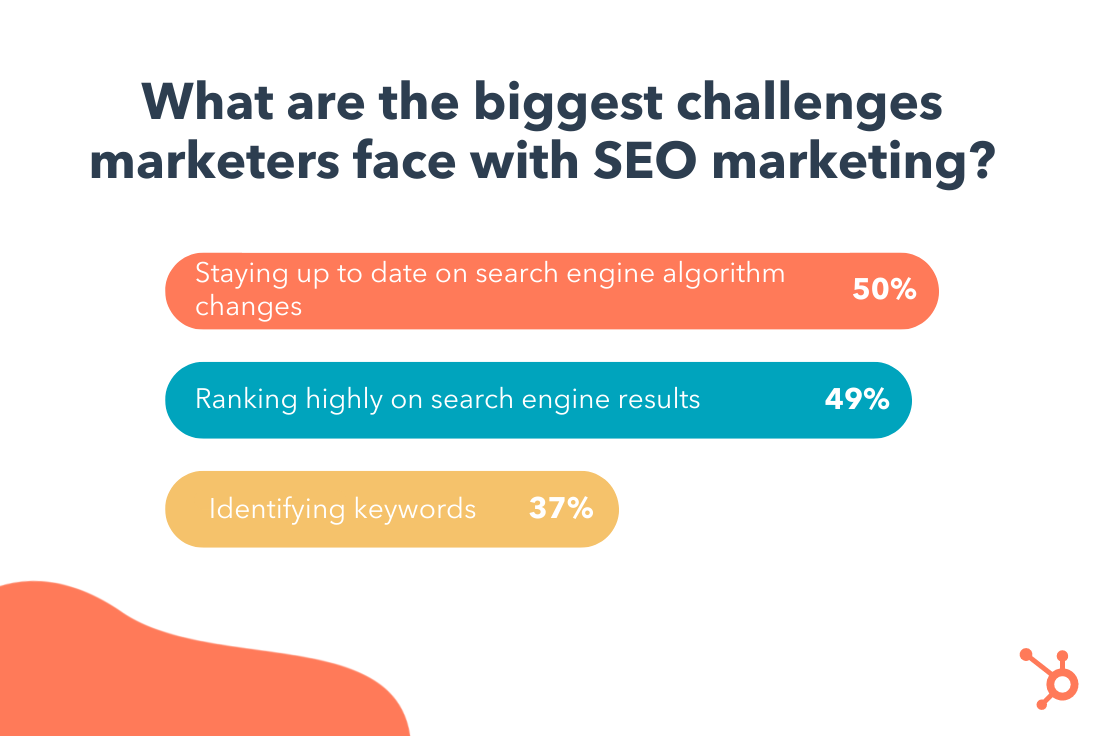
This isn’t surprising — in 2020 alone, Google ran more than 500,00 experiments that led to 4,000+ changes to search. For many marketers, staying current with these changes is like hitting a moving target.
So, how can you succeed when Google keeps moving the goal post? The key is to respond to these changes strategically.
There’s no need to overhaul your entire SEO strategy in response to a minor change. Instead, your time is better spent staying on top of industry news. If a big algorithm change is on the horizon, the SEO industry will talk about it.
The second tip may sound counterintuitive, but hear me out – after an algorithm change, wait for the dust to settle before making any moves. Why? In some cases, Google reverts to a previous version if an update doesn’t go to plan.
2. Not ranking higher in search results.
Unlike paid search, SEO takes time to show results — and it’s usually a result of smaller efforts.
There are some “solutions” to fix a low ranking, such as pivoting to technical SEO and content marketing. SEO experts have also identified some factors that play into your ranking, like the E-A-T framework. E-A-T in SEO stands for “expertise,” authoritativeness,” and “trustworthiness.”
However, even more important is developing a long-term strategy that focuses on a handful of initiatives at a time. Remember, SEO is a long-term game. The work you put in today will pay off down the road.
3. Using keywords incorrectly.
One thing has managed to stay consistent in the SEO world: keywords. But today, rather than scanning for keywords, Google takes a high-level look at your website to get an overall sense of its authority, tone, and relevancy.
In other words, if you’re hoping that keywords alone will give you a boost in search results, you’re out of luck.
Instead, the goal with keywords is to understand user intent, or the deeper problem your users hope to solve. With this understanding, you can inform your content strategy and your larger, overall marketing strategy. Take a look at this helpful article on adding user intent to your keyword strategy.
Additionally, tracking search volume for your targeted keywords can help you understand why your website sees a sudden spike or drop in traffic. For instance, if a target keyword is experiencing a spike in search volume, you can write more blog posts on that particular topic.
4. Writing compelling titles and meta descriptions.
According to 400+ web traffic analysts, one of the most effective strategies for improving search ranking is writing compelling titles and meta descriptions. But writing catchy titles is easier said than done.
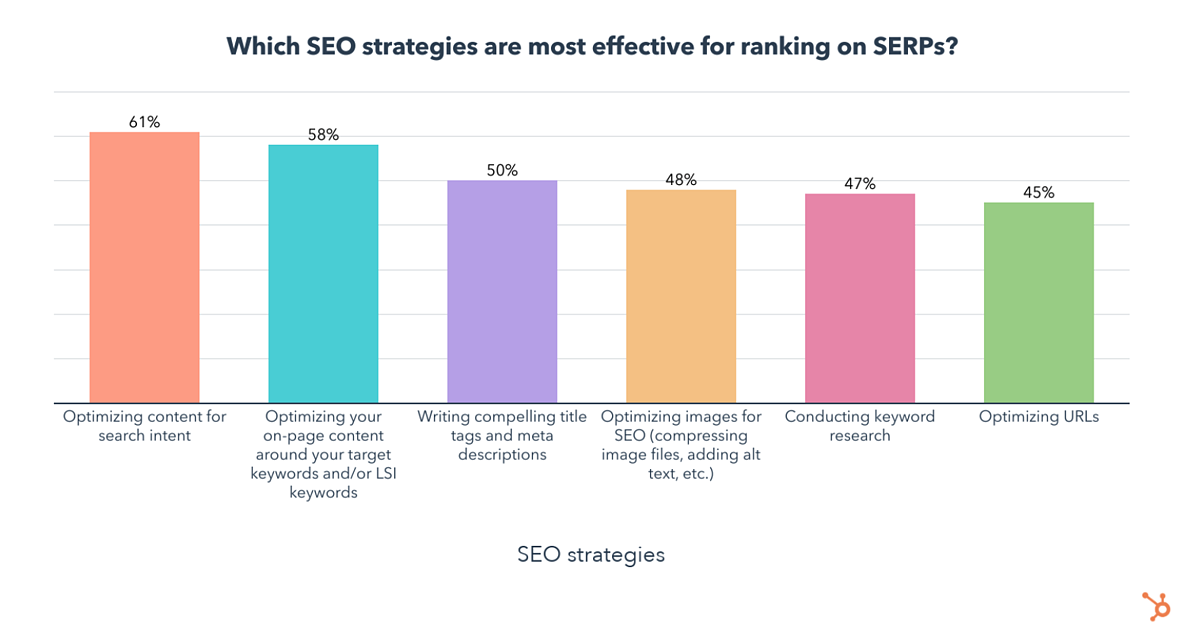
According to one recent study that analyzed 5 million headlines, emotional titles — either positive or negative — had a higher click-through rate (CTR) than neutral titles. In fact, both positive and negative titles improved CTR by approximately 7%. Additionally, web pages with meta descriptions get almost 6% more clicks than those without.
But, a word of caution here — while emotionally-charged titles can drive clicks, you run the risk of sounding too clickbait-y. For example, the same study found that “power words” — or words specifically designed to draw attention — can negatively impact CTR. Power words include terms like crazy, insane, and amazing — so use them sparingly, if at all.
5. Missing the mark on mobile.
Your SEO strategy should absolutely include mobile optimization. Why? As you might expect, mobile devices account for a large chunk of web traffic — 41% to be exact — making it essential to approach your website with a mobile-first mindset.
Further, Google now practices mobile-first indexing. This means Google uses the mobile version of your web pages when indexing and ranking pages.
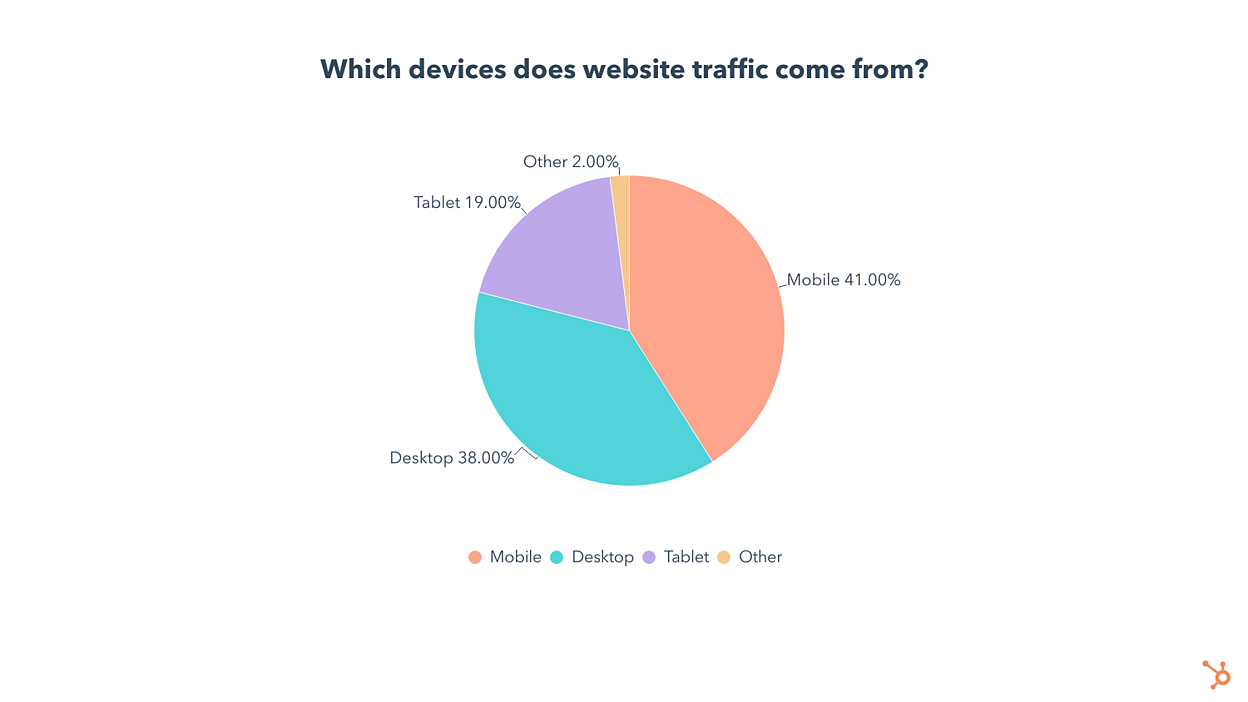
The trend is clear — optimizing for mobile is key for traffic growth, SEO, and great user experience. It’s no surprise that almost 25% of companies invest in mobile as a top SEO tactic.
You don’t need to be a developer or have a large budget to optimize your website for mobile. Check out this helpful guide to learn how small tweaks can improve the mobile experience.
6. Leveraging video in search results.
If you Google “How to tie a knot,” the top search result is a video:
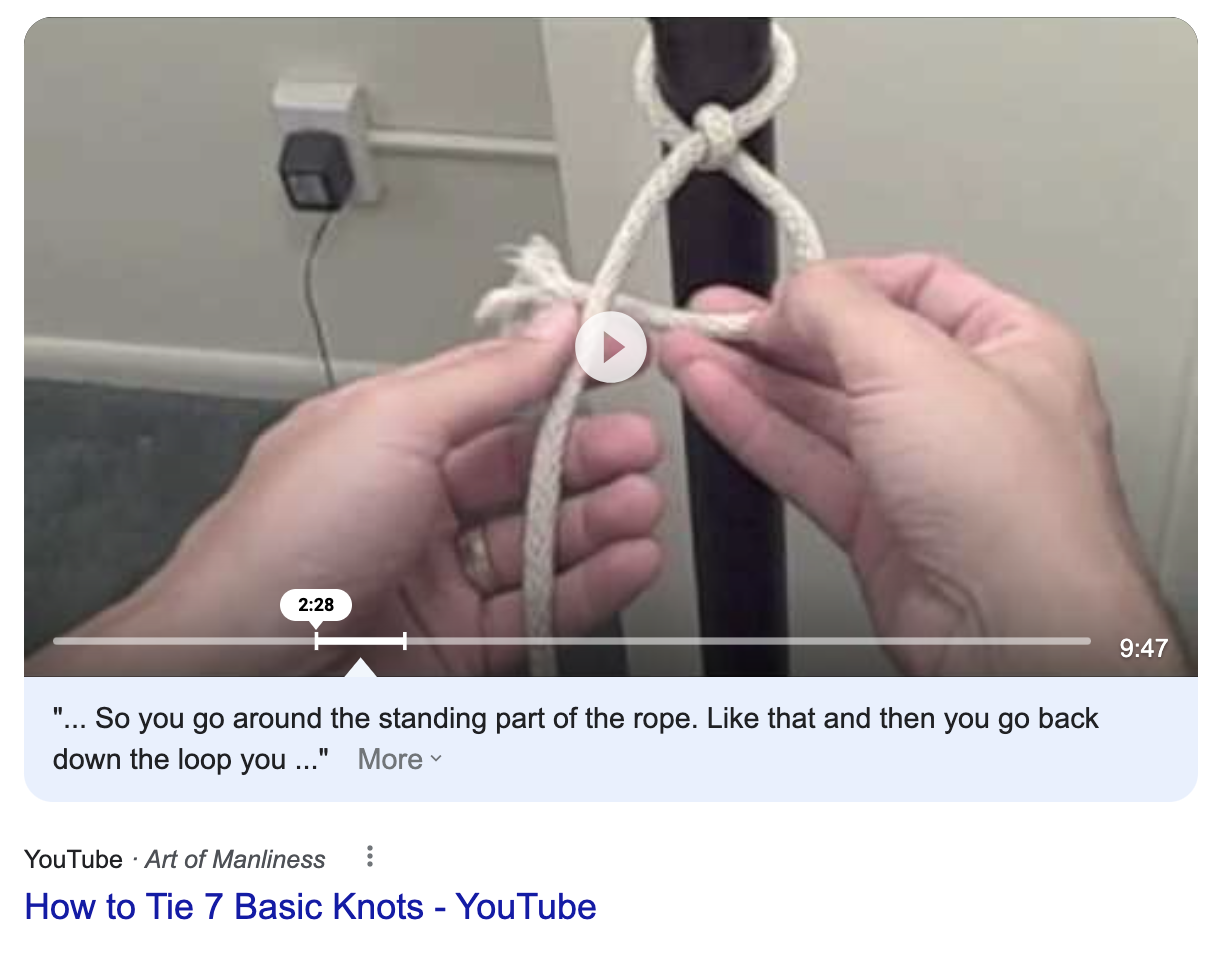
Increasingly, Google is incorporating video in search results — and this trend isn’t stopping any time soon. In fact, Google is working on more ways to experiment with short-form videos in search results, according to Google’s Product Manager, Danielle Marshak.
Google plans to surface videos by crawling and indexing them like any other type of content. So how can marketers leverage their video content for search? Here are a few strategies:
- Add video chapters. Chapters section your video by topic, providing a layer of context for viewers. It also makes it easy for Google to understand the content in your video and use different clips in search results.
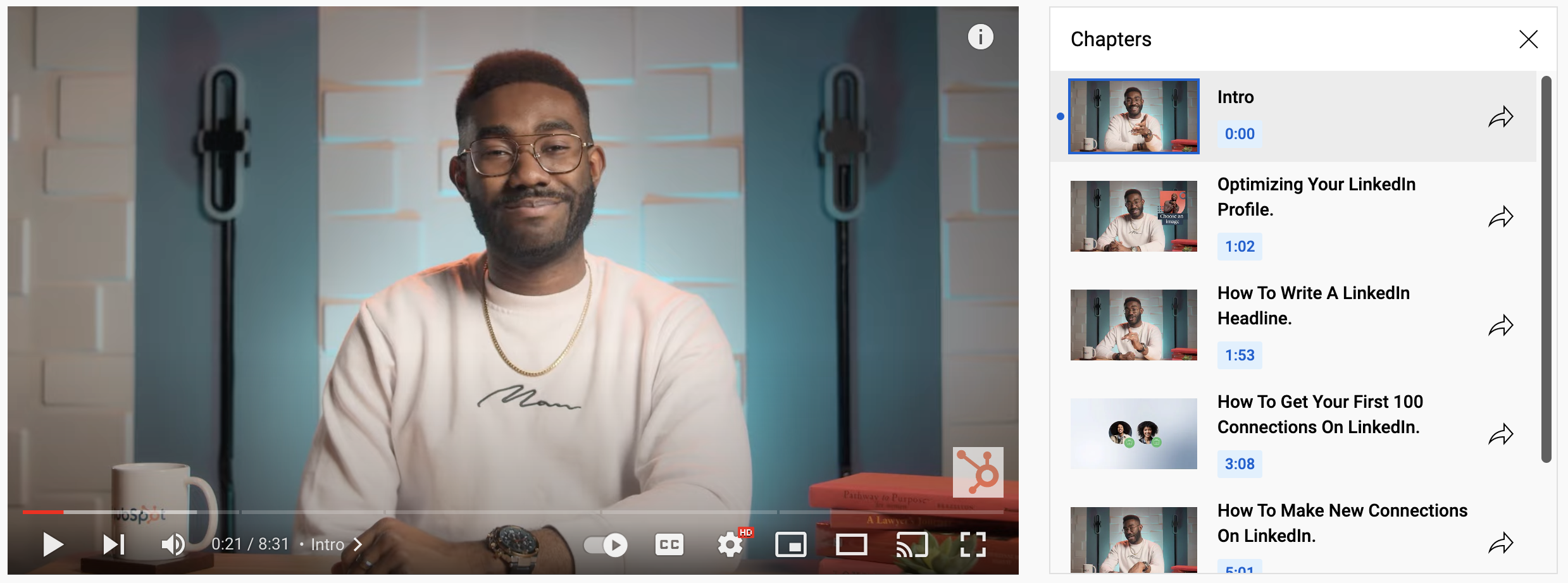
- Optimize your title, tags, and description. Like web pages, videos also have titles, descriptions, and tags. Optimize these using SEO best practices.
Also, embedding videos into your website and blog posts doesn’t hurt — and can actually improve your bounce rates.
Back to You
SEO is like a mutual fund — it builds over time, one dollar at a time. In other words, it’s a long game. Marketers must have the right strategies in play for the long game. Start with the tips in this post to set you on the right path.
