
How The Internet of Things (IoT) Is Changing Customer Relationships [Video]

Does Buying Instagram Followers Work?
You might know your Instagram content is good, but imagine how much better it will seem if it looks like 10,000 people agree.
Whether you’re trying to become a social media celebrity or simply looking to spread brand awareness on Instagram, it can seem tempting to pay for your first couple thousand followers.
There are plenty of services available that allow you to buy 1,000 followers for the price of a small Starbucks latte. But of course, if it really was that cheap and easy, everyone would be doing it. So what’s the catch? Is buying Instagram followers legal and safe for your business? Is it a worthwhile investment?
Here, we’ve gone ahead and covered all the questions you might have about buying Instagram followers to give you a better idea of how it actually works. We’ve also explored the pros and cons, so you can decide for yourself if it’s a good move for your brand.
Can you buy Instagram followers?
Yes, you can. There are plenty of cheap services available that allow you to buy 1,000 followers for as little as $10 USD. But you’re only paying for a number: many of those followers are either bots or inactive accounts, which means they’ll never engage with your posts.
As a quick Google search will reveal, there are many cheap services you can use to buy Instagram followers. For about $6 USD, you can get 500 followers, and for about $10 USD, you can get 1,000 followers.
The vast majority of these purchasable followers, however, are either bots or inactive accounts.
When you buy Instagram followers, you’re paying for a number alone. Engagement is not guaranteed, or even likely.
In addition to buying followers directly, you can also pay services to strategically follow other accounts on your behalf based on your preferences (location, hashtag usage, account type, and gender). Ideally, those followed accounts will then follow you back.
With this option, your followers are more likely to be real people, but engagement is still unlikely. Since you can’t even guarantee these accounts will follow you back, it’s a risky investment. Most accounts won’t follow you back, and even if they do, they probably aren’t going to be long-term, loyal, or active followers.
If your priority is simply to have a big follower count, than these services can definitely help you. When your number of organic followers dips, these services even replenish your pool with other followers.
But remember the risks: these followers will probably never like or comment on a post, and if you’re caught with a ton of fake followers, you could ruin your credibility with your real audience.
Think of it this way: would you keep following an account if you saw that most of their “loyal audience” were inactive accounts or bots? I’m guessing not. It could seem deceitful, and lead you to believe the brand couldn’t get authentic followers through content alone.
Should you buy Instagram followers?
It’s not a good idea to buy Instagram followers. The purchased followers are likely bots or inactive accounts, so they won’t engage with your posts. This means your posts won’t show up on Explore Pages, or on your real audience’s newsfeeds. It will also make it hard to measure metrics.
And how helpful, really, are 10,000 followers that don’t engage with you? Engagement is key to how Instagram’s algorithm displays posts to users. Without likes or comments, your post probably won’t show up on your audience’s newsfeeds, and it also won’t show up on any Explore Pages.
Having a lot of followers could convince users to follow you organically, but it’s not a guarantee.
Users might notice you don’t have a ton of engagement on your posts, which could deter them from following you. If you have 10,000 followers but only four likes per post, it won’t take people long to realize something is up.
Without real followers to engage with your content, your posts are essentially hidden from everyone except your unauthentic audience. Plus, your fake followers won’t share your post on any of their channels. And they won’t discuss your brand in real life with friends or family, because, well … they don’t exist in real life (no offense, bots).
It’s also practically impossible to measure how well your target audience is connecting with your brand if a high percentage of that audience isn’t real. How will you measure posts that do well with your real audience if those bots and inactive accounts skew the ratio?
If you don’t know how well your posts are doing or what your real audience thinks, you’ll never convert your Instagram followers into real customers. And isn’t that the point?
Ultimately, if you pay for Instagram followers, you aren’t paying for quality, real-life followers. You’re paying for a blank number. And since Instagram’s algorithm is largely tied to engagement, not followers, buying followers isn’t a long-term solution. In fact, it isn’t really a solution at all.
Take the time, energy, and money that you would’ve dedicated to buying followers, and focus instead on building genuine relationships with a real audience. If your content is engaging and authentic, your loyal followers will spread the word and engage with your brand without needing any bribes.

Blog SEO: How to Search Engine Optimize Your Blog Content
Does Blogging Help With SEO?
Blogging helps boost SEO quality by positioning your website as a relevant answer to your customers’ questions. Blog posts that specifically use a variety of on-page SEO tactics can give you more opportunities to rank in search engines and get customers to visit your site.
Search engine optimization is incredibly important for marketers. When you optimize your web pages — including your blog posts — you’re making your website more visible to people who are entering keywords associated with your product or service via search engines like Google.
But Google’s copious algorithm updates make this tricky. And today’s SEO best practices are all about relevancy and intent. Keep reading — I’ll explain.
How do you know what matters and what doesn’t? What are today’s blog ranking tactics, and what’s considered “old-school”? How on Earth can you keep it all straight?
Confusion is a common issue facing digital content marketers — and we want to help. In this post, we’ll cover how to optimize your blog posts for the keywords you care about, along with a few other optimization tactics you should keep in mind.
Note that this list doesn’t cover every single rule under the sun. Rather, the following 10 SEO tips are the on-page factors to get you started with an SEO strategy for your blog in particular.
SEO can be confusing. Listen as HubSpot’s own Matt Barby and Victor Pan clear things up:
HubSpot customers: If you want to see specific SEO optimization tips for your individual blog posts, click the bar graph icon on the far left side of the blog editor when you’re working on the post to access the SEO Optimization screen.

If you’re not a customer, you can use these tips as a checklist as you blog.
(Want to learn more about content creation, strategy, and promotion? Sign up here to take our free Content Marketing Certification course.)
10 Blog SEO Tips to Search Engine Optimize Your Blog Content
1. Focus on 1–2 long-tail keywords that match the intent of your ideal reader.
Optimizing your blog posts for keywords is not about incorporating as many keywords into your posts as possible. Nowadays, this actually hurts your SEO because search engines consider this keyword stuffing (i.e., including keywords as much as possible with the sole purpose of ranking highly in organic search).
It also doesn’t make for a good reader experience — a ranking factor that search engines now prioritize to ensure you’re answering the intent of your visitors. Therefore, you should use keywords in your content in a way that doesn’t feel unnatural or forced.
A good rule of thumb is to focus on one or two long-tail keywords per blog post. While you can use more than one keyword in a single post, keep the focus of the post narrow enough to allow you to spend time actually optimizing for just one or two keywords.
Why long-tail keywords? These longer, often question-based keywords keep your post focused on the specific goals of your audience. Website visitors searching long-tail terms are more likely to read the whole post and then seek more information from you. In other words, you’ll generate right type of traffic: visitors who convert.
2. Include these 1–2 keywords in specific parts of your post.
Now that you’ve got your one or two keywords, it’s time to incorporate them into your blog post. Where are the best parts of your posts to include these terms so you rank high in search results?
There are four essential places where you should try to include your keywords: title tag, headers & body, URL, and meta description.
Title Tag
The title (i.e., headline) of your blog post will be a search engine’s and reader’s first step in determining the relevancy of your content, so including a keyword here is vital. Google calls this the “title tag” in a search result.
Be sure to include your keyword within the first 60 characters of your title, which is just about where Google cuts titles off on search engine results pages (SERPs). Technically, Google measures by pixel width, not character count, and it recently increased the pixel width for organic search results from approximately 500 pixels to 600 pixels, which translates to around 60 characters.
Long title tag? When you have a lengthy headline, it’s a good idea to get your keyword in the beginning since it might get cut off in SERPs toward the end, which can take a toll on your post’s perceived relevancy. In the example below, we had a long title that went over 65 characters, so we front-loaded it with the keyword for which we were trying to rank: “on-page SEO.”

Headers & Body
Mention your keyword at a normal cadence throughout the body of your post and in the headers. That means including your keywords in your copy, but only in a natural, reader-friendly way. Don’t go overboard at the risk of being penalized for keyword stuffing. Before you start writing a new blog post, you’ll probably think about how to incorporate your keywords into your post. That’s a smart idea, but it shouldn’t be your only focus, nor even your primary focus.
Whenever you create content, your primary focus should be on what matters to your audience, not how many times you can include a keyword or keyword phrase in that content. Focus on being helpful and answering whatever question your customer might’ve asked to arrive on your post. Do that, and you’ll usually find you naturally optimize for important keywords, anyway.
URL
Search engines also look to your URL to figure out what your post is about, and it’s one of the first things it’ll crawl on a page. You have a huge opportunity to optimize your URLs on every post you publish, as every post lives on its own unique URL — so make sure you include your one to two keywords in it.
In the example below, we created the URL using the long-tail keyword for which we were trying to rank: “email marketing examples.”

Meta Description
Later in this post, we’ll dive into meta descriptions a bit more. Your meta description is meant to give search engines and readers information about your blog post’s content — so be certain to use your long-tail term so Google and your audience are clear on your post’s content.
At the same time, keep in mind the copy matters a great deal for click-through rates because it satisfies certain readers’ intent. The more engaging, the better.
3. Make sure your blog is mobile-friendly.
Did you know more people use a search engine from their mobile phones than from a computer?
And for all those valuable search queries being done on mobile, Google displays the mobile-friendly results first. This is yet another example of Google heavily favoring mobile-friendly websites — which has been true ever since the company updated its Penguin algorithm in April 2015.
(HubSpot customers: Breathe easy. All content created on HubSpot’s platform is automatically responsive to mobile devices.)
So, how do you make your blog mobile-friendly? By using “responsive design.” Websites that are responsive to mobile allow blog pages to have just one URL instead of two — one for desktop and one for mobile, respectively. This helps your post’s SEO because any inbound links that come back to your site won’t be divided between the separate URLs.
As a result, you’ll centralize the SEO power you gain from these links, helping Google more easily recognize your post’s value and rank it accordingly.
Pro tip: What search engines value is constantly changing. Be sure you’re keeping on top of these changes by subscribing to Google’s official blog.
4. Optimize the meta description, and use all the space.
To review, a meta description is the additional text that appears in SERPs that lets readers know what the link is about. The meta description gives searchers information they need to determine whether or not your content is what they’re looking for, and ultimately helps them decide if they’ll click or not.
The maximum length of this meta description is greater than it once was — now around 300 characters — suggesting it wants to give readers more insight into what each result will give them.
So, in addition to being reader-friendly (compelling and relevant), your meta description should include the long-tail keyword for which you are trying to rank.

In the example above, I searched for “email newsletter examples.” The term is bolded in the meta description, helping readers make the connection between the intent of their search term and this result. You’ll also see the term “E-Newsletter” bolded, indicating that Google knows there’s a semantic connection between “email newsletter” and “E-Newsletter.”
Note: Nowadays, it’s not guaranteed that your meta description is always pulled into SERPs as it once was. As you can see in the above image, Google pulls in other parts of your blog post that includes the keywords searched, presumably to give searchers optimal context around how the result matches their specific query.
Let me show you another example. Below is an example of two different search queries delivering two different snippets of text on Google SERPs. The first is a result of the query “no index no follow,” and pulls in the original meta description:

The second is a result of the query “noindex nofollow,” and pulls in the first instance of these specific keywords coming up in the body of the blog post:

While there’s not much you can do to influence what text gets pulled in, you should continue to optimize this metadata, as well as your post, so search engines display the best content from the article. By creating reader-friendly content with natural keyword inclusion, you’ll make it easier for Google to prove your post’s relevancy in SERPs for you.
5. Optimize your images’ alt text.
Blog posts shouldn’t only contain text — you should also include images that help explain your content. But search engines don’t just look for images. Rather, they look for images with alt text.
Because search engines can’t “see” images the same way humans can, an image’s alt text tells them what an image is about — which ultimately helps those images rank in Google Images results. Alt text also makes for a better user experience, as it’ll display inside the image container when an image can’t be found or displayed, and can improve accessibility for people with poor vision who are using screen readers.
Technically, alt text is an attribute that can be added to an image tag in HTML. Here’s what a complete image tag might look like (bolding added for emphasis):
<img class=”wt-blog__normal-image” src=”image.jpg” alt=”image-description” title=”image tooltip”>
Adding keywords to your alt text may seem minor — and it isn’t going to impact your search rankings as much as other things on this list. But it is worth the extra minute it takes to change the name from “IMG23940” to something accurate and descriptive, like “puppies-playing-in-basket:”

Read this blog post to learn more on-page SEO tips for keyword optimizing the most critical parts of your website.
HubSpot customers: The SEO Panel will recognize whether or not you have optimized your images. Though these elements are not as important as some other optimizations, they’re still necessary (not to mention easy to add).

6. Don’t use too many similar topic tags.
Topic tags can help organize your blog content, but if you overuse them, they can actually be harmful. If you have too many similar tags, you may get penalized by search engines for having duplicate content.
Think of it this way: when you create a topic tag, you also create a new site page where the content from those topic tags will appear. If you use too many similar tags for the same content, it then appears to search engines as if you’re showing the content multiple times throughout your website. For example, topic tags like “blogging,” “blog,” and “blog posts” are too similar to one another to be used on the same post.
If you’re worried that your current blog posts have too many similar tags, take some time in the near future to clear them up. Choose about 15–25 topic tags that you think are important to your blog and that aren’t too similar to one another, and then only tag your posts with those keywords. That way, you won’t have to worry about duplicate content.
7. Use URL structures that help your visitors.
The URL structure of your web pages (which are different from the specific URLs of your posts) should make it easy for your visitors to understand the structure of your website and the content they’re about to see. Search engines favor web page URLs that make it easier for them and website visitors to understand the content on the page.
This differentiation is baked into the HubSpot blogs’ respective URL structures. If I decided to go to the Marketing section from this main page, I would be taken to the URL http://blog.hubspot.com/marketing. If we want to read the Sales section, all we have to do is change where it says “marketing” in the URL to “sales”: http://blog.hubspot.com/sales. This URL structure helps me understand that “/marketing” and “/sales” are smaller sections — called subdirectories — within the larger blog.
What if there’s a specific article we want to read, such as “How to Do Keyword Research: A Beginner’s Guide”? Its URL structure — http://blog.hubspot.com/marketing/how-to-do-keyword-research-ht — denotes that it’s an article from the Marketing section of the blog.
In this way, URL structure acts as a categorization system for readers, letting them know where they are on the website and how to access new site pages. Search engines appreciate this, as it makes it easier for them to identify exactly what information searchers will access on different parts of your blog or website.
Get more best practices for URL structure from Moz here.
8. Link internally when possible.
Inbound links to your content help show search engines the validity or relevancy of your content. The same goes for linking internally to other pages on your website. If you’ve written about a topic that’s mentioned in your blog post on another blog post, ebook, or web page, it’s a best practice to link to that page.
You might’ve noticed that I’ve been doing that from time to time throughout this blog post when I think it’s helpful for our readers. Not only will internal linking help keep visitors on your website, but it also surfaces your other relevant and authoritative pages to search engines.
HubSpot customers: The SEO Panel automatically suggests linking to other internal resources on your website. Think of it as solving for your SEO while also helping your visitors get more information from your content.

If you’re looking for more internal links to add to your post but aren’t sure which would be relevant, you can click “Explore some internal links you might use in this post” for a list of recommendations.
9. Use Google’s Search Console.
Google’s free Search Console contains a section called the Search Analytics Report. This report helps you analyze clicks from Google Search, and it’s useful to determine which keywords people are using to find your blog content. Learn how to use it by reading this blog post written by my colleague Matthew Barby, and by checking out Google’s official support page here.
If you’re interested in optimizing your best-performing older blog posts for traffic and leads like we’ve been doing since 2015, this tool can help identify low-hanging fruit.

A lot of content marketers struggle with optimizing their blog posts for search. The truth is, your blog posts won’t start ranking immediately. It takes time to build up search authority. But when you publish blog posts frequently and consistently optimize them for search while maintaining an intent-based reader experience, you’ll reap the rewards in the form of traffic and leads long-term.
10. Use topic clusters.
The way most blogs are currently structured (including our own blogs, until very recently), bloggers and SEOs have worked to create individual blog posts that rank for specific keywords. The result is disorganized, and hard for the user to find the exact information he or she needs. It also results in your own URLs competing against one another in search engine rankings when you produce multiple blog posts about similar topics.
Here’s what our blog architecture used to look like using this old playbook:

Now, in order to rank in search and best answer the new types of queries searchers are submitting, the solution is to use the topic cluster model: Choose the broad topics for which you want to rank, then create content based on specific keywords related to that topic that all link to each other, to create broader search engine authority.
Using this model, this is what our blog infrastructure looks like now — with specific topics surrounded by blog posts related to the topic, connected to other URLs in the cluster via hyperlinks:

This model uses a more deliberate site architecture to organize and link URLs together to help more pages on your site rank in Google — and to help searchers find information on your site more easily. This architecture consists of three components — pillar content, cluster content, and hyperlinks:

We know this is a fairly new concept, so for more details, check out our research on the topic, or the video below.
We don’t expect you to incorporate each of these SEO best practices into your content strategy right away. But as your website grows, so should your goals on search engines. Then you’ll be able to do some link building to get other websites to link back to your blog!
Once you identify the goals and intent of your ideal readers, you’ll be on track to deliver content organically that is always relevant to them.


This Is How You Tell a Story (and Other Things SXSW Taught Me)
I write a lot about creating an experience.
About humanizing. About authenticity. About telling a story. About being helpful.
In a marketing context, much of this boils down to the idea of your brand: about who you are, what you can do, and how that shapes the messages you send your audience, and how you send them.
And personally, I closely align all of those things with the idea of a story. A brand story, perhaps.
But what I’ve learned at SXSW is this: your story is just as much about what you aren’t as it is what you are, especially when you’re creating an experience for your audience.
Here’s how I came to that conclusion — and what I learned about how to tell a story.
What SXSW Taught Me About Storytelling and More
Brand Activation
At SXSW, there’s been a great deal of buzz around the term “brand activation,” which branding firm Cramer defines as “any campaign, event, or experience that enables your brand to engage directly with consumers and build a loyal brand community around your product or service.”
Which, coincidentally, is how I’ve always defined experiential marketing. Essentially, you’re creating a real-life, hands-on way for people to experience your brand — or, as the saying goes now, activate it.
And at SXSW, these types of experiences tend to run rampant — whether it’s from YouTube, Mercedes-Benz, Google, or an app for meditation (in this case, Headspace).
YouTube
Each one of these experiences seemed to center around a single phrase or keyword. YouTube’s, for instance, was the concept of stories — classic ones, like fairy tales, that were retold in its big red “house” (the “YouTube Story HQ”) by way of digital videos and interacting with them.
When users first arrived at the house, they were asked to blow into a microphone. Why? Because they were being inserted into the role of the big, bad, wolf from the story of “The Three Little Pigs” — and by blowing into the microphone, they would see by way of a video broadcasted on a screen above it what would happen to that little pig’s house.
(Full disclosure: I didn’t actually know what I was doing at the time and felt terrible for blowing down the pig’s house, even if it was just a fictional video.)
But here’s the thing: at the core of YouTube’s brand is video, whether we use the platform to view it, create it, or share it.
And by participating in this experience — I was activating the brand.
What isn’t necessarily central to the YouTube story, however, is the concept of fairytales — especially in the context of recent scrutiny its received for some of the content shared on the platform and how the company is handling it.
When the average online consumer thinks of “YouTube,” I would predict that the first associations that come to mind aren’t the tales of Rapunzel, Little Red Riding Hood, or The Three Little Pigs. Personally, I think of makeup tutorials, hours-long videos of relaxing music that I leave on for my dog while I’m at work, and “Saturday Night Live” skits that I missed.
But fairytales? Not so much.
Which is what makes what YouTube did at SXSW so brilliant. It took something that’s not associated with its brand and used what it’s known for to re-tell these classics in the best way the brand knows how to: by way of video.
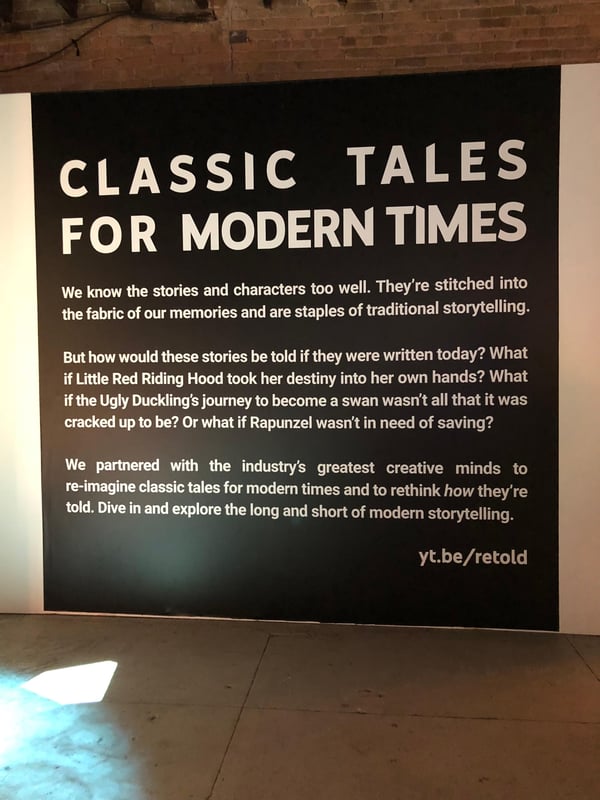
This experience was as much about what YouTube isn’t, as much as what it is. At the center of YouTube’s SXSW story was, well, stories — and re-framing them in a way that aligned with the brand.
Mercedes-Benz
The keyword for this story was “smart.”
One of the first sessions I attended at SXSW was a talk given by Wilko Stark, VP of Mercedes-Benz Cars Strategy, on little-known facts about self-driving cars.
What underscored his points was the idea of automobiles as intelligent machines — cars that are smart enough to take care of themselves and navigate their surroundings in a way that allows passengers to carry out their day-to-day lives during the ride.
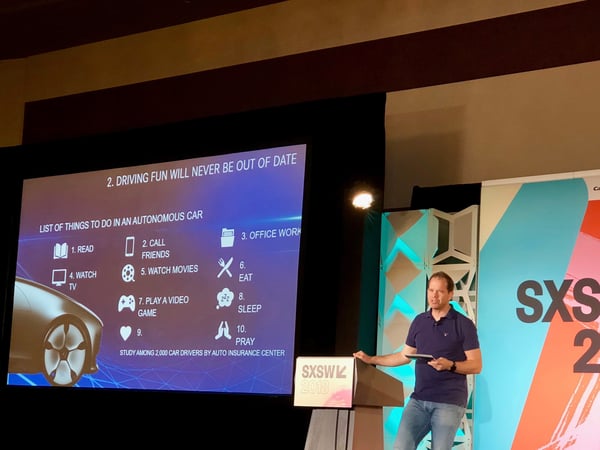
And that’s a key component of this story: not just the smart factor, but how it helps the audience.
It reminded me of something that Facebook Product Design Manager Tutti Taygerly said at a different panel: “Anchor on the core people problem, and then figure out, ‘What is the work?’ ‘What are the use cases?'”
Mercedes-Benz had quite a widespread presence throughout SXSW that went far beyond this talk. In fact, the brand took over a park in Austin to create an entire multi-installment experience based on the foundation of “smart,” in the form of cars, homes (in this case, a “Kasita”), and more.


But wait — Mercedes-Benz doesn’t make homes. At the core of its brand is cars: high-end, luxury, and often cost-prohibitive cars. So what place did the idea of smart homes have in this experience?
The “smart” part. Mercedes-Benz is building the concept of intelligence into its brand, whether it’s by way of autonomous technology or vehicular efficiency, the latter of which was made apparent in this somewhat compact but well-equipped car that I got to take for a make-believe spin:

Plus, it was just a really cool thing for the audience to see at an experience under the Mercedes-Benz name. So while this particular brand doesn’t build houses — it can build an overall smart experience. And to do that, it partnered with another brand — Kasita — to help.
Headspace
Headspace is an app that provides users with guided meditations, mantras, and other calm-inducing experiences. It’s something you find on your phone, and experience virtually.
But at SXSW, Headspace brought that experience to live with its “Room to Breathe.”
It’s not always easy to bring something like a mobile app to life in a tangible, hands-on way, especially when that app is what Wired once called “incredibly ironic”: a digital service that’s meant to give us space from, well, our often over-connected digital lives.
Here, it made sense. For all the benefits of SXSW, it could also be described as overwhelming: a constant sea of music, film, panels, and brand activations.
But here, the brand was activated when attendees stepped away from the chaos and into a room with space to breathe.
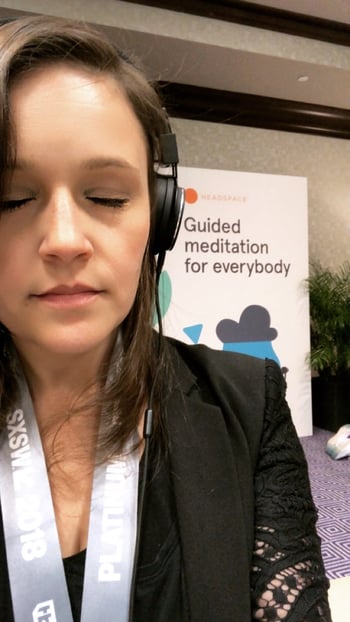
There wasn’t anything particularly fancy about it. The room was small, and there were no big and shiny installations, with the minor exception of a projection screen that displayed guided mindfulness exercises.
Instead, there were small stations with mobile devices and headphones where users could read about different meditation exercises offered by the app, and choose the one that best fit their schedules.

And that’s exactly what the app itself provides: only here, it took place in-person in a nicely-decorated room that also hosted daily guided meditation sessions by a human, not a recorded voice on a device.
The moral of this story, I thought, was “pause” — which was in part reflected in the simplicity of the story the experience told.
The question I pose now is this: What’s your story?
In answering that, remember that stories have more than one character. And while they have protagonists, that central character is supported by others.
The same is true of brands. Your story is about who and what you are — the protagonist — as much as what you aren’t.
And when it makes sense to include what you’re not in your story, that’s where your supporting characters come in. Sometimes, that’s a co-brand, or something new that might not be your primary offering, but still fits into your story and helps to tell it in a way that creates a better experience for the user.
Here’s to the occasional plot twist.

What is a Snapchat Streak?
In my last internship, my manager told me a funny story about her 18 year-old brother after he visited the office one day. And it made me realize I officially don’t understand the teenage mind anymore.
After meeting me for a mere two minutes, he wanted to add me — the only other person around who looked like they could’ve just graduated high school — on Snapchat, so we could start a Snapstreak.
I knew what Snapstreaks were, but I didn’t get why he wanted to add a random guy on Snapchat just to start one. I mean, it was cool he seemed to identify with me. But why do today’s teenagers value Snapstreaks so much that they’d add any fellow Gen-Zer to their most personal social network and commit to messaging them everyday?
Let’s back up before we delve too deeply into philosophical questions about Gen Z’s social media habits. If you’re above the age of 25, you might not know what a Snapstreak even is.
What is a Snapstreak?
A Snapstreak occurs when two people have sent each other Snapchats back and forth for more than three consecutive days. When you start a Snapstreak with someone, you’ll see a fire emoji next to their name in the app. The number next to the fire emoji indicates how long the Snapstreak has been going.
Snapchat will notify you when one of your Snapstreaks is about to end by putting an hourglass emoji by that friend’s name. And if one of your Snapstreaks ends, but you know you and your friend snapped each other back and forth within the 24-hour window, you can report the error to Snapchat.
You might think it’s silly that falsely expired Snapstreaks have sparked so much user backlash that Snapchat needs a customer support team for the issue. But, for some teenagers, a fire emoji next to someone’s name is an extremely meaningful indicator of friendship.
Snapstreaks Indicate Friendship
A long Snapstreak is concrete evidence for a close friendship. It proves the two friends are committed to talking to each other everyday. So if someone claims they’re close with someone, then their Snapstreak with that person should be long. Some teenagers even bring up their Snapstreaks in conversation with peers to prove the quality of these friendships.
But teens don’t just value the length of their Snapstreaks. They also value the quantity of their Snapstreaks. Having a lot of Snapstreaks is impressive because it means you talk to a lot of people. And the more people you talk to, the more popular you must be. Along these lines, the number of Snapstreaks you have is like a popularity score.
When teenagers accidentally end Snapstreaks, it can ruffle some feathers, especially if the streak spans over a year. Since both friends invested a portion of their day for an entire year to maintain the Snapstreak, unintentionally ending it can make them feel like all that time and effort went to waste. The pain can sting so bad that teens will even Snap each other in the middle of the night to save their Snapstreak from expiring.
Snapstreaks might just seem like a game or a superficial way to prove popularity, but a lot of teens realize it’s an excuse to connect with their friends everyday. Teenagers value Snapstreaks more than any other Snapchat metric like story views or Snapchat score because they know starting a streak with someone can lead to actual conversation. By using Snapstreaks as a reason to talk everyday, they can strengthen their friendships.

What Is a Whitepaper? [FAQs]
The definition of a whitepaper varies heavily from industry to industry, which can be a little confusing for marketers looking to create one for their business.
The old-school definition comes from politics, where it means a legislative document explaining and supporting a particular political solution.
In tech, a whitepaper usually describes a theory behind a new piece of technology. Even a business whitepaper can serve a variety of uses and audiences — some more product-focused than others. And although it is put together like an ebook, the two are written quite differently.
Click here to download our 13 customizable ebook templates for free.
We’re here to arm you with the best definition of a whitepaper in the context of business, and offer two examples for how one might use a whitepaper in their marketing strategy.
What Is a Whitepaper?
A whitepaper is a persuasive, authoritative, in-depth report on a specific topic that presents a problem and provides a solution.
Marketers create whitepapers to educate their audience about a particular issue, or explain and promote a particular methodology. They’re advanced problem-solving guides. Typically, whitepapers require at least an email address for download (usually they require information more than that), making them great for capturing leads.
What Is a Whitepaper Not?
A product pitch.
Although Investopedia defines a whitepaper as “an informational document issued by a company to promote or highlight the features of a solution, product, or service,” be warned that overtly shilling your own stuff could turn off your readers.
The goal of a whitepaper is to inform and persuade based on facts and evidence, not tell the world why people need to buy your product right now.
How Are They Different From Blog Posts and Ebooks?
Speaking of what a whitepaper isn’t … if you’re looking for a quick and interactive way to present your value to the industry, a whitepaper is not your only option. There are also ebooks and blog posts — both of which have various differences from a whitepaper.
What really set these products apart are the size, appearance, and time commitment of each one. Whereas writing blog posts and ebooks can take anywhere between a few hours and a few weeks, a good whitepaper can take between a few weeks and a few months to write and polish. They’re less flashy, much more serious in tone, and more heavily researched than blog posts and ebooks.
Let me show you a comparison. The set below is one of our own ebook templates (which you can get for free here). It’s a thorough but simple read:


Now, here is a whitepaper based on our latest research on emerging tech for small to mid-sized businesses (a great report — see the web version here). You can see how much detail whitepapers can go into, both in text and in its images:
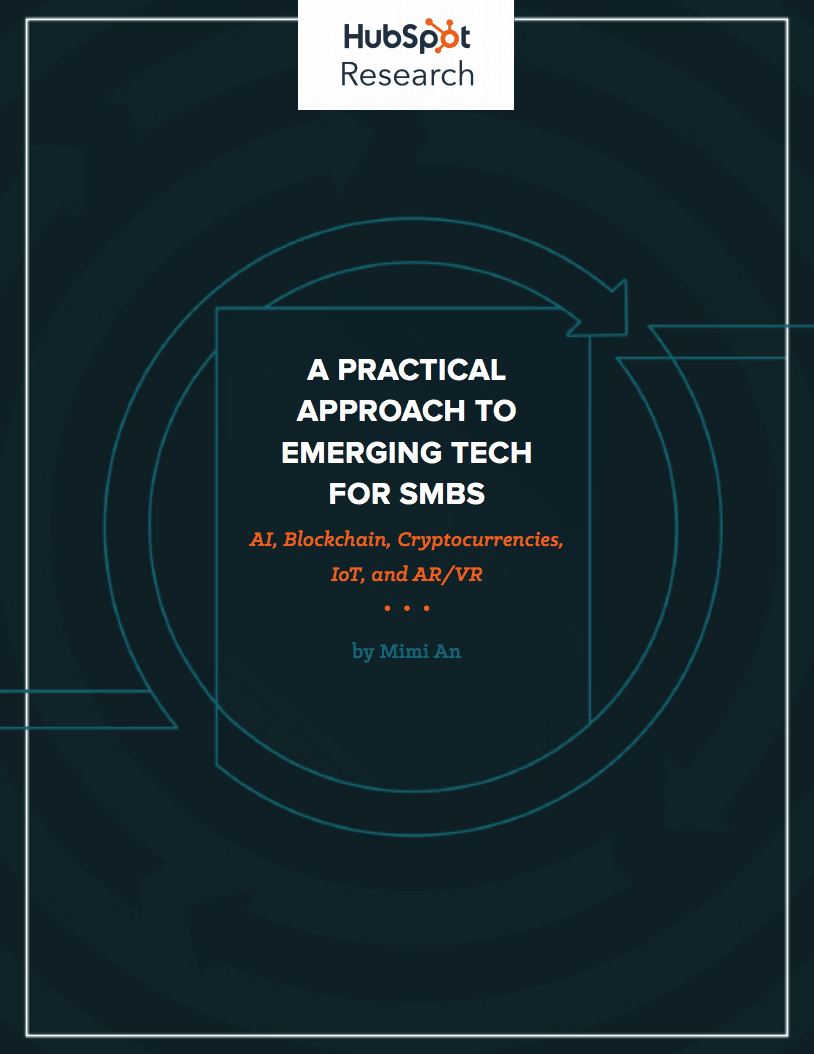
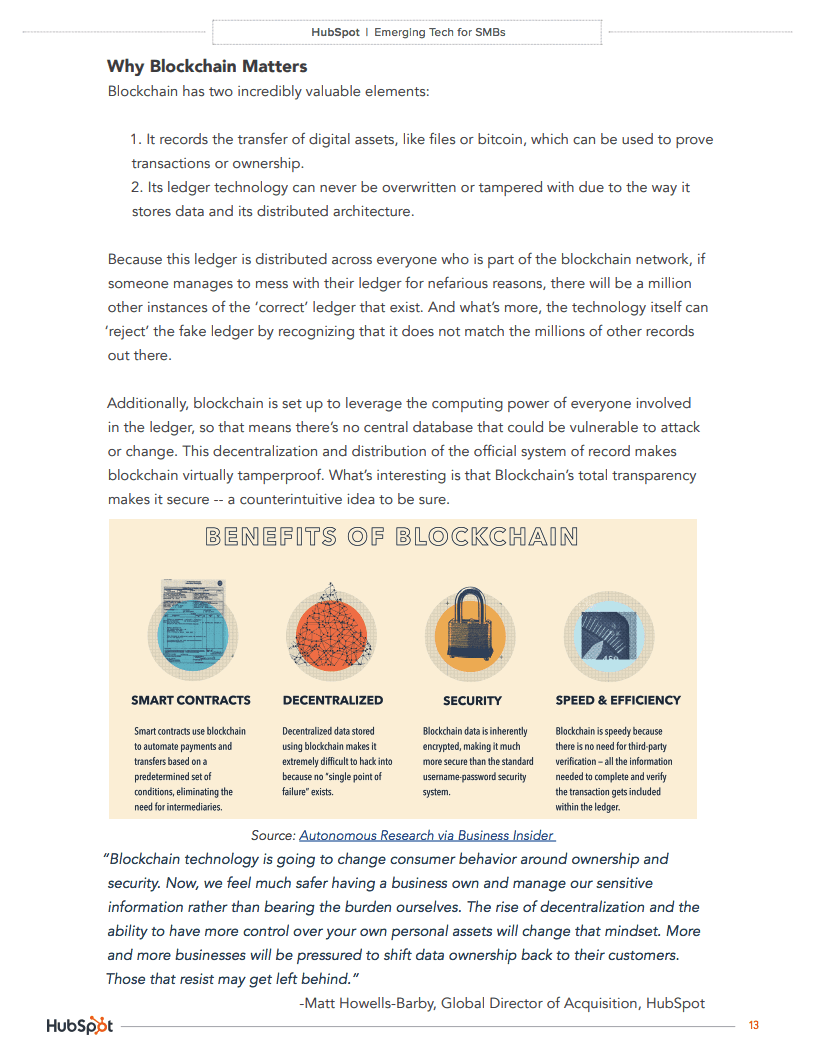 Images via HubSpot Research [PDF]
Ebooks and whitepapers can start on the same template. But ultimately, whitepapers are the academic papers of marketing content. Readers expect a high degree of expertise backed by solid research that is fully documented by references.
Ebooks, on the other hand, are often extensions of a subject you cover regularly on a blog. They can come out of diligent research, but they appeal to a wider audience when unpacking a business subject.
You can imagine this makes them kind of boring in comparison — truthfully, most people don’t actually want to read whitepapers, but they do it anyway to build their knowledge of an operation they need more insight on before making their next move.
For this reason, they tend to be particularly detailed and informative, authoritative, and written by industry experts. And these qualities can make some decision makers feel better about a future purchase.
How Do You Make a Whitepaper?
Technically, there are no minimum requirements for whitepapers. Anyone can call anything a whitepaper — this doesn’t mean you should, though. Without some boundaries on what is and what isn’t a whitepaper, we risk confusing our audience and losing credibility. Here’s what an A+ whitepaper looks like:
- Length:No fewer than six pages, including illustrations, charts, and references. Can be upwards of 50 if the topic requires that much detail. (Chances are, it won’t.)
- Structure: There is usually a title page, table of contents, short executive summary (optional but helpful), introduction, several pages educating the reader about the problem, several pages hypothesizing a solution, several pages offering an example of a company that used that solution to achieve results, and a conclusion.
- Density:Denser than an ebook. Whitepapers aren’t usually easy to skim — in fact, readers usually need to read them over more than once to get every morsel of information out of it.
- Format: PDF in portrait orientation (8.5″ by 11″).
- Style: Professional, serious, well written, and well edited. I’d recommend hiring a graphic designer to design page layout, images, fonts, and colors as well.
Whitepaper Examples for Lead Generation
So, if whitepapers are so boring, why do marketers create them? Well, they’re a great resource for your prospects and sales team, and they help you build credibility and trust with your readers. Also, people who choose to download whitepapers often are further into the customer buying cycle.
With that in mind, here are two use cases for a whitepaper:
A Technical Case Study
It’s been said that case studies, like ebooks, are very different from whitepapers. However, some case studies are long enough that they’re best packaged as whitepapers themselves.
A case study is essentially the story of a customer’s success reaching a goal as a result of their partnership with another party. This success is best conveyed through certain metrics the customer has agreed to be measured on. And depending on how technical or complex the service is that they received, the more research and detail other potential customers will want to see as they continue their buyer’s journey.
Therefore, case study-based whitepapers can be a terrific way of demonstrating thought leadership on a dense concept through a real-world example of how this concept helped someone else succeed.
A Reference Guide
Imagine you work for a company that sells kitchen cleaning equipment to restaurants and you write a whitepaper about the maintenance and inspection of commercial kitchens.
That whitepaper is probably chock full of information about legal requirements for exhaust systems, cooking equipment, and cleanliness documentation that could put even the biggest kitchen maintenance enthusiast to sleep if read cover-to-cover.
But it also serves as an incredibly useful reference for restaurant owners who want to know how to maintain their kitchens to pass inspection. Once they know how clean they need to keep their kitchens, they’ll likely buy some expensive cleaning equipment from you because they see you as a helpful, detail-oriented, credible source.
Many people create whitepapers for this purpose — a resource that their leads can take with them to become better at their trade. Ideally, the better they become, the more qualified they are to work with the organization that gave them the whitepaper.
Whitepapers have a long history and their uses have continued to change. And sometimes, an ebook is the better way to share your in-depth content online. Find out why.

10 Influencer Marketing Campaigns to Inspire and Get You Started With Your Own
You can’t go anywhere these days without hearing about the elusive, purportedly mystical powers of influencer marketing.
But is this buzzword-laden tactic actually worth your time and energy?
According to a recent study comprised of marketers from a variety of industries, 94% said influencer marketing was an effective campaign strategy. That’s great news for marketers — right?
Not so fast. Even though a majority of marketers believe influencer marketing is a viable tactic, it’s still incredibly challenging to report accurately on influencer campaign ROI. In fact, 78% of marketers said that determining the success of influencer marketing campaigns would be a top challenge this year.

So even though the tangible benefits of influencer marketing — follower engagement, driving traffic, and creating more authentic content — seem clear-cut, there’s still a lot of progress to be made in making this form of campaign measurable for agencies and marketers.
The Components of Influencer Marketing
What Is Influencer Marketing?
Influencer marketing is designed to tap into an existing community of engaged followers on social media. Influencers are specialists in their niches. These individuals have influence over an audience you might be trying to reach, and can be helpful marketing to those buyers.
Let’s back up for a minute. How exactly do you perform influencer marketing, and how does it differ from the traditional celebrity spokesperson advertising model?
There is some overlap between celebrity endorsements and influencer marketing campaigns. But fans of influencers trust that their endorsement of a product or brand comes from a well-researched, more holistic place, rather than something as simple as a signed contract between a brand and a person of influence.
And while there is often a formal agreement in place between both parties, influencers tend to be more selective about their affiliations, choosing to partner with brands that reflect their unique personal brands and won’t alienate their followers.
With that in mind, here are four things you need to keep in mind when launching an influencer marketing campaign:
- Expertise: Would the content of your campaign be appropriate coming from this influencer, given what he or she is famous for?
- Reach: Can this influencer engage your audience? Does she specifically have reach on the social media channels where your audience spends its time?
- Demographic: Is this person’s following similar to your company’s buyer persona? Does he or she affect the same people?
- Notoriety: Is this influencer well liked? Is his/her fame split between admiration and condemnation, or are they a person of mass appeal? (The latter is what you want, so as to not alienate potential customers.)
In other words, celebrity product endorsements are less about engagement and more about attaching a person’s fame and name recognition to a particular brand — regardless of who specifically follows their career. For brands, this type of campaign is much more about grabbing the attention of a wide audience than tapping into a very specific niche.
10 Influencer Marketing Examples
To give you an idea of how brands — both big and small — are leveraging the power of influencers in their marketing efforts, we’ve put together a list of ten influencer-driven campaigns. Check them out below and decide for yourself: Is influencer marketing worth the hype?
1. Sprint
Influencers: Lele Pons, Gerard Adams, Prince Royce, Bradley Martyn, Rachel Cook
Not only did Sprint cause Verizon’s famous “can you hear me now?” guy to switch to Sprint, but the company has done a ton of collaborative work with musicians, entrepreneurs, and actors to gain the attention of a massive young audience.
Their latest influencer campaign is rooted in the social media hashtag #LiveUnlimited, and features people who have massive social media presences. The best part is these people naturally embody the appearance and lifestyle of #LiveUnlimited. Elite Daily founder Gerard Adams and internet personality Lele Pons are just two of them.
Sprint introduces all five influencers (listed above) in this video ad:
2. Fiji Water
Influencer: Danielle Bernstein
You know the water brand, Fiji, but you might know their campaign partner better by the name, weworewhat.
Danielle Bernstein’s fashion blog, We Wore What, recently joined Fiji Water to create Bodyworewhat, an influencer marketing campaign offering eight-minute workout videos with Danielle and personal trainer Eric Johnson.
This campaign was meant to demonstrate Fiji’s commitment to hydrating those who want to look and feel as fit as Danielle, while helping her fans get there with all the right motivators.
3. H&M
Influencers: Julie Sariñana, Ela Velden
H&M has one of the largest Instagram followings of any fashion brand on social media today, due in large part to its influencer campaign with women who reflect H&M’s style all by themselves.
Fashion blogger Julie Sariñana and model Ela Velden are two influencers with whom H&M partnered for its fall 2017 catalogue. They loved the clothing so much, H&M wasn’t the only one who promoted it:
4. Sperry
Influencers: Sperry Enthusiasts
Toward the end of 2016, the boat shoe brand began working with more than 100 micro-influencers on Instagram to create engaging content for its followers. Sperry identified fans of the brand on Instagram who were already sharing high-quality photos of its products, and started inviting these users to develop visual content for its official Instagram account.
5. My Tales of Whisky
Influencer: Nick Offerman
Diageo, the parent company of Scottish whiskey brands Lagavulin and Oban, was awarded a Shorty Award for Best Influencer Marketing Campaign for this yule log video starring Parks and Recreation’s Nick Offerman.
The 44-minute minute video shows Offerman sitting by a crackling fireplace, staring broodingly into the camera, and occasionally savoring a sip of his drink. Thanks to the simple seasonal premise and Offerman’s unique brand, the video was a viral hit.
6. GAP
Influencers: Refinery29, Celebrity Blogs
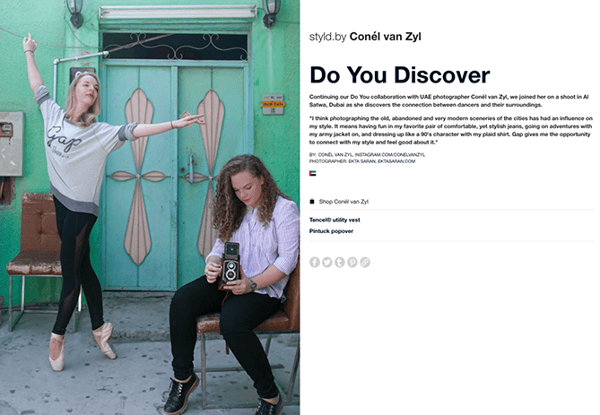
GAP’s successful Styld.by campaign featured a number of influential social media personalities from blogging giants like Refinery29 and WhoWhatWhere, showing how they incorporate GAP clothing into their personal wardrobes. Users viewing the influencers’ posts on social media were given options to “Shop this Look” conveniently in the caption of photos.
Thanks to the involvement of multiple influencers from different niches, GAP’s campaign had enormous reach.
7. Stride Gum
Influencer: DJ Khaled
If anyone has figured out how to gain a loyal following on Snapchat, it’s hip-hop artist and producer DJ Khaled. Once a minor figure in the music world, Khaled has enjoyed an unprecedented level of success on the ephemeral photo-sharing app, with each of his snaps garnering over 3 million views on average.
“DJ Khaled has completely cracked the platform,” said Emmanuel Seuge, senior vice president for content at Coca-Cola, one of Snapchat’s major advertisers. “He’s the king of Snapchat.”
His “King of Snapchat” status means Khaled is in high-demand for influencer campaigns with brands. He regularly takes part in “Snapchat takeovers,” where a brand hands over the reigns of their corporate Snapchat to Khaled for a brief period of largely unfiltered antics.
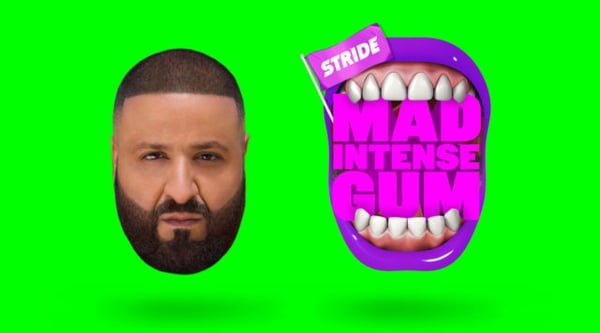
Working with W+K London, Stride Gum launched a Snapchat takeover campaign with Khaled last year to promote its “Mad Intense Gum” campaign. The brand called the takeover “an unpredictable, fun day for all his followers.”
Source:
W+K London
8. Naked Juice
Influencer: Kate La Vie
This bottled smoothie brand is edging its way into the beauty, fashion, and health scene on Instagram with help from key influencers in the space. Lifestyle bloggers like Kate La Vie (below) share sponsored posts featuring snapshots of their daily outfits and beauty essentials — including a strategically placed Naked Juice in the mix.
9. Loeffler Randall
Influencers: Creative Businesswomen
High-end accessory and footwear brand Loeffler Randall has become a favorite among artists, bloggers, and fashion insiders, thanks in big part to the company’s commitment to involving social media influencers in its marketing campaigns.
The brand’s “LR Ambassadors” include a diverse group of writers, painters, florists and other creative businesswomen “leading dynamic lives.” In the brand’s own words, their LR Ambassadors are “cool girls doing cool things.”
In addition to profiling its LR Ambassadors on the company blog, Loeffler Randall shares pictures of its ambassadors wearing LR shoes and accessories on Instagram, using the hashtag #LRambassador.
10. Glossier
Influencers: All Women
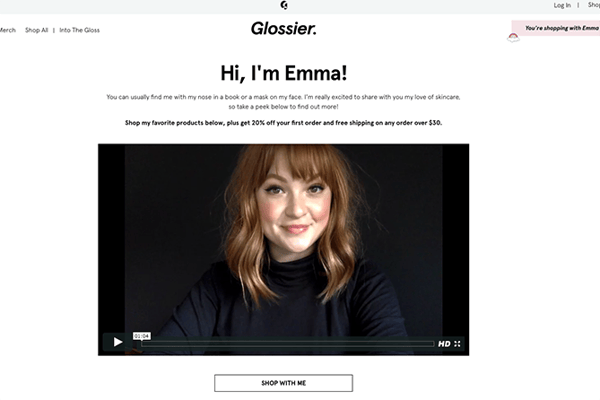
This Manhattan-based beauty startup (which was recently named one of Fast Company’s Most Innovative Companies of 2017) owes much of their seemingly overnight cult status to their ever-expanding network of super fans and micro-influencers — those people who may have high influence, but low individual reach.
Instead of paying a few big names to promote their minimal skincare and cosmetics, the brand relies on “regular women” to spread the word.
“What’s very motivating to us is this idea of every single woman being an influencer,” Glossier CEO Emily Weiss told Quartz. Glossier recently introduced a referral program to enable its more influential followers to offer product discounts and other incentives to their unique networks.

Unriddled: The Tech News You Need, SXSW Edition
Welcome to this week’s edition of “Unriddled”: the HubSpot Marketing Blog’s mid-week digest of the tech news you need to know.
This week, we’re coming to you live from South by Southwest (SXSW), a festival of interactive events where we’re positively drowning in a sea of bots, music, and some of the best tacos around.
But fear not: if recent current events have you scratching your head and wondering, “What just happened?”, we’ve got you covered.
It’s our Wednesday tech news roundup, and we’re breaking it down with Amanda’s dance move of the week: none other than The Robot.

Unriddled: The Tech News You Need
1. SXSW Kicks off With Mixed Sentiments on Tech
In Austin, TX, the annual SXSW celebration of tech, film, and music kicked off with mixed sentiment and messaging around tech.
Each year, SXSW polls attendees for the Trust Barometer: a measure of how much faith the crowd has in things like media, institutions, business, and technology. And despite the interactive presence at the event, this year’s survey found that attendees have quite a low level of trust in emerging technology.
Attendees seem to have the lowest level of trust in blockchain technology, coming in at only 27%. That’s followed by autonomous vehicles at 33%, and the same percentage of attendees reporting trust in virtual reality (VR) platforms.
The Trust Barometer results for technology echo an overall key change in an outlook of technology that’s been discussed in several sessions at SXSW. According to certain expert panels, it seems that users are generally looking to revisit a more human element in the technology they use, from social media to smart speakers and digital assistants.
In the realm of social media, for instance, some predict that the trend is moving toward a greater emphasis on communities.
“Sometimes, it’s easier to share more intimately in a group,” said Facebook Product Design Manager Tutti Taygerly during a panel discussion — suggesting a move toward “smaller, more intimate social networks.”
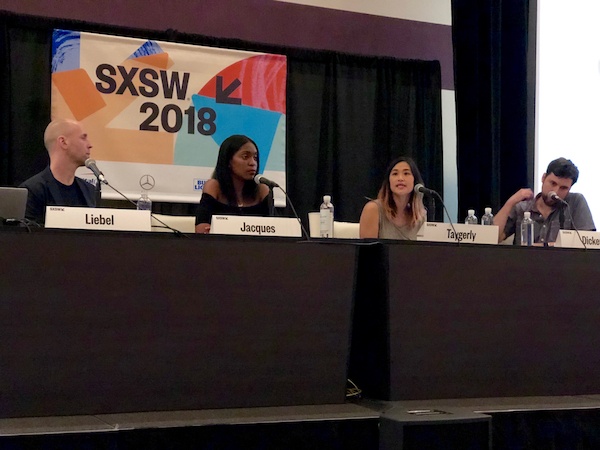
That suspected widespread need for more personal communication among consumers also came up during a panel discussion on the next wave of communication with technology like voice assistants and bots.
“What about emotional attachments?” asked moderator Shara Tibken, a senior reporter with CNET. “Do you see a day when these become our therapists, or our friends?”
“People do ask the bots if they’re a boy or a girl,” responded Dashbot co-founder and CEO Arte Merritt, adding that users also ask these technologies for their names, and whether or not they’re real.
People send images into these chatbots,” he continued. “It turns out people treated a weather bot like a person, and sent it pictures like it would to a friend.”
2. Twitter’s CEO Held a Live Broadcast to Discuss the Network’s Health
As we reported in February, Twitter CEO Jack Dorsey announced in a series of tweets that the social network would be enlisting the help of outside experts to determine the relative health of Twitter. That decision, it seems, was largely a response to user demand for Twitter to resolve the use of its network to engage in negative, often hateful conversation on the platform.
We’re committing Twitter to help increase the collective health, openness, and civility of public conversation, and to hold ourselves publicly accountable towards progress.
— jack (@jack)
March 1, 2018
Last week, Dorsey and other leaders at Twitter took a further step in those efforts when they hosted a live stream to answer questions about the social network’s health.
Admitting that Twitter has taken on serious issues it must resolve, Head of Product Health David Gasca remarked that the network has to overcome them and examine health “in such a way that is public and accountable,” but goes beyond such basic figures as retweets and followers.
A conversation on #health https://t.co/Il8Mtx1JOs
— jack (@jack)
March 8, 2018
The live stream took place a day after Twitter issued a statement emphasizing that it would be taking measures to prevent cryptocurrency scams on its network, noting that it’s “aware of this form of manipulation.”
To address it, the statement said, Twitter will be able to detect certain “signals” that indicate an account might be engaging in this activity.
The live stream also coincided with the release of new research from MIT that found false news to be 70% more likely to be retweeted.
Dorsey noted that Twitter is likely to host future live streams on the topic. Check out our full coverage of this one here.
3. Messenger Could Be Issuing Updates to Emulate Snapchat (Again)
Over the weekend, messaging blog WABetaInfo released new information indicating that Facebook has plans for major changes to Messenger — which could include disappearing photos and videos.
According to the post, the rumored update not only includes an overall new design and features like auto-translate, but also may allow users to send disappearing — or ephemeral — visual content.
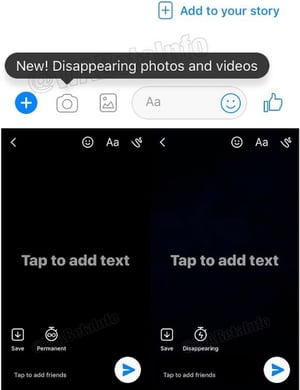
Source: WABetaInfo
If true, this move would be the latest in a Facebook’s long history of attempting to emulate Snapchat’s features since its failed attempt to acquire the platform in 2013.
“The Facebook platform saturated the market with stories on its portfolio of products — Facebook, Instagram, Messenger,” said Connor Cirillo, HubSpot’s conversational marketing manager, when the story first broke. “And now, with its emphasis on things like video calls and filters, Messenger continues to push to be the way users build one-on-one relationships.”
The sentiment of Messenger being leveraged by individual consumers and brands alike has been echoed throughout SXSW during a number of conversations about the platform and how businesses are — and should be — using it.
“Over time,” said Niveus CEO and co-founder Tim Cutting during a panel discussion, bots should be built “so that it’s more of a dialogue back and forth.”
“Folks are letting this into their lives,” he continued. “It’s a train moving toward comfort, and feature, and benefit.”
4. Speaking of Snapchat …
Last week, it was reported that the somewhat troubled ephemeral content app would be cutting over 120 engineers from its staff.
According to Reuters, the app’s parent company, Snap Inc., has a staff meeting scheduled for today to discuss a reorganization, as well as answering lingering employee questions.
Confirmation of the Snap layoffs totaling 120 and Hunter’s full email to employees here: https://t.co/8zE8smvKBT pic.twitter.com/L5LX6IAjZI
— Alex Heath (@alexeheath)
March 8, 2018
The announcement came after disappointing results and revenue a year after the company’s IPO.
For many, the sustainable value or monetization potential for an app like Snapchat remains unclear. While it was a pioneer in the realm of ephemeral content — and certainly attracted the attention of Facebook, as per above — it’s lingered behind other social networks in terms of providing tools for analytics and measuring ROI for marketers and brands.
Discussions at SXSW also implied that it even causes some confusion for best use cases among consumers.
“One core problem on Snapchat is deciding what should be shared just with friends and family, and what should be public,” Taygerly said. “What is the demarcation between those two worlds?”
5. YouTube Will Add Information From Wikipedia to Conspiracy Videos
At a Tuesday night SXSW panel, YouTube CEO Susan Wojcicki said the video-sharing platform will be adding topical information to videos about conspiracies.
The goal of this move is to provide additional information around controversial topics — the soure of which will be Wikipedia.
“When there are videos that are focused around something that’s a conspiracy,” Wojcicki said, “we will show a companion unit of information from Wikipedia showing that here is information about the event.”
There’s an issue, however: Wikipedia is thought by many to be a less-than-reliable source of information.
Its content is crowdsourced, and much of the time, entries can be edited by anyone without requiring citations. That’s one reason why, for example, when I was in graduate school, Wikipedia was not a permitted source of information for research.
But as Wired reporter Louise Matsakis pointed out, floating Wikipedia as a source of information isn’t new for Google.
but it’s important to note that Google has been pulling from Wikipedia in its search results for a long time now—this isn’t exactly radical from a Google company
— Louise Matsakis (@lmatsakis)
March 13, 2018
Information from the site is often used in featured snippets, or some of the highest-ranking pages in its search engine results. After all, here’s what a search for the query “moon landing” yielded:
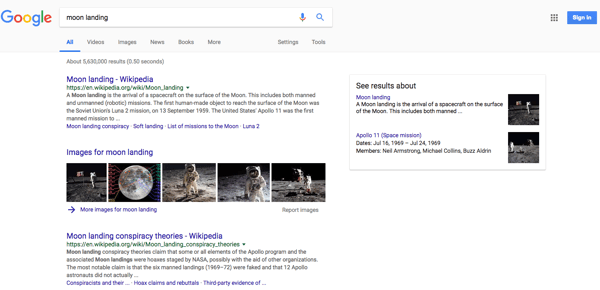
It’s possible that YouTube could face a backlash from this move — but as for whether or not it will reconsider its sources of information for such content remains to be seen.
That’s all for today — but we’ll be at SXSW all week. While we’re here, feel free to weigh in on Twitter to ask us your tech news questions, or to let us know what kind of events and topics you’d like us to cover.

How to Make Money on YouTube
Every day, five billion YouTube videos are watched around the world. And they’re not just being watched — they’re being devoured. The average YouTube session by any one viewer is roughly 40 minutes, up 50% from the previous year, according to Omnicore.
If only there was a way to make money off of a website people spend so much time on. As a matter of fact, there is! A few ways, actually.
Who’s making content worthy of a nearly hour-long visit to youtube.com? Well, YouTube isn’t just for amateur filmmakers and people videotaping their zainy housepets anymore. Musicians, TV networks, small businesses, and the self-employed all find monetary value in posting their own amazing content on a YouTube channel.
An active, entertaining YouTube channel — which is free to make through a Google+ account (also free) — strengthens these users’ brands and extends their reach to new audiences. It can also build a base of subscribers that other companies using YouTube will actually pay to advertise their products to.
Before launching a YouTube channel for the purposes of making money, you need to decide what kind of profit you’re interested in. Are you looking to use YouTube as a promotional outlet for your own products and services? Or, do you want your video content to generate ad revenue right from YouTube?
How to Make Money on YouTube
There are two ways to earn money on YouTube: as an advertiser and as an ad platform. As an advertiser, you pay YouTube for Preroll, Bumpers, or TrueView ads that get your videos in front of potential buyers. As an ad platform, you publish videos that are watched enough to host others’ content as a paid affiliate or YouTube Partner.
Here’s a breakdown of both monetization strategies — plus a bonus strategy that content producers are increasingly considering as their YouTube channels become more popular.
1. Be an Advertiser
As an advertiser on YouTube, you’re populating your YouTube channel with video advertisements made by you. The difference between YouTube ads and, say, TV commercials, is that you get to show YouTube ads to more specific and often more engaged audience segments. You’ll pay YouTube to host your ads on other, highly watched YouTube channels that appeal to the same viewership you’re targeting.
The channels on which you host your video ads can range from big brands all the way to individual users who’ve made videos that are a hit with your audience.
When advertising on YouTube, you should know going in that you’re playing the long game. It can be scary to pay others for top video slots that don’t guarantee you’ll be seen by your ideal buyer — let alone get click-throughs to your website that you can convert into long-term customers.
But studies show these ads do pay off for advertisers during their time on YouTube: Those who see a TrueView ad (we’ll explain what those are in a second) are reportedly 10 times more likely to take the action prompted in the ad than the viewer would be on their own.
Here’s a rundown of your three advertising options on YouTube:
TrueView Ads
Got a great story to tell that also has a connection to your product? TrueView is for you. TrueView ads are your opportunity to create high-quality, longer creative spots that appear adjacent to the YouTube videos your target audience is already watching. These ads come in two forms: In-Stream and Discovery
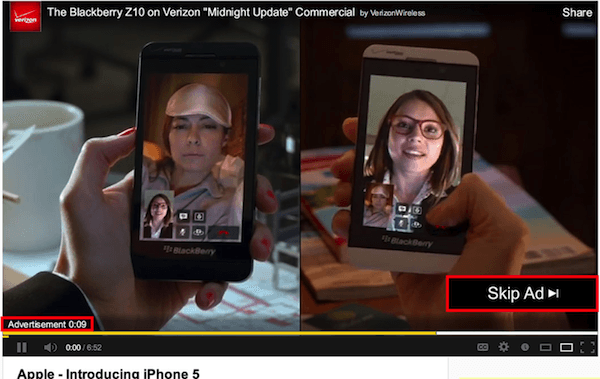
In-Stream videos play right before the YouTube user’s selected video, “in the stream” of that chosen video. Users can opt to skip this video after five seconds of it playing, as shown below, and jump to their content. In-Stream ads can be between 12 seconds and six minutes in length.
Discovery ads appear on the right sidebar of a selected video, just below the “Up Next” video as a suggested result. See how this one looks below.
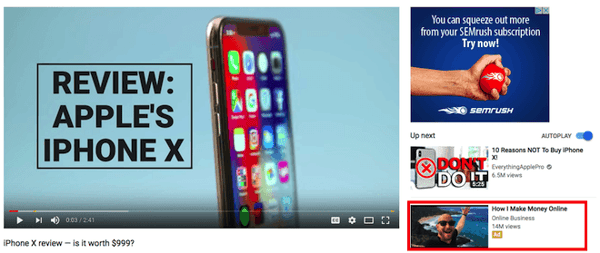
Because of the time you’re allotted with this ad format, it’s suggested that you create this type of ad with the goal of views and brand development, rather than just clicks into your website. This ad ideally generates revenue from the long-term brand awareness that comes out of a story people don’t want to skip, and one viewers remember the next time they approach your product or service.
Both In-Stream and Discovery are pay-per-view — you pay YouTube a fixed rate for every view the ad receives — and their return on investment (ROI) can be measured in Google AdWords. YouTube tallies one new “view” after 30 seconds of watching, or a click on the video as it’s playing. If the video is less than 30 seconds, views are tallied from people who watch the entire ad.
We’ll explain how AdWords manages all three ad formats in a minute.
Preroll
Like In-Stream ads, Preroll ads play in the stream immediately before a user’s selected video. The difference is this ad type can’t be skipped after five seconds. These videos also run a maximum of 30 seconds, though YouTube recently confirmed it will limit advertisers to 15- and 20-second options starting this year.
Because viewing is required in this ad format, advertisers pay per click, so make the click worth it. A preroll ad with an enticing call-to-action that directs viewers to an appropriate landing or purchasing page on your website can be an enormous lead-generator for the sales team.
You can also leverage YouTube’s remarketing options, which enable you to send new videos back to users who’ve already engaged with your YouTube channel. If you’re a HubSpot user, and you’ve built smart forms for capturing new information on returning visitors, remarketing can be a terrific addition to an inbound marketing campaign.
This remarketing option helps you learn more about a person’s background and interests when they receive new videos that bring them to new landing pages.
Bumpers
Bumpers are the shortest ads you can buy. These six-second spots play just before a viewer’s selected video (like the above two options) but are best for brand awareness in the short breaks between long videos, or a YouTube playlist a user might be listening to in the background.
While they might be brief, YouTube found 90% of their bumper ads were remembered later by viewers. Bumpers are sold through cost-per-minute (CPM) bidding, which means you pay for every 1,000 plays of your ad on YouTube. They’re best used as a compliment to a TrueView ad campaign.
So how do you track the performance of these three video ad formats? Once you’ve created a YouTube channel and uploaded your video content, you can open a Google AdWords account and link it to your video campaign. In AdWords, select the campaign type, ad format, your budget, and to whom and where to show each video on YouTube.
You can target very specific audiences, and track the conversion rate of each video individually to see how much business (and revenue) you’re driving. See this blog post to learn more about this process.
2. Be an Advertising Platform
If advertising is a marathon, the next two strategies are a sprint … sort of. When you think about how to make money on YouTube, you’re probably thinking of the following options. In this case, you’re the one getting paid to host others’ advertisements — the other side of the YouTube advertising relationship.
Keep in mind that while turning your videos into ad space can make money more quickly and directly, it requires more heavy lifting on your part to make a decent profit.
Here are your main options:
YouTube Partner Program
The YouTube Partner Program (YPP) allows the website’s most successful YouTube channels to monetize their content by serving ads made and paid for by other YouTube users.
The criteria for this program — which changed in 2018 — requires that your channel has reached 4,000 watch hours and 1,000 channel subscribers in the last 12 months. Once you have passed these two milestones, you can apply to join the program through the following steps:
- At the top-right of the YouTube homepage, click your account icon and select “Creator Studio.”
- On the left-hand side, click “Channel” and select “Status and features.”
- Under the box, “Monetization,” click “Enable.” Don’t be fooled if it says you’re already “Eligible” to the left; this just indicates there are no restrictions against you from trying to become a Partner.
- You’ll be asked to agree to the YPP Terms. Do so, and you’ll then sign up for an AdSense account so you can receive revenue through your monetized YouTube account.
- Set your ad hosting preferences and follow the prompts to submit your channel for review.
YouTube typically emails you a decision on whether they’ve accepted you into the YPP within a week of applying, so sit tight. Still trying to hit the right watch hours and channel subscribers? Keep in mind you should be posting prolifically — having just one or two videos on your channel that you’re personally proud of won’t cut it.
By publishing multiple videos a week, you can build your viewership, qualify for YPP, and make decent cash. YouTube splits ad revenue 55-45 with its partners — 45% to Google, 55% to you. That means an advertiser who invests $200 in serving ads on your channel can bring you $110 for your videos’ real estate.
Affiliate Links
As an affiliate, there is no eligibility requirement — you’re taking advertising into your own hands. This is a great option for YouTube channels that offer reviews and how-to’s, and frequently recommend new products to its viewers.
Turn those suggestions into paid (but natural) product placements in the description section of your video, as shown below:
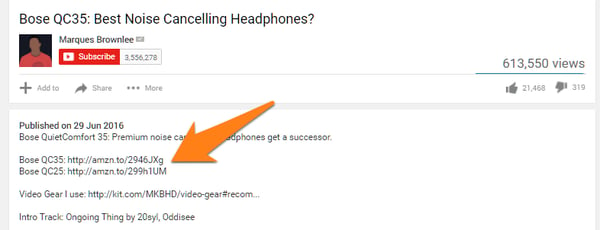 Image via Authority Hacker
Working as an affiliate of various brands can make you money — albeit usually less than a YouTube Partner campaign — each time that company makes a sale off a link you post on one of your videos. In this case, you’re earning revenue from the company of which you are an affiliate, rather than from YouTube and its advertisers.
Start by joining an affiliate network through sites like Click Bank or Amazon’s Affiliate Program, and follow the signup instructions. Keep in mind that each program takes a different percentage of a sale as commission, and your success is still tied to the popularity of your YouTube channel.
Bonus: Fan-Fund Your YouTube Channel
What exactly is fan-funding? It’s exactly what it sounds like: viewers donate money to your channel if they find your content enjoyable.
It’s the perfect option for videos managed by charities and nonprofits, but even for-profit businesses and independent creatives can publish videos and YouTube Live streams that encourage contributions from their audience. Streaming platforms such as Twitch.tv, which webcasts video games and general interest content, sees accounts that are two years or older make $80 in “tips” per year on average.
Twitch.tv’s most popular users make thousands.
Obviously YouTube and Twitch have different users, but YouTube has just as many loyal channel subscribers who would likely pay for exclusive rewards and content. On YouTube, sign up for Fan Funding to allow viewers of a live stream to tip through a chat window associated with the video.
YouTube calls them Super Chats, shown on a mobile device below:
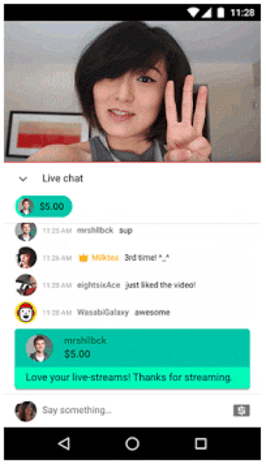
You can also sign up for Patreon, which allows you to launch membership-only video channels through YouTube at a small fee per month for regular rewards. Just imagine how much a YouTube channel could generate if it has the 1,000 subscribers required by the YPP. Charge $1 for a new channel with new content, and you could be looking at a solid monthly revenue stream.
There’s no shortcut to well-earned cash money, even on YouTube. The good news is video is taking up an increasingly wide slice of global internet bandwidth, and there are numerous ways to produce video content that’s good enough for people to pay for.

5 Proven Social Media Engagement Strategies for 2018
In the world of social media marketing, the word “engagement” gets thrown around a lot, but few brands actually know how to achieve it.
Brands might pursue the low-effort game of tweeting, ‘gramming, feeding Facebook, and Linkedin-ing updates about products, services, and educational content, but see little engagement.
Engagement just isn’t easy to produce. You have to be, well, engaging. In your business niche, the “like my page” approach probably isn’t going to be effective as you’d like.
Let’s look at ideas that could make you a force to be reckoned with. I’ve organized them into an AEIOU list. (I want to call it an acronym, but how would you pronounce the five vowels?)
A is for Ask
The best way to engage someone is to ask a question. “How are you?” and “How’s it going?” are popular options in conversion, but too dull for social media warfare.
“What’s your name?” probably won’t work and “What’s your email?” might come off as a bit too forceful. How about …
“What do you think?” Yes! That’s a winner.
People like to think things through. They like to hear from other thinkers. Certainly, they want other people to know what they think. Try prompting your audience with one of the following “What do you think?” strategies:
- Probe their personality. Post a question that invites people to share their opinion or weigh in on something.
- Play the “test your knowledge” game. It’s irresistible.
- Post a poll. It’s easy to create polls on Twitter and Facebook. In addition to engaging your followers, you stand to learn meaningful things about them too.
- Respond to my email. Email from brands are bound to ask you to click-through to read, watch, and try or buy something, but how often do they simply ask you to write back? I find this this be an enormously engaging strategy and have seen it work for my brand and many others. Notice I wrote, “Respond to my email,” not “our email” or “this email.” A human-to-human first person approach will be the engaging way to call this play.
- Just ask. Interactivity 101: simply post a question. Whether done so in a social stream, blog post, online group or community, or on a Q&A site such as Quora, I’ve witnessed asking followers relevant, provocative, and timely questions creates some of the most engaging and thought-provoking social media activity of all.
Let’s take a look at a few examples:
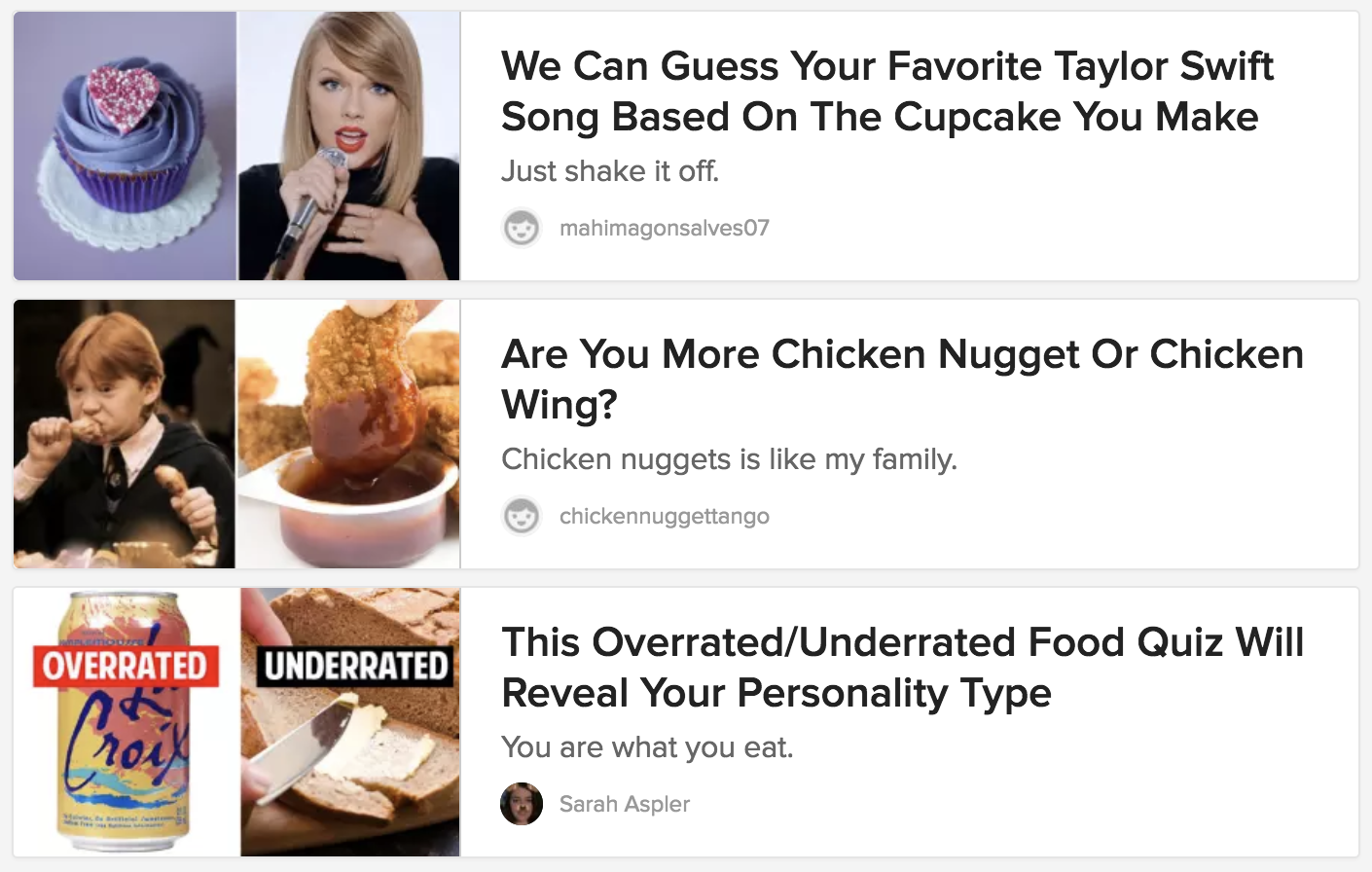
Personality quizzes have been red-hot engagement magnets for years on Buzzfeed, and it’s easy to create them to promote your brand with a template-based tool such as ShortStack.
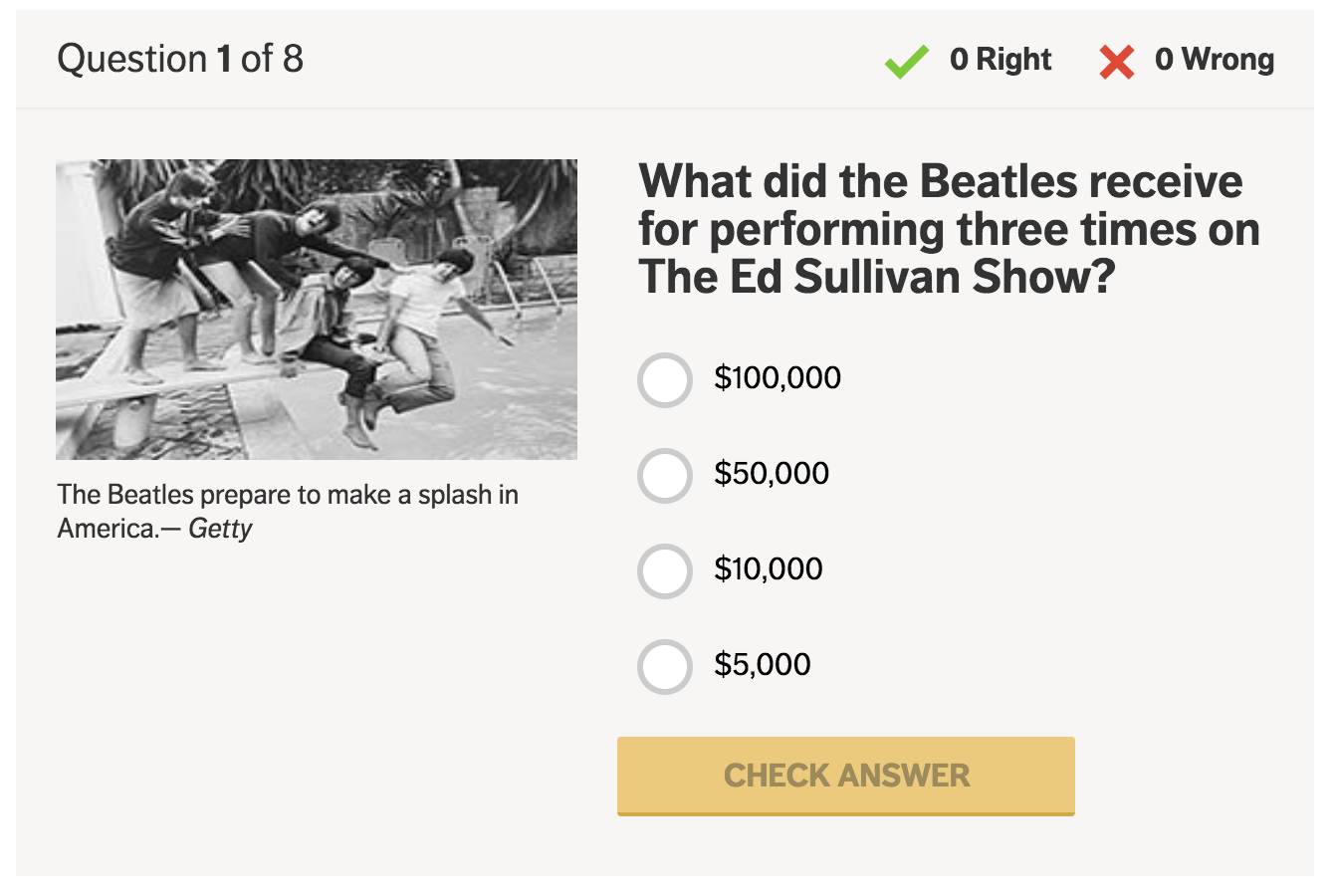
Nice going AARP. “Test Your Beatles Trivia Knowledge” engaged me, but you could have asked a few easier questions. I went 0–for-8 (and I’m a huge Fab Four fan).
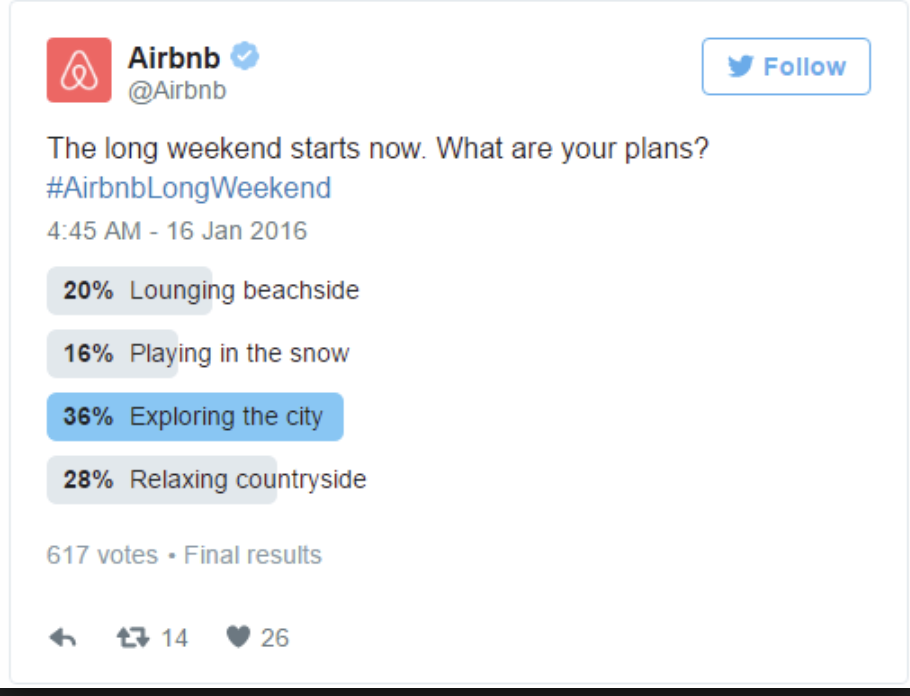
This simple Twitter poll from Airbnb does a great job of engaging followers without any fancy tools.
E is for Expression
“E” is for “expression” because of the way social and mobile have collided, making the ubiquitous smartphone a personal expression machine.
It doesn’t matter how you create content. The camera might be front or rear facing. Audio might be on or off. Filters, emojis, stickers and so forth may be applied or not. Posts may be permanent or self-destructing. I could go on, but I think you get the idea. Smartphone apps enable people to express themselves every which way, and so they do.
Here are a few ways you can encourage your audience to create content featuring your brand:
- Hash it out. The hashtag has become the click-to-connect ticket for bonding with like-minded people. When you put something of interest out there, do a little hashtag research first, or hash out a unique phrase that reflects your brand. Hit that # key, and invite your followers to jump in and hashtag content related
- Conduct media upload contests. Many social media fans adore Instagram and Facebook contests, and are especially engaged in the types that involve shooting and sharing original photos and videos. Contests may call for other forms of self-expression as well, such as: recipes, recordings, illustrations, poems, essays, and more.
- Rally reviewers. Thanks to pioneers like Amazon and Yelp, reviews, ratings, and testimonials have been baked into the fabric of ecommerce selling spaces and beyond.
- Showcase customers, partners and employees. Provided you’re doing something people like, consider creating advocacy programs featuring customers, partners and employees to catalyze your community, amplify your voice, and engage newcomers by giving them a platform to express themselves.
Let’s take a look at an example:
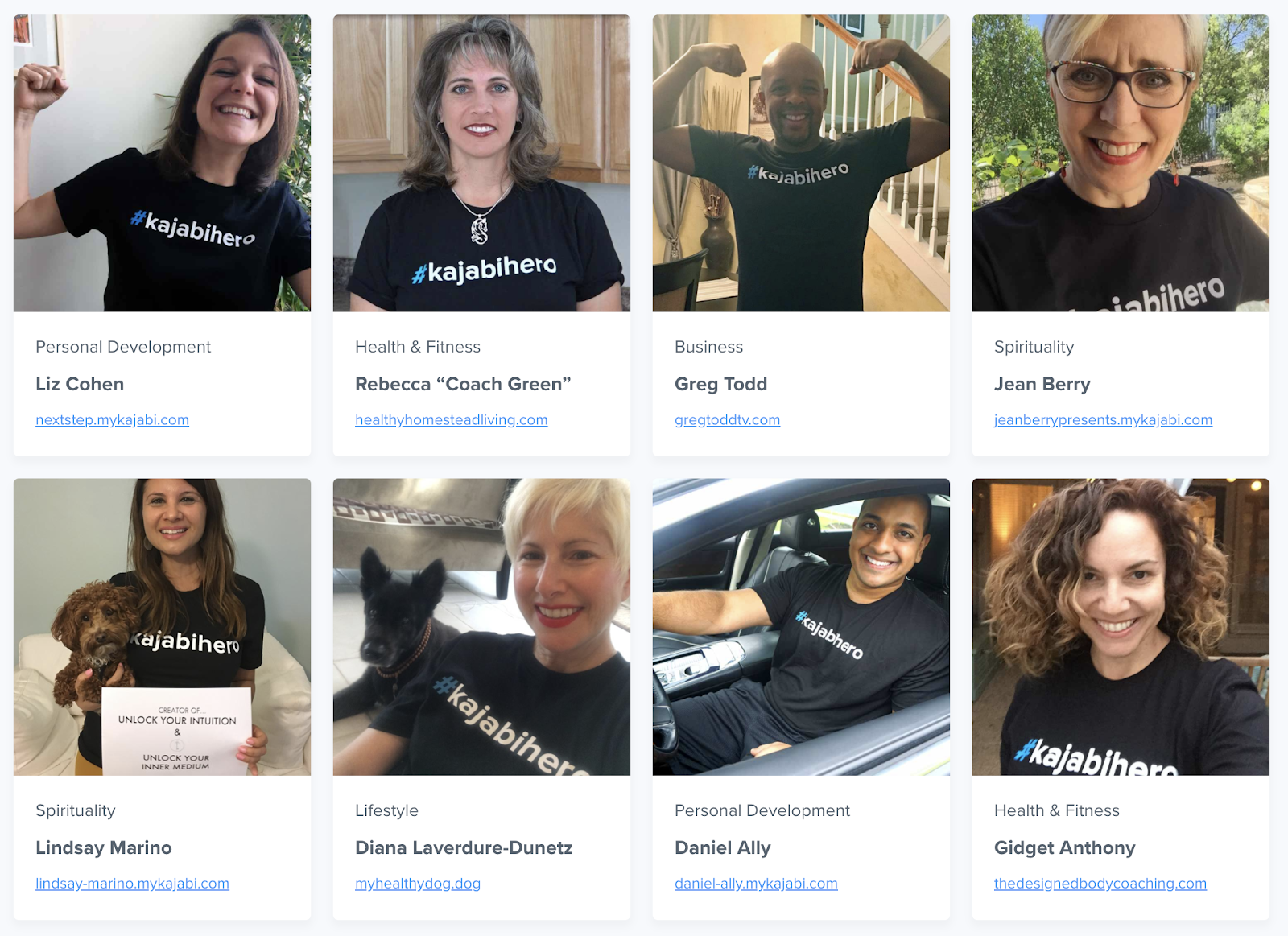
#KajabiHero is an impressive example of customer advocacy at work. Satisfied customers happily endorse the “knowledge commerce platform,” and wear their t-shirts proudly. They’re rewarded with special features, links to their websites, and social media support.
I is for Incentive
I’ve mentioned numerous forms of interactive content, some of them competitions, but have yet to introduce the term “gamification.” People like to play games, compete, keep score, and most of all, win.
Satisfy your audience’s competitive spirit by featuring compelling incentives in your promotions. As incentives go, valuable prizes loom largest, but you may be surprised how even small rewards prove to deliver a sizable lure.
I swept through a post that features 37 Facebook contest ideas to inspire fans to bond with your brand in an effort to extract some ideas you can use to encourage people to get involved.
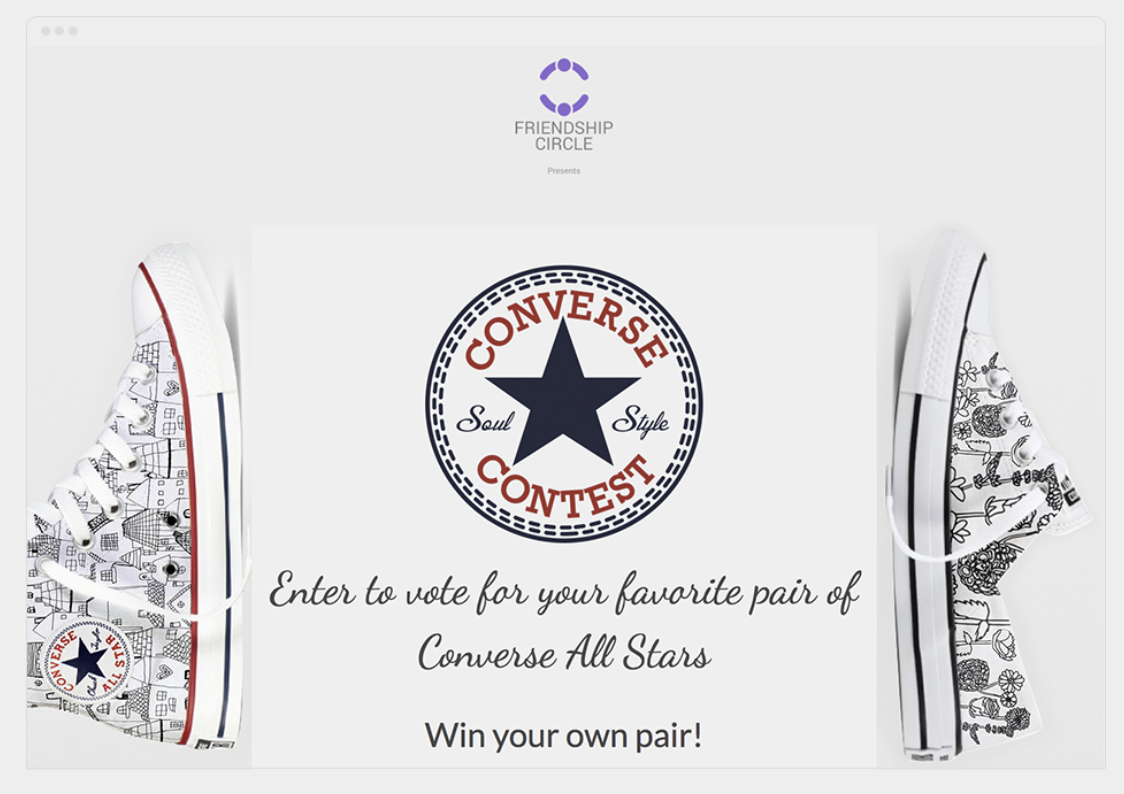
The entry form on this promotion by Michigan’s Friendship Circle explains, each person who casts a vote for their favorite pair of hand-drawn Converse All Stars will be entered into a drawing for a chance to win a free pair of the winner. The winning shoe was subsequently reproduced and sold as a fundraiser.
O is for Offer
Your engagement strategy doesn’t need to be interactive or gamified 100% of the time. Your brand can engage customers and prospects the old fashioned way, with attractive offers such as:
- Instant coupons and discounts
- Membership clubs (example below)
- Pick your discount promotions
- Free shipping
The link in Pura Vida Bracelet’s Instagram bio invites you to “join the Pura Vida Club.” BTW, the brand’s Instagram feed (1 million followers) bubbles over with joyous photos, mostly from customers, engaging questions, challenges, posts about charitable causes, and conversations.
Experiment with different types of offers to discover what your customers best respond to.
Facebook makes it easy to promote offers. A flavor of the Facebook ad portfolio is the “offer ad.” Offer ads can be redeemed online and/or be saved by Facebook fans to be redeemed in-store.
A help page from Facebook offers the following best practices:
- Make discounts substantial. Offers with free items or with discounts of at least 20% off will reach more people.
- Use an engaging image. Photos of people using a product often perform better than photos of a product by itself, and both generally perform better than logos.
- Set an expiration date. Give people a few days to discover and claim an offer and allow time for your offer to be shared among friends. The ideal length of an offer is 7 days.
- Promote your offer: After creating an ad for your offer, pin it to the top of your Page to help it get noticed.
U is for Utility
Engagement and utility are close friends on the web today.
Data from a research report about interactive contact from Content Marketing Institute and ion interactive reveals the top two reasons for using interactive content are (1) educating the audience and (2) engagement.
A major majority of savvy B2B marketers put utility at the forefront of their content marketing programs. Useful content created to engage prospective customers could include tools, blog posts, video, infographics, downloadable guides, mini-courses, helpful email sequences, webinars, and much more.
Above is a LinkedIn ad from ConnectWise Automate that offers what appears to be a highly useful guide to help vendors price their IT services.
The ad is the pitcher… and here’s the catcher: a highly engaging and smartly designed landing page.
I love the question style headline, the directional cues, the 1/2/3 infographic vignette, the very cool bonus offer (a calculator), and the nicely designed form.
Utilitarian marketing ideas work offline too—and for any size company or individual.

I love the story from Jay Baer’s book Youtility about Taxi Mike. Jay calls an enterprising taxi driver he encounters a “one man Trip Advisor.” The driver created the Taxi Mike Dining Guide (above) and updates it regularly to handout to his passengers.
How will you AEIOU engagement with your brand?
A quick review:
(A) Asking Questions
(E) Invoking Expression
(I) Providing Incentives
(O) Making Offers
(U) Delivering Utility
I hope you found these ideas and examples useful — and engaging.
