You Can Apply for Jobs on Facebook Now
Today Facebook announced a new feature that will allow business Pages to post jobs and manage applications on its platform.
In over 40 countries, administrators will be able to create job listings directly from their Pages, where they’ll appear throughout Facebook like any other post or ad would: the Page itself, followers’ News Feeds, and Marketplace, as well as Facebook’s new Jobs dashboard.
Benefits to Businesses and Users
Facebook has positioned the Jobs feature as a benefit to both employers and job seekers. On top of being able to track hiring the way they might analyze any other promoted post campaign, Page administrators can also manage and communicate with applicants via Messenger.
That’s a plus for applicants themselves, who can look for listings on the new Jobs dashboard according to criteria like location, full- or part-time status, and industry.
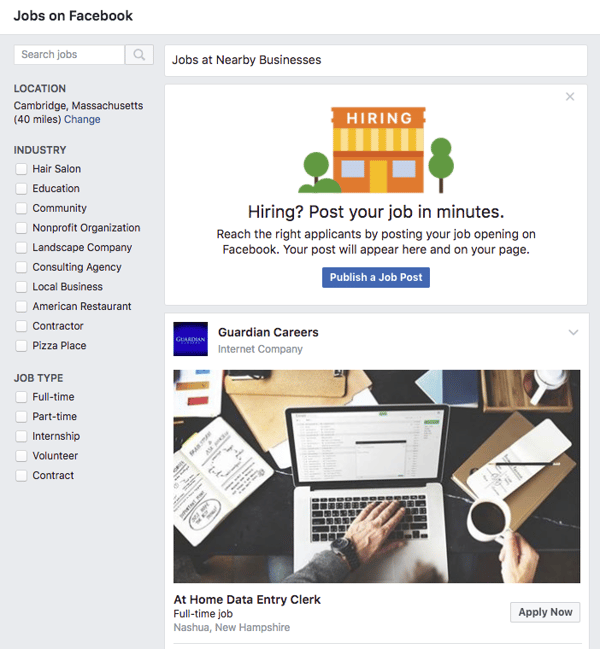
The application process works similarly to one like LinkedIn, allowing users to automatically populate job history according to what’s publicly available on his or her Facebook profile.
And for those who shudder at the thought of an employer seeing such a profile, fear not — Facebook has emphasized that “businesses will only be able to see information you provide them directly, and what’s available publicly on your Facebook profile.”
Once an application is submitted, a Messenger conversation between the applicant and the employer’s Page is created to maintain contact, confirm that the application was received, and send reminders for or schedule things like interviews.
Built With Users (and LinkedIn) In Mind?
The launch comes at an interesting time when Facebook has been making a series of moves to promote more content from a user’s own personal network — more than that from Pages.
The development also comes on the heels of recent predictions that Facebook will lose 5.8% of users between 18 and 24 in 2018. At the same time, HubSpot’s own research has indicated plans to increase the use of LinkedIn among a similar demographic — ages 18 to 34.
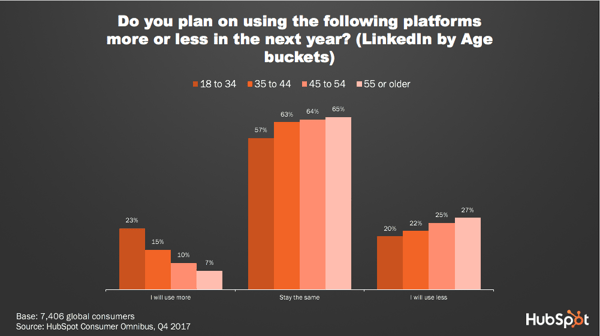
But Facebook didn’t necessarily build the Jobs features with one subset of users in mind — even if LinkedIn shows signs of growing popularity among a population that coincides with the same one where Facebook is predicted to see a loss.
Instead, says HubSpot Social Media Campaign Associate Henry Franco, this move is the latest in a series from Facebook to address the loss or disinterest of any users — “a sign,” he says, “that Facebook lost site of users and had been way too focused on advertisers” and is continuing efforts to both address and remedy that issue.
And while the new Jobs feature does carry benefits for Page owners, it does introduce a new way for users who are seeking work that isn’t traditionally listed on business-heavy networks like LinkedIn.
“While candidate information might not be as rich as it is on LinkedIn, Facebook definitely has a more active user base and serves a much easier way for businesses to get jobs in front of potential applicants,” says Franco. “I expect companies will find it much easier to hire entry-level or low-skill jobs on Facebook, whereas for higher-skilled jobs or ones that simply require more experience, LinkedIn will provide a deeper pool of candidates.”
A Crowded Market
The new Jobs feature also signals a key change in the way people look for and apply for jobs. In 2017, “Google for Jobs” premiered, in which job seekers could type in search criteria like “jobs in Boston” or “marketing jobs” to see listings displayed right in the general search engine results page (SERP).
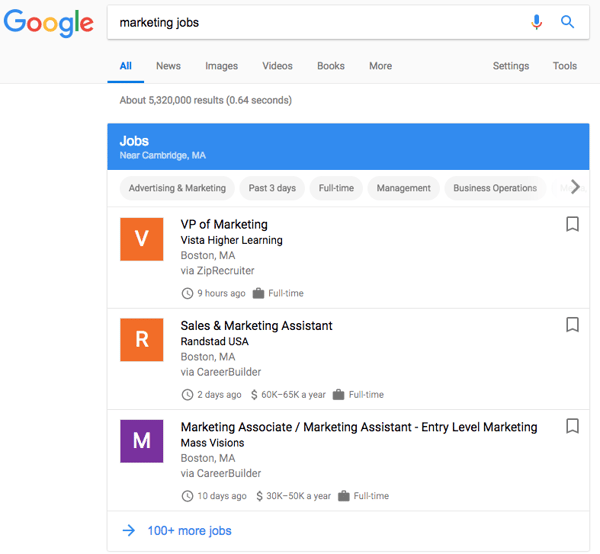
Both Facebook and Google have been making changes to shape the way people discover, consume, and engage with content — and to prevent them from doing so in a way that navigates them away from either site. Facebook, for example, modified its algorithm at one point to favor native content, like Live video, that people could do without leaving the network.
Google has been moving in a similar direction, as indicated by a recent announcement that AMP features will be coming to Gmail in a way that allows users to complete email-related tasks — managing subscriptions, RSVPing to non-Google-Calendar events, and scheduling appointments — without leaving their inboxes.
Searching for jobs, says Franco, is just the latest integration to that trend, which he predicts could significantly cut into traffic previously earned by existing job listing sites.
“It’s interesting that the job posting market is becoming so crowded here,” he says. “It builds out not only the business experience, but the candidate one, too.”
Featured Image Credit: Facebook

What You Missed This Month in Google
It’s time for that March lion to roar onto the scene. Time for St. Patrick’s Day, the first signs of spring, and the end of Q1.
February is coming to a close.
And being that it’s a shorter month, February seems to have flown by. A lot happened in the world of tech, much of the news coming from Google.
We’ve put together another list of the major highlights from Google — this time, for the month of February. Read on for the full recap.
February News About Google
1. Double Featured Snippets Are Coming
Google announced today that it will be rolling out a new element to its search engine results page (SERP): featured snippets.
The announcement comes somewhat on the heels of a recent post on Google’s official blog took a deep dive into how its featured snippets work, where Danny Sullivan, public liaison for search, explained that while this piece of the SERP has been helpful to many, it isn’t quite perfect.
One item to be addressed, Google Search Product Management Director Emily Moxley wrote today, is the concept of nuanced queries: the ones that could be seeking multiple answers on a given issue. Using the example of a query like “tooth pain after a filling,” Moxley explains that user could be looking to find out if this type of pain is normal (the “why”), or learn about the duration of the pain (the “how” or “how long”).
For that reason, Google will begin rolling out the display of more than one featured snippet in the SERP that could answer the user’s question, depending on the words used in the search — what Moxley calls “multi-intent queries.”
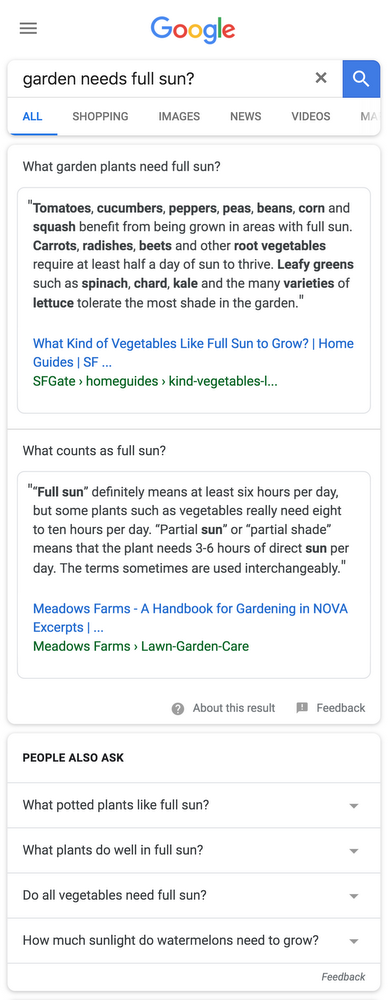
Source: The Keyword
As we wrote earlier this month, displaying more featured snippets in the SERP introduces a higher barrier to earning clicks, especially if the snippets answer the query sufficiently enough that the user doesn’t need to look — or click — any further.
“Testing methods to maximize featured snippet exposure is going to become the norm in SEO,” says Victor Pan, HubSpot’s Manager of SEO. “But being able to turn that view to a click, an engagement with content, and trust with your website has, and will always be the tougher problem.”
2. Better Ads Standards Take Effect
Last summer, Google announced that on its Chrome browser, it would be removing ads from sites that don’t meet the Better Ads Standards. The initiative launched on February 15, and Google began blocking ads that did not meet the criteria.
The goal was not to do away with ads completely. Rather, it was to discourage webmasters from creating and placing digital ads that interrupt a user’s content consumption — characteristics like automatically playing loudly, or not allowing users to navigate away from the ad until a certain amount of time has passed.
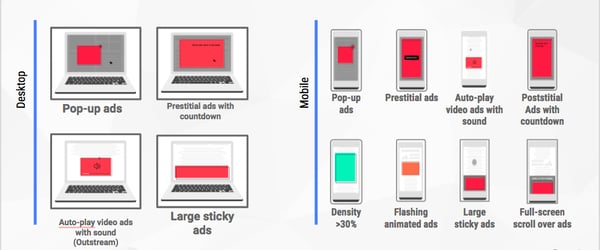
Source: Coalition for Better Ads
However, Google also wanted to ensure that critical ad revenue wouldn’t be lost as a result of these changes. In fact, better ads would actually boost those efforts, as intrusive ones motivated users to install browser plugins that block ads altogether — which would remove any ad engagement and the resulting income from its display.
According to Chris Bentzel, Google’s Engineering Manager, early tests of this feature showed that it was, for the most part, effective. The 42% of tested sites that failed the Better Ads Standards actively took the initiative to remove their intrusive ads and, three days before the launch, passed and met the criteria for a better user experience.
It sounds as though webmasters will be notified by Google if their sites contain non-compliant ad experiences. If, they have not addressed and modified the ads to meet the new standards within 30 days of notification, Chrome will actively block ads on that site.
Sites with such intrusive ads will display the following message:
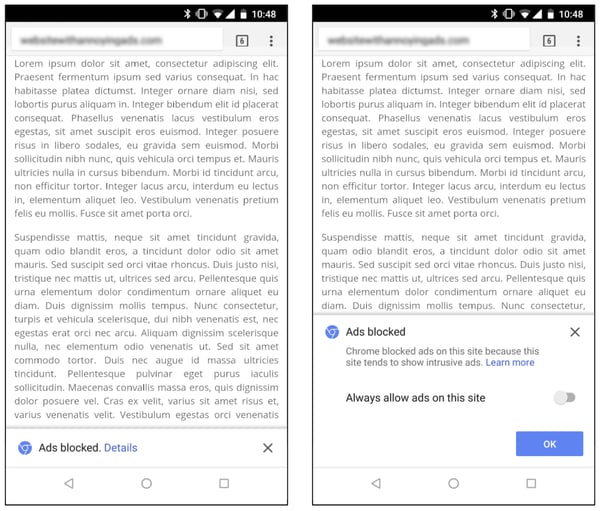
Source: Google Chromium Blog
3. AI Comes to AdSense
We’ve written a lot about the things that a bot can do (albeit, not always well): write a screenplay, compose a classical masterpiece, name paint colors. And now, it seems, AI can help you build an ad campaign.
Last month, Google AdSense introduced a new feature called “Auto ads,” in which machine learning helps marketers place and monetize ads with smart automation.
With Auto ads, the AI behind the feature crawls your site to find the best pages and areas for potential ad placements, and displays them only when the probability of both a strong performance and user experience are high.
It does this, as the name suggests, automatically — all the ad manager has to do is select the ad formats she wants to use in her AdSense settings, then copy and paste the generated code on the pages where ads can be displayed.
To emphasize, copying the code onto all pages doesn’t mean ads will actually display there. That’s where the machine learning comes in to determine if it’s an optimal location for ad placement.
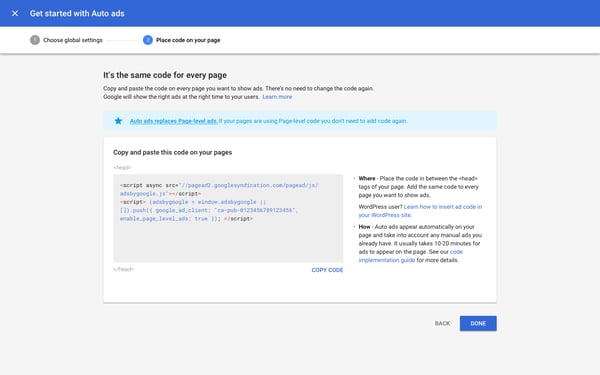
Source: Inside AdSense
4. AMP’d Up Emails
The AMP initiative — or Accelerated Mobile Pages — was first introduced by Google to help webmasters create sites and ads that provide a rich experience, but also load quickly and maintain a high performance across different browsing platforms. That, as the name suggests, includes mobile.
Until recently, the open-source AMP initiative only applied to websites. But early this month, Google announced that it would be launching a preview of “AMP for Email” for Gmail developers, which is slated to bring those same fast, rich, and high-performing experiences to email.
One of the primary goals, according to the official announcement, is to allow users to complete more tasks without navigating away from their inboxes — things like RSVPing to events for which they receive HTML email invites, completing a survey, or managing email subscriptions.
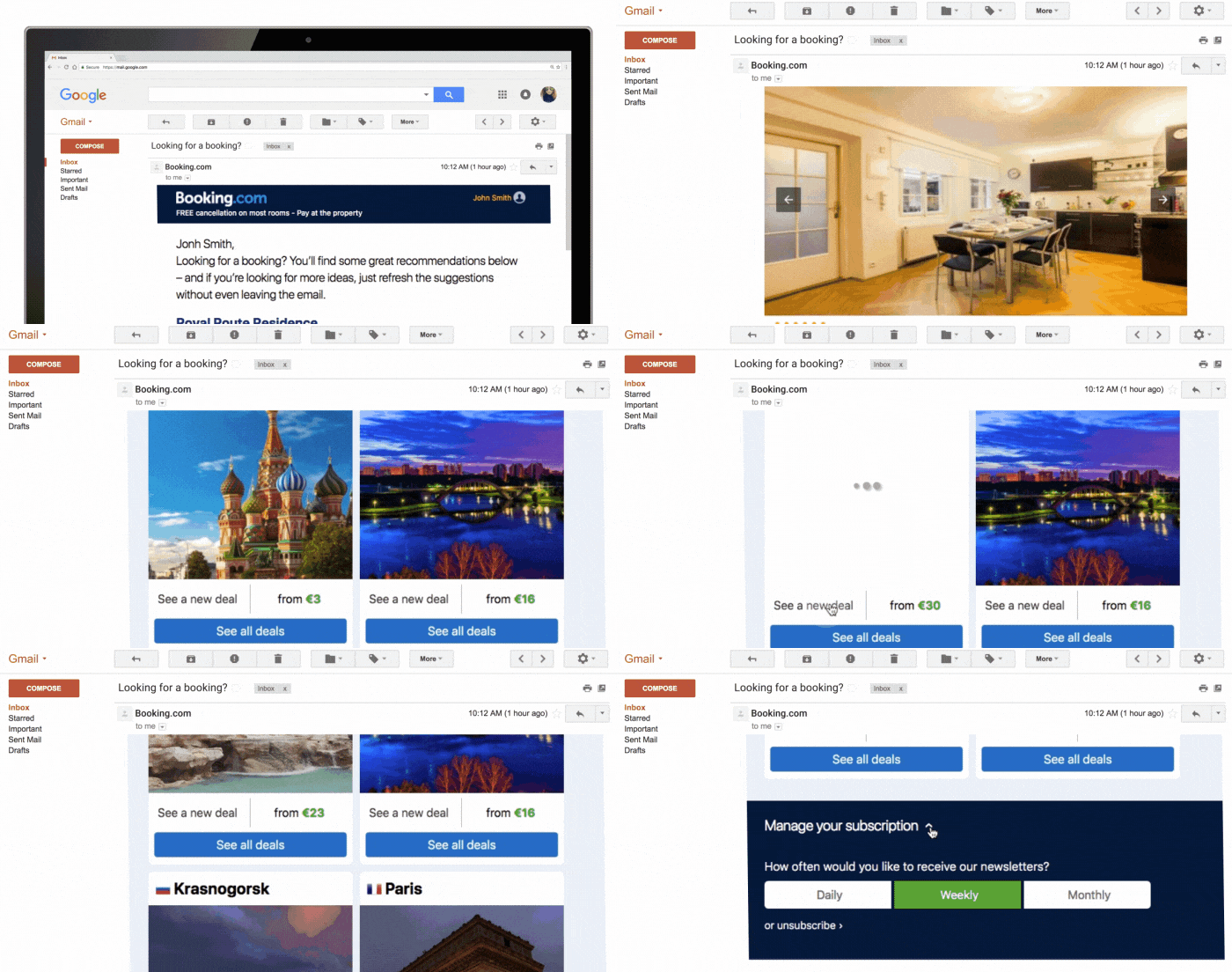
Source: The Keyword
Email marketers and developers can sign up for a preview here.
5. Other Google News You May Have Missed
Clips Is Now Available for Purchase
Google Clips, the wireless smart camera announced at the company’s October 2017 #MadeByGoogle event, was officially released for purchase last month — only to receive less-than-stellar reviews.
Many were confused about the camera’s purpose when it was first released, The Verge reporter Sean O’Kane describing it as a “deeply weird product.” On Tuesday, his colleague Dan Seifert didn’t have much better to say, reviewing Clips as something that “just doesn’t work that well.”
Android Announcements From Mobile World Congress
At Mobile World Congress 2018 (MWC), Google announced it will be introducing two new Android programs to smartphones: The Go edition of Android Oreo, and Android One.
The former — which will be built into select phones from Alcatel and Huawei, among others — boasts a more optimized experience with higher speeds for devices with a memory capacity of less than 1 GB. The latter will introduce an entirely new suite of devices, primarily from Nokia.

Source: The Keyword
A Further Foray Into the Internet of Things
Google is no stranger to the internet of things (IoT), with the ability to control Smart Home lighting and more with Google Assistant-enabled devices. And with its recent acquisition of Xively, it appears that the company has grander plans for that sector.
Xively, previously a division of LogMeIn, is largely known for its device management capabilities. But rather than contributing toward future buildout of consumer IoT products, this “addition of Xively’s robust, enterprise-ready IoT platform,” wrote Google’s IoT Product Manager Antony Passemard in a statement, “can accelerate our customers’ timeline from IoT vision to product, as they look to build their connected business,” making it a logical fit for Google’s Cloud IoT Core team.
Until Next Month
As always, we’re watching all things Google. We’ll continue to pick out top news items, algorithm updates, and trends that can aid your marketing.
Until the month goes out like a lamb, have a great March.

Here’s What Your Subscribers Really Think About These Email Strategies
Sometimes, email marketing can feel like a guessing game: will they open this, will they read that?
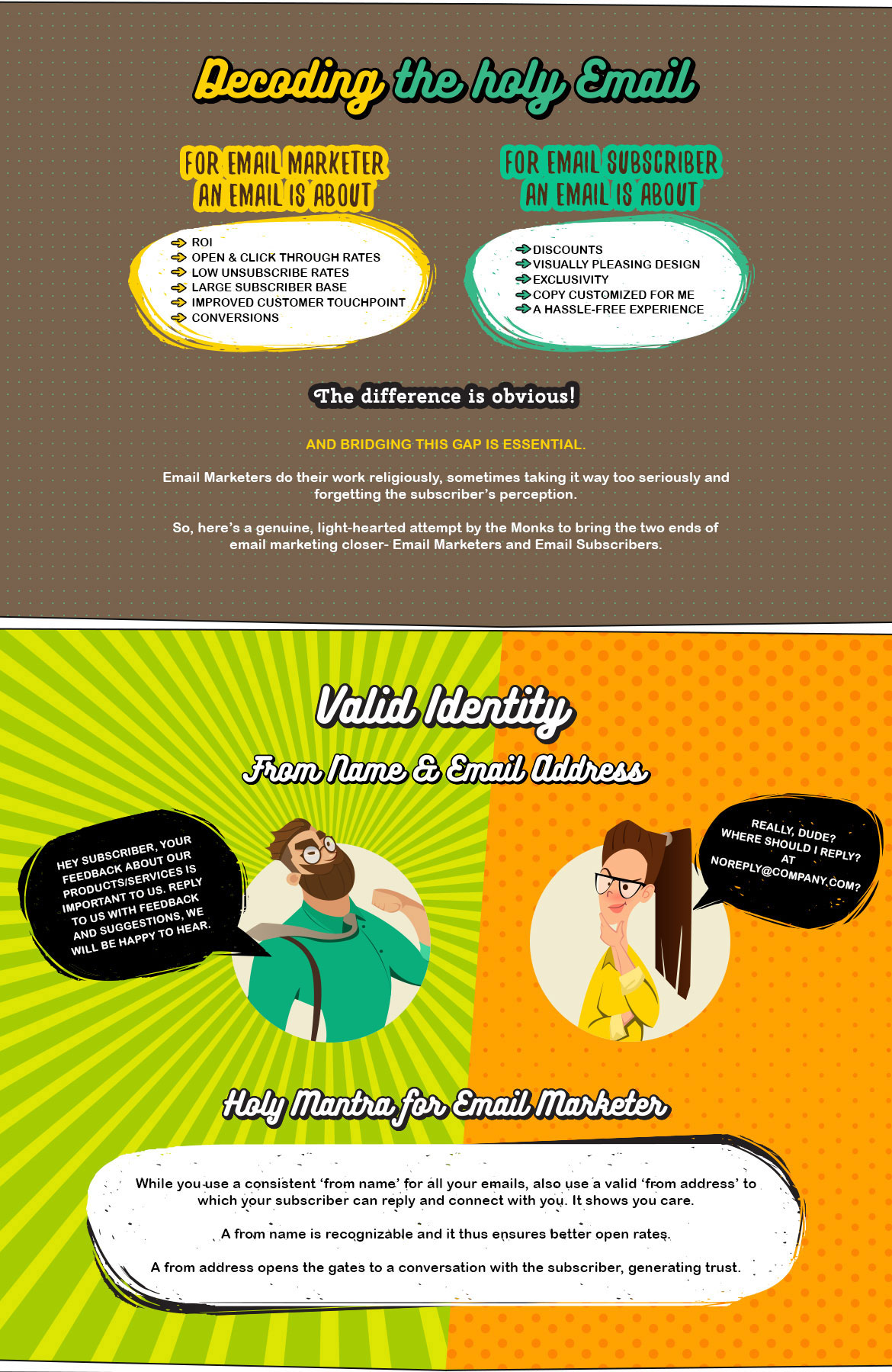
If you’re an email marketer, you care about open and click-through rates, unsubscribe rates, and conversions.
But your subscribers don’t share these incentives when receiving marketing emails. They don’t open your emails because they know you’ll appreciate the CTR, and they don’t subscribe because they want to help you out.
So why do subscribers open marketing emails? Why do they subscribe to one channel over another, or click on one CTR but avoid another? And, beyond subscribing and opening, what magical email elements are needed to convert subscribers into customers?
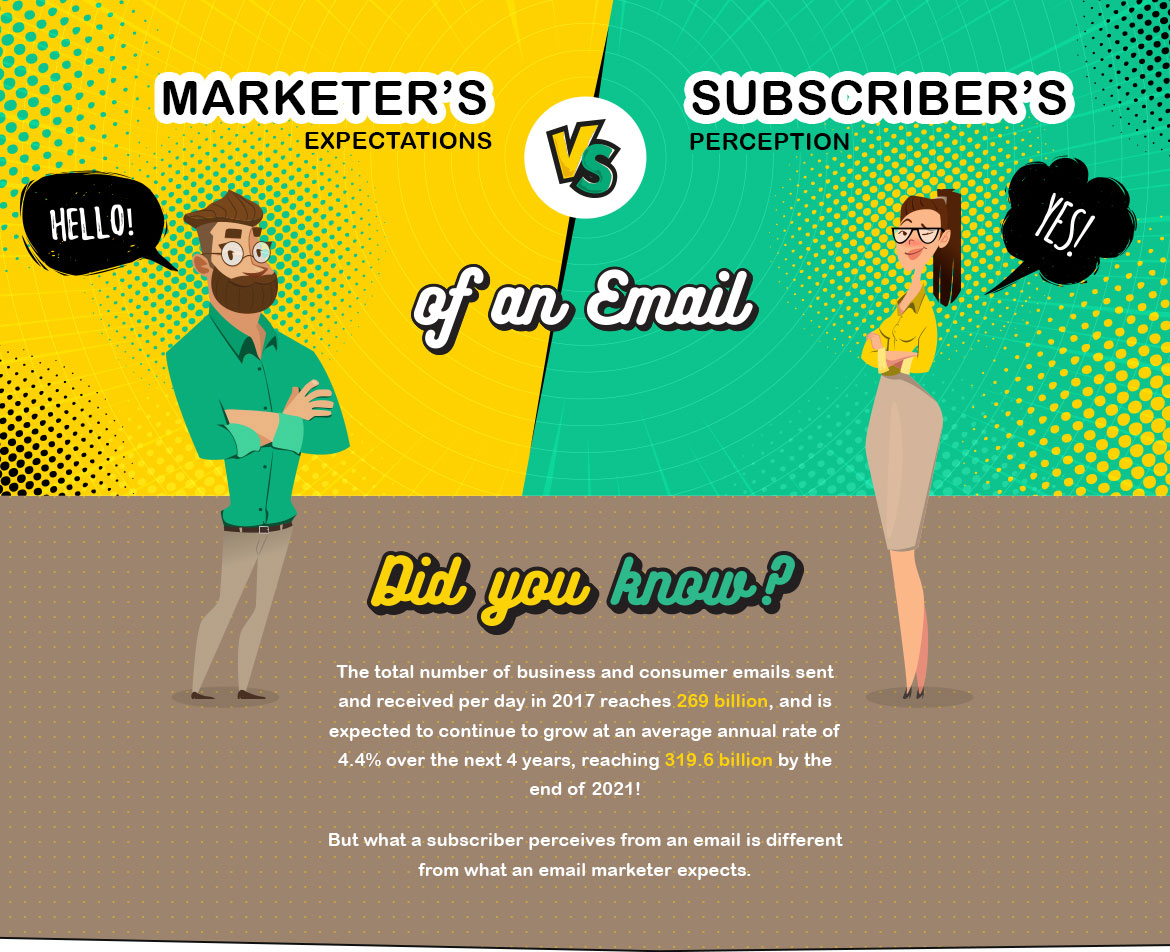
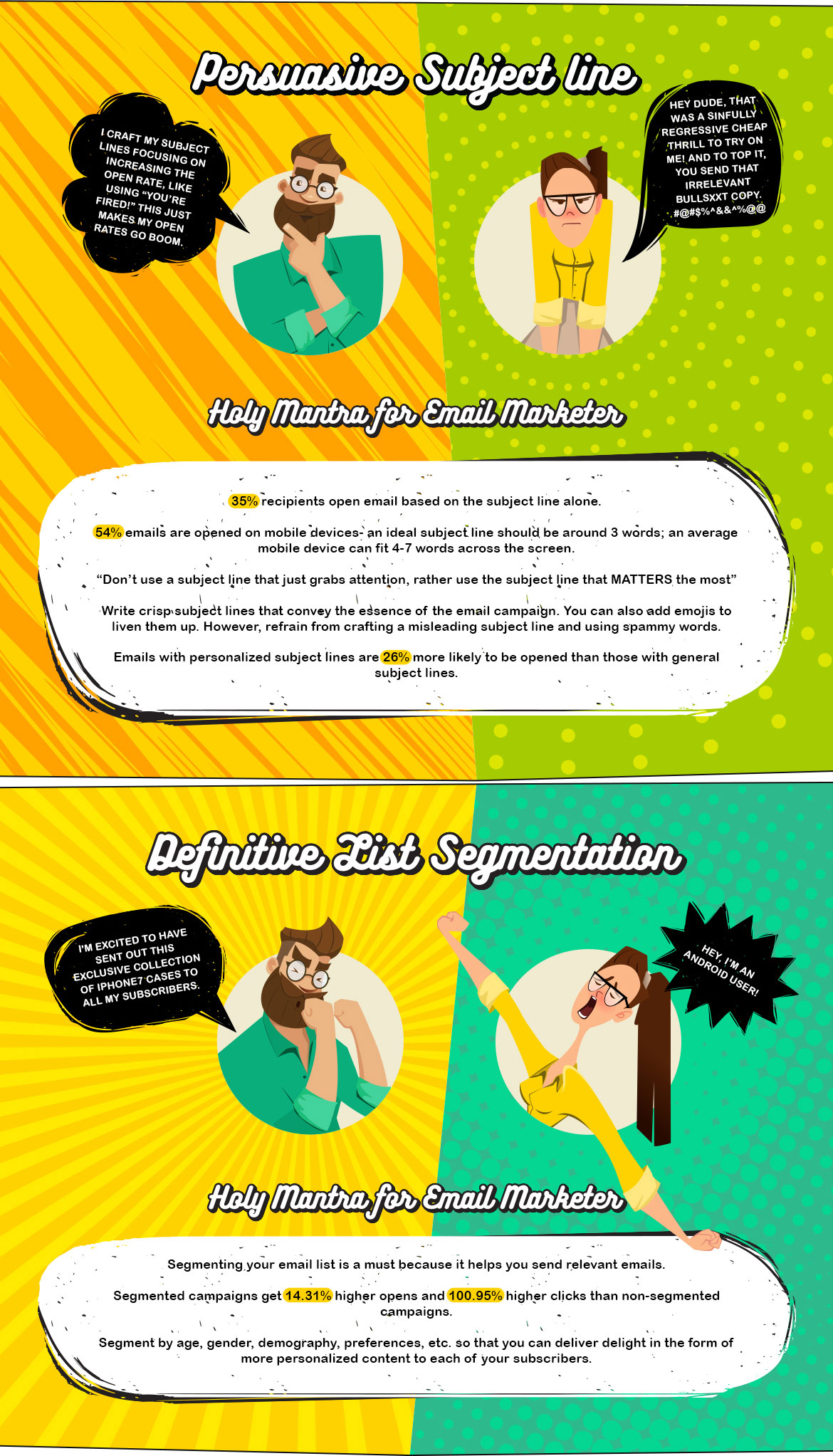
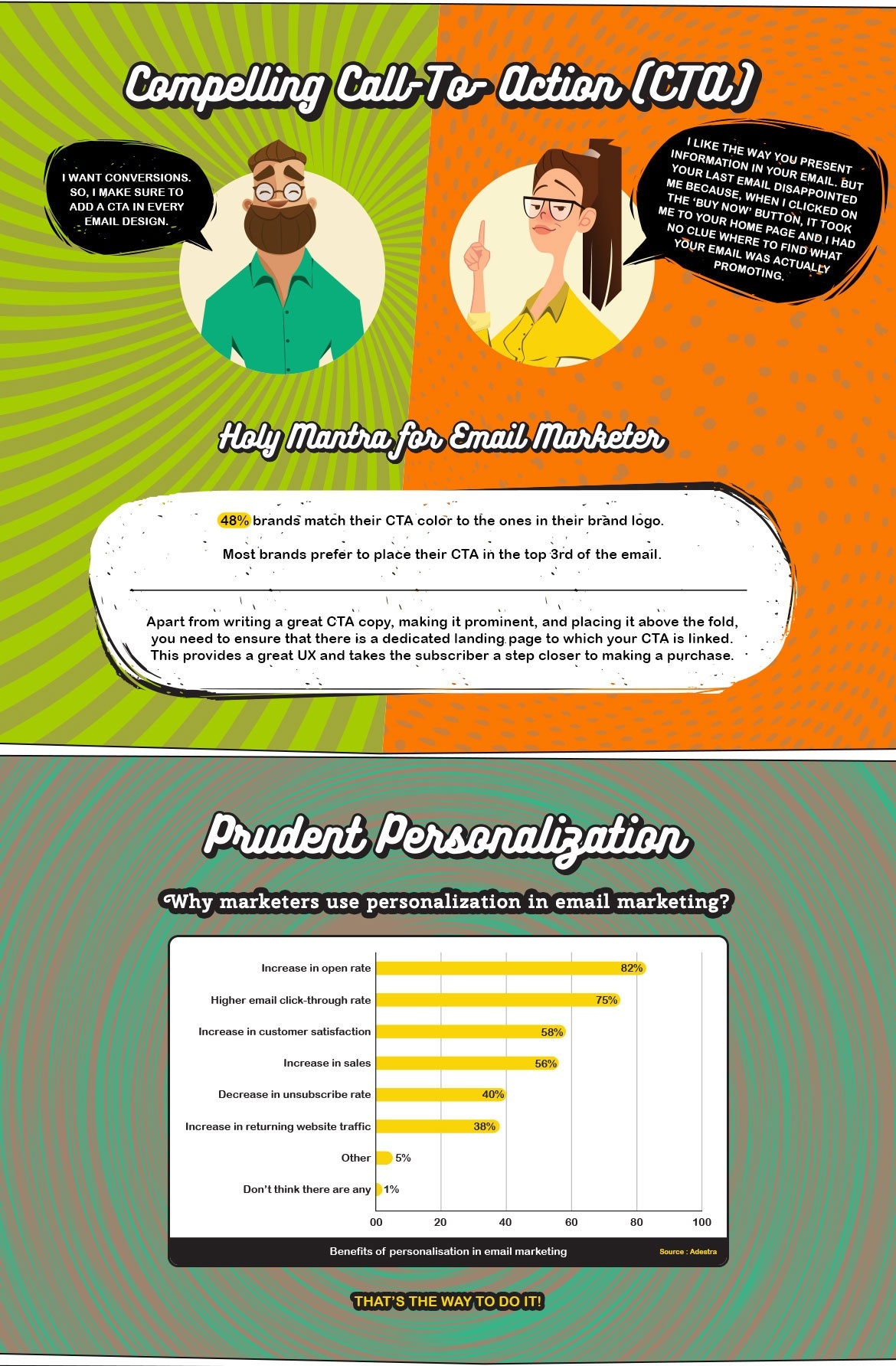
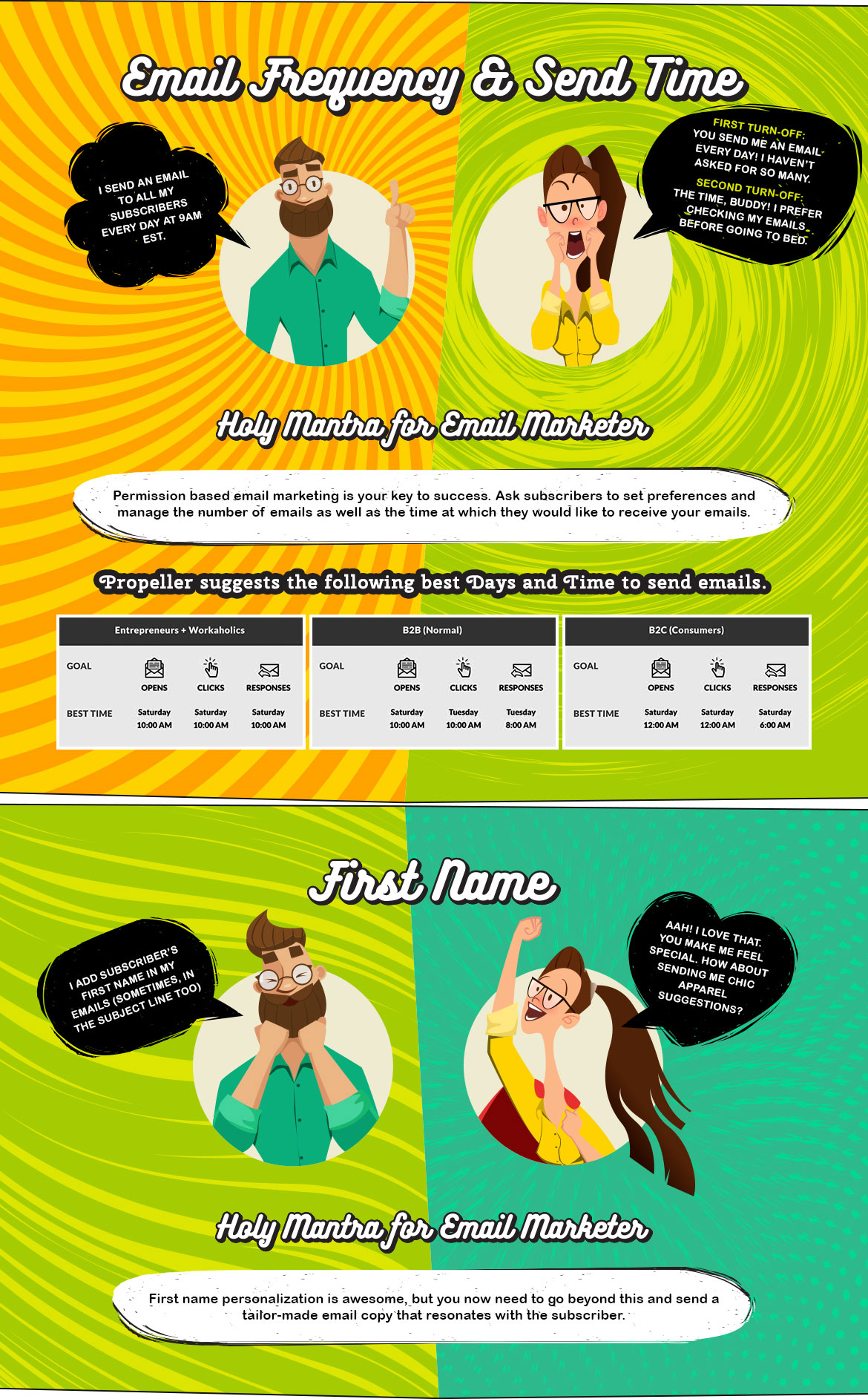
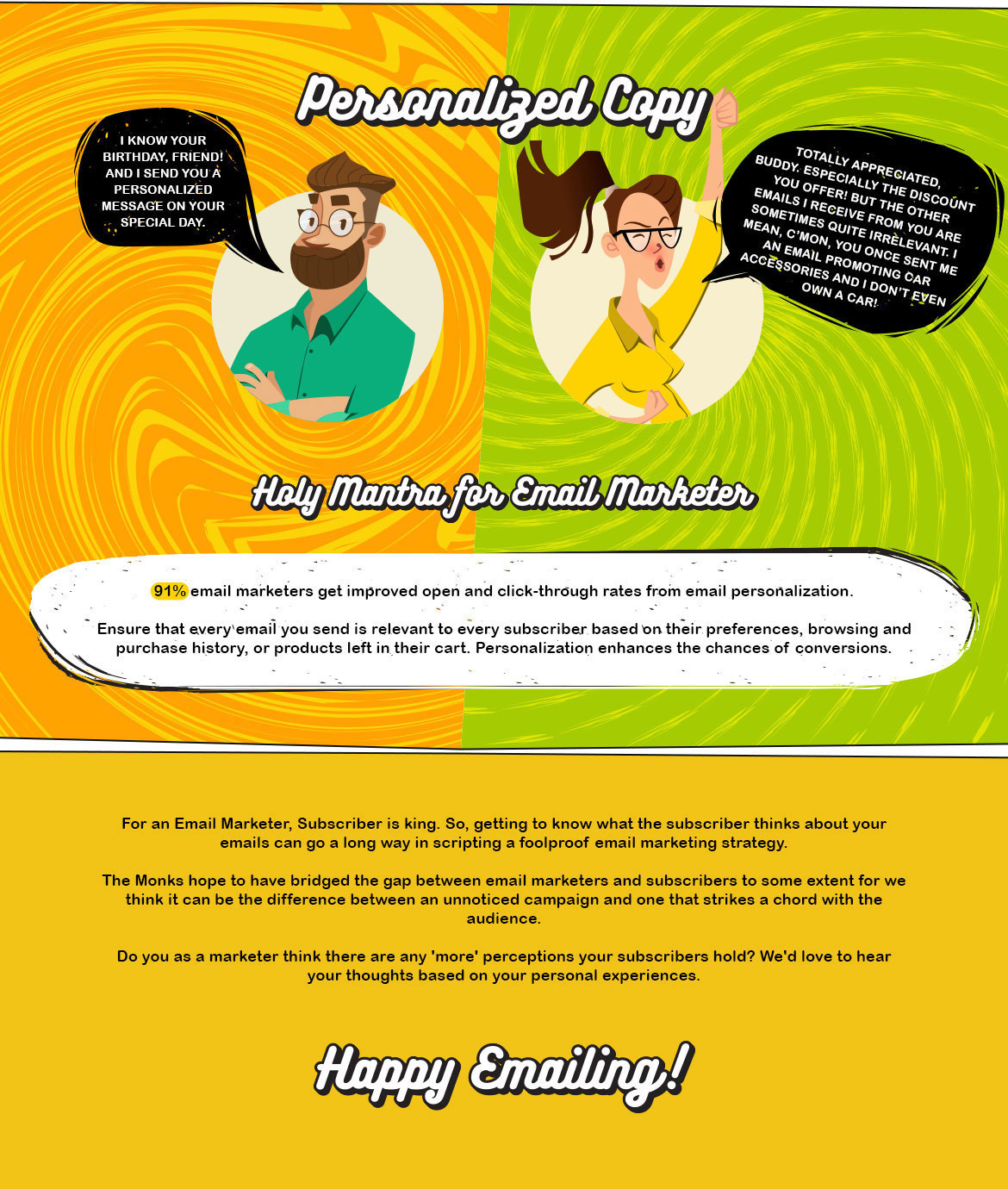
Marketers often misunderstand how subscribers perceive emails, which is why the folks at Email Monks created this helpful infographic to highlight discrepancies between what marketers think when they send an email, and how subscribers feel when they receive it.
This can help you eliminate destructive elements in your email marketing campaigns, and increase the satisfaction of your subscribers.

How to Write Facebook Messenger Copy That Converts
Facebook Messenger marketing is more straightforward than you might think. I’ve built countless bots and ran marketing campaigns at scale that drove great results. Along the way, I learned a big ugly truth that most companies don’t realize until it’s too late:
Most users don’t know how to interact with bots on Messenger yet. But they will.
During the course of a conversation, there’s a good chance that they’re going to stray away from how you want them to interact with your bot. When that happens, you have a choice:
- Lose them as potential customer forever.
- Delight them and drive value to your business.
“Well duh, easy choice. But easier said than done — right?”
Let’s walk through my three-part formula for writing error messages that drive conversions. Along the way, I’ll share free tools that I use every day to create incredible Messenger experiences. Here’s what you need to remember:
“Acknowledge + Rephrase + Prompt”
0. Map
Before you do anything — step away from the keyboard! You need to figure out what might go wrong before you decide how to make it better. Grab a whiteboard or pen and paper — it’s mapping time. Write out every point where the user needs to take an action inside your bot. Ask yourself these three questions as you do it:
- What am I asking the user to do?
- Which ways might they get it wrong?
- How can I be more clear?
That exercise will open your mind to getting them back on track. Alright, onto the formula itself.
1. Acknowledge
The first part of writing good error messages is to acknowledge the problem. Being more specific when something goes wrong gives users a better clue into what you want them to do. But if we just told someone what’s wrong without giving them a path to making it better, it wouldn’t be all that helpful. Take this example of an invalid email below:

Um, rude and unhelpful.
To make error messages work for Messenger bots, you need all three parts. It’s not just about telling them what’s wrong — but show them how to make it right.
Tool tip: Dashbot is a free chatbot analytics platform to show where users get lost.
2. Rephrase
There’s no foolproof way to know if an error was a miscommunication or a misclick. Unlike a web form, you can’t show users if something is incorrect before they hit submit. But you can give them an example of a successful interaction after the fact so they have a better idea of what you need.

I see what I did wrong, but now what?
By adding this one sentence, we’ve already made it more likely that users will finish taking the action we want them to. There’s now a clear path back into the core experience. Remember that most people have never used a bot before. It’s not always intuitive what the next step should be. That’s where the third piece of the formula comes in.
If you want to go the extra mile, set up your bot with several variations of the same hint. This way, people who don’t get it right after the second try aren’t getting frustrated with a repetitive message.
Tool tip: Botsociety has heatmaps and screencasts so you can iron out confusing flows ahead of time.
3. Prompt
We’re almost there, but listen close. This is the most overlooked piece of copywriting for Messenger marketing. At this point, your user knows what went wrong and how to make it better — so ask them to do it! Prompt them in a direct and polite way. More often than not, they’ll make it right and keep engaging with your bot.

There we go. It all comes together.
Tool tip: ManyChat is a Messenger marketing platform that makes it easy to build tailored conversations with users.
The formula works best when all three pieces work together. Look at how we’ve handled a conversation that almost went off the rails:
- Acknowledged the exact problem.
- Rephrased it to make it clear how to move forward.
- Prompted the user to try again.
It’s the little things that add up when writing copy for bots. The way that we chat with businesses should match how we talk to our friends or order a coffee. By making every step — even error messages — delightful, your bot can have a big impact on the bottom line. Bots and Messenger work even better when you pair them with email marketing, too. Follow my three-part formula and you’ll create delightful bots in 2018 and beyond.
Want to chat with me on Messenger about bots? Click here.

How to Be More Adaptable at Work: 6 Exercises to Try
13 years ago, content marketing didn’t really exist. Now it’s the top hiring area in the creative job market, with 25% of executives planning to grow their team this year.
If you work in content marketing, you probably know that its booming growth and ever-evolving ecosystem forces us to learn new skills quickly, and constantly be on the lookout for the next big thing. One day we’re creating pillar pages and topic clusters to please the Google gods, and then the next, we’re overhauling our entire social strategy because another Facebook algorithm update will flatten our organic reach even more than before.
That’s why adaptability is arguably the most important skill for marketers to possess. If you know how to learn how to learn and get comfortable with being uncomfortable, you’ll be the expert generalist on your team who can tackle almost any task and take on the many new challenges coming our way.
Adaptability is key to success in the digital marketing world, so read on to learn six exercises that’ll keep you learning forever, making you a marketing superstar.
How to Be More Adaptable at Work: 6 Exercises to Try
1. Read one blog post from different industry thought leaders everyday
You can learn almost anything online today. So if you want to master new skills, the quickest way to start is by reading content from industry leaders everyday. I’m an economics major at a liberal arts school, so, naturally, when I stumbled upon my first digital marketing internship, I had no idea what content marketing was. I decided to Google it, and that’s when I found HubSpot’s marketing blog.
Two years later, after reading blog posts about the digital marketing industry everyday, I learned enough skills to land an inbound marketing internship at HubSpot. I’m lucky enough to be returning to HubSpot as a junior staff writer, and I owe it all to my habit of reading one marketing blog post everyday for the last two and half years.
If you just take one hour out of your day to learn something new, you can eventually master it in the long-run. My story is proof.
2. Read books outside of your core discipline.
Reading is one of the best ways to grasp new concepts and ideas. And the reason why Elon Musk is the most adaptable executive on the planet is because he reads — a lot. When he was a teenager, Musk would read two books a day in various disciplines like science fiction, philosophy, religion, programming, science, engineering, and entrepreneurship. That’s 730 books a year.
When he got older, his reading genres spanned to physics, product design, business, technology, and energy. His hunger for knowledge and voracious reading habits exposed him to information that he never learned in school. And he applied concepts from each disciple to each other, crystallizing every discipline in his mind. This enables him to run wildly successful companies in five different industries.
You don’t have to finish two books per day to reach peak adaptability, but it’s important to consistently read and learn new things. If you discipline yourself, you can read one book per week. And it’ll only take you 45 minutes each day.
3. Shadow colleagues on other teams.
One of the best ways to immerse yourself in a new discipline is by going into the field and seeing what your colleagues actually do. You’ll learn what skills they use and how they use them to produce excellent work.
You’ll also learn if you’re actually interested in working for that team, which can help you get a head start on learning the skills required for a job. Shadowing other teams also helps you understand how each department affects each other and needs to work together to achieve company goals. This’ll help you improve your team’s collaboration efforts with others too.
4. Take classes.
It’s simple: if you want to hone a certain skill, you need to put in the reps. Classes have a distinct advantage over reading and shadowing — not only do you have to learn new material, but you have to apply your learnings to real world situations. Practicing something is always a better teacher than just thinking about how to do it. Real world application better solidifies your grasp of new learnings and teaches you even more about the subject.
For instance, if you want to hone your Excel skills, you could spend all your time reading and acquiring as much knowledge as possible on the subject, which will improve your skills. But doing an excel project that covers the same concepts as your reading will force you to actually operate excel and apply your learnings to a real case. Through your practice, you’ll also learn even more about excel, which will further enhance your skills.
5. Meditate.
To successfully learn new skills, you usually need two traits: 1) an optimistic outlook on life that drives a strong belief in yourself, and 2) mental ability that allows you to learn new skills.
Meditation can develop both traits. Studies show that people who meditated for 30-60 minutes everyday for 8 weeks had increased grey matter density in their hippocampus, which boosts learning and memory capabilities, and decreased grey matter density in the amygdala, which lowers anxiety and fear of psychological threats, like failure and rejection. These people also experienced more optimistic thoughts and less intrusive, negative thoughts.
By meditating consistently, you can rewire your brain to boost your self-confidence and believe that you will succeed in mastering new skills, curb the negative thoughts and fear of failure that can cripple you from trying new things, and sharpen your mental acuity enough to actually learn new skills.
6. When you get the opportunity, travel.
Not only is traveling fun and exciting, but it can also help you grow into a more adaptable worker. According to Psychology Today, traveling pushes you out of your comfort zone. And to adapt to your new environment, you need to engage with new people and cultural practices. This make you more open to new experiences, which increases your willingness to try new things in the future.
Traveling also improves your brain’s reaction to change. When you travel, the stress of navigating a novel and complex place sprouts dendrites in your brain. These dangling extensions increase your brain’s capacity and attentiveness in future situations that are new and challenging.
In a nutshell, traveling strengthens your desire and ability to learn new skills.

How to Do A/B Testing: A Checklist You’ll Want to Bookmark
When marketers like us create landing pages, write email copy, or design call-to-action buttons, it can be tempting to use our intuition to predict what will make people click and convert.
But basing marketing decisions off of a “feeling” can be pretty detrimental to results. Rather than relying on guesses or assumptions to make these decisions, you’re much better off running conversion rate optimization (CRO) tests — sometimes called A/B tests.
CRO testing can be valuable because different audiences behave, well, differently. Something that works for one company may not necessarily work for another. In fact, CRO experts hate the term “best practices” because it may not actually be the best practice for you.
But these tests can also be complex. If you’re not careful, you could make incorrect assumptions about what people like and what makes them click — decisions that could easily misinform other parts of your strategy.
Keep reading to learn how to do A/B testing before, during, and after data collection so you can make the best decisions from your results.
What Is A/B Testing?
One of the easier (and most common) types of CRO tests is called an A/B test. Also known as split testing, A/B testing holds back part of your audience to test a number of variations of a campaign. In other words, you’re observing how one version of a piece of marketing content performs alongside another, like a green call-to-action button versus a red one, to see which performs better.
To run an A/B test, you need to create two different versions of one piece of content, with changes to a single variable. Then, you’ll show these two versions to two similarly sized audiences, and analyze which one performed better.
For example, let’s say you want to see if moving a certain call-to-action button to the top of your homepage instead of keeping it in the sidebar will improve its conversion rate.
To A/B test this change, you’d create another, alternative web page that reflected that CTA placement change. The existing design — or the “control” — is Version A. Version B is the “challenger.”
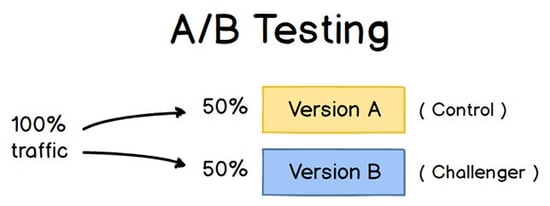
Image Credit: ConversionXL
Then, you’d test these two versions by showing each of them to a predetermined percentage of site visitors. (To learn more about A/B testing, download our free intoductory guide here.)
Now, let’s walk through the checklist for setting up, running, and measuring an A/B test.
How to Conduct A/B Testing
Before the A/B Test
1. Pick one variable to test.
As you optimize your web pages and emails, you might find there are a number of variables you want to test. But to evaluate how effective a change is, you’ll want to isolate one “independent variable” and measure its performance — otherwise, you can’t be sure which one was responsible for changes in performance.
You can test more than one variable for a single web page or email; just be sure you’re testing them one at a time.
Look at the various elements in your marketing resources and their possible alternatives for design, wording, and layout. Other things you might test include email subject lines, sender names, and different ways to personalize your emails.
Keep in mind that even simple changes, like changing the image in your email or the words on your call-to-action button, can drive big improvements. In fact, these sorts of changes are usually easier to measure than the bigger ones.
Note: There are some times when it makes more sense to test multiple variables rather than a single variable. This is a process called multivariate testing. If you’re wondering whether you should run an A/B test versus a multivariate test, here’s a helpful article from Optimizely that compares the two.
2. Identify your goal.
Although you’ll measure a number of metrics for every one test, choose a primary metric to focus on — before you run the test. In fact, do it before you even set up the second variation. This is your “dependent variable.”
Think about where you want this variable to be at the end of the split test. You might state an official hypothesis and examine your results based on this prediction.
If you wait until afterward to think about which metrics are important to you, what your goals are, and how the changes you’re proposing might affect user behavior, then you might not set up the test in the most effective way.
3. Create a ‘control’ and a ‘challenger.’
You now have your independent variable, your dependent variable, and your desired outcome. Use this information to set up the unaltered version of whatever you’re testing as your “control.” If you’re testing a web page, this is the unaltered web page as it exists already. If you’re testing a landing page, this would be the landing page design and copy you would normally use.
From there, build a variation, or a “challenger” — the website, landing page, or email you’ll test against your control. For example, if you’re wondering whether including a testimonial on a landing page would make a difference, set up your control page with no testimonials. Then, create your variation with a testimonial.
4. Split your sample groups equally and randomly.
For tests where you have more control over the audience — like with emails — you need to test with two or more audiences that are equal in order to have conclusive results.
How you do this will vary depending on the A/B testing tool you use. If you’re a HubSpot Enterprise customer conducting an A/B test on an email, for example, HubSpot will automatically split traffic to your variations so that each variation gets a random sampling of visitors.
5. Determine your sample size (if applicable).
How you determine your sample size will also vary depending on your A/B testing tool, as well as the type of A/B test you’re running.
If you’re A/B testing an email, you’ll probably want to send an A/B test to a smaller portion of your list to get statistically significant results. Eventually, you’ll pick a winner and send the winning variation on to the rest of the list. (See “The Science of Split Testing” ebook at the end of this article for more on calculating your sample size.)
If you’re a HubSpot Enterprise customer, you’ll have some help determining the size of your sample group using a slider. It’ll let you do a 50/50 A/B test of any sample size — although all other sample splits require a list of at least 1,000 recipients.
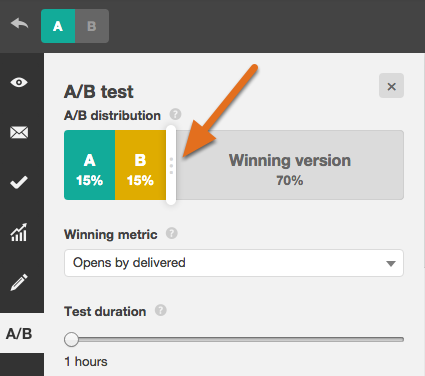
If you’re testing something that doesn’t have a finite audience, like a web page, then how long you keep your test running will directly affect your sample size. You’ll need to let your test run long enough to obtain a substantial number of views, otherwise it’ll be hard to tell whether there was a statistically significant difference between the two variations.
6. Decide how significant your results need to be.
Once you’ve picked your goal metric, think about how significant your results need to be to justify choosing one variation over another. Statistical significance is a super important part of A/B testing process that’s often misunderstood. If you need a refresher on statistical significance from a marketing standpoint, I recommend reading this blog post.
The higher the percentage of your confidence level, the more sure you can be about your results. In most cases, you’ll want a confidence level of 95% minimum — preferably even 98% — especially if it was a time-intensive experiment to set up. However, sometimes it makes sense to use a lower confidence rate if you don’t need the test to be as stringent.
Matt Rheault, a senior software engineer at HubSpot, likes to think of statistical significance like placing a bet. What odds are you comfortable placing a bet on? Saying “I’m 80% sure this is the right design and I’m willing to bet everything on it” is similar to running an A/B test to 80% significance and then declaring a winner.
Rheault also says you’ll likely want a higher confidence threshold when testing for something that only slightly improves conversation rate. Why? Because random variance is more likely to play a bigger role.
“An example where we could feel safer lowering our confidence threshold is an experiment that will likely improve conversion rate by 10% or more, such as a redesigned hero section,” he explained. “The takeaway here is that the more radical the change, the less scientific we need to be process-wise. The more specific the change (button color, micro copy, etc.), the more scientific we should be because the change is less likely to have a large and noticeable impact on conversion rate.”
7. Make sure you’re only running one test at a time on any campaign.
Testing more than one thing for a single campaign — even if it’s not on the same exact asset — can complicate your results. For example, if you A/B test an email campaign that directs to a landing page at the same time that you’re A/B testing that landing page … how can you know which change caused the increase in leads?
During the A/B Test
8. Use an A/B testing tool.
To do an A/B test on your website or in an email, you’ll need to use an A/B testing tool. If you’re a HubSpot Enterprise customer, the HubSpot software has features that let you A/B test emails (learn how here), calls-to-action (learn how here), and landing pages (learn how here).
For non-HubSpot Enterprise customers, other options include Google Analytics’ Experiments, which lets you A/B test up to 10 full versions of a single web page and compare their performance using a random sample of users.
9. Test both variations simultaneously.
Timing plays a significant role in your marketing campaign’s results, whether it’s time of day, day of the week, or month of the year. If you were to run Version A during one month and Version B a month later, how would you know whether the performance change was caused by the different design or the different month?
When you run A/B tests, you’ll need to run the two variations at the same time, otherwise you may be left second-guessing your results.
The only exception here is if you’re testing timing itself, like finding the optimal times for sending out emails. This is a great thing to test because depending on what your business offers and who your subscribers are, the optimal time for subscriber engagement can vary significantly by industry and target market.
10. Give the A/B test enough time to produce useful data.
Again, you’ll want to make sure that you let your test run long enough in order to obtain a substantial sample size. Otherwise, it’ll be hard to tell whether there was a statistically significant difference between the two variations.
How long is long enough? Depending on your company and how you execute the A/B test, getting statistically significant results could happen in hours … or days … or weeks. A big part of how long it takes to get statistically significant results is how much traffic you get — so if your business doesn’t get a lot of traffic to your website, it’ll take much longer for you to run an A/B test.
In theory, you shouldn’t restrict the time in which you’re gathering results. (Read this blog post to learn more about sample size and timing.)
11. Ask for feedback from real users.
A/B testing has a lot to do with quantitative data … but that won’t necessarily help you understand why people take certain actions over others. While you’re running your A/B test, why not collect qualitative feedback from real users?
One of the best ways to ask people for their opinions is through a survey or poll. You might add an exit survey on your site that asks visitors why they didn’t click on a certain CTA, or one on your thank-you pages that asks visitors why they clicked a button or filled out a form.
You might find, for example, that a lot of people clicked on a call-to-action leading them to an ebook, but once they saw the price, they didn’t convert. That kind of information will give you a lot of insight into why your users are behaving in certain ways.
After the A/B Test
12. Focus on your goal metric.
Again, although you’ll be measuring multiple metrics, keep your focus on that primary goal metric when you do your analysis.
For example, if you tested two variations of an email and chose leads as your primary metric, don’t get caught up on open rate or clickthrough rate. You might see a high clickthrough rate and poor conversion rates, in which case you might end up choosing the variation that had a lower clickthrough rate in the end.
13. Measure the significance of your results using our A/B testing calculator.
Now that you’ve determined which variation performs the best, it’s time to determine whether or not your results statistically significant. In other words, are they enough to justify a change?
To find out, you’ll need to conduct a test of statistical significance. You could do that manually … or you could just plug in the results from your experiment to our free A/B testing calculator. For each variation you tested, you’ll be prompted to input the total number of tries, like emails sent or impressions seen. Then, enter the number of goals it completed — generally you’ll look at clicks, but this could also be other types of conversions.

The calculator will spit out the confidence level your data produces for the winning variation. Then, measure that number against the value you chose to determine statistical significance.
14. Take action based on your results.
If one variation is statistically better than the other, you have a winner. Complete your test by disabling the losing variation in your A/B testing tool.
If neither variation is statistically better, you’ve just learned that the variable you tested didn’t impact results, and you’ll have to mark the test as inconclusive. In this case, stick with the original variation — or run another test. You can use the failed data to help you figure out a new iteration on your new test.
While A/B tests help you impact results on a case-by-case basis, you can also apply the lessons you learn from each test and apply it to future efforts. For example, if you’ve conducted A/B tests in your email marketing and have repeatedly found that using numbers in email subject lines generates better clickthrough rates, you might want to consider using that tactic in more of your emails.
15. Plan your next A/B test.
The A/B test you just finished may have helped you discover a new way to make your marketing content more effective — but don’t stop there. There’s always room for more optimization.
You can even try conducting an A/B test on another feature of the same web page or email you just did a test on. For example, if you just tested a headline on a landing page, why not do a new test on body copy? Or color scheme? Or images? Always keep an eye out for opportunities to increase conversion rates and leads.
Learn how to best carry out some of the steps above using the free ebook below.

At Mobile World Congress, 5G Is All the Rage. So What’s the Big Deal?
Mobile World Congress (MWC) 2018 is underway in Barcelona, with major announcements emerging from the likes of Samsung, Huawei, and more.
And while the former’s latest generation of smartphone, the S9 — which is really being positioned less as a phone, and more as a camera — stole most of the spotlight yesterday, Samsung and its counterparts all seem to be vying for the starring role in a certain emerging technology.
That former technology, it seems, is 5G: the latest generation in wireless connectivity.
Throughout the MWC’s short span thus far, there have been numerous announcements and claims made about 5G. Samsung unveiled “the world’s first 5G FAW [fixed wireless access] commercial solutions” for smart homes, cities, and transportation.
Rajeev Suri, Nokia’s CEO, announced partnerships with carriers like Vodafone to deploy 5G in certain regions. Intel previewed 5G commercial deployments for the 2020 Olympic Games. Ericsson pointed to potential new 5G-powered revenue streams. And to cap it off, GSMA — the organization behind MWC — noted in its annual Mobile Economy Report that by 2025, 5G networks will account for 14% of global connections (for context, 4G accounted for 23% in 2017).
So what, in the name of all things mobile, is all the 5G fuss about? And why should it matter to us?
What Is 5G?
5G is the soon-to-be latest generation of wireless technology. The “G” stands for generation, in that this is the fifth generation of this type of connectivity. Currently, the latest generation available is 4G: the technology that powers cellular connectivity like LTE. The goal of 5G is to support the rising number of internet users on mobile, by providing better speed, accommodating more data, greater responsiveness, and connectivity to smart devices.
How 5G Will Impact SEO
As with most evolving technologies, one major reason for progressive generations of wireless connectivity is to meet growing demand and users.
According to Pew Research Center, more than one of every 10 U.S. adults use the internet via mobile only — that is, they own a smartphone, but don’t have or use a home high-speed internet connection. And HubSpot’s own research shows that for 50% of consumers in the U.S., mobile is their preferred online device.
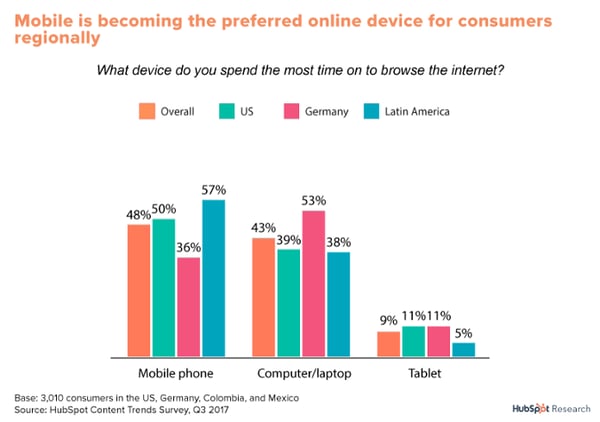
That growing demand is two-fold. First, there are more users for networks and providers to support, since more data is being exchanged, downloaded, and consumed. Then, there’s the competitive aspect: As more users turn to mobile, it’s an opportunity for brands to say, “But wait — here’s what else you can do, right from your palm.”
That’s how we’ve evolved into multiple generations of connectivity. People don’t just demand mobile online access anymore. They don’t just want to check their email. They want to be able to do those things, browse, use apps, message their friends, watch a movie, make dinner reservations, and more. And, they want to be able to do those things quickly.
At the foundation of all of those mobile capabilities is the ability to seek and discover information or content. That means it also changes the way that we search for it.
We’ve written quite a bit about the general shift toward voice search and activation. Take my experience with three different smart home speakers, for instance, and how I used voice commands to get different information or experiences from each one. These smart speaker capabilities are rooted in voice search tools like Apple’s Siri and Google Assistant — the fact that they are now being built into branded, assistive ecosystem is just one indication of changes in the way we search.
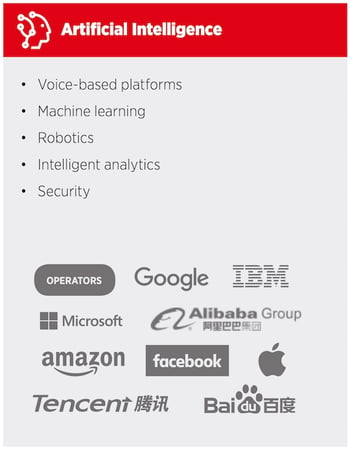
Source: GSMA, “Key areas of innovation – major players and use cases” for 5G
All of these developments point to a growing reliance on wireless technology, and the improvements made to it in response. “Ultimately, the faster mobile internet speeds become, the more advanced web experiences become,” says Matt Barby, HubSpot’s Director of Acquisition. “Creating richer and more load-intensive experiences on mobile — without the additional load time — is what will dramatically increase the usage of mobile devices.”
And that increased usage, Barby explains, also means “an increase in usage means an increase in mobile searches. An increase in mobile searches means more focus from Google to tailor the entire search ecosystem towards mobile searching patterns. This will also increase voice searches.”
Incorporating mobile into ranking factors isn’t exactly new territory for Google. That began in 2015, when the search engine updated its algorithm to favor mobile-friendly sites for searches performed on such devices. That continued to evolve last year, when it penalized sites with interstitials that would interfere with the mobile browsing experience.
Barby says that users should only continue to expect these types of updates. “Google has already started shifting to a ‘mobile-first’ search index this year,” he says. “So don’t be surprised if we see more and more web experiences being developed to cater for mobile-specific user experience patterns.”
How We Connect to Things and Interact With Them (and Each Other)
There’s another element to aforementioned smart home speakers. Not only are their origins rooted in voice search and assistant capabilities, but users can also control them remotely from their mobile devices.
And the connectivity of our devices — these “smart things,” as they’ve come to be known — has largely influenced this fifth generation of wireless connectivity.
Last fall, at the Samsung Developer Conference, the internet of things (IoT) permeated many of the conversations and sessions taking place. Soon, it would be possible to turn any appliance or electronic device in one’s home, from lamps to washing machines, into a smart, connected device that could be controlled not only remotely from one’s mobile device, but also with the help of Bixby, Samsung’s digital voice assistant.
And again, at CES in January, IoT was frequently the topic du jour, with more than one brand exhibiting its own ecosystem of smart, connected things. We were looking at a future, it seems, where everything was online and could be controlled remotely via mobile. But that requires a high level of communication both between the devices themselves and the mobile platform being used to control it. That involves the exchange of a massive amount of data, which requires particularly strong and fast connectivity.
Enter — you guessed it — Bixby.
“If you thought the world was already connected, sit tight,” says Conor Cirillo, HubSpot’s conversational marketing manager. “5G will improve the way we interact with our devices. But more important, it will be a massive leap in how machines communicate with each other.”
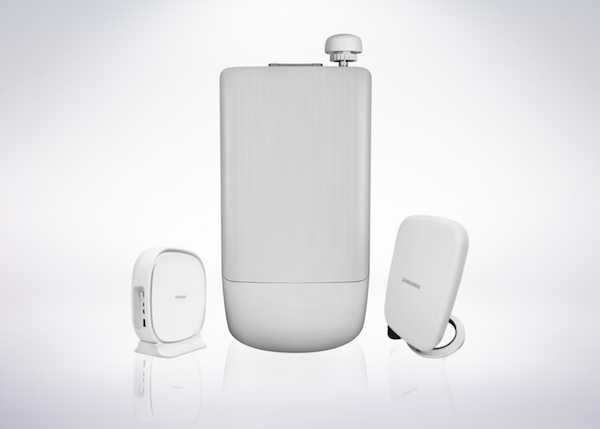
Samsung 5G FWA commercial solutions
Cirillo, who specializes in the evolution of digital communication like messaging and bots, also points to the way 5G will change the way the human users of 5G connect — and is personally following the technology that will make it easier for people to interact with each other and brands through wireless devices.
“There are big implications here,” he says, “of more people being able to talk to more people, on more devices, to do more things.”
That interaction with brands is a key element of many IoT ecosystems. A growing number of consumers are already turning to messaging — onsite or via third-party apps like Messenger — to connect with businesses for things like customer service. And at CES, for example, some brands suggested that such capabilities will be built into appliances themselves, some of which can detect mechanical issues and remotely repairing them before the user even knows about them.
While we haven’t seen too much in the way of customers directly communicating with brands through their appliances for service needs, there are many signs that we’re heading in that direction — potentially eliminating the need for messaging apps and introducing a new platform for this type of communication, whether with a human representative or an AI-powered bot.
But such communication still requires a powerful network to support it. And as 5G permeates the mainstream — the first commercial networks are expected to launch in 2018 — our reliance on this generation of connectivity is likely to grow.
“Everything We Have Now, but More”
When I asked my colleague, HubSpot Marketing Fellow Sam Mallikarjunan for his take on 5G, he pointed to three key elements he expects to see from it:
“Less reliance on apps. More reliance on smooth native web experiences. More flexibility for rich media.”
Remember what I said about the possible elimination of third-party platforms like Messenger to communicate with brands? From Mallikarjunan’s perspective, that’s only one piece of a decreased need for such apps that could come from the introduction and growth of 5G connectivity.
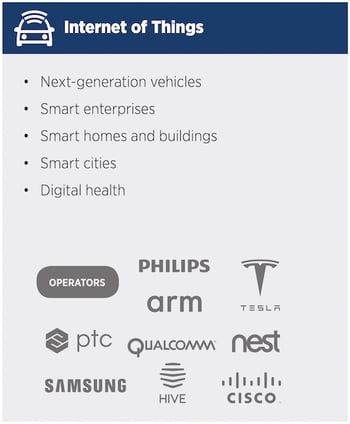
Source: GSMA, “Key areas of innovation – major players and use cases” for 5G
It makes sense. While this type of network will help us do things that require more data and quicker speeds from our smartphones, it will also help to build the ability to do similar things directly from an appliance itself that are currently controlled by a mobile device. Here’s where something like the Google Home is a good example. While I can control it remotely from my phone, for most purposes, I don’t have to. I can just tell it what to do.
The exception is if I need help using it. Right now, I have to turn elsewhere to troubleshoot, usually through the app on my phone or through Google’s online support pages. But soon, it seems, I’ll be able to ask the smart speaker for help with whatever I’m having trouble getting it to do, whether I’m speaking to a human representative or Google Assistant’s AI.
It’s an elaboration of how Mallikarjunan summarized what 5G will bring.
“Everything we have now,” he predicts, “but more.”

7 dicas essenciais para alavancar os negócios e vender mais
Foi-se o tempo em que se acreditava que para conquistar clientes e vender mais era preciso ter dom. O nível de competição existente atualmente no mercado não permite mais argumentações baseadas em “achômetro”.
O cliente quer que você mostre que tem soluções reais às necessidades dele.
Justamente por isso, no mundo dos negócios, há diversas estratégias e técnicas para se vender mais produtos ou serviços. Elas permitem que você se destaque diante da concorrência.
Transmitir as informações que você deseja de forma eficiente e conseguir prender a atenção do público é um desafio que todos enfrentam na hora de vender.
Porém, mais do que criar estratégias, é preciso seguir uma série de passos, ficando longe da mesmice e de automatismos. Afinal, uma das tendências para 2018 é, justamente, personalizar. É isso que seu cliente quer e este é um dos segredos que fazem vender mais.
Como vender mais?
O momento de se apresentar a um cliente em potencial é crucial. Pode ser em uma região agendada diretamente com ele, em um evento que vocês se esbarram por alguns segundos, em uma entrevista que você concede à TV ou em uma palestra: você precisa prender a atenção.
Então, todos os aspectos devem ser avaliados, começando do roteiro, passando por cada imagem inserida na apresentação e chegando às expressões corporais mais adequadas.
Tudo isso, pensando no público a ser conquistado.
Confira algumas dicas essenciais para prender a atenção do público em qualquer ocasião!
Confira o CRM gratuito da HubSpot aqui.
Conheça sua audiência
Por mais que você tenha um ótimo produto ou serviço, lembre-se que o mais importante é seu cliente. Você deve oferecer soluções às dores dele. É por ele que você está ali e é a ele que você deve falar.
A cada apresentação, lembre-se de pensar no público-alvo. Esse termo vai além do seu uso em estratégias de marketing, é realmente um artifício essencial a fim de se vender mais.
No âmbito empresarial, saber quem são as pessoas que consomem seus produtos e porque elas fazem isso, é de fundamental importância ao se estruturar seu negócio da melhor maneira.
Quando se trata de uma apresentação de impacto, você deve identificar quem será sua audiência. Estudantes ou empresários? Pessoas com conhecimento técnico sobre o tema ou leigos?
Qual a faixa etária?
Falar a um gestor de marketing que faz parte da geração Z é bem diferente de lidar com um CEO nascido na década de 1960.
Por isso, pesquise e avalie a quem vai falar.
Seja claro e preciso
Dê preferência, sempre, a dados tangíveis e não a abstrações. Prefira uma linguagem simples. Termos técnicos e jargões corporativos, ainda que usados a fim de mostrar conhecimento, podem ser um tiro no pé.
Identifique o problema de seu interlocutor, mostre que ele existe e que você sabe como resolvê-lo. Explique como a sua solução é inovadora e atende à demanda de quem te escuta.
Seja sucinto ao descrever seu produto ou serviço, destaque seus principais benefícios.
Trabalhe a linguagem corporal
Acredite, sua postura corporal também irá ajudar a vender mais. Usar a linguagem corporal na composição de seu discurso é uma boa estratégia subjetiva para atingir as pessoas, indo direto ao subconsciente delas.
55% do impacto de uma comunicação é feito de elementos não-verbais.
Por isso, apresentar uma boa linguagem corporal durante seus discursos será fundamental para que seus clientes em potencial percebam e confiem mais no que você está dizendo.
A partir do momento em que se torna o centro das atenções, seja em cima do palco ou ao vender sua empresa em uma reunião de negócios, a linguagem corporal está diretamente ligada ao sucesso de sua apresentação. Segundo o escritor Pierre Weil, o corpo “fala”.
Evite excessos
Você ama seu produto ou serviço, a história da sua empresa é incrível e há uma série de dados que você julga interessantes inserir em sua apresentação. Mas isso não é suficiente para vender mais. Cuidado!
Às vezes, nem todas essas informações devem estar expostas. Excessos tendem a deixar as apresentações entediantes, confusas e exaustivas.
Escolha, criteriosamente, o que realmente precisa ser mostrado e discutido e elimine o que sobra.
Economize tempo
Lembre-se que seu público, em especial se for formado por executivos ou investidores, valoriza muito o próprio tempo. A correria no mundo dos negócios faz com que cada minuto valha ouro.
Por isso, seja ágil ao se apresentar. Nesse caso, para vender mais, vale trabalhar a técnica da pirâmide invertida, que vem lá das teorias da comunicação. Comece mostrando como você pode resolver a dor do seu cliente, depois, ao prender sua atenção, acrescente informações menos importantes mais que vão contribuir e você irá vender mais.
Além disso, todo mundo sabe que reuniões que se arrastam por um longo período são, por definição, improdutivas.
Ao montar sua apresentação, faça um roteiro detalhado do que você irá mostrar e quantos minutos você irá dedicar a cada item.
Aposte em imagens
Invista em apresentações mais visuais. A melhor forma de se destacar no barulho é a comunicação visual.
Segundo Amy Balliett, do Killer Infographics, a ciência atesta que um estímulo visual chega ao cérebro 60 mil vezes mais rápido que um em texto. Além disso, 90% das informações que retemos é visual.
Nessa linha, tão importante quanto ter dados consistentes na apresentação, é saber fazê-lo de maneira atrativa e visualmente agradável a fim de prender atenção do público.
Imagens distorcidas, sem qualidade profissional ou feias colocam em check sua credibilidade. Além disso, não atraem a atenção dos seus ouvintes.
Utilize imagens, e faça gráficos simples e bonitos.
Crie conexões
Durante sua apresentação, não fique centrado apenas no que está sendo mostrado na tela.
Procure observar seu público e detectar sinais de desinteresse ou de dúvida, a fim de conseguir contornar esses problemas.
Lembre-se da importância das pausas, separe um tempo para perguntas da plateia e responda todas as questões levantadas.
Permita que seu ouvinte faça perguntas, aumentando a conexão entre vocês. Além disso, convide seu público a ações. Para vender mais, use “call to action” ao final de seu pitch.
Pergunte se se seu potencial cliente acredita que seu produto ou serviço resolveria o problema, tendenciando ao positivo. Você pode perguntar, ainda, se pode ligar ou marcar um café, por exemplo, no futuro.
Dica extra: mostre paixão
Para vender mais, é fundamental que você acredite na solução que oferece. Um bom vendedor é aquele que deixa o cliente entusiasmado com seu discurso.
Quando você mostra o quanto é apaixonado pelo que faz e pelo que vende, sua audiência se envolve e compartilha da mesma empolgação.
Mas não se esqueça: seu foco deve ser no problema dos consumidores que sua empresa conseguirá resolver.


I Tried Five Morning Routines So You Don’t Have To. Here’s What Works.
I’m not a morning person.
My morning consists of waking up as late as possible and feeling personally victimized by my alarm clock. And no matter how many times I wake up to my alarm, my first thought is always, “Why are you doing this to me?!”
It has caused a love-hate relationship between my phone and myself.
Disgruntled, I then scroll through my Instagram feed. Oh, did I say, “As late as possible”? I should mention I give myself ten minutes to get out of bed.
Here are (a few) things I do NOT do in the morning:
- Work out
- Make a to-do list
- Meditate
- Visit my personal trainer
- Hang out in my home gym
- Address critical emails
- Read all the tech industry headlines
- Call family members
- Say goodbye to my kids
Maybe that’s why I am not a widely famous life coach, rich entrepreneur, CEO or founder of any major corporations, creator of any mega-popular social media channels, or author of any best-sellers.
And that’s also why, for five days, I decided to try the morning routines of five highly successful people: Elon Musk, Gary Vaynerchuk, Sheryl Sandberg, Jack Dorsey, and Tony Robbins.
At the end of it, did I actually become more productive? You’ll just have to read to find out.
I Tried Five Morning Routines So You Don’t Have To
1. Elon Musk
The famous figure behind Tesla and SpaceX gets six hours of sleep, typically waking up at 7:00 a.m. From there, his routine looks roughly like this:
- Addresses critical emails for 30 minutes
- Drinks coffee — but is too busy for breakfast
- Sends kids off to school
- Showers and goes to work
To prepare for my Elon Musk morning, I stayed awake until midnight to ensure accuracy. He doesn’t get more than 6 hours of sleep, so neither could I.
That meant my “address critical emails” time was partially cut short — in my half-asleep state, I flung my cell phone behind my bed and needed to take some time to move the bed to retrieve it. How Musk runs two multi-billion dollar companies on six hours of sleep is beyond me.
I soon realized I had another problem with the address critical email activity. As you might imagine, being a marketing blogger doesn’t require quite as many critical back-and-forth emails as being founder and CEO of Tesla and SpaceX. So, I refreshed my email and replied to the six emails in my inbox, which took about seven minutes — leaving me with 23 minutes to spare.
I’ll admit that I didn’t love starting my morning with emails. I wasn’t fully awake, so I can only hope my responses resembled something coherent. Plus, by the time I got to work, I had to re-read the emails because I forgot what they said.
But I understand why Musk does it. Emailing can put you in a task-oriented mindset: “Okay, here are the things I need to tackle first when I get to the office.”
Showering is also something I also do every morning — and likely the only thing Musk and I have in common — and I don’t have any kids to say goodbye to. And while I respect that he only drinks coffee in the mornings (with only six hours of sleep, I needed it, too), by the time I got to work at 8:45, I was starving.
So, although Musk skips breakfast, I allowed myself a banana. After all that hard work responding to critical emails — not to mention, moving my bed frame — I figured I deserved it.
2. Gary Vaynerchuk
This entrepreneur, author, and speaker wakes up at 6 a.m., followed by these tasks:
- Reads Techmeme headlines, Business Insider, and ESPN, among others
- Checks out Twitter and Instagram
- Works out with his personal trainer, “Muscle Mike,” for 45 minutes to an hour
- Calls a family member
How Vaynerchuk — better known to some as “Gary Vee” — devours this much information and actually retains it at 6 a.m. is nothing short of miraculous.
But I made a list of these links in my Notes app the night before, and at 6:01, I opened Techmeme and read the headlines. I then made my way through Business Insider, ESPN — which I barely skimmed, since I don’t understand sports at any time of day — Twitter, and Instagram.
It felt like a ton of information to devour before getting out of bed.
While reading these articles in their entirety wasn’t entirely feasible due to time restrictions, checking out “what’s going on” in one’s industry in the morning seems a good idea. The article headlines inspired me to jot down some new ideas before I even reached the office.
For the next time, however, I don’t have a personal trainer — but I do have Shaun from the T25 “high-intensity” workout DVDs. I figured that was close enough. And I’ll admit: It felt really good to get the workout over with. I was energized and refreshed by 7 a.m. and didn’t have to worry about fitting in a workout after work.
That said, it’s also really hard to do a high-intensity workout without any breakfast. So buyer beware: You might feel like passing out.
After that, Gary calls a family member on his way to work. I called my brother and spoke to him for exactly 47 seconds, mostly about why I was calling him that early and thought it was okay to wake him up.
3. Jack Dorsey
The founder/CEO of both Twitter and Square wakes up at 5:30 a.m., followed by meditation and a six-mile run.
After checking emails during my Elon Musk morning and devouring news outlets during my Gary Vee experience, I was enthusiastic to meditate during Jack Dorsey’s morning. Granted, I was less thrilled to run six miles — but we’ll get to that later.
I’m a meditation rookie, so I downloaded a meditation app called Simple Habit. I didn’t think I could do real meditation if I tried to do it on my own — in fact, I’d probably just fall asleep.
The Simple Habit app starts you off slowly. My first lesson was only seven minutes long, mainly focused on my breathing. Admittedly, at 5:30 a.m., staying awake was the biggest obstacle — which I actually managed to accomplish
Surprisingly, I enjoyed meditating that early. It was easier for me to focus first thing, before my thoughts had the chance to ramp up. Plus, the research behind meditation has indicated numerous benefits to the well-being of employees — things like creativity, focus, decision-making, stress-reduction, and more.
Of course, then I had to get up off my meditation floor and run. Keep in mind that I’ve taken about five months off of running outdoors, because Boston winters are, in a word, brutal. But Dorsey lives in San Francisco, so I believed it would be unrealistic to re-enact this part of his morning. Oh, shucks.
Wow pic.twitter.com/EmlgVrUu8G
— jack (@jack)
September 1, 2017
But then, I did some research and found that Dorsey’s average morning weather in San Francisco is about 39 degrees — which, on this particular morning, was actually colder than Boston’s. So, I got out the running gear. It wasn’t easy, and about three miles in, I took a full-mile walking break upon the impression that my frozen lungs had collapsed.
But I did it. It took me about an hour — so I’m not sure I can make it a standard part of my morning routine.
Six miles seems like a lot, but I see the appeal. Meditation and running can encourage you to start your day in a healthy mindset. Meditation reminded me to stay present and focused throughout the day, and running got my endorphins and energy going. And, once again, I got my workout out of the way — which meant I could spend my evening relaxing.
4. Sheryl Sandberg
The author and Facebook COO wakes up early, in order to get to the office by 7 a.m. And before then, she manages to:
- Spend an hour responding to emails
- Work out in home gym
- Drop her kids off at school
Once again, I ran into the same predicament I had with Musk’s morning. I have about four emails first thing in the morning, and Sandberg has an hour’s worth.
So I took my time responding to those four emails, then scrolled Facebook for a bit, and — in a nod to my Gary-Vaynerchuk-day — read some headlines, and checked Instagram and Twitter.
I missed my Dorsey-meditation-morning.
Unfornately, I don’t own a home gym — but I do own a yoga mat, the aforementioned T25 DVDs, and my very own state-of-the-art staircase. My home-gym exercise consisted of me completing one of those DVD workouts, followed by 10 laps up and down my stairs, topped off with a dash of yoga. And when I think about it, Sandberg’s home workout might not be so different.
Silicon Valley executives: They’re just like us.
I don’t have any kids to drop off at school, but after the investment in creating my make-shift home gym, that might be a good thing — I wouldn’t have had time.
5. Tony Robbins
This motivational speaker gets three-to-five hours of sleep, waking up between 7 a.m. and 9:00 a.m. After that, he:
- Performs a breathing exercise
- Expresses gratitude
- Experiences connection
- Visualizes success
I left this morning routine for Friday because it sounded — well, the easiest, if you will. But admittedly, I didn’t follow the three-to-five hours of sleep part. If I had, I wouldn’t be writing this post right now, and would probably be sleeping in HubSpot’s nap room instead.
Robbins curated his own personalized morning routine, which he calls “priming,” which is supposed to bring you into a positive and energetic mindset at the beginning of each day.
First, there’s a breathing exercise, more accurately known as Kapalbhati Pranayama. Robbins sits up straight, closes his eyes, and inhales through his nose as he simultaneously lifts his arms — think of the way you’d do that during a shoulder press.
Then, as he exhales through his nose, he brings his arms back to his body, palms up. He does three sets of thirty, with short breaks in-between.
Truth time: I felt ridiculous doing this on my bedroom floor first thing in the morning.
The breathing was nice, but without my meditation guru — a.k.a., my Simple Habit app — my mind kept wandering. What should I eat for breakfast? How many reps is this? What time is it?
Next, Robbins spends three minutes thinking about what he’s grateful for — roughly three items per minute). Three minutes doesn’t sound like a long time, but when you only have three objects per minute, it kind of is.
My first minute went something like this: Okay, I’m grateful for my family … and, my health … and, hmm, I am grateful for clean drinking water.
I processed these thoughts for what seemed like an adequate amount of time, only to open my eyes and realized it had only been 20 seconds.
It wasn’t the first time I’ve thought of things to be grateful for, but it was the first time I’ve tried visualizing the list. And even though some items are tricky to visualize, it did make the exercise more genuine. At first, for example, I imagined the word “family”. But when I realized I needed to spend more time on it, I started visualizing specific relatives, and what it is about each one that I’m truly grateful for.
After finishing his gratitude exercise, Robbins moves onto an “experiencing connection” activity, in which he imagines a light flowing through his head, energizing him, and then imagines the light flowing back up through his head and outward to his loved ones and strangers.
This step is supposed to last three whole minutes. My light entered and exited my body in about 20 seconds, so I had to close my eyes and do it again. And while I appreciated the gesture, I’m not sure if this particular exercise is going to become a enduring part of my morning routine.
For the last three minutes, Robbins spends each minute on one goal and imagines how it will feel to accomplish that goal. And for me, that one was easy.
Visualizing success is similar to prioritizing your day, which I noticed seems to be a theme throughout the morning routines of many famous, successful figures. After visualizing three big goals, I was able to organize my day better, by choosing tasks that immediately supported that goal.
In a way, it actually made my day less busy. I visualized high-level goals, then narrowed down my to-do list to ensure these goals were met first.
Long-Term Takeaways
What I’ll Do Next
At the end of my five-day morning routine experiment, I considered going back to my ordinary routine. But there were some morning activities I actually enjoyed — and therefore, some that I’m going to adopt.
First, I agree that working out, even a little bit, is a great way to start the day. But I also enjoy attending late-evening workout classes, so I’ve created a moderation schedule. On Monday and Friday mornings, I now do a T25 DVD or go for a run, inside on a treadmill, weather permitting. On the remaining weekdays, I plan lunchtime or after-work workouts, because let’s be real — I have more time to do Barre classes than Gary Vee does.
I’ve fully adopted tiny increments of morning meditation. And although I haven’t gone full enlightenment, I found it’s easy to switch out my morning Spotify playlist for a seven-minute breathing exercise, which I can do on the train — so I have no excuses.
I don’t like waking up and starting my day with emails or industry headlines, mostly because — as previously stated — I’m only half-conscious in the morning. I do think it’s a good idea to tackle these things early, but since I’m not Sheryl Sandberg, it can usually wait until I’m in the office.
And finally, I’m not going to continue visualizing any lights going through my head and into my soul — sorry, Tony. But instead of a full ten minutes of Instagram in the morning, I’ve switched to seven minutes on Instagram and three minutes dedicated to gratitude.
I’ve done that primarily for two reasons. Not only do I have more time to visualize things I’m grateful for in my own life, but it also leaves less time to feel envious of other people’s “Insta-perfect” lives.
What Else I Learned
And while they didn’t get their own full sections in this article, I came across two other interesting takeaways in the course of my research. First, I learned that Mark Zuckerberg once said he dresses the same way each day, as it gives him “one less decision to make.”
I’m no Mark Zuckerberg, but I will admit that he has, at the very least, proven himself successful. No matter what he wears — or what else people might say about him — he can come into work and no one is going to think, “Wow, what a lazy slacker.”
But on the first day I planned on wearing my Mark-inspired uniform — a grey t-shirt and jeans — I looked into the mirror and realized I looked like someone who had either overslept, or didn’t really care about my appearance. And I’m not the founder of any companies. So I changed, because this early in my career, appearance is still an indicator of effort.
But I like the premise behind Zuckerberg’s routine. Why am I wasting fifteen minutes deciding what to wear each morning? While I don’t want to wear the same thing every day, I can choose my outfits the night before.
The second thing I discovered is there are both good and bad times to drink coffee in the morning.
As it turns out, your body’s cortisol generally peaks between 8 and 9 a.m., which is when your body is naturally “caffeinating” itself. If you drink coffee during that window, you’re probably not getting the full effects of your cortisol — or your coffee. Plus, your body builds up a higher tolerance to coffee during this time, because it’s thinking, “We don’t need any more of this.”
Now, I try not to drink coffee until 9:30 a.m., when my cortisol levels are dipping. So far, so good.
Give It a Try
And with that, it’s your turn. Try these morning routines for yourself, and see how successful you can become.
If you need a “cheat sheet” to get started, here are seven commonalities of successful people’s morning routines:
- Wake up early.
- Decide and review what to do for the day, and set goals.
- Work out.
- Have a healthy breakfast, or at least a smoothie. Whatever you do, don’t start with coffee.
- Maintain a journal or visualize how you’re grateful.
- Meditate.
- Tackle the day — early on — with emails and/or industry headlines.

How to Create an Ebook From Start to Finish [Free Ebook Templates]
At age 11, I dreamed of being an editor at a major magazine. I even put together my first publication, Teen Scene Magazine, using colored construction paper, yarn, and in-depth feature interviews with … my dad.
Flash forward to today. I’ve swapped my colored construction paper and yarn for PowerPoint and InDesign. I’ve replaced my dad with marketing experts and influencers (in the office, that is). And week after week, I have the satisfaction of being an ebook creator.
But making an ebook can be overwhelming. Not only do you have to write the content, but you also need to design and format it into a professional-looking document that people will want to download and read. With lead generation being the top goal for content marketing, however, ebooks are an essential part of an successful inbound marketing program.
In this post, we’ll walk you through the ins and outs of creating an ebook by, well, creating an ebook. And if you’re worried about your lacking design skills, fret not …

Got your free ebook templates? Ready to make an ebook? Great — let’s get to it.
How to Create an Ebook
- Choose a Topic That Matches Your Audience’s Needs
- Outline Each Chapter of Your Ebook
- Break Down Each Chapter as You Write
- Design Your Ebook
- Use the Right Colors
- Incorporate Visuals
- Highlight Quotes or Stats
- Place Appropriate Calls-to-Action Within Your Ebook
- Convert It Into a PDF
- Create a Dedicated Landing Page for Your Ebook
- Promote Your Ebook and Track its Success
How to Create an Ebook
Step 1: Choose a Topic That Matches Your Audience’s Needs
Remember: The goal of your ebook is to generate leads for your sales team, so pick a topic that will make it easy for a prospect to go from downloading your ebook to having a conversation with your sales team.
This means your ebook shouldn’t deviate much from the topics you cover in your other content marketing channels. Rather, it’s your opportunity to do a deep dive into a subject you’ve only lightly covered until now, but something your audience knows they need to learn more about.
For example, in listening to sales and customer calls here at HubSpot, I’ve learned ebooks for use in content marketing is a huge obstacle for our audience, who are marketers themselves. So if I can provide not only this blog post, but resources to make ebook creation easier, I’m focusing on the right topic for opening up a sales conversation.
To get your creative juices flowing, here are some example ebook titles to consider. (Note: Replace “x” with an appropriate number.) You can also use our free Blog Topic Generator tool to come up with more ideas. Most blog topics can be made comprehensive enough to serve as longer form ebook topics.
- X Best Practices for [Insert Industry/Topic]
- An Introduction to [Insert Industry/Topic]
- X Common Questions About [Insert Industry/Topic] Answered
- X [Insert Industry/Topic] Statistics For Better Decision Making
- Learn From The Best: X [Insert Industry/Topic] Experts Share Insights
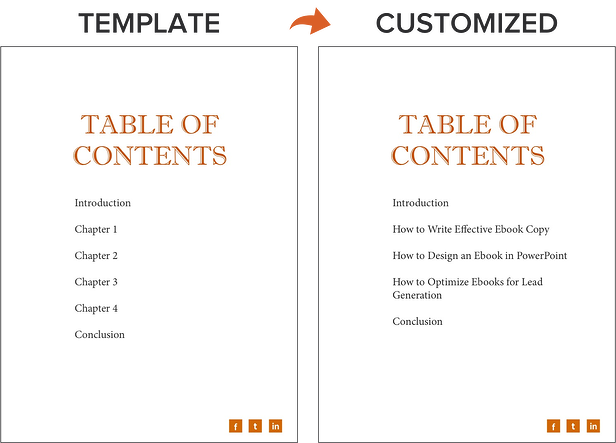
For this blog post, I’m going to use the PowerPoint version of template two from our collection of five free ebook templates. Through each section of this post, I’ll provide a side-by-side of the template slide and how I customized it.
Below, you’ll see my customized cover with my sales-relevant ebook topic. For help with writing compelling titles for your ebooks, check out the tips in this blog post.
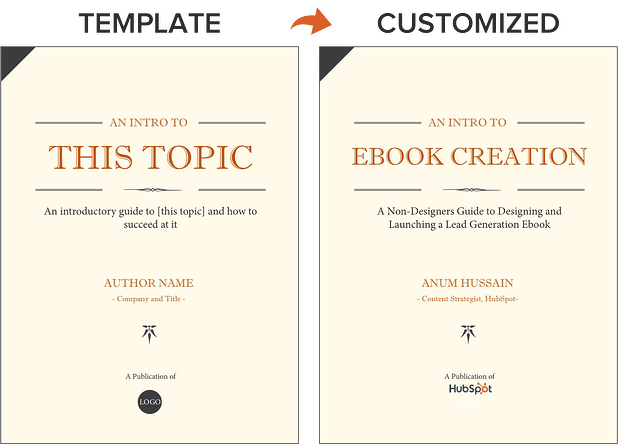
Step 2: Outline Each Chapter of Your Ebook
The introduction to your ebook should both set the stage for the contents of your ebook and draw the reader in. What will you cover in your ebook? How will the reader benefit from reading it? For tips on how to write an effective introduction, check out this post.
Some ebook creators say that an ebook is simply a series of blog posts stitched together. While I agree you should treat each chapter like an individual blog post, the chapters of your ebook should also flow fluidly from one to the other.
The best way to outline your ebook is by thinking of it as a crash course on the sales-relevant topic you selected. In my example of creating an ebook, I know I need to cover how to:
- write effective copy
- design an ebook
- optimize ebooks for lead generation and promotion
While my example has a few chapters, keep in mind that your ebook does not need to be lengthy. I have one golden rule for ebook length: Write what is needed to effectively educate your audience about your selected topic. If that requires five pages, great! If that requires 30 pages, so be it. Just don’t waste words thinking you need to write a long ebook.
With that, let’s move on to the actual copy you’re writing.
Step 3: Break Down Each Chapter as You Write
Get writing! Here, you can approach each chapter the way you might write a long blog post — by compartmentalizing each chapter into smaller sections or bullet points, as shown in the picture below. This helps you write simply and clearly, rather than trying to use sophisticated language to convey each point. It’s the most effective way to educate readers and help them understand the new material you’re providing.
Be sure to maintain a consistent structure across each chapter, as well. This helps you establish natural transitions between each chapter so there’s a clear progression from one chapter to the next (simply stiching blog posts together can rob you of this quality).
These practices should hold true for all your other marketing efforts, such as email marketing, call-to-action creation, and landing page development. “Clarity trumps persuasion,” as Dr. Flint McGlaughlin of MECLABS often likes to say.
Want to make sure you’re keeping your ebook exciting for readers? Here are some key tips to keep in mind:
- Use keywords in the title that emphasize the value of your offer. Examples include adjectives like “amazing,” “awesome,” or “ultimate.”
- Keep your format consistent so you create a mental model for readers and enhance their understanding of the material.
- When appropriate, make use of formatting — like bulleted lists, bold text, italics, and font size changes — to draw people’s eyes to your most important content or emphasize certain points you want readers to remember.
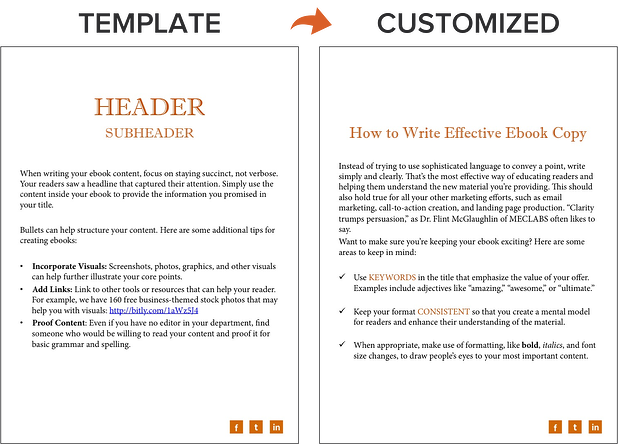
Step 4: Design Your Ebook
Our downloadable ebook templates are offered in both PowerPoint and InDesign. For this example, we’ll show you how to do it in PowerPoint, since more people have access to that software.
You’ll notice we only have one “chapter page” in the template (slide three). To create additional chapter pages, or any pages really, simply right click the slide and choose Duplicate Slide. This will make a copy of your slide and allow you to drag it to its proper place in your ebook via the sidebar or Slide Sorter section of PowerPoint. You can then customize it for any subsequent chapters.
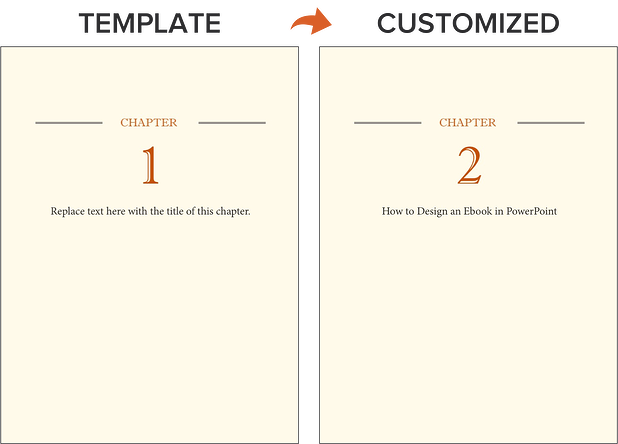
Step 5: Use the Right Colors
Ideally, our free ebook templates would magically match your brand colors. But, they probably don’t; this is where you get to truly personalize your work. However, because ebooks offer more real estate for color than your logo or website, it’s a good idea to consider secondary colors within your brand’s color palate. Ebooks are where this color scheme can truly shine.
To learn how to add your brand’s colors to PowerPoint, check out this blog post. That way, you can customize the color scheme in our ebook templates to match your brand!
Step 6: Incorporate Visuals
Images and graphics in ebooks are hard to get right. The key to making them fit well is to think of them as complementary to your writing. Whether you add them during or after you’ve finished writing your ebook’s copy, your visuals should serve to highlight an important point you’re making or deconstruct the meaning of a concept in an easy-to-understand, visual way.
Images shouldn’t just be there to make the ebook easy on the eyes. Rather, they should be used to enhance the reader’s understanding of the material you’re covering. If you need help gathering visuals, we have three sets of free stock photos that might help you along the way:
And if you’re compiling a data-heavy ebook, you might want to download our free data visualization ebook for tips about designing compelling charts and graphs for your content.
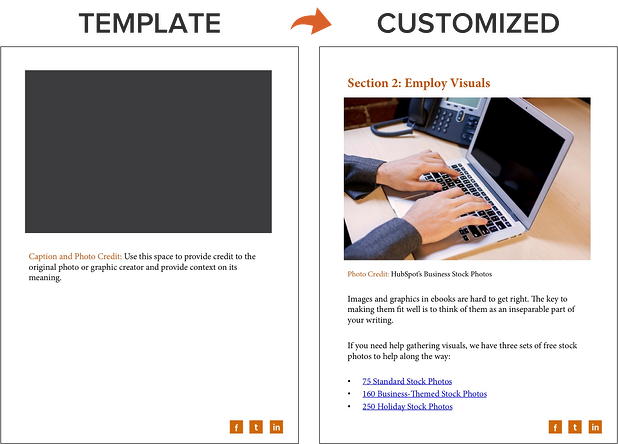
Step 7: Highlight Quotes or Stats
Another way to enhance your ebook is by highlighting quotes or stats within your design. Just be sure the quote or stat you’re using genuinely adds value to the content.
Whether you’re emphasizing a quote or adding a visual, keep all your content within the same margins. If your copy is consistently 1-inch indented on your page from both the left and right side, keep your designed elements aligned using that same spacing.
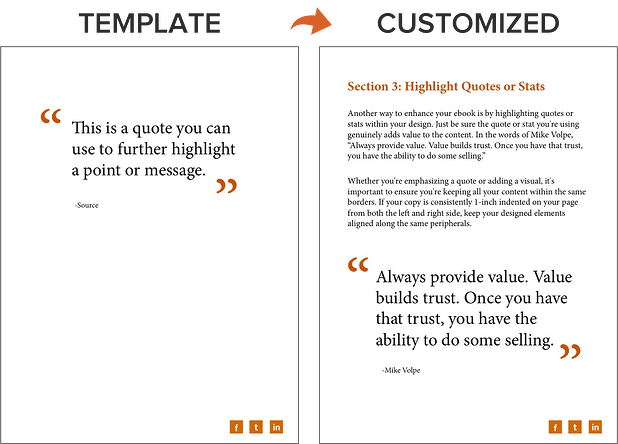
Step 8: Place Appropriate Calls-to-Action Within Your Ebook
Now that your content is written and designed, it’s time to optimize it for lead generation, reconversion, and promotion.
Think about how you got here — you clicked on a call-to-action (CTA) in an email, on a social media post, or somewhere else. A CTA is a link or visual object that entices the visitor to click and arrive on a landing page that will get them further engaged with your company. Since your ebook readers have probably converted into leads in order to get their hands on your ebook to begin with (more on this in Step 2 below), use the CTAs within your ebook to reconvert your readers and propel them further down your marketing funnel.
For instance, a CTA can lead to another offer, your annual conference’s registration page, or even a product page. Depending on what this next action is, CTAs can be an in-line rectangle or a full page teasing the next offer (see both images below).
To hyperlink the CTA in your ebook (or any image or text in your ebook) to your destination URL, simply go to Insert >> Hyperlink in PowerPoint.
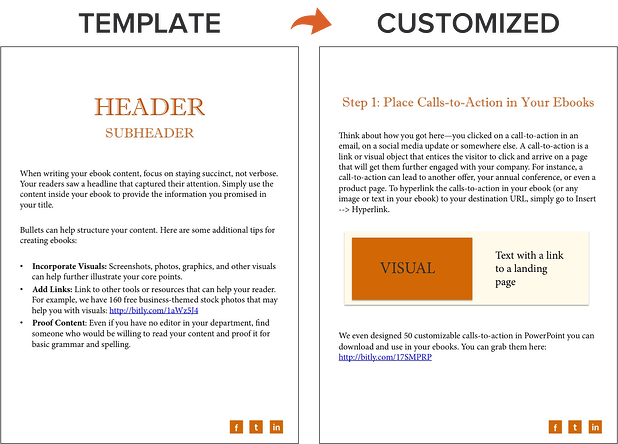
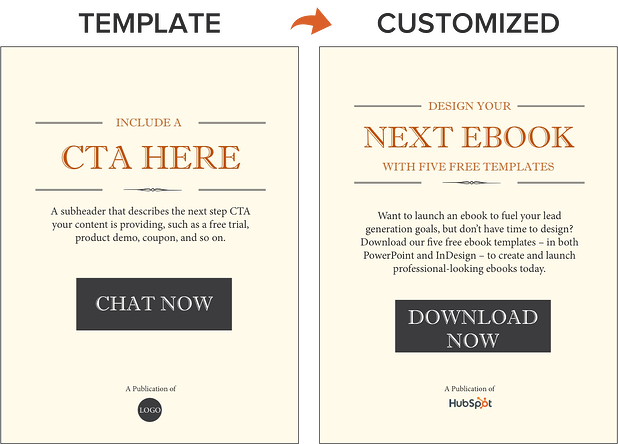
We’ve even designed 50 customizable calls-to-action in PowerPoint you can download and use in your ebooks. You can grab them here.
Now, we don’t have a dedicated CTA template slide in the PowerPoint ebook templates for you to customize … but it’s still simple! All you have to do is duplicate slide four (the Header/Subheader slide) and customize copy or add images as needed. You can also go to Insert >> New Slide and work from there.
Step 9: Convert It Into a PDF
Once you’ve finished writing your ebook — CTAs and all — it’s time to convert it to the right file type so it’s transferrable from you to your recipient.
To convert your ebook to a PDF, click File >> Save As in the ebook template you have open. Under File Format, select PDF and select a destination on your computer for this new file.
Why can’t you just attach what you have to a landing page and be done with it? Word documents, PowerPoints, and similar templates are perfect for creating your ebook, but not for delivering it. Because these templates are editable, the contents of your ebook are too easily corrupted, distorted, or even lost when moving from your computer to the hands of your future leads. That’s where PDFs come in.
You’ve seen these letters at the end of files before. Short for Portable Document Format, the .PDF file type essentially freezes your ebook so it can be displayed clearly on any device. A popular alternative to PDFs is the .EPUB file type. See a comparison of EPUB to PDF here.
Step 10: Create a Dedicated Landing Page for Your Ebook
Your ebook should be available for download through a landing page on your site. A landing page is a web page that promotes/describes your offer and provides a form that visitors need to fill out with their contact information in order to access your ebook. This is how you are able to convert your visitors into business leads that your sales team can ultimately follow up with.
For instance, you went through this landing page in order to access this ebook template. To learn more about how to optimize your landing pages for conversion, download this free ebook.
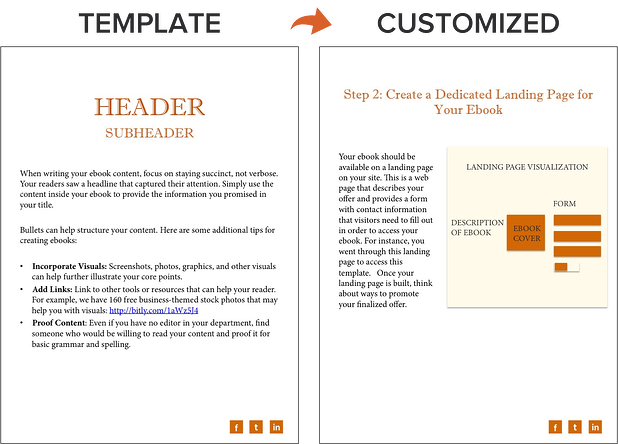
Step 11: Promote Your Ebook and Track its Success
Once your landing page is all set, you can use that destination URL to promote your ebook across your marketing channels. Here are five ways you can do this:
- Advertise your new ebook on your website. For example, feature a CTA or link to your offer’s landing page on your resources page or even your homepage.
- Promote your ebook through your blog. For instance, consider publishing an excerpt of your ebook as a blog post. Or write a separate blog article on the same topic as your ebook, and link to it at the end of your post using a call-to-action to encourage readers to keep learning. (Note: This very blog post is the perfect example of how to promote an offer you created with a blog post.)
- Send a segmented email to contacts who have indicated an interest in receiving offers from your company.
- Leverage paid advertising and co-marketing partnerships that will help you promote your ebook to a new audience.
- Publish posts to social media with a link to your ebook. You can also increase social shares by creating social media share buttons within your ebook, such as the ones at the bottom right of this ebook. Here’s a blog post that shows how to hyperlink them.
After your content is launched and promoted across your marketing channels, you’ll also want marketing analytics in place to measure the success of your live product.
For instance, you should have landing page analytics that give you insight into how many people downloaded your ebook and converted into leads, and closed-loop analytics that show how many of those people ultimately converted into opportunities and customers for your business. Learn more through HubSpot’s Landing Pages App.
And with that, we’ve built an ebook, folks! You can check out the packaged version of the example I built through this post here:
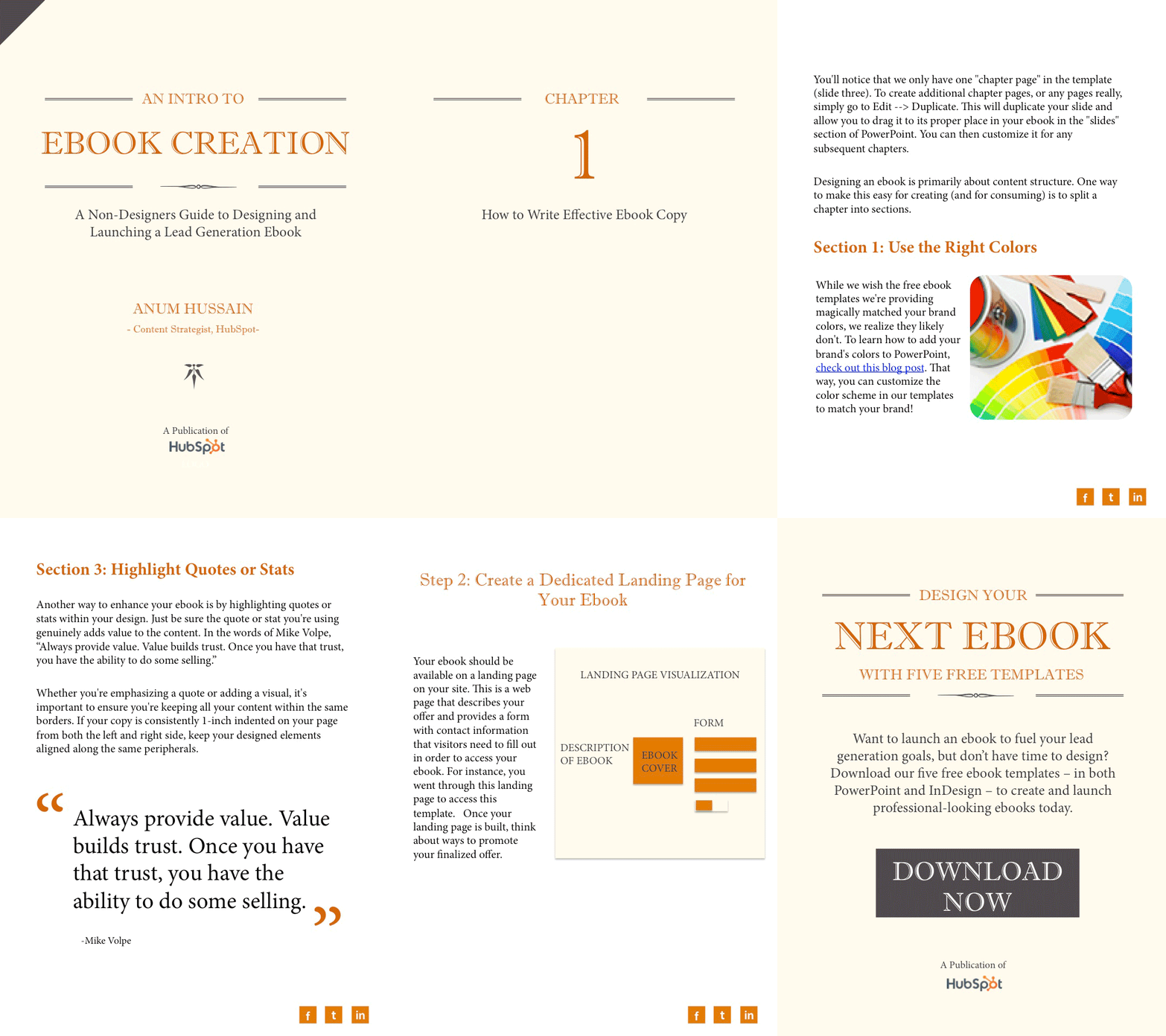
Ebook Creation Resources
- 5 Free Ebook Templates in PowerPoint and InDesign [Free Download]
- 13 More Customizable Ebook Templates in PowerPoint [Free Download]
- Data Visualization 101: How to Design Charts and Graphs [Free Download]
- How to Easily Turn Blog Posts Into an Ebook [Blog Post]
- A Simple Guide to Creating Social Sharing Links for Your Ebooks [Blog Post]
Do you have any other tips or resources for making ebook creation easier? Apply them to your content marketing strategy. I’d be remiss not to admit every company’s ebook will come to fruition differently. It all depends on the needs of your brand.