
Thanks Live Chat, Messaging Will Take It From Here
Automation is a funny thing. Too little is the enemy of efficiency. Too much kills engagement.
Think about email. Automated email nurturing campaigns were the answer to individually following up with every single person who downloaded a piece of content from your website. In the name of efficiency, marketers queued up a series of emails via workflows to automatically deliver ever-more-helpful content and insights, gradually increasing the person’s trust in the company and stoking the flames of their buying intent. If at any time they had a question, they could respond to the email and get routed to a person who could help.
But as the number of inbound leads skyrocketed, this system became untenable. The dreaded noreply@company.com address was the solution for scalability. Over time, this set the expectation with buyers that marketers didn’t want to have a conversation with them via email.
Automation made us more efficient, but at the cost of relationships — ultimately defeating the purpose.
Then came live chat, and it felt like a revelation. Buyers were empowered to get answers to their questions in real time from a real person. Better yet, this interaction took place directly on the company’s website — where they were already doing their research.
We started using website chat at HubSpot in 2013. Over the past four years, live chat has facilitated countless conversations between curious prospects and our business. We even created our own live chat product — Messages — to help our customers adopt this model and serve their own prospects better, faster, and directly on the website.
But, just like what happened with email nurturing, at a certain point the system started to strain. According to our usage data, one in every 30 website visits results in a chat. For companies that receive thousands of website visits a day, trying to keep up is daunting.
And similar to how “noreply@company.com” frustrated buyers looking for information via email, customers are again the ones suffering when companies can’t manage the demands of live chat. Recent research found that 21% of live chat support requests go completely unanswered. Even if the buyer gets a response, they can expect to wait an average of 2 minutes and 40 seconds for it. I wouldn’t call this “live” — would you?
Responding slowly (or failing to respond at all) on a channel advertised as “live” is a contradiction in terms. Forcing customers to wait after we’ve set the expectation of immediacy is unacceptable. We can do better.
Today, we’re at the same inflection point we came to with email. What should companies do to accommodate the tidal wave of live chat conversations? Hiring an increasing number of chat coordinators clearly isn’t a scalable answer. But more importantly, apps like Facebook Messenger, WhatsApp, and Slack have changed consumers’ definition of a real time conversation (and also created the infrastructure to support them). If marketers are going to advertise “live” channels — and we must if we want to stay relevant — we need to step up and deliver.
It’s with this in mind that I assert the era of live chat is over. “Conversations” were once synonymous with website chat and incoming phone calls, but in the world of messaging apps and bots, the website is only one small piece of the puzzle. Buyers are thinking beyond the website, but most businesses aren’t.
Buyers’ New Expectations for Business Conversations
Website chat enabled buyers to have conversations with businesses like never before. It was a good start, but just that — a start. Similar to how inbound changed marketing, social changed content discovery and consumption, and conversational search changed SEO, messaging apps have changed how buyers expect to interact with businesses.
Why tether your prospects and customers to your website when they want to chat? Why force them to re-explain their question when they switch channels, or when chat coordinators switch shifts? Why make them wait until the next rep is available to get the information they need right now? This isn’t world-class marketing and customer service even today, and it’ll become even more archaic and frustrating in the years to come.
Think your buyers wouldn’t want to interact with your company via a messaging app? Actually, 71% of consumers globally are willing to use messaging apps to get customer assistance.
Even if your prospects fall in the “none of the above” bucket today, they won’t forever. Cutting the data by age foretells the inevitability of messaging apps in a business context over time: The majority of consumers currently between the ages 18 and 34 are willing to use Facebook Messenger or WhatsApp to contact companies for assistance.
When communicating with a business, today’s buyer expects that:
- Conversations happen where they are. That might be the website, but it could also be social media, or Skype, or Slack, or a messaging app.
- Conversations are portable. Regardless of where a conversation gets started, it should be able to be transferred to any other channel seamlessly. A thread kicked off on live chat should be able to be passed to Facebook Messenger or email without data loss or crossed wires.
- Conversations have context. Context shouldn’t leave with the person who fielded the initial inquiry. All of a customer or prospect’s historical interactions and information should be attached to a common record which populates instantaneously.
We need new technology paired with automation to live up to our buyers’ expectations and make these types of conversations a reality. On the technology side, live website chat is part of a conversation strategy, sure, but it can’t be the whole strategy. As for automation, marketers got it wrong with email, but we have the opportunity to get it right with chat.
Stop Chatting, Start Having Conversations
At HubSpot, we’ve always been about helping marketers and salespeople adapt to the ever-changing modern buyer. It’s time, once again, to step up and serve our prospects and customers the way they expect — and deserve — to be served.
Fortunately, this is possible today with the right strategy. Businesses need to do the following three things to enable truly valuable conversations at scale:
1) Make it possible for buyers to have conversations with your business where they are.
Create a presence on website chat, messaging apps, social media — wherever your prospects might want to talk.
2) Add an automation layer with chatbots.
Set up bots that immediately respond on each channel (or even proactively kick off the conversation) and are equipped to answer common questions. This eliminates customers’ wait time and provides immediate responses for the majority of queries. Bots put the “live” in “live chat.”
3) Adopt technology that helps bots and human service reps to “tag team.”
When a complex question arises, the right technology can loop in a human chat coordinator, and provide a unified record of everything that’s happened in this interaction as well as the customer’s entire history. This way, the context never gets left behind in the handoff between bot and human, or the switch from one communication channel to another.
Marketing automation used to solely refer to workflows + drip email campaigns. Today, it’s much more than that. The new marketing automation is conversational technology + bots. This is automation that makes us more efficient, but more importantly, more effective for our customers. This is automation that creates relationships instead of frustration.
Today, we announced HubSpot’s acquisition of motion.ai — a platform that enables anyone to build and deploy bots across any messaging channel. With this acquisition, we not only hope to enable marketers, salespeople, and service folks to serve their customers better, faster, and with more context than ever before, but we also intend to create the “all in one” experience our customers have come to rely on.
The only constant in business and consumer behavior today is change — which I know firsthand can feel overwhelming. But you’re not in it alone. As your customers change, HubSpot empowers you to adapt to and surpass their expectations. As your business grows, we grow with you. And when new technology emerges, we build it into the growth stack so you can stay ahead of the curve without the headache of wrangling countless disparate apps.
Live chat is the standard today, but I think we should aspire to do better for our buyers. Now I want to hear from you. Do you think live chat in its current manifestation is dead? Is your company prepared to meet the expectations of today’s buyers, and the buyers of tomorrow?
Send HubSpot a note on Facebook Messenger. Tell me what you think the future of communication between buyers and businesses should be.
Let’s have a conversation.
How to Ask for a Promotion (and Have Other Tough Conversations With Your Boss)
Last year, my colleagues launched a tool called The Next Five to help people navigate through those times in their career where they’re feeling kind of stuck. You know — when you’re just not sure what the next step is on your career path.
And while many of us think about this stuff from time to time — and maybe even practice the speeches to go with them in the shower or in the car — I don’t think we often verbalize our thoughts on where we want our career paths to go, if we even know ourselves.
So, we did a little research to see how often people are actually asking for promotions, or talking with their managers about the next steps in their career paths. It’s pretty hard to find a ton of hard data on it — if you know of any, please send it our way — but we did find this: The Bureau of Labor Statistics reports that the average tenure for today’s worker is 4.4 years. If you focus on just younger employees, that number halves.
What’s more, 91% of workers born between 1977 and 1997 report going into new jobs with the intent of staying less than three years.
While it sure seems like a jumpy career path is normal, there’s more to be said about the importance of these career discussions. After all, if your manager or employer yourself, which would you prefer: helping your team progress internally, or having them leave for what seems like a better opportunity elsewhere?
And if you’re looking to have this conversation with your boss, keep that question in mind. To help you get the conversation started, let’s take a closer look at why they matter and how you can get the most out of them.
Why Ask for a Promotion? Do Career Path Conversations Even Matter?
Some workplaces look at job-hopping as a phenomenon we just need to accept in this day and age. And they’re probably right … to an extent. I don’t think many industries should expect to return to a time when people stayed at companies for decades. But we might be able to find more longevity out of our roles than we do right now.
Quite frankly, job-hopping sucks for more than just the organization that has to rehire and retrain someone every couple years — it sucks for the employee, too. Yes, maybe they get promotions and raises — in fact, it’s not an uncommon way to make your way up the career ladder. But it also means taking a risk, adjusting to a new team and a new manager — possibly finding out one or both of those are a poor fit — and figuring out the nuances of a workplace and job that you could end up hating.
Worst case scenario? You end up out of work at the end of all that, and you’re back on the interview circuit.
So I think it behooves of all of us to have these conversations about what we want our career paths to look like with ourselves, and our managers. It helps us get closer to the work and life we want, and it helps clue our managers in on how to give it to us.
A Few Helpful Guidelines
Before we jump into the nitty-gritty of these conversations, let’s set some ground rules for how these conversations go. Keep these in mind before you launch a large-scale discussion about your career path.
- Think about your relationship with your boss. If you’re on good terms, great — chances are, the door is open and you can be candid about what you see for your career trajectory, or your confusion around it. The best managers are the ones who know how to create or find opportunities that combine your skills, interests, and challenges, so these are some things to outline before the conversation. However, if your relationship with your boss isn’t so splendid, or she’s just not in a decision-making position like this one, look higher. Figure out who the best person is to speak with, even if she works in a different department.
- Chat with colleagues who are changing roles. When someone on your team is leaving her role, knowing why can help you determine what you see for your own career path, and perhaps give considerations to possible changes that you didn’t otherwise think of. Plus, if she’s leaving a vacancy as a result, that might be an opportunity for you — find out what the true nature of the role is; then, determine the next steps for applying for it internally, if it’s a good fit.
- Be your own hiring manager. Many managers crave a sense of proactivity and the ability to solve problems independently from their teams. Remember what we said earlier about what makes a good manager? By figuring out some of these things yourself — like the types of opportunities that are a truly a strong combination of your skills and interests, as well as the team’s unmet needs — you might be able to create your own promotion and subsequent role. Explain why your idea checks off those boxes and meet with your team or boss to discuss it. But be sure to come prepared with a clear idea of what’s next, and how to plan to execute this development should it be approved.
What Elements Make Up an Effective Career Path Conversation?
I’m gonna put my money where my mouth is and talk about my own experiences with these conversations.
I’ve had career path conversations with many bosses — the last formal one was around March — but I’ve also held them with people on my team. Both have been awkward … sometimes. But both have been totally normal and non-cringe-inducing just as often.
When I look back at all those conversations at a macro-level, the good ones (whether they were about my career or my teammates’) all came down to three elements:
- Relationship
- Timing
- Forethought
1) Relationship
Technically, this shouldn’t matter. You should be able to have productive career path conversations no matter the manager-employee relationship. But it would be naive to think the relationship you have with your boss doesn’t play into how well these conversations go. That’s not to say the closer you two are, the better the conversations go — sometimes the closer you are, the harder it is to have frank conversations.
But the better you know each other, and the more ease you have talking with one another, the more likely you’ll have already sorted out communication styles that work. You’ll just know how to get from point A to point B with less pain and awkwardness, because you’ve done it before.
It also gives you the ability to “read the room,” so to speak. You can tell if something you said is being poorly received or misunderstood. Those soft skills matter when you’re talking about career paths because they can accidentally veer into uncomfortable territory and leave people feeling insecure if the communication is off.
If you don’t already have a strong working relationship, it doesn’t preclude you from pulling off a successful conversation. It just makes the next two items — timing and forethought — all the more important.
It also might help to run a few practice rounds with someone so you can make sure you’re clearly verbalizing what you intend. Former HubSpotter Katherine Boyarsky does this and can’t recommend it enough: “Have a mantra that you can repeat in your head during the conversation that helps center you if you go off on a tangent,” she explains.
Aim to be very clear, direct, and forthright with what you’re looking to do without putting the other party on the defensive.
2) Timing
There have been a few career conversations I’ve had in the past that were ill-timed. It didn’t turn them into an utter disaster, but they just didn’t seem to stick. The most common instances where the timing has been off in my experience have been:
- My boss didn’t know I wanted to have the conversation/I sprung the conversation on a team member in our 1:1. When it comes to talking about your career path, you can’t expect great results from a conversation in which half the people in the room are unprepared. Give everyone some time to think about this. After all, it’s a massive topic that has a lot of moving parts to consider.
- We tacked it on to the end of a meeting but didn’t have enough time to finish the conversation. Because your career path is such a massive topic, allot enough time to do it justice. I think career discussions are best when they take place over a series of conversations, so it’s alright if you just have a quick thought once in a while. But if you haven’t had this talk with your boss or employee yet (or it’s been a while), make a separate meeting dedicated to this, and only this.
- I could tell my boss was distracted due to other sources of stress. This is where that “reading the room” I mentioned earlier comes into play. Even if you’ve pre-planned a career path meeting, sometimes things come up that distract one or both of the participants. If you’re picking up on some body language — or spoken language — that indicates distraction, reschedule the meeting.
3) Forethought
A lot of this post so far has been a 50/50 thing — managers and employees should both be held accountable for this career path stuff. But when it comes to forethought, this lies largely on the employees’ shoulders. We need to think about what we want to do in our career. No one can tell us the answer to: “What do you want to do in five years?“
Sure, your manager, a mentor, or your family and friends can all talk you through that stuff, but it does come down to you to take ownership over the direction in which you want your career to go.
So, put some forethought into the ways your career path could take shape before broaching the subject with your manager. Some people tend to have really clear career goals, while others are a little more … floaty. That’s fine. If you find yourself in the “floaty” camp, here’s are a couple things to think about to get your brain going:
First, it’s okay to not know what you want from your career at all times. I tend to bucket my life in quadrants:
- Relationships (friends, family, love)
- Career (skill development, promotions, satisfaction from the work I’m doing)
- Hobbies (beach bumming, ghost stuff)
- Health (exercise, cooking, happiness, clean home)
Typically, not all of those areas of my life are banging on all cylinders at once. When life is going great, usually three — maybe only two — are rocking and rolling while the rest are in stasis for a bit. Sometimes, that thing that’s in stasis is your career. And that’s fine. You don’t need to be thinking about your career path all the time. But if you feel a general ennui, it might be that too many of those areas of your life are lagging — and one could very possibly be your career.
If that’s the case, ask yourself this …
What does the team look like today, versus a year from now?
First, think about this question hypothetically — assessing gaps that will need to be filled down the line, and aligning them with company goals. Then, talk to other leaders in the company and on your team about where they see the team going in a year, and what kinds of goals people might focus on in the future.
This is where your manager can help you, and where I have seen really successful (and non-awkward) career path conversations begin. If you can get a sense of what the organization’s needs will be over the next 12 months, you can start to see which of those needs you’re interested in helping fulfill — because even if your dream job is X, there’s not much anyone can do for you if the company’s investments are in Y.
Finally, remember that career progress comes from a lot of different places, and that progress is indicated by a lot of different things. It comes from skill development, networking, and aligning with projects that advance both personal and company goals. And all of that takes time.
If we want to benchmark our progress, we need to look at more than just promotions. Instead, we need to focus on whether we’re developing new skills, being given more responsibility and autonomy, putting ourselves in mildly uncomfortable situations that help us get better at stuff (hello, public speaking), working with new people in the organization, being asked for our opinion more often, or being pulled into meetings with people we respect and admire.
These are all really good signs of progress that are hard to formalize, but indicate you’re taking the right steps to get your career on the path you’re aiming for.
What Would an Expert Say About All of This?
I’m glad you asked.
That was all based on my experience — holding career path conversations with team members, and with my own manager. But let’s ask an actual HR professional who has spent a lot of time thinking about this stuff.
I talked to our Senior HR Business Partner Brianna Manning, and asked her for the advice she would give someone who was struggling to hold productive conversations about career advancement. She echoed two of the sentiments we’ve already talked about — preparation, and giving a heads up that you want to have this conversation. One point in particular Manning shared regarding preparation is the importance of establishing career trajectory dialogue from the beginning of your relationship together:
“If your manager is well aware of what direction you want to take your career, they can purposefully plan on assignments and projects that help set you in the right direction. In fact, if you want to follow your manager’s path, specifically, you should be direct and let them know that. Ask them to lunch to talk through their challenges, and learn what kinds of projects they took on to help get the skills they needed for the role.”
If you feel unsure of how to start that conversation because you don’t have that solid relationship yet, she provided some sample language that helps make it less intimidating:
“Try opening with something like ‘I learned about this really great resource to help us make the most of our 1:1s and layer in some career development focus — would you be open to trying it?’ or ‘I want to make sure we bake in time for communication around career development in our 1:1s, can we set aside five minutes for that on the agenda on a weekly basis?'”
But Pierce hit on one other important point in initiating these conversations I would be remiss to gloss over: You have to build trust and credibility to have productive career conversations.
It’s really difficult for your manager to focus on your career path if you aren’t succeeding in your current role. Make sure you’ve got a handle on your responsibilities before setting your sights on the next thing. In some cases, it might be wiser to focus on the “now” of your career path rather than the next turn down the road. As Pierce put it:
“If you demonstrate that you always deliver on current responsibilities, and always try to go the extra mile, you’ll build credibility and trust around your own personal brand. This will open doors for you. Just remember that it all takes time. It can’t happen overnight.”
She emphasized that credibility also comes from owning the follow-through on those career conversations. If your manager has opened up some doors for you, make sure you own your progression by nailing those stretch assignments, introductions, or whatever it is you’ve been given an opportunity to shine doing.
What Should You Expect to Get From These Career Path Conversations?
If you’re expecting a specific result out of one conversation, you’re setting yourself up for failure. You wouldn’t expect your manager to come in and dump a promotion on your lap, so you shouldn’t expect to solve your career destiny in one swoop.
In order for those doors to open, all relevant parties must be envisioning you in a certain role for a few months, at least.
I would say the best results typically come from people that think about their career path often, and have frequent — whether formal or informal — conversations about it.
Most of all, those with the most interesting paths tend to just keep an open mind about the different, jagged, very weird ways we all make our way through our careers.
Need help doing a little soul-searching? Take a few minutes to check out The Next Five.
6 Interview Questions to Assess Emotional Intelligence
Despite what you might have come to beleive after sorting through the internet’s seemingly bottomless slew of articles on the subject, emotional intelligence is more than just a buzzword.
The ability to empathize with others, build lasting relationships, and manage emotions in a healthy way has been proven time and time again to be one of the biggest indicators of workplace and interpersonal success.
Emotionally intelligent individuals can more easily adapt to new environments and relate to new colleagues and clients — crucial skills for anyone working at a marketing agency. People with low levels of emotional intelligence might have difficulty managing relationships and dealing with stress, which could lead to burnout or bigger conflicts down the line.
Among employees who fail to meet expectations during their first 18 months on the job, 23% fail due to low emotional intelligence. That’s the second most prevalent reason new hires fail, following only general lack of coachability.
We know gauging a candidate’s emotional intelligence is pivotal when it comes to hiring the best new talent — but can something so complex be sufficiently evaluated in a brief interview setting?
Some candidates have mastered the ability of seeming emotionally intelligent — responding instantaneously with practiced, too-good-to-be-true responses to classic interview questions, e.g.:
What’s your greatest weakness?
Well, I just care too darn much about my work.
To help you sift through the rehearsed responses and dig deeper into a candidate’s real level of emotional intelligence, we’ve put together the following list of interview questions. Learn what to ask below and how to identify an emotionally intelligent response.
6 Interview Questions to Assess Emotional Intelligence
1) Can you tell me about a time you tried to do something and failed?
Asking a candidate to explain a failed project is not only a great way to see how they cope when things don’t go as planned, it’s also an opportunity to see whether or not they’re comfortable taking full responsibility for their actions.
Look for a candidate who can straightforwardly describe a recent failure without shirking the bulk of the blame on other parties or unfortunate circumstances. Even if some external factors played a hand in the mishap, you want a candidate who is comfortable being held fully accountable, and can discuss even the nitty-gritty details of a failed project with fair-minded focus.
Does the candidate seem like they were able to fully bounce back from the issue without getting defensive? Emotionally intelligent individuals possess an inherent self-confidence that can buoy them through setbacks and lets them assess troubling situations objectively, without harsh self-judgment or resorting to outward frustration.
Be wary of candidates who fixate too much on who or what they blame for the failure. When a project doesn’t work out, the key takeaway shouldn’t be based on blame. Emotionally intelligent people know how to move on and examine a situation without bitterness or resentment clouding their judgment.
2) Tell me about a time you received negative feedback from your boss. How did that make you feel?
One of the most easily recognizable qualities of an emotionally intelligent person is their ability to deal with criticism. People with high emotional intelligence are well-equipped to handle negative feedback without losing stride. They can process even unexpected feedback without letting it damage their self-worth.
That’s not to say negative feedback has no emotional impact on emotionally intelligent employees. People with high emotional intelligence experience emotions like everyone else — they just know how to fully process those emotions with a level head and a clear focus on the facts.
Look for a candidate who can specifically describe the feelings they experienced upon receiving negative feedback, e.g.: “At first I was surprised and a little frustrated by my manager’s comments on the project, but when I looked deeper into the reasoning behind her comments, I realized that I could have definitely given more attention to several key areas. On my next project, I was able to use her feedback to develop a more well-rounded approach.”
A response that acknowledges the specific emotions they experienced and shows an empathic understanding of their manager’s point of view indicates a high level of emotional awareness.
Candidates who say they felt “bad” or can’t really express why the feedback affected them might be less emotionally intelligent. Similarly, if a candidate thinks the feedback was wholly undeserved and doesn’t attempt to understand their manager’s point of view, they might have difficulty stepping outside of their own perspective.
3) Can you tell me about a conflict at work that made you feel frustrated?
Everyone gets frustrated sometimes. It’s how you handle that frustration that really matters.
Hearing how a candidate explains a work conflict can offer some valuable clues into their level of emotional intelligence. Conflicts can stir up a lot of difficult emotions, and asking a candidate to describe a dispute and how they dealt with it can give you meaningful insight into how they manage their emotions and empathize with others.
According to psychologist and author Daniel Goleman, emotionally intelligent people have four distinguishing characteristics:
- They were good at understanding their own emotions (self-awareness)
- They were good at managing their emotions (self-management)
- They were empathetic to the emotional drives of other people (social awareness)
- They were good at handling other people’s emotions (social skills)
All four of these characteristics are put to the test in conflicts situations. Emotionally intelligent people will be able to explain a conflict situation clearly and objectively, giving a specific run down of how they felt at the time, how they managed those feelings, and how they used social cues from those around them to inform their decisions.
As they explain the conflict situation, consider the following four areas:
- Can they clearly articulate the emotions they experienced during the conflict? (self-awareness)
- Were they able to move past any negative emotions and work towards a resolution? (self-management)
- Do they seem aware of the other person’s motivations and challenges? (social awareness)
- Were they able to mend the relationship and move past the conflict? (social skills)
4) Tell me about a hobby you like to do outside of work. Can you teach me about it?
Ask the candidate to explain one of their hobbies to you as if you know nothing about it. It can be anything — golf, horseback riding, cookie jar collecting — anything they’re interested in and willing to share details about.
As they explain the hobby, prompt them with questions that force them to simplify, re-explain, and change their communication style to suit your clear lack of understanding. See how they react. Are they getting flustered or frustrated? Are they quick to adapt their communication style to meet your needs?
Emotionally intelligent people remain patient and calm when faced with a communication challenge. They can easily read social cues when their message isn’t clearly getting across, and will deftly pivot their approach to meet the needs of their audience.
5) What would your co-workers say is the most rewarding thing about working with you? What about the most challenging thing?
It takes a deep, well-developed sense of self-awareness (and humility) to recognize what really makes you tick. To gauge how well candidates understand their own strengths and limitations in the workplace, ask them to explain how they think others perceive their positive and not-so-positive qualities.
The question is likely to catch some people off guard, but look for candidates who appear comfortable offering up frank commentary without making excuses or immediately invaliding their co-workers’ perceived criticisms.
6) Can you tell me about a time you needed to ask for help on a project?
Emotionally intelligent people are self-confident without being overconfident. They have a realistic understanding of their own strengths and limitations, and they aren’t afraid to admit what they don’t know. They know that asking for help and collaborating with others is a sign of strength, not weakness.
Be wary of candidates who seem hesitant or embarrassed to admit they need help sometimes. Look for someone who can confidently discuss a time when they sought the help of a colleague due to a gap in their knowledge of a subject.
Emotionally intelligent people will be transparent about their weak points, and will show a real drive to better themselves by collaborating and using all the resources available to them.
How to Create a Pillar Page
Like the magnificent architectural wonders that hold up The Pantheon in Rome, pillars will help you hold up your blog’s architecture, too.
You have to build them yourself — but we promise it takes less time and effort than building them from marble or concrete.
In this blog post, we’ll dive into everything you need to know about pillar pages — how they fit into the new topic cluster strategy we’re advocating, what they can achieve for your blog’s results, and how to actually create one.
What Is a Pillar Page?
Pillar pages help organize your website and blog content architecture according to the changing ways people are now searching for information.
These unique blog posts or site pages are comprehensive guides to a particular topic you’re trying to rank for in search. So, where you might have 20 different blog posts about different aspects of using Instagram in your marketing, a pillar page is an overview guide to all aspects of a particular topic. Then, all of the different blog posts about different aspects of Instagram marketing link back to the pillar page to show readers a route to learn everything they need to know.
By creating pillar pages, you can organize your site architecture to help visitors get answers to their questions and quickly and easily as possible. And that’s more important than ever — because the way people are searching for content is changing.
(But before we dive into why creating pillar pages is so important, learn more about how to define a pillar page in this blog post.)
Why Create Pillar Pages
Like we said before, the way people search for information has changed, and pillar pages are part of the topic cluster model that help your content strategy adapt to this change — and, hopefully, rank higher in search.
Thanks to voice search devices like Siri, Cortana, and Alexa, search queries are becoming longer and more conversational.In fact, 64% of searches are made up of four words or more, and 20% of Google searches are now conducted via voice. So instead of typing into a search bar “how to use Instagram,” you might instead ask your device, “what’s the best way to use hashtags on Instagram?”
Additionally, Google’s search algorithm is doing a better job at providing the exact information searchers are looking for through the mountains of content out there, thanks to advances in machine-learning and semantic search. Google is even better at understanding exactly what you mean when you type in a query and serving results that best answer that question.
And due to these changes, it’s important to organize your blog according to topic clusters — where one topic is anchored by a comprehensive pillar page that links to more in-depth blog posts about specific aspects of that topic.
That way, your pillar page will start ranking in search for the particular topic you’re focusing on, which will help other blog posts rank as well — the expression “the rising tide lifts all ships” applies here. Instead of writing blog post after blog post focusing on different keyword variations of the same topic, you’ll have an organized site infrastructure made up of one pillar page and specific, in-depth blog posts that address content gaps about the topics.
In this model, your blog content is more organized for the reader to jump from post to post learning more about a topic, and your URLs don’t compete with each other for the same long-tail keyword — because they’re all ranking for the same broader topic.
To visualize what this new model looks like, here’s what HubSpot’s blog infrastructure used to look like:
And here’s what our blog looks like now, using the topic cluster strategy:
We know it’s tough to think about keywords differently — after years of creating blog content dedicated to ranking for specific long-tail keywords, we feel your pain. This strategy doesn’t advocate for the abandonment of keywords as a strategy — it just calls for focus on topics so you can choose the keywords you base blog posts on more effectively.
(Psst — you can read more about this in our in-depth research report about topic clusters.)
How to Create a Pillar Page
Now that you understand all about pillar pages — and why you should be creating them — here are the key steps to creating a successful one.
1) Choose a topic.
The first step in this process is focusing on topics, and not keywords. At least at first.
Determine who your audience is using buyer persona research, and figure out what they’re searching for, which will determine how broad to make your pillar page. You want the topic of a pillar page to be broad enough to write a pillar page and come up with several more specific keywords related to the broader topic.
In our case using the earlier example, “social media” was too broad of a topic, but “Instagram marketing” is sufficient to create a pillar page and 20-30 related blog posts — HubSpot’s gut-check number for determining if a topic is broad enough.
2) Write (or designate) a pillar page.
Now, it’s time to make your pillar page. You might already have a comprehensive blog post that you can adapt into a pillar page, or you might need to write a comprehensive guide to your topic from scratch. Either way, there are a few key elements HubSpot Staff Writer Aja Frost suggests you include:
- A definition of the topic or term you’re covering somewhere in the first section
- A bulleted or numbered table of contents
- A more specific topic-related keyword in each of your subheadings
- Content that provides an overview (but not an exhaustive one) of the subtopics discussed on the pillar page (those will make up new blog posts later)
3) Choose keywords.
Once you’ve nailed down your pillar page, it’s time to do some good old-fashioned keyword research — within the bigger umbrella of the specific topic you’re targeting. Choose keywords with a lot of search volume that cover different aspects of the topic, and use those to build your working titles.
4) Start writing.
You already know how to do this — so you can breathe a sigh of relief. Now it’s time to write blog posts based on specific keywords within your topic cluster — making sure to link them to your pillar page to create a streamlined reader experience and help all of your content rank higher in search engine results pages.
The 27 Best Instagram Accounts for Design Inspiration
Instagram has become a finely curated destination for gorgeous photos, videos, and visual content that all clamor for the best Likes and comments. It’s as if the urge to visit a modern art museum can now be satisfied from the comfort of our own homes — or bus seats, or lunch breaks.
That is, if you follow the right people. As social media generally provides a platform for individuals to become brands, so it goes for the artists and designers who have found Instagram to be a method of building a miniature, digital art gallery — a social portfolio, if you will.
And as for the people seeking remarkable design work? Jackpot.
But to help you narrow your search, we’ve done a bit of our own curation of the best Instagram accounts to follow for design inspiration. We’ve broken the list down by category: illustration, graphic design, pop art and installation, color palettes, street art, photography, typography, and calligraphy — although, you might notice that some of the work below could fall onto more than one list. notice some of their work could fall into a number of different lists.
Check out how these artists are sharing their work with the world — we’re sure you’ll find them as inspiring as we do.
The 27 Best Instagram Accounts for Design
Click on a category below to jump to that section:
- Illustration
- Graphic Design
- Pop Art & Installation
- Color Palettes
- Street Art
- Photography
- Typography
- Calligraphy
Illustration
1) Steve Harrington: @s_harrington
Steve Harrington is a Los Angeles-based designer who describes his own style as having a “psychedelic-pop aesthetic.” His Instagram is full of his brightly colored, playful illustrations, many of which he’s created for brands — most notably Nike, for which he’s designed sportswear, including shoes.
2) Rachel Ryle: @rachelryle
Rachel Ryle is an illustrator, an animator, and a storyteller — and she combines all three on her Instagram account. Most of her posts are beautiful, clever, and often super cute stop-motion videos like the one below. She told Mashable that each animation takes 15–20 hours from the beginning concept to final editing, on average. If you like her work, Instagram is the place to follow her: It’s her most dedicated channel for showcasing her work.
3) Mikey Burton: @mikeyburton
Mikey Burton, based out of Chicago, calls himself a “designy illustrator” — his way of saying he works part time in both. Burton has done work for clients like Converse, ESPN, Target, The New York Times, TIME Magazine, and Esquire. He’s been working on a lot of editorial pieces lately, which he posts proudly on his Instagram — along with other, often-whimsical illustrations both as sketches and as final, published projects.
4) Jamel Saliba: @melsysillustrations
Jamel Saliba, a.k.a. Melsy, is equal parts artist and entrepreneur, having quit her job in her mid-twenties to become a successful, full-time fashion illustrator. Her sketches are beautifully done and cover themes like fashion, friendship, and love — all in the style of contemporary chic. Since her initial success on Etsy caught the eye of consumers and brands alike, Melsy’s done client work for Hallmark, T.J.Maxx, and Home Goods.
On Instagram, she posts a combination of illustrations added to her portfolio, as well as those celebrating events or holidays, like the illustration she posted for Halloween.
Graphic Design
5) Neil A. Stevens: @neil_a_stevens
Neil A. Stevens specializes in poster design, and he’s particularly good at creating sharp, dynamic pieces. He’s created posters for many cities and countries around the globe, including a handful for the Tour de France.
6) Hey Studio: @heystuxdio
Hey Studio is made up of three designers: Ricardo Jorge, Veronica Fuerte, and Mikel Romero — and is one of Spain’s most popular graphic design studios. A lot of their work features stunning geometric shapes, which they post to their Instagram account in combination with pictures of their team during the creation process (and when they’re just fooling around).
Tip: Shuffle through the entire carousel of images in the post below to see the full dimension range of work.
7) Luke Choice: @velvetspectrum
Luke Choice is an Australian living in New York whose work covers graphic design, illustration, and typography. His style is very colorful and very unique — I especially love the 3D illustration work he does, some of which are crazy cool animations. Check out his Instagram feed to see his latest work, from his own personal projects to collaborations with brands like Nike.
Pop Art & Installation
8) Jessica Walsh: @jessicawalsh
I’m so inspired by Jessica Walsh, both as a designer and as an entrepreneur. She joined the design firm Sagmeister & Walsh, Inc. at age 23 — back when it was just Sagmeister, Inc. Two years later, the firm’s founder Stefan Sagmeister took her on as a partner when she was only 25, and the firm eventually became Sagmeister & Walsh. They’ve designed work for very high-profile clients, such as Levi’s and HBO.
Walsh’s Instagram account is a gorgeous display of her own work, the firm’s, and design inspiration from others.
9) Daniel Aristizábal: @darias88
Colombian Digital Artist Daniel Aristizábal’s talent is transforming regular, everyday objects into surreal, colorful renditions that are full of character. His work is “saturated with science references, retro hues, strange imagery, bold geometric patterns, and a playful sense of the absurd,” reads his SkillShare bio.
Follow him on Instagram for a peek into how he sees the world, including the collaborations he’s worked on with clients like Toy Nail Polish and Refinery29.
10) Dschwen LLC: @dschwen
Dschwen LLC is a creative studio based in Minneapolis that employs collaborative designers throughout the United States. Their design projects are created mainly for brands — including some big names like Amazon, Apple, Juicy Couture, General Electric, Uber, Twitter, and more.
They’ve won a plethora of awards, including a Design Gold at Cannes Creativity Festival for the second image below, “traffic cone in disguise,” which they created for Twitter and Niche. Their Instagram page is chock full of creative, surprising, and clever designs — including some sweet animations.
11) Leta Obierajski: @letasobierajski
Leta Obierajski is a New York-based art director and graphic designer with an eye for bright colors, angles, and curves. What I like about her Instagram account in particular is that she writes descriptive Instagram captions that give her followers a behind-the-scenes look at her thoughts and processes, making for an incredibly interesting read.
For example, in her caption for the image below, she describes her collaboration with a fellow designer on this installation for local restaurant Le Turtle:
Color Palettes
12) Design Seeds: @designseeds
The folks behind Design Seeds’ Instagram account do a wonderful job of showing their followers just how important color schemes are to beautiful design. They use Instagram to create color palettes inspired by images submitted to them on Instagram using the #SeedsColor hashtag. This is a fun way to share their passion for nature’s beauty while encouraging engagement.
13) Canva: @Canva
As a design tool, it makes sense that Canva’s Instagram account would be centered around design. Not only do they post gorgeous photos and design work, but I especially love their color palette series, where they create color palettes based on photos, much like Design Seeds.
As an added bonus, they include the names and hex codes of each color and prompt their followers to punch the hex codes into their Canva color wheel to use them in their own designs.
Street Art
14) Jaime Rojo: @bkstreetart
Jaime Rojo isn’t a street artist; he’s a photographer of street art. One of his goals, which he articulates on his website, is to photograph new public art, street art, graffiti, and urban art as they’re created, not just in Brooklyn, but all over the world (thanks to a partnership with Urban Nation Berlin). He keeps an eye on developing trends and strives to lead a worldwide conversation about how these trends affect popular and art culture. His Instagram is a live collection of his photographs, in which he credits and tags the artist when known.
15) Biafra Inc.: @biafrainc
Biafra Inc. is an anonymous Minneapolis-based street artist who creates his work via spray paint, screen printing, stencils, stickers, and posters. As he tells it, his work is often “a visual retelling of stories that are apart of his life.” As a self-proclaimed news junkie, he also incorporates socio-political themes in his work from time to time. His Instagram account is an inspirational showcase of his work in a variety of urban environments all over the Midwest.
16) Fumeroism: @fumeroism
“My art is an extension of my character, bold and uninhibited, assertive and unorthodox.” That’s how anonymous street artist Fumeroism describes his colorful, expressive, contemporary street art. His designs are often caricatures of real subjects, like his portrait of fellow street artist Sebastien Waknine in Barcelona in the image below. Follow Fumeroism on Instagram for colorful, bold, and energetic street art in locations all over the world.
17) Banksy: @banksy
Unsurprisingly, the famous British street artist Banksy often goes for long peiods of time without posting to his Instagram account. And yes, it is his official account — Banksy’s publicist Jo Brooks confirmed it in a tweet:
@hookedblog Hey Mark that IS the official instgram account and the only official account
— Jo Brooks (@brightonseagull)
February 25, 2015
But when he does, it’s not something you’ll want to miss.
For example, in February 2015, after almost a year and a half of nothing new on Instagram, Banksy posted a caption-less photo to his Instagram account of a brand new, never-before-seen piece of street art that Paste Magazine theorized appeared to be “done over a door. The location has not been discovered or revealed as of yet.” Follow his account to scroll through some of his great work and to stay in the loop in case a new piece appears.
Photography
18) VuThéara Kham: @vutheara
When it comes to beautiful photography, there are a whole lot of Instagrammers to choose from. One of my favorites is Paris-based photographer VuThéara Kham, who actually started his career on Instagram and became quite popular in the Instagram community. Follow his Instagram account for gorgeously framed photos of Paris’ (and other European cities’, as per below) landscapes and people.
19) Hiroaki Fukuda: @hirozzzz
Instagram is actually the basis of Hiroaki Fukuda’s photography career, which is why his posts on there are so darn good. Like Kham, Fukuda started as an Instagram hobbyist in Tokyo and ended up gaining a huge following.
When big brands caught wind of his talent and began hiring him for different projects, he became a full-time Instagrammer. Now, he travels all over the world taking photos for companies like Nike and Christian Dior. Side note: He told CNN in an interview that he likes when people comment on his photos … so comment away!
20) Dirk Bakker: @macenzo
Although Dirk Bakker is an Amsterdam-based graphic designer, he likes to take photographs of art, design, and architecture — and post it to his Instagram account. He has a keen eye for taking something “normal” — like cranes or a staircase — and transforming it into a stunning image with a great sense of depth. He’s especially talented at capturing repetitive patterns like lines, geometric shapes, forms, and colors, making for striking images with strong visual impacts.
21) Max Wanger: @maxwanger
Max Wanger is a Los Angeles-based photographer who specializes in portraits, including wedding photos. His Instagram posts are a combination of his personal photography and the work he’s done for clients. What I love about his photos is that they have a romantic, personal touch, and often make beautiful use of negative space.
Typography
22) Erik Marinovich: @erikmarinovich
Erik Marinovich is a lettering artist and designer and an entrepreneur. In addition to drawing letters, logos, and type for big brands like Nike, Target, Google, Facebook, Sonos, and Sharpie, Marinovich has also co-founded Friends of Type, a collaborative blog and shop, and Title Case, a creative work space that runs workshops and lectures. His Instagram account is a great showcase of his impressive lettering work, from branded design work to impressively cool doodles.
23) Ahda: @misterdoodle
Ahda, the man behind the Mister Doodle pseudonym, is a hand letterer who’s done design work for big brands like Element Skateboards, The Sunday Times U.K., Citizen Apparel, and more. His specialty is incorporating his beautiful, curvy hand lettering into shapes and illustrations. Check out his Instagram for photographs of his lettering work, including t-shirt designs and creative showcases of his projects alongside relevant props.
24) Cyril Vouilloz: @rylsee
Cyril Vouilloz, a.k.a. Rylsee, is a Berlin-based designer with a fun and experimental take on typography. His unique hand-drawn lettering work plays with lines and dimensions — and what makes his Instagram posts so cool is that many of them show his fingers “interacting” with his illustrations, enhancing the optical illusions in a way that’ll blow your mind a little bit. Browse through his crazy cool work on Instagram, and follow him to see what original artwork and distortions he comes up with next.
25) Arabic Typography: @arabictypography
Beautiful typography doesn’t just mean Latin letters. In fact, some of the most beautiful typography in the world comes from Arabic script. There are many features that make Arabic lettering so aesthetic: It’s written from right to left, it can include accents and dots or lines, and its letters can vary in shape depending on their position in a word.
The Arabic Typography Instagram account, run by Egypt-based Noha Zayed, is a collection of beautiful Arabic typography — from signage to street art to tattoos — that’s crowdsourced from all over the world.
Calligraphy
26) Seb Lester: @seblester
Artist and Designer Seb Lester is one of the most famous calligraphy artists on Instagram, with over one million followers (as of this posting). The vast majority of his posts are actually videos — and for good reason.
“So much of calligraphy is about movement and rhythm, and a short video can capture the beauty and the magic of calligraphy in a very Internet-friendly format,” he told The New Yorker. “Recurring words in people’s comments are ‘mesmerizing,’ ‘hypnotic,’ and ‘satisfying.’ For reasons I don’t fully understand, people clearly enjoy watching the process of something perceived as ‘perfect’ being made from start to finish.”
27) Lindsay Oshida: @lindsayoshida
Lindsay Oshida is a Los Angeles-based graphic designer who posts beautiful calligraphy work to her Instagram account. She gained a lot of attention on Instagram for her “Game of Thrones” quotes, which she posted once per day during the ten days leading up to the 2015 season premiere.
For example, she did her piece “Kill the crows” (the image below) in black letter with walnut ink, according to The New Yorker, and the black crows were sketched using a crow-quill nib — “a calligrapher in-joke.” She’s since posted quotes both from “Game of Thrones” and other popular TV shows, and claims other calligraphers have followed her lead.
We hope this list helped you find some new designers to follow. May your Instagram feed be much more beautiful for it!
13 Things You Should Never Say in a Job Interview
I never used to understand what people mean when they say that they “interview well.”
How was that possible? If you’re too prepared, your answers sound robotic, and if you’re too unprepared, you start most answers with a long sip of water to gather your thoughts.
Now, I understand (or at least, I think I do) what it means to interview well: Interviewing well is possible when you speak with confidence and competence about your experiences and your capabilities.
This is easier to accomplish when you apply for jobs you’re qualified for — I definitely wouldn’t come across as confident or confident if I applied to be a neurosurgeon. But once you’ve come across the perfect job opening and have an interview on the books, start thinking about yourself and how you’ll fit into the company, and the role — and the answers will flow naturally, without seeming rehearsed.
That being said, there are a few things you should prepare — what not to say. Below are 15 responses, questions, and words you shouldn’t drop in an interview — if you want to come across as confident and competent, that is. We’ll review what not to say, why not to say it, and what to say instead.
What Not to Say in an Interview: 13 Phrases to Avoid
1) “What do you do here?”
Why Not:
You should know the answer to this question already — because you thoroughly researched the company and your interviewer. Make sure you prepare for your interview by learning about who will be asking you questions so you can start an interesting conversation.
Instead, Say:
“I read that you helped launch a new product last year. How was that experience?”
Ask a question that shows you’ve done your research — and starts an interesting discussion.
2) “I’m really nervous.”
Why Not:
Confidence is a big part of preparedness, and the role you’re interviewing for will most likely require you to be decisive and confident so you can get things done. So don’t say you’re nervous — it will probably make you more nervous, and it won’t do you any favors with your interviewer, either.
Instead, Say:
“I’m excited to be here!”
It’s okay to feel nervous — just don’t say it. This phrase expresses what might be behind that nervousness — enthusiasm — and will (hopefully) help you relax a little bit.
3) “Um … “
Why Not:
Filler words like “um,” “like,” and “well” are a no-no. You have limited time in your interview to make a great impression, so use the time you have to speak eloquently and thoughtfully.
Instead, Say:
“That’s a great question … “
If you need to buy yourself some time to answer a question, start your answer with a phrase like this instead. It’s understandable if you need a moment to collect your thoughts, just use the right words to do it.
4) “[A lie.]”
Why Not:
As tempting as it might be to differentiate yourself from other applicants, don’t tell a lie in your interview that might come back to haunt you if you get the job. Whether it’s knowing how to use a certain software or familiarity with a social network’s ad platform, a lie could hurt you if the truth comes out later.
Instead, Say:
“I’m not familiar with that, but I am experienced in …”
It’s okay if you don’t know how to do or use something your interviewer asks about — after all, learning on the job is a real thing. If you run into this question in an interview, pivot to something you do know how to use that’s related — and note that you’re excited to learn more.
5) “I grew our blog traffic a lot.”
Why Not:
If you’re going to toot your own horn, make sure you have some data or evidence to back it up. Anyone can say they excelled in a previous role, but numbers or examples will make you stand out to your interviewer.
Instead, Say:
“Over the course of two years, I grew blog traffic by 150%.”
If you don’t have numbers to use, you might consider leaving out this tidbit — or using qualitative data to toot your own horn instead. “Customers said it was one of the best events with the company they had ever attended.”
6) “I hate my job.”
Why Not:
You’re interviewing for a new job, so obviously your current role isn’t perfect for you. There’s no need to editorialize your reasons for seeking a new role with complaints or bad-mouthing — it makes you seem immature, and it won’t curry you any favor with your interviewer, who, among other things, will be evaluating your emotional intelligence and maturity. Maybe you do hate your job, but don’t say it — instead, explain why you’re seeking a new opportunity.
Instead, Say:
“I like what I’m working on, but I’m ready to learn more about inbound marketing by taking on a new challenge in a content creation role.”
Say what you like about your current role, but frame your desire to seek a new role as an interest in learning more, taking on a new challenge, or expanding a skillset.
7) “My boss is the worst.”
Why Not:
Just like the previous question, it’s critical that you don’t speak ill of your current role or your current team when discussing why you want to pursue a new role. It’s immature and petty — not to mention, your interviewer could be your boss if you get the job. They might not be interested in hiring someone who might turn around and speak ill of them in a future interview.
Instead, Say:
Nothing.
Seriously, don’t say anything personal about your current boss. You could offer an answer like, “It’s challenging to hit goals when leadership priorities are constantly changing,” but honestly, we don’t recommend saying anything that could be perceived as a personal slight.
8) “I don’t know.”
Why Not:
It’s okay to not know the answer to a question, but don’t leave it at that! Make sure your answer acknowledges a gap in your understanding in a way that still gives you authority.
Instead, Say:
“I’m not certain of the answer, I’d need to dig into more data from the email marketing team to know for sure.”
Sometimes, interviewers will spring questions on you to test your on-the-spot critical thinking skills. If you can’t answer the question, at least demonstrate how you’d figure it out if it happened to you in the role.
9) “My greatest weakness is that I’m a perfectionist.”
Why Not:
Self-compliments disguised as critique make my eyes roll so hard. Your interviewer has heard every one of these in the book, so don’t try to trick them into thinking your “greatest weakness” is anything but a special skill on your resume.
Instead, Say:
“My greatest weakness is public speaking, something I haven’t had many opportunities to do in my current role, so I’m hoping to expand on those skills working with a bigger team at this company.”
Be honest and use a real weakness — but make sure you caveat that with what you plan to do to make it a strength, whether that’s by taking a class or by simply practicing.
10) “Sh*t.”
Why Not:
Even if your interview drops a profanity, and even if you know the company culture allows for F-bombs, it’s best to keep your first impression appropriate for all ages. Interviews are a formal setting, and if the role you’re interviewing for involves representing the company externally, your interviewer will want to know that you can rein in your vocabulary if it’s particularly profane.
Instead, Say:
Nothing. Don’t swear.
11) “What’s the salary?”
Why Not:
Don’t ask questions about salary, company policies, or benefits until you’ve been extended an offer. It’s a fair question to ask your recruiter, but don’t waste time during your interview — when you should be talking about skills you’d bring to the role — by asking about salary, work-from-home policies, or how many vacation days you’ll have.
Instead, Say:
Nothing. Wait until you receive an offer to ask specific company policy questions.
12) “I don’t have any questions.”
Why Not:
Come on! You need to come prepared with a final question when you’re inevitably asked this at the end of your interview. It shows that you’re engaged, interested, and that you’ve been paying attention to what your interviewer has said over the course of your time together.
Instead, Say:
“What do you wish you’d known before starting here?”
“What’s the biggest challenge about working in this industry?”
Ask an open-ended question based on what you know about your interviewer to learn more about the company culture or team priorities. This will be useful information for you, and it’ll help you end your interview on the right foot.
13) “When will I hear back about the role?”
Why Not:
When we say you should have a question at the end ready, we don’t mean this one. This is another question for your recruiter, not your interviewer — so don’t be too pushy.
Instead, Say:
“Thanks so much for your time, I really enjoyed learning more about you and the company.”
Or something along those lines. Be gracious, humble, and kind when signing off of your interview to leave your future new employer with the best possible impression.
The Internet Had a Busy Week. Here’s What You Missed.
The drama of this week’s Apple event is hardly over.
Despite many of the announcements having been leaked in the days leading up to it, the tech world is still positively a-Twitter about what was unveiled, and what will come of it.
Many are wondering if the iPhone 8 models are really that different from the iPhone 7. And even U.S. Senator Al Franken has joined the conversation, in his questioning of Face ID’s possible violation of privacy protections. (He actually makes quite a compelling point. Check out his letter to Apple CEO Tim Cook here.)
But hold the (i)phone, people. There was so much else that happened this week — and we’re not about to let it go unnoticed.
Uber’s Got Some ‘Splainin to Do
The Alphabet Lawsuit
Yes: Uber is currently in the throes of a lawsuit with Alphabet Inc., Google’s parent company. Let’s take a step back for a minute for a look at everything that led to this point.
Some Background
Back in 2016, Anthony Levandowski, an engineer for Alphabet’s self-driving division, left to create his own autonomous vehicle startup called Otto. A mere six months later, Uber acquired Otto to create its own internal self-driving department, which Levandowski would oversee.
But that was far from a happy ending. Not only was this move rumored to cause a high degree of contention among Uber’s executive leadership, but it would also result in some major litigation down the line.
This February, Google’s self-driving division — now called Waymo — filed a formal complaint claiming that Levandowski had stolen 14,000 files containing confidential intellectual property from Alphabet, prior to his departure. One of the biggest pieces of information within those files was something called the lidar, which stands for “Light Detection and Ranging.” It’s the technology at the core of all self-driving vehicles, which uses a combination of lasers and radar to sense movement. NOAA has used it for some time to sense movement on the Earth’s surface, but in this case, it’s used to detect things like pedestrians and surrounding traffic.
In other words: Lidar is unequivocally essential to self-driving technology. And it doesn’t come cheap — but Alphabet claims to have reduced the costs by 90% by vertically integrating its build-out. Uber allegedly had access to the details behind it, and Waymo filed an injunction against Uber to keep it from using this information.
The entire situation continued to escalate (Recode has a great summary of what happened up to April 2017), leading to even more accusations from Alphabet, Levandowski’s firing in May, and Uber’s then-CEO Travis Kalanick’s June resignation. Dara Khosrowshahi, previously at Expedia, formally replaced Kalanick as CEO in August.
Where We Are Now
Uber suffered some additional, significant blows this week. A federal circuit judge denied its request to move this case to private arbitration, and on top of that, the company was ordered to turn over a document that Alphabet has been trying to obtain almost since the mess began: a report prepared for Uber when it first began exploring the option of acquiring Otto.
Alphabet claims that what is now known as the “Stroz Report” (since it was prepared by Stroz Friedberg, a law firm specializing in cyber security) contains information that could be pivotal to its side of the case. It’s essentially a due diligence report that includes data captured from an interview with Levandowski, who has been exercising fifth amendment rights to remain mum throughout the ordeal. Much of what he is refusing to say, Alphabet believes, could exist in this document.
These developments have all surfaced among a leaked memo from Uber’s Chief General Counsel Salle Yoo confirming her imminent resignation, which New York Times tech reporter Mike Isaac tweeted:
memo here: http://pic.twitter.com/8m3aBEydwM
— ಠ_ಠ (@MikeIsaac)
September 13, 2017
This lawsuit is just one of many ongoing legal battles currently faced by Uber, including allegations that it tracked Lyft drivers to obtain competitive data, as well as high-level international bribery accusations. As Yoo said herself in the memo, after five years with the company, her work has become “incredibly hard.”
And Speaking of Self-Driving Cars …
Earlier this month, the U.S. House of Representatives passed the The SELF-DRIVE Act, which essentially approves the placement of self-driving cars onto public roadways. Since then, several parties have proudly announced their own movements in the autonomous vehicle space, including Samsung, who yesterday announced a €75 million (just over $89 million USD) investment in TTTech, a maker of digital safety platforms. The move is part of the overarching Samsung Automotive Innovation Fund, which will dedicate $300 million investment in autonomous vehicle technology.
It’s a move that shows an interesting dichotomy between the industries that are investing in self-driving vehicles.
There are the old-school automakers, like Ford (who invested $1 billion in Argo AI), General Motors (who invested $500 million in Lyft), and Volkswagen (who invested $180 million in Mobvoi).
Then, there are the tech sector players. In a somewhat bizarre turn of events, Bloomberg reported yesterday that Alphabet may be investing $1 billion in Lyft, as well. What’s especially odd, the story points out, is that Alphabet’s Google Ventures (GV) also has some stake in Uber, despite the ongoing Waymo battle.
Apple has also hinted at a delve into this type of technolog — CEO Tim Cook revealed to Bloomberg Television in June that the company would be “focusing on autonomous systems.” Check out the video of that interview below.
Samsung is hardly the first — or the last, we anticipate — of the tech giants to announce a throwing-of-its-hat into the self-driving vehicle ring.
More Trouble for Facebook
Following the September 6 revelations that Russian groups had purchased about $100,000 worth of politically-charged ads on Facebook, the social media platform yesterday announced it would further modify its ad guidelines to prevent targeting to hate groups.
When advertisers create targeted content, they’re able to do so by including interests in the criteria. ProPublica recently tested those interests by creating ads and seeing if targeted interests could include anti-Semitic interests. It could — here’s a look at the criteria used by ProPublica to test the process:
Source: ProPublica
ProPublica created three promoted posts using this criteria, and “Facebook approved all three ads within 15 minutes.”
But how did it happen? To be clear, Facebook did not create those categories. Rather, because the platform allows people to add customizable interests to their personal profiles, enough users — roughly 2,300 — included this language for Facebook’s algorithm to interpret them as targeting criteria available to advertisers.
However, ProPublica contacted Facebook with this discovery before the story ran, and the social media channel removed these categories with a formal announcement of changes to its ad targeting policies.
“To help ensure that targeting is not used for discriminatory purposes, we are removing these self-reported targeting fields until we have the right processes in place to help prevent this issue,” the statement reads. “We want Facebook to be a safe place for people and businesses, and we’ll continue to do everything we can to keep hate off Facebook.”
The Equifax Hack Is a Giant Dumpster Fire, but It Taught Us About Marketing
When we use the colloquial term “dumpster fire,” well, we mean it. Bear with us, as we work our way through the saga of events.
Some Background
Last week, Equifax announced that it had experienced a massive data breach somewhere between May and July 2017, when hackers obtained the personal information (things like Social Security numbers, addresses, and license plate numbers) of roughly 143 people in the U.S.
That timing is important: The company was aware of the breach since July, but waited over a month to alert the public. To add insult to injury, three executives sold close to $2 million of their stock in Equifax sometime within that window, which was not part of any 10b5-1 scheduled trading plans.
Once the announcement was made, it was clear that Equifax was completely unprepared to handle the response. Though it made a website available that claimed to let you know if you were affected by the breach, it didn’t provide any tangible information.
I tried it myself and compared my results to a friend’s. Mine told me that my “personal information may have been impacted by this incident,” while her results said that it wasn’t. We were both prompted to enroll in its TrustedID credit monitoring system, which the company said it would offer for free after the breach.
But it turned out that the results were meaningless. To test the system, TechCrunch reporter John Biggs entered “Booger” as his name and “123456” as the last six digits of his social security number, only to receive the same result that his “personal information may have been impacted”.
Then, someone discovered that TrustedID’s terms of service would bar its users from entering any sort of class action against the company if they enrolled in its credit monitoring service. People left with no clear answer on the extent to which the breach may have affected them, and they were left with no solution moving forward. Equifax later went on to state that it wouldn’t bar users from lawsuits related to the hack, and that language appears to have been removed from TrustedID’s terms.
What It Taught Us About Marketing
This is not a tough one to figure out, folks: Transparency is everything.
When I first found out that Equifax sat on this realization for so long, I wanted to give the company some benefit of the doubt — this was a big crisis to deal with. There was a PR firm to hire, and a system to establish that would provide users with answers to the myriad questions they were sure to have.
But in the end, that wasn’t the case. As one of my friends put it, “Everyone is scared, and it’s impossible to get information.”
That’s unacceptable in a world where most businesses with a digital consumer-facing presence collect some semblance of information from customers.
While information like an email address or newsletter preference isn’t as high-stakes as a Social Security number, the reality is that we willingly submit and collect personal data with the same casual attitude with which we sneeze. And when that information is compromised, businesses have to be prepared for an avalanche of responses from unhappy users.
It also opens a path for false solutions, such as a chatbot developer that earlier this week claimed it could automatically sue Equifax for $25,000 on your behalf. (TechCrunch promptly put those claims to rest here.)
As marketers, it’s our job to develop honest, thorough messaging that answers their questions, as quickly and comprehensively as possible. Moreover, it’s our job to understand and be prepared to address their fears, and come up with the communication tools to reassure them as much as possible during a crisis — the exact opposite of how Equifax handled the situation.
There Was Also Non-Apple Mobile Stuff
Mobile World Congress Americas
This week also hosted Mobile World Congress Americas (MWCA): an event dedicated to the mobile industry that features, among other things, product launches. This year’s edition, in what turned out to be the most unfortunate timing possible, overlapped with Tuesday’s Apple event.
But if I’m being honest, even if the event’s timing didn’t parallel Apple’s, its highlights still may have seemed a bit lackluster. Among them:
- Apple wasn’t completely absent from the event — Lumion debuted its special iPhone X case … before the phone’s launch was even formally announced. What makes the case special, the unveiling said, is its ability to protect the new and all-glass device.
- Lenovo Motorola unveiled its MotoX4 smartphone.
- During his opening keynote, FCC chairman Ajit Pai did not once mention net neutrality.
And Then, There’s Google
Yesterday, Google put some promotional content into the universe that hints at an October 4th debut of the Pixel 2. That pending release has been rumored for awhile now, given that what looks an awful lot like a future edition of the device was leaked by Android Police in July.
Here’s a look at the teaser images from the dedicated landing page:
… as well as the nifty video implying some of the next edition’s features and improvements:
Odds and Ends
No More “The”
Parent company New York Times has combined The Wirecutter and The Sweethome to create a hybrid, rebranded Wirecutter — no “the.” It was mentioned during an interview with GM David Perpich during Code Commerce, which was loaded with tons of great content. Check it out here.
The People Have Spoken, and They Want Mobile
Adobe released some cool new data on consumer preferences — but It doesn’t really surprise us. Among the findings, are that “smartphones are the preferred method for consumption,” and that “Facebook is the leading social platform for mobile referrals.” Read the full report here.
Slack, Strides, and Teams … Oh, My
We’re witnessing a showdown among workplace communication apps. Major announcements came both Microsoft Teams and Atlassian of new products and features that seek to rival Slack — the timing of which was suspiciously close to the kickoff of this week’s Slack Frontiers.
A Troubling Trend
It’s worth mentioning this week’s
New York Times profile SoFi scandal, which documents months of harassment allegations and the way it was handled by the company’s board. Its publication aligns with last week’s settlement in the
harassment case filed against UploadVR by a former employee. This year has seen a ton of cases like these — from
Uber to
Lowercase Capital, more employees are coming forward about inappropriate incidents, and companies are trying to correct it. We’ll keep you in the loop on how these discussions are evolving in the industry.
17 Data Visualization Resources You Should Bookmark
Whether you’re writing a blog post, putting together a presentation, or working on a full-length report, using data in your content marketing strategy is a must.
Using data helps enhance your arguments by making your writing more compelling. It gives your readers context. And, it helps provide support for your claims.
That said, if you’re not a data scientist yourself, it can be difficult to know where to look for data and how to best present that data, once you’ve got it.
And sometimes, the best way to present the data is visually. There’s a term for that: data visualizations. Those consider of any type of graphic content that visually communicates data to the viewer. (After all, pictures “say 1,000 words,” right?)
To help, we put together the following list of resources. Below you’ll find the tools you need to source credible data, and to create some stunning visualizations. Check ’em out below.
17 Data Visualization Resources You Should Bookmark
Resources for Uncovering Credible Data
When looking for data, it’s important to find numbers that not only look good, but are also credible and reliable.
The following resources will point you in the direction of some credible sources to get you started, but don’t forget to fact-check everything you come across. Always ask yourself: Is this data original, reliable, current, and comprehensive?
1) Statista
Price: Free. A Premium version is available for $49/month.
Statista is a portal of statistics, studies, and forecasts focused on market research and opinion polling. Meant for businesses and academics, Statista makes it easy to find reliable market data based on industry, topic, or country.
One of the best features of Statista is its easy-to-navigate interface and its automatic visualization features. You can easily download statistics and charts you find to PDF, PNG, or Office file formats, to customize and use them accordingly.
2) Google Trends
Price: Free
Ever find yourself looking for data about popular topics, online trends, and current events? If you haven’t already discovered it, Google Trends will be your new favorite resource.
Google Trends gives you data on what people are searching for, how trends change over time, and how search interest differs by area, region, country, and so on. It’s easy to search for specific trends or simply browse current trending topics.
The best part about Google Trends? It’s completely free — and super easy to navigate.
3) Zanran
Price: Free
Google is great when you’re looking for lots of broad information, but when you’re trying to find specific charts or data points, you might try using Zanran.
Zanran is a search engine designed specifically for finding tables, charts, and graphs online. Keep in mind that Zanran works by first examining images found online, not text. In other words, it’ll only pull up information found on actual tables, graphs, and charts. This gets you to raw, original data fast — but you might find it lacking if you’re looking for short-and-sweet interpreted facts and figures.
4) Pew Research Center
Price: Free
The Pew Research Center, one of the leading think tanks in the U.S., publishes tons of information and data on public opinion, social issues, and demographics in the U.S. and worldwide.
It’s an amazing resource for finding credible data on topics like politics, the media, internet and tech, social trends, and so on. Bookmark this page when you want to search for specific data, but don’t forget to follow them on social media. This is a great way to stay up-to-date on current trends and continually generate content ideas.
5) SocialMention
Price: Free
Similar in function to Google Trends, SocialMention is a search and analysis tool that allows you to monitor user-generated content trends online. If you’ve ever wanted to monitor what people are saying about your brand, SocialMention is a great tool. (HubSpot customers: You can also do this in Social Inbox. Check out this resource for more information.)
The real strength of SocialMention lies in its analysis feature. Simply type in any keyword (like your brand name), and SocialMention tells you the strength (likelihood of being discussed), sentiment (ratio of positive to negative mentions), passion (likelihood of repeat mentions), and reach (measure of influence of unique authors) of that keyword.
Gathering this kind of data about your brand can be useful internally, or you can use it to find data for social-related content.
6) Think with Google
Price: Free
It’s no secret that Google has a lot of insights and information to share. Luckily, Google put together a free tool for marketers to find the latest data surrounding current trends called Think with Google.
This is a great tool for browsing, and I highly recommend subscribing to it. Since it’s made specifically with marketers in mind, it does a great job of keeping you up-to-date on the latest information you need to know.
7) HubSpot Research
Price: Free
Another great resource for free marketing, sales, and business data is our very own HubSpot Research. HubSpot Research is the place where we publish new and original reports, statistics, charts, and thought leadership ideas.
If you’re looking for specific stats or charts, it’s easy to browse by category, or use search terms to find the data you’re looking for. And if there are certain topics you want to hear more about, we’ll send you an email when we publish a new report or new data piece about it.
Resources for Creating Data Visualizations
Now that you know where to find credible data, it’s time to start thinking about how you’re going to display that data in a way that works for your audience.
At its core, data visualization is the process of turning basic facts and figures into a digestible image — whether it’s a chart, graph, timeline, map, infographic, or other type of visual.
While understanding the theory behind data visualization is one thing, you also need the tools and resources to make digital data visualization possible. Below, we’ve collected 10 powerful tools for you to browse, bookmark, or download to make designing data visuals even easier for your business.
8) Excel
Price: Packages start at $8.25/month per user (as a part of Office Suite Package).
Chances are, you might already have access to Excel at home or work through the Microsoft Office suite. Microsoft Excel is a classic tool used to both analyze and visualize data. Whether you’re doing the analyzing yourself, or just trying to repurpose data into a visual content, Excel is an insanely powerful tool that you can use to create all kinds of graphs, charts, and tables.
Excel can seem like a bit of a beast to figure out at first, so if you’re interested in learning to use Excel, check out these resources here.
9) Infogr.am
Price: Free for Basic. Paid packages fall into three categories: Pro $19/month, Business $67/month, and Team $119/month.
Infographics are a great way to interpret your data by turning it into something that tells a visual, memorable story.
If you have little to no design experience, Infogr.am is a great tool for you. It offers different infographic templates and tools for customizing your infographic. You can use charts, graphs, maps, images, and icons to really spice up your data and make it visually appealing.
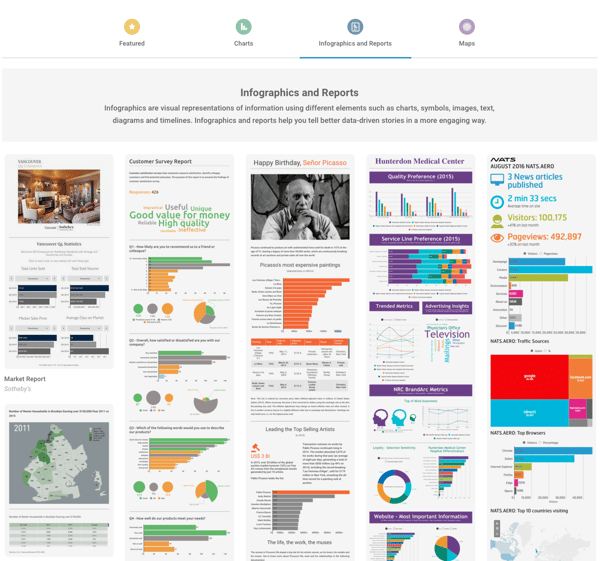
10 & 11) Photoshop & Illustrator
Price: Pricing models start at $19.99/month for a single app.
If you’re more experienced with data visualization or design, using Adobe products can be a great way to create more elaborate, creative data visualizations. Both Photoshop and Illustrator allow you to create charts and graphs, and they’re both great tools if you want to create longer form infographics.
12) Tableau
Price: Subscriptions are offered at two price points: $35 per user per month (Personal) & $70 per user per month (Professional).
If you’re looking for some really sophisticated data visualization capabilities, Tableau is the king of data visualization software. By connecting with other data tools like Excel, Tableau makes transforming your raw data into stunning visuals really easy.
Note: Tableau is not the kind of software you would use for designing visuals every now and then. It’s a powerful, expensive tool meant for organizations that are working with lots of raw, big data all the time. Still, if you’re looking for a step up from Excel’s visualization capabilities, Tableau is definitely a tool you should check out.
13) ZingChart
Price: One-time fees range from $199 (Website) to $9,999 (Enterprise).
Ever wanted to create animated graphics and charts, but weren’t really sure where to start? ZingChart might be the tool for you.
Using Javascript, ZingChart gives you a full library of different types of charts, graphs, and maps that you can animate and use to create awesome visuals for your website and blog posts.
The best part about ZingChart is its flexible and adaptable capabilities. All of its charts have responsive design, ensuring that your charts will look great on any screen.
14) Timeline JS
Price: Free
One type of data visual that often gets overlooked: timelines. They’re a great way to display your data by looking at changes or events over time.
While you could design a timeline on various graphic design platforms such as Illustrator, this free tool makes it easy to create slideshow-based timelines to embed on your website or blog.
15 & 16) Google Charts or Google Sheets
Price: Free
If you’re looking for a tool like ZingChart that lets you embed graphs and charts onto a web page, check out Google Charts.
Google Charts is an API tool that lets you create custom charts for embedding. These charts can be animated, but they have a similar look and feel to the .png charts you can create on Google Sheets (Google’s version of Excel).
If you like the look and feel of Google’s charts, but really just need to create graphics for a .jpeg or .png file (to upload or embed in a document), you can also use Google Sheets to create graphs and charts much like you would use Excel.
17) Piktochart
Price: Free lifetime account. Paid options are offered at two levels: Lite $15/month & Pro $29/month.
A similar tool to Infogr.am, Piktochart makes it easy for you to create and customize infographics within its templates. This tool is meant for users with little design experience who want to create awesome infographics.
Note: If you’re going to be using one of these two tools often, try using them in combination with one another. That will give you access to more templates, which you can use to vary your content.
The 6-Step Brand Build to Grow Your Business on a Budget
In marketing, it seems like the word “brand” is used a lot — the leading brand, off-brand, personal brand … you get the picture.
But there’s often confusion around its meaning in business. What does it entail? Do I need to hire an expert? Branding is expensive, right?
To that very last point, it doesn’t have to be. As it turns out, there are some pretty creative ways to brand your business without a ton of cash. And while it can require an investment of time, the ROI won’t go unnoticed — in some cases, it can actually help you save money, while also growing your business.
Building your brand is a crucial part of developing your business. As you’ll see below, it’s the foundation of giving your organization a voice, identity, value, and awareness among consumers. And, thanks to the plentiful number of resources, tools, and platforms available today — a brand build might not be as burdensome (or costly) as you think.
So read on, and see how you can use the following six steps as a guide for your brand build.
Listen to an audio summary of your post:
The 6-Step Brand Build to Grow Your Business on a Budget
1) Know your personas.
It’s no coincidence that 82% of companies with better value propositions also use buyer personas — the semi-fictional “characters” that encompass the qualities of who you’re trying to reach.
The needs, goals, and behavior of your potential customers dictate how you convey your product or service. Understanding those things helps you determine what kind of media your personas are consuming, what motivates them, and where they “live” online. You can see why having that information helps develop a compelling, effective brand — it helps you reach the right people.
Figuring that out doesn’t have to come at a price. A great way to get started is with our free MakeMyPersona tool, which guides you through a series of questions about the ideal person you want to reach. Take your time with it. The questions are meant to get you thinking about how you want to be perceived and by whom — and that shouldn’t be a quick process.
2) Develop an identity and a voice.
Once you’ve identified your buyer personas, your brand can start to take shape. That involves creating a brand identity — the things that make people aware of what your brand is — and its voice, which is the tone you use in any copy or public communication.
As a writer, I’m particularly interested in the voice aspect — but what does that like for you? Figuring that out follows a process not unlike the one that’s used to determine your personas. But instead of answering questions about your target audience, you’re answering questions that are a bit more introspective to your brand. What are its values? What does it represent? How do you want people to talk about you?
Even if you’re not starting from scratch, establishing a strong(er) brand voice can be valuable. Just take the instance of the Zoological Wildlife Foundation — during its recent rebrand, finding its voice was a top priority. The results? Its overall online presence increased by 343%, with website traffic alone seeing a 63% boost.
3) Have a consistent social media presence.
So, we know who your personas are. And now, we know what to say to them — and how to say it. But where are they?
Since you might have a clear picture of the different pieces of your audience, it’s important to figure out where they’re spending the most time, especially on social media. We’ve talked before how effective it is to reach people where they’re already present — that includes their online behavior, too.
We recommend checking out Pew Research Center’s Demographics of Social Media Users, which profiles the users of five major social media platforms — Facebook, Pinterest, Instagram, LinkedIn, and Twitter.
Pay attention close attention to the data. Maybe the majority of your personas spend most of their time on one network. While that doesn’t mean you should ignore the others, it does give you an idea of where to dedicate the most resources.
And once you do establish that presence, maintain it. How many times have you gone to a brand’s Facebook Page only to find that nothing has been posted in the past three months? Chances are, it didn’t have a positive impact on your perception.
That can be avoided by diligently planning and scheduling social media posts like you would with any other marketing calendar. Something like our free Social Media Content Calendar can help, and get you thinking about things like the seasonality of what you post. That’s a huge part of staying relevant to your audience — by sharing content that pertains to what they’re likely thinking about at a given time of year.
4) Blog.
We’ve covered the importance of blogging before, and we really can’t emphasize it enough. It’s a core part of our Inbound Methodology, especially the “attract” stage — the one that turns strangers into visitors to your website.
In fact, blogging might be the most fundamental step of inbound marketing. It helps you reach qualified customers, like your personas, by creating the informative content that matches the information they’re searching for. That’s why it’s so important to make it relevant to this audience — when you’re writing, make sure the content is optimized for those searches.
Believe us — your personas are definitely looking for the information that you’re able to provide — if you write about it. After friends and family, blogs are the third most trusted source of information. Plus, that content will also serve as material to populate your social media networks, and we’ve already covered what a crucial part that plays in branding on a budget.
While blogging is fiscally inexpensive, one of the biggest struggles we hear about is the cost of spending time on it. For that, we reference the joke about a doctor asking his patient, “Would you rather work out one hour per day, or be dead 24 hours per day?” The inbound marketing version of that question would ask, “Would you rather blog for one hour each day, or always have insufficient content to draw in visitors?”
Like planning your social media presence, having an editorial calendar for your blog can be helpful in maintaining consistent timing and fresh content. That’s why we put together a free blog editorial calendar template, complete with instructions and content management tips.
5) Make customer service a priority.
When we hear the name “Zappos,” most of us immediately think, “unparalleled customer service.” The online apparel retailer built this level of service into its core approach to doing business — and into its core values.
Why is that so important? For Zappos, making excellent customer service the cornerstone of its brand actually saved money on marketing and advertising. That’s because it created word-of-mouth among existing and potential customers, which is what we call earned media — the recognition that your brand has earned, not paid for, from people talking about something remarkable you did. (Psst — U.S. businesses, as a whole, lose about $41 billion dollars each year because of bad customer service.)
Whether you’re serving customers or clients, the goal is to create a delightful, sharable experience. And when the client or customer experience is a priority, it shouldn’t cost you much for them to talk about it — remember, your work earned it.
But that revisits the importance of your identity and voice. As you go through these brand-building steps, think about the values that you want to be resonated in those things. Is excellent service one of them? Those values are what shape the brand’s culture, and that influences the voice you project to an audience.
6) Take advantage of co-branding.
I’ll never forget what my colleague, Lisa Toner, told me when I asked her about negotiating co-branding agreements.
“Larger companies may have a large reach,” she said, “but what do they not have?”
When you’re just starting to build a brand, you might not have the reach that Toner’s talking about. You can take the steps to build it, like we’ve described so far, but that takes time. Until then, one way to get your name in front of a broader audience is to partner with a brand that has one.
But don’t just pick any old brand to work with. Make sure it’s one that’s aligned with yours — the partnership has to make sense in the minds of your audience. Here’s what we recommend in seeking a co-brand:
- Consider your partner’s audience. Would it be interested in your brand? Is it that difficult for you to reach without this partnership? How well does it trust your co-brand? That’s crucial to getting them to listen to you, too — people don’t trust traditional advertisements anymore. So make sure your partner reaches the audience in a way that instills confidence, not doubt.
- Have something to offer your co-brand. Just like Toner asked, “what do they not have?” The experience should be a win-win-win: for you, your co-brand, and the consumer.
- Consider selecting a well-known and respected nonprofit as a co-brand. More and more people’s purchasing decisions are based on a brand’s social responsibility — in fact, 85% of millennials say that makes them more willing to recommend a brand.
Get Branding
Building a brand might seem like a huge undertaking, especially when resources are limited. But as we’ve seen, there are plenty of economical ways to not only get started, but to continue the momentum you start with these efforts.
And please, have fun with the process. Of course, there has to be a degree of strategy and logic involved — that’s why we’ve built the tools to help you determine what the different pieces of your brand will be. But it’s a creative exercise, so keep that in mind if you get bogged down in technicalities.
How Frequently Should I Publish on Social Media? A HubSpot Experiment
Social media can be an overwhelming place — even for the experts.
Which networks should they use, what should they write, how frequently should they post, and does the time they post really matter?
I analyzed HubSpot customer data for one week during the month of June — comprised of a total of roughly 10K different accounts on each different platform, as well as 15K posts to Linkedin company pages, 25K posts to Facebook business Pages, and nearly 60K posts on Twitter.
I wanted to answer these questions for marketers once and for all: How frequently should social media marketers post on Facebook, Twitter, and LinkedIn to get the most bang for their buck? And when they should do it?
When’s the Best Time to Post on Twitter?
Time generally doesn’t matter — that’s right, you heard it here. There’s some uptick in the number of clicks at the very end and very beginning of the day, but we also see a lot less volume during that time so it’s not a statistical trend.
Post on Twitter whenever is convenient for you. Your focus should be on content, not on the time of day.
Which Is the Best Day to Post on Twitter?
For most tweets, there’s no difference in the day of the week that you post.
For really good tweets — the ones in the 95th percentile — there could be some benefit to posting on Sunday, Monday or Tuesday, but it is not terribly significant.
What’s the Optimal Publishing Frequency on Twitter?
Twitter is still mostly a chronological social network, and therefore the more marketers post, the more visibility, and total clicks their posts get.
On Twitter, publishing more is better.
For marketers with at least 100 followers on Twitter, each message earns marketers a median of 2.5-3 clicks. This isn’t license to publish terrible posts — that’s not beneficial to your brand or for clicks — but as a temporal platform, it’s not as critical to have perfectly polished prose as it is on other social apps.
When’s the Best Time to Post on LinkedIn?
The median number of clicks doesn’t vary at all, but the 95th percentile of posts does show a dropoff with posts that are published late in the evening — after 5 p.m. or so. Therefore, schedule posts on LinkedIn to go out during business hours (after all, it is a business networking site), but the focus should be on content, not the time of day.
Which Is the Best Day to Post on LinkedIn?
Posts published Mondays, Saturdays and Sundays don’t perform as well as posts published Tuesdays, Wednesdays, Thursdays, and Fridays. Audiences must be too busy working to check LinkedIn on Mondays, and who wants to think about work over the weekend?
Tuesdays and Wednesdays are especially good times to publish on LinkedIn — they have a generally higher median as well as 95% percentile clicks.
What is the Optimal Publishing Frequency on LinkedIn?
Once you publish more than 5 times per week (for most companies, this means once per work day) the return on investment drops substantially.
What is likely happening is LinkedIn doesn’t want users’ feeds to be overwhelmed by posts by the same company, so the second post in a day that a marketer publishes can cannibalize the performance of the first.
For pages with at least 100 followers, the first two posts on LinkedIn per week will typically bring in two clicks each. However, the 10th post in a week for those channels only adds about 0.5 clicks. The marginal effectiveness of creating content for LinkedIn maxes out at 2 posts per week, so we suggest sharing between two and five posts per week on LinkedIn to get the maximum value from the network for the time spent creating the content.
When Is the Best Time to Post on Facebook?
At the median, most posts on Facebook don’t do very well. But at the high end (95th percentile) there’s a lot of variability, especially at the beginning and end of the day. Since there are fewer posts during the beginning and end of the day, these aren’t statistical trends that marketers can count on. We suggest marketers focus on the content, not the time of day or day of the week when publishing — more on that later.
Which Is the Best Day to Post on Facebook?
Wait, there’s no median. Actually, that’s not a typo. The number of median clicks for all accounts is actually 0 — because only really good content on Facebook gets surfaced highly. There isn’t an ideal day to post on Facebook. However, it’s slightly better to post on Sundays, and there’s a natural dip in post frequency and engagement on Friday and Saturday.
What Is the Optimal Publishing Frequency on Facebook?
Similar to LinkedIn, once you publish more than five times per week (for most companies, that’s once per workday) the return on investment drops substantially.
For Pages with at least 100 followers, the first two posts on Facebook earn a median of a single click on them, and after the 10th post, each additional post nets just half a click, and then continues to fall. Therefore, we suggest publishing between two and five times per week on Facebook.
Facebook prioritizes “fresh” content and doesn’t want to overwhelm users with just one company in their feed, so when companies publish more than once in a day, their first post can be cannibalized by the second. Publishing more than once per day won’t just earn you diminishing ROI — Facebook could even punish your Page with the algorithm if you don’t get a lot of engagement with your posts.
That said, if your posts are consistently getting many likes or comments — at least more than five on each one — then it makes sense to post more. The key with this platform is engagement — so as long as your audience likes what you’re writing, Facebook will continue to reward you and show it in the News Feed.
So … Why Publish on Facebook at All?
There are three big reasons to keep publishing on Facebook:
1) Publishing on Facebook shows leads and potential customers that you’re actively in business. Many people go to Facebook simply to research companies and look for thought leadership — and if your Facebook page is incomplete and inactive, they may go with a competitor who is more prominent on the platform.
2) It’s easier to go viral on Facebook. The number of outliers that we see at every level is substantial — which means that when you go viral on Facebook, the upside is very, very high. The maximum clicks that a single Facebook Page received during this timeframe was 8K — and the Page published just five times that week.
The peak number of clicks that a single account on LinkedIn received was about 1K, and the peak on Twitter was just under 7K … but that Twitter account published more than 100 times that week. The lesson here? When you go viral on Facebook, you can go viral more than on other networks.
3) Facebook Ads offer some of the highest ROI of social ads you can buy, especially if you are doing any retargeting. And once you’ve published on Facebook, it’s the easiest platform from which to boost posts and get more distribution (and followers).
What Does This All Mean for Your Social Media Strategy?
When it comes to posting on Facebook and LinkedIn, remember that you may only have between two and five posts per week that will get distribution by the networks’ news feeds. With that in mind, focus on the quality of each post (and the content preferences of your audience), and aim to get more likes, comments, and shares as your metrics of success to build up your audience and to make the news feed algorithms work for you.
And when it comes to Twitter, post freely — the timeline updates so frequently that you’re at an advantage posting more often to reach more people.
Many thanks to Monty Solomon, Kelsey Dietz, Dan Kulla, and Lincoln Bryant for helping with the data.