
Successful Company Logos Have These Attributes In Common [Infographic]
Your company logo might not be a stand-alone indicator of success, but it certainly doesn’t hurt to have a thoughtful, eye-catching design — especially if you’re an early stage startup attempting to break into a competitive space.
To see how high-growth companies are approaching logo design, the folks at SmartSign analyzed more than 2,000 company logos from the Inc. 5000 List of America’s Fastest Growing Companies, seeking patterns that might indicate more than just an eye towards popular design trends.
They collected data on each logo’s dominant attributes (e.g.: minimal, angular), structure (e.g.: icon, wordmark), color scheme, and industry. While some of the findings clearly reflect expected trends (94% of the logos could be classified as minimal), others revealed some interesting insights into patterns across a variety of industries.
Curious to see what these powerhouse startup logos have in common? Check out the infographic below, and start planning your next redesign with this data in mind.

The 2017 HubSpot Blog Redesign: A Detailed Look At What’s New
I have a long, interesting relationship with the HubSpot Marketing Blog.
Before I became editor, I was a full-time writer for this blog. And before I was a writer for this blog, I was a guest contributor to this blog. And before I was a guest contributor to this blog, I was a fan of this blog — I learned from this blog.
So when it came time to kick off the blog redesign I’m about to walk you through, I had a lot of strong opinions (and arguably too many ideas). You see, our last redesign launched in December 2014. To give you some context, since December 2014:
- Blog.hubspot.com has more than doubled its monthly traffic, growing from under 2 million monthly views in December 2014 to over 4.5 million.
- There have been over 20 updates made to the Google algorithm.
- Snapchat has more than doubled its monthly active users, scaling from 71M at the end of Q4 2014 to 166M at the end of Q1 2017.
- Facebook Live has been invented, released to influencers, and launched to the general public.
It’s safe to say, even though it’s only been a few years, we’re living in an entirely different time than we were back then. Our team is fresh-faced. Our editorial strategy is new and improved. And our audience is continuing to grow and demand new things.
We’ve been overdue for a change for a while now, so a change is what we brought. Now let’s talk about what’s new — and why.
Why We Redesigned the Blog (And What’s New)
Reason #1: To set the stage for new mediums.
During the back half of last year, we started to incorporate more video and audio content into our editorial strategy.
We’ve experimented with “posts as podcasts”:
And short video recaps of popular articles:
This shift in strategy came at a time where you couldn't visit a marketing or tech blog without bumping into a headline like, "Why 2017 Is the Year of Video." But that wasn't the only driving force.
Around this same time, we’d just started to think about overhauling our email subscription, too. In doing so, we collected a lot of feedback from our subscribers that suggested they’d been craving different content formats — such as audio and video — for a while now.
It quickly became obvious to us that this was long overdue. We needed to refresh the blog in a way that lent it to more than just written content. We needed brand new post-level designs that were specific to the medium we were using to tell a story, teach a lesson, share a finding, etc.
How the redesign solves for this:
To create some contrast around all of the different types of content we were creating, we decided that the redesign would offers three distinct post formats: written, video, and audio.
Written
Prior to the redesign, this was the only post type we had — though it lacked pizzazz. The new written post design incorporates large block quotes for highlighting key quotes and stats, easily shareable text, and a whole lot of white space to make for a clean, inviting experience.
Video
This new post format allows our video content to take center stage, so it feels less like a secondary element. The best part? When you start to scroll, the video shrinks and hops to the side of the screen so you can keep working through the content while staying tuned in.
Audio
Between our own audio experiments on the blog and the steady stream of amazing audio content coming from our podcast team, we needed a place to show it off. Our new audio-centric post type includes a sleek audio player that puts the focus on the medium.
Reason #2: To solve for content discoverability.
After recognizing both a shift in the way search engines deliver results and the way searchers input queries, our in-house SEO experts introduced the team to a new way of looking at content mapping and search engine optimization.
The topic cluster model puts topics before keywords, allowing a single “pillar” page to serve as a hub of content for an overarching topic. From there, “cluster content” covering related long-tail keywords then links back to the main pillar to boost its authority. This approach aims to create a more intentional link structure across the blog properties, making it easier for Google to crawl and rank our content.
Needless to say, this new approach changed the way we organize content on the blog — and ultimately helped to make related content more discoverable. With nearly 13,000 posts in just the HubSpot Marketing Blog archive alone, we’ve incorporated new functionality that helps us ensure you’re not missing out on any old hidden gems, while also helping you easily surface content you care about.
How the redesign solves for this:
Our blog posts are now systematically tagged based on their associated topic cluster. For example, all of the posts within the “Social Media Trends” cluster receive a “Social Media Trends” tag which links back to the cluster’s pillar page. This link helps to push the authority towards the pillar page, allowing it take more easily rank for the term we’re going after.
We also added a related articles section at the bottom of each post. This section pulls in articles from the cluster, allowing for more intentional link distribution.
Reason #3: To introduce new ways of sharing content.
At the time of our last redesign, Slack — a real-time messaging app for teams — had just celebrated its first birthday. Since then, the platform has gained some serious momentum — so much so that it’s referred to as the fastest-growing business app of all time. Here’s proof:
Source: Slack
As of October 2016, the platform boasts over 4 million daily active users — including us here at HubSpot. Internally, we use Slack to communicate across our global offices, spark discussions, host meetings, make announcements, and perhaps most often, to share and discover interesting content.
That’s why, when it came time to plan this redesign, we knew that we had to find a way to incorporate Slack into the blog’s functionality.
And then there’s Facebook Messenger. With 1.2 billion monthly active users, this was another channel we’d had our eye on in terms of content distribution — especially after seeing the results from a few Messenger experiments some of my colleague ran.
After testing Facebook Messenger against email as a content delivery system, they saw an open rate of 80% and an average CTR of 13% — this was 242% and 609% better than the email controls.
How the redesign solved for this:
The redesign introduces both Slack and Facebook Messenger as two new channels for sharing content. These additions can be found in the sticky sharing options to the left of the content. As an added bonus, Facebook Messenger has also been added to the hovering share menu that appears when you highlight any string of text.
Reason #4: To refresh our branding.
A former boss once said to me, “We really need someone to come in here and call our baby ugly.”
Of course, he wasn’t referring to an actual baby. He meant our content. In a sense, it was our baby — and we’d grown so close to it that it was hard to pull out the flaws, missed opportunities, and so on.
That was sort of the case here … except we were pretty well aware that our baby was, in fact, a little ugly.
The old blog felt dated and sort of stale. It wasn’t set up in a way that let our content shine (at least not anymore) and it didn’t mesh with some of the newer, more polished pages across the website. But perhaps most importantly, it didn’t reflect our current brand — let alone the direction our brand was going in.
How the redesign solved for this:
If you’ve been following HubSpot for a while, you may have noticed that our branding underwent a bit of a makeover in the process of this redesign. For example, we’ve implemented new photo filters that reflect an updated color palette:
These filters, and several other changes, serve as the first step in rolling out a larger visual brand refresh over the coming months — one that is true to our brand and values. Stay tuned.
Feeling Inspired?
If you’re starting to think that it might be time for your own redesign, we’ve got just the thing. Check out this redesign planning guide for a behind-the-scenes look at how we tackled this project — from start to finish. We’ve peppered it with free resources — like editorial calendar templates and CRO advice — to help you kick off a redesign on the right foot.
Shoutout to the redesign dream team: Matt Eonta, Amelia Towle, Taylor Swyter, Brittany Chin, and Liz Shaw.
10 of the Best Ads from July: Emotive Billboards, Weird Pizza, and a Perfect Sadvertising Parody
We might be deep in the dog days of summer, but advertisers have been busier than ever producing some stunning new work.
This month’s ad roundup features a playful branded stunt that could really only work in summer (tequila fountain, anyone?), a set of billboards that change depending on the weather and traffic forecasts, and a refreshingly funny, star-studded flight safety video from British Airways. Let’s dive in.
10 of the Best Ads from July
1) Genesis
In this Jung von Matt-produced spot for Hyundai’s luxury line Genesis, a resourceful chauffeur faces off with a snobby socialite and her fluffy, obnoxious dog Kevin. Bringing new, hilarious meaning to the slogan “Excellence worth protecting,” the spot is part of a global campaign to forge a new, higher-end identity for the automaker.
2) Taco Bell
2017 has arguably been the year of “sadvertising” — ads that make us cry, but have nearly nothing to do with the product they’re peddling. Taco Bell teamed up with Toronto-based agency Grip Limited to parody the now-ubiquitous format with the not-so-sad story of two dudes who haven’t hung out in six days.
“Because of our disdain for that kind of ad, we started to subvert it and say ‘How would Taco Bell do this trope?’, ‘How would we stand out and maybe give our consumers a little credit?’” associate creative director Trevor Gourley said to Adweek. “The end result was, we think, a pretty faithful send-up of these sort of paint-by-numbers tearjerkers that are becoming so common in advertising.”
Taco Bell – Better Together from Jesse Hunt on Vimeo.
3) The Specialized Foundation
Director Johnny Green and Goodby Silverstein & Partners present a stunning, empathetic portrait of childhood ADHD in this short film for The Specialized Foundation, a non-profit focused on ADHD-research. The ad features a real group of students with ADHD as they ride through the night on bikes, releasing caged energy and finding a new sense of focus through physical activity.
4) Pizza Hut
SNL-alum Kristen Wiig brings her unique brand of delightfully unhinged weirdness to her first ever national ad campaign for Pizza Hut, portraying “every man, woman, and child in America.” Developed by Droga5, the ad finds Wiig in character as everyone from a grizzled cowboy to an excitable teenage girl.
5) The Emoji Movie
To promote the animated film The Emoji Movie, a crop of weather and traffic-responsive billboards are popping up in major cities around the US. If the weather was sunny, a pleasant sun glasses emoji would appear. If the weather or traffic was crappy, commuters would see a poop emoji on the billboard — naturally.
Critics might not have loved the movie itself, but this stunt — orchestrated by Lamar Advertising — was an undeniably creative spin on outdoor ads.
6) Fruit of the Loom
How do you sing the praises of a really awkward product? Well, according to this new CP+B-produced spot for Fruit of the Loom, you just keep your mouth shut. Their new line of breathable underwear is so good you’ll want to talk about it — but as the ad pleads, please don’t. You’ll make everyone around you terribly uncomfortable.
7) Tourism Ireland
With the seventh season of HBO’s Game of Thrones underway, advertisers are attempting to cash in on this massive pop culture phenomenon. To highlight their country’s part in the making of the show, Tourism Ireland worked with Publicis London on their second GoT-related stunt: a 250-foot medieval-style tapestry depicting the entire plot of the HBO show’s first six seasons.
If you aren’t ready to take the trip across the pond to check out the tapestry in person, you can check out a digital version here.
8) Jose Cuervo Silver
To celebrate National Tequila Day this month, Jose Cuervo set up three tequila-dispensing water fountains in downtown Los Angeles. Orchestrated by CP+B, the stunt gave 300 lucky passerby the opportunity to sample Jose Cuervo Silver — directly from a projectile spout. To keep things legal and under control, there were reps on the premises to check IDs.
Image via Adweek
9) British Airways
How do you keep people interested during one of those typically dry and repetitive flight safety videos? If this new attempt from BBH London for British Airways is any indication, adding a bunch of British celebrities to the mix certainly doesn’t hurt.
A group including Ian MacKellan, Thandie Newton, and Rowan Atkinson (who naturally appears in full Mr.Bean-mode) deliver helpful safety tips — like don’t wear heels on the inflatable rescue raft — in British Airways’ charming new safety video.
10) Tesla
Back in March, Tesla extended an open invitation to fans to develop their own ads for the revolutionary car. This month, Elon Musk named this low-budget ad from Marques Brownlee, aka popular tech YouTuber MKBHD, as the winner.
While most other contest entries focused on Tesla’s futuristic personality, this winning ad took a more simple, grounded approach, focusing instead on Tesla’s more practical, fun features.
18 Hidden Snapchat Hacks & Features You’ll Wish You Knew About Sooner
Snapchat, the one-to-one messaging app with more than 160 million daily active users, has earned a reputation for fast growth and innovation.
But despite its success, it isn’t the most user-friendly app I’ve ever played around with. Many of its best features are buried so deep in the app that a lot of people don’t even know they exist. In July 2017, Snapchat added even more features in their release of a new version, and some of these features have totally reshaped how people use the app in the first place.
For example, did you know that you can use Snapchat to make a live video call? Or that you can add emojis to your Snapchat videos — and make it so they move and scale with specific objects? What about the trick where you can save data by turning the app on to “travel mode”?
There are a whole lot of cool things you can do with Snapchat that you may not have known about. But before we jump into them, it’s important that you know the basics. For more on how to use the platform — as well as a look at how HubSpot uses Snapchat marketing — check out this post.
Already have the basics down? Read on for some more advanced tips and features.
Note: Before getting started, make sure you’re operating on the latest version of Snapchat. At the time of posting, the latest version is 10.12.5.0.
18 Hidden Snapchat Hacks & Features
1) Use Snapchat for voice and video calls.
One of the biggest changes Snapchat made during an update in March 2016 was the addition of a voice and video chat feature. There are two ways you can use voice and video chats: By sending 10-second recordings (of your voice or a video of you), or by “calling” them to start a live voice or video chat lasting any amount of time.
The voice and video call functionality is located within Snapchat’s chat feature, so you’ll need to open up a chat conversation with someone to begin. If you’ve updated your Snapchat app, you’ll see the phone icon and a video icon below the chat box.
To leave a 10-second voice or video message, hold down on the voice or video call icon and it will begin recording immediately. When you release the button by picking your finger up from the screen, the recording will stop and send immediately with no do-overs. In other words, make sure you’re ready to record and send the voice or video message before you begin.
To start a live voice or video call, just tap the voice or video call icon and it’ll begin ringing the other person immediately. If they don’t answer within a few seconds, you’ll see a pop-up notification asking you if you’d like to send a voice or video message instead. These voice and video messages are identical to the 10-second voice and video messages described above.
Here’s a GIF showing what it looks like to live video call another user:
Also, remember that there’s no forewarning once you tap or hold down on one of the icons — it’ll start ringing or recording right away. (I learned this the hard way when I tapped the video icon accidentally.) Otherwise, it’s a very intuitive and easy-to-use functionality.
2) Identify any song playing around you.
If you’ve yet to download Shazam, the music recognition app, Snapchat’s got you covered. That’s right, you can Shazam songs in the Snapchat app.
When you want to identify a song playing around you, just hold your finger down on the camera screen. After a few seconds, a Shazam window will pop up with the song’s name and artist. From there, you can snap your Shazamed song to your friends and even add the artist as a Snapchat friend.
3) Search for stories all over the world.
Hand-curating an entire community’s snap submissions for a big event’s story, like the Super Bowl, started overwhelming Snapchat. So they implemented machine learning to select only the most relevant submissions for these big events.
The other submissions didn’t go to waste, though. Their new technology curates them into entirely new community stories, which allows users to search for over one million stories on the app and experience an event like they’re actually there.
To watch these stories, just tap the search bar on the camera screen. You can watch the top stories of the day, filter stories by topic, and search for a certain event or location’s community story.
4) Turn on two filters at once.
Can’t choose between giving your photo a blue hue and letting your friends know you’re going 0 mph? Thankfully, you don’t have to make that difficult decision. You can use both filters at the same time with a very simple trick.
To add a second filter to a photo, all you have to do is hold the screen with one finger and swipe left or right with another to find your second filter. (To add that first filter, just swipe your finger left or right over your photo to rotate among them until you settle on one.)
5) Add, resize, and rotate emojis and stickers to your photos.
If you’re looking to dress up your Snapchats outside of the text box, you can add an emoji (or five) and place them anywhere you want on your photo or video.
In addition to the emojis you’re probably familiar with, Snapchat added 200 new stickers in May 2016 that are similar to the stickers that are so popular in other messaging apps like Facebook Messenger. These new stickers are super cute — everything from cacti to snarky kittens to walruses celebrating Hump Day.
To access the emojis and stickers, start by taking your photo in Snapchat. Then, tap on the folded paper icon on the top of your screen next to the “T” text icon. Scroll through the available stickers and emojis until you find the one you want. Tap on it to add it to your photo, and then use your finger to move it around.
You can use two fingers to rotate it or resize it by pinching and zooming. Add as many emojis and stickers as you’d like.
To delete a sticker or emoji, simply drag it to the trash icon, which appears when you hold your finger down on the emoji and move it around.
Another creative way to use emojis on Snapchat? Create your own filters using some of the more transparent emojis by enlarging them with your fingers until they cover the whole screen.
6) “Pin” emojis to objects in your videos.
In addition to adding stationary emojis and stickers to your Snapchat videos, you can also “pin” — or attach — emojis and stickers to different objects in your video. This allows the emoji to automatically move, rotate, and scale with whatever object you pinned it to.
To “pin” an emoji or sticker to an object in a video, start by recording your video in Snapchat first. Then, tap on the folded paper icon on the top of your screen.
Scroll through the available emojis and stickers until you find the one you want. Tap on it to add it to your photo, and then use your finger to move it, and hold it in one place above an object to “pin” it to that object.
7) Make your videos go in fast-forward, slow motion, or rewind.
Snapchat recently added features for videos allowing users to make them go in fast forward, slow motion, or rewind. These features work just like a filter, so to access them, record the video first and then swipe sideways to find them.
Here’s how they work:
- Snail icon = slow motion
- Rabbit = fast-forward
- Backward-facing arrows = rewind
Image Credit: TechCrunch
8) Draw in black or white.
You may have noticed that the color palette in Snapchat’s drawing tool doesn’t offer black and white — but that doesn’t mean that you can’t access both of those colors. All it takes is a few quick finger maneuvers.
To access the available colors, you’re used to holding your finger down on the color palette and dragging it up or down. But to access black and white, you’ll need to drag it toward the upper left corner of your screen (black) or the bottom right corner of your screen (white).
9) Change the color, size, and orientation of your text.
Think you’re limited to white text? Turns out you can actually change the color of your text to whatever you want, including black (see previous tip).
To change the color of your text, start by taking your photo or video, type your message, and then tap the “T” icon at the top of your screen to make the text larger and open up the color palette. Drag your finger along the palette to change the text color. Finally, tap the “T” icon twice to remove the shadowed background.
To change the orientation and/or size of the text, use two fingers to rotate it or resize it by pinching and zooming. You can move the text around to wherever you want on the screen simply by holding your finger on the text and moving it around.
10) Make your text fit neatly in one line.
If you’re anything like me and hate when your text awkwardly goes just over one line, rest assured: You can actually resize your text so it fits neatly into a single line (or however many you’d like).
To resize your text, tap the “T” icon at the top of your screen, then tap on the text to get into text editing mode. Next, use two fingers to pinch-and-zoom to resize it while it still spans the width of your screen.
11) Turn on “travel mode” to save data.
When I first started using Snapchat on a regular basis, I noticed right away that it was draining my battery faster than any of my other social media apps. Thankfully, Snapchat actually has a built-in feature to help conserve your data, in the form of “travel mode.”
When you set your Snapchat app to travel mode, snaps and stories won’t download automatically. Instead, you can choose when you want to load a snap or a story. It can also help reduce video lagging while you’re recording videos using the app.
To turn your Snapchat app to travel mode, go to settings, which you can access by opening Snapchat, tapping the ghost icon in the top center of the screen, and then tapping the gear icon in the top right-hand corner of the screen.
Once you’re on the settings page, tap “Manage” under “Additional Services” and toggle “Travel Mode” on.
12) Create your own geofilter on a desktop or the app.
In February 2016, Snapchat started letting anyone — whether you’re a business or an individual — create custom “on-demand geofilters.” On-demand geofilters are filters users can add when they take photos and videos from specific locations.
There are two different kinds of geofilters: a personal geofilter and a business geofilter.
- A personal geofilter promotes a personal event or location like a birthday party, wedding, graduation party, and so on, and you can set them for up to 30 days. They can’t include marks, logos, branding, or businesses.
- A business geofilter promotes a business or a brand, like for an upcoming sale, an ad for a certain location, or something along those lines. Business Geofilters need to meet Snapchat’s Business Guidelines.

Image Credit: Snapchat
To create them, you’ll need to upload an image with a transparent background (or use one of Snapchat’s premade templates), upload it to http://ift.tt/28ZW6zu, pick a date, time, and location for it, and submit it to Snapchat along with your payment. The Snapchat team promises to review submissions within one business day.
This feature is available in the U.S., U.K., Australia, Brazil, Canada, United Arab Emirates, and Saudi Arabia. You can learn more about how to use them on Snapchat’s website here.
If you’re a Snapchat user in the U.S., you can create on-demand geofilters in the app. Just go to your camera screen and tap the ghost icon in the top left corner. Then tap the settings icon in the top right corner and choose On-Demand filters.
You’ll be asked to select your geofilter’s theme, a premade template, its date and time, and its location. The price will depend on your geofence’s size.
13) Add music to your videos.
Here’s a small tip that can make a big difference in your Snapchat videos. After all, the folks at Snapchat claim that sound is a big part of what makes Snapchat videos so appealing. In June 2016, they claimed that two-thirds of Snapchat’s 10 billion daily video views are watched with the sound on.
Adding music can add a unique touch to your Snapchat videos, and it’s simple to do. All you have to do is play the song you want through your favorite music player app (like Spotify or iTunes), and then record the video on Snapchat while the song is playing. The video recorder on Snapchat will pick up the music and it’ll automatically become part of your video.
14) Turn the sound off in your videos.
If you don’t want sound in your video, it’s helpful to know that there is a way of turning it off. This might be best if you’re recording a video that has unnecessary, loud, or jarring noises that don’t add to the video in a way that you want them to.
To turn sound off on your video, first record your video like you would normally for a Snapchat video. Then, tap the microphone icon on the bottom left-hand side of your screen once so that the sound waves are replaced with an X.
Before:
After:
15) Save a Story as a video clip by downloading it.
Anyone might want to save a Snapchat Story to view later, but this is especially true if you’re working on Snapchat content for your business so you can show your team the Stories you’ve put together and view them later to see what styles worked well. You can save Stories by downloading them to your device. (From there, I’d recommend emailing it to yourself so you don’t accidentally lose it.)
To save an entire Story as a video clip, open up Snapchat and go to the “Stories” view, which you can do by swiping right from the default camera view. Your Story will appear at the top.
Next, tap the download button to save the entire story.
To save one Snap on your Story as a video clip, open up Snapchat and go to the “Stories” view, which you can do by swiping right from the default camera view. Your Story will appear at the top.
Then, tap on your Story and swipe up on the Snap you want and hit the download button at the top of the screen.
16) Delete single snaps from a Story.
If you’ve published a snap to your Story, you can still go back to it and delete it at any time — even if you’ve published other snaps after it.
To delete a snap form a Story, simply open up Snapchat and go to the “Stories” view, which you can do by swiping right from the default camera view. Your Story will appear at the top. Swipe up on the Snap you want to delete and hit the delete button.
Image Credit: Snapchat
17) Record up to six 10-second videos in a row.
Recording only one 10-second snap at a time can produce some awkward transitions in your company’s snap story. But you can say goodbye to those ungraceful snap stories because you now can record six 10-second snaps in a row, which is basically like recording a minute long video
Just hold record for up to 60 seconds. There will be a seamless transition between each 10-second video.
You can even edit each individual video or delete the ones you don’t want to share. All your recorded videos will be at the bottom of your screen.
18) Add a link to your story.
Snapchat answered every marketer’s prayers by letting users link webpages into their stories. Marketers can now use their snap stories to spark interest in their content and, if their viewers swipe up, they can then seamlessly deliver a video or article to them.
To add a link to your story, just take a picture or video, tap the paperclip on the sidebar, and enter your URL. All shared links must follow Snapchat’s terms of service, community guidelines, and privacy policy.
There you have it. We hope these tricks and features help you use Snapchat to connect with your friends, fans, and even customers in a way that’s low-cost, but highly personal and engaging.
Happy snapping!
How We Booked Over 200 Meetings With a Single Email Send
Here at HubSpot, when we decide we really like something, we go all-in. That includes things like email personalization, a global presence, and seasonality in our marketing.
So when it came time for the Latin America Marketing team — or LatAm — to strategize an email marketing experiment, we wondered if there was a way to combine all three.
It started out simply enough — we wanted to find out if an email sent directly from a sales rep that included a link to book a meeting could convert better than one of our popular offers. But then we thought, “We can do better. Let’s kick the personalization up a notch.”
And so, we did — and here’s what happened.
How a Single Email Send Led to 200+ Meetings Booked
The Hypothesis
Within our LatAm partner marketing efforts, our inbound funnel often involves directing prospective agency partners to the Spanish version of our Inbound Marketing Assessment (IMA). But when Semana Santa, the celebrated week before Easter in Latin America and Spain, was approaching, we knew that many of our email recipients would be taking several days off prior to the holiday.
That meant we’d have to alter the content and tone of our message. Since these recipients were likely days away from several consecutive days off, we didn’t want to ask them to complete an assessment. Sure, we needed to provide a call to action (CTA). Otherwise, what was the point of sending an email? But it had to be something that took this timing into account — something that still provided value, but acknowledged the upcoming holiday.
That created a foundation for our hypothesis:
By reaching out to people right before a major holiday in their region with messaging that is conversational and tailored, we will see a higher level of engagement in terms of meetings booked.”
The Experiment
The Objective
Our goal was to find out if an email from a sales representative that included a direct link to book a meeting with them would lead to more conversions than our traditional one — the email from a marketer with a CTA to complete the IMA form.
What We Did
To test our hypothesis, instead of directing the reader to our traditional IMA form, we included a link to book a meeting with a sales rep directly. But with the holiday coming up, the way we framed that option to book a meeting would have to be modified.
That allowed us to set some parameters for an A/B test, in which we created two different versions of the same email — one sent from Stefano Gasbarrino, who was a rep at the time, and one from Carlos Villalobos, the LatAm Partner Marketing Manager. Each version contained its own message accompanying a link to book a meeting with a rep:
- Version 1: An email from Gasbarrino with the message, “Here’s my calendar — book time with me.”
- Version 2: An email from Villalobos with the message, “If you want to learn more about the Program, I invite you to book time with my colleague, Stefano, whenever you’re back in the office. Here is his meetings link.”
Of course, the message had to have some additional context other than booking a meeting. So as an alternative to investing time in completing the IMA, we offered the recipient something “nice to read” at their leisure over the holiday — in this case, it was the Spanish version of our Partner Program Info Kit. This was included in both versions of the A/B test.
The Results
Truth time: The results surprised us a bit.
To start, Gasbarrino’s email showed an 8% higher open rate than the one from Villalobos. That could be due to a number of reasons — perhaps recipients were a bit too accustomed to seeing emails from Villalobos, and were intrigued by the new name in their inboxes.
But on the other hand, Villalobos’ email resulted in 10% more meetings booked. Those results suggest that, when people did open the email, they appreciated the more flexible language of this version.
We also wanted to test how an email send of this nature performed against our traditional one, too. So to measure the success of the “book a meeting” CTA vs. the “complete an IMA form” CTA, we also compared the average open and clickthrough rate (CTR) of our typical IMA email sends, versus those of the emails sent as part of this experiment.
Simply put, the email sends associated with this experiment performed noticeably better than our traditional IMA emails. In addition to a 15% higher open rate as well as a 7.2% higher CTR, the email sends containing links to book a meeting resulted in 40X the conversion rate of IMA form submissions from traditional emails. We booked 200 sales meetings from this one email!
Where Do We Go From Here?
Next Steps
While the experiment was generally a success, moving forward, we recommend putting guardrails in place prior to conducting tests like these. While we were thrilled to have over 200 meetings booked as a result of a single email send, that was far too many for a single rep to handle. A good problem to have, but Stefano was overwhelmed nonetheless.
In the future, we’ll use more finely-targeted segmentation when planning these email sends, and will assign a lead owner who can send “book a meeting” links on behalf of multiple representatives.
Our #1 Takeaway
Our biggest takeaway from this experiment, however, was its strong reminder to marketers not to lose sight of their audiences. It’s all too easy to forget that there is a human being on the other side of the screen — and overall, humans want quicker, more personalized solutions. Filling out a form requires them to wait to be contacted — booking a meeting, on the other hand, gets that person onto a rep’s calendar right away, at their convenience. Addressing that time sensitivity can make your audience feel valued and prioritized.
Moreover, the ability to book a meeting with a person who has a name, a face, and availability can humanize a brand much more than a form is capable of doing.
How have you used to email improve your conversion rates? Let us know about your best experiment in the comments — and hey, we might even feature it on our blog.
HubSpot Celebrates Outstanding Partner Agencies at INBOUND15’s Partner Awards
Today, inbound marketing and sales platform software company HubSpot Inc., announced their Partner Awards during a ceremony at their annual INBOUND conference. The Awards celebrate agencies, both domestic and international, that have demonstrated exceptional growth in the inbound marketing space over the past year. HubSpot has over 2,500 partners globally that share the company’s commitment to transforming marketing with personalization and context, and have been instrumental in changing the way businesses attract, engage, and delight their customers. The Awards ceremony honored a range of agency achievements with categories such as ‘Agency Partner of the Year’ to ‘Best Client Ebook.’
“The agencies recognized by our Partner Awards this year are marketing leaders who have reached new heights with their inbound approach. With HubSpot they have challenged the traditional marketing playbook and succeeded in delivering exceptional value to their customers. I am beyond proud to honor them tonight” said Arjun Moorthy, HubSpot’s VP of Business Development & Partner Products.
Below are the Awards categories and respective winners:
-
Website Design of the Year IMPACT Branding & Design
-
Best Client Blog Design Mindtap Marketing
-
Best Client Landing Page Stratus Interactive
-
Best Client Graphic Design Pyxl
-
Client Growth Story of the Year Leighton Interactive
-
Client Campaign of the Year Quintain Marketing
-
Best Client Ebook TSL Marketing
-
Best Client Blog Series Blueleadz
-
Services Innovation of the Year Prism Global Marketing Solutions
-
Best Client Smart Content Use Impulse Creative
-
Client Growth Story of the Year – People’s Choice SmartBug Media
-
COS Champion New Breed Marketing
-
COS Innovators of the Year IMPACT Branding & Design
-
Community Developer of the Year Christopher Mathieu, New Breed Marketing
-
Marketplace Provider of the Year Neambo
-
Growth Driven Design Agency of the Year Media Junction
-
Partner of the Year Square 2 Marketing
-
Partner of the Year (International) The Kingdom
-
Partner of the Year (EMEA) Increnta
-
Rookie of the Year FullFunnel
-
Rookie of the Year (International) The Kingdom
-
Happiest Clients Sprout Content
-
Happiest Clients (International) StraightArrow
-
Client Growth Award FullFunnel
-
Client Growth Award (International) InboundCycle
-
Best New Client Onboarding SmartBug Media
-
Best New Client Onboarding (International) Hook Digital
10 Examples of Amazing Viral Marketing Videos
93 million. This number is the combined total of views for the 10 videos listed in the post below. That is nearly the number of people who watch the Super Bowl!
These 10 videos provide great examples of what it takes to make a video that can capture the attention of millions and market your product in the process. Take a look at each of these videos. They are all very different and invoke different emotions in order to capture attention. These videos prove that it doesn’t matter if your company is B2B or B2C; anyone can create a video that goes viral .
1. THE NEW DORK – Entrepreneur State of Mind (Jay-Z ft Alicia Keys Spoof) | grasshopper.com
2. 2010 Kia Soul Hamster Commercial | Black Sheep Kia Hamsters Video
4. Will It Blend? – iPhone – BlendTec
7. Evian Roller Babies – Evian
8. The T-Mobile Dance – T-Mobile
9. YouTube HD Camera Trick Challenge- Samsung
10. United Breaks Guitars – Sons of Maxwell
What other viral marketing videos have you enjoyed?
The Future of Social Media Is Here: These Are the Trends You Need to Know
It’s time we talked about how you’re using social media. That’s right, this is an intervention.
We’re concerned about what you’re doing, and more importantly what you’re not doing. Your lack of adoption of new channels. Your total disrespect of mobile first users. Your reluctance to try video. Your fear of spending money on social ads. Your results. We’re concerned.
We bring up these concerns out of love for you and modern marketing. You see, social media marketing has changed, but most social media marketers haven’t. A modern social strategy is light-years away from the definition we used in 2012 and it’s time to adapt. Adapt to a mobile first, video obsessed audience. Adapt to new tactics that take advantage of new tools. Adapt how we measure success and what we’re trying to achieve.
This isn’t a matter of making tweaks, we need to start over.
We know this because it’s something our own marketing team has gone through here at HubSpot. Over the last few years we’ve had to constantly reinvent ourselves. We’ve learned the hard way so you don’t have have to.
Why do we need a new start?
Things have changed — and that all starts with Facebook.
Flash back to 2012 with me for a moment. It was an eventful year: we were all watching Gangnam Style on our iPad 3’s, morning the loss of Whitney Houston, and eagerly awaiting the Facebook IPO. An IPO that we were excited but unsure about.
It wasn’t clear at all in 2012 that Facebook had a viable business model. Investors were concerned if they could actually monetize. After the first few months of their IPO their stock was down and their future looked grim.
The fact that this was only 5 years ago Facebook seems ludicrous. Today Facebook is one of the fastest growing, most well known, most trusted, and most valuable companies in the world. It’s only rivals may be Apple and Google.
Facebook’s success as a business is directly related to their success in mobile. In 2012 Mobile represented only 10% of Facebook’s revenue, today it accounts for 82%. They were able to move with users from desktop to mobile and create a totally new stream of revenue that corresponded with a big shift in consumer behavior.
This success has allowed Facebook to expand. It’s gave them the means to buy Instagram and WhatsApp and spend time developing new products like Messenger.
The average person globally now spends 50 minutes a day with Facebook.
…there are only 24 hours in a day, and the average person sleeps for 8.8 of them. That means more than one-sixteenth of the average user’s waking time is spent on Facebook. – New York Times
These new products are big bets that they hope will have the same impact on their business as their shift to mobile did for them back in 2012. Below is Facebook’s 10 year roadmap. An astonishingly ambitious plan to create multiple new products and revenue streams, most notably around messaging, video, virtual reality, and artificial intelligence.
Facebook has never been more important than now. They are innovating incredibly fast and changing the meaning of social media. It’s critical to figure out how your audience lives in Facebook (Instagram, Messenger, WhatsApp) because they are there, everyone on the planet is. Once you do figure out how you can use the tools Facebook offers to connect with them.
The Trends: New Channels, Video, Mobile, Ads, AI
There are 5 major trends that are defining this next wave of social media.
1) New Channels
One of Facebook’s most recent hits is Facebook Messenger. It’s one of a handful of new channels, along with Instagram, WhatsApp and Snapchat that’s dominating time spent on social.
In 2012 Social Media was the big three, Facebook, Twitter, LinkedIn. That’s it. Your goal was to engage and grow communities on these channels via desktop. The idea was to gain enough likes and followers so that you had a reliable distribution channel for your content.
Today, your audience may still be there, but there many other places as well. Social media usage hasn’t slowed down one bit since 2012, it’s grown and diversified. You must know your audience and you must focus your efforts on the networks that are most relevant for them.
To make this happen, the role of the social media manager / marketer needs expand. They need to understand your target market, and whatever social channel they spend time in. That probably includes Facebook, Twitter, and Linkedin, but it’s now expanded to new networks like SnapChat, Reddit, YouTube, WhatsApp, and more.
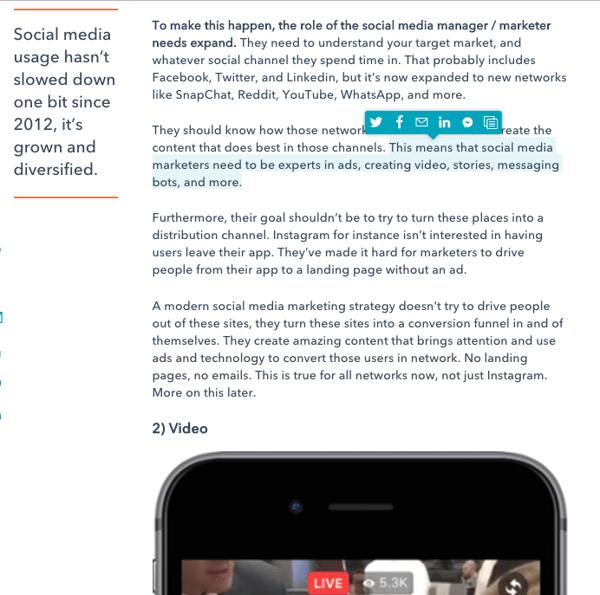
They should know how those networks work and be able to create the content that does best in those channels. This means that social media marketers need to be experts in ads, creating video, stories, messaging bots, and more.
Furthermore, their goal shouldn’t be to try and turn these places into a distribution channel. Instagram for instance isn’t interested in having users leave their app. They’ve made it hard for marketers to drive people from their app to a landing page without an ad.
A modern social media marketing strategy doesn’t try to drive people out of these sites, they turn these sites into a conversion funnel in and of themselves. They create amazing content that brings attention and use ads and technology to convert those users in network. No landing pages, no emails. This is true for all networks now, not just Instagram. More on this later.
2) Video
Instagram was one of the first totally visually focused social networks, at first it was almost all pictures. It’s massive success served as a spark for the rest of the industry. Quickly other social networks started leaning away from text into images, and that trend continued to video.
We all now have super computers in our pockets with strong wifi and cellular networks. This makes hosting, sharing, and serving video a fast enjoyable experience. The result is that video has become the currency of social media. People want video. You may have noticed how much more video you’re seeing in your Facebook and LinkedIn feeds, expect more.
This may have impacted you, but for even younger audiences social has totally replaced TV. They still want to consume video and now these cord cutters turn directly to YouTube, Instagram, and Facebook to get it.
All of this has already happened. It’s not new. This means if you haven’t figured out how your company or brand can produce relevant video you must now or risk becoming irrelevant. Producing video should be something you add to your personal repertoire, but isn’t easy, and unlike blogging a bad product can hurt your brand and image. If you can’t do it yourself get help. Lean on good freelancers or hire folks with experience to guide the way and help you build your video strategy and production arm.
Video should be part of all your marketing campaigns. It can be live, pre-produced, casual, or polished, you’ll figure out what works for your audience, but you have to get started now if you haven’t. An easy way to figure out what to create is to always ask “What’s the video element?” to every single marketing campaign your team creates. Once you get started start reviewing the data. Focus on metrics like watch time over views, and let that be your guide to decide what’s working.
3) Mobile
You, me, and everyone else in the world have relatively cheap, extremely powerful, mobile phones in our pockets. Wifi is now everywhere, and 4g networks can be found in all corners of the globe. This has made accessing the internet and consuming content on mobile much easier. And it turns out that as long as the experience is good people prefer using their mobile device for everything.
A result of this is that social media is now almost all mobile. 80% of social usage now comes from mobile devices. Social media is growing like crazy and almost all of it is coming from mobile first or mobile only users. That’s right, some users in some regions only access the internet from their mobile device. How are you going to reach those users?
Obviously it’s important to know your own audiences trends, but the short story is your marketing should now also be mobile first. Assume that the majority of people you engage with or want to reach in social are coming from their mobile phone.
For most B2B marketers this is a hard pill to swallow. The school of thought is that mobile marketing doesn’t work for B2B. That a mobile users on the go isn’t going to be as interested in a long form white paper as someone asking it from a desktop. That forms with several fields turn off mobile users.
Those concerns are valid and true, but it doesn’t mean mobile marketing doesn’t work for B2B, it just means we need to change our tactics and Facebook is eager to help.
Recently Facebook introduced Lead Ads, and they can become your mobile marketing strategy. There aren’t many shortcuts in marketing or life but Facebook’s created a big one with Lead Ads.
The ad unit brings your content to users on the Facebook mobile app and Instagram. It’s format allows you to feature your lead gen content, and a strong call to action. This is all great, but the magic comes after a user clicks on the ads CTA, they are served a form, that is auto populated with their information by Facebook.
This dramatically increases conversion rates. We’ve seen this totally flip the script for some marketers. They are now actually getting a better cost per lead at a higher conversion rate from their mobile campaigns vs. desktop.
Another great option for converting mobile users is Facebook Messenger. HubSpot CMO Kipp Bodnar recently wrote, “Facebook Messenger will be the next great marketing channel, and it is arguably the best way to engage with the Facebook community as a marketer.”
Step one is encouraging users to start conversations via messenger. There are lots of reasons why a customer or prospect would want to chat with you via Messenger. Maybe it’s to aid communications at an event you’re hosting or perhaps to deal with a customer service question.
Whatever the reason, it’s a good idea to start doing it. Having access to people via messaging means have a direct, mobile first, channel to people. In a world where people are ignoring email, and spending the majority of their time on their phone in a Facebook property, this will be important. Start building a plan for how you can start messenger conversations now.
4) Social Ads
Most people would agree that a modern social media marketing strategy has to incorporate video and mobile, but do you have to use ads? The answer now is yes.
You don’t have to always be running ads or use them for every campaign. But if you can’t effectively use paid media to amplify your inbound marketing strategy you’re going to lose to the competition.
Earlier I mentioned we are now in a world where pushing people off of social to your site to convert no longer works. That means ads are your main path to conversion in social now. Before you grab your pitchfork and start chanting “pay to play is wrong” let me say this. A good social ad strategy will make you way more money than it will ever cost you and help you compete with much larger businesses.
You also don’t need to have a massive budget to be successful. Ads can be easily scaled up and down, so when you figure out the right conversion path and reach profitability, dial things up.
All of the major social networks are aggressively trying to monetize their audiences. Most of them have been for awhile. Those monetization efforts started with exciting marketing solutions for big consumer focused brands, and they work.
Now Facebook and the others though are looking for new audiences to build for. If you’re reading this you’re probably a B2B marketer who doesn’t work at a fortune 500 company. That’s a great place to be if you want to start using ads.
Facebook and LinkedIn both now have great lead generation solutions that are built for a mobile audience. This is a big opportunity and one you don’t want to miss out on. It’s important to build a strong social media advertising muscle now. Ads don’t have to be part of every campaign, but you should always consider it.
When you do decide to use ads, use them in conjunction with inbound. An ad that is only an ad is boring and disruptive. But an ad powered by great content that is part of a well targeted inbound campaign is something your audience will welcome.
5) Artificial Intelligence
Machine learning and artificial intelligence are ideas that marketers are chomping at the bit to put to work. But the question that hasn’t been answered is how? Social Media and Social Ads are the answer.
No other marketing channel has grasped AI like social. It defines what content you see, what ads you’re served, and how you engage with your friends. In many ways AI defines social, and it’s important to keep this in mind when creating content. There is no more optimizing for time of day or keywords in social, everything is defined by a machine learning algorithm specific to individuals. When you thinking about content try to think like the machines.
Facebook and others have now made the same AI that powers what content is show to whom, available to better target your ads. When you run Facebook ads for instance, you have a powerful toolset of AI at your fingertips, even if they don’t make that obvious. Leaning on Facebook to target and optimize your ads is a very good idea.
Upload lists of your most valuable customers or highest priority prospect to Facebook and then implement Lookalike Audiences. With this data Facebook will put it’s AI to work by combining with their global user data to serve your ads to only the most valuable people.
At HubSpot our own ads used to manually test and optimize combinations of creative and targeting to get the best results. But over the course of this year simply decided to stop. They couldn’t beat Facebook’s AI. At this point it’s just best to get out of your own way and let Facebook do it’s thing.
Look, things are different. Facebook has changed the world, mobile and video are here to stay, ads are they way forward, and it’s time to leverage AI. But for all the change that’s happened, inbound is still the way forward.
The best marketing will always be remarkable and focused on attracting people with the quality of its substance. And for all the advanced technology we have, the best marketing will still always be about people and personal connections.
No technology can replace the feeling someone gets when they feel like you’re talking only to them. It’s important to root everything you do in those concepts. It’s time to grasp these new concepts, tools, and tactics. If you can combine them with the fundamentals of inbound marketing, there is now stopping you.
6 Predictions for the Convergence of IoT and Digital Marketing
We’re on the cusp of a tectonic shift in digital marketing.
The boom in IoT (Internet of Things) technology will soon allow us to analyze, predict, and respond to consumer behavior in almost every market possible.
That sounds amazing … but what’s the Internet of Things?
The Internet of Things is the connection of everyday products like cars, alarm clocks, and lights to computing devices via the internet. It allows them to exchange data with each other, providing marketers with more context about their customers’ product usage. This enables marketers to deliver more relevant messages and leads to greater customer engagement.
For example, if you run out of milk or it spoils, a refrigerator connected to the internet could recognize your need and display a message on its screen or your phone about the best milk deals in town. You could even order a carton through one of those devices if the refrigerator company partnered with a grocery store.
Since IoT technology connects the internet with objects that are ubiquitous in our daily lives, marketers in almost every industry will be able to engage consumers throughout every phase of the customer journey.
The term “Big Data” is an understatement for the amount of data IoT devices will produce. According to the Ericsson Mobility Report, IoT devices and sensors will exceed mobile phones as the largest category of connected devices in 2018 and generate a staggering 400 zettabytes of data per year.
IoT’s surge will overjoy marketers because they can leverage these massive data sets to integrate consumer behavioral signals into their marketing stack. This will allow them to capture interactions, conversion metrics, and consumer behavior predictions and link them to purchase-intent data.
Access to this data is exciting, but it could also lead to confusion. Marketers might not know how to interpret this unprecedented influx of information. Changes to the digital marketing landscape are clearly on the horizon. So check out these six predictions of how IoT will influence digital marketing’s growth and evolution and how you can prepare for it.
1) New digital devices will emerge.
Since anything connected to the internet could be an avenue for consumer engagement, marketers will move beyond today’s digital devices like laptops, mobile, and tablets.
For instance, we could use things like car and refrigerator monitors as possible touch points. Amazon already leverages IoT with their Dash buttons, allowing consumers to order a product with the push of a wifi-connected button.
2) IoT data, attribution, and analytics will revolutionize contextual marketing.
IoT devices generate unprecedented amounts of data, so every customer interaction allows marketers to capture consumer intent, behavior, needs, and desires. This makes it possible to serve contextually relevant marketing messages at the most optimal place and time.
Understanding a consumer’s behavior, purchase patterns, and location also provides a level of attribution, analytics, and predictive capabilities that were previously unavailable. Based on signals from IoT devices, we’ll be able to push timely notifications to consumers when they need to purchase something rather than waiting for them to show interest.
These insights and the ability to accurately attribute every interaction throughout the customer journey will be groundbreaking.
3) Marketing technology platforms will treat IoT data like their first born.
Marketing platforms and technologies will be able to ingest and use IoT data similarly to how cookies and unique IDs (UIDs) are used today. These platforms will also use IoT signals to further evolve our current cross-device technologies.
Developing platforms and technologies capable of ingesting, analyzing, and acting on these vast data sets will be a very complex undertaking. But evolution in digital marketing AI and machine learning applications will produce marketing technology platforms that can process, interpret, and evaluate these data sets in near real-time.
In other words, expect many new entrants in the marketing technology space to tackle this challenge.
4) The agency’s role will evolve.
Along with the traditional responsibilities of agencies, they will start playing an increasingly technical, data-centric role as technology partners. Agencies will help build their client’s platforms, develop their internal systems, and manage the implementation of tagging elements.
The agency staff’s skill set must adapt to the evolution of their role, though. They’ll need to develop an agile approach to managing campaigns, marketing initiatives, pricing, and product development.
Keen understanding of the data packets IoT devices can produce will become commonplace, as well as knowing what the actionable endpoints within a customer journey are.
5) Marketers will be able to deliver timely, personalized messages that align with their customer’s lifecycle stage
The ability to deliver timely, personalized messages at the precise moment to the optimal device will transform digital marketing. For example, using data collected from a fitness wearable and proximity data collected from beacons, digital marketers could deliver fitness product messaging or emails when the user is near a relevant advertiser’s store, like a smoothie joint.
The possibilities for using a combination of these signals to provide highly relevant messaging at the optimal moment are unlimited.
IoT could also provide marketers with the information to improve customer experience and determine when they should send acquisition or retention marketing messages. One example is using offline purchases coupled with proximity data from IoT devices in a brick and mortar store to target recent purchasers with an upsell email or social campaigns asking for product feedback to send to their peers.
6) There will be increased scrutiny of privacy and security.
With great data, comes great responsibility. We can expect more privacy and security regulations and technologies focused on protecting both consumer and enterprise data.
Methods such as network segmentation, device-to-device authentication, and bolstered encryption techniques will likely emerge to prevent IoT devices from being compromised.
The data created by the Internet of Things will unleash considerable digital marketing potential. Predicting exactly how these changes will play out is not exact, but the evolution is already underway.
The only question is: will you be prepared for it?
6 of the Best Professional Bio Examples We’ve Ever Seen
A short, professional bio is one of those things most people don’t think about until, all of a sudden, we’ve been asked to “shoot one over via email” and have approximately one afternoon to come up with it.
That’s when we scramble.
And when we scramble, our bio ends up reading like this:
Rodney Erickson is a content marketing professional at HubSpot, an inbound marketing and sales platform that helps companies attract visitors, convert leads, and close customers. Previously, Rodney worked as a marketing manager for a tech software startup. He graduated with honors from Columbia University with a dual degree in Business Administration and Creative Writing.”
… Woof, that was dull. Are you still with me? I swear, not even adding a tidbit about his cats would liven that bio up.
To be fair, in certain contexts, your professional bio does need to be more formal, like Mr. Erickson’s up there. But in many cases, writing a bio that’s readable — even conversational — is actually a really good thing. That means dropping that traditional format of listing your accomplishments like a robot and cramming as much professional-sounding jargon in there as you can.
Remember: The people reading your bio are suffering from information fatigue. If you don’t hook ’em in the first line, you’ll lose them quickly.
Alright, I know what you may be thinking … So what? It’s just a bio.
(P.S. Want to give your professional brand a boost? Take one of HubSpot Academy’s free certification courses. In just one weekend, you can add a line to your resume and bio that’s coveted by over 60,000 marketers.)
Why Does Your Professional Bio Matter?
I mean, how many people actually read those things, anyway?
The answer: A lot of people. More importantly, though, there’s no way to tell exactly who is reading it — and you always want it to be ready for when the right people to come across it. And when they do, you want it to catch their eye. In a good way.
You see, while your resume is only useful for when you’re actively applying for specific positions, your professional bio is much more visible. It can live on your LinkedIn profile, your company’s website, your guest blog posts, your speaker profiles, your Twitter bio, and many other places.
And, most importantly, it’s the tool that you can leverage most when you’re networking.
Bottom line? People will read your professional bio. Whether they remember it, and whether it makes them actually care about you, is a matter of how well you present yourself to your intended audience.
So, what does a top-notch professional bio look like?
Let’s take a look at some great examples. We’ve curated some of the best real professional bio examples we’ve ever seen online. Check ’em out, and use them as inspiration when crafting your own.
6 of the Best Professional Bio Examples We’ve Ever Seen
1) Phil Gutowski
Phil is a real estate broker for the East Boston neighborhood, and he’s mastered the art of adding a warm personality to the professional bio on his website.
First, check out the header of his bio: “Promoting positive community and economic growth in our neighborhood.”
The header isn’t all about him, nor is it a hard sell about his business. Instead, he’s chosen to start with a value proposition. Why? Because Phil knows that his value proposition is the core of his competitive advantage. In header text that stands out on the page, he clearly articulates why someone would want to hire him instead of a competitor: This guy doesn’t just sell houses to make money; he promotes community and economic growth in the area.
The rest of his bio includes personal touches that make him more human. He does talk about his business history and accomplishments, but he does so while including personal details that invite readers to relate to him as a person.
For instance, he talks about where he’s from (a relevant detail for a real estate broker), his love of the water, why he started his business, and how he’s committed to the local community. His bio indicates he’s friendly and probably a pleasure to work with, which is important for a real estate broker someone would be working with one-on-one.
2) Ann Handley
If you’re a marketer, you’ve likely heard of Ann Handley. Her list of credentials is lengthy, and if she really wanted to, she could go on and on and on about her accomplishments.
But when people list out all their accomplishments in their bios, they risk sounding a little egotistical. Sure, you might impress a handful of people with all those laurels, but many people who read your bio will end up feeling either intimidated or annoyed. Think about it: Is that how you want the majority of your readers to feel when they read your bio?
To minimize the egoism that comes with talking about yourself, think about how you can list out your accomplishments without sounding like you’re bragging. Ann does this really well, choosing a tone in her bio that’s more approachable.
It starts with the excerpt in the footer of her personal website. Give it a quick read, paying close attention to the opening and closing lines:
“This is Ann Handley’s website, and this is a bit of copy about her … That’s not giving you a lot of detail, is it? So read more here.” This is the kind of simple, friendly language that invites the reader in rather than shutting them out.
Follow the link and you’ll be led to a page dedicated to a fuller bio, which she’s divided into two parts: a “short version” (literally a bulleted list of key facts) and a “long version,” which includes traditional paragraphs. There’s something in there for everyone.
3) Mark Gallion
As a venture capitalist and an executive at several start-ups, Mark Gallion has different versions of his bio all over the internet. You can imagine some are more formal than others. But when it comes to his Twitter bio, he carefully phrased his information in a way that helps him connect with his audience — specifically, through the use of humor.
Why would he choose humor when he runs four start-ups and constantly seeks funding for them? Well, Mark’s tactic is totally intentional: it’s a lever he pulls to refresh his brand while maintaining his already impressive and established identity as an entrepreneur.
Mark leverages his Twitter bio because it’s place where he can be human. And it helps him relate to his followers and potential investors.
When crafting your own Twitter bio, consider your audience and the personal brand you’re trying to create for yourself. Use it as an opportunity to be relatable. (And check out this list of amusing Twitter bios for inspiration.)
4) Lena Axelsson
When it all comes down to it, your professional bio is no different than any other piece of persuasive copy — no matter where it lives. One of the most common mistakes people make is thinking of it as its own beast, separate from other pieces of writing. If you think about it that way, you’re far more likely to write something painfully uninteresting.
When you sit down to write your professional bio and you’re watching that cursor blinking on the screen, think about how you would introduce a blog post. You don’t just dive right into the meat of the thing, now, do you? No. You start with an introduction.
The best bios are often concise (around 200–300 words), so you don’t have a lot of room to play around. But a single sentence that tees your reader up and provides context for the accomplishments that follow could make the rest of your bio that much more persuasive.
Take Lena Axelsson’s bio, for instance. She’s a marriage and family therapist — a job where empathy and compassion are a big part of the job description. That’s why she chooses to open her bio with a great introductory sentence: “When human beings experience trauma or severe life stressors, it is not uncommon for their lives to unravel.”
Then, she goes into why she’s passionate about her job, how she helps her clients, and how she caters her approach to each individual patient. The necessary educational information is left for the end, after the reader has been hooked.
Your bio doesn’t have to be super serious, nor does it have to start with a joke. This bio shows how you can capture your reader’s attention by being empathetic or telling a brief story.
5) Mark Levy
Mark Levy is a small business owner who’s taken a more traditional approach to the professional bio on his website — but in a way that takes care to speak to his intended audience.
What we love about his bio is the way he’s set it up: On his business’ “About” page, he’s listed two biographies, which he’s labeled “Mark Levy’s Biography #1” and “Mark Levy’s Biography #2.”
Click here to see the full version.
Like Ann, Mark’s given his readers two different options. The first biography is a “short version,” which includes a combination of bullet points listing his credentials and a few short paragraphs.
The second is the “long version,” which is actually even more interesting than the first one. Why? Because it reads like a story — a compelling one, at that. In fact, it gets really funny at parts.
The second sentence of the bio reads: “He was frightened of public school, loved playing baseball and football, ran home to watch ape films on the 4:30 Movie, listened to The Jam and The Buzzcocks, and read magic trick books.”
Here’s another excerpt from the middle:
Of course, the fantastic copywriting isn’t a surprise, given that this guy wrote several books. But the conversational tone and entertaining copy let his quirky personality (and great writing skills) shine.
6) Corey Wainwright
Finally, we have Corey Wainwright, who’s the director of content here at HubSpot. She’s written content for HubSpot’s Marketing Blog for years, and her blog author bio has caught my eye since before I ever started working for HubSpot. (Back then, it started with, “Corey just took a cool vacation.”)
What I love most about Corey’s bio is that it’s a great example of how to deliver information about yourself without taking things too seriously. And in this context, that’s totally appropriate.
Despite having a number of impressive accomplishments under her belt, she simply doesn’t like displaying them publicly. So, she prefers making her author bio a little more “light.”
Her bio (pictured below) reads, “Corey is a Bruce Springsteen fan who does content marketing, in that order.”
It works in this particular context because, at HubSpot, our blog authors often prefer to make themselves as friendly and approachable as possible — while letting the content speak for itself.
It helps that authors’ social media accounts are located right below our names and above our pictures. For folks who really do want a list of Corey’s credentials, they can click the LinkedIn button to go to her LinkedIn page. (You can read this blog post to learn how to create social media buttons and add them to your website.)
What are your favorite professional bio examples? Share with us in the comments.