
9 Clever Ways to Get More Comments on Instagram
If you’re not a total Instagram addict like me, you might go a day or two without checking your app. And when you check your feed, you might notice that some posts from friends were shared mere minutes ago, while others might be a few days old.
So, what gives? Why isn’t your Instagram feed chronological anymore?
Like many other social networks, Instagram’s algorithm changed.
In this post, we’ll give you a quick rundown of what’s new with the algorithm, along with tips on how to create the most engaging posts possible to get more comments on Instagram — which help you jump higher in the feed and get discovered by new users.
Guide to the Instagram Feed Algorithm
In June 2016, Instagram announced it was changing its algorithm to show users content they cared about first — no matter when it was posted. This could make it tougher for social media marketers to get organic Instagram posts seen because most users miss 70% of the content on their feeds.
That’s where engagement comes in. There are a few factors that influence a post’s ranking on the Instagram feed, and the number of likes and comments a post achieves is one of them. Here’s what matters when it comes to ranking on an Instagram user’s feed:
- The number of Likes and comments a post has
- If that user has interacted with your content in the past
- How recently you posted
If your organic Instagram posts get engagement from your followers, it creates a positive feedback loop: the more people like and comment on a post, the greater likelihood it will appear on the Explore tab, where users who don’t already follow you can check out your popular content.
Before we jump into strategies for attracting more comments, there are a few things you need to do:
1) Make your account public.
Make sure new followers can find your content by opening your account. Navigate to your profile, tap the Settings gear icon in the upper right-hand corner, and toggle the Private Account button to the Off position.
2) Enable push notifications.
Turn on push notifications so you can quickly reply to or like your followers’ comments. Remember, the more users interact with your account, the higher on their feeds your content will appear.
Navigate to your profile, tap the Settings gear icon in the upper right-hand corner, tap Push Notification Settings, and choose which Instagram actions you want to be notified for.
3) Curate excellent content.
People aren’t going to comment on uninteresting content, so enlist one team member to manage the scheduling and editing of Instagram content, but open it up to a larger team to source different photos, videos, and ideas to keep your Instagram feed fresh and interesting.
4) Develop an Instagram editorial calendar.
Figure out an Instagram publishing cadence that works for you — and we recommend posting no more than once per day. Remember, timing is a factor in the algorithm, so you don’t want posts from earlier in the day to get lost in the shuffle. Download our social media content calendar to keep track of what you’re posting across other social platforms so you’re not repetitive and you’re covering all of your bases.
Now that we’re all on the same page, let’s dive into strategies for getting more comments (and likes) on Instagram.
9 Ways to Get More Comments on Instagram
1) Host a giveaway or contest.
A fun and easy way to get followers to comment on your Instagram posts is by hosting an Instagram contest or giveaway. You could post on Instagram promoting the contest, then ask users to enter by commenting on your post. You could make your contest a weeklong campaign, where users have to comment each day. You could even incorporate user-generated content (UGC) and ask followers to post their own photos and to tag/mention your brand in the post.
Here’s an example of an Instagram contest we ran for our attendees at INBOUND 2016, HubSpot’s annual marketing and sales event:
Social Media Examiner has a great guide for running Instagram contests — check it out here.
2) Host an Instagram takeover.
Instagram takeovers are a fun way to get fresh content on your Instagram and to work with colleagues and influencers. They’re a smart way to generate more Instagram engagement, too.
Takeovers involve one Instagram user taking over another’s feed, usually for a day, and posting from their point of view. Takeovers are often done from the perspective of:
- A colleague
- An influencer
- Another organization in your industry
These takeovers help generate more Instagram comments whether it takes place on your account or you’re taking over another account. Here’s an example of a takeover we hosted with our friends over at WeWork. WeWork was able to share brand and member stories to a whole new audience of HubSpot’s engaged followers.
WeWork closed the takeover with a call-to-action (CTA) to follow its Instagram account — where new followers will start liking and commenting on new posts. And over at HubSpot, we enjoyed comments from WeWork fans and others interested in the takeover.
Takeovers are a win-win for hosts and guests. Learn how to host one with help from Buffer.
3) Ask users to engage in the comments.
A simple way to get more Instagram comments is to ask for them.
Post content on Instagram that lends itself to sharing, and ask users to answer a question or tag their friends and coworkers in the comments. It’s a fun and easy way to interact with your audience, and it helps you garner more comments, too.
Here’s an example of an Instagram post we shared in which we asked our followers a question. You can caption posts with simple questions like “Agree or disagree?” or “What’s your advice?” to prompt responses and earn more comments.
4) Post something funny, surprising, or provocative.
In a study of what makes content go viral, research revealed some of the most viral internet moments also provoked high-arousal emotions. Among the most common were posts that created anticipation, surprised the viewer, and provoked curiosity and uncertainty. Emotions that incited feelings of joy were also among the most common, so think about content you could share on Instagram that makes people feel an emotion so strongly that they’re compelled to comment on it.
Is there content you could post about a surprising fact, a happy moment, or an intriguing industry trend? It doesn’t need to be specifically about your brand, either — content that’s enjoyable for a broad audience will likely attract more comments.
It can be silly, too — here’s our teaser video for our April Fool’s Day prank about “gorilla” marketing that attracted a lot of attention — while building anticipation and a sense of surprise.
5) Post videos.
Time spent viewing videos on Instagram increased 40% in 2016, and now, users can post videos up to one minute in length. Post this engaging content to get followers to stop scrolling through their busy Instagram feeds and watch your video — and make sure it’s intruiging. Your audience wants more video content — especially on social media — so if you share something compelling and ask viewers to comment on it in the caption, they’ll most likely do it.
Create short videos for Instagram that tease longer videos on other platforms — like Facebook or YouTube — or post longer video (up to 60 seconds) as we did here:
6) Use relevant hashtags.
When you post your content with relevant, popular Instagram hashtags, your posts appear in searches for those hashtags and the Explore tab. In fact, posts with at least one hashtag typically attain more than 12% more engagement. Influencers and interested users might organically comment when they see you talking about topics they’re also interested in, or you could combine some of the strategies above to generate engagement.
Ask followers how they celebrated #SundayFunday, acknowledge a #ThrowbackThursday, or use one of the hundreds of hashtags relevant to your industry or your content to get new audience members involved in the conversation. We did this with Earth Day hashtags in the example below:
Here’s a guide to finding and using Instagram hashtags, as well as a massive list of the most popular hashtags you can use.
7) Publish at the right time of day.
There’s a lot of debate over the best time of day to post on social media, and that’s because the answer varies depending on your industry, your followers, and what type of content you’re posting.
Our best advice is to test out your engagement rates on Instagram when you post at different times throughout the week, and determine your publishing schedule based on the results. Whether it’s bright and early on Monday morning or later in the afternoon, try to figure out the time when your followers are more willing to stop and leave a comment to maximize the engagement of your posts each day. Use a social media content calendar to track scheduling and results.
8) Post photos of people’s faces.
Let’s face it — selfies are fun. And as it turns out, they’re good for your Instagram strategy, too.
An analysis of more than 1 million Instagram posts by Georgia Institute of Technology and Yahoo Labs found that posts with human faces are 32% more likely to attract comments — and 38% more likely to garner likes. There isn’t a ton of insight into why this is, but the researchers suspected that it’s partly because faces are effective sources of nonverbal communication that people respond to — even as infants.
Post Instagram content featuring selfies, group shots, and candid photos, and see if your audience likes the human side of your brand, too. Here’s a post featuring the faces of our recruiting team that generated a lot of comments:
9) Post photos of animals.
There isn’t a lot of research to back this one up, but you know as well as I do that animals on social media are powerful. Animals have been popular on the web for a long time, and animal influencers can earn just as much money as human influencers on Instagram, Whether you have animals in your office or a cute picture of a coworker’s pet, try posting lighter, fun content on Instagram accompanied by a furry friend to see if your audience likes commenting on animals, too.
Here’s one of our favorite dogs here at HubSpot — he racked up 24 comments and almost 800 likes.
Engagement Is Key
Likes, comments, and video views are valuable on Instagram because they influence where your posts sit in the feed. Additionally, your content will be discoverable on the Explore tab if a lot of users interact with your posts — so test out these methods for attracting more responses on Instagram. For more ideas, check out our guide to Instagram for business.
What are your strategies for getting more comments on Instagram? Share with us in the comments below.
7 of the Best Mood-Boosting Websites We Could Find
I will never forget the day I learned that watching cat videos is proven to enhance your mood.
Even to a bonafide dog person, the news was good. In a study conducted at Indiana University Bloomington, participants reported “fewer negative emotions, such as anxiety, annoyance and sadness, after watching cat-related online media than before.”
And it’s not just cat videos — the same conclusions have been drawn about humor in general. Researchers at Loma Linda University found that, in aging adults, watching comedic videos correlated with improved short-term memory. In other words: Funny is good.
We believe these findings particularly apply during the work day. When our days reach a stressful climax, or we’re feeling particularly frustrated, that’s when self-care becomes imperative. But there’s time and efficiency to consider. In the middle of a winter afternoon, for example, a long walk might not be the best option. That’s where the internet becomes especially useful — it’s full of those mood boosting videos that even academic researchers have found to be mentally beneficial.
But what are some of the best go-to websites for mood-boosting content? I surveyed the web and my colleagues for some favorite online sources of a quick pick-me-up, and selected the seven best ones to seek out in the middle of a hectic work day. So go ahead — click, and smile. You’ll be glad you did.
7 of the Best Mood-Boosting Websites We Could Find
1) Animal Planet Kitten Cam
Live video by Animal Planet L!ve
Sophia Bernazzani, Staff Writer, HubSpot Marketing Blog:
I’m a huge animal lover, and during a hectic and stressful workday, watching a live feed of a bunch of kittens playing is a fun way to take a quick mental break without getting too distracted.”
Visit this online destination if:
You love watching adorable things happen in real time. There’s a reason why live videos get 3X more viewing time than pre-recorded ones — it’s fun to watch things unfold as they happen, even if it’s a cat discovering yarn for the first time.
Author’s note: For my fellow dog people, there’s also an Animal Planet Puppy Cam.
2) Huffington Post Good News Section
Aja Frost, Staff Writer, HubSpot Sales Blog:
When I need a quick reminder about all the cool, heart-warming, inspiring things people do for one another each and every day, I check Huffington Post’s Good News vertical. It’s a curated collection of happy news — often stories that are overshadowed by more dramatic (read: more depressing) events.”
Visit this online destination if:
You get overwhelmed by coverage of less-than-positive current events. This site provides great fodder for watercooler talk, but focuses on, well, the good stuff.
3) Find the Invisible Cow
Source: StrauberryPlays
Nick Carney, Social Media Marketer:
Sometimes, there are days when you just need a win — something to pick you up and carry you through the rest of the day. For me, there’s nothing much more satisfying than finding an invisible cow. It makes me feel more accomplished and ready to take on the world, one elusive cow at a time.”
Visit this online destination if:
You like a tiny challenge with your midday break. While it’s not exactly a mind-bending game, Find the Invisible Cow provides just enough stimulation for your brain to feel like you’ve accomplished something. Plus, the more you win, the more animal options you have to choose from.
4) Cute Overload
Janessa Lantz, Principal Content Marketing Strategist:
Cute Overload is my go-to rainy day pickup. Puppies wearing red galoshes and kittens snuggling with hamsters will always make me feel better about life. And even though it’s no longer publishing new content, the archive is still filled with joy.”
Visit this online destination if:
You’re the nostalgic type. In January 2016, Cute Overload decided to stop publishing new content — read more about that here — but its previous posts are still alive and well at the original URL. So if you’re the type of person who never gets sick of seeing videos about seals, bunnies, and polar bears that have been curated from a variety of sites, this destination is for you.
5) Spotify
When I told Bernazzani that I would be writing this roundup, she quickly pointed me in the direction of Spotify. The digital music provider, she explained, “has curated playlists that are specifically about mood and attitude.” Some of our favorites? “Brain Food,” “Songs to Sing in the Shower,” and, of course, “Mood Booster,” which we’ve embedded below.
Visit this online destination if:
Working in silence makes you bonkers — or, if you really do need a quick and easy mood boost. Music is known for its multiple physiological benefits, which are reviewed quite thoroughly in this study of its neurochemistry. But not only can it help to regulate your mood, but also, it can be intellectually stimulating, making it a great way to take a break before resuming a challenging task.
6) BarkPost Humor
BarkPost is one of those delightful websites full of content that either leaves you in stitches, or clinging to your pets for dear life. If you prefer to avoid the latter — which is likely here, considering you’re seeking a mood-booster and not a downer — we recommend checking out BarkPost Humor, which is packed full of trending stories, photos, and videos of dogs being unintentionally hilarious. Is it hard news? Not really, unless you consider one woman’s tale of sending her dog and cat to a marriage counselor to be heavy-hitting journalism. But honestly, who wouldn’t want to read that story?
Visit this online destination if:
You never, ever, ever, get sick of seeing funny dog videos — whether you’re in a bad mood or not.
7) Audiotree
You might be thinking, “Are all of these sites related to animals and music?” Well … almost. But hey, as per the studies cited previously, those are two of the biggest mood boosters out there.
For the latter, there’s Audiotree, the aptly self-described “artist discovery platform.” Whether you’re into studio sessions, live-streamed concerts (and remember — that type of video gets over 3X the views as others), or documentaries, this site has something for you.
But what makes this site particularly mood-boosting? For us, it’s the variety of content. It might seem like music is intuitively consumed one way — by listening to it — but Audiotree has made it a mission to diversify the way we do that. Plus, they share interesting stories about the people who write and perform it, adding a learning element to the way we enjoy a great song.
Visit this online destination if:
You love your favorite artists, but want to find something new. You may not have heard of the ones featured on this site before, but what better way to boost your mood than with a new favorite song?
Get Happy
I don’t know about you, but I feel better already. Many of these sites were unfamiliar to me when I first began working on this article, and just listening to my colleagues describe them with such enthusiasm was a treat. Experiencing them was even better — and I definitely found myself feeling slightly less stressed and preoccupied once I explored some of what they had to offer.
And if you feel like you’re too busy to take a break, know this: The top 10% of most productive employees take 17-minute breaks for every 52 minutes of work they put in. So if you feel your earlobes starting to leave marks in your shoulders, please — watch a cat video, listen to an awesome new song, or read about some good news. Take notes right afterward on how you feel, and see how taking these mini mood-boosting breaks impacts your disposition over time.
What are your favorite mood-boosting websites? Let us know in the comments.
10 Content Curation Tools Every Marketer Needs
“Curation” is one of those words that’s always conveyed coolness to me. Take, for example, the job of curating art for a gallery, or curating music for a soundtrack. Cool, right? Content curation is just as much fun — and just as important.
For the uninitiated, content curation consists of finding material relevant to your audience from a variety of sources, and sharing it strategically through your communication channels. For example, writing a roundup blog post of great marketing examples would require you to curate strong samples of content relevant to what you’re writing about. And while very cool, it can be tricky. There are many, many social networks, news feeds, emails, and infographics full of such content that can demand your time and attention.
That’s why the responsibility of content curation is important. Think of it as being a successful wedding DJ: Your selections can’t all be ad hoc and safe. After all, people can only hear Kool & The Gang’s “Celebration” so many times before the floor clears, and that sort of playlist isn’t personalized for your audience. But if you know your audience, you can accurately gauge the temperature of the room and have the confidence to give the people what they want.
Download our free guide here for more content marketing tips and hacks.
The same goes for content curation. Instead of just rounding up the most generally popular things on the web, pick the ones that are going to be the most relevant and interesting to your audience, and provide the context around them that makes your site a destination. Of course, we never said that was easy. Where do you find this content, anyway, especially given the information overload we opened with? Good news: We’re here to help you prioritize the resources by outlining some of our favorites below.
But First, What Makes A Successful Content Curator?
1) Content curation should be personal.
The beauty of news roundup NextDraft is the personal touch and context that its chief curator, Dave Pell, gives to each story. I don’t just want a bunch of browsable links — I want to know why I should read this stuff, and how it pertains to me. That personalized context creates a type of bond between curator and reader that something like simple link aggregators don’t humanize quite as much.
2) Content curation should build value.
Here’s a little secret: No matter which industry your customers are in, all of them want to stay informed, but also save time. Just like you, they have demands and can’t possibly keep up with all the latest news in their industry — but they want to. Helping to solve this problem through personalized content curation presents a huge opportunity for brands to build a relationship with their audience.
If you can deliver a curated experience that saves your customers time in getting the information they need, you’ve taken a major step on the path of building trust and loyalty.
3) Content curation should offset promotional content.
Customers can grow tired of brands ceaselessly promoting their own wares, which is why progressive brands think beyond products or features. The relationship customers have with brands today transcends the product itself — after all, that’s part of the foundation of inbound marketing. So while a product may initially attract you to a specific brand, it’s what the brand holistically offers after the purchase — like great content or remarkable service — that keeps you around.
For example, I own only one jacket from the brand Arc’teryx, and yet, I follow it on YouTube and Twitter, and receive its emails. Why? Because the company is doing more than pushing products on me. Rather, it’s also pushing content and an experience that brightens my day. Check out this film series, A Skier’s Journey, that the brand played a role in producing:
4) Content Curation Shouldn’t Take All Day
At last: We’ve arrived at our favorite tools for content curation. Thanks to a slew of websites and technologies, it’s never been easier to find the external information that will serve as a resource for your customers. But they need to be prioritized — so here’s our list, to help streamline your content curation efforts.
10 Content Curation Tools Every Marketer Needs
For Beginners
If you’re thinking, “Yeah, I occasionally share a relevant post with my customers when I find one,” congratulations — you’re curating content. Unfortunately, you’re not doing so on a sustainable scale that makes you a trusted source.
But don’t worry — there are better ways to curate content for beginners that are completely free. Here are three simple sources of information to help you start getting in the habit of curating content, without being overwhelmed by complex tools, subscription fees or convoluted dashboards.
1) Pocket
Pocket is a great place to get into the habit of accruing content to save and share later. Instead of a laundry list of bookmarks or countless emails you’ve sent to yourself with links, it keeps all your interesting images, articles, and videos in one place for reference. You can group articles with tags, and the site’s built-in search functionality makes finding those articles easy. Plus, it integrates with over 500 other apps, like Evernote, for seamless integration.
And as a bonus, Pocket tweets out their @PocketHits for the most-saved articles on their platform — a must-follow if you’re active on Twitter. For other “read-it-later” apps like Pocket, check out Instapaper.
2) Twitter Lists
Twitter can be a streaming mess if you don’t organize the accounts you follow. That’s where Twitter lists come in handy — curated groups of Twitter users that you can categorize and follow separately from the rest of your feed. Here’s one that I created, which I continually manage and update. Even better, if you create a Pocket account, you can easily save articles from Twitter directly into your account.
Click here to learn how to start your first Twitter list.
3) Newsletters
Newsletters serve as a fantastic daily reminder to get your content curation done. For example, I follow HubSpot on Twitter, but don’t always get a chance to see its tweets when I’m busy. Fortunately, HubSpot also offers an email subscription. That way, if I don’t catch something notable on social media, I’m likely to catch it on email.
Whatever industry you’re in, stay on the lookout for newsletter subscriptions. And if a good one doesn’t exist in your industry, that’s the perfect opportunity to create one. But before you start your own newsletter, learn from what other outlets are doing. Here are a few that are doing a great job in original content curation:
- Redef: Jason Hirschhorn, one of the pioneers in social media and formerly the co-president of MySpace, has launched a site curating the best in media, sports, fashion, music and technology. Subscribe to one of Reder’s newsletters for a taste of one of the best in content curation.
- Quartz Daily Brief: Quartz has figured out how to make a text-heavy newsletter a stalwart in the news business with its Daily Brief. The beauty of the newsletter, because it’s text-based, is the cross-platform functionality. Without heavy images, the Daily Brief loads quickly on phones, tablets, and desktops, making it easy to read on any device.
- Internet Brunch: Digital agency Big Spaceship created Internet Brunch to help folks “find the best news, GIFs, and trends from across the Internet.” From holidays, to current events, to celebrity birthdays, this roundup is sure to cover the important stuff that helps readers stay in the loop.
For Intermediates
Here are some great sources for when you’ve got the basics covered — resources like newsletters, social media, and read-it-later apps. But you’re looking for something a little more comprehensive, and if you’re willing to pay for a subscription, these are the comprehensive, algorithmically generated digests of news, feeds, and content to check out.
4) Scoop.it
Pricing: Free – $67/month
I like to think of Scoop.it as a nexus of content curation and social media, with a Pinterest-like user interface. Start with a topic of interest, and Scoop.it will not only generate the most relevant articles to view and share, but also, will suggest complementary topics and other Scoop.it users to follow. The site sends a daily update of the topics you follow, too, to help you keep pace with the most relevant articles to share.
The free version allows you to monitor one topic for posting, on two social media accounts. For a more robust platform that follows multiple topics for sharing across all your social channels, you might want to look into the paid options.
5) Feedly
Pricing: Free – $18 per user, per month
Feedly is a supercharged RSS Feed. Here, content curation takes two routes: There’s web browsing 1.0 which is essentially visiting one site at a time, copying a URL, and pasting it accordingly. Then, there’s the news aggregation route that’s powered by Feedly. By simply adding a few of your favorite sources to Feedly, you can aggregate and browse these feeds in one place from your desktop and mobile devices. You can find a visual tutorial here.
6) Storify
Free options available | Demo of paid products by request
Storify helps makes sense of an increasingly overwhelming and noisy social web. The concept is simple: Users can search, browse or create stories from social media sites like Facebook, Twitter and Instagram. From there, they can use that content to — as the name suggests — tell or follow a story.
At first glance, Storify’s comprehensive features and uses might be a bit confusing, so since it’s free to sign up for one version, it might be worthwhile to create an account and tinker around with it, to learn how it works.
7) Sniply
Pricing: $29 – $299/month
Sniply is a conversion platform — by way of content curation. In a nutshell, it allows users to add a call-to-action to everything they share. “For example,” the site reads, “you can attach a button to the page that links to your own website, so that people can discover you while they read.”
It’s also a custom link shortener, so you can create branded links that are short enough to share on Twitter and the like. Here’s a quick video to show how it works:
For Advanced Users
Now we’re getting into some serious, enterprise-level curation software. These solutions work best for companies looking for a proven platform that’s capable of working with a team of users, editors, and content curators.
Enterprise-level curation provides users with advanced algorithms to find quantitatively relevant content for their audiences, a centralized publishing platform, and the ability to customize content, teams, and publishing channels.
8) Curata
Pricing information not available | Demos upon request here
The power of Curata lies in its ability to recommend and help users discover content relevant to their respective audiences, without a ton of human labor. Users can fine-tune, customize, and categorize content sources for review, and then distribute them, all from one central platform. The publishing and promotion allows you to repurpose curated content across your blog, social, newsletter, and automated marketing platforms.
9) PublishThis
Pricing information not available | Demo available by request
Like Curata, PublishThis promotes the reliability of its algorithm to source relevant content for your audience–saving the time and headache that go with daily curation. It’s largely powered by what it calls Big Content, which is illustrated in this image below:
In addition to customizing curated content to specific audiences, PublishThis also helps users manage and distribute original content, as well as adding conversions. As noted above, pricing information isn’t made publicly available, but a demo can be requested here.
10) TrapIt
Pricing information not available | Demo available by request
Trapit may have once been designed purely for content creation, but now, its capabilities have expanded into employee advocacy — tools that help employees “follow best practices” on social media, as well as helping internal leaders become established thought leaders — and social selling.
Of course, the content element still remains. Some of the major pillars of Trapit’s platform include the ability to discover, organize, personalize, and distribute content. That’s where the social selling comes in — it helps users prospect, network, and build relationships by sharing the information that’s going to be most relevant to their targeted audiences.
Which Tool Is Right For You?
Before you select the best tools for your business, it’s important to understand the role content curation will play in your marketing operations and the size of your team. If you’re a one-person marketing department, for example, the beginner and intermediate options should suffice for your needs. As your business and team grow, content curation may play a larger role and require more powerful software.
At that point, some of the advanced tools will help save time curating and getting everyone on the same page. Regardless of your team or business size, content curation should become a part of your content marketing strategy. Great curators build trust with their audiences and become an indispensable resource as they help to sift through online information to distribute what’s worth reading.
What curation tools have you found most helpful? Let us know in the comments.
Editor’s Note: This post was originally published in March 2015 and has been updated for accuracy and comprehensiveness.
Here’s the 2017 State of Digital Marketing [Infographic]
Digital marketing is one of those areas that’s become, in a way, all-encompassing. There’s social media, there’s SEO, and there are the analytics that come with both. And with the rapid pace at which digital marketing evolves, it can be difficult and confusing to prioritize which parts deserve your attention.
That’s why the Search Engine Journal launched the 2017 State of Digital Marketing.
To find out where digital marketers focus their time and budgets, and how they set parameters of success, over 200 industry professionals were surveyed, filling roles within SEO, paid search, and content marketing.
Some of the most interesting findings were broken down into the handy infographic below. Among them were statistics on PPC spending — which ranges from $50 to $5,000 — and data showing that Facebook is still the preferred social media channel for 62% of marketers.
Want to know where things stand in other areas of digital marketing? Read on to learn more.
The Best Advice for Marketers in 2017: Insights from 11 Experts
Don Draper wouldn’t know what hit him. Gone are the decadent days of the liquid lunch, three-piece suits, and Madison Avenue dominating the marketing landscape. Modern marketers have to be a jill-of-all-trades, with one foot in the real world, and one in cyberspace.
We live in an age of digital disruption and a constantly evolving marketing playground. 96% of B2C marketers believed they were experiencing “significant change” in 2014. That number would likely be 100% today.
Radio, television spots, billboards, full-page spreads in glossy magazines, and direct mail packages have been replaced by their online counterparts. In fact, companies with a comprehensive strategic vision combined with digital tactics perform 26% better on average.
Even online, though, certain tactics have already become obsolete. Banner ads and email blast campaigns, for example, don’t really cut it anymore. Evolve, or perish. Embrace digital, or be left behind. Diversify your channels, or risk being invisible.
Today, your marketing mix should include social media, SEO, influencers, PPC ads, a mobile-first mentality, segmented and transactional email, remarketing, content marketing, detailed buyer personas, big data, analytics … and probably about a dozen more components I’m forgetting at the moment.
Obviously, that’s a lot of moving parts. So what’s a marketer to do? Where do you focus first if you want to improve?
As always, you turn to the experts. I reached out to a handful of experts and influencers, asking them two simple questions:
- What’s the most important advice you can give a marketer in 2017?
- What are some traits and qualities that make a marketer successful?
Here are their responses. Read, learn, enjoy.
Marketing Advice for 2017 From the Experts
1) John Rampton, Due
A prolific contributor to The Huffington Post, Forbes, and Entrepreneur, Rampton is an online influencer, serial entrepreneur, and CEO of Due.
Question #1: “Don’t get stuck in a rut, relying on the same tactics year after year. Continually reassess what you’re using and doing because online marketing, social media marketing tools, and audience preferences change faster than you realize. You will be left behind. I re-evaluate what we’re doing at least once a year and stay on top of new platforms and channels I need to incorporate in an upcoming marketing strategy revision.”
Question #2: “A successful marketer needs to be flexible, open, an active listener, and creative.”
2) Ann Handley, Annhandley.com
Handley hardly needs an introduction: she’s a bestselling author, keynote speaker, LinkedIn influencer, and chief content officer at MarketingProfs. Forbes named her the most influential woman in social media. See what all the fuss is about at her personal website.
Question #1: “Us[e] voice and tone consistently across all channels and accounts to convey brand. Your tone of voice is a differentiator in a sea of same, yet most organizations vastly undervalue it. Most spend a lot of time on the visual elements of their brand — but not a lot on tone of voice (what you sound like). So — embrace tone of voice as your gutsiest, bravest asset!”
3) Hiten Shah, Quick Sprout
Shah’s list of SaaS startups reads like a who’s who of success: He’s the co-founder and former CEO of Kissmetrics, co-founder of Crazy Egg, and co-founder of Quick Sprout.
Question #1: “Always strive to find uncommon ways of marketing yourself and your business. That’s how you’ll discover some of the biggest, high leverage opportunities that others have not caught on to yet.”
Question #2: ” A childlike curiosity will serve you well not only in marketing, but also life in general. Never lose it.”
4) Michelle Killebrew, Nomiku
With over 16 years of high tech marketing experience, Killebrew has led teams at both IBM and Fisher Investments. She describes herself as a marketing technologist, and is currently working with Nomiku.
Question #1: “This advice is a longstanding truth: Always put the customer first. Customer-centricity has always been a foundation to good marketing, but it’s becoming exponentially more critical as the customer has more control and less attention, more options and less tolerance for poor experience.”
Question #2: “Marketers must be inquisitive with a true thirst for learning. The landscape is changing daily — everything from the consumer expectation and attention, effective channels, strategies and methods, and the technology required to execute it all. Marketers must be inventors with a love of experimentation and iteration to serve their customers well and stay competitive.”
5) Michael Lykke Aagaard, Unbounce
Aagaard is an international speaker and senior conversion optimizer for Unbounce, the landing page and conversion specialists. With stints in Europe and North America, Aagaard describes himself as a practitioner and theorist on the subject.
Question #1: “Do everything you can to understand your target audience. The better you understand what reality looks like through their eyes, the easier it will be for you to make the right marketing decisions. In online marketing, we’re seeing everything through a digital lens. It can be easy to forget that you’re in the business of influencing real human behavior and decision-making — not just moving numbers around in a spreadsheet. Your marketing activities will only be effective if they have real impact on your real target audience. My best advice is to invest heavily in customer insight and market research.”
Question #2: “Having a strategic approach to problem solving is absolutely crucial. You need the ability to approach a complex situation, look at the data, cut through the clutter, carve out the best way forward and then ‘attack’! Also, being bold enough to admit when you’re wrong is very important. Stubbornly clinging to cherished notions and personal darlings rarely leads to insight or better results.”
6) Michael Brenner, Marketing Insider Group
He’s the CEO of Marketing Insider Group, an internationally recognized keynote speaker, and an in-demand author, blogger, and contributor. Brenner has passion for and insight on both leadership and marketing strategies that work.
Question #1: ” Set a measurable and customer-centric goal focused on the impact you create for them and your company. My favorite metric to use is subscribers. Subscribers will tell you if the content you create is actually helping your customers. And subscribers have the added bonus of having real value to your company!”
Question #2: “Successful marketers have the courage to support the best ideas from across the organization. Not the stuff you did last year, or the thing your boss thinks will work, but the ideas that create real impact for customers.”
7) Laura Bilazarian, Teamable
Bilazarian is the CEO and founder of Teamable — an employee referral and diversity hiring platform. Previous investment banker, Vietnam hotel builder, and rugby player, she’s a graduate of the Wharton Business School.
Question #1: “Be authentic and hold yourself to a high standard in terms of the quality of content that you associate with yourself and your brand. Make it genuinely data-driven and tactical. Go back to the standards of a college thesis with the content you create — cite scientific sources, offer unique and contrarian insights supported by data, and so on. Learn real data science so that your experiments lead to the right conclusions with the minimum input. Understand how to optimize ROI with limited resources. Learn from your cutting edge customers and put what they’re doing out into the world, again in a scientific manner, so that the discipline your product supports evolves forward.”
Question #2: “Data-driven, creative, contrarian, and intuitive. That’s the kind of marketers we need today.”
8) Talia Wolf, GetUplift
Wolf was previously the founder and CEO of Conversioner, and is the founder and chief optimizer at GetUplift, a boutique conversion optimization agency. She’s a guest blogger, keynote speaker, trainer, and advocate for using emotional targeting and persuasive design.
Question #1: “You’re not the hero of the story, your customer is. Most businesses tend to focus their entire marketing strategy by talking about their product or service, the features they provide, and their pricing. However, no matter what you’re selling, customers care more about the why than the what. If you make it about them, they will listen, they will read, they will convert, and they will come back.”
Question #2: “Skills and techniques can be taught, but passionate, dedicated people are extremely rare and should be held on to. It’s not about how advanced they are, or if they know how to set up a campaign in AdWords or a variation in an A/B testing platform. It’s about their passion to learn, grow, and drive the company forward.”
9) Jason M. Lemkin, SaaStr
Lemkin is a SaaS founder, investor, and enthusiast, as well as the driving force behind SaaStr, a company that provides advice, wisdom, and investment funds to four to five SaaS startups each year. He previously worked at Adobe, and is a top three most popular author on Quora.
Question #1: “Understand what playbook works at which stage. Eventually, all playbooks converge. That, and protect your brand at all costs. Later, that and the quality of your team is all that will matter.”
Question #2: “Humility. A great marketer knows what she knows how to do, and what she doesn’t, and she seeks out help wherever she needs it. An arrogant marketer — or worse, a defensive marketer — is one destined for a series of short stints.”
10) Shama Hyder, Marketing Zen
Hyder is a digital marketing strategist, bestselling author, CEO of Marketing Zen, a web and television personality, and a prolific guest contributor to sites including Forbes.
Question #1: “Marketing today is an entire ecosystem and it is evolutionary. The best marketers approach it in that way — by constantly learning, measuring progress, and focusing on the bigger picture.”
11) Lars Lofgren, I Will Teach You To Be Rich
Lofgren is the senior director of growth at I Will Teach You To Be Rich, the lifestyle and finance company started by Ramit Sethi. He previously worked in growth and marketing for Kissmetrics before switching to his current position.
Question #1: “If there’s only one thing you do as a marketer, work to be a solid copywriter. It’s the foundational skill of all marketing and also has the highest leverage. It’ll help you with every single campaign and every single project. It also teaches you the core concepts of marketing such as target market, value props, positioning, persuasion, sales, and so forth. And as most marketers are terrible copywriters, it’s the fastest way to uplevel your own career and set you apart.”
Question #2: “A relentless drive for truth. The best marketers don’t delude themselves about what’s working and what’s not. They’re great at self reflection, taking feedback, and understanding when the market wants something different than what they’re offering.”
What Marketing Means in 2017
If there’s a running theme here, it’s that you need to be excruciatingly careful with your brand, and an all-consuming sense of curiosity is worth more than any formal credential.
Your brand is your digital word. Protect it. Your curiosity can keep you on top of emerging trends, new tech tools, and developing platforms, channels, and tactics. It can allow you to stand out.
Modern marketing isn’t about where you studied the field, or what company you interned for, or even how clever you can be with taglines and slogans. It’s recognizing that not only have the rules changed, but it’s an entirely new game. It’s customers first and foremost: where are they (online), how are they accessing (mobile), what do they want and expect (premium service and experience)? Your job is to identify and then think like them.
Are you up for the challenge? Do you have the right people in place to make it happen? The individuals here are walking the walk, and talking the talk. Their advice is good advice.
Are you set up to follow it? If yes, then do. If not, make the necessary changes. Your future self will thank you.
Is Interactive Video the Next Big Thing? 3 Creative Examples from Brands
It’s hardly a revelation to say that online video content is phenomenally popular. Millions of words have been written on the subject, and millions more will no doubt follow.
But one of the great things about marketers is that we’re always looking for what’s next. We know that it’s not enough to rest on our laurels, or rely on things that have worked in the past.
And when it comes to what’s next for video — I believe something is happening that we should all be feeling extremely excited about. Because, quite simply, it could enable us all to take video marketing to the next level all over again.
Is Interactive Video the Next Big Thing?
Limited Limitations
Some fairly obvious characteristics have made video the web’s most engaging media type when compared to text, images and combinations thereof. It’s the perfect blend of audio and visual elements, drilled down into bite-sized chunks that appeal to the modern viewers’ desire for immediate understanding.
But that’s not to say it’s quite the perfect storytelling device. It’s close, but falls down in one simple area: when it comes to interacting with video content, users have only really been able to play, pause, rewind and fast-forward.
Interactive video changes that. In a nutshell, this emerging technology combines video content with user input — allowing viewers to take a wide range of actions while watching video content.
They can click areas of the screen to define their own journey, answer questions, complete forms, buy products, download content and more — often without leaving the player window.
Interactive Video In Action
That’s a pretty broad definition and maybe not the easiest concept to visualize — so let’s take a look at some real-world examples.
We created the below example to explain the general idea behind interactive video and demonstrate a few possible use cases:
4 Interactive Video Examples from Brands
Now that we have a general understanding of what interactive video is and what it’s capable of, let’s take a look at some examples used by real brands.
1) Warner Bros | Focus
Ever seen the 2015 movie Focus starring Will Smith and Margot Robbie? The guys at Warner Bros rolled out a clever interactive video campaign to build awareness pre-release.
In the movie, Will Smith plays a con-artist — and the video lets the viewer make their own choices to see whether they have what it takes to pull off the perfect con.
Give it a shot and ask yourself: which would you be more likely to share with a friend? This gamified experience, or a traditional movie trailer?
2) UK Resuscitation Council | Lifesaver
The next example was produced by the UK Resuscitation Council as an impactful way to educate viewers about safe, effective CPR. These are skills that we all hope we never need, but they could make the difference between life and death. It’s reported that CPR can double the chances of survival in cases of out-of-hospital cardiac arrest.
Take a look at the video and just consider how much more impactful this campaign might be than a pamphlet or even a simple, linear instructional video. As the old proverb goes: “Tell me and I’ll forget, show me and I might remember, involve me and I’ll understand.”
Involving the viewer in the process of actually performing CPR in this way is much more visceral — and it certainly imprinted the basics of CPR on my own mind, in a way that I can’t imagine would be possible with other media types.
3) Deloitte | Will You Fit Into Deloitte?
Another, more business-focused example would be this gamified recruitment experience for Deloitte. Broadly speaking, the campaign aims to educate potential recruits about the Deloitte culture while allowing the viewer to evaluate their own suitability to work within that culture.
Recruitment videos can be a little dry and boring, so this is a nice way to infuse things with a little fun without going too far off-message.
Looking Ahead for Interactive Video
Like all new technology, interactive video might have started as a sort of “fringe” technology that seemed slightly intimidating, inaccessible and, most importantly, unaffordable. Now, that’s slowly changing. Costs are falling, businesses are getting inspired and the technology is increasingly available and accessible, even for SME’s and startups.
With all that said, adoption is far from widespread. Wyzowls state of video marketing survey 2017 suggests that, even among committed video marketers, adoption of interactive video is around the 24% mark. What’s interesting, though, is that 92% of those who’ve tried it, reported that they’ve found interactive video to be an effective tool for their business.
There are lots of exciting things happening in the world of video marketing — short-form, 360 and even VR — but interactive video might just be the most exciting of all. We can’t wait to see more brands serving up unique, interactive experiences to their customers as we all find out more about its potential for success.
The Scarcity Principle: How 8 Brands Created High Demand
If you took the same Introduction to Economics class that I struggled through in college, you might remember this key lesson:
The law of supply and demand states that a low supply and high demand for a product will typically increase its price.
Why am I telling you about basic economic rules? Because changes in the supply and demand of products can result in the scarcity principle coming into play.
This psychological principle of persuasion coined by Dr. Robert Cialdini means the rarer or more difficult to obtain a product, offer, or piece of content is, the more valuable it becomes. Because we think the product will soon be unavailable to us, we’re more likely to buy it than if there were no impression of scarcity.
Brands can use the scarcity principle to persuade people to fill out a lead form, purchase a product, or take another desired action. Here’s an example: On many air travel booking sites, such as KAYAK, flight listings are displayed with a note that only a few seats are left at a certain price. Check it out below:
We know that airfare pricing is incredibly volatile — that’s why some of us wait until certain times or days of the week to make purchases — so the knowledge that only one seat is available at that price makes me think I should buy it now, instead of waiting and running the risk of paying more later.
Now that we’re all up to speed on scarcity, we wanted to highlight 10 other brands that successfully have successfully used the principle to market and sell different products.
8 Brands That Used the Scarcity Principle to Promote and Sell Products
1) Snap Inc.
Source: Spectacles
Ephemeral social media app Snapchat’s parent company, Snap Inc., unveiled Snapchat Spectacles in September 2016: sunglasses that could record 10-second videos from the perspective of the wearer. But instead of selling the new gadget online or at a storefront, Spectacles were initially only sold via Snapbots — smiling, Snapchat-themed vending machines that were randomly dropped in cities around the United States.
Source: Phandroid
There were never announcements in advance of the arrival of Snapbots — most awareness was generated on social media channels, and huge lines of people would queue hoping to purchase Spectacles before the Snapbot ran out of stock for the day.
Now, Spectacles are sold online or at a few more permanent pop-up locations, so there’s no need to line up outside a vending machine if you don’t want to. But for the initial launch, the Snapbots were a unique approach to the scarcity complex. Spectacles were available for a limited time only — just the day the Snapbot was in your city, and you had to beat everyone else trying to buy Spectacles before the machine sold out.
Plus, the product’s scarcity meant nobody — ourselves included here at HubSpot — could stop talking about the Spectacles. Blog posts and social media comments about the unique selling approach helped fuel even more interest in the products. And although we don’t have hard numbers about how the Spectacles are performing, MediaKix projects Snap will achieve $5 billion in Spectacles sales by 2020.
2) Google
Source: OptimiseWeb
If you still remember the brief time when we were all obsessed with joining Google+, you might recall that its summer 2011 launch was by invite-only: Users had to be invited by Google or by friends who shared an invitation with them. Under this system of exclusivity, 10 million users joined Google’s social network in just two weeks. By September 2011, Google+ was open to all Google account holders, and 400 million people signed up within its first year. Over 100 million of these were daily active users, and Google started competing with other popular social networks for users’ attention.
Google+ isn’t as popular nowadays — and in recent years, Google started rolling back Google+ from the rest of its more popular products, such as YouTube and Gmail. But the low supply of Google+ invites back at the time of the launch resulted in high demand and a massive number of signups.
3) Nintendo
Source: TechCrunch
If you weren’t a big gamer back when Nintendo released the Wii gaming console in 2006, you might not remember that the Wii was one of the hottest commodities on the market. When it was officially released in November 2006, people lined up to get their hands on the Wii as soon as possible, but the mania didn’t end there. For nearly three years, the Wii was flying off the shelves and gaming stores couldn’t keep shelves stocked — despite Nintendo increasing its supply to 1.8 million and then 2.4 million units of production per month.
Supply eventually caught up with demand — 48 million Wiis sold later. By starting out with a low monthly production number, Nintendo ensured that customers would be clamoring to buy more right off the bat. The scarcity complex here made people desperate to buy a Wii whenever they could — especially after a Nintendo executive advised shoppers to “stalk the UPS driver” and to figure out when Wiis were being delivered to stores to get their hands on one.
4) Starbucks
Coffee lovers recently decried Starbucks for adding the “unicorn frappuccino” to its menu — made of ice cream, fruit flavors, and sour candy — but people couldn’t get enough of the brightly colored, highly Instagrammable drink. After stating on its website that the specialty drink would only be available for a few days, Starbucks was flooded with unicorn frappuccino orders — which quickly sold out within the first day. There are no sales numbers available for the specialty drink yet, but there are nearly 160,000 #unicornfrappuccino posts on Instagram.
Starbucks gets a lot of orders — and social media engagement — during another of its notorious limited-time offers: the Starbucks Red Cups. During the holiday season in December, Starbucks starts serving coffee in red cups for a limited time only to drive people into cafes and to get them sharing #RedCups photos on social media. In this case, scarcity + food and drink is the magic equation.
5) Girlfriend Collective
Girlfriend Collective’s offer was simple: For a limited time, if you paid for the cost of shipping, the brand would send you a pair of $100 leggings for free. All you had to do was share a link to its website on Facebook.
Girlfriend Collective had just launched its website, and it was asking its female consumers to spread the word about the leggings so it could dedicate 100% of its advertising budget to leggings production. And if you think about it, that was a smart approach. After all, which are you more willing to trust: a Facebook ad offering free leggings, or half of your friends in your News Feed advocating for the offer?
Using this model, Girlfriend Collective “sold” 10,000 pairs of leggings just on the first day of the campaign — in addition to the myriad of fans and buzz it scored as a by-product. The one-two punch of “limited supply” and “free” made this offer irresistible — even to me.
6) Groupon
Source: Groupon
Groupon partners with different businesses to offer discounted services in exchange for new customers — and a split of the revenue. The site often uses a limited time remaining warning (pictured above) to encourage visitors to buy quickly at the risk of missing out on a good deal.
For some deals, Groupon uses a few marketing psychology persuasion tactics to encourage you to buy. Check out the deal below:
This deal uses the scarcity principle and social proof to encourage you to buy it — it’s only available for a limited time, and almost 600 other people have already purchased it and rated it highly. These strategies work well — Groupon made more than $3 billion last year.
7) Spotify
Source: Geek
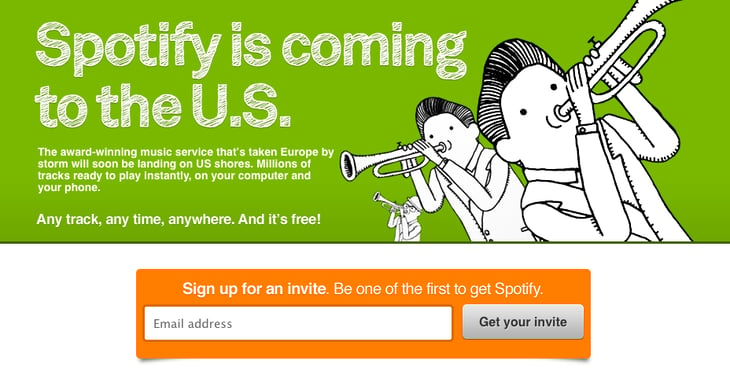
When music streaming service Spotify was first launched, the United Kingdom were the only countries that didn’t require an invitation from a friend or from Spotify to sign up. But due to high demand, Spotify U.K. actually had to start requiring invitations to manage all of the news users. The caveat to the invitation-only launches of Spotify around the world? Anyone could sign up for a premium, paid Spotify account. Using the scarcity principle, Spotify managed high levels of consumer demand by offering them a way in — for a price. Now, half of Spotify’s 100 million users are paid subscribers.
8) TOMS
Source: TOMS
The beloved TOMS shoes offer a great value proposition beyond comfort and style: For every pair of shoes purchased, TOMS donates a pair to a child in need. TOMS takes that a step further by partnering with other advocacy organizations to share sales revenue to benefit other worthy causes.
Because the brand knows its customers are already philanthropic, it’s a safe bet they’ll want to purchase shoes benefiting other causes (such as pandas in the example above), but they still might need a push. So TOMS created this neat mini-site about why TOMS and WildAid are partnering, along with some fun facts about pandas and unique panda-themed shoe designs.
Then, once the visitor has read the entire compelling site and started browsing the vegan, panda-friendly footwear options, TOMS subtly lets them know that the shoes are only available for a short period of time. In other words, helping cute pandas is only an option for a limited time, too.
TOMS approach of using the scarcity complex to encourage shopping and philanthropy works here — in fact, I might be buying a pair of these myself.
Sometimes, Less Is More
Invoking the scarcity principle to promote and sell a product can be an effective persuasion strategy, but you have to do it correctly. If you phrase the product scarcity as if there used to be a large supply, but due to increased demand, only a few products were left, consumers will be more receptive. But if you phrase the product scarcity as if only a few units of product were ever available, the principle of scarcity won’t be as effective at generating sales.
For more persuasive ideas for effective marketing messages, download our introduction to marketing psychology here.
Are there other brands you buy from that use the scarcity principle? Share with us in the comments below.
How to Use Facebook Live: A Step-by-Step Guide
In April 2016, Facebook launched Facebook Live, a live video streaming service that lets anyone broadcast from their mobile devices straight to their Facebook News Feed.
Since its launch, live streaming video has grown in popularity, with 16% of marketers broadcasting it in 2016. Facebook Live is particularly popular — videos see 3X the engagement of traditional videos shared on the platforms, and millions of users live stream on Facebook around the world.
Why are marketers getting so excited about Facebook Live? Because it’s a fun and simple way for them to use the power of video to communicate their brand stories and build authentic relationships with fans and followers — in real time.
However, for such a simple concept, Facebook Live has a lot of little nuances that marketers will need to learn if they want to get the most out of the platform. This guide will help you learn the best tricks and tricks that can make a big, big difference in how many people see your live broadcast, how they engage with it, and how it performs.
In this post, we’ll walk through how to broadcast on Facebook Live, how to analyze your live video’s performance, and several tips and tricks for getting the most out of the platform. (Click here to skip down to the tips.)
How to Broadcast on Facebook Live
Facebook Live started as a mobile-only broadcasting feature, but now, Facebook Pages can broadcast from either mobile devices or desktop computers. We’ll go over how to broadcast from mobile and desktop devices in the sections below.
How to Broadcast on Facebook Live via Mobile
To get started, get out your mobile device and open up the Facebook app.
Step 1: Go to the News Feed, and tap the “Live” option denoted by the  icon.
You can also go live from your own Facebook profile. Open up the status bar by tapping the text that reads “What’s on your mind?” Then, select the “Live Video” option from the menu.
Step 2: Give Facebook access to your camera and microphone when prompted.
You’ll stop receiving these prompts after the first time you use it.
Step 3: Choose your privacy setting.
If you’re posting for a brand, you’ll probably want to make it public. If you’re posting as yourself, you might want to reserve your broadcast for friends. But if you’re new to Facebook Live and want to test it out first, or want to see what something will look like, then switch the privacy setting to “Only Me.” You can find the “Only Me” option by clicking “More” and scrolling all the way to the bottom.
Step 4: Write a compelling description.
Give your broadcast a description, which will show up on people’s News Feeds like a status update above the video. To get people to tune in, write an attention-grabbing headline and help them understand what your broadcast is about. Check out the example below from The White House’s live broadcast.
Image Credit: Facebook
Step 5: Tag friends, choose your location, or add an activity.
Tap the icons at the bottom of your screen to tag people who are in the Facebook Live video, add the location from where you’re shooting, or share what you’re doing in the broadcast. These touches can add more personalization to your video, increase discoverability, and make people want to tune in.
Step 6: Set up your camera view.
Before you click “Go Live,” be sure your camera’s pointing in the direction you want it to. The background of your setup screen will show you what your camera sees. If you want to change the camera view to selfie or vice versa, simply click the rotating arrows icon in the upper right-hand corner of your screen.
The video will be a square, so it doesn’t matter whether you hold your mobile device vertically or horizontally.
Pro tip: You can choose if you want the image to be horizontally or vertically mirrored, too. Tap the magic wand icon in the upper right-hand corner of your screen, then tap the tools icon at the bottom of your screen to film from a different view or to adjust the video’s brightness.
Step 7: Add lenses, filters, or writing and drawing to your video.
Tap the icon in the upper right-hand corner of your screen, and choose if you want to add lenses to your face, change the filter of the camera, or write or draw to make the video more whimsical.
Step 8: Click the blue “Go Live” button to start broadcasting.
Once you click it, Facebook will give you a countdown — “3, 2, 1 …” — and then you’ll be live. As soon as you start streaming, your live video will appear in your News Feed — and others’ News Feeds — just like any other post.
Your broadcast can be up to 90 minutes long. Keep in mind that the longer you broadcast, the more people who are scrolling through their News Feeds on Facebook will stumble upon your post.
Step 9: Interact with viewers and commenters.
To keep your viewers engaged, encourage them to interact with your live video (which will help your ranking in others’ News Feeds). You can also interact with them both by speaking directly to them in your video and, if you want, by having someone else respond to comments from a desktop computer elsewhere.
Where can you see these comments? While you’re broadcasting, you’ll see the time elapsed on the top left along with the number of viewers, and comments will show up live on the bottom of your feed. They’ll appear in reverse chronological order, like on Twitter, so keep in mind that the earlier ones may be farther down.
Image Credit: Facebook Newsroom
Note: You can also block viewers during a live broadcast by tapping the profile picture next to a viewer’s comment and then tapping “Block.” You can unblock someone you’ve previously blocked, too.
Step 10: Click “Finish” to end the broadcast.
Once you do this, the video will stay on your Timeline or Page like any other video post.
Step 11: Post your reply and save the video to your camera roll.
Once you finish your broadcast, you’ll be met with a screen similar to the one I’ve screenshot below. If you want to post it, that will enable others to view your video once you’ve stopped broadcasting. Then, tap the download button to save the video to your camera roll so you have a copy of the original for safekeeping.
Step 12: You’re done.
You can always go back to the post on your Timeline or Page and edit the description, change the privacy settings, or delete the video, just like you would any other post.
How to Broadcast on Facebook Live via Desktop
If you’re an admin or editor of a Facebook Page for your brand, you can also broadcast live from a desktop computer. This isn’t as spontaneous as broadcasting from a mobile device (and, obviously, isn’t as mobile), but this could be a good option for filming more static broadcasts. For example, we recently broadcast a Facebook Live panel in celebration of International Women’s Day. The panelists and interviewer sat in place the entire time, an example of when broadcasting from a steadier device could be more effective.
Step 1: Go to your Page and tap the “Write something” box, as if you’re writing a new post.
Tap the menu option to “See All,” and click on “Start a Live Video.”
Step 2: Write a compelling description of your video that will appear on your Page’s Timeline and in the News Feed.
Choose a descriptive and enticing summary to draw viewers in and make them unmute your Facebook Live to start watching.
Then, click “Next.”
Step 3: Give Facebook permission to use your computer’s camera and microphone.
You won’t be prompted for this again once you do it for the first time.
Step 4: Check to make sure your description and video view are final before starting your broadcast.
From here, you also have the option to share live video from an external device, such as a video camera or other recording device. Tap “click here” to set up that connection.
Step 5: Press “Go Live” to start your broadcast.
Facebook will give you a “3, 2, 1 … ” countdown before going live. Tap “Finish” when you’re ready to end the broadcast.
Step 6: The broadcast will appear in the News Feed and on your Page’s Timeline, where you can edit it by tapping the drop-down arrow in the upper right-hand corner.
From here, you can change the description, change the date of posting, or create a new Facebook post featuring the broadcast. If you want a video to garner more engagement, you can also pin it to the top of your brand’s Page so it’s the first post visitors see when they visit.
Now that you know how to broadcast from all devices, let’s dive into how to analyze Facebook Live videos.
How to Analyze Your Live Video’s Performance
How to Access Video Analytics on a Facebook Business Page
To get started analyzing your Facebook Live broadcasts, head to the “Insights” tab at the top of your brand’s Facebook Page:
Then, head to the “Videos” section of your analytics on the left-hand side of the screen.
From there, scroll down to the “Top Videos” section, and either choose a video from that menu to look into, or tap “Video Library” to look at all of the videos your Page has ever posted.
Now, let’s dive into the nitty-gritty.
The performance analytics available for Facebook Live videos are similar to those of normal videos on Facebook, with some neat additions.
- For Pre-recorded videos: Facebook lets you analyze minutes viewed, unique viewers, video views, 10-second views, average % completion, and a breakdown of reactions, comments, and shares.
- For Facebook Live videos: Facebook lets you analyze all the metrics listed above, plus peak live viewers, total views, average watch time, people reached, and the demographics of who watched your video.
In addition to all of these static numbers, you can click in to each metric to see how it changed over time when the video was live. For example, if we click into “Peak Live Viewers,” we’ll see this interactive graph of video viewers over time:
You can even see who your typical viewer was during your broadcast, based on their Facebook profile information:
Now that you’ve got the steps down, let’s get into some tips and tricks.
14 Tips & Tricks for Getting the Most Out of Facebook Live
There are a lot of little things you can do to squeeze the most out of your Facebook Live videos. Below is an example of one of the earliest Facebook Live videos from Refinery29. This was the first video of a five-part live video series called “Chasing Daylight,” showcasing a typical night out for women in five different cities around the world. My colleague, HubSpot Marketing Manager Lindsay Kolowich, tracked this one down, and we refer to it in some of the tips below.
Warning: Some NSFW language.
1) Test out live video using the “Only Me” privacy setting.
If you want to play around with live broadcasting without actually sharing it with anyone else, you can change the privacy setting so you’re the only one who can see it — just like with any other Facebook post.
To switch the privacy setting to “Only Me,” follow steps 1–4 in the instructions above.
2) Space out live videos with other Facebook posts.
Here’s a tip from HubSpot’s Social Video Manager Chelsea Hunersen. Because Facebook ranks Live videos higher than other videos and other types of posts, Hunersen recommends spacing out your Facebook Live videos with other Facebook content you post.
“Wait at least two hours before or after you post a Facebook live video,” she says. “Otherwise, your Facebook Live video may cannibalize additional traffic.”
3) Keep reintroducing yourself.
When you first start the video, take a minute to introduce yourself and what the video’s about. But keep in mind that when you first start live streaming, you may have zero people watching. Even a few seconds in, you could only have a handful of viewers. As people find your video on their News Feeds, they’ll join in — but that means you’ll want to reintroduce yourself a second, third, and even a fourth time to catch people up.
For example, in the Refinery29 video above, the host Lucie Fink introduces herself three times in the first few minutes, and several more times after that.
One second in:
Hello, Facebook Live! Hey! Lucie Fink here. I don’t know if we have anyone on the broadcast yet, so I’m going to wait about one minute to see who joins us.”
One minute in:
Hello to the 309 viewers in here right now. I’m Lucie Fink from Refinery29. Just to recap what’s happening right now, this is Episode One of Refinery29’s new global initiative, ‘Chasing Daylight.'”
A few minutes in:
Just to give a quick recap on who I am, in case you guys don’t know — I’m Lucie Fink. I work at Refinery 29. Today, I’m doing this whole new series, and this is essentially giving you guys a glimpse into the lives of women all over the world.”
15 minutes in:
So now that we have 3.5 thousand people in this broadcast, let me just start from the top because some of you might not know what is happening. I’m Lucie Fink from Refinery29, and you might know me from some videos, you might not. Either way, it is nice to meet you. Today, we are starting a new video series on Refinery’s Facebook Live platform. It’s called ‘Chasing Daylight,’ and it’s gonna be on every night this week.”
25 minutes in:
That’s what I think is so cool about ‘Chasing Daylight.’ For the people who are new and don’t really get why I’m sitting on my toilet, the answer is, I am Lucie Fink, and [this is] Episode One, the New York version of ‘Chasing Daylight,’ which is Refinery29’s new live Facebook series that’s starting right now.”
4) Make the video visually engaging.
Although all videos on Facebook auto-play in people’s News Feeds, they’re on mute until the viewer manually turns the volume on. That means you have to be visually engaging — not just at the very beginning of your broadcast (although that’ll be important for when folks view the video later), but throughout the video as more and more people join in.
The more visually engaging you can be, the more you can entice people to stick around. That means keeping the camera moving and not just sitting in one place — something Lucie did really well in that Refinery29 video.
Not only will you get more viewers this way, but you’ll also get your broadcast ranked higher in other people’s News Feeds. Facebook started monitoring signals of video engagement — like turning on the audio, switching to full-screen mode, or enabling high definition — interpreting that as users enjoying the video. As a result, they’ve tweaked the algorithm so videos that are engaged with in these ways will appear higher up on the feed.
5) Make it spontaneous.
What makes a live video special? The spontaneous, interactive nature of it.
“People love the ability to interact,” says Hunersen. “They love the novelty of viewing someone in a live moment when anything could happen. It’s the new reality TV.”
A big part of what makes Refinery29’s live video so great is how much Lucie and her friends embrace the “live,” spontaneous nature of it. For example, at one point, Lucie calls on her friends to reenact a scene from the Broadway show Hamilton. It was scrappy, unrehearsed, and really funny. Her other friends were laughing at her. It reminded me of a fun night with my own friends. “This is literally what we do at the office,” Lucie said about the performance through laughs.
These moments are what make live video special, and they’re exactly what differentiates it from scripted, edited, or otherwise pre-recorded videos. Embrace the platform. Banter is always, always good.
6) Don’t worry about mistakes or stutters.
Spontaneity works — even if your Facebook Live doesn’t go according to plan.
Let’s face it, we’re all human. And when humans and technology mix, there can sometimes be technical difficulties.
If you’re recording a live video, things might go wrong — your equipment could malfunction, you could lose your train of thought, or you could get photobombed by a random passerby. You can’t call “cut” if things happen — you have to roll with them and keep filming and talking.
The good news? These things help keep your broadcast human and real. If you wobble your phone while filming, laugh and call it out. If you forget what you were saying, make a joke. The key is to keep the broadcast like a fun conversation, so if mistakes happen, keep it light and keep the lines of communication open with your viewers.
For example, if you make a mistake during your Facebook Live, ask viewers to write in the comments if they’ve made the same mistake, too.
7) Encourage viewers to Like and share the video.
One of the primary ways Facebook’s algorithm ranks a post is by how many people Like and share it. The more people who Like and share your live broadcast, the more it’ll show up in people’s News Feeds.
But when people are watching a video, they may be more distracted from Liking and sharing it than they would a text or photo post. (That’s something the folks at Facebook noticed about video content early on, which is why they began monitoring other video engagement signals as well, like turning on the volume.)
In Refinery29’s video, you’ll notice Lucie explicitly asks viewers to Like and share the video many times throughout. Here are a few examples:
- “If you like this broadcast and share it right now, you guys will be part of this brand new series that’s starting right now on Refinery29.”
- “If you guys share this broadcast, you’ll be part of history. And what’s better than being part of history?”
- “Thumbs up if you like Hamilton.”
- “Thank you guys for all these Likes. My screen is absurdly blue right now because I’m getting tons of thumbs up.”
- “Share this with your best girlfriend who you think is strong and powerful.”
I like the last example the best because she’s asking viewers to share it with a specific type of person — in this case, a best girlfriend. This might prompt viewers to think, “Hey, she’s right, my friend Stacy might like this” and then share it with that specific friend.
8) Engage with commenters, and call them out by name.
The number of comments on your broadcast is another way to get Facebook to give it a higher relevancy score, making it more likely to show up on people’s News Feeds. So encourage your viewers to comment, and engage with people who are commenting by answering their questions and calling them out by name. Not only will it get more people to comment, but it’s also a fun way to include your viewers in the live experience, which could make them stick around longer.
“Your audience will be thrilled to hear you mention their name and answer their questions when you are live,” says Hunersen.
In the Refinery29 video, Lucie was constantly engaging with viewers and commenters. At one point, for example, she said, “We’re so excited to see you guys! Do you have any questions for someone who lives in New York City?” Then, she read a few of the comments that came in and responded to them — using commenters’ first names.
We do this here at HubSpot with our Facebook Live broadcasts, too. Check out all the chatter in the comments — we used those questions to keep our discussion going.
9) Have someone else watching and responding to comments from a desktop computer.
When you’re the one holding the camera for a Facebook Live video, it’s really hard to see the comments popping up on the mobile screen. If the comments are coming in fast, it’s especially easy to lose sight of them as they disappear below the fold. Plus, you’re probably occupied by recording and entertaining viewers.
Because of this, it’s always a good idea to have an additional person logged into the primary account to monitor the comments on a desktop computer. That way, they can take care of responding so the person recording the video can concentrate on creating a great experience.
10) Subtitle your broadcast in the comments section.
Your viewers may be tuning in and out to watch your video during the work day, or they might simply be watching your video without sound. Either way, periodically subtitling the video in the comments section is a great way to keep people engaged. This also allows people who are tuning in late to catch up on what’s going on.
Take some inspiration from Refinery29 — it captioned the video with some of the most snackable one-liners and quotes from the broadcast in the comments section:
11) Ask viewers to subscribe to live notifications.
In addition to asking for Likes, shares, and comments, ask viewers to subscribe to live notifications. To do that, all viewers have to do is click the small, downward-facing arrow in the top right-hand corner of the live video post, and choose “Turn On Notifications.”
You can also ask them to Like your brand on Facebook, which will make it more likely that they’ll be notified of your next live broadcast. Lucie does this in the Refinery29 video.
12) Broadcast for at least 10 minutes.
As soon as you begin recording your live video, you’ll start slowly but surely showing up in people’s News Feeds. The longer you broadcast — especially as Likes, comments, and shares start coming in — the more likely people are to discover your video and share it with their friends.
Because timing is such an important factor for engagement in these live videos, we recommend that you go live for at least 10 minutes, although you can stay live for up to 90 minutes for a given video.
13) Say goodbye before you wrap up.
Before you end your live broadcast, be sure to finish with a closing line, like “Thanks for watching” or “I’ll be going live again soon.”
Lucie from Refinery29 checked a few other engagement requests off the list at the end of her broadcast:
So, we are about to sign off. It’s been such an amazing first episode of ‘Chasing Daylight.’ . . . Don’t forget to share this to your friends right now so you can always find this series and go back to it. . . . We’re so happy that you tuned into our episode in New York. . . . Goodnight from New York City!”
14) Add a link to the description later.
Once you’ve finished the live broadcast, you can always go back and edit the description, change the privacy settings, or delete the video, just like you would any other post.
Here’s where you can add a trackable link to the description in the post, which can direct future viewers to your live video series page, the site of whatever campaign you’re using the video to promote, or somewhere else.
To edit the description of a video: Find the video on your Timeline or Page and click the downward-facing arrow in the top right-hand corner of the post. Choose “Edit Post” from the dropdown menu, and edit the description accordingly.
We hope this has been a helpful guide. We’ll keep you posted with any new developments and tips for connecting with your audience in more cool ways.
What strategies have brought you greatest success using Facebook Live? Share with us in the comments.
Editor’s Note: This post was originally published in May 2016 and has been updated for freshness, accuracy, and comprehensiveness.
How to Use Facebook Live: A Step-by-Step Guide
In April 2016, Facebook launched Facebook Live, a live video streaming service that lets anyone broadcast from their mobile devices straight to their Facebook News Feed.
Since its launch, live streaming video has grown in popularity, with 16% of marketers broadcasting it in 2016. Facebook Live is particularly popular — videos see 3X the engagement of traditional videos shared on the platforms, and millions of users live stream on Facebook around the world.
Why are marketers getting so excited about Facebook Live? Because it’s a fun and simple way for them to use the power of video to communicate their brand stories and build authentic relationships with fans and followers — in real time.
However, for such a simple concept, Facebook Live has a lot of little nuances that marketers will need to learn if they want to get the most out of the platform. This guide will help you learn the best tricks and tricks that can make a big, big difference in how many people see your live broadcast, how they engage with it, and how it performs.
In this post, we’ll walk through how to broadcast on Facebook Live, how to analyze your live video’s performance, and several tips and tricks for getting the most out of the platform. (Click here to skip down to the tips.)
How to Broadcast on Facebook Live
Facebook Live started as a mobile-only broadcasting feature, but now, Facebook Pages can broadcast from either mobile devices or desktop computers. We’ll go over how to broadcast from mobile and desktop devices in the sections below.
How to Broadcast on Facebook Live via Mobile
To get started, get out your mobile device and open up the Facebook app.
Step 1: Go to the News Feed, and tap the “Live” option denoted by the  icon.
You can also go live from your own Facebook profile. Open up the status bar by tapping the text that reads “What’s on your mind?” Then, select the “Live Video” option from the menu.
Step 2: Give Facebook access to your camera and microphone when prompted.
You’ll stop receiving these prompts after the first time you use it.
Step 3: Choose your privacy setting.
If you’re posting for a brand, you’ll probably want to make it public. If you’re posting as yourself, you might want to reserve your broadcast for friends. But if you’re new to Facebook Live and want to test it out first, or want to see what something will look like, then switch the privacy setting to “Only Me.” You can find the “Only Me” option by clicking “More” and scrolling all the way to the bottom.
Step 4: Write a compelling description.
Give your broadcast a description, which will show up on people’s News Feeds like a status update above the video. To get people to tune in, write an attention-grabbing headline and help them understand what your broadcast is about. Check out the example below from The White House’s live broadcast.
Image Credit: Facebook
Step 5: Tag friends, choose your location, or add an activity.
Tap the icons at the bottom of your screen to tag people who are in the Facebook Live video, add the location from where you’re shooting, or share what you’re doing in the broadcast. These touches can add more personalization to your video, increase discoverability, and make people want to tune in.
Step 6: Set up your camera view.
Before you click “Go Live,” be sure your camera’s pointing in the direction you want it to. The background of your setup screen will show you what your camera sees. If you want to change the camera view to selfie or vice versa, simply click the rotating arrows icon in the upper right-hand corner of your screen.
The video will be a square, so it doesn’t matter whether you hold your mobile device vertically or horizontally.
Pro tip: You can choose if you want the image to be horizontally or vertically mirrored, too. Tap the magic wand icon in the upper right-hand corner of your screen, then tap the tools icon at the bottom of your screen to film from a different view or to adjust the video’s brightness.
Step 7: Add lenses, filters, or writing and drawing to your video.
Tap the icon in the upper right-hand corner of your screen, and choose if you want to add lenses to your face, change the filter of the camera, or write or draw to make the video more whimsical.
Step 8: Click the blue “Go Live” button to start broadcasting.
Once you click it, Facebook will give you a countdown — “3, 2, 1 …” — and then you’ll be live. As soon as you start streaming, your live video will appear in your News Feed — and others’ News Feeds — just like any other post.
Your broadcast can be up to 90 minutes long. Keep in mind that the longer you broadcast, the more people who are scrolling through their News Feeds on Facebook will stumble upon your post.
Step 9: Interact with viewers and commenters.
To keep your viewers engaged, encourage them to interact with your live video (which will help your ranking in others’ News Feeds). You can also interact with them both by speaking directly to them in your video and, if you want, by having someone else respond to comments from a desktop computer elsewhere.
Where can you see these comments? While you’re broadcasting, you’ll see the time elapsed on the top left along with the number of viewers, and comments will show up live on the bottom of your feed. They’ll appear in reverse chronological order, like on Twitter, so keep in mind that the earlier ones may be farther down.
Image Credit: Facebook Newsroom
Note: You can also block viewers during a live broadcast by tapping the profile picture next to a viewer’s comment and then tapping “Block.” You can unblock someone you’ve previously blocked, too.
Step 10: Click “Finish” to end the broadcast.
Once you do this, the video will stay on your Timeline or Page like any other video post.
Step 11: Post your reply and save the video to your camera roll.
Once you finish your broadcast, you’ll be met with a screen similar to the one I’ve screenshot below. If you want to post it, that will enable others to view your video once you’ve stopped broadcasting. Then, tap the download button to save the video to your camera roll so you have a copy of the original for safekeeping.
Step 12: You’re done.
You can always go back to the post on your Timeline or Page and edit the description, change the privacy settings, or delete the video, just like you would any other post.
How to Broadcast on Facebook Live via Desktop
If you’re an admin or editor of a Facebook Page for your brand, you can also broadcast live from a desktop computer. This isn’t as spontaneous as broadcasting from a mobile device (and, obviously, isn’t as mobile), but this could be a good option for filming more static broadcasts. For example, we recently broadcast a Facebook Live panel in celebration of International Women’s Day. The panelists and interviewer sat in place the entire time, an example of when broadcasting from a steadier device could be more effective.
Step 1: Go to your Page and tap the “Write something” box, as if you’re writing a new post.
Tap the menu option to “See All,” and click on “Start a Live Video.”
Step 2: Write a compelling description of your video that will appear on your Page’s Timeline and in the News Feed.
Choose a descriptive and enticing summary to draw viewers in and make them unmute your Facebook Live to start watching.
Then, click “Next.”
Step 3: Give Facebook permission to use your computer’s camera and microphone.
You won’t be prompted for this again once you do it for the first time.
Step 4: Check to make sure your description and video view are final before starting your broadcast.
From here, you also have the option to share live video from an external device, such as a video camera or other recording device. Tap “click here” to set up that connection.
Step 5: Press “Go Live” to start your broadcast.
Facebook will give you a “3, 2, 1 … ” countdown before going live. Tap “Finish” when you’re ready to end the broadcast.
Step 6: The broadcast will appear in the News Feed and on your Page’s Timeline, where you can edit it by tapping the drop-down arrow in the upper right-hand corner.
From here, you can change the description, change the date of posting, or create a new Facebook post featuring the broadcast. If you want a video to garner more engagement, you can also pin it to the top of your brand’s Page so it’s the first post visitors see when they visit.
Now that you know how to broadcast from all devices, let’s dive into how to analyze Facebook Live videos.
How to Analyze Your Live Video’s Performance
How to Access Video Analytics on a Facebook Business Page
To get started analyzing your Facebook Live broadcasts, head to the “Insights” tab at the top of your brand’s Facebook Page:
Then, head to the “Videos” section of your analytics on the left-hand side of the screen.
From there, scroll down to the “Top Videos” section, and either choose a video from that menu to look into, or tap “Video Library” to look at all of the videos your Page has ever posted.
Now, let’s dive into the nitty-gritty.
The performance analytics available for Facebook Live videos are similar to those of normal videos on Facebook, with some neat additions.
- For Pre-recorded videos: Facebook lets you analyze minutes viewed, unique viewers, video views, 10-second views, average % completion, and a breakdown of reactions, comments, and shares.
- For Facebook Live videos: Facebook lets you analyze all the metrics listed above, plus peak live viewers, total views, average watch time, people reached, and the demographics of who watched your video.
In addition to all of these static numbers, you can click in to each metric to see how it changed over time when the video was live. For example, if we click into “Peak Live Viewers,” we’ll see this interactive graph of video viewers over time:
You can even see who your typical viewer was during your broadcast, based on their Facebook profile information:
Now that you’ve got the steps down, let’s get into some tips and tricks.
14 Tips & Tricks for Getting the Most Out of Facebook Live
There are a lot of little things you can do to squeeze the most out of your Facebook Live videos. Below is an example of one of the earliest Facebook Live videos from Refinery29. This was the first video of a five-part live video series called “Chasing Daylight,” showcasing a typical night out for women in five different cities around the world. My colleague, HubSpot Marketing Manager Lindsay Kolowich, tracked this one down, and we refer to it in some of the tips below.
Warning: Some NSFW language.
1) Test out live video using the “Only Me” privacy setting.
If you want to play around with live broadcasting without actually sharing it with anyone else, you can change the privacy setting so you’re the only one who can see it — just like with any other Facebook post.
To switch the privacy setting to “Only Me,” follow steps 1–4 in the instructions above.
2) Space out live videos with other Facebook posts.
Here’s a tip from HubSpot’s Social Video Manager Chelsea Hunersen. Because Facebook ranks Live videos higher than other videos and other types of posts, Hunersen recommends spacing out your Facebook Live videos with other Facebook content you post.
“Wait at least two hours before or after you post a Facebook live video,” she says. “Otherwise, your Facebook Live video may cannibalize additional traffic.”
3) Keep reintroducing yourself.
When you first start the video, take a minute to introduce yourself and what the video’s about. But keep in mind that when you first start live streaming, you may have zero people watching. Even a few seconds in, you could only have a handful of viewers. As people find your video on their News Feeds, they’ll join in — but that means you’ll want to reintroduce yourself a second, third, and even a fourth time to catch people up.
For example, in the Refinery29 video above, the host Lucie Fink introduces herself three times in the first few minutes, and several more times after that.
One second in:
Hello, Facebook Live! Hey! Lucie Fink here. I don’t know if we have anyone on the broadcast yet, so I’m going to wait about one minute to see who joins us.”
One minute in:
Hello to the 309 viewers in here right now. I’m Lucie Fink from Refinery29. Just to recap what’s happening right now, this is Episode One of Refinery29’s new global initiative, ‘Chasing Daylight.'”
A few minutes in:
Just to give a quick recap on who I am, in case you guys don’t know — I’m Lucie Fink. I work at Refinery 29. Today, I’m doing this whole new series, and this is essentially giving you guys a glimpse into the lives of women all over the world.”
15 minutes in:
So now that we have 3.5 thousand people in this broadcast, let me just start from the top because some of you might not know what is happening. I’m Lucie Fink from Refinery29, and you might know me from some videos, you might not. Either way, it is nice to meet you. Today, we are starting a new video series on Refinery’s Facebook Live platform. It’s called ‘Chasing Daylight,’ and it’s gonna be on every night this week.”
25 minutes in:
That’s what I think is so cool about ‘Chasing Daylight.’ For the people who are new and don’t really get why I’m sitting on my toilet, the answer is, I am Lucie Fink, and [this is] Episode One, the New York version of ‘Chasing Daylight,’ which is Refinery29’s new live Facebook series that’s starting right now.”
4) Make the video visually engaging.
Although all videos on Facebook auto-play in people’s News Feeds, they’re on mute until the viewer manually turns the volume on. That means you have to be visually engaging — not just at the very beginning of your broadcast (although that’ll be important for when folks view the video later), but throughout the video as more and more people join in.
The more visually engaging you can be, the more you can entice people to stick around. That means keeping the camera moving and not just sitting in one place — something Lucie did really well in that Refinery29 video.
Not only will you get more viewers this way, but you’ll also get your broadcast ranked higher in other people’s News Feeds. Facebook started monitoring signals of video engagement — like turning on the audio, switching to full-screen mode, or enabling high definition — interpreting that as users enjoying the video. As a result, they’ve tweaked the algorithm so videos that are engaged with in these ways will appear higher up on the feed.
5) Make it spontaneous.
What makes a live video special? The spontaneous, interactive nature of it.
“People love the ability to interact,” says Hunersen. “They love the novelty of viewing someone in a live moment when anything could happen. It’s the new reality TV.”
A big part of what makes Refinery29’s live video so great is how much Lucie and her friends embrace the “live,” spontaneous nature of it. For example, at one point, Lucie calls on her friends to reenact a scene from the Broadway show Hamilton. It was scrappy, unrehearsed, and really funny. Her other friends were laughing at her. It reminded me of a fun night with my own friends. “This is literally what we do at the office,” Lucie said about the performance through laughs.
These moments are what make live video special, and they’re exactly what differentiates it from scripted, edited, or otherwise pre-recorded videos. Embrace the platform. Banter is always, always good.
6) Don’t worry about mistakes or stutters.
Spontaneity works — even if your Facebook Live doesn’t go according to plan.
Let’s face it, we’re all human. And when humans and technology mix, there can sometimes be technical difficulties.
If you’re recording a live video, things might go wrong — your equipment could malfunction, you could lose your train of thought, or you could get photobombed by a random passerby. You can’t call “cut” if things happen — you have to roll with them and keep filming and talking.
The good news? These things help keep your broadcast human and real. If you wobble your phone while filming, laugh and call it out. If you forget what you were saying, make a joke. The key is to keep the broadcast like a fun conversation, so if mistakes happen, keep it light and keep the lines of communication open with your viewers.
For example, if you make a mistake during your Facebook Live, ask viewers to write in the comments if they’ve made the same mistake, too.
7) Encourage viewers to Like and share the video.
One of the primary ways Facebook’s algorithm ranks a post is by how many people Like and share it. The more people who Like and share your live broadcast, the more it’ll show up in people’s News Feeds.
But when people are watching a video, they may be more distracted from Liking and sharing it than they would a text or photo post. (That’s something the folks at Facebook noticed about video content early on, which is why they began monitoring other video engagement signals as well, like turning on the volume.)
In Refinery29’s video, you’ll notice Lucie explicitly asks viewers to Like and share the video many times throughout. Here are a few examples:
- “If you like this broadcast and share it right now, you guys will be part of this brand new series that’s starting right now on Refinery29.”
- “If you guys share this broadcast, you’ll be part of history. And what’s better than being part of history?”
- “Thumbs up if you like Hamilton.”
- “Thank you guys for all these Likes. My screen is absurdly blue right now because I’m getting tons of thumbs up.”
- “Share this with your best girlfriend who you think is strong and powerful.”
I like the last example the best because she’s asking viewers to share it with a specific type of person — in this case, a best girlfriend. This might prompt viewers to think, “Hey, she’s right, my friend Stacy might like this” and then share it with that specific friend.
8) Engage with commenters, and call them out by name.
The number of comments on your broadcast is another way to get Facebook to give it a higher relevancy score, making it more likely to show up on people’s News Feeds. So encourage your viewers to comment, and engage with people who are commenting by answering their questions and calling them out by name. Not only will it get more people to comment, but it’s also a fun way to include your viewers in the live experience, which could make them stick around longer.
“Your audience will be thrilled to hear you mention their name and answer their questions when you are live,” says Hunersen.
In the Refinery29 video, Lucie was constantly engaging with viewers and commenters. At one point, for example, she said, “We’re so excited to see you guys! Do you have any questions for someone who lives in New York City?” Then, she read a few of the comments that came in and responded to them — using commenters’ first names.
We do this here at HubSpot with our Facebook Live broadcasts, too. Check out all the chatter in the comments — we used those questions to keep our discussion going.
9) Have someone else watching and responding to comments from a desktop computer.
When you’re the one holding the camera for a Facebook Live video, it’s really hard to see the comments popping up on the mobile screen. If the comments are coming in fast, it’s especially easy to lose sight of them as they disappear below the fold. Plus, you’re probably occupied by recording and entertaining viewers.
Because of this, it’s always a good idea to have an additional person logged into the primary account to monitor the comments on a desktop computer. That way, they can take care of responding so the person recording the video can concentrate on creating a great experience.
10) Subtitle your broadcast in the comments section.
Your viewers may be tuning in and out to watch your video during the work day, or they might simply be watching your video without sound. Either way, periodically subtitling the video in the comments section is a great way to keep people engaged. This also allows people who are tuning in late to catch up on what’s going on.
Take some inspiration from Refinery29 — it captioned the video with some of the most snackable one-liners and quotes from the broadcast in the comments section:
11) Ask viewers to subscribe to live notifications.
In addition to asking for Likes, shares, and comments, ask viewers to subscribe to live notifications. To do that, all viewers have to do is click the small, downward-facing arrow in the top right-hand corner of the live video post, and choose “Turn On Notifications.”
You can also ask them to Like your brand on Facebook, which will make it more likely that they’ll be notified of your next live broadcast. Lucie does this in the Refinery29 video.
12) Broadcast for at least 10 minutes.
As soon as you begin recording your live video, you’ll start slowly but surely showing up in people’s News Feeds. The longer you broadcast — especially as Likes, comments, and shares start coming in — the more likely people are to discover your video and share it with their friends.
Because timing is such an important factor for engagement in these live videos, we recommend that you go live for at least 10 minutes, although you can stay live for up to 90 minutes for a given video.
13) Say goodbye before you wrap up.
Before you end your live broadcast, be sure to finish with a closing line, like “Thanks for watching” or “I’ll be going live again soon.”
Lucie from Refinery29 checked a few other engagement requests off the list at the end of her broadcast:
So, we are about to sign off. It’s been such an amazing first episode of ‘Chasing Daylight.’ . . . Don’t forget to share this to your friends right now so you can always find this series and go back to it. . . . We’re so happy that you tuned into our episode in New York. . . . Goodnight from New York City!”
14) Add a link to the description later.
Once you’ve finished the live broadcast, you can always go back and edit the description, change the privacy settings, or delete the video, just like you would any other post.
Here’s where you can add a trackable link to the description in the post, which can direct future viewers to your live video series page, the site of whatever campaign you’re using the video to promote, or somewhere else.
To edit the description of a video: Find the video on your Timeline or Page and click the downward-facing arrow in the top right-hand corner of the post. Choose “Edit Post” from the dropdown menu, and edit the description accordingly.
We hope this has been a helpful guide. We’ll keep you posted with any new developments and tips for connecting with your audience in more cool ways.
What strategies have brought you greatest success using Facebook Live? Share with us in the comments.
Editor’s Note: This post was originally published in May 2016 and has been updated for freshness, accuracy, and comprehensiveness.
Creative Work Relies on Failure
Everyone wants to be creative, yet many of us are too fearful to pursue our most creative ideas. Why? Our fearful reaction is not a matter of choice — it’s often a knee-jerk reaction that can be attributed to our biology.
According to Adobe’s State of Create report, “At work, there is tension between creativity and productivity.” That could have something to do with previous research indicating that there’s a natural association of uncertainty with ideas labeled as “creative,” and that makes a lot of people uncomfortable.
So when you’re pursuing a creative path, this hurdle can feel insurmountable. How do you tackle and, ultimately, dismantle it?
Creativity vs. Fear of Failure
In my experience — and that of many creative professionals — the most familiar form of fear come is really that of failure. It’s a hesitancy to branch outside the norm and risk exposing yourself to the judgment of others. But that fear alone is not what inhibits your path to creativity. Not acknowledging is what’s truly damaging. Nelson Mandela summarized that notion quite well:
I learned that courage was not the absence of fear, but the triumph over it. The brave man is not he who does not feel afraid, but he who conquers that fear.”
The traditional narrative about the creative process tends to leave out fear. We hear about and romanticize the lone genius’ bursts of inspiration but that isn’t always accurate. As David and Tom Kelley note in Creative Confidence, “A widely held myth suggests that creative geniuses rarely fail.” They go on to cite UC Davis Professor of Psychology Keith Simonton, who found that many of the world’s most famous creative people — like composer Wolfgang Mozart and scientist Charles Darwin don’t give up at the first sign of failure. Rather, they keep experimenting until they find what works.
That’s one of the things that makes fear a necessary and important part of creative work — learning how to work with it. Unfortunately, in many organizations, fear tends to dominate, often stifling what could have been some of our most creative work. Only 4 in 10 employees would even describe themselves as creative, and out of those who do, less than half think they’re “living up to their creative potential.” Those are forms of fear, and even if you’re not aware of it, you’ve likely let it take control before.
But how do you recognize it? Here are some familiar “traps” you might be falling into.
Letting Fear Hinder Your Creativity
Scenario
In the middle of a brainstorm, someone pitches an off-the-wall idea that the whole team thinks is edgy and hilarious. These ideas are often followed by a flurry of enthusiastic statements that start with things like, “what if we….” or, “imagine if…”. Despite the team’s excitement, you decide the client will think it’s too offbeat, so you pitch your safer — a.k.a., less creative — plan B.
When you focus on what seems like the safer path and make decisions purely based on risk-avoidance, you lose sight of supporting your actual objective. That’s common in group dynamics, and even has a name: Groupthink, which occurs “when a group values harmony and coherence over accurate analysis and critical evaluation,” according to Psychology Today. It’s often masked as rational thinking, but playing it safe is actually the enemy of good creative work — the more you stay in the same place, the less effective your work becomes. Conversely, doing good creative work requires comfort with risk.
Letting Fear Dictate Your Creativity
Scenario
Your competitor releases a new product or service, or updates its branding/website, thereby staking its claim as the industry leader. Your fear of being outshined prompts a response focused solely on beating your competition, instead of doing what’s going to benefit your customers — and therefore, your business — the most.
While most people are aware that their respective brands must constantly innovate and evolve, letting fear control your efforts is also dangerous. When fear fuels your motivation and objectives, your work can become less meaningful due to a lack of passion or enthusiasm behind it. Plus, spending an unbalanced amount of time trying to keep up on every trend saps your resources and focus. When you succumb to fear, you often end up paying the price in the long run, with results like a bad user experience or looking like a copycat. As Karen Martin wrote in her book The Outstanding Organization, “When everything is a priority, nothing is a priority.”
Why You Need Failure
Yes, there is a right way to fail. When you creatively experiment — just as Mozart and Darwin did — there are times that you will fail. But when you fail in this manner, you learn from it. For this reason, it is important to accept and even honor your creative failures. View them not as a hindrance to creative success, but as a powerful conduit that gets you closer to your goal next time around. Accept that failure is an option, and one that you are quite capable of recovering from, with the right perspective.
In my experience, the only way to overcome your fear — or at least prevent it from sabotaging your day-to-day — is to reframe it. When you think of the framework for failure, replace the word “failure” with “learn.” That approach encourages confidence and a willingness to learn, which are vital for high-quality creative work.
At my company, C5, our vision is to help build a world where everyone can have a healthy and fulfilled life. We take this mission seriously in the work we create, the clients we work with, and the way we interact with each other. But “healthy” and “fulfilled” don’t have to translate to “rainbows and sunshine.” Fulfillment really comes from the fruit of your labor, which only grows through hard work and, sometimes, results that you weren’t hoping for. Knowing that, we believe that sometimes rising to the challenge is its own reward.
In our organization, we are pursuing an effort to remove unnecessary sources of fear and anxiety from how we approach our work. Letting our creativity come to front doesn’t mean we do things flippantly, take uncalculated risks, or play roulette. But we do cultivate environments in which we can take intentional risks.
We’ve outlined some of the pieces that, to us, comprise a calculated risk.
Determining Objectives of the Situation at Hand
Naturally, your actions are influenced by your goals. But creativity can always be cultivated within confines. In fact, structure is often beneficial. Just because you have always done something one way, doesn’t mean it’s the only way to do it. When strategizing how best to achieve a goal, consider alternate solutions, try new methods, and conducts A/B tests. For example, when Microsoft Internet Explorer requested an infographic from our agency, we ended up pitching a video concept, instead, because we felt it would deliver the message more effectively. The client agreed, and the “Child of the ‘90s” spot we created for them garnered over 49 million views.
Learning to Operate From a Place of Conviction and Commitment
If you have a unique or unusual creative idea, lead with confidence. Whether you’re pitching it to a client or trying to secure budget from management, if you drown in self-doubt at every stage, it’s likely to show. You should certainly listen to valid objections, but remember that passion and enthusiasm are contagious. Again — Microsoft would have surely rejected our pitch had we not made a well-supported, confident case for it.
Allowing the Freedom to Fail, Learn, and Grow
Nurturing an environment that not only encourages but demands experimentation is vital to push your creative boundaries. You can help cultivate this at every touch point in your organization, whether it means building out longer timelines, schedule regular out-of-the-box brainstorms, or encourage employees to work on their own passion projects. Pushing your team to experiment will only benefit you. Our agency has even closed up shop for a “hack day,” during which everyone — from accountants to designers — collaborated on creative solutions in a consequence-free environment.
Be Brave
As you face creative challenges, I encourage you not to give into fear — in fact, give it a chance. Without fear, there is no bravery. And without bravery, no risks are taken. And you can’t improve if you aren’t taking risks. Learn from what doesn’t work, and use it to build something even better.
What are some of the creatively-charged risks you’ve taken? Let us know in the comments.