
How to Use Wistia: A Step-by-Step Guide
Whether you’re a B2B or B2C business, videos can help you strengthen relationships with your customers, save time, and boost conversion rates. And if you haven’t experimented with this powerful medium yet, you’re missing out — 66% of B2B marketers are already creating video content to support both their marketing department goals and larger business initiatives.
When it comes to the use cases for video, the possibilities are endless across your organization: Sales teams can close deals with personalized video voicemails, support teams can walk customers through frequently asked questions with engaging tutorials, and HR teams can onboard new teammates with ease. But that’s just the beginning. Businesses that have fully adopted video are constantly coming up with new ways to make meaningful connections with their audiences through video content.
In this post, we’re going to review the business value of video and walk you through a step-by-step guide for using Wistia — a video hosting platform — to create video content for all of your marketing and business needs.
Why Video Content
In case you or your boss need some convincing, here are four of the biggest reasons why a video strategy is now a necessity for every company.
1) Video allows you to create an emotional connection with your audience.
Video is arguably the most “human” medium. With visual and auditory elements, it speaks to your audience’s psyche in more nuanced and powerful ways than words and images can. It cuts through the noise and conveys trust, friendliness, and a sense of humanness. Because of this, video is an optimal tool for delighting, teaching, and influencing your audience, regardless of your topic or focus.
By establishing a more personal connection with your visitors, you can gain their trust faster and increase familiarity with your brand. And perhaps best of all, one video can speak to thousands of customers. In fact, some of your customers might even start to feel like they know you.
At Wistia, we like to capitalize on this idea by including videos on our landing pages for upcoming webinars. These videos lead to higher sign-up rates — and according to EyeView, a video on a landing page can increase conversion rates by up to 80%. They also help our audience put faces to the names of the webinar hosts and establish our presenters as credible experts.
2) It’s easy to measure the ROI of video.
It’s easy to prove ROI and measure your results with video. In-depth analytics can tell you how your viewers engage with your content and whether or not they take action. Talk about measurable. We’ll cover this in-depth later in the post.
3) Video can improve your website’s SEO.
Every online business wants to drive more traffic from search, and quality videos on your site can help you achieve this goal. When it comes to SEO, video has been a competitive differentiator for a long time, and video SEO could end up making the difference in your prospects choosing one search result over another.
Since video is such a rich medium (it closely resembles face-to-face interaction), Google will reward you for including it on your page, especially if you’ve optimized your video for search.
4) Visitors spend more time on your website watching video.
How can video impact the user experience on your website? We looked at the 100 most-visited pages on our website between 2013 and 2016 to compare the average of the total time spent on pages with video versus those without. We learned that visitors to our site spent more time on pages with video — about 2.6 times more time, to be exact. That’s a huge number that speaks directly to video’s superpowers.
Ultimately, the data reveals video on a page correlates with more time spent on that page. This gives you a higher chance of engaging visitors with your content and increases the likelihood they’ll follow whatever action you prompt them to take.
Why Use Wistia
Marketers starting out with video often wonder if they should just use YouTube to host their brand’s videos.
“YouTube is free, and it has over 1 billion users. So why would I use Wistia?”
Great question.
If growing your website’s traffic, improving your conversion rates, and increasing overall engagement with your content are priorities for your business, Wistia is a great option, too. Ready to learn why? Hold onto your hat. You’re in for a wild ride on the Wistia express.
Help drive visitors to your website.
YouTube is designed to serve content creators who want to monetize videos and organizations who build brand advertising campaigns. For famous vloggers like Casey Neistat, YouTube makes perfect sense. These individuals’ businesses are fueled by brand impressions and ads served on YouTube. Similarly, for companies like GoPro and Patagonia, YouTube is the ideal option for advertising—think about all of those eyeballs.
But here’s the catch: YouTube is designed to keep people on YouTube.
While video platforms like YouTube are designed to serve content creators who want to monetize videos and organizations who build brand advertising campaigns, Wistia is focused specifically on helping you drive traffic to your website. And with Wistia’s automatic video SEO, your pages will rank higher in search engine results pages. The best part is, you don’t need any SEO expertise — it all just works on its own.
If you’re curious about how Wistia’s video SEO works, allow our developers to explain:
To sum it up, our video SEO feature uses JavaScript Object Notation for Linked Data (JSON-LD) to inject schema.org markup into the head of your page. If that sounds like a bunch of nonsense to you, rest assured all of that fancy stuff just means your Wistia videos are crawlable and indexable for Google — which means they contribute to your site’s authority and relevance to searches.
Video works across teams in your organization.
Wistia’s features help marketers achieve impressive results with video, but many businesses use Wistia to power other departments as well. The following are just a few examples of how teams use Wistia to work better and faster.
Sales
Using Wistia’s Turnstile email collector and integrations with marketing automation platforms, businesses generate qualified leads right from within videos and automatically pass them onto sales.
Support
Whether you hope to delight a customer with a friendly, personalized video or teach them how to use a tool with a quick screencast, Wistia makes it easy to create and share video content right within your emails.
Human Resources
With Wistia’s chapters, variable playback speeds, and annotation links, growing companies can train new employees with video. You can link out to in-depth resources with annotation links, use chapters so new employees can skip to what they need, and offer them the option of speeding up (or slowing down) the pace of the run-through.
In-depth analytics from Wistia lead to great results.
Wistia’s analytics provide much more detail than other platforms. You can quickly determine how your audience consumes and interacts with your videos, get an aggregated view of a video’s performance with our Engagement Graphs, or drill down to see how individual viewers watch your videos with our heatmaps … more on that later.
With all of these metrics at your fingertips, you can improve your video efforts and use specific data to drive other parts of your business.
How to Use Wistia to Make Videos
Now that you’ve seen how accessible video is for every business and marketing strategy, you can capitalize on that knowledge by taking advantage of the Wistia platform and creating a free account.
Not sure where to begin? Here’s a quick guide to help you get started with Wistia.
Step 1: Make a Video
First things first: you need a video. We know what you might think — creating video content sounds intimidating, time-consuming, and expensive.
We hear you. Those are all valid concerns when you first dip your toe into the video waters. If you don’t have an in-house video team or a budget, no worries. You can use an iPhone to make your first video.
If you’re making your first video for your business, think “short and specific.” Try answering a frequently asked question from your customers or spicing up a blog post with a short video introduction from the author or interviewee. Your first video doesn’t have to be cinematic, but it should serve a particular purpose.
For the easiest possible solution, you can also use Wistia’s Record feature to quickly shoot something with your computer’s camera — no editing necessary. This tool is perfect for answering a support question or leaving a video voicemail to lend an extra personal touch.
Video Best Practices:
- Write a script. The more you think about things like tone and word choice ahead of time, the better your end product will be.
- Pay attention to lighting. There’s no need to break the bank on lighting. For under $100, you can build our DIY lighting kit and start looking like a pro in no time. If you need a quick solution, you can also set yourself up facing a bright window.
- Stabilize your shot. There are many ways to battle camera shake, and many of them are completely free! If you’re willing to spend some money, we highly recommend investing in a tripod.
- Loosen up. For non-actors, getting in front of a camera can be tough. The key to a natural on-screen performance is to not take yourself too seriously.
Step 2: Upload it to Wistia and Customize
Once you produce your first video, you can drag it from your computer desktop right into a Wistia Project. Or, if you used the Record feature, your video will automatically appear within your Project as soon as you’re done. It’s like magic … software magic.
Now comes the fun part. Wistia’s Customize tools allow you to control the look and feel of your video content. If your video were a plain chocolate cake, the tools in Customize would be the frosting, sprinkles, and candles. Let’s explore the Customize tools in greater detail below.
Choose an Enticing Thumbnail
The video thumbnail is the first impression viewers have of your video. It’s your chance to wake a visitor up from their scrolling stupor and entice them to click play. And ultimately, there’s no point in making quality video content if no one presses play.
So what makes a good thumbnail? We pulled the data on this and found that, across all the videos hosted on our system, ones with a custom thumbnail had a 34% higher initial play rate. That’s huge.
By this point, you probably already know it’s best to include a friendly human (or baby animal) face in your thumbnail. But what else can you do to encourage your audience to play your video?
- Convey action (when it makes sense). Don’t settle for dull.
- Use an image with overlaid text to better communicate the content within the video.
- Make sure your thumbnail isn’t blurry. This might mean going the extra mile to take a photo specifically for your thumbnail to make it as high-quality as possible.
It’s also important to consider the message of your video and make sure your thumbnail accurately represents the content. It might be tempting to create a crazy thumbnail so you’ll get a higher play rate, but this will likely result in disappointed viewers. You might have a higher play rate, but your engagement rate will plummet.
You can choose any frame in your video as your thumbnail or upload a new image into Wistia.
Match the Color Player With Your Brand/Design
With Wistia, you can adjust the color of the player to match your unique branding. Whether you favor a more muted tone or a brighter, cheerier palette, there’s a color for you.
Adjust the Controls
You can tweak your video by adding or removing buttons. Don’t want viewers skipping important parts of your video? Take out the Play Bar. Or maybe you need to autoplay your videos to grab your viewers’ attention from the get-go. If so, check the Autoplay box and you’ll be set. You can make all of these changes and more in the Customize sidebar.
Chop It Up With Chapters
If your video is long enough and it makes sense to break it up into separate sections, add Chapters to help your viewers navigate to the information most relevant to them.
Step 3: Embed the Video
For most websites, copying and pasting a Wistia embed code will do the trick. You can use our lightweight, responsive inline embed, or a if you want your video content to pop over the rest of your content (baking supplies not included). You can also check out Wistia for Chrome to embed videos with one click on websites like Medium, Squarespace, and WordPress.
Step 4: Share It With Your Audience
Now that you’ve crafted the perfect video and customized it to give it that extra special touch uniquely fitted to your brand, it’s time to share it with the world. No matter how you want to share it, Wistia has the tools to make sure your video gets in front of the right eyes.
We’ve always believed video and email are a powerful duo. Email helps videos gain exposure, and videos help email get opened, read, and clicked.
Here are three email and video tactics we’ve found particularly effective:
- Let people know there’s a video inside your email (whether that’s in the subject line, email text, or play button on a thumbnail).
- Choose an enticing thumbnail from your video to include in your email (hint: friendly faces attract clicks).
- Link that thumbnail to a page on your website.
Why are we such big advocates of video thumbnails? For one, including a play button on top of a cool image is an effective invitation for readers to click, especially when the text in the email is direct and concise.
Since Wistia has integrations with most major email service providers, you can simply copy and paste an email merge tag right within your email to generate a gorgeously crisp thumbnail.
Want to use a video thumbnail in Gmail? With Wistia’s Chrome extension, you don’t have to fuss with any embed codes. Gorgeous Gmail emails are just a few clicks away.
Step 4: Start Generating Leads
Pair your Wistia account with a marketing automation platform (like HubSpot software) or an email service to make your videos work harder for you.
If your goal is to generate leads, Wistia’s built-in email capture tool, Turnstile, makes it simple. You can add a Turnstile at the beginning, middle, or end of your video, and adjust the accompanying text to suit your needs. Here’s an example of what it looks like:
Capture leads with your videos, automatically pass viewing data into your CRM of choice, and score, segment, and assign leads to your sales team. You can better understand your customer acquisition funnel, work out which videos help drive the most conversions, and craft more personalized follow-up emails with access to in-depth video analytics.
You can also add a call-to-action directly into your video if you want to point your viewers to an external link, like a landing page or a related piece of content. If you’d rather not disrupt the flow of your video, use an Annotation Link. This lets you point to another resource without interrupting your video.
Yes, these are all more advanced ways to use video. But once you put all of the pieces together, you can officially call yourself a video superstar.
Step 6: Watch the Views Roll In
Now that you’ve done the hard work to get your video up and running, it’s time to sit back and wait for the views to stack up on your Stats page.
At the most basic level, you can keep an eye on the Total Plays to see how many people have watched your video. If you’re eager to dive deeper into your video stats, check out the Play Rate and discover the percentage of page visitors who clicked play and started watching. It’s a great way to make sure you’ve placed your video on the most relevant part of your page.
Individual heatmaps (shown below) will clue you into more detailed data. Easily see which parts of your video each viewer has watched, re-watched, and skipped over, and learn what resonates with your target audience.
Additionally, be sure to check out the Average Engagement — the average percentage of a video a viewer watches. This can be more helpful than the view count because it clues you into the quality of your views. Once people pressed play, how much of your video did they stick around to watch? Did they find the content helpful? With your video’s Engagement Graph (see below), you can easily identify trends in viewing behavior, including where your viewers are re-watching.
In addition to metrics related to viewing behavior, you can also use Wistia to keep track of conversions happening right inside your player. Remember those Timeline Actions from up above? Any time a viewer engages with your video via one of those puppies, their clicks and responses are recorded in your stats. Whether they clicked on an Annotation Link or filled out a Turnstile, you’ll be able to see the data right on your Stats page. That way, you can see which videos were most impactful for your business. In the example above, 22% of the folks invited to my wedding clicked on the CTA linked to our wedding website.
Got all that? Time to throw a party to celebrate your video triumphs. And if you’re a HubSpot customer, you can learn more about our integration with HubSpot software here.
Do you have any questions about how to use Wistia? Share with us in the comments below.
16 Creative Email Design Trends to Watch in 2017 [Infographic]
Change is the only constant. And email marketing is no exception to that.
Over the years, email marketing has seen a number of significant innovations and advancements — giving designers the chance to explore more customized, innovative content for email subscribers.
To help you stay ahead of the pack, EmailMonks created an infographic deciphering 2017’s biggest email design trends. Get ready to be enlightened with:
- A dash of interactivity through elements like menus, forms, search, etc. supporting the purpose of the email will continue to make the rounds.
- GIFs have enticed us so far, but they’ll now be joined by cinemagraphs: keyframe animations and live backgrounds.
- With email’s metamorphosis into mailable microsite, subscribers will be able to “search” for what they want in the email itself, without having to visit the sender’s website first.
- Personalization and segmentation will reach another level altogether. Dynamic content will be a critical component of every email sent in the coming days.
- As people are getting used to assimilating more information through less content, less will definitely be more, inspiring minimalistic email design.
16 Email Design Trends to Watch in 2017
Check out the infographic below, and start planning your email design strategy for the rest of the year.
You can view an interactive version of the Infographic here.
What email trends do you think will be big in 2017? Let us know in the comments.
How to Write a Business Plan: A Step-by-Step Guide (With Examples)
Not all business ideas are good ones. Take my friend Eric, for example, who had the idea of a cell phone that doubles as a taser. Probably not the best product to have on the market.
A lot of people have business ideas — it’s whether these ideas are any good that really matters. That’s precisely why, if you intend to actually build a business from your idea, it’s helpful to create a business plan so you can build out your concept in detail and prove that it can really work, both logistically and financially.
(Check out our comprehensive guide on how to start a business to learn more about fleshing out the details of starting a new business.)
What is a Business Plan?
A business plan is a living document that maps out the details of your business. It covers what your business will sell, how it will be structured, what the market looks like, how you plan to sell your product or service, what funding you’ll need, what your financial projections are, and which permits, leases, and other documentation will be required.
At its core, a business plan helps you prove to yourself and others whether or not your business idea is worth pursuing. It’s the best way to take a step back, look at your idea holistically, and solve for issues years down the road before you start getting into the weeds.
This post covers tips for writing a business plan, followed by an outline of what to include and business plan examples. Let’s start with some basic, overarching tips before we dive in to the details.
Tips for Writing a Business Plan
Narrow down what makes you different.
Before you start whipping up a business plan, think carefully about what makes your business unique first. If you’re planning to start a new athletic clothing business, for example, then you’ll need to differentiate yourself from the numerous other athletic clothing brands out there.
What makes yours stand out from the others? Are you planning to make clothing for specific sports or athletic activities, like yoga or hiking or tennis? Do you use environmentally friendly material? Does a certain percentage of your proceeds go to charity? Does your brand promote positive body image?
Remember: You’re not just selling your product or service — you’re selling a combination of product, value, and brand experience. Think through these big questions and outline them before you dive in to the nitty-gritty of your business plan research.
Keep it short.
Business plans are more short and concise nowadays than they used to be. While it might be tempting to include all the results of your market research, flesh out every single product you plan to sell, and outline exactly what your website will look like, that’s actually not helpful in the format of a business plan.
Know these details and keep them elsewhere, but exclude everything but the meat and potatoes from the business plan itself. Otherwise, you might risk losing your readers’ attention.
Format for easy skimming.
Your business plan shouldn’t just be a quick(ish) read — it should be easy to skim, too. That’s where formatting becomes particularly important. Use headers and bullet points, bold or highlight the key lines or metrics you want the reader to take away, and even attach labeled tabs to your copies (paper and digital) for easy reference.
You can (and should) change it as you go.
Keep in mind that your business plan is a living, breathing document. That means you can update your business plan as things change. For example, you might want to update it a year or two down the road if you’re about to apply for a new round of funding.
How to Write a Business Plan
Here are the key elements in a business plan template:
- Executive Summary
- Company Description
- Market Analysis
- Product and/or Service
- Organization & Management
- Marketing & Sales Plan
- Financial Plan
- Appendix
Here’s what goes in to each of the elements of that business plan outline:
1) Executive Summary
The purpose of the executive summary is to give readers a high-level view of the company and the market before delving in to the details. (Pro Tip: Sometimes it’s helpful to write the executive summary after you’ve put together the rest of the plan so you can draw out the key takeaways more easily.)
The executive summary should be about a page long, and should cover (in 1–2 paragraphs each):
- Overview: Briefly explain what the company is, where you’ll be located, what you’ll sell, and who you’ll sell to.
- Company Profile: Briefly explain the business structure, who owns it and what prior experience/skills they’ll bring to the table, and who the first hires might be.
- Products or Services: Briefly explain what you’ll sell.
- The Market: Briefly explain your main findings from your market analysis.
- Financial Considerations: Briefly explain how you plan to fund the business and what your financial projections are.
Example of an “Overview” section of the Executive Summary (from Bplans):
Jolly’s Java and Bakery (JJB) is a start-up coffee and bakery retail establishment located in southwest Washington. JJB expects to catch the interest of a regular loyal customer base with its broad variety of coffee and pastry products. The company plans to build a strong market position in the town, due to the partners’ industry experience and mild competitive climate in the area.
JJB aims to offer its products at a competitive price to meet the demand of the middle-to higher-income local market area residents and tourists.
2) Company Description
Next, you’ll have your company description. Here’s where you have the chance to give a summary of what your company does, your mission statement, business structure and business owner details, location details, the marketplace needs that your business is trying to meet, and how your products or services actually meet those needs.
Example of a “Company Summary” section (from Bplans):
NALB Creative Center is a start up, to go into business in the summer of this year. We will offer a large variety of art and craft supplies, focusing on those items that are currently unavailable on this island. The Internet will continue to be a competitor, as artists use websites to buy familiar products. We will stock products that artists don’t necessarily have experience with. We will maintain our price comparisons to include those available on line.
We will offer classes in the use of new materials and techniques.
We will build an Artist’s Oasis tour program. We will book local Bed and Breakfasts; provide maps and guides for appropriate plein-air sites; rent easels and materials; sell paint and other supplies and ship completed work to the clients when dry.
We will expand the store into an art center including: A fine art gallery, offering original art at, or near, wholesale prices; Musical instruments/studio space; Classrooms for art/music lessons; Art/Music books; Live music/coffee bar; Do-it-Yourself crafts such as specialty T-Shirts, signs, cards, ceramics for the tourist trade.
3) Market Analysis
One of the first questions to ask yourself when you’re testing your business idea is whether it has a place in the market. The market will ultimately dictate how successful your business will be. What’s your target market, and why would they be interested in buying from you?
Get specific here. For example, if you’re selling bedding, you can’t just include everyone who sleeps in a bed in your target market. You need to target a smaller group of customers first, like teenagers from middle-income families. From there, you might answer questions like: How many teenagers from middle-income families are currently in your country? What bedding do they typically need? Is the market growing or stagnant?
Include both analysis of research that others have done, as well as primary research that you’ve collected yourself, whether by surveys, interviews, or other methods.
This is also where you’ll include a competitive analysis. In our example, we’d be answering the question: how many other bedding companies already have a share of the market, and who are they? Outline the strengths and weaknesses of your potential competitors, as well as strategies that will give you a competitive advantage.
Example of a “Market Analysis” summary section (from Bplans):
Green Investments has identified two distinct groups of target customers. These two groups of customers are distinguished by their household wealth. They have been grouped as customers with <$1 million and >$1 million in household wealth. The main characteristic that makes both of these groups so attractive is their desire to make a difference in the world by making investment decisions that take into account environmental factors.
The financial services industry has many different niches. Some advisors provide general investment services. Others will only offer one type of investments, maybe just mutual funds or might concentrate on bonds. Other service providers will concentrate on a specific niche like technology or socially responsible companies.
Market Segmentation
Green Investments has segmented the target market into two distinct groups. The groups can be differentiated by their difference in household wealth, households of <$1 million and >$1 million.
- <$1 million (household worth): These customers are middle class people who have a concern for the environment and are taking personal action through their choosing of stock investments based on companies with both strong economic and environmental performance records. Because these people do not have an over abundance of money they choose stocks that are of moderate risk. Generally, this group has 35%-45% of their portfolio in stocks, the remaining percentages in other types of investments.
- >$1 million (household worth): These customers are upper middle class to upper class. They have amassed over $1 million in savings and are fairly savvy investors (themselves or the people they hire). These people are generally concerned about the rate of return of their investments but also have environmental concerns.
4) Products and/or Services
Here’s where you can go into detail about what you’re selling and how it benefits your customers. If you aren’t able to articulate how you’ll help your customers, then your business idea may not be a good one.
Start by describing the problem you’re solving. Then, go into how you plan to solve it and where your product or service fits into the mix. Finally, talk about the competitive landscape: What other companies are providing solutions to this particular problem, and what sets your solution apart from theirs?
Example of a “Products and Services” section (from Bplans):
AMT provides both computer products and services to make them useful to small business. We are especially focused on providing network systems and services to small and medium business. The systems include both PC-based LAN systems and minicomputer server-based systems. Our services include design and installation of network systems, training, and support.
Product and Service Description
In personal computers, we support three main lines:
1) The Super Home is our smallest and least expensive line, initially positioned by its manufacturer as a home computer. We use it mainly as a cheap workstation for small business installations. Its specifications include …[additional specifics omitted]
2) The Power User is our main up-scale line. It is our most important system for high-end home and small business main workstations, because of …. Its key strengths are …. Its specifications include ….[additional specifics omitted]
3) The Business Special is an intermediate system, used to fill the gap in the positioning. Its specifications include … [additional specifics omitted]
In peripherals, accessories and other hardware, we carry a complete line of necessary items from cables to forms to mousepads … [additional specifics omitted]
In service and support, we offer a range of walk-in or depot service, maintenance contracts and on-site guarantees. We have not had much success selling service contracts. Our networking capabilities …[additional specifics omitted]
Competitive Comparison
The only way we can hope to differentiate well is to define the vision of the company to be an information technology ally to our clients. We will not be able to compete in any effective way with the chains using boxes or products as appliances. We need to offer a real alliance.
The benefits we sell include many intangibles: confidence, reliability, knowing that somebody will be there to answer questions and help at the important times.
These are complex products, products that require serious knowledge and experience to use, and our competitors sell only the products themselves.
Unfortunately, we cannot sell the products at a higher price just because we offer services; the market has shown that it will not support that concept. We have to also sell the service and charge for it separately.
5) Operations & Management
Use this section to outline your business’ unique organization and management structure (keeping in mind that you may change it later). Who will be responsible for what? How will tasks and responsibilities be assigned to each person or each team?
Includes brief bios of each team member and highlight any relevant experience and education to help make the case for why they’re the right person for the job. If you haven’t hired people for the planned roles yet, that’s OK — just make sure you identify those gaps and explain what the people in those roles will be responsible for.
Example of an “Personnel Plan” section of the Operations & Management section (from Bplans):
The labor force for DIY Wash N’ Fix will be small. It will consist of a part-time general manager to handle inter-business relationships and corporate responsibilities. In addition, DIY Wash N’ Fix will employ three certified mechanics/managers; their duties will consist of the day-to-day operation of the firm. These duties fall into two categories: managerial and operational. Managerial tasks include: scheduling, inventory control and basic bookkeeping. Safety, regulatory issues, customer service and repair advice are the operational tasks they will be responsible for.
Additionally, customer service clerks will be hired to perform the most basic tasks: customer service and custodial. DIY Wash N’ Fix will have a single general manager to coordinate all outside business activities and partnerships. The business relationships would include accounting services, legal counsel, vendors and suppliers, maintenance providers, banking services, advertising and marketing services, and investment services. Laurie Snyder will fill this general management position. She will be receiving an MBA from the University of Notre Dame in May 2001.
The daily management of the business will be left to the lead mechanic. Even though DIY Wash N’ Fix is not a full service repair shop it can be expected that some customers will attempt repairs they are not familiar with and need advice. Therefore, we intend to hire three fully certified mechanics. The mechanics will not be authorized to perform any work on a customer’s car, but they will be able to take a look at the car to evaluate the problem. To reduce our liability for repairs done incorrectly we feel only professional mechanics should give advice to customers. The primary function of the mechanics will be customer service and managerial responsibilities.
6) Marketing & Sales Plan
This is where you can plan out your comprehensive marketing and sales strategies that’ll cover how you actually plan to sell your product. Before you work on your marketing and sales plan, you’ll need to have your market analysis completely fleshed out, and choose your target buyer personas, i.e., your ideal customers. (Learn how to create buyer personas here.)
On the marketing side, you’ll want to cover answers to questions like: how do you plan to penetrate the market? How will you grow your business? Which channels will you focus on for distribution? How will you communicate with your customers?
On the sales side, you’ll need to cover answers to questions like: what’s your sales strategy? What will your sales team look like, and how do you plan to grow it over time? How many sales calls will you need to make to make a sale? What’s the average price per sale? Speaking of average price per sale, here’s where you can go into your pricing strategy.
For more help with your marketing and sales strategies, go to our online guide for how to start a business and scroll to the “Marketing, Sales & Services Tips for Startups” section.
Example of a “Marketing Plan” section (from Bplans):
The Skate Zone plans to be the first amateur inline hockey facility in Miami, Florida. Due to the overwhelming growth of inline hockey throughout the United States, the company’s promotional plans are open to various media and a range of marketing communications. The following is a list of those available presently.
Public relations. Press releases are issued to both technical trade journals and major business publications such as USAHockey Inline, INLINE the skate magazine, PowerPlay, and others.
Tournaments. The Skate Zone will represent its services at championship tournaments that are held annually across the United States.
Print advertising and article publishing. The company’s print advertising program includes advertisements in The Yellow Pages, Miami Express News, The Skate Zone Mailing, school flyers, and inline hockey trade magazines.
Internet. The Skate Zone currently has a website and has received several inquiries from it. Plans are underway to upgrade it to a more professional and effective site. In the future, this is expected to be one of the company’s primary marketing channels.
7) Financial Plan
Finally, outline your financial model in detail, including your start-up cost, financial projections, and a funding request if you’re pitching to investors.
Your start-up cost refers to the resources you’ll need to get your business started — and an estimate of how much each of those resources will cost. Are you leasing an office space? Do you need a computer? A phone? List out these needs and how much they’ll cost, and be honest and conservative in your estimates. The last thing you want to do is run out of money.
Once you’ve outlined your costs, you’ll need to justify them by detailing your financial projections. This is especially important if you’re looking for funding for your business. Make sure your financial model is 100% accurate for the best chance of convincing investors and loan sources to support your business.
Example of a “Financial Projections” section (from Bplans):
The following table is the projected Profit and Loss statement for Markam.
Image Credit: Bplans
Appendix
Finally, consider closing out your business plan with an appendix. The appendix is optional, but it’s a helpful place to include your resume and the resume(s) of your co-founder(s), as well as any permits, leases, and other legal information you want to include.
There you have it. We hope this has helped you get a better idea of what a business plan should look like. Now it’s time to turn that business idea into a reality. Good luck!
The 7 Elements of Graphic Design, and How to Apply Them
Have you even looked at a seemingly simple design and thought: I could totally do that.
But later, when you sit down to actually give it a whirl, you don’t know why your attempt doesn’t measure up to the professional version. What gives?
It turns out professional graphic designers have a few tricks up their sleeves to make their work look, well, professional. Even with all the amazing free tools available for wannabe graphic designers these days, amateurs usually don’t have the foundational know-how necessary to create consistently polished-looking designs.
To help you out, we’ve put together a list of seven basic graphic design elements. It’s not a graphic design degree by any means, but having a foundational understanding of these seven basic elements can boost your content creation skills and improve your ability to communicate your design preferences if you ever decide to hire a professional.
We deep-dive into the seven elements below, covering what they are, why you should care, and how to use them to create more professional looking designs — even if you’re operating on a zero-dollar budget.
7 Basic Elements of Graphic Design
1) Color
Sir Isaac Newton is widely credited with creating the very first color wheel back in 1706. As the story goes, Newton took the spectrum of colors produced when light passes through a prism (red, orange, yellow, green, blue, indigo, and violet) and arranged them in a segmented circle. When the circle was spun rapidly on a rotating disk, the colors blurred together, appearing completely white to the human eye.
Below, you can get an idea of how Newton’s color wheel likely appeared. This 1708 version was illustrated by the French painter, Claude Boutet, and makes reference to Newton’s color theory research.
Newton’s visual categorization system for color was adopted and expanded upon by scientists, artists, and philosophers over the years, eventually resulting in the modern color wheel we all know today.
The modern color wheel consists of three primary colors — red, yellow, and blue — which can theoretically be mixed in varying ratios to produce secondary and intermediate colors. Although modern research tells us that color theory is actually a little more complicated than that, the color wheel is still a valuable tool for graphic designers looking for aesthetically pleasing color combinations.
When selecting hues for a project, consider colors that appear directly opposite or beside each other on the color wheel — these tend to produce the most consistently pleasing combinations. You could also consider using a free online color scheming tool, like ColorSchemer, to do the work for you.
Image via: Lifehacker
Color in Action:
This example from ∆ Studio–JQ ∆ is a great example of complimentary colors in action. Violet and yellow, which appear directly opposite on the modern color wheel, produce a bold, visually appealing effect when paired together.
Image credit: ∆ Studio–JQ ∆
2) Line
Lines are more than just dividers — the right lines can convey movement and emotion, tying together your composition and making it looked polished and professional.
Rikard Rodin, a graphic designer and blogger with over 15 years of design experience, explains that lines can form the underlying architecture of your project. Defining the line of movement in your composition before you get started can help you construct a design that achieves the desired mood.
“You can use mood lines in virtually every element of your design,” Rodin writes on his blog. “Or you can contrast different mood lines in different parts of your design to create a more layered design. Take, for example, the ‘STABLE’ mood line. You can use this in creating your layout. You can use it in your photography. And you can use it in your font selection.”
Mood lines don’t have to be visible in your final composition — they can simply act as a guide to provide structure and direction as you work. Of course, line can also be visibly incorporated into your final design as well.
Image credit: ZevenDesign
Line in Action:
Designer Alexander Koltsov and the folks at Shuka Design created this stunning visual identity for the 2016 World Chess Championship in New York. The team used purposeful but asymmetrical swirls of overlapping lines to represent “the thought process of a chess player.”
Image credit: Shuka Design
3) Scale
The scale of different elements in a design will have a big impact on how your audience views and makes sense of your composition. Playing with the relative size of different components in your design allows you to set a focal point, highlight areas of importance, and ultimately guide viewers’ eyes through the piece.
Scale isn’t quite the same thing as size (though many people tend to incorrectly use them interchangeably when discussing design, i.e., “Make the logo bigger!”). Size refers to an absolute measurement (e.g., the sheet of paper 8” by 11”) while scale refers to the direct relationship between elements in a design (e.g., the circle is twice as big as the square).
You can use scale to create a visual hierarchy for your design. When an element is displayed at a relatively larger scale than the other elements in a composition, our eyes are naturally drawn to it.
Scale in Action:
To create a sense of drama and importance, New York-based graphic designer Aurelio Sánchez Escudero uses a high-contrast scale between elements in these promotional materials for San Francisco’s Social Innovation Week.
Image credit: Aurelio Sánchez Escudero
4) Shape
Shapes: they’re not just for preschoolers! A shape can be loosely explained as anything defined by boundaries. There are two categories of shapes to consider:
Geometric shapes, which are defined by perfect, uniform proportions (such as a circle, square, triangle), and organic shapes, which have less well-defined edges, free-flowing proportions, and essentially no rules (such as wiggly, blob-like things that don’t fit into any real category).
Imgae via: Creative Market
When working on a design, consider both the shapes you’re deliberately incorporating (the positive shapes), and the shapes naturally formed around those shapes (the negative shapes).
Image credit: The International Business Times
Perhaps the most famous example illustrating the distinction of positive and negative shapes is Rubin’s vase. Developed in 1915 Danish psychologist Edgar Rubin, this now-ubiquitous optical illusion shows two completely different images when the negative shapes are viewed vs. when the positive shapes are viewed.
Shape in Action:
The humble circle has always been a popular, trusty way to display information in a clean, unified composition. Sydney-based Made Somewhere developed this simple, modern logo for Hidden Gems of Sydney, a blog focused on highlighting local attractions in the area.
Image credit: Made Somewhere
5) Alignment
Think of alignment like an invisible axis that runs between elements, connecting them visually either by their edges or centers (see the image below).
Alignment most frequently comes up in design discussions about text and typography, but it’s equally important to consider the alignment of non-text elements when building a balanced, orderly composition.
Image credit: Strohacker Studio
The example above illustrates uniform edge and center alignment — but that doesn’t mean all the elements in your composition always have to follow a single pattern of alignment. In the image below, you can see the elements are aligned by their edges, but not united by a single axis.
Image credit: Palomar College
Alignment in Action:
Oscar Riera Ojeda Publishers designed this minimal book cover for Chasing the Sky, a book that honors the careers of influential female architects. The title typography is aligned around a geometric shape.
Image credit: Oscar Riera Ojeda Publishers
6) Contrast
Contrast refers to the juxtaposition of elements that strongly differ (big vs. small, light vs. dark, etc.) to create visual interest or draw attention to particular elements.
Without contrast, our designs aren’t just lackluster and boring to look at, they’re also difficult to understand. A lack of contrast is often what separates mediocre design work from designs that look professional, polished, and clear.
Take the images below for example — in the picture on the left, there isn’t adequate contrast between the background photo of the man working at a desk and the white text. It’s not so easy on the eyes, and the message is difficult to comprehend. In the image on the right, the background has been darkened to create more contrast, making the text way easier to read.
Contrast in Action:
The team at Barcelona-based toormix expertly plays with varying contrasts in this poster design for Barcelona Design Week 2016.
Image credit: toormix
7) Space
Space is exactly what it sounds like: the empty areas between elements in your design. When it comes to creating professional-looking designs on your own, sometimes what you don’t include is just as important as what you do.
When working on a design, consider not only the elements you’re including (such as images and text) but how they’re arranged and grouped in the composition. It can be tempting to fill every inch of your digital canvas with something, but try to give your elements some room to breathe.
In the example below, you can see how changing the space and grouping of the elements creates a completely different feeling in the composition. On the left, the uniform space between the elements creates a sense of order and security. On the right, the varying spaces between the elements conveys a sense of disorder and confusion.
Space in Action:
In this poster from designer Jonathan Lawrence, the text “March Madness” is displayed with unconventional spacing, adding some unexpected visual interest to an otherwise minimal design.
Image credit: Jonathan Lawrence
How do you make your designs look professional on a limited budget? Let us know in the comments.
Another Day, Another Attempt to Unseat Snapchat: Facebook Unveils Messenger Day
“If you can’t beat ‘em, join ‘em.”
This is a lesson Facebook has perfected over the last year as it continues to launch products to compete with Snapchat, the app it tried and failed to purchase back in 2013.
The battle over the disappearing social media story continued yesterday with Facebook’s launch of Messenger Day. Messenger Day works like Snapchat Stories, Instagram Stories, and WhatsApp Status: Users share photo and video messages embellished with text, drawings, filters, and emojis with friends that disappear after 24 hours.
As of yesterday, the new feature was being gradually rolled out to all iOS and Android Messenger apps. In this post, we’ll cover what Messenger Day is all about, how to use it, and how this announcement changes the ephemeral messaging competition heating up between Snapchat and Facebook.
What Is Messenger Day?
Messenger Day lets users curate a slideshow of photos and videos that’s visible to their friends on Facebook Messenger for 24 hours before it disappears. As the name suggests, this rollout is a part of Messenger, Facebook’s standalone messaging app used by one billion people worldwide.
Messenger’s in-app camera lets users add text, drawings, stickers, emojis, filters, and lenses to photos and videos before adding them to their Messenger Day or sending them to individual friends or groups. Here’s what Messenger users can tailor images to look like with the camera:
Source: Facebook
Before we teach you how to use Messenger Day, here’s the lowdown on what it’s all about and how it’s similar to other ephemeral messaging apps and products out there.
Commonalities
Like Snapchat Stories and WhatsApp Status, Messenger Day displays users’ ephemeral messages in a vertical list. From there, users can click on specific photos and videos they want to check out, or they can go down the line to watch all of the images at once.
Here’s a side-by-side comparison of what each of these three looks like:
Sources: Guiding Tech; Facebook
Pretty similar, right?
The cameras for each of these apps and features have different lens and filter styles, but for the most part, photo editing abilities are remarkably similar, too. Each of these apps let users send disappearing messages privately to individuals and groups, in addition to sharing on their Story, Status, or Day.
Now, let’s dive into how Messenger Day is different from other apps.
Differences
The biggest difference that sets Facebook apart from similar products and apps on social media? The size of its user base. I’ll get into the implications of this below.
Another difference between Messenger Day and similar products is its intended use. While Snapchat and Instagram stories are focused on sharing what you’re up to in the moment, Facebook has positioned Messenger Day as a way to make plans with friends and communicate about getting together. In the blog post announcement of Messenger Day, Messenger’s Head of Product, Stan Chudnovsky, said users can post images to their Days to “show what they’re doing, how they’re feeling and to invite friends to join them for activities.”
Here’s Facebook’s video of how it envisions Messenger Day will change how people communicate to make plans:
Now that you understand what Messenger Day is and what it’s for, here’s a step-by-step guide of how to use it.
How to Use Messenger Day
1) Update your Messenger app for iOS or Android.
Navigate to the App Store on iOS devices or Google Play on Android devices and make sure you’re using the latest version of Facebook Messenger.
2) Open your Messenger app and tap the circular camera button in the bottom-center part of the menu.
3) Take a photo, record a video by pressing and holding the capture button, or turn the camera to face you to snap a selfie.
4) Add art, effects, emojis, and text to your photos and videos by tapping the smiley face, sticky note, and squiggle icons. Tap “Aa” to add text and caption your image.
Source: Facebook
5) Once you’ve created your finished product, tap the arrow in the lower right-hand corner of your screen.
From there, you can choose to send your image to one friend, a group of friends, or post it to your Messenger Day. You can also save it to your camera roll by tapping the download icon in the lower left-hand corner of your screen.
Source: Facebook
You can also add photos or videos to your Messenger Day after you’ve already sent them to individual friends or groups. Within a direct or group message, tap “Add to your day” under the image to, you guessed it, add it to your Messenger Day.
Source: Facebook
Messenger Day is in the process of rolling out to all global users, and my app wasn’t updated with Messenger Day at the time of writing, so I can’t give you a sneak peek at my Day yet. However, Facebook gave a few content creators early access to start creating on Messenger Day, so you can see what it looks like in action below:
Can Facebook Beat Snapchat at Its Own Game?
At this point, it’s no secret (in fact, it’s become a running joke) that Facebook is trying to replicate and dominate Snapchat’s parent company, Snap Inc.’s, success. And so far, it looks doable. The Facebook vs. Snapchat showdown is a story of user base vs. user engagement, and the outcome of this social media arms race will be watched closely in the coming months.
To recap: Facebook started adding filters to the Messenger camera back in the summer of 2016. Facebook-owned Instagram launched a near-exact replica of Snapchat Stories, called Instagram Stories, in August 2016. And in December 2016, Facebook unveiled a new in-app camera in Messenger, featuring lenses, more filters, stickers, and drawing abilities.
If you look at what photos and videos look like across the different apps and features, you’ll see a lot of similarities, like the ones we outlined above. But there are a few key differences, too.
Perhaps the biggest advantage Facebook and Messenger Day have over Snapchat is number of users. While Snapchat has 158 million daily active users, Messenger alone has one billion users all over the world. Snap Inc. cited Instagram Stories as a primary reason for slowed Snapchat user growth in its S-1 filing to go public in February 2017.
For users, Instagram Stories arguably presents a better experience than Snapchat because video and photo ads aren’t shown between Stories as users scroll through their list of friends. This might prompt users to move over to Instagram to view Stories uninterrupted. Messenger Day is only one day old, so we don’t yet know if the app will show ads between images, but parent company Facebook might forgo that given the success of Instagram Stories.
For marketers, Facebook and Instagram provide more detailed and more easily accessible analytics for understanding the reach and engagement of ephemeral content than Snapchat. Snapchat’s only metrics for Stories are the number of views and screenshots, and these numbers must be recorded in 24 hours before the content disappears.
… Or Will Snapchat’s Engagement Rates Win the Day?
One common theme among Snap Inc.’s competitors is that all were copies of the original, innovative Snapchat product: an app for sending messages that disappear. And as it turns out, that’s a very sticky idea.
Snapchat was a first mover in the ephemeral messaging space, and its devoted user base spends an average of 30 minutes on the app every day. Additionally, a huge portion of its user base is concentrated in the 18-34-year-old age range, and they could become bigger sources of revenue as time progresses.
I asked HubSpot Social Media Manager Marissa Emanuele what she thought about Facebook Messenger’s announcement, and she noted that Facebook’s huge user base could be a disadvantage, too.
“The big advantage Snapchat has is that it’s highly curated with only the people you care about,” Emanuele said. “I’m friends on Facebook with somebody I met once in college and my neighbor from when I was a kid. I don’t really want to see what they’re doing every day, and I don’t think they want to see what I’m doing, either.
“I believe the only way that Facebook Messenger Day will be successful is if they have a much more curated version, where users could build lists of people they wanted to hear from,” she concluded.
Emanuele’s point? The massive size of Facebook networks contrasts with how curated and one-to-one Snapchat is. Users might be more interested in sharing authentic content with a select few than with an enormous number.
What’s Next?
The takeaway for marketers? Experiment with where your audience likes to consume ephemeral content. If you have a highly engaged audience that you communicate with on Facebook, especially on Facebook Messenger, then experiment with Messenger Days. On the other hand, it could be worth engaging with audiences on Facebook, Snapchat, and Instagram if you have different active audiences on different platforms.
What’s more, companies are starting to use messaging apps to communicate with customers. Creating content on Facebook Messenger could create a more unified communication approach to customers if you’re already serving them there.
Whichever ephemeral app is your favorite, download the Facebook Messenger update and experiment. We’ll keep you posted on new developments in the competition heating up between Facebook and Snapchat. In the meantime, we have guides for marketers on how to use Facebook and Snapchat if you need help getting started.
What’s your take on Messenger Day? Is Facebook on its way to beating Snapchat? Share with us in the comments below.
How to Grow Your Audience on Snapchat, According to Data From 217,000 Snaps
Most of us have learned by now that we should be using Snapchat. We know it’s popular among teens and millennials. We know visual, ephemeral content performs well.
What we may not be as clear on is how to grow our audience on Snapchat — and how to keep them engaged.
It’s a challenge to grow a new social media audience from scratch — and to do it well. And unlike Facebook, Instagram, and Twitter, discoverability is a challenge on Snapchat. There’s no news feed where Snapchat users can share cool content with their friends. There’s no trending tab to see what other users are Snapping about. So how do you grow your audience?
Snaplytics provides account management and analytics for brands using Snapchat, and it recently produced a report on how different organizations are using Snapchat. The report reveals insights about how brands are growing Snapchat followings and how exactly marketers are posting content on the platform. Let’s dive into how to ramp up your business Snapchat approach with help from data from Snaplytics.
How to Achieve Snapchat Audience Growth
In this report, Snaplytics analyzed over 500 brands, more than 24,000 Snapchat Stories, and 217,000 total snaps to determine how brands use Snapchat and what levels of engagement were achieved.
Building Followers
The bad news? There’s no quick and easy solution to gaining more followers on Snapchat. The good news? It is possible.
Among the brands it analyzed, Snaplytics learned that 64% of Snapchat followers found the brand on Snapchat by searching for its username. This large percentage is the result of brands cross-promoting Snapchat accounts across other social media channels. Awareness and discovery of brand Snapchat channels happen primarily on other social channels and content assets, such as blog posts and videos.
Snaplytics cites this cross-promotion as integral to growing a following on the platform and states discoverability will decline if this doesn’t happen consistently. The report also advocates publishing external content bearing brands’ Snapcodes — unique QR codes that allow Snapchat users to follow accounts by simply opening the app and scanning the code. Here’s what ours looks like:
Snaplytics found Snapcodes made up 25% of new Snapchat follower acquisition, so marketers should share and promote their brands’ Snapcodes to cross-promote Snapchat accounts on other web assets.
Source: Snaplytics
Once brands earn new followers on Snapchat, marketers can expect 54.8% of them to watch Snapchat Stories every time the brand posts. That’s a lot of engagement. Marketers should maintain a cross-promotion strategy to encourage existing social media followers to follow newer channels like Snapchat. The next task is creating Snapchat content those followers will love.
Optimizing Snapchat Stories
According to the data, there are several elements to a successful Snapchat Story marketers and creators should consider.
Frequency
Snapchat Stories — strings of photos and images shared on Snapchat viewable for 24 hours — should do what the name implies and tell a story. Among the 500 brands surveyed, Snaplytics found brands shared an average of 13 Stories per month, or roughly two or three Stories per week.
Additionally, Snaplytics noted most Stories were shared between Wednesdays and Saturdays.
Source: Snaplytics
Duration
The report shows the average Snapchat Story of the brands surveyed contained 11 snaps (images and videos) in total. It also notes the degree of variance across industries. For example, non-governmental organizations (NGOs) had the longest number of snaps in Stories, and marketing and advertising brands sometimes only posted six snaps at a time.
From this result, marketers can surmise that the duration of a Snapchat Story should match the subject matter. If a Snapchat Story is focused on a single product or item that can be easily told with fewer videos and images, then keep it short and sweet. If you’re interviewing people, giving a behind-the-scenes tour, or breaking down complicated topics, expand the Snapchat Story so viewers can follow along.
Source: Snaplytics
Content Type
Snaplytics saw a gradual increase in brands sharing video content more than photos, and at the end of 2016, 61% of brands’ Snapchat content was comprised of videos.
Just like with Snapchat Story duration, Snaplytics saw variation in the content split across industries. Industries showcasing more static products (Luxury Goods, Food & Beverage, and Fashion & Lifestyle) favored photos over videos on Snapchat. Other industries, such as NGOs, Broadcasting & Entertainment, and Beauty produced more video content on Snapchat — likely featuring interviews, demonstrations, and events better told in video format.
Marketers should consider how stories should be best told for engagement and interaction on the platform. For example, here at HubSpot, we sometimes ask Snapchat followers to take a screenshot of a snap, so photos are a better choice. Other times, we demonstrate how different products work, in which cases video is the best pick.
Source: Snaplytics
Testing Is Key
Ultimately, Snaplytics recommends brands conduct significant testing to determine a Snapchat strategy. Snapchat Story completion rate varied widely over the course of the study, so testing different Story elements, such as content type and frequency, will help marketers fine-tune how followers want to interact with a brand.
Source: Snaplytics
In general, Snaplytics found shorter Stories led to higher completion rates (the percentage of viewers who watched a brand’s Snapchat Story from start to finish). But even still, only about 55% of Snapchat followers watched brands’ Stories in the first place, so testing and re-testing strategies to attract and engage new followers is key.
Learn more about what Snaplytics learned from the yearlong study by downloading this report, and when you’re ready for more ideas for a successful brand Snapchat strategy, check out our free guide.
What strategies have brought you success on Snapchat? Share with us in the comments below.
What Does the Future Hold for Agencies? 3 Leaders Weigh In
Do you remember what agencies looked like five years ago?
Whether you’re new to agency life or a seasoned veteran in the industry, you know that the agency space is constantly changing. And as the business develops, so too do areas for innovation.
We asked three agency leaders to weigh in on how they see the industry evolving over the next five years.
Drawing from their own personal experiences, they share their predictions below. Learn what they forsee as the biggest areas of disruption for your agency to capitalize on.
What Does the Future Hold for Agencies?
Like marketing teams, agencies are going to be more and more accountable to tying their efforts to business outcomes, such as revenue funnels or target account qualification metrics. Also like modern marketers, the best agencies will be able to work across all integrated sales and marketing channels, and do so from planning to execution to data analytics – to help customers solve their business and marketing challenges.
With the explosion of MarTech, marketers are taking on more and more responsibility for closed loop marketing data. The responsibility for data is shifting from IT to marketers, and this represents an opportunity for agencies to assist their customers in connecting and synchronizing data across their multitude of systems, to power the analytics and optimization needed to drive growth.
— Zak Pines, VP of Marketing at Bedrock Data
The agency space must evolve where it’s specialized and can adapt to the trend that most companies are looking to bring things in-house due to speed, costs, and their own closeness to the brand. As larger clients typically have the two top parts of their budget to paid media and content, agencies will evolve by specializing in producing more branded content on certain platforms (like Snapchat or VR) and/or find better ways to get paid media in front of customers.
The biggest area of disruption is finding ways to commercialize new technologies for VR/AR where small bootstrapped agencies can create experiences for small local businesses. Right now, VR/AR is a trending subject but not necessarily as easily adopted into a company’s marketing plan.
— Kenny Nguyen, CEO at Three Sixty Eight
With the increase in tracking, analytics, and customer acquisition attribution there is much more accountability around what is working and what is not with marketing and sales efforts. This accountability is slowly bringing these two departments (marketing and sales) closer together. Meaning there is going to be a movement of “lead generation” agencies that will move closer into the CRM implementation/usage space; basically they will move into Sales Enablement.
The real value for sales and marketing managers/VPs is going to be in decreasing lead response times, understanding sales qualified lead attribution, and knowing days to close reporting metrics. Agencies that are not helping contribute or provide increased insight will quickly be passed over for the firms that are providing this value.
The biggest area of disruption is tied closest to new revenue and new customer onboarding. Since the way people buy has changed so much with the increased accessibility of information, buyers’ expectations and knowledge have grown significantly.
If companies do not heavily focus on aligning purchase expectations (i.e. what was promised or committed to the buyer by the sales person) with the customer success team, then the chance of a new customer having buyer’s remorse and churning is very high.
Best way to make this alignment tangible is through helping the sales team accurately document and distribute information to the customer success team. Investing in 1) processes and structure around documented systems and 2) tools to automate these manual processes will help make it scalable.
— Josh Harcus, Director of Channel at PandaDoc
7 SaaS KPIs You Need to Track in 2017
The software-as-a-service (SaaS) industry has experienced exponential growth over the past several years and shows no signs of decline. Even the poorest segment is projected to see a compound annual growth rate of 19.7 percent through 2019. And by 2020, it’s projected that SaaS deployment will be more than 25 percent greater than traditional software deployment.
SaaS is going nowhere soon. However, with rapid growth comes the potential of market saturation. In order to stand out, SaaS vendors need to be smart about their marketing strategies. In fact, the inability to market products was cited as a cause for 14 percent of startup failures in a recent survey.
While you may be familiar with the concept of key performance indicators (KPIs), there are a number of unique aspects to consider when marketing your SaaS product:
1) Qualified Marketing Traffic
You already know the importance of website traffic. Reporting on unique visitors and traffic per channel should already be part of your reporting routine; however, as a SaaS company, it’s important to dive a bit deeper. Most SaaS websites have a log-in link on the site, usually in the top navigation. Providing a cloud-based solution, customers need to log in, which means they need to revisit your website. As your app users increase, so will your overall traffic. This can yield false data, ultimately showing higher traffic growth due to marketing initiatives, which may not be the case.
It’s important to track these returning customers independently, as they can skew your traffic numbers. As a marketer, it is important to track what percentage of visitors are already customers and which are qualified marketing traffic. Being able to differentiate between these two groups will allow you to set actionable traffic KPIs and build a solid traffic-generation plan.
There are a number of ways to identify this traffic as returning customers. One way to do so is to use event tracking to count each time a visitor reaches a log-in screen or clicks the link in the navigation. Another way is to use in-app analytics to identify log-ins and usage per month as well. Being able to separate these two data points will allow you to accurately track traffic growth each month, with a keen eye on qualified marketing visitors, as opposed to returning customers.
2) Leads by Lifecycle Stage
Anyone who’s been in the marketing or sales game for any amount of time knows the importance of leads. A basic lead is a prospect who’s starting to do his or her research. However, breaking leads into subcategories outlines exactly where they are in the buying process.
Marketing qualified lead (MQL): A prospect who has taken additional research steps, such as downloading ebooks and returning to your website.
Sales qualified lead (SQL): A prospect who has moved beyond the initial research phase, is most likely evaluating vendors, and is worth a direct sales follow-up.
The sales process for SaaS products can range anywhere from a few days to close to a year. Having a firm grasp on your lead qualification definitions (lead, MQL, SQL, etc.) will help identify if and where leads might be getting stuck in the funnel. As much of the research is done by the prospect, it is often up to him or her to take the next step and request a demo or a free trial. Because of this, marketers should measure leads not only as an overall metric, but also monthly per lifecycle stage. Doing so can yield great insight into lead-nurturing opportunities and even guide sales follow-ups appropriately.
3) Lead-to-Customer Rate
Driving customers is your ultimate goal, right? Consider the importance of lead-to-customer rates.
This metric shows exactly how well you’re generating sales-ready leads—and improving over time. It outlines, on average, how many leads turn into paying customers. In other words, it shows whether your sales process and lead-nurturing methods are working or not.
Lead-to-customer rate is easy to calculate. Take your total number of customers for any given month, divide it by the total number of leads, and multiply that number by 100. For example, five customers in a month with 500 leads would result in a 1 percent lead-to-customer rate.
The most streamlined way to gather these data is by implementing closed-loop reporting. By integrating your customer relationship management software with HubSpot, each time a deal is won, that contact is marked as a customer within your HubSpot reports. Having a clear view of how different customers close will provide unique data into which campaigns were most successful and into common behavior across all customers. This too will help shape new marketing campaigns throughout the year.
4) Churn
If driving customers is your ultimate goal, then maintaining your existing ones is equally important.
Churn measures how much business you’ve lost within a certain time period. It is one of the most important metrics in tracking the day-to-day vitality of your business. And while churn is certainly a reality, tracking it can save your business from complete disaster.
Churn can help you better understand customer retention by specific insight on activity. Generally, companies report churn in terms of customers or revenue. No matter how you track it, it’s best to refine by dates and compare time periods.
As most SaaS businesses are based on annual subscriptions, keeping customers is as important as acquiring new ones. When tracking churn on a monthly or quarterly basis, be sure to dig deeper than just the revenue numbers or customer count. Identify the personas of these churned customers as well as the industries or anything else unique that can help shed some light on why they failed to renew. It can be prudent to discuss this information across departments, including sales, marketing, and customer success.
5) Customer Lifetime Value (CLV)
Customer lifetime value (CLV) is the average amount of money that your customers pay during their engagement with your company. The metric provides businesses with an accurate portrayal of their growth and can be explained in three steps:
Find your customer lifetime rate by dividing the number 1 by your customer churn rate. For example, if your monthly churn rate is 1 percent, your customer lifetime rate would be 100 (1/0.01 = 100).
Find your average revenue per account (ARPA) by dividing total revenue by total number of customers. If your revenue was $100,000, divide it by 100 customers and your ARPA would be $1,000 ($100,000/100 = $1,000).
Finally, find your CLV by multiplying customer lifetime by ARPA. In this example, your CLV would be $100,000 ($1,000 x 100 = $100,000).
CLV shows what your average customer is worth. And for those still in the startup mode, it can display the value of your company to investors. As mentioned prior, most SaaS businesses operate with subscription-based models. Each renewal yields another year of recurring revenue, ultimately increasing the lifetime value per customer.
6) Customer Acquisition Cost (CAC)
Customer acquisition cost (CAC) shows exactly how much it costs to acquire new customers and how much value they bring to your business. When combined with CLV, this metric helps companies guarantee that their business model is viable.
To calculate CAC, divide your total sales and marketing spend (including personnel) by the total number of new customers you add during a given time. For example, if you spend $100,000 over a month, and you added 100 new customers, your CAC would be $1,000.
Customer acquisition should be a primary focus for new companies. Fully quantified CAC rates help companies manage their growth and accurately gauge the value of their acquisition process.
7) CLV-to-CAC Ratio
CLV-to-CAC shows the lifetime value of your customers and the total amount you spend to acquire them—in a single metric. This metric displays the health of your marketing program, so you can invest in programs that are working well or change campaigns that aren’t.
Finding your CLV-to-CAC is easy; simply compare your CLV and CAC. Generally, a healthy business should have a CLV that is at least three times greater than its CAC. Any lower (say, a 1:1 ratio) and you’re spending too much money. Any higher (a 5:1 ratio) and you’re spending too little and probably missing out on business.
Conclusion
As you can see, there are a number of nuances to consider when reporting on key marketing and sales data for SaaS-based organizations. Obviously, these metrics can be applied across all industries and company types and should be monitored on a regular basis. It’s important to start off 2017 on the right foot by putting in place necessary reports and setting benchmarks for each. Start by looking into 2016’s data to see a baseline to which you can measure against, and as we wrap up Q1 2017, see how this past quarter stacks up to past years.
The Public Apology Letter: 6 Brands That Nailed It
There are some people who just refuse to sincerely apologize. My favorite example of this phenomenon is taken from a U.S. television franchise called “The Real Housewives,” in which the cast members have become notorious for doling out feigned apologies. Instead of simply apologizing for hurting someone’s feelings, for example, it’s more common for them to say something like, “I’m sorry if your feelings were hurt.”
That, my friends, is not how you say, “Sorry.”
I get it — it’s difficult to admit when you’re wrong. There’s been so much conflicting data around the word “sorry.” While it’s something that most parents of young children believe should be taught, there have also been claims that apologizing makes a person look weak. In fact, some companies’ stock prices have fallen following an apology, depending on how it was delivered. There are even browser add-ons to prevent the use of apologetic language in emails.
But to little old me, a sincere apology goes a long way. When I sense genuine remorse, it means a lot to me — perhaps because it’s so rare, at least in my experience. Combined with my nerdy affection for all things marketing, that sentiment applies to brand apologies, too. It’s not so much that I think, “Wow, that means a lot to me,” but more like, “Wow, that company really nailed saying, ‘Sorry.'”
So, who’s done it best? We rounded up some of our favorite brand apologies to inspire you next time you make a mistake — and need to admit your wrongdoing.
But First, Here’s What Not to Do
When I was in business school and searching for an internship, a friend in a creative industry told me to try out a website that was created, supposedly, for people with my skills and background. But when I used the platform to create a profile and upload my credentials, I was turned away with no explanation. A few days later, I received the following email:
Let’s outline what this apology is lacking:
- Specificity. The message notes that I was turned away — but it doesn’t explain why. When you’ve made a mistake, acknowledge it in full, explaining exactly where you went wrong and why.
- Remorse. While the email opens with some apology text, that accounts for a minute portion of the email. The majority of the copy is asking me to do something on behalf of the company that wronged me. Think about it — if you immediately ask someone to do you a favor after you apologize for a mistake, how genuinely remorseful will you sound? Not very.
- Next steps. When you’ve made a mistake, people want to be sure of two things:
- That you’re truly sorry for your wrongdoing.
- That it’s not going to happen again.
The above email does neither of those things, as per the “remorse point.” It’s also lacking any accountable language to address what it’s going to do to prevent this issue from taking place again, using non-committal language like “I hope.” And if you’re not sure what to do to make it right — ask.
We chose the examples below due to their inclusion of all of these factors and, in some cases, even more.
6 Brands That Brilliantly Apologized
1) Apple
Back in 2015, U.S. pop artist Taylor Swift announced a very public boycott of Apple Music. That was due to the service offering a one-month free trial of its streaming feature — but not paying artists for any of their music that was played during the free period.
To right the situation, Apple enlisted the help of its SVP of Internet Software and Services, Eddy Cue, who went about a slightly unusual way of admitting to the brand’s wrongdoing — via Twitter.
#AppleMusic will pay artist for streaming, even during customer’s free trial period
— Eddy Cue (@cue)
June 22, 2015
We hear you @taylorswift13 and indie artists. Love, Apple
— Eddy Cue (@cue)
June 22, 2015
Not long after this unconventional apology was issued, Swift starred in an Apple commercial, which led some to speculate that the entire incident was an orchestrated publicity campaign. That said, it does illustrate some positive points of how big-name brands can apologize. With two tweets, Apple sent the message, “We hear your grievances, we get it, and here’s what we’re going to do about it.”
2) ZocDoc
It seems like you can use the internet to procure anything these days. From buying specialty products to scheduling meetings, so much can be accomplished and taken care of online.
ZocDoc is one such provider of these services, and provides a platform that connects users with doctors for almost every speciaity in their respective areas. There’s just one problem — sometimes, the doctors don’t accurately update their schedules within ZocDoc, causing users to make appointments for times that aren’t actually available, leading to their subsequent cancellation.
But ZocDoc isn’t one to say, “Not our fault, not our problem.” Instead, it’s constantly striving to gain and use customer feedback to enhance the user experience, like it does with this email:
Here’s the thing — ZocDoc wasn’t really the one responsible for the cancellation. The doctor’s office was, but despite that, it still negatively impacts the user experience, which ZocDoc acknowledged and offered to make right, by not only asking what went wrong, but offering a gift in exchange for the feedback.
3) Netflix
When Netflix was looking to transition from DVD delivery to a streaming service (yes, we almost forgot about that, too), it had a few missteps along the way.
At first, the company built a system in which its streaming and DVD delivery services would become different entities with separate billing agreements. Before, members had the option of subscribing to both for $10 per month. But the split meant a 60% price increase for current members who wanted both — the new system’s fees were $8 each month solely for the DVD service, plus another $8 per month for streaming. What’s worse, the company didn’t really provide a clear explanation.
But CEO Reed Hastings wanted to shed light on the situation, and did so in an open letter on the company’s blog. He explained why the changes came to be, and noted that Netflix was “done” with pricing changes. But there was a problem — the company wasn’t doing anything to reverse the issue affecting most customers, which was the separation of subscriptions. People enjoyed having the option of signing up for multiple services with one bill. But Hastings didn’t fix that. Instead, he noted that the DVD service would not only remain separate, but would be renamed Qwikster.
Source: Netflix
Qwikster was short-lived, to say the least. Three weeks later, Hastings issued yet another apology. This time, he kept it short and sweet, and essentially sent the message, “Okay, you’re right. Having two billing systems was a bad idea, and we’re doing away with that.” Netflix did suffer some initial damage, with a loss of 800,000 members and a falling stock price. However, the brand has since recovered and currently enjoys healthy financials.
4) Naked Wines
I’ve discovered a pattern to my email-unsubscribing behavior. It typically happens when I’m generally stressed out or overwhelmed, and might snap if I get just one more notification on my phone. The easy answer, of course, would be to turn off my notifications. Instead, I angrily unsubscribe from the well-meaning brand’s newsletters, for which I happily signed up, but didn’t really engage with.
In my case, at least, it’s not the brand’s fault. So if that company sent me a witty, thoughtful email in response to my cancelled subscription, asking what went wrong and what could be done to fix it, I might happily oblige — after I calmed down, of course. And that’s exactly what Naked Wines did with the apologetic email below:
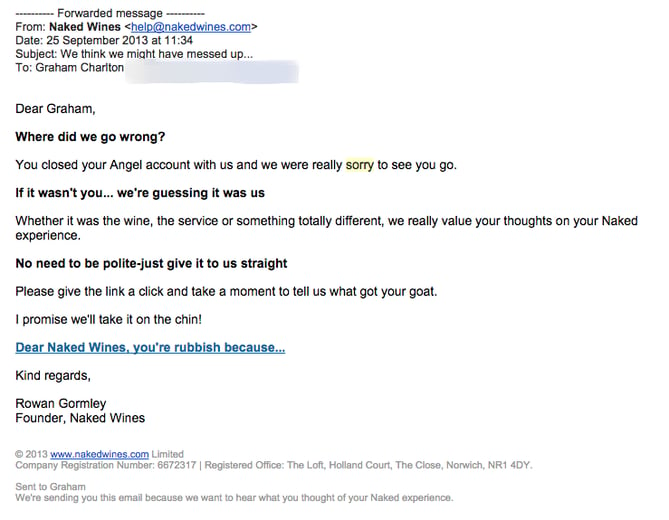
Source: Econsultancy
The company openly leads with “sorry,” and acknowledges that the canceled subscription was likely due to something it did. So it asked, “What was it? Let us know, so we can fix it.”
5) Toronto Maple Leafs
If there’s one thing that truly dedicated sports fan would be happy to never hear again, it’s the phrase, “It’s just a game.” And no one, it seems, understood that more than Lawrence M. Tanenbaum — chairman of Maple Leaf Sports — after a devastating loss by the National Hockey League’s Toronto Maple Leafs in 2012.
Source: National Hockey League
As a somewhat diehard sports fan myself — go Red Sox — I can understand the desire for accountability from a team’s front office management after a bad season. And with this long, apologetic letter, that’s exactly what Tanenbaum accomplished, with the recognition of not only his team’s poor performance, but also, a public commitment on behalf of ownership to improve things.
6) Airbnb
In December 2015, home-sharing platform Airbnb began to come under fire for racial profiling and discrimination taking place on its site. That month, Harvard researchers released a working paper, which indicated that travelers with “distinctively African-American names are 16% less likely to be accepted relative to identical guests with distinctively White names.” That data was only compounded by reports on social media from travelers who experienced that discrimination first-hand, as well as a lawsuit over such actions.
In monitoring the social media dialogue, it seems like the issue isn’t quite completely resolved. However, Airbnb isn’t trying to dodge it, and is actually quite proactively addressing this (big) problem. It began with this email from CEO and co-founder Brian Chesky:
Chesky addresses the fault of Airbnb early in the message, acknowledging that the brand was far too slow to respond to the issue of discrimination, and apologized for it. Since then, the company has taken several actions to prevent and put an end to it on the platform, which it outlined in a 32-page report authored by Laura W. Murphy, director of the ACLU’s Washington Legislative Office. The report documented an audit conducted to evaluate where Airbnb was falling short on preventing discrimination, and the resulting measures that would be put in place. Since the report was released, the brand has very publicly campaigned on a platform of inclusion, capped with an ad that aired during the 2017 Super Bowl.
Of course, this series of events presents a much larger issue that isn’t limited to Airbnb and does raise the question, “How much can a corporation really do?” And while that is far from an easy question to answer, Airbnb seems to be continuing to do its part, and acknowledging its role within this landscape.
So, Next Time You Mess Up…
…you know what to do.
Granted, admitting when you’re wrong is still anything but a simple task. And figuring out how you’re going to make it right isn’t a process that can take place overnight. But one thing you can do immediately is to admit your mistake. Ask for feedback. Be transparent. And remember — “I’m sorry” can go a long way.
How does your brand address mistakes? Let us know in the comments.
How to Create and Share an Infographic Resume [Infographic]
The modern job search is incredibly competitive, and technology has made it easier for your resume and job application to be overlooked and discarded before you even make it to the interview.
Luckily, technology is also here to help. There’s no longer a template for how to apply for a job — you can use social media, websites, and even interactive campaigns to get your name noticed by a recruiter.
One resume format you may not have considered? Infographics. A highly engaging and visually appealing infographic that explains your skills and qualifications might help you stand out in the crowd and serve as a work sample when applying for a job.
Venngage produced an infographic about how and why to use an infographic resume the next time you start the job search. The infographic is full of tips and tricks for making your visual resume as impactful and beautiful as possible.
It’s important to note that an infographic resume won’t be appropriate for all job applications. If you submit an infographic resume through an automated system, you could disqualify yourself if the technology can’t read visual information, so it’s best to stick to the format prescribed by the job posting. Infographic resumes are a great fit for creative job titles that you’re able to submit directly to a recruiter or hiring manager via email so you can ensure they receive it.