5 Steps to Create an Outstanding Marketing Plan [Free Templates]
Do you take a good, hard look at your team’s marketing strategy every year?
You should. Without an annual marketing plan, things can get messy — and it’s nearly impossible to put a number on the budget you’ll need to secure for the projects, hiring, and outsourcing you’ll encounter over the course of a year if you don’t have a plan.
To make your plan’s creation easier, we’ve put together a list of what to include in your plan and a few different planning templates where you can easily fill in the blanks.

To start, let’s dive into how to create a marketing plan and then take a look at what a high-level marketing plan has inside.
In this article, we’re going to discuss:
- What a High-Level Marketing Plan Includes
- How to Create a Marketing Plan
- Marketing Plan Templates You Can Use
- Simplified Marketing Plan Template
- Plus — Social Media Plan Templates
Marketing Plan Outline
Marketing plans can get quite granular to reflect the industry you’re in, whether you’re selling to consumers (B2C) or other businesses (B2B), and how big your digital presence is. Nonetheless, here are the elements every effective marketing plan includes:
1. Business Summary
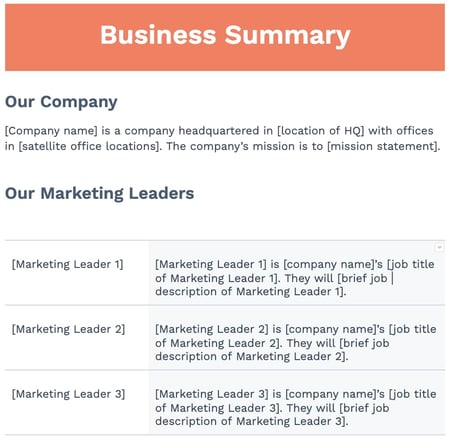 In a marketing plan, your Business Summary is exactly what it sounds like: a summary of the organization. This includes:
- The company name
- Where it’s headquartered
- Its mission statement
2. Business Initiatives
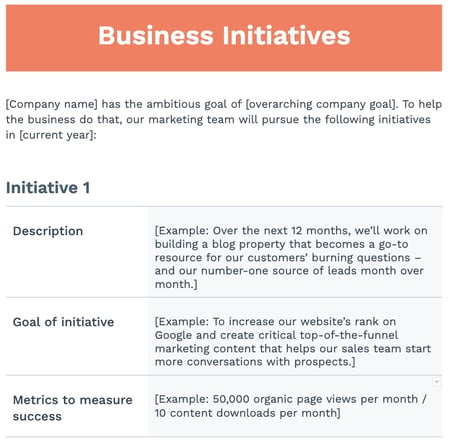 The Business Initiatives element of a marketing plan helps you segment the various goals of your department. Be careful not to include big-picture company initiatives, which you’d normally find in a business plan. This section of your marketing plan should outline the projects that are specific to marketing. You’ll also describe the goals of those projects and how those goals will be measured.
3. Customer Analysis
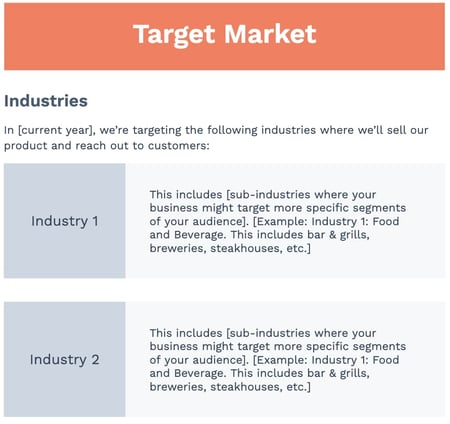 Here’s where you’ll conduct some basic market research. If your company has already done a thorough market research study, this section of your marketing plan might be easier to put together.
Ultimately, this element of your marketing plan will help you describe the industry you’re selling to and your buyer persona. A buyer persona is a semi-fictional description of your ideal customer, focusing on traits like:
- Age
- Location
- Title
- Goals
- Personal challenges
- Pains
- Triggering events
4. Competitor Analysis
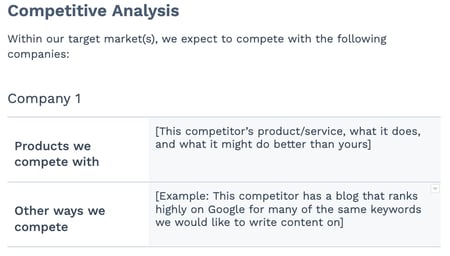 Your buyer persona has choices when it comes to solving their problems, choices in both the types of solutions they consider and the providers that can administer those solutions. In your market research, you should consider your competition, what they do well, and where the gaps are that you can potentially fill. This can include:
- Positioning
- Market share
- Offerings
- Pricing
5. SWOT Analysis
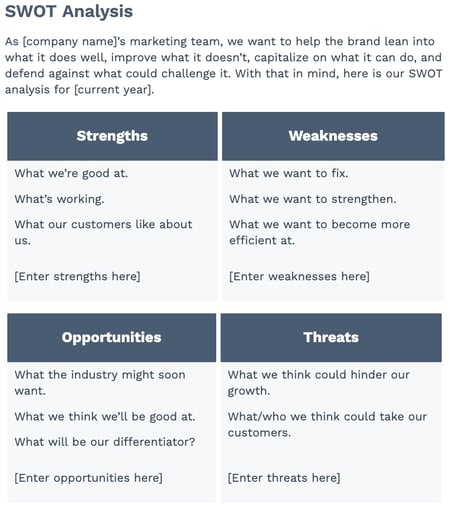 Your marketing plan’s Business Summary also includes a SWOT analysis, which stands for the business’s strengths, weaknesses, opportunities, and threats. Be patient with your business’s SWOT analysis; you’ll write most of it based on your market research from the sections above and your strategy below.
6. Market Strategy
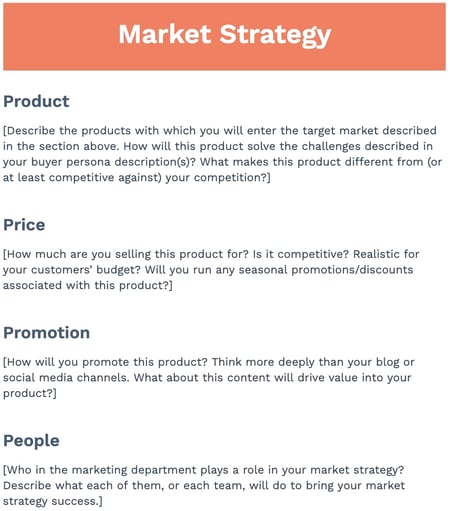 Your Market Strategy uses the information included in the above sections to describe how your company should approach the market. What will your business offer your buyer personas that your competitors aren’t already offering them?
In a full-length marketing plan, this section can contain the “seven Ps of marketing”:
- Product
- Price
- Place
- Promotion
- People
- Process
- Physical Evidence
(You’ll learn more about these seven sub-components inside our free marketing plan template, which you can download below.)
7. Budget
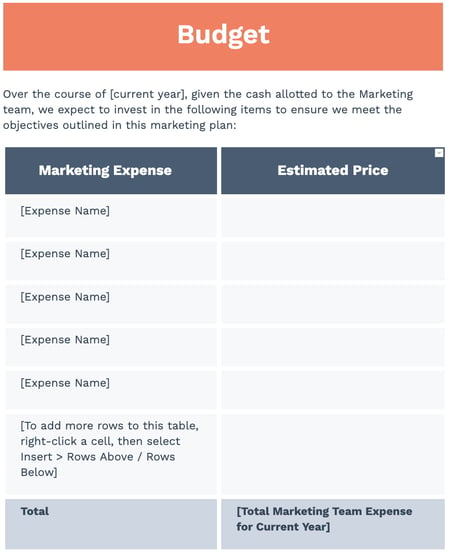 Don’t mistake the Budget element of your marketing plan with your product’s price or other company financials. Your budget describes how much money the business has allotted the marketing team to pursue the initiatives and goals outlined in the elements above.
Depending on how many individual expenses you have, you should consider itemizing this budget by what specifically you’ll spend your budget on. Example marketing expenses include:
- Outsourcing costs to a marketing agency and/or other providers
- Marketing software
- Paid promotions
- Events (those you’ll host and/or attend)
8. Marketing Channels
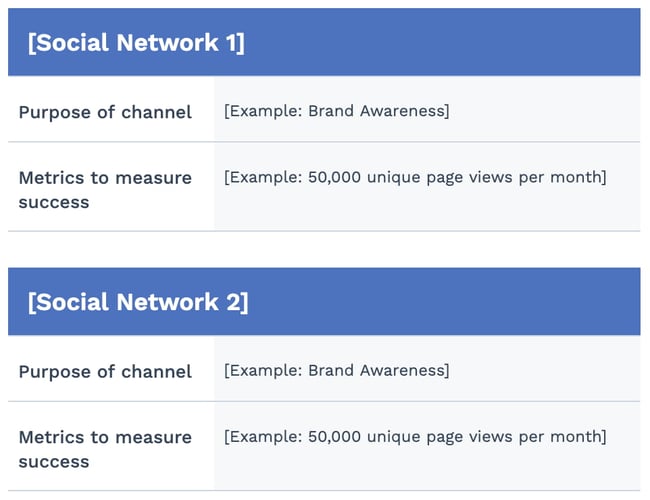 Lastly, your marketing plan will include a list of your marketing channels. While your company might promote the product itself using certain ad space, your marketing channels are where you’ll publish the content that educates your buyers, generates leads, and spreads awareness of your brand.
If you publish (or intend to publish) on social media, this is the place to talk about it. Use the Marketing Channels section of your marketing plan to map out which social networks you want to launch a business page on, what you’ll use this social network for, and how you’ll measure your success on this network. Part of this section’s purpose is to prove to your superiors, both inside and outside the marketing department, that these channels will serve to grow the business.
Businesses with extensive social media presences might even consider elaborating on their social strategy in a separate social media plan template.
9. Financial Projections
Knowing the budget and doing analysis on the marketing channels you want to invest in, you should be able to come up with a plan for how much budget to invest in which tactics based on expected ROI. From there, you’ll be able to come up with financial projections for the year. These won’t be 100% accurate but can help with executive planning.
1. Conduct a situation analysis.
Before you can get started with your marketing plan, you have to know your current situation.
What are your strengths, weaknesses, opportunities, and threats? Conducting a basic SWOT analysis is the first step to creating a marketing plan.
Additionally, you should also have an understanding of the current market. How do you compare to your competitors? Doing a competitor analysis should help you with this step.
Think about how other products are better than yours. Plus, consider the gaps in a competitor’s approach. What are they missing? What can you offer that’ll give you a competitive advantage? Think about what sets you apart.
Answering questions like this should help you figure out what your customer wants, which brings us to step number two.
2. Define your target audience.
Once you better understand the market and your company’s situation, make sure you know who your target audience is.
If your company already has buyer personas, this step might just mean you have to refine your current personas.
If you don’t have a buyer persona, you should create one. To do this, you might have to conduct market research.
Your buyer persona should include demographic information such as age, gender, and income. However, it will also include psychographic information such as pain points and goals. What drives your audience? What problems do they have that your product or service can fix?
Once you have this information written out, it’ll help you define your goals, which brings us to step number three.
3. Write SMART goals.
My mother always used to tell me, “You can’t go somewhere unless you have a road map.” Now, for me, someone who’s geographically challenged, that was literal advice.
However, it can also be applied metaphorically to marketing. You can’t improve your ROI unless you know what your goals are.
After you’ve figured out your current situation and know your audience, you can begin to define your SMART goals.
SMART goals are specific, measurable, attainable, relevant, and time-bound. This means that all your goals should be specific and include a time frame for which you want to complete them.
For example, your goal could be to increase your Instagram followers by 15% in three months. Depending on your overall marketing goals, this should be relevant and attainable. Additionally, this goal is specific, measurable, and time-bound.
Before you start any tactic, you should write out your goals. Then, you can begin to analyze which tactics will help you achieve that goal. That brings us to step number four.
4. Analyze your tactics.
At this point, you’ve written down your goals based on your target audience and current situation.
Now, you have to figure out what tactics will help you achieve your goals. Plus, what are the right channels and action items to focus on?
For example, if your goal is to increase your Instagram followers by 15% in three months, your tactics might include hosting a giveaway, responding to every comment, and posting three times on Instagram per week.
Once you know your goals, brainstorming several tactics to achieve those goals should be easy.
However, while writing your tactics, you have to keep your budget in mind, which brings us to step number five.
5. Set your budget.
Before you can begin implementing any of the ideas that you’ve come up with in the steps above, you have to know your budget.
For example, your tactics might include social media advertising. However, if you don’t have the budget for that, then you might not be able to achieve your goals.
While you’re writing out your tactics, be sure to note an estimated budget. You can include the time it’ll take to complete each tactic in addition to the assets you might need to purchase, such as ad space.
Now that you know how to create your marketing plan, let’s dive into creating a marketing campaign outline that will help you reach the goals outlined plan.
Marketing Plan Timeline
Rolling out a new marketing plan is a big lift. To make sure things are running smoothly with all of your projects, you’ll want to create a timeline that maps out when each project is happening.
A marketing plan timeline allows your team to view all projects, campaigns, events, and other related tasks in one place — along with their deadlines. This ensures everyone on your team knows what’s due, when it’s due, and what’s up next in the pipeline. Typically these plans cover marketing efforts for the entire year, but some companies may operate on a bi-annual or quarterly basis.
Once you’ve completed your analysis, research, and set goals, it’s time to set deadlines for your assignments. From new blog posts and content initiatives to product launches, everything will need a deadline. Take into account any holidays or events taking place over the course of the year.
While setting deadlines for the entire year may seem daunting, start by estimating how long you think each task will take and set a deadline accordingly. Track the time it actually takes for you to complete similar types of projects. Once you’ve completed a few of them, you’ll have a better idea of how long each takes and will be able to set more accurate deadlines.
For each project, you’ll want to build in time for:
- Brainstorming: This is the first phase where your idea comes to life in a project outline. Decide what you want to achieve and which stakeholders need to be involved to meet your goal. Set a due date and set up any necessary meetings.
- Planning: This can include determining the project’s scope, figuring out how much budget will be allocated for it, finalizing deadlines and who is working on each task. Map out any campaigns needed for each project (social media, PR, sales promotions, landing pages, events, etc.).
- Execution: This third phase is all about your project launch. Decide on a date to launch and monitor the progress of the project. Set up a system for tracking metrics and KPIs.
- Analysis: In this final phase you will analyze all of your performance data to see whether or not your marketing efforts paid off. Did you meet your goals? Did you complete your projects on time and within budget?
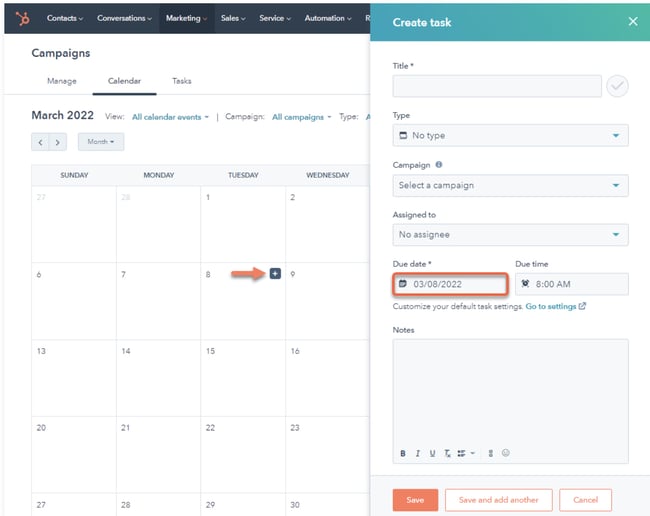 All projects and their deadlines should be in a central location where your team can access them whether that’s a calendar like HubSpot’s tool, shared document, or project management tool.
One-Page Marketing Plan Template
As demonstrated above, a marketing plan can be a long document. When you want to share information with stakeholders or simply want an overview of your plan for quick reference, having a shorter version on hand can be helpful. A one-page marketing plan can be the solution, and we’ll discuss its elements below.
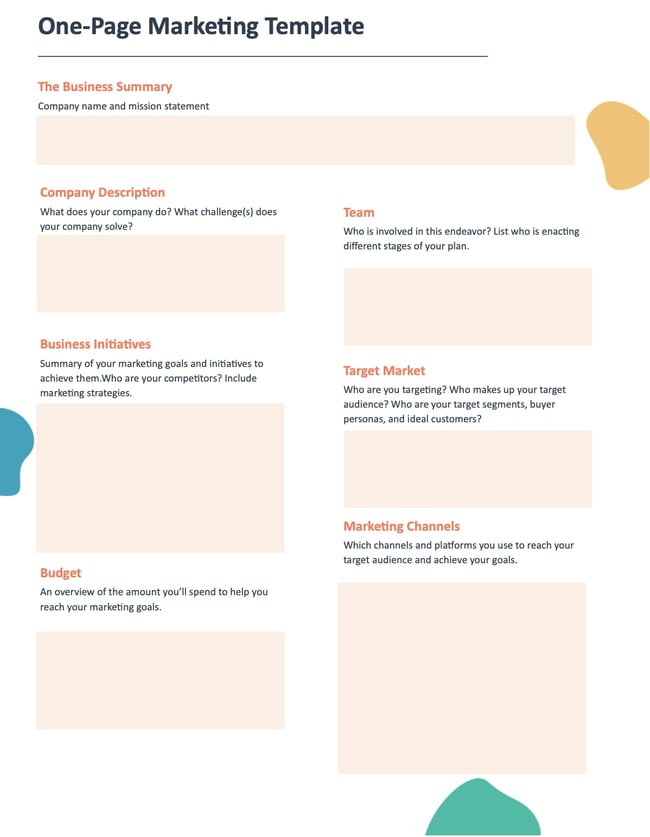
1. Business Summary
Include your company name, list the names of individuals responsible for enacting the different stages of your plan, and a brief mission statement.
Example
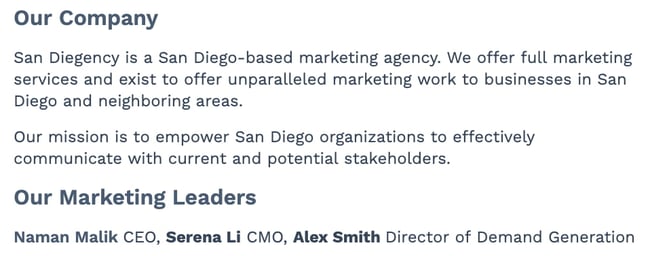
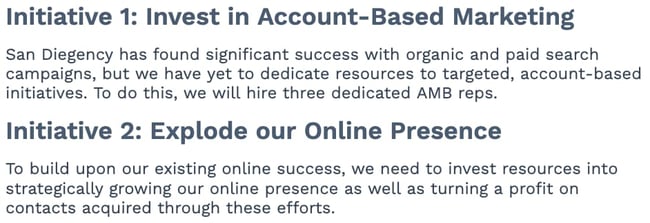
2. Business Initiatives
Include your company name, list the names of individuals responsible for enacting the different stages of your plan, and a brief mission statement.
Example
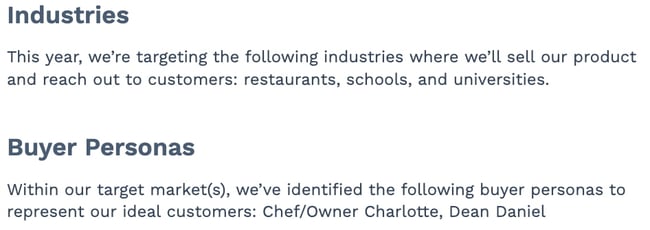
3. Target Market
Outline your target audience(s) that your efforts will reach. You can include a brief overview of your industry and buyer personas.
Example
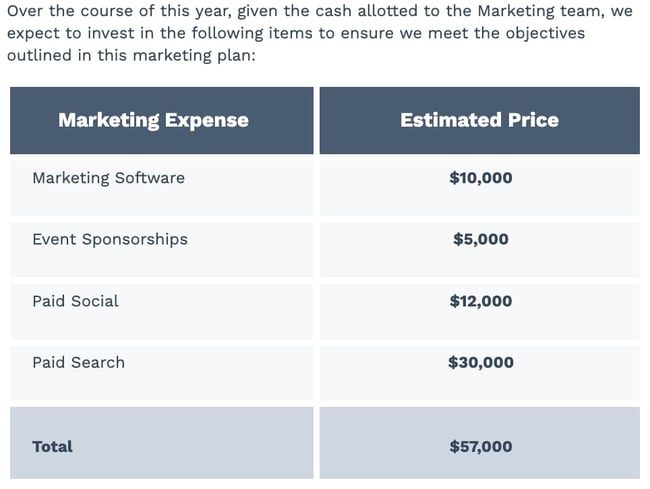
4. Budget
This is an overview of the money you’ll spend to help you meet your marketing goals. Create a good estimate of how much you’ll spend on each facet of your marketing program.
Example
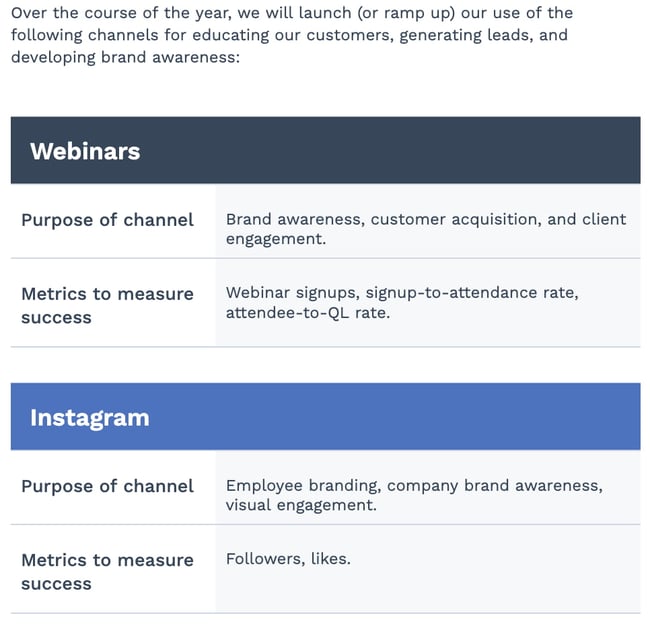
5. Marketing Channels
List the channels you’ll use to achieve your marketing goals. Describe why you’re using each channel and what you want to accomplish so everyone is on the same page.
Example
Free Marketing Plan Template [Word]
Now that you know what to include in your marketing plan, it’s time to grab your marketing plan template and see how best to organize the six elements explained above. The following marketing plan template opens directly in Microsoft Word, so you can edit each section as you see fit:
Download your marketing plan template here.
Marketing Campaign Template
Your marketing plan is a high-level view of the different marketing strategies you’ll use to meet your business objectives. A marketing campaign template is a focused plan that will help achieve those marketing goals.
A marketing campaign template should include the following key components:
- Goals and KPIs: Identify the end goal for each of the individual campaigns you’ll run and the metrics you will use to measure the results of your campaign when it ends. For example, conversion rates, sales, sign-ups, etc.
- Channels: Identify the different channels you’ll use to enact your marketing campaign to reach your audience. Maybe you run a social media campaign on Twitter to raise brand awareness or a direct mail campaign to notify your audience of upcoming sales.
- Budget: Identify the budget you’ll need to run your campaign and how it will be distributed, like the amount you’ll spend on creating content or ad placements in different areas. Having these numbers also helps you later on when you quantify the success of your campaign, like ROI.
- Content: Identify the type of content you’ll create and distribute during your campaigns—for example, blog posts, video ads, email newsletters, etc.
- Teams and DRIs: Identify the teams and people that will be part of enacting your marketing plan from start to finish, like those responsible for creating your marketing assets, budgets, or analyzing metrics once campaigns are complete.
- Design: Identify what your marketing campaigns will look like and how you’ll use design elements to attract your audience. It’s important to note that your design should directly relate to the purpose of your campaign.
Digital Marketing Plan Template
A digital marketing plan is similar to a marketing campaign plan, but, as the name suggests, it’s tailored to the campaigns that you run online. Let’s go over the key components of a digital marketing plan template to help you stay on track to meet your goals.
- Objectives: The goals for your digital marketing and what you’re hoping to accomplish, like driving more traffic to your website. Maybe you want to drive more traffic to your website, or
- Budget: Identify how much it will cost to run your digital marketing campaign and how the money will be distributed. For example, ad placement on different social media sites costs money, and so does creating your assets.
- Target audience: Which segments of your audience are you hoping to reach with this campaign? It’s essential to identify the audiences you want to reach with your digital marketing, as different channels house different audience segments.
- Channels: Identifies the channels that are central to your digital marketing campaign.
- Timeline: Explains the length of time your digital campaigns will run, from how long it should take to create your assets to the final day of the campaign.
Many people use social media in their digital campaigns, and below we’ll discuss some ideas you can use for inspiration.
Social Media Marketing Plan Templates
As marketing departments grow, so will their presence on social media. And as their social media presence grows, so will their need to measure, plan, and re-plan what types of content they want to publish across each network.
If you’re looking for a way to deepen your social media marketing strategy — even further than the marketing plan template above — the following collection of social media marketing plan templates is perfect for you:
Download 10 social media reporting templates here.
In the above collection of marketing plan templates, you’ll get to fill in the following contents (and more) to suit your company:
- Annual social media budget tracking
- Weekly social media themes
- Required social media image dimension key
- Pie chart on social media traffic sorted by platform
- Social media post calendar and publish time
Below, let’s review the social media reporting templates, and what you’ll find in each one.
1. Social Media Questions
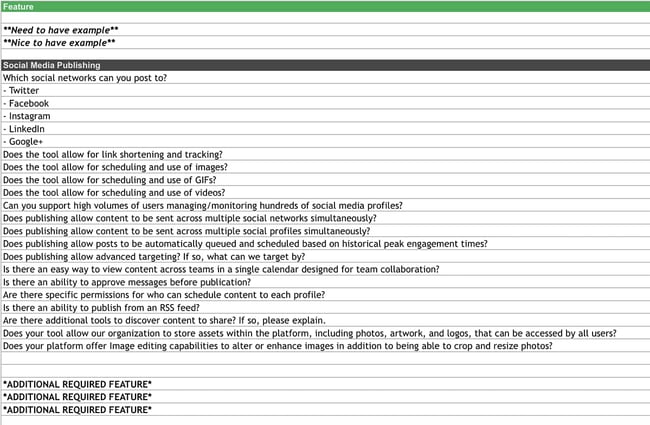
This template lists out questions to help you decide which social media management platform you should use.
Once you know what social media tactics you’re going to implement in your marketing plan, it’s time to figure out what channels are right for you. This template will help you do that.
2. Facebook Live Schedule
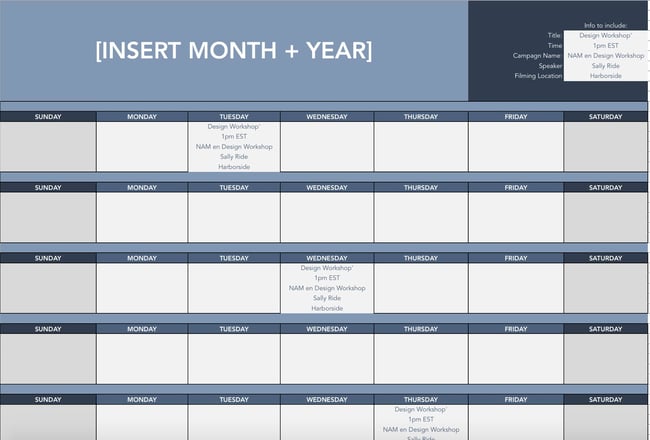
If Facebook Live is one of the marketing tactics in your plan, this template will help you design an editorial calendar. With this template, you can organize what Facebook live’s you want to do and when.
Once you’ve decided on dates, you can color code your FB calendar and coordinate with your editorial calendar so everyone can see what lives are running in relation to other campaigns.
3. Instagram Post Log
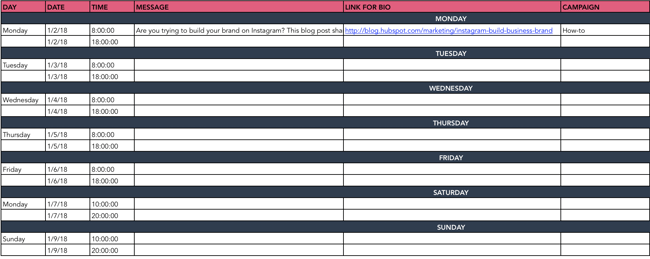
Are you going to begin using Instagram regularly? Do you want to increase your following? With this template, you can organize your Instagram posts, so everyone on your team knows what posts are going live and when.
Additionally, you can organize your assets and campaigns on this doc. Use this doc to collaborate with your team on messaging, landing pages linked in your bio, and campaign rollout.
4. Paid Social Media Template
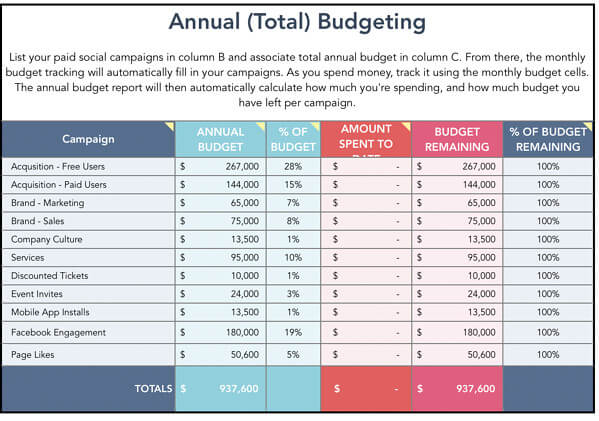
With this template, you can organize your annual and monthly budget for your paid social media calendar.
You’ll want to use this in conjunction with your marketing plan budget to make sure you are not overspending and funds are allocated appropriately.
5. Social Media Audit
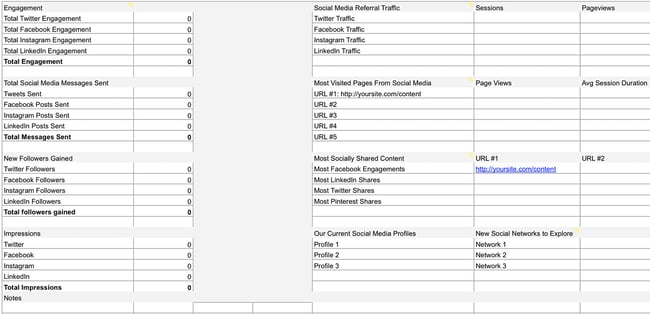
Conducting a social media audit? You can use this template to help you gather the right analytics. Tracking the results of your marketing efforts is key to determining ROI.
Use this template to track each of your campaigns to determine what worked and what didn’t. From there, you can allocate funds for the strategies that deliver the results you want.
6. Social Media Editorial Calendar
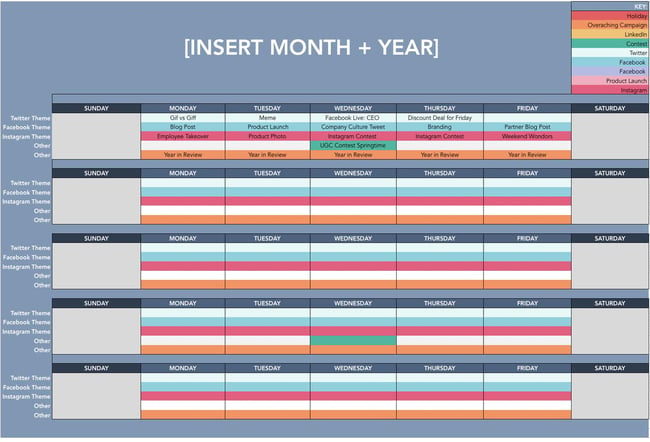
With this template, you can organize your social media editorial calendar. For example, you can include social media posts for each platform, so your team knows what’s going live on any given day.
7. Social Media Image Sizes

With this template, your team can have the latest social media image sizes handy. This template includes image sizes for all major social media platforms, including Facebook, Instagram, and Twitter.
Having a resource like this readily available for your team ensures that everyone is on the same page regarding image sizes and prevents delays.
8. Social Media Marketing Proposal
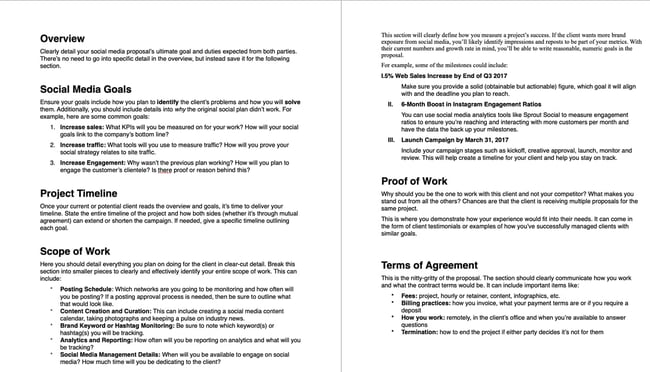
With this template, you can create an entire social media marketing proposal. This will outline the social media goals, the scope of the work, and the tactics that you plan to implement.
Think of this proposal as more of a deep dive into the marketing channel section of your marketing plan.
9. Social Media Reporting Template
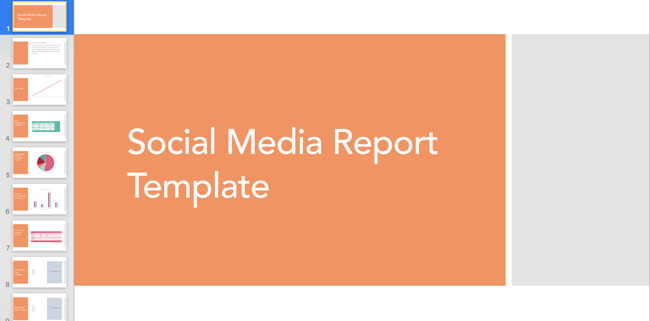
With this template, you’ll gain access to a slide deck that includes templates for social media reporting. If you plan to implement social media in your marketing plan, these reporting templates can help you track your progress.
If using the social media audit above, you can add all of your data here once it’s been collected.
10. Hashtag Holidays
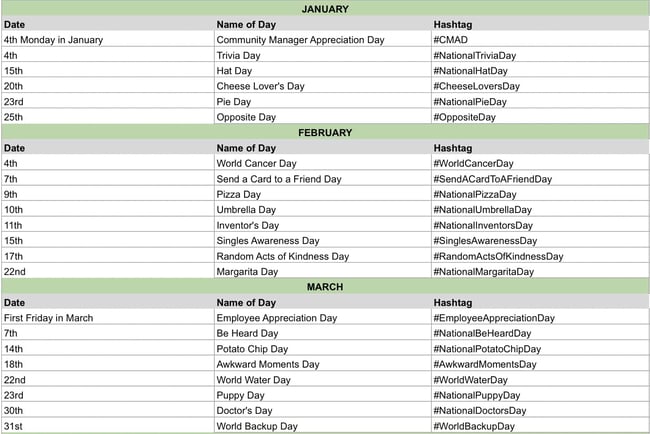 If you’re going to lean into social media in your marketing plan, you can use hashtag holidays to generate ideas.
These holidays are a great way to fill out your social media publishing schedule. With this template, you’ll get a list of all the hashtag holidays for the year.
Once you’ve come up with content ideas, you can add them to your social media calendar.
Simple Marketing Plan Template
Of course, this type of planning takes a lot of time and effort. So if you’re strapped for time before the holidays, give our new Marketing Plan Generator a try.
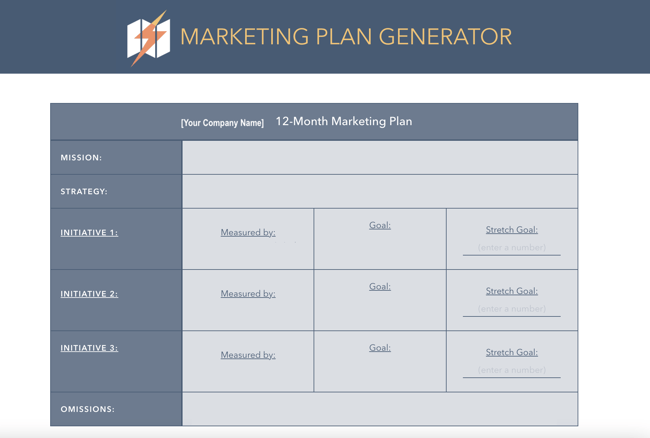
This tool simplifies yearly planning by asking prompted questions to help guide your process. You’ll be asked to input information about:
Try our free Marketing Plan Generator here.
- Your annual marketing mission statement, which is what your marketing is focused on for the year.
- The strategy that you’ll take with your marketing throughout the year to accomplish your marketing goals.
- Three main marketing initiatives that you’ll focus on during the year (i.e., brand awareness or building a high-quality pipeline) metrics you’ll use to measure your success.
- Your target goals for those marketing initiatives like generating 100 leads per week.
- Marketing initiatives that are not aligned with your current strategy to stay focused on your goals and activities that will help you be successful.
Once you input all information, the tool will spit out a table (as shown in the image below) that you can use to guide your processes.
Pro Tip: If the tool doesn’t work, clear your browser’s cache or access it in incognito mode.
Start the Marketing Planning Process Today
The best way to set up your marketing plan for the year is to start with quick wins first, that way you can ramp up fast and set yourself (and your team) up to hit more challenging goals and take on more sophisticated projects by Q4. So, what do you say? Are you ready to give it a spin?
Editor’s note: This post was originally published in December 2016 and has been updated for comprehensiveness.


10 Best Ecard Makers to Show Your Customers You Care
According to HubSpot research, 93% of customers are likely to make repeat purchases with companies that offer excellent customer service. With that in mind, it’s no surprise that companies often look for creative ways to continue delighting their audience.
A simple method to add a personal touch to your interaction with customers and leads is to use ecards. You can opt to send greetings to customers in marketing emails or install a widget that allows customers to send an ecard when buying a gift for someone else. Better still are companies that allow you to make an ecard online for free.

Below we’ll cover our favorite ecard makers on the market to handle your business needs.
Best Online Ecard Makers
Sending customers a card can be a great way to promote new products and show customers you appreciate your business. Here are a few of our favorite ecard makers out there.
Free Ecard Platforms
1. Open Me
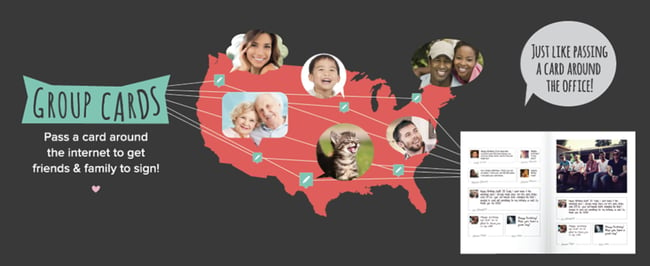
Open Me makes it easy to send and personalize ecards. One of the best attributes of this platform is how collaborative it is, which is great if you’d like to send a card from your team to a client. With just one link, everyone can write their own note in real-time.
Why We Like Them
There’s no limit to the number of cards you can send for free.
2. EcardWidget for Shopify
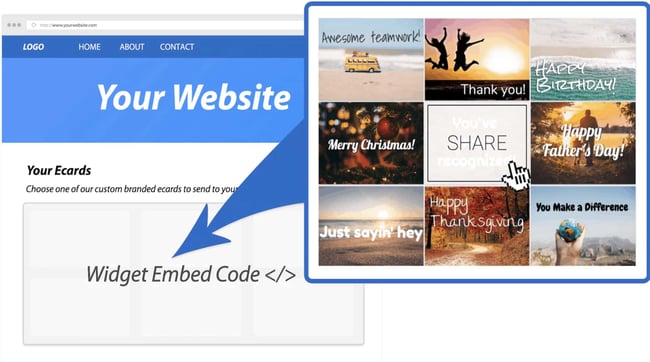
Shopify store owners looking to send ecards to customers and allow customers to personalize gifts after checkout should use EcardWidget. This free widget enables businesses to add fully designed, branded ecards to their website. The free tier of this plan includes four card options, social media sharing, and 15 emails per month — a good start for small businesses looking to test this widget out.
Why We Like Them
EcardWidget offers an easy and free solution for business-to-customer and customer-to-customer ecard sending.
3. Adobe Creative Cloud Express

If you’d like to take a do-it-yourself approach to heard sending for your business, Adobe Creative Cloud Express is an excellent free option. Adobe has several templates available with the ability to customize fonts, colors, photos, and video. Premium plan users also have the option to auto-apply your brand logo, fonts, and colors.
Why We Like Them
Adobe’s Creative Cloud Express is a great free option for small businesses that allows them to create ecards and repurpose the content they’ve created for other marketing channels like social media.
4. Canva

Canva is another free option business owners have at their disposal. You can start with a template or create something new from scratch. Canva’s popularity stems from how easily and quickly users can create designs of their own, and creating a card using the platform is no different.
While they don’t offer an ecard sending service, you can create your own design and download it to use across other channels. Additionally, you can design physical cards with Canva if you’d like to use snail mail.
Why We Like Them
Not only can users create ecards using Canva, but they can also repurpose what they’ve created into several different formats to use across multiple channels.
Paid Ecard Platforms
5. Ecard Mint

Ecard Mint offers a full suite of business communication services to aid your marketing efforts. In addition to managing email campaigns, the company also designs bespoke ecards for holidays and other events tailored to your brand. Chose from a template or have Ecard Mint design something custom, including animation options. Additionally, their analytics reporting allows businesses to see results in real-time.
Why We Like Them
Ecard Mint is a one-stop shop for businesses looking to outsource email management in addition to providing customers with a wide variety of ecard greetings.
6. Smilebox
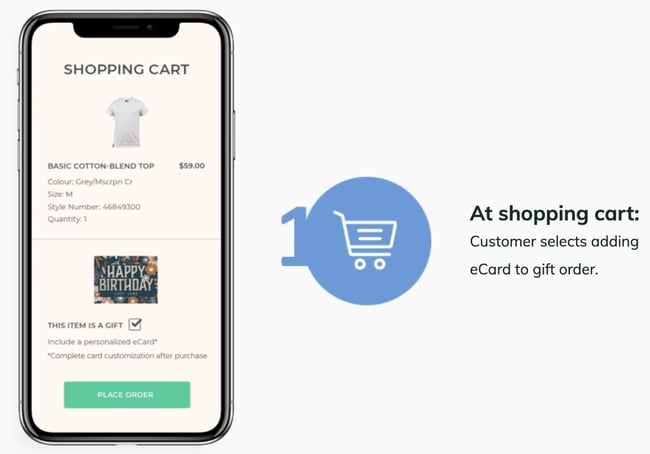
Smilebox allows customers to create animated ecards with a gift they’ve purchased from your online store. At checkout, customers are asked whether or not the item is a gift. If they check “yes,” they’ll be prompted to create a personalized card and schedule a time to send it. A bonus feature of Smilebox is that this ecard can be sent by text, in addition to email.
Why We Like Them
Smilebox allows gift recipients to track their package in addition to receiving the ecard. Additionally, the service allows companies to retarget gift recipients for marketing efforts.
7. Paperless Post
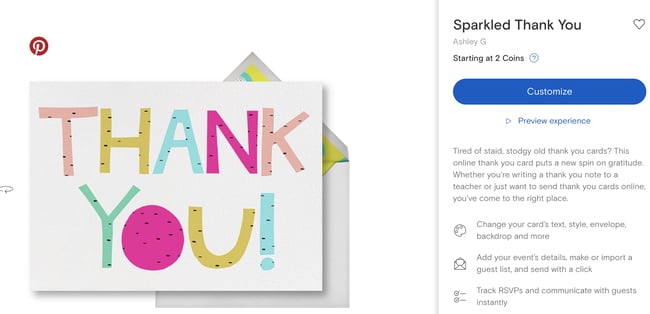
Paperless Post offers premium ecards on their site to choose from, depending on how much customization you need. You can upload your own images if you wish, and schedule cards to go out on a future date.
Why We Like Them
Paperless Post also has an option for users to send ecards via text message and social media for added flexibility and potential retargeting efforts.
8. Ojolie
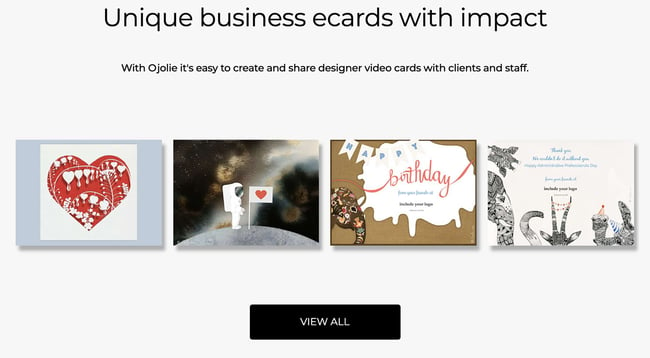
Ojolie allows businesses to send ecards to clients and customers in a few simple steps. You can customize the templates they offer by adding your logo and changing existing colors to match your corporate ones for a fee. Once you’ve created a card you love, Ojolie will send you an email template to send the card, plus a social media link if you choose to send it that way.
Why We Like Them
Ojolie makes it easy for businesses to send cards without sharing their mailing list and none of their branding appears on the card or the site it’s hosted on. Additionally, you can host the card page on your own site if you prefer.
9. Corp Note
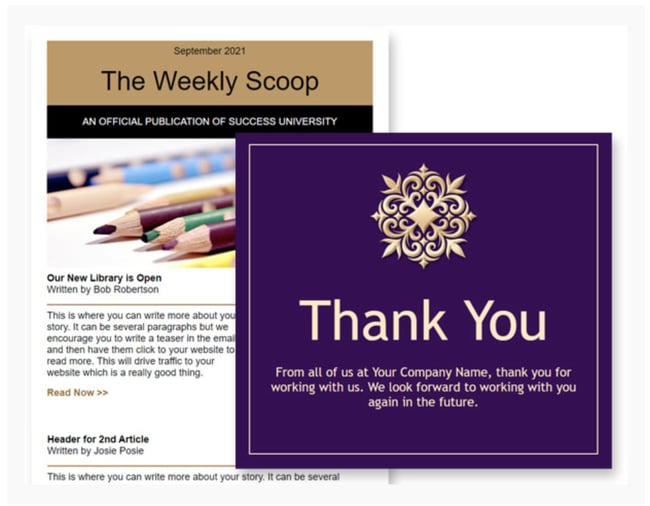
Similar to Ecard Mint, Corp Note is an all-in-one platform that allows users to not only send ecards but manage email campaigns, send event invites, and customer surveys. You can also use Corp Note for internal communication to employees.
Why We Like Them
Corp Note allows you to track when your email is opened in real-time, showing you how many times it has been opened so you can measure engagement.
10. B2B Ecards
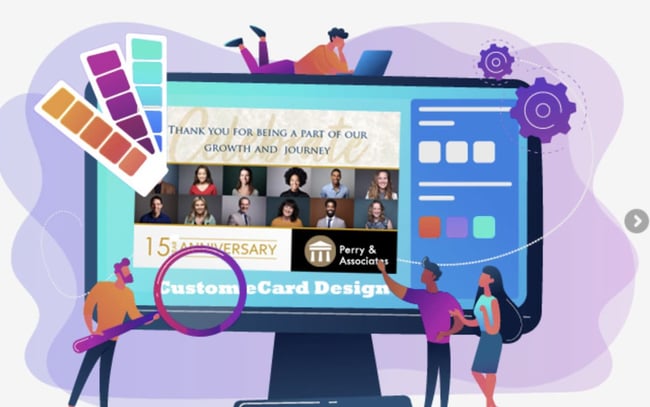
B2B Ecards allows businesses to send animated cards to clients, customers, and employees. While they have a variety of stock animation options to choose from, users do have the opportunity to customize their cards with their own images, colors, and branding for an extra fee.
Once you’ve created your design and placed an order, B2B Ecards will send you a template that you can either forward to recipients individually or use an existing mailing list.
Why We Like Them
For businesses that would prefer to have an outside partner handle all of their email marketing needs, B2B Ecards is a solid option. If you chose to use their delivery service, they’ll contact you prior to the mailing date for a test run.
Boost Customer Satisfaction With Ecards
Ecards are not the solution to poor customer service. However, sending personalized messages like these will only enhance a customer experience already bubbling with value, help, and delight.
Editor’s Note: This article was originally published in November 2013 and has been updated for comprehensiveness.

How to Use Your CRM to Power Your Marketing
It’s easy to picture the customer journey as a well-traveled, east-to-west road trip, following a single highway from awareness to consideration to purchase.
In reality, people take a lot of detours.

If you want a complete picture of the customer journey, it’s essential to connect your marketing efforts with the tool at the center of it all: your company’s trusty CRM.
While you may be familiar with a CRM, you probably aren’t using it to its full potential. Here, we’ll cover its role in marketing and how it powers great customer experiences.
CRMs are traditionally considered a tool for sales teams to track leads, prospects, and customers. With them, reps can see every interaction a contact has had with a brand — everything from calls with a sales rep to website visits.
But on the marketing side, marketers rarely use a CRM for anything other than creating email lists, if at all. This is a huge missed opportunity.
Think of your CRM as a single source of truth — tracking every customer interaction and painting a clear picture of their journey. Here are the benefits of this:
- One central hub for data. Any business, regardless of size, needs a central location for storing data. This makes it possible to identify patterns and see what’s working (and what’s not).
- More audience segmentation. You’d never send the same message to every customer — which is why segmentation is so crucial. A CRM can group your audience into segments — such as where they live or when they’re most active — so that you can talk to your audience in a more targeted way.
- Optimized campaigns. A CRM tool can connect to your marketing channels, enabling you to see how your channels perform and how your audience is interacting with you.
By putting it at the center of your marketing strategy, you can truly personalize your messaging, create more targeted and meaningful content, and expedite the sales process — helping your entire company grow.
Let’s dive more into this below.
What is the Role of CRM in Marketing?
As I mentioned above, marketing is about more than single, solitary interactions – it’s about building a complete customer experience.
Here’s how CRM can power different areas of your marketing:
1. CRM for Email Marketing
With email and your CRM, you can segment your contacts into different lists based on any CRM data point like location, page interactions, and more. And it doesn’t stop there.
You can add an extra layer of personalization to your emails by sending different CTAs to customers based on your CRM data. By sending relevant, personal emails, you can build trust and provide value to customers and prospects.
A CRM can also help you and your team save time. By connecting email to your CRM, you can avoid exporting and importing lists of contacts into your email service provider (ESP). This keeps all of your contact information up to date while helping your team stay compliant with CAN-SPAM laws.
2. CRM for Social Media Marketing
You probably already know this, but it bears repeating: social media is a two-way street. Producing great content for social — like clever tweets, trendy Instagram photos, and engaging videos — is important, but it’s not enough.
By pairing your CRM with social, you can see how customers engage with your platforms and the conversations they’re having — making you more prepared to interact with them.
A social CRM can also give you an overview of topics, hashtags, and influencers within your audience segments. Then, you can leverage this data to provide timely, relevant content.
3. CRM for Digital Ads
While third-party data helps you reach a broad persona, the first-party data you get from your CRM lets you target a hyper-specific group of people. It allows you to create relevant ads for any audience, no matter what stage they’re at in the buyer’s journey.
For example, you can create a custom audience of all the contacts in your CRM who viewed a certain product. Based on this audience, you can then create an extremely specific ad that provides information about that product to propel them along their buyer’s journey.
This makes a big impact on your customers. Think about how many ads they see in a day. How many of those do you think are actually relevant? By promoting highly targeted ads, your customers won’t be surprised or frustrated when they see one.
CRM Marketing Automation
CRM software is designed to help sales and customer service professionals — but it can also help you perform some marketing tasks.
For instance, in a CRM you can set up email sequences to engage with leads without manually re-creating content. It can also alleviate your workload by taking tedious tasks off your hands, like manual data entry or logging customer interactions on social media.
However, while CRM software can perform some marketing automation tasks, your CRM alone may not be the right solution for all of your marketing. Check out this helpful article that compares CRM versus marketing automation.
Final Thoughts
When marketers leverage their customers’ data for good, they can craft remarkable customer experiences. By combining your efforts with a powerful CRM, you can connect the dots to improve the customer journey.

How to Make an Animated GIF in Photoshop [Tutorial]
Animated GIFs are great additions to your marketing. They’re easy to consume, provide a new way to capture your viewers’ attention, and can have a serious emotional impact.
The best part about GIFs is that they aren’t too hard to make. If you have access to Photoshop and a few minutes to spare, you can create an animated GIF in no time.
In the following tutorial on making animated GIFs, I’m using the Creative Cloud 2015 version of Photoshop, but the steps should be similar in other versions.

How to make a GIF
- Upload your images to Photoshop.
- Open up the Timeline window.
- In the Timeline window, click “Create Frame Animation.”
- Create a new layer for each new frame.
- Open the same menu icon on the right, and choose “Make Frames From Layers.”
- Under each frame, select how long it should appear for before switching to the next frame.
- At the bottom of the toolbar, select how many times you’d like it to loop.
- Preview your GIF by pressing the play icon.
- Save and Export Your GIF.
How to Create an Animated GIF in Photoshop
If you already know how to create a GIF, skip to the section on how to use GIFs in your marketing materials.
Here’s an example of an animated GIF you might make using this tutorial:
 Alright, let’s get started.
Step 1: Upload your images to Photoshop.
If you already have images created …
Gather the images you want in a separate folder. To upload them into Photoshop, click File > Scripts > Load Files Into Stack.
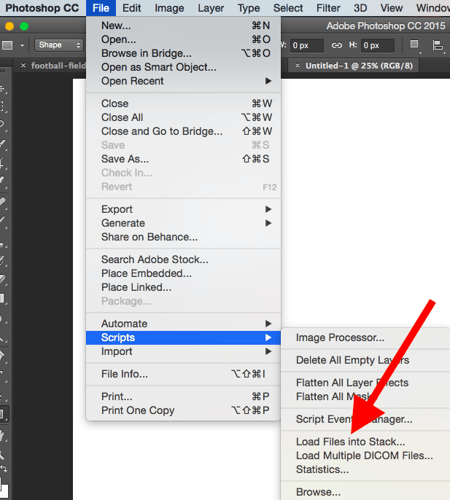
Then, select Browse, and choose which files you’d like to use in your GIF. Then, click OK.
 Photoshop will then create a separate layer for each image you’ve selected. Once you’ve done that, skip to step two.
If you don’t already have the series of images created …
Create each frame of the animated GIF as a different Photoshop layer. To add a new layer, chose Layer > New > Layer.

Be sure to name your layers so you can keep track of them easily when you make your GIF. To name a layer, go to the Layer panel on the bottom right of your screen, double-click on the default layer name, and type in the name you want to change it to. Press Enter when you’re finished.
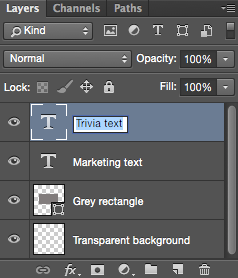
Once you have your layers in there and you’ve named them all, you’re ready for step two.
Pro Tip: If you want to combine layers so they appear in a single frame in your GIF, turn visibility on for the layers you want to merge (by clicking on the “eye” to the left of each layer name so only the eyes for the layers you want to merge are open). Next, press Shift + Command + Option + E (Mac) or Shift + Ctrl + Alt + E (Windows). Photoshop will create a new layer containing the merged content, which you should also rename.
Step 2: Open up the Timeline window.
To open Timeline, go to the top navigation, choose Window > Timeline. The Timeline will let you turn different layers on and off for different periods of time, thereby turning your static image into a GIF.
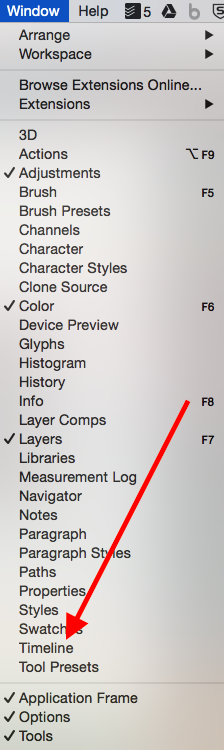
The Timeline window will appear at the bottom of your screen. Here’s what it looks like:
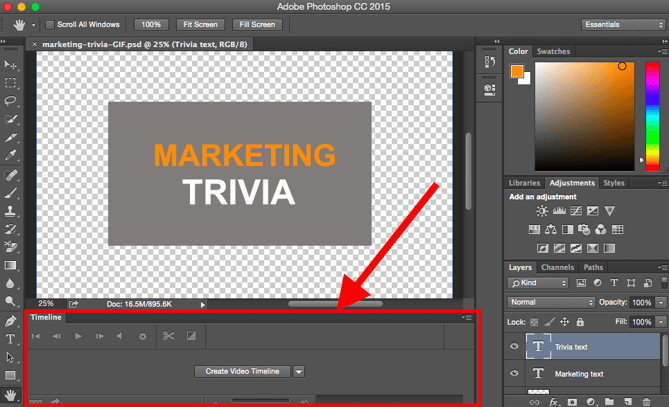
Step 3: In the Timeline window, click “Create Frame Animation.”
If it’s not automatically selected, choose it from the dropdown menu — but then be sure to actually click it, otherwise the frame animation options won’t show up.

Now, your Timeline should look something like this:

Step 4: Create a new layer for each new frame.
To do this, first select all your layers by going to the top navigation menu and choosing Select > All Layers.
Then, click the menu icon on the right of the Timeline screen.
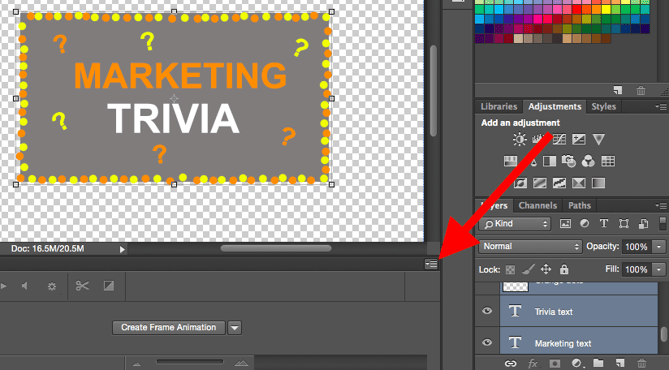
From the dropdown menu that appears, choose Create new layer for each new frame.

Step 5: Open the same menu icon on the right, and choose “Make Frames From Layers.”
This will make each layer a frame of your GIF.

Step 6: Under each frame, select how long it should appear for before switching to the next frame.
To do this, click the time below each frame and choose how long you’d like it to appear. In our case, we chose 0.5 seconds per frame.

Step 7: At the bottom of the toolbar, select how many times you’d like it to loop.
The default will say Once, but you can loop it as many times as you want, including Forever. Click Other if you’d like to specify a custom number of repetitions. 
Step 8: Preview your GIF by pressing the play icon.

Step 9: Save and Export Your GIF
Satisfied with your GIF? Save it to use online by going to the top navigation bar and clicking File > Export > Save for Web (Legacy)…
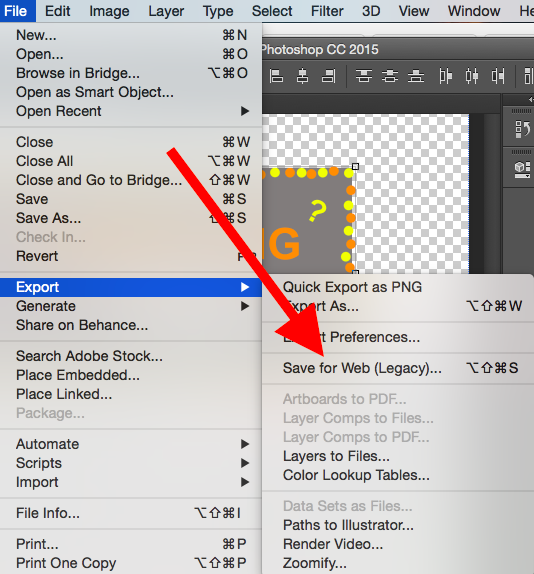
Next, choose the type of GIF file you’d like to save it as under the Preset dropdown. If you have a GIF with gradients, choose Dithered GIFs to prevent color banding. If your image employs a lot of solid colors, you may opt for no dither.
The number next to the GIF file determines how large (and how precise) the GIF colors will be compared to the original JPEGs or PNGs. According to Adobe, a higher dithering percentage translates to the appearance of more colors and detail — but it increases the file size.

Click Save at the bottom to save the file to your computer. Now you’re ready to upload this GIF to use in your marketing!
Upload the GIF file into any place online that you’d put an image, and it should play seamlessly. Here’s what the final product might look like:
 How to Use GIFs in Your Marketing
1. On social media.
Pinterest was the first to enable animated GIFs, followed by Twitter. And by the summer of 2015, Facebook had also jumped on the GIF bandwagon. Then, Instagram changed the game with Boomerang, which lets users film and share their own GIFs. On any of these social feeds, animated GIFs can be a great way to stand out in a crowded feed.
For example, check out how Calm used a GIF of a heart drawing in this quote from Samuel Beckett to add animation to an otherwise text-heavy Instagram post:
2. In your emails.
Animated GIFs display in email the same way a regular image does. So why not spruce up your email marketing by replacing still images with animated ones?
Not only could this help capture recipients’ attention with novelty alone, but it could also have a direct impact on your bottom line.
For some brands, including an animated GIF in emails correlated with as much as a 109% increase in revenue. Using HubSpot’s free email marketing software is an easy way to accomplish this type of increase on your own site.
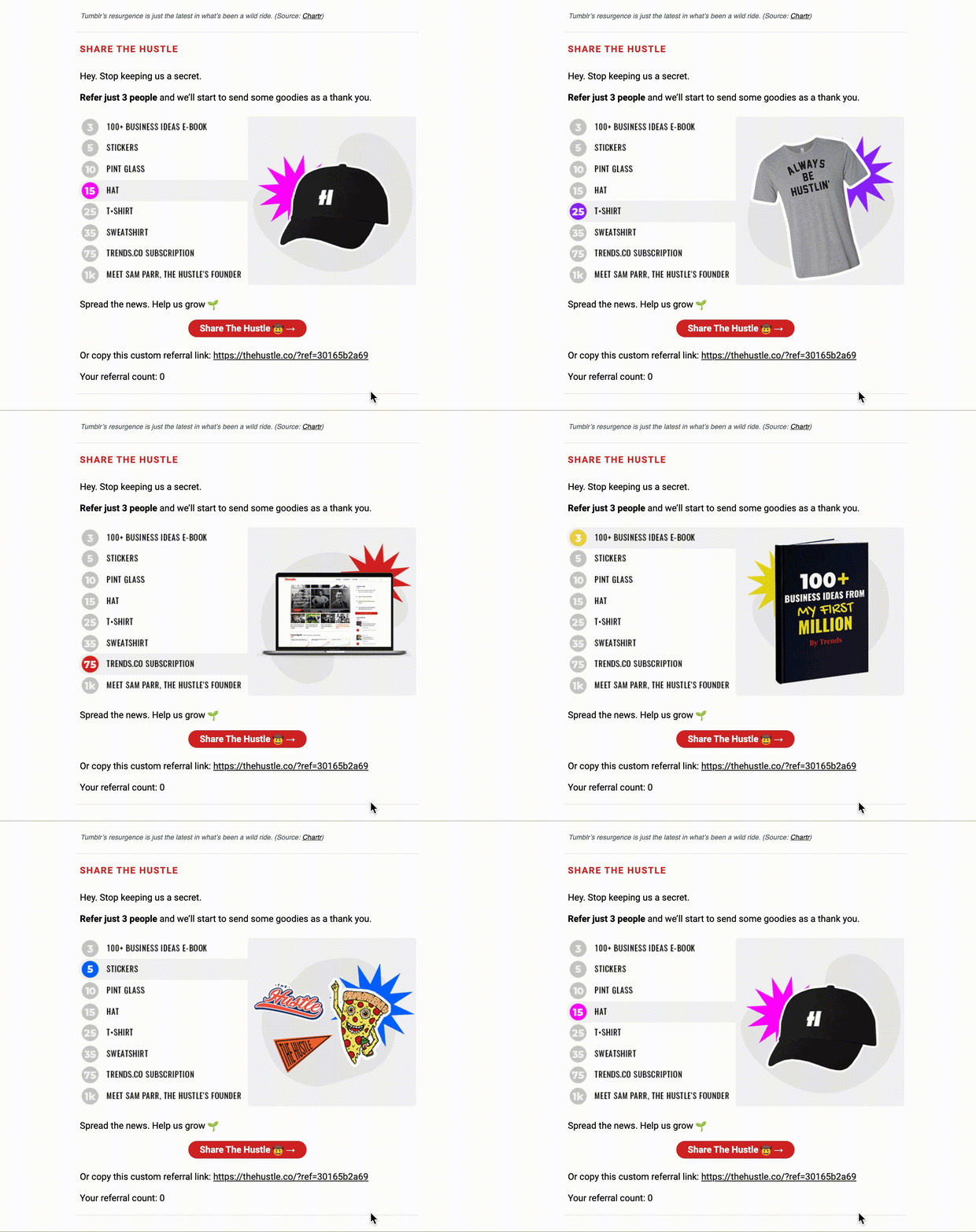
Make use of GIFs by showcasing products, making event announcements, or otherwise enticing readers. Check out the GIF below from The Hustle, which showcases various prizes email subscribers can win by referring the Hustle to friends:
3. On websites and blog posts.
Finally, consider the power of using GIFs on webpages to draw a viewer’s attention to a specific area, or engage a viewer in an otherwise text-heavy post.
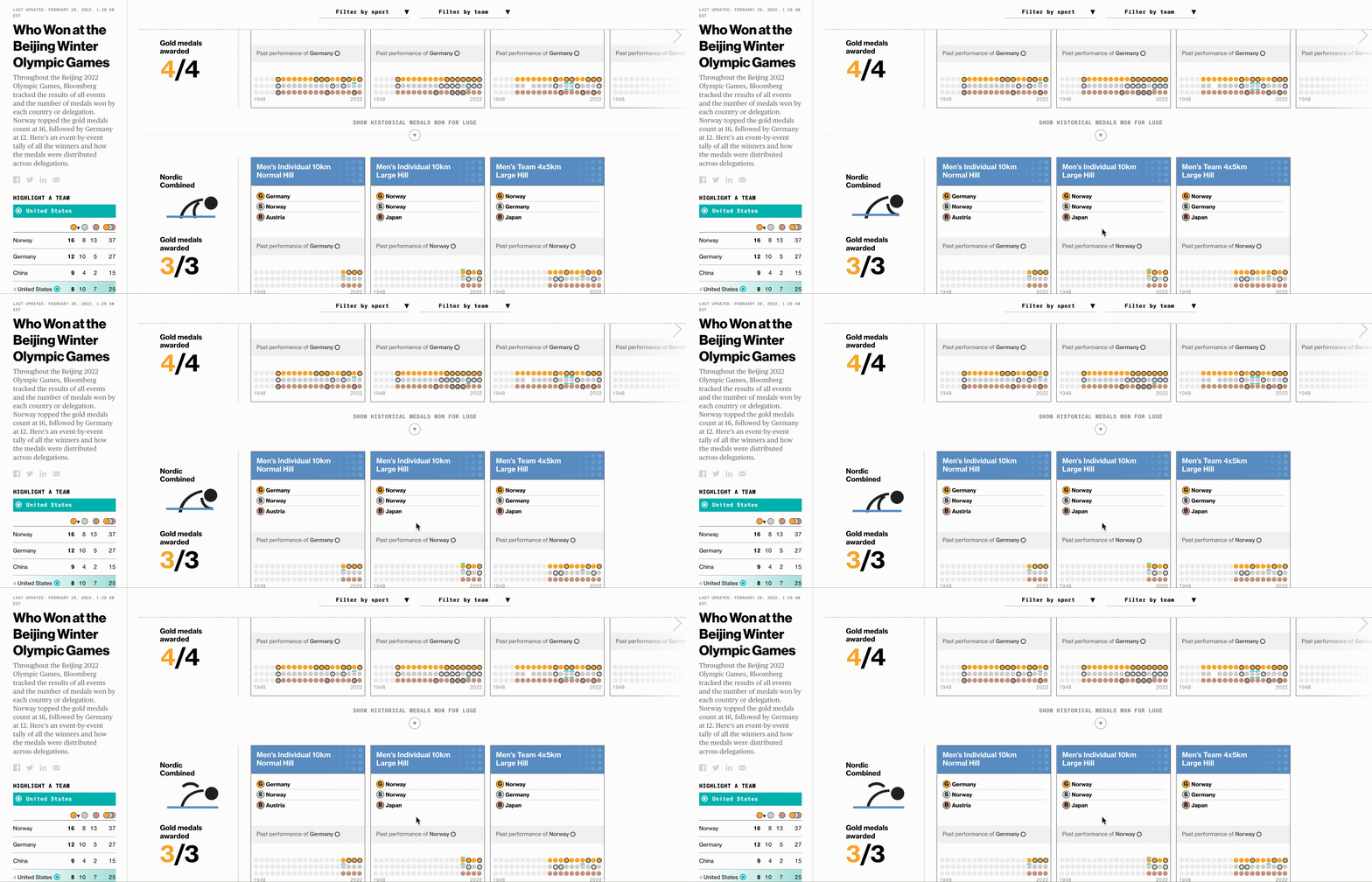
Take a look at how Bloomberg uses stick figure animated GIFs in this article on the Beijing Winter Olympic Games:
 Now that you’ve learned how to make a GIF, consider using your newfound knowledge to add animations to your website or portfolio.
If you don’t have one, take a look at The 12 Best Graphic Design Portfolios We’ve Ever Seen, & How to Start Your Own.
Editor’s Note: This post was originally published in September 2013 and has been updated for freshness, accuracy, and comprehensiveness.

How One Instagram Influencer Went From 0 to 45K on Reels (And How You Can, Too)
Over the past few years, TikTok has seen explosive growth, and it shows no signs of slowing down. In fact, by the end of 2022, TikTok is predicted to reach 1.5 billion monthly active users.
But there’s another big player in the game of short-form video — Instagram Reels, which Instagram launched in 2020 to provide a space for Instagram users to post short, ‘snackable’ content that mirrors what you’d see on TikTok.
We’ve already covered the debate of TikTok versus Instagram Reels, so I won’t go into that here.
Instead, I spoke with an Instagram influencer and consultant, Kar Brulhart, who has grown her own Instagram account from 0 to 45,000+ viewers and obtained over six figures in less than 10 months using Reels — all organically.
Here, we’ll cover Brulhart’s tips for how brands can leverage Instagram Reels to reach new audiences and acquire new customers.
But first — why Instagram Reels over TikTok?

The Benefits of Instagram Reels
“A lot of brands think they need to be on multiple platforms in order to have a voice and a presence, but it’s more important to get very good at one or two platforms, and have a voice and message and community there,” Kar Brulhart told me.
She adds, “We forget these platforms are about community, and we have to nurture our audiences in order to get results.”
Brulhart told me she’s decided to put all her eggs in the Instagram basket because she ultimately finds the platform more user-friendly, and there are more features and benefits for a business owner compared to TikTok.
This makes sense: Instagram is owned by Meta (formerly Facebook), which provides users with extensive advertising tools and opportunities. While TikTok is attempting to provide similarly robust advertising capabilities, it’s ultimately still in early stages and has a long way to go.
Brulhart does acknowledge TikTok has its advantages: It can serve as a great way to generate brand awareness and funnel audiences to your website or Instagram, land brand partnerships, and it can help entrepreneurs and brands keep up with trends. Her strategy is to use TikTok to post to TikTok for more brand awareness, identify buzzy trends and sounds, and then leverage that information to reach new audiences on Instagram.
Ultimately, Brulhart told me brands could be leaving money on the table if they aren’t using Reels. As she puts it, “I went from less than 2,000 followers in February 2020 to over 15,000 the next month through Reels, because Instagram is pushing Reels to new audiences. And 75% of the people who find my account are coming from Reels — compared to Stories and posts.”
If you’ve determined Reels is a viable option for your business, you might be wondering how to get started with it. Let’s dive into that, next.
(Note: These tips are from Brulhart — if you’re looking for a more high-level overview or curious how brands are already using Reels, take a look at Everything Marketers Need to Know About Instagram Reels, first.)
5 Tips for Succeeding on Instagram Reels, According to a Reels Influencer
1. Find your niche, and post consistently.
Kar Brulhart’s niche is Instagram coaching and growth, so she told me she’s focused her entire content strategy around these two key themes.
“I repeat myself often,” Brulhart says. “People get nervous about sounding repetitive, but you need to repeat yourself often, and constantly remind people of your offers.”
It can be tempting to create content on popular or trending topics even if they’re not a direct match for your product or services, but that isn’t a good idea. Social media marketing isn’t just about attracting an audience — it’s about attracting the right audience.
Additionally, posting often and on a pre-determined schedule can help you see growth on the platform, since social algorithms reward consistency. Brulhart began seeing success when she continued to post often about similar themes that mattered most to her intended audience.
2. Add context in your captions.
“Short video works really well on TikTok — like audio trends, and lip-sync trends — and what you should take away from that is you don’t have to put your entire message into a 15 or 30-second Reel,” Brulhart recommends.
She adds, “Instead, it can be something relatable and inspirational, and then in your caption, you can add that context.”
Consider, for instance, the following Reel, in which Brulhart posts a few quick text phrases in the Reel itself (like “I was bullied by a man in my first job in NYC”), but then elaborates extensively in the caption:
3. Be obsessive about your data.
As marketers, we’re already data-obsessed. Data can help you identify what’s working well, what needs improvement, and what should be ditched entirely. And your Reels strategy should be no different.
As Brulhart puts it, “I would suggest looking at your data every seven to 30 days, analyzing it, and figuring out which Reels perform well — then, take that same topic and create a carousel post, and add more context in the caption of that post.”
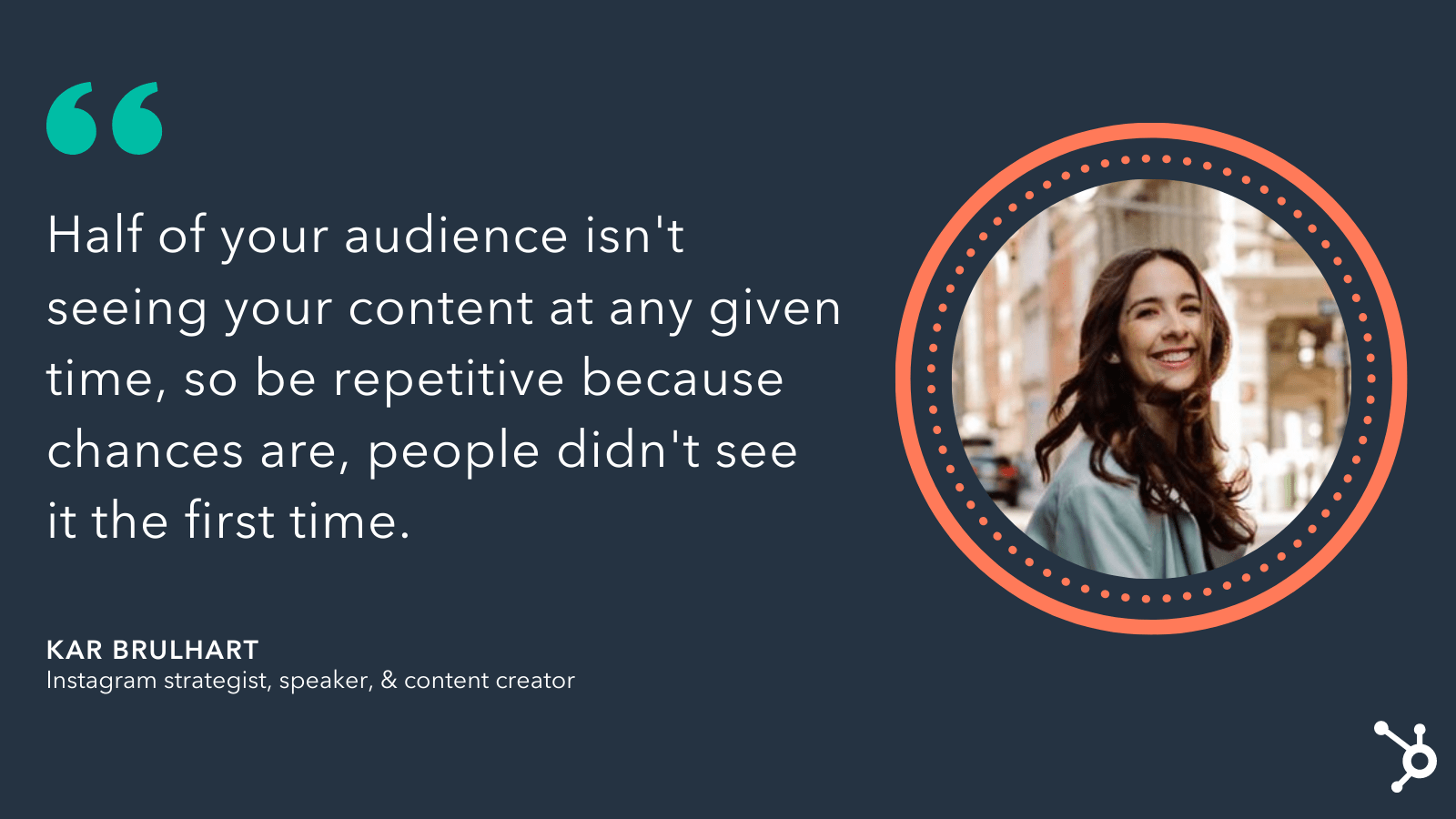
She says, “Half of your audience isn’t seeing your content at any given time, so be repetitive because chances are, people didn’t see it the first time.”
 A brand’s success with Reels, Brulhart believes, lies in the marketing team’s ability to experiment and use data to figure out the strategy that works best for that particular brand. For instance, perhaps your audience is more into trends and relatable content over educational Reels, which is information you can only uncover through analytics.
Brulhart says, “Where I’ve seen the most success with my clients is when they aren’t afraid to pivot and change their strategies because the platform is constantly evolving, and there are always new features so it’s important to consistently test out those new features — especially because Instagram rewards those accounts that jump on the new features early.”
4. Create behind-the-scenes content.
When I spoke with Brulhart about this ‘newfound rise’ in short-form video, she reminded me it’s been a long time coming. For instance, Snapchat first came on the market with short-form video content back in 2012.
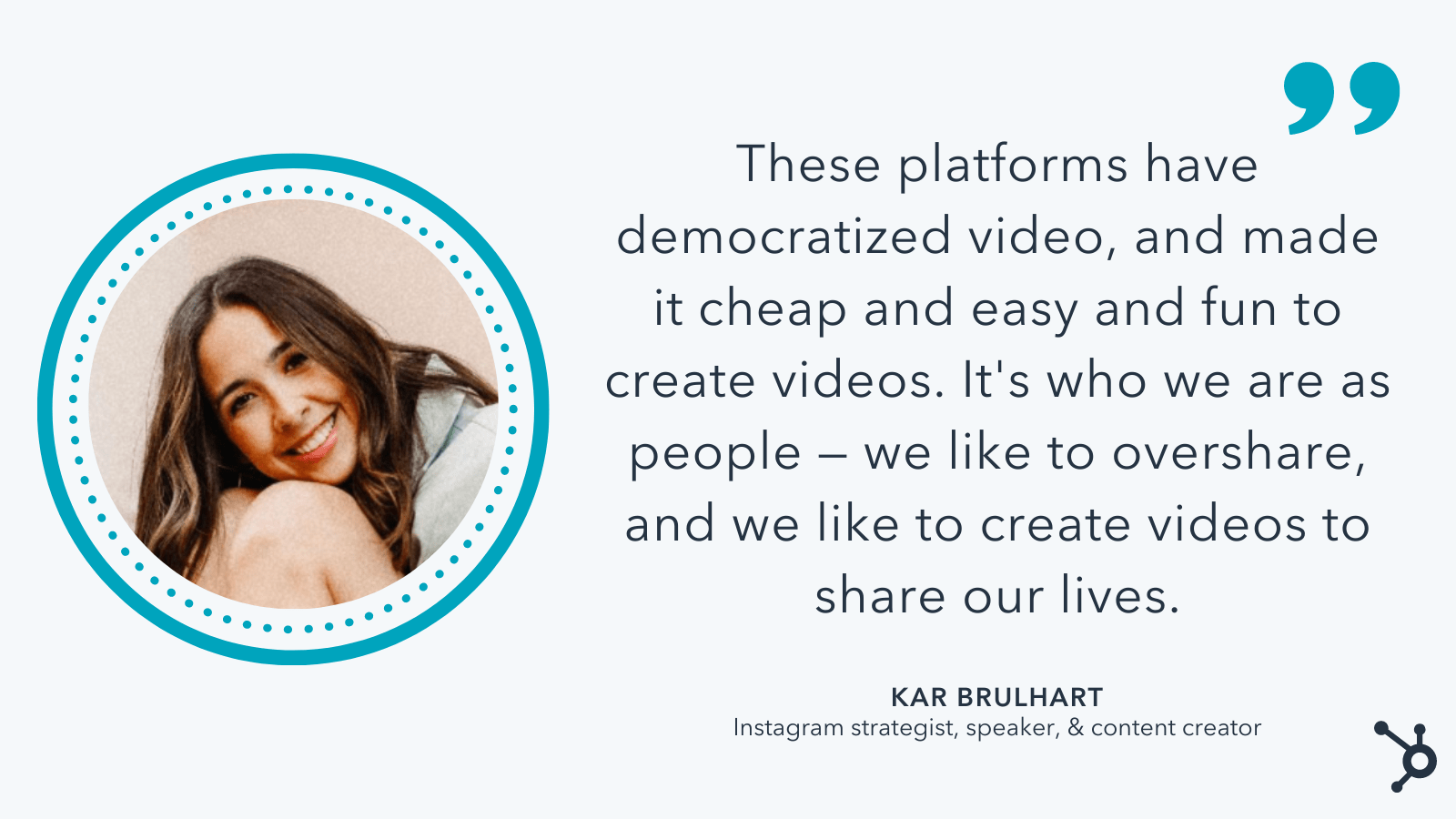
“These platforms have democratized video,” Brulhart told me, “and made it cheap and easy and fun to create videos. And it’s who we are as people — we like to overshare, and we like to create videos to share our lives.”
Post-pandemic, social media users are craving more authentic, relatable, behind-the-scenes content from influencers and brands alike.
For instance, in 2020, roughly half (42%) of Gen Zers said they wanted content described as fun— which surpassed Gen Zers’ interest in romantic content (29%) and exciting content (27%).
And, post-pandemic, 34% of HubSpot Blog Survey respondents said they still seek out more positive and uplifting content than they did pre-pandemic.
As Brulhart puts it, “It’s not about perfection or aesthetics anymore — the stories that work the best are those vulnerable, personal, behind-the-scenes content. So don’t be afraid to switch from professional aesthetic to something more approachable and fun.”
One brand that Brulhart admires for their short-form video strategy is Duolingo. The language-learning app goes viral often because they’ve begun using their owl mascot in funny, relatable TikToks (like seen below).
Humanizing your brand is a vital component of any good social media strategy. The more your audience can relate to your brand, the more they can trust your brand.
However, it’s important to note, you don’t want to copy something just because it’s a trend — it should also make sense for your brand, and feel authentic and real. As Brulhart says, “My biggest failures is when I’m just doing a trend. It doesn’t work — people smell it.”
5. Hire someone to create Reels-specific content.
If you’re interested in taking your Reels strategy to the next level, you’ll want to consider hiring someone with expertise creating engaging short-form videos for social.
Brulhart told me, “If you have the budget, hire someone who has a resume to show you they can create content specifically for Instagram or TikTok (i.e. a Reels video editor).”
If possible, you’ll want to hire someone with a proven track record on Reels who can ensure your content is appropriate for the platform and will perform well.
If you don’t have the budget to hire someone full-time, however, that’s okay, too — in that case, Brulhart told me, “Make sure your brand is tying its Reels back to your business’ content pillars. Don’t make the mistake of just jumping on a trend because it’s funny or cute … What ends up happening is you’ll get an influx of followers, but not the right followers. It’s key to make sure everything ties back to your business objectives.”
Additionally, if you don’t have the budget to hire someone full-time, consider enrolling in Brulhart’s Social Department membership, in which she sends trending audio as well as niche-specific ideas to people every week to save them time on Reels.
 You’ll also want to consider how you can leverage other content creators to help tell your story in ways you can’t think of — brand or influencer partnerships can help you with this.
Ultimately, Reels can be an incredibly powerful tool for reaching new audiences and increasing brand awareness and loyalty — but it’s not for everyone. If you’re unsure whether Reels is right for you, test it out for a few weeks and then analyze performance to figure out whether it’s worth your marketing resources.
Who knows? Maybe Reels is the missing piece in your social strategy.
Feature Image Credit: Kar Brulhart (used with permission)

How to Pivot Your Content Plan According to HubSpot Marketers
Imagine this: as a content marketer, things are going pretty well for you — you’re confident about your upcoming campaign, the ROI from your last couple were stellar, and projections for the new one looked just as good, if not better, than ever before.
And then something happened, and you need to pivot your content.
Maybe it’s a sudden trend or global event that diverts your audience’s attention. Or, perhaps a competitor’s campaign launch has everyone talking, and you’re unsure if your current content strategy is good enough to outshine theirs.
Regardless, this shift has impacted your company directly, which means, your entire campaign is impacted directly.
With that being said, now you have to decide if you need to pivot your content plan — and quickly. But how do you respond to an event like this?

We asked HubSpot managers to give their insights about how to navigate major changes that alter your content planning. The HubSpot Blog also surveyed 1,000 marketers to learn more about their content planning practices.
In this post, we’ll learn what they have to say. We’ll go over how to identify when you need to pivot quickly, and strategies you can take in order to make that transition as smooth as possible.
How to Pivot Your Content Plan
When something major happens to alter your content strategy, think about how it will affect your business goals. After all, the content you’re creating reflects the goals of your business.
“The content HubSpot creates is intended to help businesses around the world grow better by addressing their current needs. When we have to pivot our content plans quickly, it is because those needs have changed quickly,” says HubSpot’s Vice President of Acquisition, Emmy Jonassen.
Let’s take a look at advice from Jonassen, as well as tips from managers across the marketing field — including Senior Social Media Manager Kelly Hendrickson, Global Brand Marketing Manager Alicia Collins, and Content Growth Strategy Manager Karla Hesterberg.
Let’s get started!
1. Know when to pivot.
Knowing when to switch up your content strategy is never an easy decision to make. There are a couple of aspects you should consider when you find yourself needing to re-work your content strategy, but first is knowing when the right time is to do that.
“The toughest part about pivoting your strategy is knowing when,” Hendrickson says. “As a social media manager, I would ask myself, ‘Right now, can we provide value to our audience?’ ‘Can we provide content that will be helpful and welcome in the social space?’“
46% of marketers surveyed by the HubSpot Blog said they knew it was time to pivot because their previous content strategy was experiencing poor engagement.
If you’ve realized that altering your strategy will help you deliver more valuable, helpful, and timely content to your audience, then it’s a good time to pivot.
Ultimately, content plans should serve your business goals, but also deliver worthwhile content to your customer that’s timely. If your content isn’t providing a timely lens to customers, it might be time for you to pivot your strategy.
A content audit could be a good way to determine if you need a shift. Per the HubSpot Blog survey, 36% of marketers conduct content audits to identify gaps in their content strategy.
Take a look at your content plans. If your information aligns with your business’s goals, that’s great, but does it align with the times?
Instead of devoting all of your content planning to a new product launch, for instance, change up the frequency of your posts to include more content that can serve your customer’s needs depending on what’s going on in the industry, or in the world.
2. Put your audience first.
So, you’ve decided it’s a good time to pivot. How do you cater to the new shift in your audience’s lives, though?
Check your audience’s web behavior — you’ll find information that relates to what your audience is thinking about. For instance, if keyword search reports have indicated that keywords are changing from “local marketing tips” to “online marketing tips,” think of it as a clue that needs are shifting.
However, this shift isn’t exactly what you planned for — in fact, the content you’ve planned for is already scheduled, ready to go, and ultimately different from the results you’ve found from researching web behavior.
Hendrickson’s team was in the same boat. “In our case, we found we could provide our audience with helpful information,” she says. “But that information was not our previously produced and scheduled content.”
So, what do you do?
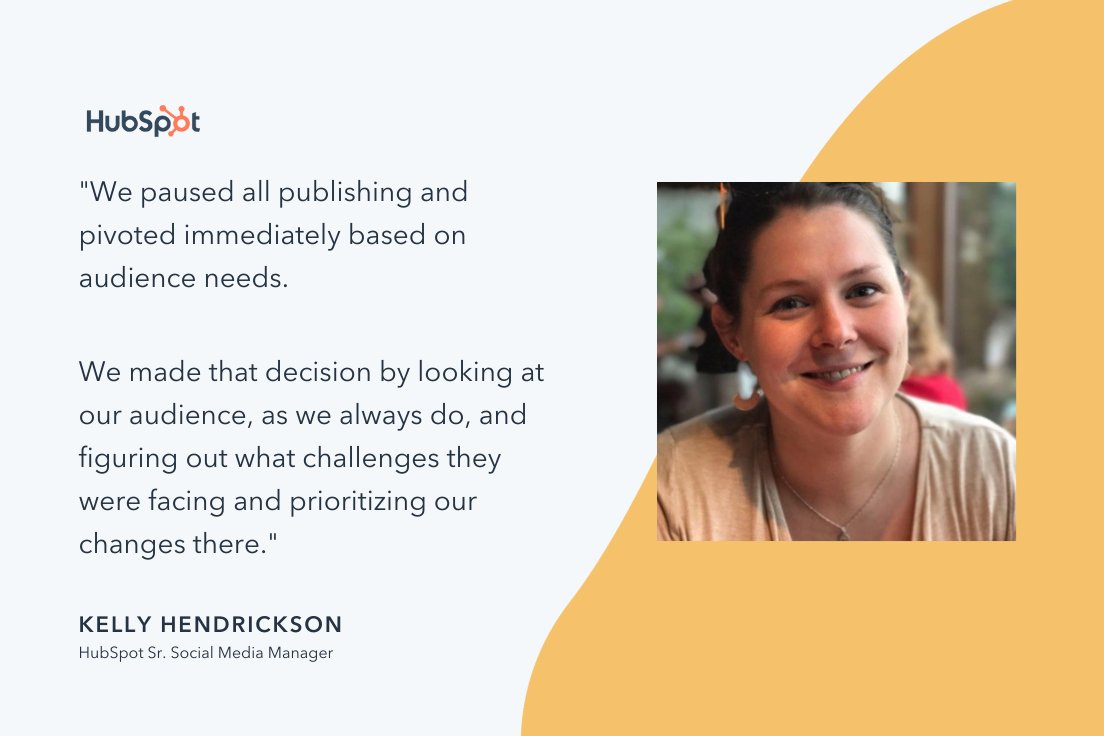
“We paused all publishing and pivoted immediately based on audience needs,” says Hendrickson. She and her team saw that they needed to rework how they catered to the needs of their audience with different content, so after some web behavior analysis, they found their answer. “At that time, an immediate need for our audience was tips about remote work and leading with empathy.”
She continues by saying, “We made that decision by looking at our audience, as we always do, and figuring out what challenges they were facing and prioritizing our changes there.”
 According to a survey conducted by the HubSpot Blog, 46% of marketers have adapted content to reflect the issues going on in their customers’ lives.
When in doubt, start with your audience and put yourself in their shoes. What would you want to see from your favorite brands during certain times of year or periods of change?
If you have a large audience, it’s important to make sure your content addresses the needs of different groups you’re looking to serve. 38% of marketers surveyed by the HubSpot Blog said their biggest mistake when pivoting their content plan is focusing too much on one segment of their target audience.
As you look to pivot, take a holistic approach to addressing the needs of your broader audience.
3. Change your content lens.
We’ve talked a lot about how thinking about the customer will help guide your pivot decision and content planning. When you’ve got an idea of the type of content you need to deliver to your audience, the next step is the delivery itself.
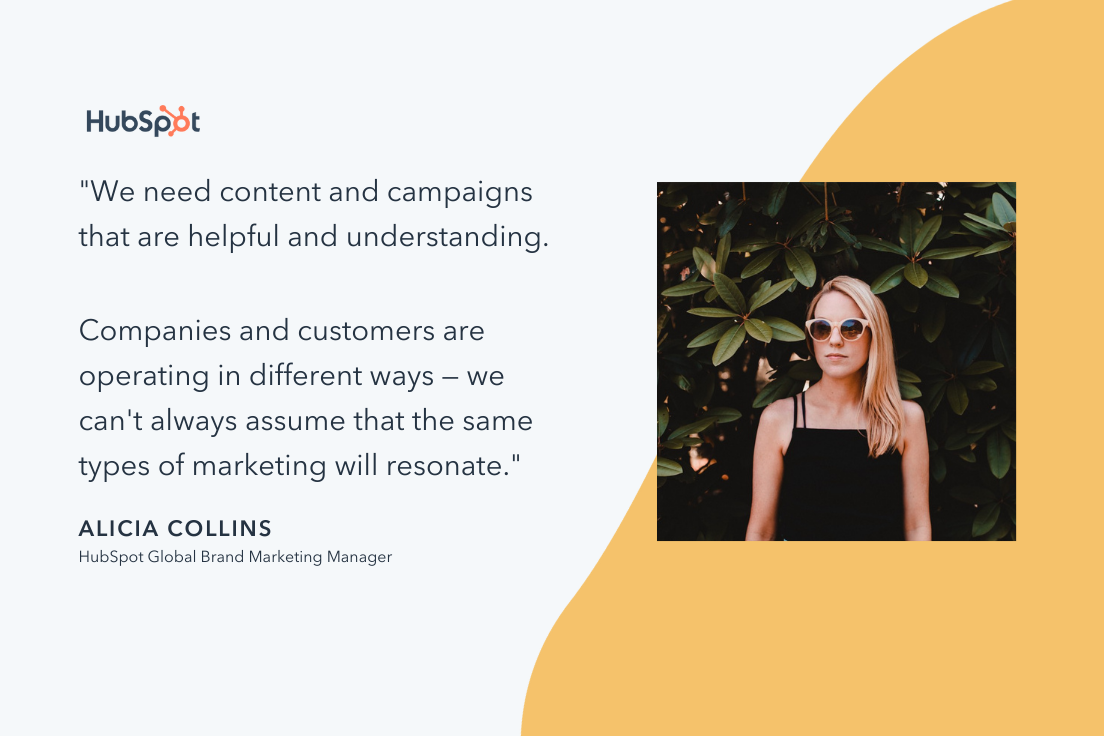
“We need content and campaigns that are helpful and understanding,” Collins says. So while your content is framed around helping the audience, does the caption convey an understanding, empathetic point of view?
When you deliver content, you’re reflecting your brand and your brand’s goals. If one of your brand’s goals is to connect with your customer, you must change your message delivery to reflect comprehension of the situation.
Per the HubSpot Blog survey, 43% of marketers have changed the tone of their content to be more empathic and authentic in recent years.
“Companies and customers are operating in different ways — we can’t always assume that the same types of marketing will resonate,” Collins notes.
 For instance, let’s say a major cybersecurity issue upends your industry and is seen everywhere, from LinkedIn posts to newspaper headlines. Rather than shying away from the issue, consider how you might provide content that focuses on IT safety and security, or more generally, tips and tricks for successful online marketing and sales strategies.
4. Connect with other colleagues.
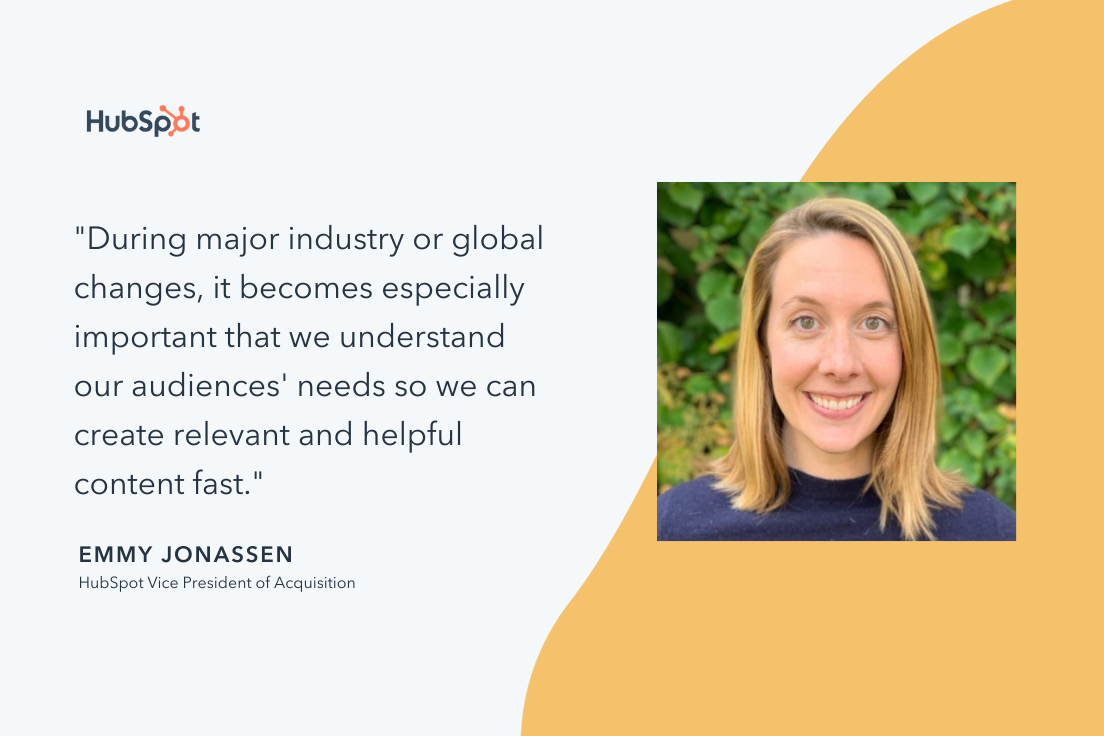
“During major industry or global changes, it becomes especially important that we understand our audiences’ needs so we can create relevant and helpful content fast,” Jonassen remarks.
Recall that Hendrickson’s team had to recognize the new needs of their target audiences, and discovered that remote work and how to lead during hard times was increasingly popular. From there, they were able to conduct research and figure out a plan.
However, if you’ve found that your team is struggling to collect insights, or you don’t know how, reach out to other colleagues to come up with a game plan that will be helpful to you. While your customers need actionable, timely, empathetic content, you need to understand how to figure out their other needs, as well.
“We start by analyzing user behavior, talking to our Sales and Customer Service teams, and interviewing prospects and customers,” Jonassen says.
 Similar to social media and branding, it’s important for team members working on customer acquisition to analyze how their customer will be thinking about their lives differently, so you can create offers that will be relevant to their new lifestyle.
If you find yourself struggling to deduce how your customer thinks because you don’t interact with them directly, think about the colleagues you have who do have a customer-facing role.
Sales and Customer Service colleagues are a great place to start — they’re in constant contact with customers, and because of that, will have a good grip on recognizing common problem areas among customers.
The best part about this strategy? It fits any business size. Even if your company is a small but mighty one, there’s at least one person constantly communicating with customers, and leading hiring efforts. They’re your front lines (and usually, talking to them is free, and less time-consuming than conducting multiple research quests).
5. Don’t overestimate your pivot.
When you recognize you need to shift, you don’t have to launch an entirely new product or completely re-identify your brand. In fact, that’s something you shouldn’t do.
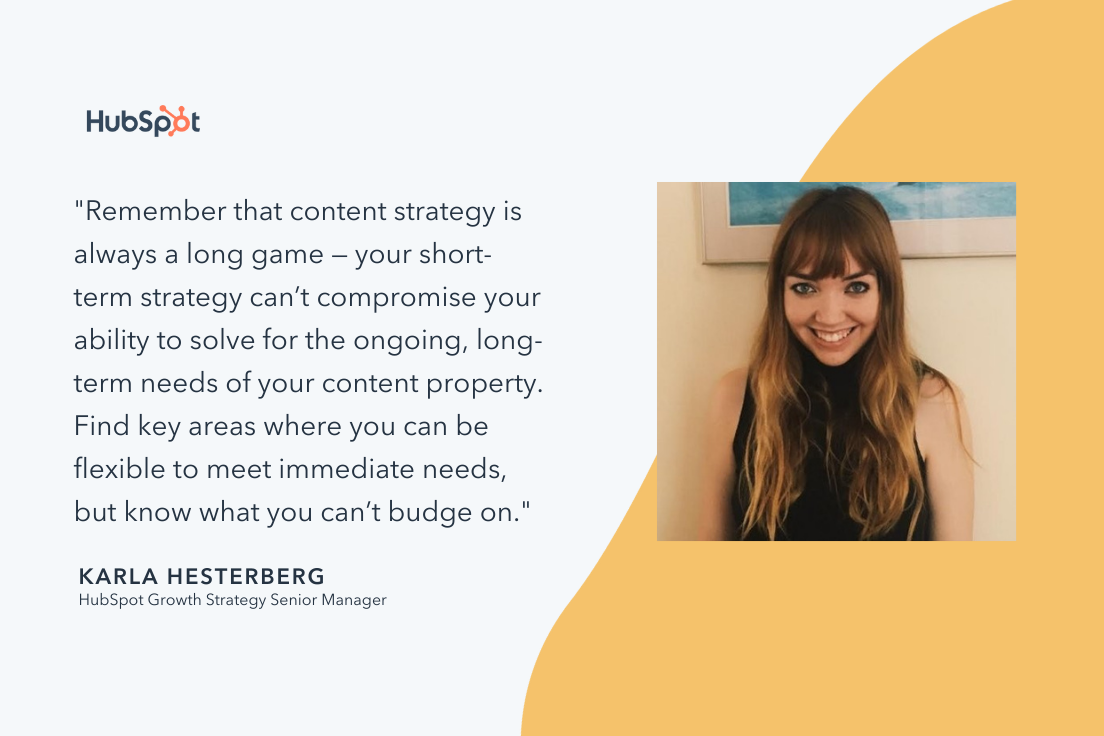
Hesterberg states, “Don’t change everything at once. The worst thing you can do in a situation like this is pivot too hard and too fast in your rush to meet short-term needs.”
It can be startling to customers if a company overhauls their entire strategy overnight (Do you remember the “IHOb” fiasco?), and leave them confused.
My grandmother always used to say, “If it’s not broken, don’t fix it,” a mantra that should apply to your pivot process planning. Changing what your brand stands for can be messy, time-consuming, and confusing for customers.
“Remember that content strategy is always a long game — your short-term strategy can’t compromise your ability to solve for the ongoing, long-term needs of your content property. Find key areas where you can be flexible to meet immediate needs, but know what you can’t budge on,” Hesterberg suggests.
 Your pivot should be a balanced addition to the strategy you already have in place. Half of marketers surveyed by the HubSpot Blog said when they last pivoted their content, their content plan changed a moderate amount.
In every campaign you make, one of your goals is most likely to serve the needs of the customer. Keep these tips in mind, and stay calm throughout the storm.
6. Get ready to experiment.
Digital marketing is ever-evolving, and new platforms and features can often be a driving force behind a content pivot. According to the HubSpot Blog survey, 68% of marketers have pivoted their content plan to leverage a new social media platform. We’ve seen this play out in real-time with more brands looking to capitalize on the rise in popularity of TikTok in recent years.
In addition to emerging platforms, jumping on new features of existing platforms can be a key part of a content pivot. Per the HubSpot Blog survey, 77% of marketers have pivoted their content plan to try leveraging a new feature on an existing social media platform, such as Instagram Reels.
Experimentation and flexibility are important for content pivots. When exploring new platforms and features, it can take some time for brands to navigate what their audience wants to see on a new medium.

7 Amazing Sample Answers to “What Makes You Unique?”
The interview question, “What makes you unique?” is not an opportunity to confess weird habits or odd quirks. It’s a chance to provide the interviewer with insight into how you’d be the best candidate for a role, while proving you’re someone who can think on her feet.
Essentially, “What makes you unique” really means, “What makes you an exceptionally good candidate?”
To avoid an awkward conversation, you’ll want to be prepared to answer “What makes you unique?” in an interview. Here are seven sample answers to ensure you’re proving yourself an incredibly valuable company asset.

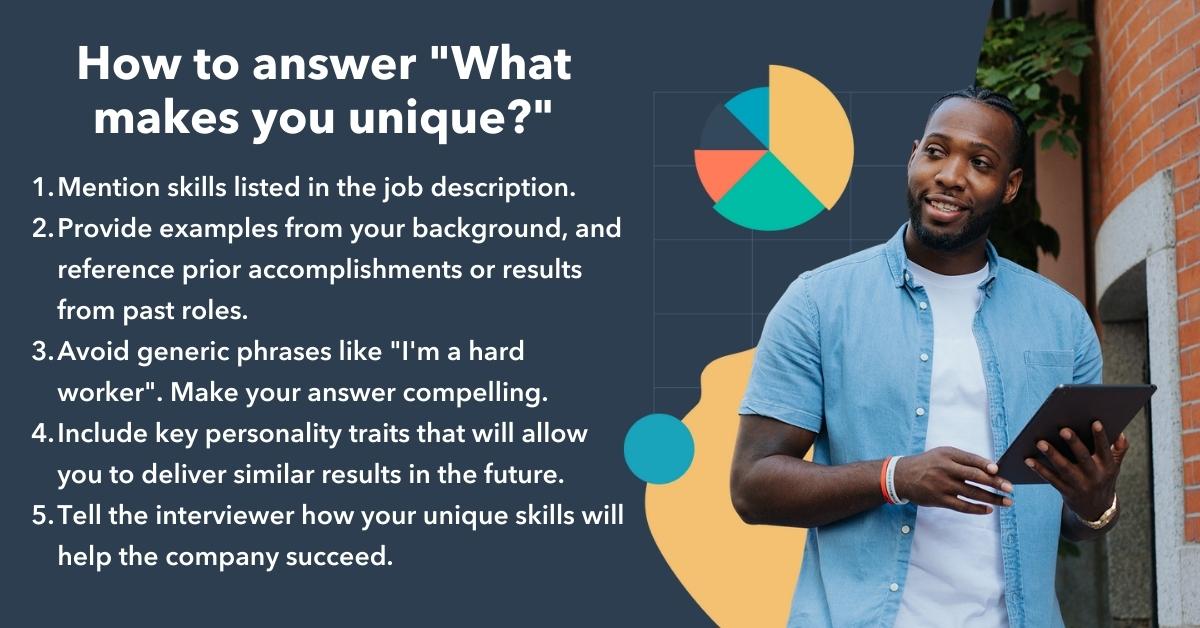
How to answer “What makes you unique?”
- Mention skills listed in the job description.
- Provide examples from your background. Reference prior accomplishments or results from past roles.
- Avoid generic phrases like “I’m a hard worker”. Make your answer compelling.
- Include key personality traits that will allow you to deliver similar results in the future.
- Tell the interviewer how your unique skills will help the company succeed.
7 Sample Answers to “What Makes You Unique?” and Why They Work
1. “I am a very good communicator and find it’s easy for me to relate to other people.”
Consider mentioning a personality trait you feel would be a good fit for the business. After reading the job description, make a list of attributes that could make you an exceptional candidate.
Additionally, including a personality trait in your answer allows you to display how you’re a good fit for a role in which you have little prior experience.
For instance, if you’re applying for a position as a team leader, it’s critical that you demonstrate strong communication skills and an ability to connect with a diverse group of people. If you tell the interviewer, “I am a very good communicator and find it’s easy for me to relate to other people”, you’re able to match your personality to components of a successful leader.
Effective communication is a critical trait to emphasize in interviews — if you consider how 86% of employees cite lack of collaboration as a main component of workplace failures, you can begin to appreciate why effective communication is so important.
2. “I really enjoy learning new things and am constantly seeking out new learning opportunities.”
By mentioning your passion for learning new things, you’re demonstrating you’re growth-focused and unafraid of challenges.
Additionally, answering the question in this way allows you to remind the interviewer why you’re uniquely qualified for the role — while other candidates might have more prior experience in the industry, you’re proving your desire to exceed expectations of the job quickly.
3. “My prior experience in customer service has provided me with unique technical skills that I can apply to this role.”
If you have prior experience in a role vastly different from the one for which you’re applying, you might use this as an opportunity to explain how your background uniquely qualifies you. With an answer like this one, you’re able to alleviate concerns the interviewer might have with your lack of experience in the field.
It’s critical, however, that you provide specific examples of how your prior experience has provided you with certain transferrable skills.
For instance, you might say, “My prior experience in customer service provided me with technical skills and an extensive knowledge base for how our product works. As a marketer, I will be able to use this knowledge to ensure we’re meeting our customers needs with every campaign we launch.”
It’s also important to highlight: Previous job experience has declined in importance when it comes to recruiters evaluating candidates. In fact, between 2017 and 2021, that number has dropped from 92% to 62%. So it’s okay if you feel your prior work experience doesn’t perfectly align with the role for which you’re applying, as long as you can explain how your skills will help you succeed.
4. “Working at a startup gave me an opportunity to understand the ins-and-outs of the industry, and to take on tasks I might not have at a larger company. I think this experience gives me a slight edge over other applicants.”
Similar to the answer above, this answer is a good one if you’re attempting to switch industries. If you think your prior experience could deter interviewers from seeing you as exceptionally qualified, this is an optimal chance to prove them wrong. Consider how your background has allowed you to gain unique skills that others, who followed a more linear career trajectory, might not have.
For instance, if you previously worked at a small startup and now you want to transfer to a large corporation, it’s important you mention how those skills will make you successful in this new role.
5. “I’m not afraid of failure. In fact, I think it is an essential part of the experimental process that gets you to success. For example … “
This answer shows your interviewer that you’re not afraid to take risks. Of course, you’ll only want to say this if you have a positive example to reinforce the importance of failure in the workplace.
You don’t want to sound like you make mistakes all the time, but you’ll stand out if you mention how you turned a failure into a success.
For instance, you might say, “I’m not afraid of failure. In my last role, we tried to streamline our SEO process and, along the way, found we’d accidentally decreased traffic to our site. However, this initial failure allowed me to see the errors in our previous procedure. My team and I came up with a more successful strategy to avoid these mistakes in the future, and ended up increasing traffic by 20%.”
With this answer, you’re showing you’re capable of remaining flexible and open-minded when something doesn’t work right away, and you know how to take failures and use them as learning opportunities — a critical skill for any work environment.
6. “When solving problems, I apply both logic and emotional aspects in equal proportion. For instance, I’m trained in SEO and understand how to use analytics to ensure a marketing campaign is successful, but I also majored in design and know how to apply creativity to a project as well.”
If you’re stuck on deciding how to demonstrate your unique qualifications, start by thinking about how other people approach problems at your company, and how you differ.
For instance, most people are either logical and use analytics to solve problems, or emotional and use creativity. It’s rare to find someone who is both. If you truly believe you combine these two aspects, it’s an impressive ability you should highlight.
7. “I’m exceptionally organized, and at my last company, I was able to apply this skill to improve our process and increase ROI by 33%.”
Remember, when your interviewee asks “what makes you unique”, she’s really wondering “how will you help our company?” At the end of the day, it’s critical you tie your answer back to how you will solve problems for the company.
48% of recruiters say improving quality of hire is their top priority in 2022 — so you’ll want to ensure your answer highlights how you will excel in the role for the long haul.
To avoid sounding like you’re bragging, consider a personality trait or skill set that helped your last company achieve results. If the results are quantitative, make sure you have the specific numbers to support your claim. However, it’s also appropriate to share qualitative results, such as, “my organizational skills led my manager to trusting me with a major project within the first two months in my role.” Ultimately, providing examples shows the interviewer you’re results-driven, and aren’t just saying generic phrases to answer her question.

5 SEO Trends to Leverage in 2022 [HubSpot Blog Data]
Keeping track of SEO trends is like hitting a moving target.
From algorithm updates to evolving innovation — it can feel like the goal post is always moving. And while the goal of SEO remains the same — to boost your presence in relevant search results — the tactics for getting there look different from year to year.

Here, we’ll cover the top SEO challenges facing marketers in 2022 and the five biggest trends to watch this year.
SEO Challenges in 2022
A HubSpot Blogs survey identified the top three challenges of SEO marketing:
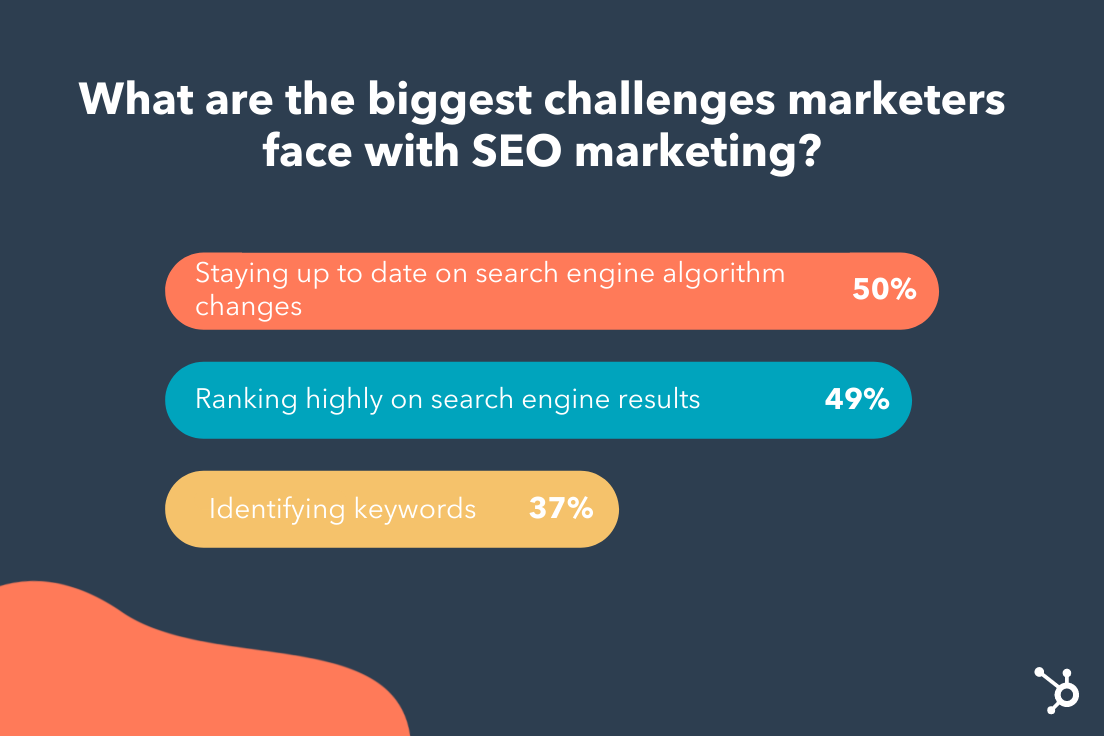
1. Algorithm changes.
The number one challenge for marketers is keeping up with algorithm changes. This doesn’t surprise me — in 2020 alone, Google ran more than 500,00 experiments that led to 4,000+ changes to search.
If you’re like most marketers, this stat can feel pretty overwhelming. After all, how can you succeed when Google keeps rerouting the path to success?
The key is to respond to these changes strategically. For one, this means staying on top of industry news. If there’s a significant algorithm change, the SEO industry will likely comment on it.
The second strategy may sound counterintuitive — which is to wait until the dust has settled after an update. Why? In some cases, Google discovers a change has not panned out as expected and they revert back.
2. Not ranking.
SEO is a long-term game. Unlike paid search, organic results take time to show results — and it’s usually a culmination of smaller efforts.
To use a metaphor — SEO is like a mutual fund slowly building over time. It’s not the stock market, where you see gains and losses in real time. This can be helpful to mention when clients expect quick results.
There are some “solutions” to fix a low ranking, such as technical SEO and content marketing. However, even more important is developing a long-term strategy that focuses on three to four initiatives at a time.
3. Keyword research.
Keywords are the foundation of SEO. But today, rather than scanning for just a keyword, Google takes a high-level look at your website to get an overall sense of its tone, scope, and relevancy.
This means that keyword stuffing is out. Instead, the goal is to understand user intent, or the deeper problem your users hope to solve. With this understanding, you can perform better keyword research and write content based on this insight.
Check out this helpful article on how to add user intent to your keyword strategy.
5 SEO Trends to Leverage in 2022
1. Voice and Mobile Search.
“Hey Google, what’s a good substitute for heavy cream?“
This was a question I asked my Google Assistant last week while baking a cake, hands covered in flour. It looks like I’m not the only one using voice search — around half (44%) of all internet users in the US use a voice assistant.
There’s no denying that voice search is becoming a part of our daily lives. But how can we optimize our content for people searching with their ears — not their eyes?
The answer is clear — optimize your site for mobile. Since most voice searches occur on mobile and smart devices, it makes sense that Google prefers mobile-friendly sites with fast speeds.
Another strategy is reworking your content to include common questions users may ask. For example, identify long-tail question keywords and include them in your h2 or h3 headers.
2. Tightened page headers.
In 2021, Google rolled out a new search ranking feature called Passages. This feature lets Google rank specific sections of a page (or “a passage”) semi-independently from the page itself.
In other words, instead of ranking an entire page on relevancy, Google will now score for relevance in specific sections of a page.
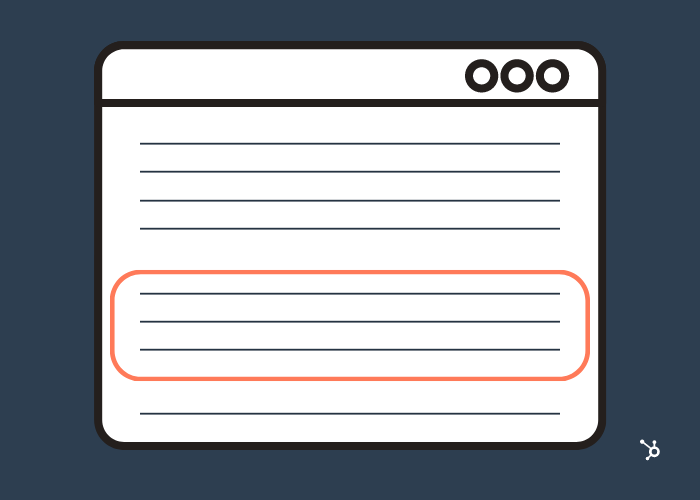
For marketers, this change is no cause for concern – assuming your pages are organized. If not, it’s a good idea to tighten your page headers to provide more context for different sections, enabling Google to understand your content regardless of the markup.
Keep in mind that other page-ranking factors still apply — so don’t skip on backlinks, SEO-optimized copywriting, and other ranking strategies.
3. Emotionally-Charged headlines.
Have you ever clicked on a headline that was too compelling to resist? Turns out, a lot of research has gone into identifying a formula for clickable titles.
According to one recent study that analyzed 5 million headlines, emotional titles — either positive or negative — had a higher click-through rate than neutral titles. In fact, titles with a positive sentiment had a 7.4% higher CTR, while those with a negative sentiment had a 7.2% higher CTR.

That said, emotionally-charged titles can drive clicks — to a point. Go any further, and you quickly enter clickbait-land. For instance, the same study found that “power words” — or words specifically designed to grab attention — can negatively affect CTR.
Power words include terms like unbelievable, insane, and crazy. While these may work on social media, they can hurt your organic CTR — so use them sparingly, if at all.
4. Video in search results.
You’ve likely come across a YouTube video in a Featured Snippet. These tend to appear for “how-to” searches where the reader is looking for step-by-step instructions.
For instance, imagine you’re stuck on the side of the road with a flat tire. One Google search for “How to fix a flat tire” will lead you to the following video:

Video Snippets are just the beginning — we predict Google will continue to incorporate video into search results. With that in mind, it’s essential to optimize your own videos for Search.
Here are a few ways to get there:
- Add Chapters to your YouTube videos. Chapters break up your video into sections, usually by topic. This layer of context allows viewers (and Google!) to understand the contents of a video. It also makes it easy for Google to use different clips from your video for Featured Snippets.
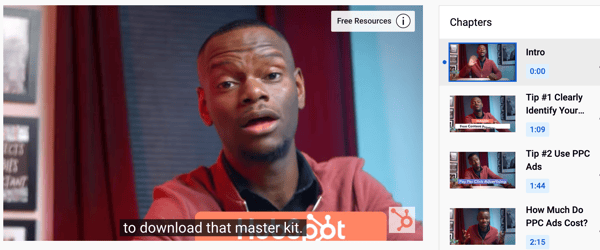
- Include Closed Captions (CC). Closed captions help YouTube and Google understand every word in your video. While YouTube can automatically generate captions, these aren’t always accurate so it’s better to add your own manually.
- Optimize your title, tags, and description. Videos are like webpages — they have titles, descriptions (like meta descriptions), and tags (like meta tags). Optimize these using SEO best practices.
Lastly, it doesn’t hurt to embed videos into your website and blog posts — which can improve bounce rates.
5. Tweaking content for “People Also Ask.”
While browsing Google, you may have noticed something new: People Also Ask (PAA). In fact, 43% of search queries now include a PAA box.
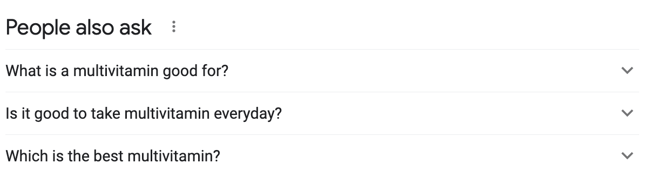
With a prominent position at the top of the SERP, everyone wants to rank in this highly-coveted feature. Luckily, you can increase your chances by making some minor tweaks to your content.
Since the majority of PAA boxes start with question words, like “what,” “why,” and “when,” it’s a good idea to incorporate questions and answers into your content. You can use a keyword research tool to identify long-tail question keywords, then include these questions in your page headers.
Or, consider adding a FAQ section at the bottom of your web pages. Not only does this summarize key points for the reader, but it also has useful SEO benefits.
Back to You
The only constant in the SEO world is change. While it may feel like these changes are out of our control, so much is in our control — namely in how we react. Start by keeping an eye on trends and following the best practices in this article to help you navigate the changing landscape.


What is Web 3 & What Could It Mean for the Future of Marketing?
As we continue to progress into the digital age, a new era of the internet is emerging: web3.
Much of what is (and can be) is up in the air but one question we can try to answer now is what it means for marketers.

Let’s break down what web3 is, when it will launch and how it could impact marketers in the short- and long-term.
To understand what it is, let’s take a trip down memory lane.
In the late ‘90s, the world was introduced to the first version of the internet. It wasn’t nearly as complex as it is today, with just basic fonts, gray buttons and blue hyperlinks. Very reminiscent of how a website would load today stripped to HTML.
Then, it evolved to Web 2 around 2005, a phase in which consumers could consume content like never before on blogs, and later, social media.
However, as the internet evolved, so did the methods businesses leveraged to market to consumers online. This has led to growing privacy concerns among consumers who are struggling to trust their data in the hands of brands.
Although the FTC has created some guardrails surrounding data privacy, there’s still a lot that leaves consumers wary.
Just look at the evolution of Amazon. What was once an online bookstore has now transformed into a tech conglomerate with its hands in ecommerce, digital streaming, cloud computing, and artificial intelligence.
In a deep dive into the business, comedian Hasan Minaj argued on his Netflix show “The Patriot Act” that Amazon has control over the most important 21st-century commodity: data.
“Data about how we spend our money and what parts of the internet we’re using,” he says.
For many, that’s a scary realization. That’s where Web3 comes in.
The goal is that this new iteration of the internet will empower consumers to own and operate tech platforms themselves instead of sacrificing their data by relying on big tech companies.
How would that actually work? Through cryptocurrencies (also known as tokens) and blockchains.
Essentially, when you own a token, you own a piece of the network known as the blockchain. The more tokens you have, the more control you have over the network and the direction it’s headed in.
On a day-to-day basis, tokens would play a role in most, if not all, digital interactions from social media and gaming to digital art and events.
Critics of this approach say it would only be a veiled attempt at decentralization, as the power would still be in the hands of the few with the most money.
When will Web3 launch?
The short answer: We don’t know. There have been talks surrounding web3 for years now, but it’s still very much in its infancy.
A lot of the infrastructure needed to make it a reality is still being built and there’s no set timeline for when it will be completed.
So why the sudden buzz? Well, cryptocurrency is booming right now. In fact, venture capitalists invested over $27 billion in crypto-related projects in 2021, according to an article by The New York Times.
So, this idea of an internet built around it has everyone talking.
How Web3 Could Impact Marketers
1. Limited Access to User Data
In the short term, web3 could mean more data privacy for users.
Currently, companies make money based on the data they collect from users. Either by using it to feed their marketing strategies or by selling it to third parties.
Proponents of web3 believe that a consumer should play a more active role in how their data is used and who they share it with, given the immense value it holds.
Would it make it harder for marketers to collect consumer data? Possibly. It would force marketers to be more transparent with data collection and usage while finding new creative ways to reach their target audience.
2. A More Community-Focused Approach
Web3 is all about redistributing power to the average consumer.
The idea is that consumers will decide and promote the ideas they’re most interested in, instead of being in the passenger seat. With this shift, marketers will have to lean more on building a strong community.
As distrust of brands and how they use data grows, community is more important than ever.
3. More Reliance on Content Creators
Currently, many content creators feel at the mercy of the platforms they publish on with strict guidelines on what they can post to limited earning potential. Web3 would arm them with full autonomy.
In a CMS Wire article, Charlie Neer at MIQ, a leading programmatic media partner, explained this shift.
“Currently, when an individual downloads a song, the creator gets a fraction of the total revenue and the host (think Spotify or Apple Music) makes out like a bandit,” said the chief revenue officer. “The same goes for creators on YouTube, Twitch, etc. This is going to rapidly change with the Web3.0 revenue model, and the content creators will be the ones in control.”
Of course, we’re still a long way off from web3 becoming a reality. However, it’s something that marketers need to be aware of and keep an eye on.

5 Instagram Challenges Marketers are Facing, According to Research
Instagram likes to keep marketers on their toes. Just this past year, we’ve seen a speedy roll out of new features, an expansion into video, and a plethora of new shopping options.

But it’s not only the platform that’s evolving — the audience is too. Now it’s up to marketers to evolve their Instagram strategy to better align with audience preferences, behaviors, and habits in 2022.
Here, we’ll cover five main challenges marketers are facing on Instagram and the best strategies to solve them.
5 Instagram Challenges Marketers Face
1. Knowing which hashtags to use – and how many.
From the platform that gave us #ThrowbackThursday and #WednesdayWisdom, it’s no surprise that hashtags play a huge role on Instagram. But they can also be difficult to crack — how many should you use? Should you stick with the popular hashtags or target more niche ones?
HubSpot and Mention’s 2022 Instagram Engagement Report answers some of these questions.
For one, while it may sound counterintuitive to avoid popular hashtags (like #travel or #photography), it’s better to lean into niche communities. The reason? Even though niche hashtags have fewer posts, they typically have a more dedicated community following them.
In fact, the report found that hashtags targeting specific interests and communities — like geographic locations and TV shows — garnered the most engagement.
When it comes to the number of hashtags you include your post, one thing is clear — the more the better. The report finds that using many hashtags doesn’t seem to harm post performance. But a word of caution here — always keep your hashtags relevant to your niche. Otherwise, you may reach the wrong audience in an effort to increase engagement.
2. Securing budget for Influencer Marketing.
For many marketers, influencer marketing seems out-of-reach — after all, don’t you have to spend big bucks to partner with mega influencers? Think again.
While it seems like a best practice to partner with influencers with tons of followers, HubSpot’s Instagram Engagement Report says your efforts are more worthwhile if you partner with influencers that may have fewer followers but a more engaged community (known as micro influencers). Another study even found that the fewer followers an influencer has, the better their engagement rates tend to be.
Micro influencers provide smaller, highly-engaged audiences without the hefty price tag of a mainstream celebrity — making this type of marketing more accessible to a variety of brands.
With 97% of marketers planning to increase their investment in influencer marketing on Instagram this year, now is a great time to give it a try.
3. Posting at the right times.
Timing is a detail easy to overlook in your marketing strategy. But with social media algorithms favoring recent content, it’s more important than ever to target the right people at the right time.
The HubSpot’s Instagram Engagement Report offers some clear insights on timing your posts right:
- Content posted between 6 PM and 9 PM generate the most engagement
- Mornings from 5 AM to 12 PM offer the lowest engagement rate
- From Monday to Friday, the engagement rate stays about the same, but the weekend holds a slight edge.
While these stats give a general picture of when to post — this doesn’t mean these times will work for you or your audience. It’s important to explore where your audience is located and when they’re most active.
You should also consider if your content lends itself to a certain time of day. For instance, a coffee shop might prefer to post in the morning or during the afternoon work slump.
No two audiences are the same. Ultimately, you should test different days and times and see which posts perform the best with your unique audience.
4. Writing compelling captions.
There’s a lot of pressure when writing Instagram captions — it has to be compelling and memorable — and less sales-y and boring.
The first mistake you can make is skipping the caption entirely. According to the report, including a caption gives you a significant boost in engagement, from just under 4% to over 6%.
When the time comes to write a caption, the most important “rule” is to lead with your brand voice. If you need to create one, start by noting a few adjectives that describe your brand, then use them to craft relevant captions.
For example, the brand Nike is known for messages of inspiration and motivation — whereas the brand Lego is known for being fun and creative, just like their captions on Instagram.
Check out this video for more advice on writing great captions:
5. Knowing what content your audience wants.
If you’re on Instagram, you might assume images are the most engaging type of content on the platform.
As it turns out, video is king — bringing an average of 24 comments and 1,097 likes per post, according to the HubSpot’s report. Other research shows videos are more “sticky” and shareable.
Following closely behind is carousel posts. As a refresher, these are posts that contain multiple types of media (image or video) that users can scroll through. They offer more interactiveness than static posts because the user has to scroll through the content.
The trend is clear — great marketing in 2022 must go beyond photos. Start by looking at your current strategy and identifying opportunities to incorporate carousels and play around with video formats like Reels and Stories.
Final Thoughts
Instagram is constantly evolving, along with the audience on it. Knowing when — and how — your audience interacts with the platform is crucial for aligning your content and generating more engagement. Start with the tips in this blog and always test your strategies regularly.