
How to Become a More Efficient Editor: 12 Ways to Speed Up the Editorial Process
When I first started editing articles for HubSpot’s Marketing Blog, I didn’t quite realize how much time each one would take.
Depending on length, topic, author, and other variables, it can take anywhere from twenty minutes to an entire afternoon to edit a single blog post.
This post isn’t about cutting corners; it’s about editing efficiently. That sometimes means giving more thoughtful feedback up front so your job is easier when the final draft does come in. Other times, it means keeping a few key websites handy so you can refer to them quickly — whether you’re checking the author’s math or adding a Pinterest Pin It button to an image.
What are some ways to edit more efficiently while maintaining integrity? Whether you’re editing your own piece of writing or someone else’s, here are 12 ways to save time when you sit down and whip out that proverbial red pen.
12 Ways to Save Time While Editing a Piece of Writing
1) Find a quiet space to do your editing.
Don’t try to get your editing done in a meeting, or when you’re around chatty coworkers. Research shows that multitasking like that can make us far less effective at our work and increase mistakes and stress. And when you’re editing, you’re trying to catch those mistakes — so you want to be extra diligent.
Instead, find a place where you can plug in and concentrate fully on the piece in front of you. When you get there, turn off those pesky email and social media notifications, and put your phone on airplane mode (or, better yet, leave it in your bag). The phone part is particularly important: In a 2015 study in the Journal of Experimental Psychology, people who received notification of a call — even if they didn’t pick it up — were 3X more likely to make mistakes.
If you’re working through a piece of writing that’ll require more than a few hours of careful editing, consider blocking out chunks of concentrated time separated by breaks. Otherwise, you may lose focus and begin missing things. In fact, a study by the Draugiem Group found that the employees with the highest productivity spent 52 minutes working, followed by 17 minutes of rest.
2) Be sure the topic aligns with your content strategy.
You might be tempted to dig into the meat of the piece and begin meticulously editing it straight away. But, as an editor, it’s important that you put the content into context before you dive into the details.
First, take a quick skim of the working title, the layout, and the main ideas covered in the piece. Think to yourself:
- Does this topic align with our content strategy?
- Will our readers and buyer personas care about it?
If you’re concerned the piece isn’t about a topic your readers will be interested in, think about how to tweak the angle.
You’ll also want to reflect on how the piece fits in with what you’ve written in the past — especially if the piece is a blog post. Search engines like Google might see the second post as duplicate content and penalize you in search. Even if Google doesn’t consider it duplicate content, competing for keyword ranking against another post from your own blog will hurt your SEO strategy. The questions to ask yourself here are:
- Have we covered this topic comprehensively in the past?
- Will it add anything new and interesting?
If both answers are yes, you might consider updating and republishing the original draft.
3) Read for content & ideas first, grammar second.
Never start diving into detailed edits before you read the whole piece through. It’s important to reflect on it holistically so you can pinpoint places where the content and ideas can be made stronger. This may seem like we’re adding time here, but trust me, this’ll save you a lot of time and pain in the long run. If you’ve ever started editing a piece line-by-line only to realize it needs to be completely restructured, you know what I mean.
The key takeaway here is to recognize when the piece needs more work from the author. “Sometimes, an author sends a piece in before it’s ready to be edited,” says Corey Wainwright, HubSpot’s Director of Content. “Learning to recognize those instances can save you a ton of time, because otherwise you start just rewriting the piece, which isn’t helpful to either of you.”
Ginny Soskey, manager of HubSpot’s Marketing Blog, agrees. “Your job, as an editor, is to preserve the voice of your writer while making sure they are meeting your Quality Bar,” she explained in her post on editing confessions.
If you notice the piece doesn’t flow well, or the introduction needs to be tightened up, or there aren’t enough points in the article for it to meet your standards for quality, then it’s better to send that feedback to the author via email than to try and fix it yourself.
If the piece needs an overwhelming amount of editing help, then the author’s writing may not be a fit for your publication — and you’ll save a lot of time by telling the contributor outright.
4) Check for places where the author can fill in the blanks.
Aside from providing larger, more broad feedback, you should also read through the piece to identify smaller improvements that you might want (or need) the author’s help on. Here are some questions to ask yourself:
- Are there any structural inconsistencies in the piece? For example, if they included an image in every section of the piece except for one or two, you might ask them to find an image for those sections for consistency.
- Are there any points that need more, better, or any evidence? Statistics and data can elevate the quality of your content and make it more interesting for readers.
- Are any sources missing citations? (This is a big one.)
As you read, take notes on these points in an email draft to the author. Once you’re done, make sure you clean up the notes so they’re comprehensible.
5) Bookmark helpful websites for quick referencing.
If the content, ideas, and structure of the piece are all ready to go, you can get down to the nitty-gritty of editing the piece. This is where I like to keep a few websites bookmarked for reference. Here are the ones I prefer.
- Your company’s style guide: For when you want to double-check how something is spelled or referred to.
- Percent change calculator: For checking math.
- Your favorite keyword tools: For identifying top keywords for the content so you can use them in the title, headers, and relevant anchor text.
- Pinterest Pin It widget builder: For creating Pin It buttons for graphics or infographics.
- Embed code generator: For creating embed codes for any original graphics or infographics. (Learn how to use it here.)
- Click-to-tweet: For adding click-to-tweet links to tweetable quotes in a blog post. (Learn how here.)
For more ideas, read this blog post for the ultimate list of websites every blogger should bookmark.
6) Keep useful code snippets close at hand.
Along with bookmarking helpful websites, it’s also a good idea to have all those useful snippets of HTML or other code that you tend to use easily accessible.
For example, you might notice that we add borders around many of our images on the blog. To add these borders, I need to add a specific snippet of code into the source code of the blog posts I write and edit.
To make this process easy, I save code snippets in my Evernote. When it comes time to add them to the source code of my blog post, I simply pull up the note and plug in the snippets as need. (Download our free guide to HTML here to learn some simple and useful HTML coding hacks.)
7) Read the piece out loud.
Reading out loud isn’t just good for memory retention; it’s also a great way to find errors in a piece of writing. You’re more likely to you find clumsy sentences and other things spell check won’t necessarily catch if you hear those errors out loud.
Best-selling author David Sedaris uses this verbal approach to fine-tune his writing. According to Fast Company, Sedaris tests his works-in-progress by reading it aloud to live audiences because it helps him notice imperfections in the text. As he reads, he’ll circle everything from confusing or misleading phrasing to closely repeated words or words that sound alike in the same paragraph
“I used to hate it when a book came out or a story was published and I would be like ‘damn, how did I not catch that?’” Sedaris said. “But you pretty much always catch it when you’re reading out loud.”
Reading out loud will help you catch these errors in the first go-round, which will save you time later.
8) Use “Find and Replace” to quickly fix common errors.
Here’s a useful tip from my colleague Ginny from that great blog post on editing I mentioned earlier. Think about it: What are the mistakes you tend to make when writing or editing? What things do you tend to miss? For example, you might notice that one of you typically get hung up on the difference between there/their or you’re/your.
Knowing that, you can make sure to do a “Find and Replace” before publishing a piece to correct these little slipups. It’s a far quicker way to polish a piece than looking for these instances manually.
To do a “Find and Replace,” hit Control + F on a PC (or Command + F on a Mac), type in your problem word or phrase and click “Find,” and let your browser take you to the word or phrase. Then, look through each instance of that word or phrase and swap it out with the right thing when needed.
9) “Find and Replace” HTML snippets to quickly clean up a post’s formatting.
You can use the same principle when you’re cleaning up the formatting of a piece of writing for a blog post or other piece of online content. Skip the time-consuming manual work and find specific pieces of code using “Find and Replace.”
For example, if you’re finding rogue <span> tags or other troublesome code in the source code, you can use “Find and Replace” to replace them with something else or strip them out completely.
Simply hit Control + F on a PC (or Command + F on a Mac), type or paste in the code, and click “Find.” Under “Replace,” either fill in the code you want to replace it with, or leave it blank to strip out the code completely. When you hit “All,” it’ll be gone.
10) Copy and paste the piece of writing into Microsoft Word to find spelling and grammatical errors.
It doesn’t matter how meticulously you eyeballed a piece of writing: More often than not, you will find additional errors using spell check that you would otherwise miss.
If your writing software has spell check, use it. We also recommend pasting the content into Microsoft Word (length-permitting) for a final check. Just remember to give the document a few extra seconds to process your piece once you’ve pasted it in there, as Word takes a little longer to “read” your piece and uncover any mistakes. Then, you can go through it and assess any red or green squiggly lines you see.
11) Know when the content is good enough.
I know as well as any other editor that letting go of perfectionism is hard. But it turns out that perfectionism, while helpful in certain contexts, can become a major roadblock for productivity.
There will always be something you can do to improve a piece of writing — and it can drive you crazy if you let it. You might think of “done” as spending every possible minute improving, polishing, and refining a piece until it’s whittled to perfection.
But what are you sacrificing by making more, minor improvements? And are those sacrifices realistic? Are they worth your time? At some point, you need to ask yourself: When is “good enough” good enough?
Of course, knowing what the threshold for “good enough” is easier said than done. Here’s a helpful formula to give you some direction:
- The piece successfully solves the problem, addresses the need, or conveys the message intended.
- It is clearly and distinctly on brand.
- The quality of work is consistent with or above the level of previous work.
- It has been thoroughly yet objectively scrutinized by other qualified individuals.
- The final decision of preference had been left in the hands of the creator.
Make sure that you complete the most important editing and proofreading tasks. Then, once you’ve refined a piece enough to move on … just move on.
12) Keep this pre-publish checklist handy.
Before you hit “publish,” it’s time to do a final once-over to make sure you’ve checked all the boxes. While this seems like another extra step, remember that this is an investment of time that’ll save you from having to return to the piece later to make edits and adjustments.
But there are a lot of little things to remember before you publish a piece of writing — which is why my colleague Pam Vaughan created this online editing and proofreading checklist. Use it to ensure all the important boxes are checked before you hit publish so that when a piece of writing is shipped, it’s shipped for good.
How do you save time when editing while still giving the piece its due diligence? Share your tips with us in the comments below.
The Psychology of Ecommerce: Why Your Loyalty Program May Not Build Loyalty
Loyalty rewards programs are a staple of retail and ecommerce brands, but what if they’re doing more harm than good? At their most basic, loyalty programs allow customers to accrue points or punch cards until free items or discounts are earned. But what if sometimes a simple “thank you” is all you need?
The Trivialization Effect
Here’s the problem with a loyalty program that offers rewards of some monetary value: buyers often find the amount trivial. As in, why even bother? Consider for a moment the price of a fancy coffee. Five dollars sounds about right. Now, the seller of this fancy coffee hands over a punch card when someone buys, and that punch card allows for the reward of a free fancy coffee after ten purchases. Sounds pretty straightforward, until you realize the coffee shop is essentially giving buyers $0.50 as a “thank you.”
Framing is everything! You’re probably not going to turn away that free coffee, but there’s a good chance you won’t feel as though the coffee shop actually appreciates you when they’re pouring it. Why? Because sometimes a sincere “thank you” goes a lot further than a $0.50 reward. You’ll feel more valued if you’re working towards those stamps for a free coffee, rather than $0.50 back on your purchase.
The Proof in Numbers
A recent study asked hotel guests to rate how appreciated they felt upon receiving acknowledgment from the hotel. Part of the guests received a sincere thank you note, while the other part received $0.05 (yes, five cents). The recipients were to rate their feelings on a scale of one to seven. Those who received a verbal thank you ranked their feelings of appreciation at 5.6, while those who received the small monetary gift said they ranked the gesture of appreciation at 4.4.
Well, then. Of course, it’s easy to glean one fact from this particular study: the smaller the monetary gift, the more trivial consumers will consider it to be.
How Much Is Enough?
So, if you simply have to give a larger reward for buyers to feel appreciated, how large are we looking at? Another group was split into sections, with some receiving a verbal thank you, and the rest receiving varying percentages of their purchase price as a reward.
Those who received the verbal thank you felt more appreciated than those who received up to 10% of the purchase price as a reward (remember the coffee example from earlier?). However, once the reward tipped into 15% and higher, consumers said they felt more and more appreciated.
What Does This Mean for Your Loyalty Program?
Consider a points system where customers are rewarded for activities besides purchases and work towards a variety of rewards. For example, you can incentivize activities like leaving a review or sharing something on social media. In return, you can give them early access to sales or free shipping over a certain threshold.
Blending Appreciation with Social Responsibility
There is one reward that may eclipse even the verbal thank you. Remember when we discussed the Noble Edge Effect, where consumers are more likely to support businesses with a social conscience? Consumers love the chance to give back, which is funny because that’s exactly what you’re trying to do for them, isn’t it?
The final study shows that consumers who are allowed to give their small financial gift to a charity will feel almost as appreciated as those who just get a verbal thanks. You get even more than their appreciation, too, since those buyers will see you as a socially conscious company and resolve to support you as often as possible. This one seems like a win-win, right?
In truth, balancing rewards, customer loyalty, and your genuine appreciation can be difficult. Pay attention to what your customers really want and then give it to them. Remember that loyalty goes both ways—they want you to be loyal to them, as well.
The Hazards of Working a Desk Job & How to Overcome Them [Infographic]
Sore neck. Blurred vision. Difficulty focusing. The feeling that your eyes are being burned into oblivion by your computer screen. If you’ve been experiencing any (or all) of these symptoms, there’s a good chance that you’re suffering from a terrible affliction known as “working a desk job.”
Even if you love what you’re doing, sitting and staring at a screen all day can take a toll on your well-being. And while there are ways to sneak in some exercise during the workday to offset a few of these negative effects, it’s hard not to wonder: What kind of impact is this routine really having on my health?
The team at FramesDirect answered that question in infographic form. What’s more, they uncovered some tips for overcoming the hazards that often accompany desk jobs — specifically the ones that impact our vision. For more, check out the infographic below.

Know of any other tips for being more productive while working a desk job? Leave a comment below.
What To Do If Your Website Traffic Is Down
You’ve noticed a dip in website traffic. Your email marketing, social media and content strategy are all on target, so what’s causing a decrease in visits, and what do you do?
First thing: Don’t panic.
Keep in mind that Google updates its algorithm between 500 and 600 times per year — and that doesn’t even include the major updates such as Panda (2011’s emphasis on strong content) and Penguin (2012’s crack down on over-optimizing and keyword-based anchor text).
It’s good to keep an eye on your website visits and performance to notice change over time, but if you’re getting less traffic and fewer phone calls, it’s time to investigate further.
Step 1: Check your code.
Even seemingly simple website tweaks could result in the accidental deletion of your tracking code.
Whether you’re using Google Analytics or a marketing automation tool such as HubSpot, double check to make sure you’re receiving the accurate performance data from your entire website.
It sounds like an obvious check, but you won’t believe how often it can happen if you have a webmaster or someone else making website edits for you.
Step 2: Analyze your keywords.
Those search terms that had you on page one of Google last week — are they still holding up?
If a few of your website pages dropped from the first, second or third search result position down to seven, eight or nine, that could result in a major drop in visits to your website.
I recommend you look at your larger traffic-driving keywords and overall pages to see if there has been a decline in placement across the board.
Even a drop in placement from the 1st page to the 2nd, 3rd, 5th+ page could be a sign that you’re in penalty — meaning Google sees suspicious or outdated tactics and lowers your search result ranking or removes your website completely from its pages.
There is plenty of keyword tracking software out there that can do all the heavy lifting for you. All you would need to do is check your rankings and monitor for big keyword shifts. From there, you should evaluate how bad the drops in rankings are and adjust your SEO strategy.
Step 3: Take a look at Domain Authority.
A key factor in calculating your search engine ranking is Moz’s Domain Authority.
It’s calculated by the frequency of new pages published, number of pages, number of outbound and inbound links and quality of links, among other parameters — and it’s so influential that Google weighs it in the algorithm.
So when Moz rolls out an update to the Domain Authority of all websites, if you’ve lost quality backlinks or stopped making updates, your ranking could fall and subsequently get a loss in website traffic.
You can keep an eye on it here.
Why is this important? Well, your website’s authority tells Google a lot. If your authority is dropping, it’s a signal to Google and other search engines that maybe the quality of the site isn’t as good as it used to be.
If the quality is suffering, Google doesn’t want to damage its reputation as a search engine and deliver poor results.
You want to keep an eye on this on a monthly basis and make adjustments as you see your authority start to change. If it’s getting better, keep doing what you’re doing! If it’s declining, then it’s time to change your strategy — either by adding content that people would find interesting and linking to or reaching out to high quality sites for a link back to your site.
Step 4: Analyze for toxic backlinks.
Although Google says bad backlinks can’t hurt you, they definitely can.
Even if you believe you have strong and clean link building practices, you could be in penalty and not even know it — thanks to Google’s Penguin update.
You definitely should look for referral links that you wouldn’t necessarily want your website associated with. You can see this by taking a look at your referral traffic in your web analytics or marketing automation tool — pull up the data and ask yourself these questions:
- Do you have any partners in different parts of the world?
- Do you see an increased amount of links coming in from a different language?
- Do you see links to pages that don’t exist on your website?
Those are definitely things to watch out for as that could be a clear sign of a hacked website or unfavorable links. Unfortunately, I’ve been seeing a lot of this lately.
If you uncover toxic backlinks, compile a list and call in the professionals — it’s time to submit a disavow file to Google and start the cleanup process.
Step 5: Call in the outside reporting.
If you’ve made it this far and still haven’t found the issue, I recommend purchasing reports from SEMRush. This tool provides a small amount of data to show where you’re ranking, charts to show a drop in organic keywords and a look at whether there’s an algorithmic change.
Once you have the data, a look the organic graph and analyze what it’s telling you: If you’re seeing declines in keywords and traffic, then check and see if it coincides with an algorithm update.
Typically, you can pinpoint what month and year your decline took a nosedive and research to see if Google rolled out any updates during that timeframe — there would likely be extensive coverage on Moz with advice on how to remedy the situation.
Final Thoughts
The truth is, Panda and Penguin are just the beginning of changes Google is going to roll out over the next decade.
Usually major algorithm announcements are made the same day they’re rolled out in search, but I tend to see movements in website data weeks — or even months — before that.
You’ll tend to see major movements in other industries before they’re rolled out everywhere, so that’s why I like to keep my ear to the ground.
You never truly know what Google will change next, so you have to keep analyzing what’s happening with your online presence and stay up to date with tactics and trends — it’s all part of a strong inbound marketing strategy.
We’ve got a bunch of great content on understanding keyword fundamentals, ranking above competitors and tips for increasing website rankings to help you master your search engine marketing strategy.
10 of the Best Brands on Snapchat Right Now (And Why They’re So Great)
It used to be that Snapchat was seen as a platform geared mostly toward teens and pre-teens. But over the last several years, Snapchat has added features and made changes that have helped to move it into a much broader space.
No longer are they a niche photo-messaging service — they’ve become an established media platform valued at over $16 billion and with over 100 million users. As for the age range of their users, eMarketer reported that 45% of all Snapchat users in the U.S. are between the ages of 18 and 24, and comScore found that 60% of U.S. smartphone users ages 13 to 24 use Snapchat.
That’s why brands from every industry and with all manner of target demographic — from Sour Patch Kids to General Electric, and even HubSpot — are using Snapchat to connect with their fans and customers in a way that’s low-cost, but highly personal and engaging. You’ll notice the content they post on Snapchat isn’t polished: it’s raw and scrappy and fun. After all, Snapchat is all about letting your brand personality shine and relating to your target audience on a totally human level.
Before we list the best brands to follow on Snapchat, let’s be sure we all know how to follow brands on Snapchat and view their content in the first place.
(Click here to skip ahead to the best brands on Snapchat.)
How to Follow Brands on Snapchat
To follow brands on Snapchat, you’ll first have to make a Snapchat account of your own. Snapchat accounts are nothing fancy: no profile picture, no bio, no URL to your website. All you really have to do is download the free Snapchat app (for iOS here or for Android here), and then create an account by entering your email, a username, and a password.
Once you’ve made an account, you’re ready to find and follow brands (and other users).
Step 1: Open the Snapchat app and click the ghost icon at the top center of your camera screen (below, left). You’ll be taken to your home screen (below, right).
Step 2: On the home screen, add friends by clicking the “Add Friends” option.
Step 3: Time to add some friends. You can add friends in a few ways: by username, from your address book (i.e. your phone’s contacts list), by Snapcode, or from someone nearby.
To add folks by username, you’ll have to type in exact usernames to find people, as there is no account suggestion option like other social networks have. For example, Sour Patch Kids’ Snapchat username is @sourpatchsnaps, not @sourpatchkids — but you’ll have to type that.
To add a user by scanning their Snapcode, simply take a picture or screenshot of a user’s Snapcode with your mobile device. Then, find the “Add by Snapcode” option by following the steps outlined above, and choose the photo you took of the Snapcode. The app will recognize the Snapcode and add the person automatically.
Step 4: Once you follow the brands you want on Snapchat, you can view their Snapchat content the same way you’d view your friends’ Snapchat Stories: Open the Snapchat app, and then swipe the whole screen left to get to your Stories.
Brands aren’t set apart from other users, so you’ll have to find the brands among your friends. Click on a brand’s username to view their Story.
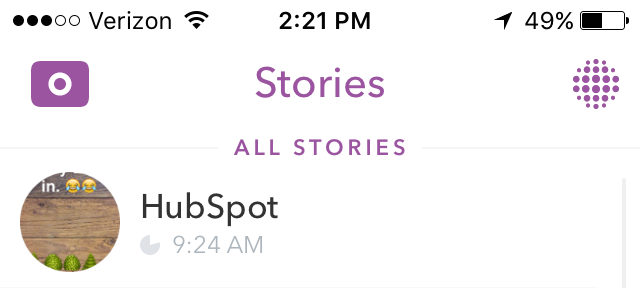
Now that you know how to find and follow brands on Snapchat and view their Stories, let’s get into the best brands to follow on Snapchat.
10 of the Most Innovative Brands on Snapchat Right Now
1) Sour Patch Kids
Username: @sourpatchsnaps
Many of the earliest adopters of Snapchat were teenagers, which gave the snack company, Modelez, an incentive to hop on the platform to promote its Sour Patch Kids candy brand.
In 2014, one of the company’s major goals was to grow awareness among their core demographic: candy-loving teenagers in the United States. Because teenagers were reportedly spending more and more time on Snapchat, they decided to go there to create fun content teens could share with one another.
The video below is an excerpt from one of its first campaigns back in 2014, called “Real-life Sour Patch Kid.” For the campaign, the company teamed up with Logan Paul, a social media influencer and comedian, who spent five days recording pranks around New York City via Snapchat. It was a play off the brand tagline, “First they’re sour, then they’re sweet,” as the pranks went from “sweet” at the beginning of the five days to more “sour” pranks as the week went on.
Each month, new Stories were released showing the “Real Sour Patch Kids” acting like regular teenagers. Below is an example of them showcasing their “favorite Halloween costumes”:
Image Credit: Shorty Awards
2) Everlane
Username: @EVERLANE
The retail company Everlane was another early Snapchat adopter, but with an even more daring approach to the then-new social platform. In November 2016, they wrote this on their official blog: “We’re here to make a bold claim. Snapchat is going to become the defacto social channel for Everlane. Over the past month, we’ve been testing it in small batches and we’re in love.”
Why did they love it so much? Because they found it was an even better way to showcase their radical approach to transparency than other social networks like Facebook.
“Facebook is a spot for updating our community and having one on one conversations,” read the post. “But Snapchat is completely different. Snapchat gives us the chance to explore transparency in a completely new way. No fancy cameras. No editing. Just raw, live, footage. It’s beautiful, and it’s the platform for the modern generation.”
Almost a year and a half later, they haven’t turned back. The folks at Everlane use Snapchat as kind of a backstage pass into their ecommerce business, their events, and their culture. They use the Snapchat Story feature to create narratives around giving tours of their spaces, interviewing customers in their brick-and-mortar stores, and previewing new products. On #TransparencyTuesday, for example, they use Snapchat to record a walkthrough of their business or factories.
3) General Electric
Username: @generalelectric
Would you ever have guessed that General Electric, a multinational conglomerate corporation, would have an active and effective presence on Snapchat?
They’ve actually done an awesome job of using their platform to showcase their geeky personality and to encourage interest in science — something they’ve done well on other social media networks like Instagram and YouTube.
One of the best ways they use the platform is in a series in which they answer users’ questions by explaining scientific concepts in a concise and fun way. For example, they recently shared some of their findings from their emoji science curriculum, which they established along with the National Science Foundation.
.@WhiteHouse In honor of the #WHScienceFair we’re doing some #EmojiScience on our Snapchat. Check it out! cc: @POTUS http://pic.twitter.com/WWjeIWicbp
— General Electric (@generalelectric)
April 13, 2016
In addition to sharing their emoji science findings, they also encourage their Snapchat followers to interact directly with them. “Just add ‘generalelectric’ on Snapchat, send us an emoji, and we’ll send you some science,” they wrote on their Tumblr. Here’s an example of the “science” followers might get in return:
GE’s global director of innovation Sam Olstein said about Snapchat, “The disappearing nature of its content encourages repeat usage and provides us with a unique way to celebrate invention with an expanding community of young fans.”
(To learn more about GE’s creative content, check out this episode of The Growth Show.)
4) Gatorade
Username: @gatorade
When a football team wins a game, it’s customary that the team dumps whatever sports drink is in the team cooler onto their coach’s head. During the Super Bowl football game in 2016, the folks at PepsiCo-owned Gatorade released a genius Super Bowl Snapchat lens that let anyone give themselves a Gatorade bath, too. (Note: A Snapchat lens is essentially a creative filter for your selfies. It’s what you see when your friends send Snapchats of them puking rainbows. Learn how to use Snapchat lenses here.)
Image Credit: Adweek
To create the ad, the folks at Gatorade partnered with Snapchat to purchase a sponsored lens, which costs around $450,000 per sponsored lens on normal days, and up to $750,000 on “peak days” like holidays and the Super Bowl.
Then, they had professional tennis player Serena Williams — whom Gatorade sponsors — star in the ad above. The ad shows her getting virtually “dumped on” by a cooler of orange Gatorade, thanks to the lens. The company tweeted out a GIF of the Snapchat to get the momentum going, and by the end of the day, the sponsored lens had reportedly been viewed over 100 million times.
5) Warby Parker
Username: @warbyparker
At Warby Parker, Snapchat is used for a variety of topics: everything from showcasing their products (“Today on Snapchat, we try on our favorite Crystal frames in 15 seconds”) to giving users a chance to hear from the company’s co-founder Neil Blumenthal (“Our co-founder Neil Blumenthal is inside the secret room today. Tune in on Snapchat as he answers your questions!”).
They have several Snapchat series, including a brand new one called “Desk Job.” In one recent Snapchat Story, they featured one of their brand creative managers for his five desk essentials. Once a Snapchat Story is up, they promote them on Twitter, Instagram, and LinkedIn. (I noticed they didn’t promote them on Facebook, which is probably a good thing: On Facebook, it’s important not be selective about what you publish and focus on quality, rather than quantity, of posts.)
Tune into Snapchat for Desk Job—today, Brand Creative Manager Matt discusses his five desk essentials! http://pic.twitter.com/QblOWLOv2x
— Warby Parker (@WarbyParker)
April 19, 2016
6) GrubHub
Username: @grubhub
GrubHub, also an early Snapchat adopter, has been putting out content on about a weekly basis since late 2013. But they use Snapchat a little differently than many of the folks on this list. Rather than producing one-way content, GrubHub focuses on building out an active community by sending out Snapchat messages that require responses, like exclusive coupons, contests, giveaways, and promotional codes.
They became one of the only brands to interact with almost every single Snapchat message sent to them by users, every single day of the week. By the end of 2014, GrubHub had earned the highest Snapchat score of any brand (53,668 at that time). This impressive commitment to engagement earned them a finalist spot in the Shorty Awards.
The screenshots below are from a story they released where followers could send back a Snapchat of a “food doodle” for a chance to win a prize. (You can watch the Story in its entirety here.)
Image Credit: Fast Company
7) The New York Times
Username: @thenytimes
The writers, editors, and other folks at The New York Times use Snapchat a little differently — sometimes poking fun at their misunderstanding of it, other times using it as a storytelling platform (and then analyzing it in writing later).
For example, check out the Snapchat Story below from Nick Bilton, one of The Times’ writers. The Story is very meta: It shows his friend teaching him how to use Snapchat so he can write a story for The Times about how to write Snapchat Stories.
Like other brands, it’s very much a raw, behind-the-scenes look into the life of the writer. “I’m not actually writing right now. I’m just kind of pretending,” says Bilton at one point during the Story.
Here’s another example of a Snapchat Story from The Times that’s a little more serious. This one was part of an analysis of what makes an objectively good Snapchat Story, which later culminated in this piece by Talya Minsberg. For the piece, she recruited journalists at The Times to participate in a mobile challenge to create an objectively good Snapchat Story.
So, what makes an objective good Snapchat Story? Minsberg says it’s nearly impossible to define, but that “the best Snapchat stories generally are ones that tell a narrative in a personal, visual way that pulls in and keeps the viewer.”
Another important takeaway from her piece is this: “Even Snapchat stories must uphold the same standards as anything else published by The Times. There are just more doodles and emojis in a Snapchat story than you would see in print!”
8) DJ Khaled
Username: @djkhaled305
DJ Khaled may not be your typical brand, but he has single-handedly redefined the celebrity presence on Snapchat — and there’s a lot brands can learn from him. In March 2016, less than a year after DJ Khaled had even heard of the app, it was reported that his Snapchats were attracting around 3 million to 4 million viewers each.
What’s his secret? First, his style of shooting videos is really effective. He likes to pair mundane daily routines — like putting on deodorant and watering his plants — with funny commentary and one-liners.
He has some mantras he repeats like “another one” and “bless up,” which he’s parlayed into some really expensive merchandise. He also likes to share “keys to wisdom,” and even got his own geofilter on a road trip to Las Vegas for New Year’s Eve (which anyone can do, by the way).
The combination of backstage pass-like topics, hilarious one-liners, and fun use of emojis makes Khaled’s account very shareable and followable.
9) Domino’s Pizza UK
Username: @DOMINOS_UK
The folks at Dominos Pizza have never been afraid to experiment with new social media channels. They were the first brand to use Tinder as part of a 2015 Valentine’s Day campaign, and their “Tweet to Eat” campaign let fans order pizza via Twitter by sending a pizza emoji.
As for their global presence, their social media teams around the world have adopted the platform at different times. For example, Dominos Australia started using Snapchat as early as 2013, sending out Snapchat Stories (like the one screenshotted below) that aligned with campaigns they were doing elsewhere on social media.
Image Credit: brandchannel
The U.K. team at Dominos Pizza didn’t get on Snapchat until January 2016, but they started out with a pretty cool experiment that led to a lift in orders. On January 20, 2016, they turned their Snapchat Story into a short film, titled “Dough to Door.”
The film follows the journey of a Dominos delivery driver who hits a few obstacles on his way to deliver a pizza to a customer — including an alien invasion. According toThe Drum, they also showed a sequence of random letters throughout the film that amount to an exclusive discount code they could then use online.
The folks at Dominos found that the low-budget effort led to an increase in orders. “The film drove a lot more orders then we would’ve expected even though it wasn’t really a massive driver for us,” Nick Dutch, Dominos’ head of digital strategy, told Business Insider.
Because Snapchat doesn’t offer much in the way of analytics (unless you are using Snapchat for paid advertising), the only way Dutch’s team was able to attribute that increase in orders to Snapchat was because of the unique discount code — so keep that in mind when you’re creating Stories of your own.
10) HubSpot
Username: @hubspotinc
While there are a lot of B2C brands doing cool things with Snapchat, there are far fewer B2B companies that have successfully built a following. This is a challenge we wanted to take on here at HubSpot, which is why we launched our Snapchat channel in March 2016.
To make our Snapchat channel valuable, we’re using it to serve as both a marketing and a recruiting channel — a place where we can showcase our unique culture and perks, our awesome employees, and the inbound philosophy.
On the marketing side, we like to give followers a good look inside the company and showcase our culture. The goal here is to be educational, informative, and lovable, which are very familiar goals on our marketing team.
For example, when BuzzFeed News Editor Rachel Zarrell came to HubSpot a few weeks ago to speak about viral content, we showcased some of her talk — and what employees thought about it afterward — on Snapchat.
On the culture side, we want to position HubSpot as a destination — and hopefully spur viewers to check out our other online offers like our blog, website, careers page, and so on. The key for us is using a human voice that fits in the Snapchat world, rather than a voice that’s stuffy or ultra-professional.
What are your favorite brands to follow on Snapchat? Share with us in the comments.
How to Become a Better Public Speaker: The Unlikely Exercise That Helped Unlock My Potential
In the early days of HubSpot, I wore a lot of different hats — some of which fit me pretty well.
How did I know this? Well, I started getting more and more offers for speaking engagements. People wanted to hear from me. And when your company wants you to be a public-facing spokesperson for the organization, how can you say no?
I knew that as I continued on this career trajectory of mine, speaking in front of people would become par for the course. One slight hiccup: Public speaking didn’t come naturally to me — and it showed.
I had done my fair share of speaking in front of crowds, mostly on the leaner side of the packed-house scale. But I’d never bombed. And I wondered: Was the fear of completely tanking holding me back from doing better?
That’s what I set out to uncover …
The Unlikely Solution: Improv
I started researching how to put yourself in a more uncomfortable position to feel better about public speaking. A few blogs suggested getting in front of more crowds in different ways. One blog in particular suggested improv sketch comedy.
Improv? That was for underground comedians — literally, performed by quick-witted funny people in basement-level theater. At its best, improv was Saturday Night Live, Second City, and Upright Citizens Brigade.
There was not a single frame in any mental image reel where I saw those types of stages and myself together. Speaking in a hotel conference room? Sure. But speaking in an improv comedy room? No way. Too tough. Little did I know, the two were far more similar than I ever could have imagined.
Still, no matter how far-fetched the idea seemed at the time, something inside of me kept shouting over all that anxiety and fear. Some small, dare I say defiant, voice asking, “Why the hell not?”
What Improv Taught Me About Public Speaking
I sat in a small room on the second floor above a dentist’s office. (Your first day isn’t spent in the theater.) Ten strangers: half were learning English as a second language, most were bored and looking for a new challenge, and there were even a couple other business folks looking to get better at public speaking.
Like most first days, you’re taught the complexity of the thing — this particular thing being improv. You hit the basics, like “yes and…” phrasing, and prepare for the ensuing whirlwind of emotions, education, and excitement to come.
As time went on, I learned a few new things that directly benefited my public speaking ability …
1) I learned what it meant to bomb, gracefully.
When you’re in front of people and you bomb for the first time, that moment takes an eternity. It turns into this nebulous space where time suddenly has no relevancy. Your instinct is to run offstage, but it’s not an option. You’re the only one there to steer the ship.
It turns out, bombing isn’t worth its weight in sweat. I bombed early and often in my classes. The more I bombed, the better I felt. I saw where the safety net ended and realized the ground was still right there below me.
In turn, I became more adventurous on stage. I took risks that ended up paying off in laughs I never thought I could get.
2) I learned that timing is everything.
Something we often talked about in class were beats. There were beats to a story. And there were beats to a sketch. Sometimes, a beat was nothing more than a pause. It’s a natural flow in your performance that you try to dial into. After all, life itself is a constant state of improv. So how difficult could it be?
Having written for so long, I felt fairly confident in finding my beat — until I realized written stories are much different than unscripted performances. When speaking in front of strangers, it’s only human to want to rush through what you have to say. I learned that finding your beat takes practice, like everything else.
When time starts slowing down, you lean into it and use it as a chance to check your pace and plan your next moves.
3) I learned how to stand loud and proud.
Prior to taking classes, I knew my stage presence needed an overhaul. I could stand behind a podium or sit in a chair, no sweat. But improv meant balancing wordplay with action. It meant reacting with instinct and confidence. Your body was as much a force behind the comedic sell as any punchline you could set up.
Some of the first nods to better public speaking you’ll hear are to move around the stage and use gestures. This is incredibly helpful, but the execution is what matters most. And through improv, I learned how to sell my emotions and create excitement without uttering a single word.
Your body is a stage presence unto itself. Improv taught me the power of living in my own skin and using it to its full potential.
Improv in the Workplace
What you learn from improv manifests into your daily habits. Whether you’re in a meeting or at a conference, you bake in pauses when you’re talking. You breathe and take your time. You understand how powerful or distracting your movements can be. You stop pacing. You use your hands and facial expressions for impact, not as a crutch.
Most of all you feel more confident. Confident in yourself to accomplish whatever you set out to — in work or in life. Your attitude and nerves start at a higher threshold.
If you’re an idealist like myself, you feel public speaking is the biggest gift someone can give you. It’s someone voluntarily giving their time to you and in turn you entrust that they’ll deliver something of value. Making good on that promise is incredibly gratifying.
When I think of public speaking, there’s no better place than our annual INBOUND event. Every time I speak at INBOUND, my heart races they way it did during my very first improv class. But that one speaking engagement affords me follow-up conversations throughout the rest of the year. It’s worth it.
So listen to that voice — no matter how small — telling you to go for it. It might just change your life. I know it changed mine.
Want to speak at this year’s INBOUND event? Learn more about our Call for Speakers here.
8 Reasons Super Specialized Companies Should Embrace Inbound
“People don’t shop for our products online.”
I can’t tell you how many times I’ve been told this by sales and marketing leaders at B2B companies that make obscure, highly complex technology and products. They tend to resist inbound marketing and lead generation because they don’t make “click to buy” products. Most have expensive custom products with long sales cycles and apply to a very narrow customer base. They figure few people are searching online for their products, so they don’t try too hard to attract them. I call them “superniche” companies.
My superniche education began when working for a company that made a product called a femtosecond laser for manufacturing very small parts. A femtosecond laser pulses light every quadrillionth of a second, more or less–so fast that it can make very tiny parts with extreme precision–think holes the width of a human hair.
It’s a very sciency product in a highly specialized industry. They cost around around a million dollars and it takes a couple of years to sell one. Superniche.
“People don’t shop for this online”
I was told at the start. Wrong. Well, not quite wrong. Sure, they don’t buy a million dollar laser online but, as we know, everyone researches online before contacting a supplier–even for exotic lasers as soon learned. If a company has a viable product that solves a problem, people are looking for it. There might not be that many searchers, but that can be a very good thing.
Here are 8 reasons we’ve found that inbound marketing works great for highly specialized B2B companies.
1) There is less competition for search terms
One of the keys to successful inbound marketing is optimizing content around the search terms your ideal customers use to look for help with the problem you solve. You want to find keywords with high volume and low competition; meaning there are a good number of people using these terms to search for solutions, and it won’t be terribly difficult to rank high in the search engine results.
Well guess what? As a superniche company, you are not likely to face much competition at all for the search terms you want to rank for. Believe me, it wasn’t difficult to rank high for “femtosecond lasers for manufacturing.” This means you can rank on page one, in most cases almost immediately, by optimizing web pages and publishing content around the search terms in your business.
2) You get immediate gratification
While there aren’t a lot of people searching for obscure keywords, those that are searching for, say, femtosecond lasers for manufacturing, are likely to be seriously interested. They aren’t searching for an obscure technology just to amuse themselves.
This means that in addition to ranking higher, faster, the company can get qualified leads faster, too. When we started a blog on femtosecond laser technology, and started offering educational whitepapers, our web traffic tripled and our contact database grew 6x in just three months through whitepaper downloads.
3) Big value
While the search volume and target audience may be small, customer acquisition in these industries tends to be very valuable. The products are expensive, and tend to involve long term commitments and relationships. A new customer represents a lot of revenue, both immediate and future.
4) Education works wonders
One of the principles of inbound marketing is that you should educate and inform, not sell. This tactic works very well in industries that involve sophisticated technology and services. Novices and veteran workers are motivated to stay up-to-date on new developments in their fields.
We created a blog for a company that excels at creating hermetic seals for implantable medical devices. You guessed it, superniche. Not only did their web traffic double in a few months after starting the blog, we got loads of comments thanking us for providing a new forum on the topic.
5) Your competitors aren’t doing it
The mentality that “people don’t shop for this online” is still pervasive in many fields that are highly specialized. You can tell by a survey of the competition. I’ve worked for a number of medical device contract manufacturers.
Many websites in this field haven’t been updated in decades. They are not publishing new content, have few calls to action for lead generation or nurturing, and simply aren’t investing in inbound marketing because they don’t think it applies to them. This means if a niche company runs an inbound lead generation and nurturing program, they’ll get leads that their competitors won’t.
6) It rewards quality
One of the most common questions we get from companies is
“How can you write about our technology if you’re not from this industry?”.
Their concern is a good one, because the more specialized the industry is, the more important it is to create content that is credible and valuable. You have to do your homework in order to understand what the issues are in the business, and how to bring new information and insights to bear on these issues through web pages, blogs, whitepapers, case studies and other materials.
People in these industries can detect “marketingspeak” very quickly, and will call it out. At the same time, quality content will be read and shared. A professor asked to use a whitepaper we wrote on packaging and sterilization for medical devices in his graduate course on medical device manufacturing, giving our client a huge source of traffic and leads.
7) You have more content than you think
We’ve found that companies with very sophisticated products and services have a lot of content on hand that they are not using. Some employees may have published papers at trade conferences, or they’ve given workshops or presentations to customers or internal groups. Training documents for new employees often contain a great deal of educational information about the industry they are joining.
One company we work with that makes very specialized manufacturing equipment has RFPs and sales quotations that have rich descriptions of the features and benefits of their products, complete with illustrations–great starting material.
8) R-E-S-P-E-C-T
Inbound marketing is all about respecting your customers, engaging them as they search for solutions to their problems, and offering them helpful information instead of interruptive sales pitches. We’ve found that this respectful way of marketing works exceptionally well in superniche businesses, as these industries tend to distrust traditional marketing tactics.
Companies making sophisticated products are typically staffed with sophisticated employees. You’re not going to trick them into considering or buying something they don’t want or need. Creating materials for people that are respectful of their knowledge and their needs will be rewarded.
They’re looking for you now
I think a challenge for superniche companies is that they tend to think that no one will ever find them in the vast reaches of the internet, so they give up. They don’t realize how good search engines have become at helping people find just what they are looking for, and that they are not competing with thousands of other companies for consumers’ eyeballs.
As I pointed out, if a company has a good product, one that solves a real problem, people are looking for it online. It can be even better if not that many people are looking for it, because that translates to less competition for search terms and fewer frivolous searchers, which gets companies found by the right people, faster.
Get in the game
If your company has been sitting on the sidelines of the Internet, assuming that your potential customers aren’t searching for and researching your solutions, it’s time to get in the game. The good news is that the tools you can use to optimize your website for search, publish helpful content to your target audience, make it easy for them to ask for more information and stay in touch, have gotten easier and easier to implement and use. Inbound marketing platforms make it nearly a point and click experience to get started, with automation tools that turn your website into a 24 hour sales person, fielding inquiries, qualifying leads, distributing information and updating your human sales team.
Here’s an ebook we put together to help you get started: How to Build an Inbound Marketing Campaign for Your Superniche Company.
How to Write a Cover Letter That Gets You the Job [Template + Examples]
No one seems to agree on cover letters. How much time do you need to spend perfecting them? Do hiring managers even read them? Is it better to just send in your resume and call it a day?
Now, I’m not in HR, but I’ve been approached by applicants who wondered whether their cover letter would actually be read. My answer is one not many of them wanted to hear: “Sometimes.” Sometimes it will be read. Other times, you can get away with just sending in your resume — like when you network your way into applying for a position.
Download 10 free resume templates here to help you land your next job.
The truth is, you can’t really predict on a case-by-case basis — and you’re better safe than sorry. For the most part, having a cover letter will give you an upper hand in ways your resume doesn’t. It allows you to show off your writing skills, provide details that you couldn’t fit on your resume, demonstrate your passion, and show your willingness to put in as much time and effort as possible.
But if your cover letter is sloppy, you might as well have no applied at all. Grammatical errors could mean your application is thrown in the trash. Using a generic “one-size-fits-all” cover letter — especially if you forgot to change the name of the company — will definitely hurt your chances. So if you take the time to write a cover letter, take special care that it reflects you in the best possible light.
Let’s take a look at an example.
Sample Cover Letter
Here’s an example of a great cover letter. The numbered sections are explained in more detail below.

1) Header
The level of formality your header has will depend on the company you apply to. If you’re applying to a formal business, it’s important to use a formal header to open your cover letter, like in the sample above. Put your address, the date, and the company’s address. But if you’re applying to a company that isn’t as formal, you don’t need to include yours and the company’s addresses. You can still include the date, though.
2) Greeting
Using “To Whom It May Concern” is okay, but you may want to take the time to research the name of the recruiter or hiring manager online. If you do your research and aren’t confident you found the right name, then you should definitely use the generic greeting — but if you are sure, then it shows you put in the effort to find their name and it will catch the recruiter’s eye.
If you have the recruiter’s name, do you greet them by their full name, or by their courtesy title (i.e. Mr., Ms., or Mrs.)? Similar to the header, it depends on the company’s level of formality. If you’re applying to a corporate business, you may want to consider using “Mr. Snaper” instead of “Jon Snaper.” If you’re applying to a start-up or a business with a more casual culture, you can use “Jon Snaper,” as shown in the example.
3) Paragraph 1: Introduction
Your opening paragraph should, in 1-3 sentences, state why you’re excited to apply and what makes you the perfect candidate. Get right to the point, and don’t worry about explaining where you found the posting or who you know at the company. This isn’t a place to go into detail about why you’re a great candidate — that’s for the second paragraph. Here, simply list a few key reasons in one sentence to set up the rest of your letter. Keep in mind that the recruiter may cross-reference your cover letter with your resume, so make sure the two sync up.
4) Paragraph 2: Why You’re a Great Fit for the Job
Next, sell yourself and your experience by choosing one or two concrete examples that show why you’re a great fit for the position. What did you do at a previous company that gave you relevant experience? Which projects have you worked on that would benefit the new company? How will your prior experience help this company grow? Stay humble in your explanation of credentials while still showing that you would be an asset to the team. Use this paragraph to show you’re genuinely excited and interested in the position.
5) Paragraph 3: Why the Company is a Great Fit for You
While it’s certainly important you’re a good fit for the job, it’s also important that the company is a good fit for you. “A cover letter typically describes why you’re great for a company — but how will you benefit from getting hired?” asks Emily MacIntyre, Senior Marketing Recruiter at HubSpot. “We want to know why our company appeals to you, and how it will be a mutually beneficial working relationship.”
In the third paragraph, show you’re serious about growing and developing your career at this new company. What impresses and excites you about the company? Is there something that you feel strongly about that aligns with the company’s goals? For example, the candidate in the sample letter used this space to show his personal commitment to environmental causes aligns with the company’s green initiatives.
6) Strong Closing Paragraph
Don’t write off the final few sentences of your cover letter — it’s important to finish strong. Be straightforward about your interest and enthusiasm about the new position without coming off too strong. Tell them you’re available to talk about the opportunity at any time and include your phone number and email address. At this point, the ball is (rightly) in the recruiter’s court to decide how to follow up.
Last but certainly not least, thank them for their time and consideration.
7) Formal Sign-Off
Use a formal sign-off like “Best,” “All the best,” or “Sincerely,” and finish by typing out your full name. You don’t need to sign it with a pen.
5 Cover Letter Tips From the Experts
While the sample from the previous section provides a basic framework for writing your cover letter, there are also several tips you can follow to help get your cover letter to stand out from the crowd.
1) Do your research.
In order to craft a truly compelling cover letter, you need to show that you understand what the company does and what their pain points are. And that usually entails doing more than simply reading a job description.
Start by soaking up all the information you can find on the company’s website and blog, and then consider drilling down into the LinkedIn and Twitter accounts of executives and employees you could end up working with. That research will help you fine-tune the messaging of your cover letter.
As author and entrepreneur Jodi Glickman told the Harvard Business Review:
Think about the culture of the organization you’re applying to. If it’s a creative agency, like a design shop, you might take more risks but if it’s a more conservative organization, like a bank, you may hold back.”
2) Keep it short.
You might have heard that keeping your cover letter to one page is ideal. But according to Forbes tech journalist Seth Porges, you may want to consider keeping it even shorter than a single page.
As Porges once noted (in appropriately concise fashion):
“Less. Is. More. Three paragraphs, tops. Half a page, tops. Skip lengthy exposition and jump right into something juicy.”
3) Don’t state the obvious.
One trick for helping you keep your cover letter concise: Avoid wasting real estate on information that the hiring manager already knows — like the position you are applying for.
Never ever, ever use the following phrase: ‘My name is ___, and I am applying for the position as ____.’ They already know this, and you’ll sound inexperienced.”
4) Add some personal branding.
Career coach Evelyn Salvador recommends using personal branding elements — specifically a slogan, a testimonial, and/or a mission statement — to help make your cover letter more attention-grabbing. As Salvador told Monster.com:
Each of these elements is optional, but it might just be the thing that makes your cover letter stand out from those of other candidates.”
Here’s a quick run down on what those three elements are, and examples of what they might look like.
- Slogan: A short summary of the value you’d bring to a company/role (e.g., “Using data to solve the problems of tomorrow.”)
- Testimonial: An excerpt from a letter of recommendation, thank-you message from a customer, or other short quote that highlights your past performance (e.g., “[Your name] was prompt, professional, and responsive throughout the entire process. I can’t wait to work with her again the future!”)
- Mission Statement: Similar to a slogan, but focused more on the philosophy behind why you do what you do, and why you want to accomplish what you want to accomplish (e.g., “The key to customer happiness is creating products that people love. My mission is to produce the most lovable products on the planet.”)
5) Don’t force humor.
Some folks have a knack for seamlessly integrating humor into their writing. If you are one of those people, and you’ve done your research and know the company/hiring manager would appreciate a little humor, by all means, include it in your cover letter.
However, it’s important to keep in mind that — when poorly executed — (attempted) humor can often hurt rather than help. As author and career strategist John Lees once told the Harvard Business Review:
Humor can often fall flat or sound self-regarding.”
Instead of using humor to grab a reader’s attention, Lees recommends that you write something “direct and dynamic, such as ‘Before you read any further, let me draw your attention to two reasons why you might want to hire me….’”
Cover Letter Examples That Enhance Any Resume
If you follow the tips in the previous section, the cover letter you end up crafting will invariably be unique. That being said, looking at examples of successful cover letters that other jobs applicants have created can help give you ideas for improving your own letter.
Here are three examples of stellar cover letters that you can “steal” from:
1) The Creative Cover Letter
This cover letter example comes from The Guardian. The idea behind it: Produce a letter that successfully balances creativity with a solid understanding of what the job in question entails.
2) The Straight-to-the-Point Cover Letter
Harvard Business Review contributor David Silverman hailed the following example as “The Best Cover Letter I Ever Received.” For context, Silverman believes there are only a handful of times when writing a cover letter is actually necessary, namely 1) when you know the name of the hiring manager, 2) when you know something about what the job requires, and 3) when you’ve been referred to the job personally. Under those circumstances, a straight-the-point cover letter like the one below could be your best bet.
3) The Marketing-Specific Cover Letter
For our third example, here’s a cover letter from Monster.com that’s focused specifically on a marketing role. Notice how the writer includes references to important marketing metrics and terminology.
Remember: Writing a cover letter is easier said than done. Don’t hesitate to spend a lot of time writing and editing it. Or, ask a friend or family member to read it over and give you feedback. If the recruiter does end up reading it, you’ll be thankful you did.
Have any other cover letter writing tips you’d like to share? Leave a comment below.
Editor’s Note: This post was originally published in November 2014 and has been updated for freshness, accuracy, and comprehensiveness.
You Can Still Reach People Using Ad Block Software
That vocal bunch known as ad block users are quickly becoming one of the most sought after audiences on the internet. This untapped audience, if you can reach them without trivializing their concerns, is a massive opportunity for marketers.
If done correctly, reaching ad block users isn’t as complicated as it’s often made out to be by the ad tech industry. With a few simple tweaks to your marketing strategy, you’ll be able to target an audience few others are reaching currently.
Why Are Ad Block Users So Valuable?
While people who use ad blockers are actively trying to shut out promotional messages, they also tend to be the most engaged audience online. Studies consistently characterize them has high-income earners, well educated, and early adopters of new products. Statistically, they are also heavily influenced by the content they read, and they’re engaged with both the media sites they support and the authors who pen their favorite content. In other words, the payoff for reaching these readers can be unprecedented.
With the growth of ad blocking online, the relationship between media company and reader continues to deepen. For properties that have the trust of their readers, the opportunities to market directly to them often comes in creative and untraditional packages.
If you’re looking to target an audience that exists solely because of advertising blocking on the internet, you’ll need to learn as much as possible about them before you start working with brands to target them.
Determine The Ad Blocking Audience
Categorically speaking, some websites have audience segments with higher levels of blocking than others. For instance, ad blocking adoption has grown the quickest amongst the 18-24 demographic, and by extension the publications they frequent are under the biggest threat. That said, ad blocker adoption also continues to shrink across older demographics. Installation intention, however, seems to be trending in the opposite direction. While the 18-24 demographic may have the highest adoption rate already, the benefits of ad blocking is resonating the most with those that are 45 or older. 18 percent of the 45+ audience plan to adopt an ad blocker in the next six months.
Understanding your website’s readership and their tendencies will go a long way towards developing a successful outreach strategy.
You can quickly capture information about your ad block audience by implementing technical solutions to track them. Today, most savvy media companies online know exactly the size of their audience currently using ad blockers. Sophisticated tools exist to collect that information, and both services and scripts will collect information about those using the blockers across their sites.
Once you know who’s blocking your advertisements, you can start compiling a plan to sell against your newly uncovered audience. Cutting edge media companies looking to target ad block end users often have dedicated content teams whose primary responsibility is to create content that leaves lasting impressions with their audience. Both the New York Times and the Washington Post have teams in-house that focus on designing native campaigns for brands. Understand the value of non-traditional advertising opportunities, and then prepare yourself to answer advertiser questions about audience trends, demographics, and what types of content resonates the most with your readership. Prepare marketing material to provide prospects with a compilation of your team’s best work, and then success metrics around each example piece of content.
Figure Out What They’re Reading
Determine what this new target audience is already reading and sharing online. Does your ideal marketing target spend most of their time reading editorials, or do they spend time digging through reviews on your website? The only way to reach an ad blocking audiences at a targeted publication is to give them material that they’re already consuming online and in a format they prefer. Once you’re able to build a content profile for your target within a website’s customer base, you can begin to explore native advertising options with advertisers interested in reaching ad blockers on your site.
Embrace Native, Avoid Display
The truth is, it’s time move on from display advertising as a sole offering to advertisers. While media companies are still engaging brands about display, today most advertisers are looking for more interesting or custom offerings from publications. There’s a reason: sponsorships and natural alternatives reach their most valuable audiences while doing a better job of telling your brand’s story online.
70% of people online want to learn about products through content. That means reviews, videos, podcasts, and mediums that offer more than just “buy this now” advertising. In most of those cases they can instruct audience on why they should buy your products, or how it compares to the competition. Product reviews and product-related editorial need each other. Customers want to know if your products are up to the task, and if you’re providing the best option on the market. Display advertising, when used as brand recognition can be a powerful tool, but product editorials provide more context and incentive to make a final decision on purchasing a product. Reputable publications may be pricey, but if their audience trusts them, they’re more likely to buy products than they are when they see a simple display advertisement.
Target Newsletters
One of the quickest growing mediums on the internet is newsletters. Media companies, and their users love newsletters because they’re one of the most engaging mediums in their arsenal. Few mediums can guarantee a reader will view content, but newsletters can focus directly on who clicked a sponsorship, and who avoided your native content.
Newsletters also boast some of the best click-through numbers on the web. Much like display, your open and click rates will vary by content category, but the clickthrough rates tend to outperform display across the board. Open rates historically hover in the 20 percent range while click-through rates hover between the 1 and 5 percent range.
The other beauty of newsletters? Readers have opted-in for the information being sent by media companies. The majority of subscribers know what type of information will be arriving in a newsletter, so if there’s a natural with with your brand and marketing strategy, newsletter readers will often embrace your advertisements.
Target Sponsored Content
Advertorials and Sponsored Content, Branded Content, and In-Feed Ads are all examples of native content types that fall under a sponsored content umbrella, but they all take a slightly different approach to displaying your content to readers. In some cases, ad blockers can be configured to block sponsored content and other forms of native content, but when it comes down to it, if advertisements are built with care and adhere to a reader’s expectations, it’s unlikely that your sponsored content will be ignored.
Sponsored content is often built by a media company for their audience, but based on your marketing targets. In this situation, media companies work alongside advertising teams and determine which types of content (infographic, an article, etc.) will align with an advertisers campaign goals.
Target Both Audio And Video Podcast
Just like newsletters, podcasts result in very high engagement number. Unlike its written brethren, media company audiences opt-in to receive continuous content in a variety of applications on both mobile and desktop computing systems. If your targeted media company has a podcast with embedded advertisements, the content will bypass ad blockers and reach your intended audience. Podcasts are a great way to target the ad block demographic with your marketing messages while giving them content in a format they prefer.
Target Whitelisted Publications Or Ad Networks With Your Display
While display may be on the way out, there are a couple approaches marketers are taking to get their display campaigns in front of ad block users. Did you know some display ad networks are currently whitelisted across a variety of ad blocking applications by default?
That means some networks, like Carbon Ads, can fulfill your display advertisement campaign needs, while still being able to target consumers running ad blockers. As a marketer, it makes sense to search out networks and exchanges that have been whitelisted and place your display ads through those mechanisms versus traditional exchanges.
Conclusion
Targeting ad blockers isn’t without its dangers. There will always be a vocal minority who admonish your marketing attempts publicly no matter your best efforts or pure intentions. There’s nothing you can do about it. Arming yourself with facts may help you get over the anxiety of publishing native content, but you should be prepared for a negative scenario that may manifest itself after publishing your campaign. Some people just like to watch the world burn.
How to Do Market Research: A Step-by-Step Guide to Understanding Your Buyer’s Journey
By now, you probably know that today’s buyers hold all of the power when making a purchasing decision. You’re also probably aware that they’re doing some of their research online. But have you really adapted your marketing plan to match the way today’s customers shop and buy?
Consider these recent statistics about B2B buyers from a 2015 study by Think With Google:
- 89% of buyers use the internet during the B2B research process.
- 71% start with a generic search query (they’re looking for a topic, not your brand).
- 57% of their evaluation is done before they’ll perform an action on your site.
What’s a marketer to do to make sure your buyers find you early and often? Go where they’re going, of course.
That might sound obvious, but how deeply do you understand exactly where your buyers are doing their research and what is influencing their decisions? That is where research comes into play.
Whether you’re a newbie or experienced with market research, this guide will give you a blueprint for conducting a thorough buyer’s journey study.
How to Do Market Research: A Step-by-Step Guide to Understanding Your Buyer’s Journey
Step 1: Define Your Personas
Before you dive into how your personas make buying decisions, you must first understand who they are. This is where buyer personas come in handy.
Buyer personas — sometimes referred to as marketing personas — are fictional, generalized representations of your ideal customers. They help you visualize your audience, streamline your communications, and inform your strategy.
To get started with creating your personas, check out these free templates, as well as this helpful tool. These resources are designed to help you organize your audience segments, collect the right information, select the right format, and so on.
You may find that your business lends itself to more than one persona — that’s fine! You just need to be sure that you’re being thoughtful about the specific persona you are optimizing for when planning content and campaigns.
Step 2: Recruit Buyers
Now that you know who your personas are, you’ll need to find a representative sample of your target customers to understand their buyer’s journey. These should be folks who recently made a purchase (or purposefully decided not to make one).
We’ve developed a few guidelines and tips that’ll help you get the right participants for your research. Let’s walk through them …
How to Determine Who to Recruit
Start with the characteristics that apply to your buyer persona. This will vary for every organization, but here are some additional guidelines that will apply to just about any scenario:
- Shoot for 10 participants per persona. We recommend focusing on one persona, but if you feel it’s necessary to research multiple personas, be sure to recruit a separate sample group for each one.
- Select people that have recently interacted with you. You may want to focus on folks that have completed an evaluation within the past six months — or up to a year if you have a longer sales cycle or niche market. You’ll be asking very detailed questions, so it’s important that their experience is fresh.
- Aim for a mix of participants. You want to recruit people that have purchased your product, folks that purchased a competitor’s product, and a few that decided not to purchase anything at all. While your own customers will be the easiest to find and recruit, sourcing information from others will help you develop a balanced view.
How to Recruit the Best Participants
Market research firms have panels of people they can pull from when they want to conduct a study. Trouble is, most individual marketers don’t have that luxury — and that’s not necessarily a bad thing. In fact, the time you’ll spend recruiting exclusively for your study will often lead to better participants.
Here’s a simple recruiting process to guide your efforts:
- Pull a list of customers who made a recent purchase. As we mentioned before, this is usually the easiest set of buyers to recruit. If you’re using a CRM system, you can run a report of deals that closed within the past six months and filter it for the characteristics you’re looking for. Otherwise, you can work with your sales team to get a list of appropriate accounts from them.
- Pull a list of customers who were in an active evaluation, but didn’t make a purchase. You should get a mix of buyers who either purchased from a competitor or decided not to make a purchase. Again, you can get this list from your CRM or from whatever system your Sales team uses to track deals.
- Call for participants on social media. Try reaching out to the folks that follow you on social media, but decided not to buy from you. There’s a chance that some of them would be willing to talk to you and tell you why they ultimately decided not to buy your product.
- Leverage your own network. Get the word out to your coworkers, former colleagues, and LinkedIn connections that you’re conducting a study. Even if your direct connections don’t qualify, some of them will likely have a coworker, friend, or family member who does.
- Choose an incentive. Time is precious, so you’ll need to think about how you will motivate someone to spend 30-45 minutes on you and your study. On a tight budget? You can reward participants for free by giving them exclusive access to content. Another option? Send a simple handwritten ‘thank you’ note once the study is complete.
Step 3: Prepare a Discussion Guide
The best way to make sure you get the most out of your conversations is to be prepared. You should always create a discussion guide — whether you’ll be conducting a focus group or a phone interview — to make sure you cover all of the top-of-mind questions and use your time wisely.
(Note: This is not intended to be a script. The discussions should be natural and conversational, so we encourage you to go out of order or probe into certain areas as you see fit.)
Your discussion guide should be in an outline format, with a time allotment and open-ended questions allotted for each section.
Wait, all open-ended questions?
Yes — this is a golden rule of market research. You never want to “lead the witness” by asking yes/no questions, as that puts you at risk of unintentionally swaying their thoughts by leading with your own hypothesis. Asking open-ended questions also helps you avoid those painful one-word answers.
Here’s a general outline for a 30-minute phone interview with one B2B buyer. Although, we recommend that you schedule 45 minutes to allow for tardiness, potential technology issues, and bit of small talk.
Introduction
This section is intended to break the ice and get the respondent(s) talking.
- Introduce yourself and why you are doing this study.
- Ask the buyer to give you a little background information (their title, how long they’ve been with the company, and so on).
- Ask a fun/easy question to warm things up (first concert attended, favorite restaurant in town, last vacation, etc.).
Buying Environment (5 Minutes)
Before getting into the details around a specific purchase, it will be helpful to understand their role and team better.
- Describe to me how your work team is structured.
- Tell me about your personal job responsibilities.
- What are the team’s goals and how do you measure them?
- What has been your biggest challenge in the past year?
Now make a transition to acknowledge the specific purchase they made that led to you including them in the study. The next three sections will focus specifically on that purchase.
Awareness Stage (5 Minutes)
Here, you want to understand how they first realized they had a problem that needed to be solved without getting into whether or not they knew about your brand yet.
- Think back to when you first realized you needed a [name the product/service category, but not yours specifically]. What challenges were you facing at the time?
- How did you know that something in this category could help you?
- How familiar were you with different options on the market?
Consideration (10 Minutes)
Now you want to get very specific about how and where the buyer researched potential solutions. Plan to interject to ask for more details.
- What was the first thing you did to research potential solutions? How helpful was this source?
- Where did you go to find more information?
If they don’t come up organically, ask about search engines, websites visited, people consulted, and so on. Probe, as appropriate, with some of the following questions:
- How did you find that source?
- How did you use vendor websites?
- What words specifically did you put into Google?
- How helpful was it? How could it be better?
- Who provided the most (and least) helpful information? What did that look like?
- Tell me about your experiences with the sales people from each vendor.
Decision (10 Minutes)
- Which of the sources you described above was the most influential in driving your decision?
- What, if any, criteria did you establish to compare the alternatives?
- What vendors made it to the short list and what were the pros/cons of each?
- Who else was involved in the final decision? What role did each of these people play?
- What factors ultimately influenced your final purchasing decision?
Closing
Here, you want to wrap up and understand what could have been better for the buyer.
- Ask them what their ideal buying process would look like. How would it differ from what they experienced?
- Allow time for further questions on their end.
- Don’t forget to thank them for their time and confirm their address to send a thank-you note or incentive.
Step 4: Lead the Conversations
Now for the fun part: talking to people! This step is pretty straightforward, but here are some tips to make sure everything runs smoothly:
- Give participants space to think. Be comfortable with moments of silence. You’ll be asking for detailed information, so they might need time to jog their memory or gather their thoughts.
- Don’t accept short answers. Get clams to open up by asking them for more detail if they provide a one-word answer. If you notice this as a pattern with a particular person, start to make your questions scenario based.
- Keep things on track. Give yourself permission to interrupt someone if they go off on an irrelevant tangent. You can avoid looking rude by saying, “That’s really interesting, but I’d like to shift gears” or “I hear what you are saying, now tell me about XYZ”.
Step 5: Summarize Your Findings
Feeling overwhelmed by the notes you took? We suggest looking for common themes that will help you tell a story and create a list of action items.
To make the process easier, try using your favorite presentation software to make a report, as it will make it easy to add in quotes, diagrams, or call clips. Feel free to add your own flair, but the following outline should help you craft a clear summary:
- Background. Your goals and why you conducted this study.
- Participants. Who you talked to. A table works well so you can break groups down by persona and customer/prospect.
- Executive Summary. What were the most interesting things you learned? What do you plan to do about it?
- Awareness. Describe the common triggers that lead someone to enter into an evaluation. Note: Quotes can be very powerful.
- Consideration. Provide the main themes you uncovered, as well as the detailed sources buyers use when conducting their evaluation.
- Decision. Paint the picture of how a decision is really made by including the people at the center of influence and any product features or information that can make or break a deal.
- Action Plan. Your analysis probably uncovered a few campaigns you can run to get your brand in front of buyers earlier and/or more effectively. Provide your list of priorities, a timeline, and the impact it will have on your business.
Conducting a buyer’s journey study can be a very eye-opening experience. Even if you think you know your buyers pretty well, completing the study will likely uncover new channels and messaging tips to help improve your interactions. Not to mention, you’ll be able to add “market research” skill as a skill to your resume.
How do you conduct market research? Share your tips in the comments section below.