
Cross-Posting in 2022: What Is It & Why You Should Use It
Every year, a new digital platform emerges. In the last year alone, Discord, Twitter Spaces, and Twitch have all become very popular with consumers all around this world.

Now, social media marketers are faced with this issue: Should you curate content for each platform and its audience or should you save some time and cross-post on multiple platforms?
In this article, we’ll discuss the do’s and dont’s of cross posting, the benefits of this strategy, and some tools to help you leverage it.
Who can get the most out of this strategy?
- Small brands with a limited marketing budget
- New brands that haven’t produced much content
- Social media marketers that want to focus on strategy instead of posting
Benefits and Drawbacks of Cross Posting
Cross posting is a time-saving measure that allows you to share your content with a wider audience without having to put in the extra effort.
The main benefit of cross-posting is that it saves you time. Instead of creating separate pieces of content for each social media platform, you can just share the same content on all of them.
This is especially helpful if you’re short on time or if you’re managing multiple social media accounts.
Another benefit of cross-posting is that it allows you to reach a wider audience. By sharing your content on multiple platforms, you’re increasing the chances that people will see it and engage with it.
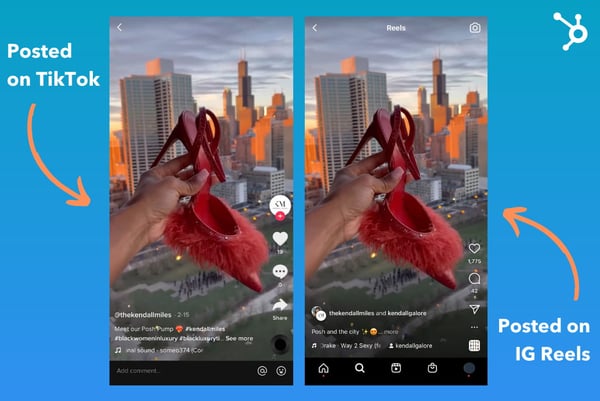
While cross posting has many benefits, there are also a few drawbacks to consider.
The first is that not all platforms are created equal. What works on one platform might not work on another.
That’s why many marketers prefer to tailor their content to each platform and its specific audience.
Another drawback of cross posting is that if some users follow you on multiple platforms and see the same content, they may get bored and stop paying attention to what you post.
As with every strategy, you have to be flexible in your approach.
Cross Posting Mistakes
Now that you know what cross posting is and how to do it, let’s take a look at some mistakes you should avoid.
One mistake to avoid is reposting the exact same content on every social media platform. Just because you can cross-post everywhere doesn’t mean you should.
Your followers on each platform are likely to be different, so it’s important to customize your content for each audience. More on that in the next section.
Another mistake I often see on social media is brands posting content featuring watermarks from other platforms.
For instance, when you upload a video to TikTok and save it, the brand’s logo will automatically appear on the video. Instagram recently announced that it would deprioritize videos with the TikTok watermark to avoid recycled content from its competitor.
This practice also compromises your video quality while signaling to audiences that you’re focusing on other social platforms.
Here’s an easy solution: Edit and prep your content on a third-party platform like Canva or iMovie then upload to the respective platform to add additional elements like filters, sounds, and captions.
That will not only keep you from getting shadowbanned but also preserve the quality of your content, as it’s only being uploaded once.
Best Cross Posting Practices
When it comes to cross posting, the most important factor is the quality of your content. This might seem obvious, but it’s important. If your content isn’t good, people won’t want to read it or share it, no matter what platform it’s on.
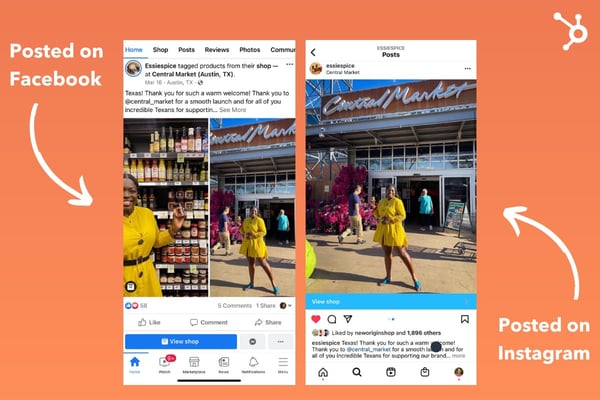
Once you have great content, the next step is to tailor it to each specific platform. Now you might be thinking, “Is the whole point of cross-posting that I don’t have to tailor content to the platform?” The truth is that while cross posting takes the bulk of the work out, you’ll still have to do some customizing.
This means seeing which platforms deserve which approach. For instance, TikTok and Instagram Reels are both short-form video platforms. This offers an easy cross-posting opportunity.
However, posting a TikTok video on Twitter may not work as well since the latter is mostly text-based. As such, maybe Twitter and Facebook could be a better match-up.
On Facebook, you might want to include a photo or video along with your update whereas you could use the copy only for Twitter.
The key is to make your content engaging and interesting based on audience behavior on each platform.
And finally, to make cross posting easy, consider using software. There are a number of options available, let’s cover that next.
Cross Posting Software
Now that we’ve discussed the benefits of cross posting, you may want to look for tools that will facilitate this process.
First, here are key features you’ll want to look out for:
- Scheduling – The best cross posting software will allow you to schedule your content in advance so you can set it and forget it.
- Customization – As we mentioned before, it’s important to tailor your content for each social media platform. The best cross posting software will allow you to do this with ease.
- Analytics – It’s also key to track the performance of your cross-posted content. You’ll need software with advanced analytics so you can see what’s working and what isn’t.
Let’s take a look at some tools that will help you do it.
Hootsuite
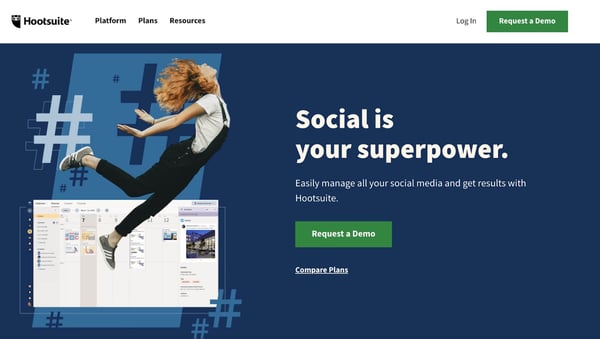
Hootsuite is one of the most popular social media management platforms. It allows you to schedule and publish content, track who’s talking about your brand, and measure your performance.
It also has a feature that lets you cross-post content to multiple social media accounts with just a few clicks.
Buffer

Another tool you can use is Buffer.
Like Hootsuite, Buffer lets you schedule and publish content, track your brand mentions, and measure your performance.
It also has a cross-posting feature that makes it easy to share your content.
Sprout Social
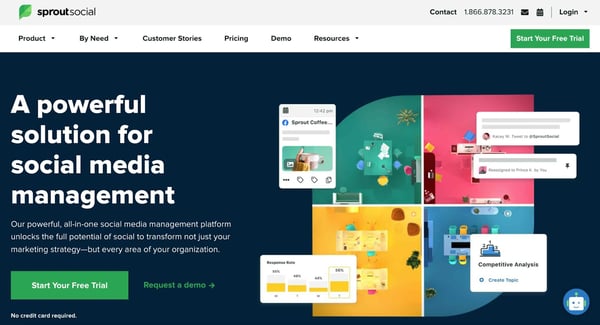
Sprout Social is a third option for those looking for a social media management platform. It has all of the features you’d expect, like the ability to schedule and publish content, track your performance, and engage with your audience.
It also has a cross-posting feature that lets you share content on multiple social media platforms.
When done correctly, cross posting can be an effective way to grow your online presence. Just make sure to avoid the mistakes we discussed and use one of the tools we mentioned to make the process easier.

What Will Content Planners Budget For in 2022 [HubSpot Blog Research]
If you ask marketers about their 2020 content plans, most will tell you they had to pivot because of the pandemic. In 2021, many said the same thing, as the world adjusted to this new normal.

We surveyed over 600 media planners this year and 99% of marketers who have ever pivoted their content plan did so in 2021, with 39% of them pivoting three times that year.
So how are they budgeting in 2022? Let’s find out.
How much are marketers spending on content marketing?
According to HubSpot Blog Research, 39% of marketers surveyed say they allocate 31-50% of their total marketing budget to content marketing.
This tells us that brands are leveraging content marketing above many other marketing strategies, as they put at least a third of their funding in it.

Wondering exactly how much? Most marketers surveyed (26%) said their quarterly content marketing budget ranged between $40K to $80K.
The second-highest figure was $100K-200K, reported by 16% of marketers surveyed, then $201K to $300K by 14% of respondents.
The specific amount tells us less about how much importance brands place on content marketing and more about the cost of this strategy.
It would be easy to think that all you need to do is write a few blog posts and that’s it. The truth is there’s so much that goes into content marketing, from copywriting and designing to research and media buying.
If you don’t invest time and money into it, you won’t get much back.
What Content Planners are Budgeting For in 2022
Before we can understand where marketers’ content budgets are going, it’s important to first review their goals.
When asked their top goals for their media planning strategies, 33% said it was to engage and grow new audiences.
The second highest answer was maximizing the return on investment (ROI) of their content.
The remaining goals are as follows:
- Understanding which channels/platforms their audience spends the most time on (30%)
- Analyzing the effectiveness of their content marketing strategy (29%)
- Measuring KPIs across media channels (28%)
- Understanding which channels or platforms are most effective for sharing their content (27%)
With this in mind, it makes sense that roughly 53% of content planners said conducting market research was their number one media planning investment in 2022 – either to find the most effective channel to reach their target audience or understand the demographics of their target audience.
Because so many marketers want to expand their audience base, conducting market research is the most fitting strategy. How can you market to an audience if you don’t know them?
Running an audit of their content to inform their media planning strategy is another popular investment for this year, revealed in our HubSpot Blog Research. One of the biggest challenges marketers face is understanding the impact of their content marketing efforts.
An audit allows a marketer to review their content, analyze performance, and determine high and low performers.
Which media channels are content marketing focusing on?
With so many channels and channels to consider, marketers say the biggest challenge of media planning is determining the most effective media mix.
Based on HubSpot Blog Research, we know that 84% of media planners leverage a mix of organic and paid media.
In the past year, many marketers have also dipped their toes in new social media platforms and features when pivoting their strategy – two in three media planners specifically.
Instagram Shops and Facebook Shops were the top platforms they tried. With Meta adding so many advanced shopping features to these popular social media platforms, it’s no wonder marketers want to leverage them and increase their revenue.
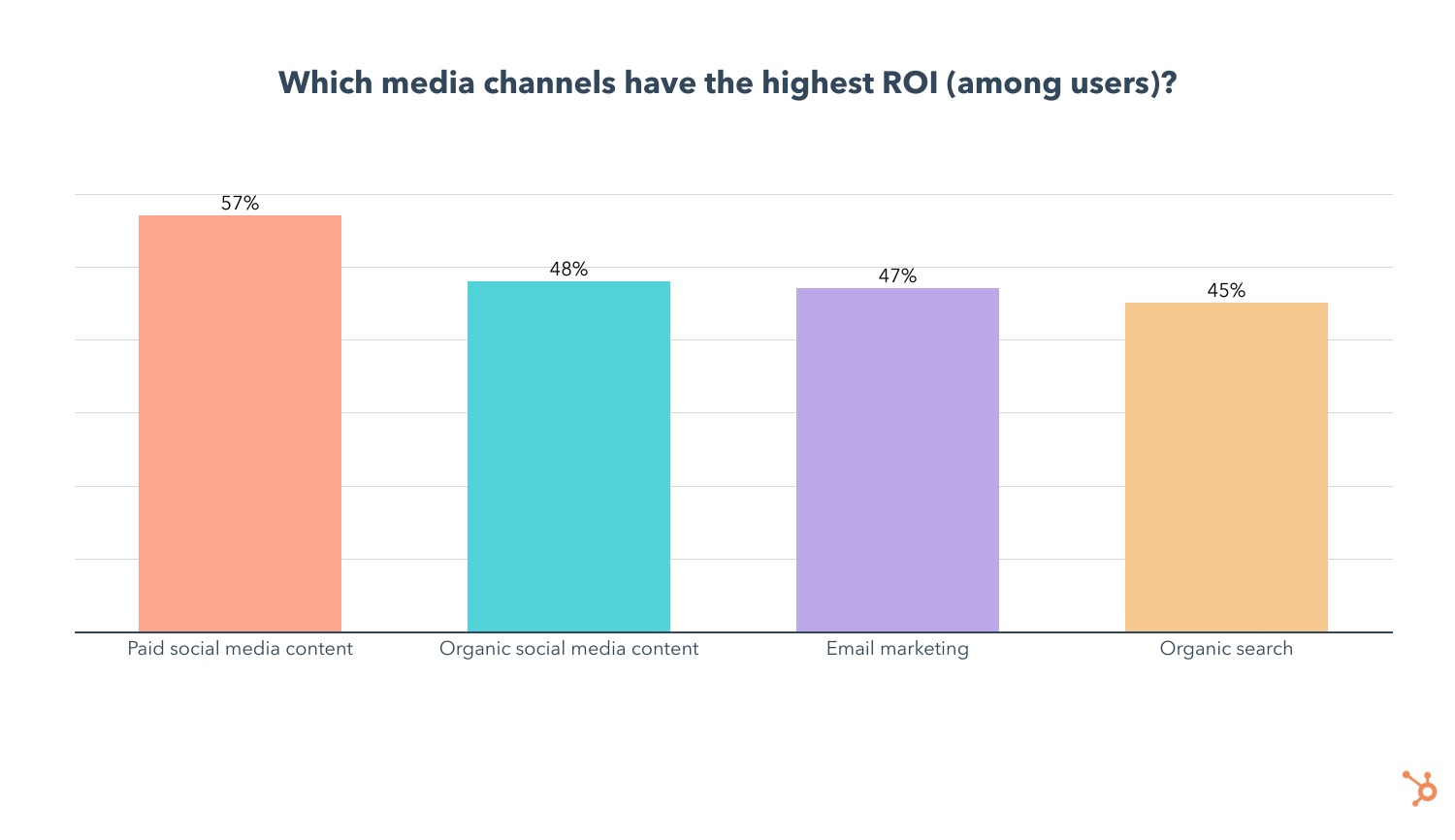
When asked “Which media channels do you plan to invest the most in this year? ” 14% said paid social media content, which marketers surveyed say, offers the highest ROI and the best engagement of any channel.

The second biggest investment in terms of media channels is organic social content, which is used by 43% of media planners. In addition, 9% plan to invest in it more than any other channel in 2022.
Email marketing came out on top as the most leveraged media channel, used by one in two media planners, and offers the third-highest ROI. Its use is also forecasted to grow this year, with 22% of content planners planning to use it for the first time this year.
In the past two years, we’ve faced so much unpredictability, which has kept marketers on their toes, to say the least. This year, it seems content planners are cautiously optimistic and equipped with strategies that will help them grow their audience.


The State of Content Marketing in 2022 [Stats & Trends to Watch]
Content marketing is the process of planning, creating, and sharing content with your target audience. It helps you generate brand awareness, convince customers to take action, and drive revenue.
There are various types of content marketing, like social media and blogs, but new trends and techniques emerge every year that change the ways businesses reach their audiences.
As a marketer, it’s essential to know what your competitors are focusing on, so you can create a strategy and stand out from the crowd. In this post, discover important stats to know about the state of content marketing in 2022 and trends to look out for throughout the year.

Content Marketing Stats to Know
- 90% of marketers using content marketing plan to continue investing the same amount in the channel in 2022.
- 66% of marketers expect their 2022 content marketing budget to increase more than their 2021 budget.
- Over 60% of marketers measure the success of their content marketing strategy through sales.
- Marketers’ primary goals for running marketing campaigns are brand awareness, increasing sales, and increasing engagement.
- The top three goals marketers achieve through successful content marketing are generating brand awareness, building credibility and trust, and educating audiences.
- The top challenges marketers face with content marketing are creating content that generates leads, finding ideas for new content, and creating content that receives high levels of online engagement.
- Google’s search algorithms are trying to transcend text to images, voice/podcasts, and videos.
- Video is the number one format marketers used in their content strategy in 2021.
- The top four formats marketers leverage in their content strategy are videos, blogs, images, and infographics.
- The top technologies B2B organizations use to supplement content marketing are analytics tools, social media publishing, and email marketing software.
- The top three owned mediacontent distribution channels for B2B marketers are a personal website, blog, and email newsletter..
Content Marketing Trends to Watch in 2022
1. Short-form video takes center stage.
The amount of online video watched per person per week has almost doubled since 2018, according to Wistia. As of 2021, it’s at 18 hours per week.

This consumer behavior has made video, short-form specifically, the primary form of media used within any content strategy for the third year in a row. As such, 89% of marketers plan to continue investing the same amount in the channel or increase their investments in 2022.
The videos you decide to create and the places you choose to share them depends entirely on your individual business needs, but your efforts will be worthwhile, as Wistia found that shorter videos have the highest engagement rates.

2. Strategic SEO tactics.
In 2020, HubSpot VP of Marketing Matthew Howells-Barby said he wanted to see the number of marketers actively investing in SEO go up. His wish came true — 69% of marketers reported investing in SEO in 2021, a 5% increase from 2020. Marketers are continuing to make SEO investments in 2022 to create tailored experiences for website users.
However, content marketers are moving away from SEO optimization in general, as 83% of marketers say that their main area of focus is the use of strategic keywords in their content. Businesses are looking for a way to simply appear in SERPs and create in-depth content that is unique, valuable, and different from what competitors offer on those same result pages.
Marketers also report that their SEO content marketing efforts will involve optimizing for mobile (64%), and backlinking and link building (64%).
3. Podcasting upholds its reign.
Podcasts continue to hold court in content marketing strategies in 2022. This is not surprising, considering that U.S. consumers alone listened to 15 billion hours of podcasts in 2021.
As a result,
- 51% of content marketers who already leverage podcasts or other audio content will invest more in 2022, and 43% plan to continue investing the same amount.
- 53% of content marketers who do leverage podcasts and other audio content say it’s the most effective format they use, despite low ROI.
So, why are podcasts so popular? On the consumer side, there is something for everyone. With 72,000 new episodes per day (as shown in the graph below), the likelihood of finding a show that appeals to their interests is incredibly high, whether it’s a mystery tale or a real-life story about how their favorite business was built.
Businesses are investing in podcasts because they bring significant benefits: “Podcasts have the ability to drive real results and pay off in terms of leads and revenue,” says Zachary Bellinger, CRO at Casted. 60% of podcast listeners searched for a product after hearing about it in a podcast.
It’s also worth noting that 44% of content marketers are branching out into a new form of audio in their content marketing strategies in 2022 — audio chat rooms.
While a newer concept, the investment in audio chat rooms makes sense, as they create a space for businesses to connect with audiences for genuine conversation and engagement. You can read this article about Clubhouse and this one about Twitter Spaces to learn more about the emerging channel and how other brands are using them in 2022.
4. Championing social responsibility.
Social responsibility will become a critical priority for content marketers in 2022, as customers care now, more than ever, about brands sharing their same values and speaking authentically and empathetically about things like social justice issues or the fair treatment of their employees.
Marketers are recognizing how much customers care, and 82% are investing the same or increasing their investment in social responsibility in 2022.
It’s important to be aware, though, that if you leverage social responsibility in your content marketing efforts, your entire business must champion social responsibility as well, and be genuine about it.
Take Glossier, for example. In June of 2020, the company regularly shared content on its Instagram page that centered people from different communities. However, in August of 2020, an Instagram account called Outta The Gloss posted an open letter to Glossier from former employees that made light of instances of unfair treatment while working at Glossier’s flagship store.

The former employees weren’t hoping to drag Glossier through the mud, but more so call attention to the fact that, if it champions social responsibility in its content, it must also uphold similar values in its business practices.
It boils down to this: consumers want businesses to be socially responsible, but they want the social responsibility reflected in all areas of business, from the content you post on social media to the ways you support and uplift your employees.
5. Virtual and hybrid events.
A webinar is a video presentation, seminar, lecture, or workshop delivered to an audience digitally. Despite once being declared outdated, webinars and virtual events have become extremely popular over the last three years, and, as COVID-19 restrictions cease, they welcome hybrid models into the mix.
Attending events digitally allows consumers to continue to interact with their favorite businesses and derive value from presents and industry leaders. Hybrid offers the same benefit, as consumers can pick what works best for their needs, and businesses can ensure that all of their audiences can participate in what they offer. 30% of Content Marketing Institute survey respondents say that their investment in hybrid events is expected to increase, and 40% of marketers plan to increase their investment in virtual events, webinars, and conferences in general in 2022.
HubSpot’s annual INBOUND conference is a great example of a hybrid-modeled event, offering the option for attendees to attend in-person, or online.

6. Infographics.
Infographics are graphics that explain a concept or provide a visual for a piece of data. Marketers typically use them to quickly communicate important, stand-out information, and 45% of marketers who leverage content marketing use it. The image below is an example of an infographic used within a blog post.

Here are some additional stats from recent HubSpot Blog Research:
- 56% of content marketers who use it say that it is their most effective marketing content type
- 52% of marketers plan to invest the same amount in infographics throughout the next year
- 38% of marketers plan to increase their infographic investments within the next year.
Its popularity is because infographics are shareable, are visually appealing, informative, and provide beneficial information to the reader. As they say, a picture is worth a thousand words, so it makes sense that infographics are significant for content marketing.
Stay Up-to-date On Your Industry
It’s always important to stay up-to-date on what is happening in your industry, and being aware of these trends is a way to do so. Should you choose to leverage one of these trends in your marketing strategy, ensure that it’s relevant to your business needs and will help you achieve your goals.


How Apple iOS 15’s Impacting Email Marketers [New Data]
Back in September 2021, the announcement of Apple’s iOS 15 data privacy changes triggered a mass hysteria among email marketers, with some even proclaiming that email marketing as we know it could come to an end.
Considering that Apple Mail and Apple mobile devices make up over 35% of the global email provider market share, those fears didn’t seem too far-fetched.
But the question remains – were these fears well-founded or were they false alarms?
Now that enough time has passed to see the impact of data privacy changes, I surveyed 300 email marketers to understand how iOS 15 and GDPR changes have affected their marketing strategies and the steps they took to adapt.

The Impact of Data Privacy Changes
Change can be scary for all of us, but when that change includes reduced visibility into email analytics, it’s no surprise that email marketers were shaking in their boots when iOS15 was announced.
Surprisingly, my survey shows that the changes, while definitely impactful, were not all bad.
While two-thirds of email marketers surveyed report a moderate-to-significant impact on their email marketing strategy, whether the impact was positive, neutral, or negative, is not as clear-cut as you might assume.

For starters, 47% of email marketers say the impact of data privacy changes was neutral on their email marketing strategy. Admittedly, 29% said the changes had a negative impact, but 24% said the contrary, claiming data privacy changes had a positive impact on their marketing strategy.
How is this possible?
To answer this, let’s break down our survey data on the specific ways data privacy changes affected email marketers, and the strategies they took to adapt.
This will help us understand how some marketers made the most out of the situation and came out on top, while others weren’t able to keep up.
How Are Data Privacy Changes Affecting Email Marketing Strategies?
In the survey, I found that 65% of email marketers say they’ve been impacted by both Apple’s iOS 15 updates and GDPR.
I also asked them to share how their email marketing strategy has been affected by each, and interestingly enough, the results were very similar.
Email marketers in both camps were most impacted by the same factors, in the same order:

So what can we take away from this?
For one, these changes have a similar impact whether you are affected by Apple iOS15, GDPR, or both.
More importantly, data privacy changes clearly have a meaningful impact on certain functions that have been core to email marketers’ jobs.
With location-based targeting, click-through rates, open rates, and A/B testing taking a hit, many email marketers have no choice but to adapt. So let’s explore how exactly they did that.
4 Ways Email Marketers Are Adapting to Data Privacy Changes
After the initial panic, email marketers began finding creative ways to reach their target audience and measure the impact of their marketing efforts. These are the most popular strategies they used:

1. Prioritizing Different KPIs
At #1, 62% of impacted email marketers started prioritizing different KPIs to measure the effectiveness of their marketing efforts.
To HubSpotters, this isn’t surprising. In fact, it’s one of the first strategies our own email team used when navigating the changes.
So let’s take a closer look at which KPIs became more and less important in a post-iOS15 and GDPR world.
The KPI hit the hardest by iOS 15 is email open rates. With the update, users can prevent email marketers from seeing when and if they opened a marketing email.
But don’t worry, this just means it’s time to turn to other KPIs like clicks, click-through rates, web traffic, click maps, unsubscribe rates, and audience surveys:
Clicks, Click Rate, and Clickthrough Rate
Ultimately, KPIs like clicks and click-through rates can tell you how engaging your content is. And, aside from those metrics, features like click maps, let you see exactly where people are clicking in your email, offering you a glimpse of what portions of your email are most (and least) engaging.
In a previous blog post, Jordan Pritikin, who leads HubSpot’s Email and Growth Marketing teams, similarly explained, “[Focusing on clicks, click rates, and conversions] is the right course of action. Looking at clicks and conversions is much more closely tied to how your database is engaging with your email programs,”
Website Traffic and Leads
For email marketers, engagement isn’t their only goal. For example, while HubSpot’s acquisition team might send emails with goals of landing page conversion, our Blog team sends emails filled with blog posts to encourage traffic to our blog.
That’s why website traffic and even conversions from your marketing emails can be tracked when sending through software like HubSpot. High email traffic indicates your email content is succeeding at getting recipients to visit your site. Meanwhile, high lead counts from emails indicate that you’ve successfully nurtured contacts to a landing page.
Unsubscribe and Spam Rates
Spiking unsubscribe rates can indicate that the content you are sending, or the frequency, has caused you to lose more of your audience than usual. On the other hand, a low unsubscribe rate means you are retaining your readers.
Similarly, getting one spam report here and there doesn’t necessarily mean everyone dislikes your content – but seeing a rise in spam rates could mean that subscribers suddenly see no value in your content, find it annoying, or aren’t getting what they signed up for.
Open Rates (with a Grain of Salt)
As Pritikin wrote, “Open rates will not be going away. They will just be — different.”
And, while you could say, “We will never look at open rates again,” you could still be doing yourself a disservice by ignoring them completely. At this point, you should continue to monitor your average open rate (and how it changes). This way, you can create a new Open Rate benchmark for your team that’s adjusted to meet new tracking standards.
While an adjusted open rate benchmark won’t be 100% accurate, it will still tell you when you’ve successfully gotten a large chunk of subscribers to open an email, and when your subject line might need work. It can also be used as backup evidence if you’re using all of your KPIs to determine the success of a new strategy or email campaign.
Surveys or Feedback Forms
Each time the HubSpot Blog tests a major email experiment or a new type of content in our emails, we try to include a feedback survey where readers can let us know what they thought. Meanwhile, The Hustle and other HubSpot emails offer a rating scale where you can rate your email experience and give feedback.
While this doesn’t always lead to make-or-break data, surveying, polling, or seeking feedback from your audience can also be a great way to understand their interests and what they want to see more or less of in the future.
2. Gaining User Data From Other Sources
The second most popular strategy is leveraging user data from sources unaffected by data privacy changes, used by 52% of impacted email marketers.
An example of this would be analyzing email data coming from non-Apple users, which can still give you a clear idea of an email’s open rate, among other metrics.
3. Expanding on Messaging Channels
Coming in at #3, 37% of impacted email marketers started leveraging channels other than email marketing, like SMS.
Before you scoff at the idea, consider these facts. 3.8 billion people currently carry a cell phone with them everywhere they go and 48 million opted in to receive marketing messages over text in 2020.
Still not convinced? Here’s the kicker – SMS has a 98% open rate, while our survey shows that only 3% of marketing emails have an open rate above 50%. Furthermore, 65% of marketing emails have an open rate that falls in the 16-35% range, significantly lower than the open rate of SMS correspondences.
If you’re ready to add SMS to your marketing strategy, you can find 30 SMS templates here.
But there are plenty of channels marketers can lean on. In our recent media planning survey, we found that while email marketing is the most popular channel marketers leverage, it comes in #3 for ROI, and doesn’t see high engagement.
Paid social media content, however, has the highest ROI and engagement of any marketing channel, followed by organic social media content at #2 for both ROI and engagement. Organic search (SEO) also has comparable ROI and engagement levels when compared to email marketing.
4. Improving Email Deliverability
Lastly, 28% of email marketers responded to privacy changes by focusing on improving email deliverability.
That means leveraging strategies like maintaining a healthy email list, providing easy unsubscribe options, personalizing emails, using engaging subject lines and preview text, and making sure your emails and mailing list are GDPR compliant.
While this data on how email marketers adapted to privacy changes tells us which strategies are most popular, we also want to know which are most effective.
The Email Strategy Pivots That Help Most
So let’s compare these strategies by splitting our data by those who say privacy changes had a positive impact on their email marketing strategy vs. those who report a negative impact:

Looking at the data above, we can see that those who say the data privacy changes had a positive impact on their email marketing strategy are:
- 9% more likely to prioritize different KPIs to measure the effectiveness of email marketing
- 7% more likely to leverage channels other than email for marketing
- 21% less likely to focus on improving email deliverability
- 5% less likely to leverage user data from sources unaffected by data privacy changes.
While the differences between these groups can give you an idea of where to get started, remember that these strategies can all be effective, and every situation is unique.
For example, if a majority of your customers use Apple mail, it may not be as effective to study email data of the handful of your clients who use Gmail or Outlook.
Navigating Email Privacy Impacts
All in all, email privacy protection is not even close to “the end of the world” for email marketers. That said, it does and will continue to require some creative pivoting.
Like any major online marketing strategy, email marketers must learn how to adapt to a changing world that continues to prioritize consumer privacy. And, although privacy features will continue to evolve and pose new challenges for brands, companies that navigate them successfully will still be able to create experiences that feel personalized, memorable, and – importantly – secure for online audiences.
Ultimately, that’s good for everyone.
Want to learn more about Apple iOS 15’s email privacy protection updates? Get the backstory here, learn how HubSpot’s email team has responded, or this Community thread if you’re a HubSpot user.
Looking to find a tool that offers transparent email data estimates and can help you optimize your messaging for the most engagement possible? Check out HubSpot’s own Email tools

The Content Marketer’s Guide to Thought Leadership
Oprah. Dave Ramsey. Seth Godin.
Besides being highly successful in business, these people are considered thought-leaders – or experts — in their industry.

Similarly, as a marketer, being an expert in your field is crucial. To do that, you have to drive traffic to your site, nurture and convert leads, and build brand authority and reputation. That’s where thought leadership comes in.
Below, let’s review what thought leadership is and how to use it in your marketing strategy. We’ll also explore the best examples and types of content you can consider creating.
A person or company might use thought leadership as a content marketing strategy because providing value to your audience demonstrates your brand helpfulness. Then, down the road when someone is seeking a product or service like the ones you provide, they’ll turn to you first.
If you’re good at it, you’ll increase awareness among your target audience, generate more leads, improve social proof, and boost engagement online.
For instance, Brian Dean is a thought leader in the SEO space. By regularly posting content related to his expertise, he’s proven his value as a content marketer worth following. More on him later.
But first, how do you incorporate thought leadership into your marketing strategy? Here, we’ll analyze the top thought leadership marketing tips.
Thought Leadership Marketing
Now that we’ve covered what thought leadership is, let’s review some best practices before you get started.
1. Know your audience and continue learning about them.
Knowing your audience is the key to succeeding with any marketing strategy, and thought leadership is no different. It starts with your buyer persona. What motivates or inspires your audience? What are their pain points? What questions are they asking?
To figure this out, look on social media or conduct customer interviews. Once you know these things, you can begin answering their questions with thought leadership content.
Additionally, it’s important to continuously check-in and reevaluate your buyer personas. Are your customer’s questions changing over time? Do their pain points look the same today as they did when you first began as a company? People evolve, and so will your audience.
2. Be active on social media.
Social media is an effective vehicle to build your brand and authority. First, social media keeps you active and engaged with your community. Second, you can use it to comment on industry news and ensure your brand voice is heard in conversations regarding relevant industry trends.
Plus, you can use social media to promote thought leadership content in an organic way without seeming too promotional.
3. Publish a variety of content — in a variety of places.
Creating thought leadership content doesn’t just mean posting on your blog. It also means being active on social media, guest posting on other sites, and speaking at events or on podcasts.
It’s important to mix it up with owned media versus other media sources. Consider having a combination of written, video, and audio content, like podcasts.
Ultimately, thought leadership content should show up wherever your audience is.
4. Analyze what your competitors are doing.
If your competitors are creating thought leadership content, analyze what they’re doing. How often are they posting? Where are they posting? Don’t be afraid to get inspiration from your competitors.
On the flip side, you can also look and see what your competitors are missing. Perhaps you can fill in gaps in the content they’re putting out.
5. Create valuable content.
In order to truly succeed at thought leadership, you need to create valuable content. Show that you’re an expert in the industry by speaking intelligently on specific issues in the industry. It’s important to dig deep and show off your expertise in one subject area at a time.
For instance, it can be tricky to prove yourself an expert in marketing as a whole (at least in the beginning), but you can have the director of SEO at your company create content for your blog or LinkedIn to demonstrate your brand’s specific expertise in SEO.
6. Be genuine.
We can’t say it enough, but being too promotional doesn’t connect with your audience. In fact, it’ll probably annoy them. You should produce content that is genuine and authentic to your brand.
Additionally, you want to make sure your content makes sense to everyone, offers perspective, and is supported with market-backed research that’ll help inform your audience’s opinions or decisions. Using examples, facts, and quotes will go a long way.
Once you’ve thought about adding thought leadership to your marketing strategy, it’s time to dive into the type of content you’ll want to create.
So, how do you come up with content ideas to talk or write about?
To start, you could do some keyword research to see what people are asking. This goes back to understanding your audience so you can create content that answers their questions.
You’ll also want to keep in mind industry news. Is there anything pressing going on? Are there any issues being discussed in your field? If so, address those and forecast the future of your industry.
Additionally, you can’t go wrong with articles using formats like tips, how-tos, or best practices. You’ll just want to ensure you’re producing long-form, educational content that your audience wants to read.
After you’ve considered the format and type of content you want to produce, it’s time to dive deep into the strategy.
Thought Leadership Strategy
Before you jump into thought leadership, you’ll want to have a strategy and a game plan for how you’re going to move forward.
Here’s a simple step-by-step process you can use as a starting point:
Step 1: Set a SMART goal. SMART goals are specific, measurable, attainable, relevant, and timely goals. Before you begin working on thought leadership, have a goal for what you want to get out of it, whether it’s increased traffic to your site or lead generation.
Step 2: Brainstorm content ideas. Think about your personas. Is your content focused and strategic to what they want to read or watch? What are they searching for and asking on social media? Answer these questions during your brainstorming session.
Step 3: Analyze competitors. To kickstart more brainstorming ideas, answer questions like, “Who is my audience currently going to for answers?” Again, you’ll want to fill in the gaps in their content and talk about what they aren’t.
Step 4: Create and distribute content. Once you’ve decided what content to create, make sure you have a point of view and personality. Your content should be easy to consume and easy to share.
Step 5: Measure results. Track your results in order to see if your thought leadership content has been effective. Use your SMART goals to determine what metrics you’re tracking.
1. Oprah Winfrey
Oprah Winfrey, former talk show host and media mogul, spoke at the USC Annenberg School for Communication and Journalism commencement ceremony in 2018.
She took some of her time to speak on the role of journalists today. She said, “You will become the new editorial gatekeepers, an ambitious army of truth-seekers who will arm yourselves with the intelligence, with the insight and with the facts necessary to strike down deceit. You’re in a position to keep all of those who now disparage real news — you all are the ones who are going to keep those people in check.”
Throughout the years, Oprah has earned her title as a media expert. Her advice and opinions on the industry are considered thought leadership because of her expertise, which she spent her career cultivating.
2. Dave Ramsey
Dave Ramsey is a personal finance expert. He has a degree in Finance and Real Estate, and is known for counseling people on paying off their debts. Ramsey became a thought leader when he continued to produce content in the industry, including hosting a radio show, writing books, and podcasting.
One of the best examples of his thought leadership content is his podcast, the Ramsey Show. He posts episodes almost every day on topics such as personal finance, leadership, and career growth.”
You can also follow his Twitter where he shares bite-size financial tips and advice.

3. Seth Godin
Seth Godin is an entrepreneur turned business mogul. He’s written books addressing marketing, advertising, and leadership. He’s also in the Marketing Hall of Fame, launched by the American Marketing Association of New York. He became a thought leader because of the successful content he delivers, including speaking engagements, books, and his blog.
Let’s do a deep-dive on his blog. Here, he regularly writes about his areas of expertise, including marketing and business. For instance, in this blog post, he writes about the difference between reassurance and encouragement. He says, “Reassurance always runs out. Reassurance implies that the only reason to go forward is because it’s certain to work. Encouragement means that someone sees us, understands us and believes in us. Even (especially) when things don’t turn out as we hoped.“
4. Marie Forleo
Marie Forleo is a life coach, speaker, author, and host of her own YouTube channel She is known for creating and selling online courses, especially in regards to entrepreneurship. She became a thought leader because of her expertise in business coaching.
One example of thought leadership content she’s produced is this video on her YouTube channel:
Here, she speaks on her expertise in content by discussing how to find fresh content ideas every week. She delivers three strategies her viewers can use to generate content ideas for their blog, podcast, or videos.
5. Brian Dean
Brian Dean is an SEO expert. After he created a successful online business, he decided to create a blog – Backlinko — that chronicled the lessons he learned along the way. Essentially, he created a thought leadership site meant to boost his credibility.
He uses long-form content that is educational and valuable to his audience, such as “17 Untapped Ways to Find New Content Ideas.”
Additionally, he also uses social media to share articles and comment on SEO trends.

6. Sallie L. Krawcheck
Sallie L. Krawcheck, CEO and co-founder of Ellevest, a digital advisor for women, is an expert in finance. Before she started her company, she was the president of Global Wealth and Investment Management at Bank of America.
Throughout her career she’s become a thought leader because she is widely published both on social media and traditional media such as television shows.
One example of thought leadership content she’s created is on LinkedIn. Here, Krawcheck proves her expertise in finance by publishing articles and organic posts about finance. This boosts her company’s value and brand awareness.
Thought leadership is a great strategy that every content marketer should be thinking about, particularly since it allows you to prove expertise in your industry while simultaneously expanding your reach and helping your readers and customers grow.

45 Quotes That Celebrate Teamwork, Hard Work, and Collaboration
Henry Ford’s quote, “If everyone is moving forward together, then success takes care of itself,” is one of my personal favorite quotes on teamwork.
Because it’s true: Teamwork has the incredible power to increase productivity, job satisfaction, and even each person’s individual performance.
To inspire your team to band together and celebrate collaboration, we’ve gathered some of our favorite quotes on the power of teamwork. Check out the full list of inspirational quotes below, including some remarks about hard work to keep your collaborative juices flowing.

Quotes About Collaboration
- “Alone we can do so little; together we can do so much.” – Helen Keller
- “Talent wins games, but teamwork and intelligence win championships.” – Michael Jordan
- “Teamwork begins by building trust. And the only way to do that is to overcome our need for invulnerability.” – Patrick Lencioni
- “It is literally true that you can succeed best and quickest by helping others to succeed.” – Napolean Hill
- “If you want to lift yourself up, lift up someone else.” – Booker T. Washington
- “None of us, including me, ever do great things. But we can all do small things, with great love, and together we can do something wonderful.” – Mother Teresa
Teamwork Quotes to Inspire Collaboration
1. “Alone we can do so little; together we can do so much.” – Helen Keller (Click to Tweet!)
2. “If everyone is moving forward together, then success takes care of itself.” – Henry Ford (Click to Tweet!)
3. “Many ideas grow better when transplanted into another mind than the one where they sprang up.” – Oliver Wendell Holmes (Click to Tweet!)
4. “If I have seen further, it is by standing on the shoulders of giants.” – Isaac Newton (Click to Tweet!)
5. “No one can whistle a symphony. It takes a whole orchestra to play it.” – H.E. Luccock (Click to Tweet!)
6. “Teamwork is the ability to work together toward a common vision. The ability to direct individual accomplishments toward organizational objectives. It is the fuel that allows common people to attain uncommon results.” – Andrew Carnegie (Click to Tweet!)
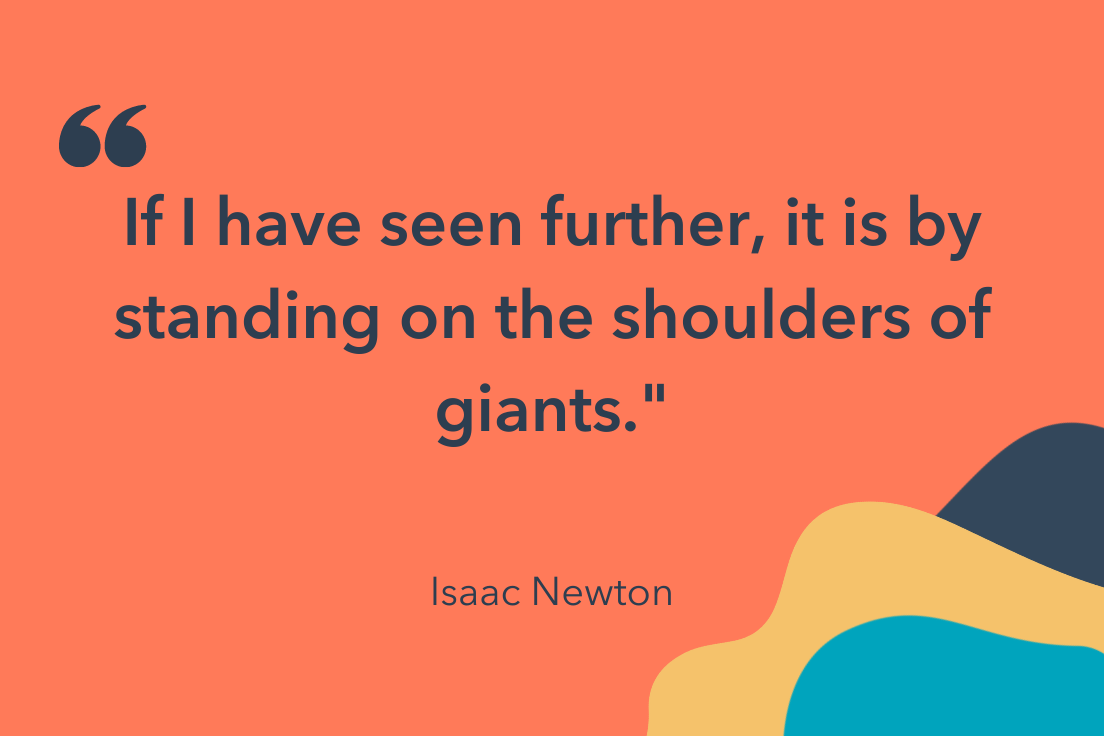 7. “It is the long history of humankind (and animal kind, too) that those who learned to collaborate and improvise most effectively have prevailed.” – Charles Darwin (Click to Tweet!)
8. “Coming together is a beginning, staying together is progress, and working together is success.” – Henry Ford (Click to Tweet!)
9. “Talent wins games, but teamwork and intelligence win championships.” – Michael Jordan (Click to Tweet!)
10. “The strength of the team is each individual member. The strength of each member is the team.” – Phil Jackson (Click to Tweet!)
11. “The best teamwork comes from men who are working independently toward one goal in unison.” – James Cash Penney (Click to Tweet!)
12. “Politeness is the poison of collaboration.” – Edwin Land (Click to Tweet!)
13. “Find a group of people who challenge and inspire you, spend a lot of time with them, and it will change your life.” – Amy Poehler (Click to Tweet!)
14. “Effectively, change is almost impossible without industry-wide collaboration, cooperation, and consensus.” – Simon Mainwaring (Click to Tweet!)
Want more? Read about Fun Corporate Team-Building Activities & Outing Ideas Everyone Will Enjoy.
 15. “Teamwork begins by building trust. And the only way to do that is to overcome our need for invulnerability.” – Patrick Lencioni (Click to Tweet!)
16. “You need to be aware of what others are doing, applaud their efforts, acknowledge their successes, and encourage them in their pursuits. When we all help one another, everybody wins.” – Jim Stovall (Click to Tweet!)
17. “The way a team plays as a whole determines its success. You may have the greatest bunch of individual stars in the world, but if they don’t play together, the club won’t be worth a dime.” – Babe Ruth (Click to Tweet!)
18. “There is no such thing as a self-made man. You will reach your goals only with the help of others.” – George Shinn (Click to Tweet!)
19. “It is literally true that you can succeed best and quickest by helping others to succeed.” –Napolean Hill (Click to Tweet!)
20. “The whole is other than the sum of the parts.” – Kurt Koffka (Click to Tweet!)
21. “A group becomes a team when each member is sure enough of himself and his contribution to praise the skills of others.” – Norman Shidle (Click to Tweet!)
 22. “The ratio of We’s to I’s is the best indicator of the development of a team.” – Lewis B. Ergen (Click to Tweet!)
23. “Individual commitment to a group effort — that is what makes a team work, a company work, a society work, a civilization work.” – Vince Lombardi (Click to Tweet!)
24. “One piece of log creates a small fire, adequate to warm you up, add just a few more pieces to blast an immense bonfire, large enough to warm up your entire circle of friends; needless to say that individuality counts but teamwork dynamites.” – Jin Kwon (Click to Tweet!)
25. “No matter how brilliant your mind or strategy, if you’re playing a solo game, you’ll always lose out to a team.” – Reid Hoffman (Click to Tweet!)
26. “Keep away from people who try to belittle your ambitions. Small people always do that, but the really great make you feel that you, too, can become great.” – Mark Twain (Click to Tweet!)
27. “If you want to lift yourself up, lift up someone else.” – Booker T. Washington (Click to Tweet!)
28. “Great things in business are never done by one person; they’re done by a team of people.” – Steve Jobs (Click to Tweet!)
29. “Individually, we are one drop. Together, we are an ocean.” – Ryunosuke Satoro (Click to Tweet!)
 30. “Cooperation is the thorough conviction that nobody can get there unless everybody gets there.” – Virginia Burden (Click to Tweet!)
31. “None of us, including me, ever do great things. But we can all do small things, with great love, and together we can do something wonderful.” – Mother Teresa (Click to Tweet!)
32. “It is amazing what you can accomplish if you do not care who gets the credit.” – Harry Truman (Click to Tweet!)
33. “It takes two flints to make a fire.” – Louisa May Alcott (Click to Tweet!)
34. “The way to achieve your own success is to be willing to help somebody else get it first.” – Iyanla Vanzant (Click to Tweet!)
35. “If you want to go fast, go alone. If you want to go far, go together.” – African Proverb (Click to Tweet!)
36. “Success is best when it’s shared.” – Howard Schultz (Click to Tweet!)
Need help collaborating effectively? Take a look at 21 Marketing Collaboration Tools to Improve Productivity and Teamwork.
Hard Work Quotes to Inspire Determination
37. “Hard work beats talent if talent doesn’t work hard.” – Tim Notke (Click to Tweet!)
38. “We think, mistakenly, that success is the result of the amount of time we put in at work, instead of the quality of time we put in.” – Ariana Huffington (Click to Tweet!)
39. “When the ideas are coming, I don’t stop until the ideas stop because that train doesn’t come along all the time.” – Dr. Dre (Click to Tweet!)
 40. “Someone once told me growth and comfort do not coexist. And I think it’s a really good thing to remember.” – Ginni Rometty (Click to Tweet!)
41. “Hard work keeps the wrinkles out of the mind and spirit.” – Helena Rubinstein (Click to Tweet!)
42. “Satisfaction lies in the effort, not in the attainment.” – Mahatma Gandhi (Click to Tweet!)
43. “I’m a greater believer in luck, and I find the harder I work, the more I have of it.” – Thomas Jefferson (Click to Tweet!)
44. “Diamonds are nothing more than chunks of coal that stuck to their jobs.” – Malcolm Forbes (Click to Tweet!)
45. “The dictionary is the only place that success comes before work.” – Vince Lombardi Jr. (Click to Tweet!)
I hope these quotes have inspired you to work better with your teams. Remember — teamwork isn’t just about the people, it’s about the tools and processes that will help you minimize redundancies and maximize output. For tools that help you work better, not harder, learn about how HubSpot can help you.


The 8 Best Free Flowchart Templates [+ Examples]
A flowchart template will help you easily map out business processes, improve workflows, and even clarify your organizational structure — without you needing to draw a single line from scratch.
And if you think you don’t need to use flowcharts for business, think again. While bulleted lists, Word documents, or even presentations help, they don’t provide the same level of visual clarity and readability that a flowchart does. Especially if you’re trying to map out a process with different steps or stages.
Before we share the best flowchart templates, let’s answer an important question: what is a flowchart, and what can you use it for?

Flowcharts are ideal for outlining processes, and processes are the backbone of a strong business.
A clear, repeatable process has two major hurdles to a successful implementation in a business. Number one is the development of that process, and number two is getting buy-in from stakeholders on that process. That said, the best way to overcome both of these potential roadblocks is to transparently and logically outline a process.
Many businesses use flowcharts to accomplish this task, as flowcharts visually outline a process roadmap for a full-scope understanding and can be easily digested by employees who need to know and follow the process.
In a business, flowcharts might be used for any of the following purposes:
- Team and organizational alignment: An organizational structure diagram clarifies who reports to whom in your team.
- Data management: A data flow diagram will help you understand how information progresses through your business up until deletion.
- Sales process mapping: Creating a sales process flowchart can help you shorten the sales cycle and increase revenue.
- Email nurturing: Email campaigns are famously dependent on workflows, which are a type of flowchart that decides who gets to be enrolled in a campaign and when.
- Customer journey mapping: A customer journey flowchart shows how customers find you and what their experience is like at your business.
- Customer or employee onboarding: A customer onboarding process flowchart can help you define what messaging to send and when during your customer’s initial interactions with your business.
- A/B testing: When designing an A/B test, you’ll typically use a flowchart to determine how many versions you’ll test and the potential results you’ll get.
You can also use flowcharts for QA-ing work, mapping out your career progression, and much, much more.
To help you create actionable flowcharts for your organization, we’ve listed the best flowchart templates for you to download and start using today to create a better process in any area of your business. Each one comes with a download link for you to start using that template right on Google Slides.
Flowchart Templates for Business
1. Basic Process Flowchart Template
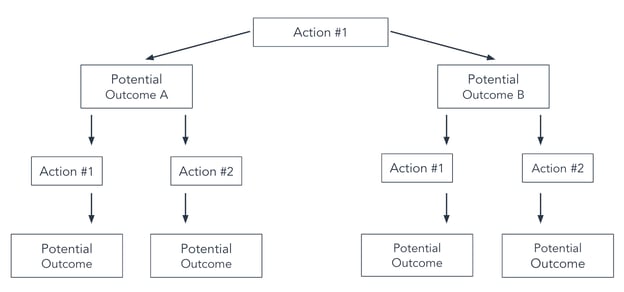
This basic flowchart template is the ideal solution for those just getting started with flowcharts. The template allows its designers to specify a starting point, two potential outcomes, and then the resulting aftermath of those decisions. Due to its limitations, this flowchart template might be best suited for basic processes, like a simple A/B test.
Who should use this flowchart?
This flowchart is helpful for those looking to design an A/B test to determine the best way to get the results they’re looking for.
What We Like About This Flowchart Template
The basic process flowchart is easy to use and follow and is ideal for documenting straightforward or simple processes.
2. Swim Lane Flowchart Template
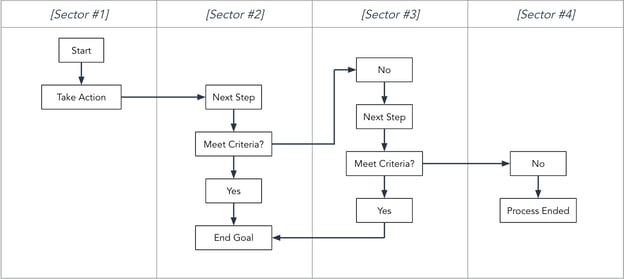
The swim lane flowchart template is designed for dividing up the steps of a process into different sectors. For your business, these different sectors could be time periods, teams, employees, or work requirements.
Who should use this flowchart?
Swim lane flowcharts are particularly helpful for those who oversee cross-functional processes.
What We Like About This Flowchart Template
This template visualizes the different process steps that take place across multiple teams or organizations.
3. Task Flowchart Template
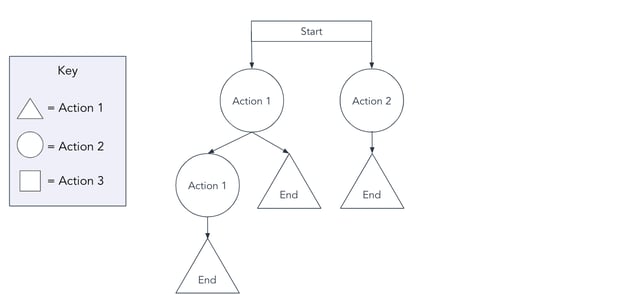
A task flowchart template is differentiated by what each shape on the flowchart represents. This format is beneficial when multiple teams’ work is intertwined throughout the process, as individuals can easily discern the tasks for which they are responsible. These responsibilities are noted in a key on the flowchart for quick reference.
The shapes can also represent different types of actions.
Who should use this flowchart?
Project managers looking to keep track of various tasks and their outcomes.
What We Like About This Flowchart Template
The task flowchart visually depicts how various contributions to a product support the end result. Each stakeholder can see how their tasks impact the flow of the project.
4. Complex Flowchart Template
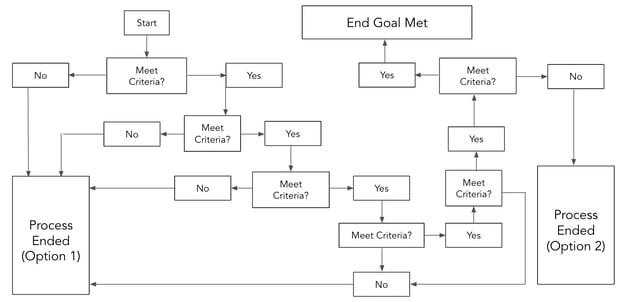
For a flowchart that doesn’t need gridlines or different shapes, this template is the best solution. It provides the option for multiple endpoints depending on which steps are taken throughout the process, and uses simple yes/no answers to drive you toward the end point.
Who should use this flowchart?
Teams looking to manage processes that could have various endpoints or projects that have multiple steps and stakeholders involved.
What We Like About This Flowchart Template
Complex processes can be difficult to keep track of. This flowchart template creates an intuitive visual for multi-step processes and helps you determine if and when you should move forward.
5. Circular Flowchart Template
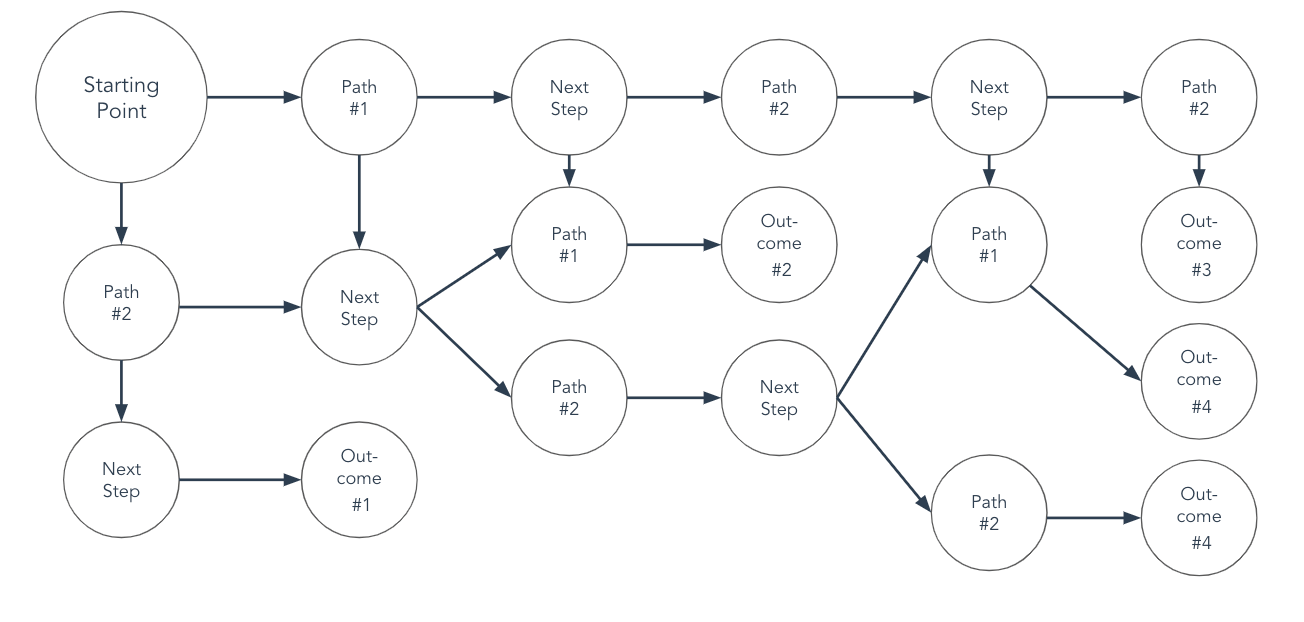
The circular flowchart template changes things up with a different shape, but it also provides a different path structure. It helps you outline both short and long processes, with different outcomes depending on the number of steps required.
Who should use this flowchart?
Social media managers, product marketers, and content strategists may find this template suits their needs.
What We Like About This Flowchart Template
This template has a cleaner appearance than some of the more complex flowcharts and may be better for visual learners.
6. Linear Flowchart Template
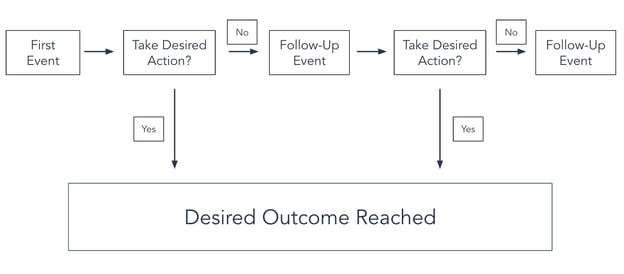
A linear flowchart template is a solution for when there’s only one optimal result. Every step of the process will either lead someone to that outcome, or result in the process simply ending.
Who should use this flowchart?
Email marketing specialists and sales teams would benefit from this template because there’s typically one goal: to earn one more subscriber or earn one more customer.
What We Like About This Flowchart Template
With one singular goal, this flowchart format has a clear beginning and end and makes it easy to outline a simple process.
7. Tree Flowchart Template
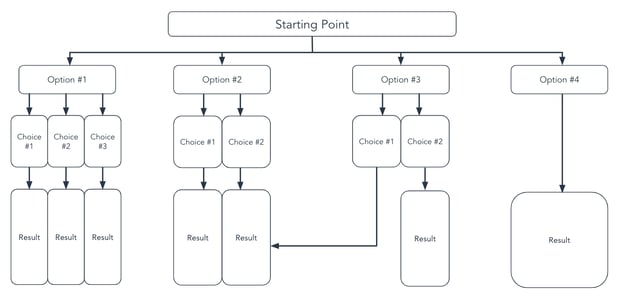
A tree-style flowchart template makes the most sense for situations where there are multiple options and when each option has a clear and distinct next step.
Who should use this flowchart?
For businesses, this flowchart would be perfect for the support department — which can use this template to map out responses from automated chat support or (as outlined above) a phone tree.
What We Like About This Flowchart Template
Each action has a clear next step and a predetermined outcome, but you can add more than two options — which is often not applicable to other flowcharts.
8. Organizational Flowchart Template
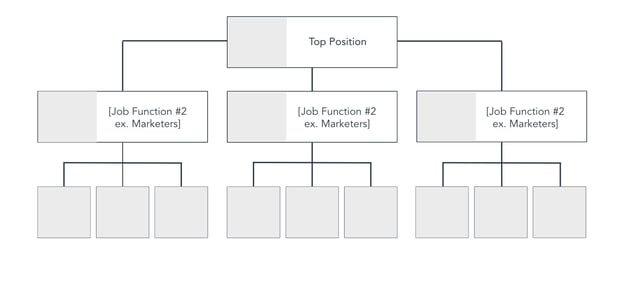
The final flowchart businesses might want to utilize is an organizational flowchart (or org chart) template. This is an essential chart that shows who reports to whom and helps all employees understand their position in the business.
Who should use this flowchart?
This template is utilized by the heads of a company and/or a department to outline the chain of command in an area of the business. It can also be used by Human Resources teams to inform team structure and organizational decisions.
What We Like About This Flowchart Template
Users can see how a team is structured at-a-glance, and can quickly determine who they need to go to for their project or to have their questions answered.
Now that we’ve shared the best flowchart templates, it’s time to look at them in action.
Flowchart Examples for Business
1. Basic Process Flowchart Example

This template visualizes how a user visiting a company’s landing page could convert and become a lead. Notice how there are two potential final outcomes, but because of this chart’s simplicity, you can add as many outcomes as you want. With a flowchart like this, it’s important to have clear, defined goals in mind.
2. Swimlane Flowchart Example

In the example above, the swimlanes are divided by department to illustrate the process of the customer journey. This is exceedingly important for determining which teams need to interact with a customer and when. Without a swimlane flowchart outlining these roles, your customers’ experience with your company can seem haphazard and poorly planned.
3. Task Flowchart Example

In the example above, the different shapes represent the start of, end of, and actions taken during the process of viewing a landing page. This task flowchart example follows an “if this, then that” format, showing the various outcomes that could occur when a potential customer visits a landing page.
4. Complex Flowchart Example

The above hiring visual is an example of a complex flowchart that has various events and potential outcomes. It accounts for two potential outcomes at every stage, and shows with clarity what happens as a candidate moves forward. The colors also make it clear which one is the positive final outcome and which ones are the negative final outcomes.
5. Circular Flowchart Example

In the example above, a circular flowchart is used as a decision-making framework. Here, it’s used to help a social media manager determine which site should be used to post content on. It includes specific, targeted questions that determine the assets the social media manager needs to create, and which social platforms these assets are best suited for.
6. Linear Flowchart Example
A linear flowchart can be used for processes that have only one desired outcome. In the above example, it’s for an email nurturing sequence. In the image, the process ends whether someone signs up for an event or not. A time-bound (or finite) email nurturing sequence is especially a good fit for these types of flowcharts. For continuous email marketing campaigns, you might need a more agile flowchart where you can determine when to move a subscriber to another email list.
7. Tree Flowchart Example

In this tree flowchart example, a business depicts the various options and next steps a caller can take when contacting them via telephone. Notice that there are various end points for the customer depending on their previous action. A flowchart like this is useful if you’re trying to outline a process with different “branches.” For instance, you might create a landing page flowchart that determines which form or CTA is depicted to a customer based on their previous activity on your website.
8. Organizational Flowchart Example

While not exactly procedural, this visualization helps those within the company quickly understand who reports to whom and who is responsible for what. The best part of this example is that it can be as a detailed or as simple as you’d like it to be; you can go down to your junior individual contributors or simply outline your leadership map.
Using Business Flowchart Templates
Business flowchart templates are the fastest and easiest way to build flowcharts. All of the above templates are downloadable and are completely customizable when it comes to shape, format, color, and imagery. Click below to download the templates for free to better illustrate and communicate processes in your company.
Editor’s note: This post was originally published in July 2018 and has been updated for comprehensiveness.

20 Digital Marketing Ebooks Marketers are Reading in 2022
The digital marketing industry is always changing. That’s why it’s important for marketers to commit to learning as much as possible about digital marketing and emerging trends. But … who has the time?
Enter: the ebook.

If you want to expand your knowledge of digital marketing from reputable thought leaders, but have limited resources, or don’t even know where to start, this post is for you. We’ve compiled some awesome ebooks on the ins and outs of digital marketing, from SEO, to content building, to beginner’s guides.
1. Digital Marketing for Small Business by HubSpot

For this ebook, HubSpot teamed up with the experts at MOO to build a guide aimed at small businesses. It provides everything startups need to know about inbound marketing and gives a great scope of how to test, learn, and grow in an online marketing landscape.
This ebook takes readers through accessible ways to maximize resources and get the greatest benefit from marketing. Need help with channels like Facebook, Google, and Twitter? “Digital Marketing for Small Businesses” has you covered.
Why We Like This Ebook
If you’re looking for a one-stop-shop for how to start a functional digital marketing strategy from the ground up, this ebook is for you. It even provides templates and concrete examples that will help you organize your strategy.
2. The Social Media Trends Report by HubSpot

This 2022 report from HubSpot and Talkwalker gives readers the rundown on what to expect from current social media trends. Get insights from industry insiders, and learn how to adapt your marketing strategy to take advantage of the ever changing social media landscape.
Why we like this Ebook
This report gives readers the inside scoop about how TikTok and the Metaverse are changing social media marketing and advises how to adapt your strategy to drive the most ROI on your efforts.
3. Advanced Technical SEO: A Complete Guide by Search Engine Journal

Already familiar with basic SEO principals and ready to level up? This advanced guide from Search Engine journal is just what you need. This guide goes over SEO-friendly URL best practices, 404 errors, XML sitemaps, HTTP status codes and more. It’s a one-stop-shop for all of your technical SEO needs.
Why we like this Ebook
This ebook gives readers the tools they need to improve page speed and perform an in-depth website audit to improve overall website health and performance.
4. SEO for Video by Simplilearn

This ebook from Simplilearn is a great choice if you are looking to improve your existing video marketing strategy or create one from scratch.
Video content has proven to be far more engaging than written text, with platforms like YouTube getting more than 2 billion users per month.
This guide gives you a quick and accessible overview of how to use YouTube Studio, target the right keywords for your business, and how to track video performance.
Why We Like This Ebook
This ebook teaches marketers how to create a video content strategy that works and how to use tools like YouTube Studio to manage and track your video’s analytics.
5. Content Marketing: The Ultimate Beginner’s Guide to What Works by Search Engine Journal

The team at Search Engine Journal put together a comprehensive ebook that focuses on how to build a content marketing strategy for those just getting started. Content marketing encompasses lead acquisition and the growth of your business — but only if it’s done effectively.
This ebook is for anyone who wants a content marketing strategy that’s successful.
Why We Like This Ebook
It provides readers with an understanding of the value of content marketing and how to maximize your resources so you get the most bang for your buck.
6. How to Build a World-Class Internet Lead Generation Program by Peter Geisheker

If you want to know how to attract more target customers to your online business this ebook will prove useful. Author Peter Geisheker gives a crash course in improving lead generation correctly.
You’ll receive actionable tips about attracting customers, social media marketing, and how to retarget content to generate leads. Additionally, this ebook talks about how sales funnels work online and how having an online advertising plan in place helps drive website traffic.
Why We Like This Ebook
This book provides step-by-step instructions for how to build a lead generation program, making it a great option for newcomers. Additionally, it provides tips for how to lower your online advertising costs.
7. Make the Click Count: Your Guide to Building Demand Generation Experiences That Convert by Uberflip

Up your lead nurturing game with this ebook from content marketing platform Uberflip. Get the most out of your leads by learning best practices when it comes to personalizing content and creating experiences that your visitors enjoy.
Additionally, this guide goes over the basics of scoring leads and A/B testing to help users pin down what is and isn’t working for their campaigns.
Why We Like This Ebook
If you’ve hit a plateau with email marketing, this ebook will teach you other strategies, including nurture sequences, to get out of your slump.
8. The In-Depth Guide to Creating Effective Inbound Markeitng Campaigns by HubSpot

In this ebook, you’ll learn the best practices for digital marketing using Hootsuite, Litmus, monday.com, Canva, Hopin, and Google Suite to take your campaign from ideation to launch.
With so much to manage in the marketing landscape, you’ll learn quick, easy ways to become a rockstar at managing a wide range of tools, which streamlines marketing activities on a digital landscape. You’ll learn how to design conversion paths, become comfortable creating materials with Canva, and how to measure the success of your campaign.
Why We Like This Ebook
This guide presents concrete examples of how your marketing team can use all the tools listed above to create, manage, and analyze campaigns — giving you everything you need to know from start to launch.
9. Complete Guide to Crushing Your Influencer Marketing: Influencer Marketing Blueprint by Shane Barker

Unsure about the true benefits of leveraging influencer marketing? Let this guide by Shane Barker lessen your uncertainty. It puts a digital marketing lens on the ins and outs of using influencer marketing to your advantage.
You’ll learn how to create a compelling pitch, find the best influencers for your niche, and how to determine ROI on your efforts.
Why We Like This Ebook
This ebook gives you a full understanding of how to effectively use influencer marketing to boost the ROI of your digital campaigns, from picking the right influencers to crafting compelling pitches.
10. The Marketer’s Guide to Facebook by Contently

Contently, a content planning platform, offers a guide about executing a fully-fledged Facebook marketing campaign using the platform’s suite of tools. Facebook, now Meta, has a pretty intuitive marketing toolkit, but using it effectively can be an uphill battle — this ebook resolves that.
It’ll give you a deep dive into how Facebook works when aligned with marketing strategies and puts a content marketing lens on how to engage new and current customers. If you want to learn how Facebook’s tools can be useful to you from top to bottom, then this ebook has what you need.
Why We Like This Ebook
This ebook gets down to the nitty-gritty when it comes to advertising on the Facebook platform from choosing in-feed or rail placement, to the ins and outs of targeting.
11. The Beginner’s Guide to Online Marketing by Wrike

This guide walks you through how online marketing has changed over the years, and it brings you up to speed about how to be a master online marketer in today’s ever-changing landscape. You’ll learn how to leverage email, Twitter, and YouTube to create an effective marketing strategy.
Why We Like This Ebook
This book will show you how to develop new approaches to digital marketing, how to use tools that are a necessity, and how to keep track of what will help your company the most.
12. The Definitive Guide to Lead Generation With Facebook Ads by AdEspresso

AdEspresso’s ebook focuses on lead generation targeting only one channel: Facebook Ads. This book will guide you through the process of expanding your reach and finding new audiences using Facebook Ads. It also provides strategic insight into how to use the tool in a way that maximizes ROI.
You’ll also learn how to leverage Ad tools to engage your audience, and dive into lead nurturing, building landing pages, and how to manage your campaigns. If you want to learn more about how to perfect your Facebook Ads strategy, this ebook will help tremendously.
Why We Like This Ebook
This strategies in this book are applicable to several sectors including ecommerce, marketing agencies, and small businesses.
13. Beginner’s Guide to SEO by Moz

This series of articles put together by the team at Moz is formatted like an ebook. It provides readers with a detailed introductory lesson on how to use SEO to grow your business.
It gives an in-depth tutorial about how search engines work. Additionally, this ebook provides the fundamentals of how to make your website compatible with search engine results. You’ll become familiar with keyword research and how your content affects search engine rank.
Why We Like This Ebook
This Moz guide explains strategies for making the content you provide to audiences more search-engine friendly, enabling you to develop an understanding about how your target audience interacts with search engines.
14. Get Inspired: 40 Examples Driving Content Marketing Forward by Content Marketing Institute

If you’re comfortable with content marketing, but could use some inspiration for your next campaign, this is a great resource. Get Inspired pulls examples from 40 B2B and B2C organizations who outshined the competition with their marketing efforts.
This ebook is easy to read, and you’ll find out how to organize your content planning and up your brand presence online.
Why We Like This Ebook
By showing examples of how other brands are using different creative formats and marketing angles, readers can take what works and implement similar strategies in their own campaigns.
15. Introductory Digital Marketing Guide by Simplilearn

This ebook gives you an expansive history of digital marketing and why the landscape has morphed into what it has today. After you gain this understanding, the guide will take you through the different channels you can use for digital marketing, such as blog, social media, and your own website.
You’ll learn the importance of understanding your target audience and how your strategies must place the customer at the center.
Why We Like This Ebook
Great for beginners, this book gives an overview of the digital markeing industry as a whole, and the career opportunities available within it.
16. The Marketer’s Guide to TikTok for Business by HubSpot

If you’ve previously thought of TikTok as just a dance app for teens, you’re missing out. The platform has over 1 billion monthly users across 150 countries. Savvy marketers and businesses have taken notice of the app’s popularity and the platform has quickly become an asset for companies looking to market their products.
For newbies, this guide explains how to use the platform from scratch. You’ll learn the basics about the types of TikTok ads you can create and how to market your business on the platform.
Why We Like This Ebook
This ebook offers tips on all aspects of TikTok video creation from length to captions to accesibility guidelines. If you’re new to the platform, this guide has you covered.
17. 5 Ways to Boost Sales From Online Ads by Goldiata Agency

If you’re a business owner who’s dabbled in digital advertising previously, but didn’t get the resuts you’d hoped for, this report from the Goldiata Agency is for you.
This guide will teach you how to use Google, Facebook Groups, and industry forums to tap into your prospects’ interests and create advertising that appeals to them. Learn how to write better copy and provide value to prospects to get them to convert.
Why We Like This Ebook
This ebook is great for newcomers just getting started and also those who have tried and failed as it teaches readers how to properly target and convert buyers.
18. The Ultimate Guide to Increasing Your Google Rankings by Web Ascender

This is a great resource for those new to SEO as this ebook gives a good overview of how Google ranks your content and what you can do to improve your rankings. You’ll learn about keywords, content marketing strategies and how to measure your efforts.
Why We Like This Ebook
This is an easy to read guide that walks you through basic SEO strategy and how to track your metrics. It’s a good starting point for those just gettting started with SEO.
19. A Field Guide to the 4 Types of Content Marketing Metrics by Jay Baer

Do you want to have a robust understanding of how to measure the ROI of your marketing efforts? This ebook demystifies metrics reporting and shows you how to use content marketing to meet your business objectives.
Why We Like This Ebook
Author Jay Baer explains exactly how to analyze lead generation metrics, sales metrics, consumption metrics, and sharing metrics — making it a great choice for new marketers looking to better understand reporting.
20. The $10 Digital Media Startup Ebook by Micheael J. Schiemer

If you’re building your business from the ground up and need a little help, this guide is aimed at guiding you through how to begin that process. This ebook is for those starting at level zero with building an online digital media strategy.
It’ll walk you through fleshing out a social media strategy, SEO, influencer marketing, and how to become a successful digital entrepreneur. If you’re in the space where you have to multitask in order to get your business up and running, consider giving this ebook a look.
Why We Like This Ebook
The $10 Digital Media Startup is great for beginners since the information is easy to understand for newcomers and covers all the bases of social media strategy and SEO in one book.
Up Your Digital Marketing Knowledge
Whether you choose a few of these ebooks or many, they all dive into important aspects of digital marketing. Because we are in a landscape that is continually changing, keeping up-to-date on those industry changes and trends is a necessity to properly execute your job and provide value to customers.
Editor’s Note: This article was originally published in May 2020 and has been updated for comprehensiveness.

A Quick Guide to Conditional Formatting in Excel
Let’s pretend you have a spreadsheet with 1,000 rows of data — it would be pretty difficult to spot patterns in the data with the naked eye. Enter conditional formatting.

This powerful tool highlights cells that meet a specific condition or “rule.” In other words, it brings your spreadsheet to life by adding color to patterns and trends.
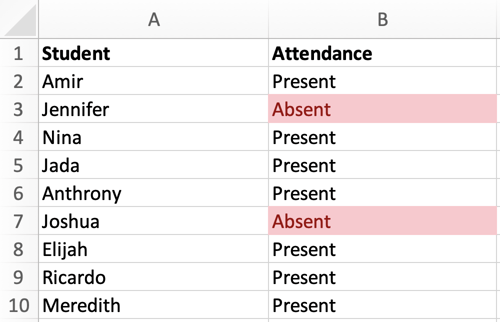
Here, we’ll cover how to apply, edit, and copy and paste conditional formatting.
Conditional Formatting Based on Text
In this example, let’s use conditional formatting to an attendance list to highlight who was absent. The image below is the data set I’ll use to run through this explanation:
1. First, select the column or row you want to apply conditional formatting to. In this case, we’ll select column B.
2. To highlight who was absent, navigate to the header toolbar and select Conditional Formatting, as shown in the image below.

3. When the Conditional Formatting drop-down menu appears, select Highlight Cells Rules, then Equal To.
4. In the New Formatting dialog box, change Cell Value to Specific Text. Then, type “Absent” in the text box. Reference the image below:
5. From the New Formatting dialog box, we can also choose how we want to format the cells containing the word “Absent.” Check out the options below.
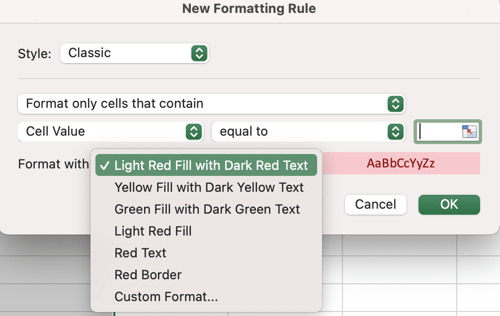
For this example, let’s stick with the default option (Light Red Fill with Dark Red Text).
6. Click OK. Now — thanks to conditional formatting — we can quickly identify which students were absent.
In the next section, we’ll cover how to apply conditional formatting based on another cell in the spreadsheet.
Conditional Formatting Based on Another Cell
In this example, the goal is to highlight the cells that match the drop-down menu in cell E1. The image below is the sample data set I’ll use for this explanation:
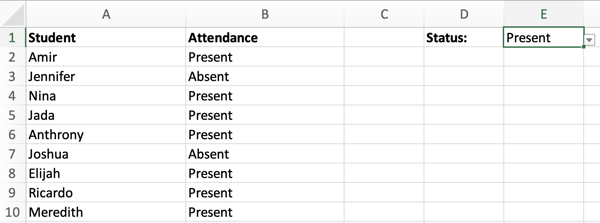
1. First, select column B.
2. Navigate to the header toolbar and select Conditional Formatting. When the Conditional Formatting drop-down menu appears, select Highlight Cells Rules, then Equal To.
3. In the New Formatting dialog box, select Cell Value and Equal To.
In the text box, you can either click your mouse on cell E1 (the cell that contains the drop-down menu), or manually enter the formula =$E$1. See below.
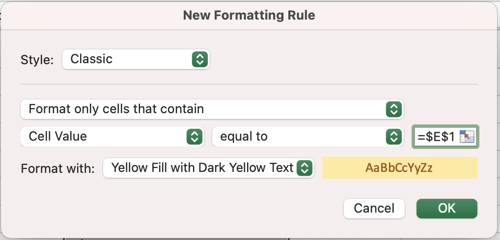
4. As you can see in the image above, we also changed the formatting to Yellow Fill with Dark Yellow Text. However, you can change this option to your preference. Click OK.
5. Now, the cells that match cell E1 are highlighted in yellow. Notice how the highlighted cells change depending on the status:
- When the status is Present:
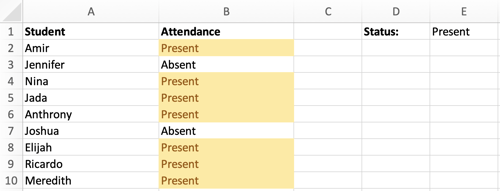
- When the status is Absent:

How to Edit Conditional Formatting
Here’s some good news — conditional formatting is not set in stone, meaning you can edit or delete it later. Here are the steps to do that:
1. Start by selecting the cell (or cell range) that contains a conditional formatting rule.
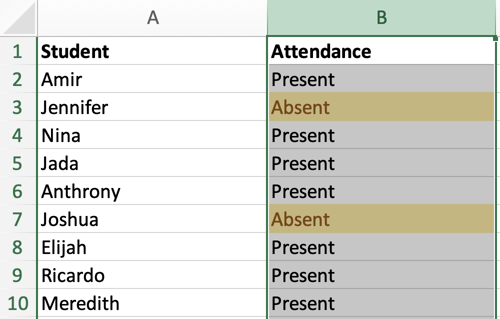
2. Navigate to the header toolbar and select Conditional Formatting, then Manage Rules.
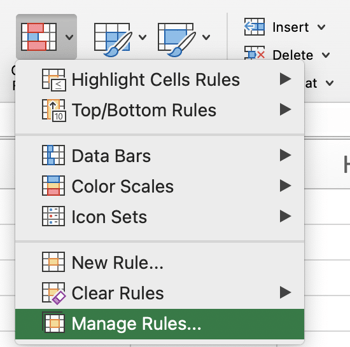
3. The Manage Rules dialog box will list the current rules for your selection. Select the rule you want to edit and click Edit Rule.
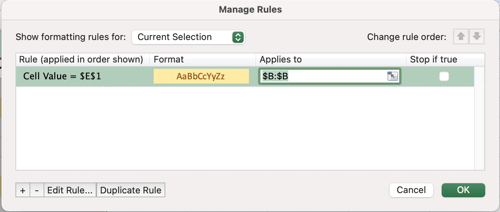
How to Copy Conditional Formatting in Excel
You can easily copy a conditional formatting rule to another cell to (or range of cells) by using one of the following approaches.
1. Simple copy/paste.
The first approach is relatively straightforward. Start by selecting the cell you want to copy and hit the Copy button in the header toolbar — or click Control-C (or Command-C on a Mac).
Then, select the target cell and hit the Paste button in the header toolbar, or click Control-V (or Command-V on a Mac).
2. Format Painter
The second approach uses the tool Format Painter, which is located in the header toolbar. Check out the image below:

To start, click on the cell you want to copy, then click Format Painter. Your mouse icon will change to a paintbrush. Then, drag the paintbrush to the cell (or range of cells) where you want to paste the format. Lastly, to stop using the paintbrush, press Esc on your keyboard.
Conditional formatting is a powerful way to visualize the data in your spreadsheet. With just a few clicks, you can emphasize important trends or patterns you may have otherwise missed. With the tips in this post, you’ll be able to use Conditional Formatting to its fullest extent.

How To Add a Sparkline in Excel
Excel is a great tool for all of your marketing needs. You can create graphs to visualize your data, use formulas to calculate conversion rates, or even create social media calendars.
You can also monitor trends in your marketing campaign data and, in this post, we’ll explain how to do so with the sparklines tool.
Already know what you need? Jump there with our Table of Contents.
- How to Add a Sparkline in Excel
- Create a Column Sparkline in Excel
- How to Ungroup Sparklines in Excel
- How to Mark Data Points in Sparkline Charts
- How to Color Code Excel Sparkline
What are sparklines in Excel?
Sparklines are charts in individual cells that provide visual representations of trends in your sheet data. For example, if you track month-over-month progress, a sparkline can show you how each month compares to the other.
There are three different sparklines you can add to your Excel spreadsheets: line, column, and win-loss. The image below is an example of a line.

For this walkthrough, we’ll use a sample data table (shown below) that tracks views, conversions, and leads generated from a marketing campaign.

Let’s go over how to add your own.
How to Add a Sparkline in Excel
1. Select the cells you want represented in your sparkline chart. In this example, I’ve selected all the cells between B2 and I2.
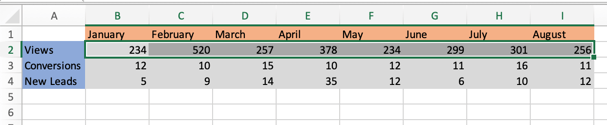
2. In the header toolbar, select Insert, then Sparklines.
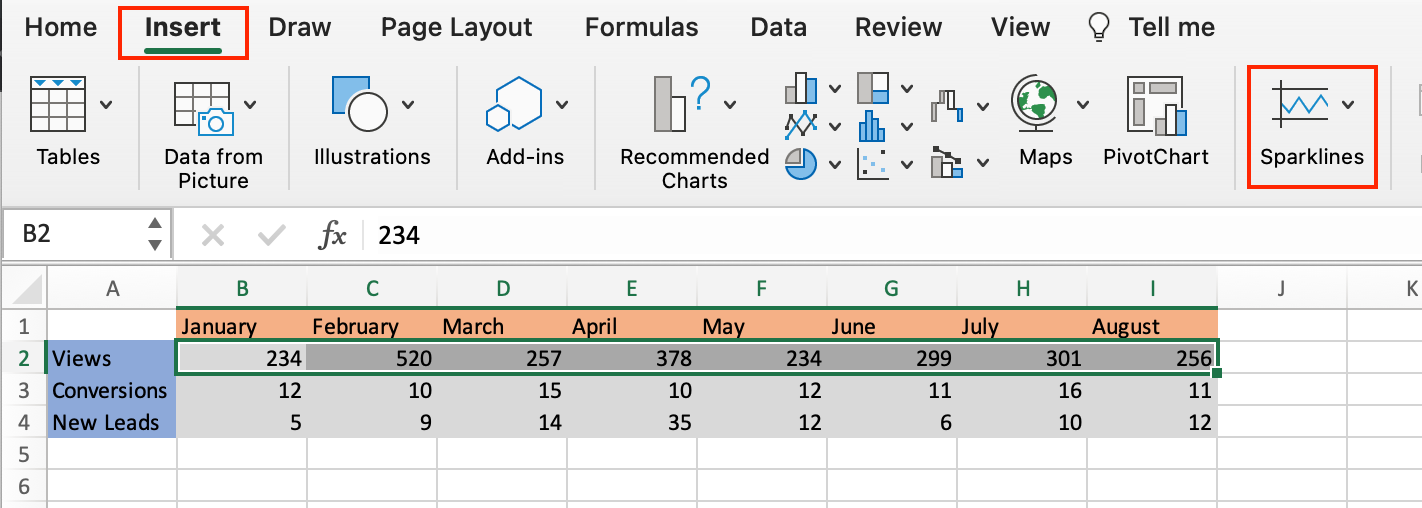
3. You should then see a dropdown menu where you can select the type of sparkline chart you want: line, column, or win-loss. I selected a line for this example.
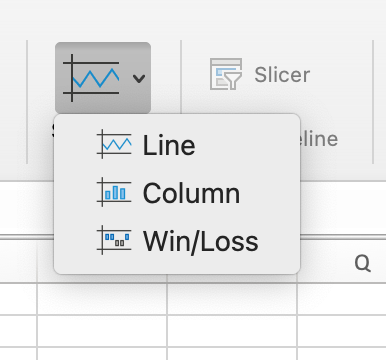
4. After you select your preferred chart, you’ll see a dialogue box appear (as shown below). In the Select where you want to place the sparkline box text field, enter the cell that you want the sparkline chart in.
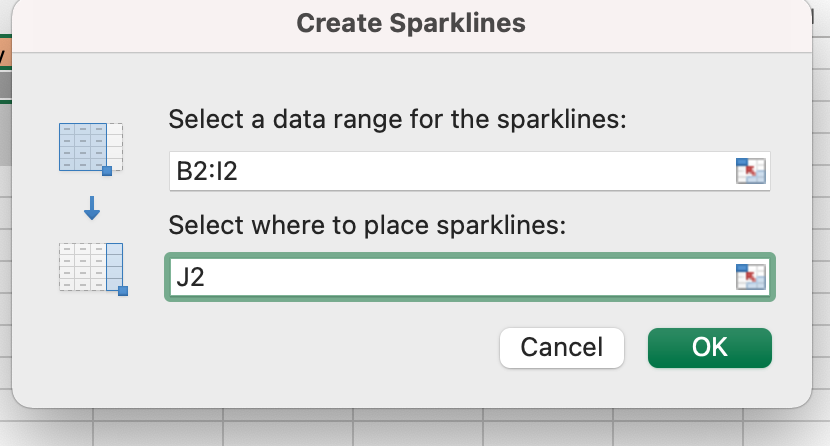
It’s best practice to have the sparkline immediately next to the string of cells you’re creating the chart for so you can get a full visualization and quickly refer back to your data.
For this example, I selected cell J2.
5. Your sparkline chart should appear in the cell you selected. The image below is the sparkline for my sample data set, and it shows the trend in views over time for my marketing campaign.
 Below we’ll go over the steps to creating a different type of sparkline.
Create a Column Sparkline in Excel
If you want to use a column sparkline in Excel, repeat steps one and two from above. When the sparkline selection box opens, select column instead of line. The image below is a column sparkline.
 Follow the same process if you want a win-loss sparkline. The image below is an example of what this chart looks like.
How to Ungroup Sparklines in Excel
You’d want to ungroup sparklines in Excel if you want each of your rows to have a different sparkline. For example, if you want rows two and four to have a line chart, but row three to have a column. Let’s go over the steps.
1. Right-click on the sparkline you want ungrouped. For this example, I right-clicked on column J3.
2. In the popup menu, select Sparklines, then Ungroup.
3. Click on the sparkline you want to change, navigate to the Sparkline header toolbar, and make your chart selection.
The image below is an example of what it looks like when you ungroup sparklines and use different charts.

Format a Sparkline Chart in Excel
A benefit to using Excel is that you can always format your spreadsheets to your liking, and this goes for Sparklines too. Let’s go over some formatting changes you can make.
How to Mark Data Points in Sparkline Charts
1. Select the sparkline you want to edit and navigate to the Sparkline header toolbar and select your preferred data marker, as shown in the image below.
If I select High Point, my corresponding sparkline chart will have a marker displaying the month with the highest view count.
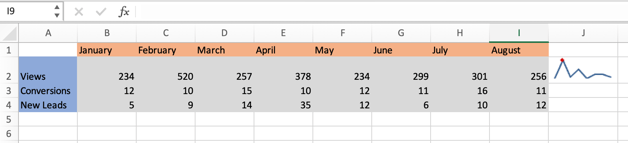
How to Color Code Excel Sparkline
Select the sparkline you want to edit and navigate to the right-hand side of the Sparkline header toolbar, as shown in the image below.
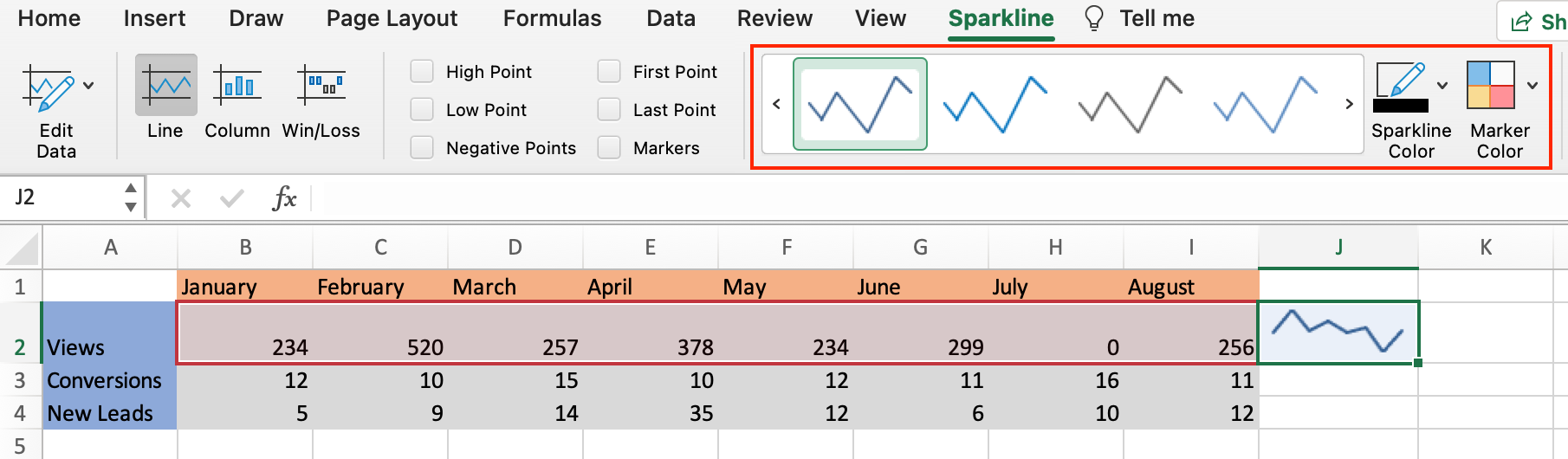 You have the option to change the color of your sparkline, the color of your markers, and the weight of your sparkline.
Over To You
Now that you know how to create a sparkline chart, you can expertly monitor trends in your marketing campaigns that will help you quickly view the success of your processes.
