29 Free Resume Templates for Microsoft Word (& How to Make Your Own)
No matter what industry you work in (or your experience level in that industry), a plain, black-and-white resume written in Times New Roman font just doesn’t quite cut it anymore.
But just because resumes have gotten more creative doesn’t mean you need special design software to make your application stand out. On the contrary, writing your resume in good old Microsoft Word is still the perfect way to develop your personal brand, while also communicating your experience and career goals.

Read on to find out how to make your resume in word, then download one of these amazing resume templates that open directly in Microsoft Word.
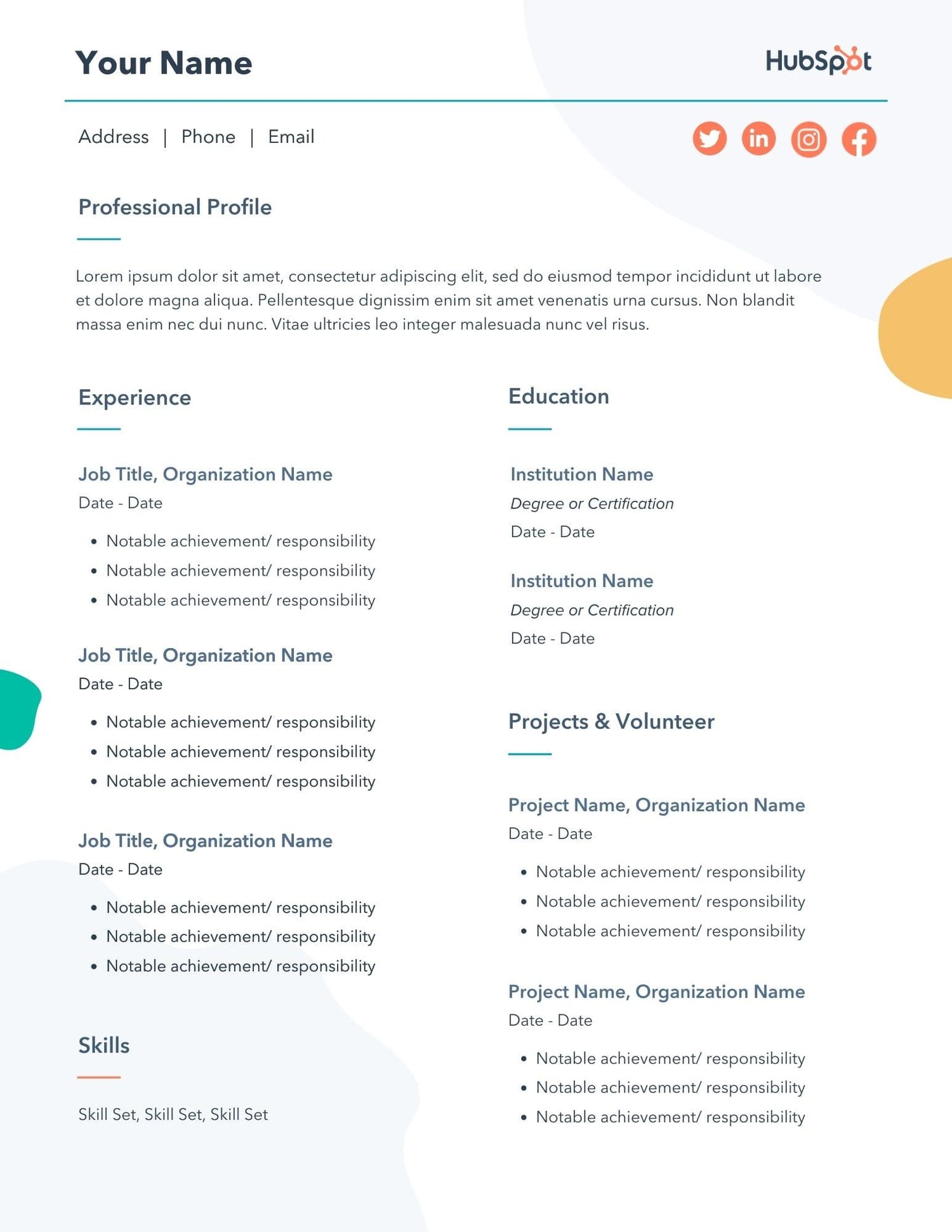
Download 12 free, editable resume templates.
1. Open Microsoft Word on your computer.
If you have Microsoft Word installed on your computer, open the program and let it load for a moment. There will be a couple of helpful options waiting for you on the first screen, specifically for resume creation.
2. Select either “Basic Resume” or “Bold Resume” from the template menu.
Once you’ve launched MS Word, a window of templates will appear. Scroll down until you see the template options designed for resumes — there will be at least two of them. Double-click the one that suits your style and personal brand, but don’t be too particular about design just yet … you can customize these templates quite a bit.
3. Fill in your name and contact information at the top.
When your resume template opens, you’ll see placeholder text for each line of your resume, starting with your first and last name at the top. Delete this header text and enter your name, as well as any contact information by which you want the recruiter to contact you.
4. Draft a brief summary of your experience and goals.
Use the first line below your name and contact info to describe who you are, what you do, and what you’re looking for in your career.
5. Enter your school and latest education.
List any relevant degrees or certificates you received through schooling. You can safely exclude secondary education if you’ve graduated from an accredited college.
6. Describe each job you’ve held using the lines prompted on the template.
Your professional experience is frequently the most important section of your resume, so feel free to rank this section above your skills and education, depending on how many jobs you previously held.
7. List all relevant skills.
If you have experience in certain software, exercises, problem-solving, or management techniques, use them to populate your skills. Your resume’s “Skills” section helps reveal what all of your previous jobs or related experiences have in common, based on what they taught you and what you provided them.
8. Describe any relevant accolades and accomplishments.
Finish out your resume with any personal accomplishments or accolades you think a hiring manager in your industry would appreciate. Although this section shouldn’t include a Most Improved recognition from little league, for example, it should definitely include your Marketer of the Month award from your last position.
Next, let’s cover how to format your brand-new resume in Word.
How To Format a Resume in Word
When formatting a resume in Word, it’s important to know the right style. We’ll go over it piece by piece.
Set the Right Margins and Font Size
Your resume should contain one-inch margins on all sides. Most documents will automatically have one-inch margins, but it’s best to double-check or create them yourself. Here’s how to create one-inch margins for your resume:
- Go to “Layout.”
- Click “Margins.”
- Click the “Normal” setting, where it states 1” on the top, bottom, left, and right sides of the document.
Lastly, make sure your font size is 12-pt. This font size is standard for most resumes. However, if you have a particularly long CV, you could potentially get away with an 11-pt font size to fit it all on one page.
Create Headers
You should separate each section (i.e., education, work experience) with a header.
Create a header in Word by selecting “Styles”. You can use “Header 1” for your first and last name at the top of the page. “Header 2” is great for the “Education” section, “Work Experience” section, and “Skills” section. Use “Header 3” for employer names and job titles, and use normal text to fill in the details of your accomplishments, skills, and educational background.
Create Dividers
If you want to visually divide your resume into different parts, you can create dividers to split up the information and make your resume more scannable. Here’s how to add dividers:
Go to “Insert”, select “Illustrations,” and then click “Shapes”. You can select “Lines” to draw a line in Word. Another shortcut to create dividers is pressing the “=”, “_”, or and “*” three times and hitting enter. These give a variation of dividers that can add dimension to your resume.
Create Bullet Points
The truth is, no hiring manager will read a paragraph of information, so we recommend using bullets instead to list your accomplishments and responsibilities underneath your job titles. When you open “Paragraph,” you’ll see a variation of bullet points you can use. Choose the one you like best.
Sometimes, you might not have time to create and format a resume from scratch. Plus, if you’re already employed full-time, it’s hard to find the time to apply to a new job opportunity, let alone update your resume to reflect your qualifications.
Luckily, there are numerous publishers out there who’ve created incredible resume templates for quick editing and formatting in Word.
You can also find resume templates directly in Word, which we’ll go over next.
To keep you from hunting the internet for resume templates that are both free and compatible with MS Word, we’ve listed some options below for you to customize with your own information right now.
Some of them come with variations so you can pick your favorite design. A few of them cater specifically to marketers.
Free Resume Template Downloads for Word
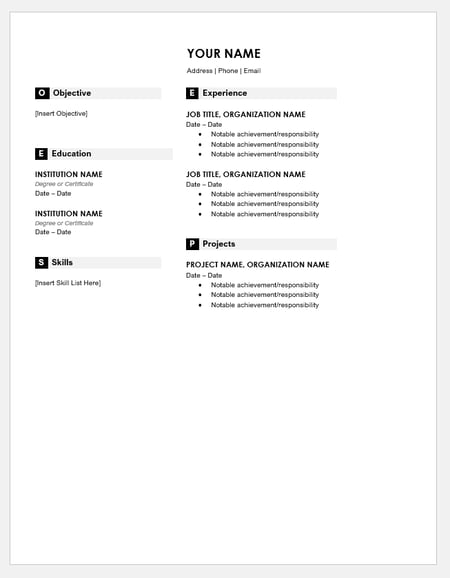
1. Monogram Header Resume Template
Download this template here.
We’ll start with a simple one. This is a HubSpot exclusive resume template that is simple and clean with attractive monogrammed headers to call out each section of the resume. The rest of the design relies on a simple serif font for easy reading, which is a good thing considering that hiring managers only take 7.4 seconds to evaluate a resume. You want your experience section to be easily scannable.
Recommended For: Freelancers
This resume template is best for freelancers. The project section is great for showcasing the skills that would be most applicable for the industry the applicant wants to enter.
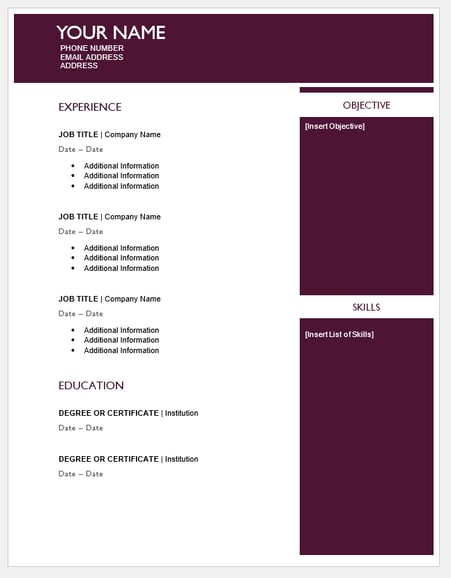
2. Maroon Sidebar Resume Template
Download this template here.
Pulling your more text-heavy information off to the side in an attractive color-blocked sidebar, this resume lets your experience stand for itself in white space at the top. It’s also easily customizable with no difficult-to-manipulate tables or formatting. The sidebars are in movable text boxes that can even be removed if you wish.
Recommended For: College Graduates
This template is best for young professionals starting their career. This adjustable resume template can give you full customization options for your first resume.
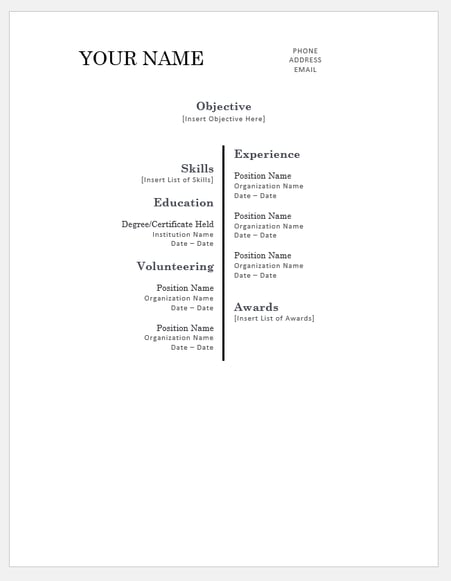
3. Centered Bar Resume Template
Download this template here.
This resume takes on a different look than most resumes, centered around a single bar. This makes the resume more visually striking, which could draw attention as hiring managers are evaluating candidates. It also puts emphasis on the objective with your chronological experience supporting it underneath. All of this is in an attractive serif font that is elegant and classy.
Recommended For: College Graduates
This template is great for college graduates to demonstrate their most recent accomplishments. The “Objective” section will help you showcase where you are trying to go in your career.
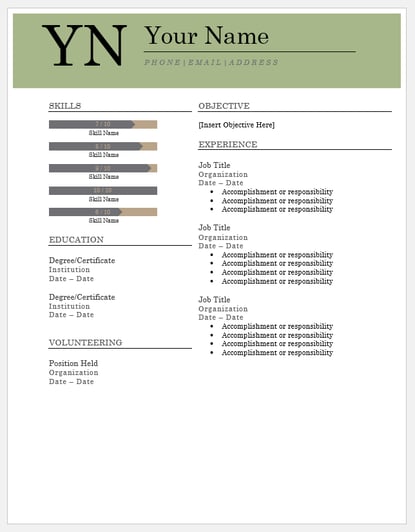
4. Bold Serif Resume Template
Download this template here.
Speaking of serif font, this resume puts forward an element of grace and formality with its font choices. It’s perfect for individuals who are looking for more organic color than the ones more typically found in resumes, and the colors are also easily changed in Microsoft Word’s theme settings. It also includes a skill-level bar, adding a nice visual touch to the template.
Recommended For: College Students
This template is great for college students to demonstrate their internship experience. The volunteering section gives a rounded viewpoint of your accomplishments if you are just leaving college.
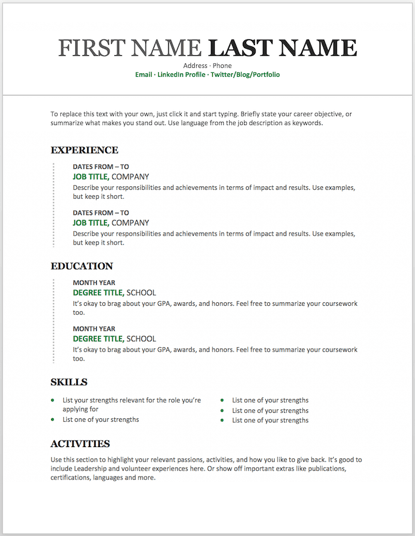
5. Modern Chronological Resume Template
Download this template here.
This resume template is available from Microsoft itself, and it’s one of many free templates the company has prepared for those who depend on Microsoft Office tools to create content. Yes, it is written in Times New Roman — don’t freak out.
Designs like this can borrow an old-school typeface and still impress recruiters with a clean layout and subtle use of color. You can also change the font if you wish (and the same goes for every template in our list).
Recommended For: Developers
The “Skills” section is perfect for candidates in the tech industry. A candidate can showcase the languages they are fluent in and show a variety of accomplishments, successfully demonstrating their capabilities as they move into a new industry.
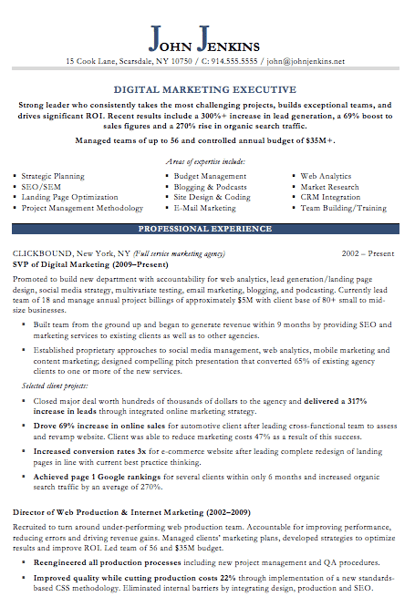
6. Digital Marketing Resume Template
Download this template here.
The digital marketing resume below comes from our own collection of resume templates, all of which open directly in MS Word.
Coming with two pages total, this sheet holds a wealth of information and offers the perfect amount of style while maintaining professionalism. Mid-level marketers all the way up to CMOs can find this template valuable.
Recommended For: Mid-Level Marketers
In this resume template, mid-level marketers can effectively showcase a variety of their skills, as well as their portfolio and other media pieces.
7. Simple and Clean Resume Template
Download this template here.
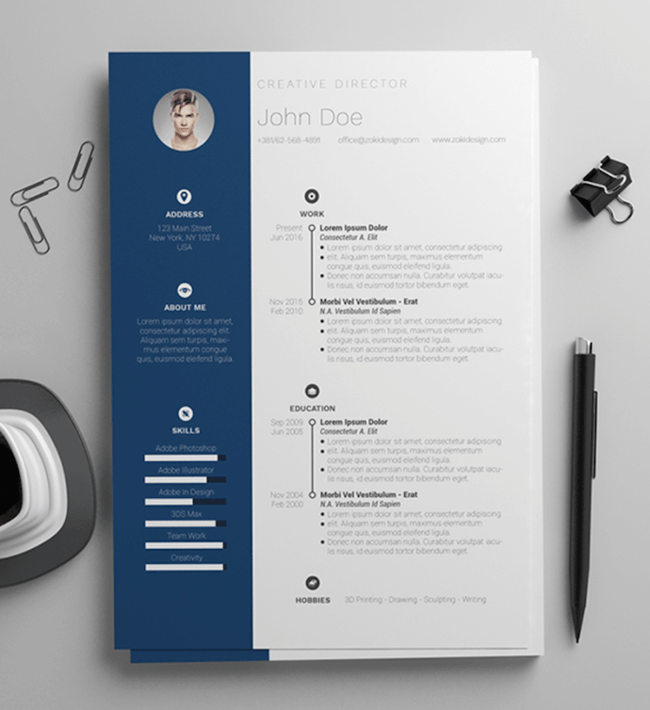
This template is the perfect balance of creative and modest — best for the professional who wants to seem casual, thoughtful, but not over the top.
Not only does it feature a space for a headshot on the top-left, but you can customize the color of that entire panel. Created by Zoki Design, the resume template also comes with a matching cover letter template.
Recommended For: Junior to Senior Executives
If you have years of professional experience behind you, it’s smart to showcase the bulk of them without making the resume look dense with information. This design allows junior and senior executives to illustrate their authority and expertise in a clean, streamlined package.
8. Black and White Resume Template
Download this template here.
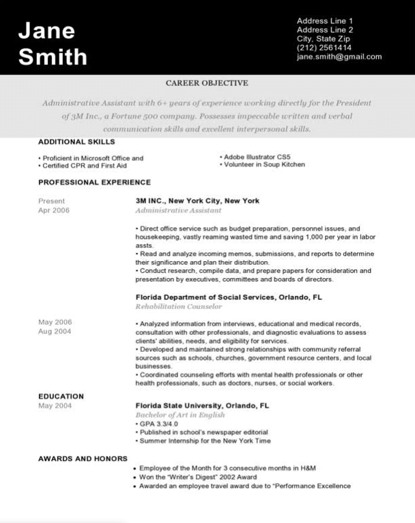
The Black and White resume template below suits professionals who prefer using color and shading to add structure to their resume.
The black banner at the top contrasts the applicant’s name nicely to help make him/her more memorable to recruiters. The gray banner just below the header is perfect for a summary or career objective — it makes one’s goals known but doesn’t overpower the experience listed below it.
Recommended For: Graphic Designers
If you’re a graphic designer, this is the resume to showcase your art. This template has a monochromatic color scheme, but if you are a designer, you can easily take it to the next level.
9. Urban Development Resume Template
Download this template here.
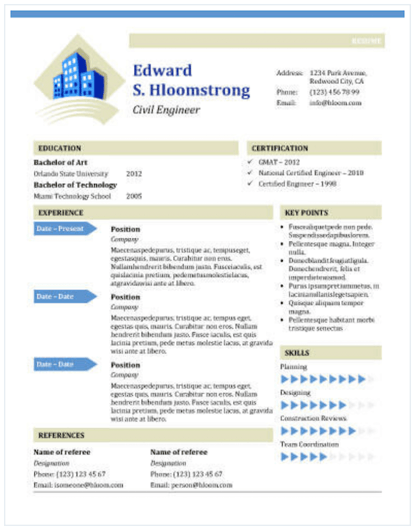
The illustration on the top-left of this template shows who the designers at Hloom had in mind for this resume: civil engineers. But because it’s a Word document, that graphic is easy to edit and replace with an image that represents your line of work. Are you an analytics buff? Design a clever bar or line graph icon and place it next to your name in blue (or whatever color you’d like!).
Recommended for: Civil Engineers
If you’re a civil engineer who wants to display your accomplishments, this is the template to use! There’s a section that lets you list all of your achievements and notable opportunities that made you grow as a civil engineer.
10. Email Marketing Resume Template
Download this template here.
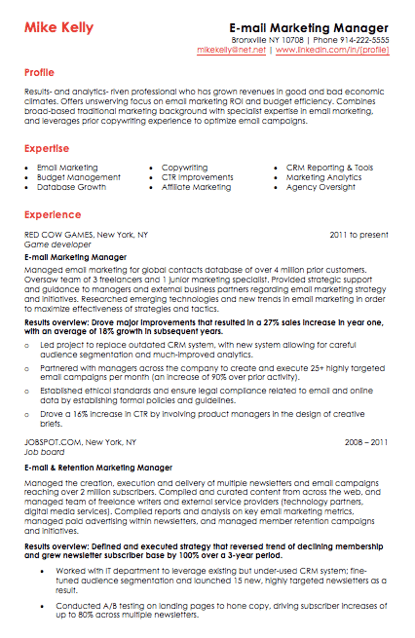
Red color never fails to stick out on a sheet of paper, especially if it’s included in small amounts. The resume template for email marketers, below, captures that balance.
In addition to the professional title in the top-righthand corner, this template also stands out with a thin sans-serif font, helping make a lot of text easier for a recruiter to digest and read through.
Recommended for: Email Marketers
If you are an email marketer who wants to highlight successes in your previous campaigns without boring the viewer with the details, this resume template is perfect for displaying bite-sized information.
11. Info Pop Resume Template
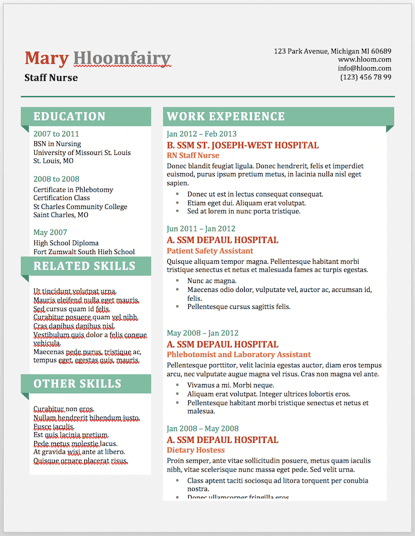
Download this template here.
This one, also from Hloom, gives you exactly what the name suggests: ample space for the info you need, with headers that pop just enough to get your employer’s attention.
Although the template fits a ton of text, its soft color palate prevents the document from seeming overwhelming.
Recommended For: Experienced Professionals
This resume gives a lot of information all at once, which is perfect for professionals with more than eight years of experience. The layout makes it easily scannable and easy for a recruiter to read.
12. Dark Resume Template
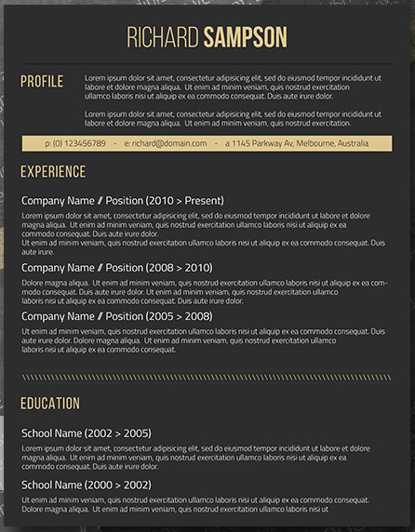
Download this template here.
Ironically, a dark background could be just the thing to ensure your resume doesn’t fall into the black hole of resumes piled on the hiring manager’s desk.
Using soft, yellow font, the resume template below inverts the usual color scheme of a resume without trying too hard to be creative.
Recommended For: C-Suite Executives
If you have years of experience in an executive position, this design has a bold and unique design that will separate you from the pack. What’s more, it has an area where you can list your achievements, relevant skills, and notable opportunities, allowing you to showcase your effectiveness as a leader.
13. Neat and Confident Resume Template
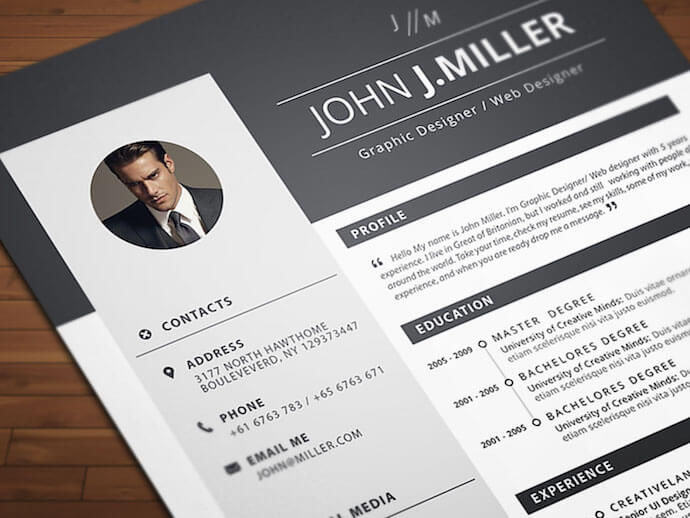
Download this template here.
Similar to the Simple and Clean template mentioned earlier, this resume design by Nowpixelse communicates a truly professional tone. The template’s muted colors work very well with the side panel layered over the top header.
Recommended For: Professionals in All Industries
Whether you’re just starting out in any industry or looking to change careers, this template is suitable to highlight your skills and qualifications to propel you to the next level.
14. Inbound Marketing Resume Template
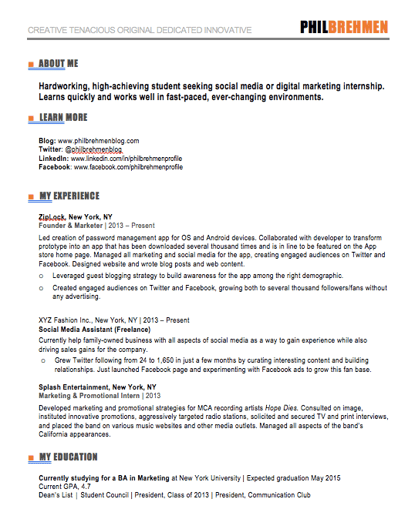
Download this template here.
Here’s another resume template dedicated to the digital marketer. This sheet offers all the inbound marketing language you need to express your values as a passionate, brand-loyal professional.
Similar to a few other templates on this list, it also uses just a dash of vibrant color in the applicant’s name at the top (where it matters most).
Recommended For: Communications and Marketing Candidates
This template is great for candidates moving into a communications or marketing role. Aside from its amazing visual appeal, this template creates a sense of connection with the reviewer by adding a personal touch.
15. Smart and Professional Resume Template
Download this template here.
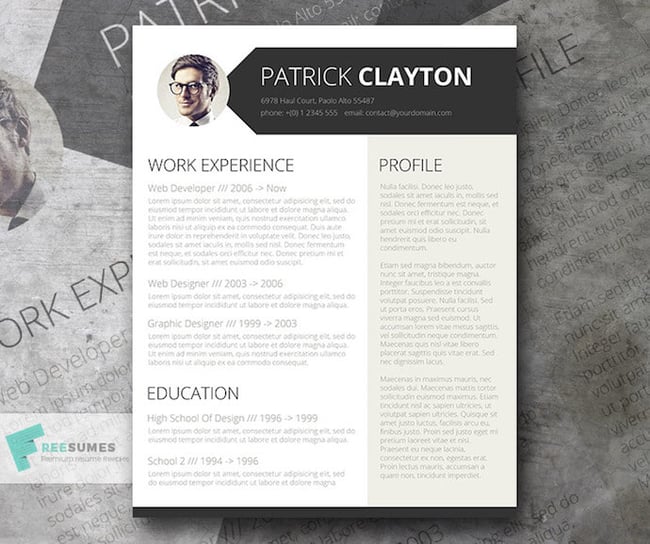
This is another sharp template that offers a basic but confident design for any professional. The warm-colored panel on the right-hand side is pre-formatted for a written profile, where you can write a summary of your background or a form letter to each employer.
Just be sure to personalize this messaging to each new recipient so it works for the job you’re applying to. This template is available on Freesumes, and is free to users once they share the page to Facebook or Twitter.
Recommended For: Young Professionals
This resume is great for someone starting their career who needs a little guidance on how to best display notable experiences related to the job posting. Also, it is an editable template that can easily be personalized to appeal to the HR rep reading the resume.
16. Spick and Span Resume Template
Download this template here.
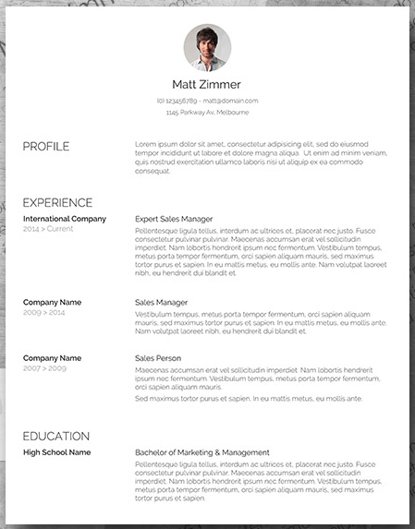
There isn’t a better name for the template below. The Spick and Span resume might be the cleanest-looking sheet on this list.
It uses boldface, all-caps, and gray typeface to structure various headers of the document differently and maximize the hiring manager’s reading experience. And all that minimalism makes the professional headshot at the top pop off the page.
Recommended For: Creatives, Designers, and Developers
Resumes that look like this can be the work sample. If you have a background in illustration or design, making your resume stand out will be a great nod to your future employer. Get creative with your resume’s design if you want to work in an illustrative industry.
17. Timeline-Style Resume Template
Download this template here.
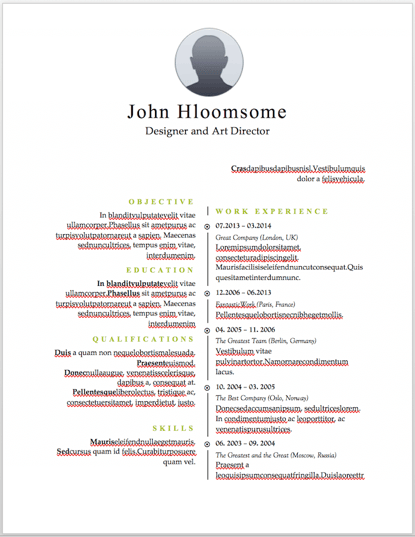
Similar to the Centered Bar resume earlier in the post, Hloom’s Timeline template is a super simple but creative way to tell your story.
You can convey your progression through various jobs you’ve held on one side of the vertical line, and more static elements of your background — such as skills and education — on the other.
Recommended For: Editors and Copywriters
This template has a sleek and clean look that places the focus on the highlights of your experience rather than on the minor details. If you have a background in editing or copywriting, this resume is the perfect way to showcase your skills in a concise and effective narrative … without the fluff!
18. Content Production Resume Template
Download this template here.
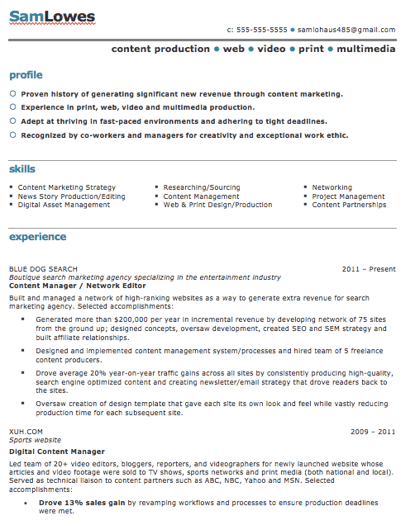
This basic resume template is suited for content producers at all stages in their career. By spreading out the header and “Skills” text horizontally, the resume below fits a lot of crucial information comfortably on one page (of course, it also comes with a second page if you need it).
Recommended For: Content Creators and Videographers
This resume will help content creators showcase their biggest projects and most notable accomplishments. It’s great for showing how your scope of work has increased over the years, solidifying your expertise in that field.
19. Fresh Resume Template
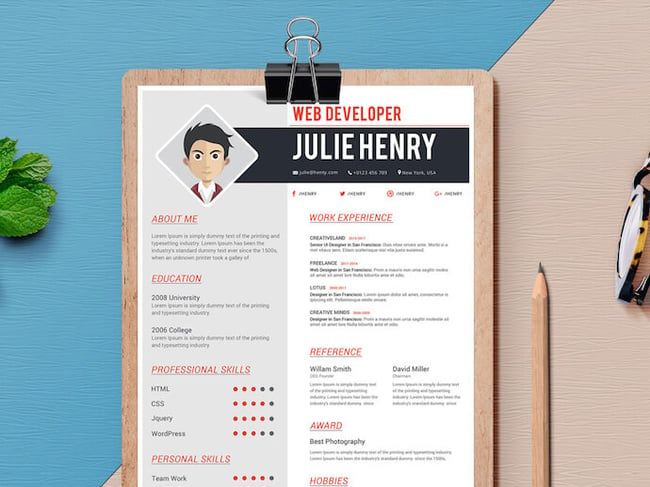
Download this template here.
This is perhaps the most imaginative of all the Word-based resume templates on this list — with both a skills meter and a comic headshot.
The template was designed by Venkata Naresh and comes with 12 different versions of the design you see below. Have you created a Bitmoji of yourself? Do you think your employer would find it creative? Match the template and add it as your photo.
Recommended For: Creative Artists or Digital Marketers
If you need a resume template that will showcase your artistic skills without being too casual or being too informal, this is perfect for you. You can also add in notes of your accomplishments, relevant skills, and qualifications for the job.
20. CV Resume Template
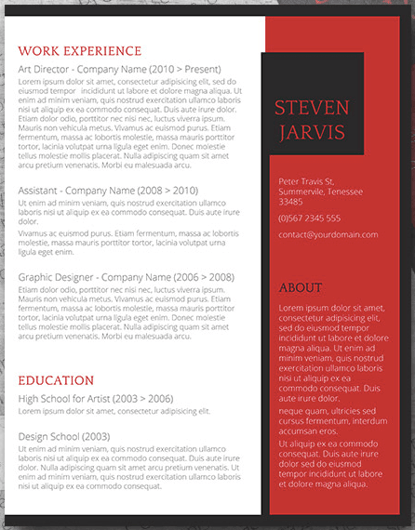
Download this template here.
The curriculum vitae-style resume below flips the typical two-column resume so the basic applicant information is listed across the right side, rather than the left.
Feel free to change the color of this sidebar in Microsoft Word if dark-red isn’t your thing — the template can pull off any color you wish.
Recommended For: Graduate Candidates
If you are a graduate student entering the workforce, having a CV-style resume will demonstrate the depth of your knowledge first and showcase how your continued education will contribute to your future work environment.
21. Goldenrod Resume Template
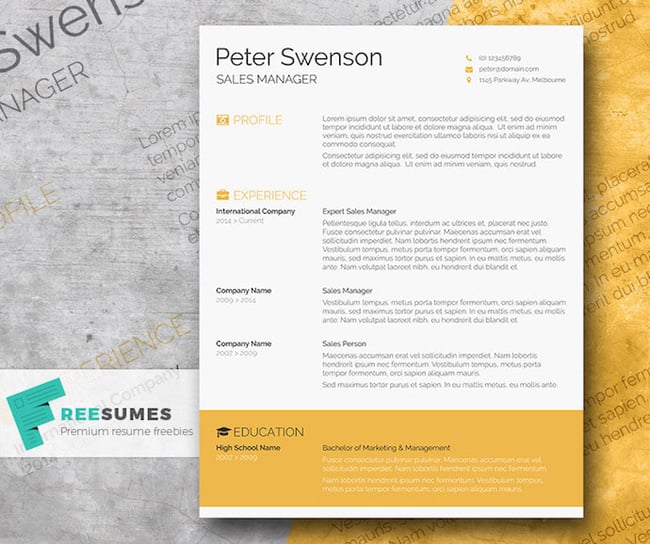
Download this template here.
This template, also offered on Freesumes, dares to use yellow as the dominant color — but doesn’t sacrifice professionalism in the process.
The document anchors the education section to a thick, bright banner across the bottom, but you can likely change this to a skills section with some simple editing in Microsoft Word.
Recommended For: Architects
This clean-cut design represents a candidate who is all about precision. This template would serve candidates who have experience in architecture or construction.
22. Resume Template With Personal Endorsements
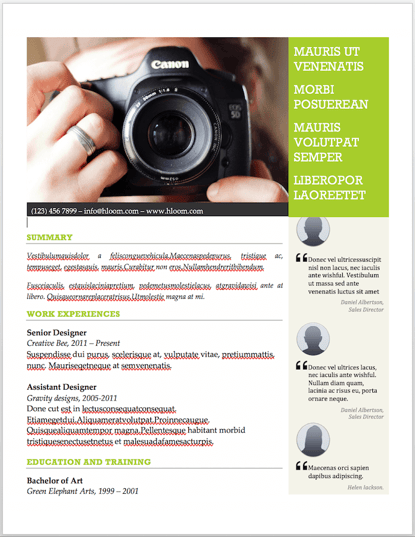
Download this template here.
This resume template has quite a flashy header — no photography pun intended — but it’s not just for photographers. What makes this resume unique is the space for references on the lower right-hand side.
Does your field need others to vouch for your experience? This resume gives you room for three solid recommendations.
Recommended For: Brand Marketers or Personal Influencers
If you work in branding or have a large social media following, you can demonstrate your ability to create a cohesive message with this resume template. Feel free to change the color scheme to suit your brand.
23. Creative Resume Template
Download this template here.
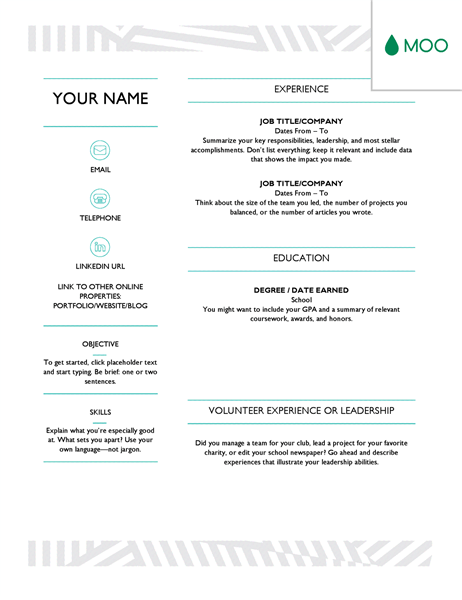
This one was designed by the stationery experts at MOO and is offered for download by Microsoft. Simple but vibrant, this template hugs the text with an artistic header and footer — great for recent graduates who need to fill empty space on the page.
Recommended For: Photographers and Other Creatives
If you are a photographer who does freelance work, this is a great template to showcase your experience. This will give your hiring manager or client an excellent first impression because it showcases your creative ability without sacrificing the important elements — your accomplishments.
24. Modern Resume Template
Download this template here.
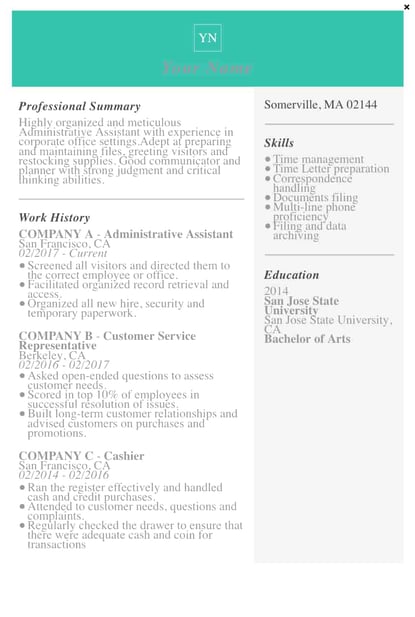
This resume embraces simplicity with a slight touch of color to make things a bit more interesting. It also nicely sections off Skills and Education notes from the Work History list.
With LiveCareer.com, you can generate a template with your basic information and then download it to add small details.
Recommended For: Young Professionals
This resume gives a modern twist on the resume. It’s perfect for those looking for a fresher look than the traditional resume.
25. Functional Resume Template
Download this template here.
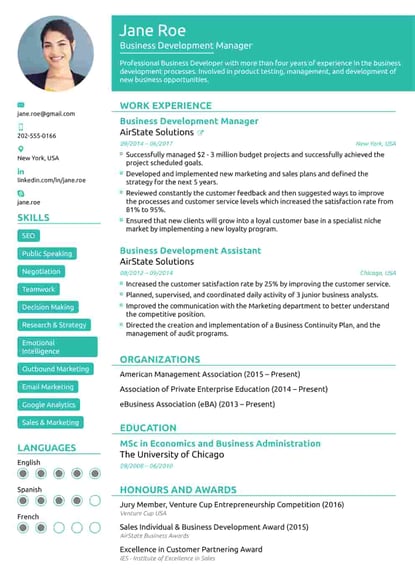
This NovoResume.com template is colorful and includes a place for your headshot which could make you look both interesting and confident to an employer.
Recommended For: Media Professionals
A colorful format like this one might be great for a media or advertising professional who wants to keep their job application visually memorable to prospective employers.
26. Elegant Resume Template
Download this template here.
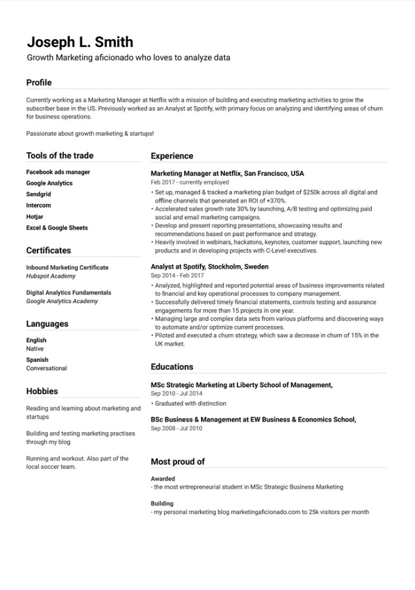
If you’re looking for simplicity and efficiency rather than something colorful, consider this Elegant Resume Template from Jofibo.
With Jofibo, you can select this or other similar templates on the website, enter your information, and then download it quickly and easily.
Recommended For: Marketing Candidates
If you are a mid-level marketing candidate, use this fun template to showcase all of your expertise and accomplishments. It’s an eye-catching template that displays your creativity and ability to engage.
27. Blue Corporate HR Resume Template

Download this template here.
Canva, an easy-to-use design template website, offers a few great resume templates. One of them is this simple resume with a touch of color in the background.
Because of the color and image, it’s pretty memorable. But, for those who prefer a more conservative resume look, this template is fairly simple.
Recommended For: Corporate Candidates
This template is great for senior executives and accomplished candidates moving into a high-rank position. This layout allows you to fit plenty of accomplishments, and the conservative look organizes the fullness of your career neatly.
28. Concept Resume
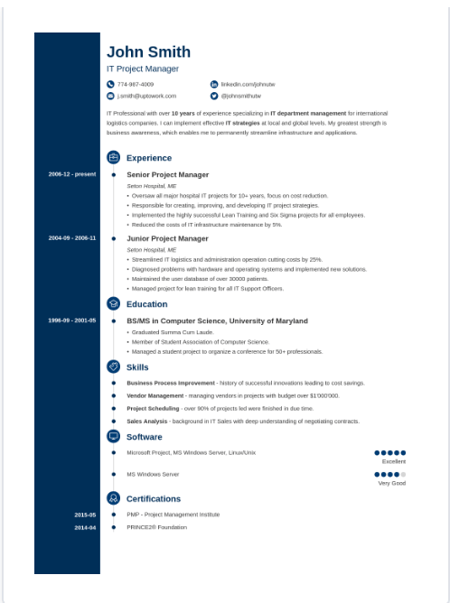
Download this template here.
This resume is perfect for displaying a clear timeline of your career history. It’s ideal for a seasoned professional who may have a lot of experience and wants to display it on one to two pages.
The template also allows you to highlight your competency level in various areas, giving the recruiter an easy way to spot your expertise.
Recommended For: Candidates in the Tech Industry
This resume is great for people in the technical space because it adds a touch of color and feels more compact, which will allow you to get right to the point about your key skills, certifications, and work experiences.
29. Cream and Green Resume Template
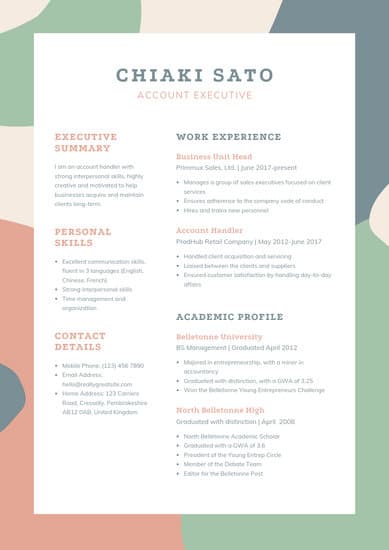
Download or edit the resume template here.
This resume is also downloadable and editable on Canva. It was created for account executives but could also be great for graphic designers or people working in visual fields due to its unique, but still professional, color scheme.
Recommended For: Graphic Designers and Other Creatives
This colorful template gives designers and creatives the opportunity to showcase their talents on their resume. Utilize the colors as a basic layout, but feel free to use the resume’s design to showcase the way you would work on a future project. This would be a great reference point when you land an interview.
How to Save Your Resume
Remember, once you’ve finished personalizing your resume, you’re not ready to submit an application yet. To ensure your resume’s format stays the same for everyone who receives it, save the document as a PDF. Best case scenario? Even the hiring manager won’t believe your resume came from Word.
Editor’s Note: This post was originally published in 2018 but was updated in May 2020 for comprehensiveness.

How to Do Market Research: A Guide and Template
Today’s consumers have a lot of power. They can research your product or service and make purchase decisions entirely on their own.
Moreover, rather than talking to one of your sales reps, they’re more likely to ask for referrals from members of their networks or read online reviews.
With this in mind, have you adapted your marketing strategy to complement the way today’s consumers research, shop, and buy?
To do just that, you must have a deep understanding of who your buyers are, your specific market, and what influences the purchase decisions and behavior of your target audience members.
Enter: Market Research.

Whether you’re new to market research, this guide will provide you with a blueprint for conducting a thorough study of your market, target audience, competition, and more.
What is market research?
Market research is the process of gathering information about your target market and customers to verify the success of a new product, help your team iterate on an existing product, or understand brand perception to ensure your team is effectively communicating your company’s value effectively.
Market research can answer various questions about the state of an industry, but it’s hardly a crystal ball that marketers can rely on for insights on their customers. Market researchers investigate several areas of the market, and it can take weeks or even months to paint an accurate picture of the business landscape.
However, researching just one of those areas can make you more intuitive to who your buyers are and how to deliver value that no other business is offering them right now.
Certainly you can make sound judgment calls based on your experience in the industry and your existing customers. However, keep in mind that market research offers benefits beyond those strategies. There are two things to consider:
- Your competitors also have experienced individuals in the industry and a customer base. It’s very possible that your immediate resources are, in many ways, equal to those of your competition’s immediate resources. Seeking a larger sample size for answers can provide a better edge.
- Your customers don’t represent the attitudes of an entire market. They represent the attitudes of the part of the market that is already drawn to your brand.
The market research services market is growing rapidly, which signifies a strong interest in market research as we enter 2022. The market is expected to grow from roughly $75 billion in 2021 to $90.79 billion in 2025 at a compound annual growth rate of 5%.
Why do market research?
Market research allows you to meet your buyer where they are. As our world (both digital and analog) becomes louder and demands more and more of our attention, this proves invaluable. By understanding your buyer’s problems, pain points, and desired solutions, you can aptly craft your product or service to naturally appeal to them.
Market research also provides insight into a wide variety of things that impact your bottom line, including:
- Where your target audience and current customers conduct their product or service research
- Which of your competitors your target audience looks to for information, options, or purchases
- What’s trending in your industry and in the eyes of your buyer
- Who makes up your market and what their challenges are
- What influences purchases and conversions among your target audience
- Consumer attitudes about a particular topic, pain, product, or brand
- Whether there’s demand for the business initiatives you’re investing in
- Unaddressed or underserved customer needs that can be flipped into selling opportunity
- Attitudes about pricing for a particular product or service
Ultimately, market research allows you to get information from a larger sample size of your target audience, eliminating bias and assumptions so that you can get to the heart of consumer attitudes. As a result, you can make better business decisions from knowing the bigger picture.
As you begin honing in on your market research, you’ll likely hear about primary and secondary market research. The easiest way to think about primary and secondary research is to envision to umbrellas sitting beneath market research: one for primary market research and one for secondary market research.
Beneath these two umbrellas sits a number of different types of market research, which we’ll highlight below. Defining which of the two umbrellas your market research fits beneath isn’t necessarily crucial, although some marketers prefer to make the distinction.
So, in case you encounter a marketer who wants to define your types of market research as primary or secondary — or if you’re one of them — let’s cover the definitions of the two categories next. Then, we’ll look at the different types of market research in the following section.
Primary vs. Secondary Research
To give you an idea of how extensive market research can get, consider that it can either be qualitative or quantitative in nature — depending on the studies you conduct and what you’re trying to learn about your industry.
Qualitative research is concerned with public opinion, and explores how the market feels about the products currently available in that market. Quantitative research is concerned with data, and looks for relevant trends in the information that’s gathered from public records.
There are two main types of market research that your business can conduct to collect actionable information on your products, including primary research and secondary research. Let’s dive into those two types, now.
Primary Research
Primary research is the pursuit of first-hand information about your market and the customers within your market. It’s useful when segmenting your market and establishing your buyer personas. Primary market research tends to fall into one of two buckets: exploratory and specific research.
Exploratory Primary Research
This kind of primary market research is less concerned with measurable customer trends and more about potential problems that would be worth tackling as a team. It normally takes place as a first step — before any specific research has been performed — and may involve open-ended interviews or surveys with small numbers of people.
Specific Primary Research
Specific primary market research often follows exploratory research and is used to dive into issues or opportunities the business has already identified as important. In specific research, the business can take a smaller or more precise segment of their audience and ask questions aimed at solving a suspected problem.
Secondary Research
Secondary research is all the data and public records you have at your disposal to draw conclusions from (e.g. trend reports, market statistics, industry content, and sales data you already have on your business). Secondary research is particularly useful for analyzing your competitors. The main buckets your secondary market research will fall into include:
Public Sources
These sources are your first and most-accessible layer of material when conducting secondary market research. They’re often free to find and review — lots of bang for your buck here.
Government statistics are one of the most common types of public sources according to Entrepreneur. Two U.S. examples of public market data are the U.S. Census Bureau and the Bureau of Labor & Statistics, both of which offer helpful information on the state of various industries nationwide.
Commercial Sources
These sources often come in the form of market reports, consisting of industry insight compiled by a research agency like Pew, Gartner, or Forrester. Because this info is so portable and distributable, it typically costs money to download and obtain.
Internal Sources
Internal sources deserve more credit for supporting market research than they generally get. Why? This is the market data your organization already has!
Average revenue per sale, customer retention rates, and other historical data on the health of old and new accounts can all help you draw conclusions on what your buyers might want right now.
Now that we’ve covered these overarching market research categories, let’s get more specific and look at the various types of market research you might choose to conduct.
1. Interviews
Interviews allow for face-to-face discussions (in-person and virtual) so you can allow for a natural flow or conversation and watch your interviewee’s body language while doing so.
Your interviewees can answer questions about themselves to help you design your buyer personas. These buyer personas describe your ideal customer’s age, family size, budget, job title, the challenges they face at work, and similar aspects of their lifestyle. Having this buyer profile in hand can shape your entire marketing strategy, from the features you add to your product to the content you publish on your website.
2. Focus Groups
Focus groups provide you with a handful of carefully-selected people that you can have test out your product, watch a demo, provide feedback, and/or answer specific questions.
This type of market research can give you ideas for product differentiation, or the qualities of your product that make it unique in the marketplace. Consider asking your focus group questions about (and showing them examples of) your services, and ultimately use the group’s feedback to make these services better.
3. Product/Service Use Research
Product or service use research offers insight into how and why your audience uses your product or service, and specific features of that item. This type of market research also gives you an idea of the product or service’s usability for your target audience.
In a 2020 report, respondents rated usability testing most highly in terms of usefulness for discovering user insights (rating it 8.7 out of 10). By comparison, digital analytics was rated 7.7, and user surveys 6.4.
4. Observation-Based Research
Observation-based research allows you to sit back and watch the ways in which your target audience members go about using your product or service, what works well in terms of UX, what roadblocks they hit, and which aspects of it could be easier for them to use and apply.
5. Buyer Persona Research
Buyer persona research gives you a realistic look at who makes up your target audience, what their challenges are, why they want your product or service, what they need from your business and brand, and more.
6. Market Segmentation Research
Market segmentation research allows you to categorize your target audience into different groups (or segments) based on specific and defining characteristics — this way, you can determine effective ways to meet their needs, understand their pain points and expectations, learn about their goals, and more.
7. Pricing Research
Pricing research gives you an idea of what similar products or services in your market sell for, what your target audience expects to pay — and is willing to pay — for whatever it is you sell, and what’s a fair price for you to list your product or service at. All of this information will help you define your pricing strategy.
8. Competitive Analysis
Competitive analyses are valuable because they give you a deep understanding of the competition in your market and industry. You can learn about what’s doing well in your industry, what your target audience is already going for in terms of products like yours, which of your competitors should you work to keep up with and surpass, and how you can clearly separate yourself from the competition.
9. Customer Satisfaction and Loyalty Research
Customer satisfaction and loyalty research give you a look into how you can get current customers to return for more business and what will motivate them to do so (e.g. loyalty programs, rewards, remarkable customer service). This research will help you discover the most-effective ways to promote delight among your customers.
10. Brand Awareness Research
Brand awareness research tells you about what your target audience knows about and recognizes from your brand. It tells you about the associations your audience members make when they think about your business and what they believe you’re all about.
11. Campaign Research
Campaign research entails looking into your past campaigns and analyzing their success among your target audience and current customers. It requires experimentation and then a deep dive into what reached and resonated with your audience so you can keep those elements in mind for your future campaigns and hone in on the aspects of what you do that matters most to those people.
Now that you know about the categories and types of market research, let’s review how you can conduct your market research.
Here’s how to do market research step-by-step.
1. Define your buyer persona.
Before you dive into how customers in your industry make buying decisions, you must first understand who they are.
This is where your buyer personas come in handy. Buyer personas — sometimes referred to as marketing personas — are fictional, generalized representations of your ideal customers.

They help you visualize your audience, streamline your communications, and inform your strategy. Some key characteristics you should be keen on including in your buyer persona are:
- Age
- Gender
- Location
- Job title(s)
- Job titles
- Family size
- Income
- Major challenges
The idea is to use your persona as a guideline for how to effectively reach and learn about the real audience members in your industry. Also, you may find that your business lends itself to more than one persona — that’s fine! You just need to be thoughtful about each specific persona when you’re optimizing and planning your content and campaigns.
To get started with creating your personas, check out these free templates, as well as this helpful tool.
2. Identify a persona group to engage.
Now that you know who your buyer personas are, use that information to help you identify a group to engage to conduct your market research with — this should be a representative sample of your target customers so you can better understand their actual characteristics, challenges, and buying habits.
The group you identify to engage should also be made of people who recently made a purchase or purposefully decided not to make one. Here are some more guidelines and tips to help you get the right participants for your research.
How to Identify the Right People to Engage for Market Research
When choosing who to engage for your market research, start by focusing on people who have the characteristics that apply to your buyer persona. You should also:
Aim for 10 participants per buyer persona.
We recommend focusing on one persona, but if you feel it’s necessary to research multiple personas, be sure to recruit a separate sample group for each one.
Select people who have recently interacted with you.
You may want to focus on people that have completed an evaluation within the past six months — or up to a year if you have a longer sales cycle or niche market. You’ll be asking very detailed questions so it’s important that their experience is fresh.
Gather a mix of participants.
You want to recruit people who have purchased your product, purchased a competitor’s product, and decided not to purchase anything at all. While your customers will be the easiest to find and recruit, sourcing information from those who aren’t customers (yet!) will help you develop a balanced view of your market.
Here are some more details on how to select this mix of participants:
- Pull a list of customers who made a recent purchase. As we mentioned before, this is usually the easiest set of buyers to recruit. If you’re using a CRM system, you can run a report of deals that closed within the past six months and filter it for the characteristics you’re looking for. Otherwise, you can work with your sales team to get a list of appropriate accounts from them.
- Pull a list of customers who were in an active evaluation, but didn’t make a purchase. You should get a mix of buyers who either purchased from a competitor or decided not to make a purchase. Again, you can get this list from your CRM or from whatever system your Sales team uses to track deals.
- Call for participants on social media. Try reaching out to the folks that follow you on social media, but decided not to buy from you. There’s a chance that some of them will be willing to talk to you and tell you why they ultimately decided not to buy your product.
- Leverage your own network. Get the word out to your coworkers, former colleagues, and LinkedIn connections that you’re conducting a study. Even if your direct connections don’t qualify, some of them will likely have a coworker, friend, or family member who does.
- Choose an incentive. Time is precious, so you’ll need to think about how you will motivate someone to spend 30-45 minutes on you and your study. On a tight budget? You can reward participants for free by giving them exclusive access to content. Another option? Send a simple handwritten ‘thank you’ note once the study is complete.
3. Prepare research questions for your market research participants.
The best way to make sure you get the most out of your conversations is to be prepared. You should always create a discussion guide — whether it’s for a focus group, online survey, or a phone interview — to make sure you cover all of the top-of-mind questions and use your time wisely.
(Note: This is not intended to be a script. The discussions should be natural and conversational, so we encourage you to go out of order or probe into certain areas as you see fit.)
Your discussion guide should be in an outline format, with a time allotment and open-ended questions for each section.
Wait, all open-ended questions?
Yes — this is a golden rule of market research. You never want to “lead the witness” by asking yes and no questions, as that puts you at risk of unintentionally swaying their thoughts by leading with your own hypothesis. Asking open-ended questions also helps you avoid one-word answers (which aren’t very helpful for you).
Example Outline of a 30-Minute Survey
Here’s a general outline for a 30-minute survey for one B2B buyer. You can use these as talking points for an in-person interview, or as questions posed on a digital form to administer as a survey to your target customers.
Background Information (5 Minutes)
Ask the buyer to give you a little background information (their title, how long they’ve been with the company, and so on). Then, ask a fun/easy question to warm things up (first concert attended, favorite restaurant in town, last vacation, etc.).
Remember, you want to get to know your buyers in pretty specific ways. You might be able to capture basic information such as age, location, and job title from your contact list, there are some personal and professional challenges you can really only learn by asking.
Here are some other key background questions to ask your target audience:
- Describe how your team is structured.
- Tell me about your personal job responsibilities.
- What are the team’s goals and how do you measure them?
- What has been your biggest challenge in the past year?
Now, make a transition to acknowledge the specific purchase or interaction they made that led to you including them in the study. The next three stages of the buyer’s journey will focus specifically on that purchase.
Awareness (5 Minutes)
Here, you want to understand how they first realized they had a problem that needed to be solved without getting into whether or not they knew about your brand yet.
- Think back to when you first realized you needed a [name the product/service category, but not yours specifically]. What challenges were you facing at the time?
- How did you know that something in this category could help you?
- How familiar were you with different options on the market?
Consideration (10 Minutes)
Now you want to get very specific about how and where the buyer researched potential solutions. Plan to interject to ask for more details.
- What was the first thing you did to research potential solutions? How helpful was this source?
- Where did you go to find more information?
If they don’t come up organically, ask about search engines, websites visited, people consulted, and so on. Probe, as appropriate, with some of the following questions:
- How did you find that source?
- How did you use vendor websites?
- What words specifically did you search on Google?
- How helpful was it? How could it be better?
- Who provided the most (and least) helpful information? What did that look like?
- Tell me about your experiences with the sales people from each vendor.
Decision (10 Minutes)
- Which of the sources you described above was the most influential in driving your decision?
- What, if any, criteria did you establish to compare the alternatives?
- What vendors made it to the short list and what were the pros/cons of each?
- Who else was involved in the final decision? What role did each of these people play?
- What factors ultimately influenced your final purchasing decision?
Closing
Here, you want to wrap up and understand what could have been better for the buyer.
- Ask them what their ideal buying process would look like. How would it differ from what they experienced?
- Allow time for further questions on their end.
- Don’t forget to thank them for their time and confirm their address to send a thank-you note or incentive.
4. List your primary competitors.
List your primary competitors — keep in mind listing the competition isn’t always as simple as Company X versus Company Y.
Sometimes, a division of a company might compete with your main product or service, even though that company’s brand might put more effort in another area.
For example. Apple is known for its laptops and mobile devices but Apple Music competes with Spotify over its music streaming service.
From a content standpoint, you might compete with a blog, YouTube channel, or similar publication for inbound website visitors — even though their products don’t overlap with yours at all.
And a toothpaste company might compete with magazines like Health.com or Prevention on certain blog topics related to health and hygiene even though the magazines don’t actually sell oral care products.
Identifying Industry Competitors
To identify competitors whose products or services overlap with yours, determine which industry or industries you’re pursuing. Start high-level, using terms like education, construction, media & entertainment, food service, healthcare, retail, financial services, telecommunications, and agriculture.
The list goes on, but find an industry term that you identify with, and use it to create a list of companies that also belong to this industry. You can build your list the following ways:
- Review your industry quadrant on G2 Crowd: In certain industries, this is your best first step in secondary market research. G2 Crowd aggregates user ratings and social data to create “quadrants,” where you can see companies plotted as contenders, leaders, niche, and high performers in their respective industries. G2 Crowd specializes in digital content, IT services, HR, ecommerce, and related business services.
- Download a market report: Companies like Forrester and Gartner offer both free and gated market forecasts every year on the vendors who are leading their industry. On Forrester’s website, for example, you can select “Latest Research” from the navigation bar and browse Forrester’s latest material using a variety of criteria to narrow your search. These reports are good assets to save on your computer.
- Search using social media: Believe it or not, social networks make great company directories if you use the search bar correctly. On LinkedIn, for example, select the search bar and enter the name of the industry you’re pursuing. Then, under “More,” select “Companies” to narrow your results to just the businesses that include this or a similar industry term on their LinkedIn profile.
Identifying Content Competitors
Search engines are your best friends in this area of secondary market research. To find the online publications with which you compete, take the overarching industry term you identified in the section above, and come up with a handful of more specific industry terms your company identifies with.
A catering business, for example, might generally be a “food service” company, but also consider itself a vendor in “event catering,” “cake catering,” “baked goods,” and more.
Once you have this list, do the following:
- Google it: Don’t underestimate the value in seeing which websites come up when you run a search on Google for the industry terms that describe your company. You might find a mix of product developers, blogs, magazines, and more.
- Compare your search results against your buyer persona: Remember the buyer persona you created during the primary research stage, earlier in this article? Use it to examine how likely a publication you found through Google could steal website traffic from you. If the content the website publishes seems like the stuff your buyer persona would want to see, it’s a potential competitor, and should be added to your list of competitors.
After a series of similar Google searches for the industry terms you identify with, look for repetition in the website domains that have come up.
Examine the first two or three results pages for each search you conducted. These websites are clearly respected for the content they create in your industry, and should be watched carefully as you build your own library of videos, reports, web pages, and blog posts.
5. Summarize your findings.
Feeling overwhelmed by the notes you took? We suggest looking for common themes that will help you tell a story and create a list of action items.
To make the process easier, try using your favorite presentation software to make a report, as it will make it easy to add in quotes, diagrams, or call clips.
Feel free to add your own flair, but the following outline should help you craft a clear summary:
- Background: Your goals and why you conducted this study.
- Participants: Who you talked to. A table works well so you can break groups down by persona and customer/prospect.
- Executive Summary: What were the most interesting things you learned? What do you plan to do about it?
- Awareness: Describe the common triggers that lead someone to enter into an evaluation. (Quotes can be very powerful.)
- Consideration: Provide the main themes you uncovered, as well as the detailed sources buyers use when conducting their evaluation.
- Decision: Paint the picture of how a decision is really made by including the people at the center of influence and any product features or information that can make or break a deal.
- Action Plan: Your analysis probably uncovered a few campaigns you can run to get your brand in front of buyers earlier and/or more effectively. Provide your list of priorities, a timeline, and the impact it will have on your business.
Lastly, let’s review a resource that can help you compile everything we just discussed in a simple yet effective way (plus, it’s free!).
Market Research Report Template
Within a market research kit, there are a number of critical pieces of information for your business’s success. Let’s take a look at what those different kit elements are next.
Pro Tip: Upon downloading HubSpot’s free Market Research Kit, you’ll receive editable templates for each of the given parts of the kit as well as instructions on how to use the templates and kit, and a mock presentation that you can edit and customize.
Download HubSpot’s free, editable market research report template here.
1. Five Forces Analysis Template
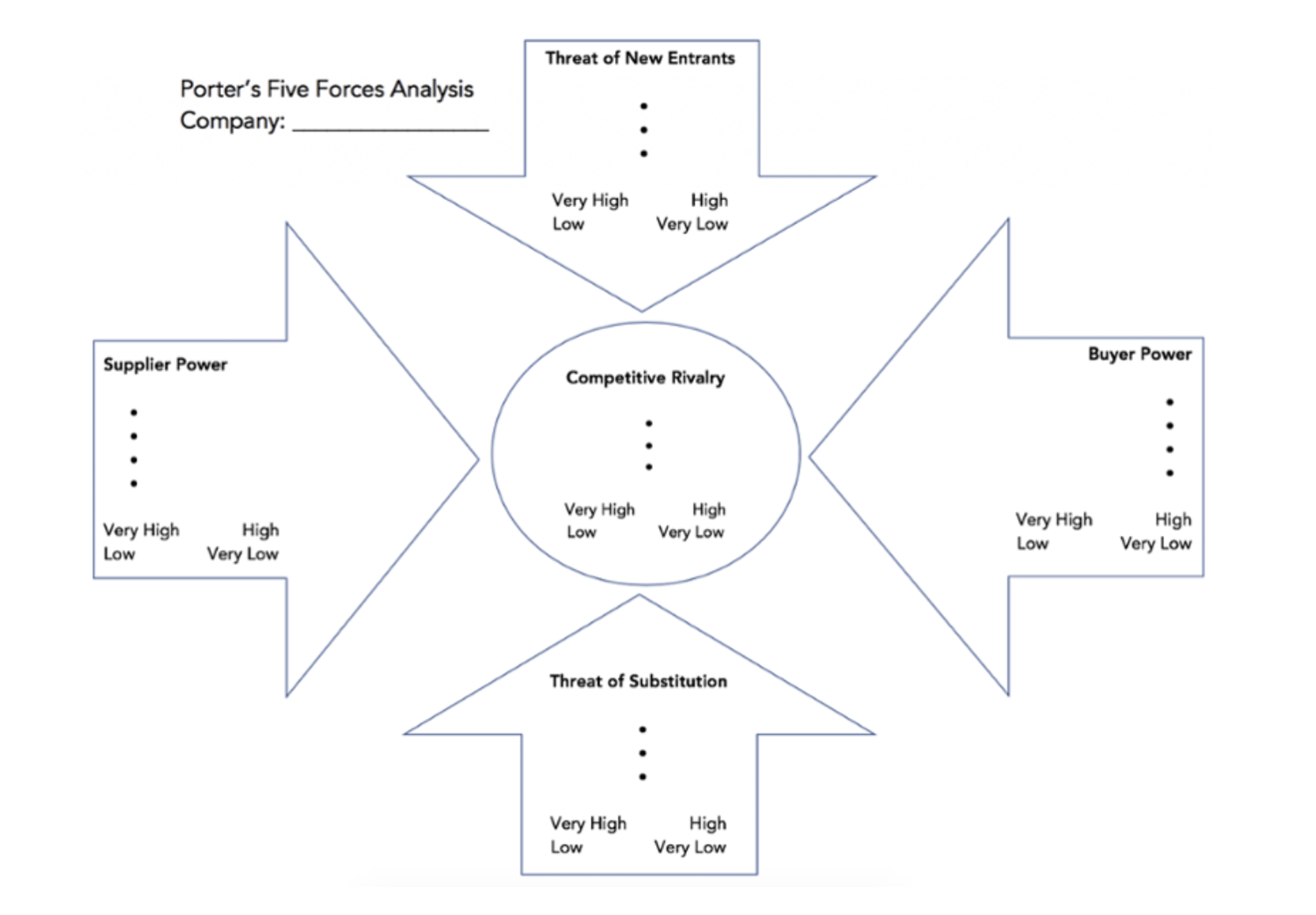
Use Porter’s Five Forces Model to understand an industry by analyzing five different criteria and how high the power, threat, or rivalry in each area is — here are the five criteria:
- Competitive rivalry
- Threat of new entrants
- Threat of substitution
- Buyer power
- Supplier power
Download a free, editable Five Forces Analysis template here.
2. SWOT Analysis Template
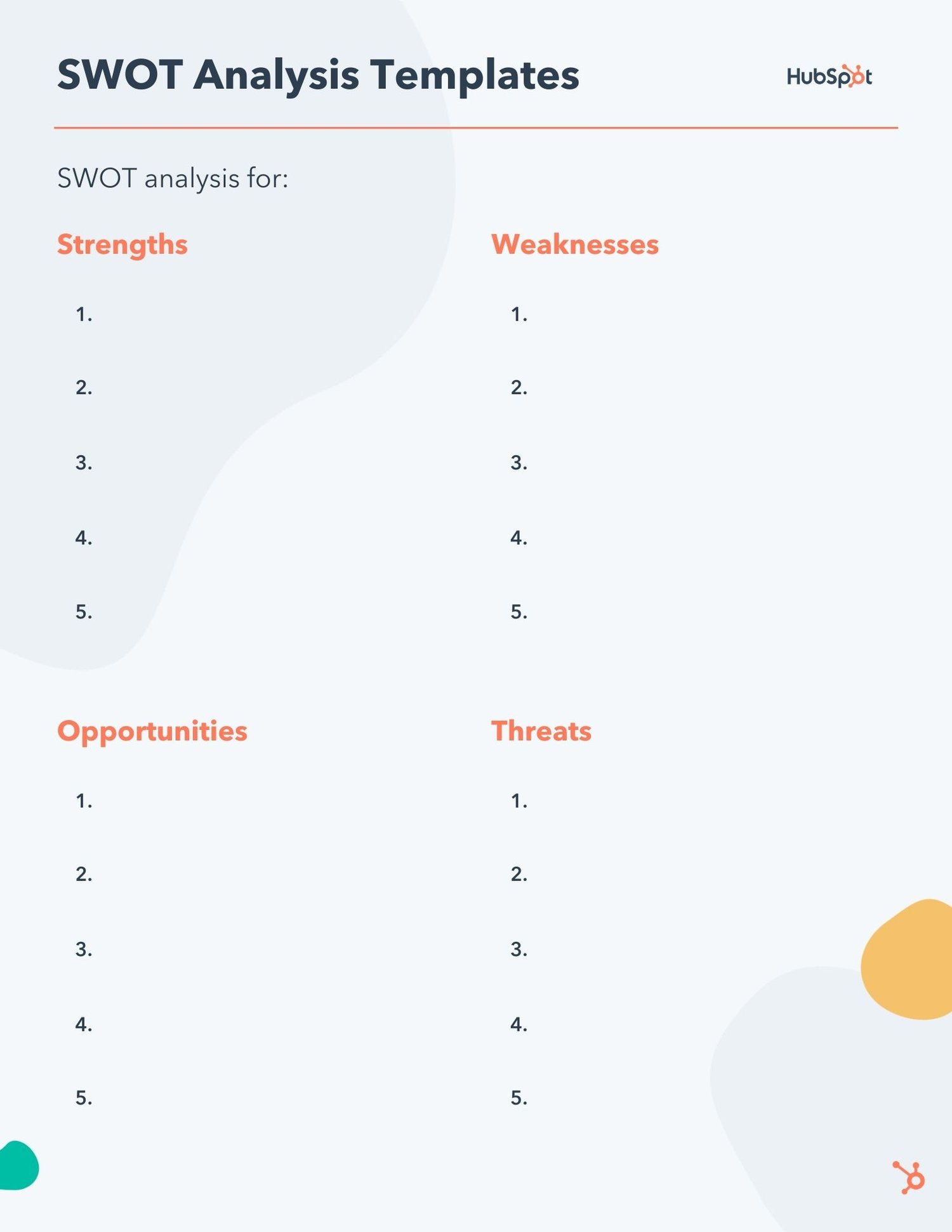
SWOT (Strengths, Weaknesses, Opportunities, Threats) analysis looks at your internal strengths and weaknesses, and your external opportunities and threats within the market.
3. Market Survey Template
Both market surveys and focus groups (which we’ll cover in the next section) help you uncover important information about your buyer personas, target audience, current customers, market, competition, and more (e.g. demand for your product or service, potential pricing, impressions of your branding, etc.).
Surveys should contain a variety of question types, like multiple choice, rankings, and open-ended responses. Ask quantitative and short-answer questions to save you time and to more easily draw conclusions. (Save longer questions that will warrant more detailed responses for your focus groups.)
Here are some categories of questions you should ask via survey:
- Demographic questions
- Business questions
- Competitor questions
- Industry questions
- Brand questions
- Product questions
4. Focus Group Template
Focus groups are an opportunity to collect in-depth, qualitative data from your real customers or members of your target audience. You should ask your focus group participants open-ended questions. While doing so, keep these tips top of mind:
- Set a limit for the number of questions you’re asking (after all, they’re open-ended).
- Provide participants with a prototype or demonstration.
- Ask participants how they feel about your price.
- Ask participants about your competition.
- Offer participants time at the end of the session for final comments, questions, or concerns.
Market Research Examples
1. Disney uses kid-centric focus groups to test new characters and ideas.
The Walt Disney Company can spend millions crafting what its Animation Studio team believes is a worthwhile story, but it wisely focuses on its intended audience — children — when testing how well a character or topic performs.
A few times each year, Disney executives meet with preschoolers and kindergartners in kid-centric focus groups to get their opinions and insights on TV episodes, Disney characters, and more.
Why is this an effective market research strategy? Because children are ultimately the audience Disney hopes to delight — so collecting their feedback is invaluable to iterating on their existing content and ensuring it continues to meet its audiences’ preferences.
2. KFC tested its meatless product in select markets before launching nationwide.
In 2019, KFC began developing and testing a new meatless version of its chicken. Rather than instantly rolling the product out nationwide, however, it started small: In select stores in the Atlanta, Georgia area.
This is an easy, effective example of conducting market research to determine how well a new product sells on a smaller scale before dedicating too many resources to it. If the meatless chicken flopped in Georgia, KFC would need to change the product before re-launching it to the market.
3. Yamaha conducted a survey to determine whether they should use knobs or sliding faders on the Montage keyboard.
When Yamaha, a Japanese-based corporation that produces a variety of products ranging from motorcycles to golf cars to musical instruments, began developing its new Montage keyboard, the team was unsure whether to use knobs or sliding faders on the product.
So Yamaha used Qualtrics to send a survey to their customers, and received 400 responses in a few hours.
Using survey feedback helped Yamaha ensure it was designing a product that exactly fit its audiences’ preferences.
4. The Body Shop used social listening to determine how they should re-position brand campaigns to respond to what their customers cared most about.
The Body Shop has long been known for offering ethically sourced and natural products, and proudly touts “sustainability” as a core value.
To dive deeper into the sustainability sub-topics that meant the most to their audiences, the team at The Body Shop tracked conversations and ultimately found their audiences cared a lot about refills.
Using this information helped the Body Shop team feel confident when relaunching their Refill Program across 400 stores globally in 2021, and another 400 in 2022. Market research proved they were on the right track with their refill concept, and demonstrated increased efforts were needed to show Body Shop customers that the Body Shop cared about their customers’ values.
Conduct Market Research to Grow Better
Conducting market research can be a very eye-opening experience. Even if you think you know your buyers pretty well, completing the study will likely uncover new channels and messaging tips to help improve your interactions.
Editor’s note: This post was originally published in March 2016 and has been updated for comprehensiveness.

The Plain-English Guide to Conjoint Analysis
Sometimes, commercials really get me.
T-Mobile‘s Super Bowl commercial this year is a prime example — “What’s for Dinner?” demonstrates the infuriating process of choosing what to do for dinner for a young couple, and it’s gold.
The reason T-Mobile’s ad was so relatable is because of their market research. They looked at what their target audiences wanted — including their thought processes, what informs their decisions, and the trade-offs they’re willing to make for their products.
To accomplish all of these important factors in one go, many companies use conjoint analysis.
Think about buying a new phone. Attributes you might consider are color, size, and model. The reason phone companies include these specs in their marketing is due to research such as conjoint analysis.
Would consumers purchase this product or service if brought to market? That’s the question conjoint analysis strives to answer. It’s a quantitative measure in marketing research, meaning it measures numbers rather than open-ended questions. Questions on the phone company survey would include price points, color preference, and camera quality.
Surveys intended for conjoint analysis are formatted to reflect the buyer’s journey.
For instance, notice in this example for televisions, the specs are the options and the consumer picks what best reflects their lifestyle:
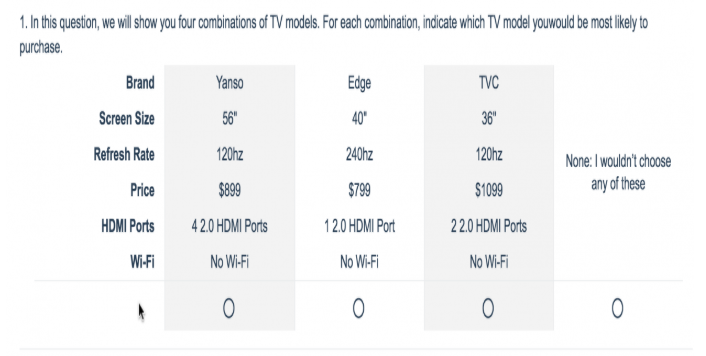
This direct method of giving consumers multiple profiles to then analyze is how conjoint analysis got its name. These answers are helpful when determining how to market a new product.
If answers on the phone company survey proved that their target audience of adults ages 18-25 wanted a green phone from $400-600 and a camera with portrait mode, advertisements can cater directly to that.
The conjoint analysis shows what consumers are willing to give up in order to get what they need. For instance, some might be willing to pay a little more money for a larger model of a phone if their preference is larger text.
Types of Conjoint Analysis
Choice-based conjoint (CBC) and Adaptive Conjoint Analysis (ACA) are the two main types of conjoint analysis.
Choice-based is the most common form because it asks consumers to mimic their buying habits. ACA is helpful for product design, offering more questions about specs of a product.
Choice-based conjoint analysis questions are usually presented in a “Would you rather?” format. For example, “Would you rather take a ride-share service to a location 10 minutes away for $13 or walk 30 minutes for free?” The marketer for the ride-share service could use answers from this question to think of the upsides to show off in different campaigns.
ACA leans towards a Likert-scale format (most likely to least likely) for its attribute-based questions. Respondents can base their preference on specs by showing how likely they are to buy a product with slight differences — for example, similar cars with different doors and manufacturers.
How To Do A Conjoint Analysis
To create a conjoint analysis, you’ll first need to define a list of attributes about your product. Attributes are usually four to five items that describe your product or service. Consider color, size, price, and market-specific attributes, such as lenses if you’re selling cameras.
Additionally, try to keep in mind your ideal respondents. Who do you want to answer your survey? A group of adult men? A group of working mothers? Identify your respondent base and ask specific questions catered to that target market.
The next step is to organize your questionnaire depending on the type of conjoint analysis you want to conduct. For instance, to run an adaptive conjoint analysis, you will present questions with a Likert-scale.
You can use a conjoint analysis tool to create and modify your survey. Then, you can distribute your questionnaire through multiple channels, including email, SMS, and social media.
For more ways to introduce product marketing into your company, check out our ultimate guide here.
Examples of Conjoint Analysis
Sawtooth Software offers a great example of conjoint analysis for a phone company:
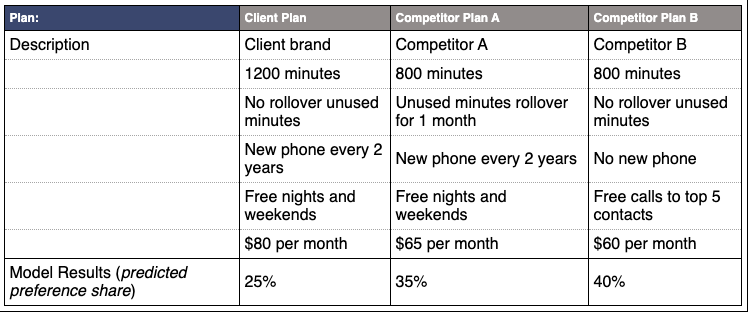
The analysis puts three different phone services next to each other. The horizontal column of the model identifies which service is offering a certain program, described by the vertical values. The bottom row shows a percent value of consumers’ preferences.
QuestionPro offers this fun, interactive conjoint analysis template about retirement home options. The survey gives you a scenario and asks your course of action. For instance, it asks if you would sign a rental agreement for retirement home housing immediately, and considers specs like rent, meals, size, etc.
Conjoint analysis isn’t limited to existing products. They’re also very helpful for figuring out if a brand-new product is worth developing. For instance, if surveys show that audiences would be into the idea of an app that chooses clothes for consumers, that could be a new venture for clothing companies in the future.
Looking to create a conjoint analysis of your own? Check out our top four conjoint analysis tools below.
Conjoint Analysis Tools
1. Qualtrics

Qualtrics is an easy-to-use survey tool that offers comprehensive product insights. You can create, modify, distribute, and analyze a conjoint analysis in one place. All it takes is four steps — define your attributes, build and modify your questions in the survey editor, distribute the survey, and analyze the results.
What We Like: Qualtrics goes beyond product insights — this powerful software also captures customer, brand, and employee experience insights.
Pro Tip: Leverage email to invite respondents to take your survey. With Qualtrics, you can embed a survey question directly in your email survey invite.
2. Cojoint.ly

Conjoint.ly offers a complete toolbox for product and pricing research — including a Product Description test, an A/B test, and a Price Sensitivity test. You can also source your own respondents for your survey or buy quality-assured respondents from Conjoint.ly.
What We Like: Users can simply choose a tool that best fits their research question. These tools are organized under four main categories: pricing research, features and claims, range optimization, and concept testing.
Pro Tip: If you want to “try before you buy,” you can use Conjoint.ly’s Quick Feedback tool. For a small price, you get around 50 respondents to provide feedback within a 6-hour window.
3. 1000minds

1000minds offers an adaptive conjoint analysis tool. Meaning, each time a choice is made, it adapts by formulating a new question to ask based on all previous choices. This makes the survey feel more like a conversation.
What We Like: We’re impressed by the scalability of 1000minds. The tool allows you to include as many participants as you like, potentially in the thousands.
Pro Tip: You can use their conjoint analysis templates or build your own model from scratch.
4. Q Research Software

Q is analysis software that is specifically designed by market researchers. Its conjoint analysis tool is ideal for choice-based analyses. Users can create experimental designs, analyze the data, and generate reports.
What We Like: Q cuts through the grunt work with automation — including cleaning and formatting data, updating surveys, and producing reports.
Pro Tip: With just a few clicks, you can export any reports or visualizations from Q to PowerPoint and Excel.
A conjoint analysis requires a solid survey design and analysis, but the extra effort is often worth it. By going the extra mile, you can access insights into your audience’s preferences and buying decisions — which is invaluable when determining how to market a new product or service.

SEO vs. PPC: When to Optimize and When to Pay for Traffic
If you’re struggling to get the word out about your brand new business venture, you’re not alone. Like you, many business owners struggle to acquire customers in the beginning.Balancing the cost, maintenance, and results of a marketing campaign isn’t easy. Most of the time, the solution to this problem is one of two marketing strategies: search engine optimization (SEO) or pay-per-click (PPC) campaigns. But which method is suitable for you?

In this article, we’ve explored what you can expect to achieve from each of these acquisition strategies. We’ve also provided some pros and cons of SEO and PPC strategies along with descriptive statistics and real-life examples to help you decide whether your business is best suited for SEO or PPC — or both.
What is SEO?
Search engine optimization is the process of enhancing your website’s visibility to make it rank and gain organic traffic from search engines.
Just as you turn to your favorite search engines, such as Google or Bing, to look up a new marketing acronym or where to get good pizza, so do your consumers. When you invest in SEO, you’re increasing the likelihood of your target audience finding you when they make a Google search for keywords related to your product or service. In fact, 61% of marketers say that SEO is a top inbound marketing factor for their business. But it’s easier said than done.
Here’s an example of SEO in action.
In the image below, Hubspot appears at the top of Google’s organic search engine results page (SERP) for the term “inbound marketing,” thanks to the SEO strategy we have in place.
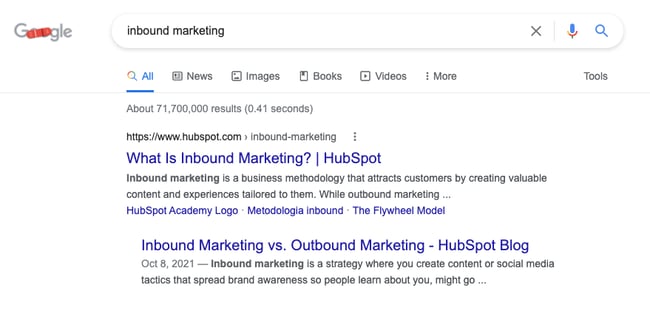
The order of the results that appear on the search engine results page isn’t arbitrary. Each search engine takes into account several ranking factors that influence where a webpage gets placed. The goal of an SEO strategy is to create web pages and content that work with the ranking factors of the search engine in order to rise within the SERP rankings.
Are there other search engines besides Google?
Most SEO strategies center around Google instead of others like Bing and Yahoo! because it holds 92.47% of the search engine market share. Because of this, you’ll need to learn about Google’s 200 ranking factors, technical SEO, link building, content creation, and so much more if you want to appear higher up on the search engine results page.
Pros of SEO
Here are some advantages of SEO:
1. SEO is cheaper in the long run.
Although SEO might cost time and money —to pay freelancers or agencies, and for SEO tools — it’s still cheaper than PPC in the long run.
When you create content that ranks and drives traffic to your website, you no longer have to keep spending money to make your target customers see it. And when these customers decide to click on your link, it comes at zero cost, unlike a PPC campaign where you pay per click.
Organic traffic is also very scalable and cost-effective.
2. You can target different funnel stages with SEO.
Not all of your audience is at the same stage of the sales funnel.
Some are just getting to know your brand at the top of the funnel. And others are already at the bottom of the funnel, ready to pull out their wallets.
With SEO, you can create different content types (blog posts, guides, case studies) that meet each segment of your audience exactly where they are in the sales funnel. This gives your site a better shot at getting visitors to the next step in the funnel each time they browse your content.
3. Search traffic is more stable.
Once you rank on Google, you can begin to plan for and predict free traffic to your website as long as you keep optimizing it.
Another advantage to keep in mind is that there is no off-and-on switch with SEO. With PPC marketing, your website stops appearing on search results once your marketing budget dries up. A great way to remember this difference is by thinking in terms of real estate: SEO is like owning your traffic whereas PPC is like renting it.
4. Organic listings build brand authority.
Appearing consistently on search results for keywords related to your products and services helps build trust and brand authority with your target audience.
It also signifies to Google that you’re an expert on that topic or subject. This can lead to more backlinks from other trusted sites which is a ranking factor that search engines favor strongly.
Cons of SEO
Here are some reasons why you might not love SEO:
1. Search engine algorithms change.
Search engines, especially Google, have changed their algorithms many times over the years. These changes mean that you’ll have to keep a close eye on your marketing strategy and organic results.
2. You’ll need to optimize your website regularly.
Your job doesn’t end when you get your website to rank for target keywords for one month. Over time, you’ll have to regularly optimize your content and web pages so that your site continues to rank.
Optimization might include refreshing old articles and removing old/expired links.
3. SEO takes time to show results.
If your website or domain is new, it’s unlikely that you’ll enjoy immediate results from SEO. The reason is that several factors affect how Google ranks websites — many of which won’t be established within the first few weeks or months of launching your site.
2. It requires high-level skills and expertise.
If you’re not hiring a professional, make sure you understand your audience’s goals and meet them with quality content in order to optimize your site properly for the search engines.
It’s undoubtedly time-consuming and overwhelming to run a business while taking technical SEO, writing, and link-building classes, but it can be done if you commit to using an SEO strategy to generate revenue.
What is PPC?
PPC, or pay-per-click, is a form of search engine marketing (SEM) where an advertiser pays a publisher (such as Google or Facebook) for each click someone makes on an ad. This model allows businesses to pay only when consumers interact with their ads. If you use PPC ads, you’ll attract people who are interested in your offer and ready to convert.
You may have noticed that some of the top search results are tagged with an “Ad” marker, like the HelloFresh search results here. 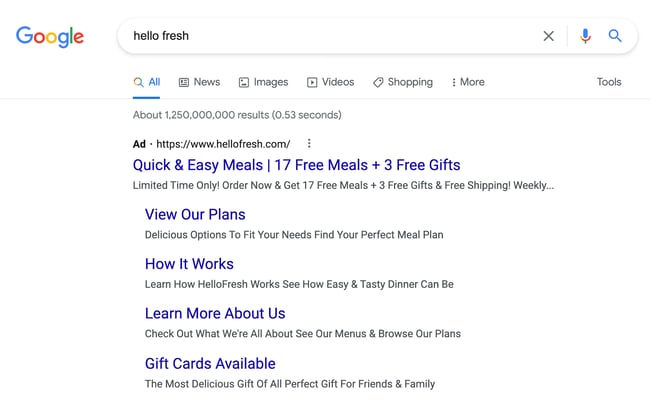
PPC ads always appear alongside organic search results. Some businesses run these search ads for specific marketing campaigns that have a definite start and end date. Others bid on their own brand name as part of their overall marketing strategy — like HelloFresh. Either way, this method is mainly associated with search engines as advertisers bid on keywords that are relevant to their target markets.
The cost of PPC ads usually depends on your industry and the search volume of the keyword you’re targeting.
PPC advertising can help your business stay competitive in a crowded market and quickly get in front of their target consumers if you don’t have the domain authority to get your site ranking organically on search engines.
Pros of PPC
1. PPC offers quick results.
While it can take months to see results from your SEO strategy, it can take just a few hours to see results from your PPC campaign.
2. PPC ads appear above organic rankings.
When you run a PPC campaign for your target keyword, your website would appear first on the search engine result page. This ranking makes your audience notice you first before scrolling to see other results.
3. PPC allows you to pinpoint your target audience.
While setting up a PPC campaign, you get to choose who you want to target with your ads.
Do you want people from a specific geographic area? Or people of a particular age? Marital status? Or interest? If so, then you should use PPC.
3. You can quickly run A/B tests on a PPC ad.
With a PPC campaign, you can run two different ads simultaneously to measure the one that converts better.
All you’ll have to do is change some ad elements like the ad copy and allow them to run for a period. Depending on the performance, you can decide to either “kill” the Google ads or continue optimization to improve your results.
Cons of PPC
1. PPC ads are expensive.
Without money, you cannot run a PPC campaign.
You have to pay for every link that your audience clicks, meaning once your budget dries up, so does your traffic.
Also, a PPC ad can get even more expensive (as high as $40) when you’re in a competitive industry like legal or insurance.
2. Lower profit margins.
While a PPC campaign might bring short-term wins, it’ll usually result in lower profit margins. Because PPC is a “pay to play” system, your customer acquisition costs (CAC) would continue to get higher without a significant increase in the prices of your products and services.
3. PPC ads become stale after a while.
You have limited control over your paid ad because of the rule set by ad platforms like Google. As such, your copy might have similar wording to your competitors, which makes it easy for your audience to pass over quickly.
SEO is also more effective for local searches and can grow your online presence for longer. Pay-per-click (PPC), on the other hand, is an acquisition strategy that requires you to spend ad money to get your content in front of an audience when they search for specific keywords online.
SEO vs. PPC: Which is better?
Asking which is better between SEO and PPC is like asking whether it’s better to eat with a fork or spoon — it depends.
Serving pasta? Sure, I’d love a fork. Soup? I’d rather have a spoon.
In the same way, different situations exist where SEO is better than PPC and vice versa.
Let’s now look at some of these situations.
Use SEO if…
- Your marketing budget is low.
- You want to build your brand authority.
- You’re looking to maximize your long-term return-on-investment (ROI).
- You want to create content that reaches your audience at different stages of the sales funnel.
Use PPC if…
You’d get better results with PPC in situations where:
- You want quick results.
- Your product is novel or first-of-its-kind.
- You’re promoting a time-sensitive offer, like a holiday sale.
- You want to direct your audience to a sales or landing page.
How to Make SEO and PPC Work For You
Instead of choosing between SEO or PPC, why not combine the two strategies and make them work for you?
Here’s how you can get the best of both worlds.
1. Create retargeting ads.
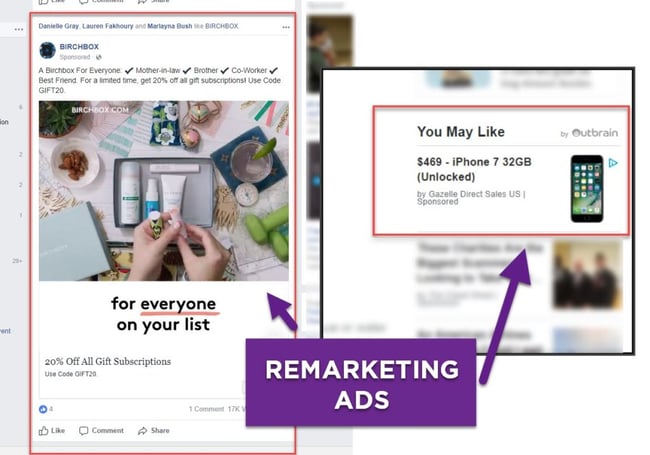
Did someone visit your site, probably the pricing or check-out page, without buying?
You can easily use a retargeting ad to prompt these visitors, even after they’ve left your site, to come back and make a purchase.
2. Promote website content with social media ads.
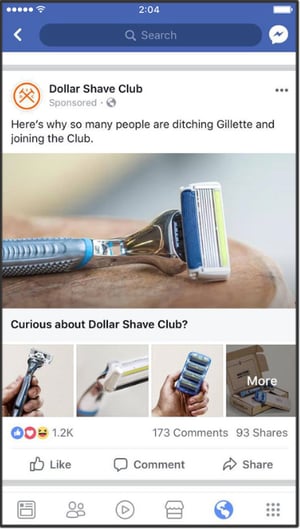
While you want your content to rank organically, you can give it a quick boost by promoting it on social media.
Not only do these kinds of ads help with content distribution, but they could potentially help you acquire essential backlinks that’d boost your rankings.
Also, it’s going to be a shame not to promote your latest blog post, guide, report, or case study after spending hours creating it.
3. Collect data From ads to improve your SEO strategy.
PPC campaigns grant you access to a lot of data — keyword search volumes, keywords your competitors are bidding for, highest converting calls-to-action, and so on.
Aimed with all of this data, you’d be able to create better SEO strategies with less effort.
SEO vs. PPC Statistics
SEO
- Google is responsible for over 92.47% of global web traffic.
- 90.63% of online content gets zero traffic from Google, with only 0.21% getting over 1000 visits per month.
- 35.18% of browser-based Google searches resulted in an organic link click in 2020.
- 99.2% of website pages have less than 100 backlinks.
- Google processes over 5.6 billion searches per day (or 2 trillion searches per year.)
- 64% of marketers actively invest in SEO.
PPC
- The Google Display Network reaches 90% of Internet users worldwide.
- Search advertising spending was $144.8 billion in 2021, compared to $58 billion in 2020.
- More than https://backlinko.com/ad-blockers-users.
- The highest average monthly cost-per-click (CPC) in Google Ads search advertising is in the insurance industry at $18.57 per click.
- The cheapest CPC in Google Ads search advertising is in the electronics industry at 77 cents per click.
- The average Facebook Ads Click-Through Rate across all industries is 1.1%.
Final Thoughts
Whether you choose to go with SEO or PPC ultimately depends on your business situation. So take your time to evaluate the pros and cons of both SEO and PPC to see which is the right fit for you. And if possible, integrate the two strategies to see even more outstanding results for your business.
Editor’s note: This post was originally published in July 2019 and has been updated for comprehensiveness.
Editor’s note: This post was originally published in July 2019 and has been updated for comprehensiveness.


How to Run an Effective Vetting Process for Candidates in 2022
Imagine you’re a hiring manager and put up an ad for a role. After a lengthy process, you hire someone you think is a great fit.
Except, reality sets in a few weeks later when you realize they were a bad hire and you have the start all over again. A robust vetting process would help you avoid this costly mistake.
However, it’s not enough to come up with a process, you have to make sure it’s inclusive, fair, and efficient. Let’s show you how.

Hiring the wrong employee can cost companies hundreds of thousands of dollars. Back in 2016, The U.S. Department of Labor estimated this cost was close to 30% of the former employee’s first-year earnings.
Today, that figure could be even higher.
Undoubtedly, recruiting and hiring candidates is an expensive and time-consuming process. This is on top of figuring out which candidates are most qualified to succeed at your company for the long haul.
A vetting process should include a few critical elements. Let’s cover how to run an effective vetting process that’s efficient and free of bias as possible.
How long does the vetting process take?
The vetting process can take anywhere from a few days to a few weeks depending on what your process looks like, the seniority level for the role, and the industry.
For instance, a role at the Federal Bureau of Investigation likely has a much longer vetting process than one at a SaaS company. The FBI likely conducts in-depth background checks beyond a candidate’s criminal background whereas a SaaS company may focus the bulk of its vetting process on technical proficiency.
Over time, your company will start compiling data on how long the process takes based on the factors mentioned above and build its strategy based on that.
1. Write an accurate job description.
Your vetting process will be easier start-to-finish if you take the time to write an accurate and compelling job description.
I spoke to Claire McCarthy, team lead in sales recruiting, who told me the job description can help both you and the candidate ensure a mutually beneficial fit from the start.
“We have pretty comprehensive job descriptions and we want candidates to take the time to read them and ensure the role is a good match for their background and skillset, as well as their long-term goals,” she said.
McCarthy adds that it’s valuable to focus on attributes when creating your job description.
“For instance, for a sales role, we might list ‘customer-first mentality’ as a requirement,” she said.
In addition, craft your description to attract a wide pool of diverse applicants, since diverse teams perform better, and come up with more innovative ideas.
This is important because a Hewlett Packard internal report found that women historically won’t apply for a job unless they meet all the qualifications, while most men will apply if they meet only 60% of them.
However, it doesn’t only affect candidates from a gender perspective. Racism, ableism, and ageism can also impact the hiring process – and it all starts with your job description.
To do so, you can rely on tools like Textio, which help you identify and remove implicit and explicit biased language from your job description.
The goal is to use inclusive language that welcomes and attracts a diverse range of talent.
Take a look at the marketing job descriptions you should recruit and hire to have an all-star team.
2. Leverage software to review candidates’ application materials.
A vetting process should allow you to filter out candidates who don’t have the skills necessary to succeed in the role. To do this, start by vetting the applicant’s resume, cover letter, and other application materials they’ve submitted for review.
Additionally, a vetting process can support your diversity and inclusion initiative by ensuring your HR team remains fair and unbiased when evaluating potential candidates.
For instance, you might implement a blind search system in which resumes are scanned by software, such as Greenhouse.
By ensuring your resumes are automatically sorted based on skill, you’re circumventing some of the unintentional biases that might lead your HR employees to make unfair judgments.
3. Use video interviews prior to phone calls.
There are certain questions you can ask to decipher whether or not a candidate has the correct skills for the role.
You don’t want your recruiters spending valuable time on phone calls when you can just as easily collect that information another way.
At HubSpot, our hiring process includes video interviews, in which candidates must answer a series of questions and submit their recorded responses. The caveat here is that they must answer each question within a minute and they won’t know what the questions are ahead of time.
“We do this for high volume roles, and use the video interview as a qualifier for whether or not the candidate moves forward with a phone interview,” said McCarthy.
Consider using video interviews to limit the amount of phone calls your HR team needs to make each day.
4. Evaluate candidates’ qualifications using additional assessment tools.
To evaluate whether your candidate will succeed in the role, consider offering initial assessments.
As a HubSpot writer, I was asked to write a blog post from scratch using one of HubSpot’s prompt topics before being invited for an interview. This makes sense – why waste your time, and your candidate’s time, if they don’t have the skills you’re looking for?
From the candidate’s perspective, it allows them to get a taste of what the role requires and show off why they’re right for it.
You might consider offering role plays for customer-facing positions, case studies for functional roles, or coding assessments for engineering positions.
5. Trust the process.
The point of having a process is to ensure consistency and promote fairness.
This means across all tools and software you utilize just as much as the steps you follow.
Ultimately, a vetting process is only effective if it’s consistent and replicable.
“A vetting process is about establishing a process at the beginning and sticking to it,” said McCarthy. “Additionally, it’s important to use a vetting process to operationalize how we review candidates and decide which ones are most qualified to move forward to next steps.”
Using these five tactics will mitigate the time and money your HR team spends on recruitment in 2022 while ensuring you hire the best applicants – a win all around.
Editor’s Note: This post was originally published in January 2019 and has been updated for comprehensiveness.

How to Manage YouTube Comments
The YouTube section can be a fun place to engage your audience and continue the conversation. However, it can also be a source of negativity.
At its best, it can build community and at its worst, it can harm your brand and distract viewers from your content.

With this in mind, it’s important to know how to manage your comments. Discover how to delete and disable comments plus troubleshoot a common problem.
How to Turn on Comments on YouTube
When it comes to comments on a video-level, there are four main settings you can have:
- Allow all comments – This allows user comments to be immediately visible.
- Hold all comments for review – This requires you to approve every comment before it will show in the comment section. It will stay in the review tab for up to 60 days
- Hold some comments for review – If some comments are flagged as potentially inappropriate by YouTube’s system, they will be hidden and held for review. You can also create a blocked words list that will hold comments containing or closely matching these terms.
- Turn off comments – This prevents any user from leaving comments under your video.
When you start a channel on YouTube, the default comment setting is to hold inappropriate comments for review and allow all other comments to show immediately under the video.
If you had changed your settings and now want videos on your channel to display comments, you can do so by following these steps:
-
Access your Studio dashboard and click on “Settings.”
-
Select “Upload defaults.”
-
Navigate to the “Advanced Settings” tab.
-
Scroll down to the “Comments” section and select “Allow all comments.”
-
Scroll down to the “Comments” section.
How to Delete YouTube Comments
When it comes to deleting YouTube comments, the rule of thumb is to use it with intention.
It’s not sustainable or effective to delete every comment your brand disagrees with.
You might ask, “Well, what if a comment says something false or damaging about our brand?” In this case, responding to the comment may be a more effective strategy. This way, you address the comment and can redirect viewers.
To save time, focus on deleting comments that are hateful, explicit, or spammy.
-
Open YouTube Studio.
-
Select “Comments” from the sidebar.
-
Sift through your published comments.
-
Tap “More” to see the option to remove the comment.
-
Delete and return to the “Comments” dashboard.
How to Turn Off Comments on YouTube
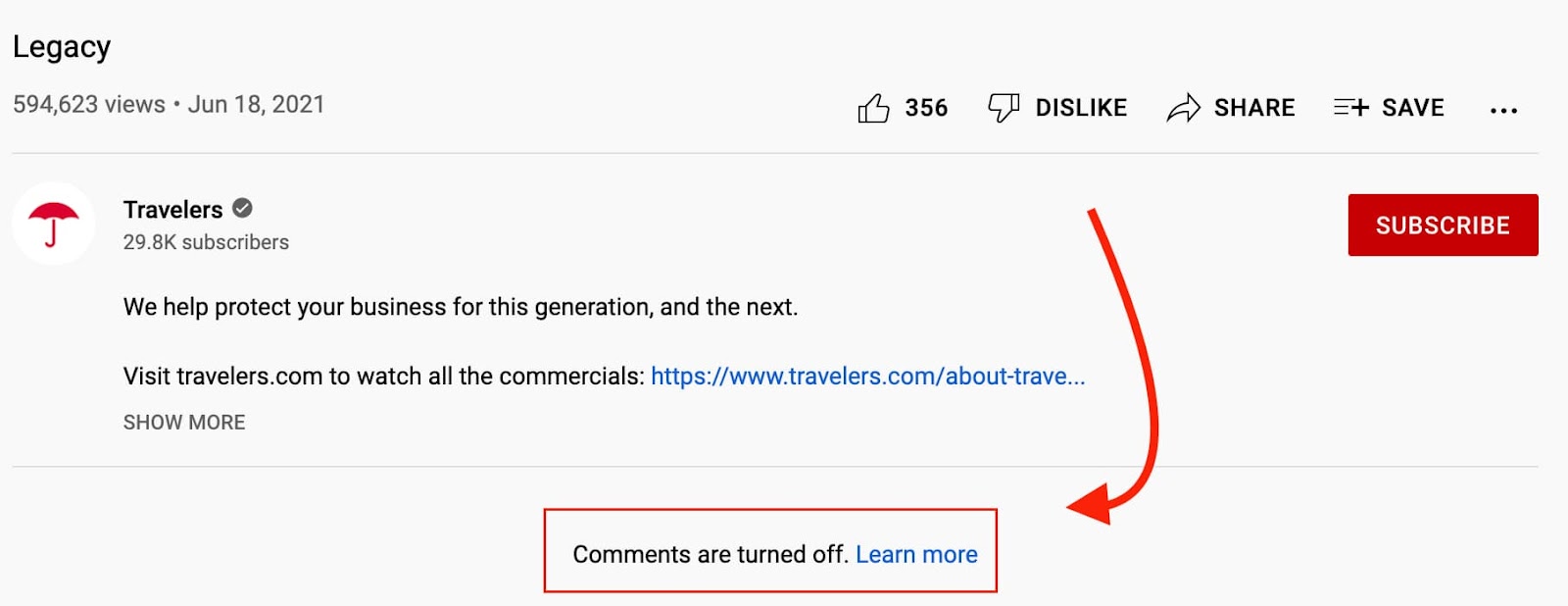
There are two ways to turn off comments on YouTube: at the channel-level and at the video-level.
Here’s how it works at the channel level:
-
Access your Studio dashboard and click on “Settings.”
-
Select “Upload defaults.”
-
Navigate to the “Advanced Settings” tab.
4. Scroll down to the Comments section.
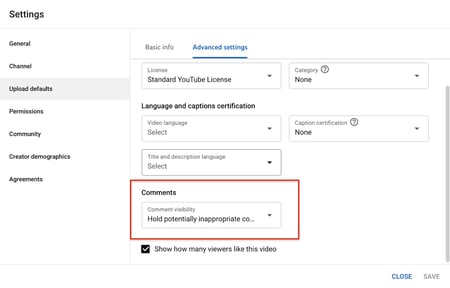
5. Select “Disable comments” and click “Save.”
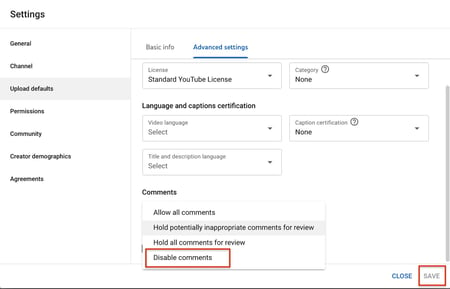
To turn off comments on a specific video, you can do this during the uploading process.
-
In the “Details” tab of the upload, scroll all the way down to “Show more.”
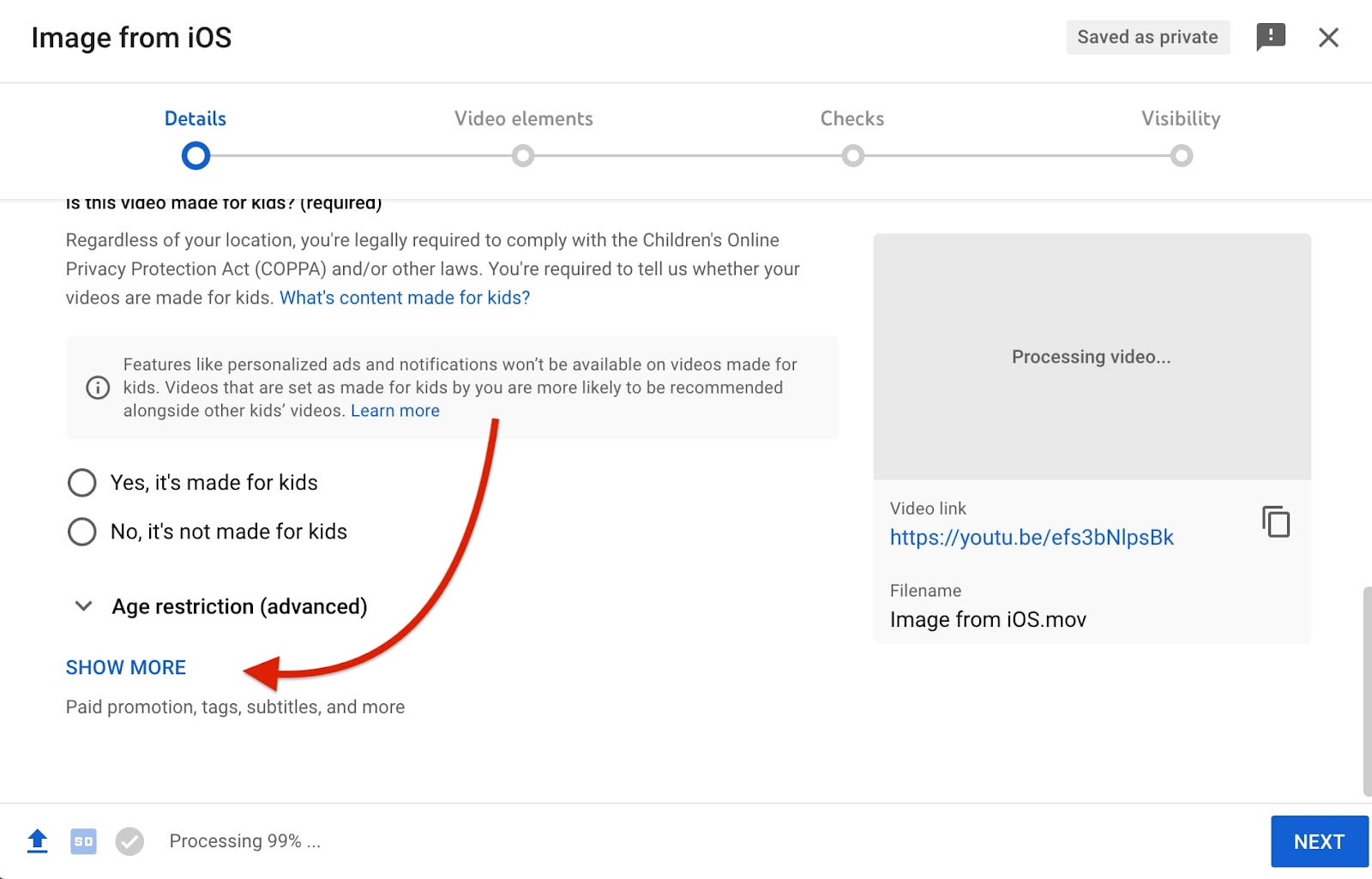
-
Under “Comments and Ratings,” choose “Disable comments.”
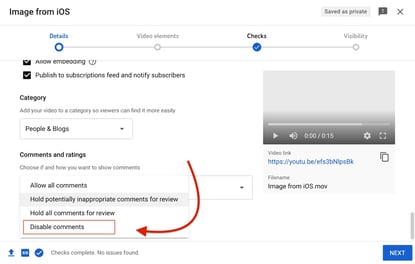
Note that you can change this setting later after uploading your video.
Troubleshooting: Youtube Comments Not Loading
If your YouTube comments aren’t loading, there’s a good chance it’s your internet connection. If your connection is slow and unreliable, the comment section may not load properly.
Another reason why your comments may not load is if you’re using a different viewport. While on the web app, YouTube comments load automatically when you scroll, on the mobile app, you must tap to see the comments section.
Lastly, certain browser extensions may affect how elements load on a page. As such, test disabling your browser extensions if your comments are not loading.

16 of the Best Job Interview Questions to Ask Candidates (And What to Look for in Their Answers)
When you’re interviewing people to join your team, you have to get creative — after all, there’s only so much that questions like “What’s your biggest weakness?” and “Are you a team player?” reveal about who your candidates truly are.
But what are the best interview questions to ask that will help you uncover your candidate’s strengths, weaknesses, and interests?
To help give you some ideas for the next time you’re meeting with a job candidate, here are some of the best job interview questions to ask, plus good answers to each question.

Questions to Test a Candidate’s Honesty and Sense of Ownership
1. “What single project or task would you consider your most significant career accomplishment to date?”
Lou Adler, author of The Essential Guide for Hiring & Getting Hired and Hire With Your Head, spent 10 years searching for the single best interview question that will reveal whether to hire or not hire a candidate — and this was the one.
A good answer to this question:
Candidates’ answers will tell you about their prior success and sense of ownership. A great answer will show they are confident in their work and professional choices while being humble enough to show they care about the company’s success. For example, if a candidate built a sales or marketing campaign they’re particularly proud of, listen for them to explain how the business benefited from it. Did it help the company sign a major client?
2. “Is it better to be perfect and late, or good and on time?”
If your candidate responds with “It depends,” hear them out — the interview question itself is phrased in such a way that candidates can sense there is a right and wrong answer, and they’ll be looking for signs from you that they’re heading in the right direction.
A good answer to this question:
For most companies, the correct answer is “good and on time.” It’s important to let something be finished when it’s good enough. Let’s face it, every blog post, email, book, video, etc. can always be tweaked and improved. At some point, you’ve just got to ship it. Most managers don’t want someone who can’t hit deadlines because they’re paralyzed by perfection.
Try to remain neutral as they feel out their response, though. They might not be able to relate to work that’s measured purely by quality and deadline, but it’s important that they can express how they prioritize their tasks.
3. “Tell me about a time you screwed up.”
An oldie but goodie. This is a tried-and-true test for self-awareness. (Honestly, well-prepared candidates should see it coming and have an answer ready.) Someone who takes ownership of their mess-up and learns something from it is usually humble and mindful. Candidates who blame others or give a “fake” screw-up (something like “I worked too hard and burned out.”) are red flags.
A good answer to this question:
A good answer to this question will do two things well:
- Admit to a genuine mistake. Often candidates will dress up a mistake with a self-compliment or excuse to avoid looking weak. For example, “I was so committed to X that I overlooked Y.” On the contrary, good answers will just show that they miscalculated, plain and simple.
- Explain what they learned from it. It’s one thing to screw up, but it’s another thing to take that screw-up as an opportunity to improve. Great companies learn more from failure than they do from success — candidates who do too are exactly what you need to grow.
Questions to Test a Candidate’s Work Ethic
4. “Tell me about a time you set difficult goals.”
If you’re looking for a candidate who is goal-oriented and results-driven — as most hiring managers are — this question will help you gauge whether they’ll be able to handle the audacious goals you have in store for them. Ask follow-up questions like, “What did you do to achieve them?” Have the candidate walk you through the process and purpose of the goals they set out for themselves.
A good answer to this question:
A good answer to this interview question shows they understand what difficult goals are, and that they put a lot of effort into attaining their goals while maintaining a high standard of work quality. Listen for answers that describe a lofty goal and show why this goal challenged their normal targets. Responses that admit the candidate came up short of this goal can also indicate self-awareness and confidence despite a lack of success.
5. “What have you done professionally that is not an experience you’d want to repeat?”
A candidate’s answer to this question will give you an idea of how they viewed work they weren’t very happy with, which is bound to happen to everyone in every job at one point or another.
A good answer to this question:
HubSpot’s VP of Customer Service and Support Michael Redbord says candidates’ answers generally fall into a few categories:
- Something menial (e.g. envelope-stuffing). Pay attention to whether they understand the value of this getting done for the business, or whether they just think they’re too good for a job like that.
- Something really hard. Why was it hard? Was it because it was poorly planned, poorly executed, or something else? Where do they put the blame on it being such an unpleasant experience?
- Something team-related. Follow up with questions about the team, what their role on the team was, and so on.
Even the category of what they consider an experience they wouldn’t want to repeat is interesting, says Redbord. When you talk about extreme experiences that get people emotional, it can be very revealing. Keep in mind, however, that good answers don’t have to fall into any one category — what’s most important is if they extracted value from the experience despite their lack of interest in doing it again.
6. “What is your definition of hard work?”
Some organizations move at very different paces, and this question is an effective way to tell whether your candidate will be able to keep pace with the rest of your team and add value to your team. It also helps you identify someone who is a “hard worker in disguise,” meaning someone who might currently be at a slow-moving organization or in a role that is not well-suited to them, but wants to work somewhere where they can really get their hands dirty.
A good answer to this question:
A good answer doesn’t have to produce evidence of hard work — it should rather reveal if your candidate knows what it takes to get something done and solve the problems it was designed to solve.
Answers that talk about working hard by working smart are great, as well. Always listen for this — putting in the work to find the best way of doing something is often just as important as the task itself.
7. “Who is the smartest person you know personally? Why?”
These questions test what the candidate values and aspires to by forcing them to think of a real person they know, and then articulate what makes that person smart.
A good answer to this question:
Ideal answers vary, but could include specific examples of the person they’ve chosen’s ability to think ahead several steps and execute. They could also touch on the person’s decision-making skills, ability to connect, desire for learning, or application of the things they learned.
8. “What’s the biggest decision you’ve had to make in the past year? Why was it so big?”
Here’s a great way to figure out how a candidate approaches decision-making. Were they quick to make that big decision, or did it take them a long time? Did they spend most of their time reflecting on it by themselves or fleshing it out with others? How did they make a plan?
A good answer to this question:
Candidates’ answers could be work-related or personal. In addition to revealing their thought process, as described above, an effective response to this interview question will also show how the candidate was able to prioritize what was most important when each possible option might have had its own advantages and disadvantages.
If your candidate had hiring power in a previous position, for example, maybe they found it hard to choose between two job candidates of their own. A good answer might show that they saw immediate skill in one candidate but long-term potential in the other. Although both people had usable strengths, your candidate chose the second person because he or she offered he best return on investment.
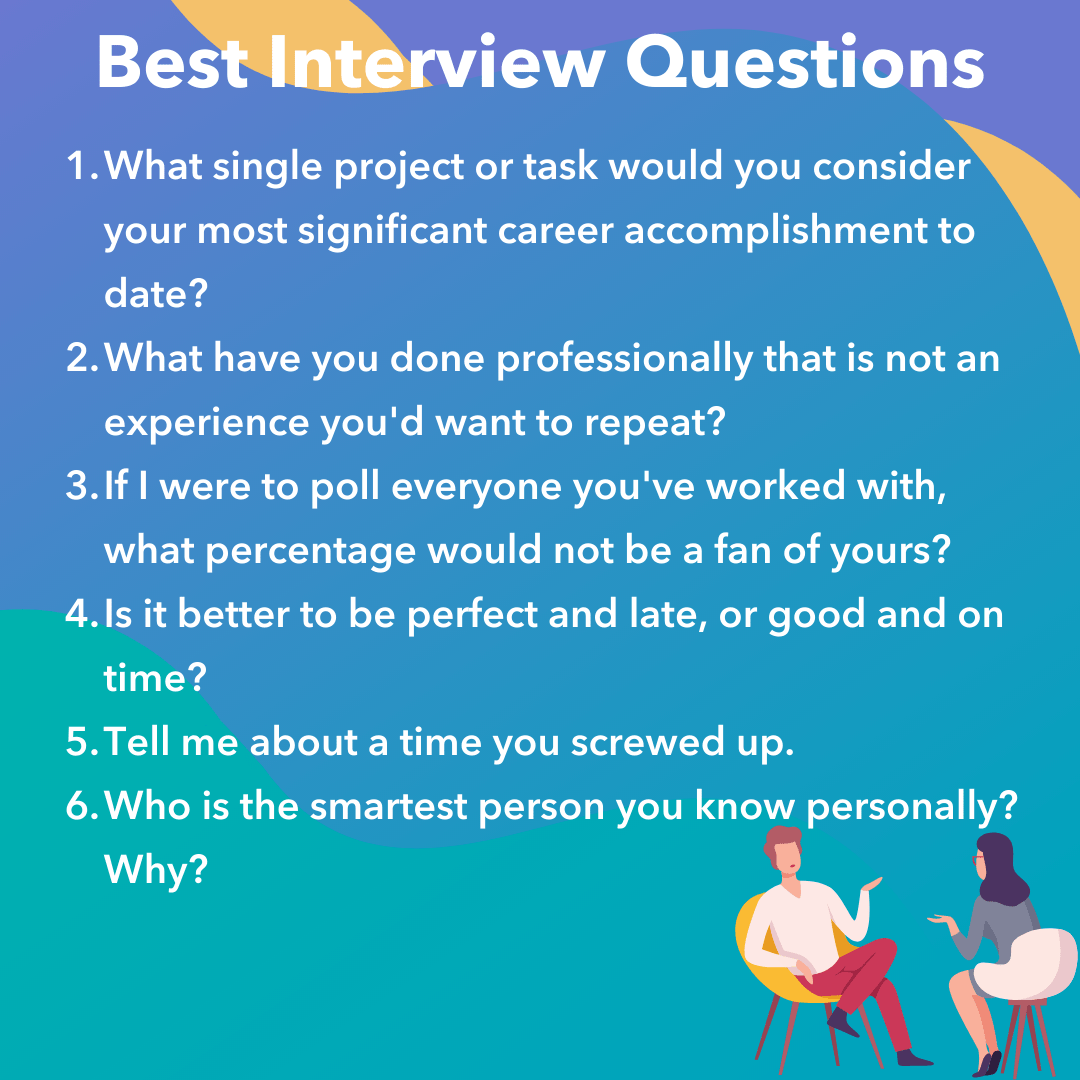
Questions to Test a Candidate’s Interests, Passions, & Working Style
9. “Tell me about the relationships you’ve had with the people you’ve worked with. How would you describe the best ones? The worst?”
Each team is different, so this question helps you tease out whether the candidate would be happy, productive, and well liked on your team. Their answer will tell you how they interact with others — and which kinds of interactions they want to happen.
A good answer to this question:
Answers to this question don’t have to focus on just professional elements of a relationship with colleagues — they can also be related to business culture. Maybe the candidate enjoyed their coworker’s positivity or thought their attitude lowered morale. Good responses aren’t one-sided, though. Look for answers that explain how their colleague’s work style thrived (or conflicted) with their own — not simply what their colleague did that benefited or offended them.
Many candidates are hesitant to bad-mouth their coworkers and bosses, so it’ll be interesting for you to hear how they navigate a question about their worst working relationships.
10. “In five minutes, could you explain something to me that is complicated but you know well?”
This is a much better test of intelligence than a college GPA, and it’s also a great gauge of a candidate’s passion and charisma outside of their core job responsibilities. Candidates who are passionate and knowledgeable about something — and can convey that well — are more likely to be enthusiastic and influential at work.
A good answer to this question:
The “something” in this question doesn’t have to be work-related — it can be a hobby, a sports team, something technical … anything, really. Good responses will tell you how well your candidate comprehends complex subjects and that they can articulate that subject to someone who doesn’t know much about it.
Explanations that use analogies also make good answers, especially if it’s a topic that is filled with industry jargon. This shows that the candidate can solve problems by drawing comparisons to things that are more universally understood.
11. “If I were to poll everyone you’ve worked with, what percentage would not be a fan of yours?”
At work, you can’t please everyone all the time. The answer to this question will help you find out if your candidate has enough drive and conviction in their own work to have ever conflicted with one or more of their colleagues.
Obviously you don’t want the candidate to be an unlikable person, though, so consider asking follow-up questions to find out why they might have alienated these coworkers: “If I were to interview these people, what words would they most frequently use to describe you?”
A good answer to this question:
The follow-up question about word choice is more important than the percentage they give in the initial question. In their answers, you should be encouraged by words like “passionate” and concerned by words like “lazy.”
Of course, not all negative words are red flags — while words that indicate a lack of work ethic might be a bad sign, words like “stubborn” could show a candidate’s self-awareness — and commitment to things their coworkers would rather move on from.
12. “What is something you’d be happy doing every single day for the rest of your career?”
While it’s important to hire for skill, it’s also important to hire someone who’s likely to be happy in the job for which you’re hiring. A question like this one will help uncover what makes each candidate happy at work — which is a great way to gauge whether they’d enjoy their role and stay at the company for a long time.
A good answer to this question:
There’s no right answer to this question — it’s more of a learning opportunity for you to see what your employees most enjoy in the industry. Nonetheless, a candidate’s answer to this question should align with the core responsibilities of the job for which they’re applying.
A sales candidate who says they could lead client kickoff meetings every day, for example, is a much better fit than a sales candidate who prefers to create lead-generating campaigns (a task that shows a bigger interest in the marketing side of things).
13. “If you had $40,000 to build your own business, what would you do?”
This question is a favorite of HubSpot Marketing Team Development Manager Emily MacIntyre. First, the type of business they choose to talk about can reveal a lot about their interests, values, and how creative they are. Second, it’ll give you insight into how business-savvy they are. By giving them a specific amount to work with (in this case, $40,000), they have the opportunity to parse out how they’d spend that money.
A good answer to this question:
The best answers to this question will get specific: They’ll offer an overview of the business and get into the logistics of where that money would go, whom they’d hire first, and so on.
Questions to Test a Candidate’s Knowledge or Interest in Your Specific Company
14. “Pitch our company to me as if I were buying our product/service.”
This is a unique and more challenging approach to the generic “What does our company do?” question. It forces candidates to not only drum up the research they’ve done to prepare for the interview, but also show they can use this research to craft a persuasive message that would be valuable in a business situation.
A good answer to this question:
This will come more naturally to some candidates than others. Above all, good answers to this interview question are able to combine an accurate definition of your company with what it offers to your core customer that they need or can’t get anywhere else.
Keep in mind that someone interviewing for a sales or marketing position might find it easier than someone interviewing for a non-client facing role — and that’s okay. You aren’t necessarily assessing their delivery. But it’ll be interesting to see how each candidate thinks through and gives their response.
15. “What has surprised you about this interview process so far?”
This is a question no candidate can really prepare for, and it’ll give you some indication of how candidates are feeling about the whole thing. Plus, you can see how they think on their feet.
A good answer to this question:
You’re looking for specifics here — something about the office space; the personality of the team; an assignment they were given to complete.
Honest answers are good answers, and answers that are directed at you are even better, as they show the candidate is confident speaking their mind in front of decision-makers. For instance, maybe the candidate was surprised you asked them about something on their resume that they don’t personally pay much attention to.
16. “Do you have any questions for me?”
This is another classic interview question, and like the one above, you’re seeing how candidates think on their feet. The answer to this question also reveals what’s important to the candidate. Are they wondering about company culture, or compensation? Are they curious about growth potential, or learning opportunities?
A good answer to this question:
There are no right or wrong answers, but personality and communication style are important factors when considering hiring someone to join your team, and you can get a sense of these factors with their answer.

34 of the Best Website Designs to Inspire You in 2022
Your website inspiration journey starts here.
Deciding to create a web presence is a big decision, but the best websites are a culmination of many small decisions. But one major decision that takes time, diligence, and a great deal of inspiration is the design of your website.

In this article, we’re sharing a few dozen of the best website designs we’ve seen. Click the links below to jump to explore website designs that crushed it in the last several years. We’ve also included a bonus section of designs that are just plain cool — so check them out, too!
- Where to Get Your Design Inspiration
- Website Design Inspiration Sources
- Today’s Cool Website Designs
- Best Website Designs from 2020
- Best Website Designs from 2019
- Best Website Designs from 2018
- Best Website Designs from 2017
- Best Website Designs from 2016
- Best Website Designs from 2015 – 2014
- Website Design Ideas
Where to Get Your Design Inspiration
If you want some design inspo, the good news is that you can find it just about everywhere.
One of the best ways to get inspiration for design is through travel. When you visit new places, you’re forced to get out of your comfort zone and experience something foreign.
What makes design so interesting is that everyone sees it differently and so, there’s always more to discover.
Another way to get design inspiration IRL is through the media. Every day, we are inundated with visual content. We make decisions about what we like, what we don’t like, and continue on our day.
But what if you were more intentional about how you viewed those interactions? You could come out of it with valuable insights.
You also can’t forget to leverage design communities. From design conferences to Reddit forums, there are hundreds of groups out there that can offer inspiration as well as advice.
Now that we’ve covered some IRL design inspiration sources, let’s cover the digital ones.
Website Design Inspiration Sources
1. HubSpot’s Asset Marketplace
HubSpot’s Asset Marketplace houses hundreds of website templates that you can sift through to get inspired for your own website.
The best part of the marketplace is that you can narrow down by industry and feature, allowing you to see the templates that are most relevant.
Once you find a template you like, you can view a live preview of the site to get a full experience then download it if you decide to use it.
2. Dribble
Dribble is where designers go to get inspired and to share their work. The website has everything from animation and branding to illustration and mobile.
Once you navigate to the “Web Design” tab on the homepage, you can filter results by color scheme, editing software, timeframe, and tags.
Furthermore, if you find a designer whose work you like, you can save the design for future reference and follow their work to see other designs on their profile.
This is an incredible resource to use whether you’re starting from scratch or already have a solid plan in mind.
3. Bēhance
This is another digital platform full of creative inspiration to leverage ahead of your website design project.
One of the best features on this site is the ability to filter by location. This allows you to see how designers in different regions differ in technique and style.
This can be particularly helpful if you are designing a website for a foreign, unfamiliar market. You can gain interesting insights by evaluating the decisions made by Behance designers.
4. Pttrns
Want to focus on mobile web design? Pttrns is the place to go.
This subscription-based platform allows you to gain access to thousands of mobile design templates and get advice from top designers all over the world.
Additional features on this platform include:
- A favorites and collections folder to store your favorite designs.
- A studio to interact with other designers and get advice.
- A design guide to understand the strategy behind the designs.
From familiar corporations to small businesses, to international organizations, the following sites push the status quo on the web. Whether it’s the design aesthetic, usability, interactivity, sound design, or value that the site provides, each one is a masterpiece in its respective industry and something to aspire to.
Not surprisingly, many organizations exist to highlight these sites and the contributions they make to the web. To help surface some of the most inspirational designs, I gathered several award-winners that have made their way through several key awards organizations — including Red Dot, Awwwards, UX Awards, The Webby Awards, SiteInspire, Best Website Gallery, and FWA.
As you browse through the list, know that each site excels in its own way and seeks to serve a unique purpose. While one site may be an excellent example of visual design, another may be an excellent example of interactivity.
This means that not all of these sites may be “conversion machines” or blueprint ideas that you can easily copy over to your site. Rather, they’re great ways to gain some website design inspiration and see the cutting-edge marketing that’s happening in the different corners of the web.
Keep in mind that web designs are fluid and change often. Some of the designs in this list have changed since they were awarded, but we do our best to keep them up-to-date. We’re confident you’ll find a design here that sparks your creativity.
Read More: 77 Examples of Incredible Website Design
Download this free guide to see even more examples of website blog, homepage, and landing page designs.
Beautiful Award-Winning Websites
Best Website Designs from 2021
IBM’s The Harmonic State
Award: Site of the Month (July 2021), Awwwards
When you land on this IBM web page, it’s clear to see why the design won an award.
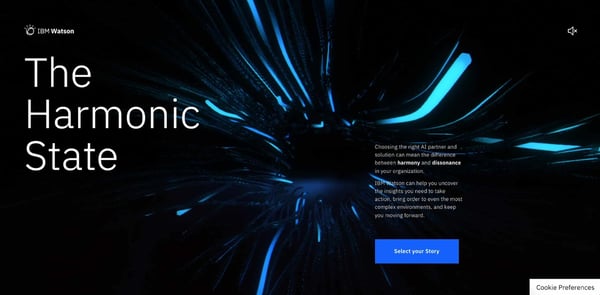
The best way to describe the website is as an immersive experience. In fact, IBM uses both visual and auditory elements to draw the visitor in and keep them engaged.
When you first land on the web page, you’re prompted to put on headphones to get the full experience. Even if you skip this step, you’re drawn in by the interactive background that reacts as your mouse navigates on the page.
In addition, the page is well balanced with a large title that grabs your attention across from a small description with a bold blue CTA.
With a topic as complex as AI, IBM then uses visual storytelling to explain how its Watson tool works in the real world. Visitors can explore three stories through video game-like functions and learn more about the tool.
It’s a fun and effective way to get users engaged in a topic that can be complicated and dry.
Superlist
Award: Site of the Month (April 2021), Awwwards
Superlist is a productivity app that helps teams and individuals change the way they work.
Too often, you land on a website and have to figure out what the brand is about. With Superlist, you know exactly what to expect as soon as you get to the homepage.
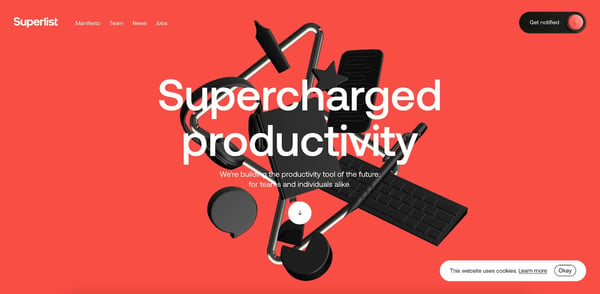
The interactive homepage shows common work accessories, like headphones and keyboard with clear, to-the-point copy.
Superlist effectively uses white space to keep the focus on its copy. However, to facilitate navigation, they include a small button with an arrow icon to indicate that there’s more to see on the page once you scroll.
From there, the fun visuals continue – keeping you engaged as you learn more about the brand.
Hyer
Award: Website of the Month (2022), CSS Design Awards
Want to make a strong impression on your website visitors? Take a page out of Hyer’s book.
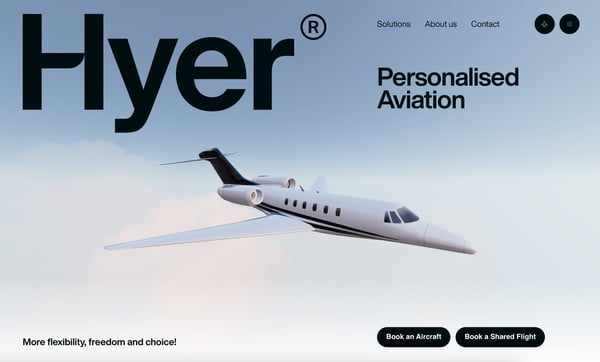
This striking illustration of the airplane, as it slowly moves across the screen, is sure to grab website visitors’ attention.
This page has everything you need in an effective homepage: An image that tells a story but isn’t too distracting, use of white space, easy nav bar, a tagline or slogan, and a clear CTA.
It’s a clean design that’s free of any distractions and invites visitors to learn more about the brand.
Best Website Designs from 2020
Swab the World
Award: Site of the Day (2020), Awwwards
Parallax, bold colors, and negative space shape the design and experience of Swab the World’s website. The organization brings awareness to stem cell donations. Their mission is to “Make sure every single patient finds their match. Period.” Photos of couples exhibiting love and emotions bring a human element to a historically complex and scientific process.
From a technical perspective, the design makes moving down the page feel natural, ensuring the readers reach each point of copy and every CTA on the homepage.
Newest Americans
Award: Honorable Mention (2020), Awwwards
An organization with a responsibility as large as honoring past, present, and future migrating identities needs a beautiful and functional website to help spread the word. Newest Americans champion immigrant experiences in cities across the state of New Jersey. The website uses beautiful imagery of people, places, and items that represent this experience in a way that flows cohesively down the homepage, telling the story of this group of America’s newest citizens.
The website is both visually appealing and functional with a simple navigation menu, stories organized by photos, and a clean press page that puts the most recent articles front and center.
Spotify Design
Award: Honorable Mention (2020), Awwwards
Spotify is known for accomplishing its fair share of amazing feats, and its latest iteration of Spotify.Design is no different. Serving as the hub for all things visual and creative for Spotify, the music and podcast giant gives listeners a look into the who, what, why, and how of what makes the app so sensational.
Bright colors, drop shadows, and smooth animations give this website character and depth. The flat geometric designs with abstract accents make albums and artists practically jump off of the screen.
Andy Warhol
Award: Honorable Mention (2020), Awwwards
Artist, film director, and producer Andy Warhol’s life will forever be encapsulated in a splendidly designed website that captures his art style in a digital format. As you peruse the page, your cursor becomes a spotlight that converts every image you hover over into a negative image or inverses the colors of the text you’re reading.
The big, bold text makes a statement and emphasizes just how important copy is to website design. Subtle animations help pace the site and set the tone for each section as you peruse the home page.
Human Interaction Company
Award: Corporate Website (2020), Red Dot
To see video done right on a website, look no further than the Human Interaction Company. From the moment you click on the site, the experience is lightning fast. You’re dropped directly into the action — the why, what, and how of Human Interaction and exactly what the team does.
This Red Dot Design Award winner aims to bring the study of human interaction to the masses, and in the process, show us just how engaging it can be to learn about it. Don’t get discouraged by their award status though — none of the photos on this site are photoshopped, so it’s a practical example of building quality with the resources you have available.
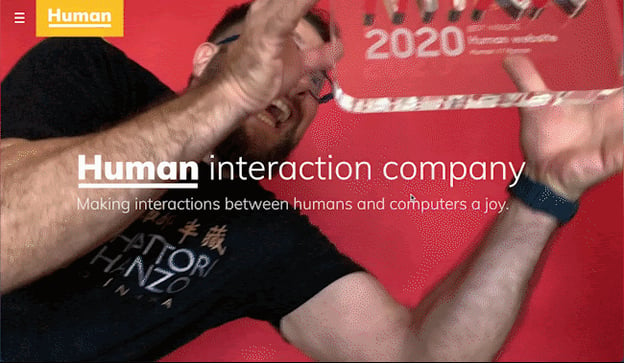
Garoa Skincare
Award: Site of the Day (2020), Awwwards
How do you transform the feeling of luxury and practicality into a website? Garoa Skincare provides a blueprint. Whether your product costs half the price of your closest competitor or twice the price, your site can bring a sense of extravagance to just about any product you sell.
High-quality visuals, typefaces that complement each other, and a balance of negative space with useful copy can bring a simplistic elegance to your website.
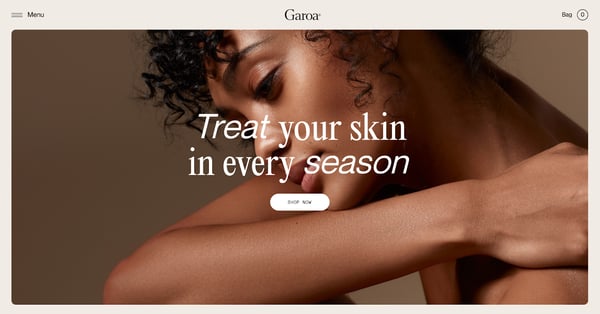
Best Website Designs from 2019
1917: In the Trenches
Award: Awwwards’ Best Website of the Day (2019)
This website, made to promote the film 1917, allows you to walk around the trenches and perform the same mission that the characters did in the film. You can also see their maps or access other tools.
This is a great example of a site that went above and beyond with interactivity as well as a site that leverages its content and prewritten storyline to market its film. This website won Site of the Day by Awwwards, which allows designers to vote and nominate great websites they see daily.

Image Source
The Octopus: A design blog by IDEO
Award: Business Blog/Website 2019 Webby award
IDEO, a global design company, won the Business Blog/Website 2019 Webby award for its Octopus blog, and for good reason. The blog features a sleek, black-and-white Octopus drawing as its homepage design, and uses yellow, black, and white to create a cohesive theme as you scroll.
If you hover over a blog post, the title is highlighted in yellow. If you hover over an image, the image is pulled towards you — two small features that make a big difference in terms of creating a unique and engaging user experience.
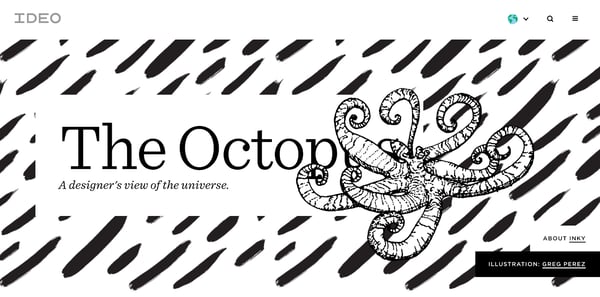
Nomadic Tribe
Award: Awwwards’ Site of the Year nomination (2019)
This site, which was nominated for Awwards’ Site of the Year, is one of the more engaging sites I’ve seen.
The homepage immediately begins playing a stunning video featuring a man walking across a desert, followed by gorgeous landscape scenes and text like, “Are you lucky enough to call yourself an adventurer?”
The text throughout the website is playful, with colorful pinks and oranges and yellows, and the homepage is logically designed, with CTAs placed throughout that range in commitment-level from “Read More” to “Watch Now” and, finally, “Download the App”.
Ultimately, the website is beautifully designed with strong attention to detail, and tells a compelling story throughout.

Image Source
Diana Danieli
Award: Webby 2019
This 2019 Webby-winning site shows off imagery of art and architecture with either high contrast or heavy exposure. As a website visitor, you can click and drag your mouse to change the photos and variations. Each image shows a piece of work that highlights the artist who owns the website.
A cool plus about this website is its incorporation of audio and music. Clicking on certain buttons on the screenplays a piano note and truly immerses you in the Diana Danieli experience.
George Nakashima Woodworkers
Award: Webby 2019
This woodworking website emphasizes nature and care for the woodworking trade. It’s essentially a slideshow of beautiful forestry and farming images. As a new image comes on the screen, a new quote related to wood or trees also comes up.
This is incredibly relaxing to the visitor and shows that the woodworkers recognize the beauty of trees and the environment. This website also won a Webbie in 2019.

Best Website Designs from 2018
crypton.trading
Award: Site of the Day (4/3/2018), Awwwards
Meet crypton.trading, your robot accountant.
Crypton.trading is a trading hub for cryptocurrencies such as Bitcoin, using artificial intelligence to predict changes in a currency’s value and identify key buying and selling opportunities. The website was rated high for its development and design, as it gradually explains more of the developer’s methods the further down visitors scroll.
This award-winning website makes tech-savvy visitors feel right at home the moment Crypton’s greeting appears across the homepage, one letter at a time.

Southwest: Heart of Travel
Award: Best Visual Design – Aesthetic, 2018 Webby Awards
When Southwest Airlines wanted to prove that its customers were “more than just a dollar sign,” the company created a website where the design was assembled using the shapes of their customers’ flight paths.
The website, called Heart of Travel, even allows visitors to create their own artwork out of a trip they might plan on taking. In this way, Southwest’s website is a product of their most loyal passengers.
Overflow
Award: Site of the Day (3/20/2018), Best Website Gallery
Overflow is a design tool that allows people and businesses to create story-like flow diagrams of their ideas so they’re easier for others to understand. Aside from this being just a good service, the Overflow website practices what it preaches: Along with vibrant red call-to-action buttons for downloading the tool, this website promotes its product the best way it knows how — using a flow diagram.
The website delivers this flow diagram in the form of a video. While embedded videos can look rather clunky sitting in the middle of a website’s other design elements, Overflow’s is perfectly placed and exactly what you’d want to see when landing on the site for the first time.
Frans Hals Museum
Award: Site of the Year (2018), Awwwards
It can be tough for a museum to present all of its artwork together on a cohesive website. That’s what makes the website of the Frans Hals Museum so impressive.
Located in the Netherlands, this museum has created a website that uses a combination of digital design elements and its own exhibits. This mixture helps visitors understand what they’ll see, when they can see it, and where else they can get a taste of what this museum has to offer.
Best Website Designs from 2017
Simply Chocolate
Award: Site of the Year (2017), Awwwards
You’ll get a craving for chocolate just looking at this website — and in a way, that’s Simply Chocolate‘s website working as designed.
This appetizing website is that of a Denmark chocolate maker Simply Chocolate. Its website uses a variety of colors (and creative product names) to promote each chocolate bar. And as you scroll from one product to the next, they all seem to remain consistent in brand.
The three-dimensional appearance of each chocolate bar makes you feel like you can grab it off of your computer screen, while the “Add to Box” CTA to the top-left is ideally placed for users to select the products they want while browsing.
NOWNESS
Award: Best Cultural Blog/Website, 2017 Webby Awards
NOWNESS is perhaps the coolest crowdsourced video blog on the internet. That was a mouthful…what does it all mean?
NOWNESS‘ crowdsourcing is part of what makes it an award-winner. This means most of its content comes from independent creatives — an increasingly popular way for businesses to publish content.
NOWNESS is also a video channel, meaning all of its blog content is in video format. Together, these qualities help make Nowness a captivating hub for the stories that brands everywhere strive to tell.
 Image Source
Best Website Designs from 2016
Rainforest Guardians
Award: Best Activism Website, 2016 Webby Awards
Rainforest Guardians became one of the most immersive nonprofit websites of 2016. Seeking to build awareness around deforestation, the site allows users to “visit” the various villages, natives, and waterways that make up the Amazon Rainforest.
The site puts interactivity at the center of its user experience — a wise choice if your goal is to get people to connect with your cause and convert into volunteers.
Protest Sportswear
Award: Site of the Year (2016), Awwwards
The Awwwards calls Protest Sportswear a “shoppable lookbook,” and that’s exactly what this site is. As a clothing outfitter, this company has reinvented the way they market its product: Rather than promoting garments of clothing, Protest Sportswear promotes “looks.”
This makes the company’s product the most appealing part of the website itself, using a collage of styles to design a homepage that changes as often as its customer’s styles do.
The Teacher’s Guild
Award: Best Association Website, 2016 Webby Awards
The Teacher’s Guild is a professional community of educators that addresses some of the most critical challenges in education. What makes this website award-winning is how it balances diverse content types — programs, solutions, approaches, and collaborations — without overwhelming visitors.
Not only are the background visuals prominently placed, but they also use white space to emphasize the written calls to action at the center, as shown in the screenshot below.
Best Website Designs from 2015 – 2014
Virgin America
Award: Most Significant Industry Evolution, 2014 UX Awards
In a world where airline websites are known to be riddled with major usability issues, Virgin America has one of the best websites that pushes usability, accessibility, and responsive design forward.
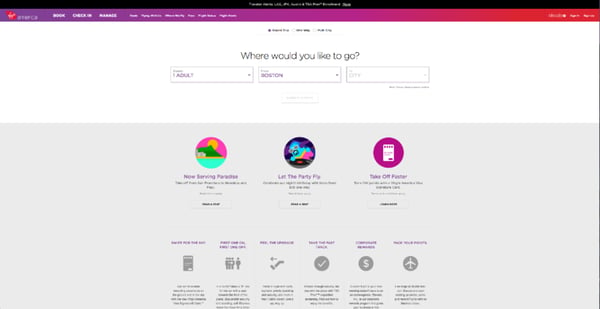
Feed
Award: Site of the Day (6/6/2015), Awwwards
Not only is Feed an interesting concept, but it also has a stunning execution that challenges our understanding of what is possible on the web. Through a creative blend of animation and video, the site immerses the user in an engaging experience.
As an atypical site, it contains several unique usability elements, including navigation that doubles as a scroll progress bar.
 Image Source
ETQ
Award: Site of the Day (5/19/2015), Awwwards
ETQ takes a minimalistic approach to ecommerce with a stripped-down site. Big, compelling visuals of their product lay against simple, flat backgrounds accompanied by strong typography that keeps the focus on exactly what the user came there to see: shoes.
Mikiya Kobayashi
Award: Site of the Day (7/4/2015), Awwwards
Mikiya is a Product Designer with a minimalistic portfolio that showcases his work through strong photography and subtle animations. His full site was originally created in Japanese and then translated into English, helping demonstrate the international scalability of his design.

Woven Magazine
Award: Site of the Day (4/4/2015), Best Website Gallery
Woven is an online publication that celebrates artists, crafters, and creators alike. They confirm that publications can (and should) have beautiful, engaging sites with easy-to-read content. Free of distractions like pop-ups and intrusive ads, this site is all about the experience of the content itself.
JOHO’s Bean
Award: FWA of the Day (8/7/2015), Favorite Website Awards
The website for JOHO’s Bean has incredible imagery, interactivity, storytelling, visual design, and most of all, sound engineering. These all come together to create a compelling, emotional, and engaging site that tells the story of a coffee bean’s journey.

World of SWISS
Award: Best User Interface, 2015 Webby Awards
Another airline? Yep. SWISS airlines built an incredibly immersive site that tells the story of what it’s like to fly with them — and they did too great of a job to be ignored. Strong visuals and animations introduce the user to different sections of the site that are packed with information beyond the usual sales and marketing pitch.

Other Cool Website Designs
Guillaume Tomasi
As a Photographer in Montreal, Guillaume Tomasi has built a portfolio that’s truly fit to house his unique and awe-inspiring photography. His surreal photo style is juxtaposed by his simple, flat, empty, and minimalistic portfolio design that places all of the focus on the work itself.
His unique series navigation coupled with art-gallery-inspired work introductions and perfect scrolling interactions yield an experience reminiscent of that of a real gallery.
Image Source
The District
This branding agency takes its imagery seriously, and it should — it handles all channels of media for its clients. The District’s website alone is a journey through some of the most beautiful artwork and photography you’ve ever seen.
These provocative tiles change rapidly as you explore the website, and the wackier they seem, the more interested you become in learning about their past work.

Image Source
Tej Chauhan
Tej Chauhan has turned impressionist artwork into a business model with this intriguing website. Each image on this product developer’s homepage slides out to cover the previous image, offering little context around the object you now see in front of you. But it’s that lack of context that makes you want to learn more.
Plus, the tagline, “Souvenirs of The Near Future,” suggests these objects are a part of their product line — and an opportunity for you to bring these innovative objects into your life.

Image Source
Want a similar look for your website? Check out the new CMS Hub theme collection on the Envato marketplace.
Amanda Martocchio Architecture
An architecture firm might not specialize in web development, but its website should still demonstrate its commitment to visually pleasing design. Amanda Martocchio took that to heart with this gorgeous website.
It’s no secret that Amanda Martocchio Architecture loves its work — each picture on the homepage of its website is an enchanting shot of the houses the company designs. The website labels every house you scroll through with the type of design that was intended, along with numerous angles to each building.

Website Design Ideas
Now that you’ve seen a number of beautifully designed and award-winning platforms, keep these potential ideas in mind as you create your own.
- Consider ways that you can make your website interactive, like the 1917 example.
- Make a website that emphasizes the mobile experience, even while it still has a good UX on desktops.
- Create a website that tells a story about your brand with photos, text, or video.
- If you can’t create a heavily interactive site, consider drawing in eyes with a site that presents a slideshow of your photos.
- Ensure your call-to-actions are easy to see and encourage visitors to continue exploring your site
- Keep navigation clean. Ensure your visitors always know how to get back to the homepage.
- Integrate your social media sites via social embed buttons, so site visitors can easily follow you on your various social channels.
- Keep each of your web pages consistent in design — including font, colors, images, and messaging.
- Test your website’s usability with a heat map, which will show you on which web pages your visitors are most likely to bounce.
- Include a live chat or chatbot to give visitors the option to engage with you directly on your website if they prefer live chat to phone calls. Live chat can automate functions for your sales and service reps and create a better communication experience for the customer.
- Get an SSL certificate to ensure your website is secure. SSL is part of Google’s search ranking algorithm, so an SSL certificate can help you rank higher in search.
Build a Beautiful Website for your Business
Designing a website can be simple once you have a look and feel in mind. Use these examples as a springboard to develop the layout, color palette, imagery, and animations on your website.
Once you’re ready to start coding or dragging and dropping, you’ll have a beautiful website that your visitors will enjoy.
Editor’s note: This post was originally published in January 2021 and has been updated for comprehensiveness.

What Is Brand Perception? How to Measure It and 4 Examples
If you take a second to think about your shopping habits, you’ll probably realize that a majority of the products you buy are influenced by brand perception. You’re not the only one — 77% of B2C consumers make purchasing decisions based solely on the brand name.
Brand perception, or the thoughts and feelings associated with a company, impacts why people wear a certain brand of clothing or pick one pasta sauce over another at the grocery store. Once consumers adopt an attitude about a brand, it’s tough to change. That’s why brands work hard to create positive associations in people’s minds, rather than negative or neutral perceptions.
When you know how people perceive your brand, it’s easier to shape its reputation, help consumers understand what sets it apart, and develop brand equity. You do this by measuring brand perception and tracking customer sentiment over time.
But before diving into the metrics, it’s important to understand what creates brand perception and how it informs company and consumer decision-making.
What is brand perception?
Brand perception is the sum of a consumer’s feelings, experiences, and thoughts about a product or service. It’s what people believe a brand represents, rather than what a brand says it represents.
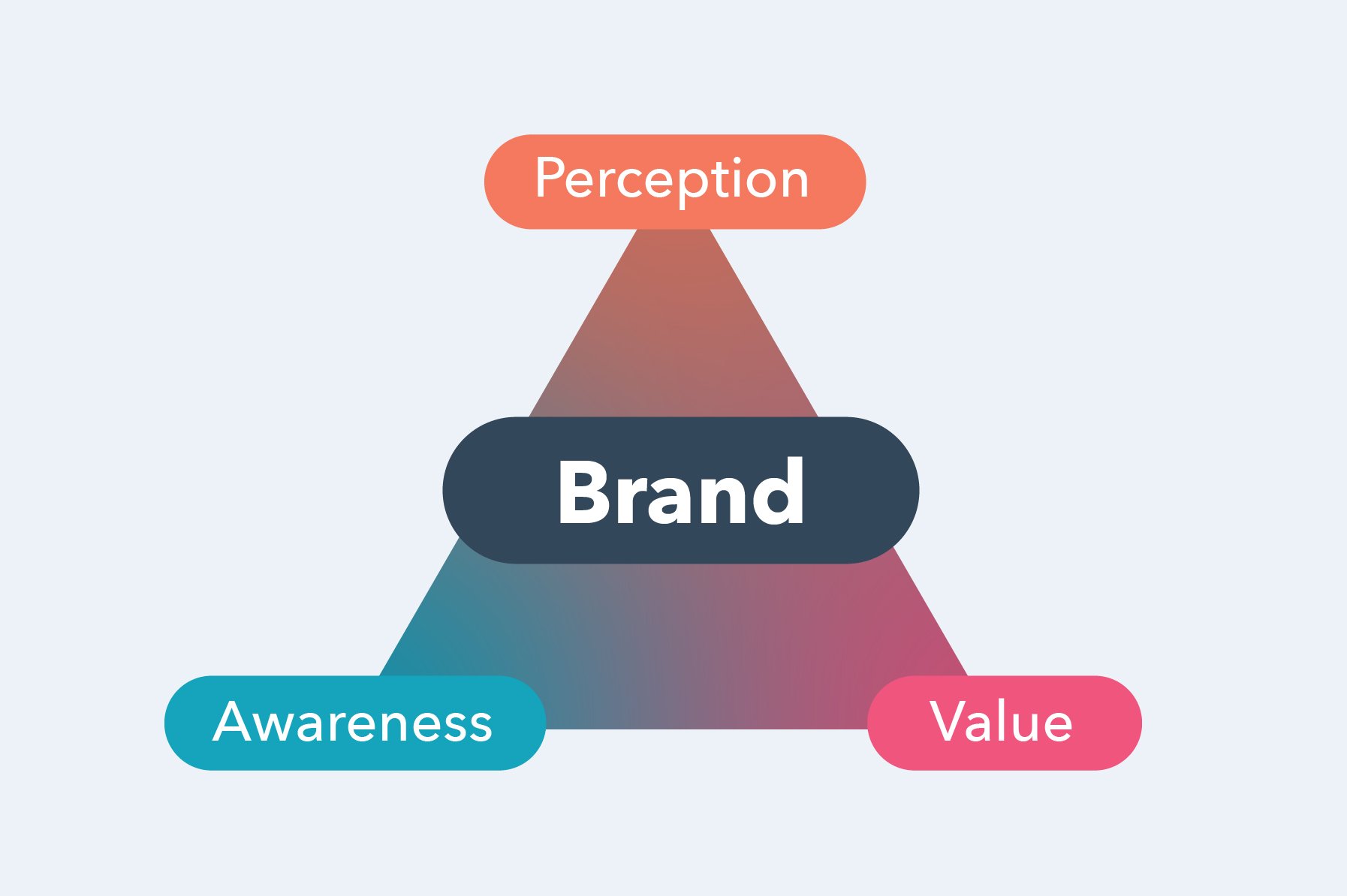
Although brand perception is a mental association, it plays an essential role in creating emotional connections with consumers. People consider their attitude toward brands when choosing between competing products. They read reviews, chat with customer support, compare options with friends, or sign up for a free trial. All of these touchpoints affect brand perception and impact a company’s success.
If consumers think highly of a brand, they become more loyal to it. Consider how this dynamic plays out in everyday life. People get in meme wars over Apple versus Android products. A person who wears Nike shoes usually won’t be caught in Adidas kicks. And you probably won’t find Coca-Cola and Pepsi in the same fridge.
Companies that understand brand perception use this information to develop brand equity. While brand perception can be narrowed down to what one customer thinks about your brand, brand equity is the combination of people’s perceptions, experiences, and opinions that creates your reputation. A company with high brand equity attracts loyal customers who pick your product or service when given the choice between competitors.
When a customer is loyal to a brand, 86% will recommend it to friends or family and 66% are likely to write a positive review. Those actions drive company growth and improve brand perception, which only helps your business.
Although it may seem that brand perception is out of your hands, you can take steps to measure it and improve people’s attitudes.
How to Measure Brand Perception
Data can help you understand how consumers, employees, stakeholders, and competitors perceive your brand. Since brand perception is a combination of reviews, reputation, experience, functionality, advertising, social engagement, and customer use, you should gather metrics from multiple sources.
Here’s how to measure brand perception:
- Conduct brand perception surveys to learn what people think of your business and how it stacks up against competitors. Ask questions that touch on emotional, cognitive, and action-oriented factors, such as these examples from Qualtrics:
- When you think of [the brand], what comes to mind first?
- Which of the following words describe [the brand]?
- What kind of feelings do you experience when you think of [the brand]?
- How would you describe your level of emotional attachment to [the brand]?
- How would you describe [the brand] to a friend?
- How would you describe your last experience with [the brand]?
- On a scale of 1-10, how likely are you to recommend [the brand] to a friend or colleague?
- Track online mentions using social listening tools or Google alerts. You want to monitor social media comments, online reviews, relevant hashtags, forums (i.e. Reddit and Quora), and news mentions. As the brand grows, so will this dataset. I recommend creating a system to handle negative mentions as soon as possible and stay on top of talk about your brand, products, and marketing campaigns.
- Do a brand audit to evaluate how your brand perception compares to competitors’. This should include research on primary and secondary target audiences, a competitive analysis of your products or services, a thorough evaluation of your communications strategy, and a deep dive into your brand positioning. (I recommend referencing this brand audit guide from Visme).
- Collect data from customers at each point of the buyer’s journey. This can include how buyers research information, evaluate products, compare between competitors, interact with customer support, make a purchase decision, onboard, and interact with the brand post-purchase.
Once you have enough data to measure brand perception, you can evaluate if consumer sentiment aligns with your brand identity. If so, stay the course. If not, you can learn how to improve consumer brand perception.
Brand Perception Examples
From PR campaigns to packaging, brand perception is influenced by every touchpoint people have with a company. The following brand perception examples show how businesses can shape consumer sentiments so the inner identity matches the outer image.
1. Snickers
Candy lovers can choose between dozens of chocolate-covered bars, so what makes someone grab a Snickers instead of a Kit Kat? Yes, it may be taste or preference, but the brand has designed clever campaigns to make people believe that eating Snickers will transform you from hangry and unfocused to sharp and satisfied.
2. Orangetheory
You may have driven past one of these orange-hued workout studios on your daily commute or taken an online class during the pandemic. And while fitness crazes come and go, Orangetheory has carved out a brand perception that’s kept the company going strong since 2010. The community-oriented classes make it the right fit for people looking to connect and compete with neighbors while working up a sweat. It’s more casual than Crossfit but kicks up the intensity compared to group classes at national gyms, like Planet Fitness and LA Fitness.

3. Zoom
An innovative and beloved video platform at the start of the pandemic, Zoom quickly became the cause of remote workers’ burnout. People loved how it kept them connected to teams, families, and friends.
But the constant connection led to “Zoom fatigue,” an informal diagnosis that’s been covered by Healthline, Stanford, the New York Times, and more. While companies still rely on Zoom for virtual meetings, the brand has had to adjust from its original “Video conferencing that doesn’t suck” vibe to “How the world connects” as consumers shifted their perceptions.

4. Patagonia
The outdoor gear brand became famous for its innovative clothing and focus on responsible manufacturing, but a change in consumer perception caused the company to double down on its sustainability-driven identity.
In the early 2010s, people began referring to the company as Patagucci — a satirical name that poked fun at the brand’s high prices and its adoption among high-income workers. To sway consumers from placing Patagonia in the fast-fashion category, the company has launched a number of sustainability-focused initiatives, like its Worn Wear line of recycled clothing.
Knowing what people think of your brand is an important part of developing a successful business. It gives you the information you need to shape your brand identity, create impactful marketing campaigns, and make changes when consumer perception shifts.
Now that you know how to measure brand perception, you can use it as a tool to make strategic brand decisions and drive your company forward.


A Plain English Guide to Real Time Bidding
Because of its efficiency and cost-effectiveness, real-time bidding (RTB) has become one of the most popular ways to purchase ad inventory online.
But even for experienced marketers, real-time bidding can be a very confusing concept. So let’s break down what RTB is, how it works, and the pros and cons of using it — all while keeping it jargon-free.

In this post, you’ll learn:
- What is real-time bidding (RTB)?
- How does real-time bidding work?
- Real-Time Bidding Platforms
- Real-Time Bidding Pros
- Real-Time Bidding Cons
Let’s get started.
Real-time bidding is the driving force behind most programmatic advertising campaigns. Programmatic advertising is “the automated process of purchasing and selling online ads.” Real-time bidding allows advertisers to automatically buy ad inventory, place the ads online, and get a certain number of impressions in their programmatic advertising campaigns.
⭐Don’t have time to read the entire post? Listen to our podcast below about real-time bidding and programmatic advertising:
Click here to find more valuable content from the MarTech podcast.
In a traditional media buying process, you have to manually buy ads. Let’s say that you find a magazine that serves your buyer persona. You ask for the media kit, choose the ad dimensions that fit your budget, and then buy the ad for a certain amount of time. Once time runs out, the ad is taken down.
Real-time bidding takes out all of that work. You can get space on that magazine and hundreds of others by letting a Demand-Side Platform (DSP) automatically choose the best publishers and ad spaces, then bid on them for you. You set several certain targeting parameters, such as maximum bid price and target audience. These parameters then determine where your ads are placed.
The publisher accepts your ad only if you place the highest bid. But remember: real-time bidding automatically does all the bidding. You don’t have to take any additional steps.
Still confused? No worries. We break down the concept further below.
How does real-time bidding work?
There are several pieces involved in the real-time bidding process. Let’s take a look at each one of them one-by-one before putting it all together.
- Advertiser: The advertiser is the company or brand that wants to place an ad online.
- Demand-Side Platform (DSP): The Demand-Side Platform is the service advertisers use to launch ad campaigns.
- Publisher: The publisher is the website or online property that wants to sell ad spaces, often referred to as “ad inventory.”
- Supply-Side Platform (SSP): The Supply-Side Platform is the service publishers use to make ad inventory available. SSPs run auctions where ad spaces are instantly purchased by the highest bidder. But this can’t happen unless an ad exchange facilitates the transaction.
- Ad Exchanges: The ad exchange connects companies who want to advertise and publishers who want to sell ad space. Ad exchanges carry out the bidding transaction automatically in real time by connecting both Demand-Side Platforms and Supply-Side Platforms.
- Impressions: Impressions refers to the number of times an ad is seen or scrolled past. In the real-time bidding process, advertisers don’t pay for one individual impression, but rather the cost per thousand impressions (CPM).
Now, let’s put it together. How exactly does real-time bidding work?
On the advertiser side, marketers use DSPs to set up their ad campaign and track its performance. Publishers, on the other hand, use Supply-Side Platforms (SSPs) to list their ad inventory and the price they charge. They then meet in the middle at the ad exchange, the marketplace where the real-time bidding actually takes place.
To determine what ad inventory to bid on, advertisers will set targeting parameters. For instance, a brand may only want to target users who are in a specific region or have visited their website recently.
So, advertisers, or specifically their Demand-Side Platforms, evaluate ad potential in real time and decide whether or not to place a bid and how much to bid.
Remember, advertisers set their bid through the Demand-Side Platform, while publishers’ Supply-Side Platform either accept or reject the bid. The prices are negotiated on a cost per thousand impressions, so the advertiser isn’t paying based on uptime or even dimensions. Instead, they’re paying for the amount of times, in thousands, that their ad is seen.
Let’s go through another example of how it works.
Real-Time Bidding Example
Let’s say Silk is a UK-based beauty brand that just launched a new brow line and is running a campaign. They set up their campaign on a Demand-Side Platform (DSP) and are targeting users who regularly shop for makeup products, are located in the Manchester area, and are between 18 to 30 years of age. The brand also wants its ads to only show on sites related to beauty and lifestyle.
A user visits a publisher’s site. The publisher’s Supply-Side Platform (SSP) sends a bid request to the ad exchange, where Silk’s DSP will be evaluating the value of the impression. The DSP will then determine if the user meets the parameters outlined in the campaign. If so, the DSP will submit a bid.
If Silk has the winning bid, the user will see the ad once the page loads. This process happens thousands of times on different webpages during the length of Silk’s ad campaign.
Silk’s paid ads manager will also be monitoring their ad’s performance on the DSP to see if it’s reaching the desired audience, or if the parameters should be adjusted.
Real-Time Bidding Platforms
There are no RTB platforms because real-time bidding is a method of purchasing impressions, not a channel. However, you can use tools that can help you start the real-time bidding process. These tools help you either purchase ad inventory or place ad inventory for sale through RTB.
Below, we break down some platforms you might use if you’re looking to sell or purchase ad inventory online.
Real-Time Bidding Platforms For Advertisers
As an advertiser, you’ll want to find a Demand-Side Platform that allows you to manage several ad campaigns and set specific targeting parameters — down to the user’s most visited websites and preferred brands. Here are a few options:
- AdRoll: Self-serve Demand-Side Platform that’s a good fit for beginners in the programmatic advertising space.
- mediasmart: Self-serve Demand-Side Platform that provides advanced targeting and segmentation capabilities. Good fit if you’ve set up ad campaigns with other tools, such as Google Ads.
- theTradeDesk: Demand-Side Platform that allows you to place ads on multiple devices, including TV ad rolls, online videos, music streaming devices, mobile apps, and publishers across the web. Good fit if you’re planning to advertise across all of these channels.
Real-Time Bidding Platforms for Publishers
If you have ad inventory to sell, then signing up on a Supply-Side Platform is essential to take advantage of the real-time bidding process. You don’t have to speak with any advertisers, negotiate prices, or do any of the manual work that’s typically associated with account management.
Here are a few channels that will allow you to sell ad inventory through real-time bidding:
- Magnite: Supply-Side Platform for large-scale ad inventory sellers who also want to sell ad space through Private Marketplace (PMP) and Programmatic Guaranteed (PG). Good fit if you’re an experienced ad seller that wants to upgrade to a more capable system.
- Index Exchange: Supply-side marketplace that allows you to get started with ad inventory selling on multiple channels, including display, video, mobile, and native. Good fit if you’d like to start selling ad inventory or if you plan to take advantage of all of the available channels.
You can find more SSPs here.
Still not sure whether you should sell or buy ad space through real-time bidding? We go over the pros and cons below.
Real-Time Bidding Pros
Better Tracking
With RTB, advertisers can monitor their campaigns easily without relying on vendors. No need to reach out to multiple publishers and ask for reports, you can get them yourself on your DSP.
This also gives marketers the agility to pivot quickly if their campaign isn’t performing as expected. For instance, you might find that switching out one keyword for another may boost your campaign’s performance and align better with the audience you want to reach.
Better Targeting
When purchasing ads through RTB, you buy one impression at a time. This means that every time a website visitor or mobile app user visits a publisher’s site, you’re able to assess that person’s particular profile and see if it matches your target audience.
It makes for more accurate targeting as you can ensure your ads are only reaching the right people at the right time.
More Cost-Effective
The precision of the real-time bidding algorithm allows marketers to spend their ad dollars on high-value impressions.
Too often, brands launch marketing campaigns that only reach a portion of their target market, leaving the rest of the budget wasted on users who don’t fit the profile.
In addition, RTB takes much of the manual labor out of the online advertising process, allowing marketers to focus on other efforts.
Real-Time Bidding Cons
Compromised Brand Safety
Where your ad shows up is as important as who sees it. This is because consumers judge brands’ ads based on the surrounding content.
An Ad Colony survey reported that 60% of consumers have a negative perception of brands whose ads appear near inappropriate, hateful, or offensive content. This can be anything from a site that hosts pirated movies to sites promoting hate speech.
Due to the nature of RTB, there is a risk your ad may appear on a site with content you wouldn’t want your brand associated with. However, brands can limit this issue by putting certain keywords and sites on a “deny” list. This protects brands from showing up on webpages or mobile apps that don’t align with their identity.
Potential Ad Fraud
Ad fraud happens when scammers (or any parties with ill intent) try to trick digital ad networks by falsifying impressions and clicks using bots. Obviously, bots aren’t real people — so they aren’t potential buyers you can eventually convert into customers. Because you don’t get to hand-pick publishers through real-time bidding, there’s the very real chance your ad might be seen by bots instead of real people. The rising sophistication of bots can also cause brands to gather inaccurate data on their campaigns.
Some deceitful publishers fabricate impressions to steal from advertisers. One way to combat this is by using a DSP or ad network with fraud detection software.
Real-Time Bidding is the Easiest Way to Increase Brand Awareness
Real-time bidding makes the online advertisement process fast and easy. Marketers can skip the back-and-forth previously associated with ad buying and focus on tracking the results, increasing the ROI from your campaigns and empowering your brand to grow better.
Editor’s note: This post was originally published in March 2021 and has been updated for comprehensiveness.