
How to Host Virtual (or Hybrid) Holiday Parties For Your Team
The pandemic has forced the traditional holiday office party to go virtual. But things are different this year — now, a variety of workplaces include remote and in-person employees (or a hybrid of both).
So here’s the challenge — how can you host a fun holiday party that satisfies everyone? What activities can you plan? What logistics are involved?
There’s certainly a lot to think about, but don’t stress. Here are some tips from HubSpot’s remote workforce on how to host a virtual or hybrid-friendly holiday party.
1. Use a spreadsheet to organize your activities.
Planning a virtual holiday party requires plenty of logistics. That’s why you should use a spreadsheet to stay organized.
Kara Korosec, a remote senior customer success manager at HubSpot, says, “I used to coordinate Secret Santa at my last company, a 100% remote company. I set up a spreadsheet where everyone listed some of their interests, then we used a random generator to assign secret Santas. Everyone had a budget of $50 and used the spreadsheet as inspiration for what to get. After the gifts were mailed, we had a Zoom where we shared our gifts and guessed who our secret Santa was.”
2. Make it interactive.
Virtual events might automatically feel “hands-off” — but this doesn’t have to be the case. In Korosec’s secret Santa example, they opened the gifts on a live Zoom call.
The goal here is to be creative.
Eimear Marrinan, a director of culture at HubSpot, says, “There are a ton of amazing remote vendors and minority-owned businesses that we partner with in the Culture Team. They are doing amazing work. If your budget allows for it, consider outsourcing to the experts. A few brilliant events I have seen: Ski Chalet Experience, Walkthrough Christmas Markets, Cocktails in a Winter Wonderland!”
There are several online games and activities you can use for your virtual holiday party. Below are some of our favorite interactive remote activities:
- Virtual MasterChef: Ask one person to host and send out a list of ingredients (or modified ingredients for dietary restrictions) and supplies. On the cooking night, have everyone dial into the Zoom to cook the same meal together as the host walks them through the recipe. Once the recipe is ready, sit down and have a virtual dinner together!
- Ugly Sweater Contest
- Virtual Escape Rooms, like Puzzle Break and Mystery Escape Room
- Airbnb Experiences
- Patchwork Adventures
- Pinturillo
- Virtual Tea & Coffee Tasting
- Virtual Floral Arrangement Class with Alice’s Table: They deliver farm-fresh flowers to your door.
- Travel to Paris and tour the Musée d’Orsay or pop over to London and tour The British Museum
- Goat 2 Meeting: Virtual Farm Tours & Animal Cameos in Zoom Meetings
- Two Bit Circus
- Splash
- ON24
3. Incorporate food.
When hosting an in-person event, providing food is typically part of the gig. Why can’t this be true of remote holiday parties too?
Emily Tong-Sanchez, a remote revenue operations specialist at HubSpot, says, “Let people comp their meal!”
This gives people a reason to celebrate and enjoy the party.
Marrinan adds, “Ask questions if you’re incorporating food. Are there allergies or preferences? If you’re arranging a cocktail hour, does everyone drink alcohol? This is all about being inclusive in how you’re arranging your event.”
If you’re sending food, it’s important to be aware of any restrictions so your event is inclusive of all participants.
4. Encourage people to dress up.
Holiday parties are usually fun events where everyone can dress up and celebrate. Being remote shouldn’t change this — so don’t ditch the ugly holiday sweater just yet.
Tong-Sanchez says, “Encourage people to dress up. We like having a reason to put on fancy clothes!”
5. Always lead with an inclusive mindset.
A major obstacle with remote meetings is that it’s hard to feel included.
Marrinan remarks, “We are working in a distributed and remote world right now, so when thinking through a holiday event for you and your team think big & think global. Will the timezone work for all on your team? Do ‘The Holidays’ resonate across the globe? Make sure you plan something fun, and inclusive that everyone can get involved in!”
6. Plan in advance.
If you’re planning a virtual holiday party, it’s important to give yourself enough time to plan. Send invites in advance, finalize an agenda, and test-run activities.
Marrinan says, “The end of the year is busy. Really busy! Give people advanced notice and book time in advance. A lot of people are juggling right now, so being protective of time is important! Similarly, be mindful of caregivers on your team, or anyone that may have blocked time in their day.”
7. Send something physical.
Just because your event is remote, doesn’t mean you can’t include a physical element in your virtual holiday party.
“Can you send something out to the team in advance to spur some excitement? This doesn’t have to be a physical gift — maybe it is a handwritten card or a note of gratitude,” Marrinan remarks. “A holiday event doesn’t have to be a big, big thing. Sometimes it’s the simple acts of kindness that go a long way for people.”
8. Pick a goal.
When you’re planning your holiday party, it’s important to decide what your goal is. For example, it’s hard to play a game while also getting to know each other.
Caroline Merewether, a strategy and operations manager at HubSpot, says, “The biggest takeaway is to figure out if it’s more about deepening relationships or playing a game.”
One of Merewether’s favorite events her team put on was an Airbnb experience which was a virtual escape room.
“That was fun to do something different and it was a fun mental shift. But it wasn’t great for getting to know people because we were trying to solve for clues. For our next party, we wanted to drive conversation between us,” she adds.
For her team’s next virtual holiday party, they’re going to send international candies that will be a great conversation starter for breakout rooms. Then, they’re going to do a costume contest and online trivia.
Jeff Boulter, an engineering lead at HubSpot, decided to combine the interactive activity with a way of getting to know each other via an interactive trivia game.
To start, Boulter sent out a Google Form with a mixture of icebreaker questions. A few examples included:
- What was your first online handle or email address?
- What course did you do the worst at college?
- What’s the weirdest job you’ve ever had?
- What’s your least favorite song?
- What’s your favorite conspiracy theory?
- What’s an unusual skill you have?
- Star Wars or Star Trek?
- Yanni or Laurel?
- If you could commit any crime and get away with it, what would it be?
- What’s the worst gift you’ve ever received?
- Who would get eaten first if we all got stuck in the 1C elevator?
Then, they used a free online trivia site called MyQuiz. Here, the answers were either picking one person from their squad (who’s least favorite song is “It’s a Small World,” for example) or picking the correct answer amongst three other made-up answers. They ended up with 54 questions. See the picture below for what this looked like.

5 Tips for Hosting a Hybrid Holiday Party
The best hybrid holiday parties engage both virtual and in-person guests in a meaningful way. But if you’re unsure about the logistics, check out these tips to build connections among coworkers near and far:
1. Think digital-first.
When planning the activities and agenda of your hybrid holiday party, your virtual attendees should stay front of mind. Consider how your virtual employee can interact and remain engaged at each step.
2. Find the right venue.
The venue for your party can either make or break the hybrid experience. Pay close attention to your venue’s internet stability and sound — and make sure you have access to the right equipment for video conferencing.
3. Prioritize hybrid-friendly activities
A common mistake when hosting hybrid parties is organizing activities for in-person guests and simply broadcasting the festivities for virtual attendees. Instead, look for hybrid-friendly activities that everyone can enjoy together, while apart. Here are a few examples:
- A Funny Team Awards Show
- Holiday Trivia or Game Night
- Secret Santa
- Paint Party
- Festive Talent Show
Remember, hybrid holiday parties should actively engage both in-person and virtual attendants — so prioritize activities that can achieve this goal.
4. Share the ambiance.
Sometimes virtual guests can feel like they’re missing out on the fun because they’re remote. To help counteract this, hosts should create a shared experience and ambiance for all attendees. For example, if your in-person decor includes paper snowflakes and vanilla candles, consider sending virtual guests a smaller-scale version of these items for their home or office.
5. Put in-person and remote guests in groups or pairs.
One way to encourage engagement between in-person and virtual guests is by placing them in groups or pairs. For example, if you play holiday trivia, consider breaking up your guests into groups, with each group containing in-person and remote guests. Take this one step further by encouraging groups to brainstorm creative team names.
When it comes to planning remote and hybrid events, it may take more time and effort to nail the logistics. But when done right, you can host a party that inspires camaraderie and belonging within your team.

12 Incredible Answers to “What Is Your Greatest Weakness?” — “That Aren’t Perfectionism”
So, you’ve finally got your foot in the door at your dream company. You’ve submitted the perfect resume and made a lasting impression during the phone screen. All there’s left to do now is to win over the hiring manager in the face-to-face interview.
As a well-informed candidate, you’re doing your research on the company and preparing your answers to the most important interview questions you can think of — the most notorious of them all being: “What is your greatest weakness?”
 You don’t want to respond, “I tend to work too hard,” or “I am too much of a perfectionist.” That can easily come across as scripted and insincere at best and lacking in self-awareness at worst.
Alternatively, you don’t want to respond with weaknesses that will prevent you from succeeding in the role. For instance, if you’re applying to be a project manager, you don’t want to admit that you’re “not very good with time management.”
Fortunately, there are ways to answer this question that will help you demonstrate your value as a candidate. Here, we’ve cultivated some incredible answers to the mainstay, “What is your greatest weakness” question — and don’t worry, these answers aren’t “perfectionism”.
1. Choose a weakness that will not prevent you from succeeding in the role.
When an interviewer asks, “What is your greatest weakness?” they want to find out:
- Whether you have a healthy level of self-awareness
- Whether you can be open and honest, particularly about shortcomings
- Whether you pursue self-improvement and growth opportunities to combat these issues, as opposed to letting these weaknesses hold you back
Ultimately, you’ll want to use this question to demonstrate how you’ve used a weakness as motivation to learn a new skill or grow professionally. Everyone has weaknesses — your interviewer doesn’t expect you to be perfect.
If you’re applying for a copywriting position with little necessity for math skills, you might admit, “I struggle with numbers, and don’t have much experience with data analytics. While math is not directly tied to my role as a writer, I believe it’s important to have a rudimentary understanding of Google Analytics to ensure my work is performing well. To tackle this weakness, I’ve been taking online courses in data analytics.”
An answer like this shows the hiring manager that you recognize your areas for growth and are able to act on them without being told to do so. This kind of self-starter attitude is a plus for virtually any team.
2. Be honest and choose a real weakness.
The answer “perfectionism” won’t cut it when talking about your biggest weakness because it’s not a real weakness. Perfectionism can never be attained — it’s a fear-based pattern that leads to short-term rewards like getting the job done early and exceeding expectations. However, in the long-term, trying to attain perfectionism leads to burnout, low-quality work, and missed deadlines. Burnout is one of the biggest contributors to decreased productivity, turnover, and low employee engagement — all of which cost a company money, time, and talent.
Instead, choose a real weakness. Underneath the desire to do perfect work may lie a weakness of trust. Perhaps you don’t trust that you’ll be able to make mistakes on the team, so you strive to do everything perfectly. That’s a real weakness that you can definitely overcome.
3. Provide an example of how you’ve worked to improve upon your weakness or learn a new skill to combat the issue.
Hiring managers don’t expect you to overcome your weaknesses completely overnight. Everyone has areas they must constantly work on to keep them sharp. Think of it this way — if you’ve dedicated six months to working out, you won’t be able to stop one day and maintain your progress. It’s an ongoing process that you have to work at.
4. Think about weaknesses in your own personal life.
If you humanize yourself in the interview, it’ll allow your interviewer to connect and visualize working with you in the future. It’s not just about weaknesses that pertain to the job. For example, if you are an introvert and you notice your preference for quiet time stops you from taking risks, this is a relatable weakness. When you demonstrate your self-awareness this way, it shows you understand that self-improvement correlates to work performance.
5. Think of where you’d like to be and what support you need to get there.
Overall, growth is a part of life. Think about people you look up to that may be related to the field that you’re in. Ask yourself what character traits those people have and what work you might need to do in order to get there. By providing an example of how you’re working to improve your area of weakness, you’ll give the interviewer a glimpse into a few positive attributes about your awareness, including that:
- You know how to identify and mitigate issues that come up.
- You’ve found a helpful solution to a problem that you and perhaps others on the team face, which means you can be an immediate resource to the team.
-
You demonstrate self-awareness and an ability to take feedback from others.
More often than not, you’re going to need to look outside of yourself to overcome a weakness. Whether you look to your supervisor, the HubSpot Blog, or a mentor for help, the simple act of seeking help demonstrates self-awareness and resourcefulness — two skills that are hard to teach, but valuable to learn. Tapping into your resources shows the interviewers that you can solve problems when the answer is not yet clear. That’s a character trait that has a place on any team.
Briefly share an example of a time when you asked someone for help in an area that you’ve identified as a weakness. This gives the hiring team a clear picture of how you’ll work with the team to balance out that weakness.
6. Don’t be arrogant and don’t underestimate yourself.
The most important thing you can do when responding to the question “What is your greatest weakness?” is exhibit confidence in your answer. (If lack of confidence is your weakness, keep reading.) Even if you’re not the most confident person, I’m going to assume you’re at least honest with yourself. If you’ve identified an area of weakness and you’re sure about it, let that assurance shine through in your answer. There’s no need to feel embarrassed about something you’re genuinely not good at as long as you’re working to get better.
Before you start expressing a genuine weakness to your interviewer, get comfortable with the types of answers that make hiring managers want to work with you. Take a look at the following examples and find a few that fit your personality and work style. Then, practice reciting them aloud so they come naturally to you.
Ready? Here are examples of how you might answer “What is your greatest weakness?” and why they work.
1. Lack of Patience
Sample Answer:
“I don’t have much patience when working with a team — I am incredibly self-sufficient, so it’s difficult when I need to rely on others to complete my work. That’s why I’ve pursued roles that require someone to work independently. However, I’ve also worked to improve this weakness by enrolling in team-building workshops. While I typically work independently, it’s important I learn how to trust my coworkers and ask for outside help when necessary.”
This answer works because the weakness — the inability to be patient when working with a team — doesn’t hinder your ability to perform well in the role, since it’s a job that doesn’t rely on teamwork to succeed. Additionally, you display an eagerness to develop strategies to combat your weakness, which is a critical skill in the workplace.
2. Lack of Organization
Sample Answer:
“I struggle with organization. While it hasn’t ever impacted my performance, I’ve noticed my messy desk and cluttered inbox nonetheless interfere with my efficiency. Over time, I’ve learned to set aside time to organize my physical and digital space, and I’ve seen it improve my efficiency levels throughout the week.”
Plenty of people have messy desks. This answer works because it’s a relatable and fixable weakness. You note that disorganization doesn’t interfere with your ability to do your job, which is critical, but you also acknowledge it might make you less efficient. To ensure you’re performing at 100%, you mention personal steps you’ve taken to improve your organization skills for the sake of self-improvement alone, which suggests a level of maturity and self-awareness.
3. Trouble with Delegation
Sample Answer:
“I sometimes find it difficult to delegate responsibility when I feel I can finish the task well myself. However, when I became manager in my last role, it became critical I learn to delegate tasks. To maintain a sense of control when delegating tasks, I implemented a project management system to oversee the progress of a project. This system enabled me to improve my ability to delegate efficiently.”
This answer allows you to demonstrate an ability to pursue a new skill when a role calls for it and suggests you’re capable of flexibility, which is critical for long-term growth. Additionally, you are able to showcase a level of initiative and leadership when you mention the successful implementation of a new process that enabled you to succeed in your past role, despite your weakness.
4. Timidity
Sample Answer:
“Oftentimes, I can be timid when providing constructive feedback to coworkers or managers, out of fear of hurting someone’s feelings. However, in my last role, my coworker asked me to edit some of his pieces and provide feedback for areas of improvement. Through my experience with him, I realized feedback can be both helpful and kind when delivered the right way. Since then, I’ve become better at offering feedback, and I’ve realized that I can use empathy to provide thoughtful, productive feedback.”
This answer works because you’ve explained how you were able to turn a weakness into a strength through real-world experience. Typically, timidity can be seen as a flaw in the workplace, particularly if a role requires someone to provide feedback to others. In this case, you’re able to demonstrate how timidity can be used as a strength, through thoughtful reflection and practice.
5. Lack of Tactfulness
Sample Answer:
“My blunt, straightforward nature has allowed me to succeed over the years as a team manager, because I’m able to get things done efficiently, and people often appreciate my honesty. However, I’ve recognized my bluntness doesn’t always serve my employees well when I’m delivering feedback. To combat this, I’ve worked to develop empathy and deeper relationships with those I manage. Additionally, I took an online leadership management course, and worked with the professor to develop my ability to deliver feedback.”
Oftentimes, facets of our personalities can help us in certain areas of our work, while hindering us in others. That’s natural. However, you must demonstrate an ability to recognize when your personality interferes with the functions of your role, and how you can solve for that.
In this example, you first explain how your blunt nature allows you to be successful in certain situations. Then, you mention that you understand your bluntness can be seen as a lack of empathy and provide examples of how you’ve attempted to solve this issue. Ultimately, your awareness of how you might be perceived by others shows a level of emotional intelligence, which is a critical asset for a team leader.
6. Fear of Public Speaking
Sample Answer:
“Public speaking makes me nervous. While I don’t need to do much public speaking in my role as a web designer, I still feel that it’s an important skill — especially when I want to offer my opinion during a meeting. To combat this, I spoke with my manager and she recommended I speak at each team meeting for a few minutes about our project timeline, deadlines, and goals when developing a website for a client. This practice has enabled me to relax and see public speaking as an opportunity to help my team members do their jobs effectively.”
In this example, you mention a skill that isn’t applicable to the role, but one which you nonetheless have been working to improve. This shows your desire to meet more business needs than necessary in your current role, which is admirable. Additionally, it’s impressive if you can show you’re willing to reach out to your manager with areas in which you want to improve, instead of waiting for your manager to suggest those areas of improvement to you. It demonstrates a level of ambition and professional maturity.
7. Weak Data Analysis Skills
Sample Answer:
“I’m not great at analyzing data or numbers. However, I recognize this flaw can prevent me from understanding how my content is performing online. In my last role, I set up monthly meetings with the SEO manager to discuss analytics and how our posts were performing. Additionally, I received my Google Analytics certificate, and I make it a point to analyze data related to our blog regularly. I’ve become much more comfortable analyzing data through these efforts.”
In this example, you’re able to show your desire to go above and beyond a job description and actively seek out skills that could be helpful to the success of your company as a whole. This type of company-first mentality shows the interviewer you’re dedicated to making yourself a valuable asset, and try your best to understand the needs of the whole department, rather than just your role.
8. Indecisiveness
Sample Answer:
“Sometimes I struggle with ambiguity and making decisions when directions aren’t clear. I come from a work environment that always gave clear and direct instructions. I had such a strong team and leadership that I haven’t had much practice making decisions in the heat of the moment. I’m working on this by leaning more into my experience and practicing listening to my gut.”
This answer works because you’re demonstrating that you can both follow a leader and sharpen your leadership skills. It’s alright to not know what to do in the moment. Admitting that you relied on strong leadership shows that you can be a follower when needed, but knowing when to step up is important, too. With this answer, you’re showing that you’ll step up if a situation calls for decisiveness.
9. Harsh Self-Criticism
Sample Answer:
“My inner critic can be debilitating at times. I take pride in producing good work, but I feel like I struggle feeling satisfied with it, which has led to burnout in the past. However, I’ve started to push back against this inner voice by taking care of myself before and after work. I’m also learning to recognize when my inner critic is right and when I need to dismiss it.”
This answer works because your interviewer may relate; we all have harsh inner critics. It’s also effective because 1) It shows that you’re willing to work on your weaknesses outside of work, not just during business hours, and 2) It demonstrates your inner critic may have valid points. Discerning when to dismiss it is key to prevent burnout and increase productivity. Realizing how the inner critic may inhibit good work ethic demonstrates your willingness to grow and be an effective worker.
10. Micromanaging
Sample Answer:
“I used to work in industries where I had to cultivate a solid work ethic in my employees. This style of training has been so ingrained in me that I’ve forgotten to discern who may need that coaching and who does not. I’ve been reading books on effective delegation and team building to work on this shortcoming. One technique that works for me is assuring myself that if I establish clear expectations, then my team will follow. I’ve also learned to trust my team members.”
This answer works best if you’ve been in a leadership position before and are applying to a managerial role. However, you can still apply it to past experiences where you did have to show leadership. This answer shows that while you may be used to running your crew or team a specific way, you’re willing to admit when your method isn’t the most effective. Showing your flexibility demonstrates your ability to grow.
11. Talkative
Sample Answer:
“I enjoy developing a relationship with my coworkers by engaging in conversation, and that’s a great team-building skill. However, I have a habit of carrying on a conversation to a point where it may distract other coworkers. I have learned since then that there are other ways to connect with my coworkers, and that if I’m asking about their day, I need to keep it brief and redirect myself back to my work. “This answer works because it shows you’re aware of how your talkative tendencies may be distracting in the workplace. It takes a lot of courage to admit that. It also shows you are willing to develop a relationship with coworkers but not at the cost of productivity.
12. Trouble Maintaining a Work-Life Balance
Sample Answer:
“I’ve struggled with work-life balance, especially after I started working remotely during the pandemic. This increased my stress levels to the point where my productivity was at an all-time low and I didn’t bring my best self to work. Because I want to continue working remotely, I’ve started adding more structure to my day and instituted a sharp start and end time. I’ve already seen improvements in my levels of focus during work hours.”
At first, this might seem like a “strength” weakness — pouring yourself into work is great, right? That means you love your job. But if it impacts your productivity and your relationships with coworkers, that is not so great. This answer works because it doesn’t just say, “I work a lot, so my home life suffers.” It says, “I work a lot to the point of burnout, and I’ve realized that I need to structure my day.” If you’ve struggled with work-life balance issues in the past, it’s important to state how you’re restoring that balance and how it has impacted your work.
There’s Strength In Every Weakness
Regardless of whether you’re bad with numbers or you tend not to speak up in group settings, there’s a strength behind every weakness. The strength is in how you work to overcome it. Leaning on your teammates who excel in those areas is a great way to show that you’ll work well on the team and that you know how to use your resources to solve problems. Taking professional development courses shows that you’re willing to work toward improvement. No matter which of these answers you share with the hiring team, they’ll be more than happy to help you grow and exceed the expectations of the role.
Editor’s note: This post was originally published in December 2018 and has been updated for comprehensiveness.

278 Social Media Holidays for Your 2022 Content Calendar [+Template]
Do you celebrate International Cat Day, Pizza Day, or Talk Like a Pirate Day?
There are a plethora of observance days worldwide during which marketers can share content relevant to their industries, get involved in a movement, or simply generate more awareness. But odds are, you probably don’t acknowledge these days until you see your favorite brand posting about it.

These social media “holidays” are a fun way to connect with new and existing followers who share an affinity for a specific food, fictional character, or pet.
While we don’t suggest sharing content on social media and then adding an irrelevant holiday hashtag to it, these holidays can be a chance to promote your brand in a relevant way. Not doing so could cause you to miss valuable opportunities where your brand can join the conversations taking place among members of your target audience.
To help you plan for trending holidays, we created a list that you can bookmark, as well as a downloadable calendar so you can receive automatic reminders.
Downloadable Holiday Calendar
To help you keep track of all these unique holidays, here’s a Social Media Holiday Google Calendar.
Aside from 2022 holidays, we’ve also set dates on the calendar to repeat annually — either on the exact date they occur or the weekday they occur within the month.
Want to finish out your 2022 calendar with some upcoming holiday posts? Tap the + symbol in the lower right-hand corner of the calendar below to add it to your own Google calendar.
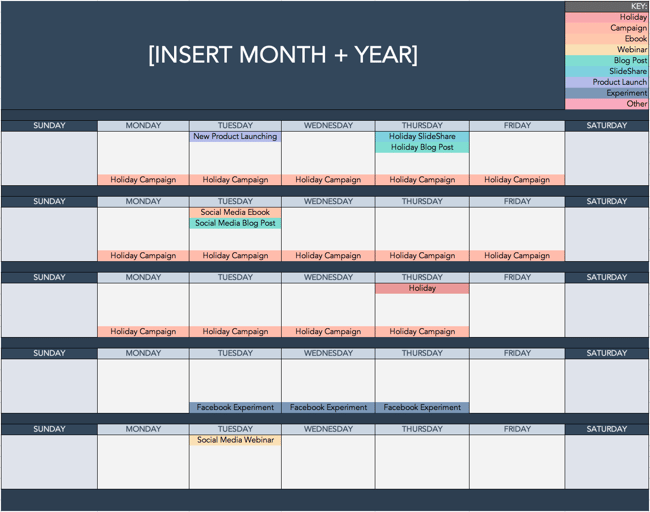 Use the Above Template to Plan Out Your Social Media Holiday Posts
National & Global Holiday Calendar: 2022
The list isn’t exhaustive (there are a lot of food-specific holidays out there), and these dates and hashtags may still be subject to change. But this is a great starting point for social media marketers who want to learn more about what’s trending and how they can plan their content in a way that will be fun and engaging on social platforms.
- January 2022 Social Media Holidays
- February 2022 Social Media Holidays
- March 2022 Social Media Holidays
- April 2022 Social Media Holidays
- May 2022 Social Media Holidays
- June 2022 Social Media Holidays
- July 2022 Social Media Holidays
- August 2022 Social Media Holidays
- September 2022 Social Media Holidays
- October 2022 Social Media Holidays
- November 2022 Social Media Holidays
- December 2022 Social Media Holidays
January 2022 Social Media Holidays
- January 1: New Year’s Day #NewYearsDay
- January 2: Science Fiction Day #ScienceFictionDay
- January 4: National Trivia Day #NationalTriviaDay
- January 5: National Bird Day #NationalBirdDay
- January 11: Human Trafficking Awareness Day #HumanTraffickingDay
- January 11: Clean Off Your Desk Day #CleanOffYourDeskDay
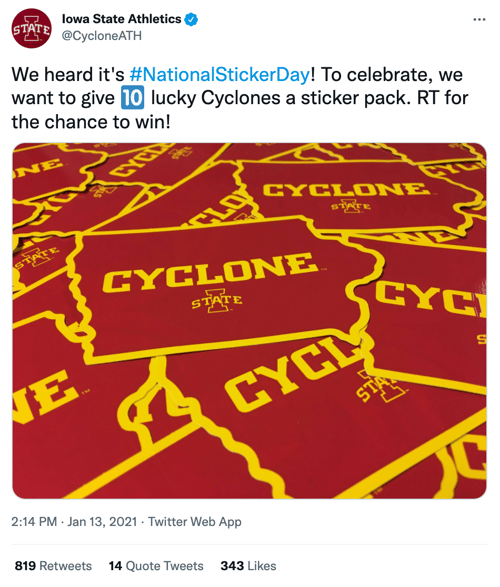
- January 13: National Sticker Day #NationalStickerDay
- January 15: National Hat Day #NationalHatDay
- January 17: Martin Luther King, Jr. Day (Third Monday of January) #MLKDay
- January 20: Cheese Lovers Day #CheeseLoversDay
- January 20: Get to Know Your Customers Day (third Thursday of every quarter) #GetToKnowYourCustomersDay
- January 21: National Hugging Day #NationalHuggingDay
- January 24: National Compliment Day #NationalComplimentDay
- January 25: Opposite Day #OppositeDay
- January 28: Data Privacy Day #PrivacyAware
- January 31: Community Manager Appreciation Day (Last Monday of January) #CMAD
February 2022 Social Media Holidays

- February 1 – 28: Black History Month
- February 2: Groundhog Day #GroundhogDay
- February 2: World Wetlands Day #WorldWetlandsDay
- February 4: World Cancer Day #WorldCancerDay
- February 5: National Weatherperson’s Day #NationalWeatherpersonsDay
- February 7: National Send a Card to a Friend Day #SendACardToAFriendDay
- February 8: National Boy Scouts Day #BoyScoutsDay
- February 9: National Pizza Day #NationalPizzaDay
- February 9: Safer Internet Day #SID2022
- February 11: Inventors Day #InventorsDay
- February 12: Chinese New Year #ChineseNewYear
- February 13: World Radio Day #WorldRadioDay
- February 13: Super Bowl LV (Varies each year based on the U.S. Football season) #SBLV #SuperBowlSunday #SuperBowl
- February 14: Valentine’s Day #ValentinesDay
- February 17: Random Acts of Kindness Day #RandomActsOfKindnessDay
- February 18: National Battery Day #NationalBatteryDay
- February 20: World Day of Social Justice #SocialJusticeDay
- February 20: Love Your Pet Day #LoveYourPetDay
- February 21: International Mother Language Day #IMLD
- February 21: Presidents Day (Third Monday of February) #PresidentsDay
March 2022 Social Media Holidays
- March 1: Mardi Gras #MardiGras
- March 2: National Read Across America Day #ReadAcrossAmerica & #DrSeuss
- March 3: World Wildlife Day #WorldWildlifeDay
- March 4: National Grammar Day #NationalGrammarDay
- March 4: National Employee Appreciation Day (First Friday of March) #EmployeeAppreciationDay
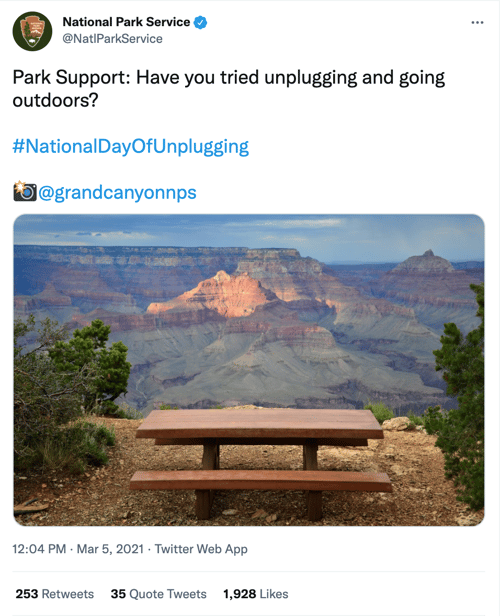
- March 4: National Day of Unplugging (First Friday of March) #NationalDayOfUnplugging
- March 6: National Dentist’s Day #DentistsDay
- March 7: National Be Heard Day #NationalBeHeardDay
- March 7: National Cereal Day #NationalCerealDay
- March 8: International Women’s Day #BeBoldForChange
- March 8: National Proofreading Day #NationalProofreadingDay
- March 10: National Pack Your Lunch Day #NationalPackYourLunchDay
- March 10: National Women and Girls HIV/AIDS Awareness Day #NWGHAAD
- March 11: National Worship of Tools Day #WorshipOfToolsDay
- March 11: Popcorn Lover’s Day #PopcornLoversDay
- March 12: National Girl Scout Day #GirlScoutDay
- March 14: Potato Chip Day #NationalPotatoChipDay
- March 14: Pi Day #PiDay (To go the extra mile, post this at 1:59, as Pi equals 3.14159…)
- March 13: Daylight Savings #DaylightSavings
- March 15: National Napping Day #NationalNappingDay
- March 15: World Consumer Rights Day #WorldConsumerRightsDay
- March 16: National Freedom of Information Day #FreedomOfInformationDay
- March 17: St. Patrick’s Day #StPatricksDay
- March 18: Awkward Moments Day #NationalAwkwardMomentsDay
- March 19: National Let’s Laugh Day #NationalLetsLaughDay
- March 19: World Sleep Day #WorldSleepDay
- March 19: Red Nose Day #RedNoseDay
- March 20: International Day of Happiness #InternationalDayofHappiness
- March 20: World Storytelling Day #WorldStorytellingDay
- March 20: First Day of Spring #FirstDayofSpring
- March 21: International Day for the Elimination of Racial Discrimination #RacialDiscriminationDay
- March 21: World Poetry Day #WorldPoetryDay
- March 22: World Water Day #WorldWaterDay
- March 23: National Puppy Day #NationalPuppyDay
- March 23: American Diabetes Association Alert Day #AmericanDiabetesAssociationAlertDay
- March 25: Tolkien Reading Day #TolkienReadingDay
- March 26: National Spinach Day #NationalSpinachDay
- March 26: Purple Day #PurpleDay
- March 27: Earth Hour Day #EarthHour
- March 30: Doctor’s Day #NationalDoctorsDay
- March 30: National Take a Walk in the Park Day #NationalWalkInTheParkDay
- March 31: World Backup Day #WorldBackupDay
- March 31: Transgender Day of Visibility #TDOV
- March 31: Equal Pay Day #EqualPayDay
April 2022 Social Media Holidays
- April 1 – 30: National Stress Awareness Month
- April 1: April Fools Day #AprilFools
- April 2: World Autism Awareness Day #WAAD
- April 3: Find a Rainbow Day #FindARainbowDay
- April 4: Hug a Newsperson Day #HugANewsperson
- April 5: World Health Day #LetsTalk
- April 6: National Walking Day #NationalWalkingDay
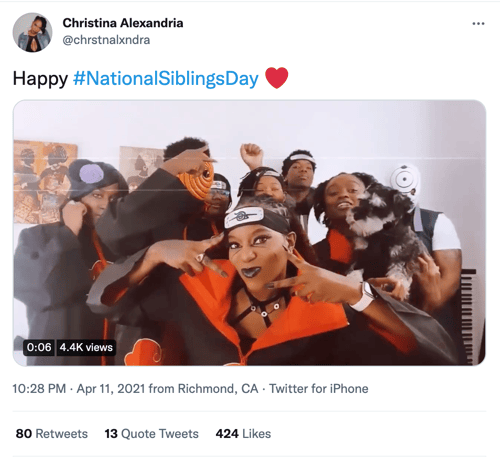
- April 10: National Siblings Day #NationalSiblingsDay
- April 10: Encourage a Young Writer Day #EncourageAYoungWriterDay
- April 11: National Pet Day #NationalPetDay
- April 12: International Day of Human Space Flight #InternationalDayOfHumanSpaceFlight
- April 15: National Tax Day #TaxDay
- April 15: National High-Five Day #NH5D
- April 16: National Stress Awareness Day #StressAwarenessDay
- April 16: National Wear Your Pajamas to Work Day #PJDay
- April 17: Haiku Poetry Day #HaikuPoetryDay
- April 18: National Columnists’ Day #NationalColumnistDay
- April 20: National Look-Alike Day #NationalLookAlikeDay
- April 21: National Administrative Professionals Day #AdministrativeProfessionalsDay
- April 21: Get to Know Your Customers Day (third Thursday of every quarter) #GetToKnowYourCustomersDay
- April 22: Earth Day #EarthDay2022
- April 23: National Take Our Daughters and Sons to Work Day #COUNTONME
- April 23: National Picnic Day #NationalPicnicDay
- April 23: World Book Day #WorldBookDay
- April 23: Arbor Day #ArborDay
- April 25: National Telephone Day #NationalTelephoneDay
- April 25: World Malaria Day #EndMalariaForGood
- April 28: Denim Day #DenimDay
- April 29: International Dance Day #InternationalDanceDay
- April 30: National Honesty Day #NationalHonestyDay
- April 30: National Adopt a Shelter Pet Day #AdoptAShelterPetDay
- April 30: International Jazz Day #JazzDay
May 2022 Social Media Holidays

- May 1: May Day #MayDay
- May 1: International Workers Day #IntWorkersDay
- May 3: World Press Freedom Day #WPFD2022 #PressFreedom
- May 4: Star Wars Day #StarWarsDay & #Maythe4thBeWithYou
- May 4: International Firefighters Day #InternationalFirefightersDay
- May 4: World Asthma Day #WorldAsthmaDay
- May 4: Thank a Teacher Day #ThankATeacher
- May 5: Cinco de Mayo #CincoDeMayo
- May 6: National Nurses Day #NursesDay
- May 7: World Password Day #WorldPasswordDay
- May 7: Space Day #SpaceDay
- May 9: Europe Day #EuropeDay
- May 9: Mother’s Day #MothersDay
- May 12: National Limerick Day #NationalLimerickDay
- May 12: National Receptionist Day #NationalReceptionistDay
- May 15: International Day of Families #FamilyDay
- May 16: Love a Tree Day #LoveATreeDay
- May 17: International Day Against Homophobia and Transphobia #IDAHOT2022
- May 21: National Memo Day #NationalMemoDay
- May 21: National Bike to Work Day #BTWD
- May 21: Endangered Species Day #EndangeredSpeciesDay
- May 24: National Scavenger Hunt Day #NationalScavengerHuntDay
- May 27: Heat Awareness Day (Last Friday of May) #NoFryDay
- May 28: Hamburger Day #NationalHamburgerDay
- May 29: Paperclip Day #PaperclipDay
- May 30: Memorial Day (Fourth Monday of May) #MemorialDay #MDW
- May 31: World No-Tobacco Day #NoTobacco
June 2022 Social Media Holidays
- June 1: Global Day of Parents #GlobalDayOfParents
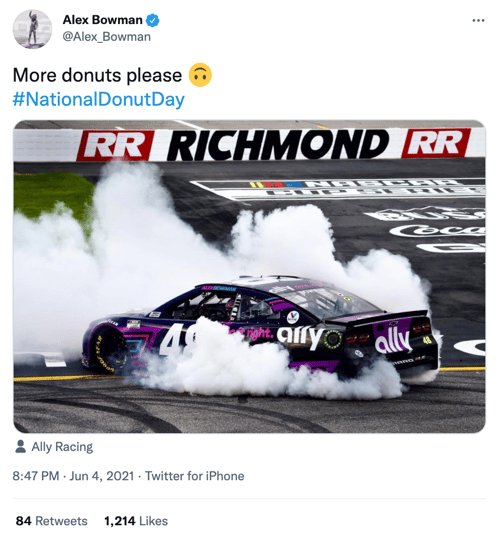
- June 4: National Donut Day #NationalDonutDay
- June 5: World Environment Day #WorldEnvironmentDay
- June 6: National Cancer Survivor’s Day #NCSD2022
- June 6: Higher Education Day #HigherEducationDay
- June 8: World Oceans Day #WorldOceansDay
- June 8: Best Friends Day #BestFriendsDay
- June 13: International Children’s Day #ChildrensDay
- June 14: World Blood Donor Day #GiveBlood
- June 14: National Flag Day #FlagDay
- June 19: Juneteenth (Freedom Day) #Juneteenth
- June 20: World Refugee Day #WithRefugees
- June 20: First Day of Summer
- June 20: Father’s Day #FathersDay
- June 21: National Selfie Day #NationalSelfieDay
- June 21: World Music Day #WorldMusicDay
- June 21: International Yoga Day #InternationalYogaDay
- June 24: National Handshake Day #HandshakeDay
- June 25: Take Your Dog to Work Day #TakeYourDogToWorkDay
- June 27: National Sunglasses Day #NationalSunglassesDay
- June 30: Social Media Day #SMDay
July 2022 Social Media Holidays

- July 1: National Postal Worker Day #NationalPostalWorkerDay
- July 2: World UFO Day #WorldUFODay
- July 4: Independence Day (United States)
- July 7: World Chocolate Day #WorldChocolateDay
- July 11: Cheer Up the Lonely Day #CheerUpTheLonelyDay
- July 12: Malala Day #MalalaDay
- July 15: Give Something Away Day #GiveSomethingAwayDay
- July 15: Get to Know Your Customers Day #GetToKnowYourCustomersDay
- July 17: World Emoji Day #WorldEmojiDay
- July 18: Nelson Mandela International Day #MandelaDay
- July 30: Talk in an Elevator Day #TalkInAnElevatorDay
- July 30: International Day of Friendship #DayOfFriendship
August 2022 Social Media Holidays
- August 1: Respect for Parents Day #RespectForParentsDay
- August 2: National Coloring Book Day #NationalColoringBookDay
- August 8: International Cat Day #InternationalCatDay
- August 9: National Book Lovers Day #NationalBookLoversDay
- August 10: National Lazy Day #LazyDay
- August 11: National Sons and Daughters Day #SonsAndDaughtersDay
- August 12: International Youth Day #YouthDay
- August 12: World Elephant Day #WorldElephantDay
- August 13: International Lefthanders Day #LefthandersDay
- August 15: National Relaxation Day #NationalRelaxationDay
- August 16: National Tell a Joke Day #NationalTellAJokeDay
- August 19: World Photo Day #WorldPhotoDay
- August 19: World Humanitarian Day #WorldHumanitarianDay
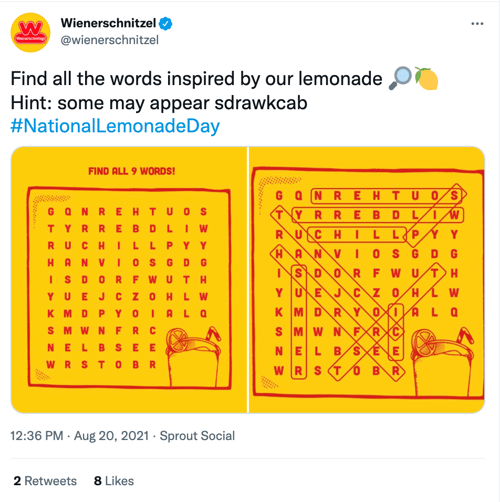
- August 20: National Lemonade Day #NationalLemonadeDay
- August 26: National Dog Day #NationalDogDay
- August 26: National Women’s Equality Day #WomensEqualityDay
September 2022 Social Media Holidays
- September 4: National Wildlife Day #NationalWildlifeDay
- September 5: International Day of Charity #CharityDay
- September 6: Labor Day #LaborDay
- September 6: Read a Book Day #ReadABookDay
- September 8: International Literacy Day #LiteracyDay
- September 10: Stand Up To Cancer Day #KissCancerGoodbye
- September 11: National Day of Service and Remembrance #911Day
- September 12: Civic Day of Hacking #HackForChange
- September 12: National Grandparents Day #NationalGrandparentsDay
- September 12: National Day of Encouragement #DayOfEncouragement
- September 12: National Video Games Day #NationalVideoGamesDay
- September 15 – October 15: Hispanic Heritage Month #hispanicheritagemonth
- September 19: Talk Like a Pirate Day #TalkLikeAPirateDay
- September 21: International Day of Peace #PeaceDay
- September 21: Miniature Golf Day #MiniGolfDay
- September 22: Car-Free Day #CarFreeDay
- September 22: Hobbit Day #HobbitDay
- September 22: First Day of Fall
- September 26: National Pancake Day #NationalPancakeDay
- September 26: European Day of Languages #EDL2022
- September 27: World Tourism Day #WTD2022
- September 28: World Rabies Day #WorldRabiesDay
- September 28: National Good Neighbor Day #GoodNeighborDay
- September 29: National Women’s Health and Fitness Day #FitnessDay
- September 30: International Podcast Day #InternationalPodcastDay
October 2022 Social Media Holidays
- October 1: International Day of Older Persons #UNDOP
- October 1: International Coffee Day #InternationalCoffeeDay
- October 1: World Vegetarian Day #WorldVegetarianDay
- October 1: World Smile Day #WorldSmileDay
- October 2: International Day of Nonviolence #InternationalDayOfNonviolence
- October 3: National Techies Day #TechiesDay
- October 4: World Animal Day #WorldAnimalDay
- October 4: National Taco Day #NationalTacoDay
- October 4: World Habitat Day #WorldHabitatDay
- October 5: World Teachers Day #WorldTeachersDay
- October 10: World Mental Health Day #WorldMentalHeathDay
- October 11: International Day of the Girl #DayOfTheGirl
- October 14: World Sight Day #WorldSightDay
- October 14: National Dessert Day #DessertDay
- October 15: Global Handwashing Day #GlobalHandwashingDay
- October 16: World Food Day #FoodDay
- October 16: Bosses Day #BossesDay
- October 17: International Day for the Eradication of Poverty #EndPoverty
- October 20: World Statistics Day #StatisticsDay
- October 21: Reptile Awareness Day #ReptileAwarenessDay
- October 21: Get to Know Your Customers Day (third Thursday of every quarter) #GetToKnowYourCustomersDay
- October 24: United Nations Day #UNDay
- October 25: Greasy Foods Day #GreasyFoodsDay
- October 30: National Publicist Day #NationalPublicistDay
- October 30: Checklist Day #ChecklistDay
- October 31: Halloween #Halloween
November 2022 Social Media Holidays

- November 1: World Vegan Day #WorldVeganDay
- November 1: National Authors Day #NationalAuthorsDay
- November 1: National Cook For Your Pets Day #CookForYourPetsDay
- November 3: National Sandwich Day #NationalSandwichDay
- November 4: National Candy Day #NationalCandyDay
- November 6: Daylight Saving Time Ends #DaylightSavings
- November 8: National Cappuccino Day #CappuccinoDay
- November 8: Science, Technology, Engineering, and Medicine (STEM) Day #STEMDay
- November 11: Veterans Day #VeteransDay
- November 13: World Kindness Day #WKD
- November 14: World Diabetes Day #WDD
- November 15: Clean Out Your Refrigerator Day #CleanOutYourRefrigeratorDay
- November 15: America Recycles Day #BeRecycled
- November 16: International Day for Tolerance #ToleranceDay
- November 16: National Entrepreneurs Day #EntrepreneursDay
- November 17: International Students Day #InternationalStudentsDay
- November 19: International Men’s Day #InternationalMensDay
- November 20: Universal Children’s Day #UNChildrensDay
- November 21: World Hello Day #WorldHelloDay
- November 25: Thanksgiving Day #Thanksgiving
- November 26: National Cake Day #NationalCakeDay
- November 26: National Day of Listening #DayOfListening
- November 27: Small Business Saturday (The last Saturday of November) #ShopSmall
- November 29: Electronic Greeting Card Day #ElectronicGreetingCardDay
- November 30: Computer Security Day #ComputerSecurityDay
December 2022 Social Media Holidays

- December 1: World AIDS Day #WAD2022
- December 3: International Day of Persons with Disabilities #IDPWD
- December 4: National Cookie Day #NationalCookieDay
- December 5: World Soil Day #WorldSoilDay
- December 6: Microwave Oven Day #MicrowaveOvenDay
- December 8: Pretend to Be a Time Traveler Day #PretendToBeATimeTravelerDay
- December 10: Human Rights Day #HumanRightsDay
- December 10: Nobel Prize Day #NobelPrize
- December 10: National Salesperson Day #SalespersonDay
- December 11: International Mountain Day #InternationalMountainDay
- December 21: Crossword Puzzle Day #CrosswordPuzzleDay
- December 21: First Day of Winter #WinterSolstice
- December 27: No Interruptions Day #NoInterruptionsDay
- December 31: New Year’s Eve #NYE
Sources: National Day Calendar, Sprout Social, TrackMaven, Holiday Insights, Brownielocks, National Peace Corps Association, Sparkflow, There’s a Day for That
While it’s not important to celebrate every single social media holiday, being aware of the holidays can help you brainstorm ideas for your marketing and implement fun, themed posts into your social media content calendar.
Editor’s Note: This post was originally published in January 2017 but is updated annually for comprehensiveness. The most recent update of this post was November 2021.


How to Create a Holiday Marketing Campaign: A Step-by-Step Guide
The malls are decked with holly, your inbox is filling up with holiday-themed promotions, and you’ve deemed it socially acceptable to start listening to your favorite holiday playlist on Spotify… or maybe that’s just me.
Either way, the holiday season is here, and marketers are gearing up to finish off the year strong. But just like shopping for gifts, planning your holiday campaign is something you don’t want to shove off until the last minute.
There’s going to be a lot of spending going in over the next month or so, which is why it’s important to have a plan for reaching your customers and prospects before your competitors do.
Haven’t started planning your campaign yet? Don’t panic.
We’ve mapped out a comprehensive guide with everything you need to launch a holiday marketing campaign this season. From offer templates to free holiday-themed stock photos, we’ve peppered this step-by-step guide with resources designed to get your campaign up and running right away.

1. Decide on a campaign theme.
While creating content has become ingrained in the day-to-day lives of most inbound marketers, launching a campaign is a little different. Unlike a tweet or an infographic, campaigns require you to align all of your marketing channels around one specific goal or message.
Holiday campaigns — like all campaigns — typically run for a concentrated period of time. Depending on your industry, they can start as early as October and often spill over into January.
Now that you know what you’re in for, let’s not waste any more time. Below we’ll kick off this process by walking you through establishing your campaign and offer.
2. Choose your campaign goals.
Before you start creating an offer, you need to determine what it is that you’re looking to achieve. What is the ideal outcome of this campaign?
Once you define your focus, you can begin to create goals that will be used to benchmark your campaign’s performance once it’s wrapped. Your goals should be specific, measurable, attainable, relevant, and time-bound (SMART goals, for short). Here’s an example of how to structure this type of goal:
Generate [number] leads focused on [topic/product] by [date]
Depending on what you want to get out of your campaign, your goals might look something like this:
- Generate 1,000 leads who are interested in our annual holiday sale by December 5, 2021.
- Generate 5,000 sign-ups for our holiday shopping app by November 30, 2021.
- Collect $50,000 in donations for charity XYZ by December 20, 2021.
To help you better align your marketing efforts with SMART goals, check out this free goal setting template. You can use this template to summarize your goals, calculate your greatest marketing need, and set deadlines.
3. Define your target audience.
With goals in place, the next step is to define your target audience. The more information you can gather about the people you’re trying to reach, the better. Where are they hanging out on social media? Do they prefer to consume information on their desktop or mobile? This will help you make smarter marketing decisions when it comes time to create content and plan promotions.
If you already have a few buyer personas in place for your marketing efforts, you’ll want to start by narrowing your focus. Does your campaign pertain to all segments of your audience? If not, you’ll need to immediately weed out the folks who you don’t want to include.
If you don’t already have buyer personas or would like to create campaign-specific personas, we recommend you check out our free buyer persona templates. These templates will make it easy for you to build out and organize your persona data.
4. Create an offer.
The offer that you create will serve as the center point for all of your campaign initiatives. Typically offers take shape in the form of ebooks, whitepapers, templates, online courses, videos, tools, etc. You can also choose a digital e-gift card from somewhere like Rybbon. While there are a lot of options to choose from, we advise you to run with an approach that makes the most sense for your intended audience.
Think about it: If you know the people you’re trying to reach are typically strapped for time — particularly during the holidays — you might want to create a set of easy-to-use templates instead of a lengthy ebook, right?
If you decide to take the ebook route, we can help — you can download our free, customizable ebook templates. We’ve already taken care of the design element, so all you have to do is focus on writing the content. And if you’re in search of some compelling visuals to use throughout your offer, download our 250 free holiday stock photos here.
5. Create a landing page.
Once your offer is created, you need to provide a place for it to live. This is where the landing page comes in.
Considering your landing page is the page that you’ll be driving traffic to, it needs to be convincing. Here’s a list of some of the essential elements you should include:
- Compelling headline. This is how you’re going to capture the attention of potential visitors. For tips on how to craft the perfect headline, turn to this guide.
- Interesting visuals. Your landing page shouldn’t just be a jumble of text. Think about how you can provide visual context for your offer.
- The benefits of your offer. This typically takes shape in a bulleted list. The goal here is to drive home what the visitor can expect to get from this offer, and why it matters.
- A form. This is how you’ll collect information in exchange for the offer. Keep in mind that there’s no magic number for form fields. In fact, the amount of information you need to ask for on a form will vary from business to business. That said, if you don’t really need a piece of information, don’t ask for it.
If you need some more guidance as to what goes into a great landing page, check out this roundup of 19 brilliant landing page designs.
6. Design a promotion plan.
“If you build it, they will come,” said no marketer ever. Now that your content has been created, it’s time to figure out how to get the word out. Here are some of the promotion tactics you should be implementing per channel:
Email Marketing
If you already have a list of people you know will be interested in your offer, that’s great. If you want to slice and dice your database to go after a more specific group, you should take care of that segmentation first. For HubSpot customers, it’s easy to segment your database using a smart list in the Lists App. (Here’s a resource to help you get started.)
During the holiday season, we’d argue that segmenting your list is more important than ever. Due to the increased number of incoming promotions and the limited amount of time busy shoppers have, well-targeted emails will often take priority over mass messages.
Once you’ve squared away your recipients, you can kick off the actual email creation process through platforms like Sendoso. Here are some noteworthy elements to keep in mind while crafting your email:
- Subject line. Focus on what the offer solves. Check out this helpful post for tips on improving your subject lines.
- Body copy. The body of your email should be short and sweet, much like the copy on your landing page. This is also a great opportunity to incorporate personalization using personalization tokens. Here are some great examples to get you thinking about personalization opportunities.
- Sharing Options. Don’t forget to add buttons to your emails that allow recipients to quickly pass your offer along to their network.
Check out HubSpot’s Template Marketplace to find an email template that fits your needs.
Blogging
Once you’ve sent an email to get your offer on the radar of your intended audience, it’s time to build out your reach even further. Blog posts serve as an effective campaign element for attracting people to your offer, and can be approached in a couple of different ways.
One way to use your blog to promote your offer is to create a simple “promo post” — that’s what we call them, anyway. This post is typically a very focused piece offering a quick introduction to the offer, advice on how to implement it, and a compelling CTA to drive people to the landing page.
According to a 6-month analysis of HubSpot’s Marketing Blog run by my colleague, Ginny Soskey, promo posts proved to be the most effective lead generators out of the seven post types we typically publish. While this may vary depending on your industry and audience, it’s certainly a type we’d encourage you to explore on your own.
Promo posts aside, it’s also a great idea to add a CTA for your offer to a post that aligns with its subject matter. You can create an entirely new post and revisit older, related posts to swap out their CTAs. This way, if people who reach the end of your post are looking for more information or a deeper dive into the subject, they can click through to the offer.
Social Media
Now that you have some tangible promotional material in place, you can start promoting it through your social media channels. Whether you share the related blog post or a link to the landing page, be sure that you’re switching up the messaging so you’re not repeating the same tweet or Facebook post over, and over, and over…
You’ll also want to tailor the post to the platform you’re posting it on. For example, maybe you create a teaser video for your offer to promote it on Instagram and then use a colorful visual when you serve it up on Twitter:
The holidays provide an interesting opportunity for businesses looking to explore platforms they wouldn’t typically try. With busy consumers looking for holiday help and inspiration in all corners of the internet and social media, you may find that it’s worth promoting your campaign on a wider variety of platforms.
Wherever you’re sharing your content, you’ll need a place to organize and plan your distribution strategy. For that, check out this free social media content calendar.
PPC
Paid advertising can be a great tool to boost some of your inbound efforts — especially around the busy holiday season.
If your budget allows and you know there’s search demand for your offer, you may want to experiment with putting a little money behind some of your campaign assets to promote them on social media. For advice on how to create successful paid advertising campaigns across the three main social media platforms — Facebook, Twitter, and LinkedIn — check out this guide.
7. Create lead nurturing paths.
What will happen to your leads once you’ve generated them? And once the holidays have come and gone, what will they mean to your business?
Before you launch your campaign, it’s best to design a plan for qualifying and developing your leads once they’ve filled out your form.
Email Segmentation
With marketing automation software, you can use email nurturing to keep leads engaged with your business and move them closer to a sale.
Before you can begin creating emails and workflows, you need to take another look at your list to determine if there are opportunities for segmentation. Dividing your list of leads will make it easier for you to deliver more contextual follow-up emails, which will help you separate yourself from holiday inbox chaos, and ultimately help recipients see the value in your relationship.
Email Nurturing
Next, determine what content you’ll use to nurture your leads. You can narrow your focus by honing in on what your goals are for this nurturing process. Do you want them to turn these people into sales? Subscribers? Are you looking to direct them to a particular page?
For your campaign, it might make sense to re-engage those leads with helpful, related resources.
And to track your progress, make sure you set a goal for your workflow. If you’re a HubSpot customer, you can do so in HubSpot’s Workflow App, which makes it easy for you to gauge the performance of your email sequence.
8. Take the campaign live.
Now that you’ve got everything in place — offer, landing page, blog promotion, nurturing workflows, etc. — it’s time to take your campaign live.
We recommend issuing a “soft launch” before you initiate any promotion, as this will provide you with an opportunity to run through all of the steps yourself to ensure that everything is functioning as it should be. If you can get a few colleagues to fill out the form and run through the stages too, it’ll be much easier for you to spot any glitches or missed marks.
Once you know everything is sailing smoothly, it’s time to kick up promotion and start driving traffic to your landing page.
9. Measure and report.
This is the final — and arguably the most important — step in the process. Once your campaign has had some time to gain traction, you’ll want to dive into its performance and see what you can learn from it.
Remember those goals we set all the way back in step one? Now is the time to determine if you actually hit them — and if you didn’t, identify what might have prevented you from doing so. Analyzing where people dropped off in your workflows, blog posts that flopped, or areas of your offer that fell a little flat might reveal what held your campaign back from reaching those numbers. Take note of these details, and use them to inform your next campaign strategy.
If you need some help defining what numbers you should actually be concerning yourself with, check out this introductory guide to inbound marketing analytics. This resource will walk you through how to effectively analyze the following: your website and landing pages, search engine optimization, paid search, blogging, social media, email marketing, and lead nurturing and automation.
Creating a holiday marketing campaign isn’t all that different from creating a marketing campaign during the rest of the year. The main difference lies in the themes and offers you create. Although the process is similar, these campaigns usually have different goals and expectations because people are more likely to convert during this time of year.
Editor’s note: This post was originally published in November 2015 and has been updated for comprehensiveness.


Everything You Need to Know About LinkedIn Retargeting
Yes, you own or work for a business that sells products or services. However, you are also a consumer. For just a moment, take off your business hat and put on your consumer hat.
Every day, you research items from pet shampoo and carpet cleaner in your personal life to CRM systems and social media schedulers for your professional life.

Our world is filled with hundreds or thousands of items for anything your heart desires. With so many options, we become easily distracted, following the next shiny object to another site, another company, or another method of meeting our needs altogether.
Marketers know this, and so they’ve had to find a way to recapture our attention when we’ve been squirrelled by another option. Once they’ve got our attention, they have another opportunity to sell their products to us.
You can put your business hat back on. Isn’t it frustrating when you see how many people visit your website and look at a product, and leave without ever making a purchase? You’ve managed to attract them to your business, but what good is paid advertising and a beautiful website if shoppers don’t convert to customers?
Thankfully, marketers have a solution for this. It’s called “retargeting” and you’re about to learn everything you need to know about LinkedIn Retargeting.
LinkedIn Retargeting
If you own a business, work for a business, or are looking to be hired by a business, you know that LinkedIn is a necessary platform. While you may opt out of more “social” social media like Facebook or Instagram, employers look to LinkedIn to find new employees and vet potential candidates, and most professionals use LinkedIn as a networking tool.
In the third quarter of 2020, LinkedIn reported more than 690 million users. Like many types of social media, it could be considered a “necessary evil.” Fortunately, it can also present an opportunity to recapture the attention of prospective clients and customers.
What are Linkedin Retargeting Ads?

Also known as remarketing ads, LinkedIn retargeting ads allow you to reach LinkedIn users who may have previously interacted with your brand in some way (so they have some level of interest), yet they haven’t purchased from you.
How to Retarget on LinkedIn
Retargeting through LinkedIn is a 7-step process (with a potential 8th step):
- Users see an ad in their LinkedIn feed.
- The user clicks on the ad.
- They are brought to your website.
- They interact in some way, perhaps filling out a form in exchange for an offer.
- The user becomes a lead in your system.
- Their history is stored in cookies and the data is sent to LinkedIn.
- Retargeting ads are shown to the user.
And hopefully…
The user takes the steps to become a customer.
You might be wondering how the cookies know how to communicate with LinkedIn. This is done through a piece of code called an Insight Tag that gets installed on your website. The pixel is able to track conversions, website audiences, and website demographics for all your LinkedIn ad campaigns. It then passes this data from your website to LinkedIn, letting it know that you’ve got someone interested who needs to be reminded you exist.
LinkedIn Retargeting Cost
Any smart business person is going to wonder if Linkedin Retargeting ads provide a worthwhile ROI. Before you learn how to create these ads, you’ll be pleasantly surprised to know:
In their pilot study, Linkedin’s 2,000+ Matched Audiences campaigns reported an average of:
- 30% increase in click-through rate (CTR) with Website Retargeting ads.
- 14% decrease in post-click cost-per-conversion (CPC) with Website Retargeting ads.
- 37% increase in CTR with contact targeting.
Retargeting allows you to capture and convert leads that would otherwise be lost. Because of this, successful Linkedin retargeting campaigns will also increase your conversion rate and lower your average cost-per-lead (CPL).
Sound like something you could benefit from? Read on to learn the “How.”
Creating LinkedIn Retargeting Ad Campaigns
Thankfully, you don’t have to be a tech genius to set up a LinkedIn Retargeting Ad. They’ve made it fairly user-friendly so as long as you have access to your website code, and basic knowledge of how to navigate inside it, this is doable. With good directions (they’re coming, don’t worry), you can be well on your way in a short period of time. If you have access to a website designer who will help you, that’s great too.
Let’s take a look at the overview first and then we’ll dive into specifics:
- Create a LinkedIn advertising account
- Build LinkedIn Retargeting Audience
- Use Matched Audiences in a LinkedIn Retargeting Campaign
How to Create a LinkedIn Advertising Account
If you are not yet using Linkedin Campaign Manager, start here and follow the prompts to set up your account.

Then, you can set up your campaign:

If you are new to Linkedin ads and would like some assistance creating and managing campaigns, consider using a program like Rollworksto help.
Assuming you’ve done all of that and are already running LinkedIn Ads, let’s look at how to set up a Linkedin pixel.
How to Install a LinkedIn Advertising Pixel
Earlier, we mentioned the Insight Tag. This is the most important piece of the retargeting ads puzzle because, without it, your website and LinkedIn won’t communicate.

- To find your unique Javascript code, head to Linkedin Campaign Manager.
- Check the box next to your business account and then look at the Campaigns tab.
- From the Account Assets tab dropdown, click on Insight Tag.
- Select Install my Insight Tag.
- Choose I will install the tag myself.

- Copy all of the tag code.
- Choose I’m Done.
- Go to your website and paste the Insight Tag code at the end of the <body> tag in the global footer.
Once this is done, it’s time to check each page to make sure the Insight Tag has been installed properly.
- Head back to the Campaign Manager and look for the Insight Tag under Account Assets. When a tag has been installed correctly, it will send a signal from your website to Linkedin. Whenever a LinkedIn member visits that page, the domain name will appear here.
- It may take up to 24 hours for a page visit to verify, so you may need to come back and check the connection later.
- Check the Status column for all verified domains (they’ll show up as active/green).

LinkedIn Advertising Pixel for Google Chrome
The next step is necessary to ensure that this system works with any users on Google Chrome. They have more safeguards in place to prevent third-party cookies, so you’ll need to do an extra step to make this work.
- Make the SameSite attribute ‘None.’
- Add the Secure label to your cookies.
If you’re not sure how to work with SameSite attributes, it may be good to bring in a developer for help. Once this step is done, Google Chrome users will join the party.
Linkedin Retargeting Options
With the Insight Tag installed, we can begin Building Linkedin Retargeting Audiences. All the options are on one page, so it’s fairly easy to do.

- If you’re not already there, log into your Linkedin Campaign Manager and select the account you’ll be working with.
- On the Campaigns page, find the Account Assets tab and select Matched Audiences.
- Click on Create Audience on the right side of the Matched Audiences page.
- Select the audience type you’d like to build.
- Follow the rest of the page’s flow and then choose Create to build a new audience.
Keep in mind that it takes 48 hours to build an audience. You also need at least 300 members before you can send retargeting ads to those users. Different audience pages will look slightly different so we’ll review these next.
Website Audience Set Up
This variation will retarget users who visited a page on your website using Website audiences. You’ll need the Insight Tag for this audience.

- Name your audience. You’ll have to remember this name later in your campaigns, so be specific.
- Add key pages from your website under Match a URL that… You can add multiple links to one audience.
- Pay attention to page rules:
- Equals – this is the exact URL you list and is great to use when you want to restrict subpages.
- Starts with – includes all pages starting with whatever you enter.
- Contains – you’ll be asked to type in a word or string. This option would make it easy to group URLs in a pattern, like related products, service offerings, or blog topics whose URL string includes the same keyword or phrase.
- AND/OR: Use AND to retarget users who both visit a page URL and visit another URL containing a word you specify. Use OR to group URLs and retarget people who visit any page listed.
Video Audience Set Up
To retarget users who viewed a video ad, follow these steps.
- Name the audience.
- Choose viewing percentage (25%, 50%, 75%, or 97% of the video).
- Select lookback period (30, 60, 90, 180, 365 days in the past).
- Click the checkbox next to the video campaigns you want to include.
- Hit Create.

Lead Gen Form Audience Set Up
Follow these steps to retarget audience members who opened or submitted a lead gen form.
- Name your audience.
- Choose the engagement level. This can be anyone who opened your lead gen form (including submissions) or only people who have submitted your lead gen form.
- You can specify how long ago the audience members engaged with this form: between 30 days to a full year.
- Check the box next to the campaign(s) you want to retarget.

Company Page Audience Set Up
To set up an audience of users who have interacted with your company’s LinkedIn page, follow the process below.
- Name the audience.
- Choose an engagement type. Engagement on a company’s Linkedin Page includes a page view or a click on your page’s header CTA.
- Select how recently audience members engaged.
- Click Create.

Event Audience Set Up
Do you host events on LinkedIn? Retarget LinkedIn members who RSVP to your event (you can do this for past and upcoming event registration).
- Name the audience.
- Check the boxes next to Event names to include the events you want.
- Click Create.

How to Use Matched Audiences for LinkedIn Retargeting
Want to use a matched, or lookalike audience for LinkedIn retargeting? Here’s how to set it up:
- Create a Linkedin Campaign.
- Use Matched Audience in Campaign.
- Scroll to Who is your target audience.
- Select Audiences > Retargeting.
- Select from one of the options of Matched Audiences.
- Choose the Matched Audience under that type.
- Finish the campaign setup.
- Create your ads and launch the campaign.

LinkedIn Retargeting Best Practices
You’ll want to get the most bang for your buck when it comes to LinkedIn Retargeting Ads. Follow these best practices to make sure your advertising dollar stretches as far as possible.
- Refine your ad content over time. If you notice certain pieces of content aren’t resonating with your audience, don’t be afraid to refresh it until you figure out what works. Images and ad copy should reflect the retargeting audience you’re trying to reach.
- Create multiple ad formats depending on the stage your prospective customers are in. Continue testing formats and use the format that will best move them towards your objectives.
- Be flexible. You’ll be learning what works and what doesn’t as you go. When you discover something isn’t creating the results you want, change it.
Final Thoughts
There’s no need to accept lost leads. When someone heads to your website, downloads content, or interacts with your brand in any way, it’s because they are interested in what you offer and how you can help them.
Rather than counting them out if they don’t immediately convert, focus some of your advertising dollars on recapturing their attention and gently guiding them back to your company and what you can do for them. You have the solution to their problem — make sure they know it.

The Ultimate Guide to Product Marketing in 2021
During the 1950s, Volkswagen sold a bus. Although now considered a classic vehicle, the bus remains an icon for the car company decades later.
The cool part? Volkswagen announced their new VW Bus — it’s electric and features sleek, modern styling. Volkswagen’s marketing for the vehicle is eye-catching, unique, and fun, and it complements the original “hippie” vibe the company was once known for.

Volkswagen also released a TV commercial for the bus that’s clever, minimalist, and on-brand. It introduces the new vehicle with the song The Sound of Silence playing in the background (hint: electric cars are silent) and ends with a short message on the screen for viewers to read: “Introducing a new era of electric driving.”

This sentiment touches on the fact Volkswagen is contributing to society’s interest in electric, eco-friendly vehicles. It also relates to this being a new era for the bus.
So, who works on this type of marketing? Who helps create content that excites consumers about new and updated products, like the Volkswagen bus? Who encourages consumers to buy? Product marketers.
What makes product marketing unique? How is it different from conventional marketing? Let’s unpack the differences.
Product Marketing vs. Conventional Marketing
Product marketing is strategic whereas conventional marketing is all-encompassing.
Product marketing is considered a component of conventional marketing. In fact, if you look at the seven Ps of marketing, you’ll see product marketing is one of the most important aspects of a business’s marketing efforts.
Product marketing is focused on driving demand for and adoption of a product among existing customers. It’s focused on the steps people take to purchase your product so product marketers can build campaigns to support this work.
Product marketing is about understanding a specific product’s audience on a deep level and developing that product’s positioning and messaging to appeal to that audience. It covers the launch and execution side of a product in addition to the marketing strategy for the product — which is why the work of a product marketer lies at the center of a business’s marketing, sales, and product teams.
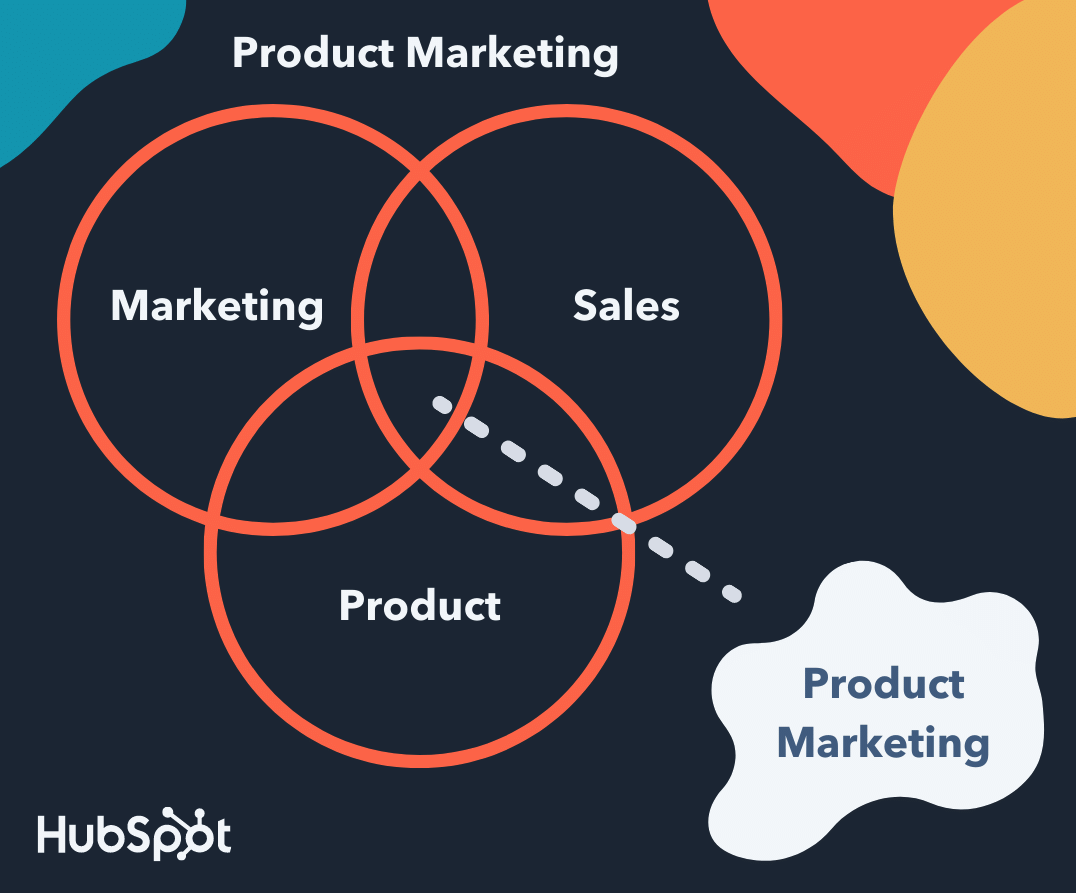
Conventional marketing is focused on broader topics under the umbrella of marketing such as lead generation, SEO, and anything related to acquiring and converting new leads and customers. It’s about promoting the company and brand as a whole, including the products that are sold. These marketers make sure there’s a consistent, on-brand message behind all of the company’s content.
Why is product marketing important?
Product marketing is a critical part of any business’s marketing strategy. Without it, your product won’t achieve its maximum potential among your target audience. To understand its importance, let’s look at the goals of product marketing.
Product Marketing Goals
-
Understand your customers better.
When you implement a product marketing strategy, your target audience can see the value of having that specific product in their lives. Understanding how many customers gravitate to your product lets you conduct customer research.
-
Target your buyer personas effectively.
Alongside understanding your customers in general, you can figure out the type of buyer persona to target for the future. Knowing the exact needs of your target can help you when innovating your product to better suit their needs.
-
Learn about your competitors (products and marketing tactics).
When you market your product, you can compare your strategy and results to those of your competitors. What features and benefits of their products are making a statement within the market? What ideas haven’t they explored? What does their product offer that yours doesn’t? You can use this research to your advantage when crafting your product marketing strategy.
-
Ensure the marketing, product, and sales teams are all on the same page.
Making your product offering abundantly clear for both buyers and your employees is mutually beneficial. Every team working together in your business can have a better understanding of the purpose of the product and better communicate that in their operations.
-
Position the product appropriately in the market.
In product marketing, you want your product, brand image and tone to be consistent and evoke the right feelings intended for your audience. When you brainstorm your brand positioning, some questions to consider are:
1. Is this product suitable for today’s market?
2. How is this product different from our competitors’?
3. Is there a way to further differentiate this product from our competitors’ offerings?
4. Are there any products we’ve sold in the past that we wouldn’t market or sell again? If so, why not?
-
Boost revenue and improve sales.
There are also questions you, as a product marketer, will have to ask yourself and reflect on in regards to your product. Asking yourself these questions will help you ensure your product is a success among customers.
1. Is this product suitable for today’s market?
2. Is this product appropriate for our customers today?
3. How is this product unique from similar products of our competitor’s?
4. Is there a way to further differentiate this product from those of our competitor’s?
5. Are there any products we’ve sold in the past that we wouldn’t market or sell ever again now that we look back? Is so, why not?
As you can see, product marketing requires you to look at your products from a strategic perspective to ensure they’re successful among customers in your current market.
Now, let’s take a look at the specific responsibilities you have as a product marketer (or product marketing manager).
Your responsibilities as a product marketer may vary slightly based on industry, company, products, and company size and resources. If you’re working for a startup, you may be a product marketer who also helps create the content the broader marketing team produces due to limited resources and budget. As the business grows, you may move onto a team whose sole job is product marketing.
Let’s take a look at six common product marketing responsibilities.
1. Identify the buyer personas and target audience for your product.
You must identify the buyer personas and audience for your product so you can target customers in a way that’s convincing and makes them want to make a purchase. This will allow you to tailor your product and its features to solve the challenges your audience is facing.
Pro tip: Use templates to create buyer personas for your business. Having a tangible outline of who you’re catering to can help align different teams in your business, and better position your product in the marketplace.
2. Successfully create, manage and carry out your product marketing strategy.
A product marketing strategy (which we’ll review shortly) allows you to create, build, and execute content and campaigns — this supports the steps that will lead your buyer personas and customers to make a purchase.
3. Work with and enable sales to attract the right customers for your new product.
As a product marketer, you have to maintain a direct relationship with sales. You’ll work with sales to identify and attract the right customers for the product at hand and provide sales enablement materials to reps to ensure they understand the product inside and out, along with all of its features.
This way, you and your teams are on the same page in terms of what’s being shared with customers, allowing you to provide a consistent, on-brand experience for anyone who comes in contact with the product.
4. Determine your product’s positioning in the market.
One of the most important parts of your job is determining the product’s positioning in the market. Think about this process in terms of storytelling — your positioning requires you to create and tell the story of your product.
As a product marketer, you’ll work with the broader marketing team and the product team to tell this story by answering critical questions like:
- Why was this product made?
- Who is this product made for?
- What challenges does this product resolve?
- What makes this product unique?
5. Ensure your product meets the needs of your target audience.
You must also make sure your product meets the needs of your customers and target audience. Through the research conducted to determine your buyer persona’s and target audience, you should have uncovered the pain points and challenges you’re working to solve with your product.
If your product doesn’t meet the needs of your customers, they’ll have no reason to make the purchase or choose your product over your competitor’s.
6. Keep your product relevant over time.
Your product needs to stay relevant over time. As needs, expectations, and challenges change and evolve, it’s your job to make sure your product marketing strategy, and the products themselves, remain relevant among customers.
This means you may have to manage slight changes in your product marketing strategy (which we’ll discuss next), or updates and modifications to the product itself (you’ll likely work with the product team, who actually creates the product, to do this).
Now, let’s take a look at five steps that can help you optimize your product marketing strategy.
1. Define your product’s target audience and buyer personas.
One of the main roles you have as a product marketer is to define a specific target audience and create buyer personas for the product being sold (different products will likely have different target audiences). This is the first step to marketing your product.
By understanding your customers and their needs, challenges, and pain points, you’ll be able to ensure all aspects of your product marketing strategy (as in, the rest of the steps we’ll define below) are tailored to that target customer and persona. This way, the product and the marketing content that’s created for the product will resonate with your audience.
2. Determine the positioning and messaging to set your product apart.
After performing your customer research and learning about your audience, you’ll have identified their needs, challenges, and pain points. From here, you can think about how to highlight the ways your product resolves those challenges for your customers.
However, that doesn’t necessarily mean you’ve differentiated yourself from your competitors. After all, they are your competitors because they solve the needs of your customers in a similar way to your company.
The key to setting your product apart is positioning (which we touched on earlier) and messaging. Positioning and messaging answers key questions your customers might have about your product and what makes it unique and then turns those answers into the main points behind your product’s marketing strategy.
It’s your job as the product marketer to ensure your customers and audience know the answers to these questions and don’t have to dig around for (or make assumptions about) them.
Examples of questions you’ll need to answer to develop your product’s positioning and messaging include:
- What specifically makes our product unique?
- Why is our product better than our competitors’?
- Why are our product’s features ideal for our target audience?
- What will our customers get out of our product that they cannot get from our competitors’ products?
- Why should our customers trust and invest in us and our product?
Once you’ve answered these questions, you can compile these responses into one, impactful, and shareable statement that captures your positioning and messaging as a whole. To do this, follow these steps:
- Turn the answers to the positioning and messaging questions into an elevator pitch.
- Use action words to excite your customers.
- Ensure the tone of your statement captures the tone of your brand.
- Focus on the benefit of your product as a whole (not just one specific feature).
Pro Tip: As product marketers, you should ensure the sales, product, and (the broader) marketing teams are also aware of your positioning and messaging around the product so they too can communicate the same information to prospects and current customers.
This allows you to ensure the entire company is consistent in the content and information they share about your product. Additionally, you can provide this information to your support team if you think it’s necessary, as they may be fielding support calls and working with your customers who’ve already invested in the product.
3. Set goals for your product.
Next, you’ll want to set goals for your product. These will vary based on your specific product, the type of company you work for, your overall marketing goals, and more — your goals will be specific to your business and situation. However, let’s review some common goals product marketers aim to achieve:
- Increase revenue
- Engage with customers
- Improve market share
- Gain customers from competitors
- Boost brand recognition
Pro Tip: Feel free to combine several of these goals or just choose one to focus on — every company and product will have different goals. The key is making sure you view and set these targets in the SMART goal format, meaning they’re specific, measurable, attainable, realistic, and time-bound.
Use a free template to help you create and achieve your SMART goals.
4. Price your product.
As a product marketer, you’ll also have to contribute to the discussion of the price of your product. Depending on the company you work for, you might work with other teams on this part of the strategy, or it might be a job just for you and your fellow product marketers. Either way, you can consider competitive vs. value-based pricing.
Competitive vs. Value-Based Product Pricing
Competitive pricing means you’re basing your product’s price off of the similar products your competitors sell. It’s ideal for companies who have created a product similar to one that several other companies sell.
If you believe your unique features warrant a significantly higher price than those of your competitors’, you might choose to price your product above the other similar products on the market. A good way to evaluate the fairness of the pricing of all of your competitors is by studying financial reports and industry trends.
Value-based pricing allows you to maximize your profit, although it’s a bit more time-consuming to establish in comparison to competitive pricing. It’s ideal for companies selling a product with very few competitors on the market or one with exceptionally new and unique features.
Value-based pricing quantifies your item’s value in a way your customer can relate to their profitability. It allows you to base your product’s price on its value for your customer rather than whatever the market, industry trends, and your competitors say.
5. Launch your product.
Now it’s time for the most important part of your role as a product marketer — not to mention, the most exciting: the launch of the product you’ve been marketing.
There are two main parts to the launch to focus on as a product marketer: the internal launch (what goes on within your company upon product launch) and external launch (what goes on outside of your company, with customers and audience members, upon product launch).
Internal Aspects of a Product Launch
As previously stated, your job as a product marketer entails making sure the entire organization is on the same page about your product. This way, your customers only receive consistent and accurate details about the product.
The marketing, product, and sales teams at your company should be aware of the following information:
- The product’s benefits
- Any available product demo information
- Sales training opportunities on your product and details about how it’s used
- What the positioning and messaging looks like
- Who your buyer personas and ideal customers are
- What the goals for your product include
- What your product’s features are
- The pricing of your product
- How your product is being launched to customers
Now, you might be wondering how to provide this information to marketing, product, and sales. Which channels are ideal for sharing these details with your fellow employees?
Here are a few examples of ways to do this:
- Sales enablement kit (ideal for sales)
- Presentation (ideal for the broader marketing department and product)
- Knowledge base (ideal for support)
External Aspects of a Product Launch
Externally, there are many ways to market your product launch so your current base of customers, prospects, and target audience learn about whatever it is you’re selling.
First, determine where you’re going to focus your product marketing efforts. Here are some examples of channels and places to do this (you might choose several of these or just one to focus on depending on your needs, goals, and resources).
- Social media
- In-store
- Product launch event
- Blog
- Website landing page
- Exclusive product preview (prior to the official launch)
- Promotional event/ campaign (in-person and/ or online)
On whatever channel you choose to focus your product launch marketing efforts, you should include relevant product information (focused on your positioning and messaging) so prospects and customers can learn all about your product and why they need it. This includes your product’s features, what makes it unique, pricing, demos for customers, training for customers, and any other materials you’ve created and want to share.
Congrats! You’ve just worked through the steps to marketing a product. Remember, this process is one that should be thought about and updated as your products change and evolve so they remain relevant among your customers. (This shouldn’t be an issue as long as you have a member of your team focused on product marketing, considering it’s one of their main responsibilities.)
Let’s review four real-life examples of stellar product marketing.
1. Apple
Apple is a household name for leading technology products and software. Not only are its products gorgeously well-designed; it’s also super useful. But Apple’s product marketing doesn’t focus on the many product features — it markets the user benefits.

Apple doesn’t simply list the impressive features of their products; the brand uses those features to tell consumers who they could be and how they could work if they have those products. Apple tells a narrative using its products and encourages people to buy in the process.
2. Billie
Billie is a women’s razor brand. In a highly competitive market, Billie has helped its products stand out. How? It established a sharp competitive edge (no pun intended) by doing what no razor brand had done before — show body hair in its advertising.
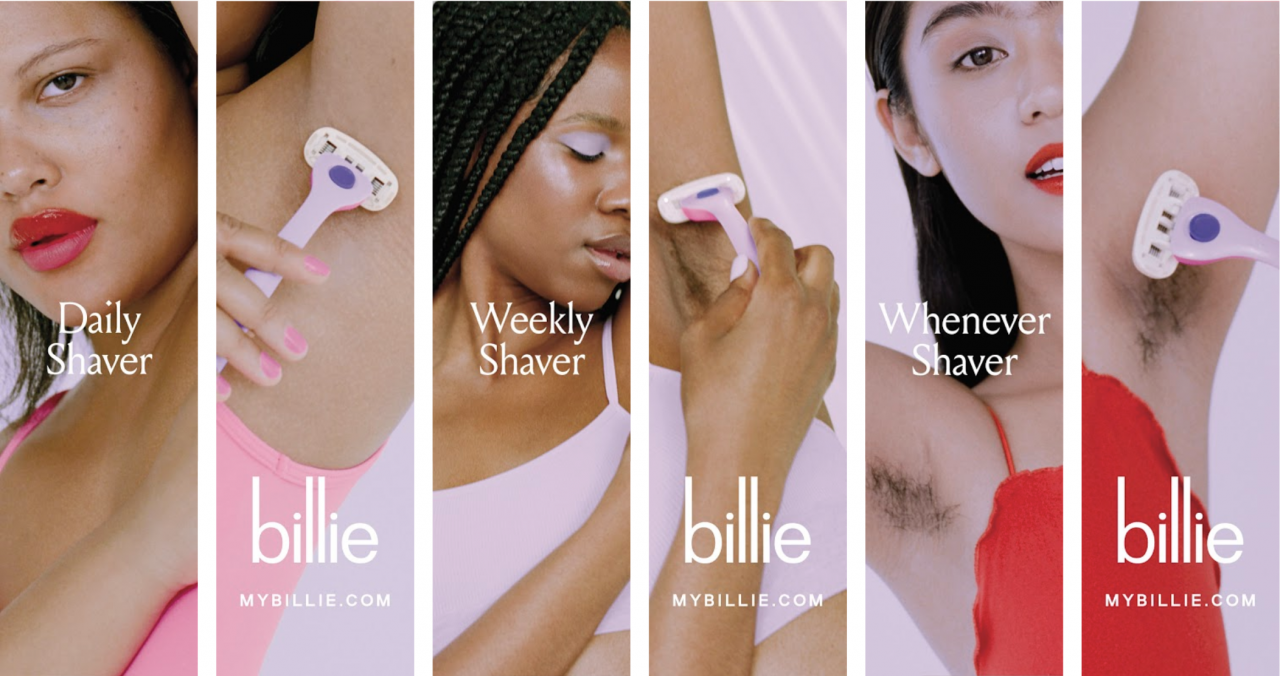
Not only did this advertising approach get Billie’s audience talking about the brand, but they also appreciated the brand’s accurate portrayal of women’s bodies and body hair. These differentiators were more than enough to set Billie apart from other razor brands and products.
3. Pepsi Cola
As a brand, Pepsi has positioned itself as one with youthful energy and excitement, and this can be seen consistently through its product marketing campaigns.
Pepsi’s customers are mainly aged between 13 and 35 years old with modern and active lifestyles, so it only makes sense to hire popular celebrities like Doja Cat for a commercial in a homecoming tailgate.

Through highly targeted positioning, repetitive advertising, and consistent branding, Pepsi has become a truly global household name and product.
4. MailChimp
There are dozens of email marketing tools on the market, but MailChimp hasn’t been fazed by competition. In fact, the company has risen above its competition by positioning itself as more than an email marketing tool: it’s an all-in-one marketing platform that helps businesses grow.
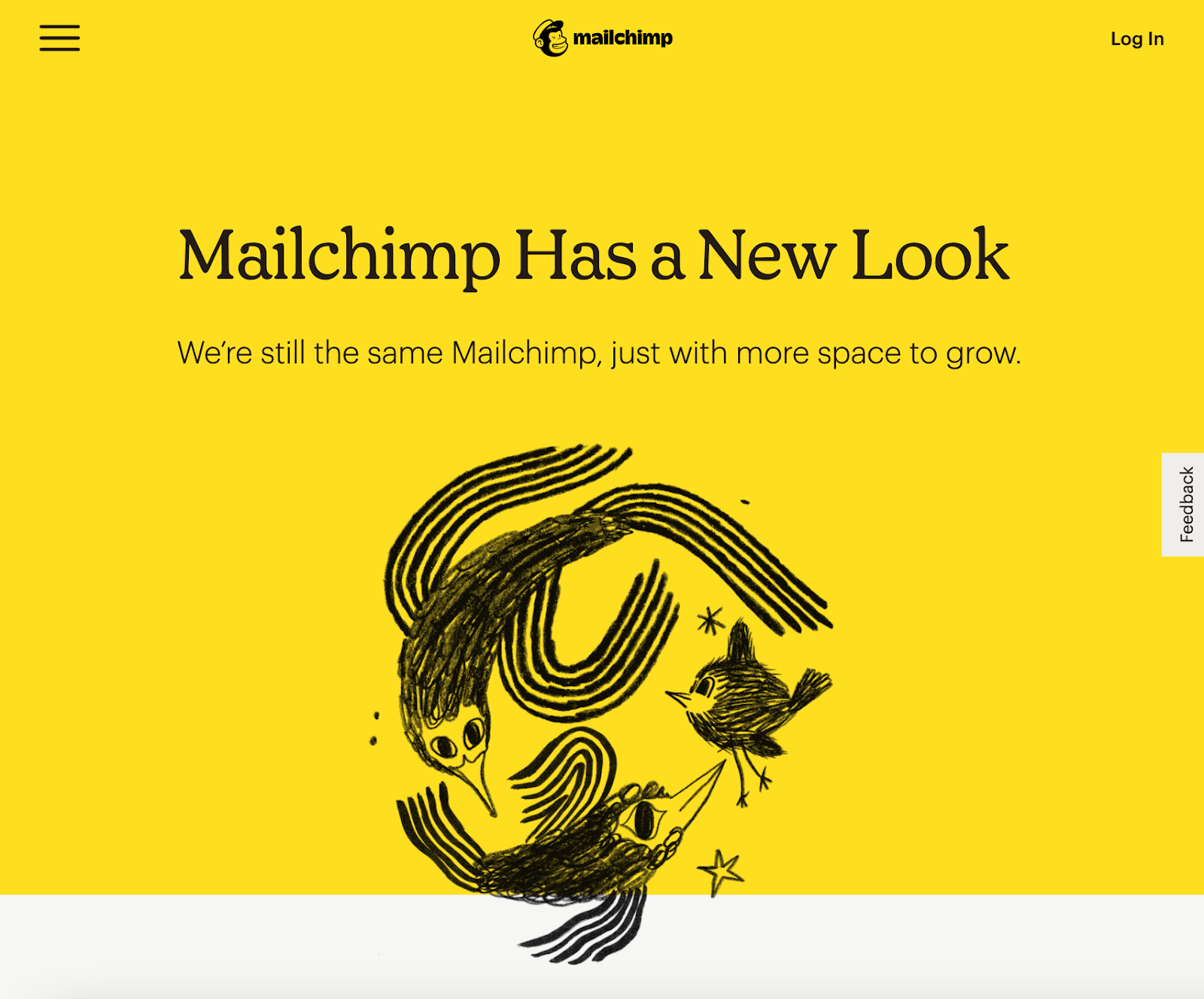
Like Apple, MailChimp primarily highlights its benefits for the end-user, not just its product features. A recent rebranding and site redesign further drives this narrative home.
Start Marketing Your Products
Product marketing is the process through which a company brings a product to market. Being a product marketer (or product marketing manager) means you’re at the center of your company’s marketing, sales, and product teams.
You’re an integral part to the success of your product, as you create and manage your product’s specific marketing strategy, but you also serve as a liaison between all three of these departments, ensuring everyone is on the same page with your product, it’s features, capabilities, and more. So, start developing your latest product’s marketing strategy to ensure it’s a success among your target audience and customers.
This post was originally published in February 2020 and has been updated for comprehensiveness.

How to Perfectly Manage a PPC Campaign [Template]
In the world of search engine marketing (SEM), more and more marketers are buying into PPC campaigns. Google Ads specifically has increased its revenue from year to year. In 2021, Google advertising revenue accounted for $53.1 billion — 81% of Alphabet’s overall sales.
Properly investing in PPC can result in nearly guaranteed ad placement in the search engine result pages of their choice. And this placement can help generate leads. If your ads tool is tightly integrated with your CRM, you can even leverage ads data to nurture these leads across their buyer’s journey.
As you prepare to create a PPC campaign, it’s important to get a rundown of what a successful campaign entails and identify management missteps that you’ll want to avoid.

Building a successful PPC campaign includes a few key steps:
- Determine your PPC campaign structure.
- Identify, build, and refine your campaign’s landing pages.
- Create a keyword strategy based on your research.
- Create ads based on insights from the steps above.
- Share your campaign plan with stakeholders.
The problem is, many marketers have poor PPC campaign management, which ends up costing them way more money than they need to spend and delivering underwhelming lead generation results.
Here are a few ways marketers could go wrong with PPC campaign management:
- Coming up with keywords on the fly without doing prior research.
- Only building one basic campaign without utilizing Google Ads’ Ad Groups tool.
- Attaching unengaging landing pages — or a homepage that generates no leads — to the campaign.
- Not adding “negative keywords” or monitoring campaigns to avoid wasting budget.
- Creating campaigns, setting budget caps, and going live without telling internal or external stakeholders.
So, how do you manage a PPC campaign properly so that you get leads at a reasonable cost? It comes down to intelligent campaign structure.
How do you master intelligent campaign structure? You use a template!
PPC Plan Template
We’ve created a free PPC campaign management template that will help you and your clients set up a full-funnel campaign structure that follows PPC best practices. Once you do that, you’ll be better positioned to maximize the return on your PPC investment.
If you’re running PPC campaigns for someone who doesn’t understand the importance of an organized campaign structure, this template will also act as a PPC campaign management task checklist that will enlighten your boss or clients.
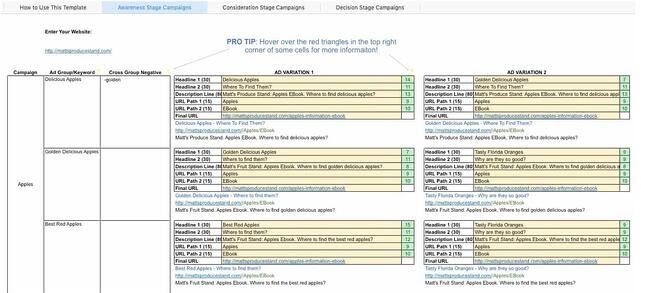
We’re going to show you how to use that PPC template in this blog post — so download it now and follow along.
Steps for Using This Template
Before we get started, let’s go over a few tips that’ll make using this template even easier:
- You will want to clear out the example data I have in the template such as keywords, campaign and AdGroup names, ads, and destination URLs.
- Be careful not to erase columns E, G, and I. They contain formulas that will help you in subsequent steps.
- Click on the red markers in the top corners of the cells. They contain helpful tips and FAQs. If you ever forget what a cell is used for, they will remind you.
Step 1: Choose your PPC campaign management tools and software.
There are several places to begin your PPC campaign strategy, but my advice would be to start with one platform and expand to another until you cover each channel your audience visits. This tactic works because it keeps your costs low in the initial stages of PPC planning. Rather than paying for an external campaign management tool, you can manage your campaigns natively within the platform on which you’re running the ads.
However, as you expand your strategy to include more sites, you’ll want to scale to a PPC campaign management software that can help you keep track of each platform, each budget, and each set of creative all in one place.
Here are some of our favorite tools for the job:
- Marin Software: Integrates with Google and Facebook — two of the most popular PPC platforms.
- Wordstream Advisor: Analyzes Google and Facebook ad spend for you to keep you on budget.
- SpyFu: Analyze your competitor’s campaigns to build a well-rounded strategy.
Step 2: Understand PPC campaign structure.
Before we do anything with this template, it’s important to understand PPC campaign structure. Far too many marketers will just set up an account, create an ad, direct the ad to their home page, pick some keywords and hit go. This is not the way to do things.
With Google Ads, you have the opportunity to create multiple campaigns. Each campaign may contain several AdGroups, and each AdGroup may contain a few ads and multiple, similar keywords.
It’s wise to create multiple campaigns because you can set daily budget caps, day-parting, and select geo-targeted regions at the campaign level. If you’re bidding on generic keywords and branded keywords, you’ll want to put these in separate campaigns because the economics around these two types of keywords will likely be very different.
As you can see, your template reflects these best practices, providing space for several different campaigns, AdGroups, and ad variations within those AdGroups.
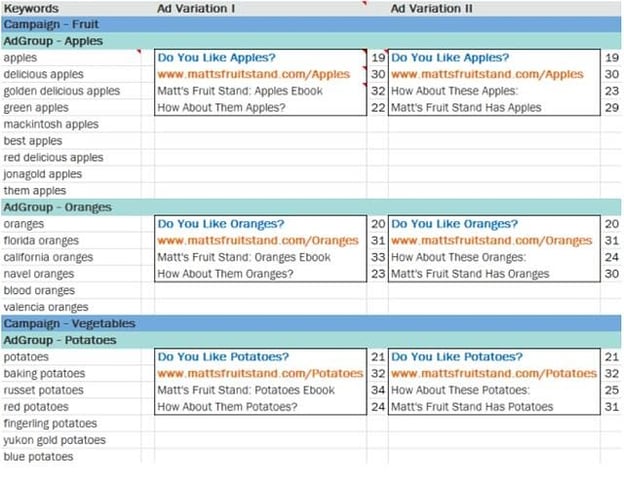
Step 3: Identify your landing pages.
The “Destination URL” is the place on your website where you want the PPC traffic to end up. Because there is a marginal cost associated with each PPC visitor you attract, I recommend you choose a landing page URL as your destination URL.
Do not drive them to your home page or a blog in hopes that they will stumble upon a lead generation form. That’s the job of organic search. Drive them to a landing page with a form on it. Don’t forget to put in a tracking token so you know where these leads are coming from.
You will notice that the Destination URL within the AdGroup is the same regardless of the keyword or ad. If you really want to drive a keyword to a different landing page, then create another AdGroup. If you want to get even more specific, create another campaign for that keyword.
You should also keep your sales funnel in mind when you identify these landing pages. Think about which part of the sales funnel each landing page and offer speaks to.
For example, an educational PDF about an industry concept would be appropriate for a top-of-the-funnel offer, while a coupon or a demo would be at the bottom of the funnel.
Manage and create separate campaigns for each part of the funnel. If you scroll down in your template, you’ll see that there’s dedicated space allotted for campaigns in all of these funnel stages.
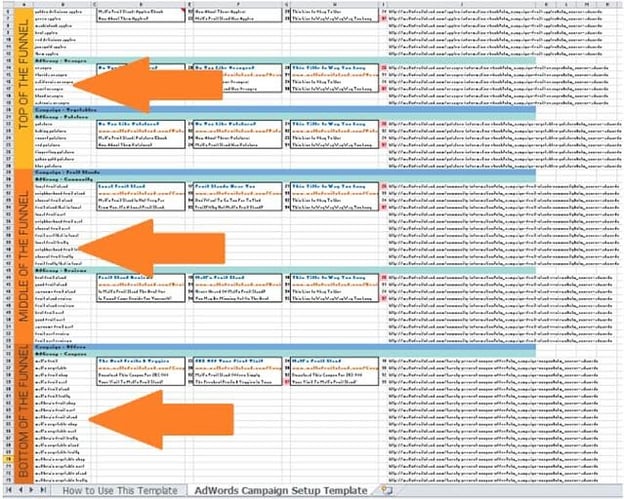
Step 4: Build your keyword strategy.
Next, select the keywords that are relevant to the landing page and offer. Make sure to keep them as relevant as possible to increase the chance that each visitor you pay for completes the form on the landing page.
Yes, it would be nice to rank for certain keywords, but if the landing page doesn’t answer the keyword query, think twice. Or better yet, create another offer and landing page that speaks more directly to the keyword.
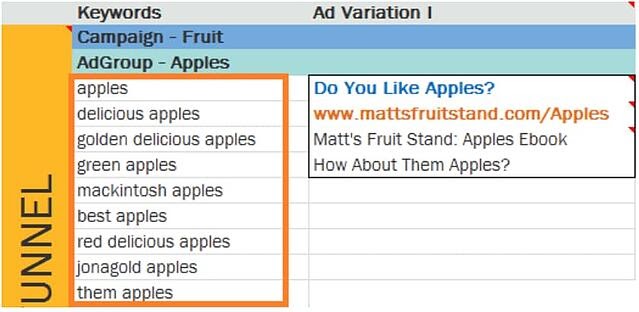
To understand search volumes and costs around each keyword you want to select, you can use free tools like the Google Ads Keyword Tool or — if you’re a HubSpot customer — our keywords tool.
If this is your first time managing a PPC campaign, it would be wise to read up on how to design a keyword strategy. In the case of Google Ads, you might also want to learn more about keyword quality scores.
Step 5: Create your ads.
This is the fun part! Both Google Ads and Microsoft Ads allow you to create more than one ad for each Ad Group (hence the “group” terminology). The service will rotate them until it notices that one appears to drive a higher clickthrough rate (CTR). This is how A/B (and C and D) testing works. While this is optional, you should take advantage of the ability to create more than one ad.
Keep in mind that you are allotted 25 characters for the title of the ad, 35 characters for the display URL (the URL that’s displayed in the ad, not to be confused with the destination URL), and 35 characters for each line of copy. But if you’re using this template, we’ll keep track of that for you.
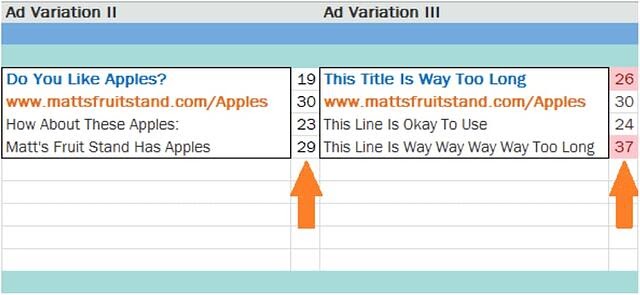
In my experience, the title has the greatest influence on an ad’s CTR. It’s wise to include a keyword in the headline to draw a user’s attention to your ad. An even better practice would be to use dynamic keyword insertion.
A good rule of thumb is to simply try to provide a cohesive experience for searchers — from seeing your ad in the search engine results to completing the form on your landing page — everything should align with the goal of getting them to click through.
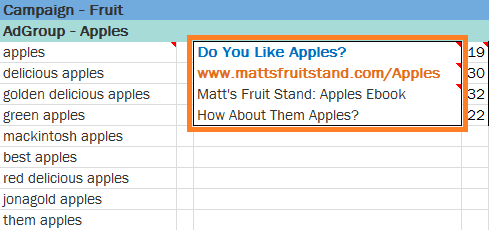
Finally, there’s the tricky matter of the display URL. You’re only allowed 35 characters here, but it’s unlikely that your destination URL, the actual URL for your landing page, will be that short. So the search engines allow you to create a display URL, which may not even be an actual URL on your website. The domain in your display URL must be the same as the domain in your destination URL so that users end up in the right place when they click.
Step 6: Share the completed template with stakeholders.
Whether you’re doing PPC for your business or a client, your completed template will ensure alignment between the stakeholders’ expectations with the realities of a productive PPC campaign. If you’re the stakeholder of a PPC campaign, this template will help you think about what you’re doing with the money you’re spending on PPC.
By doing so, you’ll have created a congruous user experience that search engines like to see. This can benefit you in terms of your positioning in the SERPs and, ultimately, your costs. It will also grant you the agility you need to swiftly reallocate and modify your budget as you respond to changes in the marketplace, and drive the maximum return on your PPC spend.
PPC Campaign Management
Understanding where your audience is spending most of their time online is key, in addition to figuring what kind of ads work best for your business. It’s imperative to familiarize yourself with the different platforms available to run your PPC campaigns. Let’s continue by looking at some of the most prominent online ad platforms: Google, Microsoft (Bing), Facebook, Twitter, and YouTube.
Google PPC Campaign Management
Google has been the dominant player in the search engine space for more than 20 years and it still produces some of the most innovative ad experiences on the market. Here’s a look at a couple of the most popular ways to serve ads on Google.
Google Search Ads
One of the most popular types of Google ads is the search ad. These ads appear at the top and bottom of the search results for specific keywords that you bid on. Google search ad campaigns are usually run with the goal of driving traffic to a specific webpage — like a landing or product page.
Google Display Ads
Have you ever visited a website that has advertising on the banner, sidebar, or footer of the page? Then you’ve probably crossed paths with a Google display ad. These types of ads are typically visual, featuring colorful graphics, videos, and sometimes audio. Google display ads are helpful for retargeting customers who have visited your website before without making a purchase.
Microsoft Ads (Formerly Bing Ads) PPC Campaign Management
Overall, Microsoft Ads works very similarly to Google Ads. However, here are a few tips that can help get the most out of your PPC campaign strategy for Microsoft Ads.
Bing Keyword Suggestions
If the bulk of your PPC efforts live in Google Ads and you decide to start bidding on Microsoft Ads, you might be tempted to use the same keywords that you’re already bidding on in Google. The issue here is that Google and Bing are different search engines and it’s possible that your Google keywords won’t see the same search volume in Bing.
Bing’s keyword research and suggestion tool will give you more accurate search volumes for your keywords. You can still use your original list of keywords from Google to start with, but utilize this tool to verify whether you should be bidding on the same keywords, or something similar that yields more traffic.
Lower CPC
Ad bids can end up being quite costly for a business so many marketers are constantly working to decrease ad spend. Wordstream tested the cost of running ads on both search engines and found that Bing’s average CPC was 33% lower than Google’s. Since bidding on Microsoft Ads is less competitive in comparison to Google, it’s likely that you won’t end up spending as much of your budget on this platform.
So if you’re able to find a high MSV keyword to bid on there’s a good chance that you’ll see a positive shift in your return on investment. This may be especially true for specific industries. The table below shows the average industry CPC according to Microsoft Ads.
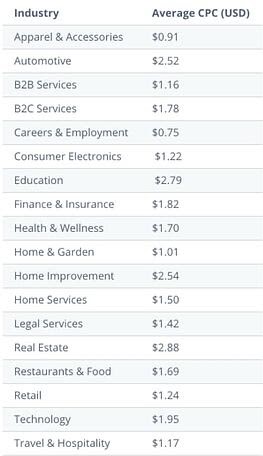
For a deeper dive into Microsoft Ads check out this tutorial.
Facebook PPC Campaign Management
Facebook Ads Manager is a platform that connects 1.6 billion people worldwide to businesses on Facebook. It’s a great tool to target specific audiences and to promote brand presence.
Some of the most popular ads you can incorporate into your Facebook campaigns are:
Story Ads
Stories are thriving on social media platforms, so why not develop a few ads to meet your audience where they’re already spending time?
Stories are only posted for 24 hours so these types of ads are best to use when you have a specific promotion occurring. Like personal stories, story ads can be shared in the form of a video with a link or a series of still photos that lead the viewer to take a specific action.
Playable Ads
Gamification is always an innovative way to catch a lead’s attention. Facebook’s playable ads allow you to create a brief interactive version of a game or app so users can get a feel for what your product is like.
You’ll want to keep the functionality as simple as possible, so you won’t deter any potential customers, and of course, make it fun!
Messenger Ads
If you’ve ever used Facebook’s messenger tool, you’ve probably seen an ad appear among your conversations. The great thing about this is that a potential customer could choose to instantly connect with your business directly from their messages.
So, if you have a sales customer service team that connects with people via chat this is a great way to establish an instant connection. You can also send a lead to your site or a specific landing page from the ad.
To start building your own ad campaign on Facebook check out HubSpot’s Facebook Ads Training Course.
Twitter PPC Campaign Management
Twitter Ads Manager makes it easy to plan the ad you’d like to run on Twitter while providing reporting on campaign performance.
People spend 26% more time viewing ads on Twitter than on any other leading platform, so you’ll want your ads to be catchy enough to stop someone mid-scroll. Some of the types of ads you can include in your Twitter campaign are:
Promoted Tweets
The only difference between a regular tweet and a promoted tweet is that you’re spending money for the promoted tweet to appear in the feeds of people who aren’t following your business. This allows your business to convert users, or simply gain new followers which will help with your brand’s awareness
Promoted Moments
Twitter moments are several tweets that focus on a specific topic or event. Essentially you want this collection of tweets to communicate a story for your audience. These are great for more fun or trendy topics since Moments includes categories such as trending, sports, entertainment, and more.
Promoted Trends
If you’re someone that loves seeing what’s trending on Twitter you may want to experiment with promoting a trend for your target audience to interact with. This will be displayed in the timeline, the explore tab, and the “Trends for you section.”
Once someone clicks on the promoted trend they’ll see various search results for the specific trend or topic and your brand’s promoted Tweet. If your business has identified an engaged Twitter audience you may be sitting on an untapped goldmine.
Learn more about Twitter Ads Manager for your business and get to tweeting!
YouTube PPC Campaign Management
Including YouTube in your ad campaign strategies is a must. If your business can create something catchy enough to convince someone not to click ‘skip,’ you’re already winning.
As part of the Google Display Network, YouTube has become a core part of marketers’ ad strategies. With over a billion active users and the ability to be accessed in 76 languages, there’s no denying that YouTube is reaching a massive amount of people on a daily basis.
Let’s take a look at some of the different types of Youtube ads.
Skippable In-Stream Ads
These are probably the ads that you’re most familiar with already because we’ve all clicked that magical little button that says “skip ads” to start viewing what we searched for as soon as possible.
The ads can play before the ad even begins, which means the viewer never sees it, or they’ll have to wait five seconds before they can skip. Five seconds isn’t much time to convince some not to hit skip, so make sure the hook of your ad is immediately enticing. The good thing about this is that if they skip within those first five seconds, you don’t have to pay for the ad.
Non-Skippable In-Stream Ads (Including Bumper Ads)
Since so many people opt to skip ads on YouTube, advertisers have the option to create non-skippable ads. If you’ve developed a strong creative as you feel will resonate with your target audience this may be the option for you.
However, make sure that you’re avidly measuring results to ensure you’re getting what you’re paying for. If the results aren’t in your favor, you may want to revert to a skippable ad instead.
Video Discovery Ads (Formerly Known as In-Display Ads)
Discovery ads are what users see in the search results. Remember, YouTube is the second largest search engine and shows more than 1 billion hours of video to users each day – so you’ll want those ads appearing in search results too!
These ads will include a thumbnail and a few lines of text as a description. Since many people prefer visuals over text this is an opportunity to get someone to view your video instead of reading a competitor’s textual resource.
Start Your PPC Campaign Today
PPC management is all about researching, budgeting, testing, reporting, and doing it over until you get the results you need. You don’t have to do it alone, though. With the right tools and instructions outlined in this guide, you’ll be able to implement a PPC campaign that yields results for your business.
Editor’s note: This post was originally published in May 2019 and has been updated for comprehensiveness.

The Marketer’s Guide to Segmentation, Targeting, & Positioning (STP Marketing)
I once heard a new business owner define their target market as … wait for it … “everyone”.
*cringe*
While it’s nice to believe that everyone would be interested in purchasing your product or service, it’s not wise to define your target market as such.
Not only does this definition (or lack thereof) create way more work for you; it also does a disservice to your actual target market — by over-widening your scope, you fail to inform and educate your audience about how your product or service can improve their lives.
This is where segmentation, targeting, and positioning come into play. We developed this guide to help you understand how and why you should invest time into better understanding your audience and targeting your marketing. Let’s dive in.
At its core, STP marketing helps you to better target your marketing messages and better serve your customer base.
The model can also reveal niche markets, uncover new customer or market opportunities, ultimately making your marketing efforts more efficient and cost-effective.
Conducting an STP Marketing Analysis
STP allows you to take a large, anonymous audience and define how your different products (or different components of the same product) relate to specific consumer segments within that larger audience — thus understanding how to position your product(s) and messaging to grab the attention of each segment.
Let’s unpack each part of the segmentation-targeting-positioning model.
1. Segmentation

Segmentation refers to the process of dividing your audience into smaller groups based on certain characteristics. This process allows you to group your individual audience members into similar groups so you can better communicate your products, features, and benefits that may be most relevant to them.
You can segment your audience based on one or more of these criteria:
- Demographics, which typically answer the question of who your buyer is (e.g. age, gender, education, location, and profession)
- Psychographics, which answer the question of why your buyer buys (e.g. priorities, personality traits, and beliefs and values)
- Lifestyle traits, such as hobbies, entertainment preferences, and non-work activities
- Behavior, such as brand loyalty, channel preferences, and other shopping habits
Segmentation may sound a little familiar to another process we often discuss here on the HubSpot blog — creating buyer personas. The two are very similar as they help you drill down the most important factors in your target audience.
But where buyer personas help you create a handful of customer profiles that represent your broader audience, segmentation allows you to split your audience into countless groups, each of which you can uniquely target.
For example, let’s say Paws & Tails is a Chicago pet-sitting company that offers pet-sitting, dog walking, and boarding services. Given the vast number of pet owners in the city, they need to segment their audience into smaller groups to better understand how to position their services.
Based on their research and current customer base, they split their audience into three main segments:
- Segment A is made up of high-income pet owners who work often and need daytime dog walking and pet pop-in visits.
- Segment B is made up of middle-class individuals and families who travel and need overnight boarding or pet-sitting services.
- Segment C is made up of older pet owners and retirees who need help caring for their pets.
2. Targeting
With your audience segments in hand, it’s time to move on to the targeting phase. First, however, you must decide which segments are worth targeting with your marketing. To decipher this, ask yourself some questions about each segment:
- Is this segment composed of enough potential customers to justify targeting? Would it yield enough profits if the segment were to convert?
- Is it measurably different from the other segments?
- Is it accessible by all members of Marketing and Sales?
- Is your company equipped and able to serve the segment? Are there any physical, legal, social, or technological barriers that could prevent that?
Choosing what segments to target is a strategic decision. Thankfully, certain strategic planning models like the PESTLE analysis can help you better understand the viability of each segment.
It takes a lot of work to successfully target a segment of your audience. Whether you’ve identified two segments or ten, don’t feel the need to target more than one segment at once. Plus — targeting one at a time will help you better position your marketing for each specific segment.
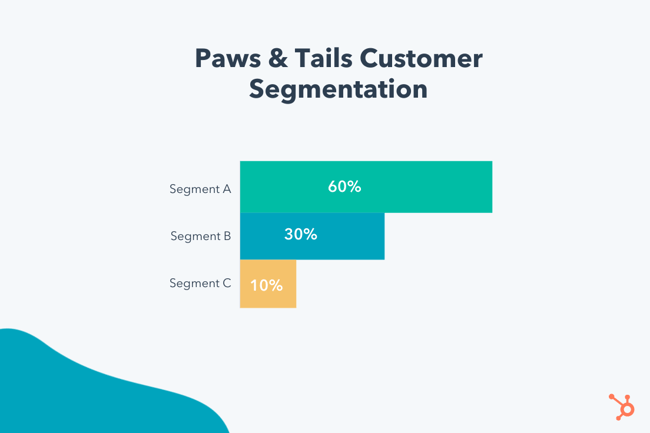
Following our example from before, Paws & Tails conducts research to better understand its Chicago audience. Paws & Tails finds that Segment A makes up 60% of its market size, Segment B makes up 30%, and Segment C makes up 10%. Moreover, Segment A has a higher average income and is willing to pay more for pet-sitting and walking services. Because of this, they choose to focus on Segment A.
3. Positioning
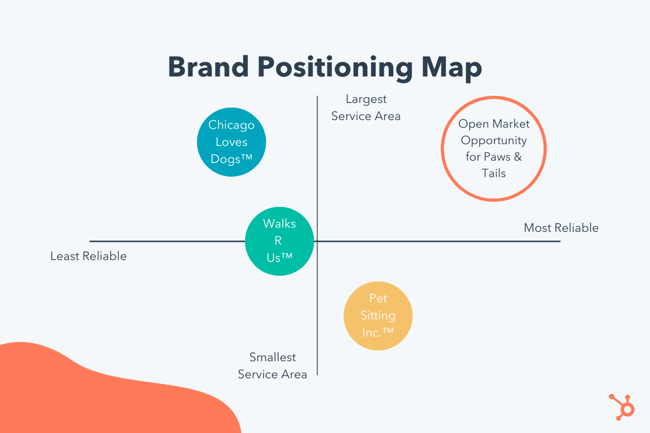
At this point, you should understand the demographics, psychographics, motivations, and pain points of the segments you’ve chosen to target, which can provide a place to start when it comes to positioning your product or service.
First, take a step back and examine your product or service through the perspective of your chosen segment. If you were in their shoes, why would you choose your product over a competitor’s? What features or benefits are most relevant to you, based on the motivations and pain points you’ve identified?
This information is important to defining your brand positioning and understanding how it stacks up next to your competitors. One way to understand where you, well, stand is by building a positioning map, which is “the visual plotting of specific brands against axes, where each axis represents an attribute that is known to drive brand selection.”
The segment you choose to target should dictate what two attributes you plot on your positioning map. For example, let’s say Paws & Tails decides Segment A selects pet-sitting brands based on two attributes: service area and reliability.
By understanding 1) what the target segment deems most important for brand selection and 2) where its competitors succeed (and fall short), Paws & Tails is able to identify an open market opportunity and position its marketing to best fit the needs and goals of its audience.
Using Segmentation, Targeting, and Positioning in Marketing
The STP model is a priceless addition to any marketing strategy, regardless of your industry, product, or audience. It prioritizes efficient and effective marketing and ensures you’re delivering only the most relevant, targeted messaging across the board.
It also plays an important role in developing other strategies, such as your buyer personas, customer lifecycle stages, and core brand proposition.
By leading with a consumer-centric approach like STP, you can be sure that every inch of your marketing is relevant to your audience — thus, increasing the likelihood that they convert, purchase, and become lifelong customers.
Examples of Great Market Segmentation and Positioning
Brands are segmenting, targeting, and positioning their audiences and marketing constantly, oftentimes without us (consumers) even noticing. Ever seen a brand or product and thought “Huh, that’s perfect for me” or “Wow, right place at the right time”? Yeah … you’ve been subject to the STP model.
Let’s review a few examples of great marketing segmentation and positioning.
1. Panera Bread
 With countless fast casual restaurants on the map, it’s hard to decide where to eat when you’re in the mood for a quick meal. For some reason, Panera Bread always comes to mind (at least for me).
Panera has successfully cornered the “health-conscious” and “climate-conscious” segment of the fast casual dining industry. Is Panera’s food so different from other fast casual options? Not entirely.
But by branding themselves with the perspective that “we believe that good food, food you can feel good about, can bring out the best in all of us”, Panera remains top-of-mind as a place to get high-quality food, fast.
2. AllBirds
 Like dining opinions, there are so many shoe brands on the market. But AllBirds didn’t let that stop it from carving out a new niche in a busy space full of comfortable, active shoe options.
How did AllBirds position itself to set itself apart from the competition? By elevating its eco-consciousness and placing that front and center in its marketing. According to the AllBirds website, the brand “crafts with planet-friendly natural materials, like merino wool and eucalyptus trees, because they’re our best chance for a sustainable future.”
At first glance, AllBirds shoes don’t look too terribly different from other running or walking shoes. However, its audience segment that cares about sustainability and earth-conscious products knows the difference.
3. Billie
No longer can businesses simply segment their audiences by “men” and “women” — the individuals within each broad gender group vary too much, and razor brand Billie took note of this.
In an effort to extinguish the “pink tax,” Billie markets cost-friendly razors and associated products. Moreover, they work to normalize body hair and other forgotten or shamed parts of women’s bodies.
Through this positioning, Billie is able to set their products apart from competitors and create a strong, positive community around their brand.
4. Hinge

The world of online dating is a busy, strange place. From Tinder to FarmersOnly.com, there seems to be a place for everyone to meet, well, anyone. Hinge came on the scene only a handful of years ago, yet it has skyrocketed to the top of the list of the most popular and reliable dating app.
Time and time again, I’ve heard that Hinge is a favorite because it works — meaning it helps people meet people and make real relationships. You wouldn’t think a dating app would position themselves to eventually be unnecessary, but that’s exactly what Hinge has done. In fact, its mission statement is to “[build] an app that’s designed to be deleted.”
By putting the needs and desires of its audience front and center, Hinge has created a more trustworthy, in-demand online dating experience and set itself apart from its competitors.
The Case for Using STP Marketing
The segmentation-targeting-positioning model is designed to help you better target your marketing messages and better serve your customer base. It’s a win-win for you and your customers!
This article was originally published October 29, 2020 and has been updated for comprehensiveness.

The 19 Best Content Marketing Tools in 2020
While no content marketing tool can replace a solid strategy and talented humans, having the right tech stack can certainly help you get the job done better, easier, and more efficiently.
There are hundreds of content marketing tools available – some free or cheap – and some very expensive. They also serve tons of different purposes, from content ideation to production to promotion, optimization, and more. The content marketing technology landscape is growing every year.
 This is exciting, since it means that if you have a problem, you can probably find a software solution to help you solve it. But it’s also overwhelming. How do you know which of the couple of hundred tools are worth trying?
This post will help clarify those decisions for you. We’ll outline the top content marketing tools available now.
1. Marketing Hub
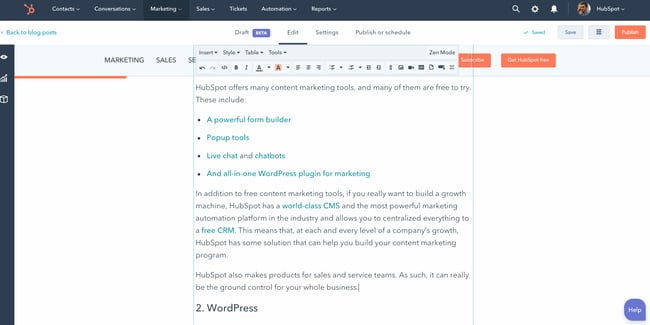
Best for: Consolidating multiple content marketing tools into one centralized location.
What we like: HubSpot’s array of tools and systems grow along with your business, allowing you to scale seamlessly.
HubSpot offers many content marketing tools, and many of them are free to try. These include:
- A powerful form builder
- Popup tools
- Live chat and chatbots
- And all-in-one WordPress plugin for marketing
In addition to free content marketing tools, if you really want to build a growth machine, HubSpot has a world-class CMS and the most powerful marketing automation platform in the industry and allows you to centralize everything within a free CRM. This means that, at each and every level of a company’s growth, HubSpot has a solution that can help you build your content marketing program.
HubSpot also makes products for sales and service teams. As such, it can really be the ground control for your whole business.
2. WordPress

Best for: Blogging, publishing editorial content, and creating portfolios.
What we like: The customizable templates are easy to use, allowing users to build a website quickly. Plus, it integrates with multiple plug-ins to take your work to the next level.
WordPress is the most widely used CMS in the world. Search Engine Journal reports that WordPress powers about 39.5% of all sites on the web.
Social proof can sometimes lead us astray, but in this case, it turns out that WordPress is a pretty powerful tool, both at the beginning stages and as you grow your content marketing program (and it’s used by sites like The New Yorker and The Next Web).
At its core, WordPress is an open-source CMS that allows you to host and build websites. You can self-host or host your site via WordPress.com. WordPress contains plugin architecture and a template system so you can customize any website to fit your business, blog, portfolio, or online store.
It’s a highly customizable platform and is widely used by bloggers.
3. Google Docs
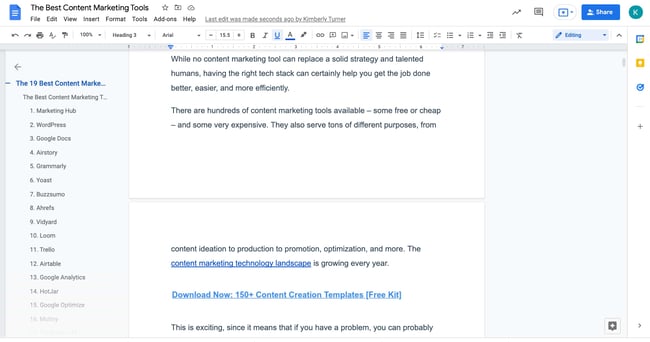
Best for: Editing and collaborating with content writers.
Why we like it: It’s free, widely used, and simple to get started. If you can use word processor applications, Google Docs is a must-have.
Google Docs is to content marketing what a kitchen is to chefs: it’s where all of the work gets done before the final presentation.
Personally, I don’t know any content marketers who don’t use Google Docs to draft their articles. It’s the best platform for collaboration by a long shot, but it’s also easy to use and has a pleasant user experience.
You can easily share documents with your team with just a few clicks. Additionally, you can give editing access to specific people and view their comments by using the “suggestions” and “comments” features.
In addition, you can usually find a way to upload Google Docs directly to your CMS. In the case of HubSpot, you can do that by default. If you use WordPress, you can use a tool like Wordable to help you out.
Google Docs is free, quite ubiquitous, and pleasant to use. Not many reasons not to use it.
4. Airstory
Best for: Writing academic papers and collecting research.
Why we like it: Put writer’s block to a halt with Airstory. This app easily organizes and exports your notes, ideas, and research all in one spot.
If you do want to step up your writing and collaboration game, Airstory is a more powerful platform for writers. If you find yourself moving too often between Evernote, Google Docs, Google Drive, and you always seem to have a hundred tabs open for research, it might be time to look into Airstory.
It helps you save quotes, images, and multimedia and drag and drop it into any writing application. As such, it’s an incredible tool for collaboration, but also for writers w
5. Grammarly
Best for: Editing and proofreading content pieces before publication.
Why we like it: Grammarly works across multiple communication mediums, from email to documents to social media.
Grammarly has changed the game for me. I’m not naturally what you would call “detail-oriented,” so if it weren’t for talented editors, you’d be tearing me apart right now for the multitude of grammar mistakes littering my articles.
Grammarly, however, reduces my error rate by probably 50-80%. I still have some mistakes slip through, but to a large extent, Grammarly saves me from embarrassment (not just when writing articles, by the way — it also works for social media and forum comments).
Their browser extension works with Chrome, Safari, and Firefox, and offers a basic grammar and punctuation plan for free.
6. Yoast
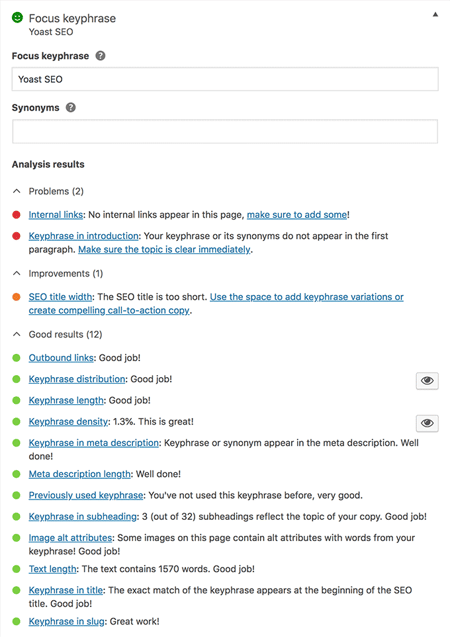
Best for: Writing for search engine optimization (SEO).
Why we like it: Yoast is easy to use and one of the best SEO WordPress plugins available.
Yoast is one of my favorite tools for writing SEO-focused content.
It’s a sort of “all-in-one” WordPress plugin for SEO that helps do pretty much everything, including optimizing content for a keyword, previewing and editing meta-descriptions and URL slugs, abstracting away technical SEO tasks, and suggesting relevant internal links. The simple red, yellow, and green indicators make it easy to figure out if you’ve optimized your page correctly, or what could use more work.
They have over 9,000,000 downloads, 4.9 out of 5 stars in the WordPress marketplace, and just anecdotally, everyone I know who uses WordPress uses Yoast. It’s just a great plugin.
7. Buzzsumo
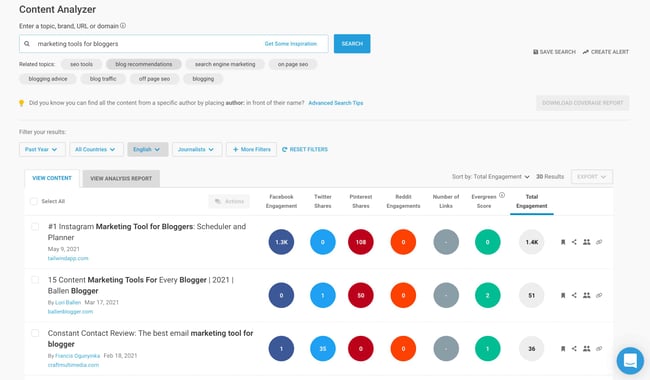
Best for: Carrying out content research and tracking performance metrics.
Why we like it: Buzzsumo takes the guesswork out of influencer marketing and content curation, a bonus for those short on time.
Buzzsumo is a great multi-purpose content marketing research tool.
One of the main things it can do is help you analyze what content performs best for any topic or competitor. You can see metrics like social shares, backlinks, and which influencers are sharing a given piece of content.
For content strategy needs, Buzzsumo can also be used to find what topics are trending across various platforms and the kinds of headlines that are receiving the most traction with engagement.
They also have great influencer reports so you can see who the thought leaders are for a given topic area.
8. Ahrefs
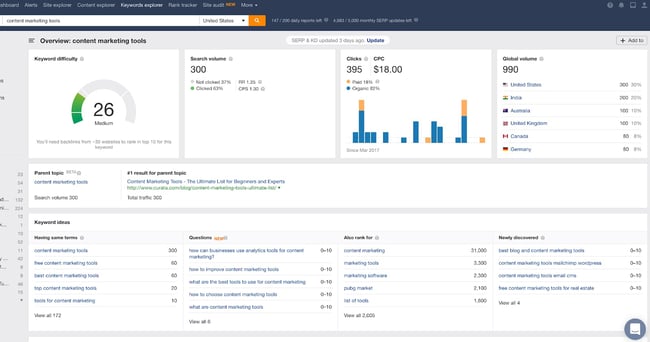
Best for: Completing keyword research.
Why we like it: Ahrefs can be used for basic SEO research, but also handle more in-depth projects like performance reports. These reports can be set to the cadence of your choice so you’re always in the loop.
Ahrefs is my personal favorite SEO tool, and I use it just about every day. It’s great for everything from tracking the rankings of your keywords to analyzing your competitors’ keywords and traffic and much more.
Every time I think I’ve mastered the full functionality of Ahrefs, I find a new feature that surprises and delights me. The basics, such as keyword research or site analyzer, are wonderful. But I also love reports like “top pages” (where you can analyze the most valuable pages on a website), or “content gap” (where you can see what competitors rank for that you don’t).
9. Vidyard
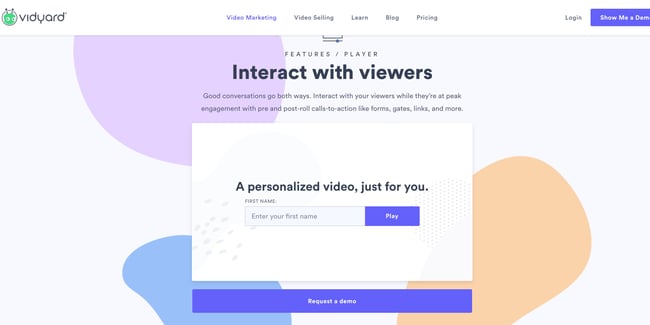
Best for: Creating B2B marketing videos, digital marketing, and content creation.
Why we like it: Vidyard’s analytics and personalization features not only help businesses understand how their content is performing, but also demonstrates how to leverage it to boost engagement.
Vidyard is a video marketing platform that helps you host, share, and promote video content on your website.
They have a sales solution as well to help you close more accounts, but the marketing solution is what I’m most used to. Vidyard’s video analytics are robust.You can run A/B tests and personalize videos, and you can even gate videos at a certain time length to help capture leads.
Additionally, they’ll easily optimize your videos for SEO and integrate with various CRM, email, and social platforms.
10. Loom
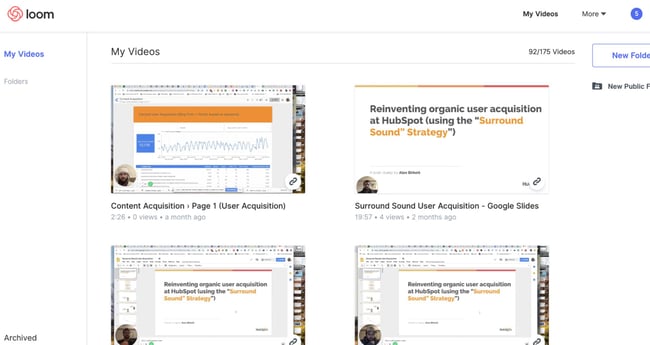
Best for: Creating video presentations and tutorials.
Why we like it: Loom is versatile and user-friendly. Utilize it to easily answer questions or explain complex topics that require a visual aid.
Loom is a tool that I’ve more recently begun using, but at this point it’s a staple for me.
It’s a simple tool, but one with powerful use cases, even beyond content marketing. What it does is allow you to create, edit, record your screen, and share videos. For content marketing, I love this, because I can create and embed tutorials for technical walkthroughs.
Organizationally, I love it as well. It’s great for communicating quick questions or explaining concepts to other team members (without requiring a full, synchronous meeting).
11. Trello
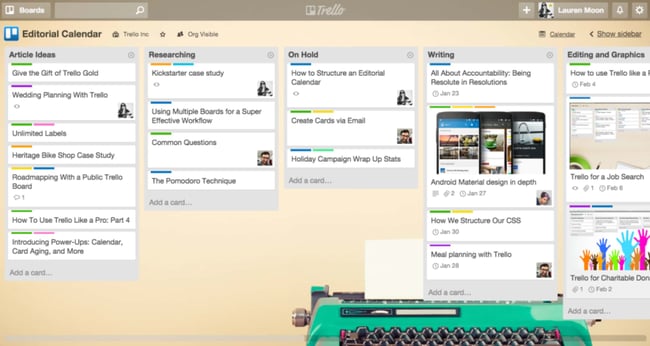
Best for: Keeping track of tasks and project management.
Why we like it: Trello puts all of your team’s projects in one place and is customizable enough to grow with your changing needs.
When you really start producing content, you’ll need some way to manage the process. This is particularly true if you’re working with many staff writers or guest writers.
My favorite tool for this is Trello.
Trello is a simple kanban and project management tool, which means it can be used for many purposes. In fact, I’ve used it for tons of things, like growth experiments, sales pipelines, and product feature roadmaps.
12. Airtable
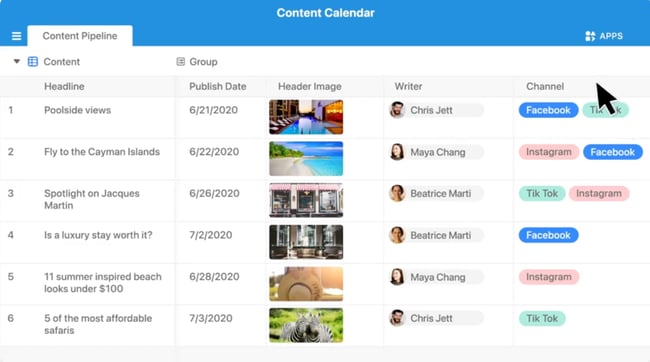
Best for: Managing tasks and databases.
Why we like it: Airtable is great for storing lots of data (hello, spreadsheets) in one place and using customized filters to sort it.
Airtable is another project management tool, though it’s a little more complicated (though also customizable). It’s kind of like a mixture between spreadsheets and Trello. Again, with Airtable, the use cases are many, but I really like it for two content marketing purposes:
- Editorial calendars
- Influencer/writer management
- Marketing campaign tracking
I’ve also used Airtable for several other things in the past, including growth experiments and general team operating documents.
13. Google Analytics
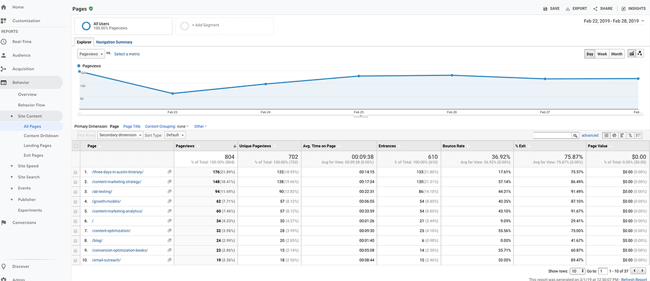
Best for: Understanding your audience and tracking site metrics.
Why we like it: Google Analytics is ubiquitous, free, and easy to use. Use it to see how people found your site and observe visitor behavior.
When talking about content marketing tools, you can’t leave measurement out of the discussion.
Sure, you can get some good insights from SEO tools like Google Search Console as well as previously listed tools like Ahrefs. But you’ll also want a digital analytics platform so you can track business metrics.
Google Analytics is one of the most widely used platforms online. It’s easy-to-use (at least the basic configurations), and it’s free. Two big benefits.
However, it’s also very powerful if you’re technical and know how to set up a proper configuration. Not only can you track goals, like form submissions or product purchases, but you can also set up behavioral events, like scroll-depth.
Best of all, you don’t have to do much to get access to all of this data. Simply set up your Google Analytics account, copy the code provided to your website, and you’re good to go. Google Analytics will automatically start tracking the data from your website.
14. Hotjar
Best for: Understanding visitor behavior on your website.
Why we like it: Hotjar’s tools allow business owners to get an accurate read on how visitors experience their site. It’s great for marketers, designers, and researchers.
Hotjar is my favorite user experience analytics tool. It’s got some qualitative tools, such as on-site poll, surveys, and session replays. Where Google Analytics can help you uncover the “what” and “where” of user behavior, Hotjar’s tools can help you start to tiptoe into the “why.”
In addition, they also provide some quantitative tools such as heat maps. These allow you to get a good visual picture of where your visitors are clicking and scrolling.
One use case I love HotJar (outside of CRO) for is to source interesting content ideas:
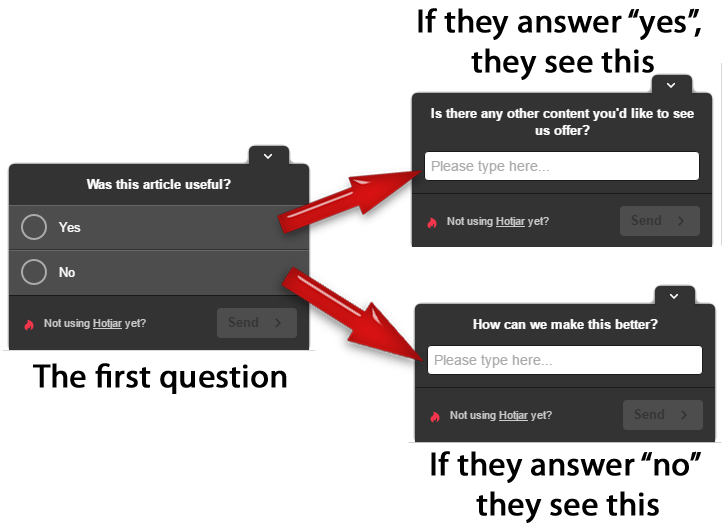
In the example above, follow-up questions are asked based on what users answered to a previous question. Their responses can then be used to inform your content going forward.
15. Google Optimize
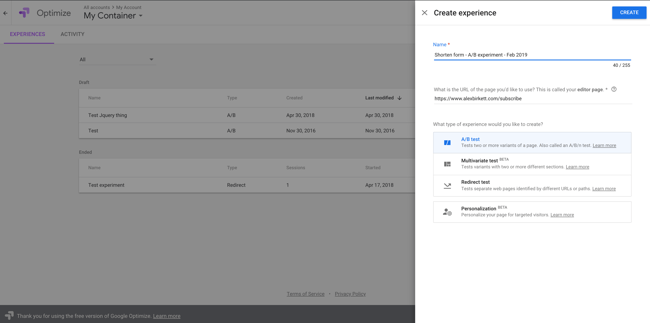
Best for: A/B testing changes to your site’s pages.
Why we like it: Google Optimize harnesses the power of their analytics and statistical tools to help businesses find what your site visitors engage with most and hone in on areas that need improvement. Statistical modeling tools simulate real-world performance for any tests you’d like to perform.
We’ve got a quantitative digital analytics tool (Google Analytics) and a qualitative insights platform (Hotjar), so we presumably can know a lot about our readers and our website at this point. But what if we want to make a change to our blog or landing pages?
My background is in optimization, so if there’s sufficient traffic, I like to set up A/B tests for site changes.
There are many tools out there for this, but I wanted to list Google Optimize because it’s free. It’s also a good starter option to get used to. If you do want to explore other options, here’s a good article comparing the market solutions. But Google Optimize is a great start.
16. Mutiny
 Best for: Personalizing B2B websites.
Why we like it: Mutiny leverages smart, AI-driven technology to help guide content recommendations. Its website personalization features allow users to quickly change their website and see results in real time.
A/B testing is one thing; personalization is also an interesting avenue to explore.
Where A/B testing is a controlled experiment with a limited time-horizon, personalization allows you to deliver different unique experiences to subsets of your overall audience.
For example, you could target mobile users with different popup forms. Or you could target visitors who have read three blog posts with an offer for a specific ebook. Additionally, you could target people who scroll 75% of the way down a certain blog post with an in-text CTA.
The options are endless, only limited by your time, resources, creativity, and prioritization.
Anyway, Mutiny is my favorite platform in this space. It’s designed for B2B, so if you’re in ecommerce, you may want to look at another tool like CMS Hub . But Mutiny is a good and promising newer player with lots of functionality.
17. TheStocks.IM
Best for: Sourcing stock images and free photos.
Why we like it: TheStocks.IM aggregates multiple free photo sites into one place, saving you time.
Most good content marketing includes imagery, so it only makes sense to include a stock photo site here in our list of content marketing tools.
I like TheStocks.IM because it aggregates several free stock photo sites, including Unsplash (my favorite) and Pixabay. Just type in the topic or object you’re searching for into the search box, and it will pull up images across all the platforms it sources from.
18. Canva
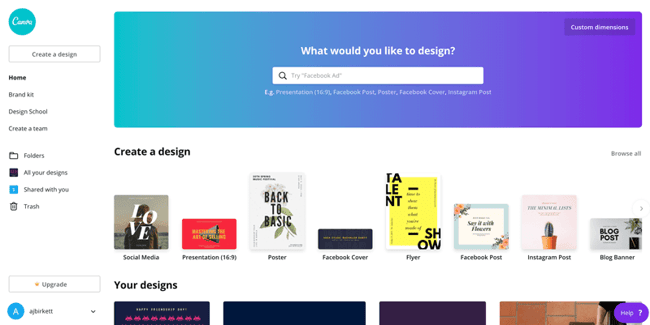
Best for: Designing your own marketing materials.
Why we like it: Canva’s intuitive UI allows design novices to easily create infographics and other materials suitable for print materials, social media posts, and blogging platforms.
What about when a stock image doesn’t cut it, and you want to make your own imagery?
Canva is a great option here.
With Canva, you really don’t need to have excellent graphic design skills. I’m a horrible designer, and I can make decent looking graphics with Canva. It’s really designed for the layperson.
This tool is great for all kinds of content marketing imagery, like social media images, blog cover photos, Twitter cover photos, etc. It’s pretty all-purpose.
Start with one of their templates or create a new design from scratch. If you can drag and drop, you can create materials using Canva.
19. Adobe Photoshop
Best for: Editing photographs and images, and designing custom materials.
Why we like it: The uses for Photoshop are endless. Mastering this design tool will make your materials look professional and give you more autonomy over the kinds of designs you can use.
Now, what if you want to make your own imagery, but you actually are good at graphic design?
Well, in this case, Photoshop is the gold standard. It’s great for editing photographs as well as creating images such as Facebook photos, blog cover photos, and even screenshot tutorials.
I find that a little bit of skill with Photoshop goes a long way. Mastering Photoshop will allow businesses and marketing teams to create custom designs and materials to suit their needs instead of being tied to a particular template or layout.
Content Marketing Tools Won’t Save a Bad Content Strategy
… but they’ll certainly help you get the job done faster and more effectively.
Although there are many more content marketing tools out there, this list sums up the best tools for most marketing needs. Try them out and watch them enhance your content creation strategy and execution.
This article was originally published March 4, 2019 and has been updated for comprehensiveness.

30 Fun (Not Cheesy) Ice Breaker Games Your Employees Will Enjoy
Asking “How is everyone?” at the beginning of every meeting isn’t always the best way to encourage team bonding. Sometimes, having a fun ice breaker can aid in that connection.
The best ice breakers have the power to strengthen coworker bonds, stimulate better brainstorming sessions, and create an atmosphere of inclusivity. To get the most value out of your team bonding moments, we’ve compiled a list of the best ice breaker games for the workplace. Next time you get together with your team, use one of these games instead of asking “How is everyone,” and you’re sure to hear some better, more insightful responses than “I’m good.”
Ice Breakers for Meetings
1. One Word Game
The One Word ice breaker allows you to provide initial context into a meeting’s topic, and get everyone in the right mindset for discussion.
To play, you’ll want to divide meeting participants into smaller groups. Then, tell them to think for a minute or two, and then share with their group one word that describes X.
For instance, let’s say you’re leading a meeting on culture. Tell the groups to describe work culture, or your office culture in particular, in one word. Once they’ve shared with their groups, you can invite them to share their word with the entire room.
This game encourages everyone to think about a certain topic in smaller groups ahead of time, which could increase participation during the meeting.
2. Pop Quiz
To successfully loosen everyone up and get them in the right mindset for a meeting, you might consider putting a short Pop Quiz on the board.
If your goal is simply to encourage team bonding, your quiz can be more fun — like, “Match the lyrics with this 80’s song.” However, you might also use the Pop Quiz as an opportunity to introduce participants to the meeting’s theme.
If you’re discussing company changes, for instance, maybe you’ll start by quizzing team members on company history facts (e.g. “What year was this company founded?”).
3. Birth Map
Place a map and a set of pins at the front of a large conference room before a big meeting. As people walk in, ask them to place a pin where they were born or raised.
As the map fills up with pins, people will learn about how diverse their teammates might be. Allow some time at the end of the meeting for your colleagues to walk up and look more closely at the map.
4. Movie Pitch
Perfect for larger groups and movie fanatics, this icebreaker is as crazy as you make it. Divide players into quads and give them 10 minutes to devise the plot of the next award-winning film. You can give them constraints by designating genres like horror, action, comedy, thriller, and more.
If your organization is meeting to brainstorm ideas for specific projects, go ahead and incorporate the topic into their movie pitch prompts to get the creative juices flowing.
Quick Ice Breakers
5. Would You Rather
A classic game played at summer camps everywhere, “Would You Rather” is an excellent, quick ice breaker for the workplace. Next time you’re settling into a meeting or team bonding outing, take turns going around the table and asking each person a “Would You Rather” question.
Here are a few “Would You Rather” questions to get you started:
- Would you rather only have summer or winter for the rest of your life?
- Would you rather go on a hike or see a movie?
- Would you rather never use social media sites and apps again or never watch another movie or TV show?
- Would you rather have a horrible short-term memory or a horrible long-term memory?
6. 18 & Under
18 & Under is an engaging and unique way to encourage team members to share fun or interesting stories with one another. Before a meeting, simply go around the room, and ask each person to share one accomplishment they had before they turned 18.
Undoubtedly you’ll get some of lesser importance, like “I bought a skateboard,” but you never know what hidden skills you might discover in your colleagues.
7. Two Truths and a Lie
One of the more classic ice breakers in the list, Two Truths and a Lie can be used anywhere from family parties to company events. To play, you simply ask each person to brainstorm three “facts” about themselves — two of the facts will be true, and one will be a lie.
For instance, I might say, “I once auditioned for the TV show Zoom. I have three brothers. I ziplined in Switzerland once.” Coworkers can take turns guessing which is the lie. (FYI, I have two brothers, not three, so that’s the lie. Unfortunately, I did audition for Zoom.)
Two Truths and a Lie is a fun and engaging game, and more importantly, it can help your team learn facts about one another, so they can begin forming deeper bonds.
8. The Handshake
One of the first ways you get to greet somebody in the workplace is with a handshake.
This ice breaker lets individuals ease up and have a little fun without a hassle. It’s simple — divide the group into pairs of two and have them make the most creative handshake they can in a couple minutes.
If you have more time on your hands, have the pairs split up after showing off their super cool shake and make even more creative ones with new partners. It’s hard to play these games without sharing a laugh, something we all could use in the workday.
Ice Breaker Games for Small Groups
9. Fun Questions
Asking fun questions is an easy and effective ice breaker game. To play, simply go around the room and have each person provide an answer to a fun question. The questions are up to you, but if you’re stuck, here are a few ideas:
- If you’re stranded on a desert island and have the option of bringing three items with you, what three items would they be?
- If you could be any animal, what would you be and why?
- What was the first concert you ever went to?
- If you could have any celebrity over for dinner, who would it be and why?
These questions serve two purposes — first, they allow your coworkers to get into a sillier, more creative mindset. Second, they encourage conversation on topics typically reserved for outside the office, which enables members of your team to get to know one another on a deeper level.
Meg Prater, Sr. Marketing Manager of the HubSpot blog, says “When I first started including ice-breaker questions in our weekly team stand-up meetings, the experience was … cringeworthy. It felt like exactly what it was: organized fun. But we kept at it. I listened to feedback and tried to incorporate it into better ice breakers.”
She continued, “For example, some folks on our team don’t watch a lot of T.V. and felt a little excluded when we’d fall down a rabbit hole of shows we were binging. Keeping the ice breakers inclusive keeps everyone engaged. Now, our ice-breakers can take 15+ minutes to get through and yield some of our biggest laughs and revelations of the week.”
10. Personality Quiz
This ice breaker can promote team bonding, and it’s one of the easier options on the list. Simply choose a brief personality quiz on your phone or computer (if you’re stuck, here’s a list), and pull it up on a projector or send the link to everyone.
Once everyone has completed the personality assessment, have each colleague mention one thing they agree or disagree with from their results. This game allows your team members to gain a new perspective on their peers, and it’s also a fun and easy way to get an interesting conversation started.
11. Who is it?
Have everyone write a unique, strange, or unexpected fact about them on a piece of paper. Then, put the pieces of paper into a hat and mix them around. Pull from the hat and read each fact.
Allow the team to try and guess who wrote it. After they guess, ask the employee who wrote the fact to identify themselves and give any further context if necessary. This could be a great way to get to know surprising new things about your teammates.
12. Marshmallow Challenge
Tom Wujec, a business visualization expert, initially presented his Marshmallow Challenge at TED. To play, you simply divide your team into groups of four and give each group 20 sticks of spaghetti, one yard of tape, one yard of string, and a marshmallow. Whichever team can build the tallest structure, wins — the trick is, the marshmallow must be on top.
There are a few reasons this game works as both a great ice breaker and a team-building exercise. First, the most successful teams are the groups of people who don’t spend time competing for power.
The game forces your colleagues to work collaboratively when brainstorming potential solutions. Second, the Marshmallow Challenge encourages people to think quickly and offer alternative solutions when their initial idea fails.
With the Marshmallow Challenge, you can strengthen your team’s brainstorming and problem-solving skills, and your team can also have some fun. A win, win.
13. Scavenger Hunt
At HubSpot, we conduct a scavenger hunt for new hires on the first day of their training. It’s fun and encourages collaboration, but additionally, it can help employees learn their way around the office.
Fortunately, you can conduct a scavenger hunt for your team even if they’ve worked at your office for years.
Simply split up your team into groups, and give each group a shortlist of items to find — if you work in a smaller space, maybe you can hide some funny items around the office ahead of time. You might even provide an incentive for the winning team, like a $50 Amazon gift card.
A scavenger hunt is also an exceptional opportunity for cross-department interaction. Consider reaching out to managers from other departments and creating groups of employees who don’t often get to work together.
14. No Smiling
This game is simple and meant to energize your team. Get your colleagues in a circle and ask one volunteer to sit or stand in the middle. Tell the volunteer that they can not laugh or smile, regardless of what happens. Then have each other colleagues take turns telling the volunteer a work-appropriate joke.
The goal of the volunteer is to hear a joke from every colleague around the circle, while the goal of the other team members is to make the volunteer laugh.
This icebreaker can be helpful in new-employee or management training to lighten the pressure of starting a new job. It can also be helpful as a way of lightening the mood on teams that regularly deal with stressful projects or situations.
15. This is Better Than That
Aside from being a fun team activity, this might be a great energizer for sales employees or others that regularly pitch, market, and sell products.
Ask your team to find four to seven items around the office and bring them to one room. These items could be something they use daily, like a pen or a chair. However, you should encourage them to find items that are more odd or unique. This will make the game more challenging.
Line the items up and split the group into sub-teams. Task each team with picking an item they would use to survive if stranded on a desert island.
Tell team members that they cannot pick more than one and must assume it is the only item they will have on that island. Allow the teams time to deliberate and then ask them to present the item they chose and why.
Virtual Icebreakers for Dispersed Teams
16. Choose Your Favorite
For this icebreaker, all you have to do is answer the question about your favorite things. You’ll ask your team to choose their favorite movie, song, T.V. show, etc. The question can change every week.
This icebreaker helps your team get to know each other even when they work remotely and can spark conversation on what everyone likes or dislikes.
17. Trivia Game
If you’re looking for a remote icebreaker that’s more of a game, and less discussion-based, you can host a trivia game.
Kahoot is a trivia platform you can use for free (hosts up to 10 people). To get started, all you’ll need to do is sign up for a free Kahoot account.
Then, you can choose a featured trivia game to play. To run this remotely, you’ll want to share your screen with your team. Everyone will need to have a separate device to use so they can enter the game and submit their answers.
18. Share an Embarrassing Photo
This is one of my favorite icebreakers because it’s a fun way to get to know your team. For this game, have everyone bring in an embarrassing photo and tell the story behind it.
Have your team members share their screen or send a file to the team leader to share with everyone.
To make this more interesting, you can have people guess whose photo it is before your team member shares their story. Doing this icebreaker is a great way to build connections remotely.
19. One Word Pulse Check
For this icebreaker, have everyone on your team go around and share a word or phrase that represents how they feel that day.
Sr. Manager, Christina Perricone, says this is her favorite icebreaker.
“The person sharing gets to decide whether or not to elaborate, and everyone listens without response. The purpose of the exercise is to give people a chance to release and/or reveal emotional setbacks, obstacles, wins, highlights, or anything else that might be impacting how they show up to work that day. It provides a space for participants to bring their entire self to work and it gives the team context for how to support that team member that day,” Perricone adds.
20. Meet my Pet
Nothing fills a meeting with smiles like photos of colleagues’ furry friends. Take turns showing off the cutest pictures and videos of your pet.
For those who don’t have any, they can either make a joke pet (the infamous pet rock) or share a dream pet they would have.
Zoom Icebreakers
21. Paint a Picture, Build a Story
In this ice breaker, playoff your teammates’ artistry and create a scenario of their masterpieces. Gartic Phone gives you a short time frame to sketch photos based on other players’ prompts — and can result in some hilarious artwork.
The more nonsensical the prompt, the funnier the drawings become. You’ll also get brownie points if you save and share some of the funniest drawings and share them with the team on Slack afterward.
22. Guess That Drawing
Drawasaurus is one of my favorite online drawing games to play with colleagues. Players get to choose from three random prompts to quickly interpret and draw their vision. Other players can score more points for identifying the word the fastest and take turns going until the timer goes out.
23. Alphabet Brainstorm
Thinking off the top of your head is a lot harder said than done in Scattegories. The host of the game can choose from topics as broad as foods and countries or as weird as “Things Granny would say.”
Each round the game will highlight a random letter of the alphabet and let players come up with any noun or phrase that starts with said letter. The best part — players can dispute answers amongst each other to take the win. A perfect icebreaker for your overly competitive colleagues.
24. Show and Tell
A rather straightforward ice breaker, team members can share an object they love over Zoom. Whether it’s a prized-collectible or an item that sparks nostalgia, there’s plenty of stories waiting to be told.
25. Bucket List
Outside of the workplace, your teammates are people with aspirations and goals you wouldn’t know about from the average coffee chat. Have team members share some bucket list items they want to achieve in the future.
Not only can these be inspirational, but they also open the floor for team members to encourage one another to pursue their dreams, too. It’s a particularly uplifting team-bonding activity that will bring your team even closer together.
26. Share the Love
While dispersed teams may not have the chance to share a handshake or hug, you can still share the love amongst each other in this icebreaker. Say something lovely with another team member, and it could be anything you want as long as it’s respectful and in good judgment.
For each person that receives a kind message, they will be the next one to share a message to a member of the group who hasn’t received one — ensuring everyone gets an equal amount of praise. Shout them out for their helpfulness in a project, for the energy they bring to the team, or for their lovely smile.
27. Arts and Crafts
Making something with your team can be a great opportunity to learn something new and keep decorative mementos in your space to remind you of your team. Have everyone follow the same instructions to make a craft like simple origami, a drawing, or painting by a designated instructor in the Zoom call or YouTube tutorial.
28. What Do We Have in Common?
This icebreaker is best suited for new hires who may feel more reserved as they virtually meet the team.
Find common ground and get the conversation going with your team members. Have a manager or team leader start the conversation by sharing something they have an interest in, like popular TV, music, foods, or whatever they love to get everyone thinking. Popcorn it over to the most enthusiastic team member with that same interest and have them share a new one.
Typical icebreaker questions can get people to say a sentence or two about the subject, but if you’re passionate about it, you’ll see more personality come out from the most unexpected colleagues in the call.
29. Name That Tune
Music brings people together, and you’d be surprised to learn how many of your coworkers are raving about the top trending song on TikTok or Spotify.
Take turns whistling, tapping, or even playing an instrument (if you gave one) to the tune of a popular song and have your teammates guess the name. Figure out who’s a fan of the classics by clapping and stomping to the tune of “We Will Rock You” by Queen, or do whatever it takes to help your colleagues recognize your favorite tunes.
30. Themed Meetings
Hosting themed meetings is the best icebreaker for the holiday season. Share a laugh and snap photos of you and your colleagues dressed up as elves with Zoom backgrounds at the North Pole, or in your spookiest costumes for Halloween.
Make sure your theme is chosen in good judgment as some holidays have cultural ties, keep this icebreaker for more commercial holidays.
Break the Ice and Get to Business
Icebreakers can seem cringeworthy, but are actually a great way to build trust within your team. Even if you work remotely, team bonding is an important part of running a productive, effective team.
Editor’s note: This post was originally published in September 2018 and has been updated for comprehensiveness.
