How Benefit Segmentation Will Take Your Marketing Campaigns to the Next Level
If you’re a fan of HubSpot’s Inbound Marketing Methodology, you probably understand the importance of customer success. In fact, 70% of businesses with growing revenue prioritize customer success as “very important.” So, if you want your business to succeed you must make sure your customers do, too.
By doing so, you can stack the odds in your favor, ensuring the leads you’re passing to your sales team are a good fit for your business through benefit segmentation. In this post, we’ll go over what benefit segmentation is, why you should use it, and where it can be seen in the real world.

Why should you do benefit segmentation?
Benefit segmentation will help you gain a better understanding of the different needs of your customer base in addition to the following:
1. Benefit segmentation makes it easier for sales reps to convert leads into customers.
That’s because your marketing campaigns will attract customers who are better suited for your product or service. Since the campaigns are targeted to the people who need your business the most, your sales team should have an easier time closing deals.
2. Marketers and salespeople can use benefit segmentation to engage customers.
By identifying the key value that your business provides, your team will create more compelling marketing campaigns and sales pitches. They’ll know exactly how to differentiate your product or service to make it attractive to your target audience.
3. Benefit segmentation improves customer retention.
Converting leads that are a good fit for your organization will decrease your churn rate over time. Customers will be happy your product or service is fulfilling their needs and will be less likely to shop with your competitors.
Now that we understand what benefit segmentation is and why you should use it, let’s take a look at some real examples where this marketing technique helped businesses attract and close leads.
Benefit Segmentation Examples
1. Samsung

The cell phone has become one of the most fundamental products of modern technology. Almost everyone has a cell phone to get them through their day-to-day tasks. But, depending on who you are, how old you are, and where you’re from, your cell phone needs may differ dramatically from the next customer. Most of us need a cell phone, but often for a different reason. So, how do phone companies manage to fulfill these customer needs?
Samsung uses benefit segmentation to personalize ads for different target audiences. In the cell phone industry, age is a major determining factor of customer needs. As customers get older, what they need from their cell phone changes. It goes from fun features like cameras and apps to more practical benefits like battery life and security.
We can see this play out in the two advertisements pictured. The first one is aimed at a youthful audience and inspires them to “Do bigger things.” The phone comes with two cameras and lets the user draw on images using the included stylist.

Compare this to the next ad where Samsung focuses on the practicality of the phone. Its tagline, “Designed for humans,” lets the reader know the phone is user-friendly and easy to set up. The phone is designed for optimal performance so that it never slows down no matter how many apps are running at once. This is particularly useful for an audience that may have a busy professional schedule and is working on multiple tasks at once.
Highlights:
- Samsung used it’s “Do bigger things” campaign to attract a younger audience by reeling them in with sleek new camera features.
- Conversely, the company was able to attract older users who may not be as tech or gear savvy with the tagline “Designed for humans,” implying the phone is user-friendly for all.
2. Ford

Car companies often use benefit segmentation to position different types of vehicles. For example, we can look at Ford to see the difference in advertisement between its Ford Fusion and F-150 models.
The Ford Fusion is a practical, four-door sedan that’s described as “sophisticated” and “cool.” Ford recognizes that people who are interested in this car will value its style in addition to its performance and price. The company highlights this by using vibrant colors in its advertisement to compliment the car’s eye-popping design.
Now, compare that image to the image of the Ford F-150 below. The F-150 is a work truck designed for people who need a powerful, durable vehicle. Customers who are interested in the F-150 would value the truck’s impressive towing capacity and ability to navigate difficult terrain. That’s why the image below shows the truck towing a large piece of equipment with a tagline of “Built Ford Tough.”

Highlights:
- Ford marketed the Fusion sedan to users who were more interested in having a practical, but stylish car to get around town.
- For the F-150, Ford used it’s “Built Ford Tough” campaign featuring the rugged outdoors to attract buyers looking for a durable, all-terrain truck that could handle the toughest jobs.
3. Airbnb
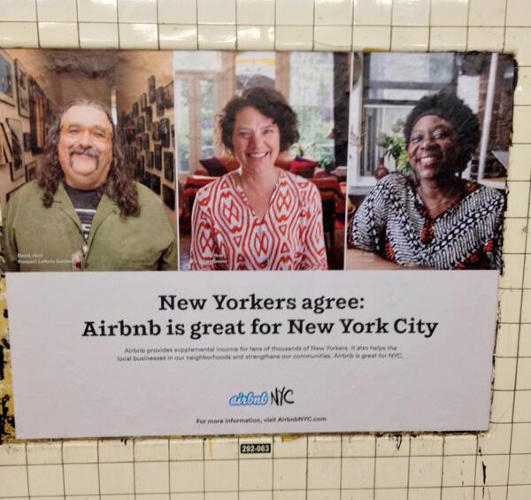
Airbnb’s market segmentation is interesting because it has to account for two main target audiences: hosts and guests. Not only does the company have to find customers to book the rooms, but they must also attract welcoming hosts with desirable living spaces. This forces Airbnb to perform benefit segmentation to create ads that appeal to both guests and hosts.
In the example above, we can see how Airbnb uses benefit segmentation to attract hosts in New York City. New Yorkers have a lot of pride for their city and value companies sharing that passion. So, Airbnb created these subway ads to educate New Yorkers on why Airbnb is good for local business owners as well as community development.
We can compare that educational message to the inspirational one below. This ad is aimed at potential guests who are planning a future trip but haven’t made concrete travel plans. Airbnb capitalizes on this opportunity by creating a message that embraces uncertainty. Rather than pointing to a specific location, Airbnb makes the destination irrelevant and instead focuses on how the company will help, no matter where you go. This makes Airbnb look more trustworthy to customers who may be nervous about making a major financial decision.

Highlights:
- To attract NYC hosts to use their service, Airbnb embarked on a campaign that tapped into the pride New Yorkers have for their city and local businesses.
- For guests, Airbnb established themselves as a trustworthy accommodation option – no matter where they decided to crash – by using the uncertainty of the audience’s destination to their advantage.
4. Nike

Nike offers a wide range of products to a variety of target audiences. It needs to use benefit segmentation to develop different marketing campaigns that appeal to each group of customers. The most notable example we can pull from Nike is its ads featuring tennis superstar, Serena Williams.
These ads are aimed at Nike’s female target audience, particularly at its youthful demographic. Nike understands that these customers value the athletic confidence they experience when wearing Nike products. That’s because Nike’s apparel is not only stylish but designed for elite performance. The company uses the tennis phenom, Serena Williams, as an icon to demonstrate how this added confidence can improve your athletic ability.
Highlights:
- Nike expertly leveraged it’s reputation for creating high-performance gear by using tennis star Serena Williams.
- Additionally the brand was able to tap into youthful nostalgia and appeal to female buyers by using images of Williams as a youth to inspire their audience to greatness.
5. Hulu
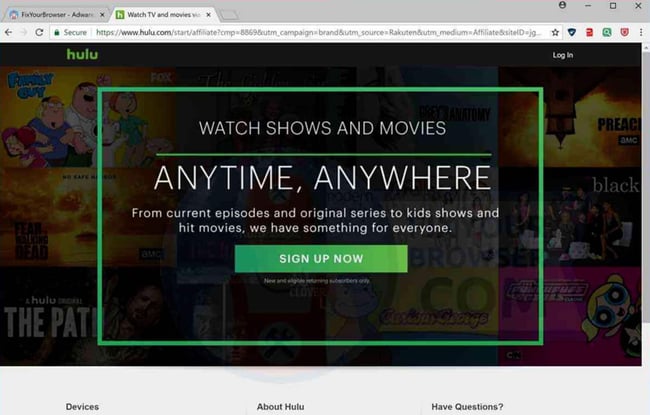
Amidst the “cord-cutting” phenomenon, Hulu has been able to position itself as a viable alternative to cable TV. Hulu’s users value convenience and efficiency and don’t want to spend money paying for television channels they never watch. So, the company has created an ad campaign that explains how Hulu users can save money while maintaining access to their favorite content.
In the ad above, we see how benefit segmentation influenced Hulu’s marketing campaign. For example, the copy highlights how users can view “current episodes” and “hit movies.” Since many cord-cutters worry about losing access to new content, this lets users know that Hulu’s content is updated so they’ll never miss a recent episode. That’s incredibly important for people who follow series like Game of Thrones, where it’s vital to watch the episode as soon as it airs.
Highlights:
- Hulu’s ad campaign assures potential cord-cutters they won’t miss current episodes of their favorite shows.
- Hulu found what was most important to their customers (missing their favorite shows) and then tailored their messaging to address their needs.
The Advantage of Using Benefit Segmentation
With benefit segmentation, you can organize your customers and leads based on the value you provide them. This ensures you’re attracting customers who will develop a strong relationship with your business over time. <>By pursuing these customers, your organization will improve lead acquisition and ensure customer success.
This article was originally published June 3, 2019 and has been updated for comprehensiveness.

The Straightforward Guide to the Google Display Network
Millions of dollars are poured into the Google Display Network (GDN) every day. But why? Google offers endless options for marketers to promote their products, so how is this network different?
Frankly — because it works.
When industry competitors’ congest search engines, the GDN can be a great alternative. Here, we’ll explore why you should use Google Display Network (GDN), how GDN differs from search ads, and how you can target your GDN ads to reach the right people in the right places.

What is Google Display Network?
The Google Display Network is a collection of over 200 million sites, apps, and videos where your Google ads can appear. As this network reaches 90% of global internet users, joining will greatly increase the number of eyes on your ads.
Why use the Google Display Network?
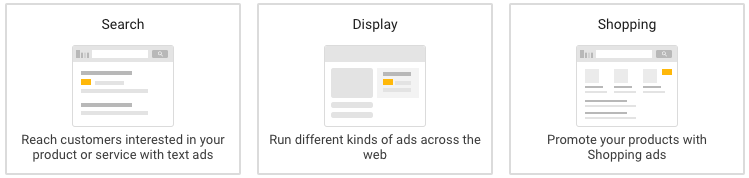
The value for GDN boils right down to reach and affordability. Prospecting, brand awareness, and remarketing can come with a hefty price tag when pursued for traditional search ads. GDN, by comparison, bypasses a lot of costly competition from other networks.
With Google’s search ads, you’re essentially throwing out a wide net, which can be largely hit-or-miss, both with whom you’re targeting and with how you’re spending.
Is it better to use GDN over search?
Whether or not you should choose GDN over search ads largely depends on your marketing goals. Generally, you’ll want to use GDN when the goal is to build brand awareness in a more cost-effective way.
There’s less competition for inflated keyword bids, so you’re more likely to reach users actively searching for your products and services. Though the audience intent is not as strong, you get a much lower cost-per-click and many more impressions. There are also endless options for customizing your audience targeting.
Ultimately, you don’t need a fat wallet to set up a campaign through Google Display — you just need to choose the right targeting factors for your marketing goal.
Google’s Display Network allows you to define your audience in a way search engines can’t. Since you can target more than just keywords, you aren’t limited to the Google results page. Instead, GDN allows you to target websites by audience affinities, in-market segments, and custom intent keywords. You can even hand-pick website placements that fit your target audience.
The other differentiator is volume. Where do the fancy image ads appear when you market with GDN? Across millions of websites that your prospects are visiting every day.
But really – what’s the difference between GDN and a simple search ad? Let’s explore that, now.
Google Search vs. Display Network
You need a different mentality when using Google’s Display Network than when you’re using the search network and others available on Google Ads. Let’s define some use cases and expectations.
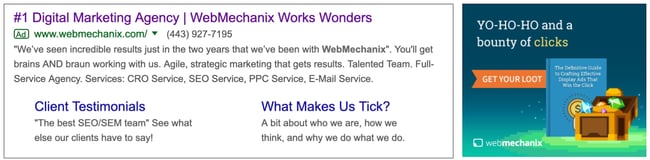
According to a study from Wordstream, the average GDN click-through- rate (CTR) was just 0.46% compared to 3.17% across search. This may seem minuscule, but it’s important to note this is because you’re targeting users that may not be familiar with your brand at all. The Google Display Network is first and foremost a tool for prospecting and brand awareness.
The standard CTR for this network is still under 0.5%. But, for targeting prospects outside of search engines and social networks, that’s still pretty good.

The next key differentiator is the fact that the user’s primary interest is the website content itself — the display ad has an indirect, secondary role in the website’s appeal to the viewer.
Marketers are hoping the prospective user will view their GDN ad along their journey to fulfilling another purpose. That makes the user intent different than when an ad appears at the top of a Google results page for a high-intent search phrase. It should be no surprise that the click-through rate and conversion rate for GDN are below 1%.
Unlike with search, there is a variety of targeting options outside of keywords that span across a network of millions of websites. You can access the majority of internet users through website placements. Your number-one goal with GDN is finding the right audience size with strict targeting criteria.
There are ways to approach this network with tighter, more relevant targeting. Ultimately, remarketing is limitless — but it involves audience development outside the Google Ads platform. Let’s start by exploring the default prospecting options Google provides and work our way toward opportunities customized for your brand and those who have engaged with your website.
Google Display Network Remarketing or Prospecting?
On the GDN, you can target in two ways. First, you can target prospects on the internet who may have no previous knowledge of your website, brand, products, or services. Second, you can remarket to users who have engaged with your website in some form. Option two allows you to leverage the audiences you find in Google Analytics for your website. If you don’t have any Google Analytics website audiences built, doing so is incredibly easy — simply set up an audience for a user that completes specific actions.
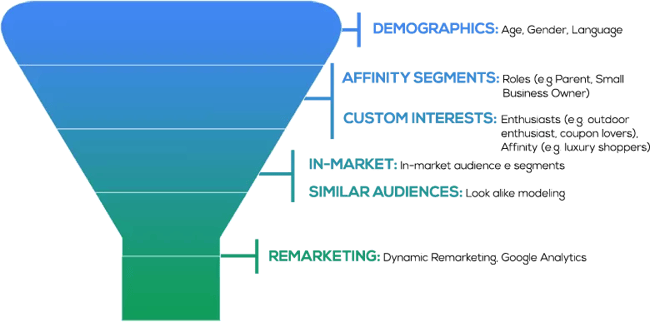
Some of the most common remarketing audiences include:
- General website visitors
- Users who have submitted a form
- Users who have downloaded content
- Users who have viewed specific product pages
- Users who have signed up for an account or trial offer
- Users who have completed a transaction or purchased a product
- Users who have begun any of the above actions but abandoned the page before completing it
Remarketing and prospecting are two vastly different initiatives that you can execute through GDN. Some businesses prefer to focus only on remarketing because reaching users familiar with one’s brand drives leads and sales for the most affordable cost. However, other businesses aren’t focused on the return as much as generating awareness of their products and services. It all comes down to your company’s marketing goals.
Google Display Ad Examples
Once you know how to target, you’ll want to create the collateral that gets the attention you need from your ad placements. Here are some great examples of Google display ads:
1. SEMrush

SEMrush uses large white font across an eye-catching blue background with bold oranges and pinks, making it colorful and stark enough to attract attention.
Why We Like It
- The copy of this ad does two things: states the value (“skyrocket your marketing”) and provides social proof (“like our clients did”)
2. Conversica

Conversica utilizes the large vertical format, which takes up a lot of real estate space on a page, enough to hopefully stir any website visitors out of “banner blindness.” Their strategy is not to promote their company but rather an offer: research on virtual assistants in sales.
Why We Like It
-
The vertical ad is large enough to catch the attention of the person browsing the site, plus entices them with an offer rather than a hard sell.
3. E*TRADE

This is one of the skinnier horizontal banners, and E*TRADE uses it to make a bold statement: “$0 commissions” in large letters across the center. The call to action (open an account) is much smaller than the value proposition so that they recognize the value first before taking action on it.
Why We Like It
- This ad emphasizes the value of using E*TRADE — zero commissions fees. The company sets itself apart from the competition by assuring customers they won’t be nickel-and-dimed with extra fees.
Google Display Network Audience Targeting
1. In-Market Segment Targeting
In-market segments are Google users interested in broad categories of products and services, including real estate, education, home and garden, sports and fitness, and more. Google defines these segments based on users’ historical views, clicks, and conversions on previous content. There are sub-categories for specific types of each segment, but the criteria Google uses for these aren’t public. The size of each sub-category is easily millions — and sometimes billions — of users. It’s safe to say that testing a GDN in-market segment is a good starting point.
However, layering demographic qualifiers, device targeting, and other affinities is necessary to create a focused pool of users.
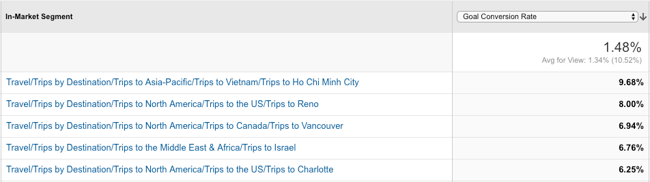
An easy way to control audience size for in-market segments is by comparing with Google Analytics data. The in-market segments on Google Analytics line up perfectly with those on Google Ads. Google Analytics should show you which in-market segments on your site have the highest conversion rates.
Educated guesses for targeting on the Google Ads platform can only go so far. Google Analytics has the tools for identifying and building data-driven audiences from which Google Ads can learn and optimize. Ultimately, using Google Analytics can help ensure you’re reaching highly qualified users.
2. Affinity Audience Targeting
Like in-market segments, affinity audiences are Google users with similar interests, including cooking, fashion, beauty, gaming, music, travel, and more. These are very expansive categories of internet users, so it’s equally important to find targeting criteria to narrow down the size of any one affinity interest, or its sub-categories.
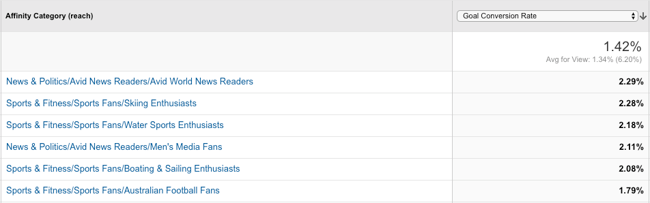
Strictly relying on the default options for in-market segments and affinity audiences within Google Ads can leave a giant dent in your budget for marketing spend. Google Analytics can be a huge help in pinpointing exactly which affinity audiences yield the highest conversion rates on your website.
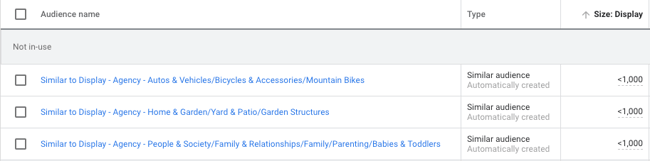
Google Ads will also create a “similar” audience based on the Google Analytics’ audience created. These audiences are usually more focused in size, making them ideal for testing.
3. Custom Intent Audiences
Custom intent audiences is another valuable contextual targeting method.
How does it work? Simply put, Google can show your ads to users who are “likely to be interested” in specific keywords and website URLs. It may also show your ads to people who have recently searched for your suggested keywords.
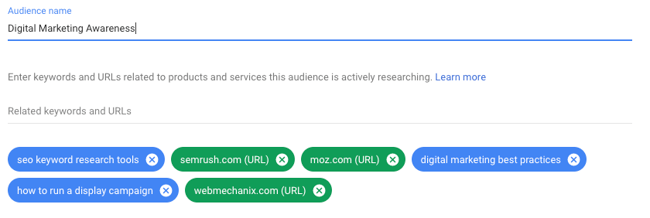
The key difference between custom intent audiences and other targeting methods is that you aren’t targeting websites that use these exact keywords, and Google is not placing your ad exclusively on specified website URLs. Rather, Google serves your ads to users on various other websites that have some contextual connection to the website URL or keyword given to Google.
4. Placement Targeting
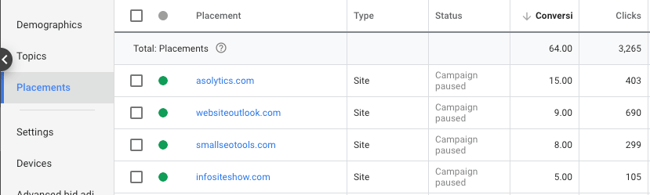
Google can show your ads on specific websites when provided with placement URLs. This option offers tighter, more controlled targeting because it limits display ad placements to custom websites selected by the marketer.
You could save money being so specific, but you could also be missing out on mainstream websites that your target audience is more actively visiting.
Simply put, users who visit your website also visit other websites. With custom affinity (interests) and custom intent (keyword and URL) audiences, Google can target these users at other online destinations. Picture your specified website as the center of a digital spiderweb — Google uses the central URL to target the users in other URLs within the spiderweb, amplifying your reach to include websites you may not know about.
These websites may or may not have content related to your suggested keyword or URL, but Google knows that these websites are sites that users of your suggested keywords and URLs also visit.
5. Topic Targeting
Google can show your ads on web pages only about your specified topic. Some of these topics could be similar to interests or affinities, or they may fall outside the default categories that Google offers (e.g., they may be along the lines of hiking, camping, or agriculture).
This targeting is an alternative to researching and selecting website placements for one interest without knowing the impact of those placements.
Three Key Audience-Building Factors
Now that you know the basic mechanisms for targeting and creating an audience, let’s dive into three essential tips to ensure you build those audiences better. Here are some high-impact areas for tightening audience targeting where it counts.
1. Select the right devices.
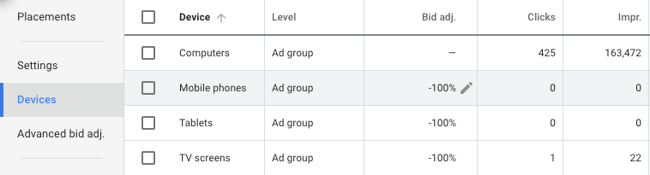
When setting up a display campaign, it’s important to consider where the target audience will be using the product and how they will be signing up. If the user experience is compromised or not nearly as good on a particular device, consider excluding that device altogether.
For example, is mobile really the right platform for your landing page offer? Can your products or services be used easily on tablets and other small devices? If your company produces games or apps, mobile is ideal. But if you’re marketing business software used on desktop computers, mobile targeting could be costly and unnecessary.
2. Choose the right demographics and locations.
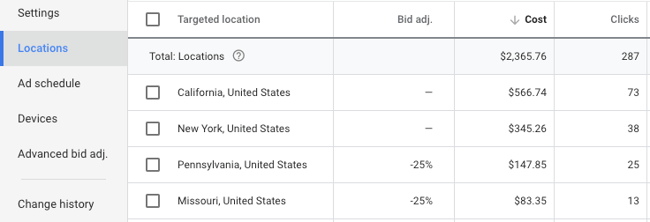
Google lets you customize several demographics when targeting for a display campaign. For example, age and household income are broken out into seven different ranges. If you know your audience is not within 18-24 years of age, or the top 10% of household income, you can easily exclude those users when creating ad groups.
There could also be some states in the U.S. or territories internationally to which your business prefers not to drive sales. The bids of these locations can easily be adjusted to redirect your budget to more profitable locations.
3. Mark the box for content exclusions.
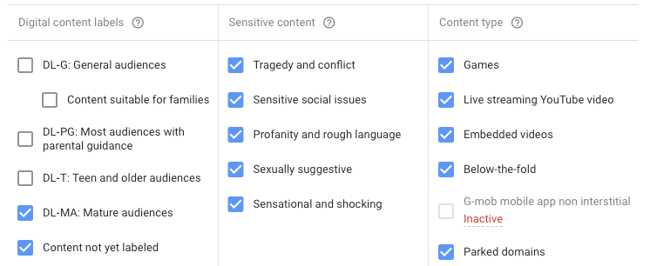
Before launching a campaign on GDN, it’s easy to make the mistake of skimming past the additional settings for websites with explicit content. Some advanced content settings are available for preventing your site from appearing on parked domains, sites with sexually suggestive content, sites with sensitive social issues, and more.
Google doesn’t mark these boxes by default, so they must be manually selected to prevent your ads from appearing on undesirable sites.
Optimizing Your Google Display Network Results
Now that we’ve explored targeting methods as well as specific audience-building factors, let’s dive deeper into how you might optimize your GDN results.
1. Assess demographic performance, and then recalibrate if necessary.
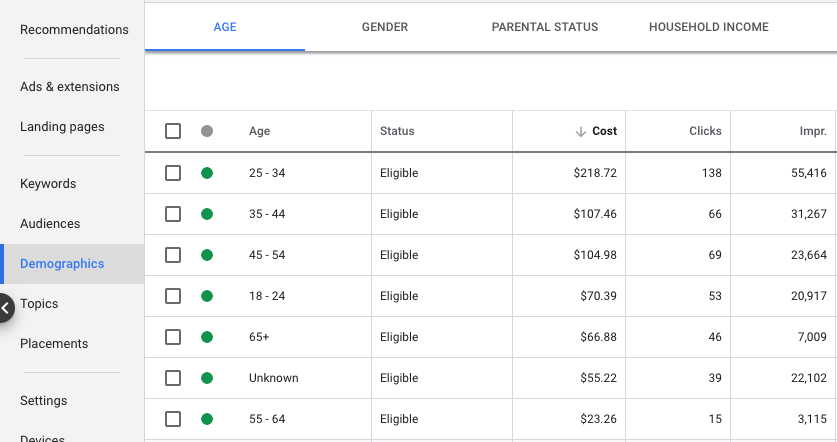
Some of your audience demographics may be ideal for traditional marketing but could perform poorly in a digital setting. Even after setting up specific demographic and location targeting, it’s important to review the performance of what hasn’t been excluded. For example, there are some demographic categories (e.g., “unknown”) and ages (e.g., “65+”) that can become costly after launch.
2. Assess placement performance and use those analytics to continually improve.
Google makes it easy to review where your ads are appearing on a daily or weekly basis after campaign launch. You can find this information under “Placements > Where Ads Showed.”
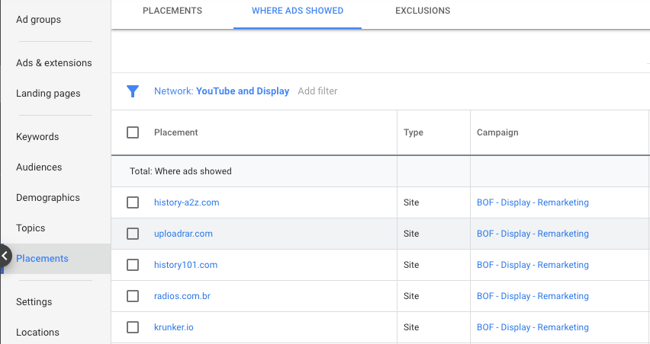
Filtering placements by unusually high spend or CTR can quickly identify websites that are more of an immediate threat to your campaign’s health. If you’re considering bulk exclusions, you may find it helpful to export web placements within the timeframe of “all time”.
Focus on blocking the duplicate placements that yield no results, since repeat offenders are a higher priority than websites that appear once with only a few impressions. After identifying duplicates, review the relevance of these sites, how much they have spent, and whether they have led to any conversions.
3. Consider which ad style and location will yield the best results.
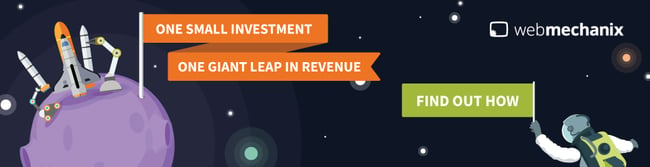
There are two main ad types available for a GDN campaign — standard image ads and responsive ads. Standard image ads have a number of formats, including square, rectangular, skyscraper, and banner. These ads are an image-only display option. Here’s an example:
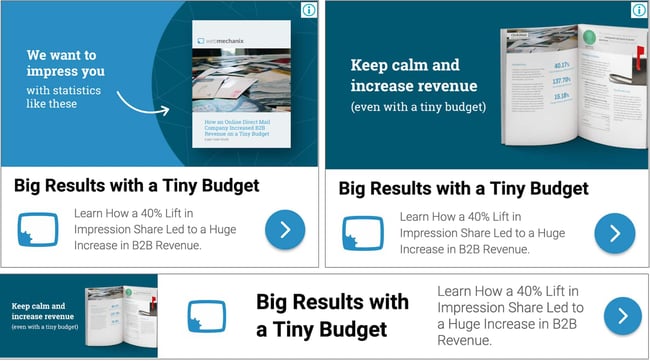
Responsive ads, on the other hand, offer a combination of text and image options that display in a variety of formats, depending on where the ad appears. The complete ad is composed of three image types, up to five short headlines, one long headline, up to five descriptions, and a business name. The short headlines and descriptions rotate to find and show the best-performing combination. Here’s an example:
If you’re limited on time, budget, or creative resources, it can be tricky to know which display ads will work best for your campaign, and you might not want to risk time testing different ones. If this is the case, it’s important to note studies have shown that 300 x 250 and 728 x 90 receive more impressions than other ad formats. Half-page ads and large rectangles receive higher CTRs than other ad formats, as well. So if you’re not sure where to begin, try out the rectangular formats and leaderboards!

Additionally you could opt to enlist the help of an agency, like
CleverAds, to do the heavy lifting of ad creation and management.
Figure Out Whether Google Display Network Is The Right Choice For Your Business
You can amass a very powerful reach on the Google Display Network with the right attention to targeting. The network’s affordability, as well as the separation from the competition, makes it a viable marketing option.
This guide has covered several audience-building and optimization factors to help you hit the ground running with Google Display Network campaigns. Whether you’re just starting out or have some room for improvement, check out the custom audience capabilities to see if one might work for your next campaign.
Editor’s note: This post was originally published in May 2019 and has been updated for comprehensiveness.

The Ultimate Guide to Marketing Campaigns
From P&G’s “Thank You, Mom” to American Express’s “Small Business Saturday” to Dos Equis’s “Most Interesting Man in the World,” marketing campaigns have a way of sticking with us long after an impression or purchase. Why is that? Well, campaigns make companies memorable. They promote a focused effort that guides consumers towards the desired action. They also give brands an identity, personality, and emotion.
Marketing campaigns can do the same for your business. That’s why we’ve compiled this guide — to provide a clear, concise approach to your next marketing campaign.
Keep reading to get started or use the links below to jump ahead.
Marketing campaigns don’t include all marketing efforts for a brand. In fact, the word “campaign” is defined as “a connected series of operations designed to bring about a particular result.”
That’s why politicians campaign for a specific election and militaries campaign for a specific battle.
For example, every Nike advertisement you see or hear on the way to work probably isn’t part of a campaign. But, if you see a Nike billboard, scroll past a Nike-sponsored Instagram post, and receive a Nike email all promoting the same product, you’ve witnessed a marketing campaign.
You’ve also probably heard the word “campaign” used for both marketing and advertising. What’s the difference?
Marketing Campaigns vs Advertising Campaigns
Advertising is a component of marketing. Marketing is how a company plans to raise awareness of its brand and convince customers to make a purchase, while advertising is the process of creating persuasive messages around these broad goals.
In terms of campaigns, an advertising campaign might be a facet of a bigger marketing campaign strategy. For example, if Nike were campaigning about the release of a new product, their advertising would be one piece of its broader marketing efforts, which might also encompass email, social media, and paid search.
Now that we understand the difference between advertising and marketing campaigns, here’s a list of a few more types of marketing campaigns you might run.
Marketing Campaign Components
Multiple components go into the planning, execution, and benefiting from a stellar marketing campaign.
- Goals & KPIs: These identify what the end goal of your campaign is, quantify it, and explain how you’ll measure this result. For example, your content creation campaign might be measured by organic traffic, with each post aiming to drive 1,000 views per month and 10 new contacts, and metrics being measured in Google Analytics and Looker.
- Channels: Where will your content and messaging be distributed? For example, if you’re running a social media marketing campaign, you might specifically prioritize growing the channels most relevant to your audience and omit those where you’re least likely to grow a loyal following.
- Budget: Not all marketing campaigns require an incremental budget, but many still do. Factor in the agency, advertising, and freelance costs, if appropriate, and factor these numbers into any ROI analysis for your campaign.
- Content Format(s): Determine what kind of content you will be creating to fuel the campaign. It’s common for marketers to include multiple content formats in a singular campaign. For example, a branding campaign could include video ads, press releases, and guest blogs.
- Team: Who are the individuals you’re relying on to get the job done? Before kickstarting your campaign, make sure you have a roster of people who can help you with copywriting, website building, design, budget planning, video, or whatever elements you’re employing in the campaign.
- Design: Finally, a great marketing campaign has a noteworthy design. Whether it’s a sleek website design, a logo at the end of a video commercial, or an interactive infographic, make sure your design is professional and fitting for the purpose of the campaign.
How to Create a Successful Marketing Campaign
Creating an entire campaign is a big task, but the process is pretty straightforward. Planning your campaign is just as important as designing the fun stuff, such as the creative advertisements and conversion assets, so take the time to do this important step.
Before you create what your audience will see, you must consider what you want them to do when they see it (or read it or hear it.)
I’ve organized this section as a marketing campaign template. All you need to do is answer the questions — as accurately and in-depth as possible — to ensure a thorough, successful approach to your next marketing campaign.
Planning Your Marketing Campaign
This step is crucial to the effectiveness of your marketing campaign. The planning stage will determine how you measure success and will guide your team and campaign when things (inevitably) go awry.
Featured Resource
1. Set a purpose and goal for your campaign.
Let’s start simple. Why are you running this campaign? What would you like your campaign to accomplish for your business?
If you’re having trouble defining your campaign purpose, start broad. Take a look at the goals below. Which one is most aligned with your own?
- Promote a new product or service
- Increase brand awareness
- Gather customer feedback or content
- Generate revenue
- Boost user engagement
- Advertise an upcoming event
This is hardly a definitive list, but it gives you an idea of some general business goals that a campaign could help reach.
We’ll use the third option as an example: Gather customer feedback or content.
Let’s take this broad campaign purpose and turn it into a SMART goal. Here’s what that looks like:
“The goal of my marketing campaign is to gather user-generated content from 100 customers via a branded hashtag on Instagram featuring our new product line by December 31, 2020.”
The goal is Specific (user-generated content), Measurable (100 customers), Attainable (via a branded Instagram hashtag), Relevant (featuring the new product line), and Timely (by December 31, 2020).
See how this broad campaign purpose instantly transforms into an actionable, attainable goal?
Pro Tip: Setting SMART Goals is simple when you have the right tools. Check out the free SMART Goal-Setting template below to get started on this critical piece of your marketing campaign.
Featured Resource
2. Establish how you’ll measure your campaign.
This will look different for everyone. You might measure “email open rates,” “new Facebook Page likes,” “product pre-orders,” or all of the above.
These answers will depend on your overarching campaign goal. Here are a few examples of metrics based on the campaign goals I mentioned above.
- For promoting a new product or service: Pre-orders, sales, upsells
- For increasing brand awareness: Sentiment, social mentions, press mentions
- For gathering customer feedback or content: Social mentions, engagement
- For generating revenue: Leads, sales, upsells
- For boosting user engagement: Blog shares, social shares, email interactions
- For advertising an upcoming event: Ticket sales, vendor or entertainment bookings, social mentions
If your campaign involves multiple marketing efforts (such as social media, direct mail, and radio ads), it’s wise to define how you’ll measure your campaign on each medium. (Read more about these channel-specific metrics below.)
For example, let’s say I was running my user-generated content (UGC) campaign on social media, email, and on our blog.
First, I’d define my key performance indicators (KPIs) for each medium, which may look like:
- Instagram engagements (likes and comments) and profile tags
- Email open rates and click-through rates
- Blog views, click-throughs, and social shares
Then, I’d define my primary campaign KPI: Instagram branded hashtag mentions.
While the above KPIs indicate how well my campaign is reaching and engaging my audience, my primary KPI tells me how close I am to reaching my SMART goal.
Lastly, let’s think about another question: What does “success” look like for your company? Sure, it’s exciting to reach a predetermined goal, but that’s not always possible. What (outside of your goal) would constitute success for you (or serve as a milestone)? What would make you feel like your campaign is worthwhile if it doesn’t involve meeting your goal?
Pro Tip: When determining how you’ll measure your campaign, consider setting up some checkpoints along the way. If your campaign involves boosting brand awareness and your goal is to reach 50 PR mentions by the end of the year, set up some benchmark notifications at 10, 25, and 40 mentions.
Not only will it remind you to keep pushing toward your ultimate goal, but it’ll boost morale within your team and remind you that your time and money investments are paying off.
3. Define your target audience.
Imagine constructing a bulletproof marketing campaign only to be met with crickets.
In that case, you might think you chose the wrong marketing medium or that your creative wasn’t witty enough. Regardless of what it might be, all of those decisions come back to one thing: Your audience.
The first step to resolving this problem is figuring out what stage of the buyer’s journey your campaign is targeting. Are you trying to bring in new customers, or are you attempting to gather feedback from existing clients? Are you marketing your brand to those who recognize it, or are you introducing a new brand identity altogether?
Your marketing message will vary depending on whether your campaign audience is in the Awareness, Consideration, or Decision stage. It’s important to note that a marketing campaign can include collateral for people in various stages of their journey. For example, while your campaign might target current customers, it might also bring brand awareness to new consumers.
Next, identify your audience’s interests and pain points. Here are some questions to ask yourself and your team to better understand your audience.
- What are my audience’s general interests? What magazines do they read? What TV shows do they watch? How do they spend their free time?
- Where does my audience hang out online? For what purpose do they use Instagram, Facebook, and other networks? Do they engage or merely browse?
- What kind of content gets my audience’s attention? Do they respond to straightforward sales messages, or would they rather consume witty, humorous content? What cultural references would they understand?
- What kind of problems do they have that my product, service, or brand could solve?
Becoming well-acquainted with your campaign audience will help you confidently answer these questions and any others that may arise during the campaign.
Pro Tip: Defining your target audience should be done with as much data as possible. Survey your existing customers as well as potential customers in your market. Then, use this data to create your buyer personas — you can even enter that data into a free buyer persona generator like the one below.
Featured Resource
4. Set a concept for your campaign and get in contact with the right team.
Marketing campaigns require a mission, vision, and visual identity. Great campaigns are an offshoot of their parent brand, both visually and creatively — they stay consistent with the business brand but maintain their own identity.
When creating their campaign assets, some businesses use an in-house team while others opt for an agency. Another alternative is hiring a freelancer or contractor to complete a specific portion of the project, such as the copy or design.
Pro Tip: Depending on your specific campaign goals, I’d recommend starting with your in-house team and moving forward from there. They are the experts of your business and can speak to what your campaign needs to succeed.
This step will likely take the longest since you’ll be creating your campaign concept from scratch. Next, we’ll dive into how you’ll distribute your campaign assets and connect with your audience.
Featured Resource
Distributing Your Marketing Campaign
This stage is all about the public-facing part of your campaign, including what your audience will see and when. If you’ve combed through the previous section, you should have all the answers you need to guide you through this step.
5. Choose the channels you’ll run your campaign on.
What type of marketing campaign will you use? This choice depends on your audience preference, budget, and brand engagement levels, among other factors.
Take a look at the current media channels you use to promote your company. Which ones perform the best? Which ones allow you to pay for advertisements? Which ones have the best engagement? Most importantly, where are your customers hanging out?
Need a few ideas? Take a look at the PESO model, which breaks up distribution channels into Paid, Earned, Shared, and Owned.
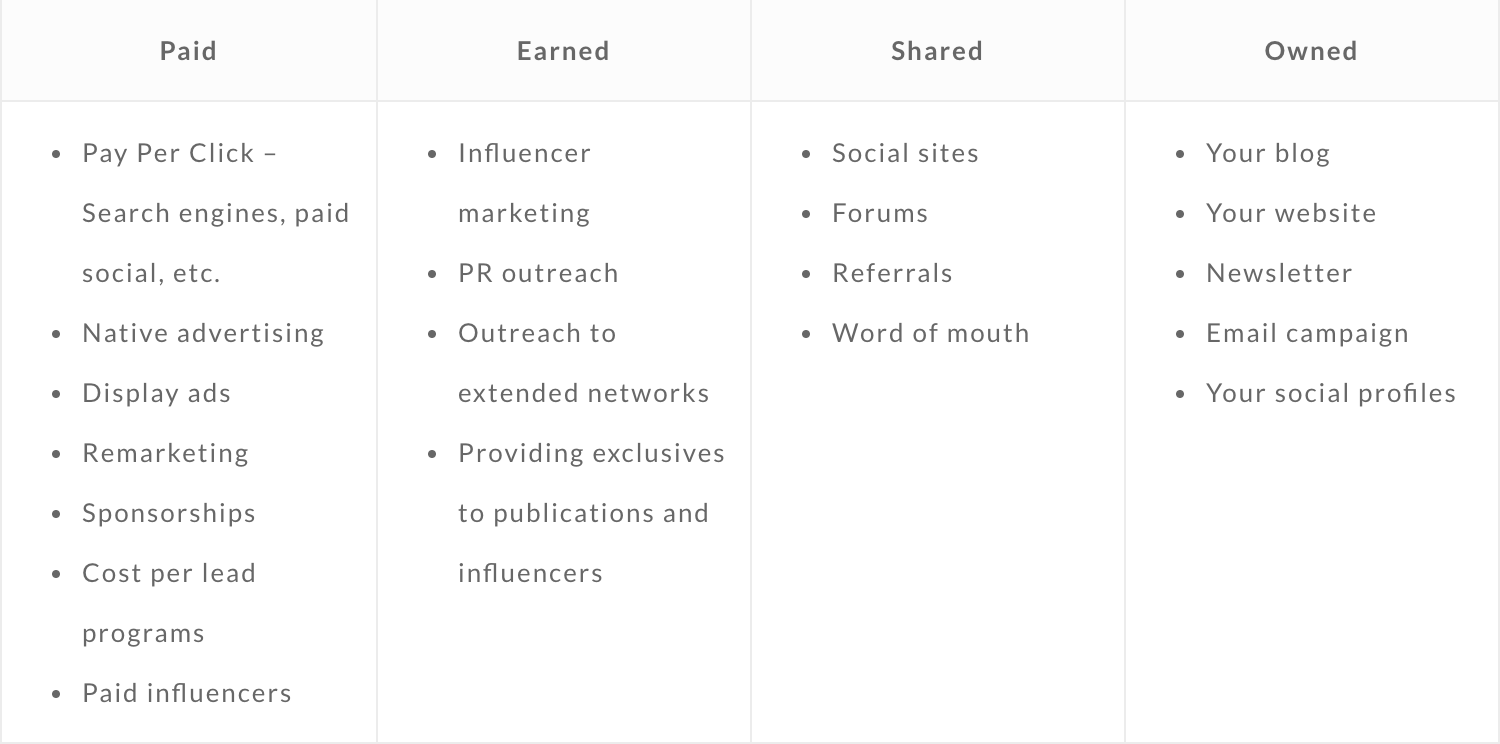
What type of marketing campaign will you use? This choice depends on your audience preference, budget, and brand engagement levels, among other factors.
Take a look at the current media channels you use to promote your company. Which ones perform the best? Which ones allow you to pay for advertisements? Which ones have the best engagement? Most importantly, where are your customers hanging out?
Need a few ideas? Take a look at the PESO model, which breaks up distribution channels into Paid, Earned, Shared, and Owned.
6. Set a timeline for your campaign.
Establishing a deadline for your campaign (the Timely part of your SMART goal) gives you a much better idea of when, how, and how often you’ll promote it.
To begin, build a general campaign timeline. Then mark your campaign start date and deadline on a calendar.
Next, take a look at your marketing assets and chosen promotional marketing channels and work backward from the campaign launch date. Based on your resources, how often can you afford to post and promote your campaign content? With this information, you’ll create a promotional calendar for each marketing channel. Decide on a cadence for each channel and map out your scheduled posts, emails, etc. on your calendar.
Visually mapping your marketing campaign will help you evenly disperse your campaign promotions and publish equally on each medium. It’ll also give you an idea of where your time and energy are going so that you can look back when assessing the effectiveness of your campaign.
Pro Tip: If your promotional calendar seems full, don’t fret. Social media and email scheduling tools can alleviate the pressure of posting daily. Check out tools like HubSpot, Buffer, and MailChimp to help you schedule and manage your campaign promotions.
The promotional stage is all about getting your campaign in front of your audience. But, how are you supposed to get your audience to understand the purpose of your campaign? We’ll cover this next.
Converting Customers Through Your Marketing Campaign
This stage — the conversion stage — is all about how your campaign can lead to a specific result.
7. Ensure your campaign is driving users toward a desired action.
Even if your campaign is effective and drives a ton of traffic, it still needs to complete its desired action. By “the desired action,” I’m talking about that SMART goal you initially defined. Let’s take a moment and reiterate that goal.
For my sample campaign, my SMART goal was “to gather user-generated content from 100 customers via a branded hashtag on Instagram featuring our new product line by December 31, 2018.”
This step is all about calibrating your marketing efforts and channels to lead your customers to complete your desired goal. This is done through conversion assets like calls-to-action, landing pages, and lead forms.
Pro Tip: Lead conversion assets can be used separately or in conjunction with one another, such as featuring a lead form on a landing page, or creating a call-to-action asking your audience to fill out a form.
8. Monitor the right metrics.
The campaign effectiveness metrics you’ll monitor will depend on what type of marketing campaign you’re running and what channels you’ve chosen. This section merely serves as a baseline list to give you an idea of what to watch.
Also, it’s tempting to focus on vanity metrics like generated traffic, click-through rate, and impressions. A bump in these areas is definitely a good thing, but since they don’t necessarily indicate a bump in revenue, they can’t be the only metrics used to measure the effectiveness of your campaign.
Pro Tip: Bookmark this link to all the marketing metrics to watch. It’s organized by marketing channel so you can quickly scan the list for new metrics to track for your campaigns.
This may seem like a lot (depending ocn your campaign), but keeping an eye on these numbers can help you assess your campaign accurately and better understand how to improve.
Assessing Your Marketing Campaign
The post-campaign stage determines your success just as much as the planning stage. Measuring and analyzing your campaign data can provide unique insight into your audience, marketing channels, and budget. It can also tell you exactly how (or how not) to run your next campaign.
9. Establish success numbers and metrics.
The easy way to figure this out is to understand whether or not your campaign met the initial SMART goal outlined in step one. If it did, great! If it didn’t, there’s still hope.
For example, if your goal was to increase organic blog views by 100K, any bump in views would be considered successful. But there’s a difference between a campaign that works and a campaign that’s worthwhile. A worthwhile campaign gives you an ROI that’s proportionate to the time and energy you put into it.
Pro Tip: While it’s okay to celebrate any bump in pre-orders, leads, views, or engagements, don’t assume that’s enough. There’s a reason the very first thing to do is set a campaign goal. Sticking to that goal and calibrating your investment will ensure your campaign is worthwhile.
10. What will you do with the campaign data?
This step helps maximize your campaign’s business impact. When you analyze and apply your data, its value increases tenfold — not only did it help you measure and assess your campaign results, but it’ll also give you direction and clarity on your audience, marketing methods, creative prowess, and more.
Let’s return to my UGC Instagram campaign. Of course, images shared by my customers are helpful because they help me gather user content for my social channels and they promote my product to my audience’s followers. But this “data” also provides insight into who my audience is, when and how often they post on Instagram, what language they use, and how they use my product (assuming it’s the same as in the shared photo).
See how my campaign “data” provides more value than simply reaching my campaign goal? The same can go for your data. Whether you collect lead information, pre-orders, social engagements, or offer downloads, your data can equip you to not only meet your campaign goal but also expand your marketing efforts as a whole.
Pro Tip: The campaign isn’t over once you’ve pulled that final report. Spend time with your team in a retrospective meeting. Ask yourselves questions like:
- What could’ve been done differently?
- How could we have saved money?
- For anything that went wrong, why do we think it went wrong?
- What did we learn about our audience or marketing channels?
- What kind of feedback could we gather from participants or customers?
So, marketing campaigns involve a lot of information, decision-making, ideas, and observation. But the process of creating and running one isn’t as scary as you thought, was it?
If you’re not sure where to start, take a look at some great campaign examples below. Now that you know what goes into each one, you might have a better idea of how to build one for yourself.
Great Marketing Campaign Examples (and Why They’re So Great)
This wouldn’t be a HubSpot Ultimate Guide if I didn’t show you some examples from the pros. Sometimes it’s helpful to see concepts at work, and that’s why I collected some of the best below.
1. Meta (Formerly Facebook): “The Metaverse”
In Q4 2021, Facebook announced the rebranding of its parent company. The new name, Meta, comes with its own marketing campaign that introduces the world to a new concept called the “metaverse.”
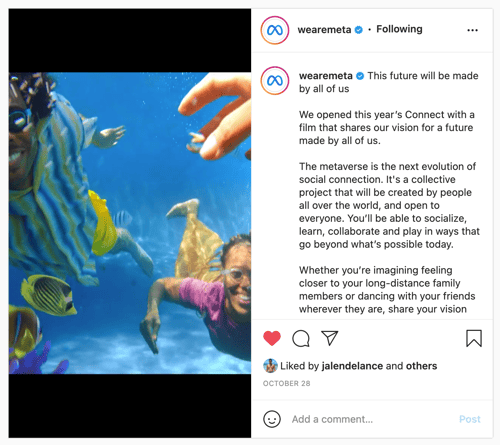
The campaign is still in its infancy stages, but it has taken over social media networks, including the Facebook app itself. The video posted to the new @wearemeta Instagram account showcases an alternate reality in which people can interact in 3D.
Why Meta’s “The Metaverse” campaign is so great:
Reception of the campaign is still developing, but so far, it’s successfully stopped the world in its tracks — and that’s a recipe for success with just about any marketing campaign. The idea of a Facebook rebrand had been speculated prior to the launch of the campaign which piqued the public’s interest. That meant even if they didn’t like the change, they would still be interested in seeing what happens next.
2. Popeyes: “Megan Thee Stallion Hottie Sauce”
If Popeye’s wasn’t sure that it hit the ball out of the park with the chicken sandwich marketing campaign, then it nailed it for sure with the Megan Thee Stallion Hottie Sauce collaboration.

Arguably, Popeyes created one of the best chicken sandwiches on the fast-food market in 2019. At the same time, artist Megan Thee Stallion was becoming the hottest rapper in the industry. So, it made sense that in 2021, the two would join forces to debut a remix of the successful chicken sandwich.
Why Popeyes’ “Megan Thee Stallion Hottie Sauce” campaign is so great:
This marketing campaign was intentional about targeting the younger crowd with not just chicken sandwiches, but merchandise, too. Popeyes was able to tap into this segment of the market and increase sales while continuing to capitalize on its success without the campaign coming across as stale.
3. Cheerios: #GoodGoesRound
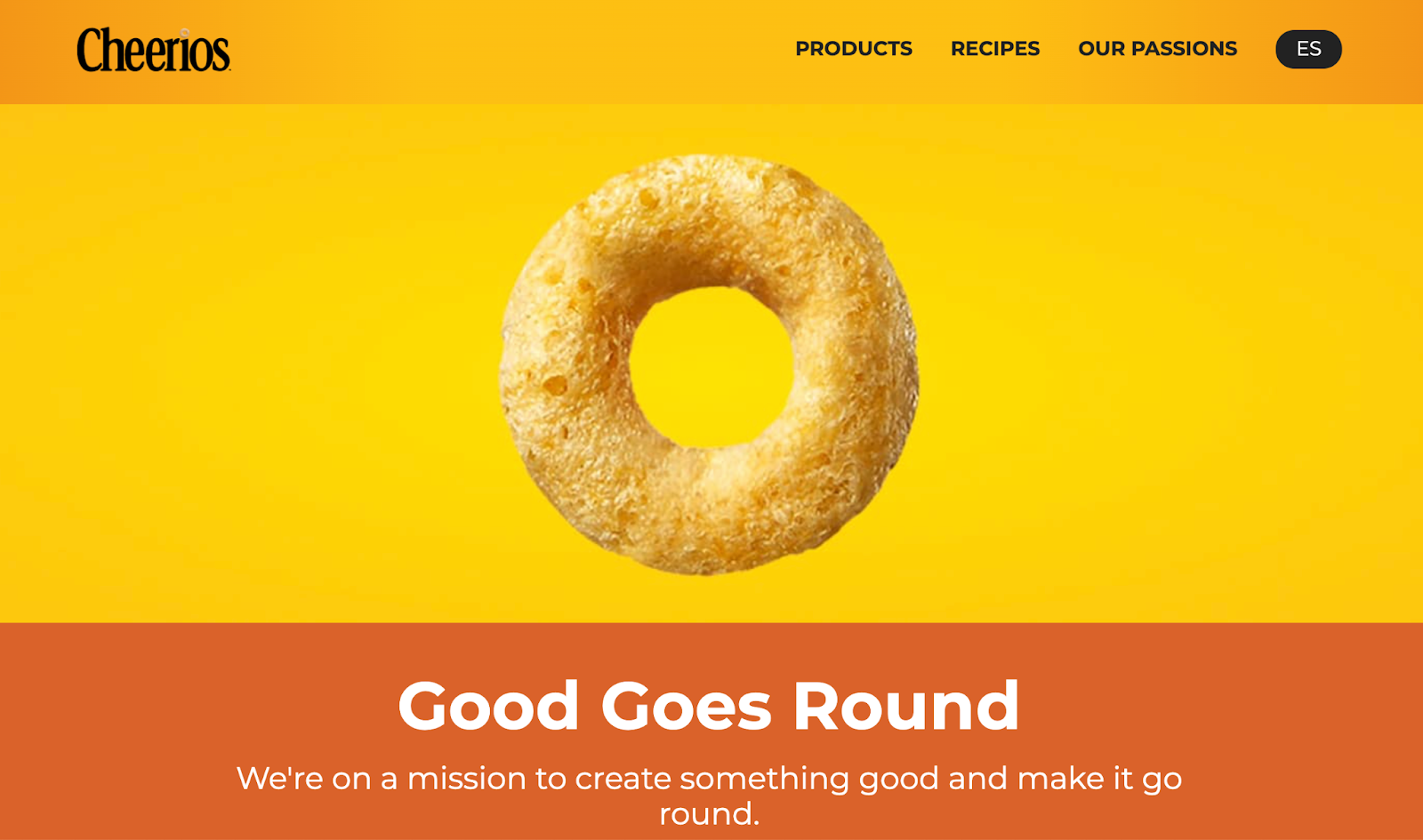
General Mills ran a non-profit campaign called Good Goes Round via their Cheerios brand, lobbying to raise enough money to fund one million meals.
Why Cheerios’ “Good Goes Round” campaign is so great:
The campaign featured its own landing page, video marketing assets, and hashtag (#GoodGoesRound), separating it from its “parent” brand and making it shareable among its audience. It also paid to promote the Good Goes Round URL on Google, giving the campaign even more visibility.
4. Apple: “Shot on iPhone”
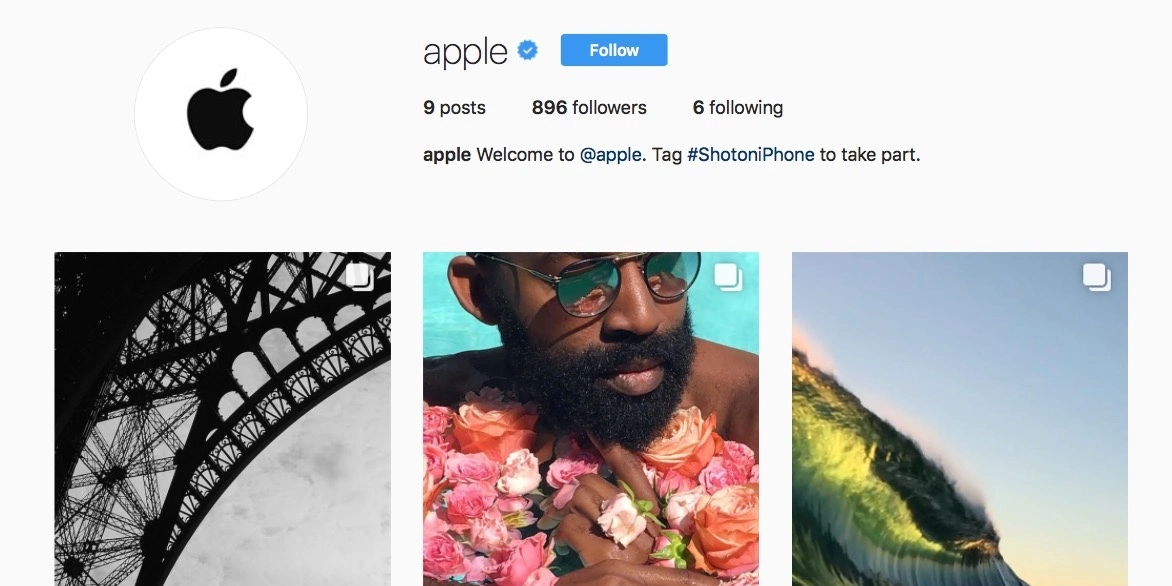
Apple’s “Shot on iPhone” series highlights the high-quality videography and photography that customers can capture on the iPhone X. It’s a product launch campaign that focused on one specific feature of the new Apple smartphone.
Why Apple’s “Shot on iPhone” campaign is so great:
This campaign was unique, because it’s similar to a user-generated campaign but was also promoted heavily by the brand itself. Apple launched its own Instagram account to share the #ShotoniPhone content, collaborated with professional photographers and videographers, and ran official TV advertisements.
5. The General: “Re-brand”
When it comes to cheesy commercials, The General’s old marketing strategy fits the bill. The brand became synonymous with pixelated animations and low-quality production which inevitably had a negative effect on the way potential customers perceived the quality of service.
In 2020, the company changed its marketing campaign to target a more rational customer who appreciates a little humor. Shaquille O’Neal became the face of the brand, appearing in commercials alongside other notable celebrities like Montell Jordan and Ernie Johnson.
Why The General’s “Re-brand” campaign is so great:
The General listened to its customers’ opinions of the brand before moving forward with the new campaign and saw great success as a result. The tone of the marketing campaign remained light-hearted but took a more mature approach to the humor — toning it down and letting the key selling points of The General shine through.
6. Airbnb: “Made Possible by Hosts”
In the face of the COVID-19 pandemic, travel companies such as Airbnb saw unprecedented losses in profit. Well, how did the company respond? It created a series of videos called “Made Possible by Hosts” that shows appreciation for the hosts who have continued to accept guests on the platform.
What’s most curious about the campaign is that it doesn’t put Airbnb customers at the center. Instead, it spotlights the hosts who accept customers in the first place. In doing so, Airbnb focuses on the human aspect of its platform. You’re not renting an Airbnb property; you’re renting someone’s home.
Over to You
Marketing campaigns aren’t easy, but they’re valuable and integral to growing a successful brand and business. Campaigns set apart certain deliverables from general promotional efforts and touch your audience in creative and exciting ways. If you’re not sure where to start, consider what would be valuable to your audience, and go from there. Your audience is, after all, the lifeblood of your campaigns and company.
Editor’s note: This post was originally published in August 2017 and has been updated for comprehensiveness.

How to Build an Event Website That Drives Registrations
Crafting a one-page event website that generates countless registrations takes imagination, creativity, and some good old-fashioned common sense. You don’t just want potential attendees to be interested — you want them to be inspired to learn more, click through, and to sign up and attend your brand’s event.
In this post, we’ll explain why you need an event website and how to build one for your business. We’ll also throw in some examples of successful event websites as well as a few templates that you can use to get started.

Why should you create an event website?
An event website is a great way to get people interested in your event. While it’s a good idea to advertise for your event on your primary website, there’s typically not enough space to cover all the details without cluttering your site and making it difficult to navigate.
By creating a one-page event website, you’re able to point people in the right direction to get all of the information they need. This might take the form of links or banner advertisements, marketing emails with event details, or social media posts directly advertising your event.
By driving all traffic to the same site, you can both track visitors to your page and see how many make the move from interest to action to registration.
5 Tips to Improve Your Event Website
While creating an event website is the first step in generating interest, simply having a site isn’t enough on it’s own. To convince users they should learn more about your event and choose to register, you need to capture, hold, and cultivate their interest.
Here are five tips to do just that.
1. Understand your audience.
Chances are if someone is on your event website it’s not by accident — they’ve clicked through from your webpage or via social or email links. But even though they’re part of your target audience this doesn’t mean you’re guaranteed a registration, especially if they can’t quickly find what they’re looking for.
Best bet? Put yourself in their shoes. What kind of information would you want to know about an event the moment you landed on the page? Details such as date, time, and location stand out along with an easy way to sign up. By understanding your audience, you improve your impact.
2. Promote your brand.
Regardless of your brand’s role in the event — maybe you’re the one hosting or you may simply be a sponsor — make sure that your logo, imagery, and other branding materials are front-and-center. Even if visitors choose not to sign up, great branding can help them remember your company.
3. Keep your event website simple.
Simple, simple, simple. When it comes to event websites, this can’t be overstated.
The goal here is to make critical information obvious and available without cluttering it with additional details. For example, you might have a full speaker agenda for your two-day event. Rather than listing every speaker on the main event page, highlight the keynote and then offer links back to your main site or other resources for visitors to learn more.
4. Make your site fast.
When you’re designing a one-page event website, speed is key. This isn’t meant as a replacement for your primary landing page so don’t clutter it with digital resources that take a long time to load.
Instead, opt for speed — users should be able to quickly access and scroll through your site to get the information they need on-demand.
5. Make it easy to navigate.
The ultimate goal of your event website? Convincing users to register.
As a result, you need to make it as easy as possible for visitors to complete this task. Include prominent call-to-action buttons that take users directly to sign-up pages and space them throughout your page. A common approach is to place one at the top for those who already want to sign up, one in the middle as a reminder, and one at the bottom for visitors who want to read all the information first.
14 Ingredients That an Event Website Must Have
1. The Event’s Name
Tell people right off the bat whether or not it’s a conference for them. If the name doesn’t spell it out, include a short description near the top where they can see it.
2. Date and Location
Be sure to include dates (include the year!), the full location, and any relevant off-site info.
3. Events Calendar
There’s no easier way to keep attendees in the know than with a calendar that clearly showcases upcoming events and all the pertinent details. Use a plugin like The Events Calendar to make quick work of adding a calendar to your website.
4. Reasons to Attend
Give visitors defendable reasons that are meaningful to them, and their boss (who’s probably paying for it).
5. Speakers and Activities
Showcase the superstars and heroes you’re featuring, and any extra-curricular breakfasts, receptions, happy hours, etc. that attendees can go to.
6. Agenda or Schedule
Whet their appetites with a list of speakers. And, as soon as you’ve nailed that agenda – get it up there. Don’t wait for every session to be finalized, rather update as you go.
Keep the information current. Post notices and send out alerts letting your prospects and past attendees know who else is coming (The room assignments can come later).
7. Register Now Buttons
Put lots of them everywhere — don’t just leave a link in the navigation or a button on the home page. Leave no doubt as to where and how people can sign-up.
8. Alerts, Notifications, or Email Newsletter Signup
If a visitor isn’t ready to register, don’t let them go without signing up for alerts or a newsletter so they can keep learning more. Offer to send them a special free download of one of the talks if they give you their email.
9. Social Media Sharing Buttons
Don’t wait until the day-of to spread the word about your conference. Create a #hashtag and promote it heavily before, during, and even after the event.
10. Mobile Interface
Pinch and zoom is gone. Today you need your site to be easy to read and navigate on a mobile device with one finger.
Streamline your forms — registration and payment forms, newsletter / alert sign up forms, etc. — so they require a minimum of keystrokes. Consider social sign-on as a way to make the registration process easier.
11. Video Content
If you’ve held a conference before, posting videos on your site with snippets of past sessions can go a long way toward showing off the quality of the event. Encourage social sharing for these videos so attendees can show their friends.
12. Floor Map(s)
So many sites leave this out and yet it’s one of the first things people search for once an event starts. It’s also the first thing a potential exhibitor looks for when deciding whether or not to buy a booth at a show.
Don’t forget to make these accessible and easily readable. If it’s too big a file, turn it into a PDF and let them download it.
13. Site Analytics
Be sure you’ve set up analytics to track your site’s and your marketing campaigns’ performance. Check them often so you can tweak your pre-promotional campaigns to dial up your efforts in the right places.
14. Advertiser/Exhibitor/Sponsor Information
Few publishers forget to do this, but don’t bury it down at the bottom. There’s no reason why it should be hidden. Consider putting a link in your main navigation – they’re your customers too!
Examples of Great Event Apps
The most innovative event managers are creating apps for their events so attendees can choose sessions, see their schedule, chat, and network with other attendees. They also want to learn about after-hours conference events, nearby restaurants, and places of interest, so they’ll have places to share photos and videos that they take at the conference. Those apps integrate with the users’ social media accounts so it’s quick and easy to share on social without ever leaving the conference app.
Putting together a great website takes a tremendous amount of thought and effort. It also doesn’t happen overnight. We took a look at a number of publishers that put on events and picked out some of our favorites to share with you. We hope they provide some inspiration for your next event website.
1. Advantage Media: Continuity Insights East
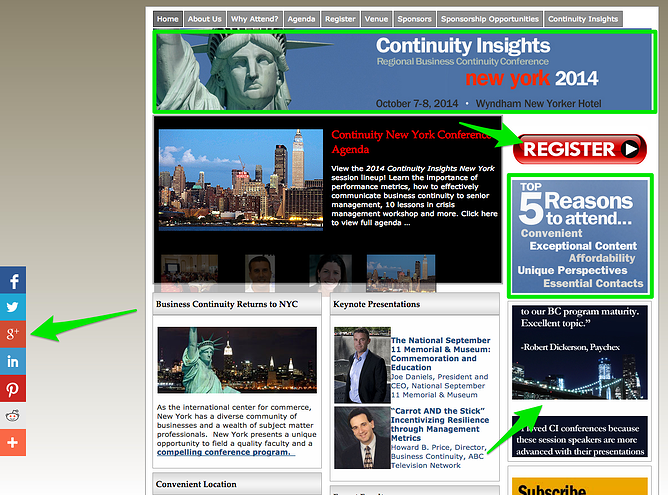
What We Like Best: Clean layout, bold register button, upfront reasons to attend, and keynote presentations are front and center. There are good social sharing icons, and use of testimonials. The sponsor info is located in the main navigation, there are hashtag suggestions, and a newsletter subscription CTA.
2. UBM Canon: HBA Global
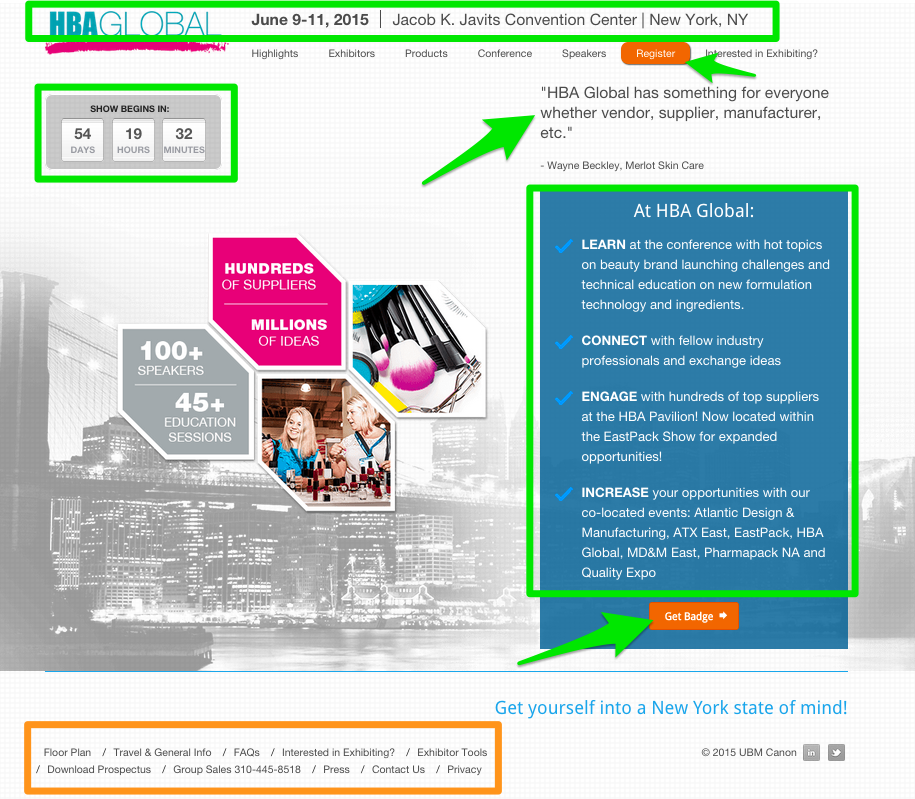
What We Like Best: This site has a smart and attractive, “above the fold” one-page design. It’s mobile responsive, highlights benefits for attending, has a cool countdown clock, nice CTAs for registration, and a separate in-depth navigation section for sponsors/exhibitors.
3. Advantage Media: 2015 R&D 100 Awards
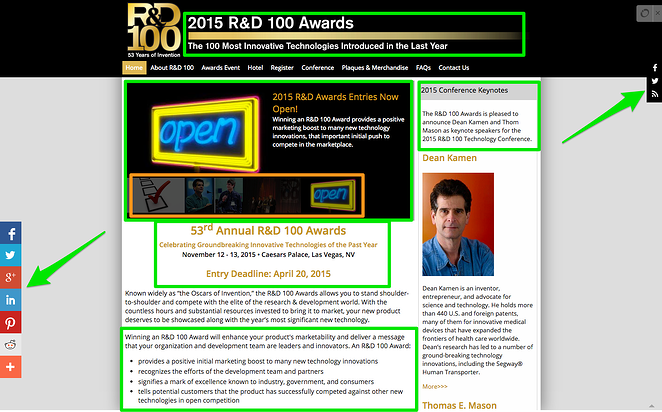
What We Like Best: This site has a striking design, good use of social media, a clear description of what they’re about, and clear CTAs (both in-text and graphic) for entering a product into the competition. There’s also a section for keynote speaker highlights and an email update subscription form.
4. AdAge: Small Agency Conference Awards
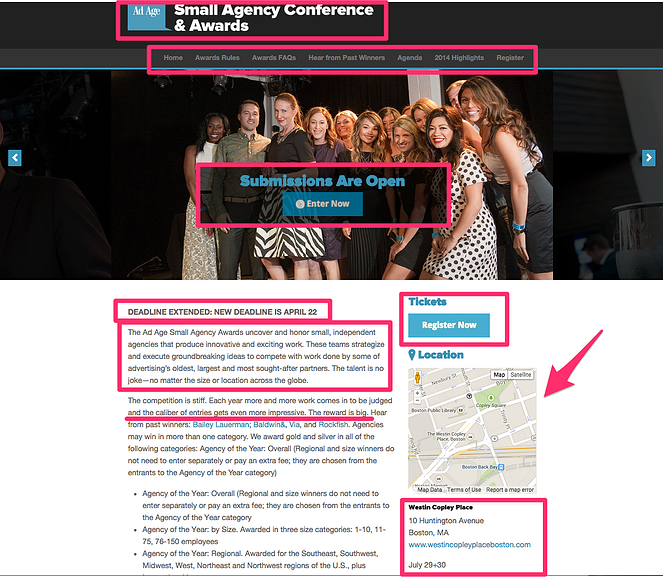
What We Like Best: This site has a minimalist design and nice graphic CTAs for award submissions and registration for the event. It has an embedded map and mobile-responsive interface with simplified forms and clear descriptions of purpose and benefits.
5. Incisive Media: Energy Risk Summit USA
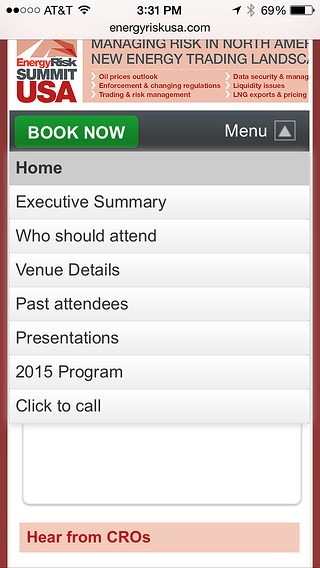
What We Like Best: This site has an appealing design for a buttoned-up audience, clear benefits statements, and speakers are front and center on the page. There’s good social media integration, video access to past sessions, animated CTA for registration, use of testimonials, mobile responsivity that’s beautifully done, ease of use, and simple to register.
6. HMP Communications: SAWC Fall
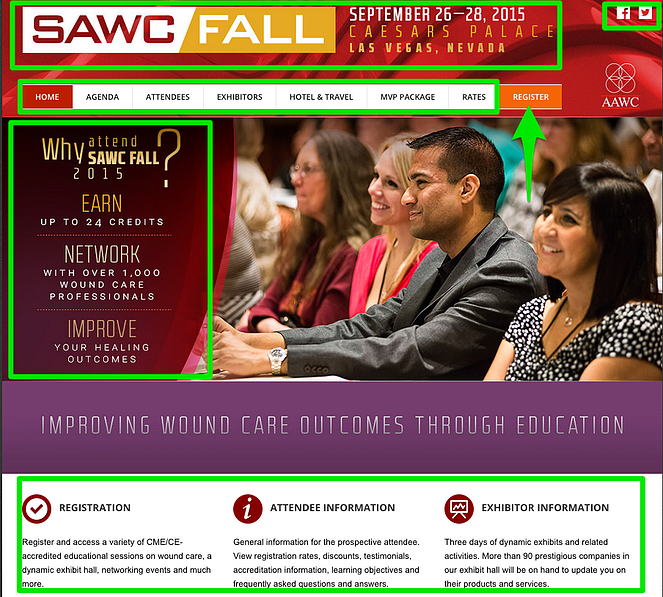

What We Like Best: This site has a gorgeous design, fabulous use of color and images, and a simple layout that’s easy to navigate. This mobile responsive site includes upfront exhibitor info, strong CTAs for registration, and a nice integration with social media streams for sharing. Not to mention, the site translates perfectly on mobile thanks to its responsive design.
Event Website Templates
Colorlib
Colorlib offers a host of event website templates to help your site stand out. From business conference themes to concerts and festivals, Colorlib has you covered. A single template download costs $19, a yearly membership is $129, or you can get lifetime access for $349.
Wix
Cloud-based development platform, Wix, makes it easy to find an event template that suits your needs. Choose from a variety of compelling pages that can be easily customized and integrated with your social media feeds for maximum impact. Unlimited template access starts at $14 per month, while VIP plans with premium support start at $39.
Themefisher
Themefisher doesn’t have the same volume of event templates as some of the other options on this list, but it does have a mix of free and for-pay options depending on your needs. For example, the HTML5 “Vixcon” template costs $39, while the Eventre site is free.
Themeforest
Themeforest offers a template marketplace with event themes from multiple designers. The result is a site with something for just about everyone — templates range from clean and simple to bright and bold, and prices range from $7 to $50 depending on the features offered.
Need help putting it all together? ACMS lets you design, create and manage your brand’s web presence from a single dashboard to help you get the most from your online efforts.
Making the Most of Your Event Website
Good event websites drive interest — great event websites compel action. By designing your site for simplicity and speed, leveraging great templates, and making it easy for users to register for your upcoming event, you can capitalize on curiosity and turn it into conversion.

The Ultimate Guide to Content Creation
Where is the first place you go for expert advice or an answer to a burning question? My guess is Google (or your preferred search engine). You’re not alone — Google alone answers over four billion search queries every day.
When you enter a question into the search bar, those links that appear in your search results are content. Whether you know it or not, you consume content on a daily basis.
That marketing strategy guide … content.
Those articles that diagnose your symptoms … content.
The video tutorial on how to create Victoria’s Secret-level hair volume … content.
News stories, Instagram feeds, blog posts, cat videos, GIFs, memes … all content.

Content is a large part of your everyday life. It’s hard to avoid, but why would you want to? Content keeps us informed, answers our questions, entertains us, makes us smile, guides our decisions, and more.
Content helps you attract, engage, and delight prospects and customers, bring new visitors to your site, and ultimately, generate revenue for your company.
In other words, if you’re not creating content, then you’re behind the curve.
Why Is Content Important?
Content creation is the ultimate inbound marketing practice. When you create content, you’re providing free and useful information to your audience, attracting potential customers to your website, and retaining existing customers through quality engagement.
You’re also generating some major ROI for your company, as these content marketing stats demonstrate:
- Content marketing brings in 3X as many leads as traditional marketing and costs 62% less.
- SMBs that use content marketing get 126% more leads than those that don’t.
- 61% of online purchases are the direct result of a customer reading a blog.
- Companies that publish 16+ blog posts per month get 3.5X more traffic than those that post four or fewer posts per month.
Content equals business growth. So, let’s get started with the types of content you can create and then review your content strategy.
Content Creation Examples
1. Blog
One type of content creation (the kind you’re consuming right now, actually) is blog posts. Blogs are meant to educate, entertain, and inspire your audience through the written word. When someone types a query in Google, the posts that pop up are usually blog posts.
2. Podcast
Podcasts, one of my favorite types of content to consume, are like listening to the radio, except a dedicated podcast host talks about dedicated topics, has guests, etc. These are especially interesting to listen to when the audience likes the host and wants to learn something from listening.
3. Video
Whether you want to post videos on social media or YouTube, creating a video is one type of content creation that becomes more popular as the years go by. Short-form and long-form videos both have their place in your content creation strategy, so it’s important to come up with ideas for this type of content.
4. Graphics
In your blog posts, or in your social media posts, you might want to post original graphics. These can be infographics, animations, etc. This type of content creation usually requires a graphic designer or at least a graphic design tool to help you get the job done.
5. Content Offers
Another type of content is content offers. These are templates, whitepapers, worksheets, or ebooks that your audience can download. This is gated content — meaning your audience will need to fill out a form and provide their email to have access to it.
Content Planning and Strategy
You wouldn’t start building a house without a blueprint, a sculpture without a sketch, or a company without a mission statement. So, there should be no content creation without a plan. Otherwise, you risk getting derailed from your objective.
A content strategy includes everything from brand and tone to how you will promote your content and eventually repurpose it. Let’s go over how to create your content plan, step-by-step.
Featured Resource
Set Your Content Goals
Similar to a traditional marketing campaign, your content strategy should be centered on your marketing goals (which should, in turn, be derived from your company goals).
Your goals could range from attracting more visitors to your site to generating more leads to anything in between — as long as they’re SMART goals. An example of this kind of goal would be to increase organic traffic to the blog by 25% in the next quarter.
Once you determine that, each piece of content you create should be aligned with your goal and contribute to your desired outcome.
In sum, start with your goals, then create your content.
Create a Buyer Persona
Building a content strategy is more than considering what type of content you want to create. You first need to know who you’re speaking to, how you want to speak to them, and where to find them.
The key to creating successful inbound content is to make each reader feel like you’re speaking directly to them.
The only way to do this is to get intimate with your visitors, leads, and customers — you need to know them like you know an old friend. You should be aware of their obstacles, their pain points, their challenges, and their fears. Similarly, you should understand their best possible outcome, their dream solution, and their biggest fantasies.
Always remember that you are marketing to humans that want to feel connected.
Ideally, you’d know and be able to speak directly to every individual that visits your website, but you can’t. The solution? Create a buyer persona.
Your buyer persona is the person that you want to reach with your content. This semi-fictional character serves as a representation of your target audience, i.e., the people who are most likely to benefit from your message and become customers.
Creating a buyer persona takes a bit of research, some guesswork, and tweaking. But the end result is a clear picture of the person you want to market to and someone who will happily consume your content.
Not sure where to start? Use MakeMyPersona to build out your buyer persona.
Rely on the Buyer’s Journey
If you’ve ever had a headache, the first thing you likely did was try to figure out the cause. Perhaps you were dehydrated, or caffeine-depleted, or maybe you were sick. After you diagnosed the problem, you moved on to solutions — drink some water, grab an espresso, or take some medicine. Finally, you decide between solutions: Evian or tap water? Starbucks or Peet’s Coffee? Aleve or Tylenol? Hopefully, your headache then subsided and you were able to go about your day.
This is a representation of the buyer’s journey. Each of your prospects follows a path to a solution — that path involves awareness, consideration, and decision stages. But each of your prospects is in a different part of that journey, so it’s important to use your content to appeal to each stage.

By creating content for each stage of the buyer’s journey, you’re ensuring that no visitors fall through the cracks and that every individual that comes to your site feels like they are receiving relevant, useful information.
You also want to select a format for your content so that it’s tailored to each stage of the buyer’s journey. A new visitor in the awareness stage won’t want a live demo of your product, but they would read a quick checklist or blog post that helps them better understand their problem. A prospect in the decision stage doesn’t need to know about all the possible solutions, they need a consultation or demo that shows them that your product is the right solution. Always meet your audience where they are.
Here’s a guide to the best content formats for each stage of the buyer’s journey:
Awareness: Whitepaper, Blog Post, Checklist, Tip Sheet, Infographic, Ebook, Game, Quiz
Consideration: Podcast, Webinar, Worksheet, Comparison Matrix, Template
Decision: Demo, Free Trial, Product Guide, Consultation, Coupon
Perform a Content Audit
Whether you’ve been creating content for a while without any clear direction or you’ve been following a strategy all along, every marketing department can benefit from a content audit. Just because you didn’t start out with a clearly defined strategy doesn’t mean that the content you already have won’t fit into one.
A content audit is simply taking inventory of the work you’ve already done, then organizing it to fit under your new content plan.
The process might involve some re-writing, or it could reveal gaps that need to be filled with content that appeals to your persona and their journey stage.
Here’s how you’d perform your content audit:
- Gather all of your content in a spreadsheet.
- Create columns for target keywords, buyer persona, buyer’s journey stage, format, and main topic, then fill these in for each content piece.
- Add columns for your key metrics, like page views, shares, engagement, etc.
- Finally, categorize each post (using highlights or another column) by those that are doing well, need improvement, should be rewritten, or can be merged with another post.
While a content audit may seem tedious, all the manual labor will be worth the increased traffic and leads. Plus, you’ll have a verified plan moving forward.
If this process seems a bit overwhelming, check out this post for some more guidance.
Choose the Right Format
Remember that buyer persona you created? You’re creating content for them. That means you should be crafting content in a format that is most easily and enjoyably consumed by your prospects.
The format you choose might be a blog post, video, slideshare, graphic, ebook, whitepaper, podcast, or whatever your creative mind can conceive. As long as it serves your persona, you’ll be in good shape.
Also, you don’t need to stick to one format for every piece of content that you create. But you should be able to create content — in whatever format — on a consistent cadence. What I mean is, a podcast series might be a great marketing tactic, but if you lack the resources (and patience) to stick to it, then a blog might be a better route.
Digital content creation is the process of choosing the format (usually digital), and then utilizing the right tools to publish and promote your content online.
Use these questions as a guide when choosing your content format:
- What stage of the buyer’s journey is this for?
- How easy is it for your audience to consume this content?
- Where does your persona spend their time online?
- What format can you create on a consistent basis?
- Are you able to produce this content at a quality level that’s competitive?
Choosing Content Creators
At this point, you’re ready to start creating content, but first, you’ll need to build a team of content creators. To get started, categorize the type of content you want to create and the type of content creator it takes to produce that content. Below is an example list:
- Blogs — Writer
- Social media posts — Social media coordinator
- Podcasts — Podcast host/producer
- Graphics — Graphic designer
- Webinars/Lead Magnets — Lead acquisition expert (content offer producer)
- Videos — Videographer/editor
As you can see, there are many different types of content creators you’ll need to either outsource or hire to produce high-quality content that converts your audience from viewers to customers. In many organizations, there is one person responsible for a lot of this content, and that is a content marketing strategist. While having one content marketing strategist might make sense, expecting one person to be able to produce all of that content doesn’t.
The best way to go about content creation is to collaborate with freelancers, use influencer marketing to increase your audience reach, and hire a content strategist (or several preferably) to help you organize your content creation.
Content Promotion
What good is it to create all this great content if no one sees it? In a perfect world, herds of people would flock to your site every time you published a new post. In reality — especially when you’re just starting out — you’ll need to entice people to consume your content and even shepherd them into your online space.
Hence why content promotion is just as important to your strategy as whatever content you create.
Your promotion plan should be guided by your persona. Where do they spend their time online? What time of day do they use a particular platform? How often do they want to see content from you? How do they like to consume content? What email subject lines get them to click?
Content promotion varies by medium, and there are specific rules to follow for each.
Social Media
While social media is a relationship-building tool, it can be used to promote content. It’s all about finding the right balance between self-promotion, sharing useful information, and entertainment. Facebook, Twitter, Instagram, YouTube, and Snapchat are all great mediums to both create and share relevant content. The key is modifying that content to fit the platform.
Featured Resources
- How to Use Twitter for Business (+ Follower Growth Tracking Template)
- 30 Days of Instagram: A Guide for Businesses
- How to Attract Customers With Facebook
Email Marketing
Email is one of the best ways to reach your audience for any reason, especially to promote content. The reason is anyone on your email list has opted in to hear from you and you can guarantee that they’ll get your messages. Better yet, you can improve your open rates by sending relevant content to segmented lists, meaning they’ll be eager to read everything you send their way.
Featured Resource
Paid Promotion
Pay-per-click (PPC) helps you get your content in front of new audiences through targeted, paid advertisements. These ads can run on social media, search engines, or other websites. Once you define your buyer persona, you’ll want to go the paid route so as not to waste money targeting uninterested parties. Once you have your audience down, paid promotion can yield a great ROI.
Featured Resources
Syndication
Getting your content promoted through authoritative, third-party channels is a great way to build your audience. Syndication gets your brand in front of fresh eyes (and wallets) that you wouldn’t otherwise reach with your own efforts.
Repurposing Content
When you repurpose content, you’re reusing something you spent a lot of time creating and transforming it in various formats so that it can be more widely consumed.
Think of it as recycling. You want to spend less time creating and more time getting your content in front of your audience. For example, that blog post that you wrote on marketing stats can also serve as a great infographic or even a video.
If you created something in one format, try to think of all the other ways that you could reuse that information that might be just as effective.
The Content Creation Process
We, marketers, are busy. We don’t have time to waste on inefficient systems. That’s why we create processes for everything we do. We devise a system, roll it out, tweak it until it works, then repeat that system over and over to generate the results we want. Think about every marketing campaign you’ve ever done — webinars, autoresponders, surveys. Each of them had a process. Content creation is no different.
Follow these steps to create content, remove the guesswork, and allow for more creative mental space.
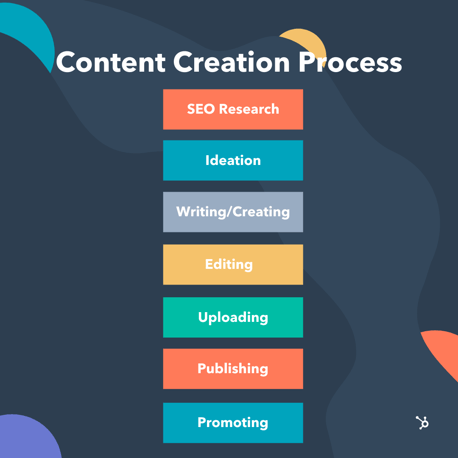
1. SEO Research
Creating your buyer persona likely gave you some ideas about what topics to write about and what questions your audience might have, which is a great start. Now, you need to confirm if those ideas can apply on a bigger scale to a larger audience. Sure, it would be great to write a blog post directed toward a single person, but, boy, would it be a waste of energy.
SEO research — a.k.a. keyword research — will show you the search volume of a specific keyword phrase and whether it’s worth the investment of creating a piece of content around it.
A good way to go about keyword research is to write down some questions that your persona might have based on their obstacles and goals. Then, perform some keyword research around those queries to see if enough people are searching for them. A rule of thumb is to target keywords that are attainable, meaning that have a monthly search volume (MSV) and keyword difficulty that corresponds to your domain authority. Trying to target high volume (read: highly competitive) keywords when you’ve just started blogging won’t pan out too well for you.
Before we go any further, let’s detour into a quick-and-dirty SEO explanation:
One important factor that helps you to rank in search engines is domain authority. You gain domain authority by how many external sites link back to your content. In order for this to happen, you need to have a pretty large library of content that is valuable enough to cite. That means, the longer you write high-quality content, the higher your domain authority and the easier it is to rank for highly competitive keywords that will put you on the first page of Google.
If you’re not quite there yet, the best thing to do is to target long-tail, low-volume keywords with minimal keyword difficulty (<50) — we’re talking 200-1000 MSV. This will give you the best chance at ranking for keywords and getting your content in front of more people.
SEO lesson concluded. Back to our scheduled programming.
There are a few ways you could perform your keyword research:
- Use keyword research tools, like SEMRush or Moz Keyword Explorer.
- Type your keyword into a search engine and take note of the auto-filled queries.
- Check out the related searches section on search engine results pages (SERPs).
Featured Resources
2. Ideation
Now that you’ve determined which keywords to target, it’s time to brainstorm some content ideas. HubSpot research shows that the best way to organize content is through topic clusters, meaning you create a long-form, comprehensive pillar page based on a keyword that then links to content you’ve created on related subtopics (think blog posts).
To illustrate the point, it looks something like this.
The topic cluster model makes brainstorming so much easier because now you have structure to follow (… told you we like processes). You can use your main keyword to create a pillar piece that covers that topic in-depth, like … say a guide to content creation. Then, you can create shorter pieces of content — infographics, blog posts, templates — that help your audience dive deeper into the topic and target long-tail keywords.
If you’re stumped for ideas, you might want to consider looking for inspiration from books you’ve read, industry studies, your competitor’s sites, or related searches on SERPs.
Once you have all of your ideas down, you can develop your editorial calendar and start creating.
3. Writing
I’m going to talk about the writing process because … well, that’s what I do. Your specific content creation strength might be videos or graphics or podcasts. Whatever it is, the creation process follows some pretty similar guidelines:
- Write to your persona. Use their voice, their euphemisms, even their humor to construct a piece that resonates.
- Use titles, meta descriptions, and other teasers to compel your audience to read your content. Put the benefit of your content right in the title to let them know why they should read it.
- Create something unique. Don’t simply regurgitate the information that’s already out there. Infuse a unique style or cite new research to emphasize your points.
- Stick to one idea and use your content to reinforce it. Don’t confuse your reader by going on tangents or trying to explain multiple semi-related topics in a single piece.
- Stay true to your voice. Don’t try to impress your audience with eloquent prose or an expansive vocabulary if they don’t speak that way.
- Be concise and clear. You want your audience to relate to you and derive value from your content … and not have to sift through jargon or confusing metaphors.
Featured Resource
4. Editing
The way you edit your (or others’) work is a very subjective process. You may want to edit as you go, or you might wait a few days and review the work with fresh eyes. You might care a great deal about grammar, or you might aim for a more colloquial piece.
Either way, there are a few things that should definitely look out for as you refine your content, like active voice, clear language, short sentences, and plenty of whitespace. Consider having a colleague or manager review your work, too.
Some tools that will help you cut down on your editing time are Grammarly and Hemingway Editor.
5. Uploading
Now that your content is ready, you’ll need to put it somewhere that people can access it. A content management system (CMS) is software that hosts digital content and allows you to display it on your website (or anywhere else on the web).
The benefit to a CMS is that it connects all of your content and stores it in one place. So, you can easily link to a landing page in your blog article or insert a content offer in an email. Not only that, but you can analyze the results of all the content you created for a specific campaign (which can help with content audits). A CMS saves you from having a disjointed content marketing system.
For example, CMS Hub is home to our blog, where you get access to all of our great content and useful free offers.
6. Publishing
Publishing content is as simple as clicking a button. So, why include a section on it? Well, because it’s not always that simple. Yes, you can publish your content immediately after uploading, or you can maximize its impact by waiting for an optimal time.
If you’re just starting out, then clicking publish right away probably won’t impact your audience too much. But if you have committed to a regular publishing schedule, like delivering a new post every Wednesday, your audience will expect to see posts published on Wednesdays.
Something else to keep in mind is to publish according to trends or time-sensitive events. For example, if you create content about national holidays or current events, then you’ll want to publish those at specific times.
A CMS will allow you to schedule posts for a future date and specific time, so you can click, schedule, and forget.
7. Promoting Content
Finally, it’s time to promote the content you’ve created. You can do this through various mediums including social media, email marketing, and even pay-per-click advertising.
To promote your content, think about what channels your audience is on. Are they on Facebook, Instagram, YouTube? Wherever it might be, it’s important to meet them where they’re at and promote your content on that medium.
Additionally, collaborating with influencers or other brands will help you promote your content and reach more people.
Content Creation Tools
While a CMS will help you manage your content, it won’t help you create it. That’s where content creation tools come in handy. These are especially useful if you’re artistically impaired, like me, or if you don’t have the capacity to hire help. From GIFs to infographics, these content creation tools will help you look like a professional, regardless of what kind of content you’re making.
1. Canva
Canva will help you create beautiful designs for any platform, from social ads to Facebook cover photos to infographics. The software features aesthetically pleasing templates that you can customize with colors, images, and text … for free.
2. Giphy
Giphy The GIF has replaced emojis as a completely normal form of communication, and, therefore, an acceptable way to present content. Giphy allows you to search millions of pre-created GIFs in their database or even create your own.
3. Vidyard
Vidyard is a video hosting platform that was made for marketers. The software allows you to customize your video by adding overlays, text, or CTA buttons, split test, transcribe, and has SEO features.
4. SurveyMonkey
SurveyMonkey is a leading survey creation platform. Why might you need such a thing? Because a good marketer knows that customer feedback is critical to an effective marketing campaign.
5. MakeMyPersona
MakeMyPersona is HubSpot’s own nifty tool that will walk you through the process of creating your buyer persona. You can generate a document to reference throughout your content creation process.
6. Anchor
Anchor is the podcasting tool for beginners. It’s free, allows you to record and store unlimited episodes, and you can easily upload to any third-party platform.
This is far from an exhaustive list of all the great content creation tools out there — this list is much better!
Creating a Content Plan
Content exists everywhere, but its success relies on your ability to adapt it to the medium on which it lives. One size does not fit all when it comes to posting on different mediums — or the platforms within those mediums, for that matter.
Social media content varies from blog content, which is different than website content. So, you need to know how to tailor your creation to reach your audience where they are.
Let’s dive into some guidelines for sharing content on various platforms.
Social Media Content
There is an art to creating content for social media. But it’s well worth your time since there are 2.6 billion users across social media platforms worldwide. Plus, someone who follows you on social media is like a warm lead — they already like you and are interested in what you have to say. So, you have an eager audience that’s ready to engage with your content.
Here are a few quick tips for creating content on some popular social channels.
1. Facebook
Facebook can be used to build micro-communities via Facebook Groups or to share to a mass audience on Facebook Pages. When it comes to sharing content, questions and videos reap the most engagement.
2. Instagram
Instagram is best for sharing high-quality imagery and short videos with brief captions. Hashtags work well on this platform as long as they’re relevant to your account and business. Instagram Stories has introduced a new way to engage with your followers, from quick polls to questions to real-time videos.
3. YouTube
YouTube has 1.3 billion users and counting. Users frequent this platform to watch content ranging from DIY videos to parodies. Some of the most successful content on this platform are how-to guides, vlogs, product reviews, and educational videos.
Featured Resources
4. TikTok
TikTok has become one of the most popular social media platforms of our time. It’s best known for fun, short-form videos. It can be used to engage with your Millennial or Gen Z audience.
5. Twitter
Twitter best practices include short messages, supporting images, relevant hashtags, and retweets. And, of course, replies go a long way to win over your audience.
Website Content
Website content should focus on three things: your persona, your target keywords, and your solution. Not unlike your blog content, the copy on your website needs to guide visitors to your solution in a cohesive and natural way. Think of web content like a map to your product.
Be careful not to turn visitors away through social media feeds and other distracting elements. Once you’ve attracted a potential customer, you must do everything you can to keep them there, and that’s the key function of your website content.
Blog Content
The purpose of blog content is to support your business by attracting strangers and bringing in qualified leads. Blog content is a free resource that’s not often directly tied to sales, but don’t underestimate the power of a well-crafted blog to ultimately generate revenue for your business. Research shows that companies that blog more get more traffic and more leads than those that don’t.
Featured Resources
Analyzing Your Content
The final, and arguably most important step in content creation is analyzing your content. Without data, you can’t know what’s working or how to improve it.
There are several data points you could track when analyzing your content, so use your goals as a guide to set some parameters. Whatever you want to accomplish with your content will help you choose your metrics. (Remember that initial goal we talked about?)
What you analyze is completely up to you, but here are some ideas for metrics to track:
Page Views
The number of users that visit your content. For blog posts this page views, but for any type of content, there is usually a “views” metric that will let you know how many times your content has been viewed and by how many unique users.
Organic Traffic
The amount of traffic that comes from search engines. This is unpaid traffic that you get from ranking high on Google or other search engines.
Bounce Rate
The percentage of visitors who leave your site after visiting only one page. This is an important metric to track because it can let you know that people are interested in clicking your posts, but then the content is immediately unsatisfying.
Conversion Rates
The percent of visitors that engage with a CTA — whether it’s a content offer, or filling out a form.
Engagement Rates
The number of people that interact with your content through likes, shares, comments, or in other ways.
Audience Growth
The new subscribers or leads that are generated from a piece of content.
Time On Page
The amount of time a user is on your page, whether it’s a blog post, or a video (for video content this might be average watch time). It’s important to keep track of where users drop off. Do they stay on the page long enough to read the post or consume the content?
Paid Campaigns
The amount of traffic that comes in from paid campaigns. If you sponsor posts on social media or pay for search engine ads, it’s important to track how much traffic comes from those campaigns.
If you need more tips on analyzing your content, check out this free HubSpot Academy course.
Start Creating
Content creation is an iterative process that pays off tremendously with your audience. Once you have the content creation process down, you’ll be able to generate creative work that not only delights your audience but also grows your business.
Editor’s note: This post was originally published in August 2018 and has been updated for comprehensiveness.

Is Email Marketing Inbound or Outbound? 10 Examples & Top Differences
Forget the dress debate that broke the internet a few years ago. Forget whether you heard Yanny or Laurel from a computer-generated voice. The matter we are settling in the next great debate — is email marketing inbound or outbound?

There are many ways to market a product or service, including search engine marketing (SEM), content marketing, social media marketing, and email marketing. The concept of inbound and outbound applies to most of them, but how does it apply to emails?
Read on to learn more about inbound and outbound emails and how these methods are applied to marketing today.
Inbound marketing is a business methodology that attracts customers by creating valuable content and experiences tailored to them. It includes blog posts, social media posts, infographics, and — you guessed it — emails.
Email marketing is the process of targeting your audience and customers through email. The statistics on email are impressive and lend to its importance as a marketing tool. With 4 billion daily email users, it is necessary to focus on strategy and best practices to reap the benefits of improved sales, generated traffic, increased leads, and more.
Is email marketing inherently inbound? Melanie Attia of Campaigner states, “Email marketing is about engaging in a dialogue which is both inbound and outbound.” However, Justin Premick of AWeber Communications would tell you that “if you’re doing email marketing right, it’s inbound.”
To better understand the differences between inbound and outbound email marketing, we’ll look at three aspects for each:
- Audience & Engagement
- Reach & Speed
- Cost
Inbound Email Marketing Audience & Engagement
Inbound email marketing follows the marketing funnel — a content plan for every stage of the buyer’s journey. The steps are attracting strangers, engaging prospects, and securing customers.
The first stage of this process is to build brand awareness through blog posts, social media, and SEM. It trickles into the second step where customers express interest. They opt in to join email lists or follow a social media account. Inbound email marketing takes place during this stage. Because inbound marketing sends messaging to interested parties, marketers increase their chances of having customers complete the buyer’s journey with a purchase.
Inbound Email Marketing Reach & Speed
With inbound marketing, the goal is to attract an interested audience. Content, such as blog posts and social media posts, is meant to draw in potential customers. This process takes time. It can take months and years to build an email list of thousands. The same growth happens a lot more quickly for outbound email marketing.
Inbound Email Marketing Cost
While cost does not affect whether email marketing is inbound or outbound, there is a difference between the two methods. Inbound marketing costs 62% less than outbound marketing for a few reasons. First, the ROI is higher since you’re targeting a warm list of leads. Second, inbound lists tend to have fewer subscribers, which keeps email service provider costs down, since they often charge by number of email sends.
How does outbound email marketing compare to inbound email marketing?
In general, outbound marketing involves reaching out to potential customers to gauge interest in a product or service. Outbound marketing is interruptive in that it finds an audience regardless of whether the audience sought it out or not. Examples of this are TV ads, radio ads, billboards, banner and display ads, telemarketing, and outbound emails.
Outbound Email Marketing Audience & Engagement
The most significant difference between inbound and outbound email marketing is how they target audiences and interact with them.
Whereas inbound email marketing only targets customers who’ve expressed an interest in your product or service, outbound email marketing does not require recipients to opt-in to receiving emails. Companies will acquire email lists and essentially “cold call” their audience with information. The purpose behind this tactic is to reach as many people as possible, regardless of expressed interest.
The benefit of inbound email marketing is that it interacts with an interested audience; however, outbound email marketing has an added benefit of reach and speed.
Outbound Email Marketing Reach & Speed
Another significant difference between inbound and outbound email marketing is each method’s reach and speed. With outbound email marketing, you would see a larger reach in a shorter amount of time.
Why? Because the goal of outbound marketing is to push. Marketers push the message to as many people as possible. As such, outbound email marketing lists tend to have a greater reach than inbound email marketing lists.
Although outbound tactics can build a larger list in a shorter period, they lead to more unsubscribers. Outbound emails are unsolicited emails. It is more likely your audience will unsubscribe from something they did not ask for compared to something they have shown interest in.
Outbound Email Marketing Cost
There is an added cost associated with outbound tactics. Email marketing platforms such as Mailchimp and Sendgrid have increased costs associated with the number of contacts and number of emails you send. Ultimately, the more people you have on your email list, the more you pay for email marketing. With outbound emails targeting a wider audience, this explains the difference in cost.
Understanding the differences between inbound and outbound email marketing is the first step to creating a successful email strategy.
Inbound and outbound email marketing have differences in:
- Audience & Engagement: Inbound email marketing targets a small list of interested subscribers, while outbound email marketing targets anyone it can send a message to.
- Reach & Speed: Inbound email marketing lists are typically slower to build and much smaller to start. Outbound email marketing lists are much larger, and you don’t have to build them from scratch, specially if you purchased an email list.
- Cost: Inbound email marketing costs less on average due to a smaller subscriber count and increased ROI. Outbound email marketing costs more because the more emails you send, the larger your expenditure. It also doesn’t turn a lot of recipients into costumers; thus, the ROI is significantly lower.
Audience and engagement, reach and speed, and cost are understood differences between inbound and outbound email marketing. In the coming examples, you can see the differences.
Inbound Email Marketing Examples
If you have made a purchase on a website or opted in to an email list, chances are your inbox is flooded with examples of inbound email marketing. Once a company can establish a relationship, they follow up with emails meant to drive you to purchase and keep you interested in what they have to offer.
Welcome Email
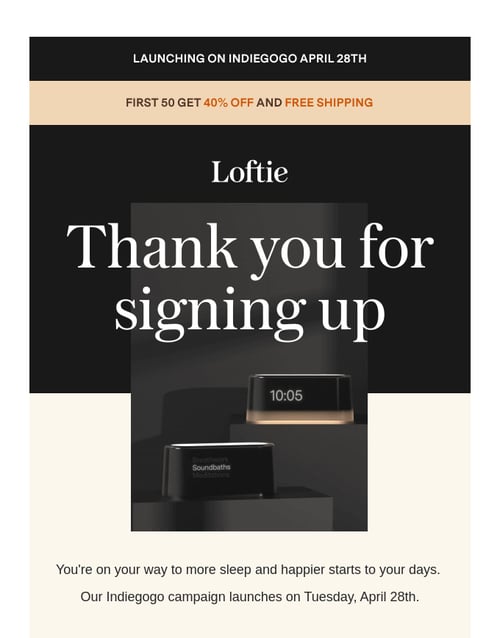
Welcome emails are usually the first line of communication in email marketing. Users opt-in to receive emails, and in a few minutes, they receive a welcome from the company. This style of email usually involves:
- Thanking your subscriber
- Introducing them to the company
- Setting expectations
- Creating a call to action
Abandoned Cart Email
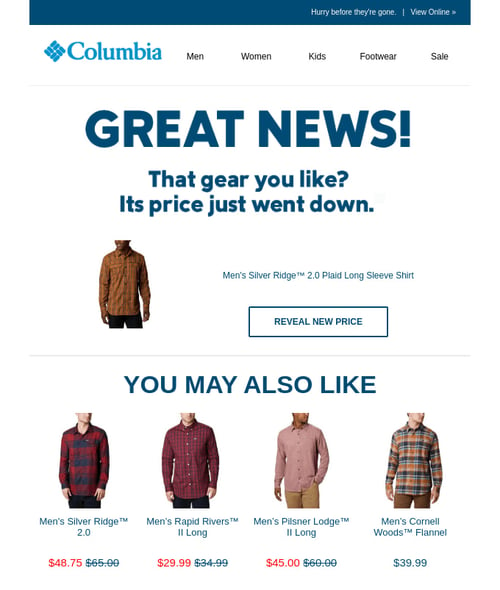
When a customer fails to complete a transaction, companies often follow up with an abandoned cart email. Shopify recommends sending three abandoned cart emails — after the first hour, after the first day, and on the third day. These emails typically include an image of the item and a clear call to action (CTA). You will find that some abandoned cart emails attempt to entice the customer with an added discount.
Curated Email
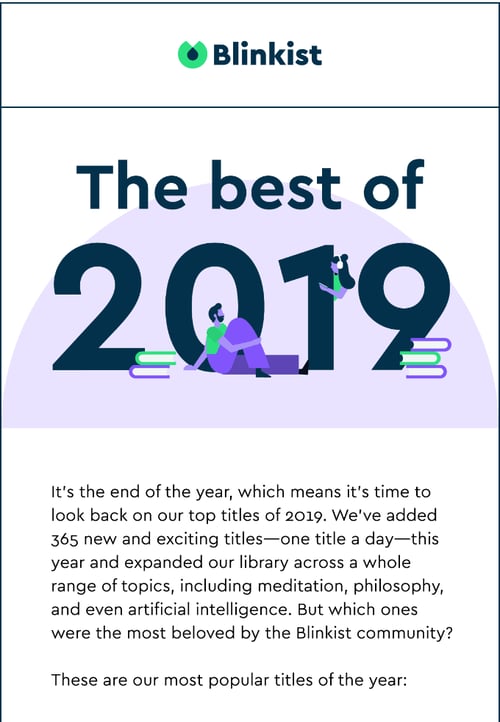
Curated emails combine the best content your company has to offer. The content is gathered over a specific time or covers a particular topic. These emails include articles, images, links, and any other content that suits your subscribers.
Promotion Email
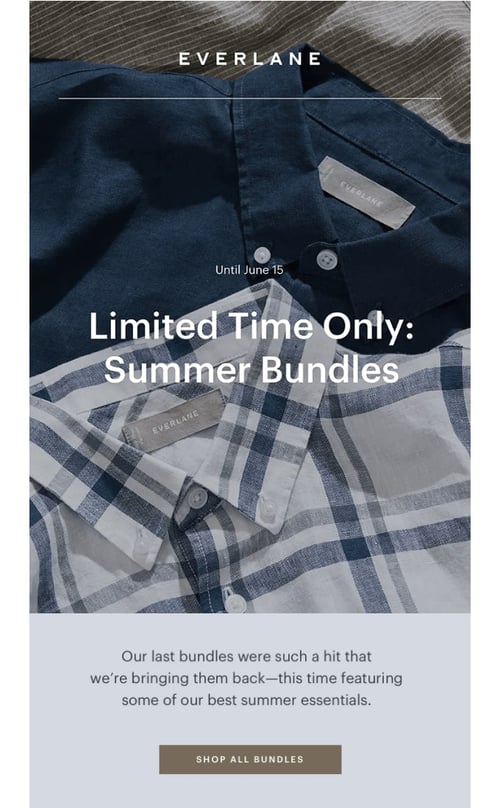
The purpose of a promotional email is simple — promote your product or service to secure a sale. It improves customer retention and increases brand awareness as well. Promotional emails always include a clear CTA and are often enhanced with a promotional code to entice shoppers.
Back In Stock Email
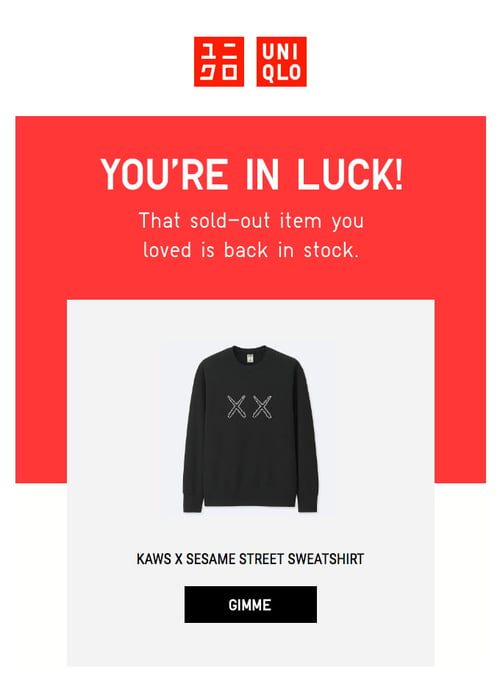
Many companies offer customers the opportunity to be notified when an out-of-stock item is back in store. If and when that item returns, the list receives a “back in stock” email. This email format focuses on one product and should create a sense of thankfulness or urgency in the customer.
Outbound Email Marketing Examples
As previously mentioned, most email inboxes overflow with examples of inbound marketing. Alternatively, outbound emails filter to many spam or junk folders. It occurs because outbound emails are often sent in bulk, and servers like Gmail and Yahoo flag these emails as unsolicited. With outbound emails, the first goal is to get through spam folders. The second goal is to keep your potential customer reading until they get to your CTA.
While outbound emails are typically frowned upon in marketing, they’re a useful prospecting technique for salespeople. Most deals begin with a cold email, which can take on the following formats.
The Attention Grabber
The AIDA formula is an effective email template to follow for outbound sales emails. The acronym stands for attention, interest, desire, and action. First, get their attention. Ask a question or state a fact. Second, build their interest. Tell a story to get them invested. Third, create the desire to buy from you. Purposely leave out a crucial piece of information. Invoke a sense of FOMO — fear of missing out — within them. It leads to the fourth step — action. Be very clear in your CTA. Instead of prompting for more information, these emails should drive a specific action, such as downloading a document or visiting a website.
The Bridge
You are at point A. You need to get to point B. Here is your bridge. Bridging the gap is one common tactic of an outbound email. Describe the current reality of your potential customer. Present them with a depiction of how their situation would change if you solved the problem. Lastly, give them the bridge. How will your product or service get them there? Research suggests that rewards may be more effective than punishments. Pose your solution as a reward for their efforts.
The People Pleaser
People love compliments. In the outbound email we’ve dubbed “the people pleaser,” reel them in with a compliment. Don’t be over the top, but keep it simple and sincere. Follow up with a practical example of a relevant problem. Here was a problem, and this is what happened when we were able to fix it — cause and effect. Now, make a request. Give them an idea of how your company can benefit them, and close this email with a CTA to get more information.
The Problem Solver
“It gets worse before it gets better.” In this type of outbound email, it’s your job to make it worse. Let’s pretend we’re headhunters. Present a problem. For example, a potential customer has a difficult time filling an in-person job position within their company. Make it worse. Mention statistics on the growing trend to work from home. Now, be their problem solver. Offer a solution for how you can help. People find value in products or services that make their lives easier, and solving their problems is significant and valuable.
The “Do What You Want”
In psychology, this is the “but you are free” technique. In the art of persuasion, you’re trying to convince someone to believe something you want them to. It means you’re “threatening their freedom” to choose. While this sounds extreme, an important tactic is giving them back their choice by reminding them that they can do what they want.
Offer them your product or service. Make a request. Before you close, give them an out. This might seem counterintuitive, but Psychology Today reported that 42 studies with nearly 25,000 participants found that the “but you are free” technique increases compliance.
Email marketing is inbound and outbound.
Email marketing is both inbound and outbound; however, it is up to you to decide which method is effective and productive for your business. Inbound email marketing allows you to build on a relationship that your customer sought out. Outbound email marketing asks potential customers to form a new relationship. They follow different methodologies, but both have been proven successful.
Editor’s note: This post was originally published in January 2010 and has been updated for comprehensiveness.

How Hunter Got 100+ Mentions in 3 Months With Cold Outreach
Google ranking factors are constantly changing, but links remain one of the most critical factors used by search engines.
If you want your website’s pages to rank in search and attract tons of organic traffic, you will undoubtedly need links.
Good links are like “votes”, which help search engines identify the best content to show for specific search queries.
There’re tons of link building strategies you can try depending on your goals and needs. With some strategies, you can get those important “votes” and increase referral traffic and gain more visibility for your company.
At Hunter, we’re constantly improving our link profile and getting more visibility for our brand. We’ve tested tons of link-building strategies, and there’s one that showed us the best results — link building via “best” listicles.
In less than three months, we got 96 new links from 54 domains, were mentioned in 33 new product listings, and upgraded our positions in 17 listings.
How did we do it? Read this guide, and I’ll show you how we implemented this strategy step-by-step.

First things first: What are “listicles”?
A “listicle” is an article made of a list — typically with some kind of extra detail below each item. This is a popular format to review products or services as it’s easy to skim to find important information.
Titles tell you what to expect (e.g., each title could be the name of the product or service), and each paragraph/chapter has a similar format, making it easy to compare many items quickly.
Here is an excellent example of a listicle created by HubSpot: Sales Prospecting: 26 Tips, Techniques & Tools to Succeed.
This is a review of the best techniques and tools for prospecting, which has a similar structure and approach to each product.
Why is it essential for you to get featured in listicles?
Listicles are powerful tools for product comparison and independent views on specific products or services.
Just imagine: You’re new to sales prospecting. You barely know anything about the popular tools on the market, and you need to find the best one for your team. To get some information about the topic you don’t know much about, you typically go to Google and type in something like “best prospecting tools” or “best sales prospecting tools review.”
You click “search” and stumble upon a similar search result page which consists mainly of listicles:
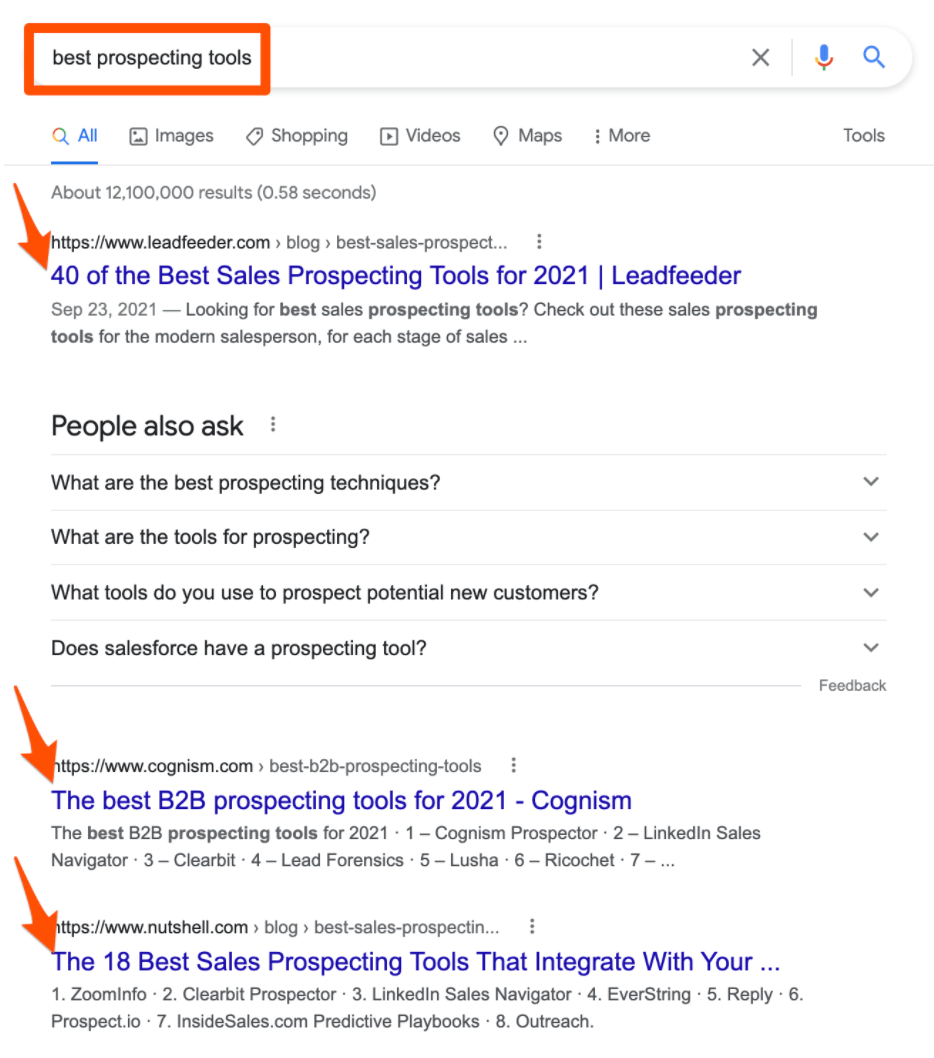
At Hunter, our key product is related to sales prospecting, and we wanted to be present in many listicles (especially those that generate high organic traffic).
By appearing in those listicles, you can get:
- More visibility for your brand: Just imagine someone searching for “best [your product/service].” You appear number one on Google in the first independent listicle and are mentioned in all top positions in the listicles below.
- New backlinks: By appearing in those listicles in 95% of cases, you’ll get one or a couple of backlinks to your website (only in rare instances do editors not include external links).
There are also cases when you can be already featured in the listicle of “10 Best [Tools/Products] for XYZ” as the #10 item that gets minimum visibility. So, your goal might also be to improve your position in that listicle.
Now, let’s jump right into the exact steps and strategies that will help you to get dozens of mentions in the listicles in no time.
Step 1: Collect prospects for outreach.
The first step for this strategy would be to find all prospects relevant to outreach for the mention in the listicle.
There are two approaches to do it: manual and automated.
Using a manual approach, you Google all searches related to your product or service with modifiers.
For example: “best + [your product category]” or “top tools for [your product category].”
The most popular modifiers to find listicles would be:
- Best
- List
- Tools
- Top
- Software
- Review
- Free
- Toolkit
- Services
You can use these modifiers in combination with your product or service category.
At Hunter, we created a simple spreadsheet that listed everything relevant to our product terms and a list of modifiers that can be used with those terms. Then, the most successful combinations like “best tools for email lookup” or “best free software to verify email” generate.

You might prefer using an automated approach, which allows you to find more prospects in less time (compared to Googling it all manually).
You need an Ahrefs account for it. If you don’t have a subscription, there is a $7/week trial, so that might be enough for you to find all of the prospects you need.
In Ahrefs, enter your keywords into the Keywords Explorer and export the results in CSV.
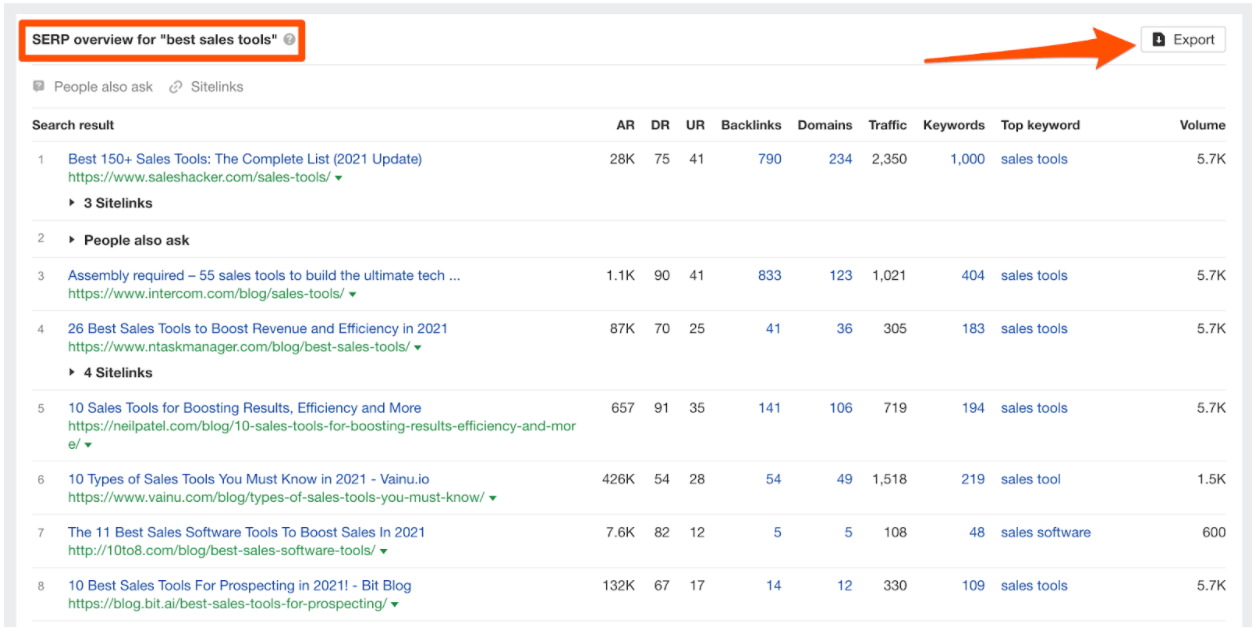 Repeat it for all of the keyword ideas you generate with your spreadsheet. Then, merge all CSVs you collected with Ahrefs in one.
In the merged CSV, make sure to remove duplicates (from this point, I suggest using Google Sheets). Here, you can find a quick guide on how to remove them.
After that, it’s time to do some manual work, which is a bit time-consuming but very rewarding in the end.
Open each URL you exported. Remove the irrelevant ones or those that are not listicles. Add a sequence tag for each email. You’ll use it to personalize outreach.
In our case, we used four key tags:
- Hunter not mentioned (our product is not mentioned in the listicle)
- Hunter mentioned below (our product’s position is below #1 in the listicle)
- Hunter mentioned #1 with no link (no need to pitch the product, only ask to add a backlink)
- Hunter mentioned #1 with a link (no need to contact this website)
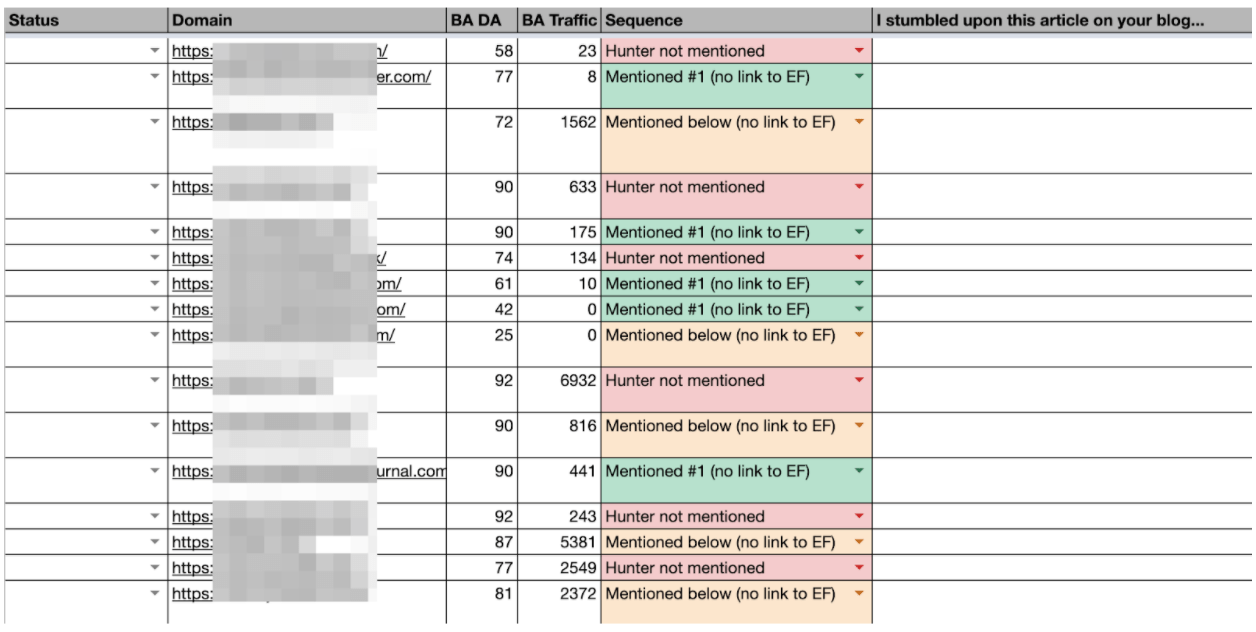 Besides adding a sequence tag for each relevant listicle, you’ll want to add a sentence of personalization to your spreadsheet that you’ll be using in your automated outreach sequence as an icebreaker.
This is what it looked like in our spreadsheet:
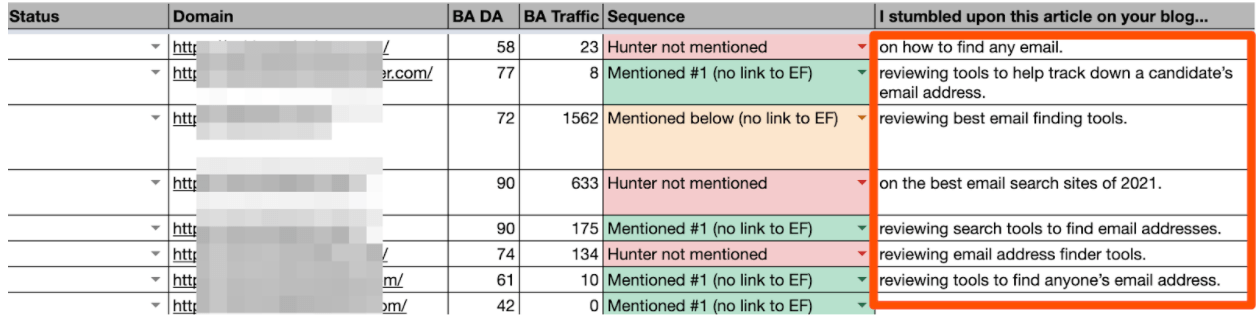
I recommend exporting from Ahrefs monthly traffic and domain authority of the URLs you collected. That helps to set your team’s priorities better. You should focus on the pages with the highest traffic and highest domain authority.
Once you complete this step, it’s time to find decision-makers in those companies and their emails.
As we noticed, the highest response rate for the listicle outreach was from the blog editors and content managers, so I recommend focusing on these positions. In small companies, it could be marketers and business owners.
You can easily find the full name of the decision-maker from a specific company just by checking the company’s LinkedIn profile.
Once you know the full name of your prospect, enter it in Email Finder along with a company domain. You’ll get a verified email address in seconds. With Email Finder, you can search 25 emails/mo for free.
 Another quick way to find the email addresses of the listicle authors is to use Author Finder. If you install a free Chrome extension, you can simplify the email lookup process even more.
Just open the listicle URL and click on the extension icon. You’ll get the email address of the listicle author.
 Add columns to your spreadsheet, such as the prospect’s name, company, and email address. You’ll use it later to personalize outreach.
Note: If you find emails with other providers, verify them. Using unverified emails may cause bounces, which can hurt your deliverability rates.
Step 2: Prepare email copy.
Now, it’s time to prepare an email copy for your cold outreach.
It’s essential to segment your outreach sequences, personalize your emails on a high level, and provide maximum value to your prospects.
For our outreach, we created three sequences:
- Those who didn’t mention our product
- Those who mentioned our product but below other products
- And for those who mentioned but didn’t link back to us
Here is an example of the email we sent for those listicles that mentioned other products from our niche but didn’t mention us.

There’re a few critical things to include in your email copy when reaching out to listicles:
- Short and catchy subject line. No one will ever respond to you if no one opens your email in the first place. Thus, the first thing to do while working on a new cold email campaign is to create the perfect subject line. Keep it short and catchy so your reader isn’t overwhelmed or lost. Instead, make them intrigued and engaged.
- Quick intro and catchy opening line. After the subject line, the opening line is the second most crucial sentence in your cold email. Because you wrote a successful subject line and made prospects open your email, the next step would be to make them read your message. If you start with something blurry, dull, and generic, chances are you’ll never get a response from your prospect. At this step, it’s essential to add a personalized icebreaker. (This is the reason we added this personalized line about each article to our Google Sheet earlier.)
- Personalize at scale with custom attributes. When you send dozens of emails simultaneously, it might be time-consuming to do it all manually. Here is where cold outreach automation tools come in handy. Create a spreadsheet with all data to personalize your emails and then add custom attributes to email copy. Your emails will be personalized on a high level automatically, and you don’t need to do tons of manual work.
- Provide value in return. You can’t ask a stranger for an offer and not give anything in return. Offer them the option to participate in your affiliate program, or help with the content update or promotion. Think of anything that can bring them value.
- End your email with a powerful CTA. It’s essential how you end your emails since it directly impacts the response rate. Ask an open-ended question that requires no time to get an answer. Make it clear and straightforward.
Step 3: Set-up outreach campaign.
Cold outreach is a time-consuming process, but when you find the right approach to automate it, you won’t need to spend that much time on your campaigns.
For our listicle outreach campaign, we knew two things we planned to do:
- We would need to send highly-personalized emails to our prospects.
- We would need to send follow-ups as they significantly increase the response rate (typically).
When you have hundreds or even thousands of prospects to outreach, the thing that you don’t want to do is to write every single email from scratch.
Also, you might find it overwhelming to remember when you need to follow up with every prospect. When you have more than one follow-up for each, doing it manually may sound like a nightmare.
So, this is the point where you need to use intelligent automation.
For the listicle outreach, we used Campaigns, a free tool that helps to automate cold emailing directly from your Gmail account.
As I mentioned above, we used custom attributes to automate personalization at scale. You need to spend time collecting all data for personalization before the outreach. Then, you just import it from your spreadsheet and have highly-personalized emails in a single click.
Here is how the final email we sent looked: personal and relevant to the prospect.

We also added two automated follow-ups to the sequence that used the personalization from the spreadsheet. The rule was to send the 1st follow-up in three days to all those who didn’t respond, and a 2nd in six days after the initial email.

When scheduling cold follow-ups, it’s essential to:
- Not schedule too many follow-ups. Our crucial rule is to focus on writing irresistible emails instead of adding too many follow-ups. So we recommend limiting it to three follow-ups for your cold email campaigns. If you are sending too many follow-ups to someone who’s never heard about you, you may seem like an annoying person and damage your brand reputation.
- Use the same thread for all emails. This way, prospects quickly get reminded about the offer from the previous email. Moreover, you can use follow-ups to continue telling the story or offering additional benefits, in this case.
- Keep in mind a sending schedule. According to many studies, when you automate outreach, you’ll want to make sure you exclude from your sending window weekends and public holidays.
Step 4: Be proactive in negotiations.
Your cold outreach campaign doesn’t end when you hit “send.” Your negotiation skills and proactivity determine how successful your outreach campaign will be.
In the perfect world, each answer you receive to the listicle outreach campaign looks like this:

The thing is that we don’t live in a perfect world, and most of the prospects will try to get more benefits for you in exchange for a link, product mention, or position upgrade. So, be ready to negotiate!
Here are a few tips that helped us to get the most mentions after receiving answers from our prospects:
- Be fast and provide what you offered right away. It doesn’t mean you have to skip sleep and update your inbox regularly. Just answer as soon as you see an email.
- Be flexible. If you contacted a DR 90 website and the traffic to the desired listicle is 1K sessions, be flexible in negotiations. You don’t want to lose a “big fish.”
- Do something for them. You get more chances of being featured if you provide even more value in return. Offer to share content after the update or give free consultation on something you’re good at.
- Don’t forget to follow up. Make sure to schedule manual follow-ups for those who showed interest. Sometimes, people are just busy at the moment you send an email or can forget about the conversation. It’s OK. Just make sure to follow up regarding your conversation gently. You can use Gmail functionality to snooze conversations and get a reminder to follow up on a specific date.
- Track all negotiations. Update your spreadsheet regularly and keep track of all negotiations. If you have too many prospects to handle, use a CRM.

Link building via “best” listicles is an effective strategy that can help to get tons of mentions and links for your business — if you do it right.
Make sure to spend enough time researching your potential prospects and collecting in-depth information on them.
Prepare email sequences that are unique and relevant to each segment, and add ice breakers and information pertinent to bring value to your prospects.
Automate routine work by using tools for cold outreach, and at the same time, spend as much time as needed on negotiations.
Hopefully, you’ll begin to see powerful results from your listicle outreach almost immediately.


The Ultimate Guide to Successfully Rebranding in 2020
When you’re first starting a business, branding is likely the last thing on your mind. After all, it’s hard to sit down and flip through fonts when you’re still trying to figure out who your customers are (and where to find them).
Plus, even if you made creating a brand identity a priority, in the beginning, a change in business plans might have made your initial branding strategy obsolete. Whether your branding design efforts started (and ended) with a logo jotted down on a napkin, or you whiteboarded your way through the complete branding process — from brand values to logo variations — somewhere along the way things stopped working.

However you got here, you’re not happy. Fortunately, rebranding is not uncommon — many major brands, ranging from Dunkin’ Donuts to Uber, have successfully rebranded in the past. If you’re considering a rebrand, keep reading to learn how to rebrand a company, plus examples of other brands who’ve successfully rebranded their website, name, logo, or entire company mission, and purpose.
Okay, now that we know what rebranding is, let’s make sure you have the right reasons to rebrand.
The Right (and Wrong) Reasons to Rebrand
Rebrands are complicated and carry big risks.
Even big brands aren’t immune — just look at Uber. After redesigning its logo, 44% of people were unsure of what Uber’s logo represented.
Ultimately, knowing the risks of rebranding can help you determine whether or not you’re going into a rebrand for the right reasons.
If you’re looking at rebranding your business because sales have been slow or brand awareness efforts don’t seem to be paying off, you might want to reconsider — these issues can potentially be solved by creating a new marketing strategy or conducting market research to identify the underlying cause.
But if you’re considering a rebrand because your company’s vision, mission, values, and market are no longer reflected in your brand, then a rebrand might be the right decision.
There are a few other major reasons you might consider a rebrand, including:
New locations
You might need to refresh your brand if you’re expanding to international markets that won’t identify with your current logo, messaging, etc.
Market repositioning
Brands are designed to connect companies with their customers, so if you reposition your business to target a completely new customer profile — whether through product, place, price, or promotion — your brand will need to follow suit.
New philosophy
Your business’s mission, vision, and values should govern every decision you make — including brand decisions. If your MVV are shifting and pivoting the direction of your business along with them, you’ll need to reevaluate your brand.
Mergers and acquisitions
When two companies come together, two brands come together, as well. If your company was acquired or joined with another company, you can’t just let both brands battle it out. Finding a new brand that reflects the new entity will prevent confusion and build trust.
Additionally, here are a few reasons not to rebrand:
Boredom
Too often, people consider a rebrand because they’re sick of seeing the same logo and slogan every day. When you’re starting to feel restless with your brand, remember that your customers (who see it much less frequently) might love that signature color you’ve come to loathe.
Covering up a crisis
Whether you’re working against persistent internal issues or fending off bad press, a rebrand isn’t the answer. Most consumers and employees are smart enough to see right through your rebrand and recognize it for what it is — a cover-up.
Impact and ego
For new managers, a rebrand might seem like the fastest way to make your mark. But most new managers aren’t implementing the kind of institutional change that justifies a rebrand. More often than not, new leadership that insists on a rebrand is doing it more for themselves than the company.
Looking for attention
Maybe sales have been floundering, or perhaps brand awareness efforts aren’t picking up, but either way, jumping into a rebrand is the wrong move. At best, you’ll generate some short-term buzz, without the sales and marketing strategy to sustain it. At worst, you’ll lose whatever brand recognition you had and set back your sales and marketing efforts.
If you’ve determined a rebrand is still the right choice for you, keep reading to learn how to devise a rebranding strategy.
Rebranding Strategies
1. Change your logo.
One of the main strategies of rebranding is changing your logo. Using a new logo will let your customers know that your brand’s identity is different. You can make it sleeker, use different colors, etc. The main reason to change your logo is so it matches with the new identity that you’re marketing with the rebrand.
2. Shift brand positioning.
After changing your brand logo, it’s important to also shift your brand positioning. You can’t just change your colors and logo and call it a day. The content that you’re marketing needs to communicate a certain message, whether that’s your mission, values, or vision. Shifting your brand positioning will let your customers know what your new mission, values, or vision is.
3. Create new ads.
Once you know what your logo and messaging will sound like, it’s time to create new advertisements and content with this messaging in mind. These ads should clearly communicate the changes to your brand and what they mean for customers. This can help you draw in a new demographic and reach larger audiences.
4. Change your brand’s voice.
Finally, when it’s time to rebrand, you’ll want to change the brand’s voice. Your brand’s voice is the perspective that you write all your marketing content from. Your voice is either formal, causual, witty, etc. If you’re rebranding, it makes sense to change your brand’s voice and announce your rebrand in your new tone of voice.
Now, let’s remember that bot all rebrands are created equal, so let’s first consider whether a partial or total rebrand is the best option for your business.
Partial vs. Total Rebrand
The more established your business and brand are, the more you have to lose from a rebrand.
If your business is more mature, a partial rebrand can help you retain the brand loyalty you’ve built, while refreshing your image to keep up with changing times.
Think of a partial rebrand as an adjustment focused on your visual brand identity to suit new offerings or markets — as opposed to a complete identity crisis.
That’s not to say that a partial rebrand can’t be effective. Just look at Old Spice. The men’s deodorant company redefined its place in the market and has seen massive growth every year since repositioning the brand — all while retaining what made Old Spice cool in the first place.
However, if you’re undergoing a complete identity shift and your company’s mission, vision, and values are changing, a total rebrand might be in order. This option is typically suited to situations like mergers, product overhauls, and other similarly foundational shifts.
Here, everything is on the table — from your name to your purpose, your market, or your brand identity.
If a partial rebrand is a quick touch-up, the total rebrand is a complete makeover.
Once you’ve determined whether you need a partial or total rebrand, take a look at the following five steps you’ll want to implement to successfully rebrand.
1. Reestablish your brand’s audience and market.
After extensive market research, including focus groups and analyzing the data, you’ve noticed something startling — your customers (or competitors) aren’t who you thought they were.
Maybe it’s a demographic with which you never thought you’d engage. Alternatively, maybe there’s a new competitor on the market and its products or services are directly competing with yours.
And you have the data to prove it.
Take a look at who’s actually buying from you — and who they’re buying from, instead of you. Comparing this against your initial target market and audience might reveal some stark differences.
Once you’ve established your actual market and audience, you’re ready to start rebranding your company to connect with your customers (and outsmart your competitors).
2. Redefine your company’s vision, mission, and values.
What are you doing? How are you doing it? Why are you doing it?
When you’re re-evaluating your vision, mission, and values during a rebrand, these are the three questions you’ll need to ask yourself. While it’s easy to take your messaging foundations for granted, they can change as a company grows.
New products, priorities, services, or stakeholders can completely undo what once seemed like a given.
Here are a few major components of your company you’ll want to analyze to decide which part(s) of your company need a little TLC.
Vision
This is a big one. Vision acts as the North Star for every action your company undertakes, so it’s critical you have a firm understanding of your vision before moving forward — additionally, perhaps over time your vision has changed. That’s okay, but it’s vital you redefine your vision as quickly as possible to ensure all your employees are making decisions with that vision in mind.
When you’re rebranding, company vision will affect everything from your website redesign to your hiring process.
Mission
If vision is your what, mission is your how. Maybe you’re still going in the same direction, but the way you’re getting there has changed. Ultimately, your mission is your company’s roadmap.
When your mission changes, your messaging needs to change as well — making it just as crucial as vision during a rebrand.
For instance, Sweetgreen’s mission statement is “To inspire healthier communities by connecting people to real food.” This motto will help define everything about Sweetgreen’s brand, from the images they use in advertisements to the language they use in press releases.
Values
Your values act as the why behind your brand. They’re why you’re working towards your vision, and why you’re dedicated to your mission.
But, as brands expand and change, some of their founding values might become unsustainable. If you can’t support your old values or you’ve come to prioritize new ones, you’ll need to update them to reflect what your company actually values today.
Brand Voice
As your vision, mission, and values change while rebranding, the way you convey these aspects of your company will also have to change. The vocabulary, tone, and voice you use for your brand have to match your message. So, if what you’re saying is changing, how you’re saying it will need to change, as well.
3. Rename your company during a rebrand.
Changing names is a big undertaking, one that can cost you brand recognition and organic search traffic in one fell swoop. So, if you’re renaming your company as part of your rebrand, make sure you have a plan for recovery as part of your post-rebrand strategy.
On the whole, if your name still fits, your best course of action is to keep it. But if your current name is a mismatch for your company identity, it might be time to go back to the drawing board. To help make that drawing board a little less daunting, here are some starter ideas for the renaming process:
- Make a new word
- Use an old word in new ways
- Say what you do (literally)
- Modify a word’s spelling
- Add a prefix or suffix
- Look to other languages
- Bring two words together
- Create an acronym
- Use a location
If you’re revisiting your name while rebranding, focus on alignment with your brand’s vision, mission, and values — more than just what sounds good. That way, your new name has a better chance of supporting your long-term growth and goals.
4. Reconsider your brand’s slogan.
A good slogan is catchy and captures your company’s mission and vision. It’s your company’s purpose, condensed. Unlike changing names, changing slogans is a little easier for your marketing efforts. But like changing names, you should still consider it carefully.
First, it’s critical you ask yourself, why do you really want to change your slogan?
It’s easy to fall into the trap of hating your slogan because you’ve heard it so many times. But it’s that same repetition that builds brand recognition. Even though you might have gotten sick of your slogan after seeing it constantly, your customers might love it.
If you’re on the fence, you can hold focus groups to see if the slogan is really resonating. If it isn’t, you can get some new ideas for slogans with these starting points:
- Make a claim
- Get metaphorical
- Use poetic language
- Provide instructions
- Leverage labels
- Compliment customers
5. Rebuild your brand identity.
The tangible elements you use to communicate your brand might have been in play for a few years by the time you start considering a rebrand. This means you’ve likely had plenty of time to reconsider their strengths and weaknesses before replacing them.
You might want to redesign your logo, use new colors in your brand material, or even create new brand guidelines. Here are a few common changes you might make as part of your rebranding strategy:
Your Logo
Maybe you loved your logo when you first started your company, but you’re finding your customers never really seemed to “get it”. Alternatively, perhaps your logo needs a refresh to reflect the other major changes you’ve made internally.
If you’re looking to do a logo redesign, going back to the basics of what makes a good logo will help you to get it right this time.
Stay simple. Jamming as much symbolism as possible into a logo generally doesn’t work out too well. But that’s a hard truth for young companies who are still trying to prove themselves. Now that you’re more established, show your confidence with a simple logo.
Make an impact. Maybe you went the opposite route in your original logo design and were too afraid to be bold, so you stuck with something safe. Your logo isn’t worth much if people can’t remember it, so when you’re redesigning your logo, don’t settle for something that won’t stand out.
Be adaptable. One thing you might have learned with your first logo is its limitations. Now that you know what shapes or styles might not be as versatile for the channels your business actually uses, bear those in mind during the redesign.
Aim for appropriate. As companies mature and get to know their customers better, a logo that might have made sense at launch could now be considered completely wrong for that company’s target market.
Look to the long term. As fun as rebrands might seem, you don’t want to do this every year, so really look at your vision, mission, values, and purpose and consider whether this new logo can support them in the long run.
Maintain through-lines. Like your name, your logo is one of your brand’s most memorable components. When you’re rebranding, avoid losing too much brand recognition by trying to maintain the parts of your old logo that worked. If you can maintain a sense of continuity, you’ll be able to carry over some of the brand recognition your old logo initially had.
If we look at a few logo redesigns from 2019, we can see this process in action. Take Zara and The Knot, for example, two companies that changed their logos in the last few years:
In these brand updates, elements of the old brand carry through. Zara kept its bold, black lettering, but pushed the kerning tighter and switched one Serif font for another. The Knot, on the other hand, stayed in the same typography family with a Script font, but swapped blue for orange in their color scheme.
Choosing Your New Color Palette
Color can have a huge impact on your brand — in fact, some colors are now synonymous with the brands that use them, like McDonald’s yellow. But choosing the right color can be difficult, and as your company develops, your color might need a brush up.
Looking at your brand colors with fresh eyes using color psychology and competitor research can help you evaluate whether they’re working with (or against) the brand image you’re looking to project.
Additionally, now that you’ve been working with your color(s) for a while, you may have noticed that the way your colors show up on-screen vs. in-print isn’t consistent. When considering colors during your rebrand, check to ensure the color looks the same on a variety of brand materials.
Typography
Like your color, your original font may have shown up differently in practice than in theory. When you’re reevaluating fonts, pay close attention to what worked and what didn’t with your old font, along with any difficulties you had — like accessing the font for web design or PowerPoints.
You might also want to consider whether your font is consistent with any markets or messages uncovered while rebranding. If your customers are more mature than you initially expected, that super hip Sans Serif font might be better off as a more traditional Serif font. After all, the medium is the message.
And now that you know your marketing channels, you’ll be able to make more educated decisions on weight and cuts — like which fonts show up well, and which leave your words looking wonky.
Shapes and Imagery Revisited
Like your logo, color palette, and typography, your imagery and shapes play a vital role in your brand identity. If you’re changing any of your brand’s other visual elements, it’s worth reconsidering your imagery and shapes to keep everything cohesive after you’ve rebranded.
But it’s not enough for your rebrand to look cohesive — it needs to support the core messages of your brand, as well. At every step in the branding design process, make sure the what, how, and why behind your brand are also behind your new brand identity.
Building New Brand Guidelines
If you’re going to go through all the trouble of creating a new brand identity for your business, you better make sure you use it correctly. Having (and actually using) brand guidelines will help you keep your brand consistent after the transition.
Brand guidelines are especially critical for logos. Logo guidelines are designed to make it as easy as possible for customers to see, recognize, and remember your logo — making up for any lost familiarity that comes with a rebrand.
Here are a few elements to consider when writing your logo guidelines:
- Logo elements. What visual elements make up your logo? When and how are each of them used?
- Color variations. What does the colored version of your logo look like? What about black and white? When are each of these used?
- Clear space. Also called padding, this is the space around your logo that prevents overlap or obscuring. Aim for at least 10% of width at all times.
- Unacceptable uses. What can never be done to your logo? What color variations, rotations, scaling, etc. do you want to avoid?
You’ll want to have your guidelines on hand if you’re doing a website redesign, creating a rebrand campaign, or creating other marketing materials.
6. Track brand sentiment along the way.
When you’re designing all the new elements to your rebrand, it’s important to get feedback from customers. You can conduct focus groups and see if the new branding images and messages communicate your new mission, value, and vision. If you don’t get positive feedback, it might be time to go back to the drawing board.
One of the most crucial steps in rebranding is tracking brand sentiment before, during, and after a rebrand launch. You can look at brand sentiment before a rebrand and see what customers feel negatively about. With this in mind, you can conduct your rebrand strategically, adding new messaging that aligns with your audience.
After you’ve evaluated the feedback before a rebrand, and tested your new rebranding elements in a focus group, it’s time to launch your rebrand.
7. Plan a successful launch.
Launching a rebrand isn’t as simple as changing the colors, fonts, or logo on your site. A rebrand is about communicating your new message: What is your new mission, values, and vision? To communicate this, it’s important to plan a successful rebranding launch.
This can include posting advertisements online, in print, on TV, on radio, etc. Then, you’ll want to announce the launch of your rebrand with a press release on your site and a post on your social media channels that says exactly why your company needed a rebrand and what this rebrand means for the future of your company.
At its best, a rebrand can act as an incentive to remain consistent and on-brand in all your marketing efforts moving forward — something that can slip in businesses over time.
Now that we’ve explored various aspects of rebranding, let’s take a look at examples for further inspiration.
1. Chobani rebrand

In 2017, Chobani made a few major changes to their brand in an effort to stand out in the crowded, oftentimes homogeneous-looking yogurt industry.
First, they shifted their identity from a yogurt company to a “food-focused wellness company” with a new mission — “Fighting for happily ever after.” Under their Impact page on their website, you’ll see the statement, “The most important thing we make is a difference. It’s always been about more than yogurt.” You’ll see this focus on health and nutrition in their advertisements and their new products, including Less Sugar Greek Yogurt and Chobani Flip Yogurt.
Additionally, as shown above, Chobani changed its packaging — instead of using plain white cups with fruit photos, they redesigned their product packaging using 19th century American folk art with a variety of colors. Their rebrand helps their products stand out from the other plain white yogurt packages on the shelves.
2. Candid rebrand
Rebranding is often a good decision after two companies merge.
For instance, Foundation Center was the largest source of information about philanthropy globally, and GuideStar was the largest source of information on U.S. nonprofit organizations. In 2019, the two organizations joined forces to become Candid, enabling both foundations to enhance the services they offer to millions of people who rely on them to help make the world a better place.
If you visit Foundation Center’s website, you’ll see a message that reads: “Foundation Center and GuideStar are now Candid. You were redirected to candid.org from foundationcenter.org.” The old GuideStar website is still visible and usable, but there is an explanation of the new corporate entity and a link to Candid’s page.
Candid, the new merged foundation, now boasts a sleek website with a mission statement, guiding principles, and a vision that combines the best of both Foundation Center and GuideStar.
3. Dropbox rebrand
In 2007, Dropbox launched as a file-storage and file-sharing web service — but in 2017, the company now wants you to think of them as ” the connective tissue for teams and businesses of all sizes”. Instead of just a file-sharing service, Dropbox is now a full suite with APIs, tools, and integrations.
Along with the internal mission shift, Dropbox refreshed its logo to reflect its new products. In a statement regarding the new logo, the Dropbox design team said, “Our old logo was a blue box that implied, ‘Dropbox is a great place to store stuff.’ The new one is cleaner and simpler. And we’ve evolved it from a literal box, to a collection of surfaces to show that Dropbox is an open platform, and a place for creation.”
4. Pet Food Experts rebrand
Pet Food Experts has a full timeline on their website that reflects all company changes since 1936, when the company first opened.
Among the most notable are the company’s name change from “Rumford Pet Center” to “Pet Food Experts” (in an “effort to establish itself separately from the Rumford Aquarium”), and the logo redesign in 2008. The 80-year-old company has grown significantly over the years, and is now a major distributor of pet products from coast-to-coast.
To reflect their change and growth over the years, the company has taken numerous successful steps to consistently refresh their brand to reflect their products and values as they change over time.
5. Dunkin’ Donuts rebrand
Beginning in January 2019, Dunkin’ Donuts, first introduced in 1973, adopted a new logo that dropped the “Donuts” on their name — now, signs, logos, and marketing materials simply read, “Dunkin'”.
The new name signifies the companies focus on coffee — Tony Weisman, Chief Marketing Officer, Dunkin’ U.S., said in a statement, “By simplifying and modernizing our name, while still paying homage to our heritage, we have an opportunity to create an incredible new energy for Dunkin’, both in and outside our stores.”
Despite the change in name, Dunkin’ continues to use the same pink and organic colors and iconic font to ensure long-time customers continue to recognize the brand.
6. IHOP rebrand
As you’ve likely gathered from this post, a rebrand is a fantastic opportunity to refresh your public perception and get consumers’ attention.
Which is exactly why IHOP used a rebrand as a marketing ploy to get people to pay attention to their new product — burgers. In 2018, IHOP announced that it was rebranding as IHOb, the International House of Burgers. It began using IHOb on social media, its website, and in-store promotions.
Eventually, IHOP admitted its rebranding was a joke to get people to pay attention to their new line of ground Angus ground beef burgers. Their “joke rebrand” was a smart play — it incentivized people to either vehemently fight for the importance of IHOP’s most important product (pancakes), while also calling attention to their other offerings.
IHOP has since switched back to its original name and logo.
Bad Rebranding Examples
1. Comcast
Comcast has been known to have the most hated customer services in the United States. So the company decided to change their name and rebrand their logo to xfinity.
However, the company didn’t change its history of bad practices. Superficial updates like a name change and logo change won’t help your company if brand identity and brand reputation doesn’t follow.
While the company could have worked on improving customer support, they spent money on a cosmetic upgrade, which didn’t help them earn the trust back from their customers. To earn your customers trust, you have to listen to them. You can’t just rebrand your visual identity while making no substantitve changes.
2. Gap
Remember that list of reasons to rebrand and reasons not to rebrand above? Gap made the mistake of rebranding for seemingly no reason. The company changed their logo and caused outrage among its customers. Only 6 days later, the company went back to the old design.
The new logo didn’t communicate anything about the brand, and in fact took the personality out of the brand’s logo. Additionally, customers had an emotional bond with their logo, and changing it for no reason caused upset customers.

3. Weight Watchers
Weight Watchers changed its name and logo a few years ago to shift its focus from weight-loss to wellness. However, with their new name “Wellness that Works,” customers weren’t sure if the product offerings were going to change.
The shift from weight-loss company to wellness company left customers confused. And this wasn’t a bad idea for a rebrand, however it’s important that your product offerings either change with your new identity or don’t rebrand at all.
Changing the name of your company shouldn’t confuse customers — it should make your offerings more clear.
Additionally, if you’re going to shift your name and product offerings, it’s important to communicate that message clearly. This rebrand failed because the message wasn’t clearly communicated and customers were confused.

Are You Ready to Rebrand?
Now that you know everything a rebrand entails, it’s time to consider if and how you want to rebrand your own business. Whether you end up going with a logo redesign, a website redesign, some refreshed messaging or a complete brand overhaul, these steps can help you to consider your best strategy for building a brand that gets it right this time.
Editor’s note: This post was originally published in August 2014 and has been updated for comprehensiveness.

How to Create Marketing Offers That Don’t Fall Flat
In marketing, offers are the gateways to lead generation. Without them, site visitors have no way of getting converted into leads. They are also a critical tool for nurturing existing leads into a position that makes them more sales-ready. But gosh, isn’t the word ‘offer’ so utterly vague and abstract? What the heck is a marketing offer, and what are the qualities of a good one?
Because we see so many marketers get tripped up on this concept, let’s discuss exactly what a marketing offer can be, highlight the characteristics of an effective offer, and explain how you can start using them the right way.

What an Offer Isn’t
Sometimes the best way to explain what something is, is to first identify what it isn’t. Unfortunately, many of the things marketers sometimes consider to be marketing offers aren’t actually offers at all. First, let’s clarify. What marketers should classify as an offer is something of value that a website visitor must complete a form to get access to. And yeah, sure you can put just about anything behind a form. But there are certain things that, when put behind a form, just won’t contribute much of anything for your lead gen or lead nurturing initiatives. We’re not saying you shouldn’t bother with these types of content. What we’re saying is that you shouldn’t put them behind forms or rely on them to effectively generate and nurture leads.
Here are some great examples of things you should never consider to be a marketing offer:
- ‘Contact Us!’: Okay, so you can put this one behind a form if it’s one that allows site visitors to email you. But this will never bring in leads as effectively as true offers will.
- Product-Centric Content: We’re talking brochures, product videos, etc. Yes, these can be great tools to introduce to leads who are close to making a purchasing decision, but there’s no reason they should be gated behind a form. You should want your site visitors to be able to access this type of content freely and frictionlessly. And if site visitors are looking at this type of content, they’re likely already in your sales funnel and much closer to making a purchasing decision.
- Customer Case Studies: Just like product-centric content, customer case studies are likely something you want to make it very easy for visitors to access. Making a visitor or lead fill out a form is unnecessary.
- Fact Sheets: Simply put, fact sheets and other company-focused content is not lead generation material.
- Press Releases: Putting a press release behind a CTA or form will lower your chances of getting the word out, defeating their main purpose.
What an Offer Is
The good news is, you have quite a few great options at your disposal in terms of the types of offers you can, well, offer your target audience. These include but are not limited to:
- Ebooks and Guides: Providing visitors with guides or ebooks that help them solve a problem, or are tailored to their interests will help establish you (or your brand) as an authority on the topic.
- Discounts and Promotions: Visitors to your website might be more inclined to hand over their information if it means they get a discount or promotion code in exchange.
- Webinars and Courses: Another way to establish yourself as an authority on a certain topic is to offer a webinar or course. When visitors register, you’ll get their information and they’ll learn more about a topic or gain a skill in return.
- Industry Case Studies and Research: Industry-specific reports and research can be a great incentive for prospects to give their contact information. You offer value by doing the research for them, making it readily available, and providing it for free.
- Membership or Loyalty Programs: These programs provide potential customers with a sense of exclusivity — access to rewards and perks not offered to non-members.
- Templates: Templates provide an easy way for prospects to create their own documents without having to start them from scratch. Some common template options you’re probably familiar with are resumes, proposals, and email.
- Free Tools: Free tools such as HubSpot’s Website Grader are a great way to have site visitors test your products without having to make a purchase.
- Free Trials: Similarly to free tools, free trials allow visitors to your site to test your services out risk-free.
- Product Demos and Consultations: If a potential client is on the fence about using your services, offering a consultation or demonstration might help reel them in. Not only will you get their contact information when they sign up, but they’ll learn more about how your product or service can help them.
What makes a good marketing offer?
While the types of offers we mentioned above are all great options for marketing offers, there are a number of qualities that an offer should possess in order for it to be effective for lead generation and nurturing. Offers should:
1. Be High Quality and Valuable to Your Target Audience
The important thing to remember is that, if you’re requiring a site visitor to complete a form in order to obtain your offer, the value of that offer needs to be compelling enough to convince those visitors to do so. People don’t like to give up their contact information freely, and your lead-capture form will create some friction. So if you start putting mediocre, low-value offers behind your forms, your business will eventually be known for having a poor user experience and subpar offerings, seriously hurting your lead generation and nurturing goals.
In the simplest sense, an offer is valuable if it addresses the problems, needs, and interests of your target audience. This value could also mean different things for offers used in different stages of the sales process. For example, an offer you’re promoting to generate net new leads at the top of your funnel (like, say, an educational ebook or a webinar) is likely valuable because it educates your prospects and fulfills a need. A free product trial, on the other hand, may not be as educational in nature, but it’s still a very valuable offer for existing leads you’re trying to nurture and who are closer to making a purchasing decision.
2. Align With Your Business and the Products or Services You Offer
A great marketing offer complements the products and services your business sells. That educational ebook is probably not very focused on how awesome your products and services are, but it should address concepts that align with your paid offerings.
For example, HubSpot sells inbound marketing software, so our offers focus on helping prospects with their marketing challenges. These offers help set HubSpot apart as an industry thought leader and educate prospects about the problems our software helps to solve.
3. Be Tailored to the Right Buyer Persona at the Right Time
As we hinted at before, a truly great marketing offer also takes into account a person’s point in the sales process as well as that buyer persona’s specific interests and needs. How this really comes into play is in lead nurturing campaigns and how you decide which calls-to-action (CTAs) to place where on your website.
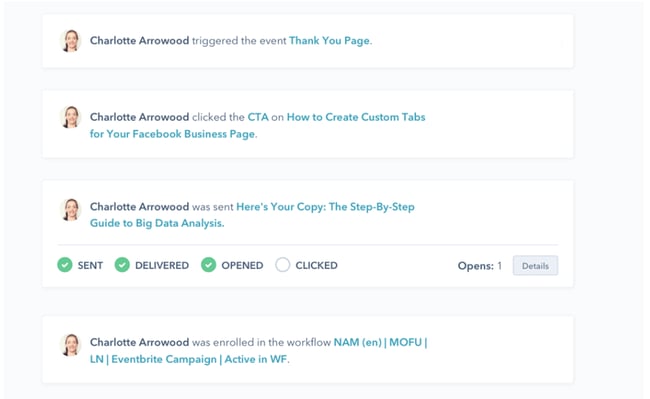
If you use lead management software, you can easily collect key pieces of information (AKA lead intelligence) about your prospects that will help you segment your leads into nurturing campaigns based on their buyer persona, their point in the sales process, and what you can determine their interests are based on their activity on your website. Sending them offers that appeal to those interests as well as how close they are to making a purchasing decision can help you better qualify a lead before they get handed off to sales.
For example, if your business is in plumbing and a first-time visitor comes to your site and downloads an ebook on how to unclog a minor plumbing backup, you might enter them into a lead nurturing campaign that then invites them to also attend a webinar about common plumbing problems and how to fix them. As they move further through the sales cycle, you could then offer them a coupon that discounts your services for that (apparently) not-so-minor drain problem they’re having.
The same concept applies to how you choose which calls-to-action should be placed on different pages of your website. For example, if you conduct analysis that shows that your blog is typically how new visitors find you (whether through social media, search engines, or another referrer), you can infer that many people who land on your blog are first-time visitors to your website. Therefore, on your blog, you should probably place CTAs for offers that appeal to people who are just entering the top of your funnel and know little about your company (like an educational webinar, ebook, or kit, for example).
On the other hand, a visitor on something like a product page probably indicates they are much closer to a purchasing decision. What might be more valuable to those types of visitors is a CTA for a free product trial, or a demo if you’re a software vendor.
How to Use Marketing Offers
Now that you have a much clearer understanding of what makes a good marketing offer (and what doesn’t), let’s dive into some offer best practices. After all, you can create a ton of great offers, but if you’re not using them to your best advantage, they’re not going to do much good to generate and nurture leads.
1. Create multiple types of targeted offers.
First things first. With all that talk about targeting and segmenting the right offers to the right buyer persona (at the right time), you can probably guess that what all that translates to is a need for a variety of offers. Building up an arsenal of offers can be a big lift, but it can mean the difference between good results and awesome results.
Create a spreadsheet that allows you to list the offers you currently have, highlight the holes in your group of offers ( what topic are you missing an offer for that your audience would appreciate?), and map offers to the various points in your business’ sales process. Then slowly work through your offer to-do list, gradually filling in those gaps.
2. Put offers behind lead-capture forms.
If offers are the gateways to lead generation, lead-capture forms (AKA conversion forms) are the gateways to your offers. Always place your offers on landing pages, gated by forms. This allows you to collect information that helps you qualify a new or reconverting lead and track what they’ve downloaded from you throughout the sales cycle.
3. Create calls-to-action, and place them appropriately.
We mentioned this above, but it’s an important one. Create CTAs for each of your offers, and align them with the pages on your website. If you’re that plumber we mentioned and you just wrote a blog post about the best and worst products to unclog a drain, you might place a CTA for your free guide to the best plumbing products on the market.. Once you have created awesome-looking CTA buttons for your site and you’re moving onto ninja status, you can also test different versions of your CTAs to determine which ones generate the best click-through rate.
4. Create content around your offers.
Taking things a step further, create content specifically around your new offers to help launch and promote them. If you just created that ‘Best Plumbing Products’ guide, write a blog article that highlights the top 5 products mentioned in the guide and couple that with your CTA, explaining that readers can learn more by downloading the new guide. Excerpts make for easy blog content, so you’ll be killing two birds with one stone!
Video is also a powerful tool to keep in your marketing toolbox. You could create short, how-to videos explaining to viewers how to fix common plumbing issues. Using a CTA, prompt them to subscribe to your newsletter or YouTube channel for more content and resources.
5. Promote your offers on social media.
The promotion of your offers shouldn’t be limited to just your website. Use social media as a promotional vehicle by sharing links to the landing pages for your offers and briefly explaining their value in your tweets, Facebook, Instagram, and LinkedIn posts. Spend some time to build your social media reach so you can expose your offers to as large an audience as possible.
6. Entice potential customers with contests.
A great way to leverage social media exposure is through contests. For example, surf brand Billabong ran a contest to win a trip for two to Baja, Mexico. To enter, contestants must enter their contact info into a form. You could run a promotion for free services or products that would be of interest to your target audience in exchange for them completing a form.

Other contests may ask users to tag a friend under the contest’s post, which helps build brand awareness and acts as free promotion through word of mouth.
7. Use them in email marketing and lead nurturing.
As we mentioned above, offers are critical to a business’ lead nurturing efforts, but you can also promote them using general email marketing as dedicated sends. Promote your new offer in a dedicated email send that only highlights that one offer and conveys its value. If it’s a very general offer that every buyer persona in your audience would enjoy regardless of their point in the sales cycle, send it to your entire list. If it’s a more targeted offer, segment your list, and send it only to the people to whom it will appeal.
8. Align offers with prospects’ stage in the sales process.
This is another one we’ve already talked about, but it’s worth emphasizing. Aligning the offers you use in your lead nurturing campaigns and in the CTAs on your website with a prospect’s likely position in the sales cycle will not only help to better qualify a lead, but it may also shorten the sales cycle, as a prospect will be much closer to a purchasing decision with a ton of knowledge about your business before he/she even talks to a sales person.
9. Track performance and update strategy as needed.
Measure the performance of your offers. This will help you identify which types and topics of offers are successful in generating leads and customers so you can create more offers around those topics or in those formats, helping you become a much more effective marketer. Do your prospects prefer webinars to ebooks? Do they only care about certain topics that your offers are addressing? Use what you know to improve your lead generation and lead nurturing efforts in the future.
Using Offers in Your Marketing
How many offers are in your back pocket? How much do they factor into your business’ lead generation and nurturing efforts?
Offers are an invaluable tool for generating leads. Use them wisely and watch your business reap the benefits.
Editor’s note: This post was originally published in February, 2012 and has been updated for comprehensiveness.

The Best Social Media Platforms for Video Content in 2022
As of June 2021, TikTok users on Android devices now spend more time each month watching content than YouTube users (also on Android devices). In UK countries, the difference is even more drastic than in the U.S. as TikTok users continue to watch more video content than on YouTube.
Additionally, HubSpot’s 2021 State of Marketing Report reveals that video is the top content marketing strategy used by brands while social media is ranked as the top marketing channel.
With data like that — and all the growing social media video platforms out there — it’s become obvious that social media marketing and video content go hand in hand.
While creating great social media videos for your company can be an incredibly effective marketing tactic, each social media content strategy shouldn’t be a one-size-fits-all approach. To ensure that your videos are seen and spread quality brand awareness, you’ll need to ensure you’re making the right videos for the right audiences on the right platforms.
To help you figure out where to publish your video content — and which types of videos to post — we surveyed 300+ consumers to find out where they most commonly watch videos on social media.
Below, we’ll reveal the results and a few expert tips for building the best social media video-sharing strategy for 2021 — including one from an expert at Wistia.

Where are Consumers Watching Social Media Videos?
In recent years, Gen-Z-targeting platforms like TikTok and Instagram have been on the rise. But if you think that everyone’s primarily watching video on these platforms, you might be surprised by what our poll found.
When I asked consumers “On which social media platform do you most commonly watch videos?”, 35% of respondents said YouTube.
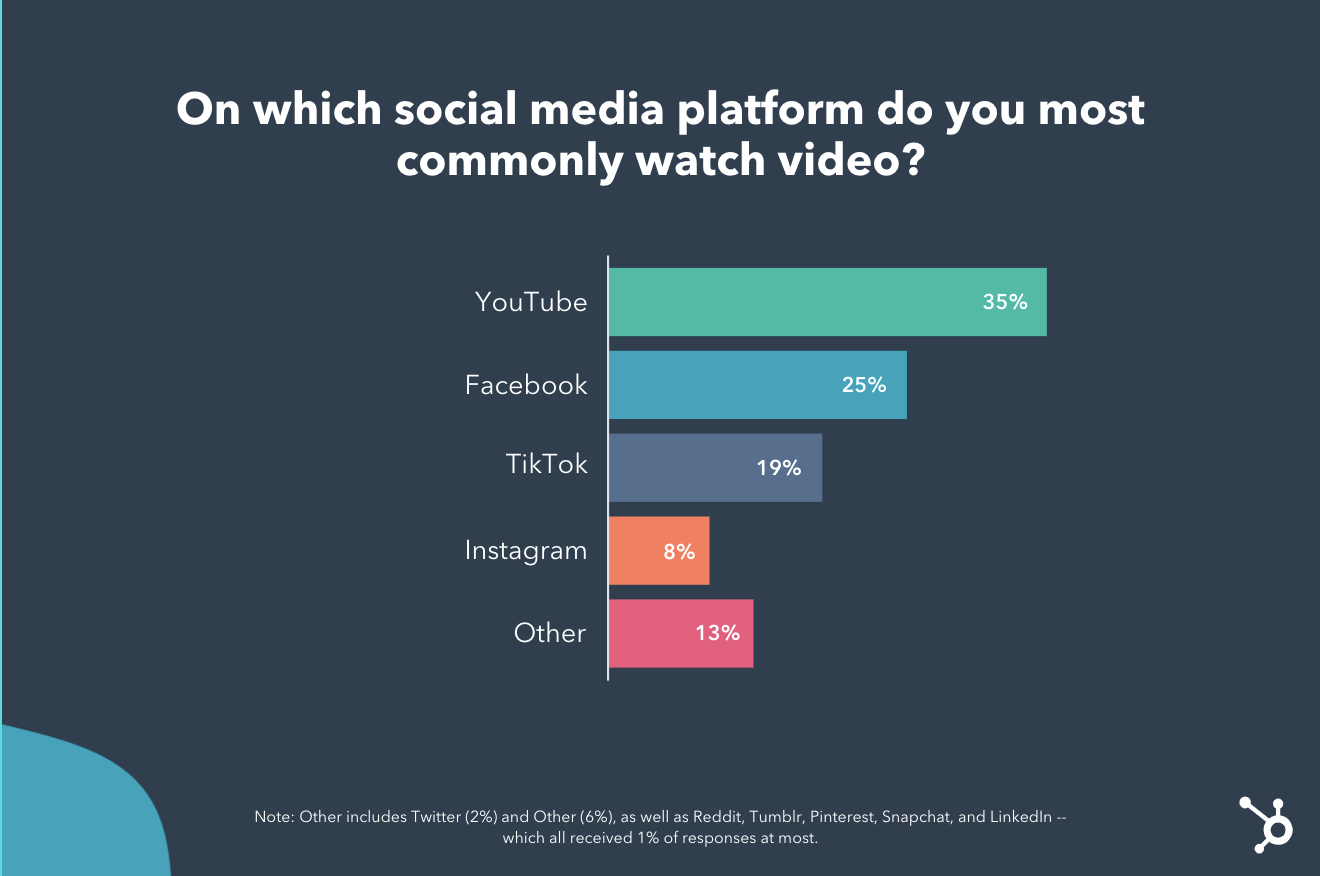
While it’s not surprising that YouTube or Facebook, some of the world’s biggest online platforms, are the preferred video viewing sites, only 8% of respondents said they primarily watch videos on Instagram — one of the pioneers of Stories and live video.
Another surprising find was that 20% of respondents — or 1 in 5 people — primarily use TikTok (the youngest social network on the list) for video viewing. While this doesn’t necessarily mean you need to shift your whole strategy to TikTok, it does show that the platform could continue to have a promising future for content marketers.
If this data has you worried that you’re publishing videos on the wrong platforms, take a breath. Remember that this is just one informal consumer survey. Had we polled a specific age group, people from a specific industry, or consumers from different regions, the results might have swayed to other platforms — like LinkedIn or Twitter.
However, even though this is just one small survey, it does remind us that a mix of older and newer platforms, like YouTube and TikTok, are the go-to video platforms for vast audiences.
In another study, we surveyed 310 social media marketers in the United States to find out which social media platforms they leverage, which formats they use, and their plans and expectations going into 2022.
In this study, we found the top format marketers leverage on social media is video content: short-form video (54%) and live videos/streaming (47%). Additionally, this format is known to be the most effective as well, as 85% of respondents said short-form videos, and 70% said live videos/streaming are most effective.
This being said, marketers reported that video content has the highest engagement levels and ROI on both Facebook and Instagram.
With this in mind, it’s not surprising that 95% of marketers who leverage short-form videos plan to increase their investment or continue investing the same amount in 2022. Additionally, 95% of marketers who leverage live videos/streaming plan to increase their investment, and 89% of marketers who leverage long-form videos plan to increase their investment or continue investing the same amount in 2022.
Now that we’ve gotten an idea of where consumers are primarily watching social media videos, we’ll walk you through a few tips for sharing the best videos for different social media audiences.
Tips for Sharing Social Media Videos
1. For most platforms, zone in on snackable content.
The world is becoming more fast-paced every day. While many people are watching social media videos in their spare time, some are watching them between meetings, while in line at the store, or on public transit. Even if people do have time to watch hours of video, there’s so much out there that they’ll want to scroll to more content almost immediately after their video starts.
That’s why one social media video strategy to focus on in 2021 is mastering the art of “snackable” or super short-form content.
“Using snackable videos on social can actually drive more engagement than static images,” says Meisha Bochicchio, Content Marketing Manager at Wistia. “A recent study found that 60% of marketers saw more clicks with video posts compared with static images.”
When it comes to creating effective snackable content, Bochicchio says, “First things first, keep in mind that most social media platforms will automatically start playing video content as viewers scroll. So, make sure your videos are autoplay-friendly. Keep them short and put your key messaging in the first few seconds. For example, take a look at this video from Wistia announcing their State of Video Report.”
“Remember that most people won’t hear your audio, so make sure your videos are also silent-friendly,”Bochicchio advises. “Consider text overlays, or upload captions directly on platforms like LinkedIn, Twitter, and Facebook.
In the video example below, Wistia marks the launch of their series “Show Business” with a captioned video that allows viewers to get key information without any sound.
To learn more about this strategy, check out this post on snackable content, or this post that highlights the latest short-form video trends.
2. Test different video formats, too.
While snackable content is a great tactic to harness in 2021, you can still publish longer videos, as long as they’re engaging and valuable to your audience.
For example, while people might not want to watch a two-hour commercial, they could watch a longer live video Q&A, an interview with a thought leader, or a video that tells a longer, but entertaining story.
While you can certainly test longer-form video, you can also test out other formats, such as live streams, interactive videos, and shopping videos on platforms like Instagram and Facebook.
As new video formats emerge, it can be helpful to determine if they might work for your brand and design a test around them.
Be sure you identify and track the right success metrics. For example, if you’re testing a longer video, look at its views and dropoff rate to see how long viewers stay tuned. Meanwhile, if you try a more interactive approach like a live stream or Q&A you can also take note of comments, engagements, and shares on the content while you’re live.
3. Meet your video audiences where they are.
As with any social media strategy, some content will perform better on some social media platforms rather than others. While snackable, consumer-facing content might perform well with YouTube, Facebook, and TikTok’s large consumer audiences, a B2B marketing video or a Q&A with a corporate thought leader might perform better on a professional-facing network like LinkedIn.
Luckily, to create a great marketing strategy, you don’t (and shouldn’t have to) place your videos on every single social media platform. However, you should research the demographics of each major network, identify which audiences might engage most with your content, and start publishing videos where it makes the most sense for your brand and goals.
Then, continue to keep an eye on platforms you’ve ruled out in case they continue to evolve and provide your brand more audience opportunities in the future.
4. Don’t always lean on repurposed content.
When I was a startup marketer, I loved to repurpose content whenever it was possible. And, back then, when social media platforms were less evolved, this strategy would work.
Today, it can still be beneficial for brands to repurpose some video content for different platforms when they have similar audiences and features. This can also be a great way to test whether your content strategy for one platform will work with one audience.
However, because knowing your social media audience is more important than ever, you might want to consider having a slightly different video strategy for your most important video platforms. While there will be times where you can easily repurpose content to save time or bandwidth, some platforms like TikTok and Instagram are evolving with algorithms that could deprioritize your content if it has a watermark from another network.
5. Embrace influencers — and customers.
Even if you’ve done all of your research and churn out videos daily, it can still be incredibly hard to post a viral piece of content that grows your audience.
Luckily, there are experts on every social media platform who know how to create videos. And, some of them will even create videos for you — and then share them with their audiences.
That’s why one great growth strategy can involve reaching out to influencers or thought leaders with expertise in your industry and either featuring them in your videos or getting them to endorse your brand in their content.
If you can’t afford to have an influencer help boost your video strategy, you can also look towards happy consumers. With this strategy, you can encourage customers to share a video about their experience with your brand on social media, or you can create a video filled with multiple pieces of user-generated content from happy customers.
Because today’s consumers crave authenticity from brands, user-generated content not only can provide you with free video content but can also spread brand awareness to prospects or people researching you on social media.
Navigating Social Media Content
More than ever, social media and content marketing are always evolving. As a marketer, it’s important to stay up to date with the latest trends and data to better inform your strategies — whether you’re investing in video or other tactics.
Editor’s note: This post was originally published in June 2021 and has been updated for comprehensiveness.