Social Media Demographics for Marketers in 2022
I get it, fellow marketers —sometimes, you just need the numbers.
The new year means a lot of things: new life changes, new opportunities, chances to change lives, and, for marketers, new campaigns to plan.
The juggernaut known as social media only gets bigger with every new year, and because of that, demographics shift with it. And, ultimately, keeping on top of important numbers before your social media campaigns can help you with ROI in the long run.

Here, we’ve compiled the state of social media demographics, optimized with the most important data you need to know about your audience and shaping your personas for 2022.
General Social Media Demographics
- Roughly 82% of Americans between 18 and 49 years old use at least one social media site. (Pew Research Center)
- The top way marketers find their audience on social media is by researching relevant online communities, such as Facebook Groups and subreddits. (HubSpot Blog Research, 2021)
- 84% of marketers are targeting Millennials in their social media strategy, followed by Gen X (52%), then Gen Z at 22%. Only 14% of marketers target Baby boomers. (HubSpot Blog Research, 2021)
- Most marketers say that short-form video content is the most popular content format for Gen X, Millennials, and Gen Z. (HubSpot Blog Research, 2021)
Facebook Demographics
General
- As of 2021, Facebook has over 2 billion monthly active users. (Statista)
- Users spend an average of 19.5 hours a month on Facebook. (Hootsuite)
Age and Gender
- Male consumers between 25 and 34 years of age represent the largest demographic on Facebook. (Statista)
- Globally, 56.4% of Facebook users identify as male while 43.6% identify as female. (Statista)
- Marketers believe Facebook is the most popular social media platform across all age groups. (HubSpot Blog Research, 2021)
Geography
- India has the most Facebook users at 349 million, with the United States in second place with 193.9 million users. (Statista)
- Nigeria, Egypt, and South Africa are the countries where Facebook users are growing the fastest. (eMarketer)
- In 2020, Facebook’s user base is declined in Germany, Japan, Switzerland, and South Korea. (eMarketer)
Takeaways
As the most popular social media network, Facebook is definitely a platform worth investing in. Its largest user group is Millennials but it still has a wide range of users across all ages. Furthermore, Facebook is popular worldwide, making it a great social media network for brands of all industries and locations.
Instagram Demographics
General
- eMarketer forecasts that Instagram will reach 1.1 billion users in 2022. (eMarketer)
- 500+ million users are active on the platform every day. (Instagram)
- Users spend an average of 10.3 hours a month on IG. (Hootsuite)
Age and Gender
- Males between the ages of 18 to 24 represent the largest demographic on Instagram, followed closely by males between 25 to 34 years old. (Statista)
- Most women on Instagram are between 18 and 34 years old. (Statista)
- The smallest age group on Instagram is senior males 65+. (Statista)
Geography
- For two consecutive years, the most geo-tagged city in the world on Instagram has been Los Angeles, California. (Mention + Hubspot)
- The country with the most Instagram posts in 2020 was the the U.S., leading with 571K posts, followed by Brazil with over 300K posts. (Mention + HubSpot)
- India and the U.S. lead the board as the countries with the largest Instagram audience sizes, similar to Facebook, (Statista)
Takeaways
Instagram is another leading social media platform with a large user base spanning all age groups. While it’s not as big as Facebook, it does offer advanced ecommerce features, making it incredibly popular among consumers and valuable to brands.
Twitter Demographics
General
- Twitter’s user base reached over 320 million users in 2021. (Statista)
- Roughly a quarter of Americans use Twitter. (Pew Research Center)
- Twitter ranks #12 in the world’s most visited websites. (SEMrush)
- Users spend an average of 5.6 hours a month on Twitter. (Hootsuite)
Age and Gender
- Most American Twitter users (65%) are between 18 and 29 years of age. ((Pew Research Center)
- Twitter’s user base heavily skews male with only 29.6% of users identifying as female. (Statista)
Geography
- The U.S. is the country with the most Twitter users, at 77 million with Japan right behind at 58.2 million. (Statista)
- 27% of U.S. adults living in urban areas use Twitter. (Pew Research Center)
Income and Education
- 34% of U.S. adults who earn $75K or more use Twitter. (Pew Research Center)
Takeaways
If you’re looking to build a community surrounding your brand, Twitter is a great place to start. It’s particularly popular in the U.S., so that aligns with your target audience, consider setting up your virtual shop there.
TikTok Demographics
General
- Users spend an average of 13.3 hours a month on TikTok. (Hootsuite)
- Because TikTok’s audience is younger, most users earn between $30K to $50K. (Pew Research Center)
- Tiktok has 1 billion monthly active users. (Influencer Marketing Hub)
- TikTok ranks #2 on the platforms social media marketers build communities on, behind YouTube. (HubSpot Blog Research, 2021)
- On average, consumers spend roughly 13 hours a month on TikTok. (Hootsuite)
Age and Gender
- 25% of U.S. TikTok users are between 10 and 19 years of age. (Statista)
- Only 18% of U.S. Tiktok users are 50+ years old. (Pew Research Center)
- Marketers believe TikTok is the second most popular social media platform with Gen Z, behind Facebook. (HubSpot Blog Research, 2021)
Geography
- TikTok is most popular in China with 600 million active daily users, followed by the U.S., Indonesia, and Brazil. (Business of Apps)
- In 2020, Latin America was the fastest-growing region for TikTok usage, excluding China. (Statista)
Takeaways
TikTok’s audience heavily skews young, with a large Gen Z population. As such, it’s a great platform for B2C brands targeting this demographic. With short-form video taking off, it’s an opportunity for brands to not only hop on a growing trend but do it on a platform that caters to their target audiences.
YouTube Demographics
General
- YouTube is the number one platform social media marketers build communities on. (HubSpot Blog Research, 2021)
- YouTube is the second most visited website in the world. (Hootsuite)
- 81% of U.S. consumers say they use YouTube, a 7% increase from 2019 and the biggest jump of all major social media platforms (Pew Research Center)
- On average, consumers spend 23.2 hours a month on YouTube, more than Facebook, Instagram, TikTok, and Twitter. (Hootsuite)
- YouTube has over 2 billion users. (Omnicore)
- YouTube accounts for over 25% of total worldwide mobile traffic by volume. (Sandvine)
Age and Gender
- 49% of U.S. internet users over 65 years of age say they use YouTube, compared to only 13% on Instagram, 7% on Twitter, and 4% of TikTok users. (Pew Research Center)
- YouTube’s largest advertising audience (21.2%) is 25- to 34-year-olds, followed by 35- to 44-year-olds. (Hootsuite)
Geography
- Roughly 15% of YouTube’s traffic comes from the U.S. (Alexa)
Takeaways
YouTube is the leading video platform, with a wide range of users from Gen Z all the way to Baby Boomers. Because it’s known for long-form content, users tend to spend much more time on this platform compared to other social networks.
With this in mind, brands should develop a long-form video strategy to capitalize on this huge traffic source and lead generator.
LinkedIn Demographics
General
- LinkedIn’s user base in 2021 is roughly 774 million, with 21% of that being U.S. internet users. (Statista)
- LinkedIn saw a slower user growth in 2021 (4.2%), compared to the previous year at 6.2%. (eMarketer)
- LinkedIn makes up the largest share of B2B display advertising in the U.S. at 32.3%. (eMarketer)
Age and Gender
- 56% of LinkedIn users identify as male while 43.1% identify as female. (Statista)
- Roughly 60% of LinkedIn users are between 25 and 34 years of age. (DataReportal)
Geography
- LinkedIn is used in 200 countries and territories. (LinkedIn)
- India, China, and Brazil have the largest LinkedIn user bases after the U.S. (DataReportal)
- Over 75% of members are outside the US. (LinkedIn)
Education/Income
- 51% of U.S. adults who have a college education use LinkedIn. Only 12% of U.S. adults earning less than $30K use the platform. (Pew Research Center)
- Half of U.S. adults who earn $75K+ use LinkedIn. .(Pew Research Center)
Takeaways
Although LinkedIn’s user growth has slowed down, it’s still the number one social media platform for B2B brands. It’s full of decision-makers and young adults entering the workforce prime for social selling.
Reddit Demographics
General
- There are 430 million users on Reddit. (Statista)
- Reddit saw 14.4% user growth in 2021. (eMarketer)
- 18% of U.S. internet users use Reddit, growing 7% from 2019. (Pew Research Center)
Age and Gender
- Gen Z makes up roughly 2% of Reddit users. (eMarketer)
- Reddit is made up of 62.8% male and 37.2% female users. (Statista)
- Only 3% of U.S. adults over 65 years of age use Reddit. However, 36% of U.S. adults between 18 and 29 years of age use it. (Pew Research Center)
Geography
- 46% of desktop traffic to Reddit.com comes from the U.S. (SimilarWeb)
- 21% of U.S. adults living in suburban areas use Reddit, compared to only 10% living in rural areas.
Takeaways
Along with YouTube, Reddit’s user base has grown significantly in recent years, compared to other social media platforms. This suggests that consumers are becoming more interested in what the network has to offer. From an audience perspective, it’s made up mostly of male Millennials, attracting most of its users from the U.S.
Snapchat Demographics
General
- There are roughly 306 million people users on Snapchat. (Snapchat)
- 59% of U.S. users check Snapchat daily. (Pew Research Center)
- 25% of U.S. internet users use Snapchat. (Pew Research Center)
- Snapchat users spend over 30 minutes a day on the platform. (Snapchat)
Age and Gender
- 65% of U.S. adults between 18 and 29 years old use Snapchat. (Pew Research Center)
- Only 12% of women living in the U.S. use Reddit, compared to 23% of men. (Pew Research Center)
Geography
- 28% of U.S. adults living in urban areas use Snapchat. (Pew Research Center)
Takeaway
One thing that’s clear with this Snapchat data is that young people love it. After Instagram introduced Stories, many thought Snapchat was on its way out. Turns out, it’s still a major player in the social media game. If your target audience is Millennials, you should definitely consider having a presence on that platform.
Feel free to refer to this list periodically as you’re working through your editorial calendars and audits for the new year. As this time of year calls for a fresh slate, the research behind your next incredible campaign has to be fresh, as well. Happy planning!

28 of the Best SEO Tools for Auditing & Monitoring Your Website in 2022
There’s nothing quite like a sudden Google algorithm update to leave you feeling equal parts confused and concerned. It seems as though search engines like Google wait for you to get all of your ducks in a row and then unleash an update that makes your efforts instantly obsolete.
Plus, there’s still some secrecy behind how Google evaluates websites and determines which sites appear — and how they appear — on the search engine results page (SERPs) for different queries.

The good news is that there are several search engine optimization (SEO) tools out there — some free, some paid — that can help you view
your website the way search engines like Google see it — this way, you can improve your ranking and relevance for your target keywords.
Note: Some of the free tools below also offer paid plans while some of the paid tools also offer free plans — so, we recommend you check out the pricing pages for the tools you’re most interested in to determine which plan is ideal for your needs and goals.
For universal SEO tips, you can use today to grow your business, check out our video guide below.
Free SEO Tools
These tools are free to use, but you might find a paid option that has more features. We’ve shared some of the best features in each tool as well as how you can get the most out of them for your SEO strategy.
1. HubSpot Website Grader
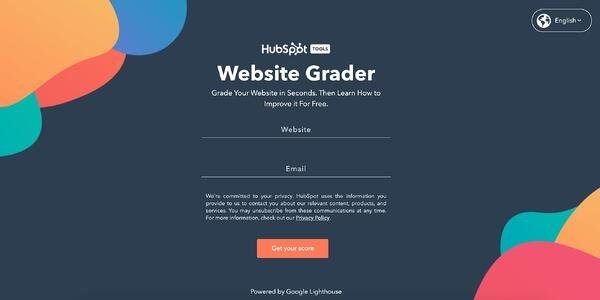
The goal of marketing is to generate traffic and qualified leads via the company’s website. That’s why, as marketers, we need to understand exactly what we can do to improve the SEO of that website.
With HubSpot’s Website Grader, simply enter the URL of your website to automatically receive a report card with actionable insights about your SEO efforts. From there, you can sign up for the HubSpot Academy SEO course that teaches you how to improve your website’s SEO, user experience (UX), and more.
With the HubSpot Website Grader, you can:
- Website performance: Learn about your website’s performance in seconds, and identify specific performance issues and receive clear, actionable feedback on how you can fix them.
- On-demand support: Receive how-to education on how you can improve your website.
- Improve specific website issues: Gain access to a five-lesson HubSpot Academy course on Website Optimization so you can understand how to improve upon your website’s specific problem areas.
- Optimize for mobile: Discover how to optimize your website for mobile.
- Boost web security: Learn how you can implement website security best practices.
- Enhance the user experience: Personalize your website’s UX to create a delightful experience for users.
2. Google Search Console
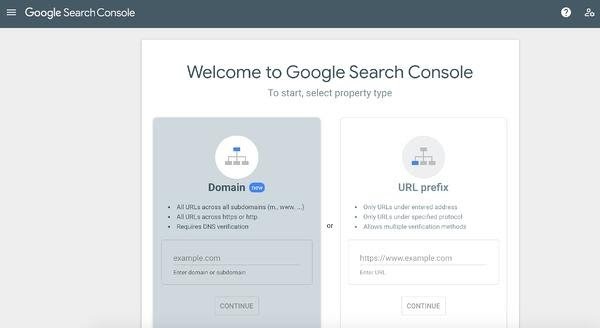
Google Search Console has a number of tools available to help you appear in the SERPs for the search terms and phrases your target audience is looking for.
If you’re the owner of a business or an SEO on your marketing team, Search Console can help you conduct an initial SEO analysis from scratch or update your existing SEO strategy with fresh keywords. Google Search Console monitors, debugs, and optimizes your website — and you don’t need to know how to code to benefit from this tool.
Here are some examples of website elements Google Search Console will teach you about and help you optimize:
- Keywords: Learn about the keywords your webpages are currently ranking for.
- Crawl Errors: Identify any crawl errors that exist on your website.
- Mobile Responsiveness: Understand how mobile-friendly your website is and discover opportunities to improve the mobile experience for your users.
- Google Index: See how many of your web pages are in Google’s Index (if they aren’t in Google’s index, you can use the tool’s URL Inspection Tool to submit a page for indexing).
- Analytics and Metrics: The website-related metrics that matter most to you, like clicks, impressions, average click-through rate (CTR), and average position.
3. Google Analytics
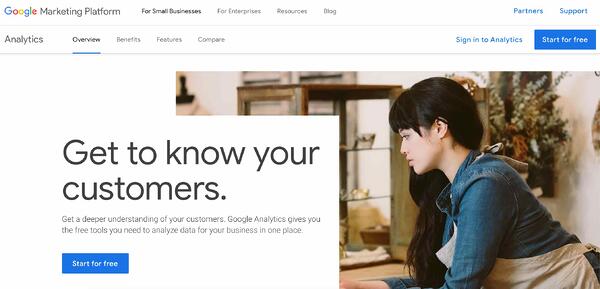
Although Google Analytics has a paid version, the free version of the product can help you manage your website’s SEO — this is especially true if you pair Google Analytics with Google Search Console. In doing so, all of your website’s SEO data will be centrally located and compiled, and you can use queries to identify areas for improvement with the keywords and phrases that you want your website and web pages to rank for.
Other ways that you can use the free version of Google Analytics to understand and improve your SEO are:
- Filtering your referral traffic: Get rid of the traffic that has the potential of ruining SEO reports, such as fake traffic.
- Compare organic versus non-organic website traffic: Understand where your visitors are coming from and optimize those channels to increase traffic.
- Determine engagement metrics: Use Site Content Reports to determine engagement metrics on each web page, engagement for the directories and pages on your website, page exit metrics, as well as acquisition, behavior, and conversion of landing pages.
- Review the Multi-Channel Report’s Assisted Conversions feature: Identify which of your channels led to the most conversions and the value they bring to your business.
4. UpCity Free SEO Report Card
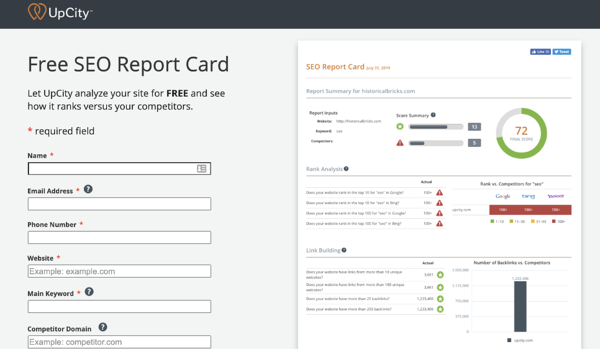
The Free SEO Report Card by UpCity lets you analyze your website to determine how it stacks up against the competition.
In exchange for your email address and a few data points, SEO Report Card will serve up a report that covers the following:
- Rank Analysis: A snapshot of where your website ranks on the most popular search engines.
- Link Building: A detailed account of the number of websites that link back to your site.
- On-Site Analysis: A look at how successful you were in incorporating your main keyword throughout your site.
- Website Accessibility: Information about your site’s load time and accessibility.
- Trust Metrics: An overview of your site’s level of trust or authority.
- Current Indexing: An indication of how many of your site pages have been indexed.
5. Internet Marketing Ninjas
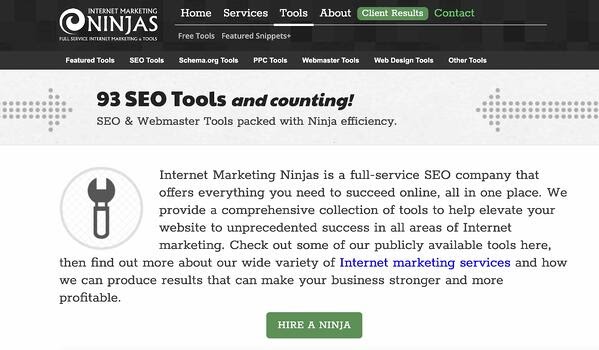
Internet Marketing Ninjas is an SEO-focused company with a variety of free tools you can use to compare your website against the competition, optimize web pages for certain keywords, generate meta tags, and increase organic traffic to your website.
Here are some examples of the free Internet Marketing Ninja SEO tools you can take advantage of:
- Broken link tool: Identify broken links and redirects and use the site crawl feature to generate an XML sitemap of your website.
- Image metadata: See all of your page links (external, internal, etc.) on your web pages to review what’s working well and what’s broken or needs an update.
- On-page optimization tool: Use this to evaluate your web page content, meta information, and internal links.
- Side-by-side comparison: Compare the SEO of your web pages versus a competitor’s web pages.
- Page load time: Analyze page-load time and how long each component of a web page takes to fully display.
6. Bing Webmaster
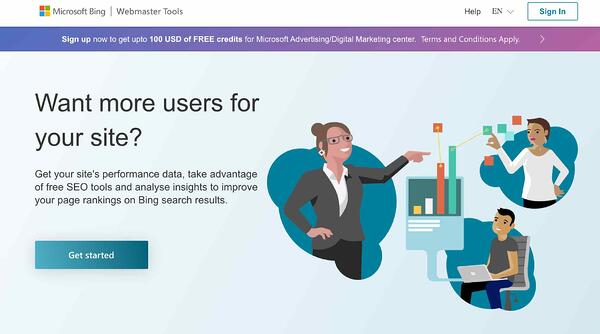
Microsoft Bing Webmaster gives you access to many tools that offer insight into your website such as reporting, diagnostic, and SEO tools. The SEO tools that you can use for free have the power to help you analyze your website, manage backlinks, and review keywords to ensure your site is well-optimized for organic search.
Here are some of the other things you can do with Bing Webmaster’s SEO tools:
- See backlink profiles: Learn about your backlink profile to understand referring pages, domains, and anchor links.
- Perform keyword research: Determine which keywords and phrases your audience is searching for as well as the search volumes of those keywords and phrases.
- Use the site scanning feature: Crawl your website and identify technical SEO errors.
- Get SEO reports: Review any errors that are on your website and individual site pages.
7. Google Trends
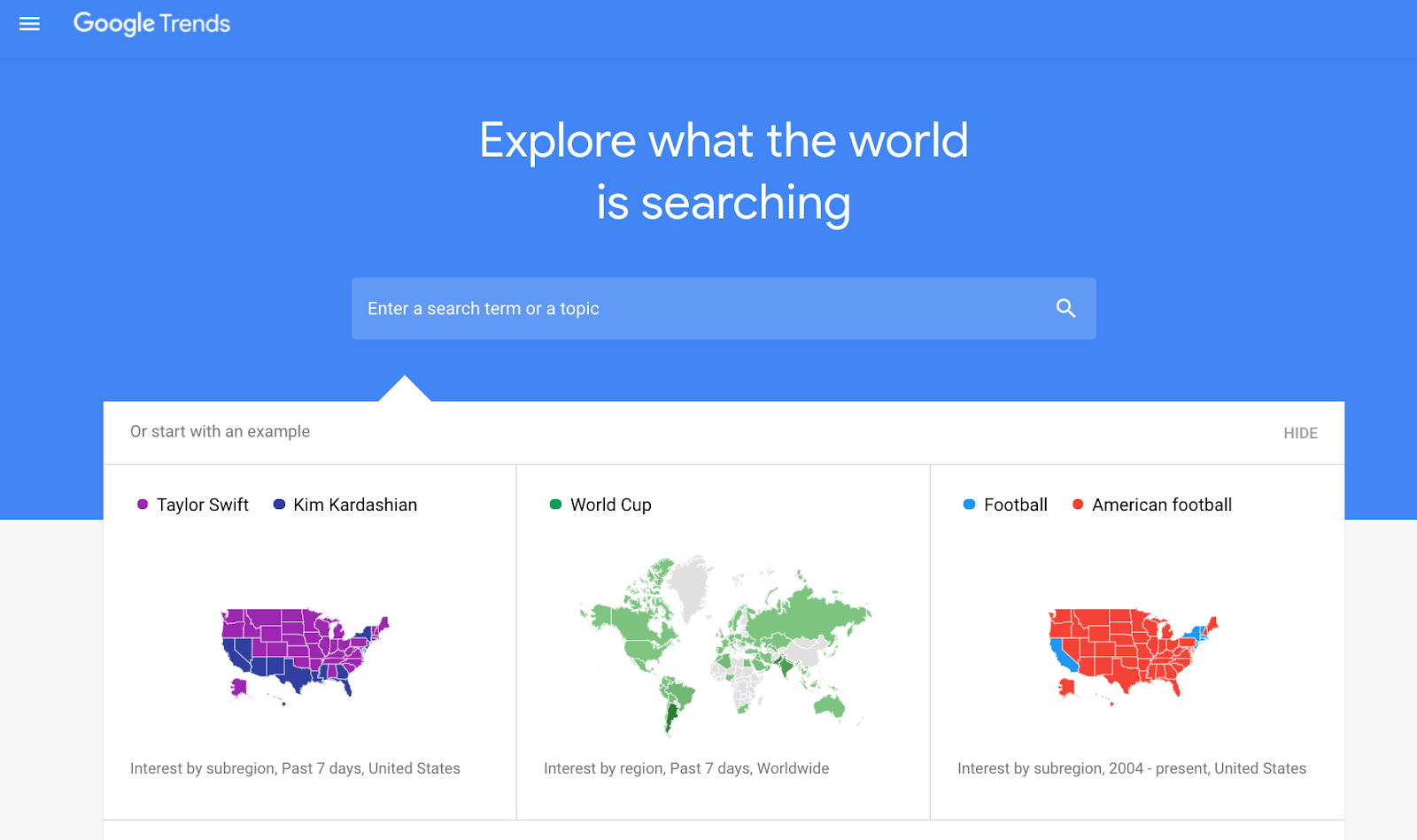
Traditional SEO tools like the ones we’ve already discussed are great for conducting research and audits when your business is already established. But what if you’re starting a new business venture and want to know what popular industries, topics, and ideas people are exploring? Google Trends is a great place to explore untapped potential that can yield a large keyword landscape for your website.
You’ll want to note that Google Trends isn’t where you’ll get granular data. This tool performs best when you use it as a compass to set a direction for your SEO strategy, and then pair those insights with a more robust software like HubSpot’s SEO Marketing Tool.
Here’s what you should look for in Google Trends:
- Trends: Look for trends in specific countries or regions of the world.
- Popular topics: Find popular people and long tail keywords related to them.
- Comparisons: Compare and contrast trends over time.
8. Seolyzer
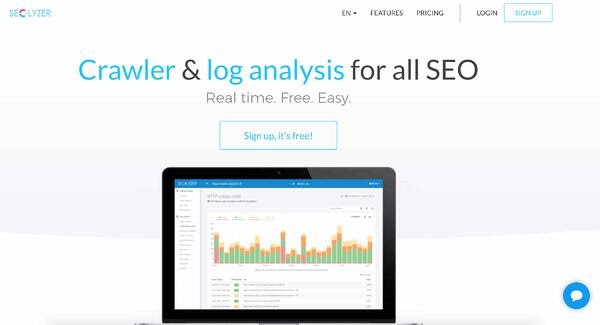
Seolyzer is a free site crawling, log analysis, and SEO tool that helps you determine how search engines like Google view your website. Seolyzer pulls information that crawling bots leave in your server’s log files while browsing your site to identify and create your SEO KPIs. The tool also identifies error codes, redirects, and page speed performance.
Additionally, Seolyzer can help you:
- Monitor SEO issues: Identify poor response time, error messages, and crawl volume so you can resolve them before serious damage is done.
- Manage your unique KPIs: Analyze page performance, crawl volume, HTTP status codes, active and new pages, and desktop versus mobile responsiveness.
- Segment web pages: Determine what your most crawled pages are.
- Compare web pages: See what Google deems as the most important to the pages that are crucial to your business’s bottom line.
- Measure SEO impact: Understand the impact of your SEO efforts on a page-by-page basis or by the category of the page.
9. SEOquake
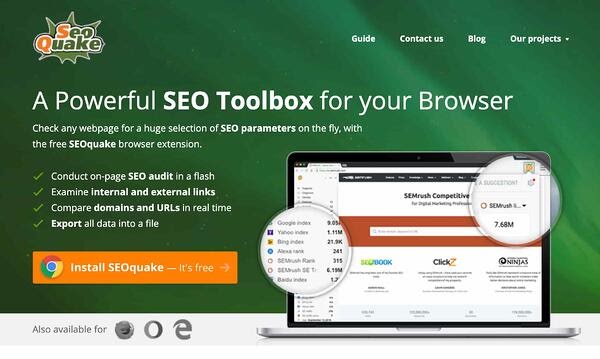
SEOquake is a Google Chrome extension that automatically checks a web page’s SEO parameters quickly for free. This includes on-page SEO audits, internal and external link reviews, real-time URL and domain comparison, and data file export.
Other things you can use SEOquake for are:
- Link Analysis: Get a detailed description of how all of your links are doing — including URLs, anchor text, and other link types — with the tools Link Examiner feature.
- Focus on metrics that matter: Adjust the SEOquake reports you receive to display only the parameters and metrics that you care about.
- Audit your website’s SEO: Identify any SEO-related issues that would be findable by search engines.
- Share your findings with stakeholders: Export the results of your SEO analysis into an adjustable and shareable report.
10. Seobility
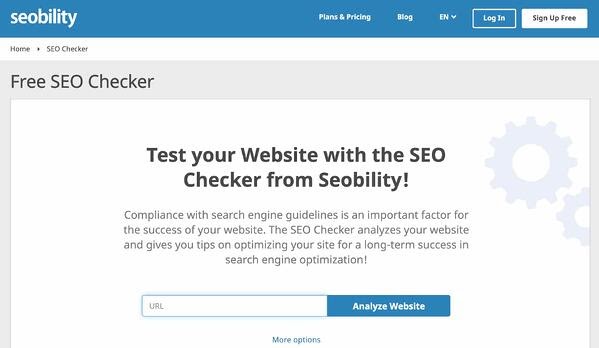
Seobility is a free SEO-checker tool. With it, you can test your website’s level of compliance with today’s SEO guidelines. By simply entering your URL, your site will be analyzed and you’ll receive tips on how you can better optimize your website.
In addition to a detailed SEO audit of your website, you’ll gain access to 1,000 subpage audits, email reporting and alerts, and keyword monitoring.
Here are some more advantages of using Seobility:
- Find technical errors: Resolve on-page SEO issues quickly to recover lost traffic and prevent future traffic dips.
- Accurate SEO scoring: Receive an SEO score that accounts for various website factors including meta-information, page quality, link structure, and more.
- Meta information analysis: Understand the specific SEO issues with your meta information such as meta titles/ descriptions, meta tags, and invalid or incorrect domain names or page URLs.
- Optimization opportunities: Identify areas for improvement regarding your page speed and quality (related to text, duplicate content, responsive design, and alt attributes for content).
- Link structure suggestions: Understand how your page and link structure can be improved by getting data about your headers, internal links, and incorrect anchor text.
- Server error fixes: Identify specific server errors related to any redirects, HTTP headers, or CSS and Javascript files.
11. Check My Links
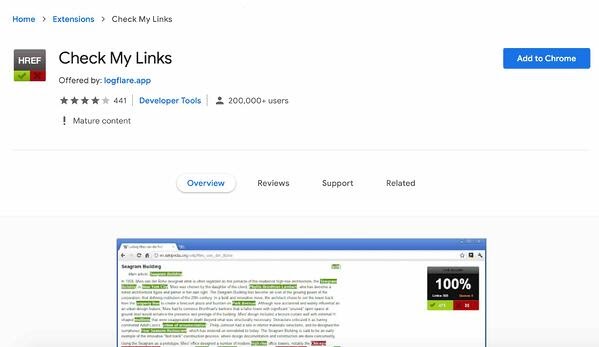
Check My Links is a Google Chrome extension that you can use to ensure your links on both internal or external web pages work. For instance, if you were to search a term on Wikipedia, Check My Links would be able to tell you how many links that Wikipedia page has in total and how many of those links are broken.
This is helpful because you can make corrections to broken links immediately (or hopefully, before a page goes live). Check My Links is ideal for developers, content editors, and web designers according to its creators.
Here are some more examples of what Check My Links can do:
- Identify broken links: Check each link on your webpages and identify all invalid links.
- Auto-highlight issues: Quickly see the good links in green and the broken links in red.
- Export broken links for further analysis: Copy all of your bad links to your clipboard in one click.
12. BROWSEO
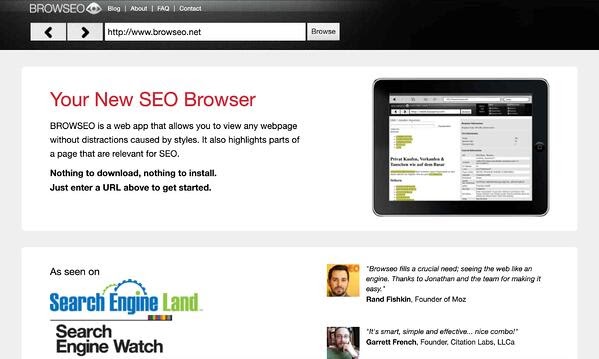
BROWSEO is an SEO browser that allows you to review your webpage in a limited format so you can analyze its UX and content as well as gain insight into its SEO. Once you input the URL, the output will hone in on your HTML so you’re able to understand the page’s structure, optimized search terms, and other SEO-related factors.
Examples of what you can do with BROWSEO include:
- See the number of words on the page: Find the sweet spot for copy length on your webpages.
- Determine the number of internal and external links on your page: This allows you to see how your linking strategy is working on each page.
- See all of your meta information: Review title tags, alt text, and meta descriptions.
Paid SEO Tools
Next, let’s look at some paid SEO tools. (Note that some of these tools have free trial periods. Some also offer entirely free plans but with restrictions in terms of flexibility and customization.)
1. HubSpot SEO Marketing Software
Price: $45/ mo for the Starter plan, $800 for professional, and $3,200 for enterprise.
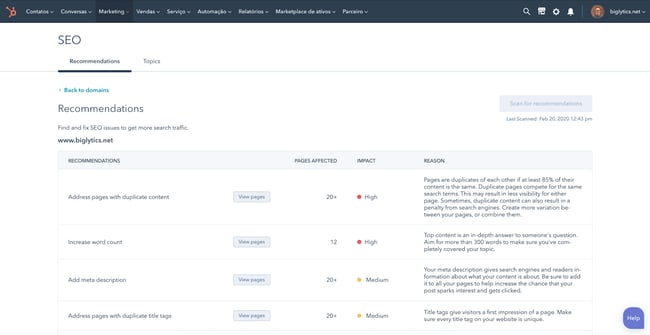
HubSpot’s Marketing Hub includes an SEO marketing software tool that’s perfect for helping you build authority across your website. Since this software is integrated with HubSpot landing pages, webpages, and blog posts, you’ll never miss an opportunity to optimize your content for traffic and conversions.
No matter if you’re creating your first content strategy or you’re an expert in all things SEO, HubSpot’s SEO Marketing Software gives you the tools and the confidence to rank in the SERP and report on your performance.
HubSpot’s marketing software doesn’t keep SEO in a silo. This tool works in conjunction with:
- Email: Send professional emails using your own branded designs.
- Marketing Automation: Create dynamic campaigns for segmented audiences.
- Lead Management: Track leads through each stage in your sales process.
- Analytics: Review your campaign to identify success and opportunities for improvement.
2. Ahrefs
Price: Seven-day trial for $7, $99/ mo for Lite, $179/ mo for Standard, $399/ mo for Advanced, $999/ mo for Agency
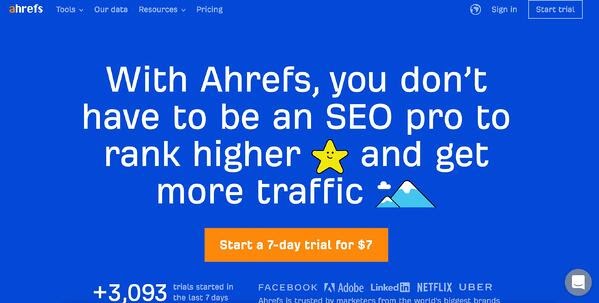
Ahrefs is an advanced SEO resource that examines your website property and produces keyword, link, and ranking profiles to help you make better decisions on your content.
Some of Ahrefs’ main features are:
- Site Explorer: Shows you the performance of specific webpages on your website.
- Content Explorer: This allows you to search high-performing webpages under specific keywords and topics.
- Keywords Explorer: Generates the monthly search volume and click-through rates of specific keywords.
- Site Audit: Crawls specified verticals within your domain and reveals a number of technical issues at the page level.
3. SEMrush
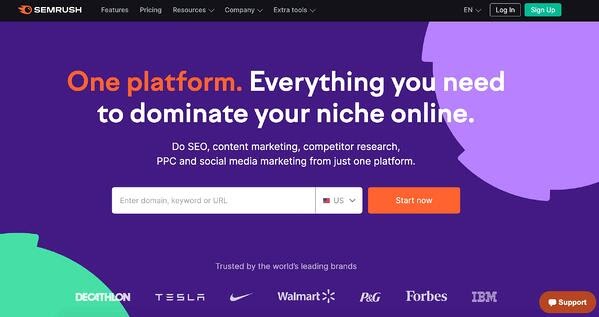
Price: $119.95/ mo for Pro, $229.95/ mo for Guru, or $449.95/ mo for Business
SEMrush is an elaborate dashboard that reports on the performance of domains as a whole and their specific pages. SEMrush offers numerous resources, one of which is the SEO Toolkit.
Toolkit allows you to track a website’s visibility improvement over time as well as identify which keywords it’s ranking for, what the page’s rank is for a keyword, the keyword’s monthly search volume, and more.
SEMrush also allows you to:
- Build links: Analyze backlinks from other websites to your site.
- Use the Keyword Magic tool: Identify all keywords you need to successfully build an SEO strategy.
- See your competitors’ strategies: Identify the paid keywords or ad copy used in the PPC ads of your competition.
- Receive recommendations: See how you can increase your organic traffic by optimizing your content.
4. KWFinder
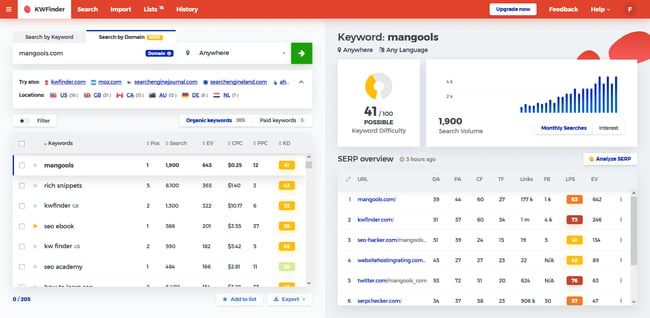
Price: 10-day free trial; $29/mo
Sometimes you don’t need an SEO tool with all the bells and whistles if you only need to do keyword research. KWFinder is a great software that fills the gap between nuts-and-bolts SEO work and copywriting. You’ll find keywords that aren’t too difficult to rank for but still carry the potential to bring in traffic.
What makes KWFinder unique is how seamlessly it shifts between languages and regions so that you can serve your audience no matter where in the world they are.
Some of the top features KWFinder offers include:
- Hidden long tail keyword insights: Find long tail keywords that give you more opportunities to acquire traffic.
- Competitor keyword insights: See how your competitor’s keyword strategy compares to your own, plus find more keyword opportunities.
- SERP analysis tool: Analyze competition in the SERP to understand what elements readers are looking for on your pages.
- Local keyword research tool: See what searchers are looking for locally and appeal to local markets for more niche traffic.
5. GrowthBar
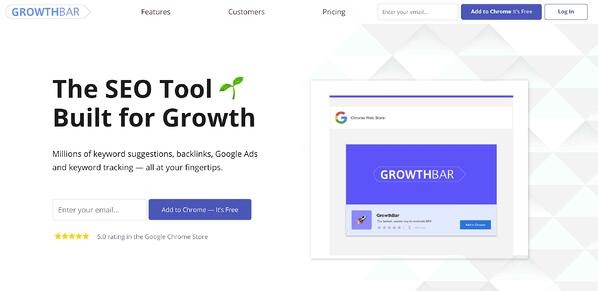
Price: Free five-day trial, $29.90/ mo for Basic, $39.90 for Premium, and $79.90 for Agency.
GrowthBar is a Chrome extension that can help you perform keyword research, competitive analysis, and track SEO rankings. With the GrowthBar, access data points about any website directly from the search engine results pages. This allows you to assess your competitors’ performance and view the growth channels, keywords, backlinks, and ads that are working for them.
Here are some more key features of GrowthBar:
- Use the Top Keywords and Backlinks feature: See which paid and organic keywords are driving the most traffic for your website and get a list of the most authoritative backlinks pointing to your site.
- Get your Keyword Difficulty Score: Quickly assess how hard it would be to rank for a particular keyword based on the strength of the domain authorities of the URLs ranking on page one.
- Use the Word Count tool: View the word count of any page directly from the SERP.
- Run Facebook Ads: Get a visual of what they look like from a search engine’s perspective.
- Use the Keyword Suggestions tool: Get a list of related keywords you might want to rank for along with their Search volume & CPCs.
6. Woorank
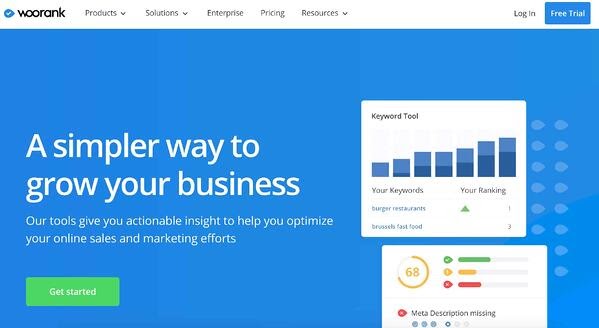
Price: Free 14-day trial, $79.99/ mo for Pro, $199.99/ mo for Premium, or contact for Enterprise quote
Woorank’s in-depth site analysis helps marketers reveal opportunities for optimization and improvement. This analysis takes into account the performance of existing SEO initiatives, social media, usability, and more.
Each report is divided into sections to help you easily analyze your site and identify targets for optimization. Here are a few features of the report:
- Marketing Checklist: Review common marketing tasks that you can complete as part of your SEO strategy execution.
- SEO: Analyze your SEO metrics against your goals.
- Mobile: Decide which mobile optimization tactics to employ based on the mobile data.
- Social: Get insight into how social media is playing a part in your traffic and SEO goals.
7. BuzzStream
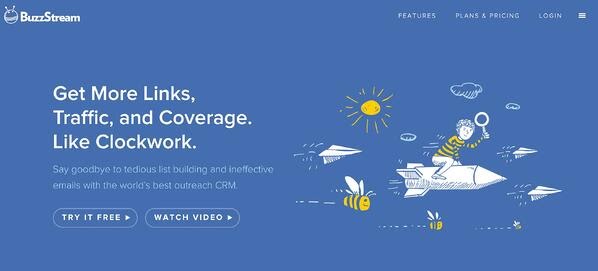
Price: Free 30-day trial, $24/ mo for Starter, $124/ mo for Group, $299/ mo for Professional, $999+ for Custom
Although backlinks to your website are critical to ranking well on Google, the outreach you do while link building can feel a lot like cold calling. BuzzStream makes it easy to research the appropriate people, come up with effective email messages, and track who’s accepted each link request.
BuzzStream also helps you:
- Identify candidates for outreach: Find them based on their industry and how engaged they are across various social networks.
- Identify candidates for backlinks: These are individuals who will likely be receptive to your backlink request for other reasons that are unique to your business’s niche.
8. Moz Pro
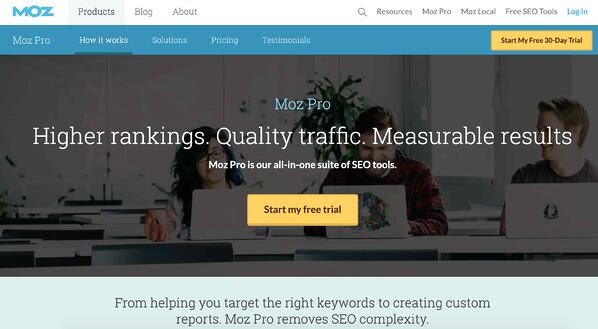
Price: Free 30-day trial, $99/ mo for Standard, $149/ mo for Medium, $249/ mo for Large, $599/ mo for Premium
The Moz Pro subscription serves as an all-in-one tool for increasing your business’ search ranking. Moz’s collection of research tools provides subscribers with the resources they need to identify SEO opportunities, track growth, build reports, and optimize their efforts.
Moz Pro also includes:
- Website crawler: Analyzes up to 3,000 links on a given URL.
- Email report: Details that crawl data for the pages your site links to.
- Insight into various “crawlability” factors: These include duplicate content and redirects that could be influencing your SEO performance.
9. Linkody
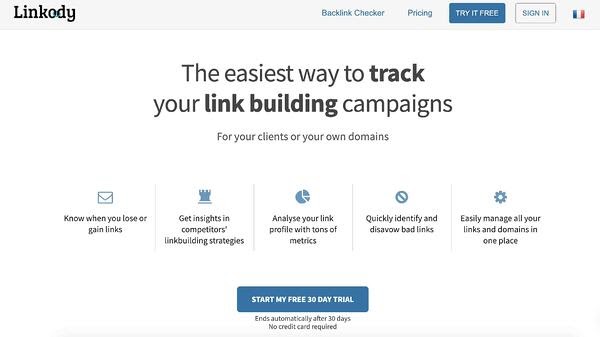
Price: 30-day free trial; $14.90/ mo for Webmaster, $24.90/ mo for Advanced, $49.90/ mo for Pro, 99.90/ mo for Agency, and $153.90 /mo for Agency XL
The best way to understand the performance of your off-page SEO is by having a good overview of your backlinks. Linkody allows you to discover, track, analyze, and disavow backlinks all from an easy-to-use interface.
Aside from that, the tool checks your links 24/7 and informs you of any changes so you can take immediate action in case a link is lost or broken.
Other Linkody features include:
- “Spy” on your competitors’ backlinks: Simply enter the URL of your competitor and let the tool pull all the links and metrics. The information returned will help you discover niche-relevant, high-quality backlink opportunities for your brand.
- Gain useful insights: See your most important metrics when it comes to backlink tracking, such as the ‘rel’ attribute, Google indexation status, the website’s Domain Authority, Spam Score, Alexa rank, and more.
- Create white-label reports: Download reports that can be shared with your team and/or clients to get a better idea of your backlink distribution and link-building progress.
10. Screaming Frog SEO Spider
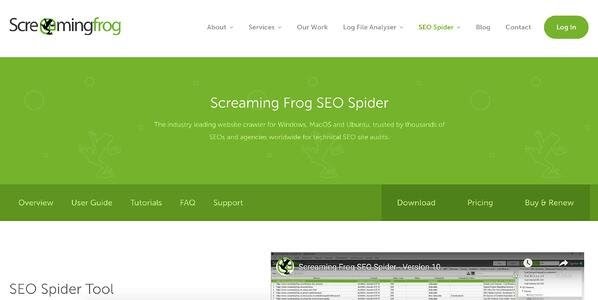
Price: Free or €149/ year
Designed specifically for the SEO-minded, this program crawls the websites you specify, examining the URLs for common SEO issues. This program simplifies and expedites an otherwise time-consuming process — especially for larger websites. (It could take hours or days to manually evaluate the same URLs.)
Other notable features of Screaming Frog SEO Spider are:
- Java Program: Screaming Frog includes an intuitive Java program with easy-to-navigate tabs.
- Easy export to Excel: Further analyze your SEO data.
11. Remove’em
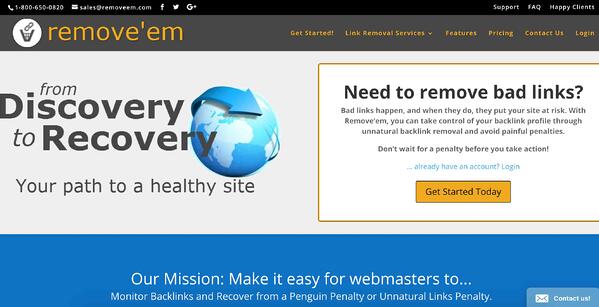
Price: $249 one-time payment for Life-Time plan, $99/ mo for Subscription (one website), or $899/ mo for Agency (10+ websites)
If you’re buying a website domain that has been used in the past, or you’re rebuilding a poor SEO strategy, you may discover some problematic backlinks while conducting your audit. Artificial or unnatural links have the potential to seriously hurt your search ranking. Remove’em helps get rid of those links.
This tool has the ability to:
- Scan your backlink profile: Discover a list of contact information for the links and domains you’ll need to reach out to for removal.
- Export a list of backlinks: If you wish, you can disavow backlinks by telling Google not to take these “bad” links into account when crawling your site.
12. AnswerThePublic
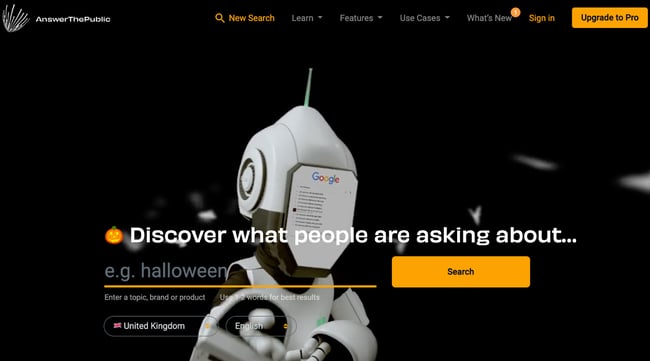
Price: $99/ mo for Monthly plan, $79/ mo for Annual plan, $199/ mo for the Expert plan
AnswerThePublic is a search listening and keyword tool that listens to autocomplete data from Google and other search engines, and then provides you with a list of phrases and questions that people are searching for around your keyword. This allows you to craft your website and content to your audience to increase traffic and conversions.
With AnswerThePublic, you can also:
- Receive updates: See when people are talking about your most relevant keywords.
- Monitor keyword trends: Understand keyword research behavior among your target audience and customers.
- See real-time searches: View the keywords and phrases that your audience is researching in real-time.
- Get ideas for your website and blog: Discover new content ideas based on relevant keyword research.
13. Keyword Hero
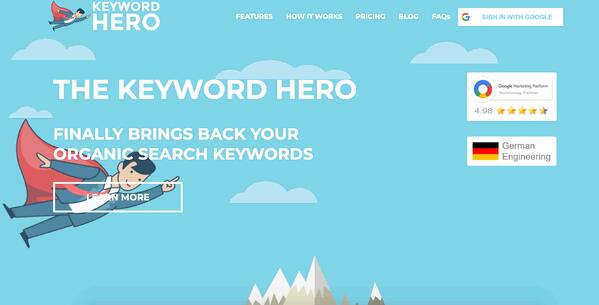
Price: 14-day trial for any plan, Free for Little Hero, $9/ mo for Big Hero, $49/ mo for Giant Hero, and $149/ mo for Ultimate Hero
Keyword Hero pairs your visitor’s sessions with the keywords they used to land on your page, all within your Google Analytics account. In other words, this tool gives you an understanding of the search intent of your organic traffic.
Here are some more actions you can take with Keyword Hero:
- Identify the organic traffic and conversions: Uncover the success you receive from your intended keywords.
- Separate traffic: Identify brand versus non-brand search traffic.
- Optimize your position in the SERPs: Optimize your website for specific target keywords.
- See query details: Understand whether your visitors used informational versus transactional queries to find on your website.
14. SpyFu
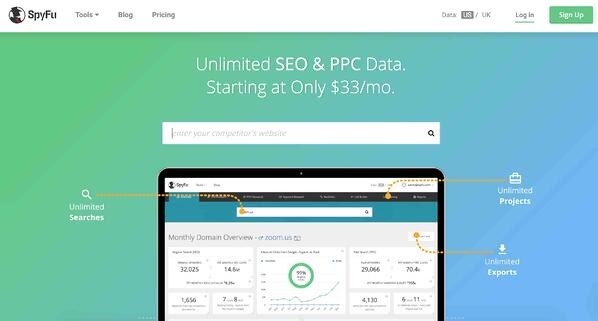
Price: $39/ mo for Basic, $69/ mo for Professional, $129/ mo for Unlimited.
SpyFu is a competitor keyword research tool for Google Ads. In addition to keyword research, it helps with PPC competitive research, SEO competitive research, and the creation of custom lists and domains.
The tool helps you drive traffic to your Google Ads campaigns and website, monitor both paid and organic rankings on Google, Bing, and Yahoo, and obtain reliable and accurate contact information for leads.
With SpyFu, you can also:
- Download a competitor’s PPC keywords: Use this insight to develop more competitive PPC strategies that can compete in the ad space.
- Download a competitor’s SEO keywords: Use this insight to develop more competitive organic keyword strategies that can compete in the SERP.
- Review ranking trends: the ranking of a page or website for a keyword over time.
- Discover keyword ideas: Keyword advice for your Google Ads to increase chances of conversion.
15. Seomater
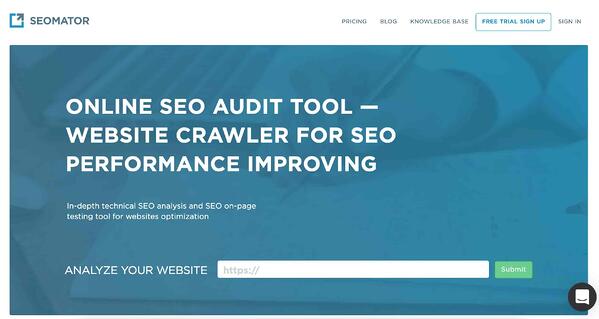
Price: Pay as You Go (starting at $5), $19/ mo for Small Business, $49/ mo for Professional, $179/ mo for Unlimited.
Seomater is an SEO auditing and website crawling tool. It assists with technical SEO analysis and SEO on-page optimization testing. Once the tool crawls your site, you’ll receive an SEO report that explains your website’s various SEO-related elements including internal and external links, backlinks, page quality and speed, social media, organic presence, and more.
Your analysis will also come with tips on how you can improve each of these SEO elements. In addition, you can:
- Use the SEO Monitoring Alerts feature: Your website will be automatically crawled and you’ll get an immediate notification if something is problematic in terms of SEO.
- Get detailed reports: Find insights about your on-page and off-page SEO elements.
- Use the Domain Comparison tool: Compare two competitors’ websites to identify the strengths and weaknesses of their SEO (such as broken links, content quality, HTML tags, and more).
16. ContentKing
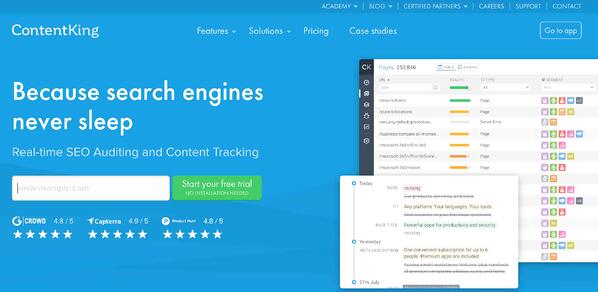
Price: $139/ mo for Basic, $319/ mo for Standard, $449/ mo for Pro, or $1,279 for Enterprise.
ContentKing is a real-time SEO auditing and content tracking tool — it tracks your website 24/7 so any issues related to SEO don’t go unnoticed for too long. The tool is cloud-based, meaning there’s no installation required and your data and reports are available whenever you need them.
With ContentKing, you can also:
- Improve your SEO: Use ContentKing’s 24/7 website audits (and algorithms) to gain insight into your SEO and receive tasks that will help you optimize your webpages.
- Get alerts: Get notified whenever something on your website is broken or is no longer well-optimized so you can efficiently fix the issue.
- Track Changes: Follow the history of all your content changes on your site (such as changes on individual web pages and changes in robots.txt) and search the history of your changes.
- Visualize data: See real-time dashboards and reports.
Now that you’ve learned about some of the best free and paid SEO tools on the market, determine which option will help you achieve your SEO goals and get started auditing, optimizing, and monitoring your website, individual web pages, and content.
Editor’s note: This post was originally published in December 2018 and has been updated for comprehensiveness.

How Consumers Responded to Black Friday Ads in 2021 [+Trends to Watch]
After 2020, there were big expectations for what 2021 could bring. Some predicted lower Black Friday sales as supply chains struggle to meet demand. Others said 2021 would bring record numbers.
As an advertiser, you might want to learn more about growing online purchasing behaviors – and how you can leverage them in 2022.

Below, we’ll highlight what we learned from polling 300+ consumers after this Black Friday. Then, we’ll present a few consumer behavior predictions you’ll need to know about when determining your 2022 Black Friday ad strategy.
What We Learned About Black Friday Shoppers in 2021
To help marketers discover more about the consumer behaviors behind Black Friday’s 2021 results, I surveyed a pool of more than 300 people using Lucid Software. The goal was to learn what led them to engage with or purchase products in Black Friday ads.
Here’s what we learned from our results.
1. Social media was the leading driver for ad engagement.
With Black Friday deals comes an inundation of Black Friday ads throughout all forms of media. It’s no surprise that millions of people shopped on Black Friday – but which ad strategies actually led to purchases?
When I asked participants, “Did you engage with any online ads or promotions for Black Friday?” 56% said they engaged with one or more ads in some way, while only 26% said they ignored them.
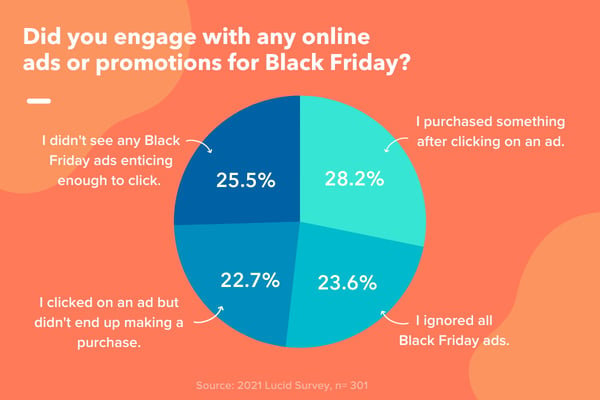
We also found that social media was the number one place consumers engaged with ads, with 54% of consumers surveyed clicking on ads they saw on a social network.
Social media is a big revenue driver when it comes to Black Friday ads and the opportunities it offers continue to expand. Let’s take a look at Instagram for example.
You can discover a brand, scroll through their profile, see a product you like, and complete a purchase without ever leaving the platform.
With so many social media platforms offering ecommerce features, brands can attract shoppers at every stage of the buyer’s journey and consumers can experience a seamless shopping experience. It’s a win-win.
From an advertising perspective, this is a big indication that brands should be well prepared for social media ads as Black Friday approaches.
Instead of waiting for the week before Black Friday, where timelines are already flooded with ads, consider starting early and you may get better results.
That said, having an online presence beyond social media is also important. Our survey found that while most of the ads consumers clicked on came from social media, 23% clicked on ads they saw on brand websites and 22% on search engines.
With this in mind, it’s important to diversify your ad channels, as each has the potential to drive revenue.
2. Consumers showed interest in technology and electronic deals.
Aside from the ad’s location, the product or service advertised could have played a role in an audience’s level of engagement.
To get an idea of which products were most popular, I asked survey participants, “Which industries were you most interested in shopping?” 49% answered “Electronics and appliances.”
This mirrors data from SEMrush, which shows that the most popular and searched products include laptops, televisions, watches, headphones, video games, and cellphones.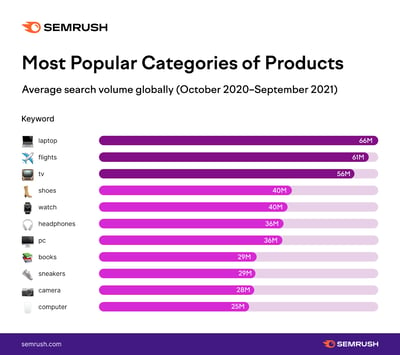
Amazon reported that its top-selling items were also electronics: Apple Airpods, the Fire TV Stick, the Echo Dot, smart lightbulbs, and more.
This is great news for brands that fall within this industry, as Black Friday is a great opportunity to drive traffic to your products.
3. Consumers are shopping more online.
40% of Lucid survey respondents said they shopped exclusively online, with only 7% doing an even mix of online and in-person.
Although traffic at retail stores is up almost 50% from last year, it’s still not back to pre-pandemic numbers, according to a CNBC report.
Ecommerce brands are benefiting from this recent shift, with Shopify reporting a 21% increase in Black Friday/Cyber Monday sales year-over-year. Globally, the platform reached peak sales of $3.1 million per minute on Black Friday.
However, what data does suggest is that online ads can drive shoppers to head to stores in person. Fiffy-four percent of consumers surveyed on Lucid said that they visited a store to grab a deal they saw in an ad online.`
3 Predictions for Black Friday 2022
1. Brands with a strong social strategy will outperform those without one.
Our survey results and mounting research continues to show the growing importance of developing or constantly improving a web presence.
And as we mentioned, an online web presence might not just be a nice perk for your customers. It might result in ROI for your brand, especially on Black Friday.
Growing an online presence doesn’t have to be expensive and daunting.
For example, if you’re just dipping your toes into online marketing, you could start with free strategies like building a social media profile, launching a basic website, starting a marketing email, or creating a Google My Business for your store.
Then, once you’re comfortable, experiment with larger investments such as buying online ads.
The strategies above will allow people across the web to learn more about your brand, offerings, or services. These tactics could also make it easier for prospects to find you when they’re researching products or services in your industry.
2. Consumers will start shopping earlier.
In previous years, shoppers waited closer to Thanksgiving weekend to start shopping. This year, things are changing.
According to the National Retail Federation, this early shopping trend has been rising since 2011.
They report that most consumers (61%) started shopping as early as Halloween this year, almost a month before Black Friday. In fact, some completed roughly a third of their holiday shopping by the beginning of the month.
In addition, shoppers aren’t just waiting to stumble upon ads, nearly 48% of Lucid respondents surveyed said they actively searched for Black Friday deals and promotions.
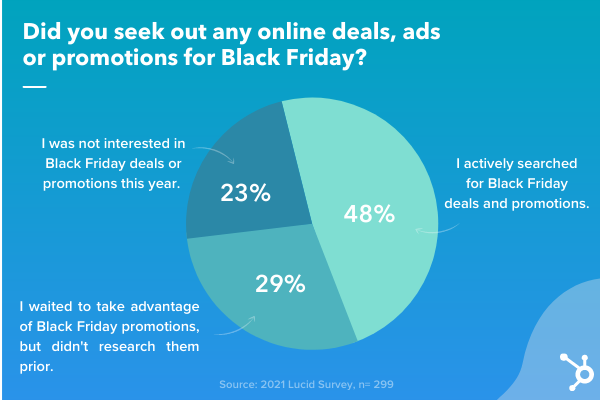
For advertisers, this means launching ads early to reach consumers as they’re starting to shop for the holiday season.
3. Shoppers will be more intentional about where they spend.
In early 2021, Intuit ran a survey of over 1,000 Americans and found that 70% are supporting local businesses.
The survey also revealed that Millennials and Gen Z are more likely to support local businesses by only shopping online (45 percent).
This intentionality was also apparent during Black Friday 2021. Among the consumers surveyed in our Lucid poll, 63% said they either prioritized shopping from small or local brands or did a combination of small to large businesses.
5 Tips for Creating Effective Black Friday Ads
1. Plan (and launch) early.
This year, consumers started holiday shopping early.
We can’t predict with full accuracy what things will look like next year. So, in absence of knowledge, it’s better to stay ready so you don’t have to get ready.
In other words, don’t start planning your promotion strategy in early November. You want to give your team enough time to plan an effective strategy that will reach your target audience at the right place and at the right time.
You’ll need enough time to craft a plan, develop the strategy, build the creative assets, and launch the campaign. You’ll also need to account for any obstacles you may encounter along the way.
2. Highlight how a service or product can solve for your customer.
Your ads should aim to educate ideal customers about your offerings, how they can help them, or why they might need them in their daily lives.
But, how do you convey that your offerings are valuable, important, or necessities when you don’t actually sell an essential product? Although it can take some creativity, it is possible to do this.

Above is an example of Twitter content from InfoArmor, an information security service owned by Allstate.
In the tweet, InfoArmor shared a blog post about the dangers of information security when working remotely and how InfoArmor could protect remote employee information.
3. Diversify your promotion channels.
We mentioned that social media is a huge revenue generator during Black Friday.
However, that doesn’t mean it’s the only channel you should leverage to attract shoppers. In fact, you should promote your ads across all channels to maximize your reach.
Have a newsletter? Share your offers there. You could also consider running a Google Ads campaign.
Regardless of which online platforms you embrace, be sure to create content that speaks to those customers, rather than just placing a basic ad on every website you can access.
By creating content that’s tailored to platforms your customers use, you’ll increase the likelihood of catching their eyes as they scroll through endless web pages, feeds, or email inboxes. And, once you grab their attention, you can use that content to highlight your value proposition in an entertaining or interesting way.
For example, if you’re creating an ad for Instagram, it might be tempting to just use a picture of the ad you made for a website or newspaper on with a basic caption.
But, that might not be engaging for people scrolling through their feeds looking for valuable product information or entertaining content. Instead, consider creating a short marketing video or a series of photos of customers with your product to better engage this audience.
Below is a great example of a Black Friday post that could also work well as an ad on Instagram. The post shows a video demo of someone from Hair Vivi putting on one of the brand’s wigs.
While the video shows viewers how easy it is to put on the wig, the caption also highlights the product’s value and the company’s Black Friday deals.
4. Present deals, sales, or affordable offers.
Aside from aiming to buy products with the best value, budget-conscious shoppers will also be looking for the best deals this holiday season.
If you can offer a deal or sale on your product or offering, embrace that information in your advertising.
Here’s a great ad from Walmart that highlights all the online deals they’ll be offering this year:
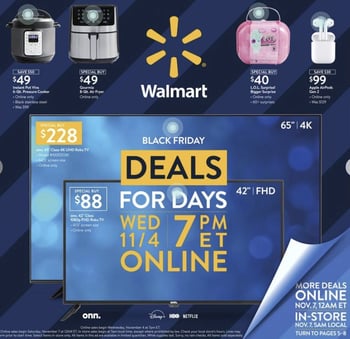 Along with the ad highlighting a bunch of great deals and alternatives for Black Friday in-person sales, the ad is also interesting because it’s interactive online but formatted so it can also work as a static print ad if needed.
Aside from the ad above, Walmart has created content with a similar aesthetic and deal-oriented message for social media platforms like Facebook. Here’s a screenshot of featured content on its Facebook Business page.
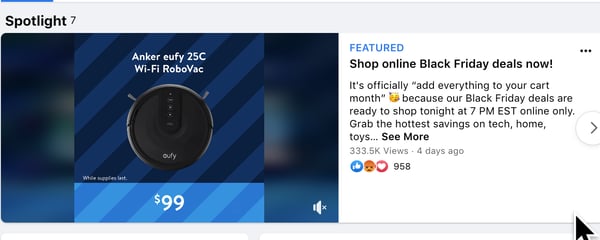
5. Embrace video marketing.
In our 2021 State of Marketing Report, we found that video is the leading form of marketing content used across industries. And, with Gen-Z and millennials embracing video more than ever for product discovery, this format becomes more of a low-hanging fruit each year.
If you think video marketing is only for big brands, think again.
In the last year, we’ve seen all sorts of small and large brands affordably embrace video to attract and nurture leads.
Here’s one great example of a startup demo video created by Beauty Bakerie.
While the content allows viewers to see what the products will look like in real life, Cashmere, the brand’s CEO – Cashmere Nicole Carillo – gives instructions on how to use it so they’ll also know just how easy it is to add to their daily beauty routine.
Every Black Friday is an opportunity to learn more about your target audience. Pay attention to what works, what doesn’t, and look out for trends that will help you improve your ad strategy.
Editor’s Note: This blog post was originally published in December 2019 but was updated for freshness and comprehensiveness.

How to Automate Your Account-Based Marketing Strategy
Today, marketing is all about personalization.It’s about reaching the right people in the right place at the right time. Account-based marketing (ABM) is no different — it’s a strategy that’s been growing in popularity in recent years. In fact, 94.3% of respondents to a 2020 State of ABM survey use an ABM strategy.
That’s why ABM is an important strategy to implement if you sell high-value B2B products or services to a finite number of companies with several decision makers. Using ABM automation tools is the key to scaling these efforts.
Here, we’ll show you exactly how to automate your account-based marketing strategy using ABM automation tools.

Learn More About HubSpot’s ABM Software
1. Scalable Acquisition Strategy
We know that anytime a process is automated, it’s scalable. When ABM strategies are automated, bandwidth on your marketing team becomes available. Your team can spend more time nurturing the accounts they’re responsible for and personalizing the sales cycle for the decision makers within the account. That way, new business can be acquired without the limitations of manually nurturing each account.
2. Shorter Sales Cycle
Consider this: When your sales reps have just a few accounts to target to close deals, they can become more selective about who moves through the sales cycle and when. When a specific marketing tactic works to generate leads in a particular account, the sales rep can shift their focus to that deal. ABM automation benefits sales reps by incentivizing them to work efficiently to close deals which leads to shorter sales cycles.
3. Better Marketing and Sales Alignment
For far too many marketing and sales teams, alignment between the two seems to be a goal instead of reality. An automated account based marketing strategy causes and requires alignment between these two business functions in order to close deals.
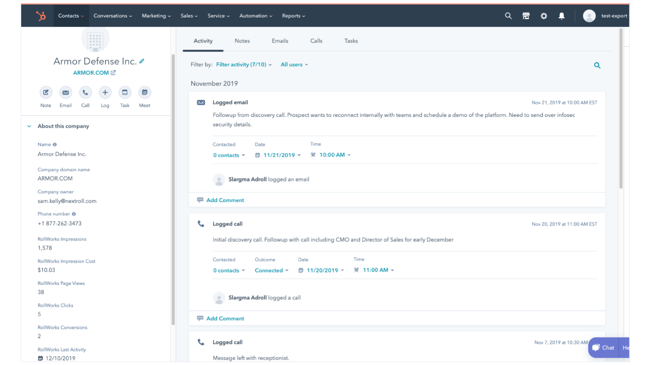
The marketing team is responsible for creating sales enablement content while the sales team is responsible for cultivating the relationships and closing deals. Without both of these parts of the puzzle working together, the ABM strategy would fail. Automating the strategy by producing content at scale and tracking accounts through the sales process using ABM automation tools like RollWorks keeps both teams aligned and achieving their goals.
4. Stronger Customer Retention
Leveraging personalized marketing and sales materials for each account is a fundamental tactic used in account based marketing. But that can be difficult to maintain if your team is doing this manually. Eventually, the personalized materials transform into more general content and the relationship between your business and the account fizzles out.
With ABM automation, this doesn’t have to be the case. Automating emails and direct mail campaigns (just to name a few) throughout the account’s life cycle can strengthen the relationship, yielding improved customer retention and satisfaction.
1. Create your Ideal Customer Profile (ICP).
Before you can get started with ABM, you’ll need to define your ideal customer profile. This is similar to a buyer persona, except it’s built around targeting entire organizations rather than individuals.
You’ll want to know what types of companies you want to target. For example, your ICP should include information on company size, revenue, industry, and location.
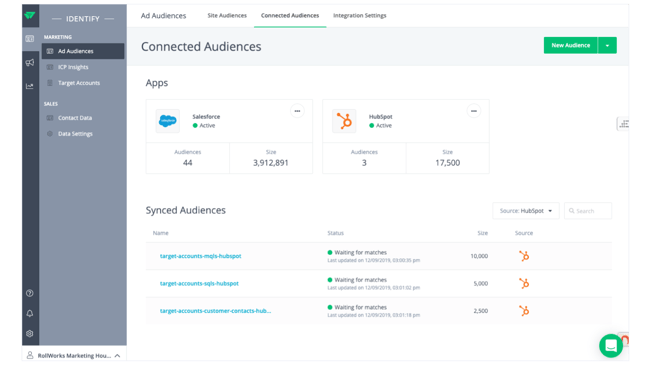
With software, like HubSpot’s ABM software, you can use ICP workflow templates to help you spot common traits that can be used to classify companies in your database by how well they match your ICP.
Ultimately, automation should help you identify and organize your target accounts. Once you’ve created your ICP, you should be able to use this information in your ABM software to manage your audience.
2. Set up your target accounts.
Once you’ve created your ICP, you should be able to set up your target accounts in your ABM software.
Tagging “Target accounts” in your software will enable you to manage your audience from a Target Accounts dashboard. For example, with HubSpot’s ABM software, you can tag accounts as target accounts and then rank them with the ICP Tier property. Your priority accounts will be marked “Tier 1,” while lower priority accounts will be marked “Tier 3.”
Additionally, a great ABM software will use AI-powered target account recommendations to automate the process of researching companies that are a good fit.
These types of tools will help you manage and then segment your lists so you can deliver personalized content to your target accounts.
3. Integrate your ABM, marketing automation software, and CRM.
Before you can build your ABM campaigns, you’ll want to integrate your ABM software with your marketing automation software and your CRM.
For example, with HubSpot, you can use many of the ABM software features if you have Marketing or Sales Pro.
Integrating your marketing tools is important in the automation process. If your ABM software doesn’t interact with your email marketing software or your ads tools, then you won’t be able to automate the process.
Additionally, if it doesn’t interact with your CRM, it’ll be impossible to know if leads become accounts and track the ROI of an account-based campaign.
By integrating these tools, you’ll have your ICP research, target accounts, content, and CRM all in one place.
4. Build your campaigns.
When you have your ABM software and marketing tools set up, it’s time to create your campaigns.
To start, you’ll want to decide what channels you want to use and what actions will trigger an automated workflow.
First, look at your target accounts and find out where they spend their time online. For example, you can build an ad campaign based on people’s job titles or companies on LinkedIn and Facebook.
Then, you’ll want to think about your customer journey and set up automated workflows. For instance, you can have a task created for a sales rep when someone who works at one of your target accounts interacts with an email, your website, or blog content.
5. Personalize your content.
You probably got started with ABM so you could personalize your marketing campaigns. To do this, you’ll want to create your content, and use your automation tools to segment your audience.
For example, with HubSpot’s ABM software, you can use company lists to create an ad audience or use company ad targeting for your LinkedIn ads.
With your ICP set up, you can create your content based on your target audience. The content in your ABM campaigns will be similar to other marketing content, except that you’re now targeting specific accounts and companies.
Ultimately, your messaging should address specific pain points, and appeal to solving your target account’s problems.
6. Tailor your engagement.
Another aspect of your ABM strategy will be collaborating with your sales team so they can tailor their engagement with target accounts.
A great way to do this is through automation tools. That’s why your CRM and ABM software need to work together.
For example, with HubSpot’s ABM software and Sales Hub, you can automate your follow up emails and tasks based on the prospect’s behavior.
However, remember that even though you’re focusing on automation right now, your sales outreach and content should still be personalized.
7. Set up a dashboard to assess ongoing efforts.
The last step to automating your ABM strategy is to track and measure your efforts. With ABM software, you’ll want to see information at-a-glance.
For instance, on your dashboard, you might include information on your target accounts such as company score, open deals, total pipeline, and the number of decision-makers identified.
If your ABM software has company scoring available, you should use it. This is similar to lead scoring, where you assign a score based on the properties in your software.
Additionally, you should consider running A/B tests when you get started with ABM automation so you can see what messaging appeals to your ICP.
While ABM does require thoughtful planning and coordination, using ABM software tools — ideally ones that integrate with your CRM and marketing automation tools — can help you automate and scale your strategy.
Editor’s note: This post was originally published in May 2020 and has been updated for comprehensiveness.

How to Gain Your First (or Next) 1,000 Instagram Followers
It’s no secret that business opportunities are continuing to grow on Instagram. Approximately 90% of Instagram’s 1 billion active monthly users follow a business account on the platform, and there are more than 200 million business accounts.

But here’s the deal: Unless you’re famous, it’s really hard to amass a huge following on Instagram without some hard work.
Luckily, there are a few things you can do right away to collect at least 1,000 quality followers for your personal or professional Instagram account. It’s all about knowing where to invest your time and effort.
In this post, we’ll discuss a few strategies that will help you gain those followers, from creating a follow-worthy Instagram profile to using contests, to staying true to your brand.
1. Create and optimize your profile.
First thing’s first: Customize your Instagram profile to make it look good. Tell your potential followers who you are, and give them a reason to follow you.
How? Start by making sure your username is recognizable and easily searchable – like your business name.
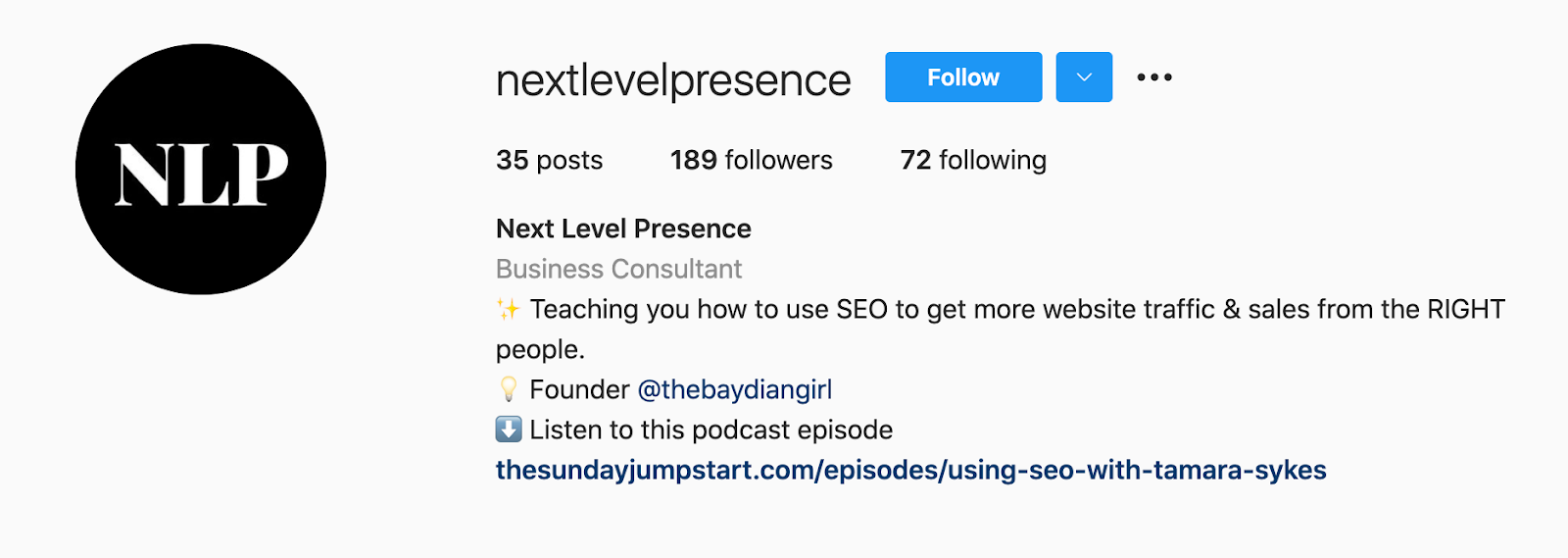
If your business name is already taken, try keeping your business name as the first part of your username so that people searching for your business are more likely to come across you. For example, the Australian activewear line Lorna Jane uses the username @lornajaneactive.
Setting Up Your Account
Step 1. Add your full business name to the “Name” field in the “Options” section. To find “Options,” tap the three lines in the top right corner of the iOS app, followed by “Settings” which will appear at the bottom of the screen next to a gear. If you’re on Android, tap the three dots in the corner. Your business or name will appear under your profile picture and your username in search.
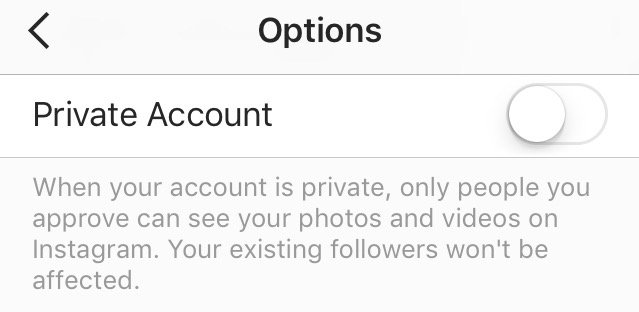
Step 2. Make your profile public. To make your profile public, open Instagram, open “Options,” and make sure “Private Account” is turned off.
Step 3. Choose a profile picture that’s on-brand with your other social networks, like your company logo.
Step 4. Fill your bio with delightful, actionable, and informative information about your brand. Information like this lets people know what you’re about and gives them a reason to follow you. Include who you are and what you do, and be sure to add a hint of personality.
Here are a few examples for inspiration:
- @cheekbonebeauty: “Less waste. Ethical and safe ingredients.”
- @Oreo: “Playful moments from your favorite cookie.”
- @mrsbrittanyhennessy: “Helping Influencers go beyond #sponcon and create sustainable businesses.”
- @CalifiaFarms: “Something different, something better. Let us show you what plants can do.”
- @coragedolls: “Elevating, educating, & encouraging girls of color to be unstoppable with dolls that finally look like her.”
Step 5. Add a link tree to your bio to make it easy for people to go straight from Instagram to your other platforms if they want to. The space allotted for URLs is precious real estate. When you receive 10,000 followers, you can add links to your Instagram Stories.
Until then, your bio is the only place within Instagram where you can place clickable links, so use it wisely. We recommend using a shortened, customized Bitly link to make it more clickable.
Step 6. Enable notifications so you can see when people share or comment on your photos. This’ll let you engage with them more quickly – just like a lot of companies do on Twitter. To enable notifications, go to “Options” and then “Push Notification Settings.” Select “From Everyone” for every category.
A word to the wise: We don’t recommend you link your Instagram account to Twitter and Facebook (or other social media platforms) for automatic posts. Because every platform caters to a different audience and requires different types of posts.
2. Designate a content creator.
Just like there should be one (maybe two) people managing your other social media accounts, there should only be one or two people managing your Instagram account.
If possible, choose someone with experience on the platform who will “get” it — and be sure they stay updated on all new features Instagram has to offer from Reels to IGTV.
If you work for a large organization, you might find that a lot of people want a say in what’s posted. That’s when an organized request or guidelines document comes in handy.
This document should inform people how to request a post on your Instagram account, when, the value of the post, and why.
3. Follow photography and editing best practices.
On Instagram, post quality matters. A lot. Your Twitter followers might forgive a few bad tweets, but a bad photo on Instagram is a big no-no.
Fortunately, you don’t have to take a photography course to be a good Instagram poster — nor do you have to practice for weeks before you start. But you should get familiar with basic photography tips and photo editing apps.
Photography Best Practices
Since Instagram is a mobile app, chances are, some content you post to Instagram will be taken on your mobile device. That’s expected.
If your budget allows, consider investing in professional photography for your Instagram photos, as that will elevate your profile. Otherwise, a smartphone and a few editing apps will do.
- Focus on one subject at a time.
- Embrace negative space.
- Find interesting perspectives.
- Look for symmetry.
- Capture small details.
- Make your followers laugh.
Edit photos before you post.
Instagram has some basic editing capabilities, but oftentimes, they aren’t adequate to make visuals really great.
Most of your photos should go through at least one or two photo editing apps on your mobile phone before you open them on Instagram.
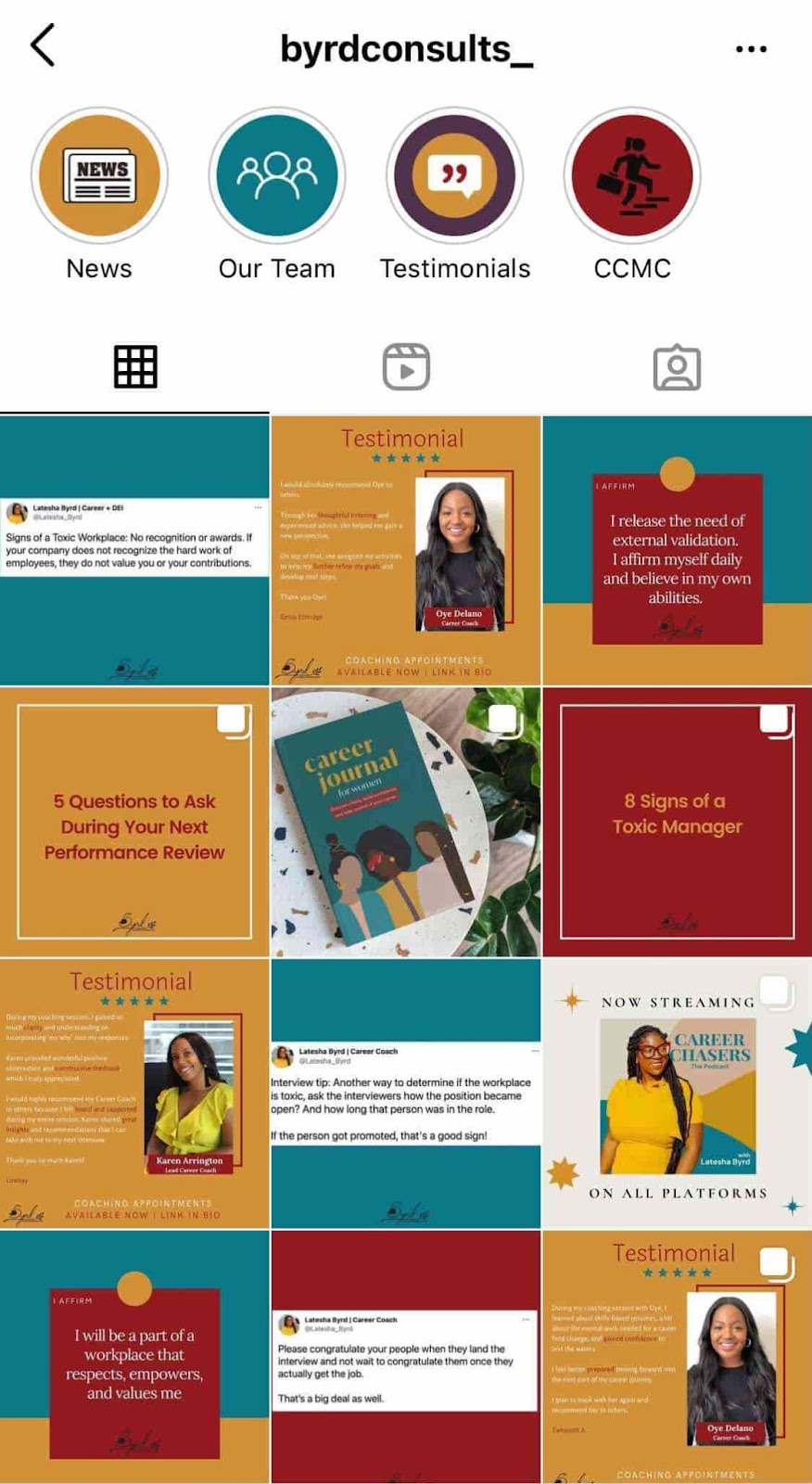
Additionally, consider creating a cohesive Instagram theme across your feed, so anyone visiting your account for the first time can get a sense of your brand.
4. Set a regular posting schedule.
Once you’ve created and optimized your profile, have someone managing it, and have your creative assets ready, it’s time to start posting.
It’s a good idea to have a solid number of great posts up – maybe 15 or so – before you start engaging people and working down this list. That way, when people visit your profile, they’ll see a full screen of photos and will know you’ll post great content regularly.
To start posting on Instagram, download this social media content calendar template first and plan out your posts. It’s best to build a backlog of content ready a few days or weeks ahead of the publishing date.
This will ensure you always have content during holidays, vacations, and even creative blocks.
Keep your target persona in mind as you plan out your posting schedule, as that can drastically impact your posting timing and frequency – especially if you’re targeting an audience in a different time zone. (Download this free template for creating buyer personas if you don’t have a few already.)
Optimizing your schedule for your specific audience might take time and experimentation.
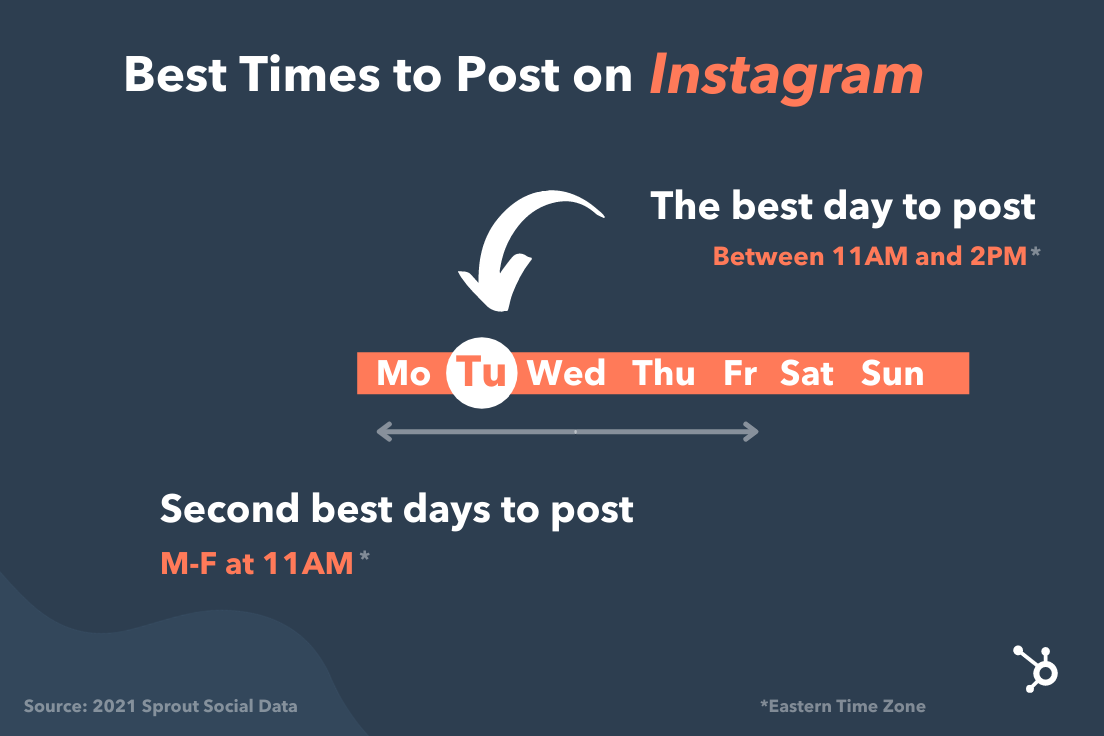
Experiment with these times and days to see what works with your audience. You may find that your target users are most active and engaged at different times.
5. Allow outside contributors to curate your content.
Although it’s best to have only one or two people manning your account, one or two people can’t be everywhere at once taking photos. What about that fun sushi night the engineers had last night? Or the event your head of sales spoke at earlier this week?
There’s a whole breadth of content you’ll want to post to Instagram, and more often than not, one person won’t be able to keep track of it all.
One solution? Create a system where you can curate photos and content from members of your team.
There are a few ways to do this. The first option is to create a specific email address for employees to send their photos, short videos, memes, hyper-lapses, and so on.
Encourage people to add a descriptive subject line so you can easily sort through the content they’re sending. While this doesn’t seem like the smoothest way to curate photos, it’s actually the easiest for the people sending you photos — and the easier you can make it for them to send content, the more content you’ll get.
If your team shares a Box or Dropbox account, you could also create a shared folder where people can automatically drop their photos and videos.
6. Use a consistent, platform-specific brand voice.
Photos and videos might be the most important part of your Instagram posts, but captions, comments, and other text should never be an afterthought. If you’re managing a channel for a brand or have more than one Instagram manager, consider developing a consistent voice that humanizes your brand.
This shows potential followers that you are credible and relatable, rather than formal or intimidating.
When developing a voice, you should keep the platform and your audience in mind.
For example, many influencers and prominent accounts on Instagram have a very casual voice and style but remain professional and on-brand. Once you’ve got your voice down, make sure it stays consistent and natural in your captions, comments, messages, and your bio.
7. Write engaging, shareable captions.
Captions are an essential part of your post — the icing on the cake if you will. Consistently great captions can do wonders for humanizing your brand, winning over followers, and making your content more shareable — thereby giving you more exposure.
Here are a few things you might see in a winning Instagram caption:
- Clever or witty comments
- Calls to action
- Relevant emojis
- Hashtags
More on that below.
Clever or Witty Comments
Some brands and influencers have used clever or witty captions, or even audience-appropriate jokes to further humanize themselves on Instagram.
My colleague Kelly Hendrickson, HubSpot’s social media team manager, says that she loves Netflix’s account and sub-accounts, particularly because of the post captions.
“They have such a clear brand voice, and you laugh along with them. They’re in on the joke, just like one of your friends,” she says.

Netflix’s voice is casual, trendy, and humorous while still staying on brand.
In the post above, the caption is funny, authentic, and relatable. Who hasn’t flipped through a friend’s Instagram Story with the hope that you’ll be featured?
Calls to Action
Another way to increase the shareability of your caption and engage your followers is to ask questions or have some sort of call-to-action in the captions of your photos.
For example, you might write, “Double-tap if you find this funny,” or “share your story in the comments.”
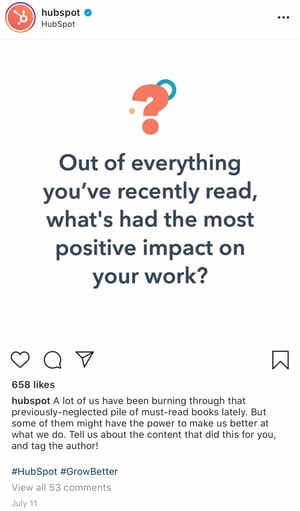
In the example below, we asked followers of the @HubSpot Instagram account to leave a comment with a book that’s had a positive impact on their work, along with tagging the author:
Relevant Emojis
Adding just a few relevant emojis can add even more personality to your posts. It could also make them even more noticeable on an Instagram feed. In the post below, Danielle Gray, a beauty expert with over 50K followers, (@Stylenbeautydoc) includes witty text with relevant emojis to make the post pop.

Along with the three items listed above, you’ll also want to include hashtags.
8. Optimize posts with relevant hashtags.
On Instagram, a hashtag ties conversations from different users who wouldn’t already be connected into a single stream. If you use relevant hashtags, your posts will gain exposure to a wider audience and help you become discoverable to potential customers.
The key to using hashtags effectively is to be selective and use them sparingly. Try to limit the number of hashtags per caption to around three. Similarly, don’t use “like for like” hashtags, like #like4like or #like4likes.
This is a shortcut tactic that’ll only leave you with low-quality followers.
To find the hashtags your audience might be using, do a little research on relevant hashtags in your niche or industry. The easiest way to do this research is in the Instagram app itself, in the Explore tab (i.e., the magnifying glass icon).
When you search for one hashtag, it’ll show you a list of related hashtags at the top of your screen.
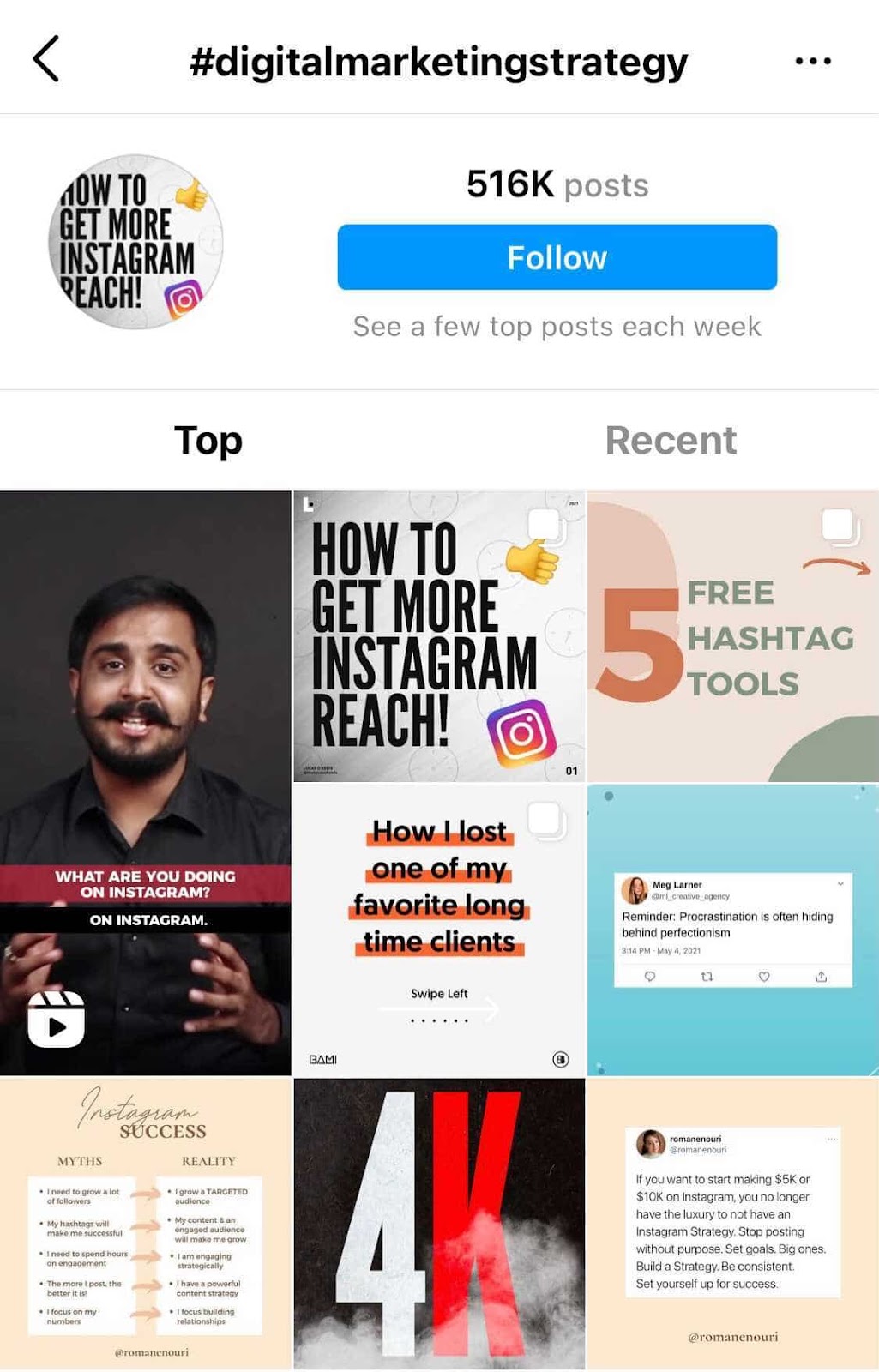
For example, when I search for #digitalmarketingstrategy on Instagram, it shows me relevant hashtags like #digitalmarketingexpert, #digitalmarketing, and so on.
To help relate to your followers on a personal level, you might consider hopping on hashtag trends like #tbt (“Throwback Thursday”), #MotivationMonday, #TransformationTuesday, or other trending hashtags. Here’s a post from @fanmdjanm, a headwrap collection and lifestyle brand with over 150K followers on its Instagram account, using the #HappyMothersDay hashtag:
Once you build up a bit of a following, you can try creating your own hashtags — like your company name or a slogan that applies to your content. This is a great way to build up your brand on the platform and build a more cohesive presence.
9. Lean in to trending content formats.
With the arrival of TikTok on the social media scene, short-form videos have become one of the most effective content formats on social media.
In fact, according to a HubSpot Blog survey, 85% of marketers who use short-form videos find them to be the most effective content format. And 95% of marketers who leverage short-form videos plan to increase their investment or continue investing the same amount in 2022.
That’s why it’s important to lean in to trending content formats. After TikTok, Instagram came out with IG Reels, and this feature is a great way to post funny, relatable content.
When Instagram comes out with new tools, like IG Reels, don’t be afraid to use those features because they can help you gain Instagram followers.
10. Post content your followers want to see.
To gain your first 1,000 followers on Instagram, it’s important to know who your audience is. Once you’ve created your Instagram account, you should take note of which posts perform best.
Is it interactive content, behind-the-scenes stories, funny and relatable posts, or something else? When you have a general idea of what performs best, continue to create that type of content.
Additionally, Instagram has many tools and features you can use: IGTV, IG Reels, Instagram Stories, Instagram Live, Highlights, etc. Begin by posting several types of content formats and see which one does best. Then, come up with a strategy and master that one tool. Doing so will help you create content your followers want to see and gain new followers.
11. Promote your Instagram.
Like the old adage about a tree falling in a forest, if you start an Instagram account without promoting it, is the account even real yet? Well, yes. But, you’ll have fewer followers.
One of the best ways to gain followers on Instagram is to promote your account. Embed posts in your blogs (like you see a few on this post), post on your other social media platforms, and share social links in your email newsletters. A great way to gain followers on one platform is to ask current followers on other platforms if they want to follow you somewhere else as well.
Additionally, to promote your Instagram, it’s important to get started with Instagram promotions and ads. This will help you reach a wider audience. I know it might seem like ads are only effective for selling certain products, but I’ve followed several business accounts because of a sponsored post I saw.
1. Engage with users through follows, likes, and comments.
Instagram is very much a community, and one great way to get involved in that community is to find people who post pictures that interest you, and follow their accounts and interact with their content. It’s the most natural way to draw attention to your own Instagram account.
This accomplishes two things: for one, when they get the notification that you’ve followed them, there’s a good chance they’ll check out your profile. This goes back to the importance of having great content on your account before you start reaching out to others.
Secondly, it means you’ll be seeing their recent posts in your feed, so you can Like and interact with them if you choose to.
As you build a following, celebrate your followers by responding to and pinning their comments, and even reposting their posts for user-generated content.
2. Cross-promote with influencers and brands with similar audiences.
Once you build rapport with the folks behind accounts with similar audiences to your own, consider collaborating with them.
Partnering with influencers and brands helps with discoverability, reach, and social proof.
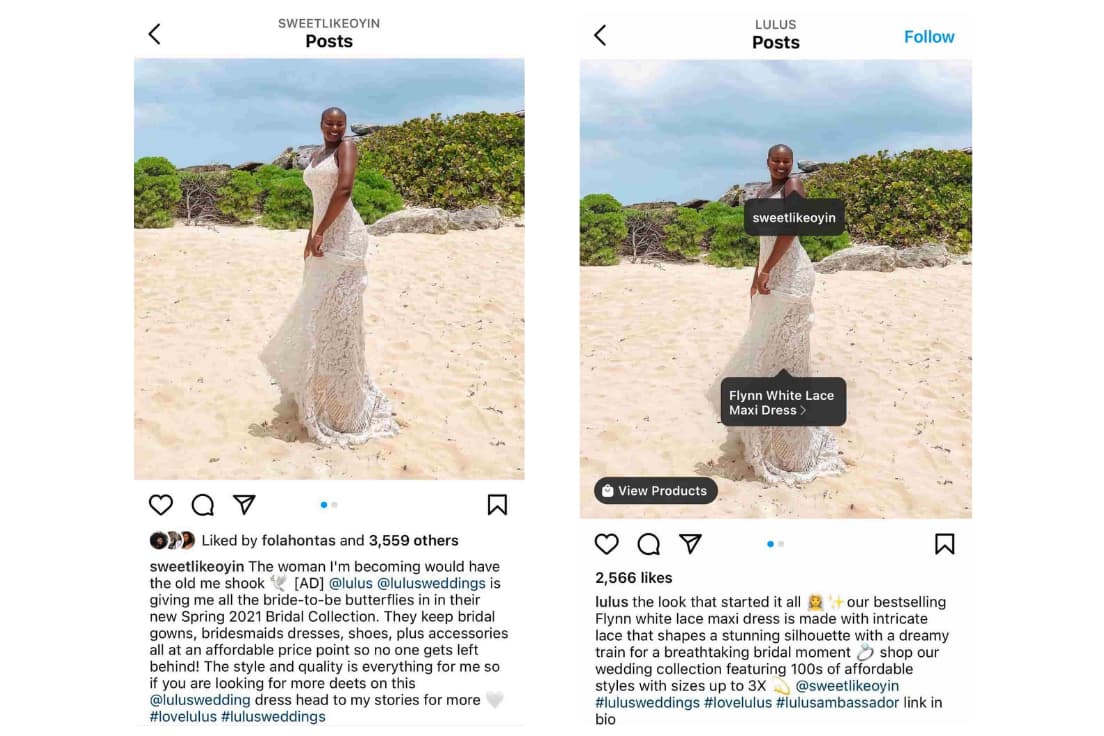
For instance, influencer @sweetlikeoyin who has around 60K followers, posted a sponsored image of herself on the beach wearing a dress from Lulu’s. The clothing brand then published the same image.
With this partnership, both accounts can expand their reach and gain new followers. It’s a win-win. However, be sure to create content that seems natural and makes sense for your brands and collective audience.
3. Run Instagram contests to encourage engagement.
Another great way to expand your reach while increasing engagement with your photos is to run a contest or giveaway. As part of your contest, you can ask users to follow your account, like, and/or comment on the post to be eligible to win.
I mean, come on. Who doesn’t love winning free stuff?
You can also add a user-generated content (UGC) element to the contest, too, where people post a photo of their own and use a specific hashtag.
Here’s an example from @PlayaBowlsNortheastern, where followers were asked to follow Playa Bowls as well as their brand partner, Scoop and Sushi, and tag a friend in the comments. In exchange, followers had the chance to win a free bowl:
4. Explore Instagram Stories’ interactive features.
Instagram has always given brands the platform to share beautiful, curated photos to represent their companies.
However, with the introduction of ephemeral Instagram Stories, brands can also share on-the-fly, behind-the-scenes looks for 24 hours that may not be as polished as a published photo, but give your brand more personality on the platform.
Just look at how Snapchat exploded a few years ago. Once platforms like Instagram and Facebook introduced similar features, it made those apps more valuable and interesting in the eyes of users. Although Snapchat pioneered this feature, Instagram Stories now has over 500 million daily users.
Along with sharing video clips and static images through Instagram Stories, users can also use polls, event reminders, and the “Ask a Question,” tool to gain more engagement and learn more about their audiences.
Once a user is verified or has over 10,000 followers, they can even include a link to a webpage within a story.
How Brands Can Use Instagram Stories
Instagram Stories disappear after 24 hours unless they are marked as a “Story Highlight.”
Highlighted stories will show up at the top of your profile between the photo feed and your bio.
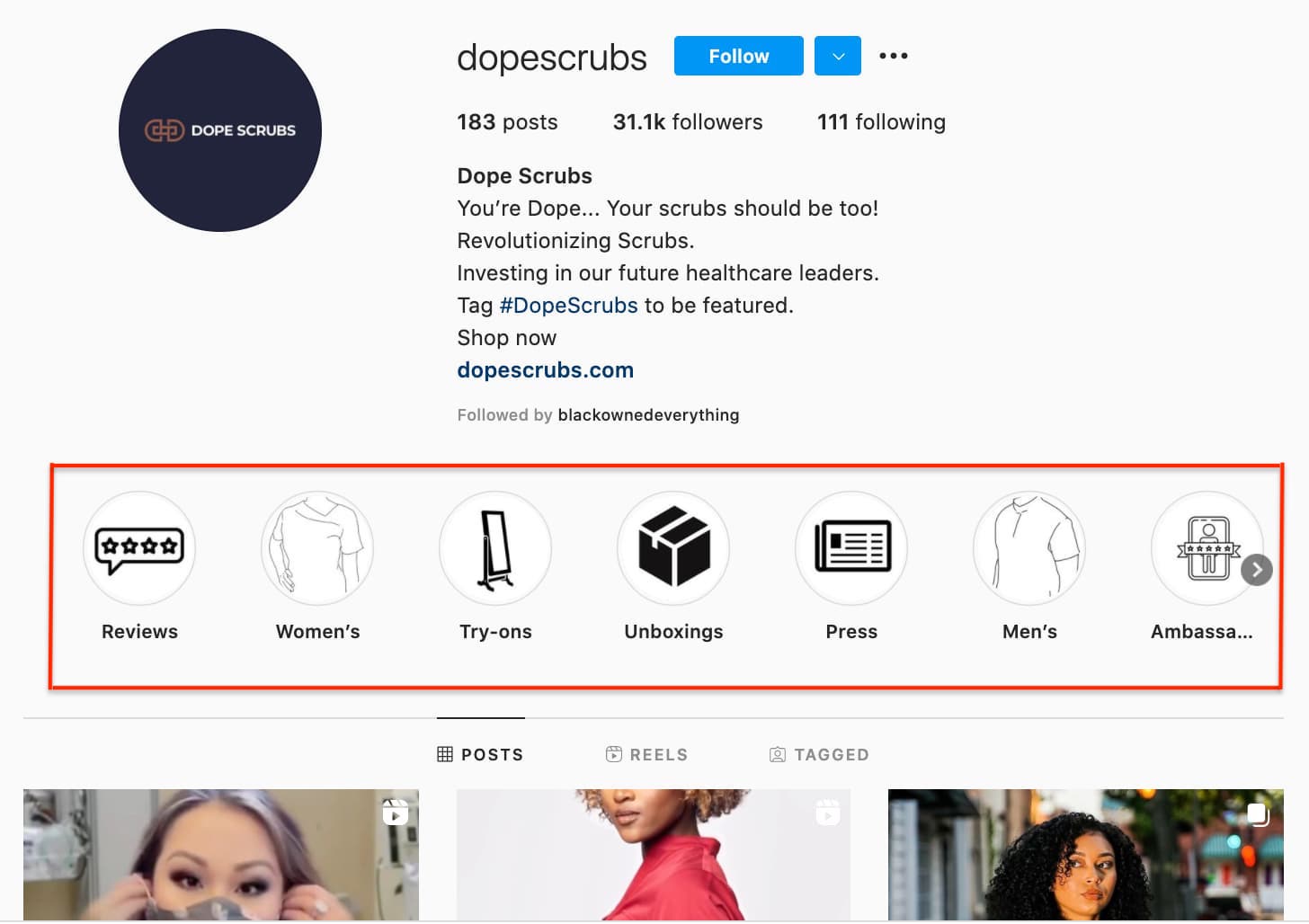
Here are a few other brands we recommend following to see what they’re sharing:
Dana Shultz (@miniamlistbaker) publishes easy vegan and gluten-free recipes on her blog. Her Stories feature neat how-to videos of her making breakfast and testing out new recipes in her kitchen. The behind-the-scenes aspect of her Stories provides a lot of human context for her blog’s brand, and everybody loves a good how-to video.
Casper (@casper) publishes quirky Instagram content to advertise their mattresses – without overtly doing so. The main theme of their content? Staying in is better than going out (because you can stay in and lay on a comfy Casper mattress, naturally).
They’ve even created a gallery for followers to use as backdrops for their Snapchat and Instagram stories to make it look like they’re out at a party when in reality, they’re laying in bed.
One of their latest Instagram Stories featured someone watching “The Sopranos” in bed, with the caption: “Who needs plans when you have five more seasons?”
This video supports Casper’s campaign to stay in bed with a very real look at what millions of people do when they’re hanging out at home.
Here are our tips for using Instagram Stories for your brand:
- Whether it’s funny, sad, or unique, be authentic. Your photo gallery is where content can be perfect and polished. Instagram Stories are for the raw, unscripted, and unretouched. Use Stories to share the other side of your brand that followers might not be able to see elsewhere. Do you have a dog-friendly office? Is your team trying out the latest challenge? Start filming to showcase the more human side of your brand.
- Go behind the scenes. These are by far our favorite types of content for ephemeral video sharing. Show followers what goes into the planning of an event or the launching of a product, and make it fun. Your followers want to feel included and in the know. You could also use Stories to cultivate a brand loyalty program that only rewards people who check out your content.
5. Use the Live Video feature.
Instagram also lets users record and share live videos, another content format that’s proven to be hugely popular on other social networks. What’s unique about live videos on Instagram? They disappear when users stop filming.
This authentic, bi-directional experience lets brands share unscripted, raw moments with their audience to incorporate human elements into a social media platform that’s highly edited and polished in its traditional use.
Since the Live feature launched, Instagram has added even more features that may enable further engagement or interactions from viewers, such as:
- Request feature to go live with the live account
- Pinned comment
- Q&A box
- Up to four accounts on Live at a time
- Filters
Live video is a growing trend across a variety of social media platforms, so if something interesting is happening, start rolling. Whether it’s an event, a team birthday party, or behind-the-scenes footage, your devoted followers want to see what you’re up to.
6. Share your profile link on your website and social media channels.
Have a website? Newsletter? YouTube channel? Make sure you include a link to your Instagram on every single platform.
The first place you’ll want to make sure to add an Instagram badge is your website, specifically your footer and “About Us” page.
Here’s what the badge could look like:

If your brand has brick-and-mortar locations, put out a good ol’ print call-to-action letting people know you have an Instagram account and encouraging them to follow you. You can also place them on your business cards. You might even offer a discount code for doing so.
Also, be sure to promote your Instagram account on your other digital platforms. Chances are, the folks who already follow you on Facebook and Twitter will also follow you on Instagram without much prodding.
Let those followers know you’re on Instagram and encourage them to follow you there.

In this example, wine company The McBride Sisters encouraged their email subscribers to follow them on Instagram with a simple CTA: “Join the community.”
7. Post user-generated content.
Similar to cross-promotion, brands can publish user-generated content to show appreciation for existing customers and generate social proof at the same time.
If I see a regular person endorsing a product on Instagram, I’m more likely to believe they really like the product.
The same is true for most consumers. That’s why sites like Yelp are so popular.
Ultimately, user-generated content can be an excellent strategy when trying to increase brand awareness and trust in your products or services.
For instance, @bevel reposted a video from blogger Rickey Scott using and recommending their products to their 600+ followers.
Posting Scott using Bevel is a smart move.
Firstly, the product is designed with black men in mind. Having Scott, who is part of the brand’s target demographic, recommend the product serves as the social proof the brand wants.
Furthermore, part of Scott’s audience will likely fall within Bevel’s target audience. Simply put, the two brands have similar audiences and brands that align well, which is why it’s a good opportunity for Bevel to promote Scott’s content.
8. Diversify your audience to resonate with different types of users.
As your followers grow, it can be tricky to identify what content types will resonate with them. With this in mind, divide your audience into sub-groups and target your content to various demographics.
For instance, if you have 200K followers, those followers probably come from different regions of the world, have different interests and hobbies, and likely different careers. Rather than post all-encompassing content that will satisfy all your followers at once, conduct some analytics research to separate them into smaller sub-groups.
Take Starbucks as a good example of this. @Starbucks has close to 18 million followers. There’s no way the global coffee brand can post content to satisfy 18 million people at once — and it doesn’t try to.
Instead, Starbucks regularly posts more exclusive content geared towards particular groups, such as this post they published celebrating #TeacherAppreciationWeek:
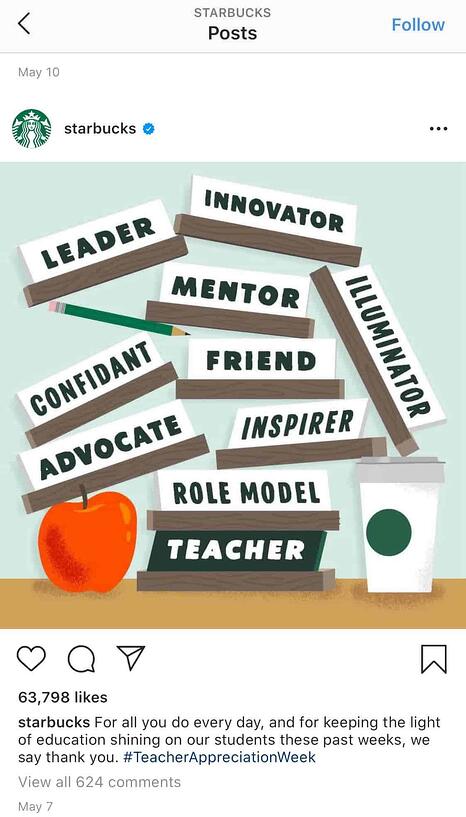
This post won’t appeal to the majority of Starbucks followers who aren’t teachers, but that’s OK.
You don’t always need to post content to please everyone. Instead, demonstrate your company’s ability to connect and engage with sub-groups and post what aligns with your own brand’s values.
Education is something that matters to Starbucks, so by posting about teachers, they’re doing more to demonstrate their values than they are appealing to everyone. Which is kind of the point, isn’t it?
9. Apply for a verification badge.
When an account on Instagram is verified, it has a blue dot, called a badge, next to the username. When another user comes across this profile or finds the verified username in search, the blue dot confirms to them that the account is the business, individual, or brand that it’s claiming to be.
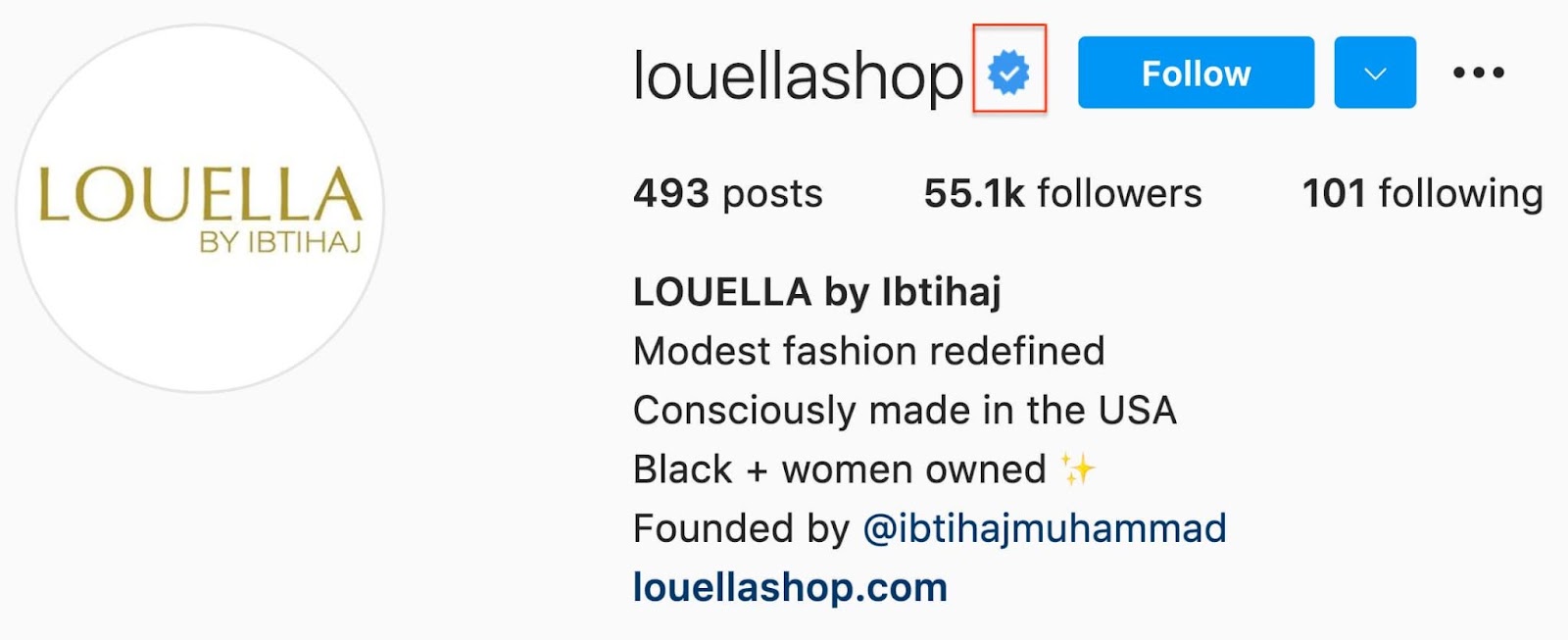
While Instagram has a list of eligibility requirements for the badge, the platform does allow users to apply for one. You can learn more about that process on Instagram’s Help Center.
10. Create your own filters and badges.
When it’s time to promote a new product or feature, creating your own filters, stickers, or badges can help you reach a new audience. You can learn how to create your own filter or sticker to jazz up your Instagram Stories.
The best way to do this is to use these on highly shareable posts that followers will want to add to their own Stories. This way, you’ll reach their audiences and your users will promote your page for you.
11. Tag relevant users.
Another way to gain more followers on Instagram is to tag relevant users in your posts. Your posts will then show up in that person’s tagged posts, and anyone who looks through there will find your page (and hopefully, follow).
However, it’s important that you only tag people who are in the photo, or relevant to the photo. For example, many times, influencers tag the clothing or makeup brands they wore in a photo.
12. Post content that’s meant to be re-shared.
Each post on your Instagram should have a purpose. It could be to generate likes, comments, engagement, shares, etc. However, you can’t expect followers to re-share content just for the heck of it. There needs to be a reason.
Because of this, reverse engineer your Instagram posts. Think, “What type of content would my audience re-share?” Then, create that content. It could be a quote, a meme, an infographic, statistics, etc.
To gain new followers, you should post content that’s meant to be re-shared, so that when others do re-share it on their own Instagram Stories and tag you, their audience will find you and follow you.
13. Collaborate on Instagram Live.
During the COVID-19 pandemic, while everyone was at home, a great way to stay connected was through Instagram Live. Many businesses and influencers took to the platform to host talk shows with interesting people their audience liked.
For your brand, you could collaborate with an influencer or another brand to host a Live. With people that your audience is interested in, you can promote this Live event, and then host it on your profile.
Promoting this type of event will help you tap into someone else’s audience while interacting and engaging with your followers by answering their questions and talking to them during the Live.
14. Get on the Instagram Explore page.
Getting on the Instagram Explore page is easier said than done. We get that. However, creating posts that are aimed at getting on the Explore page means you’ll be creating easily shareable and trendy content.
Think about viral trends and create a video that your audience might engage with. Additionally, use hashtags and tag other users and brands in those posts.
Instagram’s Explore Page algorithm also seems to grab content that has more engagement, especially if said engagement happens in the first few hours of posting. In Instagram’s case, quality is better than quantity, and getting interaction from influential users (i.e. having a higher follower count) is one of the best ways to do it.
15. Create educational content with Instagram slides.
Similar to creating content that’s meant to be re-shared, you can also create educational content in the form of Instagram slides. Instagram slides have become a popular way to educate audiences on an idea or topic.
Think about what you can educate your audience on and then create a simple Instagram slide post with an engaging title, that entices users to click on the post.
With this type of content, you can share the post on your Stories, and then hopefully other users will be compelled by the content to share on their Stories as well.
16. Host an Instagram account takeover.
When you’re collaborating with influencers and other brands, think about hosting an Instagram account takeover. You can have an influencer take over your Stories for the day, and promote this on their own Stories.
Then, you’ll get their followers to follow along with the Stories and hopefully follow your account.
Additionally, you can ask an influencer or brand if you can take over their Stories, and interact with their audience as a way to promote your own account.
Quality Over Quantity Still Matters
Ultimately, it’s important to focus less on the number of followers you have, and more on the quality of content you create. Your audience will grow naturally if you put effort and time into creating engaging, informative, or inspirational content without worrying about “quick fixes” for boosts in followers.
Plus, if you think about it, your followers don’t continue to follow you because of the size of your audience. They continue to follow you because of the content you create.
Sure, maybe I’ve initially followed an influencer because she had 200K followers, which signified to me that she was worth following — otherwise, why would 200K people be looking at her content?
But that doesn’t mean I’ve continued to follow influencers and brands because of the size of their audience. I’ve unfollowed plenty of mega-influencers or brands with thousands — if not millions — of followers, simply because I was no longer impressed with their posts.
You want to play the long game on Instagram, and that starts with focusing on what you can control: the quality of the content you produce, the messages you promote, and the brand you build.
Ironically, I’m willing to bet the less you worry about the number of followers you have, the more community members you’ll attract.
Editor’s note: This post was originally published in February 2016 and has been updated for comprehensiveness.

Personalization is Changing Marketing, Here’s What To Expect
Want to capture more conversions and engage more leads? You’ll want to get personal. But how can marketers make this personalized approach work for their brands?According to The State of Personalization Report 2021 by Twilio, businesses are struggling to make the best use of this new paradigm: While 85% of companies believe they’re offering personalized experiences, just 60% of consumers agree. To help your brand bridge the gap, we’ve analyzed the report to discover just how personalization is changing marketing — and what it means for your business.

60 Ways Personalization is Changing Marketing
- Customization is not personalization. Customization is explicit, while personalization is implicit.
- There is a growing willingness among consumers to trade information for a personalized experience.
- IP recognition software will provide an experience that is dynamically constructed for individual users.
- You can achieve intent-driven personalization by understanding what people engage with on your site.
- Never forget that no matter how much technology changes, the key to great marketing is having an in-depth understanding of users.
- Personalization is the next wave of the communal public user experience.
- Delivering personalized messages to specific audiences at the right time is the holy grail of marketing.
- The future of marketing is in making websites, products, or experiences personal in a deeply meaningful way.
- The personalization of search results offers an opportunity to increase your visibility for really relevant searches.
- The social, gesture, and location aspects of personalization are the key elements driving online advertising.
- The potential to engage customers contextually based on a need and serve that in real-time will drive mobile devices as they become payment vehicles.
- The advent of newer technologies, social networking, and database profiling offers the ability to help people find what they need and serve them what they desire.
- Personalization has moved beyond segmentation to algorithmically-driven content.
- People want to share what they do and information about themselves if you give them the chance to do it.
- Personalization is about leveraging what you can from individuals when they come to your inbound customer touch-points.
- Don’t think about the different groups you want to market to. Think about the power of one and how to reach that person in the most customized and creative way.
- There are three pillars of personalization: real-time, what is hot, and local.
- Use personalization and customization of landing pages to drive better conversion rates.
- The three-step approach to personalization is: listen, educate, engage.
- Think in terms of customer-centric recommendation engines rather than company-centric selling engines.
- There is a growing need for social media managers to pivot their strategies to connect with consumers.
- The future of personalization will reward publishers that provide better content.
- Personalization is about creating a natural process of conversation between companies and customers.
- Use personalization to give customers a great experience.
- Personalization is not just an opportunity but is a part of a set of broad, very profound societal changes where there is a trade-off between privacy and personalization.
- The three keys to balancing personalization and privacy are company transparency, consumer choice, accountability for those choices.
- With personalized ads, the goal is to reach the highest point of relevance for the lowest sense of intrusion.
- For personalization to work, you want to gain your customer’s trust and not abuse it.
- Engage your customers and prospects without violating their privacy rights.
- Use the available technology to make sure you touch your customers in the right way at the right time with the right information.
- GDPR is changing the way marketers can track and target consumers with personalized ads.
- Privacy is not the issue. It’s about the value proposition we give to consumers.
- The key to personalization is not algorithms or automation. The key is to work your butt off. To personalize, you need to put in the effort.
- Worry less about technology and focus on human emotions and what turns people on.
- Go beyond what your product can do for your customers and focus on what your product says about them.
- The three Ms to successful personalization: motivation, message, and media.
- To get a shot at your customers’ pocketbooks, first capture their imagination by getting them into a dialogue.
- Personalization convinces consumers that they are buying things thinking it’s their idea when, in fact, it’s not.
- Marketers can get too focused on the details and forget to focus on the most important aspect: relevancy.
- Filling your channel with content is going to personalize that relationship between the brand and the consumer.
- Personalization comes to life by delivering relevant and compelling experiences to the end-user.
- Business is personal. It takes time to build trust but less to establish likeability, which is the first step towards long-term partnerships.
- The challenge is to create an emotional and psychological contract with your customers that separates you from everybody else.
- Get rid of the scripts. Create a Personal Emotional Connection (PEC) by encouraging reps to be themselves and have their personalities connect with customers’ personalities.
- Treat your customers like VIPs at every touch-point.
- Customers now expect your business to use their personalized information to offer better service.
- Get personal with your prospects and customers, but don’t get creepy by using all the information you have when communicating with your customers.
- Personalized marketing is not just for customers and prospects. It can affect change within an organization.
- To increase the value of the customer experience, remember to answer the question “why” and personalize the experience around that answer.
- One-to-one marketing is all about personalization; less mass communication and more mass customization.
- In face-to-face marketing, body language is the key. In online marketing, the key is taking note of the digital body language of your web visitors and customers.
- Mass personal relevance allows you to target individual offers tailored by data and driven by customer input.
- With customer behavior changed by the recent economic downturn, sales are now dependent on how a retailer or brand can communicate its relevance to the customer.
- Personalization is about engaging customers using technology in ways that mimic how we would do it if we were face to face.
- For mobile, location-based marketing and location-based services are going to be very important for companies trying to reach consumers.
- After search box and site navigation, product recommendations are the third key method that consumers use to navigate a retail site.
- The trend is for consumers to click on relevant ads only, and personalization platforms are helping to drive this trend.
- We’ve moved from opt-in, permission-based, and customized address fields in personalization to online relevant conversations that engage and excite.
- The long-term effect of personalization where everyone becomes their own brand is that personal expertise will be an asset that can be traded for currency.
- The company of the future takes all of its disparate information and unifies it because that is what everything else is based on.
As personalization becomes commonplace, what shifts can marketing teams expect in customer and conversion outcomes? Here are eight ways this new paradigm is changing the game.
1. Omnichannel is Obligatory
The Twilio survey notes that just 25% of businesses are effectively implementing omnichannel marketing strategies. With consumers now actively engaging across multiple channels — 82% primarily engage via smartphones, while 63% use computers — effective personalization depends on an omnichannel approach that meets consumers where they are, not where brands expect them to be.
2. Privacy is Paramount
While three-quarters of customers surveyed said they’d never had an “invasive” experience with brand personalization, 64% of those who encountered this issue pointed to the problem of brands having information about them they didn’t knowingly or willingly provide. In a marketplace where personalization is king, privacy is paramount.
3. Strategic Investment is Essential
It’s easy to overspend on personalization efforts — after all, the more brands learn about their customers, the better, right? Not always.
Here’s why: Not every approach pays the same dividends. While massive investment in social media marketing might help drive interest, companies will quickly lose customers if websites can’t deliver the same level of personalization. The result? Start where the customers are by personalizing your mobile and desktop websites and work outward from there.
4. Context is Critical
Customers want personalization to change based on the context of their interaction with your brand. In practice, this means that how they connect and what they’re looking for should inform the nature of personalization.
For example, a prospective customer that clicks on a product ad from your social media site wants specific information about the item in question, how they can order it, and how long it will take to arrive. Those clicking through to your website from a search engine, meanwhile, are often looking for more generalized context about what you do, where you’re located, and what you can offer.
5. Boundaries are Beneficial
Not all personalization performs as intended. As noted by Accenture, consumers called geo-based texts or notifications on their mobile triggered by their proximity to retail locations “creepy” — which isn’t a word you want to hear from potential buyers. As a result, it’s critical to conduct market research and determine where your customers draw the line.
6. Anonymity is Actionable
In some cases, anonymity is the path to personalization. Here’s why: While customers are often hesitant to provide personal information to brands if it’s used to create identifiable profiles of them within company databases, they’re typically willing to share personal data if companies promise anonymity. This anonymous data, meanwhile, is a great source of overall market trends that can help inform personalization strategies at scale.
7. Apologies are Effective
About 45% of consumers say the “coolest” personalization effort they’ve seen is when companies apologize for poor shopping experiences. This is the other side of personalization-based marketing: While most efforts focus on gaining customers, this approach focuses on keeping them. Combined with action — such as discounts, free shipping, or other benefits — apologies are an effective way to retain consumer loyalty.
8. People are the Priority
When it comes to personalization, people are the priority. Customers not only want to be treated like people through the personalization of recommendations and service but also want to see the humanity behind your brand. As a result, it’s worth personalizing your web pages, social sites, and marketing efforts to showcase the human side of your story and help drive the creation of a shared customer/company narrative.
This Time, It’s Personal
The volume and variety of customer data now available — from personal preferences to transaction histories and social media interactions — lays the groundwork for effective personalization.
However, teams must do more than simply capture data; they must combine and curate this information to create value-driven campaigns that speak directly to user interests. It’s no easy task, but the rewards are substantive. From improved engagement to increased customer loyalty and reliable conversions, fundamental change is happening to familiar marketing processes — and this time, it’s personal.
Editor’s note: This post was originally published in May 2011 and has been updated for comprehensiveness.

What Is Servant Leadership?
Leadership looks different for everyone.
Some choose to use a democratic style, where they make final decisions after getting input from team members. Some are individualists, focused on personal development and improvement, while others act as a coach that works to help employees develop their skills and build strong teams.
Although different in practice, most leadership styles have in common that the leader is a force of authority at their business — entirely different from servant leadership, where authority is purposely left by the wayside.
In this post, learn about servant leadership, its main characteristics, and how it can benefit your organization.

What is servant leadership?
Servant leadership is the idea that a leader’s primary goal is to serve their employees and give them the support they need to develop their skills and succeed at their jobs. This differs from traditional leadership in that a leader doesn’t enforce their authority or treat others as subordinates.
Robert K. Greenleaf first coined the term servant leader in his 1970 essay The Servant as Leader. In the essay, he says that the servant leader “Focuses primarily on the growth and well-being of people and the communities to which they belong” and that they “Put the needs of others first and help people develop and perform as highly as possible.”
Essentially, the leader (a boss, CEO, or any type of executive at a business) exists to serve the people that work for the company. In turn, employees supported by a leader with their best interest at heart are more motivated, empowered, high-performing, and able to provide customers with the best possible experience.
Servant Leadership Characteristics
In his essay, Greenleaf outlines ten fundamental principles of servant leadership, which we’ll discuss below.
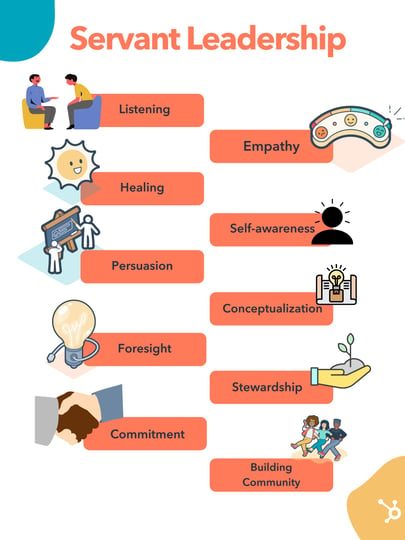
1. Listening
Servant leaders must be good listeners. It helps them get to know the people that work for the business and what they’re all about.
With listening, servant leaders will discover insight about employees that will help them best support their needs, whether it’s understanding areas for personal development or simply learning how employees feel at work and if anything needs to be done to improve their experience.
2. Empathy
Servant leaders need to be empathetic as it’s one of the best ways to help employees grow to be the best they can be.
For example, an employee may express a desire to develop a particular skill, and they want to feel as though you’re listening to them and understanding their needs. Empathy helps with this, as you’ll be able to relate to their interest and ask further questions that help you help them move forward.
Empathy is also critical in servant leadership when it comes to correcting behaviors. For example, say that an employee could not meet a goal at the end of the quarter. With traditional leadership, you may tell the employee that they must perform better without giving actionable advice that will help them do so.
Instead, a servant leader would be empathetic towards the situation and want to understand the roadblocks that caused them to struggle. Of course, you’d still like to ensure that it wouldn’t happen again, but you’d work alongside the employee to guarantee they have the tools to perform better and meet their goals next quarter.
3. Healing
Greenleaf says that servant leaders must understand the importance of healing as people aren’t always used to working in situations where their leader doesn’t force their authority and require compliance.
A servant leader needs to understand that they may need to work with employees to become comfortable with the process and create a working environment that builds trust and helps them be comfortable with your leadership style.
4. Self-awareness
Servant leaders must be self-aware because they need to understand their position and perception within their team. For example, if you’re enforcing your authority, you’re not a servant leader, and you’re likely pushing employees away. Therefore, it’s essential to be aware of the space you take up within your team on a day-to-day basis.
Self-awareness also helps servant leaders understand their strengths and weaknesses when assisting employees to be the best they can be. For example, if you receive feedback that you’re not the best at communicating, you should identify your weakness and work to improve, as employees can’t succeed if they don’t understand you.
5. Persuasion
Servant leaders use persuasion instead of power and authority to influence their teams and get everyone on the same page. You should convince others and get buy-in without forcing compliance or telling people that they simply have to do something because you said they have to.
6. Conceptualization
Conceptualization means that servant leaders can develop a direction for their teams that will bring company success.
This key characteristic directly relates to other skills on this list. For example, suppose a servant leader conceptualizes a goal for employees. In that case, they should be able to persuade without forcing compliance and provide employees with everything they need to help actualize the goal and be there for them throughout the process.
7. Foresight
The Oxford Language Dictionary defines foresight as the ability to predict or the action of predicting what will happen or be needed in the future. With servant leadership, this means using historical performance and current objectives to predict future outcomes and what employees will need to help them succeed.
For example, if your teams have historically struggled with a particular task and that task is required to meet an upcoming objective, your foresight should let you know that you’d want to be present to assist when employees are undertaking that task, and maybe provide extra resources to ensure people don’t get stuck.
8. Stewardship
Stewardship is synonymous with accountability in servant leadership. The leader can take responsibility for their actions and understand how their support for their employees contributes to the overall performance of their teams.
9. Commitment to the Growth of People
Servant leaders want employees to be equipped with the tools and resources they need to succeed and feel motivated to help the company succeed. As such, servant leaders must be committed to the growth and development of people.
In practice, this can look like ensuring employees have the proper training for their required duties, planning development opportunities, or even checking in with employees to understand their career goals and figuring out how to help them get there.
10. Building community
Workplace communities foster a sense of trust and togetherness, which helps people feel like they are working together to meet a common goal. As a servant leader, you’d want to ensure that your workplace feels like a community by building relationships with others and encouraging people to build relationships with their coworkers.
As mentioned above, servant leadership is significantly different from traditional leadership styles. The leader is not an authoritative force but more of a collaborator that works alongside employees to help them succeed. It may be helpful to have some examples of what servant leadership can look like in action, so we’ll discuss some below.
Servant Leadership Examples
Leading by Example
A servant leader is willing to do anything that they ask their employees to do.
So, let’s say that employees are rushing to meet quotas for the month. Rather than instructing employees to just work harder, a servant leader will sit down with them and help them get there. Maybe they take on some tasks, motivate employees, and provide actionable advice that helps them meet their targets.
Collaboration
A servant leader sits down with employees and asks them to share feedback about business processes and whether they help them perform their duties. The servant leader actively listens to feedback, learns from what they’ve heard, and works to make necessary changes to help employees seamlessly do their work.
Empathy
A servant leader cares about their employees as people. If someone comes to them and lets them know that they’re going through something, the servant leader doesn’t tell them to check their feelings at the door or inform them that they better not fall short of expectations.
Instead, they work with the employee to develop a plan that will allow them to succeed despite what they’re going through.
Servant Leadership Can Help Companies Succeed
Although different from traditional styles, servant leaders can build motivated and capable teams that succeed in business.
If you’re a leader looking to try their hand at this leadership style, make sure that you understand who your employees are as people, provide them with the tools and support they need to succeed, and act as an ever-present resource, no matter what they need.

How to Create a Product Launch Email [Outlines + Templates]
There are few times more exciting in a company than during a product launch. Anticipation brews and a sense of optimism emerges around the prospect of a growth in market share.
Still, a question always arises when a new product launches: do enough people know about this launch for it to be successful?
There are multiple avenues to communicate through during a product launch — ads, social media, PR, and blog promotion, to name a few. Yet, one of the most underrated and effective communication methods to alert internal and external stakeholders is a product launch email.

Not only do product launch emails make your customers aware of the product launch, but they also communicate vital information about the launch to those inside of your company.
In this post, we’ll walk you through the steps for writing three different types of product launch emails, including offering suggestions for your product launch email subject lines and outlining the ideal product launch email sequence.
Featured Resource: Product Marketing Email Templates [Download Now]
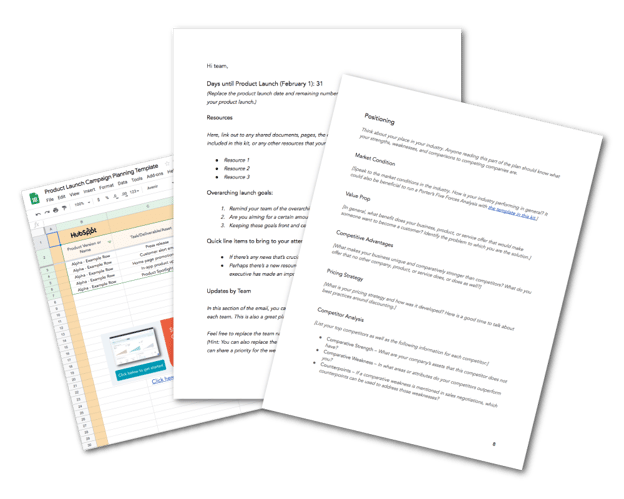
HubSpot’s Free Product Marketing Kit is full of the organizational templates you’ll need to spread the word about your product, including email templates. Why waste time starting from scratch? Click here to download the templates.
Internal Product Launch Email
You’ll want to share an internal product launch email with your entire company on either the day of or prior to your product launch. With this email, you’ll want to turn all of the employees at your company into an enthusiastic, well-informed, word-of-mouth marketing team by providing them with:
- An overview of the product
- Why employees should be excited about it
- “Lazy copy” for email and social media that employees can copy and paste
Here’s an outline of an internal product launch email. You can also download it as a template with more details.
1. Subject line and preview text.
Keep the subject line at or under 12 words. We’ll provide a list of examples below.
2. Greeting and tl;dr.
Just like you, the employees at your company are busy, so capture their attention with a quick hello and a 1-2 sentence overview on the product launch.
3. What is it?
Give your readers the very basic info on your product, like what it’s called, what it does, when it’s available to the public, and how much it costs. You should also include an image so readers have a visual reference.
4. Why it matters.
Why should your employees be excited about this launch? You can go a little more in-depth here, so explain what void this product fills in the market and what opportunity you’re seizing on to expand your market share, delight more users, and expand your customer base.
Some questions you can answer in this section are:
- Does this update address a common customer complaint?
- Are you bringing your product up to par for the market you’re in?
- Do you have statistics or revenue projections to prove the importance?
5. How it works.
In this section, give a brief overview of the steps required to get or use this product/feature. How do your customers sign up? Are there any usage limitations? Anticipate frequently asked questions — particularly from salespeople, marketers, account managers, and support reps — and try to reduce confusion upfront.
6. Who it’s for.
If you haven’t already covered it, say who the intended audience for this product is, or if any users will automatically see this new feature. This section is particularly important for regional or language-specific products.
7. Where to go with questions.
Provide the contact info and name of the person or people who are best equipped to answer any questions about the product, its launch, or its promotion.
8. Lazy copy.
You’ll want to make it as simple as possible for employees to share the product launch over email or social media. Provide sample text and URLs that can be copied and pasted — or better yet, pre-made social links from a site like Share Link Generator.
Here’s an example of lazy copy for every situation.
- Twitter: We’ve just launched [Product Name] here @[Company Name]! This new feature will let you [List Main Benefit]. Click here to learn more about it [Insert URL].
- LinkedIn: It’s an exciting day here at [Company Name]! Today, we’re announcing our launch of [Product Name] – a new product that [List One or Two Major Benefits or Features].
We’re thrilled to finally share this with our customers. Learn more at our website, and reach out to me if you have any questions about the new product! [Insert Product Page URL] - Email:
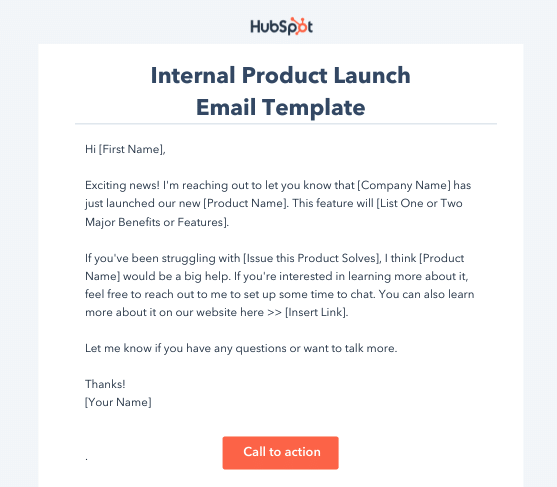
Product Launch Email Templates
Remember, you can save time by using product launch planning and email templates. You can download free product marketing email templates here in our Product Marketing Go-To-Market Kit. You and your team can work together to make an exciting product launch campaign if you take advantage of these tools.
So when you create or find the template that’s right for you, add in your product’s information and get your network buzzing about it.
Internal Product Launch Email Subject Lines
Need a good email subject line for your internal product launch announcement email? Try one of these on for size.
- It’s Time! [Product] is now live. Click to learn more!
- We just launched [Product] – And we need your help
- [NOW LIVE]: [Product] is available to the public
- [Product] launches today. Here’s what you need to know.
- The moment you’ve all been waiting for: [Product] is here.
- [PLEASE READ]: Everything you need to know about [Product].
- [Product] goes live today. Help us spread the word!
Internal Product Launch Update Email
The internal product launch update email is best shared with direct stakeholders in the product launch. For example: product marketers, product managers, designers, social, and PR.
These emails should be sent routinely leading up to the official product launch (every week, every other week, etc.) and provide readers with actionable steps on what has happened since your last email, what needs to be done, and whether or not you’re on track for launch.
Here’s an outline of what your internal product launch update email should look like. You can also download it as a template with more details.
1. Subject line and preview text.
Keep the subject line at or under 12 words. We’ll provide a list of examples below.
2. Days until product launch.
Reiterate the scheduled date of the product launch in addition to how many days remain.
3. Major updates.
List out any major updates that have occurred between the previous email and this one. For example: a bug was fixed, final designs were approved, or you secured placement in a leading circuit on announcement day.
4. Resources.
Link out to shared documents, the campaign planning spreadsheets, or any other resources that your team may need to reference this week.
5. Progress against goals.
Remind your team of the overarching campaign goals in this section and provide a status update (complete, meeting, exceeding, or lagging).
6. Updates by the team.
Run through brief status updates and developments from each team. This is also a great place to share each team’s focus for the upcoming week.
7. Questions or comments.
Encourage recipients to reach out to you directly with any questions.
Internal Product Launch Update Email Subject Line Examples
Choose a subject line for your internal product launch update emails and make it the standard for whenever you send out your updates.
- [Date] Bi-weekly [Product Name] Update
- [#] Days Until [Product]: This Week’s Update
- [Product] Launch Status: Today’s Action Items
- New from [Company]: A Solution for [Main Problem]
- [Product]: A Solution to Your [Problem]
- Available Now: [Product], the Solution to [Problem]
- [Product] is Now Available. Here’s How You Can Get it.
- Problems With [Problem]? Try [Product] – New from [Company]
- At Last – A Solution to Your [Problem]
- Meet [Product]: A New Product to Help You [Benefit]
External Product Launch Email
The time has come to share your exciting new product with the world.
If you have an established list of loyal contacts in your CRM, create a list of recipients you think would benefit from the product launch email. While you can send out a mass email to all of your contacts, it makes sense to group your contacts together by their lifecycle stage or their interests so that you’re prioritizing customers who would be most interested or ready for your new product.
Here’s how you might want to format an email to your contacts to encourage them to buy or learn more about your new product.
1. Subject line and preview text.
Keep the subject line at or under 12 words. We’ll provide a list of examples below.
2. Greeting and tl;dr.
Like your fellow employees, your customers are also very busy. Don’t bury the lede — start the email off with the big news! Buzzwords like “new,” “big news,” or “now available” would be good to implement here, alongside a quick overview of what the product is called, what it does, and an image of the product.
3. Overview of the product.
Provide a high-level summary of what the product is, why it was made, and what it does.
4. Key features.
List the key features or benefits of this offer. If you have a product demo video, you may want to link to it here.
5. Call-to-action.
Leave your contacts with an actionable next step. Do you want them to reply to you with questions? Sign up for a demo? Check out the new product page on your website? Whatever your desired next step is, make it abundantly clear with a link or by bolding the action.
External Product Launch Email Subject Lines Examples
Want to grab the attention of your contacts? Try one of these product launch email subject lines:
- New from [Company]: A Solution for [Main Problem]
- [Product]: A Solution to Your [Problem]
- Available Now: [Product], the Solution to [Problem]
- [Product] is Now Available. Here’s How You Can Get it.
- Problems With [Problem]? Try [Product] – New from [Company]
- At Last – A Solution to Your [Problem]
- Meet [Product]: A New Product to Help You [Benefit]
Product Launch Email Sequence
To spread the word for your product launch more efficiently, consider enrolling your contacts into an email sequence in your email marketing software. Here are the steps you might want to follow:
Internal Product Launch Email Sequence
1. Introductory email: Alert the employees the product development is in progress and why.2. Pre-launch email: Let employees know when the product is set to be launched and what is expected of them on launch day.
3. Launch day email: On the day of the product launch, alert all employees the product is available to the public and provide share links.
4. Follow-up email: After some time has passed, send employees an update of your performance against goals, and a reminder of how employees can help the product launch be more successful.
External Product Launch Email Sequence
When you want to build anticipation among your contacts, consider an external product launch email sequence. This can be used to gradually increase your prospects’ interests before and after the product comes out.
Remember: you may only want to enroll people in this sequence that meet certain qualification criteria.
1. Pre-Announcement Email.
This email comes once you feel the product is in a good place and you’re comfortable announcing its release date to the public. It should include a basic description of the product in addition to an expected time frame. We suggest not identifying an official launch date unless you are absolutely confident the date you have chosen is accurate — you never know what could go wrong between now and then, so it’s best to play it safe.
2. Announcement Email.
This email should be the official email announcement of your product. We’ve outlined what should be included in this email in the section above, but remember to keep the content in this email short, informative, and actionable.
3. Follow-Up Email.
This email should be sent to the contacts you feel would be a good fit for your new product but didn’t follow up with your original email. Kindly remind them that you think they would benefit from this new product and you’re excited to hear if they’re interested.
When building excitement for your new product, having this sequence can keep your customers waiting in anticipation of your next best thing. Take a look below at an example of a real, recent product launch.
Email to Customer about New Product Example
Samsung has been exceptionally successful in advertising its new Galaxy Fold cell phones, and its emails have been building suspense for them for over a year.
This email example serves as one of its pre-announcements, allowing excited customers to pre-order the device. Previous emails they’ve sent have included the specifications and features of the Fold, and this email gives a time frame of when customers should expect its arrival.
You can keep it simple as shown above, or get creative in your new product emails — just make sure it’s conveying the information your customers want to know.
Ready, Set, Launch! (Your Next Product)
Build your email marketing campaigns in a way that appeals to your own internal team, and your customers in search of the next best thing. We hope you can implement some tips from this guide into your marketing, and wish you the best of luck in your next product launch.

How to Get Bitcoins: 6 Tried-and-True Methods
The conversation around Bitcoin has been brewing for years but it exploded in 2017 when the stock reached $19,000. It dipped back down for a few more years until it surged in 2020 and reached new peaks in 2021.
In the past, Bitcoin and other digital currencies were seen as extremely volatile, reserved for investors with extensive knowledge of the market and the world of crypto. Today, that idea has been relaxed a bit, as more governments and institutions recognize it.

Today, the number of retail investors who want to get their hands on this valuable cryptocurrency is growing. In fact, a 2021 survey by the University of Chicago revealed that 14% of Americans invested in cryptocurrency in the past 12 months.
So let’s learn all about where you can get it and when it’s the right time to invest.
Once you have your cryptocurrency, you need to store it in a Bitcoin wallet. Every wallet comes with private keys and addresses used to access the wallet, which can be internet-based or hardware-based.
- A hot wallet is one that is connected to the internet, which makes it easy for investors to access their Bitcoin. However, it does pose a security risk, as you are susceptible to hacking and theft.
- A cold wallet is one that isn’t connected to the internet, making it the safest way to store your currency. In this case, you print your private keys and addresses and store them somewhere, like a safe or safety deposit box. You can also store that information on a USB or hard drive.
Without your private keys and addresses, it’s impossible to access your Bitcoin. So, it’s imperative that you are careful about where you store this information.
Where to Get Bitcoins
How to Get Bitcoins Fast
These days, you can quickly and easily buy Bitcoins online or offline. It’s just a matter of choosing the right purchasing option for you.
Cryptocurrency Exchanges
Cryptocurrency exchanges are marketplaces where sellers trade cryptocurrencies in exchange for fiat money (i.e. government-issued currency like the euro) or other digital currencies.
Most exchanges accept bank transfers or credit card payments, and some even accept Paypal payments. They’ll also charge you a transaction fee for every trade you make.
You can choose from hundreds of crypto exchanges, but the most popular and reputable exchanges include Coinbase, Gemini, Binance.US, and Kraken.
Investment Brokerage Firms
An investment brokerage firm is a platform that allows investors to buy and sell stocks and cryptocurrencies.
Companies like Robinhood allow retail investors to trade and invest commission-free, making them highly popular. All you need to get started is an account and the money to buy and you’re good to go.
Payment Services
Recently, payment services like CashApp, Venmo, and Paypal have introduced new features to their online platforms that allow users to buy, sell, and hold cryptocurrencies.
For instance, CashApp now has an entire tab dedicated to Bitcoin.
The platform also offers Bitcoin Boost, an opportunity to earn Bitcoin on purchases made with the CashApp card. Think cashback, except crypto.
So, there’s more than just one way to get Bitcoin on these platforms.
Bitcoin ATMs, Stores, and Merchants
If you’d rather buy Bitcoins in person, you have several options to choose from:
- Bitcoin ATMs, which work very similarly to a regular cash-based ATM. You can find one near you through Coin ATM Radar.
- Retail stores, which sell and buy Bitcoin. Visit LibertyX and CoinMap to find ones in your region.
- Peer-to-peer, if you’re interested in buying Bitcoin directly from another person. Websites like LocalBitcoins can help you find people who are willing to exchange Bitcoin for cash.
Currently, there are very few banks that allow the trade and storage of cryptocurrency, including online-only banks Ally and USAA.
How to Get Bitcoins for Free
The examples outlined below are all examples of Bitcoin faucets, which are platforms that offer small amounts of Bitcoin in exchange for completing a task.
While they won’t get you a ton of bitcoins quickly, you can accumulate some over time and use them as a way to learn more about the cryptocurrency.
1. Play Mobile or Online Games to Earn Bitcoins
One of the most entertaining and fun ways to earn free Bitcoins is by playing mobile or online games. That’s right – you can play games on your phone or computer and actually get paid in Bitcoin.
Some serve a lot of advertisements to their users. So, to avoid the ads, you can join a Bitcoin casino, where you bet your own money or Bitcoin on traditional casino games, sports matches, and lotteries to potentially win a higher payout in Bitcoin.
2. Do Odd Jobs Online to Earn Bitcoins
Another way to earn free Bitcoins is by completing tasks on websites. Some companies will pay you in Bitcoin to test their websites, take their surveys, retweet their posts, and complete other small tasks.
There are also websites that let people offer small Bitcoin rewards to the person who can give them the best answer to one of their questions.
You can find odd jobs that pay you in Bitcoin on Cointiply.
3. Write About Cryptocurrency to Earn Bitcoins
Certain cryptocurrency blogs, news outlets, and forums will pay you in Bitcoin to contribute your insights and write for them if you have a lot of knowledge about the industry.
Popular cryptocurrency forums, like Publish0x, reward users for reading and writing articles relating to Bitcoin. 
On this site, users can earn Bitcoin along with other cryptocurrencies. They can also give tips to authors they enjoy.
Is now the time to invest in Bitcoin?
This answer to this question will vary greatly depending on your financial goals and your risk level.
For instance, younger people tend to take on riskier investments as they have more time to wait out the market while older investors tend to be more conservative.
Cryptocurrencies are still considered volatile in the market, which has led financial advisors to call it a speculative asset – i.e., one that is very risky but can have a huge return on investment. That’s why they recommend only allocating a small portion of your portfolio to Bitcoin.
With any financial decision, consult an advisor who can offer tailored advice and guide you on the best moves to make.
One thing that’s clear is that Bitcoin is more popular than ever and it’s not going away anytime soon.
Editor’s Note: This post was originally published in August 2018 and has been updated for comprehensiveness.

What Is Facebook CBO? Budget Optimization Done Right [Tutorial]
Within 1.84 billion daily active users, Facebook is a valuable platform for marketers. In fact, 10 million advertisers already use the platform to meet their marketing goals.
There are various types of ads you can run on the platform to meet different needs, like lead generation ads, videos, or carousel ads. However, regardless of the ad you choose to run, each has one thing in common: they cost money.
In this post, learn about CBO, a specific type of budgeting option on Facebook, the benefits it can bring to your campaign marketing, and how to use it on Facebook ads manager.

The most significant benefit to CBO is that your campaign spending is optimized for top-performing ad sets. You’re not spending equal amounts on poor-performing and high-performing ads but instead spending more money where you’re going to maximize ROI.
In addition, the process is automated — an algorithm learns from your campaign goals and the ads you want to run and distributes money without you needing to do anything. With other processes, like ABO, changes need to be made manually.
Facebook CBO vs. ABO
Ad Set Budget Optimization, or ABO, is when you create a set budget for each ad set, and each receives the same amount of money, regardless of performance. It’s not an automated process, so you need to track performance and make necessary adjustments on your own.
With CBO, you set an overall campaign budget, and an algorithm distributes money to different ad sets based on what it deems will perform best. As a result, different ad sets may receive more money. The image below is a graphic that shows the difference between CBO and ABO on Facebook.
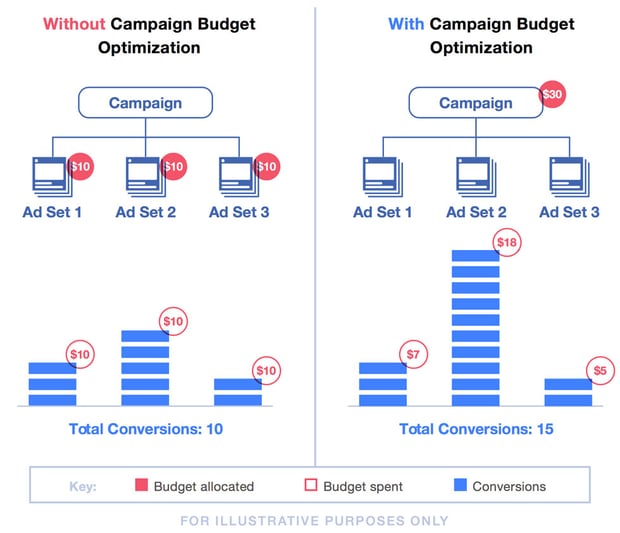
For example, if your overall budget is $100 and you have four ad sets, each ad set will receive $25 with ABO. With CBO, a campaign budget of $100 will be distributed based on opportunities for high-performance, so one ad set may receive $25, another $35, another $20, and another $20.
How To Set Up Facebook CBO
Setting up Facebook CBO is a relatively straightforward process, and we’ll outline the steps below.
1. Navigate to Facebook Ads Manager.
2. Click the blue Create New Campaign button.
3. Name your campaign.
4. Select your designed campaign objective from the pop-up menu (as shown in the image below).
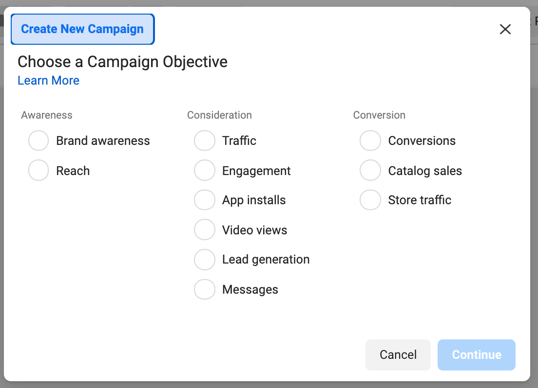
5. Scroll down to the bottom of the page and toggle the Campaign Budget Optimization button into the on position, as highlighted in red in the image below.
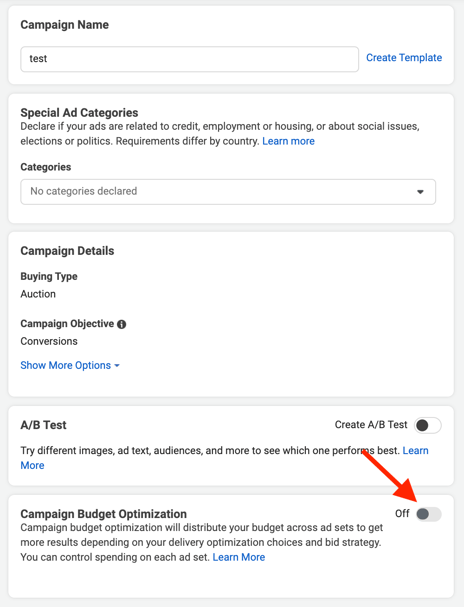
6. Once toggled into the on position, you’re prompted to specify whether your campaign budget has a daily spend limit or if it’s an overall lifetime budget (as shown in the image below).
7. Select your campaign bid strategy, which is how you want your budget to be spent.
8. Once you’ve entered all of the above information, you’ll be prompted to enter standard information you’d enter when creating a standard Facebook ad (conversion location, campaign schedule, audience information, asset placements, etc.).
Should you choose to use CBO, it’s essential to follow best practices.
Facebook CBO Best Practices
Let’s go over some best practices for using CBO, according to Facebook.
1. Use large audiences.
Larger audience groups make it easier for the algorithm to make accurate, strategic decisions for distributing funds for your campaigns. More audience members equal more metrics, which equals more available data for the algorithm to study and learn from.
2. Don’t use too many ad sets.
Facebook notes that exceeding 70 ad sets limits the number of edits you can make after publishing and also causes the algorithm to take more time to learn from your data and optimize your ad spend for higher performance.
3. Don’t pause and unpause your ad sets.
CBO is an automated system, so your campaign budgets are distributed based on active ads. If you pause certain sets, their data does not get factored into the algorithmic decision process, and it will allocate your budgets elsewhere. If you leave ads paused for too long, it’s possible that spending will be used up, and your paused ads won’t run.
4. Be strategic about ad set spending limits.
CBO is most powerful when the algorithm has free reign to learn from data and metrics. If you set too many limits on ad spending, like daily budgets, the algorithm has less flexibility, and your budgets will be less optimized.
If you prefer to set stricter limits and optimize per ad set, Facebook recommends using ABO.
5. Input all changes in bulk.
Facebook says that it takes significant time for campaign changes to go live when using CBO, so it’s essential to make all adjustments in bulk to minimize downtime.
CBO Helps You Optimize And Save Time
Using Campaign Budget Optimization on Facebook helps save you time through automation and ensures that your spending on the platform is optimized for best results. If you decide it’s right for you, consider the best practices and begin creating your campaign in Ads Manager.