
Welcome to My Blog
The Ultimate Guide to LinkedIn Groups
You know LinkedIn — the professional, polished, responsible sibling of the social media sphere.
Considering the social network has 722 million+ members, you almost certainly already have a profile.
The stats about its effectiveness and usage are mind-boggling: for instance, three people are hired every minute on LinkedIn, and the network reports a 55% increase in conversations between connections just in the last quarter.
If you’re anything like me, you read these stats and get the feeling you should be getting more out of your LinkedIn experience. But navigating a world of over 700 million individuals can seem pretty daunting – and, like any social network, there’s plenty of spammy content from publishers clogging feeds with self-promotional materials.
You’ve probably seen these cringe-worthy posts. Things like: “I was rushing into a job interview, but stopped to help a woman collect a bunch of papers she’d dropped in the lobby. Turned out she was the hiring manager. I got the job on the spot. #karma”
But, unique amongst social media platforms, you can rest-assured that individuals show up on LinkedIn thinking about work. This means LinkedIn users are primed for social selling, and there are ample opportunities to find, connect, and build relationships with potential prospects on the network.
The data backs this up: a HubSpot study of over 5,000 businesses found LinkedIn traffic generated almost three times the visitor-to-lead conversion rate of either Twitter or Facebook.
This is extremely valuable in any profession – and especially if you work in the B2B space.
Get the essential guide to using LinkedIn for marketing and professional networking.
So, how do you focus in on a community of people from your industry or with shared interests to get the most out of this massive network? Enter: LinkedIn Groups.
Here, we’re going to explore what LinkedIn Groups are, as well as LinkedIn Group best practices, and the most impressive Groups to join on the network. Let’s dive in.
What are LinkedIn Groups?
LinkedIn Groups is a dedicated space for professionals to share expertise, seek advice, and build meaningful relationships. They’ve been around for a while, but, as the trend in social media moves towards more intentional, self-selected communities, their importance continues to grow.
Groups represent a targeted opportunity to build your personal brand and professional community on LinkedIn.
Only members of a given group can view, post, or comment on conversations within that group. Groups can set their own admissions criteria and establish admins as gatekeepers.
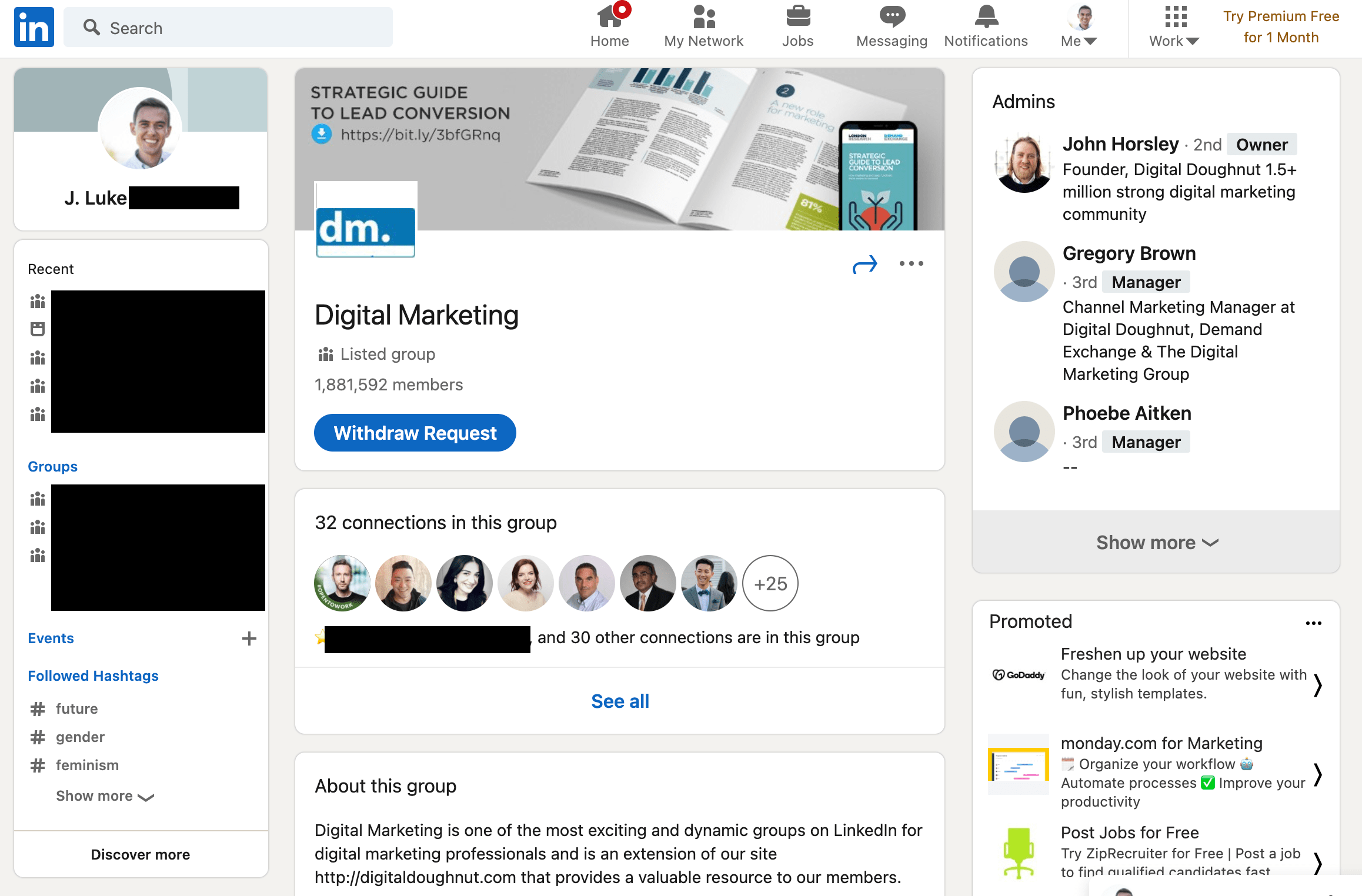
By default, your Group affiliations show up at the bottom of your LinkedIn Profile under the ‘Interests’ section. You can edit the visibility for specific groups –– just one of the many ways to customize how your LinkedIn Profile represents your personal and professional brand.
Unlisted Groups don’t appear in search results, and only fellow group members will see the group’s information on your Profile. These more private communities require a direct link or admin invitation for access.
LinkedIn Groups Best Practices
To get the most out of LinkedIn Groups communities, be a good community member. Consider that your Golden Rule in this ecosystem. Let your work and your insight speak for itself –– avoiding blatant self-promotion or outright spam.
Other best practices for becoming a valued group member include:
- Contribute first – Bring value to the group. This builds trust and offers greater value to you long-term as well. Jumping in with an off-topic post or link to your own content is a great way to get banned or panned [/ignored].
- Listen and Engage – Unless you’re the Group’s founder and creator, remember that you’re joining an ongoing conversation. Take some time to listen and observe. Pay attention to topics, tone, and who the group recognizes as experts or authorities. Try liking and commenting on a few posts before you spout off some contrarian or opposing views.
- Encourage discussion – Ask questions. Then listen and respond, seeking to further the conversation.
- Keep it professional – People are on the platform for work, remember? If you wouldn’t say it to a colleague or your boss in person, don’t say it here.
- Think before you link – LinkedIn is pretty clear about this. Any URL to commercial sites that try to sell a product or service will be reported and removed, as will those redirecting to inappropriate/spam-like content.
Pro-Tip: Want to capitalize on time you spend acclimating yourself to a LinkedIn Group and its particular community? Leadjet is a browser extension that helps salespeople work faster and more efficiently. Automatically add LinkedIn prospects in a single click to your CRM, without wasting time to enter the data manually.
With a tool like Leadjet, you’re easing into a Group’s community and meaningfully adding to your pipeline of high-quality prospects at the same time. Win-win.
Navigating LinkedIn Groups
You can navigate to LinkedIn Groups in several ways. Look for Groups directly in the Search bar, just as you would find connections, companies or anything else on LinkedIn.
You can also find them in the ‘Work’ grid on your Navigation bar within LinkedIn, or at linkedin.com/groups.
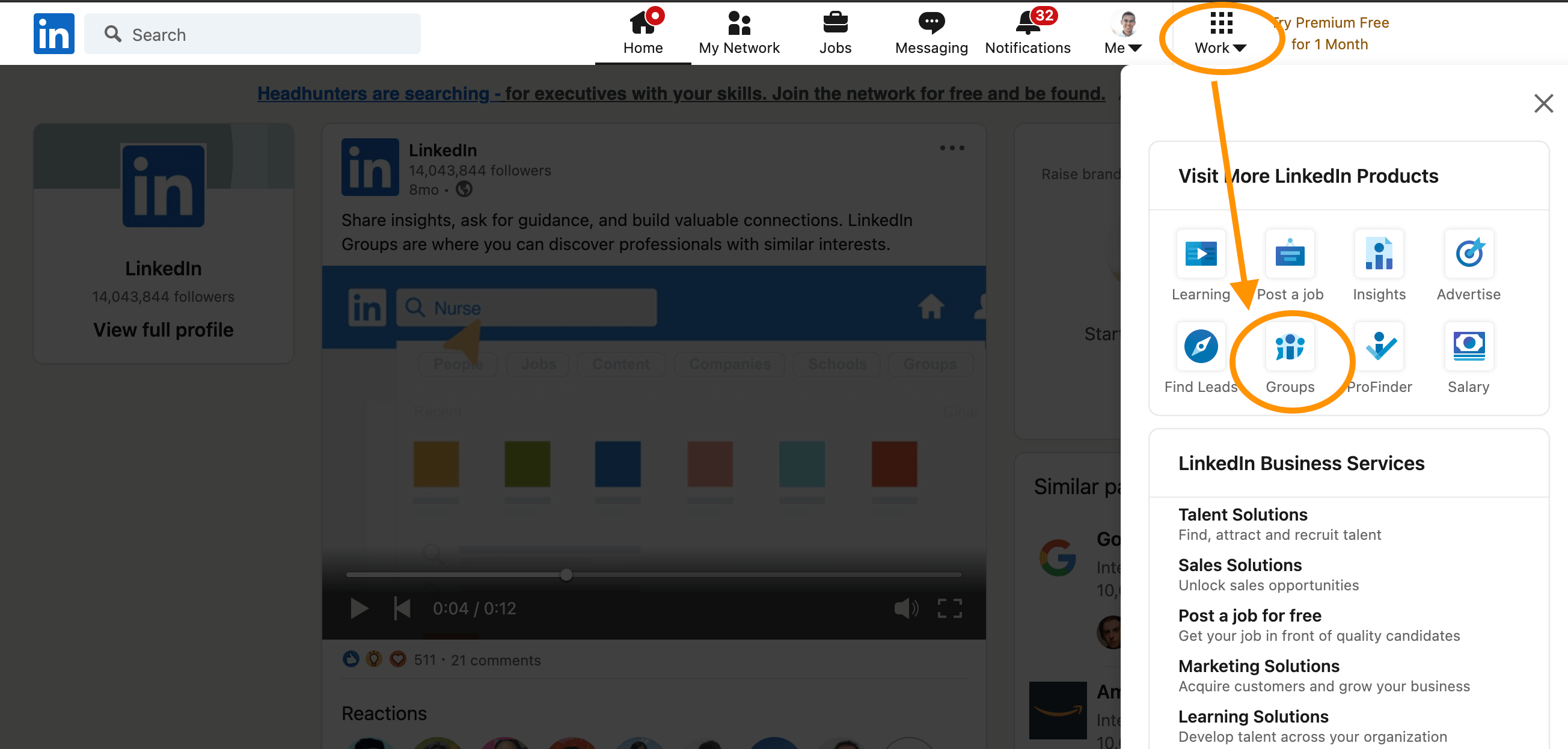
How to Find Groups on LinkedIn
Look for groups that match your industry and interests by searching for relevant titles, keywords, or phrases. For virtually any industry or job function, you’ll find a number of LinkedIn Groups.
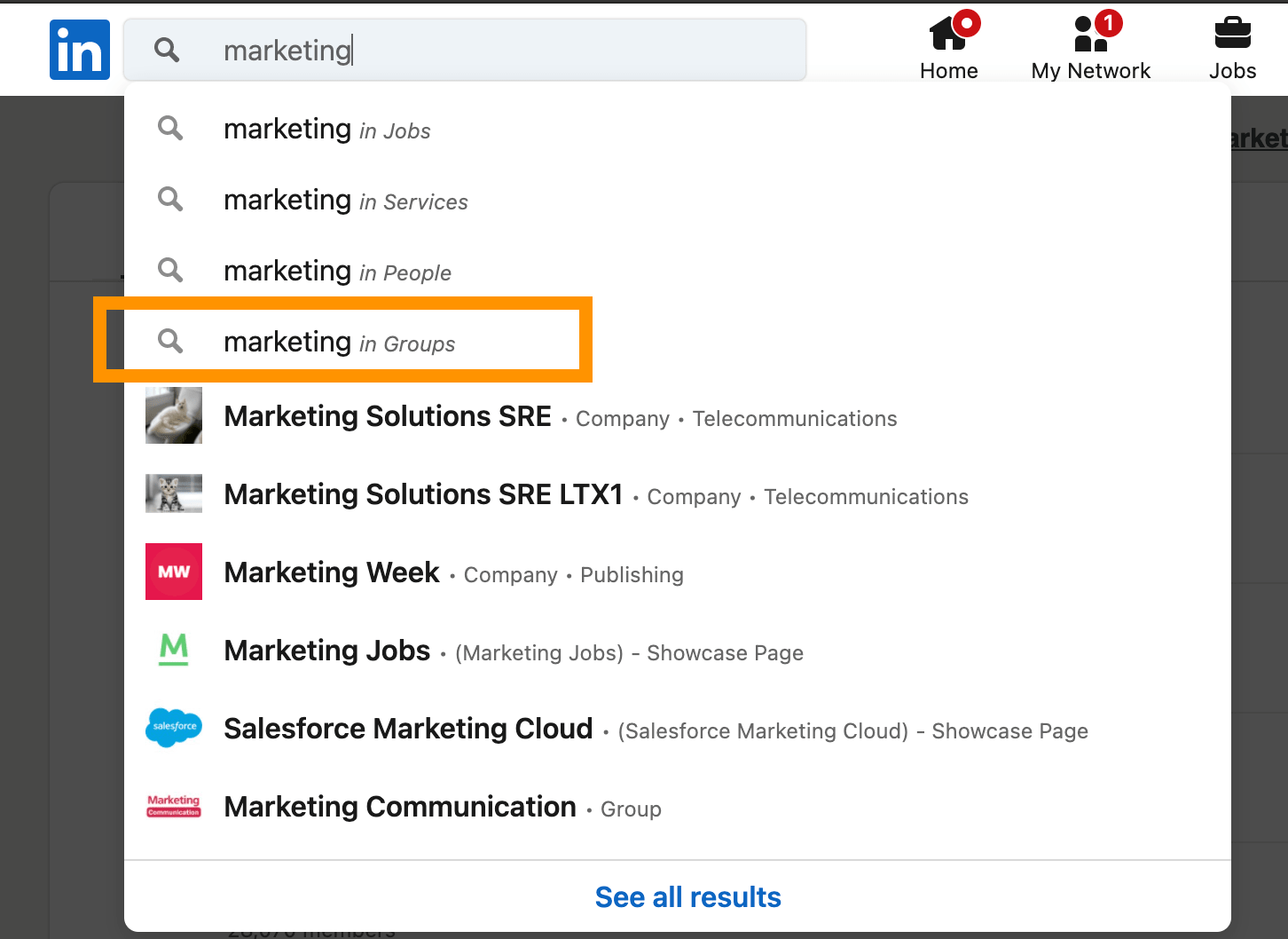
Evaluate Groups’ descriptions, as well as connections from your network who are already members, to determine which Groups are the best fit for you.
LinkedIn Groups Directory
Browse the LinkedIn Groups Directory — accessible from the right navigation as well as the search drop-down in the upper left part of the LinkedIn user interface. Search by name, phrase, or keyword, and sift through results based on either the group name or a keyword in the group description.
How to Join Groups on LinkedIn
You can join a Group on LinkedIn by click “Request to Join” on a Group’s home or profile page. Your request goes directly to the Group Admins, who evaluate your fit for the Group.
Or, if another connection invites you to join a group, simply ‘Accept’ on the invite from your inbox or notifications screens, as you would a standard Connection request.
Where are my Groups on LinkedIn?
LinkedIn Groups impact the appearance of your LinkedIn Profile in several ways. As mentioned, people looking at Groups can see which of their connections are already members. Additionally, the ‘Interests’ section at the bottom portion of your Profile displays a selection of information, including topics and experts you follow on LinkedIn, as well as Group memberships.
If you’ve been on LinkedIn for a while, you may have some outdated or inactive Group memberships. You can curate what displays on your Profile for others to see by leaving Groups that no longer interest you. But what if you want to continue receiving messages from certain Groups but don’t want them to appear on your profile?
On the page listing all of your Group affiliations, click the three dots to the right of any Group listing and select “Update your settings”:

On the linked sub-page, toggle “Display group on profile” to “No”, which maintains your membership but hides it from the ‘Interests’ section of your profile. This ensures that only other members or people searching directly for that Group can potentially see your affiliation.
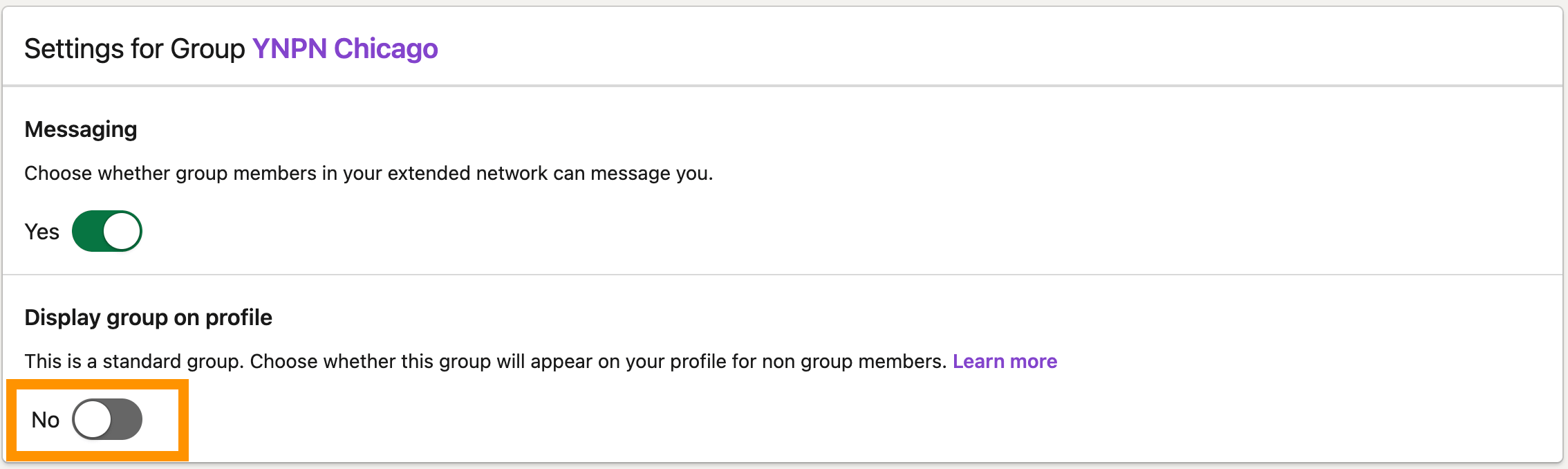
Now, you can stay connected to that high school alumni group or keep following a competitor’s learning community without this information popping up for just anyone to see on your profile.
The above applies for Listed Groups. Unlisted Groups are not publicly searchable and will not appear on your profile, except to other people who are also members of the same group. Potential members can only see or access the Group after receiving an invitation from a current member or Admin.
Best Groups to Join on LinkedIn
Whatever your industry, role, or goal for joining LinkedIn Groups, there’s likely no shortage of curated recommendations for the best Groups. To start, you might check out resources like “20 LinkedIn Groups Every Marketer Should Join” or “11 Must-Join LinkedIn Groups For Recruiters.”
It’s also helpful to think beyond immediate or explicitly professional affiliations. Don’t limit yourself to only joining groups directly related to your industry.
Alumni groups are often both particularly active and helpful – especially if you’re trying to break into a new field or build relationships in a new region.
Seek out groups that your ideal customers belong to and be an active, engaged member of the groups you join to maximize potential for meaningful networking and social selling.
Explore LinkedIn Groups’ potential to support your own goals by joining a couple of Groups today. Get started with one or two groups in your industry, and another based on where you went to school or a favorite personal interest.
Think of them as digital versions of groups and spaces you’d consider visiting offline, too. Begin observing the conversations, looking for ways to contribute, and assessing how you might fit into the Group’s community. Good luck!

How to Create an Editorial Calendar in Google Calendar [Free Templates]
One of the most frequent questions we get from aspiring and current inbound marketers is, “How do you manage all of that content?”
When we tell them we use an editorial calendar, the next question is often, “Oh, how much does that cost?”
Nothing. Because, for the most part, we use Google Calendar.
Surprised? There are a lot of great calendar tools out there you can choose from. (In fact, for those of you who are HubSpot customers, there’s a marketing calendar built right into HubSpot’s software.) But after trying a ton of other solutions, our team found that we really operated the best with just a simple Google Calendar. In fact, this has actually been the longest-running editorial calendar solution our team has ever seen.
Here’s how we set it up.
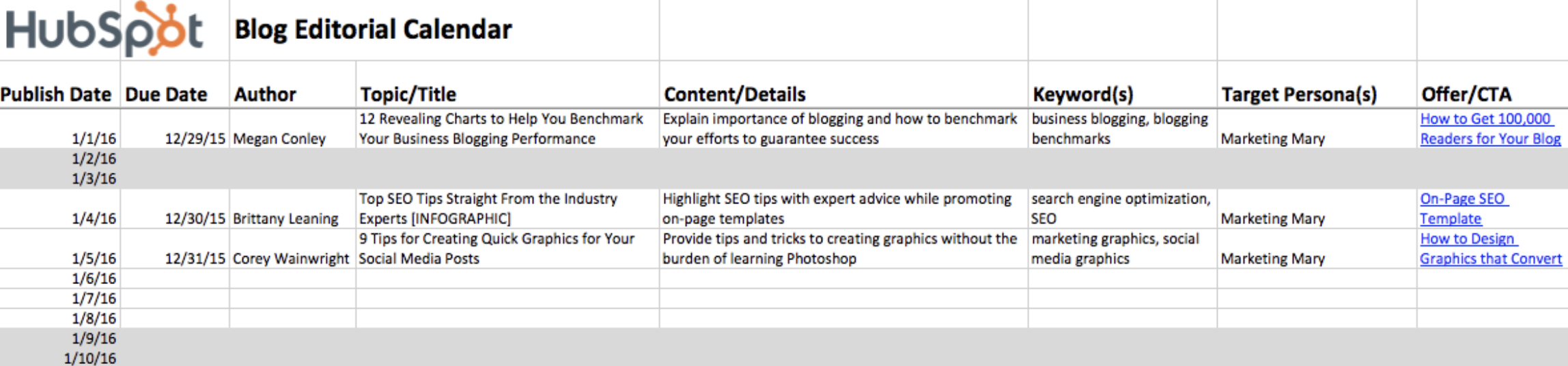
Follow Along With Free Editorial Calendar Templates
 Download the Template for Free
1. Download HubSpot’s free editorial calendar templates.
First thing’s first: Download the calendar templates, above (they’re free.) By doing this, you’ll have three editorial calendar templates on your computer to use at your leisure: one for Google Calendar, one for Excel, and one for Google Sheets. In this blog post, we’ll be going over how to import the Excel template into Google Calendar.
2. Customize your template and prepare for import into Google Calendar.
By default, the publish dates on the templates you download will be stamped for the year 2016. Feel free to change them to the present year in the spreadsheet itself — you can also drag them to the dates of your choosing after you upload the file into Google Calendar.
Google Calendar makes it easy to load a calendar you might have pre-created in another program into Google. This includes Microsoft Excel. Here’s how to import the Excel calendar template you downloaded in the previous step into Google Calendar:
3. Open Google Calendar.
Once you’ve downloaded (or, for that matter, created) a calendar that opens in Microsoft Excel, it’s time to open Google Calendar. Just make sure you’re already logged into the Gmail account you want this calendar to give access to.
4. Use the lefthand dropdown menu to create a new calendar.
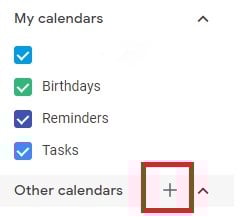
Now it’s time to set up your Google Calendar to accommodate the information in your Excel spreadsheet. First, go into your Google Calendar and click the plus sign to the right of “Other Calendars,” as shown in the screenshot below. In the dropdown menu that appears, select “Create new calendar.”
5. Fill out the details of your new calendar.
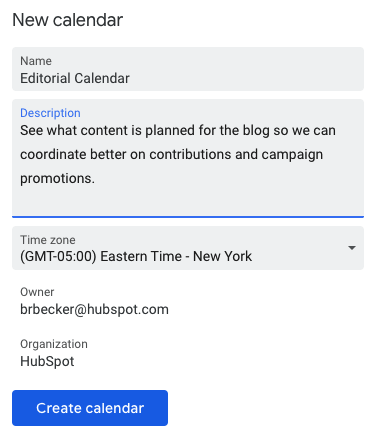
Fill out the fields that appear on the next screen. This includes a brief description of your calendar, as shown below, to give people proper context when you invite them into this calendar. When you’re done filling in the details, click “Create calendar.”
6. Import your XLS or CSV file from the same dropdown menu.
Using the same dropdown menu you used to create your editorial calendar, you’ll now import the Excel file itself into Google Calendar. Click that plus sign and select “Import.”
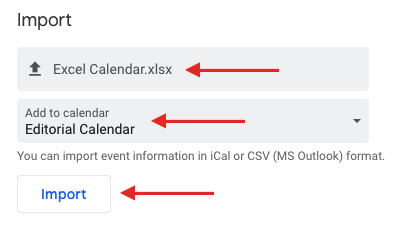
Click the upload box that reads “Select file from your computer,” and locate the file entitled “Blog Editorial Calendar – Excel” that was included in the ZIP file you downloaded in Step 1, above.
7. Select which calendar to add this file to.
In the second box below your imported file, click the “Add to calendar” dropdown. Be sure to choose the name of the calendar you just created from the dropdown menu, as shown below. Then, click “Import.”
8. Click Import.
Once you’ve uploaded your Excel file and selected the calendar you want to add this file to, click “Import.” You should see an Import calendar dialog box telling you that seven events were successfully imported. Click “Close.”
Now, if you didn’t change the dates of the first seven assignments in the original Excel document, you can now. Navigate to January 3, 2016, which is the start of your calendar. Be sure all of your other calendars are temporarily hidden by clicking the colored box to the left of the calendar name. On the week of January 3, 2016, you should just see one “Blog TBD” calendar event on each day from 10 a.m. to 11 a.m.
Use the edit window of each assignment to change the publish date. For example, if you’re satisfied with the 10 a.m. publish time, you can simply change the date from January X, 2016 to January X, 2021. Each assignment will then appear as event blocks in your 2021 monthly calendar view.
9. Determine your publishing schedule.
Now that you have your calendar created, it’s time to fill it in with assignments for the year. This is when you have to make some decisions about your blog’s publishing schedule.
While the Excel file you imported accounts for one blog post per day, this doesn’t mean you need to publish seven days a week. Maybe you want to publish every Monday, Wednesday, and Friday. Or perhaps you plan on publishing on just Thursdays. Remember, the key to successful blogging is quality over quantity. Don’t overcommit to a blogging schedule if the quality of your content will take a hit. (Read this blog post for some great benchmark data on how often companies should blog.)
If you decide to decrease the number of days you want to publish, click on the calendar event of that day and select “Delete.”
Even if you wanted to publish multiple times a day, updating this calendar is as easy as adding an event. Select a slot on your calendar to add another “Blog TBD” event and copy the default description from another one of the events you imported.
Next, it’s time for some minor adjustments. Currently, the “Blog TBD” events are set for 10 a.m. Feel free to move these events to whichever time your blog publishes during the day.
10. Set up recurring events.
Now that you have your publish dates and times set, you can make these recurring events on your calendar. If you have a regular publishing schedule, like every Monday, Wednesday, and Friday at 10:00 a.m., then put that in as a recurring “slot” on your calendar. It’s okay if you don’t have a piece of completed content — or even a working title — to put there yet. It’s just a reminder that you want to publish something that day.
To add your recurring slot, click on your first “Blog TBD” event and click the pencil icon to edit your event. This will take you to the details of the post, where you can create a custom recurring schedule for each assignment, as shown in the screenshot below.
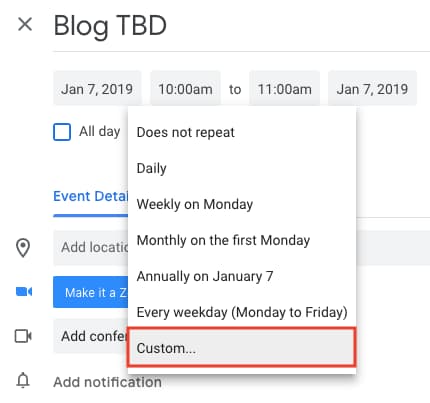 You can set the post up as a recurring post so it automatically appears every Monday, Wednesday, and Friday at 10:00 a.m. (or whatever days and times you want).
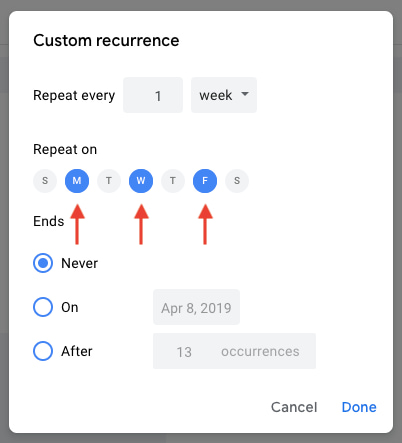
Once you’ve selected the recurring days, hit “Done” and “Save,” and you’ll have an editorial calendar framework to work with.
For now, keep the title of the event as “Blog TBD,” but feel free to customize the description with any extra details you want to be sure you include for each post. Wait to invite any guest, as we’ll use this to assign posts to an author once you begin filling in your topics. With everything complete, click “Save.”
If you don’t have a recurring schedule like this, you might not be in need of an editorial calendar just yet — but it is a good way to set goals for yourself. If you know you want to publish a certain number of posts each week, even if you don’t hit every single slot, it’s a good reminder for yourself and your team that this is something you should all be striving for.
11. Fill your publishing slots.
Now that you know all of the slots you want to fill, you gotta actually … you know … fill ’em. (If you don’t have topic ideas yet, check out this free topic idea generator. It’ll give you some good ideas for content to put in the calendar.)
Let’s say one of the posts you want to write is “10 Surprising Facts About Tapirs,” and one of the posts you’ve already written and want to publish later is “Think You’re Cut Out to Own a Tapir? Read This First.” Cool! Just add ’em both to the calendar by clicking on “Post – TBD” on the correct date, choosing “Edit Event,” and then changing the “Post – TBD” text to the actual title of the post.
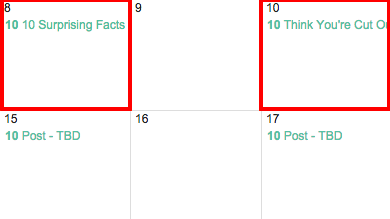
Now, let’s say you don’t actually want to write “10 Surprising Facts About Tapirs,” and you want your colleague to write it instead. To assign the post an author, you’ll invite them to the event as a guest. To do this, click on the event, hit “Edit Event,” then invite that colleague to the post by typing his or her name or email address into the “Add guests” box, selecting “Add” when their name pops up, and hitting “Save” on the event once you’re done.
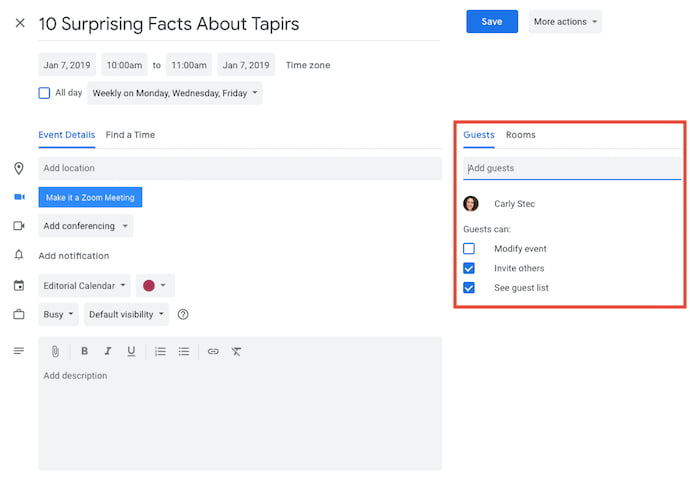
Now, anyone can see who is responsible for writing the post that’s going up in that time slot.
You can take it a step further by adding details to the “Description” box of the event, as shown in the large box in the screenshot above. You might include a quick synopsis, the keywords you plan to target the post for, the target audience you’re trying to reach, and the offer or CTA you will direct the reader to at the end of the post. Don’t forget a due date for the draft.
Before Google Calendar will let you save the event, you’ll see a dialog box asking if you would like to change just this event or all of the events in the series. Select “Only this event.”
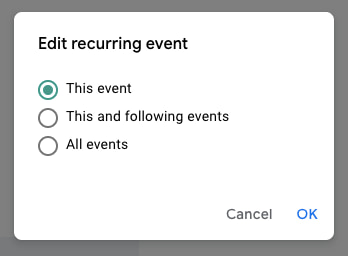
Repeat these steps to assign each blog topic today and in the future.
12. Share your editorial calendar with others.
Now that you have your calendar set up, you can start to invite people to see it. I’d recommend you start with your immediate team and regular contributors — as well as anyone who regularly asks you about publishing content on your company blog.
To share this editorial calendar with people, simply find your editorial calendar under “My Calendars,” as shown below. Click the three dots next to the calendar name and then select “Settings and sharing” when it appears in the dropdown menu. You’ll be taken to the same screen we saw when you first filled out the details of your editorial calendar in Step 2.
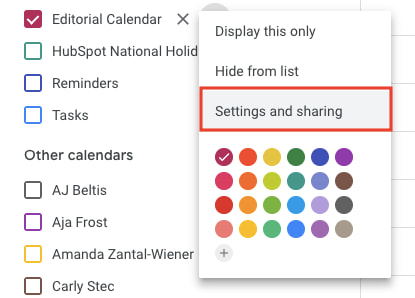 Then, you can add in the names of people with whom you’d like to share the calendar and set the right permission levels for each invitee.
It’s wise to keep those with the permission settings to manage changes and sharing to a minimum so there aren’t too many cooks in the kitchen — but I recommend you let everyone see all event details so it’s clear exactly what content is going up in each slot.
Under the “Share with specific people” heading, enter the email addresses of those on your content team and decide if they have viewing, editing, or admin privileges. Save your updated settings.
Why Using Google Calendar as an Editorial Calendar Works
I mentioned earlier that we tried a lot of different editorial calendar solutions, and this is the only one that’s stuck for more than a couple months. I think one reason for that is because we use Gmail for our corporate email, which means everyone on our team is already in Gmail (and their calendar, specifically) all day. As a result, it isn’t hard for people to form a habit of checking the editorial calendar, because it’s not difficult for them to find it.
Google Calendar also makes things really easy to move around and schedule because … well … it’s already a calendar. It has all the functionality you need to schedule stuff out and let the people who need to know about it know. When we were using other solutions for this, we were trying to hack a calendaring function instead of just relying on one that already existed.
Along those lines, adding people to view your calendar is simple, which makes it easy for multiple teams to collaborate, see what’s being published, and figure out when they might be able to launch content and campaigns.
Finally, this sets a precedent for other teams to coordinate with you in a really simple way. You can have a calendar for upcoming campaigns, offers, social media pushes, product launches — you name it. And you can all share those calendars with one another for a single-screen view of everything that’s going on so you can coordinate more easily.
Are there other solutions of there for maintaining an editorial calendar? Of course. But if you’re looking for a minimum viable product, and a free one at that, this ain’t too shabby. It’s kept our content team sane, agile, and transparent for quite some time — and I think it could do the same for you.
Editor’s note: This post was originally published in January 2019 and has been updated for comprehensiveness.

How to Do Keyword Research for SEO: A Beginner’s Guide
While Google keeps us on our toes with all the algorithm updates they keep rollin’ out, one thing has stayed pretty consistent for inbound marketers looking to optimize their websites for search: keyword research.
Well, the need to do keyword research has stayed the same. How you actually do it hasn’t.
What Is Keyword Research?
Keyword research is the process of finding and analyzing search terms that people enter into search engines with the goal of using that data for a specific purpose, often for search engine optimization (SEO) or general marketing. Keyword research can uncover queries to target, the popularity of theses queries, their ranking difficulty, and more.
Why Is Keyword Research Important?
Keyword research provides valuable insight into the queries that your target audience is actually searching on Google. The insight that you can get into these actual search terms can help inform content strategy as well as your larger marketing strategy. However, keywords themselves may not be as important to SEO as you may think.
More and more, we hear how much SEO has evolved over just the last 10 years, and how unimportant keywords themselves have become to our ability to rank well for the searches people make every day.
And to some extent, this is true; using keywords that exactly match a person’s search is no longer the most important ranking factor in the eyes of an SEO professional. Rather, it’s the intent behind that keyword, and whether or not a piece of content solves for that intent (we’ll talk more about intent in just a minute).
But that doesn’t mean keyword research is an outdated process. Let me explain:
Keyword research tells you what topics people care about and, assuming you use the right SEO tool, how popular those topics actually are among your audience. The operative term here is topics — by researching keywords that are getting a high volume of searches per month, you can identify and sort your content into topics that you want to create content on. Then, you can use these topics to dictate which keywords you look for and target.
By researching keywords for their popularity, search volume, and general intent, you can tackle the questions that the most people in your audience want answers to.
How to Research Keywords for Your SEO Strategy
I’m going to lay out a keyword research process you can follow to help you come up with a list of terms you should be targeting. That way, you’ll be able to establish and execute a strong keyword strategy that helps you get found for the search terms you actually care about.
Step 1: Make a list of important, relevant topics based on what you know about your business.
To kick off this process, think about the topics you want to rank for in terms of generic buckets. You’ll come up with about 5-10 topic buckets you think are important to your business, and then you’ll use those topic buckets to help come up with some specific keywords later in the process.
If you’re a regular blogger, these are probably the topics you blog about most frequently. Or perhaps they’re the topics that come up the most in sales conversations. Put yourself in the shoes of your buyer personas — what types of topics would your target audience search that you’d want your business to get found for? If you were a company like HubSpot, for example — selling marketing software (which happens to have some awesome SEO tools… but I digress), you might have general topic buckets like:
- “inbound marketing” (21K)
- “blogging” (19K)
- “email marketing” (30K)
- “lead generation” (17K)
- “SEO” (214K)
- “social media marketing” (71K)
- “marketing analytics” (6.2K)
- “marketing automation” (8.5K)
See those numbers in parentheses to the right of each keyword? That’s their monthly search volume. This data allows you to gauge how important these topics are to your audience, and how many different sub-topics you might need to create content on to be successful with that keyword. To learn more about these sub-topics, we move onto step 2 …
Step 2: Fill in those topic buckets with keywords.
Now that you have a few topic buckets you want to focus on, it’s time to identify some keywords that fall into those buckets. These are keyword phrases you think are important to rank for in the SERPs (search engine results pages) because your target customer is probably conducting searches for those specific terms.
For instance, if I took that last topic bucket for an inbound marketing software company — “marketing automation” — I’d brainstorm some keyword phrases that I think people would type in related to that topic. Those might include:
- marketing automation tools
- how to use marketing automation software
- what is marketing automation?
- how to tell if I need marketing automation software
- lead nurturing
- email marketing automation
- top automation tools
And so on and so on. The point of this step isn’t to come up with your final list of keyword phrases. You just want to end up with a brain dump of phrases you think potential customers might use to search for content related to that particular topic bucket. We’ll narrow the lists down later in the process so you don’t have something too unwieldy.
Although more and more keywords are getting encrypted by Google every day, another smart way to come up with keyword ideas is to figure out which keywords your website is already getting found for. To do this, you’ll need website analytics software like Google Analytics or HubSpot’s Sources report, available in the Traffic Analytics tool. Drill down into your website’s traffic sources, and sift through your organic search traffic bucket to identify the keywords people are using to arrive at your site.
Repeat this exercise for as many topic buckets as you have. And remember, if you’re having trouble coming up with relevant search terms, you can always head on over to your customer-facing colleagues — those who are in Sales or Service — and ask them what types of terms their prospects and customers use, or common questions they have. Those are often great starting points for keyword research.
Step 3: Understand How Intent Affects Keyword Research and Analyze Accordingly.
Like I said in the previous section, user intent is now one of the most pivotal factors in your ability to rank well on search engines like Google. Today, it’s more important that your web page addresses the problem a searcher intended to solve than simply carries the keyword the searcher used. So, how does this affect the keyword research you do?
It’s easy to take keywords for face value, and unfortunately, keywords can have many different meanings beneath the surface. Because the intent behind a search is so important to your ranking potential, you need to be extra-careful how you interpret the keywords you target.
Let’s say, for example, you’re researching the keyword “how to start a blog” for an article you want to create. “Blog” can mean a blog post or the blog website itself, and what a searcher’s intent is behind that keyword will influence the direction of your article. Does the searcher want to learn how to start an individual blog post? Or do they want to know how to actually launch a website domain for the purposes of blogging? If your content strategy is only targeting people interested in the latter, you’ll need to make sure of the keyword’s intent before committing to it.
To verify what a user’s intent is in a keyword, it’s a good idea to simply enter this keyword into a search engine yourself, and see what types of results come up. Make sure the type of content Google is closely related to what you’d intend to create for the keyword.
Step 4: Research related search terms.
This is a creative step you may have already thought of when doing keyword research. If not, it’s a great way to fill out those lists.
If you’re struggling to think of more keywords people might be searching about a specific topic, take a look at the related search terms that appear when you plug in a keyword into Google. When you type in your phrase and scroll to the bottom of Google’s results, you’ll notice some suggestions for searches related to your original input. These keywords can spark ideas for other keywords you may want to take into consideration.
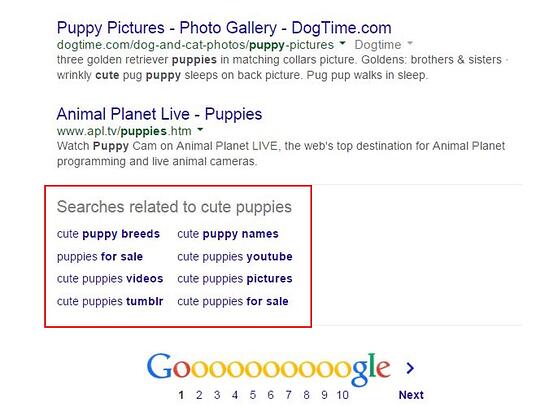
Want a bonus? Type in some of those related search terms and look at their related search terms.
Step 5: Use keyword research tools to your advantage.
Keyword research and SEO tools such as Ahrefs, SEMrush, and Ubersuggest can help you come up with more keyword ideas based on exact match keywords and phrase match keywords based on the ideas you’ve generated up to this point. This exercise might give you alternatives that you might not have considered.
How to Find and Choose Keywords for Your Website
Once you have an idea of the keywords that you want to rank for, now it’s time to refine your list based on the best ones for your strategy. Here’s how:
Step 1. Understand the three main factors for choosing good keywords.
Before choosing keywords and expecting your content to rank for them, you must curate keywords for three things:
1. Relevance
Google ranks content for relevance. This is where the concept of search intent comes in. Your content will only rank for a keyword if it meets the searchers’ needs. In addition, your content must be the best resource out there for the query. After all, why would Google rank your content higher if it provides less value than other content that exists on the web?
2. Authority
Google will provide more weight to sources it deems authoritative. That means you must do all you can to become an authoritative source by enriching your site with helpful, information content and promoting that content to earn social signals and backlinks. If you’re not seen as authoritative in the space, or if a keyword’s SERPs are loaded with heavy sources you can’t compete with (like Forbes or The Mayo Clinic), you have a lower chance of ranking unless your content is exceptional.
3. Volume
You may end up ranking on the first page for a specific keyword, but if no one ever searches for it, it will not result in traffic to your site. Kind of like setting up shop in a ghost town.
Volume is measured by MSV (monthly search volume), which means the number of times the keyword is searched per month across all audiences.
Step 2: Check for a mix of head terms and long-tail keywords in each bucket.
If you don’t know the difference between head terms and long-tail keywords, let me explain. Head terms are keywords phrases that are generally shorter and more generic — they’re typically just one to three words in length, depending on who you talk to. Long-tail keywords, on the other hand, are longer keyword phrases usually containing three or more words.
It’s important to check that you have a mix of head terms and long-tail terms because it’ll give you a keyword strategy that’s well balanced with long-term goals and short-term wins. That’s because head terms are generally searched more frequently, making them often (not always, but often) much more competitive and harder to rank for than long-tail terms. Think about it: Without even looking up search volume or difficulty, which of the following terms do you think would be harder to rank for?
- how to write a great blog post
- blogging
If you answered #2, you’re absolutely right. But don’t get discouraged. While head terms generally boast the most search volume (meaning greater potential to send you traffic), frankly, the traffic you’ll get from the term “how to write a great blog post” is usually more desirable.
Why?
Because someone who is looking for something that specific is probably a much more qualified searcher for your product or service (presuming you’re in the blogging space) than someone looking for something really generic. And because long-tail keywords tend to be more specific, it’s usually easier to tell what people who search for those keywords are really looking for. Someone searching for the head term “blogging,” on the other hand, could be searching it for a whole host of reasons unrelated to your business.
So check your keyword lists to make sure you have a healthy mix of head terms and long-tail keywords. You definitely want some quick wins that long-tail keywords will afford you, but you should also try to chip away at more difficult head terms over the long haul.
Step 3: See how competitors are ranking for these keywords.
Just because your competitor is doing something doesn’t mean you need to. The same goes for keywords. Just because a keyword is important to your competitor, doesn’t mean it’s important to you. However, understanding what keywords your competitors are trying to rank for is a great way to help you give your list of keywords another evaluation.
If your competitor is ranking for certain keywords that are on your list, too, it definitely makes sense to work on improving your ranking for those. However, don’t ignore the ones your competitors don’t seem to care about. This could be a great opportunity for you to own market share on important terms, too.
Understanding the balance of terms that might be a little more difficult due to competition, versus those terms that are a little more realistic, will help you maintain a similar balance that the mix of long-tail and head terms allows. Remember, the goal is to end up with a list of keywords that provide some quick wins but also helps you make progress toward bigger, more challenging SEO goals.
How do you figure out what keywords your competitors are ranking for, you ask? Aside from manually searching for keywords in an incognito browser and seeing what positions your competitors are in, Ahrefs allows you to run a number of free reports that show you the top keywords for the domain you enter. This is a quick way to get a sense of the types of terms your competitors are ranking for.
Step 4: Use Google’s Keyword Planner to cut down your keyword list.
Now that you’ve got the right mix of keywords, it’s time to narrow down your lists with some more quantitative data. You have a lot of tools at your disposal to do this, but let me share my favorite methodology.
I like to use a mix of the Google’s Keyword Planner (you’ll need to set up an Ads account for this, but you can turn your example ad off before you pay any money), and Google Trends.
In Keyword Planner, you can get search volume and traffic estimates for keywords you’re considering. Then, take the information you learn from Keyword Planner and use Google Trends to fill in some blanks.
Use the Keyword Planner to flag any terms on your list that have way too little (or way too much) search volume, and don’t help you maintain a healthy mix like we talked about above. But before you delete anything, check out their trend history and projections in Google Trends. You can see whether, say, some low-volume terms might actually be something you should invest in now — and reap the benefits for later.
Or perhaps you’re just looking at a list of terms that is way too unwieldy, and you have to narrow it down somehow … Google Trends can help you determine which terms are trending upward, and are thus worth more of your focus.
Best Keywords for SEO
Understand that there’s no “best” keywords, just those that are highly searched by your audience. With this in mind, it’s up to you to craft a strategy that will help you rank pages and drive traffic.
The best keywords for your SEO strategy will take into account relevance, authority, and volume. You want to find highly searched keywords that you can reasonably compete for based on:
- The level of competition you’re up against.
- Your ability to produce content that exceeds in quality what’s currently ranking.
And … You’re done!
Congratulations! You’ve now got a list of keywords that’ll help you focus on the right topics for your business, and get you some short-term and long-term gains.
Be sure to re-evaluate these keywords every few months — once a quarter is a good benchmark, but some businesses like to do it even more often than that. As you gain even more authority in the SERPs, you’ll find that you can add more and more keywords to your lists to tackle as you work on maintaining your current presence, and then growing in new areas on top of that.

21 Brand Style Guide Examples for Visual Inspiration
When it comes to building a memorable brand, it’s all about consistency.
When you’re shopping for your favorite cereal or coffee at the grocery store, you want to be able to spot it from a mile away.
The best brands stick in our brains because their presence is defined by the repetition of the same logo, fonts, colors, and images.
Once we see them enough, they become instantly recognizable, bringing us a clear sense of reliability and security.
Developing a consistent brand starts with creating a brand style guide. These branding rule books help graphic designers, marketers, web developers, community managers, and even product packaging departments all stay on the same page, and present a unified vision of the brand to the public.
We’ve compiled a list of some awesome brand style guides to use as inspiration for your next branding project or website redesign. Check them out below.
What are brand guidelines?
Brand guidelines, also known as a brand style guide, govern the composition, design, and general look-and-feel of a company’s branding. Brand guidelines can dictate the content of a logo, blog, website, advertisement, and similar marketing collateral.
Picture the most recognizable brands you can think of. Chances are, you’ve learned to recognize them because of the consistency across the messaging — written or visual — these brands broadcast. The same brand colors are reflected across them. The language sounds familiar. It’s all very organized and, while not rigid, it’s cohesive.
Here are a few types of guidelines you’d find in a brand style guide and which parts of a brand they can influence.
Mission Statement
By reputation, you might think a mission statement is in its own category of importance to a business. And it is. But your business’s mission statement is also compass for your brand style guide. A mission statement ensures every piece of content you create for your brand is working toward the same goal — and, ideally, strives to solve the same problem for your customer.
Your mission statement can guide your:
- Blog content.
- Paid/sponsored content
- Ad copy.
- Visual media.
- Slogan or tagline.
Buyer Persona
By definition, a buyer persona is a fictional representation of your ideal customer. It can include details related to your customer’s age, gender, job title, and professional challenges. For this reason, your buyer persona should also appear in your brand style guide. Your buyer persona is your target audience, and therefore stipulates for whom your brand publishes content.
Your buyer persona can guide your:
- Blog content.
- Ad copy.
- Visual media.
Color Palette
A color palette is a group of colors a company uses to design its brand, and it guides every piece of visual content the brand creates. Your color palette can be as simple or as elaborate as you want, so long as your brand doesn’t deviate from the colors you choose to include.
Color palettes that feature multiple colors often dedicate specific colors to specific types of marketing content. While the first two colors of your color palette might govern your logo, for example, the next two colors might support your website and blog design. Another two or three colors might be the basis for all your printed branding material.
No matter what colors you use for your color palette, make sure you identify their HEX or RGB color codes. These codes consist of numbers and letters to help you recall the exact shade, brightness, contrast, and hue you want associated with your brand, so your colors don’t gradually drift in appearance as you create new content. You can find color codes using most photo-editing or design software that comes standard on your computer. Learn more about finding and committing to color codes in this blog post.
Your color palette can guide your:
- Logo.
- Website design.
- Printed advertisings.
- Event collateral.
Editorial Style Guide
Nowadays, an editorial style guide is the bread and butter of an authoritative brand. This component of your brand style guide can have strong implications for your PR team, as well as the people who write articles, scripts, blog posts, and website copy for your company.
An editorial style guide’s main job is to commit to an editorial stylebook (such as Associated Press or Chicago), how to phrase certain products, topics the brand can and cannot write about, and even other companies the brand can and cannot mention. However, a brand’s editorial style guide can also go into much deeper detail about your buyer persona: what they like to read about, where they read it, their general reading level, etc.
Your editorial style guide can guide your:
- Blog content.
- Video scripts.
- Website copy.
- Landing page copy.
- Public relations talking points.
- A knowledge base supported by your customer service team.
- Paid/sponsored content.
Typography
Typography is another visual element of your brand style guide, but it isn’t just the font you use in your company logo. Typographic guidelines can support your blog design — which font you publish articles in — the links and copy on your website, and even a tagline to go with your company logo.
As you can see, the purpose of the brand style guide is to form and maintain all of the various elements of a company that, when combined, spell out the entire brand as it’s recognized.
Intrigued? Check out 21 of the best ones we could find.
Style Guide Examples
- Medium
- Wolf Circus Jewelry
- Ollo
- Skype
- Barre & Soul
- Spotify
- Jamie Oliver
- Herban Kitchen
- Urban Outfitters
- Love to Ride
- Barbican
- I Love New York
- Cisco
- University of the Arts Helsinki
- NJORD
- Espacio Cultural
- Alienware
- Netflix
- Scrimshaw Coffee
- NASA
- New York City Transit Authority
1. Medium
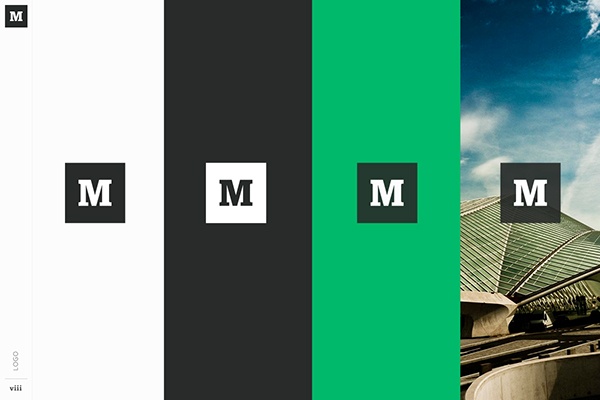
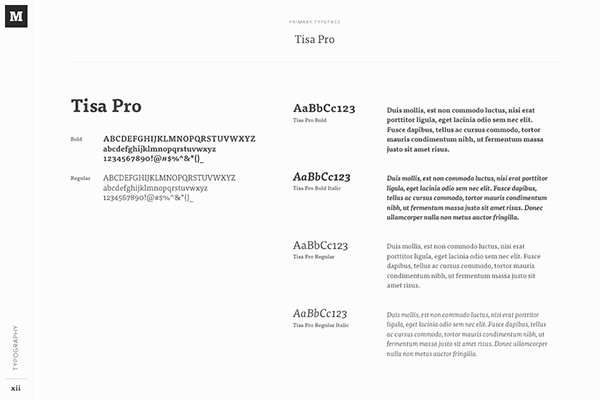
Medium emphasizes both typography and color in its brand style guide. Its guide also include details related to the company’s “Purpose” and “Product Principles.”
See the full brand guide here.
Source: Behance
2. Wolf Circus Jewelry
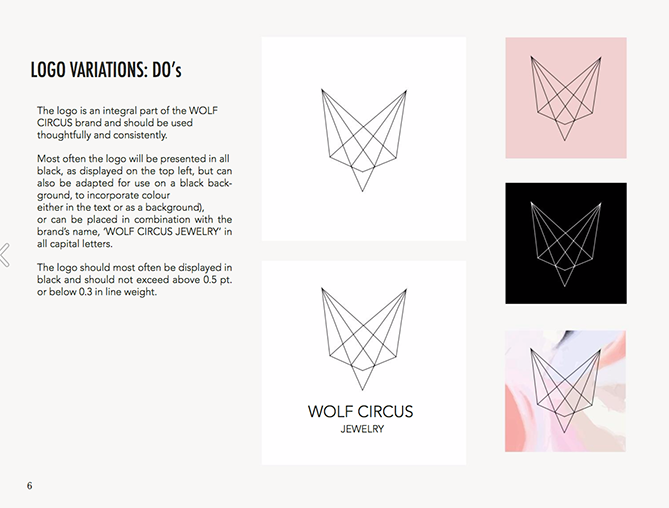
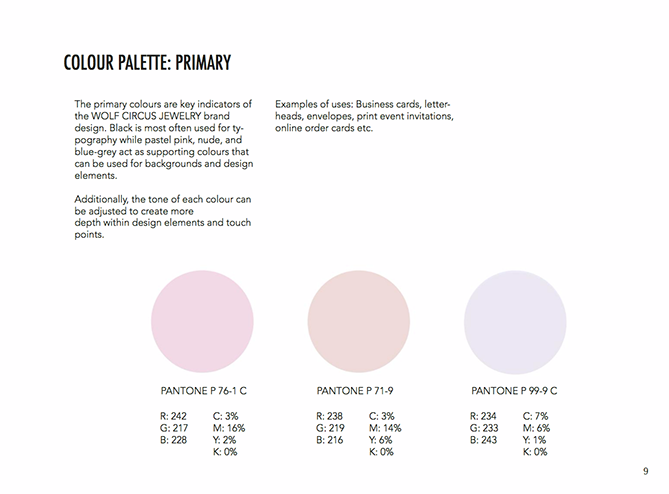
Wolf Circus Jewelry’s product is all about appearance. Naturally, the company’s style guide is too. The brand’s style guide includes the company’s mission statement, product details, typeface, logo variations, a color palette, and a separate set of guidelines just for advertisements.
See the full brand guide here.
Source: Issuu
3. Ollo
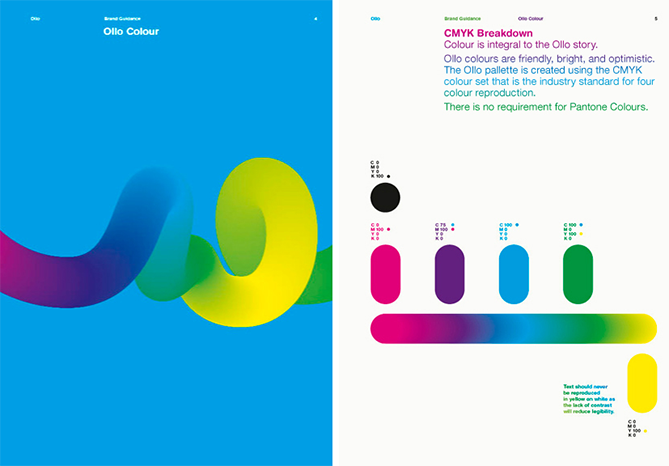
Ollo is so into color and typography, it turned its style guide into a game. Click the link below to see how much you can manipulate the brand. It’s the perfect way to show content creators how creative they can get but also still adhere to Ollo’s specific typeface and color codes.
See the full brand guide here.
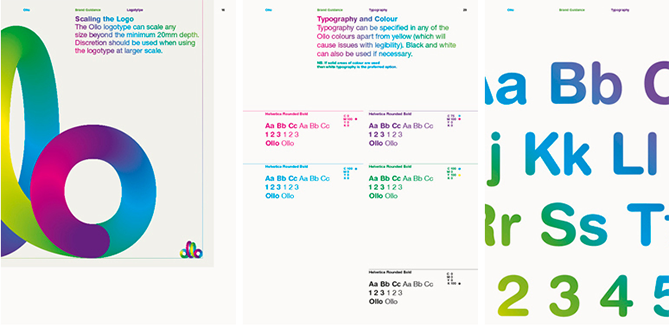
Source: Bibliothèque Design
4. Skype
Everyone’s favorite video chat platform also has a squeaky-clean style guide for its brand. Skype, now owned by Microsoft, focuses primarily on its product phrasing and logo placement.
See the full brand guide here.
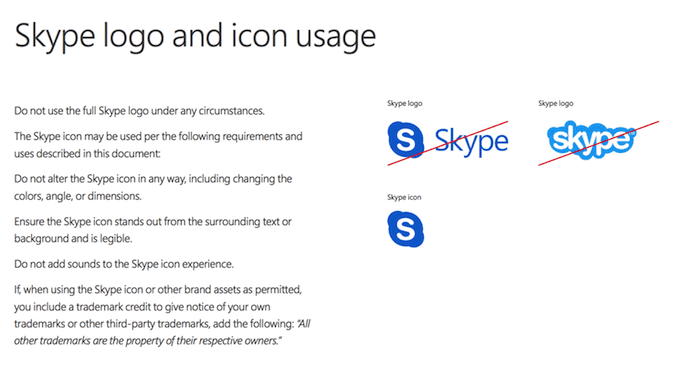
Source: Microsoft
5. Barre & Soul
Barre & Soul’s brand style guide includes variations of its logo, logo spacing, secondary logos, supporting imagery, and a five-color color palette.
See the full brand guide here.
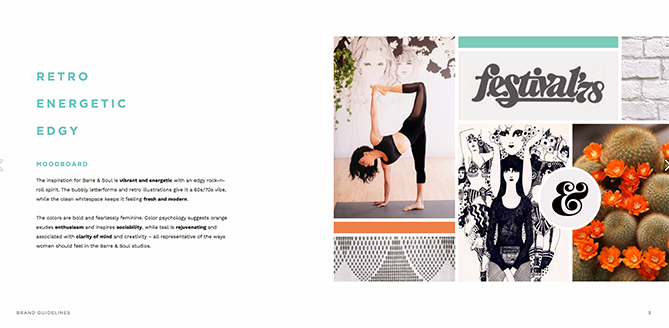
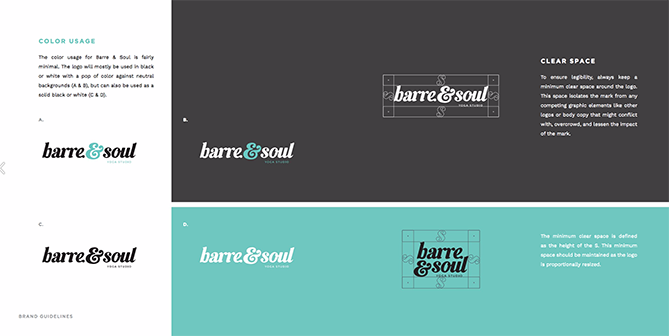
Source: Issuu
6. Spotify
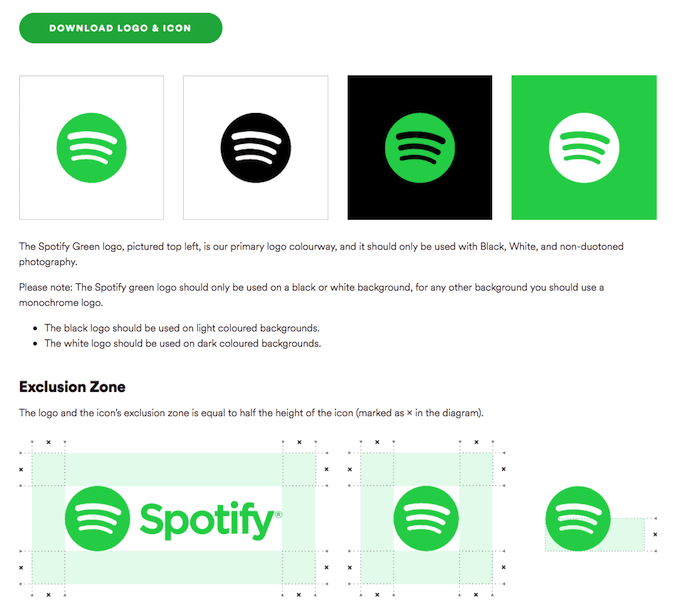
Spotify’s style guide might appear simple and green, but there’s more to the brand than just a lime green circle. Spotify’s color palette includes three color codes, while the rest of the company’s branding guidelines focus heavily on logo variation and album artwork. The style guide even allows you to download an icon version of its logo, making it easier to represent the company without manually recreating it.
See the full brand guide here.
Source: Spotify
7. Jamie Oliver
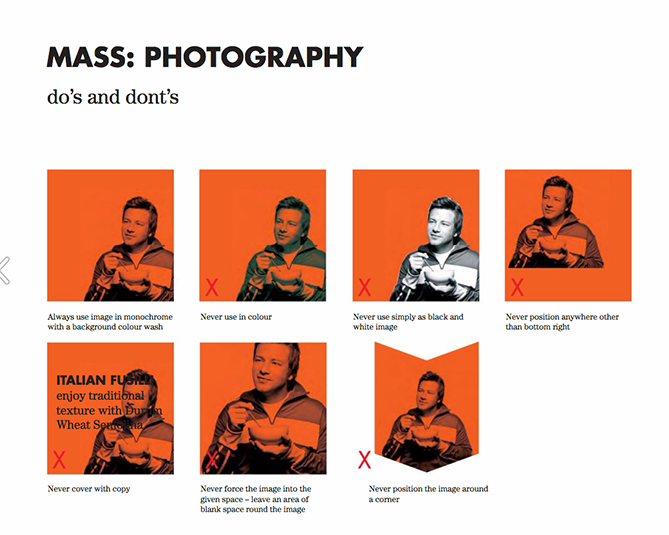
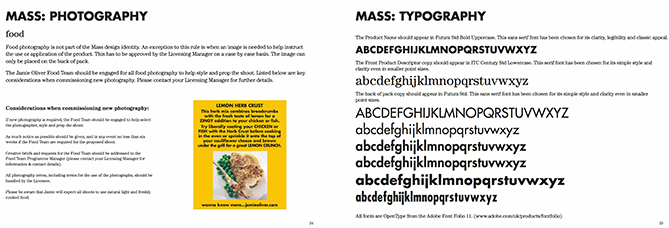
Jamie Oliver has an extremely thorough brand style guide, covering logo placement across all of its kitchenware products. The company also includes a large color palette with each color sorted by the product it should be shown on.
See the full brand guide here.
Source: Issuu
8. Herban Kitchen
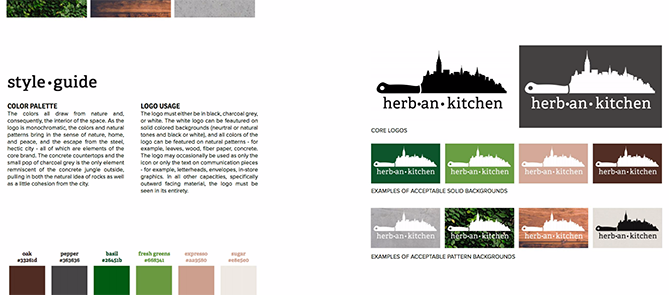
Herban Kitchen has both a color and texture palette in its style guide. These guidelines help to show not just how the brand’s logo will appear, but how the company’s various storefronts will look from the outside to potential customers.
See the full brand guide here.

Source: Issuu
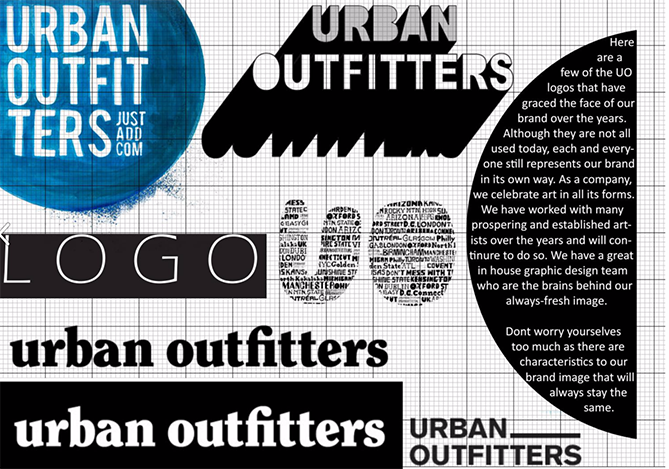
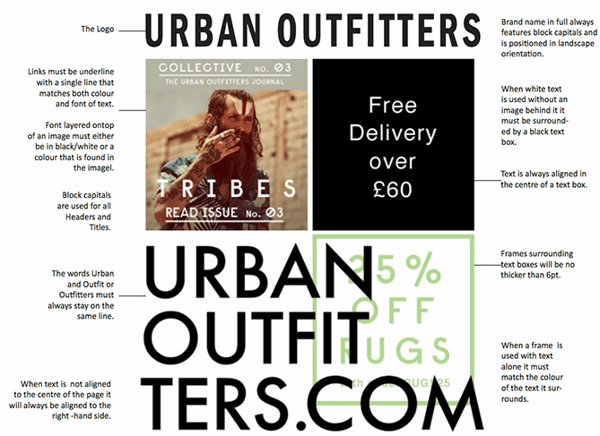
9. Urban Outfitters
Photography, color, and even tone of voice appear in Urban Outfitters’ California-inspired brand guidelines. However, the company isn’t shy to include information about its ideal consumer and what the brand believes in, as well.
See the full brand guide here.
Source: Issuu
10. Love to Ride
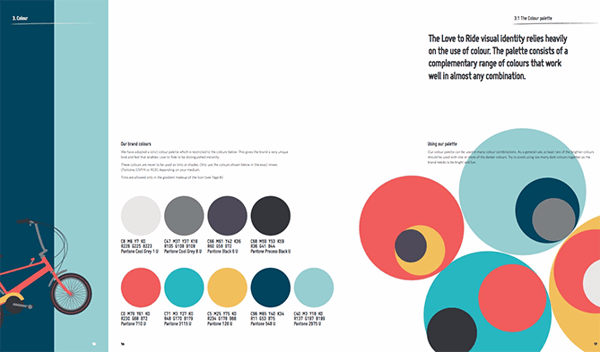
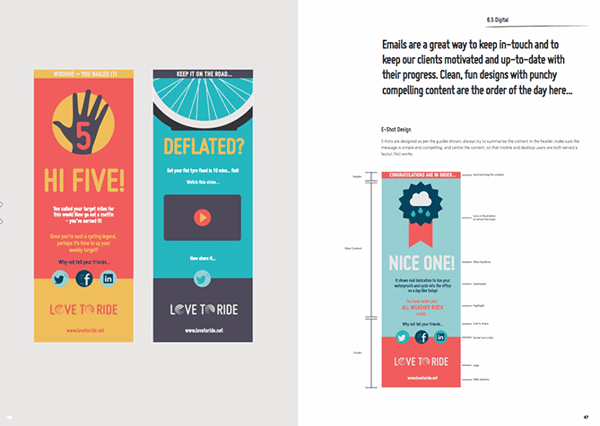
Love to Ride, a cycling company, is all about color variety in its visually pleasing style guide. The company’s brand guidelines include nine color codes and tons of detail about its secondary logos and imagery.
See the full brand guide here.
Source: Issuu
11. Barbican
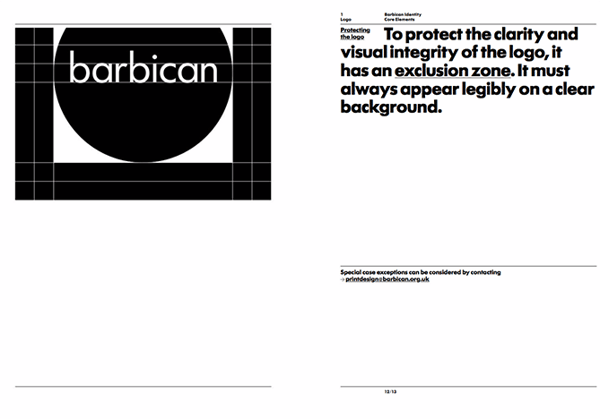
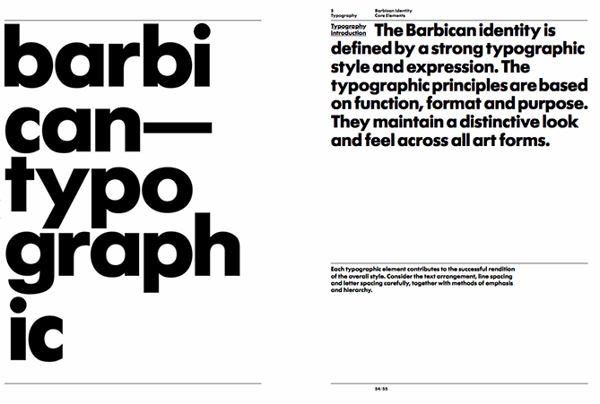
Barbican, an art and learning center in the United Kingdom, sports a loud yet simple style guide focusing heavily on its logo and supporting typefaces.
See the full brand guide here.
Source: Issuu
12. I Love New York
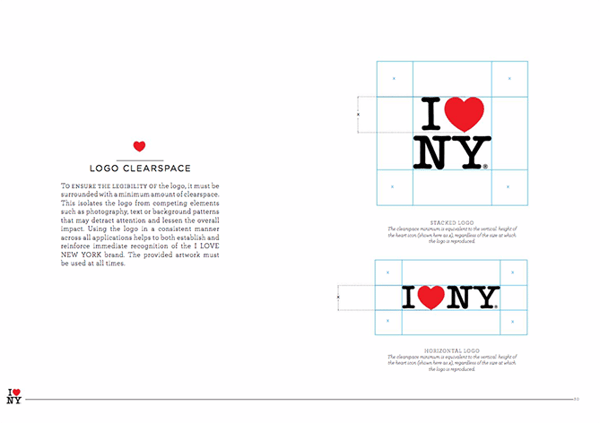
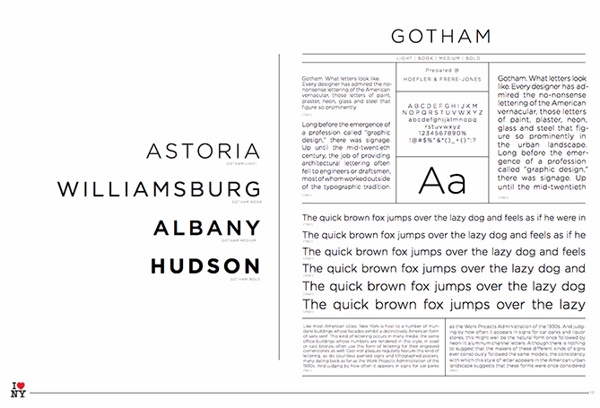
Despite its famously simple t-shirts, I Love New York has a brand style guide. The company begins its guidelines with a thorough explanation of its mission, vision, story, target audience, and tone of voice. Only then does the style guide delve into its logo positioning on various merchandise.
See the full brand guide here.
Source: Issuu
13. Cisco
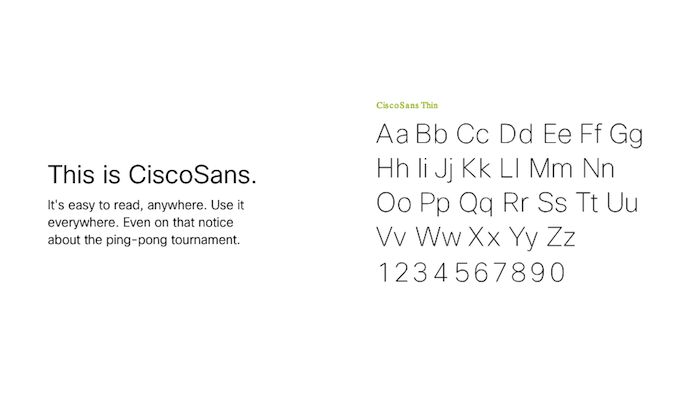
Cisco’s style guide isn’t just a guide — it’s an interactive brand book. The company takes website visitors page by page through its brand’s vision, mission, strategy, and even its promise before showing users their logo and allowing them to actually type using their proprietary typeface, “CiscoSans.” Where’s Cisco’s color palette, you ask? The business has a separate webpage for just that.
See the full brand guide here.
Source: Cisco
14. University of the Arts Helsinki
The style guide of the University of the Arts Helsinki is more of a creative branding album than a traditional marketing guide. It shows you dozens of contexts in which you’d see this school’s provocative logo, including animations.
See the full brand guide here.


Source: Behance
15. NJORD
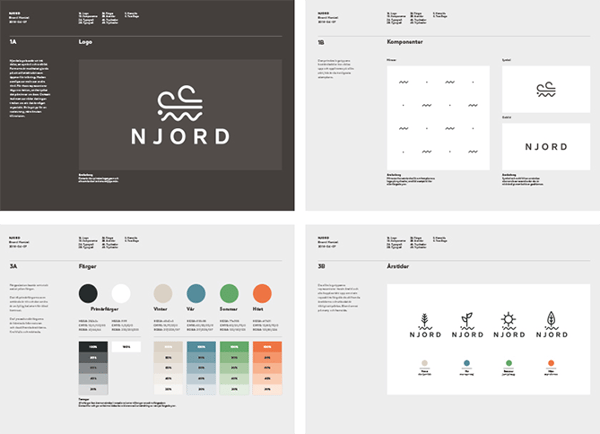
NJORD’s minimalist style guide gives you everything you’d need to know to design using the brand’s logo and color palette for both web and print.
See the full brand guide here.
Source: Behance
16. Espacio Cultural
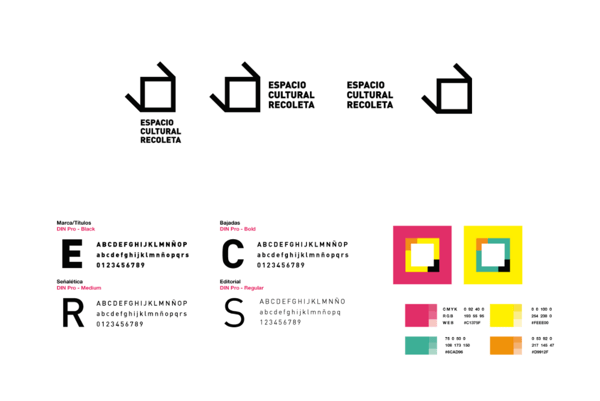
This cultural center in Argentina has a color palette that’s as elaborate as the artistic workshops it hosts. Nonetheless, the brand does a fantastic job of breaking down every last color code and logo placement you can find — from the building itself to the advertisements promoting it.
See the full brand guide here.

Source: Behance
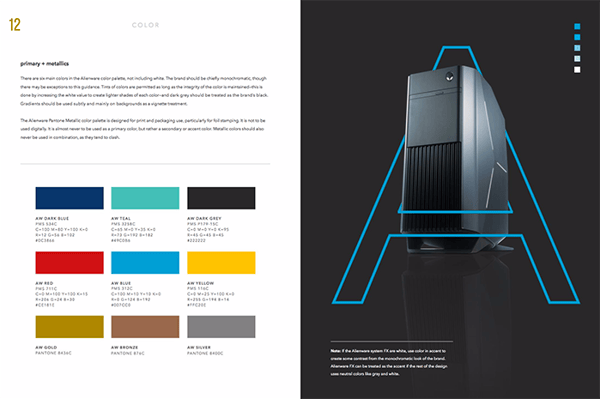
17. Alienware
Video gamers know Alienware from its game-friendly computers, but the rest of the world knows it by the brand’s sleek aesthetic. The company organizes its brand style guide into four basic parts: voice, design, photography, and partner. The latter describes (and shows) how the brand interacts with partner brands, such as Star Wars.
See the full brand guide here.

Source: Issuu
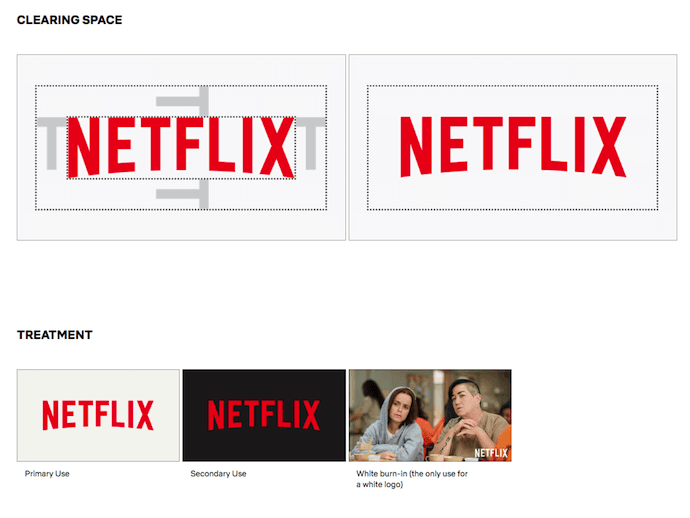
18. Netflix
As far as its public brand assets are concerned, Netflix is focused primarily on the treatment of its logo. The company offers a simple set of rules governing the size, spacing, and placement of its famous capitalized typeface, as well as a single color code for its classic red logo.
See the full brand guide here.
Source: Netflix
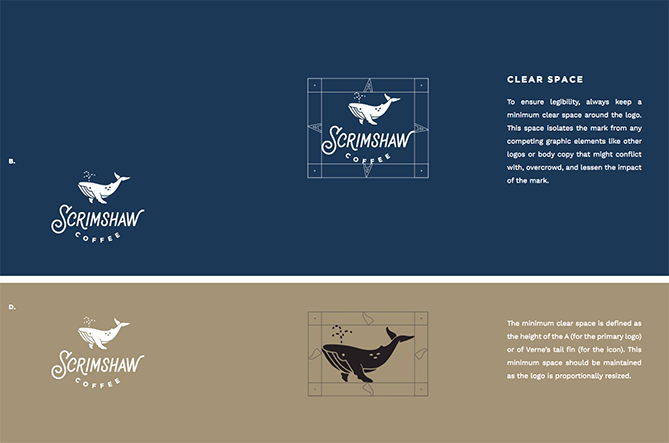
19. Scrimshaw Coffee
Featuring a five-code color palette, this “laid back,” “friendly,” and “modern” brand has a number of secondary logos it embraces in various situations.
See the full brand guide here.

Source: Issuu
20. NASA
NASA’s “Graphics Standards Manual” is as official and complex as you think it is. At 220 pages, the guide describes countless logo placements, color uses, and supporting designs. And yes, NASA’s space shuttles have their own branding rules.
See the full brand guide here.



Source: Standards Manual
21. New York City Transit Authority
Like NASA, the NYCTA has its own Graphics Standards Manual, and it includes some fascinating typography rules for the numbers, arrows, and public transit symbols the average commuter takes for granted every day.
See the full brand guide here.


Source: Standards Manual
Want more? Read How to Create a Writing Style Guide Built for the Web [Free Template].

What’s a Competitive Analysis & How Do You Conduct One?
When was the last time you ran a competitive analysis for your brand?
And most importantly, do you know how to do one efficiently?
If you’re not sure, or if the last “analysis” you ran was a quick perusal of a competitor’s website and social media presence, you’re likely missing out on important intelligence that could help your brand grow.
A competitive analysis can help you learn the ins and outs of how your competition works, and identify potential opportunities where you can out-perform them.
It also enables you to stay atop of industry trends and ensure your product is consistently meeting — and exceeding — industry standards.
Let’s dive into a few more benefits of conducting competitive analyses:
- Helps you identify your product’s unique value proposition and what makes your product different from competitors’, which can inform future marketing efforts.
- Enables you to identify what your competitor is doing right. This information is critical for staying relevant and ensuring both your product and your marketing campaigns are outperforming industry standards.
- Tells you where your competitors are falling short — which helps you identify areas of opportunities in the marketplace, and test out new, unique marketing strategies they haven’t taken advantage of.
- Learn through customer reviews what’s missing in a competitor’s product, and consider how you might add features to your own product to meet those needs.
- Provides you with a benchmark against which you can measure your own growth.
Convinced, yet? Next, let’s dive into how you can conduct a competitive analysis for your own company.
Competitive Analysis in Marketing
Every brand can benefit from regular competitor analysis. By performing a competitor analysis, you’ll be able to:
- Identify gaps in the market
- Develop new products and services
- Uncover market trends
- Market and sell more effectively
As you can see, learning any of these four components will lead your brand down the path of achievement.
Next, let’s dive into 12 steps you can take to conduct a comprehensive competitive analysis.
Featured Resource: 10 Competitive Analysis Templates
.png?width=535&name=Copy%20of%20Memo%20Templates%20(7).png)
To run a complete and effective competitive analysis, use these ten templates, which range in purpose from sales, to marketing, to product strategy.
1. Determine who your competitors are.
First, you’ll need to figure out who you’re really competing with so you can compare the data accurately. What works in a business similar to yours may not work for your brand.
So how can you do this?
Divide your “competitors” into two categories: direct and indirect.
Direct competitors are businesses that offer a product or service that could pass as a similar substitute for yours, and that operate in your same geographic area.
On the flip side, an indirect competitor is one that provides products that are not the same but could satisfy the same customer need or solve the same problem.
It seems simple enough on paper, but these two terms are often misused.
When comparing your brand, you should only focus on your direct competitors. This is something many brands get wrong.
Let’s use an example: Stitch Fix and Fabletics are both subscription-based services that sell clothes on a monthly basis and serve a similar target audience.
But as we look deeper, we can see that the actual product (clothes in this case) are not really the same; one brand focuses on stylish everyday outfits while the other is workout-centric attire only.
Yes, these brands satisfy the same need for women (having trendy clothes delivered right to their doorstep each month), but they do so with completely different types of clothing, making them indirect competitors.
This means Kate Hudson’s team at Fabletics would not want to spend their time studying Stitch Fix too closely since their audiences probably vary quite a bit. Even if it’s only slightly, this tiny variation is enough to make a big difference.
Now, this doesn’t mean you should toss your indirect competitors out the window completely.
Keep these brands on your radar since they could shift positions at any time and cross over into the direct competitor zone. Using our example, Stitch Fix could start a workout line, which would certainly change things for Fabletics.
This is also one of the reasons why you’ll want to routinely run a competitor analysis. The market can and will shift at anytime, and if you’re not constantly scoping it out, you won’t be aware of these changes until it’s too late.
2. Determine what products your competitors offer.
At the heart of any business is its product or service, which is what makes this a good place to start.
You’ll want to analyze your competitor’s complete product line and the quality of the products or services they’re offering.
You should also take note of their pricing and any discounts they’re offering customers.
Some questions to consider include:
- Are they a low-cost or high-cost provider?
- Are they working mainly volume sales or one-o purchases?
- What is their market share?
- What are characteristics and needs of their ideal customers?
- Are they using different pricing strategies for online purchases versus brick andmortar?
- How does the company differentiate itself from its competitors?
- How do they distribute their products/services?
3. Research your competitors sales tactics and results.
Running a sales analysis of your competitors can be a bit tricky.
You’ll want to track down the answers to questions such as:
- What does the sales process look like?
- What channels are they selling through?
- Do they have multiple locations and how does this give them an advantage?
- Are they expanding? Scaling down?
- Do they have partner reselling programs?
- What are their customers reasons for not buying? For ending their relationship with the company?
- What are their revenues each year? What about total sales volume?
- Do they regularly discount their products or services?
- How involved is a salesperson in the process?
These helpful pieces of information will give you an idea of how competitive the sales process is, and what information you need to prepare your sales reps with to compete during the final buy stage.
For publicly held companies, you can find annual reports online, but you’ll have to do some sleuthing to find this info from privately owned businesses.
You could find some of this information by searching through your CRM and reaching out to those customers who mentioned they were considering your competitor. Find out what made them choose your product or service over others out there.
To do this, run a report that shows all prospective deals where there was an identified competitor.
If this data is not something you currently record, talk to marketing and sales to implement a system where prospects are questioned about the other companies they are considering.
Essentially, they’ll need to ask their leads (either through a form field or during a one- on-one sales conversation) to identify who their current service providers are, who they’ve used in the past, and who else they are considering during the buying process.
When a competitor is identified, have your sales team dive deeper by asking why they are considering switching to your product. If you’ve already lost the deal, be sure to follow up the with prospect to determine why you lost to your competitor. What services or features attracted the prospect? Was it about price? What’s the prospect’s impression of your sales process? If they’ve already made the switch, find out why they made this decision.
By asking open-ended questions, you’ll have honest feedback about what customers find appealing about your brand and what might be turning customers away.
Once you’ve answered these questions, you can start scoping out your competitor’s marketing efforts.
4. Take a look at your competitors’ pricing, as well as any perks they offer.
There are a few major factors that go into correctly pricing your product — and one major one is understanding how much your competitors’ are charging for a similar product or service.
If you feel your product offers superior features to that of a competitors’, you might consider making your product or service more expensive than industry standards. However, if you do that, you’ll want to ensure your sales reps are ready to explain why your product is worth the additional cost.
Alternatively, perhaps you feel there’s a gap in your industry for affordable products. If that’s the case, you might aim to charge less than competitors’ and appeal to prospects who aren’t looking to break the bank for a high-quality product.
Of course, there are other factors that go into correctly pricing a product, but it’s critical you stay on-top of industry pricing to ensure you’re pricing your product in a way that feels reasonable to prospects.
Additionally, take a look at any perks your competitors’ offer and how you might match those perks to compete. For instance, perhaps competitors’ offer a major referral discount, or a month-long free trial version. These perks could be the reason you’re losing customers, so if it feels reasonable for your brand, consider where you might match those perks — or provide some unique perks of your own, if competitors’ don’t offer any.
5. Ensure you’re meeting competitive shipping costs.
Did you know expensive shipping is the number one reason for cart abandonment?
Nowadays, free shipping is a major perk that can attract consumers to choose one brand over another. If you work in an industry where shipping is a major factor — like ecommerce — you’ll want to take a look at competitors’ shipping costs and ensure you’re meeting (if not exceeding) those prices.
If most of your competitors’ offer free shipping, you’ll want to look into the option for your own company. If free shipping isn’t a practical option for your business, consider how you might differentiate in other ways — including loyalty programs, holiday discounts, or giveaways on social media.
6. Analyze how your competitors market their products.
Analyzing your competitor’s website is the fastest way to gauge their marketing efforts. Take note of any of the following items and copy down the specific URL for future reference:
- Do they have a blog?
- Are they creating whitepapers or ebooks?
- Do they post videos or webinars?
- Do they have a podcast?
- Are they using static visual content such as infographics and cartoons?
- What about slide decks?
- Do they have a FAQs section?
- Are there featured articles?
- Do you see press releases?
- Do they have a media kit?
- What about case studies?
- Do they publish buying guides and data sheets?
- What online and offine advertising campaigns are they running?
7. Take note of your competition’s content strategy.
Then, take a look at the quantity of these items. Do they have several hundred blog posts or a small handful? Are there five white papers and just one ebook?
Next, determine the frequency of these content assets. Are they publishing something new each week or once a month? How often does a new ebook or case study come out?
Chances are, if you come across a robust archive of content, your competitor has been publishing regularly. Depending on the topics they’re discussing, this content may help you hone in on their lead generating strategies.
From there, you should move on to evaluating the quality of their content. After all, if the quality is lacking, it won’t matter how often they post since their target audience won’t find much value there.
Choose a small handful of samples to review instead of tackling every single piece to make the process more manageable.
Your sampler should include content pieces covering a variety of topics so you’ll have a fairly complete picture of what your competitor shares with their target audience.
When analyzing your competitor’s content, consider the following questions:
- How accurate is their content?
- Are spelling or grammar errors present?
- How in-depth does their content go? (Is it introductory level that just scratches the surface or more advanced topics with high-level ideas?)
- What tone do they use?
- Is the content structured for readability? (Are they using bullet points, bold headings, and numbered lists?)
- Is their content free and available to anyone or do their readers need to opt-in?
- Who is writing their content? (In-house team? One person? Multiple contributors?)
- Is there a visible byline or bio attached to their articles?
As you continue to scan the content, pay attention to the photos and imagery your competitors are using.
Do you quickly scroll past generic stock photos or are you impressed by custom illustrations and images?If they‘re using stock photos, do they at least have overlays of text quotes or calls-to- action that are specific to their business?
If their photos are custom, are they sourced from outside graphic professionals or do they appear to be done in-house?
When you have a solid understanding of your competitor’s content marketing strategy, it’s time to find out if it’s truly working for them.
8. Learn what technology stack your competitors’ use.
Understanding what types of technology your competitors’ use can be critical for helping your own company reduce friction and increase momentum within your organization.
For instance, perhaps you’ve seen positive reviews about a competitor’s customer service — as you’re conducting research, you learn the customer uses powerful customer service software you haven’t been taking advantage of. This information should arm you with the opportunity to outperform your competitors’ processes.
To figure out which software your competitors’ use, type the company’s URL into Built With, an effective tool for unveiling what technology your competitors’ site runs on, along with third-party plugins ranging from analytics system to CRMs.
Alternatively, you might consider looking at competitors’ job listings, particularly for engineer or web developer roles. The job listing will likely mention which tools a candidate needs to be familiar with — a creative way to gain intel into the technology your competitors’ use.
9. Analyze the level of engagement on your competitor’s content.
To gauge how engaging your competitor’s content is to their readers, you’ll need to see how their target audience responds to what they’re posting.
Check the average number of comments, shares, and likes on your competitor’s content and find out if:
- Certain topics resonate better than others
- The comments are negative, positive, or a mix
- People are tweeting about specific topics more than others
- Readers respond better to Facebook updates about certain content
- Don’t forget to note if your competitor categorizes their content using tags, and if they have social media follow and share buttons attached to each piece of content. Both of these will a ect engagement activity.
10. Observe how they promote their marketing content.
From engagement, you’ll move right along to your competitor’s content promotion strategy.
- Keyword density in the copy itself
- Image ALT text tags
- Use of internal linking
The following questions can also help you prioritize and focus on what to pay attention to:
- Which keywords are your competitors focusing on that you still haven’t tapped into?
- What content of theirs is highly shared and linked to? How does your content compare?
- Which social media platforms is your target audience using and the most active on?
- What other sites are linking back to your competitor’s site, but not yours?
- Who else is sharing what your competitors are publishing?
- Who is referring traffic to your competitor’s site?
- For the keywords you want to focus on, what is the diffculty level? There are several free (and paid) tools that will give you a comprehensive evaluation of your competitor’s search engine optimization.
11. Look at their social media presence, strategies, and go-to platforms
The last area you’ll want to evaluate when it comes to marketing is your competitor’s social media presence and engagement rates.
How does your competition drive engagement with their brand through social media? Do you see social sharing buttons with each article? Does your competitor have links to their social media channels in the header, footer, or somewhere else? Are these clearly visible? Do they use calls-to-action with these buttons?
If your competitors are using a social network that you may not be on, it’s worth learning more about how that platform may be able to help your business, too. To determine if a new social media platform is worth your time, check your competitor’s engagement rates on those sites. First, visit the following sites to see if your competition has an account on these platforms:
- Snapchat
- YouTube
Then, take note of the following quantitative items from each platform:
- Number of fans/followers
- Posting frequency and consistency
- Content engagement (Are users leaving comments or sharing their posts?)
- Content virality (How many shares, repins, and retweets do their posts get?)
With the same critical eye you used to gauge your competition’s content marketing strategy, take a fine-toothed comb to analyze their social media strategy.
What kind of content are they posting? Are they more focused on driving people to landing pages, resulting in new leads? Or are they posting visual content to promote engagement and brand awareness?
How much of this content is original? Do they share curated content from other sources? Are these sources regular contributors? What is the overall tone of the content?
How does your competition interact with their followers? How frequently do their followers interact with their content?
After you collect this data, generate an overall grade for the quality of your competitor’s content. This will help you compare the rest of your competitors using a similar grading scale.
12. Perform a SWOT Analysis to learn their strengths, weaknesses, opportunities, and threats
As you evaluate each component in your competitor analysis (business, sales, and marketing), get into the habit of performing a simplified SWOT analysis at the same time.
This means you’ll take note of your competitor’s strengths, weaknesses, opportunities, and threats any time you assess an overall grade.
Some questions to get you started include:
- What is your competitor doing really well with? (Products, content marketing, social
media, etc.) - Where does your competitor have the advantage over your brand?
- What is the weakest area for your competitor?
- Where does your brand have the advantage over your competitor?
- What could they do better with?
- In what areas would you consider this competitor as a threat?
- Are there opportunities in the market that your competitor has identified?
You’ll be able to compare their weaknesses against your strengths and vice versa. By doing this, you can better position your company, and you’ll start to uncover areas for improvement within your own brand.
How Does Your Business Currently Stack Up?
Before you accurately compare your competition, you need to establish a baseline. This also helps when it comes time to perform a SWOT analysis.
Take an objective look at your business, sales, and marketing e orts through the same metrics you use to evaluate your competition.
Record this information just like you would with a competitor and use this as your baseline to compare across the board.
Ready to get started with the full ebook and template?Click here to access the complete Competitive Analysis Kit.
Editor’s Note; This post was originally published prior to July 2018 but was updated in November 2019 for comprehensiveness.

The 5 Key Steps for a Successful Transition into a Marketing Role
Nowadays, significant career shifts are as prevalent as they’ve ever been. Some people want to assume a different degree of responsibility. Some want to pursue a passion they’ve put on hold for too long. And some flat-out need a change of pace.
It’s a popular course that comes with a host of challenges, several potential pitfalls, plenty of barriers of entry, and a lot of requisite hard work — especially when it comes to transitioning to a role in marketing.
And if you’re making that leap, you’ll need all the help and insight you can get, so we’ve provided some tips and tricks to consider if you want to shift your career trajectory and become a marketer.
1. Study, study, and study some more on your own time.
This one might go without saying, but you can’t expect to smoothly transition into a marketing role if you have no concept of what marketing entails. One of the best ways to make your job search and ultimate career shift more viable and straightforward is to study marketing on your own.
Learn as much as possible on your time. Check out some books on the subject. Follow marketing influencers. Conduct independent research, and if you have the necessary time and motivation, complete some online courses to help bolster your marketing knowledge and relevant skillset.
Employers are rarely interested in new marketing candidates who haven’t demonstrated the interest and initiative to understand the field. Plus, training new hires who are building their marketing knowledge from scratch is often a waste of time and resources.
If you want to transition to a marketing role, you need to show that you’re familiar with and enthusiastic about the practice. Learning about the field on your own time is one of the best ways to do both.
2. Try to assume more marketing-oriented responsibilities
within your current role.
While using external resources like books and online courses to step up your marketing game is always a good call, accruing real marketing experience can help you stand out from other candidates and make your transition between fields even more seamless.
See if you can help with some marketing responsibilities at your current company, and make a point of legitimately pursuing and fulfilling them. That might mean helping out with tasks related to social media, email outreach, company newsletters, or any other aspects of your organization’s marketing strategy that the department might need help with.
In doing so, you can string together some legitimate experience that shows potential employers (or your current company) that your interest in and aptitude for marketing isn’t all talk. That kind of clout can go a long way when transitioning to a marketing role.
3. Consider accruing external marketing experience.
Sometimes assuming marketing responsibilities at your current employer isn’t feasible. Your company might be perfectly satisfied with how its marketing team operates, or it could want to keep departments siloed and focused on their immediate responsibilities.
In that case, you might want to look into avenues and opportunities to supplement your current role. Try pursuing positions like part-time or unpaid digital marketing internships that can help you get your feet wet in the field.
Bear in mind that if you go this road, your current position has to remain your first priority. You don’t want to undercut your professional performance by prioritizing what will essentially be a side hustle.
So naturally, this point falls squarely on you and your free time — it means putting in a lot of extra effort outside work hours. But if you’re serious about making the transition to a marketing role, it’s an excellent way to flesh out your résumé, refine your skillset, and offer you some much-needed clout.
4. Adjust your résumé.
As you can assume, employers trying to hire marketers aren’t prioritizing candidates who only tout skills and accomplishments relevant to other areas. So if you don’t have extensive experience in marketing, you’ll likely need to re-tool your résumé a bit when trying to make the shift to the field.
That doesn’t mean throwing every record of your professional accolades, accomplishments, and acumen by the wayside. Instead, see if you can use your experience in your current field to highlight skills that can be applied in the context of a marketing role.
For instance, if you’re in sales, you could play up your strategic and critical thinking skills by discussing how you helped shape and implement a successful go-to-market sales strategy.
You might also demonstrate a knack for high-quality content creation by referencing effective pitch decks or case studies you’ve had a hand in. And you could tout your communication skills by pointing to your experience with responsibilities like prospect outreach or social selling.
Again, you don’t have to lie about or disregard your prior experience. Just be mindful of what potential employers will be looking for. Make sure your résumé reflects the fact that you have the necessary fundamentals to be an exceptional marketer — not just a solid worker in general.
5. Fold more marketers into your professional network.
These days, a robust professional network is much more of a need-to-have than a nice-to-have — and when you’re transitioning into a marketing role, one can be an invaluable asset. When you’re trying to breach a new field without much experience, you need all the guidance you can get. An active network can provide that.
Try reaching out to internal marketing experts at your company to see if you can shadow them a bit. See if they’d be willing to set aside some time to provide some insight about their experiences and advice to set you on the right track. Maybe, you’ll even find someone who could be interested in mentoring you.
And while you look for more immediate connections, hit LinkedIn and reach out to some external marketers to see if they’d be willing to chat and offer some advice. One way or another, communicate with experienced marketers and learn as much as you can. It can only help your case when trying to transition to a marketing role.
Switching professional gears in favor of a position in marketing is never easy. It takes a lot of effort, thought, persistence, and ambition. So if you’re thinking about transitioning into this kind of role, you need to make sure you’re truly in it before you start taking the necessary steps.
But if you’re still set on shifting careers after considering the challenges that might come with the process, it’ll be well worth the trouble. Just be sure to consider the points on this list — among others — when you start setting things in motion.

The 11 Best Free Email Accounts and Service Providers of 2021
You need it for networking, job recruitment, downloading resources, transferring files, setting reminders, meeting with colleagues, and so much more.
Even with the rise of office chat platforms, you still depend on email for a surprising number of things. But unfortunately, not every email service is completely free. And even the free ones might not be the easiest to use or have all the features you need.
It can be a challenge to find an email service provider at no cost that balances the right features with usability. To help make your search easier, we put together a list of the different types of email accounts you can set up, followed by the eleven best email service providers you can host your account on right now for free.
Types of Email Accounts
There are two main types of email service providers to choose from: email clients and webmail. When you use your provider to access your email from a different device or location online, you can use one of three major email protocols to do so: POP3, IMAP, and Exchange.
Let’s briefly go over these different types of providers and protocols.
Email Clients
Email clients are software applications that you install onto the computer itself to manage the email you send and receive. To access this email, the client interacts with a remote email server.
Email clients you’ve likely heard of include Microsoft Outlook, Mozilla Thunderbird, and Apple Mail.
If you want to access this type of email from the web, rather than the client’s computer application, the email client uses one of the email protocols described below. For example, although you might have Outlook installed on your computer, you can also log in to your email account via outlook.com using a specific email protocol.
Webmail
Webmail is a form of email you access exclusively from the internet, and therefore exists primarily on the cloud rather than your computer. Instead of an installed application fetching your email, you manage your inbox right from your internet browser.
Webmail providers you’ve likely heard of include Gmail, Yahoo! Mail, and AOL (all of which have made our list of best free email accounts, below).
If you want to access your webmail from a mail app on your mobile device, rather than your desktop web browser, your webmail provider can use one of the email protocols described below.
Now, before we get into the best free email accounts, let’s talk about those email protocols.
Email Protocols
Email protocols are the systems that actually retrieve your email for you. They can be used to fetch email client accounts on the internet, and fetch webmail accounts on a mobile app. Here are the three main types of email protocol your account can use.
POP3
POP stands for “post office protocol,” and is best suited for people who have just one email account and email client. POP3 is the latest version of this email protocol, and allows you to access email while offline. It therefore requires less internet bandwidth.
IMAP
IMAP stands for “internet mail access protocol,” and is one of the older email protocol available today. IMAP4 is considered the latest version, and unlike the POP protocol, you do not download your email to your offline email client. Instead, all your email stays online while you’re accessing and managing it.
IMAP is particularly useful for people who have more than one email account and access them from multiple devices or locations.
Exchange
Exchange is a Microsoft email protocol, and is pretty similar to the IMAP protocol explained above. This protocol allows you to not only access your email over the internet from multiple devices, but also tasks, calendars, and contact information tethered to that email address. For this reason, it’s particularly helpful to organizations whose employees share many types of information and collaborate remotely.
Now, take a look at seven of the best free email service providers you can get your hands on today — both webmail and email clients included. For each email service provider, we highlighted a unique feature to help you find the best fit.
Best Free Email Accounts
- Gmail
- AOL
- Outlook
- Zoho
- Mail.com
- Yahoo! Mail
- ProtonMail
- iCloud Mail
- GMX Mail
- Mozilla Thunderbird
- Yandex Mail
1. Gmail
Unique Feature: Native File Collaboration
Sign up here.
Type of email: Webmail
Who should use it: anyone who already uses and loves the rest of Google’s products.
It might seem like an obvious top pick, but Gmail is just too versatile to not award the first slot. Gmail has the second-highest email provider market share (behind Apple iPhone’s native email app), according to Litmus Labs. And ironically, one of the reasons Gmail has become so popular is because of all the communication options in your inbox that don’t involve email.
Gmail is an everyday email inbox you can sign up for by registering for a Google account. But it’s built into Google Suite, a group of free apps that allow you to chat, video-conference, and share files with the people in your contact list.
Google Hangouts, available from your inbox’s left sidebar (or the right — you can customize how you inbox is displayed), lets you text and video chat with other Gmail users for the things that might not warrant an email message. Like most other email accounts today, Gmail also has an intuitive calendar where you can set meetings and reminders.
Pro tip: You can also use a free product like HubSpot Meetings to easily schedule meetings without back-and-forth emails.
Unlike other email accounts, you can use your Gmail address to log into and manage your YouTube account, as well as collaborate on shared documents and spreadsheets right from a cloud-based Google Drive.
Offering a generous 15 GB of free email storage, Gmail does everything it can to make your inbox less chaotic, including advanced filters that automatically push emails into separate folders as they arrive. And none of these functions costs a dime.
2. AOL
Unique Feature: Unlimited Storage
Sign up here.
Type of email: Webmail
Who should use it: people who use email for most of their communication.
America Online (I feel nostalgic just typing those words) has quietly kept up with today’s standards for a good user experience. The classic AOL is now once again one of the best free email accounts available to you.
Purchased by Verizon in 2015, AOL delivers you email from its classic news-driven homepage, and comes with the contemporary spam filters and virus protection you’d expect from your email provider. You can also send text and instant messages from specific windows in your email inbox.
AOL does have something over Gmail, though: unlimited storage. Additionally, you can import email contacts from a CSV, TXT, or LDIF file so you’re not creating your “buddy list” (get it?) from scratch.
3. Outlook
Unique Feature: Multiple App Integrations
Sign up here.
Type of email: Email client
Who should use it: people who use many different platforms to connect with others.
If you ever cringed at the sight of a “Hotmail.com” email address, you can thank Outlook for this outdated domain name. But there’s good news: Microsoft has reinvented its longstanding email service, and your free Outlook.com email address has many progressive features waiting for you.
While it touts a calendar and message filter that is similar to Gmail, Outlook also integrates with a number of other popular communication apps. You can connect Skype, Facebook, PowerPoint, PayPal, and even task-management software such as Trello — making it very easy to reach and work with non-Outlook users without leaving your inbox.
Outlook offers 15 GB of free storage for each user, along with a super-clean interface.
4. Zoho
Unique Feature: 25 Business Addresses
Sign up here.
Type of email: Webmail
Who should use it: startups and small businesses.
This is the first of the lesser-known free email accounts to make our list, but it holds a lot of potential for businesses.
The first thing you’ll notice about Zoho is its user-friendliness. From integrating with Google Drive, Box, and other cloud-based file managers, to its built-in task manager, this email service offers a simple way to accomplish all of your daily tasks.
The real difference-maker, though, is the ability to customize the domain name for up to 25 connected email addresses. Want to replace “@zoho.com” with the name of your business’s website? You can do so under Zoho Lite, which gives you 5 GB for free — all under username@yourdomainname.com.
5. Mail.com
Unique Feature: 200 Custom Domain Names
Sign up here.
Type of email: Webmail
Who should use it: small businesses, freelancers, and the self-employed.
It doesn’t get more self-explanatory than “Mail.com,” does it? This email provider knows its audience — or should I say, audiences.
Right off the bat, you’ll probably notice Mail.com doesn’t have stellar storage space compared to the options above: only 2 GB. But what this webmail service lacks in gigabytes it makes up for with … drumroll … 200 free custom domain names. You can replace “@mail.com” at the end of your username with just about anything that describes you. Here are some options Mail.com has precreated for you to choose from:
- Bartender.net
- Musician.org
- Columnist.com
- Engineer.com
- Accountant.com
- Toothfairy.com (who knew she was online?)
Mail.com doesn’t rest on its 200 laurels, though, as the email provider also comes with a calendar for creating and tracking your events each week.
6. Yahoo! Mail
Unique Feature: Media and attachment history
Sign up here.
Type of email: Webmail
Who should use it: creatives and those who send and receive attachments frequently via email.
Yahoo! Mail, another well-known platform, sits just behind AOL in storage space with a whopping 1 TB (that’s a terabyte) for free, along with a few key social media integrations.
In addition to custom background themes and being able to search key information from your inbox, Yahoo! Mail also makes it easy to find every photo, video, and document you’ve ever attached or received via email in their own tabs on your inbox’s sidebar. This makes the platform especially appealing to those who share documents on a regular basis or simply want an album made of every photo they’ve ever had shared.
7. ProtonMail
Unique Feature: Encrypted email
Sign up here.
Type of email: Webmail
Who should use it: people who send and receive sensitive information.
ProtonMail offers just 500 MB of free space, but for the worthy trade of encrypted email, allowing you to send messages that nobody else can see, and disappear after a month.
What’s the catch? Is the service hard to use? As with most webmail platforms, ProtonMail is easy to use on any device without any software needed to encrypt your emails. Its inbox interface is as easy to understand at a glance as the other email services on this list, and offers quick color-coded labels to help you further organize which emails deserve the most care and protection.
8. iCloud Mail
Unique Feature: Label senders as VIPs
Sign up here.
Type of email: Webmail
Who should use it: people who use Mac and want everything on one system.
If you’re a Mac user, you may want to consider using iCloud Mail as your email provider. Their free email account comes with 5GB of storage that you can use to sync your photos, files, or email. It’s important to note that storage is shared between all of your apps and devices — so if you take a lot of photos on your iPhone, you may eat into your email storage allowance for the month. Upgraded plans start at $0.99/month and go up to $9.99/month.
One of the biggest advantages of using iCloud over other email providers on this list is the ease of integration. Apple builds its desktop and iPhone mail apps with all email clients in mind, but it pays special attention to making the experience delightful for iCloud users.
Some of the pros of iCloud Mail include an easy to use search functionality, easy-to-use rules, and an ability to label senders as VIP. When a contact is marked as VIP, new messages will automatically filter to a separate tab on the left, saving you both time and energy.
9. GMX Mail
Unique Feature: Alias email addresses
Sign up here.
Type of email: Webmail
Who should use it: people who need multiple emails with one central inbox.
While you may not have heard of GMX Mail, it’s been around for quite a while (since 1997) — and it has a bunch of features that make it worth considering. First off, GMX offers 65GB of storage. That’s a lot of storage for a free email service. In fact, they claim that allows you to keep nearly half a million messages in your Inbox!
Another feature worth noting is the ability to send large attachments. While many services have caps for your email attachments, GMX Mail allows you to send files up to 50GB. That’s great if you share a ton of photos, presentations, or other large files from your account.
But the feature of GMX Mail that really sets it apart is the ability to set up to 10 alias email addresses all from within one account. This can be useful in many situations — both personally and professionally. On a personal note, you could use one alias for all of your online purchases and logins — to keep marketing emails separate from your personal messages. From a business perspective, multiple email addresses can be useful for managing role based emails such as support@yourdomain.com or sales@yourdomain.com.
10. Mozilla Thunderbird
Unique Feature: Customization features, and the ability to open multiple emails in tabs
Sign up here.
Type of email: Email clients
Who should use it: anyone looking for a simple, but customizable email inbox.
Thunderbird, a free email application from Mozilla, known for Firefox, offers a quick email inbox setup and a simple, easy-to-use user interface.
The app offers customizable features, such as theme settings and app extensions that can improve your email experience. The email app also allows you to open multiple emails in tabs, similarly to how you would open multiple web pages in Firefox browsers.
11. Yandex Mail
Unique Feature: 10 GB of free cloud storage
Sign up here.
Type of email: Webmail
Who should use it: anyone seeking a free email with additional storage capabilities.
Yandex is a Russian web company that offers a global email tool. With the tool, you can sign up for a free account, link it to your Facebook, Twitter, or Gmail accounts, and personalize your email inbox.
:max_bytes(150000):strip_icc():format(webp)/yandex-mail-10d3b62f5ac342ee956fa9cdc1a551b0.png)
Like many of the other providers on this list, Yandex’s email inbox can be set to filter or prioritize emails so you see messages from real people. It can also recognize keywords in messages and subject lines and organize emails into categorized inboxes. Additionally, users who sign up for Yandex mail get 10 GB of free cloud storage.
Making the Most of Your Email
And with that, you have some of the best options for free email accounts this year. But who knows? Your next email address could be entirely different while giving you just what you need to succeed.
Once you’ve chosen an email provider and launched a new email address specifically for your marketing needs, you should also leverage apps, outside software, and APIs to add to your email strategy.
One powerful tool worth noting is HubSpot’s Free Email tool. The tool allows you to link your email address to the HubSpot CRM, while also allowing you to build email templates and send messages straight from the HubSpot software. Even more beneficial? The software even lets you track basic analytics and collect email subscriber contacts in your CRM — which can then be added to your email marketing lists.
To learn more about our free email tool, click here.

The Ultimate Guide to Branding in 2021
Products are never just products, right?
Coca-Cola is more than a soda. Starbucks is more than a coffee. Ray-Ban is more than a pair of sunglasses. Glossier is more than a tube of concealer.
Interacting with these products provide experiences, and we buy them with that experience in mind. Better yet, the companies that create and market them know exactly the experience they want you to have when you make (or consider) a purchase. That’s why they create a brand.
From the language in their Instagram caption to the color palette on their latest billboard to the material used in their packaging, companies who create strong brands know that their brand needs to live everywhere. They know their names extend far beyond the label.
The result? These brands are known, loved, and chosen out of a long lineup of options.
Who doesn’t want that? I know I do. That’s why we built this guide — to equip you to create and manage a strong brand that’ll help your business be admired, remembered, and preferred.
Use the links below to jump ahead to sections of interest, and don’t forget to bookmark this guide for later.
What’s a brand?
Before I dive into the importance of branding and how to build a brand, let’s go back to basics: What is a brand?
A brand is a feature or set of features that distinguish one organization from another. A brand is typically comprised of a name, tagline, logo or symbol, design, brand voice, and more. It also refers to the overall experience a customer undergoes when interacting with a business — as a shopper, customer, social media follower, or mere passerby.
What is branding?
Branding is the process of researching, developing, and applying a distinctive feature or set of features to your organization so that consumers can begin to associate your brand with your products or services.
Branding is an iterative process and requires getting in touch with the heart of your customers and your business. It’s important for a variety of reasons — I dive into these next.
Branding can be the deciding factor for consumers when they make a purchase decision. In a 2015 global Nielsen survey, almost 60% of shoppers said they actively buy from brands they know, and 21% said they bought a product because they liked the brand.
Branding gives your business an identity beyond its product or service. It gives consumers something to relate to and connect with.
Branding makes your business memorable. It’s the face of your company and helps consumers distinguish your business across every medium (which I discuss later).
Branding supports your marketing and advertising efforts. It helps your promotion pack that extra punch with added recognition and impact.
Branding brings your employees pride. When you brand your company, you’re not only giving your business identity, you’re also creating a reputable, highly-regarded workplace. Strong branding brings in strong employees.
Branding Terms to Know
Here are some other brand-related buzzwords you should know. They further demonstrate the importance and value of branding your business.
Brand awareness
Brand awareness refers to how familiar the general public and your target audience is with your brand. High brand awareness leads to brands being referred to as “trending,” “buzzworthy, or “popular.” Brand awareness is important because consumers can’t consider purchasing from your brand if they’re not aware of it.
👉🏼 Strong branding makes your business known.
Brand extension
Brand extensions are when companies “extend” their brand to develop new products in new industries and markets. Consider Honda lawn mowers or Martha Stewart bedding. Brand extensions allow companies (or individuals) to leverage brand awareness and equity to create more revenue streams and diversify product lines.
👉🏼 Strong branding brings in more money.
Brand identity
Brand identity is the personality of your business and the promise you make to your customers. It’s what you want your customers to walk away with after they interact with your brand. Your brand identity is typically comprised of your values, how you communicate your product or service, and what you want people to feel when they interact with it.
👉🏼 Strong branding gives your business more than a name.
Brand management
Brand management refers to the process of creating and maintaining your brand. It includes managing the tangible elements of your brand (style guide, packaging, color palette) and the intangible elements (how it’s perceived by your target audience and customer base). Your brand is a living, breathing asset, and it should be managed as such.
👉🏼 Strong branding requires consistent upkeep.
Brand recognition
Brand recognition is how well a consumer (ideally in your target audience) can recognize and identify your brand without seeing your business name — through your logo, tagline, jingle, packaging, or advertising. This concept goes hand-in-hand with brand recall, which is the ability to think of a brand without any visual or auditory identifiers.
👉🏼 Strong branding keeps your business top-of-mind.
Real-life brand example: Want to test your brand knowledge? Take this Logo Quiz by Business Insider to see how well you know your corporate brands. This is brand recognition at work.

Brand trust
Brand trust refers to how strongly customers and consumers believe in your brand. Do you deliver on your marketing promises? Do your salespeople and customer service go above and beyond? These things can create trust among your customers, which is important in a world where a mere 25% of people feel confident in large businesses.
👉🏼 Strong branding builds trust with your customers.
Brand valuation
Brand valuation is the commercial valuation of your brand derived from consumer perception, recognition, and trust. This concept goes hand-in-hand with brand equity. A powerful brand can make your business invaluable to investors, shareholders, and potential buyers.
👉🏼 Strong branding increases your business’s value.
Want to build an effective, measurable brand? Download our free guide on How to Build a Brand in 2019.
Here’s how you can create a brand — or begin the process of rebranding your current one.
There’s a lot that goes into a brand, and there’s a lot to consider when building a strong one. So, grab a notebook and jot down ideas as you move through this section. Recognize that branding is an iterative process, so you might be repeating some of these steps as you brainstorm and build your brand.
1. Determine your target audience
Branding leads to awareness, recognition, trust, and revenue. We’ve talked about that. But let’s take a step back and understand where those stem from: consumers. And not just any consumers — your target audience and customers.
If your brand doesn’t resonate with your audience, it won’t lead to that awareness, recognition, trust, and revenue. That’s where target market research comes in.
Before pressing pen to paper (or cursor to digital document), you must understand to whom your branding will be speaking. Who does your product serve? Who is your ideal customer? Why did you create your business in the first place?
What you learn about your target market and buyer personas will influence your branding decisions down the line, so make this step your first priority.
Download our free Persona Templates to easily organize your target audience research and strengthen your marketing.
2. Establish your mission statement
Let’s return to a question I asked in the previous step: Why did you create your business? Answering this will help you build your mission statement, which defines your purpose and passion as an organization.
Before you can craft a brand that your audience recognizes, values, and trusts, you must be able to communicate the purpose that your business provides. Then, every part of your brand (logo, tagline, imagery, voice, and personality) can reflect that mission and vision.
Your mission statement is a building block of your brand manifesto, which encompasses why your organization exists and why people should care about your brand.
Download our free guide to Defining Inspiring Mission and Vision Statements and learn the ins-and-outs of two of the most valuable strategic planning elements for businesses.
3. Define your unique values, qualities, and benefits
There are probably lots of businesses in your industry and niche. It’s easy to focus on your competition (and there’s a time and place for competitive analysis), but, for now, let’s focus on you.
What’s one thing that your business has that no one else can mimic (er, legally)? Your brand.
Because of that, you must ensure that your brand is comprised of and inspired by elements that are solely yours: the values, benefits, and qualities that make your company unique.
Take a moment to jot down a list of what sets your business apart from others. I’m not talking about product features (like appearance, components, or capabilities); I’m referring to how your products or services improve lives and contribute to success.
Real-life brand example: Alani Nutrition
You’ve probably never heard of Alani Nu; they’re a nutrition company based in my hometown of Louisville, Kentucky. I order their vitamins because 1) they’re proven to work, and 2) I trust and respect the brand (and it’s gorgeous!). On their website, they’ve clearly and simply outlined their unique values and benefits as part of their overall brand. Highlighting these makes it easy for customers like me to trust their products and choose them over competitors.
4. Create your visual assets
At this point, you should understand your target audience, your mission statement, and the unique qualities that make up your business.
If you can say with confidence that you’ve mastered these steps, it’s time to move onto one of the more exciting parts of branding — the visual design. We’re talking about your logo, color palette, typography (fonts), iconography, and other visual components.
As you create these elements, build a set of brand guidelines (or a brand style guide) to govern the composition and use of your visual assets. This will ensure that whoever uses your new branding does so accurately and consistently. Check out HubSpot’s brand guidelines for reference.
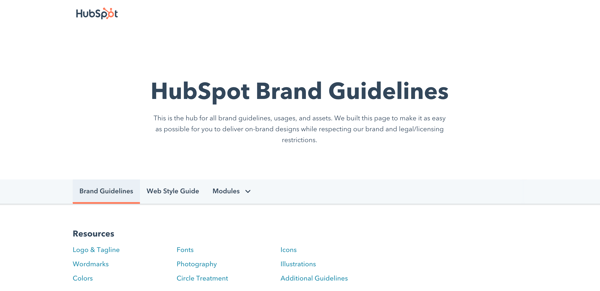
Note: Design can be just as intimidating as it is exciting. Consider hiring a professional with logo and identity design experience or starting with a few helpful design templates.
5. Find your brand voice
Next, consider the auditory component of your brand. What would your brand sound like if you had a conversation with it, or if it texted you?
How you communicate with your target market is also considered part of your branding. You want to define a brand voice that connects and resonates with your audience — otherwise, they probably won’t pay attention. Because of that, don’t hesitate to return to step one to get familiar with to whom you’re speaking.
From your advertising campaigns and social media captions to your blog posts and brand story, ensure your tone is consistent throughout all of your written content. Give your audience a chance to get familiar with your brand and learn to recognize the sound of your voice. Better yet, master a fun, entertaining voice, and your customers will look forward to your social media and email updates.
Real-life brand example: MailChimp
MailChimp is a great example of a brand that speaks with a clear, consistent tone. When I used their free plan for my small business, I always chuckled when receiving their emails and working in their interface. From its web copy to its email blasts and social media captions, MailChimp has established a brand voice and personality that is personable, fun, and accessible — it can be hard to explain the technical parts of a software product (like A/B testing), but MailChimp has mastered that, too.

6. Put your branding to work
Your brand only works if you do. Once you finish designing and creating your new brand (or rebrand) integrate it throughout every inch of your business. Pay extra attention to ensure it’s displayed anywhere your business touches customers. Here are a handful of tips for applying your brand across your organization.
Website
Splash your logo, color palette, and typography across your website. Don’t use anything but your predefined assets in your brand guidelines. Your website is a major part of your company identity — if it doesn’t reflect your brand, it will only provide a jarring customer experience. Also, be sure that all web copy, calls-to-action, and product descriptions reflect your brand voice.
Social media
All profile photos, cover art, and branded imagery should reflect your brand. Consider putting your logo as your profile photo — this will make it easier for customers to recognize your business. As with your website, be sure all profile information, posts, and captions reflect your brand voice.
Packaging
If you have a physical products business, your product is probably the most tangible way that customers interact with your brand. For that reason, your packaging should reflect your new branding — in its design, colors, size, and feel.
Real-life brand example: Chobani
I love Chobani yogurt (confession: I’m eating it right now). Their new branding immediately tells me that they produce authentic, healthy Greek yogurt. That’s one of the main reasons I buy Chobani. Recently, I realized that their yogurt packages are made with a very earthy, textured material — an intentional decision that supports the overall experience they’ve paired with purchasing and eating the Chobani brand.

Advertising
Because advertisements (digital and print) are often used to establish brand awareness and introduce consumers to your brand, it’s critical that they reflect your branding. In fact, your branding should make the ad creation process easier — with your brand style guide, you already know how your ads should appear and what type of copy to write.
Sales and customer service
A brand is only as powerful as the people behind it, and if your people aren’t putting your brand to work, it won’t work for you. Moreover, your brand applies to more than your marketing. Inform your sales and customer service folks of your brand guidelines and tell them to use it, especially when they engage directly with customers. Whether they are sharing a branded product demo or answering customer support inquiries, encourage them to use your logo, tagline, imagery, and brand voice.
Treat your brand as a person
To best wrap your head around the branding process, think of your brand as a person. Your brand should have an identity (who it is), personality (how it behaves), and experience (how it’s remembered).
Ask yourself these questions about your brand:
- How would your brand introduce itself? If it had to describe its appearance, how would it do so?
- How would your brand talk about your products or services? Would it be serious and professional, or would it be humorous and edgy?
- What would someone say about your brand after “meeting” it for the first time? What are a few sentences they’d use to describe it?
The purpose of branding is to create relationships with your customers. The easiest way to do this is to treat your brand as a person and understand that you want your customers to do the same.
Real-life brand example: Whiskey Riff
Whiskey Riff is another brand you’re probably not familiar with. It’s a two-man media company based here in Chicago that’s dubbed themselves “the most entertaining country music site ever”. I’m a fan because I love country music, enjoy their written and podcast content, and proudly wear some of their awesome apparel.
If Whiskey Riff was a person, here’s how I’d think it would answer the questions above:
- “Hey, I’m Whiskey Riff. I love country music and, you guessed it, Whiskey. My logo was inspired by the Y in the circle on the Chicago Theater marquee, and I’m adorned with horizontal red stripes and stars — which represent the American and Chicago flags.”
- “I publish in-your-face content about what’s going on in country music today. If you don’t like it, don’t read it. My podcast featured my founders interviewing country music artists and telling hilarious stories. Check out my apparel line; my t-shirts, tanks, hats, and accessories can be seen at country music festivals (and on stages) nationwide.”
- “Whiskey Riff is like that first shot of Jack Daniels — that much-needed, refreshing drink after a long day. Its a break from that cookie-cutter way of life, and you immediately appreciate — and trust — its candidness. There’s absolutely nothing like it in the industry.”
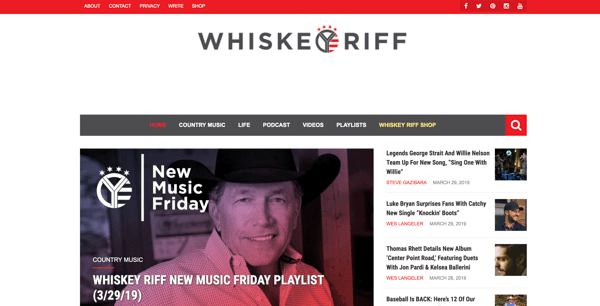
Prioritize consistency
Inconsistency is the number one branding mistake that companies make. Inconsistency undermines your brand and confuses your customers. Recognizable, valuable brands prioritize consistency — and they reap the benefits. When your brand is a unified presence across mediums and platforms, customers can easily get familiar with, recognize, and come to prefer your brand over time. Brand guidelines can help with this initiative.
Build and follow a brand strategy
A brand strategy is more than your brand guidelines; it’s a plan with specific, long-term goals that can be achieved as your brand evolves. These goals typically revolve around your brand’s purpose, emotion, flexibility, competitive awareness, and employee involvement.
Remember how I said that branding is a continuous process? There’s a lot that goes into it. A brand strategy can help you turn that process into a well-oiled practice that keeps your brand moving toward success and recognition.
Don’t let inspiration turn into imitation
Competitive analysis is important. Not only does it educate you on where your competition stands and how they are excelling, but it can also give you ideas on how you can improve or further set apart your brand.
However, be conscious to not fall into an imitation trap. Keep your competitive research limited and focus on what your organization brings to the table. Just because a competitor (or two) has branded their company in a certain way doesn’t mean that you have to follow suit. New, unique, provocative brands are memorable brands.
Use branding to hire
Strong branding makes your employees proud. I know I’m proud to be associated with HubSpot, much less work there. Leverage your branding to attract talented people. If hiring is a strong initiative for your organization, dedicate some of your resources to employer branding. Employer branding is how you market your company to job seekers and current employees. If you’re publically proud of your organization, others will be, too.
Ready, Set, Brand
Branding is your organization’s name, logo, color palette, voice, and imagery. It’s also more. It’s that intangible feeling your customers have when they interact with your brand. You know … that experience we talked about in the beginning.
That’s how powerhouse brands deviate from all the others. The tangible components contribute to this — a gorgeous logo, a clever tagline, an authentic manifesto, and a clear brand voice — but truly strong brands thrive when they focus on the big picture of their brand. Get to the heart and soul of your target audience and your organization, and a successful brand will follow.

The Ultimate Guide to B2B Marketing in 2021
Effective marketing is difficult to get right. Between creative demands, budget limits, and channel decisions, marketers have a lot to juggle when developing their marketing strategy.
The biggest determinant of effective marketing, however, is your audience.
If you’re not properly targeting your buyer persona, your promotions and advertisements will likely fall on deaf ears. You might as well not be marketing at all.
Where target audiences vary the most, though, is between individual consumers and businesses. Some companies serve individual shoppers, while others cater to companies and organizations.
Marketing to businesses is very different than marketing to individual consumers. That’s why an entirely different marketing method — B2B marketing — exists, and that’s why we built this guide. By the end of this article, you’ll have a better understanding of B2B marketing, the most effective B2B marketing strategies, and how you can tap into and convert your business audience.
HubSpot is an example of a company that engages in B2B marketing. HubSpot’s customers are other businesses, not individual consumers. Therefore, all of our marketing efforts can be classified as B2B.
B2B vs B2C Marketing
B2B and B2C (business-to-consumer) marketing are very different. B2B and B2C marketing differ in their respective strategies and applications, as well as in their audiences and how they communicate to them.
B2B marketing targets the needs, interests, and challenges of individuals who are making purchases on behalf of, or for, their organization (rather than for themselves), thus making the organization the customer. Here are a few examples of B2B companies:
- A coworking space that leases office spaces to remote teams and freelancers (like WeWork)
- An on-demand order fulfillment, warehousing, and screen printing service (like Printful)
- A marketing software company that sells social media management tools, lead generation software, and other marketing tools to businesses and organizations (like HubSpot!)
B2C marketing targets the needs, interests, and challenges of individual consumers who are making purchases on behalf of, or for, themselves, thus making the individual the customer. Here are a few examples of B2C companies:
- An e-commerce company that sells office supplies to remote or self-employed individuals (like Poppin)
- A store that sells t-shirts and other clothing and accessories (like Target)
- A music platform that sells streaming subscriptions (like Spotify)
Take a look at this chart comparing B2B and B2C customers.
| for b2b marketing | for b2c marketing | |
| Goal | Customers are focused on ROI, efficiency, and expertise. | Customers are seeking deals and entertainment (which means marketing needs to be more fun). |
| Purchase Motivation | Customers are driven by logic and financial incentive. | Customers are driven by emotion. |
| Drivers | Customers want to be educated (which is where B2B content marketing comes in). | Customers appreciate education but don’t always need it to make a purchase decision. |
| Purchase Process | Customers like (if not prefer) to work with account managers and salespeople. | Customers like to make purchases directly. |
| People Involved in Purchase | Customers often have to confer with decision makers and other members of their chain of command before making a purchase decision. | Customers rarely need to confer with others before making a purchase decision. |
| Purchase Purpose | Customers make purchases for long-term solutions, resulting in a longer sales cycle, longer contracts, and longer relationships with companies. | Customers aren’t necessarily looking for long-term solutions or long-term relationships. |
As much as they differ, though, B2B and B2C also intersect in many ways. While Poppin sells office supplies to remote or self-employed individuals, they also design corporate office spaces and branded supplies. On the flip side, Printful not only offers order fulfillment and warehousing to businesses; they also fill e-commerce printing orders for individuals.
As distinct as the B2B and B2C marketing audiences can be, B2B marketers can always learn from B2C campaigns, too.
B2B Marketing Strategies
As I said above, marketing depends on its audience. While B2B and B2C marketing vary, not every piece of B2B marketing material is alike, either.
In this section, we’ll talk about various B2B marketing strategies you can implement to reach your specific business audience. Before we dive in, though, make sure you understand the B2B buyer’s journey. Take note of how each of these stages may affect your marketing strategies and how you implement them.
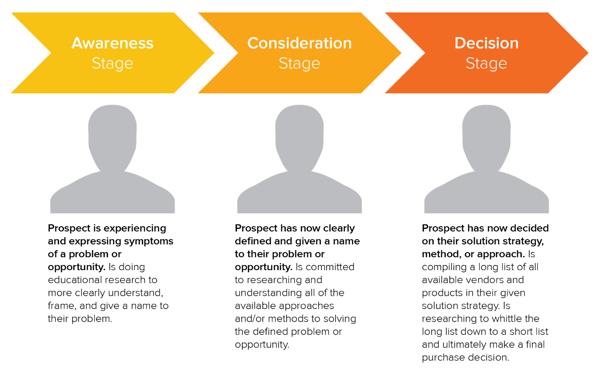
B2B Email Marketing
Email marketing is a tried and true method of reaching both individual consumers and business customers. Did you know that 93% of B2B marketers use email? Are you one of them? You should be. Emails lead to engagement which turns subscribers into leads … and then customers.
Download our guide to optimizing email marketing for conversions and learn how to grow your email list, ensure deliverability, and increase engagement.
Unlike B2C customers who respond best to emotions and entertainment, B2B customers look for logic and positive ROI. Essentially, they’re asking themselves, How can your business help my business grow? Because of this, your email marketing must consistently resonate with your business customers and focus on things that matter to them — like time, money, and resources.
Email marketing is also a powerful vehicle for sharing your brand’s content. 83% of B2B companies use email newsletters as part of their content marketing program, and 40% of B2B marketers say these newsletters are most critical to their content marketing success.
With the constant barrage of emails flooding our inboxes today, it’s more important than ever to create and send out effective marketing emails.
B2B Email Marketing Best Practices
- Write enticing subject lines. Think about your email subject lines as a Netflix trailer — if you can’t hook your audience with a two-minute clip (or, in this case, a few dozen characters), don’t expect them to open and watch (or read) the whole thing. We recommend spending almost as much time on your email subject lines as you do on the emails themselves.
- Stick to one call-to-action (CTA) per email. If you think the number of emails you receive is a lot, take a look at the CTAs in those emails … some are packed with two, three, and sometimes up to 10 different CTAs. Don’t make this mistake, which can leave your recipients’ heads spinning, asking “What should I click on first?” and ultimately clicking on nothing. With one CTA per email, you allow your audience to focus on your email content and ultimately one action … a welcome reprieve from today’s frequent decision-making and analysis paralysis.
- Segment your email to reach the most relevant audience. Not every email you send will be appropriate for everyone on your list. Your subscribers may be at different stages of the buyer’s journey or be seeking different solutions. That’s where email list segmentation comes into play. Not only does this help you relate to your audience better, but it gives your emails that personal feel that says “Hey, I’m listening and I know what you’d like to see.” Consumers prefer email quality over quantity anytime.
- Make sure your email designs are responsive. Over 80% of email users access their inbox on their phones, and emails that don’t show up correctly on mobile devices are often deleted in three seconds. Ouch. Don’t let your email be one of those.
- Don’t be afraid of the cold email. As uncomfortable as it is, the right email can convert new customers — like this cold sales email that won 16 new B2B customers.
👉🏼HubSpot Tip: You can’t send marketing emails without any recipients — these people make up your lists. There are plenty of easy ways to grow your email list. Begin with opt-in forms on your website homepage, About page, and blog. Check out HubSpot’s Free Form Builder tool to get started.
B2B Digital Marketing
Every business, whether B2B or B2C should have a digital presence — which is comprised of paid ads, search engine optimization, a website, and any other place your B2B company is active online. Let’s walk through a handful of tactics that can strengthen your B2B digital marketing strategy.
Define your target audience
A strong B2B digital marketing strategy starts with defining your target audience, or buyer persona. This demographic and psychographic information will inform almost every other marketing activity thereafter, ensuring your content and digital material is absorbed by the right eyes and ears (and that no resources go to waste on your end).
Create your website
Secondly, digital marketing can’t quite function without an informative, engaging website. Over 80% of buyers visit a website before making a purchase. Moreover, since the typical B2B sales cycle often involves many key players (such as gatekeepers, decision makers, and other folks who have to buy into a purchase), websites are easy, straightforward ways for influencers to share information about your product or service.
Optimize your digital presence
Your website needs to be more than informative and engaging, though … it needs to be discoverable. You can do this with on-page SEO and technical SEO tactics. These include everything from image alt-text and meta descriptions (what your visitors can see) to structured data and site speed (what your visitors can’t see). Off-page SEO is also at play here, which refers to external linking strategies and social sharing — SEO tactics that take place off your website.
Run PPC campaigns
Finally, round out your digital presence with pay-per-click (PPC) advertising, which allows you to get your content and brand in front of new audiences via search engines and other advertising platforms. I recommend maximizing your PPC investment by advertising more than your specific products or services — such as your brand personality, blog or social media content, or company tagline.
The best way to see an ROI from your paid ads is by 1) incorporating your buyer persona data and 2) boosting content that they can relate to. For example, it’s highly unlikely a brand new consumer who’s never heard of you is searching for your exact product. They may be searching for a location-based solution or product feature. To reach the greatest number of potential customers, pay to target relevant categories within your brand vs. promoting your product or services.
B2B Content Marketing
We’ve talked about how B2B customers are focused on expertise, driven by logic, and desire to be educated. What better marketing tool to satisfy these priorities than B2B content marketing?
Whereas a traditional PR marketing strategy interrupts a consumer’s day-to-day with promotional material, a content marketing strategy adds valuable information and informs the consumer — which is precisely what B2B customers are looking for. Not to mention that content marketing supports SEO efforts, which involves anticipating what your audience is searching for, helping them discover your website and content … and potentially converting them to customers.
Download our free guide and learn what topics convert at the highest rate with insight from 175,000 B2B & B2C blog posts.
In fact, 80% of business decision makers prefer to get information from an article than an ad. Knowing this, I’d say you should be putting the same (if not more) resources into your content marketing than your traditional advertising strategy.
Because the B2B buyer’s journey is slightly different than the B2C buyer’s journey (which has shorter sales cycles and fewer decision makers involved), the content you create for your B2B content marketing strategy may vary more than the content you’ve seen as a consumer yourself, as illustrated in the below graphic.
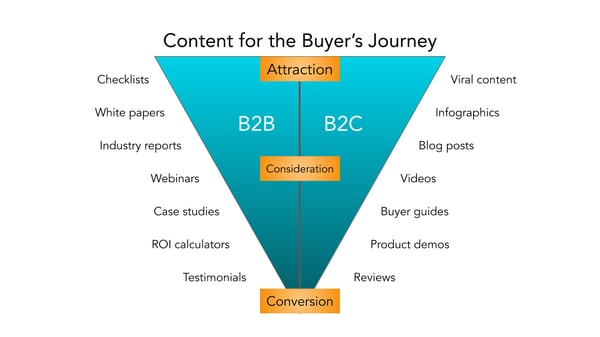
Before you start creating content, though, I recommend creating a business blog. (Don’t worry, growing your blog readership is easier than you think.) Your blog will house all the content you create and serve as a home-base for readers to visit and subscribe to.
B2B Social Media Marketing
Did you know that 75% of B2B buyers and 84% of C-Suite executives use social media when making a purchase? That’s right — social media marketing isn’t just for brands targeting individual consumers.
Many B2B companies struggle with social media marketing, though. It can be harder to use social media to connect with business customers, especially because (as we mentioned above) there’s typically a lengthier sales cycle and longer chain of command.
Honestly, B2B social media marketing might not be where you convert the greatest number of leads, and that’s OK. It likely comes into play near the beginning of your customers’ buyer’s journeys.
Social media is a powerful tool for building brand awareness, giving your company an online personality, and humanizing your business — all very powerful factors when it comes to marketing and connecting with potential customers. Like email marketing, social media is also a highly effective channel for sharing your content and enhancing your brand expertise, the latter of which we know B2B customers appreciate.
While your social media accounts might not convert as frequently as your content or email marketing, they’re just as important. In this case, followers are just as valuable — you never know when they might convert to leads or customers.
👉🏼 HubSpot Tip: Why? Content shared by employee advocates receives over eight times more engagement than content shared by brands. So, involve your employees in your B2B social media marketing strategy. Encourage them to create their own social media channels and share about life at your company. Create a culture account (like our @HubSpotLife Instagram) to show what’s going on at work, not just what you’re selling. You never know — this might attract strong talent, too.
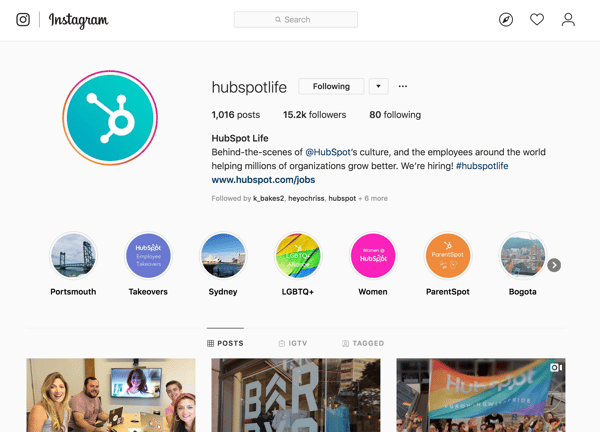
B2B Marketing Examples
A B2B marketing approach that works for one business may not work for another, but that’s not to say we can’t learn something from the pros. Here are four B2B marketing examples of businesses who did it right.
Email Marketing: Mattermark, Raise the Bar Newsletter
Raise the Bar is a daily digest newsletter from Mattermark that features insights from leaders in sales, marketing, and growth engineering. It’s hand-picked by Mattermark executives and easy to scan, which is valuable in a world of elaborate, complicated newsletters and daily digests.

This is a good example of B2B email marketing because Mattermark takes the time to educate their subscribers without blatantly selling to them. This action builds trust with their audience while also equipping them with everything they need to know to make a purchase and become a paying customer.
Digital Marketing: Maersk, Website Homepage
It’s nearly impossible to know the intent of everyone who lands on your website, but Maersk’s homepage design makes it easy for visitors to find their way around.
By offering three main options (“Become a Customer,” “Access Your Account,” and “Start a Career”), Maersk clearly segments their audience and allows visitors to easily navigate to the site content that corresponds with their intent.
This small design tweak also helps Maersk build trust and authority within each of these niche audiences — potential customers, current customers, and even employees.
Content Marketing: LeadPages, Blog + Resources
LeadPages has been bootstrapped since its inception in 2012 … yet it hit over $16 million in revenue just three years later. Its owner attributes its rapid success to its content strategy, which makes it a great example of B2B content marketing.

LeadPages produces many different types of content resources, such as a blog, customer stories, a podcast, and a webinar. The variety in these resources allows the company to reach customers where they are using the method that best resonates with them.
LeadPages offers a blog that covers themes such as A/B testing, lead generation, and other topics that relate to the product and brand, a weekly podcast that chats with everyday entrepreneurs, and even a definitive guide to landing pages, which equips its customers to properly use and optimize the LeadPages product — all for free.
Social Media Marketing: MailChimp, Instagram
Social media is an effective channel on which to engage with your audience. It’s also a fun place to post gorgeous graphics and show off your brand personality. On Instagram, MailChimp has excelled at both.
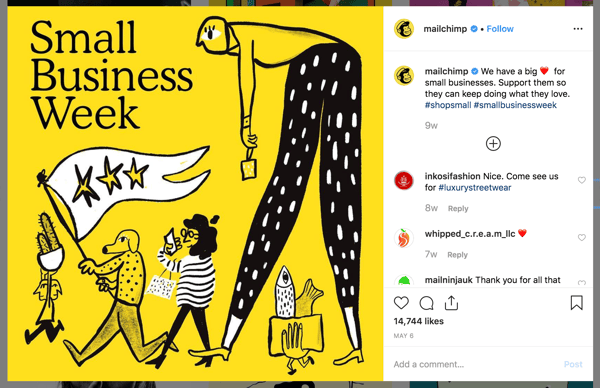
Fewer than half of its Instagram posts have to do with email marketing or the MailChimp product, but the MailChimp team always finds a way to make the posts relevant to its audience and followers — all while featuring fun, engaging, on-brand graphics and videos.
MailChimp also uses its Instagram to feature real customer stories and testimonials, which can have a big impact on potential consumers in the Consideration and Decision stages. Finally, MailChimp makes use of a took called LinkinBio, which allows Instagram users to click-through to its homepage or other digital content (since Instagram doesn’t offer live links on its platform). This creates a clear conversion path for consumers who discover or research MailChimp on Instagram and want to learn more on its website.
Invest in B2B Marketing and Reach Your Business Customers
Marketing isn’t effective unless you keep your audience in mind, and no other audience is as fickle and critical as business customers. Your marketing should communicate how your business can help theirs … and if it doesn’t, you may as well not be marketing at all.
Use these tips and strategies to understand your B2B audience, round out your buyer personas, and effectively use B2B marketing strategies that reach them. When you’re focused on your audience, your marketing will do the same.

How to Write a Press Release [Free Press Release Template + Examples]
When it comes to content, sometimes old school can be a good thing (namely, when it comes to old-school rap or Throwback Thursday on Instagram). But when it comes to your company’s public relations strategy, being old school isn’t advantageous for your business or your brand.
Ten years ago, people still relied on morning papers for news. Today, the vast majority of your company’s customers and prospects scan headlines on Twitter or see what’s trending in their Facebook feed.
People now have control over where, when, and how they consume information. As a result, public relations is no longer about feeding into a traditional news cycle; it’s about providing relevant content when, where, and how your prospects, influencers, and customers will consume it.
Sounds pretty hopeless, right? Wrong. While relationship-building still helps you get into popular publications, we now have the opportunity to quit playing the waiting game and generate our own buzz. By turning your PR strategy into an inbound one, you create opportunities that weren’t there before and carve out a place for your company, building meaningful mindshare with your target audiences in the process.
One of the most crucial updates to make to your PR strategy is to think of opportunities to connect to the audiences you care about — including, but not limited to, reporters. And that starts with press releases. In this post, we’ll discuss:
- What Is a Press Release?
- Types of Press Releases
- Sample Press Release Format
- How to Write a Press Release
- Press Release Examples
- Tips for Publishing Press Releases
What Is a Press Release / News Release?
A regular cadence of meaningful news can help a company stand out and build mindshare with journalists over time. That’s where the press release (or news announcement) comes in.
A press release is an official announcement (written or recorded) that an organization issues to the news media and beyond. Whether we call it a “press release,” a “press statement,” a “news release,” or a “media release,” we’re always talking about the same basic thing.
While the heading should contain action verbs, the first paragraph should answer the “who,” “what,” “why,” and “where.” The press release should also contain understandable language and a quote.
Most press releases are succinct at just a page long — two pages, tops. Ultimately, companies want to provide enough information so that news outlets have sufficient material for publishing their own stories about whatever the company is announcing in the release.
And while it may be tempting to craft a press release that embellishes your company’s accomplishments or twists the facts to make a story sound more intriguing to the media, remember: Press releases live in the public domain, which means your customers and prospective customers can see them. So instead of thinking of a press release solely as a ticket to earning news coverage, you should also think of it as a valuable piece of marketing content.
While there’s no cut-and-dried formula for what a press release should include, here are a few types of occasions to help you carve out a focus for your press release and determine what content would help you broadcast your news in the best way:
New Product Launches
The product launch type of press release is valuable to get the word out about the new solutions your organization is offering to consumers. This release will emphasize the product’s specs, pricing, availability, and any other details that may be valuable to consumers.
Mergers and Acquisitions
Organizational change is noteworthy enough to warrant a press release, especially for informing current and future stakeholders about the growth and trajectory of a company. To announce an acquisition or merger, include details about all organizations involved, information about the merger or acquisition, and quotes from the leadership teams.
Product Updates
Similar to a new product launch, product updates and expansions are also ripe for promotion. Explain what the change is, why it was made, and how it benefits the user.
Events
Press releases are an important component of event marketing to attract promotion from news outlets and other media sources. You’ll want to include what the event is about, who should consider attending, when and where it will be held, pricing, and any other necessary details.
Grand Openings
Whether you opened up a new office, relocated, or are opening for the first time, announce the details with a grand opening press release. Announce the date and location the grand opening will be held, who is involved, how the grand opening is being celebrated, and the reason for the move (if applicable).
New Partnerships
Similar to mergers and acquisitions, a press release announcing new partnerships is a mutually beneficial marketing tactic. To effectively execute this type of release, be sure to write a summary about each company, why the partnership was created, who benefits, and any additional important details for current and future stakeholders.
Rebranding
Rebranding is a difficult thing for any business to do, and it can occasionally result in confusion and awkwardness. One way to make the transition smoother is by announcing the rebrand with a press release, including details on what is changing, the reason for making the change, dates the changes go into effect, and quotes from the leadership team.
Executive Promotions/Hiring
Executives often serve as faces of the company, and a press release functions to kick off this role. It may include biographical information to establish their credibility along with a photo and other pertinent details.
Awards
When it comes to business excellence, it’s okay to brag. Press releases about awards and accomplishments serve to cement your organization as an authority in your space. Such a press release includes information about the company and why they were given the award, information about the award itself, and details about the ceremony (if applicable).
Sample Press Release Format
When formatting a press-release, you want to write it in a newsy, straightforward way so a journalist who might write about it can imagine it as an article on their news site.
As noted above, you’ll want your format to include traditional press-release items like your contact information, the words “For immediate release,” a note about your location, and a quick bio about your company. Having specific spots for those elements will prevent you from needing to mention it in your body copy so you can focus on discussing the news at hand.
You also might want to include “###” or another signifier to show the journalist that the release has ended. In the past, this prevented busy journalists from waiting or flipping the page for more information when there was no more news. However, this tradition is still adopted and highly-respected today.
When it comes to formatting the body copy and headline, click here or scroll down for writing tips.
In this example, Catbrella Inc., a fictitious ad agency which just gained its 10th Twitter follower after two years of paid social media efforts, announces its achievement in a press release.
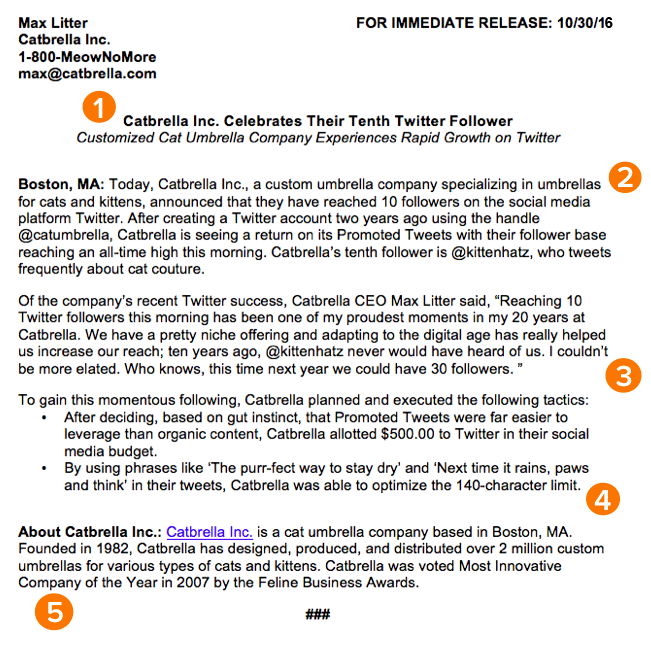
*Disclaimer: HubSpot is entirely responsible for the silliness of this faux announcement.
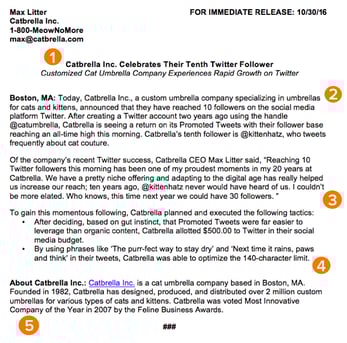
Inbound Press Release Templates
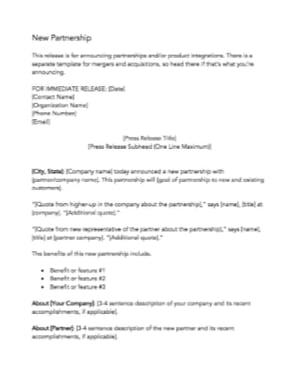
Rule 1: Make your headline irresistible.
You’ve got your announcement in mind, and now it’s time to get it down in words to share with your community, industry, and followers. Just like writing the perfect blog post title, setting up your press release for success starts with your headline. You only have one line to work with, which can seem scary, but consider diction carefully to make your headline captivating.
Use action verbs, clear, understandable language, and keep your headline simple and short — fortune (and search engines) reward the brief, so keep your title to one line to clearly focus people’s attention on your topline message.
Most importantly, make it interesting: Keep in mind that reporters get dozens, if not hundreds, of releases each day, so invest the time to write a compelling headline. It’s worth the time and effort on your part.
Rule 2: Convey the news value to the press.
For reporters, analysts, influencers, or followers to be inclined to share your announcement, you have to tell them upfront why they should care.
The first paragraph of your release should cover the who, what, why, where, and how of your new launch, update, or development. Reporters don’t have a ton of time to sift through details and fluffy background information — they just need the facts that’ll help them tell your story to someone else from a position of authority.
There shouldn’t be any new, crucial information covered after this section that the reader could potentially miss. A good way to ensure this is by using the reverse pyramid formula when writing your press release.
Rule 3: Offer a tempting quote.
Once you’ve set the scene, it’s time to bring your details to life with a quote that reporters can use for context around your announcement and help paint a picture of how your news affects the given industry, customer base, and landscape.
Ideally, quotes will be from key stakeholders in your company including your executive team, project leads, or those directly impacted by your announcement. Quoting key figures and authorities underlines the importance of your development. The chosen quote should shape your narrative and emphasize the core of the announcement. Don’t ask everyone in your office for a comment or feel compelled to quote all 25 people included in the acquisition — pick one or two critical spokespeople and focus the quotes around their unique perspective.
Rule 4: Provide valuable background information on the subject.
In this last paragraph, keep in mind that the reader already has all of the vital details and information they need to file a story or spread the word.
It can be tempting to provide superfluous facts and tidbits about your company or the development of your announcement — we sometimes think a piece of writing is lacking if it isn’t drawn-out and just shy of being a novella. However, a press release needs to be helpful and concise.
Offer details here that strengthen your narrative, like creative or noteworthy ways your company developed the project or announcement at hand. Or, when applicable, comment on future implications of your announcement.
Another good way to add value to your press release is by using newsjacking. A process of relating your press release to something currently going on to make it more valuable to the journalist and reader.
Rule 5: Summarize the “who” and the “what” in a boilerplate.
Twitter is chock-full of reporters lamenting press releases or pitches that don’t clearly explain what the company does or what the announcement is actually about, so instead of being the butt of a joke, make your release incredibly easy to reference.
Describe what your company does in clear, plain English, include a link to your company’s homepage early on, and make your boilerplate succinct and straightforward. If you cite data, include a reference link for the data source, and make sure every name in the release has an associated title and company as well.
To keep yourself honest on this front, ask a friend or colleague to read the release without context and ask if they can easily and readily explain why the announcement matters, what your company does, and why the executives included are quoted. If the answer to any of those questions is no, get back to the drawing board.
The key to keeping your PR strategy new school is forgetting preconceived notions of what public relations is and instead focusing on creating highly remarkable content. Traditional press releases can still be really valuable when executed well, so instead of ditching releases as a tactic, give them a modern makeover to make them more useful for your marketing.
Think about how you’ve used inbound methods to transform your marketing strategies to be more personalized, approachable, and build relationships. Those same principles apply to your PR strategy: Create content to craft your own story and use tactful outreach to get reporters and analysts familiar with your brand.
Press Release Examples
Many people think press releases have to be chock full of buzzwords and branded terms. “Big data,” anyone? Five-syllable words you have to look up on Thesaurus.com? Quotes from every executive on the planet that go on for pages? We’ve seen it all. Unfortunately, so have reporters — and they are not fans.
Instead of stuffing your next release with industry jargon, take a page out of our book (okay fine, ebook), The Newsworthy Guide to Inbound Public Relations, and brainstorm some creative approaches for your next announcement. Can you include new data? A remarkable graphic or video? A shareable SlideShare? If so, a creative angle can help carry your content and increase the likelihood of social sharing.
Now, to get you thinking on the right track, take a look at some creative press release examples below, the type of news each one is reporting on, and what makes the release unique:
ŠKODA at the World Rally Championship
Type of press release: Event

Škoda, a car manufacturer based in the Czech Republic, recently showed off its sponsored racing team in two big places: at the 2017 World Rally Championship, and in a sleek, image-based press release reporting on the event.
The news release, shown above, doesn’t have any trouble aligning the look and feel of the Škoda brand with the press release itself — which is a crucial aspect of any company’s press content. The release opens with a large feature image of one of its vehicles in the same vibrant green that covers the business’s website. The press release also begins with three helpful bullet points summarizing the news for readers, and ends the release with a couple of captioned actions shots to give reporters more context around the event.
ScribbleLive Acquires New Company
Type of press release: Acquisition
Yes, a video press release! This news item from ScribbleLive gave reporters nearly everything they’d need to republish this story, all in a thorough two-minute video about the company’s latest acquisition.
ScribbleLive opens the video press release above with the company’s logo and a clear header stating the news. This allowed the company’s CEO to jump right into his commentary on the acquisition, giving reporters plenty of quotable material on the state of the industry and why this merger was so important to them.
The press release also segments the video the same way a written press release would, breaking up the CEO’s commentary by the question he’s answering. This makes it easy for viewers to jump through the video and find the information they’re most interested in hearing about.
And, being on YouTube, a press release in this format allows reporters to embed the news content directly on their site, making ScribbleLive’s news that much easier to share.
Peapod’s New Headquarters
Type of press release: Opening a new office
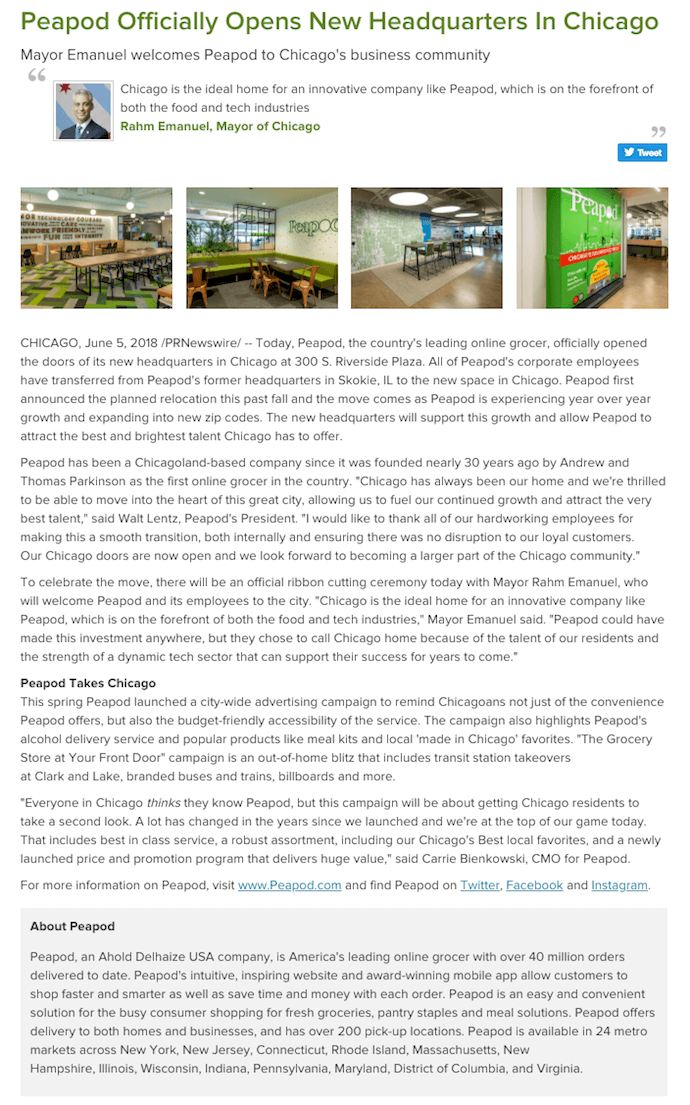
When you open a new headquarters, it can be hard to figure out what to say. People just want to get a look at the new digs! In the above press release by Peapod, an online grocery service, the company puts photos of its new office right at the top, immediately showing readers what makes this news so significant for Peapod.
The release even singles out a quote by the Mayor of Chicago just below the headline, hinting to reporters who are writing about Peapod’s new HQ that this is the remark Peapod is most interested in sharing with readers.
Check out the boilerplate text at the bottom of the above press release. “About [company]” text can too easily blend in with the actual news text, making the piece seem longer than it really is. By isolating this copy in a dark gray box, Peapod provides a smoother reading experience and ensures the story itself doesn’t get lost in an intimidatingly long wall of text.
HubSpot’s New Product Announcements
Type of press release: New product launches
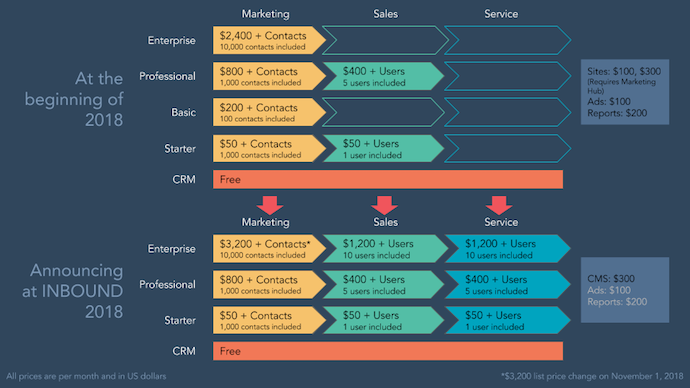
When you’re launching products or services, the information is often best expressed in written form. But when all you’re doing is writing about your new offering’s price and features, it can be difficult for others to refer to and report on it later. We at HubSpot know the challenge well.
The graphic above helped us to supplement our own product announcement — written by our fantastic Communications Manager, Ellie Botelho — with details that needed a visual aid. Using a combination of colors and shapes, this graphic allowed us to reveal important relationships between products, as well as their respective prices and when they’ll be available. (Interested one of our products? Take note! ^)
We’ve also crafted this comprehensive, easy-to-follow press release template complete with a promotional plan and considerations for your next announcement. We use these same guidelines when writing and formatting our releases here at HubSpot, and created a faux, sample release to illustrate what content goes where and why.
Tips for Publishing Press Releases
Writing a press release is really only half the battle. Once you’re finished with production, it’ll be time to focus on distribution.
Of course, we’re all familiar with the traditional distribution levers we can pull, which include publishing the press release on our website/blog, as well as sharing the press release with our followers/subscribers via social media and email. But for ensuring a press release gets the maximum amount of distribution possible, here are some tips you can follow.
1. Reach out to specific journalists.
Instead of blasting a press release out to every journalist you can find an email address for, focus on a few journalists who have experience covering your industry (and company, hopefully) and send them personalized messages. Connect the dots. Show why what you wrote connects to what they write.
2. Don’t be afraid to go offline.
Most journalists have mountains of emails (and press releases) to sort through. Try sending your release through snail mail or another offline channel to differentiate yourself.
3. Send the release to top journalists the day before.
Give journalists some time to craft a story around your press release by sending it to them — under embargo — the day before it officially goes live. (FYI “under embargo” just means they aren’t allowed to share the information in the press release until the time you specify.)
4. To avoid competition, don’t publish your release on the hour.
If you’re publishing your press release on a distribution service like PR Newswire or Business Wire, avoid publishing it on the hour (e.g., 1 p.m., or 3 p.m., or 5 p.m.). The reason? Most companies schedule their releases to go out on the hour, which means if your release goes out on the hour too, it’s more likely to get lost in the shuffle. Instead, try going with a more distinct time (e.g., 1:12 p.m., or 3:18 p.m., or 5:22 p.m.).
5. Share your media coverage.
If all goes according to plan, and your press release gets picked up by the media, your job still isn’t finished. To keep the buzz going, you can release a “second wave” of distribution by sharing the specific stories that news outlets write based on your press release.
Editor’s note: This post was originally published in November 2019 and has been updated for comprehensiveness.

9 Types of Organizational Structure Every Company Should Consider
Choosing the best organizational structure for your company, division, or team is a lot like picking out a new car.
At the most basic level, you’re always looking for something road-worthy — something that can take you (and your passengers) from point A to point B without a hitch.But beyond that, there are a lot of options to consider. Automatic or manual? Four-wheel drive or two? Built-in GPS? Leather interior? Flux capacitor? (Only if you’re going back in time, of course.)
In the world of organizational structures, the options you have to choose from include things like chain of command (long or short?), span of control (wide or narrow?), and centralization (centralized or decentralized decision-making?), just to name a few.
Organizational Structure
An organizational structure is a visual diagram of a company that describes what employees do, whom they report to, and how decisions are made across the business. Organizational structures can use functions, markets, products, geographies, or processes as their guide, and cater to businesses of specific sizes and industries.
What’s the point of an organizational structure? As a business leader, do you even need one? As I said, org structures help you define at least three key elements of how your business is going to run.
As your company gets bigger, an organizational structure can also be helpful for new employees as they learn who manages what processes at your company.
Then, if you need to pivot or shift your leadership, you can visualize how the work flows would work by adjusting your organizational structure diagrams.
To put it simply, this chart like a map that simply explains how your company works and how its roles are organized.
Here’s what each of those elements means to an organization:
Chain of Command
Your chain of command is how tasks are delegated and work is approved. An org structure allows you to define how many “rungs of the ladder” a particular department or business line should have. In other words, who tells whom to do what? And how are issues, requests, and proposals communicated up and down that ladder?
Span of Control
Your span of control can represent two things: who falls under a manager’s, well, management … and which tasks fall under a department’s responsibility.
Centralization
Centralization describes where decisions are ultimately made. Once you’ve established your chain of command, you’ll need to consider which people and departments have a say in each decision. A business can lean toward centralized, where final decisions are made by just one or two entities; or decentralized, where final decisions are made within the team or department in charge of carrying out that decision.
You might not need an org structure right away, but the more products you develop and people you hire, the harder it’ll be to lead your company without this crucial diagram.
(To dive deeper into what all of these different organizational structure components are, check out my earlier post, “The 6 Building Blocks of Organizational Structure.”)
In this post, we’ll explore how you can combine those components to form different types of organizational structures. We’ll also highlight the benefits and drawbacks of different structure types so you can evaluate which is the best option for your company, division, or team. Let’s dive in.
Mechanistic vs. Organic Organizational Structures
Organizational structures fall on a spectrum, with “mechanistic” at one end and
“organic” at the other.
Take a look at the diagram below. As you’ll probably be able to tell, the mechanistic structure represents the traditional, top-down approach to organizational structure, whereas the organic structure represents a more collaborative, flexible approach.
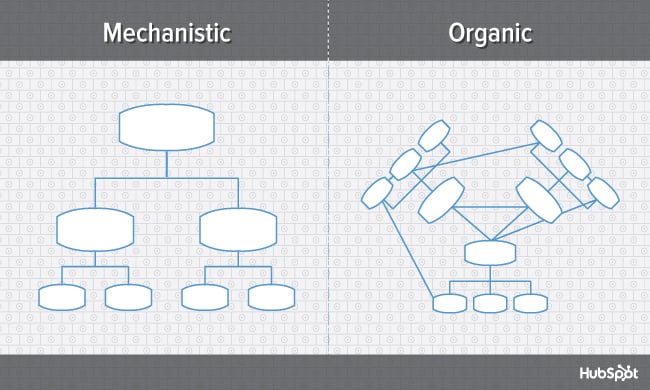
Here’s a breakdown of both ends of the structural spectrum, their advantages and disadvantages, and which types of businesses are suited for them.
Mechanistic Structure
Mechanistic structures, also called bureaucratic structures, are known for having narrow spans of control, as well as high centralization, specialization, and formalization. They’re also quite rigid in what specific departments are designed and permitted to do for the company.
This organizational structure is much more formal than organic structure, using specific standards and practices to govern every decision the business makes. And while this model does hold staff more accountable for their work, it can become a hindrance to the creativity and agility the organization needs to keep up with random changes in its market.
As daunting and inflexible as mechanistic structure sounds, the chain of command, whether long or short, is always clear under this model. As a company grows, it needs to make sure everyone (and every team) knows what’s expected of them. Teams collaborating with other teams as needed might help get a business off the ground in its early stages, but sustaining that growth — with more people and projects to keep track of — will eventually require some policymaking. In other words, keep mechanistic structure in your back pocket … you never know when you’ll need it.
Organic Structure
Organic structures (also known as “flat” structures) are known for their wide spans of control, decentralization, low specialization, and loose departmentalization. What’s that all mean? This model might have multiple teams answering to one person and taking on projects based on their importance and what the team is capable of — rather than what the team is designed to do.
As you can probably tell, this organizational structure is much less formal than mechanistic, and takes a bit of an ad-hoc approach to business needs. This can sometimes make the chain of command, whether long or short, difficult to decipher. And as a result, leaders might give certain projects the green light more quickly but cause confusion in a project’s division of labor.
Nonetheless, the flexibility that an organic structure allows for can be extremely helpful to a business that’s navigating a fast-moving industry, or simply trying to stabilize itself after a rough quarter. It also empowers employees to try new things and develop as professionals, making the organization’s workforce more powerful in the long run. Bottom line? Startups are often perfect for organic structure, since they’re simply trying to gain brand recognition and get their wheels off the ground.
Now, let’s uncover more specific types of organizational structures, most of which fall on the more traditional, mechanistic side of the spectrum.
Types of Organizational Structure
- Functional Organizational Structure
- Product-Based Divisional Structure
- Market-Based Divisional Structure
- Geographical Divisional Structure
- Process-Based Structure
- Matrix Structure
- Circular Structure
- Flat Structure
- Network Structure
1. Functional Organizational Structure
One of the most common types of organizational structures, the functional structure departmentalizes an organization based on common job functions.
An organization with a functional org structure, for instance, would group all of the marketers together in one department, group all of the salespeople together in a separate department, and group all of the customer service people together in a third department.
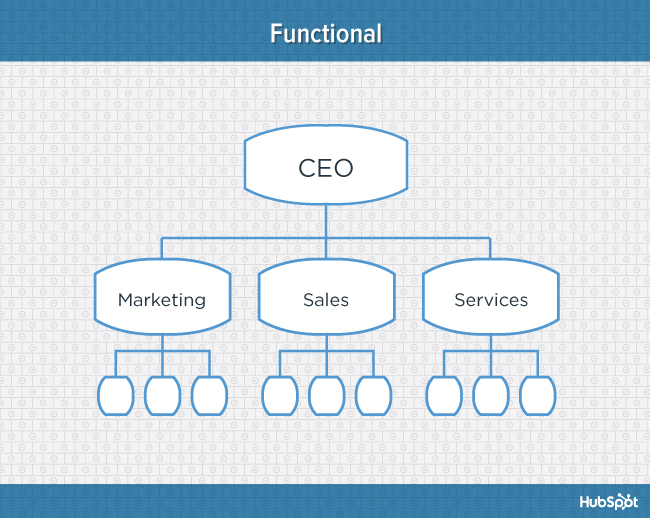
The functional structure allows for a high degree of specialization for employees, and is easily scalable should the organization grow. Also this structure is mechanistic in nature — which has the potential to inhibit an employee’s growth — putting staff in skill-based departments can still allow them to delve deep into their field and find out what they’re good at.
Disadvantages
Functional structure also has the potential to create barriers between different functions — and it can be inefficient if the organization has a variety of different products or target markets. The barriers created between departments can also limit peoples’ knowledge of and communication with other departments, especially those that depend on other departments to succeed.
2. Product-Based Divisional Structure
A divisional organizational structure is comprised of multiple, smaller functional structures (i.e. each division within a divisional structure can have its own marketing team, its own sales team, and so on). In this case — a product-based divisional structure — each division within the organization is dedicated to a particular product line.
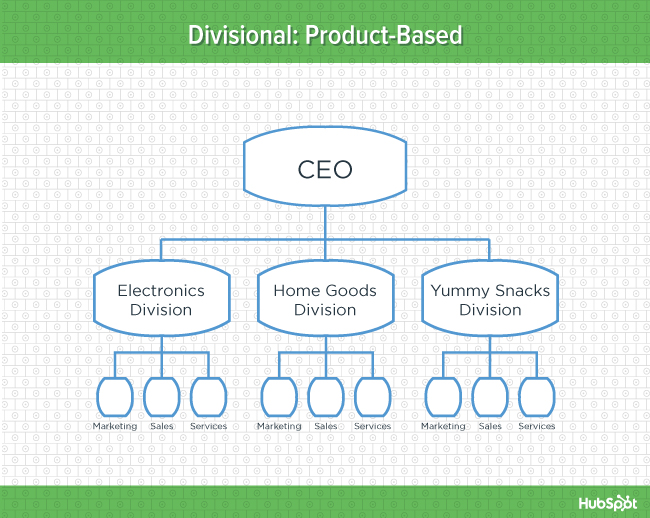
This type of structure is ideal for organizations with multiple products and can help shorten product development cycles. This allows small businesses to go to market with new offerings fast.
Disadvantages
It can be difficult to scale under a product-based divisional structure, and the organization could end up with duplicate resources as different divisions strive to develop new offerings.
3. Market-Based Divisional Structure
Another variety of the divisional organizational structure is the market-based structure, wherein the divisions of an organization are based around markets, industries, or customer types.
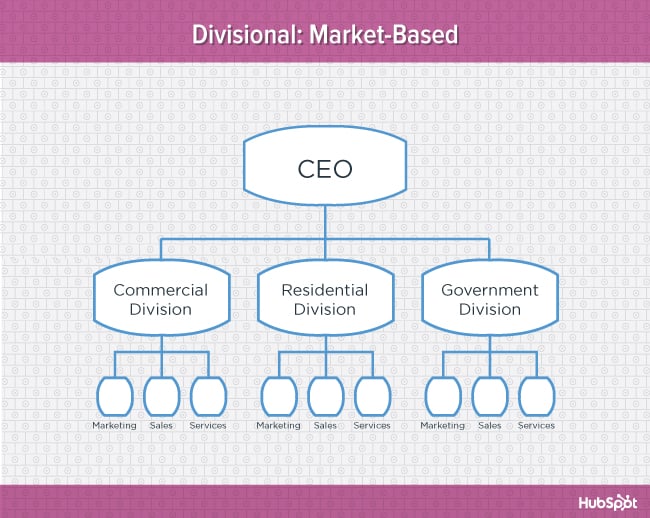
The market-based structure is ideal for an organization that has products or services that are unique to specific market segments, and is particularly effective if that organization has advanced knowledge of those segments. This organizational structure also keeps the business constantly aware of demand changes among its different audience segments.
Disadvantages
Too much autonomy within each market-based team can lead to divisions developing systems that are incompatible with one another. Divisions might also end up inadvertently duplicating activities that other divisions are already handling.
4. Geographical Divisional Structure
The geographical organizational structure establishes its divisions based on — you guessed it — geography. More specifically, the divisions of a geographical structure can include territories, regions, or districts.
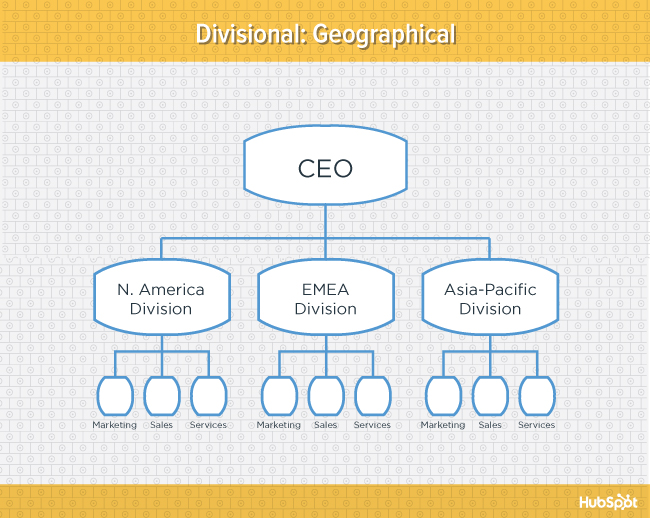
This type of structure is best-suited to organizations that need to be near sources of supply and/or customers (e.g. for deliveries or for on-site support). It also brings together many forms of business expertise, allowing each geographical division to make decisions from more diverse points of view.
Disadvantages
The main downside of a geographical org structure: It can be easy for decision- making to become decentralized, as geographic divisions (which can be hundreds, if not thousands of miles away from corporate headquarters) often have a great deal of autonomy. And when you have more than one marketing department — one for each region — you run the risk of creating campaigns that compete with (and weaken) other divisions across your digital channels.
5. Process-Based Structure
Process-based organizational structures are designed around the end-to-end flow of different processes, such as “Research & Development,” “Customer Acquisition,” and “Order Fulfillment.” Unlike a strictly functional structure, a process-based structure considers not only the activities employees perform, but also how those different activities interact with one another.
In order to fully understand the diagram below, you need to look at it from left to right: The customer acquisition process can’t start until you have a fully developed product to sell. By the same token, the order fulfillment process can’t start until customers have been acquired and there are product orders to fill.
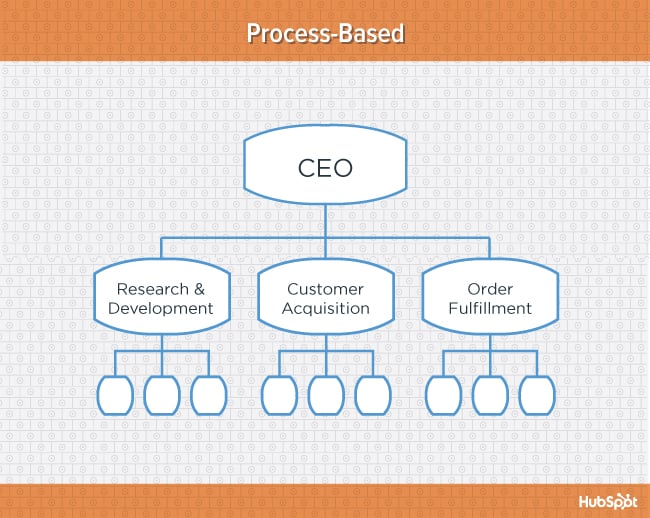
Process-based organizational structure is ideal for improving the speed and efficiency of a business, and is best-suited for those in rapidly changing industries, as it is easily adaptable.
Disadvantages
Similar to a few other structures on this list, process-based structure can erect barriers between the different process groups. This leads to problems communicating and handing off work to other teams and employees.
6. Matrix Structure
Unlike the other structures we’ve looked at so far, a matrix organizational structure doesn’t follow the traditional, hierarchical model. Instead, all employees (represented by the green boxes) have dual reporting relationships. Typically, there is a functional reporting line (shown in blue) as well as a product- based reporting line (shown in yellow).
When looking at a matrix structure org chart, solid lines represent strong, direct-reporting relationships, whereas dotted lines indicate that the relationship is secondary, or not as strong. In our example below, it’s clear that functional reporting takes precedence over product-based reporting.
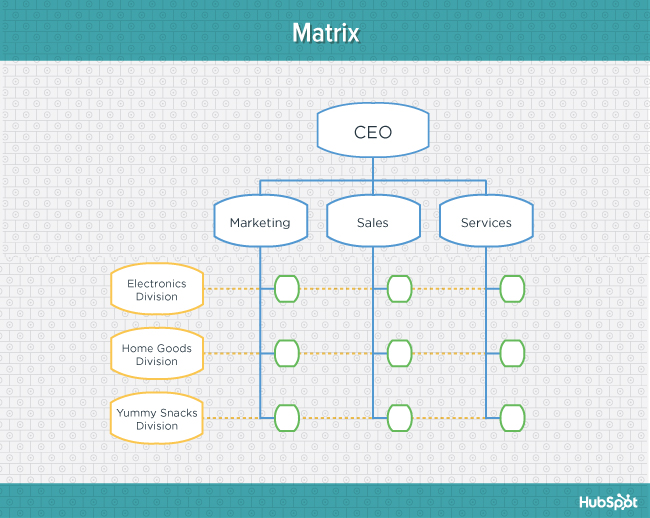
The main appeal of the matrix structure is that it can provide both flexibility and more balanced decision-making (as there are two chains of command instead of just one). Having a single project overseen by more than one business line also creates opportunities for these business lines to share resources and communicate more openly with each other — things they might not otherwise be able to do regularly.
Disadvantages
The primary pitfall of the matrix organizational structure? Complexity. The more layers of approval employees have to go through, the more confused they can be about who they’re supposed to answer to. This confusion can ultimately cause frustration over who has authority over which decisions and products — and who’s responsible for those decisions when things go wrong.
7. Circular Structure
While it might appear drastically different from the other organizational structures highlighted in this section, the circular structure still relies on hierarchy, with higher-level employees occupying the inner rings of the circle and lower-level employees occupying the outer rings.
That being said, the leaders or executives in a circular organization aren’t seen as sitting atop the organization, sending directives down the chain of command. Instead, they’re at the center of the organization, spreading their vision outward.
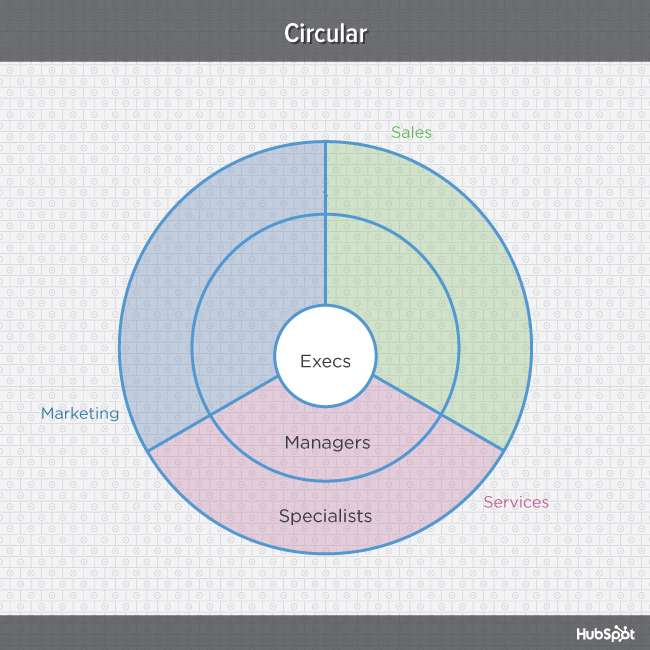
From an ideological perspective, a circular structure is meant to promote communication and the free flow of information between different parts of the organization. Whereas a traditional structure shows different departments or divisions as occupying individual, semi-autonomous branches, the circular structure depicts all divisions as being part of the same whole.
Disadvantages
From a practical perspective, the circular structure can be confusing, especially for new employees. Unlike with a more traditional, top-down structure, a circular structure can make it difficult for employees to figure out who they report to and how they’re meant to fit into the organization.
8. Flat Structure
While a more traditional organizational structure might look more like a pyramid — with multiple tiers of supervisors, managers and directors between staff and leadership, the flat structure limits the levels of management so all staff are only a few steps away from leadership. It also might not always take the form or a pyramid, or any shape for that matter. As we mentioned earlier, It’s also a form of the “Organic Structure” we noted above.
 This structure is probably one of the most detailed, It’s also thought that employees can be more productive in an environment where there’s less hierarchy-related pressures. This structure might also make staff feel like the managers they do have are more like equals or team members rather than intimidating superiors.
Disadvantages
If there’s a time when teams in a flat organization disagree on something, such as a project, it can be hard to get aligned and back on track without executive decisions from a leader or manager. Because of how complicated the structure’s design is, it can be tricky to determine which manager an employee should go to if they need approval or an executive decision for something. So if you do choose to have a flat organization, you should have a clearly marked tier of management or path that employers can refer to when they run into these scenarios.
9. Network Structure
A network structure is often created when one company works with another to share resources — or if your company has multiple locations with different functions and leadership. You might also use this structure to explain your company workflows if much of your staffing or services is outsourced to freelancers or multiple other businesses.
The structure looks nearly the same as the Divisional Structure, shown above. However, instead of offices, it might list outsourced services or satellite locations outside of the office.
If your company doesn’t do everything under one roof, this is a great way to show employees or stakeholders how outsourcing of off-site processes work. For example, if an employee needs help from a web developer for a blogging project and the company’s web developers are outsourced, the could look at this type of chart and know which office or which person to contact outside of their own work location.
Disadvantages
The shape of the chart can vary based on how many companies or locations you’re working with. If it’s not kept simple and clear, there may be a lot of confusion if multiple offices or freelancers do similar things. If you do outsource or have multiple office locations, make sure your org chart clearly states where each specific role and job function lies so someone can easily understand your basic company processes.
Navigating Organizational Structures
That concludes our exploration of different types of organizational structures. Keep in mind that what we’ve just looked at are simply archetypes — in real-world applications, organizations often use hybrid structures, which can borrow elements from multiple structure types.
Want to see some real-world examples of marketing team org structures from companies like GitHub and Rue La La? Download the complete resource, An Illustrated Guide to Organizational Structures.
To learn more about working on a marketing team, check out the 6 Building Blocks of Organizational Structure [Diagrams].

32 of the Best Website Designs to Inspire You in 2021
Every once in a while, I’ll come across a website that really draws me in. So, I found 32 of them to show you.
These sites push the boundaries of what is known to be possible on the web. Whether it’s the design aesthetic, usability, interactivity, sound design, or value that the site provides, each one is a masterpiece in its respective industry, and something to be inspired by.
Not surprisingly, many organizations exist to highlight these sites and the contributions they make to the web. To help surface some of the most inspirational designs, I gathered 32 award-winners that have made their way through several key awards organizations — including Awwwards, UX Awards, The Webby Awards, SiteInspire, Best Website Gallery, and FWA.
Click the links below to jump to a group of website designs that crushed it in the last several years:
- Best Website Designs from 2014 – 2015
- Best Website Designs from 2016
- Best Website Designs from 2017
- Best Website Designs from 2018
- Best Website Designs from 2019
- Today’s Cool Website Designs
- Website Design Ideas
Below this list, I also found six more websites whose homepage designs are just plain cool and worth learning from.
As you browse through the list, know that each site excels in its own way and seeks to serve a unique purpose. While one site may be an excellent example of visual design, another may be an excellent example of interactivity. This means that not all of these sites may be “conversion machines” or blueprint ideas that you can easily copy over to your site.
Rather, they’re great ways to gain some website design inspiration and see the cutting-edge marketing that’s happening in the different corners of the web.
Best Website Designs
- Virgin America
- Feed
- ETQ
- Mikiya Kobayashi
- The History of Climate Change
- Beagle
- Woven Magazine
- JOHO’s Bean
- World of SWISS
- Rainforest Guardians
- Protest Sportswear
- The Teacher’s Guild
- Inside Abbey Road
- Simply Chocolate
- NOWNESS
- Citrix: The New Mobile Workforce
- crypton.trading
- Southwest: Heart of Travel
- Reductress
- Overflow
- Frans Hals Museum
- Minimums
- The Octopus: Design Blog by IDEO
- Nomadic Tribe
- MovieMark
- Guillaume Tomasi
- The District
- Tej Chauhan
- Amanda Martocchio Architecture
- The District
- Tej Chauhan
- Amanda Martocchio Architecture
Beautiful Award-Winning Websites
And the awards go to …
Best Website Designs from 2014 – 2015
1. Virgin America
Award: Most Significant Industry Evolution, 2014 UX Awards
In a world where airline websites are known to be riddled with major usability issues, Virgin America has one of the best websites that pushes usability, accessibility, and responsive design forward. In fact, it’s been named as the first truly responsive airline website, a new precedent in the industry.
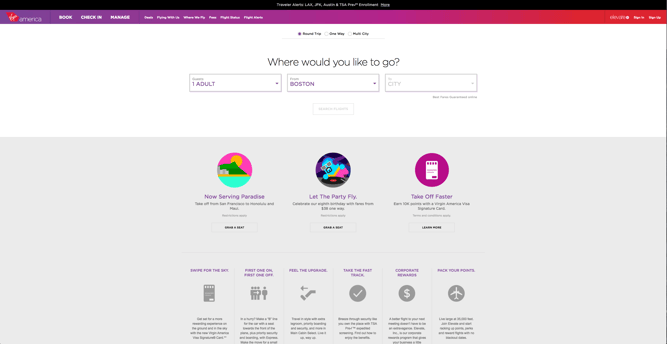
2. Feed
Award: Site of the Day (6/6/2015), Awwwards
Not only is Feed an interesting concept, but it also has a stunning execution that challenges our understanding of what is possible on the web. Through a creative blend of animation and video, the site immerses the user into a very engaging experience. As an atypical site, it contains several unique usability elements as well, including a navigation that doubles as a scroll progress bar.

3. ETQ
Award: Site of the Day (5/19/2015), Awwwards
ETQ takes a very minimalistic approach to ecommerce with their stripped-down site with big, compelling visuals of their product. Simple, flat, color-based backgrounds accompanied by strong typography help to keep the focus on exactly what the user came there to see: shoes.
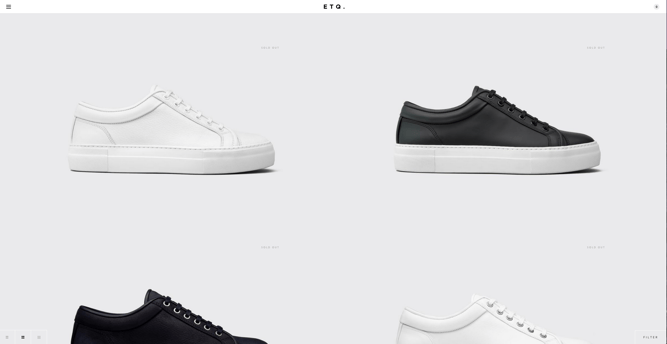
4. Mikiya Kobayashi
Award: Site of the Day (7/4/2015), Awwwards
Mikiya is a Product Designer with a minimalistic portfolio that showcases his work through strong photography and subtle animations. His full site was originally created in Japanese and then translated into English, helping demonstrate the international scalability of his design.

5. The History of Climate Change
Award: Site of the Day (6/23/2015), Awwwards
Follow the footsteps of Luc Jacquet as Wild-Touch takes you along this visual and educational journey about the history of global climate change. A mixture of historical media and unique animations help tell the story.

6. Beagle
Award: Site of the Day (4/19/2015), Best Website Gallery
Beagle does an exceptional job of visually and progressively telling the story of their product in a simple and easy-to-digest way. This is a major challenge for many startups, especially when they’re introducing new concepts to existing markets. People want to know, “What is your product? How does it work? Why do I care?” Beagle answers all those questions while simultaneously showing off their product and compelling the user to purchase. Plus, they’re one of few sites that actually implemented “scroll hijacking” correctly.
 Featured by Best Website Gallery
7. Woven Magazine
Award: Site of the Day (4/4/2015), Best Website Gallery
Woven is an online publication that celebrates artists, craftsmen, and makers alike. To me, they represent a confirmation that publications can (and should) have beautiful, engaging sites with easy-to-read content. Free of distractions like pop-ups and obtrusive ads, this site all about the experience of the content itself.
 Featured by Best Website Gallery
8. JOHO’s Bean
Award: FWA of the Day (8/7/2015), Favorite Website Awards
The website for JOHO’s Bean has incredible imagery, interactivity, story telling, visual design, and most of all, sound engineering. These all come together to create a compelling, emotional, and engaging site that tells the story of a coffee bean’s journey.

9. World of SWISS
Award: Best User Interface, 2015 Webby Awards
Another airline?! What is happening?! Yep, SWISS airlines built an incredibly immersive site that tells their story and describes what it’s like to fly with them — and they simply did too great of a job to be ignored. Strong visuals and animations introduce the user to different sections of the site that are packed with information beyond the usual sales and marketing pitch that is so common today.

Best Website Designs from 2016
10. Rainforest Guardians
Award: Best Activism Website, 2016 Webby Awards
Rainforest Guardians became one of the most immersive nonprofit websites of 2016. Seeking to build awareness around deforestation, the site allows users to “visit” the various villages, natives, and waterways that make up the Amazon Rainforest. The site puts interactivity at the center of its user experience — a wise choice if your goal is to get people to connect with your cause and convert into volunteers.
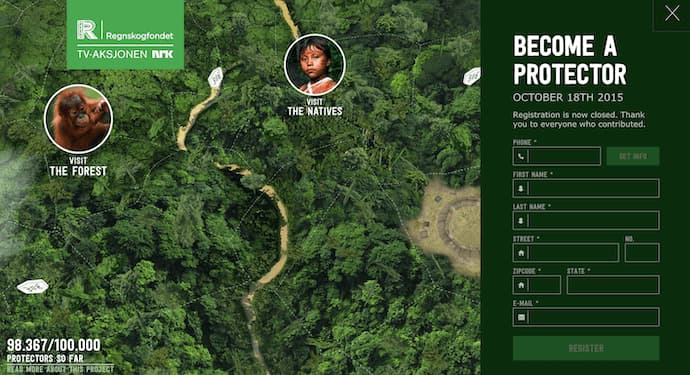
11. Protest Sportswear
Award: Site of the Year (2016), Awwwards
The Awwwards calls Protest Sportswear a “shoppable look book,” and that’s exactly what this site is. As a clothing outfitter, this website has reinvented the way they market their product: Rather than promoting garments of clothing, Protest Sportswear promotes “looks.” This makes the company’s product the most appealing part of the website itself, using a collage of styles to design a homepage that changes as often as its customer’s styles do.
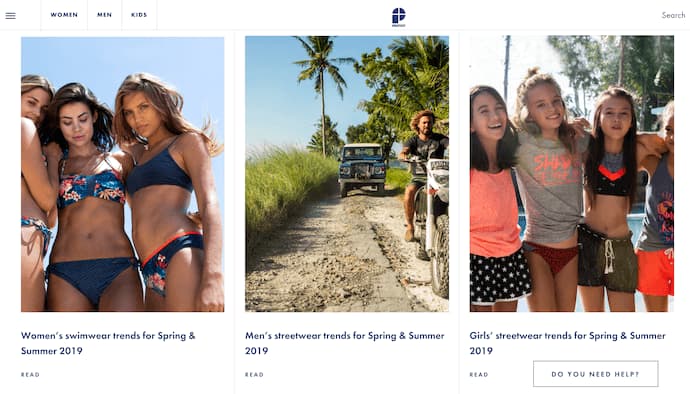
12. The Teacher’s Guild
Award: Best Association Website, 2016 Webby Awards
The Teacher’s Guild is a professional community of educators whose website publishes content that addresses today’s most critical challenges in education. What makes this website award-winning is how it balances diverse content types — programs, solutions, approaches, and collaborations — without overwhelming its visitors. Not only are its background visuals prominently placed, but they also use white space to emphasize the written calls to action at the center, as shown in the screenshot below.

13. Inside Abbey Road
Award: Best Music Website, 2016 Webby Awards
Google knocked it out of the park with this highly interactive site, which allows users to step into the Abbey Road Studios. Brilliant sound design, navigation mechanics, and visuals mixed with the usual “Google flair” all help draw visitors in to this well-made web property.
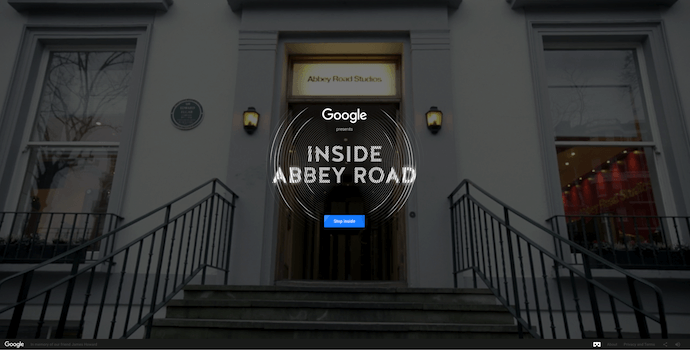
Best Website Designs from 2017
14. Simply Chocolate
Award: Site of the Year (2017), Awwwards
You’ll get a craving for chocolate just looking at this website — and in a way, that’s Simply Chocolate‘s website working as designed.
This appetizing website is that of a Denmark chocolate maker named Simply Chocolate. Its website uses a variety of colors (and creative product names) to promote each chocolate bar. And as you scroll from one product to the next, they all seem to remain consistent in brand. The three-dimensional appearance of each chocolate bar makes you feel like you can grab it off of your computer screen, while the “Add to Box” CTA to the top-left is ideally placed for users to select the products they want while browsing.
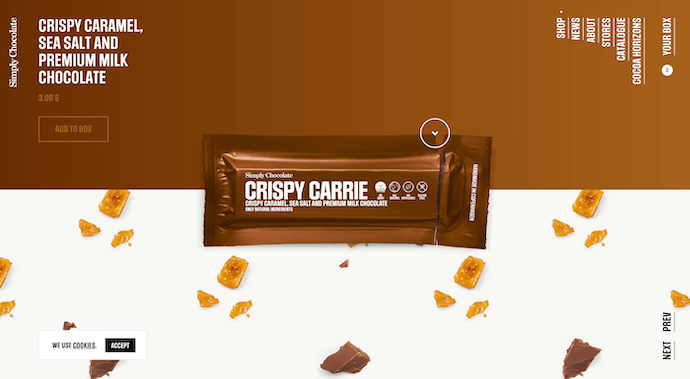
15. NOWNESS
Award: Best Cultural Blog/Website, 2017 Webby Awards
Nowness is perhaps the coolest crowdsourced video blog on the internet today. That was a mouthful … what does all that mean?
NOWNESS‘s “crowdsourced” nature is part of what makes it an award-winner. This means most of its content comes from independent creatives — an increasingly popular way for businesses to publish content. NOWNESS is also a video blog, meaning all of its blog content is in video format. Together, these qualities help make Nowness a captivating hub for the stories that brands everywhere strive to tell.
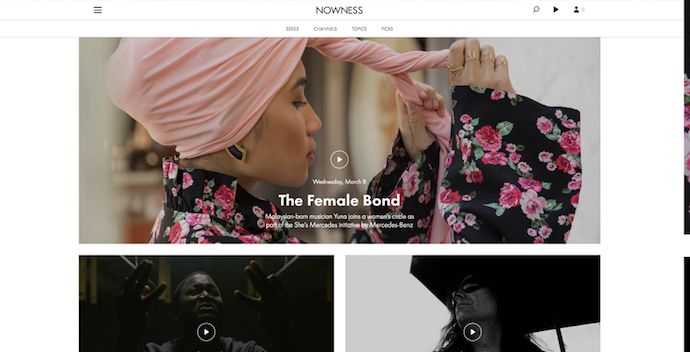
16. Citrix: The New Mobile Workforce
Award: Site of the Day (11/23/2017), Best Website Gallery
This website — dedicated to Red Bull’s partnership with Citrix, a cloud-based software company — is amazing.
The New Mobile Workforce, a site owned by Citrix, uses panoramic photography to show visitors how Citrix is supporting Red Bull Racing’s new race car. Even if you’re not a car-racing enthusiast, the website’s clever animations to explain a complicated automotive technology are hard to ignore.
 Featured by Best Website Gallery
Best Website Designs from 2018
17. crypton.trading
Award: Site of the Day (4/3/2018), Awwwards
Meet crypton.trading, your robot accountant.
Crypton.trading is a trading hub for cryptocurrencies such as Bitcoin, using artificial intelligence to predict changes in a currency’s value and identify key buying and selling opportunities. The website was rated high for its development and design, as it gradually explains more of the developer’s methods the further down visitors scroll.
This award-winning website makes tech-savvy visitors feel right at home the moment Crypton’s greeting appears across the homepage, one letter at a time.

18. Southwest: Heart of Travel
Award: Best Visual Design – Aesthetic, 2018 Webby Awards
When Southwest Airlines wanted to prove its customers were “more than just a dollar sign,” the company created a website whose design was assembled using the shapes of their customers’ flightpaths.
The website, called Heart of Travel, even allows visitors to create their own artwork out of a trip they might plan on taking. In this way, Southwest’s website is a product of their most loyal passengers.

19. Reductress
Award: Best Humor Website, 2018 Webby Awards
It’s not that hard to make someone laugh on the internet; so much of what we read and consume online is meant to be entertaining. But it is hard to do it consistently for a large audience. Reductress is a satirical magazine whose headlines and general reading experience are top-tier in the humor department — making the website itself a quality property.
 Featured by The Webby Awards
20. Overflow
Award: Site of the Day (3/20/2018), Best Website Gallery
Overflow is a design tool that allows people and businesses to create story-like flow diagrams of their ideas so they’re easier for others to understand. Aside from this being just a good service, the Overflow website practices what it preaches: Along with vibrant red call-to-action buttons for downloading the tool, this website promotes its product the best way it knows how — using a flow diagram.
The website delivers this flow diagram in the form of a video. And while embedded videos can look rather clunky sitting in the middle of a website’s other design elements, Overflow’s is perfectly placed and exactly what you’d want to see when landing on the site for the first time.
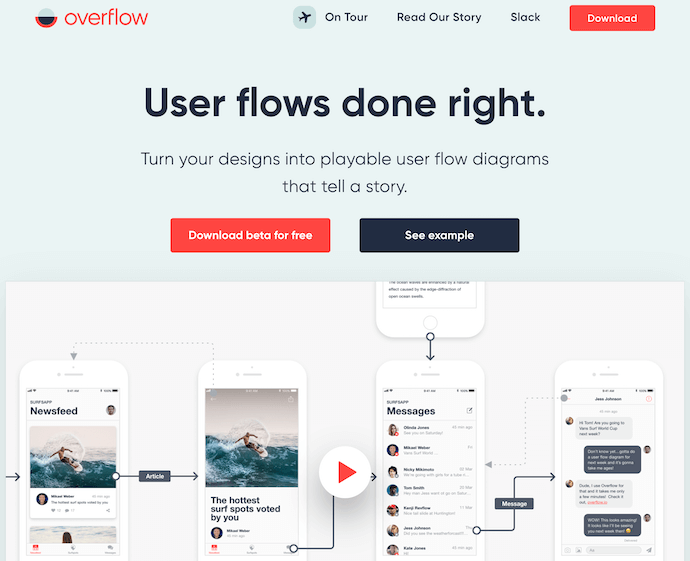
Featured by Best Website Gallery
21. Frans Hals Museum
Award: Site of the Year (2018), Awwwards
It can be tough for a museum, whose brand is predicated on a variety of incredible artwork, to bring it all together on a cohesive website. That’s what makes the website of the Frans Hals Museum so impressive.
Located in the Netherlands, this museum has created a website that uses a combination of digital design elements and its own exhibits. This mixture helps visitors understand what they’ll see, when they can see it, and where else they can get a taste of what this museum has to offer. Speaking of the latter, the museum promotes its Instagram account directly on its homepage — a brilliant move for a museum looking to expand its audience across its online channels.
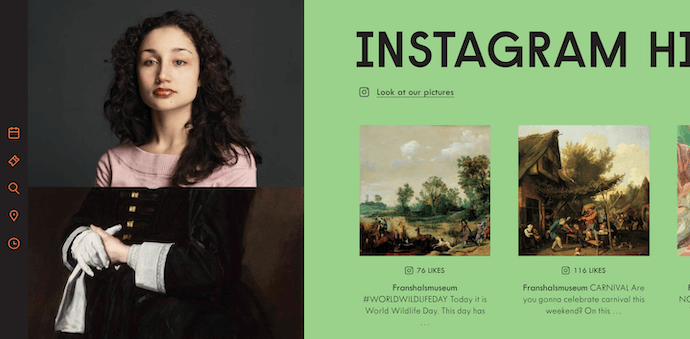
Award-Winning Designs of 2019
22. 1917: In the Trenches
Award: Awwwards’ Best Website of the Day
This website, made to promote the film 1917, allows you to walk around the trenches and perform the same mission that the characters did in the film. You can also see their maps or access other tools.
This is a great example of a site that. went above and beyond with interactivity as well as a site that leverages its own content and prewritten storyline to market its film. This website won Site of the Day by Awwwards which allows designers to vote and nominate great website’s they see daily.

23. The Octopus: A design blog by IDEO
Award: Business Blog/Website 2019 Webby award
IDEO, a global design company, won the Business Blog/Website 2019 Webby award for its Octopus blog, and for good reason. The blog features a sleek, black-and-white Octopus drawing as its homepage design, and uses yellow, black, and white to create a cohesive theme as you scroll.
If you hover over a blog post, the title is highlighted in yellow, and if you hover over an image, the image is pulled towards you — two small features that make a big difference in terms of creating a unique and engaging user experience.
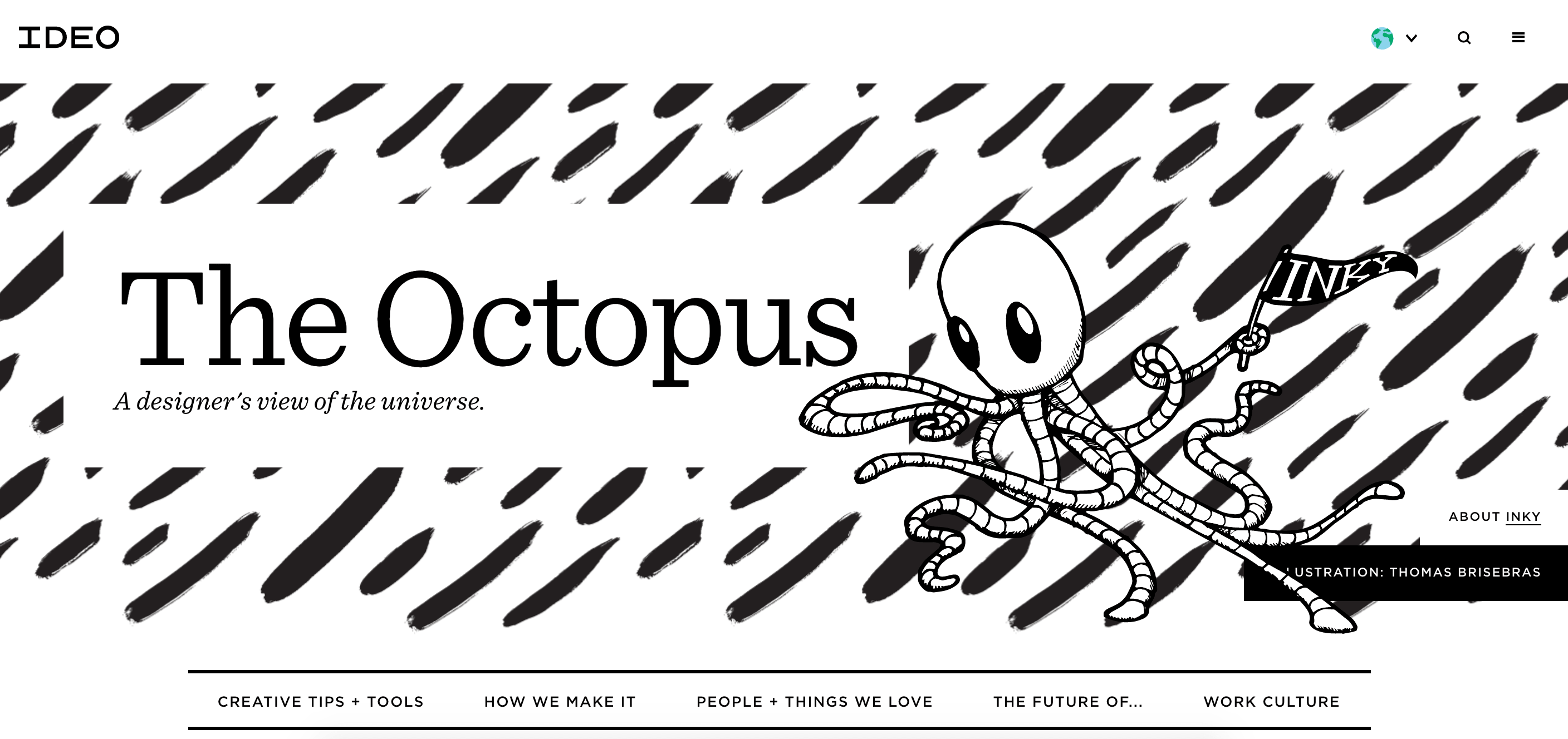
24. Nomadic Tribe
Award: Awwwards’ Site of the Year nomination
This site, which was nominated for Awwards’ Site of the Year, is one of the more engaging sites I’ve seen. The homepage immediately begins playing a stunning video featuring a man walking across a desert, followed by gorgeous landscape scenes and text like, “Are you lucky enough to call yourself an adventurer?”.
The text throughout the website is playful, with colorful pinks and oranges and yellows, and the homepage is logically designed, with CTAs placed throughout that range in commitment-level from “Read More” to “Watch Now” and, finally, “Download the App”. Ultimately, the website is beautifully designed with a strong attention to detail, and tells a compelling story throughout.

25. Diana Danieli
Award: Webby 2019
This 2019 Webby winning site shows off imagery of art and architecture with either high contrast or heavy exposure. As a website visitor, you can click and drag your mouse to change the photos and variations. Each image shows a piece of work that highlights the artist who owns the website.

26.George Nakashima Woodworkers
Award: Webby 2019
This woodworking website emphasizes nature and care for the woodworking trade. It’s essentially a slide show of beautiful forestry and farming images. As a new image comes on to the screen, a new quote related to wood or trees also comes up. This is incredibly relaxing to the visitor and shows that the woodworkers recognize the beauty of trees and the environment. This website also won a Webbie in 2019.

Other Cool Website Designs
27. Minimums
Minimums takes a very bold approach to the way that they display their content, leveraging a grid-based website design, big typography, and full-width, high-quality images. Their site serves as a really nice example for how to properly execute a grid structure while still maintaining a nice visual hierarchy in the design.
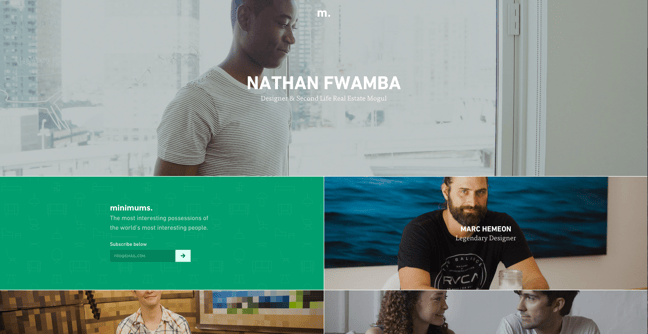
28. MovieMark
MovieMark is a growth marketing agency and HubSpot Partner, whose website is covered head to toe in the service it offers: digital storytelling. Located in Colombia, the agency makes video a core focus of its brand, so it’s only fitting that MovieMark‘s website follows this theme. And oh, how visually pleasing the videos on its website are …
29. Guillaume Tomasi
As a Photographer in Montreal, Guillaume Tomasi has built a portfolio that’s truly fit to house his unique and awe-inspiring photography. His surreal photo style is juxtaposed by his simple, flat, empty, and minimalistic portfolio design that places all of the focus on the work itself.
His unique series navigation coupled with art-gallery-inspired work introductions and perfect scrolling interactions yield an experience reminiscent of that of a real gallery.
 30. The District
This branding agency takes its imagery seriously, and it should — it handles all channels of media for their clients. The District’s website, alone, is a journey through some of the most beautiful artwork and photography you’ve ever seen.
These provocative tiles change rapidly as you explore the website, and the wackier they seem, the more interested you become in learning about their past work.

31. Tej Chauhan
Tej Chauhan has turned impressionist artwork into a business model with this intriguing website. Each image on this product developer’s homepage slides out to cover the previous image, offering little context around the object you now see in front of you.
But isn’t that lack of context exactly what makes you want to learn more? The tagline, “Souvenirs of The Near Future,” suggests these objects are a part of their product line — and an opportunity for you to get these innovative objects into your life.

32. Amanda Martocchio Architecture
An architecture firm might not specialize in web development, but its website should still demonstrate its commitment to visually pleasing design. Amanda Martocchio took that to heart with this gorgeous website.
It’s no secret that Amanda Martocchio Architecture loves its work — each picture on the homepage of its website is an enchanting shot of the houses the company designs. The website labels every house you scroll through with the type of design that was intended, along with numerous angles to each building.

Website Design Ideas
Now that you’ve seen a number of beautifully designed and award-winning platforms, keep these potential ideas in mind as you create your own.
- Consider ways that you can make your website interactive, like the 1917 example.
- Make a website that emphasizes the mobile experience, even while it still has a good UX on desktops.
- Create a website that tells a story about your brand with photos, text, or video.
- If you can’t create a heavily interactive site, consider drawing in eyes with a site that presents a slideshow of your photos.
- Ensure your call-to-actions are easy to see, and encourage visitors to continue exploring your site
- Keep navigation clean. Ensure your visitors always know how to get back to the homepage.
- Integrate your social media sites via social embed buttons, so site visitors can easily follow you on your various social channels.
- Keep each of your web pages consistent in design — including font, colors, images, and messaging.
- Test your website’s usability with a heat map, which will show you on which web pages your visitors are most likely to bounce.
- Include a live chat or chatbot to give visitors the option to engage with you directly on your website if they prefer live chat to phone calls. Live chat can automate functions for your sales and service reps and create a better communication experience for the customer.
- Get an SSL certificate to ensure your website is secure. SSL is part of Google’s search ranking algorithm, so an SSL certificate can help you rank higher in search.
Want more website design examples? Check out these amazing product pages you’ll want to copy immediately.

How to Make a QR Code in 8 Easy Steps
“Really? We’re talking about QR codes?”
Fair reaction. For several years now, QR codes have been at the center of the popular “___ is dead” trope we marketers love to argue when talking technology. We’ve even debated it ourselves on this blog.
But if there’s one thing the QR code debate shows you, it’s that there sure isn’t a consensus — the efficacy of QR codes still hotly contested.
Nonetheless, there’s no denying the popularity and convenience of the QR code. Keep reading to learn how to create your own QR code, and how you can encourage your customers to scan them when they come across your content.
What Is a QR Code?
QR codes, short for “quick response” codes, are square-shaped black-and-white symbols that people can scan using a smartphone to learn more about a product.
These encrypted squares can hold links, coupons, event details, and other information that users might want to take with them for referring to later.
QR codes usually look something like this:

Although not every QR code is shaped like a perfect square, they’re most often found looking like the image above — with varying patterns displayed inside. You’ll often find them on direct mail, signage, billboards, and even commercials where you can quickly scan the code on the screen using your phone.
QR Codes vs. Barcodes
Does the rise of QR codes mean traditional barcodes are a thing of the past? Of course not. Traditional barcodes are still a common way for businesses to identify consumer packaged goods (CPGs) and manage their product inventory.


Images via Wikimedia Commons | Wikimedia Commons

.png)
However, there are a number of differences between barcodes and QR codes — both in their uses and their characteristics. Here are three important differences:
QR Codes Are Shaped Differently
Barcodes are typically rectangular in shape, requiring scanning devices to read the barcode’s data horizontally. QR codes are often square-shaped, displaying their data vertically or horizontally.
QR Codes Hold More Data
Due to a QR code’s square shape, it can hold much more data than a barcode. In fact, QR codes can hold hundreds of times more encrypted characters than a barcode.
QR Codes Hold Different Data
QR codes are often used differently than barcodes. Barcodes hold key product information at the point of sale, such as the price and name of the manufacturer. QR codes offer more passive and intangible information, such as location data and URLs to promotions and product landing pages.
How Do QR Codes Work?
Originally designed in Japan for the automotive industry, marketers adopted the barcodes because of their large storage capacity and ability to translate additional information to consumers beyond what creative and/or packaging could convey.
If a consumer sees a QR code somewhere, they can take out their mobile device, download a free QR code scanning app, and “scan” the barcode to gain access to additional information, like so:
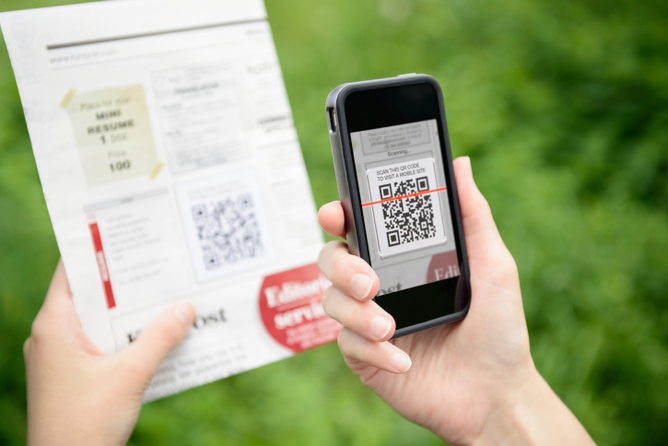
So if you wanted to create, say, a bus stop advertisement promoting your podcast, you could display a QR code on that printed ad that brings people right to your iTunes page when they scan it with their phones. Pretty simple, right?
How to Make a QR Code
The QR code creation process is pretty straightforward. Here’s how to get started.
Step 1: Select a QR code generator.
There are tons of QR code generators out there. The best ones give you many options for using your QR code, and compatibility with most mobile QR code reader apps.
Best QR Code Generators
- Kaywa
- GOQR.me
- Free QR Code Generator by Shopify
- Visualead
- The-qrcode-generator.com
- QR Stuff
- qr-code-generator.com
- QR Code Monkey
- Create QR Code by Google App Engine
Other things to look for when choosing a QR code generator are whether you can track and analyze performance, and if it allows you to design a code that’s unique to your brand.
Some QR codes, for example, display logos and other icons within the code that immediately tell people what information they’ll get from scanning it.
Step 2: Choose the type of content you’re promoting.
Let’s select one of the QR code generators above and do a walk-through together. I’ll select qr-code-generator.com, one of the eight preferred QR code generators above.
First, select what type of content you want your QR code to show the person after they scan it. You can choose from one of 10 types, as shown in the screenshot below. For our purposes, we’ll promote a URL that directs users to our podcast.

Step 3: Enter your data in the form that appears.
Once you select the type of content you’re promoting with this QR code, a field or form will appear where you can enter the information that corresponds with your campaign.
If you want your QR code to save contact information, for example, you’ll see a set of fields where you can enter your email address, subject line, and associated message.
To save a link to our podcast, we’ll simply enter the URL in the field that appears, like so:
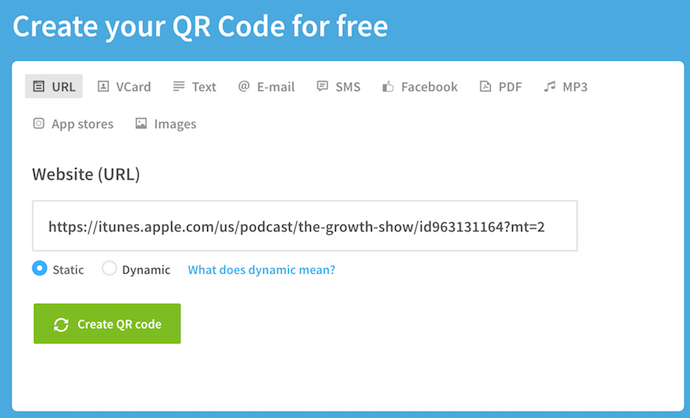
Step 4: Consider downloading a dynamic QR code.
See the option below for “dynamic”? One significant pitfall to making a QR code is that you can’t edit the data it contains once you print it. But with dynamic QR codes, you can edit this data.

With a free membership to QR code generators like qr-code-generator.com, you can print a dynamic QR code, scan it, and pull up an editable form where you can modify the data your visitors will receive when they scan the QR code themselves.
Step 5. Customize it.
The fun part of creating QR codes is customizing the design of the codes to your brand. Want your code to look like your logo? Go for it. Want it to reflect your website’s design scheme? No problem.
Using qr-code-generator.com, we can customize our QR code by clicking the button to the top-right, as shown in the screenshot below. Keep in mind not every QR code maker offers this design option — depending on the QR code you’re looking to generate, you might find some tools limited in their functionality.
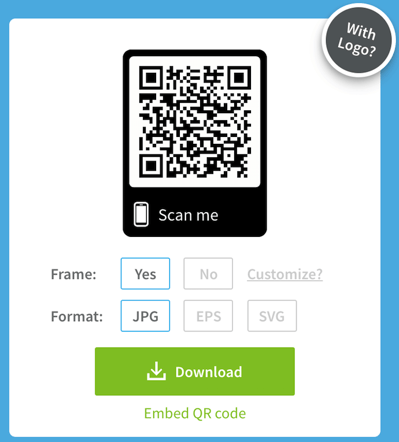
Of course, you can customize your QR code further — adjusting the colors, adding a logo, creating social options, and more.
Keep in mind, however, that some customizations can make it more difficult for QR code scanning apps to properly read the code. It’s a good idea to generate two versions of your QR code — one plain version and another with your preferred design.
Step 6: Test the QR code to make sure it scans.
Because a customized QR code can make it difficult for some mobile apps to “read,” don’t forget to check to see if the QR code reads correctly, and be sure to try more than just one reader. A good place to start is the free tool Google Goggles, which takes a picture and then tells you what link or item it “reads to.”
Another great free tool is QR Code Reader, which automatically takes you to whatever it “reads.” Apple’s Passbook also offers a built-in QR code reader on iOS 7, so you should test to make sure your code is readable there, as well.
Step 7: Share and distribute the QR code.
A QR code won’t be able to do its job unless its seen. So make sure you come up with a distribution plan for sharing the code. This could include displaying it on social media, in print ads, on clothing, or in physical locations where people will pick up there phones to scan it.
Along with sharing the code, you might also want to include text instructions in your various promotions that show less tech-savvy people how to scan it. This way there’s no friction if people want to scan the code but don’t know how to.
Scroll down for more tips on properly displaying a QR code.
Step 8: Track and analyze performance.
Just like any marketing campaign, you should follow up on any collateral or campaigns using QR codes to see whether they’re actually working. How much traffic comes from each specific code? Are people scanning your code but not redeeming their offer once they get to the landing page? Or are they not even compelled enough to scan your QR code?
Knowing this will help you troubleshoot and adjust your poorly performing QR codes to more closely mirror those that work well. I recommend you include a UTM tracking code on your URL so you can better measure performance — this is particularly important if you use closed-loop marketing analytics, and are used to more in-depth reporting on your campaigns.
How to Use QR Codes (And How Not to)
Now that you see how simple the QR code creation process can be, let’s talk about some best practices that’ll help increase the likelihood your QR code actually gets used.
Display your QR code where it’s convenient for people to scan.
Put QR codes in places where scanning is easy, and there’s enough time for the consumer to actually scan the code. While you may often see QR codes on billboards and TV commercials, they’re not exactly the most user-friendly locations. Think of places and mediums where consumers have the time to scan the code, and, ideally, a Wi-Fi connection as well.
Optimize the QR’s destination page for mobile devices.
Mobile-optimize the page to which you’re sending people. Consumers will be on their phone when scanning the QR code, so they should be brought to a page with a positive mobile experience.
Include a CTA that prompts people to scan your QR code.
Offer a call-to-action (CTA) with the code — that is to say, tell people what they’re supposed to do when they see the code, and what they’ll receive if they do it. Not everyone knows exactly what a QR code is, and those that do won’t be motivated to scan it unless they’re sure there’s something worthwhile on the other side.
Don’t limit your QR code to one mobile scanner.
Don’t require a special QR code scanner. Your QR code should be app-agnostic so anyone can scan your code with any reader. A lower barrier to entry makes success more likely for you and the user.
Use your QR code to make someone’s life easier.
Don’t use a QR code just for the sake of using one. For instance, it’s common for marketers to think, “How can I bridge the offline experience with the online experience? Uhhh … QR code!” That’s not wrong … but it’s not always right, either.
If you have content that makes sense to deliver to a mobile user, and you have an appropriate channel to do it (see use #1 at the beginning of this section), it’s more likely your QR code will drive results. For example, in South Korea, grocery store chain Tesco drove tremendous national business growth by using QR codes in subway stations (I guess they have mobile service in their subway stations) to let riders order their groceries while they wait. It’s a great example of using QR codes for the right end-goal, at the right place and time.
If after reading this you’re not convinced QR codes are the right move — or you just want some additional ways you can connect the offline world to the online world — consider also adding a short, memorable URL people can type in easily on their mobile phones in your creative.
The future of QR codes could also mean an evolution — augmented reality apps certainly stem from the same concept, after all. Consider the AR News App, which lets readers augment a newspaper story into a child-friendly article by downloading an app and hovering over stories with a special marker (sounds pretty close to a QR scanner, doesn’t it?).
It may be that QR codes aren’t quite dead, but just the first step in a long evolution.

How to Use Excel: 18 Simple Excel Tips, Tricks, and Shortcuts
Sometimes, Excel seems too good to be true. All I have to do is enter a formula, and pretty much anything I’d ever need to do manually can be done automatically. Need to merge two sheets with similar data? Excel can do it. Need to do simple math? Excel can do it. Need to combine information in multiple cells? Excel can do it.
If you encounter a situation where you need to manually update your data, you’re probably missing out on a formula that can do it for you.
Before spending hours and hours counting cells or copying and pasting data, look for a quick fix on Excel — you’ll likely find one.
In the spirit of working more efficiently and avoiding tedious, manual work, here are a few Excel tricks to get you started with how to use Excel. (And to all the Harry Potter fans out there … you’re welcome in advance.)
Excel Basics
If you’re just starting out with Excel, there are a few basic commands that we suggest you become familiar with. These are things like:
- Creating a new spreadsheet from scratch.
- Executing basic computations in a spreadsheet, like adding, subtracting, multiplying, and dividing in a spreadsheet.
- Writing and formatting column text and titles.
- Excel’s auto-fill features.
- Adding or deleting single columns, rows, and spreadsheets. Below, we’ll get into how to add things like multiple columns and rows.
- Keeping column and row titles visible as you scroll past them in a spreadsheet, so that you know what data you’re filling as you move further down the document.
For a deep dive on these basics, check out our comprehensive guide on How to Use Excel.
Okay, ready to get into the nitty-gritty? Let’s get to it.
1. Use Pivot Tables to recognize and make sense of data.
Pivot Tables are used to reorganize data in a spreadsheet. They won’t change the data that you have, but they can sum up values and compare different information in your spreadsheet, depending on what you’d like them to do.
Let’s take a look at an example. Let’s say I want to take a look at how many people are in each house at Hogwarts. You may be thinking that I don’t have too much data, but for longer data sets, this will come in handy.
To create the Pivot Table, I go to Data > Pivot Table. Excel will automatically populate your Pivot Table, but you can always change around the order of the data. Then, you have four options to choose from.
- Report Filter: This allows you to only look at certain rows in your dataset. For example, if I wanted to create a filter by house, I could choose to only include students in Gryffindor instead of all students.
- Column Labels: These could be your headers in the dataset.
- Row Labels: These could be your rows in the dataset. Both Row and Column labels can contain data from your columns (e.g. First Name can be dragged to either the Row or Column label — it just depends on how you want to see the data.)
- Value: This section allows you to look at your data differently. Instead of just pulling in any numeric value, you can sum, count, average, max, min, count numbers, or do a few other manipulations with your data. In fact, by default, when you drag a field to Value, it always does a count.
Since I want to count the number of students in each house, I’ll go to the Pivot Table and drag the House column to both the Row Labels and the Values. This will sum up the number of students associated with each house.
2. Add more than one row or column.
As you play around with your data, you might find you’re constantly needing to add more rows and columns. Sometimes, you may even need to add hundreds of rows. Doing this one-by-one would be super tedious. Luckily, there’s always an easier way.
To add multiple rows or columns in a spreadsheet, highlight the same number of preexisting rows or columns that you want to add. Then, right-click and select “Insert.”
In the example below, I want to add an additional three rows. By highlighting three rows and then clicking insert, I’m able to add an additional three blank rows into my spreadsheet quickly and easily.
3. Use filters to simplify your data.
When you’re looking at very large data sets, you don’t usually need to be looking at every single row at the same time. Sometimes, you only want to look at data that fit into certain criteria. That’s where filters come in.
Filters allow you to pare down your data to only look at certain rows at one time. In Excel, a filter can be added to each column in your data — and from there, you can then choose which cells you want to view at once.
Let’s take a look at the example below. Add a filter by clicking the Data tab and selecting “Filter.” Clicking the arrow next to the column headers and you’ll be able to choose whether you want your data to be organized in ascending or descending order, as well as which specific rows you want to show.
In my Harry Potter example, let’s say I only want to see the students in Gryffindor. By selecting the Gryffindor filter, the other rows disappear.
Pro Tip: Copy and paste the values in the spreadsheet when a Filter is on to do additional analysis in another spreadsheet.
4. Remove duplicate data points or sets.
Larger data sets tend to have duplicate content. You may have a list of multiple contacts in a company and only want to see the number of companies you have. In situations like this, removing the duplicates comes in quite handy.
To remove your duplicates, highlight the row or column that you want to remove duplicates of. Then, go to the Data tab, and select “Remove Duplicates” (under Tools). A pop-up will appear to confirm which data you want to work with. Select “Remove Duplicates,” and you’re good to go.
You can also use this feature to remove an entire row based on a duplicate column value. So if you have three rows with Harry Potter’s information and you only need to see one, then you can select the whole dataset and then remove duplicates based on email. Your resulting list will have only unique names without any duplicates.
5. Transpose rows into columns.
When you have low rows of data in your spreadsheet, you might decide you actually want to transform the items in one of those rows into columns (or vice versa). It would take a lot of time to copy and paste each individual header — but what the transpose feature allows you to do is simply move your row data into columns, or the other way around.
Start by highlighting the column that you want to transpose into rows. Right-click it, and then select “Copy.” Next, select the cells on your spreadsheet where you want your first row or column to begin. Right-click on the cell, and then select “Paste Special.” A module will appear — at the bottom, you’ll see an option to transpose. Check that box and select OK. Your column will now be transferred to a row or vice-versa.

6. Split up text information between columns.
What if you want to split out information that’s in one cell into two different cells? For example, maybe you want to pull out someone’s company name through their email address. Or perhaps you want to separate someone’s full name into a first and last name for your email marketing templates.
Thanks to Excel, both are possible. First, highlight the column that you want to split up. Next, go to the Data tab and select “Text to Columns.” A module will appear with additional information.
First, you need to select either “Delimited” or “Fixed Width.”
- “Delimited” means you want to break up the column based on characters such as commas, spaces, or tabs.
- “Fixed Width” means you want to select the exact location on all the columns that you want the split to occur.
In the example case below, let’s select “Delimited” so we can separate the full name into first name and last name.
Then, it’s time to choose the Delimiters. This could be a tab, semi-colon, comma, space, or something else. (“Something else” could be the “@” sign used in an email address, for example.) In our example, let’s choose the space. Excel will then show you a preview of what your new columns will look like.
When you’re happy with the preview, press “Next.” This page will allow you to select Advanced Formats if you choose to. When you’re done, click “Finish.”

Excel Formulas
7. Use these formulas for simple calculations
In addition to doing pretty complex calculations, Excel can help you do simple arithmetic like adding, subtracting, multiplying, or dividing any of your data.
- To add, use the + sign.
- To subtract, use the – sign.
- To multiply, use the * sign.
- To divide, use the / sign.
You can also use parenthesis to ensure certain calculations are done first. In the example below (10+10*10), the second and third 10 were multiplied together before adding the additional 10. However, if we made it (10+10)*10, the first and second 10 would be added together first.
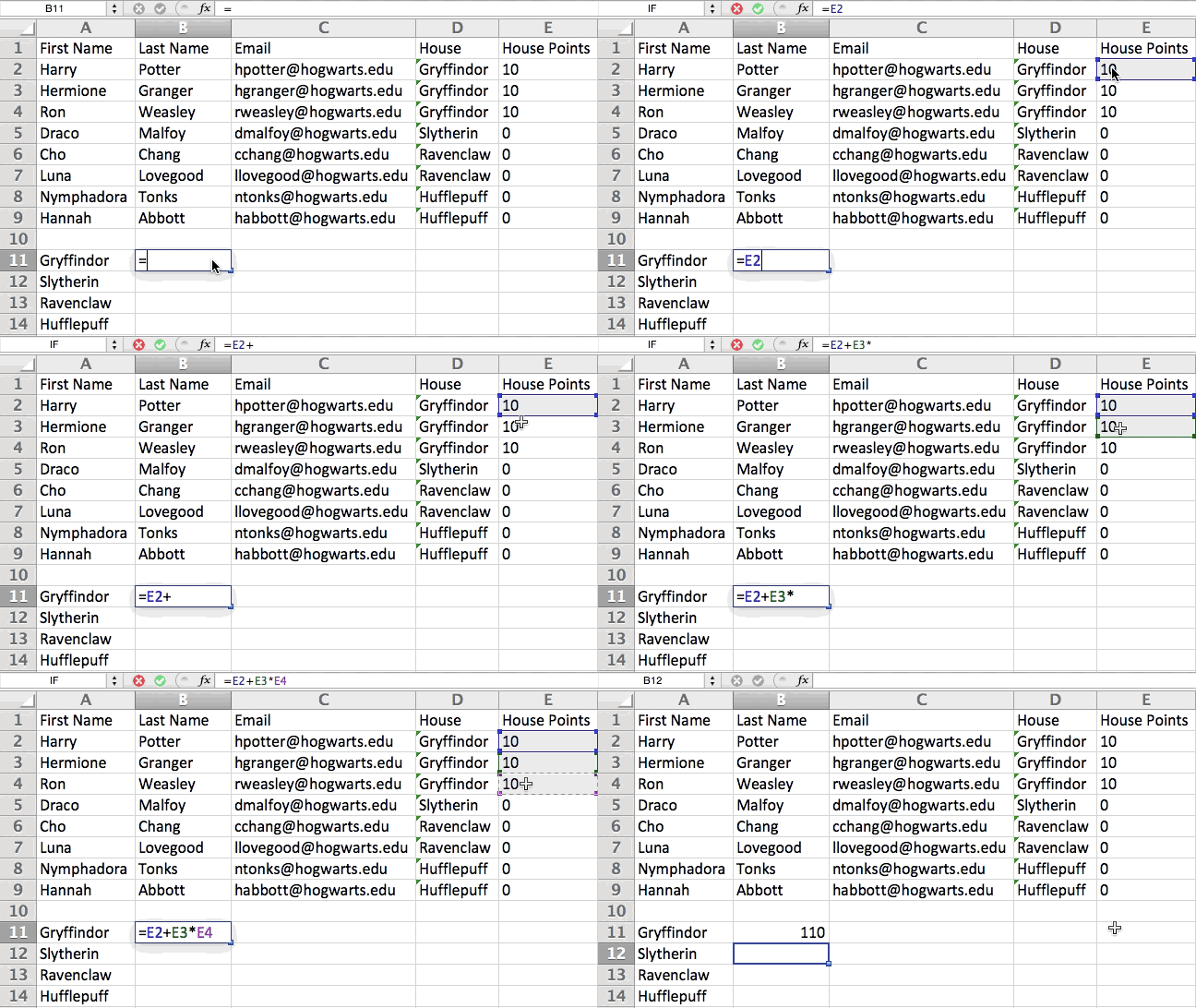
8. Get the average of numbers in your cells.
If you want the average of a set of numbers, you can use the formula =AVERAGE(Cell Range). If you want to sum up a column of numbers, you can use the formula =SUM(Cell Range).
9. Use conditional formatting to make cells automatically change color based on data.
Conditional formatting allows you to change a cell’s color based on the information within the cell. For example, if you want to flag certain numbers that are above average or in the top 10% of the data in your spreadsheet, you can do that. If you want to color code commonalities between different rows in Excel, you can do that. This will help you quickly see information the is important to you.
To get started, highlight the group of cells you want to use conditional formatting on. Then, choose “Conditional Formatting” from the Home menu and select your logic from the dropdown. (You can also create your own rule if you want something different.) A window will pop up that prompts you to provide more information about your formatting rule. Select “OK” when you’re done, and you should see your results automatically appear.
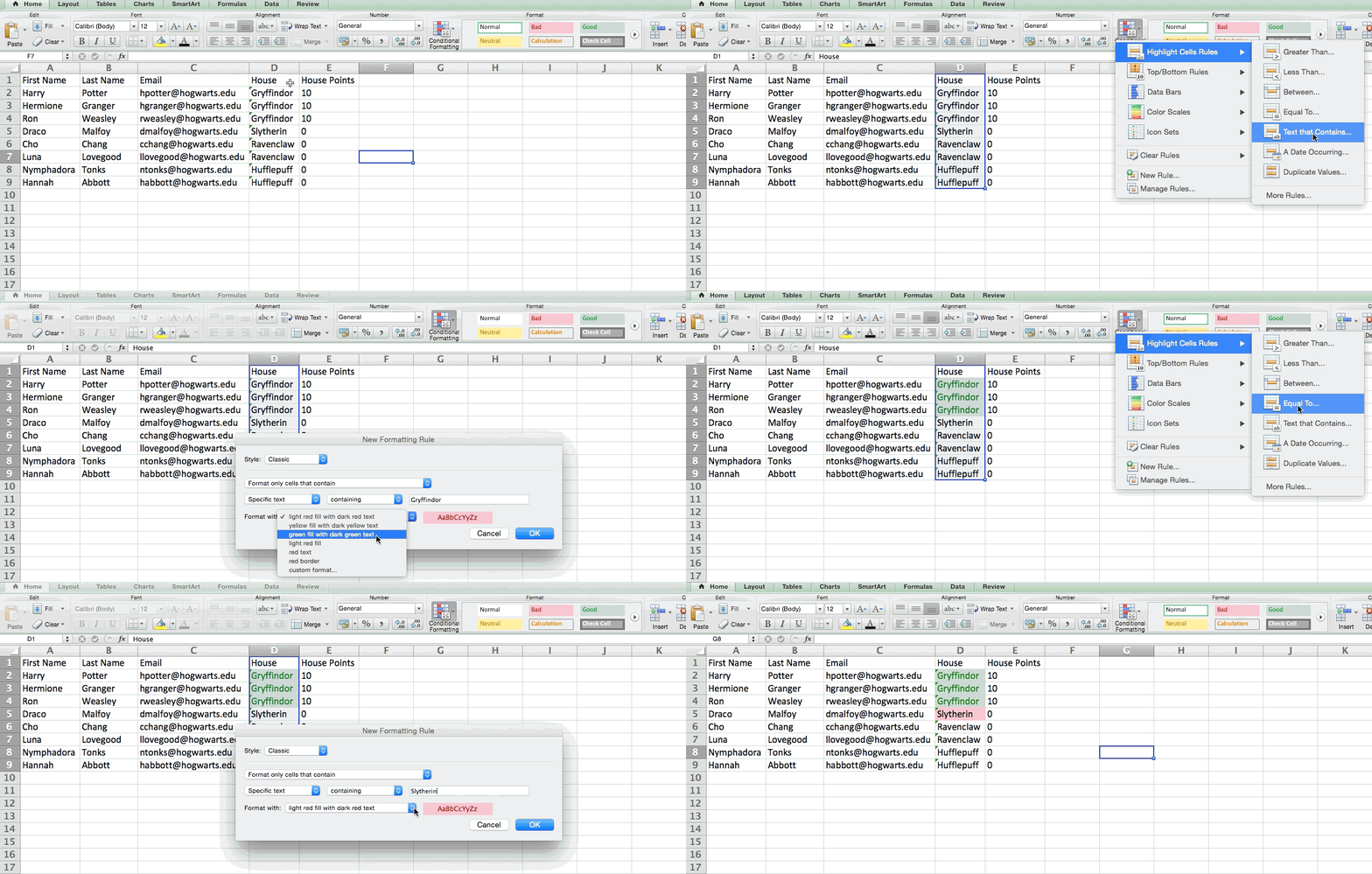
10. Use IF THEN Excel formula to automate certain Excel functions.
Sometimes, we don’t want to count the number of times a value appears. Instead, we want to input different information into a cell if there is a corresponding cell with that information.
For example, in the situation below, I want to award ten points to everyone who belongs in the Gryffindor house. Instead of manually typing in 10’s next to each Gryffindor student’s name, I can use the IF THEN Excel formula to say that if the student is in Gryffindor, then they should get ten points.
The formula: IF(logical_test, value_if_true, value of false)
Example Shown Below: =IF(D2=”Gryffindor”,”10″,”0″)
In general terms, the formula would be IF(Logical Test, value of true, value of false). Let’s dig into each of these variables.
- Logical_Test: The logical test is the “IF” part of the statement. In this case, the logic is D2=”Gryffindor” because we want to make sure that the cell corresponding with the student says “Gryffindor.” Make sure to put Gryffindor in quotation marks here.
- Value_if_True: This is what we want the cell to show if the value is true. In this case, we want the cell to show “10” to indicate that the student was awarded the 10 points. Only use quotation marks if you want the result to be text instead of a number.
- Value_if_False: This is what we want the cell to show if the value is false. In this case, for any student not in Gryffindor, we want the cell to show “0” to show 0 points. Only use quotation marks if you want the result to be text instead of a number.
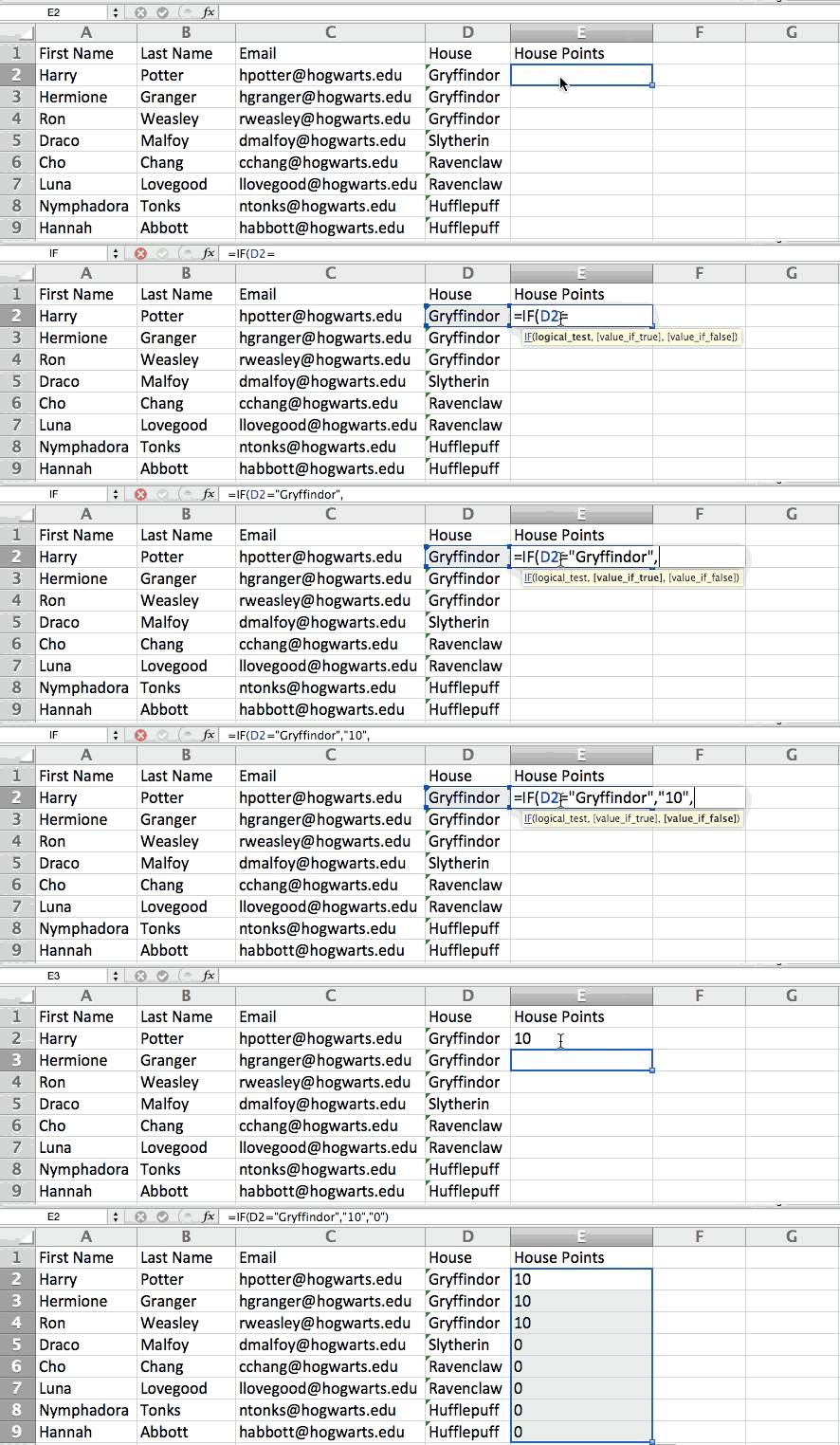
Note: In the example above, I awarded 10 points to everyone in Gryffindor. If I later wanted to sum the total number of points, I wouldn’t be able to because the 10’s are in quotes, thus making them text and not a number that Excel can sum.
11. Use dollar signs to keep one cell’s formula the same regardless of where it moves.
Have you ever seen a dollar sign in an Excel formula? When used in a formula, it isn’t representing an American dollar; instead, it makes sure that the exact column and row are held the same even if you copy the same formula in adjacent rows.
You see, a cell reference — when you refer to cell A5 from cell C5, for example — is relative by default. In that case, you’re actually referring to a cell that’s five columns to the left (C minus A) and in the same row (5). This is called a relative formula. When you copy a relative formula from one cell to another, it’ll adjust the values in the formula based on where it’s moved. But sometimes, we want those values to stay the same no matter whether they’re moved around or not — and we can do that by making the formula in the cell into what’s called an absolute formula.
To change the relative formula (=A5+C5) into an absolute formula, we’d precede the row and column values by dollar signs, like this: (=$A$5+$C$5). (Learn more on Microsoft Office’s support page here.)
Excel Functions
12. Use VLOOKUP function pull data from one area of a sheet to another.
Have you ever had two sets of data on two different spreadsheets that you want to combine into a single spreadsheet?
For example, you might have a list of people’s names next to their email addresses in one spreadsheet, and a list of those same people’s email addresses next to their company names in the other — but you want the names, email addresses, and company names of those people to appear in one place.
I have to combine data sets like this a lot — and when I do, the VLOOKUP is my go-to formula. Before you use the formula, though, be absolutely sure that you have at least one column that appears identically in both places. Scour your data sets to make sure the column of data you’re using to combine your information is exactly the same, including no extra spaces.
The formula: =VLOOKUP(lookup value, table array, column number, [range lookup])
The formula with variables from our example below: =VLOOKUP(C2,Sheet2!A:B,2,FALSE)
In this formula, there are several variables. The following is true when you want to combine information in Sheet 1 and Sheet 2 onto Sheet 1.
- Lookup Value: This is the identical value you have in both spreadsheets. Choose the first value in your first spreadsheet. In the example that follows, this means the first email address on the list, or cell 2 (C2).
- Table Array: The range of columns on Sheet 2 you’re going to pull your data from, including the column of data identical to your lookup value (in our example, email addresses) in Sheet 1 as well as the column of data you’re trying to copy to Sheet 1. In our example, this is “Sheet2!A:B.” “A” means Column A in Sheet 2, which is the column in Sheet 2 where the data identical to our lookup value (email) in Sheet 1 is listed. The “B” means Column B, which contains the information that’s only available in Sheet 2 that you want to translate to Sheet 1.
- Column Number: If the table array (the range of columns you just indicated) this tells Excel which column the new data you want to copy to Sheet 1 is located in. In our example, this would be the column that “House” is located in. “House” is the second column in our range of columns (table array), so our column number is 2. [Note: Your range can be more than two columns. For example, if there are three columns on Sheet 2 — Email, Age, and House — and you still want to bring House onto Sheet 1, you can still use a VLOOKUP. You just need to change the “2” to a “3” so it pulls back the value in the third column: =VLOOKUP(C2:Sheet2!A:C,3,false).]
- Range Lookup: Use FALSE to ensure you pull in only exact value matches.
In the example below, Sheet 1 and Sheet 2 contain lists describing different information about the same people, and the common thread between the two is their email addresses. Let’s say we want to combine both datasets so that all the house information from Sheet 2 translates over to Sheet 1.
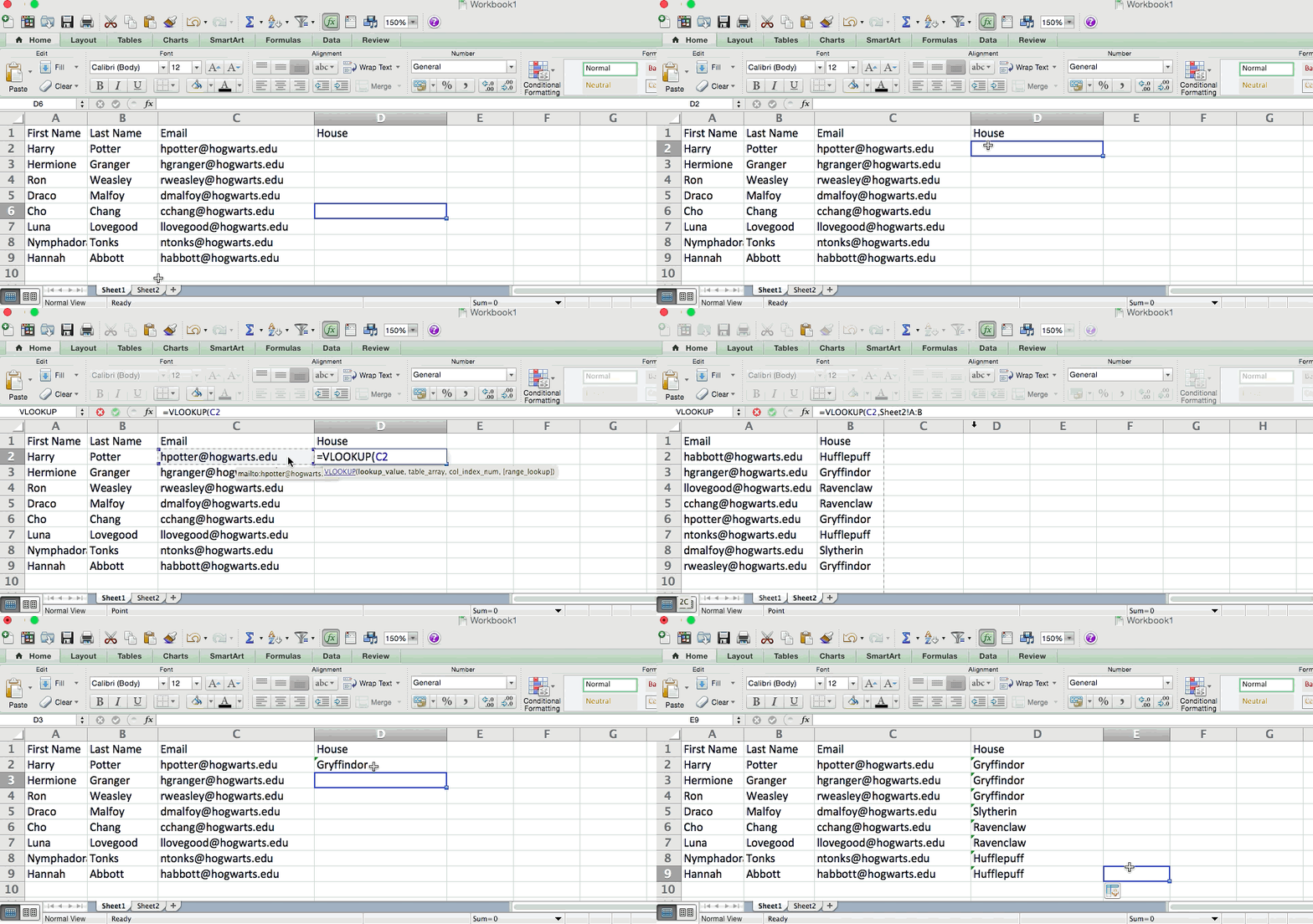
So when we type in the formula =VLOOKUP(C2,Sheet2!A:B,2,FALSE), we bring all the house data into Sheet 1.
Keep in mind that VLOOKUP will only pull back values from the second sheet that are to the right of the column containing your identical data. This can lead to some limitations, which is why some people prefer to use the INDEX and MATCH functions instead.
13. Use INDEX MATCH formulas to pull data from horizontal columns.
Like VLOOKUP, the INDEX and MATCH functions pull in data from another dataset into one central location. Here are the main differences:
- VLOOKUP is a much simpler formula. If you’re working with large data sets that would require thousands of lookups, using the INDEX MATCH function will significantly decrease load time in Excel.
- INDEX MATCH formulas work right-to-left, whereas VLOOKUP formulas only work as a left-to-right lookup. In other words, if you need to do a lookup that has a lookup column to the right of the results column, then you’d have to rearrange those columns in order to do a VLOOKUP. This can be tedious with large datasets and/or lead to errors.
So if I want to combine information in Sheet 1 and Sheet 2 onto Sheet 1, but the column values in Sheets 1 and 2 aren’t the same, then to do a VLOOKUP, I would need to switch around my columns. In this case, I’d choose to do an INDEX MATCH instead.
Let’s look at an example. Let’s say Sheet 1 contains a list of people’s names and their Hogwarts email addresses, and Sheet 2 contains a list of people’s email addresses and the Patronus that each student has. (For the non-Harry Potter fans out there, every witch or wizard has an animal guardian called a “Patronus” associated with him or her.) The information that lives in both sheets is the column containing email addresses, but this email address column is in different column numbers on each sheet. I’d use the INDEX MATCH formula instead of VLOOKUP so I wouldn’t have to switch any columns around.
So what’s the formula, then? The INDEX MATCH formula is actually the MATCH formula nested inside the INDEX formula. You’ll see I differentiated the MATCH formula using a different color here.
The formula: =INDEX(table array, MATCH formula)
This becomes: =INDEX(table array, MATCH (lookup_value, lookup_array))
The formula with variables from our example below: =INDEX(Sheet2!A:A,(MATCH(Sheet1!C:C,Sheet2!C:C,0)))
Here are the variables:
- Table Array: The range of columns on Sheet 2 containing the new data you want to bring over to Sheet 1. In our example, “A” means Column A, which contains the “Patronus” information for each person.
- Lookup Value: This is the column in Sheet 1 that contains identical values in both spreadsheets. In the example that follows, this means the “email” column on Sheet 1, which is Column C. So: Sheet1!C:C.
- Lookup Array: This is the column in Sheet 2 that contains identical values in both spreadsheets. In the example that follows, this refers to the “email” column on Sheet 2, which happens to also be Column C. So: Sheet2!C:C.
Once you have your variables straight, type in the INDEX MATCH formula in the top-most cell of the blank Patronus column on Sheet 1, where you want the combined information to live.
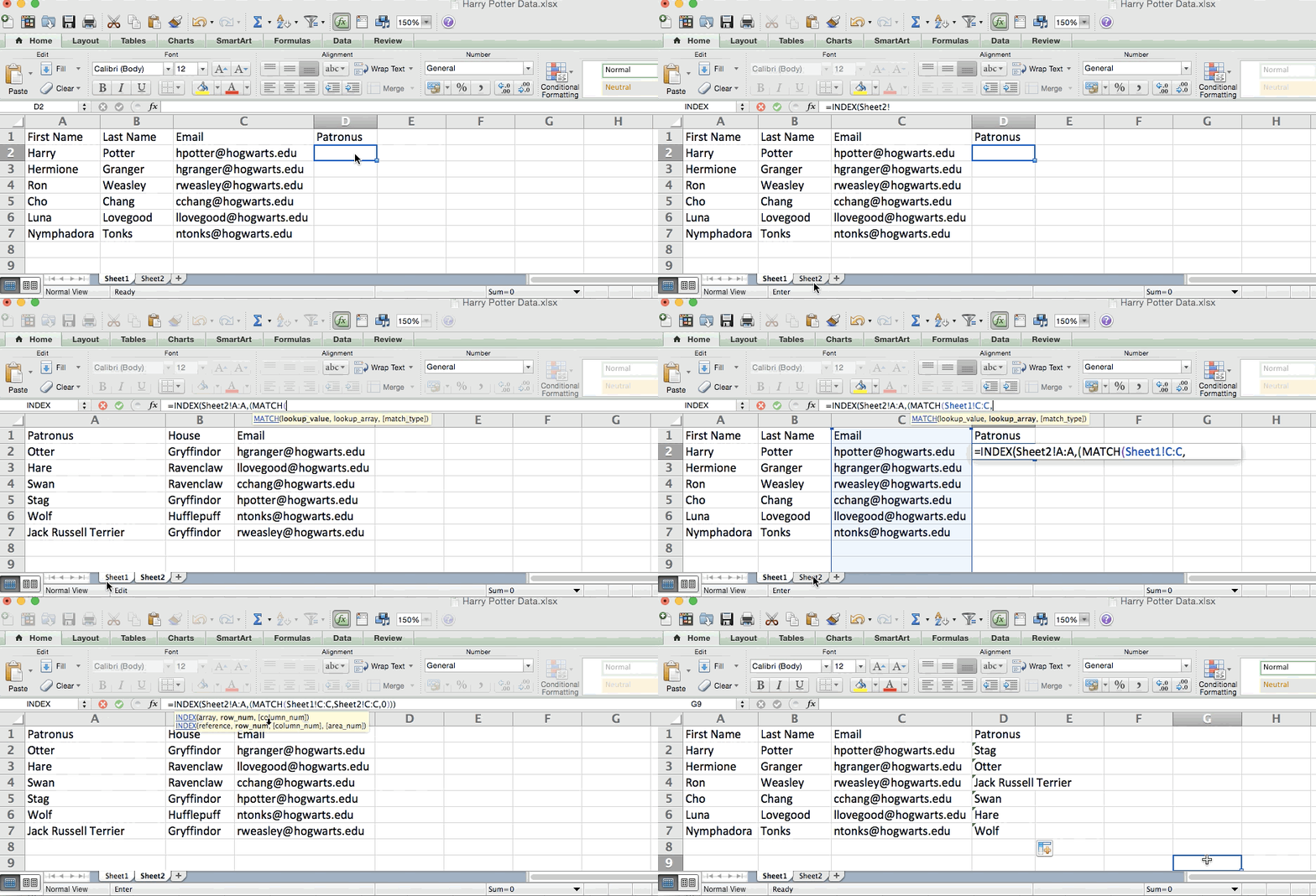
14. Use COUNTIF function to make Excel count words or numbers in any range of cells.
Instead of manually counting how often a certain value or number appears, let Excel do the work for you. With the COUNTIF function, Excel can count the number of times a word or number appears in any range of cells.
For example, let’s say I want to count the number of times the word “Gryffindor” appears in my data set.
The formula: =COUNTIF(range, criteria)
The formula with variables from our example below: =COUNTIF(D:D,”Gryffindor”)
In this formula, there are several variables:
- Range: The range that we want the formula to cover. In this case, since we’re only focusing on one column, we use “D:D” to indicate that the first and last column are both D. If I were looking at columns C and D, I would use “C:D.”
- Criteria: Whatever number or piece of text you want Excel to count. Only use quotation marks if you want the result to be text instead of a number. In our example, the criteria is “Gryffindor.”
Simply typing in the COUNTIF formula in any cell and pressing “Enter” will show me how many times the word “Gryffindor” appears in the dataset.
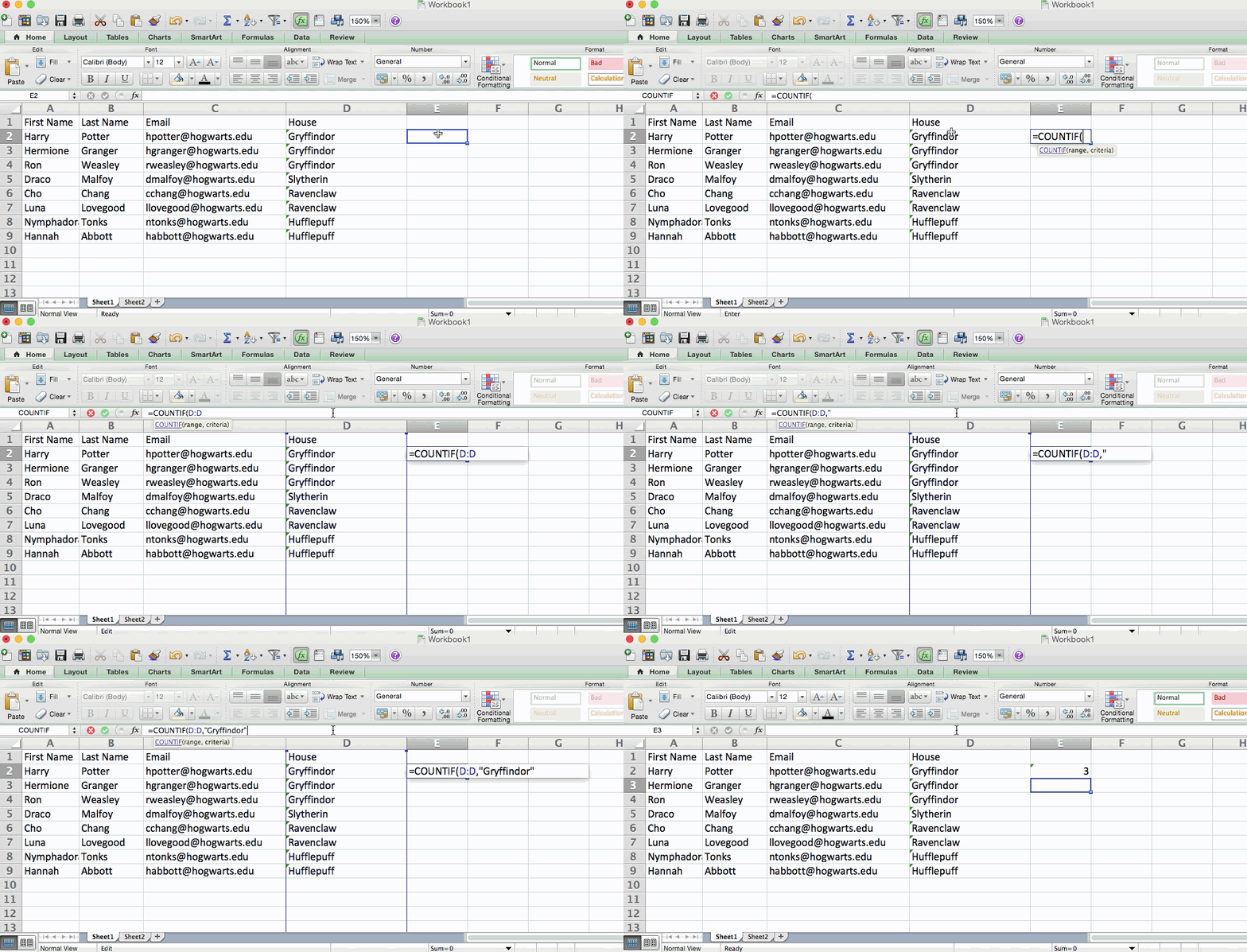
15. Combine cells using &.
Databases tend to split out data to make it as exact as possible. For example, instead of having a data that shows a person’s full name, a database might have the data as a first name and then a last name in separate columns. Or, it may have a person’s location separated by city, state, and zip code. In Excel, you can combine cells with different data into one cell by using the “&” sign in your function.
The formula with variables from our example below: =A2&” “&B2
Let’s go through the formula together using an example. Pretend we want to combine first names and last names into full names in a single column. To do this, we’d first put our cursor in the blank cell where we want the full name to appear. Next, we’d highlight one cell that contains a first name, type in an “&” sign, and then highlight a cell with the corresponding last name.
But you’re not finished — if all you type in is =A2&B2, then there will not be a space between the person’s first name and last name. To add that necessary space, use the function =A2&” “&B2. The quotation marks around the space tell Excel to put a space in between the first and last name.
To make this true for multiple rows, simply drag the corner of that first cell downward as shown in the example.
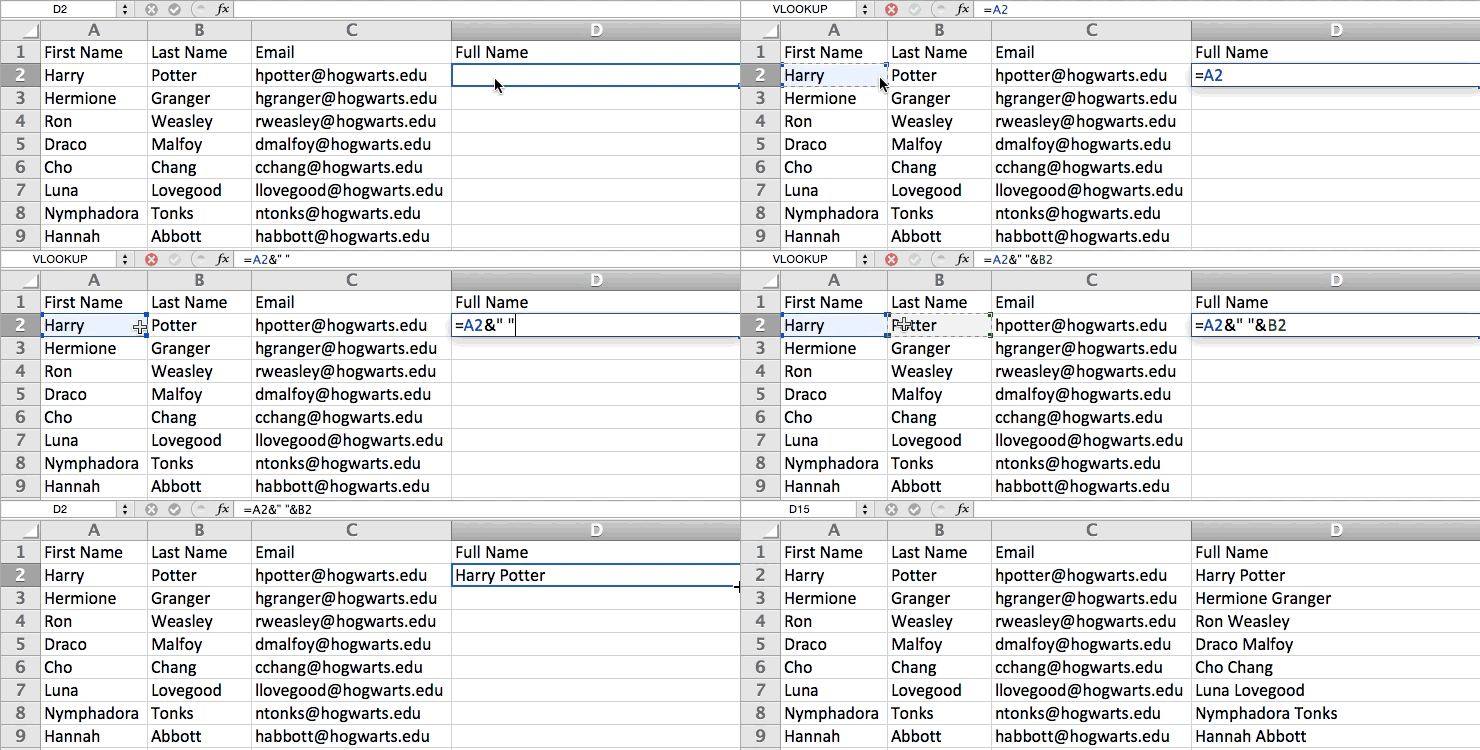
We hope you found this article helpful! Bookmark it to keep these handy Excel tips in your back pocket.
16. Add checkboxes.
If you’re using an Excel sheet to track customer data and want to oversee something that isn’t quantifiable, you could insert checkboxes into a column.
For example, if you’re using an Excel sheet to manage your sales prospects and want to track whether you called them in the last quarter, you could have a “Called this quarter?” column and check off the cells in it when you’ve called the respective client.
Here’s how to do it in Excel’s 2018 and 2019 software.
Highlight a cell you’d like to add checkboxes to in your spreadsheet. Then, click DEVELOPER. Then, under FORM CONTROLS, click the checkbox or the selection circle highlighted in the image below.
Once the box appears in the cell, copy it, highlight the cells you also want it to appear in, and then paste it.
17. Hyperlink a cell to a website.
If you’re using your sheet to track social media or website metrics, it can be helpful to have a reference column with the links each row is tracking. If you add a URL directly into Excel, it should automatically be clickable. But, if you have to hyperlink words, such as a page title or the headline of a post you’re tracking, here’s how.
Highlight the words you want to hyperlink, then press Shift K. From there a box will pop up allowing you to place the hyperlink URL. Copy and paste the URL into this box and hit or click Enter.
If the key shortcut isn’t working for any reason, you can also do this manually by highlighting the cell and clicking Insert > Hyperlink.
18. Add drop-down menus.
Sometimes, you’ll be using your spreadsheet to track processes or other qualitative things. Rather than writing words into your sheet repetitively, such as “Yes”, “No”, “Customer Stage”, “Sales Lead”, or “Prospect”, you can use dropdown menus to quickly mark descriptive things about your contacts or whatever you’re tracking.
Here’s how to add drop-downs to your cells.
Highlight the cells you want the drop-downs to be in, then click the Data menu in the top navigation and press Validation.
From there, you’ll see a Data Validation Settings box open. Look at the Allow options, then click Lists and select Drop-down List. Check the In-Cell dropdown button, then press OK.
Other Excel Help Resources
- How to Make a Chart or Graph in Excel [With Video Tutorial] (Blog Post)
- 7 Little Tricks to Spruce Up an Ugly Excel Graph (Blog Post)
- Marketing With Excel: 6 Ways It Can Make Your Life Easier (Blog Post)
- 4 Essential Microsoft Excel Skills Every Marketer Should Learn (Free Guide + Video Tutorials)
Want more Excel tips? Check out this tutorial on how to make a chart or graph in Excel.
Editor’s Note: This post was originally published in August 2017 but was updated in October 2019 for comprehensiveness.

The Best Time to Post on LinkedIn in 2021
With the rise of marketing software and paid advertising, it’s no secret that social media platforms aren’t only a place for mutual connection and sharing among strangers — they’ve also grown into a place where companies can build a brand.
Marketing campaigns on social media can expose companies to expansive audience members that could turn into leads.
In fact, LinkedIn, a social media platform for professional engagement, has 303 million monthly active users.
Attracting an engaged audience on LinkedIn requires you to craft compelling content. But, if you don’t post your content at the right time, most of your followers will never see your updates. So how do you figure out the optimal time to post for your specific audience?
The truth is, there is no right answer. But you can use some research to make assumptions about the best times to post based on your audience. In the next section, we’ll go over the based time to post on the platform based on your industry or business goals.
The Best Time to Post on LinkedIn
Thinking about your audience’s behavior is key. It’s best to conduct some market research to learn more about how your audience uses the internet, or refer to your buyer persona if you’ve collected that information. If your ideal customer is someone who is a working professional, it’s safe to assume that during business hours, they won’t have time to check their social media feeds.
However, there are pockets throughout their day where professionals tend to check social media, like lunch hours and while heading to and from work. From there, based on your time zone, you can estimate when you’re expected to reach the most customers.
Also, think about the majority of LinkedIn’s audience: working professionals, higher education students, and college graduates. Typically, their web behavior would reflect being busy during regular business hours.
During the time periods above, people are usually getting ready for work, just starting their day, or taking an afternoon break.
But let’s say you want to post according to your industry. We’ll talk about how to come to the decision to post based on your business type, next.
Maybe you’re a higher education student thinking about the best time to reach out to thought leaders, or a marketer for a B2B company.
There isn’t a set answer here either, but fortunately, doing some research about the type of audience you’re trying to capture based on your industry can lead you to make an informed decision.
You can infer when your posts will earn the most engagement based on the behavior of competitors in your industry, as well as audience members.
- Software and Media Companies — It’s suspected that audiences of media companies tend to check their social media feeds in the morning, like some would read a newspaper. They’re likely to find success posting in the morning between Monday-Friday, while software companies are suggested to find similar success posting outside of work hours.
- Healthcare and Higher Education — Mid-morning, so around 10 a.m., to early afternoon, close to 2 p.m., are suggested for the best engagement. Higher education also seems to follow suit.
- B2B Businesses — For B2Bs, analyzing web behavior is the best indicator. Their audiences are most likely other professionals, so it’s best to catch them before they start working, during lunch hours, and during commutes.
- B2C Businesses — Similarly to B2Bs, these companies are likely to find success among audiences when posting outside of business hours, or during lunch breaks.
If you post content to LinkedIn when the majority of your audience isn’t online, you most likely won’t receive the amount of views and engagement you were hoping for.
So remember, if you want to build a brand on LinkedIn, it’s crucial to find out when your specific audience prefers to surf the site. You’ll have a better idea of how to nail the timing of your posts almost every single time you want to update your followers on the platform.
How often should you post on LinkedIn?
Our research has found you don’t want to publish more than five times a week on LinkedIn — and you’ll find highest engagement for your first two posts. As a result, we’d suggest anywhere between two to five times a week, depending on your industry, audience, and the type of content you’re hoping to publish on the platform.
However, quantity shouldn’t win over quality. When it comes to posting, you’ll want to ensure you’re thoughtful, strategic, and helpful with every piece of content you post on LinkedIn.
If you post lower-quality content simply to hit the five-pieces mark, you’ll end up damaging your engagement metrics on the platform and LinkedIn will display your content less often to your followers. As is the case with all social platforms, the algorithm prioritizes good content.
If you choose to publish five posts per week on LinkedIn, consider how you might vary the type of content. For instance, perhaps on Monday you publish a video, Tuesday you publish a thought leadership article, Wednesday you share a blog post, and Thursday you write a compelling status and ask followers’ to provide feedback in the comments section.
As you grow your LinkedIn strategy, you can iterate on this over time as you figure out which types of content perform best on your own business page.
Ultimately, a LinkedIn strategy is a long game. Test out these tactics, but try some experiments for yourself, as well — your audience is unique, and you might uncover your own powerful insights regarding LinkedIn content as you continue to post high-quality content while taking the time to engage with other industry-relevant posts, as well.

The Ultimate Guide to Event Marketing
Think back to the last event you attended.
Was it a conference or trade show? An intimate seminar or startup launch party hosted online? How about a fun, socially-distanced 5K or golf outing?
These events are all very different, but to the brands or organizations who hosted them, they all had a common purpose: to entertain and engage attendees — a.k.a. potential customers.
Event marketing is a highly valuable strategy for all kinds of businesses, from technology and education to non-profit, medicine, and retail.
Not only do events benefit their hosts and sponsors, but they also enrich the lives of their attendees. Events inspire, teach, intrigue, entertain, and bring people together in a way unlike most other marketing efforts.
That’s why we created this guide — to equip you to leverage event marketing for your own business. Keep reading to get started or use the chapter links below to jump ahead.
Event marketing refers to a variety of events. You could organize a small roundtable of seven to 10 guests, partner with another brand to sponsor a 5K, or set up an exhibit at a major trade show — or host one of these online.
You could host a multi-day event that attracts thousands of attendees, sponsors, and speakers … like INBOUND. INBOUND 2020 hosted sessions entirely online and attracted thousands of attendees around the world.
It doesn’t quite matter the size of or platform for your event as long as you’re bringing value to your customers, potential customers, and brand. We’ll talk more about how to build an event marketing strategy below.
Types of Event Marketing
In the meantime, let’s go over some of the different types of event marketing your company could host, sponsor, or attend. Note that all of these events can take place virtually, too.
Conferences
Conferences are large events typically organized and hosted by one major company and sponsored by a long list of smaller brands and businesses. Conferences are valuable for both B2B and B2C brands. These events typically offer the most dynamic agendas, filled with speakers, workshops, and networking opportunities.
Trade Shows and Expositions
Trade shows or expositions (expos) are large events organized around a specific industry or type of product, such as sales technology or medical devices. Trade shows give companies a chance to show off their products and services and typically bring in the highest number of qualified leads. Whereas conferences are open to the public, trade show attendees are typically pre-qualified buyers, company representatives, and salespeople.
Seminars
Seminars (often called webinars when hosted online) are valuable, education-centric events attended by a small number of people. They involve discussions, lectures, and intimate networking opportunities.
Roundtables are similar to seminars, but usually have even fewer attendees of comparable “levels”, such as CEOs, surgeons, or teachers. Both events typically last no more than one day.
Pop-Up Shops
Pop-up shops are temporary retail spaces that give companies the opportunity to sell their products in a controlled environment. They’re typically organized by e-commerce brands that don’t have a full-time brick-and-mortar storefront. Pop-up shops also allow otherwise digital brands to bring their brand to life through a physical, immersive setting for their customers.
Launch Parties and Celebrations
Launch parties or celebrations are small, personal events held at the launch of a new business, upon a big announcement, or to simply celebrate a success or milestone. Some companies put on a yearly party to host and entertain customers or clients. While these types of events shouldn’t be centered on a product or brand, a simple speech or presentation can help align the event with a company and remind attendees why they’re there.
Workshops
Workshops are similar to seminars and roundtables in that they’re focused on sharing knowledge and educating attendees. But unlike seminars and roundtables, they’re typically open to the public. Workshops can be offered both virtually and in-person, and while they aren’t traditionally promotional, they’re usually centered around a topic relevant to the business … which makes a company seem more credible in their field.
Other types of event marketing include job fairs, customer-only conferences, networking sessions, VIP experiences, sponsorships, awards events, and competitions (like 5Ks or golf outings).
There are so many possible ways to market your business and products through events because
events work.
In a recent article on the ultimate marketing advice, multiple experts mentioned that events were the best way to connect with your audience and grow your brand. Here’s a direct quote from Kenny Nguyen of ThreeSixtyEight (who spoke at INBOUND):
…businesses will utilize event strategies more than ever before as human experiences will be how companies choose to differentiate themselves, especially those that can’t do so through technologies. The key to any great event strategy is very simple —identify the memory you want attendees to walk away with and work backward.”
Events work because they’re different than every other type of marketing. They’re immersive, entertaining, and memorable. They’re also useful for businesses in any industry
Benefits of Event Marketing
Event marketing helps companies be successful — we’ve proven this above.
But how do they do that specifically? Why should you invest in this strategy for your business? Here are some distinct benefits of event marketing.
Events marketing generates business.
Companies choose to invest in event marketing because events inherently generate new business and revenue opportunities — 95% of marketers believe that in-person events can have a major impact on achieving their company’s primary business goals.
As an event host, the registration process alone generates a list of people who are already interested in your product, industry, or at least fall in your target demographic. If you’re participating in or sponsoring an event, you can collect leads through an email list, demo offering, or by running a competition.
Event marketing provides one-on-one customer engagement.
Lots of today’s software and e-commerce businesses never get to meet their customers or clients in person. That’s where event marketing is beneficial.
A 2020 Bizzabo study found that 93% of marketers believe in-person events provide attendees with a valuable opportunity to form connections in an increasingly digital world.
Engaging customers and potential customers at events initiates personal interactions. These personal, one-on-one interactions build brand loyalty and help customers humanize your brand. Events also provide a reprieve from the distractions of daily work — meaning you can capture a client’s attention better than over a phone call or in-office pitch. With that attention, you have a chance to sell — or upsell — your products and services.
Event marketing builds brand awareness.
Hosting or participating in events is a key way for companies to establish and grow their brand. 64% of event marketers reported that the primary reason for hosting events is brand awareness for their company or products.
Event marketing allows you to associate a physical identity and aesthetic with an otherwise digital brand. Like with pop-up shops, events provide a truly immersive experience at which consumers and customers can get a real feel for your brand and what it looks like in person.
The best part about using events to build brand awareness? People talk about events. Consumers, customers, media, bystanders, and influencers talk about events in person, on social media, in the press … you name it, making events a fantastic way to educate and alert people of your brand and products.
Event marketing encourages product and industry education.
Regardless of what type of event your company hosts or participates in, there’s most likely an education component. That’s what makes event marketing so successful — they don’t focus solely on a brand or product.
Instead, they focus on educating and entertaining a demographic or industry … and promote products and services on the side. (In fact, this makes for great marketing across the board.)
Event Marketing Plan
Now, let’s talk about how you can implement your next event. Your events should have a marketing plan separate from other efforts you do for your business.
You can cross-promote (i.e. share event information on company social media and vice versa), but it’s wise to detail your event marketing as a standalone campaign strategy.
Here are some questions to help you build your next event marketing strategy.
What are your SMART goals? What’s your budget?
SMART goals stand for specific, measurable, attainable, relevant, and timely. Keeping your goals SMART helps you avoid running with vague goals like “bring in leads.”
SMART goals have a dual purpose: to give you direction when planning and implementing your event and to help you decide whether or not your event was a success (and if it wasn’t, to know how to improve).
An example of a SMART event marketing goal would be to “grow our prospective leads list for our new product by 100 names by the end of the event.”
This goal is specific (prospective leads for only the new product), measurable (100 names), attainable and relevant (assuming the event is relevant and there are more than enough attendees to get 100 names), and timely (by the end of the event).
Note: Don’t limit your event to one single goal. You should also set intangible goals like “strengthen relationships” and “engage prospective customers,” but in terms of creative and fiscal decisions, use your SMART goals to guide you — and to measure on the backend.
Lastly, take some time to define your event marketing budget. This is crucial as it’ll likely be the deciding factor on everything from the venue to the entertainment to the website.
What’s your event’s theme, brand, and schedule?
To market your event, you must know what information and content to market. Before moving further, establish your event’s name, theme, brand, and purpose. Why should people attend? What will they gain? Is your event an offshoot of your company, or is it a standalone brand?
Next, figure out where and when your event will take place. These will likely be the most-asked questions by attendees.
Then, research and outline your event’s schedule, such as keynote speakers, workshop sessions, entertainment portions, and times to gather and network.
You don’t have to secure all of these before you start promoting your event, but you should at least have an idea of who will be there and what you’ll offer for attendees.
Who are you marketing to? How will you reach them?
Define your target audience. Who would benefit most from attending your event? What kinds of people would enjoy your workshops, learn from your speakers, and engage your sponsors?
Establishing your audience will help you target and invest in the proper marketing channels. Social media and your event website are given channels in today’s digitally-saturated market. If your event is local, consider print advertisements. Consider adding your event to an event listing website like Eventful, Hey Event, and 10times to reach more people.
Event marketing with email
Email is another popular and effective way to promote events. 39% of marketers found that email marketing tools were the greatest contributor to event success.
Email information is easy to collect at registration, and attendees check email, so they’ll easily notice updates and confirmations.
Often times, companies will create separate email addresses and newsletters for their events as a way to keep communication and promotion separate from it others marketing efforts.
This also benefits your attendees — they probably don’t want their inboxes flooded.
What’s your content creation and management plan?
Promoting your event involves a lot of information — what, when, where, why, who, and how, for starters. To properly manage all this information, you must establish a viable plan to create and control it.
Because your event details likely won’t be ready all at once, you’ll be tasked with releasing, updating, and changing information for months leading up to the event. Will you do this via newsletter? Who will be in charge of making sure the website is up-to-date? Will you invest in an event app so attendees have this information in their pocket at all times?
What’s your event marketing timeline?
To engage your audience, it’s best to promote your event throughout the weeks and months leading up to it. It helps to outline a promotion timeline so you know when and what to release. A timeline like this also helps pique your attendees’ curiosity as you release new names or information at different times.
It’s also wise to organize a multi-touch promotion. Include a variety (i.e. email, social media, direct mail, phone calls, print ads, and paid ads) to reach the maximum amount of people.
Simply getting the word out there could make a massive difference in your registrations.
How will you promote and market during the event?
Marketing your event shouldn’t stop when your event begins. Dedicate some resources to promoting your event as it’s happening. Attendees may learn something new about what’s offered, and those who didn’t register will be curious about what they’re missing.
Most companies use social media to engage people while their event is happening. 73% of businesses use social media to promote specific events and features during the event, 55% use it to post photos, and 35% use it to amplify product announcements.
Consider taking Facebook or Instagram Live Video or Live Tweeting during your event.
How will you measure your event success?
In the midst of a bustling event, it’s easy to take a look around and feel good about your attendance and engagement. But is that the best way to evaluate whether your event was a success? Probably not.
Like every other marketing investment, it’s wise to set some key performance indicators (KPIs) against which to measure your event and evaluate its performance.
Here are a few common KPIs for event marketing.
Registrations and check-ins
Not everyone who registers for your event will attend. Compare your registrations to your actual attendance and consider reaching out to a few who registered but didn’t check-in. Take a look at your registration data to see when the most and fewest tickets were purchased and what kinds of tickets were purchased, if you offered a variety of ticket packages or options.
Revenue and cost-to-revenue ratio
How much money did your event bring in? If your event required a paid ticket, gross revenue is an important measure of success. How does that amount compare to what you spent on the event? This comparison will help you better understand the value of your event and the resources offered. Events are expensive, but they’re not worth going in debt for.
Attendee satisfaction
Did your attendees enjoy your event? What did they participate in and enjoy the most? “Satisfaction” may seem like an obscure metric, but understanding the opinions and perspective of your event attendees can help you better understand where your event was a success … and where you could improve. Consider building a survey to ask your attendees about their experience, takeaways, and to calculate a Net Promoter Score (NPS) for your event.
Here’s a direct quote from another expert who provided some marketing advice in a recent piece of ours, Mike Piddock of Glisser spoke at INBOUND:
“Events need to be assessed with hard metrics, rather than just ‘gut-feel’ opinions and feedback forms to rate the coffee.Measure attendee engagement, rather than simply counting who registered and who showed up, as this isa great proxy for the effectiveness of the event.”
Social media mentions/engagement
How often was your event discussed on social media? What was the general consensus around the event? Did your attendees share content that engaged non-attendees? (It’s highly likely — a 2016 study found that 98% of consumers create digital content at events, and this number has likely risen today.) In today’s digital world, social media is a great measure of event success and reach. Take a look at your event mentions on Facebook, Twitter, Instagram, and more. Consider using a hashtag so you can easily track posts.
Lead acquisition and customer conversion
Acquiring leads and converting customers is one of the main benefits of event marketing, so it’d make sense to measure these as KPIs of your event. Make note of how many qualified leads you gain from your event, and then track how many of those leads are converted into paying customers. This can help reveal the direct ROI of your event and see which tactics worked for lead collection and conversion.
Get Started with Event Marketing
Organizing and implementing an event is a daunting task. But approach it with a “snackable” strategy, and you’ll be planning your first event in no time.
Whether you’re aiming to entertain new clients, build your contact list, or raise money for your non-profit, event marketing may be the solution for you — and most fun for your customers.
Editor’s note: This post was originally published in April 2015 and has been updated for comprehensiveness.

Project.co Reveals Project Management Statistics & Themes They’ll Be Watching in 2021
There’s a long-established idea that creativity is somehow rooted in chaos: that structure and organization are somehow the enemy of great ideas.
If it wasn’t already time to reassess that idea — then, surely, that time is now.
2020, after all, saw creative teams around the world removed (often without warning) from their offices, and scattered to home offices and kitchen tables.
Most of us moved from a world of anytime, face—to—face communication to a world of video calls, email, and chat apps.
And this has only amplified an idea many already believed to be true: that great creative teams need not only great ideas — but also great processes, communication, and project management in order to succeed.
In the midst of all that chaos, the team at Project.co just released the State of Project Management report, designed to find out how creative teams manage their projects as we move into 2021.
The survey sought to gauge what teams do well, and what they feel could be improved. It explored which tools and systems they use, and how their processes impact their efficiency and productivity.
The research suggests:
- People almost unanimously believe that there is room for improvement in the way they manage projects.
- Most people struggle to have visibility of what others on their team are working on, and many take a dim view of communication within their business — despite acknowledging its mission-critical importance.
- An alarmingly high number of people openly admit regularly missing deadlines — and even forgetting tasks they have due.
- Email overwhelmingly dominates as a communication tool, both between teams and with clients — although this isn’t to everyone’s liking.
About the Survey
Project.co’s State of Project Management is a comprehensive report designed to assess the way in which creative teams manage their projects and communication.
It asks a range of questions to evaluate how the project management landscape looks. This is the first report, but it will be released annually and, over time, will trace the changes in the industry.
The findings of this report were gathered by surveying 437 unique respondents, from a range of industries, niches and countries, in December 2020.
The Key Findings
The Power of Task Clarity
It emerged that having a clear list of tasks to methodically work through is a key driver of well-being and performance.
95% of people feel that having a list of tasks to do each day is good for their mental health, and 96% of people feel that it makes them more efficient and productive.
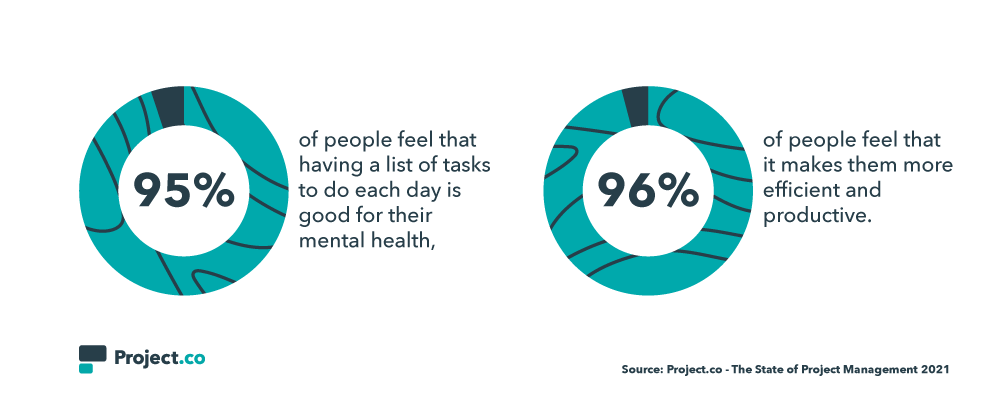 Out of those who don’t create a daily to—do list, 90% say they either ‘occasionally’ or ‘regularly’ miss or forget tasks.
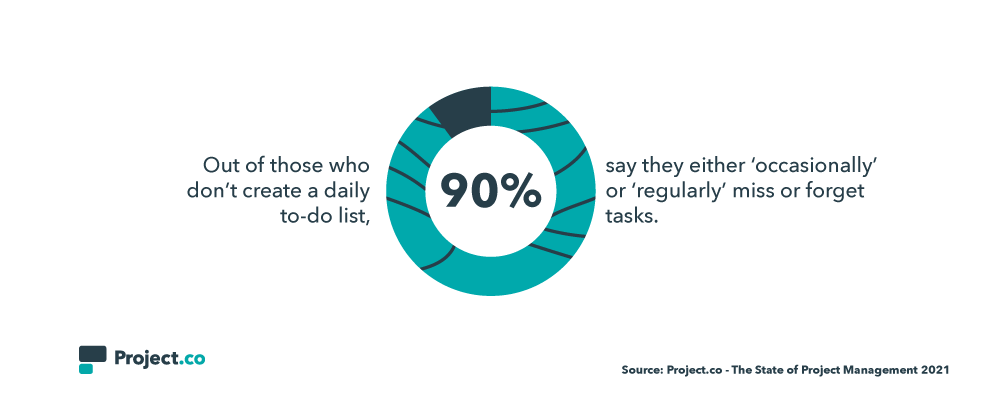 A Problem with Cross Team Visibility
An old metaphor for coordination is that the left hand needs to know what the right hand is doing.
In business terms, this means it’s important for people to know what others in their team are working on — avoiding re—work, duplication, and facilitating the input of creative solutions and diverse perspectives from across teams.
This is validated by the fact that 94% of people feel that having a good view of what their teammates are working on improves productivity and efficiency in a business.
However, this is where it gets interesting: less than half (42%) of people say they find it easy to understand what other members of their team are working on at any given time.
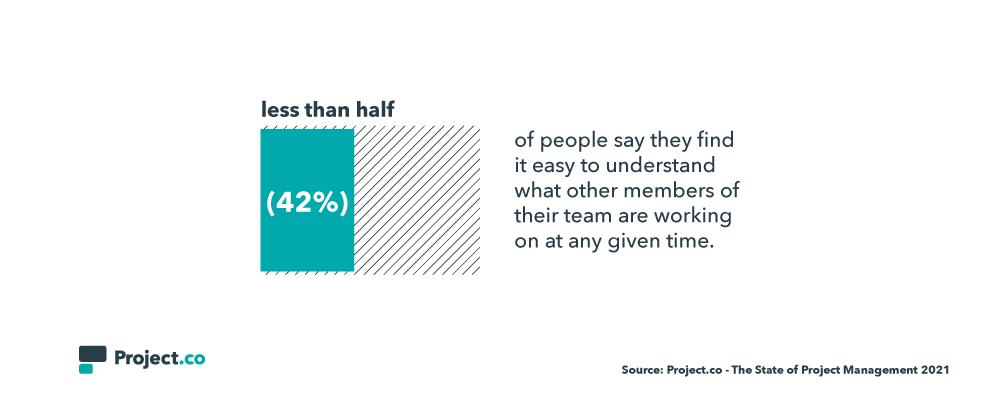 Needless to say, this is a particularly big missed opportunity in view of the current situation, where greater cross—team understanding and collaboration can clearly help foster a great sense of employee engagement and mitigate many of the challenges that arise from remote working.
Communication with Clients
When it comes to communicating with clients, email rules the roost. 67% of people say they mainly communicate with clients using email, which overshadows phone calls (8%) project management software (9%), online meetings (8%) and face-to-face meetings (5%).
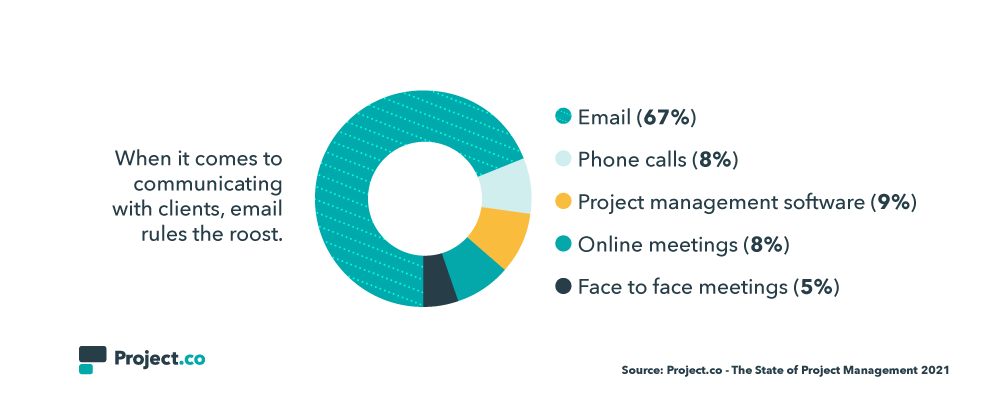 But that doesn’t necessarily work for everyone. Less than half of people say email is their preferred way to deal with businesses as customers, with 25% saying they prefer to use project management software.
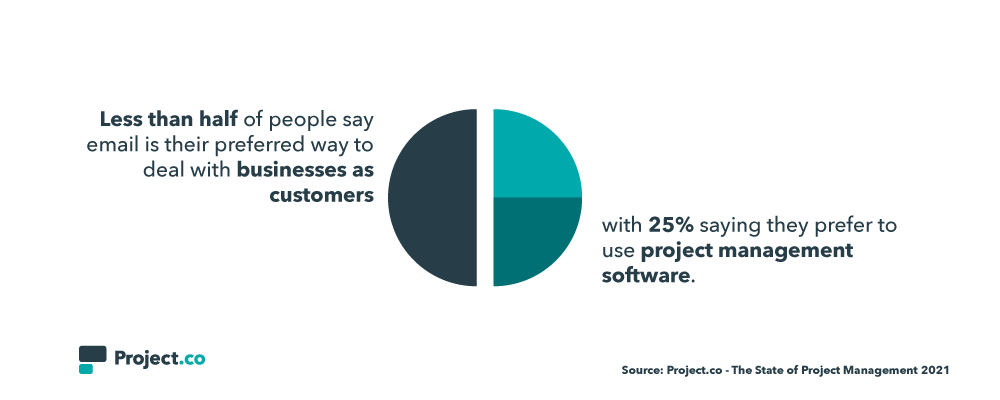 Email is less than ideal because of its siloed, disconnected nature — this often leads to lost/misplaced assets, inconsistent sharing of information, and a frustrating experience for the client.
Room for Improvement
What’s clear throughout the data is the extent to which people feel things could, and should, be better.
92% of people say they believe collaboration with their teammates could be improved.
 And this filters down to day—to—day deliverables: just 16% of people say they ‘always’ hit their deadlines.
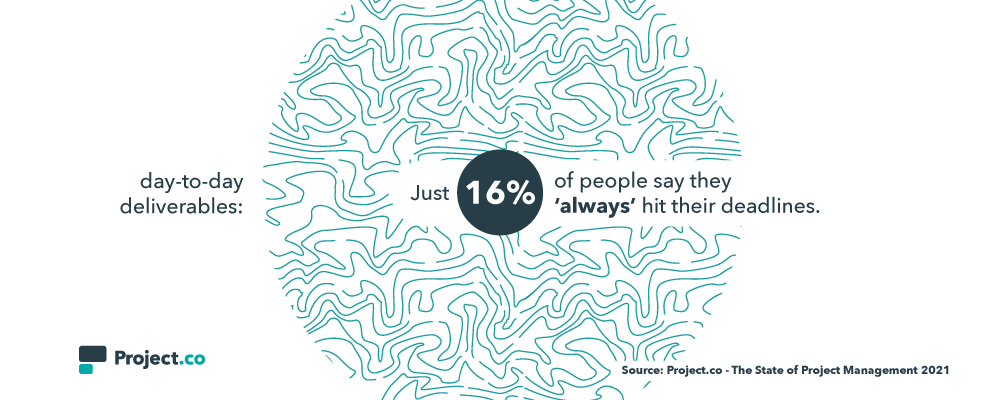 This lays bare the fact that, despite organization, communication, efficiency, and reliability being paramount in the creative industry — late delivery, shabby communication, and poor levels of organization are still a major factor, and no doubt holding back countless businesses from hitting their full potential.
Time Tracking & Project Profitability
For many creative teams, time is money — and that’s often literally the case, with billing completed on a per—hour basis for many agencies.
So the actual intelligence and data around time spent on projects is clearly really important — or at least it should be.
Remarkably, in the survey, it emerged that 15% of businesses which actually bill clients according to time spent on projects don’t actually track that time at all.
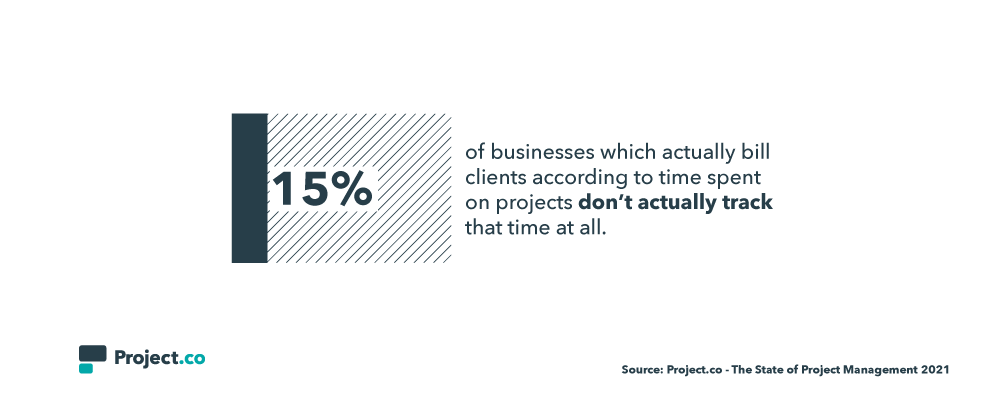 Where businesses DO track time spent on projects, only 13% believe it’s tracked ‘extremely accurately’ with 35% saying it’s not tracked very accurately at all.
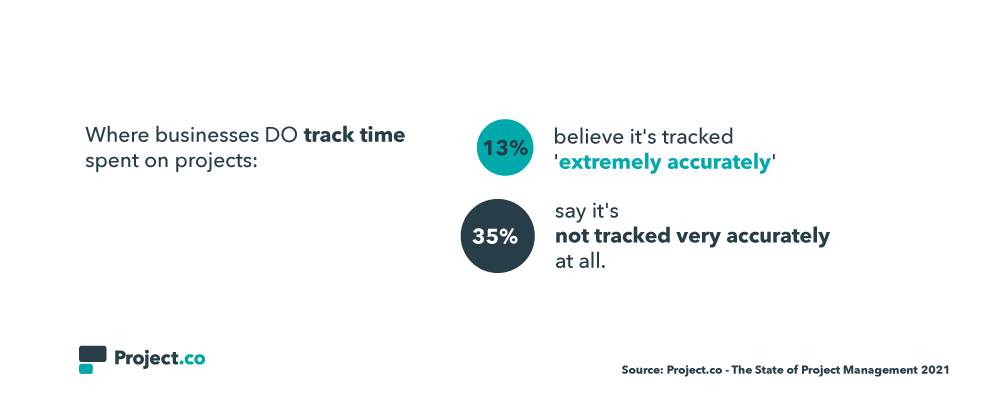 And the data, even when collected, is being underutilized: 60% of people who DO track time spent on projects say they don’t retrospectively use this data to identify efficiency in their projects.
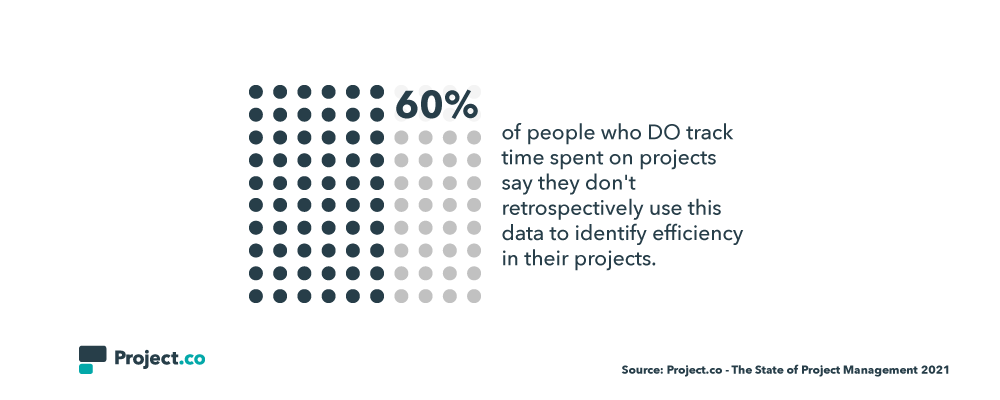 To Sum Up
When evaluating this data, it seems that there’s, essentially, good and bad news.
The bad news is that the data depicts a creative industry experiencing a real pinch around basic issues of organization, task and time management, communication, and operational efficiency. There’s little doubt that these ‘basics’ are undermining amazing creative work across a range of industries and niches, and selling businesses short.
The good news, though, is that people really seem to ‘get’ that these are problems. Issues are clearly on the radar, having been identified, and there seems to be a demonstrable commitment to resolving them.
In many ways, there’s no better time to take stock of this. If necessity is the mother of invention, it could well be that current world events are the driving force behind a new era of investment in systems, processes, and technology that make creative projects work better for the teams involved, and, of course, the clients.
By investing in software that allows teams greater visibility over work, lets them create their own task lists, communicate centrally in one place and track time/project profitability, businesses can finally take control over the smooth running of their projects.
In turn, they’ll be able to offer a healthier, more efficient experience for their employees — while effortlessly delivering a customer service experience that matches the quality of their creative work.
You can check out the full report — with plenty more data points — and get a downloadable version by visiting Project.co’s State of Project Management page.

13 Creative Ideas for Your Next Facebook Live Event, from HubSpot’s Social Media Campaign Manager
In 2016, Facebook released Live video on their platform. As we came into a new decade, it seemed the initial live streaming frenzy on Facebook had calmed down. But today, remote work and digital events are the norm.
The effect: Live video is having its moment in the spotlight again.
In fact, Facebook says the number of people in the U.S. watching live streams has increased by 50% since the beginning of 2020. This leaves many marketers again asking: Should I go live?
The answer will depend on your brand, goals, and resources. But for many marketers, streaming a Facebook Live is at the top of their to-do list. For starters, video consumption isn’t slowing down. By 2022, online videos will make up more than 82% of all consumer internet traffic.
Live videos specifically are attention-grabbing — especially when the audience gets a push notification.
Plus, live videos present a unique opportunity to build trust with interactive, two-way conversations.
The immediate, authentic, and interactive experience of a livestream is a no-brainer for some marketers. But it’s important to note that not every tactic is right for every brand. Going live can be intimidating. And there are nuances that dissuade many marketers from taking the plunge. Some reasons a brand may choose not to go live: time, talent, content strategy, resources, and more.
Debating whether Facebook Live fits into your strategy? Consider these questions: Why are you creating Facebook Live? Do you have resources? Do you have the time? Does your target audience consume Facebook Live? Can you repurpose the live video content elsewhere?
You don’t have to use Facebook Live to be successful. But it’s worth exploring, especially now that live streaming is booming. Need some encouragement to take the plunge? Live streams are simple to set up. All you need to “go Live” is a smartphone and some creative ideas.
That’s where we come in — here, let’s explore creative Facebook Live ideas, as well as best practices to take your Live strategy to the next level.
1. Teach a class.
Once of the most valuable things you can do for your audience on social media is teach them how to do something. Free, live educational programming is a great way to position your brand as a thought leader. It also gives your audience a more robust understanding of your product and or services.
For instance, at HubSpot we often post educational content on our Facebook page, like the example below:

By going live, you’re adding an extra level of authenticity and connection. For instance, you might tell readers they can send along questions in real time, and they can watch their questions get answered on-the-fly. The live Q&A format might also help readers feel more engaged than they would with a pre-recorded video.
Additionally, you can save and upload your Live videos for viewers to consume after-the-fact. This enables you to reach a larger audience than you could just through live.
2. Make an announcement or share breaking news.
Unless they choose the “Follow” setting, fans of your Facebook page don’t see everything you post. However, the default setting for users is to receive a notification when someone they know or a page they follow goes live. With this in mind, Facebook Live is an ideal channel for those important updates that you want the majority of your followers to know about.
Here are some great examples of announcements you can make:
- Breaking news in your industry and your company’s stance on it
- New product launches or enhanced features (more on this later)
- Changes in your organization’s leadership
- An office move to a new location or renovations to your space
3. Raise money for a cause.
More than ever, consumers want to buy from companies with values. Use a live stream to support your values and raise awareness for the things your care most about.
During the live stream, explain the cause, why it’s important, and how the audience can help. You can even pin a comment to direct your audience to the right place to provide support. Additionally, some qualified Facebook pages will be able to add a Donate button to their live videos on mobile.
4. Host a weekly roundtable.
Take time to talk about topics your audience cares about with a weekly roundtable. Some of the most popular roundtables on Facebook now include Red Table Talk, STEVE on Watch, and more.
During a roundtable livestream the participants could field audience questions, give perspective on industry news, or entertain the audience. Of course, a live roundtable style will take more set-up than others. But, like a TV show, it can become content your audience tunes in for weekly.
5. Take them behind the scenes with a tour or process-style workshop.
Give your audience an exclusive look at what happens behind-the-scenes of your product. Your audience will have a deeper connection to a product or service if they know the process.
Think about what you can share that would be interesting or compelling for your audience to know. This tactic is especially great for brands who pride themselves on transparency.
For instance, take a look at this Dunkin’ Behind-the-Scenes Live video, in which you’ll see a “First store of the future concept”:
The Live video gives viewers the opportunity to deepen their connection to the brand, particularly since the video isn’t especially “polished”, instead showcasing a more authentic side to Dunkin’.
6. Hang out live in a Facebook Group.
There are over 10M+ groups on Facebook, with 1.4B people using them every month. Consider going live in a group for an exclusive chat with your community. Groups are often smaller and more niche than company pages, so it’s likely the audience is more invested in a topic.
Consider keeping this style of live video very casual. For instance, you could set a discussion topic each week for the audience to ask questions around. Or, ask your group want they want to talk about and program around their interests.
7. Do an AMA with a company expert.
Access to experts in-person is difficult — even before physical distancing. Host an AMA and give your audience access to your businesses’ most knowledgeable employees.
During the live stream, the expert can answer questions on the fly — or consider fielding questions from other social channels and promote a loose agenda.
8. Do a consulting session live.
Service-based industries, particularly ones with a coaching or consulting element, can use Facebook Live as an opportunity to show off skills in real time. This can often be even more interesting than an AMA since you’re able to go beyond high-level strategy and into the gritty details.
If you have a prospect who is interested in taking the first step with you, ask for their permission to be featured live. You’ll increase your chances of them saying yes by providing an incentive (whether that’s making the session free when you normally charge for it or some other kind of bonus).
The goal of the live consultation will be to solve one of their pains or problems in front of an audience so that each viewer imagines themselves in the prospect’s shoes. Ideally, they’d be thinking, “That person could be me. I wonder what would be said in a consultation/coaching session about my business/situation.”
9. Showcase current inventory and sell to a live audience.
If you’re a product-based business with visually interesting merchandise, you might consider showcasing your existing inventory with a live video and allowing customers to comment when they see something they want to buy.
It’s best to use this type of content sparingly, though, because you don’t want to always come across as overly salesy on social media since most people aren’t logging on with purchasing intent. However, once in a while and with a lot of engagement, this kind of post can prompt curiosity and generate revenue.
10. Host an exclusive product launch or post-launch education session.
Want to make a splash with your next product launch? Consider launching it on Facebook Live. This tactic gives your audience incentive to tune in.
Alternatively, you might consider launching your product across all channels and provide a supplementary live stream. Then, during the live stream you can give the audience a first look at the product in action.
11. Host a contest.
Everyone likes a chance to win something, right? Incentivize your audience to get involved by promoting the contest ahead of time and putting up a prize that excites them.
Some examples of Facebook Live contests include:
- Trivia
- Spin to Win
- Pick a Number
- Lottery
Those are all great examples, but don’t be afraid to get creative, either. Any kind of carnival-style test of skill could work for your audience to (virtually) “step right up.”
12. Play a game.
One of the key ways to succeed on social media is to humanize your brand. And what better way to do that than share content of you playing a game? Challenge one of your employees to a Jenga match or game of Taboo. Recording it live is a way of including your audience in on the shenanigans you get up to (and, in effect, the human elements of your brand).
13. Have a little fun.
Speaking of humanizing your brand, you don’t have to play a game or run a contest. There are other types of content you can share that shows your fun and playful side:
- Doing a dance
- Highlighting “a day in the life” (or rather maybe just a few minutes in the life)
- Recording an experiment
- Tapping into acting skills to convey a message or make a point
- Lip syncing
Just let loose and be authentic. Your audience will love the chance to get to know you. For more inspiration, take a look at The Best Facebook Live Videos We’ve Ever Seen.
Best Practices for Facebook Live
Once you have your ideas set, there are best practices to keep in mind. Below are some tips for before, during, and after you go live.
Before Going Live
Before your live stream, encourage your audience to tune-in. Do this by notifying them via social media posts and Stories.
In your promotional content, source questions from audience members. This will help guarantee the content you produce is relevant and timely. Next, grab a tripod or prop up your phone in a stabilized place. Check your Internet connection and get ready to start the show.
Pro-tip: Write a compelling description of your live video beforehand. That way there are no spelling or grammar errors.
During Your Live Stream
At the start of your live stream, be sure to build-in time to allow your audience to tune in. If filming on a phone, get the best picture possible and lock the focus and exposure.
Some live stream concepts require the talent to move further away from the phone. In that case, consider purchasing a wireless microphone that plugs into your phone.
Once you’re live, make it conversational and encourage your audience to participate. You can respond to and or pin fan comments. Get more exposure by sharing the live stream in groups or Pages you manage.
Additionally, although your audience isn’t there in person, try to make direct eye contact. Look at the lens and connect with the camera. When it comes to using music in a live stream you need to have the rights to it. Using commercial music without rights can be grounds for removal of your live stream. Try using music from the Sound Collection within Facebook’s Creator Studio.
Facebook recommends going live for at least 15 minutes or longer. But remember, the time limit for a session using the Facebook mobile app is four hours.
After the Live Stream
After the live stream is complete, save the live video to your camera roll. There will be a prompt once it ends. A great way to repurpose this content is to share it in your Feed, Stories, and even on IGTV. Repurposing a live video into supplementary social content can be even more rewarding.
So why go live on Facebook? It’s a unique content opportunity to help build brand awareness. The real-time, two-way conversations that happen on live also help build relationships.
There are so many options for live streaming so get creative! And don’t forget, you can repurpose live videos across social channels. Adding value for your fans and followers in real time has never been easier.
Editor’s note: This post was originally published in May 2020 and has been updated for comprehensiveness.
