
Welcome to My Blog
The Beginner’s Guide to Setting Up a Blog
Did you know that there are more than 600 million blogs on the internet, and that 77% of web-surfers read blogs regularly?
Blogging has exploded since its humble beginnings in the 1990s, and many people today interact with blogs frequently if not daily.
By setting up a blog, you have the opportunity to make meaningful connections with other people, whether you want to share your recipes, talk about your lifestyle, or sell products and services. Whatever the topic, blogging serves as an outlet that can even become profitable.
But before you see dollar signs, you’ll need to set up a blog, which involves choosing a content management system (CMS), deciding on themes and color schemes, and reaching your target audience.
This guide will help you navigate the process of setting up a blog successfully across various platforms.
But before you set up a blog, you’ll need to choose a CMS. Let’s dive into that, first.
How to Choose a CMS
You can’t have a blog without a CMS, or a content management system. As the name suggests, this is a system that manages your content. While you could certainly build a blog from scratch with savvy coding skills, a CMS does the hard work for you.
This software makes it nearly effortless to switch up your blog’s font styles, colors, and overall theme. It also means you can generate content much easier, simply clicking a few buttons to add photos and videos.
All of these seemingly simple actions can be difficult to implement through HTML and CSS coding, which is why many bloggers opt to use a CMS. This way, you can dive right into making great content.
When you’re looking at different CMS platforms, there are a few things to consider.
- User-Friendly Interface
- Price
- Customization
- Support
- Extensions
- Security
- Marketing Capabilities
Let’s dive into each element to help you decide what you need in a CMS.
1. User-Friendly Interface
The point of choosing a CMS is to make creating your blog easier for you. If you find it difficult to navigate the dashboard or the text editor, blogging will just like a chore.
Look for a CMS with drag-and-drop capabilities, and unless you have top-notch developer skills, steer clear of anything that requires heavy coding.
2. Price
As we’ll cover below, it is completely possible to start a blog for free. But if you are looking for more robust features, you’ll need to consider your budget.
If you are looking at paid platforms, consider what you get with each CMS for the price, and double-check for hidden fees.
3. Customization
You want your blog to look and perform how you’ve envisioned it, so make sure your CMS allows for customization through different themes and templates that can also be adjusted as you see fit.
For example, with Ceros, you can completely customize every element of the content you publish without adding a single line of code.
4. Support
If your blog glitches while you’re writing an important post, you’ll want to be able to get help right when you need it.
CMS support ranges widely — you might only find a digital handbook or FAQ page full of common issues and fixes with no number or live chat to reach for urgent matters.
Or the platform could only have an email or number available during standard office hours, Monday through Friday. Meanwhile, some CMS platforms have extensive support options, including agents available 24/7.
If you don’t have experience working with CMS systems and want access to hands-on support, take this into consideration when comparing platforms.
5. Extensions
One of the most helpful features for CMS platforms is the ability to work with third-party extensions or plugins, which add even more functionality to your blog.
There are extensions for nearly everything you could think of, so whether you want help with search engine optimization (SEO) or the ability to create galleries or social media feeds on your blog, extensions and plugins can help you do so. If your CMS isn’t compatible with most of these applications, your blog could suffer.
6. Security
Protecting your information and your content is important. You could also lose your audience’s and customers’ trust if your blog is compromised. As such, you’ll want to make sure the CMS you choose has plenty of security features.
Check if SSL, Firewall and content delivery network (CDN) are included, and be sure updates and vulnerability scans are done frequently. This also relates to support — is someone available to help you should your site be compromised? If not, run — don’t walk — to another platform.
7. Marketing Capabilities
Once your blog is established and you are producing content, make sure you can get this content to your target audience. Check to see if your CMS offers options for social and email marketing, or if it offers compatibility with extensions such as UpContent to make sharing your content simple.
How to Set Up a Blog for Free
If you are working with a limited budget, you can certainly start blogging for free. There will be some limitations, but you can always choose to upgrade or move your content to a paid CMS. To get started, you’ll need to find a free blogging platform. Common free blogging platforms include
- WordPress.com (not to be confused with WordPress.org)
- Blogger
- Wix
- Weebly
Tumblr. Keep in mind that some free blogging platforms will restrict your freedom with domain name and may be limited in services like support, security, and customization. After choosing a free platform, you’ll sign up and head for the dashboard to choose a free theme or design template, then use the platform’s CMS to add content.
How to Set Up a Blog
Whether you decide to invest in a blog or go the free route, there are a few different ways to get started depending on the platform you choose. Here are some of the most-popular blogging platforms and how to set up your blog on each one.
1. WordPress
If you want to blog on WordPress, you’ll need to choose a domain name and a hosting service. The hosting service is the server space that stores your website’s files and information, making it accessible to others on the internet.
Hosting is typically a paid service; there are free options, but be wary of the security, support, and functionality if you do choose a free host.
Once you’ve selected the domain name, such as yourblog.com, and a host, you’ll be able to create your WordPress account. From there, you can access the dashboard, where you can decide on themes, add plugins, and, of course, write and publish content.
2. Blogger
If you are looking for a popular and free CMS, Blogger, formerly BlogSpot, is a free blogging platform by Google.
To get started, visit Blogger and create an account with your Gmail address and password. From there, you’ll choose a profile. If you don’t wish to have the name associated with your Gmail address on your blog, you can choose a limited profile.
After this, you’ll be taken to the dashboard, where you can choose your blog name and theme. Then it’s as easy as using the straightforward CMS to write your blog.
3. Wix
Wix is another free and simple CMS to consider when setting up a blog. Simply sign up for an account, then you can choose from templates.
Note that while Wix offers many templates, only certain ones offer Wix Blog. If you choose one without this application, you can still add it on later through Wix’s App Market.
Customize the template to fit your vision, then go to the Wix Editor>Menus & Pages>Show More>Rename to name your blog. Wix offers free hosting, but if you want your own domain name, you’ll need to establish that and then connect it to your blog via the Wix Editor. Once these logistics are set, you’re ready to start a new post and get to blogging.
Now that you know the ins and outs of starting a blog, you’re ready to get started! Evaluate CMS platforms based on support, security, and design and functionality features.
Once you’ve decided on a CMS, the platform will make the rest of your work a breeze. And once that blog is up and running, you can start considering even more options, like marketing and advertising, to make your brand known and even turn a profit.

How to Detect and Eliminate Keyword Cannibalization
Keywords are king when it comes to engaging users and increasing your search engine ranking.
As a result, search engine optimization (SEO) has become a multi-million dollar business with a host of experts offering advice on how best to move up the search engine results page (SERP) and claim the coveted number one spot.
Most actionable SEO advice boils down to a few solid suggestions: Do your market research so you know which keywords are relevant to your target audience, and create content that’s timely and relevant.
Something that doesn’t make the SEO rounds quite so often is keyword cannibalization. While this unpleasant-sounding issue won’t sink your website, it can cause your pages and posts to rank lower than they should and — if left unchecked — could harm the overall reputation of your site.
Here’s what you need to know about finding, evaluating, and eliminating keyword cannibalization.
What is Keyword Cannibalization in SEO?
Keyword cannibalization occurs when two or more pages on your website end up competing for the same keyword.
Let’s say your company sells roof shingles. Your blog content will likely include posts about how to extend shingle life through proper care and maintenance — with the right combination of authority and actionable insight, this kind of content can attract the attention of your target audience and lead them to purchase shingles from your site when their home requires repair or replacement.
To ensure you’re capturing the right audience, you do a keyword search and find that “roof shingle prices” ranks extremely high. You then create multiple pages that all leverage this keyword — one piece might deal with the most costly shingle types, another with less-expensive options, and a third with the costs of potential repairs if shingles are damaged.
The problem? By using the same keyword for each page, you’re essentially stealing search engine rankings from yourself.
Here’s why: From the perspective of search engines each of these pages is its own separate entity with its own authority and page ranking, meaning your pages are fighting for SEO attention.
What’s more, these similar-but-different pages will split your click-through rate (CTR) across multiple links, in turn decreasing the value of each page. As a result, these three pages might rank sixth, seventh, and eighth in SERPs while a single page could rank second or even first.
How to Detect Keyword Cannibalization
The simplest way to detect keyword cannibalization is to create a spreadsheet containing the keyword(s) for any content you create.
Before making a new post, check your spreadsheet and see if you’ve already used the same keyword. If so, consider tweaking your content to focus on another keyword or ensure that the content you’re creating is substantially different than that of previous posts.
You can also check for keyword cannibalization with a quick online search of your most relevant keywords. If you see multiple pages from your site listed close to one another in SERPs for the same keyword, you have a cannibalization problem.
In addition, keyword cannibalization checker tools can help ensure you’re not missing potential overlap — better to know ASAP and modify your content before it gets pushed down the search rankings by more targeted posts from your competitors.
How to Eliminate Keyword Cannibalization
So what happens if you discover keyword cannibalization on your site?
First, take a look at the content on each page. Wherever possible, combine the information from both pages into a single post to boost search rankings and increase authority.
In the case of our shingle company, for example, it’s worth combining the “most costly” and “least expensive” shingle pages into a single post that targets the “roof shingle prices” keyword. If there are particular aspects of low-cost or high-priced shingles that could help customers make their decision, create new posts with new keywords, and link to them in the original post.
In other cases, you may find that older posts on your site are still ranking highly thanks to targeted keyword use but are no longer relevant to your company’s product line or service offering. Here, it’s a good idea to integrate any useful data from older posts into newer content and then delete the original, in turn allowing search engines to rank up your most relevant post.
Worth noting? As with anything in SEO, there are exceptions to the keyword cannibalization rule.
For example, if you have two posts with the same keyword that are both highly ranked and their ranking position isn’t fluctuating, there’s no need to combine them.
If competitors’ pages start to rank higher, however, or if your top-ranked page stops delivering sustained click-through rates, this could indicate the need for action.
Keyword Cannibalization Checker Tools
While keeping a spreadsheet of page URLs, metadata, and keyword use can help reduce the risk of unintentional cannibalization, this becomes prohibitively complex as sites scale up.
Consider an ecommerce site that sells multiple types of winter jackets — with a product page for each jacket, category pages for each jacket type, and blog posts around jacket care, storage, and repair, it’s easy for keywords to overlap and SERP to suffer.
Keyword cannibalization checker tools can help streamline this process and reduce the risk of missing a potential keyword problem. Some popular options include:
1. Keylogs Keyword Cannibalization Checker
The Keylogs Cannibalization Checker offers a free trial — simply log in with a Google account that’s connected to your website(s) and the Checker does the rest.
You’ll get results about any pages on your site that are competing for the same ranked keyword along with strategies to resolve the issue. Worth noting? The free tier of this tool only tracks three keywords across one site. Paid plans are required for multiple sites and unlimited keyword tracking.
2. SEMrush Position Tracking Tool
SEMrush is a popular SEO tracking and monitoring toolset. With a paid plan, site owners have access to a Cannibalization report within the SEMrush Position Tracking Tool, which provides a cannibalization score for the keywords entered.
A 100% score means no cannibalization has been detected — lower scores indicate potential problems and will specify both affected keywords and cannibal pages.
3. Google Search Console
Using the performance report section of Google Search Console lets you view the queries that have earned your site impressions and clicks from Google searches.
Drill down into these queries with the “pages” tab to see a list of URLs that rank for specific keywords and queries — if you see more than one URL from your site listed for the same keyword, you may have a cannibalization issue.
4. SEOScout Cannibalization Checker
SEOScout’s Cannibalization Checker offers an alternative to managing keyword spreadsheets. Simply create an account for a 7-day free trial, enter your site’s domain and the tool will create a report detailing any duplicate keyword rankings, allowing you to quickly track down and eliminate cannibal content.
5. Moz Keyword Explorer
The Moz Keyword Explorer lets you find ranking keywords, determine page ranking positions, and make decisions about which pages to keep and which ones need to be reworked or eliminated. Moz also makes it easy to download CSV spreadsheet files which can then be analyzed offline for duplicate keyword listings.
Staying Aware of Keyword Cannibalization
For site owners and admins, cannibal keyword content is problematic — multiple URLs ranking for the same keyword can negatively impact page authority, frustrate potential customers, and reduce SERPs.
Solve for keyword cannibalization by finding duplicate keyword use, then combining or deleting content as needed to ensure your most relevant content earns the highest SERP placement with popular search engines.

16 Cheerful Examples of Holiday Homepage Designs
According to the National Retail Federation, eCommerce accounted for 20.9% of total holiday sales in 2019, and that number seems to increase every year. As a result, you have the opportunity to position your online shop in front of a huge base of consumers who are actively browsing the web with intent to purchase goods.
The smartest marketers prepare for website traffic increases not only by prepping their website for higher-than-normal traffic and optimizing it for mobile devices, but also by giving their website design a dose of holiday cheer.
It all starts with the homepage: The first page many people will see when they come to your website.
Holiday Homepage Designs to Get You in the Spirit
How have other companies redesigned their homepages for the holidays? Let’s take a look.
Note: Businesses change their homepages on a regular basis. The examples below may not be current.
1. Free People
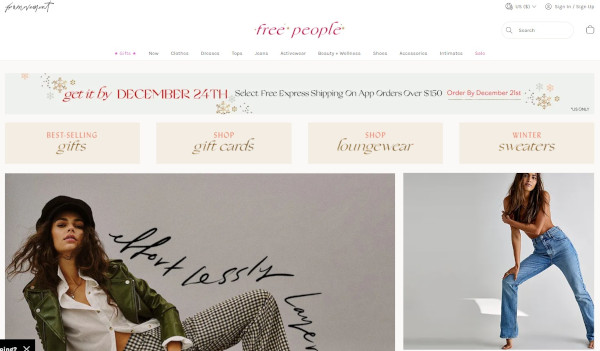
When your business has a loud personality like American bohemian retail company Free People does, making a big first impression on your homepage can be a great thing. Free People’s redesign is all-encompassing, starting with a large banner promising free express shipping, which appeals to any buyers concerned about delivery times when doing their last-minute shopping.
Underneath the main banner are four navigational calls-to-action emphasizing gifts and festive products. This directs holiday shoppers to the pages of their site they’ll find most useful.
2. PayPal
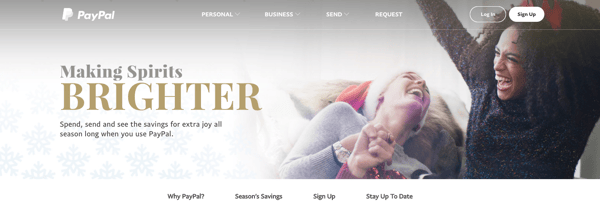
Who ever said online money transfer websites can’t have fun at the holidays? After all, sometimes the best gift is a little more padding in your bank account, and PayPal acknowledges this with the slogan: “Making Spirits Brighter: Spend, send and see the savings for extra joy all season long when you use PayPal.”
This holiday design from PayPal works because it still looks like PayPal — just a little more festive. It’s still easy to navigate but adds seasonal flair with a clever spin on a lyric from “Jingle Bells” as its holiday slogan. The whitespace encourages visitors to focus on the happy models in the image, putting human faces to an industry that’s businesslike and technical.
3. Sephora
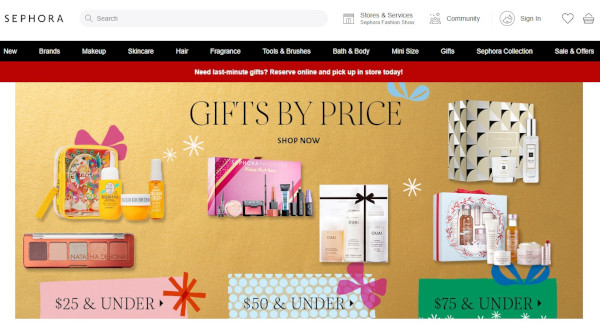
Like PayPal, Sephora didn’t make many changes to the overall look and feel of its website. What it did do was feature a holiday edition of its highest-rated products and editors’ picks, specially curated for different gift recipients, price ranges, categories, and so on.
By putting editors’ picks front and center, Sephora is reminding customers how much the company values customers’ success. Plus, we love the gold background color — it’s a cute, festive way to make the homepage cheery and bright.
4. Baudville
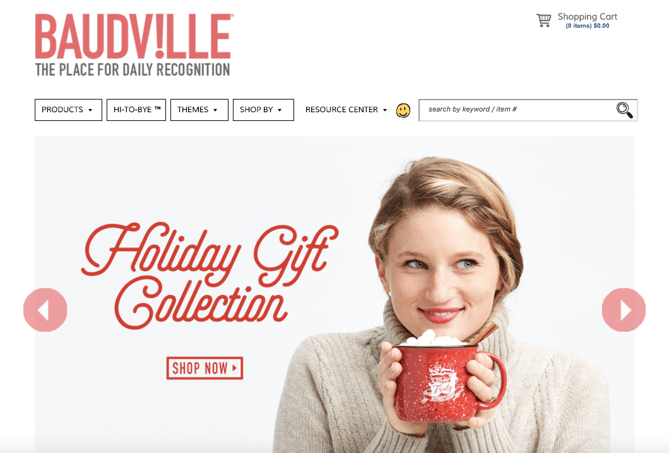
While seasonal website redesign is often dominated by B2C companies, a few B2B businesses have been known to dress up websites a bit too. Baudville, an employee recognition solution, is one.
While some web designers like to add a ton of new elements to their holiday designs, Baudville’s design below shows you don’t have to. Something as simple as adding a holiday gift shop slide to your homepage photo banner can be enough to warmly welcome users to your site during this time of year.
5. La Colombe
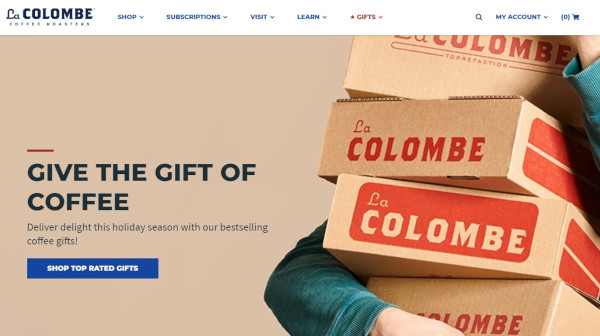
La Colombe’s holiday homepage design features soft, warm hues and with festive red accents. Visitors are greeted with an image of La Colombe coffee products in boxes, a call-out to the idea that many shoppers are sending gifts through the mail. The slogan “Give the Gift of Coffee” is a great example of a business staying true-to-brand with an added holiday touch.
6. L.L. Bean
For a U.S. outdoor retail company like L.L. Bean, the holidays mean winter… which means cold. (For most of us, unfortunately.)
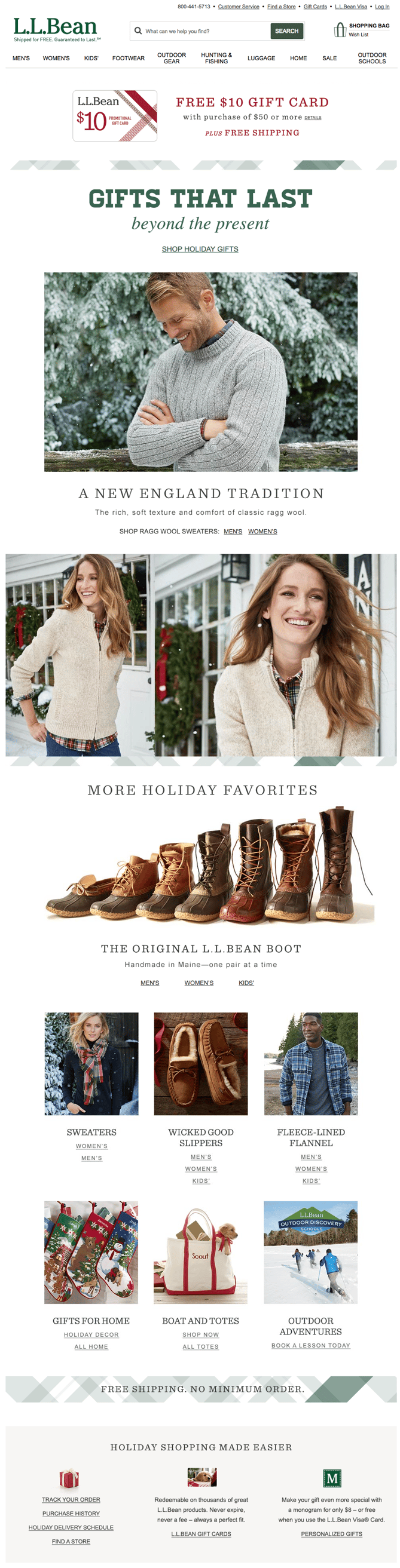
This design keeps the holidays out of the seasonal redesign completely: The featured photo on the homepage is a model wearing apparel in front of pine trees covered in show, which is in keeping with the brand’s outdoorsy theme.
L.L. Bean shares a list of holiday gift ideas featuring some of its most popular and beloved products. The seasonal homepage slogan — “Gifts That Last Beyond the Present” — reminds visitors of L.L. Bean’s amazing satisfaction guarantee.
If you’re more attracted to a winter-themed seasonal redesign, consider using winter-themed stock photos for your homepage. You might also consider cooling down the color scheme of your whole site for the holiday season. This means using cooler tones like blues, purples, and greens to give it a more “wintry” feel.
7. The Container Store
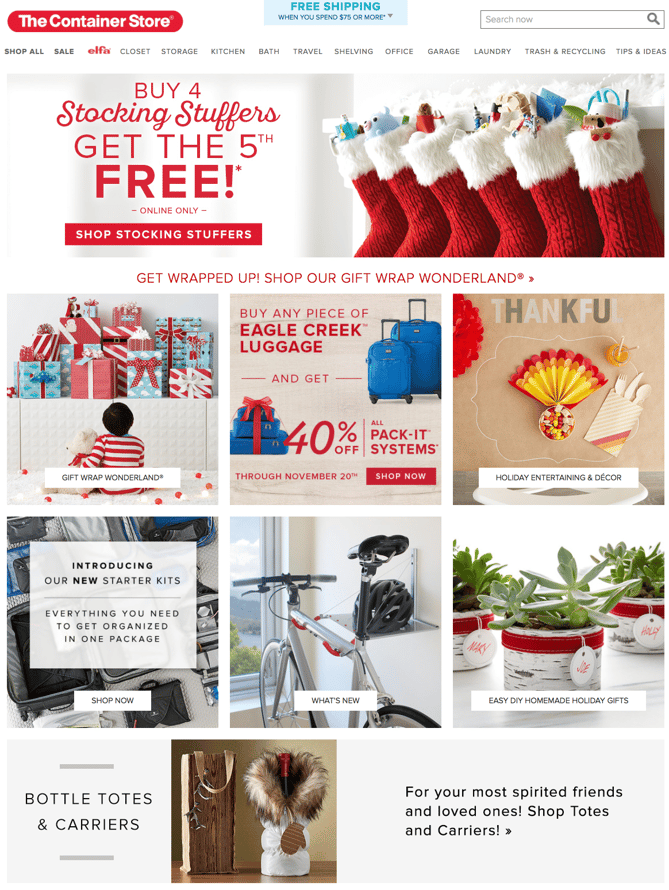
The Container Store’s homepage design below is a fantastic move for the holidays because it is chock-full of goodies for visitors. Every module on this homepage has something helpful to offer customers — stocking stuffers, gift ideas, luggage for holiday travel, party favors, and DIY projects.
The various CTAs on the homepage are clear and tell visitors everything they need to know about what’s on the rest of the site. The geometric shapes organize all of the content cleanly, so despite the fact that the homepage has several different offers on it, it’s not cluttered.
8. Base Butter
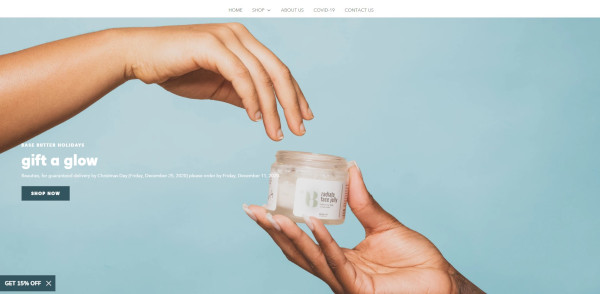
Instead of tapping into the greens, reds, and golds that you’d typically expect on a holiday homepage, Base Butter keeps to their cool color palette and foregoes the pine trees, ornaments, and other holiday imagery. Instead, they use a minimalistic image of their product being gifted from one person to another with the headline “Gift a Glow.” This is significant because it’s emphasizing the act of giving.
Notice also that it’s “Gift a Glow” rather than “Gift Skin Care Products.” They are selling the outcome rather than their product, enhancing the idea of giving a gift that truly matters.
9. J. Crew
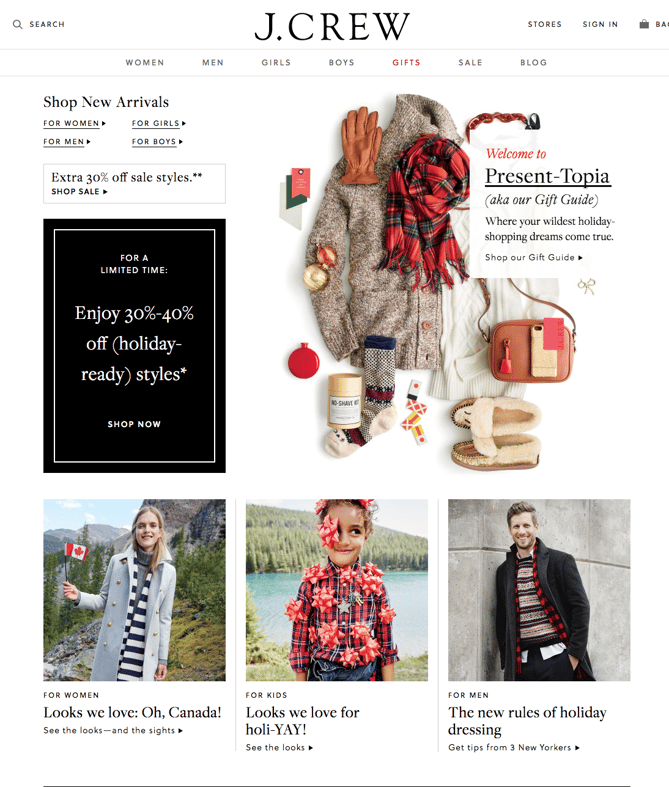
This J. Crew holiday homepage design goes above and beyond expectations for a clothing store. The whitespace on the page is simple and lets the clothing and accessories stand out to prospective shoppers while keeping the website true to brand.
Its homepage advertises “Present-Topia,” a Gift Guide that breaks down J. Crew products by age, gender, and price for ease of shopping. The black callout box advertises a sale it’s running that includes seasonal clothing. J. Crew also published curated looks that visitors can browse or directly shop from to make the shopping experience easier and more visual. This homepage redesign prioritizes the user experience while still keeping the site beautiful and on-brand.
10. Lume
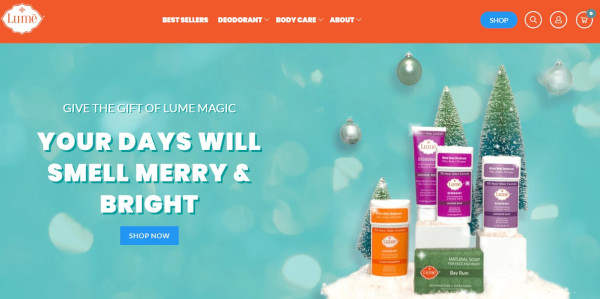
Like the rest of Lume’s advertising, they take a humorous spin with their homepage.
As a natural deodorant company, Lume flips expectations of “Your Days Will Be Merry and Bright” in their hilarious and witty copy, which instead says “Your Days Will Smell Merry & Bright.” This falls in line with the tone of their brand, pushing the benefits of their product with entertaining jokes.
Paired with the copy is attractive imagery of their products along with a snowy pine tree spread and ornaments in the background.
11. Fitbit
The dark background of this Fitbits homepage design lets the festive gold color scheme and the products shine. The photography styling positions Fitbits as a gift similar to jewelry in beautiful boxes, rather than a piece of sporting equipment, to make Fitbit products appeal to a wider variety of shoppers and not just athletes.
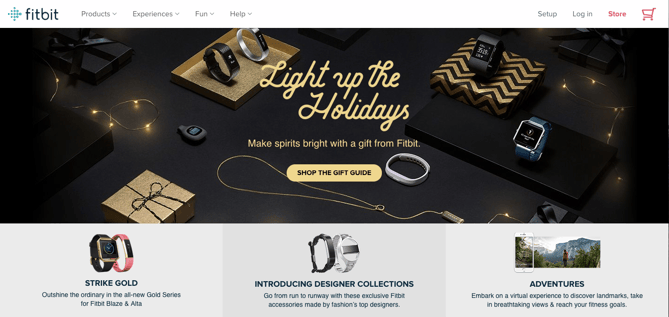
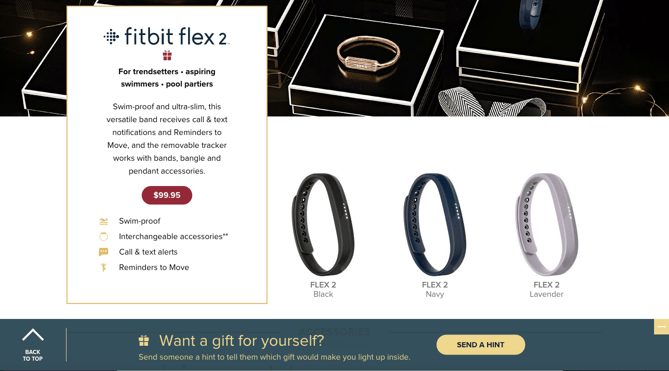
The primary CTA — “Shop The Gift Guide” — serves to lead visitors through all of the products with descriptions that suggest who they might purchase it for, making it easy for shoppers to imagine their family and friends using the product.
Fitbit included a neat feature where visitors can hint to someone that they themselves want to get a Fitbit as a gift.
12. Peloton
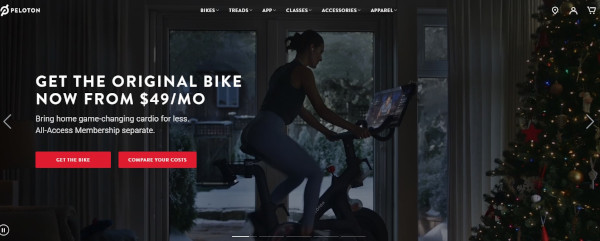
Peloton doesn’t change much by way of copy, choosing instead to highlight membership information and their most important CTAs. However, here they do include several videos in their full-page slider that are quite festive. Happy Peloton users exercise in front of decorated Christmas trees, in cozy living rooms, or in front of snowy windows. The focus stays on the bike and its benefits, but the setting is one of holiday cheer.
13. HP
Instead of the traditional holiday homepage layout presenting products as potential gifts, this HP design kept the page minimally decorated with only their featured video, “Reinvent Giving,” above the fold.
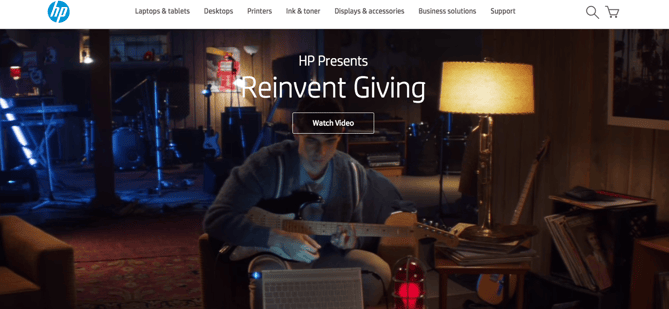
The touching video features a brother using HP technology to come up with the perfect gift for his brother, who is hearing impaired — a guitar set that displays flashing lights when played so his brother can see himself playing music, even if he can’t hear it.
HP – BROTHERS REINVENT GIVING from 151 Awards on Vimeo.
Emotion in advertising is effective, especially around the holiday season — everyone has a friend or family member they want to find the perfect gift for. We can’t guarantee that HP’s holiday homepage video won’t make you cry, but we can say that it’s a unique and heartfelt spin on traditional holiday marketing.
14. Madewell
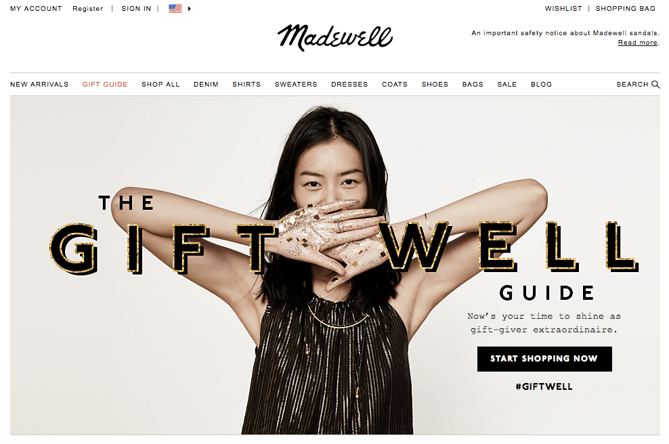
The image and header on Madewell’s design are very much in line with the company’s typical branding: a model wearing a gorgeous dress in front of a neutral background, accompanied by a holiday spin on their name in festive, embellished font.
This is both attractive to first-time visitors who are greeted with simple imagery and user experience as well as returning users who expect a design like this but still appreciate the added holiday touches. The #giftwell hashtag prompts visitors to start a conversation about their shopping experiences on social media, which fosters a sense of brand loyalty.
15. Pholk
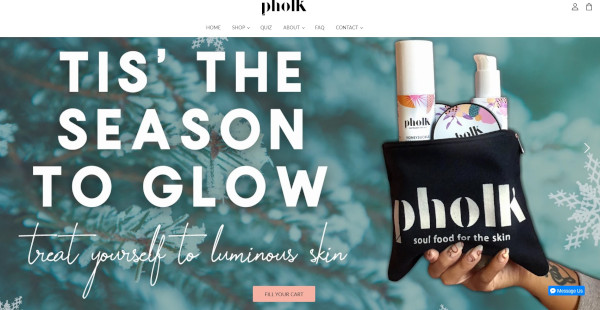
Pholk also uses the word “glow” on their homepage, pairing this benefit-driven copy with a seasonal touch: “Tis’ the Season to Glow.” However, their focus is on treating yourself, which is a refreshing angle when other websites are hoping to attract shoppers that are getting gifts for others.
What makes this holiday homepage especially attractive is the typographic style paired with a soft, cool pine background image. Of course, it wouldn’t be complete without an image of a bag of their products advertised on the opposite side of the text.
16. Pillow Cube
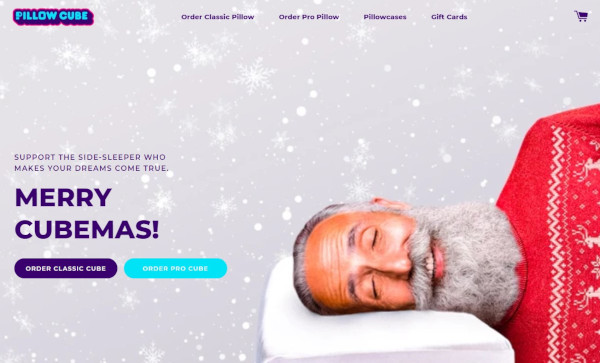
Pillow Cube is… pretty much what it sounds like: A cube-shaped pillow designed for side-sleepers. On their homepage, they use imagery to bring up an important question: What if Santa was a side-sleeper?
The copy then calls the website visitor to consider buying a Pillow Cube for the side-sleeper in their life: “Support the side-sleeper who makes your dreams come true.” Support being a sneaky way to talk about the product’s big advantages.
In addition, the big heading “Merry Cubemas!” is just adorable.
As you plan your own marketing strategy and website design for the holidays, be sure to plan and prepare your site for higher-than-normal traffic. The last thing you want is for your site to go down during a time when you hope to be doing great business.
Editor’s Note: This post was originally published in November 2015 and has been updated for freshness, accuracy, and comprehensiveness.

How to Create a Holiday Marketing Campaign: A Step-by-Step Guide
The malls are decked with holly, your inbox is filling up with holiday-themed promotions, and you’ve deemed it socially acceptable to start listening to your favorite holiday playlist on Spotify… or maybe that’s just me.
Either way, the holiday season is here, and marketers are gearing up to finish off the year strong. But just like shopping for gifts, planning your holiday campaign is something you don’t want to shove off until the last minute.
There’s going to be a lot of spending going in over the next month or so, which is why it’s important to have a plan for reaching your customers and prospects before your competitors do.
Haven’t started planning your campaign yet? Don’t panic.
We’ve mapped out a comprehensive guide with everything you need to launch a holiday marketing campaign this season. From offer templates to free holiday-themed stock photos, we’ve peppered this step-by-step guide with resources designed to get your campaign up and running right away.
1. Decide on a campaign theme.
While creating content has become ingrained in the day-to-day lives of most inbound marketers, launching a campaign is a little different. Unlike a tweet or an infographic, campaigns require you to align all of your marketing channels around one specific goal or message.
Holiday campaigns — like all campaigns — typically run for a concentrated period of time. Depending on your industry, they can start as early as October and often spill over into January.
Now that you know what you’re in for, let’s not waste any more time. Below we’ll kick off this process by walking you through establishing your campaign and offer.
2. Choose your campaign goals.
Before you start creating an offer, you need to determine what it is that you’re looking to achieve. What is the ideal outcome of this campaign?
Once you define your focus, you can begin to create goals that will be used to benchmark your campaign’s performance once it’s wrapped. Your goals should be specific, measurable, attainable, relevant, and time-bound (SMART goals, for short). Here’s an example of how to structure this type of goal:
Generate [number] leads focused on [topic/product] by [date]
Depending on what you want to get out of your campaign, your goals might look something like this:
- Generate 1,000 leads who are interested in our annual holiday sale by December 5, 2015.
- Generate 5,000 sign-ups for our holiday shopping app by November 30, 2015.
- Collect $50,000 in donations for charity XYZ by December 20, 2015.
To help you better align your marketing efforts with SMART goals, check out this free goal setting template. You can use this template to summarize your goals, calculate your greatest marketing need, and set deadlines.
3. Define your target audience.
With goals in place, the next step is to define your target audience. The more information you can gather about the people you’re trying to reach, the better. Where are they hanging out on social media? Do they prefer to consume information on their desktop or mobile? This will help you make smarter marketing decisions when it comes time to create content and plan promotions.
If you already have a few buyer personas in place for your marketing efforts, you’ll want to start by narrowing your focus. Does your campaign pertain to all segments of your audience? If not, you’ll need to immediately weed out the folks who you don’t want to include.
If you don’t already have buyer personas or would like to create campaign-specific personas, we recommend you check out our free buyer persona templates. These templates will make it easy for you to build out and organize your persona data.
4. Create an offer.
The offer that you create will serve as the center point for all of your campaign initiatives. Typically offers take shape in the form of ebooks, whitepapers, templates, online courses, videos, tools, etc. While there are a lot of options to choose from, we advise you to run with an approach that makes the most sense for your intended audience.
Think about it: If you know the people you’re trying to reach are typically strapped for time — particularly during the holidays — you might want to create a set of easy-to-use templates instead of a lengthy ebook, right?
If you decide to take the ebook route, we can help — you can download our free, customizable ebook templates. We’ve already taken care of the design element, so all you have to do is focus on writing the content. And if you’re in search of some compelling visuals to use throughout your offer, download our 250 free holiday stock photos here.
5. Create a landing page.
Once your offer is created, you need to provide a place for it to live. This is where the landing page comes in.
Considering your landing page is the page that you’ll be driving traffic to, it needs to be convincing. Here’s a list of some of the essential elements you should include:
- Compelling headline. This is how you’re going to capture the attention of potential visitors. For tips on how to craft the perfect headline, turn to this guide.
- Interesting visuals. Your landing page shouldn’t just be a jumble of text. Think about how you can provide visual context for your offer.
- The benefits of your offer. This typically takes shape in a bulleted list. The goal here is to drive home what the visitor can expect to get from this offer, and why it matters.
- A form. This is how you’ll collect information in exchange for the offer. Keep in mind that there’s no magic number for form fields. In fact, the amount of information you need to ask for on a form will vary from business to business. That said, if you don’t really need a piece of information, don’t ask for it.
If you need some more guidance as to what goes into a great landing page, check out this roundup of 15 brilliant landing page designs.
6. Design a promotion plan.
“If you build it, they will come,” said no marketer ever. Now that your content has been created, it’s time to figure out how to get the word out. Here are some of the promotion tactics you should be implementing per channel:
Email Marketing
If you already have a list of people you know will be interested in your offer, that’s great. If you want to slice and dice your database to go after a more specific group, you should take care of that segmentation first. For HubSpot customers, it’s easy to segment your database using a smart list in the Lists App. (Here’s a resource to help you get started.)
During the holiday season, we’d argue that segmenting your list is more important than ever. Due to the increased number of incoming promotions and the limited amount of time busy shoppers have, well-targeted emails will often take priority over mass messages.
Once you’ve squared away your recipients, you can kick off the actual email creation process. Here are some noteworthy elements to keep in mind while crafting your email:
- Subject line.Focus on what the offer solves. Check out this helpful post for tips on improving your subject lines.
- Body copy. The body of your email should be short and sweet, much like the copy on your landing page. This is also a great opportunity to incorporate personalization using personalization tokens. Here are some great examples to get you thinking about personalization opportunities.
- Sharing Options. Don’t forget to add buttons to your emails that allow recipients to quickly pass your offer along to their network.
Check out HubSpot’s Template Marketplace to find an email template that fits your needs.
Blogging
Once you’ve sent an email to get your offer on the radar of your intended audience, it’s time to build out your reach even further. Blog posts serve as an effective campaign element for attracting people to your offer, and can be approached in a couple different ways.
One way to use your blog to promote your offer is to create a simple “promo post” — that’s what we call them, anyway. This post is typically a very focused piece offering a quick introduction to the offer, advice on how to implement it, and a compelling CTA to drive people to the landing page.
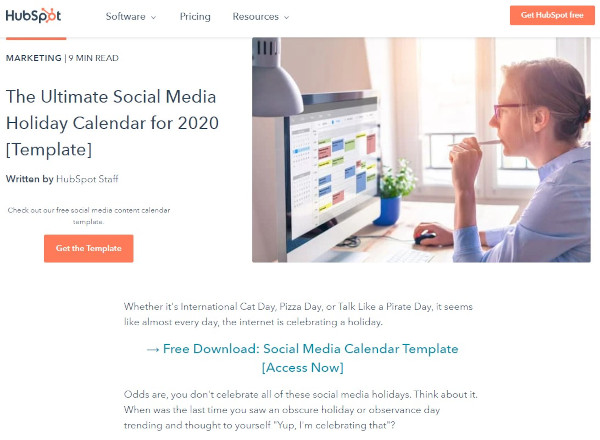
According to a 6-month analysis of HubSpot’s Marketing Blog run by my colleague, Ginny Soskey, promo posts proved to be the most effective lead generators out of the seven post types we typically publish. While this may vary depending on your industry and audience, it’s certainly a type we’d encourage you to explore on your own.
Promo posts aside, it’s also a great idea to add a CTA for your offer to a post that aligns with its subject matter. You can create an entirely new post and revisit older, related posts to swap out their CTAs. This way, if people who reach the end of your post are looking for more information or a deeper dive into the subject, they can click through to the offer.
Social Media
Now that you have some tangible promotional material in place, you can start promoting it through your social media channels. Whether you share the related blog post or a link to the landing page, be sure that you’re switching up the messaging so you’re not repeating the same tweet or Facebook post over, and over, and over…
You’ll also want to tailor the post to the platform you’re posting it on. For example, maybe you create a teaser video for your offer to promote it on Instagram and then use a colorful visual when you serve it up on Twitter:
The holidays provide an interesting opportunity for businesses looking to explore platforms they wouldn’t typically try. With busy consumers looking for holiday help and inspiration in all corners of the internet and social media, you may find that it’s worth promoting your campaign on a wider variety of platforms.
Wherever you’re sharing your content, you’ll need a place to organize and plan your distribution strategy. For that, check out this free social media content calendar.
PPC
Paid advertising can be a great tool to boost some of your inbound efforts — especially around the busy holiday season.
If your budget allows and you know there’s search demand for your offer, you may want to experiment with putting a little money behind some of your campaign assets to promote them on social media. For advice on how to create successful paid advertising campaigns across the three main social media platforms — Facebook, Twitter, and LinkedIn — check out this guide.
7. Create lead nurturing paths.
What will happen to your leads once you’ve generated them? And once the holidays have come and gone, what will they mean to your business?
Before you launch your campaign, it’s best to design a plan for qualifying and developing your leads once they’ve filled out your form.
Email Segmentation
With marketing automation software, you can use email nurturing to keep leads engaged with your business and move them closer to a sale.
Before you can begin creating emails and workflows, you need to take another look at your list to determine if there are opportunities for segmentation. Dividing your list of leads will make it easier for you to deliver more contextual follow-up emails, which will help you separate yourself from holiday inbox chaos, and ultimately help recipients see the value in your relationship.
Email Nurturing
Next, determine what content you’ll use to nurture your leads. You can narrow your focus by honing in on what your goals are for this nurturing process. Do you want them turn these people in sales? Subscribers? Are you looking to direct them to a particular page?
For your campaign, it might make sense to re-engage those leads with helpful, related resources.
And to track your progress, make sure you set a goal for your workflow. If you’re a HubSpot customer, you can do so in HubSpot’s Workflow App, which makes it easy for you to gauge the performance of your email sequence.
8. Take the campaign live.
Now that you’ve got everything in place — offer, landing page, blog promotion, nurturing workflows, etc. — it’s time to take your campaign live.
We recommend issuing a “soft launch” before you initiate any promotion, as this will provide you with an opportunity to run through all of the steps yourself to ensure that everything is functioning as it should be. If you can get a few colleagues to fill out the form and run through the stages too, it’ll be much easier for you to spot any glitches or missed marks.
Once you know everything is sailing smoothly, it’s time to kick up promotion and start driving traffic to your landing page.
9. Measure and report.
This is the final — and arguably the most important — step in the process. Once your campaign has had some time to gain traction, you’ll want to dive into its performance and see what you can learn from it.
Remember those goals we set all the way back in step one? Now is the time to determine if you actually hit them — and if you didn’t, identify what might have prevented you from doing so. Analyzing where people dropped off in your workflows, blog posts that flopped, or areas of your offer that fell a little flat might reveal what held your campaign back from reaching those numbers. Take note of these details, and use them to inform your next campaign strategy.
If you need some help defining what numbers you should actually be concerning yourself with, check out this introductory guide to inbound marketing analytics. This resource will walk you through how to effectively analyze the following: your website and landing pages, search engine optimization, paid search, blogging, social media, email marketing, and lead nurturing and automation.
Editor’s note: This post was originally published in November 2015 and has been updated for comprehensiveness.

10 Common Copywriting Templates to Use in Marketing
Ask any marketer who’s responsible for copywriting about their writing process, and you’ll quickly find out that there’s no specific process to follow.
Additionally, copywriting varies depending on your audience, purpose, and format — copywriting for an Instagram post, for instance, is entirely different than copywriting for a press release.
At HubSpot, we know the struggle. Copywriting demands creativity, inspiration, and hard work — and it can be difficult to find all three, day-in and day-out.
To help with writer’s block, we’ve put together 10 copywriting templates you might use for any of your marketing efforts, including blogging, social media, email marketing, and even internal memos.
Let’s dive in.
10 Copywriting Templates to Use in Marketing
1. Email Marketing
First, you’ll need to determine what type of email you’re writing to ensure you’re speaking to the right audience. Coordinate with your team to see if this is a one-off marketing email like a monthly newsletter, or if you’re being asked to write for a series of emails, like a nurture campaign.
As you’re drafting your copy, consider how your email will encourage the reader to take a desired action, like clicking a link to purchase or scheduling a call with a sales rep to learn more about your services.
If you’re not aiming for the reader to take a specific action and instead just want to send a general update, like a company announcement, you’ll want the copy to easily and clearly communicate the core of your message to your reader.
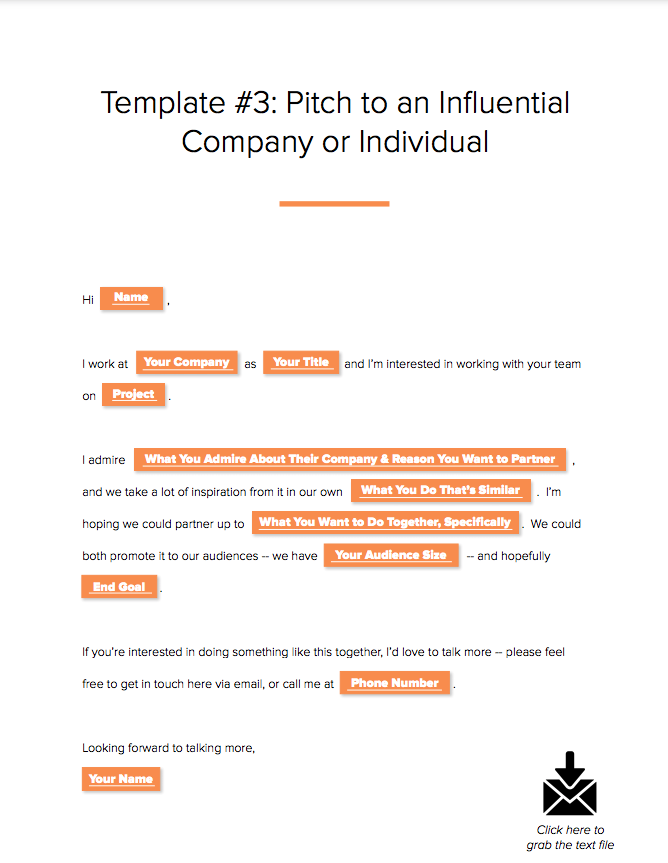
Here’s an example of a template you might use to welcome new subscribers to your newsletter:
Hi [First Name],
Thank you for signing up for [include what someone just signed up for like a blog subscription, newsletter subscription, company services, etc.]
At [Company Name] we’re working to [list a few of your company’s core goals, or include your mission statement]. We highly encourage you to check out [suggest a few recommendations so the reader can continue learning more about your company].
If you ever have any questions please feel free to contact us at [Contact information].
Thank you,
[Company Name, or individual sender’s name]
Featured Resource: 15 Email Templates for Marketing and Sales
We’ve considered the types of emails marketers and salespeople are likely to send on a repeat basis, and crafted templates that can help eliminate that time.
2. Blogging
Blogs give copywriters a chance to dive deeper into topics in a way that isn’t captured through emails, ads, or social media posts. There are so many different types of blogs you might write, so be sure to develop your blog strategy to keep a close pulse on what types of blog posts and clusters perform best for your business.
Since blogs tend to be longer than other types of copy, you want to make sure you’re keeping your audience engaged. Consider what your reader is reading your post for and center your post on answering the topic-related questions readers are most likely to ask.
This blog post template is an example of a product or service review.
Title
Introduction
[Introduce the product/service that you’re reviewing and relevant background information about the company the product/service is from. Clearly state what the reader will gain from reading the post.]
Subheading
[Write a brief using keywords. Use headings throughout the post to break up the key sections your post]
Body
[A few paragraphs will cover the bulk of the review here. If there are multiple features to the product/service section them separately as you review. Be detailed and answer as many questions you think your audience may have about the product or service]
- How much did it cost?
- How is the functionality?
- How was the customer service?
- Are you recommending the product/service?
- Who would benefit from using the product/service?
Conclusion
[Wrap up your post with final thoughts and a CTA if you want readers to check out the product/service.]
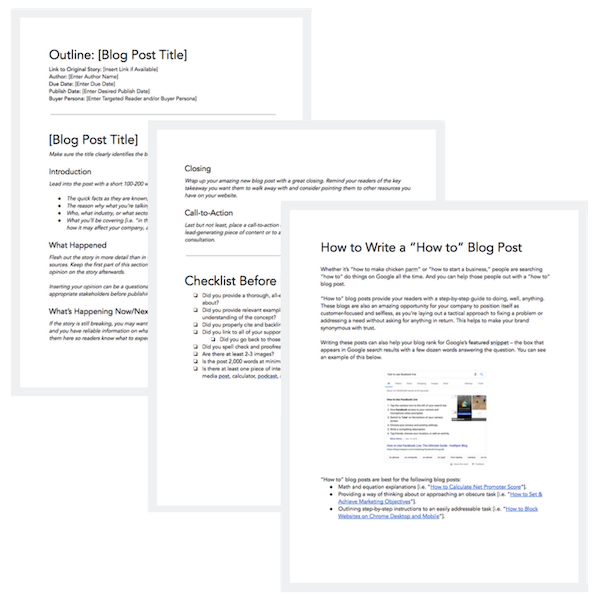
Featured Resource: 6 Free Blog Post Templates
We’ve put together six essential blog post templates every marketer needs — from how-to posts to listicles.
3. Social Media
Writing copy for social media depends on the social platform. If you’re writing copy for Twitter, you have a strict character count, so the copy has to be brief but still appealing enough to get the attention of someone scrolling.
Similar to Twitter, Instagram is known for catchy captions. Character count isn’t as much of a concern on Instagram. However, since the social media powerhouse is visually oriented, you’ll want to write a caption that echoes the image or video in a post.
Overall, the primary goal when copywriting for social media is to thoroughly understand the different use cases of the social media platform for which you’re writing. Here’s an example of an outreach template you could use for another major social media platform, LinkedIn.
Hi [First Name], I just finished [reading/watching your post, reading/watching a post you shared, reading a comment you left on a post, etc.] I found it interesting that [include a few brief key points you found interesting, or anything that you feel showcases some common ground]. I also noticed that we share a few mutual connections like [list mutual connections].
Let’s connect and keep sharing great content with each other!
Featured Resource: Social Media Templates
Download these templates
4. Website Copy
Copywriting for websites is about staying true to the business’ overall brand, while making it easy for users to navigate the site. The copy that makes it to a site plays a huge role in setting the tone for a brand’s voice. When writing website copy, then, it’s critical you collaborate with key decision-makers for feedback to ensure your copy is on brand.
There’s so many different components of a website, so start with clarifying what type of page you’re writing for on the site. This may include, but is not limited to, the following:
- Home page
- About Us page
- Contact page
- Product or Service category page(s)
- FAQ page
- Blog page
Let’s take a look at one of the most necessary pages to include on your site, the About Us page:
[Company name] was founded in [Year] by [Founder’s name]. When [Founder’s name] began building [Company name] [he/she/they was/were] determined to [help ,build, create] a company that offers [include the solution that the company problem solves for].
[Include as much or as little about the founders of your company. Sharing personable stories about how your company was founded is a great way to connect with readers and provide more insight into the people behind your brand.]
[Company name] helps people with [identified pain points of your buyer persona(s)]. To give our customers the best [product or service] we focus on [value proposition #1], [value proposition #2], and [value proposition #3].
[Company name] takes pride in working with people like you to provide quality [product/s or service/s] and exceptional customer service. We look forward to having you as a valued customer.
[Closing Signature]
Featured Resource: About Us Pages Guide + Lookbook
Get inspired by these awesome ‘About Us’ page examples and learn how to make yours great, too.

Download these templates
5. Ebooks
Ebooks are one of the most common types of content copywriters can create. Since ebooks are meant to contain extensive information, it’s best to take the drafting process one section at a time.
Here’s an example of a general ebook template.
Cover/Title Page
[In addition to including the title of your ebook, you’ll also include your cover image. If this is a company resource also add your company’s logo. If it’s a resource coming directly from an individual contributor, include the author’s name.]
Table of Contents
[The table of contents should clearly include a list of all the chapters or sections in the ebook, with the corresponding page numbers.]
Introduction
[Introduce the ebook topic with relevant background information and clearly state what the reader will gain from reading the ebook.]
Chapter/Section Pages
[This is the best part of your ebook because it’s where the core of your information will be for your readers. Break the writing into digestible paragraphs for better readability, and include relevant images to help break up the copy and fill excessive white space.]
Conclusion Page
[This is the closing of your ebook. The goal of your conclusion should emphasize what the reader has gained, and any actionable steps they can use to put their new knowledge to good use.]
Optional pages to include:
About the Author page
[This page helps readers learn more about the author. The background information can vary depending on the author’s level of comfortability, but overall the tone should be personable. This is also an opportunity to speak to the author’s credibility of the ebook topic.]
Interactive pages
[Interactive pages can help keep your readers engaged. These pages may include: quizzes, worksheets, checklists etc. Including an interactive page in each chapter or section can help your reader feel they’re actively learning as they read.]
Resources page
[You’ve most likely referenced tons of sources to help you get the final version of your ebook. Include the most important resources on this page for readers that may want to do further exploration on their own.]
Featured Resource: Ebook Templates
Let us take care of the design for you. We’ve created six free ebook design templates — available for PowerPoint, Google Slides, and InDesign — for a total of 18 templates.

Download these templates
6. Crisis Communications
If you’ve been tasked with writing for a crisis, you’ll need to be especially attentive since this type of content is usually addressing serious or sensitive matters.
Developing clear messaging for crisis communications requires a special level of detail. You’ll want to convey an empathetic tone that appropriately addresses the crisis. It’s a good idea to collaborate with team members to ensure the overall message is properly aligned with your company’s brand.
You may end up creating several pieces of content for a crisis including blog posts, social media posts, emails, an announcement from the CEO, a newsletter, etc. The following template is an overview of what to address:
An overview of the crisis
[Clearly identify the crisis and share detailed background information on what has occurred. If you’re addressing something that includes individuals use discretion. Check with your company’s legal team to ensure all documents are following proper protocol.]
Plan of action and timeline
[Create a plan that includes a timeline of how the events have developed and how your team will be addressing the issue/s at hand. Consider the types of questions media outlets could ask and write prepared statements the company, leadership, and general team members can use to respond.]
Contact information
[Share the best contact information people can use to learn more about what’s happening and ask any additional questions. This could be your company’s PR team or agency or an internal customer service or support team.]
Featured Resource: Crisis Management and Communication Kit
The templates in this crisis communication kit will help your crisis management team prepare for how to handle a crisis and respond to the media during the difficult time. Having clear lanes gives your team to operate effectively during times of crisis.
7. Customer Communications
Customer service is an essential part of any business. Writing to better understand and better communicate with your customers is necessary to foster stronger connections. One of the best ways to better understand your customers is by creating buyer personas. Buyer personas are semi-fictional representations of your ideal customers based on data and research.
Use this template outline to begin developing your buyer personas.
Background
[Create a background for your persona that best exemplifies the types of customers you have. This can include their job title, career path, and family life.]
Demographics
[Include age, gender, salary range, location, and anything else that best represents your customer persona.]
Identifiers
[Identifiers can include your personas general demeanor or communication preferences. This type of information is vital because it helps businesses build a more curated approach for their customers.]
Featured Resource: 17 Templates to Help You Put the Customer First
To help you foster better relationships with delighted customers, we put together this collection of templates — buyer persona templates, email templates, and survey templates — that put the customer first.
8. Case Studies
Potential customers often turn to case studies when they’re researching a product or service they’re interested in buying. Case studies provide evidence as to how a product or service has helped customers by identifying a pain point and providing a solution. They’re a great resource for copywriters to show off their interview skills and boast strong statistics.
The key components of a case study are listed in the following template:
Executive Summary
[Provide a mini headline to grab your reader’s attention. Then, underneath this headline, write 2–4 sentences (under 50 words) summarizing the whole story, making sure to include the most relevant points of the case study.]
About the Client
[Share a brief description of the company you’re featuring in the case study. This should include the name of the company, when the company was founded, what the company does, and any other relevant information you think would be helpful for readers.]
The Challenges
[Write 2–3 short paragraphs describing the pain points your client was experiencing before they bought from you, the challenges this presented and/ the goals that were trying to be achieved.]
The Solution
[Write 2–3 short paragraphs describing how your company worked with your customer to find a solution to their challenges and implement a winning strategy. Use this space to describe how they are now using your product or service to solve their challenges from the previous section.]
Results
[Write a 2–3 paragraph conclusion to prove that your product/service impacted the customer’s business and helped them to achieve their goals, especially if they’ve been able to quantify or speak to the ROI of their investment.]
Call-to-Action
[Use your CTA to lead your prospect to a landing page or a contact form. This will give you more information on who’s reading your case study and who’s interested in your company.]
Featured Resource: Case Study Template
Need help getting your first case study off the ground? Look no further. We’ve put together a comprehensive guide, complete with templates, designed to make the process a whole lot easier.
9. Call-to-Action
A call-to-action (CTA) is an image or line of text that’s included in different types of content to encourage leads and/or customers to take action. In short, you want someone to click your CTA to carry out a desired action.
Add CTAs to blogs, emails, ebooks, and anywhere else you want a lead to complete a certain action to push them to the next stage of the buyer’s journey.
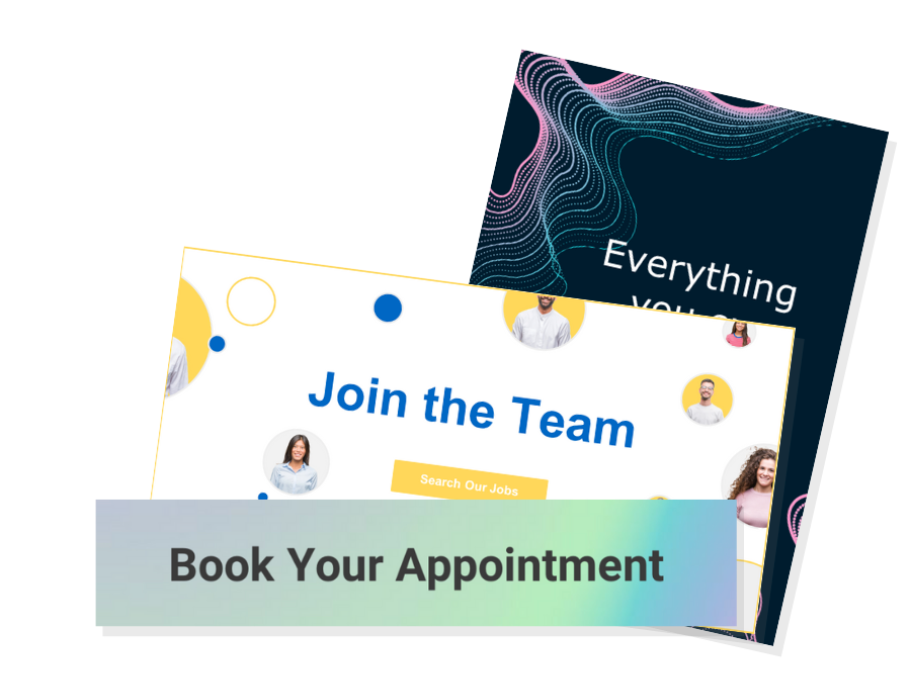
Featured Resource: CTA Templates
These resources will empower you to create an impressive call-to-action strategy by helping you understand how CTAs work across different use cases, while also providing you with the means to create them for your own website.
10. Memos
A memorandum, or memo, is used to address internal communications within an organization. Think about the type of message you’re aiming to communicate. If you’re sharing minutes from a meeting, or detailing new policies and procedures, or communicating anything that people may need to refer back to in the future, a memo is likely a good idea.
Memos tend to be longer and more formal than emails (although you may attach a memo to an announcement email) and may be formatted according to your company’s style guidelines.
Use this general memo template to get started.
Memo: [Memo Title]
Date: [Date of sending]
Memo To: [Individual(s), Department(s), or Organization(s) the memo is being sent to]
From: [Your Name, or the Name of the Department on whose behalf the memo is being sent]
Subject: [Enter a brief, 5-10 word subject line to describe the purpose’s memo]
Introduction
Provide an executive summary of this memo in one-two paragraphs, highlighting the change that is happening, when it is effective, and what the key takeaways are for the memo recipient.
Background
Explain the background for this organizational change in one-two paragraphs. Some questions to answer in this section might be:
- Why was this idea pursued in the first place?
- What data, research, or background information informed this decision?
- What are the intended results of this organizational change?
Overview and Timeline
Describe the organizational change in clear, direct language. Specify the following:
- What will be changing.
- Who will be responsible for driving the change.
- When the changes will go into effect.
Closing
Close things out with a final note on:
- Why employees should feel excited and motivated about this change.
- Where and when employees should submit questions, comments, and/or concerns.
Featured Resource: 4 Free Memo Templates
We’ve drafted up four free memo templates for general, organizational, financial, and problem-solving updates. We’ve also included a best practices checklist for you to review before sending your memo out.

Adding these templates to your marketing arsenal can help you save time during your drafting process. Copywriters are shifting gears from blogs to case studies to emails all the time.
If you’re responsible for writing amazing copy for different types of content on a regular basis, using templates is a great way to get your creative juices flowing.

The 5 Best Ebook Formats for Marketers [Free Templates]
Some argue that in the world of marketing, ebooks are dead. Others say they are not. But the fact is that ebooks — when written, designed, and marketed properly — can generate thousands upon thousands of contact submissions for your business.
Whether you’re just getting started with ebook creation as a marketing tool, or you’re reconsidering the role of ebooks in your existing content strategy, you’re likely asking yourself an important question: What is the best ebook format for the ebooks in my marketing library?
It’s important to note that this question can be answered in two different ways:
- What is the best ebook format for content creation?
- What is the best ebook format for content consumption?
Here, we’ll cover best practices for both of these topics — and explain how HubSpot’s Ebook Templates can help you achieve your marketing team’s lead generation goals.
Featured Resource: 18 Free Ebook Formatting & Creation Templates
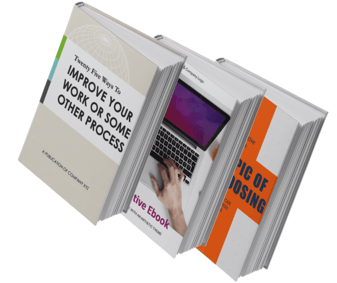
Need help formatting your ebooks? Our collection of 18 free ebook templates will help you create and format your ebook content for an incredible reader experience in Microsoft PowerPoint, Adobe InDesign, and Google Slides so that you can format your ebooks in the way that best suits your marketing team and your content readers.
The 3 Best Ebook Formats for Content Creation
1. Adobe InDesign
Adobe’s advanced design software gives content creators a myriad of options for creating and formatting their ebooks.
These advanced features do come at a price, but experienced marketing designers rely on Adobe InDesign because of those features.
Click Here to Download 6 Adobe InDesign Ebook Templates.
Pros:
Adobe is known for being feature-rich. As a result, you can expect your ebooks to look their best when made with InDesign, as you’ll be able to create and incorporate original design elements right in your document.
Cons:
For an inexperienced designer or for the marketer who just needs to get a serviceable offer released, the bells and whistles that InDesign offers might not be necessary. InDesign’s interface and usability aren’t the most straightforward, and could require you to put in more effort than is needed for your final deliverable.
2. Google Slides
Google Slides is a simpler tool for making an ebook when compared to InDesign, and the fact that documents live online mean you can collaborate in real-time with your team members to make a fantastic deliverable. Oh — and it’s free, which is helpful if you have a limited marketing budget.
Click Here to Download 6 Google Slides Ebook Templates.
Pros:
Google Slides is a great tool for marketers who need to make a good ebook quickly — especially if you’re working alongside team members and are sourcing feedback from them. The interface of Slides is arguably more straightforward than InDesign’s, meaning you can move and edit creative elements faster if you’re new to both tools.
Cons:
Because Google Slides is primarily a presentation tool rather than an ebook creation tool, you may miss out on some necessary features that would help make your ebooks the quality they need to be in order to warrant your leads’ attention.
Conversely, you might need to make design elements elsewhere, such as an Adobe software or Canva, and later import these creative elements into your Slides deck. This could create an inconsistent creation experience if you need to track down design elements after you’ve created them.
3. Microsoft PowerPoint
A slightly more advanced option than Google Slides — but not quite as advanced as Adobe software — PowerPoint is another presentation-making platform that can be used to design an ebook.
Pros:
PowerPoint has some features that Google Slides does not, such as better effects for designing. PowerPoint is also an offline software, meaning you can build your ebooks without wifi.
Cons:
PowerPoint is a paid software, as opposed to a free tool available in G Suite. You’ll also be in asynchronous communication with your team if you’re collaborating with them on edits and additions. Lastly, while it has better creative features than Slides, it doesn’t come close to the advanced features of InDesign.
Click Here to Download 6 Microsoft PowerPoint Ebook Templates.
The 2 Best Ebook Formats for Consumption
1. Interactive PDF
The best ebook format for ebook consumption is an interactive Portable Document Format, or PDF.
PDFs are the go-to option for content marketing ebooks for many reasons — among them the consistency of their design and readability on different devices.
We at HubSpot use PDFs for our ebooks because we can embed links to relevant pages and sources in them, can upload them right into our content library and File Manager, and trust that the design will appear as intended if our leads open the ebook in Chrome, Safari, Preview, on their phones, or on a desktop.
The interactive nature also means if we include an open text box for readers to complete an activity in the book (like in our Content Marketing Workbook), readers can complete the activity in whatever application they’re consuming the content.
2. EPUB
EPUB, short for electronic publication and saved with an .epub file extension, is another way for you to save your ebooks.
EPUBs rose in popularity after becoming a prominent ebook format for e-readers, but given its accessibility on Apple macOS and iOS products via Apple Books, the format is also a viable — though somewhat limiting — option for content marketing ebooks.
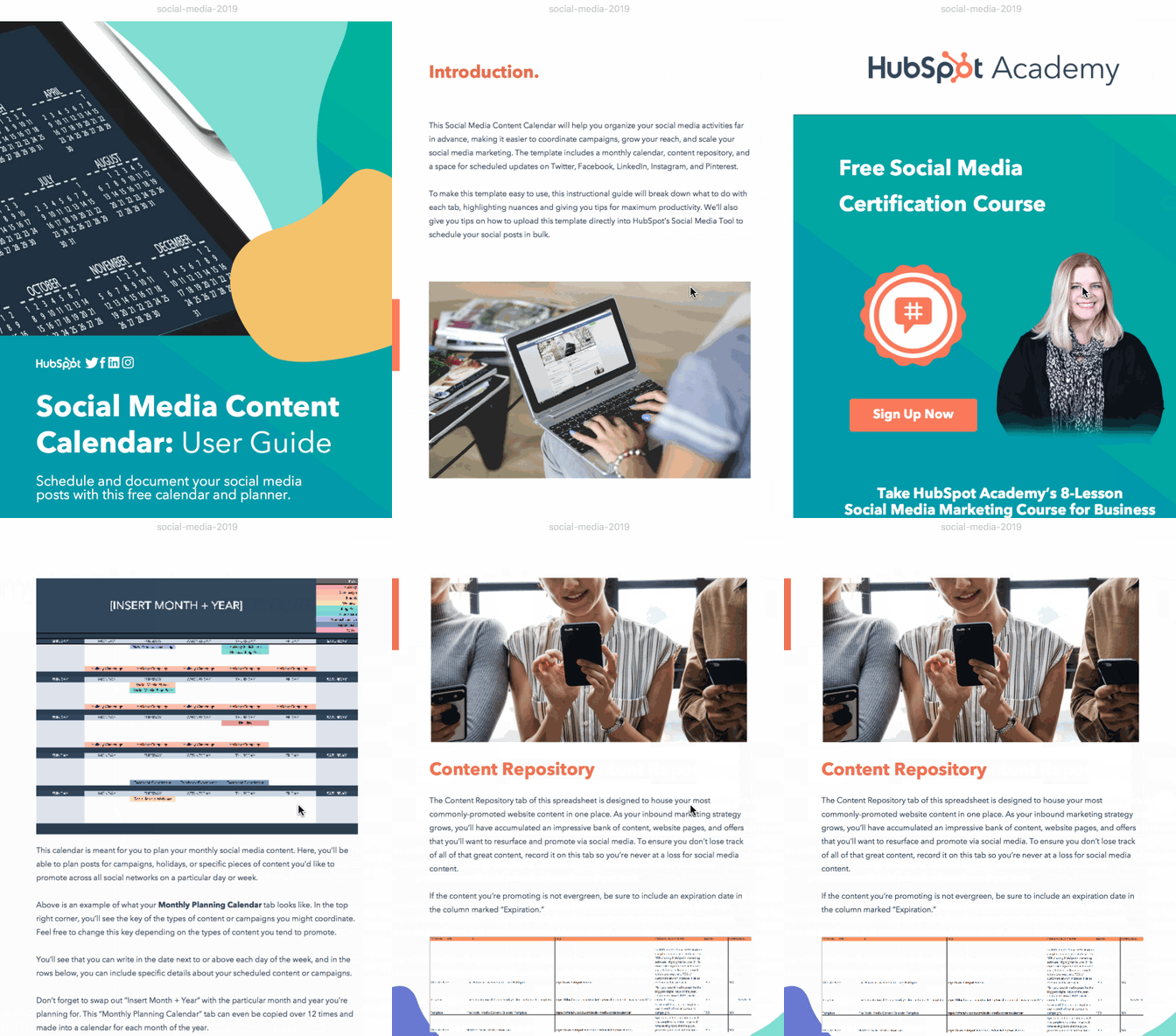 One unique feature of the .epub file format is its scrollability. To mimic the reading of an actual book, readers can view one page at a time and must scroll or swipe horizontally, as opposed to vertical scrolling with PDFs, which gives your readers the feeling of reading a book as opposed to interacting with website content. However, this also means readers might have to do more work to navigate the content and find the information they are looking for.
Additionally, video and audio files can be embedded in the .epub format, unlike PDFs, which means your readers can consume more interactive content without leaving the ebook.
If you’re tired of the PDF option and want to spruce up your content format, you can save your InDesign ebooks as an .epub file – just be prepared for some readers being unable to read your content, which is something you likely don’t want to be the case.
Formatting Your Ebooks
There’s no one perfect ebook format, but that just means there’s more options for your team to work with.
If you’re just getting started, we recommended using Google Slides – since you’ll be able to collaborate with your team more easily, create your content for free, and see how your audience reacts to ebooks before making a major investment in time and resources.
As you scale, and if you’re able to work with a designer, we suggest formatting your ebooks in InDesign.
When it comes to saving your ebooks, it’s best to stick with the interactive PDF format for wider accessibility.
Either way, make sure you check out HubSpot’s 18 Ebook Templates for free InDesign, PowerPoint, and Slides templates to build, format, and design your ebooks.

Google Maps Marketing Strategy: The Ultimate Cheat Sheet
When I’m looking for a business that will have what I need, whether it’s food or office supplies, I use Google Maps. I know that the search results will give me enough information to pick the best option, like reviews, ratings, photos, and location information.
I’m not alone in my preference for Google Maps, as it is six times more popular than other navigation apps. Given its popularity, it’s critical you optimize your business to appear in Google Maps search results.
In this piece we’ll cover the basics of Google Maps marketing, best practices for optimizing your Google My Business for search results, and marketing tactics you can employ to improve your local SEO.
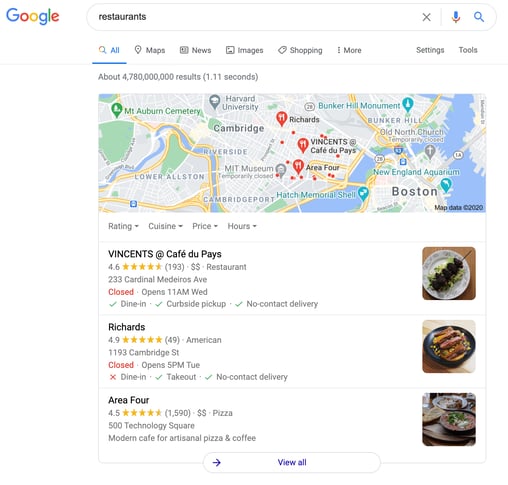
Google Maps marketing is beneficial for large and small businesses alike, especially because of Google Maps Local 3-Pack. Local 3-Pack is the first three businesses shown in search results that Google considers to be most relevant based on a user’s current location or the location where they’re searching.
The image below is an example of a Local 3-Pack for a restaurant query in Cambridge, MA. These three businesses are what Google considers to be most relevant based on the search query and the location where the search is being conducted.
You can think of it like this: if your Google Maps marketing strategy is focused on optimizing your Google My Business profile for search results, Google will take note of this and show your business in the Local 3-Pack for relevant queries relating to your company. This increases visibility, and increases the likelihood of consumers visiting your business and making a purchase.
What is Google My Business?
Google My Business is a free tool for business owners to manage and optimize their business’ profiles on Google Maps.
A Google My Business profile typically includes your business’ name, location, and hours of operation. The image below is an example of a typical Google My Business profile from one of the top restaurants from the image above.
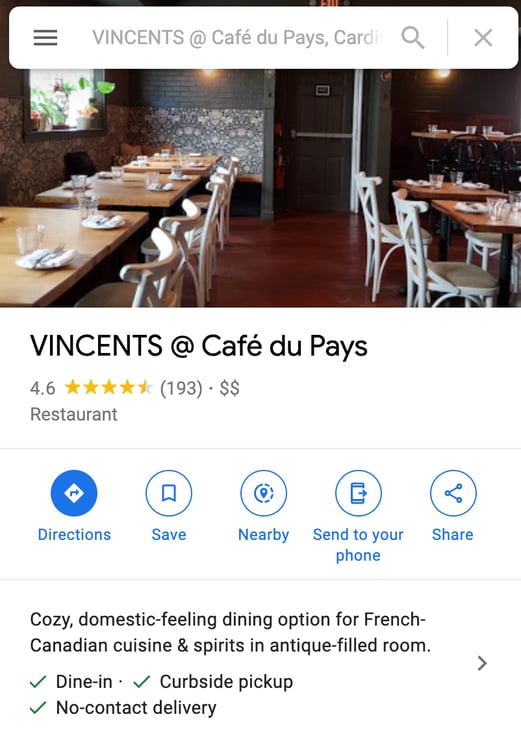
When you claim your business using a Google My Business profile, you can optimize your Google Maps presence by ensuring that customers only have access to relevant, up-to-date information.
You can also use your profile to interact with customers when they leave reviews and track Google Maps Ads insights to understand how customers interact with your profile.
Google Maps Ads
Although marketing on Google Maps is free, local search ads can boost your business’ visibility in Google Maps search results.
Using these ads will bring your business listing to the top of search queries for keywords relevant to your business. Google Maps ads use location targeting, so they’ll only show up for location-relevant searches. These ads appear in desktop and mobile searches (shown below).
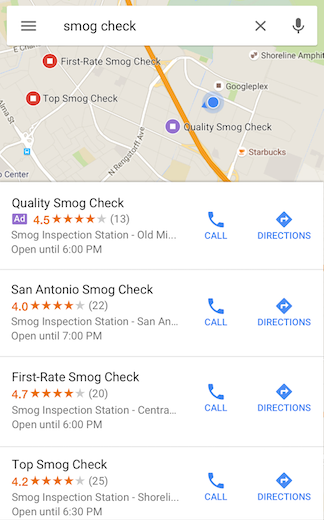
When you create ads for your business, you can track their performance to get a sense of how customers respond to your ads and take further actions like using your address to get Google Maps directions or click on the listed phone number to call you.
How To Optimize Your Google My Business Account
To appear in Google Maps results, you need to optimize your Google My Business profile to include up-to-date information. Let’s go over the profile elements that marketers should focus on to perfect their Google Maps marketing strategy.
Verify Your Business
The first thing you’ll want to do is claim and verify your business. This means that you claim a business as your own within Google Maps, so you’re the only person with the ability to change information in your business profile.
This verification process is done through Google, and most businesses can do so through postal mail.
Mark Relevant Categories and Attributes
Categories describe your business and the services you provide. Customers often come across businesses in Google Maps by searching for categories, like “pizza restaurant” or “coffee shop.”
Google recommends that you choose a primary category that describes your overall business, like “Pet Groomer.” A further best practice is using additional categories that let customers know more about what your business offers. So, continuing with the previous example, if you’re a pet groomer that also sells pet supplies, you’d want to include an additional category for “Pet Supplies.”
Attributes are the amenities a business offers, like accessibility functions or outdoor seating. Google has recently added attributes to mark when businesses are black-owned, women-owned, and LGBTQ friendly. Google recommends that businesses select the most-relevant attributes to display in their profile.
Location and Service Areas
If your business has a store-front location, using the right address is crucial for optimizing your profile. Google recommends using a USPS or postal service approved address that includes all relevant information like room or suite number and a nine-digit zip code.
If your business services customers at their homes or businesses, like a cleaning service, you’d want to include an address for your primary location and add specific service areas where you do business.
Optimized Introduction
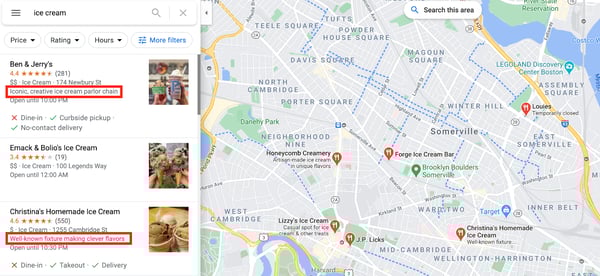
One of the most essential optimization factors for your Google My Business profile is an optimized introduction that gives customers a summary of your business. These introductions should be brief and include relevant keywords that users may search for. Short descriptions of your business are shown in tile search results, as shown below.
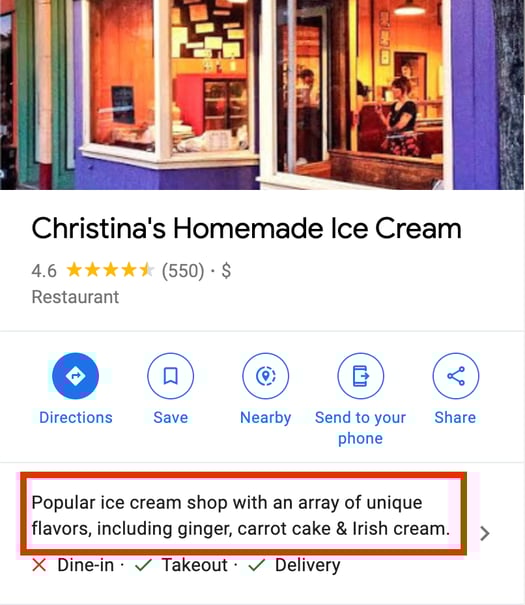
Longer descriptions appear when a customer clicks on your specific business, as shown below.
Reviews
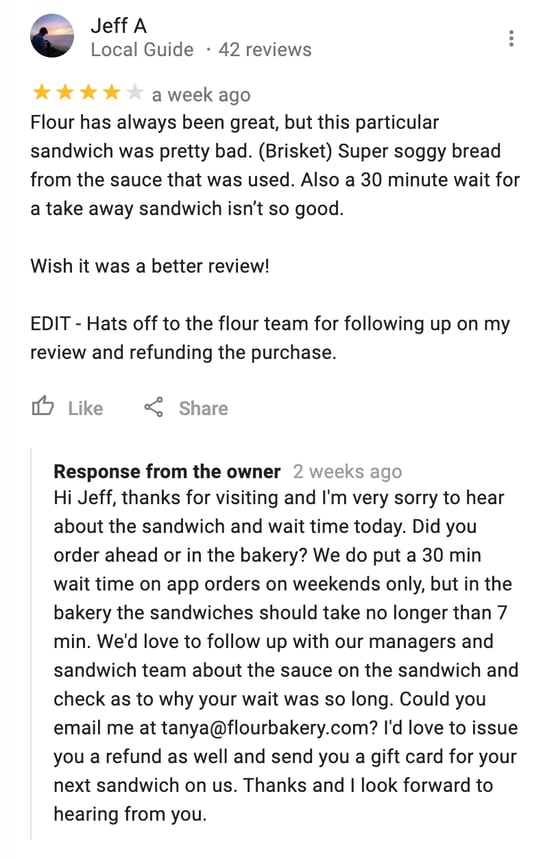
Google recommends responding to online reviews of your business, which enables new people to find you online, and demonstrating to existing customers that you value their feedback. You might consider asking happy customers to leave reviews or even incentivizing them with a coupon in exchange.
Having reviews on your profile is also a great way to build social proof based on a psychological idea that says people determine what is good by finding out what other people think is correct. Reviews help build social proof because consumers value enthusiasm from other consumers, and they spend 31% more when a business has positive reviews. Consumers also trust user-generated content (UGC), like reviews, 9.8x more than paid advertisements.
Alternatively, if someone leaves a negative review, it’s still essential you respond. Look at Google’s guidelines for how to respond to a negative review.
In search result overviews, reviews appear as star ratings in a business profile, as shown below.
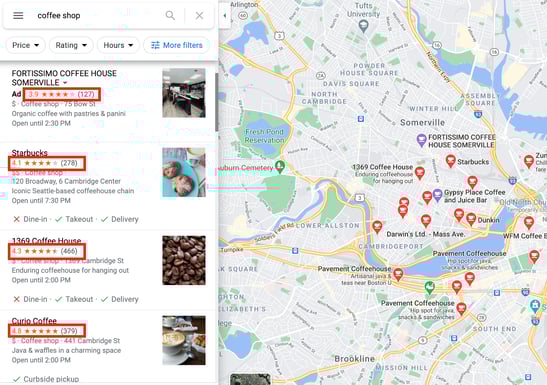
When a user clicks on the business they’re interested in, reviews appear towards the bottom of the business’ profile. Anyone can read these reviews, view ratings, and leave their own. This is demonstrated in the GIF below.

Photos
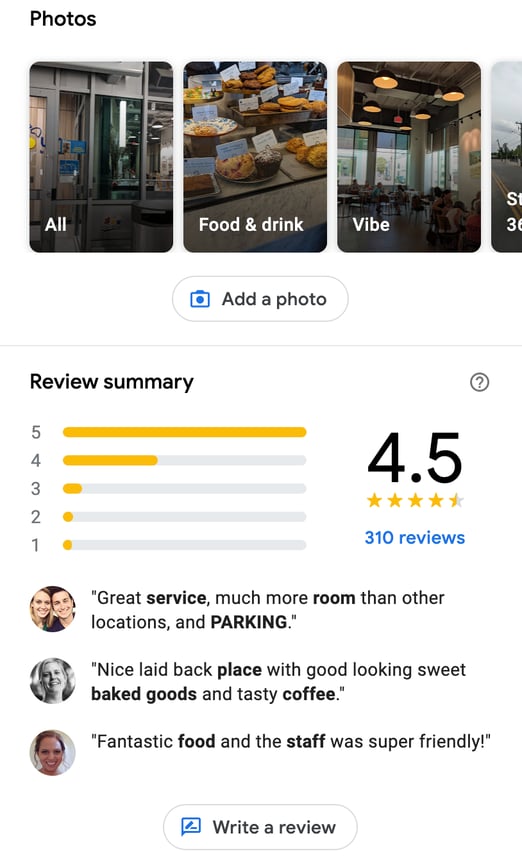
According to Google, businesses with photos receive 42% more requests for driving directions to their location and 35% more click-throughs to their website. To optimize your account for search, it’s vital that you provide pictures of your physical store and images of your products or services.
Customers can also upload photos, which is another form of UGC to benefit from in business reviews.
Best Google Maps Marketing
Let’s look at two examples of businesses in the Boston area that have successfully optimized their Google My Business profile for effective Google Maps marketing.
Flour Bakery
When I searched for “bakery” in my area, Flour Bakery was one of the first results. Flour Bakery has taken advantage of all Google My Business optimization options to build their Google Maps presence. They’ve included a brief summary of their services, accurate location, hours, and links. They also used the Google Attributes feature to call out relevant aspects of their business, like being women-led and LGBTQ friendly.
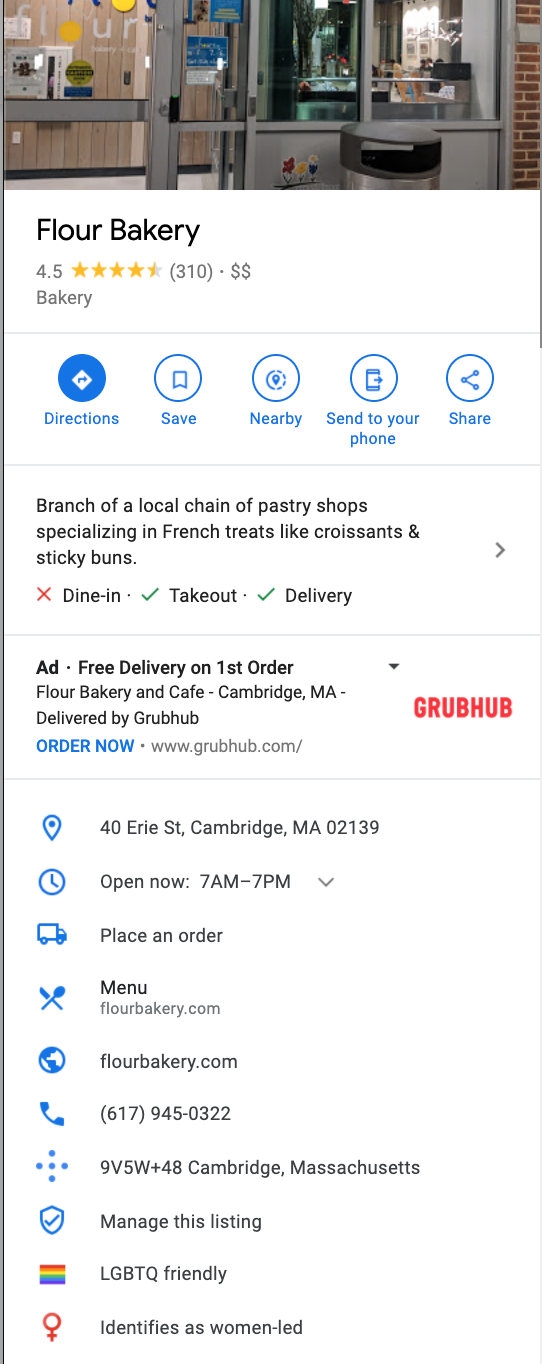
They’ve also included relevant photos and allow customers to leave reviews.
Flour Bakery also responds to reviews, showing existing and future customers alike that they care about consumer experience and are willing to rectify problems, should they arise (shown below).
Blue Nile Restaurant
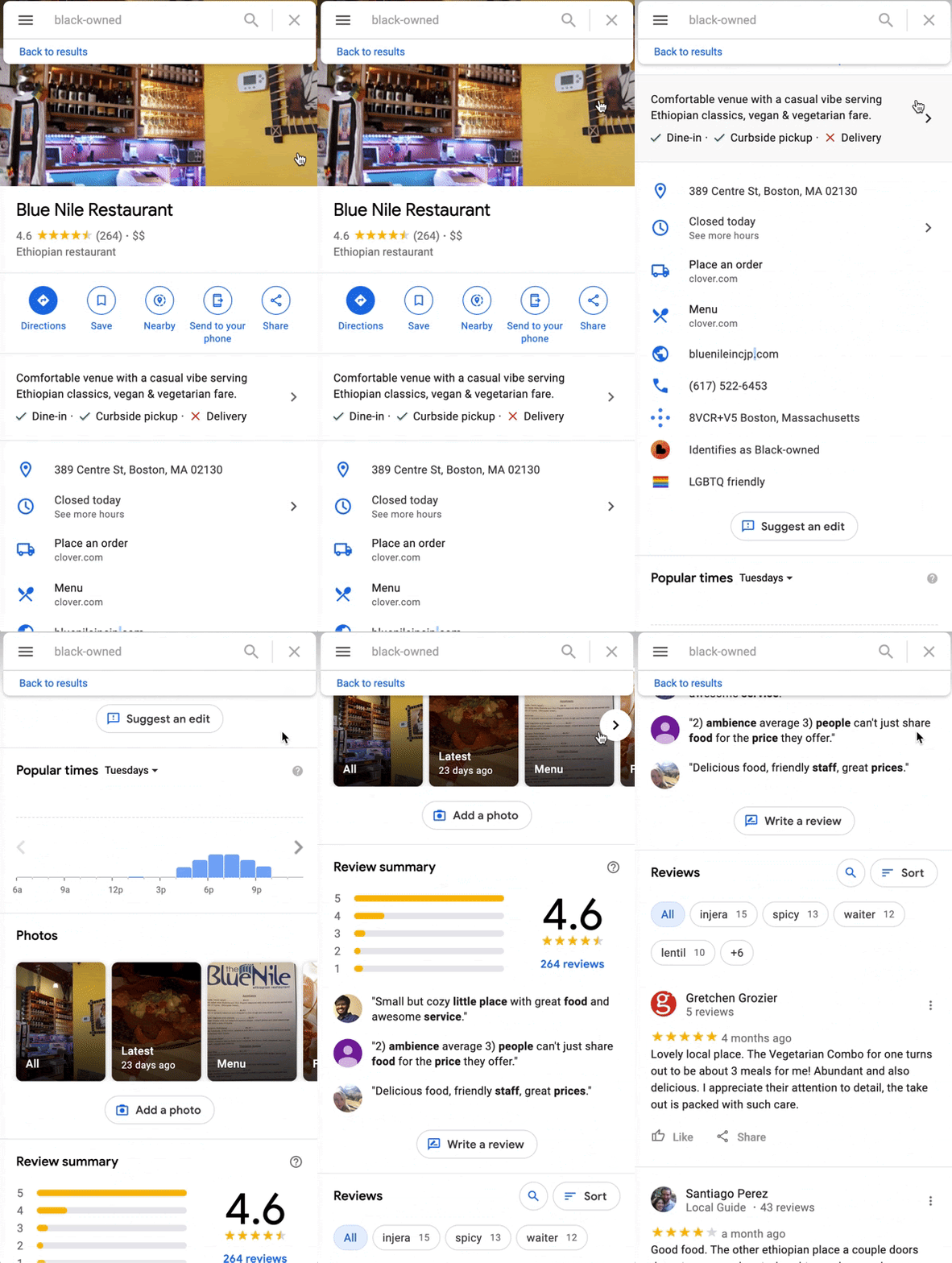
Say you’re looking for a black-owned business to support during your next meal. If I query the words “black-owned,” Blue Nile Restaurant comes up.
They’ve successfully optimized their Google My Business profile and selected an attribute that makes them easily identifiable (being black-owned). They’ve included an accurate address, hours, and phone numbers and allowed customers to leave reviews and add their own photos (shown in the gif below).
Marketing Strategies to Improve Local SEO
Google Maps is the most popular navigation app by a landslide, with 67% of total navigation users — second to Maps is Waze, with only 12% of total users.
This means it’s a critical tool for ensuring local consumers can find your business.
Google Maps can help bolster your online presence in local search results, which demonstrates your legitimacy and relevancy as a company — you wouldn’t be able to rank #1 for “nail salons near me” if you’d closed down months ago. Additionally, ranking high in search will ideally convince consumers to choose your business over a competitor’s.
To improve local SEO, try these three tactics:
Get links back to your site from local businesses or bloggers.
To improve your local SEO, consider crafting a strategy to get backlinks from other local businesses. You could create a deal in which you link to another business’ site in exchange for a link from them.
Alternatively, depending on your industry, try reaching out to local bloggers to ask for reviews — for instance, if you run a Bed & Breakfast, you might ask travel bloggers to stay for free in exchange for an online review.
Submit your site to local business directories.
Try submitting your site to local business directories like Yelp, Local.com, and Superpages, and ensure all information across each of the sites is accurate — ultimately, the more websites that reference your business, the better.
To submit your site to Yelp, for instance, go to https://biz.yelp.com/signup_business/new and fill in the form. Once the site is verified and approved by moderators, you’ll receive an email on how to claim your business page.
Keep track of performance via Google’s Insights tool.
Once you’ve created a Google My Business profile and optimized it for Google Maps, you’ll want to track analytics using Google’s Insights tool.
To access Insights on a desktop, sign in to your Google My Business account, open the location you’d like to manage (if you have multiple locations), and click “Insights” from the menu. On mobile, open the Google My Business app, click “More,” and then tap “Insights.”
Insights allow you to see how many times people have seen your business information, how many times people have requested driving directions to your location, and how customers can find your listing.
Optimize Your Google Maps Presence
Ultimately, an optimized Google My Business profile is another addition to your digital marketing strategy that gives your business more visibility, especially in Google Maps search results.
A business profile that gives an accurate address, phone number, and contains a significant amount of customer reviews will likely attract new customers, helping you grow your reach and drive revenue.

How to Maximize Your Marketing Efforts with These High-Impact Techniques
As a marketer, I’d like to believe all my marketing efforts are high-impact.
Unfortunately, that isn’t always the case.
Consider the blog post that resulted in 25 views, and 0 leads — or the Facebook campaign that totally flopped, with a much lower ROI than expected.
Of course, high-impact marketing is any marketer’s goal. High-impact marketing means you’re getting the biggest bang for your buck, and that your time and resources are having a strong, positive impact on your business’ bottom-line.
But high-impact marketing is easier said than done. Here, we’ll explore what high-impact marketing is, examples of high-impact marketing, and finally, how you might maximize your own marketing efforts for highest possible impact.
Let’s dive in.
What is high-impact marketing?
High-impact marketing is any marketing efforts that have significant impact on your business’ bottom-line.
High-impact marketing can range depending on your business goals and industry — additionally, high-impact marketing doesn’t necessarily correlate with the amount of money you spend.
For instance, perhaps you create a low-budget YouTube video that results in thousands of views, and a 15% lead conversion rate. That’s high-impact, regardless of the amount of money you put into the video.
Fortunately, this means high-impact marketing doesn’t have to break the bank to be effective.
Of course, which types of marketing will have a high impact on your bottom-line depends on your unique marketing goals. For instance, if your goal is to increase brand awareness, perhaps you find Instagram has the highest impact. Alternatively, if your goal is to establish thought leadership, perhaps you find you have higher impact by guest posting on various blogs.
Examples of High-Impact Marketing
To fully understand the definition of high-impact marketing, let’s consider a few examples of high-impact marketing in-action:
- A YouTube strategy that increases leads for your company while reaching new audiences and increasing brand awareness.
- A podcast advertisement that increases sales for your new product.
- A PR campaign that increases positive perception of your brand, as measured by a public perception survey.
- A blog post with a 10% conversion rate, higher than industry standards.
- An Instagram post that receives high engagement rates and increases your account’s follower count.
- An online co-marketing webinar that enables you to reach new networks via your partner’s channels.
There are many more, of course, but ultimately, these examples are meant to demonstrate just how wide-ranging high-impact marketing can be.
High-impact marketing will depend on your goals, industry, and the types of marketing best-suited for your brand. What results in a high ROI for one company could be a waste of time for another.
Next, let’s dive into some specific high-marketing techniques you might implement depending on your goals to drive lasting results for your company.
How to Maximize Your Marketing’s Impact
1. Ensure you’re targeting the right audience.
Best for: Brand awareness, increased leads.
To create the highest-impact marketing campaigns, it’s critical you do your research to ensure you’re targeting your ideal audience.
Of course, your audience will vary depending on your goals. For instance, perhaps you’re putting together an online event targeted towards entrepreneurs. If that’s the case, you’ll want to target a wide audience by identifying any social media users who’ve shown an interest in entrepreneurship. Since your goal is to get as many attendees as possible, you don’t need to get too hyper-targeted.
Alternatively, let’s say you’re looking to increase sales on a new product. If that’s the case, you don’t want to target a large audience — instead, you want to focus on a select group of people who seem ready-to-buy. In that case, you’ll want to target viewers who’ve visited a landing page for your product, or viewers who’ve clicked on an ad for that product over the last six months.
Ultimately, you don’t want to spend too much money or resources targeting people who are never going to convert, so for truly high-impact marketing, it’s critical you take the time to target the right audiences.
Take a look at How to Find Your Target Audience to learn how to identify the right audience for your own goals.
2. Create a strong partnership program.
Best for: Reaching new audiences.
A partnership program, or co-marketing campaign, can help you reach new audiences, demonstrate expertise in your industry, create high-quality content for leads and customers, and so much more.
Additionally, backlinks from other companies is invaluable for SEO, so a partnership program is a win-win on all accounts.
To create a truly impactful co-marketing campaign, consider hosting a webinar with a partner, creating an e-book with a partner to share with the partner’s network and increase brand exposure, or writing a series of guest blog posts for each other’s sites.
Co-marketing campaigns can have high impact by delivering exceptional value to leads and customers. For instance, consider this actionable guide HubSpot created with LinkedIn to help viewers learn how to get the most out of their LinkedIn marketing efforts.
While HubSpot could have written its own content regarding LinkedIn best practices, it’s higher-value when it combines forces with LinkedIn. Additionally, this ebook is now shown to both HubSpot and LinkedIn networks, ensuring broader reach.
Best of all, co-marketing efforts don’t have to be high-budget. In fact, partnership programs can be incredibly cost-effective, since you’re dividing the amount of resources needed by half.
3. Publish on various social channels.
Best for: Increased brand exposure, establishing thought leadership in an industry.
Social media is one of the most effective opportunities to achieve any of your marketing goals.
Don’t believe me? Consider this: 54% of social browsers use social media to research products.
Additionally, 73% of marketers believe that their efforts through social media marketing have been “somewhat effective” or “very effective” for their business.
Best of all, social media is one of the most cost-effective marketing strategies.
Of course, a social media strategy needs to be comprehensive to be as high-impact as possible. For instance, to increase thought leadership, you might consider asking executives to post thought leadership content regularly on LinkedIn and share it with experts in the industry. Alternatively, perhaps you’ll want to post advice from industry leaders on your own Instagram or YouTube accounts.
Additionally, it’s critical you ensure you’re using the best platforms to reach the right audiences. There’s a wide variety to choose from — including Facebook, Instagram, LinkedIn, Tik Tok, YouTube, Twitter, and more.
Conduct research to find where your target audience spends the most time, and then alter your strategy accordingly.
4. Maximize referrals.
Best for: Increased sales.
Considering it costs anywhere from five to 25 times more to acquire a new customer than to retain an existing one, it makes sense that you’ll want to leverage existing customers for high-impact marketing.
The inbound flywheel is made up of three sections: Attract, Engage, and Delight. To create sustainable, long-term growth, it’s critical you enable your flywheel to reach maximum speed.
To do this, you might create a formal referral program, in which existing customers earn a discount for recommending new customers.
Additionally, you might consider encouraging current social media followers to refer new followers to your social pages. To incentivize them, you could host a giveaway — if a follower tags 3-5 friends in the comments section, they have the chance to win.
You’ll also want to ensure customers have a good experience with your brand, start-to-finish. If customers are impressed with your customer service, for example, they’re more likely to recommend you to friends for free.
Now that’s high-impact.
5. Optimize for SEO.
Best for: Demonstrating expertise, increasing exposure to new audiences.
Finally, optimizing your website, blog posts, and even social media pages for SEO is critical for long-term marketing success.
Your blog posts, for instance, will be much higher-impact if they appear in search results for related queries. Otherwise, email and social media traffic can only get you so far.
Additionally, your website will have much higher-impact on your company’s bottom-line if it ranks in the top ten search results for related keywords.
Consider, for instance, the impact your website might have on sales if prospects are able to find your company whenever they search for products or services related to your industry.
An SEO strategy is a long-term play, but it’s one of the best opportunities you have for creating content that continues to impact your bottom-line well into the future.

9 Product Category Marketing Examples to Inspire Your Own
Stores and websites aren’t a mishmash of products with no discernible organization for a reason. People want a sense of direction and a positive customer experience, even when they are “just browsing.” They also want to know they are in good hands when it comes to the product category they’re exploring — whether that’s kitchen tools, breakfast cereals, or winter coats.
Product category marketing helps your brand stand out among related items, so your company’s products wind up in the shopping cart — whether real or virtual.
What is a product category?
A product category is “a particular group of related products,” according to the Cambridge Dictionary.
Your distinct offerings and customer personas should guide the organization and grouping of your product categories.
For example, REI Co-Op offers a wide range of outdoor gear. To guide customers, they split their products into interest-based categories, such as running, climbing, and snow sports. For fashion retailers, it makes more sense to organize categories by product type, such as shoes, shirts, and pants.
Product category marketing amplifies why a company is the best choice within that group of products. Why should customers opt for your offering rather than your direct competitors?
Gaining brand recognition and appreciation across a product category means greater returns for your marketing efforts. When consumers have positive experiences with a specific product category it also builds brand trust, which often expands to other categories through the halo effect.
Product categories are sometimes confused with product classification. Both are organizational strategies and both help guide marketing decisions, but classifications are much broader (think convenience goods, shopping goods, and specialty goods).
Let’s take a look at nine product category marketing examples to inspire your own.
9 Product Category Marketing Examples
1. Fenty Beauty
Product category: High-end foundation makeup
Admittedly, it helps to have singer and business powerhouse Rihanna at the helm. But Fenty Beauty innovated the idea of foundation makeup “for all,” and its commitment to inclusivity made the brand an instant hit.

Beyond foundation, the Fenty Beauty Face products include bronzer, highlighter, powder, and concealer in shades that work for everyone. The launch was an industry transformer, with established brands expanding their foundation color lineup in response.
The marketing for Fenty Beauty Face products zooms in on the wide palette of available colors, and features models and influencers across the shade spectrum.
2. Orvis
Product category: Dog beds
This Vermont-based retailer has been a big name in fly-fishing and outdoor gear since 1856. But they’ve also carved out a product niche with dog gear — and dog beds in particular. The brand draws people who want comfortable dog beds for their furry pals in styles that enhance their home decor.
The marketing images of dogs sleeping or lounging on Orvis beds is enough to inspire a nap. They’ve made their site a resource for dog health and behavior topics. And their social feeds are chock full of irresistible images and videos of dogs, including puppies in a hammock (!).
3. Ikea
Product category: Bedding
Putting together their furniture may be a tough task, but at least Ikea supports your relaxation too. The marketing of their bedding shows off playful sheets and prints for the kids and a mix of bold designs and neutrals for adults. The bed linens product category is grouped under ‘home textiles’ together with curtains, quilts, pillows, and towels.
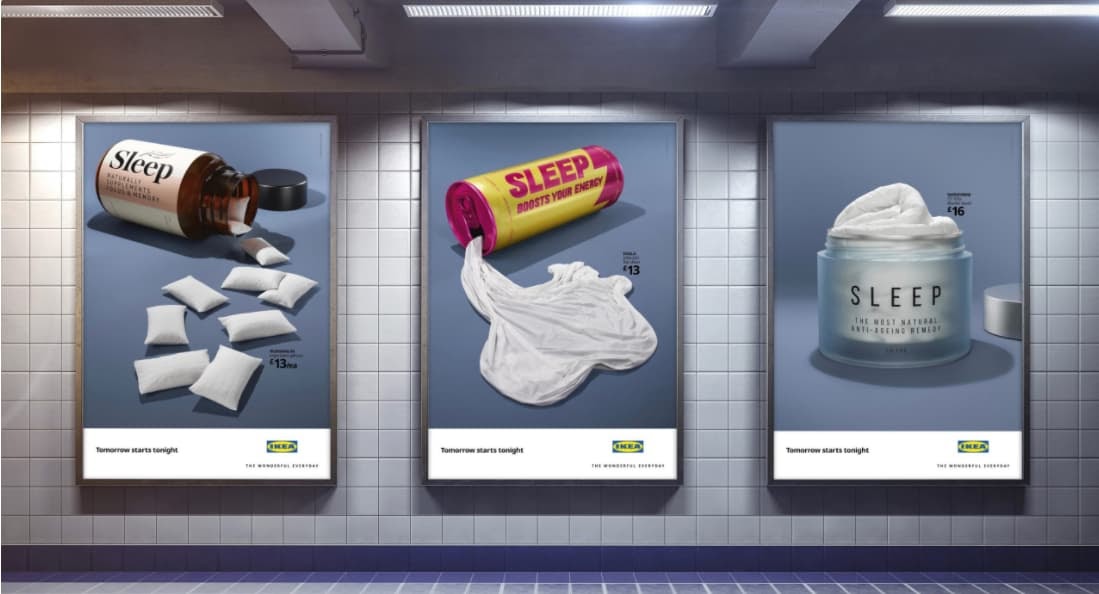
A playful Ikea ad campaign in the UK even featured bottled bedding and pillows, connecting the dots between a restful night’s sleep and health. In the current pandemic, the company marketed the idea that comfortable bedding was essential — especially when your bed is doubling as your office.
4. Swarovski
Product category: Jewelry
For more than a century, Swarovski has put the sparkle in gowns, tiaras, jewelry, and decorative sculptures. For their jewelry product category, Swarovski puts luxury within reach with a mix of modern and classic crystal necklaces, earrings, bracelets, and watches.
They sustain brand awareness with seasonal collections, collaborations with designers and celebrities, such as Karl Lagerfield and Penelope Cruz, and pop culture-inspired releases. This fall, their #SparkDelight social media campaign featured influencers sharing tips for finding joy in the little things since big events were off the social calendar.
5. Target
Product category: Grocery essentials
Target is known for its positioning across product categories, including affordable fashion, electronics, and cleaning supplies. Though they’re grocery section is smaller than most supermarkets, they cover all of the ‘must-haves’ on any shopping list — from milk to salads to pasta.
In 2019, Target added its own brand of grocery essentials with their Good & Gather line, which includes frozen berries, cereals, snack foods, and eggs. Their Instagram Stories showcase easy snack and meal ideas, and feature foodie influencers like TikTok and Instagram sensations Tabitha Browne and Lisa Lin.
6. Dove
Product category: Skin care
Launched in 2004, Dove’s ‘Real Beauty’ campaign was far ahead of other brands in promoting body positivity and self-acceptance. Their ad campaigns for body lotions and soap have long featured women with a wide variety of body types and skin colors.
Rolls, wrinkles, cellulite, and stretch marks are all on proud and beautiful display across their social channels. Today, their skin care brand identity is equated with self-confidence, and Dove body lotions and soaps are frequent flyers on ‘best of’ lists for affordable skin care.
7. Michaels
Product category: Holiday and seasonal decor
The company known for DIY is also a go-to spot for holiday and seasonal decorating. Michaels stores transform every month or two with festive decor for spring, summer, Halloween, Thanksgiving, Hanukkah, Christmas, July Fourth, Mardi Gras, and Pride Month.
Black Friday deals = an extra merry holiday haul 🙌 #SpottedAtMichaels
📷: @vickiboutin pic.twitter.com/dxmiIq9zbC— Michaels Stores (@MichaelsStores)
November 28, 2020
Their social media and weekly ads herald each season with ready made decorations galore.
8. Patagonia
Product category: Eco-friendly outerwear
Patagonia’s tagline is “We’re in business to save our home planet” and the company’s marketing efforts lead with their commitment to sustainability across product lines. Their website urges consumers to “Buy Less” and prominently features a section of “Used Gear.”
When you visit their Facebook or Instagram pages, you have to hunt a bit to find posts highlighting particular products. Instead, the feeds focus on pressing issues, such as environmental stewardship and fair labor practices.
When you do need to purchase a new (or used) piece of outerwear, consumers know they are supporting a company actively minimizing their negative impacts.
9. Grove Collaborative
Product category: Green household cleaning supplies
Grove Collaborative is another company focused on sustainability. Their goal is to make it simple and affordable for people to choose green household products that are non-toxic, sustainable, and cruelty free.
The company offers eco-friendly cleaning supplies, including concentrated soap and detergent refills and reusable glass bottles, which they send out in recurring monthly shipments.
Their marketing reflects their minimalist ethos, with images of their cleaning products at the ready in pristine kitchens and bathrooms. Grove uses Instagram Stories to attract new customers with product images, cleaning tips, and even humorous videos.
The company also shares ideas for holiday meals and decorating, and releases a monthly ‘Sustainability Snapshot’ of their environmental impact, such as the number of single-use plastic bottles they keep out of land-fills.
Each of these brands has clarified where their products fit in larger retail categories. This helps them market their distinct value to target customers and, ultimately, earn a greater market share within these product categories.

8 Really Cool Ways to Use Video in Email Marketing
This morning, as usual, I started my day by checking my emails.
While this process doesn’t usually excite me and is just my method for waking up, I came across a subject line that made my heart race with excitement:

Knowing that I would be starting my day with a new music video from one of my favorite bands made me smile. It also made me feel valued as a subscriber to their record label’s emails — with just one video, Specialist Subject Records strengthened the consumer relationship I have with them.
This is why video email marketing is such an effective strategy. With a simple embed and subject line, you can build stronger relationships with customers, generate leads, and strengthen the content behind your brand.
Let’s talk a little more about it.
What is video email marketing?
Video email marketing is simply including videos in email marketing. If you’re unsure about how to do that, we have a quick how-to post here.
Because video is an extremely popular medium in marketing, (in fact, 83% of marketers feel its importance is only growing) including it in your email marketing can engage your subscribers and increase your conversions.
Additionally, did you know that over 80% of businesses use video in their marketing efforts? This is likely because of the results video implementation gives them. While using video in email can seem like a taboo topic, it can be very effective.
By using video, you can tap into the imagination of an audience that absorbs information visually — sometimes text just doesn’t do it. With video, you have a chance to make dense topics more compelling for your audience.
Next, let’s talk about ways you can use it in your next email campaign.
How to Use Video in Email Marketing
Videos can dramatically increase click-through rate (CTR).
For example, B2B software company Igloo Software decided to show off their workplace culture by creating 200 videos in three months for future email content. This approach doubled their CTR.
This is one way to use video in email marketing — showcase your brand in email and use it to increase CTR. We have six more, which we’ll explore now.
1. Use video for bonus content to delight your subscribers.
Consider using emails to give subscribers bonus content. Email subscribers are likely to enjoy a variety of your content, so going the extra mile with a surprise bonus could delight your audience.
For instance, if you share weekly newsletters about Instagram content, you can add a link for early access to a live webinar you’re hosting about Instagram Stories at the end of the month. That way, you can build interest for the event, keep subscribers in the loop about things going on within your company, and give them an incentive to keep checking your emails.
Alternatively, you can use emails to educate subscribers about the values that matter most to your business.
Patagonia often includes a video in a product-related email to tell the story of where their product materials originate. Since Patagonia values both the environment and supporting local businesses, it makes sense that they’d focus their content on highlighting both of these initiatives.
In the video below, for instance, Patagonia includes links to some of its hemp-made products, along with a video of a farm in Kentucky that grows hemp, which helps regenerate damaged topsoil:
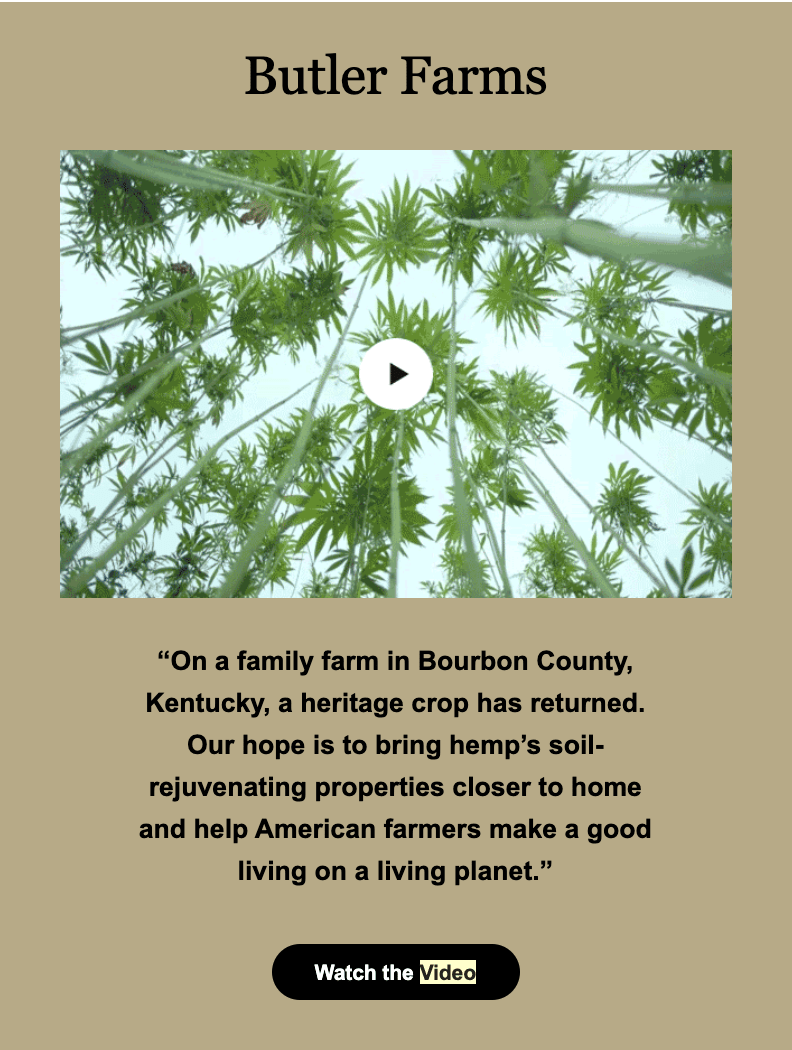
The email helps educate Patagonia subscribers’ on the importance of purchasing products made of natural materials — and while it may help incentivize subscribers’ to purchase, that’s not the only impact the video has. As a standalone piece of content, it’s also simply an educational tool to highlight Patagonia’s deeper mission: to support local businesses and make a positive impact on the planet.
2. Make emails a more personalized experience.
Do you have a backlog of video content on your website? Consider using that to your advantage and sending personalized emails.
For instance, let’s say someone watches a portion of a video on your website that they don’t finish, and you’re noticing this is a pattern when you analyze your website data. Marketo‘s formula is to automatically send that video in an email to remind that user to finish.
By doing this, Vidyard reported that Marketo raised their CTR by over 144% due to the personalization of that email. If I were sent a video I meant to finish in an email, I’d surely open it to complete that video. I’d also feel pretty important to the company as a customer.
From a business perspective, this means more clicks for you, a better relationship with the customer, and more views on videos.
3. Display company culture with a video.
If you’re struggling with thinking of out-of-the-box ideas for email content that shows off company personality, consider heading to YouTube.
Yes, you read that right: YouTube.
What better way to show subscribers the culture in your company than going straight to the source? Let’s look at this email from Etsy to illustrate:
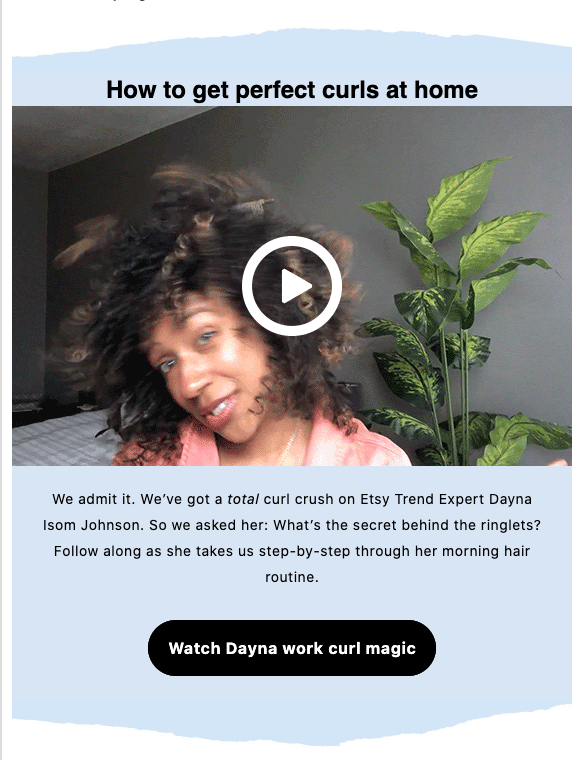 This email embeds a simple video from an Etsy Trend Expert in a step-by-step hair routine.
Getting a peek into how Etsy employees use Etsy hair products in their daily routines adds a sense of normalcy and relatability to the company. I got to see the people behind the marketing emails, and what I saw were employees who were just like me.
Email marketing doesn’t have to be a blatant show of products. Sometimes, you can subtly promote your products within a display of company culture. Try experimenting with a blend of public-facing content to promote your brand, like Etsy.
For example, let’s say you want to bring attention to that new advertising metrics tool you’ve just launched. You might consider asking your marketing team to film a short video of the product’s daily value. Then, you can embed the product page in the video’s thumbnail. (Consider giving employees a heads-up that their response might be part of a marketing email).
4. Announce an event with a video.
If your company hosts events, whether internal or external, take videos of the events for a recap to send subscribers. This way, you can give subscribers a taste of how your brand works in-action and build interest in your company’s events overall.
For instance, do you host or participate in quarterly industry mixers? Try including a video in an email about the most recent one, along with a CTA for subscribers to learn more about the next one. The video can also serve as social proof that these events are well-attended and informative for other people in your industry.
5. Announce a product line or launch with a video.
Confession: I’m a little obsessed with makeup company, Make Up For Ever.
One of my favorite aspects? How Make Up For Ever includes influencers’ testing out new products in their emails — seeing real women try new makeup products can help me determine which products would delight me most.
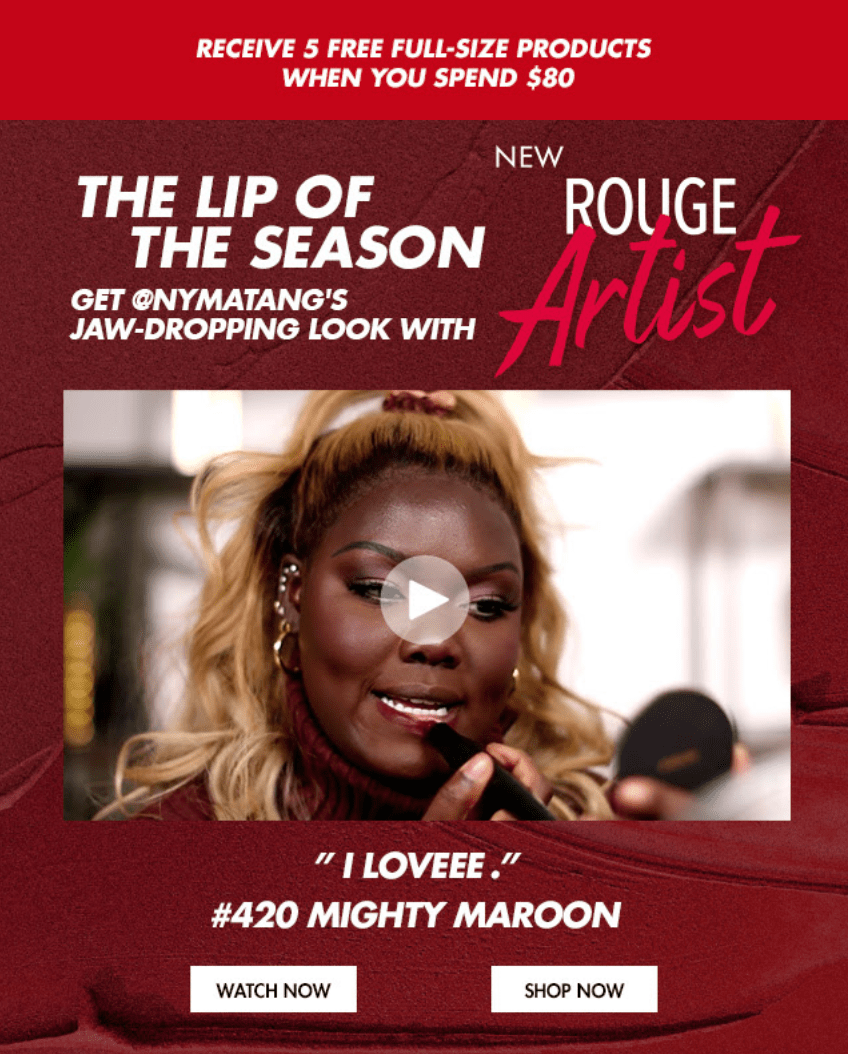
If you’re launching a new product in the upcoming quarter, maybe it’s a good idea to include email subscribers in the pre-launch phase. For instance, if you’re launching a chatflow bot as part of a CRM update, let email subscribers know first. That way, dedicated customers can express their interest in the product and bring in that word-of-mouth marketing.
6. Send out newsletters with videos.
If you’re giving subscribers scheduled newsletters with no video, you’re missing out! There’s a lot of ways to include video in newsletters so they can be effective. Video-heavy businesses can benefit from newsletter video embeds so subscribers can catch up on content they may have missed — especially if your subscribers prefer watching over reading.
Another way to use video in newsletters is to round-up popular videos in your industry. If your company doesn’t do many videos, this is an excellent avenue for you. Alternatively, if a member of your team is interested in a routine video schedule, try filming a round-up of weekly content in video-form.
For instance, if there was a commercial that rocked your industry recently, include that video in your newsletter with a corresponding blog post about your thoughts to increase traffic on your blog.
7. Move leads along their customer journey.
Email marketing isn’t just limited to loyal customers — you can also use it to nurture leads. Just use workflows in your CRM to automate videos that will move them along the customer journey. This works with forms you can add right into that video.
These forms might give your sales team enough information to follow up with interested customers. Or, give leads an opportunity to watch your latest crash course in SEO link building — in exchange for the completed form fields, of course.
If you’re currently thinking, “I’m no tech wiz, how do I do that?”, don’t worry. HubSpot’s integration with Wistia makes it easy to add this widget into your marketing emails. Check with your CRM software to see if it offers something similar.
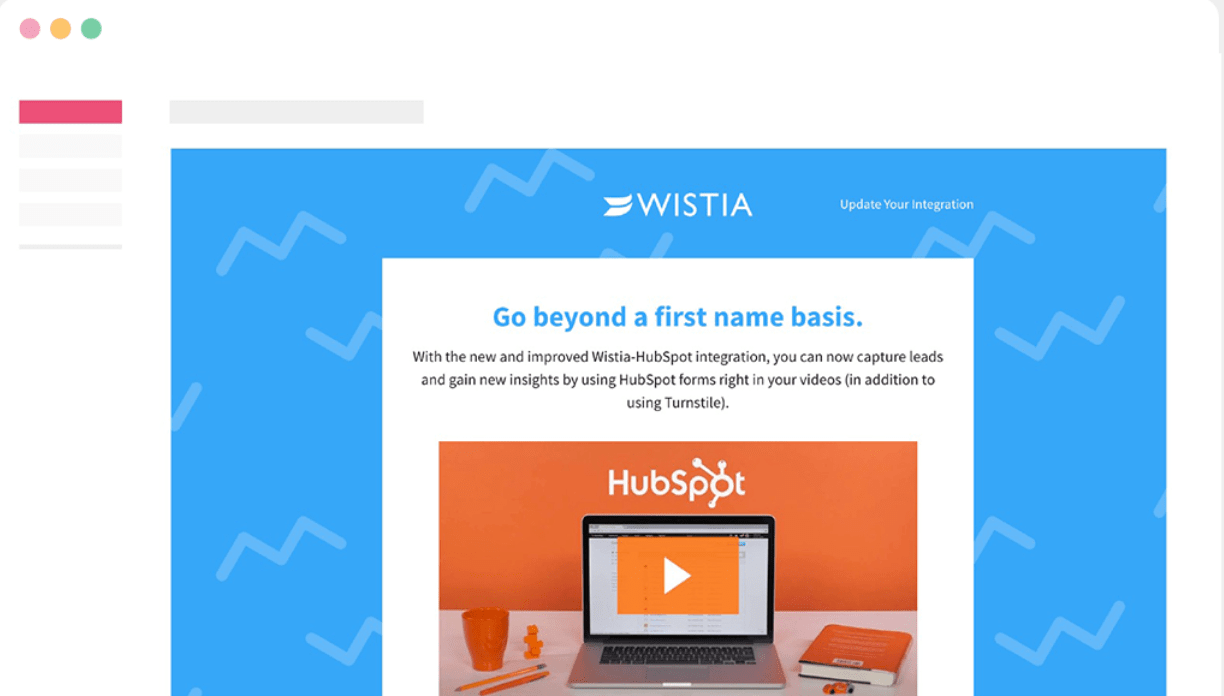
With this integration, you can add HubSpot forms into a Wistia video for higher engagement. If a lead converts within the video, their viewing data will sync with their contact record. This can be useful for future customer research with video marketing campaigns.
Think about piloting a video email marketing campaign for conversion. If you download viewing data, you can see how to tweak video content to further delight your customers.
8. Include video in email subject lines.
Formatting is super important in emails and it starts with the subject line. As a consumer, if I see an email with emojis in the subject line, I’m immediately more interested in the email because emojis stick out to me and feel more inviting.
Try including “Video” or a corresponding emoji in your subject line to entice subscribers to open it. You’ll likely want to A/B test a variety of subject lines in the beginning to figure out what your readers prefer.
Another important formatting tip is to embed the video in the email in a place that keeps readers interested. Putting videos at the beginning of an email is a good idea, but placing it near the end invites readers to keep reading to better understand the video.
Video is an incredible way to engage subscribers, old and new. I just received a new one in my inbox, and I’ll prioritize that over other emails. If it sounds pretty hectic to produce new videos for email campaigns, think about using the ones you already have. You may be able to repurpose them into great content for your audience.

Predictive Marketing: What it Is & How to Leverage It
After months of working on a marketing campaign, nothing’s worse than realizing you aren’t seeing the results you expected.
Unfortunately, many of us have been there. We’ve put all of our creative effort, time, and numerous resources into a campaign that sounded like a great idea, but had nowhere near the expected ROI or engagement. Then, on top of watching our project fail, we’ve had to deal with the awkward scenario of sharing bad performance data with our teams.
No matter how hard you try, it’s impossible to know exactly how well a campaign will do before you run it. However, there’s a strategy that gets pretty close.
It’s called predictive marketing.
While predictive marketing sounds like some futuristic technology you’d only see on a show like Westworld, using data to estimate an outcome isn’t new.
Predictive marketing is fueled by predictive analytics, which dates back to the 1930s. It enabled mathematicians and computers to calculate and analyze the possible successes, failures, and results of various scenarios — such as health or weather conditions.
Later, in the 1990s, when analytics tools became more available to brands, marketers at companies like eBay and Amazon began to combine marketing data with similar formulas or algorithms to predict and strategize around potential consumer behaviors, purchases, and marketing campaign performance.
In the early 2000s, with the presence of “Big Data” many more brands and online advertising platforms embraced predictive analytics and marketing technology.
Now, predictive marketing is all around us. Below are just a few common instances of it, along with explanations of how brands can leverage it.
Examples of Predictive Marketing
1. Predictive Product Suggestions
Have you ever considered buying a product, researched it, and then saw the same product — or a very similar one — in a promotion that showed up on a social media feed, in your email inbox, streaming platform, or another website’s banner? You’re not alone.
Ecommerce site algorithms regularly collect data about your product interests based on what you’ve viewed or purchased from them. Then, these algorithms use that data to predict which products you’re most likely to buy next. This data is then used in the ecommerce ad or promotion a prospect sees.
Need an example? Below is an EyeBuyDirect ad that appeared on my Facebook News Feed.
As an EyeBuyDirect customer, I’ve bought many pairs of glasses with similar styles, shapes, or patterns to the pairs seen in the ad above. To compare, here are two of my recent purchases:


If I needed new glasses, EyeBuyDirrect’s ad would be very appealing to me because it shows product offerings I’m very likely to view or buy.
Rather than presenting the same ad or product to every audience member, predictive marketing tools can help you to direct customers to products they might be most interested in.
If you’re planning to bring your business online and want to use predictive marketing to make more sales, several affordable ecommerce tools enable you to send predictive product suggestions to your audiences. You can learn more about them here.
2. Predictive Lead Scoring
Predictive marketing doesn’t just stop after you get a contact, customer, or lead.
Once you build up your list of contacts, you’ll want to continue marketing to them or potentially direct them to a sales rep. But, if you try to market your brand continuously to every single one of your new contacts, you might waste serious time if they aren’t serious about buying your product or signing up for more content.
To avoid giving too much time to unqualified leads, brands can use tools like HubSpot’s Predictive Lead Scoring feature to analyze contact data profiles and estimate which prospects are most likely to make a deal in the future.
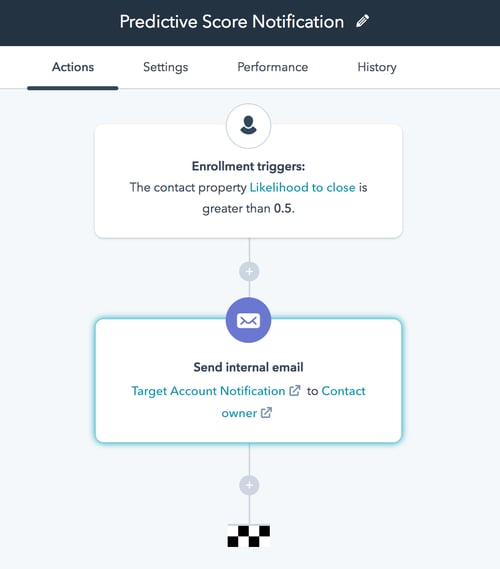
When you have a huge database of contacts with varying levels of interest in your product, brand, or service, predictive lead scoring data like that above can give you insight on which prospects to prioritize in your marketing or sales efforts first. In turn, this could give you a leg up on brands that waste crucial time and resources on deals that never happen.
3. Automated Social Media Suggestions
A handful of social media tools, including HubSpot Marketing Hub, use predictive analytics and audience data to estimate and suggest the best times to post your content on a given channel.
On top of simple content timing suggestions, some tools go even deeper with social media content predictions. For example, when social media managers upload two or more images to the social media scheduling tool, Cortex, the platform will use historical data to determine which photo’s colors will be most eye-catching to followers.
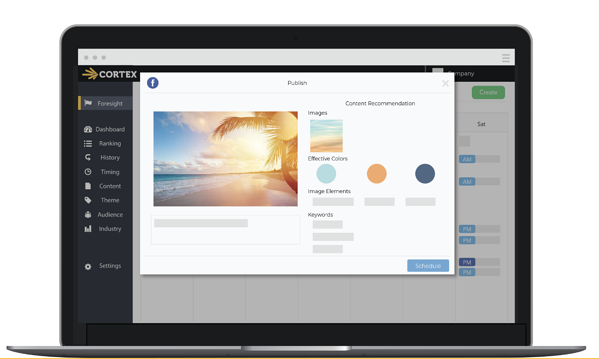
On top of the social media tools that can suggest strategies based on predicted outcomes, social channels like Facebook, Twitter, and Pinterest also offer some predictive tools within their ads platforms.
For example, in 2018, news outlets obtained documents from Facebook revealing that it secretly launched a “Predictive Loyalty” feature within its ads. The feature reportedly analyzes Facebook user behavior, interests, page likes, and other data points to circulate ads to people that had the highest likelihood of clicking them, rather than just directing ads to a brand’s audience targets.
Since Facebook’s predictive advertising news, Twitter’s also acknowledged that it uses predictive ad algorithms specifically for movies, TV, and entertainment-related promotions.
Aside from predictive ad targeting, social platforms like Facebook and Pinterest also use algorithms to make predictions related to multivariate or A/B testing. With these types of tests, a brand will often submit two or more variations of their ad. When the ad goes live, the social media platforms will immediately analyze which variation is clicked on the most and predict which will have the best conversion outcome. From there, social media ads will begin to display the winning variation.
4. Customer Churn Prevention Tools
While many marketers focus primarily on gaining new customers, some might focus on creating content and offerings that continue to engage, retain, and even upsell current customers.
But, sometimes, it can be hard to tell when customers need new, engaging content or when they’re likely to churn. That’s why some major companies have implemented predictive analytics as well as marketing strategies to identify and re-engage customers that are about to churn.
Take Sprint for example. Back in 2014, when the cell-phone giant saw an all-time high customer churn rate, marketers and service reps began to use predictive analytics tools to determine which customers were most likely to cancel their service. Once they did this, they were able to target those customers with re-engagement communications, messaging, and special offers that would keep them signed up.
According to a case study, Sprint’s predictive strategy led to a 10% decrease in customer churn, and an 800% increase in upgrades within 90 days of implementation.
While your brand might not be able to implement complex, customer churn prediction tools, there are other ways you can use data to predict and prevent lost audiences.
For example, by tracking email engagement data and which contacts are less likely to open or click on emails, you can create a list segment of contacts that are at-risk of unsubscribing and send a re-engagement email like the one below:
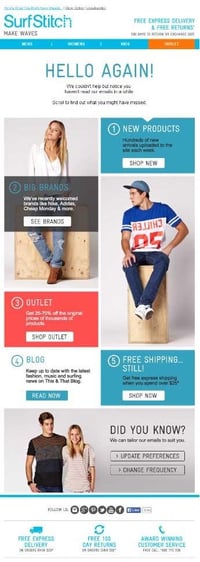
5. Predictive SEO Tactics
As a marketer, a major part of your job might involve creating blog posts, web pages, or other online content aimed to attract and convert audiences. Because search engines can provide major traffic wins and brand awareness to brands, you’ll likely want to produce valuable content that shows up on page one.
But, once you’ve landed your high search result page position and gained solid organic traffic, you can use predictive data to prevent the future loss of your ranking and all the traffic that comes with it.
This process, called predictive SEO, is when content strategists use traffic and search ranking analytics to determine if a web page is at risk of losing its traffic momentum from search engines.
For HubSpot, our predictive SEO process involves using our At-Risk Content Tool — which analyzes data from SEMRush, Ahrefs, and other software — to determine when we’re losing our ranking on search engine pages.
For example, if one of our posts shows up in the first spot on a Google search result page, then steadily goes down to spot three or four, our At-Risk Content Tool might flag the post as in danger of losing search traffic.
Here’s what our At-Risk Content spreadsheet looks like. When a blog post begins to see declines that could potentially continue, a formula in the spreadsheet notes the blog post as “At-Risk” in the Status column on the right:
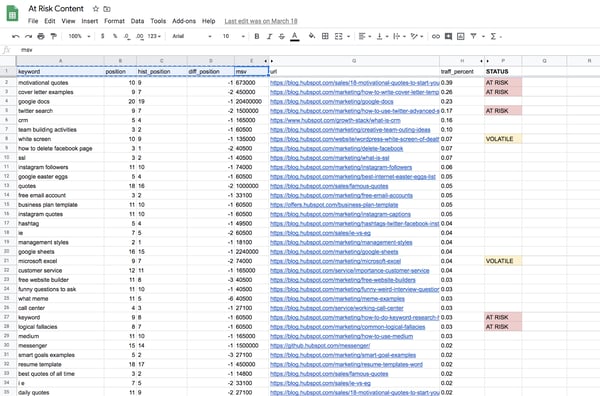
If you’re a marketer who focuses primarily on web content, creating a strategy like this can proactively help you monitor the performance of many web pages at once, learn when old content really needs an update, or identify old content strategies or formats that need to be re-worked — all before you lose major search traffic.
Want to replicate the predictive SEO strategy above? Here’s a detailed post with the full step-by-step process we used.
What to Know When Using Predictive Marketing
While predictive marketing can be a handy tool for justifying a new tactic or strategy, there are important things marketers should keep in mind if they want to leverage it.
- It’s not perfect: Even if an algorithm or marketing formula seems to give accurate estimates 99% of the time, the fact that marketing strategies rely on human engagement to succeed can cause a prediction to be wrong. While you can use predictive marketing data to justify investments or proposed strategies, you should have a plan for what to do if unexpected results occur.
- It can be pricey: While some predictive tools, such as HubSpot, can be affordable and easily accessible to smaller brands, other tools and predictive marketing projects that require analyzing large amounts of data can get costly. Be sure to start with scaleable affordable predictive tools or tactics first.
- It requires data: While some tools, such as ad or SEO software have access to historical consumer data, creating your own predictive marketing strategy from scratch might require you to have your own data set. Collecting, cleaning, and organizing this data so a predictive tool or algorithm can leverage it can take quite a lot of time which should be built into your predictive strategy.
Want to learn more about how predictive analytics and data can fuel your marketing strategy? Click here for a handy blog post, or download the free resource below.

Google Ads vs. AdSense: We Break Down the Differences
When it comes to generating traffic and brand awareness, digital advertising is the way to go. It’s surpassing traditional advertising, and Google is a huge reason why. As one of the biggest digital advertising platforms, Google is responsible for 37.2% of total U.S. digital ad spending alone.
But how can you take advantage of the advertising opportunities on Google? By knowing how each of its programs — Google Ads and Google AdSense — work and evaluating which is right for you (or both).
In this article, we’ll cover:
What Is Google Ads?
Google Ads — formerly known as Google AdWords — allows advertisers to make bids for ad placements to drive traffic to their websites. These placements can be in Google’s Search Engine Results Pages (SERPs) or the Google Display Network (the network of sites, apps, and more that show Google display ads).
Search
The search ads that appear in the SERPs are a great option if you know there’s a demand for your product and your audience is using search engines to satisfy it.
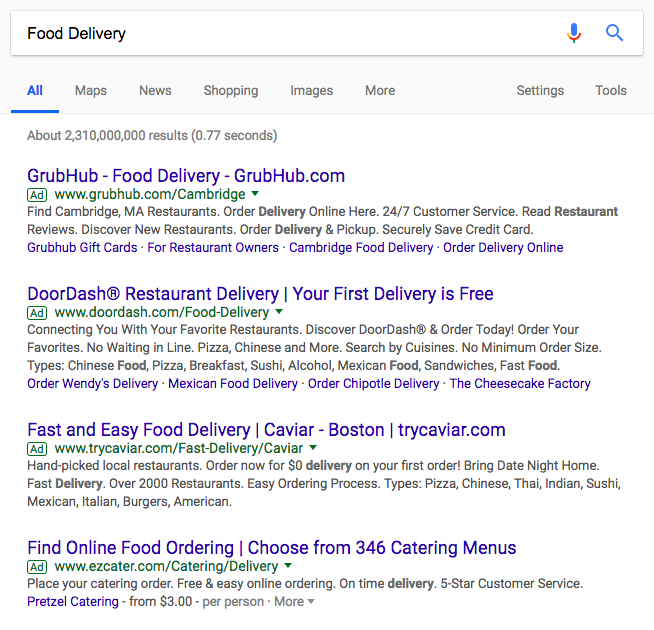
Display
The Google Display Network ads — also known as banner or display ads — are more visual, perfect for grabbing attention as you “rent” space where your audience hangs out online.
Google actually has another advertising program that they released three years after Google Ads’ inception. It’s called Google AdSense.
What Is Google AdSense?
Google AdSense allows publishers to place ads on their websites and other “real estate” in exchange for a “commission.” These publishers make up a portion of the Google Display Network that advertisers can leverage through Google Ads.
In the image below, the recipe website uses Google AdSense to allow 2 advertisers to place banner ads on their site. The recipe site is paid by Google for the success of these ads. (More on this later.)
-11.png)
Google AdSense is perfect for website publishers who are already getting traffic and want to monetize it.
Read on as we go over the main differences between Google Ads and AdSense, for whom they’re geared toward, and what their cost structure is like.
Ads (Formerly AdWords) vs. AdSense
While the Google Ads program is geared toward attracting advertisers, the Google AdSense program is geared toward attracting publishers. Advertisers use Google Ads to drive traffic to their sites, and publishers use Google AdSense to monetize their existing traffic.
Below, we’ve highlighted some core differences between the Google advertising options so you can make decisions on how best to distribute your ads budget.
Purpose
| Platform | Purpose |
| Google Ads (Search) | Generate traffic to your own site from Google as a search engine. |
| Google Ads (Display) | Generate traffic to your own site from the Google Display Network of publishing partners, mobile apps, and video. |
| Google AdSense | Generate traffic for other sites as a Google Display Network publishing partner. |
Strategy
| Platform | Strategy |
| Google Ads (Search) | You know that your audience searches for your products or services on Google, and you want to show up in the SERPs for those queries. |
| Google Ads (Display) | Your audience may not know about your product or service and aren’t searching for it on Google. However, a visual ad may catch their eye if you can show up on the sites where they do hang out. |
| Google AdSense | Your site is generating traffic, and you want to monetize it. You don’t mind “renting out” real estate on your site to advertisers that your audience may find interesting. |
Cost Structure
| Platform | Cost Structure |
| Google Ads (Search) | You pay a fee every time a user clicks on one of your ads. This cost per click (CPC) can vary based on how much you bid, your ad rank compared to the competition, and your quality score. For this reason, more competitive keywords can have a higher CPC. |
| Google Ads (Display) | You can choose the right pricing for your goals: Paying by cost-per-click (CPC), cost-per-thousand impressions (CPM), or cost-per-action (CPA). CPC is better for generating traffic, CPM is better for generating awareness, and CPA is better for conversions.
According to Google, you bid for placement, and “the winner of the auction pays the minimum amount necessary to outrank the next advertiser in the auction.” Competition drives up bidding, so industry and highly sought-after publications may cost more. |
| Google AdSense | Participation in AdSense is free, and you receive commission for the clicks, impressions, and other interactions the ads on your site receive from users. For this reason, your audience, the ad placement, and the ad quality will all be factors in how much you can make with AdSense. |
As you can see from the table above, cost structure depends on a number of variables. We’ll go more in-depth on it below, starting with Google Ads.
Google Ads (Search)
Naturally, there’s enormous demand for the top ad rankings, so Google triggers an auction anytime there are at least two advertisers bidding for keywords that are related to search queries that users consistently enter into Google.
-16.png)
Advertisers can then categorize keywords and their corresponding ad copy and web page into groups, pick the group they want to bid on, and choose their maximum bid. Next, Google will select a keyword from the advertiser’s ad group that they deem most relevant to users’ search queries and enter it into the auction.
A Google auction isn’t like your typical auction for antiques, though. They want to level the playing field when it comes to leveraging the size of their reach, so instead of the highest bidder always winning the auction, the bidder with the highest Ad Rank always wins.
AdRank is calculated by multiplying your maximum cost-per-click bid with the quality score of your ad, which is calculated by measuring your page’s relevance to the keyword, user experience, and click-through-rate. This means organizations can’t acquire the top ranking for any keyword they want just because they have the biggest ad budgets. Their content has to be engaging.
-13.png)
Google Ads wants to incentivize the best advertisers to advertise the best content on their search engine results pages, so they reward ads that have high quality scores with higher ad rankings and lower cost-per-clicks.
In the same vein, they also want to discourage bad advertisers from advertising bad content, so advertisers with low quality scores will usually only acquire a high ad position if they pay a huge cost-per-click bid. If they want to pay lower a cost-per-click, they have to settle with stooping at the bottom of the ad rankings.
If you win a Google auction, your actual cost-per-click is calculated by the second highest ad rank divided by your quality score, plus one cent. The only time you’ll pay your maximum bid is if you’re the only bidder in the auction or if you make the highest bid in the auction, but you have the lowest ad rank. In this case, you’ll acquire the last ad rank.
-12.png)
Google Ads (Display) / Google AdSense
For display ads, just as with search ads, advertisers bid on publishers’ ad space in the Google Ads auction. They bid on certain keywords, and if a publisher’s content has the same or similar keywords, Google will sell their ad space to the highest bidder and pay the publisher a small portion of the bid whenever people click the ad on their website.
However, AdSense doesn’t optimize the ads that they display on publishers’ website for a maximum return on investment like Google Ads does for its search advertisers when they want to optimize their ad campaigns. So, essentially, the amount of money a publisher can earn with AdSense hinges on how well they place the ads on their site and how well advertisers can craft their ads.
Publishers do have control over the types of ads that are displayed, though. They can choose from text ads, display ads, rich media ads, and more. They can also customize their ad’s style or create their own, which gives them the ability to change the size, color, textual, background, and border details of the ads that display on their website. Additionally, they can only place three content ads, three link ads, and two search boxes on each of their web pages.
Google Ads (both Search and Display) and Google AdSense are effective ways to generate revenue with digital advertising methods — the former as you drive traffic to your site and the latter as you use your site to drive traffic elsewhere.
Once you choose the program(s) that are right for you, you can begin your strategy and execution.
Editor’s note: This post was originally published in March 2019 and has been updated for comprehensiveness.

Should Your Brand Use Controversial Advertising? 10 Examples to Help You Decide
In the beginning of 2019, people were tweeting pictures of razors submerged at the bottom of their toilet bowls. No, this wasn’t a wacky teen challenge to make dads late for work. It was a protest against Gillette’s latest advertisement, one that confronts toxic masculinity.
Brands that craft controversial advertisements like Gillette’s, however, expect this type of response, at least from some people. Taking any kind of stance on potentially sensitive social issues tends to lead to some form of disagreement.
But authentically advocating for the causes you truly believe in usually has more pros than cons.
“Even if publicizing your beliefs may ostracize some potential customers, it also builds deep loyalty for those who share your values — particularly values like celebrating equality and inclusion, which many people support, regardless of political affiliation,” Joe Lazauskas, the Head of Content Strategy at Contently, wrote in an article after the divisive 2016 presidential election. “The same goes for expressing concern and support for the diverse people who work for you. Loyalty isn’t just a marketing metric; it’s also critical for measuring the internal health of your company.”
Executed properly and from a place of genuine support, controversial ads can be an unexpected, emotional delight that can not only deepen your connection with your core audience, but can also help you reach new audiences. For instance, after Gillette released their ad challenging toxic masculinity, Adweek discovered the campaign actually resonated with women the most.
What Is Controversial Advertising?
Controversial advertising doesn’t aim to polarize an audience. It’s an attention-grabbing technique for stating an opinion, and brands use it to spark productive conversations about certain moral values. In recent years, any stance taken on potentially sensitive social issues can be considered controversial advertising.
The Psychology Behind Controversial Advertising
People usually read and share opinionated content because it aligns with their own values. And by letting the world know about their beliefs, they can solidify an ideal image of themselves within their social circle and their own minds.
Opinionated content also has a knack for making people think and consider other points of view, which builds more loyal audiences because it can teach people something new and help shape their perspective on life.
But while controversial ads can generate more buzz than other types of ads, if executed poorly or in a merely performative manner, they can be detrimental to your brand. For instance, consider SNL’s hilarious skit of ad executives pitching commercial ideas to the snack brand Cheetos.
Although SNL isn’t specifically giving controversial advertising a ribbing, they’re poking fun at the way brands exploit sensitive social issues to peddle their products instead of what they should be doing when covering these types of topics — encouraging productive conversations.
Creating a controversial ad with a merely commercial motive is a one way ticket to receiving Kendall Jenner & Pepsi type of feedback (we’ll cover this later). In other words, it can spark harsh backlash and bad publicity instead of meaningful dialogue.
So how do you avoid this type of negative response if you want to create a controversial advertising campaign? Below, we’ll analyze three controversial advertising examples that work and two that don’t to help you support the causes you genuinely believe in and better connect with audiences.
Controversial Advertising Examples That Work
1. Anheuser-Busch | Born The Hard Way
Anheuser-Busch’s ad about their founder’s origin story makes people realize that something so fundamentally American, like Budweiser beer, can have immigrant roots.
Budweiser is commonly associated with themes of American patriotism, so taking a stance on immigration, which is a controversial issue in the United States, conflicted with some of the brand’s most loyal customers’ political beliefs. But taking this social stance also led to a meaningful dialogue about how immigrants have founded some of America’s most iconic brands.
By telling a gripping and emotional story about the founding of their company, Anheuser-Busch could take a stance on an important issue that’s essential to their brand and connect with the people who understand that the United States is country of immigrants, helping the ad garner more than 21.7 million views in only three days.
2. Nike | Dream Crazy
“Believe in something, even if it means sacrificing everything” is an accurate life motto for Colin Kaepernick, a professional American football player. In the 2016 NFL season, he stoked controversy by kneeling during the National Anthem before the start of every game as a protest against racial inequality.
Unfortunately, all the controversy associated with him has basically barred him from the NFL — no team hasn’t signed him since his controversial 2016 season. Yet, admirably, he still advocates for the causes he supported during his protests.
Along with Kaepernick’s story, Nike’s “Dream Crazy” weaves in other narratives of athletes who followed ambitious dreams to eventual success. And Nike made it clear that they want to help Colin Kaepernick achieve his dream of a righteous world, no matter how crazy it seems right now.
“Dream Crazy”, while highly controversial, resonated with millions of people. Just days after they released the ad, Nike’s sales soared by 31%, despite videos of their gear engulfed in flames circulating throughout social media.
3. Heineken | Worlds Apart
In Heineken’s “Worlds Apart”, people were paired together and asked to build stools and a bar together. After they completed the activity and developed some rapport with each other, pre-recorded videos starting playing and revealed that their political views were actually the polar opposite of each others. They were then asked if they would discuss their differences over a beer. All of them said a resounding “yes”.
Making an ad where people with such differing political views actually engage in meaningful dialogue and don’t just belittle each other is a risky move. A lot of people have a fiery passion for their political beliefs and won’t associate with people who don’t agree with them. But that’s ultimately why Worlds Apart was met with rave reviews and called “The Antidote to Pepsi’s Kendall Jenner Ad” — it focuses on putting our differences aside to work for a greater cause together, not Heineken’s product.
4. Burger King | Whopper Neutrality
Net neutrality regulation was repealed in the United States in 2018. Leading up to this decision, many Americans debated whether this would be a good or bad thing, but many more didn’t understand what the fuss was about.
Burger King aimed to explain and persuade with their “Whopper neutrality” analogy where customers pay a premium to get their food delivered fast.
Despite net neutrality being irrelevant to burgers, the campaign resulted in $67 million in earned media and 3.8% sales growth — while igniting conversations about the issue among everyday people and celebrities alike.
5. Poo~Pourri | Girls Don’t Poop
It’s not every day you see a post where the protagonist is sitting on the toilet. Culturally, going to the bathroom is an “inappropriate” or “crass” topic. Despite this, Poo~Pourri brings it front and center for their odor removal product.
Needless to say, this could’ve gone down poorly. However, the comical dialogue, impeccable production, and endearing relatability earned positive reactions from audiences. In fact, it was viewed 17 million times in just a month.
6. Lane Bryant | #ThisBody
In 2016, Lane Bryant launched their #ThisBody campaign, promoting their plus-sized clothing line in conjunction with radical body positivity. The ad features several plus-sized models declaring how they feel about their bodies and what they can do in an effort to change cultural perception and make a stand against body shaming. However, the ad was pulled by ABC and NBC for showing “too much skin.” Critics claimed the ad was no more risque than other underwear ads.
The networks proposed to re-air the ad once Lane Bryant made some minor edits, but the retailer refused, launching it on social media instead where it received viral levels of positive engagement.
Controversial Advertising Examples That Don’t Work
1. Pepsi | Live for Now
If you think long and hard about it, could a can of Pepsi really mend the complex rifts that divide the entire world right now? Nope. Not at all. Even worse, is Kendall Jenner really an integral part of any social justice movement, or was she just there because she’s a famous celebrity who can grab almost anyone’s attention? You probably know the answer to this question by now.
After receiving five times as many downvotes as upvotes on YouTube and a glut of bad publicity and negative reactions on social media, Pepsi removed the ad from their channel only a few hours after posting it.
If you want to avoid this type of response when creating controversial content, don’t emphasize your product more than the issue at hand. All advertisements are technically self-serving, but people can spot overly promotional fluff masquerading as social justice faster than they’ll click exit on a pop-up ad. So if you don’t truly feel convicted to support a specific social cause when creating controversial content, it’s best to not even put pen to paper.
2. Miracle Mattress | Twin Towers
Labor Day, Veterans Day, and even Memorial Day are prime holidays for furniture sales. However, San Antonia mattress company Miracle Mattress created a controversial video to promote a September 11th sale.
In the video meant to be an edgy parody, two stacks of twin mattresses are toppled over, and the Miracle Mattress employee says, “We will never forget.”
The ad was seen as insensitive rather than provocative, making light of the lives lost on September 11th. The company faced severe media backlash and closed its doors as a result.
3. Hyundai | Pipe Job
Speaking of, the whole goal of provocative narrative and imagery is to prompt an emotional response and, in effect, stand out.
Hyundai set out to do this when promoting their lowered emissions with an ad featuring an attempted suicide. The man featured in the ad was unable to take his own life due to the exhaust being made up primarily of harmless water vapor.
The ad was pulled after airing for only a day, criticized as being disturbing at best and, at worst, mocking toward suicide attempt survivors and suicide loss survivors.
4. Nationwide | Boy
It starts out as an adorable story about a boy who seems to lack self-confidence, but Nationwide’s “Boy” turns shockingly dark when it’s revealed that the main character can’t live a normal childhood because he’s actually dead.
Child accidents are a serious problem that should be addressed, but this ad was criticized for being too fear-mongering and manipulative — it literally uses the death of children to sell insurance.
So even if your ad highlights a prevalent problem, make sure it doesn’t exploit a potentially sensitive issue just to peddle more product. Otherwise, it might get crowned as the worst ad of the year.
Editor’s note: This post was originally published in January 2019 and has been updated for comprehensiveness.

How We Octupled Image Search Traffic to the HubSpot Blog in 1 Year
This post is a part of Made @ HubSpot, an internal thought leadership series through which we extract lessons from experiments conducted by our very own HubSpotters.
Cliché: A picture is worth a thousand words.
Fact: HubSpot’s pictures are worth 120 thousand clicks.
Last year, my colleague Karla Cook gave our readers a 3,000-word peek behind the curtain into a new SEO strategy we implemented at the beginning of 2018. That strategy, which was designed to fix a traffic plateau across the blog, increased our organic traffic by 25% year over year — to eight million organic pageviews per month. This is about three million new organic views we didn’t have at the beginning of 2018.
Where that traffic is coming from is equally exciting.
As I said, our new SEO strategy launched our organic blog traffic to heights it had never been to before. But that strategy had another, somewhat unintended consequence for us.
While we increased our total organic traffic by 25% from last year, we increased our image search traffic by … wait for it … 779%. This refers to traffic that comes from people who conduct a search in Google, or a similar search engine, and click on an image result that leads to the HubSpot Blog.
“Pics or it didn’t happen, Braden.” As you wish:
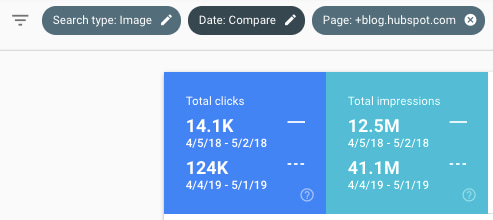
Source: Google Search Console
Take a look at the royal blue tile in the chart above. Between April 2018 and April 2019, HubSpot literally increased its organic traffic from 14,100 organic views per month to 124,000 organic views per month — a nearly 8X lift.
Our image traffic accounts for just under 2% of our blog’s total monthly organic traffic, which, in the scheme of things, is not all that significant. But even though the vast majority of our organic traffic still comes from web search (the written blogs themselves), our image traffic’s rate of increase (779%) is vastly disproportionate to that of our total blog traffic (25%).
And let’s be honest, 2% of 8 million is nothing to sneeze at.
But what made the difference, if not just our new blog-aligned SEO strategy?
Image SEO Best Practices That We Learned
As it turns out, we had a few other tricks up our sleeve along the way that gave our images some extra juice on the search engine results pages (SERPs), all of which are just good best practices in commercial content creation.
1. Optimized Alt Text
In the HubSpot COS, we’ve almost always filled in image alt text fields with text that (tries to) describe the image it’s associated with. Last year, though, we started taking alt text way more seriously.
Rather than automatically fill image alt text with the image file name — something the HubSpot COS conveniently does for you so this field isn’t left blank — we now optimize each image we embed with the keyword the blog post is targeting. Then, we add language that puts this keyword into context that reflects the image it’s describing.
For example, if we’re embedding the image below into a blog post about “college courses about SEO,” our alt text might look something like this:
“Marketing professor showing college student SEO on her computer screen”

Now, let’s modestly estimate that one in three HubSpot blog posts (33%) have at least one image embedded on them, not including the article’s featured image. HubSpot publishes (or republishes) approximately 260 blog posts every three months. If we were to extrapolate this alt text process for 33% of these blog posts, that’s at least 87 images that can potentially capture new organic traffic for us every quarter.
And if the average blog post targets a keyword that receives 3,500 searches per month — a rough estimate based on the HubSpot Marketing Blog’s editorial calendar — that’s a landscape of 304,500 searches per month to which we’re adding more HubSpot content (87 images x 3,500 searches per month). In other words, we’re putting ourselves inside hundreds of thousands of Google Image galleries we weren’t ranking in before.
Read more about our team’s approach to alt text in this blog post.
2. Branded Images & Templates
At HubSpot, we create a ton of valuable resources for our readers to download, ultimately making them a qualifiable lead for the business. However, there are still a ton more resources our readers want for which we necessarily don’t have a lead generation strategy but still garner valuable organic traffic. And these resources appear in image form on many SERPs that are important to us.
These resources include inspiring business quotes, resume templates, sample emails, and even image thumbnails that appear in Google’s featured snippets.
To identify these images, the SEO team analyzed where HubSpot was getting most of its image traffic already, and categorized these sources into image types. Then, we worked with HubSpot UX designer Amanda Chong and the rest of our creative team to develop original HubSpot image templates for each image type.
These new image templates allowed the blog team to effectively “brand” various images they might not otherwise embed into a blog post and add alt text for each image using the style described above to expose it on the right SERPs. Here are a couple examples of these branded images now live on HubSpot content:
3. The Search Insights Report
HubSpot’s “Search Insights Report” is a quarterly manifestation of our SEO strategy, delivered directly to the blog team every three months. These reports consist of more than 200 blog post topics, all rooted in searches for which we want to appear on a SERP, that our writers take up and publish over the course of 90 days.
And although we have obviously made deliberate moves to capture more image traffic over the last year, the radiative effect these reports have on our website traffic can’t be overstated.
For one, as we create these search insights reports every quarter, we’re tapping into topics that are increasingly being found in image form. There’s even data to support this — here’s a five-year trend line showing an increase in Google Image search for all queries related to “marketing”:
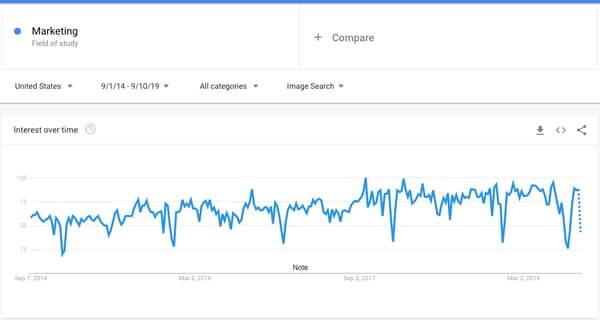
Source: Google Trends
Here’s one for all searches related to “sales”:
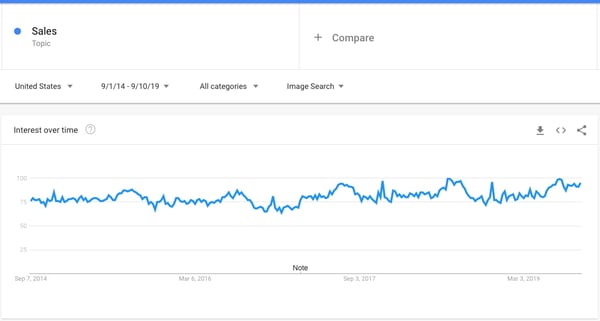
And, finally, for “customer service”:
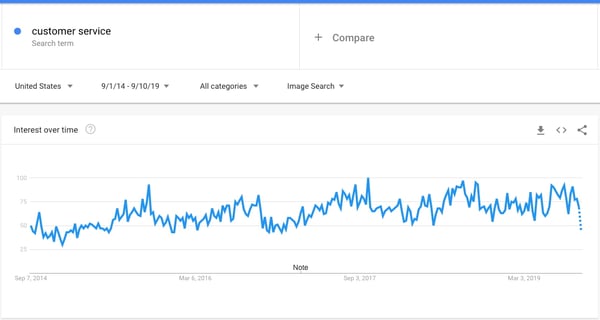
Conveniently, these three topics reflect the target markets of three of our blog properties: the Marketing Blog, the Sales Blog, and the Service Blog. But image traffic has gone up across the board, which means more traffic from image searches has become a byproduct of our new SEO strategy — one that has continued to grow as we capture more space on SERPs we didn’t have before.
Plus, having a document that distills all of our potential content topics, and aligning the content team with this document, has earned us ranking on some of the most competitive search engine real estate we’ve ever seen. It stands to reason we’d see a little (alright, a lot) more image traffic as a result.
It’s easy for marketers to attribute website traffic increases to good SEO, but these results ultimately aren’t possible without the time, creativity, and good judgment put into the content itself.

How to Design a Pitch Deck that Doesn’t Suck
The pitch deck is a staple of modern entrepreneurship — folded into the startup survival process. As a growing business, how compelling and intriguing yours is can be the difference between getting the capital you need to get off the ground and getting buried before you have the chance to make something of your company.
An exceptional pitch desk is a solid asset for any business looking to secure funding and take that next step. But a mediocre one is easy to pass over and can undermine how cutting-edge or viable your company actually is.
Every entrepreneur needs to have a solid grasp on the concept, so here, we’ll get a more definitive picture of what a pitch deck is, review some of the information you need to include in yours, go over some programs you can use to construct one of your own, see some examples to use as reference points, and pin down how to make yours as engaging as possible.
Pitch decks aren’t keynote presentations. You’re not trying to blow people away with deep dives and fancy language. The best ones are succinct, straightforward, and easy to digest. Yours needs to be lean — fleshed out with your most impressive, relevant information and organized with some degree of flow and cohesion.
There are certain boxes you need to check — information you need to convey concisely and engagingly. And you need to get those points across without bloating the presentation with too much fluff.
Here are the bases that your pitch deck should cover.
1. Basic Company Information
Start with the fundamentals. It might go without saying, but you need to let your audience know exactly who you are. Include your logo, company name, and contact information — specifically, your phone number and email.
You have to make yourself readily accessible to investors. That’s tough to do if you don’t include the necessary, baseline details to help them identify and reach you.
2. The Problem
Why does your company exist? What are you trying to remedy? Who does it impact? And why does it matter? You need to communicate some degree of urgency with your pitch deck.
Be able to present a pressing, relevant problem that a significant base of prospects goes through. If you can’t show that you’re solving a real, meaningful issue, your potential investors will likely tune out or ditch your deck at this point.
3. The Solution
Okay, so you’ve established there’s a real problem that impacts a lucrative niche. Now, you have to show how your product or service, specifically, can be used to solve it.
Give a fundamental picture of your value proposition here. What does your solution do? Don’t get too caught up in describing specs and features — you’re better off providing a higher-level overview in this section.
4. Your Business Model
Investors need to have a picture of how you plan on acquiring customers and making money — that’s kind of the whole point of investing in a startup. That said, the nature of this section is pretty fluid. As you scale and new challenges arise, your business model will probably change.
The key here is to present a cogent roadmap that demonstrates your critical thinking and strategic planning skills. Show your investors that you’re thoughtful and business savvy — the model itself probably isn’t set in stone.
5. Information About the Competitive Landscape
Who are your competitors? How do you stack up against them? How do they serve your target audience? How big is your market in general? Give your potential investors a picture of what you’re up against.
Then, explain your competitive advantages. Show them what you have that the other side doesn’t. Investors want to know that you’ll be able to set yourself apart, so prove that you’re not going to be just another face in the crowd.
6. Product or Service Specs and Benefits
Here’s where you get into your features a bit. See if you can show what your product or service looks like in practical use. Images are an excellent way to support this. Use mediums like screenshots, diagrams, blueprints, or even real pictures — depending on the nature of your product or service.
7. A Financial Forecast
This is one of the most crucial components of an effective pitch deck. Investors are investing because they want to make money — that’s the literal purpose of investing. You need to show them that your operation is financially viable.
Include relevant metrics that can show what it will take for you to break even and ultimately make a profit. At the end of the day, investors are looking at your pitch deck for a reason, and that’s to gauge the potential return you can offer. Here’s where you give them a clear picture of what that could be.
8. Information About the Team
Investors aren’t just investing in your product or service — they’re investing in you. You need to show that you’re trustworthy and competent. Include some information about you, your staff, both your and their experience, and any relevant accolades your team members might have accrued.
Put investors at ease by demonstrating that their investments are going to wind up in capable, sensible hands.
9. Information About Other Stakeholders
One of the better ways to inspire confidence from investors is to let them know they’ll be in good company should they invest. Being able to tout sizable contributions from other investors can mitigate the perception of risk among the VCs looking at your deck.
By referencing success in previous funding rounds or demonstrating that reputable sources have faith in your company, you can put investors at ease and make them more inclined to hear you out — at the very least.
The points above need to be addressed, but they won’t do too much for you if they’re not conveyed with some style, cohesion, and grace. Let’s check out some ways to make yours as engaging and thoughtful as possible.
How to Design a Pitch Deck that Doesn’t Suck
1. Make your text extremely legible.
That guy who forgot to wear his contacts today and somehow ended up in the back row of the conference room? Yeah, he needs to be able to see your slides just as well as everyone else.
The significance of creating extremely legible, easy-to-read slides should not be underestimated. It’s more than a matter of aesthetics: If your slides are at all difficult to read, even people with 20/20 vision are going to quickly lose interest and zone out.
They didn’t come here to expend effort — they came here to be spoon-fed. And it’s your job to make your information as digestable as possible. To keep the focus on your content, stick to big, bold fonts on highly-contrasting backgrounds.
Don’t do this:
This font color doesn’t contrast enough with the background, and the text size isn’t large or clear enough to be read comfortably from a distance. Don’t make your poor audience stare at this for too long.

Do this:
This font is big and bold enough to be seen from the back of the room, and it contrasts well with the background. When all else fails, a bold sans-serif font is the way to go.
2. Tell a story.
When we process information in list format, the basic language-processing areas of our brains get activated. Scientists call these sectionsBroca’s area and Wernicke’s area, and they’re responsible for translating words we see or hear into coherent meanings — but they don’t help us stay interested or retain information.
In other words, bullet points don’t usually produce a very exciting reaction in our brains, leaving the rest of our minds to wander.
When our brains are given a story instead of a list, things change — big time. Stories engage more parts of our brains, including our sensory cortex, which is responsible for processing visual, auditory, and tactile stimuli. If you want to keep people engaged during a presentation, tell them a story.
Centering you presentation around a story, instead of a list of facts or figures, is essential for keeping people interested and leaving a lasting impression.
Don’t do this:
This information might be impressive, but it isn’t likely to stick with your audience when presented in list form.
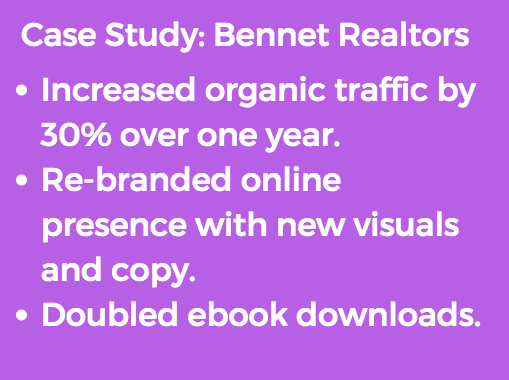
Do this:
Weaving your impressive case study into a story is much more likely to have an impact on the audience.

3. Break everything down into extremely simple parts.
When it comes to pitch decks, it’s time to wean yourself off of bullet points. Although they’re still better than slapping a dense paragraph of text onto a slide and calling it a day, they can be overwhelming, and prevent your audience from really absorbing your main points.
You might think you’re already simplifying your content, but take it a step further. Each slide should convey a single, simple idea — not a multiple ideas, not a multi-faceted idea, and not an idea that requires a degree in rhetoric to meticulously decode.
If it seems like you’re making things way too simple, then you’re on the right track. Remember — not all your talking points need to occupy real estate on your slide deck. Save the slide space for the big ideas, and talk your way through the rest.
Don’t do this:
These points might seem simple, but they could be broken down even further and separated onto different slides.
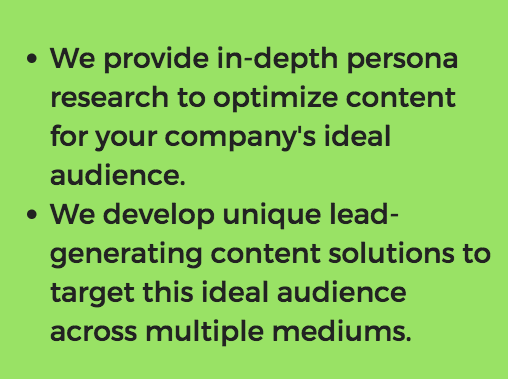
Do this:
There’s nothing difficult to understand about this simple, straightforward slide.
4. Make the points obvious.
The point of each slide should be obvious. Your audience shouldn’t have to work to understand what’s going on, especially when graphs or charts are involved.
Any information you include on a slide should be immediately translated for the audience, even if you think it speaks for itself. Ask yourself:
- What point are you trying to make by including this piece of information?
- How does this fact or figure connect back to your main premise?
- What do you want the audience to get out of this slide?
Don’t do this:
While this graph clearly shows growth, the point doesn’t obviously tie back to your premise.
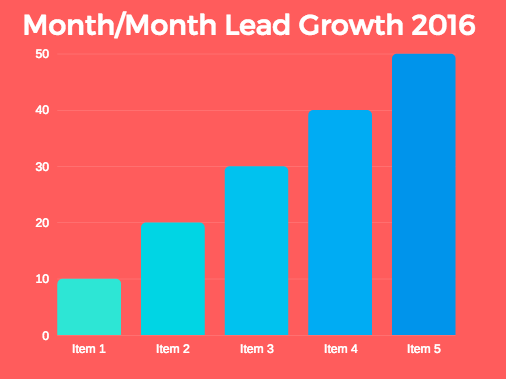
Do this:
The title on this slide tells the audience exactly what they should take away from the graph, directing them immediately to the conclusion that benefits your cause.
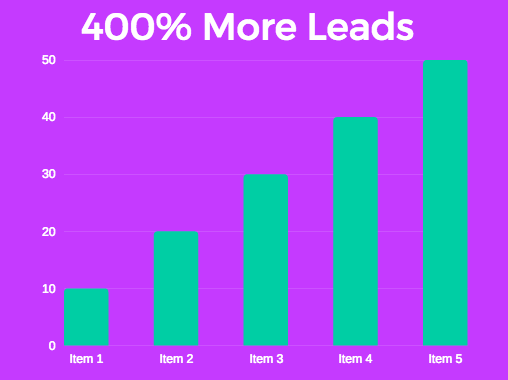
5. Focus on the prospect’s challenges, not yourself.
It’s safe to assume that your prospect has spent some time researching your agency, so there’s no need to waste valuable presentation time talking about your accomplishments or accolades.
You aren’t just convincing the audience you’re amazing at your job — you’re convincing them that you understand them, and that you’re the best person to help them overcome their unique challenges.
The business pitch consultants at Blue Lobster recommend asking yourself a few questions to focus your presentation around your audience:
- “Who is the audience?”
- “What is their problem?”
- “How can you help?”
Don’t do this:
While this is all very impressive, it doesn’t express an understanding of your client’s problems or delve into how you can help them. Plus, your prospect probably already found this information from a quick scan of your agency’s website.
Do this:
This slide shows that you’ve done your research, and expresses a clear value proposition to the prospect.
6. Supplement your deck with additional materials.
Even when it makes sense to use a pitch deck, you don’t need to spend the whole presentation talking at your audience. Instead, consider supplementing classic pitch decks with additional materials, such as “handouts, prototypes or posters to encourage discussion so the presentation and the presentation deck are not seen as one and the same.”
Now that you have a picture of what your pitch deck needs to contain and how it can best be conveyed, let’s take a look at some of the pitch deck-creation resources you have at your disposal.
1. Canva
Canva is an attractive option for any startup looking to easily create visually compelling pitch deck slides without design experience or a substantial budget. It’s a simple, straightforward program that has a variety of pitch deck slide templates available.
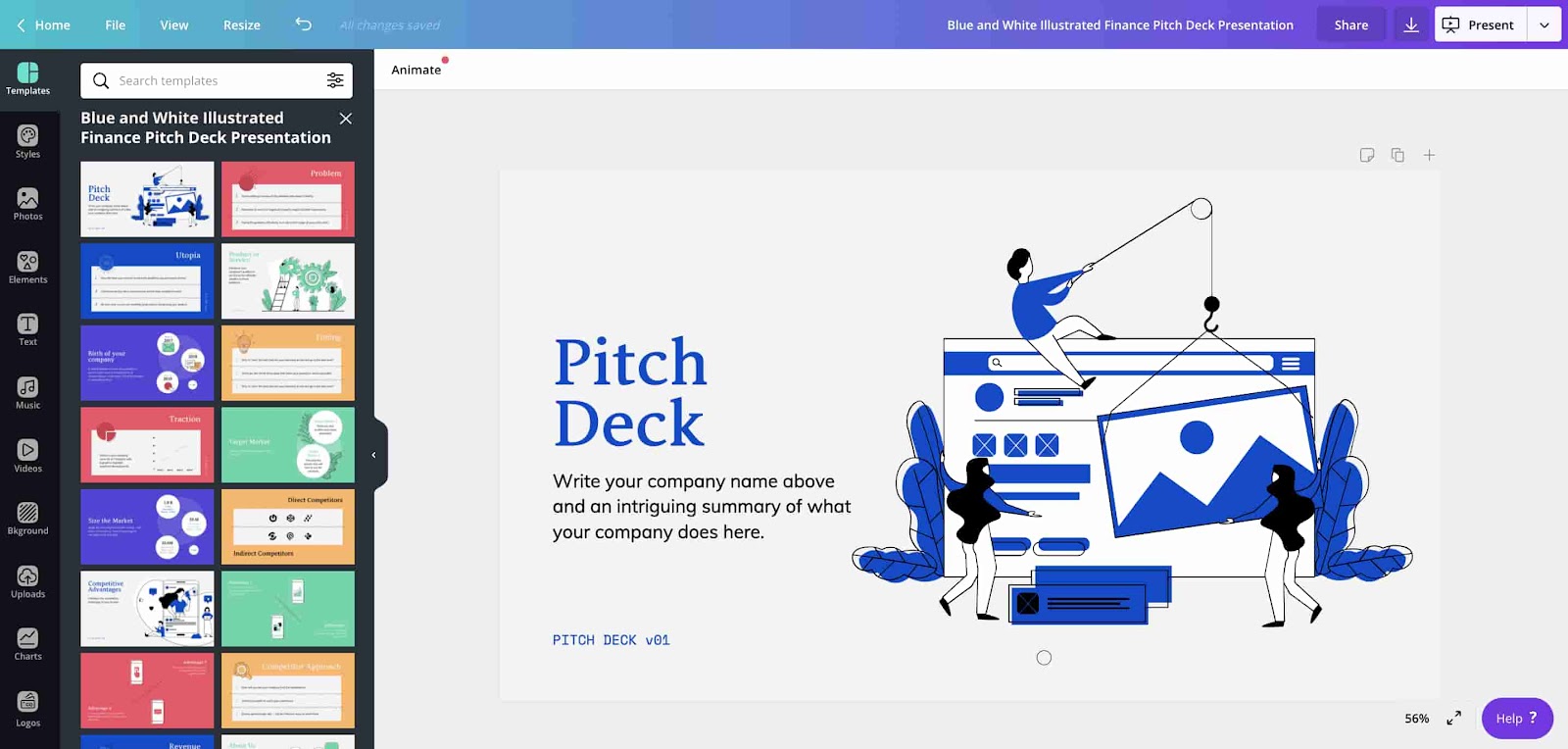
2. HaikuDeck
HaikuDeck is another straightforward design software that reconciles accessibility with powerful functionality. It features a simple interface and boasts a wide range of different presentation templates — including ones for compelling pitch decks.
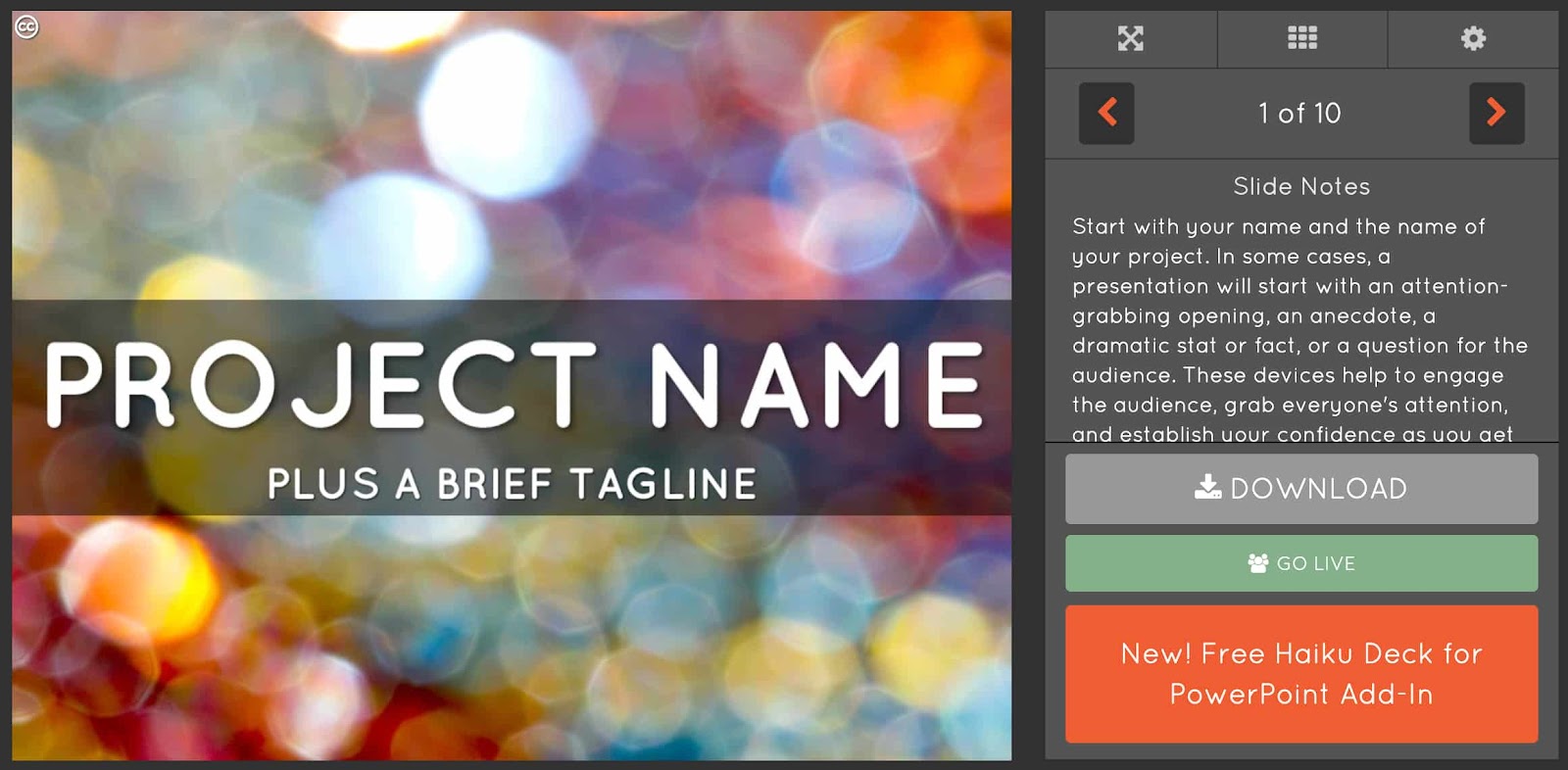
3. Slidebean
Slidebean separates itself from similar programs with its available library of pitch deck templates. It actually provides presentation formats pulled directly from various companies’ successful startup pitches — offering a series of unique, provenly effective avenues for emerging businesses to take.
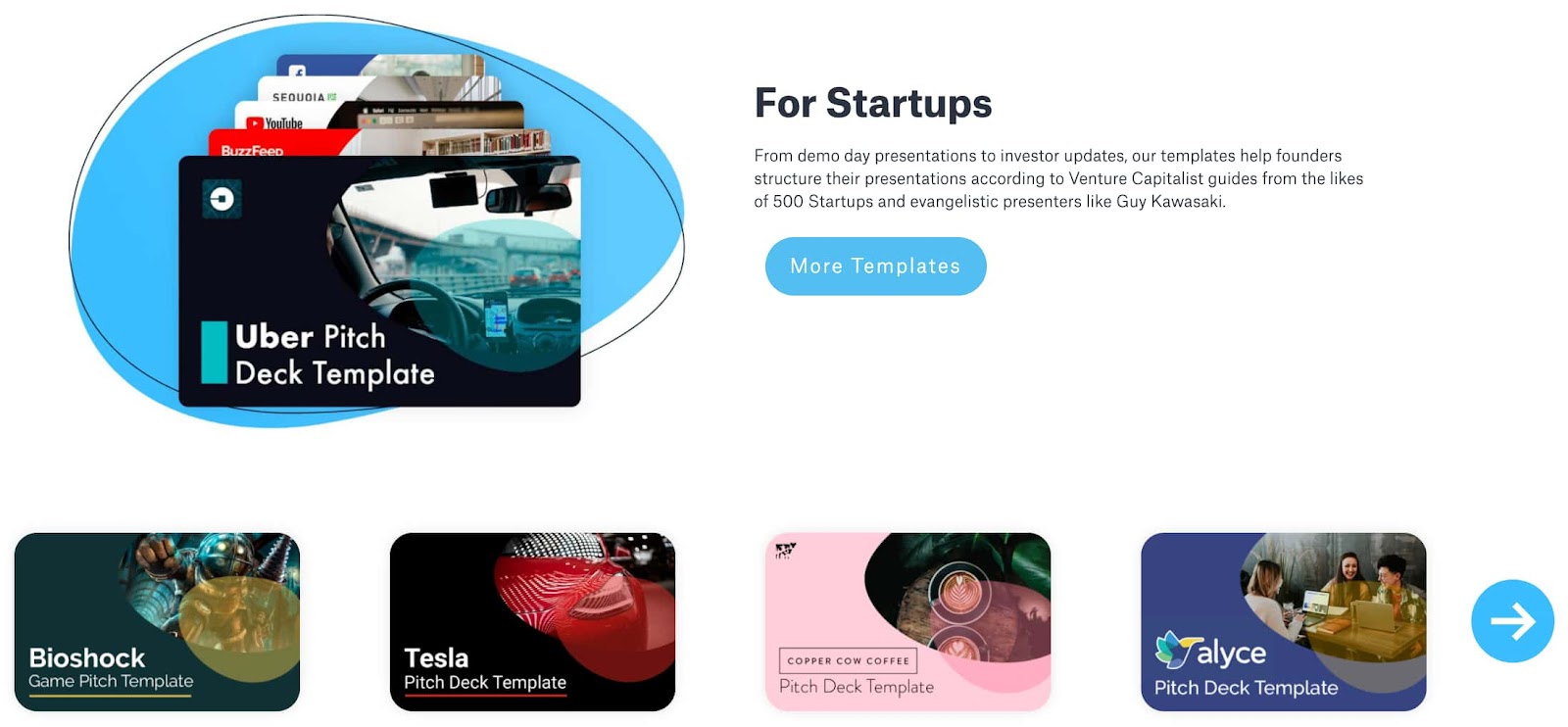
4. Google Slides
Google Slides is a staple of the GSuite — and for good reason. It’s an accessible, no-nonsense, free solution that virtually any startup can figure out. With hundreds of pitch deck template integrations available online, Google Slides is one of the better options businesses have when constructing their pitch decks.
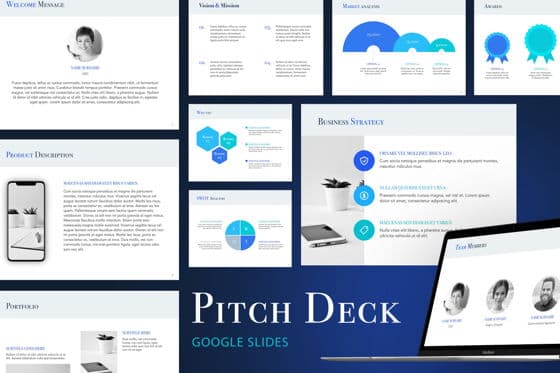
Let’s see what these concepts, structures, and points look like in practice.
Pitch Deck Examples
Here’s a look at some pitch decks that delivered results.
Uber
MatterMark
AppVirality
Castle
Pitch decks aren’t going to go away anytime soon — no matter how many pitches start to come in the form of crazy stunts. Sometimes, a pitch just demands a straightforward, no-frills presentation. And in those cases, you’ve got to bite the bullet, swallow your creative pride, and open your presentation software of choice.
So, given how fundamentally ingrained in startup culture they’ve become, it’s in your best interest to have a grasp on the nature of pitch decks and a picture of how to do them right.
Editor’s note: This post was originally published February 16, 2017 and has been updated for comprehensiveness.

10 Logo Design Trends to Watch for in 2021 [Infographic]
We demand a lot from logos.
They have to be simple, yet still convey the ethos of the brand in a way that resonates with consumers. They have to be timeless and distinct, but still modern and consistent with contemporary graphic design trends.
It’s a lot to ask of a single symbol. As any designer will surely tell you, designing a logo that meets these varied expectations is no easy task.
To help you prepare for the new year, Logaster created the infographic below detailing their predictions for the most influential logo design trends of 2021. Keep an eye out for these design approaches in the coming year.


Science-backed Tips for Mastering Public Speaking, According to 5 Psychologists
Welcome to The Science Behind Success — a blog series that explores the best ways to help our brains perform better at work. With psychological research and interviews with leaders in the field, we’re showing you how psychology can help you overcome workplace obstacles and excel in your career. Because a little mindset change could go a long way.
If you’re anything like me, there’s little in this world that scares you more than the daunting idea of public speaking (besides spiders, of course, but that’s another issue altogether … ).
However, as marketers, most of our roles require public speaking. Perhaps you need to report on monthly campaign numbers to your team, share the results of an exciting marketing experiment with the company, or make a pitch to an external team with whom you’d like to partner.
Ultimately, in the marketing field, public speaking is often unavoidable.
Additionally, even if you could hide from it, you probably don’t want to — speaking to large groups makes you more visible at your company and strengthens your own personal brand, as well as your ability to network and be seen as a leader.
Over the past few years, I’ve personally come to terms with the necessity of public speaking. But that doesn’t mean I still don’t get sweaty palms and shaky breath moments before walking on-stage (or, in this case, turning my Zoom camera on … ).
I spoke with a few psychologists to get to the bottom of why public speaking is so scary in the first place and am sharing their takeaways below. Plus, we’ll dive into a few science-backed tips for mastering public speaking, so you can feel at-ease the next time you’re speaking to a room full of people.
Now, as for spiders … that, I can’t help you with.
Tip 1: Get Curious About Your Fears
Alexis Verbin, LCSW, LICSW, told me: “I always recommend taking time to self-reflect and approach fears without judgement and with curiosity. It can be difficult to reduce symptoms if you are unaware of why you experience them or what triggers this type of reaction.”
The fear of public speaking occurs for a variety of reasons:
- Biological fight-or-flight response that can get activated
- Past negative public speaking outcomes
- Lack of experience or knowledge on the topic being presented
- Low self-esteem and/or imposter syndrome
- Audience makeup (i.e., high-level executives)
Verbin adds, “By identifying the ‘whys’ behind your fear, you can help alleviate some of the distress associated with the unknown.”
“These ‘whys’ can also help you identify which specific tools to try to address your individualized needs. I would encourage the use of journaling to start this process of discovery. Write down your history of public speaking, past experiences (+, neutral, -), positive & constructive feedback, triggers, negative self-talk, somatic complaints, etc.”
By identifying the reason behind your fear, you can start to tackle that more unique, personalized fear head-on. For instance, if you’re dealing with a case of imposter syndrome, perhaps you can create a quick “Fact Sheet” of all your past accomplishments and praise you’ve received to glance at before making a speech.
Tip 2: Take Advantage of Familiar Surroundings
Jenna Halloran Karl, LICSW, says: “You are likely to feel less anxious when you are familiar and comfortable in your environment. If you are presenting virtually and working from home, use this to your advantage!”
“Try grounding yourself to the room you are in by noticing things that are soothing. Focus on what you can see in the room, hear, feel, taste, and smell.”
“Focus on things you can control, like being prepared, being on time, and how much you practice your speech.”
If you’re presenting in an unfamiliar room, you could try to spend some time working in the room ahead of time to develop a familiarity with your surroundings. Alternatively, if you’re presenting from your home office, take comfort in the picture of your family on your desk, or the plant you love in the corner. These little details can remind you that you are, indeed, safe.
Additionally, comforting internal phrases can help, as well. For instance, Karl suggests, “Develop ‘coping thoughts’ ahead of time to recite to yourself before and during your speech (examples: ‘I am well prepared for this speech’, ‘I am doing the best I can right now’, ‘If I turn red, it will only be temporary.’).”
Tip 3: Increase Acceptance of Your Fears
Alexis Verbin encourages anyone suffering from anxiety related to public speaking to try some methods related to ACT, or Acceptance and Commitment Therapy (ACT), which was developed by Dr. Steven C. Hayes: “This empirically-based model utilizes mindfulness, acceptance, and behavior change to teach individuals how to overcome life difficulties and cope with, take space, and disconnect from unpleasant thoughts and emotions. The goal is not to avoid or replace thoughts or emotions, but rather to change your relationship to them.”
To do this, Verbin provides seven tactics you might try:
- Notice and Observe: Take a step back and just notice your anxious thoughts about going on stage, without trying to control them. Next, label them as just thoughts. Work on becoming an observer of your experience rather than staying stuck thinking about your anxiety-provoking thoughts.
- Visualize: Take time to sit quietly, close your eyes, and visualize yourself placing the unhelpful anxious thoughts on leaves. Then, take these leaves and place them on a stream of water where you watch them calmly float away into the distance. (Full version of this exercise here.)
- It’s Just a Thought: Put the phrase: “I am having the thought that…” in front of your negative or anxious thought to remind yourself it is just a thought.
- A. Unhelpful Thought Example: I’m going to mess up my speech.
- B. Cognitive Defusion Example: I’m having the thought that I’m going to mess up my speech.
- Story Time: Anytime an anxiety-provoking thought comes up, kindly say to yourself “there my brain goes again telling that unhelpful public speaking story.”
- Get Silly: Say your thoughts out loud in a completely different way. This can help reduce the level of seriousness you are placing on the thoughts so you can actually start to view them as thoughts. (For instance, you might verbalize the thoughts out loud using the melody of a funny song like happy birthday; use silly cartoon voices while saying your thoughts; or say your thought very slowly.)
- Be Mindful and Ground Yourself: Practice present moment awareness, try the five senses activity (below), and practice acceptance.
For the last technique regarding mindfulness, Verbin suggests three alternative methods you might try. Let’s dive into those in more detail:
1. Present Moment Awareness: Before walking into the spotlight, look around and remind yourself that in your present moment, everything is actually okay, and that you are safe.
2. Five Senses Activity: If you are struggling to ground into your present moment, try the “Five Senses” Mindfulness activity. The goal is to help guide yourself out of your thoughts and to focus on your environment (i.e, what is actually going on outside of your head). *While taking slow deep breaths, notice and name the following:
- Five things you see
- Four things you touch
- Three things you hear
- Two things you smell
- One thing you taste
3. Accept: While public speaking isn’t pleasant for many, remind yourself that fueling the negative self-talk and anxiety is not going to make the situation any easier. It will likely do the opposite. Instead, work on acceptance by creating a safe space for these unpleasant thoughts to come and go like the wind. Try not to give yours too much undeserving attention.
Tip 4: Master Mental Rehearsal
Joann Toporowski, Psy.D., a psychologist and executive coach, suggests “A strategy that I speak to my clients about may sound counterintuitive, but it has an impressive impact on their mindset and performance. This strategy is called mental rehearsal. Once you have mastered this simple strategy, you can harness it to your advantage.”
“We know from studies of professional athletes that the same regions of the brain will light up when quarterbacks imagine throwing a football and when they are actually throwing a football.”
“This phenomenon has also shown to be present when professional basketball players watch footage of a basketball game — the parts of the brain that were activated are specific to hand muscles. Athletes have long known the positive effect of visualization and mental rehearsal.”
To practice mental rehearsal, Toporowski told me: “There are two steps to using mental rehearsal. The first step is to see yourself in the meeting room or on stage before their company doing horribly, being pointed at, and then being fired — the more absurd, the better. Feel the embarrassment, the shame, and the rejection. A part of you will quickly realize how extreme this negative outcome will be, and at this moment, you can easily shake it off.”
“Having mentally rehearsed the absolute worst outcome will allow you to deal with the outside chance that your talk did not go just as planned. If this should happen, you can at least say that you were not pointed and laughed at or fired.”
“The second step is, after imagining the worst outcome, mentally rehearse the positive outcome. Picture yourself speaking eloquently and smoothly. Feel the pride, respect, and confidence well up inside of you. Imagine the praise you will receive from colleagues and management. If you repeatedly picture the talk going well, you move the needle towards a positive outcome in a small, yet inspiring, way.”
Tip 5: Challenge Your Thinking
If you’re preparing for an upcoming presentation and you feel yourself getting increasingly anxious, Jenna Halloran Karl suggests you notice and challenge those thoughts you’re having.
She says, “Challenge negative and catastrophic thinking by checking the facts. Do you have any evidence to support these negative thoughts? What is an alternative, more realistic way to think about this situation?”
Karl adds, “Remember, worst case scenarios rarely ever happen.”
For instance, if you’re having the thought, “I’m going to fail and everyone is going to think I’m a failure”, challenge that by asking yourself if a presentation has ever resulted in people saying to you, “You know, I think you’re a failure.”
Alternatively, challenge your perspective by asking yourself, “If someone else ‘fails’ during a presentation, do I really think they’re a failure? Or do I just feel empathy?” Remember, most of your fears won’t ever actually happen, and by challenging the validity of each, you can minimize your anxiety.
Tip 6: Move Your Body
When you walk into a gym and you’re anxious about a stressful work day, have you ever noticed that by the time you leave, you feel much more rested and focused? There’s a reason for that — so the next time you’re gearing up to present, consider how you might tap into the physiological benefits of exercise.
KieVonne King, LCSW, suggests, “Give yourself enough time prior to your speaking engagement to move your body. Many people have attested that physiological reactions to anxiety manifest in the abdomen region. Moving your body with the intention of releasing any physical discomfort can be helpful.”
“This can be done through dance, stretching and twisting, or any other form of physical activity that resonates with you. The most important thing is to couple movement with intentionality — what am I releasing and why — and deep breathing.”
Tip 7: Practice Your Breathing Ahead of Time
They say practice makes perfect … but have you ever considered practicing when, and how, you’ll breathe during your presentation?
Jonathan Walsh, LMHC, therapist, and coach told me, “What many of us experience as anxiety or panic around public speaking is actually hyperventilation due to altered breathing patterns at the beginning of presentations. The way to combat this is to write out and rehearse the first five minutes of the presentation out loud, with a particular emphasis on breathing at the punctuation spots.”
“Keep practicing until you feel your breath normalizing and you have memorized both the text and your pauses for breath.”
Additionally, he adds, “Remember that anxiety is not your primary identity. Work on shifting your internal language from an embodied ‘I’m anxious’ to ‘I’m having some anxious thoughts right now.’ Naming the emotion will remove some of the threat from it. Then commit to performing well, despite the presence of the inevitable anxious thoughts.”
Tip 8: Remember Why You’re Doing It
At the end of the day, you’re presenting for a reason — and not just a superficial reason, like “I want to look good in front of my boss”, but a larger, more meaningful reason, like “I want to help marketers grow in their roles.”
Tap into your reason. As Joann Toporowski says, “Whenever I deliver a talk, whether it’s to a small group of five or a room of hundreds, I think about what my goal is from the 10,000-foot view. As a psychologist and an executive coach, my overarching goal is perpetually to help and support others.”
“This goal of helping others is at the forefront of my mind when I write my speech, practice it beforehand, set myself up for success by getting adequate sleep and eating well, and calming myself before I go on stage.”
“My larger and more meaningful goal of helping others makes the anxiety, fear, and nervous energy so much more manageable.”
“If you still feel like an imposter, or ill-prepared when the spotlight is on you, then pull your shoulders back, look people in the eyes all around the room, smile, breathe, and do the best you can do until the end. Good, bad, and for everything else in between, it is all going to be okay.”
Ultimately, public speaking is scary for most people — but that doesn’t mean you can’t master it with some mindfulness, preparation, and perspective. Keep these tips in-mind next time you’re presenting. Over time, you’ll find what works for you. Good luck!

17 Last-Minute Gift Ideas for the Marketer in Your Life
The days remaining in 2020 are few, and 2021 is just around the corner — things you undoubtedly know already.
But here’s something you may have forgotten about: There’s not much time left to finish up your holiday shopping. (Gasp! We know.)
Maybe you’re a marketer looking to complete your wish list. Or, maybe you’ve got a team of marketers you want to make smile.
To help you out, I’ve searched the internet far and wide (it’s kind of what I do), and found you some of this year’s best gifts for marketers.
Without further ado …
17 Last-Minute Gift Ideas for Your Favorite Marketers
1. Send a Starbucks eGift Card
Once upon a time, Starbucks offered a Tweet a Coffee program, which was retired after testing it in beta. I tried it for the first time earlier this season when Emily Maxie, B2B tech marketer at Very said something nice about our social media tool. I was really thrilled and just wanted to do something nice in return. Tweeting a coffee was an easy, hassle-free way to surprise co-marketing partners, customers, or others. Plus, it was almost instantaneous, so it was a savior for last-minute shoppers.
@emilymaxie, @meghkeaney just tweeted you a coffee! Redeem it now. https://t.co/0X3XIAVK4E
— Tweetacoffee (@Tweetacoffee)
November 21, 2013
Although that program has been retired, there’s still a good alternative: Send a Starbucks eGift Card. Just add a personal message and the amount you’d like to give, enter an email address, and hit “send.”
Where to get it: Starbucks
Cost: Buyer’s choice
2. Blogging Fuel Mug
As comedic writer Dave Barry once explained, “It is inhumane, in my opinion, to force people who have a genuine medical need for coffee to wait in line behind people who apparently view it as some kind of recreational activity.”
Not only is this mug a good way to keep your favorite marketer sufficiently caffeinated, but its message is also on point. Around here, at least, our marketers love creativity — but we also love precision. And, we love the written word. So when this mug came across our radar …

Source: Amazon
… we knew it had to make this list.
Where to get it: Amazon
Cost: $14.95 + $4.95 shipping
3. “Eat. Sleep. Blog.” T-Shirt
This is a pretty great gig we all have. Sure, there are seemingly unattainable lead goals and endless writing deadlines. But think about it for a moment: Every day, we get to get up and figure out how to capture people’s fascination. It’s an amazing job.
This shirt summarizes that sentiment nicely.

Source: Amazon
Oh, and it’s really comfortable for blogging.
Where to get it: Amazon
Cost: $17.39
4. HubSpot Fleece-Lined Winter Hat
We’re not sure how the weather looks in your neck of the woods, but around the holiday season, it starts to get cold where HubSpot is headquartered, in Boston.
It’s sweater weather. Hat weather. Fleece-lined hat weather, to be specific.
Luckily, HubSpot has a hat for that.

And while you’re at it, check out these other last-minute gifts from the HubSpot Shop:
Where to get it: HubSpot Shop
Cost: $15
5. “But First, Coffee.” T-Shirt
It’s best to wear your priorities on your sleeve … er … torso. This cozy T-shirt puts your working style out in the open. In fact, it may double as a signal for the best way to bribe you for extra work.
Don’t work in a jeans-friendly office? Nothing a blazer and nice pants can’t fix (she writes as if she has actual fashion sense).
Where to get it: Skreened
Cost: $29.99
6. Mophie Smartphone Case
A few years ago, a group of HubSpotters got these cases while working long hours at the INBOUND. But they’re not just any cases — they’re Mophie smartphone cases.
Mophie is a smartphone cover that also doubles as extra battery life.

Source: Mophie
They’re a little clunkier than the standard phone case, but they can extend your phone’s life by 100% or more. If you know a marketer who is often working on the road.
Where to get it: Mophie
Cost: About $100, depending on variety
7. Book Cover Laptop Case
Rumor has it writer Jorge Louis Borges used to sleep surrounded by books. He’d crawl into bed with stacks of them on either side. His last scent before sleep would be that of open pages and intricately worded lines.

Source: Twelve South
This isn’t quite as poetic, but it’s close.
This laptop cover would be a good fit for the bookworm on your team.
Where to get it: TwelveSouth
Cost: About $80
8. Subscription to a Streaming Music Service
Okay, so music may not make you smarter, but it does make you happier. And isn’t delight what we’re really after here?
Many marketers already listen to streaming music while they work, but without a subscription, that streaming music is typically limited or interrupted by commercials.
Buying your marketing friend a subscription to a streaming music can get rid of all the commercial interruptions and just leave them with good working music. We’re inbound marketers — thus, we hate commercial interruptions.
Here are a few options:
- Pandora: $54.89
- Spotify: $9.99/month for Premium
- Apple Music: Plans start at $4.99/month
- Google Play Music: Plans start at $9.99/month
9. @TwitterName Necklace
It might be a bit excessive, but it’s also kind of awesome. Here’s a gift for the social media strategist who has single-handedly grown your company’s Twitter following from 15 to 500 and beyond.
Source: Etsy
If jewelry isn’t the right gift, there are also a range of social media coasters.
Where to get it: Etsy
Cost: $43.99
10. 1Password
Welcome to secure accounts on the internet. Your password must be 15 characters long with at least two capital letters, three symbols, two numbers, and at least one variation of the Jabberwocky poem.
Nope, that won’t work. And it can’t be the same as any password you’ve used since junior high school.
If you could spare the marketer in your life this frustration, wouldn’t it be a happier new year? Take a look at the 1Password app. It will create and store all of your passwords securely and enable you to log into your accounts with one click.
Where to get it: 1Password
Cost: Plans start at $2.99/month
11. 99U Essays: Manage Your Day-to-Day
One of my favorite books, this collection of essays from 99U, focuses on how to develop a habit of creativity in your work and personal life. It gives you tips on how to put your creative work first and fend off a stream of endless emails, texts, and other interruptions.
Source: 99U
With an average 4.4-star rating on Amazon, this book offers concrete ideas for getting more out of your daily routine and finding the right moments for creative, complex work.
Where to get it: Amazon
Cost: $10.99
12. Freelancer Tools From WriterAccess or Zerys
While they don’t do gift cards, you could help a freelancer’s life easier with tools from WriterAccess of Zerys. Create a gift certificate yourself and wrap it up in a bow: Good for one day of reprieve from creating content.
Where to get it: Zerys or Writer Access
Cost: Varies
13. Premium Versions of Productivity Apps
Marketers use all sorts of freemium tools to organize their time and plan campaigns. Find out what online apps your marketer uses to make his or her day-to-day easier with access to all the bells and whistles for a year.
Here’s a breakdown of some popular ones:
- Evernote: Evernote is a repository for just about anything: ideas, articles, documents, photos, marketing examples. You can use the tool on your phone, desktop, and tablet, so it goes where you go. The big benefit of Evernote is how searchable it is. You can search documents or even the words in a picture to quickly retrieve your content again. The premium version gets you more storage, better search, and an interesting presentation mode. Cost: $69.99/year
- Dropbox or Box: We all could use a little space. Help your marketer out by upgrading their Dropbox or Box accounts to a pro version. Cost: Varies
- Feedly Pro: When Google Reader closed its doors, Feedly was widely adopted as the replacement RSS reader. Feedly Pro is a more powerful version of Feedly with one-click integrations, custom sharing URLs, and full support. Cost: Plans start at $5.41/month
14. Noise-Cancelling Headphones
Can you really put a price on peace and quiet? Turns out, Bose can: At a minimum, it’s about $180. Yikes.
But if you can get over the price, this is an amazing gift for anyone who needs to focus throughout the day. Noise-cancelling headphones put your marketers in their own cozy and uninterrupted lead-generating world.
Whether they listen to Mozart or Modest Mouse, these headphones give marketers a chance to block out everything but the work ahead of them.
Where to get them: Bose
Cost: Models start at $179.95
15. Class Reimbursement
For intellectually curious marketers, think about giving them the combo-gift of classes plus the time to learn a new skill.
There are a number of low-cost and free online classes and tutorials out there for people looking to code (Codecademy), design (Skillshare), or acquire other relevant skills. The trouble is finding the time.
If you really want to thrill a marketer on your team this season, give them the classes plus an approved block of time each week to dedicate to the lessons. Wrap it up in one package.
Where to get it: Check out Code Academy and Skillshare, plus your local continuing ed classes. Then, help your favorite marketer figure out how to make the class time possible.
Cost: Varies
16. INBOUND Ticket
Surprise! It’s not too early to buy tickets for INBOUND 2021.
INBOUND is an industry event like no other. Of course, I would say that, because as a HubSpotter, it is the center of my life in August and September. But as it turns out, others think so, too.
Darby Tinch of Mohawk Home said, “This was by far the best conference I’ve attended in a very long time. Not only was it the recharge I needed professionally but also on a personal level. It has been a long time since I’ve been this excited about my career. I cannot wait until [the next] INBOUND!”
Where to get it: INBOUND
Cost: Digital pass on sale right now for $49 (typically $149)
17. Donation in the Marketer’s Name or Honor
If none of the above seems like a fit, consider a donation in your marketer’s name or honor. Donations are a personal thing, so be sure you have a sense of the issues your marketer cares about. But once you do, a gift in his or her honor can be really meaningful.
Where to get it: Because the donation should reflect the gift recipient and there are so many nonprofits we care about here at HubSpot, I’m going to leave the door open here and not make any specific suggestions. Talk to the gift recipient and see what they care most about.
Cost: Whatever amount you see fit.
There’s your starter list. There are dozens more ideas out there: subscriptions to magazines or journals, lunch from a local restaurant, or a plethora of other gift certificates anyone would love.
Editor’s note: This post was originally published in December 2017 and has been updated for comprehensiveness.
