
Welcome to My Blog
How to Nail Interactive Presentations, According to HubSpot Experts
I can distinctly remember being extremely excited to attend a presentation from a speaker whose book I had read and loved in class. Unfortunately, the speaker was not as engaging as I’d hoped, and I found myself getting bored and distracted.
Marketers know better than anyone that capturing audience attention goes hand in hand with keeping people engaged. If people are bored, their thoughts will drift somewhere else, and you’ll miss out on the opportunity to impact their behavior. This is true regardless of the marketing medium, from advertisements to presentations.
That being said, marketers need to create effective ways to gain audience attention during their presentations — one of those is interactivity. According to the Oxford Dictionary, interactivity is defined as how two people work together and influence each other. Therefore, creating interactive presentations means using strategies that will capture and hold audience attention. It makes it easier to leave lasting, meaningful impressions about the content you’re sharing with them.
This post will outline the importance of interactive presentations and share tips from HubSpot experts for giving engaging, interactive presentations.
Why are interactive presentations important?
Interactive presentations are those where audience members and presenters feel like they’re in conversation with each other. It’s a pivot away from the lecture and listeners feel, as presenters entice audiences to participate and interact with them.
The reason for creating interactive presentations is simple: marketers who make a connection with their audience are more likely to have them leave feeling as though they’ve learned something from you.
All marketers want to leave good impressions, so understanding how to do this during presentations is important. Below we’ve listed nine interactive presentation ideas that you can use when planning your next virtual or in-person events.
Use a PowerPoint.
PowerPoints help you incorporate various media into your presentations, like text, images, and even videos. This ensures that there is an aspect of your presentation that appeals to every audience member, as everyone learns differently.
For example, someone may have an easier time digesting your content when they can see visual examples. In contrast, their neighbor may retain more information if they can follow along by reading a brief summary. When you tailor your presentation to meet the differing needs of your audience, it’s easier for everyone to interact with your content and learn from your talk.
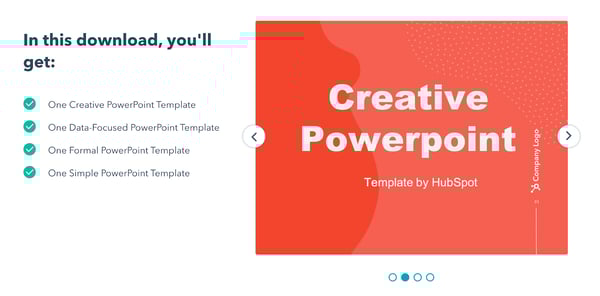
Should you choose to use a PowerPoint, this HubSpot download gives you four different slide templates to choose from that can be used to create high-quality presentations.
Draw comparisons to your passions.
It’s probably safe to say that the presentation you’re giving is about a topic you’re an expert in. It’s also probably safe to say that your audience isn’t necessarily as informed as you are, so they’ll need more context to catch up to your level of understanding.
Content Creation and Lead Acquisition Marketing Manager AJ Beltis says that drawing comparisons to your passions during presentations can engage your audience and enhance their understanding of new concepts, especially if they aren’t contextually related. This could look like drawing in references to sports, movies, and pop culture.
Beltis says, “Help your audience better understand what you’re presenting by referencing something outside of the context — sports, movies, and pop culture references can work really well if they make sense.”
This keeps your audience engaged because you’re relating the information to real-life examples that may be more readily available to them. Bonus points if you use a humorous reference, which can cause your audience to create a positive association with the information and retain more of what you’re saying. If you begin with a cheerful anecdote, you’ll set the tone for the rest of the presentation.
Use an ice breaker.
One way to ensure that your presentation is interactive is to generate rapport with your audience with an ice breaker.
Ice breakers are short activities that audience members can participate in that are meant to inspire a sense of community and help audience members meet their neighbors. Ice breakers can also diffuse any sort of tension or anxiety from being around unfamiliar people.
If you’re at a loss for ideas, you can always try Two Truths and a Lie. Every audience member comes up with two factual statements about their life and one lie, and the rest of the audience works together to pick out the false statement.
Ice breakers are great because they are adaptable to both in-person and virtual meetings. For in-person events, per safety regulations, presenters can pre-select an ice breaker, and small audiences can go around the room responding to a question. For larger audiences, participants can simply introduce themselves to a neighbor.
For virtual events with small audiences, you can use the same structure as in-person presentations, but larger audiences can be broken down into smaller, more intimate break-out rooms. Either way, people are still breaking the ice, so to speak, and interacting with each other.
Tell a story.
Use your presentations to interact with your audience by telling a story. It could be a personal anecdote, a story from a customer, or a well known-story that you adapt to illustrate your presentation’s message.
Senior Marketing Director Emmy Jonassen recalls one of the most memorable presentations from a HubSpot Marketing Team planning session: “There was a group that used Goldilocks and the Three Bears to illustrate how they went about solidifying the perfect strategy. The story paired with the imagery kept the audience engaged, and people were listening and laughing.” Jonassen says that, almost a year later, that was one of the most memorable presentations of the two-day session.
By telling a story, you’re using interactivity to influence your audience and help them remember what you’re sharing with them. A story gives your audience something to associate the information with, which may make the information you’re sharing easier to recall. You’ve used a story to influence their retention of the information you’re presenting.
Use data representations.
Using data representations is a valuable way to showcase your content in a digestible format. For reference, data visualization is using things like charts and diagrams to help viewers understand the significance of the information you’re showing them. It’s easy to say the words out loud, but using pictures gives the audience a visual representation of your words.
Say you’re a marketer giving a presentation on the benefits your business has found from advertising on different social media sites. You can certainly verbalize how Twitter was the best, but using a chart that shows the difference in return on investment (ROI) between different platforms gives audience members a visual representation of your success.
If you’re a HubSpot user, Marketing Hub allows you to create visualizations from the data in your HubSpot analytics reports. The image below is a pie chart that was created using HubSpot reports.
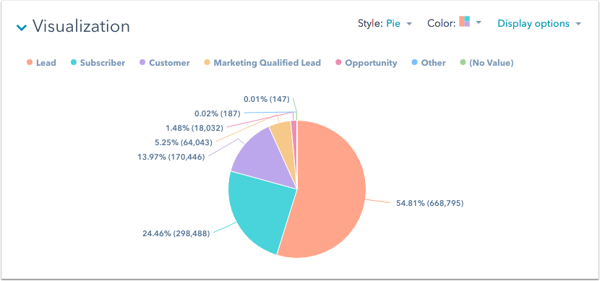
All-in-all, data visualization increases the impact of your words because audience members get a picture of the significance of the information you’re giving them.
Breakaway from the “expected” format.
The disappointing presentation I mentioned earlier followed the typical structure of an introduction, content presentation, brief Q&A, and then it was over. I expected more interactivity from the author, but it really felt like a regular college lecture. I wish the author had mixed it up and varied their structure, maybe by asking us questions about our interpretations of the book, but she didn’t.
Many presenters follow this structure, and there’s nothing wrong with it, but the framework can become boring to your audience. If you mix it up and vary your style in a way that your audience wouldn’t expect, you can capture their attention by throwing them off (in a good way), and they’re likely to stay attentive because they don’t know what’s coming next.
Amanda Sellers, Historical Optimization Writer, says that breaking away from expected format could mean playing a game, or subverting expectations. She recalls giving a presentation on a Monday afternoon where she knew that the audience would likely be a bit quiet. For part of her presentation, she had the audience stand up and repeat the words she was saying; “Standing up got their blood flowin’, and I encouraged them to participate at full volume. This shook up the presentation, and it helped with information retention because the attendees were listening and repeating back the information.”
Breaking away from the expected format doesn’t necessarily mean that you should do something at the beginning that you’d usually do at the end — get creative with what this means to you personally and how it would benefit your presentations’ interactivity.
Have Q&A or AMA sessions.
A great way to interact with your audience is to have question and answer (Q&A) or ask me anything (AMA) sessions during your presentation.
When you do this, audience members can ask clarifying questions about what you’ve already said to gain a full understanding before moving on to the next concept. For example, if you’re presenting your recent marketing campaign, consider stopping after each step of your plan (like plan goals, measurement, target audience, etc) to allow the audience to ask clarifying questions before you move on to the next section.
You can also switch it up and ask audience members questions, as they likely have valuable input into the topic at hand. Consider creating quizzes and polls where they can respond to your questions and submit feedback. You can make submissions anonymous so audience members feel comfortable to share anything (within reason) that they have on their mind.
Weaving Q&A and AMA opportunities throughout your presentation is also a great way to re-capture audience attention if they have become distracted, as it requires them to think critically about your content and their own information retention.
During virtual presentations, audience members may not feel as comfortable interrupting you to ask clarifying questions, so purposely taking the time to ask participants questions or have them ask you questions is worth considering. Becca Stamp, Senior Learning & Development Operations, says “It’s important to give everyone space to come off mute and contribute throughout the session. The participants add so much value to the session, either through discussion or over the zoom chat.”
Get off the stage.
During in-person presentations, getting off the stage and quite literally leveling yourself with your audience is worth considering.
Most people expect presenters to remain on stage and separated from them, so varying your delivery style and being closer to your audience may inspire a sense of interaction that is different from simply standing in front of a podium for 20 minutes.
If you employ this strategy, you can also have Q&As and where you walk over to audience members and respond to their questions as if you’re having a one on one conversation. Referring back to the definition of interactivity, you’re leaving an effect on your audience by being more approachable than they’d expect.
Share resources for later.
A useful way to inspire continuous interaction with your audience is to leave them with something to take away from your presentation. Depending on the content you’re sharing, maybe you’ll hand out brochures to advertise your service, provide them with a link to your website, or have them sign up for an email list.
Whatever your desired action is, giving them a way to remember you and your presentation is a great way to inspire continuous interaction with them.
Spend Time Making Your Presentations Interactive
All-in-all, the goal of creating interactive presentations is to influence your audience members. Whatever your presentation content is, using strategies that center audience engagement is a valuable way to connect with them and teach them something new.
Feeling like they’ve been in conversation with you rather than being talked at can help you fulfill the ultimate goal of marketing: to leave a lasting impression.

How to Use Pinterest Advertising to Promote Products and Attract Customers
Pinterest is often undervalued by social media marketers and considered an unnecessary component of a marketing strategy — unfortunately, if this isn’t the case for your team, you could be missing out on a major source of traffic and income.
Pinterest offers plenty of unique opportunities for marketers to reach leads and influence consumer purchasing behavior. In fact, Pinners are more likely to grocery shop online. If you’re interested in exploring how Pinterest advertising can help you attract customers, keep reading.
Pinterest Advertising
With over 442 million monthly active users, Pinterest is a great place for businesses to advertise products. Ads show up on users’ feeds and searches in the same format as a regular Pin, making the experience unobtrusive for users while putting your content right in front of them.
There is a large potential reach when you create ads for Pinterest audiences — and, best of all, users are also actively searching the site for products like yours to buy.
Why Advertise on Pinterest
- The reach can be incredible. If your content is engaging and valuable, it can be re-pinned again and again to different users’ boards and continue to drive consumers back to your website.
- Pins have a much longer lifespan than Tweets or Instagram posts. This longevity makes them a particularly powerful asset. Pins can show up in a user’s feed months after initially posted.
- Pinterest users spend 27% more for click and collect shopping — meaning your Pinterest ads, or Promoted Pins, are being shown to a remarkably responsive audience.
All of which is to say — a paid advertising strategy for Pinterest isn’t such a bad idea, and could help bolster your organic presence by gaining traction with potential buyers, and improving brand recognition.
Pinterest Ad Types
There are a few ways to promote your content on Pinterest. To determine which ad format is best for your business, it’s important to know the goals of your campaign and the attributes of each Pinterest promotion format.
1. Pins
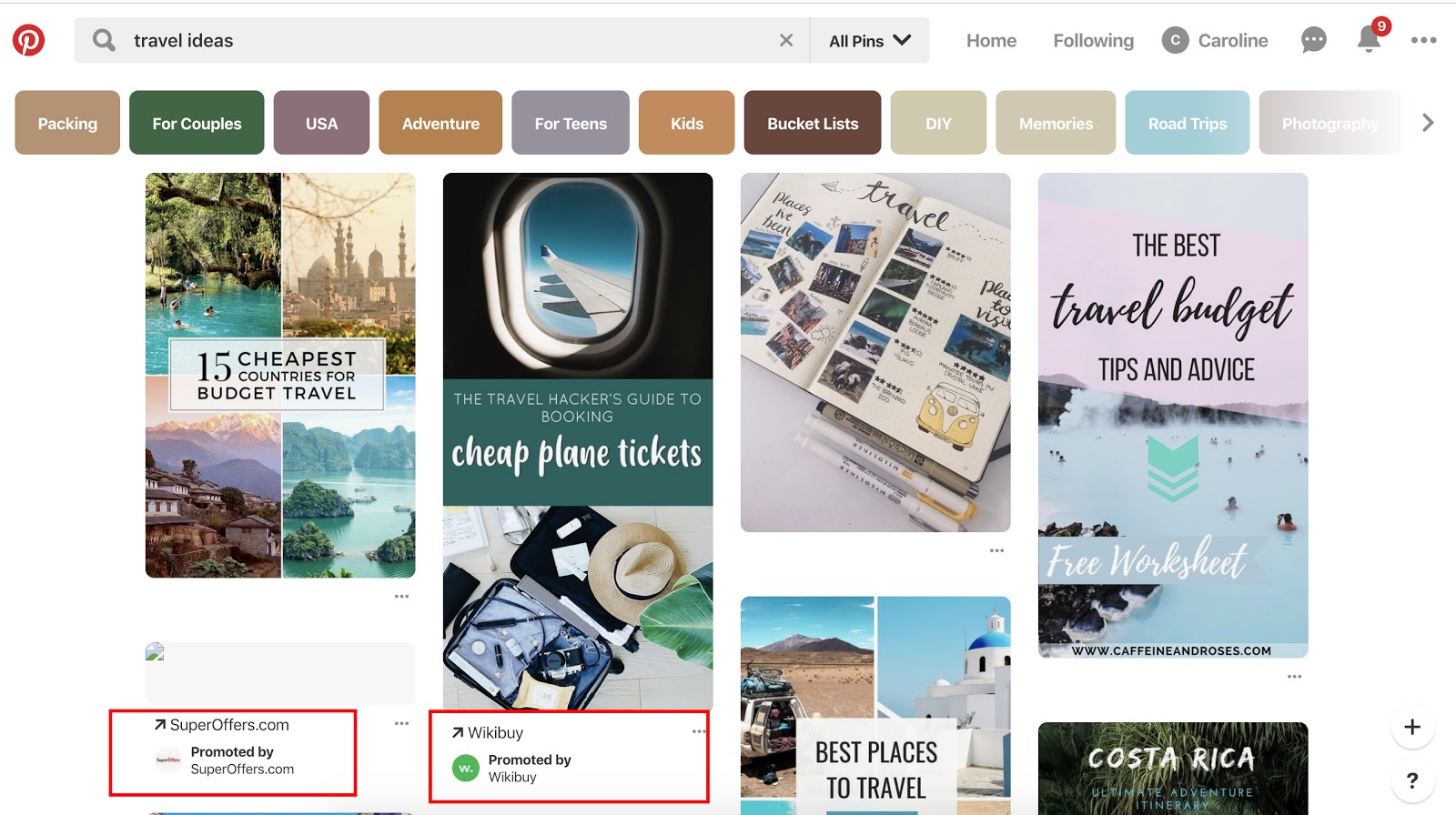
At first glance, Promoted Pins look and act just like a regular static Pin, but they have a small “Promoted” label to set them apart. Promoted Pins are boosted and targeted to reach more people. Users can even Pin your Promoted Pins to their boards, share them, and comment on them.
Once a user shares a Promoted Pin, the “Promoted” label disappears, and subsequent re-pins are considered earned media — meaning, after the first pin, organic exposure to the content is free.
Here are some guidelines to follow when creating a Promoted Pin advertisement:
- The file has to be PNG or JPEG.
- Your content cannot go over 10 MB.
- There is a description copy limit of 500 characters.
- Your aspect ratio must be 2:3 and should be vertically oriented.
2. Video Pins
Promoted Video Pins are exactly like Promoted Pins — except the static image is replaced with a video.
90% of customers say video helps them make buying decisions, and that same percentage of weekly Pinterest users are on the platform to make purchasing decisions. Therefore, Pinterest and video advertising go hand-in-hand.
Pinterest offers two options for video sizing: max width, or standard. Standard videos are the same size as regular Pins and cost less than a max width Pin, which spreads across a user’s entire feed.
No matter what size you choose, Pinterest videos auto-play once they’re 50 percent in view. Plus, the Promoted Video Pins have a conversion optimization option to better serve advertisers with traffic or conversion goals. This new option brings the user to a landing page on the advertiser’s website, as well as a close-up of the video.
Here are some guidelines to follow when creating a Promoted Video Pin advertisement:
- The file has to be either an MP4 or MOV.
- Your video cannot exceed 2 GB.
- The video must meet a minimum of four seconds, and cannot go over 30 minutes.
- Your aspect ratio must fall between 1:91:1 and 1:2.
- There is a description copy limit of 500 characters.
- Make sure to create video that’s not dependent on audio for greater accessibility and those who scroll with sound off.
3. Carousels
Promoted Carousels contain up to five images that users can swipe through. Carousels are used to give a deeper brand story within one Pin.
This feature behaves the same as other Pins, except it will have dots beneath the images that signal additional content. Each carousel image can be different and have a different title, description, and link to another landing page.
Here are some guidelines to follow when creating a Promoted Carousel advertisement:
- File type: PNG or JPEG
- Ideal aspect ratio: 1:1 or 2:3
- File size: Max 10 MB
- Title copy: Max 100 characters
- Description copy: Max 500 characters
4. App Pins
Promoted App Pins are mobile-only advertisements that allow users to download your app directly from Pinterest.
Available on iOS and Android devices, these ads include an “Install” CTA that allows for a seamless transition from Pinterest to your app.
While most of the guidelines remain the same for these Pins, your copy, image, or video should convey important attributes about your app.
Below are some Pinterest ads in action.
Pinterest Ad Examples
Each of these ads are an example of Pinterest advertising done right with actionable tips that you can take away as you create your own:
1. Ruggable

In this ad, the image speaks for itself, which lends well to the visual nature of the Pinterest platform. The rug is front and center in an attractive home space that draws the eye (and probably triggers the shopping tendencies of those who like decorating). It does come with a catchy tagline: “Back to Homeschool.” Because who needs a back-to-school sale to buy cool stuff?
2. Love Sweat Fitness

A big audience on Pinterest is the foodies who love to find and share recipes. Love Sweat Fitness, a fitness brand, is appealing to that crowd with easy and healthy holiday sides. The best part of the ad is how it combines high-quality imagery with attractive typography.
3. Acuity Scheduling
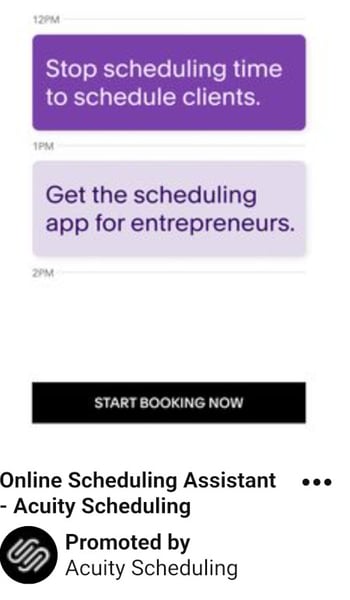
One thing to take away from this ad is that Pinterest advertising isn’t just for home goods, recipes, and ecommerce. Those in the B2B space can definitely take advantage of the advertising opportunities… and who knows, your audience might be browsing for home goods, too.
This ad sets up the value proposition in a text format and gets right at the heart of the audience’s pains: “Stop scheduling time to schedule clients.” They then pair it with a call-to-action: “Start Booking Now.”
4. MissNowMrs
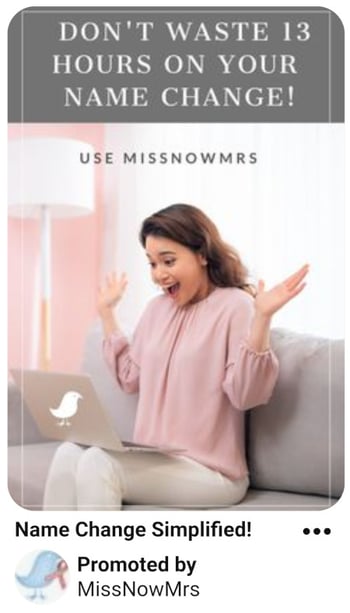
MissNowMrs quantifies the amount of time that brides spend changing their name so that they can use it as their value proposition in this ad. The benefit to the audience is clear and compelling for this reason.
5. Torrid
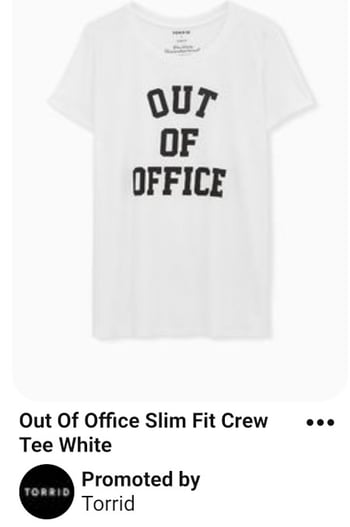
In this Pinterest ad, Torrid is using retargeting options to put their products in front of people who already visited the Torrid website. After visiting this product’s page on torrid.com, the ad “followed” me to Pinterest to stay top of mind and earn the sale.
Now that you have seen what Pinterest ads can look like, take the inspiration from the examples above and put it to action on your own advertising efforts.
1. Choose your campaign objective.
Each of your Pinterest campaigns starts with an objective. Choosing your campaign goal is what determines what ad formats are available to you. There are three categories to choose from — Build Awareness, Drive Consideration, and Conversions.
Conversion optimization is a new campaign objective that optimizes your advertisements for specific actions outside of clicks. Now, advertisers have a way to directly inspire people to take action — like leading a user to an online checkout or newsletter sign-up with no extra steps.
If you want people to discover your business, choose Brand awareness for standard Pins or Video views for Promoted Video Pins as your campaign objective. For these two objectives, you can set a maximum cost for every 1,000 impressions your ad receives.
If your Pinterest goals are to drive qualified leads to your website or improve traffic, choose Traffic or App install for your campaign objective.
For these campaigns, you set a maximum cost-per-click — which means you are only charged when people click through your Promoted Pin to visit your website.
2. Set your campaign budget.
If you want to spend your campaign money evenly over a specific time period, select lifetime. Select daily to choose the amount spent each day. You’ll have to automatically adjust the budgets based on how long you want your ad to deliver.
Next, you’ll set a maximum bid. A bid determines the highest amount of money you’d like to pay for an action, like an engagement or click, on Pinterest. Pinterest will recommend an amount for you depending on your target audience, and what competitors are spending.
Make sure your budget for Pinterest ads reflect your overall marketing goals and the importance of the platform for your business.
3. Maximize your SEO efforts.
By adding an interest and keywords to your descriptions, they become more relevant to people who are actively searching for that content. Keep in mind that hashtags don’t add any ranking value.
On Pinterest, categories of interest are already sorted and categorized. You should explore the available topics that are relevant to your business and target those queries — if you need inspiration, check out the seven categories that do exceptionally well on Pinterest.
Your boards also provide an opportunity for SEO. Boards inform Pinterest’s search engine on how to categorize your Pins, which improves visibility. Focusing on both will support your SEO efforts.
4. Choose your target audience.
Targeting allows you to reach people who are searching for your content and who are ready to actively engage. Targeting is an important part of promoted ads because, without it, you’ll have less interest.
Pinterest has six targeting options that you can use singularly or combine together for a unique targeting approach.
- Audiences combine your customer knowledge with behavioral insights from Pinterest. If someone has recently bought something from your site or engaged with your Pinterest content, this allows you to target that person for an ad.
- Keywords show your ad to someone who is searching for that kind of content. If you set specific keywords like “tropical vacation” or “apple pie recipes”, your ads will target people searching for those things.
- Interests target people based on the types of content they regularly engage with. Your apple pie recipe ads would most likely be served to people who have an interest in baking or preparing for Thanksgiving.
- Expanded will provide you with additional interest and keywords based on your ad’s content and who you’re trying to reach.
- Demographics allows you to select a specific location, language, device, or gender.
- Placements gives you the option to choose where your ad is delivered. If you don’t want your promoted Pins to show up when someone is browsing, and only appear in search results, you can specify that here.
5. Add value.
Endless product promotions on a Pinterest feed aren’t the best way to get an audience’s attention — and keep it. More than likely, you’ll just become a disruption and get unfollowed. You have to add value to every touchpoint with your customer for them to engage with your content.
To add value on Pinterest, try adding Pins that your audience will want to engage with that don’t include your product or business. You might offer added value by showcasing services or interests that compliment your own.
For example, if you sell cars, share content about upkeep or car accessories. Alternatively, if you’re running a Pinterest page for a coffee shop, try Pinning playlist ideas for people to listen to while they work. There is plenty of content available to curate for your audience’s benefit.
6. Mix up your content.
If you’re busy targeting your content to a persona, you’ll miss out on the organic connections and interests of your audience. While helpful for first steps, personas don’t give you everything you need to know about the people who are interacting with your ads.
Keep your content seasonal and relevant. Yes, it is good to make evergreen content — but don’t miss out on pop culture or holiday opportunities to spark interest. In fact, research has shown Pins featuring holiday copy or images have a 22% increase in online sales.
7. Monitor campaign performance
Finally, you need to keep an eye on your campaign performance to determine the success of your ads, or why they didn’t perform as you expected.
When you’re in Pinterest Ads Manager, click on Analytics and you’ll be shown an overview of all your campaigns and key metrics. These metrics include impressions, total clicks, earned cost-per-impression, effective cost-per-click, and more.
Every campaign has the opportunity to increase brand awareness or inspire purchases. After looking at your analytics, you can determine whether or not you need to widen your audience, increase your budget, or try a different ad format. Pinterest advertisements are not an exact science, so experiments are key to being successful on the platform.
Editor’s note: This post was originally published in April 2019 and has been updated for comprehensiveness.

What Is Demographic Segmentation, & How Do You Do It?
One of the greatest music videos ever made (according to MTV) was released in 1990, winning Best Choreography and the hearts of fans and parody-creators alike: “U Can’t Touch This” by MC Hammer. This rap video (and those harem pants) made reverberations that are felt throughout pop culture today. But why am I talking about it on HubSpot’s Marketing blog?
In 2020, Cheetos bought a Super Bowl ad spot to promote their brand, and they knew it had to resonate with as much of their target market as possible, which was most likely Gen Xers and older Millennials.
Before you dive further into this post, take a gander at the video below:
If you laughed at the absurd idea that MC Hammer came up with the lyrics for “U Can’t Touch This” while his Cheetos prevented him from touching the keyboard, this commercial is for you. But if you have no idea what I’m talking about, then you’re not part of the audience Cheetos was targeting with the ad.
Now, if their target market consisted of young kids or older adults, they probably wouldn’t have gone in this direction. Fortunately, they had a powerful tool at their disposal: demographic segmentation.
What is demographic segmentation?
Demographic segmentation separates your target market into specific, accessible groups of people based on personal attributes like geography, age, education, occupation, and income. By leveraging demographic segmentation, you can create personalized marketing campaigns for each slice of your target market.
Demographic segmentation can also optimize your resources and time because distributing personalized marketing messages to each slice of your target market will resonate with more people and lead to more conversions than spraying a generic message to your entire target market.
Why is demographic segmentation important?
Demographic segmentation allows you to provide a more personalized experience, complete with messaging that better resonates with your audience.
In effect, you’re able to be more specific with pop culture references and slang to elicit a specific emotion. You’ll also be better equipped to craft the topic of your messaging as well because the desires, needs, fears, and pains can vary from segment to segment.
It comes down to this idea:
When you speak to everyone, you speak to no one.
– Meredith Hill
According to Accenture, “91% of consumers are more likely to shop with brands who recognize, remember, and provide relevant offers and recommendations.” In other words, when a prospect sees themselves in your messaging (because it’s personalized to them), they are more likely to react positively.
This doesn’t just apply to ads. In fact, MailChimp found that open rates and click rates soar when using segmentation in email marketing.
However, it’s important to be extremely intentional about the way you use demographic segmentation in your marketing. After all, you don’t want to:
- Make false assumptions about a particular segment
- Alienate current or potential customers
- Stray too far from your brand voice
- Fail to monitor trends that are happening with other segments
To learn how most brands segment their target market, check out some examples of demographic segmentation factors that can be used:
Demographic Segmentation Examples
1. Geography
Geographic segmentation slices up your target market based on their geographic location. Since people have different needs and interests across geographies, like the need for cold weather outerwear in Minnesota or the demand for swimwear in South Florida during the winter, it’s important to understand exactly how your target market’s different climates, landscapes, and cityscapes impact their preferences.
2. Age
Age segmentation slices up your target market by specific age ranges or generations, like Generation Z, Millennials, and Baby Boomers. The people in each of these groups grew up during the same time, encounter comparable experiences today, and share similar traits, habits, and opinions, so it’s crucial to distribute personalized campaigns catered for each generation.
For instance, targeting Gen Xers with a nostalgic ad about The Princess Bride might receive an outpour of praise, but targeting the same ad to Gen Zers might not even get a mention on Twitter.
3. Education
Education segmentation slices up your target market by school, area of study, and degree. A lot of brands target by education because most people have deep feelings of loyalty for their alma mater.
In fact, BuzzFeed leverages education segmentation to write articles about a specific college’s tidbits that only their alumni would know. And by writing these types of articles about almost every college in the United States, they can relate to the majority of people who went to college in the country.
4. Occupation
Occupation segmentation slices up your target market by job function, job seniority, and job title. A lot of B2B brands target their audience by occupation because they need to attract specific types of professionals who have the authority to make buying decisions on their team or at their company.
5. Income
Income segmentation slices up your target market by income range. By knowing how much discretionary income your potential customers have, you can market to the people who can actually afford your product or service, set your prices according to their income, and design pricing tiers for each slice of your target market.
Getting Personal
Nowadays, generic, spray-and-pray marketing campaigns don’t fly with consumers anymore. If you can’t relate to each segment of your target market, then you might as well pause all your campaigns.
However, if you can harness the power of demographic segmentation, you can create personalized marketing campaigns for each slice of your target market and resonate with them as much as MC Hammer did with Cheetos’s target market.
Editor’s note: This post was originally published in March 2019 and has been updated for comprehensiveness.

The 11 Best Free Email Accounts and Service Providers of 2020
You need it for networking, job recruitment, downloading resources, transferring files, setting reminders, meeting with colleagues, and so much more.
Even with the rise of office chat platforms, you still depend on email for a surprising number of things. But unfortunately, not every email service is completely free. And even the free ones might not be the easiest to use or have all the features you need.
It can be a challenge to find an email service provider at no cost that balances the right features with usability. To help make your search easier, we put together a list of the different types of email accounts you can set up, followed by the eleven best email service providers you can host your account on right now for free.
Types of Email Accounts
There are two main types of email service providers to choose from: email clients and webmail. When you use your provider to access your email from a different device or location online, you can use one of three major email protocols to do so: POP3, IMAP, and Exchange.
Let’s briefly go over these different types of providers and protocols.
Email Clients
Email clients are software applications that you install onto the computer itself to manage the email you send and receive. To access this email, the client interacts with a remote email server.
Email clients you’ve likely heard of include Microsoft Outlook, Mozilla Thunderbird, and Apple Mail.
If you want to access this type of email from the web, rather than the client’s computer application, the email client uses one of the email protocols described below. For example, although you might have Outlook installed on your computer, you can also log in to your email account via outlook.com using a specific email protocol.
Webmail
Webmail is a form of email you access exclusively from the internet, and therefore exists primarily on the cloud rather than your computer. Instead of an installed application fetching your email, you manage your inbox right from your internet browser.
Webmail providers you’ve likely heard of include Gmail, Yahoo! Mail, and AOL (all of which have made our list of best free email accounts, below).
If you want to access your webmail from a mail app on your mobile device, rather than your desktop web browser, your webmail provider can use one of the email protocols described below.
Now, before we get into the best free email accounts, let’s talk about those email protocols.
Email Protocols
Email protocols are the systems that actually retrieve your email for you. They can be used to fetch email client accounts on the internet, and fetch webmail accounts on a mobile app. Here are the three main types of email protocol your account can use.
POP3
POP stands for “post office protocol,” and is best suited for people who have just one email account and email client. POP3 is the latest version of this email protocol, and allows you to access email while offline. It therefore requires less internet bandwidth.
IMAP
IMAP stands for “internet mail access protocol,” and is one of the older email protocol available today. IMAP4 is considered the latest version, and unlike the POP protocol, you do not download your email to your offline email client. Instead, all your email stays online while you’re accessing and managing it.
IMAP is particularly useful for people who have more than one email account and access them from multiple devices or locations.
Exchange
Exchange is a Microsoft email protocol, and is pretty similar to the IMAP protocol explained above. This protocol allows you to not only access your email over the internet from multiple devices, but also tasks, calendars, and contact information tethered to that email address. For this reason, it’s particularly helpful to organizations whose employees share many types of information and collaborate remotely.
Now, take a look at seven of the best free email service providers you can get your hands on today — both webmail and email clients included. For each email service provider, we highlighted a unique feature to help you find the best fit.
Best Free Email Accounts
- Gmail
- AOL
- Outlook
- Zoho
- Mail.com
- Yahoo! Mail
- ProtonMail
- iCloud Mail
- GMX Mail
- Mozilla Thunderbird
- Yandex Mail
1. Gmail
Unique Feature: Native File Collaboration
Sign up here.
Type of email: Webmail
Who should use it: anyone who already uses and loves the rest of Google’s products.
It might seem like an obvious top pick, but Gmail is just too versatile to not award the first slot. Gmail has the second-highest email provider market share (behind Apple iPhone’s native email app), according to Litmus Labs. And ironically, one of the reasons Gmail has become so popular is because of all the communication options in your inbox that don’t involve email.
Gmail is an everyday email inbox you can sign up for by registering for a Google account. But it’s built into Google Suite, a group of free apps that allow you to chat, video-conference, and share files with the people in your contact list.
Google Hangouts, available from your inbox’s left sidebar (or the right — you can customize how you inbox is displayed), lets you text and video chat with other Gmail users for the things that might not warrant an email message. Like most other email accounts today, Gmail also has an intuitive calendar where you can set meetings and reminders.
Pro tip: You can also use a free product like HubSpot Meetings to easily schedule meetings without back-and-forth emails.
Unlike other email accounts, you can use your Gmail address to log into and manage your YouTube account, as well as collaborate on shared documents and spreadsheets right from a cloud-based Google Drive.
Offering a generous 15 GB of free email storage, Gmail does everything it can to make your inbox less chaotic, including advanced filters that automatically push emails into separate folders as they arrive. And none of these functions costs a dime.
2. AOL
Unique Feature: Unlimited Storage
Sign up here.
Type of email: Webmail
Who should use it: people who use email for most of their communication.
America Online (I feel nostalgic just typing those words) has quietly kept up with today’s standards for a good user experience. The classic AOL is now once again one of the best free email accounts available to you.
Purchased by Verizon in 2015, AOL delivers you email from its classic news-driven homepage, and comes with the contemporary spam filters and virus protection you’d expect from your email provider. You can also send text and instant messages from specific windows in your email inbox.
AOL does have something over Gmail, though: unlimited storage. Additionally, you can import email contacts from a CSV, TXT, or LDIF file so you’re not creating your “buddy list” (get it?) from scratch.
3. Outlook
Unique Feature: Multiple App Integrations
Sign up here.
Type of email: Email client
Who should use it: people who use many different platforms to connect with others.
If you ever cringed at the sight of a “Hotmail.com” email address, you can thank Outlook for this outdated domain name. But there’s good news: Microsoft has reinvented its longstanding email service, and your free Outlook.com email address has many progressive features waiting for you.
While it touts a calendar and message filter that is similar to Gmail, Outlook also integrates with a number of other popular communication apps. You can connect Skype, Facebook, PowerPoint, PayPal, and even task-management software such as Trello — making it very easy to reach and work with non-Outlook users without leaving your inbox.
Outlook offers 15 GB of free storage for each user, along with a super-clean interface.
4. Zoho
Unique Feature: 25 Business Addresses
Sign up here.
Type of email: Webmail
Who should use it: startups and small businesses.
This is the first of the lesser-known free email accounts to make our list, but it holds a lot of potential for businesses.
The first thing you’ll notice about Zoho is its user-friendliness. From integrating with Google Drive, Box, and other cloud-based file managers, to its built-in task manager, this email service offers a simple way to accomplish all of your daily tasks.
The real difference-maker, though, is the ability to customize the domain name for up to 25 connected email addresses. Want to replace “@zoho.com” with the name of your business’s website? You can do so under Zoho Lite, which gives you 5 GB for free — all under username@yourdomainname.com.
5. Mail.com
Unique Feature: 200 Custom Domain Names
Sign up here.
Type of email: Webmail
Who should use it: small businesses, freelancers, and the self-employed.
It doesn’t get more self-explanatory than “Mail.com,” does it? This email provider knows its audience — or should I say, audiences.
Right off the bat, you’ll probably notice Mail.com doesn’t have stellar storage space compared to the options above: only 2 GB. But what this webmail service lacks in gigabytes it makes up for with … drumroll … 200 free custom domain names. You can replace “@mail.com” at the end of your username with just about anything that describes you. Here are some options Mail.com has precreated for you to choose from:
- Bartender.net
- Musician.org
- Columnist.com
- Engineer.com
- Accountant.com
- Toothfairy.com (who knew she was online?)
Mail.com doesn’t rest on its 200 laurels, though, as the email provider also comes with a calendar for creating and tracking your events each week.
6. Yahoo! Mail
Unique Feature: Media and attachment history
Sign up here.
Type of email: Webmail
Who should use it: creatives and those who send and receive attachments frequently via email.
Yahoo! Mail, another well-known platform, sits just behind AOL in storage space with a whopping 1 TB (that’s a terabyte) for free, along with a few key social media integrations.
In addition to custom background themes and being able to search key information from your inbox, Yahoo! Mail also makes it easy to find every photo, video, and document you’ve ever attached or received via email in their own tabs on your inbox’s sidebar. This makes the platform especially appealing to those who share documents on a regular basis or simply want an album made of every photo they’ve ever had shared.
7. ProtonMail
Unique Feature: Encrypted email
Sign up here.
Type of email: Webmail
Who should use it: people who send and receive sensitive information.
ProtonMail offers just 500 MB of free space, but for the worthy trade of encrypted email, allowing you to send messages that nobody else can see, and disappear after a month.
What’s the catch? Is the service hard to use? As with most webmail platforms, ProtonMail is easy to use on any device without any software needed to encrypt your emails. Its inbox interface is as easy to understand at a glance as the other email services on this list, and offers quick color-coded labels to help you further organize which emails deserve the most care and protection.
8. iCloud Mail
Unique Feature: Label senders as VIPs
Sign up here.
Type of email: Webmail
Who should use it: people who use Mac and want everything on one system.
If you’re a Mac user, you may want to consider using iCloud Mail as your email provider. Their free email account comes with 5GB of storage that you can use to sync your photos, files, or email. It’s important to note that storage is shared between all of your apps and devices — so if you take a lot of photos on your iPhone, you may eat into your email storage allowance for the month. Upgraded plans start at $0.99/month and go up to $9.99/month.
One of the biggest advantages of using iCloud over other email providers on this list is the ease of integration. Apple builds its desktop and iPhone mail apps with all email clients in mind, but it pays special attention to making the experience delightful for iCloud users.
Some of the pros of iCloud Mail include an easy to use search functionality, easy-to-use rules, and an ability to label senders as VIP. When a contact is marked as VIP, new messages will automatically filter to a separate tab on the left, saving you both time and energy.
9. GMX Mail
Unique Feature: Alias email addresses
Sign up here.
Type of email: Webmail
Who should use it: people who need multiple emails with one central inbox.
While you may not have heard of GMX Mail, it’s been around for quite a while (since 1997) — and it has a bunch of features that make it worth considering. First off, GMX offers 65GB of storage. That’s a lot of storage for a free email service. In fact, they claim that allows you to keep nearly half a million messages in your Inbox!
Another feature worth noting is the ability to send large attachments. While many services have caps for your email attachments, GMX Mail allows you to send files up to 50GB. That’s great if you share a ton of photos, presentations, or other large files from your account.
But the feature of GMX Mail that really sets it apart is the ability to set up to 10 alias email addresses all from within one account. This can be useful in many situations — both personally and professionally. On a personal note, you could use one alias for all of your online purchases and logins — to keep marketing emails separate from your personal messages. From a business perspective, multiple email addresses can be useful for managing role based emails such as support@yourdomain.com or sales@yourdomain.com.
10. Mozilla Thunderbird
Unique Feature: Customization features, and the ability to open multiple emails in tabs
Sign up here.
Type of email: Email clients
Who should use it: anyone looking for a simple, but customizable email inbox.
Thunderbird, a free email application from Mozilla, known for Firefox, offers a quick email inbox setup and a simple, easy-to-use user interface.
The app offers customizable features, such as theme settings and app extensions that can improve your email experience. The email app also allows you to open multiple emails in tabs, similarly to how you would open multiple web pages in Firefox browsers.
11. Yandex Mail
Unique Feature: 10 GB of free cloud storage
Sign up here.
Type of email: Webmail
Who should use it: anyone seeking a free email with additional storage capabilities.
Yandex is a Russian web company that offers a global email tool. With the tool, you can sign up for a free account, link it to your Facebook, Twitter, or Gmail accounts, and personalize your email inbox.
:max_bytes(150000):strip_icc():format(webp)/yandex-mail-10d3b62f5ac342ee956fa9cdc1a551b0.png)
Like many of the other providers on this list, Yandex’s email inbox can be set to filter or prioritize emails so you see messages from real people. It can also recognize keywords in messages and subject lines and organize emails into categorized inboxes. Additionally, users who sign up for Yandex mail get 10 GB of free cloud storage.
Making the Most of Your Email
And with that, you have some of the best options for free email accounts this year. But who knows? Your next email address could be entirely different while giving you just what you need to succeed.
Once you’ve chosen an email provider and launched a new email address specifically for your marketing needs, you should also leverage apps, outside software, and APIs to add to your email strategy.
One powerful tool worth noting is HubSpot’s Free Email tool. The tool allows you to link your email address to the HubSpot CRM, while also allowing you to build email templates and send messages straight from the HubSpot software. Even more beneficial? The software even lets you track basic analytics and collect email subscriber contacts in your CRM — which can then be added to your email marketing lists.
To learn more about our free email tool, click here.

9 Custom Reporting Tools For Your Marketing Team
When it comes to creating reports for your data, sometimes a pre-built dashboard, table, or template will do the trick. But what happens when your current tool doesn’t have a pre-built report that meets your needs or includes the metrics and dimensions you want to use?
Well, that’s when a custom reporting tool comes in handy.
What are custom reporting tools?
Custom reporting tools provide the ability to create personalized and unique (or customized) reports for your data. In addition to selecting the data you’ll display in your report, you can also customize a report’s metrics, dimensions, appearance, and more.
There are a number of custom reporting tools available today including options that come with other perks like no necessary coding, easy installation, different pricing plans, support, and integrations (e.g. for data analysis and one-click sharing).
Many custom reporting tools, like HubSpot, often come with pre-built templates and dashboards as well for instances in which you don’t need or want to customize your report.
Here are 9 custom reporting tools to help get you started.
1. HubSpot Marketing Analytics Software
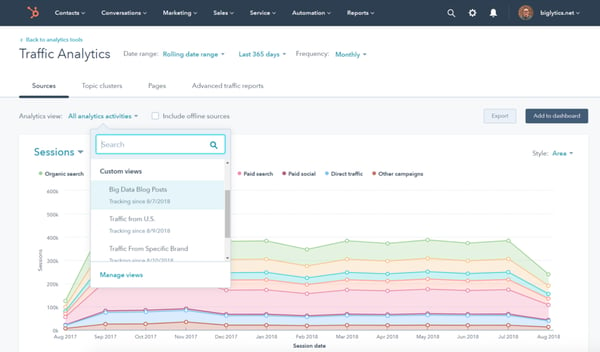
HubSpot helps marketers surface a combination of customer insights and data to better understand what’s working and what’s not among target audience members. All of these insights and reports are available at your fingertips — alongside your CRM — without SQL.
The custom report builder offers access to all of your data in a single location without the need for spreadsheets. Use the custom builder to organize all of your business data including contact, company, deal, marketing email, landing page, and blog engagement data.
Other Unique Features:
- Use custom objects to capture your unique business data, create new segments, build custom reports, campaigns, and workflows.
- Build custom, shareable dashboards to see all of your metrics on one screen with a no-code, drag-and-drop editor.
- Report on data that’s unique to your business such as product usage or inventory data.
- Use behavioral events to track custom interactions that are unique to your business and indicate when a customer is ready to take the next step in the buyer’s journey (then trigger or schedule the next touchpoint for after that event is completed).
- Connect every customer interaction to a contact in your database and the associated revenue generated by using the revenue attribution reporting feature.
- Monitor the effectiveness of your marketing and sales efforts within the account based marketing (ABM) dashboard and then adjust your playbook accordingly to reach your highest-value accounts.
2. Demand Sage
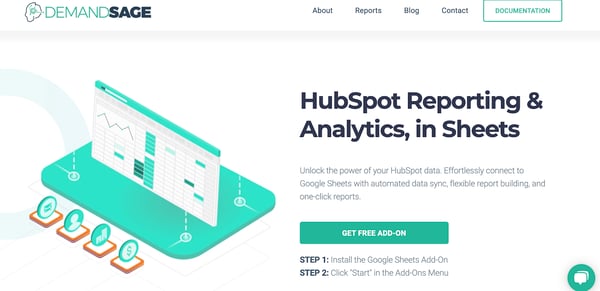
With Demand Sage, easily move your HubSpot reporting and analytics data into Google Sheets. The tool offers custom and automated — with automatic data sync and pre-built dashboards and templates — reports.
Other Unique Features:
- Get very specific with your data by creating reports that are record-level.
- View your data any way you’d like using Demand Sage’s no-code analytics and table builder.
- Install the free Demand Sage add-on, click “Start” in the add-ons menu, and immediately begin creating custom reports.
- Integrate Demand Sage with your HubSpot CRM and Marketing Software.
3. Cyfe
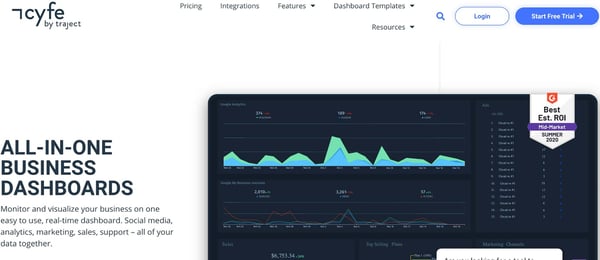
Cyfe is a tool for making fully-customized business dashboards to monitor, display, and analyze your data. The tool is described as an all-in-one dashboard because you can monitor all of your company’s data including (but not limited to) sales, web analytics, social media, and support.
Other Unique Features:
- Create benchmarks to measure your progress against your business objectives. Then, receive alerts from Cyfe when specific benchmarks are met (via email or SMS).
- Customize all aspects of your report including the domain name, background, logo, and colors.
- View data from multiple sources (e.g. Google, Facebook, Mailchimp) by tapping into Cyfe’s app ecosystem of 1,500+ apps.
- Customize dashboards with data from your SQL database.
- Integrate Cyfe with your HubSpot CRM, Marketing Software, and Sales Software.
4. Supermetrics
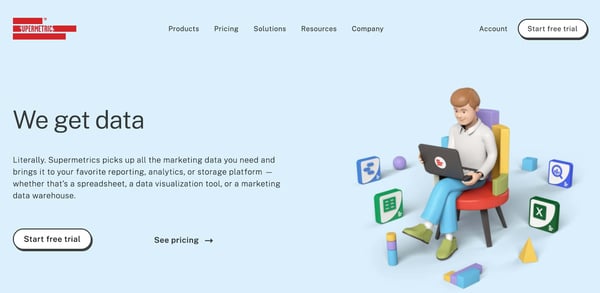
With SuperMetrics, you can easily move your marketing and sales data into Google Sheets, Microsoft Excel, Google Data Studio, BigQuery, API, Snowflake, and Uploader. Once you bring your data into any of these products, fully customize your reports with the Supermetrics templates.
Other Unique Features:
- Display and manage all of your marketing data in a central location.
- Organize and filter your data in Supermetrics to analyze what’s working and what needs improvement.
- Automate marketing reporting and data transfers to save you time.
- Integrate Supermetrics with your HubSpot Marketing Software.
5. Domo
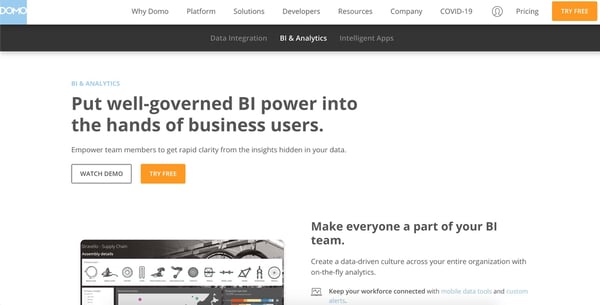
Domo is a business cloud that allows you to easily integrate and visualize your data as well as use (or create) intelligent apps to tailor reports in a way that makes them valuable to your team.
Your interactive and customizable reports are updated in real-time. Based on the type of data you bring into Domo, the tool will recommend certain visualizations it thinks are best-suited to display your information.
Other Unique Features:
- Customize your reports by annotating charts, adding governance tools for your team, and refining the data points that are most important to you.
- Bring all of your marketing and sales data together to create insights and action plans based on the real-time information in your dashboards.
- Determine how the various aspects of your dashboard interact with custom links/ filters.
- Integrate Domo with your HubSpot CRM.
6. Dear Lucy
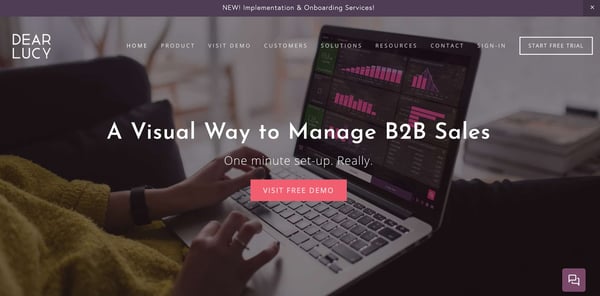
Dear Lucy is a dashboard for B2B sales. Choose the metrics that matter most to your team and bring them into a single dashboard to display your data. On your dashboard, show pipeline-based or activity-based forecasts so you know what to expect in relation to the goals you set.
Other Unique Features:
- Customize your entire dashboard with the drag-and-drop editor to show the metrics and data you care about most.
- Use the red and green light feature to be notified when your team is on target or is falling behind so you can make necessary adjustments.
- Define unique goals for things like activities, revenue, offer base, and hit rate to compare your performance versus targets.
- Customize the way you filter your data for your reports (e.g. by customer type) so it’s tailored to your team and goals.
- Integrate Dear Lucy with your HubSpot CRM, Marketing Software, and Sales Software.
7. Analytics Amplifier
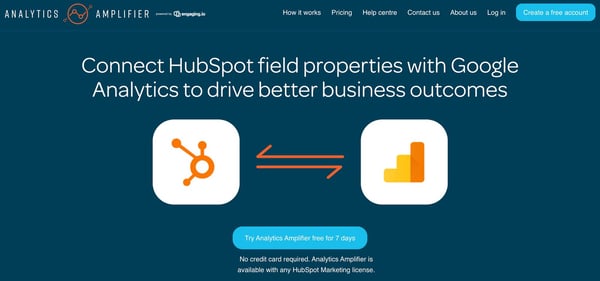
Bring your HubSpot contact data into Google Analytics with ease using Analytics Amplifier. Add HubSpot field properties or custom behaviors (e.g. lifecycle stage, deals won, email unsubscribes) to Google Analytics for viewing. This tool is meant to help you optimize your business paths and drive business intelligence by offering access to data about your contacts in Google Analytics.
Other Unique Features:
- View your HubSpot object-level data metrics including lifecycle set, deals won, persona set, lead score, number of associated deals, lead status, email unsubscribes, and NPS rating.
- Create and generate rich, custom reports in Google Analytics using contact data from HubSpot to understand how your contacts and customers interact and engage with your business.
- Use insights derived from your reports to help you reach people who look like members of your target audience.
- Integrate Analytics Amplifier with your HubSpot CRM, Marketing Software, and CMS.
8. Ultimate Data Export
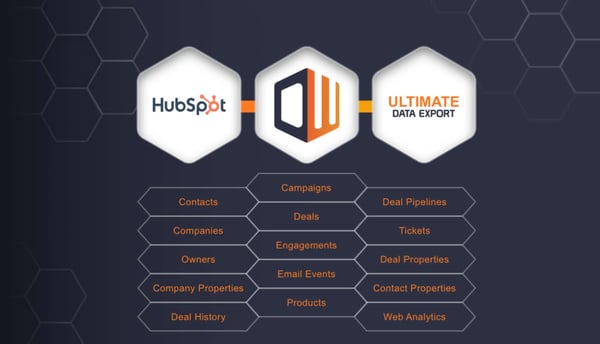
Ultimate Data Export, by Datawarehouse.io, allows you to export all of your data — such as contacts, deals, web analytics, tickets, and emails — to Excel. You can also back up your data as well as restore, query, sync, integrate, analyze, and share it. This tool is ideal for users who want to move data out of HubSpot and into a platform of choice, all at a low cost.
Other Unique Features:
- Export all data from your HubSpot system (e.g. contacts, companies, deals/ deal history, web analytics, owners, campaigns, engagements, emails, products, tickets, forms, pipelines, and more) and view it in a custom report in Excel.
- Connect to business intelligence tools like Tabelau and PowerBI for deep insights into your data.
- Integrate Ultimate Data Export with your HubSpot CRM, Marketing Software, and Sales Software.
9. Google Analytics
Google Analytics has a custom report feature that allows you to choose the dimensions (e.g. city) and metrics (e.g. page views) for your report as well as decide how that data will be displayed. If you’re a Google/ Google Analytics user, or use a reporting tool with a Google Analytics integration, custom reports are easily accessible to you.
Other Unique Features:
- Export and share custom reports in seconds.
- Choose from a list of unique dimensions and metrics for your custom reports.
- Create categories to organize your custom reports into groups for easy access.
- Use the Custom Tables feature to back up your custom reports if you’re an Analytics 360 user.
There are many custom reporting tools available today that have the power to help you uncover valuable insights and analyze all of your business’s data. So, while trying to determine the best option for your team, think about which types of data you want to dive deeper into, where you want to conduct reporting and analysis, and how you want to share and distribute that information.

Rethinking Your Premium Content: How to Build a Guided Learning Course
Are you seeing a lower return of effort for traditional premium content like whitepapers, webinars, ebooks and more?
Alternatively, do you find the biggest results just aren’t there for the amount of work you put into the creation? If so, you’re not alone. While these offers can provide in-depth insights for prospects, not every prospect sees the value in them.
Still, we continue offering premium content to build trust throughout the buyer’s journey and learn information about prospects along the way.
And yet, the problem remains: Where do you draw the line between offering free, useful content and charging for your expert knowledge and insight?
Some brands are beginning to define this blurry line by developing their own learning management systems (LMS), as a private hub for paid access to their best educational resources.
And yes, you can even build an LMS in HubSpot. Here, we’ll explore what a learning management system is, the benefits of using one, and how you can repurpose content into your own guided learning course.
Let’s dive in.
What’s a learning management system (LMS)?
First, let’s first make sure we’re on the same page with a definition.
A learning management system (LMS) is a software application to administer, document, track, report on and deliver educational courses, training programs, or learning and development programs.
It’s a portal that users can log into to exclusively access the premium content you develop specifically for your paid audience. (Paid can mean literal financial payment or the currency of data/membership).
While online courses aren’t new, using a learning management system (LMS) to deliver premium content is still uncharted territory for most brands.
As marketers, we’re always trying to create valuable content. But in a crowded marketplace, it can be difficult to demonstrate value in your content even if you have a strong content marketing strategy.
That’s where a guided learning course can prove beneficial. A guided learning course can offer in-depth solutions to your prospects’ challenges, and ultimately, can provide your company with higher-quality leads.
Which makes LMS’ invaluable to anyone wanting to create a guided learning course, since courses need to be built on a LMS.
To explore the importance of guided learning courses, let’s consider an example. Let’s say you have two competitors, and both offer a webinar on “Email Marketing Strategy”.
To differentiate your own brand, imagine instead you take an hour-long webinar and split it up into a dozen topics for five-to-seven minutes each. That could easily be offered as a 12-module course.
Your prospect can now go through the content on their own time and only explore the sections that feel relevant to them, versus having to sit and listen to an hour-long webinar. The perception and value is magnified and fits the nature of how your prospect actually wants to consume the content.
Why use an LMS?
Once we know what an LMS is, it’s time to explore why. As you learn what an LMS is and how it works for users, let’s dig into why it could change your business.
1. User Accessibility
Right now most marketers create an ebook, promote that PDF through blog posts and social posts, then use workflows and emails to “guide” prospects and contacts throughout the journey.
We can tell when someone downloads the PDF, but we have no idea how much they consume. Then, with emails, information can get lost on the user side of the equation. So many of us delete emails or forget what the exact phrase in an email is we’re searching for … it can easily become a mess.
An LMS allows the user flexibility to go back into the journey and see what they need to see inside a comprehensive portal.
Users no longer have to rely on emails. Instead, they can reference each step in the learning path, see what’s next, and enjoy a more realistic and user-friendly experience.
2. Buyer’s Journey Trackability
On the marketer’s side, an LMS provides us with more data points to better understand a prospect’s position in the buyer’s journey — especially when using an LMS for lead management and education.
Imagine a world where you can watch your buyer discover your content during their awareness stage, and move through consideration and into the decision stage, all within your ecosystem.
It’s possible to track a prospect’s journey throughout the buying stages with guided learning courses that tailor to users in different stages of the buyer’s journey — this is what truly creating content for the buyer’s journey looks like.
With a webinar or PDF, you’re left wondering how much someone consumed. You don’t have access to the data with PDFs. You know prospects downloaded it, but did they actually consume the information? For the most part, it’s the same with webinars on the user level.
When you use guided learning or an LMS, you can see every module or every single page they viewed, and how far through the course users got. You can measure to make sure it’s effective in general, and you can also measure the intent and automate your systems based on topic performance and even individual chapter performance.
3. Cross-Device Consumption
Want to know a bonus to creating a guided learning course that users sign into for consumption? Think about a frictionless cross-device experience.
How often do we start a video or article on our laptop while working or researching, only to want to continue it on our phone later? This is especially true when the content is longer than a 2-minute video.
When a user has a membership to your LMS, they can go to their laptop, their phone, their iPad … wherever they want to consume content at that moment, and it’s there waiting for them. That’s winning at UX!
Guided Learning Course Examples
What does a learning management system look like in practice? Let’s take a look at two examples right under our noses.
1. HubSpot Academy
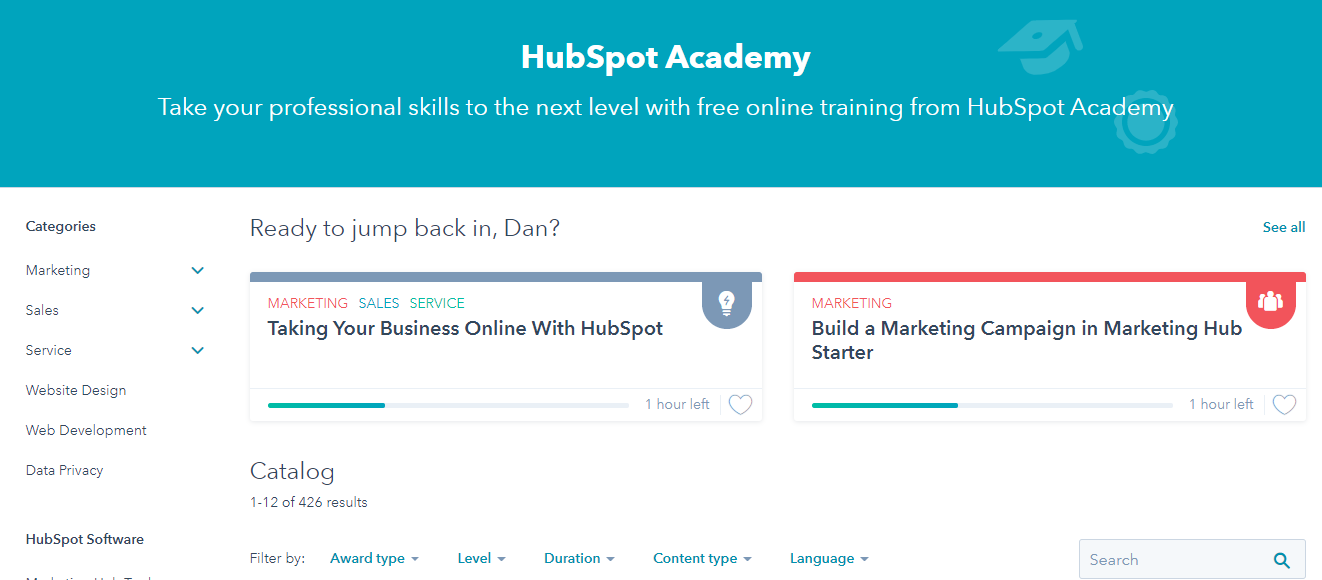
HubSpot Academy is a great example of using an LMS for lead generation and trust building.
Academy courses teach users all about HubSpot’s philosophy and mindset. Users can learn about HubSpot before purchasing HubSpot’s products or services — but users can also learn about a variety of other marketing, sales, service, and web design topics without ever becoming a HubSpot customer.
Consider the Marketing Software Certification course. Instead of a PDF with screenshots, users can walk through videos with screen-sharing options, download study guides, and take quizzes and exams along the way to assess progress.
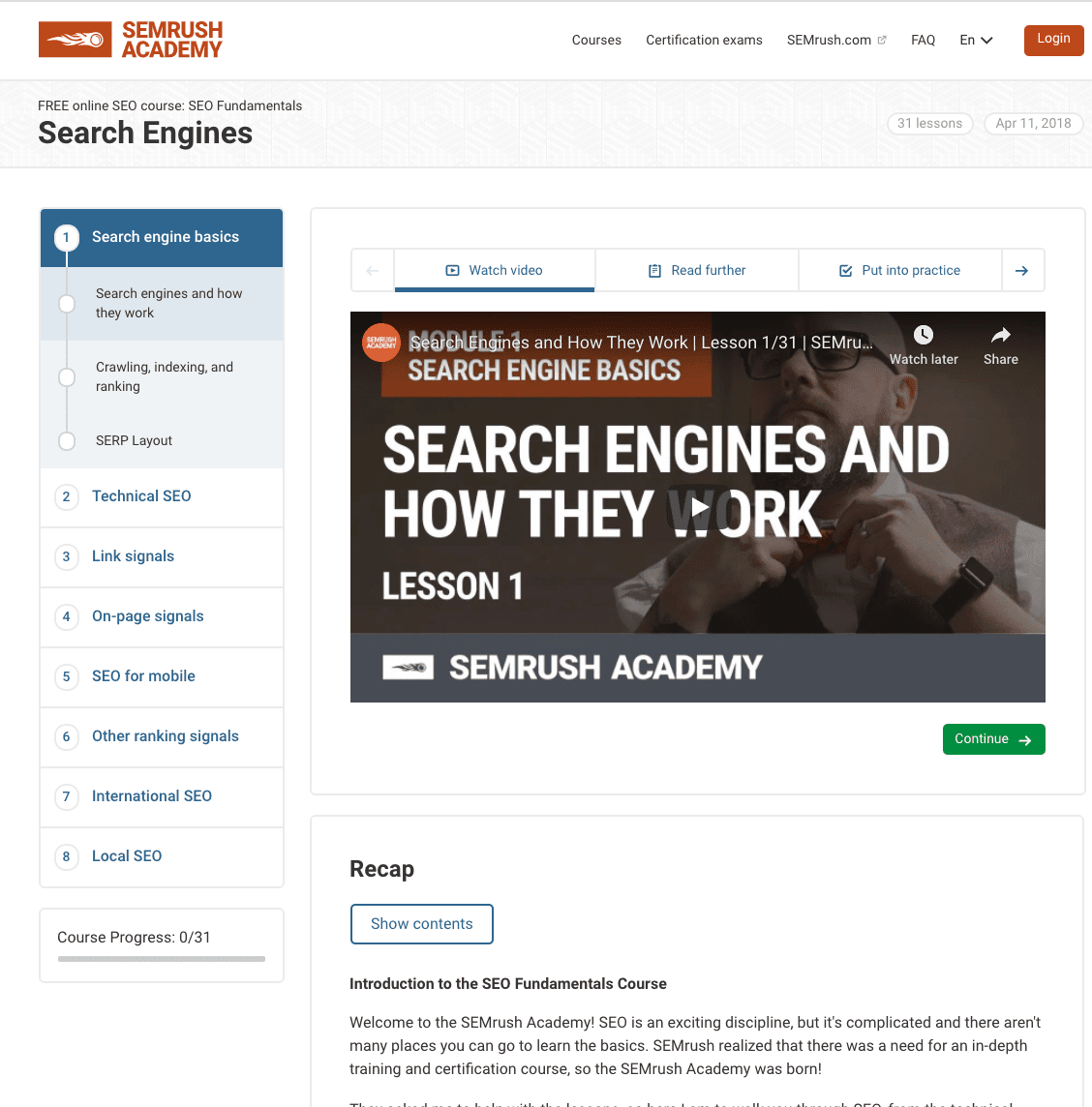
2. SEMrush Academy
SEMrush offers solutions for SEO, PPC, content, social media, and competitive research. To appeal to both prospects and users, the company created SEMrush Academy, a Digital Marketing guided learning course with courses on SEO, content marketing, PPC, and more. SEMrush Academy is free and offers a certification when users complete courses.
Best of all, the guided learning courses have both video and text with some of the industry’s most well-known digital marketing professionals, and while all courses are offered in English, many of them are also offered in Spanish.
Whether you’re a content marketer looking to up your game or you’re already a customer of SEMrush, you’ll undeniably find value in their courses, ranging from beginner to advanced.
For more inspiration, take a look at 60 Best Free Online Courses For Whatever You Want to Learn.
How to Repurpose Your Content into a Guided Learning Course
If you’re thinking, “Wait a minute … Now I have to create all this new content?” take a breath. Yes, new content is needed. However, you can also repurpose content you already have as you’re creating new content for your LMS strategy.
Most of your existing content can be reimagined into a guided learning course.
You can revisit popular ebooks, webinars, pillar pages, blog posts, slide decks and more to create a multimedia course to serve your customers. You can even turn toolkits and related offers into guided learning opportunities.
For instance, you might consider taking your ebook and using each chapter as a chapter or module in your course. Additionally, you might take some information on the subject from various blog posts and turn it into a checklist or template format for users to try for themselves.
At Impulse Creative, we can turn our Brand Plan ebook into the Brand Plan Course and create a whole new offering. Here’s how that would look:
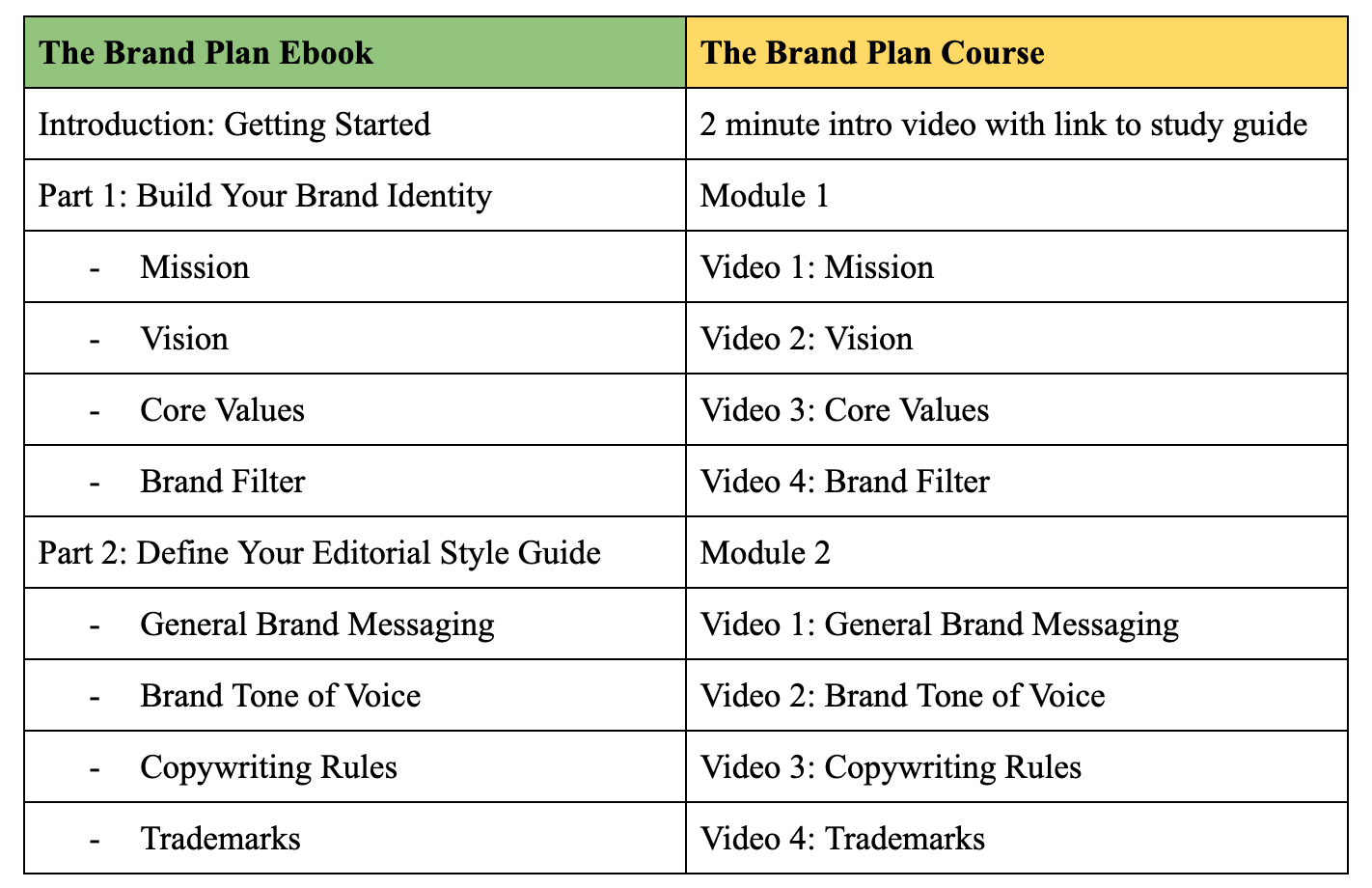
You get the idea. Each chapter becomes a module, and the subjects in those chapters become the videos that make up the course. This way, you can keep videos shorter for more bite-sized consumption.
Additionally, you’ll want to perform a content audit to uncover what pieces you have and what problems each one solves before placing them into buckets. Then, you can take each of these buckets and create a course.
The content you have will act as a storyboard so you can script your videos. Then you can use the existing content with a slight refresh as the bonus materials in your courses.
Brands find themselves at a critical turning point today … Traditional content can feel stale — and users are demanding more.
There is a major opportunity for the LMS to serve multiple facets of your business, from lead generation to sales or customer success. Ultimately, you’ll want to figure out how a LMS could serve your own business needs, as well as the needs of your prospects and customers.

8 Ways Marketers Can Leverage Social Media to Meet Business Objectives
As marketers, we understand the importance of incorporating social media into our marketing mix. In fact, 74% of global marketers continue to invest in social media marketing.
If you haven’t yet considered expanding your existing social media strategy, you may be missing out on valuable channels for advertising. In this post, we’ll give brief explanations of the importance of social media for business, as well as outline eight ways that marketers can leverage social media to meet business goals.
Why is social media important for business?
If you’re new to social media in general, there are social media certification courses you can take to learn a bit more about attracting and building brand loyalty. These courses will guide you through the process of building an effective social media marketing strategy that you’ll use to leverage the power of social media to transform your business.
Due to the sheer amount of users (3.81 billion to be exact), sharing business-related content on your preferred platforms will likely expose you to new customers. A direct result of increased brand awareness is driving leads, and 37% of consumers name social media as the most significant source of inspiration for their purchases.
Also, using social media helps you grow and nurture your relationships with customers. Instead of merely being a name on their receipts, being active on different platforms allows you to engage with them beyond their purchases to show them that you genuinely care about their business.
Considering these factors, let’s go over eight ways that marketers can leverage social media to meet their business objectives.
1. Learn About Your Personas
If your overall business goal is to learn more about your target markets or buyer personas, using different social media sites can help you do this. Every site has a different demographic user base, so you’ll interact with diverse audiences and gain well-rounded insights into every audience group you have and how to best market to them.
For example, 32.5% of TikTok’s user base is between 10 and 19, whereas 33.1% of global Instagram audiences are between 25 and 34 years old. If you’re a clothing business, you likely sell and create clothing for various age groups. Suppose you devise a marketing strategy for both platforms. In that case, you’ll gain valuable insight into how each of these demographic groups likes to be marketed to, engaged with, and what drives the most conversions.
You can use social media analytics, which is quantifiable data that provides insight into your followers’ behavior and how they engage with your content. You’ll understand what type of content each audience group likes and what drives the most conversions. Learning more about your customers and what they want makes it easier to create targeted advertisements that appeal to your existing customers and attract new ones.
2. Promote Content Through Diverse Channels
If your business’s sole online presence is your website, you may be missing out on valuable promotional opportunities that can come from social media sites. While websites are great for promotional blog posts, social media can accommodate those in addition to videos, images, and other forms of unique, high-quality content. The value of social media advertising is clear, as 58% of marketers say that social media has helped them boost sales.
If you choose to go this route, there are multiple high-performing sites where you can promote content to delight existing customers and draw in new ones. For example, Facebook ads can be shown to users who haven’t yet liked your page or ever interacted with your content.
However, it’s important to note that the social media sites you choose to use to promote your content should be relevant to your business’ overall strategy. If you cater to an older audience, deciding to use TikTok wouldn’t make much sense since the audience is significantly younger than other platforms. In contrast, if your goal is to diversify your social media channels and target new audiences, a business with an older user base would benefit from using TikTok to drive new leads through promotional content.
In a nutshell, venturing into social media advertising allows you to promote your content through as many social channels as you like. You’re not limited to targeting a specific audience as you are through, say, email marketing because social media advertisements can reach people you’ve yet to have contact with or even identify as leads.
3. Keep Engagement High
While there are various ways to keep your business’ engagement high, social media is a great channel to do so, as these sites have incredibly active user bases. Here are some stats to consider:
- During the third quarter of 2020, Facebook reported almost 1.82 billion daily active users.
- The number of global monetizable daily active users (mDAU) on Twitter is 187 million users.
- LinkedIn has 675 million monthly active users worldwide.
- TikTok’s average engagement rate is significantly high at all follower levels, with smaller accounts holding 1,000 followers having an average engagement rate of 9.38%.
- On average, users spend 144 minutes a day on social media.
These statistics show us that there is potential for high engagement across all social media sites. Considering that these stats account for global users, time zone distribution means that there will always be someone online, and there will always be someone ready to interact with your tweets, Instagram Stories, and Facebook posts.
When you’re active across your social media sites and carefully follow a marketing strategy that considers your followers interests, your engagement rates will remain high no matter what platforms you choose to use.
4. Provide Customer Support
50% of customers purchase more from companies that they believe provide outstanding customer service. 59% of global social media users also have a more favorable view of brands that respond to customer service questions on social media. Given this, the benefits of leveraging social media as a means of providing excellent customer service are significant in terms of meeting customer expectations.
You can offer customer support on social media channels in various ways, like responding to customer complaints on Twitter or chatting with them on Facebook Messenger. Here’s an example from HelloFresh, a meal delivery subscription service, using Twitter as a means of customer support.
In addition to responding to questions, you can use your social accounts to share helpful links to customer issue solutions. The recent customer service pivot to crisis management customer service has shown many businesses that customers value being made aware of issues ahead of time without discovering them on their own. They appreciate transparency, and social media is a great way to make this information public.
In practice, this could look like alerting customers ahead of time of possible shipping delays through a tweet on Twitter or posting an Instagram Story letting restaurant visitors know that you’ve closed your restaurant early due to unforeseen circumstances.
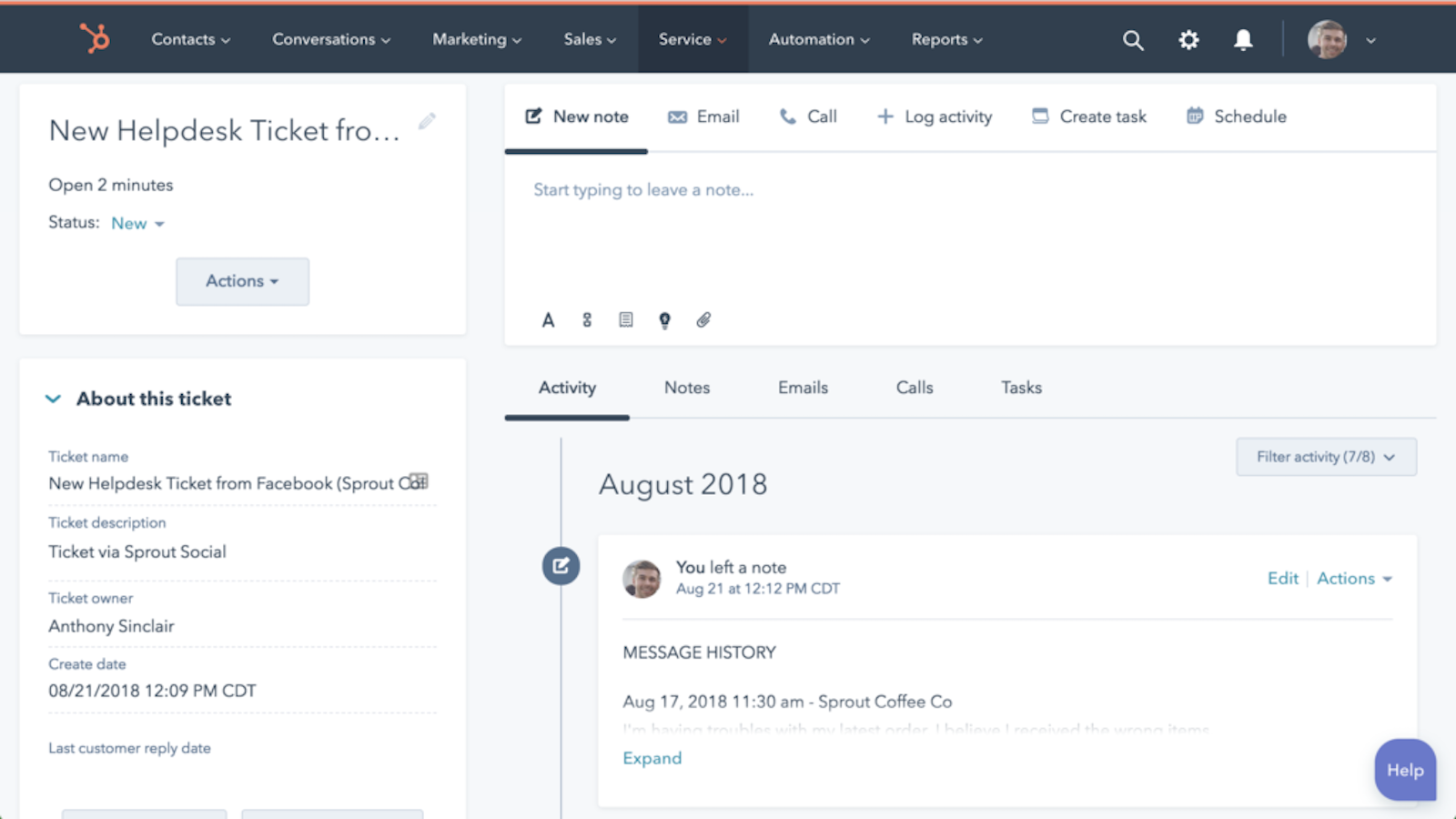
To ensure that you’re consistently providing excellent customer service, social media management tools like Sprout Social can make your job easier. The service has a social media customer care function, where marketers can track customer support requests across all social media sites. Sprout Social integrates with HubSpot Service Hub, where you can communicate with service reps and seamlessly pass off customer service tickets as they come in. The image below depicts a Service Hub helpdesk ticket that originated on Facebook.
5. Influencer Marketing
71% of marketers say that the quality of customers and traffic generated from influencer marketing is better than other ad formats. Every one dollar spent on influencers has a return on investment (ROI) of $5.78.
In short, influencer marketing is when a business partner with an influencer, or someone who is generally looked up to and trusted by their followers, to put out an advertisement or piece of content. The aim of these partnerships is for each party to attract new customers from the other user-base and entice followers to take a specific action like purchasing a product or service.
While influencer marketing is common on websites through guest bloggers, leveraging social media to venture into the world of influencer marketing is profitable, especially on Instagram. Here’s an example of influencer marketing on Instagram featuring music artist Amine, where he’s advertising a collaboration with a basketball team.
Although Amine is a celebrity, influencer marketing can be done with micro-influencers, social media influencers, and opinion leaders, so long as their interests are aligned with your brand.
For example, say you’re a beauty company. You’d want to partner with an influencer known within that community, like a skincare expert or a lifestyle blogger. The relationship is contextually relevant, and the users they’d bring to your profile will likely be interested in what you have to offer.
6. Nurture Leads
Email is what most marketers think of when it comes to lead nurturing, but it’s not the only medium for doing so. Considering that 96% of site visitors are qualified by not yet ready to buy, social media marketing can significantly benefit your efforts to nurture new leads.
On your social media sites, you can provide a mix of content that addresses customers at various levels of the buyer’s journey, which is the process that consumers go through before making a final decision to follow through with a purchase and become a customer.
You can create educational content like short social media posts for top-of-the-funnel customers in the awareness stage and bottom-of-the-funnel content for users in the purchasing stage like Instagram videos of product demos.
7. Sales Prospecting
After leads have been identified, you can work with sales representatives on social media to identify prospects from those leads and attempt to convert them into paying customers.
You can teach sales representatives to use social media intelligence tools for this process, where they can conduct social listening. Social listening is the process of monitoring your business’ social media channels for direct and indirect mentions of your brand through relevant keywords. By doing this, they can collect information that describes how prospects interact with your social media accounts.
Oktopost, a social media management tool, can be used to carry out sales prospecting on social media. You can track how prospects have engaged with your brand on social media and leverage the data to create individually tailored marketing strategies. Oktopost can integrate with the HubSpot CMS, and the image below depicts a sales email-nurturing workflow specifically tailored for an interested prospect.
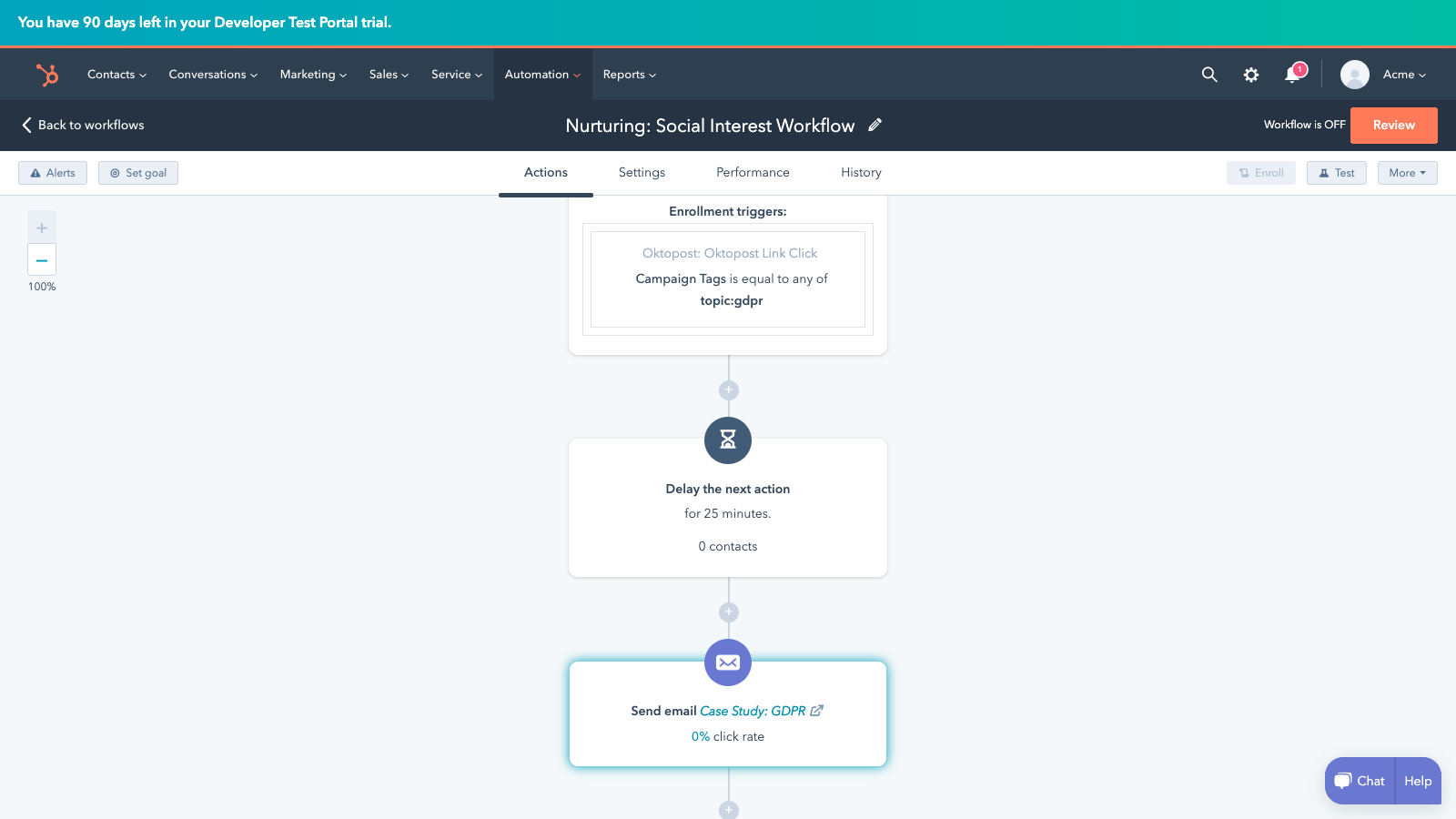
8. Show a New Side of Your Business
If you’re looking for different ways to connect with your audience, leverage social media to show an authentic side of your business and post behind-the-scenes content.
Behind the scenes content humanizes your company to your audience, as you’re showing them the life cycle behind the product or service that your business sells. It can showcase your brand’s unique personality and give users an idea of who the employees are that create the products they love.
Customers enjoy this type of content, especially on TikTok. The platform is primarily used by Generation Z, who care more about authenticity in advertisements than the traditional sales to drive leads model. If your brand or business typically creates sales-driven formal content, utilizing the platform can help you diversify your content type and display a new, creative side of your business and attract a new user base.
Vintage Stock Reserve, a small fashion brand, capitalizes on TikTok’s interest in behind-the-scenes content and often posts videos depicting the process of how they make their clothing. Sometimes they take requests, and they post videos of the process of designing custom clothing items. Their first video received 39.3K views, and their most popular video now holds 26M + views. The video below is an example of their behind-the-scenes content.
All in all, there’s nothing wrong with the regular sales to drive leads style content, and marketers know that it works. However, as Generation Z grows up and can make purchases independently, learning how to create content that satisfies them and entices them to make purchases can position your business for success.
Leveraging social media can be valuable to your business.
Whether you’re hoping to expand your customer support channels or make use of influencer marketing, there are various ways to leverage social media to meet your overall business goals.
If you take the time to create platform-specific marketing strategies, your business will likely reap the benefits of using social media.

The Ultimate Guide to Marketing Campaigns
From P&G’s “Thank You, Mom” to American Express’s “Small Business Saturday” to Dos Equis’s “Most Interesting Man in the World,” marketing campaigns have a way of sticking with us long after an impression or purchase.
Why is that? Well, campaigns make companies memorable. They promote a focused effort that guides consumers towards a desired action. They also give brands identity, personality, and emotion.
Marketing campaigns can do the same for your business. That’s why we’ve compiled this guide — to provide a clear, concise approach to your next campaign.
Keep reading to get started or use the links below to jump ahead.
Marketing campaigns don’t include all marketing efforts for a brand. In fact, the word “campaign” is defined as “a connected series of operations designed to bring about a particular result.”
That’s why politicians campaign for a specific election and militaries campaign for a specific battle.
Great marketing campaigns follow a consistent theme and promote a single or focused idea or goal (as we’ll discuss.)
For example, every Nike advertisement you see or hear on the way to work probably isn’t part of a campaign. But, if you see a Nike billboard, scroll past a Nike sponsored Instagram post, and receive a Nike email all promoting the same product … you’ve definitely witnessed a marketing campaign.
You’ve also probably heard the word “campaign” used for both marketing and advertising. What’s the difference?
Advertising is a component of marketing. Marketing is how a company plans to raise awareness of their brand and convince customers to make a purchase, while advertising is the process of creating the persuasive messages around these broad goals.
In terms of campaigns, an advertising campaign might be a facet of a bigger marketing campaign strategy. For example, if Nike were campaigning about the release of a new product, their advertising would be one piece of their broader marketing efforts, which might also encompass email, social media, and paid search.
So, campaigns are focused, acute marketing efforts to reach a singular goal. Despite their simple definition, marketing campaigns can take a lot of work. Keep reading to learn how to create and promote a successful one.
Marketing Campaign Components
Multiple components go into the planning, execution, and benefiting from a stellar marketing campaign.
- Goals & KPIs: Identify what the end goal of your campaign is, quantify it, and explain how you’ll measure this result. For example, your content creation campaign might be measured by organic traffic, with each post goaled on driving 1,000 views per month and 10 new contacts, and metrics being measured in Google Analytics and Looker.
- Channels: Where will your content and messaging be distributed? For example, if you’re running a social media marketing campaign, you might specifically prioritize growing the channels most relevant to your audience and omit those where you’re least likely to grow a loyal following.
- Budget: Not all marketing campaigns require an incremental budget, but many still do. Factor in agency, advertising, and freelance costs, if appropriate, and factor these numbers into any ROI analysis for your campaign.
- Content Format(s): Determine what kind of content you will be creating to fuel the campaign. It’s common for marketers to include multiple content formats in a singular campaign. For example, a branding campaign could include video ads, press releases, and guest blogs.
- Team: Who are the individuals you’re relying on to get the job done? Before kickstarting your campaign, make sure you have a roster of people who can help you with copywriting, website building, design, budget planning, video, or whatever elements you’re employing in the campaign.
- Design: Lastly, a great marketing campaign has a noteworthy design. Whether it’s a sleek website design, a logo at the end of a video commercial, or an interactive infographic, make sure your design is professional and fitting for the purpose of the campaign.
How to Create a Successful Marketing Campaign
Creating an entire campaign might be complex, but it’s a pretty straightforward process — if you do it correctly. Planning your campaign is just as important as designing the fun stuff, such as the creative advertisements and conversion assets.
Before you create what your audience will see, you must consider what you want them to do when they see it … or read it or hear it. (You get the gist.)
I’ve organized this section as a marketing campaign template of sorts. All you need to do is answer the questions — as accurately and in-depth as possible — to ensure a thorough, successful approach to your next marketing campaign.
Also, don’t skip ahead! Your responses to previous questions will guide your ideas and answers as you move along.
Planning Your Marketing Campaign
This step is crucial to the effectiveness of your marketing campaign. The planning stage will determine how you measure success and will guide your team and campaign when things (inevitably) go awry.
Featured Resource
1. What’s the purpose and goal of your campaign?
Let’s start simple. Why are you running this campaign? What would you like your campaign to accomplish for your business?
If you’re having trouble defining your campaign purpose, start broad. Take a look at the goals below. Which one is most aligned with your own?
- Promote a new product or service
- Increase brand awareness
- Gather customer feedback or content
- Generate revenue
- Boost user engagement
- Advertise an upcoming event
This is hardly a definitive list, but it gives you an idea of some general business goals that a campaign could help reach.
For the sake of demonstration, I’m going to move forward with the third goal: Gather customer feedback or content. We’ll use this example throughout this guide.
Now, let’s take our broad campaign purpose and turn it into a SMART goal. To classify as “SMART”, a goal must be Specific, Measurable, Attainable, Relevant, and Timely. SMART goals keep you accountable and provide you with a concrete goal for which to aim.
Continuing with our example from above, turning our broad purpose into a SMART goal would look like:
“The goal of my marketing campaign is to gather customer feedback or content.” vs.
“The goal of my marketing campaign is to gather user-generated content from 100 customers via a branded hashtag on Instagram featuring our new product line by December 31, 2020.”
The goal is Specific (user-generated content), Measurable (100 customers), Attainable (via a branded Instagram hashtag), Relevant (featuring the new product line), and Timely (by December 31, 2020).
See how my broad campaign purpose instantly transforms into an actionable, attainable goal? Determining such distinct measures for your campaign is tough — I get it. But making the hard decisions now will make your life — and campaign — much easier in the future.
Featured Resource
2. How will you measure your campaign?
The answer(s) to this question will look different for everyone. You might answer this with “email open rates,” “new Facebook Page likes,” “product pre-orders,” or all of the above.
These answers will depend on your overarching campaign goal. Here are a few examples of metrics based on the campaign objectives I mentioned above.
- For promoting a new product or service: Pre-orders, sales, upsells
- For increasing brand awareness: Sentiment, social mentions, press mentions
- For gathering customer feedback or content: Social mentions, engagement
- For generating revenue: Leads, sales, upsells
- For boosting user engagement: Blog shares, social shares, email interactions
- For advertising an upcoming event: Ticket sales, vendor or entertainment bookings, social mentions
If your campaign involves multiple marketing efforts (such as social media, direct mail, and radio ads), it’s wise to define how you’ll measure your campaign on each medium. (Read more about these channel-specific metrics below.)
For example, let’s say I was running my user-generated content (UGC) campaign on social media, email, and on our blog.
First, I’d define my key performance indicators (KPIs) for each medium, which may look like:
- Instagram engagements (likes and comments) and profile tags
- Email open rates and click-through rates
- Blog views, click-throughs, and social shares
Then, I’d define my primary campaign KPI: Instagram branded hashtag mentions.
While the above KPIs indicate how well my campaign is reaching and engaging my audience, my primary KPI tells me how close I am to reaching my SMART goal.
Lastly, let’s think about another question: What does “success” look like for your company? Sure, it’s exciting to reach a predetermined goal, but that’s not always possible. What (outside of your goal) would constitute success for you (or serve as a milestone)? What would make you feel like your campaign is worthwhile if it doesn’t involve meeting your goal?
When determining how you’ll measure your campaign, consider setting up some checkpoints along the way. If your campaign involves boosting brand awareness and your goal is to reach 50 PR mentions by the end of the year, set up some benchmark notifications at 10, 25, and 40 mentions.
Not only will it remind you to keep pushing toward your ultimate goal, but it’ll boost morale within your team and remind you that your time and money investments are paying off.
3. Who are you targeting?
Ah, the beloved “target audience” section. This is one of my very favorite things to talk about because your alignment with your audience can make or break the success of anything marketing or sales-related … especially a campaign.
Imagine constructing a bulletproof marketing campaign only to be met with crickets. *chirp* *chirp*
In that case, you might think you chose the wrong marketing medium or that your creative wasn’t witty enough. Regardless of what it might be, all of those decisions come back to one thing: Your audience.
The first step to answering this question is figuring out what stage of the buyer’s journey your campaign is targeting. Are you trying to bring in new customers, or are you attempting to gather feedback from existing clients? Are you marketing your brand to those who recognize it, or are you introducing a new brand identity altogether?
Your marketing message will vary depending on whether your campaign audience is in the Awareness, Consideration, or Decision stage. It’s important to note that a marketing campaign can include collateral for people in various stages of their journey. For example, while your campaign might target current customers, it might also bring brand awareness to new consumers.
Next, identify your audience interests and pain points. Here are some questions to ask yourself and your team to better understand your audience.
- What are my audience’s general interests? What magazines do they read? What TV shows do they watch? How do they spend their free time?
- Where does my audience hang out online? For what purpose do they use Instagram, Facebook, and other networks? Do they engage or merely browse?
- What kind of content gets my audience’s attention? Do they respond to straightforward sales messages, or would they rather consume witty, humorous content? What cultural references would they understand?
- What kind of problems do they have that my product, service, or brand could solve?
Becoming well-acquainted with your campaign audience will help you confidently answer these questions and any others that may arise during the campaign.
Featured Resource
4. What’s the concept of your campaign? Who and how will you create your marketing?
It’s time to talk about the campaign itself. At this point, you know why you’re running a campaign, how you’ll measure it, and who it’s targeting. Now, let’s talk about what the campaign will look like … literally.
Marketing campaigns are like their own brand. They require a mission, a vision, and a visual identity. Great campaigns are an offshoot of their parent brand, both visually and creatively — they stay consistent with the business brand but maintain their own identity.
When creating their campaign assets, some businesses use an in-house team while others opt for an agency. Another alternative is hiring a freelancer or contractor to complete a specific portion of the project, such as the copy or design.
Depending on your specific campaign goals, I’d recommend starting with your in-house team and moving forward from there. They are likely the experts on that portion of your business and can speak to what your campaign needs to succeed.
Following the example of my Instagram UGC campaign, I’d start by consulting with my social media team. They’d be the most familiar with what Instagram content performs well and what our Instagram audience likes to see. From there, I could assign the campaign to them, or outsource the creative part to an agency or freelancer.
This step will likely take the longest since you’ll be creating your campaign concept from scratch. Next, we’ll dive into how you’ll distribute your campaign assets and connect with your audience.
Featured Resource
Distributing Your Marketing Campaign
This stage is all about the public-facing part of your campaign, including what your audience will see and when. If you’ve combed through the previous section, you should have all the answers you need to guide you through this step.
5. How will you reach your audience?
Let’s think about what type of marketing your campaign will use. This choice depends on your audience preference, budget, and brand engagement levels, among other factors.
Take a look at the current media channels you use to promote your company. Which perform the best? Which allow you to pay for advertisements? Which have the best engagement? Most importantly, where are your customers hanging out?
Also, while using multiple media is highly recommended, it probably wouldn’t be wise to publish your campaign on a brand new medium on which your business has no presence. So, stick to those marketing channels on which you’re already killing it.
Need a few ideas? Take a look at the PESO model, which breaks up distribution channels into Paid, Earned, Shared, and Owned.
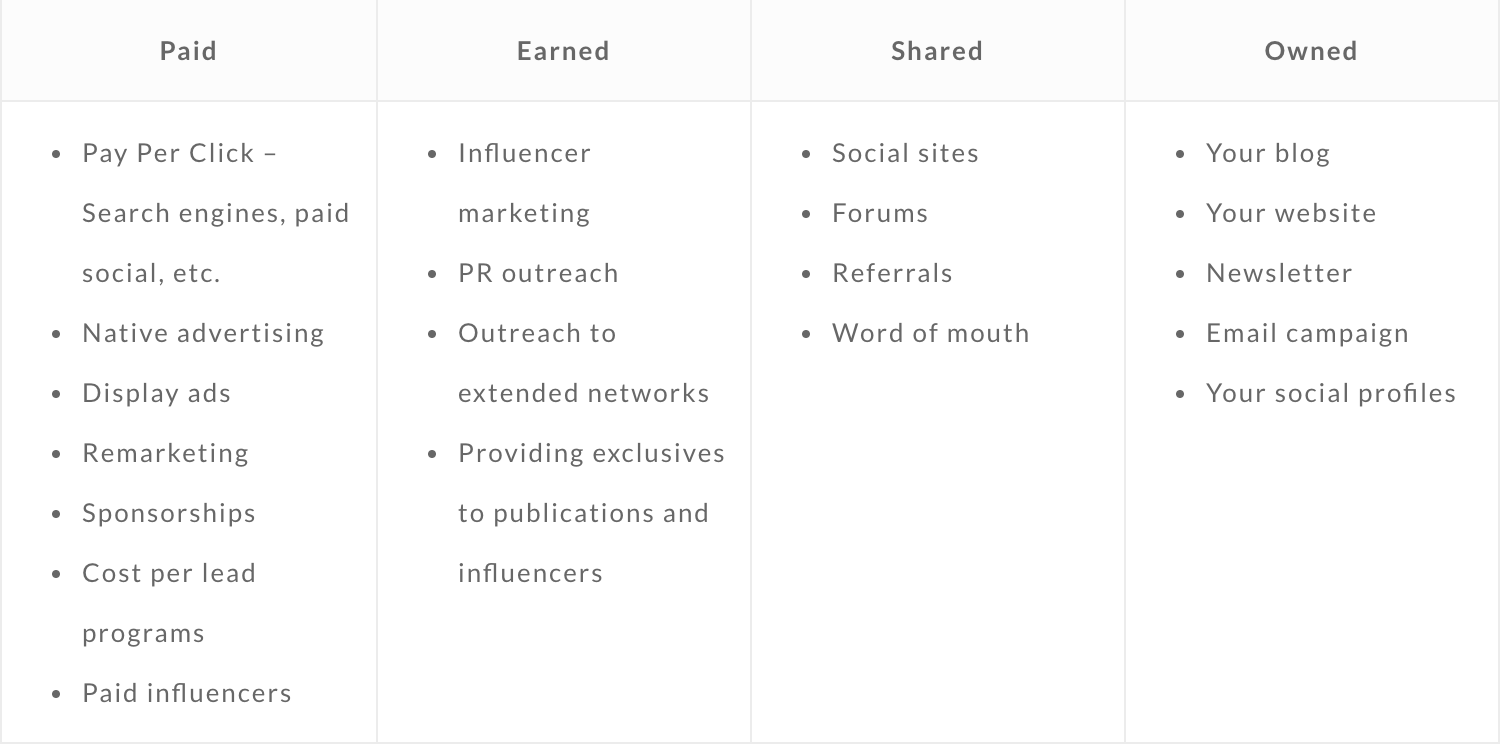
Start by choosing two or three channels for your campaign. For example, I might promote my UGC Instagram campaign via social media (on Instagram, of course), email, and through my blog. I’d then pay to boost my social media campaign posts so they’re viewed by more of my audience.
Depending on your campaign goal, certain channels might not make sense. In terms of my UGC campaign, it wouldn’t make sense to invest in print advertisements or direct mail since the campaign is purely digital and my audience is mostly online. On the other hand, multinational product launch campaigns would probably involve most (if not all) of the media choices above. They’d want to reach the widest audience, both in-person and online.
Remember that you’ll need to alter or expand your marketing assets to fit whichever media channels you choose. Your campaign images, video, and copy might vary between social media, email, print, etc.
Lastly, even if you choose not to actively promote on a certain medium, you can always optimize it to at least mention your campaign. For example, you can update your social media bios, change your email signature, install a website header notification bar, add small calls-to-action (keep reading for more on these) at the bottom of blog posts, and more. These efforts don’t require much extra work or resources but they promote your campaign nonetheless.
6. How and when will you publish?
This section is all about timing. Establishing a deadline for your campaign (the Timely part of your SMART goal) gives you a much better idea of when, how, and how often you’ll promote it.
First, build a general campaign timeline. On a calendar, mark your campaign start date and deadline. This gives you parameters to work within.
Next, take a look at your marketing assets and chosen promotional marketing channels. Based on your people and financial resources, how often can you afford to post and promote your campaign content? Create a promotional calendar for each marketing channel. Decide on a cadence for each channel and map out your scheduled posts, emails, etc. on your calendar.
Why should you map your campaign visually? It’ll help you evenly disperse your campaign promotions and publish equally on each medium. It’ll also give you an idea of where your time and energy is going so that you can look back when assessing the effectiveness of your campaign.
If your promotional calendar seems very, very full, don’t fret. Social media and email scheduling tools can alleviate the pressure of posting daily. Check out tools like HubSpot, Buffer, and MailChimp to help you schedule and manage your campaign promotions.
The promotional stage is all about getting your campaign in front of your audience. But, how are you supposed to get your audience to follow the purpose of your campaign? Next, we’ll discuss how to optimize your campaign to convert customers.
Converting Customers Through Your Marketing Campaign
So, campaigns are a connected series of operations designed to bring about a particular result. We’ve talked about the “connected” part, and we’ve covered the “operations” part. This stage — the conversion stage — is all about how your campaign can lead to that “particular result.”
7. How will your marketing drive the desired action?
Even if your campaign is effective and drives a ton of traffic, it still needs to complete its desired action. By “the desired action,” I’m talking about that SMART goal you initially defined. Let’s take a moment and reiterate that goal.
For my sample campaign, my SMART goal was “to gather user-generated content from 100 customers via a branded hashtag on Instagram featuring our new product line by December 31, 2018.”
This step is all about calibrating your marketing efforts and channels to lead your customers to complete your desired goal. This is done through conversion assets like calls-to-action, landing pages, and lead forms.
These assets can be used separately or in conjunction with one another, such as featuring a lead form on a landing page, or creating a call-to-action asking your audience to fill out a form.
Calls-to-Action
A call-to-action (CTA) is a direct ask of your audience. It’s an image or line of text that prompts your visitors, leads, and customers to take action, and it’s absolutely crucial to your campaign success.
CTAs cut through the noise of today’s marketing and advertising world and give your audience a clear directive. But, there’s no one-size-fits-all for CTAs, especially in the case of marketing campaigns.
Your campaign CTA can’t simply ask them to complete your goal. You must also consider how your audience would benefit from completing your action and include that in your CTA.
If my UGC campaign CTA was “post a picture of our product with this #hashtag,” my campaign would seem uninspired and a tad bossy. CTAs might be direct, but they’re also meant to encourage, inspire, and convince.
In this case, a better CTA would be “Share a photo featuring our product and this #hashtag, and you might be featured on our Instagram page and next promotional video!”
The same benefit-driven CTA applies to product launches, brand awareness campaigns, upsell efforts, and other types of campaigns. Your audience won’t complete your “desired action” unless they understand how it benefits them, too.
Featured Resource
Landing Pages
Landing pages give your campaign a home, a destination. They are a dedicated space for your audience to visit and learn more about what your campaign consists of and why they should participate. It also sets your campaign apart from the rest of your website and content.
Your landing page should be ripe with benefits for your audience, especially the unique value proposition (UVP) of your campaign. Don’t forget to repeat your CTA and make it clear how your audience can engage (i.e. with a download or by filling out a form).
High-converting landing pages also contain social proof and a variety of marketing assets like images, strong copy, and video.
High-converting landing pages also contain social proof and a variety of marketing assets like images, strong copy, and video.
Featured Resources
- 77 Brilliant Examples of Landing Pages, Blogs, and Homepages
- How to Optimize Landing Pages for Lead Generation
Lead Forms
Lead forms are web forms dedicated to capturing information about a visitor. By filling out the form, the visitor then turns into a lead. Lead forms are not necessary for all campaigns (they wouldn’t do much good for my UGC Instagram campaign, for example), but they can be great assets for most others, such as product pre-orders and content offer downloads.
Lead forms transform anonymous website visitors into hard data you can use to make sales and learn more about your audience. They put your landing page to work. Try our Free Online Form Builder to build out your campaign form.
8. What metrics can you monitor?
The campaign effectiveness metrics you’ll monitor will depend on what type of marketing campaign you’re running and what channels you’ve chosen. This section merely serves as a baseline list to give you an idea of what to watch.
Also, it’s tempting to focus on vanity metrics like generated traffic, click-through rate, and impressions. A bump in these is definitely a good thing, but since they don’t necessarily indicate a bump in revenue, they can’t be the only metrics used to measure the effectiveness of your campaign.
Here’s are some metrics to watch per marketing channel.
Email Metrics
- Click-through rate
- Bounce rate
- Conversion rate
Social Media (Paid) Metrics
- Click-through rate
- Conversion rate
- Cost per click
- Cost per-conversion
Social Media (Organic) Metrics
- Passive engagements (likes and shares)
- Active engagements (comments)
- Follows
- Click-through rate
Lead Magnet/Content Offer Metrics
- Opt-in rate
- Cost per opt-in
- Follow-up email open rate
- Opt-in conversion rate
Display Ads/Paid Media Metrics
- Cost per thousand impressions
- Click-through rate
- Conversion rate
- Cost per conversion
Direct Mail Metrics
- Response rate
- Cost per conversion
- Average revenue per conversion
Content/SEO Metrics
- Click-through rate
- Bounce rate
- Time on page
- Page scroll depth
- Conversion rate
This may seem like a lot of metrics (depending on your campaign), but keeping an eye on these numbers can help you assess your campaign accurately and better understand how to improve.
Assessing Your Marketing Campaign
The post-campaign stage determines your success just as much as the planning stage. Measuring and analyzing your campaign data can provide unique insight into your audience, marketing channels, and budget. It can also tell you exactly how (or how not) to run your next campaign.
9. How will you know if your campaign worked?
Well, it depends on how you define “worked.” The easy answer to this question is whether or not your campaign met your initial SMART goal. If it did, great! If it didn’t, it can still be considered successful.
For example, if your goal was to increase organic blog views by 100K, any bump in views would be considered successful. But there’s a difference in a campaign that works and a campaign that’s worthwhile. A worthwhile campaign gives you an ROI that’s proportionate to the time and energy you put into it.
While it’s okay to celebrate any bump in pre-orders, leads, views, or engagements, don’t assume that’s enough. There’s a reason the very first thing to do is set a campaign goal. Sticking to that goal and calibrating your investment will ensure your campaign is worthwhile.
10. What will you do with the campaign data?
This step helps maximize your campaign’s business impact. When you analyze and apply your data, its value increases tenfold — not only did it help you measure and assess your campaign results, but it’ll also give you direction and clarity on your audience, marketing methods, creative prowess, and more.
Let’s return to my UGC Instagram campaign. Of course, images shared by my customers are helpful because they help me gather user content for my social channels and they promote my product to my audience’s followers. But this “data” also provides insight into who my audience is, when and how often they post on Instagram, what language they use, and how they use my product (assuming it’s the same as in the shared photo).
See how my campaign “data” provides more value than simply reaching my campaign goal? The same can go for your data. Whether you collect lead information, pre-orders, social engagements, or offer downloads, your data can equip you to not only meet your campaign goal but also expand your marketing efforts as a whole.
Lastly, spend time with your team reviewing your campaign. Ask yourselves questions like:
- What could’ve been done differently?
- How could we have saved money?
- For anything that went wrong, why do we think it went wrong?
- What did we learn about our audience or marketing channels?
- What kind of feedback could we gather from participants or customers?
Final Thoughts
So, marketing campaigns involve a lot of information, decision-making, ideas, and observation. But the process of creating and running one isn’t as scary as you thought, was it?
If you’re not sure where to start, take a look at some great campaign examples below. Now that you know what goes into each one, you might have a better idea of how to build one for yourself.
Great Marketing Campaign Examples (and Why They’re So Great)
This wouldn’t be a HubSpot Ultimate Guide if I didn’t show you some examples from the pros. Sometimes it’s helpful to see concepts at work, and that’s why I collected some of the best below.
Cheerios’s #GoodGoesRound
General Mills ran a non-profit campaign called Good Goes Round via their Cheerios brand, lobbying to raise enough money to fund one million meals. The campaign featured its own landing page, video marketing assets, and hashtag (#GoodGoesRound), separating it from its “parent” brand and making it shareable among its audience. They also paid to promote the Good Goes Round URL on Google.
Apple’s “Shot on iPhone”
Apple’s “Shot on iPhone” series highlights the high-quality videography and photography that customers can capture on the iPhone X. It’s a product launch campaign that focused on one specific feature of the new Apple smartphone. This campaign was unique, because it’s similar to a user-generated campaign but was also promoted heavily by the brand itself. Apple launched its own Instagram account to share the #ShotoniPhone content, collaborated with professional photographers and videographers, and ran official TV advertisements.
Metro Trains’ “Dumb Ways to Die”
“Dumb Ways to Die” was Australia’s PSA campaign that took the advertising world by storm. Created in Melbourne, the campaign was Metro Trains’ effort to encourage railway safety. The campaign was initially shared on social media in 2012 but went viral soon after.
According to CampaignLive, “The musical video, which shows animated characters dying in amusing circumstances, has already racked up 50m views on YouTube, over 3.2m shares on Facebook, been retweeted over 100,000 times on Twitter and become the third most viral ad of all time. The music track was popular, too, charting on iTunes in 28 countries.”
The campaign also has its own Wikipedia page and live website on which visitors can play games or shop for toys and apparel.
Pepsi’s “The Pepsi Challenge”
During the height of the infamous cola wars, Pepsi cemented its place as the only alternative to Coca Cola with The Pepsi Challenge. With a series of commercials pitting these two beverages against one another, Pepsi was able to gain substantial market share in its market – which is why the debate still goes on today.
Hess’ “The Hess Truck’s Here”
Is it really the Holiday season if you don’t hear “The Hess Truck’s back, and it’s better than ever!”?
An ongoing Christmas campaign, The Hess Truck commercial hooks viewers in with its familiar jingle before introducing them to the new design and features of each year’s addition. It’s the perfect mix of looking back and ahead – and why we look forward to Hess’ new commercial heading into each December.
Paranormal Activity’s “Test Screening”
The promotion for this found footage horror film switched the camera from the audience’s perspective to the audience itself. By highlighting actual reactions from a test screening and promising a terrifying theatrical experience, turning an initial $15,000 budget into a $193 million box office success. It became the most profitable movie ever made.
If you’re looking for more excellent campaign examples, check out these other HubSpot blog posts:
- 14 Offbeat, Extreme, and Downright Unusual Ways Brands Have Promoted Their Products
- 11 of the Best Olympic Marketing Campaigns, Ads, Commercials & Promotions This Year
- Converse, Old Spice & More: 6 Famous Brands That Made Inspiring Comebacks
- 7 Feel-Good Examples of ‘Joy Marketing’ Campaigns
- Throwback Thursday: 7 Old Marketing Campaigns We Miss
Over to You
Marketing campaigns aren’t easy, but they’re valuable and integral to growing a successful brand and business. Campaigns set apart certain deliverables from general promotional efforts and touch your audience in creative and exciting ways. If you’re not sure where to start, consider what would be valuable to your audience … and go from there. Your audience is, after all, the lifeblood of your campaigns and company.

Everything You Need to Know About Landing Page Design
Whoever said “You never have a second chance to make a great first impression,” makes a valid point. You only get one opportunity to have your first interaction with another person … and the last thing you want is for that first interaction to be a bad one. After all, humans are known to remember negative experiences more vividly than positive ones.
Great first impressions matter when meeting someone, going to a new place, and even visiting a website.
In a world where virtually every business has a website, creating a positive first impression when your target audience members click on your site via the search engine results page (SERP) is critical. That’s because your landing page is your site’s “destination page”, or the first page that visitors land on when they open your site.
Also, to really put the pressure on, you only have about 7 seconds to make that great first impression with your website before the average visitor decides whether or not they’re going to stay or bounce elsewhere.
So, how do you ensure that the first interaction your target audience has with your website is a positive one?
The answer: Great landing page design.
Landing Page Design
Landing page design is the process of creating an enticing site page for your target audience and website visitors. It should encourage them to convert from leads into subscribers or customers. Effective landing page design is on-brand, includes your product or service and company information, and incorporates relevant offers and calls-to-action (CTAs).
Responsive Design
You may have also heard about responsive design, or responsive web design, before.
A web page with responsive design is automatically viewable via any device — meaning, web pages change as needed to fit any screen or device (i.e. desktop, laptop, tablet, or smartphone).
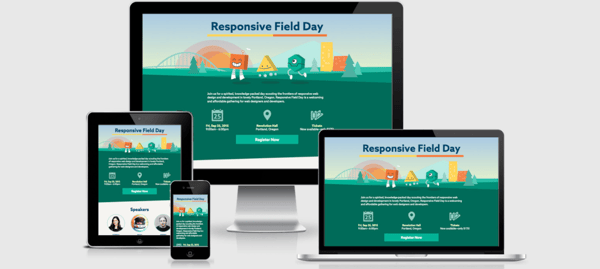
Since so many more people search the Internet from different devices and locations, responsive design is necessary to ensure visitors and customers have a pleasant experience on your site.
Although it’s recommended that your entire website is responsive, it’s critical to have responsive landing page design — again, this is the first page every visitor interacts with and sees when they open your website, so outstanding user experience (UX) is crucial.
Web pages without responsive design can make for a frustrating experience for visitors — they’ll be dealing with images and text that don’t fit their screen. This can potentially cause visitors to abandon your site completely or even visit a competitor’s site instead.
Note: Depending on the landing page design software you choose to work with (we’ll cover some options shortly), responsive design might be an automatic feature for you. In this case, you won’t have to worry about responsive design — when you design your landing page, it’ll already be responsive.
In addition to having a responsive design, there are many other aspects of creating and designing a landing page that impact your ability to convert visitors into customers and enhance UX. So, let’s review some of the most common and important steps for you to take into consideration while designing your landing page.
1. Identify your target audience and their needs.
No matter which part of your business you’re working on, you should be thinking about who your target audience is and how you can resolve their pain points — and designing your landing page is no exception to this rule of thumb.
While planning your landing page design, think about what your target audience expects and needs to see when they open your site. Ask yourself the following questions to help you with this:
- What questions does the landing page immediately need to answer for your audience?
- How can you brand your landing page so your audience knows they’re in the correct place?
- What attention-grabbing headline, relevant content, and CTA can you include on your landing page to efficiently and effectively meet the needs of your audience?
- How can you ensure your landing page is unique in comparison to those of your competitors?
- How can you prove the value that your company, products, and services provide to your audience?
If you need additional help thinking about who your target audience is, try creating buyer personas for your business.
2. Ensure the landing page has a specific purpose.
For your landing page design to be successful, it needs a clear purpose. When visitors come to your landing page, they should immediately know why the page exists.
For example, you can use landing page design to clearly define the purpose of your page in the following ways:
- Increase conversions by sharing relevant CTAs
- Enhance brand awareness by including an email newsletter sign-up form
- Boost sales by displaying your top-selling product
- Develop greater interest in your product or service by incorporating information about how they solve your visitors’ pain points
Without a defined landing page purpose, your visitors may feel confused about what to do once they’ve landed on the page or uncertain about whether or not they’re in the right place. This may cause them to lose interest and abandon your page entirely. So, use your design to ensure your landing page has a clear purpose.
3. Choose a landing page design software.
There are dozens of software options made to help you build and design a landing page. The key is finding one that works for you. Review the five software options we recommend below and the various features they each offer below.
4. Write enticing leading page headers.
The purpose of a header is to catch your visitors’ attention and/or make them want to do something — meaning, headers should be enticing, impactful, and action-oriented.
This is most likely one of the very first (if not the first) things your website visitors will have read about your company. For this reason, your landing page headers should also complement the tone and copy everywhere else on your site (and your meta description).
When you use enticing and value-driven vocabulary in your landing page headers, you ensure your visitors know they’re going to get something worthwhile out of converting and spending time on your site.
For example, look at HubSpot’s Buyer Persona Generator landing page. The headline says, “Make My Persona … A Buyer Persona Generator From HubSpot.” Thanks to the header, visitors know where they are and what they’ll get out of visiting the landing page.
Visitors are then automatically directed to the second part of the landing page which also includes enticing and value-driven language.
The design includes two CTAs visitors can click based on their needs and interests. The headers on this landing page are useful, relevant, eye-catching, and on-brand
5. Make the landing page beautiful and helpful.
We’ve talked a lot about the fact your landing page is the first thing your website visitors are going to see when they open your website. So, in addition to compelling headers and language, you also want your page to be beautiful and helpful.
Make your landing page beautiful by:
- Incorporating consistent, on-brand colors and fonts
- Keeping your page organized
- Remembering less is more while designing
- Including aesthetically-pleasing visuals (images and/or videos)
- Designing obvious and exciting CTAs
Make your landing page helpful by:
- Incorporating content that pertains to your target audience’s needs and challenges
- Designing CTAs that provide visitors with value
- Including information that tells visitors why they should convert
- Making sure visitors know how to convert
- Ensuring visitors have easy access to your contact information
6. Publish and test your landing page design.
Once your design set, it’s time to publish and test it among your audience members. After your landing page is published, you can A/B test different design elements (e.g. colors, CTA buttons, phrases, font, etc.) to see which options lead to the highest number of conversions.
This way, you can ensure your landing page meets your audience’s needs while also guaranteeing you’re getting the best results that will impact your business’s bottom line.
In addition to keeping these landing page design steps in mind, consider these landing page best practices as well. You’ll notice some of these best practices are also directly tied to the specific steps we’ve just reviewed above.
While we review the following best practices, we’ll be referencing the following annotated image of HubSpot’s landing page:
1. Remember your audience throughout the design process.
As we reviewed above, the first part of designing your landing page is identifying your target audience — Remember to keep them in mind throughout the design process. This way you’ll create a design and incorporate content that resonates with your audience. By doing so, you’ll have a larger chance of increasing conversions among site visitors.
2. Write a compelling and helpful headline.
Add a compelling headline to your landing page to immediately grab your visitors’ attention. A great landing page headline should be eye-catching and helpful.
For example, HubSpot’s landing page says, “There’s a better way to grow.” This headline gets visitors in the mindset of HubSpot being something they need to improve and expand their business.
Additionally, “grow better” is a saying HubSpot uses throughout all marketing materials. It’s something the company works to do every day — to help other businesses grow better. This makes the headline on-brand too (which is another best practice we’ll talk more about momentarily).
3. Include unique and engaging visuals.
Include engaging visual content on your landing page. Whether it’s a photo, video, or animation, you want your landing page design to somehow pique the interest of your visitors.
The HubSpot landing page’s visual content is unique to the company — the animated design and colors are on-brand. They also don’t take attention away from the written content on the page.
4. Keep it simple.
Although you want to include a headline, written content, CTA, and visual content on your landing page, that doesn’t mean you want your design to be too busy. In fact, you want the opposite.
Remember: Less is more when it comes to the design of your landing page (and your entire website for that matter). This keeps things clean, organized, and simple to understand and navigate for your visitors.
As you can see on HubSpot’s landing page, although the visual takes up a lot of the page, the headline, written content, and CTA are organized in a simplistic and aesthetically-pleasing way.
The navigation at the top of the page is minimalist and the live chat on the bottom right can collapse to make the landing page appear even cleaner for visitors.
5. Make sure it has a responsive design.
Remember, the chances of your website visitors, leads, and customers visiting your website via a mobile device or tablet is high. So, ensure your landing page has a responsive design that automatically changes format based on the device it’s being viewed on.
For example, here’s what HubSpot’s landing page looks like via my iPhone. As you can see, all of the content is the same and it includes the same CTA and visuals, but it’s organized and formatted in a way that fits my screen.
6. Keep it on-brand.
When a visitor comes to your landing page, they should automatically know it belongs to your business. Brand your landing page in a way that complements the rest of your marketing content, logo, and colors. Your visitors should be able to immediately know your landing page belongs to your business due to the branding you incorporate.
HubSpot’s landing page does this well — it adheres to the requirements found in HubSpot’s Brand Guidelines. The HubSpot logo lives at the top of the landing page.
7. Optimize your landing page with CTAs.
Your landing page should include at least one relevant CTA, located above the fold (meaning, visitors don’t have to scroll to get to the form because it’s in view as soon they hit the page), so visitors can come to your landing page and convert within seconds. This CTA might be used to learn more about your product or service, purchase your product, sign up for a special offer, or subscribe to your email newsletter.
HubSpot’s CTA button is one of the most obvious features on the landing page. The CTA button clearly states what visitors get out of converting. Since the CTA button has the word “free” in it, it becomes even more enticing … who doesn’t love free? Lastly, it’s located above the fold of the page, so it’s visible to everyone the moment they open it.
8. Add your contact information.
Your visitors may come directly to your site in search of your contact information or determine they want to contact you for assistance or support after spending some time on your page.
To avoid wasting their time and causing them any unnecessary frustration while trying to locate your contact information, place these details on your landing page. This keeps the process of contacting you as simple and straightforward as possible for your visitors.
HubSpot has contact information listed under the navigation bar at the top of the landing page. This is a great option if you’re looking to keep your landing page as minimalist as possible.
9. Include live chat on the landing page.
If possible, include a live chat function on your landing page. This way, visitors can get the immediate assistance they want and need from the moment they open your page.
HubSpot’s landing page has a live chat feature for easy access to immediate support. The location of the collapsible chat box keeps the page looking organized.
Once you’ve designed your landing page, don’t feel locked in — this is an iterative process. For instance, feel free to test your designs among your target audience to determine which colors, CTA buttons, headlines, visuals, and written content resonate with them best (and result in the most conversions).
To do this, you may A/B test designs. After reviewing your results, you’ll know which design works best for your target audience and increases conversions — stick with that design until you have a new and improved design to share, your product line changes, or your branding is updated — then, start this process again.
Next, let’s take a look at the software options you have to get your landing page up and running so you can begin converting more visitors into customers.
Landing Page Design Software
There are many landing page design software options to choose from, all of which can help you design your entire website (not just your landing page). The following five options simplify the design process and don’t require you to have any previous web or design experience.
1. HubSpot Free Landing Page Builder
HubSpot’s free landing page builder helps you create multiple landing page designs for free. The software includes a free built-in library of responsive landing page templates and an on-page editor for adding images and copy.
When you upgrade to a paid plan, you can also create personalized CTAs, content, and forms for visitors to help you boost conversions. HubSpot also provides you with the ability to test and analyze the performance of your landing page design so you can make improvements.
2. Instapage
Instapage allows you to design and publish custom post-click landing pages with a variety of template options. The page builder is easy to use and offers the ability to A/B test different designs to determine which works best for your audience. The software also helps you optimize your landing page with dynamic text replacement so you can automate the opt-in content on your page.
3. Unbounce
Unbounce has a landing page creator with over 100 templates to choose from so your design complements your brand and content. Templates are organized by business type and include options for SaaS companies, agencies, and ecommerce businesses. Unbounce landing pages are responsive and completely customizable.
4. Mailchimp
Mailchimp allows you to design your landing page in minutes, thanks to their drag-and-drop page builder. You can also set up your other website content to populate your landing page, further simplifying the design process. Add custom CTAs to entice your target audience to convert or sign up. And, if you need help personalizing your landing page, review and reference the variety of tutorial videos Mailchimp provides users.
5. Leadpages
Leadpages is a landing page design software with a drag-and-drop builder that makes it easy to customize your landing page to suit your brand, and you can A/B test your designs with the software to efficiently determine which option converts the most visitors.
As you begin thinking about your landing page design and working through the details we’ve provided in this guide, you may feel as though you need additional design inspiration. If this is the case, check out our blog post on great landing page design.
Download dozens of free landing page examples to inspire your business’s design.
Begin Designing Your Landing Page
Your landing page is the first thing any visitor who comes to your website sees and experiences. That’s why great landing page design is so important — it’s every visitor’s first impression of your website … and possibly their first impression of your business as a whole.
A great landing page has the power to help you generate more leads, close more deals, enhance your website’s user experience, impress visitors, and ensure your site has a professional, on-brand feel. Work through these landing page design steps and best practices above to ensure your landing page accurately represents your business and makes your leads want to become customers.
Editor’s note: This post was originally published in August, 2017 and has been updated for comprehensiveness.

The Ultimate Collection of Free Content Marketing Templates
Does any aspect of your job intimidate you?
For content creators, sometimes the most stressful part of the role can be opening a completely blank document to start a new project.
Whether it’s writing a blog post, designing an infographic, or creating an ebook, it’s challenging to start creating a new piece of content from scratch, especially if you’ve never done it before.
Here in the HubSpot content shop, we want to take the work out of it for you. Instead of trying to master how to create every type of content in existence, cut down on the stress and inefficiency and read about our collection of nearly 400 free, customizable content creation templates.
We’ve broken this list down by each type of content marketing template represented. Jump ahead if you specifically want:
- Content Management & Calendar Templates
- Written & Editorial Content Templates
- Design Content Templates
- Social Media Content Templates
- Email Content Templates
Content Management & Calendar Templates
A Content Planning/Goal-Setting Template
(Download the content planning template here.)
HubSpot teamed up with Smart Insights to create a content planning template that will help you put together an effective content marketing plan for either your business or those of your clients. These templates will help you complete a SWOT analysis on your content marketing efforts (and develop a plan to improve them), define the right objectives and KPIs for that plan, brainstorm content ideas and map these across your funnel, and create a timeline for your content plans.
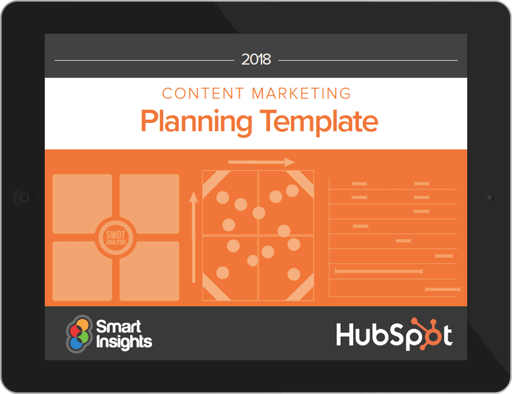
A Content Mapping Template
(Download the content mapping template here)
You know you need a content marketing strategy in place to support the success of your inbound marketing and sales organizations. But how do you get started? We’ve created a content mapping template so you can walk through your target audience’s buyer’s journey. The template helps you identify buyer personas, their challenges and needs, and to brainstorm content that provides solutions. You’ll come away from the template with tons of targeted blog post ideas to attract your audience to your site and convert them into leads.
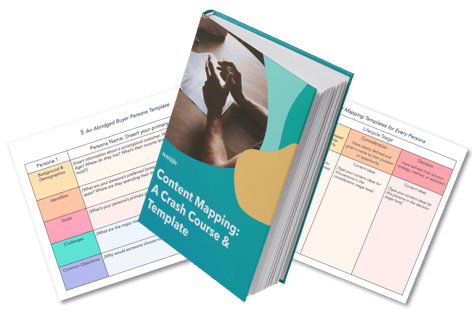
A Buyer Persona Template
(Download the buyer persona content template here.)
Marketing with buyer personas means marketing smarter. This buyer persona template will help you easily organize your research to create your very own buyer personas. Use it to create beautiful, well-formatted buyer personas that you can share with your entire company, while learning best practices for persona research along the way.
 Blog Editorial Calendar Templates
(Download the blog editorial calendar templates here.)
Having an editorial calendar for your marketing content will save you a whole lot of time — not to mention sanity — as you plan your content release timeline. We realize there isn’t a one-size-fits all solution, so we’ve created three editorial calendar templates to use at your leisure: one for Google Calendar, one for Excel, and one for Google Sheets. (Read this blog post for a step-by-step guide for using the Google Calendar template.)
Social Media Content Calendar Template
(Download the social media content calendar templates here.)
With so many different social networks to manage, a social media manager’s life becomes a lot easier when they can plan which content to share on each account — and when. This easy-to-use social media content calendar for Microsoft Excel lets you organize your social media activities far in advance. Use it to plan your updates and learn how to properly format your content for the six most popular social networks: Facebook, LinkedIn, Twitter, Instagram, Google+, and Pinterest.
On-Page SEO Template
(Download the on-page SEO template here.)
The more content you publish to your website, the more traffic sources you’ll want to prioritize. One of those sources is organic traffic. To make on-page SEO easier, we’ve rolled out a handy planning template to help you create a website structure that organizes each webpage, what its purpose is, how long it should be, and how to optimize the metadata associated with each new page you publish.
Written & Editorial Content Templates
6 Blog Post Templates
(Download the blog post templates here.)
Here’s the thing with blogging: There isn’t one, easy template you can fill in to produce a quality content offering. You need to spend some time brainstorming a title, outlining core content, and so on. Our templates will walk you through the critical steps for creating the following six blog post types:
- How-To Post
- List-Based Post
- Pillar Post
- Infographic Post
- Newsjacking Post
- What is? Post
We’ve seen these formats crush it on our blogs, and we would love for you to use them to hit your own goals.
-2-1.png?width=540&name=Untitled%20design%20(17)-2-1.png)
18 Ebook Templates
(Download the ebook templates here.)
Year after year, marketers cite lead generation as one of their top content marketing goals for the year. If you want to succeed at lead gen, then you need content offers — like ebooks — to help you get there. Our internal creative design team went to work building 18, beautiful ebook templates — for use in either InDesign, PowerPoint, or Google Slides — for you to download, customize, and use.
4 Free Memo Templates
(Download the memo templates here.)
Memos are essential content for effective internal communication. While they might not be customer-facing, they can align your team to ensure better, more aligned content is created by everybody on your team.

28 Call-to-Action Templates
(Download the call-to-action templates here.)
Redesigning your call-to-action buttons can improve clickthrough rates by 1,300% or more. That means visitors will spend more time on your website, and it’ll encourage them to become leads. To help you design clickable calls-to-action, we’ve built 28 pre-designed CTAs for you. These CTAs are super easy to customize, so you don’t need to know any fancy design programs — just PowerPoint or Google Slides.
Bonus: There’s also a handy free tool in there that lets you track your CTA clicks in real time so you can see the exact number of clicks that your designs are reeling in.

A Press Release Template
(Download the press release template here.)
While public relations has adapted to be more lovable and less spammy, press releases can be effective when used correctly. Our press release template takes this into consideration and provides an inbound-optimized version. This means the template can help you script press releases and do so in a format optimized for sharing on your company blog. You can easily adapt and customize as needed for your PR needs.
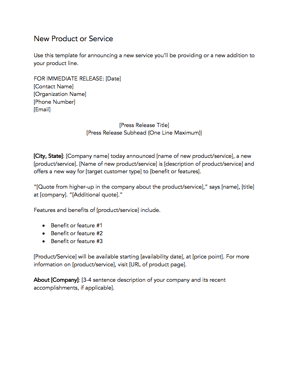
Design Content Templates
195+ Visual Marketing Templates
(Download the visual marketing templates here.)
Not a designer? Not a problem. We partnered with graphic design software company Canva to create over 195 visual marketing templates that are easy-to-use, work for any industry (finance, dentistry, agriculture, law — we’ve got ’em all), and are completely free. Best of all, they’re ready to edit in Canva’s online design tool, which is included for free with this set of templates. The templates include…
- Infographics templates
- Facebook ad templates
- Facebook post templates
- Twitter post templates
- Email header templates
- Blog title templates
- Facebook cover photo templates
- Twitter header templates
- LinkedIn cover photos templates
15 Infographic Templates
(Download the infographic templates here.)
We’ve created fifteen, pre-designed infographic templates right in PowerPoint (+ five bonus illustrator templates). That way, marketers can skip the frustrations and start creating the graphics right away. Within each template, we even provide guides to teach you how to use the templates effectively.
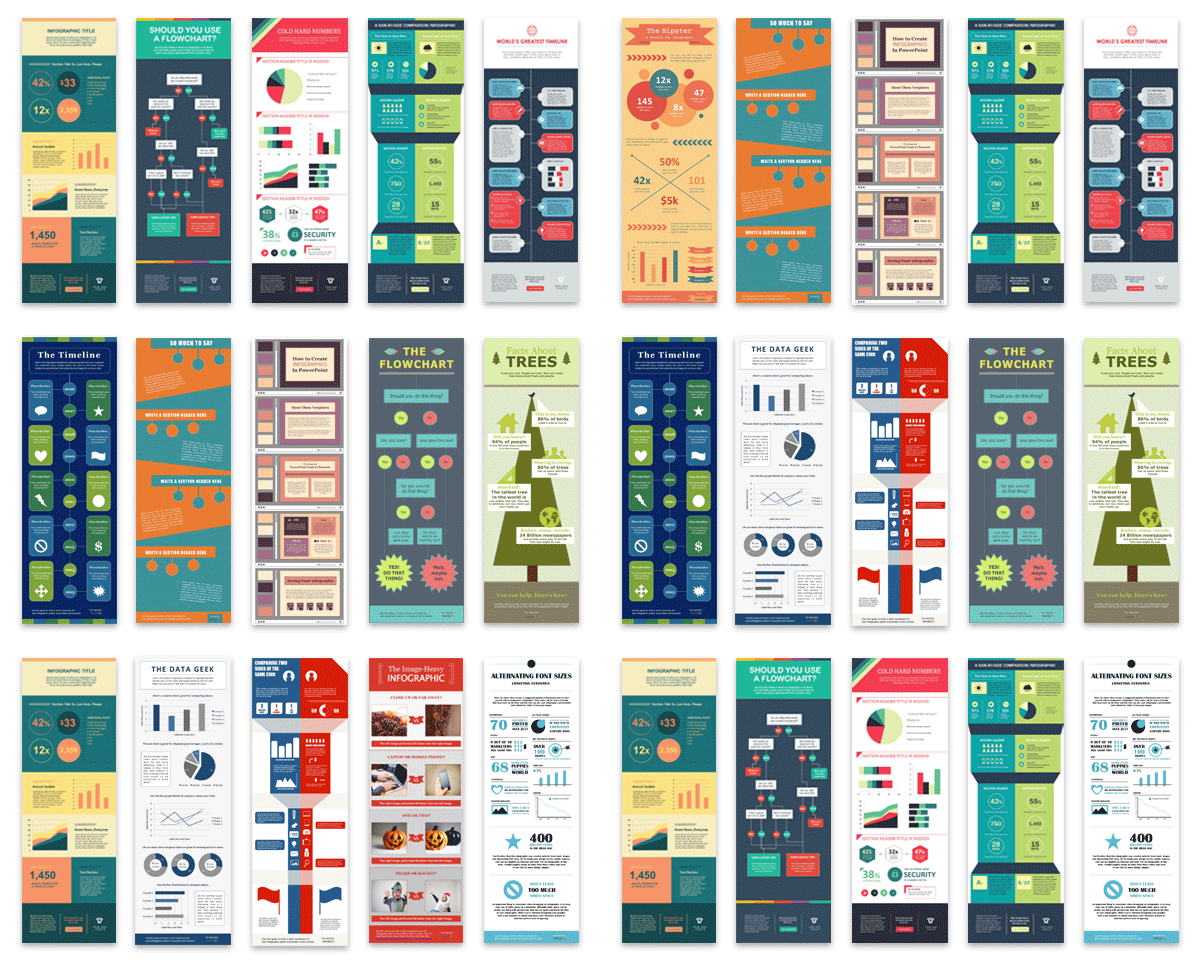
Social Media Content Templates
50 Social Media Graphics Templates
(Download the social media graphics templates here.)
Visual content is 40 times more likely to be shared on social media than any other type of content. But we know well that creating visual content takes more time and resources — which why we’ve created these 50 customizable templates for you. These templates are in Google Slides, so they’re very easy to edit — no Photoshop skills required. Simply customize the text on an image, save it, and post it to social media.
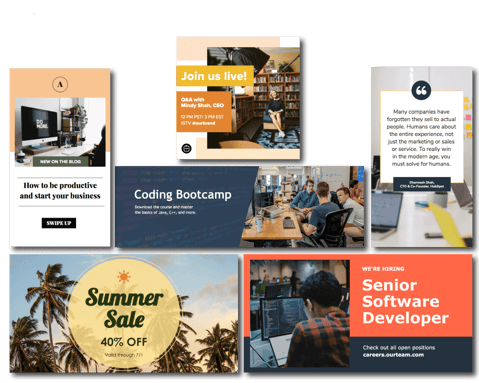
11 Facebook Cover Photo Templates for Businesses
(Download the Facebook cover photo templates here.)
With how frequently businesses change and improve on their Facebook pages today, it’s crucial that you have new material in the pipeline. Double-down on your Facebook designs with these 11 templates dedicated to your Facebook cover photo. Get these designs by clicking the link above or the graphic below.
Email Content Templates
15 Email Templates for Marketing and Sales
(Download the email templates for marketing and sales here.)
Did you know that workers spend almost one third of their time at work reading and replying to emails? There are many ways you can streamline your inbox to save time, but you ultimately will still have to create and send emails. That’s where these content templates come in. We’ve written the copy for 15 emails marketers and sales reps are likely to send over and over again to save you time and get you results.
Email Marketing Planning Template
(Download the email marketing planning template here.)
Give purpose to and set goals for your email marketing planning with this free template. Available via Excel and Google Sheets, this template can help your marketing team plan out an effective email marketing campaign.
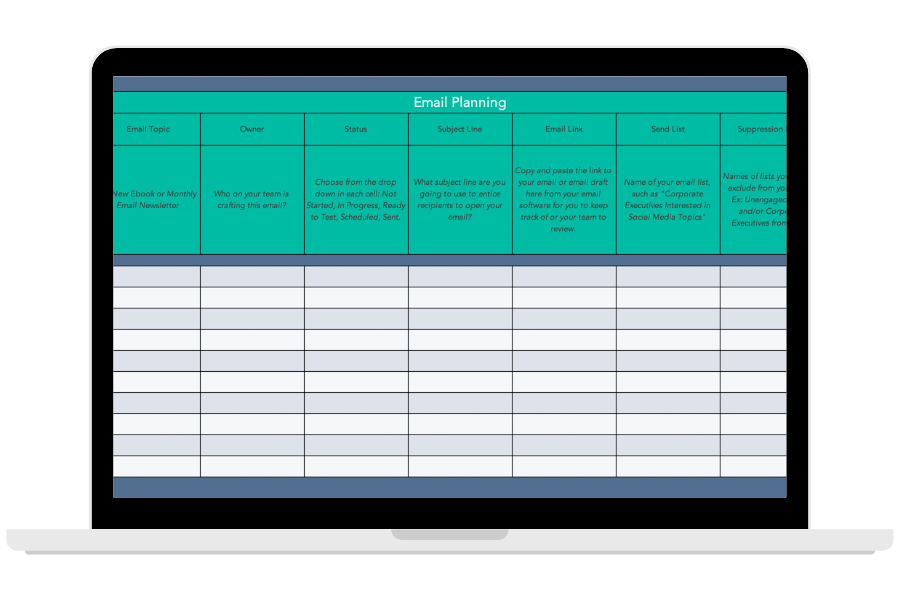
There you have it, content marketers: nearly 400 templates to help you start creating content easily and quickly and further your inbound success.

How Brands Can Nurture and Develop Emotional Intelligence (and Why It Matters)
Emotional intelligence has long been discussed as a critical component of leadership.
The ability to regulate your own emotions — as well as the emotions of others’ — has proven invaluable on an individual level.
Consider, for instance, the supreme importance of having a boss who doesn’t cry or yell every time a meeting doesn’t go her way.
Alternatively, think about how important it is to have a leader who encourages positive, effective conflict resolution between teams when misalignment or miscommunication occurs.
All of which is to say: emotional intelligence matters.
But Kristin Harper, CEO of Driven to Succeed and author of The Heart of a Leader: 52 Emotional Intelligence Insights to Advance Your Career, takes it one step further, arguing that emotional intelligence can (and should) be fostered by brands, not just individuals.
Here, let’s dive into how you can nurture and develop emotional intelligence for your brand as a whole — and why it matters in the first place.
[Note: the italic headings are the questions we asked Harper. The subsequent text is Harper’s direct quotes.]
1. How can brands nurture and develop emotional intelligence?
Let’s start first with the definition of emotional intelligence for individuals, which is the capacity to be aware of, control, and express one’s emotions, and to handle interpersonal relationships judiciously and empathetically.
EI is a combination of self-awareness, self-management, social awareness, and relationship management.
For brands, I define EI using four pillars:
- Brand Consciousness: Defining the brand identity including its attributes, values, heritage, tone of voice, and personality in a way that resonates with your target audience and distinguishes itself from key competitors
- Brand Management: Providing relevant, predictable brand assets and experiences that delight the target audience, address their unmet needs, and build loyalty
- Customer Intimacy: Taking a genuine interest in the challenges, concerns, feelings, perspectives, and unmet needs of its customers and stakeholders to build an emotional connection
- Customer Engagement: Activating marketing campaigns while engaging in thoughtful, intentional, two-way dialogues with customers
Whether people or brands, the most effective way to develop emotional intelligence is through unbiased curiosity. Spend time learning, observing, asking questions, and discussing what’s on people’s hearts and minds. Doing so in a non-judgmental way will increase empathy, emotional intelligence, and naturally lead to more relevant products, services, and advertising.
2. How can a brand learn to measure its emotional intelligence? Are there any quantitative or qualitative opportunities to measure EI in companies?
It’s not uncommon for mature brands to measure brand consciousness through equity studies.
In addition to awareness, performance attributes, brand imagery, and purchase behavior, these quantitative studies can also measure customers’ feelings and attachment towards a brand and how it changes over time.
However, in a competitive marketplace where consumers are evolving, the pace of business is accelerating, and there is more data than people know what to do with, it’s important for brand teams to complement their brain power with heart and intuition on a regular basis.
This is best done through lively, meaningful conversations with your customers or target audience. At Driven to Succeed, we offer online Community Dialogues, where we uncover deep insights around brand perceptions and opportunities for growth.
3. Which brands stand out to you as examples of ones with high emotional intelligence?
The insurance industry’s response to the economic challenges caused by COVID-19 is a prime example of brands demonstrating high emotional intelligence.
From Allstate to Nationwide and beyond, multiple insurance brands have adapted to these unprecedented times by issuing premium refunds, deferring payments, and communicating with customers with an on-time message and an empathetic tone of voice.
.png?width=536&name=Kristin%20Harper%20-%20How%20Brands%20Can%20Nurture%20and%20Develop%20Emotional%20Intelligence%20(and%20Why%20It%20Matters).png)
4. How can emotional intelligence impact a business’ bottom line? In other words, why does it matter for brands to try to develop and demonstrate emotional intelligence?
Emotional intelligence leads to empathy, action, and increased market share for brands.
When a brand is in-tune with their customers, they can develop and charge a premium for innovative products and services, deliver more relevant advertising, and engage with customers in a way that is distinct and preferred versus their competitors.
Ultimately, demonstrating emotional intelligence builds loyalty, increases market share and helps to drive top and bottom-line growth.
Kristin Harper is CEO of Driven to Succeed, LLC which provides market research, brand strategy consulting, and keynote speaking on leadership and emotional intelligence. She is also author of The Heart of a Leader: 52 Emotional Intelligence Insights to Advance Your Career.

How Brands Can Nurture and Develop Emotional Intelligence (and Why It Matters)
Emotional intelligence has long been discussed as a critical component of leadership.
The ability to regulate your own emotions — as well as the emotions of others’ — has proven invaluable on an individual level.
Consider, for instance, the supreme importance of having a boss who doesn’t cry or yell every time a meeting doesn’t go her way.
Alternatively, think about how important it is to have a leader who encourages positive, effective conflict resolution between teams when misalignment or miscommunication occurs.
All of which is to say: emotional intelligence matters.
But Kristin Harper, CEO of Driven to Succeed and author of The Heart of a Leader: 52 Emotional Intelligence Insights to Advance Your Career, takes it one step further, arguing that emotional intelligence can (and should) be fostered by brands, not just individuals.
Here, let’s dive into how you can nurture and develop emotional intelligence for your brand as a whole — and why it matters in the first place.
[Note: the italic headings are the questions we asked Harper. The subsequent text is Harper’s direct quotes.]
1. How can brands nurture and develop emotional intelligence?
Let’s start first with the definition of emotional intelligence for individuals, which is the capacity to be aware of, control, and express one’s emotions, and to handle interpersonal relationships judiciously and empathetically.
EI is a combination of self-awareness, self-management, social awareness, and relationship management.
For brands, I define EI using four pillars:
- Brand Consciousness: Defining the brand identity including its attributes, values, heritage, tone of voice, and personality in a way that resonates with your target audience and distinguishes itself from key competitors
- Brand Management: Providing relevant, predictable brand assets and experiences that delight the target audience, address their unmet needs, and build loyalty
- Customer Intimacy: Taking a genuine interest in the challenges, concerns, feelings, perspectives, and unmet needs of its customers and stakeholders to build an emotional connection
- Customer Engagement: Activating marketing campaigns while engaging in thoughtful, intentional, two-way dialogues with customers
Whether people or brands, the most effective way to develop emotional intelligence is through unbiased curiosity. Spend time learning, observing, asking questions, and discussing what’s on people’s hearts and minds. Doing so in a non-judgmental way will increase empathy, emotional intelligence, and naturally lead to more relevant products, services, and advertising.
2. How can a brand learn to measure its emotional intelligence? Are there any quantitative or qualitative opportunities to measure EI in companies?
It’s not uncommon for mature brands to measure brand consciousness through equity studies.
In addition to awareness, performance attributes, brand imagery, and purchase behavior, these quantitative studies can also measure customers’ feelings and attachment towards a brand and how it changes over time.
However, in a competitive marketplace where consumers are evolving, the pace of business is accelerating, and there is more data than people know what to do with, it’s important for brand teams to complement their brain power with heart and intuition on a regular basis.
This is best done through lively, meaningful conversations with your customers or target audience. At Driven to Succeed, we offer online Community Dialogues, where we uncover deep insights around brand perceptions and opportunities for growth.
3. Which brands stand out to you as examples of ones with high emotional intelligence?
The insurance industry’s response to the economic challenges caused by COVID-19 is a prime example of brands demonstrating high emotional intelligence.
From Allstate to Nationwide and beyond, multiple insurance brands have adapted to these unprecedented times by issuing premium refunds, deferring payments, and communicating with customers with an on-time message and an empathetic tone of voice.
4. How can emotional intelligence impact a business’ bottom line? In other words, why does it matter for brands to try to develop and demonstrate emotional intelligence?
Emotional intelligence leads to empathy, action, and increased market share for brands.
When a brand is in-tune with their customers, they can develop and charge a premium for innovative products and services, deliver more relevant advertising, and engage with customers in a way that is distinct and preferred versus their competitors.
Ultimately, demonstrating emotional intelligence builds loyalty, increases market share and helps to drive top and bottom-line growth.
Kristin Harper is CEO of Driven to Succeed, LLC which provides market research, brand strategy consulting, and keynote speaking on leadership and emotional intelligence. She is also author of The Heart of a Leader: 52 Emotional Intelligence Insights to Advance Your Career.
How to Build a Website: A Step-by-Step Guide
Studies show that between 70-80% of consumers research a business online before visiting in person or making a purchase. That means having a website is as necessary for companies today as having a phone number.
Maybe you’re starting a new business venture or developing your personal brand. Or, maybe you’re looking to update your company’s outdated website. Whatever the case, creating a new website can feel overwhelming, particularly without technical expertise or a budget for web developers.
To alleviate any frustration you might feel, we’ve put together a comprehensive, step-by-step guide to creating a website. Best of all, you won’t need a coder, web designer, or big budget to create one — you’ll just need to follow the nine steps below.
1. Choose your website platform.
The first thing you’ll need to decide is whether you want to create a website using a website builder or a content management system (CMS).
Both provide the out-of-the-box features, pre-designed templates, and extensions required to create a custom site without coding, but they offer different experiences for creating and managing a website.
Website builders provide everything you need to launch a site. You get website building tools, hosting, domain registration, SSL certification, templates, and support in one place, often for a low monthly rate.
This ease of use and pricing appeals to many site owners; however, free website builders as well as the more expensive alternatives tend to be limited in flexibility. For example, you can’t add your own custom code, or drag and drop elements anywhere on your posts and pages with a website builder.
If you want more control over the functionality and appearance of your site, use a CMS. A CMS will provide the content management features, advanced functionality, and customization options required to build larger, more complex sites.
If you’ve decided that a CMS is the best option for your business, consider the software, ease of use, customizability, security, and pricing of different platforms to narrow down your selection.
The best CMS system for your business will align with your site’s needs and goals. For instance, do you need a platform that allows you to add your own custom code or one that supports multiple languages? Would you like a proprietary CMS to help share the responsibility of protecting and maintaining your site, or would you prefer an open-source CMS? You might also narrow your list by comparing the selection of templates and add-ons offered by each system.
WordPress, for example, is a popular open-source CMS that provides thousands of themes, plugins, and modules for customizing your site. In exchange for this flexibility, you will have to spend more time and money downloading, installing, and maintaining these extensions. On the other hand, WordPress alternatives like the CMS Hub provide more built-in functionality, app integrations, and security features so you can focus on creating web content and attracting leads.
Once you’ve chosen the best CMS platform for your needs, continue to step two.
2. Select a hosting plan.
Web hosting is a service that enables individuals or businesses to run a website on the Internet. The service provider, known as a web host, will store your website files on a secure server that it keeps up and running, and then deliver and display that web content to visitors who type in your URL in their browser.
The steps for selecting a hosting provider differ depending on whether you chose a proprietary or open-source solution above. A proprietary solution will include web hosting in its pricing package. So you’ll simply need to select the plan with the bandwidth, storage, and other features that suit you best.
For example, Wix offers limited bandwidth and storage on its free plan so you’ll have to upgrade to its Unlimited plan for unlimited bandwidth and 10GB of storage.
If you opted for an open-source solution, you’ll have to find your own hosting provider, which will take take time and lots of research. There are hundreds of web hosts on the market. Each one might offer different types of hosting, including shared hosting, VPS, and dedicated hosting. Let’s briefly look at the differences below.
Virtually every web host offers shared hosting. Shared hosting is the most popular type of hosting, particularly among new site owners, because it’s the cheapest option. However, because your website has to share the same server with many other websites, it can’t support high volumes of traffic and is most vulnerable to hackers and other security threats.
VPS hosting is a pricier alternative because it isolates server resources for your site specifically. That means your site will be able to handle higher volumes of regular traffic. If you’d rather not share a server with any other website, you can upgrade to dedicated server hosting.
Once you’ve decided what type of hosting you need, you can pick a provider. DreamHost, Host Gator, and Bluehost are among the most popular third-party providers and offer free domain registration for the first year. That will simplify the next step in building a website.
3. Get a domain name.
No matter what type of website platform you chose to build your site, you’ll likely have to purchase a domain name. Some website builders like Weebly offer a free subdomain for your site, but you’ll want to upgrade to a custom domain.
One of the easiest ways to appear more professional and legitimate as a company is to pay for a domain name. Imagine you were looking for a freelance writer. Are you more likely hire me if my website address is carolineforsey.weebly.com or carolineforsey.com? An extension like “weebly.com” can confuse visitors and dilute your brand identity. Worst case scenario: a visitor might assume you can’t afford a premium hosting service or custom domain, and draw conclusions that your business is not fully established.
Fortunately, purchasing a domain name is typically inexpensive — even for those who sign up for hosting plan that does not include free domain registration for year. There are two different approaches you can take.
You can visit a domain site, purchase and register a domain name there, and then connect it to your hosting account. Both Godaddy.com and Namecheap.com are cheap, secure, and effective options for buying a domain name, with added benefits such as SSL security and office 365.
Or you can complete the entire domain name search and registration process on your hosting provider’s site. For example, after signing up for a Bluehost plan, you’ll be taken to this page to sign up with a domain name.
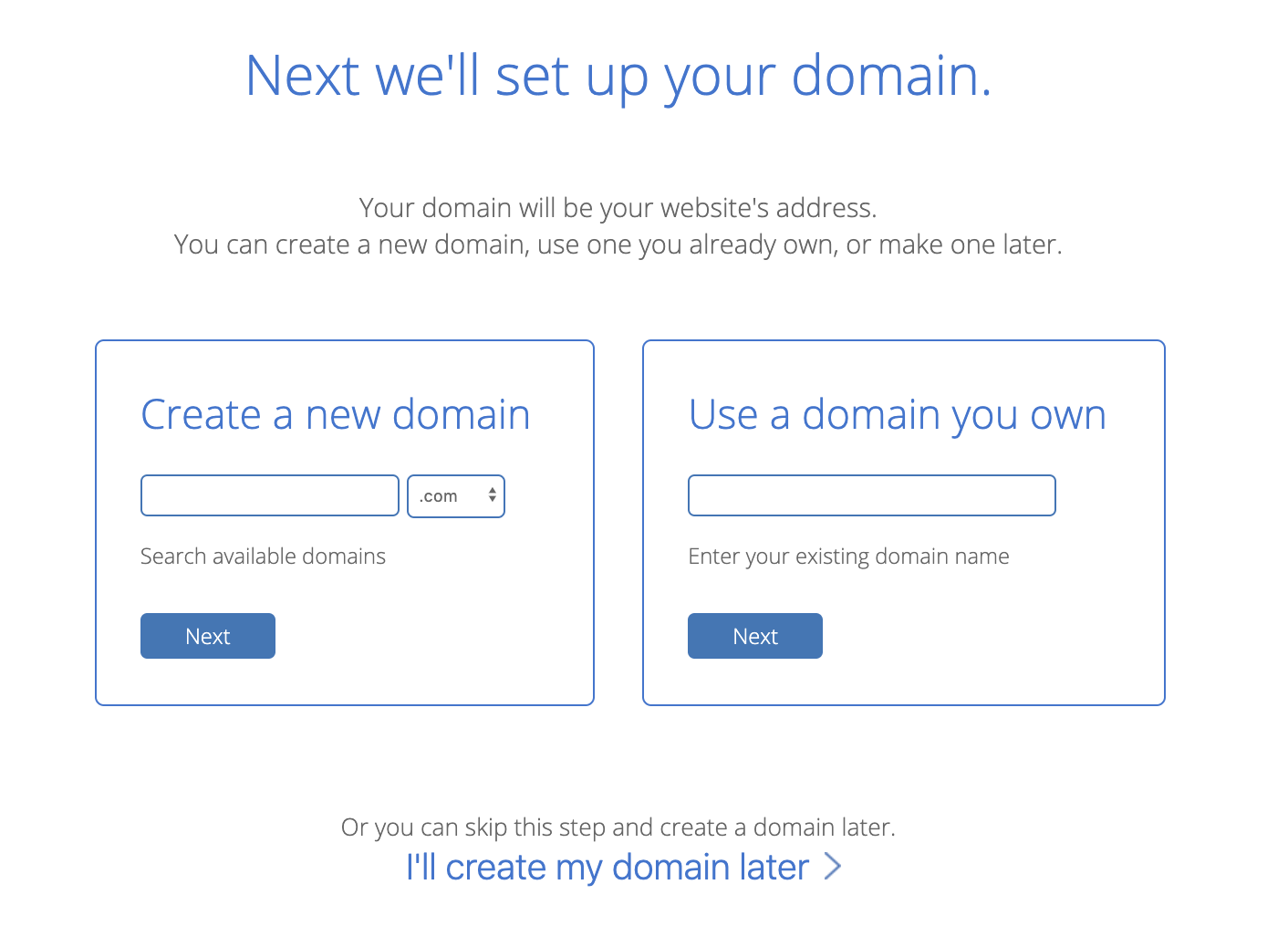
Here’s where it gets tricky. You’ll need to choose a domain name as similar as possible to the name of your company, but with over 1.8 billion websites out there today, your company’s name might already be taken.
If your ideal domain name is already taken, consider using a different extension. I’d advise you to use one of the three most common extensions if you can: .com, .net, or .org. However, if it makes sense for your business, you might want to check out an alternate extension like .us or .shop.
Play around with it. Once you’ve chosen and paid for a domain name, you’ll usually also get personal email accounts attached, so make sure you’re happy to use your domain name as your main online identity.
4. Choose a theme for your site.
Now, for the fun part.
Themes allow you to easily change the look and feel of your site without having to code HTML and CSS from scratch. Themes are made up of templates, modules, images, and global content that control your site’s overall design.
On whatever platform you chose, take the time to browse through the selection of themes available. Many will come with a directory of free themes, where you can use filters or the search bar to find themes related to your industry, with a specific layout, and more.
There are some must-have features that every theme should have. For example, it’s important your theme is responsive, so your site will look the same on all devices. You’ll also want to stay away from hard-to-read fonts or flashy backgrounds that could distract a consumer from understanding your core message.
Other considerations will be specific to your business and site. You might be looking for a static header or a slideshow header, for example. Or you may need a theme that comes with a front-end builder. Below are some questions you can answer to find the right theme for your site:
- Do you need a variety of layouts or just one?
- Are you looking for a theme with built-in social media widgets or any other functionality?
- Would you like to install a demo site or start from scratch?
- Do you want to purchase a theme that includes its own theme builder?
Ultimately, no one knows your business better than you. Take the time to consider which theme would best represent your brand and most likely appeal to your ideal demographic.
When in doubt, you can’t go wrong if you choose something clean with straight lines and a limited amount of text. If you need some inspiration, check out 27 of the Best Website Designs to Inspire You in 2020.
If you can’t find a free theme that meets your exact specifications, try looking for premium themes in third-party marketplaces.
Once you’ve selected and installed a theme on your site, move on to the next step.
5. Customize your theme and templates.
Once you’ve chosen a theme, take the time to customize it and its individual templates. Your site’s design and functionality is your chance to persuade an audience to take a closer look. It’s imperative your design makes sense to your ideal consumer and works to enhance your product’s success rather than hinder it.
That’s why you should think of your theme and templates as a starting point, rather than the final look. Depending on the website platform you’ve used to build your site, you’ll have different degrees of control over your site’s appearance.
On most platforms, you’ll be able to choose a template and then change the color palette, replace the images, insert social media icons, add personalized forms and menus, and change the size, colors, and fonts of buttons.
On more flexible platforms like the CMS Hub, you’ll be able to edit your theme’s global settings to make sitewide changes. That means you can make changes to your font and other elements in one place and they’ll be implemented across all pages on your site.
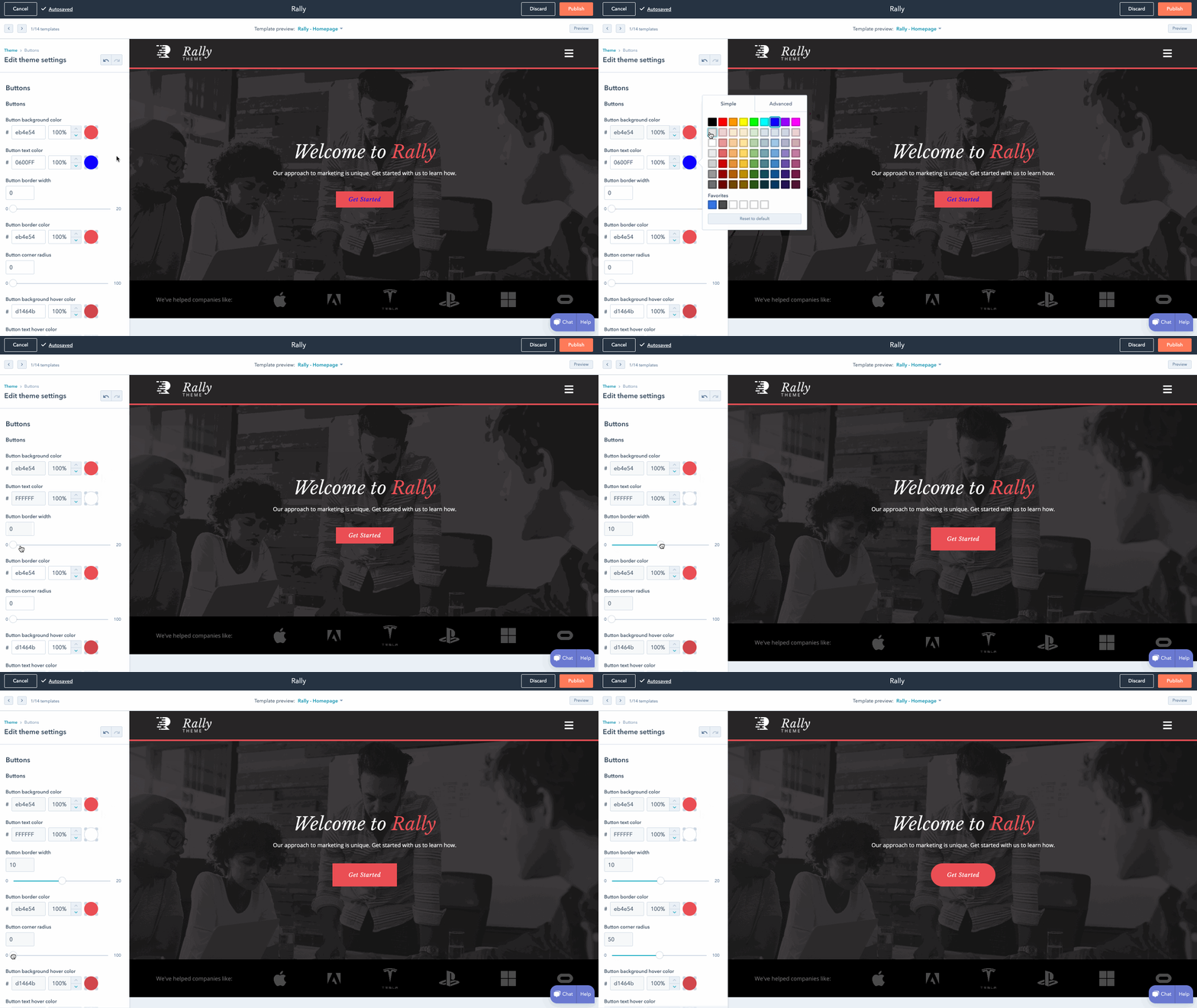
6. Add pages to your site.
It’s important to plan exactly which pages you’ll need to include in your site. While it varies business to business, I’d guess you’ll need at least a homepage, an “About Us” page, a “Services/Product” page, and a “Contact Us” page.
You should also add a blog homepage. I might be biased, but there are serious benefits to business blogging. For example, websites that feature a blog are 434% more likely to be ranked highly on search engines.
While every platform is different, it’s typically easy to add and remove pages on whichever platform you use. Let’s take a closer look at the process on WordPress, for example.
- Start by logging into your WordPress dashboard.
- On the left side of the screen, click Pages > Add New.
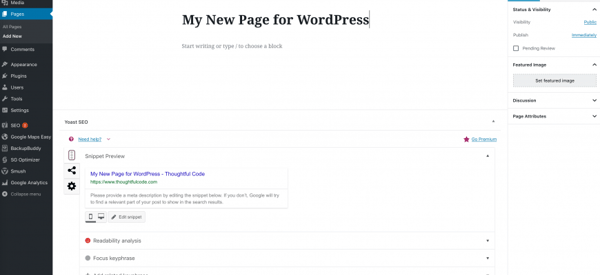
- You can add text, insert images, embed videos, and make any other changes you like.
- When you’re ready, click Publish.
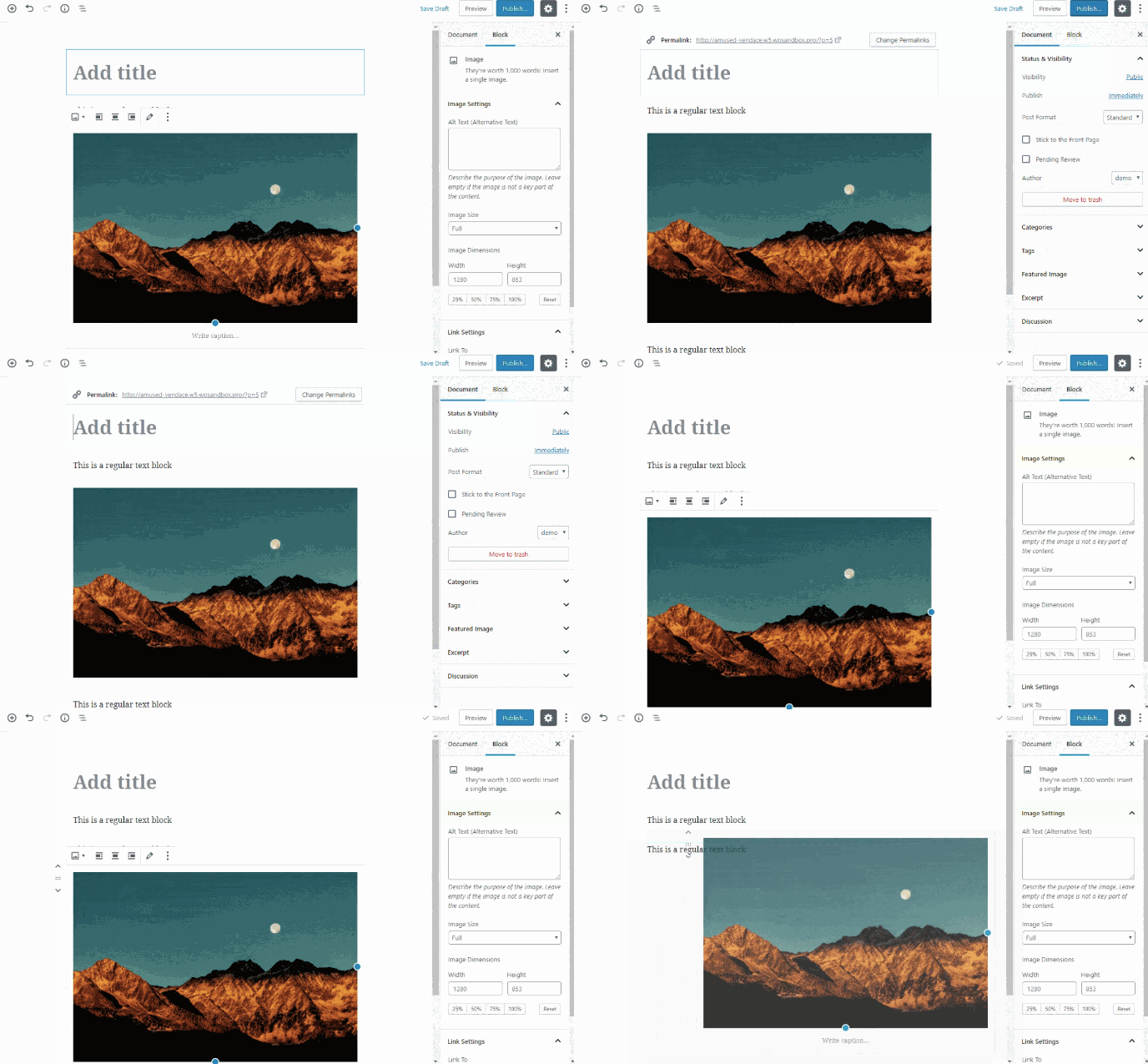
Once you’ve decided what pages you need on your site, make sure to add them to the navigation bar of your site. You can rearrange page topics any way you want, or combine them.
You can visit other company websites within your industry to get ideas for how to organize your navigation bar, or which pages to include and exclude if you’re unsure.
7. Write content.
This is arguably the most important step. Now that you have your pages set up, what will you put on them?
I’d suggest writing rough drafts for pages like your “About Us” page and landing page. Talk with coworkers and stakeholders — what message do you want to put out there? What tone do you want to set? Should you make jokes and be funny, or aim to be more inspirational?
If your online audience stumbled across your site, what questions would they have first?
Imagine your website is your only chance to have a full conversation with a potential customer. The home page is the preliminary introduction: “Hey, we do XYZ.” Your “About Us” page digs deeper: “We are XYZ.” And your products or services pages are your big push to the finish line: “You want to work with us? Great, here’s how you’ll benefit.”
During this stage, it’s imperative you do your keyword research.
For instance, if you’re selling eyeglasses, and you notice “retro eyeglasses” has more monthly search volume than “vintage eyeglasses,” you might use this research to steer the direction of the content on your site.
If you’re stuck, check out competitor’s websites to gauge what other companies in your industry are doing.
8. Fill in general settings.
Once you’ve filled in your pages with the heavy-hitter content, you can still increase your search visibility by adding SEO elements to each and every page.
On your pages, you should include:
- Page titles
- Headers
- Meta descriptions
- Image alt-text
- Structured markup
- Page URLs
- Internal linking
- Mobile responsiveness
- Site speed
Make sure you include a site title and tagline in the “Settings” of your website building platform. Go through, and check out the URLs — are those optimized for search?
Each of these elements are essential to your on-page SEO. They not only help to tell Google about your website and how you provide value to visitors and customers — they also help optimize your site for human eyes as well as search engine bots.
Any platform you’re using to build your site should make it easy to optimize these elements on every post and page. With Wix, for example, you can add image alt-text, meta descriptions, headings, and custom URLs right in your content editor.
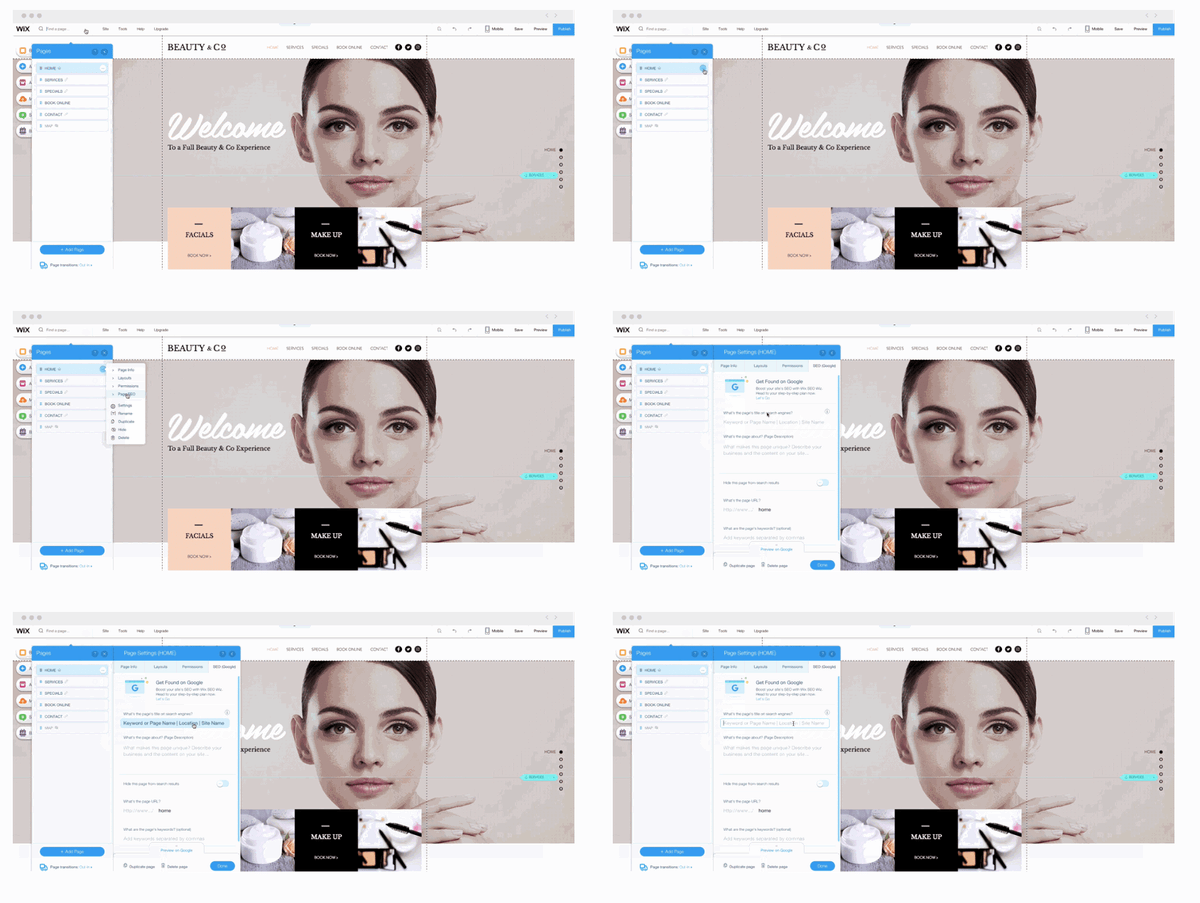
9. Install add-ons.
Lastly, take a look at your site and figure out what you’re missing. Ideally, your platform will offer all the add-ons you need to extend the functionality of your site.
It’s important to note these add-ons might be called apps, extensions, modules, integrations, or plugins, depending on the platform you use.
If you’re running an ecommerce site on HubSpot, for example, you might use HubSpot’s Shopify extension. Or, maybe you want to ensure your WordPress website is secure, to protect client data. In that case, you might download the Wordfence Security plugin for firewall protection against attacks, malware, and other threats.
If you’re lacking out-of-the-box features for security, SEO, image compression, and social media, check if your platform offers an app or integration to add that functionality to your site. It’s much easier to do all this work in one place rather than having to log on to several disconnected platforms.
Let’s say you’ve browsed your platform’s directory or marketplace and chosen a few add-ons you think will take the effectiveness of your site to the next level.
Installing these add-ons will vary from platform to platform. To give you an idea of how long the process will take, let’s walk through the process of installing an app from the HubSpot marketplace.
- In your HubSpot account, click the Marketplace icon in the main navigation bar.
- Under Manage, select Connected apps .
- Click Visit App Marketplace.
- Use the filters in the left sidebar to browse for an app.
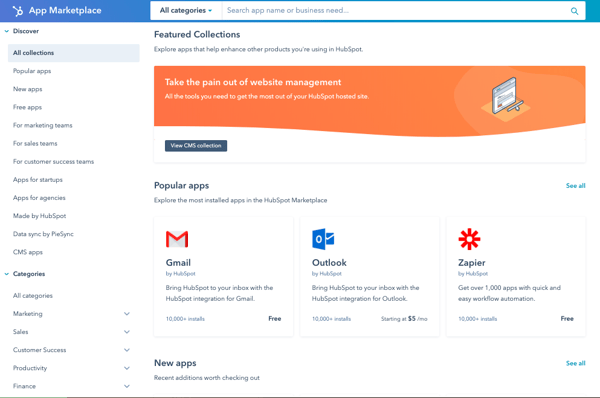
- Click on an app to see more information.
- On the right, you can review the details of the app. Under Requirements, check whether or not the app is compatible with your HubSpot subscription, and see if there are any app-side subscription requirements.

- When you’re ready, click the Connect app button in the top right corner of the screen.
Once you’ve completed these nine steps, just click “Publish” and your site is ready for use.
How to Make a Website with HubSpot
Lastly, let’s take a look at how to make a website with CMS Hub. If you’re already using HubSpot’s CRM, it probably makes the most sense to build a website within HubSpot to integrate all your sales and marketing needs in one place.
HubSpot CMS offers a variety of plugins and extensions, themed templates, and sophisticated tools for SEO analysis.
If you want to build a website with HubSpot, it’s easy and intuitive. Here’s how:
1. Create home page.
Within your HubSpot portal, click “Content” on the dashboard at the top of your screen. Then, click “Landing Pages”.
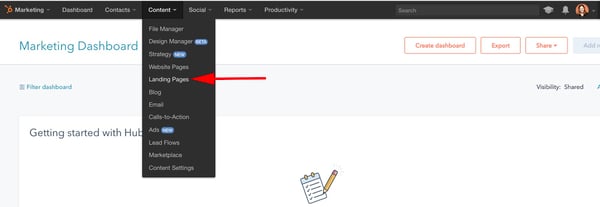
After that, click the orange “Create landing page” button and name your page.
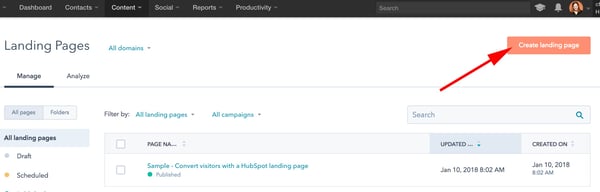
2. Select a template.
Now, you’ll be taken to this “Select a template” page. Scroll through your options, search page templates, or check out the Marketplace. When you’ve found a template you like, select it.
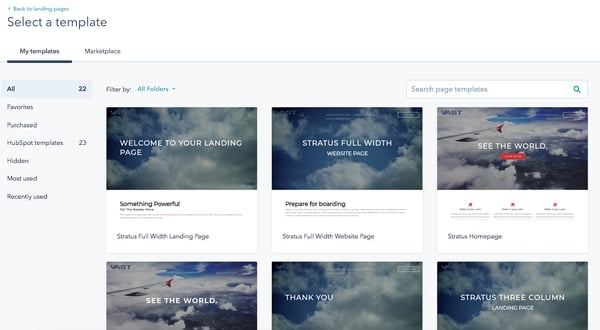
3. Edit the modules.
This is your landing page. You can scroll over text boxes, images, or other modules to edit them. In the below picture, I scrolled over the “See The World” Banner Text, and when I click it, it allows me to edit that text.
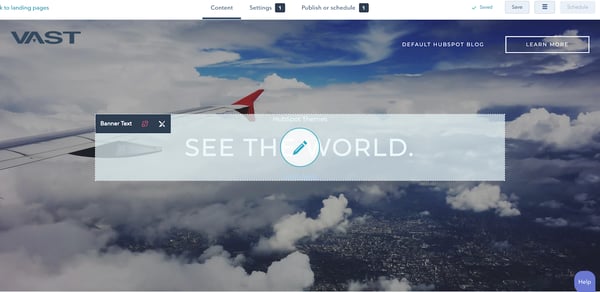
You can also click the “Edit modules” tool on the right side of your screen and edit from there. For instance, I selected “Service 2 Text”, which directed me to the “Make it your own” paragraph on my landing page. You can add text, images, sections, forms, and more from the “Edit modules” section.
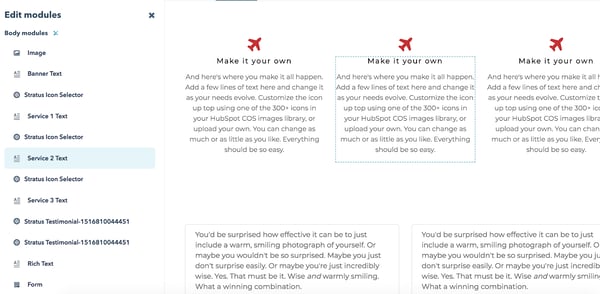
4. Create other pages on your website.
When you’re happy with your landing page and want to move on, go back to your dashboard and click “Content” at the top of your screen, and then “Website Pages.”
Here, you’ll click the orange “Create website page” button and name your page, just like your landing page. Then, you’ll be taken through a similar process of choosing a template and adding content. If you want a more in-depth tutorial, check out a quick tour of website pages.
5. Incorporate social media accounts.
If you want to incorporate your social media accounts, click “Social” on your dashboard. You can monitor all your social media accounts and also publish tweets, Facebook statuses and comments, Instagram pictures, and other content straight from your HubSpot dashboard.
6. View analytics.
If you want to check out your site analytics, go to “Reports” and then “Analytics Tools”. You’ll need to install the tracking code, which is easy to do within the HubSpot platform by clicking the orange “Install the tracking code” button. If you’re still unsure, check out how to install the HubSpot tracking code.
7. Add blogs to your site.
If you want to write blog posts, go to “Content” > “Blog” on your dashboard to create, publish, and monitor your website’s blog posts.
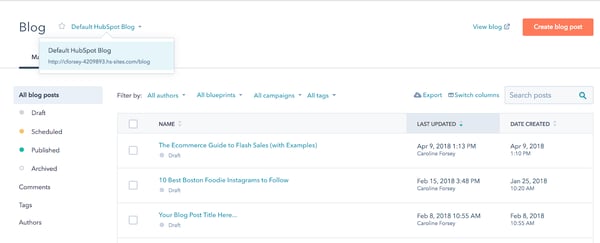
This is a fairly broad and general overview to get you started building a website with HubSpot, but there are plenty of more in-depth features and tools you might want to explore with a HubSpot specialist, or by checking out some articles on academy.hubspot.com.
Ensuring a Smooth Launch
Once you’re done building a website via the CMS Hub, it’s important to check that you’re not missing any crucial elements or going live with any glaring errors. Once you’ve gone through this list above and feel like you’re close to a website launch, read this blog post for a detailed list of things to check before your go live.
And don’t forget to check out our CMS Hub, as mentioned above. It will help you accomplish most of the things on your website launch checklist without you even knowing you.
Editor’s note: This post was originally published in May 2018 and has been updated for comprehensiveness.

How to Become an SEO Expert, According to HubSpot’s SEO Team
Braden Becker’s journey to becoming an SEO specialist at HubSpot is a slightly unconventional one. In college, he studied Writing & Rhetoric, which helped him land his first job as a copy editor at a B2B trade publication. As he progressed through his career, Braden pivoted to content marketing, where he worked as an editor at a SaaS company and then as a content manager at the world’s largest environmental services firm.
You might think someone like Braden would continue to climb the creative career ladder in content marketing. But today he actually spends more time in Ahrefs than he does in Google Docs. As the historical optimization lead on HubSpot’s Blog Team, Braden’s main responsibility is to identify blog posts that are falling in organic traffic and optimize them for search engines to rank higher on Google. He’s even sharpened his SEO chops enough to co-create the SEO strategy for all of HubSpot’s blogs.
Traits of an SEO Expert
As a writer and editor for most of his career, SEO had always been in the periphery of Braden’s work — as it was a subject he had a solid grasp on but not necessarily a lot of expertise in.
Today, though, SEO is his central focus.
Braden, along with other SEO and historical optimization specialists at HubSpot — Aja Frost, Victor Pan, and Amanda Sellers — offered their advice about what it takes to become an SEO expert and the paths they took to get there.
Some SEO specialists don’t start out with the intention to dedicate their careers to SEO. Some start completely by accident. Let’s go over how HubSpot experts started theirs, and what you can do to start yours.
1. Develop your skills.
“Getting a job in SEO ideally requires two things: content creation skill and analytical skill. Most SEO professionals today have one of those and develop the other,” Braden says.
SEO experts are skilled writers with creative instincts. It’s helpful for those in the SEO profession to have a strong writing background because it takes creativity to optimize content in a way both Google and audiences will comprehend. In fact, Becker has noted that his writing background helped him get his start in the SEO industry.
“My background in writing and editing helped me get my foot in the door, but a willingness to focus on the structure, mechanics, and intent behind my writing is what I think secured my role as an SEO specialist for HubSpot.”
Braden’s story of pivoting from a creative career in content marketing to an analytical one isn’t as rare as you might think. Before Aja Frost became a senior SEO strategist at HubSpot, she was the editor of HubSpot’s Sales Blog.
“I taught myself how to do keyword research and competitive analysis as the Editor for HubSpot’s Sales Blog,” Aja says. “The Sales Blog’s traffic had been flat for a year and a half — I noticed that the only posts that consistently generated views for us were getting all of those views from search. So I began looking for sales-related keywords we could rank for that would help boost organic traffic.”
Resources:
So, how do you start developing your skills to be SEO-ready? Here’s what Aja had to say about her strategy for keeping her SEO skills sharp.
“To refine my SEO expertise, I constantly read. I’m really interested in technical SEO, so I look for blog posts, white papers, and research about site architecture and navigation, website speed, and everything that goes into that, including structured data,” she says. “SEO by the Sea, Sistrix, and Blind Five Year Old are all great technical SEO resources, along with (unsurprisingly) the Google Webmaster Blog. I’m a member of a few SEO subreddits (/seo and /bigseo are the most active). And I follow a ton of SEOs on Twitter — they drop random factoids or insights all the time.”
Like Braden mentioned, a lot of SEOs start with one skill and start developing others. So, whether you’ve got an analytical mind and want to start a blog to practice writing, or you’re a seasoned writer looking to train your technical mind, having a balance in both will help you in your SEO career.
2. Take a course and get certified.
Earning a certification ensures that you have the proper knowledge in a certain area to successfully practice on your own. It also gives you credibility when you network on professional sites such as LinkedIn. When doing initial SEO research, Aja found courses she could take in order to get a certification for SEO, which opened up more doors. “I read a ton of blog posts and eventually got my Google Analytics certification.”
If you decide to take a course, discover which one will provide you with the skills you need to advance in your SEO career. For instance, if you find that a certain course doesn’t go in-depth about subjects you need help in, it’s probably not the course for you.
Resources:
3. Understand how search engines crawl and index content.
The primary goal of SEO is to increase visibility on search engines so that search engine users can find your content. While content should always be created with those potential website visitors in mind, they won’t make it to your content if search engines don’t know what to make of them.
According to Moz, search engines have three primary functions:
- Crawl – Find and understand content.
- Index – Store and organize the content.
- Rank – Provide the best content for relevant queries.
The goal of increasing visibility is highly related to the third item on that list. But while rank is important, it comes after items #1 and #2.
According to Amanda Sellers, “Becoming an expert SEO means understanding those functions and optimizing content in a way that serves users… while keeping best practices in mind for crawling and indexing.”
Resources:
- How Search Engines Work by Moz
- How Google Search Works by Google
- Crawlability and Indexability by SEMrush
- What Are Crawl Errors? by Yoast
4. Gain perspective on what search engines value.
While the inner workings of each search engine will vary, keep in mind that each one has a single goal in mind: Always retrieve the best results for each query.
There are many factors that can go into what makes a particular result the “best,” but for the most part, it comes down to three things:
- Relevance to the searcher’s intent
- Authority the website has based on popularity signals
- Trust and confidence the search engine has that the website can provide a true and valuable answer
- Positive experience for the user as they consume the content
“The better you understand these big ideas, the better you’ll be able to understand the role ranking factors and SEO tactics play. With this context, the more effective you’ll be at implementing SEO initiatives and diagnosing problems when they come up,” Amanda says.
Resources:
- The Three Pillars of SEO: Authority, Relevance & Trust by Search Engine Journal
- The Ultimate Guide to SEO by HubSpot
5. Understand SEO strategies and tactics and why they matter.
“Once a search engine can crawl and index a website, it then uses ranking factors and signals to gauge relevance, authority, trust, and experience. These then translate to the strategies SEOs can use to improve their content,” Amanda adds.
These strategies and disciplines help inform SEO tactics:
- Technical SEO – This refers to the practice of optimizing the technical aspects of a website for search engines. This may include rectifying sitemap and linking errors found in technical site audits. (Indexability and crawlability)
- Keyword Research – By analyzing keyword data, you can get a better idea of what your audience wants to discover, which can then inform your strategy as you create content that is discoverable based on that data. (Relevance and search intent)
- On-Page SEO – Content that provides the searcher with valuable information while going above and beyond what’s already out there is more likely to rank. In addition, following on-page SEO best practices can help the search engine determine just how relevant the content is to the query. (Relevance and search intent)
- Link Building – Search engines use a number of factors to determine the popularity of a website, and one of those is the number and quality of the external links pointing to its content, also known as backlinks. (Authority and Trust)
- Other Ranking Factors – Factors such as mobile usability, page speed, etc. are important to search engines as they deliver the best results possible. (Experience)
“Knowing the basics of each is important in determining whether you want to be an SEO generalist or an SEO specialist in one of these disciplines, and they can also increase the effectiveness of your efforts.”
Resources:
- The Ultimate Guide to Technical SEO by HubSpot
- How to Do Keyword Research for SEO by HubSpot
- The Ultimate Guide to On-Page SEO by HubSpot
- Link Building for SEO [Free Lesson] by HubSpot
- Google’s Ranking Factors by Backlinko
6. Research the field.
In addition to initial research about SEO, it’s essential to keep up-to-date on the latest industry changes, so you aren’t using outdated optimization techniques Google doesn’t understand.
For example, when Aja noticed the Sales Blog traffic was flat, starting SEO research helped her uncover why: she wasn’t delivering content audiences searched for.
Aja doing research about SEO led her to discovering ways to improve the blog’s performance.
SEO is always changing, so it’s crucial to keep updating your knowledge on the topic.
To build his fundamental knowledge of SEO, Victor Pan, the head of technical SEO at HubSpot, cites reading as one of the best habits he’s gotten into.
“I used to be a voracious reader on all publicly available information on SEO. I had an RSS feed of search-related blogs and news websites I would go through for a whole hour every day,” he says. “Mere exposure to ideas makes unknown problems in SEO easier to tackle when you have other people’s experiences or frameworks to build from.”
7. Find a method/tool that works for you.
Similar to finding resources that work for you and your skill set, it’s imperative to find an SEO routine or tool that will become your foundation. For keyword research, SEOs like to reference their personal arsenal of tools.
For example, in addition to HubSpot’s SEO tools, some of HubSpot’s SEO experts also use tools, such as SEMrush, for additional research.
You don’t have to use every single tool that exists to conduct your SEO tasks, you just have to make sure the tools are helping you accomplish your goals and giving you accurate practice with the subject.
Resources:
If you don’t know where or how to start searching for tools, here’s eight you can check out. Remember, you don’t have to commit to eight, just to the one(s) that’ll get your job done. Use what will keep your research well-rounded, accurate, and easy to comprehend.
“My reading led me to experiment with SEMrush, AnswerThePublic, Google Analytics, Google Search Console, and of course, HubSpot’s own SEO tools. I read a ton of blog posts and eventually got my Google Analytics certification.”
8. Get familiar with data.
Once you start diving into your SEO tools, you’ll notice that there’s a LOT of data. Without this data, you’ll be unable to measure the performance of your initiatives and know exactly where and how to improve.
Some (but definitely not all) important SEO metrics include:
- Positioning – How close to the top your page shows up on the SERPs.
- Impressions – How many times your page was seen on the SERPs.
- Clicks – How many times your page was clicked on from the SERPs.
- CTR – The percentage of impressions that resulted in a click.
- Organic Sessions – The number of times the page was viewed in a browser.
According to Amanda, “Because each of these things measures a different aspect of search behavior, you can use them to gain valuable insights that can drive your strategy. In addition, it’s important to drill down and filter so that your data tells a more complete story.”
Resources:
- How to Use SEO Data to Make Better Decisions by HubSpot
- Tracking SEO Performance by Moz
- The Ultimate Guide to Google Search Console by HubSpot
- Actionable Insights from Google Analytics by Moz
- The Ultimate Guide to Google Analytics by HubSpot
9. Regularly test your SEO knowledge.
Putting theory into practice gives you the practical knowledge and experience needed to level up as an SEO. In this way, SEO is kind of like playing a sport. You can read all about hitting a baseball or throwing a football, but if you never practice, you’ll never reach your full potential.
To stay ahead of the curve in any industry, reading the latest news and research is hugely beneficial. But as an SEO, when everything is constantly changing, reading isn’t enough. To gain the practical experience that’ll truly take your SEO skills to the next level, you need to constantly test industry assumptions and your new ideas.
“I test a lot of things to refine my SEO expertise. Should your brand be in your title tags? Is internal anchor text worthwhile to still do in 2020 to move rankings? What happens when you purchase fake social “signals” — do you see an increase in organic traffic?” Victor says.
“Failed experiments taught me just as much as successful ones, and it made me a much more confident SEO whenever I would make any improvements to content. Just because, in one instance, making a change resulted in an improvement, doesn’t mean that change in another place will also result in an improvement— which is why we have to test and grasp causation over just correlation.”
Resources:
10. Grow your network.
Becoming an expert in SEO also means growing your network of fellow SEO professionals. There’s SEO groups on LinkedIn you can join, subreddits Aja mentioned, like SEO, and conferences you can attend. Broadening your circle of SEO experts grows your knowledge and credibility in the field.
If you become enough of an expert, you can also speak at conferences in the industry. For example, Braden and Victor led a session at INBOUND — their presentation, “How to Grow (Your Organic Traffic) Better” introduces SEO changes, how to adapt to them, and how to use some basic SEO methods to optimize content.
To get started building your network, look at the resources you have available. If you have a LinkedIn account, you can start making those industry connections. You can also watch YouTube videos for quick SEO tips and engage with other learners in the comments to pick up tips from peers.
Based on the stories and tips from these HubSpot professionals, becoming an SEO expert doesn’t mean you have to start and finish your career as an SEO. Pivoting from one role to an SEO role and developing your expertise from then on is entirely possible — you just need to be willing to learn and adapt.
Editor’s note: This post was originally published in March 2020 and has been updated for comprehensiveness.

How to Explain Banner Ads to Anyone
Sometimes, when it comes to advertising, we feel as talented as Don Draper in Mad Men — one of the best (fictional) advertisers in the game. However, advertising has evolved since the 60s, and that’s partly thanks to how expansive the internet has gotten with commerce.
Banner ads, for example, weren’t around until recently. But for prime ad placement, banner ads are the way to go and have cemented their importance in revenue gain for marketers.
So what exactly are banner ads and how do they work? We’ve got a simplified version you can use to explain them to anyone.
Banner ads are placed in high-traffic locations on web pages, creating brand awareness and generating click-throughs, purchases, and leads. These high-visibility locations include the front, bottom, or the side of a webpage; places where the eyes of browsers usually wander.
A great banner ad grabs the reader’s attention and invites them to learn more about what’s being advertised. They’re bright, welcoming, and don’t have much text, instead using images or multimedia to convey a message. Check out this banner ad as an example:

LinkedIn’s banner ad was found in the sidebar of a webpage I was browsing. It was large enough to catch my eye and inviting enough to make me linger on the ad.
How Banner Ads Work
Let’s say you’re a publishing outlet. You are able to drive a lot of traffic to your content because it’s helpful and valuable, but you have no way to monetize your efforts. However, your site does have a lot of valuable real estate that advertisers could capitalize on.
This makes selling that space an attractive proposition. To do that, you can sign up with a display network. A display network helps to connect you with advertisers by providing a script that you can add to your website. This script will populate display ads automatically without you having to lift a finger. AND you get paid a “commission” for each click on the ad that comes from your website. Monetization… success!
Now let’s look at it from the other side of the coin. Let’s say you’re an advertiser. You want to increase more visibility for your brand, so you want your ads to show up on high-trafficked websites that your target buyers visit. You pay the display network directly (rather than the publishing outlet) for ad placements, and you get to choose the types of websites your banner ads will display on. If effective, you get low costs per click, and this turns into real ROI for your business.
A win/win for the publishing outlet and the advertiser!
Are Banner Ads Effective?
Banner ads fall into the category of digital advertising, one of the most lucrative ways to generate revenue. In fact, in 2019’s first quarter, revenue from digital ads reached a landmark high of over $28.4 billion.
Banner ads are lucrative because of programmatic advertising, a term that describes how advertisers place ads. The software of these programs matches ads with the interests of website browsers.
To illustrate, let’s say LinkedIn’s ad team wanted to use Google AdSense as their display network. Google AdSense would then sell LinkedIn a sidebar space on websites professionals are more likely to visit, such as Investopedia. This ensures more potential for overall revenue earned for LinkedIn.
In order to determine if banner ads will be effective for you, it’s important to understand how cost is broken down with this method of advertising.
There are two different pricing models for banner ads:
- Cost per mille (CPM) – The price for 1,000 impressions (i.e. it has been “seen” 1,000 times)
- Cost per click (CPC) – The price for each ad click
Pricing structures vary between each display network, but they typically use an “auction” style system where you bid for your ad placements. In many cases, you can choose whether you bid based on a CPC or CPM model. The former is better for conversions while the latter is better for brand awareness and visibility.
With this in mind, the better your bid, the easier it will be to meet your advertising goals. In many cases, the display network will help you optimize your budget and timeframe to get the most out of your ads.
Now that you have an idea of average banner ad price tags, you can imagine that ad placement and banner size have a big impact on how often your ads are seen and clicked on. Let’s take a closer look at these two variables below:
Banner Ad Placement
The display network you choose should have transparent information on which sites or publishing outlets your ads will appear on. For example, here’s Google’s page on the topic.
Ideally, you want your ads to be placed in front of your ideal audience (rather than just anyone) so that you get the right traffic, which has a higher potential to convert into genuine leads for your business. With this in mind, you’ll want to be well-versed in the targeting capabilities your display network provides so that you can control this effectively.
While advertisers get a lot of latitude on which sites they appear on, they may not have a lot of control over where they appear on that site. On-page ad placement is in the hands of the publishing outlet. However, they do have a financial incentive to place ads in high-value locations. Remember, they get a “commission” from the display network. With that banner ads perform best when they’re:
- Close to the content
- Above the fold
- On the left-hand side
More within an advertiser’s control is the size and design of the ads they choose to create.
Standard Banner Ads Sizes
One of the major factors on your campaign’s effectiveness is the dimensions you choose for your ad(s). The right size and design can have a major effect on the click-through rate and overall effectiveness of your ad. Here are the most common ad sizes chosen by advertisers:
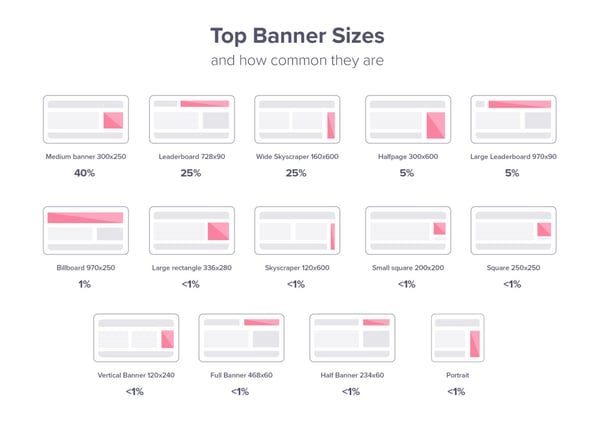
- Medium Banner: 300 x 250
- Leaderboard: 728 x 90
- Wide Skyscraper: 160 x 600
- Half-page: 300 x 600
- Large Leaderboard: 970 x 90
- Billboard: 970 x 250
- Large Rectangle: 336 x 280
- Skyscraper: 120 x 600
- Small Square: 200 x 200
- Square: 250 x 250
- Vertical Banner: 120 x 240
- Full Banner: 468 x 60
- Half-Banner: 234 x 60
- Portrait: 300 x 1050
It’s crucial to know the necessary sizes for your banner ads — but it’s not your only consideration. In order to make sure your banner ad is effective to target audiences, we have some tricks to keep in mind while you’re designing yours.
Let’s say you have all the tools for creating your banner ad in place. While the actual execution of the design is up to you, it’s important to incorporate these elements in your ad to make sure it’s effective, and not just something that crowds up a webpage.
To illustrate steps, let’s use this 300 x 200 banner ad from Mailchimp on Entrepreneur’s website.

1. Incorporate a CTA.
A call-to-action (CTA) is what invites prospective buyers into discovering more about your product or service. This is what gets them to click on the ad and interested in learning more. Mailchimp’s CTA is the blue “Get Started” button at the bottom of their ad.
A bright, eye-catching CTA points your target audience in the right direction, and linking to your product page is a good way to get clicks on your website.
2. Add your brand.
If your logo isn’t visible, how will people know what your business is? Mailchimp’s logo is at the bottom of the ad in a clear spot. The logo doesn’t have to take up the entire ad or interrupt the flow of the rest, it just has to be recognizable among the rest of the ad’s imagery.
3. Make sure to use keywords.
Using keywords and action items will not only optimize your ad for search engines but has a better chance of browsers interacting with your ad because your service sounds right for them. Mailchimp uses words like “award-winning,” “support,” and “get started.”
If I were looking for marketing tools to make my life easier, award-winning software that offers support sounds right up my alley. If getting started is as easy as clicking a button, there’s no reason not to at least check it out.
4. Use high-quality visuals.
To keep your ad professional, any visual elements, such as images or GIFs, should be high quality. While moving images are a way to keep ads interesting, static images are just as effective.
Mailchimp’s imagery is fun and gets the point across. Their logo is also a way to convey imagery, making sure their brand stays in their audience’s memory.
5. Keep things simple.
A crowded ad is nothing but a nuisance to web browsers. An effective ad has minimal text, one or two images, and a CTA. Mailchimp’s ad is one sentence and includes large text.
Some banner ads don’t even have text or images at all, just a logo and a CTA. Though your ad doesn’t need to be that minimalist, it doesn’t need to have as much information as you may think. If your ad has more than one short sentence, it may be too much.
Best Banner Ad Examples
Let’s look at some excellent uses of banner ads and why they’re effective.
1. Pottery Barn
This desk ad from Pottery Barn is a good example of how a little goes a long way. Using a showroom photo to highlight the practicality of desks, it gives way to how easily their furniture could fit into a space.
With the logo, an engaging call to action, and a simple design, all five points of an incredible banner ad are covered, and it’s effective. For students browsing Amazon or professionals building their home office, this ad would be an excellent cater to them.
2. Blue Bloods
CBS’s banner ad for one of their shows has an awesome CTA. “Try 1 Week Free” entices the audience to check out their new streaming service, CBS All Access.

Using a show that’s already popular, and having all episodes streaming, pulls in binge watchers. This ad also incorporates the show’s logo and star. It also gives viewers all the information they need without appearing too crowded.
3. SEMrush
Popular SEO extension SEMrush used the small rectangular banner ad choice, which is not only pocket friendly, but useful for ads that don’t require a lot of information to get the point across.

In this ad, SEMrush lets you know exactly what their service provides in less than 20 words. Keywords “UX,” “SEO,” “Time,” and “Page Speed” are all golden here. They’re effective in grabbing the attention of companies looking to heighten their analytics.
4. Chevy
Providing all the specs of a car on a banner ad isn’t possible without the ad looking too busy. Chevy chose to play with text in order to keep the information there without being overwhelming. Moreover, they chose essential information and wording to make sure the impact would be as great as it can be.

Chevy also made it a point to incorporate color into the most important words. The discount on this car and the CTA are both in yellow, bringing the attention straight to those two elements of the ad.
5. The New Yorker
Minimalism goes a very long way, and The New Yorker knows this.

The magazine has a promotion going on that includes a free tote bag with a subscription. Imagery of both products a new subscriber will receive is a good way to use imagery, and the price here is bolded, meaning it’s of importance.
6. AT&T
Good advertising often comes down to how we can compel the user to take action.
In AT&T’s case, what better way to do that than dangle the opportunity to get something of value completely free? This piques interest (“What do I have to do to qualify?”) and incentives the user to take the next step.
7. Best Buy
Convenience is also an important concept to keep in mind. How can we create offers while reducing the friction our prospective customers face when taking advantage of those offers?
Best Buy does this exceptionally well in this banner ad. They likely knew that one barrier to buying a phone online from Best Buy is needing to activate it in store. In this ad, they assure their audience that this isn’t necessary, making the implication that “Buying from us will be convenient, so shop without worry.” This is particularly timely when people may be actively avoiding hectic holiday shopping.
8. Coca-Cola
This ad shows a partnership between Coca-Cola and an NFL team, positioning the beverage as a great choice on game day.
There are two things that are particularly striking about this ad:
- The natural use of Coke’s product placement in the image
- The offer is not a salesy “Buy Now” but rather an invitation to get some value from Coca’Cola’s website
9. Conversica
Here’s another great example of an ad that strays away from the salesy.

By offering something of value (research on sales capacity), Conversica is positioning the conversation around how they can help. This puts the focus on the buyer’s needs rather than “me me me” type of selling.
10. Dale Carnegie Training
This ad does really well with the small horizontal format.

In addition, the ad capitalizes on the existing brand recognition of Dale Carnegie to make a compelling statement that essentially boils down to “Learn from the Best in the Business.”
11. E*TRADE
The bold color in this ad goes well with its bold statement.

With the copywriting on this ad, E*TRADE is reducing friction by asserting this idea: “If you open an account with us, you’ll get something (up to $600) with no risk ($0 commissions).” As a result, that $600 figure seems like a sweet deal.
12. Instapage
This banner ad’s genius lies in its simplicity.
Instapage makes a bold claim, which piques interest, then deposits that the user must click to get validation for why that bold claim is true. In addition, they do it in few words, which allows for clean, bold typography and illustration.
13. Lendingtree
In some cases, like the one below, a banner ad can even include animation and interactivity.
Lendingtree uses this to their advantage by incorporating a slider that the user can use to calculate a mortgage amount. The button then guides them to complete the next step by clicking the ad and going to their website. There’s a clear utility in this ad, which is why it’s so impressive.
14. Popeyes
Banner blindness, or the idea that people simply don’t notice ads anymore, is a real concern. However, the way to get around that is with eye-catching design.
Popeyes does this well with contrasting warm and cool colors combined with big, bold typography. Placing the food in the center draws the eye and lets the image speak for itself as well.
15. Shutterfly
People love coupons, and this ad capitalizes on it.

The simple exchange of doing holiday shopping while saving money doing it is a simple message… but extremely effective.
You’ve probably interacted with a ton of banner ads with minimal knowledge of them. The truth is that they’re a great asset to boosting visits to your site and expanding your audience. Not that complicated, right?
With the right advertising plan combined with stellar ad design and copy, you’ll be well on your way to generating ROI for your business with display advertising.
Editor’s note: This post was originally published in October 2019 and has been updated for comprehensiveness.

The 8 Elements of Modern Web Design (And Web Design Trends to Watch)
Every year, we see new elements and styles in website design begin to emerge.
Some elements — when incorporated thoughtfully — help tell stories and explain your company. Other elements work to improve how content looks on a specific device. While it’s not necessary to include every trend that comes about on your website, many of them have the potential to improve your visitor’s experience.
But with so many options to choose from, it can be challenging to determine which ones are really worth considering. To help you narrow your focus, we’ve detailed eight important elements of modern website design that you can include to improve your site’s performance.
8 Modern Website Design Elements and Trends
1. Unique & Large Typography
Most companies have a particular font or typography that they use to help their customers immediately identify them versus their competitors. In recent years, designers have received a larger selection of fonts to choose from, making it easier for brands to more accurately express themselves through typography.
For example, The New Yorker is recognized instantly through their use of unique font, Adobe Caslon Pro. While more unique fonts, such as Blokletters-Balpen, have begun to be used by startups and technology companies like Zero.
Why is it useful?
Typography uses one design trend across the website to lead readers to different parts of the page. For instance, The New Yorker website leads visitors from one section to another based on the typography and font sizes.
When creating your company’s brand, your choice in typography can indicate subtle hints about who you are. Are you fun or serious? Functional or informational? Regardless of what font you choose, be sure that your designer considers its applicability across browsers and computers. Choosing a font that is not supported by common browsers and computers could mean that your website displays awkwardly on different devices.
2. Large & Responsive Hero Images
You don’t have to go far beyond the popular publishing website Medium.com to see an example of a large hero image:
 Large images such as this one do away with the concept of above and below the fold. By focusing on just the image with text rather than a CTA or social buttons, Medium creates a strong visual experience that encourages you to scroll down to read more.
Large hero images are also often placed in the background with text and other content overlaid on top, like on Uber’s website. Regardless of the approach you utilize, large images can help visually tell your story without having to rely on just text.
Why is it useful?
Your customers are coming from all over the place and have high expectations. You may not be sure if they are finding your website from their phone, tablet, or desktop computer. The image that Medium uses above is extremely powerful, but if it was only visible from desktop computers, many people may miss it.
That said, ensuring your images are responsive makes for a good user experience. Website visitors can look at different images — whether they are the background or product images — and be able to get the same experience no matter what device they are coming from.
3. Background Videos
Videos that automatically play in the background can add a lot to a page. They can be used to tell a story and significantly reduce the amount of other content that is needed to explain your business.
Let’s take Wistia‘s website, for example. When you land on their homepage a large video automatically starts playing in the background, and by clicking on the play button, you get a deeper look at Wistia:
This background video serves as a brilliant way to get the visitor engaged to click-through to the main video.
Why is it useful?
Background videos focus on enticing the visitor from the moment they land on your page. The video allows your visitor to understand the key points about your company without ever having to read a single line of text.
In addition, video is processed 60,000 times faster by our brains compared to text. While people are often hesitant to read heavy blocks of text, videos appear effortless and can be consumed very quickly. It also helps that connection speeds are increasing and mobile device sizes are growing, making for better video experiences.
4. Semi-Flat Design
In 2013, Apple fundamentally shifted to flat design. Simply put, flat design is any element that does not include or give the perception of three dimensions, such as shadows. Not only is flat design is easier for users to comprehend, but it can also load more quickly on websites without complicated or overly-technical elements.
Following in Apple’s footsteps, many other organizations — both large and small — have shifted to flat design. However, companies like Uber have put their own spin on the style by adding subtle shadows and dimensions. As you can see in the image below, the boxes have an element of depth with shadows around them, without overdoing it:
When you scroll over any of the boxes on the Uber homepage the shadow disappears and relieves the image behind it.
Why is it useful?
Flat design helps the visitor understand your content more quickly, and adding some elements of depth can bring it to life. Regardless of whether you fully design your website using flat design or utilize shadows and other elements, it’s important to be consistent throughout your website. Ensure that your homepage, product pages, and any other key sections of your website all utilize the same design cues so that visitors can instantly understand what they’re viewing.
5. Hamburger Menus
It’s likely that most websites you come in contact with have a long menu of options to choose from. The advantage of this is that the menu can take the visitor directly to where they want to go. However, the disadvantage is that they generally take up a ton of valuable screen space.
The hidden, or hamburger, menu changes this. This menu was common in web applications before making its way to web design — even in Google Chrome you can find a hamburger menu on the right-hand side.
 Source: UX movement
Wondering why it’s called a hamburger menu?
If you use your imagination, the three lines that are stacked on top of one another look like hamburger patties. Get it?
Why is it useful?
The pages of your website should have a clear path for the user to take. Removing a busy navigation makes the experience cleaner and distraction free. This improved experiences help to improve the likelihood that the user will find the information they need to complete a desired action.
6. Giant Product Images
You may have noticed that many B2B websites are starting to display large product images on their sites to highlight different features or parts of their product. This is no coincidence.
To give you a better idea of what we’re talking about, let’s take a look at the product page for the HubSpot Website Platform:
There is a large featured image at the top of this page, and as you scroll down the page there are additional in-depth product images. The images are also responsive which aims to ensure an optimized experience for viewers coming from different devices, as we mentioned earlier.
Why is it useful?
Larger product images help designers highlight different features of a product in a more efficient and effective way.
This approach reinforces the benefits of a feature by providing the opportunity to highlight the most valuable pieces. For instance, in the second image, you will notice that there are numbers on the image corresponding with benefits of certain features.
These large images are also scan-friendly. They help visitors generate a solid understanding of what the different product features do by convey them through images instead of words.
7. Card Design
With the rise of Pinterest, designers and marketers alike have become fascinated with cards. Individual cards help distribute information in a visual way so the visitors can easily consume bite-sized pieces of content without being overwhelmed.
Brit + Co’s homepage serves as a great example of card design in action:
By breaking up different pieces of content into cards, users can pick and choose which articles they want to expand. This helps to keep the homepage feeling clean and organized, without relying on a ton of text.
Why is it useful?
Card design is becoming more and more popular across B2B and B2C websites because it helps to deliver easily digestible chunks of information for users. Using this design on your site can help highlight multiple products or solutions side-by-side.
Keep in mind that your cards should be responsive. This means that as the screen size gets smaller or larger, the number and size of cards shown should adapt accordingly.
8. Short Product or Feature Videos
In addition to background videos, companies are also beginning to use short product or feature videos to highlight a specific use case. These short videos are great at bringing your solution to life, while not overwhelming the visitor with a long experience that they must sit through.
A strong example of this comes from the folks at InVision. They display this short illustrator of how easy it is to use their product by dragging-and-dropping a design directly on their homepage:
Why is it useful?
According to Inc. Magazine, 92% of B2B customers watch online video, and 43% of B2B customers watch online video when researching products and services for their business. Therefore, B2B companies need to create videos that explain their products because it is influential in the buyer’s decision-making process.
These short videos allow for your prospect to quickly understand value without watching a really long, in-depth experience. Sure, both have value, but the shorter videos allows for quick understanding that is best for top of the funnel.
Editor’s note: This post was originally published in August 2018 and has been updated for comprehensiveness.

4 Tips for Creating Customer-Centric Content to Drive Growth
How do you win brand visibility in a crowded market without overspending on resources?
For SaaS companies, content marketing is, in many ways, the most powerful opportunity to achieve growth and outshine competitors.
It’s no secret the SaaS market is highly saturated – some would even say polluted. In fact, nearly 60,000 software companies are listed on the G2 Crowd across over 700 verticals as of 2020.
Additionally, startups don’t have the luxury of being unique anymore. They must be better – not just different – from competitors if they want attention and sales.
Whenever brands come to me with this issue, I give them the same answer: Focus on customer-centric content, and you’ll achieve outstanding customer-centric growth.
The concept is really that simple. Putting it into practice, however, is another story.
Gaining thought leadership in a market filled with intelligent experts is not easy. Ranking for major keywords isn’t enough. You must commit to the craft with authority, relevance, and warmth.
Your customer should always be the hero of any story you tell.
That’s the secret recipe I’ve used for years to help SaaS companies thrive. Today, I’ll explain my rank-and-win process I used to help a leading content collaboration company (which I’ll call “Brand X” for our purposes). While I can’t disclose the brand name, I can promise you the tactics I used to help the company achieve growth are very, very real.
Let’s dive into four methods you should consider implementing for customer-centric growth.
1. Establish a voice.
Voice is everything. Any successful brand voice must:
- Immediately resonate with your target audience.
- Maintain consistency across all content and platforms.
Brand X developed an ideal voice to suit their content: funky, conversational, and banter-heavy.
Using this quirky voice, we managed to create content engaging enough to spark interest without pushing leads away with a sales-y tone.
Consider how you might find your own brand voice to ensure your readers are consistently delighted with the valuable content your company — and your company alone — can offer.
2. Map the repeating method for customer-centric growth.
Next, I had the team map out a flywheel diagram – an idea I got from Jim Collin’s book, The Flywheel Effect. The flywheel diagram dictates a repeatable process that achieves growth every time it’s implemented.
Like Jon Dick writes in this post, funnels lose momentum as they close in. Flywheels, however, leverage the momentum to continue spinning.
At the top of the diagram, we placed the goal of increasing Brand X’s website traffic. The wheel would spin like this:
Increase traffic to the website → Traffic generates demos and trials → Demos and trials turn into sales → Sales earn brand recognition → Recognition triggers more website traffic and the cycle repeats
At the end, we reinvested in research/development, sales, and marketing.
The flywheel diagram works for customer-centric growth every time because it’s focused on buyer needs and pain points, and can prevent lost ROI from bland marketing or sales strategies.
Our analysis found that 438 articles produced more than one lead in the last three years. That’s just the average, so that’s significant.
3. Create a rank-and-win thought leadership strategy.
You can’t complete the flywheel growth process without content. Content marketing – specifically thought leadership – fits perfectly with the flywheel strategy because it delivers ongoing ROI.
Every SaaS company wants to position itself as a thought leader and inspire its audience. I’ve noticed, however, that most people approach thought leadership the wrong way.
Instead of striving for nuance in every blog post, focus on filling a gap with authority and dedication.
Here’s where the rank-and-win idea comes into play: first, Brand X filled an information gap with consistent quality content.
That content then earned Google’s approval and ranked in the top-five for high-volume keywords.
Next, other websites found that content and linked back to Brand X. And, finally, people shared the original content widely on social media.
These keyword rankings drove substantial traffic to Brand X’s blog, with 80% being new traffic.
But how can you fill gaps and rank in saturated markets? Brand X focused on six key themes in their content cluster. They then built a structure and workflow for each theme for ideation and planning.
Brand X wasn’t trying to be annoyingly unique with their thought leadership. They were focusing on authority, and customer-centric content.
4. Develop a content strategy for organic blog traffic.
When content marketing starts delivering conversions, it’s not by luck – it’s by persistence to quality.
Since our initial flywheel goal for Brand X was to increase blog traffic, we focused on producing quality and consistency. They currently publish four blogs per week on average.
We set Brand X’s KPIs to reflect what we hoped to achieve from increasing blog traffic:
- Page views
- Assisted conversions (when a user clicks from a blog page to a conversion page like a content download or a free demo sign up)
- Subscribers
For Brand X, volume was instrumental – both in the number of blogs published, and traffic.
They first saw steady returns on traffic from content marketing. As they added more posts per week, the views spiked dramatically.
This dedication to customer-centric content earned them a 50% to 615% increase year-over-year in organic search traffic.
Content is the Secret to Unlocking Customer-Centric Growth in Saturated Markets
For SaaS companies, quality and consistent content wins every time. Today, Brand X has a defined content strategy complete with a mission statement, frequency, resources, and budget.
Best of all, they continue ranking in the top-five for high-volume keywords and producing customer-centric growth from their content.
Ultimately, it’s critical you focus on buyer needs and make prospects and customers the hero of all your stories. With a commitment to this mindset and action, you can develop content that reaches, engages, and converts.
To learn more about creating customer-centric content, take a look at 8 Tips for Becoming a Customer-Centric Organization.

Interactive Infographics: A Picture of the Premise, Tools, & Process
The infographic is one of the most effective mediums content marketers have at their disposal. It’s a format that allows you to create content that’s compelling and compulsively shareable without sacrificing utility and thoughtfulness.
But there are some cases where normal infographics just don’t cut it. So what can you do to elevate them? Is there a way to make them that much more gripping and intriguing? If you’re asking yourself those questions, you might want to consider making your infographics interactive.
Here, we’ll go over what an interactive infographic is, learn what it takes to make one, see some examples, and review some of the programs you can use to make one of your own.
In many respects, interactive infographics are a big part of the future of informational content. According to research by DemandGen, 85% of B2B marketers are already using or plan to use interactive infographics as part of their strategy.
But why is that the case? Why are companies so interested in incorporating these kinds of infographics into their content marketing strategies? Well, simply put, interactive infographics are more compelling than static ones.
They add a more immersive element to the medium and, in turn, drive greater engagement. Interactive content can also help express and promote a brand voice and identity. A study by the Content Marketing Institute found that 75% of marketers agree that non-gated interactive content can provide a “sample” of the brand, resulting in a higher degree of lead nurturing.
Ultimately, you can rope readers in by letting them directly interact with your data, they’ll be more inclined to learn and retain the information you’re sharing. That often translates to sincere interest in your business as a whole.
How to Make an Interactive Infographic
1. Gather and compellingly convey your data.
The first step to creating an interactive infographic — along with virtually any kind of informative content — is gathering data. An interactive infographic without interesting data is more or less a pretty picture with some information.
Once you have your data on hand, try to find a way to convey it with some oomph. A dry infographic isn’t going to drum up the kind of enthusiasm or engagement you’re looking for. See if you can tell a story with your information. Be intentional and interesting with the language you use.
Take a look at this example:
Whoever made this graphic managed to incorporate hooks, powerful language, and a cohesive theme to articulate their data and what it entails — making it more compelling, engaging, and readable than it would’ve been if they just threw out a laundry list of hard statistics.
2. Organize your data with compelling visual elements.
The operative term in the phrase “infographic” is “graphic”. Visual elements separate this kind of content from bland lists of facts or statistics. When making an interactive infographic, you need to incorporate interesting visuals to spur and sustain the interest that will keep people engaged with your content.
Find relevant, eye-catching images to supplement the data you’re trying to relay to readers — whether they be actual photos, illustrated graphics, or any other kind of engaging visual. The key here is to abide by a consistent theme.
That means maintaining consistency in the color, tone, and visual medium you decide to go with. Breaking up that kind of cohesion can be jarring and turn some readers off.
3. Determine and apply the interactive elements you’d like to include.
Finally, once you’ve pinned down the written and visual themes you want to use to convey your data, you need to identify and apply the interactive elements that can best complement and enhance them.
If you want readers to test their knowledge of the subject you’re covering, consider using a quiz. If you’d like to show them how your data might impact them personally, try including a survey. If your data covers physical landmarks or geographic data, think about including a heat map.
There are tons of interactive elements you can choose to make your infographic pop. Just make sure the ones you decide to include are engaging and appropriate without being too jarring. They need to be relevant to the information the infographic covers and tailored to keep readers hooked.
Interactive Infographic Examples
BBC’s “Will a Robot Take Your Job?”
This interactive infographic from BBC addresses the future of work and automation. It allows you to enter your line of work into a survey field and uses compelling, fun graphics to detail the degree to which your field will be automated in the future.
Adioma’s “What the Internet Thinks About”
This infographic from Adioma links out to a variety of popular articles that capture the essence of what kind of content most people on the internet are thinking about.
National Geographic’s “New York City Skyline”
This infographic from National Geographic provides a seamless, interactive view of the New York City skyline, along with some information about the individual buildings that compose it.
QZ’s “Dude Map”
This infographic is a fun heat map that details the names men use to greet each other by region in the United States.
1. Infogram
Infogram is one of the preeminent resources for creating interactive infographics. The program’s suite of interactive features is robust and eclectic — including elements like interactive chart legends, timers, and interactive maps.
The software is particularly user-friendly. It has an accessible interface and a host of straightforward, seamless integrations — users can smoothly translate data from spreadsheets into well-crafted, engaging interactive infographics.
Infogram’s pricing structure includes free plans for smaller operations and reasonably priced tiers available as your organization’s graphic needs expand.
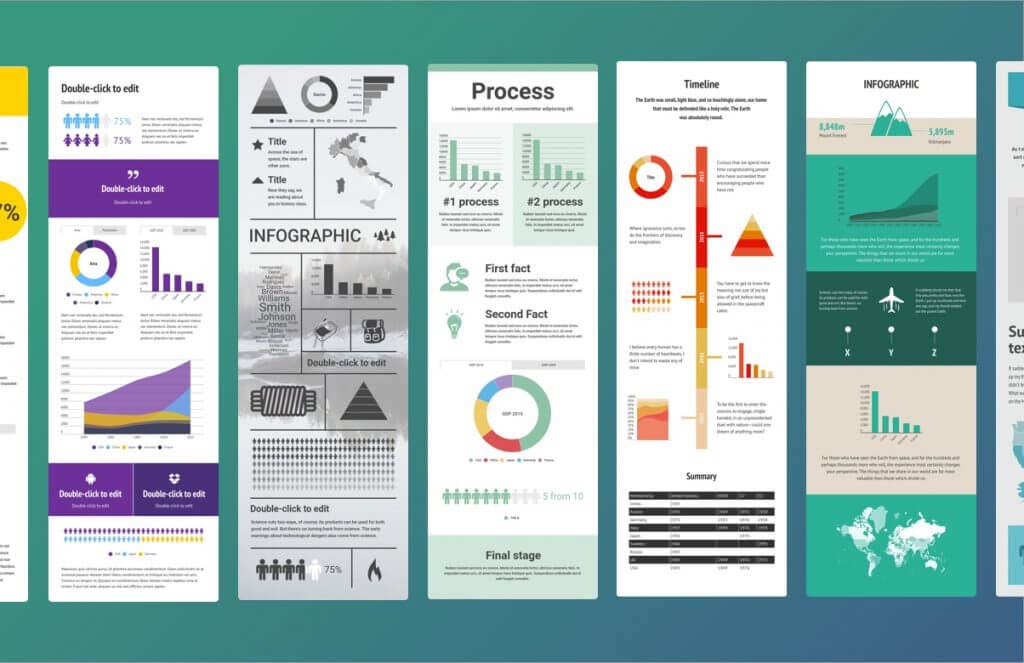
2. VisMe
Visme is one of the foremost online design software for non-designers. The program includes resources for first-rate presentations and infographics. And while its static infographic creation features are cutting edge in their own right, Visme sets itself apart from similar software with its interactive infographic capabilities.
The software lets you easily incorporate interactive elements like links, quizzes, videos, and surveys into your infographics. And as I mentioned, Visme is tailored to suit the needs and skillsets of non-designers, so if you’re looking to put together compelling interactive infographics with limited design experience, consider giving VisMe a shot.
VisMe offers a free plan to let users get acquainted with the software and appropriately priced plans for everyone from individuals to enterprises.
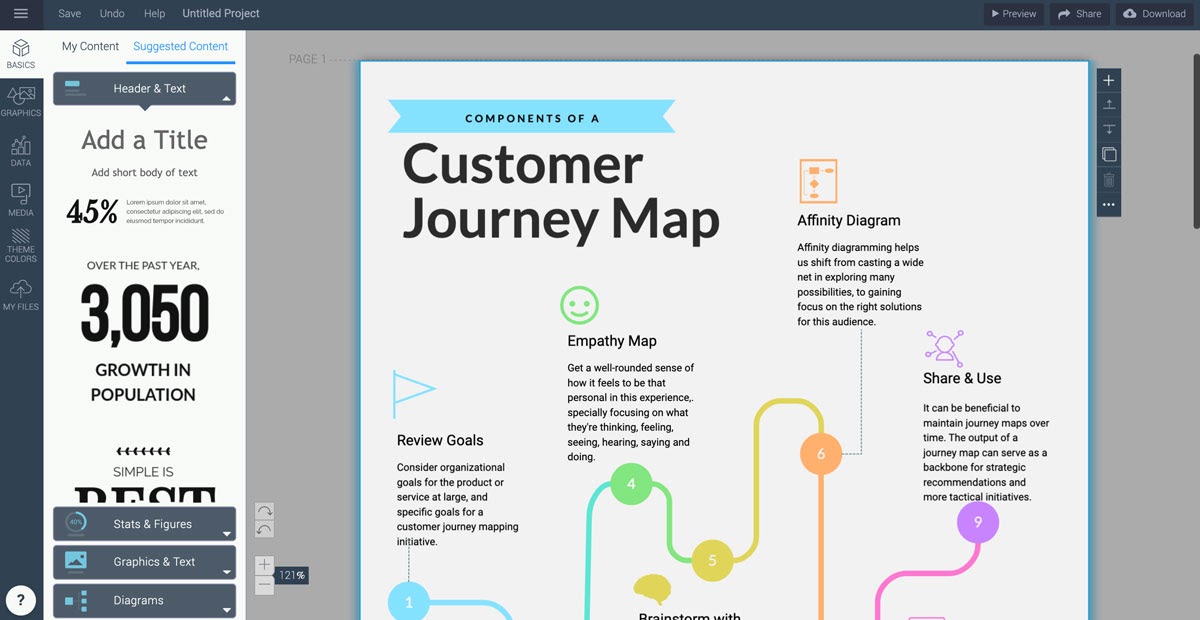
3. CopyPress
Creating interactive infographics isn’t always intuitive. It can be a complex process to nail. In some cases, you might want to outsource that work to an esteemed, effective creative agency. If your needs fit that bill, you might want to get in touch with CopyPress.
CopyPress can apply your research, work with you to pin down a tone that fits your specifications, and translate both into engaging, thoughtful interactive infographics. The firm even has an interactive infographic about how it makes interactive infographics.
As you can assume, this is one of the pricier roads to take, but if you want your interactive infographics to be thorough and professional, it might be the right way to go.
The interactive infographic is a format that can capture and retain consumer interest when done right — an emerging medium that’s worth some time and consideration when you’re wondering where to go with your content marketing. Creating one often takes a lot of effort, but if you’re looking for an effective way to compellingly convey hard data and quickly hook consumers, it might just be worth it.
