
Welcome to My Blog
Instagram Launches DM-Based Shopping Tools For Businesses: Why We Saw It Coming [New Data]
Remember when social media was all about keeping up with your friends and family?
For better or worse, those days are gone as more social platforms are now focused on keeping you connected with an endless stream of products you can buy without even leaving the app.
In other words, social media is the next frontier of e-commerce, and DMs are the future of customer service.
That’s the bold claim we made after running our survey of 500+ Instagram marketers earlier this year — but Instagram recently announced a big change confirming our theory.
In July, Instagram revealed that the app will let shoppers place and track orders directly in their DMs.

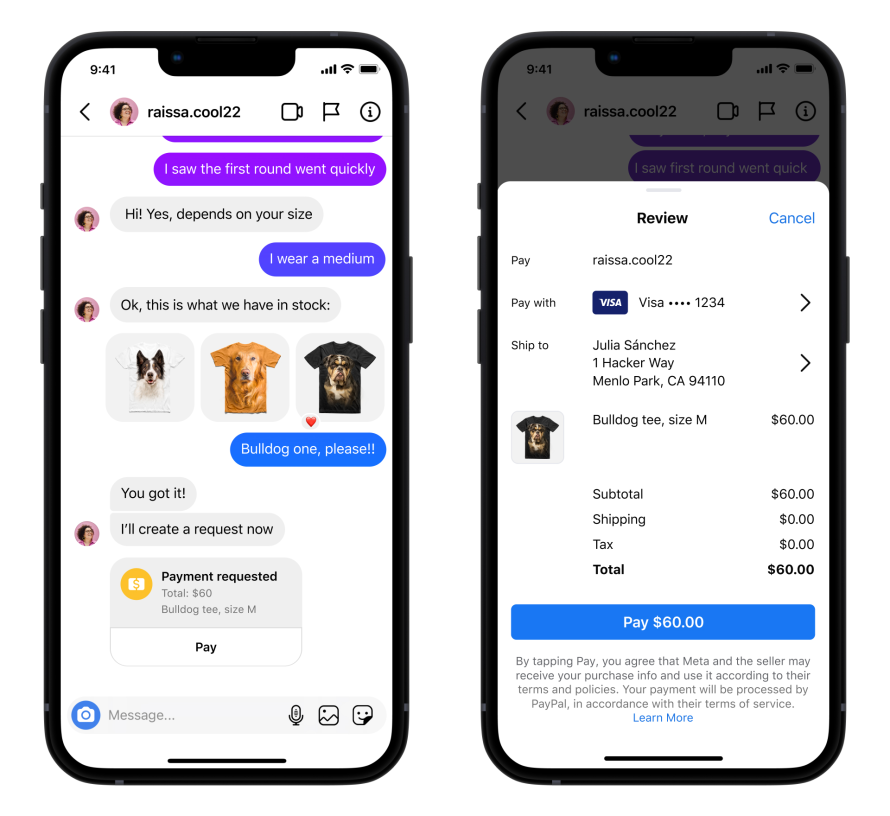
What Instagram’s DM Shopping Feature Looks Like
Instagram’s new DM features are similar to the messaging features of WhatsApp payments. Rather than going to a brand’s online retail store or Facebook/Instagram Shop, prospective customers can now shop and search for products with help from brand representatives on messenger.
Meta’s announcement notes that businesses that enable the feature can:
- Chat with customers in real-time to answer questions and confirm purchase details.
- Create a payment request with item description and price.
- Request and collect payment.
Below is a preview of what this messaging feature looks like:
Why This Could be Big for Businesses
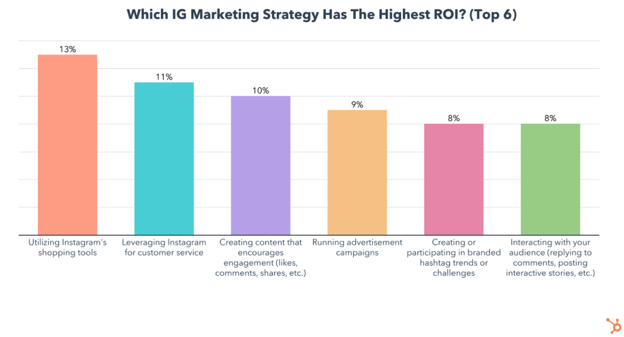
Why is this a big deal? For starters, our Instagram Marketing Trends Report shows that using the app’s shopping tools and leveraging DMs for customer service are the highest ROI strategies on the platform.
But while these tools may be working for marketers, are people actually buying products on Instagram and turning to DMs for customer service?
The results of another recent consumer trends survey we ran might surprise you:
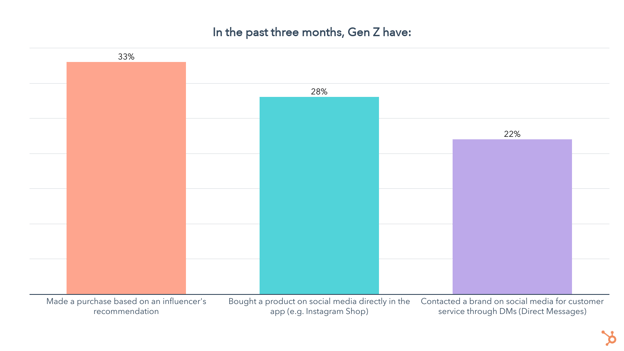
- 28% of social media users age 18-34 have bought a product directly in a social media app in the past three months
- 1 in 4 people age 18-24 have used social media DMs for customer service in the past three months
- 33% of social media users age 18-24 have bought a product based on an influencer’s recommendation in the past three months
- Social media is Gen Z’s preferred channel for discovering new products. 57% of Gen Z have discovered a new product on social media in the past three months
- Social media is also Millennials preferred channel for discovering new products. 1 in 2 Millennials have discovered a new product on social media in the past three months
While this data isn’t specific to Instagram, the app is currently at the forefront of the shift into e-commerce happening across social media platforms. YouTube just announced integrations with Shopify and Twitter is testing new shopping features, but Instagram seems to be slightly ahead of the curve.
That’s why Instagram is currently the best social media platform for selling products online. We even published a guide to Instagram’s various social media shopping tools and which perform best, based on our survey of 580+ Instagram marketers.
What’s Next for Social Shopping?
Social shopping isn’t necessarily new, but it’s being implemented and adopted in real-time by both consumers and marketers. Looking forward, we can confidently say that you’ll see Instagram continue embracing the shopping experience, and other social channels will likely follow suit.
When it comes to how marketers and consumers will interact with these shopping tools, it’s too early to tell. While social shopping shows huge potential based on our data, users might flee social media platforms as they become less about connecting us with the people we know and more about selling products.
Regardless, Gen Z and Millennials spend around four hours a day on social media, and social media is their preferred way of discovering new products, so there’s no better way to reach them.
As social selling evolves, we’ll be running our consumer trends survey bi-annually to keep track of how quickly social media users embrace these changes and keep surveying social media marketers to see if using these social shopping tools remains a top strategy.

How Video Consumption is Changing in 2022 [New Research]
In 2022, video is more important to consumers than ever before.
Each day, we stream our favorite shows, watch YouTube videos to learn something new, or follow events, Q&As, and interviews via live video.
While video isn’t going anywhere, it’s always expanding, changing, and evolving to fit consumer preferences and new platforms — and marketers must keep up.
![→ Access Now: Video Marketing Starter Pack [Free Kit]](https://no-cache.hubspot.com/cta/default/53/8f27c677-d952-4663-8787-bf65c6a1ecf2.png)
Here, we’ll highlight five research-backed ways video consumption habits are changing and how marketers can respond strategically.
How Video Consumption is Changing in 2022
1. Increasingly, consumers are relying on marketing videos from brands.
In the past, consumers would visit websites, look at online reviews, watch commercials, and maybe watch a few YouTube videos to learn about a product. Now, with video being accessible on every major social media network, they are learning to rely more heavily on this type of content in their research phase.
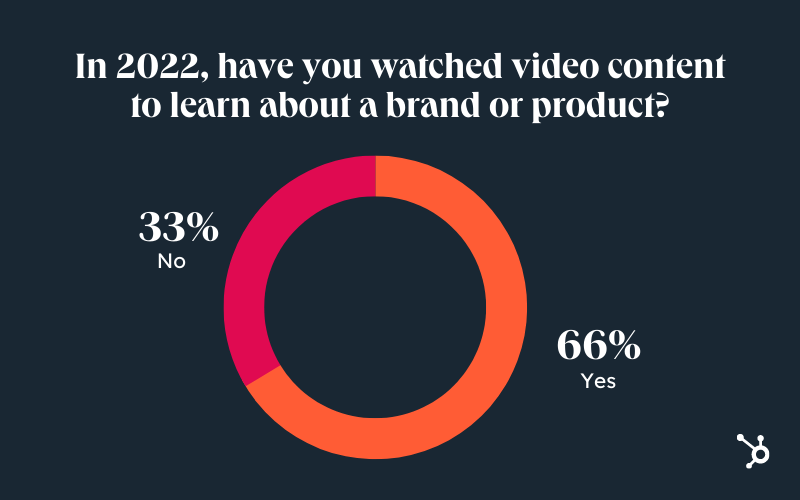
According to HubSpot Blogs research, 66% of consumers have watched video content (i.e., product demos, reviews, FAQs, unboxings, etc.) to learn about a brand or product.
The trend is clear: in 2022, consumers increasingly expect to see video content from brands. Why? Videos give consumers the opportunity to see how a product or service works in real life, discover any flaws before purchasing the item, and identify perks that they might not learn about in the text-based description.
Further, this content might also appear to be more authentic than a heavily edited product shot, which can boost a consumer’s trust in a brand or offering.
2. Escapism is the name of the game.
In the past, older generations might have turned on their favorite TV sitcom or gone to the movies to escape from the stresses of daily life. While the platforms have changed, the need for relaxing or entertaining content hasn’t.
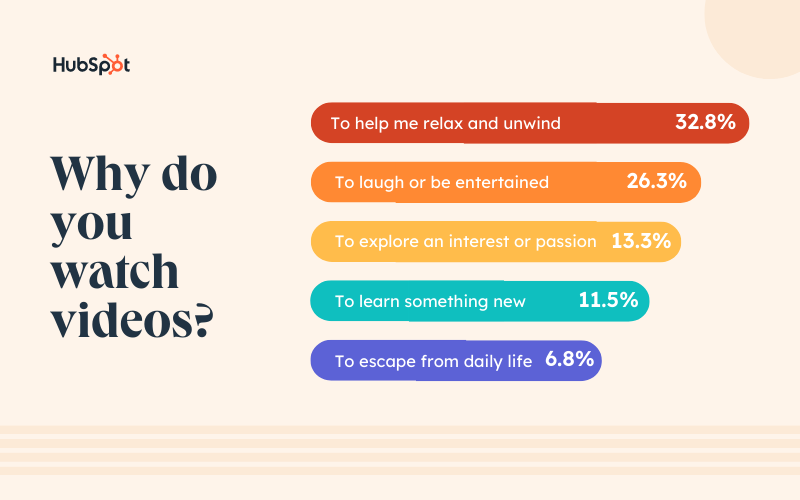
According to HubSpot Blogs research, consumers say they primarily watch videos to “help me relax and unwind.” Additionally, people cited, “To laugh or be entertained,” as the second most common reason.
Even if you’re creating informative marketing videos, you should consider experimenting with funny anecdotes or adding other entertaining qualities. Interested in adding fun elements to your next marketing video? Get inspired by major brands that effectively used humor in their marketing.
3. Consumers lean into their passions.
Aside from looking for escapism, YouTube viewers are motivated to watch content that teaches them new things, especially when related to their passions, interests, hobbies, or social causes. In fact, according to HubSpot Blogs research, 13% of consumers watch videos to “explore an interest or passion,” while 11% want to “learn something new.”
Odds are your product relates to someone’s interests, hobbies, passions, or career. This is the type of person you’ll want to watch and enjoy your videos.
Creating a buyer persona and target audience around this type of person will help you identify video topics that they’ll value, benefit from, and remember..
4. Production quality is becoming more important.
36% of consumers feel production value is “somewhat important,” while 28% feel it’s “very important.” But fear not — this doesn’t mean you need to rent a high-priced studio or enlist A-list celebs.
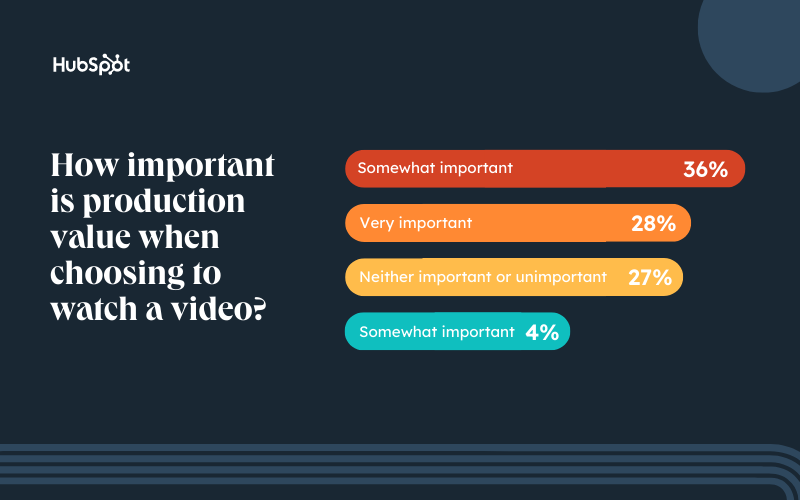
Instead, there are plenty of ways to produce an affordable video with solid quality from any home or workspace. And remember, oftentimes the success of a video relies on the value it provides. In other words, fancy lighting alone won’t cut it.
Additionally, video software like Vidyard, Bonjoro, and TwentyThree make it easy to record and send short video messages – like pitches, welcome videos, and more — to customers without needing a Hollywood budget.
5. Consumers prefer shorter videos.
Thanks to the rise of TikTok — and the wave of short-form content that followed — consumers are seeking quick, snappy videos. Specifically, videos under three minutes fall into a sweet spot.
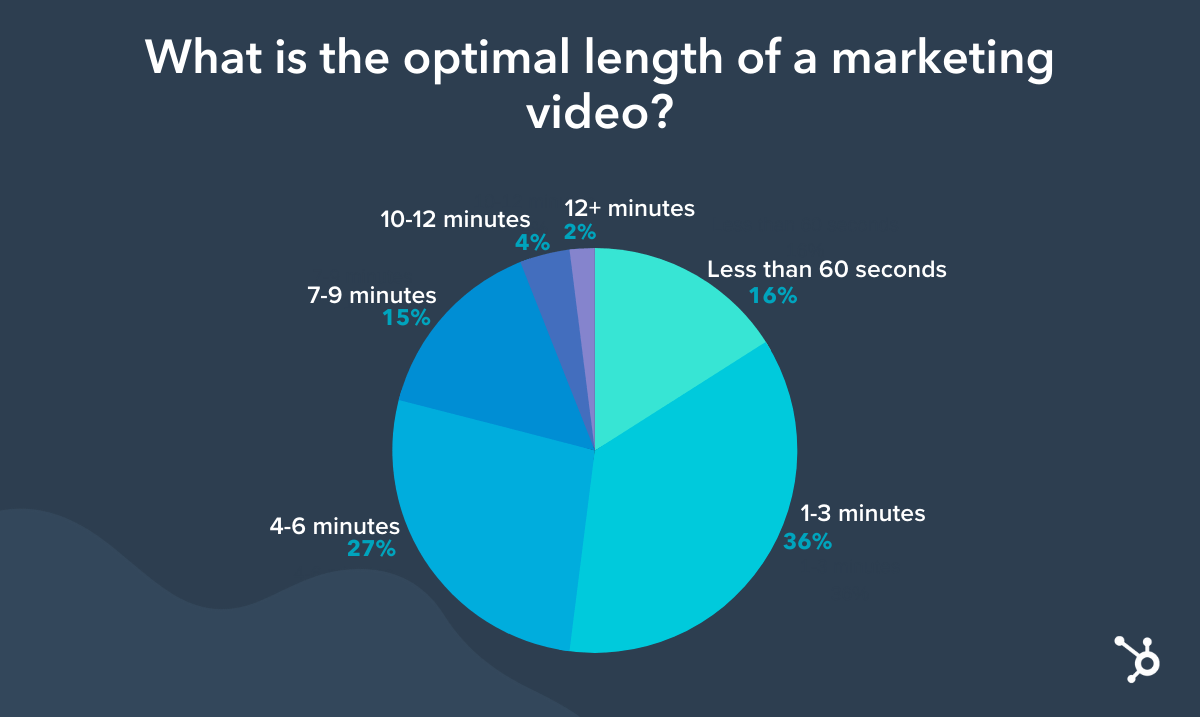
If you’re new to video, starting with short-form videos can help you get your feet wet — and tell you what resonates with your audience.
You also need to set the right pace for your video content. Before you put a marketing video online, re-watch it from the point-of-view of a somewhat busy consumer. Then, ask yourself, “Does this video pull viewers into the action quickly and keep their attention?”
If you’re worried that parts of your video seem dull, you might want to shorten it. But, if your team thinks it’s entertaining or informative the entire time, you can experiment with publishing your longer-form video and learning from its results.
Navigating Video in 2022
With each new generation, the video world will continue to evolve.
However, at this point, the video landscape is changing in favor of marketers. Not only do consumers prefer to learn about brands via video content, but they use it as a necessary tool in the information-gathering phase of their buyer’s journey.
Additionally, the vast majority of video consumers now strive to learn something new about an interest or hobby, rather than just using video to entertain themselves. This means marketers can harness educational videos in their strategy and offer consumers content that relates to their niche, while also marketing a brand or product.
Back to You
Video isn’t going anywhere, but it is always expanding, changing, and evolving to fit new consumer needs and new platforms.
As this content continues to evolve with each new generation, marketers should continue researching video consumers’ interests, hobbies, and behaviors.

How to Prepare for A Job in Digital Marketing and E-commerce [Google Certification]
The line between marketing and digital marketing has blurred. Offline marketing was once considered “traditional” compared to online or digital marketing. However, with many tactics living in the digital sphere, marketing changes as fast as technology does.
Traditional marketing, which ranges from radio ads to billboards and magazine spreads, simply adjusted to the new era. Radio ads became podcast sponsorships, billboards turned into web banners, and magazine spreads changed from ink on paper to pixels on a screen.
The benefits of this digital transformation are countless. The ability to target the right audience and engage them into action – subscribe, consume, or buy, are just a few examples.
Digital Marketing Specialties Are Endless
Inevitably, as with any constantly evolving field, specializations change. Today, being a digital marketer is only the beginning. Once you are familiar with the basics, you can find your specialty and niche.
Based on your interests and strengths, you can develop niche specialties like SEO, content strategy, or performance marketing. Within those specialties, you can become an expert in SEO for real estate platforms, a pharmaceutical content strategist, or an e-commerce performance marketer. Each specialty requires knowledge of different platforms and tools and familiarity with various technologies.
If you’re looking for flexibility, a career in digital marketing is a great choice. LinkedIn’s 2022 Marketing Jobs report shows a 121% YOY increase in a remote marketing job share with the most in-demand occupations in digital marketing and social media.
Where do I start?
With so much information and learning opportunities available online, candidates can gain in-demand skills and gain experience even without a formal education.
Deciding where to start can be difficult. While any updated knowledge that comes from a reliable source is valuable, a helpful rule of thumb is to look for an accredited source. Having a brand name behind the course or certificate not only promises a nice detail to add to your resume but also that the knowledge and skills you learn will be valuable and, hopefully, profitable.
Get A Certificate
A good place to start is the Google Digital Marketing & E-commerce Certificate. This certification does not require any previous experience, and with less than 10 hours of learning a week, you can become job-ready for a role in one of the most in-demand industries. In fact, this certificate is endorsed by the American Association of Advertising Agencies (4A’s) and the American Advertising Federation (AAF).
This certificate’s curriculum is extensive and includes everything from digital marketing and e-commerce foundations to marketing analytics and measurement. One of the things that makes this certificate so valuable is that you’re not only learning the theory but also getting the opportunity to practice while following the course. For example, as part of the certificate program, you will set up automated email campaigns on HubSpot, and design a mock e-commerce store using Shopify.
This is also one of the few courses out there that don’t just teach you digital marketing, it also provides you with the tools to specialize in e-commerce marketing management.
Why should you specialize in e-commerce marketing?
According to Fit Small Business, as of 2022 over 263 million American consumers shop online. That’s 80% of the population. It would be safe to assume that some of those shoppers are finding their way to online stores simply because they know what they are looking for, but in most cases, the funnel starts way before.
In 2021 alone, retail e-commerce sales were worth about 4.9 trillion U.S. dollars worldwide and this figure is expected to reach 7.4 trillion dollars by 2025.
E-commerce marketing can be considered a combination of marketing and sales. You’re not only advertising and engaging with potential customers, but you’re also encouraging them to make a purchase. As a digital marketer specializing in e-commerce, you will conduct marketing research, analyze traffic, and set up email marketing campaigns. In addition, you’ll design online stores, write product descriptions, and track store performance, to optimize conversion.
Working in e-commerce means you’ll be doing everything from driving traffic to online stores to converting that traffic into paying customers and retaining them using inbound marketing methodologies – attracting, engaging, and delighting people to grow a business that provides value and builds trust.
One of the distinguishing factors of the Google certificate in digital marketing and e-commerce is that it sets you up for your job search. Once you complete the Google Digital Marketing & E-commerce Certificate, you will have the opportunity to connect with over 150 employers that are currently hiring. More details can be found here.

YouTube Challenges To Boost Subscribers in 2022
With roughly 15 million active content creators on YouTube, it feels like almost everyone has a YouTube channel these days — so how can you make your channel stand out from the rest Fortunately, there are always new viral challenges that can help you find your audience, boost your engagement, and showcase your unique personality as a content creator.
Some challenges can be done on your own and a few will need involvement from friends, family, or partners, but many challenges are interesting and fun to complete. Here are some of my favorites:
YouTube Challenges You Can Do Alone
Things Only 1% of People Can Do
Surviving on a Penny Challenge
Buying the First Five Things You See Recommended in Ads
YouTube Challenges You Can Do With Friends or Family
Who Knows Me Better? Partner or Best Friend?
YouTube Challenges to Do as a Couple
Extreme Couple vs Couple Challenge
Spend 24 Hours Handcuffed Together
![→ Free Templates: How to Use YouTube for Business [Download Now]](https://no-cache.hubspot.com/cta/default/53/b33cfd44-133a-49e3-a943-086c5679d485.png)
Best YouTube Challenges
The best YouTube challenges are entertaining and simple enough that almost anyone can participate. Whether it’s trying a new look, completing DIY projects in record timing, or asking your loved ones silly questions, the challenges I’ve listed are straightforward for most people to do. So at the end of each challenge, don’t be afraid to ask your audience to try it themselves and tag your account. This can boost engagement and raise awareness for your channel.
Of course, safety should always be a priority, so don’t do anything that can put you, your loved ones, or any participants in danger. Viral numbers should never be put ahead of well-being. With that in mind, here are the best challenges you can complete to bring views to your channel.
YouTube Challenges You Can Do Alone
If you don’t have time to gather some of your favorite people to participate, these challenges are easy to do by yourself:
-
Things Only 1% of People Can Do
Can you lick your elbow or touch your nose with your tongue? According to this challenge, only 1% of people can. Why not test yourself and try to do the nearly impossible on your own? Just remember — safety first! Once again, do not do anything that can put you in harm’s way.
What We Like: The challenge is a simple but effective way to share your hidden talents with your audience — or discover talents you never knew you had!
2. Good Things Challenge
To complete this challenge, film yourself doing at least one act of kindness. It could be working at a charity, volunteering at a shelter, helping a person in need, or anything charitable that benefits your community. Afterward, you can nominate another content creator or your audience to do the same and tag your channel.
What We Like: Content creators sometimes get a bad reputation for being self-involved, but this challenge proves it’s possible to use your platform to promote positivity and giving back to the community.
3. Surviving on a Penny Challenge
In this challenge, you start with just one penny. You then have to increase your money by as much as possible in a given amount of time. In Trahan’s case, he started with one penny before trading that penny for a pen and trading the pen for a dollar. He then used the dollar to buy a bottle of water and then sold the water for $2. This constant trade up went on for 30 days.
What We Like: This can push you as a content creator to be clever and creative in how you live off just one penny. It will also be entertaining for the audience to see your journey from having nothing to gaining more items and wealth over time.
4. Buy the First 5 Things You See Recommended in Ads
We’re constantly bombarded with ads everywhere we go online, so why not use it to our advantage? YouTuber Safiya Nygaard did this by buying and testing the first five products she saw in TikTok ads.
What We Like: We’ve always wondered if the products we see in ads actually work. You may find yourself with interesting items that make your life easier and you’ll help your audience discover products they may enjoy. At very least, you’ll help them steer away from products that aren’t worth the investment.
YouTube Challenges You Can Do With Friends and Family
Do you have a best friend with an eccentric personality? Or maybe an aunt who has the most hilarious reaction to everything? These challenges are a great way to get your loved ones involved and to let their personalities shine.
5. Who Wore It Better
In this challenge, you and one other person would wear the same outfit or clothing items and see who wore it best. This challenge is popular among sibling content creators — particularly twins — but can be done with anyone.
What We Like: This challenge can be customized to make it more unique to your channel. For example, instead of seeing who wore an outfit better, you and a friend can see who can rock a certain style better — like goth, punk, or bohemian.
6. Whisper Challenge
The whisper challenge consists of one person listening to loud music via headphones and another person reading a random phrase. They could whisper the phrase or say it out loud so long as the headphones are too loud for the other person to hear them. The person with the headphones has to guess what’s being said.
What We Like: The challenge is very simple and doesn’t require you or anyone else to buy anything. As long as you have something to read off of and working headphones, you’re good to go.
7. Best Friend Challenge
How well do you really know your best friend? This challenge puts your friendship to the test by having you and your friend ask each other questions and guessing each other’s answers. It’s a popular challenge used in celebrity interviews and its popularity doesn’t look like it’ll wane anytime soon.
What We Like: This challenge allows your audience to get to know you a little better. Questions about your favorite hobby, music, or food are very common in challenges like this.
8. Who Knows Me Better? Partner or Best Friend?
In this challenge you ask your significant other and your best friend a series of questions about yourself to see who knows you best. This challenge is very simple and can be modified to make it stand out from other videos. For example, YouTuber Daniel Gizmo modified the challenge to include a shopping trip to Target where Gizmo and his girlfriend’s best friend were tasked with finding the perfect gift.
What We Like: As I said earlier, it’s a very simple challenge to modify to make it more your own. You can challenge your partner and best friend to create an outfit you’ll like, buy you the perfect gift, or just stick to the simple question-and-answer format. The possibilities are endless.
YouTube Challenges To Do As a Couple
Speaking of partners, there are plenty of YouTube challenges you and your significant other can complete together. Here are a few of my favorites:
9. Couple vs Couple Challenge
Think of this challenge as a double date mixed with a bit of competition. Couple vs couple challenges simply mean you and your partner compete against another couple. The competition can involve trivia, battles of strength, or whatever you want. As long as everyone is having fun, it’s sure to be entertaining.
What We Like: You, your partner, and another couple can get creative with the kinds of challenges you include. From extreme yoga to pop culture trivia to DIY projects — any task can be used to modify this challenge to your liking.
10. Spend 24 Hours Handcuffed Together
The challenge is simple — you and your partner will spend 24 hours handcuffed to each other and will have to find a way to go about your day as normally as possible.
What We Like: Handcuff challenges have been popular among content creators for years and for good reason. It’s hilarious to watch couples try to have a normal day and complete simple tasks while stuck together.
11. Wheel of Dares
In this challenge, couples take turns spinning a wheel that dictates the dares they have to complete. You can either make the wheel yourself with dares of your choice or you can find one online. Just remember to be safe and not complete any dares that can put you or others in danger.
What We Like: This challenge is very spontaneous since the dares are assigned at random, making the game entertaining for the participants as well as the audience. You can modify the game to only be between you and your partner, or you can bring on more couples for added fun.
No matter what challenge you choose, just make sure you’re having fun. Your audience will enjoy seeing you and your loved ones laughing and being creative with the challenges. YouTube challenges are an excellent way to let your personality shine, expand your audience, and spread joy through your content.


Sustainable Marketing: Key Principles & How to Leverage It [+Examples]
In 2020, IBM ran a study on consumer behavior and found that most consumers are willing to change their shopping habits to be more environmentally conscious. This is likely why consumers have noticed a big push for sustainable marketing from brands.
Fast forward to 2022 and not much has changed.
So, how does a brand leverage sustainable marketing to appeal to a growing, socially conscious audience? We’ll cover that and more below.
Green Marketing vs. Sustainable Marketing
While both terms are often used interchangeably, there is a difference between green marketing and sustainability marketing.
Green marketing focuses on strategies that promote environmental awareness and protection. Sustainable marketing, on the other hand, is a little broader.
It encompasses green marketing but it also includes practices that go beyond the environment, like social and economic issues.
Are Potential Customers Paying Attention to Sustainability? [Data]
Sustainability is a topic that has gained a lot of traction as of late. Many believe it only matters to Gen-Z but recent research suggests this is a cross-generational concern.
In 2022, we surveyed 1,034 consumers to learn about their shopping habits. Half of the respondents believe climate change is one of the most important social issues companies should take a stance on – with the highest response from Boomers (ages 55+) and Gen-X (ages 35 to 54).
This value is reflected in consumers’ purchasing decisions.
Nearly half (46%) of respondents say they’re more likely to buy from a company actively trying to reduce its environmental impact.
In addition, roughly 28 percent of respondents say a brand’s environmental impact and the ethical production of its products are two of the most important factors influencing their purchasing decisions.
According to the data, Millennials (38%) care most the ethical products while Gen-X cares the most about the environmental impact. However, all groups show consideration for sustainable practices.
So, to answer the question posed at the beginning of this question: Yes, consumers do care about sustainability and it’s not just the youngsters.
So, even if your brand isn’t rooted in this mission, you will still find value in investing time and resources in sustainable practices and marketing to attract more customers.
Learn more about consumers in our 2022 State of Consumer Report.
1. Have a larger purpose.
Brands typically judge their success by the numbers. How much revenue they have or will generate in any given period is usually the biggest indicator of success.
Sustainability shifts this perspective by having brands evaluate themselves by something bigger than profit.
As a brand, you have to promote something that’s bigger than your products and services and transcends any particular industry.
Do you have a clear social mission? If not, spend time discovering what that is and how your brand plays a role in furthering that mission.
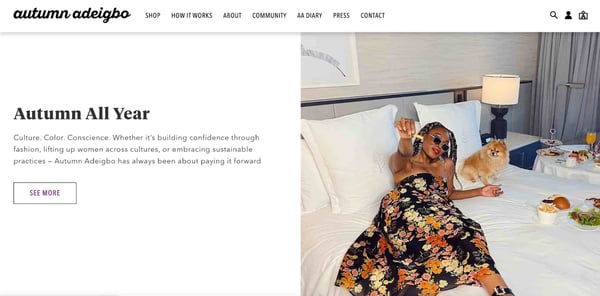
For instance, fashion brand Autumn Adeigbo sells clothing, accessories, and home decor items. However, its mission, as stated on its website, is to impact the lives of women on a global scale.
They do so by using female-owned production facilities and employing female artisans, among other practices.
2. Think ahead.
Sustainability marketing is all about building long-term value.
Too often, brands focus on gaining immediate returns. For instance, many marketing tactics like running Google Ads and blogging are great lead generators.
However, what happens once your lead has made a purchase and turned into a customer? How will you build loyalty and create brand evangelists?
Sustainable marketing looks at ways to nurture consumers during the entire buyer’s journey.
Education is one way to build loyalty with your audience early on. From when they first discover you on social media to after they’ve made a purpose.
For instance, a food brand could educate its audience on the importance of ethical farming on social media and continue this process post-purchase with package recycling tips.
3. Be customer-oriented.
You might be thinking, “Isn’t being consumer-oriented what all marketing is?”
Ideally, yes but that’s not always the case.
In traditional marketing, a brand will often try to push a product or service to a customer. With consumer-oriented marketing, it’s more about understanding your customers’ needs and tailoring your marketing to that.
For instance, say your audience is craving more transparency in your sourcing practices or wants you to be more vocal on social issues. You could use that information for your next campaign.
With so much competition out there, one way to stay customer-oriented is by innovating.
We’ve all heard the Blockbuster and Netflix cautionary tale. But that speaks to a huge societal shift that Blockbuster was unwilling to make.
But the truth is, innovation doesn’t always have to be so big. It can happen in small iterations – the key here is staying in touch with your audience’s needs.
4. Reflect sustainability in every aspect of your brand
Sustainability marketing doesn’t work if it’s not authentic.
Imagine finding out a business that claims to be sustainable has failed to implement any practices to promote its mission. Consumers would distrust that brand and it would be difficult to earn it back.
Make sure your brand is looking at sustainability from a holistic lens.
Are you preaching about sustainability but using unsustainable resources to build your product? Are you collaborating with brands that conflict with your mission? Is your team representative of the future you want to promote?
These are the questions you should ask to determine if your brand reflects the mission you’ve set out to achieve. Identify the areas that need work and go to the drawing board to figure out strategies that align with your mission.
Audiences don’t expect perfection, they do, however, value transparency. It’s OK – and recommended – to share where you currently fall short and how you plan to remedy these issues.
Sustainable Marketing Examples
1. Thinx
Thinx is an underwear brand whose mission is to provide sustainable solutions to menstruation and incontinence.
Everything the brand puts out marketing-wise is centered around this core value.
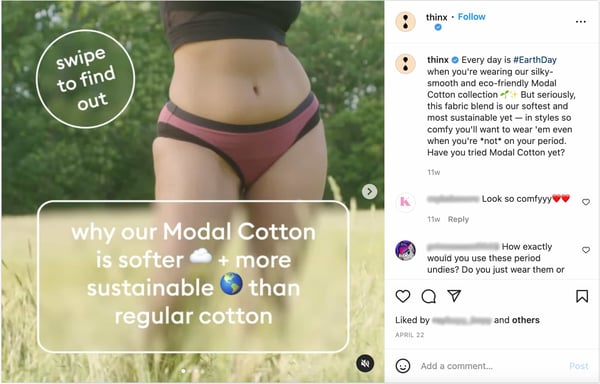
The brand’s social media pages feature a mix of product promotion, educational content, and mission-focused announcements.
The key to sustainable marketing is doing it in an authentic way that feels embedded in the brand, as opposed to an add-on that’s leveraged when convenient. Thinx is a great example of how to do it right.
2. Kind Socks
This clothing company was started based on the founder’s desire to find a socks company with a sustainable and ethical vision.
While most brands focus on inviting its consumers to purchase, Kind Socks takes the exact opposite approach: Asking them to spend less and more thoughtfully.
Excessive consumption is hurting us! Thats why ask yourself before every purchase: Do I really need this?
#ethicalfashion #mondayquote #sustainablefashion #sockswag #ethicallymade #socksoftheday #sockstyle #slowfashion #ecofriendly
— Kind Socks (@KindSofficial)
January 25, 2021
This strategy may seem counterintuitive to many companies but emphasizing the brand’s mission can help build trust with its audience and increase their brand loyalty.
3. Pangiai
Materials science company, Pangiai, wants to save the environment.
Every piece of marketing the brand puts out is centered around this core mission, including this video campaign.
In it, the brand explains its mission to “reverse the cycle from the unnatural to natural, from plastic to plants […], from the new to the recycled.”
What’s effective about this ad is that Pangiai describes the future they want to see and outlines the strategies it will implement to get there.
Throughout the ad, you see Pangiai products but they’re not the focus. This tells viewers the mission drives the products, not the other way around — and that’s sustainable marketing done right.
4. Nada Duele
In the previous section, we discussed the importance of having a holistic approach to sustainability marketing.
With Nada Duele, their mission is reflected in everything: from their name, which represents the idea that products should not cause harm, to the initiatives they take part in.

When you visit their “How We Work” section, you learn about their collaboration with a Guatemalan institute dedicated to protecting the forestry sector.
It’s important that the partnerships your brand takes on align with your values. Otherwise, you risk losing credibility and trust.
5. Satya + Sage
Social media is one of the best and easiest ways to implement a sustainable marketing strategy.
You can share a range of content, from educating your followers on sustainable practices to sharing ways your brand is being sustainable.
In this example from candle company Satya + Sage, they share tips on how to use the seed paper that comes with every candle.
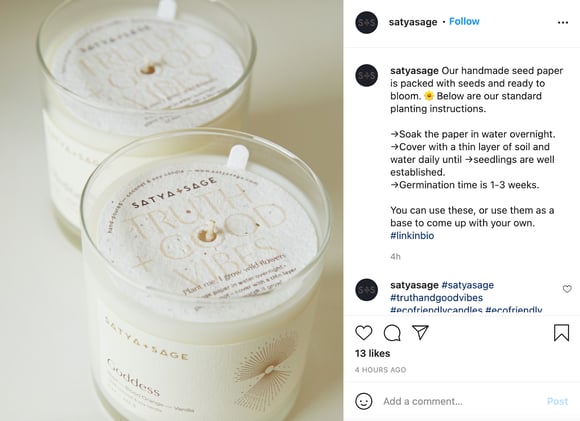
On social media, in particular, pay attention to the questions your followers ask and the comments they make, as that can inform which marketing strategies you test in the future.
Sustainable marketing is becoming increasingly important for brands.
Editor’s Note: This post was originally published in Oct. 2021 and has been updated for comprehensiveness.

How to Create a Product Launch Email [Outlines + Templates]
There are few times more exciting in a company than during a product launch. Anticipation brews and a sense of optimism emerges around the prospect of a growth in market share.
Still, a question always arises when a new product launches: do enough people know about this launch for it to be successful?
There are multiple avenues to communicate through during a product launch — ads, social media, PR, and blog promotion, to name a few. Yet, one of the most underrated and effective communication methods to alert internal and external stakeholders is a product launch email.
![→ Download Now: Free Product Marketing Kit [Free Templates]](https://no-cache.hubspot.com/cta/default/53/08b5e1f4-5d26-405b-b986-29c99bd0cb14.png)
Not only do product launch emails make your customers aware of the product launch, but they also communicate vital information about the launch to those inside of your company.
In this post, we’ll walk you through the steps for writing three different types of product launch emails, including offering suggestions for your product launch email subject lines and outlining the ideal product launch email sequence.
Featured Resource: Product Marketing Email Templates [Download Now]
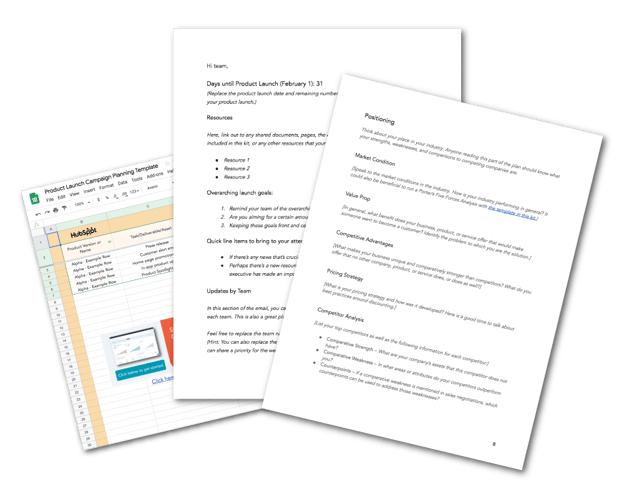
HubSpot’s Free Product Marketing Kit is full of the organizational templates you’ll need to spread the word about your product, including email templates. Why waste time starting from scratch? Click here to download the templates.
How to Write a Product Launch Email
You’ll want to share an internal product launch email with your entire company on either the day of or prior to your product launch. With this email, you’ll want to turn all of the employees at your company into an enthusiastic, well-informed, word-of-mouth marketing team by providing them with:
- An overview of the product
- Why employees should be excited about it
- “Lazy copy” for email and social media that employees can copy and paste
Here’s an outline of an internal product launch email. You can also download it as a template with more details.
1. Write a short but explanatory subject line.
The first step is getting folks to open your email. Do this by providing a clear and short subject line describing the news. Keep the subject line at or under 12 words.
Try one of these:
- It’s Time! [Product] is now live. Click to learn more!
- We just launched [Product] – And we need your help
- [NOW LIVE]: [Product] is available to the public
- [Product] launches today. Here’s what you need to know.
- The moment you’ve all been waiting for: [Product] is here.
- [PLEASE READ]: Everything you need to know about [Product].
Providing a subject line that gets straight to the point will make your email less likely to get lost among the other messages in their inbox.
2. Give a brief overview.
Just like you, the employees at your company are busy, so capture their attention with a quick hello and a 1-2 sentence overview of the product launch.
3. Explain what the product is.
Give your readers the very basic info on your product, like what it’s called, what it does, when it’s available to the public, and how much it costs. You should also include an image so readers have a visual reference.
4. Share why the launch matters.
Why should your employees be excited about this launch? You can go a little more in-depth here, so explain what void this product fills in the market and what opportunity you’re seizing on to expand your market share, delight more users, and expand your customer base.
Some questions you can answer in this section are:
- Does this update address a common customer complaint?
- Are you bringing your product up to par for the market you’re in?
- Do you have statistics or revenue projections to prove the importance?
5. Explain how the product works.
In this section, give a brief overview of the steps required to get or use this product/feature. How do your customers sign up? Are there any usage limitations? Anticipate frequently asked questions — particularly from salespeople, marketers, account managers, and support reps — and try to reduce confusion upfront.
6. Describe who the product is for.
If you haven’t already covered it, say who the intended audience for this product is, or if any users will automatically see this new feature. This section is particularly important for regional or language-specific products.
7. Provide a contact for questions.
Provide the contact info and name of the person or people who are best equipped to answer any questions about the product, its launch, or its promotion.
8. Include lazy or sample copy for sharing.
You’ll want to make it as simple as possible for employees to share the product launch over email or social media. Provide sample text and URLs that can be copied and pasted — or better yet, pre-made social links from a site like Share Link Generator.
Here’s an example of lazy copy for every situation.
- Twitter: We’ve just launched [Product Name] here @[Company Name]! This new feature will let you [List Main Benefit]. Click here to learn more about it [Insert URL].
- LinkedIn: It’s an exciting day here at [Company Name]! Today, we’re announcing our launch of [Product Name] – a new product that [List One or Two Major Benefits or Features].
- Email: We’re thrilled to finally share this with our customers. Learn more at our website, and reach out to me if you have any questions about the new product! [Insert Product Page URL]
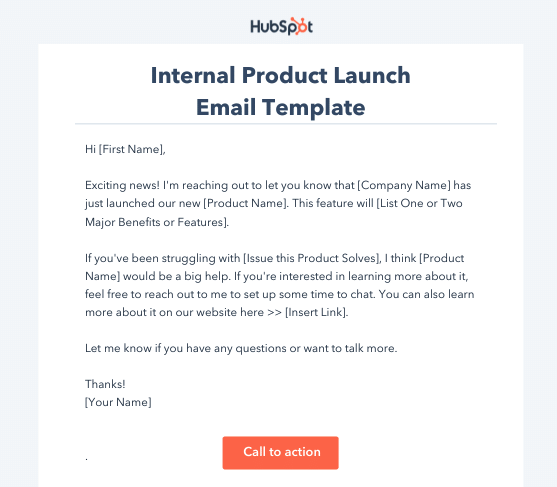
Product Launch Email Templates
Remember, you can save time by using product launch planning and email templates. You can download free product marketing email templates here in our Product Marketing Go-To-Market Kit. You and your team can work together to make an exciting product launch campaign if you take advantage of these tools.
Let’s look at some templates to help you get started.
Template 1: Pre-Launch
[Insert Days Until Launch] Days Until [Product Name] Product Launch
Hey Team,
Days Until Product Launch [Insert Date of Launch]: [Insert Days Until Launch]
Resources:
Here, link out to any shared documents, pages, the campaign planning spreadsheet also included in this kit, or any other resources that your team may need to reference this week.
- Resource 1
- Resource 2
- Resource 3
Overarching Launch Goals:
- Remind your team of the overarching campaign goals in this section.
- Are you aiming for a certain amount of product sold, social buzz, or upgrades?
Quick line items to bring to your attention:
- If there’s any news that’s crucial for your team to know, place it here.
- Perhaps there’s a new resource you want to call extra attention to, or maybe an executive has made an important call in the past couple of days.
Updates by Team:
In this section of the email, run through brief status updates and developments from each team. This is also a great place to share each team’s focus for the upcoming week.
Feel free to replace the team names with the most relevant teams for your product launch. You can also replace the team names with individual employee names, and each person can share a priority for the week that has to do with the product launch.
Web Team: Status –
Place the web team’s status update here
Social: Status –
Place the social team’s status update here
Public Relations: Status –
Place the social team’s status update here
Internal Enablement: Status –
Place the internal enablement team’s status here
Questions, comments, or concerns? Please do not hesitate to reply to this email or reach out to me directly.
Thanks,
[Your Name]

Template 2: General Product Update
[Product] launches today. Here’s what you need to know.
Hey Team,
Exciting news! I am writing to inform you that we have launched our new [product name]. This new product will [list 1-2 benefits].
If you’ve been having issues with [issue this product solves], [product name] will be a great help. If you’re interested in learning more about it, feel free to reach out to [designated contact] to set up time to discuss. Additionally, you can learn more about this product here [link to website/resource page].
Thanks,
[Your name]
Template 3: New Feature Update
The moment you’ve all been waiting for: [Product] is here.
Hey Team,
We have just released a brand new feature for [product name], and we think you’re going to love it.
The new feature [describe feature].
With this feature, you will be able to [issue it resolves], and it will help you to [list benefits].
We’re thrilled to finally share this with our customers. Learn more at our website, and reach out to me if you have any questions about the new feature! [Insert Product Page URL]
Regards,
[Your name]
When you create or find the template that’s right for you, add in your product’s information and get your network buzzing about it.
Product Update Email Template
The internal product launch update email is best shared with direct stakeholders in the product launch. For example, product marketers, product managers, designers, social, and PR.
These emails should be sent routinely leading up to the official product launch (every week, every other week, etc.) and provide readers with actionable steps on what has happened since your last email, what needs to be done, and whether or not you’re on track for launch.
Here’s an outline of what your internal product launch update email should look like. You can also download it as a template with more details.
1. Subject Line and Preview Text
Keep the subject line at or under 12 words. Choose a subject line for your internal product launch update emails and make it the standard for whenever you send out your updates. Stuck? Try one of these:
- [Date] Bi-weekly [Product Name] Update
- [#] Days Until [Product]: This Week’s Update
- [Product] Launch Status: Today’s Action Items
- New from [Company]: A Solution for [Main Problem]
- [Product]: A Solution to Your [Problem]
- Available Now: [Product], the Solution to [Problem]
- [Product] is Now Available. Here’s How You Can Get it.
- Problems With [Problem]? Try [Product] – New from [Company]
- At Last – A Solution to Your [Problem]
- Meet [Product]: A New Product to Help You [Benefit]
2. Days Until Product Launch
Reiterate the scheduled date of the product launch in addition to how many days remain.
3. Major Updates
List out any major updates that have occurred between the previous email and this one. For example: a bug was fixed, final designs were approved, or you secured placement in a leading circuit on announcement day.
4. Resources
Link out to shared documents, the campaign planning spreadsheets, or any other resources that your team may need to reference this week.
5. Progress Against Goals
Remind your team of the overarching campaign goals in this section and provide a status update (complete, meeting, exceeding, or lagging).
6. Updates By The Team
Run through brief status updates and developments from each team. This is also a great place to share each team’s focus for the upcoming week.
7. Questions or Comments
Encourage recipients to reach out to you directly with any questions.
Check out our template below for a better idea of what to include in your email.
[Date] Bi-weekly [Product Name] Update
Hey Team,
We are [number of days/weeks] away from the [product name] launch. Here’s what we’ve been working on and what you an expect in the coming weeks.
Key Updates
- Bug fixes
- Issue or discrepancy resolved
- Secured feature in [publication] Yay!
All brand items related to this product launch can be found here [link to folder/resource]
Launch Goals
- Any campaign goals?
- Aiming for more social media buzz?
- Aiming or a certain amount of product sold?
Updates By Team
QA: Status –
Place the team’s status update here
Public Relations: Status –
Place the team’s status update here
Sales: Status –
Place the team’s status here
Feel free to reach out to me if you have any questions or concerns regarding any aspect of this launch.
Thank you,
[Your name]
External Product Launch Email
The time has come to share your exciting new product with the world.
If you have an established list of loyal contacts in your CRM, create a list of recipients you think would benefit from the product launch email.
While you can send out a mass email to all of your contacts, it makes sense to group your contacts together by their lifecycle stage or their interests so that you’re prioritizing customers who would be most interested or ready for your new product.
The same general rules mentioned previously apply for sending external emails, except you’ll need to adjust them to suit what is most pertinent to your customers.
Here’s how you might want to format an email to your contacts to encourage them to buy or learn more about your new product.
1. Include subject line and preview text.
As mentioned before, keep the subject line at or under 12 words. Here are some of our top picks.
- New from [Company]: A Solution for [Main Problem]
- [Product]: A Solution to Your [Problem]
- Available Now: [Product], the Solution to [Problem]
- [Product] is Now Available. Here’s How You Can Get it.
- Problems With [Problem]? Try [Product] – New from [Company]
- At Last – A Solution to Your [Problem]
- Meet [Product]: A New Product to Help You [Benefit]
2. Add a short greeting.
Like your fellow employees, your customers are also very busy. Don’t bury the lede — start the email off with the big news! Buzzwords like “new,” “big news,” or “now available” would be good to implement here, alongside a quick overview of what the product is called, what it does, and an image of the product.
3. Give an overview of the product.
Provide a high-level summary of what the product is, why it was made, and what it does.
4. Highlight key features.
List the key features or benefits of this offer. If you have a product demo video, you may want to link to it here. Additionally you can add info graphics or another visual aid to help get your message across.
5. Include a call-to-action.
Leave your contacts with an actionable next step. Do you want them to reply to you with questions? Sign up for a demo? Check out the new product page on your website? Whatever your desired next step is, make it abundantly clear with a link or by bolding the action.
Product Launch Email Sequence
To spread the word about your product launch more efficiently, consider enrolling your contacts into an email sequence in your email marketing software. Here are the steps you might want to follow:
Internal Product Launch Email Sequence
1. Introductory Email
Alert the employees that the product development is in progress and why.
2. Pre-Launch Email
Let employees know when the product is set to be launched and what is expected of them on launch day.
3. Launch Day Email
On the day of the product launch, alert all employees that the product is available to the public and provide share links.
4. Follow-Up Email
After some time has passed, send employees an update of your performance against goals, and a reminder of how employees can help the product launch be more successful.
External Product Launch Email Sequence
When you want to build anticipation among your contacts, consider an external product launch email sequence. This can be used to gradually increase your prospects’ interests before and after the product comes out.
Remember: you may only want to enroll people in this sequence that meet certain qualification criteria.
1. Pre-Announcement Email
This email comes once you feel the product is in a good place and you’re comfortable announcing its release date to the public. It should include a basic description of the product in addition to an expected time frame. We suggest not identifying an official launch date unless you are absolutely confident the date you have chosen is accurate — you never know what could go wrong between now and then, so it’s best to play it safe.
2. Announcement Email
This email should be the official email announcement of your product. We’ve outlined what should be included in this email in the section above, but remember to keep the content in this email short, informative, and actionable.
3. Follow-Up Email
This email should be sent to the contacts you feel would be a good fit for your new product but didn’t follow up with your original email. Kindly remind them that you think they would benefit from this new product and you’re excited to hear if they’re interested.
When building excitement for your new product, having this sequence can keep your customers waiting in anticipation of your next best thing. Take a look below at an example of a real, recent product launch.
Product Launch Email Examples
Ready to get started writing your own product launch emails? We’ve compiled a list of real life examples to inspire your next launch correspondence.
1. Samsung
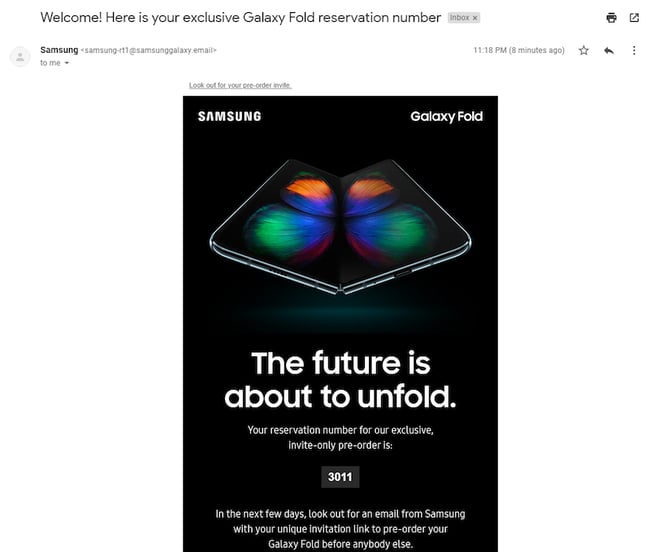
Samsung has been exceptionally successful in advertising its Galaxy Fold cell phones, and its emails have been building suspense for them for over a year.
This email example serves as one of its pre-announcements, allowing excited customers to pre-order the device. Previous emails they’ve sent have included the specifications and features of the Fold, and this email gives a time frame of when customers should expect its arrival.
Why This Works:
This note from Samsung keeps it brief while including all the pertinent information customers need. It gives them their pre-order number and tells them what to expect next, but most importantly it keeps the anticipation going.
You can keep it simple as shown above, or get creative in your new product emails — just make sure it’s conveying the information your customers want to know.
2. Descript
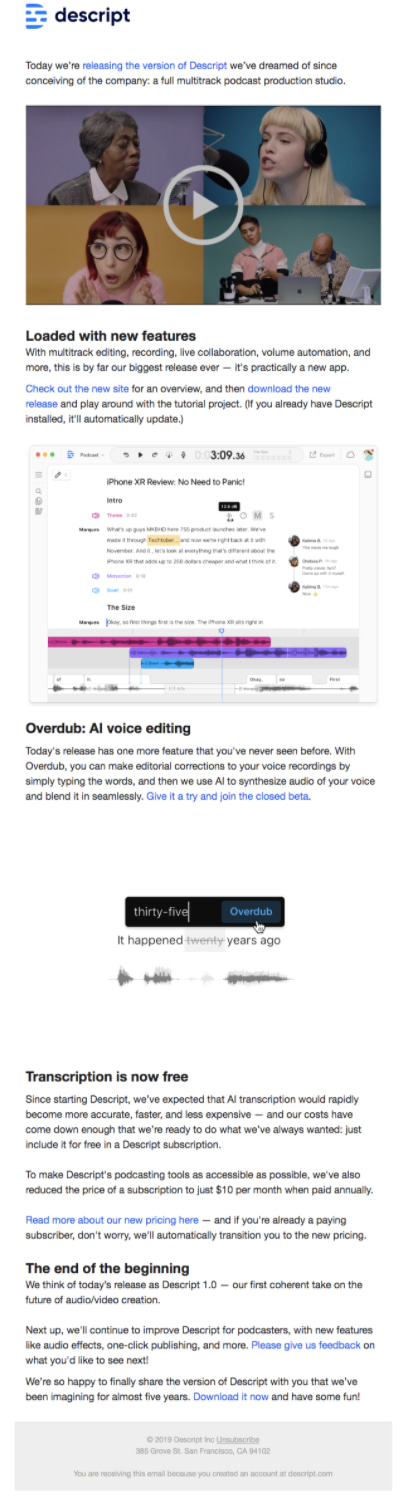
Audio and video editing platform Descript rolled out a new version of their product and sent the email below to inform their current customers. The email details what the new features are and how they will improve the customer experience using the product.
Why This Works
This email is incredibly thorough. It walks the reader through each of the improvements, how they work, and the benefits — complete with video and other helpful visuals.
It’a great example of how to design a launch email that has lots of new features and information to explain.
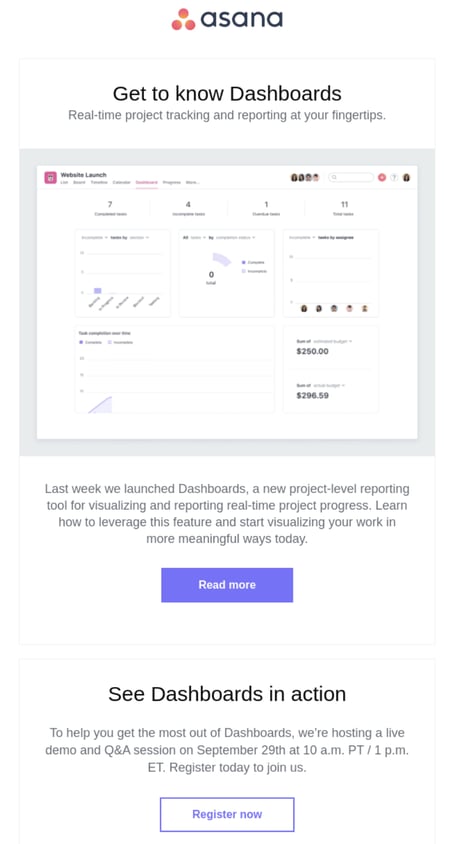
3. Asana
When Asana launched their dashboards feature, they sent the below email to customers to help them get familiar with the change in reporting. It was sent the following week after the new feature was rolled out, providing users with tutorials and other resources showing how to get the most out of dashboards.
Why This Works
This email keeps it short, but informative and clearly explains where users can go if they need more support in addition to a brief demo of how the dashboards feature works. The design is also clean thanks to plenty of white space and small, well-placed pops of color.
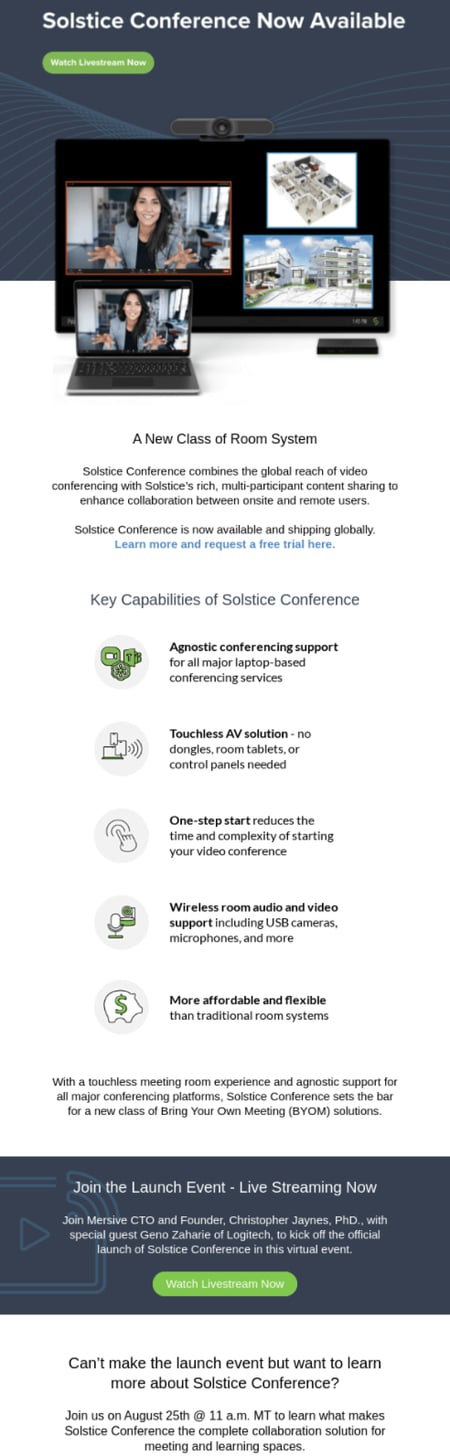
4. Solstice
With remote work more popular than ever, video conferencing software has become a must. In response, Solstice improved their platform to accommodate users and provide both onsite and remote workers a better user experience. The email below outlines the new product and features they added.
Why This Works
This email clearly outlines what the new product does and the benefits it provides. Plus, Solstice offers multiple ways for customers to learn more — either by attending the launch event or webinar. The offer of a free trial also allows customers to test the product risk-free before making a commitment.
Ready, Set, Launch! (Your Next Product)
Build your email marketing campaigns in a way that appeals to your own internal team, and your customers in search of the next best thing. We hope you can implement some tips from this guide into your marketing, and wish you the best of luck in your next product launch.
This article was originally published in December 2021 and has been updated for comprehensiveness.

How to Create Content for Every Stage of the Buyer’s Journey
No one wakes up in the morning and decides, “I’m going to buy something today.” Instead, they go through a path to purchase that includes research and evaluation before committing to a sales call.
That journey is called the buyer’s journey. Because consumers are more informed and empowered than ever, it’s important to deeply understand your buyer persona and their journey so you can create content that helps them along that path while positioning you as an authority in your space.

In this post, we’ll cover:
- The Buyer’s Journey and What It Means in Marketing
- Why It’s Important to Create Content for Each Stage of the Buyer’s Journey
- Content Ideas for Each Stage of the Buyer’s Journey
Understanding the Buyer’s Journey in Marketing
In most cases, with the exception of impulse buys, an individual begins their journey in an “unaware stage.” This individual likely fits the demographics of your ideal client, also known as your buyer persona, but they are unaware of your product or in need of it.
However, they may experience a triggering event that changes their situation or pain that needs to be solved. This kicks off their buyer’s journey.
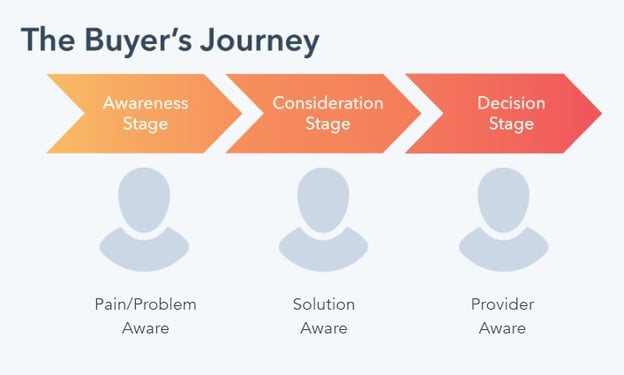
Let’s say that an individual wants to kick off a personal fitness journey. They may not immediately decide to purchase a gym membership. This individual may take to the internet to learn more and make decisions as they progress through the following stages in their buyer’s journey, and it’s our job to assist them in that decision-making process.
Awareness Stage
In the awareness stage, the buyer is experiencing a problem or symptoms of a pain, and their goal is to alleviate it. They may be looking for informational resources to more clearly understand, frame, and give a name to their problem.
An example of a search query a prospect might begin with is: “How do I get stronger?” In the awareness stage, they are not yet thinking about solutions or providers; it’s much too early for that. Instead, they’re looking to contextualize their problem first. As a content marketer, you’ll want to show up in search engine results, even in these early stages, to establish your authority and gain the trust of buyers who are starting the journey.
Consideration Stage
In the consideration stage, the buyer will have clearly defined and given a name to their problem, and they are committed to researching and understanding all of the available approaches and/or methods to solving the defined problem or opportunity. In other words, they are considering potential solutions.
An example of a search inquiry a prospect would make at the consideration stage is: “What’s better: going to a gym or hiring a personal trainer?” In the consideration stage, the prospect is not yet ready to buy, but they are deciding on the potential solution for them. Your goal will be to consider your indirect competitors and educate them on the pros and cons.
Decision Stage
Once they’ve progressed to the decision stage, the buyer has decided on their solution strategy, method, or approach. Their goal now is to compile a list of available vendors, make a short list, and ultimately make a final purchase decision.
An example of a search inquiry a prospect would make at the decision stage is: “Planet Fitness vs. Gold’s Gym.” Now they’re ready to spend money, and they’ll likely go with a provider that they like, know, and trust so long as that provider can meet their needs.
Why Creating Content for the Buyer’s Journey Is Important
As in all marketing disciplines, it’s essential to understand your audience: how they think, the answers they seek, and the path they tend to take to find a solution. From that research, you can begin crafting a documented content strategy that maps your content to the various stages of the buyer’s journey.
When you don’t completely understand your audience, a disconnect is created between your business and your potential customers. For content marketers, this usually means you’re putting out content that your readers don’t really relate to, which can cause you to lose them.
To avoid this, you’ll have to consider the stage they’re at in their journey, how to meet them there, and the best channels to put the content in front of them. The internet has made it easier for marketers (and salespeople) to engage customers at the various stages of their journey using content marketing. That’s one of the main reasons that 60% of marketers consider content as ‘very important’ or ‘extremely important’ to their overall strategy.
However, it can be challenging to create the right content, for the right people, at the right time.
Building a content strategy starts with identifying the types of content you’ll need to reach your audience according to their progression through the buyer’s journey, and we’ll guide you through it in terms of both the marketing flywheel.
Creating Content for Each Stage of the Buyer’s Journey
Once you have an idea of your buyer persona and how prospects move closer to purchase, you can begin creating content for your buyer at different stages and tailor that content per channel.
Doing so can help you map your content to the relevant stages of the buyer’s journey to make a marketing funnel.
- Awareness Stage: The stage where people look for answers, resources, education, research data, opinions, and insight.
- Consideration Stage: The stage where people are doing heavy research on whether or not your product or service is a good fit for them.
- Decision Stage: The stage where people figure out exactly what it would take to become a customer.
Your journey may look very different depending on your industry, business model, product, pricing, and audience. Some B2C customers, for example, spend very little time in the middle of the buyer’s journey compared to B2B customers that require far more nurturing, engagement, and relationship development before a purchase is made. A $50 pair of sneakers, for instance, requires a lot less hand-holding when it comes to making purchase decisions than a $10,000 business software investment.
Content Ideas for Each Stage of the Buyer’s Journey
Because audiences can vary widely based on industry and intent, persona research is of the utmost importance. By understanding their unique process for awareness and evaluation, you can create a truly effective content marketing strategy packed with custom content that best supports their journey toward making a purchase.
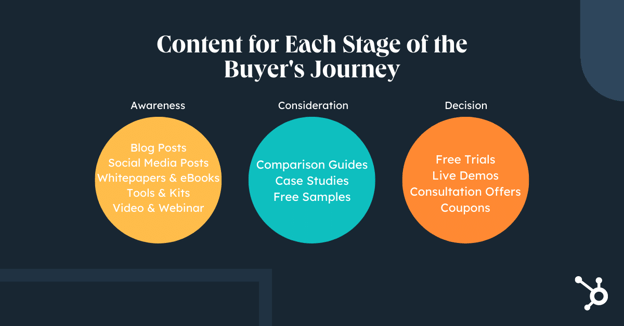
So let’s take it from the top and start from the beginning of the buyer’s journey.
At the awareness stage, a buyer is trying to solve problems, get an answer, or meet a need. They’re looking for top-level educational content to help direct them to a solution, like blog posts, social content, and ebooks. Their value as a lead is low because there’s no guarantee that they’ll buy from you. But those who find your content helpful and interesting may journey on to the middle of the funnel.
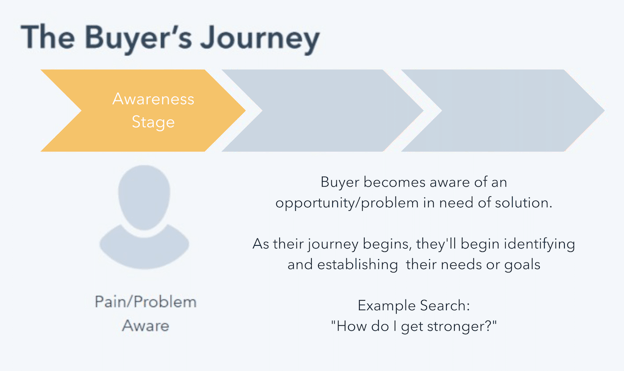
The ideal channels for the awareness stage may include:
- Blogging
- Search Engine Marketing
- Social Media Marketing
Let’s run through the different content formats best suited for these channels.
1. Blog Post
A blog post is an ideal piece of content targeting the awareness stage. By targeting a pain, problem, or topic your target audience wants to discover and then posting it to your website, you’re creating a brand asset that’s crawlable by Google and discoverable by search engine users. You can also promote your blog content across other channels.
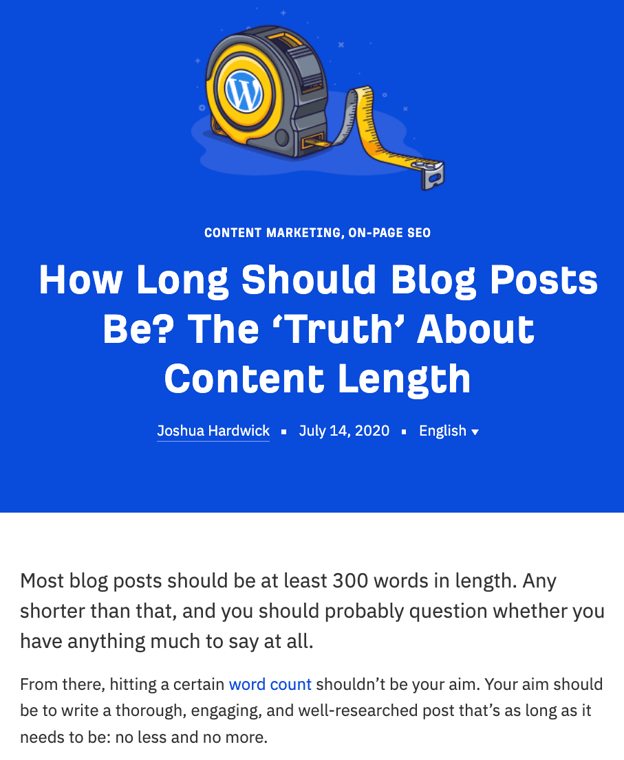
Arel=”noopener” target=”_blank” hrefs is an excellent example of a brand that does blog content right. They include original data and informational advice to create long-form articles that serve their audience.
Featured Resource: 6 Free Blog Post Templates
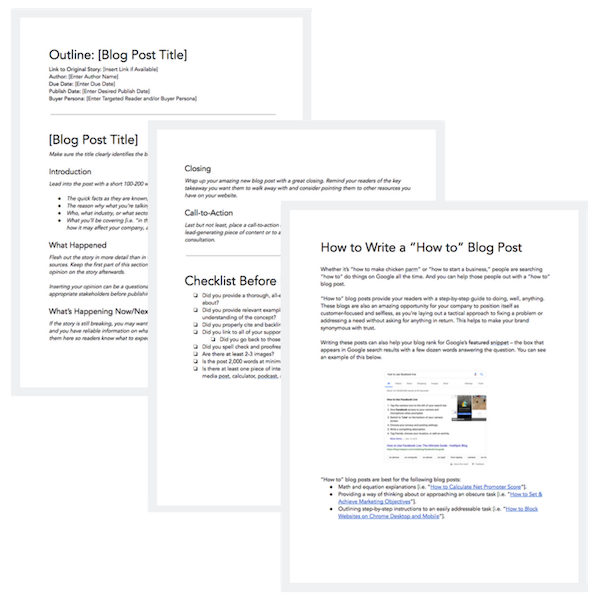
2. Social Media Post
Social media is a channel that can be used to promote your other content, and you can also create content specifically for the channel. According to Pew Research, 72% of the public uses some form of social media, so your audience is likely native to this channel. Unlike blog posts, social media posts are likely in shorter form, and video consumption is also on the rise.
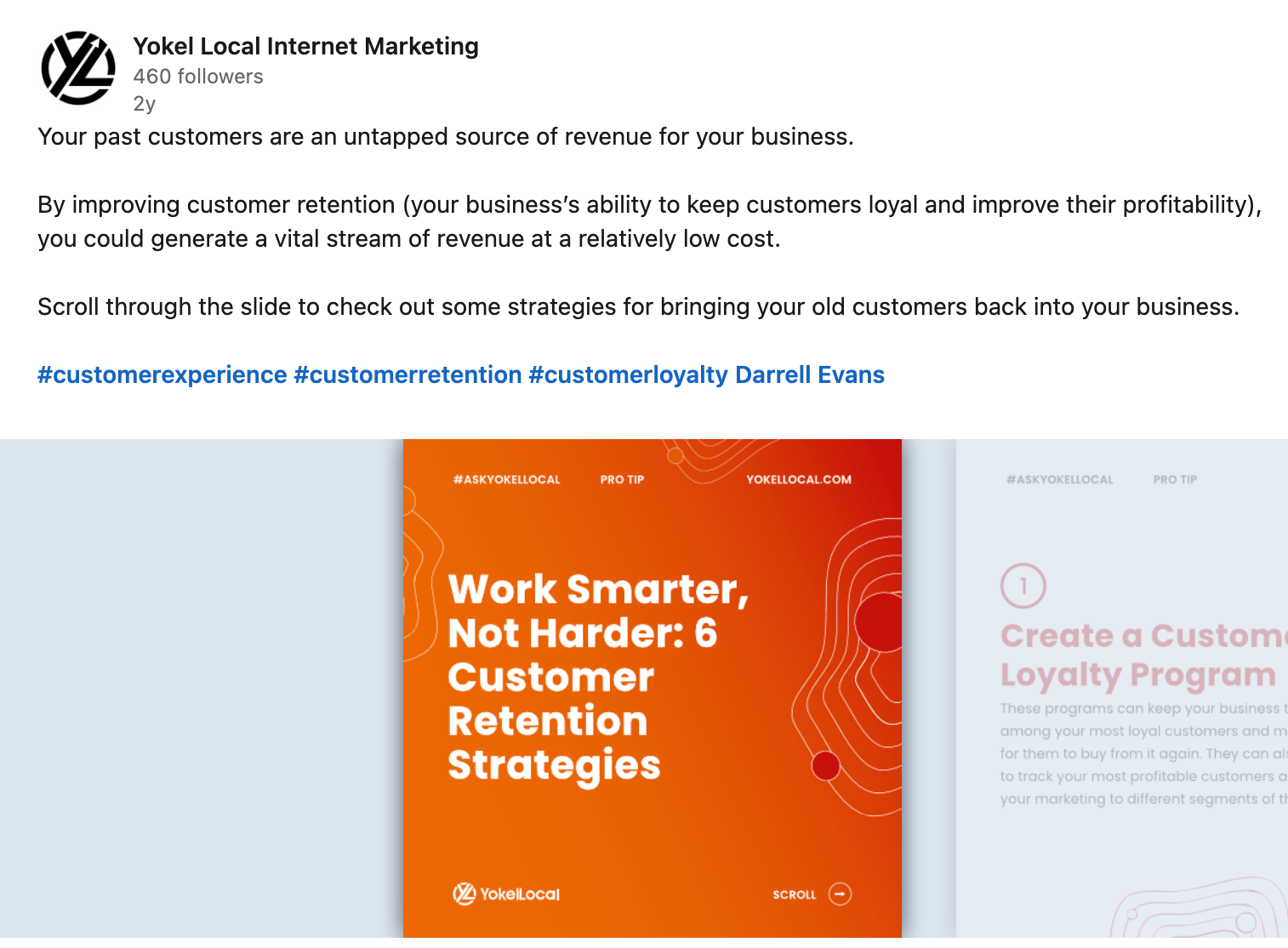
In the above example, HubSpot Agency Partner Yokel Local shares attractive customer marketing tips on the LinkedIn platform. SlideShare formats are popular on LinkedIn, so the content is created to be snackable with short-form take-aways.
3. Whitepaper
A whitepaper is an organization’s report or guide on a particular topic. Whitepapers are especially useful as downloadable offers when readers want to go more in-depth on a specific subject they’re reading about. For whitepapers, it’s essential to provide information that can’t be found elsewhere so that your audience understands the report’s value and is compelled to get it.
Every year, HubSpot publishes a survey on the state of marketing to provide helpful guidance based on thought leadership to marketers, sales professionals, and business owners. Inside, readers find statistics from a broad survey and industry experts’ opinions on what the data means and where the industry is going.
4. Checklist
For complicated tasks with many moving parts, individuals may simply want a blueprint that spells out what they’re supposed to do to achieve their end goal.

Buying a home is a perfect example of this, and Opendoor meets its audience’s needs by providing a handy checklist (in infographic form!) for the reader that spells out all the steps that need to be taken. The graphic is aesthetically pleasing and even allows room for a few tips along the way.
5. How-To Video
Sometimes, the best way to solve a pain or problem is to learn a new skill. Sure, a purchase of some kind may be required along the way, but the audience may need to become more informed about the problem and how to solve it. That’s where instructional video content comes in.
HubSpot Marketing has a series of videos dedicated to teaching viewers about where SEO principles are broken down to the audience in easy-to-understand language and visuals. Knowing that SEO is a complex subject, the Marketing team aims to make it accessible to viewers.
6. Kit or Tool
Informational content provided to a broader audience may not always be enough for your buyer persona to make a decision or take action. In some cases, they may require a little more utility or personalization. That’s why kits and tools are a great piece of content to create to help the reader along their path to purchase.
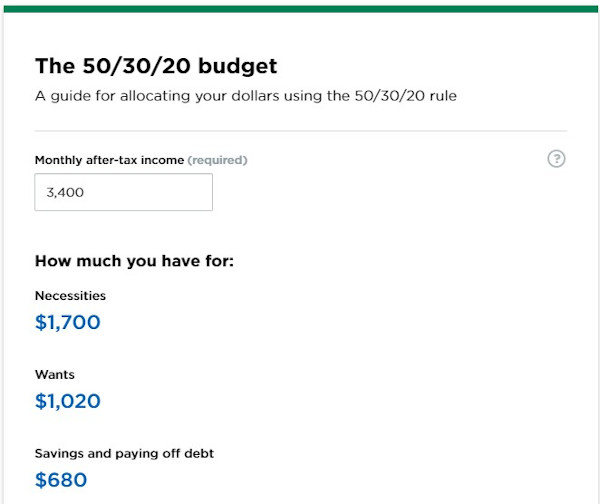
Nerdwallet creates content around several financial topics, budgeting being one of them. It can be challenging to create a budget, though, so they developed a calculator that allows users to provide their own numbers to receive a customized recommendation.
7. Ebook or Tip Sheet
Like whitepapers, ebooks and tip sheets are great options for downloadable content. In contrast, they tend to be shorter form and more actionable.

CoSchedule combines a few tactics by promoting their headline analyzer tool with a blog post about writing great headlines that drive traffic. On that blog post, they include a great tip sheet of powerful words to include in headlines if you want to catch a reader’s attention.
Featured Resource: 36 Free Ebook Templates

8. Educational Webinar
A webinar is a web seminar where information is typically provided through video. A webinar can be prerecorded or streamed live, which opens up many possibilities to disseminate information to an audience who wants more visual and auditory content.
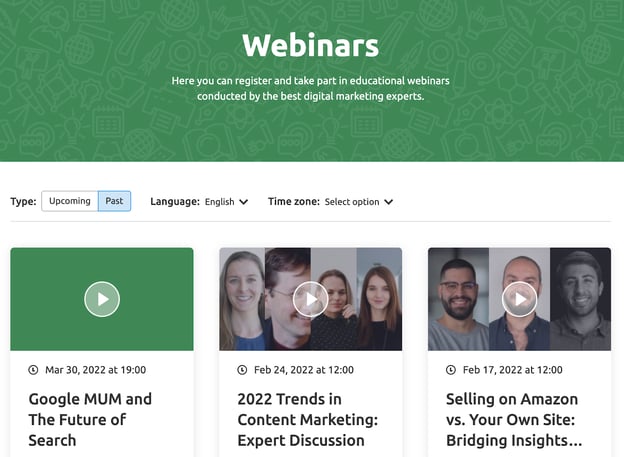
SEMrush makes webinars a key part of its content marketing strategy, often running a valuable topic multiple times to get more mileage out of the content.
Moving on from awareness stage content, let’s delve into the next stage of the buyer’s journey.
When someone moves into the consideration stage, it means you’ve captured their attention. They know they have a problem that has to be solved, and now they’re trying to discover the best solution. The need for a future purchase commitment creeps up as they’re evaluating their options.
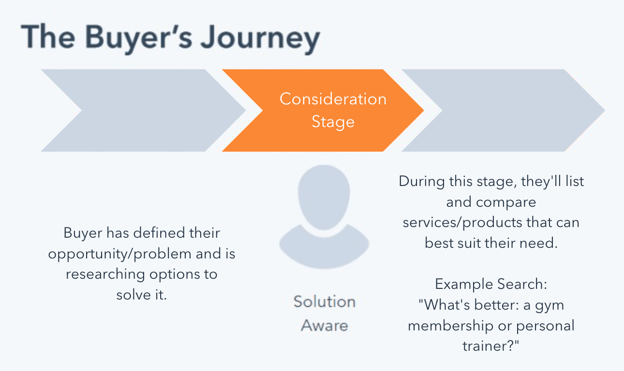
This stage is typically a point of extended engagement where you’re nurturing a lead, building a relationship, and establishing trust between the audience and your brand.
The ideal channels for your consideration stage may include:
- Website or Blogging
- Search Engine Marketing
- Email Marketing
- Social Media
Let’s go through the best content formats for this part of the buyer’s journey.
1. Product Comparison Guides
In the consideration stage, the buyer persona still considers solutions to their pain or problem. For this reason, product comparisons are a great way to help them decide.
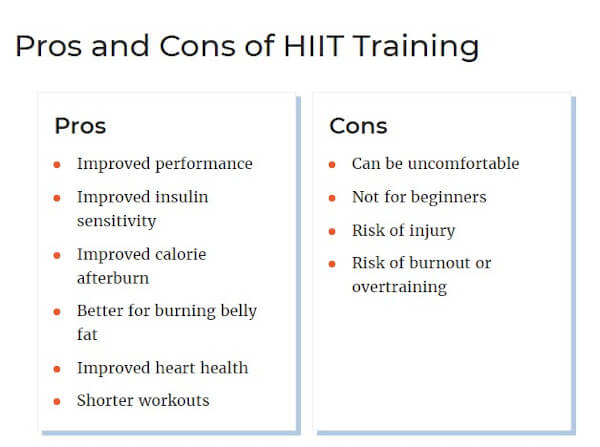
Verywell Fit provides such a comparison to help their readers choose between high-intensity workouts vs. steady-state cardio, providing the pros and cons and use cases for each.
2. Case Study
A case study can be used in both the consideration and decision stages simultaneously by convincing the reader that the solution works by establishing that the provider achieves results for their clients by administering the solution. A good case study will appeal to the emotions and logic of the persona by providing detailed information and quantitative data on the final solution.
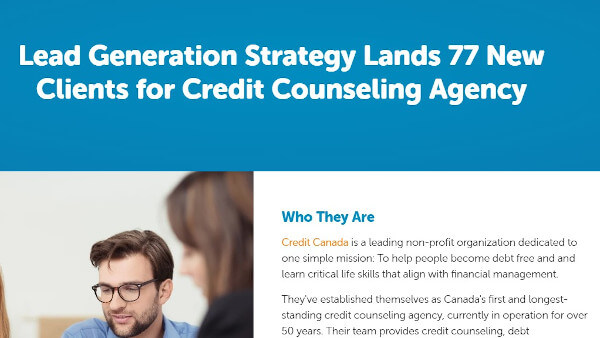
HubSpot Partner Agency Blueleadz tells a story about their client and their problems while providing a detailed account of how they solved them.
Featured Resource: 3 Free Case Study Templates
3. Free Sample
A free sample is another example of content or an offer that overlaps between the buyer’s journey stages. Consider this: An individual wants to paint the inside of their home but doesn’t know what color.
As they consider which color (the solution), they pick up paint chip cards from their hardware store. A provider creates these cards based on their individual solution. When the individual falls in love with a color, they already know who the provider is that makes it.
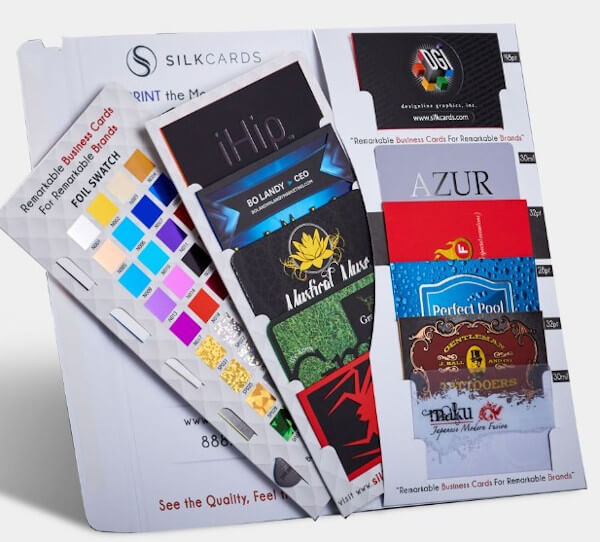
SILKCARDS taps into this buying behavior by offering samples of their unique printing methods on the content that they create. They know their business is tactile, and digital content alone is not enough to close a deal. Once their prospective customer holds the sample in their hands, other business cards are put to shame.
So now that you’ve provided content to help customers list out or sample their options, it’s time to move them into the decision stage.
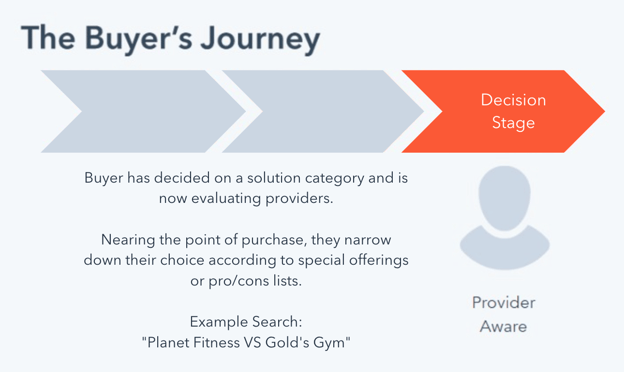
As prospects near the end of the buyer’s journey, they’re evaluating providers down to specific or specialized offerings.
Marketers, in turn, want to go above and beyond their expectations and provide an easy and frictionless customer experience that can win them over their competitors.
Handling objections, remove hesitation, position ahead of comp
The ideal channels for your decision stage content may include:
- Website
- Email Marketing
- Live Chat and Chatbots for Service
With your prospects getting increasingly interested, let’s go through the content formats that can help them get closer to purchase.
1. Free Trial or Live Demo
What better way to know if you want to purchase a product than take it for a spin? Car dealerships have used the “test drive” tactic for years because it works. If the product itself checks all the boxes the buyer has, all the sales team has to do is handle their objections and make the close.
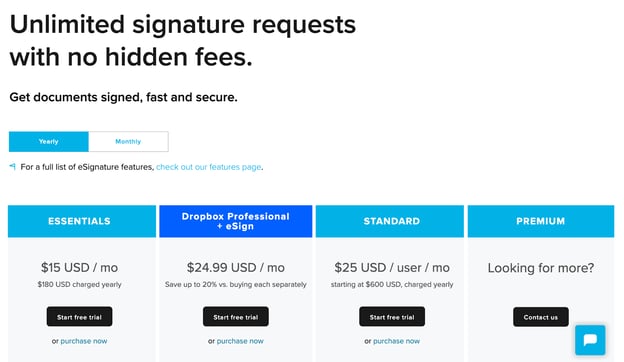
Hellosign does this well. Though they have a free option with limitations, they know that offering a free trial upfront is the key to getting clients into their larger tiers. Their pricing page sets the prospect’s expectations and points them to the free trial.
2. Consultation Offer
A consultation is another example of providing just a little bit of service in exchange for the opportunity to close the sale. The best consultation reduces the anxiety of entering into a sales conversation by promising something concrete they can walk away with (a strategy or actionable advice) in exchange for their time.
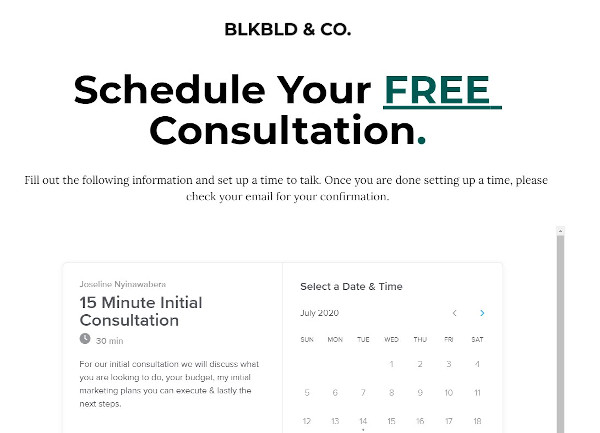
Blk Bld & Co.’s consultation offer is a great example because it reduces the friction of scheduling a consultation. By removing friction, this organization increases the chances of conversion.
3. Coupon
A coupon appeals to a fear of missing out (FOMO) mindset. By reducing the price by a certain amount, a coupon is handing a price objection while convincing the prospect that they’re leaving money on the table if they don’t use the coupon. This inertia is enough to win the prospect’s business.
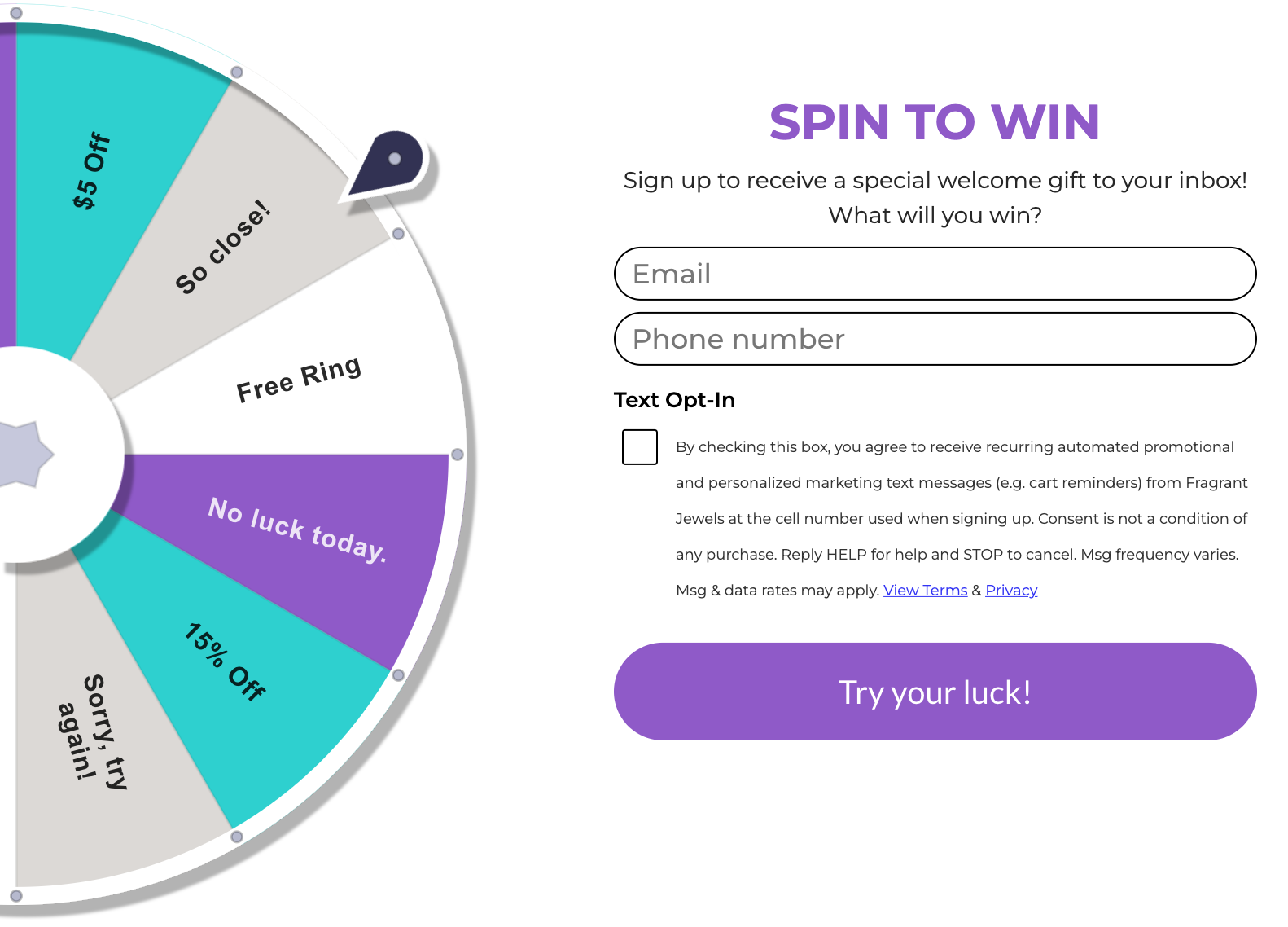
Fragrant Jewels does this well by gamifying its coupons. By spinning the wheel, the website visitors have the chance to get a coupon before checking out the products. They’ll likely evaluate the products that are a good deal with the coupon they won.
In addition to decision stage content, you should create content to delight your existing customers. This may include FAQ and knowledge base content to make the customer experience more accessible, coupons for the opportunity to upsell, and additional educational content that deepens their understanding of a topic.
Mapping Content Across All Stages of the Buying Cycle
Every business offers a unique buyer’s journey that can’t necessarily be replicated from one business to another. When creating your buyer’s journey, you must understand your audience and develop a strategy that maps custom content specific to each phase of their journey through the process.
If you do it well, it can have a significant impact on your customer relationships and lift your overall conversions.
Editor’s note: This post was originally published in August 2016 and has been updated for comprehensiveness.

How to Create an Ebook From Start to Finish [Free Ebook Templates]
Learning how to create an ebook can be overwhelming. Not only do you have to write the content, but you also need to design and format it into a professional-looking document that people will want to download and read.
You might already be familiar with fiction or non-fiction ebooks, but what exactly is an ebook in the marketing industry, and why do they deliver such great results for marketers?
 In this post, you’ll learn:
- What is an ebook?
- Ebook Benefits
- What ebook file format should you use?
- How to Write an Ebook
- Ebook Ideas
- Ebook FAQs
Let’s get started.
36 Free Ebook Templates – Download Now
-1.png)
Download HubSpot’s 36 free ebook templates to create an ebook on PowerPoint, Google Slides, or Adobe InDesign.
Ebook Benefits
In 2021, ebook sales increased 38% for publisher HarperCollins, following a trend of increased revenue earnings for the company. Although this is a snapshot of one publisher’s success, it speaks to a more significant movement toward digital content consumption among marketers.
Lead magnets come in many forms, but the ebook still reigns supreme. They give the reader:
- In-depth digital content in an environment largely overrun with quick headlines and soundbites
- Visual data that compliments the editorial content
- On-demand access to the ebook content
Your business benefits from publishing an ebook, too. Turning a profit, acquiring new customers, generating buzz, and becoming an industry thought leader are just a few advantages of this type of content.
Let’s say, however, that you have a fantastic blog full of long-form content. Why in the world would you want to offer your readers an ebook? Is it even worth your time?
Here are some advantages ebooks offer content creators:
- Unlike long-form printed publications purchased in-store or shipped, an ebook is immediately accessible whenever you’re ready to read.
- You can put it behind an opt-in or “gate,” incentivizing your website visitor to become a lead if they want the information.
- In some ways, ebooks have design capabilities like in-depth charts, graphs, and full-page images, which you may not be able to achieve on your blog.
- After the initial creation of the ebook, you can distribute the file a multitude of times with no additional production cost. They also have no associated shipping fees.
- You can embed links to other media in the ebook file, encouraging the reader to engage with your content further.
Perhaps more importantly, ebooks offer several advantages for your audience:
- Ebooks are incredibly portable and can be stored on many devices without any associated physical storage space.
- The reader gets the choice to print the ebook out if they want to consume the information in a traditional physical format. Otherwise, the digital format is environmentally friendly.
- Ebooks are more accessible, giving readers the ability to increase font sizes and/or read aloud with text-to-speech.
- They’re also easily searchable if the reader is looking for something specific.
Moreover, with lead generation being the top goal for content marketing, ebooks are an essential part of a successful inbound marketing program.
In this post, we’ll walk you through the ins and outs of creating an ebook by, well, creating an ebook. And if you’re worried about your lacking design skills, we’ve got you covered.
Got your free ebook templates? Ready to make an ebook? Great — let’s get to it.
What ebook file format should you use?
Ebooks can be saved in one of several formats. Depending on your end-user, though, you might find a use for any of the following file types:
PDFs are likely the most well-known file type. The “PDF” extension stands for “Portable Document Format,” and is best for ebooks that are meant to be read on a computer (digital marketers, you’ll want to remember this one). We’ll talk more about how to save your ebook as a PDF later in this article.
EPUB
This file type stands for “Electronic Publication,” and is a more flexible ebook format. By that, I mean EPUB ebooks can “reflow” their text to adapt to various mobile devices and tablets, allowing the ebook’s text to move on and off different pages based on the device’s size on which a user is reading the ebook. They’re particularly helpful for viewing on smaller screens, such as smartphones and the Nook from Barnes and Noble.
MOBI
The MOBI format originated from the Mobipocket Reader software, which was purchased by Amazon in 2005 but was later shut down in 2016. However, the MOBI file extension remains a popular ebook format compatible across the major e-readers (except the Nook).
While the format has some limitations, such as not supporting audio or video, it supports DRM, which protects copyrighted material from being copied for distribution or viewed illegally.
Newer Kindle formats are based on the original MOBI file types.
AZW
This is an ebook file type designed for the Kindle, an e-reader device by Amazon. However, users can also open this file format on smartphones, tablets, and computers.
ODF
ODF stands for OpenDocument Format, a file type meant primarily for OpenOffice, a series of open-source content creation programs similar to Microsoft Office.
IBA
IBA is the proprietary ebook format for the Apple iBooks Author app. This format does support video, sound, images, and interactive elements, but it is only used for books written in iBooks. It is not compatible with other e-readers.
Data Visualization 101: How to Design Charts and Graphs [Free Download]
Ebooks can increase the visibility and credibility of your business while positioning your brand as a thought leader in your industry. However, these ebooks can sometimes be hard to write, even though they offer many benefits.
Here are some proven tips to help you write excellent ebooks.
1. Choose a topic that matches your audience’s needs.
Remember: The goal of your ebook is to generate leads for your sales team, so pick a topic that will make it easy for a prospect to go from downloading your ebook to having a conversation with your sales team.
This means your ebook shouldn’t deviate much from the topics you cover in your other content distribution channels.
Rather, it’s your opportunity to do a deep dive into a subject you’ve only lightly covered until now, but something your audience wants to learn more about.
For example, in listening to sales and customer calls here at HubSpot, I’ve learned that creating ebooks is a massive obstacle for our audience, who are marketers themselves. So if I can provide not only this blog post but resources to make ebook creation easier, I’m focusing on the right topic that will naturally lead to a sales conversation.
Here are some sample ebook titles to consider to get your creative juices flowing.
- X Best Practices for [Insert Industry/Topic]
- An Introduction to [Insert Industry/Topic]
- X Common Questions About [Insert Industry/Topic] Answered
- X [Insert Industry/Topic] Statistics For Better Decision-Making
- Learn From The Best: X [Insert Industry/Topic] Experts Share Insights
(Note: Replace “x” with an appropriate number.) You can also use our free Blog Topic Generator tool to develop more ideas. Most blog topics can be comprehensive enough to serve as longer-form ebook topics.
For this blog post, I will use the PowerPoint version of template two from our collection of five free ebook templates. Through each section of this post, I’ll provide a side-by-side of the template slide and how I customized it.
Below, you’ll see my customized cover with my sales-relevant ebook topic. For help with writing compelling titles for your ebooks, check out the tips in this blog post.
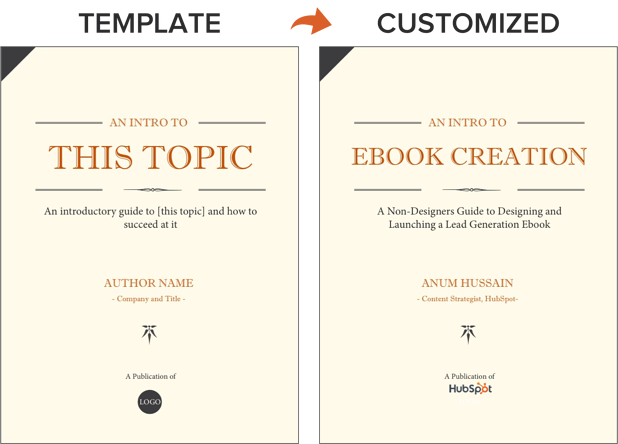
2. Outline each chapter of your ebook.
The introduction to your ebook should set the stage for the book’s content and draw the reader in.
What will you cover in your ebook? How will the reader benefit from reading it? For tips on how to write an effective introduction, check out this post.
Some ebook creators say that an ebook is simply a series of blog posts stitched together. While I agree you should treat each chapter as an individual blog post, the chapters of your ebook should also flow fluidly from one to the other.
The best way to outline your ebook is by thinking of it as a crash course on the sales-relevant topic you selected. In my example of creating an ebook, I know I need to cover how to:
- Write effective copy
- Design an ebook
- Optimize ebooks for lead generation and promotion
While my example has a few chapters, keep in mind that your ebook does not need to be lengthy.
Here’s a golden rule to follow regarding ebook length: Write what is needed to educate your audience about your selected topic effectively.
If your ebook requires five pages, great! If it requires 30 pages, so be it. Just don’t waste words thinking you need to write a lengthy ebook.
Let’s now move on to the actual copy you’re writing.
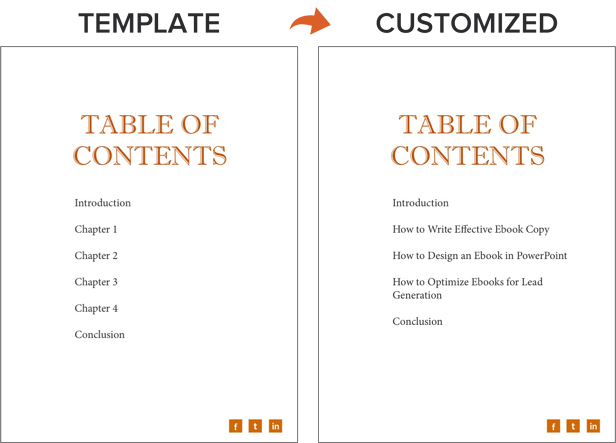
3. Break down each chapter as you write.
Get writing! Here, you can approach each chapter the way you might write a long blog post — by compartmentalizing each chapter into smaller sections or bullet points, as shown in the picture below.
This helps you write simply and clearly, rather than using sophisticated language to convey each point. It’s the most effective way to educate readers and help them understand the new material you’re providing.
Be sure to maintain a consistent structure across each chapter, as well. This helps you establish natural transitions between each chapter so there’s a clear progression from one chapter to the next (simply stitching blog posts together can rob you of this quality).
These practices should hold true for all your other marketing efforts, such as email marketing, call-to-action creation, and landing page development. “Clarity trumps persuasion,” as Dr. Flint McGlaughlin of MECLABS often says.
Want to make sure you’re keeping your ebook exciting for readers? Here are some key tips to keep in mind:
- Use keywords in the title that emphasize the value of your offer. Examples include adjectives like “amazing,” “awesome,” or “ultimate.”
- Keep your format consistent, so you create a mental model for readers and enhance their understanding of the material.
- When appropriate, use formatting — like bulleted lists, bold text, italics, and font size changes — to draw people’s eyes to your most important content or emphasize specific points you want readers to remember.
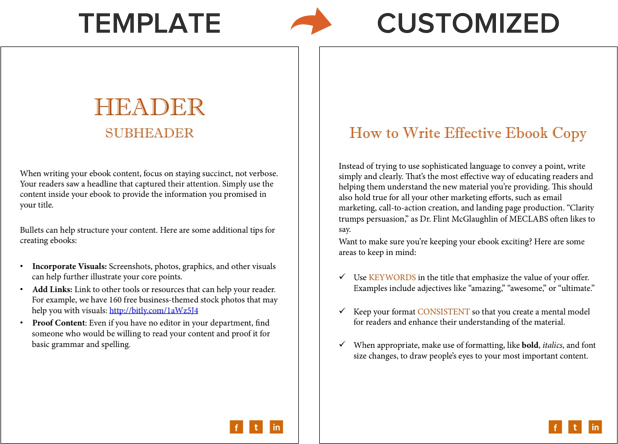
4. Design your ebook.
Our downloadable ebook templates are offered in both PowerPoint and InDesign. For this example, we’ll show you how to do it in PowerPoint, since more people have access to that software. (If you need a refresher, here’s a beginner-friendly guide on how to use PowerPoint.)
We only have one “chapter page” in the template (slide three). To create additional chapter pages, or any pages really, simply right-click the slide and choose Duplicate Slide. This will make a copy of your slide and allow you to drag it to its proper place in your ebook via the sidebar or Slide Sorter section of PowerPoint. You can then customize it for any subsequent chapters.
5. Use the right colors.
Ideally, our free ebook templates would magically match your brand colors. But they probably don’t; this is where you get to truly personalize your work. However, because ebooks offer more real estate for color than your logo or website, it’s good to consider secondary colors within your brand’s color palette. Ebooks are where this color scheme can truly shine.
To learn how to add your brand’s colors to PowerPoint, check out this blog post. That way, you can customize the color scheme in our ebook templates to match your brand!
6. Incorporate visuals.
Images and graphics in ebooks are hard to get right. The key to making them fit well is to think of them as complementary to your writing. Whether you add them during or after you’ve finished writing your ebook’s copy, your visuals should serve to highlight an important point you’re making or deconstruct the meaning of a concept in an easy-to-understand, visual way.
Images shouldn’t just be there to make the ebook easy on the eyes. Rather, they should be used to enhance the reader’s understanding of the material you’re covering. If you need help gathering visuals, we have three sets of free stock photos that might help you along the way:
And if you’re compiling a data-heavy ebook, you might want to download our free data visualization ebook for tips about designing compelling charts and graphs for your content.
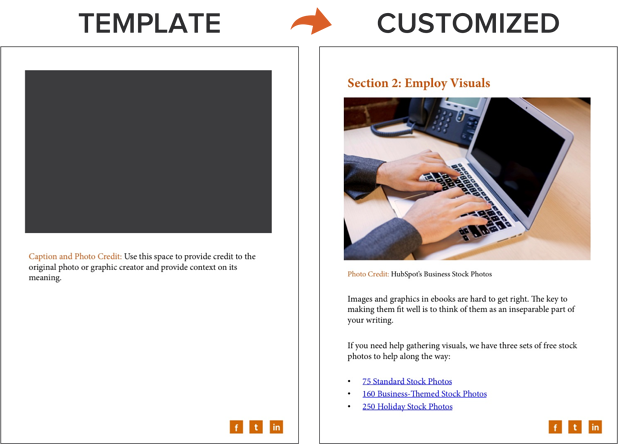
7. Highlight quotes or stats.
Another way to enhance your ebook is by highlighting quotes or stats within your design. Just be sure the quote or stat you’re using genuinely adds value to the content.
Whether you’re emphasizing a quote or adding a visual, keep all your content within the same margins. If your copy is consistently one-inch indented on your page from both the left and right sides, keep your designed elements aligned using that same spacing.
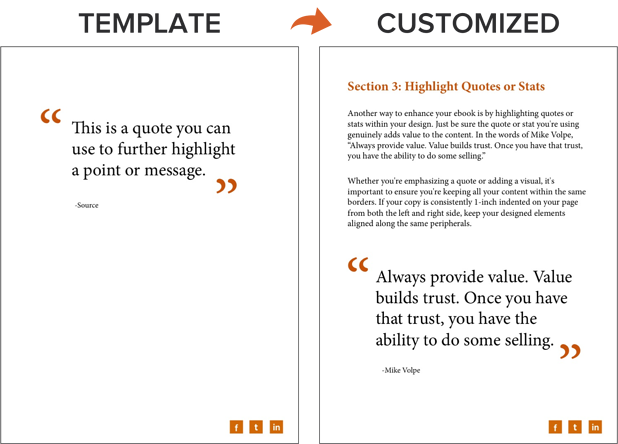
8. Place appropriate calls to action within your ebook.
Now that your content is written and designed, it’s time to optimize it for lead generation, reconversion, and promotion.
Think about how you got here — you clicked on a call-to-action (CTA) in an email, on a social media post, or somewhere else. A CTA is a link or visual object that entices the visitor to click and arrive at a landing page that will get them further engaged with your company.
Since your ebook readers have probably converted into leads to get their hands on your ebook, use the CTAs within your ebook to reconvert your readers and propel them further down your marketing funnel.
For instance, a CTA can lead to another offer, your annual conference’s registration page, or even a product page. Depending on what this next action is, CTAs can be an in-line rectangle or a full-page teasing the next offer (see both images below).
To hyperlink the CTA in your ebook (or any image or text in your ebook) to your destination URL, simply go to Insert >> Hyperlink in PowerPoint.
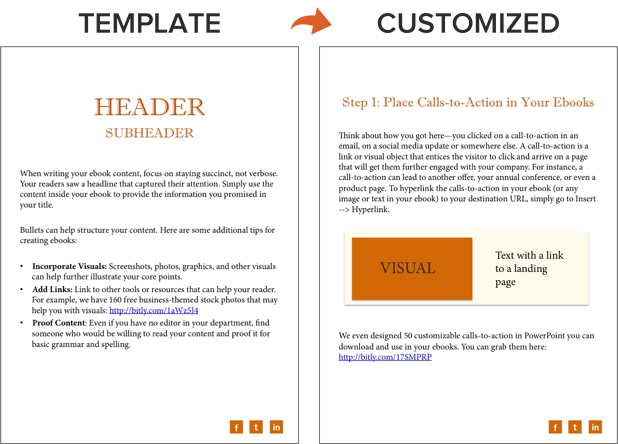
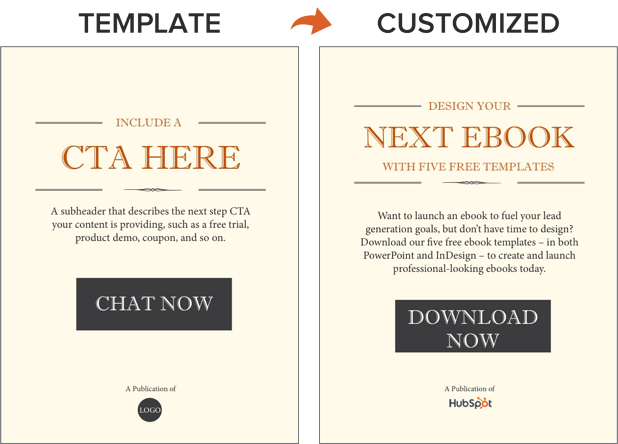
We’ve even designed 50 customizable calls-to-action in PowerPoint you can download and use in your ebooks. You can grab them here.
Now, we don’t have a dedicated CTA template slide in the PowerPoint ebook templates … but it’s still simple! You just have to duplicate the Header/Subheader slide and customize the copy or add images as needed. You can also go to Insert >> New Slide and work from there.
9. Convert it into a PDF.
Once you’ve finished writing your ebook — CTAs and all — it’s time to convert it to the right file type, so it’s transferable from you to your recipient.
To convert your ebook to a PDF, click File >> Save As in the ebook template you have open. Then, under File Format, select PDF and select a destination on your computer for this new file.
Why can’t you just attach what you have to a landing page and be done with it? Word documents, PowerPoints, and similar templates are perfect for creating your ebook but not for delivering it. Because these templates are editable, the contents of your ebook are too easily corrupted, distorted, or even lost when moving from your computer to the hands of your future leads. That’s where PDFs come in.
You’ve seen these letters at the end of files before. Short for Portable Document Format, the .PDF file type essentially freezes your ebook so it can be displayed clearly on any device. A popular alternative to PDFs is the .EPUB file type. See a comparison of EPUB to PDF here.
10. Create a dedicated landing page for your ebook.
Your ebook should be available for download through a landing page on your site. A landing page is a web page that promotes/describes your offer and provides a form that visitors need to fill out with their contact information to access your ebook. This is how you can convert your visitors into business leads that your sales team can ultimately follow up with.
For instance, you went through this landing page to access this ebook template.
If you’re still not sure how to get started, download this free ebook to learn more about optimizing your landing pages for conversion.
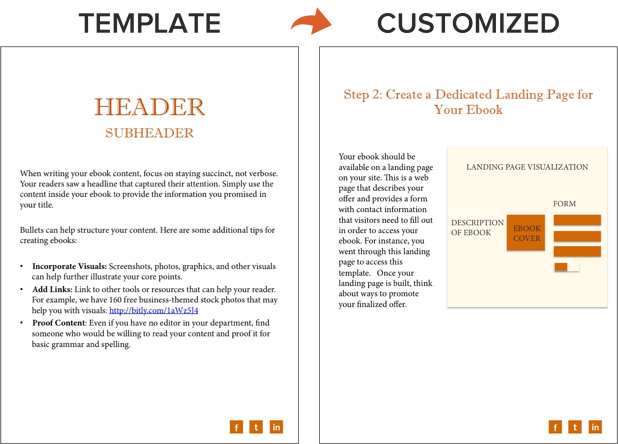
11. Promote your ebook and track its success.
Once your landing page is all set, you can use that destination URL to promote your ebook across your marketing channels. Here are five ways you can do this:
- Advertise your new ebook on your website. For example, feature a CTA or link to your offer’s landing page on your resources page or even your homepage.
- Promote your ebook through your blog. For instance, consider publishing an excerpt of your ebook as a blog post. Or write a separate blog article on the same topic as your ebook, and link to it at the end of your post using a call-to-action to encourage readers to keep learning. (Note: This very blog post is the perfect example of how to promote an offer you created with a blog post.)
- Send a segmented email to contacts who have indicated an interest in receiving offers from your company.
- Leverage paid advertising and co-marketing partnerships that will help you promote your ebook to a new audience.
- Publish posts to social media with a link to your ebook. You can also increase social shares by creating social media share buttons within your ebook, such as the ones at the bottom right of this ebook.
After your content is launched and promoted across your marketing channels, you’ll also want marketing analytics to measure your live product’s success.
For instance, you should have landing page analytics that gives you insight into how many people downloaded your ebook and converted into leads and closed-loop analytics that show how many of those people ultimately converted into opportunities and customers for your business.
And with that, we’ve built an ebook, folks! You can check out the packaged version of the example I built here:
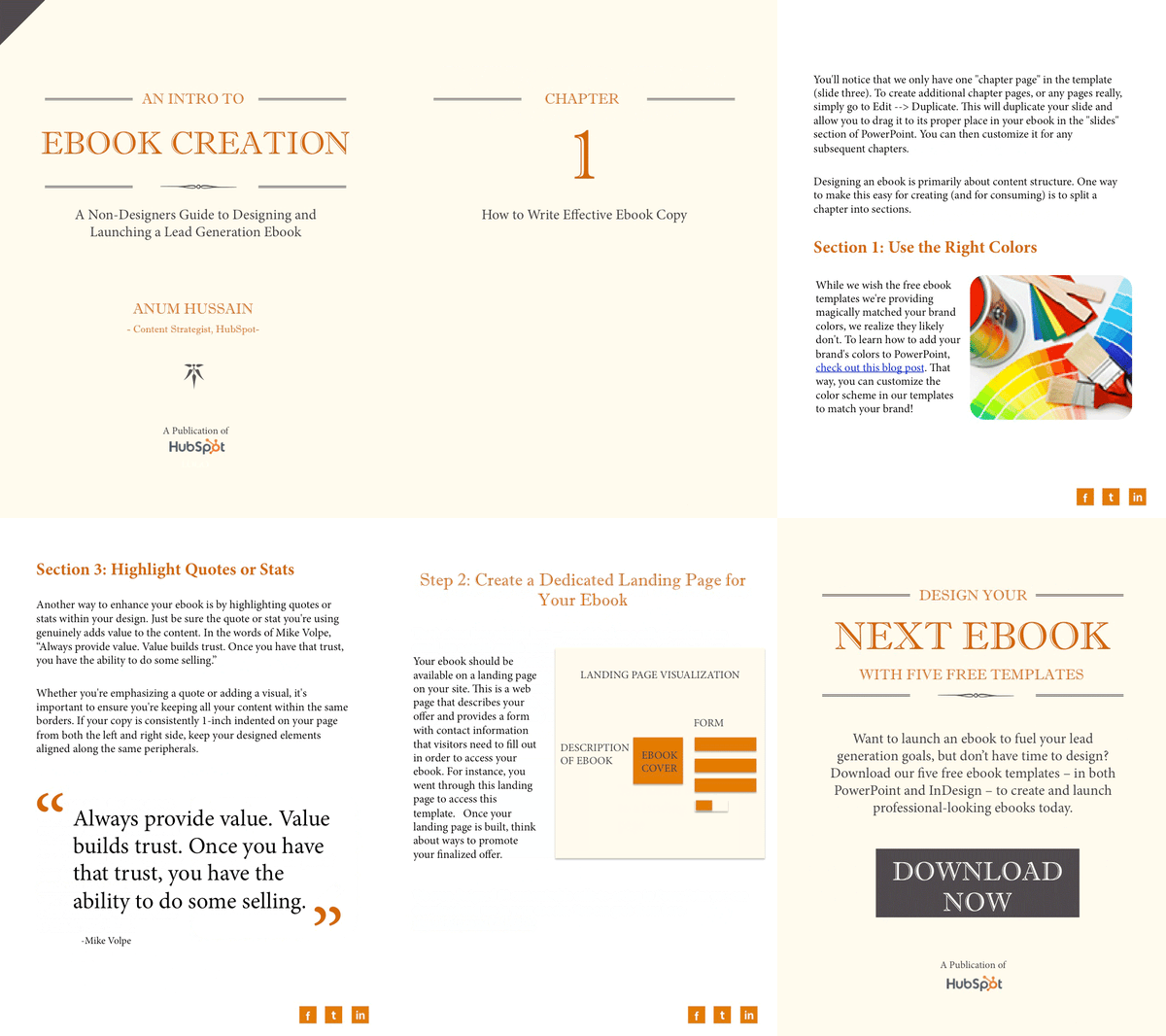
After your content is launched and promoted across your marketing channels, you’ll need to have marketing analytics to measure your ebooks’ success. For instance, have landing page analytics that gives you insight into how many people downloaded your ebook or show how many of those downloaders converted into opportunities and customers for your business.
Ebook Ideas
So, what should you write about in your ebook? I’ll answer that question with another question: What do you want your readers to get out of this ebook? To identify an ebook idea that suits your audience, consider the type of ebook you’re trying to create. Here are a few ideas.
New Research
Conducting an experiment or business survey? This is a great way to develop proprietary knowledge and become a thought leader in your industry. But how will you share your findings with the people who care about it? Create an ebook that describes the experiment, what you intended to find out, the results of the experiment, and what these findings mean for your readers and the market at large.
Case Study
People love success stories, especially if these people are on the fence about purchasing something from you. If you have a client whose business you’re particularly proud to have, why not tell their story in an ebook?
Ebook case studies show your buyers that other people trust you and have benefited from your product or service. In your ebook, describe what your client’s challenge was, how you connected with them, and how you were able to help your client solve their challenge and become successful.
Product Demo
The more complex your product is, the more information your customers will need to use it correctly. If your product or service has many use cases or it’s hard to set up alone, dedicate a brief ebook to showing people how to make the most out of it.
For instance, in the first section of your ebook, you can explain how to launch your product or service. The second section can break down the individual features and purposes your product is best used for.
Interview
Are you interested in interviewing a well-known person in your market? Perhaps you’ve already sat down with an influencer to pick their brain about the industry’s future. Package this interview into an ebook, making it easy for your customers to read and share your inside scoop.
Playbook
A “playbook” is a document people can use when taking on a new project or concept that is foreign to them. Think of it like a cheat sheet, full of tips and tricks that help your customers get better at what they do.
When done right, a playbook equips your customers with the information they would need to excel when using your product. For example, a software vendor for IT professionals might create a “virus protection playbook” that makes support teams better at preventing viruses for their respective companies.
Blog Post Series
Sometimes, the best ebook for your business is already strewn across a series of blog posts. If you’ve spent the last month writing articles all on the same subject for your business, imagine how these posts would look stitched together?
Each article can begin a new chapter. Then, once this ebook is created, you can promote it on a landing page, link to this landing page from each blog post, and generate leads from readers who want to download the entire blog series in one convenient ebook.
Ebook FAQs
Are ebooks profitable?
Yes, they can be.
Ebooks are high-volume, low-sales-price offers. This means you’ll need to sell many of them at a relatively low price point to compete in the market and turn a significant profit. Depending on your industry, ebooks can range from free to more than $100.
Before setting a price for your ebook, do some research. Determine who your audience is, what they’re willing to pay, and how many people within your target market might be ready to buy it. Then, determine the platforms you’ll sell your ebook through. Amazon? Apple Books? Your website? You can research how much ebooks usually go for on these sites and incorporate this insight into your pricing strategy.
How is an ebook structured?
There’s no set rule for organizing your content into an ebook. It generally mimics the structure of a novel or textbook (depending on what it is you’re writing about). But, you should be sure to adhere to some aspects of an ebook.
Ebooks typically have a system of chapters and supporting images. Like a blog post, they also do well when further segmenting their text with subheaders that break down the discussion into specific sections. If you’re writing about professional sports, for example, and one of your chapters is about Major League Baseball (MLB) in the U.S., you might want to establish subchapters about the various teams belonging to the MLB.
What can an ebook be about?
Anything. Well, within reason.
Ebooks are simply a marketer’s way of delivering lots of critical information in a form their potential customers are most willing to read.
For example, an environmental company might write an ebook about water conservation. They might also focus an ebook entirely on using their water-saving product or how it helped a customer solve a problem.
Research is a significant part of ebook creation, no matter your ebook’s topic. Contrary to short-form content like articles and videos, the content of an ebook is predicated on trust and evidence. A user who obtains (or requests access to) your ebook wants the full story, not just the bullet points. That includes all the content and testing you went through to produce the ebook.
Can you edit an ebook?
Nope.
An ebook can’t be edited once it’s been saved in one of the major file formats, so it’s best to ensure you have an editable version saved in a program like Microsoft Word.
But why would you want your ebook to be uneditable? Making ebooks uneditable ensures the content remains unchanged — both the format and the information — as it’s shared between multiple users.
You can edit ebooks if they’re saved using an editable PDF, a feature that is specific to Adobe Acrobat — the founding program of the PDF file type. Learn how to edit PDFs in this blog post.
How do you read an ebook?
You can read an ebook on many different devices: iPhone, Android smartphones, a Macbook, PC, and e-readers such as the Nook and Kindle. The latter two devices are typically used to read novels in digital form. Nook and Kindle owners can store thousands of books (literally) on a single Nook or Kindle.
Share Your Expertise in an Ebook
Ebooks are one of the top converting lead magnets a business can offer to its audience. Creating an ebook is all about delivering high value at a low price point to generate a high sales volume.
Ebooks work well for new businesses looking for brand awareness and established companies securing a spot as an industry thought leader.
So long as you and your team have outlined what success looks like for your ebook launch, you’ll reap the rewards of this stand-alone asset for months — or even years — to come. So get started on your ebook using the free template available in the offer below.
Editor’s note: This post was originally published in November 2018 and has been updated for comprehensiveness.

Why You Shouldn’t Ignore the Role of Social Media in Brand Building
90% of people buy from the brands they follow on social media. But the role of social media in brand building is more complex than it used to be.

Brand saturation, creator communities, and more have changed the way that people interact with brands on social media. You can’t just build a brand with a great logo, quirky copy, and a pleasing palette. Audiences today are looking for something more.
The Role of Social Media in Brand Building
To successfully build your brand on social media, you can start with creating a great visual brand. But you can’t stop there. You need to dig deeper into your users and what they’re looking for online. Let’s talk about the big ideas that impact branding on social media.
1. Social media is where subcultures connect.
While pretty much everyone you know is online, they’re not there to talk to just anyone. On social media, it’s common for users to connect with small groups of people with similar interests.
These small groups usually stand out for a specific interest or topic. Together they look for ways to stand out from what’s typical.
For example, Amino Apps is a space where members of K-Pop, Anime, and other fandoms connect. In these communities, they share original art, memes, and other content.
These online spaces empower members of subcultures a place to engage and grow their interests. They are also a powerful space for businesses to engage with vocal influencers.
Tactical tip: Target a specific group and have something useful to say.
It’s tempting to go for the largest possible audience with your advertising budget. But social media has changed the way that businesses connect to an audience.
Instead of using your resources to create a big audience, seek to build an engaged one. Do your research and connect with online communities that are relevant to your business.
Once you find these groups of potential buyers, don’t spam them with ads. Subgroups tend to be wary of popular culture and are quick to call out the fake and superficial.
Take time to learn about these communities and their likes and dislikes. This information can help you shape your product and make updates that can improve sales.
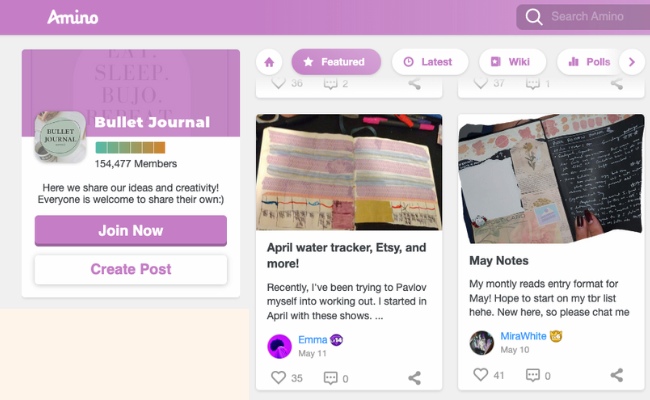
While it used to be the norm for branding to shy away from politics and other divisive topics, buyers today want brands to take a stance. When you do choose to post and respond, show your awareness of the group and how they feel about current events.
Use social media to prove that if you’re not already part of the group, you have something useful to offer.
2. Every social media platform is unique.
Businesses tend to approach social media based on ROI. But it’s different for users. Many things impact which platform you spend the most time using, including:
- Posting format
- Algorithms
- Brand message and values
- Privacy
- Where your friends are
Each user factors these ideas into their decision about which platform to use. And even if they have every app on their phone, they’re bound to use some more than others.
These decisions lead to the data that businesses use to choose the right platform for brand building. Because there is so much data out there, brands sometimes try shortcuts.
For example, 90% of Instagram users follow at least one business. This might lead a business to build a brand only on Instagram, even if the customers they want spend more time on Pinterest.
Buzz around the brand says that most of Pinterest’s users are female. But a closer look at their demographics shows that 45% also have an income over $100K.
It’s important to trust your gut, but don’t jump on the superficial differences. Instead, use the uniqueness of each platform to choose the right social media platform and hone your branding strategy.
Tactical tip: Choose the right platform for your target audience.
After you’ve built a detailed buyer persona, do a deep dive into the specifics of each platform. There is a lot to consider, including the number of users, demographics, and features. If you’re not sure where to start with your review, this article can help you choose which social networks are best for your brand.
Next, create test accounts and spend some time interacting in the spaces where you think your target audience will be. This research won’t only help you get a sense of which social media platforms are best for your brand. It can also help you decide what kind of brand content you want to create.
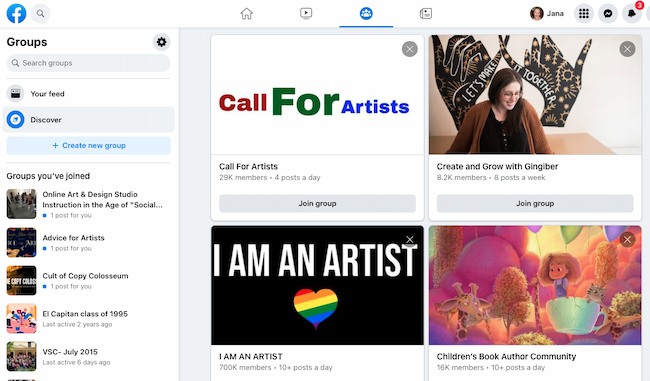
And don’t forget about emerging platforms. These could be the best place to connect your new brand with an audience that’s looking for the exciting and new.
While you CAN post the same content to every platform in an attempt to save time and resources, it’s not a great idea. Each social platform is distinct. You’ll want to post content that reinforces your brand identity for the specific audience on each platform.
3. The average person spends 147 minutes a day on social media.
That’s a lot of time. These users are sharing and posting photos and videos. They’re building their personal networks and discovering new skills, hobbies, and events. While some social media users are there to watch, many others want to take part and grab some attention.
But brands are seeing lower engagement on Instagram, Facebook, and Twitter. This shift is leading many businesses to spend more on social advertising and to post more often. But are these efforts the best strategy?
Tactical tip: Show up every day.
Consistent authentic communication builds trust and awareness. Regular posting can help your brand build consistent imagery, colors, and voice with public feedback.
But a constant flood of posts may not be the best approach for your chosen platform. In fact, algorithm-based platforms may create a frustrating experience for your followers. This guide to publishing frequency can help you create a rhythm that works.
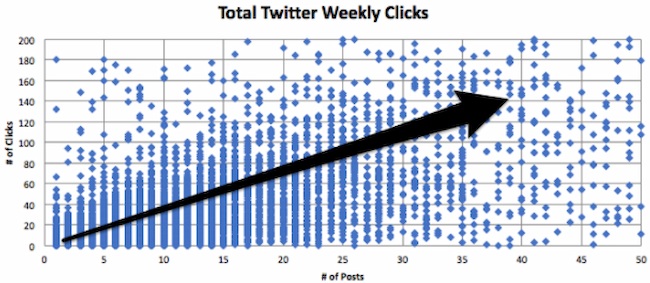
It’s also important to remember that people on social media want attention just as much as you do.
An effective social media strategy should be more than a posting schedule. It’s about honest engagement with a community. The best place to start engaging is by posting comments on relevant threads.
4. People are always looking for something new and interesting.
It’s difficult to create something completely new. Being creative, fun, and business-focused is even tougher. But those aren’t the only challenges of building an original brand on social media.
People aren’t just spending a lot of time on social media today. For many, these online communities are where people spend the majority of their time.
This means that they don’t just see a meme once or twice. For 55% of Gen Z and 48% of Millenials, viral social media content is more valid than the latest song, movie, or video game.
This is a cultural shift to consider as you build your brand identity on social. Many people aren’t passively consuming your brand content. They see social media content as a starting point. They want to add to or change the conversation.
People are sharing 3.2 billion images and 720,000 hours of video every day. This means that your brand messaging can’t just look great on a mobile device, it has to stand out. This volume of media consumption also creates a healthy amount of skepticism. Any brand message on social media today needs to stand up to close examination by a global audience.
Tactical tip: Be yourself.
Originality can seem like an impossible goal. So, if you can’t be original, be honest. While it’s tempting to riff off what’s already out there, the best strategy for any brand is to just be you.
It can be uncomfortable getting personal and showing your imperfections online. It’s also a huge business risk. It’s not unusual for global brands to use test audiences and surveys before any campaign launches.
But with the growing awareness of social media audiences, honesty is opportunity. Influencers like Elyse Meyers and Ajani Huff are growing audiences of millions being their authentic selves.
Instead of seeking perfection, audiences are looking for brands that are clear about what they stand for and ask them to engage. Brand building this way on social media is scary, but it also may be your best path to success.
5. 76% of U.S. consumers expect brands to respond to social media messages within 24 hours.
13% expect a response within ONE hour. While most people spend an hour and a half or more on social media every day, that time isn’t consecutive. According to Accurion in 2021, Americans check their phones 96 times a day.
Once they’ve sent a message, part of what they’re checking is whether they’ve heard back from you.
But most businesses don’t check their social media accounts on their phones. They might schedule social media posts from a third-party platform but rarely log in. A customer service team might check social messages once a week or less if social isn’t connected to the tool they use to respond to customer inquiries.
To put it simply, there are a lot of chances for a brand to miss customer outreach. That can harm your branding efforts.
Tactical tip: Talk back.
To develop your brand on social media, find a way to be available to anyone who reaches out. This might mean:
- Shared social media schedules
- Clearly posted hours to set response expectations
- Community message boards
- Connecting your service portal to social media
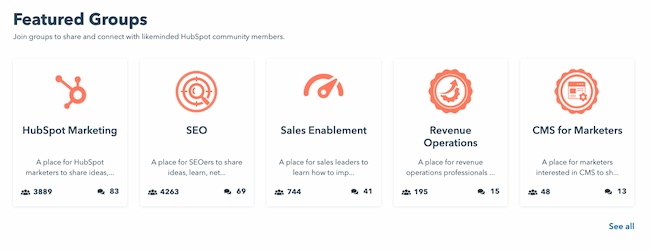
85% of surveyed service professionals say that customers are likely to share their experiences with others. Whether it’s positive or negative feedback, social media is for sharing opinions.
What can your brand do to make it easy for you to give your customers the social media service they expect?
6. Social media audiences are more likely to listen to each other than a brand.
Social listening can help you pay attention to what people are saying about your brand. But how can you insert yourself into the conversation?
Tools like AdRoll can serve ads that build awareness of your brand through social media, but this strategy may impact trust. It can erode the brand relationship if your brand shows up too often or in a place the user isn’t expecting.
To find their favorite brands, most people contact someone they’re comfortable with. 60% of shoppers refer to friends and family for shopping advice.
So, the best way to build your brand is through networks of connections, not just specific users.
Tactical tip: Leverage influencers.
Social media influencers and creators are starting to impact buyer decision-making. The reach of social media makes it easy for influencers to build your brand with their reputation.
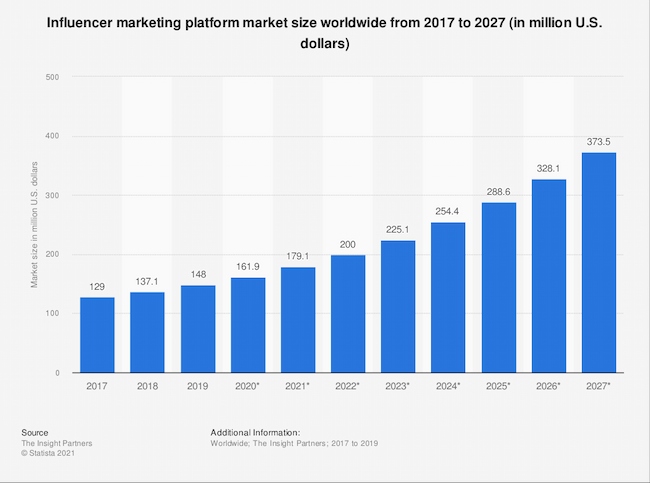
And an influencer doesn’t have to be one of the top influencers on Instagram to make a difference. Nano influencers can be less expensive to work with and may be more effective at targeting the right subgroup to boost your brand identity.
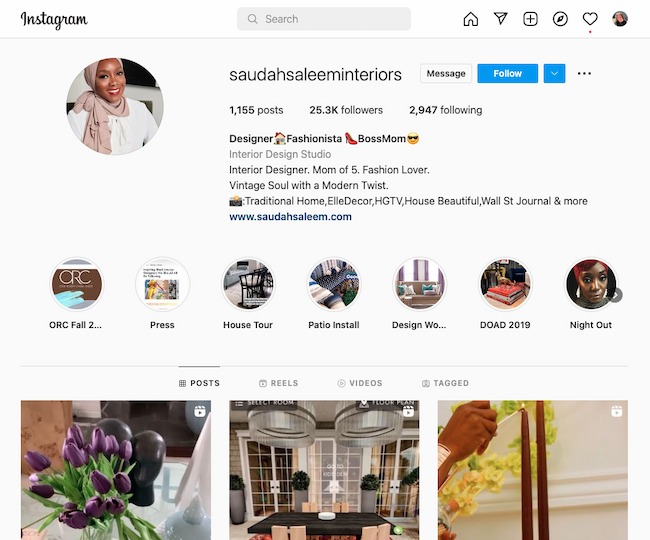
If you haven’t already started working with influencers for branding, start now.
7. Audiences want brands to keep up with what’s happening.
Your brand isn’t just competing with friends, family, and other brands for their attention on social media. According to Pew Research in 2021, about half of the consumers in the U.S. get their news from social media.
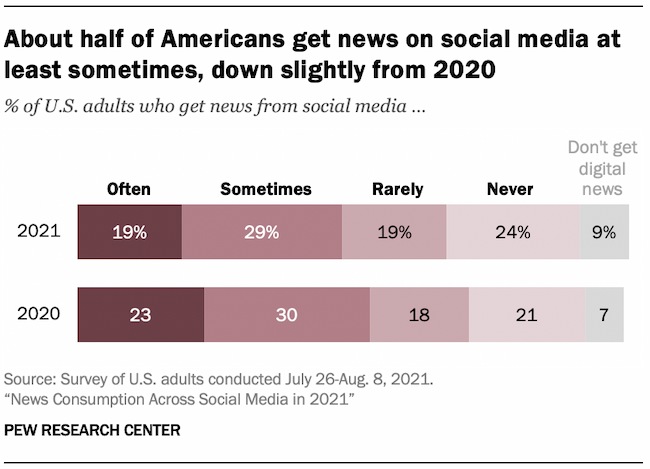
While brands that comment on current events sometimes get it wrong, users want to know where brands stand in politics and culture. And 58% of consumers feel that social media is the best place for these conversations.
Social media gives you a chance to add to important conversations as they’re happening. This helps you define your brand by its character, not just how it looks and sounds.
Tactical tip: Use data to keep pace with your audience.
Your audience also wants to know what you stand for as a company. They want to know how you are putting those sentiments into action.
But if you are tight on resources, it can be tough to know what’s most important. Many brands get stuck figuring out how to get their ideas in front of their audience at the right time.
Social media offers extensive data for brand analysis and improvement. You can use this data, along with alerts and social listening, to guide your social content.
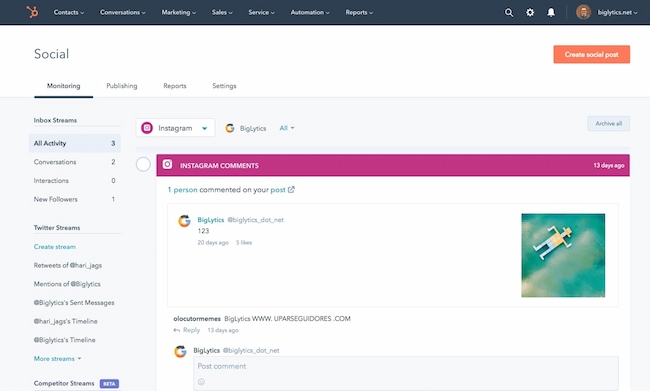
For example, using HubSpot’s social media management software you can track specific keywords. Besides tracking brand mentions, you can use this tool to follow relevant news in the areas that you and your users care about most.
6 Examples of Brands Thriving on Social Media
Now that you’ve got an idea of what you need to do, let’s take a look at some brands that rock branding on social media.
1. HubSpot
There are a few key ways we encourage discussion of the HubSpot brand online.
First, build an awesome product. If you create a powerful product, people will talk about it and build your brand for you. You can’t pay for comments like this one:

They’re authentic, and the only way to cultivate them is by creating an authentically great product.
Next, create a strong company culture. Share information across your company and encourage your employees to use social media. If you do this, and you hire great employees, they will help define your company’s brand for you every day.
2. Seasum
Also known as TikTok leggings, Seasum’s high waist yoga leggings took over the popular social video platform in late 2020. Hashtags like #TikTokMademeBuyIt and #tiktokleggings amplified the brand’s reach. And most videos show users’ surprise and delight as they try on the leggings and see their lifting and shaping effect for the first time.
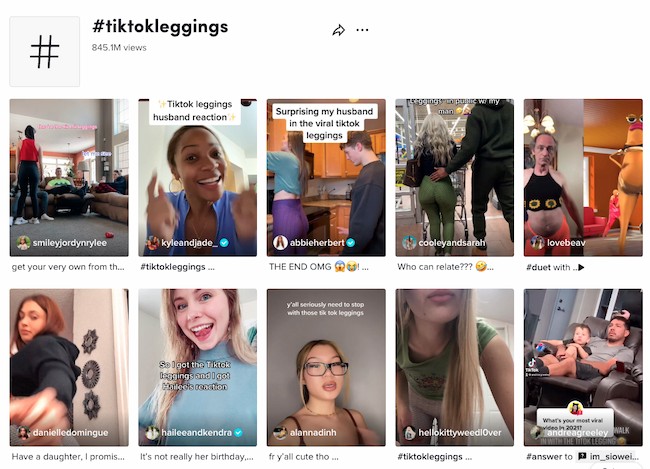
The leggings continued to dominate in 2021. The story of their viral popularity got a boost from many media outlets including Seventeen, People, and ET Online. To succeed on social media, start with a great product.
3. Planet Money
This NPR program is a favorite on social media because their social strategy matches the vibe of its programming. It uses Twitter to answer listener questions, creates offbeat low-fi educational videos for TikTok, and its Facebook posts offer a simple news feed of recent articles.
4. Louis Vuitton
This luxury brand uses powerful visuals, including mesmerizing product videos, to cement brand impact on social media. Some luxury brands were slower to embrace social platforms. But Louis Vuitton engaged early and continues to shift its strategy with the times. A recent example is this celebrity collaboration with the pop group BTS.

5. Oreo
This brand takes every potential opportunity to engage audiences on social media. They do this with careful planning and thoughtful promotion of user-generated content.
Oreo uses current events, cultural movements, and customer suggestions in a considerate, fun, and respectful way. These are long-term strategies that come off as simple but take awareness, sensitivity, and effort.
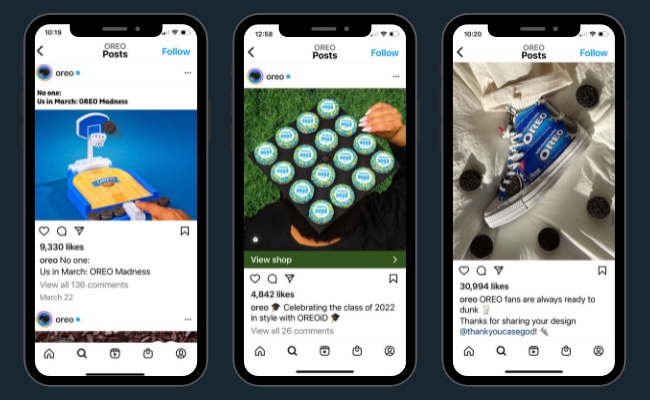
Whether they’re commenting on the Super Bowl or collaborating with Stranger Things in India, this brand has some great examples of real-time social engagement.
6. Fenty Beauty
Another way to stand out is to support creators. Fenty Beauty launched its own TikTok house in 2020. Creating a space for creators to experiment and push boundaries amplified the voice of the brand while also expanding its reach.
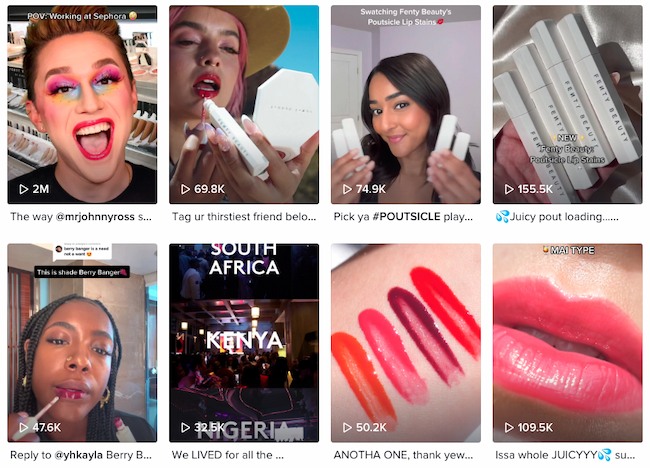
7. Vans
This brand learned about the value of collaboration early on, sponsoring members of the Zephyr skateboard team in the late 70s. They’ve succeeded by continuing to highlight the value of creator communities. One example is this 2022 project with artist communities across the country.

If you’re looking for more inspiration, check out these branding success stories for the most popular social media platforms:
You Are the Secret to Social Media Brand Building
Branding on social media isn’t the same as it was just five years ago. But any brand can still grow with a personal touch and the power of social media. Keep building your brand, following your instincts, and putting yourself out there. You never know what could happen.
Editor’s note: This post was originally published in October 2009 and has been updated for comprehensiveness.


Your Guide to Summer Web Traffic, Conversion & Lead Performance Across Industries [Data from 150,000+ Businesses]
Last summer, as physical businesses began to reopen, analysts predicted one of the largest summer slumps we’d ever seen.
And, when analyzing over 130,000 businesses, we certainly saw dips in engagement and conversion that affected some industries more than others.
This year, we’ve seen a lot more of the economy open back up. But, unfortunately, businesses have still worried about which direction they’re going due to the rising costs of inflation and continued economic uncertainties. At this point, many business owners could be asking, “How do I stack up to others in my industry?”
To help you, we collected data from more than 150,000 businesses to see how web traffic, conversions, and inbound leads were trending up or down MoM and YoY in July.
Here’s what we learned:
Editor’s Note: These insights are based on data aggregated from 150,000+ HubSpot customers globally between July 2021 and July 2022. Note: Because the data is aggregated from HubSpot customers’ businesses, please keep in mind that the performance of individual businesses, including HubSpot’s, might differ based on their own markets, customer base, industry, geography, stage, and/or other factors.
Overall Outlook
While some businesses are seeing heavier dips in traffic MoM and YoY, they’re still increasing performance YoY when it comes to Inbound Leads and Web Conversions. This shows that while we might be seeing signs of online seasonality, business could still be increasing from 2021 when COVID-19 still played a major role in economic uncertainty.
Next, let’s dive into some more specific metrics.
Inbound Leads
Overall inbound leads were down 1.68% MoM, but up 14.04% YoY in July. So while companies might be seeing a bit of seasonality, they might not need to call it a summer slump just yet.
Noted in the chart below, three MoM and YoY increases worth noting were in Financial Activities (12.4% MoM and 23.22% YoY), Leisure and Hospitality (11.46% MoM and 20.41% YoY), and Education and Health Services (8.27% MoM and 9.26% YoY)
While Leisure and Hospitality’s growth is not too surprising given the opening of economies and the summer months, there seems to be a lot more interest in Financial Activities as well as Education and Health Services.
But where do these leads come from? Two common areas businesses gain conversions and contacts from are their website and email marketing strategies. So, let’s dive in and see how different industries compared in July.
Website Traffic and Conversion Rate Trends
Across industries, July web traffic was down 5.2% month over month (MOM) and 11.44% year over year (YOY). This trend was seen across all industries.
While it isn’t uncommon to see lower web traffic in the summer (a theme we saw last year), the 11.44% annual drop across all industries is quite interesting as more and more people are connected to the internet, have web-enabled mobile devices, and even have multiple social media accounts. Although this dip could be due to even more time outside of the house than in 2020 and 2021, we’ll have to continue watching these themes to gain more context.
While you don’t necessarily need to panic if your traffic is dipping this summer, you should still take steps to optimize the web content and URLs you have. Here’s a data-driven report on how web managers around the U.S. track and optimize site traffic.
The good news? Overall contact conversion rates were up 3.76% MOM and 8.89% YOY in July. While this is good news for those involved in web conversion optimization, you should still take this data with a grain of salt as conversion rates can go up when traffic dips down.
Two industries that did not see a monthly increase in contact conversion rates were:
- Technology, Information, and Media: down 1.45% MOM
- Trade, Transportation, and Utilities: down 2.49% MOM
These data points aren’t super shocking as these industries have been historically susceptible to summer slumps and economic uncertainty. If you’re a marketer in one of these spaces, it’s important to continue aiming for the highest traffic possible, while still taking dips during the summer with a grain of salt.
Email Engagement Data Trends
Although more and more marketers are leveraging email marketing each day, inbox clutter might be getting lighter for subscribers this summer.
In July, most industries sent 5.61% fewer emails than in the previous month. But, in the scheme of things, email seems like a more active channel with 19.26% more sends year over year.
|
Email Send Changes by Industry |
||
|
Industry |
MOM |
YOY |
|
Construction |
5.89% increase |
24.57% increase |
|
Education and Health Services |
4.27% decrease |
7.25% increase |
|
Financial Activities |
0.11% increase |
28.74% increase |
|
Leisure and Hospitality |
1.8% increase |
12.87% increase |
|
Manufacturing |
9.25% decrease |
21.69% increase |
|
Other Services (except Public Administration) |
5.69% decrease |
11.9% increase |
|
Professional and Business Services |
13.59% decrease |
14.48% increase |
|
Technology, Information and Media |
8.38% decrease |
1.77% decrease |
|
Trade, Transportation and Utilities |
7.95% decrease |
1.49% decrease |
Along with the number of emails sent MoM, nearly all industries saw a MoM open rate decrease in July, Leisure and Hospitality (up 1.42% MoM), Manufacturing (up 2.6% MoM), and Professional and Business Services (up 1.51% MoM).
This data could demonstrate that businesses are increasingly investing in email, but are adapting to send fewer emails during summer when engagement could be lower.
If you’re noticing dips in summer engagement and aiming to create an email cadence that works for your brand, without encouraging unsubscribes, check out this guide.
For email data and best practices directly from email marketers, read this post with even more original HubSpot Research.
More Resources and Research
Want to learn even more about the latest marketing trends, themes, challenges, and opportunities? Check out our State of Marketing Report below, plus this post which offers you a few of the major highlights we found from more than 1000 marketers.


How to Build a Robust Direct Marketing Strategy [+ Examples]
Every day, we’re on the receiving end of a direct marketing campaign. We just might not know it.
In this article, you’ll learn the benefits of a direct marketing strategy, how it works, and the benefits of leveraging it.
The Benefits of Direct Marketing
There are several key benefits to implementing a direct marketing strategy:
- Personalized messaging: With direct marketing, you can send highly personalized messages to your target market, increasing the likelihood that they’ll take action.
- Increased ROI: Because direct marketing is so targeted and specific, it often has a higher ROI than indirect marketing.
- Measurable: This approach is also measurable, which allow you to gain valuable insights on what worked, what didn’t, and what to do in the future.
How to Create a Direct Marketing Strategy
Now that you know the benefits of direct marketing, it’s time to learn how to create a direct marketing strategy. Here are the steps you need to take:
1. Define your target market.
Creating a direct marketing strategy can be a bit daunting, but step one is always to identify your target market.
This will help you determine what type of medium to use for your campaign as well as what type of message will resonate.
Start by asking yourself who your ideal customer is. What are their demographics? What do they like and dislike? What motivates them?
Keep in mind that your target market shouldn’t be everyone. In fact, the more specific you are, the better your strategy will be as it will resonate with a specific type of consumer.
By narrowing your focus, you can create a stronger connection with your audience and see better results from your marketing efforts.
Once you have a good understanding of your target market, you can start to craft a marketing strategy that will reach them directly.
2. Research your competition.
Once you know who your target market is, it’s time to research your competition. This will give you a good starting point for your own campaign.
See what type of direct marketing campaigns they’re running and what’s working well for them.
What are they doing that’s working well? What could be improved? Understanding their strengths and weaknesses will help you develop a stronger strategy of your own.
From there, you can brainstorm how you can make it better.
3. Choose your direct marketing channels.
When creating a direct marketing strategy, one of the most important steps is to choose the right channels.
There are a variety of options available, and each has its own strengths and weaknesses.
To make the best choice, you’ll need to consider your target audience, your budget, and your goals.
Some common direct marketing channels include:
- Social media
- Text messages
- Websites/landing pages
- Print ads (newspapers, magazines)
One popular option is email marketing. This can be an effective way to reach a large number of people quickly and relatively cheaply.
However, it can be difficult to stand out in someone’s inbox, and there’s always the risk that your message will be ignored or deleted.
Another option is direct mail. This can be a more personal way to reach your target audience, and it can be very effective if done correctly.
However, it can be more expensive than other methods, and there’s no guarantee that your message will be seen.
Ultimately, the best way to choose direct marketing channels is to experiment with different options and see what works best for your business.
There’s no one-size-fits-all solution, so don’t be afraid to try something new.
4. Develop your offer and create your assets.
Your offer is what you’re promoting to your target market. It could be a discount, a free trial, or something else entirely.
Whatever it is, make sure it’s valuable and relevant to your target market.
From there, you can move on to creating your assets.
This is the ad, email, flyer, or other that you’ll be using in your campaign. If there’s no budget to hire a designer, leverage tools like Canva to create a high-quality, on-brand design.
5. Test, measure, and refine.
Once you’ve launched your direct marketing campaign, it’s important to test, measure, and refine it to ensure maximum effectiveness.
Today, direct marketers now have access to a wealth of data that can be used to measure the success of their campaigns.
By analyzing this data, you can optimize your approach and improve your results.
You’ll want to focus on how many users converted as well as where they dropped off in the conversion path. That could indicate a point of friction that you’ll want to address, like a long form, vague copy, or missing CTA.
Direct Marketing Examples
Here are a few examples of direct marketing in action:
- A postcard in the mail from a company offering a discount on their products.
- An email from an online retailer with a special offer for subscribers.
- A text message from a cell phone company about a new plan.
As you can see, direct marketing can take many different forms. The important thing is to choose the right medium for your target market and offer them something that they’ll find valuable.
If you’re looking for a cost-effective way to reach your target market, direct marketing is a great option.
With a little planning and creativity, you can create a direct marketing campaign that will generate results.


How to Remove Duplicates in Excel (5 Steps With Pictures)
Duplicate data is costly, it skews reports and leads to wasted marketing resources. Here’s how to remove duplicates in Excel spreadsheets:
![Download 10 Excel Templates for Marketers [Free Kit]](https://no-cache.hubspot.com/cta/default/53/9ff7a4fe-5293-496c-acca-566bc6e73f42.png)
Let’s run through it with an example!
Note: If you want to see duplicate data before removing them, scroll down to learn how to find and highlight duplicates in Excel. Also, make a copy of your worksheet so you still have your original data if you delete something important.
How to Remove Duplicates in Excel
1. Select the cells you wish to remove duplicates from.
Click on a cell and hold down the left mouse button. Then drag the cursor over the other cells you want to select.
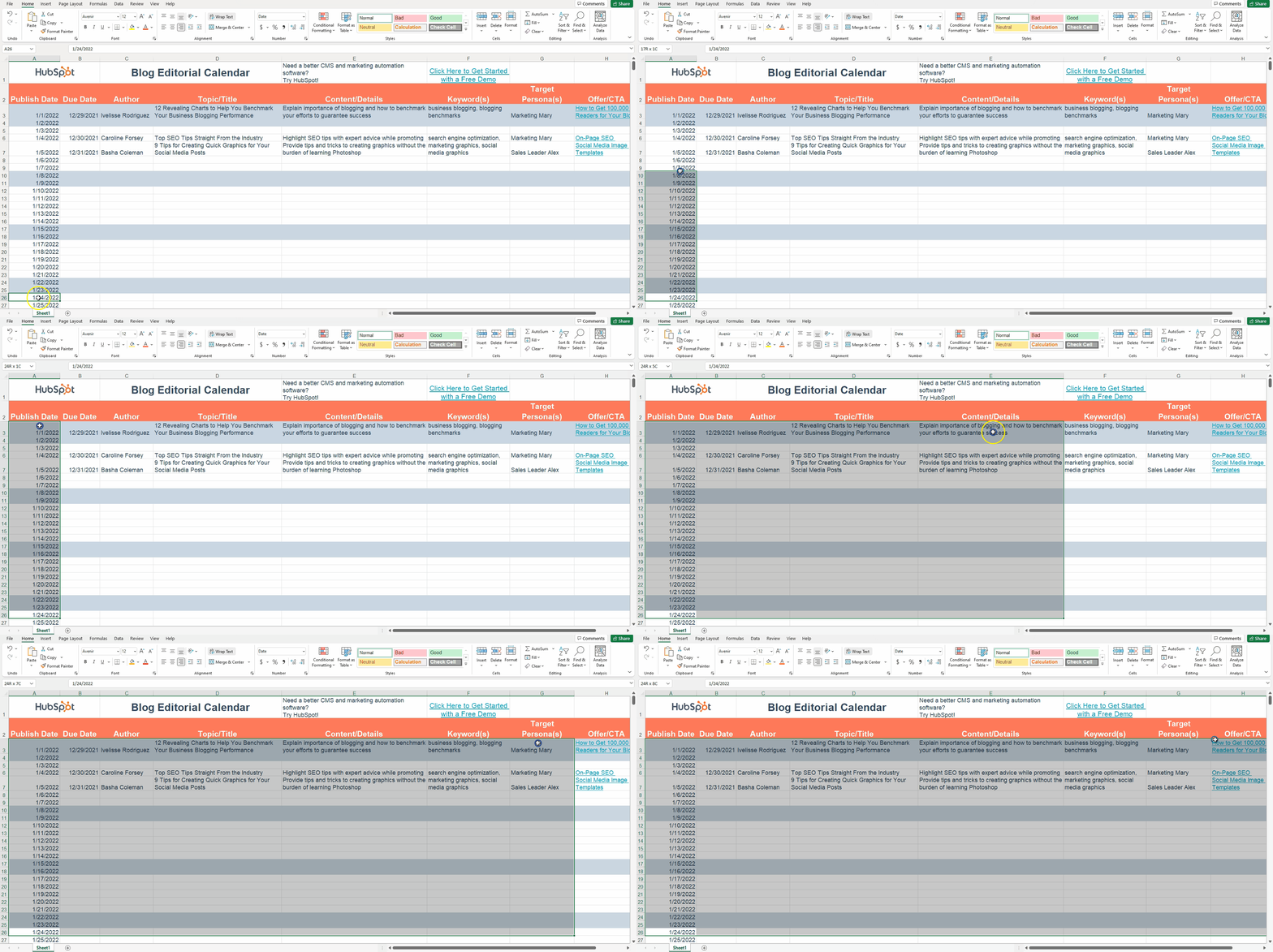
Or, use the Shift + arrow keyboard shortcut to select the range you want.
2. Click on the “Data” tab at the top.
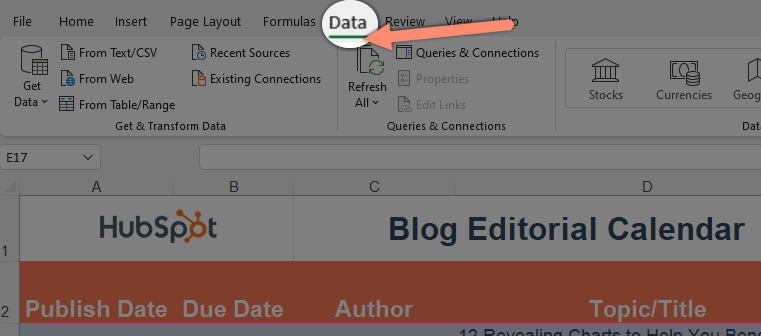
3. Click “Remove Duplicates” to reveal a pop-up.
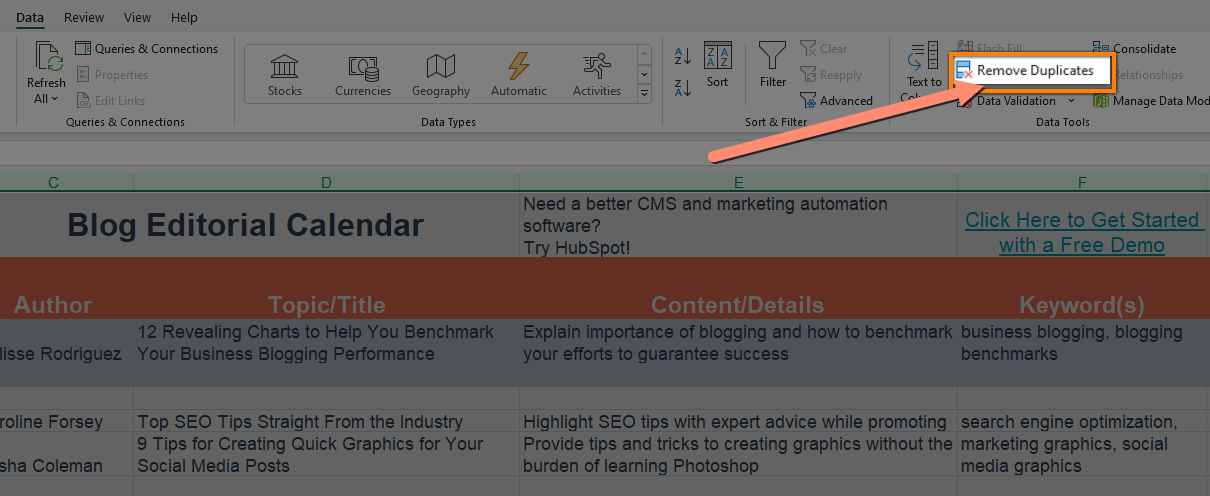
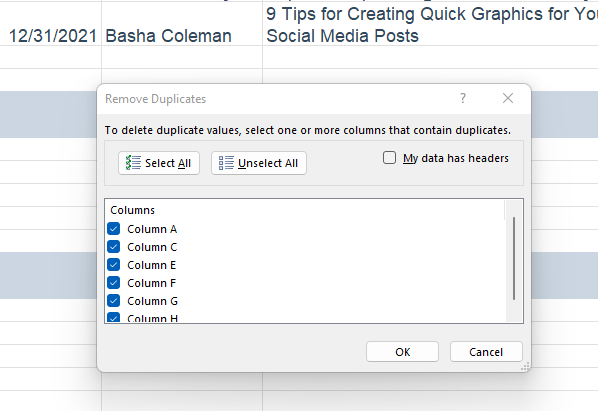
4. Uncheck any columns with data you want to keep.
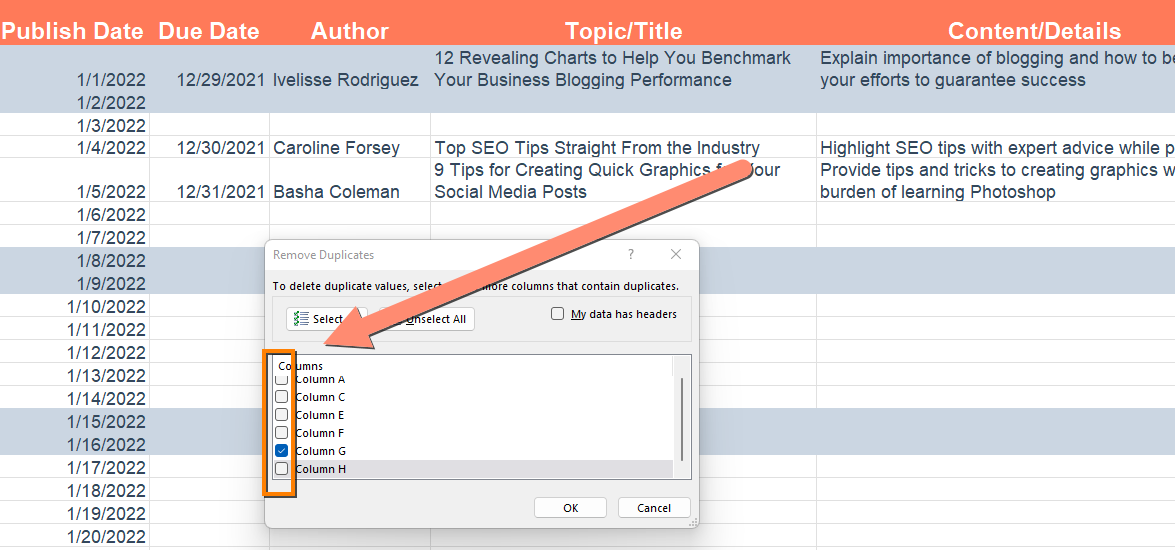
5. Click OK to delete the duplicates.
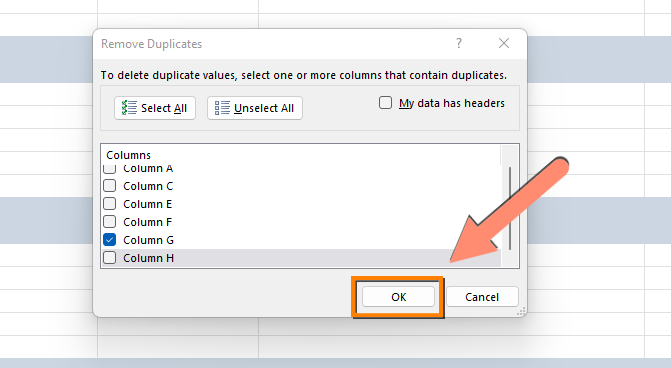
Excel will keep the first occurrence of the value by default.
How to Highlight Duplicates in Excel
Sometimes, you want to see the duplicate data before you delete it. Here’s how to find duplicate data in Excel:
1. Select the cells you wish to check for duplicates.
Click on a cell and hold down the left mouse button. Then drag the cursor over the other cells you want to select.
Or, use the Shift + arrow keyboard shortcut to select the range you want.
2. Click “Conditional Formatting” from the home tab to reveal a drop-down.
First, navigate to the home tab if you’re on a different tab.
Click on “Conditional Formatting” to reveal a dropdown.
3. Hover over “Highlight Cell Rules”
4. Choose “Duplicate Values” from the options.
5. Pick the formatting option you want and click OK.
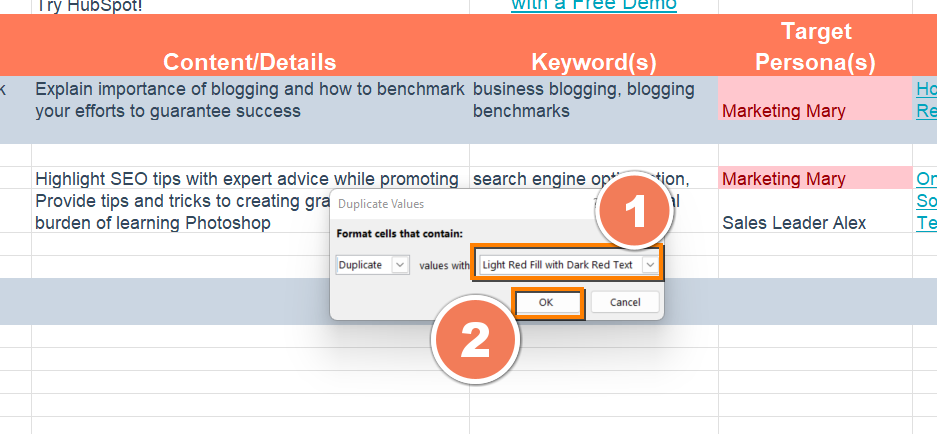
You’ll find all duplicates highlighted in the formatting style you choose.
Now you know how to find and remove duplicates in Excel!
Want more Excel automation hacks? Excel templates are a good place to start. They come pre-formatted with formulas that help you automate projections and more.
Editor’s note: This post was originally published in [Month Year] and has been updated for comprehensiveness.


15 Cover Letter Templates to Perfect Your Next Job Application
Are cover letters necessary? I’m not in HR, but I’ve been approached by applicants who wondered whether their cover letter would actually be read. My answer is one not many of them wanted to hear: “sometimes.” Sometimes it will be read. Other times, you can get away with just sending in your resume — like when you network your way into applying for a position.
The truth is, you can’t really predict on a case-by-case basis — and you’re better safe than sorry. For the most part, having a cover letter will give you an upper hand in ways your resume doesn’t. It allows you to show off your writing skills, provide details that you couldn’t fit on your resume, demonstrate your passion, and show your willingness to put in as much time and effort as possible.
![→ Click here to access 5 free cover letter templates [Free Download]](https://no-cache.hubspot.com/cta/default/53/3f347702-d7e9-4e59-9fe4-be4cd7bad191.png)
If you’ve ever rolled your eyes or balked at an application that required a cover letter, this guide is for you. We’ll go over how to write a cover letter and provide cover letter templates to help you perfect your own.
Seems fairly basic, right? Cover letters can hold different levels of importance to an employer depending on the industry you’re in and the job you’re applying for. According to a CareerBuilder survey, 49% of recruiters say sendign a cover letter along with your resume boosts your chance of landing the role.
If you do plan to write a cover letter, keep in mind there are certain qualities it should have that are not included in the definition above.
What to Include in a Cover Letter
So, what should you include? We’ll let the 11 templates below this list do most of the talking. No matter which one you download, pay attention to the following elements — all of which should shine through in the letter you send to your future manager.
1. Contact Information
Cover letters shouldn’t just carry your contact information, but also that of the company to which you’re applying. Contact info includes your phone number, email address, and any social media accounts you’re willing to share and receive connections to.
Home addresses aren’t required, but they can be a helpful reassurance to the employer that you already live nearby and would have no trouble coming into the office.
Avoid offering phone numbers, email addresses, or actual addresses that belong to your current employer. Using your personal Gmail address over your work email, for example, ensures your correspondence with recruiters remains separate from all of your current work communication.
2. A Personal Address Line
For as often as you see “to whom it may concern” at the top of cover letters today, do your best to avoid writing this exhausted line.
Address lines that specify a person or company grab your reader’s attention much more quickly, and show the employer that you’ve taken the time to tailor your application letter to them. Don’t have the name of the hiring manager? “Employers at [company name]” will do just fine.
3. A Hook
A “hook” is a clever introduction that “hooks” your reader into wanting to learn more. Think about yourself as a job candidate — what makes you unique? What about your career might a recruiter be intrigued by that you can package into an interesting first sentence?
4. Why You’re Qualified
It’s a no-brainer that you should summarize your professional experience in your cover letter. However, today’s best applications describe why this experience qualifies the applicant for the job they’re applying for. For example, don’t just state that you spent three years writing for a company blog. Explain that this type of work lends itself to managing your new potential employer’s content calendar every week.
5. General Knowledge of the Business
Grammatical errors could mean your application is thrown in the trash, but that’s not the only thing that could get your letter tossed aside. Using a generic “one-size-fits-all” cover letter — especially if you forget to change the name of the company — will also hurt your chances of landing an interview.
So, if you take the time to write a cover letter, take the time to comment on the business itself. Why are you applying to this company? What about their business stuck out to you as a professional?
Now, let’s take a look at an example cover letter, what makes it effective, along with 11 templates you can download or draw inspiration from.
Cover Letter Example
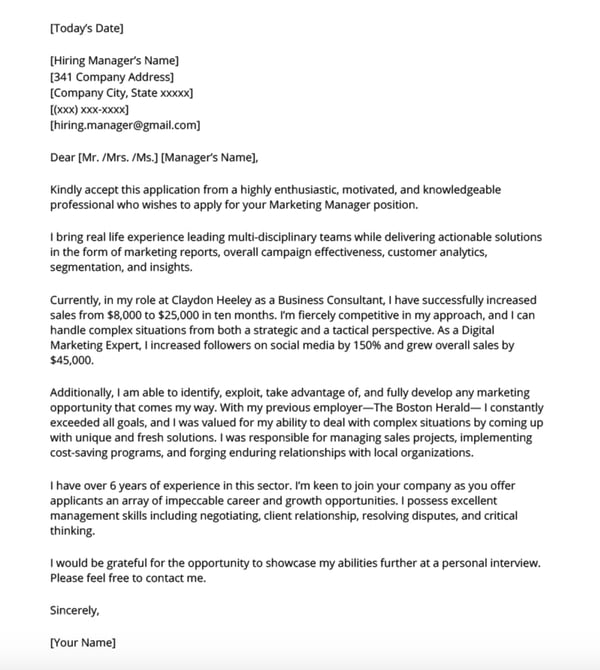
The example above illustrates how to write a marketing cover letter using the elements we listed.
Besides the contact information and the address line, the first few paragraphs explain why the candidate is qualified for the position. This example uses specific data to show why they would be a good fit.
Additionally, in the second to last paragraph, the candidate discusses why they’re interested in the specific company, demonstrating general knowledge of the business.
By combining all the elements to a cover letter, this is a great example to use for inspiration.
Featured Resource:5 Professional Cover Letter Templates
 Download These Templates for Free
14 Free Cover Letter Templates for Your Next Job Application
Template 1: Basic
.jpg?width=600&name=cover_letter_image-1%20(1).jpg)
The example above is a basic (but great) cover letter. The numbered sections are explained in more detail below.
1. Header
The level of formality your header has will depend on the company to which you apply. If you’re applying to a formal business, it’s important to use a formal header to open your cover letter, like in the sample above. Put your address, the date, and the company’s address. But if you’re applying to a company that isn’t as formal, you don’t need to include yours and the company’s addresses. You can still include the date, though.
2. Greeting
Using “To Whom It May Concern” is okay, but you may want to take the time to research the name of the recruiter or hiring manager online. If you do your research and aren’t confident you found the right name, then you should definitely use the generic greeting — but if you are sure, then it shows you put in the effort to find their name and it will catch the recruiter’s eye.
If you have the recruiter’s name, do you greet them by their full name, or by their courtesy title (i.e. Mr., Ms., or Mrs.)? Similar to the header, it depends on the company’s level of formality. If you’re applying to a corporate business, you may want to consider using “Mr. Snaper” instead of “Jon Snaper.” If you’re applying to a start-up or a business with a more casual culture, you can use “Jon Snaper,” as shown in the example.
3. Introduction
Your opening paragraph should, in 1-3 sentences, state why you’re excited to apply and what makes you the perfect candidate. Get right to the point, and don’t worry about explaining where you found the posting or who you know at the company. This isn’t a place to go into detail about why you’re a great candidate — that’s for the second paragraph. Here, simply list a few key reasons in one sentence to set up the rest of your letter. Keep in mind that the recruiter may cross-reference your cover letter with your resume, so make sure the two sync up.
4. Paragraph 2: Why You’re a Great Fit for the Job
Next, sell yourself and your experience by choosing one or two concrete examples that show why you’re a great fit for the position. What did you do at a previous company that gave you relevant experience? Which projects have you worked on that would benefit the new company? How will your prior experience help this company grow? Stay humble in your explanation of credentials while still showing that you would be an asset to the team. Use this paragraph to show you’re genuinely excited and interested in the position.
5. Third Paragraph: Why the Company Is a Great Fit for You
While it’s certainly important you’re a good fit for the job, it’s also important that the company is a good fit for you. “A cover letter typically describes why you’re great for a company — but how will you benefit from getting hired?” asks former HubSpot Team Development Manager Emily MacIntyre. “We want to know why our company appeals to you, and how it will be a mutually beneficial working relationship.”
In the third paragraph, show you’re serious about growing and developing your career at this new company. What impresses and excites you about the company? Is there something that you feel strongly about that aligns with the company’s goals? For example, the candidate in the sample letter used this space to show his personal commitment to environmental causes aligns with the company’s green initiatives.
6. Strong Closer and Signature
Don’t get lazy in the final few sentences of your cover letter — it’s important to finish strong. Be straightforward about your interest and enthusiasm about the new position, and tell them you’re available to talk about the opportunity at any time. Be sure to include your phone number and email address. At this point, the ball is (rightly) in the recruiter’s court to decide how to follow up.
Last but certainly not least, thank them for their time and consideration. Use a formal sign-off like “Best,” “All the best,” or “Sincerely,” and finish by typing out your full name. You don’t need to sign it with a pen.
Template 2: Data-Driven Marketing Cover Letter
Get it here.
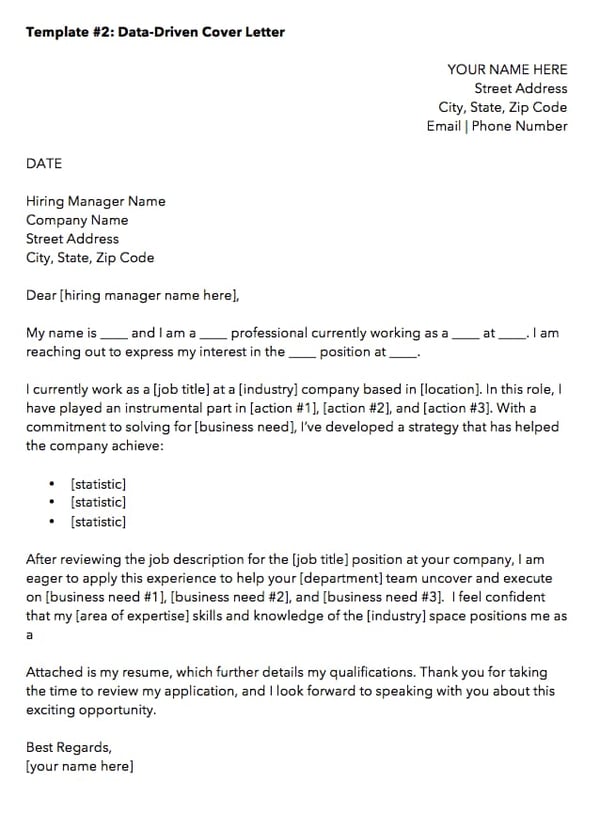
When applying to a data-driven position, it might be tempting to inject your cover letter with, well, the data to describe what you’ve done for other employers. But in an application letter — particularly for the marketing industry — how you convey this data is just as important as the data itself.
The cover letter template above, which we created here at HubSpot, can help you present the data that’s most important to you as a candidate such that it’ll matter to your future employer.
Notice the three bullet points near the center of the letter above, preceded by the statement: “… I’ve developed a strategy that has helped the company achieve …” This setup is important, because while you can add as many statistics as you want to this template, your data points should describe how your current/former business benefited from your work, rather than how you, yourself, benefited.
Template 3: Straight-to-the-Point Cover Letter
Get it here.
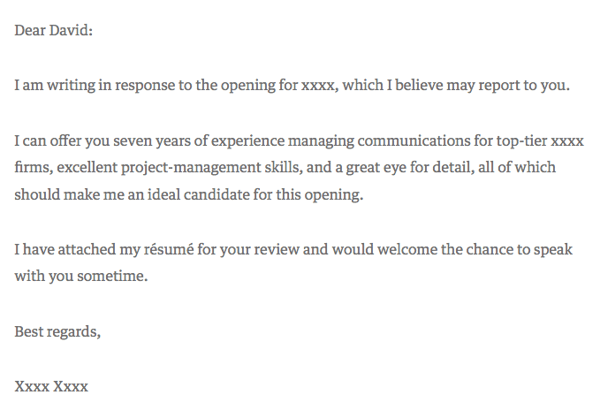
Harvard Business Review contributor David Silverman hailed the above cover letter example as “The Best Cover Letter I Ever Received.” For context, Silverman believes there are only a handful of times when writing a cover letter is actually necessary:
- When you know the name of the hiring manager.
- When you know something about what the job requires.
- When you’ve been referred to the job personally.
Under those three circumstances, a straight-to-the-point cover letter like the one above could be your best bet. Because it’s so concise, however, make a point to add your own letterhead above the message itself. It might be easy for a recruiter to sift through a short and sweet cover letter like the one above, but it’s just as easy for it to get lost in the shuffle of their application list without a unique design or format.
Template 4: Referral Cover Letter
Get it here.
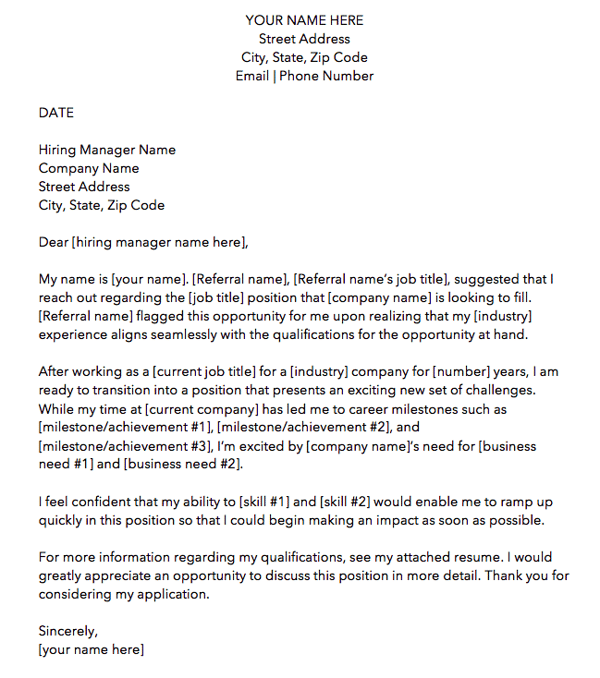
Just because a friend or colleague recommended you for a job doesn’t mean the company is all set to hire you. Therefore, the cover letter template above is written specifically for referrals. We made this one here at HubSpot. Download it here (it comes with four other cover letter templates, too).
As you can see in the picture above, the first paragraph of the cover letter is dedicated entirely to acknowledging the circumstances of your applying: You know someone who works there — no harm in that. But there might be harm in not mentioning it to the hiring manager. Telling the reader about your connection at the company shows you’re aware and confident of the actions you take to get the opportunities you’re interested in.
Ultimately, it’s better than the recruiter hearing about your employee connection from somebody else.
As for the rest of the cover letter, treat your message the same way you would if you had applied with no connection from within. Your skills and successes are no less important because of your internal referral.
Template 5: Photo Letterhead Cover Letter
Get it here.
The cover letter template above was designed by Microsoft Office, and as comprehensive as it looks, it’s completely free to download and modify.
As it looks right now, this cover letter contains about half photo, half text. Feel free to shrink (and change) the image to give yourself more room to tell your story. Of course, a nice washed-out image that expresses who you are can be part of that story …
Template 6: Digital Creative Cover Letter
Get it here.
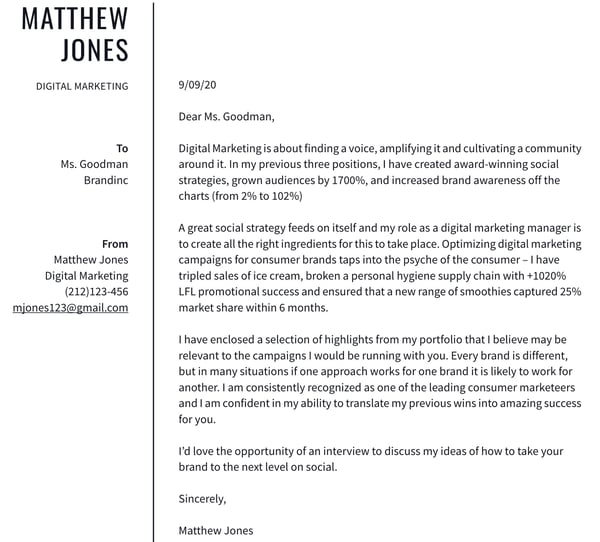
This sixth template is perfect for the applicant who wants to emphasize the many different digital channels they areon. This template goes well with a resume of the same format.
As you personalize this letter with your own experience, make note of the social networks and industry software included in this template. You’ll see there’s additional space along the top to add your LinkedIn and personal website to fill with your own information.
You can improve upon this template by formatting your most important highlights and accomplishments with bullet points. This will make the document easier to read for the hiring manager and emphasizes the value you provide.
Template 7: Marketing Manager Cover Letter
Get it here.
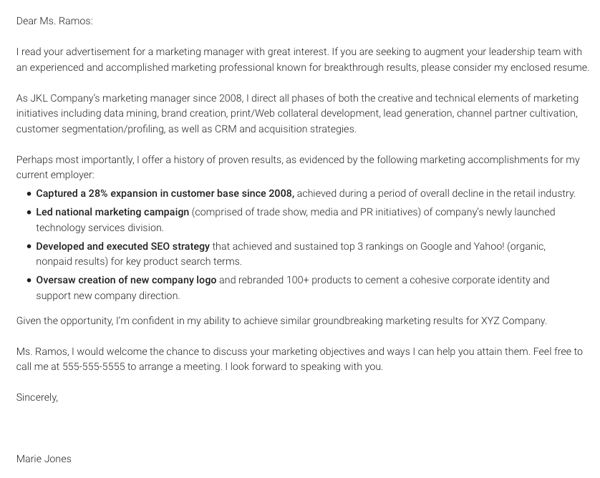
Our seventh cover letter comes from Monster.com. This cover letter, shown above, is focused specifically on a marketing role.
Notice how the writer includes references to important marketing metrics and terminology. If you’re applying to a data-driven role, you might not want to fill the page with a story of your experience in paragraph form, like Template 1 does at the beginning of this article. Instead, consider highlighting three (or four, or five) of your successes that you believe the hiring manager would resonate most with, in bulleted form.
As a marketing professional, breaking up your letter with bulleted details like the ones above shows a respect for the hiring manager’s limited time — a mentality that all marketers must understand when communicating with a brand’s audience.
Template 8: Career Day Follow-Up Cover Letter
Get it here.
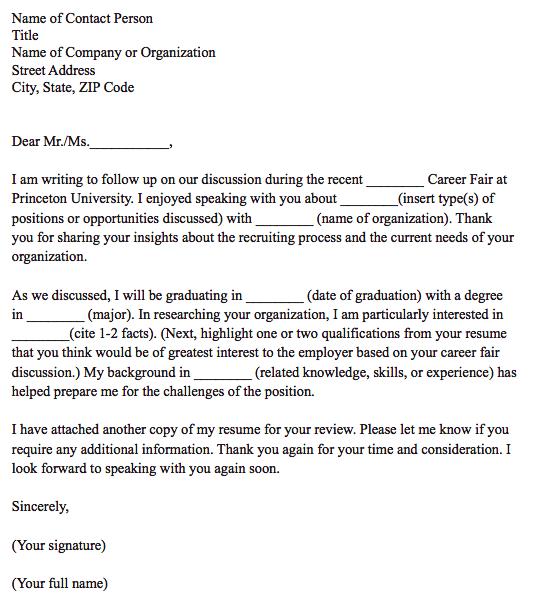
This is a unique kind of cover letter from Princeton University.
LinkedIn, Glassdoor, Monster, and Indeed might take the lion’s share of your job searches online, but still some employment opportunities come out of a trade show, job fair, or similar networking event. For those occurrences, you have the follow-up cover letter template above.
This cover letter has everything you need to help an employer recall a conversation you had with him/her at a career fair. As you can see in the second paragraph, the letter is particularly useful to people who are about to graduate college.
Template 9: Logo and Watermarked Cover Letter
Get it here.
Here’s another cover letter template from Microsoft Office. This one has a light touch of color in the design just above the letterhead, but make no mistake — the template caters to any professional looking to make a good first impression on their future employer.
Don’t let the logo space on the top-right of the page confuse you. This can be the logo of the company to which you’re applying — to quickly get the attention of the recruiter — or your own logo. Perhaps you freelance on the side or simply like branding yourself. This cover letter template is meant for customization.
Template 10: Data Scientist Cover Letter
Get it here.
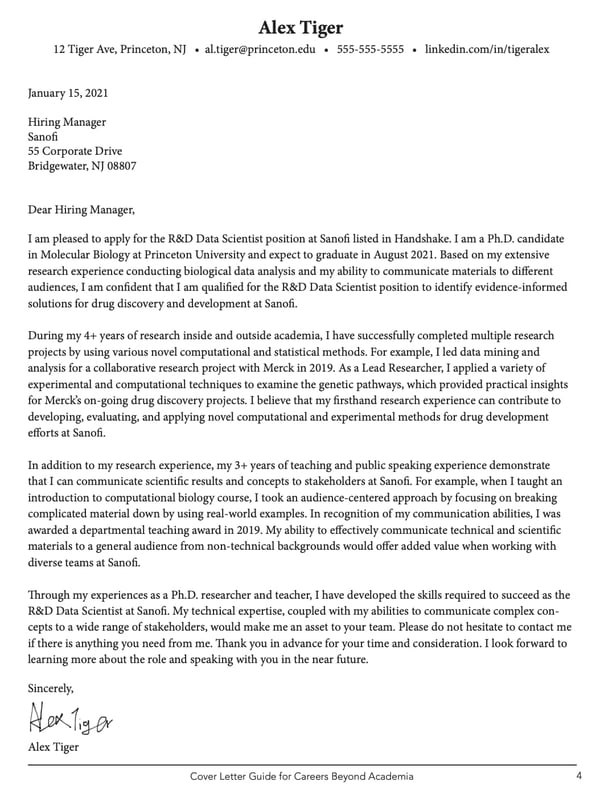 This is our second template from Princeton University. While this is focused on a data scientist role, it is an excellent template to use for students applying to jobs prior to graduation.
The text emphasizes how the applicant’s academic research and projects makes them an ideal candidate for the position. The format is also simple enough to submit as a pdf, as text in an email message or an application text box.
Template 11: Business Cover Letter
Get it here.
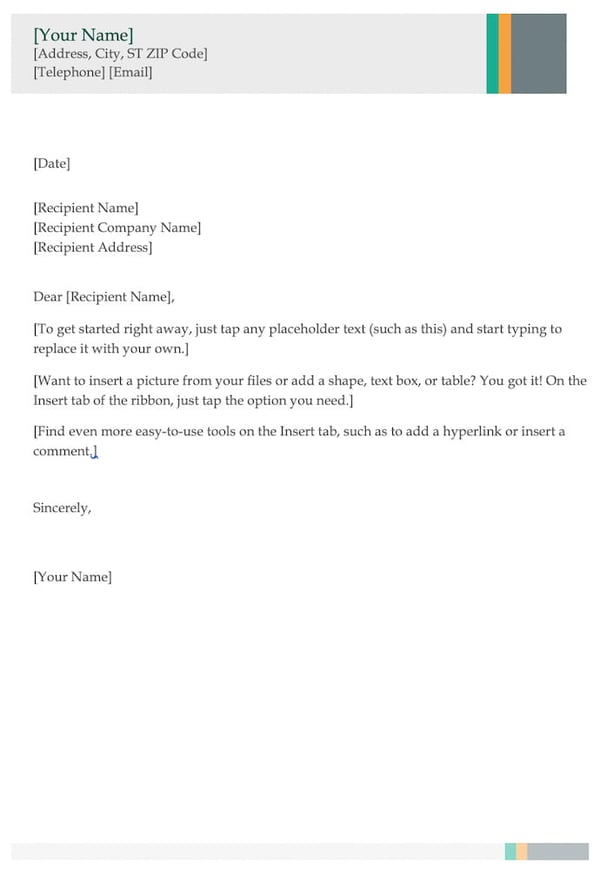
The cover letter template above is perfect for entry- and mid-level marketers who want to show a little extra professionalism in their opening note to a potential employer.
The multi-colored header (you can change the color if you wish) shows just the right amount of creativity and can go quite well with a resume of the same style. If you don’t have enough experience to fill the entire page, don’t worry. Feel free to write to a length you think is representative of who you are and what the hiring manager wants to see.
No matter how long your final cover letter is, the above template is your opportunity to show your attention to detail — from your contact information in the top header, to the personalized address line where you can include the name of the hiring manager. Like we said, “to whom it may concern” is pretty outdated, anyway.
Template 12: Entry-Level Cover Letter
Get it here.
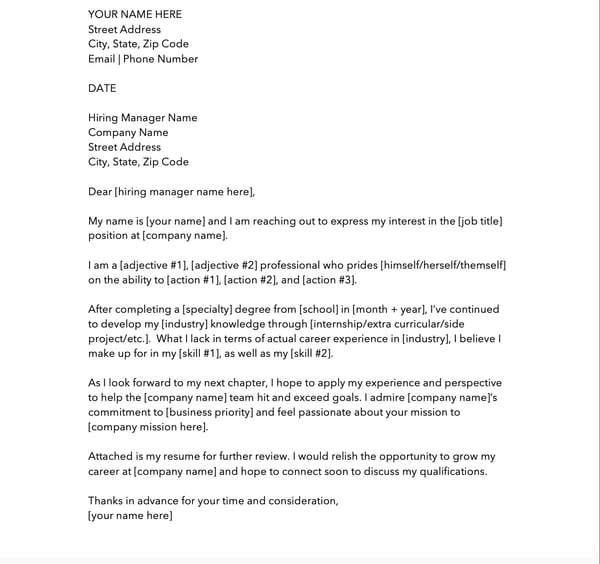
The cover letter template above, written by HubSpot, is specifically designed for entry-level applicants.
When you only have a few years experience, it’s important to display how you gained your skills and what you learned from your education or internships. Additionally, it’s important to mention why you want to work at the company you’re applying to.
No matter your experience, the template above will help you decide what skills you want to highlight and flesh out in your cover letter.
You can download it here (it comes with four other cover letter templates, too).
Template 13: Healthcare Cover Letter
Get it here.
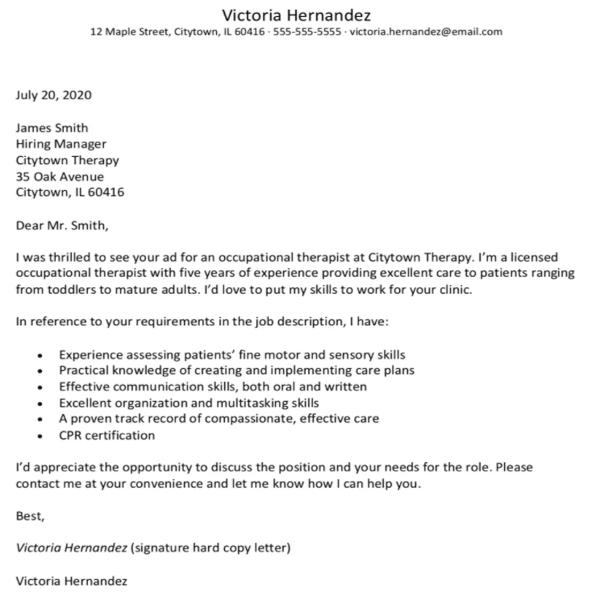 What stands out to me in this cover letter is the direct, straight-to-the-point bullet points that reference the job posting. The cover letter, created by The Balance Careers, cuts down on repetition by following the “I have” statement with six bullet points that highlight the applicant’s strengths, including “I have … practical knowledge of creating and implementing care plans” and “I have … a proven track record of compassionate, effective care”.
Additionally, phrases like “I’d love to put my skills to work for your clinic” and “Please contact me at your convenience and let me know how I can help you” focus on what the business will gain as a result of hiring the applicant, rather than what the applicant is looking to gain.
Template 14: Freelance Cover Letter
Get it here.
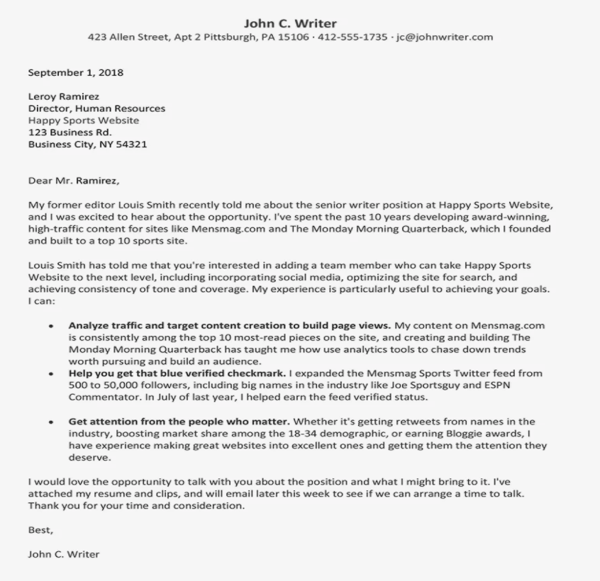
If you’re looking for freelance work, your biggest goal is to get your strengths across quickly, so busy clients won’t pass by your cover letter entirely. Additionally, if you’re sending out multiple cover letters to different clients, you’ll want to target each one to that client’s unique goals.
For instance, if one client is looking for SEO-optimized content related to marketing, you’ll want to highlight past experience writing marketing content; this will change if, for instance, the client is looking for fitness content.
For this reason, it’s a good idea to structure your cover letter so you start with a) past credentials or references, and b) bullet-point information related to the client’s goal, as shown in the cover letter above.
Template 15: Director Cover Letter
Get it here.
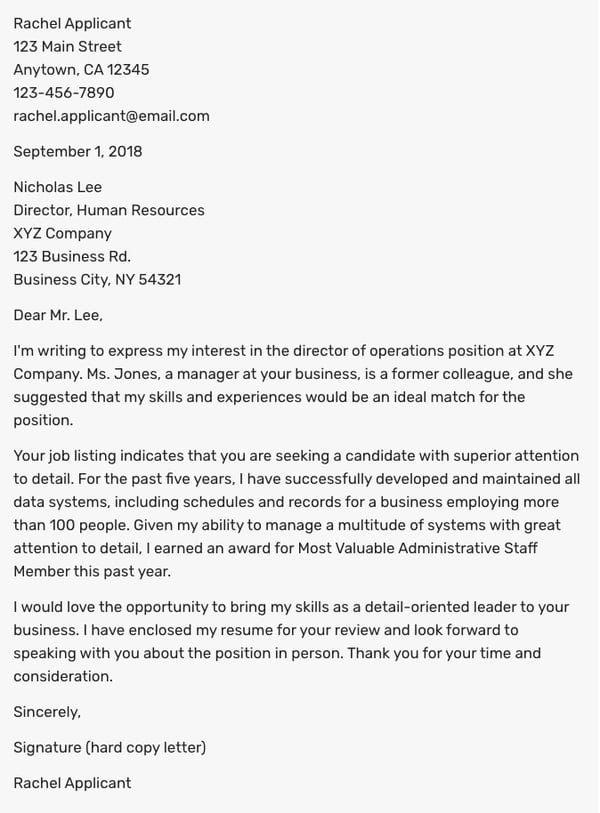 If you’re applying for a Director position, you’ll want to start by explaining how you’ve either successfully handled a similar role in the past, or why you believe you’re qualified and ready to handle new responsibilities for the first time.
In the cover letter above, the candidate does a good job outlining how she succeeded in a leadership role previously: “For the past five years, I have successfully developed and maintained all data systems, including schedules and records for a business employing more than 100 people.”
You’ll want to demonstrate how your skills align with a Director position — both through organization and leadership — and, when possible, where you received recognition for your hard work (i.e. “I earned an award for Most Valuable Administrative Staff Member”).
Write a Winning Cover Letter
Writing a cover letter is easier said than done. Don’t hesitate to spend a lot of time writing and editing it. Or, ask a friend or family member to read it over and give you feedback. If the recruiter does end up reading it, you’ll be thankful you did.
Editor’s note: This post was originally published in November 2014 and has been updated for comprehensiveness.


What Is Twitch? How Do Brands Use It?
Like many people, I discovered Twitch through my love for video games,watching YouTubers play and review some of my favorites. Most of the YouTubers I watched promoted their Twitch accounts where they would broadcast live play-throughs, and I eventually started to wonder — what is Twitch?
Ultimately, Twitch is a streaming platform, but is there more to it? In this post, we’ll explore what Twitch is and how you might use it to engage with prospects and increase brand awareness.
When you visit Twitch, you’ll see a screen very similar to the image below. The homepage is curated based on previous activity, so while this screen is covered with gaming content, streamers don’t have a limit on what they produce.
What is Twitch Used For?
Twitch is mainly a platform for gamers to watch and perform live play-throughs and commentary. However, there are other programs such as talk shows, cooking shows, sporting events, and gaming conventions that also pop up on the site. Twitch enables fans to connect with streamers, and it allows users to watch content they’re interested in on a platform that supports long-form, live broadcasts. In fact, it’s common for streams to last for an hour or two.
The platform also has its own convention called TwitchCon — a bi-annual event celebrating the streaming industry as well as a chance for the platform’s broadcasters to connect with their fans and peers in person.
Fans can attend sessions led by their favorite streamers and buy branded merchandise from a slew of vendors and event sponsors. For example, Doritos is a proud sponsor of TwitchCon.
Though the streamers produce the content, Twitch has a dedicated fanbase that expands across the globe. To get some perspective on Twitch’s users, we’ll take an in-depth look at Twitch’s primary audience.
Who uses Twitch?
According to research by SimilarWeb, 79.62%% of Twitch’s users are male as of May 2022, and the bulk of the platform’s audience (about 37.11%) are between the ages of 18 and 24 years old.
When SimilarWeb studied the web behavior of Twitch users, they found primary keywords this audience searched for were “video games consoles and accessories,” “games,” “software,” and “news.” From that information, we can infer that the majority of Twitch users are interested in games and the technology needed to play them.
In the same report, it was also noted that 21.41% of traffic comes from the U.S., making it the country with the most representation on the platform — with Germany, Korea, Russia, and France not too far behind.
Though the audience has a large young male presence, that demographic isn’t the entire platform’s user base.Twitch’s most popular female streamer, Pokimane, has 9.2 million followers — making her one of the platform’s top 10 most popular streamers.
Still, as marketers know, those numbers could be an essential part of your target audience.
If, by now, you are mulling over a few ideas about how you can fit Twitch into your marketing efforts, let’s talk about how brands are using Twitch, next.
11 Ways Brands Use Twitch
Brands use Twitch to increase brand awareness, target specific audiences, produce branded streams, and leverage influencer marketing. The site is powered by visual content, so let’s explore some examples to back up these goals.
1. PepsiCo
Tactic: Sponsorship Marketing
To promote a limited time Brisk product, PepsiCo sponsored an off-season video game tournament for the game Rocket League. Company-sponsored tournaments aren’t a new phenomenon, but PepsiCo’s sponsorship allowed the beverage company more control than most other sponsorships.
Ads for Brisk ran throughout the tournament and a Brisk-themed car was released into the game for players to use. Viewers could also cheer for the live commentators to drink Brisk, and the phrase “Take the risk, drink the Brisk” formed organically among participants and became a meme for the brand.
2. EA
Tactic: Micro-Influencer Marketing
Video game company EA teamed up with streamer RoryPlays to promote The Sims 4: Cats & Dogs. The campaign was pretty straightforward — RoryPlays played the game live on Twitch and included an EA logo overlay. She also promoted the game and brand verbally on her platform.
It’s snowing at EA Play! Standing here playing #TS4Seasons and it’s AAAMAAAAAAZING!!!
If you’re coming to EA Play, come by @TheSims booth to get HANDS ON Seasons!! pic.twitter.com/LYABmWHDiH
— RoryPlays (She/Her) 🏳️🌈 ♿️ (@RoryPlays_)
June 9, 2018
RoryPlays is a micro-influencer with a smaller following of about 14,000 people, but micro-influencers with a smaller following can still pose a huge advantage for brands. That’s because micro-influencers often have a closer relationship with their followers and a more dedicated fanbase. This makes promoting content to their audience much easier. Think about it — that’s 14,000 more people who are aware of the game and how it’s played.
3. The Hershey Company
Tactic: Influencer Marketing
To promote Reese’s Pieces chocolate bar, Hershey partnered with multiple influencers, like Ninja and DrLupo, who have millions of followers on Twitch. During the campaign, those influencers ran livestreams while tasting the new product.
Through the campaign, millions of people were introduced to the new candy bar via their favorite streamers enjoying the candy live.
4. Lexus
Tactic: Content Marketing
Luxury car maker Lexus partnered with popular video game streamer Fulsie for the company’s “All In” Twitch campaign. During the campaign, 23,000 Twitch users voted on how to modify and customize the 2021 Lexus IS sedan. Twitch users wound up designing the ultimate vehicle for gamers and included a 3D-printed controller inside the car as well as gaming consoles.
AHHH I am so excited to reveal the new @Lexus Gamers’ IS that we designed together last month! Lexus took their sport sedan to the next level and built our dream gamers’ IS. Join the stream – I’ll be giving you guys a detailed tour of the car 😀 https://t.co/0e3xBSXNSH #ad pic.twitter.com/I1LPVPtfoZ
— leslie (@fuslie)
February 17, 2021
5. UberEats
Tactic: Influencer Marketing
UberEats partnered with Ninja to offer subscribers a 25% off coupon. The promotion came in the form of a challenge. Every time Ninja “killed” a character in Fortnite, he would win fans 1% off their UberEats order. The catch was that there was a time limit — Ninja could only take part in the challenge from the moment he ordered his food with UberEats until the food arrived at his door.
By the time the challenge was over, Ninja won his fans 25% off their order and the offer had been used to its maximum capacity.
6. 1,000 Dreams Fund
Tactic: Brand Awareness
The 1,000 Dreams Fund is a non-profit devoted to providing 1,000 university women with grants to help them achieve their dreams. The non-profit provides new grants every academic semester, and the people behind 1DF partnered with Twitch to bring the program to streamers.
Through the Twitch partnership, the fund provides financial assistance to female streamers currently attending college. The fund is meant to help with their school expenses. Twitch might provide financial aid for conventions like TwitchCon, conferences, new hardware, or educational programs that are devoted to creative pursuits.
During Women’s History Month, Twitch’s Facebook account ran an ad that supported the fund, bringing awareness to 1DF and what it does for women streamers.
This gave an entirely new audience an introduction to the non-profit. It also showed Twitch’s diverse user base and highlighted a cause the company supports.
7. WildEarth
Tactic: Target Specific Audiences
WildEarth (WE) is a broadcaster that shows the day-to-day lives of animals — led by expert zoologists in Johannesburg, Australia. Recently, the site’s leaders decided to expand their broadcast to Twitch in order to broaden their audience.
The streams are short, which is unusual for Twitch, but makes sense for WildEarth. Content includes a sunrise safari led by expert Lauren, in which she focuses on animals she sees on her drive and provides information about them.
WE is aimed towards younger viewers, so it’s no surprise that broadcasts have expanded to Twitch and YouTube. Some clips even have kid-friendly titles with emojis and current slang to attract these younger viewers.
8. Nissin Noodles
Tactic: Lead Generation
Streamer Pokimane plays mostly role-playing fantasy games. Recently, she partnered with Nissin Foods to produce a branded League of Legends broadcast.
The broadcast featured her making the instant noodles during a stream. To keep the content fun and engaging, Pokimane added a ‘Slurp Meter’ graphic on-screen that measures the volume of her eating her meal.

Nissin’s branded stream has been seen by over 11,000 of Pokimane’s fans. This marketing technique cemented Nissin as a brand associated with her community, showing how their product fits into the gaming lifestyle.
9. PSD Underwear
Tactic: Influencer Marketing
Ninja is one of Twitch’s most-followed streamers with 18.3 million followers. To get those followers interested in their brand, and to celebrate TwitchCon 2018, athletic underwear brand PSD gave the streamer a bus:
Hitting the road and heading to TwitchCon with our newly wrapped @ninja bus! 🔥🔥 pic.twitter.com/AHKDI1ocVC
— PSD Underwear (@PSDunderwear)
October 25, 2018
PSD’s marketing campaign used TwitchCon to build brand awareness with its ‘Ninja Bus’ and corresponding Twitter post.
This partnership is a change for PSD, which usually partners with basketball, football, or wrestling athletes. A video game athlete partnership could be part of a strategy to attract audiences on a different platform. It also shows the flexibility of the product.
10. Indeed
Tactic: Paid Advertising
In a similar practice to Facebook and YouTube, Twitch plays video ads before their streams, also known as pre-roll ads.
This Indeed ad shows a case study about how a Twitch streamer and digital artist used Indeed to connect. The streamer was looking for a designer to make her streams more engaging and found her talent on Indeed, a career search engine.
The ad paints a picture of how gamers, streamers, developers, and creatives can use Indeed to find support for their work on Twitch. It shows how a streamer can leverage Twitch to find talent — and how talent can find work.
11. Wendy’s
Tactic: Lead Generation
Animal Crossing: New Horizons came out in March 2020. Marketers at Wendy’s knew Twitch would be flooded with Animal Crossing streams upon the release, so they decided to capitalize on that.
The campaign is simple: a gameplay broadcast following the Animal Crossing adventures of the store’s mascot Wendy. There are several clips and streams on the account, and most of the titles include “Free Delivery” to remind Twitch users that they don’t have to leave the site to eat Wendy’s.
Notice the extra steps the campaign takes for the branded stream. In the bottom left, there’s an advertisement for free delivery from Postmates and GrubHub. At the top is the title of the campaign, ‘Choppin’ Trees & Free Deliveries,’ as well as the logos of participating brands.
Should your brand leverage Twitch?
Multiple companies use Twitch to promote their brand by catering to a young audience. If your company has a similar goal, then Twitch might be a great asset to you. Twitch is especially useful if you’re looking to leverage influencer marketing. Influencers have a very loyal fanbase and can use their following to expand your audience by endorsing your brand. We saw this with Pokimane’s noodle stream as well as with the collaborations between Ninja and multiple companies.
Another benefit of leveraging Twitch is boosting leads with ads. For example, shampoo brand Head & Shoulders used Twitch to market its new men’s styling creams. This was achieved by partnering with the platform to run a contest in which Twitch users could win 100,000 Bits, which is the site’s virtual currency.
The target audience for this campaign is men, so the team behind the campaign knew they would have an audience on Twitch thanks to its largely male demographic.
Alternatively, if your audience is using Twitch as part of their web behavior, you might look into investing in Twitch content. While you don’t have to create a Twitch account and start uploading numerous streams, you can go the Indeed route and use an ad that relates to Twitch’s users.
For instance, maybe the company you work for sells computers. A great way to leverage Twitch in a product marketing campaign is by making an ad that shows a popular PC game on the platform right now, like League of Legends, and how it works with the computer you’re aiming to sell.
Twitch is an expansive platform where creatives can engage with subjects that interest them. You can leverage Twitch in multiple ways and reach an expansive audience by doing so. As a casual Twitch user, I look forward to seeing what you come up with for your Twitch campaign.

Facebook Business Manager: How to Use Meta Business Suite in 2022
You’ve likely heard of Meta Business Manager, formerly known as Facebook Business Manager. Meta describes this as their tool to “manage ad accounts, Pages, and the people who work on them — all in one place.”
 If you haven’t heard of it, or if you don’t know much about it, Meta Business Manager is a valuable tool if you have more than one ad account, if you need to track separate clients’ ads or pages and create reports for them, or if your company uses Facebook for different services related to your business.
In this post, you’ll learn everything you need to know about Meta (Facebook) Business Manager and how to use it to generate brand awareness on Meta’s social platforms.
Essentially, Facebook Business Manager helps your team stay organized and focused while monitoring, creating, and publishing ads, pages, and other business assets on Facebook.
Here, we’ll delve into how to create a Meta Business Manager account; how to add your business pages, ads, and people; how to use the analytics tools in your account; and how to extract the most value from the ads manager tool.
For the purpose of keeping this article easy to follow, we’re going to assume your business is interested in using Business Manager for your own pages and ads rather than for your client’s pages and ads. We’ll also use the names “Meta Business Manager” and “Facebook Business Manager” interchangeably.
Is Meta Business Manager different from your Facebook account?
While Meta Business Manager isn’t tied to your personal account, you do need a personal Facebook account to use Facebook Business Manager.
Don’t worry. Your personal Facebook account won’t be visible. Facebook Business Manager only shows you your business assets, including ad accounts, pages related to your business, and advertising or social media analytics. It doesn’t have a newsfeed and won’t send you notifications from your personal account.
Setting up your Facebook Business Manager account is simple. The Facebook Business Manager account is a different set-up process than a personal Facebook account. The Business Manager set-up simply requires your business name and email to begin. It’s an easy four-step process that took me approximately two minutes.
Here’s what you do:
1. First, go to business.facebook.com and click the blue “Create Account” button.
To create a new Business Manager account, click the “Create Account” button next to or below the “Log In” button. If you have not already logged in to your Facebook account, you’ll be prompted to log in. You’ll also need your business information ready to enter in the next pop-up screen.
2. Next, fill in your business name and email in the pop-up, and click “Submit.”
You’ll be asked to enter your business name and email on this pop-up screen. Since you are logged in to Facebook already, your name will already be populated in the box.
You’ll want to make sure you are using a business email that your employees recognize, as this is the email you’ll use to invite and assign roles to your employees. Meta does not allow the use of special characters in the business name field, so you’ll want to leave those out.
3. The pop-up screen will then ask you to confirm your email. Go to your inbox and open the email with the subject line, “Confirm your business email.”
After entering your information and submitting it, Meta will ask you to confirm your business email. The pop-up screen will direct you to check your email.
You will see an email that reads, “Confirm your business account.” If you don’t immediately see this email in your inbox, be sure to check your junk, spam, or social folders.
4. Open the email from Facebook and click “Confirm now.”
When you click the “Confirm now” button, a new Meta Business Manager window will open. This window will give you access to your Business Manager account. If it looks intimidating at first glance, don’t worry, Facebook Business Manager is actually pretty intuitive.
Let’s delve into how to add pages and ad accounts to your Business Manager account.
How to Add Facebook Business Pages to Your Meta Business Manager Account
On your Meta Business Manager homepage, you’ll immediately see an Ad Account Performance module. You may need to scroll down to see the Pages module in your Business Account.
1. First, scroll to the Pages module and click “Go to business settings.”
Since your Meta Business Manager is new, you will have to connect your Facebook Pages to your account. To connect a Facebook page to your Meta Business Manager, scroll down to the Pages Module. Then, click the “Go to business settings” button.
2. Click the “Add” button in the new window. In the menu, choose “Add a Page.”
When you click “Go to business settings,” a new window will open. In this window, you will be able to connect your Facebook pages to your Business Manager account. Click the “Add” button to connect a page.
3. In the pop-up screen, type the name of your Facebook Page or enter your URL. Then click the “Add Page” button.
This pop-up screen will prompt you to type your Facebook Page in the bar or paste your Page’s URL. If you type your Page name in the bar, your Page should be the first available option. If not, paste the URL. Once you have selected your Page, click the “Add Page” button.
4. If you see this pop-up with a green checkmark, you’re all set! Your page is successfully added.
That’s it! Now that you’ve successfully added your Page, you’ll be able to see it in your Meta Business Suite portal.
How to Add Your Facebook Ad Accounts
Adding your Facebook ad account is an almost identical process to adding a page, but I’ll walk you through the steps here so you can see them in action.
It’s important to note you can only add one ad account at first, and then you’ll be able to add additional ad accounts once you start spending money in your first ad account.
However, you can’t host more than five ad accounts at any one time.
1. Click the “Ad accounts” link on the side panel of your homepage.
Underneath Business settings, you’ll see the side panel. Click on the “Ad accounts” link to connect your Ad account to your Meta Business Suite.
2. Click the “Add” button. In the pop-up menu, choose “Add an ad account.”
After you click “Add an ad account,” you’ll notice three options. You can add your own account, add someone else’s account, or create a new account. For the purpose of this post, we’ll assume you already have your own ad account for your Facebook Page. To add the ad account, click “Add an ad account.”
3. Enter your “Ad account ID” into the box. When you’re finished, click “Add Ad Account.”
To connect your ad account to your Meta Business Manager, you need your account ID. If you do not know your ID, log into your existing Ads Manager. You should see your ID in the dropdown menu of the search bar. This is the ID you’ll use to connect your account to the Business Manager.
Once you have your ad account ID, enter it into the ad account ID box. Double-check that your ad account ID is the correct account and number sequence. Once you enter your ID and connect it to your Business Manager, you cannot delete it.
How to Add People to Your Business Manager Account
For this example, we’ll focus on adding internal employees to your Business Manager Account, not clients or external advisors.
Adding people to your account is easy, and you can limit the amount of access each employee gets.
Limiting access to “employee only” is helpful if, for instance, you want to assign one employee to handle your Instagram account and monitor those analytics, but then you want another employee on the team to manage your ad accounts and those analytics.
1. First, go to the side panel under Business settings and choose “Users.” In the dropdown menu, select “People.”
To add an employee to your Business Manager, locate the “Users” tab on the side panel of the main screen. Then, select “People.” This will open a new screen.
2. Next, click the blue “Add” button highlighted below.
Adding a user is simple. Click the blue “Add” button to start the process. You’ll need to know the email of the employee you are adding to your Business Manager.
3. Type in an employee’s email address (so Facebook can send them an email with access permissions), and then select “on” for either “Employee access” or “Admin access.” Then, click “Next.”
To add an employee, you’ll need to enter their email address. Before clicking “Next,” decide if you will assign the user to “Employee access” or “Admin access.” Setting a user to “Admin access” will give them complete control of your Business Manager account. To assign additional roles, such as Finance Analyst, Finance Editor, or Developer, click the “Show Advanced Options” button.
 4. Assign your employee to any of the assets on the right of the pop-up screen. Click on each asset to assign roles and tasks. Once you are finished, click “Invite.”
Here, you have a couple of different options. You can assign your employee to any of the assets on the right of the pop-up screen (Pages, Ad Accounts, Catalogs, Apps, Pixels, and Instagram Account). If you click on each asset tab, you can assign different tasks and roles for the employee within the asset. For example, under the Pages asset, you may task your employee with content creation or task them with moderating comments.
Once you have assigned roles and tasks for your employee, click “Invite.”
5. Now, your employee has been sent an invitation. Click “Done” or “Add more people.”
Great! You’ve added an employee to your Meta Business Manager account. Make sure your employee knows to check their email and follow the instructions in their email to finish confirming their account. If you are finished adding people to your Business Manager, click “Done.” If you have more employees to add to your account, click “Add more people.”
Ads Manager Tools
Now that we’re all set up, you might be curious about some of the additional benefits of creating an ad inside Business Manager.
When creating an ad in Ads Manager, one of the best advantages (as you’ll soon see) is the ability to create a highly-targeted core demographic group with the “create new audience” feature.
You can choose a gender, age, region, and language to reach and dive into the specific interests you want your audience to share.
Then you’re given estimates based on your audience and budget, like how many people you’re expected to reach daily and how many people will click your link. Those performance metrics are critical when deciding whether to increase or decrease audience size or whether your budget is big enough.
Here’s how to create an ad in Ad Manager:
1. On the side panel of the homepage, click “Ads Manager.”
Under the Meta Business Suite logo, you’ll see the side panel. To access the Ads Manager, click the “Ads Manager” button.
2. To create an ad, click “Create Ad” in the right corner of the screen. Or, click on “Get started.”
If you have not previously created Facebook ads, Facebook will prompt you to start. Click the “Get started” button at the bottom of the screen. Or click “Create Ad” in the right-hand corner of the screen. Both buttons will open the ad creation page.
 3. Select your goal.
When creating a Facebook ad, you need to choose a goal for your ad. You can create an automated advertisement, drive traffic to your website, promote your Facebook Page, generate more leads, or create an ad to generate inbound messages. For the purpose of this example, we will choose the goal “Promote your Page.”
4. Next, fill in the details to design your Facebook ad.
To promote your Page with a Facebook ad, you need first to write a description for your ad. Next, click “Edit options” to choose a photo for your ad. You can upload an image or select a photo that you already have linked to your pages. The Ad box will give you an idea of what your ad will look like to your audience.
5. Then, scroll down to create your audience. Click the pencil icon to edit the audience description.
In the pop-up window, scroll down to the “Audience” module. Click the pencil icon in the corner of the module to edit the audience description. Fill out the information according to the audience that you wish to reach. You don’t need to fill out all of the information, but the more information you include, the more likely you’ll reach your target demographic.
6. Once you are finished designing your Facebook ad, enter your payment information and click “Promote now.”
Before clicking “Promote now,” review your ad. If you are happy with your ad, you’ve selected your target audience, and you’ve decided on the timeframe to run your ad, enter your payment information in the Payment Method module. Click “Promote now” to finalize your ad.
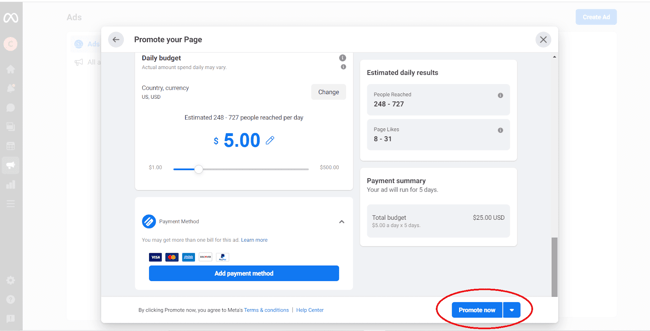
7. Congratulations! You have created your first Facebook Ad. To review your ad, click on the Ads Manager tab and click on “All ads.”
The Ads Manager tab is the easiest way to review your ads. Click on “All ads” to see a list of your ads. This tab will provide relevant information and analytics such as reach, impressions, cost per result, and relevance score.
Meta Business Manager Insights
Lastly, here’s a general overview of your “Insights” tab and what the Insights page looks like:
We won’t go too in-depth with analytics, or insights, since it’ll vary drastically depending on your business’s advertising goals, budget, and audience.
However, it’s important to note a few significant components of the Business Manager’s insights to ensure you understand the tool’s most impressive functions.
Hot tip: Check out Meta Business’s advertising information page to learn more about Facebook ad functions, read success stories for industry-specific businesses, and get inspiration and ideas to improve your own ads.
Business Manager Insights Functions You’ll Want to Know About
- Facebook Pixel: If you install Facebook Pixel, your website can reach people with ads on Facebook after they’ve visited your site.
- Split testing: Use A/B testing to figure out which ads lead to the highest conversion rate.
- Conversion lift: Use this tool to ensure your ads are actually generating conversions and sales.
- Mobile SDK: If your business has an app, use Mobile SDK to see what actions people are taking within your app and use that information to improve ad campaigns across devices.
- Brand lift: Find out how your ads are impacting your brand image to optimize ads for better brand awareness.
Use Meta Business Manager to Improve Your Reach on Facebook
Meta Business Manager will help you manage your Facebook presence down to the team members who can access your account. Take advantage of this tool to launch effective ads on Facebook, examine your Facebook strategy, and boost your KPIs across Meta’s social platforms.
Editor’s note: This post was originally published in May 2018 and has been updated for comprehensiveness.


Back to the Office? Remote and Hybrid Employees Would Rather Quit [Data from 1000 Consumers]
Remember when we used to wake up bright and early and commute to the office five days a week?
Thinking back, it feels like a distant memory of a time before Covid-19. But for some workers, the days of rolling out of bed and hopping on a computer from the comfort of home could be coming to an end.
With the pandemic winding down, many companies like Apple and Google are going for a hybrid model, asking employees to come in a few days a week. But others, notably Tesla and Goldman Sachs, are requiring workers to come back to the office full-time.
Despite studies showing that workers are happier — and more productive — when working from home, the possibility of a full return to the office looms over remote and hybrid workers.
But will those employees rush back into the office when asked to? We did our own consumer research to find out.
Will In-Office Work be a Dealbreaker for Employees?
When we asked over 200 remote/hybrid workers if they’d consider leaving their job if forced to go back to the office full-time, 54% say they would look elsewhere.
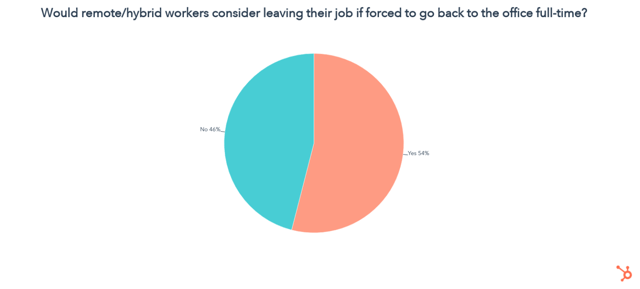 Why? Workers Crave Flexibility
We found that flexibility in working remotely, a flexible work schedule, and a healthy work/life balance are among the top reasons remote or hybrid workers stay in their jobs.
In fact, flexibility in working remotely is almost as important as pay:
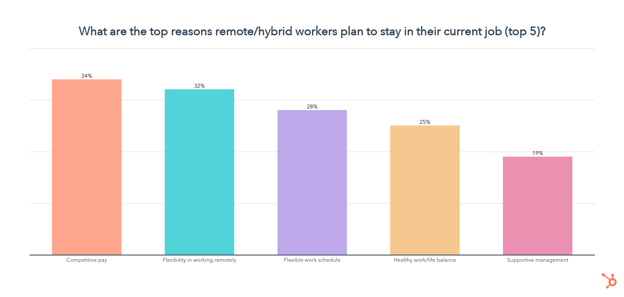
Who’s Still Working Remotely?
You might also be wondering what percentage of workers are currently remote, fully in-office, or using a hybrid model.
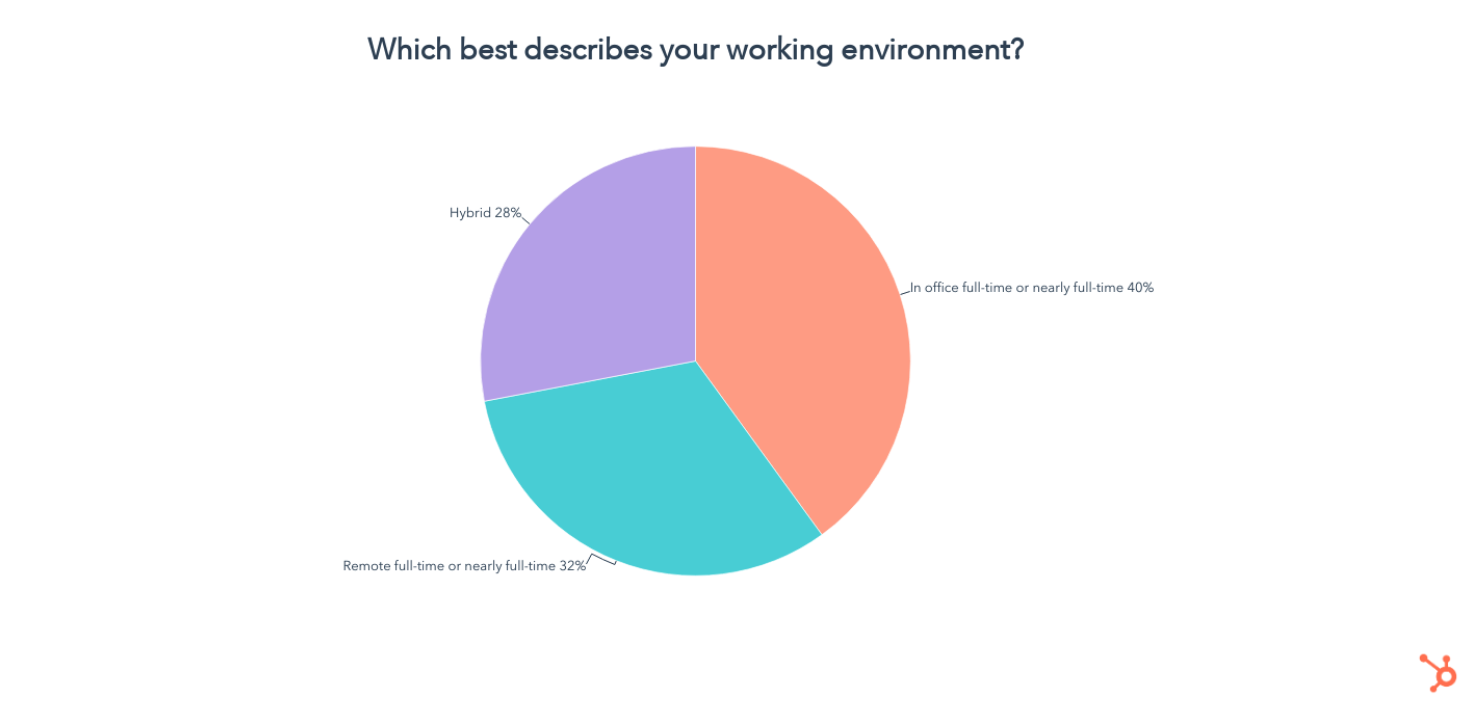 Working on-site is the dominant model, with 40% of employees in the office full-time, while 32% are fully remote and 28% are hybrid.
What Business Leaders and Managers Should Keep in Mind
Of course, some work simply can’t be done remotely, but the pandemic proved that even those jobs could have more flexibility than we thought.
While we can’t predict all the effects of making employees go back to the office full-time, it’s clear that doing so when unnecessary could make many employees consider their exit.
If you’re an employer thinking of requiring a full-time return to the office, make sure to proceed with empathy and patience, transparently explain to your team why the work must be done in office, and consider the possibility that some of your talent could move to another company if they prefer flexibility.
To help your employees transition back to the office, while still retaining a healthy level of work-life balance, you could also consider alternatives like:
- Flexible office and home hours on light meeting weeks.
- A company-wide meeting free day each week (Our HubSpotters love our Meeting-Free Fridays!)
- A few more vacation days in summer or during the winter holidays.
- Extra time off for work anniversaries. (An example of this would be HubSpot’s 5-Year Sabbatical Program)
- Additional family, sickness, or mental health leave options when possible
Lastly, if remote and hybrid work are doable for your marketing department or business, but you or other managers on your team have less experience with a remote workforce — don’t let that hold you back from building great virtual strategies. To learn the ins and outs of remote or dispersed team management, with tips from HubSpot leaders who’ve mastered it, check out this ultimate guide.
More Insights on Trends That Matter
The data in this article came from our bi-annual trends survey where we asked 1,000 people about topics ranging from the metaverse to shopping habits, online communities, and the great resignation.
To learn all about the key consumer trends that could impact your business or marketing strategy in the next six months, check out our upcoming State of Consumer Trends Report.

The Best Video Marketing Channels to Grow Your Brand in 2022
Video marketing isn’t “quick.” On average, it takes 2 weeks to create a video from start to finish.
To get the most traction out of your work, it’s essential to pick the best video marketing channels to leverage. However, since most social media channels are pivoting to video, it’s hard to know which ones are worth your time.
Here, we’ll list the best video marketing channels for your long-form, short-form, and live videos — based on ROI, engagement, and lead generation.
Best Channels for Long-Form Video
1. YouTube
In the social media sphere, YouTube feels like a steady ship in choppy water. In fact, it’s nearly impossible to talk about video marketing without mentioning the behemoth that is YouTube.
Launched more than a decade ago, YouTube has kept a competitive edge against new players in the field, like TikTok and Instagram. But it’s not just an entertainment hub — it’s a powerful marketing tool.
According to a HubSpot Blogs report of 500+ video marketers, almost half (48%) of marketers plan to increase their investment in YouTube this year.
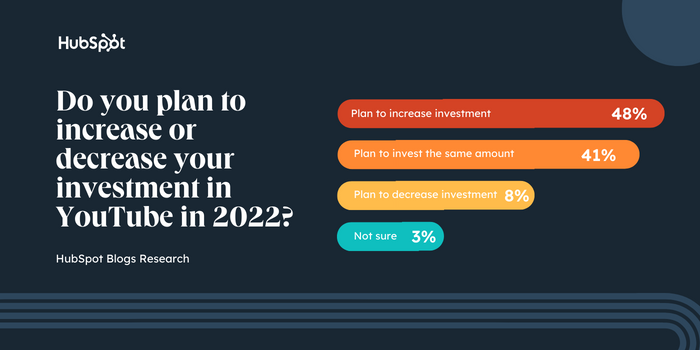
Participants also ranked YouTube as the second best platform for ROI. While many marketers find success on YouTube for different reasons, its large user base (2.6 billion active users, to be exact) and advanced ad targeting certainly help.
If you’re looking for the best place to host your long-form videos — like product demos, Q&As, behind-the-scenes content, and more – YouTube may fit the bill.
Check out this article to see how brands are getting creative on YouTube in 2022, plus this guide on YouTube marketing 101.
2. Instagram Video
Video marketing is no small feat — it’s an investment in time, money, and effort. So if you’re looking to get the most bang for your buck, here’s one stat you need to know: 65% of video marketers say Instagram has the best ROI of any other platform.
Here’s more good news: 64% of video marketers say Instagram also has the best engagement and lead generation out of any other social platform.
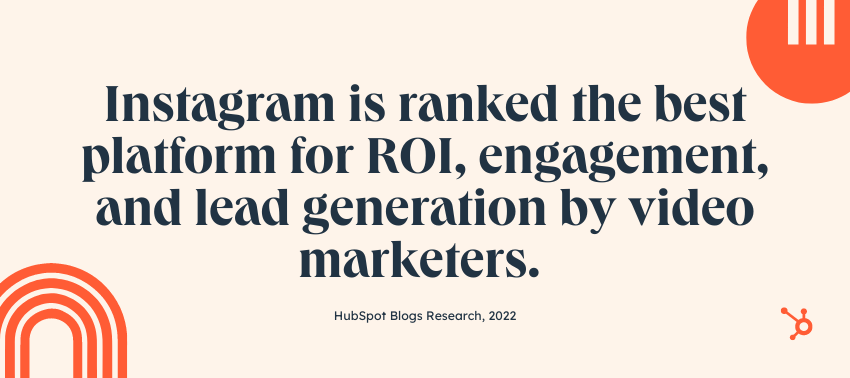
All this to say, if you’re looking to engage with your audience, build a community, and nurture brand loyalty with video, Instagram deserves a chance on your marketing roster.
Best Channels for Short-Form Video
1. TikTok
Since launching in 2016, TikTok has seen a meteoric rise, cementing itself as a powerhouse for short-form video while keeping more mature platforms, like YouTube and Facebook, on its toes.
Despite its popularity, some marketers initially dismissed TikTok as a platform for lighthearted dancing and lip-synching — and nothing more. But in 2022, things have changed.
According to a 2022 HubSpot Blogs report of 500+ video marketers, participants ranked short-form videos as the most engaging and effective type of content today — and TikTok is their platform of choice. In fact, 54% of marketers plan to increase their investment in TikTok this year.
When it comes to engagement, TikTok secures third place behind YouTube and Instagram — which is impressive considering its relative “newness.” Also impressive: the average user session on TikTok is 10.85 minutes — far exceeding any other social platform. In short, users are engaged.
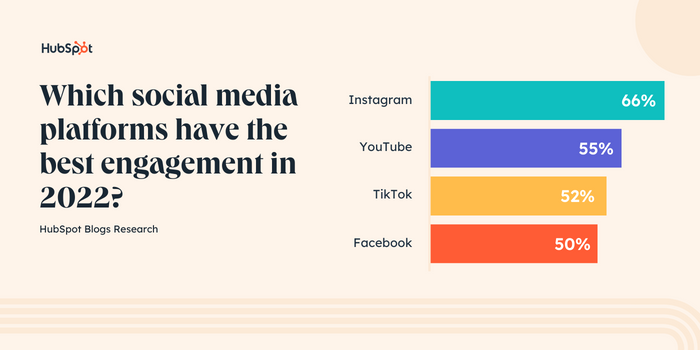
TikTok also falls into third place for ROI, closely trailing YouTube and Instagram.
Despite its quirkiness, TikTok has become a viable marketing option for those willing to get creative — and these stats prove it. To learn more about TikTok marketing, check out this helpful guide.
2. IG Reels
Instagram’s answer to TikTok is here, and it’s called Reels. Reels are short videos that users can film, edit, and share on the app.
While you can create short-form content on a number of platforms, Reels has one major advantage: its discoverability. They appear on the platform in various places, from the Explore page to a user’s feed.
Since Reels are heavily promoted on the platform, the feature is almost unavoidable — sometimes to the chagrin of users. In fact, 91% of active Instagram users say they watch videos on Instagram at least once a week.
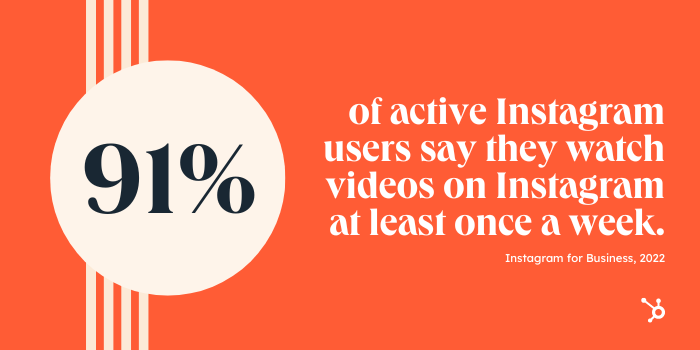
For marketers, Instagram is a great option if you want to play with multiple content formats — like carousels, Reels, Lives, and Stories — while capturing the attention of an already engaged audience.
Best Channels for Live Video
1. YouTube Live
With its massive user base, reach, and diverse audience, YouTube Live is an appealing option for your streaming needs.
It’s also a great time to get started: YouTube is currently expanding its live stream features, including Super Chats and Super Stickers, membership gifting, and more. These features enable greater engagement with your audience and additional monetization avenues.
YouTube also provides powerful analytics on live videos. Check real-time analytics like concurrent viewers, likes, and chat rates, as well as post-stream stats like new subscribers, total watch time, and more.
2. Instagram Live
Did you know Instagram captures 13% of all live stream viewers on social media?
With Instagram Live, you can stream from anywhere — and invite guests to join your stream. There’s plenty of opportunity for engagement: viewers can send emojis, write comments, and send donation badges.
Additionally, when you go live on Instagram, your followers receive a notification to tune in so your stream won’t get lost in the crowd — which is more likely to happen on YouTube or Twitch.
3. Facebook Live
Like YouTube, Facebook boasts a massive audience spanning multiple age groups, although Millennials take up the largest share.
Facebook Live is an excellent option if you’re already active on the platform and have a healthy following. But if you’re still growing an audience, fear not — you can go live from a personal profile, page, or even a group.
With Facebook Live, you can edit previously recorded streams, chat with users using the live chat feature, and schedule your streams in advance. However, keep in mind that Facebook limits your stream length, and your monetization options aren’t as robust as other platforms.
But what about Twitch?
It feels odd to exclude Twitch from a conversation about live streaming. That said, marketers report low engagement and ROI on the platform, and only 10% of marketers plan to leverage Twitch for the first time this year. Additionally, Twitch is highly saturated with gamers – so if that’s outside your niche, it’s worth exploring other options.
Back to You
It takes time, money, and energy to create videos — making it imperative to find the best home for your content. Start by defining your goals — such as lead generation, engagement, or brand awareness. Once you nail down your goals, it’s easier to pick the platform that can achieve them.

50+ YouTube Stats Every Video Marketer Should Know in 2022
YouTube has experienced explosive growth since it was founded in an office garage in 2005 and has since opened up avenues for brands and content creators alike.
Check out these 2022 YouTube stats about the platform’s mobile usage, demographics, subscriber growth, ROI, and history.
YouTube Stats Every Video Marketer Should Know in 2022
General YouTube Stats
-jpg-1.jpeg?width=600&name=Youtube%20Demographics%20(1)-jpg-1.jpeg)
- Over 500 hours of video are uploaded to YouTube every minute. (Statista)
- Over one billion hours of videos are watched on YouTube every day.
- “Baby Shark Dance” by Pinkfong Kids’ Songs & Stories is the most watched video on YouTube, with over 11 billion views since 2016.
- YouTube has more than 2 billion users.
- Based on a custom Nielsen meta-analysis, a full-funnel YouTube strategy drives 10% higher ROI compared to awareness advertising alone. (Think with Google)
- A recent study shows that YouTube advertisers see Awareness formats driving 28% of their conversion assists. (Think with Google)
- 75% of people surveyed say advertising in YouTube videos makes them more aware of new brands or products,1 while 70% of them say they bought a brand as a result of seeing it on YouTube (Think with Google)
- A 2021 Google study found that on average, YouTube full-funnel advertisers see their awareness campaigns drive reach that is 75% more incremental than their action campaigns. (Think with Google)
- 51% of U.S./UK consumers use YouTube to research or find products to buy. (GWI)
YouTube Content Stats
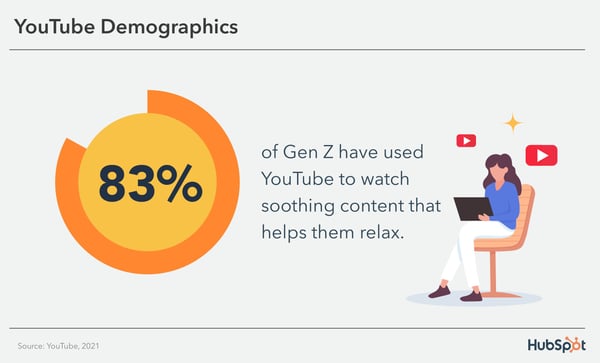
- 65% of Gen Z agree that content that’s personally relevant to them is more important than the content that lots of other people talk about. (YouTube)
- There were more than 65 billion views of videos related to ASMR in 2021. (YouTube)
- 76% of Gen Z agree that YouTube has the most content that lets them deeply explore topics they are interested in. (YouTube)
- 82% of Gen Z have used YouTube to watch content in order to feel nostalgic. (YouTube)
- 83% of Gen Z have used YouTube to watch soothing content that helps them relax. (YouTube)
- 78% of people agree that they use YouTube because it serves them with content that’s personally relevant to them. (YouTube)
ROI and Usage by Marketers
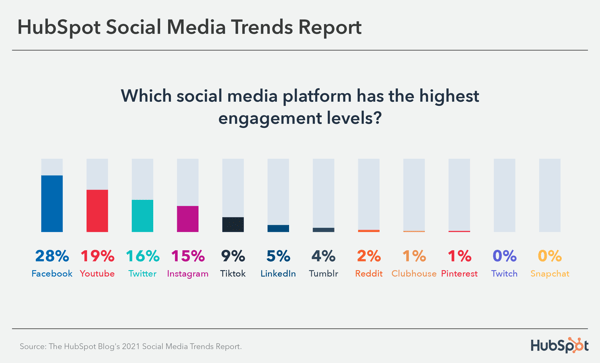
- YouTube channels with 100K-1M followers have the highest engagement rate. (Influencer Marketing Hub)
- On most social platforms, engagement rates usually trend down as follower count grows. On YouTube, the opposite is true. The average engagement rate on YouTube for content creators with over 1 million followers is 4.06% while the average rate for those with 1K to 5K followers is only 2.04%. (Influencer Marketing Hub)
- 77% of video marketers use YouTube to host videos. (HubSpot Blog Research)
- When asked which social media platform offered the highest engagement rate, 500+ marketers ranked YouTube second highest. (HubSpot Blog Research)
- YouTube is the most widely-used platform among video marketers used by 88%. (Wyzowl)
- 56% of marketers surveyed in 2022 say YouTube offers the biggest ROI, ranking #2 behind Instagram. (HubSpot Blog Research)
- Marketers plan to invest the most in YouTube in 2022. (HubSpot Blog Research)
- 27% of marketers surveyed in a Video Marketing Report say they plan on investing in sharing videos on YouTube more than any other platform. (HubSpot Blog Research)
- YouTube ranks second highest in generating leads when sharing marketing videos behind Instagram. (HubSpot Blog Research)
- 44% of influencers leveraged YouTube for their campaigns in 2021, up 8% from 2021. (Influencer Marketing Hub)
YouTube Mobile Stats
- 21.2% of the global traffic on YouTube in 2021 came from mobile devices. (Statista)
- More than 70% of YouTube watch time is generated from mobile devices.
- In Q2 of 2021, mobile devices accounted for 63% of YouTube viewing time worldwide. (Statista)
- In 2020, YouTube was the fourth most popular IOS app after ZOOM, TikTok, and Disney+.
- in December 2021, 72% of respondents aged 18 to 34 years used their smartphones to watch online video content weekly. (Statista)
YouTube Demographics Stats
- Millennials trust YouTube more than any other generation. (HubSpot Blog Research)
- 81% of U.S. adults say they use YouTube in 2021, up 8% from 2019. (Pew Research)
- YouTube attracts the most visitors from India, the United States, and Indonesia. (Statista)
- YouTube is the second most visited website in the world. (Hootsuite)
- 82% of U.S. adults who identify as male report using YouTube. (Pew Research)
- YouTube is available in more than 100 countries.
- YouTube is available in 80 languages.
YouTube Subscriber Growth Stats
- YouTubers collectively earned a record-breaking $300 million in 2021, up 40% from the previous year. (Forbes)
- T-Series, a Hindi music channel, is the most popular YouTube channel with 171 million subscribers, followed by PewDiePie with 109 million subscribers.
- The most popular branded YouTube channel is LEGO, which has over 10.04 billion views. (Statista)
YouTube Usage Stats
- YouTube is the world’s second-largest search engine. (Search Engine Journal)
- Viewers are four times more likely to use YouTube to find information about a brand, product, or service (versus other platforms). (YouTube Ads)
- YouTube is the second most visited website behind Google.
- YouTube users collectively watch over 1 billion hours of content daily.
- The majority of the most popular YouTube videos are music videos.
- 70% of viewers say that YouTube makes them more aware of new brands. (YouTube Ads)
- Viewers say they’re twice as likely to buy something they saw on YouTube. (YouTube Ads)
YouTube History Stats
- “YouTube.com” was activated on February 14, 2005.
- “Me at the zoo” was the first video uploaded to YouTube on April 25, 2005.
- Google purchased YouTube for $1.65 billion on October 9, 2006.
- YouTube launched InVideo ads in December 2007.
- YouTube streamed the United States presidential debates for the first time in 2012.
- One of the youngest successful YouTubers is Ryan ToysReview, who is a 8-year-old boy who makes $22 million a year and has 22 million subscribers.
- The song “Gangnam Style” which surged in popularity in 2014 broke the video’s view counter.
- The first YouTube video to reach 1 million views was a 2005 Nike ad featuring football star, Ronaldinho.
- The YouTube video that received the most views in 24 hours is BTS’s “Dynamite” music video, which attracted 101.1 million views in a single day.
- The most liked video on YouTube is the music video for the song “Despacito” by Luis Fonsi featuring Daddy Yankee, with over 49 million likes.
- YouTube’s own YouTube Rewind 2018 video is the most disliked video on the platform. It has received over 19 million dislikes and owns an 86.60% dislike percentage.
Editor’s note: This post was originally published in February 2019 and has been updated for comprehensiveness.
