
Welcome to My Blog
The State of Consumer Trends [Data from 1000+ Consumers]
As the world constantly changes, it can be hard to stay up to date with ever evolving consumer behaviors, preferences, and trends.
But, as marketers, knowing your buyer persona — and what motivates them — is absolutely vital.
To help both marketers and business professionals alike, we surveyed over 1,000 consumers across the U.S., talked with industry experts, and did a deep dive into generation-by-generation data to learn:
- What trends they’re following.
- Which online platforms they use.
- How and where they prefer to shop.
- What they think about returning to the office.
- and much, much more.

With this look into the minds, interests, and purchasing motives of today’s consumers, we hope we can better help you meet your target audiences where they are.
Without further adieu, let’s dive into the biggest consumer trends you’ll need to know about in 2022 — and beyond.
The State of Consumer Trends in 2022 [Top Findings You Need to Know About]
1. More and More, Gen Z Differentiates Themselves From All Other Age Groups
One of the most fascinating things to dig into when looking at survey results were the vast differences between Gen Z and other age groups — including their closest predecessor, Millennials.
When taking a deeper dive into our generation-by-generation data, we found that Gen Z:
- When it comes to shopping, generations are highly influenced by price, quality, and product reviews. Gen Z especially values brands that have active communities around them.
- TikTok and Instagram are the most used social media apps among Gen Z women, while men spend much more time on YouTube.
- Gen Z is all about YouTube, Instagram, and TikTok. Not only for social networking and entertainment but also for discovering (and buying) products.
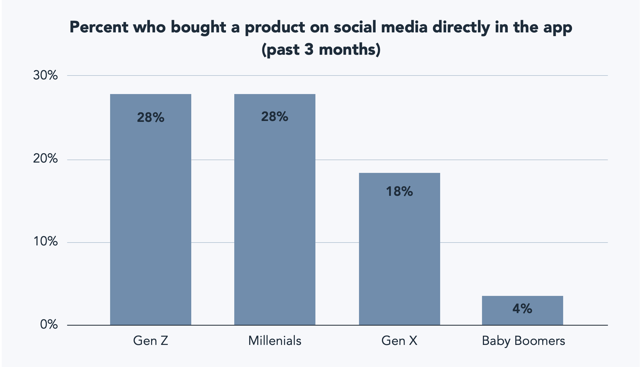
The findings above weren’t the only interesting points to call out. Our lead researcher and analyst, Maxwell Iskiev explores the differences between how all age groups shop and discover products with this follow-up guide:
How Each Generation Shops in 2022 [New Data from Our State of Consumer Trends Report]
2. People trust recommendations from influencers more than their loved ones.
For decades, word of mouth has proven to be a solid source for product referrals or recommendations.
And in 2022, 30% of consumers now report influencer recommendations are one of the most important factors in their purchasing decisions, compared to 27% for recommendations from friends or family.
The Shopping Trends of 2022 & Beyond [State of Consumer Trends Data]
Why do people prefer to get recommendations from perfect strangers instead of friends or family?
To them, a great influencer might not feel like a perfect stranger. In fact, a great influencer might feel like a down-to-earth, but well-trusted expert or thought leader in an industry they’ve zoned in on.
Think about it this way, would you rather take a makeup recommendation from a friend who knows less about the beauty industry, or an influencer who’s gained a following by doing countless makeup tutorials and reviews on TikTok on Instagram?
In this post, Sr. Content Strategist Caroline Forsey dives even deeper into the shopping trend above and a handful of others you should keep in mind this year and beyond.
3. While social media channels are fun and emerging, search is the most valuable tool.
While age groups like millennials and Gen Z are quick to dive into new and emerging channels, especially those in the social media realm, they still turn to online searches, TV, and other utility channels to learn about everything from trends to products.
When asked where and how they discover new products, most consumers — regardless of age group — pointed to web searches.
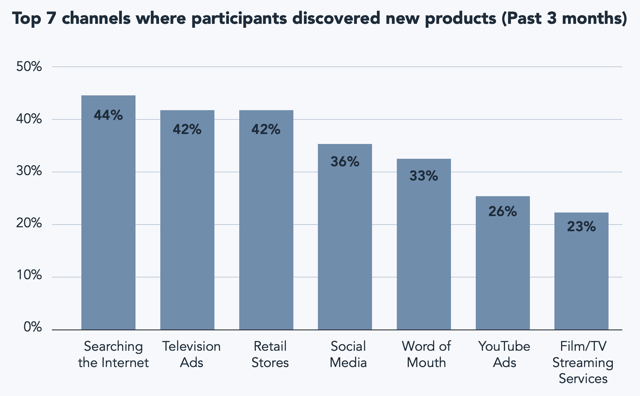 To learn more about the other top channels consumers discover products or brands on, as well as the content they love to see when they’re there, check out Maxwell Iskiev’s post: The Top Channels Consumers Use to Learn About Products [New Data] or our FREE and downloadable State of Consumer Trends Report PDF.
4. If you don’t have a mobile-friendly strategy — you could fall behind.
It’s no secret that each new generation gets more and more mobile and digitally connected. And, as the years go by, technology, websites, and social media networks are getting more and more mobile.
But, today Gen Z and Millennials aren’t the only ones finding themselves surfing the web on mobile devices. Now, most consumers regularly use mobile devices for everything from search, to social media, to even online shopping.
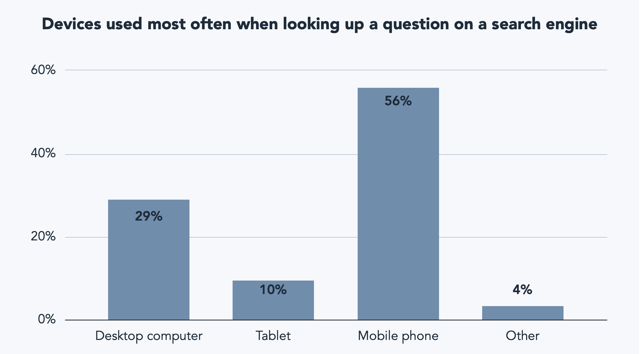 These findings aren’t surprising to us. In our 2022 Web Strategy Report, web managers we polled described mobile optimization to be an incredibly effective strategy for marketing and site growth.
5. Some consumers are stepping into Web3, but most don’t even know what it is.
While some consumers, especially those in younger generations like Gen Z and millennials, are ready to throw their whole wallet into the metaverse and cryptocurrency, most are still getting their first taste of the Web3 world.
In fact, 51% of our survey participants say they don’t even understand what Web3 even is yet.
While Web3 experts believe this technology will continue to grow in the coming years, businesses don’t need to pivot their whole strategy to get ahead of it right this second.
However, as the technology gets more prominent and accessible, it’s still helpful to learn about the potential opportunities and risks of the Web3 space.
That’s why Caroline Forsey interviewed a handful of Web3 experts to learn more about how it could impact how consumers use the world wide web in the future.
Here is a quick, overarching summary of what Web3 could mean for future internet usage from Anna Seacat, VP of Marketing and Web3 Community at Proxy. 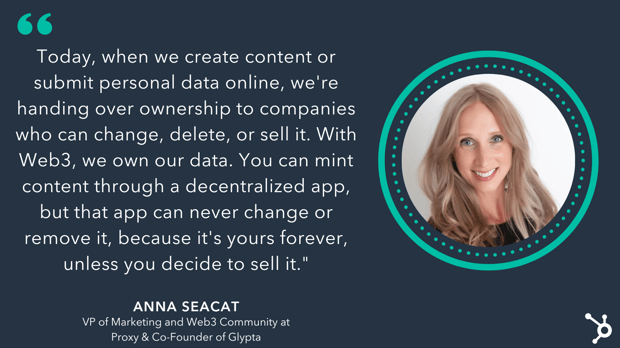
While Web3 might be a new concept to many, expect to hear more about it as the technology becomes more accessible to consumers and businesses in the coming years. For more expert predictions around this, hear what our CMO Kipp Bodnar and Kieran Flanagan, our SVP of Marketing, have to say about it in this episode of Marketing Against the Grain.
For more insights, check out these guides:
- How Web3 Technology Will Impact Consumer Trends [Expert Insights]
- How Businesses Could Shift in Web 3 [Executive Insights & Podcast]
- Everything Brands Need to Know About the Metaverse
6. Consumers crave video, and effective brands are taking notice.
By now, you know that video has played a powerful role in the lives of consumers. Not only do consumers stream more video than ever, but year-over-year, HubSpot researchers find that most brands consider it to be their most effective type of marketing content.
But, not just any video will result in a conversion, purchase, or view. While you don’t need a huge budget to woo your audiences, you will need to create content they’ll actually enjoy, keep their attention on, and be persuaded by.
This video interview and post from Wistia CEO, Chris Savage goes into great detail on his tips for leveraging video to humanize your brand.
For more on how marketers are benefiting from video in 2022, also check out our 2022 Video Marketing Report.
7. Stores and online retailers aren’t going away, But social commerce is growing.
A few short months ago, it seemed like social commerce features on Facebook and Instagram were just launching and gaining visibility. And although consumers still prefer to shop at stores and on the sites of online retailers they know and trust, some have started to make purchases via their favorite social platforms.
When we asked consumers to select the top three ways they prefer to buy products, a whopping 73% still prefer to shop in-store, while an unsurprising 53% said they like to buy from online retailers.
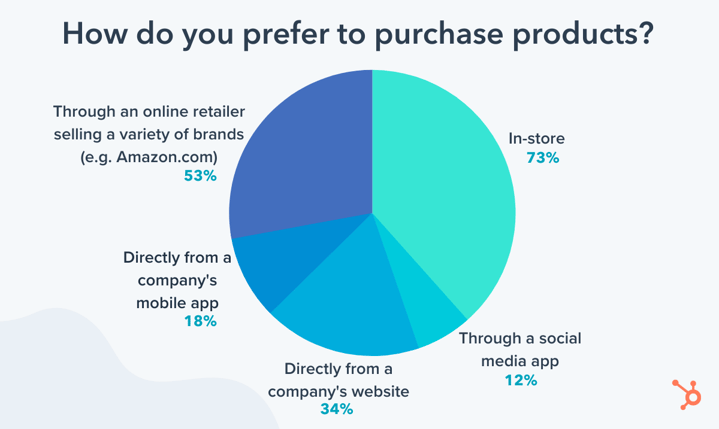
Despite how new social commerce is, one-tenth of consumers or 12% like to buy products directly from social media. And, with this trendd starting to grow, we’re already seeing some brands thrive on social commerce channels.
Take Pink Tag Boutique for example. The Kentucky-based clothing and accessories business saw immense growth on the Facebook Shops. They attribute $44,448 in incremental sales from the tool, and have seen 66% greater average order value from social commerce buyers compared to those who bought directly from the company site.
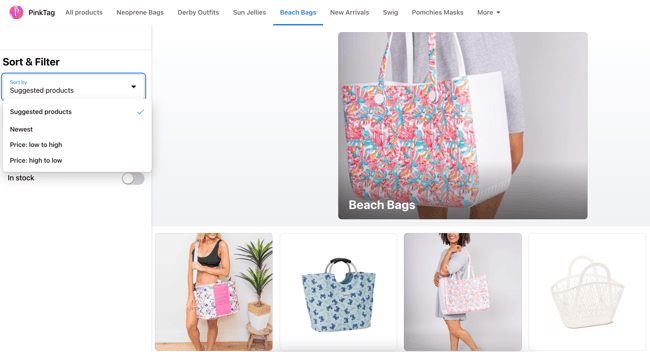
For more examples of brands that are already excelling in social commerce, check out this post.
You can also find more shopping trend data in this follow-up report from Caroline Forsey: The Shopping Trends of 2022 & Beyond [State of Consumer Trends Dataa]
8. Back to the office? Consumers would rather quit.
For the last two years, consumers — for the most part — have been stuck working at home. And, while many initially found it to be a tough new transition, a lot of us have learned to love it.
Now, as offices turn the lights back on, and managers expect their teammates to come running back in, some currently remote or hybrid employees are saying, “Not so fast.”
While there still is a large chunk of consumers who would return to the office if asked to (roughly 46%), most survey participants (54%) would rather quit.
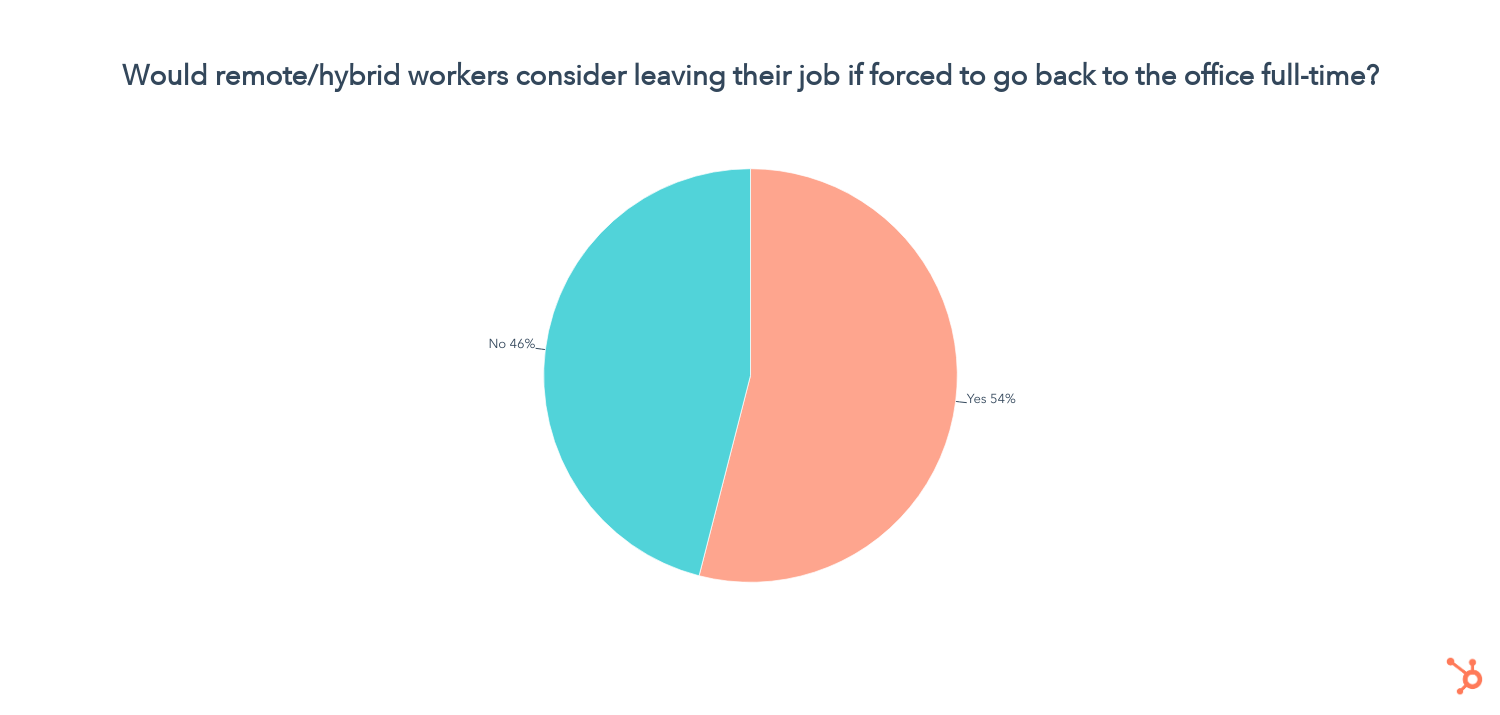
Even in times of financial uncertainty, it seems that consumers care more than ever about job flexibility — even in a time when job security is of larger concern.
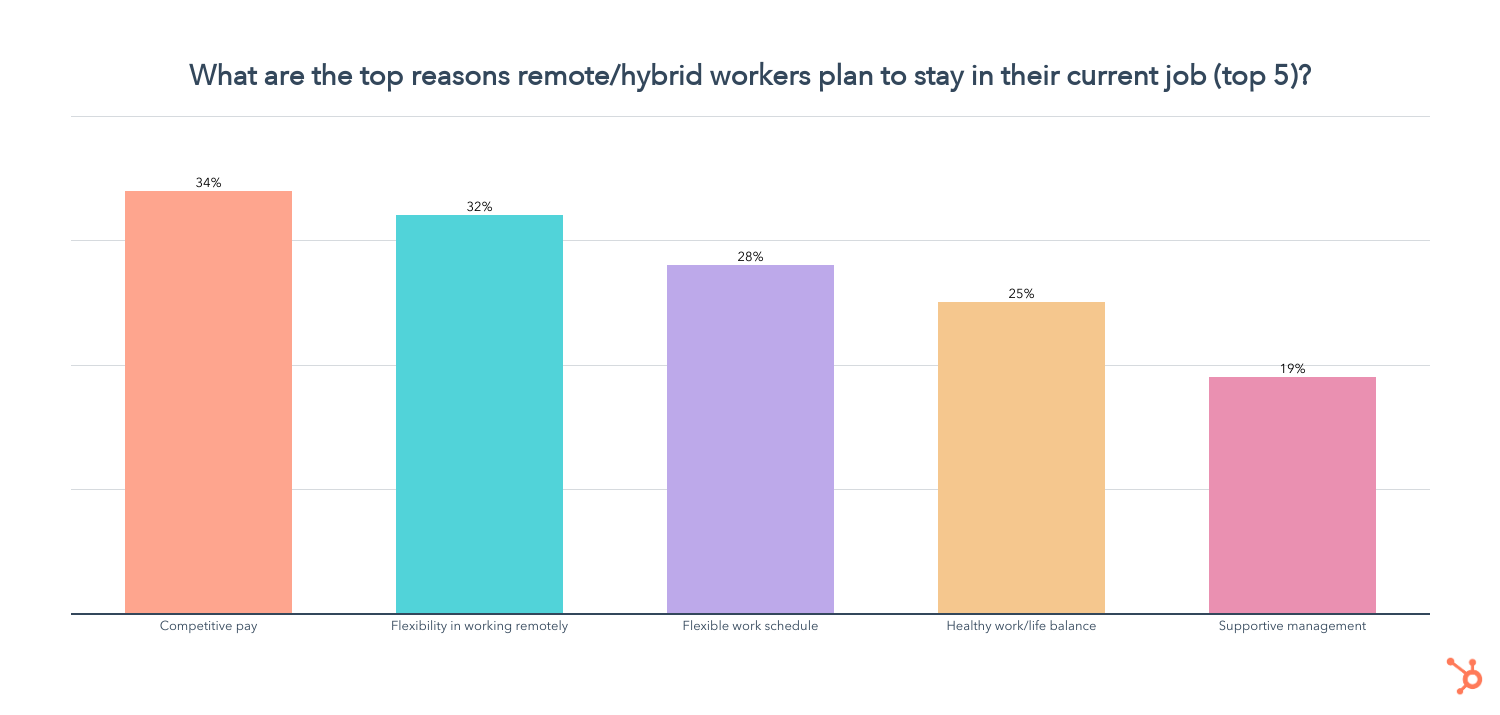
It’s likely that some of the key things consumers and employees are craving at work are flexibility and work-life balance.
After all, countless studies show that it’s not healthy to make your job your entire life.
So, if you’re managing a team or planning an office re-entry strategy, keep your employees’ needs in mind. Below are just a few of the other workplace factors that could keep employees from looking elsewhere.
9. Many consumers consider themselves “creators.”
When looking at our survey results for the question, “Would you consider yourself a creator?”, we found that 30% of 18-24-year-olds and 40% of 25-34-year-olds call themselves content creators.
What’s great for brands here? Your very own audiences might jump at the chance to create content for you, which could in turn help them build online influence.
But, what exactly IS a “creator”? Check out this deep dive by Caroline Forsey to learn more: If Everyone’s a Content Creator, Is Anyone?
10. Consumers care about their privacy. Brands should too.
Throughout the last two years, marketers have been pivoting due to privacy changes like Apple IOS 15’s email privacy rollout and the looming phaseout of third-party cookies. But, they might not want to stop there when it comes to considering consumer privacy.
Across generations, our data found that consumers are more likely to trust, interact with, and purchase products from brands that they trust with their data.
And, while lots of data is certainly helpful for brands when learning about audiences, consumer trust is the best way to earn loyalty.
In fact, in his post about fostering a privacy-first world, HubSpot CMO Kipp Bodnar gives tips on how marketers can create strategies that feel personalized, but use data in an ethical, trustworthy, and transparent way.
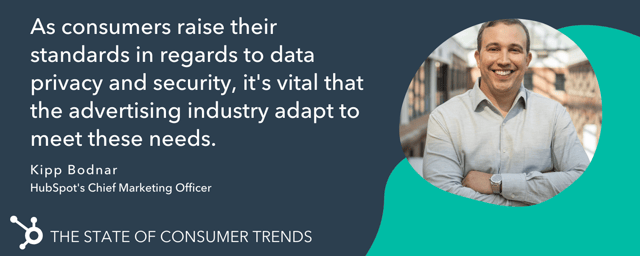
As a marketer, it’s important to identify which data points you really need and don’t need from your consumers and transparently explain how data like cookies or contact information is used when consumers are asked to give it out.
What’s Next for Consumers, According to Trend Analysts
Now that you’ve read through the biggest findings of our Consumer Trends Report, you might also be asking, “What trends and themes could come in the next six months — or beyond?”
To give you a taste of just a few trends to keep on your radar, we reached out to Julia Janks of Trends.co to learn what she and her team of trend analysts will be focusing on. Here are three of the nine trends they’re keeping on their radar.
1. Gifting strategies could catch the eyes of consumers.
Forget loyalty points — gifting is the new customer retention strategy. As remote everything continues to rise, keeping connected to clients and loved ones will be key.
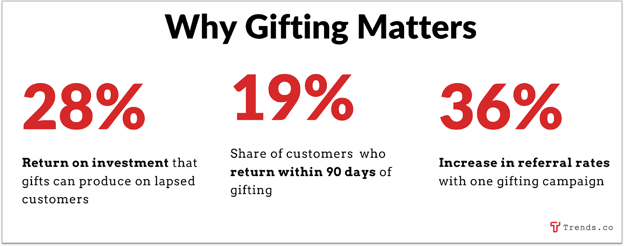
Source: &Open
Gifting powerhouse 1-800-FLOWERS had a record-breaking year in 2020, and venture capital is flowing into startups like &Open ($7.2m last May) and Gracia (~$14m since its 2017 launch).
Companies will also use gifting to target employees, since worker retention is at an all-time low, and the average cost of replacing an employee is about seven months of their salary.
2. Voice search and audio SEO opportunities will grow.
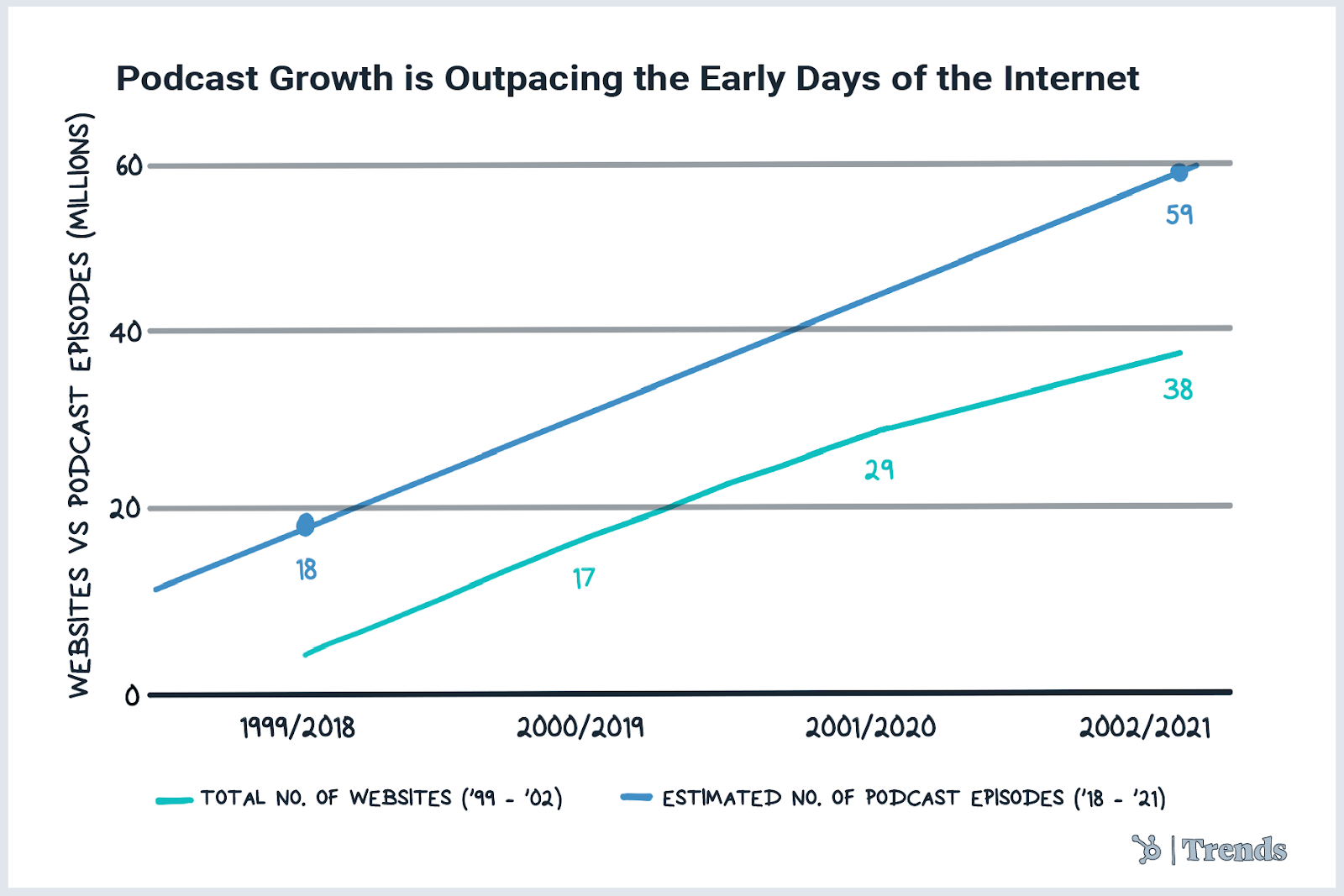
The world of podcasts is growing faster than the entire internet did back in the early 2000s. Spotify alone now hosts 3m+ shows (that’s ~43x the number of titles on Netflix, Disney+, and Apple TV+, combined).
3. Consumers will visit pop-up shops — in the metaverse.
Pop-up shops in the metaverse are a thing now. And, brands like Hogan are already testing them out.
We could see the metaverse shopping industry continue to grow with consumer interest, as 30% of consumers HubSpot surveyed think more brands should consider virtual stores.
For the Julia’s full list of trends to watch, check out 9 Things Trends.co Analysts Will be Watching in The Next 6 Months & Beyond — and don’t forget to check out Trends.co for more business news, innovative ideas, and industry trend coverage.
Dive Deeper into Consumer Trends
In the post above, we gave just a few highlights of our State of Consumer Trends Survey, as well as our predictions for what’s to come. To learn more interesting themes, check out these follow-up posts:
- The Top Shopping Trends of 2022 [State of Consumer Trends Data]
- The Top Channels Consumers Use to Learn about Products in 2022
- How Each Generation Shops in 2022 [State of Consumer Trends Data]
- 9 Things Our Trends Team Will be Following in the Next 6 Months & Beyond
- How Web3 Will Impact the Future of Consumer Trends [Expert Insights]
Want all the data in one place? Click below to download the full findings of the survey in our State of Consumer Trends Report
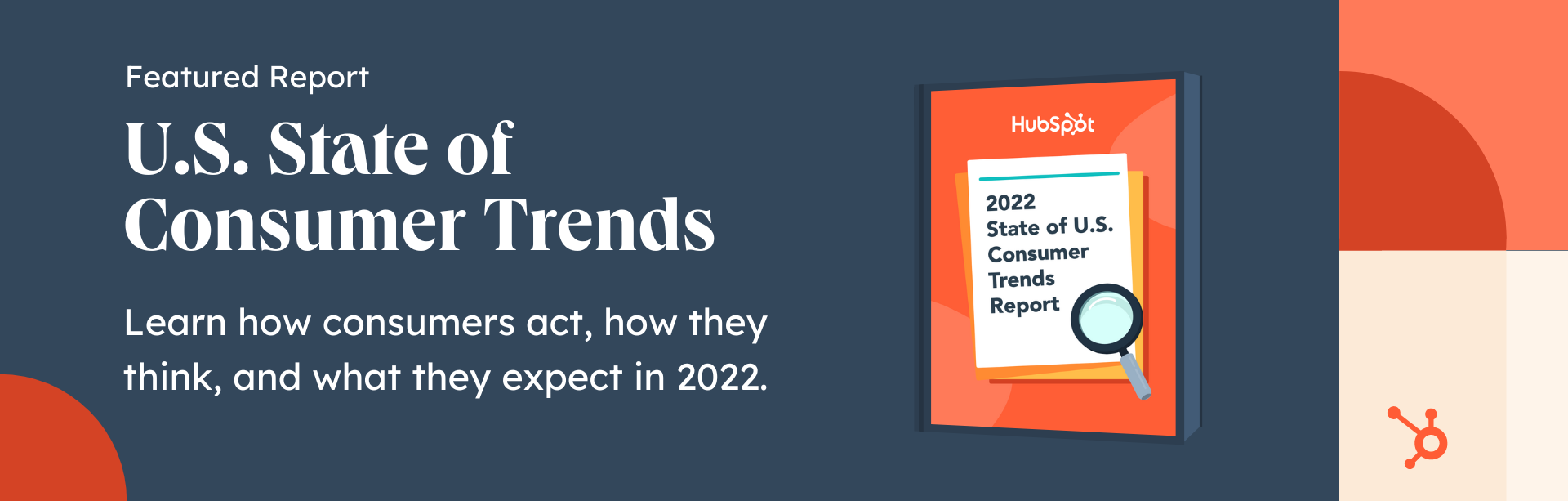
Consumer Trends Post Authors

The 5 Best Ebook Formats for Marketers [Free Templates]
You may just be getting started with ebook creation as a marketing tool or reconsidering the role of ebooks in your existing content strategy.
Regardless of where you are in the process, you’re likely asking yourself an important question: What are the best ebook formats for your marketing library? This is a valid question because the ebook format you choose will determine the success of your efforts.

Here, we’ll cover all ebook formats and how to choose the best one for your project. We’ll also explain how HubSpot’s ebook templates can help you achieve your marketing team’s lead generation goals.
Ebook Formatting Templates
First up, download our kit of ebook templates so you can get an idea of the ebook formats that are available to you.
Featured Resource: 36 Free Ebook Formatting & Creation Templates
 Download Your Free Ebook Templates
Our collection of 36 free ebook templates will help you create and format your ebook content for an incredible reader experience in Microsoft PowerPoint, Adobe InDesign, and Google Slides. You can format your ebooks to best suit the needs of your marketing team and the preferences of your content readers.
Best Ebook Formats for Content Creation
If you’re a content creator, here are the ebook formats you should consider first.
1. Adobe InDesign

Adobe’s advanced design software gives content creators a myriad of options for creating and formatting their ebooks.
These advanced features do come at a price, but experienced marketing designers rely on Adobe InDesign because of those features.
Click Here to Download 6 Adobe InDesign Ebook Templates.
Pros
Adobe is known for being feature-rich. As a result, you can expect your ebooks to look their best when made with InDesign, as you’ll be able to create and incorporate original design elements right into your document.
Cons
For an inexperienced designer or the marketer who just needs to release a serviceable ebook, the bells and whistles that InDesign offers might not be necessary. InDesign’s interface and usability aren’t the most straightforward and could require you to put in more effort than is needed for your final deliverable.
2. Google Slides
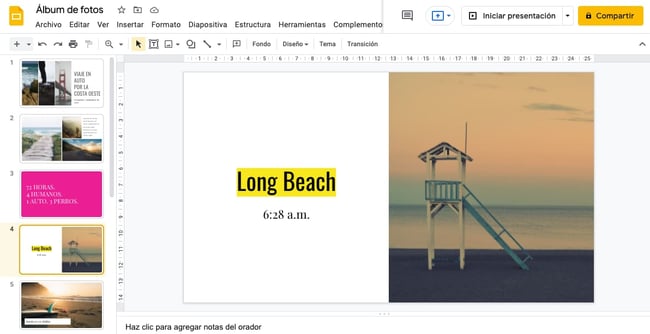
Google Slides is a simpler tool for making an ebook compared to InDesign. The fact that the ebook lives online means you can collaborate in real-time with your team members to make a fantastic deliverable. Oh — and it’s free, which is helpful if you have a limited marketing budget.
Click Here to Download 6 Google Slides Ebook Templates.
Pros
Google Slides is a great tool for marketers who need to make a good ebook quickly, especially if you’re working alongside team members and sourcing feedback from them. Google Slides’ interface is arguably more straightforward than InDesign’s, meaning you can move and edit creative elements faster if you’re new to both tools.
Cons
Because Google Slides is primarily a presentation tool rather than an ebook creation tool, you may miss out on some necessary features that would help make your ebooks attractive enough to warrant your leads’ attention.
Conversely, you might need to make design elements elsewhere, such as an Adobe software tool or Canva, and later import these creative elements into your Google Slides deck. This could create an inconsistent creation experience if you need to track down design elements after you’ve created them.
3. Microsoft PowerPoint
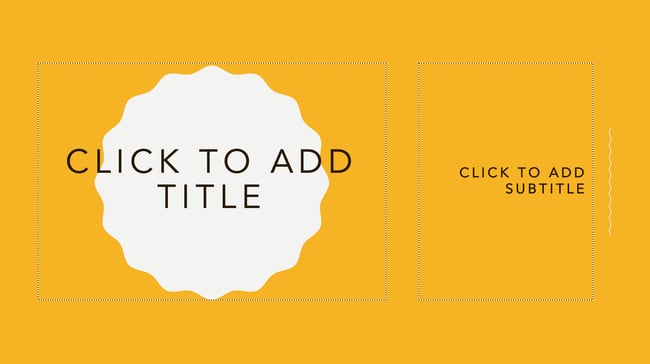
A slightly more advanced option than Google Slides — but not quite as advanced as Adobe software — PowerPoint is another presentation-making platform that can be used to design an ebook.
Pros
PowerPoint has some features that Google Slides doesn’t, such as better effects for designing. PowerPoint is also an offline software, meaning you can build your ebooks without Wi-Fi.
Cons
PowerPoint is a paid software instead of a free tool available in Google Workspace. You also won’t be in sync with your team if you’re collaborating with them on edits and additions. Lastly, while it has better creative features than Google Slides, it doesn’t come close to the advanced features of InDesign.
Click Here to Download 6 Microsoft PowerPoint Ebook Templates.
Best Ebook Formats for Consumption
The ebook formats in this section are best for content consumption as you can embed links, mimic a real book, and spice up your content. The formats include:
1. Interactive PDF
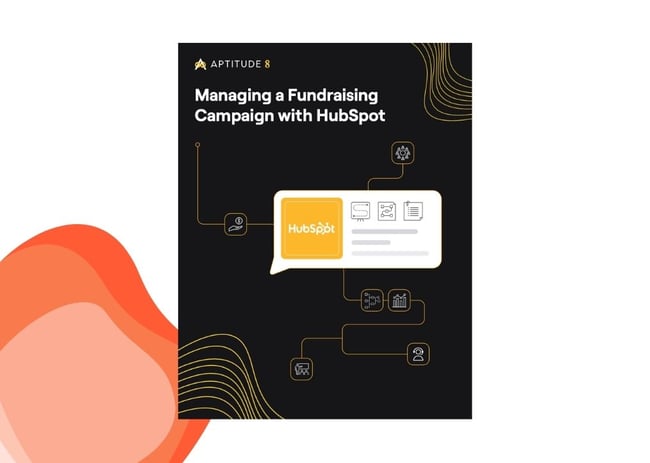
The best ebook format for ebook consumption is an interactive Portable Document Format (PDF).
PDFs are the go-to option for content marketing ebooks for many reasons. Among them are the consistency of their design and readability on different devices.
We at HubSpot use PDFs for our ebooks because we can embed links to relevant pages and sources in them. We can also upload them right into our content library and trust that the design will appear as intended, even if our leads open the ebook in Chrome, Safari, or Preview. The document will also appear the same if they open it on their phones or on a desktop device.
The interactive nature also means we can include an open text box for readers to complete an activity in the book (like in our Content Marketing Workbook). Another plus? Readers can complete the activity in whatever application they’re consuming the content.
2. EPUB
EPUB, short for electronic publication and saved with a “.epub” file extension, is another way for you to save your ebooks.
EPUBs rose in popularity after becoming a prominent ebook format for e-readers. But, given its accessibility on Apple macOS and iOS products via Apple Books, the format is also a viable — though somewhat limiting — option for content marketing ebooks.
One unique feature of the .epub file format is its scroll ability. To mimic the reading of an actual book, readers can view one page at a time and must scroll or swipe horizontally. That’s in contrast to vertical scrolling with PDFs. The epub format gives your readers the feeling of reading a book as opposed to interacting with website content. However, this also means readers might have to do more work navigating the content and finding the information they need.
Additionally, video and audio files can be embedded in the .epub format, unlike PDFs, which means your readers can consume more interactive content without leaving the ebook.
If you’re tired of the PDF option and want to spruce up your content format, you can save your InDesign ebooks as a .epub file. Just be prepared for some readers being unable to read your content, which is something you likely don’t want to be the case. This is because the format is limited. For example, Amazon Kindle devices can’t read .epub files. Readers will have to convert your ebook into another format if they want to read it on their Kindles.
How to Choose the Right Ebook Format
The ebook format you choose directly affects how your ebook performs after publication. Here are a few tips to help you choose the correct one for your project for best results.
1. Consider your target audience.
Who are your consumers? This is the first question you need to answer before choosing an ebook format. Your content needs to be accessible to your readers. For example, if you’re targeting a huge audience, you’ll need to consider an ebook format compatible with several digital devices.
2. Decide how you’ll market your ebook.
How you plan to market your ebook is also a significant factor when choosing a format. When it comes to selling an ebook, you’ll be self-publishing because you need to quicken up the process. You can do so either on your own site, or on a platform such as Amazon.
Self-publishing means you get to use your resources to market your ebook. Therefore, you’ll need a way to reach a huge audience, which may mean using an ebook format like AZW that’s compatible with different platforms. This will give you the highest level of flexibility in terms of the number of platforms that your audience can comfortably read your book.
3. Consider the nature of your ebook.
Another factor you need to consider when deciding on the best ebook format is its nature. Is it mostly words, or will there be graphics and images? Will you be adding helpful practical digital products like Google Sheets that readers will need to download? All of this will determine the best ebook format for your project. If possible, come up with a list of all the different types of content that your ebook will contain to ensure the ebook format you choose supports all of them.
If you’re selling an ebook containing digital images and illustrations with sound or video, you’ll need a format that supports these features. For example, the EPUB format supports videos, color images, and other interactive elements, while MOBI doesn’t.
Avoid the temptation of assuming what an ebook format will look like once you’re done. Sometimes, the end product can be very far from what you expect it to be, and correcting it will be expensive. Inquire and do thorough research on all features before settling for any format.
4. Consider the security or privacy of your ebook.
Writing an ebook from start to finish takes a lot of time and energy, so the last thing you want is everyone editing it once it’s released. This can have several implications for your brand. For example, your audience may end up receiving false information about your project, and the false content may give undesired results. If they’re editable materials in your ebook, ensure there is a way for the reader to create a separate document first to avoid editing the entire document. This also protects your readers’ privacy by preventing them from unknowingly filling in their personal information on a public document.
You also want to ensure the security of your ebook by preventing illegal sharing, printing, and copy-pasting. This is especially crucial for high-ticket ebooks, as it limits readers from sharing your content for free. If limiting sharing is important to you, it’s advisable to use a format like EPUB that’s protected by Digital Rights Management (DRM). The latter locks files in a particular platform and protects them from illegal sharing.
5. Think about the budget.
If you have two or more ebook formats that work well with your project, the best way to break the tie is to consider the cost. How much will it cost you to launch your ebook using each format? Is it feasible? In addition, consider how much it would cost if you wanted to expand. The best ebook format is cost-friendly at the beginning and in the long run. If it’s cheap initially but limits your growth, it’s not worth it. A good ebook format should not only make launching your product easier, but it should also be cost-friendly when you decide to expand.
Choose the right ebook format and get started.
There are several ebook formats in the market that are popular for publishing ebooks. However, like everything else in business, what works for one publisher might not be the best option for another. Take your time and research the features every format offers and see which one best fits your project.
In addition, consider the cost, the kind of content your ebook has, and most importantly, the delivery method that works best for your audience.
Editor’s note: This post was originally published in December 2020 and has been updated for comprehensiveness.

10 Great Examples of Welcome Emails for New Customers & Employees
We’ve all heard this maxim, “First impressions last”, so we are aware how important it is to strike a good impression.
Showed up late for a job interview? That’s a bad first impression. Eat a clove of garlic and forget to brush your teeth before a first date? Also a bad first impression.
![→ Download Now: 8 Free Customer Onboarding Templates [Free Kit]](https://no-cache.hubspot.com/cta/default/53/b6abbd56-b7d5-42bf-8a85-b7ae63ca70d2.png)
It turns out that the “make a good first impression” principle holds true not only in face-to-face encounters but in email interactions as well. The outcome of giving a good impression in emails goes a long way to connect with potential business contacts or customer
When you send a welcome email to a new blog reader, newsletter subscriber, or customer, you’re making a first impression on behalf of your brand. To help ensure you’re making the best first impression possible, we’ve rounded up some examples of standout welcome emails from brands big and small.
Pro Tip: Use HubSpot’s free email marketing software to easily create a high-quality welcome email sequence like the ones featured below.
Each example below showcases different tactics and strategies for engaging new email subscribers. Let’s dive in.
The Components of an Impressive Welcome Email
One factor that really impacts the customer onboarding process is the welcome email. While there’s no one-size-fits-all format, there are several key components that can help your email stand out from the crowd and connect with your intended audience. These include:
1. Compelling Subject Lines
Making sure recipients actually open your emails is the first step in making a good impression. Subject lines are critical, so opt for short and straight to the point subjects that state clearly what you’re sending, who it’s from, and why it matters to potential customers.
2. Content Recommendations
While the main purpose of welcome emails is to introduce your brand, it’s also critical to add value by providing the next steps for interested customers. A good place to start is by offering links to the great content on your website that will give your customers more context if they’re curious about what you do and how you do it.
3. Custom Offers
Personalization can help your welcome emails stand out from the pack. By providing customized introductory, offers on products consumers may be wanted. By basing it on the information they’ve provided or data available to the public via social platforms, welcome emails can help drive ongoing interest.
4. Clear Opt-Out Options
It’s also important to provide a clear way out if users aren’t interested. Make sure all your welcome emails contain “unsubscribe” options that allow customers to select how much (or how little) contact they want from you going forward. If there’s one thing that sours a budding business relationship, it’s the incessant emails that aren’t easy to stop. Always give customers a way to opt-out.
10 Examples of Standout Welcome Emails
So what does a great welcome email look like? We’ve collected some standout welcome message series examples that include getting started messages, thank you emails, and offer templates to help you with your customer onboarding process from start to finish — and make a great impression along the way.
1. Virgin America
Type of welcome: Get Started
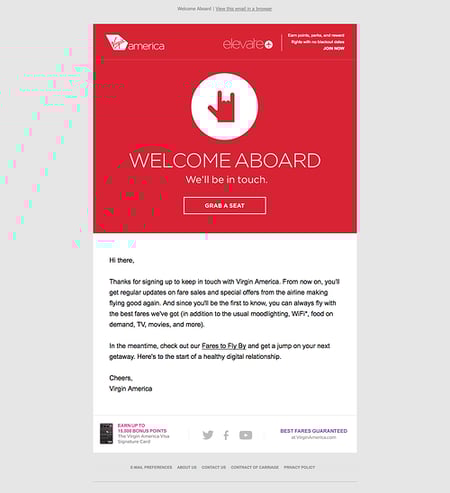
A welcome email is a perfect medium for introducing folks to the characteristics (and eccentricities) that make your brand unique.
For Virgin America, that means putting the “I love you” hand symbol front and center. This small gesture signals to the recipient that the folks at Virgin America care about their customers. The playful accompanying copy, “Welcome aboard,” and casual call-to-action, “Grab a seat,” also helps to position Virgin America as a hip, fun-loving brand right off the bat.
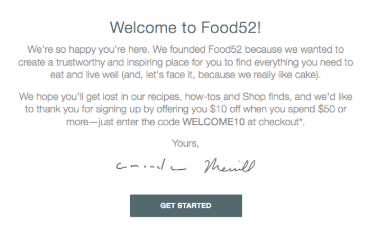
2. Food52
Type of welcome: Get Started
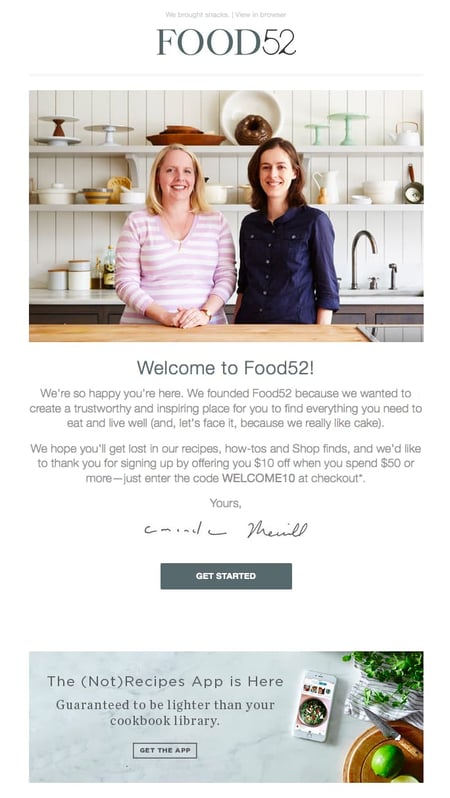
Sometimes the tiniest of elements in a welcome email can speak volumes about a brand. And when it comes to Food52’s welcome email, their preview text at the top of the email, “We brought snacks,” definitely accomplishes this.
Also known as a pre-header or snippet text, the preview text is the copy that gets pulled in from the body of an email and displayed next to (or beneath) the subject line in someone’s inbox. So when you see Food52’s welcome email in your inbox, you get a taste of their brand’s personality before you even open it.

Food52’s welcome email also does a good job of building trust by putting a face (make that two faces) to their name. As soon as you open the email, you see a photograph and message from the company’s founders.
3. Monday.com
Type of welcome: Video
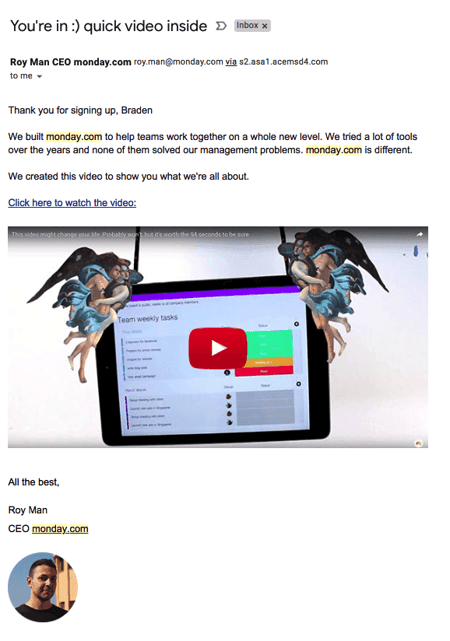
From the subject line, down to the conversational tone in the email body, the image of a welcome email above keeps it friendly and simple, so the focus stays on the introductory video inside.
Monday.com is a task management tool for teams and businesses, and the welcome email you get when you sign up makes you feel like a CEO, because Roy Man is speaking directly to you. The email even personalizes the opening greeting by using the recipient’s first name, and this is well known for increasing email click-through rates (especially if the name is in the subject line).
The more you can make your email sound like a one-on-one conversation between you and your subscriber, the better. If you have just so many details that you need to inform your new customer about, follow Monday.com’s lead and embed them on a video, rather than spelling them all out on the email itself.
4. Kate Spade
Type of welcome: Thank You
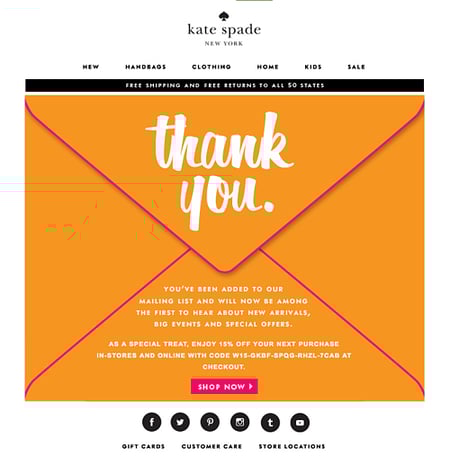
Let’s face it, the internet-using public like us are constantly bombarded with prompts to sign up for and subscribe to all sorts of email communications. So as a brand, when someone takes the time to sift through all the chaos in order to intentionally sign up for your email communications, it’s a big deal.
To acknowledge how grateful they are to the folks who actually take their time to subscribe, Kate Spade uses a simple but effective tactic with their welcome emails. They say “Thank You” in big, bold lettering. y placing that “Thank You” note on an envelope, Kate Spade recreates the feeling of receiving an actual thank you letter via mail. (The 15% off discount code doesn’t hurt either.)
5. Lyft
Type of welcome: Get Started
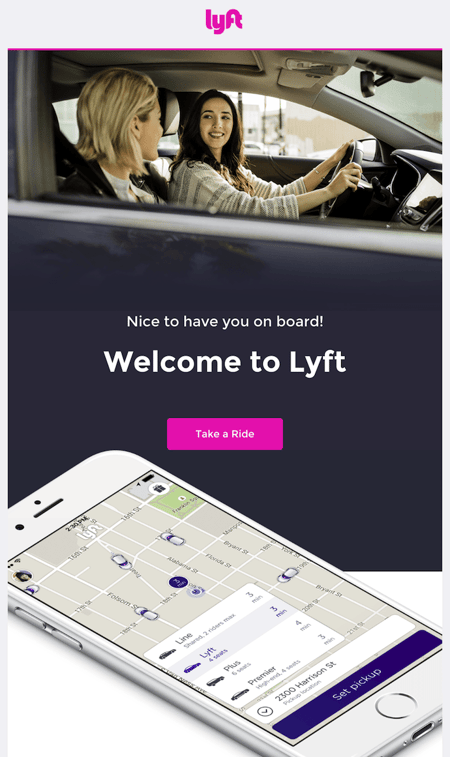
If there’s an ideal “attitude” that welcome emails should give off, Lyft has it. The company’s simple but vibrant welcome email focuses entirely on the look and feel of the app, delivering a design that’s as warm and smooth as the lifts that Lyft wants to give you. At the same time, the email’s branded pink call-to-action draws your eyes toward the center of the page to “Take a Ride”, an inviting language that doesn’t make you feel pressured as a new user.
6. Munk Pank
Type of welcome: Our Story
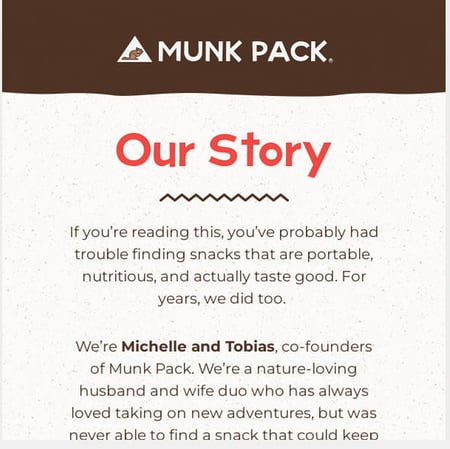
The Munk Pank’s welcome email is the story of why the company was founded. This is a healthy snack store founded by a husband and wife. In their welcome email, they mention that they started the company because they never seemed to find nutritious snacks to keep them energized and on the go.
This is an excellent version of a welcome email because they let their customers know they can relate to the problems they’re facing and they’ve been there. This helps in building trust and relatability; it also gives customers a peek into what they should expect from their products.
The email ends by sharing the company’s mission to help them live a healthy lifestyle. This welcome email lets subscribers know that they’re joining a tribe that is concerned about their healthy eating and lifestyle; a mission that goes beyond snacks.
7. Who Gives a Crap
Type of welcome: Why Us
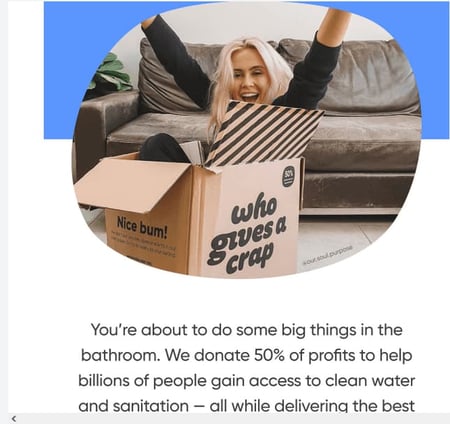
Who Gives a Crap is an organization that sells organic toilet paper, and they’re very passionate about it. Their welcome email is equally fun and informative. They state all the reasons why you should opt for organic and eco-friendly products. Then, they sweeten the pot (pun intended) by noting that they donate 50% of their profits to global sanitation projects.
The email reminds the buyer that they still get the toilet paper at the same price they do in the supermarket. They also have a compelling call to action in their welcome email that offers 10% of their products for people who subscribe to their email list. The company added their “Shop Now” button for convenience, so if readers are convinced to buy, they can do so in one click.
8. SAXX Underwear
Type of welcome: Offer
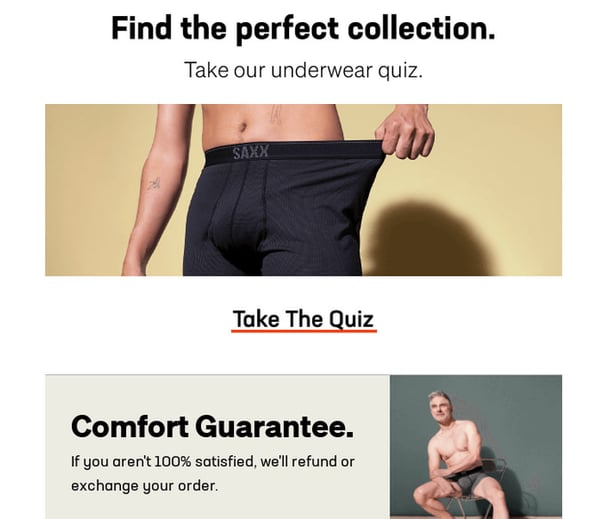
SAXX Underwear specializes in men’s underwear, and their welcome email is very catchy and creative. Their subject line “welcome to you and your balls” is just a taste of how they use a humorous and relatable tone to connect with their audience.
Their welcome email is very visual, too. They demonstrate their comfort guarantee with images of models wearing their boxers.
The welcome email also gives a 10% off code for their first-time buyers and directs them to their store. Besides the offer, they present their refund policy boldly to provide reassurance for prospects who may be unsure. These gestures help to build trust with their new subscribers and encourage them to buy from them.
What really stands out in the SAXX Underwear welcome email is the tone of the copy and the careful yet bold and catchy choice of words.
9. InVision
Type of welcome: Video
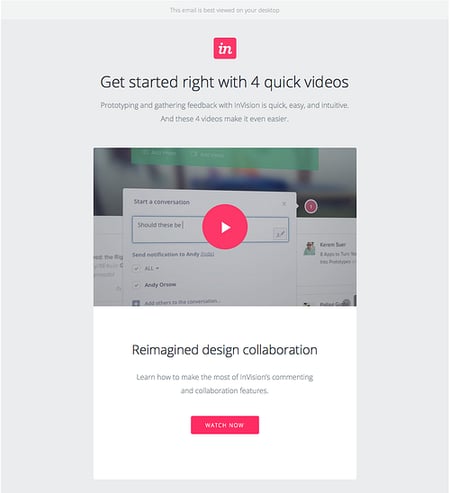
When you sign up for InVision’s free prototyping app, the welcome email makes it very clear what your next step should be.
To guide people on how to use InVision’s app, the company’s welcome email doesn’t simply list out what you need to do to get started. Instead, it shows you what you need to do with a series of quick videos. Given the visual, interactive nature of the product, this makes a lot of sense.
10. Drift
Type of welcome: Get Started
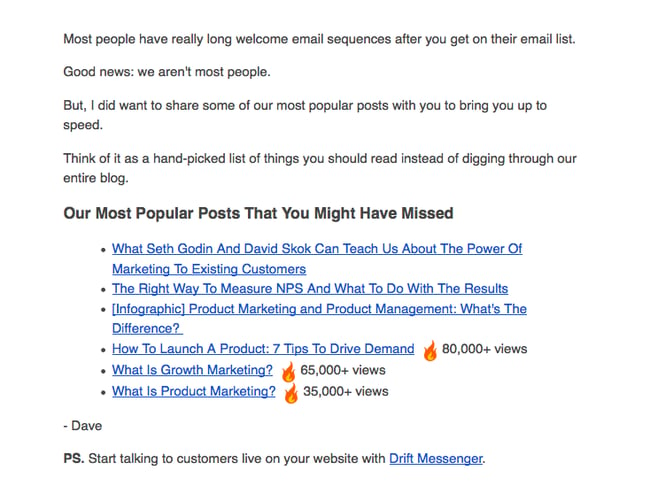
No fancy design work. No videos. No photos. The welcome email Drift sends out after signing up for their newsletter is a lesson in minimalism.
The email opens with a bit of candid commentary on the email itself. “Most people have really long welcome email sequences after you get on their email list,” Dave from Drift writes, before continuing: “Good news: we aren’t most people.” What follows is simply a bulleted list of the company’s most popular blog posts. And the only mention of the product comes in a brief postscript at the very end.
If you’re trying to craft a welcome email that’s non-interruptive, and laser-focused on adding value instead of fluff, this is a great example to follow.
Bonus Example: HubSpot’s Welcome Email Templates
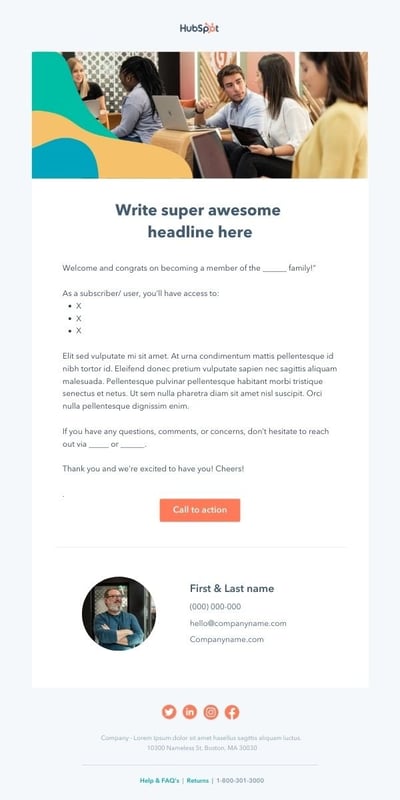
Need a little help in getting your welcome email efforts off the ground? We’ve got you covered with welcome message templates to streamline the connection process. The example below is one of four templates offered in our free kit (which also includes 40+ customer email templates) and showcases a straightforward example of a great welcome email.
Simply fill in the details, tweak the text to reflect your brand voice, and start sending.
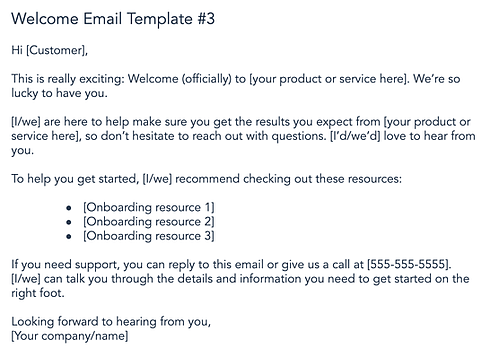
Now that you’ve seen some great examples of welcome emails, let’s dig into the process of writing a great email and catching customer attention.
1. Write a catchy subject line.
Research shows that while more than 90% of welcome emails are opened, just 23% of them are actually read. That means if your welcome email doesn’t catch the eye of your new customer, they may not know you sent it at all.
The best tool you can leverage to increase email open rates is the subject line. A catchy and actionable subject line can draw customers in and make them curious about your content.
When writing subject lines, be sure to include what your email is promoting and how it will benefit your customer. Remember to be concise, because the reader can only see a sentence or two in the preview. A good rule of thumb is that your subject line should provide enough information to peak the reader’s interest, but not enough so that they need to open your email for the full details.
2. Restate your value proposition.
Although this may seem like an unnecessary step to take, it can actually provide some significant benefits.
The most obvious benefit is that it provides the customer with some reassurance that they made the right decision signing up. It’s never a bad thing to remind customers why they created an account with you, and it clarifies exactly what they can expect to achieve with your product or service.
This also gives you the opportunity to clearly explain any ancillary services or features that you offer that could create more stickiness with your business. This is especially true if you have a complex solution with unique features that customers might not know about.
3. Show the next onboarding steps.
Now that you’ve reminded them why they signed up, get them fully set up with your product or service. Usually, there are steps that users must take after signing up to get the most out of the platform. Examples include:
- Completing their profile information
- Setting preferences
- Uploading necessary information (e.g. contacts into a CRM, profile picture for a social media profile, etc.)
- Upgrading their account or completing an order
4. Generate the “A-ha” moment.
This is one of the most important steps to take in a welcome email, and there’s a substantial and data-driven reason behind that. Former Facebook head of growth, Chamath Palihapitiya, discovered that if you can get a user to acquire seven friends within 10 days, they were much more likely to see Facebook’s “core value” and become a returning active user. This is known as an “a-ha moment,” in which the customer understands how they benefit from using your product or service.
The goal is to get the user to this aha moment as quickly as possible so your product sticks and the customer achieves success as soon as possible. This will produce a better overall customer experience and ultimately help your business grow.
To get this done, first identify your business’s “core value” and the obstacles or prerequisites customers must complete to receive this value. Then you can use your welcome email to guide new customers through these tasks.
5. Add helpful resources.
As mentioned in the previous step, you want the user to see the value immediately. But, customer success doesn’t stop there. Depending on the nature and complexity of your product, customers may need additional help. For example, customers might require guidance on troubleshooting, utilizing advanced features, or getting the most value out of your core features.
It’s likely that you’ve already created help content addressing common questions from customers. Whether it’s tutorial videos, an FAQ page, or helpful blog posts containing best practices, this help content is essential to customer success. Why not include it in your welcome email? This gives them the tools they need upfront without forcing them to search for the information after a problem arises.
6. Provide customer service contact information.
The final step to setting your customers up for success is making sure that they know how to contact you. You can spend all the time in the world creating excellent help content, but you can’t foresee every possible problem that will arise for your customers.
Even if you could, customers are only human, and not all of them will be willing to pore through your help resources to find the answer to their questions. So it’s best to be forthright with customers on how they can get in touch with you for additional help.
Adding this contact information to your welcome email is a great way to lay the foundation of trust needed for building a relationship. It drives customer loyalty and reassures readers that you are available if they need you. Avoid sending customers on a treasure hunt just to find a way to ask you a simple question. This will lead to frustration and send them into the arms of your competitors.
7. Conclude with a call-to-action.
You should wrap up your welcome email with a call-to-action that entices customers to begin the onboarding process. After you’ve demonstrated your company’s values and explained how you’re going to help them achieve their goals, customers will be eager to get started. So, make things easier for them by providing a button at the end of the email that triggers the first step in the onboarding process.
Here’s one example of what this could look like.
How to Write an Employee Onboarding Welcome Email
The onboarding process has a huge impact on how the new employees feel about your company, so it’s important to give it the time and energy it deserves. One of the important parts of this process is the onboarding welcome email. It has to match the company’s tone and outline all the expectations you have for the new employee. If this is your first time writing an onboarding email, you’ll find the following steps helpful.
Here are the steps to follow when writing an onboarding email.
1. Decide on the content of your onboarding email.
Before you start, it’s important that you are aware of the content of an onboarding welcome email.
The contents are going to vary based on the conditions. For example, an email onboarding remote employees is completely different from an onboarding email for an employee who will work onsite.
For an onsite employee, the onboarding email should include:
- Welcome events
- First-day schedule
- Arrival instructions
- How to access their workstation
- Break room details (where to warm lunch, get coffee, etc.)
- Dress code
- What they’re required to bring (passport, ID, social security work, or any other paperwork)
- Parking information
- Contact information
For a remote employee, the content may include:
- First-day schedule
- Contact information
- Sign up details for collaboration tools
- Welcome video conference meeting (time to be held)
Again, you can change the content based on your company’s needs.
2. Decide on the tone you want to use in your email.
The next thing you need to decide on is the tone you want to use in your onboarding email. Do you consider your company friendly, casual, or super formal? Whatever your answer is, it should reflect on the tone of the onboarding email. This gives the employee an idea of the kind of workplace environment they should expect. It also sets the tone for how your new employee is expected to use when representing your brand.
3. Draft your onboarding email.
The next step is to draft your onboarding email. While the tone of your email might change to fit your needs, here is an example of a template you can use.
Dear [Employee’s name],
We are very excited to welcome you to [company name]. Please remember to carry your ID to get easy access to our premises. We expect you to be in the office by [time], and our dress code is [formal/super casual].
At [company name], we pride ourselves on creating the best environment for our employees. As you’ll see, our team has already prepared your workstation for you and set up your software to make your first day easy. You’ll also be given access to your designated parking spot, a customized company bag, t-shirt, and mugs, among other goodies.
Our team has also planned all the details for your first week to ensure you settle easily. You’ll receive a document with your schedule and agendas for your first week from HR when you arrive. Human Resources will also help you fill in the required paperwork and answer all your questions. After the meeting with HR, you’ll be assigned a mentor who will show you the ropes in our company and how we get things done.
Our team is excited to meet you during the [planned event].
If you need any clarity prior to arrival, please reach out to me by phone [phone number] or email. I’ll be more than happy to help.
Welcome to the [company name], [employee name]. We are looking forward to working with you and watching you grow and soar to greater heights!
Warm Regards,
[your name]
[your signature]
4. Edit your email.
After writing your email, make sure you edit it to ensure you include all the necessary details. You can also use tools like Grammarly for any grammatical errors. You can also have a colleague double-check the email. Remember to attach any necessary documents, links, or images as supplemental information.
5. Send or schedule the email.
Lastly, send the email or schedule it to ensure it is received in a timely manner. For example, you want to avoid sending an onboarding welcome email on Sunday evening, which may give the wrong impression.
This will allow the new Employee to be psychologically prepared and find the necessary documents.
Make a Great First Impression
Bottom line? Whether it’s in-person, over the phone, or by email, first impressions matter. Your welcome email is often the first chance a prospective customer or contact has to see what your brand is all about and if you don’t stick the landing, they’ll likely go somewhere else.
Luckily, writing a great welcome email is simple. It’s not necessarily easy, but if you focus on what matters such as compelling subject lines, great content, personalized offers, and always, always a way to opt-out, your first impression can help lay the groundwork for long-term relationships.
Editor’s note: This post was originally published in April 2016 and has been updated for comprehensiveness.

The Ultimate Guide to Google Ads [Examples]
If you’re considering spending any amount of money on ads to reach your target audience, you’d better spend it in the right place.
That is, somewhere with over 2.9 billion unique monthly visitors and 5 billion daily interactions.
Somewhere like Google.
Google Ads was launched just two years after what has become the most popular website in the world: Google.com. The advertising platform came on the scene in October 2000 as Google Adwords, but after some rebranding in 2018, it was renamed Google Ads.

Given Google’s expansive reach, chances are you’ve seen (and probably clicked on) a Google ad, and so have your potential customers.
It’s no secret that these days, the stronger and more focused your paid campaigns are, the more clicks you generate — leading to a greater probability of obtaining new customers.
Little wonder then that Google Ads has become increasingly popular among businesses across all industries.
In this guide, you’ll discover how to begin advertising on Google. We’ll cover features specific to the platform and teach you how to optimize your campaigns to achieve the best results with your ads.
What is Google Ads?
Google Ads is a paid advertising platform that falls under a marketing channel known as pay-per-click (PPC), where you (the advertiser) pay per click or impression (CPM) on an ad.
Google Ads is an effective way to drive qualified traffic, or good-fit customers, to your business who’re searching for products and services like the ones you offer. With Google Ads, you can boost your website traffic, receive more phone calls, and increase in-store visits.
Google Ads allows you to create and share well-timed ads (via both mobile and desktop) among your target audience. As a result, your business will show up on the search engine results page (SERP) at the moment your ideal customers are looking for products and services like yours via Google Search or Google Maps.
This way, you reach your target audience when it makes sense for them to come across your ad.
Note: Ads from the platform can span across other channels, too, including YouTube, Blogger, and Google Display Network.
Over time, Google Ads will also help you analyze and improve those ads to reach more people so your business can hit all of your paid campaign goals.
Discover how HubSpot can help you better manage your Google Ads.
Additionally, no matter the size of your business or your available resources, you can tailor your ads to suit your budget. The Google Ads tool allows you to stay within your monthly cap and even pause or stop your ad spending at any point in time.
Now, onto another critical question: Is Google Ads really effective? To answer this, let’s consider a few statistics:
- Google Ads has a click-through rate of nearly 2%.
- Display ads yield 180 million impressions each month.
- For users ready to buy, paid ads on Google get 65% of the clicks.
- 43% of customers buy something they’ve seen on a YouTube ad.
Why advertise on Google?
Google is the most used search engine, receiving over 5 billion search queries daily. Not to mention, the Google Ads platform has been around for nearly two decades, giving it some seniority and authority in paid advertising.
Google is a resource used by people worldwide to ask questions answered with a combination of paid advertisements and organic results.
Need another reason? Your competitors are using Google Ads (and they might even be bidding on your branded terms).
Hundreds of thousands of companies use Google Ads to promote their businesses, which means that even if you’re ranking organically for a search term, your results are being pushed down the page beneath your competitors.
If you’re using PPC to advertise your product or services, Google Ads should be a part of your paid strategy — there’s no way around it (except maybe Facebook Ads, but that’s another article).
Google Ads Best Practices
If you’ve tried unsuccessfully to advertise on Google, don’t give up. There are many reasons why your Google Ads could be underperforming. But, first, let’s cover some standard Google Ads best practices.
1. Use a PPC planning template.
Download this Template for Free
Using a planner keeps your PPC projects organized. With Google and HubSpot’s PPC Planning Template, you can view how your ads will appear online, see your character counts, and manage your campaigns all in one place.
2. Avoid broad keyword terms.
You really need to nail it for your keywords, which is why testing and tweaking should be a part of your strategy. If your keywords are too broad, Google will be placing your ad in front of the wrong audience, which means fewer clicks and a higher ad spend.
Review what’s working (i.e., which keywords generate clicks) and adjust them to best match your ads with your target audience. You likely won’t get the mix right the first time, but you should keep adding, removing, and tweaking keywords until you do.
Tip: Review the keyword strategies that we cover below.
3. Don’t run irrelevant ads.
If your ad doesn’t match the searcher’s intent, you won’t get enough clicks to justify your ad spend. Your headline and ad copy need to match the keywords you’re bidding on, and the solution your ad is marketing needs to solve whatever pain point that searcher is experiencing.
It’s a combination that will yield the results you’re looking for, and it may just be a few tweaks away. You have the option to create multiple ads per campaign — use this feature to split test which ads work best. Or, better yet, use Google’s Responsive Search Ads feature.
Tip: Read our best practices for ad copy.
4. Improve your Quality Score (QS).
Your Quality Score (QS) is how Google determines how your ad should rank.
The higher your QS, the better your rank and placements on the Search Engine Results Page (SERP). If your quality score is low, you’ll have fewer eyeballs on your ad and fewer chances to convert.
Although Google lets you know your Quality Score, it’s your responsibility to improve it.
Tip: Keep reading to learn how to improve your QS.
5. Optimize your ad landing page.
Your efforts shouldn’t stop with your ad — the user experience after a click is equally essential.
What does your user see once they click your ad? Is your landing page optimized for conversions? Does the page solve your user’s pain point or answer their question? Your user should experience a seamless transition through the conversion process.
Tip: Review landing page best practices and implement them to increase your conversion rate.
These common terms will help you set up, manage, and optimize your Google Ads. Some of these are specific to Google Ads, while others are generally related to PPC. Either way, you’ll need to know these to run an effective ad campaign.
1. AdRank
Your AdRank determines your ad placement. The higher the value, the better you’ll rank, the more eyes will fall on your ad, and the higher the probability of users clicking your ad. Your AdRank is determined by your maximum bid multiplied by your Quality Score.
2. Bidding
Google Ads is based on a bidding system, where you, as the advertiser, select a maximum bid amount you’re willing to pay for a click on your ad. The higher your bid, the better your placement. You have three options for bidding: CPC, CPM, or CPE.
- CPC, or cost-per-click, is the amount you pay for each click on your ad.
- CPM, or cost per mille, is the amount you pay for one thousand ad impressions; that is when your ad is shown to a thousand people.
- CPE, or cost per engagement, is the amount you pay when someone takes a predetermined action with your ad.
And, yes, we’ll review bidding strategies below.
3. Campaign Type
Before you begin a paid campaign on Google Ads, you’ll select between seven campaign types: search, display, video, shopping, app, smart, or performance max.
- Search ads are text ads that are displayed among search results on a Google results page.
- Display ads are typically image-based and are shown on web pages within the Google Display Network.
- Video ads are between six and 15 seconds and appear on YouTube.
- Shopping campaigns appear on search results and the Google shopping tab.
- App campaigns use information from your app to optimize ads across websites.
- Smart campaigns have Google finding the best targeting to get you the most bang for your buck.
- Performance Max is a new campaign type that lets advertisers access all Google Ads inventory from a single campaign.
4. Click-Through Rate (CTR)
Your CTR is the number of clicks you get on your ad as a proportion of the number of views your ad gets. A higher CTR indicates a quality ad matching search intent and targeting relevant keywords.
5. Conversion Rate (CVR)
CVR is a measure of form submissions as a proportion of total visits to your landing page. Simplistically speaking, a high CVR means that your landing page presents a seamless user experience that matches the ad’s promise.
6. Display Network
Google ads can be displayed on either search results pages or a web page within Google’s Display Network (GDN). GDN is a network of websites that allow space on their web pages for Google Ads — these ads can be text- or image-based and are displayed alongside content relevant to your target keywords. The most popular Display Ad options are Google Shopping and app campaigns.
7. Extensions
Ad Extensions allow you to supplement your ad with additional information at no extra cost. These extensions fall under one of five categories: Sitelink, Call, Location, Offer, or App; we’ll cover each of these ad extensions below.
8. Keywords
When a Google user types a query into the search field, Google returns a range of results that match the searcher’s intent. Keywords are words or phrases that align with what a searcher wants and will satisfy their query. You select keywords based on which queries you want to display your ad alongside. For example, a searcher that types “how to clean gum off shoes” will see results for advertisers that targeted keywords like “gum on shoes” and “clean shoes.”
Negative keywords are a list of keyword terms that you do not want to rank for. Google will pull you from the bid on these keywords. Typically, these are semi-related to your intended search terms but fall outside of the realm of what you offer or want to rank for.
9. PPC
Pay-per-click, or PPC, is a type of advertising where the advertiser pays per click on an ad. PPC is not specific to Google Ads, but it is the most common type of paid campaign. It’s important to understand the ins and outs of PPC before launching your first Google Ads campaign.
10. Quality Score (QS)
Your Quality Score measures the quality of your ad by your click-through rate (CTR), the relevance of your keywords, the quality of your landing page, and your past performance on the SERPs. QS is a determining factor in your AdRank.
Click to get our free guide on how to use Google Ads.
How does Google Ads work?
Google Ads displays your ad to potential leads or customers who are interested in your product or service. Advertisers bid on search terms, or keywords, and the winners of that bid are placed at the top of search results pages, on YouTube videos, or on relevant websites, depending on the type of ad campaign selected.
Many factors impact your ability to create effective and high-performing Google Ads. Let’s cover them below, plus some Google Ads examples.
AdRank and Quality Score
AdRank determines the placement of your ads, and Quality Score is one of the two factors (the other being bid amount) that determines your AdRank. Remember, your Quality Score is based on the quality and relevance of your ad, and Google measures that by how many people click on your ad when it’s displayed — i.e., your CTR. Your CTR depends on how well your ad matches searcher intent, which you can deduce from three areas:
- The relevance of your keywords
- If your ad copy and CTA deliver what the searcher expects based on their search
- The user experience of your landing page
Your QS is where you should focus most of your attention when you first set up your Google Ad campaign — even before you increase your bid amount. The higher your QS, the lower your acquisition costs will be and the better placement you’ll get.
Location
When you first set up your Google Ad, you’ll select a geographical area where your ad will be shown. If you have a storefront, this should be within a reasonable radius around your physical location. If you have an ecommerce store and a physical product, your location should be set in the places where you ship. If you provide a service or product that is accessible worldwide, then the sky’s the limit.
Your location settings will play a role in placement. For instance, if you own a yoga studio in San Francisco, someone in New York that enters “yoga studio” will not see your result, no matter your AdRank. That’s because Google’s main objective is to display the most relevant results to searchers, even when you’re paying.
Keywords
Keyword research is just as important for paid ads as it is for organic search. Your keywords need to match searcher intent as much as possible. That’s because Google matches your ad with search queries based on the keywords you selected.
Each ad group that you create within your campaign will target a small set of keywords (one to five keywords is optimal), and Google will display your ad based on those selections.
Match Types
Match Types give you a little wiggle room when it comes to your keyword selections — they tell Google whether you want to match a search query exactly or if your ad should be shown to anyone with a search query that’s semi-related. There are four match types to choose from:
- Broad Match is the default setting that uses any word within your keyword phrase in any order. For example, “goat yoga in Oakland” will match “goat yoga” or “yoga Oakland.”
- Modified Broad Match allows you to lock in certain words within a keyword phrase by denoting them with a “+” sign. Your matches will include that locked-in word at the very least. For example, “+goats yoga in Oakland” could yield “goats,” “goats like food,” or “goats and yoga.”
- Phrase Match will match with queries that include your keyword phrase in the exact order but may include additional words before or after it. For example, “goat yoga” can yield “spotted goat yoga” or “goat yoga with puppies.”
- Exact Match maintains your keyword phrase as it is written in the exact order. For example, “goat yoga” will not show up if someone types “goats yoga” or “goat yoga class.”
If you’re just starting out and don’t know precisely how your persona will be searching, move from a broad match to a more narrow approach so you can test which queries yield the best results. However, since your ad will be ranking for many queries (some unrelated), you should keep a close eye on your ads and modify them as you can gain new information.
Headline and Description
Your ad copy can be the difference between a click on your ad and a click on your competitor’s ad. Therefore, it’s important that your ad copy matches the searcher’s intent, is aligned with your target keywords, and addresses the persona’s pain point with a clear solution.
To illustrate what we mean, let’s review an example.

A search for “baby swim lessons” yielded this result. The copy is concise and uses limited space wisely to convey its message and connect with its target audience.
The Swim Revolution knew to put the keyword in their headline, so we instantly know that this ad matches what we’re looking for. Furthermore, the description tells us why this is the best option for swim lessons because it addresses the concerns of their persona — a parent looking to enroll their baby in a swim class.
They use words like “skills,” “fun,” “confidence,” and “comfort in the water” to ease our nerves about putting a baby in a pool and to prove to us that we will get what we want out of this class — an infant that can swim.
This kind of ad copy will get you clicks, but conversions will result from carrying this level of intention into your landing page copy.
Ad Extensions
If you’re running Google Ads, you should be using Ad Extensions for two reasons: they’re free, and they give users additional information and another reason to interact with your ad. These extensions fall within one of these five categories:
- Sitelink Extensions extend your ad — helping you stand out — and provide additional links to your site that offer users more enticing reasons to click.
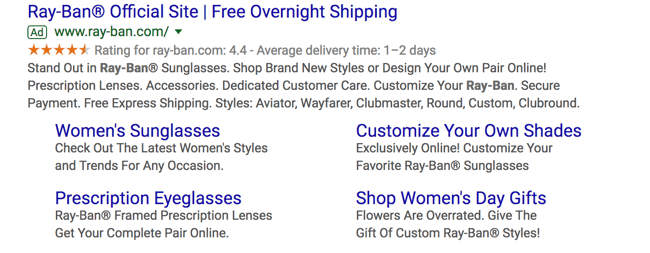
- Call Extensions allow you to incorporate your phone number in your ad, so users have an additional (and instant) way to reach out to you. If you have a customer service team that is ready to engage and convert your audience, then include your phone number.

- Location Extensions include your location and phone number within your ad so Google can offer searchers a map to find you easily. This option is great for businesses with a storefront, and it works well for the search query “…near me.”

- Offer Extensions work if you’re running a current promotion. It can entice users to click your ad over others if they see that your options are discounted compared to your competitors.
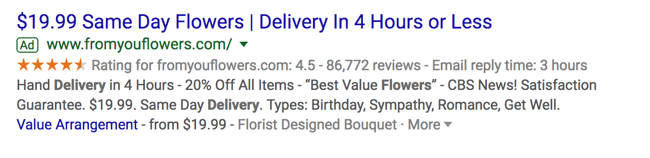
- App Extensions provide a link to an app download for mobile users. This reduces the friction of performing a new search to find and download the app in an AppStore.
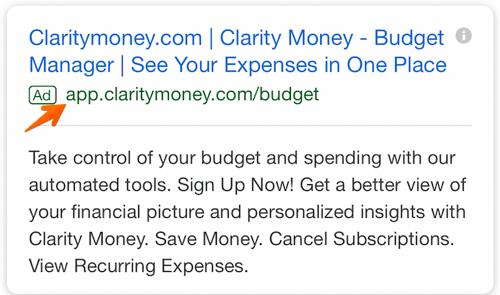
Google Ads Retargeting
Retargeting (or remarketing) in Google Ads is a way to advertise to users who have previously interacted with you online but have not yet converted. Tracking cookies will follow users around the web and target these users with your ads. Remarketing is effective since most prospects need to see your marketing multiple times before becoming a customer.
You can select from one of five campaign types on Google Ads. Let’s cover the optimal uses for each and why you might choose one over the other.
1. Search Ad Campaigns
Search ads are text ads that are displayed on Google results pages. As an example, a search for “pocket squares” returns sponsored results:
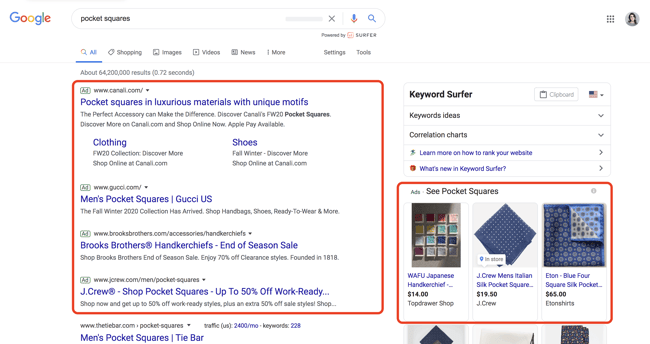
The benefit of search ads is that you’re displaying your ad in the place where most searchers look for information first — on Google. And Google shows your ad in the same format as other results (except for denoting it as an “Ad”), so users are accustomed to seeing and clicking on results.
Responsive Search Ads
Responsive search ads allow you to enter multiple versions of headlines and ad copy (15 and four variations, respectively) for Google to select the best performers to display to users. With traditional ads, you create one static version of your ad, using the same headline and description each time.
Responsive ads allow for a dynamic ad that is auto-tested until you arrive at the version that is best suited for your target audience — for Google, that means until you get the most clicks.
2. Display Ad Campaigns
Google has a network of websites in various industries and with an array of audiences that opt in to display Google Ads, known as the Google Display Network. The benefit to the website owner is that they’re paid per click or impression on the ads. The benefit to advertisers is that they can get their content in front of audiences that are aligned with their personas.
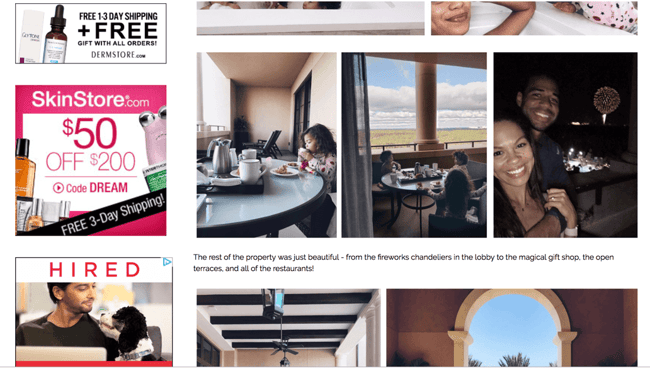
These are typically image ads that draw users’ attention away from the content on the webpage:
3. Video Ad Campaigns
videos. Remember, YouTube is a search engine, too. So the right keywords will place you in front of a video, disrupting the user’s behavior just enough to grab their attention.
Here’s a video advertisement that pops up in the middle of another video on how to tie a tie:
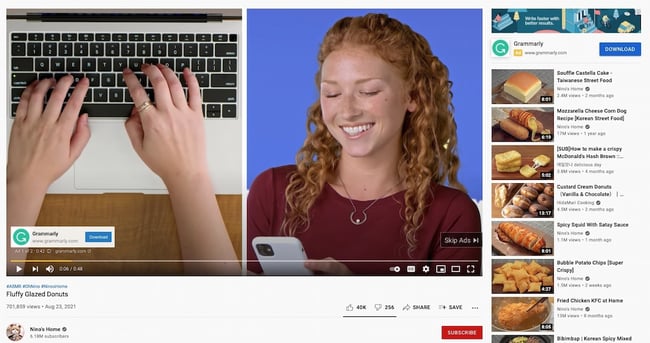
4. App Ad Campaigns
Google App Campaigns promote your mobile application through an ad displayed on Google Search Network, YouTube, Google Play, Google Display Network, and more.
You can run ads that encourage your audience to install your app or, if they already use it, to take a certain action within your app.
Unlike other ad types, you don’t design an App ad campaign. Instead, provide Google with your app’s information and audience, and place a bid. Google does the rest to get your app in front of the right eyes:
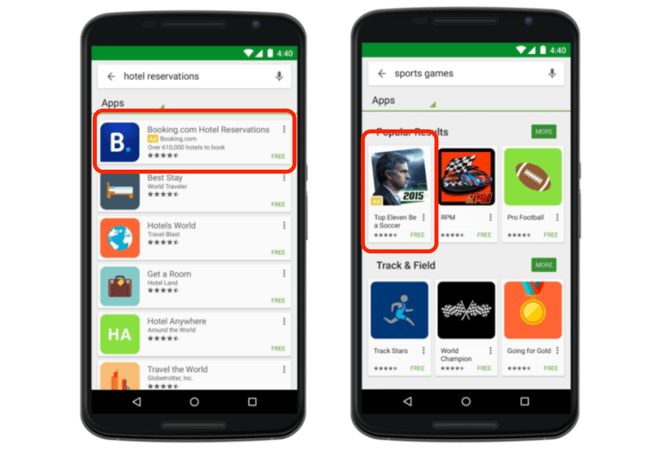
5. Shopping Ad Campaigns
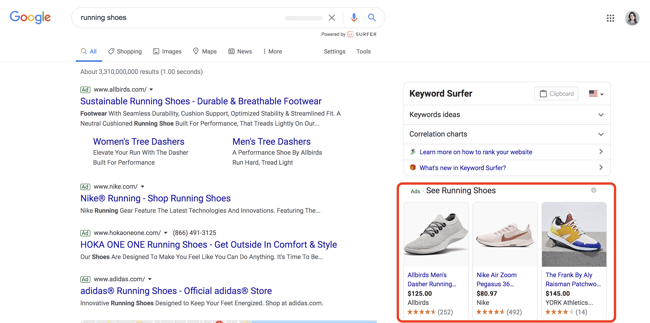
Another type of Google Ad is Google Shopping Ad Campaigns. Shopping campaigns, like these other types of ads, are displayed on SERPs and include detailed product information such as price and product imagery. You can run a Shopping campaign through Google Merchant Center, where you input specific product information that Google pulls from to create your shopping ads.
Instead of marketing your brand as a whole, Shopping Ads allow you to promote specific products and product lines. That’s why, when you search for a particular product on Google, you’ll see ads for different brands pop up along the top and/or side. This is what I see when I search “running shoes.” The ads at the top are Google Search ads, but the specific products advertised on the side are Shopping ads optimized for the keyword “running shoes”:
How to Use Google Ads
Convinced that you should start using Google Ads? Good. Getting started is simple, but requires a few steps. Here’s a step-by-step guide for setting up your first campaign on Google Ads.
1. Set up your Google Ads account.
First, go to the Google Ads homepage. On the top right-hand corner, click on ‘Start Now.’

You’ll be directed to sign in with a Google account or set up a new one.
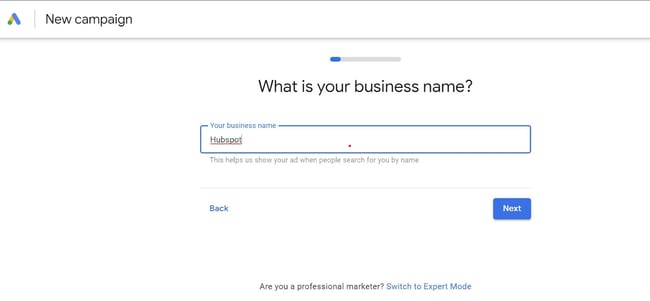
2. Choose your business name and website.
After signing in, you’ll be taken to a page where you’ll provide your business name and website. The URL you provide is where anyone who clicks on your ad will be taken.
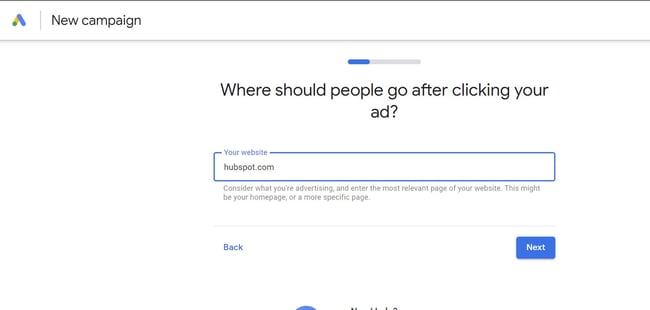
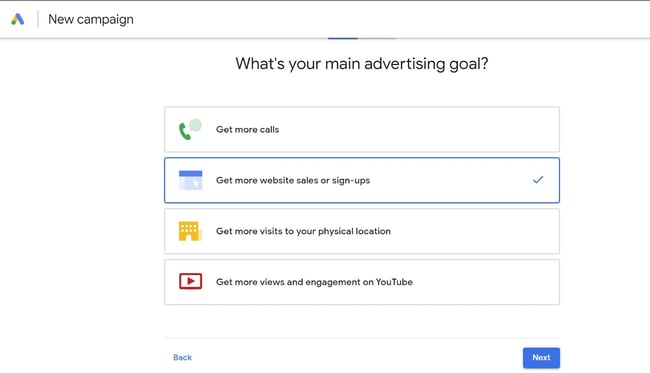
3. Select your advertising goal.
Next, select your main advertising goal. You have four options: Get more calls, get more website sales or sign-ups, get more visits to your physical location, and get more views and engagement on YouTube.
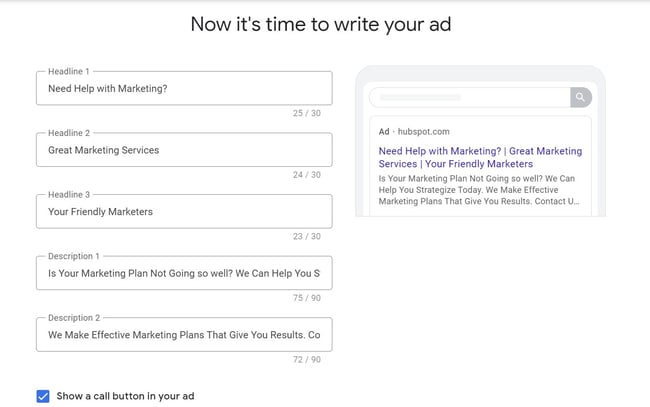
4. Craft your ad.
The next step is to create your ad. This requires creativity and can be a bit challenging.
Thankfully, Google gives you tips on what to write. But, of course, the most important thing is to write an ad that’ll attract and convert your audience.
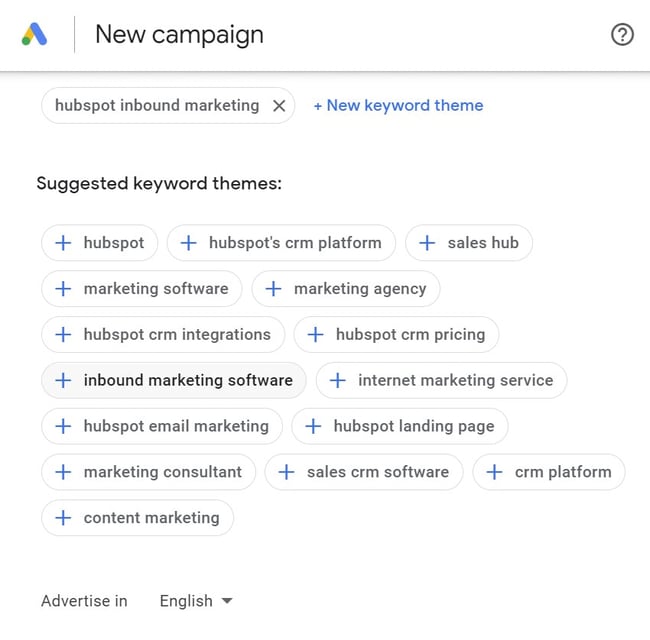
5. Add keyword themes.
On the next page, you can choose keywords that match your brand. Google will suggest a few for you; if you’re not familiar with keyword research, we suggest selecting the ones Google has suggested to start. After selecting the right keywords, click ‘Next.’
6. Set your ad location.
The next page lets you choose the location or locations where you want your ad to appear. It can be near your physical address or anywhere else.
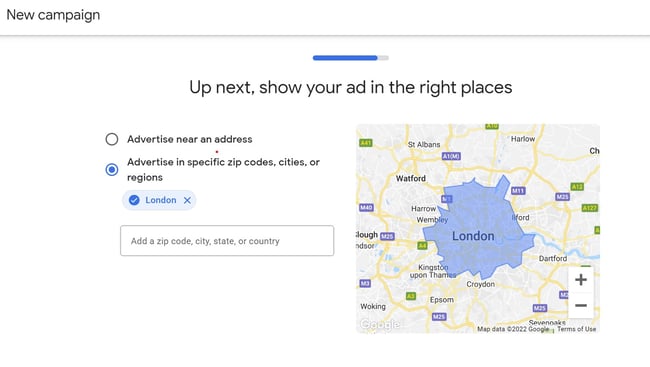
7. Set your budget.
Here, you’ll either use the budget options offered by Google or enter a specific budget.
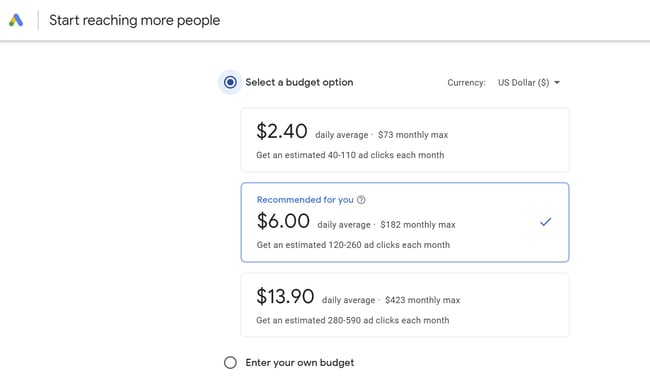
8. Confirm payment.
Lastly, provide your billing information.
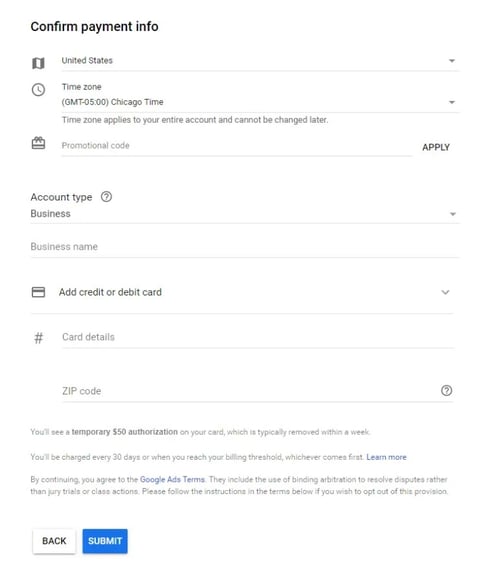
And that’s how easy it is to create your first Google ad!
As you can see, setting up your paid campaigns on Google is relatively easy (and quick), mostly because the platform takes you through the setup and provides helpful hints along the way. If you have your ad copy and/or images created, the setup should take you no more than 10 minutes.
What may be less obvious are all the additional things you need to do to make sure your ads are optimally set up and easily trackable. Let’s cover these together. These are the steps you’ll take once your ads are submitted for review.
9. Link your Google Analytics account.
You likely have Google Analytics set up on your website (if not, here’s how to do it on WordPress) so you can track traffic, conversions, goals, and any unique metrics. You also need to link your Analytics account to Google Ads. Linking these accounts will make tracking, analyzing, and reporting between channels and campaigns much easier because you can view these events in one place.
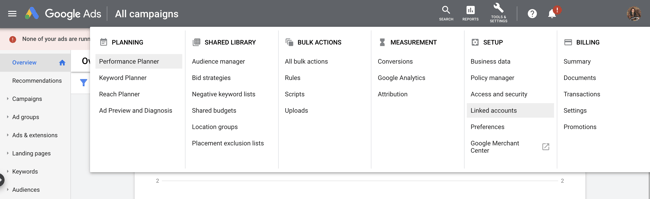
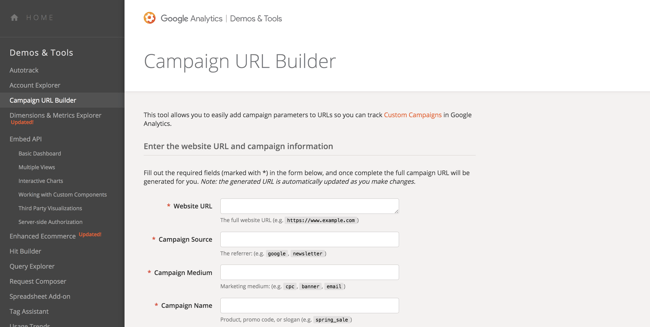
10. Add UTM codes.
Urchin Tracking Module (UTM) codes are used by Google to track any activity associated with a specific link. You’ve probably seen them before — it’s the part of a URL that follows a question mark (“?”). UTM codes will tell you which offer or ad led to a conversion so you can track the most effective parts of your campaign. UTM codes make it easier to optimize your Google Ads since you know exactly what’s working.
The trick, though, is to add your UTM codes at the campaign level when you set up your Google Ads, so you don’t have to do so manually for each ad URL. Otherwise, you can add them manually with Google’s UTM builder.
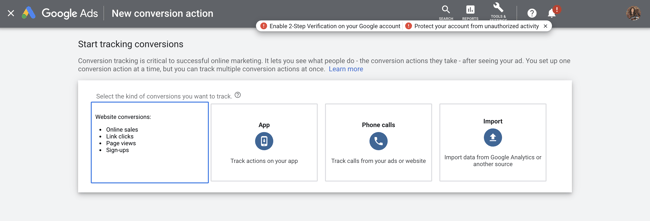
11. Set up conversion tracking.
Conversion tracking tells you exactly how many customers or leads you’ve acquired from your ad campaigns. It’s not mandatory to set up, but, without it, you’ll be guessing the ROI of your ads. Conversion tracking allows you to track sales (or other activities) on your website, app installs, or calls from your ads.
Manage and organize your ads with our free Google Ads Kit and Templates.
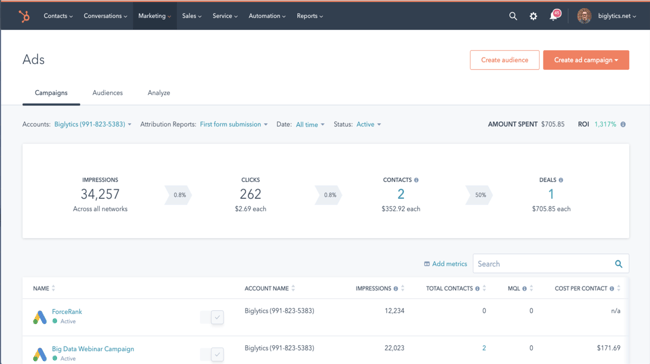
12. Integrate your Google Ads with your CRM.
There is something to be said about keeping all of your data in one place where you can track, analyze, and report on it. You already use your CRM to track contact data and lead flows. Integrating Google Ads with your CRM gives you the ability to track which ad campaigns are working for your audience so you can continue marketing to them with offers that are relevant.
Google Ads Bidding Strategies
Once you’ve set up your ad campaigns and have tracking in place, it’s time to start bidding. Remember, your ability to rank in Google Ads depends on how you bid. While your bid amount will depend on your budget and goals, there are a few strategies and bid settings you should be aware of when launching your paid campaign.
Automated vs. Manual Bidding
You have two options when it comes to bidding on your keywords — automated and manual. Here’s how they work:
- Automated Bidding puts Google in the driver’s seat and allows the platform to adjust your bid based on your competitors. You can still set a maximum budget, and Google will work within a range to give you the best chance at winning the bid within those constraints.
- Manual Bidding lets you set the bid amounts for your ad groups and keywords, giving you the chance to reduce spending on low-performing ads.
Bidding on Branded Search Terms
Branded terms are those with your company or unique product name in them, like “HubSpot CRM.” There is much debate on whether to bid on your branded terms or not. On one side of the debate, bidding on terms that will likely yield organic results could be seen as a waste of money.
On the other side, bidding on these terms gives you domain over these search results pages and helps you convert prospects that are further along the flywheel. For instance, if I’ve been researching live chat tools and am heavily considering HubSpot’s Live Chat, then a simple search for “HubSpot live chat software” will yield precisely the result I’m looking for without the effort of scrolling.
The other argument in favor of bidding on your branded terms is that competitors may bid on them if you don’t, thereby taking up valuable real estate that should belong to you.
Cost Per Acquisition (CPA)
If the idea of spending money to convert prospects into leads makes you uneasy, then you can set a CPA instead and only pay when a user converts into a customer. While this bidding strategy could cost more, you can take comfort in knowing that you only pay when you acquire a paying customer. This strategy makes it easy to track and justify your ad spend.
Additional Resources to Optimize Your Google Ads
Your ad copy and headline is not the only component that will make your paid campaign successful. Getting a user to click is only the beginning … they should arrive on a landing page that’s optimized for conversion and then be taken to a Thank You page that tells them what to do next.
If you want your Google Ads to produce qualified leads and customers, then check out these additional resources and use them as guidelines as you set up your Google Ads campaign.
- Landing Page Best Practices will teach you how to set up a landing page that’s prime for conversions so you don’t waste those precious clicks.
- Optimized “Thank You” Pages shows you what to do with your new lead post-conversion, how to keep them on your site, and ways to maintain their attention.
- Tips for Mobile Google Ads teaches you the key differences between desktop and mobile ads and how to optimize both.
- Optimizing Google Ads Costs will show you how we, at HubSpot, maximize our Google Ads spend to get the best ROI.
- Quality Google Ads Examples That Convert shares examples of Google advertising campaigns that got it right.
Google Ads Tips
Now that you know how to use and set up a Google Ad campaign, here are a few short tips or best practices to follow to help you create successful campaigns.
We’ve covered these at length throughout this post, but their importance can’t be overstated. Use this as a checklist you can refer to again and again.
1. Have a clear goal.
It’s vital to define your objectives before you create your ad, instead of creating an ad first and then tweaking it to fit your objectives. Sit down with your marketing team to prepare an advertising plan and create SMART goals for your Google Ads campaigns.
2. Create a relevant landing page.
When prompted to add your URL when creating your ad, ensure that the URL you provide leads to a relevant landing page. If your ad is interesting enough to get clicked, you could undo all that great work if it directs them to a poor landing page.
Therefore, optimize your landing pages so that your ad will help convert a curious visitor into a paying customer. Check out our landing page guide so you know exactly how to create great landing pages.
3. Use the right keywords.
Keywords are super important, so it’s only right that you choose the best ones for your ad.
Long-tail keywords are some of the best types of keywords because they are very specific and can target one business.
For example, say you run a cat clinic. A generic keyword like ‘cat clinic’ won’t target people in your area, but something like ‘cat clinic in belvedere’ is more likely to attract the right audience.
4. Automate the process.
You can maximize conversions by optimizing the bidding process. Tools like Smart Bidding can increase or reduce bids for you, depending on the chance of success.
Therefore, you’ll spend money only when there’s a higher chance of success.
5. Use Ad Extensions.
Extensions can take your ad performance up a notch. These extensions allow you to specify your locations, services, goods, or sales promotions.
For example, you could include a telephone number in your ad so people can call you to inquire about your services right away.
6. Use negative keywords.
Google Ads allows you to include negative keywords. Using these keywords indicates what your product or service is not, thus preventing you from showing up in irrelevant SERPs.
Using the cat clinic example, you might only cater to cats and not dogs or other pets. In this case, you can exclude terms like ‘dogs’ and other qualifiers.
7. Measure and improve upon your strategy.
When you integrate your ads with Google Analytics, you can track important metrics like page popularity, the keywords that drive the most traffic, and more.
Collecting and analyzing these and other metrics will help you improve the quality of your ads, boost your conversions, and increase revenue over time.
Start Your Google Ads Campaign
Given its reach and authority, Google Ads should be a part of your paid strategy. Use the tips we covered to get started, and remember to refine and iterate as you go.
There’s no such thing as a Google Ads campaign that doesn’t work — there are only ones that need a bit more work. Using the strategy and information provided above, you have what you need to create a successful Google Ad campaign that drives clicks and converts leads.
Editor’s note: This post was originally published in November 2015 and has been updated for comprehensiveness.

Twitter Power Users: What They Are & How to Become One
Twitter has more than 192 million daily active users — a number that is projected to continue growing over the coming years. However, that the platform has millions of users doesn’t guarantee that you’ll become a Twitter power user or that you’ll get thousands of followers, even if you tweet regularly.
Gaining followers and engagement on Twitter is easier said than done. Despite your best efforts, it can seem like you’re screaming into a void. Nevertheless, the good news is that it’s possible to grow a following and become a power user on Twitter.
In this article, we’ll consider what differentiates Twitter power users from the rest and how you can become a power user too.
![Download Now: How to Use Twitter for Business [Free Kit]](https://no-cache.hubspot.com/cta/default/53/190da11f-58c6-41d5-a397-843618741e09.png)
The term also refers to people who spend plenty of time using a system, app, or tool. And their near-obsession with the device, app, or system gives them a higher mastery over it than casual users.
According to research by the Pew Research Center, 10% of Twitter users are Power users, and this small number of users are responsible for about 80% of tweets on Twitter.
They are also known as SuperTweeters. Power users aren’t limited to just a few tweets. Instead, their Tweet count runs into tens of thousands or even more.
This number isn’t astounding, considering that most of them have accounts that date back to the early days of Twitter. Since they’ve been around for a long time and have been super-active, it only makes sense that they have loads of tweets.
For example, Twitter power user Naval has more than 200,000 tweets.

While they might appear similar, most celebrities aren’t power users.
For instance, although popstar Taylor Swift has over 90 million followers, she has made around 700 tweets since 2008. So she certainly doesn’t count as a power user account.
On the other hand, power users might not be famous people or brands right from the go, but their power usage of Twitter has grown their accounts to incredible numbers over the years.
What are the Characteristics of a Twitter Power User?
So, what makes Twitter power users different from casual users? Here are five characteristics that set them apart from other users.
1. They tweet multiple times a day.
The power user isn’t a casual observer on Twitter. Instead of sitting back to read tweets from others, they are active users of the app, which is reflected in the number of tweets they post every day and over time. In addition, most of their tweets see impressive engagement numbers, such as numerous retweets and replies.
2. They have a high follower count.
Another characteristic of power users is that they have many followers. We’re talking about accounts with hundreds of thousands of followers, and some of them even have followings that run into millions.
3. They have a niche.
Rarely do you find Twitter power users talking about various subjects. In most cases, they only talk about a niche topic, such as marketing, politics, tech, or business.
4. They are likely to have a blog or website.
Power users are often quite popular because they exist in other spheres. Several of them usually have a blog or website where they expand on their thoughts and tweets.
5. They have access to unique features.
Since the release of
Twitter Blue, one of the characteristics of many power users is that they have access to unique features like folders for bookmarks, customized icons, and more.
Twitter Power Users Examples
Here are some popular Twitter power users:
1. Elon Musk (@elonmusk)
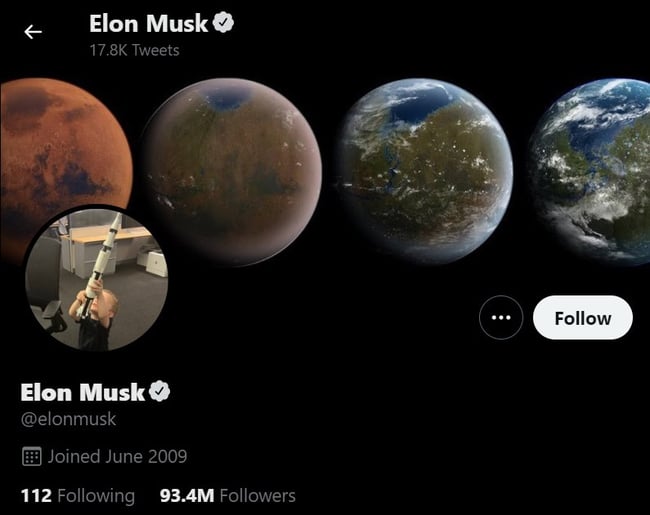
Is there a more powerful business person on the planet than Elon Musk at the moment? We don’t think so. While some people can like him and others can dislike him, his tweets move markets and spark conversation. For that reason, he’s undoubtedly a power user.
2. SlimJim (@SlimJim)
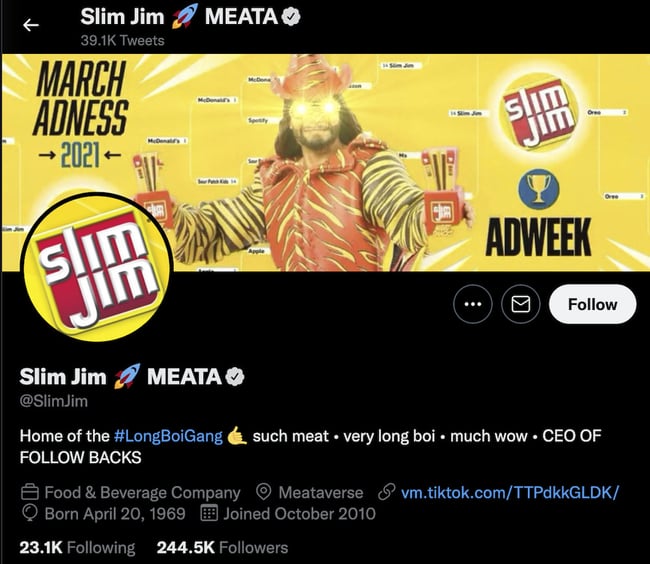
The official Twitter handle of the American snack brand is a power user.
Although a brand account, it has a personal touch and is self-branded as “the ceo of follow backs.” You don’t have to look far to find a Slim Jim tweet turned into a meme — such as this one.
3. Robert Scoble (@scobleizer)
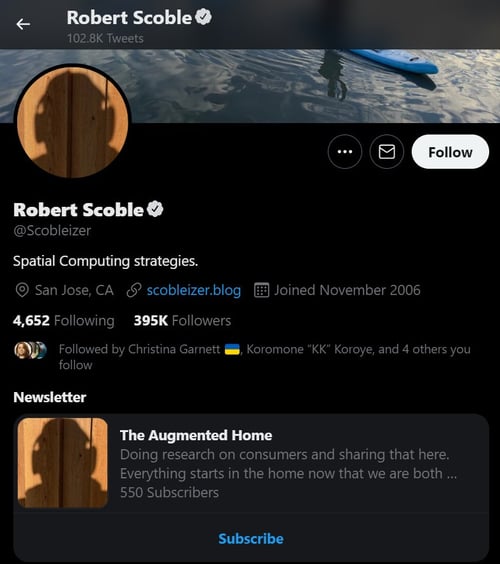
This is one of the most recognized power users on the app. He often tweets about technology, and his account uses some of the latest and premium Twitter features.
4. Guy Kawaski (@GuyKawaski)
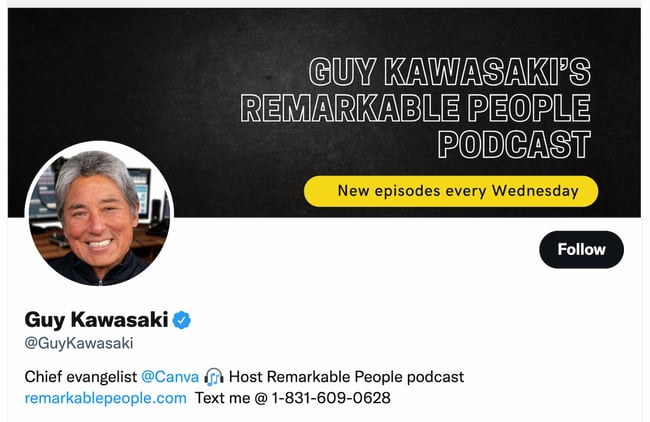
Guy Kawaski is another power user. He’s the author of several best-selling books and shares valuable content on topics related to economics, technology, and business.
5. Fabrizio Romano (@FabrizioRomano)
Fabrizio is one of the most popular football journalists on the planet and certainly qualifies as a Twitter power user. He tweets multiple times in one hour and earns thousands of likes and retweets within minutes of posting.
6. Chris Brogan (@chrisbrogan)
Chris shares plenty of insights on social media daily and is one of the most popular social media experts. Like other Twitter power users on this list, he tweets multiple times a day, sharing information that either amuses or informs his followers.
How to Become a Twitter User
You can become a Twitter power user too. While you might not grow a following that runs into the millions, you can significantly improve your reach and engagement.
Here are some of the tips that can help you.
1. Tweet at the right time.
Tweeting at the right time is one of the cornerstones of becoming a Twitter power user. Nearly every post on improving your Twitter presence lists this tip — and for a good reason.
Therefore, you need to find the best time when your audience will be free enough to engage with your tweets. Each audience has different peak hours, so it’s up to you to determine the peak time for your audience.
Twitter analytics tools can help you find out what this time is by tracking when your followers engage with your posts.
2. Focus on mobile users.
When it comes to Twitter, mobile is king. Most people use the app on their mobile phones, so you must focus on appealing to this demographic. Twitter does an excellent job of optimizing your tweets for mobile, but if you want to become a power user, you must go beyond what Twitter provides to give the best experience to your audience.
One thing you could do is use images that are clear on mobile. Also, if you’re linking to your website or blog, ensure that the site is optimized for mobile users.
3. Ask for users to engage — don’t wait for it to happen.
Ask, and you shall receive, which proves true in Twitter’s case. So if you want people to like, retweet, or reply to your tweets, simply ask them to.
Adding a ‘please retweet,’ ‘like this,’ or ‘reply to this,’ is more likely to shoot up your engagement than tweets that lack the pleas.
However, you should be careful to offer something valuable in return. This doesn’t mean starting a like-for-like or retweet-for-retweet chain. Instead, it’s vital to offer valuable content or information that people will want to share and retweet.
4. Use action words.
People are more likely to do something if you ask them to do it, so it is recommended to use action words in your tweets.
Including subtle or even direct requests makes people notice your tweets and can encourage them to take the desired action. Remember that this method works best if you’re providing value to your followers.
Slim Jim is an excellent example of a power user that uses this technique. See how it asks followers to reply to this tweet? You can do so too.
Pros of Becoming a Twitter Power User
1. It helps build your brand.
If you’re running a business, the increased exposure that becoming a power user gives you can immensely help your Twitter marketing strategy.
2. It will drive traffic to your website.
Being a Twitter power user can direct referral traffic to your website. For example, you can include your website link in your bio or tweets. You can find more ways to direct traffic to your website from Twitter here.
3. You might get verified.
As a power user, you can apply for Twitter verification. If you use Twitter, you’ll know that getting verified confers a feeling of power and authority to your account. At the very least, it indicates that your handle is an authentic account.
4. It helps you stay on top of trends and news.
Twitter is a significant source of news and trends. By being a power user, you’ll always stay in the loop.
Cons of Becoming a Twitter Power User
1. You have to constantly publish tweets.
If you’re just starting, one of the most challenging things, and certainly a disadvantage of being a power user, is how often you’ll need to push out content. We’re talking multiple times a day and even multiple times an hour.
2. There’s a risk of addiction.
Being a Twitter power user means you’ll likely have to be online most of the time. As a result, there’s a risk of becoming addicted to Twitter, which can be harmful if not kept in check. Therefore, a balanced and conscious effort to prevent addiction is essential.
3. You have to work around the character limit.
Since Twitter has a 280-character limit, it can be challenging to express thoughts coherently, even if you create a thread.
4. Your Tweets can get lost in the noise.
Millions of tweets are sent out daily, and with new tweets published every second, your tweets can get buried quickly. You can mitigate this by offering highly valuable content and using Twitter hashtags.
Your Path to Becoming a Twitter Power User Starts Here
We hope this is an excellent starting point for anyone thinking of becoming a Twitter power user. Although there’s so much more to Twitter than these tips we’ve provided, adhering to these guidelines will help you increase engagement on your Twitter account. Remember, the goal isn’t to reach a million followers. The goal is to provide valuable content that other users can’t help but retweet, putting you on the path to becoming a power user.
Editor’s note: This post was originally published in March 2009 and has been updated for comprehensiveness.

9 Things Our Trends Team Will be Following in the Next 6 Months & Beyond
“Your next business idea, delivered weekly.” That’s our job over at Trends.
And, when we say “business ideas,” we’re not just talking about businesses you can start. We’re also talking about the next idea that’s going to help business operators, including insights on emerging consumer trends they can leverage in their marketing strategies.
While you’ve likely learned about some of the latest consumer trends to watch in the State of Consumer Trends Report, we wanted to dive even deeper into the future business trends we plan to follow in the coming months.
Take a look at the following nine trends that we think will pop over the next six months, including NFT subscription services, virtual pop-up stores, direct mail marketing, and more.
9 Trends We’re Watching in the Coming Months
1. Gifting
Forget loyalty points — gifting is the new customer retention strategy. As remote everything continues to rise, keeping connected to clients and loved ones will be key.
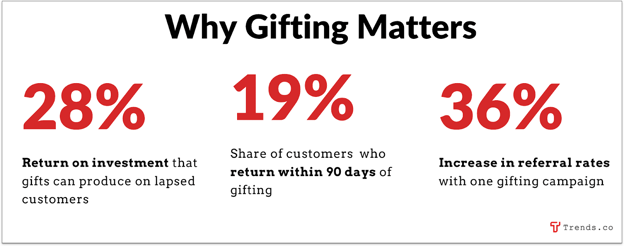
Source: &Open
Gifting powerhouse 1-800-FLOWERS had a record-breaking year in 2020, and venture capital is flowing into startups like &Open ($7.2m last May) and Gracia (~$14m since its 2017 launch).
Another new player, Goody, sent 10,000 gifts in its first two months and has raised $32m since its 2020 launch. Co-founder Edward Lando told TechCrunch that the app serves as an additional acquisition channel for early D2C brands and a “giant shopping mall” for Gen Z consumers.
Companies will also use gifting to target employees, since worker retention is at an all-time low, and the average cost of replacing an employee is about seven months of their salary.
Wellbox, for example, is a platform for businesses to send gifts to their workers that made $4m+ in revenue in its first year.
2. Direct Mail Marketing
Seth Greene, the bestselling author of seven marketing books, told Trends.co that “with all the changes in online media platforms like Google and Facebook, direct mail delivers better results than ever, with fewer restrictions.”
Our research backs this up, particularly when it comes to “digital interactive” — physical mail used to drive readers online — where response rates are ~9%-10%, roughly double what they were five years ago.
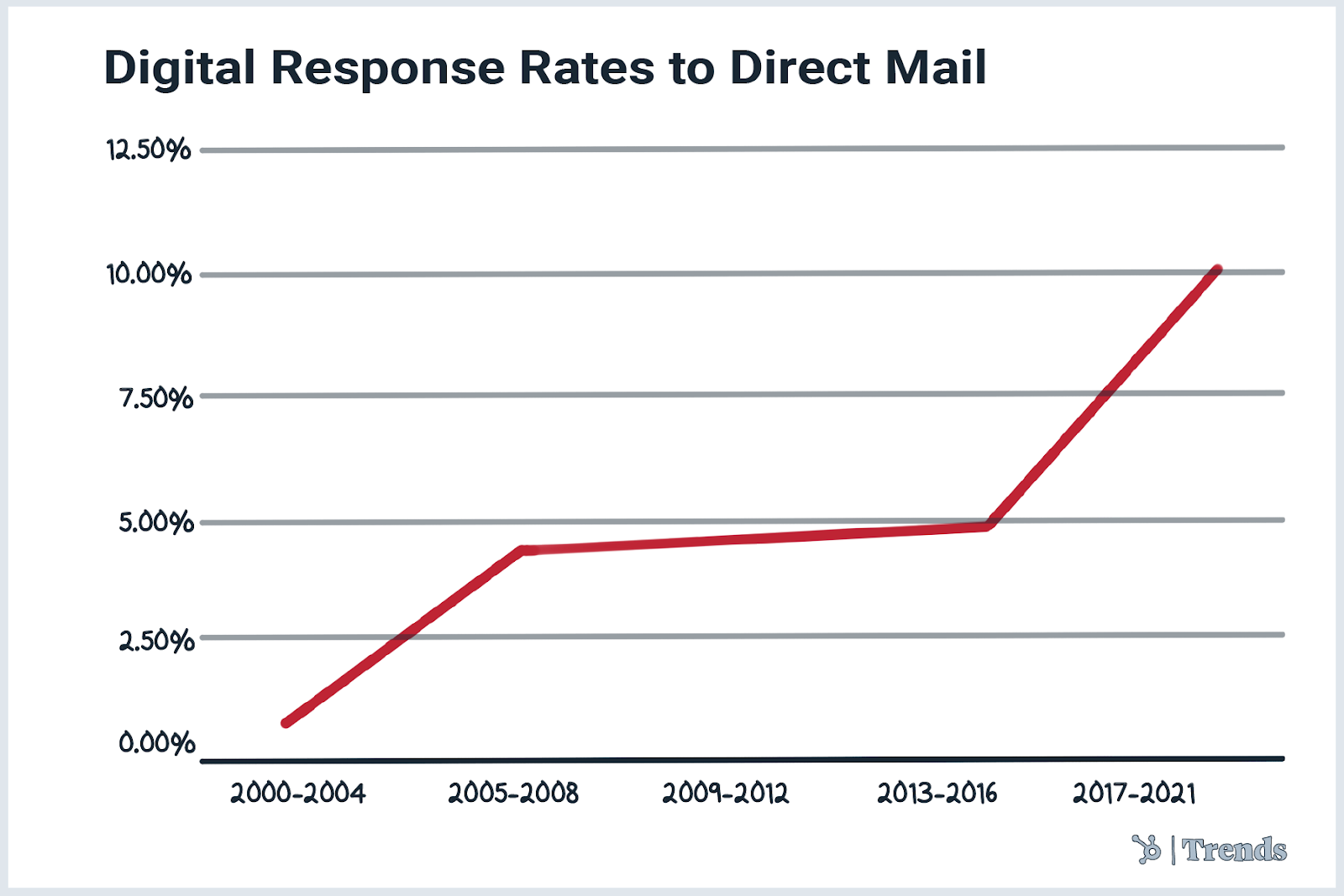
Source: 25 Direct Mail Trends for 2021
Some niches we expect will emerge in this space include:
- Voice-activated calls to action: Integrating smart-speaker apps into direct mail campaigns so readers can take action with an Alexa command
- VR integrations: Physical mail that pairs with a VR headset to provide deep, interactive experiences
- Old-school postcards: Direct mail marketing companies focusing on postcards, like PostcardMania, which reportedly made ~$84m in revenue last year
3. Return of Retro
The resurgence of direct mail is just the tip of the iceberg when it comes to the bigger trend of all things retro.
Subscribers to the r/Retro subreddit have doubled to 10k+ since 2020, and r/80sDesign has hit 86k+ subscribers.
Retro search terms are also going wild on Amazon. For example, weekly searches for “retro home decor” have increased 290% in the US in the last year, according to Jungle Scout.
Here’s how we expect to see the trend manifest over the next 6 months:
- Shutter-Lovin’: Film, old-school cameras, and darkrooms
- Experiences: Roller rinks and arcades
- Gaming: Old-school games and accessories
- Advertising: Brands leveraging the ’80s aesthetic in their ads
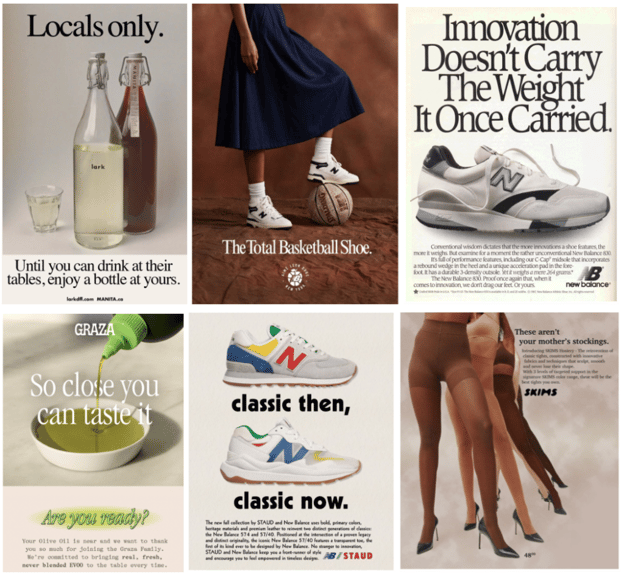 Can you tell which are from the 1980s vs. the 2020s? Only the top right one is original ’80s (Source: Eye on Design)
4. Audio SEO
The world of podcasts is growing faster than the entire internet did back in the early 2000s. Spotify alone now hosts 3m+ shows (that’s ~43x the number of titles on Netflix, Disney+, and Apple TV+, combined).
Source: Internet Live Stats and The Podcast Host
But the tools that help listeners discover new content haven’t kept up.
Sixty-five percent of people who’ve never listened to a podcast say the reason is that they don’t know where to start. Meanwhile, great new shows struggle to get recognition, and audiences tire of seeing the same old suggestions.
Audio search is due for an overhaul. Some solutions we may see emerge in the coming months include:
- Audio search engines, like Fathom, which recently raised $15m for their AI-driven podcast player and audio search engine
- Tools that let podcasters turn audio into snackable visual content for platforms like TikTok, similar to Audiogram
- Audio SEO tools, like the Ahrefs or Keywords Everywhere equivalent for audio
- Interactive/immersive podcast apps, like Entale and Adori, which allow podcasters to include relevant links, images, polls, and offer codes so that they appear on the listener’s screen at the right moment
5. NFT-Powered Subscription Services
The Bored Ape Yacht Club (BAYC) is one of the most popular digital art collections in the world. BAYC NFT owners have exclusive licensing and commercial rights to their apes, leveraging many token holders to build their own startups.
One such startup is the Bored Breakfast Club. It’s a coffee subscription service and NFT collection that uses NFTs to establish an exclusive online community of coffee enthusiasts.
In their subscription model, anyone who owns one of the 5k Bored Breakfast Club NFTs is entitled to receive free shipments of exclusive coffee blends.
The NFTs also unlock access to an online community, live events, content, and discounts on additional bags of coffee.
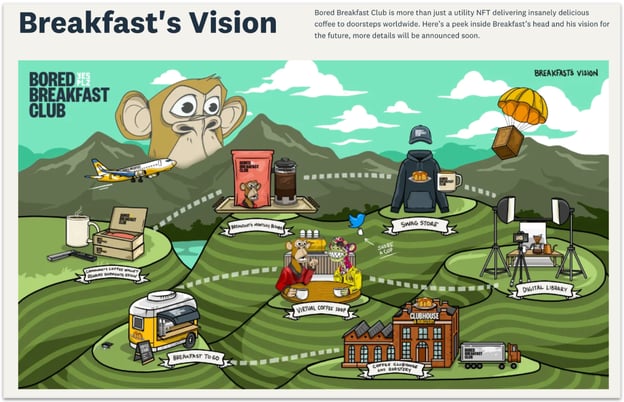
Source: Bored Breakfast Club Website
Many big brands like Cameo, Wrangler, and Time magazine are already experimenting with NFTs for exclusive community access, but the Bored Breakfast Club is one of the first to tag on a subscription component.
It’s still early days, but should the model prove successful, it will open up a whole new world of potential NFT subscription products, way beyond coffee.
6. B2B Influencers
The B2B influencer space is currently underdeveloped and largely unmonetized. While the overall influencer marketing industry was pegged at ~$9.7B in 2020, the bulk of that was focused on B2C campaigns.
But that is set to change, as ~80% of B2B brands surveyed in 2020 say they plan to either maintain or increase their influencer spend.
Not surprising, since research from Demand Gen shows that B2B clients consider sponsored third-party or co-branded content more trustworthy than content straight from a vendor.
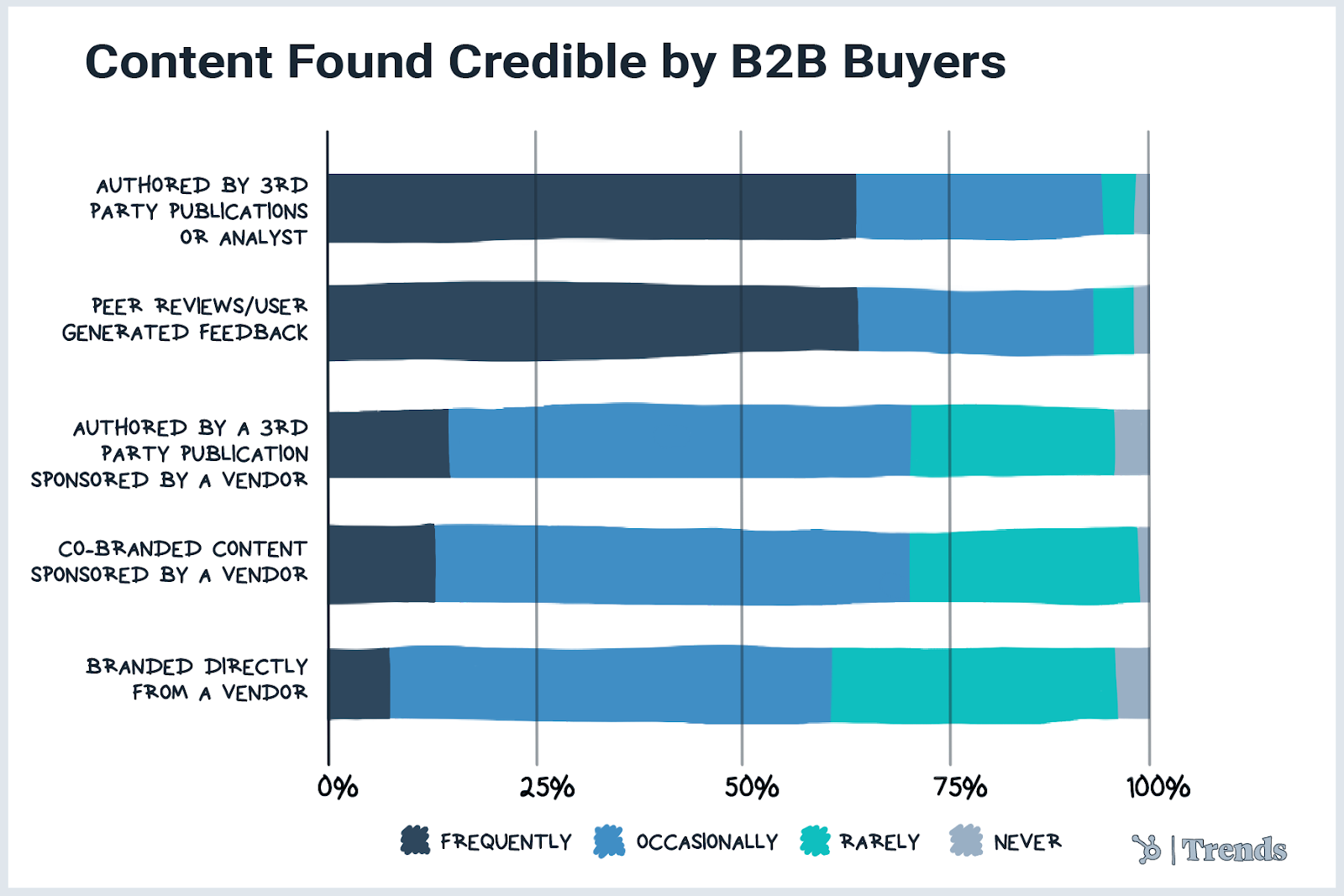
Source: Oktopost
We expect to see a number of tools and services emerge to help brands identify and manage influencers and document their influencer strategy.
This could take place in B2B industries where subscription spending is highest, such as engineering, sales, HR, and customer service.
Influencer marketing more generally might grow stronger with each new generation. While 26% of social media users ages 25-34 have purchased a product marketed by an influencer in the past three months, 33% of social media users in the 18-24 age range have done the same.
7. Virtual Pop-Up Shops
Pop-up shops in the metaverse are a thing now.
Italian fashion brand Hogan recently took part in Decentraland’s Fashion Week with a virtual pop-up store, and jewelry label Pandora teamed up with Animal Planet to launch an in-game virtual pop-up called “Pandora Island.”
The new metaverse shopping industry could continue to grow with consumer interest. In a HubSpot survey of more than 1k consumers, 30% of participants said more brands should consider virtual stores in the metaverse.
While we’ll definitely see more of these, brands won’t necessarily need to dive headfirst into the metaverse in order to participate in the trend.
A virtual pop-up shop is essentially anything that creates a unique online shopping experience for your customers, separate from your existing website. This could be an event or even a landing page dedicated to a new product line.
They first gained popularity as an alternative to the real deal during national lockdowns, and, despite a dip in 2021, interest is picking up again.
Some big bands that have already experimented with this format include Lancôme, Hoover, and Dunkin’.
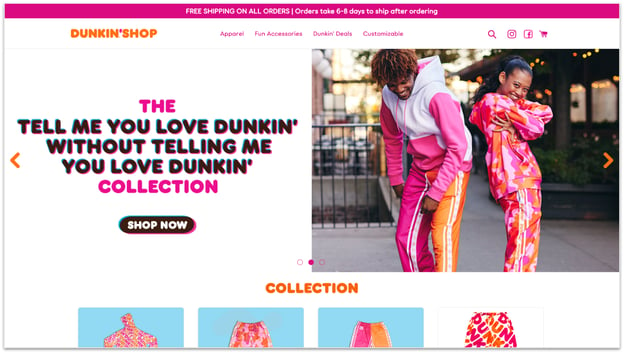
Source: Dunkin’Shop
8. Luxe Eco-Friendly Products and Packaging
Conscious consumption is in vogue. Younger generations in particular are driving up demand for products like this 0.56-oz. container made from recycled plastic ($14) and this chair manufactured from old fishing nets ($375).
They are also demanding more from brands, and are willing to pay to save the planet.
While eco-friendly shampoo bars tend to be more cost-effective than traditional shampoo, consumers are happily splashing out for the high-end options: A single Viori bar costs $16, ~3x the price of a comparable amount (20 oz.) of Dove shampoo.
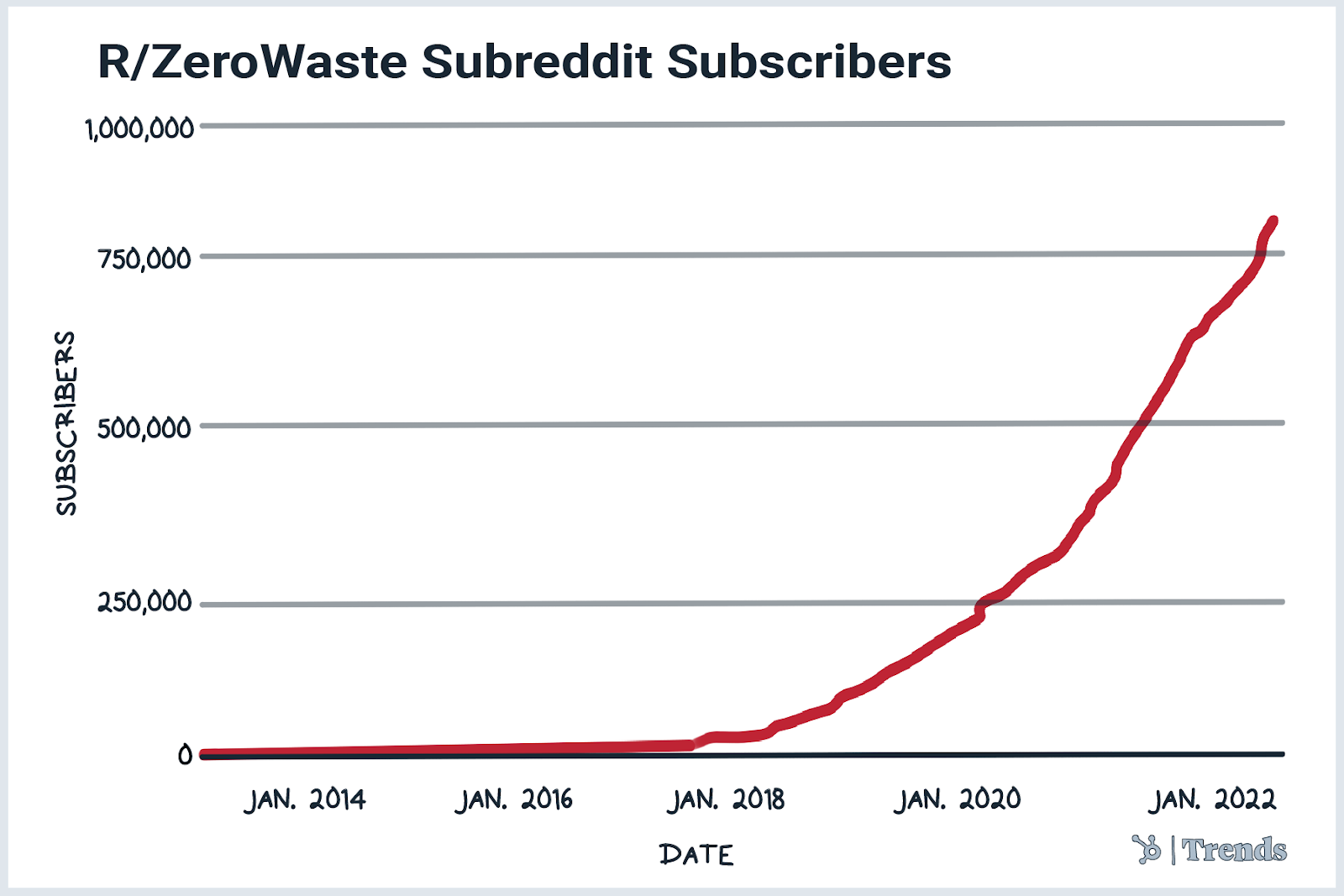
Source: Subreddit Stats
We expect that eco-friendly packaging will also boom as the rapid rise in ecommerce continues to drive demand for sustainable packaging.
Solutions could include compostable packaging from leftover bamboo and sugarcane pulp, like those made by Ecoinno, which recently raised $6m in funding.
9. Gamified NFT Marketing
NFT platform Neon launched the world’s first NFT vending machine back in February.
The machine accepts fiat currency, making it possible for people to invest in NFTs using their credit card — without the need to convert to crypto first.
We expect to see similar NFT marketing initiatives like arcade machines or mobile games that allow players to collect NFTs as they play.
Louis Vuitton has already released a “Louis the Game” mobile app, which includes 30 embedded NFTs that could only be collected by playing the game.
GAP is another big name brand that has incorporated a gaming component into their NFT collection to encourage continued customer engagement. 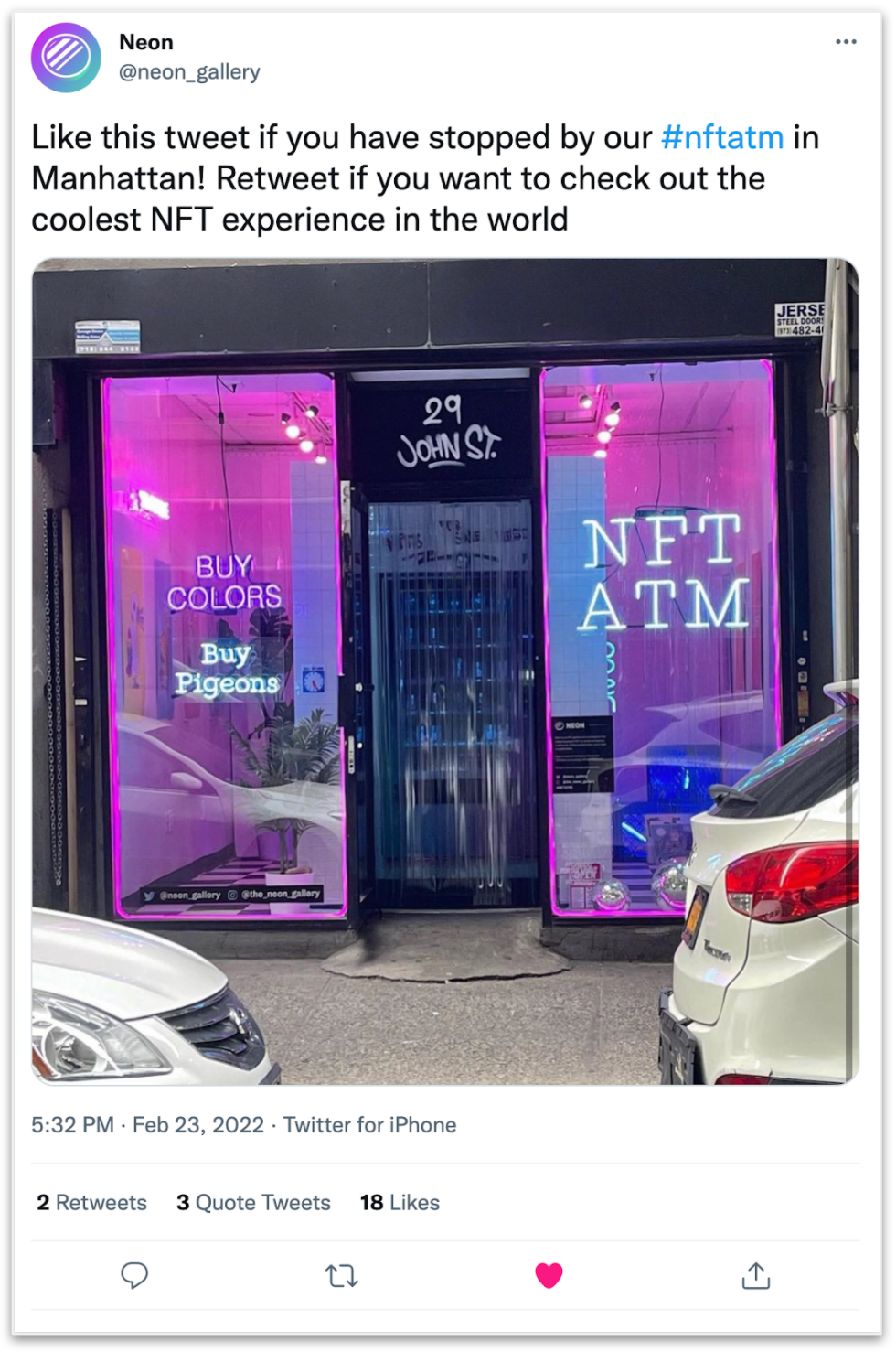
Source: Twitter
How to Stay Up to Date
Staying up to date on today’s trends and data can be crucial to building marketing or business strategies that meet your audiences where they are. But with trends always moving quickly, the idea of tracking them can be overwhelming. Here are a few handy resources that can help your brand in its quest to stay fresh, relevant and up to date.
- HubSpot’s State of Consumer Trends Series: This month, HubSpot will be publishing a series of blog posts, like this one, and a brand new data-driven PDF all about the latest consumer behaviors, preferences, shopping habits, and trends marketers and brands need to know about in the coming month. Click here to see our State of Consumer Trends Report, where you’ll find links to the content in our series and a handy, free PDF.
- Subscribe to Trends.co: Want to learn about trends that impact all areas of business and step up your game even more? Check out and subscribe Trends.co today to learn all about the business ideas, innovations and — well — the trends that are changing the game in your industry.

Workflow Automation Explained & 6 Best Workflow Software for 2022
Manual data entry might be one of the most tedious and inefficient tasks in the corporate world. Not only does it put you to sleep, but it also wastes precious time and resources, slashing your productivity to bits.
According to Zapier, 94% of workers perform time-consuming, repetitive tasks. Fortunately, there’s technology that can automate these mind-numbing tasks, eliminating human error and letting you focus on the work that actually matters — workflow automation.

By leveraging self-operating processes that run manual tasks, workflow automation can help your business save time and money, diminish errors, and boost productivity.
Table of Contents
How does workflow automation work?
Workflow automation typically relies on a series of if/then statements to trigger another task. It then branches off depending on the action that was taken by a lead, employee, or another stakeholder.
Let’s walk through an example workflow for turning a form submission into a deal opportunity.
- A website visitor submits a form.
- The action automatically enrolls the visitor in a drip campaign. It creates a new deal and sets the status to “New.”
- The first email of the drip campaign is sent to the lead, requesting to schedule a meeting.
- The lead clicks through to the meeting scheduler and creates an appointment.
- A thank you email is sent to the lead, confirming the date and time.
- The CRM creates a new task and assigns it to a sales rep.
- The sales rep then reaches out personally, ending the automated workflow.
Here’s what a workflow can look like from start to finish.
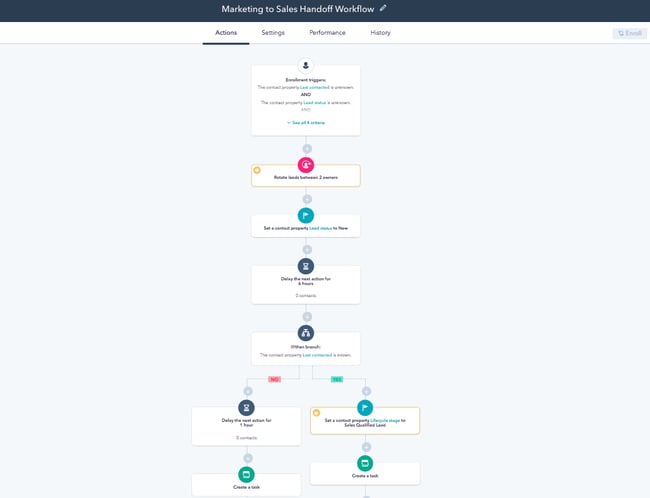 Image Source
Almost every department in your business can benefit from workflow automation. Whether it’s marketing, human resources, or finance, the technology can help you work smarter, not harder.
Below, we’ll cover some of the most popular workflow automation examples.
Workflow automation can be used in virtually any team and in any business scenario. While it’s mostly related to marketing and sales, it can also be used in customer service, operations, human resources, and finance.
Marketing Workflow Automation
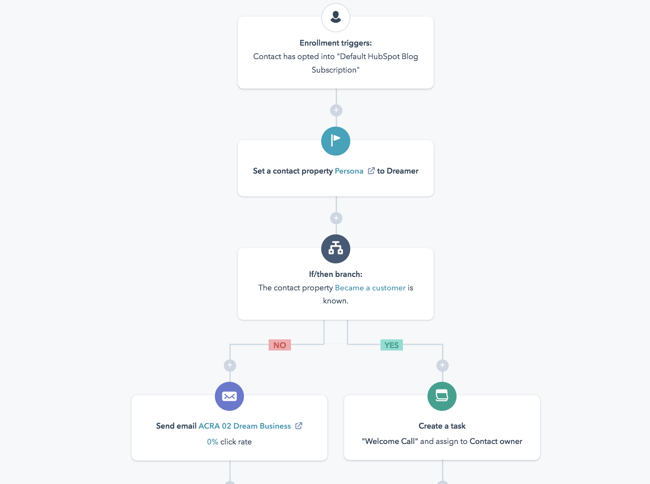
Some of the most repetitive tasks in marketing, such as sending emails and posting social media updates, can be automated with workflow automation. With marketing automation software, you can schedule your entire social media calendar and set up workflows that nurture certain types of prospects with email offers.
Automated workflows in marketing include:
- Subscribing a user to a drip campaign when they download a resource from your website
- Welcoming a user to your company after they purchase a product
- Reminding a user to check out after they’ve added various items to their cart
- Scheduling social media posts across multiple platforms
- Distributing marketing tasks across team members
Additional Reading
- Beginner’s Guide to Marketing Automation
- Marketing Automation Benefits
- B2C Marketing Automation
- Email Marketing Workflows
Sales Workflow Automation
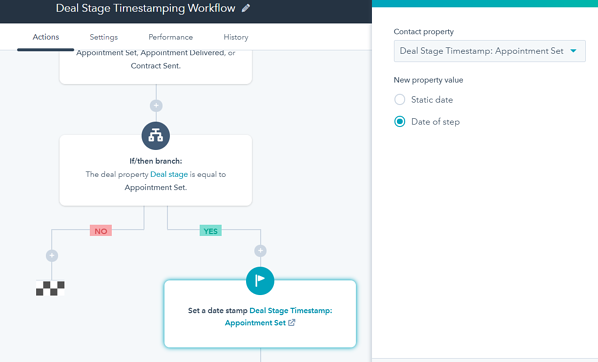
Sales workflow automation streamlines tedious lead and prospect management tasks, so that reps can focus on selling, not entering data. Aside from taking leads automatically through the pipeline based on their actions, an automated sales workflow can enroll prospects in drip campaigns and update deal stages as the deal moves forward.
Automated tasks in sales include:
- Placing each lead at a different stage of the pipeline when they take a certain action
- Moving a lead out of the pipeline if they’ve stopped responding to emails
- Sending an introduction email from a sales rep to a lead after they download an ebook
- Updating the deal stage once the lead has scheduled an appointment or meeting
- Creating tasks for sales reps once a lead has scheduled a meeting
Additional Reading
Customer Service Workflow Automation
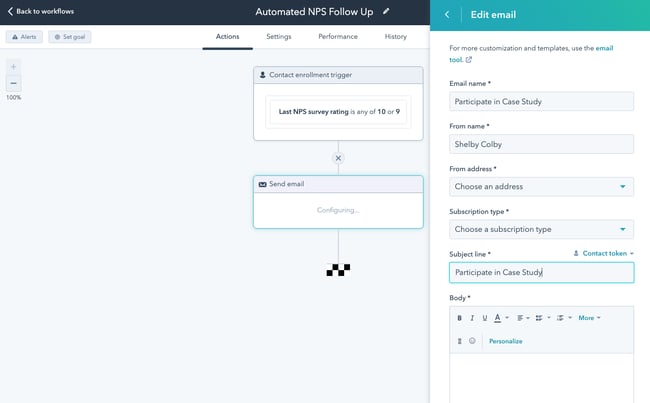
Workflow automation is incredibly useful in customer service. Aside from launching surveys, workflow automation can take care of tickets, cases, and common questions by sending a series of emails or creating tasks.
Automated tasks in customer service include:
- Creating a new ticket in the system when someone reaches out through social media or email
- Onboarding customers with a series of helpful emails
- Sending NPS® surveys and enrolling them into different email campaigns depending on their rating
- Assigning tickets a priority label depending on the tone of the message or email
- Resolving and archiving tickets once a resolution has been reached
Additional Reading
- Beginner’s Guide to Customer Service Automation
- Customer Relationship Automation
- Customer Service Software Tools
- AI Chatbots Tools
Operations Workflow Automation
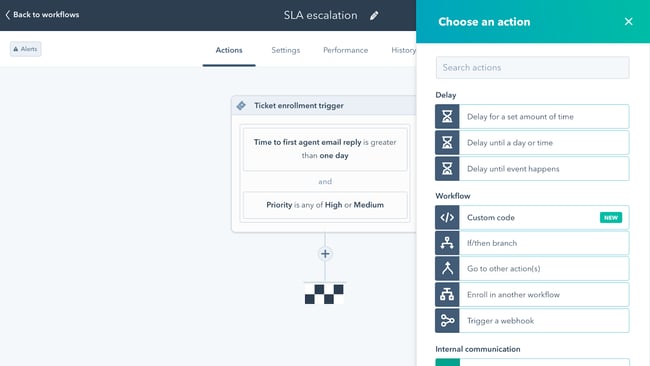
Operations is the lifeblood of any organization, and it, too, can be automated to reduce instances of manual data entry.
Automated tasks in operations include:
- Deleting duplicates once they have been detected or merging two properties if they’re the same
- Managing team permissions for new team members
- Establishing priorities for different businesses processes
- Automatically compiling reports at the end of every quarter
- Creating tasks in third-party tools such as Asana, Slack, or Zoom
Additional Reading
Human Resources Workflow Automation
Instead of having to manually enter all your new hires’ personal information — like addresses, social security numbers, and other employee information into payroll, expense, and insurance systems — HR automation software can do it for you in minutes.
Automated tasks in human resources include:
- Removing candidates from the database if they’ve been inactive for a period of time
- Sending emails to candidates that haven’t made it to the final round
- Filtering candidates with certain keywords in their job history
- Sending W2s to current employees
- Collecting employees’ feedback after they’ve been at the company for a period of time
Finance Workflow Automation
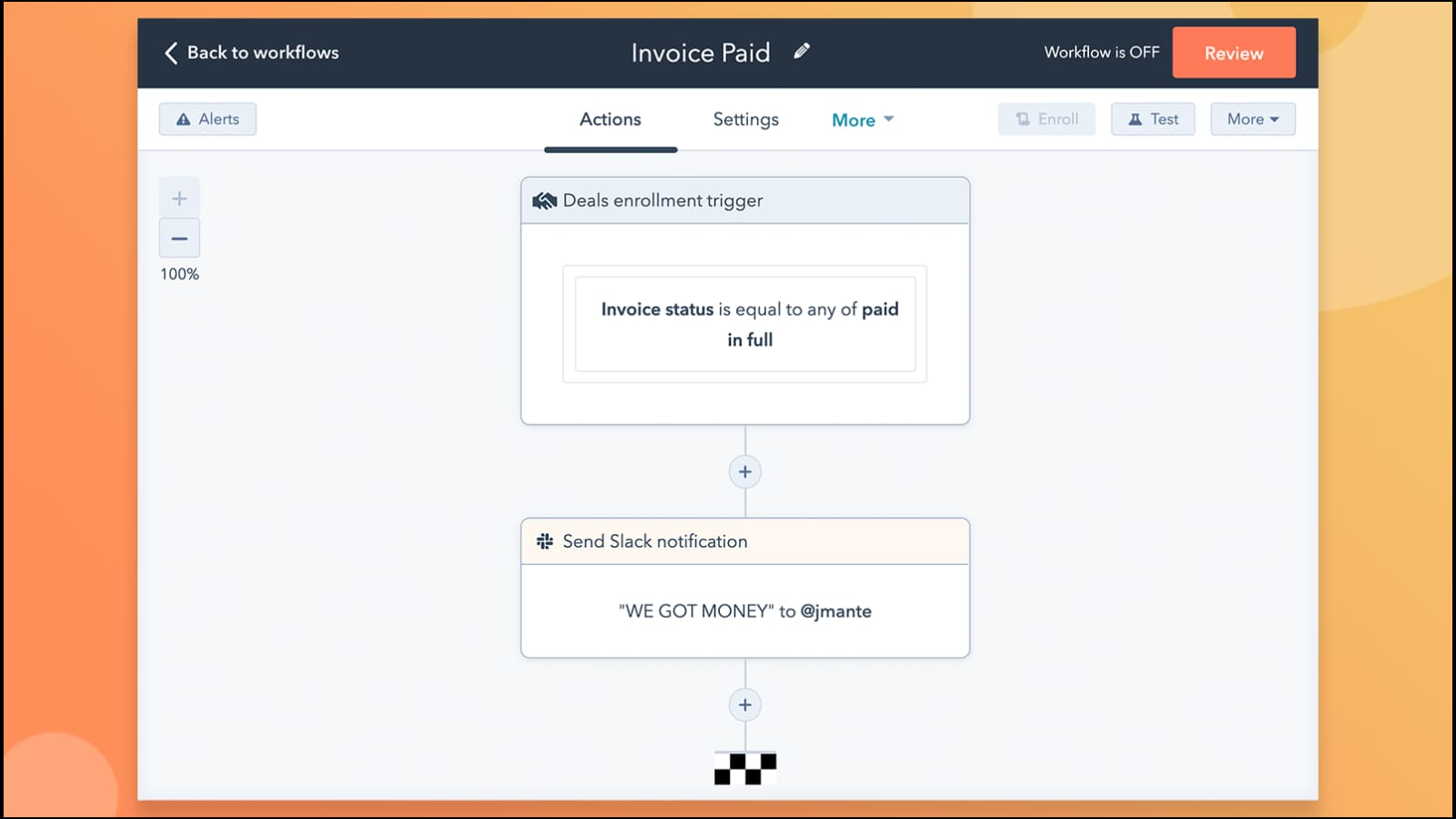
By allowing you to build forms, design workflows, and track processes, finance process automation software can streamline all of your travel requests, reimbursements, and budget approvals.
Automated tasks in finance include:
- Taking an expense approval process from start to finish
- Managing vendor and contract approvals
- Assigning priorities to ACH and wire requests
- Managing travel expense requests depending on location and activity
- Approving budgets based on a predetermined set of parameters
Now that you know everything about using automated workflows, let’s take a look at the top tools you can use.
Best Workflow Automation Software in 2022
1. HubSpot: Best All-in-One Workflow Automation Software
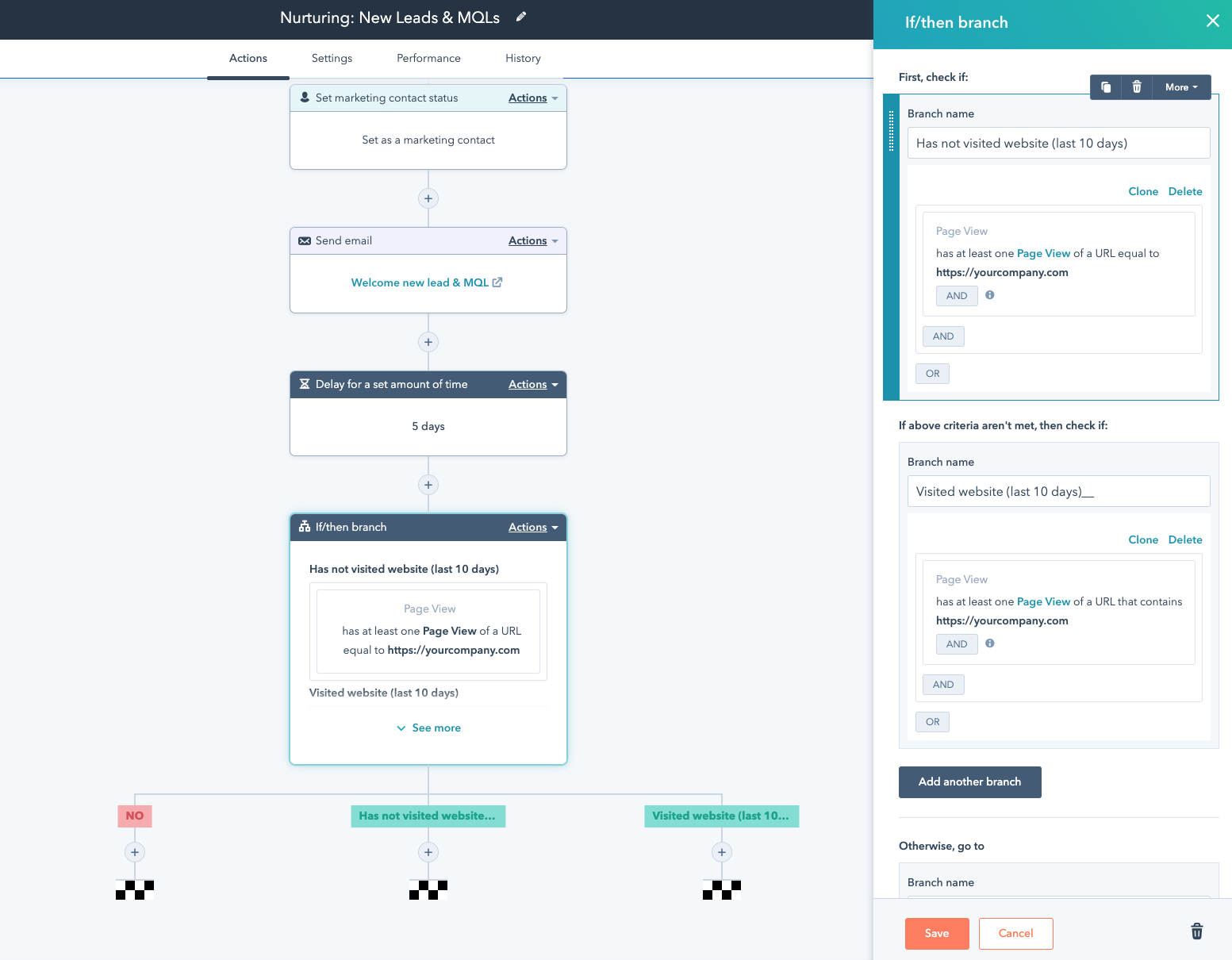
HubSpot’s marketing, sales, service, and operations software operates on a single platform, making it one of the best choices for all-in-one workflow automation. Everything is linked together, allowing you to align all of your teams’ processes and reducing friction from task to task.
You can easily hand leads from marketing to sales, connect a service ticket with an existing contact record, and clean up customer data — all in one user-friendly platform.
Best for: HubSpot is highly recommended for growing businesses that have yet to try workflow automation and for enterprise businesses with established processes. You can begin with a Starter subscription, then upgrade as you require more functionalities. Especially recommended for marketing, sales, service, and operations departments.
Pricing for Marketing Hub: Free; $50/month (Starter); $890/month (Professional); $3,200/month (Enterprise)
Pricing for Sales Hub: Free; $50/month (Starter); $500/month (Professional); $1,200/month (Enterprise)
Pricing for Service Hub: Free; $50/month (Starter); $400/month (Professional); $1,200/month (Enterprise)
Pricing for Operations Hub: Free; $50/month (Starter); $800/month (Professional)
2. Nintex: Best Enterprise Workflow Automation Software
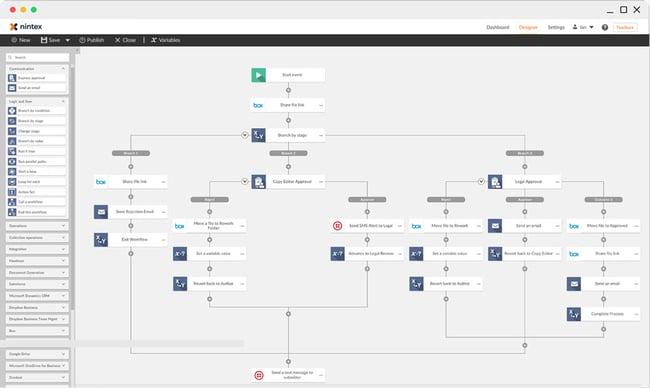 With over 3 million workflow applications operating on their platform right now, Nintex helps more than 8,000 enterprise customers manage, automate, and optimize their business processes, with no coding experience required.
By offering a multitude of workflow automation tools — like process mapping, advanced workflows, and process intelligence — your business is able to map out each of your processes, execute them, and monitor their performance.
Best for: Nintex is highly recommended for enterprise businesses with established processes. It’s a robust software that pairs a user-friendly workflow design tool with powerful integrations that will connect every single one of your apps. Especially recommended for IT, law, HR, and finance departments.
Pricing: $910/month (Standard); $1,400/month (Enterprise)
3. Kissflow: Best Beginner-Friendly Workflow Automation Software
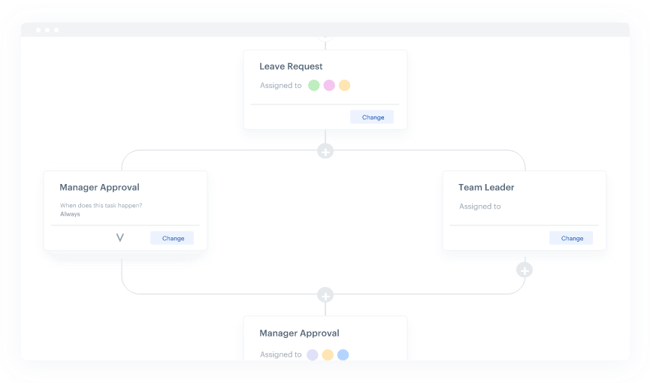
Trusted by over 10,000 companies, including Domino’s, Michelin, and Pepsi, Kissflow offers an all-in-one workflow automation software that lets your business create workflows that automate tasks in your human resources, sales, finance, administration, marketing, and purchase departments.
With over 50 pre-installed business process management apps — such as expensing and sales orders, conditions and triggers, and reporting dashboards for your workflows — Kissflow can streamline almost all your business processes.
Best for: Kissflow is highly recommended for small companies that are just now starting to try workflow automation. The tool’s simplicity and user friendliness will make it easier to begin automating processes. Especially recommended for procurement, HR, and finance departments.
Pricing: $200/month (Basic); $495/month (Advanced); $1,900/month (Fully Loaded)
4. Integrify: Best Everyday Administration Workflow Automation Software
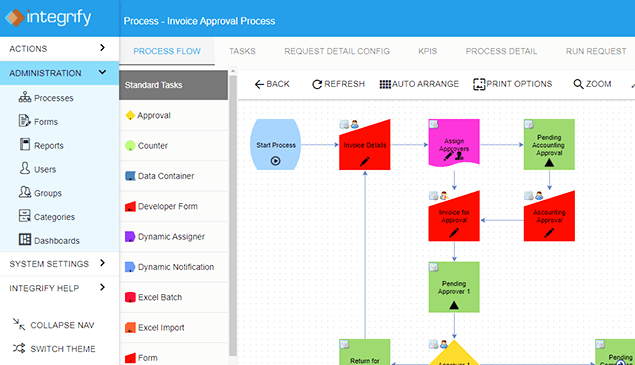
Integrify is a workflow automation software that lets you build workflows in a drag-and-drop builder and run parallel or sequential flows. By being able to collaborate on tasks and requests, test your processes, and set up reminders, you can easily streamline your business processes and automate manual tasks.
Integrify also offers workflow examples and a user knowledge base, a rest-based open API that allows you to integrate with external databases, and the ability to import and export data from Excel and even PDFs.
Best for: Integrify is highly recommended for small-to-medium businesses that are looking to automate everyday tasks. Its drag-and-drop “Process Builder” makes it simple and easy to take a process from start to completion. Especially recommended for administration departments.
Pricing: Pricing available upon request
5. Zapier: Best Workflow Automation Software for Connecting Apps
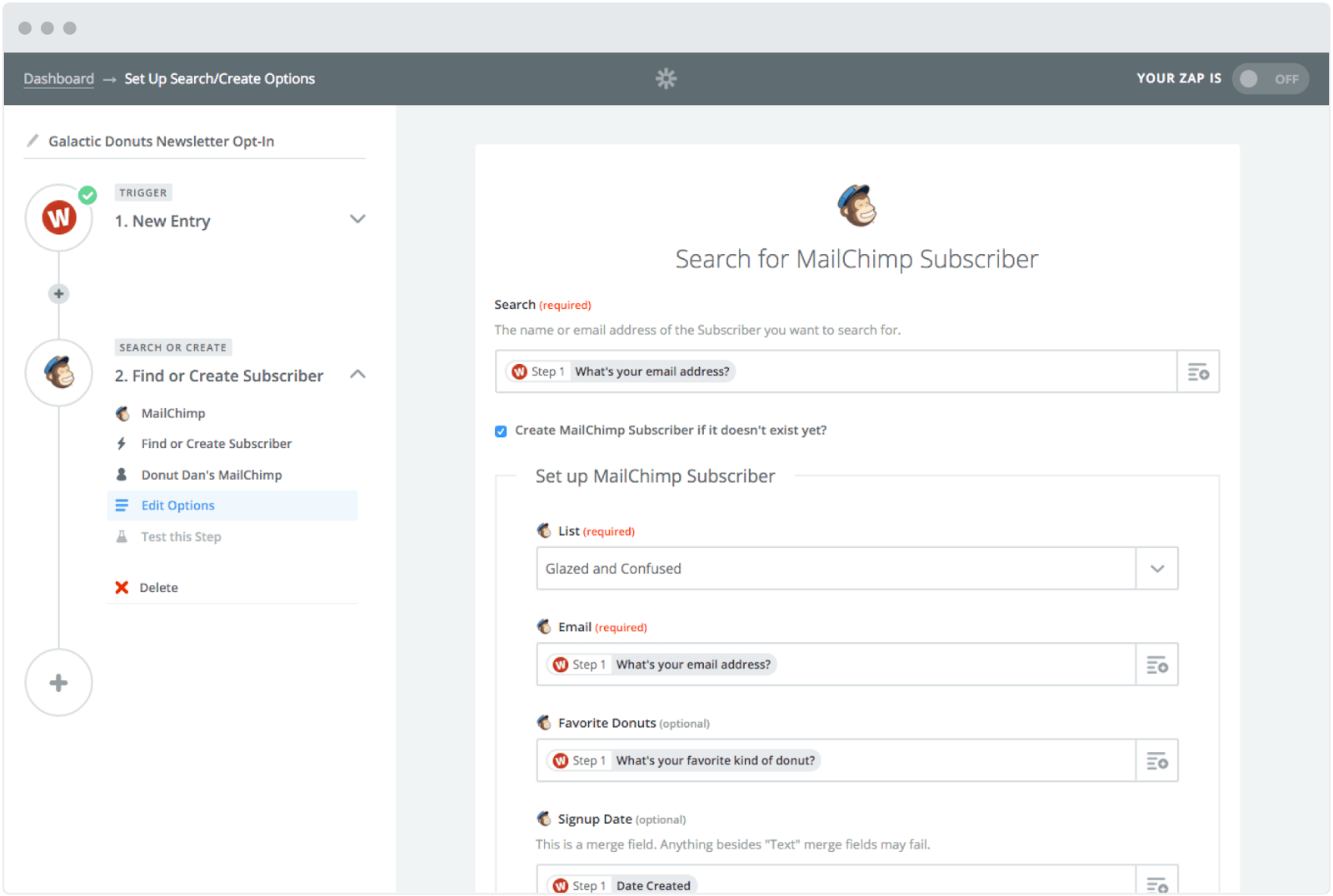
With the ability to connect to and share data with over 1,000 web apps, like Facebook, QuickBooks, and Google Drive, Zapier can automate almost any type of business process. All you have to do is build a workflow in their editor, pick the apps you want to include in your workflow, and design it.
For example, if you want to be able to save all your attachments in Dropbox, you can design a workflow that automatically copies any attachment from your Gmail inbox to Dropbox and then sends you a Slack message about the download.
Best for: Zapier is highly recommended for freelancers and small-to-medium businesses that use a wide variety of tools that aren’t talking with each other. For instance, if you’re using MailChimp to send emails and Typeform to collect leads, you could connect those two tools using Zapier. Especially recommended for marketing and service departments.
Pricing: Free; $19.99/month (Starter); $49/month (Professional)
6. Flokzu: Best Project Management Workflow Automation Software
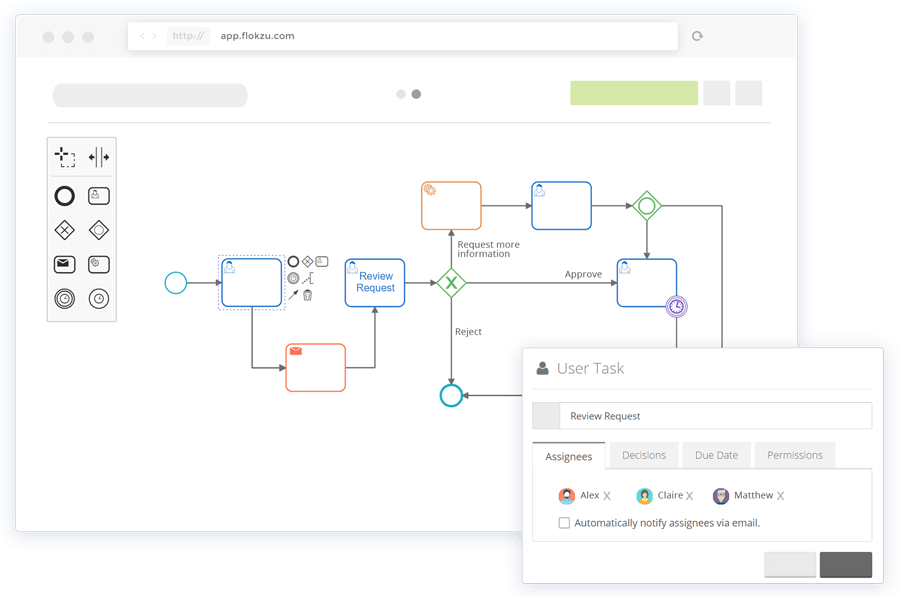
Without writing any code, Flokzu allows you to create tasks, deadlines, business rules, and notifications. Their software also sends pending tasks to each of your project’s assignees’ inboxes, and as each stage of a workflow is complete, it’ll automatically assign each new task to a user or role.
Additionally, Flozku offers a reporting dashboard that displays your business processes’
performance and metrics, like the amount of currently delayed tasks there are, tasks assigned to each user and role, tasks completed, and the time each task took, which will give you the necessary data to refine and optimize your future workflows.
Best for: Flokzu is highly recommended for individual teams that want to optimize their time management and task workflow. A key feature of this tool is that users will receive pending tasks in their inbox, making it an excellent project management tool. Recommended for any team.
Pricing: Free; $19.99/month (Starter); $49/month (Professional)
Workflow Automation Will Help You Grow Better
Workflow automation is critical for businesses that want to scale and grow without letting anything fall through the cracks. By letting technology complete manual tasks, you can effectively grow your business without any growing pains.
Editor’s note: This post was originally published in January 2019 and has been updated for comprehensiveness.

15 Excel Formulas, Keyboard Shortcuts & Tricks That’ll Save You Lots of Time
For most marketers, trying to organize and analyze spreadsheets in Microsoft Excel can feel like walking into a brick wall repeatedly if you’e unfamiliar with Excel formulas. You’re manually replicating columns and scribbling down long-form math on a scrap of paper, all while thinking to yourself, “There has to be a better way to do this.”
Truth be told, there is — you just don’t know it yet.
Excel can be tricky that way. On the one hand, it’s an exceptionally powerful tool for reporting and analyzing marketing data. It can even help you visualize data with charts and pivot tables. On the other, without the proper training, it’s easy to feel like it’s working against you. For starters, there are more than a dozen critical formulas Excel can automatically run for you so you’re not combing through hundreds of cells with a calculator on your desk.![Download 10 Excel Templates for Marketers [Free Kit]](https://no-cache.hubspot.com/cta/default/53/9ff7a4fe-5293-496c-acca-566bc6e73f42.png)
What are excel formulas?
Excel formulas help you identify relationships between values in the cells of your spreadsheet, perform mathematical calculations using those values, and return the resulting value in the cell of your choice. Formulas you can automatically perform include sum, subtraction, percentage, division, average, and even dates/times.
We’ll go over all of these, and many more, in this blog post.
How to Insert Formulas in Excel
You might wonder what the “Formulas” tab on the top navigation toolbar in Excel means. In more recent versions of Excel, this horizontal menu — shown below — allows you to find and insert Excel formulas into specific cells of your spreadsheet.
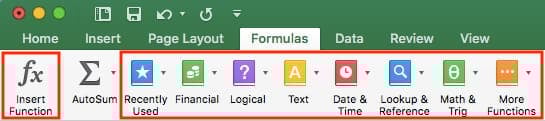
The more you use various formulas in Excel, the easier it’ll be to remember them and perform them manually. Nonetheless, the suite of icons above is a handy catalog of formulas you can browse and refer back to as you hone your spreadsheet skills.
Excel formulas are also called “functions.” To insert one into your spreadsheet, highlight a cell in which you want to run a formula, then click the far-left icon, “Insert Function,” to browse popular formulas and what they do. That browsing window will look like this:
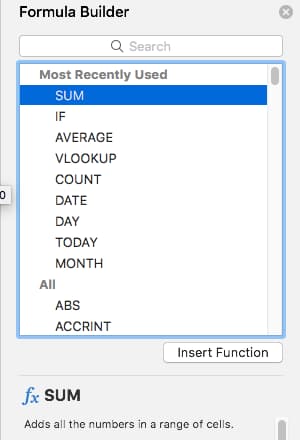 Want a more sorted browsing experience? Use any of the icons we’ve highlighted (inside the long red rectangle in the first screenshot above) to find formulas related to a variety of common subjects — such as finance, logic, and more. Once you’ve found the formula that suits your needs, click “Insert Function,” as shown in the window above.
Now, let’s do a deeper dive into some of the most crucial Excel formulas and how to perform each one in typical situations.
Excel Formulas
To help you use Excel more effectively (and save a ton of time), we’ve compiled a list of essential formulas, keyboard shortcuts, and other small tricks and functions you should know.
NOTE: The following formulas apply to the latest version of Excel. If you’re using a slightly older version of Excel, the location of each feature mentioned below might be slightly different.
1. SUM
All Excel formulas begin with the equals sign, =, followed by a specific text tag denoting the formula you’d like Excel to perform.
The SUM formula in Excel is one of the most basic formulas you can enter into a spreadsheet, allowing you to find the sum (or total) of two or more values. To perform the SUM formula, enter the values you’d like to add together using the format, =SUM(value 1, value 2, etc).
The values you enter into the SUM formula can either be actual numbers or equal to the number in a specific cell of your spreadsheet.
- To find the SUM of 30 and 80, for example, type the following formula into a cell of your spreadsheet: =SUM(30, 80). Press “Enter,” and the cell will produce the total of both numbers: 110.
- To find the SUM of the values in cells B2 and B11, for example, type the following formula into a cell of your spreadsheet: =SUM(B2, B11). Press “Enter,” and the cell will produce the total of the numbers currently filled in cells B2 and B11. If there are no numbers in either cell, the formula will return 0.
Keep in mind you can also find the total value of a list of numbers in Excel. To find the SUM of the values in cells B2 through B11, type the following formula into a cell of your spreadsheet: =SUM(B2:B11). Note the colon between both cells, rather than a comma. See how this might look in an Excel spreadsheet for a content marketer, below:
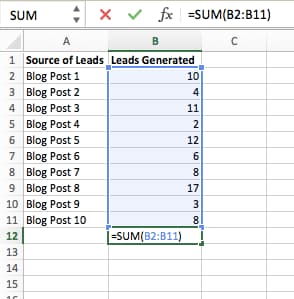
2. IF
The IF formula in Excel is denoted =IF(logical_test, value_if_true, value_if_false). This allows you to enter a text value into the cell “if” something else in your spreadsheet is true or false. For example, =IF(D2=”Gryffindor”,”10″,”0″) would award 10 points to cell D2 if that cell contained the word “Gryffindor.”
There are times when we want to know how many times a value appears in our spreadsheets. But there are also those times when we want to find the cells that contain those values, and input specific data next to it.
We’ll go back to Sprung’s example for this one. If we want to award 10 points to everyone who belongs in the Gryffindor house, instead of manually typing in 10’s next to each Gryffindor student’s name, we’ll use the IF-THEN formula to say: If the student is in Gryffindor, then he or she should get ten points.
- The formula: IF(logical_test, value_if_true, value_if_false)
- Logical_Test: The logical test is the “IF” part of the statement. In this case, the logic is D2=”Gryffindor.” Make sure your Logical_Test value is in quotation marks.
- Value_if_True: If the value is true — that is, if the student lives in Gryffindor — this value is the one that we want to be displayed. In this case, we want it to be the number 10, to indicate that the student was awarded the 10 points. Note: Only use quotation marks if you want the result to be text instead of a number.
- Value_if_False: If the value is false — and the student does not live in Gryffindor — we want the cell to show “0,” for 0 points.
- Formula in below example: =IF(D2=”Gryffindor”,”10″,”0″)
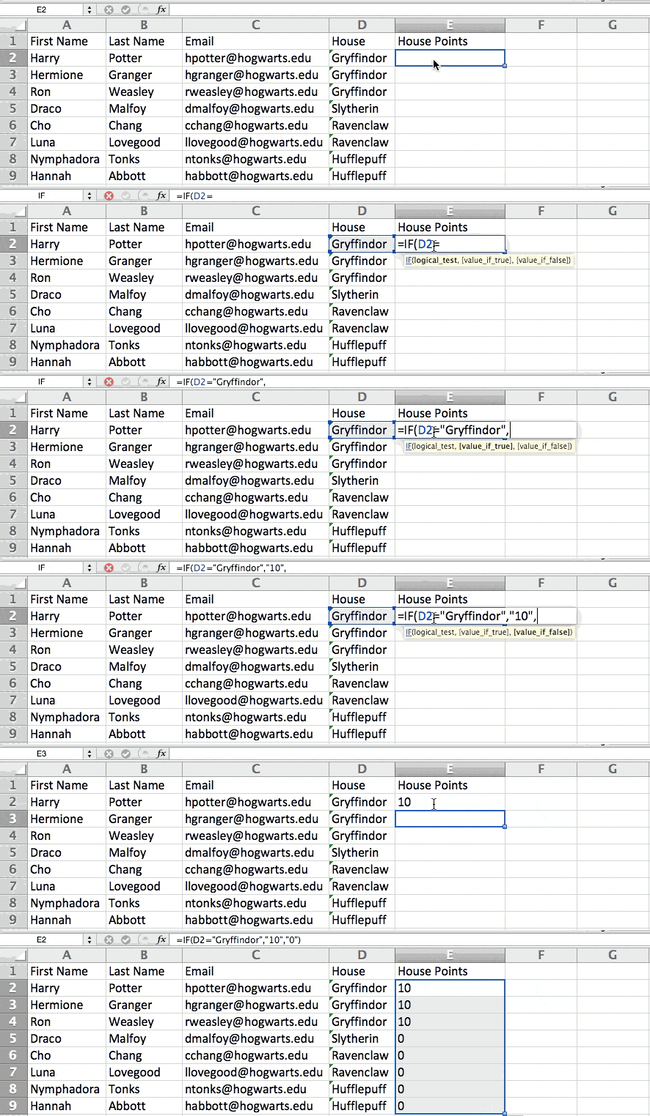
3. Percentage
To perform the percentage formula in Excel, enter the cells you’re finding a percentage for in the format, =A1/B1. To convert the resulting decimal value to a percentage, highlight the cell, click the Home tab, and select “Percentage” from the numbers dropdown.
There isn’t an Excel “formula” for percentages per se, but Excel makes it easy to convert the value of any cell into a percentage so you’re not stuck calculating and reentering the numbers yourself.
The basic setting to convert a cell’s value into a percentage is under Excel’s Home tab. Select this tab, highlight the cell(s) you’d like to convert to a percentage, and click into the dropdown menu next to Conditional Formatting (this menu button might say “General” at first). Then, select “Percentage” from the list of options that appears. This will convert the value of each cell you’ve highlighted into a percentage. See this feature below.
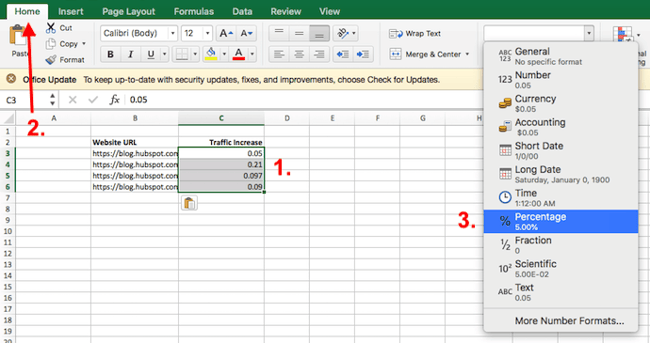
Keep in mind if you’re using other formulas, such as the division formula (denoted =A1/B1), to return new values, your values might show up as decimals by default. Simply highlight your cells before or after you perform this formula, and set these cells’ format to “Percentage” from the Home tab — as shown above.
4. Subtraction
To perform the subtraction formula in Excel, enter the cells you’re subtracting in the format, =SUM(A1, -B1). This will subtract a cell using the SUM formula by adding a negative sign before the cell you’re subtracting. For example, if A1 was 10 and B1 was 6, =SUM(A1, -B1) would perform 10 + -6, returning a value of 4.
Like percentages, subtracting doesn’t have its own formula in Excel either, but that doesn’t mean it can’t be done. You can subtract any values (or those values inside cells) two different ways.
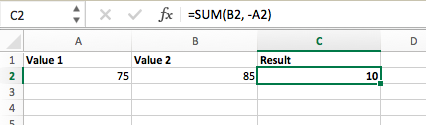
- Using the =SUM formula. To subtract multiple values from one another, enter the cells you’d like to subtract in the format =SUM(A1, -B1), with a negative sign (denoted with a hyphen) before the cell whose value you’re subtracting. Press enter to return the difference between both cells included in the parentheses. See how this looks in the screenshot above.
- Using the format, =A1-B1. To subtract multiple values from one another, simply type an equals sign followed by your first value or cell, a hyphen, and the value or cell you’re subtracting. Press Enter to return the difference between both values.
5. Multiplication
To perform the multiplication formula in Excel, enter the cells you’re multiplying in the format, =A1*B1. This formula uses an asterisk to multiply cell A1 by cell B1. For example, if A1 was 10 and B1 was 6, =A1*B1 would return a value of 60.
You might think multiplying values in Excel has its own formula or uses the “x” character to denote multiplication between multiple values. Actually, it’s as easy as an asterisk — *.
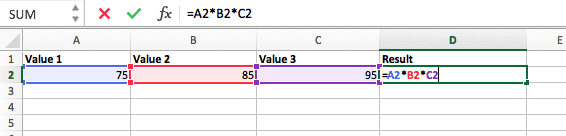
To multiply two or more values in an Excel spreadsheet, highlight an empty cell. Then, enter the values or cells you want to multiply together in the format, =A1*B1*C1 … etc. The asterisk will effectively multiply each value included in the formula.
Press Enter to return your desired product. See how this looks in the screenshot above.
6. Division
To perform the division formula in Excel, enter the cells you’re dividing in the format, =A1/B1. This formula uses a forward slash, “/,” to divide cell A1 by cell B1. For example, if A1 was 5 and B1 was 10, =A1/B1 would return a decimal value of 0.5.
Division in Excel is one of the simplest functions you can perform. To do so, highlight an empty cell, enter an equals sign, “=,” and follow it up with the two (or more) values you’d like to divide with a forward slash, “/,” in between. The result should be in the following format: =B2/A2, as shown in the screenshot below.
Hit Enter, and your desired quotient should appear in the cell you initially highlighted.
7. DATE
The Excel DATE formula is denoted =DATE(year, month, day). This formula will return a date that corresponds to the values entered in the parentheses — even values referred from other cells. For example, if A1 was 2018, B1 was 7, and C1 was 11, =DATE(A1,B1,C1) would return 7/11/2018.
Creating dates in the cells of an Excel spreadsheet can be a fickle task every now and then. Luckily, there’s a handy formula to make formatting your dates easy. There are two ways to use this formula:
- Create dates from a series of cell values. To do this, highlight an empty cell, enter “=DATE,” and in parentheses, enter the cells whose values create your desired date — starting with the year, then the month number, then the day. The final format should look like this: =DATE(year, month, day). See how this looks in the screenshot below.
- Automatically set today’s date. To do this, highlight an empty cell and enter the following string of text: =DATE(YEAR(TODAY()), MONTH(TODAY()), DAY(TODAY())). Pressing enter will return the current date you’re working in your Excel spreadsheet.
In either usage of Excel’s date formula, your returned date should be in the form of “mm/dd/yy” — unless your Excel program is formatted differently.
8. Array
An array formula in Excel surrounds a simple formula in brace characters using the format, {=(Start Value 1:End Value 1)*(Start Value 2:End Value 2)}. By pressing ctrl+shift+center, this will calculate and return value from multiple ranges, rather than just individual cells added to or multiplied by one another.
Calculating the sum, product, or quotient of individual cells is easy — just use the =SUM formula and enter the cells, values, or range of cells you want to perform that arithmetic on. But what about multiple ranges? How do you find the combined value of a large group of cells?
Numerical arrays are a useful way to perform more than one formula at the same time in a single cell so you can see one final sum, difference, product, or quotient. If you’re looking to find total sales revenue from several sold units, for example, the array formula in Excel is perfect for you. Here’s how you’d do it:
- To start using the array formula, type “=SUM,” and in parentheses, enter the first of two (or three, or four) ranges of cells you’d like to multiply together. Here’s what your progress might look like: =SUM(C2:C5
- Next, add an asterisk after the last cell of the first range you included in your formula. This stands for multiplication. Following this asterisk, enter your second range of cells. You’ll be multiplying this second range of cells by the first. Your progress in this formula should now look like this: =SUM(C2:C5*D2:D5)
- Ready to press Enter? Not so fast … Because this formula is so complicated, Excel reserves a different keyboard command for arrays. Once you’ve closed the parentheses on your array formula, press Ctrl+Shift+Enter. This will recognize your formula as an array, wrapping your formula in brace characters and successfully returning your product of both ranges combined.
In revenue calculations, this can cut down on your time and effort significantly. See the final formula in the screenshot above.
9. COUNT
The COUNT formula in Excel is denoted =COUNT(Start Cell:End Cell). This formula will return a value that is equal to the number of entries found within your desired range of cells. For example, if there are eight cells with entered values between A1 and A10, =COUNT(A1:A10) will return a value of 8.
The COUNT formula in Excel is particularly useful for large spreadsheets, wherein you want to see how many cells contain actual entries. Don’t be fooled: This formula won’t do any math on the values of the cells themselves. This formula is simply to find out how many cells in a selected range are occupied with something.
Using the formula in bold above, you can easily run a count of active cells in your spreadsheet. The result will look a little something like this:
10. AVERAGE
To perform the average formula in Excel, enter the values, cells, or range of cells of which you’re calculating the average in the format, =AVERAGE(number1, number2, etc.) or =AVERAGE(Start Value:End Value). This will calculate the average of all the values or range of cells included in the parentheses.
Finding the average of a range of cells in Excel keeps you from having to find individual sums and then performing a separate division equation on your total. Using =AVERAGE as your initial text entry, you can let Excel do all the work for you.
For reference, the average of a group of numbers is equal to the sum of those numbers, divided by the number of items in that group.
11. SUMIF
The SUMIF formula in Excel is denoted =SUMIF(range, criteria, [sum range]). This will return the sum of the values within a desired range of cells that all meet one criterion. For example, =SUMIF(C3:C12,”>70,000″) would return the sum of values between cells C3 and C12 from only the cells that are greater than 70,000.
Let’s say you want to determine the profit you generated from a list of leads who are associated with specific area codes, or calculate the sum of certain employees’ salaries — but only if they fall above a particular amount. Doing that manually sounds a bit time-consuming, to say the least.
With the SUMIF function, it doesn’t have to be — you can easily add up the sum of cells that meet certain criteria, like in the salary example above.
- The formula: =SUMIF(range, criteria, [sum_range])
- Range: The range that is being tested using your criteria.
- Criteria: The criteria that determine which cells in Criteria_range1 will be added together
- [Sum_range]: An optional range of cells you’re going to add up in addition to the first Range entered. This field may be omitted.
In the example below, we wanted to calculate the sum of the salaries that were greater than $70,000. The SUMIF function added up the dollar amounts that exceeded that number in the cells C3 through C12, with the formula =SUMIF(C3:C12,”>70,000″).
12. TRIM
The TRIM formula in Excel is denoted =TRIM(text). This formula will remove any spaces entered before and after the text entered in the cell. For example, if A2 includes the name ” Steve Peterson” with unwanted spaces before the first name, =TRIM(A2) would return “Steve Peterson” with no spaces in a new cell.
Email and file sharing are wonderful tools in today’s workplace. That is, until one of your colleagues sends you a worksheet with some really funky spacing. Not only can those rogue spaces make it difficult to search for data, but they also affect the results when you try to add up columns of numbers.
Rather than painstakingly removing and adding spaces as needed, you can clean up any irregular spacing using the TRIM function, which is used to remove extra spaces from data (except for single spaces between words).
- The formula: =TRIM(text).
- Text: The text or cell from which you want to remove spaces.
Here’s an example of how we used the TRIM function to remove extra spaces before a list of names. To do so, we entered =TRIM(“A2”) into the Formula Bar, and replicated this for each name below it in a new column next to the column with unwanted spaces.
Below are some other Excel formulas you might find useful as your data management needs grow.
13. LEFT, MID, and RIGHT
Let’s say you have a line of text within a cell that you want to break down into a few different segments. Rather than manually retyping each piece of the code into its respective column, users can leverage a series of string functions to deconstruct the sequence as needed: LEFT, MID, or RIGHT.
LEFT
- Purpose: Used to extract the first X numbers or characters in a cell.
- The formula: =LEFT(text, number_of_characters)
- Text: The string that you wish to extract from.
- Number_of_characters: The number of characters that you wish to extract starting from the left-most character.
In the example below, we entered =LEFT(A2,4) into cell B2, and copied it into B3:B6. That allowed us to extract the first 4 characters of the code.
MID
- Purpose: Used to extract characters or numbers in the middle based on position.
- The formula: =MID(text, start_position, number_of_characters)
- Text: The string that you wish to extract from.
- Start_position: The position in the string that you want to begin extracting from. For example, the first position in the string is 1.
- Number_of_characters: The number of characters that you wish to extract.
In this example, we entered =MID(A2,5,2) into cell B2, and copied it into B3:B6. That allowed us to extract the two numbers starting in the fifth position of the code.
RIGHT
- Purpose: Used to extract the last X numbers or characters in a cell.
- The formula: =RIGHT(text, number_of_characters)
- Text: The string that you wish to extract from.
- Number_of_characters: The number of characters that you want to extract starting from the right-most character.
For the sake of this example, we entered =RIGHT(A2,2) into cell B2, and copied it into B3:B6. That allowed us to extract the last two numbers of the code.
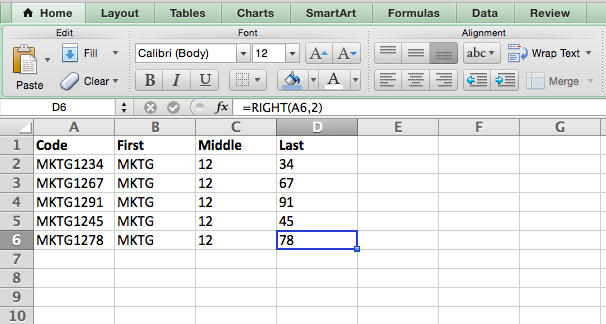
14. VLOOKUP
This one is an oldie, but a goodie — and it’s a bit more in depth than some of the other formulas we’ve listed here. But it’s especially helpful for those times when you have two sets of data on two different spreadsheets, and want to combine them into a single spreadsheet.
My colleague, Rachel Sprung — whose “How to Use Excel” tutorial is a must-read for anyone who wants to learn — uses a list of names, email addresses, and companies as an example. If you have a list of people’s names next to their email addresses in one spreadsheet, and a list of those same people’s email addresses next to their company names in the other, but you want the names, email addresses, and company names of those people to appear in one place — that’s where VLOOKUP comes in.
Note: When using this formula, you must be certain that at least one column appears identically in both spreadsheets. Scour your data sets to make sure the column of data you’re using to combine your information is exactly the same, including no extra spaces.
- The formula: VLOOKUP(lookup value, table array, column number, [range lookup])
- Lookup Value: The identical value you have in both spreadsheets. Choose the first value in your first spreadsheet. In Sprung’s example that follows, this means the first email address on the list, or cell 2 (C2).
- Table Array: The range of columns on Sheet 2 you’re going to pull your data from, including the column of data identical to your lookup value (in our example, email addresses) in Sheet 1 as well as the column of data you’re trying to copy to Sheet 1. In our example, this is “Sheet2!A:B.” “A” means Column A in Sheet 2, which is the column in Sheet 2 where the data identical to our lookup value (email) in Sheet 1 is listed. The “B” means Column B, which contains the information that’s only available in Sheet 2 that you want to translate to Sheet 1.
- Column Number: The table array tells Excel where (which column) the new data you want to copy to Sheet 1 is located. In our example, this would be the “House” column, the second one in our table array, making it column number 2.
- Range Lookup: Use FALSE to ensure you pull in only exact value matches.
- The formula with variables from Sprung’s example below: =VLOOKUP(C2,Sheet2!A:B,2,FALSE)
In this example, Sheet 1 and Sheet 2 contain lists describing different information about the same people, and the common thread between the two is their email addresses. Let’s say we want to combine both datasets so that all the house information from Sheet 2 translates over to Sheet 1. Here’s how that would work:
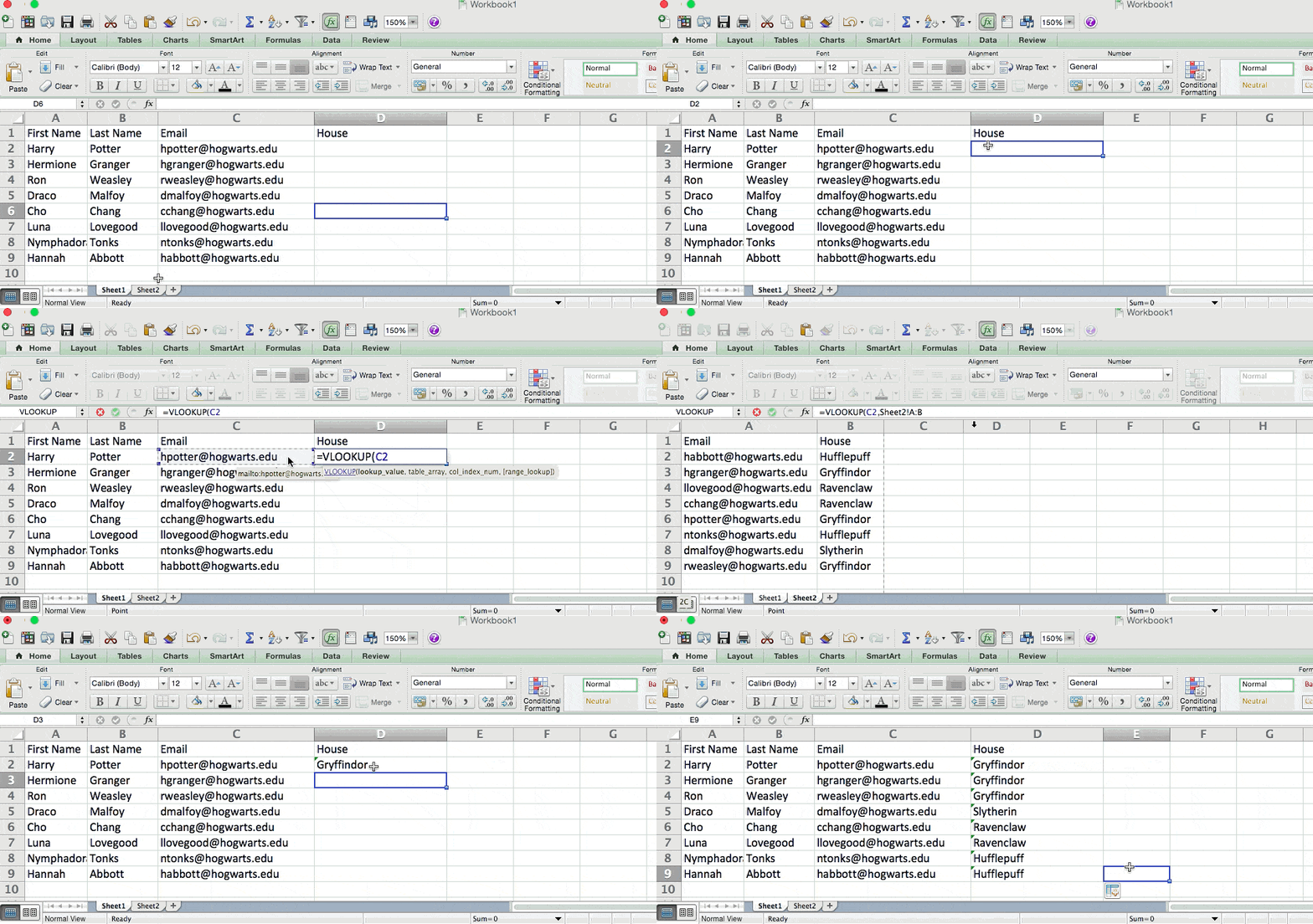
15. RANDOMIZE
There’s a great article that likens Excel’s RANDOMIZE formula to shuffling a deck of cards. The entire deck is a column, and each card — 52 in a deck — is a row. “To shuffle the deck,” writes Steve McDonnell, “you can compute a new column of data, populate each cell in the column with a random number, and sort the workbook based on the random number field.”
In marketing, you might use this feature when you want to assign a random number to a list of contacts — like if you wanted to experiment with a new email campaign and had to use blind criteria to select who would receive it. By assigning numbers to said contacts, you could apply the rule, “Any contact with a figure of 6 or above will be added to the new campaign.”
- The formula: RAND()
- Start with a single column of contacts. Then, in the column adjacent to it, type “RAND()” — without the quotation marks — starting with the top contact’s row.
-
- RANDBETWEEN allows you to dictate the range of numbers that you want to be assigned. In the case of this example, I wanted to use one through 10.
- bottom: The lowest number in the range.
- top: The highest number in the range,For the example below: RANDBETWEEN(bottom,top)
- Formula in below example: =RANDBETWEEN(1,10)
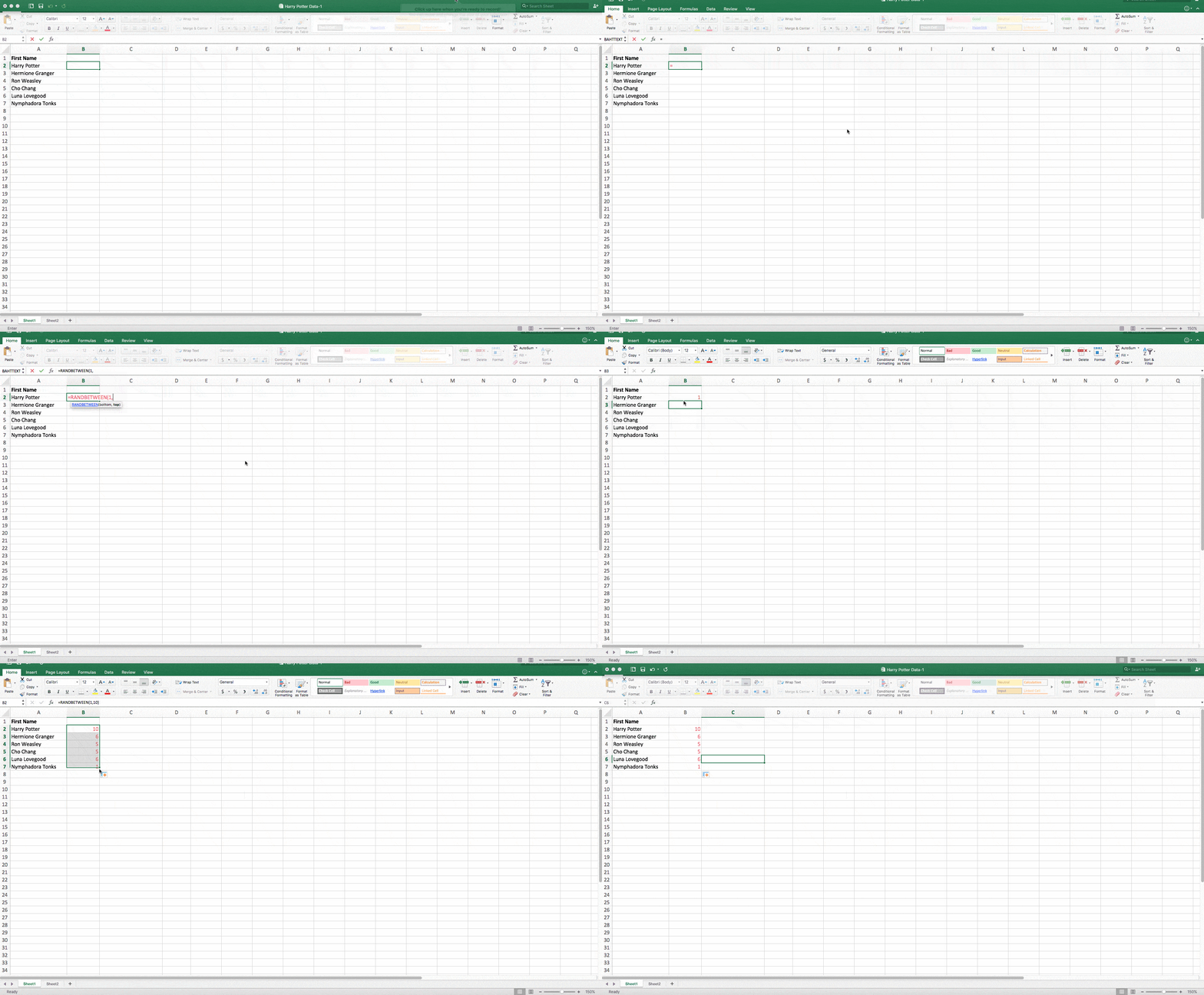
Helpful stuff, right? Now for the icing on the cake: Once you’ve mastered the Excel formula you need, you’ll want to replicate it for other cells without rewriting the formula. And luckily, there’s an Excel function for that, too. Check it out below.
Sometimes, you might want to run the same formula across an entire row or column of your spreadsheet. Let’s say, for example, you have a list of numbers in columns A and B of a spreadsheet and want to enter individual totals of each row into column C.
Obviously, it would be too tedious to adjust the values of the formula for each cell so you’re finding the total of each row’s respective numbers. Luckily, Excel allows you to automatically complete the column; all you have to do is enter the formula in the first row. Check out the following steps:
- Type your formula into an empty cell and press “Enter” to run the formula.
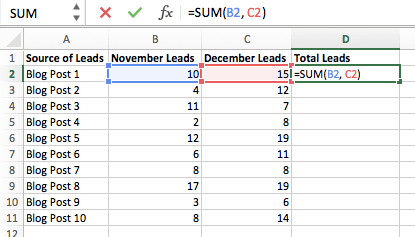
- Hover your cursor over the bottom-right corner of the cell containing the formula. You’ll see a small, bold “+” symbol appear.
- While you can double-click this symbol to automatically fill the entire column with your formula, you can also click and drag your cursor down manually to fill only a specific length of the column.
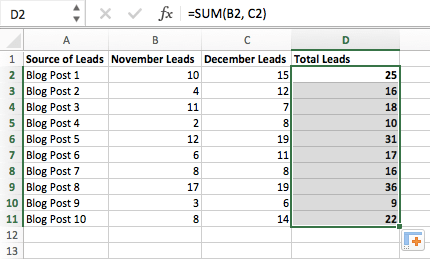 Once you’ve reached the last cell in the column you’d like to enter your formula, release your mouse to copy the formula. Then, simply check each new value to ensure it corresponds to the correct cells.
Excel Keyboard Shortcuts
1. Quickly select rows, columns, or the whole spreadsheet.
Perhaps you’re crunched for time. I mean, who isn’t? No time, no problem. You can select your entire spreadsheet in just one click. All you have to do is simply click the tab in the top-left corner of your sheet to highlight everything all at once.
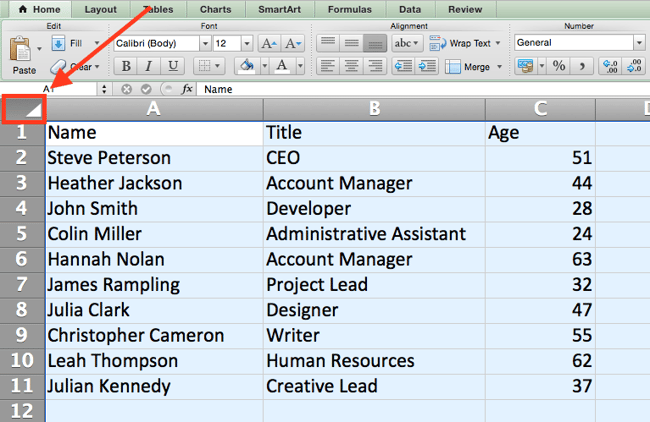
Just want to select everything in a particular column or row? That’s just as easy with these shortcuts:
For Mac:
- Select Column = Command + Shift + Down/Up
- Select Row = Command + Shift + Right/Left
For PC:
- Select Column = Control + Shift + Down/Up
- Select Row = Control + Shift + Right/Left
This shortcut is especially helpful when you’re working with larger data sets, but only need to select a specific piece of it.
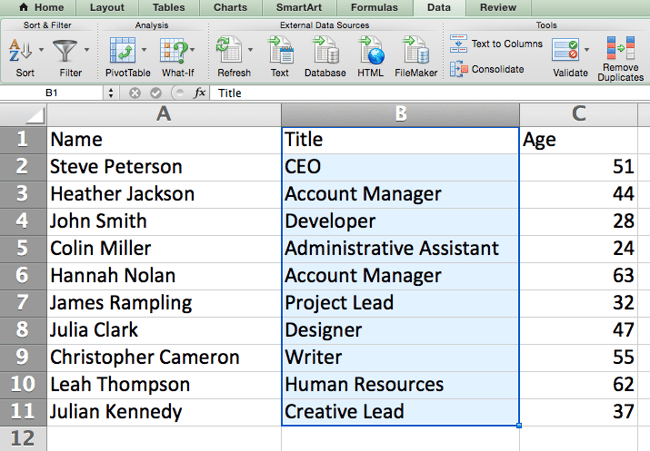
2. Quickly open, close, or create a workbook.
Need to open, close, or create a workbook on the fly? The following keyboard shortcuts will enable you to complete any of the above actions in less than a minute’s time.
For Mac:
- Open = Command + O
- Close = Command + W
- Create New = Command + N
For PC:
- Open = Control + O
- Close = Control + F4
- Create New = Control + N
3. Format numbers into currency.
Have raw data that you want to turn into currency? Whether it be salary figures, marketing budgets, or ticket sales for an event, the solution is simple. Just highlight the cells you wish to reformat, and select Control + Shift + $.
The numbers will automatically translate into dollar amounts — complete with dollar signs, commas, and decimal points.
Note: This shortcut also works with percentages. If you want to label a column of numerical values as “percent” figures, replace “$” with “%”.
4. Insert current date and time into a cell.
Whether you’re logging social media posts, or keeping track of tasks you’re checking off your to-do list, you might want to add a date and time stamp to your worksheet. Start by selecting the cell to which you want to add this information.
Then, depending on what you want to insert, do one of the following:
- Insert current date = Control + ; (semi-colon)
- Insert current time = Control + Shift + ; (semi-colon)
- Insert current date and time = Control + ; (semi-colon), SPACE, and then Control + Shift + ; (semi-colon).
Other Excel Tricks
1. Customize the color of your tabs.
If you’ve got a ton of different sheets in one workbook — which happens to the best of us — make it easier to identify where you need to go by color-coding the tabs. For example, you might label last month’s marketing reports with red, and this month’s with orange.
Simply right click a tab and select “Tab Color.” A popup will appear that allows you to choose a color from an existing theme, or customize one to meet your needs.
2. Add a comment to a cell.
When you want to make a note or add a comment to a specific cell within a worksheet, simply right-click the cell you want to comment on, then click Insert Comment. Type your comment into the text box, and click outside the comment box to save it.
Cells that contain comments display a small, red triangle in the corner. To view the comment, hover over it.
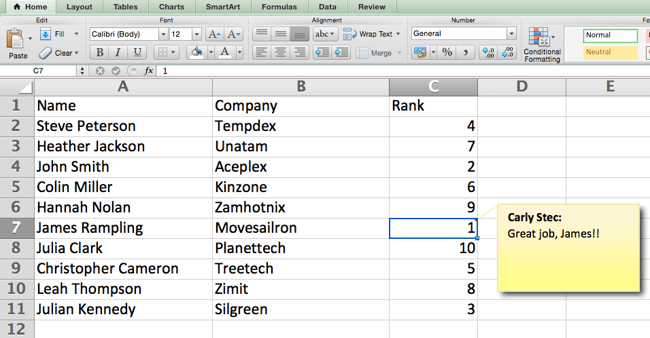
3. Copy and duplicate formatting.
If you’ve ever spent some time formatting a sheet to your liking, you probably agree that it’s not exactly the most enjoyable activity. In fact, it’s pretty tedious.
For that reason, it’s likely that you don’t want to repeat the process next time — nor do you have to. Thanks to Excel’s Format Painter, you can easily copy the formatting from one area of a worksheet to another.
Select what you’d like to replicate, then select the Format Painter option — the paintbrush icon — from the dashboard. The pointer will then display a paintbrush, prompting you to select the cell, text, or entire worksheet to which you want to apply that formatting, as shown below:
.gif?width=650&name=Copy%20Duplicate%20Formatting%20(1).gif)
4. Identify duplicate values.
In many instances, duplicate values — like duplicate content when managing SEO — can be troublesome if gone uncorrected. In some cases, though, you simply need to be aware of it.
Whatever the situation may be, it’s easy to surface any existing duplicate values within your worksheet in just a few quick steps. To do so, click into the Conditional Formatting option, and select Highlight Cell Rules > Duplicate Values
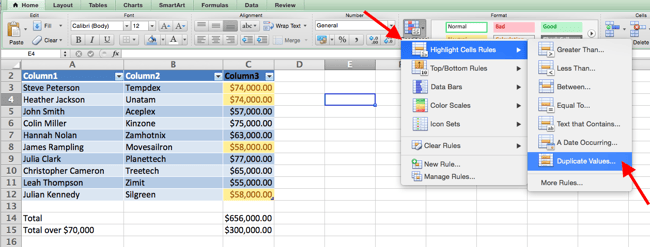
Using the popup, create the desired formatting rule to specify which type of duplicate content you wish to bring forward.
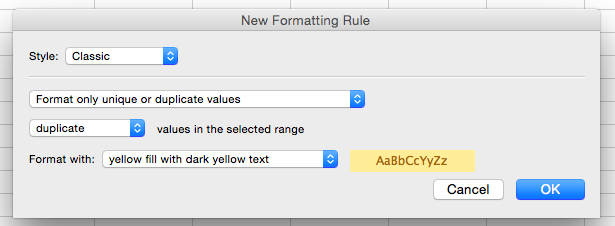
In the example above, we were looking to identify any duplicate salaries within the selected range, and formatted the duplicate cells in yellow.
Excel Shortcuts Save You Time
In marketing, the use of Excel is pretty inevitable — but with these tricks, it doesn’t have to be so daunting. As they say, practice makes perfect. The more you use these formulas, shortcuts, and tricks, the more they’ll become second nature.
Editor’s note: This post was originally published in January 2019 and has been updated for comprehensiveness.


How to Create a Link to Jump to a Specific Part of a Page [Quick Tip]
When most people think of hyperlinks, they think of connecting two different web pages — such as a blog and landing page — together. But that’s not all hyperlinks can do, they can link to jump to a specific part of a page as well.
So remember that really exhaustive glossary you put together on industry terms your audience should know? Now, when you refer to something you said elsewhere in that article, you can actually link to it — making it much easier for your audience to figure out what the heck you’re talking about. Want to see what I mean? Just click here.
Pretty cool, right? The best part about it all is that it’s super easy to do yourself, even if you don’t have extensive HTML knowledge. If the HTML-speak feels confusing, just follow along with the real-world examples below.
Note: If you are a HubSpot customer, follow these instructions.![→ Download Now: SEO Starter Pack [Free Kit]](https://no-cache.hubspot.com/cta/default/53/1d7211ac-7b1b-4405-b940-54b8acedb26e.png)
How to Link to a Specific Part of a Page
Allowing people to effectively “jump” to a certain part of a webpage can help your business grow better and make your content more convenient for visitors to your site — but you have to make sure you do everything just right. Here’s how to add jump links to your content, step-by-step.
1. Name the object or text you want to link to.
In a normal linking scenario, whatever you need to link to has a URL of its own. However, in this scenario, you’re not linking to a new page with its own URL — so you have to make up a name for the link’s destination.
I’d recommend using a word or phrase that describes the link’s destination. If you use a phrase, use underscores between each word instead of spaces, otherwise the code won’t work.
Example
Let’s say we wanted to link to an example of a company using Facebook ads in a post. Here’s what I’d use as my object’s name:
facebook_ads_example
Now, onto the next step.
2. Take the name you’ve chosen, and insert it into an opening HTML anchor link tag.
In other words, replace the red section of the tag below with the name you chose in the previous step:
<a id=”INSERT_YOUR_OBJECT_NAME_HERE“>
Example
3. Place that complete opening <a> tag from above before the text or object you want to link to, and add a closing </a> tag after.
Doing this sets the location of the link. This is what your code should look like now:
<a id=”INSERT_YOUR_OBJECT_NAME_HERE”>The object you want to link to.</a>
Example
4. Create the hyperlink that’ll take you to that text or object.
Now, go to the part of the post you’d like to have the hyperlink in. You’ll need to add a typical hyperlink HTML markup, but in the part where you’d typically include a URL, you’ll include the pound symbol (#) then the name of the object you’re linking to. Here’s what it looks like:
<a href=”#INSERT_YOUR_OBJECT_NAME_HERE“>Click here to see the content below.</a>
Example
And then you’re all set — you have a functioning hyperlink between two pieces of content on the same page. Simple as that.
(Hey there, curious folks from the introduction! Click here to go back to where you left off.)


3 Easy Steps to Create Your Facebook Vanity URL [+ Tips]
With over 1 billion monthly active users, Facebook is a powerful network to tap into to expand the online footprint of your business.

Once you have your Page, the first step of Facebook marketing is to get a username, which will create your vanity URL. Discover how to create one and the benefits of having a customized URL.
Choosing a username is totally optional, but it adds an extra level of professionalism and gives you a shorter, more memorable web address for your business page.
How to Create Your Facebook Vanity URL
1. Visit Facebook.com and head to your business page. Once on the page, click on Create Page.
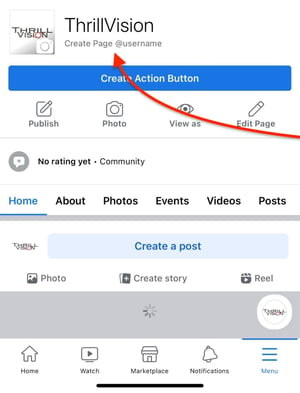
2. Write your username and check that it’s available.
3. Once you see the green check mark, click on Create username to finalize it.
How to Change Your Facebook Vanity URL
1. Visit Facebook.com and head to your business page. Once on the page, click on Edit Page.
2. Select Page Header.
3. Click on your username.
4. Write your new username and see if it’s available. Once the green check mark appears, click on Create Username.
Facebook Vanity URL Tips
As you’re deciding on your username, consider the following requirements from Facebook:
- Usernames can only include alphanumeric characters (A-Z, 0-9) or a period (.).
- You can only have one username per page.
- Your page must have at least 25 fans to establish a vanity URL. This is to prevent name squatting.
- Usernames are not transferrable or editable (so think carefully about your username choice!).
- Some generic words (such as “flowers” or “pizza”) are not available.
If your trademarked name has already been taken, you can notify Facebook of this intellectual property infringement.
A vanity URL is a small step you can take in personalizing your Facebook Page to ensure it’s easy to find. If you already have a URL in mind, don’t hesitate– you’ll want to make sure you can secure your business name before someone else snags it.
Editor’s Note: This post was originally published in Dec. 2012 and has been updated for comprehensiveness.


Instagram Takeover: How to Host One in 7 Easy Steps
Influencer marketing is a trendy topic these days, but it doesn’t require a lot of work or a ton of money to harness the power of influencers on your brand’s social media channels — and hosting something called an Instagram takeover is one of the lowest-effort, most organic ways to do just that.
Not sure what we’re talking about? Instagram takeovers involve a person or brand posting on your Instagram channel to give followers a peek at new and unique content from another perspective. Here’s an example of our friends at WeWork taking over our Instagram account:
In this post, we’ll dive into how to host your own Instagram takeover to drive engagement, brand awareness, and positive outcomes for your brand.

But there are several different approaches to Instagram takeovers that can be beneficial to your brand.
Other types of Instagram takeovers can include:
- Employee takeovers
- Customer or community member takeovers
- Event takeovers
- Product or offer promotions
Instagram takeovers are mutually beneficial for the guest Instagrammer and the host account. The host can bring valuable new content to their followers without having to create it themselves, and the guest is able to reach an entirely new audience by posting on another account.
Plus, Instagram takeovers help cultivate good-faith relationships between influencers that can create inroads for future collaboration and cross-promotion.
Now, let’s dive into how to get started with your Instagram takeover.
How to Host an Instagram Takeover
1. Choose what you want to accomplish.
Before choosing a guest to host your brand’s Instagram, you have to determine what you want to achieve with the takeover. Ideally, your Instagram takeover will achieve multiple positive results — but choosing a primary goal of the campaign will help determine which type of guest to invite.
Instagram takeover goals could include:
- Increasing brand awareness. This can be measured by the number of new followers the Instagram account gains as a result of the takeover.
- Promoting a product, event, or offer. This can be measured by the number of event registrations, offer redemptions, or lead form submissions as a result of the takeover.
- Driving engagement within the Instagram community. This can be measured by the number of likes, comments, video and story views, and link clicks as a result of the takeover.
2. Pick your guest Instagrammer.
Now that you know your goal, you’ll have an easier time finding a guest who can make it happen.
For example, the team behind the award-winning musical Hamilton wanted to familiarize fans with the plays revolving cast members.
To do this, Hamilton started #SwingSaturday on Instagram in which a cast member who is prepared to play multiple roles (known as a swing) takes over the official Hamilton Instagram.
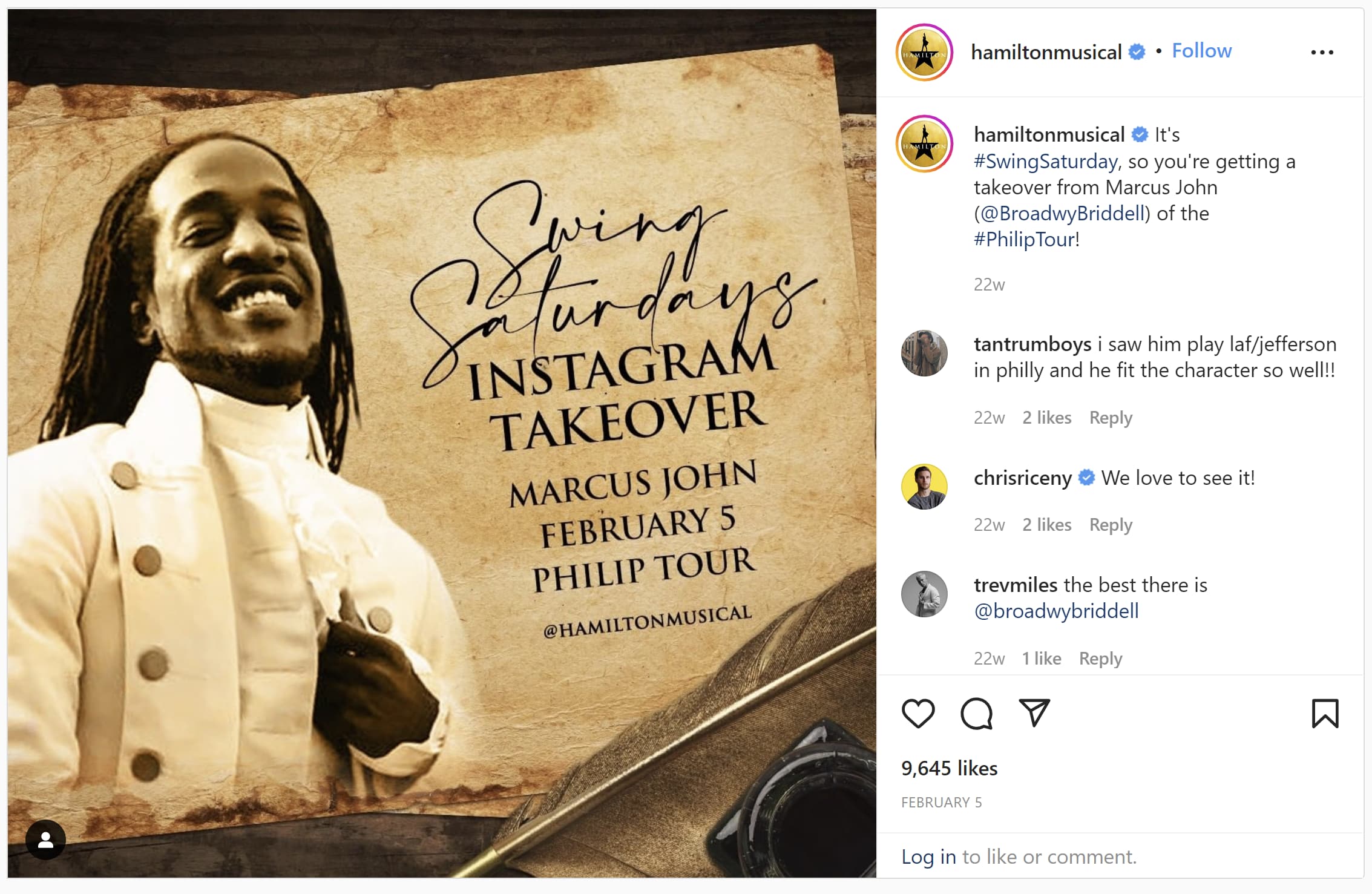
There are a few types of guest Instagrammers you can invite to create content for your takeover:
- Influencers within your industry
- Employees at your company
- Community members or customers
While it’s certainly possible for Instagram takeover guests to accomplish multiple goals, we recommend choosing your guest with the most effective strategy in mind.
- Influencers will draw their followers to your Instagram with their endorsement of your brand, so they’re the best fit if your primary goal is to increase brand awareness by growing followers.
- Employees will attract interest from their friends and colleagues who want a behind-the-scenes look at what they do at work every day. They’re the best fit if your primary goal is to drive engagement on Instagram.
- Community members and customers will post enthusiastically about your brand and show the value of your product. They’re the best fit if your primary goal is to promote a product, event, offer, sign-up, or download.
Again, these goals aren’t mutually exclusive. Ideally, the content your guest creates will be highly engaging, shareable, and compelling to the viewer.
3. Decide on the content format and takeover logistics.
Once you’ve figured out what you want to accomplish and who will host your takeover, it’s time to nail down the specifics of how the takeover will run. Below are our suggestions of questions to answer when you meet with your takeover host:
- When are you hosting the Instagram takeover, and how long will it last?
- Who will manage the account? Will the guest get access to your Instagram credentials, or will they send you content and captions to post on their behalf?
- How many times per day will the host post takeover content? If you have an optimal publishing schedule in mind, what times per day will the host need to post?
- What hashtags will be used? Will you create a custom hashtag to promote the takeover? Is there a maximum amount of hashtags you want the guest to use in any given caption?
- Which types of content will be shared during the takeover? Will the guest post photos, videos, Instagram Stories, or live videos? Will they post a combination of these formats?
- How will both the guest and the host promote the takeover on Instagram? Will you agree to promotion on Instagram or other channels leading up to the event?
- Are there any guardrails? Is there anything the guest shouldn’t record or mention over the course of the takeover?
Once the details of the takeover are finalized, decide how you’ll measure success over the course of the event.
4. Determine metrics to track during the takeover.
Depending on the goals of your Instagram takeover, some of these metrics will be more important than others. Below are the metrics we recommend tracking over the course of your takeover:
- # of new followers
- # of likes
- # of comments
- # of mentions
- # of direct messages
- # of Instagram Story views
- # of live video viewers
- # of Instagram Story clicks
- # of offer redemptions/app downloads (if you promote a landing page)
- # of attendees or sign-ups (if you promote an event)
- Total social referral traffic to your website
Qualitative metrics to keep track of could also include positive comments on Instagram.
5. Promote the takeover across multiple platforms.
Once you’ve figured out the details of your Instagram takeover, it’s time to start getting people excited about it.
A day or two before the event, start promoting your upcoming Instagram takeover. If there are any contests, giveaways, or other incentives for people to follow along, make those clear in your promotions.
Of course, you need to promote the upcoming takeover on Instagram — especially if the takeover is happening within Instagram Stories or Instagram Live and you want to drive visitors to view those spots within the app.
However, you also need to promote the takeover on other social media channels to attract as many people to your campaign as possible. This is especially necessary if your brand’s Instagram account isn’t as developed or engaged as other channels.
The host and the guest should promote the takeover on a few of their channels leading up to the event to get both audiences as engaged and excited as possible.
6. Launch the takeover.
On the day of the takeover, it’s all systems go.
Make sure you have one team member monitoring comments and one team member uploading content to Instagram (if applicable). Remember, users can now upload content from desktop computers in addition to the mobile app, which can make the process easier from the office.
Throughout the day, cross-promote content that the guest is posting on their channels to help draw new people to your own Instagram takeover event.
Make sure to communicate when the takeover is starting and ending. Note in captions when the first and last posts are happening so viewers aren’t confused or abruptly left in the lurch, wondering if there’s more content forthcoming.
7. Analyze the results.
Once the takeover is over, it’s time to analyze its performance. Use the performance data from the takeover to determine how (or if) you’ll do your next takeover differently. Here are some questions to ask in your post-takeover analysis:
- Did we achieve our goal? Did you earn more Instagram followers, achieve high levels of engagement, or get visitors to sign up for your offer?
- Did we achieve secondary goals? Did the takeover result in other net benefits for your brand and your business?
- Was the takeover worthwhile? Did it save you time and energy creating your own content, or did it create extra work? Did it drive a push of traffic and engagement, or did numbers remain mostly the same?
Even if the takeover doesn’t drive hard numbers for your business’s bottom line, takeovers are authentic and real. They also provide an inside look at an aspect of your brand or community followers don’t normally see.
And just because a takeover didn’t achieve your desired results on the first launch it doesn’t mean you shouldn’t give it another try later. That’s why you need to track its progress and results so that you can do better next time.
Social media is about being social, so pay attention to qualitative feedback, too. If commenters respond positively to the takeover, take their feedback and use it for ideating future Instagram campaigns.
Instagram Takeover Examples
Here are examples of some excellent Instagram takeovers:
1. Broadway Plus
To promote its brand to Broadway fans, Broadways Plus had Hadestown actress Kimberly Marable takeover the company’s Instagram stories. The takeover was promoted the day before by sharing a clip of Kimberly and the rest of the cast singing during an NPR Tiny Desk concert.
During the takeover, Marable shared exclusive behind-the-scenes footage of the Hadestown tour and gave followers of the account a glimpse into the day in the life of a Broadway performer. This worked in Marable’s favor as well because doing so promoted the Hadestown tour to more Broadway fans.
What I Like About This Instagram Takeover
This takeover provided timely and relevant content to fans of Broadway by having a prominent star give an exclusive look into a current tour. Marable was able to share content that only she would have access to, making the takeover that much more valuable.
2. Fenty Beauty
Celebrity makeup artist Nina Ubhi took over cosmetics brand Fenty Beauty’s Instagram account stories in 2020. The goal was to show how makeup lovers can use brand’s products to achieve the perfect spring look.
During the takeover, Ubhi gave quick makeup tutorials using Fenty Beauty products while also showcasing her skills as a makeup artist.
What I Like About This Instagram Takeover
This takeover brings value to both current and potential Fenty Beauty customers. Not only did Ubhi promote the brand’s products, but followers of the account learned how to apply the makeup and create new looks.
3. Billboard
As we mentioned before, an Instagram takeover can be just as beneficial for the guest as it is for the host. For example, the boy band Why Don’t We promoted their music and tour by taking over Billboard magazine’s Instagram account. During the takeover, the band shared behind-the-scenes tour footage and live-streamed portions of their concerts.
What I Like About This Instagram Takeover
The takeover was a treat for general music fans as well as fans of the band thanks to the exclusive content and concert performances. The live-streamed concerts from the band’s performances especially created an immersive experience for Billboard followers.
4. MS Association of America
To raise awareness for multiple sclerosis, the MS Association of America had actress Selma Blair take over the association’s Instagram to share her experience with the disease. During the takeover, Blair read an excerpt from her autobiography “Mean Baby: A Memoir of Growing Up” that details how MS has impacted her life.
What I Like About This Instagram Takeover
Having a celebrity living with MS be the guest for the takeover was a great way to raise awareness of the disease. The videos of Blair reading excerpts from her book gave a personal touch that provided insight and stirred emotions from followers.
5. ASOS
Online clothing store ASOS teamed up with Neom Organics by having the organic beauty line company takeover the ASOS Instagram account. This showed ASOS customers that Neom is available at the online retailer and it introduced Neom Organics to a new audience.
What I Like About This Takeover
This is another great example of mutually beneficial takeover for both the guest and host. ASOS showed its range as an online retailer but showing that it sells more than just clothes and accessories — customers can also turn to the company for skincare needs as well.
At the same time, Neom Organics used the opportunity to promote its products, reach new potential leads, and provide information on where its products can be found — at ASOS.
And there you have it — a helpful checklist to launch a successful Instagram takeover and five examples to inspire you. For more ideas on how to drive results for your brand, follow us on Instagram, and download our guide to Instagram for business here.
Has your brand ever hosted an Instagram takeover? Share with us in the comments below.

16 Common Logical Fallacies and How to Spot Them
Logical fallacies — those logical gaps that invalidate arguments — aren’t always easy to spot.
While some come in the form of loud, glaring inconsistencies, others can easily fly under the radar, sneaking into everyday meetings and conversations undetected.
Our guide on logical fallacies will help you build better arguments and identify logical missteps.
Jump to:
- What a logical fallacy is
- Formal vs. informal fallacies
- Straw man fallacy
- Correlation/causation fallacy
- Ad hominem fallacy
What is a logical fallacy?
Logical fallacies are deceptive or false arguments that may seem stronger than they actually are due to psychological persuasion, but are proven wrong with reasoning and further examination.
These mistakes in reasoning typically consist of an argument and a premise that does not support the conclusion. There are two types of fallacies: formal and informal.
- Formal: Formal fallacies are arguments that have invalid structure, form, or context errors.
- Informal: Informal fallacies are arguments that have irrelevant or incorrect premises.
Having an understanding of basic logical fallacies can help you more confidently parse the arguments and claims you participate in and witness on a daily basis — separating fact from sharply dressed fiction.
15 Common Logical Fallacies
1. The Straw Man Fallacy
This fallacy occurs when your opponent over-simplifies or misrepresents your argument (i.e., setting up a “straw man”) to make it easier to attack or refute. Instead of fully addressing your actual argument, speakers relying on this fallacy present a superficially similar — but ultimately not equal — version of your real stance, helping them create the illusion of easily defeating you.
Example:
John: I think we should hire someone to redesign our website.
Lola: You’re saying we should throw our money away on external resources instead of building up our in-house design team? That’s going to hurt our company in the long run.
2. The Bandwagon Fallacy
Just because a significant population of people believe a proposition is true, doesn’t automatically make it true. Popularity alone is not enough to validate an argument, though it’s often used as a standalone justification of validity. Arguments in this style don’t take into account whether or not the population validating the argument is actually qualified to do so, or if contrary evidence exists.
While most of us expect to see bandwagon arguments in advertising (e.g., “three out of four people think X brand toothpaste cleans teeth best”), this fallacy can easily sneak its way into everyday meetings and conversations.
Example:
The majority of people believe advertisers should spend more money on billboards, so billboards are objectively the best form of advertisement.
3. The Appeal to Authority Fallacy
While appeals to authority are by no means always fallacious, they can quickly become dangerous when you rely too heavily on the opinion of a single person — especially if that person is attempting to validate something outside of their expertise.
Getting an authority figure to back your proposition can be a powerful addition to an existing argument, but it can’t be the pillar your entire argument rests on. Just because someone in a position of power believes something to be true, doesn’t make it true.
Example:
Despite the fact that our Q4 numbers are much lower than usual, we should push forward using the same strategy because our CEO Barbara says this is the best approach.
4. The False Dilemma Fallacy
This common fallacy misleads by presenting complex issues in terms of two inherently opposed sides. Instead of acknowledging that most (if not all) issues can be thought of on a spectrum of possibilities and stances, the false dilemma fallacy asserts that there are only two mutually exclusive outcomes.
This fallacy is particularly problematic because it can lend false credence to extreme stances, ignoring opportunities for compromise or chances to re-frame the issue in a new way.
Example:
We can either agree with Barbara’s plan, or just let the project fail. There is no other option.
5. The Hasty Generalization Fallacy
This fallacy occurs when someone draws expansive conclusions based on inadequate or insufficient evidence. In other words, they jump to conclusions about the validity of a proposition with some — but not enough — evidence to back it up, and overlook potential counterarguments.
Example:
Two members of my team have become more engaged employees after taking public speaking classes. That proves we should have mandatory public speaking classes for the whole company to improve employee engagement.
6. The Slothful Induction Fallacy
Slothful induction is the exact inverse of the hasty generalization fallacy above. This fallacy occurs when sufficient logical evidence strongly indicates a particular conclusion is true, but someone fails to acknowledge it, instead attributing the outcome to coincidence or something unrelated entirely.
Example:
Even though every project Brad has managed in the last two years has run way behind schedule, I still think we can chalk it up to unfortunate circumstances, not his project management skills.
7. The Correlation/Causation Fallacy
If two things appear to be correlated, this doesn’t necessarily indicate that one of those things irrefutably caused the other thing. This might seem like an obvious fallacy to spot, but it can be challenging to catch in practice — particularly when you really want to find a correlation between two points of data to prove your point.
Example:
Our blog views were down in April. We also changed the color of our blog header in April. This means that changing the color of the blog header led to fewer views in April.
8. The Anecdotal Evidence Fallacy
In place of logical evidence, this fallacy substitutes examples from someone’s personal experience. Arguments that rely heavily on anecdotal evidence tend to overlook the fact that one (possibly isolated) example can’t stand alone as definitive proof of a greater premise.
Example:
One of our clients doubled their conversions after changing all their landing page text to bright red. Therefore, changing all text to red is a proven way to double conversions.
9. The Texas Sharpshooter Fallacy
This fallacy gets its colorful name from an anecdote about a Texan who fires his gun at a barn wall, and then proceeds to paint a target around the closest cluster of bullet holes. He then points at the bullet-riddled target as evidence of his expert marksmanship.
Speakers who rely on the Texas sharpshooter fallacy tend to cherry-pick data clusters based on a predetermined conclusion. Instead of letting a full spectrum of evidence lead them to a logical conclusion, they find patterns and correlations in support of their goals, and ignore evidence that contradicts them or suggests the clusters weren’t actually statistically significant.
Example:
Lisa sold her first startup to an influential tech company, so she must be a successful entrepreneur. (She ignores the fact that four of her startups have failed since then.)
10. The Middle Ground Fallacy
This fallacy assumes that a compromise between two extreme conflicting points is always true. Arguments of this style ignore the possibility that one or both of the extremes could be completely true or false — rendering any form of compromise between the two invalid as well.
Example:
Lola thinks the best way to improve conversions is to redesign the entire company website, but John is firmly against making any changes to the website. Therefore, the best approach is to redesign some portions of the website.
11. The Burden of Proof Fallacy
If a person claims that X is true, it is their responsibility to provide evidence in support of that assertion. It is invalid to claim that X is true until someone else can prove that X is not true. Similarly, it is also invalid to claim that X is true because it’s impossible to prove that X is false.
In other words, just because there is no evidence presented against something, that doesn’t automatically make that thing true.
Example:
Barbara believes the marketing agency’s office is haunted, since no one has ever proven that it isn’t haunted.
12. The Personal Incredulity Fallacy
If you have difficulty understanding how or why something is true, that doesn’t automatically mean the thing in question is false. A personal or collective lack of understanding isn’t enough to render a claim invalid.
Example:
I don’t understand how redesigning our website resulted in more conversions, so there must have been another factor at play.
13. The “No True Scotsman” Fallacy
Often used to protect assertions that rely on universal generalizations (like “all Marketers love pie”) this fallacy inaccurately deflects counterexamples to a claim by changing the positioning or conditions of the original claim to exclude the counterexample.
In other words, instead of acknowledging that a counterexample to their original claim exists, the speaker amends the terms of the claim. In the example below, when Barabara presents a valid counterexample to John’s claim, John changes the terms of his claim to exclude Barbara’s counterexample.
Example:
John: No marketer would ever put two call-to-actions on a single landing page.
Barbara: Lola, a marketer, actually found great success putting two call-to-actions on a single landing page for our last campaign.
John: Well, no true marketer would put two call-to-actions on a single landing page, so Lola must not be a true marketer.
14. The Ad Hominem Fallacy
An ad hominem fallacy occurs when you attack someone personally rather than using logic to refute their argument. Instead they’ll attack physical appearance, personal traits, or other irrelevant characteristics to criticize the other’s point of view. These attacks can also be leveled at institutions or groups.
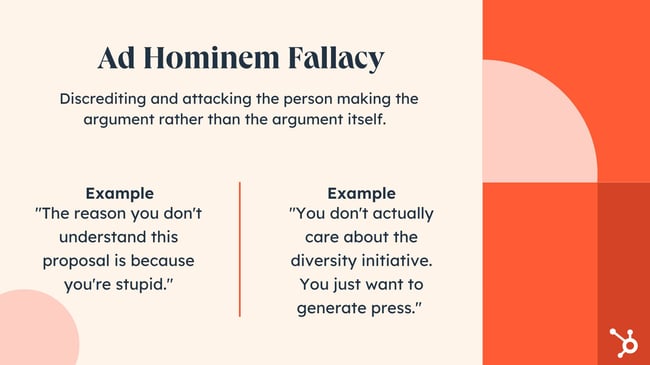
Example:
Barbara: We should review these data sets again just to be sure they’re accurate.
Tim: I figured you would suggest that since you’re a bit slow when it comes to math.
15. The Tu Quoque Fallacy
The tu quoque fallacy (Latin for “you also”) is an invalid attempt to discredit an opponent by answering criticism with criticism — but never actually presenting a counterargument to the original disputed claim.
In the example below, Lola makes a claim. Instead of presenting evidence against Lola’s claim, John levels a claim against Lola. This attack doesn’t actually help John succeed in proving Lola wrong, since he doesn’t address her original claim in any capacity.
Example:
Lola: I don’t think John would be a good fit to manage this project, because he doesn’t have a lot of experience with project management.
John: But you don’t have a lot of experience in project management either!
16. The Fallacy Fallacy
Here’s something vital to keep in mind when sniffing out fallacies: just because someone’s argument relies on a fallacy doesn’t necessarily mean that their claim is inherently untrue.
Making a fallacy-riddled claim doesn’t automatically invalidate the premise of the argument — it just means the argument doesn’t actually validate their premise. In other words, their argument sucks, but they aren’t necessarily wrong.
Example:
John’s argument in favor of redesigning the company website clearly relied heavily on cherry-picked statistics in support of his claim, so Lola decided that redesigning the website must not be a good decision.
Recognize Logical Fallacies
Recognizing logical fallacies when they occur and learning how to combat them will prove useful for navigating disputes in both personal and professional settings. We hope the guide above will help you avoid some of the most common argument pitfals and utilize logic instead.
This article was published in July 2018 and has been updated for comprehensiveness.

20 Content Marketing Examples That Stand Out in 2022
Do you remember a time where a piece of content made you a longtime fan of a particular brand or company? Maybe it was a funny YouTube video or a super informative blog post — both of which are content marketing examples.
Content marketing examples include media like newsletters, podcasts, social media posts, and videos. All of these forms of content are meant to provide useful and relevant information that delights users and attracts them to your brand.
To help you use content marketing to your company’s advantage, here are some of my favorite content marketing examples of 2022.

1. Spotify Wrapped Playlists
Spotify Wrapped is one of the music streaming app’s most successful content marketing campaigns. Near the end of every year, Spotify users get a fun roundup of all the music they’ve listened to that year. The roundup is broken down into genres, years, artists, and more, and is displayed with brightly colored graphics.
It then creates a personalized playlist of the user’s most listened to songs, and users have the option to share their wrapped playlists on social media — a key element that has made the campaign to trend on social media every year since its inception.
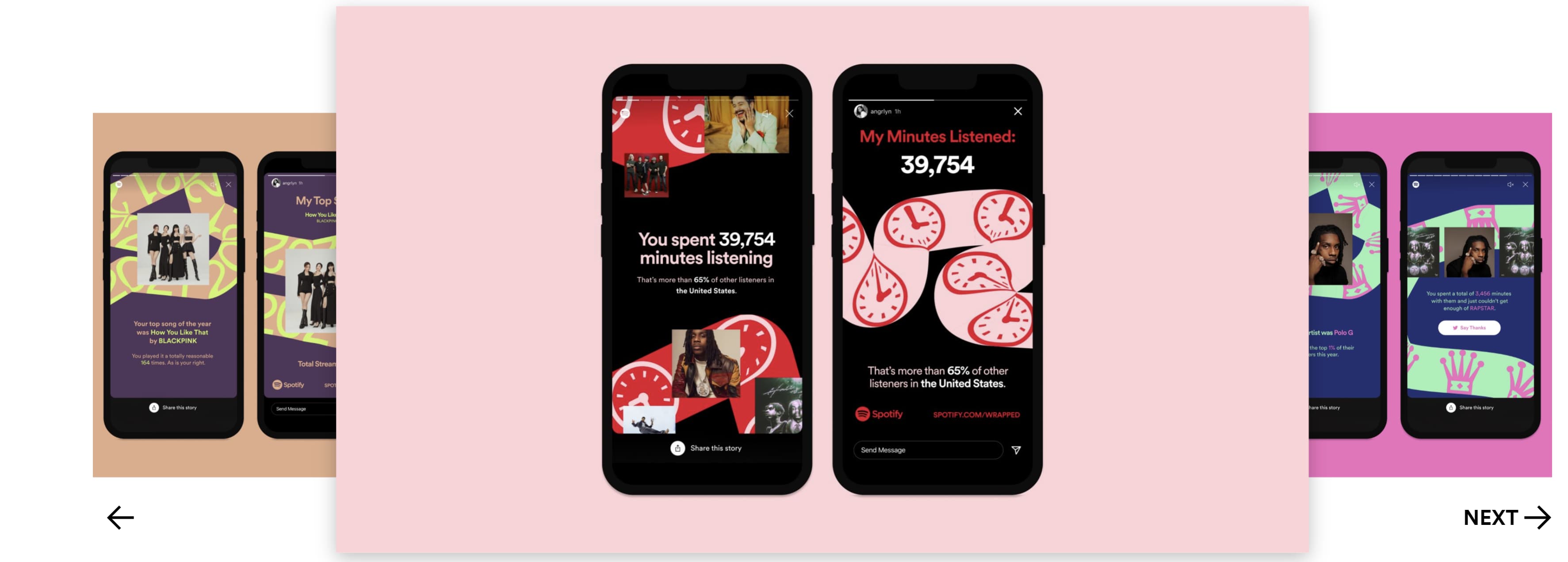
2. DuoLingo’s TiKTok
You likely know DuoLingo as the website and app that helps users learn a new language, but the company has generated buzz on TikTok for another reason — the company’s self-proclaimed “unhinged” mascot.
DuoLingo has amassed over 4.5 million followers on TikTok thanks to its consistent stream of content featuring the company’s iconic green owl mascot. Though many of the videos do not mention the company’s products and services, the account’s ability to create funny, trendy content has helped raise brand awareness on the app — something many brands struggle to do.
3. Canva’s Design School
Canva’s Design School provides value to its users by teaching them how to create engaging images with minimal design experience and without complicated software. It also does a great job of showing all the design possibilities Canva has to offer.

4. Hairstylist Theresa Van Dam’s TikTok
Theresa Van Dam is a hairstylist and owner of the Fantastic Sams Salon in Lenox, Illinois. Her TikTok account is famous for her skits that show how she deals with rude customers — all of whom she calls “Karen.”
Her content is often praised for being relatable to anyone who has ever had to deal with unruly customers.
This relatable approach to content works because while TikTok users come to the account for laughs, they are also shown videos of her excellent work as a stylist. Her TikTok now has 4.9 million followers, and Theresa has said often in her videos that she now has so many customers she often requires new ones to book her months in advance.
5. Girl With The Dog’s YouTube Channel
Girl With The Dog’s is a YouTube channel run by a professional pet groomer named Vanessa, owner of Perfect Pooches Dog Grooming in Ontario Canada.
The channel features excellent content marketing by providing entertainment for viewers while also showing off her skills as a groomer — I mean, who doesn’t like to see dramatic huskies screaming at a little blow dryer?
As a result of her content marketing efforts, Vanessa’s channel now has 1.5 million followers — and her clientele has grown to include cats and the occasional pig. She was also able to raise enough money to donate to animal sanctuaries.
6. Crunchyroll Collections
Crunchyroll is a U.S.-based company that licenses, distributes, and streams anime around the world. One of the ways Crunchyroll markets itself online is through YouTube via its Crunchyroll Collections channel. Crunchyroll Collections hosts clips and compilation videos of highly searched moments from popular anime.
This type of content marketing engages viewers, keeps the brand at the top of search results for popular anime, and shows how broad the company’s catalog is — encouraging viewers to subscribe to its streaming service. Notice there is even a button in the channel’s banner that viewers can click to start a 14-day free trial if they want more content.
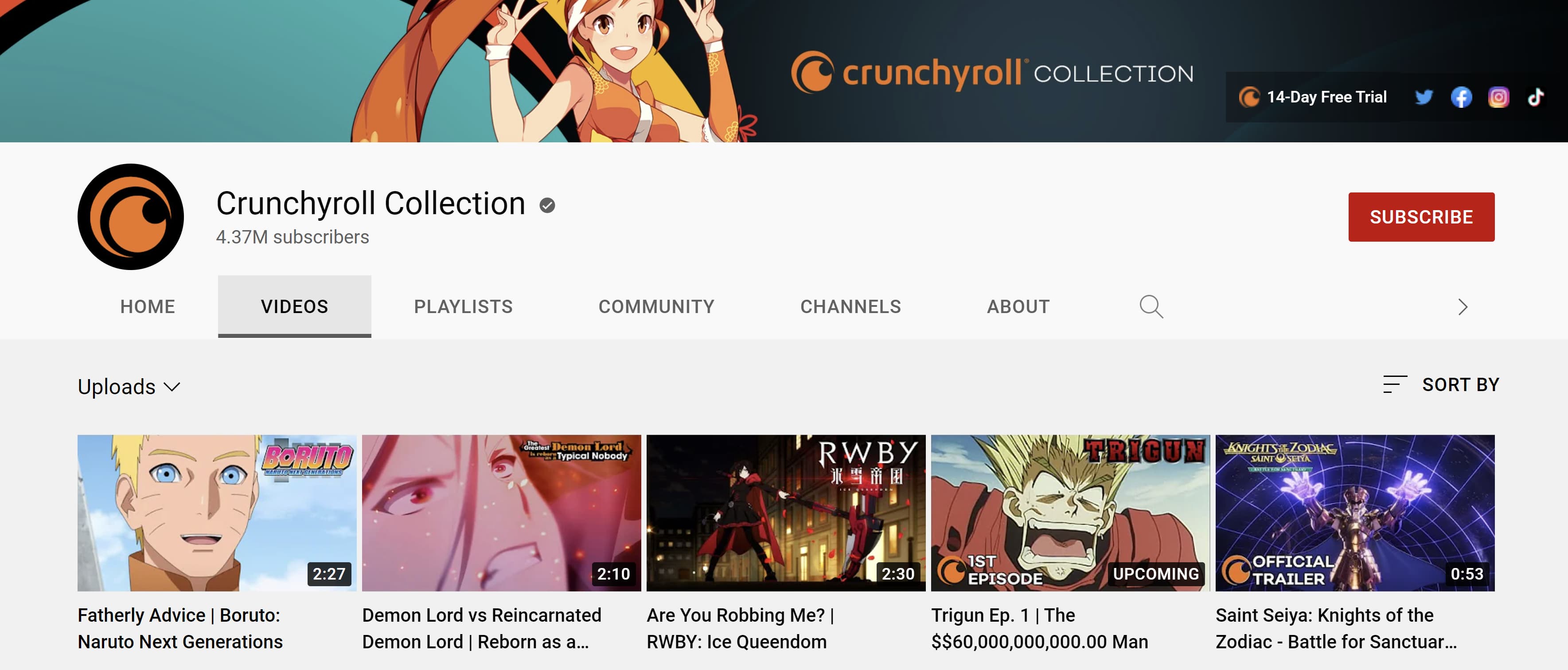
7. Chewy’s YouTube Channel
Chewy is an online retailer of pet products that has found a unique way to promote its different products. Chewy’s YouTube channel is full of advice regarding pets, training, and animal health. It also features educational videos, like “A Day in the Life of a Special Needs Cat Rescue and Sanctuary.”
In most videos, Chewy provides valuable information while tying in their products. For example, in the video “How to Introduce a Dog to a Cat,” the company lists the materials needed to introduce the two animals — showing all the different products they sell.
Furthermore, the description of the video includes a link to a post on the company’s blog that gives more information. The blog post also provides links to where pet owners can buy the materials they need off the official Chewy website. This encourages viewers to visit its website and make purchases.
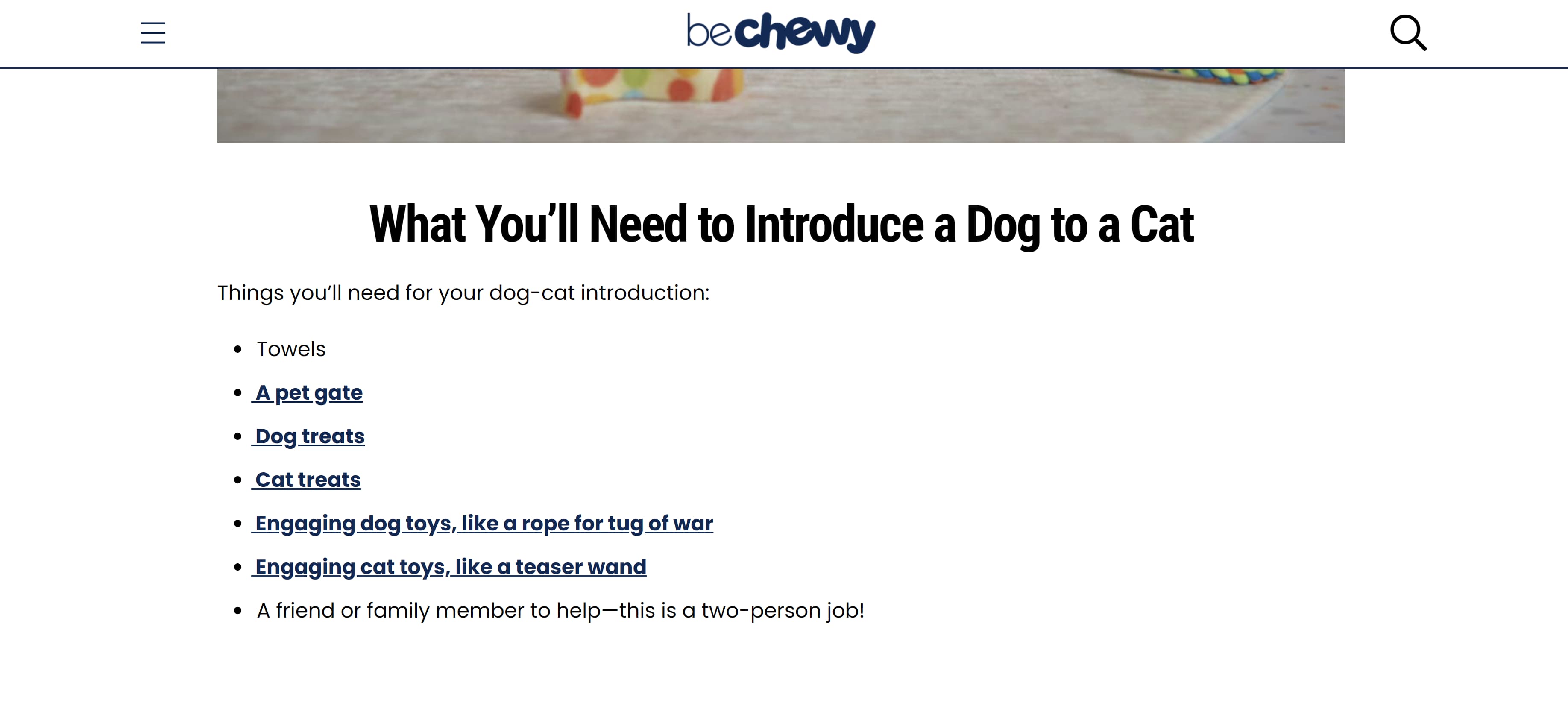
8. Amazon Prime’s The Anime Club
Anime has become more popular over the years, and many streaming services are cashing in on the trend — including Amazon Prime. But how does Amazon stand out among the stiff competition of Crunchyroll, Netflix, and Hulu? It started by partnering with actress and content creator Cheyenne The Geek to create a web series called The Anime Club.
The Anime Club gives anime recommendations based on genre and tackles different topics often referenced in anime. All the anime Cheyenne references are available to watch on Amazon Prime, encouraging viewers to subscribe to the streaming service.
9. UN Refugee Agency’s “Forced to Flee” Podcast
The UN Refugee Agency’s Webby Award-nominated podcast helps raise awareness for refugees by telling their unique and heart wrenching stories. This form of content marketing is compelling, leaves the audience with a better understanding of a refugee crisis, and shows the importance of agency’s work.
10. The Washington Post’s TikTok
The Washington Post’s TiKTok takes a comedic approach to history, news, and politics — appealing to its 1.4 million followers. The account also links to the Washington Post’s website.
11. Jackson Galaxy’s YouTube Channel
Jackson Galaxy is the former host of Animal Planet’s “My Cat from Hell,” a show that cat owners get along better with their unruly cats. Now, he has a website where he sells cat products and consultations.
To help promote his work and establish himself as an expert, Jackson runs a YouTube channel where he answers common questions regarding cats and cat ownership. In these videos, he provides advice, promotes his book, and showcases the products he has on his website that can help cat owners.
You Suck at Cooking started off as a funny YouTube channel that showed people help to cook simple meals. Years later, the channel is still hilarious but is also used to promote the host’s cookbook. The channel’s dry humor, random skits, and running gags help it stand out from other online self-help cooking resources.
13. Warby Parker’s Email Marketing
One of the many reason’s Warby Parker stands out from other online glasses retailers is its fun and eye-catching (no pun intended) email marketing campaigns. In the example below, Warby Parker welcomes summer vacation with its bright crystal-themed glasses eyewear. The calls to action in the email are easy to spot, the colors are bright and fun, and the company’s social media accounts are clearly presented.
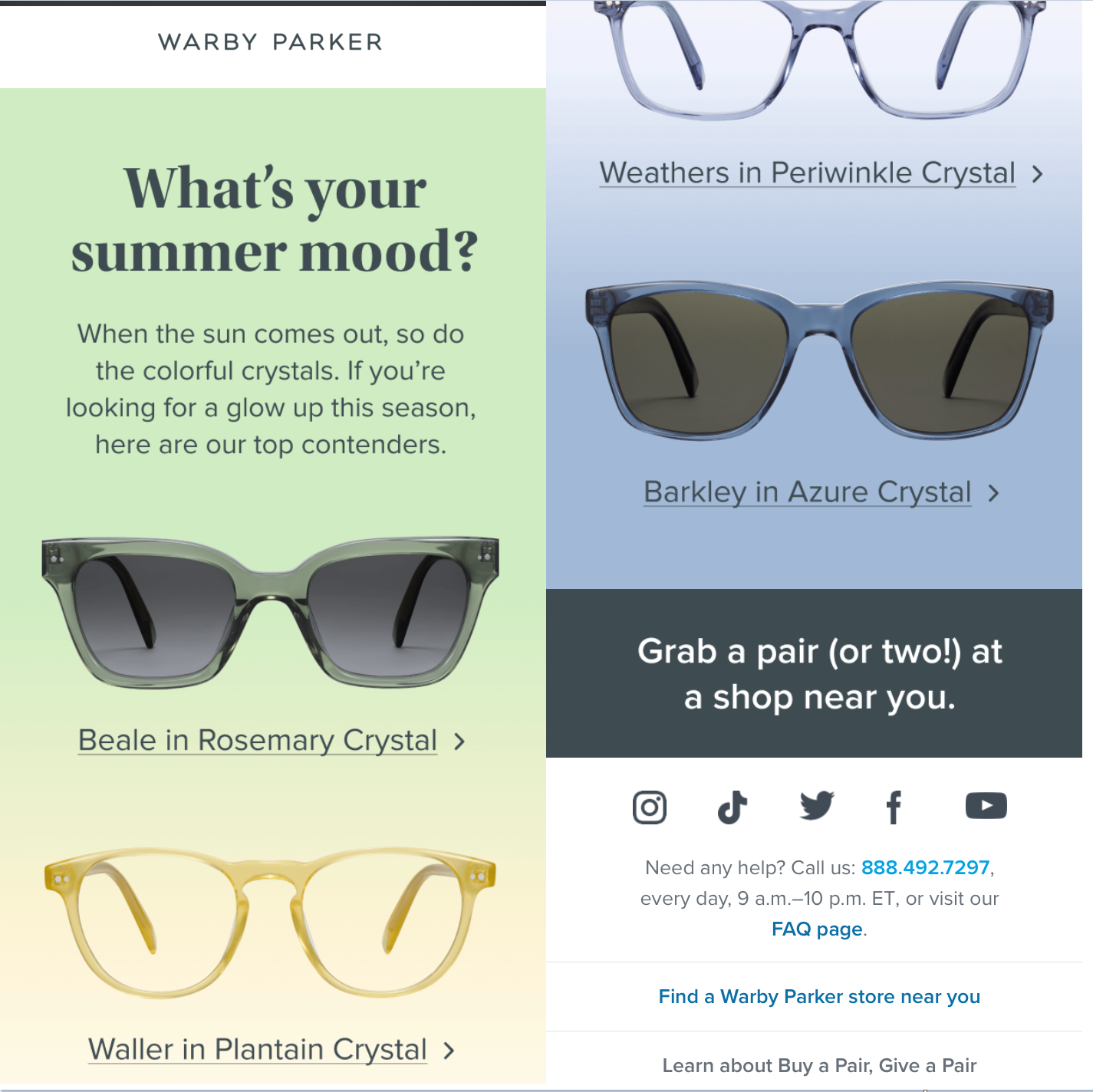 14. Content Marketing Institute’s Click to Tweet
If you make it easy for people to share something interesting with their network, then they’re much more likely to do so. Embedding a “click to tweet” button that automatically shares quotes or statistics from your article is an effective way to do that.
For example, this blog post that I wrote for Content Marketing Institute is the most widely shared guest blog post I’ve ever written:
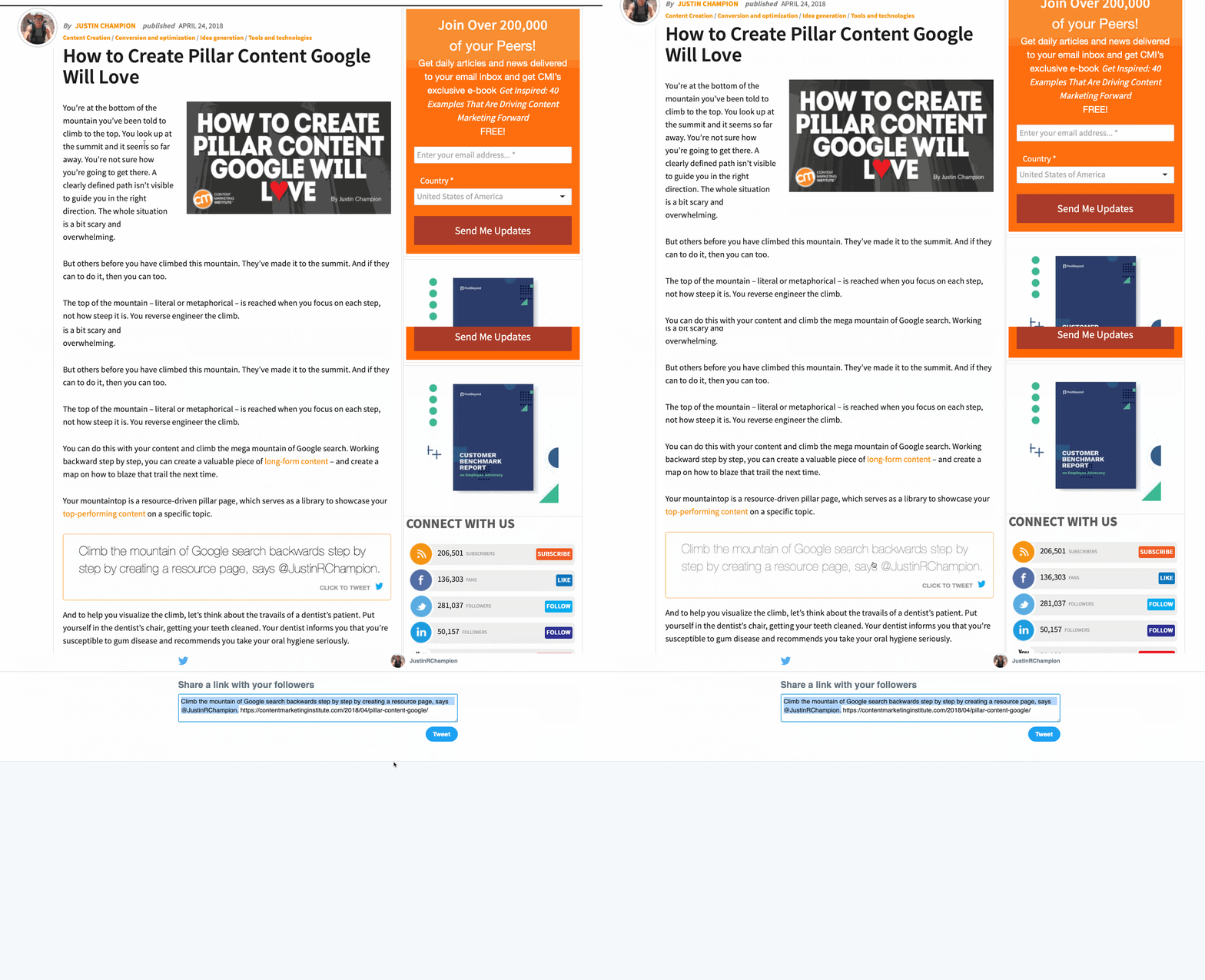
Months after publication, I still get daily Twitter notifications from people tweeting about this article. And the majority of the tweets come from the “click to tweet” option that Content Marketing Institute offers throughout the post.
If you want to start adding “click to tweet” options throughout your website content, check out this free tool.
15. Digital Olympus’s Expert Roundup
No matter what industry you’re in, there are influencers to whom people look for advice.
Digital Olympus interviewed over 40 digital marketing experts for one of their blog posts, asking each expert to provide their most effective method for acquiring traffic.
What I most like about this blog post is how Digital Olympus organizes the contributions. At the top of the page, there’s a headshot of each expert next to their name. If you want to read a particular expert’s tip, you simply have to click on their headshot and you’ll jump down to their quote.
There’s also an anchor-linked Table of Contents that allows for topic-based searches. This way, readers can jump to the specific sections that are most applicable to them.
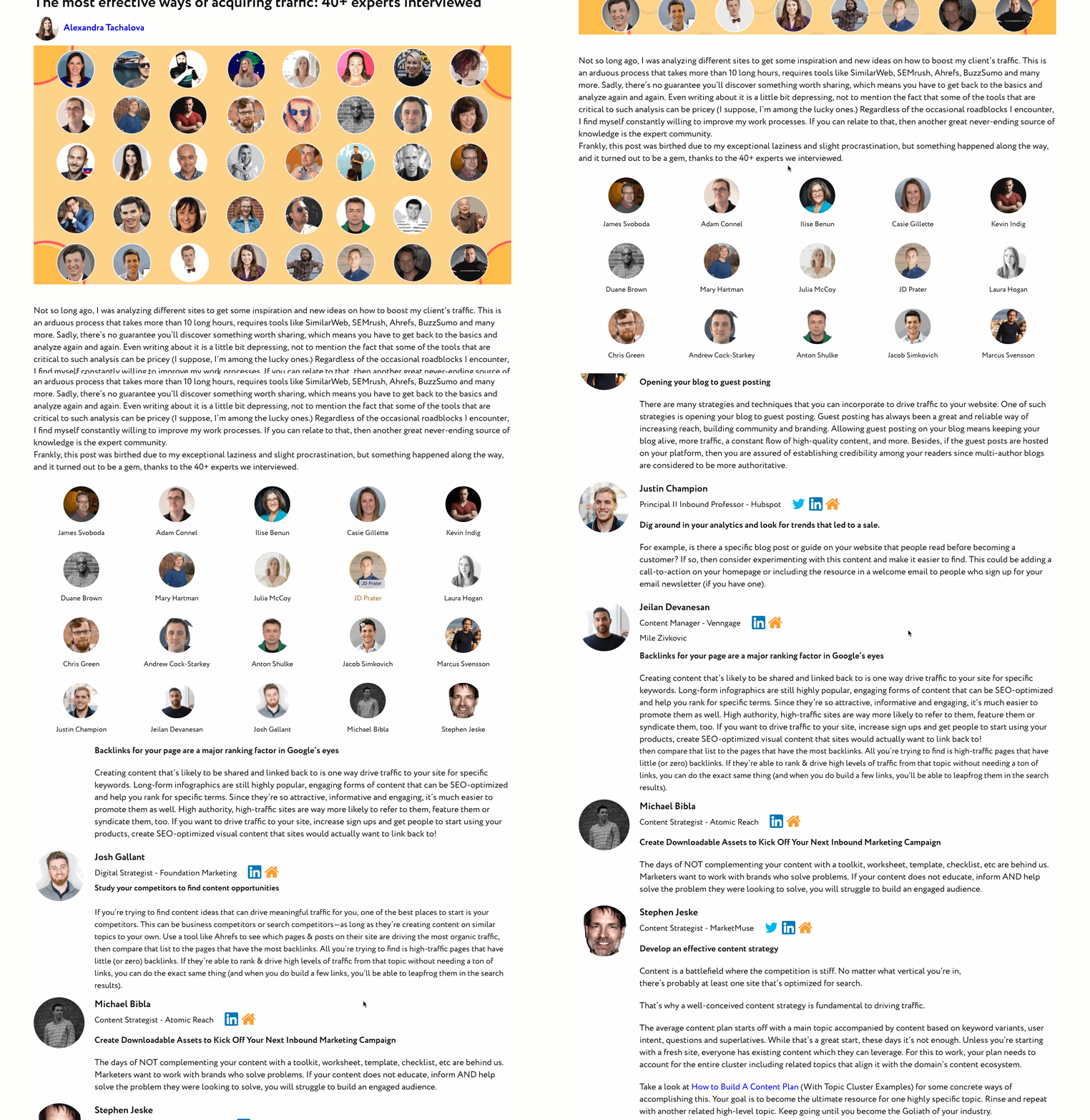
16. Colgate’s Research Page
Creating a resource page made up of helpful links on a given topic is an effective way to create helpful content.
If your business has been producing content for a while, then chances are you have clusters of related content to support the topics around which your business wants to build authority.
For example, oral hygiene company Colgate has over 1,200 pieces of content related to their broad topic “gum disease.”
That’s a lot of content to sift through, which is why Colgate created a resource page made up of specific sections of gum disease-related content, like “What are the Stages of Gum Disease?” or “How to Cure Gingivitis.”
Each section offers:
- A paragraph of explainer text
- A bulleted list of details on the sub-topic
- Links to relevant content on their site
17. Moz’s Topic Clusters
The topic cluster framewor is a highly effective SEO strategy that demonstrates to Google that the content on your website is organized and relevant to searchers. To learn more about this framework, watch the video below.
Some brands have taken this approach to the next level by creating a multi-page masterclass or guide that links together like-themed pillar pages. A pillar page is a website page that covers a topic in-depth and links to a cluster of related content, also known as a cluster. One of my favorite examples of this is Moz’s Beginner’s Guide to Content Marketing.
Moz creatively puts a chapter list at the start of each page that links out to more specific content marketing-themed pages within the topic cluster.
Additionally, using an anchor-linked chapter list is an effective way to connect the cluster together — it provides value to the reader while passing authority through to each pillar page.
18. Mailshakes’ Marketing Automation
Marketing automation is a combination of software and strategy. With marketing automation, businesses can target prospects and customers with automated messages across multiple online and offline channels including email, text, web, and social media. Each message is sent automatically according to a pre-set list of instructions, called workflows.
Marketing automation can be an effective tool to keep your audience engaged with your brand, but it’s important to make sure you’re sending the right messages to the right people at the right time.
Mailshake, an email outreach tool, implemented marketing automation effectively by creating a Cold Email Masterclass to teach people how to make better connections via email outreach. The masterclass is made up of eight comprehensive lessons (i.e. pillar pages).
Mailshake knows that this is a lot of content for people to consume, and visitors won’t likely read it all in one sitting.
To make it easier for people to learn step-by-step, Mailshake repackaged their masterclass into an eight-part email series. In other words, they automated their education to help their audience.
Mailshake acquired 5,321 email opt-ins for their cold email masterclass workflow in under one year — proof that, if done well, this could be an incredibly effective strategy.
19. Townsend Security’s Content Offer
One tried-and-true way to convert visitors into leads is by offering something of value in exchange for their contact information (i.e. email address). This “something” is referred to as a content offer.
Content offers include, but are not limited to:
- Guides
- Workbooks
- Templates
- Webinars
It can take a lot of time to create a valuable content offer from scratch.
One effective way to create a meaningful content offer is to repurpose and repackage pieces of content found on your website. For example, data security company Townsend Security created a pillar page for one of their topics of expertise — encryption key management.
To help convert visitors into leads, Townsend repurposed and repackaged the content on their page into a guide. This allowed people to take the content with them, as opposed to having to search for the pillar page each time they wanted to read about encryption key management.
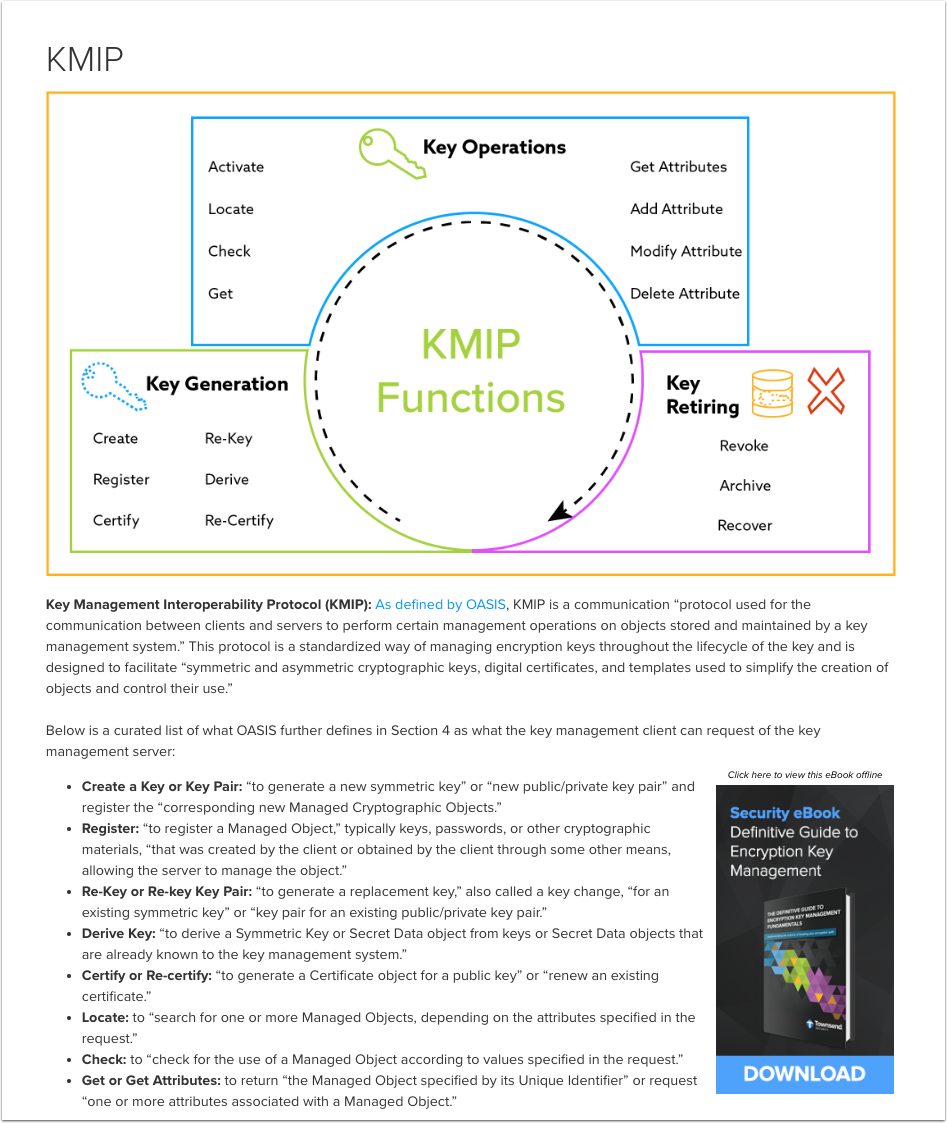
In the first year of publishing their encryption key management pillar page, 63% of visitors gave their information in exchange for a packaged PDF of the on-page content.
20. Venngage’s Free Product
Your product should be your best marketing. An effective way to provide real value to your prospects is to create a free tool that aligns with your products and/or services.
If you can get a free user hooked on one of your free tools, then you’re giving yourself (and your sales team) the best chance at demonstrating the value of your paid tools, too.
Let’s say, for example, that you’re a writer who needs help with creating visuals for the web content you create. You might consider using Venngage, a company that helps businesses create compelling visuals. In the free version of their platform, users get access to a wide variety of templates for infographics, presentations, brochures, checklists, and so on.
In the future, when your marketing team is considering paid products for design, you’ll have Venngage top-of-mind.
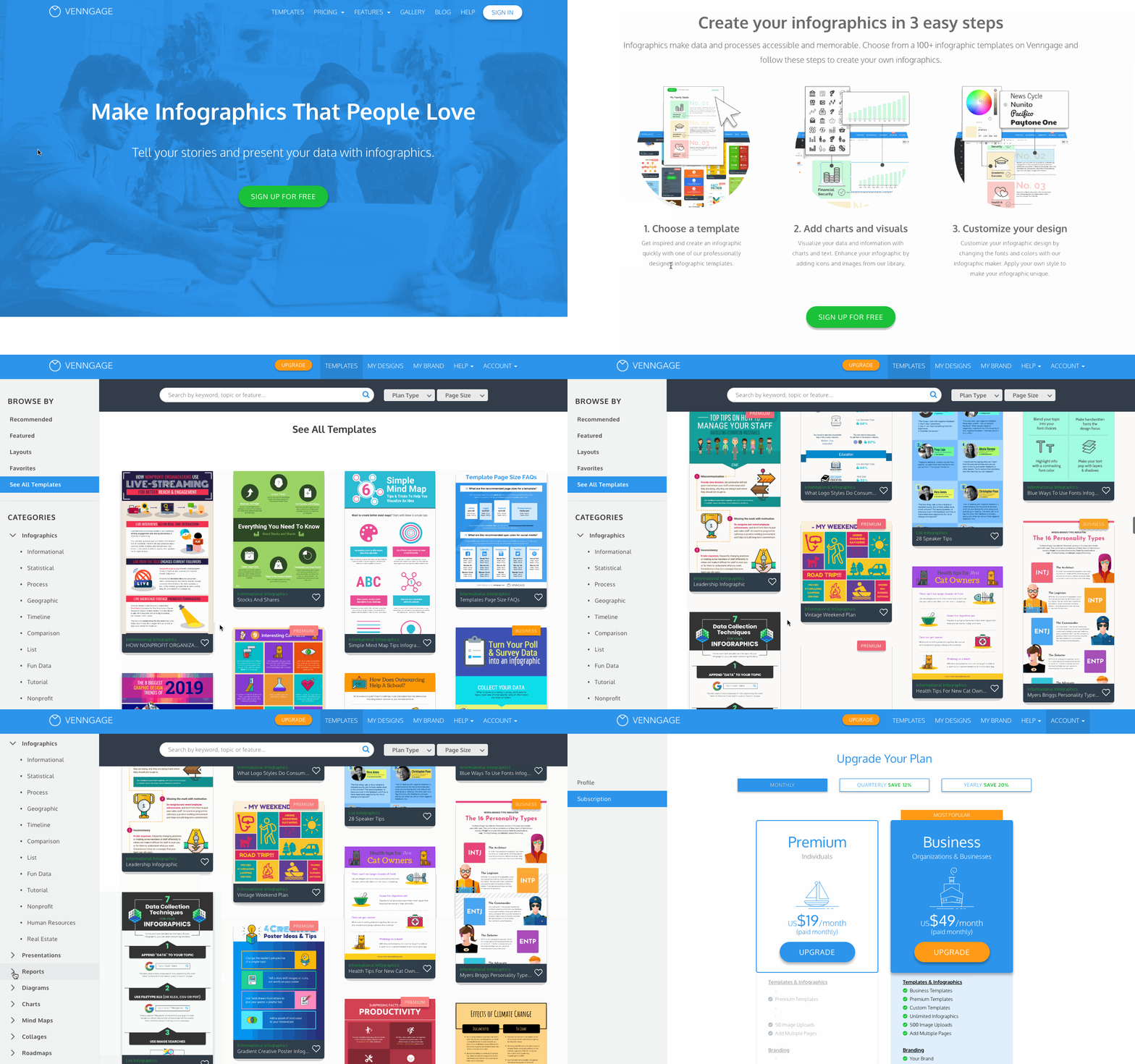
And there you have it — 20 content marketing examples to help get your creative juices flowing. Consider how you can apply one (or several) of these examples to your business to strengthen your content marketing efforts.
We live in a fast-paced digital world. In the time you read this blog post, a new channel, a new tactic, or a new competitor has emerged. The best chance you have at telling your business’s story and growing a pool of engaged prospects and customers is by learning the art of content marketing — and starting to apply it to your business, today.

26 Brilliant Marketing Email Campaign Examples [+ Template]
On any given day, most of our email inboxes are flooded with a barrage of automated email newsletters that do little else besides giving us another task to do on our commutes to work — namely, marking them all as unread without reading or unsubscribing altogether.

It may not seem like a good idea to add to all the noise. However, according to Constant Contact, the average ROI for email marketing is $42 for every $1 spent. Needless to say, email is an important component of a marketing strategy, and its success relies largely on how well you craft your email campaigns.
In this post, we’ll explore:
- What is an email marketing campaign?
- Effective Email Marketing Campaigns
- Best Email Marketing Campaign Examples
- How to Execute an Email Marketing Campaign
Let’s get started.
Email campaigns are an important part of inbound marketing, an ongoing process and philosophy coined by HubSpot where marketers meet buyers in whatever stage of the journey they’re in.
Inbound marketing acknowledges that not everyone is ready to buy from you at this exact moment. That’s why email is such an important channel.
Through email, you’re able to stay top-of-mind by providing communication to their personal inbox, and you can do it at scale with marketing automation software. It’s important that an email campaign’s recipients have opted in to receive this content and that each piece offers something valuable.
Effective Email Marketing Campaigns
An email marketing campaign is as effective as its ultimate goal. Here are some examples of different purposes your email campaign may set out to accomplish:
1. Traffic Generation Email Marketing Campaigns
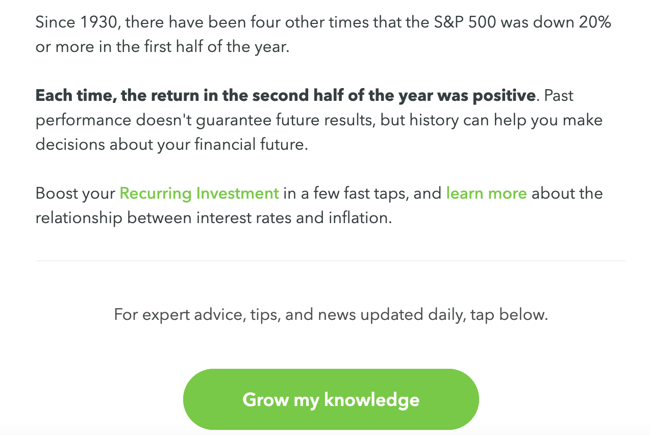
One of the biggest benefits of email marketing? Getting click-throughs to pages on your website. Not only does this boost your referral traffic, but it also drives visitors who’ve already shown an interest in your business, making it more likely that they’ll act once they get to your site.
Overall, email is an effective promotion channel for the high-value content you create on your website. It can help you drive qualified traffic to your product pages, blog posts, and web pages, consequently boosting conversions.
2. Awareness Email Marketing Campaigns
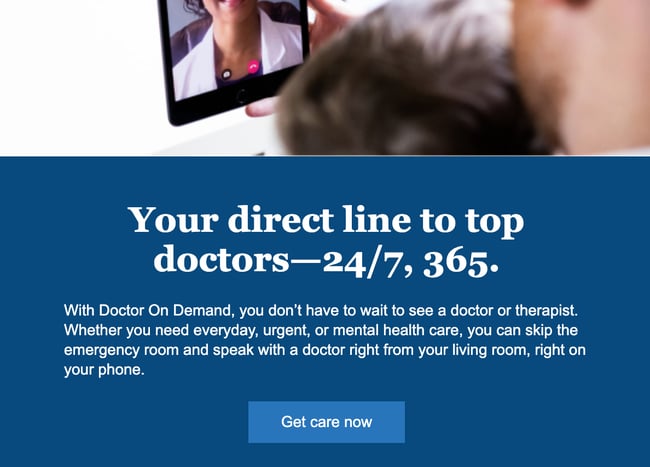
Not everyone who opts into your email list is ready to make a purchasing decision. You can use email marketing to stay top of mind while providing the educational content that is most relevant to them.
Indeed, brand awareness email campaigns help you solve for your readers and also establish yourself as a leader in your industry. If subscribers hear more from you than they do from your competitors, they’re more likely to rely on you when they need more information on a topic — or when they need a certain product.
3. Lead Nurturing Email Marketing Campaigns

As you stay top of mind, you may also consider ways to identify the leads with the highest purchase intent and provide conversion-focused content that “nurtures” them toward a sale (or at least toward becoming sales-ready).
In these emails, you can be more up-front about wanting recipients to buy. You can include shopping-centric calls-to-action, such as “Shop now,” “Buy now,” and “Add to cart.” However, it’s essential for recipients to have shown strong purchase intent. Adding items to their cart or having a purchase history are both strong indicators.
(Tip: You can find out behavioral and purchasing data using your ecommerce tool, CRM, or CMS.)
If you target these emails to casual visitors or first-time subscribers, you may be rushing them and inadvertently discouraging them from buying from you.
4. Revenue Generation Email Marketing Campaigns
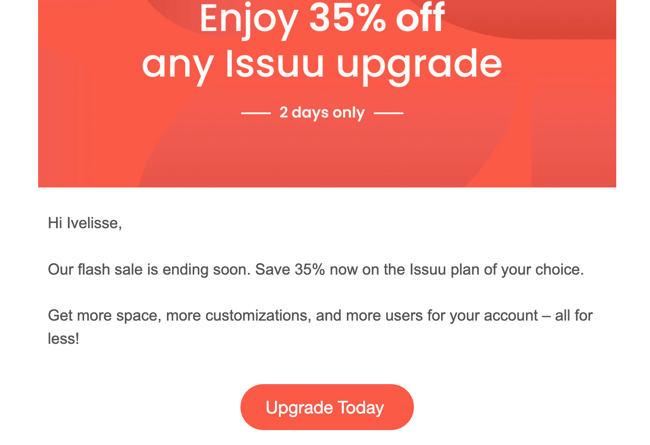
You can create email marketing campaigns for your existing customers to promote upsell and cross-sell opportunities. You can also create campaigns to capture a sales conversion from leads who are close to a purchasing decision.
One example might be creating “abandon cart” campaigns for recovering lost sales conversions; or, like in the example above, promoting a flash sale to get users to upgrade. These types of campaigns are best reserved for subscribers at the bottom of the conversion funnel. In other words, they have shown unquestionable purchase intent by either visiting a checkout page or booking a call with your sales team.
Effective email marketing campaigns need to be cleverly written to attract attention in busy inboxes, but the options are endless. Check out these 10 email marketing tips in 60 seconds:
Now that you know the most effective campaigns you can create, grab some inspiration from the masterful email marketing campaigns below.
Best Email Marketing Campaign Examples
If you’re reading this, you probably have an email address (or two, or three …). In fact, you’ve probably been sending and receiving emails for years, and you’ve definitely received some questionable deliveries in your inbox.
Whether they were unexpected, uninformative, or had a subject line tHaT wAs fOrmAtTeD liKe tHiS, we bet you didn’t hesitate to direct them towards the trash, right?
While email has managed to stand the test of time, many marketers have failed to update their strategies since its inception. So to ensure you’re sending modern emails that warrant some of your recipients’ precious time and attention, we’ve compiled a list of effective email examples to inspire your next campaign.
1. ModCloth
Marketing Campaign: Email Preferences
Great companies are always evolving, and your customers expect to experience change. What they don’t expect (because too many companies haven’t lived up to this end of the bargain) is to be told about those changes.
That said, this email from ModCloth serves as a refreshing change of pace. If you’re going to change the way you communicate with a lead or customer, give them clear, fair warning so, if they aren’t on board, they can make the necessary adjustments to keep their inbox clean.
Why It Works
It sets expectations for communication moving forward so that the buyer persona can choose what’s best for them.
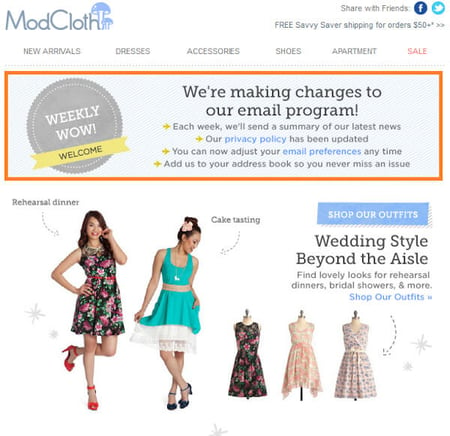
2. Tory Burch
Marketing Campaign: Promotion
Did you see that? Did you see it move? Pretty cool, right? This small bit of animation helps to separate this email from Tory Burch from all of the immobile emails in their recipient’s inboxes. They also leverage exclusivity by framing the promotion as a “private” sale. Oftentimes, this type of positioning makes the recipient feel like they’re specially chosen, which encourages them to take advantage of the special opportunity they’ve been presented with.
Why It Works
Emails can get static, boring, and impersonal. This email subverts those expectations without going overboard.

3. RunKeeper
Marketing Campaign: Re-Engagement Campaign
RunKeeper makes an effort to reengage lost users with this friendly, informational email. By highlighting their app’s most recent changes and benefits, the copy works to entice recipients to give the app another chance. It also discusses benefits that the recipient may not know about since the last time they used the service.
Why It Works
Small inclusions like the “Hi friend” greeting and the “You rock” closing makes the content feel welcoming and less aggressive.
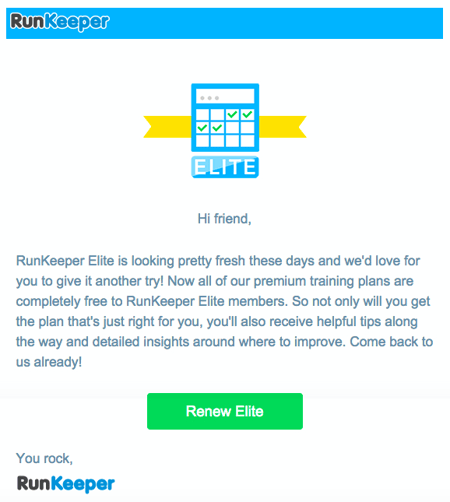
4. Litmus
Marketing Campaign: Promotion
Here’s another great example of animation being used to create a more interesting email marketing design. Unlike static text, the swipe motion used to provide recipients with a look “under the hood” of their email tool is eye-catching and encourages you to take a deeper dive into the rest of the content. Not to mention the header does an excellent job of explicitly stating what this email is about.
Why It Works
The animation is subtle, and it’s executed in a way that serves to enhance the email’s body copy. Even better, it works well with the design of the email, creating a matching but contrasting focal point before the reader dives into the rest of the copy below.
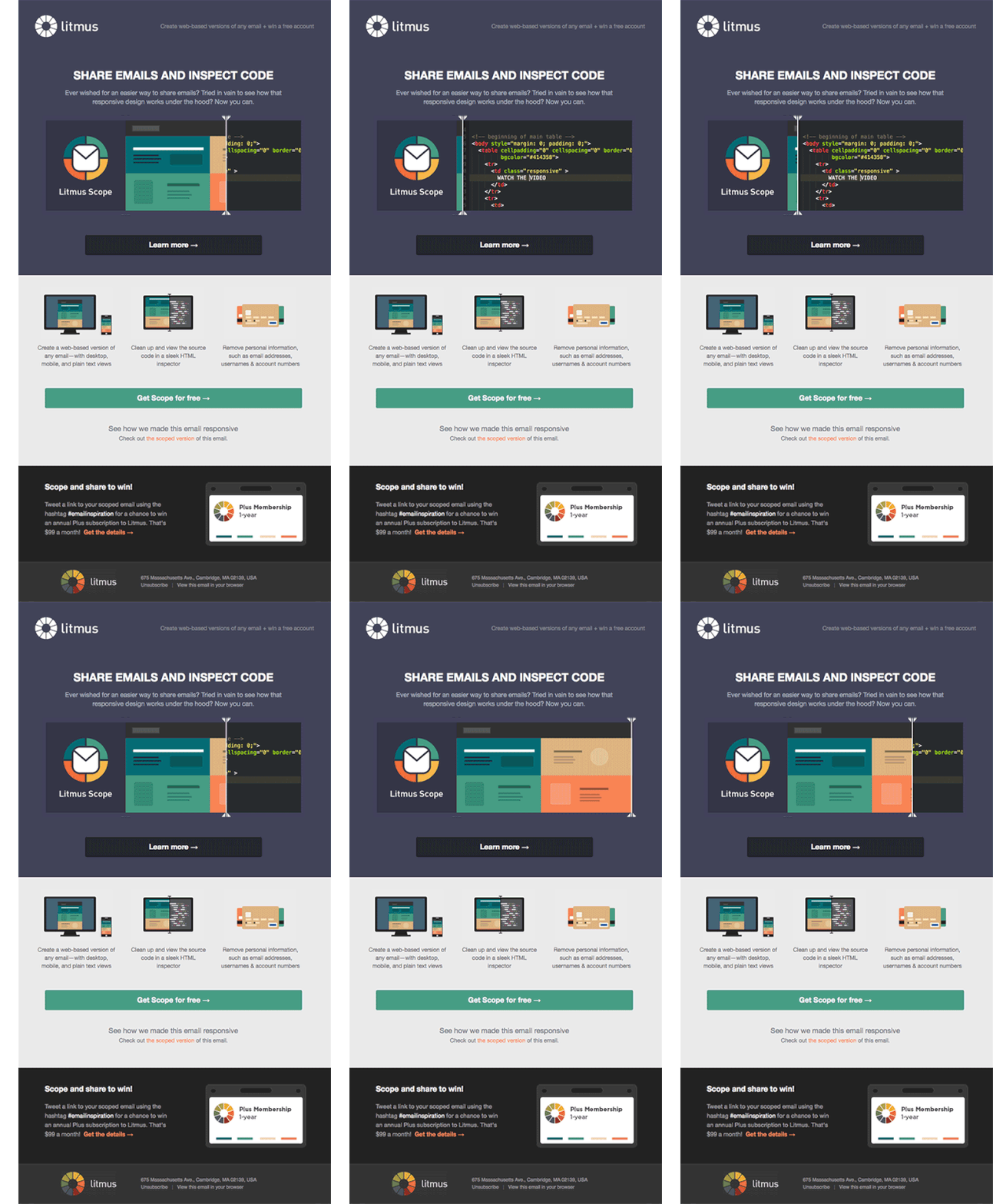
5. Loft
Marketing Campaign: Email Preferences
This email from Loft aims to demonstrate their understanding of your crazy, mixed-value inbox. In an effort to provide you with emails that you actually want to open, Loft asks that their recipients update their preferences to help them deliver a more personalized experience. This customer-focused email is super effective in making the recipient feel like their likes, dislikes, and opinions actually matter.
Why It Works
It centers the recipient’s needs with the slogan “Happy Inbox, Happy Life.” Paired with a low-friction CTA, the copy is simple and effective.
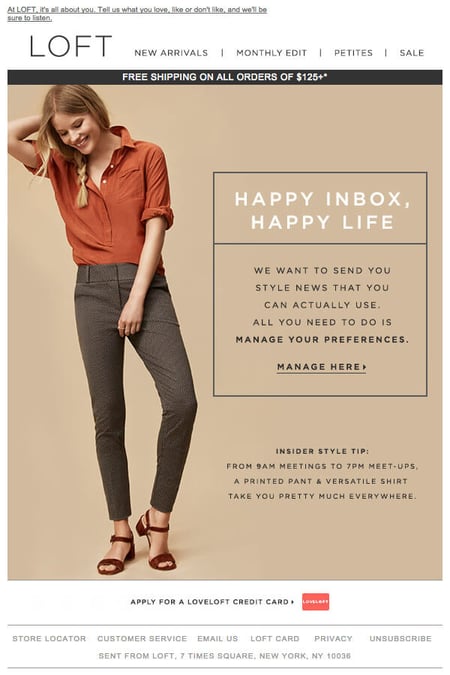
6. UncommonGoods
Marketing Campaign: Promotion
You’ve heard it a million times (and a few thousand of those times may have been from us): You should create a sense of urgency with your calls-to-action. That’s what makes a lead take action, right? Well, this email from UncommonGoods succeeds in creating a sense of urgency by focusing on the value of acting now.
Why It Works
Instead of saying, “Order your Mother’s Day gift NOW before Preferred Shipping ends!”, this email asks, “Don’t you think Mom would’ve liked a faster delivery?” Why yes, she would. Thank you for reminding me before it’s too late — I don’t want to be in the dog house because my gift arrived after Mother’s Day.
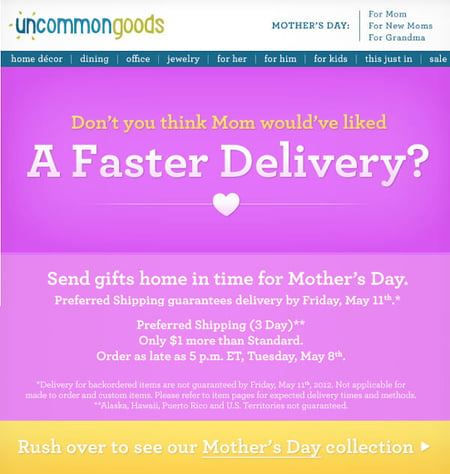
7. JetBlue
Marketing Campaign: Customer Delight
Confession: We have a serious email marketing crush on JetBlue. And they continue to deliver their lovable marketing in this cheeky email campaign that aims to humorously reengage customers. Every element from the header, to the three witty points, to the actionable, contrasting CTA work together to create a lovable campaign that’s promotional without being pushy.
Why It Works
This copy is bursting with friendly personality and airline jokes. The email is relatable and reads as though it comes from a friend, which will help earn a positive reaction.
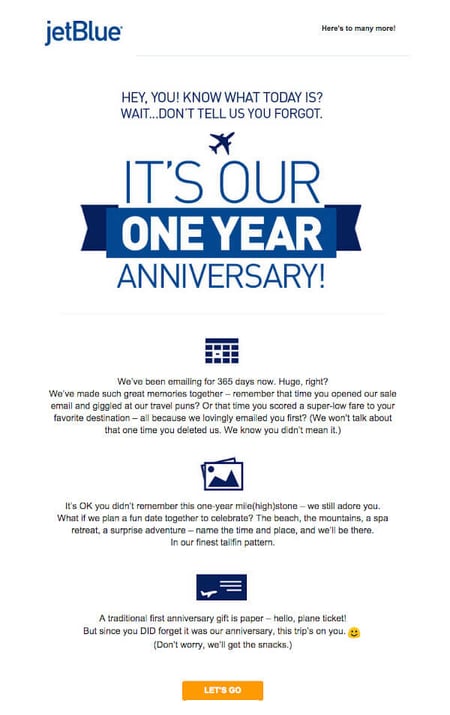
8. Harpoon Brewery
Marketing Campaign: Customer Delight
My friends at Harpoon are so thoughtful, aren’t they? This simple, timely email really does feel like it’s coming from a friend, which is why it’s so effective. In an age of email automation, it’s easy for email campaigns to feel a little robotic. And while I’m certain that this email was, in fact, automated, it feels really human.
If you’re looking to strengthen the relationship you have with your existing customers, consider taking the time to set up a quick email like this to let them know you’re thinking of them.
Why It Works
Personalization: From the timing of the email (birthday) to the personalized salutation, this email was sent to the right person at the right time.
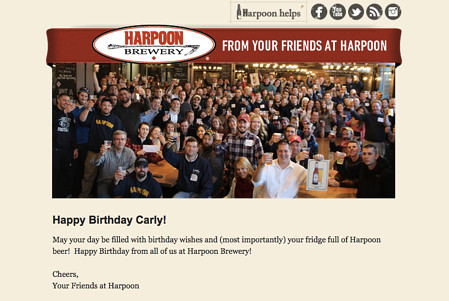
9. Rip Curl
Marketing Campaign: Promotion
“JOIN THE REVOLUTION.”
That’s quite powerful, wouldn’t you agree? Rip Curl, an Australian surfing sportswear retailer, combines urgency and our psychological need to be part of something to create an email headline that jumps off the page. This positioning is designed to lead people to believe that there’s a “revolution” taking place and it’s their turn to get in on the action.
Why It Works
At the end of the day, people want to be part of something that’s bigger than themselves, and this email aims to motivate them to do so by purchasing this sleek watch.
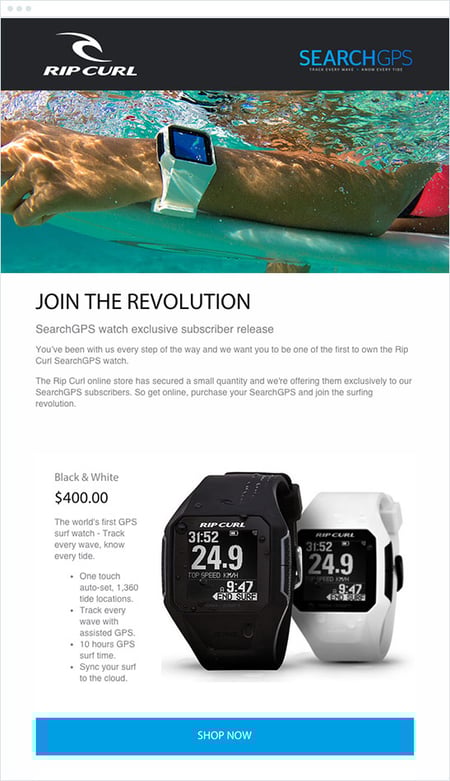
10. J.Crew Factory
Marketing Campaign: Promotion
For many of us, when it comes to wrapping gifts, the struggle is real. J.Crew Factory recognized this problem and then created this email to serve as a solution for those incapable of pulling off a Pinterest-esque wrap job: gift cards. The email offers up two different ways to pick up a gift card — in store or online — in an effort to avoid excluding anyone.
They’ve also included a map of the nearest store location at the end of the email to lower the purchasing barrier even further.
Why It Works
It combines humor with a low-stress, low-friction solution.
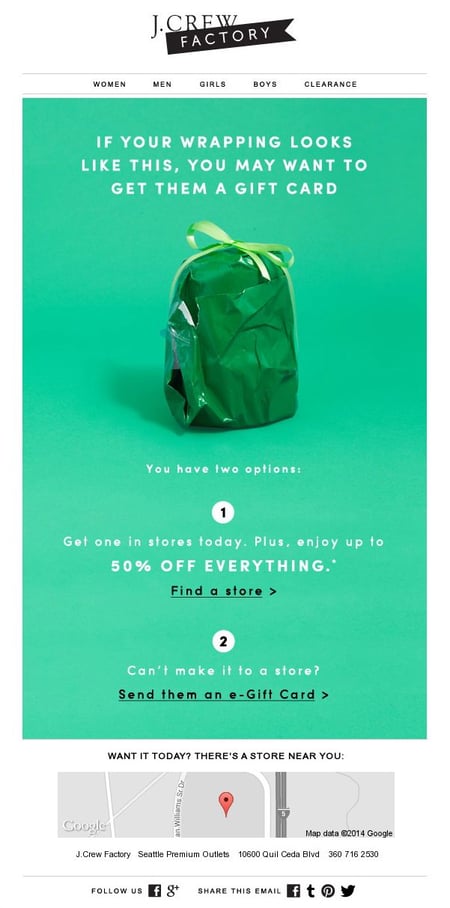
11. charity: water
Marketing Campaign: Engagement
When people talk about email marketing, lots of them forget to mention transactional emails. These are the automated emails you get in your inbox after taking a certain action on a website. This could be anything from filling out a form to purchasing a product to updating you on the progress of your order. Often, these are plain text emails that marketers set and forget.
Well, charity: water took an alternate route. Once someone donates to a charity: water project, her money takes a long journey. Most charities don’t tell you about that journey at all — charity: water uses automated emails to show donors how their money is making an impact over time. With the project timeline and accompanying table, you don’t even really need to read the email — you know immediately where you are in the whole process so you can move onto other things in your inbox.
Why It Works
It keeps the audience engaged and shows the impact that their actions have made on the organization in the effort of staying top-of-mind and increasing future participation.
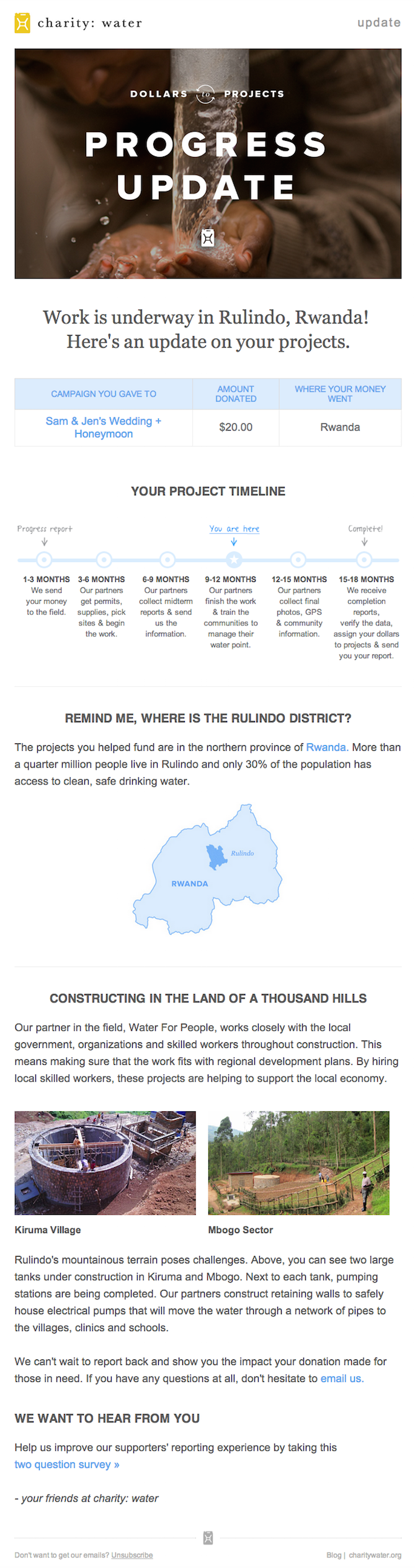
12. Brooks Sports
Marketing Campaign: Engagement
When Desiree Linden won the 2018 Boston Marathon, she became the first American woman to win the race in more than 30 years. To her shoe and apparel sponsor, Brooks Sports, it was an opportunity to celebrate their long partnership together. The resulting email campaign focuses almost entirely on the Olympic marathoner’s amazing accomplishment.
Email campaigns like this one allow companies to demonstrate their loyalties and add value to the products their best users have chosen. Not pictured is a blue CTA button at the bottom of the email that reads, “See Desiree’s go-to gear.” What better products to call attention to than the stuff worn by America’s latest legend?
Why It Works
After Desiree’s victory, everyone knew her name. Brooks Sports struck while the iron was hot with a proud email that was sure to be opened and forwarded.

13. Uber
Marketing Campaign: Engagement
The beauty of Uber’s emails is in their simplicity. Email subscribers are alerted to deals and promotions with emails like the one you see below. We love how brief the initial description is, paired with a very clear CTA — perfect for subscribers who are quickly skimming the email.
For the people who want to learn more, these are followed by a more detailed (but still pleasingly simple), step-by-step explanation of how the deal works.
We also love how consistent the design of Uber’s emails is with its brand. Like its app, website, social media photos, and other parts of the visual branding, the emails are represented by bright colors and geometric patterns.
Why It Works
All of its communications and marketing assets tell the brand’s story — and brand consistency is one tactic Uber’s nailed in order to gain brand loyalty.
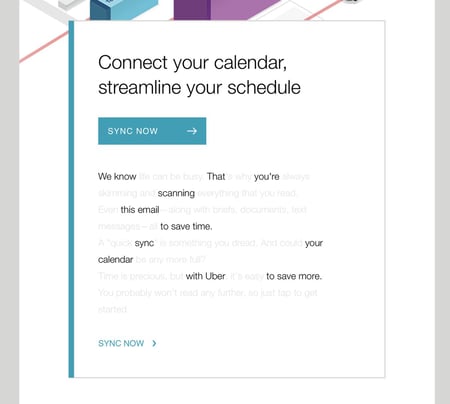
14. TheSkimm
Marketing Campaign: Customer Delight
We love TheSkimm’s daily newsletter — especially its clean design and its short, punchy paragraphs. But newsletters aren’t TheSkimm’s only strength when it comes to email. Check out its subscriber engagement email below, which rewarded one of their subscribers for being subscribed for two years.
Emails triggered by milestones, like anniversaries and birthdays, are fun to get — who doesn’t like to celebrate a special occasion? The beauty of anniversary emails, in particular, is that they don’t require subscribers to input any extra data, and they can work for a variety of senders. Plus, the timeframe can be modified based on the business model.
Why It Works
The folks at TheSkimm took it a step further by asking Mineo if she’d like to earn the title of brand ambassador as a loyal subscriber — which would require her to share the link with ten friends, of course.
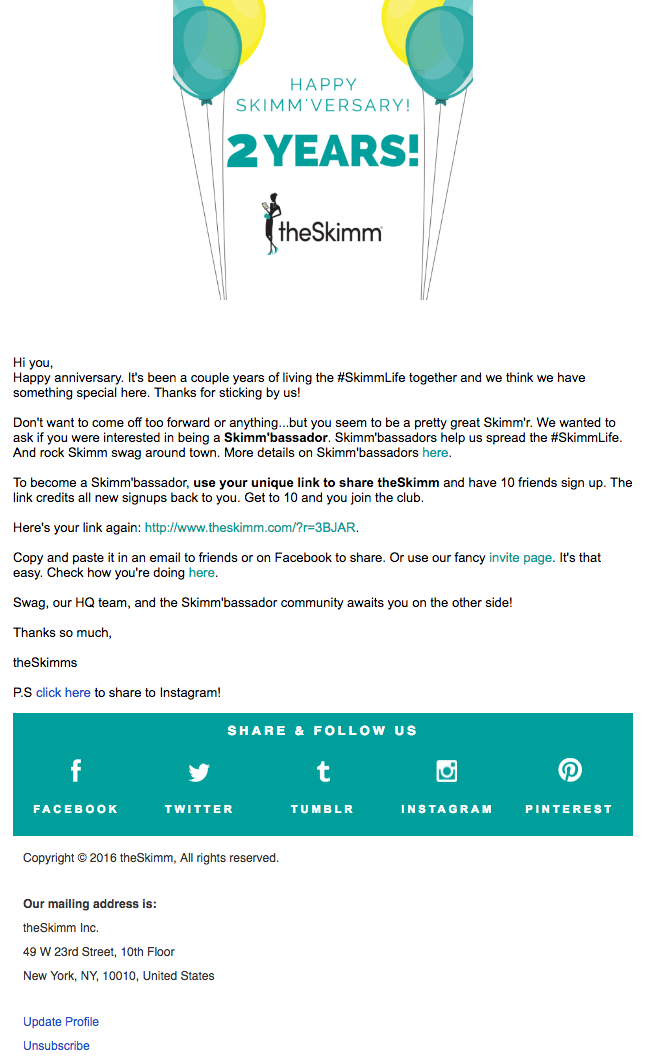
15. Mom and Dad Money
Marketing Campaign: Questionnaire
Think you know all about the people who are reading your marketing emails? How much of what you “know” about them is based on assumptions? The strongest buyer personas are based on insights you gather from your actual readership, through surveys, interviews, and so on — in addition to the market research.
That’s exactly what Matt Becker of Mom and Dad Money does — and he does it very, very well.
Here’s an example of an email I once received from this brand. Design-wise, it’s nothing special — but that’s the point. It reads just like an email from a friend or colleague asking for a quick favor.
Why It Works
Not only was this initial email great, but his response to my answers was even better: Within a few days of responding to the questionnaire, I received a long and detailed personal email from Matt thanking me for filling out the questionnaire and offering a ton of helpful advice and links to resources specifically catered to my answers. I was very impressed by his business acumen, communication skills, and obvious dedication to his readers.
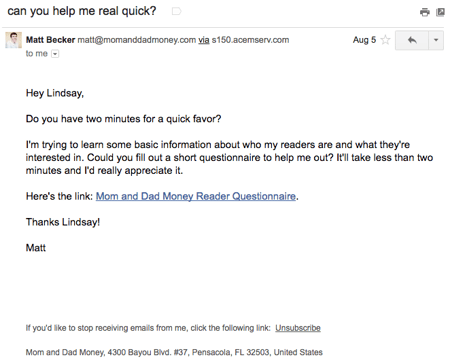
16. Birchbox
Marketing Campaign: Promotion
The subject line of this email from beauty product subscription service Birchbox got my colleague Pam Vaughan clicking. It read: “We Forgot Something in Your February Box!” Of course, if you read the email copy below, Birchbox didn’t actually forget to put that discount code in her box — but it was certainly a clever way to get her attention.
As it turned out, the discount code was actually a bonus promo for Rent the Runway, a dress rental company that likely fits the interest profile of most Birchbox customers — which certainly didn’t disappoint. That’s a great co-marketing partnership right there.
Why It Works
It gained her attention and delivered some unexpected delight.
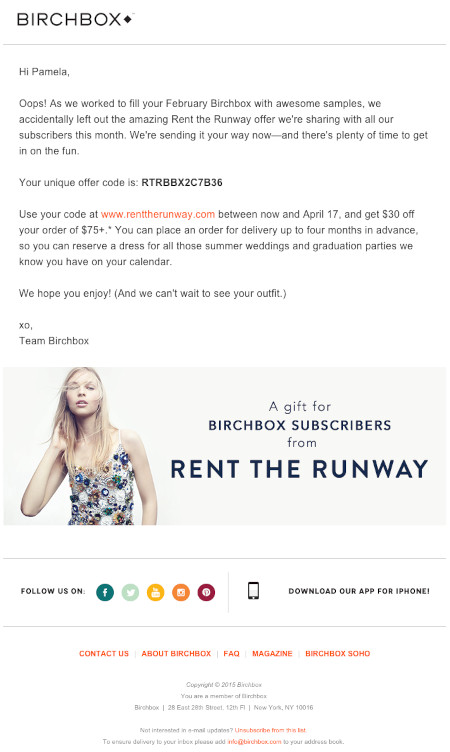
17. Postmates
Marketing Campaign: Promotion
I have to say, I’m a sucker for GIFs. They’re easy to consume, they catch your eye, and they have an emotional impact — like the fun GIF in one of Postmates’ emails that’s not only delightful to watch, but also makes you crave some delicious Chipotle.
You, too, can use animated GIFs in your marketing to show a fun header, draw people’s eyes to a certain part of the email, or display your products and services in action.
Why It Works
It centers the product in a fun, attractive way.
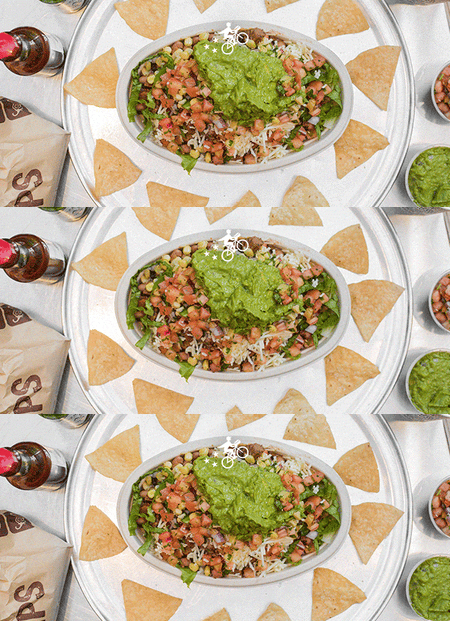
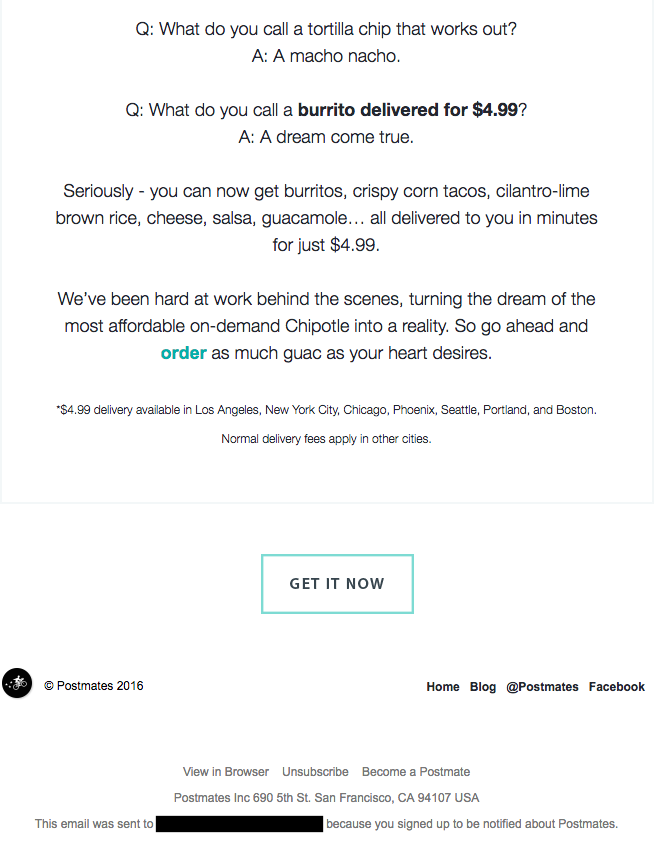
18. Dropbox
Marketing Campaign: Re-Engagement
You might think it’d be hard to love an email from a company whose product you haven’t been using. But Dropbox found a way to make its “come back to us!” email cute and funny, thanks to a pair of whimsical cartoons and an emoticon.
Plus, the email was kept short and sweet, to emphasize the message that Dropox didn’t want to intrude — it just wants to remind the recipient that the brand exists, and why it could be helpful. When sending these types of email, you might include an incentive for recipients to come back to using your service, like a limited-time coupon.
Why It Works
It uses the Dropbox logo in a way that’s creative and unique to demonstrate their product as a solution.
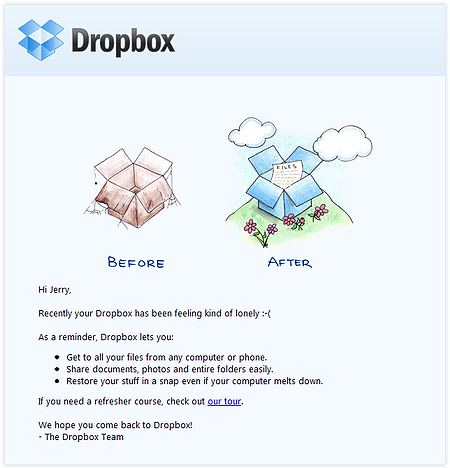
19. InVision App
Marketing Campaign: Newsletter
Every week, the folks at InVision send a roundup of their best blog content, their favorite design links from the week, and a new opportunity to win a free t-shirt. (Seriously. They give away a new design every week.) They also sometimes have fun survey questions where they crowdsource for their blog. This week’s, for example, asked subscribers what they would do if the internet didn’t exist.
Why It Works
Not only is InVision’s newsletter a great mix of content, but I also love the nice balance between images and text, making it really easy to read and mobile-friendly — which is especially important, because its newsletters are so long (below is just an excerpt). We like the clever copy on the call-to-action (CTA) buttons, too.
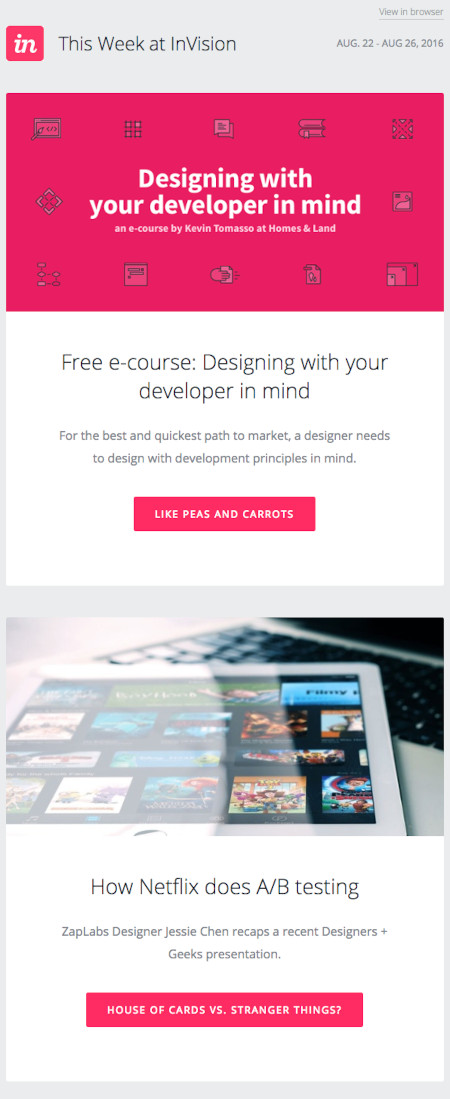
20. Cook Smarts
Marketing Campaign: Newsletter
I’ve been a huge fan of Cook Smarts’ “Weekly Eats” newsletter for a while. The company sends yummy recipes in the form of a meal plan to my inbox every week. But I didn’t just include it because of its delicious recipes — I’m truly a fan of its emails.
I especially love the layout of Cook Smarts’ emails: Each message features three distinct sections: one for the menu, one for kitchen how-to’s, and one for the tips. That means you don’t have to go hunting to find the most interesting part of its blog posts — you know exactly where to look after an email or two.
I also love Cook Smarts’ “Forward to a Friend” CTA in the top-right of the email.
Why It Works
Emails are super shareable over — you guessed it — email, so you should also think about reminding your subscribers to forward your emails to friends, family, or coworkers.
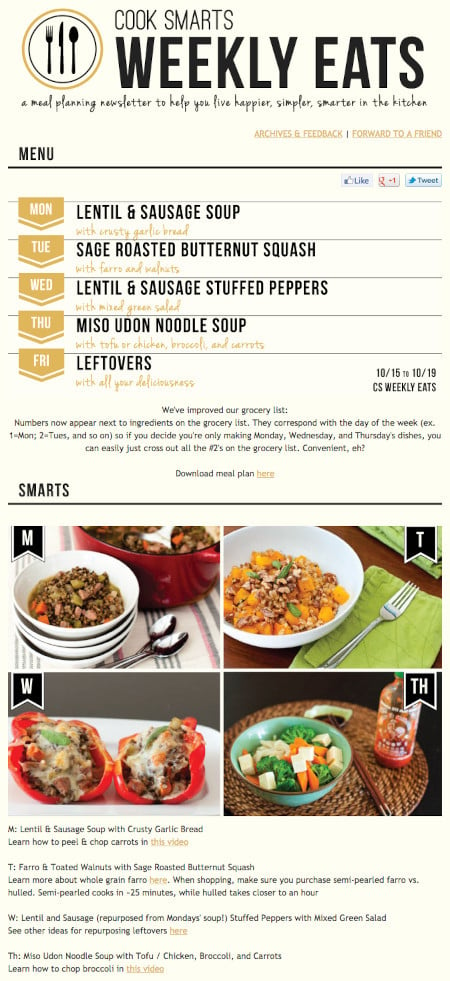
21. HireVue
Marketing Campaign: Email Preferences
“Saying goodbye is never easy to do… So, we thought we’d give you a chance to rethink things.” That was the subject of this automated unsubscribe email from HireVue. We love the simple, guilt-free messaging here, from the funny header images to the great CTA button copy.
Not only are the design and copy here top-notch, but we applaud the folks at HireVue for sending automated unsubscribe emails in the first place. It’s smart to purge your subscriber lists of folks who aren’t opening your email lists, because low open rates can seriously hurt email deliverability.
Why It Works
The button copy is a pattern interrupt that will prompt the recipient to pause and think if they want to take the action.
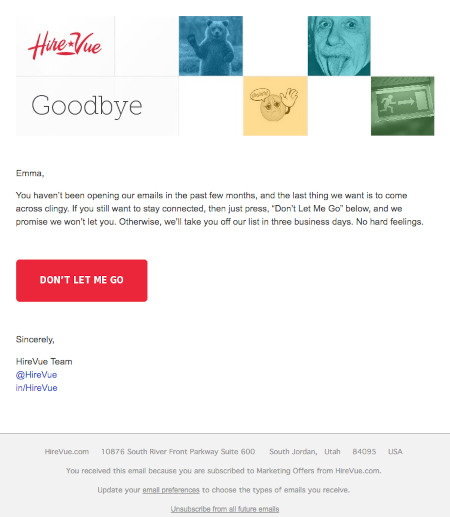
22. Paperless Post
Marketing Campaign: Promotion
When you think of “holiday email marketing,” your mind might jump straight to Christmas, but there are other holidays sprinkled throughout the rest of the year that you can create campaigns around. (Download these email marketing planning templates to keep yourself organized throughout the year.)
Take the email below from Paperless Post, for example. I love the header of this email: It provides a clear CTA that includes a sense of urgency. Then, the subheader asks a question that forces recipients to think to themselves, “Wait, when is Mother’s Day again? Did I buy Mom a card?”
Below this copy, the simple grid design is both easy to scan and quite visually appealing. Each card picture is a CTA in and of itself — click on any one of them, and you’ll be taken to a purchase page.
Why It Works
It earns a positive sentiment by prompting the recipient to do something they may have forgotten (send a card). This provides a solution and saves the recipient the pain of feeling guilty about forgetting Mother’s Day.
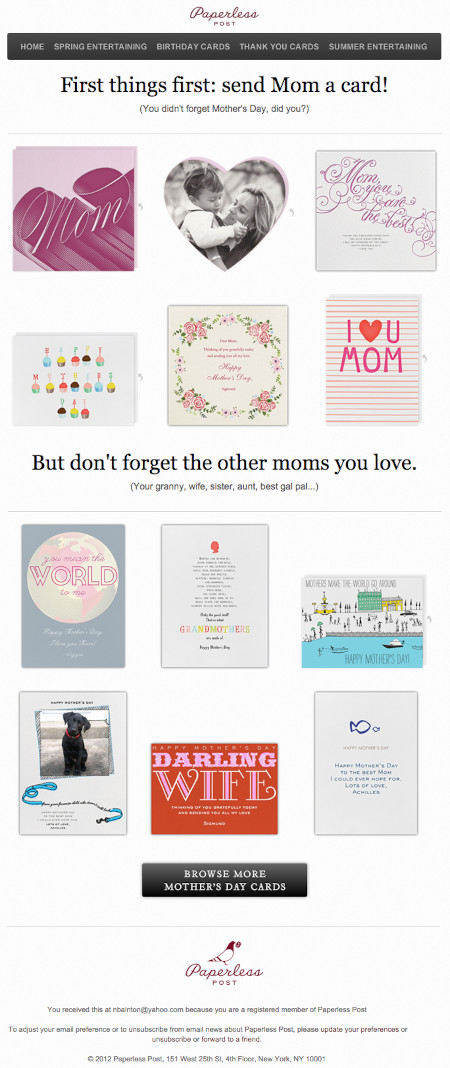
23. Stitcher
Marketing Campaign: Engagement
I love on-demand podcast/radio show app Stitcher’s “Recommended For You” emails. I tend to listen to episodes from the same podcast instead of branching out to new ones. But Stitcher wants me to discover (and subscribe to) all the other awesome content it has — and I probably wouldn’t without this encouragement.
I think this email also makes quite a brilliant use of responsive design. The colors are bright, and it’s not too hard to scroll and click — notice the CTAs are large enough for me to hit with my thumbs. Also, the mobile email actually has features that make sense for recipients who are on their mobile device. Check out the CTA at the bottom of the email, for example: The “Open Stitcher Radio” button prompts the app to open on your phone.
Why It Works
As humans, we tend to crave personalized experiences. So when emails appear to be created especially for you, you feel special — you’re not just getting what everyone else is getting. You might even feel like the company sending you the email knows you in some way, and that it cares about your preferences and making you happy.
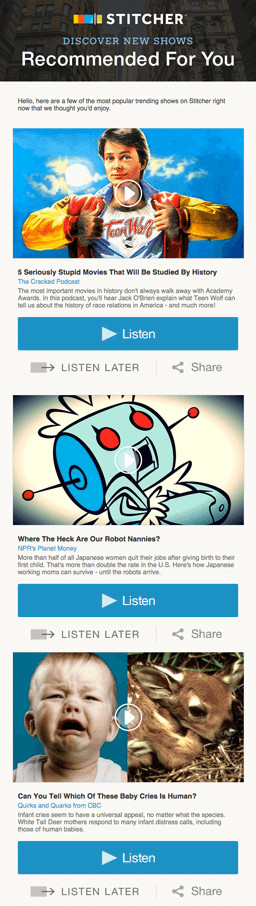
24. RCN
Marketing Campaign: Update
Internet providers and bad weather are natural enemies. You’d think telecommunications companies wouldn’t want to call attention to storm-induced power outages — the one thing that sets off customers’ impatience. Then, there’s RCN.
RCN, a cable and wireless internet service, turned this email marketing campaign into a weather forecast just for its customers. This “storm update” got the company out ahead of an event that threatened its service, while allowing its users to get the weather updates they need right from the company they count on for Wi-Fi.
As you can see below, the email even advises personal safety — a nice touch of care to go with the promise of responsive service. At the bottom of the email, RCN also took the opportunity to highlight its social media channels, which the company appropriately uses to keep users informed of network outages.
Why It Works
It simply offers an update. No promoting, no selling. The recipient’s best interests are in mind, and they’re setting expectations for something that they may imminently care about.
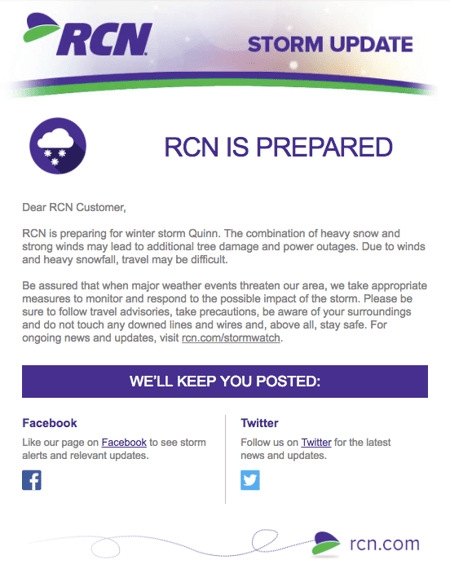
25. Trulia
Marketing Campaign: Newsletter
I’m a huge advocate of thought leadership. To me, some of the best companies gain customer loyalty by becoming the go-to source for expertise on a given topic. Trulia — a property search engine for buyers, sellers, and renters — is that expert in the real estate biz. How do I know? Just read their emails, much like the one below.
“Why aren’t millennials moving?” The subject line of this email campaign reads before citing interesting data about relocation trends in the U.S. Trulia doesn’t benefit from people who choose not to move, but the company does benefit from having its fingers on the pulse of the industry — and showing it cares which way the real estate winds are blowing.
Why It Works
It opens a loop by posing a question that the recipient needs to take action to get the answer to.
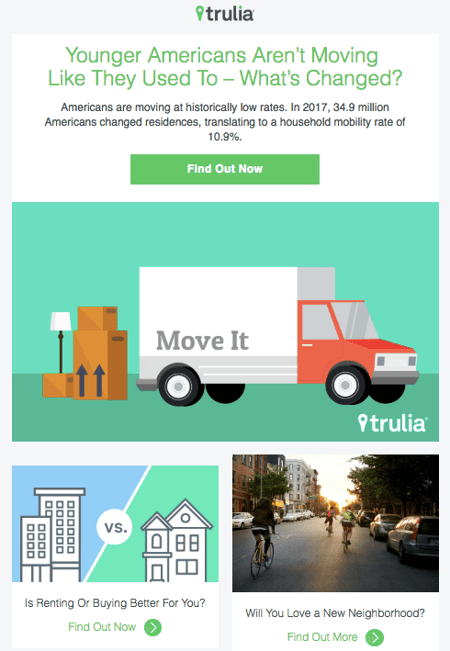
26. RedBubble
Marketing Campaign: Promotion
This email marketing campaign crushes it, and for so many reasons.
Not only is the design below super eye-catching — without looking cluttered — but the artwork is user-made. RedBubble sells merchandise featuring designs from artists all over the world. This presents a golden opportunity to feature popular submissions across the RedBubble community.
The example below showcases artwork from “Letter Shoppe,” and when that artist sees RedBubble featuring her content, she’s more likely to forward it to friends and colleagues.
In addition to linking to Letter Shoppe’s designs (available on merchandise that is ultimately sold by RedBubble), the email campaign includes an endearing quote by the Featured Artist: “Never compromise on your values, and only do work you want to get more of.” RedBubble’s customers are likely to agree — and open other emails in this campaign for more inspiring quotes.
Why It Works
The email lets the items speak for themselves, showcasing them as art rather than products.
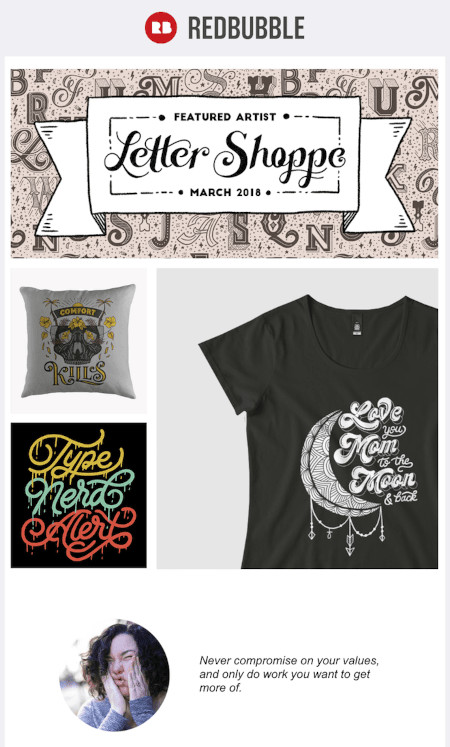
These are just some of our favorite emails. Don’t just follow best practices when it comes to your marketing emails. Every email you send from your work email address also can be optimized to convert with a little planning.
Want a quick refresher on how to master marketing email? Check out this helpful video:
Now that we’ve reviewed great examples, let’s get into how to create an effective email marketing campaign of your own.
1. Use an email planning template.
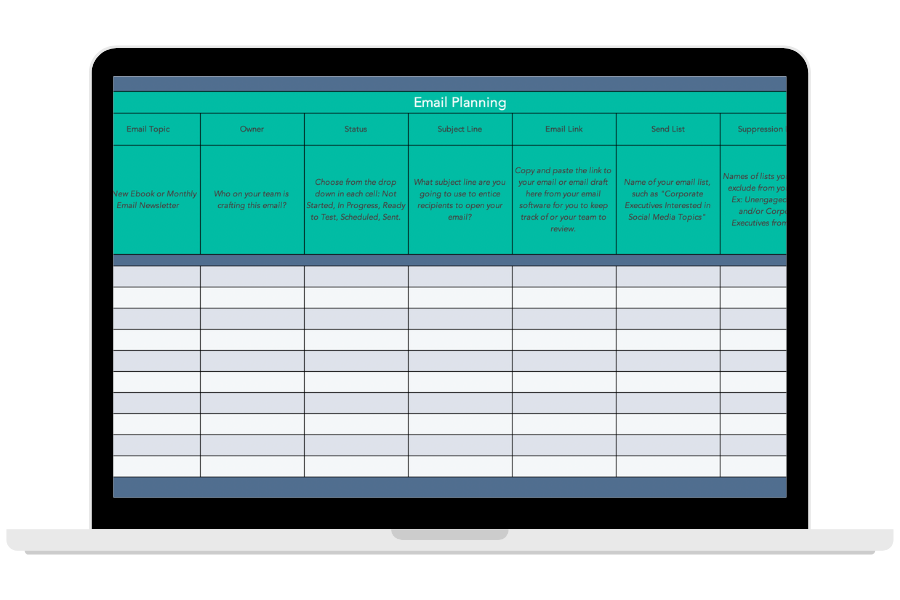
Download This Planning Template
It’s imperative to make a plan before you start emailing your entire customer database. That’s why HubSpot created this free email planning template to help you iron out who you’re emailing, who you’re suppressing from your contact list, and what the email’s message is. Download the template now to get your email campaign planning organized.
2. Identify your goal for the campaign.
Figure out the outcome that you want:
- Is it to clean up your list?
- Promote a new product?
- Follow-up from an abandoned cart event?
- Stay top of mind with your audience?
Different email campaigns will have different outcomes, requiring different tactics to get there. Once you determine the purpose of your campaign, you can then create the targets you want to hit. Include specific metrics in your goal so that you can determine if your campaign was a success based on quantitative data.
3. Understand who you’re emailing.
Have you ever heard the saying from Meredith Hill, “When you speak to everyone, you speak to no one”? What Hill is getting at here is that if you’re watering down your message to apply to your entire audience, you’re leaving opportunity on the table — opportunity for creating high-value, specific, relevant content that speaks directly to the recipient.
With this in mind, the key to a great email marketing campaign is identifying your audience and using email segmentation to ensure you’re delivering to the right people at the right time. If you can accomplish this and build it into your strategy, you can get more creative and specific with your messaging.
4. Put yourself in the shoes of the buyer persona.
After you’ve identified the outcome and the goals you want to hit, you now need to strategize how to provide value to your buyer persona so that they convert, engage, or take the action you want them to take. Some things to ask yourself might include:
- How did they subscribe in the first place?
- What matters to them?
- What can I provide that will engage and delight them?
5. Build a targeted list and define enrollment criteria.
You know who you’re targeting and what you want them to do. From there, you must build the segment. Thinking about your buyer persona, what properties do they all have in common? How does your CRM describe those properties?
Your software is smart, but it’s not smart enough to automatically know which recipients you’re sending to. Will the recipients receive the emails at the same time, or is there certain criteria they have to meet before they are enrolled in the sequence or campaign?
6. Determine the timeline you want the campaign to run.
You may be running a seasonal campaign that only requires one or two emails, or you might be building a long-term top-of-mind nurturing campaign. Tailor the length of your email sequence to the length of the buying cycle and stage the persona is at in the buyer’s journey. In other words, deliver the right message at the right time.
7. Plan your emails and follow-ups.
Once you know who you’re emailing and why, it’s time to strategize how to move them from A (where they are) to B (where you want them to be, the goal of the campaign).
Over the course of the campaign’s timeline, you may want multiple touchpoints. You may also even consider follow-ups based on the actions that each recipient takes. Plan these emails out, outlining the core message and take-away for each email.
Keep in mind that you can’t expect a single email to do everything. Your email campaign can be made up of multiple emails, so consider taking your email recipients on a journey with each email serving a single purpose. This will increase the odds of each email being successful in its role toward reaching your goal.
For example, if you’re doing a lead nurturing campaign, you might have a few educational emails to take them from the awareness stage to the consideration stage before providing more conversion-focused content.
The longer the buying process and sales cycle, the more emails you’ll need.
8. Write click-worthy subject lines.
The subject line is the gate keeper of the rest of your email. Your buyer persona will not be exposed to your content unless they first click the subject line. With that in mind, use this precious real estate for copy that compels them to read further. You can do that by:
- Piquing their interest
- Promising value
- Opening a loop (that will be closed in the body of the email)
- Using your unique voice to start the conversation
- Using personalization
9. Write copy that’s suited for them.
Once you know the purpose of each email you’re sending and you have the subject lines, you can write the copy that will engage your list. Consider where your audience is in their buying journey and provide the type of content that they’ll find useful. For example, it doesn’t make sense to promote products if you’re emailing a segment of subscribers who are largely in the awareness stage of the buying journey.
10. Create your brand assets.
Few people want to read an email that simply gives them a wall of text. Visuals help your recipients quickly understand the point of the email. In fact, intentional and well-placed imagery can increase click-through rates, so put thought into not just what you want to say but how you want to say it, using visuals to support your message.
11. Put it all together with a comprehensive email builder.
Once you’ve written the copy for your emails, you’ll want to build them out in the email software client you’re intending to use.
There are several options depending on your needs, including HubSpot, MailChimp, Pabbly Email Marketing and Constant Contact.
With a comprehensive email builder, you can create, optimize, and personalize your own email campaigns without needing any technical or graphic design experience.
12. Include clear calls to action.
Remember, if you’re taking up your audience’s time — and inbox space — with another email, your message must have a point to it. Consider what you want your email recipients to take away from the email.
In most cases, you’ll want to add a call-to-action (CTA) for them to take further action.
Don’t confuse your email contacts by providing too many options. For each email you send, there should be a single action that you want the reader to take. Then, instruct them to take that action and set expectations for what will happen when they do.
Your goal behind the CTA may vary depending on the audience’s buyer’s journey stage and what you want to accomplish with your email campaign. For example, you may simply want to engage them further with another piece of content, or you might want to get them to make a purchase.
Regardless of what it is, you should follow CTA best practices such as making the ask with clear language and emphasizing it with contrasting design elements.
13. Include personalization elements.
Consider the experience. Do your email recipients want to feel like one among hundreds of other people in your database? Or do they want a personalized experience as though you’re talking directly with them?
Automation helps save time, but it should never be at the cost of the experience. Marketing emails need to be personalized to the reader and contain information that is relevant to them.
At the very least, swap out the “Dear Sir/Madam” in favor of their name using personalization tokens.
14. Always provide a way for them to opt out.
People who don’t want to read your emails don’t belong on your list. Keeping them only skews your open rates down and increases the number of people marketing your emails as spam. Besides, according to CAN-SPAM guidelines, you should always provide a way for them to opt out of email if they no longer want to receive communications from you. Typically, this opt-out link lives in the footer of each email you send.
15. Test your emails and make sure they work on all devices.
Once your emails are built out, check them over before hitting the send button. Effective email marketing campaigns are designed for all devices on which users can read their emails — desktop, tablet, and mobile. Consider sending them as a test to a colleague and checking them across multiple devices and email clients.
16. Monitor your metrics.
As the campaign runs, take notes. Are your open rates and click rates what you expected? What went well vs. not well? Are you on track to hitting your goals with the campaign?
The more you pay attention to the data, the more you can understand what’s working and what’s not for your audience, leading to more effective campaigns in the future.
Your Turn to Create Effective Email Marketing Campaigns
Email marketing is a fantastic way to nurture leads, engage subscribers, and retain customers. The examples we shared above will help you brainstorm winning campaigns that drive sales and offer a high ROI. But to make the most out of your efforts, you should use a planning template to organize all of your campaigns in one place.
Editor’s note: This post was originally published in October 2013 and has been updated for comprehensiveness.

23 Stats We Gained from Surveying Marketing Leaders [New Data]
A recent HubSpot Blog survey asked 1,067 global marketing professionals working in B2B and B2C companies about the top marketing trends they leverage, the strategies they use, and the challenges they face.
In this post, we’ll discuss the insight we gathered from director+ level marketers about their companies marketing strategies and what they will look like in 2022. Read on to learn:
- Trends Marketing Leaders are Following
- Marketing Strategies Marketing Leaders Use
- Challenges Marketing Leaders Face
![→ Click here to download leadership lessons from HubSpot founder, Dharmesh Shah [Free Guide].](https://no-cache.hubspot.com/cta/default/53/4e634041-e1ce-4a85-8e65-aea12fc10b84.png)
Trends Marketing Leaders are Following
1. The top trends marketing leaders follow are short-form video, experiential marketing, and influencer marketing.
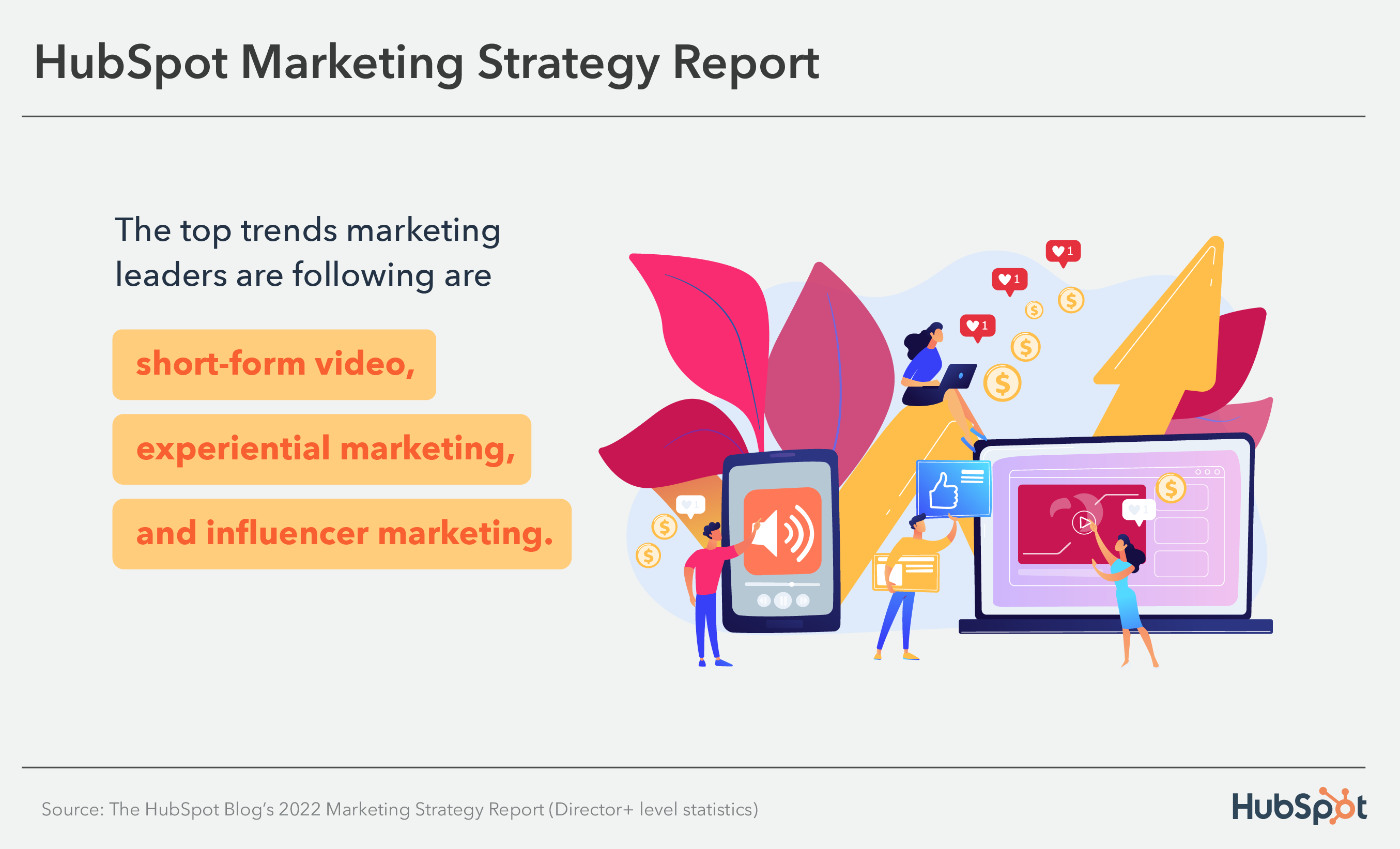 2. The trends marketing leaders follow that have the highest ROI are influencer marketing, short-form video content, and permanent social media content.
3. The trends marketing leaders companies invest the most in are short-form video content, inbound marketing, and social responsibility.
4. Marketing leaders say they’ll increase their investments in content marketing, social media marketing, and influencer marketing.
5. Influencer marketing is the most effective trend that director+ marketers companies leverage.
Marketing Strategies Marketing Leaders Use
1. The primary marketing strategies director+ level marketers say their companies use are social media marketing, content marketing, and co-marketing.
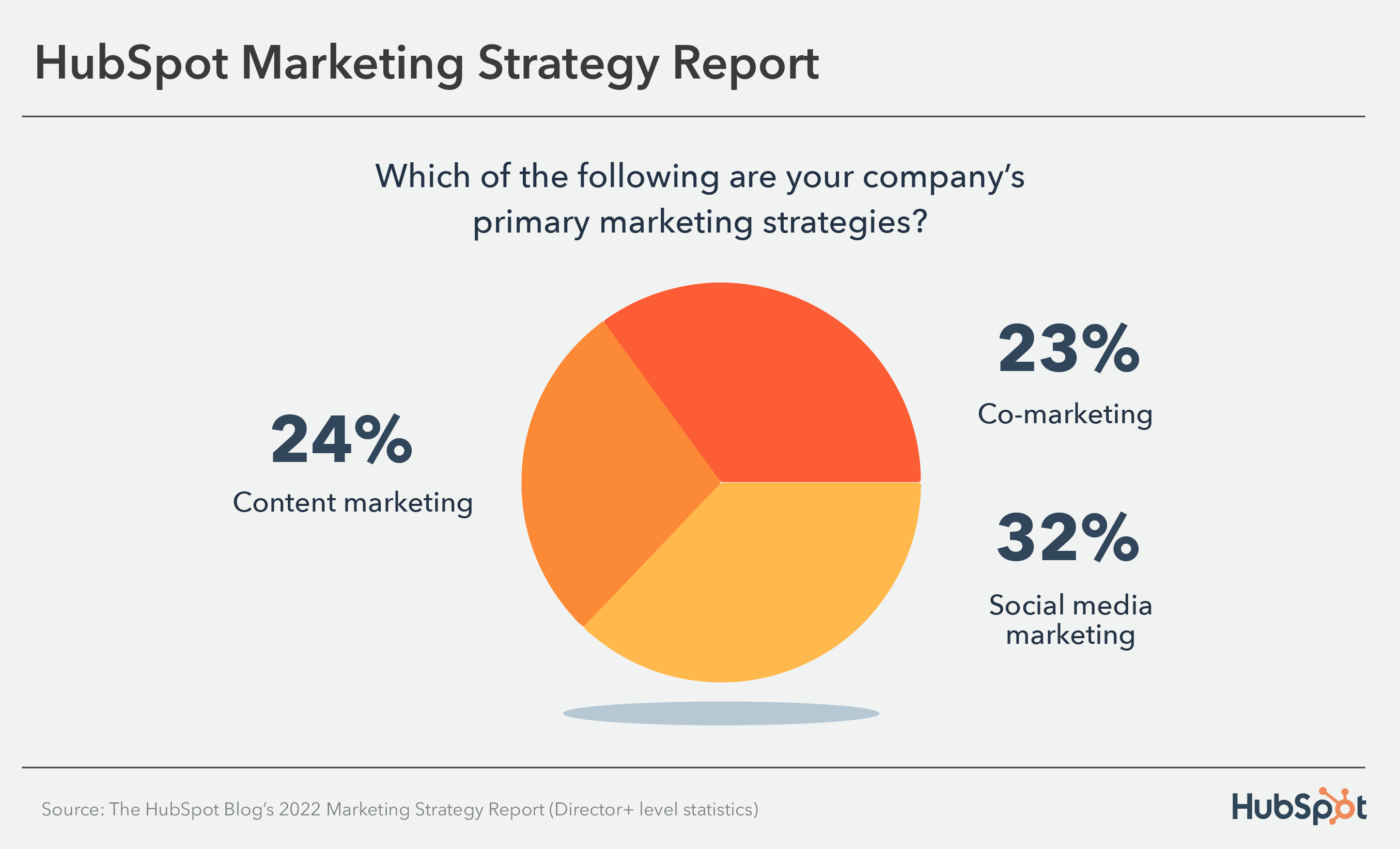
2. The most popular media formats in director+ level marketers’ content strategies are videos, infographics, and blogs.
3. The top platforms director+ level marketers companies post video content on are Facebook, YouTube, Instagram, and TikTok.
4. 48% of director level+ marketers say their primary goal when running marketing campaigns in 2022 is increasing brand awareness, followed by increasing engagement and increasing revenue.
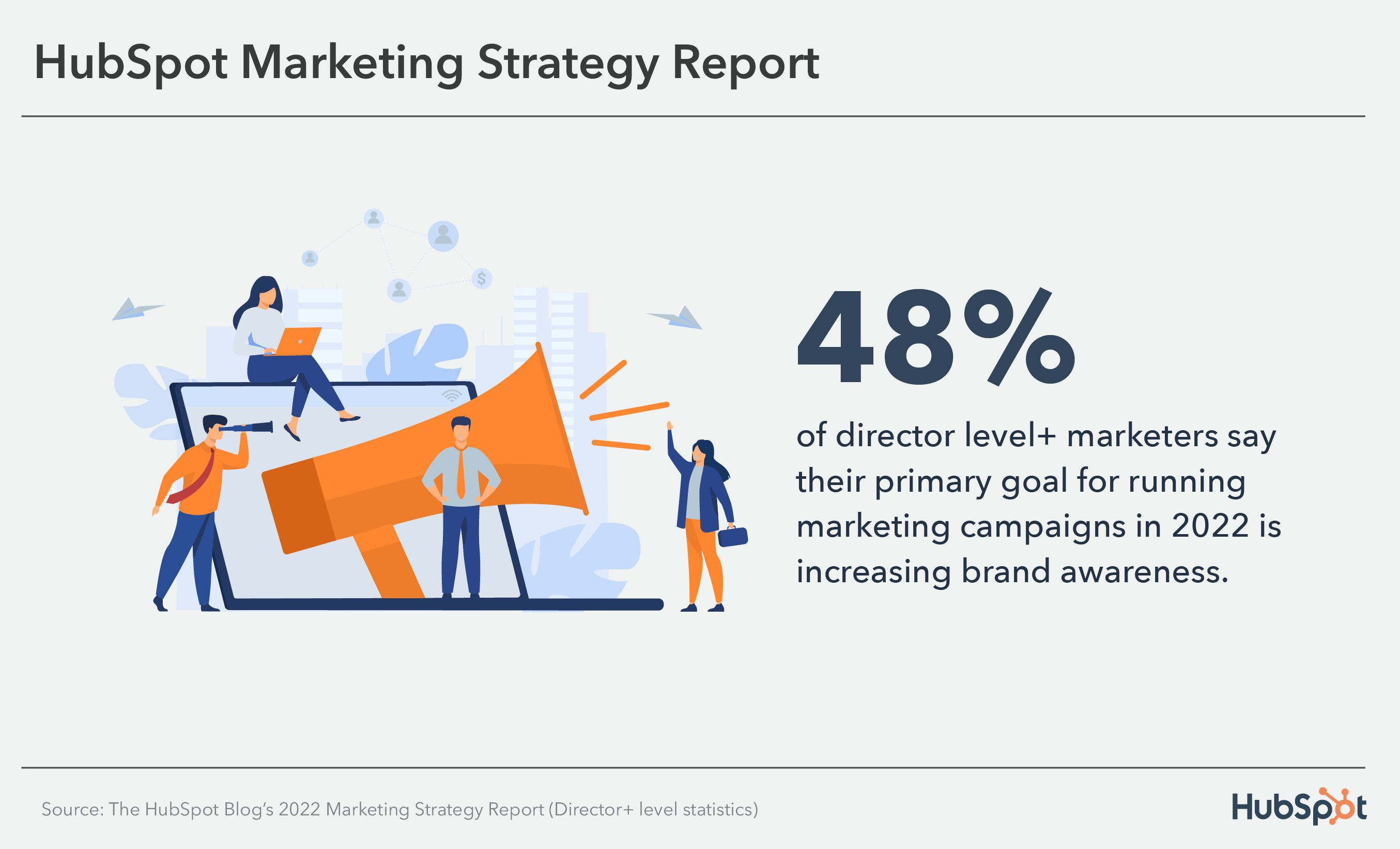
5. 41% of director+ level marketers companies leverage social media, making it the top leveraged channel with the highest ROI.
6. 51% of director+ level marketers say their marketing budgets will increase in 2022.
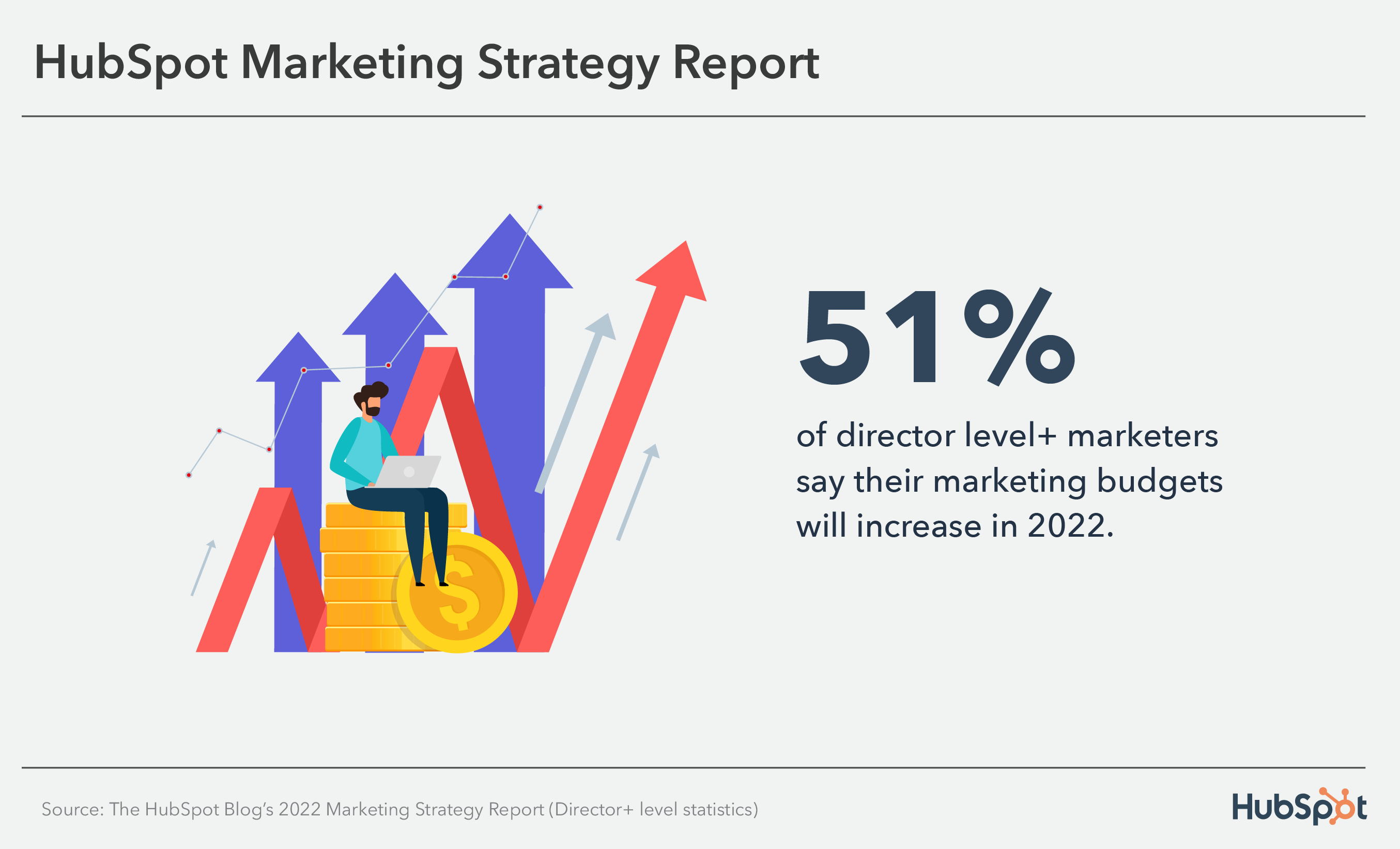
7. The top leveraged social media marketing strategies are short-form video, influencer marketing, and engaging with audiences in comment threads. Short-form video is the most effective and has the highest ROI.
8. 82% of director + level marketers use automation in their marketing role, and the strategies they leverage are chatbots, content automation, and task management.
9. YouTube is the most popular social media platform leveraged by director+ level marketers companies, followed by Instagram and Facebook.
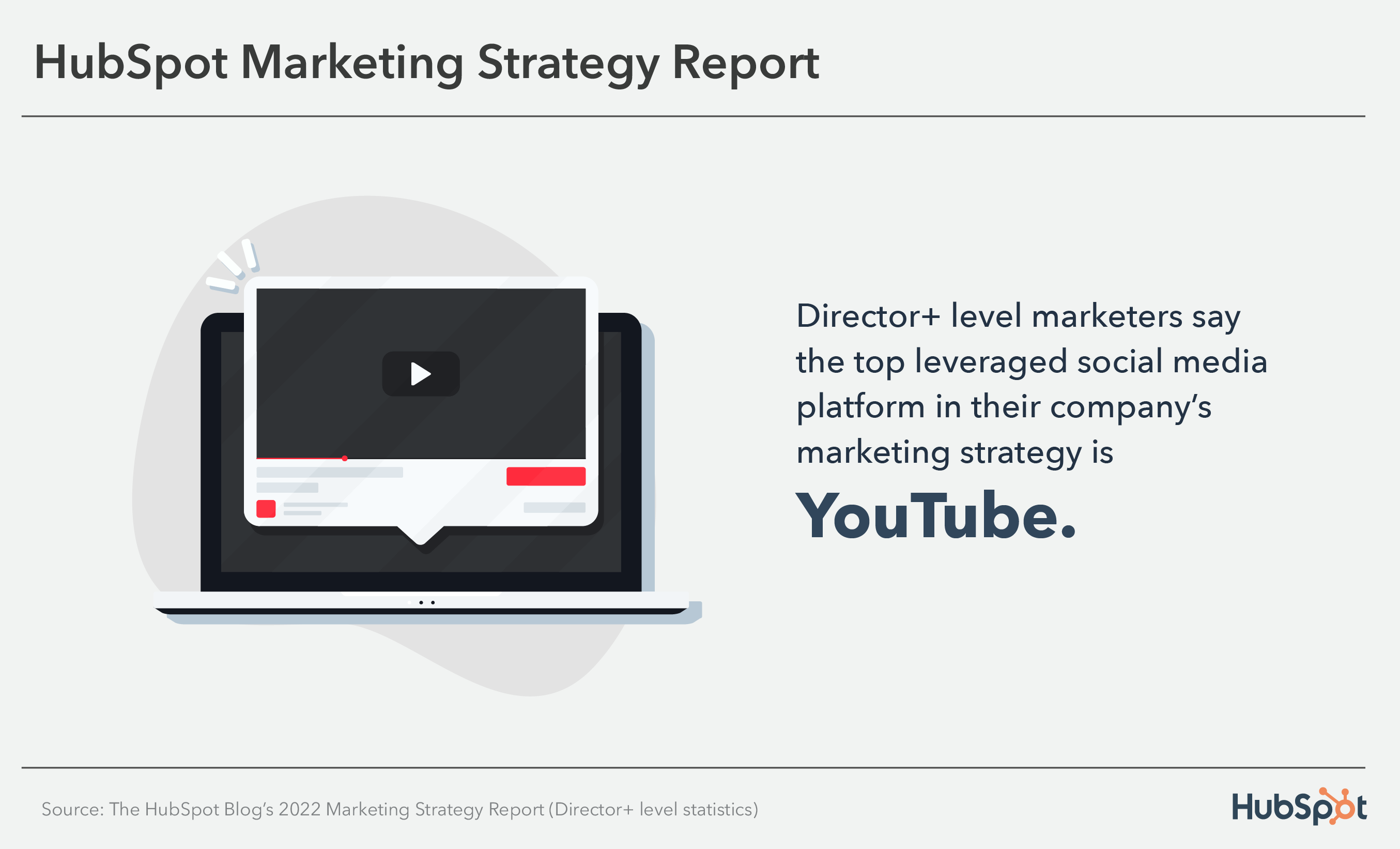
10. 83% of director+ level marketers personally use content marketing in their roles, making it the top leveraged channel. Social media and email marketing are the second and third most used.
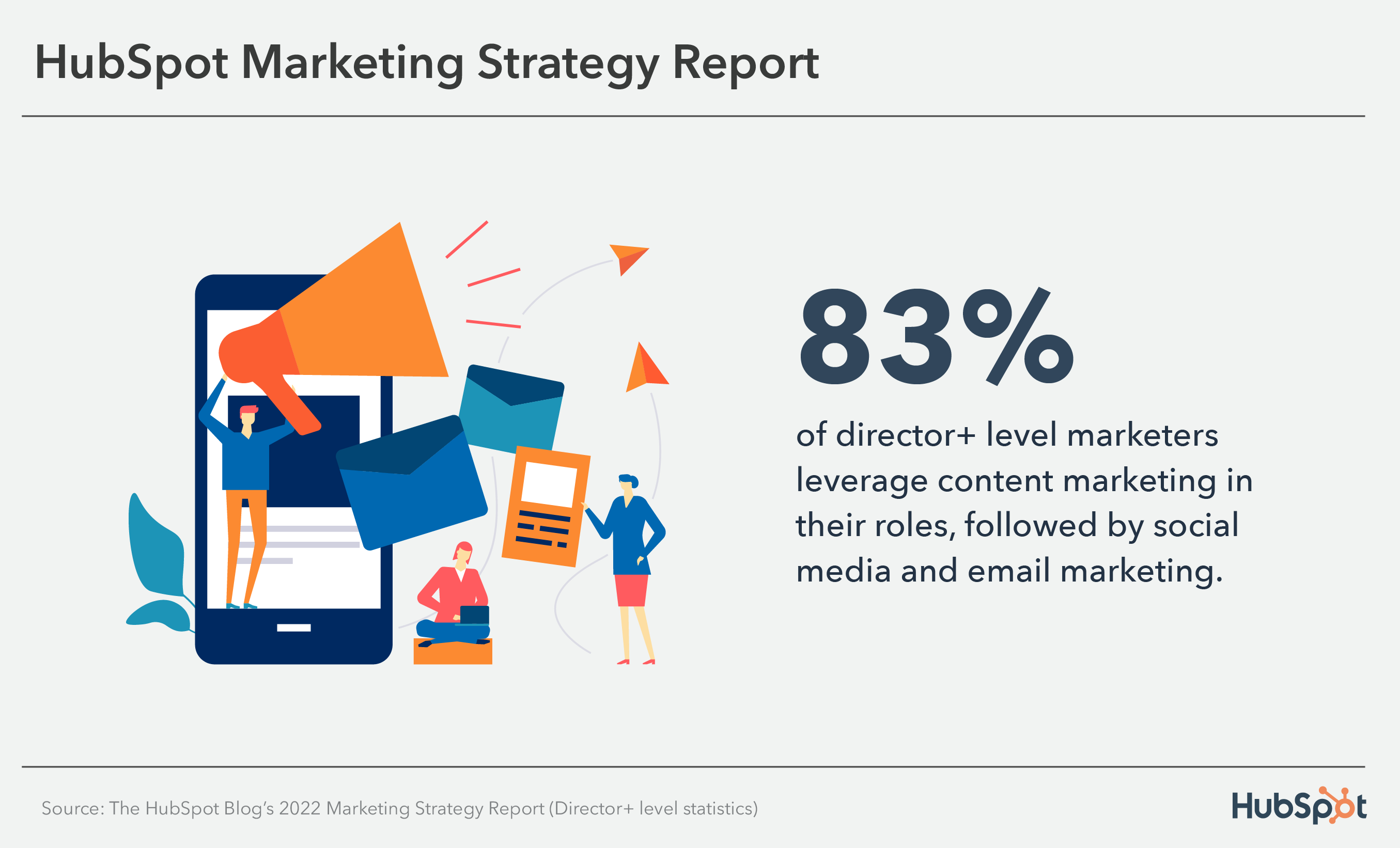
11. Director level + marketers day the top email marketing strategy their companies leverage is mobile-friendly emails.
12. Director+ level marketers say the marketing roles that will take top priority in 2022 are Content Marketing Manager, Content Strategist, and Creative Assistant.
Challenges Marketing Leaders Face
1. Director+ level marketers say the biggest challenges they face on social media are creating engaging content (26%), reaching target audiences (25%), and tying social activities to business outcomes (25%).
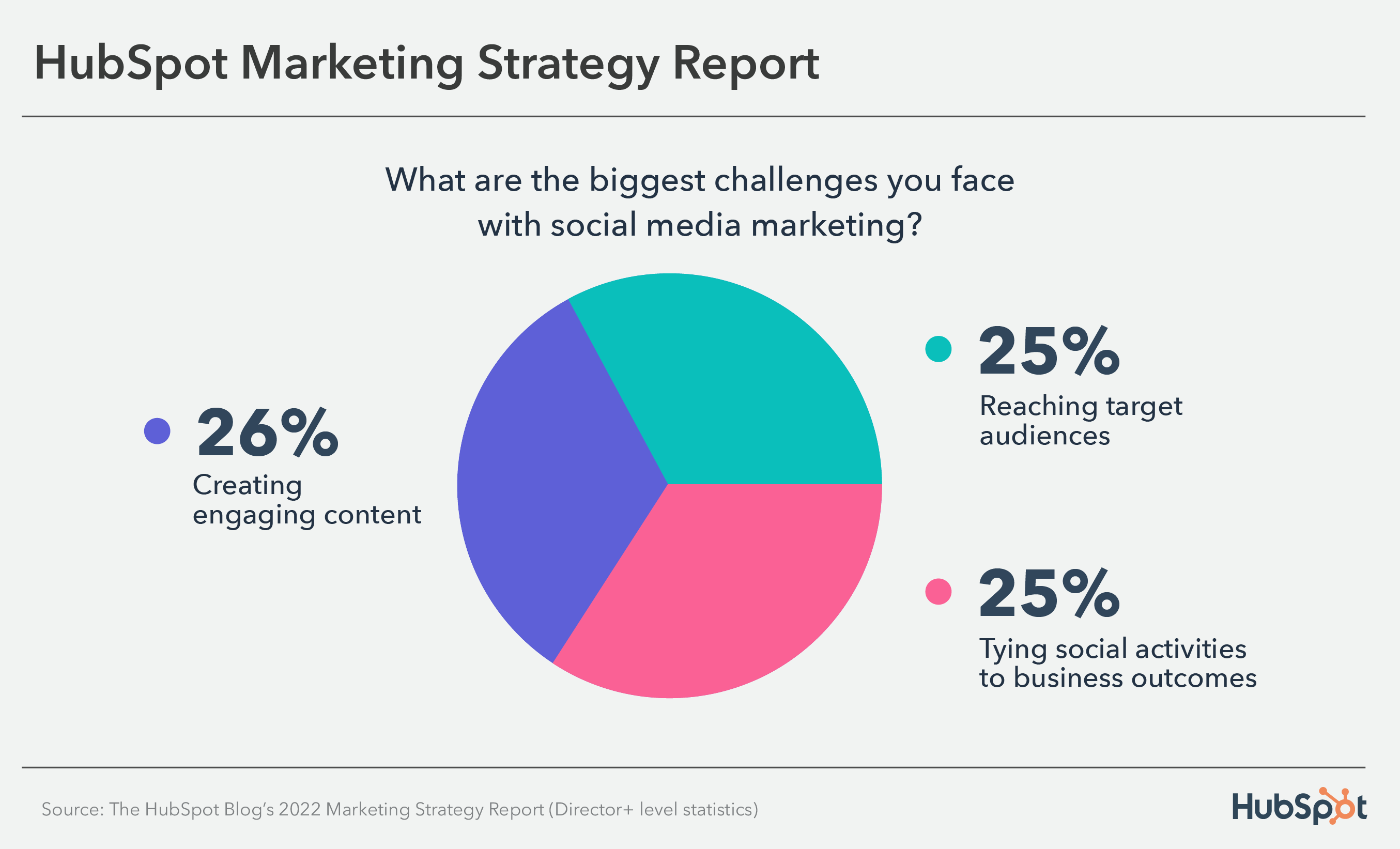
2. Director + level marketers say the biggest challenges they face with content marketing are improving SEO performance, creating content that receives high levels of online engagement, and creating content that generates leads.
3. Staying up-to-date on search engine algorithm updates and building domain authority are the top challenges director level + marketers face with SEO.
4. The five biggest challenges director + level marketers face in their roles are training their teams, measuring the ROI of marketing activities, getting sales-marketing alignment, and growing a global audience.
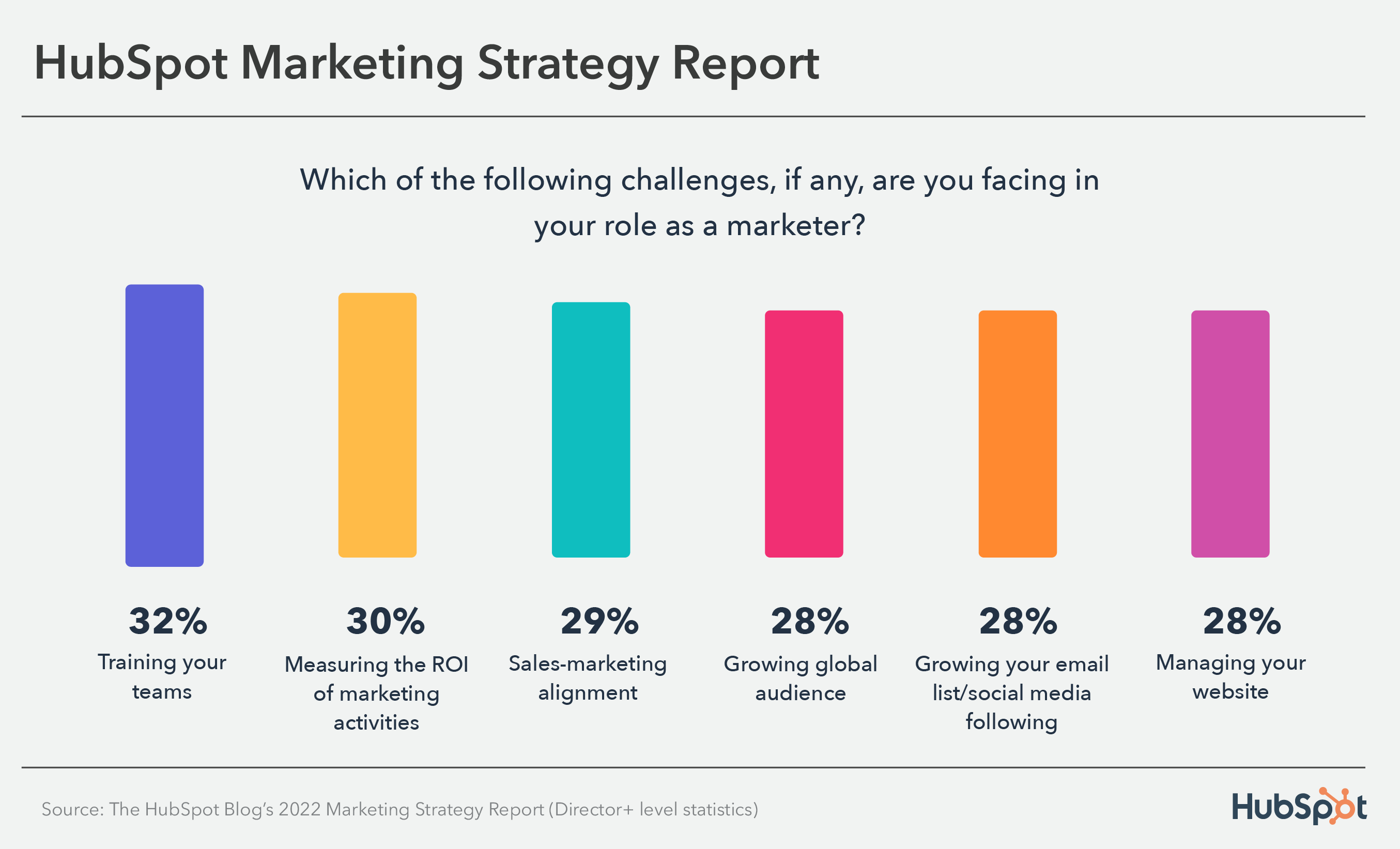
5. Director+ level marketers say the biggest email marketing challenges are measuring ROI, increasing engagement, and emails getting sent to spam.
6. Ensuring a good candidate experience, finding candidates with the right skillset, and attracting diverse candidates are the top challenges director+ level marketers face with hiring candidates.
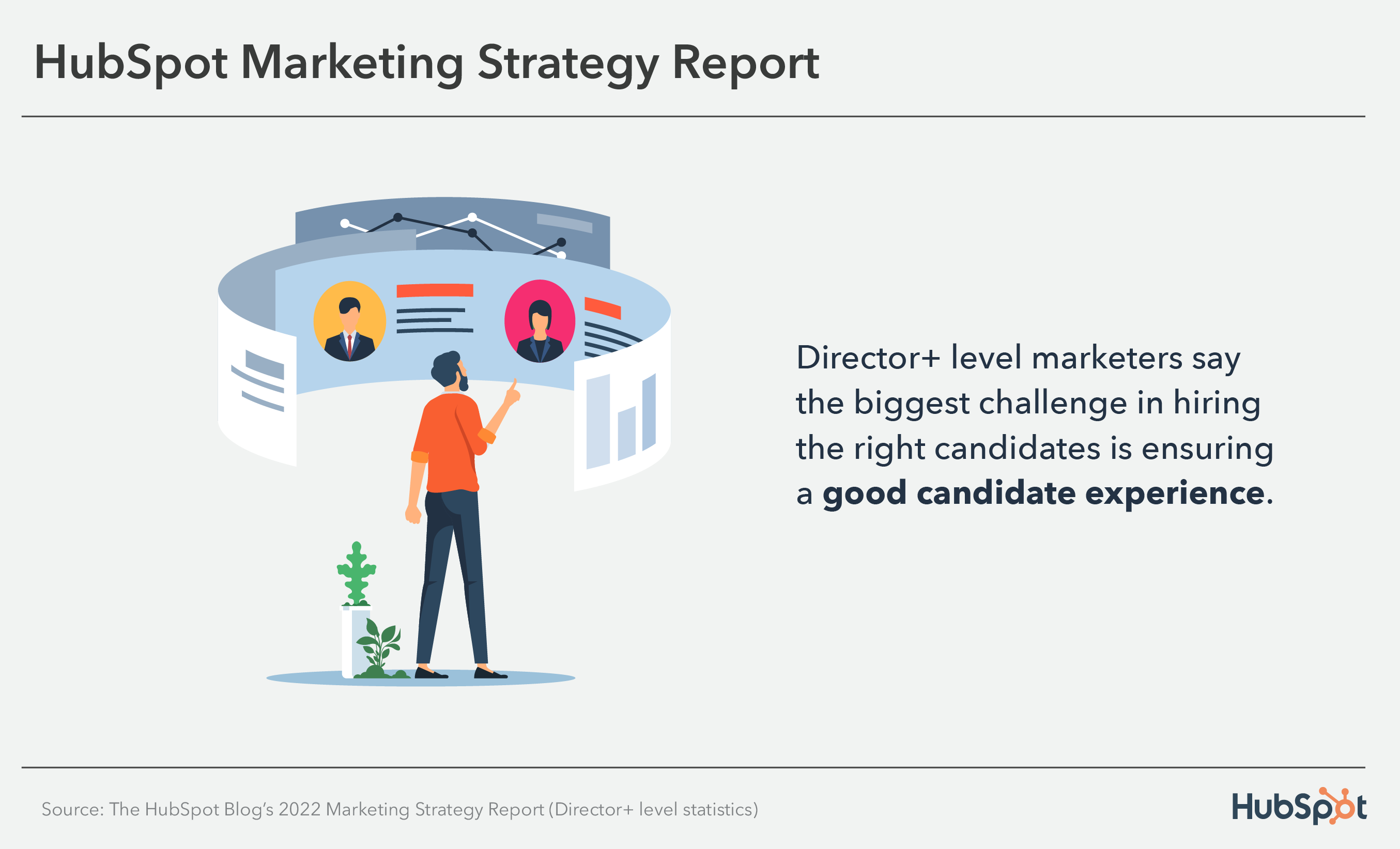


How to Bypass the Toughest Email Spam Filters [Infographic Checklist]
Email is undoubtedly one of the most powerful opportunities for engaging with your leads and customers, and increasing sales.
In fact, email generates $42 for every $1 spent, which is an astounding 4,200% ROI — making it an incredibly effective tool for generating revenue.
But nowadays, our consumers are overloaded with emails and often suffer from email fatigue, leading them to delete or ignore most emails they receive. Worse still, that’s if they even receive your email in the first place.
Fortunately, the folks at TinyMCE, a rich-text editor often used to craft emails, put together this handy checklist with HubSpot to help you get past the toughest spam filters … and then engage your audiences once you’re through.
Take a look, or click here to see TinyMCE’s full, immersive page focused on bypassing email spam filters.

The Top Shopping Trends of 2022 & Beyond [State of Consumer Trends Data]
Shopping habits have drastically changed over the past few years.
For instance, while most of us previously browsed retail stores on a Saturday to find great deals, we now turn to Instagram to find discounts offered by influencers.
And rather than watching TV ads to find out about new products, nowadays, most of us stumble across ads in between YouTube videos.
Here, we’ll explore the shopping trends of 2022 to ensure you’re able to meet customers where and when they’d prefer to shop. Plus, we’ll uncover the shopping differences between generations. Let’s dive in.

The Top Shopping Trends of 2022
1. Influencer recommendations matter more than recommendations from friends and family.
Influencer marketing has proven an incredibly effective strategy for brands over the past few years — in fact, as of 2021, almost 60% of marketers said influencer marketing was the most effective marketing trend, ahead of SEO, experiential marketing, and short-form video content.
And in 2022, 30% of consumers now report influencer recommendations are one of the most important factors in their purchasing decisions, compared to 27% for recommendations from friends or family.
In many ways, this makes sense: Influencers are traditionally considered experts in their niche. If I follow a makeup influencer, it’s safe to assume he or she knows more about makeup than most of my friends.
For e-commerce businesses, this is powerful news: It means you no longer need to rely on word-of-mouth alone. Instead, it’s wise to focus your efforts on influencer marketing, since influencers have demonstrated a level of influence over their audiences that surpasses even that of friends and family.
2. Gen Zers prefer to discover new products via social media — but they still like to make purchases in-store.
Our State of Consumer Trends Survey found Gen Zers (ages 18-24) most often discover new products on social media (71%), followed by YouTube ads (56%), ads on music streaming services (55%), and internet searches (50%).
If your e-commerce business is targeting Gen Zers, then, it’s vital you focus your efforts on social media rather than paid ads when it comes to attracting new leads to your products and educating those leads on your products.
Additionally, when asked which content formats Gen Zers prefer for learning about a product and its features on social media, roughly 50% said they’d like to learn about a product through a story post. This is followed by short-form video (42%), and then a feed post (42%).
However, 73% of people (and 55% of Gen Zers in particular) say they’d still prefer to purchase a product in-store. This is an important call-out: While you’ll want to focus on social media for your lead generation efforts, it’s still vital to have a strong, effective in-store shopping option for those who would like to make the final sale in person.
3. When it comes to millennials and Gen X, retail stores and searching the internet are two popular options for discovering new products.
Similar to Gen Zers, the most popular method among millennial buyers for discovering new products is social media (51%).
However, in a close second for millennials is searching the internet (50%) — which means, if you’re targeting a millennial demographic, you might want to consider leveraging paid ads and a strong SEO strategy for getting your products in front of your target audience.
And if your target audience is Gen X (35-54 year olds), retail stores are the most popular option for discovering new products, so you’ll want to invest time and resources in partnerships with brick-and-mortar retailers to ensure your products are at plenty of physical locations.
Plus, similar to millennials, 39% of Gen X buyers also search the internet for new products, so SEO is another good option here.
4. Millennials and Gen Xers prefer to discover new products on social media through ads or sponsored content — while Gen Zers prefer discovering new products on social media through short-form videos.
Depending on your target demographic, you’ll want to vary the type of content you create for social media when it comes to attracting new audiences to your products.
For instance, if you’re aiming to attract Gen Zers, you’ll want to consider short-form video like TikTok or Instagram Reels, since 41% report short-form video as their preferred medium for discovering new products.
If you’re instead looking to reach millennials or Gen Xers, you’ll want to think about leveraging ads or sponsored content, since 44% mark that option as their favorite.
5. Mobile phones are the most popular device for online shopping.
When shopping online, roughly 75% of consumers prefer using their mobile devices, compared to 15% that prefer desktop and 6% that prefer tablet.
This means as an e-commerce business it’s critical your website is mobile-optimized, and you have mobile-responsive product pages.
If I’m scrolling a company’s products and I find it’s too difficult or cumbersome on my phone, I typically ditch the website – and don’t return. So it’s vital you ensure you’re following mobile best practices (including large text, lots of white space, responsive templates, and mobile-friendly calls-to-action).
6. Price matters most to when it comes to making a purchasing decision — but other factors might surprise you.
Across the board, price is a major factor when it comes to purchasing decisions. 78% of Gen Z, 74% of millennials, 74% of Gen X, and 73% of Boomers report price as one of the most important factors when it comes to deciding whether or not they’re going to buy a product.
The quality of a product is important, as well, with 65% of Gen Z, 78% of millennials, 82% of Gen X, and 72% of Boomers marking it as another top factor when it comes to purchasing decisions.
But beyond having a reasonably-priced and high-quality product, there are a few other distinguishing factors you’ll want to keep in mind when marketing your brand.
For instance, 57% of Gen Zers will consider purchasing a product if a percentage of the proceeds from the purchase will be donated to charity. And 55% of millennials prefer buying a product that has strong reviews. 62% of Gen Xers appreciate whether a brand has an active community around it, and 55% of Boomers look for a product’s features and functionality when considering a purchase.
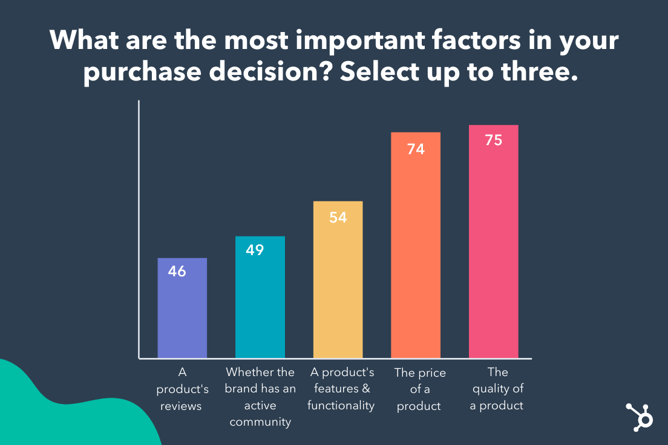
The Shopping Trends to Expect in 2023
As we move into 2023, here are a few trends you’ll continue to see:
- Mobile usage for shopping will continue to dominate the e-commerce industry. In 2018, it encompassed 63.5% of total e-commerce sales, and in 2020, that number jumped to 70.4% (Source). As mentioned above, we found roughly 75% of consumers preferring their mobile devices in 2022, which suggests mobile sales will continue to dominate the e-commerce landscape.
- TikTok and other short-form video platforms will become increasingly popular for advertisers. As TikTok continues to make changes to its advertising offerings (such as its new Branded Mission feature), we’ll see more advertisers join TikTok in 2023 — we’ll also see additional advertisers test out other platforms, such as Instagram Stories, since short-form video is becoming the most popular video length.
- The Influencer industry will continue to grow and remain one of the most popular avenues for brands looking to connect with their audiences. Influencer marketing has grown rapidly over the past few years — from $1.7 billion in 2016 to $9.7 billion in 2020, and $13.8 billion in 2021. Nowadays, Gen Zers and millennials aren’t looking to celebrities for inspiration when it comes to purchasing products or services, and they’re not turning to friends, either — they’re looking to these influencers.
- We’ll see a rise in people who use the metaverse or buy virtual currency. HubSpot Blog Research found over half of those who have ever used the metaverse or bought virtual currency/items have done so within the past three months — including 56% who’ve visited the metaverse, 56% who’ve bought cryptocurrency, and 75% who’ve bought NFTs for the first time.
When creating an effective e-commerce strategy, it’s vital you take the time to understand how shoppers want to shop today — and into the future. Shopping behaviors change over time. The more your business can meet the evolving needs of your consumers, the more likely you are to continue to succeed well into the future.

How Each Generation Shops in 2022 [New Data from Our State of Consumer Trends Report]
With new marketing channels and trends constantly popping up, it can be difficult to know where your target audience actually is.
Not only do you need to know where they spend their time, but also how they like to shop –- and that largely depends on their age group.
To help you determine where to meet audiences where they are, we surveyed thousands of US consumers of all generations across to learn about their shopping habits, media consumption, and the latest trends they’re following.
While you’ll find even more data in our State of Consumer Trends Report, we wanted to give our readers a deep dive into each generations and the unique themes that make them different.
So let’s take a look at where and how each generation likes to shop — and what really impacts their purchasing decisions.
![Download Now: Free State of Marketing Report [Updated for 2022]](https://no-cache.hubspot.com/cta/default/53/b0f73a5e-16e4-41fd-9511-8564efc560a7.png)
We’ll get started with a quick breakdown of the shopping habits of each generation and call out the biggest differences and similarities between them, then dive deeper into each age group.
For those in a rush, we’ve put a quick generation-by-generation overview below with links to the deep dive of each age group. To jump to a broader side-by-side look at how all generations handle each stage of product discovery and purchases differently. click here to jump to our comparison section.
Shopping Habits Overview
Gen Z Overview (ages 18-24)
- Social media, YouTube ads, and internet search are the top ways Gen Z discover new products
- Instagram, YouTube, and TikTok are the top social media apps among Gen Z
- 33% of Gen Z have bought a product based on an influencer’s recommendation in the past three months, and 28% have bought through an in-app shop
- 1 in 2 Gen Zers want companies to take a stance on social issues, specifically racial justice, LGBTQ+ rights, gender inequality, and climate change. When companies advocate for these issues, it has a strong impact on Gen Z purchase decisions
- Ads on streaming services beat cable TV for reaching Gen Z. Retail discovery is still relevant, but less frequent than digital channels
Jump to our Gen Z deep dive >>
Millennials Overview (ages 25-35)
- Social media, internet search, and YouTube ads are also the top ways Millennials discover new products
- Facebook, YouTube, and Instagram are the top social media apps among Millennials
- 28% of Millennials have bought a product through an in-app shop in the past three months and 26% have bought based on an influencer’s recommendation
- 41% of Millennials want companies to take a stance on social issues, specifically racial justice, income inequality, climate change, affordable healthcare, and LGBTQ+ rights. When companies advocate for these issues, it has a strong impact on Millennial purchase decisions
- Ads on cable TV beat streaming services for reaching Millennials by a small margin. Retail discovery is still relevant but less frequent than digital channels
Jump to our Millennial deep dive >>
Gen X Overview (ages 35-54)
- Gen X prefers to discover new products through search, television ads, and in retail stores
- Gen X discovers new products on social media more frequently than any other channel, even though it isn’t preferred
- 90% of Gen X use social media – Facebook, YouTube, and Instagram are their favorite apps
- 18% of Gen X have bought a product through an in-app shop in the past three months. The same number bought based on an influencer’s recommendation in that period
- 35% of Gen Xers say companies should take a stance on social issues, specifically climate change, affordable healthcare, racial justice, and income inequality. 38% say companies shouldn’t engage with social issues, and 26% aren’t sure
Jump to our Gen X deep dive >>
Boomer Overview (ages 55+)
- TV ads, internet search, and retail stores are the top ways Boomers discover new products
- Social media falls flat for boomers – just 17% have discovered a product on it in the past three months, and only 4% have purchased a product on a social app in that time
- About half of boomers say companies should not take a stance on social issues. When it comes to influencing their purchase decisions, social issues simply have no impact on a majority of Boomers.
Jump to our Baby Boomer deep dive >>
A Generational Comparison of Today’s Shopping Trends [Side-by-Side Data]
Where Do Consumers Discover Products?
Social media, internet search, and Youtube ads are key for reaching Gen Z and Millennials, while TV, search, and retail are favored by Gen X and Boomers.
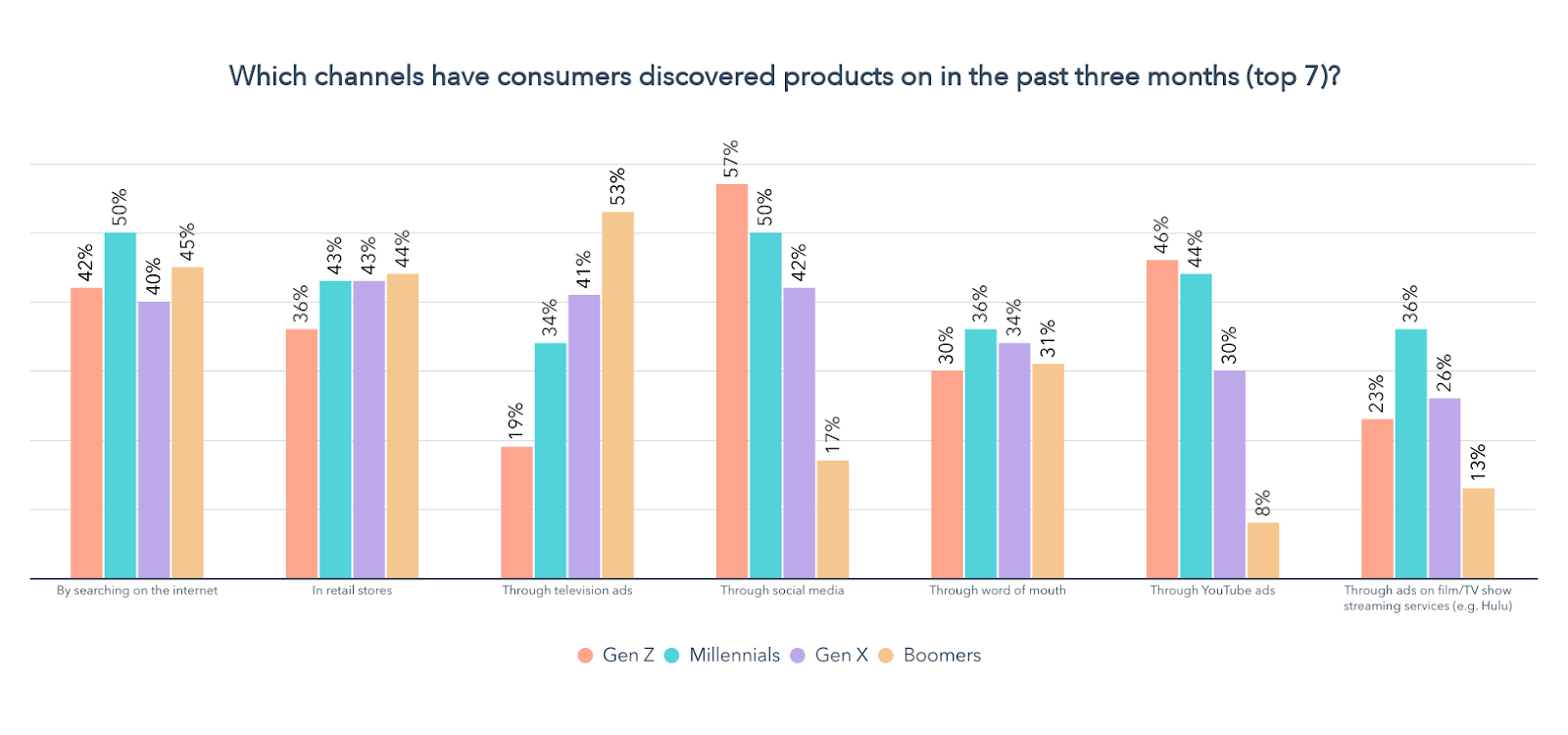
As far as social media, Boomers, Millennials, and Gen X all use Facebook more than any other app.
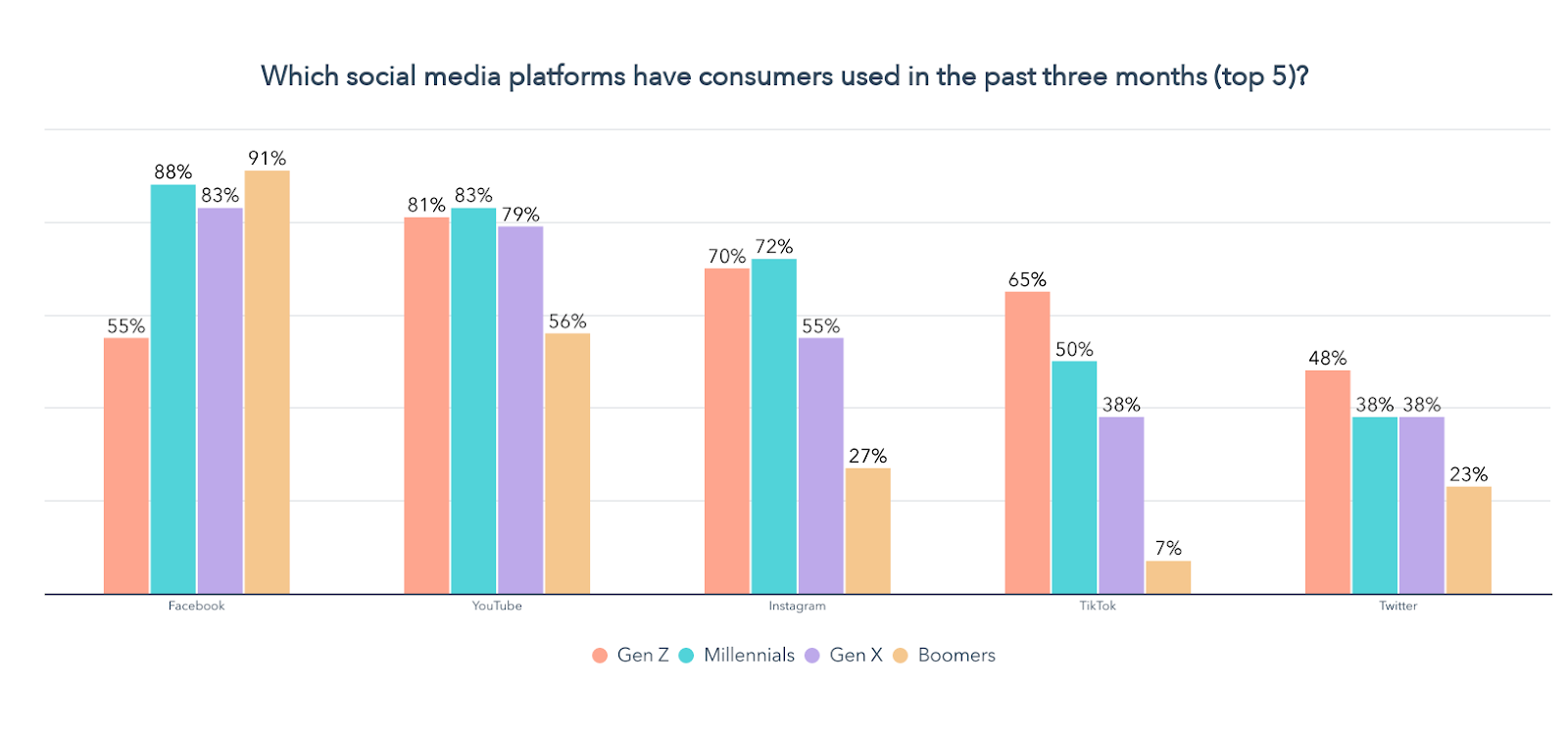
Meanwhile, Gen Z is all about YouTube, Instagram, and TikTok. Not only is Gen Z communicating with friends and being entertained, but they’re also discovering (and buying) products on social more than any other generation.

What Drives Consumers to Buy Products?
When it comes to making purchase decisions, all generations are highly influenced by price, quality, and product reviews. Gen Z, Millennials, and Gen X also value brands that have active communities around them and a social media presence. Additionally, whether a percentage of the proceeds from their purchase will be donated to charity is highly important to Gen Z.

Where Do Consumers Like to Buy Products?
All generations favor buying products in-person at a store over any other channel, but this preference decreases significantly with age. Buying through online retailers like Amazon and directly from a company’s website is also popular. Gen Z, Millennials, and Gen X are most interested in buying through social media and from a company’s mobile app.

If you’re ready for more of the insights you need to reach your target audience, let’s take a deep dive into the shopping habits of today’s consumers, as well as how each generation compares, based on data from our 2022 Consumer Trends Survey of over 1,000 consumers in the U.S.
Shopping Trends by Generation (A Detailed, Data-Driven Breakdown)
Gen Z Shopping Habits 2022 (ages 18-24)
So where is Gen Z discovering new products? Let’s start with the digital elephant in the room – social media.
Social Media Drives Gen Z Product Discovery
57% of Gen Z has discovered new products on social media in the past three months, and 71% of them say it’s where they discover products most often.

Social media is also the #1 way Gen Z prefers to discover new products, according to 38% of those age 18-24.
All of this really isn’t surprising considering 93% of Gen Z use social media, for an average of 4 hours and 20 minutes per day.
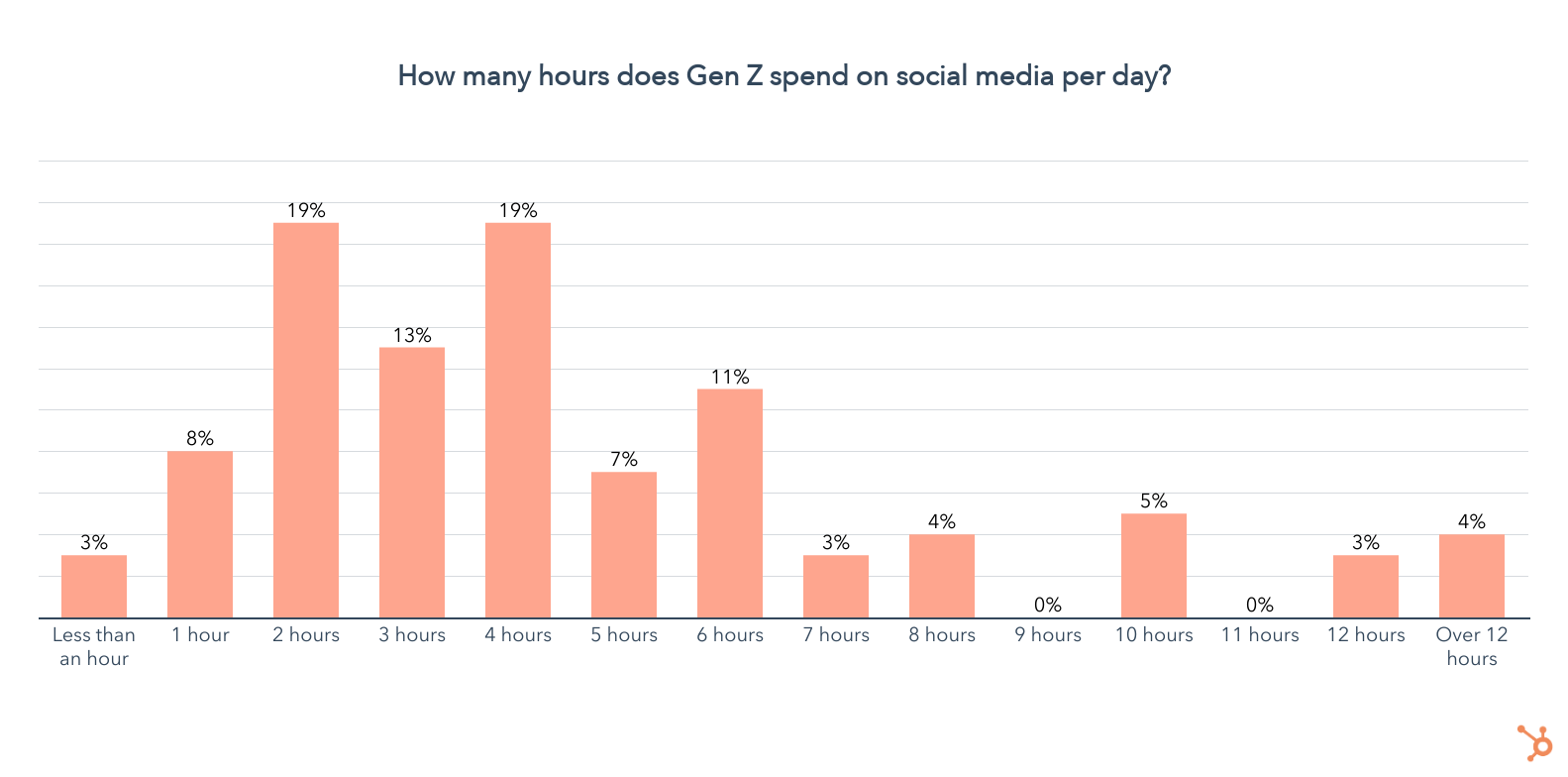
You may also be wondering which platforms they’re using, so let’s take a glance:

YouTube, Instagram, and TikTok are the top three platforms by usage in the past three months. Over half of Gen Z have used Snapchat and Facebook in the past three months, and 48% have used Twitter.
When it comes to the social media apps Gen Z uses most, TikTok, IG, and YouTube come out on top again, but in a different order.
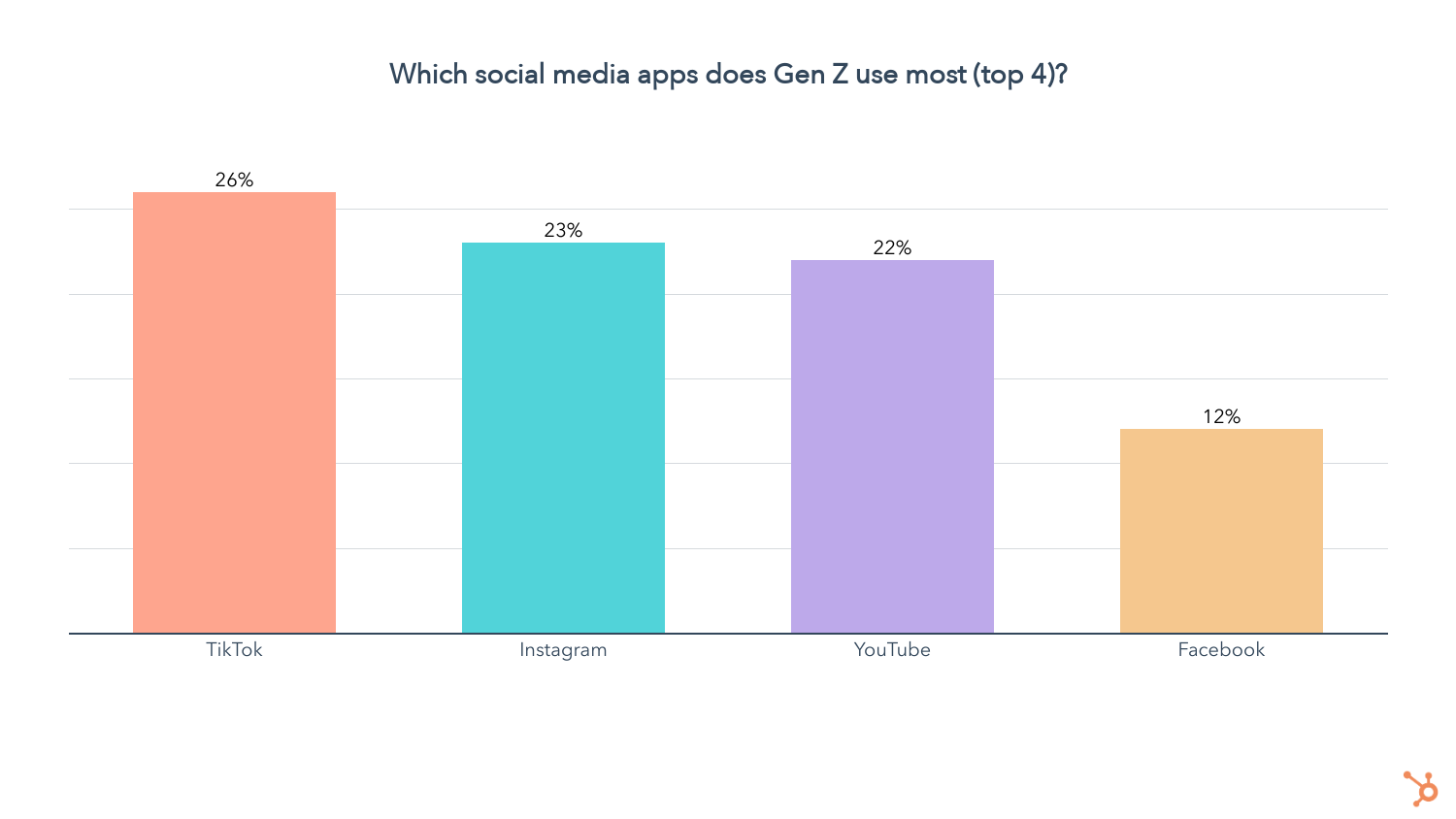
TikTok is used most, likely due to its focus on short-form videos and powerful algorithm, making it hard to put down.
But TikTok and Instagram are only the most used social media apps among Gen Z women, while men spend much more time on YouTube.
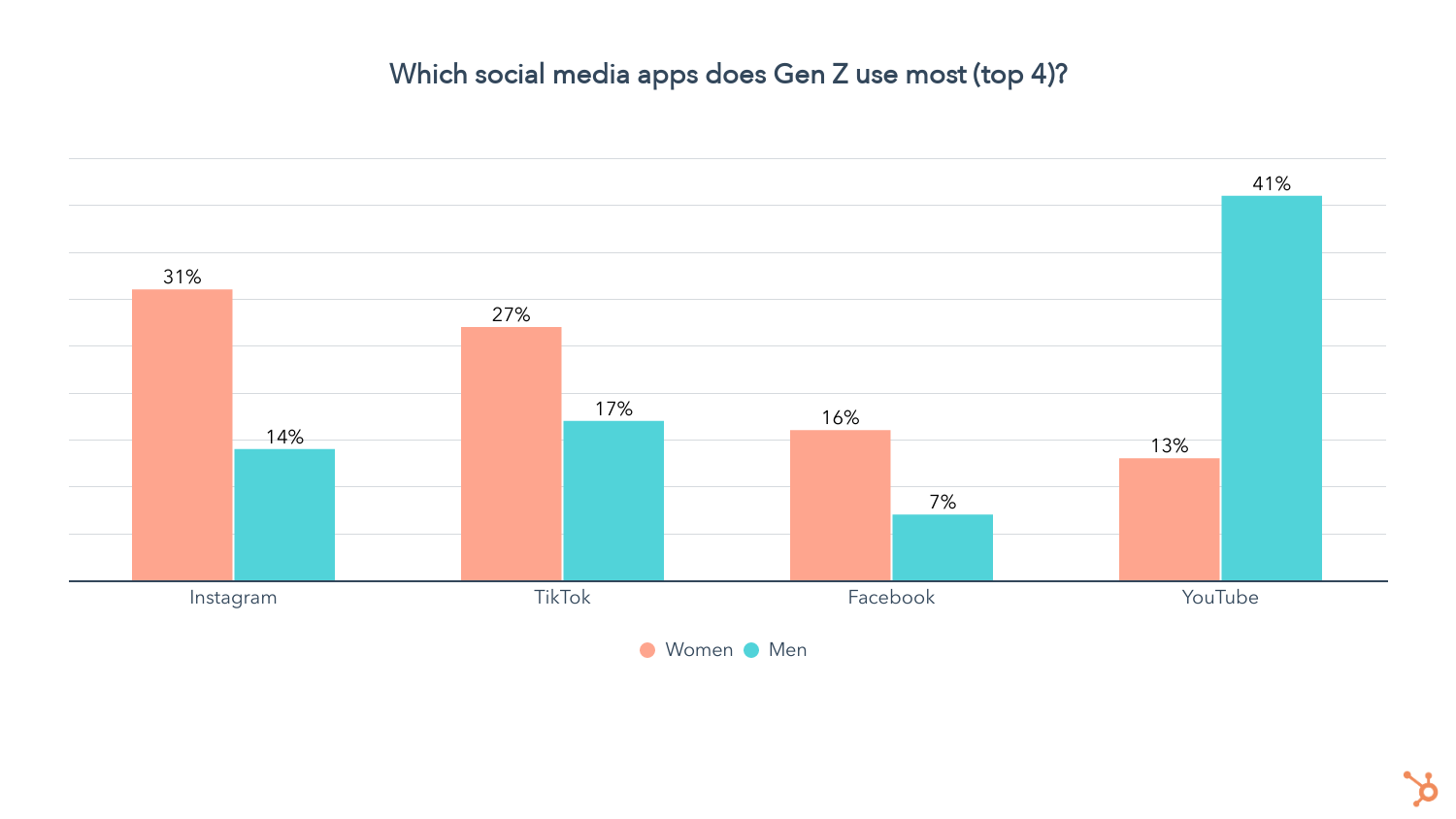
Lastly, we asked Gen Z which social media app is their favorite.

While TikTok is used most, Instagram is the favorite social media app among Gen Z as a whole.
But there are so many ways to interact with Gen Z on social media that it’s more important than ever to use a format that captures their attention and makes your brand stand out.
We asked how Gen Z social media users prefer to discover new products, and here’s what we found:

Our research from earlier this year shows that short-form video and influencer marketing are the top marketing trends of 2022, so the fact that Gen Z is fully embracing these channels to discover products isn’t surprising.
41% of Gen Z say they prefer to discover new products on social media through short-form videos, and 1 in 4 prefer to find out about products from influencers.
On top of that, 33% of Gen Z have made a purchase based on an influencer’s recommendation in the past three months, the highest of any age group.
The signs to invest in these channels couldn’t be clearer. Did I mention that they also have the highest ROI of any marketing trend? Another powerful trend we identified in our Social Media Trends 2022 research is selling directly on social media.
Considering 28% of Gen Z has bought a product on social media directly on the app in the past three months and 29% prefer to discover new products through social media shops, there’s never been a better time to get started.

Our recent Instagram Marketing Report explains why the app presents such an incredible opportunity for social selling, and we even published a data-backed guide on the top tools and strategies for selling on Instagram.
YouTube Ads Trump Social Media For Reaching Gen Z Men
46% of Gen Z has found new products through YouTube Ads in the past three months, and 56% say it’s where they discover products most often.
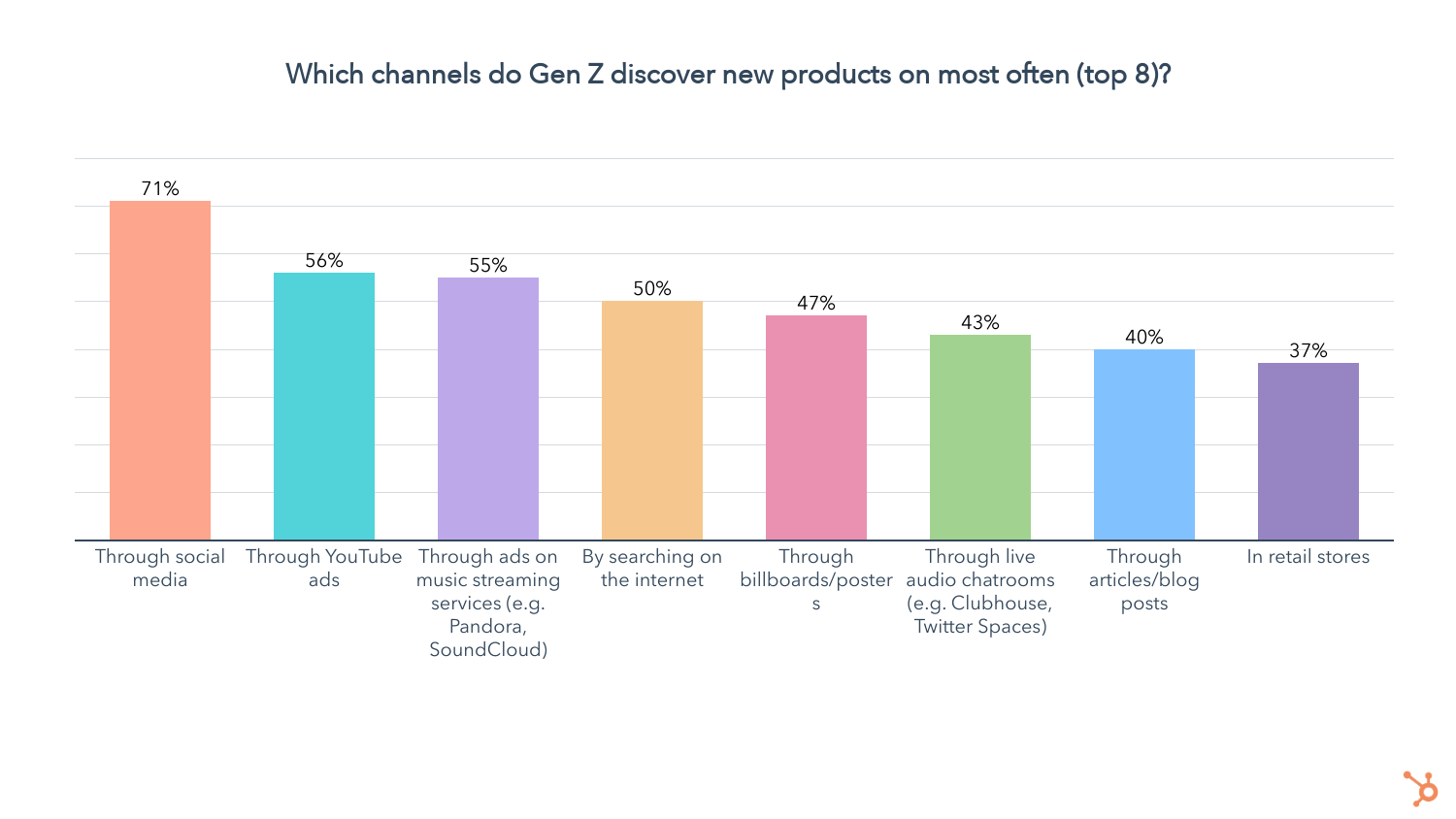
On top of that, 34% of Gen Zers say YouTube ads are their preferred way to discover new products.
Overall, YouTube Ads follow social media as the 2nd best way to reach Gen Z. If you can’t leverage both, here’s an insight to help you decide which to use:
Gen Z women prefer to discover new products on social media, while discovering products through YouTube Ads is strongly preferred by young men.

SEO Still Matters For Gen Z
42% of Gen Z has found new products by searching the web in the past few months, and 50% say it’s where they find products most often.
26% of Gen Z say searching the internet is their preferred way of discovering new products, but how exactly is Gen Z searching online? A whopping 74% of Gen Z use their mobile phones most often when shopping online, while just 15% use a computer.

Additionally, 72% of Gen Z use their phones most often when looking up a question on a search engine.

This means you should be optimizing your website to be mobile-first to offer the best experience to your users. To learn more about the top SEO strategies, check out our Web Traffic & Analytics Report.
Retail Discovery is Less Frequent, But Still Relevant For Gen Z
While 36% of Gen Z has discovered new products in retail stores in the past three months, when we asked where they discover new products most often, it came in at #8.
So Gen Z is still visiting retail stores, but they’re discovering products through online sources much more often.
Does that mean hope is lost for retail? Not quite. 19% of Gen Z still say it’s their preferred way to discover new products, behind social media, YouTube ads, and searching the web.

Ads on Streaming Services Beat Cable TV for Gen Z
23% of Gen Z has discovered new products on film/TV show streaming services in the past three months, and 33% of them say they discover new products through streaming most often.
19% of Gen Z have also discovered new products on music streaming services like Spotify, with 55% of them saying that music streaming is where they discover new products most often.
Does that mean cable TV ads are lost on Gen Z? Considering less than 1 in 5 have discovered a new product through their television in the past three months, it isn’t the best channel to reach those age 18-24 (though still very relevant for older age groups).
1 in 2 Gen Zers Say Companies Should Take a Stance On Social Issues
Gen Z is known to be vocal about the causes they believe in, but does that tenacity for the environment and social justice translate to their purchase decisions? Let’s take a look.
We asked whether companies should take a stance on social issues, and 50% of Gen Z say they should, the highest of any generation.
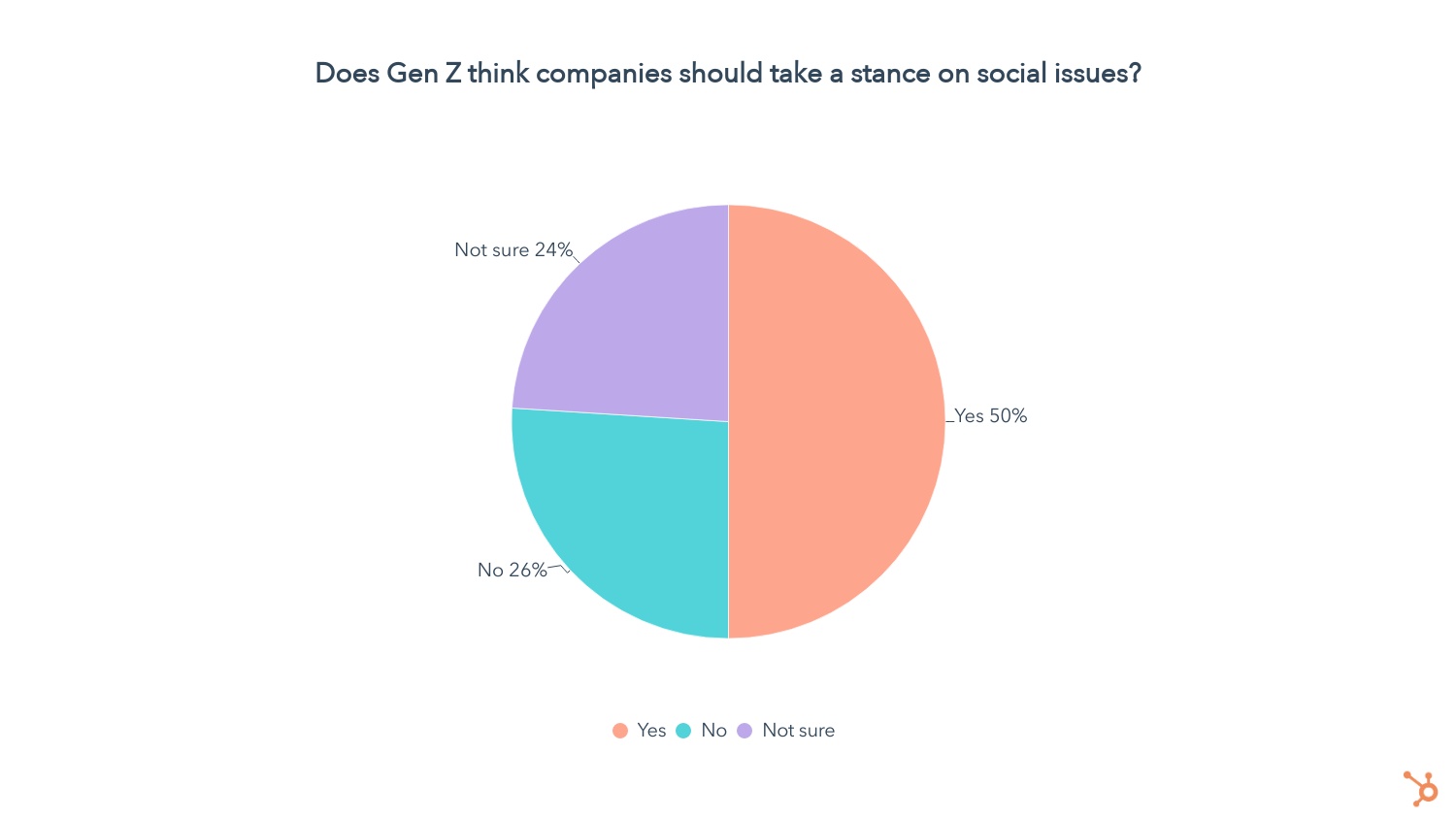
We then asked those who want companies to take a stance on social issues which issues are most important to them. Racial justice was by far the top issue for Gen Z (69%), followed by LGBTQ+ rights (50%), gender inequality (46%), and climate change (42%).
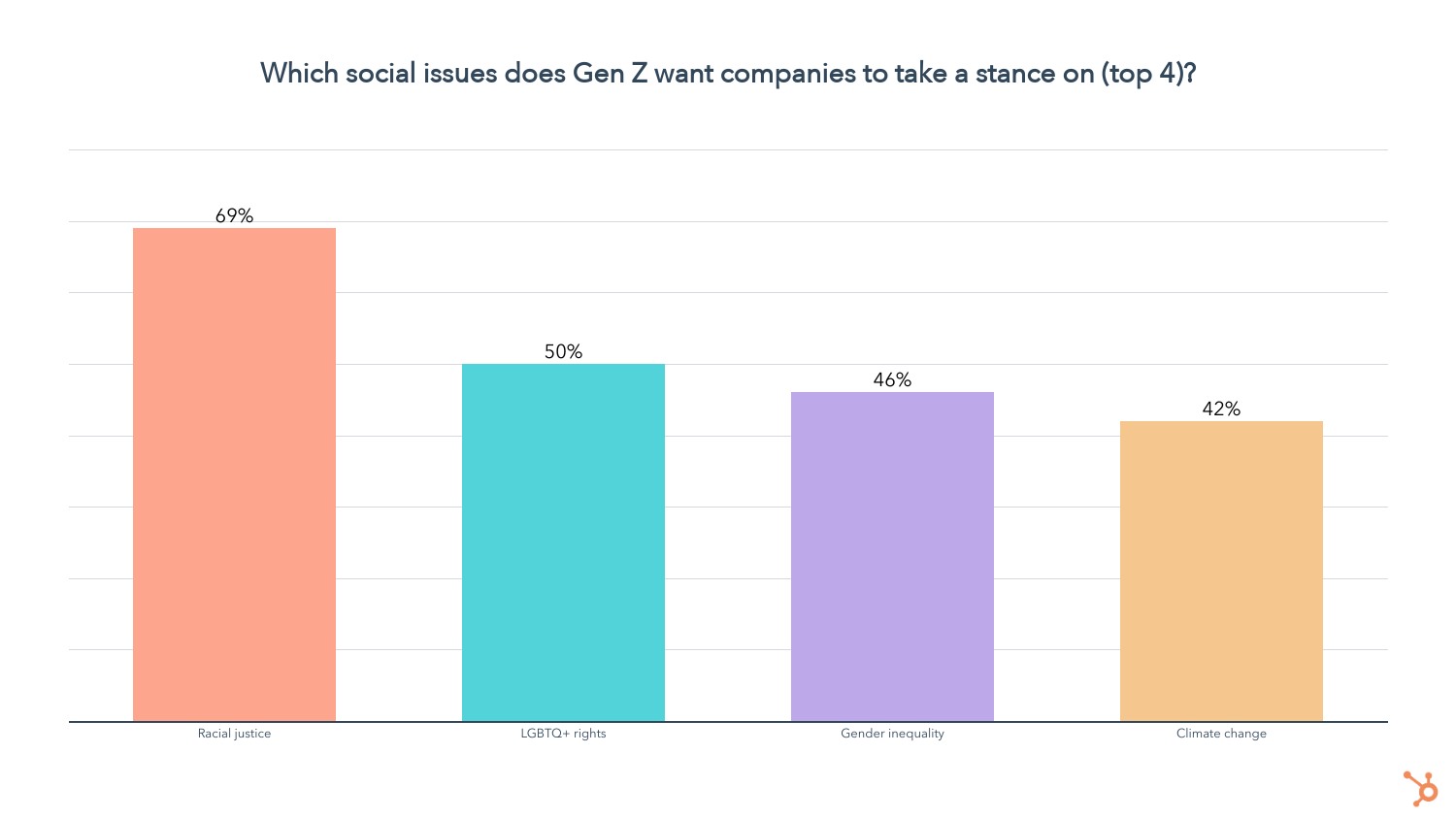
The burning question is whether these sentiments translate to purchase decisions, and we found that they have a significant influence on Gen Z, dwindling slowly with each generation.
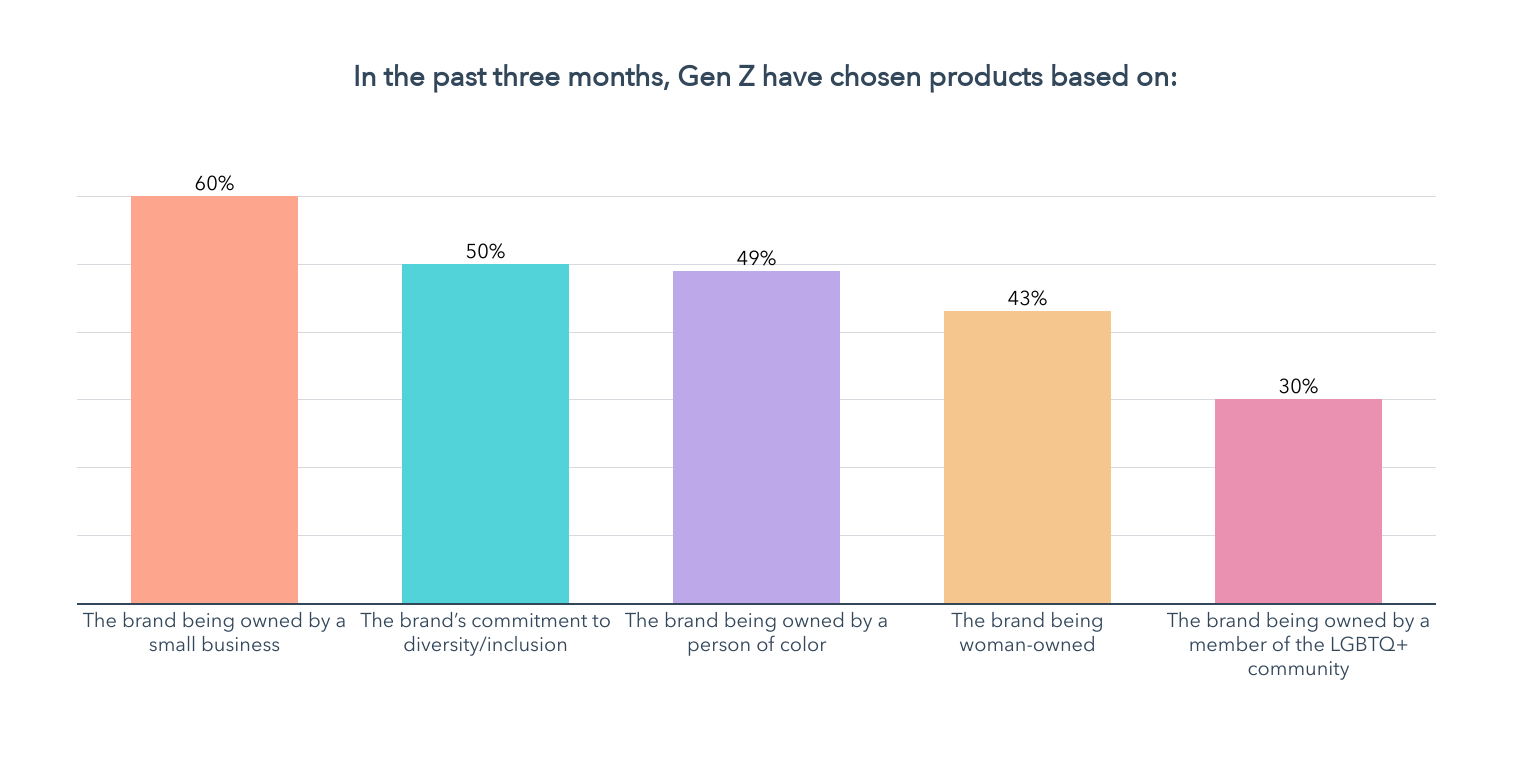
- 60% of Gen Z have chosen a product based on it being owned by a small business in the past three months
- 50% of Gen Z have chosen a product based on the brand’s commitment to diversity/inclusion in the past three months
- 49% of Gen Z have chosen a product based on the brand being owned by a person of color in the past three months.
- 43% of Gen Z have chosen a product based on the brand being woman-owned in the past three months.
- 30% of Gen Z have chosen a product based on the brand being owned by a member of the LGBTQ community in the past three months.
Not only that, but brands taking a stance on these issues also makes a significant portion of Gen Zs more likely to purchase. We asked all the Gen Zs in our survey how the following attributes impact their purchase decisions, if at all, using a 5-point scale from much less likely to much more likely. Here’s what they said:

Below are just a few of the factors that impact Gen Z purchase decisions, aside from the product itself:
- Corporate Trust: 84% of Gen Z say they’re more likely to buy from a company that treats its employees well, while 83% say they’re more likely to buy from a company that they can trust with their data
- Economic and/or Environmental Impact: 60% of Gen Z say they’re more likely to buy from a brand actively trying to reduce its environmental impact, while 46% are more likely to purchase products from small businesses.
- High DI&B Standards: 53% of Gen Z say they’re more likely to purchase based on a brand’s commitment to diversity/inclusion, while 51% say a brand advocating for racial justice makes them more likely to become a customer. Additionally, 39% of Gen Z say they’re more likely to buy products from brands owned by a person of color.
- Gender and LGBTQ+ Advocacy: 42% of Gen Z say brands that advocate for gender equality are more likely to get their purchases, while 37% of Gen Z are more likely to buy from brands that advocate for LGTBTQ+ rights.
While Gen Z is strongly influenced by Environmental, Social, and Governance (or ESG) initiatives, there are other factors in their purchase decisions that are even more important – let’s take a look.
What Drives Gen Z Purchase Decisions?
The top factors in Gen Z’s purchase decisions are unsurprising, with price, quality, and look/feel taking the lead.
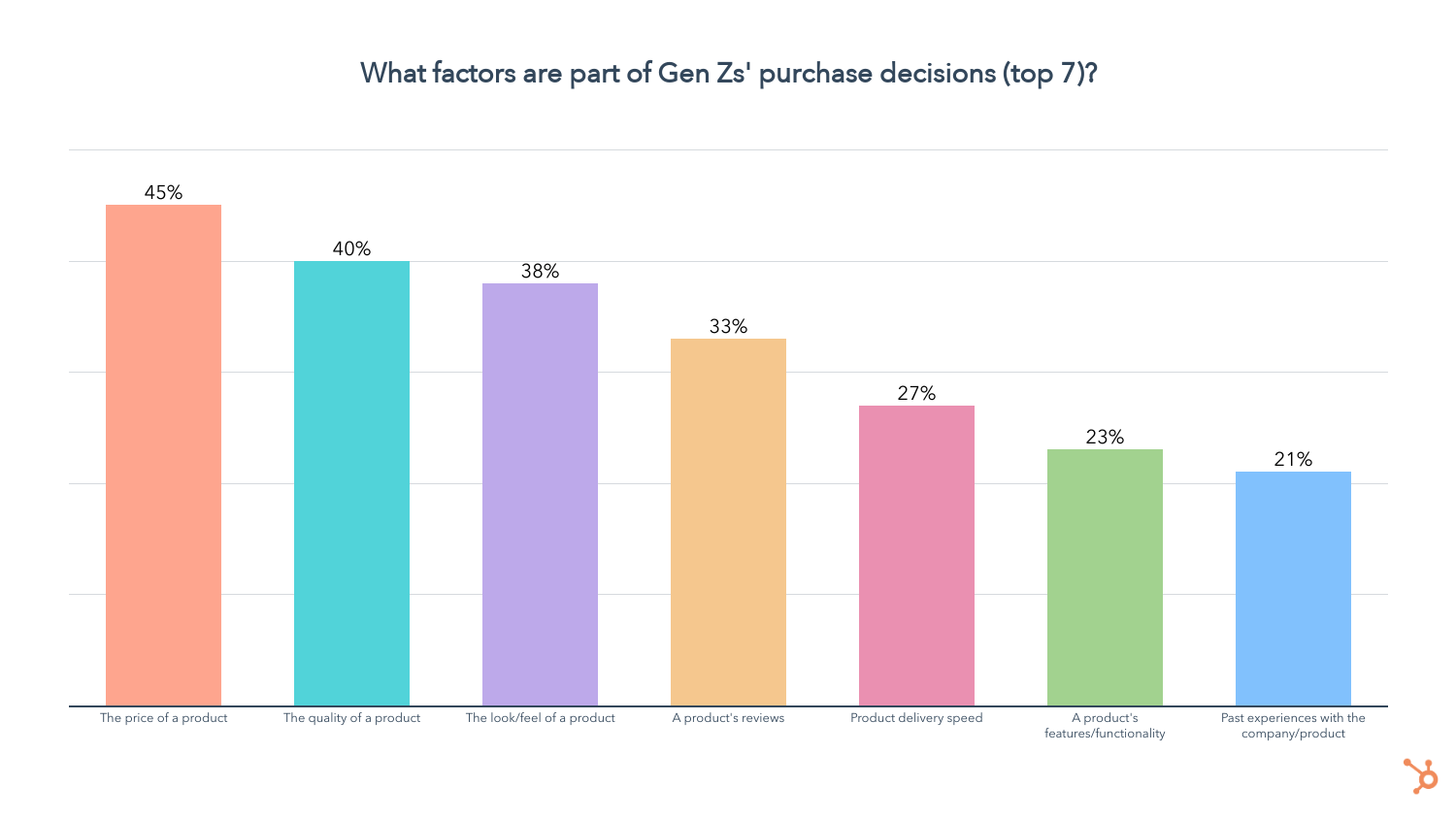
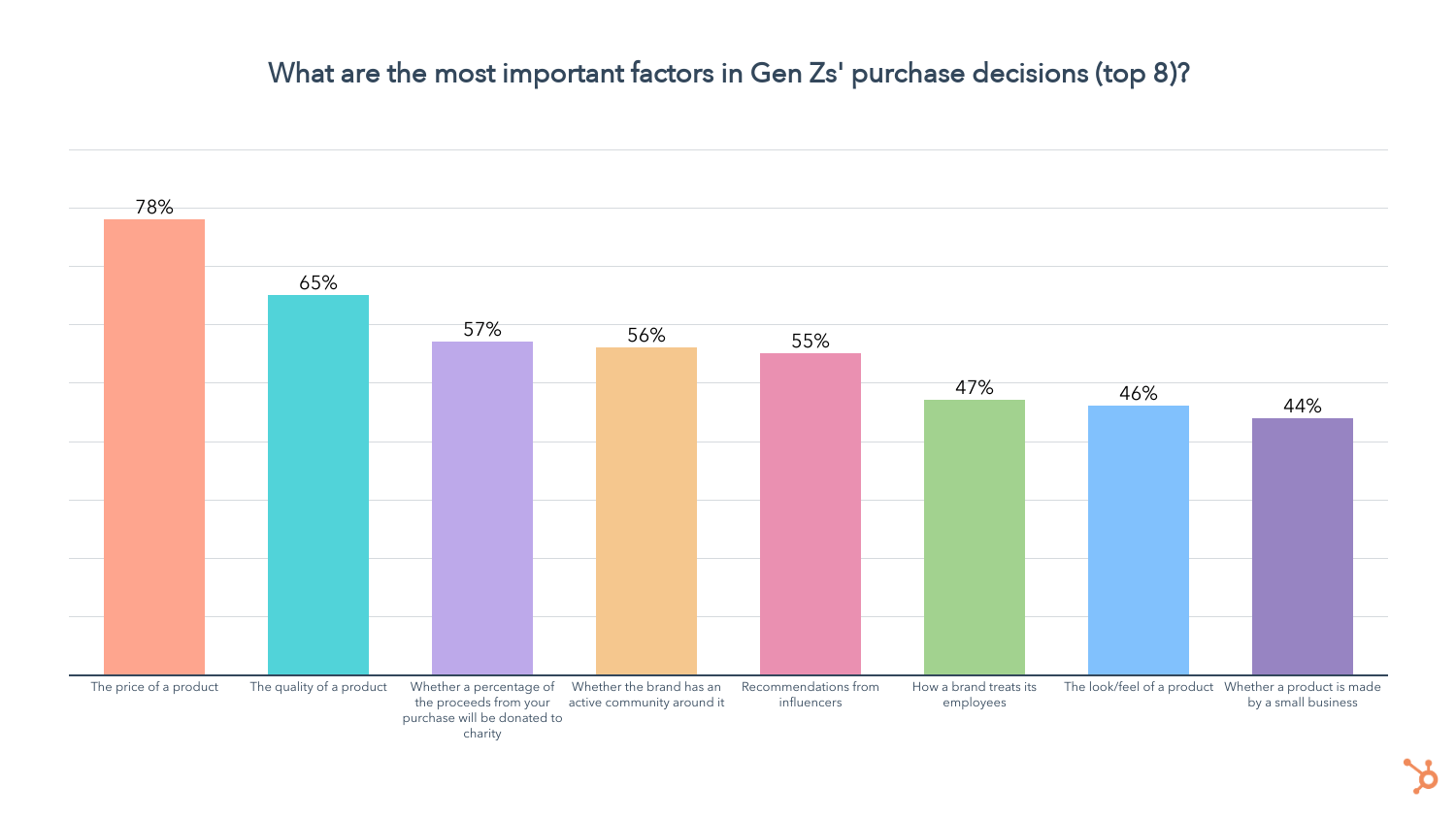
While price and quality still lead, we see that donations to charity, an active community, recommendations from influencers, and how brands treat their employees rise to the top.
Granted, these are nowhere near the top factors in this group’s purchase decisions, but for those who consider them, they are critical.
One other thing to note is that recommendations from influencers drive Gen Z purchase decisions even more than recommendations from their friends and family (55% vs. 24%, respectively) – yet another reason to leverage influencer marketing.
How Does Gen Z Prefer to Purchase Products?
When it comes to making purchases, 55% of Gen Zers still prefer to buy things in-store (the lowest of any generation), but online channels are close behind.

One in two Gen Zers prefer to make purchases through online retailers like Amazon, while 37% like to go directly to a company’s website.
23% of Gen Z prefers to buy through social media apps, while 22% favor going through a company’s mobile app.
How Does Gen Z Like To Pay?
47% of Gen Z has purchased a subscription for a physical product in the past three months, the highest of any generation.

But when we asked which payment model they prefer, Gen Z still largely favors buying a product for full price as needed.
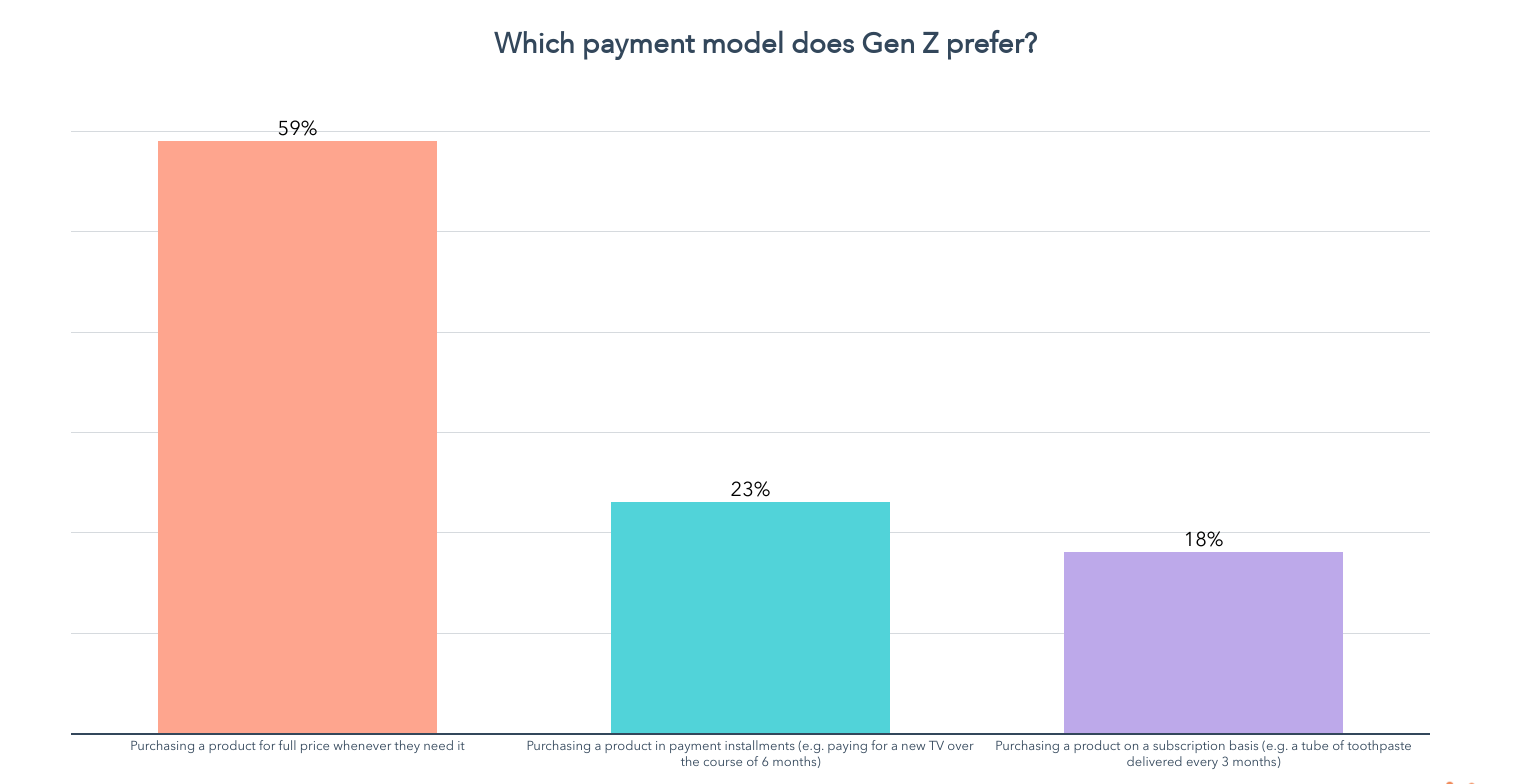
And that wraps it up for Gen Z! Now we can talk about their slightly older, yet noticeably different counterparts, Millennials.
Millennial Shopping Habits 2022 (ages 25-34)
Social Media Drives Millennial Product Discovery
50% of Millennials have discovered new products on social media in the past three months, and 59% of them say it’s where they discover new products most often.
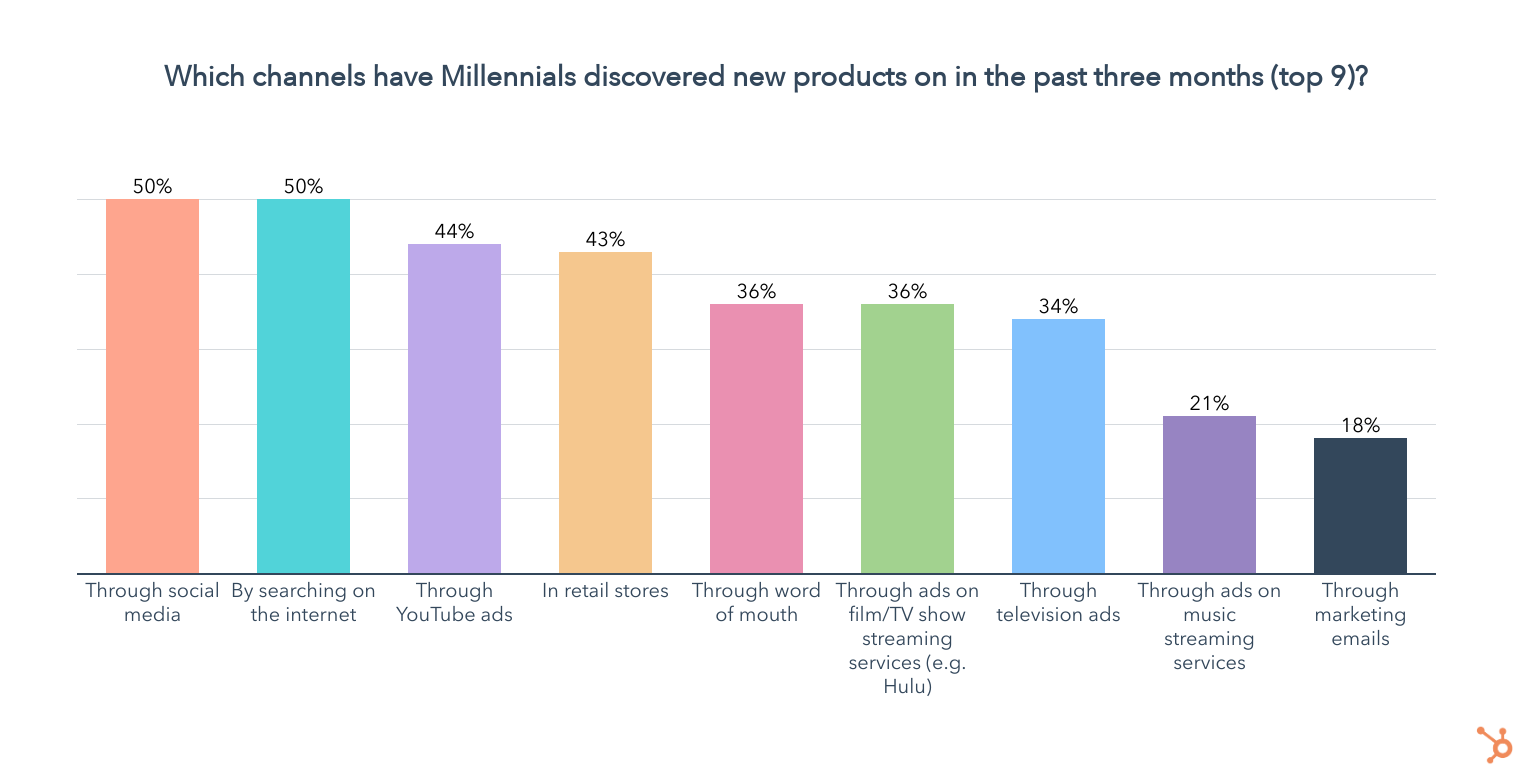
Social media is also the primary way Millennials prefer to discover new products, according to 33% of those 25-34.
Similar to Gen Z, 90% of Millennials use social media, for an average of 4 hours per day, slightly lower than that of Gen Z.

As far as the platforms they use, Facebook, YouTube, and Instagram are the top platforms by usage in the past three months. Over half of Millennials have used TikTok in the past three months, and 44% have used Snapchat.
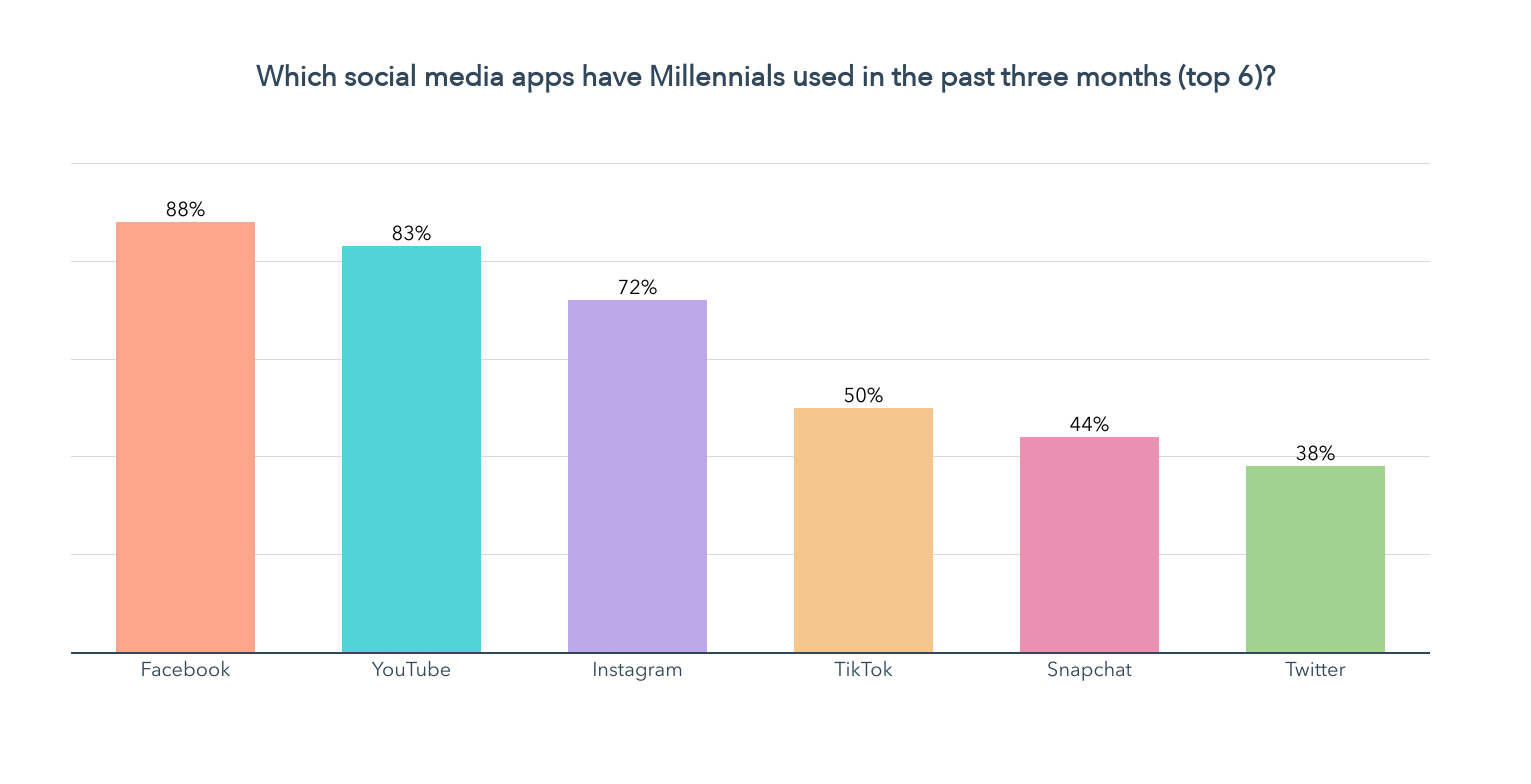
When it comes to the social media apps Millennials use most, Facebook, YouTube, and Instagram lead the way.
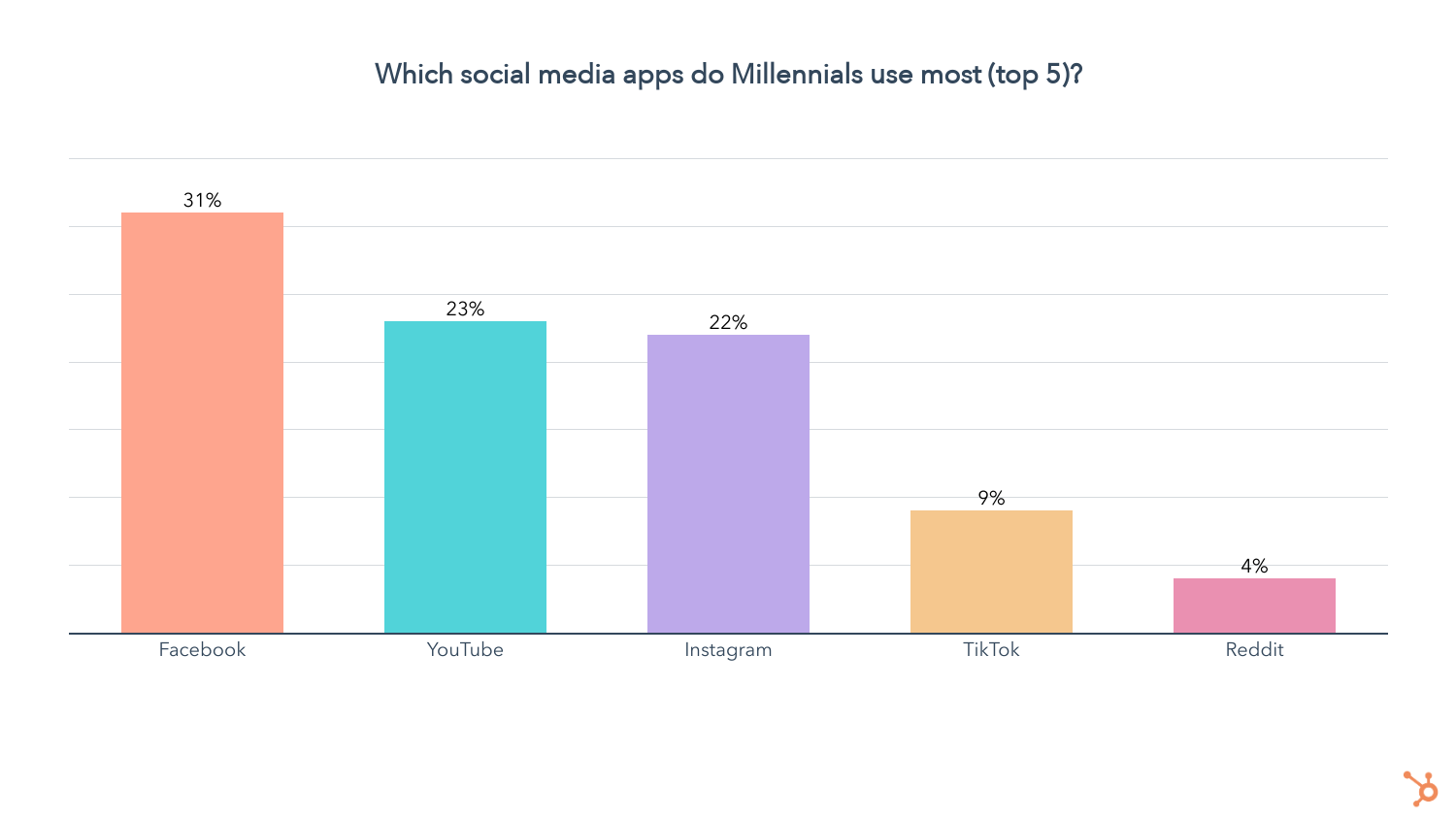
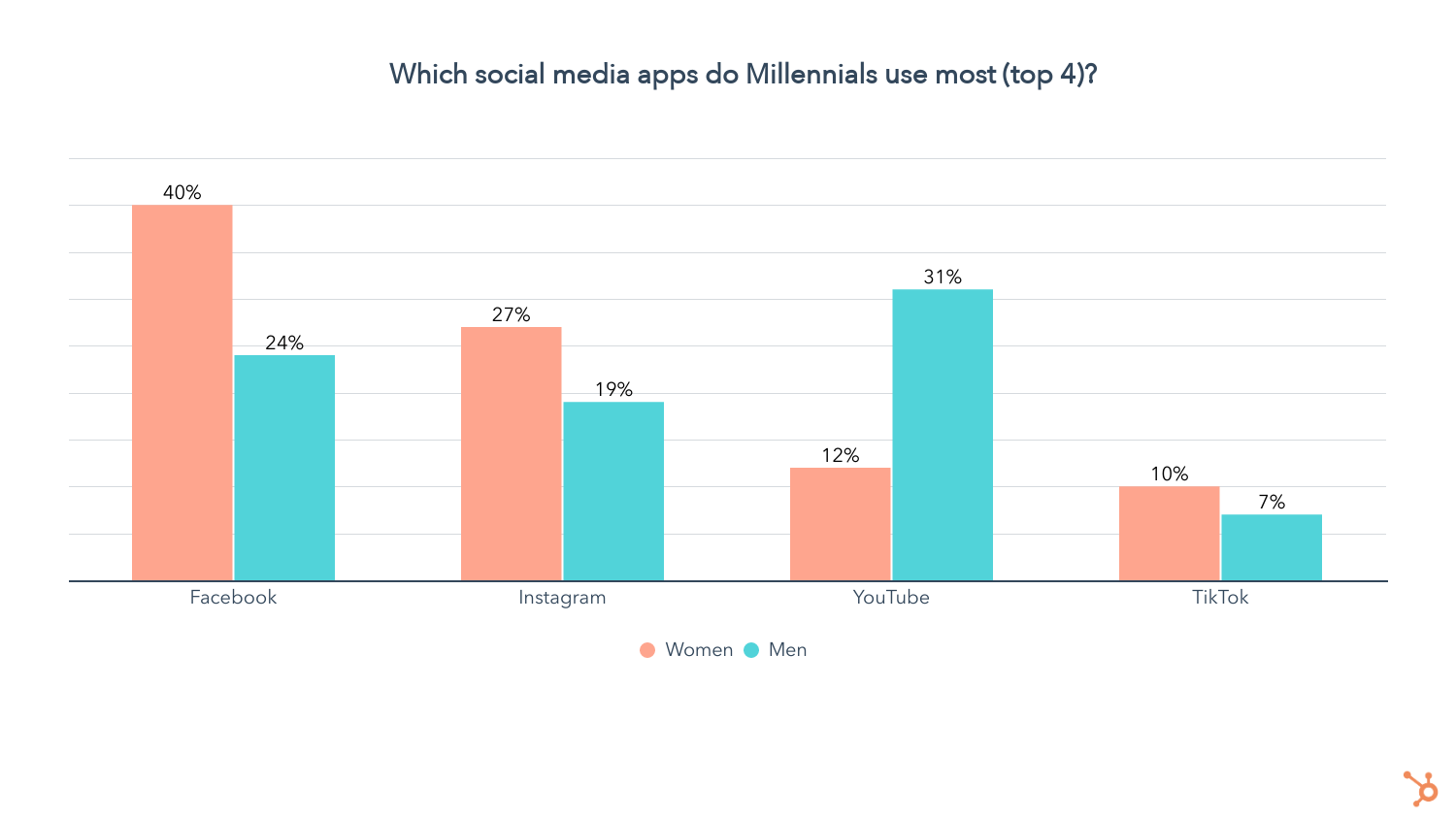
We also asked Millennials which social media platform is their favorite.
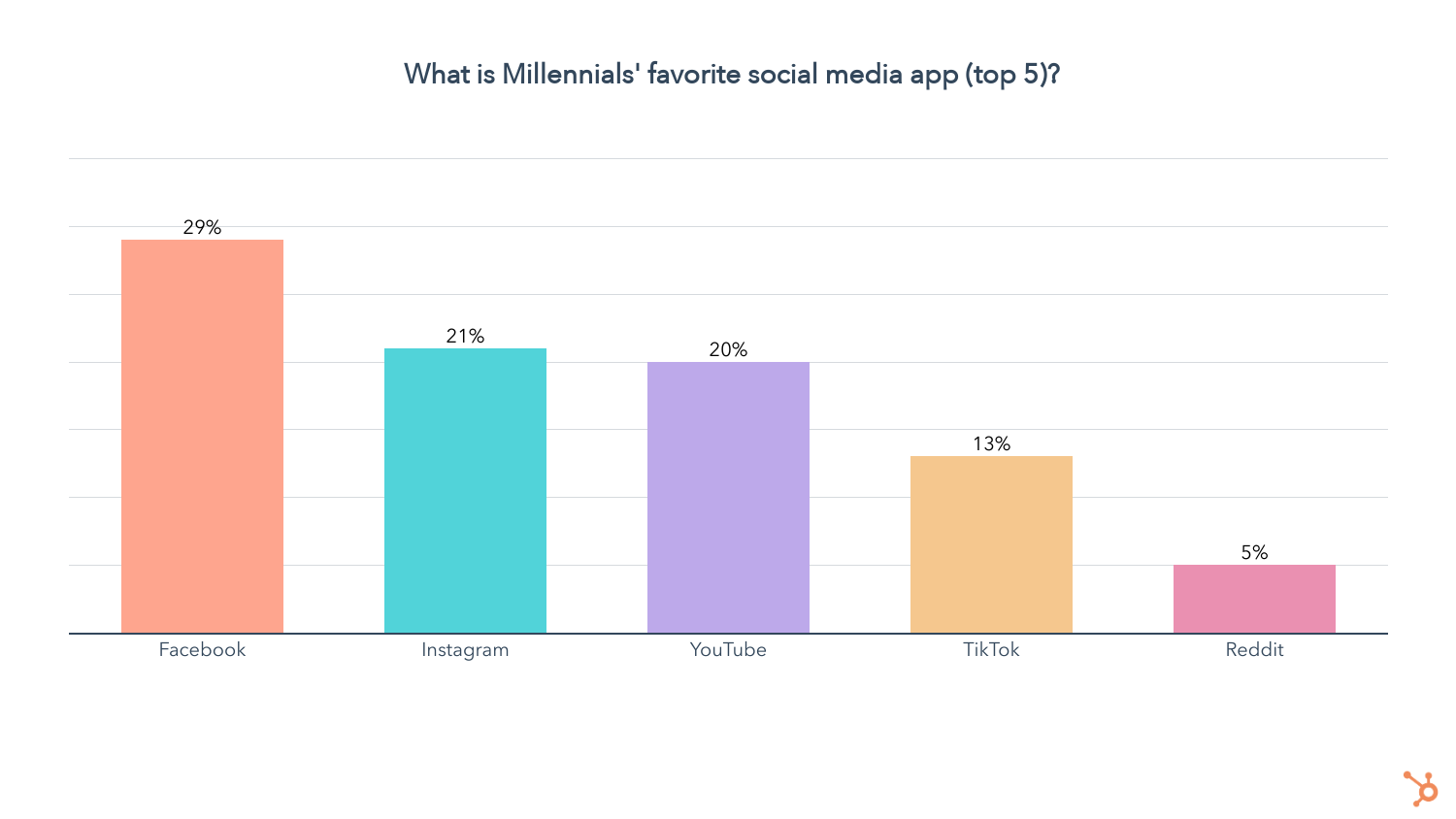
Now that you know which platforms Millennials prefer to find new products on, here are the formats they want to see on social media, among those who use it.

Millennials favor feed posts, ads, and social media marketplaces when looking to discover new products.
They also turn to influencers and social media shops to discover and buy things:
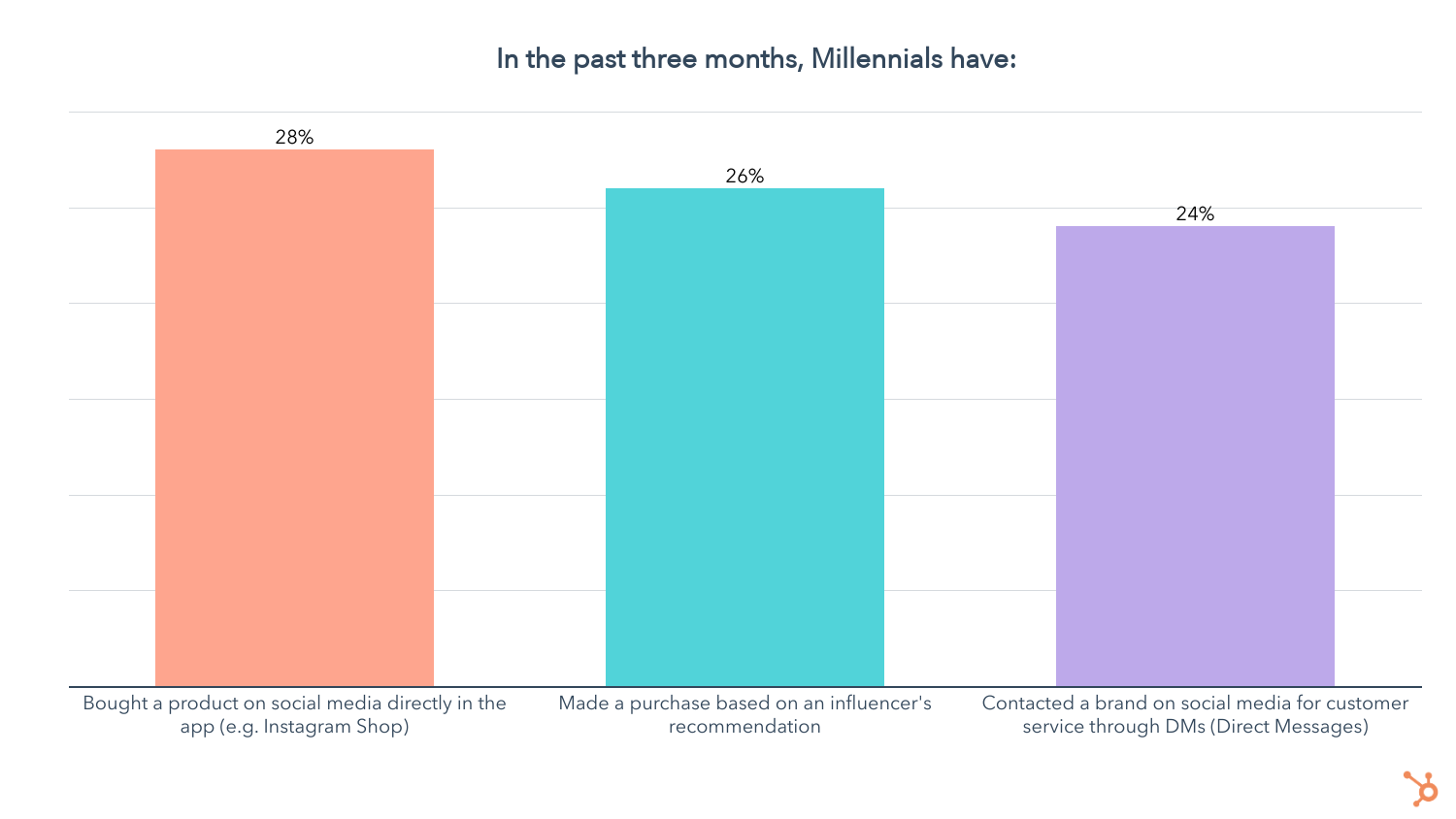
Since Millennials tend to favor Facebook and Instagram, building a presence on these platforms is key. Setting up an online shop on both platforms and leveraging influencer marketing are among the highest ROI strategies you can use to get your products seen and bought.
Millennials Discover Products Through Search Slightly Less Than On Social
Discovering new products through searching the internet comes second to finding them on social media, but just by a hair.
For starters, search and social are tied at 50% for the top channel Millennials have discovered new products on in the past three months. And 58% of Millennials say they discover new products most often by searching the internet, just 1% behind social media.
When we asked what Millennials’ preferred channel for discovering new products is, 32% said searching the internet, also lagging behind social media by 1%.
So search is a leading channel for product discovery for Millennials, but how are they searching? 74% use their mobile phones most often, compared to just 16% who use a computer, highlighting the importance of optimizing your site to be mobile-first.
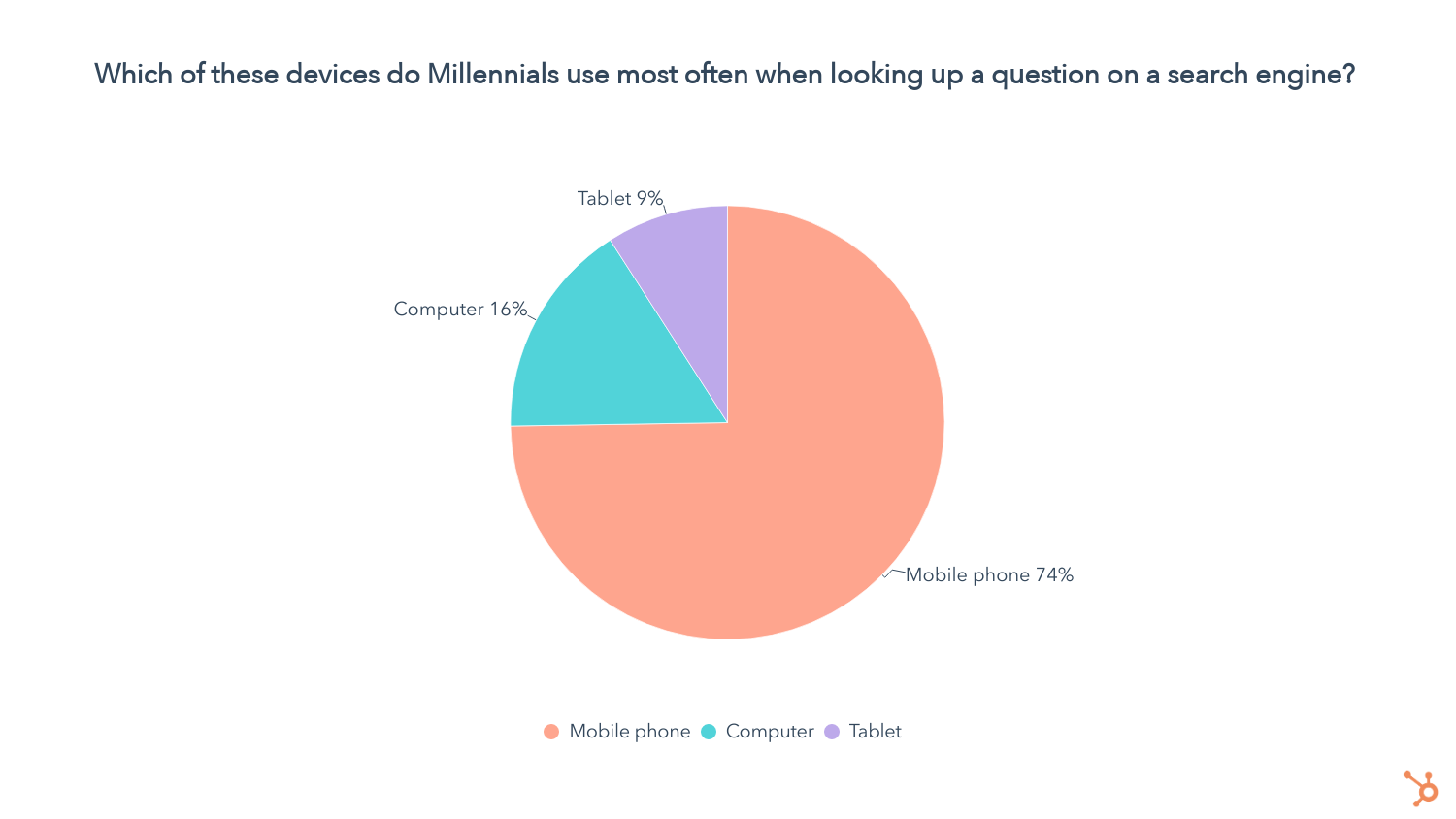
When it comes to online shopping, 68% of Millennials use their phones most often, while 22% use a computer.
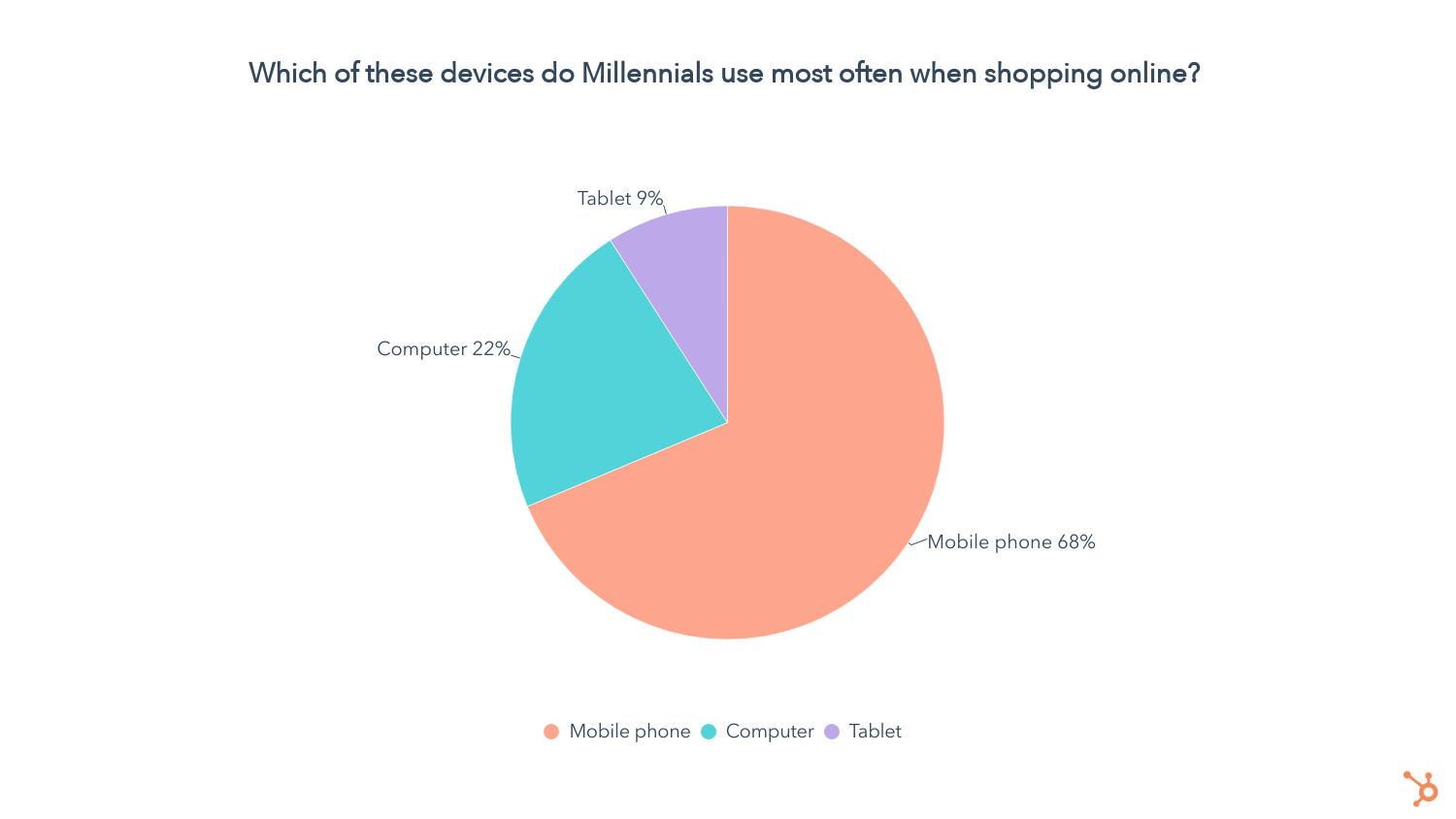
YouTube Ads Is the Third-Best Way To Reach Millennials, Especially Men
44% of Millennials have found new products on YouTube in the past three months and 54% say they discover new products on YouTube the most.

On top of that, 23% of Millennials say YouTube is their preferred channel for discovering new products.
Overall, YouTube ads are the #3 best way to reach Millennials, but just like for Gen Z, when it comes to targeting Millennial men, YouTube rises to the top.
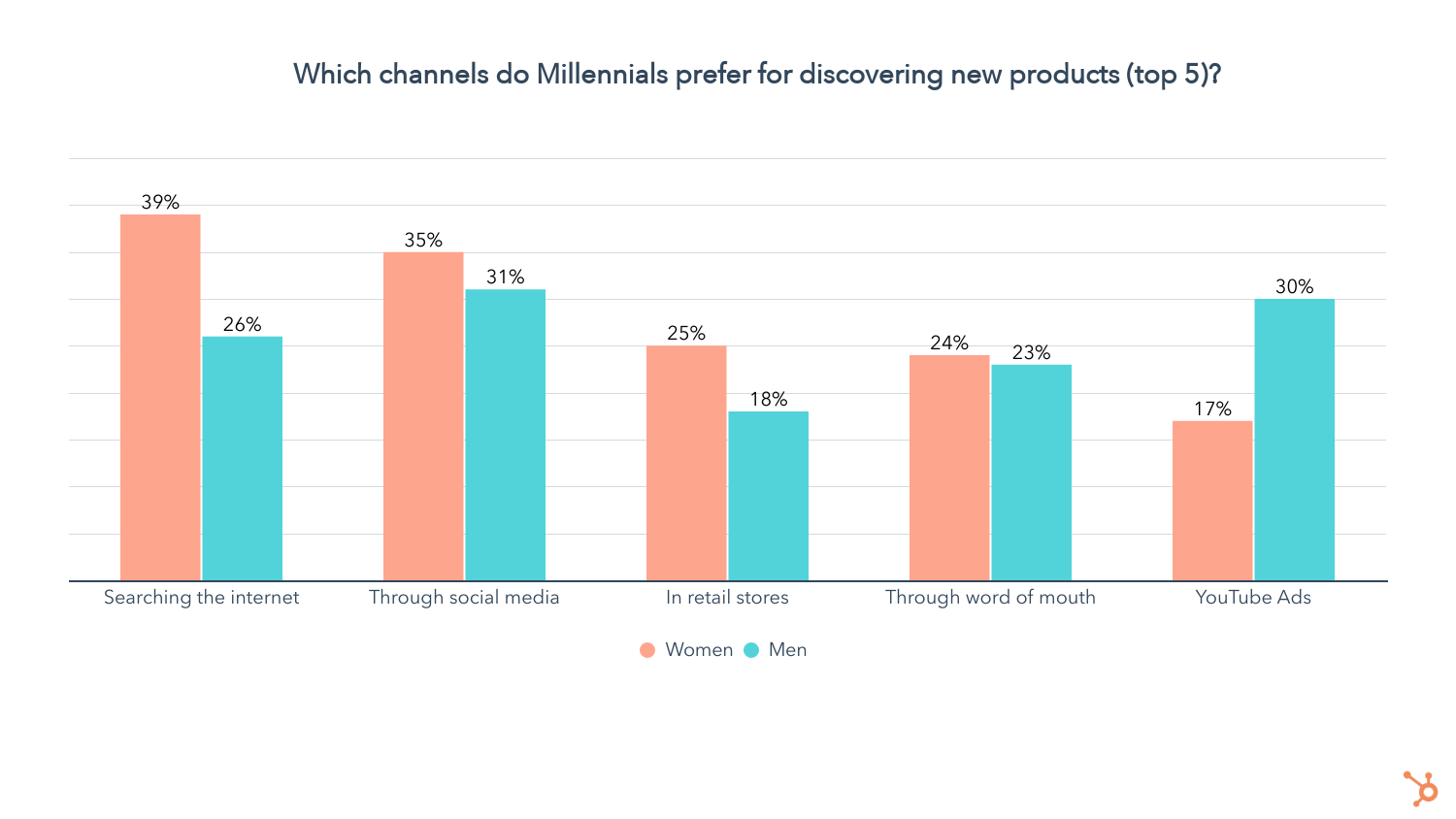
Retail Discovery is Less Frequent, But Still Relevant For Millennials
While 43% of Millennials have discovered new products in retail stores in the past three months, when we asked where they discover new products most often, retail comes in at number six.
Like Gen Z, Millennials are still going to retail stores, but they’re finding products online more often. 22% of them say they prefer finding new products in retail stores, behind social media, searching the internet, YouTube Ads, and word of mouth.
Cable TV is Slightly Better for Reaching Millennials than Streaming Services
36% of Millennials have discovered new products through TV/film streaming services in the past three months, and 34% of them say that’s where they discover new products most often. Additionally, 13% of Millennials say video streaming is how they prefer to discover new products.
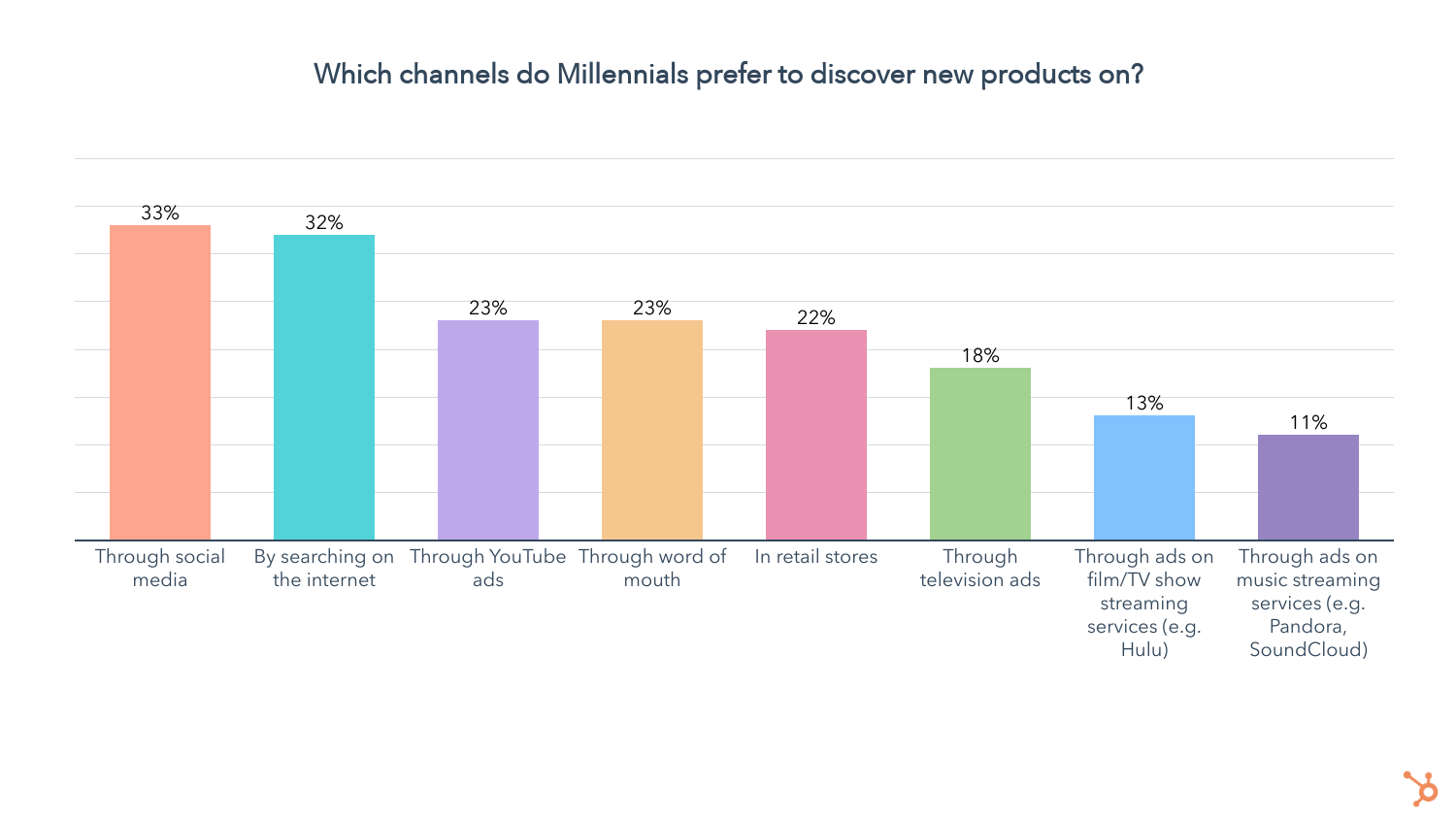
When it comes to cable TV, 34% of millennials have discovered new products through their television in the past three months, and 47% of them say that’s where they discover new products most often, comfortably ahead of streaming services. Additionally, 18% of Millennials say cable TV is where they prefer to discover new products, beating video streaming services by 5%.
Advertising on music streaming services is also a great way to reach Millennials – 21% of them have discovered new products through music streaming services in the past three months. Of that group, 29% say that’s where they discover new products most often. Overall, 11% of Millennials say music streaming is how they prefer to discover new products.
ESG Matters To Millennials
41% of Millennials say companies should take a stance on social issues, down from 50% for Gen Z.
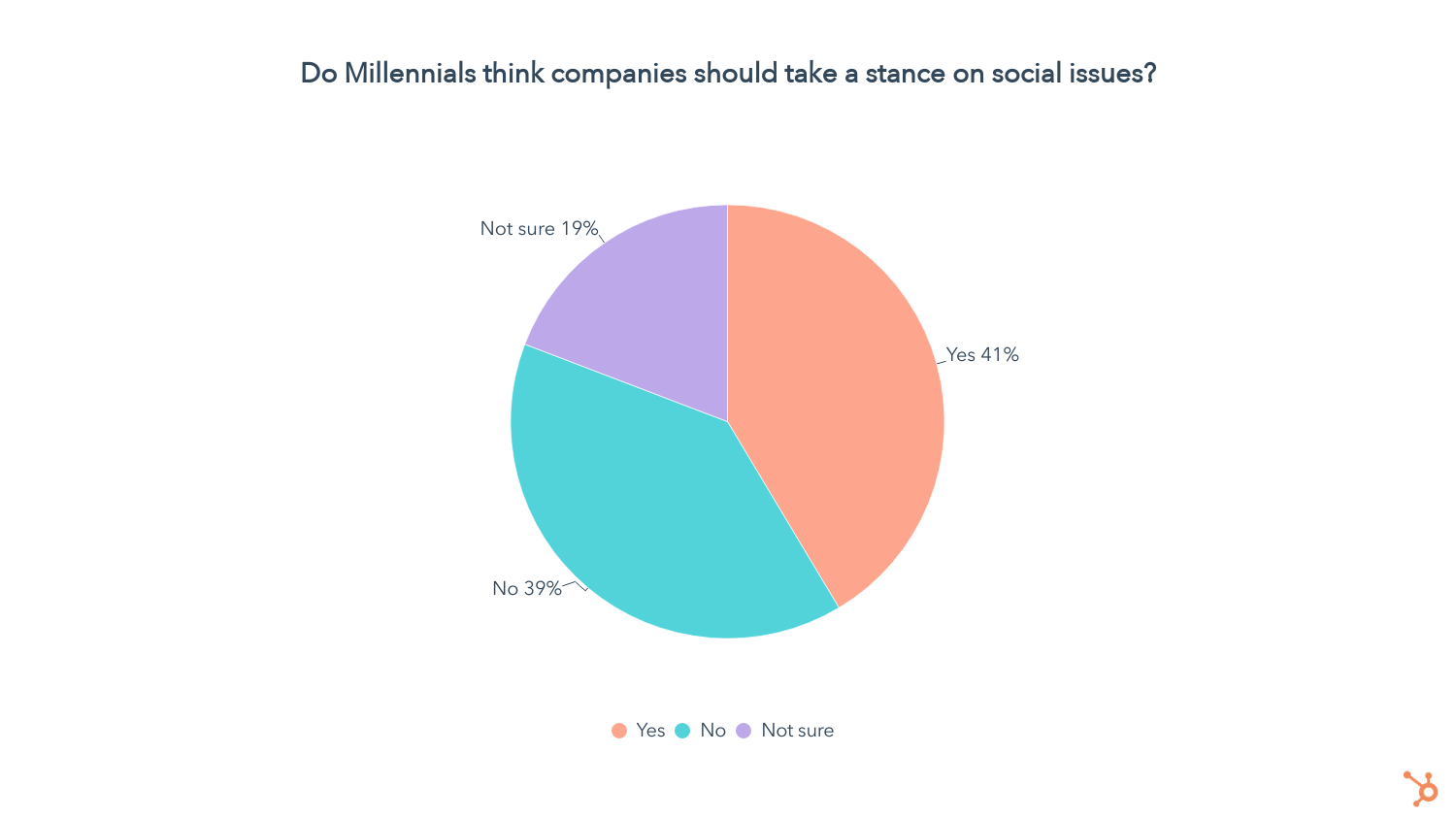
We also asked Millennials who want to see companies engaging in advocacy which social issues they want to see companies that a stance on most.
Among Millennials who want companies to advocate for social issues, 60% want to see brands take a stance on racial justice, followed by income inequality (52%), climate change (39%), affordable healthcare (37%), and LGBTQ+ rights (36%).
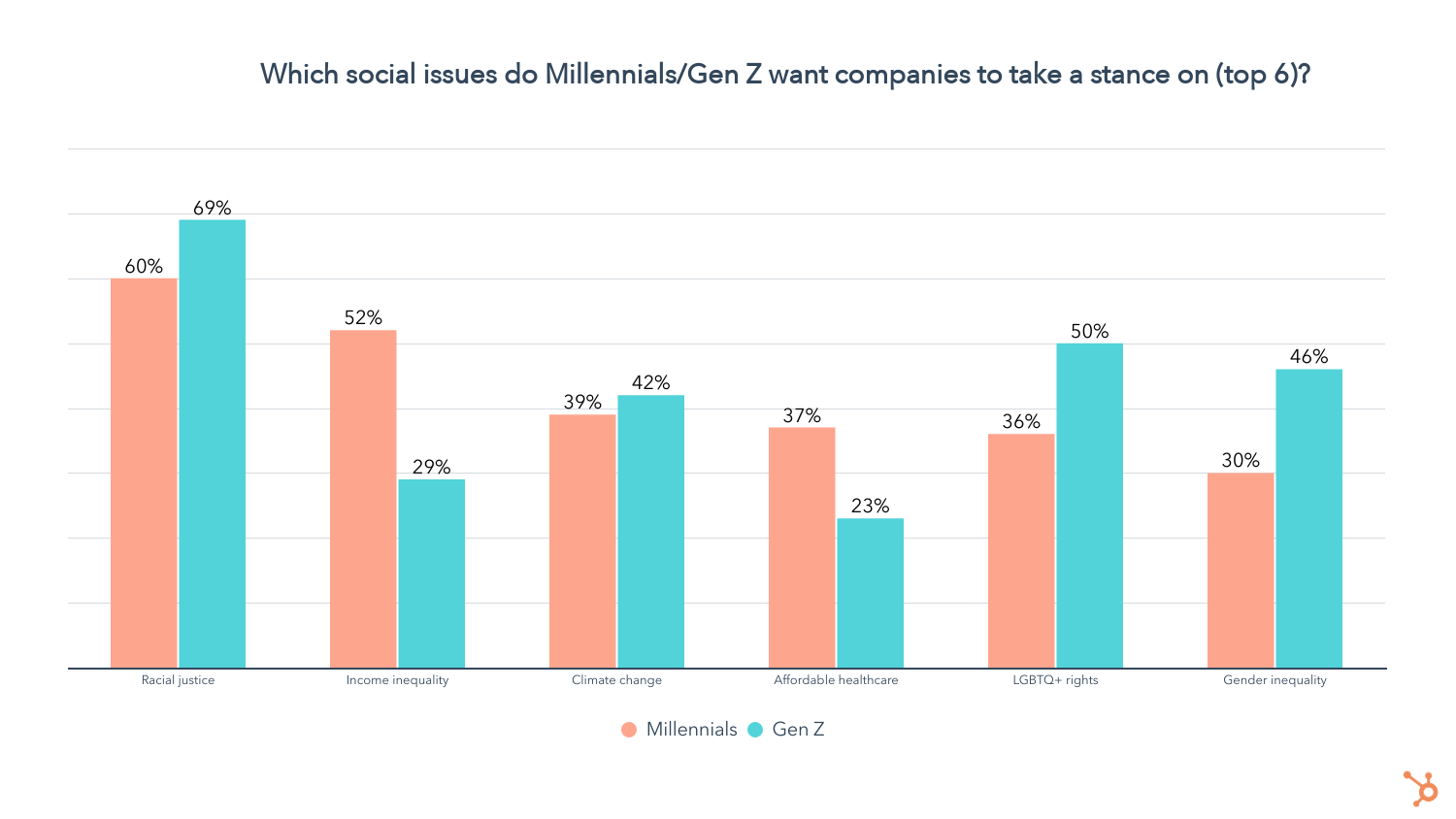
While racial justice is top of mind for both Gen Z and Millennials, Millennials put less of a priority on other identity-based issues like gender and sexual orientation. Instead, they prefer to see companies tackle issues like income inequality, climate change, and affordable healthcare.
This might be because Millennials are older and more likely to be part of the workforce than Gen Z, making them more conscious of wealth inequality and the cost of healthcare.
While a sizable group of Millennials wants to see companies taking a stand, do these sentiments actually affect their purchase decisions? Just like with Gen Z, the answer is yes.

- 59% of Millennials have chosen a product based on it being made by a small business in the past three months
- 49% of Millennials have chosen a product based on the brand’s commitment to diversity/inclusion in the past three months
- 47% of Millennials have chosen a product based on the brand being woman-owned in the past three months
- 42% of Millennials have chosen a product based on the brand being owned by a person of color in the past three months
- 27% of Millennials have chosen a product based on it being owned by a member of the LGBTQ+ community in the past three months
On a 5-point scale from much less likely to much more likely, we asked all Millennials in our survey how the following attributes impact their purchase decisions, if at all. Here’s what we found:
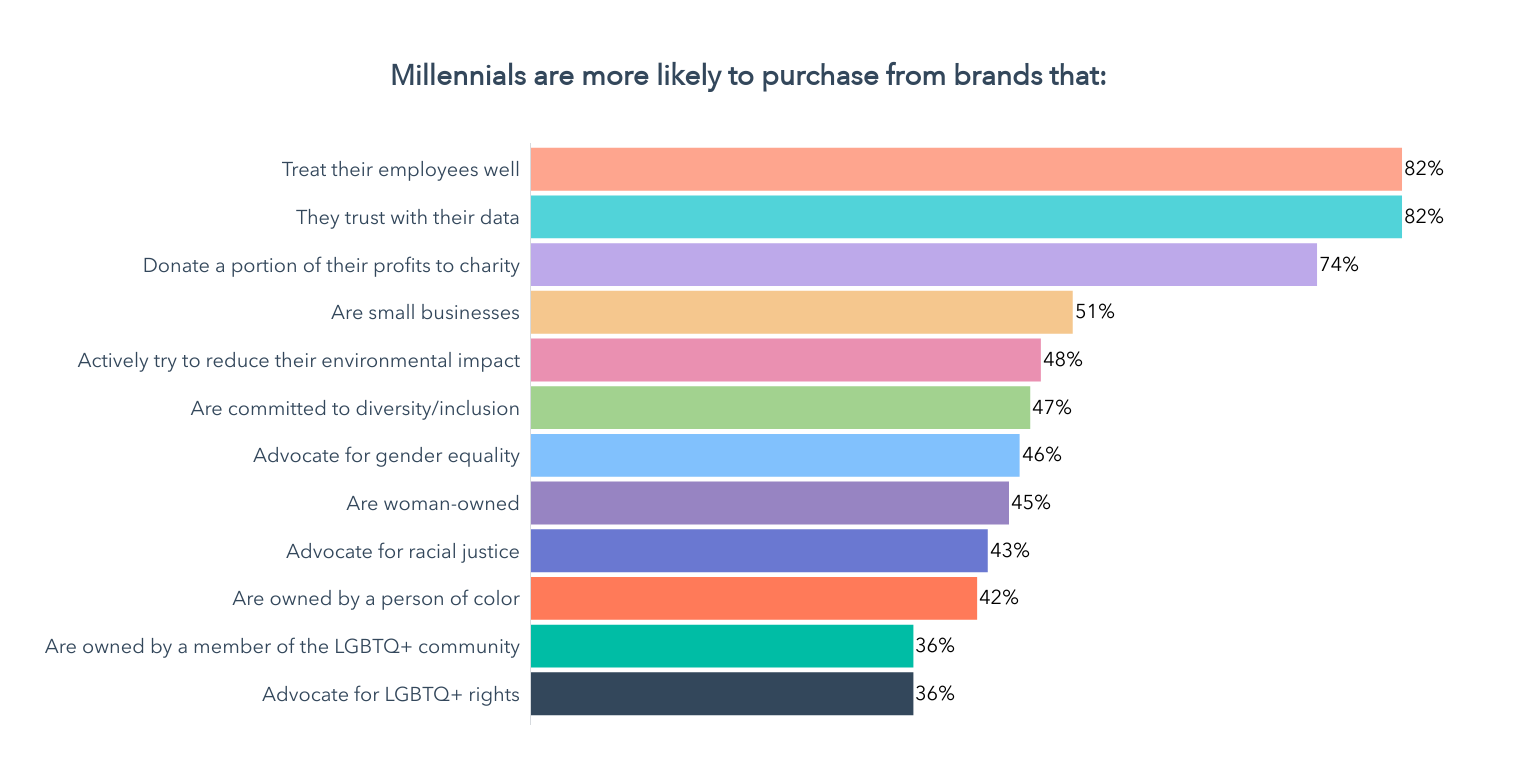
- Corporate Trust: 82% of Millennials are more likely to buy from a company that treats its employees well, and the same amount are more likely to buy from a company that they can trust with their data.
- Economic and/or Environmental Impact: 51% of Millennials are more likely to buy a product made by a small business, while 48% are more likely to buy from a company that actively tries to reduce its environmental impact
- High DI&B Standards: 47% of Millennials are more likely to purchase from a brand committed to diversity/inclusion, while 43% say a brand advocating for racial justice makes them more likely to become a customer. Additionally, 42% of Millennials say they’re more likely to buy products from brands owned by a person of color.
- Gender and LGBTQ+ Advocacy: 46% of Millennials say brands that advocate for gender equality are more likely to get their purchases, while 36% of Millennials are more likely to buy from brands that advocate for LGTBTQ+ rights.
While ESG strongly matters to Millennials, let’s see how these issues stack up against other factors in their purchase decisions.
What Drives Millennial Purchase Decisions?
Just as they do for all generations, price and quality are the top factors when it comes to Millennial purchase decisions.
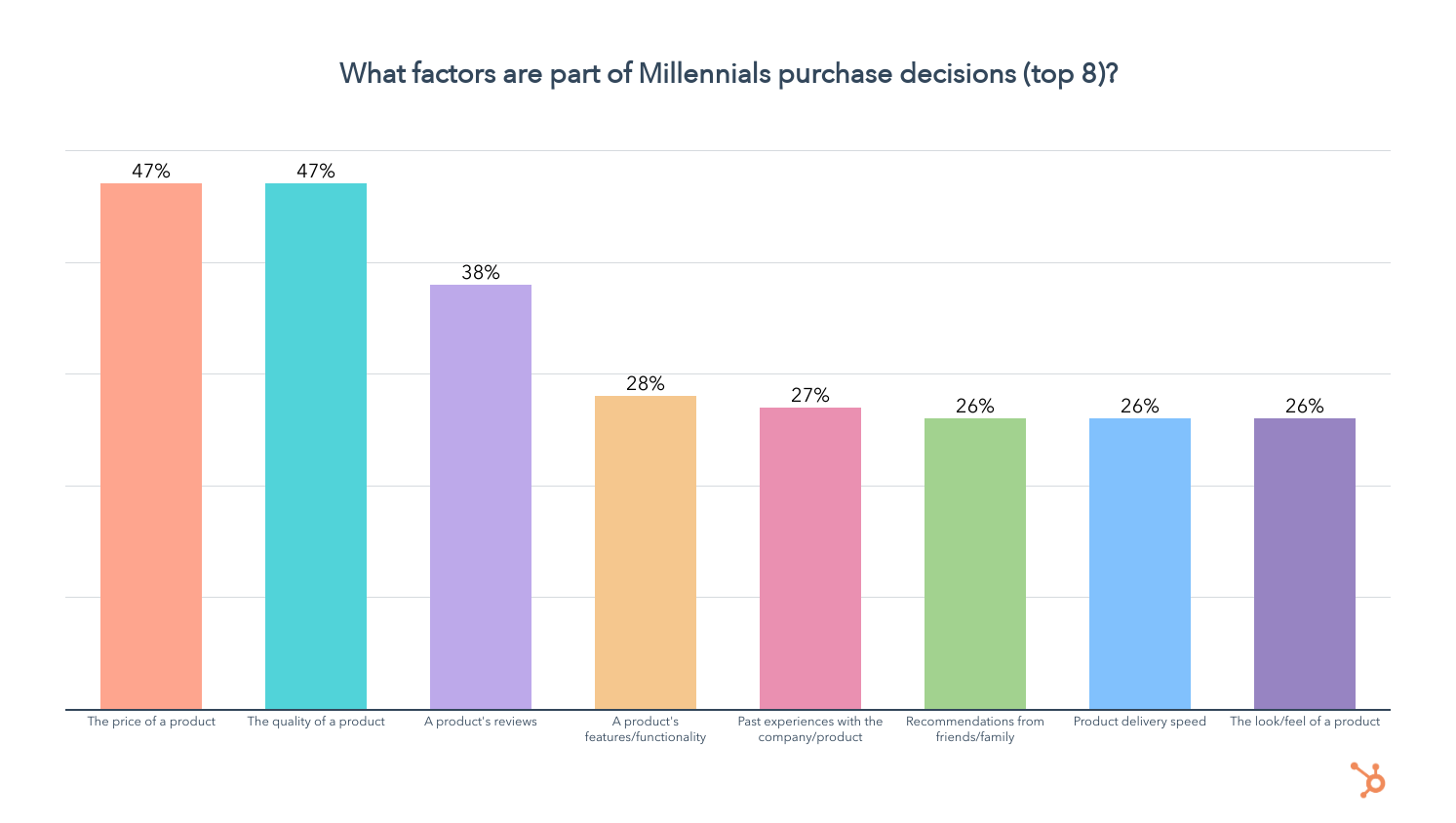
Now let’s see which of these are most important to Millennials by forcing them to choose just three of the factors they consider.

Unsurprisingly, price, quality, reviews, and features remain in the lead. But a brand’s social media presence, whether a brand has an active community around it, whether the brand donates to charity, and recommendations from influencers rise.
While these aren’t even in the top 8 factors in Millennials’ purchase decisions, among those who consider them, they are highly important.
How Do Millennials Prefer to Purchase Products?
65% of Millennials prefer to buy products in-store, while 55% favor going through online retailers like Amazon. About 1 in 3 like to purchase directly from a company’s website.
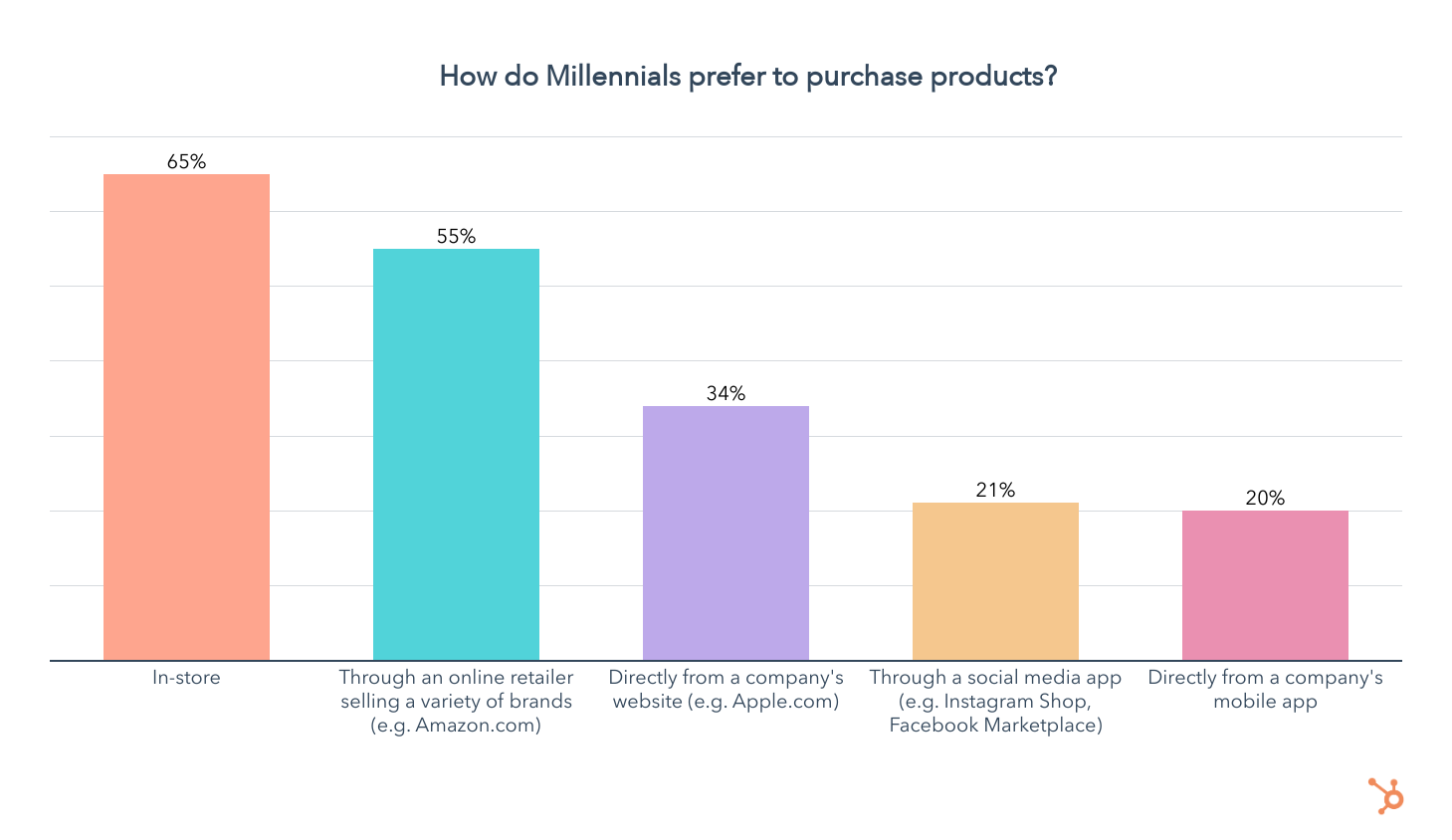
When it comes to mobile apps, 21% of Millennials prefer purchasing through social media, and 1 in 5 like to go through a company’s mobile app.
How Do Millennials Like To Pay?
44% of Millennials have purchased a subscription for a physical product in the past three months, slightly below Gen Z, but comfortably higher than Gen X and far ahead of Boomers.

But when it comes to the payment model they prefer, 51% of Millennials say they favor buying products at full price when they need them.
On the other hand, Millennials are the most likely of any generation to prefer purchasing a product in payment installments (28%) and on a subscription basis (21%).
Now that we’ve covered Millennial purchase habits, let’s take a look at how Gen X likes to shop, which differs significantly from what we’ve seen so far from the younger age groups.
Gen X Shopping Habits 2022 (ages 35-54)
Gen X Prefers to Discover Products Through Online Search, With Other Channels Close Behind
One in three Gen X’s say they prefer to discover new products by searching the internet, and 58% say that search is how they discover new products most often – tying with social media as the channel they discover new products on most frequently.
Additionally, 40% of Gen X have discovered new products through online search in the past three months, placing it among the top discovery channels.
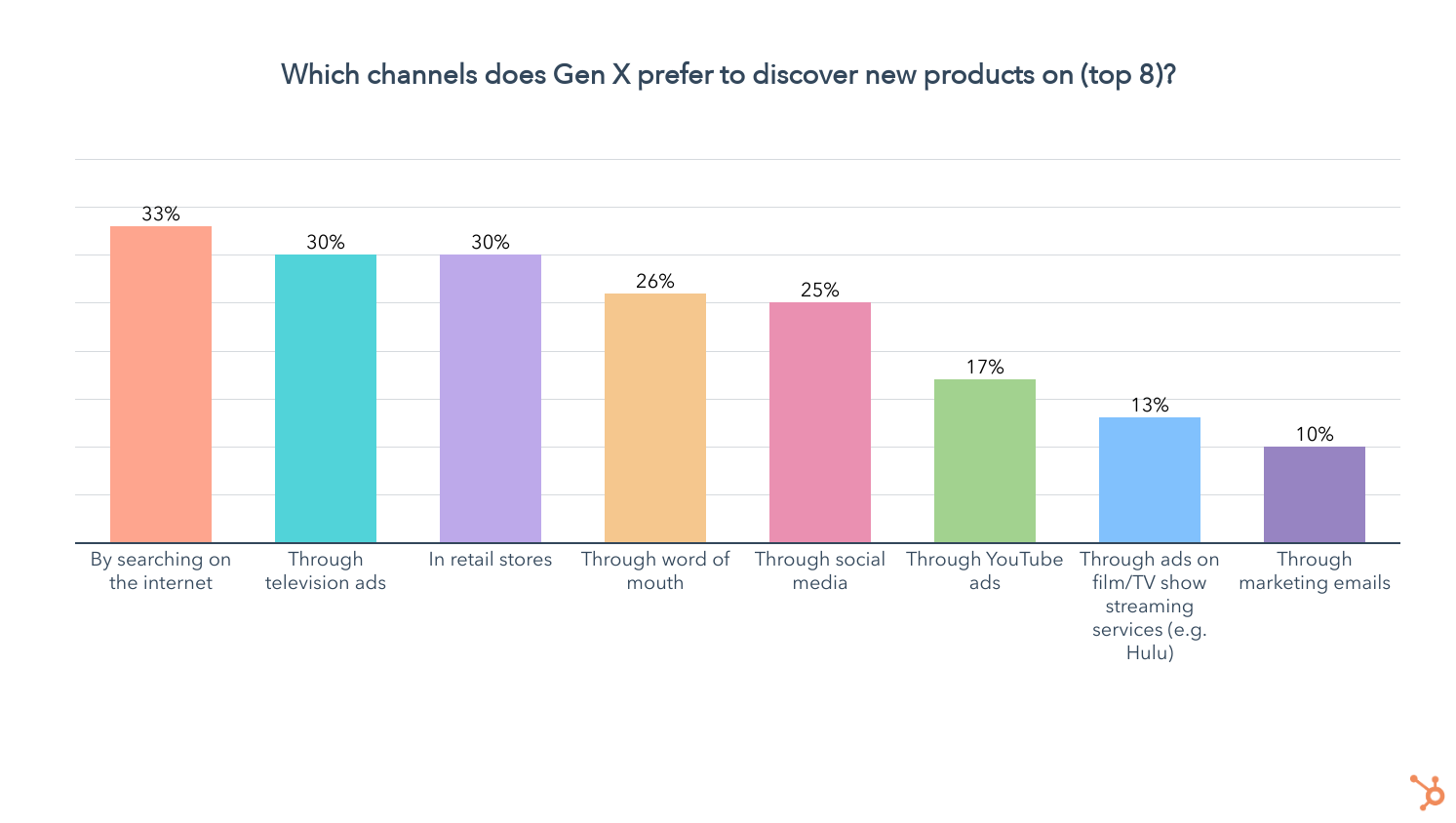
So we know Gen X is all about searching online, but which devices are they using most when shopping on the web?
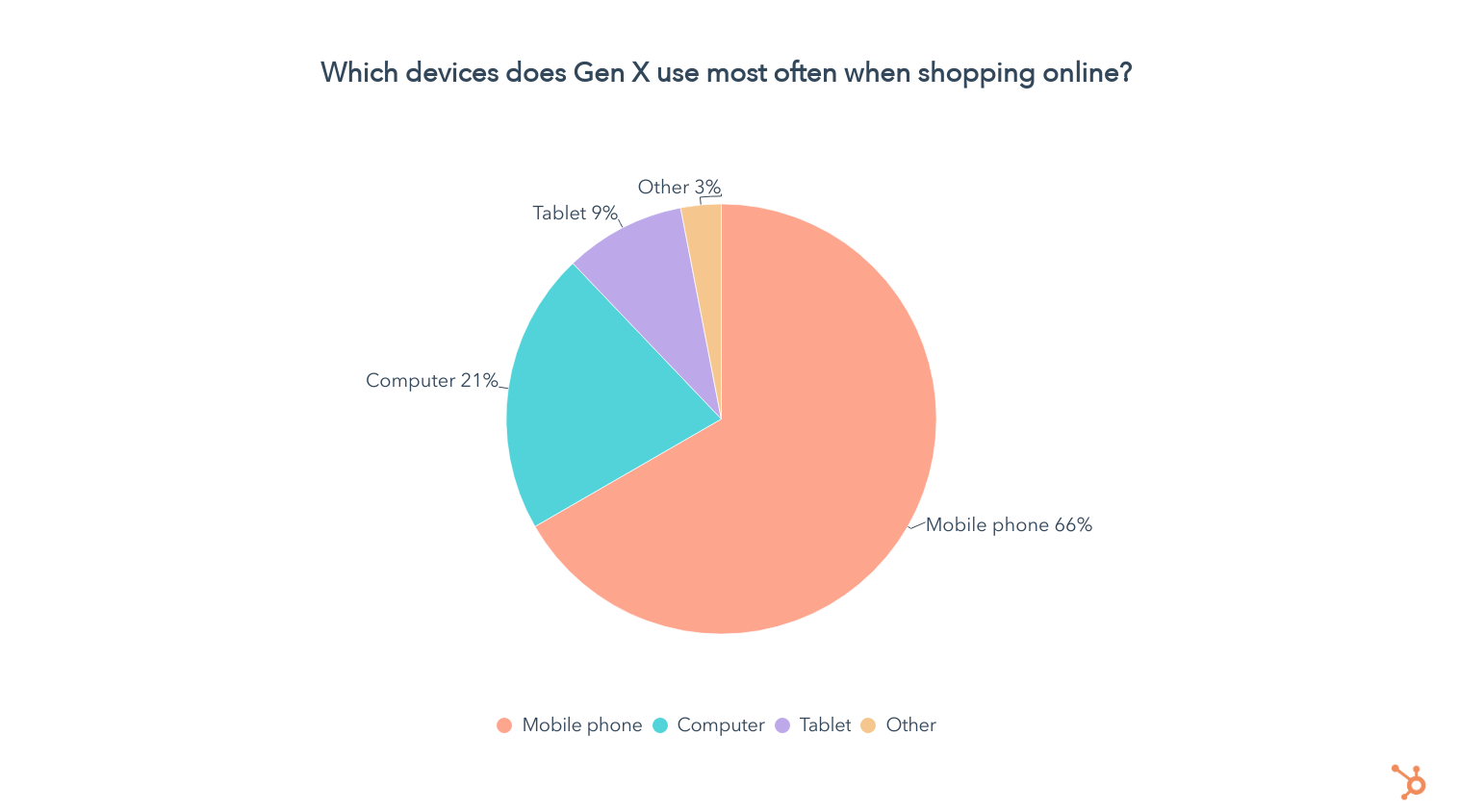
Two thirds of Gen Xers say they use their mobile phones most for online shopping, while 21% are on a computer and 9% use a table most frequently. This is similar to what we saw with Gen Z and Millennials.
But unlike those younger age groups, where social media is the clear favorite channel for product discovery, Gen X likes to find items through a much wider range of channels, so let’s take a look at the others that have a meaningful impact on those age 35-54.
Television Ads Are Highly Relevant For Gen X
41% of Gen X have discovered new products through TV ads in the past three months, and 55% of them say that TV ads are where they discover products most often, slightly behind social media and searching the web.

Additionally, 30% of Gen X say they prefer to discover new products through TV ads, tying with retail stores for the second most popular channel.
Retail Has the Widest Reach For Gen X, But Digital Channels Are Seen Much More Frequently
Retail is the top channel Gen X has discovered new products in the past three months. But while 43% of Gen X found a new product in a brick and mortar store in that period, when it comes to the channels Gen X discovers new products on most often, retail is behind digital mediums like social media, internet search, TV ads, YouTube ads, and streaming ads.

Does that mean that retail is being forgotten by Gen X? Not exactly, because 30% of Gen X still prefer to discover new products in retail stores, tied at #2 with TV ads.
But it does signal that Gen X is shopping online more often than they visit retail stores, even if they prefer the latter. While this could be about convenience, a symptom of the pandemic, or a reflection of our increasingly digital world, it is important to reach Gen X virtually while keeping in mind their affinity for a real-life shopping experience.
Gen X Discovers Products On Social Most Often, Though It Isn’t Preferred
While Gen Z and Millennials discover products most often on social – and prefer it that way – Gen X is a bit more conflicted.
Social media is the number one channel Gen X discovers new products on the most, according to 58% of those 35-54. But at the same time, just 1 in 4 Gen Xers say they prefer to discover new products on social media, coming in at #5 on the list of their favored channels.
This can be explained by the fact that 90% of Gen X use social media. While 14% spend under an hour on it every day, the rest average 3 hours and 25 minutes of daily use. So Gen X is using a lot of social media and seeing ads on it more than anywhere else, but it isn’t the way they prefer to discover products.

Regardless, 42% of Gen X have discovered a product on social media in the past three months. On top of that, 18% of Gen X have bought a product directly in a social media app in that same period. So let’s take a look at which social media apps Gen X is using.
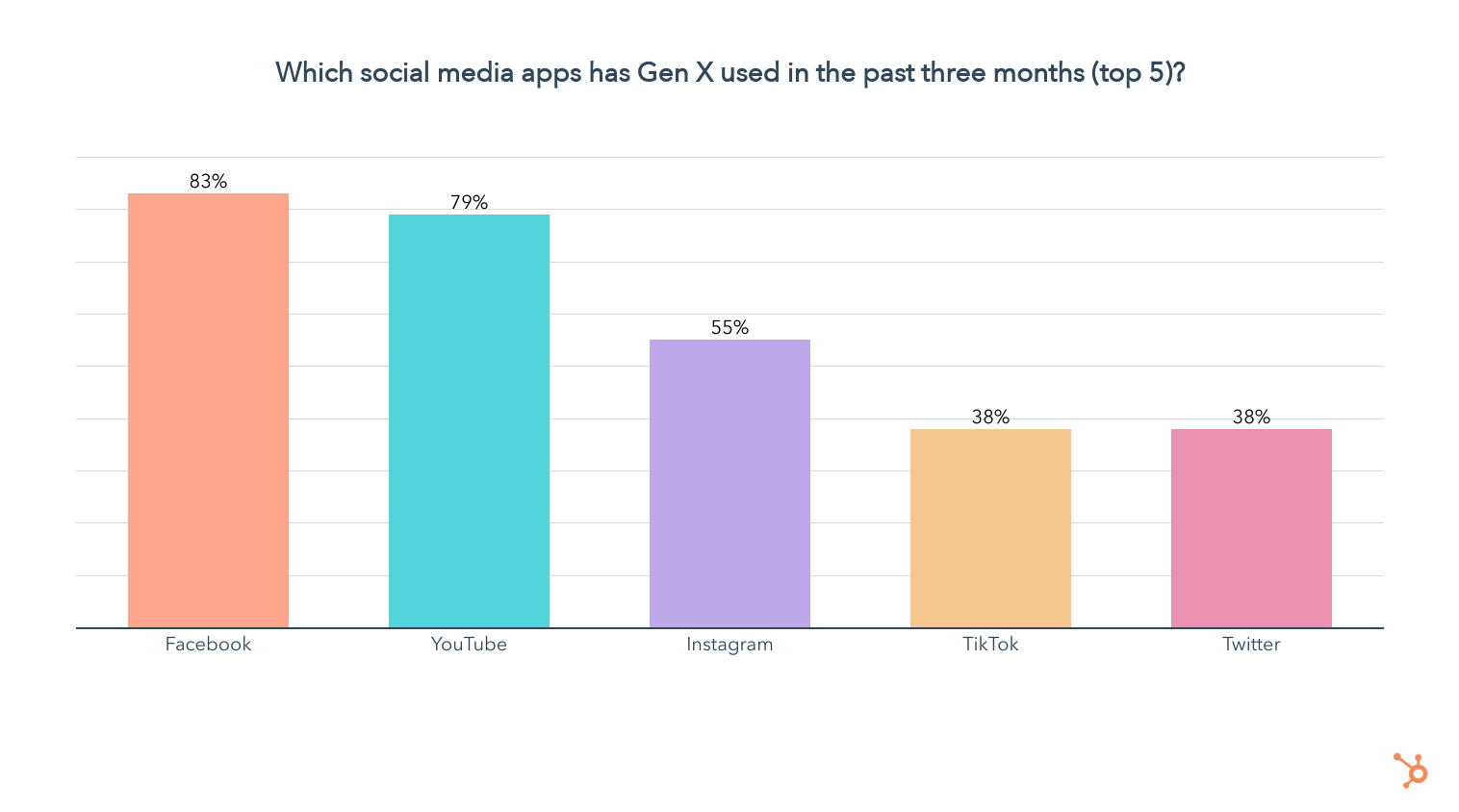
So Gen X is definitely on Facebook and YouTube, while a little over half are on Instagram, and 38% visited TikTok and Twitter in the past three months. Now let’s take a look at which social media platforms Gen X uses most:

Facebook and YouTube stay in the lead, a trend that continues when we look at Gen X’s favorite social media apps.

Now that we know which platforms are most popular among Gen X, here’s a look at how the age group prefers do discover new products on social media, among those who use it.
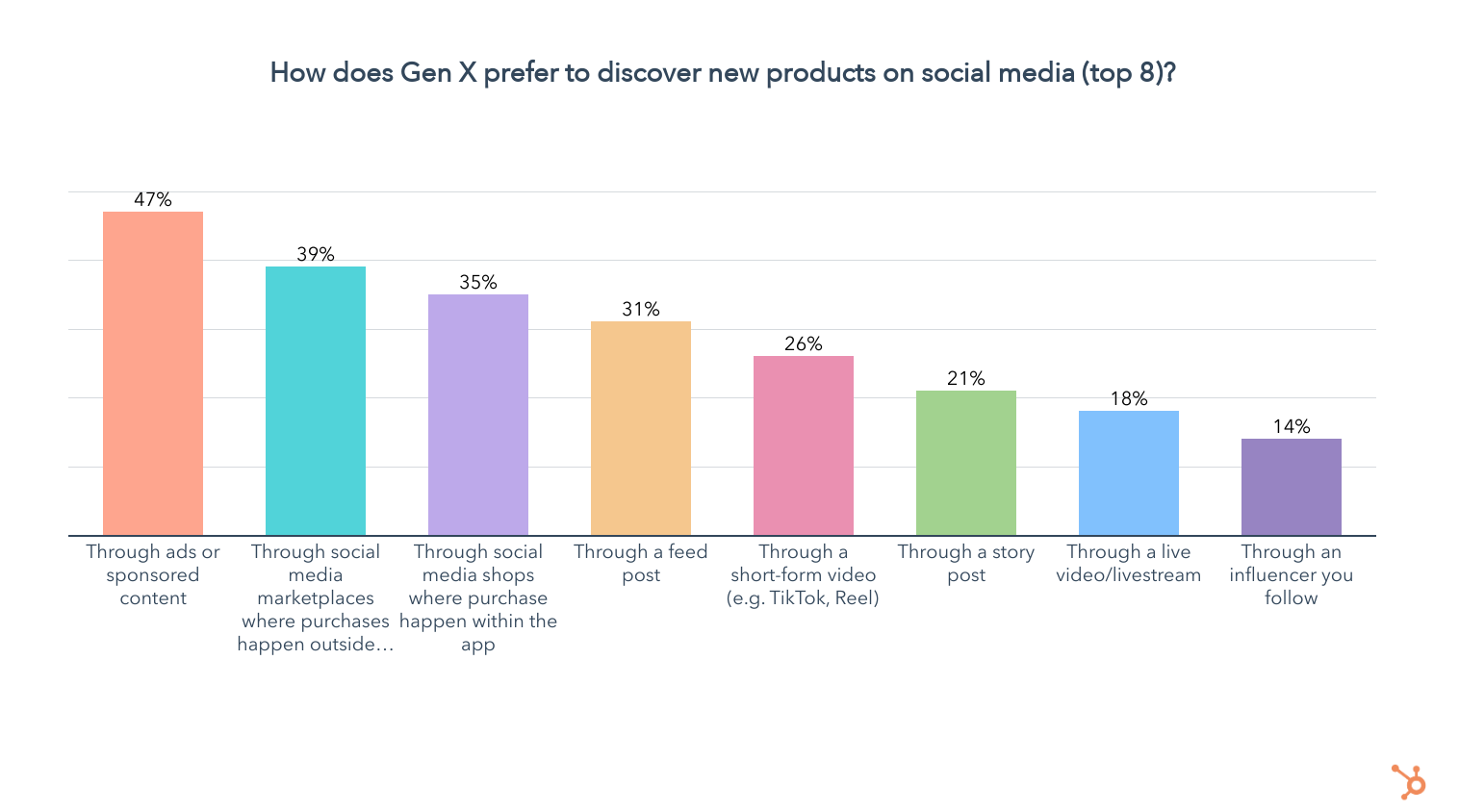
While the current trend for advertising to Gen Z and Millennials is “make content, not ads,” Gen X isn’t bothered by being advertised to more directly, preferring to see ads on social media. But since the trend is to make ads as enjoyable and un-intrusive as possible, you should still try to make your Gen X ad campaigns feel authentic, fun, and relatable, making for a better experience regardless of generation.
Coming in second, 39% of Gen X also favor discovering new products through social media marketplaces where purchases happen outside of the app. This reinforces the previous insight we uncovered about Gen X preferring real-life shopping experiences, even if they’re discovering products on social media.
Still, 35% of Gen X prefer to discover new products through in-app shops, the highest of any generation, but keep in mind this is only among social media users.
In the past three months, 18% of Gen X social media users have bought a product directly on a social media app, and the same amount made a purchase based on an influencer’s recommendation.

The impact of influencers is another major point of difference between Gen X and younger generations – just 14% of Gen X prefer discovering new products through influencers, compared to 25% and 28% for Gen Z and Millennials, respectively. But all three of these generations still look to influencers more than Boomers.
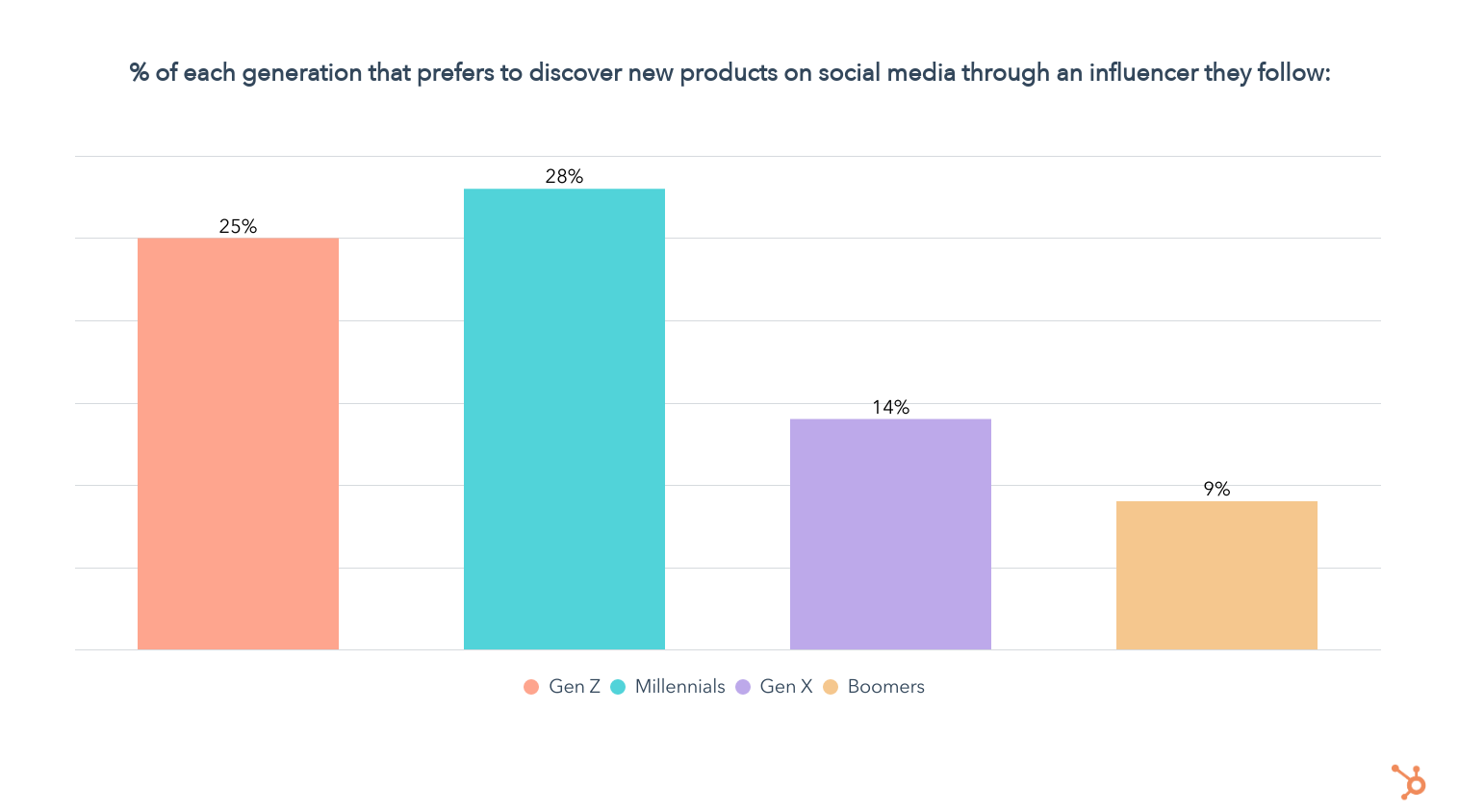
1 in 3 Gen Xers Say Companies Should Take a Stance On Social Issues
35% of those in Gen X say companies should take a stance on social issues, while 38% say they shouldn’t, and 26% aren’t sure.

We also asked those who want to see companies take a stance which social issues are most important for businesses to champion, here’s what they said:
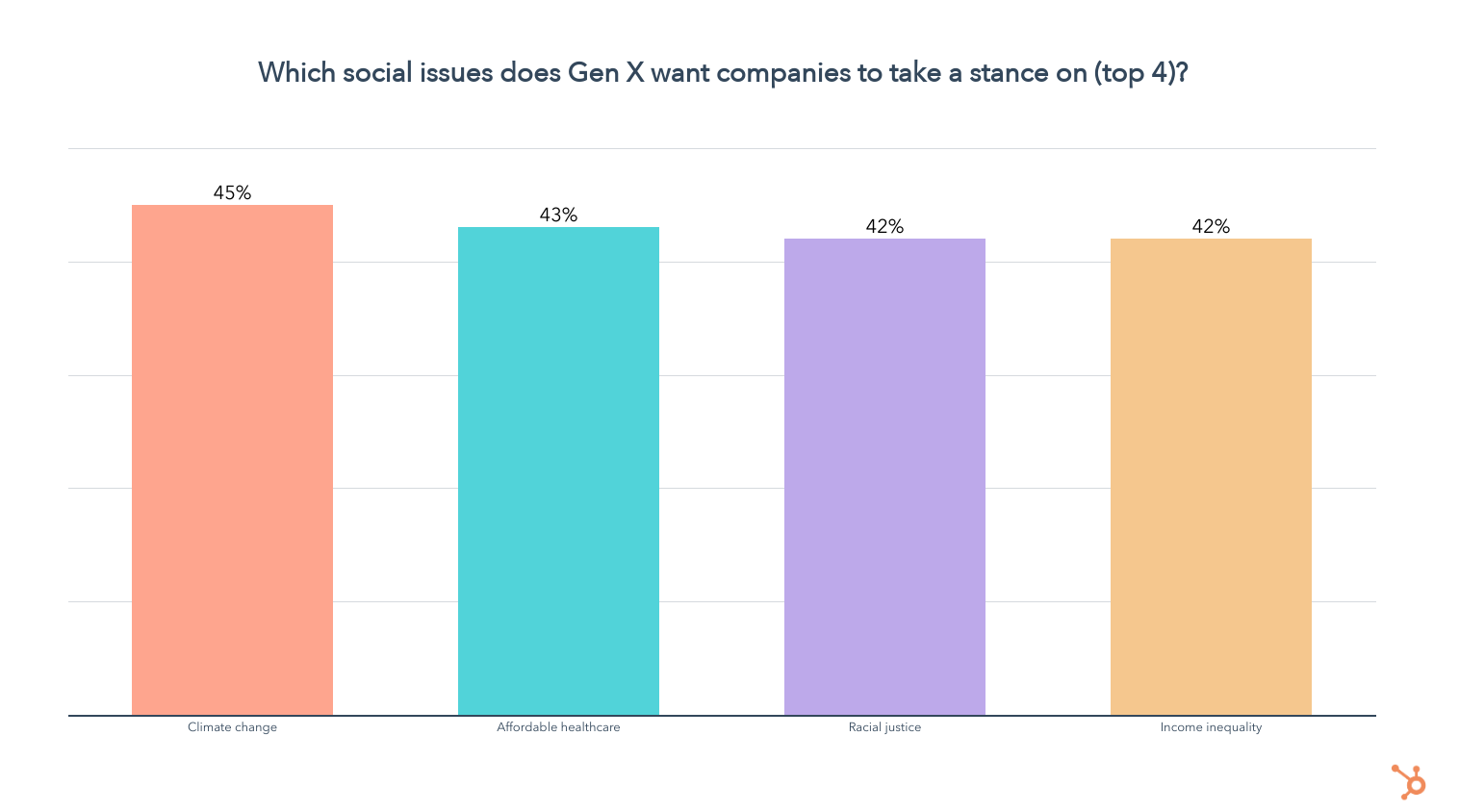
Unlike Gen Z and Millennials, for whom racial justice topped the list by a large margin, Gen X is spread more evenly among their top issues. While Gen X wants to see companies take a stance on climate change more than any other issue, affordable healthcare, racial justice, and income inequality are all equally important to them.
Now let’s take a look at whether these ideals actually impact Gen X’s purchase decisions. Among all Gen Xers in our survey:
- 42% of Gen X have chosen a product based on it being made by a small business in the past three months
- 36% of Gen X have chosen a product based on it the brand’s commitment to diversity/inclusion in the past three months
- 28% of Gen X have chosen a product based on the brand being woman-owned in the past three months
- 28% of Gen X have chosen a product based on the brand being owned by a person of color in the past three months
- 21% of Gen X have chosen a product based on the brand being owned by a member of the LGBTQ+ community in the past three months
While these numbers are lower than what we’re seeing with Gen Z and Millennials, social factors are present factors in Gen X’s purchase decisions. We also asked all Gen Xers in our survey how the following attributes impact their purchase decisions if at all, using a 5-point scale from much less likely to much more likely.
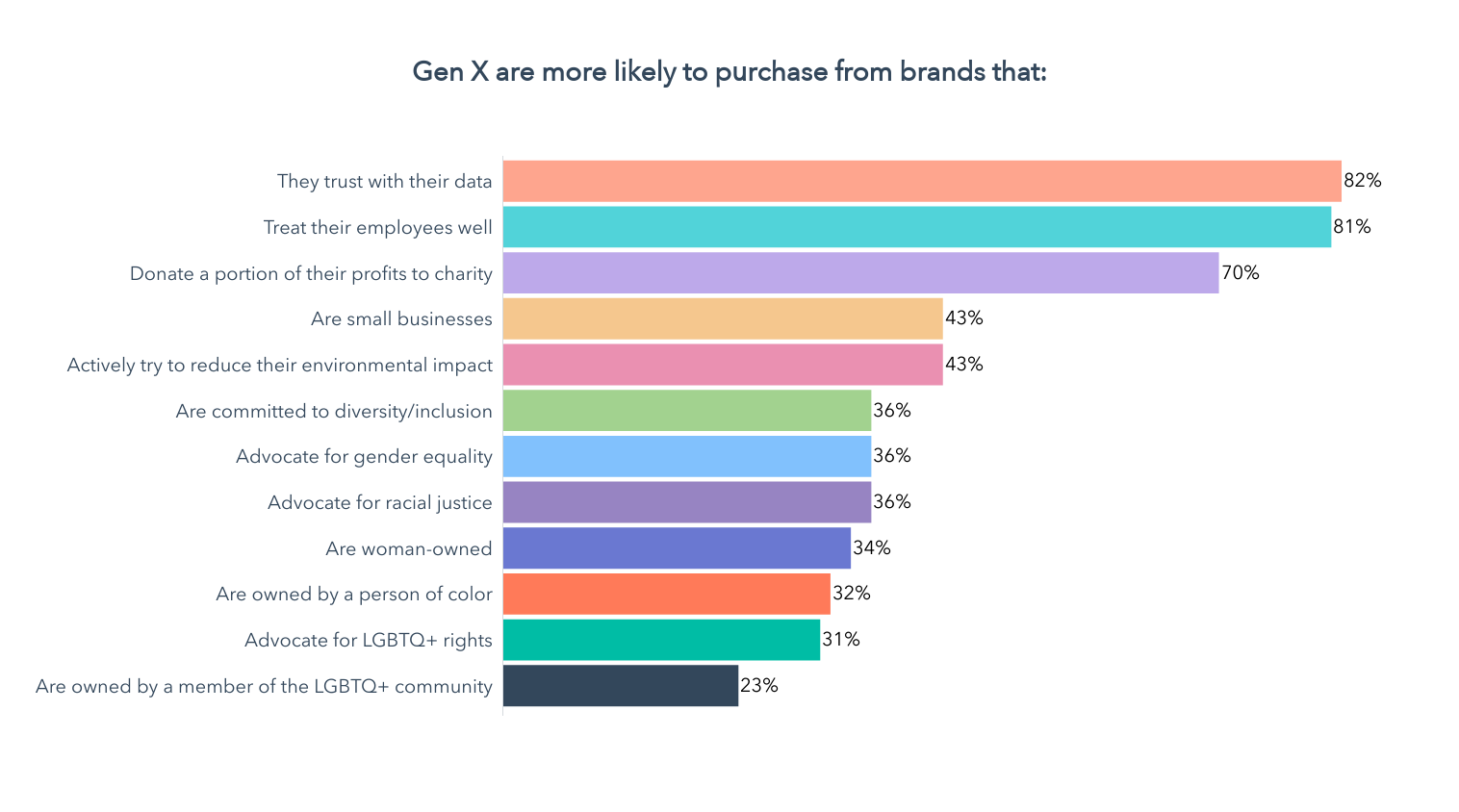
- Corporate Trust: 82% of Gen X are more likely to buy from a company that they can trust with their data, while 81% are more likely to purchase from brands that treat their employees well.
- Economic and/or Environmental Impact: 43% of Gen X are more likely to buy a product made by a small business, and the same amount are more likely to buy from a business that actively tries to reduce its environmental impact
- Moderate DI&B Standards: 36% of Gen X are more likely to purchase from a brand committed to diversity/inclusion, and 36% say a brand advocating for racial justice makes them more likely to become a customer. Additionally, 32% of Gen X say they’re more likely to buy products from brands owned by a person of color.
- Gender and LGBTQ+ Advocacy: 36% of Gen X say brands that advocate for gender equality are more likely to get their purchases, while 31% of them are more likely to buy from brands that advocate for LGTBTQ+ rights.
We know that social issues are part of Gen X’s purchase decisions, but which other factors do they consider, and which are most important? Let’s take a look.
What Drives Gen X’s Purchase Decisions?
Unsurprisingly, price and quality are the top factors when it comes to Gen X purchase decisions.
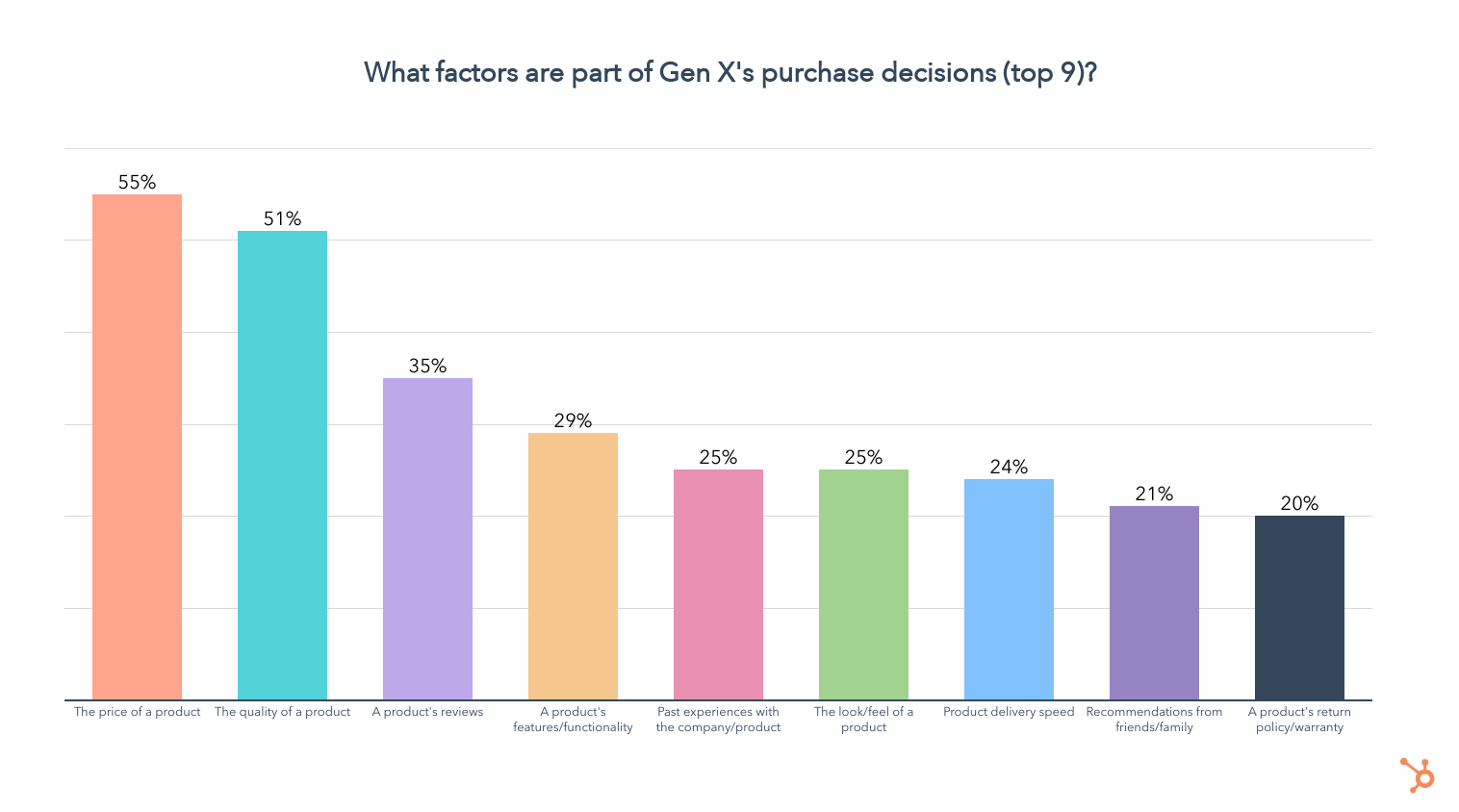
But let’s take a look at which factors Gen X find most important when forced to choose just three of those they consider in their purchase decisions.
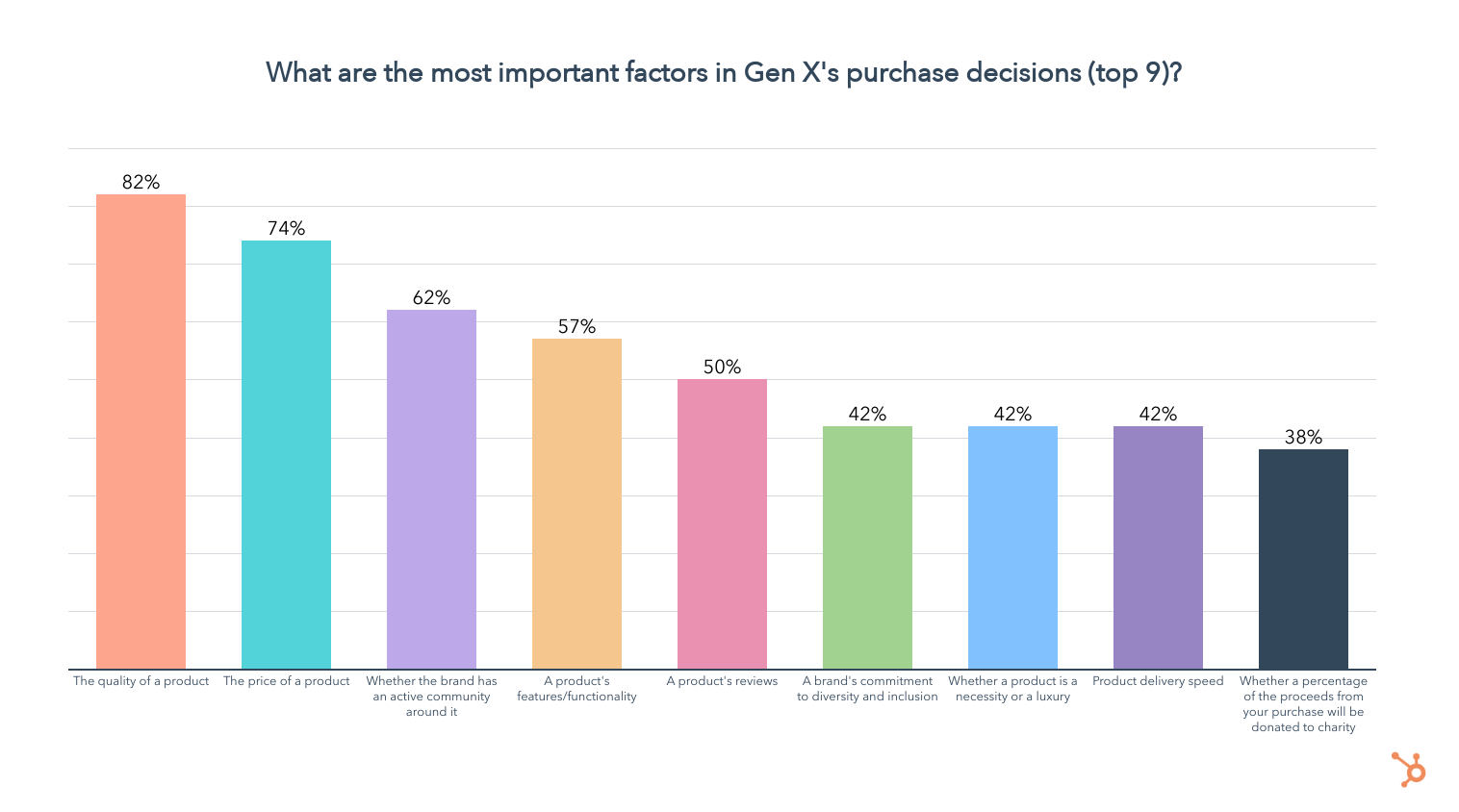
Whether a brand has an active community around it, a brand’s commitment to diversity and inclusion, and whether a brand donates a portion of its profits to charity all rise to the top. While these are nowhere near the top factors in Gen X’s purchase decisions, for those who consider them, they are highly important.
How Does Gen X Prefer to Purchase Products?
73% of Gen Xers prefer to purchase products in-store. 53% favor online retailers like Amazon, while about 1 in 4 like to go directly through a company’s website, and just 13% prefer to purchase products through social media apps.
How Does Gen X Like to Pay?
63% of Gen Xers prefer to purchase a product for full price as needed, while 27% favor payment installments, and just 10% like to use a subscription plan.
But at the same time, 37% of Gen X has purchased a subscription plan for a physical product in the past three months.
Now that you know all about Gen X purchase habits in 2022, let’s end with a deep dive into the shopping habits of Baby Boomers.
Baby Boomer Shopping Habits in 2022 (ages 55+)
Cable TV Drives Boomer Product Discovery
Boomers’ shopping habits stand out the most of any generation. While Gen X shares some similarities with Gen Z and Millennials in terms of frequently shopping on social media, Boomers are discovering products in their own way – through cable TV ads.
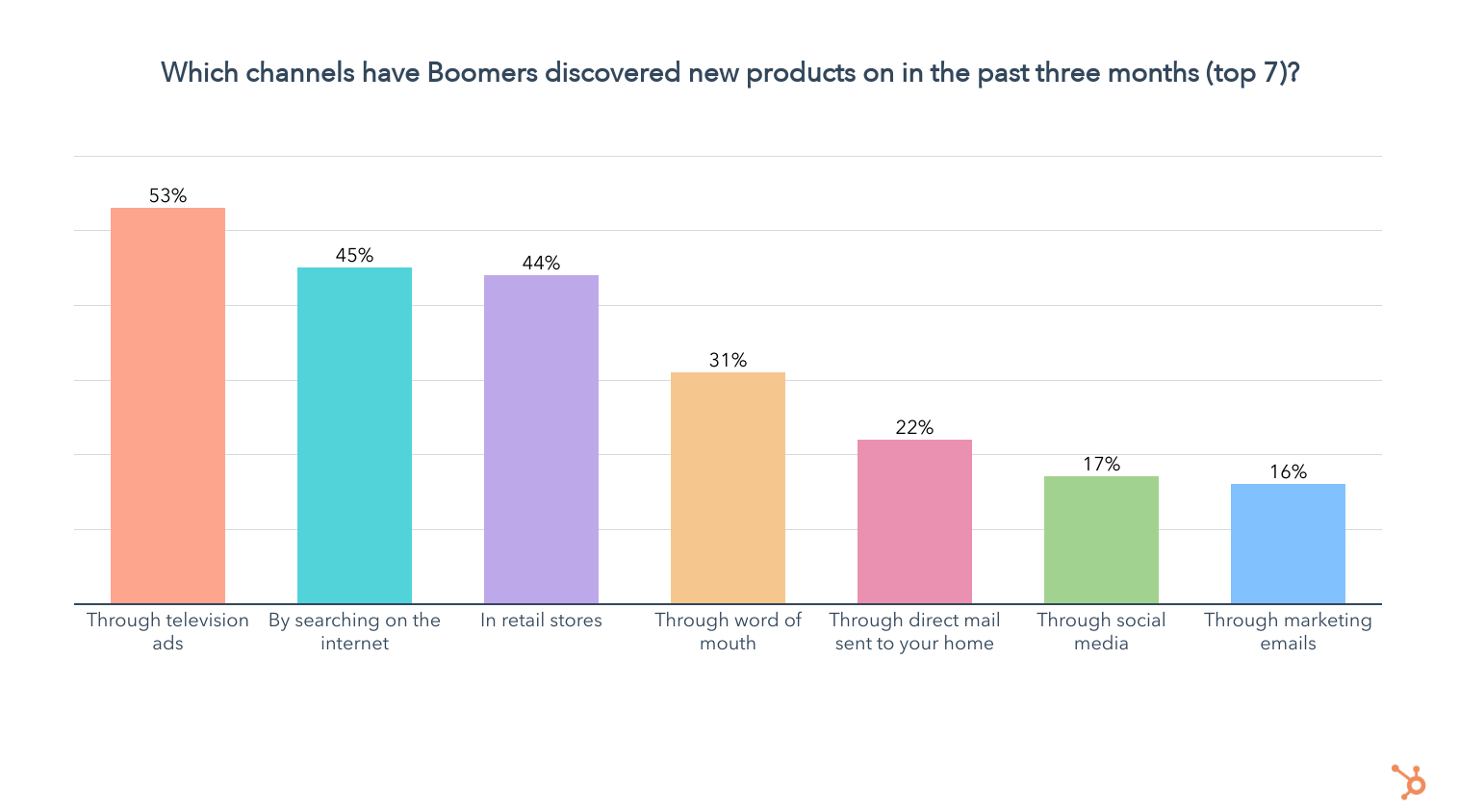
Over half of Boomers have discovered new products through television advertisements in the past three months, and 62% of them say their TV set is where they discover products most often. On top of that, 45% of Boomers say they prefer to discover new products through TV, the highest of any channel and far above any other generation.
Leveraging Online Search Is Second-Best For Reaching Boomers
Boomers fall back in line with younger generations when it comes to searching the internet, with 45% of them having discovered a new product through online search in the past three months.

59% of those who discover new products through online search say it’s the channel they find things on most often, coming in 2nd after TV ads. It is also the 2nd most preferred channel for product discovery among Boomers, with 40% of them saying they like to find items through online search more than anywhere else.
So which devices are Boomers using most often when shopping online?
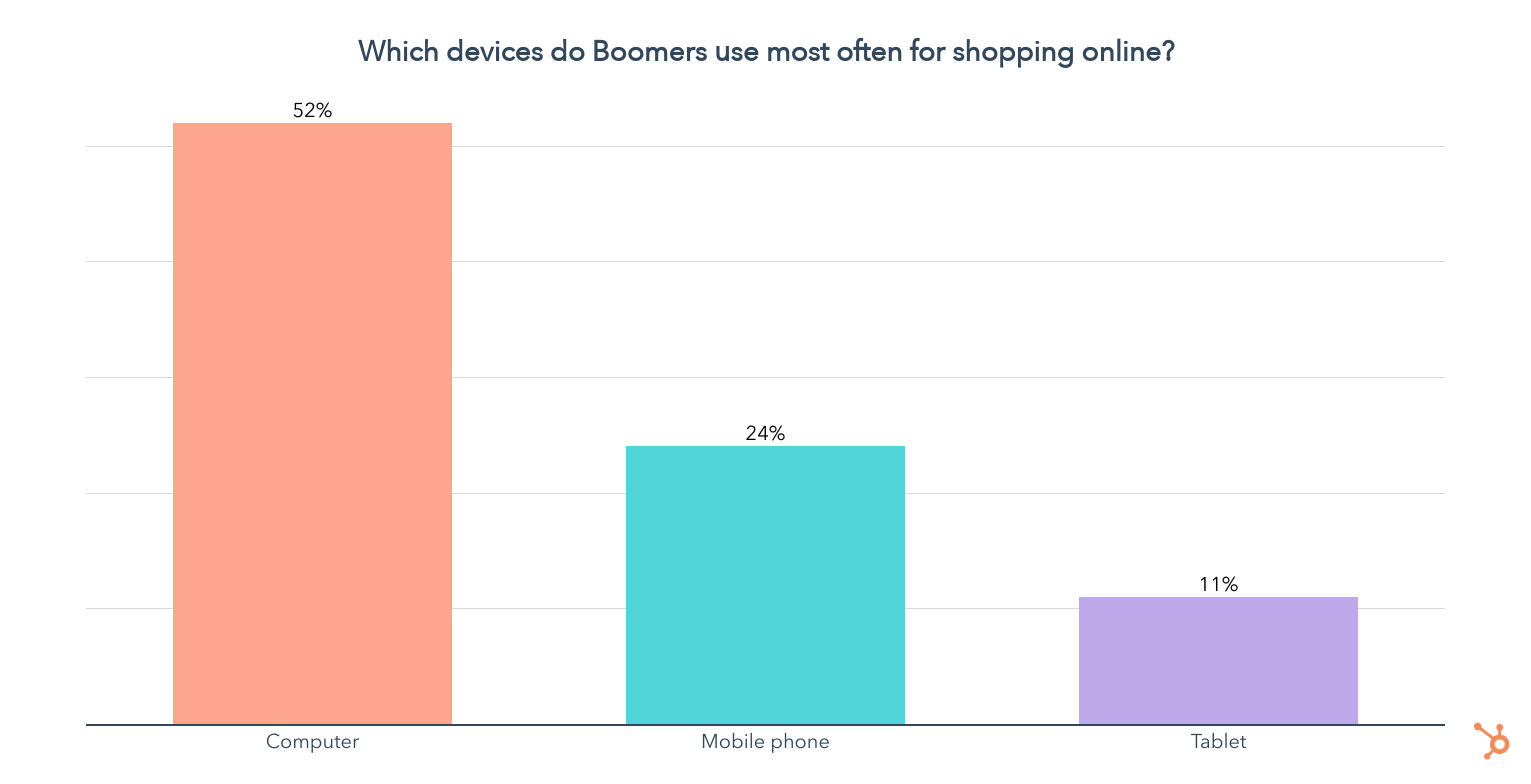
Unlike all other generations, over half of Boomers use their computers most often for online shopping, while 1 in 4 use their phones more frequently.
Boomers Prefer Retail Shopping More Than Any Other Generation
44% of Boomers have discovered new products in retail stores in the past three months, and 38% of them say that’s where they find new items most often. Additionally, 37% of Boomers prefer discovering new products in online stores over any other channel.
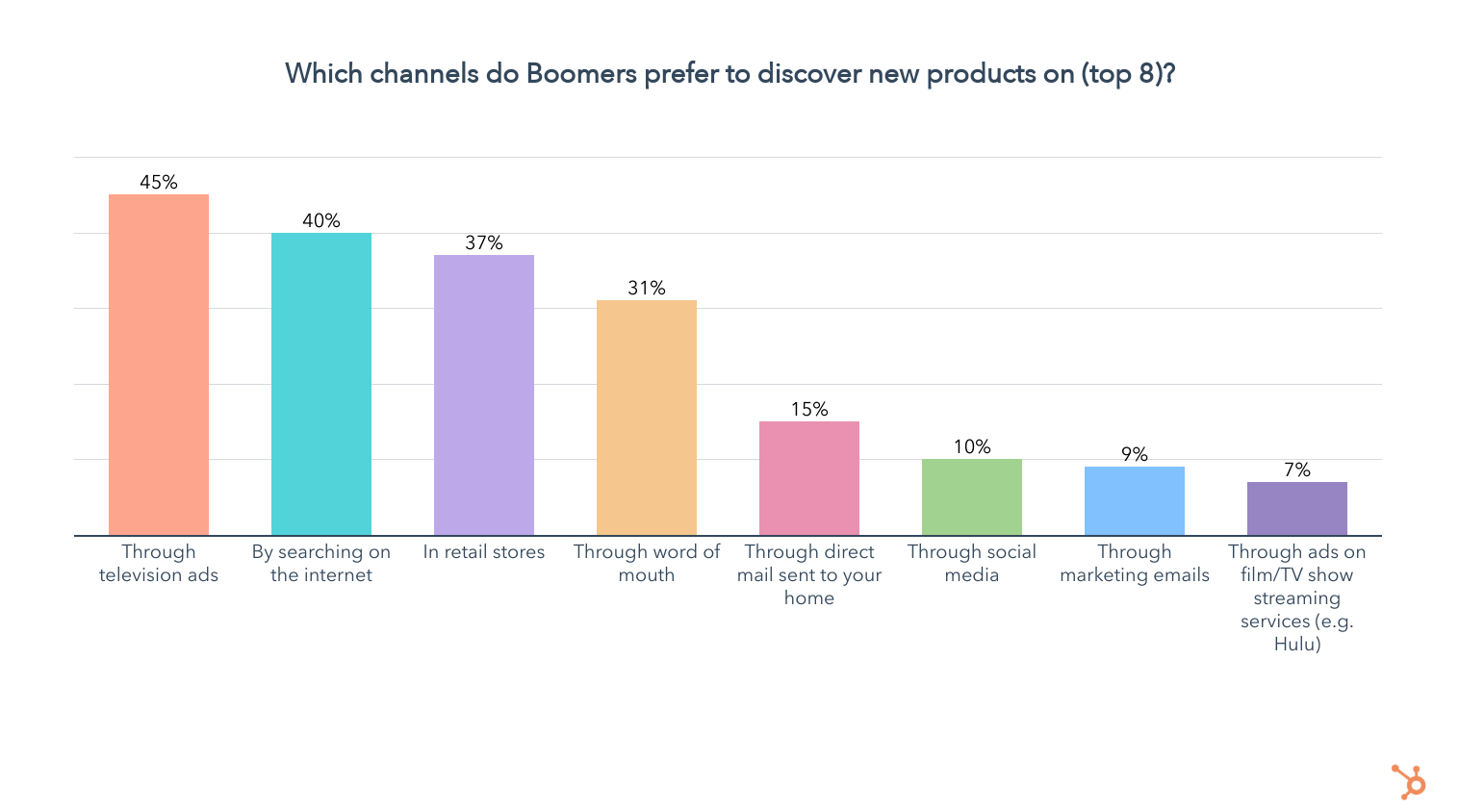
Social Media Falls Flat For Boomer Product Discovery
When we ask Boomers about their preferred way to discover new products, just 10% say through social media, and it ranks behind all the channels we just mentioned, as well as word of mouth and direct mail (snail mail).
On top of that, just 17% of Boomers have discovered a product on social media in the past three months, and only 4% have purchased a product on a social app.
Regardless, two in three Boomers use social media. While about a third of them spend less than an hour on social media a day, the other 65% are spending over an hour on it daily.

But which apps are they using?
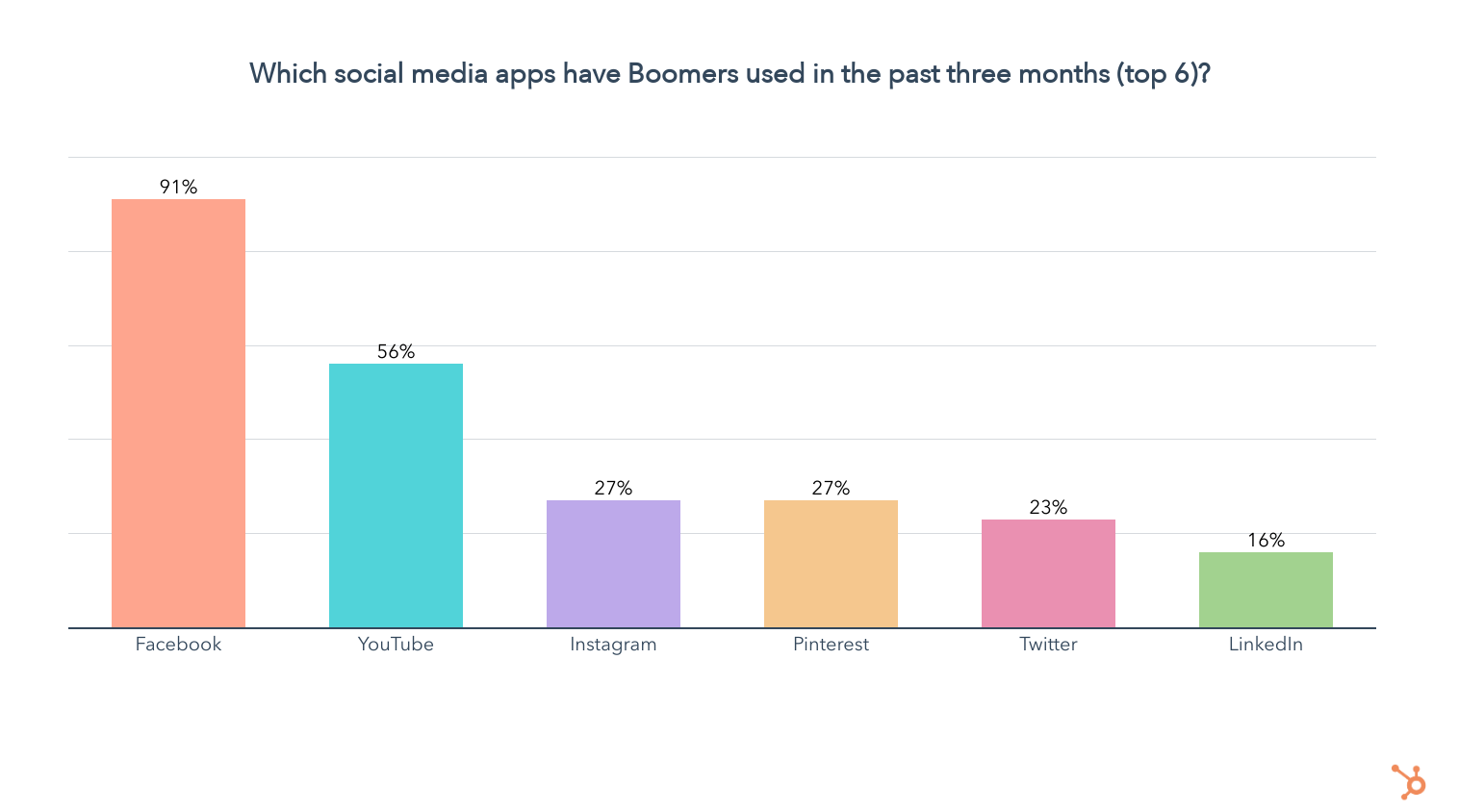
91% of Boomers who use social media are on Facebook, higher than any other generation. Over half use YouTube, and about one quarter are on Instagram, Pinterest, and Twitter. 63% of Boomers who use Facebook also say it’s the app they use the most, with YouTube coming in second at 21%.
We see the same picture when looking at the social media apps Boomers consider their favorite, with 58% of them choosing Facebook, followed by YouTube at 20%.
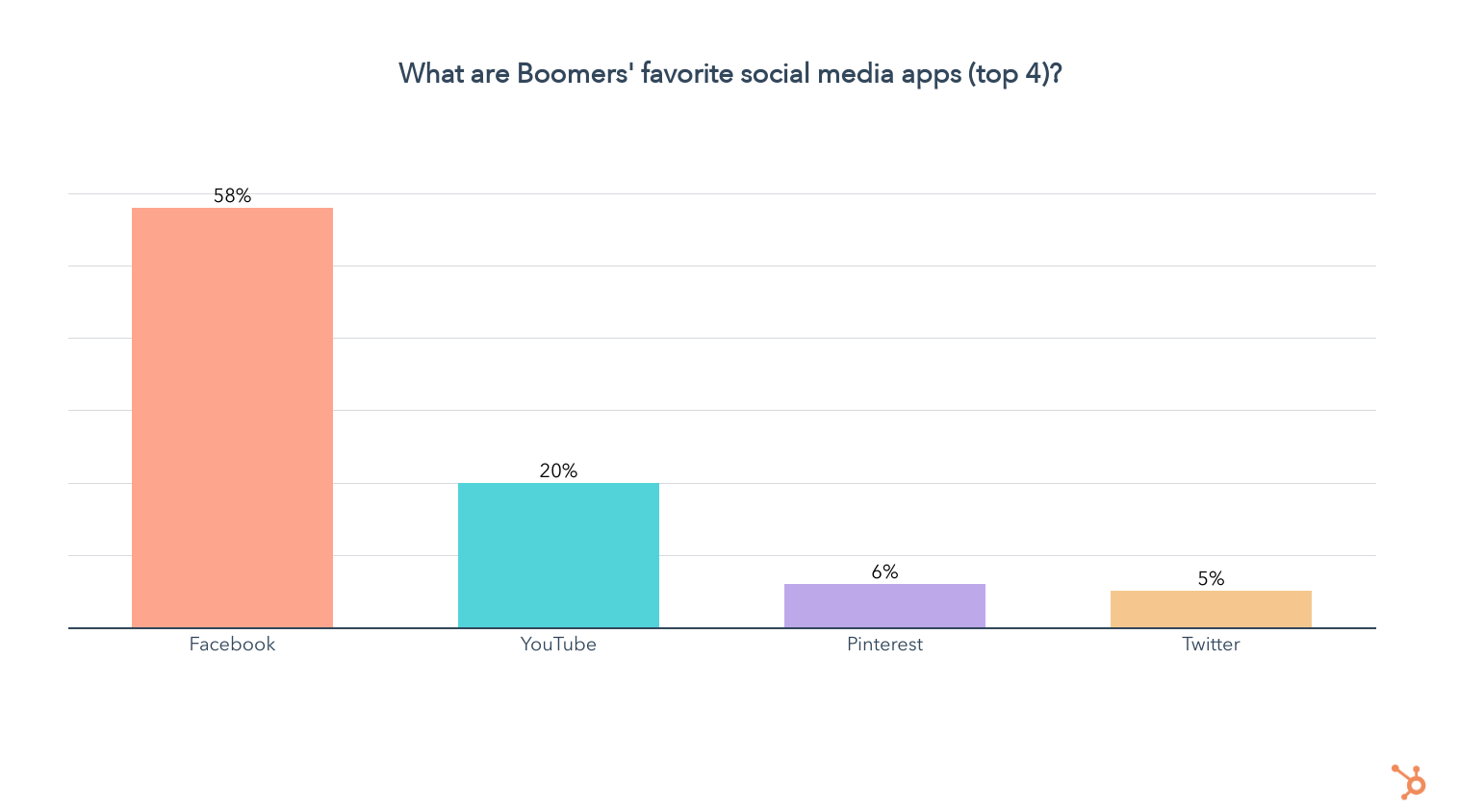
So you know where to find Boomers on social media, but what kind of content do they want to see when discovering new products?
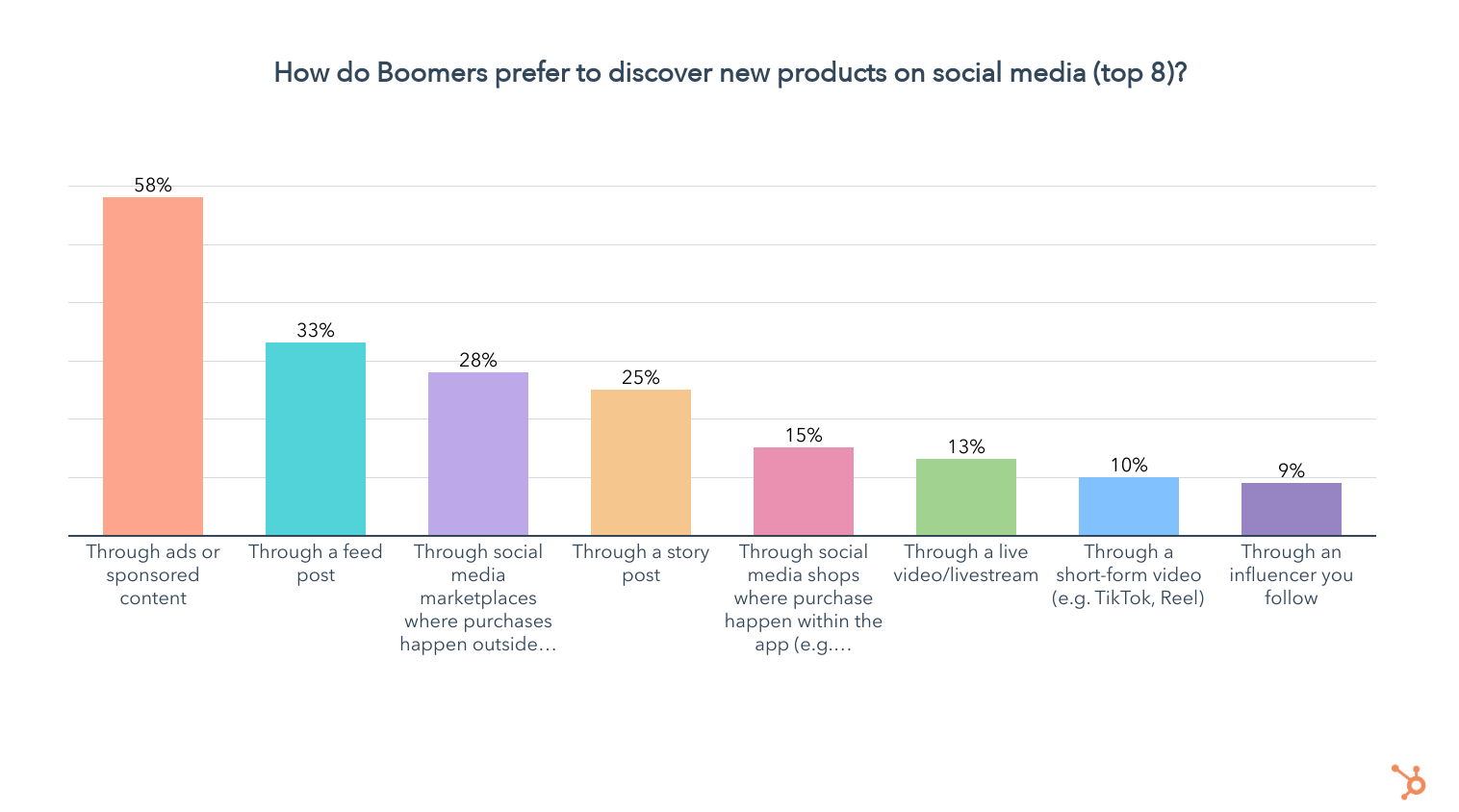
Similar to Gen X, Boomers are perfectly content with being advertised to more directly, though the current trend of “making content, not ads” popular with Gen Z and Millennials is sure to improve their experience.
Boomers also favor buying through social media marketplaces where purchases happen outside of the app, showcasing their preference for real-life shopping experiences.
Unsurprisingly, Boomers are the least interested of any generation in discovering new products through in-app shops or through influencers, with 13% saying they prefer to find products this way
Almost Half of Boomers Say Companies Shouldn’t Take a Stance on Social Issues
Boomers are often considered the polar opposite of Gen Z, and in the case of whether companies should take a stance on social issues, the two groups are completely at odds. While 1 in 2 Gen Zers think companies should engage in advocacy, about half of Boomers say they shouldn’t.
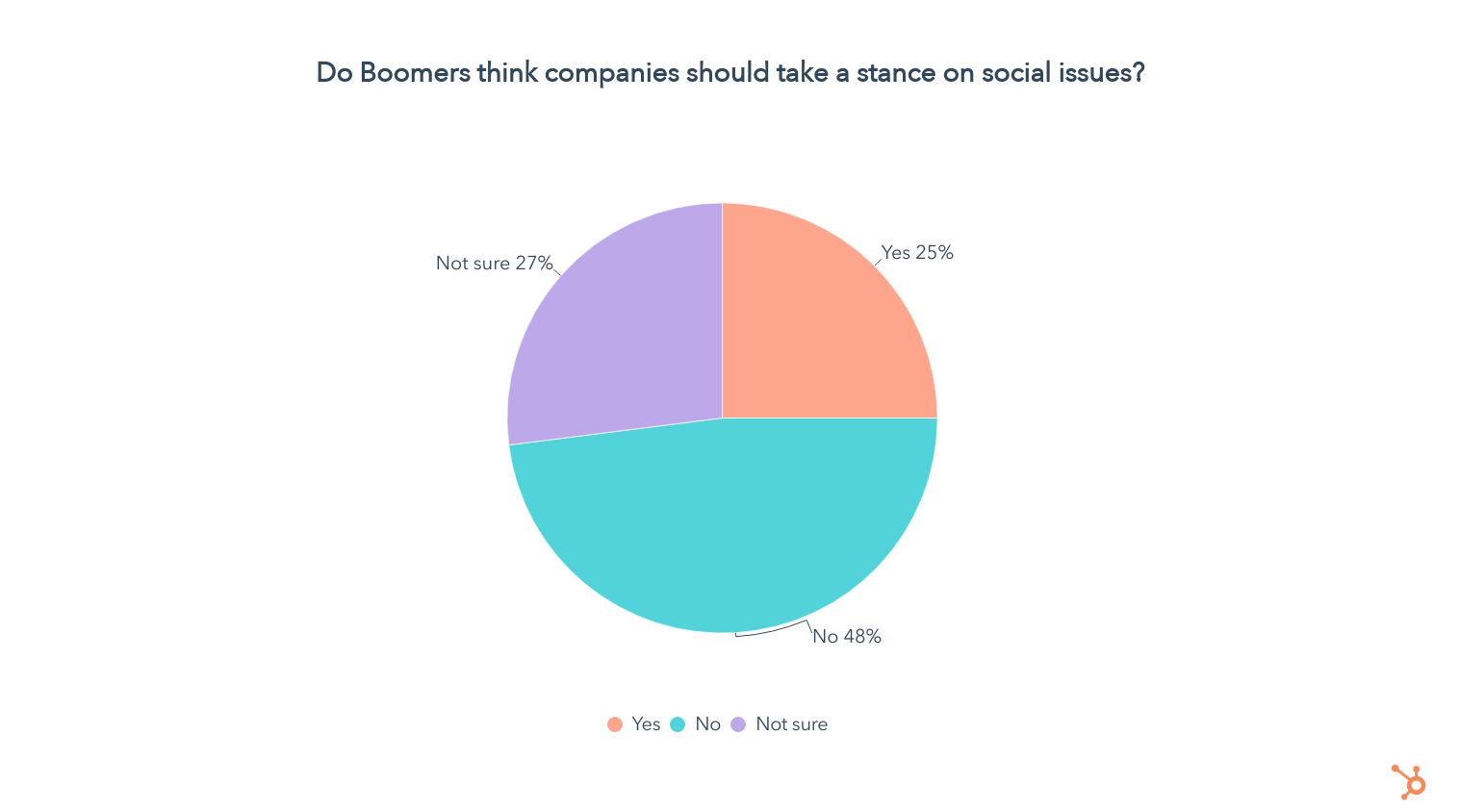
Still, one in four Boomers want to see companies taking a stance on social issues, so let’s take a look at which ones they want to see businesses speak on the most.
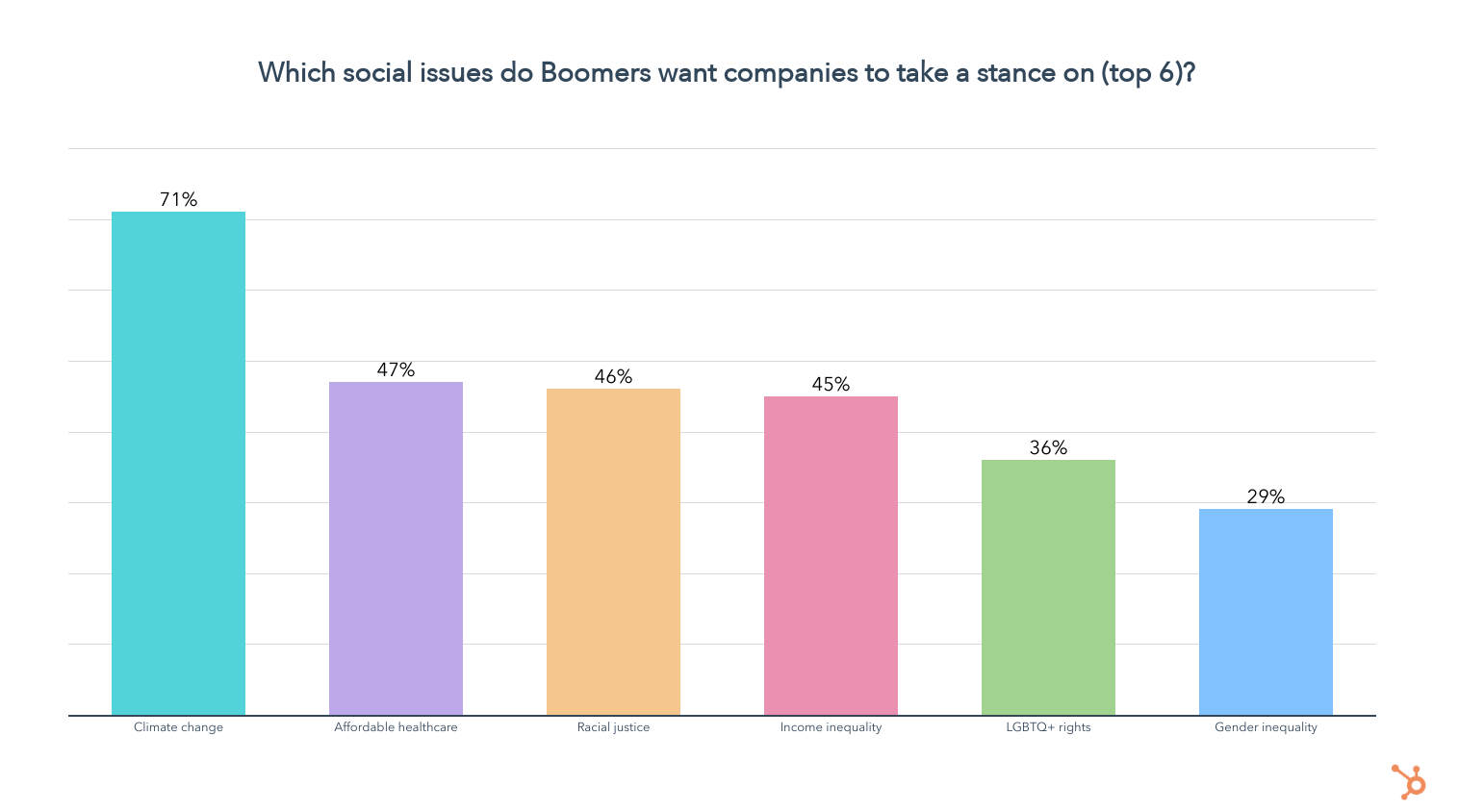
The social issues Boomers want to see companies advocating for most are climate change, affordable healthcare, racial justice, and income inequality. This is right in line with the issues we saw were important to Gen X, though climate change is significantly more important to Boomers than any other generation.
Keep in mind the above is only among Boomers who want to see companies take a stance on social issues, which is just 25% of them. For the rest, social issues are either irrelevant or simply aren’t something they want to hear about when interacting with brands.
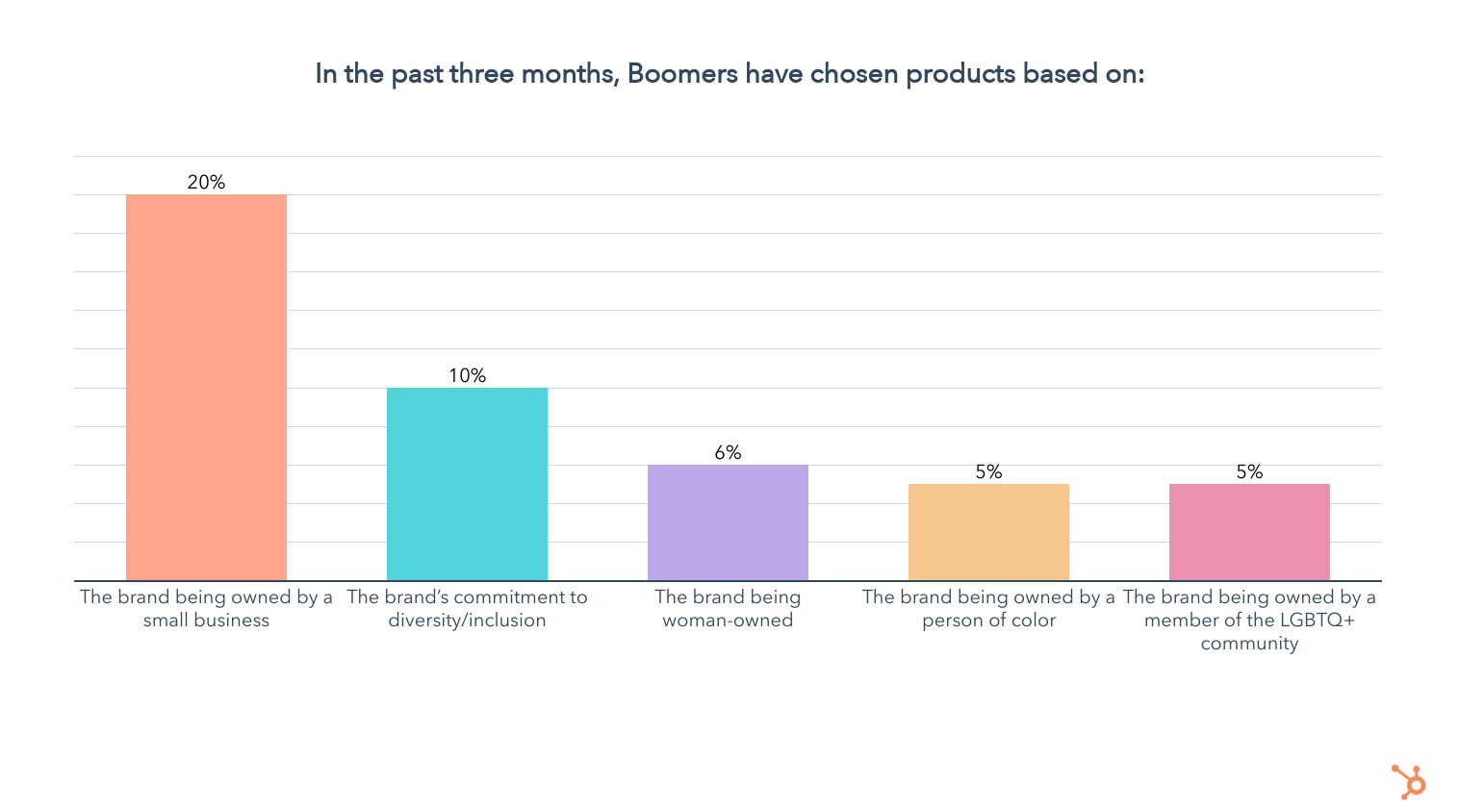
- 20% of Boomers have chosen a product based on it being made by a small business in the past three months
- 10% of Boomers have chosen a product based on the brand’s commitment to diversity/inclusion in the past three months
- 6% of Boomers have chosen a product based on the brand being woman-owned in the past three months
- 5% of Boomers have chosen a product based on the brand being owned by a person of color in the past three months
- 5% of Boomers have chosen a product based on the brand being owned by a member of the LGBTQ+ community in the past three months
While one in five Boomers have chosen a product based on the brand being a small business in the past three months, identity-based issues are clearly not resonating with Boomers.
But is that due to Boomers being averse to companies taking a stance on social issues, or is it because they simply don’t consider them in their purchase decisions?
To find out, we asked all Boomers in our survey how the following attributes impact their purchase decisions, if at all, using a 5-point scale from much less likely to much more likely.

When looking at issues related to identity, from the middle to the right side of the graph above, Boomers are overwhelmingly likely to say they have no impact on their purchase decision. A small percentage of Boomers say they are more likely to purchase when it comes to identity-related issues, while an even smaller group say they’re less likely to buy.
So it’s much less about whether they’re for or against a certain social cause – these issues are simply just not part of their purchase decisions, with a few exceptions.
It turns out Boomers are overwhelmingly more likely to buy from companies they trust with their data and those that treat their employees well. Boomers are also more likely to buy from companies that donate a portion of their profits, try to reduce their environmental impact, and are small businesses, though many also say these actions have no impact on their purchase decisions.
Since Boomers generally aren’t impacted by ESG initiatives, let’s dive into the factors they do consider in their purchase decisions and find out which are most important.
What Drives Boomers’ Purchase Decisions?
Price and quality are the most considered factors in Boomers’ purchase decisions, far above any other generation.
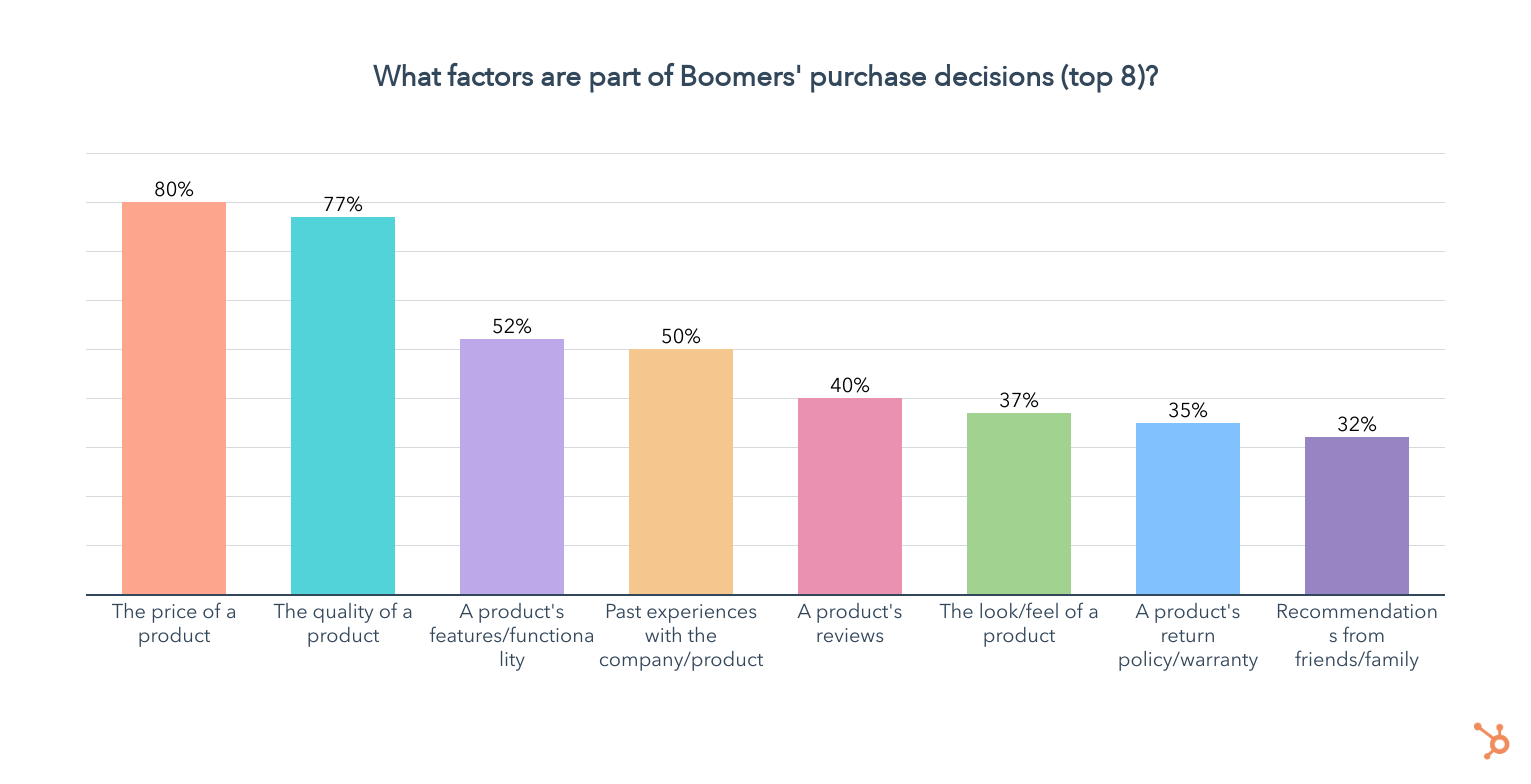
But which are the most important? Let’s take a look at what Boomers prioritize when forced to choose just three of the factors they consider when making purchases:
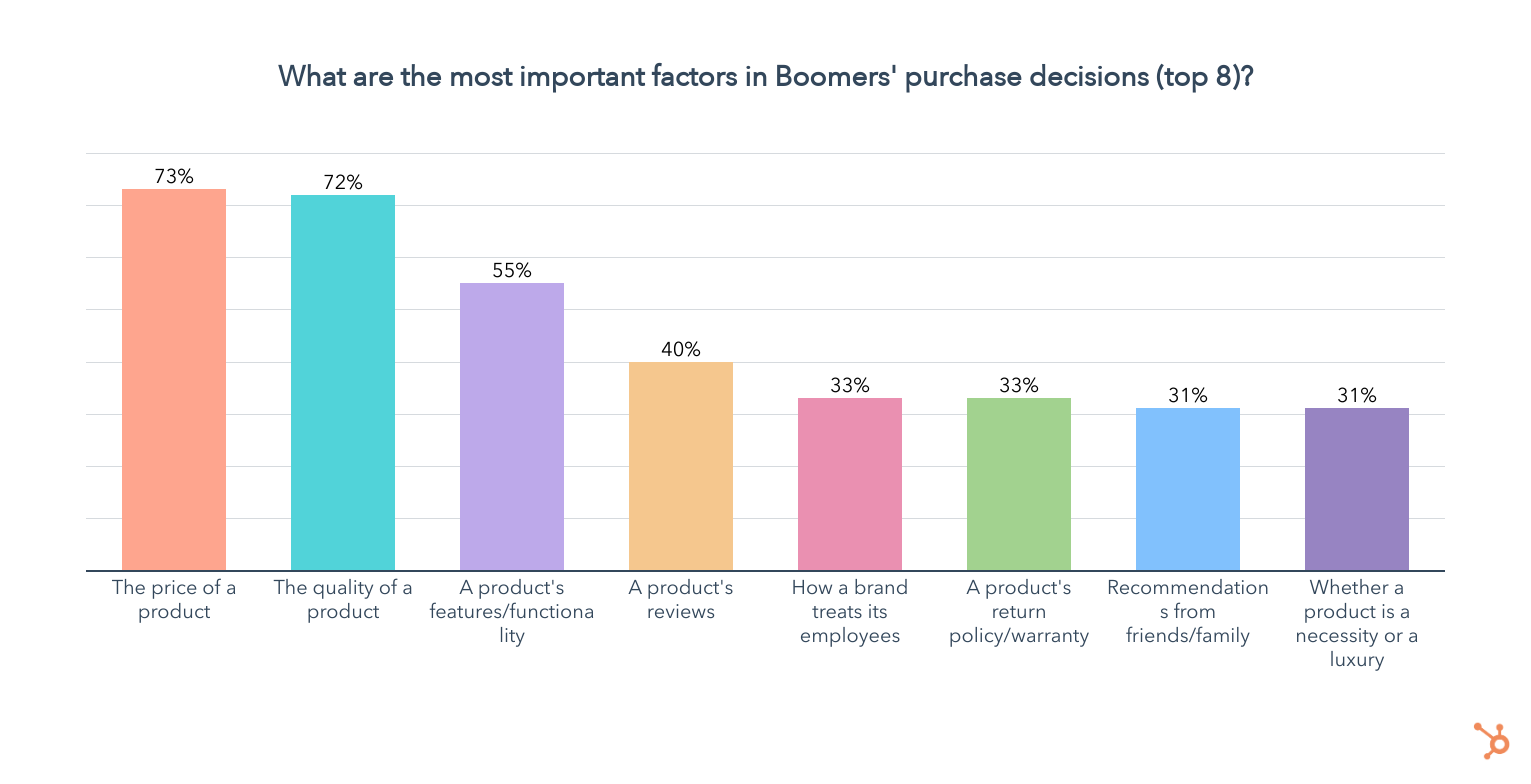
Here we see a similar picture as before, with the addition of the way a brand treats its employees and whether a product is a necessity or a luxury. While the latter is part of 29% of Boomers’ purchase decisions, just 6% of them take how a brand treats its employees into consideration, though it is highly important for those who do.
How Do Boomers Prefer to Purchase Products?
81% of boomers prefer to purchase products in-store. 53% favor online retailers like Amazon, and another 36% like to shop directly from a company’s website. Boomers also prefer using a company’s mobile app over ordering by phone or through social media.
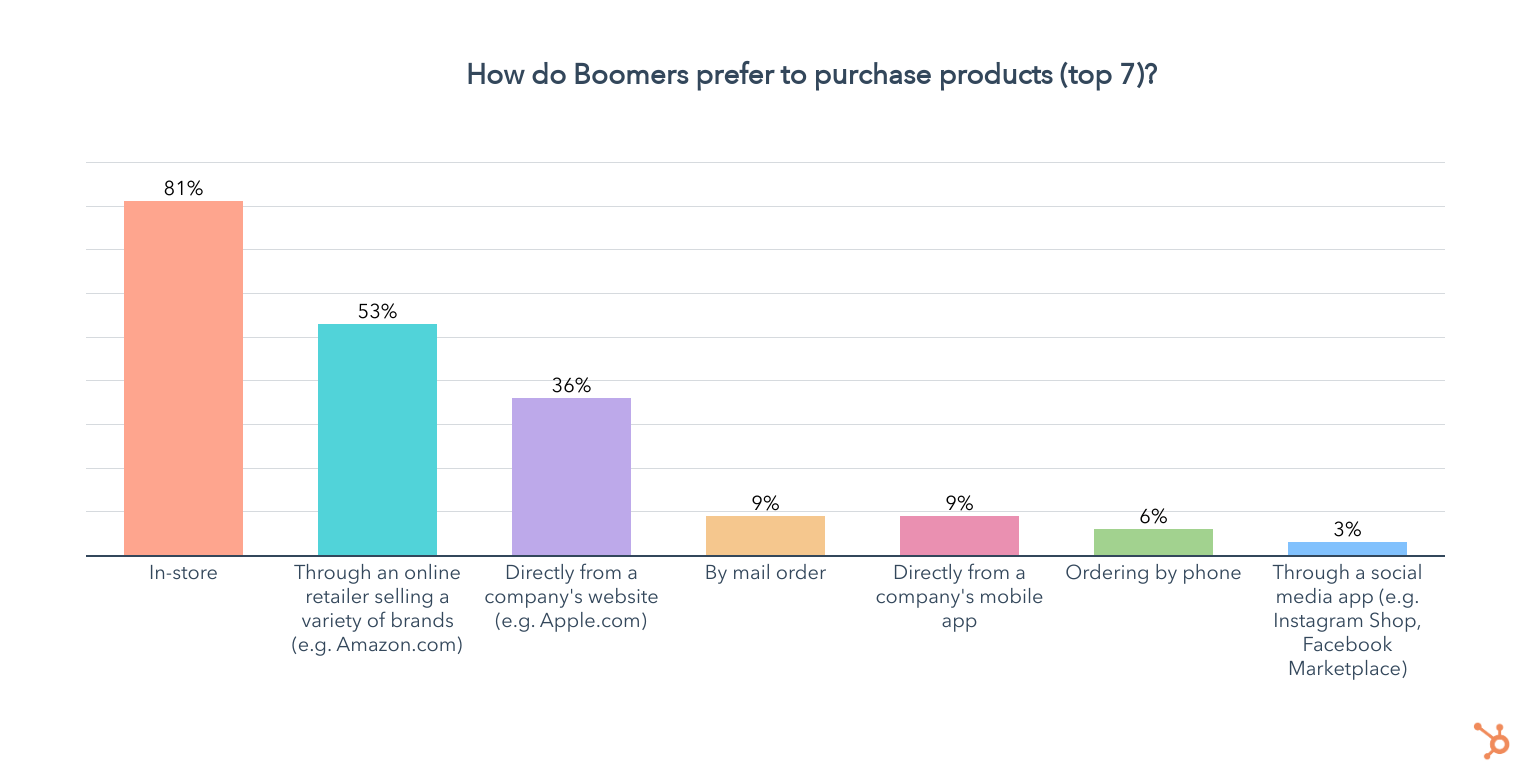
How Do Boomers Like to Pay?
Boomers overwhelmingly prefer buying products at full price whenever they need them, according to 86% of those over age 55. 10% of Boomers prefer paying in installments, and just 4% favor a subscription model.
Still, 13% of Boomers have purchased a subscription plan for a physical product in the past three months:
Meeting Your Targets Where They Are
Now you have all the data you need to find and engage your target audience!
While this guide has what you need to know right now, consumer shopping habits change rapidly – that’s why we’ll be running this same survey every few months and reporting back on any trends you need to be aware of.
For an overall look at how general audiences are shopping, you can also check out this post on overall shopping trends from the same survey we note above.
And for even more data on the key consumer trends that could impact your marketing strategy in the next six months, check out our upcoming State of Consumer Trends Report and downloadable PDF.
In the meantime, check out our most recent research report below.

