Welcome to My Blog
2022 CPL and CAC Benchmarks [HubSpot Research]
As a marketer, you know you have to spend money to make money. This is particularly true when you’re trying to generate leads and acquire new customers. However, if there are ways to cut the cost of lead generation and customer acquisition without undercutting either metric.
To help refine your marketing strategy to lower the costs of acquiring leads and customers, here are some helpful CPL and CAC benchmarks from a recent HubSpot survey of hundreds of marketers.
![Download Now: Free State of Marketing Report [Updated for 2022]](https://no-cache.hubspot.com/cta/default/53/b0f73a5e-16e4-41fd-9511-8564efc560a7.png)
Most Effective Strategies for Lowering CAC
Customer acquisition cost (CAC) is how much a company has to spend to get a new customer. In our survey we found that CAC varies a lot between companies and industries — that said, almost half (48.9%) of the marketers we surveyed said CAC has increased in the past year. Another 48.9% reported their CAC has stayed about the same, and only 2.2% said CAC has decreased.
When we asked marketers what they found to be the most effective strategies in lowering CAC, the majority (67.6%) reported improving customer retention among the most effective. Other strategies reported to be effective are:
- Implementing a customer referral/affiliate program (62.5%)
- Optimizing sales funnel (57.6%)
- Conducting market research to better understand the target audience (55.8%)
- Using a CRM (Customer Relationship Management Software) to streamline their sales cycle (53.8%)
Marketing Channels with the Highest and Lowest CAC
Being mindful of the channels you’re using and how much those channels cost is another way to lower the cost of acquiring customers.
Marketing Channels with the Lowest CAC
In our survey, 59.8% of marketers listed social media as one of the channels with the lowest customer acquisition costs. 55.8% said the same about email marketing, 41.4% listed experiential marketing, and 40.8% said websites and blogs.
Marketing Channels with the Highest CAC
When asked what are the marketing channels with the highest CAC, 47.4% of marketers mentioned paid social, which is the practice of showing sponsored advertising content on third-party social media platforms. 46.2% said physical events and trade shows are the most expensive, 42.1% said physical ads, and 42.9% said print advertising.
Most Effective Strategies for Lowering CPL
Cost-per-lead (CPL) is how much money it takes to generate a new lead. Unlike with CAC, the majority of marketers we surveyed (56.2%) reported CPL has stayed about the same in the past year — only 37.7% said CPL has increased.
However, almost 70% of marketers still said their company is working to reduce CPL.
60% of marketers told us optimizing their website to convert leads into customers is among the most effective strategies for lowering CPL — that generally means taking strides like adapting websites for mobile devices or reducing page load times
Other effective strategies listed by marketers are:
- Analyzing advertisement campaign performance data (55.9%)
- A/B testing (52%)
- Leveraging organic search traffic by investing in SEO (52.8%)
- Conducting market research to better understand target audience (51%)
Marketing Channels with the Highest and Lowest Quality of Leads
Not every lead is a good lead — they don’t all have the need or desire to buy a product or service from your company. To ensure you’re reaching your target audience, here is a breakdown of channels marketers said attract the highest and lowest quality of leads.
Marketing channels resulting in highest quality of leads
In our survey, 44.7% of marketers mentioned social media as being a channel attracting the highest quality of leads. This could have to do with social media apps relying on targeted algorithms that point users in the direction of the content they like to consume.
41.1% of marketers also Search Engine Optimization (SEO) as a source for high quality leads, along with content marketing (37.1%), influencer marketing (37.1%), and virtual events, webinars, and conferences (38.1%)
Marketing Channels Resulting in the Lowest Quality of Leads
Our survey found 38.3% of marketers reported direct mail resulted in the lowest quality of leads. 37.8% also reported the same for email marketing, and 35% answered with experiential marketing.
Marketing Channels with Lowest and Highest CPL
Similar to CAC, another way to lower the cost of generating leads is to look to channels with the lowest costs.
Marketing Channels with the Lowest CPL
45.6% of marketers reported in our survey that email marketing boasts particularly low CPL. About 40% said the same about websites and blogs and 42.6% said the same about social media. Percentages overlap because respondents were allowed to choose up to three answers.
Marketing channels with highest cost per lead
Half the marketers we surveyed mentioned influencer marketing as having the highest cost per lead — a trend that stems from the fact that influencers with large followings tend to have high rates.
44% of marketers reported print advertising to have the highest cost, and 42.5% of marketers said physical ads. Virtual events, webinars, and conferences were said to have the highest costs by 40.5% of marketers.
Now that you know which strategies and channels are the most effective for lowering CAC and CPL, you can confidently refine your marketing strategy to attract new customers and leads while also saving money.


9 VR Marketing Examples to Inspire You in 2022
I won’t lecture you on the importance of incorporating virtual reality (VR) into your marketing strategy.
What I will do, however, is share a few fun facts about VR and show you nine examples of this technology used for marketing a product or a brand.
- Consumer and enterprise VR market revenue is expected to reach $6.71 billion by the end of 2022, and $12.9 billion by 2024.
- Augmented reality, virtual reality, and mixed reality market size worldwide is expected to jump by more than 220 billion dollars between 2021 and 2028.
- By the end of 2022, it is estimated that virtual reality hardware and software sales will generate more than $6.4 billion dollars in revenue.
- By the end of 2020, the number of VR headsets sold is predicted to reach 82 million — a 1,507% increase from 2017 predicted totals.
VR is growing in its adoption, and it’s worth considering adding it to your marketing channels in the coming year.
What Is VR?
VR, short for virtual reality, is software that immerses users in a three-dimensional, virtual interactive environment — usually by headset with special lenses — to simulate a real-life experience. Many VR experiences take place in 360 degrees.
While movies, for example, allow audiences to experience the film as if they are a character in the scene, businesses use VR to demonstrate and promote their products to potential customers. In fact, many industries have found a use of VR to transport people to places they might otherwise have to travel to or simply imagine.
Before we dive into some examples of businesses that have used VR for marketing, it’s worth noting that virtual reality has a few key differences from another term you might’ve heard before in the same sphere: augmented reality. The video below runs through the key differences.
Seeking inspiration for your own VR marketing campaign? Look no further. Below are nine of our favorite VR marketing campaigns and how they served the company’s marketing strategy.
1. Gucci Town
High-end fashion house Gucci recently launched Gucci Town, a virtual world within the Roblox metaverse. Players can explore the town, learn about the house’s history, and connect with other people in the game.
The interactive elements of Gucci Town are the mini-games, the browsable art exhibitions, and the Gucci store where people can purchase clothes for their Roblox avatars. When users wear the clothing they’ve purchased, they can spark conversations with others that are curious about the unique items and, as a result, are inspired to visit and discover what the town has to offer.
2. Sephora Try-on Kiosk
Beauty retailer Sephora has kiosks where visitors can virtually test makeup products on their face to ensure they’re satisfied with how it looks before making a purchase. These kiosks are a high-value marketing tool, providing a unique hybrid experience to help customers get the most out of their in-store visit.
While Sephora does allow physical testing of its products, not everyone might want to do so, so the kiosks are an additional option. It’s also beneficial for customer satisfaction, as people can see exactly what the products look like ahead of time to ensure they spend money on one that works best for them and their needs.
3. Wendy’s and VMLY&R: Keeping Fortnite Fresh
Wendy’s created an engaging VR marketing experience within Fortnite’s virtual world, leveraging native gameplay related to its business: beef. Fortnite players would transport beef to freezers at nearby restaurants and earn coins when they were successful.
To make it a more brand-relevant experience, Wendy’s tasked its marketing agency, VMLY&R, to create an avatar that resembled its mascot, Wendy. The firm then streamed on Twitch, where viewers could watch the new Wendy’s avatar break into restaurants and destroy freezers:
During the stream, mentions of Wendy’s on social media went up by 119%, and it was viewed for a total of 1.52 million minutes by a quarter of a million viewers. Viewers also began smashing freezers within their games, tweeting about the stream, and commenting in the feed’s comment thread.
Like a commercial or native ad, the campaign’s goal was to remind audiences that Wendy’s makes an effort to serve the freshest beef to its customers, which is why it was so relevant that users received coins the faster they were able to transport beef to the freezers.
4. A Tribal Past: Bear River, a Nation: What Can Eeling Teach Us?
In partnership with Oculus, Jessica Cantrell created a 360° film project where tribal members shared their stories and reconnected young people with their community’s past.
It was a form of community storytelling that leveraged an emerging VR tool to market the story and to help members of a historically marginalized community learn more about their culture.
5. Lowe’s: Holoroom How-To
Anyone who’s gone through the angst of being a first-time buyer knows the unfathomable power of paperwork and finances to undermine the fun of designing or decorating a new home.
That’s why Lowe’s decided to step in and help out homeowners — or recreational DIY enthusiasts — with a virtual skills-training clinic that uses HTC Vive headsets to guide participants through a visual, educational experience on the how-to of home improvement.
Now, customers can embark on their do-it-yourself renovation dreams without needing to pay for a professional and with the education, they need to succeed on their own.
6. Boursin: The Sensorium
Cheese brand Boursin created a VR experience to take users on a multi-sensory journey through a refrigerator to shed light on its products’ flavor profiles, food pairings, and recipe ideas.
The goal? To raise awareness among U.K. consumers of Boursin’s distinct taste and product selection.
While the VR installment was part of a live experiential marketing campaign, the rest of us can get a taste — pun intended — of the virtual experience via this YouTube video.
7. Adidas: Delicatessen
Adidas partnered with Somewhere Else, an emerging tech marketing agency, to follow the mountain-climbing journey of two extreme athletes sponsored by TERREX (a division of Adidas).
And what good is mountain climbing to an audience if you can’t give them a 360-degree view of the journey?
Viewers could follow the climbers, Ben Rueck and Delaney Miller, literally rock for rock and climb along with them. You heard that right — using a VR headset and holding two sensory remote controls in each hand, viewers could scale the mountain of Delicatessen right alongside Rueck and Miller.
According to Somewhere Else, this VR campaign served to “find an unforgettable way to market TERREX, [Adidas’s] line of outdoor apparel & accessories.” What the company also did, however, was introduce viewers to an activity they might have never tried otherwise and instill an interest in the experience.
Check out the campaign’s trailer below.
8. Toms: Virtual Giving Trip
Toms, a popular shoe company, is well known for donating one pair of shoes to a child in need every time a customer buys a pair. This charitable developer found a new way to inspire its customers to give — wearing a VR headset.
Blake Mycoskie, the founder and Chief Shoe Giver of Toms, narrates Tom’s Virtual Giving Trip with one of his colleagues.
As they describe the story of Toms’ founding, their VR experience takes viewers on a trip through Peru, where Blake and the shoe-giving team visit a school of children who are about to receive the shoes they need for the first time.
What Toms’ VR campaign does so well is something cause-driven organizations worldwide struggle to do: Show donors exactly where their money is going. Even without a VR headset, the video below gives you an intimate experience to put Toms on your list for your next shoe purchase.
9. DP World: Caucedo Facilities Tour
DP World is a global trade company that helps businesses transport goods worldwide. As the company opens new terminals, however, they need a way to show their customers what DP World’s property has to offer.
DP World’s Caucedo facility in the Dominican Republic is just one of several DP World properties using VR to promote its large and often mysterious ships and land masses as they suddenly appear in a community.
Trade logistics is not an exciting industry for everyone, but that’s exactly why a 360-degree tour of DP World’s terminal is so valuable here. Show people just how efficient, safe, and crucial these properties are to certain businesses — without making them put on a hardhat and walk through the port itself — and you can gain massive community support.
Navigating VR in Marketing
As you read this, you might be thinking, “Why should a small-business marketer like myself be learning about high-priced VR campaigns?”
Well, although VR might be too costly for many. marketing budgets, it’s getting more and more abundant in society, As it grows, we’re seeing a handful of brands leverage it for product promotion and virtual storytelling. And, while you might not be able to create a VR-based campaign, you can gather some great takeaways related to marketing innovation, content marketing, or visual storytelling which can give you other ideas of how to better interact with your digital audience.
Want to see how other emerging technologies will impact your marketing? Check out A Practical Approach to Emerging Tech for SMBs: AI, Blockchain, Cryptocurrencies, IoT, and AR/VR.


The Top Channels Consumers Use to Learn About Products [New Data]
Imagine you’re scrolling through Instagram and see an ad for a product you might be interested in.
While your first thought might be that ad targeting is getting too advanced, you still want to find out more about the product and the company that makes it. So where do you look next?
Are you going straight to their Instagram page, visiting their website, searching for online reviews, or watching a YouTube unboxing video?
These are the questions we asked 1,000 consumers in our 2022 State of Consumer Trends Survey to find out how people behave after discovering a product they might want.
Of course, this will vary drastically by generation, so we’ll include some insights split by age group as we go. You can also check out our full report on consumer shopping habits by generation for more age-specific info.
How Do Consumers Want to Learn About Products in 2022?
Consumers are learning about products and their features through a wide variety of channels. Among the most popular are searching the web, going to retail stores, TV ads, word of mouth, and online reviews.
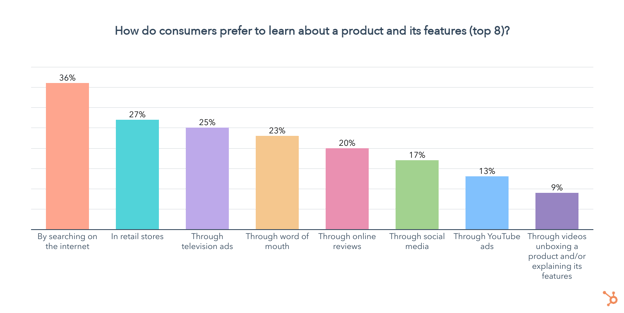
While social media, YouTube ads, unboxing videos, and streaming services are less popular when we look at all generations combined, splitting this up by age group paints a very different picture.
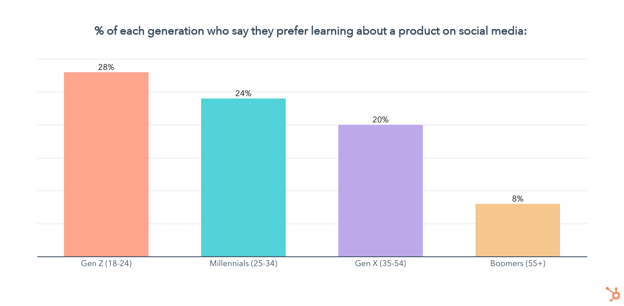
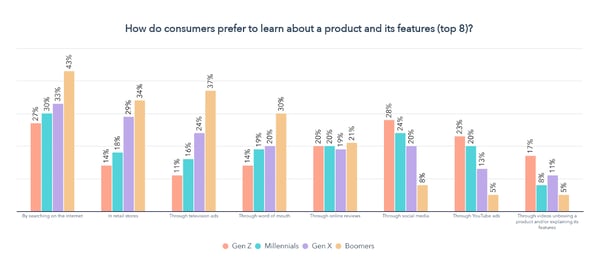 Gen Z, Millennials, and Gen X set themselves apart from Boomers through their preference for learning about products through social media and YouTube ads. Gen Z also favors unboxing videos more than any other generation.
Meanwhile, Gen X and Boomers show a clear preference for learning about products through TV ads and in retail stores. Boomers also favor word of mouth more than any other generation.
But there are also some similarities — learning about products by searching the internet and through online reviews is popular among all generations.
So let’s dive deeper into each of the most popular channels consumers are using to learn about products.
SEO is Key for Product Discovery
36% of consumers prefer to learn about products by searching the internet, highlighting the importance of optimizing your website for SEO.
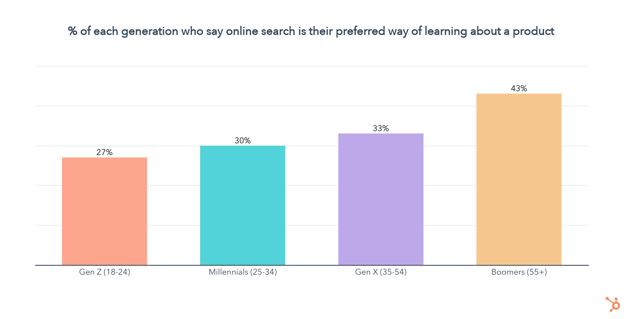
Searching the internet is the number one way to learn about products among all age groups, except for Gen Z, who prefer to use social media by just 1 percentage point. While online search is extremely popular among all age groups, it progressively gets more favor with each older generation.
Since we know consumers are searching the web to better understand products and their features, it’s also key to get a sense of which devices they are using to create the best user experience.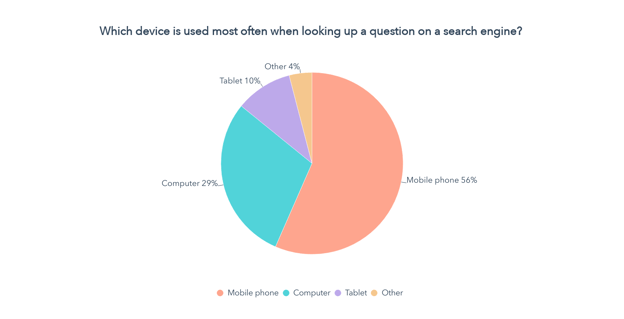
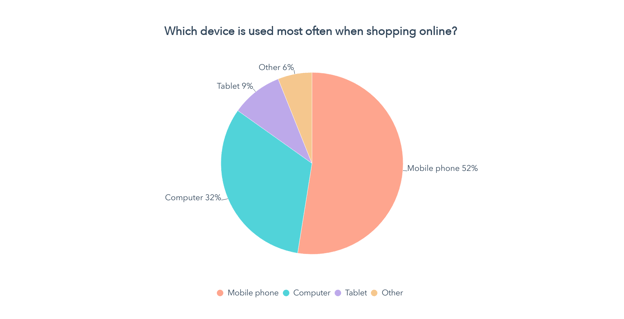
Not only are mobile phones the device of choice for over 50% of consumers when searching up a question online, but they are also the most used device when they shop online.
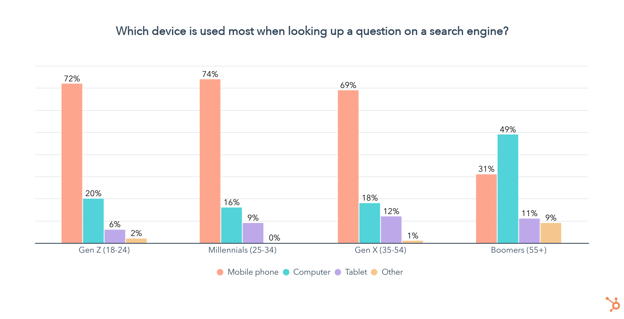
Especially when it comes to younger generations, the use of mobile devices for search dwarfs searching on a computer, meaning you should optimize your website to be mobile-first.
Retail Is Still Relevant, Especially for Older Generations
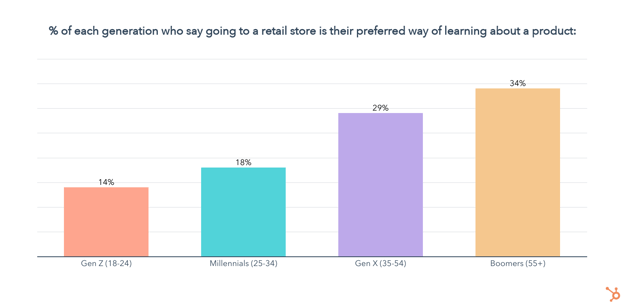
Coming in second place, 27% of consumers say they prefer to learn about products in retail stores. Unsurprisingly, the in-person approach is most popular among older age groups, though it isn’t completely lost on Gen Z and is still favored by almost one in five Millennials.
TV Ads Are Key for Boomers and Gen X
One in four consumers say TV ads are their preferred way of learning more about a product and its features. TV ads rank in the top three most preferred channels to learn about products for Gen X and Baby Boomers, but lose favor with Gen Z and Millennials who strongly prefer other digital channels like social media.
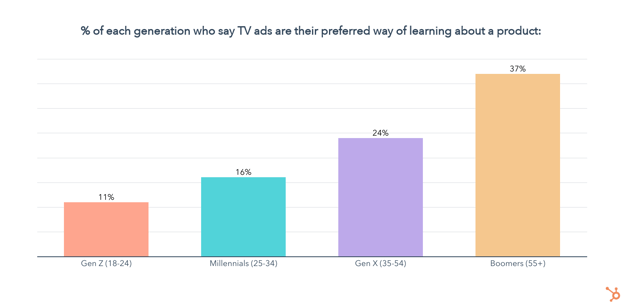
Word of Mouth Is Relevant, But Gen Z Looks to Influencers Instead
23% of consumers say they prefer to learn about products through word of mouth. Interestingly, word of mouth ranks in the top 5 channels for learning about products for every generation except Gen Z. Our Consumer Shopping Report 2022 even found that Gen Z places more importance on recommendations from influencers than their friends and family.
Online Reviews Are Sought By All Generations
One in five consumers say they prefer to learn about products through online reviews, regardless of generation. Of course, whether they go to YouTube, Amazon reviews, or a dedicated blog to get those insights will depend on their age.
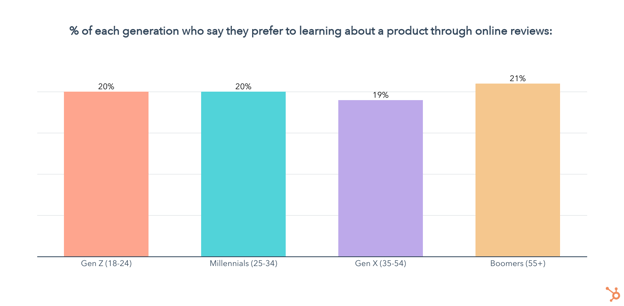
Social Media Is Key For Gen Z and Millennials
Overall, just 17% of consumers say social media is their preferred channel for learning about products and their features. However, social media comes in at #1 for Gen Z, second for Millennials, and fourth for Gen X.
Next, let’s take a look at how consumers want to learn about products on social media.
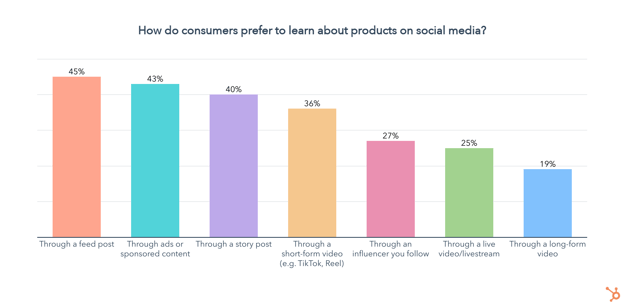
Feed posts, ads, and stories are the top three formats for learning about products on social media. 36% of consumers want to learn about products through short-form videos like TikToks or Reels, and another 27% prefer to go through influencers, which is especially popular among younger generations.
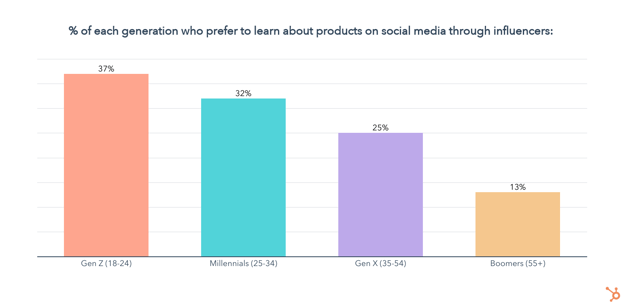
You might also be wondering what kind of content consumers want to see from brands on social media.
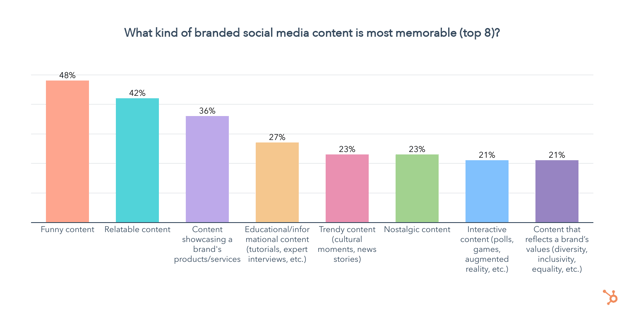
Almost half of consumers say funny content is the most memorable, followed by content they can relate to. Making content that showcases your product or service is also highly memorable to 36% of consumers.
YouTube Ads are Key For Gen Z and Millennials
Overall, just 13% of consumers say they prefer learning about a product and its features through YouTube ads, but the video platform ranks among the top channels for Gen Z and Millennials.
Unboxing Videos are a Gen Z Thing
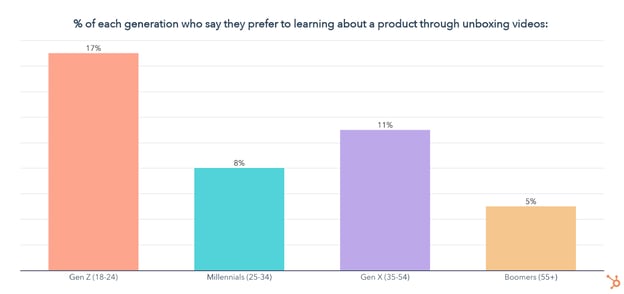
While just 9% of consumers prefer to learn about a product and its features through unboxing videos, they are uniquely popular with Gen Z.
Making Sense of Consumer Data
Want to learn more about the latest trends and shopping habits consumers are navigating, and how your brand can leverage them to better meet your targets in 2022?
Check out our consumer shopping report as well as our State of Consumer Trends Report, coming in late July.
In the meantime, see how marketers are navigating 2022 with our State of Marketing Trends Report below.

How to Plan Your Instagram Posts [+22 Free Instagram Planning Templates]
When you’re not following a plan on social media, it’s easy to forget to post regularly.
Additionally, creating image and video-based content meant to drive revenue for your business can seem far from your bottom line.
However, 90% of people on Instagram follow at least one business nowadays. To compete with other companies in your industry, you must have a solid Instagram strategy, especially if your intended audience uses the app.
Fortunately, once you have an ideal plan for your Instagram content, you can create content more intentionally and ultimately drive more results for your team and organization.

In this post, we’ll cover everything from determining what kind of content you want to post to picking a content theme. Then, we’ll get into the details of planning individual posts.
HubSpot, AdobeSpark, and Iconosquare teamed up to create a 30-day planning guide for business Instagram planning.
We’ve also thrown in 30 templates to help you get started. Click here to get the planning guide.
Your Instagram’s Visual Theme
Once you’ve decided on the type of content you want to post, you’ll want to select a visual theme for your posts.
Aesthetic consistency will help you in several ways:
- When an Instagram user finds your business’ account, the images will appear coordinated and well-thought-out.
- Your followers will begin to sense patterns in your content and pause when they see your post as they scroll because they recognize that pattern.
- When you’ve pre-selected a go-to font and color scheme, it takes away some of the pressure of planning because there are fewer decisions to make for each new post.
If you use Adobe Spark, you can download our free Adobe Spark Instagram templates to create a new post with a template rather than starting from scratch. You’ll also get access to the previously-mentioned calendar of content ideas.
To establish visual consistency across your posts, pay attention to the colors in your photos, the filters you use, the fonts you use in your images, and, if you’d like, the pattern of content types you’re posting.
- Colors – Keep your brand colors top of mind when creating Instagram posts. Pick a few colors that complement your primary brand color and ensure that the most prominent color appears in your posts.
- Filters – When using filters, do so lightly, as over-editing can dilute the quality of your photos. If you decide to use filters, use the same one or two across all posts.
- Fonts – Select one font to use whenever you want to overlay text on photos or videos and use one of your brand colors for the font. Since Instagram is a friendly platform, aim to use an easy-to-read, sans-serif font and keep it the same across all posts.
- Content Pattern – To create a visual pattern for your overall feed, ensure that every third post has a specific background color. Since Instagram has three columns in the grid view, you’ll end up with a column that shows you thoughtfully planned your posts. You might consider using a white background with the same font style and color to share an industry tip for every third post.
Once you’ve decided on the content type and visual theme you’ll use on your brand’s Instagram account, it’s time to start planning posts.
Create a spreadsheet with the following columns (or download our free, pre-made spreadsheet along with planning templates for all of your other social media channels, too):
- Date of publication
- Time of publication
- Image caption
- Image file name or a link (if it has been uploaded to the web)
- The link that you’ll add to your bio when the post goes live (or add to a Linktree-type multiple links tool)
- Campaign/Goal: What is the goal for this post? Are you trying to amass more followers? Drive sign-ups for your product, a free trial, a consultation, or another next step toward becoming a customer? A well-articulated goal will help you ensure that each post exists for a purpose. You won’t be creating a dead-end for your followers but rather an opportunity for continued engagement with your account, brand, or product.
When you’re done, it should look like this:
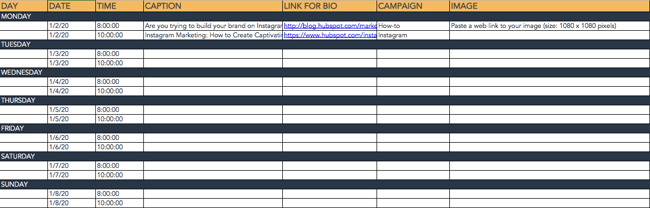
Pro Tip: Duplicate the spreadsheet tab for Instagram Stories, as well, to leverage Instagram’s other avenue for engaging with your followers. Stories are best used for interactive content like polls and quizzes, sharing photos or videos from live events, and more casual, friendly updates.
Once you have your spreadsheet ready to go, decide on your frequency. We recommend ramping up to posting around three times per week.
1. Define Your Content Posting Schedule
Post at least once a week to establish a reliable posting pattern for your followers. You’ll risk losing followers if people feel that they’re not consistently seeing interesting or helpful content from your account.
To establish that consistent pattern, set dates and times for posting first. For example, if you decide to post every Monday, Wednesday, and Friday, fill in the date and time column with the next month’s Mondays, Wednesdays, and Fridays.
Then, add a recurring event to your calendar for post planning for the following two to four weeks. Set a recurring 10-minute calendar invitation at your selected posting times to reference your spreadsheet and quickly post what you’ve planned if you’re not using an automated scheduling tool. With the planning sheet handy, you’ll be able to copy and paste captions and links and locate the images for your posts easily.
When slotting specific posts into your spreadsheet, begin in whichever column you’d like. For example, you could start by evenly splitting the rows into separate campaigns and filling in the caption or image link for each post later.
2. Add Visuals
If you already have a repository of photos that you can post, you might start pasting the links into the Image File Name/Link column and fill in the other columns afterward.
You’ll also want to start creating more visual content for future posts. For example, consider repurposing event images that your company has taken, soliciting photos of your employees or customers using your product, or simply creating visually-appealing text graphics like this one on a tool like Canva or Photoshop.
Upload each photo to a centralized folder and use a standardized naming convention so that it’s easy to find the file you’re looking for. If you’re not using a post-scheduling tool, you’ll likely have to post directly from your phone.
To easily access photos with their file names from your phone, you can upload photos to a Google Photos album on your computer and then use the Google Photos app to download the content before posting directly.
3. Write Engaging Captions
Finally, decide on your caption for each post. The ideal caption style depends on your audience and the type of content you’re sharing. For example, aesthetics-focused content may perform best with a quirky, short, and clever caption. In contrast, education-focused content may be most likely shared and liked if the caption includes a couple of concise, straightforward tips.

4. Choose Hashtags
Make sure to include three to five thoughtfully planned hashtags in your caption or in a comment on your post to ensure it gets in front of new audiences. You’ll want to include a mix of branded hashtags (e.g., #HubSpotAcademy or #OnlineLearning) and trending hashtags so that more people see your post.
You can research the hashtags you might want to use by typing them into Instagram (head to the ‘Search’ tab and then tap ‘Tags’) to see how much volume they get. Prioritize the higher-volume ones.
Types of Content to Post on Instagram
Regardless of which kind of content you decide to post, it should always be content that attracts your ideal audience. Think beyond your product, service, or office. What does your ideal customer actually care about, and what motivates them to follow a business account on Instagram?
Bite-Sized Education Instagram Content
If you know your audience is interested in consuming bite-sized education on social media, you might use Instagram to share industry tips and tricks.
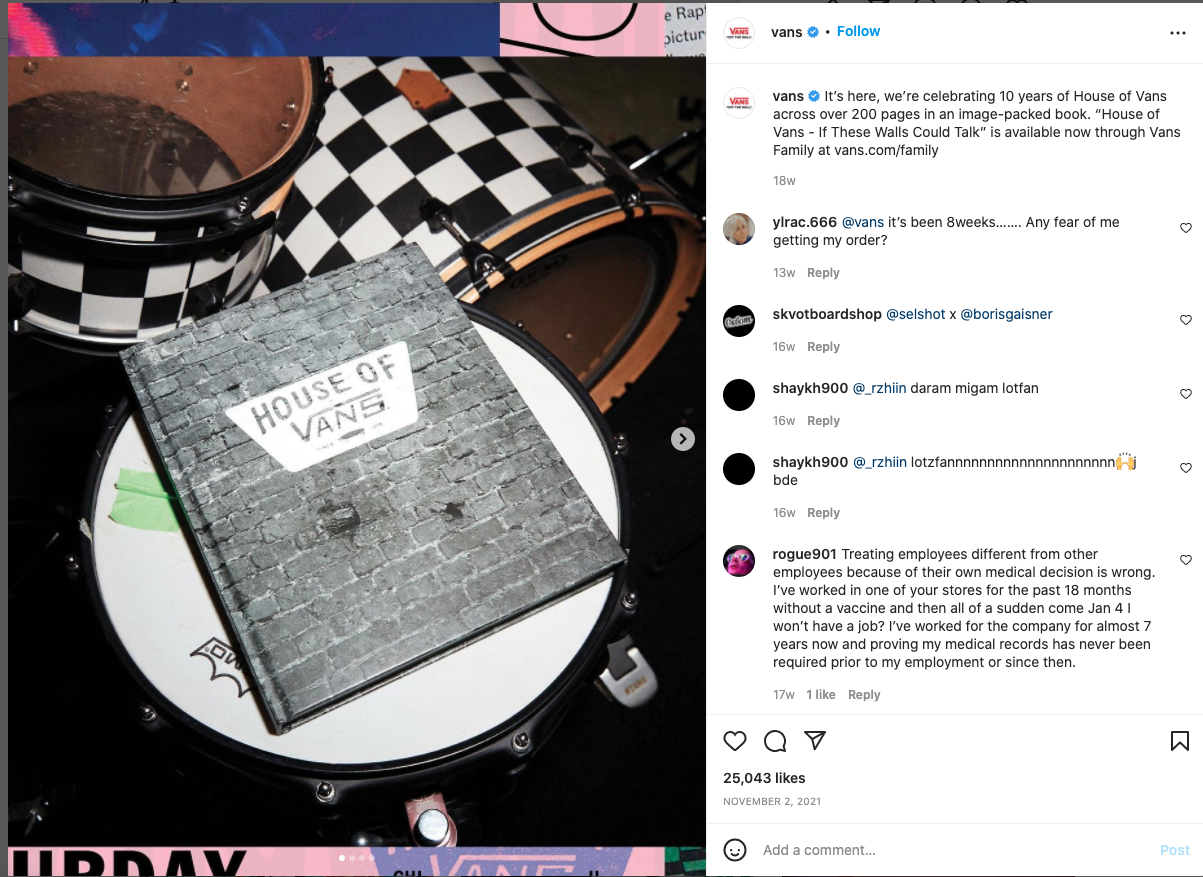
Videos or well-organized captions can be useful vehicles for providing your audience with well-researched information for their benefit rather than the benefit of your business.
Showcasing Products Instagram Content
If your product or service lends itself to being photographed, consider sharing photos or videos of real customers using it. You can lighten your content creation load by relying on user-generated content. Have your customers send in photos of your product in action.
Here’s an example of how Beats by Dre uses Instagram to showcase customers using their products:
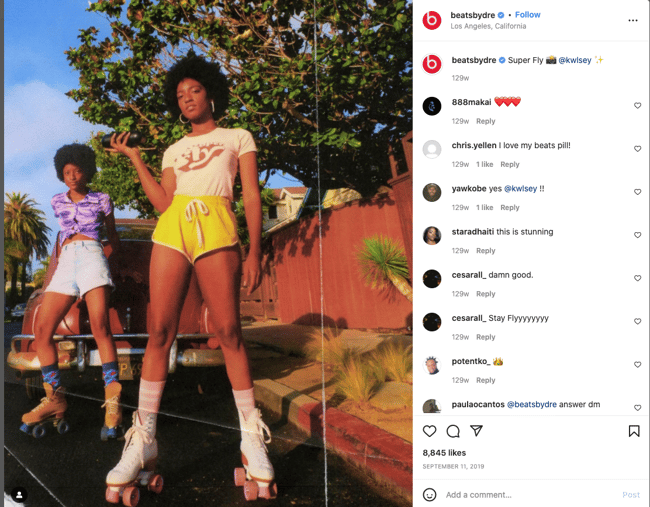
Still, there’s no need to make these product or service posts promotional. Instead, the value for your Instagram following would come from drawing personal connections with real stories about how others have successfully used your product.
Inspiring Imagery Instagram Content
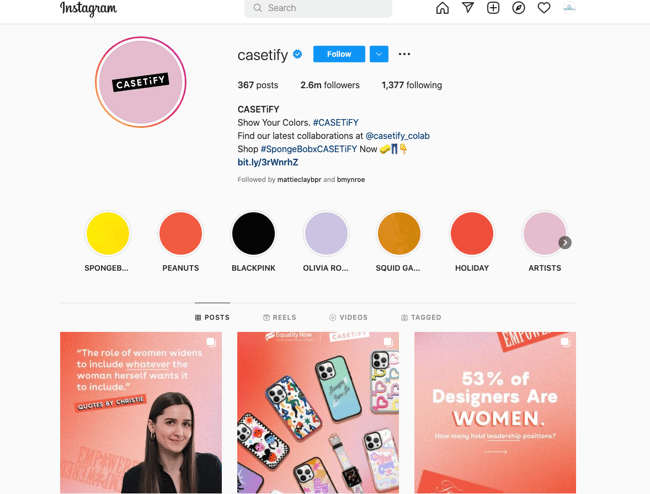
However, if your audience isn’t consuming education on Instagram and your product or service isn’t easily photographed, you can take a more aesthetically-focused route, posting images and videos that people would simply love to consume. These may not drive a significant number of conversions, but a visual-first Instagram can amass a large number of followers.

The key to the aesthetically-pleasing route is to check in frequently to ensure your posts are driving actual value (perhaps in the form of brand awareness or community among your followers) for your business.
Experiment With Content
If you’re unsure of the type of content you want to post or the kind that will succeed for your brand, pick the one you believe your audience will be most interested in seeing. That can include product-agnostic education, product-centric content, usage-focused content, or aesthetically pleasing content. Try it consistently for a month.
Then, try another type for the following month and compare engagement rates. How many people are liking and commenting on your content? How many followers did you gain each month? What other business outcomes, if any, were impacted by your Instagram posts?
In addition to deciding the general topics you’ll post on Instagram, you’ll want to experiment and determine which content formats you’ll post. For example, if you take an educational approach, experiment with videos versus text-focused images and various lengths of captions.
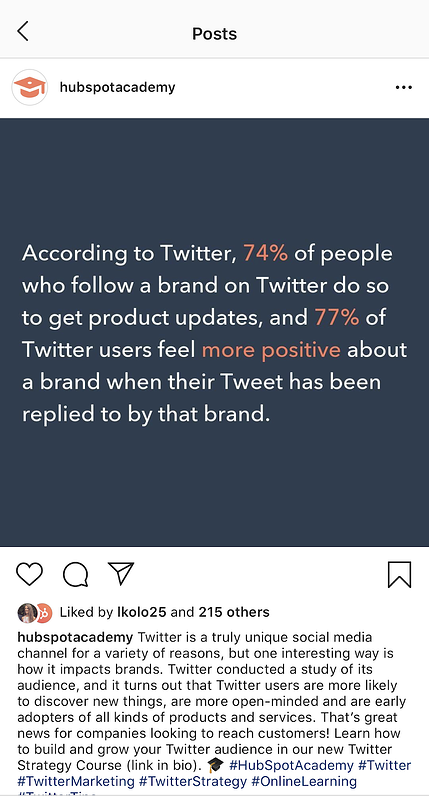
Alternatively, if your educational content lives on your blog, knowledge base, or in another library, consider using Instagram posts to point people to those resources rather than squeezing too much information into one Instagram.
For example, HubSpot Academy’s Instagram often promotes in-depth courses that HubSpot Academy produces rather than trying to dive into the details in the caption, image, or video itself. The account keeps followers interested by sharing short clips and tips from the courses, too:
Additionally, we’ve put together this downloadable calendar of creative content ideas if you’re not sure what type of content to try first.
Instagram Planning Apps
Who has time to come up with every post at a moment’s notice? It takes time to create compelling content, and that timing won’t always line up with your content calendar. Using planning apps to schedule Instagram content in advance makes the most efficient use of time and sparks creativity. It can also allow you and your marketing team to become more informed marketers.
1. Preview
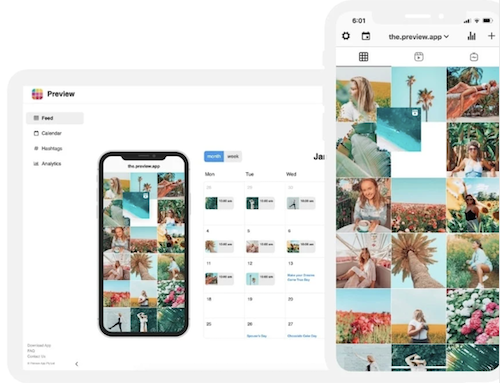
Preview allows users to design, edit, and analyze their Instagram business page. With Preview, you can create a calendar to schedule photos, videos, albums, and stories for your business’ Instagram page. Preview lets you plan reels and IGTVs and access a suite of editing and analytical tools, including hashtag testing, engagement rates, and interactive charts. Preview also allows your entire social media team to plan your Instagram page together without sharing your Instagram password.
2. Later
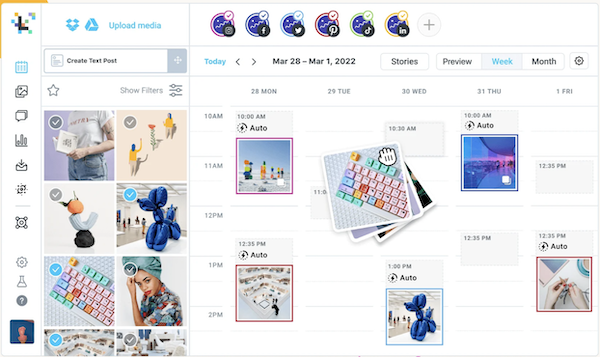
Later’s Instagram scheduler can be used on your desktop or mobile devices. The scheduling tool offers a calendar with drag-and-drop functionality, hashtag tools, personalized scheduling insights, analytics, a stock photo library, and many more features to help you make the most of your business’ Instagram presence.
3. Sked Social
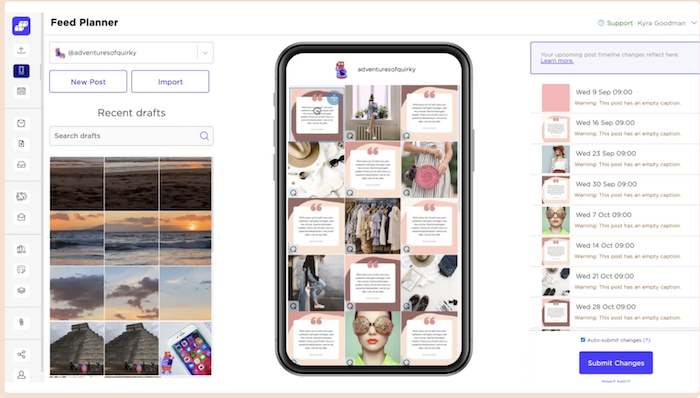
Sked Social makes it easy to edit your photos, queue posts, create a linked landing page for your business’ bio, and quickly add hashtags and mentions to your posts using templates. Sked Social also features a robust content calendar pre-filled with holidays from around the world, so you can plan content that celebrates and commemorates the special days that matter to your audience.
With Sked Social’s Essentials and Professional plans, you can collaborate with your team to manage your business’ Instagram marketing, no matter how many team members you have.
4. Planoly
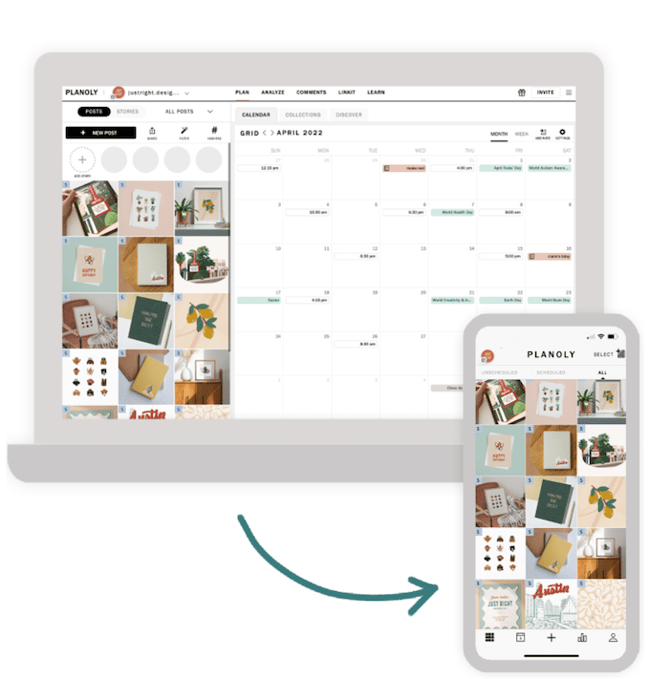
Planoly’s Instagram post planner and Reels planner allow users to plan, design, and schedule their business’ Instagram posts and Reels.
Planoly lets users analyze post metrics and add to their content with stock photos and photos from Canva. Users can also create a linked landing page and respond to Instagram comments from within Planoly.
Planoly’s scheduling tools include a content calendar that sends users reminder emails and push notifications when it is time to post content.
The right kinds of content planners ensure that your business’ Instagram posts are well thought out and draw consumers to your product or services. The following tools provide visual support as well as ideas that can transform content from dull to engaging:
1. HopperHQ
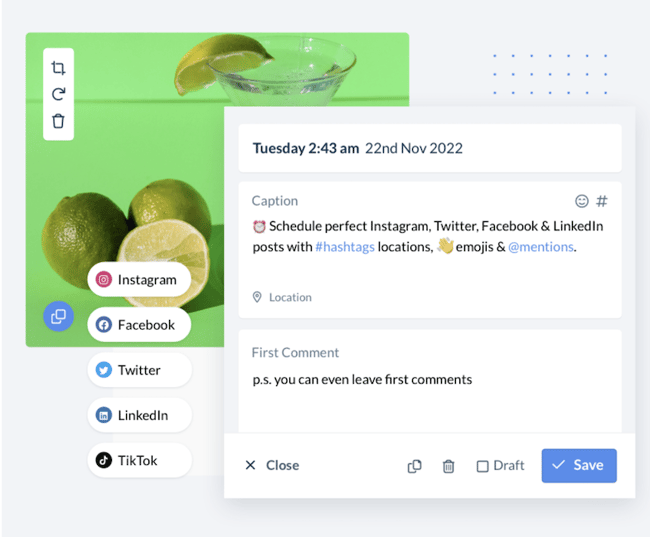
HopperHQ claims to be the number one Instagram tool. It goes beyond crafting posts, giving users the ability to access analytics that help determine the best time to post.
HopperHQ’s Instagram planning tools include a drag-and-drop content calendar, automated posting features, an Instagram grid planner, and a team manager that allows you to collaborate with your business’ social media team and customize each member’s posting permissions.
Pricing: $19/month. HopperHQ offers a 14-day free trial.
2. Brandwatch
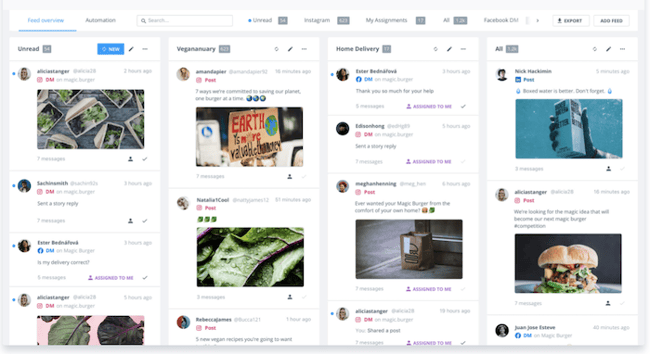
Brandwatch is a platform devoted to creating strategies to help you plan your next Instagram campaign with progressive insights. Brandwatch helps you monitor your business’ brand and benchmark it against your competitors.
With Brandwatch, you can monitor social media trends, convert your Instagram posts to ads, and create workflows that repurpose assets to help your business save time and money.
Pricing: Brandwatch offers a $108/month plan for small businesses of 1 – 2 users. Larger teams can access Brandwatch’s full suite of products by booking a demo.
3. Content Scheduler in Adobe Express
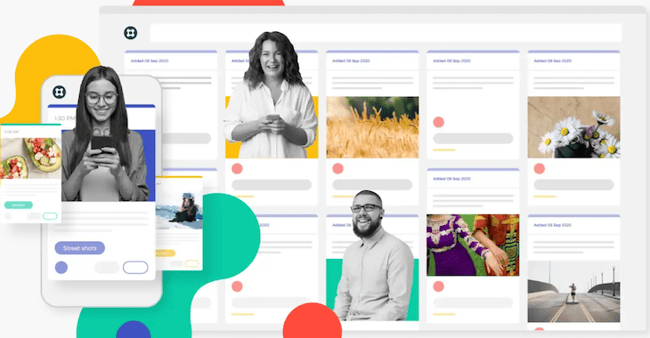
Adobe Express’ Content Scheduler, previously known as ContentCal, allows Instagram users to plan and schedule content. With features such as snippets, pinboards, and a web clipper, Adobe Express’ Content Scheduler makes planning for Instagram campaigns more organized.
Adobe Express’ Content Scheduler offers free downloadable tools and templates, including content calendars, an engagement rate calculator, and a marketing plan template that help you plan and execute your business’ Instagram strategy.
Pricing: Free plan with limited features; Premium Plan, $9.99/month with a 30-day free trial.
Tools for Making the Most of Your Instagram
To stay organized, we recommend using two types of tools — a post-scheduling tool and a tool that allows you to link to several different places from your Instagram bio.
By using a post-scheduling tool, you’ll be able to plan out as far in advance as you’d like, ensuring you have a steady stream of content ready to be posted even when other projects pop up in your day-to-day work. Posting consistently is important for follower retention and will give you more opportunities to experiment and figure out which posts get the most engagement.
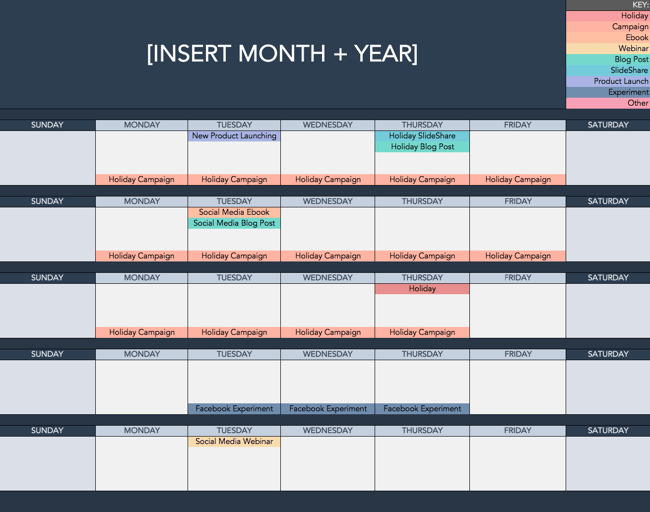
Scheduling your posts allows you to visualize which types of posts you have coming out and swap posts if needed. You can see the weeks you’ve planned enough content and those during which there are still empty slots.
You can also use a spreadsheet like this one (download for free here):
Examples of post-scheduling tools include HubSpot Social Tools, Later, Buffer, and Hopper.
Expanding Bio
An Instagram bio can either entice a potential customer, make them laugh, or make them keep scrolling past a page. Unfortunately, writing an eye-catching bio with an enticing call-to-action that tells visitors everything they need to know about your business can be tough because of Instagram’s limiting structure for bios.
Since Instagram only allows you to place one hyperlink in your bio at the top of your profile, we recommend investing a few dollars per month in a tool that creates one landing page that links out to several other pages.
Then, in individual posts, you can reference clickable links available at the link in your bio, which provides a much more user-friendly experience than having your followers copy a URL manually into their browser, toggling between apps. MilkShake is a tool that allows you to create a mini-website with links and videos that users can access through a link in your business’ Instagram bio.
Examples of post-scheduling tools include Linktree, Lnk.Bio, and Link In Profile.
Enhance Your Instagram Experience
By taking a thoughtful approach to planning your Instagram content, you can ensure that your posts deliver value to your followers, convert those followers into leads or product users, and expand the reach of your brand’s messaging to new audiences.
Using tools such as schedulers and links to help carry out your Instagram journey can improve your business’ social media presence and extend its reach. It takes time to determine what resonates with your audience, so be patient as you experiment and evaluate your strategy.
Editor’s note: This post was originally published in October 2019 and has been updated for comprehensiveness.

How to Write a SMART Goal [+ Free SMART Goal Template]
Work can feel like a never-ending grind when you’re not chasing a clear goal. A SMART goal template can help you clarify your motivations, set a clear direction for you and your team members, and ensure you’re able to celebrate the wins when they come along.
But what exactly is a SMART goal, and how does it differ from a regular goal?
To help you write SMART goals, we’ve created a free template with all the tools you need to get started.

What is a SMART goal?
The letters of SMART stand for:
- Specific
- Measurable
- Attainable
- Relevant
- Time-Bound
The SMART acronym is a framework that will enable you to write goals that drive greater impact. Write goals with each of these aspects in mind, and you’ll be able to quantify how far you’ve come and how far you have left to go against your goal.
When you reach the milestone you articulated in your SMART goal, you’ll be able to celebrate knowing that you achieved something tangible and impactful.
To make setting a SMART goal simple, we’ve created a free, downloadable SMART goal setting template.
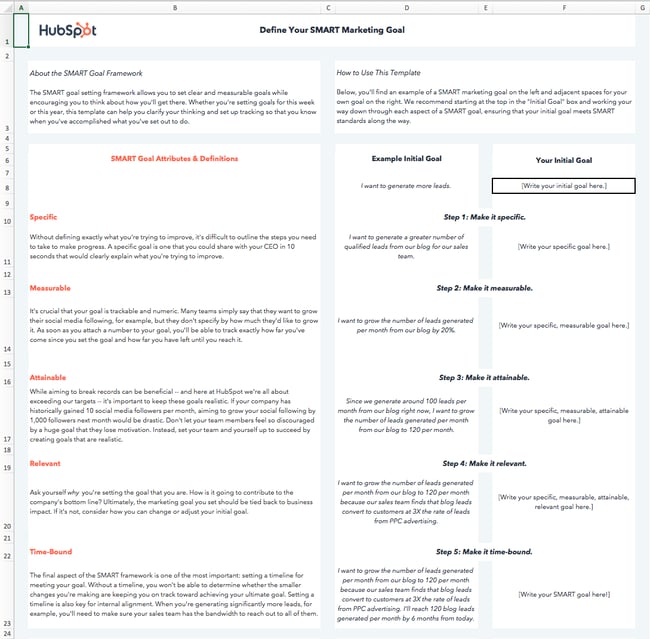
I’ll walk through the template below as we discuss each aspect of a SMART goal.
I’d suggest downloading the template yourself to follow along with this blog post. However, before anything else, let’s dive into the importance of each aspect of the SMART acronym.
What does each aspect of the SMART acronym mean?
While we run through the definition of each aspect of the SMART goal framework, we’ll apply the framework to a real-world example.
Let’s start with a basic, non-SMART goal as our example — “I want to get fitter.”
1. Specific
Goal setting is often associated with striving toward our highest aspirations, and reaching those aspirations can seem daunting. Specificity helps us determine the path between where we are and where we want to be.
- Ambiguous goal: “I want to get fitter.”
There are innumerable ways to get fitter, and everyone has their own definition of fitness. For instance, do you want to lose weight? Do you want to perform more push-ups? Or do you want to cut a minute off your mile time?
When a goal isn’t specific, there is no way to tell whether your actions will help you achieve that goal or not. If your specific fitness goal is to increase the number of push-ups you can do, then following a running plan will not be very helpful in getting you to your true goal.
- Specific goal: “I want to be able to do more push-ups.”
A specific goal makes your next steps clearer or, at the very least, narrows down the next steps you are going to take.
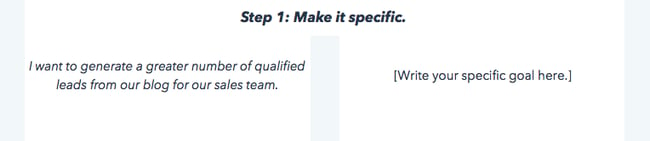
Make your goal more specific and type it into the cell under Step 1.
2. Measurable
When a goal is measurable, you can easily track your progress. Typically, this means that a number will be attached to your goal.
- Immeasurable goal: “I want to be able to do more push-ups.”
- Measurable goal: “I want to be able to do 25 push-ups in a row.”
A numerical goal is valuable for many reasons. In addition to giving you something to strive toward, you’ll be able to celebrate a victory when you reach the final benchmark.
If you say that you just “want to do more push-ups,” does that mean that you want to complete just one more push-up per session, or that you want to double the number of push-ups you can do overall? One goal will take a lot more time and dedication than the other.
Let’s say I can do 10 push-ups in a row right now. To measure our progress against our final goal and to determine whether we’ve reached a milestone, we’ll edit our push-ups goal to read, “I want to be able to do 25 push-ups in a row.”
3. Attainable
Big aspirations are admirable, but it’s important to balance long-term goals with more achievable, short-term goals.
Setting attainable goals is all about looking at what you’ve done so far and adjusting your goals to be more realistic in relation to those benchmarks.
To consider the point in more concrete terms, think about business growth rates if your company has been selling 2% more product each month for the past 12 months:
- Unattainable goal: Sell 15% more product next month.
- Attainable goal: Sell 3% or 4% more product next month.
- Unattainable goal: 25 push-ups.
- Attainable goal: 20 push-ups.
Keep in mind that 2% growth is the status quo. Selling 4% more product would still be doubling your month-over-month growth.
Attainable goals are useful because they help you maintain momentum. It can be discouraging to miss huge targets, but consistently making small gains will encourage you to continue delivering wins.
Each month, you’ll be aiming for the familiar satisfaction of hitting your target rather than dreading another seemingly major miss.
Of course, there’s still a significant amount of work required to get to where I want to be, but I’ll be able to celebrate a huge achievement like doubling the number of push-ups I can do, and use that momentum to drive me in setting a goal of doing 25 push-ups soon after I achieve my goal of 20.
Consider what you’ve done in the past in relation to the goal you’re in the process of setting, and adjust it accordingly.
4. Relevant
Relevant goals will help you move in the direction you truly desire. You can allocate your time to an infinite amount of activities, but which activities will push you closest to your ultimate goals?
It’s a common trap to feel like we’re being productive when we’re busy, even if our action isn’t creating a meaningful impact.
In the beginning, our example goal was to “get fitter.” To ensure our goal is relevant, we need to ask ourselves if following through on this goal will help us get to where we want to be.
In the case of our push-up goal, the answer is yes.
- Irrelevant goal: “I want to be able to do 20 push-ups in a row,”
- Relevant goal: “I want to be able to do 20 push-ups in a row to improve my overall muscular fitness.”
Push-ups engage several muscle groups, including your back, arms, shoulders, and core, and consecutively doing a significant number can elevate your heart rate.
Executing this goal will improve my muscular strength and perhaps even my cardiovascular strength, which are key elements to overall fitness.
Ask yourself if the goal you’ve set will create a real impact on your overarching targets, then adapt it or identify a way to track its impact if the answer is currently no.
5. Time-bound
The final letter of the SMART acronym stands for time-bound. You should always aim to accomplish your goal within a specific time period. Adding a time frame will motivate you to take consistent steps every day toward your goal. In addition, setting a timeline or time boundaries allows you to track how much progress you’ve made toward your goal based on the amount of time that’s passed.
- Goal that isn’t time-bound: “I want to be able to do 20 push-ups in a row to improve my overall muscular fitness.”
- Time-bound goal: “I want to be able to do 20 consecutive push-ups two months from now to improve my overall muscular fitness.”
If I aim to increase the number of push-ups I can do from 10 to 20 in two months, I can set a midpoint milestone of adding five more push-ups in the first month. However, if a month passes and I’ve only increased the number by three, I’ll know I need to ramp up my efforts, re-evaluate my strategy, or perhaps adjust the time frame I initially chose.
A time frame can help you chart your progress. Now, I have a goal that clarifies the path to where I want to be.
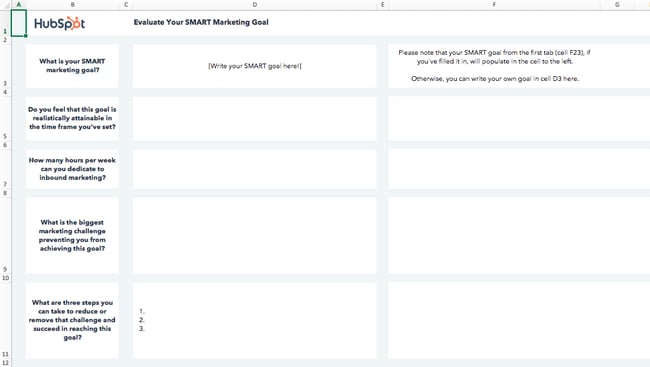
In the final tab of the SMART goals template, you’ll be able to document the roadblocks to achieving your goal that you anticipate and make an action plan for overcoming those roadblocks to set yourself off on the right foot.
Before I made my goal SMART, it would’ve been easy for me to make excuses. It wasn’t clear how I’d measure my progress or keep myself on track toward my goal.
Still need some help creating your SMART goals? You have a variety of worksheets at your disposal to help you establish SMART objectives. We’ve listed our favorite ones below.
1. Hubspot’s SMART Goal Template
HubSpots’ SMART goal template will help you design effective marketing goals with measurable, time-bound results. It’s particularly useful if your key objectives are related to increasing traffic and conversions across your online properties.
We’ll teach you how to fill it out below, but remember: You can adjust it and customize it as you see fit. If you work for a customer service organization, for instance, you could change “Monthly visits” to “Incoming customer service calls,” then aim to increase first call resolution rate.
Because it lives on a Google Sheets file, HubSpot’s worksheet is ideal for collaborative SMART goal setting. Everyone in your team can access, comment, and edit the file with a Google Workspace account.
Step 1: Define your SMART goal.
Start by defining your SMART goal using the Define your SMART goal sheet.
- Write your goal next to the example goal in Your Initial Goal section.
- Make your goal specific by defining exactly what you want to accomplish. Write the specific goal next to the example goal in the Make it specific section.
- After specifying your goal, make it measurable by including quantifiable KPIs that you would like to reach. Write your new specific, measurable goal next to the example in the Make it measurable section.
- After making your goal measurable, make it attainable by setting realistic expectations. Write your new specific, measurable, attainable goal next to the example in the Make it attainable section.
- After making your goal attainable, make it relevant by asking yourself why you are setting the goal. Determine the impact that achieving the goal will have on your business. Write your specific, measurable, attainable, relevant goal next to the example in the Make it relevant section.
- Lastly, make your goal SMART by making it time-bound. Set a timeline that will keep you on track to achieve the goal.
Step 2: Calculate your SMART goal.
After defining your SMART goal, you can calculate recommended target metrics for site visits, leads, and customers using the Calculate your SMART goal sheet.
Visits
- Enter your current number of monthly site visits in the cell to the right of Current.
- Enter your month-over-month % increase goal in the cell to the right of Month-over-month % increase goal.
- Enter the number of months you have to achieve your goal in the cell to the right of How many months out is your goal?
- The template will calculate a recommended monthly traffic goal.
Leads
- In the cell to the right of Current in the Average number of monthly website visits column, enter your current number of monthly site visits.
- In the cell to the right of By what % would you like to increase your visitor-to-lead conversion rate each month?, enter your desired % increase of your monthly visitor-to-lead conversion rate.
- Enter the number of months you have to achieve your goal in the cell to the right of How many months out is your goal?
- In the cell in the Visitor-to-lead conversion rate column and Current row, enter your current visitor-to-lead CVR.
- The template will estimate the number of leads your website generates a month. The template will also calculate a recommended visitor-to-lead CVR goal and monthly lead goal.
Customers
- In the cell to the right of Current in the Average number of monthly website visits column, enter your current number of monthly leads.
- In the cell to the right of By what % would you like to increase your lead-to-customer conversion rate each month?, enter your desired % increase of your monthly lead-to-customer conversion rate.
- Enter the number of months you have to achieve your goal in the cell to the right of How many months out is your goal?
- In the cell in the Lead-to-customer conversion rate column and Current row, enter your current lead-to-customer CVR.
- The template will estimate the number of customers your website generates a month. The template will also calculate a recommended lead-to-customer CVR goal and monthly new customer goal.
Step 3: Evaluate your SMART goal.
After calculating the recommended target metrics for your SMART goal, you can evaluate your goal using the questions on the Evaluate your SMART goal sheet. This sheet will prompt you to think critically about your goal, identify challenges that may make it difficult to achieve the goal, and brainstorm steps that you can take to remove the challenges and achieve your goal.
- Write your SMART goal in the cell next to What is your SMART marketing goal? If you have defined a SMART goal using the first sheet, the goal will populate this cell.
- In the cell below your SMART goal, answer the question, “Do you feel that this goal is realistically attainable in the time frame you’ve set?”
- In the next cell, enter the number of hours you can dedicate to inbound marketing.
- In the next cell, enter the biggest marketing challenge preventing you from achieving the goal.
- In the last cell, enter 3 steps you can take to reduce or remove the challenge and succeed in reaching your goal.
2. Organized 31’s SMART Goals Template
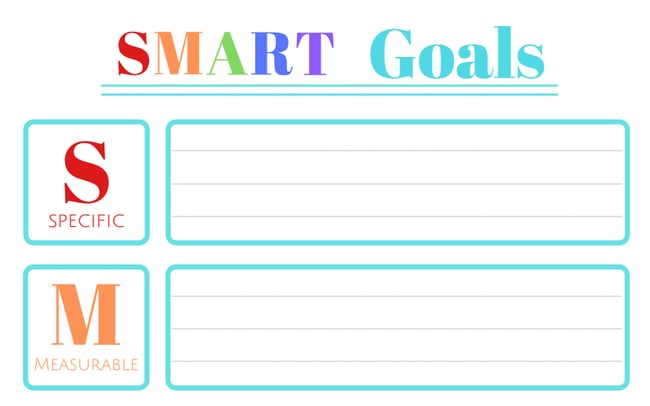
This simple SMART goal worksheet by Organized 31 is a great fit for you if you’d like to create your SMART goals as quickly as possible. It provides five boxes to fill out, each one dedicated to a letter of the SMART acronym. A big plus? It can be used both at work and at home.
Here’s how to fill it out:
Specific
In this section, clearly define your goal. Determine what you will accomplish, the resources you have available, why the goal is important, who will do the work to accomplish the goal, and where the goal will be accomplished.
Sample scenario: Instead of setting a goal to get rich, set a specific goal of having enough money to buy a house.
Measurable
In this section, determine how you will measure your progress toward the goal. Use questions such as “How much?” and “How long?” to make your goal measurable.
Sample scenario: Instead of setting a goal to gain more social media followers, set a measurable goal of gaining 1,000 new followers.
Achievable
In this section, determine how you will achieve the goal. Determine the resources you will need and the amount of time you can allot to achieve the goal. Also, consider whether you have the necessary skills to achieve the goal.
Sample scenario: Instead of setting a goal of gaining 10,000 followers in the first six months, a social media team may set a more achievable goal of gaining 500 followers by the end of the year.
Relevant
In this section, determine if your goal is meaningful and relevant to your other goals. Determine if the goal supports your mission and if it’s the right time to pursue the goal.
Sample scenario: Instead of an online retailer setting a goal of increasing foot traffic, they may set a more relevant goal of increasing their leads by 15% in the first quarter.
Time-Bound
In this section, determine the deadline for your goal. In addition, consider what you can do in the coming days, weeks, or months to progress toward your goal.
For instance, rather than simply writing a novel, set a more time-bound goal of writing a 100,000-word novel in a year by writing 300 words a day.
3. IntelliHR’s Goal-Setting Template
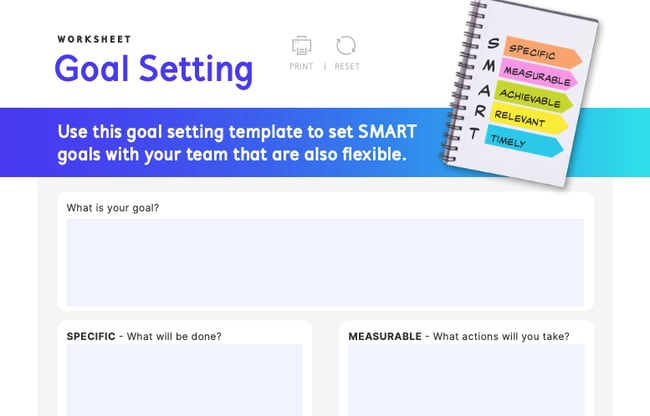
IntelliHR’s goal setting worksheet is ideal for managers who want to establish SMART goals with or for their teams. It’s an online fillable PDF file, making it easy to distribute among your team members.
Here’s how to fill out each section:
What is your goal?
The first step to completing IntelliHR’s goal-setting template is to define your team’s goal. For instance, your team’s goal may be to bring more traffic to your website. At this stage, your goal doesn’t have to be too focused. Write your goal in the What is your goal? box.
Specific
After determining your goal, make it specific — detail exactly what your team has to do for the goal to be met. For instance, your team’s specific goal may be to increase website traffic by 10% in the next year.
Measurable
After making your goal specific, make it measurable. List the actions you will take to meet your goal. For instance, your team’s measurable goal may be to increase website traffic by 10% by posting ads and sponsored content on social media that will lead more of your target audience to visit your site and improve your CTR.
Achievable
After making your goal measurable, make it achievable. List the resources you will need to meet your goal. For example, to increase website traffic by 10% by posting ads and sponsored content on social media, your team will need to launch advertising campaigns and reach out to celebrities who may be interested in endorsing your brand and participating in sponsored content.
Relevant
After making your goal achievable, make it relevant. Consider how your goal contributes to your business’ overall goals. For instance, increasing website traffic by 10% by posting ads and sponsored content may be beneficial for businesses with a strong social media presence, but for businesses with little or no social media presence, the goal of increasing website traffic may not align with their other goals.
Timely
After making your goal relevant, the last step is to make it timely. Consider the amount of time you can allot to this goal every week. This template also factors in your workload, as a busy schedule may limit the amount of time you have to complete your goal.
4. Hirebook’s SMART Goals Template
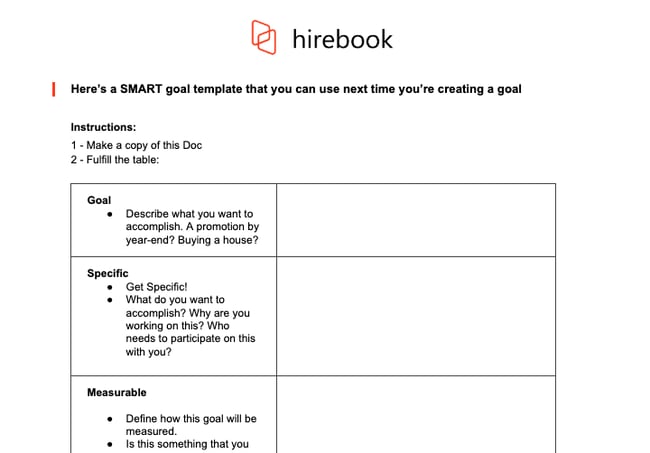
This SMART goal worksheet from Hirebook lives on a Google Docs file, making it an excellent choice if you want your team to collaborate on one documents. It also offers the simplicity of Organized 31’s template with a more workplace-friendly color palette.
Here’s how to fill it out:
Goal
The first step to completing Hirebook’s SMART Goals Template is identifying your goal. The template gives you a few examples, such as “Buying a house,” to help you brainstorm ideas for goals. Write your goal here.
Specific
The next step is to make your goal specific. The template includes a few questions, such as, “What do you want to accomplish?” and “Who needs to participate in this with you?” to help you narrow the focus of your goal as much as possible. Write a more specific version of your goal here.
Measurable
After making your goal specific, make it measurable. Determine how you will quantify the goal. How much do you need to increase or decrease a metric to reach your goal? How will you know that the goal has been met? Write the answers to these questions here.
Achievable
After making your goal measurable, make it achievable. How do you know that you can fulfill the goal? What past experiences have you had that make you capable of achieving the goal? Do you have access to the resources you need to accomplish the goal? Is this goal realistic when you consider time and financial limitations? Write the answers to these questions here.
Relevant
After making your goal achievable, make it relevant. Define how the goal is relevant to you, your business, and your long-term needs. Is this the right time to focus on this goal? Write about the relevance of the goal here.
Time-Bound
After making your goal relevant, the last step is making it time-bound. To keep yourself and your team accountable, you need to set a deadline for accomplishing this goal. When should this goal be completed? What can you do today to work towards completing your goal? What can you do in the next 6 weeks? The next 6 months? Establish a timeline and write it here.
5. SpriggHR’s SMART Goals Worksheet
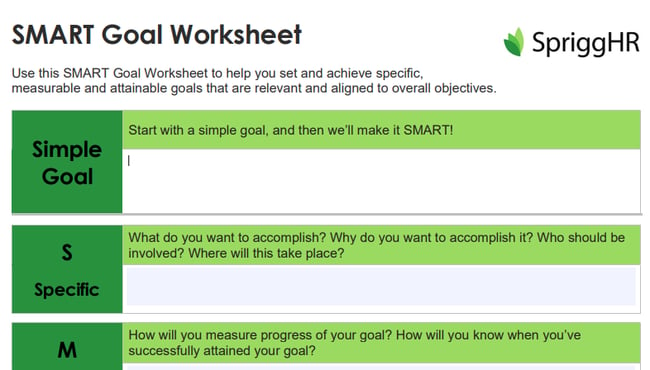
SpriggHR’s goal setting worksheet is available in three file types: A fillable online PDF file, an Excel spreadsheet, and a Word document. Because it offers three flexible options, it’s a great choice if you don’t want to use a Google Doc document or force your team to use a certain file type. You and your team members can choose what works best on an individual basis.
Here’s how to fill it out:
Simple Goal
The first step to completing SpriggHR’s SMART Goals Worksheet is coming up with a simple goal. This goal will be the basis of your SMART goal.
Specific
After creating a simple goal, the next step is making it specific. What exactly do you want to accomplish, and why? Who should be involved in this process? Where will the process take place? Write the answers to these questions here.
Measurable
After making your goal specific, the next step is making it measurable. How will you measure your goal’s progress? How will you know when you’ve successfully attained your goal? Write the answers to these questions here.
Attainable
After making your goal measurable, the next step is making it attainable. Is the goal attainable with your current skills and resources? If not, can you obtain new skills and resources to help you attain the goal? Write the answers to these questions here.
Relevant
After making your goal attainable, the next step is making it relevant. Is this goal a priority? How does it align with your team’s overall objectives? Write the answers to these questions here.
Timely
After making your goal relevant, the next step is making it timely. What is the deadline to achieve this goal?
SMART GOAL
The last step of this worksheet is taking your answers from the previous sections and rewriting them in a sentence or two to turn your simple goal into a SMART goal.
Start practicing smarter goal setting. Download a SMART goal template today.
Whether your goals are personal or professional, working toward them will never feel like a grind when you set SMART goals. Make sure every goal you set is specific, measurable, attainable, relevant, and time-bound by downloading one of these SMART goal templates today.
Editor’s note: This post was originally published in September 2019 and has been updated for comprehension.

SEO Step-by-Step Tutorial: 8 Easy Basics for Beginners to Master
If you’re just getting started with search engine optimization (SEO), then a step-by-step SEO tutorial is in order. By this point, you’ve likely heard of a few basic terms, such as keyword research and on-page optimization. But how do you apply all the knowledge you’ve gathered thus far?
We’ll walk you through it step-by-step. No matter how new you are to SEO, anyone can get started with the below SEO tips and get their website to rank in no time. Well — some time. Maybe a year or more. SEO, you should know, is a long game.
By the end of this tutorial, you’ll be able to walk away with a list of actionable steps to get your SEO strategy off the ground.
![→ Download Now: SEO Starter Pack [Free Kit]](https://no-cache.hubspot.com/cta/default/53/1d7211ac-7b1b-4405-b940-54b8acedb26e.png)
1. Find keywords.
Keyword research is as simple as picking a list of words and phrases relevant to your business. Think about which words are most likely to get people to do what you want them to do (visit your website and submit a form) and focus on those words.
You can use a dedicated keyword research tool, but as a beginner, it’s wise to choose your keywords intuitively at first. For instance, if you sell roasted coffee, you might opt for “roasted coffee,” “Colombian coffee,” and “local coffee roaster.”
List these keywords out in a spreadsheet or document for you to keep track of. Then, pick one word or phrase to use on one page of your site. In other words, you don’t want to target different keywords on one page. You want to target one keyword, as well as any keywords it’s semantically related to.
For instance, you might write a page for “local coffee roaster.” In this page, you can target semantically related terms such as “local coffee,” “coffee roaster near me,” “coffee roaster [city name],” and “locally roasted coffee.”
Here’s an example of what that looks like: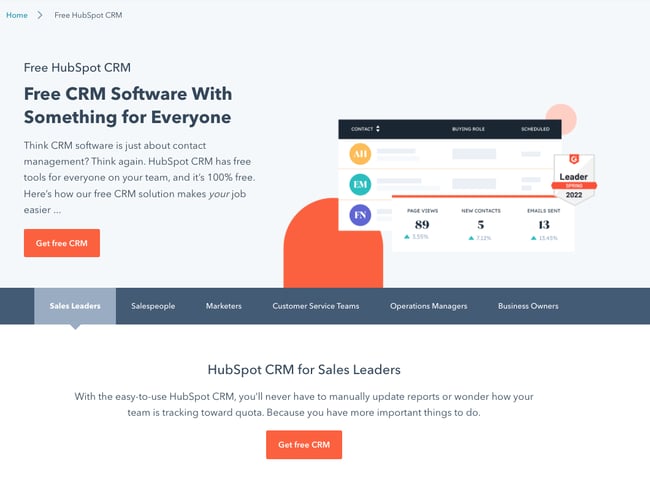
You can see a few keyword variants: “CRM software,” ”CRM solution,” and “free CRM.”
2. Put keywords in the page title.
Once you’ve chosen a keyword, it’s time to put it into action. First up, you want to put in your web page’s title.
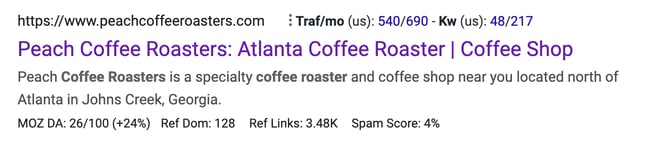
The page title is one of the most important things that Google and other search engines evaluate to determine what is on a web page. It’s what appears on top of your web page’s result in the search engine results pages (SERPs). Notice how the following brand put its keyword, “Atlanta Coffee Roaster,” on its page title:
Don’t forget to keep it short. We recommend 65 characters or fewer to ensure that search engines don’t trim your title, like in this search result:
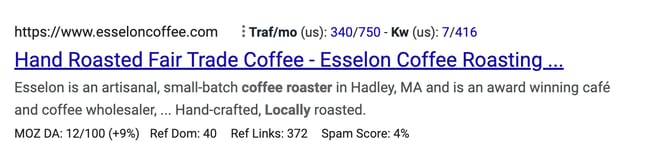
Keep in mind that your brand name is part of the character count of your website’s title.
3. Put keywords in the page URL.
Google and other search engines also use the text of the URL of the page to determine the content of the web page. You should use your keyword or phrase specifically in the slug.
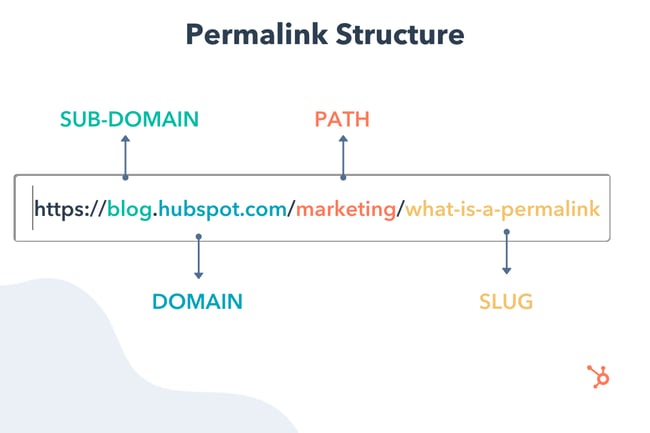
Don’t overdo it, though. If you sell coffee, for instance, don’t create a slug as follows:
mycoffeecompany.com/coffee-atlanta-near-me-fulton-county-greater-atlanta-area-coffee
Keep it short, descriptive, and simple. One effective example would be:
mycoffeecompany.com/atlanta-coffee-roaster
If you’re using WordPress, here’s how to change your web pages’ slugs in the backend.
4. Put keywords in your meta description.
Your page’s meta description can further tell search engines and users what your page is about.
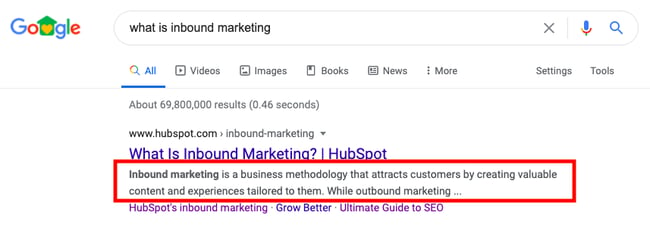
While metadata is not nearly as important as it used to be, it still counts. Take advantage by putting your keyword or phrase there. The description should be readable by a person and make sense, and the keyword metadata should focus on your keyword or phrase. Don’t make it long — less is often more.
5. Put keywords in your H1 text.
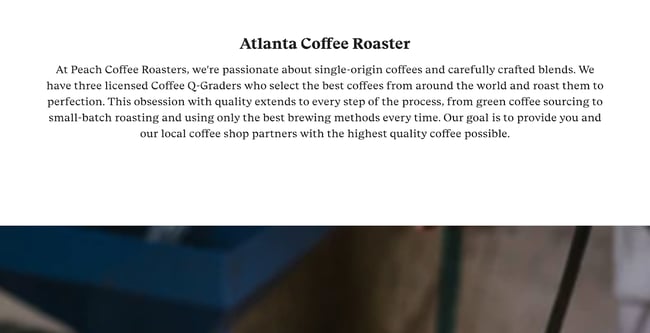
The H1 text is usually the title of an article or some larger bold text at the top of your page. Google and other search engines can see this, and they put extra importance on the words in the H1 text. Make sure your keyword or phrase is there.
Here’s an example from a local coffee roaster company:
6. Use keywords in the page’s content.
Using your target keywords in your content is an essential part of your on-page SEO strategy.
Why? Because doing that signals to search engines that the page is actually about the keyword and should show up in search results. I have heard from “experts” that you should use your keyword anywhere from 4-6 times to 10-12 times. My advice is to just write naturally, but to carefully avoid black-hat practices such as keyword stuffing.
In other words, don’t write something like this:
“We are Atlanta Coffee Roasters, the best coffee roasting company in Atlanta, GA, where you can find Atlanta locally roasted coffee roasted by hand in our coffee shop serving the greater Atlanta area.”
That’s simply unreadable. Compare that with the content from the local coffee roaster company:
“At Peach Coffee Roasters, we’re passionate about single-origin coffees and carefully crafted blends. We have three licensed Coffee Q-Graders who select the best coffees from around the world and roast them to perfection. This obsession with quality extends to every step of the process, from green coffee sourcing to small-batch roasting and using only the best brewing methods every time. “
7. Build links to your website.
Once you signal relevancy to search engines via your keywords, it’s time for the hard work to start: building inbound links to your website from authoritative sites in your industry or niche.
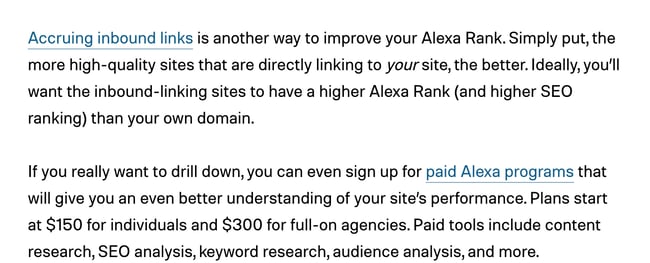
This is arguably one of the most important SEO steps you have to take. The number and quality of links pointing to your website are quite important to Google and other search engines to evaluate your rank on different terms. If people are linking to you, then that means that your site offers authoritative, trustworthy information on a certain topic.
For instance, check out the backlink HubSpot received in this Digital Trends article (anchor text: “Accruing inbound links”):
You should also externally link to websites related to your industry, which further demonstrates your relevance for that keyword.
8. Monitor your rank.
Last but not least, it’s time to check on the results from your efforts. Give the search engines some time to do their thing (from a couple of weeks to a few months), and then keep checking your rank to see what happened and track your progress.
If you’re just getting started with SEO, you can check this rank manually by searching for your target keyword in Google. We also recommend using Google Search Console to see your rankings for free. Since GSC can be limited in some respects, you can upgrade to an official SEO monitoring tool to track the most relevant keywords and consistently come up with strategies to improve your performance.
On that same vein, you should monitor your Google PageRank. Google uses your Page Rank as a measure of how “important” your website is on the web. Having a higher Page Rank means you have a better shot at being one of the top results for search terms.
Use a free tool such as Check Page Rank to get an estimate.
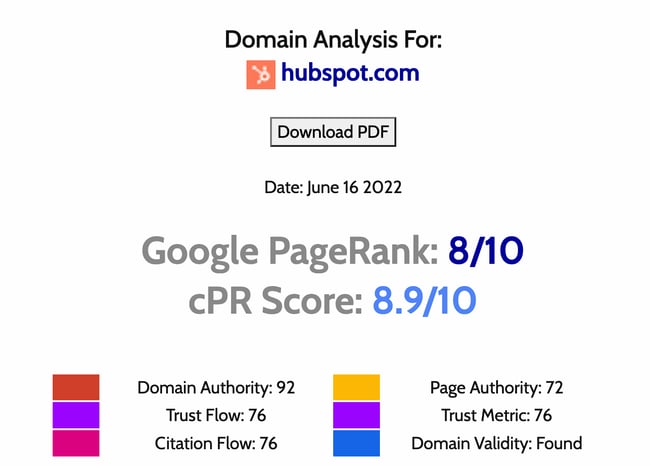
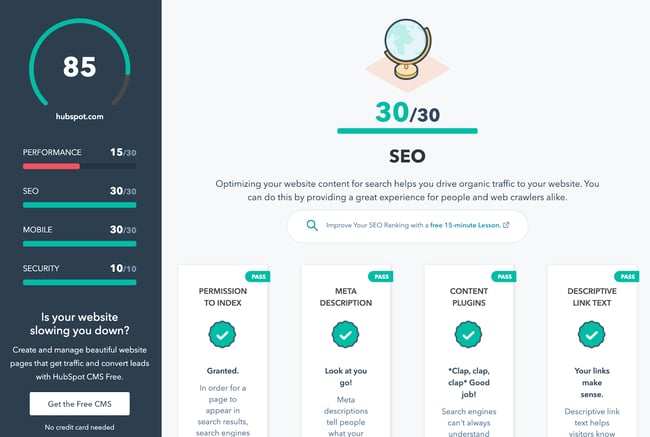
During the monitoring process, you should also grade your website. Use a free tool such as Website Grader to evaluate the SEO effectiveness of your site.
This SEO Step-by-Step Tutorial is Just the Beginning
Don’t let your learning to stop here. With the above steps, you can get started creating an effective search engine optimization strategy, but keep in mind that SEO has countless moving parts that warrant care, attention, and tenacity. That’s why some companies have entire teams dedicated to their SEO efforts.
The good news is that you don’t have to guess about your next steps. Use our starter pack to ramp up your SEO plans and boost the likelihood of your website ranking on the first page of the SERPs.
Editor’s note: This post was originally published in May 2007 and has been updated for comprehensiveness.


MBO (Management by Objectives): Everything You Need to Know
As a leader, you have expectations for your team. You want to see a specific level of performance and efficiency, and using a management by objectives (MBO) approach can help you manage your team effectively.
When organizational goals are not communicated to employees, they can’t meet expectations. This leads to micromanaging and instills the belief in your employees that you don’t trust them or their ability to achieve results. Over time, this breeds resentment, erodes job satisfaction, and increases the rate of turnover as employees go off in search of greener pastures.
If you’ve seen this situation occur multiple times throughout your organization, it’s time to look at your leadership style. Do you provide your employees with the knowledge they need, and clearly communicate what you want to see? Are you providing opportunities to help them strengthen their skills? If not, shift your mindset and company culture to management by objectives and watch your employees step up to the challenge.
To help you better navigate to the information you need, we’ve links to different parts of this story:
MBO Advantages and Disadvantages
How to Incorporate MBO Into Your Organization

What is MBO?
The term “management by objectives” refers to creating tangible goals for an employee to accomplish for the betterment of the organization.

What is the purpose of MBO?
MBO ensures that employees receive clear communication regarding their roles and responsibilities, and they understand the role they play in the overall health of the organization. It not only helps them get clear on what’s expected of them, but also gives them a sense of purpose as they take ownership of how they impact the rest of the organization and help meet its mission.
In businesses that operate in silos where from one department to another, people don’t know what anyone else is working on, have a lower chance of succeeding. Employees can easily become disheartened when they can’t see the larger picture. Management by objectives aims to break down these walls for great transparency across organizations.
MBO Examples
If this sounds like something you’d like to try, you may be wondering what are some examples of objectives that you could set.
While specific objectives may differ depending on your industry, product, and specific company, there are some blanket objectives that you can begin with. While any department can use MBO, we’ll take a look at three specific instances.
Sales MBO Examples
- Decrease the sales cycle from four to two months
- Increase the average sales to $10,000
- Bring in 15 new customers during a specific time period
Marketing MBO Examples
- Increase social media likes by 40%
- Increase time spent on the website by five minutes
- Generate 500 new leads per month
- Get five media placements
Customer Service BMO Examples
- Decrease call time to under five minutes
- Increase customer satisfaction by 30%
- Reduce manager call intervention by 10%
Human Resources MBO Examples
- Improve retention rate by 15%
- Implement a leadership training program for remarkable employees
- Increase employee satisfaction by 30%
MBO Advantages and Disadvantages
Just like any management style, there are pros and cons to management by objectives. Let’s take a closer look:
Advantages
- Employees can understand and appreciate their individual impact on the company as a whole.
- Expectations are clearly communicated and based on Key Result Areas (KRAs) tailored to each employee.
- Employees understand what success looks like and what they have to accomplish to reach it.
- Teamwork improves and finger-pointing decreases.
- Employees know their responsibilities and tasks are less likely to fall through the cracks.
Disadvantages
- It’s possible for managers to rely too much on MBO and a management style. While it can revolutionize your organization, it has its limitations and is not always appropriate.
- With goals and objectives overemphasized, non-measurable aspects of the work environment (like teamwork, positive customer interactions, etc.) may become less practiced and valued.
- With a constant focus on numbers and metrics, employees may feel anxious about their performance which could make things worse.
As you can see, management by objectives can help your organization move in the right direction. However, it is not a cure-all for every challenge your organization may face. Let’s take a closer look at how to utilize this leadership style for optimum effectiveness.
How To Incorporate MBO Into Your Organization
It helps to strategize MBO before diving in, so let’s review how to implement MBO in your own company.
MBO Steps
Define Your Goals
What do you want the company to achieve and during what time period? These goals should be shared with everyone in your organization.
Create and Communicate Employee Goals
How do your employee’s responsibilities play into the goals of the organization? This will allow you to create specific goals and objectives for them to meet.
Monitor Their Performance and Progress
Review your employees’ performance regularly. Are they hitting whatever numbers you’ve assigned them? Are they steadily working towards a larger goal?
Assess Their Performance
Without regular performance reviews, your employees can’t gauge how they are performing and if changes need to be made.
Provide Feedback
If employees are doing well, let them know. You can do this privately or publicly to inspire others. If they are not meeting your expectations, provide this feedback privately so as not to demean them in front of their colleagues. You will also need to give them steps to take to improve their performance.
If they’re not reaching their goals, this may be because those goals have not been properly communicated, or because they don’t have the right tools to do what’s expected. Have a conversation to assess if either of these factors is at play, and then do whatever is necessary to remedy the situation.
When you follow these steps, you can implement a successful culture of management by objectives and see an improvement in your team’s performance. This works for a sales environment, as well as customer service, or any other department in an organization.
When it’s time to inspire your team and breathe new life into your organization, consider incorporating management by objectives into your company culture. You may be surprised how well your employees take to this new system. Once they understand your expectations, they’re in a better position to meet or exceed them.

The 15 Best Autoresponder Software in 2022 (Plus Free Autoresponders)
Nowadays, email marketing is an integral component of any marketing strategy. In fact, 59% of marketers say email is their biggest source of ROI.
When it comes to email marketing, the autoresponder sequence is a commonly used but often under-appreciated part of the process.
Autoresponders are a way to dip your toes into email automation. They’re typically the simplest form of marketing automation to execute when setting up your campaigns — but, when done well, they can be incredibly powerful for bringing in additional customers and revenue.
Here, we’ll cover what autoresponders are, and which autoresponder software solutions you might consider implementing for your own business.

What is an autoresponder?
An autoresponder is a time-based email or message that you send out automatically after a visitor signs up for your email list. Depending on your autoresponder tool’s capabilities, you can further segment your autoresponder emails based on other contact properties, but at its core, an autoresponder allows you to passively and automatically send pre-written messages.
You can choose the number of messages that appear in an autoresponder sequence, and you can choose when they’re delivered. For instance, some autoresponder sequences only have one follow-up message, which is sometimes just a “Thank you” message for subscribing to the email list:
-2.png)
In other cases, the autoresponder can be quite robust, and deliver a series of on-boarding emails that escalate in persuasion, sometimes culminating in a sales pitch. This is typical in digital industries, where your email list is the primary sales channel to launch your products.
For example, Ramit Sethi starts his autoresponder sequence with a friendly and informational email message:
-5.png)
Over the course of several emails, the reader will eventually receive a sales pitch (or a few email sales pitches). This allows the reader to warm up to your brand, and your content. By the time you’re offering your product or service, you should’ve already provided a ton of informational value, like this:
-1.png)
Sometimes, an autoresponder can act as the actual lead magnet used to get someone to sign up for your list. A good example of this is gated email courses.
CXL, for instance, uses a gated “enterprise conversion optimization” email course to get people to sign up for their list. The deliverable is just a time-based sequence of email lessons — in other words, an autoresponder.
-4.png)
While the execution can be quite different depending on your business, your industry, and your goals, all autoresponders allow you to automate email sequences based on timing and email sign-up form.
Next, let’s dive into some of the best solutions on the market.
The Best 10 Autoresponder Software
- HubSpot
- GetResponse
- Moosend
- Aweber
- Klaviyo
- Mailchimp
- ConvertKit
- Autopilot
- Constant Contact
- Omnisend
1. HubSpot
HubSpot offers one of the most powerful autoresponder capabilities on the market. Particularly if you’re using other tools in HubSpot’s Marketing Hub, such as our form builder and popup forms, you can easily set up auto-response emails upon form submission.
At a high level, there are two ways to send an email response to contacts who submit a form on your page:
- Set up a follow-up email in the form options on your HubSpot page
- Send an automated email through a workflow (Marketing Hub Professional and Enterprise only)
For the former option, it’s quite a simple setup. You simply set up a follow-up email to be delivered upon form submission (full instructions here).
-6.png)
However, through HubSpot’s workflows you can get quite robust with your targeting and follow-up email assignment. For instance, you can break things down by contact property data you’ve collected, like company size or which service the subscriber is interested in. This allows you to tailor your follow-up emails to ensure they’re more helpful and personalized for the user.
.png)
In addition, you can set a sequence of several autoresponder emails, and can also include behaviorally triggered messages — the options are pretty much endless.
If you’re just using HubSpot’s form builder, you can still easily integrate with another autoresponder solution in this list to get a simple setup working.
2. GetResponse
GetResponse is a full-suite marketing platform that offers tools including landing pages, webinars, and forms, but their most powerful tool is likely their email automation functionality.
Like others in this list, GetResponse can trigger emails based on multiple criteria, such as behavioral triggers, contact property triggers, and time-based triggers (i.e. autoresponders).
Their autoresponder feature is actually quite flexible. You can build email follow-up sequences with the following features:
- Unlimited messages per day
- Advanced timing control
- Simple cycle management
- Day-of-the-week selection
- Drag-and-drop message management
- Quick message edits
Sometimes I’ve found the usability of GetResponse to feel complicated when trying to do advanced automation, but building time-based autoresponders is incredibly simple to accomplish.
It depends on your list size and requisite features, but GetResponse pricing starts around $10 per month (which includes basic autoresponders, and a list size of 1,000).
.jpeg)
3. Moosend
Moosend is an email marketing and marketing automation platform, ideal for eCommerce businesses, agencies, publishers, and more. The software offers a variety of lead generation tools like subscription forms and landing pages to expand your mailing lists.
Through Moosend’s autoresponder feature, you can create and run a welcome series to greet new subscribers and offer exclusive deals. You can also target cart abandoners with abandoned cart sequences to restore your lost revenue.
Moosend’s advanced features include:
- Powerful segmentation and personalization
- Scalable automation workflows
- Easy-to-use campaign editor
- Weather-based condition filters
- Action triggered messages
This email platform also has powerful reporting and analytics tools, advanced marketing automation tools, and a variety of automation recipes to help you scale your business.
Moosend offers a free plan that includes autoresponder and automation features. Paid plans start at $9 per month for 500 subscribers and gives you access to the landing page builder and more.
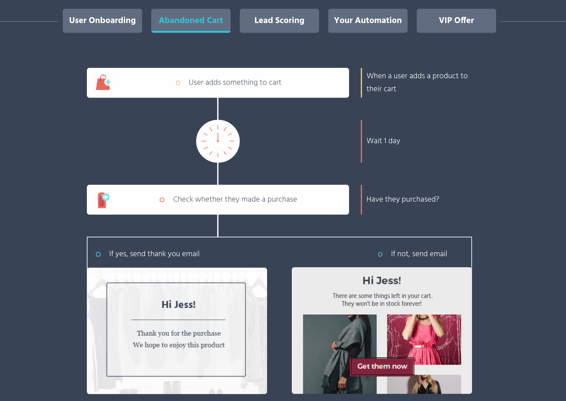
4. Aweber
Aweber built one of the first well-known autoresponder softwares, and it’s still widely used and loved.
Aweber is a bit more expensive to start out ($19 per month for up to 500 subscribers), but the tool gives you all the critical features you need to implement an impressive autoresponder email system. This includes segmenting, analytics, sign-up forms, templates, and even stock photos.
If you want a straightforward solution for a relatively small email list (anything over 25,000 emails gets quite a bit pricier), Aweber is a good solution.
-3.jpeg)
5. Klaviyo
Klaviyo is well-known and loved in the e-commerce world, and they have some of the coolest email automation features, particularly for behaviorally triggered emails.
With Klaviyo, you can trigger an autoresponder email sequence for basically any event you can measure (as long as you have the contact’s email address). This opens up all kinds of possibilities, such as abandoned cart emails, thank you emails after a purchase, customer satisfaction surveys after a time window after a purchase, and cross-sell emails given a certain item purchased.
It’s important to note, Klaviyo is built for e-commerce, so it’s relatively stock built for things such as abandoned cart emails. If you’re in e-commerce this is a plus, but in other industries, the feature set can be a bit complicated for what you want to accomplish.
Of course, if you just want to build a simple four-email sequence after an email list sign up, it’s easy enough to do.
Klaviyo offers a free tier (up to 250 email addresses). Once you hit that threshold, it starts at $25 per month and goes up quickly from there (for instance, it’s around $1000/month for 78,000 contacts).
-8.png)
6. Mailchimp
Mailchimp is one of the world’s most popular email marketing tools, and they have a great (albeit simple) autoresponder functionality.
I like two things about Mailchimp:
- It’s simple to use.
- It’s free to start.
For those two reasons, the barrier to entry is incredibly low. So, for businesses with fewer than one thousand email addresses, it’s a good solution.
However, I’ve found that, as you scale and your automation becomes more complicated, Mailchimp becomes a bit too difficult to manage. It’s hard to know which email is going to whom, and when.
Again, you can begin for free, but after that the cost starts at $20 per month.
-3.png)
7. ConvertKit
ConvertKit is an email marketing platform built for creators (i.e. bloggers, podcasters, designers, etc.). It’s incredibly useful for marketers who focus on inbound marketing.
ConvertKit platform’s is simple and easy to use, although it does include other features to help build your inbound marketing program — including forms, analytics, and their newer automation feature set.
-7.png)
Pricing starts at $29 per month and that tier goes up to 1,000 email subscribers.
8. Autopilot
Autopilot is an email marketing, messaging, and automation platform that has billed itself as the easiest marketing automation platform to use. They have a visual editor that is quite clear and easy to understand (even without being a master automation nerd).
Of course, their platform allows for quite sophisticated messaging and targeting, although you can surely create a simple autoresponder based on a time-sequence as well.
Pricing starts at one dollar per month for up to 500 contacts, and then begins at $25 per month for more than 500 contacts. They include a 30-day free trial, as well.
-1.jpeg)
9. Constant Contact
Constant Contact is a simple, easy to use, and popular email marketing tool. It includes basic features, such as templates, list building tools, a drag-and-drop editor, and autoresponder sequences.
-2.jpeg)
It’s been a few years since I’ve used Constant Contact, but it’s the platform on which I initially learned email marketing. I enjoyed it somewhat, but found it to be frustrating when trying to edit templates, and also for any advanced email targeting. Although it may have changed, I think Constant Contact is best for relatively simple cases.
Their most basic package starts at $20 per month, which goes up to 500 contacts.
10. Omnisend
Omnisend is a popular tool in the e-commerce industry, with thousands of 5-star reviews across the Shopify App store, G2Crowd, and Capterra. They have advanced autoresponder features, allowing you to create interesting marketing automation workflows that include several channels: email, SMS, web push notifications, Facebook Messenger, WhatsApp, Viber, and more.
This allows you not only to set up an autoresponders via email, but via any channel your customer has consented to using with your brand.
Omnisend, like Klaviyo, is geared towards e-commerce. However, if you’re not in the e-commerce industry, many of their e-commerce-friendly features might be lost on you. Regardless, Omnisend is a powerful autoresponder platform that’s definitely worth checking out.
They offer a free plan that has basic email functions and is limited to 15,000 emails per month. Their Standard plan starts at $16 per month and includes automation features.
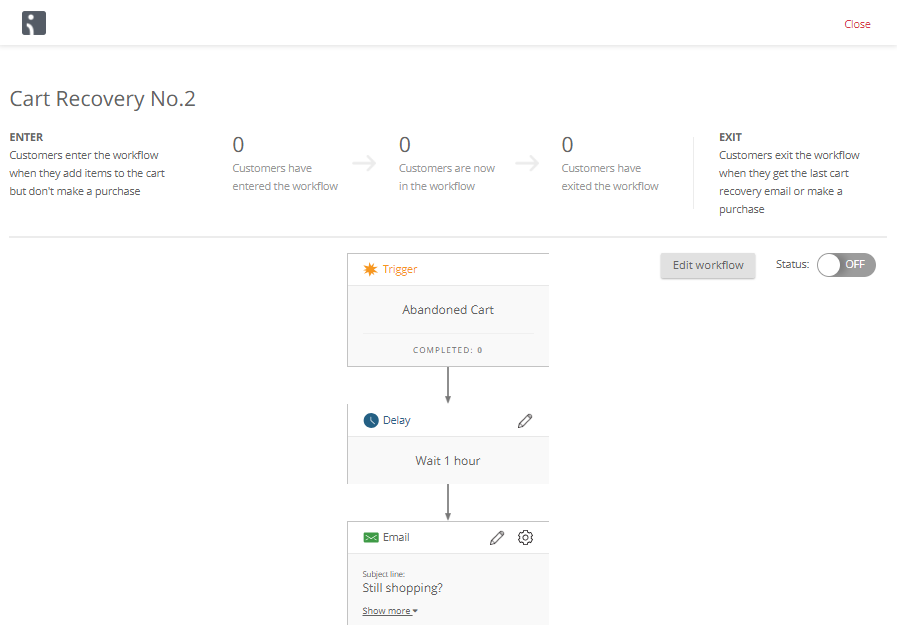
The 8 Best Free Autoresponder Software Tools
Some of the tools listed above have free or incredibly cheap plans, such as Klaviyo and Autopilot ($1 per month). However, if you’re looking for a full list of the best free autoresponders that offer incredible value, we’d recommend the following six.
Best Free Email Autoresponders
Ultimately, choosing the best autoresponder is difficult. It’s not as straightforward as asking, “How much does this cost?” or “What features does this tool have?”
Instead, it’s also about asking, “Which autoresponder software is best for my particular business?”
This question leads you to reflect on what your current tech setup is (which CRM you use, for instance), and how you plan on growing and using marketing automation in the months and years to come.
For what it’s worth, HubSpot has an affordable introductory plan and we’ve structured our email automation plans to help you grow. So you can expect powerful and simple-to-use features at the startup level, and then as you grow, our autoresponders will still support you, even at the enterprise level.

The 7 Best Free Resume Builders We’ve Ever Discovered
According to GetFive, only 30% of resumes are approved by applicant tracking systems (ATS). Once the resumes are approved, a hiring manager will only spend an average of six seconds reading each resume.
With a resume builder, you can build a personalized professional resume that passes ATS, stands out to the hiring manager, and helps you land your next job interview.
Resume builders are incredibly helpful when creating a resume and can help you showcase your unique personality. Here, we’ve compiled a list of the best free resume builders. Keep reading, and then get to work designing your own with these tools.
![→ Download Now: 12 Resume Templates [Free Download]](https://no-cache.hubspot.com/cta/default/53/4ec95757-585e-40cf-9189-6b3885074e98.png)
We’ve discovered the best free resume builders on the market. These resume builders are great for all jobseekers, from entry-level to executive level. Each free resume builder has a simple interface, customization options, and templates that help you create the perfect resume for your next job.
Featured Resource: HubSpot Resume Templates
Download these free templates to get your thoughts on paper and plan your resume before using a free online resume builder.
1. Zety: Best For Expert Resume Creation Tips
 Zety is an excellent online resume builder because of its state-of-the-art templates. You can quickly start from scratch and input your information. My favorite element of this tool is that the site will walk you through the process. All you need to do is fill out the information, and then — voila! You have a resume. While this tool is free, you’ll need to make an online account.
To use Zety for free, click “Download” on the left toolbar once you reach the final step of the builder — instead of selecting “Save and next.” Then, choose “Plain Text (.txt)” to download your resume for free.
Best For
Zety is best for those looking for expert help in creating their resumes. The tool provides tips and prompts to help you create the content for your resume, and there are a variety of customization options to ensure your resume is tailored to your needs. While you can download a .txt file for free, it costs $2.70 for a different file format, and some templates use graphics and colors that interfere with ATS.
|
PROS |
CONS |
|
Guides users through each step of the process and offers tips and prompts |
Free download is a .txt file; $2.70 for a different format |
|
Variety of customization options to create a unique resume |
Some templates interfere with ATS |
|
Auto-suggestion feature provides ATS-optimized descriptions of work experience and skills |
2. Resume Genius: Best For Easy and Fast Resume Creation
 Resume Genius is undoubtedly one of the easiest and fastest free resume tools you have at your disposal. With a clean and easy-to-use interface, the tool walks you (speedily) through the sections of your resume, including education, work experience, and references. It offers different templates varying from “Taj Mahal” to “Classic.” Resume Genius provides you with easy fill-in-the-blank sections so you can have an impressive, comprehensive resume in no time.
Best For
Resume Genius is best for those looking for step-by-step guidance when creating a resume. The tool offers tips and advice at each stage of the process. Resume Genius’ search options help you build an ATS-optimized resume that’s customized to fit your industry and position.
|
PROS |
CONS |
|
Easy to use interface |
Free download is a .txt file; you must pay for a 14-day trial to download as a PDF or different format |
|
URL for sharing and performance tracking |
No option to upload an existing resume, so you must start from scratch each time, making it difficult to make updates |
|
Can search for positions and choose from 50,000+ job description bullet points that relate to what you’re applying for |
|
3. My Perfect Resume: Best For Guided Resume Creation Help
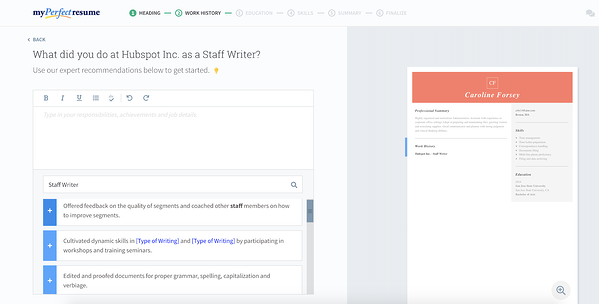 My Perfect Resume allows you to either start from scratch and input information into a blank template, or upload a pre-existing resume if you already have one. Additionally, the tool provides you with expert recommendations as you move throughout the process, including suggested phrases you can include for specific roles.
My Perfect Resume also enables you to include optional sections like certifications, accomplishments, and affiliations. This is vital, particularly if you’re just starting out, or switching industries. This tool is particularly useful if you’re applying for a creative role and want to add color or a unique design to your resume.
To use My Perfect Resume for free, click “Download” on the left toolbar once you reach the final step of the builder — instead of selecting “Save and next.” Then, choose “Plain Text (.txt)” to download your resume for free.
Best For
My Perfect Resume is excellent for those looking for guided help when creating their resumes. The tool recommends templates based on your experience level and provides expert recommendations for skills to include based on your job titles. Compared to other tools on the list, there are fewer customization options, and there are only nine templates to choose from.
|
PROS |
CONS |
|
Recommends templates based on experience level |
Fewer customization options, and only nine templates to choose from |
|
Provides expert recommendations for skills and job responsibilities based on job title |
Some templates interfere with ATS |
|
Free download of a .txt file; you must pay $2.95 for a 14-day trial to download your resume as a PDF or Word document |
4. Standard Resume: Best For Active LinkedIn Users
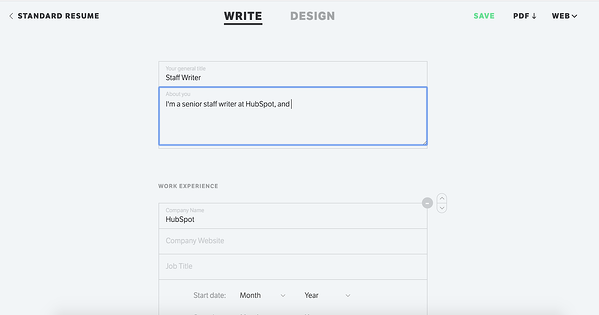 Standard Resume allows you to import your information straight from LinkedIn, making it an ideal time-saver if your LinkedIn profile is up-to-date.
The white background and minimalist features enable you to focus on what really matters — your content. You can switch back and forth between “Write” and “Design” to see how your resume looks as you go along and download it as a PDF when you’re finished. Best of all, the tool also makes your resume mobile-responsive so that you can view it on your smartphone.
Best For
Standard Resume is great for LinkedIn users looking to quickly create an ATS-compatible resume. The tool uses your LinkedIn profile to automatically build a professional resume. Standard Resume also provides tips to improve your resume.
|
PROS |
CONS |
|
Free |
Not many customization options or design-focused tools |
|
Easy import from existing LinkedIn profile |
|
|
Minimalist, helping you focus on your experience and achievements |
|
5. Canva: Best For Design Creativity and Expression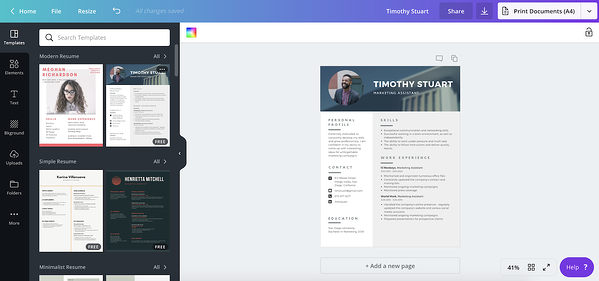
If you’re applying for a creative role or want a resume that truly lets you stand out, you might consider using one of Canva’s hundreds of free designer templates. Canva’s selections are incredibly varied and unique, so you’ll undoubtedly find one you like, and inputting resume sections can be as easy as copy-and-paste. Additionally, the templates are separated into categories, such as “Graphic Design,” “Corporate,” and “Creative,” making it easier to choose based on your preferred industry.
Best For
Canva is best for those looking for design creativity and expression in their resumes. Although not specifically designed for resume building, the tool offers a wide variety of templates, layouts, and designs to choose from when creating your resume.
|
PROS |
CONS |
|
Easy to use interface |
No option to upload an existing resume, so you must start from scratch each time, making it difficult to make updates |
|
Hundreds of free designer templates |
Difficult to edit design elements |
|
Templates are categorized by industry |
Canva’s PDF formatting can interfere with ATS |
6. Indeed: Best For In-Platform Job Seekers
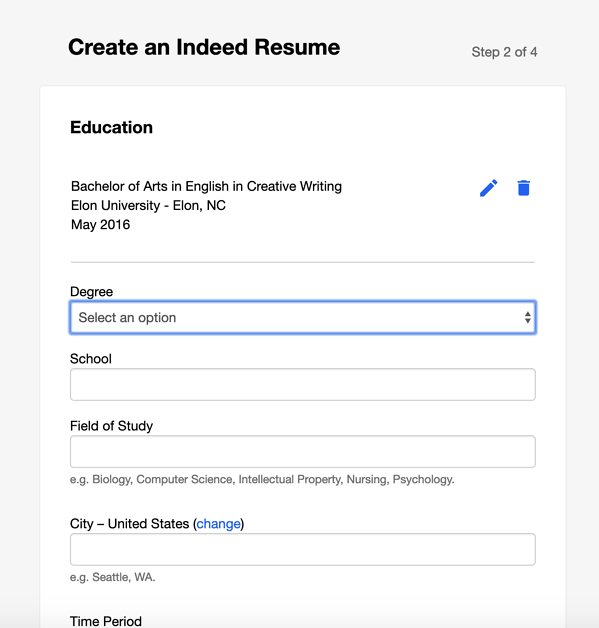 Creating an Indeed resume is an incredibly quick process. Best of all, the site allows you to automatically share your resume with employers on Indeed as soon as you’re finished. If you’ve already completed a resume, it’s still a good idea to upload it to the site for exposure to potential employers. While it admittedly doesn’t offer as many options for creativity as some of the others on this list, Indeed is an impressive option if you want to create a more traditional resume and start sharing it immediately.
Best For
Indeed’s free resume builder is best for those looking to immediately jumpstart their job search after creating their resume. It guides you through the resume creation process with expert advice and prompts to help your resume catch employers’ attention. Resumes created using Indeed’s free resume builder are designed to be viewed and picked up by ATS.
|
PROS |
CONS |
|
Free |
Only eight templates |
|
Includes expert tips and advice |
Limited design and customization options |
|
Templates compatible with Applicant Tracking Systems (ATS) |
Unable to import or upload an existing resume or LinkedIn profile |
|
Automatically share your completed resume on the site for employers and recruiters to see |
|
7. Resume.com: Best For Minimalist Resume Creation
 With Resume.com, you can build a beautiful resume in minutes. This tool is an excellent option if you’re looking for recommendations on what to include in your resume. Additionally, the site has popular templates for various job categories to help you stand out from the competition.
To use this for free, when you’re at the last stage, you’ll see a pop-up that says to create an account — instead, just click “Skip for now.” Then, in the top right-hand corner, you can click the download button.
Best For
Resume.com is great for jobseekers looking to quickly create a professional resume. This 100% free resume builder provides examples to help you during the process.
|
PROS |
CONS |
|
Completely free |
Limited options for design and customization |
|
LinkedIn importing |
No pre-written content |
|
Share, print, and download in multiple formats |
Minimal guidance for resume creation |
Building a resume can feel like you’re staring at a blank canvas. But with an online resume builder, you can get recommendations and build a beautiful document that will stand out without needing a graphic design degree.
What’s the best resume builder?
The best resume builder for you will vary depending on your needs.
If you prefer a tool that guides you through the process of creating a resume, we recommend using a builder that provides tips and suggestions. If you prefer a resume builder that automatically creates a resume, we recommend a tool that pulls information from LinkedIn. If you prefer having creative freedom when building your resume, we recommend using a tool that includes customization options.
Choose the resume builder that meets your needs and fits your industry and personal style, and you’ll be well on your way to earning a second look from hiring managers.
Editor’s note: This post was originally published in March 2019 and was updated for comprehensiveness.

How to Create a Writing Style Guide [+Free Guide & Examples]
A writing style guide is essential for any business — especially if there are multiple content writers on the team.
As you create more and more content on your website and blog, inconsistencies are bound to creep in. One reason? Lack of clarity about the style in which you’d like to write in. Disjointed communication across the multitude of content creators in your organization can be a culprit, too.
![Free Download: How to Create a Style Guide [+ Free Templates]](https://no-cache.hubspot.com/cta/default/53/76520ae5-1a3b-4055-9e8e-95e150b90965.png)
Either way, failure to decide upon accepted editorial guidelines is a recipe for inconsistent messaging. That’s why at some point, most companies will need to develop a writing style guide.
A writing style guide indicates the basic rules of writing everyone agrees to follow to ensure consistency across all content, like whether you should capitalize the “a” after the colon.
Note: If you write content for HubSpot, you should not capitalize the “a.”
But wait… if that’s the case, why would I capitalize the “If” in that last parenthetical? Because “If you write content for HubSpot, you should…” is a complete sentence, thus warranting the capital “If.”
These conventions are specified in our writing style guide.
If you found that train of thought terribly banal, you might think writing style guides are the most boring things in the world and have a burning desire to click away right about now. Au contraire, mon frère.
Why Writing Guides Are Important
A writing style guide saves you from finding yourself embroiled in a debate about whether there should be spaces before and after an ellipses, whether you capitalize “for” in a title, or when a number must be written out in full.
If the writing style guide bores you, just imagine how insipid that debate will be. The existence of a style guide means you can simply have the style guide handy as your little writing rulebook without having to sit through debates about blockquotes.
Both guides are different in content but the same in function. They play an important role in how potential consumers view, interact, and remember your company.
In an effort to help you get started with your own style guide, this blog post will walk you through how to create a writing style guide and which essential elements you’ll need to include.
Before we dive into the important elements you’ll need to include in your writing style guide, let’s talk through the steps of creating one. Your guide should reflect your business, its goals, and your target audience. To start, you’ll need to:
1. Review your brand’s mission and values.
Why did you start your business? What is its purpose? These are two important questions that you ask yourself when you start planning and building your company. If you didn’t, ask them now. Define your mission statement. Outline your brand’s core values. This information will guide how you form your connections with your audience. It will allow you to develop an idea for how you plan to communicate with them.
Your brand’s mission and values should guide your decisions and ensure that you’re actively working towards your goal. They define and influence company culture by guiding your business to make decisions that are beneficial to the company and your customers.
It is important to note that this information can change. In fact, it should. As time goes on and your company evolves, it is necessary to review and update your brand mission and values to accurately reflect your current business model and operations.
2. Create buyer personas for your target audience.
To create your writing style guide, you need to know who you’re talking to. Imagine having one conversation with a baby boomer and another with a millennial. The way you communicate with them will likely be different. Those nuances speak to the importance of creating buyer personas.
A buyer persona is a semi-fictional, research-based representation of your target customer. This information should come from market research as well as actual data from your existing customers. When creating your buyer personas, envision your ideal customer. What are their days like? How do they make decisions? What challenges do they face? Ultimately, your buyer persona should look at customer demographics, behavior patterns, motivations, and goals.
Once you identify your target audience and their buyer personas, you will have a better idea of how to approach communication.
3. Define your company’s voice and tone.
Establishing your company’s voice and tone can be challenging because the two concepts are easily confused.
Your company voice is how you want to be perceived by your audience. It encompasses how your brand messaging will be delivered. Do you want to come across as witty or friendly? For example, while Starbucks’ brand voice is expressive, Coca-Cola’s is positive. When defining your voice, remember that this will not change throughout your writing. If you establish your company as “friendly,” it should be incorporated into all of your messaging.
Although your brand voice should stay the same, your tone might change. The brand tone refers to how you plan to express your voice. The subtleties in tone lie completely with who your audience is. Imagine a friend asks if you want to join them for dinner, and you reply “Okay.” Cultural cues would likely have them thinking that you’re not too keen on attending. However, if you responded with “Definitely!” they might think you’re excited to go. Even though both responses show that you are willing to eat dinner with them, the connotation changes between words.
As you build your voice and tone, decide what emotion you want your writing to take on. Will it be positive, neutral, negative, or something in between? Again, your choice should mirror your target audience.
4. Outline branded words and phrases.
What are the keywords and phrases associated with your business? To keep consistency throughout your business, identify these words for your style guide. This should include specific spellings and capitalizations.
Take MSNBC for example. The cable channel has two logos, one with lowercase letters and another with capitalized letters. However, when the channel is written in copy form, it is always fully capitalized. This would be something to note in a writing style guide.
This should also carry into any slogans or phrases associated with your company. For their slogan “Betcha can’t eat just one,” Lay’s would need to make sure that their guide specifies the spelling of “Betcha” and that there is no ending punctuation. To look cohesive and professional, it is crucial to keep this consistency throughout all messaging.
5. Establish guidelines for formatting.
In addition to focusing on what is written in your style guide, you will also have to focus on how it is written. Your writing style guide should include guidelines for:
- Headers
- Hyperlinks
- Bold, italicized, and regular text
- Bullet points versus numbered lists
Formatting will allow your readers to skim and digest your content quickly. In addition, as they become acquainted with your style, they will come to expect your company’s organizational breakdown. Every business has the autonomy to choose how it formats its content. Make sure you develop a format that flows effectively for your readers.
6. Use a style guide template.
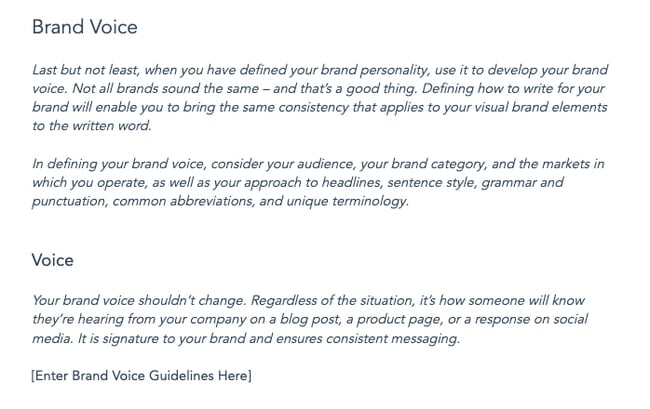
Download Your Free Starter Template
As you work through the above steps to build your writing style guide, you might draw a blank on how to format it. Use a template. Many companies have their style guides available to the public. Find a company that you’d like to emulate, use them as a starting point, and customize the guide until it becomes a representation of your business. See the “Writing Style Guide Examples” section below for style guides from companies like Mailchimp, Google, and NASA.
What to Include in Your Writing Style Guide
There are a few key sections to include in your style guide.
1. Style Manual
Style manuals are reference books that tell writers how to handle grammar, punctuation, and any special use cases. Most businesses adopt either the AP Stylebook or the Chicago Manual of Style. It’s up to you to decide which manual you’d like your company to follow.
You can purchase online subscriptions to these manuals for your employees to reference, the login for which you should also include in this section of the editorial style guide to make access simple. You might find employees are more likely to reference these tools when provided with an online subscription that contains a search function instead of a paper book through which they have to flip to find their answers.
While these style guides provide a good reference point for basic grammar rules, you’ll probably want to make some exceptions to the rules for the sake of branding, tone, and style.
Use this section of your editorial style guide to outline those exceptions and also to highlight some of the rules that commonly arise when writing for your company. Ideally, your writers would commit these rules to memory, regardless of whether it is aligned with or against house style. For example:
- What do you capitalize? Do you capitalize the name of your product? Are there certain prepositions you want capitalized in your title despite your stylebook’s recommendations?
- What do you abbreviate? How do you punctuate those abbreviations? Would you type “a.k.a.” or “aka”? “Okay” or “O.K.”? Or “OK”?
- Do you use an Oxford comma?
Listing answers to common questions like these in the first part of your editorial style guide will give people an easy resource to reference that will save you time and encourage consistency. Feel free to continue adding to this list as more confusions arise and get resolved during the content creation process. You’re creating your own style guide, so feel free to borrow different rules from different style guides. The important thing is that you use the same rules consistently throughout all the content you create.
2. Commonly Troublesome Words
Most companies have terminology that’s specific to their industry, and not all of those terminologies have a universally agreed-upon spelling. For instance, if you write a lot about digital marketing like we do here at HubSpot, you’ll find a lot of inconsistency around the spelling and capitalization of words like these:
- ebook vs. Ebook vs. e-book
- ecommerve vs. e-commerce
- internet vs. Internet
- website vs. web site
- Facebook Like vs. Facebook like
- Retweet vs. re-tweet vs. reTweet vs. ReTweet
Instead of debating how to spell, capitalize, or hyphenate these words, include a section in your style guide called “Commonly Troublesome Words” so writers can easily look up the proper spelling of these words according to your house style guide.
Advice for Global Companies
If you have global readership and create content for specific, same-language markets, you should include notes on whether you change spelling for those markets or retain your house style.
For example, if marketers from HubSpot’s Dublin office write a blog post, should American editors change their spelling of “favour” to “favor”? “Internationalise” to “Internationalize”? These questions should be answered in your style guide, and the “Commonly Troublesome Words” section is a logical location to do that.
Similarly, if you are creating content in various languages, style guides should be created for each language.
3. Voice and Tone
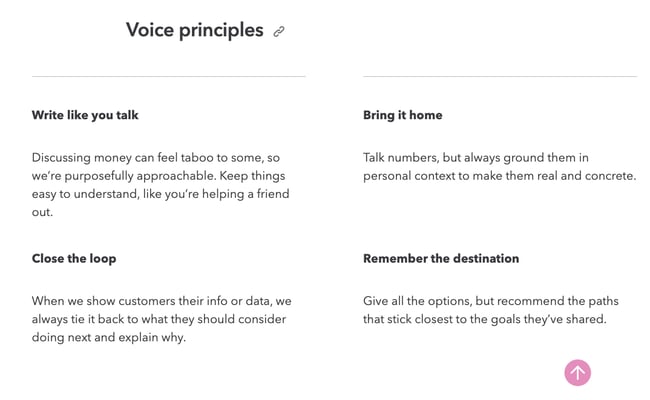
This section of the editorial style guide should address something less concrete than grammar rules but arguably more important, and that is how your content should sound to the reader.
Can writers use the first person? How do you feel about the use of industry jargon? Think about the words you would use to describe your content in an ideal world. Which adjectives do you want your content to evoke? Conversational, educational, academic, funny, controversial, or objective?
You might think you want your content to be all of the above, but force yourself to prioritize just a few. Explain why it’s important to achieve this style and tone in your content, and provide examples of content (excerpts are fine) that are successful in doing so, particularly if those excerpts exist on your own site already.
If there are stylistic characteristics your content absolutely should not have, include that information, too. Again, examples of what not to do are helpful here for the sake of comparative illustration.
When deciding on style and tone, be sure to consider your target audience and buyer personas in the process. Which style and tone would resonate best with them? This brings us to our next section.
4. Personas
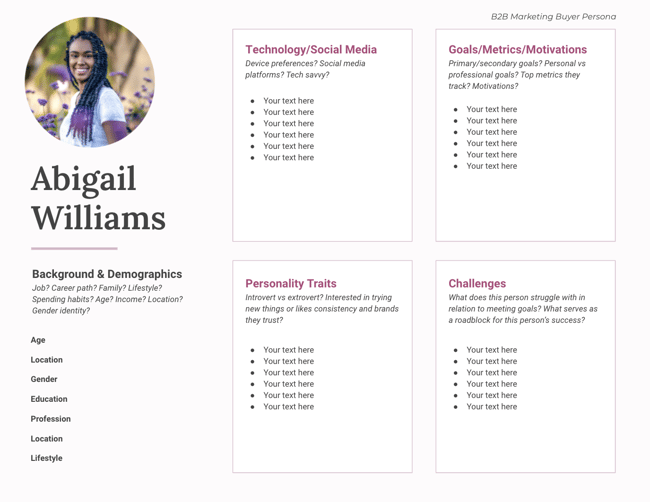
Buyer personas are inextricably tied to style and tone, so it’s important to include this section either before or after the “Style and Tone” section of your style guide. Why is it so important to include personas? Because the style and tone you adopt should be informed by your target audience, i.e. the people that will be reading all this stuff you’re writing.
That being said, the personas in your editorial style guide don’t need to go as in-depth as the personas created by your sales and marketing teams. (Those might include detailed information like objections that arise in the sales process and how to overcome them, or tips on identifying these personas “in the wild” or when you get them on the phone.)
The personas in your editorial style guide should be more brief, simply pulling out the highlights that concisely explain who your target audience is, their pain points, how they like to be communicated with, the value your company provides, and a picture to give writers a visual to keep in mind when creating content.
Including personas in your style guide really comes in handy when you’re working with freelance writers. If you’re doing a good job with freelance writer management, you’ll provide ample context to inform the content they’re writing. A persona, and how that informs tone and writing style, should always be included when kicking off a new freelance writer project.
5. Graphics and Formatting
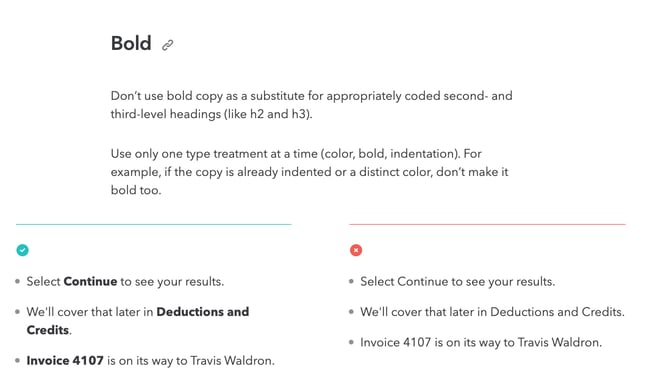
I know, I told you earlier not to get into the nitty-gritty with visual guidelines. This is still true. Your design team or agency should create a separate brand design style guide that addresses more nuanced visual things. (Can you tell I’m not a designer?)
You should, however, add a little information to your written style guide if your writers are ever responsible for creating visual assets and/or copyediting visual assets created by designers. Here are some common questions that may come up that will impact writers or editors:
- Where can writers source images, and how do they properly attribute them?
- When should images align to the right, to the left, or in the center?
- Should text wrap around images?
- What are the RGB and hex codes for your text and headers?
- What typefaces can be used?
- Can writers use italics, bold, or underlining? If so, is usage limited to certain occasions, like bolding headers and hyperlinks?
- Which kind of bullets should be used (square, round, or other), and how should they align with the rest of the text?
- How should numbered lists appear: “1”, “1.” or “1.)”?
Many of these graphical elements can be present in your content management system, but they can be easily overridden when writers copy and paste content from elsewhere with formatting attached, or by an overzealous writer with a flair for design. Outline these expectations in your editorial style guide, and refer those with more advanced needs to your brand style guide.
6. Approved and Unapproved Content
Great content often cites research and data from third party sources. Make your writer’s job easier by providing approved industry resources from which they can draw, and even more importantly, resources from which they cannot draw. Break up this section of your editorial style guide into two sections: recommended and approved industry resources, and “do not mention” resources.
The information in the “do not mention” section should include competitors and unreliable resources, and it should also mention controversial topics and opinions that should be avoided at all costs. For example, many companies strictly prohibit any mention of politics or religion in their content, or have provisions that explain when it is acceptable to include and how to frame the discussion. Similarly, many companies work within certain legal restrictions, in which case this section of the style guide might provide instructions for receiving legal approval before publishing a piece of content.
This is the section of your editorial style guide to explain the intricacies of such controversies as they relate to your brand so you can prevent reputation management catastrophes.
7. Sourcing
With great research comes great responsibility… and a lot of choices, unfortunately. Clear up the confusion around how to properly cite research by deciding on one methodology and documenting it in your editorial style guide. Explain how to create footnotes, references, links to external sites, or even bibliographies if they are relevant to your company.
This section of your editorial style guide doesn’t need to be long. Just write down the rules and provide some examples of proper citations so writers can easily attribute their sources properly.
8. Examples to Show What’s Right and Wrong
 Image Source
Every section of your editorial style guide can benefit from real life examples of the concepts you’re explaining, whether you include those examples on the same page or as an appendix at the end of the guide.
For example, when talking about proper formatting, include a visual example of a well-formatted blog post with callouts that detail why the elements are successful. If you’re discussing grammar usage, provide an incorrect example, and then mark it up to show how a writer could fix it to align with your editorial style guide.
Bridging your requirements with proper executions from your actual website will help illustrate these concepts more clearly and cut down on follow-up questions and instances of exceptions to the rules you’ve laid out.
What Not to Include In Your Style Guide
It can be tempting to create the most comprehensive style guide of all time. But when documents get incredibly long, it can become a little hard to use on a day-to-day basis. Aim for “comprehensive, yet usable” by intentionally cutting some sections. Common sections you should omit from your style guide include:
Content Operation Notes
While content operations are the backbone of your content creation process, detailed information on the processes should not be included in a writing style guide. The action of submitting content to your editorial team is an irreplaceable step in getting content published; however, this does not add value to the style your writers will use in creating. Additional content operation notes that can be left out of your style guide include requesting slots on the editorial calendar or revision cycles.
Minor Visual Style Recommendations
Many teams fail to realize that a brand’s logo can affect SEO. For those who know this information, you may be tempted to include rules around logo usage or other visual style guide elements in your writing style guide. Don’t. With some basic exceptions, these would be saved for a separate brand or visual style guide.
Design Elements
As previously mentioned, writing style guides have little to do with the visual design elements of the brand. They affect how the writing looks, but they don’t serve your writers as they create. The following design elements should be left out of your writing style guide.
Typography
This section lists the fonts your brand will use and where they can be accessed. Typography sections also provide detailed information on when and where to use different fonts, as well as acceptable sizes and variations.
Logo & Variations
As important as your logo is to your brand identity, it holds little to no importance in the eyes of your writers. Providing an image of your logo to your writers may help them connect with the look and feel of the brand; however, extra details about variations and when to use them on print or digital content is inconsequential.
Color Palette
When choosing brand colors, they typically align with the feel of the brand. Bright colors are used to symbolize ‘happy’ or ‘fresh’ brands, while darker colors can make a brand seem bolder and more daring. While the color palette can help solidify the tone of the brand to the writer, it is still unnecessary. Everything they need to know should be expressed when you define your company’s voice and tone.
Your editorial style guide will simply guide writers by providing a set of standards to which they must adhere when creating content for your website. It eliminates confusion, guesswork, and debates over what boils down to a matter of editorial opinion among grammar and content geeks.
If you’re ever unsure whether something should or should not exist in your written style guide, fall back on usage to inform your decision. If it’s too long to be usable, cut it down; if it’s too short to answer the most common questions, beef it up.
How to Get Others to Use Your Style Guide
If you put in all this work to create a comprehensive style guide, it’d be a real bummer if no one used it.
Here’s the truth: Some people just aren’t going to use it, no matter how easy you make it for them to do so. So, just accept that. But after you’re done grieving, there are a few things you can do to increase the likelihood of adoption:
1. Involve other people in its creation from the get-go.
Instead of mandating the rules your entire company must use when writing, get a few people together to help create the style guide as a group. Ideally, this little committee will span more than one department to increase the likelihood of widespread adoption.
2. Make it easy to find and use.
Our style guide is available on our internal repository, so it’s easy for people to find, bookmark, and Ctrl+F to get answers to questions quickly. Make yours similarly easy to access and use.
3. Keep updating it.
Your style guide is intended to be a living document. As new questions arise, make it easy for writers to ask questions about proper usage and get a resolution, and make sure that resolution is reflected in an updated version of the style guide.
Writing Style Guide Examples
If you want to see a writing style guide in action, check out the examples below from well-known companies like Apple, Shopify, and Intuit.
1. Google
In Google’s style guide, they are very explicit with its principle to create clear, accurate, concise text. The company offers clear directives to write simply and directly, address users clearly, and more.
They also skillfully demonstrate examples of what employees should and should not do. For example, instead of saying, “Consult the documentation that came with your phone for further instructions,” their writers should write something similar to “Read the instructions that came with your phone.” With this guide, Google ensures that its text is inclusive to anyone, regardless of their cultural or language differences.
2. Intuit
You likely recognize Intuit for programs like TurboTax and Quickbooks. While some companies have their writing style guide formatted as a formal document, Intuit takes a different approach. Their guide appears as a message board.
On one of their most recent updates, they shared new guidelines on when and how to celebrate customer wins. As you scroll through their guide, you will find voice and tone examples, word list updates, and principles on how to identify and replace harmful language.
3. Shopify
The eCommerce platform, Shopify, has an extensive content style guide that walks its writers through voice and tone, accessible and inclusive language, grammar and mechanics, and naming. As it elaborates on its voice guidelines, it reminds writers that when speaking as Shopify’s voice, they should “be real, but not too tough or overly familiar.”
It directs writers to be proactive without being pushy by offering their customers sincere encouragement and practical advice. In addition to these guidelines, Shopify has created a list of acceptable vocabulary and abbreviations to ensure its messaging is consistent and clear for its merchants.
4. Microsoft
Warm and relaxed, crisp and clear, and ready to lend a hand: That is Microsoft’s approach to writing for its customers. Microsoft is another company with a different take on how it presents its writing style guide. With one webpage at the center, it links out to valuable information, including its “Top 10 tips for mastering Microsoft style and voice.”
The page lists other recommended content, such as information on bias-free communication and directives on how to write step-by-step instructions. Whether the content is for an app, website, or white paper, this guide keeps all Microsoft communication clear, concise, and consistent.
5. Apple
In Apple’s writing style guide, they immediately express their mission. Reflecting on the diversity of its customers, they stress the purpose of the guide — to write consciously and inclusively.
The setup that Apple uses is also very on-brand. Its style guide has “previous’ and “next” buttons, which mimics a step-by-step tutorial that one is familiar with if they’re acquainted with Apple products. Apple also encourages its writers to return for updates. Writing changes over time, so its writers need to adapt to the changes Apple makes to its writing style guide as they happen.
6. Mailchimp
Writing copy for a brand can be confusing. As you switch between media, there are certain nuances that you might have to take into account. Mailchimp does a great job breaking down these components in its style guide. It includes principles for writing technical content, legal content, email newsletters, and social media.
To facilitate the process for its writers, the Mailchimp content style guide has a hyperlinked section that allows users to quickly navigate through the webpage.
7. NASA
The National Aeronautics and Space Administration (NASA) is known for the complexities of outer space. In its style guide, it mentions that its purpose is to be consistent in its writing style and usage, so its readers avoid distraction from confusing terms and concepts.
The guide directs its writers to use The Chicago Manual of Style but also provides specific topics, including an overview of their editorial style as well as sections on gender-specific language, abbreviations, and figures and tables.
8. Yokel Local
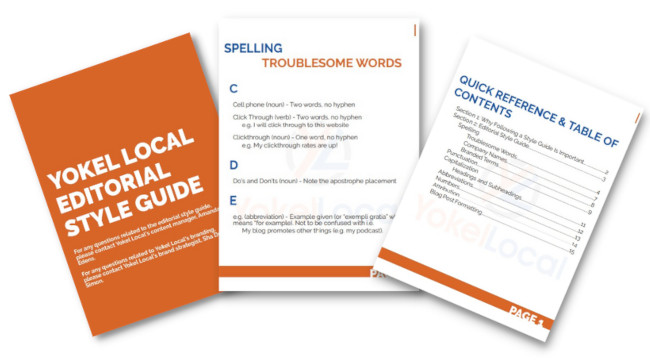
This example comes from HubSpot Partner Yokel Local. Their writing style guide keeps both their in-house contributors and their freelancers on the same page when writing and editing marketing content for clients.
You’ll notice that they didn’t go too far in the weeds, either. The whole guide is 15 pages in large, attractive lettering, and anything not explicitly stated in the guide is left up to the AP Stylebook and the Merriam-Webster dictionary. The simplicity is effective, and they clearly had fun designing the document to be cohesive with their brand guidelines.
Polish Your Editorial and Content Style
When it comes to running your business, you might assume that your words hold little weight when compared to your products or services. You’d be mistaken. While your products are central to your business, how you share information — the words you use — is critical to gaining new customers and maintaining existing ones.
Consistency is an important factor in managing a successful business. With a writing style guide, you will decrease inconsistent content and communication. You will equip your team with the tools and resources to deliver a strong, cohesive message that draws in your target audience. As you work to create or polish your writing style guide, this article will serve as your guide to get there.
Editor’s note: This post was originally published in May 2015 and has been updated for comprehensiveness.

Podcast Equipment You Need to Take Your Show from Good to Great in 2022
Want to start podcasting, but feel intimidated by the podcast equipment you’ll need? Don’t be! Professional-sounding podcast equipment is more accessible than ever.
With 26% of adults listening to podcasts weekly, the production quality of your show is important. In order to build a successful podcast, you need the right tools and services at your disposal.
Let’s review the top podcast tools and services to make your production more efficient and professional.

Below, we’ll break down the tools and services into four categories: podcast recording equipment, podcast recording software, podcast editing software, and podcast hosting sites.
Podcast Equipment
To take your podcast show from good to great this year, you need to have the right equipment.
1. USB or XLR Microphone
The first thing you need to record your podcast is a microphone. The two most popular options are USB microphones and XLR microphones.
USB microphones can connect directly to your computer via a USB cable. They are easy to use and require minimal setup.
If you’re looking to have a bit more control over your audio, you can opt for an XLR microphone and cable for higher sound quality. A popular podcasting microphone that allows for both USB and XLR connection is the Audiotechnica ATR2100 microphone.
The RODE PodMic is a cost-effective XLR microphone that gives studio-quality sound.
2. Audio Interface
For those who opt to use an XLR connection, you’ll need an audio mixer to connect your microphone to your computer. Not only does a mixer or audio interface connect directly to your computer, but it also gives you more flexibility in terms of volume control and editing.
A simple audio mixer is the Focusrite Scarlette 2i2 which connects XLR microphones to your computer via a USB-C cable. This mixer offers simple volume control for up to two microphones.
For more studio controls, you can opt for the RODECaster which can connect up to four microphones, has eight programmable settings, and has Bluetooth capability so you can interview guests via telephone.
3. Windscreen or Pop Filter
Once you select your microphone, make sure you get a corresponding windscreen or pop filter to minimize popping sounds and record higher-quality audio that needs less editing to sound great.
4. Studio-Quality Headphones
Headphones are a must for podcasters, especially those who record interviews remotely. Wearing headphones while recording allows you to hear how the recorded audio will sound in real-time so you can make adjustments as needed to have the highest quality recording.
If you record virtual interviews on your computer, you’ll want to make sure both you and your guests use headphones to avoid having the mic pick up any sound that may come from your computer’s speaker causing an unpleasant echo.
5. Adjustable Microphone Arm Stand
Once you have a microphone, headphones, and audio interface, you’ll want to consider getting a microphone arm stand. A microphone stand will make it easier for you to record your podcast, so you aren’t chained to your desk or have to sit in an awkward position.
Most microphones will come with an adapter that’ll connect with any microphone arm stand. Before you buy a new stand, make sure you have that adapter.
Podcast Recording Software
Now that you have all the equipment to make your podcast the best it can be, you’ll need to make sure you’re using the right recording software.
6. Skype
Price: Free
With Skype, you can record video and audio right in the program. When you’re on a call, you can click the three dots on the bottom right and then hit “Start Recording.”
Skype is a great option for podcasters because it’s free and easy to use. There are also other options, if you want better audio quality. For instance, you can download recording software on your computer or buy an external digital recorder.
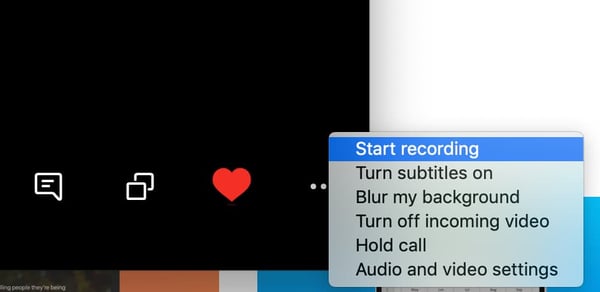
7. Zoom
Price: Free+
Zoom is another excellent free option (for calls up to 40 minutes long). You can easily record right in the program, by clicking the “Record” button and choosing where you’d like to save your audio file.
Skype and Zoom are fairly similar options, however, the recording files differ. Skype will give you a mono file, which means both your and your interviewee’s side of the conversation is on one audio track. However, Zoom splits both sides of the call, giving you two separate audio tracks. This is helpful when it comes to cutting and editing in post-production.

8. Ringr
Price: $8/month+
Ringr is a long-distance podcasting and broadcast interview recording program. Although this option isn’t free, it has excellent sound quality. If you’re focused on bringing higher-quality sound to your interviews, Ringr is a good choice.
Additionally, they have three different plans you can choose from. With the basic plan, you’ll get a mono audio file, and unlimited calls and storage. If you decide to go with the premium or enterprise plan, you’ll get a split-track audio file, plus better sound quality and the option to use conference calling.
9. Squadcast
Price: $5/hour or $20/month+
Squadcast is an easy-to-use podcast recording software. Once you sign up, all you have to do is set up a meeting, click “Record,” and you’re set.
One unique element of this software is that you can pay by the hour, if you don’t think you need a monthly plan. Even with the hourly plan, you can host up to three guests and will receive a high-quality WAV or MP3 file.
Additionally, Squadcast plans to add video recording and transcription, which will help with your show notes and posting your podcast to YouTube.
One of the top reasons to use a podcast recording software like Squadcast, as opposed to Skype or Zoom, is that you’ll have a library of all your recordings in one place, online, where you can access them at any time, any place.
10. Riverside
Price: Free+
If you’re looking for multimedia recording, Riverside could be a good fit for you.
This tool offers local recording of audio and video with up to 4K video quality. One of the most notable features is “Clips” which creates AI-generated video and audio clips of your recording that can be easily customized and shared on social media.
Additional features include transcriptions, sharable links for guests, producer mode and controls, live streaming, one-click scheduling, and screen share recording.
11. Pro Tools
Price: $30/year+
If you’re ready to move beyond the beginner recording software above, Pro Tools is an excellent option.
Pro Tools is an advanced recording and editing software. You can record, edit, and mix numerous audio tracks. However, this is for the more advanced audio recorders/editors. The user interface (UI) isn’t as intuitive for beginners and may seem overwhelming at first.
Although, because it’s advanced, it also offers much more robust features. For example, since Pro Tools is known in the music industry, it has virtual instrumentation available, which can be helpful in creating the music to put in your podcast. Additionally, it offers plugins, collaboration, and hands-on audio mixing.

12. Reaper
Price: $60 one time payment+
Reaper is another advanced recording, editing, and mixing software. This type of program provides higher-quality recordings and more capabilities when it comes to editing and mixing.
The UI isn’t as intuitive as programs like Zoom or Squadcast, but it offers higher-quality sound. With your audio interface and microphone attached, you can record directly into the program, with as many audio tracks as you’d like.
The recording feature is more robust, offering simultaneous recording inputs, a dozen audio formats, and recording tracks.
Additionally, it also has strong editing capabilities as well.

13. Logic Pro
Price: $200 one time payment+
Logic Pro is the advanced version of Garage Band for Mac users. It’s a higher-quality recording program offering an easy-to-use UI.
Recording is as simple as setting up your microphone and USB audio interface and pressing record.
Logic Pro offers up to 1,000 audio tracks, software instrument tracks, and hundreds of plugins to complete any project.
Additionally, it has advanced editing capabilities.

14. Whereby
Price: $10/month+
Whereby is another option for recording remote interviews. It’s excellent for beginners and is easy to use.
Although there is a free plan, recording is only available in the Pro or Business plan. Recording is as easy as hitting the “Record” button, once you’re on a call. This will record both video and audio, so it’s easy to post to YouTube if you want.
While this is an easy option, it isn’t the highest quality recording.
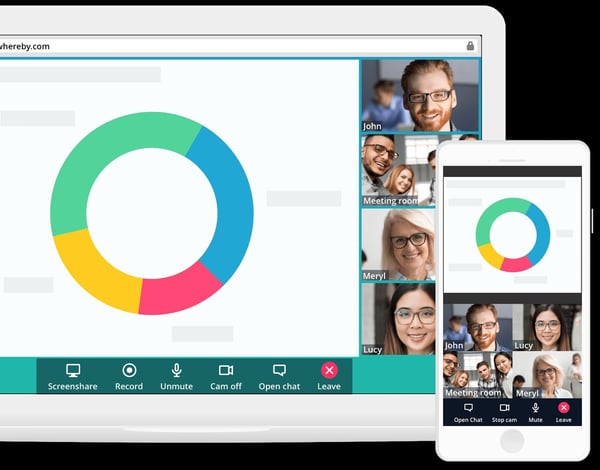
15. Zencastr
Price: Free+
Zencastr is a web browser-based recording software that offers live sound editing, automatic postproduction, and automatic cloud backup of recordings.
The app recently launched a beta HD video recording feature and also has built-in chat and footnote features that make sharing information with guests and producers a breeze.
Podcast Editing Software
Once you record your podcast, it’s time to edit it. As you’ve read above, many software includes both recording and editing capabilities. Below are some tools known for editing, rather than recording.
16. Adobe Audition
Price: $20/month+
Adobe Audition is an excellent mid-level audio editing software. You can create, record, mix, edit, and restore audio content.
It offers high-quality sound, plus comprehensive tools to deliver polished sound. For example, Adobe Audition comes with a podcast template, which helps you set up a multi-track recording so you can mix and edit different audio tracks and voices. Plus, you can work in both waveform and multi-track editors, for more well-rounded editing.

17. Audacity
Price: Free
Audacity is an excellent free option for editing your podcast. It’s especially easy if you plan to use only one take, with few cuts. The UI is easy to use and beginner-friendly. However, if you have to make a lot of cuts or move audio around, it’s a little more difficult because of the simplicity of the program.
This option is great for beginners because of the simple cut, copy, and paste functionality. It isn’t the highest quality sound, but it gets the job done.
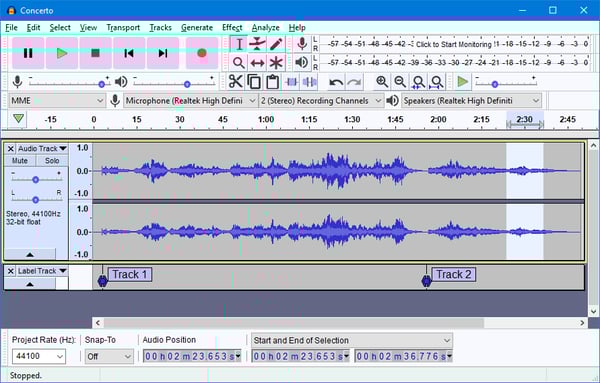
18. Garage Band
Price: Free
Garage Band is a free editing software that is available on and comes with most Mac computers.
It’s mostly used as a beginner editing program, but is capable of mixing up to 255 audio tracks. It comes with basic editing features including volume levels, cut, copy, and paste. You can use plugins to finish off your track and use audio effects such as compression.
Additionally, it features a sound library with effects that you can include in your podcast.

19. Descript
Price: Free+
If you can edit a Google Doc, you can edit a podcast. That’s the premise of Descript, a text-based audio, and video editing tool.
To use Descript, upload your file to the tool to get an AI-generated transcription. You can then review the transcription to make changes in real-time. Descript also has a feature that uses an AI-created version of your voice, so you can add words to your audio simply by typing.
Descript is incredibly easy to use for new podcasters and those who don’t have audio editing experience.
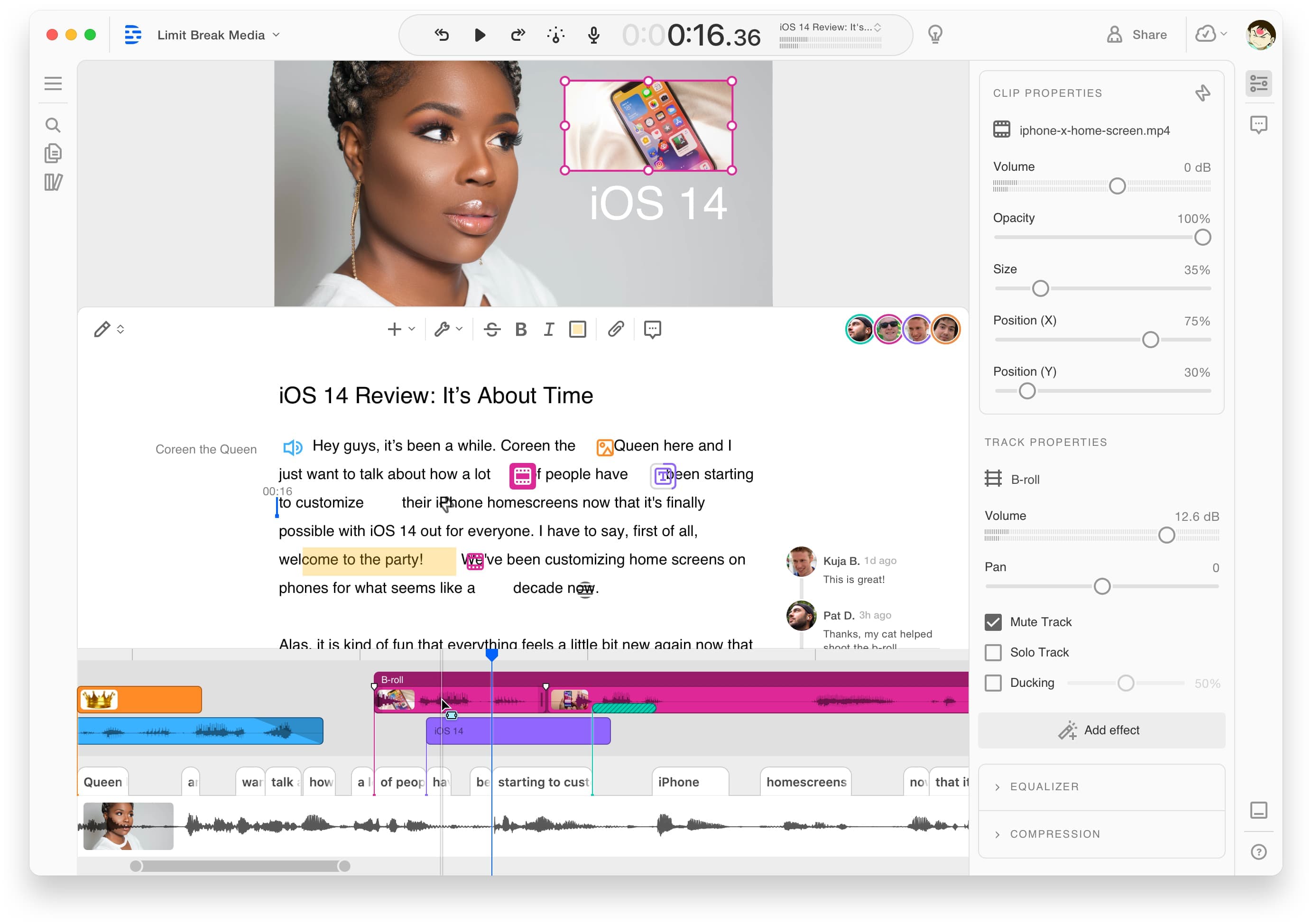
Podcast Hosting Sites/Services
Now that you’ve bought your equipment, recorded, and editing your podcast, you may be wondering what’s next? After you’ve produced your podcast, it’s time to find the right hosting site and service to publish it on.
20. BuzzSprout
Price: Free+
BuzzSprout is an excellent hosting option, because it gets your podcast listed in all the top podcast directories including Apple Podcasts, Spotify, Google Podcasts, and Stitcher.
Additionally, it offers advanced metrics, so you can track the progress of your podcast. You can see statistics about your listeners, total plays over time, and where people listen to your podcast. Plus, you can transcribe your podcast in BuzzSprout.
With paid plans, you’ll have unlimited storage and episodes hosted indefinitely.
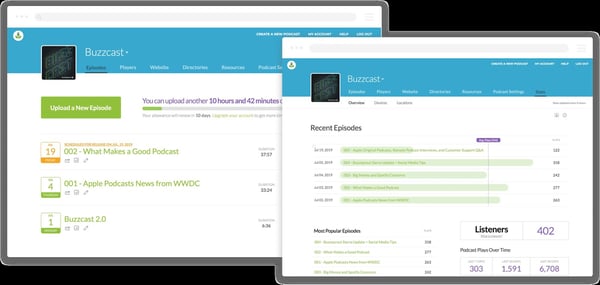
21. Libsyn
Price: $5/month+
Libsyn is a hosting service that will get your podcast published on your audience’s favorite apps and platforms.
A unique feature is its monetization options. For example, it offers premium content subscriptions and opt-in advertising. These options keep you in control and allow you to customize your monetization.
You’ll also have access to detailed audience statistics, so you can also see what’s working and what isn’t.
22. Anchor
Price: Free
Anchor, owned by Spotify, is an easy-to-use platform that allows you to create, publish, and monetize in one place.
One standout feature of Anchor is its robust analytics system. Powered by Spotify, podcasts hosted on Anchor have access to powerful metrics allowing you to see exactly what the listening behavior of your audience looks like. This level of detail can help you tailor your content toward what your audience likes to hear.
Anchor also offers monetization options such as host-read ads, paid subscriptions, and dynamically inserted ad spots.
How to Set Up a Podcast Studio
Once you have your equipment, recording and editing software, and hosting services, it’s time to figure out where you’re going to record your podcast.
You’ll want to set up a podcast studio. This can be as basic as having the right equipment in any room or as advanced as creating a dedicated space for recording.
To set up a podcast studio, follow these steps:
Step 1: Buy the equipment — Before you can get your studio set up, you need the equipment. You’ll need a microphone, microphone arm, headphones, audio interface, desks, and chairs. You’ll also want to consider buying more than one of these items, in case you decide to bring people in for interviews.
Step 2: Set up room for sound conditioning — In order to achieve the best sound, consider buying soundproof foam wall panels to attach to the walls. This will stop the sound from bouncing off the walls. Additionally, you can buy pop filters for the microphones to reduce popping sounds.
Step 3: Set up lighting and cameras — Many podcasters choose to film their podcasts so they can post to YouTube or other social media. If you want to do this, you’ll need to set up lighting and cameras.
Anyone can start a podcast. That’s why you want your podcast to stand out among the rest. To take your podcast from good to great, make sure you purchase the right equipment, software, and studio setup.


Instagram Questions: 16 Ways to Boost Story Engagement
Instagram is a powerful channel for businesses to reach a larger audience — in fact, approximately 80% of the platform’s one billion users follow at least one business on Instagram.
If your brand is on Instagram, you need to be communicating and engaging with your audience, and Instagram Questions can help you do just that.
Introduced in 2018, Questions Sticker found within Instagram stories is a feature that makes it easier than ever to engage with, and receive feedback from, your followers. Here, we’re going to explore 15 creative ways to use Instagram’s Questions Sticker to engage with your followers. But first, let’s review how to use it.
Table of Contents:
How to Use Instagram’s Questions Sticker
1. Go to your Stories feature, and either upload a photo or take one (I took one within the Stories feature of my pizza box). Then, click the square smiley face in the top right of your screen.
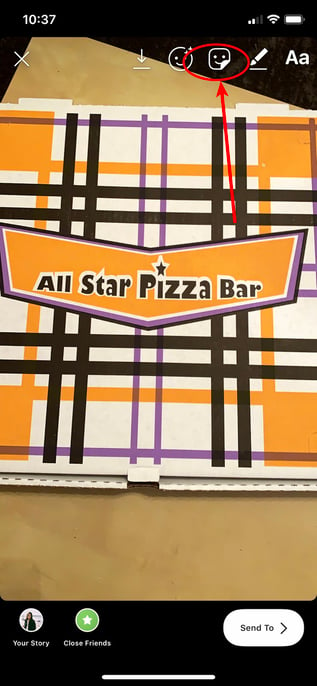
2. Click the “Questions” module.

3. The default for the Questions Sticker is “Ask me a question” but you can click the text to type a customized question — for instance, I typed “I love this pizza place! What’s everyone’s favorite pizza toppings?” Once you’re done, add filters or any other features you’d like to include.
When you’re ready to post, click “Send To” in the bottom right.

4. Finally, click “Share” beside “Your Story” to post your question to your Story.
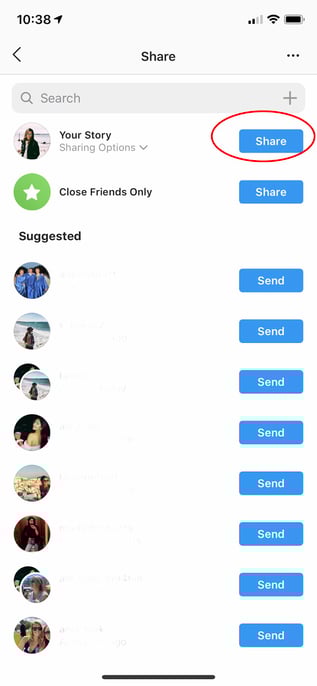
5. When you’re ready to see your followers’ answers to your question, open your Story and click the images of the profiles in the bottom left (these are the people who’ve seen your Story).
6. You’ll see “Responses” above the list of people who’ve seen your post. To individually share one to your Story, click on it.
7. Click “Share Response” to share an individual response to your Story for your other followers to see.
8. Next, take a photo or upload one, and the follower’s response you chose will appear on top of the image. When you’re ready to post, click “Send To” in the bottom right.

It’s important to note — your followers will become tired of constantly answering questions on your Story, so use the Questions feature sparingly. You don’t want to overuse the Questions Sticker and risk answer-fatigue from participants.
Additionally, you have a “Poll” feature if you want to ask your followers a binary question, like “Which pizza topping is better, cheese or pepperoni?” Save your Questions feature for more complex questions — and try to make them fun. Remember, your followers are on Instagram for entertainment, so they don’t want to feel quizzed by tough questions.
Lastly, consider what types of questions might actually help you know more about your audience. This will take some trial-and-error, since every brand’s audience is unique, so test a few different formats. For instance, if your brand is in the tech industry, perhaps you want to post a Question asking your followers’ their feedback on an innovative new tech product.
Alternatively, if your brand is in the retail industry, maybe you want to ask more generic questions like, “Do you still follow the no-white after Labor Day rule? If so, tell me why.”
For more inspiration, let’s explore some creative ways influencers, celebrities, and brands use the Questions Sticker.
Instagram Story Questions Ideas
1. Conduct a Q&A with your followers.
Influencers and celebrities often use Instagram Story Questions to conduct Q&As with their fans. For instance, Ali Fedotowsky, a blogger and former Bachelorette, will typically tell her followers to “Ask me stuff :)” at the end of the day.
Her responses are usually fun, casual, and friendly — like “Today? The wine” in response to “Best part of being a mom?”. These Q&A’s enable Ali’s followers to feel like they’re having a casual conversation with a friend. Additionally, the Q&A’s help Ali create stronger relationships with her fans and gear content towards what they want to know.


2. Showcase your brand’s values.
Away, a luggage company with 577K followers on Instagram, used the Questions Sticker to show support for Pride week while engaging meaningfully with followers. In the first post, they wrote “Happy #Pride from all of us at Away”, and followed the post with a question — “How are you celebrating?” to further engage with followers.


3. Conduct a pop quiz.
Companies can use the Questions Sticker to test the audience’s knowledge or ask fun questions related to the brand. Pattern, a company that sells products specifically for curly hair, is expanding its product distribution and asked its audience to guess what the first international retailer will be.

This approach gets the audience involved in the distribution conversation and helps potential customers in that geographic location get excited about picking up the product at a retailer near them.
4. Ask followers their thoughts on a new product or service launch.
If done wisely, you might consider using the Questions Sticker to ask your followers what they think about a new product or service — but conduct these Questions sparingly, since they might seem too self-promotional.
Beardbrand, a line of high-quality grooming products for men, effectively used the Questions Sticker to ask their niche audience how they felt about Beardbrand’s new shampoo and conditioner products. Beardbrand also posted their followers’ answers, and used it as an opportunity to demonstrate the brand’s sense of humor — for instance, in response to a follower’s “Crafted by the gods” answer, Beardbrand posted “If you say so” with a side-eye emoji.
If you do decide to ask followers about their thoughts on your product or service, consider posting their answers with funny or unique responses as well.
5. Share information from a thought leader or expert.
Your Questions feature doesn’t just have to feature your own brand — you might also use it to post useful content from other experts in the field, as long as you believe your followers would still be interested in it.
For instance, Eva Chen, an author and influencer with 2 million followers on Instagram, knows a good portion of her followers are mothers as well — which is why she featured her sleep trainer, @thebabycoachofficial, on her Story to answer some of her followers’ biggest sleep-related questions. This partnership helps @thebabycoachofficial reach a new audience and grow her following, while providing Eva Chen’s followers with free, useful tips — a win, win.

6. Use Questions as a lead generation strategy.
Megan Gilmore is a best-selling author and creator of the Instagram account @Detoxinista, which posts healthy recipes as well as Instant Pot tips-and-tricks. When Gilmore conducts “Ask me anything” Q&A’s, her followers typically ask recipe-related questions, which allows Gilmore to organically link to recipes on her blog — for instance, in response to “A good vegetable soup recipe”, Gilmore links to her vegetable soup recipe.
However, it’s important to note Gilmore doesn’t just link externally in her Q&A’s — she also provides useful tips and content from within the Story itself. When followers ask her about an Instant Pot, for instance, she posted the answer right within the Story for other followers to see.
Simply put, you can use Questions as an opportunity to link to your website, blog posts, or other helpful content, but do so sparingly, and ensure some of your responses to your followers’ questions can be found within the Story itself. This can help drive traffic to other content, but doesn’t require your followers to be ready to click-away from your Instagram page if they don’t want to.

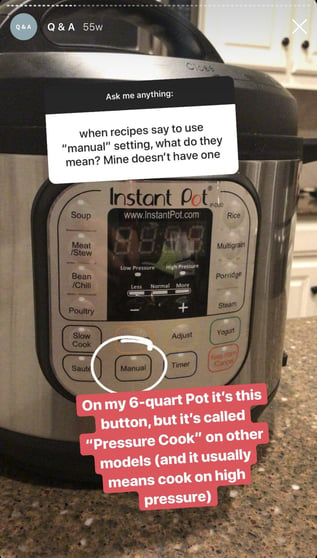
7. Share tips from within the industry.
On Instagram, HubSpot’s followers are often other marketers — which is why it’s helpful for @HubSpot to post “What are some of your favorite marketing tips?” and share the responses of some of its followers, so other marketers within the industry can collect tips from a myriad of sources.
Ultimately, you might use Questions as an opportunity to connect with your followers and learn from them, as well. Rather than asking questions directly related to your product or service, consider how you might ask a question that helps your followers learn more about the state of the industry, including tips, trends, and new ideas to improve their own business strategy. Show them their voice is valuable, too.
8. Have fun with your followers!
Reese Witherspoon is an exceptional example of someone who uses Stories and the Questions Sticker, to have fun with her fans.
For instance, during the press tour for Big Little Lies, Witherspoon used the Questions feature to ask her fans for theme song recommendations for the tour. Later, she posted some of her favorites.
Ultimately, the Questions Sticker is a chance to have fun with followers and post lighter, more entertaining content. If your brand is heading to a conference, you might use Witherspoon’s tactic to ask followers a good “theme song for the conference” or “favorite ice breakers to use at a conference”. Plus, posting their responses shows them you’re listening, and might make other followers more willing to partake in future Questions you post.

9. Announce new releases.
Starbucks playfully quizzed their followers with a question that added up fire, chocolate, and sun emojis, and said “The __ _____ is coming back…”. Starbucks then posted followers responses throughout the day, before finally posting one page with the “correct” answer — “S’mores Frappuccino”.
By building suspense (and showcasing some funny followers’ responses), Starbucks successfully created excitement around their new product while quickly (and cost-efficiently) spreading the word. You might consider using a similar strategy when announcing an upcoming new product or event.

10. Survey your followers.
Want to know how your followers feel about a particular topic, or what their preferences are? You can use the Questions Sticker as a feedback form.
Whether you ask your audience their opinion on a recent event or ask an open-ended question they can provide the answer to, using Instagram Questions can provide insightful qualitative data about what matters most to your online community.
Luggage company Beis used a Q&A session about their newest product to survey their audience about what product they’d like to see next.
11. Play “caption this.”
Want to get a little silly? Post a fun image on your Instagram Story and use a Questions Sticker titled “Caption This” to boost engagement. Share the funniest or best responses you get to your story to keep the conversation going.
12. Generate new content ideas.
It’s a good idea to use the Questions Sticker as an opportunity to ask followers what they want to see more or less of on your feed — it can help your team brainstorm more content while ensuring you’re making viewers feel like their opinion is valuable to your brand.
Use the Sticker and ask your audience “What content would you like to see more of?” to help guide your content strategy for Instagram, your company blog, or even a podcast.
13. Have your followers submit questions for an upcoming Livestream.
Is Instagram Live part of your content plan? Generate excitement and buzz for an upcoming live by using the Questions Sticker to collect questions ahead of time.
Not only will this boost engagement on your stories, but it could help viewers tune into your live in hopes of getting their questions answered.
14. Ask for recommendations.
You can also use the question sticker to ask your audience for recommendations. Content creator Carissa Stanton hosts monthly book clubs on her Instagram account and uses the Questions Sticker to ask her audience for book recommendations.
 If your company is opening a location in a new city, you can use the Instagram Questions Sticker to ask your community what their favorite hot spots are in that city. Or if you host a podcast or YouTube channel, ask your community who they’d like to see featured on your next episode.;
15. Use the questions sticker to facilitate an Instagram takeover.
Instagram takeovers typically involve having a guest post Stories from their perspective for a set period of time. Using the Questions Sticker allows your audience to get to know the guest better and provides a bit more structure to the takeover.

 Skincare brand Summer Fridays does this via its “Ask a Derm” Instagram Story segment, where a professional dermatologist will take over the account to answer skincare-related questions from the audience.
Your Instagram takeover guest can use the Questions Sticker to take questions for an “ask-me-anything” session or ask them about their favorite products or offerings related to your brand.
16. Create a weekly content series.
Looking for more consistent content ideas? Use the Questions Sticker as part of a weekly content offering on your Instagram account. Choose a day each week to post the Questions Sticker, with a standing prompt to build engagement and loyalty.
 Each week on her Instagram Stories, creator Olivia Noceda hosts a series called “Worth the Hype” where her followers will put a brand or product in the sticker and she’ll share her thoughts on whether the product is worth checking out or not.
Implementing a similar strategy can build a sense of trust with your audience, and gives them a reason to keep coming back to your Stories on a regular basis.
The Instagram Questions feature is a great way to encourage conversation with the people who follow your account, creating a more engaging social media experience.

12 Expert-Vetted Sample Business Plans to Help You Write Your Own
Ask any successful sports coach how they win so many games, and they’ll tell you they have a unique plan for every single game. The same logic applies to business. If you want to build a thriving company that can pull ahead of the competition, you need to prepare for battle before breaking into a market.
Business plans guide you along the rocky journey of growing a company. Referencing one will keep you on the path toward success. And if your business plan is compelling enough, it can also convince investors to give you funding.

What does a business plan look like? And how do you write one that is viable and convincing? Let’s review the business plan format and sample business plans you can use to inspire your own.
Business Plan Format
Before you start your business plan, you might be wondering, “Where do I start? How should I format this?”
Typically, a business plan is a document that will detail how a company will achieve its goals.
Most business plans include the following sections:
1. Executive Summary
The executive summary is arguably the most important section of the entire business plan. Essentially, it’s the overview or introduction, written in a way to grab readers’ attention and guide them through the rest of the business plan (which may be dozens or hundreds of pages long).
Most executive summaries include:
- Mission statement
- Company history and leadership
- Competitive advantage overview
- Financial projections
- Company goals
However, many of these topics will be covered in more detail later on in the business plan, so keep the executive summary clear and brief, including only the most important take-aways.
If you’re planning to start or expand a small business, preparing a business plan is still very crucial. The plan should include all the major factors of your business. You can check out this small business pdf to get an idea of how to create one for your business.
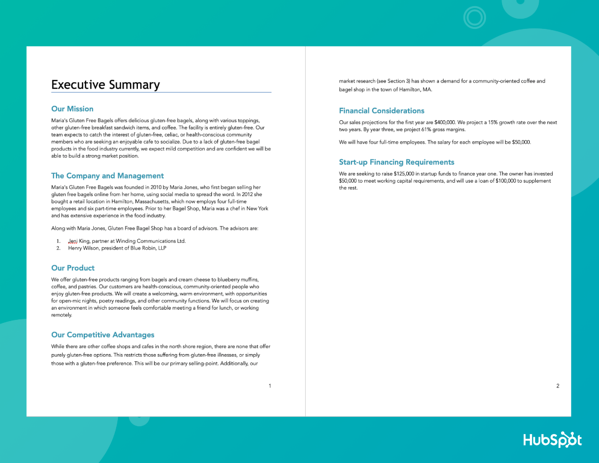
Check out our tips for writing an effective executive summary for more guidance.
2. Market Opportunity
This is where you’ll detail the opportunity in the market. Where is the gap in the current industry, and how will your product fill that gap?
In this section, you might include:
- The size of the market
- Current or potential market share
- Trends in the industry and consumer behavior
- Where the gap is
- What caused the gap
- How you intend to fill it
To get a thorough understanding of the market opportunity, you’ll want to conduct a TAM, SAM, and SOM analysis and perform market research on your industry. You may also benefit from creating a SWOT analysis to identify some of the insights for this section.
3. Competitive Landscape
Speaking of market share, you’ll need to create a section that shares details on who the top competitors are. After all, your customers likely have more than one provider to choose from, and you’ll want to understand exactly why they might choose one over another. Performing a competitive analysis can help you uncover:
- Industry trends that other providers may not be utilizing
- Strengths in your competition that may be obstacles to handle
- Weaknesses in your competition that may help you develop selling points
- The unique proposition you bring to the market that may resonate with customers
4. Target Audience
This section will describe who your customer segments are in detail. What is the demographic and psychographic information of your audience?
If your immediate answer is “everyone,” you’ll need to dig deeper. Ask yourself:
- What demographics will most likely need/buy your product or service?
- What are the psychographics of this audience? (Desires, triggering events, etc.)
- Why are your offerings valuable to them?
It can be helpful to build a buyer persona to get in the mindset of your ideal customers and be crystal clear on why you’re targeting them.
5. Marketing Strategy
Here, you’ll discuss how you’ll acquire new customers with your marketing strategy. You might consider including information on:
- The brand positioning vision and how you’ll cultivate it
- The goal targets you aim to achieve
- The metrics you’ll use to measure success
- The channels and distribution tactics you’ll use
It can help to already have a marketing plan built out to help you inform this component of your business plan.
6. Key Features and Benefits
At some point in your business plan, you’ll review the key features and benefits of your products and/or services. Laying these out can give readers an idea of how you’re positioning yourself in the market and the messaging you’re likely to use. It can even help them gain better insight into your business model.
7. Pricing and Revenue
This is where you’ll discuss your cost structure and various revenue streams. Your pricing strategy must be solid enough to turn a profit while staying competitive in the industry. For this reason, you might outline:
- The specific pricing breakdowns per product or service
- Why your pricing is higher or lower than your competition’s
- (If higher) Why customers would be willing to pay more
- (If lower) How you’re able to offer your products or services at a lower cost
- When you expect to break even, what margins do you expect, etc?
8. Financials
This section is particularly informative for investors and leadership teams to determine funding strategies, investment opportunities, etc. According to Forbes, you’ll want to include three main things:
- Profit/Loss Statement – This answers the question of whether your business is currently profitable.
- Cash Flow Statement – This details exactly how much cash is incoming and outgoing to provide insight into how much cash a business has on hand.
- Balance Sheet – This outlines assets, liabilities, and equity, which gives insight into how much a business is worth.
While some business plans might include more or less information, these are the key details you’ll want to include.
Keep in mind that each of these sections will be formatted differently. Some may be in paragraph format, while others will be in charts.
Sample Business Plan Templates
Now that you know what’s included and how to format a business plan, let’s review some templates.
1. HubSpot’s One-Page Business Plan
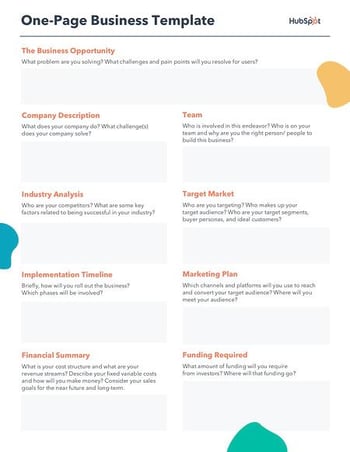
Download a free, editable one-page business plan template.
The business plan linked above was created here at HubSpot and is perfect for businesses of any size – no matter how many strategies we still have to develop.
Fields such as Company Description, Required Funding, and Implementation Timeline gives this one-page business plan a framework for how to build our brand and what tasks to keep track of as we grow. Then, as the business matures, it can expand on its original business plan with a new iteration of the above document.
2. HubSpot’s Downloadable Business Plan Template
We created a business plan template for entrepreneurs.
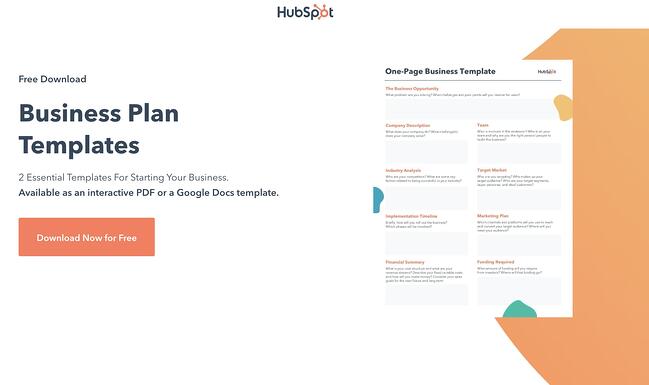
Download a free, editable one-page business plan template.
The template is designed as a guide and checklist for starting your own business. You’ll learn what to include in each section of your business plan and how to do it. There’s also a list for you to check off when you finish each section of your business plan.
Strong game plans help coaches win games and help businesses rocket to the top of their industries. So if you dedicate the time and effort required to write a viable and convincing business plan, you’ll boost your chances of success and even dominance in your market.
3. LiveFlow’s Financial Planning Template with built-in automation
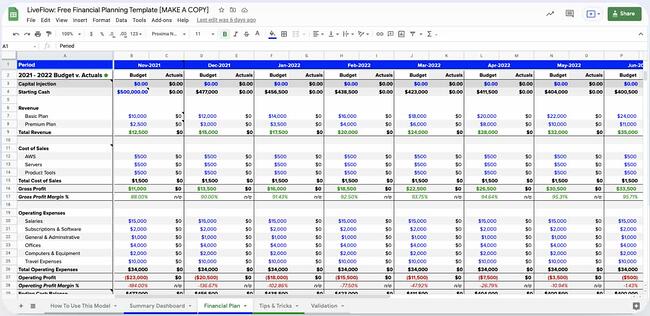
This free template from LiveFlow aims to make it easy for businesses to create a financial plan and track their progress on a monthly basis. The P&L Budget versus Actual format allows users to track their revenue, cost of sales, operating expenses, operating profit margin, net profit, and more.
The summary dashboard aggregates all of the data put into the financial plan sheet and will automatically update when changes are made. Instead of wasting hours manually importing your data to your spreadsheet, LiveFlow can also help you to automatically connect your accounting and banking data directly to your spreadsheet, so your numbers are always up-to-date.
With the dashboard, you can view your runway, cash balance, burn rate, gross margins, and other metrics. Having a simple way to track everything in one place will make it easier to complete the financials section of your business plan.
4. ThoughtCo’s Sample Business Plan
If you want to reference an actual business plan while writing your own, ThoughtCo’s got you covered. It created a fictional company called Acme Management Technology and wrote an entire business plan for it.
Using its sample business plan as a guide while filling out your own will help you catch and include small yet important details in your business plan that you otherwise might not have noticed.
5. BPlan’s Free Business Plan Template
One of the more financially oriented sample business plans in this list, BPlan’s free business plan template dedicates many of its pages to your business’ financial plan and financial statements.
After filling this business plan out, your company will truly understand its financial health and the steps you need to take to maintain or improve it.
6. Harvard Business Review’s “How to Write a Winning Business Plan”
Most sample business plans teach you what to include in your business plan, but this Harvard Business Review article will take your business plan to the next level – it teaches you the why and how behind writing a business plan.
With the guidance of Stanley Rich and Richard Gumpert, co-authors of “Business Plans That Win: Lessons From the MIT Enterprise Forum”, you’ll learn how to write a convincing business plan that emphasizes the market demand for your product or service. You’ll also learn the financial benefits investors can reap from putting money into your venture rather than trying to sell them on how great your product or service is.
7. HubSpot’s Complete Guide to Starting a Business
If you’re an entrepreneur, you know writing a business plan is one of the most challenging first steps to starting a business. Fortunately, with HubSpot’s comprehensive guide to starting a business, you’ll learn how to map out all the details of your business by understanding what to include in your business plan and why it’s important to include them. The guide also fleshes out an entire sample business plan for you.
If you need further guidance on starting a business, HubSpot’s guide can teach you how to make your business legal, choose and register your business name, and fund your business. It will also give small business tax information and provide marketing, sales, and service tips.
8. Panda Doc’s Free Business Plan Template
Panda Doc’s free business plan template is one of the more detailed and fleshed-out sample business plans on this list. It describes what you should include in each section, so you don’t have to come up with everything from scratch.
Once you fill it out, you’ll fully understand your business’ nitty-gritty details and how all of its moving parts should work together to contribute to its success.
9. Small Business Administration Free Business Plan Template
The Small Business Administration (SBA) offers several free business plan templates that can be used to inspire your own plan. Before you get started, you can decide what type of business plan you need — a traditional or lean start-up plan.
Then, you can review the format for both of those plans and view examples of what they might look like.
10. Culina Sample Business Plan
Culina’s sample business plan is a great template to use if you just want to fill in your information. You can also use this template as a guide while you’re gathering important details. After looking at this sample, you’ll have a better understanding of the data and research you need to do for your own business plan.
11. Plum Sample Business Plan

This is one of my favorite sample business plans because you can see how implementing visuals can help tell your brand’s story. The images in this template are cutting edge, which makes sense for an innovative company like Plum. When creating your own business plan, make sure the pictures and design you use make sense for your branding.
Additionally, the financial charts included are incredibly helpful if you’re not sure what financial information to include.
12. LiveShopBuy Sample Business Plan
With this business plan, the focus is the investment opportunity. This is an excellent template to use if you’re going to use your business plan to receive funding. The investment opportunity section is placed right up front and is several pages long. Then, it goes into more detail about the company synopsis industry analysis.
Top Business Plan Examples
Here are some completed business plan samples to get an idea of how to customize a plan for your business. We’ve chosen different types of business plan ideas to expand your imagination. Some are extensive, while others are fairly simple.
Take a look.
1. LiveFlow
One of the major business expenses is marketing. How you handle your marketing reflects your company’s revenue. We included this business plan to show you how you can ensure your marketing team is aligned with your overall business plan to get results. The plan also shows you how to track even the smallest metrics of your campaigns, like ROI and payback period instead of just focusing on big metrics like gross and revenue.
Fintech startup, LiveFlow, allows users to sync real-time data from its accounting services, payment platforms, and banks into custom reports. This eliminates the task of pulling reports together manually, saving teams time and helping automate workflows.
When it came to including marketing strategy into its business plan, LiveFlow created a separate marketing profit and loss statement (P&L) to track how well the company was doing with its marketing initiatives. This is a great approach, allowing businesses to focus on where their marketing dollars are making the most impact.
“Using this framework over a traditional marketing plan will help you set a profitable marketing strategy taking things like CAC, LTV, Payback period, and P&L into consideration, “ explains LiveFlow co-founder, Lasse Kalkar.
Having this information handy will enable you to build out your business plan’s marketing section with confidence. LiveFlow has shared the template here. You can test it for yourself.
2. Lula Body
This is a good business plan example for service-based businesses such as gyms, boxing, dancing classes, etc. For starters, the plan shows how to budget for the business loan and what to focus on buying first. Everything is well presented, including what to charge the customers in different scenarios and the expected revenue. This is a good foundation from which business performance can be evaluated with time.
Brooklyn Business owner and Pilates instructor, Tara Kashyap, saw a need in her community for a pilates, tissue, and bodywork studio. In response, she opened Lula Body in Crown Heights.
Pictured above is a hypothetical pricing and revenue statement based on Lula Body’s business plan. As you can see, Kashyap breaks down the cost of classes, start-up expenses, monthly expenses, and her monthly sales projection. Everything from equipment costs to loan interest is included in the expenses to give the most accurate picture of operating costs and revenue.
If you’re seeking outside funding for your business, you’ll want to make sure this section of your business plan is as thorough as possible.
3. Patagonia
Sometimes all you need is a solid mission statement and core value to guide you on how to go about everything. You do this by creating a business plan revolving around how to fulfill your statement best. For example, Patagonia is an eco-friendly company, so their plan discusses how to make the best environment-friendly product without causing harm.
A good mission statement should not only resonate with consumers but should also serve as a core value compass for employees as well.
Outdoor clothing retailer, Patagonia, has one of the most compelling mission statements we’ve seen:
“We’re in business to save our home planet.”
It reels you in right from the start, and the environmental-friendly theme continues throughout the rest of their statement.
The page-length open letter goes on to explain that they are out to “Build the best product, cause no unnecessary harm, and use business to protect nature.”
Their mission statement is compelling and detailed, with each section outlining how they will accomplish their goal.
4. Vesta Home Automation
This is the kind of business plan you need when applying for business funds. It clearly illustrates the expected future of the company and how the business has been coming along over the years.
This executive summary for a smart home device startup is part of a business plan created by students at Mount Royal University. While it lacks some of the sleek visuals of the templates above, its executive summary does a great job of demonstrating how invested they are in the business.
Right away, they mention they’ve invested $200,000 into the company already, which shows investors they have skin in the game and aren’t just looking for someone else to foot the bill.
Get Started Writing Your Business Plan
When you’re first getting started on your business plan, it can be daunting. The business world moves fast, and it’s full of ambitious companies scrambling to gain the majority of their industry’s market share.
That’s why it’s important to make sure you understand the value your business provides and can communicate that through a properly formatted business plan.
Editor’s note: This post was originally published in November 2018 and has been updated for comprehensiveness.

How Three Companies Grew Revenue With Social Media Shopping Tools [New Data + Case Studies]
Shopping on social media has become increasingly popular over the past few years.
In fact, 57% of consumers report social media as their preferred method for discovering new products — over television ads (56%), YouTube ads (49%), and retail stores (42%), and only surpassed by “searching on the internet” (58%).
And as someone who now purchases the majority of her skincare products from “Swipe Up to Buy” links, I can attest: Social media shopping tools are effective.
Here, let’s explore how three companies have grown their revenue using shopping tools from Facebook, Instagram, and TikTok.
![Download Now: Social Media Trends in 2022 [Free Report]](https://no-cache.hubspot.com/cta/default/53/3dc1dfd9-2cb4-4498-8c57-19dbb5671820.png)
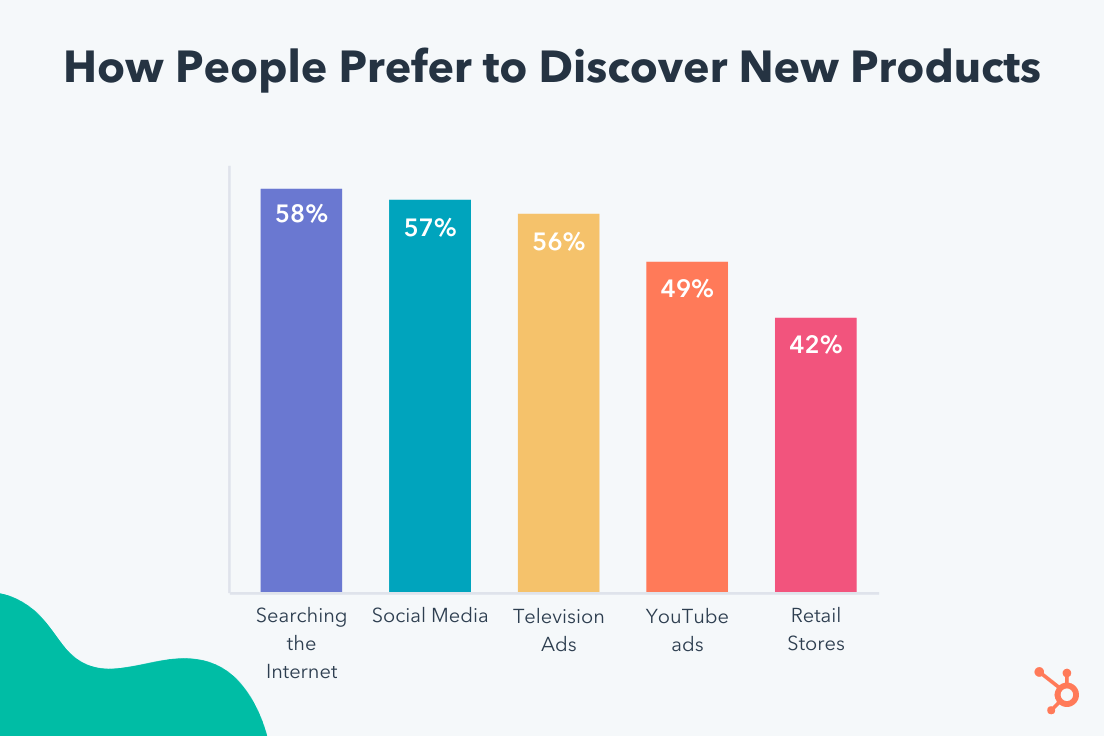
1. Facebook Shops and Pink Tag Boutique
According to HubSpot Blog Research, Facebook is the most popular social site for purchasing products, with 36% of consumers reporting they’d purchased a product directly from the platform.
In 2020, Facebook launched Facebook Shops, a free ecommerce tool designed to “create a mobile shopping experience for their audiences.” Essentially, it’s an online store that enables you to highlight products or specific collections of items, and customize fonts and colors to ensure it matches your brand.
Pink Tag Boutique, a Kentucky-based clothing and accessories boutique, saw immense growth on the platform. In fact, they attribute $44,448 in incremental sales from Facebook Shops, and have seen 66% greater average order value from buyers on Facebook Shops compared to those who bought directly from the website.
Beyond Facebook Shops, Pink Tag Boutique has also tested out Live Shopping events, which is a live broadcast in which people can learn more about your products and interact directly with you.
Facebook Shops could be a good opportunity for your brand to create its own digital storefront. Rather than requiring users to click-through to your website to purchase products, Facebook Shops allows you to make the process easier by enabling consumers to purchase directly from the platform.
2. Instagram Reels & Headway
HubSpot Blog Research found 44% of consumers prefer to discover new products on social media through ads or sponsored content — followed by 34% who prefer to discover new products via a feed post, and 32% who prefer social media marketplaces (like Facebook Marketplace), and 28% who prefer social media shops where purchases happen in-app (like Instagram Shop).
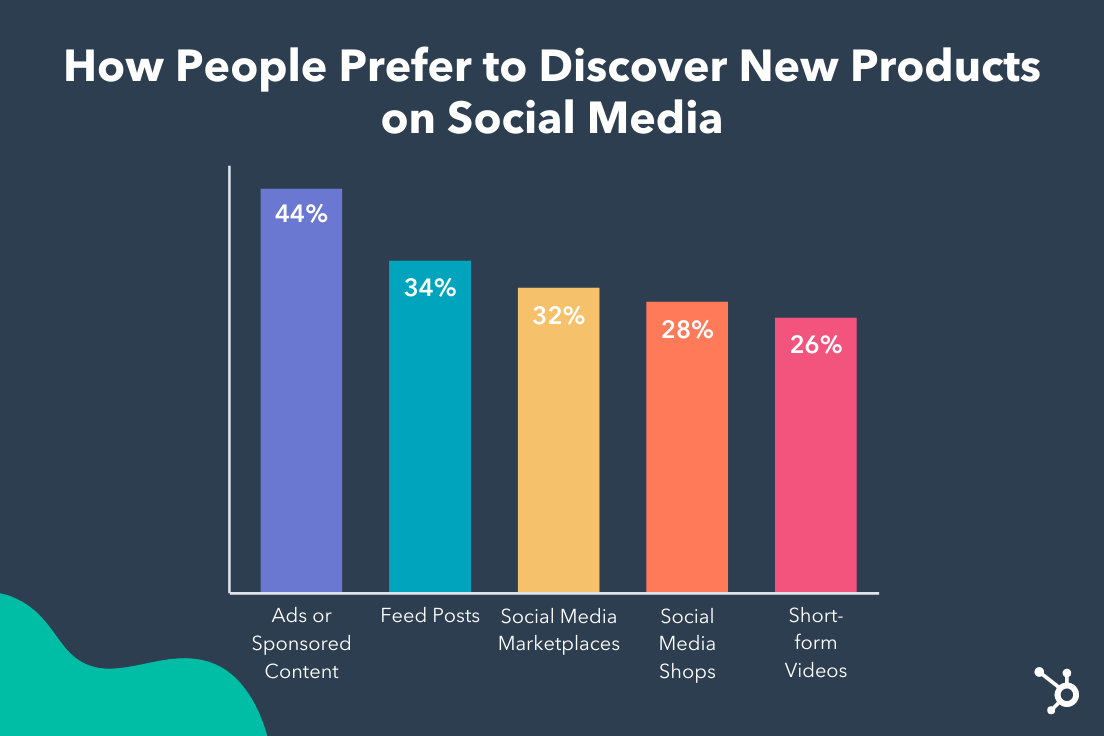
Additionally, 26% of consumers prefer discovering new products via short-form videos like Instagram Reels. As video continues to dominate in terms of most popular content format, it makes sense to test out leveraging video ads or Reels to engage with consumers.
For instance, Headway, an educational technology app that provides personal growth content, saw a 15% decrease in cost-per-acquisition with Reels ads, a 10% increase in video views with Reels ads, and a 10% increase in trials with Reels ads.
As Headway’s Head of Marketing, Vlad Strykun, told Instagram, “The Reels placement gave us the opportunity to expand our audience and reach new customers with new types of ad content—video explainers. The fall in cost per acquisition and the rise in conversions are convincing enough for us to continue working in this promising Reels area.”
Reels ads, which are full-screen and vertical, appear in-between content creators’ Reels within the app. The videos can be up to 30-seconds long, and people can comment, like, view, save, and share these videos.
It’s equally important to note — There are plenty of other Instagram ecommerce opportunities if Reels doesn’t seem like the best fit for your brand. The most popular tools leveraged by marketers include Instagram Shops (47%), Instagram Live Shopping (44%), Instagram Feed Post Shopping (40%), and Instagram Guides Shopping (39%).
3. TikTok and Abbott Lyon
With over 1 billion monthly users, TikTok is an undeniably powerful platform for reaching large audiences. Additionally, TikTok is used the most by Gen Z (26%), followed by Instagram (23%) and YouTube (22%) — so if your brand’s target audience is Gen Zers, it makes sense to test out TikTok’s ad capabilities.
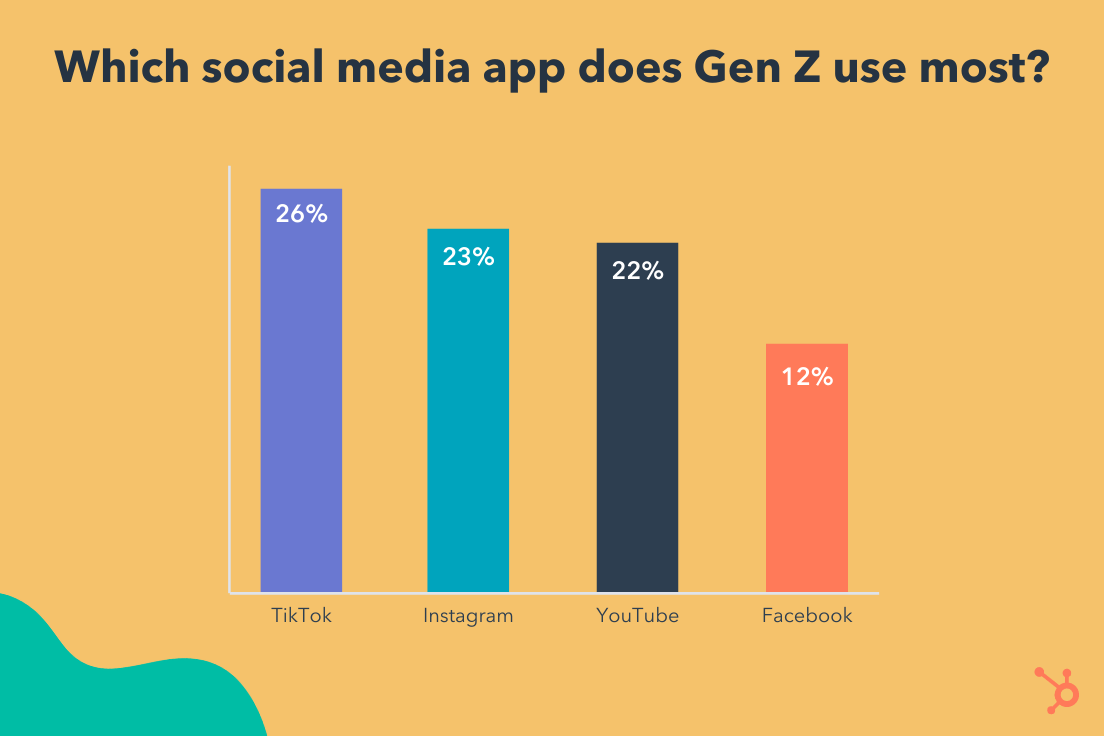
Abbott Lyon, a fashion accessories brand, tested out TikTok’s Value-Based Optimization (VBO) bidding strategy, which allows brands to deliver ads to users who have the potential to become high-value customers. Additionally, the brand used In-Feed Ads and SparkAds.
The campaign was a major success for the brand, resulting in an increased return-on-ad-spend by 31%, and an increased order value by 13%. Abbott Lyon also reduced cost-per-acquisition by 20%.
Ultimately, the Shopping Tools you consider using will depend upon which platforms your target audience prefers, and which tools make the most sense for your business goals. But social media shopping isn’t going anywhere, so now’s a good time to test out all the social media shopping tools at your disposal to determine which makes the most sense for your company.


6 Short-Form Video Trends Marketers Should Watch in 2022 [New Data]
Short-form videos are everywhere nowadays. And, now, as platforms like TikTok, Instagram Reels, YouTube Shorts, Google, LinkedIn, and Pinterest expand their short-form offerings, brands are continuing to take notice.
In the HubSpot Blog’s 2022 Marketing Industry Trends Survey, we found that more than half of marketers (51%) who use short-form video plan to increase their investment in 2022. Meanwhile, 38% plan to continue investing the same amount.
What’s more? Short-form video has the highest ROI of any social media marketing strategy as 30% of social media marketers plan to invest in it more than any other trend in 2022.
So, how can you join in on the short-form video action to grow your business? And what are some trends to look for in the next year? Learn what HubSpot marketing experts advise, below.
- What are short-form videos?
- How do short-form videos fit into your content strategy?
- Short-Form Video Trends to Look Out For
Brandon Sanders, former digital marketer for HubSpot Academy, highlights that what’s considered short-form can also depend on the platform.
“With the rise of platforms like TikTok, Reels, and Vine, short-form video is actually getting shorter and lending itself more to 60-second to two-minute videos,” he said.
“I think the perception of short-form content on platforms like YouTube is actually around that 10-minute sweet spot because content on YouTube tends to be more comprehensive and longer.”
So, when you’re thinking of short-form videos, Youtube is the exception, whereas TikTok and other growing short-form platforms are the rule.
How do short-form videos fit into your content strategy?
A 2020 study by Wyzowl reported that people share videos at twice the rate than any other form of content. It also found that 84% of people were convinced to buy a product or service based on the brand’s video.
So, we already know video content is increasingly becoming an important part of every brand’s content marketing strategy.
But when we look at short-form video specifically, the data (gathered from the HubSpot Blog’s 2021 social media trends report and 2022 video marketing report) speak for themselves.
- Short-form ranks #1 for lead generation and engagement.
- Marketers will invest in short-form video more in 2022 than any other content format.
- Nearly half (47%) of marketers surveyed believe short-form videos are most likely to go viral.
- 54% of marketers surveyed say their companies leverage short-form videos.
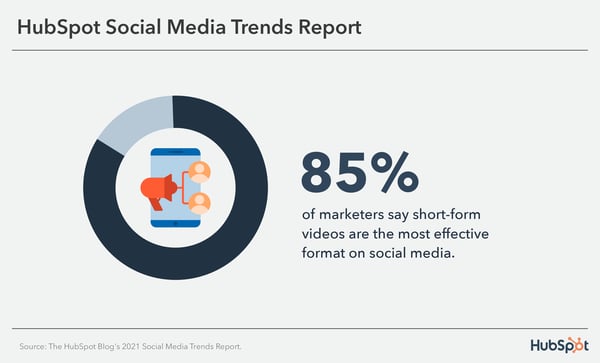
Sanders says short-form videos give creators an innovative way to showcase their content.
“The growth of social media is causing the human attention span to become shorter and shorter,” he said. “So, leveraging the power of short-form content will give you a leg up on your competition and help engage your audience.”
Aside from length, one thing that sets short-form video apart is the trend culture.
TikTok, for instance, is run by dances, sounds, and social challenges. So, to get on the “For You” page on TikTok — which is equal to the “Explore” page on Instagram — brands must often join in on the fun.
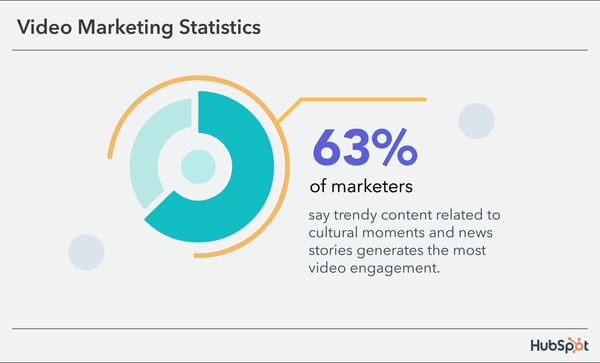
As with any new trend or platform, former HubSpot Senior Content Strategist Amanda Zantal-Wiener says you should always consider your audience first.
“It all goes back to a very old question: Which channels are your audiences using and for what?” she said. “And therefore, for which channels does it make the most sense for your business to create this short-form content?”
This means that while short-form video is often known for its entertainment value, you can adapt it to align with your brand.
Short-Form Video Trends to Look Out For
1. Brand Challenges
When short-form videos first gained popularity, it was through viral content based on dances, songs, and sounds.
Today, brands can make their own sounds, filters, and challenges go viral.
According to our social media trends report, 20% of marketers surveyed leveraged branded challenges and 42% said they performed better than expected.
In addition, marketers rank them among the most effective social media trends of 2021.
Short-Form Video Example: Colgate
To celebrate Mother’s Day, Colgate launched the #MakeMomSmile challenge, which encourages users all around the world to share videos in which they did something special for their mothers.
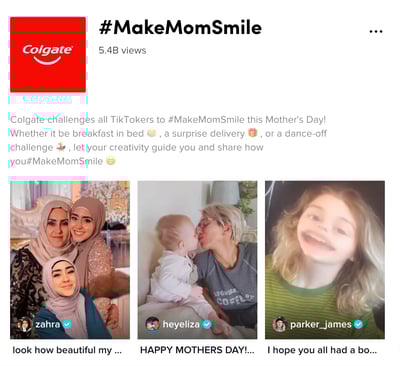
It’s also a great play on words, as Colgate is all about providing beautiful smiles to its customers.
2. Influencer Ads
Brands have been leveraging influencer marketing for years, that’s nothing new.
However, we’re seeing more brands use them in short-form video content.
HubSpot Blog Research found that 66% of marketers’ companies work with influencers on TikTok. They also rank it #5 in ROI when working with influencers.
For instance, popular TikTok influencer TiffFoods was recently in an ad for food brand Fly by Jing to promote its latest product.
Short-Form Video Example: Fly by Jing
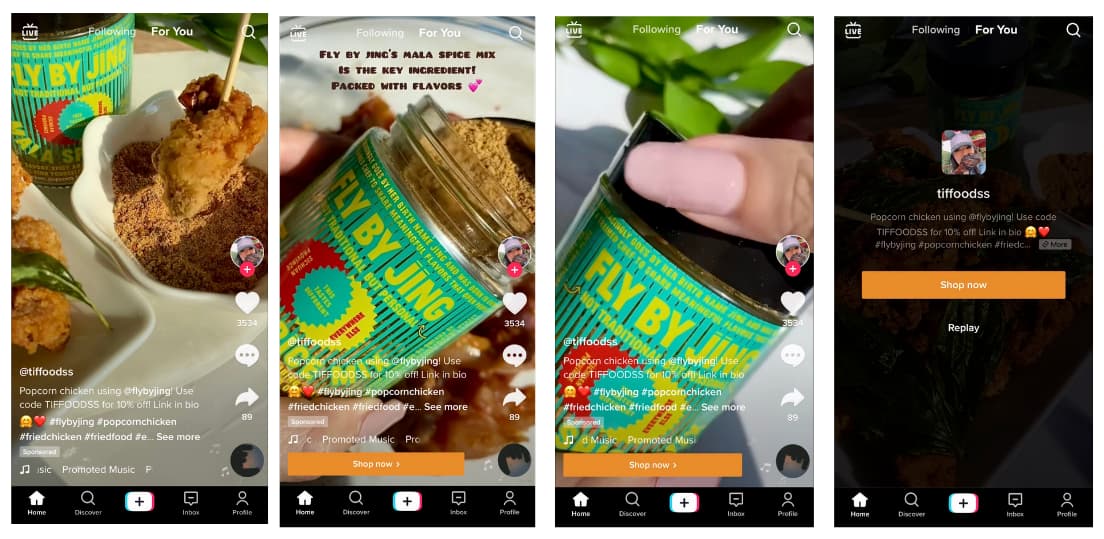
With short-form content lending itself well to native advertising, brands can create videos that are more likely to generate conversions.
3. Product Teasers
Think about the average commercial you see: It’s usually anywhere between six seconds to 60 seconds. This also happens to be the average length of a short-form video.
Because of this, brands can leverage short-form video platforms to promote their products organically.
It can be incredibly effective because it doesn’t require a large budget, it has the potential to go viral, and it builds anticipation around your brand.
Short-Form Video Example: KaseMe Design
To build anticipation for its newest product launch, KaseMe Design posts a video using a popular TikTok sound and a cleverly deceptive low-battery sign.
It creates suspense by getting users to be even more invested in the launch as they wonder what the reveal is.
4. More User-Generated Content (UGC)
Consumers generally love UGC. In fact, it influences their purchasing decisions more than brand- or influencer-generated content.
According to HubSpot Blog research, UGC also offers great ROI, with 40% of marketers surveyed ranking it a high-ROI format on social media.
Our research also suggests it’s popular with Gen-Z, which is the biggest demographic on TikTok.
Why is UGC a winning strategy? Well, without using up too many resources, brands can publish videos that evoke emotion. It’s also budget-friendly.
Short-Form Video Example: Chipotle
This is a great example of how you can leverage user-generated content in your strategy. In this instance, Chipotle collaborated with these content producers to create a fun, viral-worthy video.
One of Chipotle’s target audiences might be young, college students looking for inexpensive meals. This video features two creators who reflect the audience they may want to attract. Brands should keep this in mind when considering UGC and ask, “will my audience relate to this?” If the answer’s “yes,” move forward.
5. More Behind-the-Brand Videos
Consumers seek out authenticity and transparency in brands. With short-form video, you only have a few seconds to connect with your audience.
So, how do you do that? Well, there’s no exact science to it, but consumers tend to feel more connected to brands that show the people behind the brand.
In one Sprout Social study, 70% of consumers said they felt more connected to brands whose CEO is active on social media platforms.
So, going into 2022, brands should pull back the curtain and engage with their audiences on a more personal level.
Our social media trends report revealed that 36% of marketers surveyed currently leverage the authentic, behind-the-scenes content that’s so popular on short-form video platforms like TikTok.
Those who do use it rank it third in ROI, with 68% of marketers saying it’s the most effective content behind funny and interactive content.
Short-Form Video Example: Sierra Nicole
Trendy? Check. Informative? Check. Prompts action? Check! This video works because it has all the ingredients for an effective short-form video.
It first grabs the viewer’s attention by including a popular song and dance. The content addresses pain points viewers may be facing. Then, the call-to-action (CTA) in the caption rounds out the video by turning viewers into potential leads.
6. More Explainer or Educational Videos
In 2022, brands will likely focus on educational content in their short-form videos – think how-to’s, DIYs, and explainer videos.
A 2020 Wyzowl report found that viewers want to see more of this video style from brands.
Wondering where we currently stand? 32% of marketers surveyed in our social media trends report say they currently leverage educational content and 57% of those who do say it’s one of the most effective content types.
Educational videos are great added-value content because they help audiences in their day-to-day lives. Brands that make education a priority in their marketing strategy can improve lead generation and build stronger brand loyalty.
Similarly, explainer videos target users who are at the decision-making stage of the buyer’s journey and, if done right, they can turn decision-makers into customers.
It’s a win-win situation: Brands get to address their audience’s pain points and offer solutions, which is (surprise!) them. Not sure what I mean? See the example below.
Short-Form Video Example: Soy Yo Candle
Soy Yo Candle used this formula to create this short-form video. Presumably, one of the biggest struggles of owning candles is making them last.
In just a few seconds, the brand presented a problem, offered a solution, and promoted its product. It can be as simple as that.
Another highlight in this video is that it caters to viewers who may be discovering the brand and those who already know it. Because of the value it offers, the brand can reach a broader audience organically.
Takeaways for Video Marketers
Social Media Content Manager Kelsi Yamada says it’s a low-commitment and engaging way to connect with your audience.
“You can get a good laugh or learn something new in a minute or less on TikTok or Reels,” said Yamada.
“On the flip side, it’s also relatively easy to create, which means there are more people who can share their humor or points of view. Because of this, brands should figure out what their unique point of view is, and how they can stand out in the noise.”
The desire to be on-trend is always tempting. But Yamada stresses that brands should be selective about which trends they partake in.
“Not every viral TikTok sound or meme format will align with your content strategy or brand, so don’t force it,” she said.
“Focus on catering to your niche and staying authentic first. Don’t be afraid to make something completely from scratch – trends have to start somewhere!”
With this in mind, it’s all about finding the balance between what’s trending and what’s on-brand for your business.
1. TikTok
With at least 47% of its users between 10 and 29 years old, TikTok is definitely the platform for the Millennial and Gen Z population.

The TikTok homepage features a timeline of videos separated into two tabs. The “Following” tab with videos posted by the user’s followers, and the algorithm-driven “For You” page based on user behavior (what they like, comment on, scroll past, etc.)
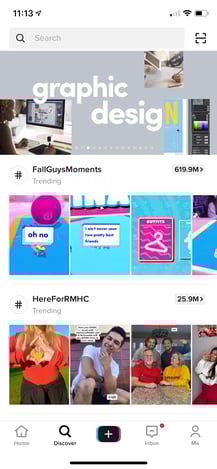
The “Discover” tab on TikTok highlights trending topics and hashtags, a great resource for marketers to generate new content ideas.
B2B marketers have been wary of using the platform, but it could be because success on the platform relies on emotional appeal. Yet, that emotional appeal may be exactly what they need.
According to a LinkedIn study, B2B strategies that appeal to emotions are seven times more effective for revenue generation than “rational messaging.”
Still not quite convinced TikTok is a viable marketing platform for your business? Check out this video explanation of how TikTok has grown into one of the most go-to platforms for short-form content today.
Now, it may be time to start practicing those dance moves.
2. Reels
Some call it TikTok 2.0, but Instagram Reels is proving to be its own beast.

The Reels tab on Instagram is a scrollable video timeline, similar to what users see on their Explore page. From this page, users can click on the music the account used to see what other Reels feature that sound.
With over 1 billion active monthly users, Instagram already had consumers’ attention. When they launched Reels back in August of 2020, it became another marketing tool for brands and a worthy opponent for TikTok.
Instagram caters to a broader age demographic than TikTok. And when considering their other marketing features, Reels is another way for brands to expand their reach in a minute or less.
3. YouTube Shorts
YouTube Shorts is Youtube’s latest attempt to turn its long-form video platform into one that also houses short-form content.
YouTube first started testing it in September 2020 and it is now available to users globally.
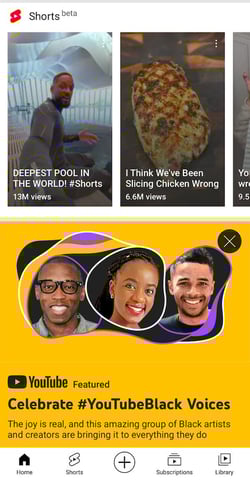
When using YouTube’s mobile app, you’ll see that Shorts now have their dedicated tab on the platform. Users can create Shorts up to 60 seconds and, similarly to other short-form video platforms, can edit the videos directly within the app.
4. Triller
Triller is Tiktok’s musical theater friend (or rival), the one who bursts into song anytime, anywhere without cause or notice.
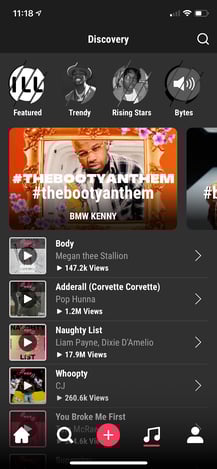
Triller’s homepage looks similar to other short-form video platforms. However, They have made music a prominent feature on the app by making top and trending music the main tab.
The platform is popular among musical artists and allows users to edit 60-second videos within the app. This includes music, filters, effects, and transitions. Triller grew in popularity earlier this year when there was some uncertainty surrounding a TikTok ban in the United States.
With music playing a key role on the app, marketers should use music as a storytelling element in their videos. For instance, the song “You Got It” by Vedo, a song about unlocking your potential, made its rounds on Triller last year.
A recruiting firm could’ve used that sound to create a short video targeting job seekers. The song would also work great as a backdrop for a business coaching company advertising its services. The limit does not exist.
5. Hippo Video
If you want to take short-form video content beyond social media, there’s Hippo Video.
The video marketing platform gives brands a one-stop-shop to produce, distribute, and analyze their video content. Users can also embed forms, CTAs, and annotations within the video, making conversions easier.
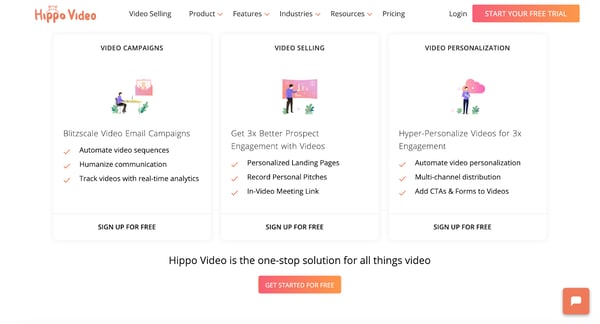
For example, let’s say a SaaS company is launching a new product and the marketing team is using Hippo Video for the email campaign.
On launch day, they can send a product teaser video to current customers and include a “Schedule a Demo” CTA, leading users to a meeting scheduling page.
During the campaign, the team can track key metrics like total plays and average watch rate — taking video analytics to another level.
6. Magisto by Vimeo
Vimeo recently acquired Magisto, a video editing software that makes video marketing easy through artificial intelligence (AI).
The first step is uploading your videos. The software will then analyze the videos and put them together based on the video editing style you’re looking for. They have over 10 editing styles ranging from real estate and fitness to Facebook and YouTube ads.
Once you select the style you’re looking for and the video is complete, you can distribute it on social media platforms and track the analytics.
This platform is ideal for brands that don’t want to spend too much time or too many resources on video marketing. This app does it so you don’t have to.
7. Lately.ai
If your brand is short on time and resources but wants to leverage short-form video, consider Lately.ai.
This software, powered by AI, takes long-form audio, video, and text and atomizes it into snackable posts for social media. How does it know what will work? That’s where the AI comes in.
It looks at what content your audience is most likely to respond to based on historical data and creates from there. It’s a great tool for brands who are dipping their toes in short-form content and want to build from their current library.
8. Wistia
Wistia is a leader in the video hosting industry, helping more than 300,000 businesses manage their video content and grow their audience.
When using this platform, you can build a customizable video player that matches your brand, use lead generation tools, and track your videos’ performance to gain insights.
You can also create custom ad audiences for search and social to ensure your content reaches the right audience and use integrations to sync all your tools.
There are hundreds of ways to incorporate short-form videos into your marketing strategy. But no matter which trends come and go, it will always come back to your audience.
Try a few approaches, and listen to where the data tells you to go next.
Editor’s Note: This post was originally published in Jan. 2021 and has been updated for comprehensiveness.

The Best Time to Send an Email [Research]
Here’s a little exercise for you: Check the timestamps on the emails you’ve gotten in the past day. What have you found? For me, I noticed that most of my emails, especially my subscription emails, were sent between 9-10 AM, or 5-6 PM.
This isn’t a coincidence, either.
While the answer to “What’s the perfect time to send an email to my customers?” isn’t an exact science, there are some key findings we’ve discovered through heavy research, and those times listed above are right in line with what we found. Keep reading to find out the best time to send an email, according to our findings.
![→ Download Now: The Beginner's Guide to Email Marketing [Free Ebook]](https://no-cache.hubspot.com/cta/default/53/53e8428a-29a5-4225-a6ea-bca8ef991c19.png)
The data reflects when most audiences begin their day and throughout the afternoon.
If you’re sending emails that include a sale or promotion, try sending them during the times your audience tends to take their lunch breaks simply because they may be more likely to check their emails at this time.
.jpg?width=1104&name=Copy%20of%20LinkedIn%20-%20Graph%20-%201104%20x%20736%20(5).jpg)
If you want something more specific when it comes to what time and day you should send an email, here’s what you need to know:
In our survey, we asked marketers which day of the week their marketing emails get the most engagement. 22.6% of U.S. marketers said Monday, 24.9% said Tuesday, and 21.3% of U.S. marketers said Wednesday.
When we asked those same marketers which time of day their emails get the most engagement we found that 34.9% said 9 AM to 12 PM and 27.6% said 12 PM to 3 PM.
From this data, it looks like the best days for seeing engagement fall during the first three days of the workweek, particularly between 9 AM and 3 PM.
For example, to send a customer an incentive, such as gift card from Rybbon, they are more likely to see it during that time.
Keeping your audience in mind is a good tip for figuring out the time to send your emails. If your buyer persona is a professional with a nine-to-five job, sending emails during their ideal downtimes is the best.
You can also use tools like postal.io to retain customers and boost leads.
Why Email Matters For Your Business
In our survey, we found that 85.4% of marketers leverage automation as part of their email marketing strategy. Therefore, if you aren’t leveraging automated email marketing your competition probably is.
Automated email marketing provides a chance for you to improve sales conversions — maybe even by 14%. It’s a way to send customers unique offers — such as product sales or newsletters updates — with information your reader can’t get anywhere else.
Emails should be personalized with what your customers want to see, allowing you to communicate with them instantly. Your emails should contain information your customers are interested in learning more about — such as discount offers, business updates, or product or service launches.
HubSpot‘s marketing email tool allows users to create and send automated emails for free. It also gives you the option to schedule your emails according to the preferences you’ve set. Then, your emails will be sent to the list(s) of contacts you select.
-4.png)
When you reach this option in your automated email tool, you probably spend some time wondering when exactly your audience would like to receive your email, especially if it includes a limited-time offer. You want to make sure the highest number of customers possible are reading your emails.
How to Measure the Performance of Your Email Sends
If you’re wondering about the best time to send a marketing email, there’s something you should know first. There’s a lot of data out there on the subject that provides differing answers, and one reason is that it depends on your audience and — more importantly — how you’re measuring success.
For example, the best time for people to open your emails could differ from the best time for people to take action. Here is a breakdown of the most important email metrics:
Click-Through Rate
Click-through rate refers to the number of people who open a link or image in an email. This number will always be smaller than the total number of emails opened since some people will open your email but then abandon it without engaging with it any further.
52.2% of the marketers we surveyed reported increasing click-through rates to be the primary goal of their email marketing campaign. When asked to select up to three strategies that are most effective in improving click-through rates, 48.2% of respondents included email personalization, 36.5% included crafting effective subject lines, and 38.2% included providing value through marketing emails.
Click-to-Open Rate
When comparing the number of people that opened your email and the number that clicked on any links, that data is called click-to-open rate. This metric helps you identify which information in your emails is relevant to consumers. Finding CTOR is done by diving CTR by the open rate and multiplying it by 100%. For example, if your email receives 200 clicks and 120 opens, your click-to-open rate is 60%.
Open Rate
The open rate, then, is the percentage found from the number of subscribers who opened your email campaign. Emails that have great open rates have short, effective subject lines. Plus, they’re optimized for previews and preheader text.
To ensure you’re reaching your target audience, you’ll want to segment your B2B audience down even further — perhaps by job function or seniority — to accommodate different behaviors and modes of working with your email sends. You may even find that other times work better for your list
Continue experimenting and seeing what works best with your audience. One way to do this is by using an automation tool like Seventh Sense which will fine-tune your email sends using artificial intelligence.
Email marketing can be a tricky process . There are so many industries taking advantage of it in their own way and making an impact.
Your subscribers are already interested in your content. They appreciate what you are offering as a company, and as long as you’re sending them emails that relate to that, you have a good chance of obtaining great metrics.
Editor’s note: This post was originally published in November 2019 and has been updated for comprehensiveness.

The 20 Dominating Web Design Trends for 2022
Experimental navigation, scrolling effects, and kinetic typography are just a few of the web design trends dominating 2022.
Check out the full list with examples of the best website designs in 2022 to get inspired to tackle your web design projects this year.
One common theme among these trends is motion design. Gary Simon, an experienced UI/UX designer and frontend developer, believes motion design will be everywhere in 2022. To see several examples of websites using scroll-based animations, parallax effects, animated SVGs and more, check out his video:
1. Experimental Navigation
What we like: Experimental navigation can help engage and guide visitors to browse the site in a particular way.
Experimental navigation refers to navigation patterns that subvert the traditional pattern (all caps navigation across the top of the screen with sans serif typography). These experimental patterns can help create interest and guide users to move around the site in a specific way.
Take Kim Kneipp’s portfolio site for example. If you click the Menu button in the right corner of the homepage, a menu slides in from the bottom of the screen that looks like the table of contents in a book. Each page is numbered to suggest an order of reading. On the right, the projects are also numbered and categorized by type and color.
2. Scrolling Effects
What we like: Scrolling effects can stimulate visitors and encourage them to keep scrolling.
Scrolling effects — animations that are triggered by scroll action — can create more dynamic web experiences. These are increasingly used on interactive websites to intrigue readers to keep scrolling, signify a break in content, and create a three-dimensional experience.
Engineered Floors does just that using a combination of horizontal and vertical scrolling and other effects. For example, when the user lands on the homepage, they see an image of what appears to be a chair on the right. As the user scrolls, this image zooms out to reveal a living room, which is gradually covered in carpet. This 3D experience is delightful and informative.

3. Kinetic Typography
What we like: Kinetic typography can delight visitors and help them digest your content.
Kinetic typography — or moving text — is an animation technique that’s been around since the 60s when feature films began using animated opening titles. It can used for a similar purpose in website design to immediately grab the visitor’s attention once they land on the homepage.
It can also be used to highlight important sections, guide the visitor as they scroll, and gradually reveal information, like on Arcadia.

4. Drag Interaction
What we like: Drag interaction can provide users with a sense of control over their experience.
Drag interactions are designed to mimic an actual, physical action. They essentially allow website visitors to pick up and move objects on the screen. This type of gesture interaction is being implemented on more websites, and ecommerce and portfolio sites in particular.
Take Robin Mastromarino’s portfolio site as an example. In addition to clicking on the controls of the homepage slider, you can drag and drop the different slides to browse his featured projects. The page transitions and animations are based on the drag speed to provide users with a sense of control over these effects.
5. Retro Typography
What we like: Retro typography can inspire a sense of nostalgia and sentimentality in website visitors.
More and more companies are using big, bold typography with a retro feel to headline their homepages. This style works best for a short word, with the rest of the page kept minimal and clean.
This is part of a larger trend labeled “Neue Nouveau.” In its 2022 Type Trends Report, the foundry and technology company Monotype describes Neue Nouveau as a twist on the Art Nouveau movement, which was characterized by decorative designs, embellished stroke endings, and diagonal and triangular character shapes. We can see some of these same characteristics — like organic forms and flourishes — in typography today, according to the report.
Here’s an example from French restaurant Picky Joe. The psychedelic-looking headline matches the retro interior of the restaurant as seen in the image on the right.

You can check out other restaurant website designs here.
6. Cinemagraphs
What we like: Cinemagraphs can help draw the visitor’s eye around the page, even in the most complex layouts.
Cinemagraphs — high-quality videos or GIFs that run on a smooth, continuous loop — have become a popular way to add movement and visual interest to otherwise static pages.
While full-screen loops were popular in the past, this year you’ll see smaller cinemagraphs incorporated into complex layouts to help draw the eye and keep readers scrolling, like in this example from the design and technology studio Grafik.
7. Brutalism
What we like: Brutalism prioritizes simplicity and functionality, which are pillars of the user experience.
To stand out in a sea of tidy, organized websites, some designers are opting for more eclectic, convention-defying structures. While it can seem jarring at first, many popular brands are now incorporating these aggressively alternative design elements into their sites, such as Bloomberg.
Brutalism emerged as a reaction to the increasing standardization of web design and is often characterized by stark, asymmetrical, nonconformist visuals, and a distinct lack of hierarchy and order. In other words, it’s hard to describe but you know it when you see it — like with the below example from Chrissie Abbott.
-1.jpeg?width=650&name=Update%20website%20design%20trends%20(heavy)-1.jpeg)
8. Monochromatic Gradients
What we like: Monochromatic gradients are visually interesting but not distracting.
Gradients have been all over the web for the past few years, and are still very common in 2022. This year, many website background are gradients that are both monochromatic and pastel.
Kendra Pembroke, a Visual Designer at Red Ventures, said “I see a lot of gradients, especially monochromatic ones, which give a sense of depth and visual interest without being too distracting.”
Creative Studio Better Half illustrates a perfect example of how to make this effect look fresh and modern. It combines bold typography and hover animations with a monochromatic, pastel yellow gradient background.

9. Layering
What we like: Layering can help add depth to a site and tell the brand’s story.
Layering images, colors, shapes, animations, and other elements add depth and texture to a site that doesn’t have a lot of text. Below is a stylish example from the singer-songwriter SIRUP.

10. Text-Only
What we like: This minimalist approach ensures visitors only get the most essential information.
Some websites are cutting out images and prominent navigation sections altogether, relying on a few choice lines of straightforward text to inform visitors about their company.
Danish agency B14 uses the hero section of its homepage to simply describe its mission statement, for example. It’s a modern, uncluttered approach to presenting information that provides a stark contrast to its portfolio section, which uses cinemagraphs, hover animations, and an animated cursor effect.
11. Animated Illustrations
What we like: Animated illustrations help convey complex ideas and add some personality to a site.
More companies are turning to illustrators and graphic artists to create bespoke illustrations for their websites. “Illustration works well to convey more complex ideas that lifestyle photos aren’t always able to capture,” Pembroke explained.
In website designs this year, these illustrations are often animated to add interactivity.
For example, if you hover over one of the illustrations on the NewActon site (designed by Australian digital agency ED), the illustration and those in the surrounding area will wiggle. Then, only the illustration you’re hovering over will continue to move in a small circle. This design is also functional: each illustration represents one of the categories from the navigation menu on the right.
-2.png?width=650&name=Update%20website%20design%20trends%20(heavy)-2.png)
12. Ultra-minimalism
What we like: Ultra-minimalism can positively impact the user experience and website performance.
Taking classic minimalism to the extreme, some designers are defying conventions of what a website needs to look like, displaying just the absolute bare necessities. This trend, known as “ultra-minimalism,” can be great for the user experience and load times.
The site from designer Mathieu Boulet is centered around a few choice links to their social profiles and information.
-Oct-06-2021-08-53-34-47-PM.png?width=650&name=Update%20website%20design%20trends%20(heavy)-Oct-06-2021-08-53-34-47-PM.png)
13. Mixing Horizontal and Vertical Text
What we like: Mixing horizontal and vertical text defies convention and can therefore delight and intrigue some users.
Freeing text from its usual horizontal alignment and placing it vertically on a page adds some refreshing dimension. Take this example from action sports video producers Prime Park Sessions, which combines horizontal and vertical text alignments on a minimal page.
14. Geometric Shapes and Patterns
What we like: Geometric shapes and patterns can direct visitor’s attentions to certain products or CTAs.
Whimsical patterns and shapes are popping up more frequently on websites, adding some flair in a landscape otherwise ruled by flat and material design. Canadian design studio MSDS uses daring, patterned letters on their homepage.
-1.png?width=650&name=Update%20website%20design%20trends%20(heavy)-1.png)
15. Thin Serif Fonts
What we like: This trend adds a level of sophistication to a brand.
Due to screen resolution limitations and an overall lack of online font support, designers avoided serif fonts for years to keep websites legible and clean. With recent improvements, serif fonts had a big moment in 2021.
While last year was all about big and bold serifs, 2022 is ushering in thinner, light serifs, according to Monotype’s 2022 Type Trends Report.
As seen on The Sill, a svelte serif headline adds a dose of sophistication and style.
16. Overlapping Text and Images
What we like: Overlapping text and images maximizes space on the page.
Text that slightly overlaps accompanying images has become a popular effect for blogs and portfolios. Freelance art director and front-end developer Thibault Pailloux makes their overlapping text stand out with a colorful underline beneath each title.
17. Broken Grids
What we like: This convention-defying technique can make standard website pages or sections more interesting.
While grids remain one of the most common and efficient ways of displaying text and images on websites, broken grids continue to make their way into mainstream sites and offer a change-up from the norm. Check out the website for HealHaus, for example. Its homepage features images and text blocks that overlap.
-Oct-06-2021-08-53-34-65-PM.jpeg?width=650&name=Update%20website%20design%20trends%20(heavy)-Oct-06-2021-08-53-34-65-PM.jpeg)
18. Organic Shapes
What we like: Organic shapes add personality without distracting from the content.
Gone are the days of strict grid layouts and sharp edges — now it’s all about curved lines and soft, organic shapes.
“Organic shapes can help add some playfulness without affecting the way the information is displayed,” Pembroke said.
In the example below from Spring Invest, the organic shapes in the hero section are not only decorative but functional. The yellow dots act like a cursor, drawing the tear drops that form the company’s logo. These shapes not only add a moment of delight — they also help reinforce the brand’s identity and value proposition to “shape the future of commerce.”
19. Web Textures
What we like: Web textures draw attention to a particular section on a website.
Web textures are background images that visually resemble a three-dimensional surface. When done well, textures can immerse viewers in a website by engaging tactile senses, as demonstrated by Color Of Change — the background evokes a duct-tape-like texture.
20. Grid Lines
What we like: This trend emphasizes the grid as an organizing principle.
Grid lines have started cropping up more and more in recent months, and for good reason. Grid lines structure content in a way that makes it easy to read and understand — but it also adds a modern aesthetic. On the Foundations for a Better Oregon website, grid lines are used to create a clear layout that looks futuristic.
Design Trends You Can Use on Your Website
Of course, you don’t need to incorporate all of these trends to build one of the best website designs in 2022 — we doubt that’s even possible anyways. However, even adding a couple as prominent components or subtler details can improve your site’s UX significantly, leading to higher engagement, more CTA clicks, and a better outcome for your online business.
Editor’s note: This post was originally published in January 2018 and has been updated for comprehensiveness.

Should You Pay a PR Firm? [+PR Tactics You Can Manage In-House]
It’s a question almost every fast-growing company runs into: should we hire a PR firm or build an in-house team? And if you wrestle with this question long enough, it quickly spirals into an endless back-and-forth (“on the other hand…“).
The truth is, depending on your specific goals, resources, and budget, one path may make more sense than the other. We’ve rounded up some helpful advice from PR pros at HubSpot to help you make the right call.

Let’s dive into the key benefits and drawbacks of hiring an agency, explore how to make the right decision for your business, and cover five PR tasks you can manage in-house.
Reasons to Hire a PR Firm
1. You know what you want.
Hiring a firm without knowing what you want is like driving to a new destination without a map. Chances are, you’ll get lost — quickly.
“Hiring a PR firm can be a significant investment, so before doing so, you need to be clear about your goals and what you’re hoping to achieve through PR,” advises Ellie Flanagan, Manager of Product & Corporate Communications at HubSpot.
Your goals are your compass. They influence your budget, timeline, and even the tactics you want to employ. Just as importantly, they give you a clear picture of what you need from an agency.
2. You’re ready to “feed the PR machine.”
PR is not a “set it and forget it” activity — even if you hire an agency to do the heavy lifting.
Mia MacKinnon, Head of Brand & Public Relations, APAC at HubSpot, echos this point, telling me, “If, as a founder or business leader, you don’t have capacity to invest in supporting your agency or in-house lead with developing and approving narratives, supporting launches, prepping for media interactions and events and being available for speaking opportunities, it’s going to be tough to see results.”
She continues, “If an agency’s drip-fed information, with little visibility of your business strategy and the challenges you’re facing, they’re going to have an incredibly tough time delivering results. You get out what you put in with public relations and my best agency partners have been ones where the team we’ve worked with have become an extension of our in-house team.”
In other words, you play a huge role in setting up your agency for success. If you treat your agency like a true partnership, you’re more likely to see great results.
3. You want to extend your media reach.
When you hire a PR firm, you not only access new ideas, perspectives, and expertise — you also work with people who have relationships with key contacts in the media. And when it comes to media outreach, you’re only as strong as your relationships.
Flanagan adds, “Building relationships with reporters is a core component of successful PR. If you do decide to go the agency route, it’s important that they have a day-to-day contact at your company that can bring them information and help them connect to internal stakeholders.”
That said, your budget may get in the way here. If that’s the case, fear not. Flanagan advises: “If you have a limited budget, hiring an in-house PR person to focus on relationship building can be a better investment. In-house teams also have better access to internal resources and spokespeople.”
4. You need specialized knowledge.
They say all press is good press — but that’s up for debate. Regardless, when a crisis situation comes a-knocking, most small businesses and start-ups are not equipped to handle it. Even negative feedback and disgruntled customers can impact a brand’s reputation and image.
All this to say, if your business needs crisis communication — or any specialized PR knowledge — it’s better to leave it to the pros. PR firms are more experienced and specially trained to handle (and prevent) these types of situations.
Now let’s explore some red flags you should consider before moving to the next step.
Reasons Why You Might Not Need a PR Firm
1. Your in-house team is closer to the information.
Your in-house team only has one client: you. Meaning they can give their complete and undivided attention, whereas an agency has to spread its time across multiple clients.
As Flanagan tells me, “In-house teams also have better access to internal resources and spokespeople.”
Whereas you need to educate an outside agency about the ins and outs of your business — and monitor their work for accuracy — your in-house team already has a strong grasp of internal company knowledge.
Additionally, with tools like HubSpot’s Marketing Hub and Hootsuite, working on PR-related tasks — like sending promotional emails and social monitoring — has never been easier.
2. You haven’t found a good fit with an agency.
When hiring an agency, never underestimate the importance of finding a good fit.
MacKinnon tells me, “There are many moving parts to finding the right agency — industry specialization, B2B versus consumer, agency size and how they structure their teams, how flexible an agency is, their model — are they pure media relations, or are they more integrated, and which of the two do you need?”
For small businesses that are new to the PR game, MacKinnon suggests looking for agencies that offer flexibility:
“Agencies who have a flexible model and can adapt to suit your businesses needs are often where smaller businesses find a great fit — until you have a set model of working, it’s important that the agency can flex to align with you — this might be a big launch one month, and a quiet period the next, as you prepare for your next campaign.”
Additionally, reputation is paramount in the PR world. Don’t hesitate to ask around for recommendations from others.
MacKinnon explains, “Exceptional agencies tend to be known and talked about — ask for recommendations from businesses whose public relations campaigns you admire, from businesses in an industry similar to yours, or who face similar challenges when it comes to awareness, perception and trust.”
3. You’re looking for a quick fix.
PR isn’t a “quick fix.” The PR seeds you plant today need time to grow, especially considering the nature of public relations is all about building real relationships. As a result, the relationship you have with your agency should feel like a true partnership — not a short-term investment.
If all that sounds daunting, the agency route may not be the answer.
MacKinnon echos this, saying: “One of the biggest learnings I’ve had in my career working in-house, and something I share with my team, is that once you find your agency, you have a huge role to play in setting you both up for success, and that’s to treat them like a true partner.”
5 PR Tasks Your In-House Team Can Manage
1. Press releases.
In today’s world, businesses have to generate their own buzz. Whether sharing a new product drop, an upcoming event, or changes in your organizational structure, a well-written press release can get the word out about your business. Check out this helpful guide on how to write a press release that stands out from the crowd.
2. Social media communications.
What people say about your business on social media can impact your overall reputation. Every in-house team should have their “ear to the ground” monitoring these conversations.
Social listening tools — like HubSpot’s Social Media Management Software, Sprout Social, and Buffer — track mentions of your brand, relevant keywords, and direct feedback through hashtags and DMs. Additionally, many of these tools will allow you to respond to mentions on your social media accounts directly from the dashboard.
3. Blog writing.
Community outreach is a pillar of public relations. A great way to engage with an audience is through owned channels, like a company blog. When it comes to developing a well-rounded blogging strategy, your in-house team may need to divide and conquer — one person creates an editorial calendar, another person looks for guest contributors, while another person writes blog content.
4. Promotional emails.
Thanks to tools like HubSpot’s Marketing Hub, Mailchimp, and Constant Contact, it’s easier than ever to manage, design, and send emails to customers. However, in order to send emails, you first need people to send them to. Therefore, building a healthy email list — and making it easy to opt in — should be a long-standing focus for your in-house team.
5. Employee communications.
Employee communications, also known as internal communications, has quickly become a major focus in PR. After all, employees can be a company’s harshest critics or most passionate advocates.
Employee communications involve sharing info through various channels, like email or an internal forum. In-house PR teams can share company news, project updates, and more. When employees feel “in the loop,” they’re more engaged, connected, and empowered at work.
Back To You
Ultimately, no one knows your business — and its needs — better than you. If you’re deciding whether to hire a PR firm or not, start with the advice in this article. And remember, as long as you factor PR in your business strategy to some capacity, you’re already headed in the right direction.