Welcome to My Blog
5 Questions to Ask Yourself Before Launching a Digital Advocacy Campaign
Digital advocacy efforts are vital for enabling nonprofit organizations to cut through the noise and win campaigns.
Without digital advocacy, it can be difficult to measure the success of your campaigns — or even know if you’re winning, at all. In fact, 94% of advocacy campaigners believe the opposing side is winning, and 86% believe they should embrace more impactful tactics.
It is time we step up our digital advocacy efforts.
Whether you’re a seasoned campaigner looking to go back to basics or are completely new to digital organizing and don’t know where to start — you’re in the right place.
Here, let’s explore five questions you’ll want to ask when starting a digital advocacy campaign.
![Download Now: Nonprofit Marketing & Fundraising Trends for 2022 [Free Report]](https://no-cache.hubspot.com/cta/default/53/6193b715-2ba9-4c6d-add0-681edfcae689.png)
5 Questions to Ask for a Successful Digital Advocacy Campaign
1. What is your goal?
Before starting any digital campaign, it’s important to understand what you’re trying to achieve.
Think about what you want to accomplish. Do you want to turn the tides on a policy decision currently on the table? Do you want to help de-stigmatize an issue in your community? Do you want to mobilize your supporters to publicly support your issue ahead of an upcoming election?
Marshall Ganz is a scholar at Harvard and activist who has studied powerful movements and what led to their success. Through his research he found a framework for setting goals.
Ganz determined that effective campaign goals should:
- Be measurable and tangible to improve the lives of your supporters. You should be able to clearly measure the incremental progress towards the goal.
- Focus resources strategically to achieve your goal. Consider what you have in your back pocket– can you put your organization’s skills and strengths to use to achieve a single outcome?
- Build capacity for your organization internally. For example, when working towards this goal will you recruit and engage volunteers? Will you gain valuable experience or resources, exposure and clout that will help you with your next goal?
- Use points of leverage where you can use your communities strengths and/or capitalize off of your opposition’s weakness
- Focus on a single motivational issue that has a direct impact on your supporters’ lives.
2. What is your theory of change?
It is incredibly important to show your supporters that their actions can have an enormous impact.
In our research report on Full Spectrum Engagement, we found that it’s essential to show how change is possible. Providing a blueprint for that path — and showing how you get from A to B — will help supporters understand the steps it takes to win, and they’ll directly see their role in that change.
Google’s research into civic engagement attitudes shows that those who do not take action are held back in part because they didn’t believe their actions would have an impact. When people see how their small action plays into a larger strategic plan, they will be more likely to join.
Here is how the #StopAdani illustrated their theory of change:
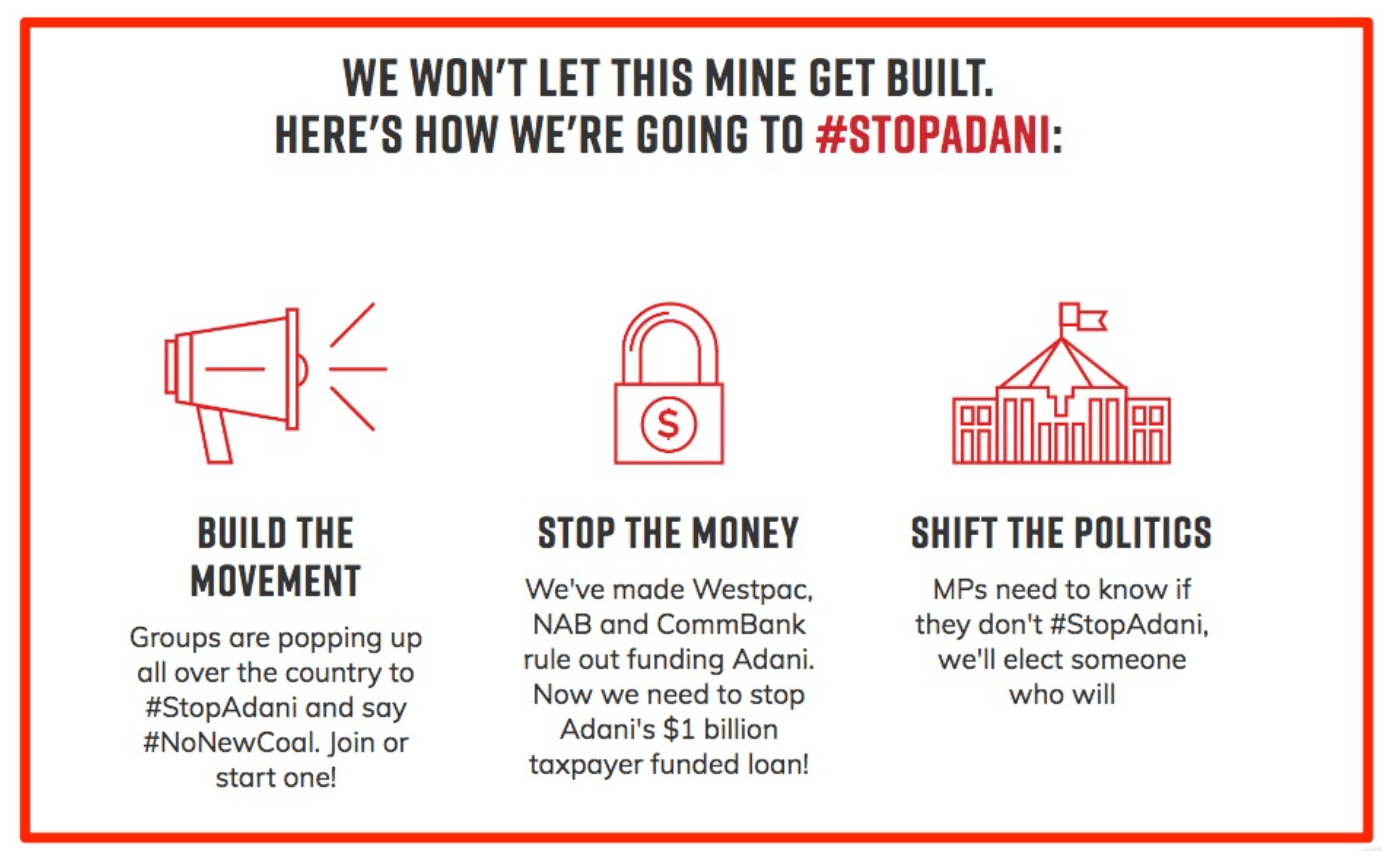 The giant #StopAdani campaign used this graphic to illustrate the theory of change of their campaign to stop a new coal mine in Australia.
3. Who are your targets?
Now that you have a goal, ask yourself, who are the key decision-makers in charge of making your goal become a reality? Who do you need on your side to make it happen? A good exercise for narrowing in on decision-makers is called power mapping.
To conduct power mapping, follow these steps:
- Brainstorm: List all of the people involved in your campaign, including stakeholders, influencers, decision-makers, and constituents who are directly affected by the issue.
- Power Map: Next, place them on a grid and map them based on how much power they have over your issue, and how sympathetic they are to your cause.
- Pick a Target: Once everything is on the grid, you can see who might be the best person to target in your campaign. Remember — it doesn’t have to be the most powerful person. Depending on how long you have, you may go for a more sympathetic person first, or even do an assessment of the most powerful person’s network. You need to analyze the pathways and relationships that can get you access to these decision-makers, and how to put pressure on them through a larger network.
Here is an example of a power mapping brainstorm. The goal is in the pink sticky note, and all of the actors related to the goal are in yellow sticky notes and have been mapped:
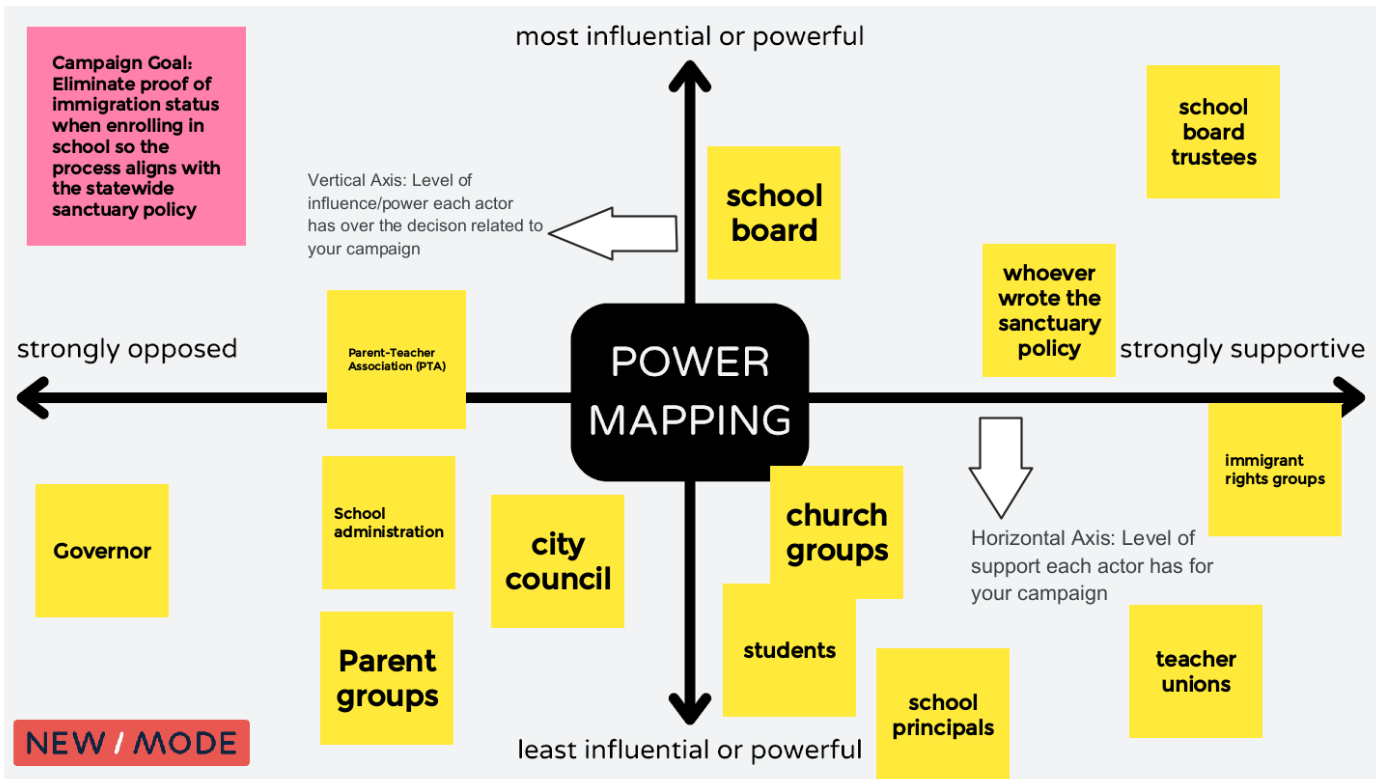 A Screenshot of a power mapping board. The campaign goal is to eliminate proof of immigration status when enrolling in school so they process aligns with the statewide sanctuary policy. The vertical axis maps the level of influence/power each actor has over the decision related to the campaign. The horizontal axis maps the level of support each actor has for your campaign. Template inspired by Anita Tang’s work at The Commons
To get more in depth instructions on power mapping please check out our Advocacy Targeting with Intention Manual to give you step-by-step instructions and great prompting questions for your brainstorming.
4. How will you reach your goal?
You have determined your goal and your theory of change … but how will you put this plan into action?
New/Mode provides a platform for supporters to reach decision-makers and for their voices to be heard. We offer multiple avenues and channels to reach decision-makers.
Reaching a CEO or a bank? Perhaps they would be more receptive to the public and a hashtag on Twitter calling them out.
Need to reach a local representative? They have staff dedicated to opening, reading, and responding to their constituents. New/Mode has built-in datasets that automatically match supporters with their elected officials so none of the manual work falls on your shoulders.
Check out the types of digital advocacy tools you can use to achieve your goals:

Tweet Storm
Use Tweets to build a powerful public narrative, grow support, and make your campaign go viral.
Learn how the Regional Transportation Authority used the tweet storm to win funding for transit.

Letters to the Editor
Make the headlines! Encourage supporters to write letters to local publications and provide a platform for your collective story… decision-makers will be sure to notice!
Learn how organizations such as the Warren Democrats, Stand Up America, and New Hampshire Democratic Party have used this great tool.

Targeted Emails
Input multiple email subject lines and messages into the system to increase deliverability and open rates. Create conditional messages that are dependent on the decision-maker’s current vote or position. Give your supporters an appropriate script for the given situation.
Learn how Defund the Police campaigns all over North
America used email actions to give their supporters a strong voice.
Personalized Calls
Call your local, state/provincial, and federal officials, and candidates and tell them what matters most.
Learn how BattleForTheNet used the call tool to advocate for open internet for all.
Petitions
Give your supporters something to believe in! Provide an easy way for them to take action and get in touch with local decision-makers.
Learn how Safe Passage used a combination of the petition, tweet and letter to the editor tool to reunite families.
5. What is your follow-up plan?
Campaigning is a long and dedicated effort. In your digital advocacy campaign you are developing and furthering a relationship with both your supporters and decision-makers. You must have a plan for both of these relationships.
How to Nurture your Relationships with Supporters
You will have a list of supporters who take part in your advocacy campaign and you will have an opportunity to deepen your relationship with them.
Using New/Mode in tandem with a customer relationship management software is really effective to keep track of and nurture relationships. Once an action-taker uses New/Mode, their contact information will sync to HubSpot. In HubSpot you can see who has taken an action, and how many actions they’ve taken.
With this information you can start to follow-up with those people every couple of months and ask them to participate in an action they’re ready to take. For example, if someone starts with a low-barrier action such as a petition, you could ask them to do another simple action like sending an email to a representative or ask them to escalate their action and ask them to Tweet at their representative.
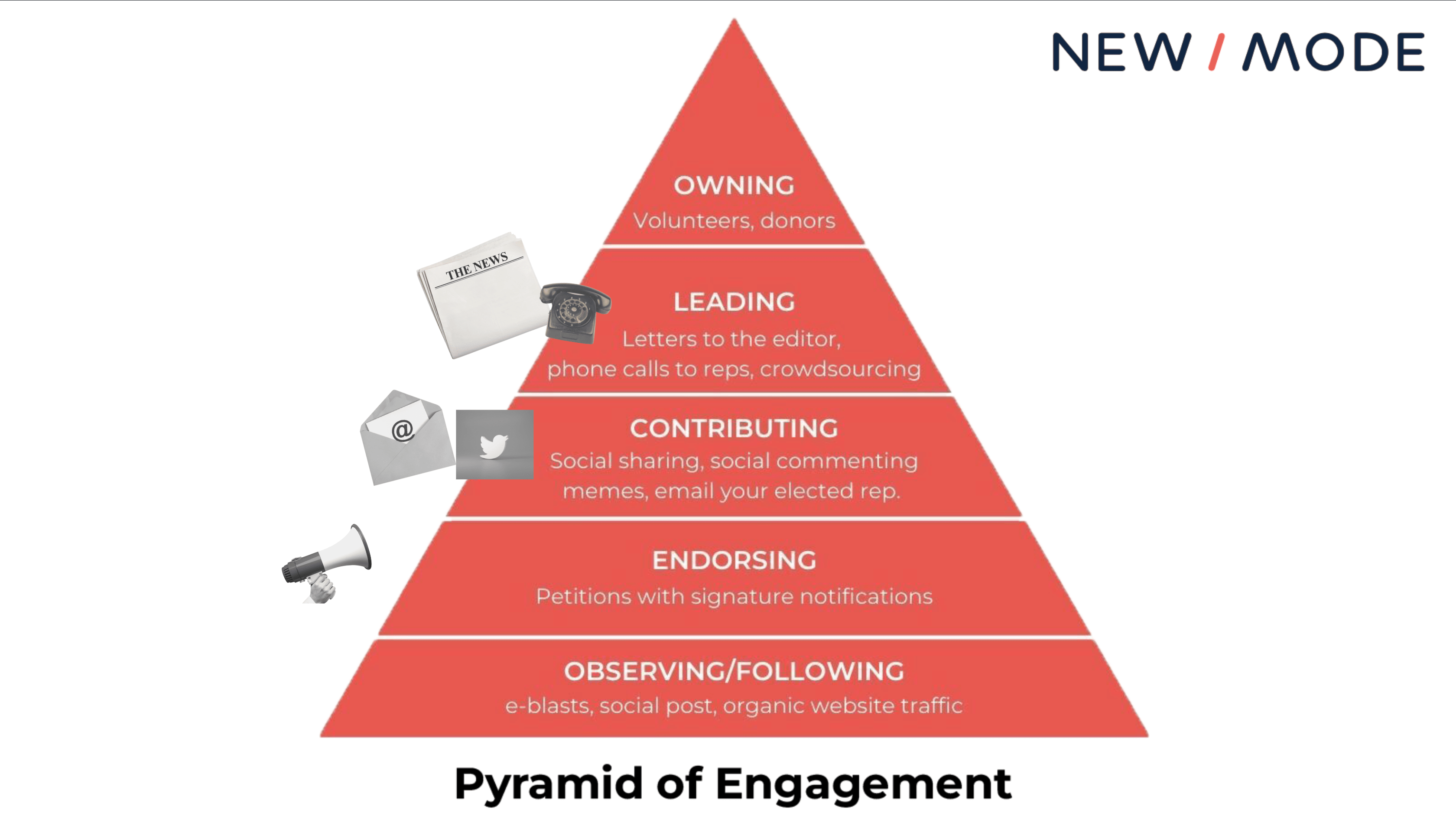
A helpful way to visualize this is a pyramid of engagement/ladder of engagement which is used by campaigners and organizers to define a series of tasks for supporters, usually escalating in difficulty or commitment required.
Different advocacy tools might be better depending on which level a supporter is at, as shown in this picture:
 For more tips on how to engage your supporter base, check out this Campaign Engagement Checklist, developed from decades of experience leading advocacy campaigns across the globe.
How to Nurture your Relationship with Decision-Makers
Once your supporters contact their decision-makers you need to be ready to follow-up with them, make your ask again, and/or hold them accountable. You should ask supporters to notify you of the response they get so you can keep track of how receptive the decision-maker is.
Depending on how responsive the decision-maker is you may want to ask them for a meeting and invite supporters along so you can make your asks and demands face-to-face. If they’re not responsive, perhaps it’s time to try another communications channel if they are not receptive to the first request.
If they are not responding to emails, would they be more attentive if they saw their name in thousands of tweets or in the newspaper? If you do receive a commitment from a decision-maker, make note of this and come up with a plan to check in and hold them accountable.
Time to Get Started
You are officially set up for success because you now have a goal in mind, a plan to get there, targets to reach, a way to reach them and a plan to follow up on your efforts.
Good luck, and happy campaigning.
At New/Mode we are providing technology to help leading social good organizations cut through the noise and win campaigns. We provide digital advocacy software that is designed to turn engaged supporters into advocates that achieve tangible wins for our communities.
We support hundreds of cause-based organizations and so far have facilitated over 17,000 campaigns and 60 million civic messages to decision-makers with our software– we know what works and want to share the top five questions you should ask before launching your campaign to ensure you have a successful one.

TikTok Brands That are Winning at Marketing in 2022
It’s getting difficult for marketers to ignore the popularity and influence of TikTok. Brands on TikTok are reaching younger audiences, increasing brand awareness, and going viral — all by leveraging the power of short-form video.
Of course, it also helps that TikTok has over 1 billion active users and a fantastic engagement rate — far exceeding any other social platform today.
![Free Ebook: The Marketer's Guide to TikTok for Business [Download Now]](https://no-cache.hubspot.com/cta/default/53/2c7242e4-ad54-4f63-8627-a15aa6a2ea50.png)
In this post, we’ll discuss why you should leverage TikTok marketing in 2022 and how smaller companies can build a scalable, fun, and creative strategy on the platform. We’ll also cover eleven brands that have gone viral on TikTok.
Table of Contents
Why Brands Should Leverage TikTok Marketing in 2022
11 TikTok Brands That are Winning at Marketing
What is TikTok Marketing?
Although TikTok might feel like a hub of strange posts, its popularity and video-driven content provide a variety of unique marketing opportunities.
Marketers can leverage TikTok in three main areas:
1. Influencer Marketing
A great way to leverage TikTok is by engaging with the influencer community. Because influencers have a solid understanding of the platform, they can transform stiff brand messages into fun and creative videos. This type of marketing is particularly effective at opening your content to a new audience and boosting brand awareness.
2. Original Content
Although fans of TikTok love original content, you don’t need to spend hours coming up with the next viral trend. Often, the best performing TikToks are ones that replicate or recreate a current trend. Start by exploring the app, its trends, and where your brand can join the fun.
3. Paid Ads
TikTok ads are a relatively new addition to the platform. Powered by their own advertising platform, TikTok For Business, brands can run in-feed ads or create branded hashtags and video effects.
Although many of the first brands to join TikTok were large, well-known companies, it can still be helpful for small businesses to look at why brands of all sizes are joining the platform.
Why Brands Should Leverage TikTok Marketing in 2022
Short-form video is dominating the social media landscape — and TikTok is the leading platform for it. It’s no surprise that more than half of marketers (52%) who use TikTok plan to increase their investment in 2022, which is one of the highest jumps of any platform.
While TikTok is relatively new compared to other social giants like YouTube and Instagram, it’s seeing stellar growth year-over-year. In fact, it was the most downloaded app in 2019 and 2020, racking up over three billion downloads so far. It also boasts 1.2 billion monthly users which experts predict will reach 1.5 billion by the end of 2022.
Additionally, TikTok is the most engaging of all social media apps with an average user session of 10.85 minutes. Its viral nature also deserves a shout out. Unlike other social platforms, even accounts with a handful of followers can spark millions of views on a great video.
If you think TikTok is only for the Gen-Z crowd, think again. While over half of Gen-Z consumers are on TikTok, it’s picking up steam with other age groups. In 2021, 36% of TikTok users were between 35 and 54 years old, a 10% increase from the year before.
That said, since TikTok is quirky by nature, brands need to get creative to gain their audience’s attention. In other words, a simple ad or sponsored influencer endorsement might not cut it on this fast-paced app.
Let’s look at eleven brands who nail TikTok marketing with creative content that draws attention.
1. The NBA
Unlike its Instagram channel, which focuses purely on basketball games and highlights, the NBA’s TikTok posts show a lighter side of the organization. For example, they’ll often post videos of players working out to music, dancing on the court, or answering fan questions.
In this video, Steph Curry of the Golden State Warriors busts a move from the sidelines after his teammate scores:
And check out this funny montage of Chris Bosh photo-bombing his teammates (including LeBron James) throughout his career:
Making your brand feel more personal can have a great effect on TikTok. For example, if your restaurant’s TikTok account posts funny videos of waiters dancing, viewers might think the restaurant has pleasant and happy staff. This might make them want to eat there because they can picture themselves having a fun dining experience.
What we like:
While you might expect the NBA to focus more seriously on stats and games, it uses the app to lighten up the branding and make its athletes look more relatable. While the videos still promote basketball, they also fit with other funny posts on TikTok feeds.
2. Fenty Beauty
One of the most popular types of content on TikTok is tutorials. Some brands lend themselves to this more than others, but a great example is Fenty Beauty, which uses TikTok to show makeup tutorials, wear-tests, and product launches.
What we like:
Tutorial-based videos can fit a variety of brands. For example, a clothing store can show how to style certain pieces of clothing. A hardware store can show how to build, restore, or paint something using its tools. Even a gym can offer a demonstration on how to use different equipment.
Start by brainstorming all the ways someone could use your products or services. If you can break a task into steps that last no more than 60 seconds, it may make for a great TikTok video tutorial.
3. Dunkin’
Dunkin’ was one of the first brands to employ influencer marketing on the platform by partnering with TikTok megastar Charli D’Amelio.
Together, they launched new menu items at Dunkin and collaborated on several videos.
After posting content about the partnership, Dunkin saw a 57% spike in app downloads and a 20% sales boost for all cold brew coffees.
However, if you believe you need to partner with a famous TikToker for it to work, think again.
When it comes to influencer marketing, relevance is more important than reach. Rather than partnering with an influencer based solely on vanity metrics (such as follower count), look for micro-influencers who have a niche audience that aligns with your own. Research shows that influencers with less than 1,000 followers receive more engagement than their more popular counterparts.
What we like:
This example highlights the power of influencer marketing on TikTok. By partnering with influencers, Dunkin’ benefits from word-of-mouth marketing while building social proof.
4. Milk Bar
TikTok videos thrive with music, and Milk Bar knows this too well. The bakery chain does an exceptional job at capitalizing on popular TikTok memes, formats, and audio.
Here’s Milk Bar putting a spin on the “Have you ever been in love?” video trend:
TikTok makes it easy to add music to video clips, which could result from having made legal arrangements with major music companies. Maybe this is why it’s nearly impossible to scroll through TikTok without seeing users dancing or lip-syncing to music.
What we like:
Viewers like to see brands joining in on current trends or putting a unique spin on an existing one. When brands take the time to understand TikTok and keep a finger on the pulse of the platform, it becomes easier to join trending topics, challenges, and memes. And if you’re not sure where to start, check out TikTok’s Discovery Page for inspiration.
5. Chipotle
Since joining TikTok in 2018, Chipotle has set the standard for how brands can grow their brand presence while engaging the TikTok community in a fun and authentic way.
Chipotle opts for a more casual vibe, often posting dance challenges and fan-made content, such as videos of people sharing their favorite Chipotle recipes and hacks.
Chipotle also showcases behind-the-scenes footage from real crew members in real Chipotle kitchens. Check out this “vlog style” video of a former Chipotle employee revisiting her job and interviewing her coworkers:
What we like:
If you need a creative way to spread brand awareness quickly, taking a note from Chipotle and sharing personable behind-the-scenes footage might be a great experiment. Also, lean into your brand advocates who may be willing to share their experiences on social media.
6. Gymshark
Gymshark is one of the leading fitness brands on TikTok, reaching 2 million followers in only six months. Gymshark caters to fitness fanatics by posting workout challenges, inspirational health journeys, and relatable fitness humor that makes the gym feel less intimidating.
Here’s one of those relatable fitness videos:
One of the brand’s most notable TikTok campaigns was the 66 Days: Change Your Life challenge, which highlights the fact that it takes 66 days to form a habit. TikTokers submitted videos of their own workout journey in hopes of winning a Gymshark membership.
The campaign was an overwhelming success, with the hashtag #gymshark66 generating 193 million views.
What we like:
Gymshark leverages the power of challenges. Challenges are one of the biggest trends on TikTok, and innovative brands are using them to fast-track their growth and connect with millions of users on the app. Consider creating your own challenge or putting a unique spin on an already existing one.
7. The Washington Post
The Washington Post was one of TikTok’s earliest brand adopters. Those who haven’t seen their videos might be anticipating investigative or serious content. Surprisingly, the newspaper actually uses its account to post comedic skits about the latest breaking news.
These videos fit in perfectly with the platform because they’re funny, timely, and embrace some of TikTok’s weirdest special effects. Check out this skit about Delta Airlines’ PR department struggling to write a press release about the COVID-19 delta variant:
The Washington Post displays how brands can succeed on TikTok by talking directly to its specific audience — young viewers who want to laugh.
Because The Post has a long history of groundbreaking, award-winning, and intellectual journalism, this comedic approach might also attract young readers who want to follow the news but used to worry that content from a newspaper would be too advanced or out of touch for them.
What we like:
Despite its reputation for “serious journalism,” the Washington Post did not shy away from TikTok. If your brand is in publishing, academia, or similar industries, testing out a video strategy that shows off your lighter side could be an interesting experiment. It might make your content and brand feel less intimidating and help you gain attention from newer audiences.
8. San Diego Zoo
Everyone loves a cute animal video. The San Diego Zoo’s TikTok account pleasantly takes advantage of this well-known fact.
The zoo’s strategy is simple: Post videos of cute animals with fun music. And with over 2 million fans, it seems to be working. How could anyone not want to follow them after seeing this video of an adorable red panda?
If that cuteness wasn’t enough, the zoo has also dueted with other animal-friendly accounts, like the Monterey Aquarium:
What we like:
This is a great example of how two similar brands can cross-promote using TikTok features. Because of the zoo’s tagging strategy, this video might be seen by fans of the aquarium and the zoo. This way, zoo followers might gain more interest in the aquarium and vice versa.
9. Duolingo
TikTok is known for its quirky “unhinged” content, and Duolingo has effectively carved out a space in this landscape.
The brand continues to go viral for its funny, trendy, and often chaotic videos featuring its mascot, Duo the owl. Duo can be seen dancing to popular audio, adding sassy commentary to pop culture news, and jumping on the latest trends.
Duo’s antics have successfully humanized the brand and epitomizes their witty brand voice — which also comes in handy when responding to TikTok comments.
What we like:
Your brand voice shapes every interaction you have online — from the videos you create to how you respond to comments. Duolingo has molded a strong brand voice which it uses to tell memorable and entertaining stories.
10. Crocs
While the love-hate relationship with crocs is very real, it’s all love for the brand on TikTok. Its winning strategy includes original music, brand-specific hashtags (like #CrocTok), and colorful, entertaining content.
That said, Crocs really shines at poking fun of itself and the perceived “ugliness” of their shoes. They lean into this by posting outfit of the day (OOTD) videos and tutorials on how to style their shoes with accessories and a great sense of humor.
What we like:
No one likes a brand that takes itself too seriously. At the end of the day, your buyers are people — not robots with credit cards. Humility and humor are two ingredients that can humanize your brand, cut through the noise, and build a connection with your audience.
11. Planet Money
Planet Money is a podcast by the National Public Radio (NPR) with the tagline — “The economy explained.”
It’s hard to imagine a brand covering such a serious (and complex) topic on a platform that’s synonymous with silly, snackable content. But Planet Money manages to infuse educational videos with an entertaining spin.
From inflation to rent control, no topic is too challenging for Planet Money to chip away at in an innovative and humorous way. Don’t believe me? Just take a look at this skit explaining how banks make billions from overdraft fees, which starts with a man trying to buy a burrito:
What we like:
If you feel your brand is too “serious” for TikTok, take a note from Planet Money and approach your brand — or your content — from a different angle. You may find that adding a dash of humor is just what you need to skyrocket on the platform.
TikTok Marketing Tips
While it might be challenging to get your content to go viral like the bigger brands, TikTok could be a great tool for getting in sync with younger audiences.
If you think TikTok might be part of your marketing strategy soon or in the future, now would be a great time to get ahead of your competitors by downloading the app and investigating what similar brands or potential audiences are doing there.
If you’re raring to go on a TikTok strategy, here are a few tips and takeaways that we’ve gained from looking at the brands that have already done well on the app.
- Show a different side of your company. The app is a hub for creativity and humor. Embracing a more personal tone or a behind-the-scenes approach could make your company appear more relatable or trustworthy to potential customers.
- Don’t be afraid to experiment. Unlike platforms like Facebook and LinkedIn, there aren’t as many norms, best practices, or rules about what works and what doesn’t. If you think something might be interesting or funny, try it and see if it gets any likes, comments, or shares.
- Engage with your audience. Between challenges, duets, likes, comments, and shares, there are plenty of ways to engage with other TikTok users — even if you don’t know them. Try to come up with videos, challenges, or duets that aim to interact with others. As with other platforms, the more you engage with people, the more your fan base could grow.
- Don’t shy away from marketing your products, but make sure you do it in a creative way. Try your hand at tutorials, demonstrations, and how-to content that showcase the best parts of your products or services.
- Tap into the power of word-of-mouth marketing with influencers. But remember that relevance is more important than reach, so partner with niche micro-influencers who share a similar audience.
For brands, joining TikTok offers an opportunity to reach younger audiences and increase brand awareness in a highly playful environment. But succeeding on the platform relies on creating exciting content — so prepare to put your creative hat on and experiment with new formats.
Editor’s note: This post was originally published in September 2019 and has been updated for comprehensiveness.

How to Create a Great Social Media Strategy Plan in 2022
Many businesses find creating a social media strategy overwhelming. There are so many networks available, and they’re constantly adding new features to learn and integrate into your plan.
If you don’t have a full-time team of social media experts at your disposal, it’s even harder. But the fact is that your success depends on having a sensible and straightforward strategy that fits your resources and goals.
By the end of this guide, you’ll know how to develop a social media strategy that will drive traffic and quell that overwhelming feeling you get whenever you open Instagram or Twitter.
![Download Now: Social Media Trends in 2022 [Free Report]](https://no-cache.hubspot.com/cta/default/53/3dc1dfd9-2cb4-4498-8c57-19dbb5671820.png)
Your social media strategy is your master plan for how you create, post, and engage with your social media content. It encompasses your social content guidelines, posting cadence, social media marketing campaigns, creative plans, and engagement strategy.
Many companies use social media to connect with their customers, provide support, advertise new products and features, and promote special offers.
Social media strategies differ depending on the brand’s voice and positioning, target audience demographics, and social media platform limitations. When you develop your business’ social media strategy, considering these factors will help your message reach the right audiences in the right format.
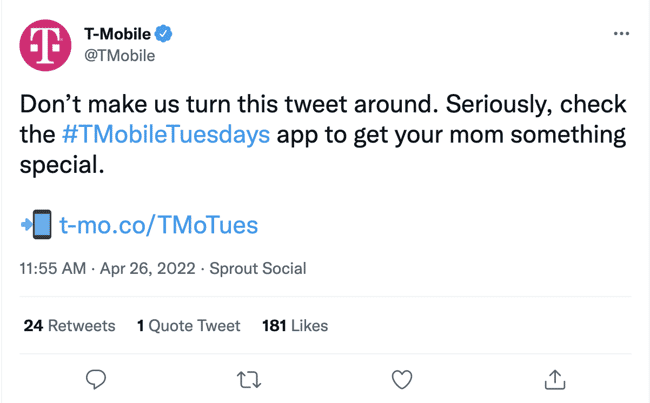
For example, T-Mobile’s social media team capitalized on the Mother’s Day holiday to promote their T-Mobile Tuesdays app. The tweet uses humor to gain users’ attention and includes a timely promotion to appeal to Twitter users who haven’t bought a gift for Mother’s Day.

You can also use social media as part of a larger marketing campaign. For example, Hershey’s posted a short video on Instagram featuring Mindy Kaling, the spokesperson for their “Celebrate SHE” campaign.
Why You Need a Social Media Strategy
The top three challenges that social media marketers face include reaching their audience, measuring ROI, and reaching business goals.
Crafting a social media strategy can help you tackle these challenges and more. Social media strategies also equip you to set goals and guardrails, track performance, and tweak your benchmarks over time. Without a starting point, you can’t measure what’s working and how to shift your activity to hit your goals.
Creating a strategy:
1. Helps you set goals and guardrails.
A social media strategy establishes clear expectations and goals for your business’ social media marketing efforts. Whether you aim to increase brand awareness, create buzz around a promotional event, or launch a rebranding campaign for your business, a social media strategy provides a blueprint that your team can follow to keep your marketing consistent, on task, and relevant to your target audience.
2. Allows you to track goal performance.
It’s not enough to simply have a goal for your business’ social media marketing; you also need to keep track of how you are progressing toward the goal. A social media strategy establishes
key performance indicators that you can analyze to monitor your business’ progress toward its social media goals.
3. Helps you tweak your benchmarks over time.
Benchmarking your social media marketing strategy allows you to track social media metrics and analyze your business’ current social media performance compared to industry standards, your competitors’ performance, and your past performance.
Evaluating your performance against benchmarks helps you determine elements of your social media marketing that need improvement to reach your marketing goals.
A social media strategy also helps you set expectations for broader team involvement and get everyone aligned on what they should and shouldn’t do on your social networks.
Let’s unpack how to start building a social media strategy from scratch.
1. Define your target audience.
If you haven’t already identified and documented your buyer personas, start by defining the key demographics of the audience you’re trying to reach, such as age, gender, occupation, income, hobbies and interests, etc.
Defining your target audience helps you create focused advertising that addresses your ideal consumer’s specific needs.
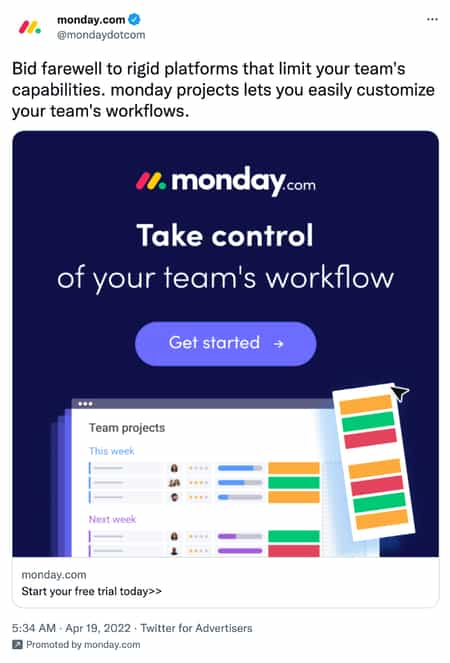
For instance, the below sponsored tweet by monday.com, a project management platform, highlights the platform’s flexibility and workflow customization feature. The tweet targets business owners and project managers who may feel limited by other project management software.
Consider your ideal consumer’s challenges and what problems they’re solving daily. Focus on no more than four types of people that represent the majority of your buyers. Don’t get hung up on the exceptions or outliers, or you’ll never get started!
2. Start blogging.
Fresh content is the linchpin of a successful social strategy, so commit to consistently creating new, quality content. Compile a list of common questions from prospects and commit to addressing these questions with at least one new blog post per week.
Combining your blogging and social media strategies can help your content reach a larger audience. For example, you can create a social media post that includes a tip for your followers and a link to a blog post that expands upon the post. The social media post will drive traffic to your blog, making it easy for readers to share the blog post with their followers and expand the blog’s reach.

This tweet by SellersFunding highlights the main points discussed in the linked blog post. The tweet provides enough detail to pique the reader’s interest and convince them to read the full blog post.
3. Create educational content.
Create downloadable content like ebooks, checklists, videos, and infographics that address your buyer’s pains. If your content is beneficial, people will likely share it on social media and extend your reach.
One example would be HubSpot’s social media trends report, which we offer for free:
4. Focus on a few key social channels.
Most startups and small businesses don’t have the bandwidth to establish and sustain a quality social media presence on every single channel. It’s also overwhelming to learn the rules of engagement on multiple networks simultaneously.
Here’s a video by HubSpot Academy explaining the social channels where you can post content for your business.
Start small. Research key networks to learn where your target audience is spending time. For instance, if your ideal consumers are business professionals, it may be beneficial to post on LinkedIn rather than Instagram.
Focus your effort on building, nurturing, and sustaining a community on the social channels where your target audience spends most of their time before moving on to another channel.
5. Develop a recipe card to guide you.
Social media isn’t an exact science. It doesn’t work the same for every business or industry. To see results for your business, create a recipe card. A recipe card is a posting and engagement schedule that keeps your team on track and helps you post content consistently. HubSpot has a list of 13 social media tools and templates that you can use to plan your content and create a posting schedule.
Develop a reasonable recipe card, one you can stick to and get your team to follow. Set goals for your posting and engagement frequency, and hold yourself accountable for following your recipe.
6. Measure your results.
There are countless things to track on your social media channels. Start by looking at how much traffic your social accounts drive to your website or blog.
Social media platforms offer tools to help businesses track analytics. For example, you can use Facebook’s Page Insights, Instagram’s Account Insights, and LinkedIn’s Visitor Analytics to see what people are responding to and look for trends related to particular topics or keywords that generate more interest than others. Once you get an idea of your average traffic and post performance, set goals for key metrics, and keep a scorecard to measure your progress.
Be sure to choose metrics that are easy to gather, because if it’s too time-consuming to track, you’ll fall off the wagon! Examples of simple metrics include net new fans and followers, number of interactions, and visits to your website from social.
7. Adjust your tactics.
Social media won’t start working overnight. Establishing a following, stabilizing your brand, and seeing the results of your efforts takes time. So experiment to find the right combination of channels, content, and messaging that works for your audience.
Keep track of changes in your post views, audience demographics, and post interactions, and make changes as needed.
Over time, you’ll be able to adjust your recipe card, content, and personas based on the information you’re gathering, which will help you fine-tune your strategy and generate more consistent results.
Social Media Marketing Strategy
Social media is a multipurpose business asset. It connects you with your audience and promotes your products, services, and brand. Both functions are equally important.
Building a social media strategy for marketing is different from the process we discussed above. How so? For example, your benchmarks and goals may be more specific to metrics you track for other marketing efforts.
When using social media to market your business, ensure the experience on your social networks is positive and consistent. All imagery and content on your social media accounts should be consistent with those on your website, blog, and any other digital real estate.
Pay close attention to any questions or comments your audience posts, and be quick to address them, as that engagement could make or break a conversion or purchase.
Lastly, align the content you post and how you post it with marketing campaigns you’re running on other channels (e.g., email or ads).
Social Media Content Strategy
Content is the crux of any social media strategy. Without content, you can’t engage with your audience, promote your products, or measure performance.
The fleeting nature of social media may lead you to believe that you don’t have to plan its content as much as you do for your emails or blogs. That’s not true. Social media content may not be as static as your landing pages or blog content, but it’s still equally important for engaging your audience and representing your brand as a whole.
For that reason, you should also have a social media content strategy. This should include:
- Posting guidelines and specs for each network on which you’re active (e.g., share GIFs on Twitter but avoid them on Facebook)
- Determining the target audience nuances per network (e.g., the younger segment of your audience is more active on Instagram than on LinkedIn)
- Repurposing plans for long-form content from your blog, podcast, e-books, etc.
- Identifying who on your team is allowed to post, and who’s responsible for engaging followers
- Naming the companies, publications, and individuals you’ll repost (and those who you won’t/can’t)
HubSpot’s Aja Frost offers more tips for creating a social media content strategy in this video.
Social Media Strategy Templates
Social media is overwhelming; I get it. Starting your strategy from scratch is even more overwhelming, so we developed 10 free social media templates to help.
In the free download, you’ll receive:
- Scheduling templates for every channel, since social media channels aren’t one-size-fits-all
- A complete calendar of hashtag holidays, so you never forget to participate with new, fun content
- Social auditing template to track your followers, engagement rates, and more
- A social media content calendar to organize campaigns across every channel
- A social reporting template to track your monthly social successes
- A paid social template to help you manage and optimize your paid budget
Time to Get Social
Do you still feel like social media is overwhelming? That’s okay. Although I’m not sure that feeling ever fully fades, you can diminish it by leveraging the tips in this guide and the free templates above. Remember: Tackle one social network at a time, prioritize your audience, and focus on the content that works. You’ll see results and traffic in no time.
Editor’s note: This post was originally published in February 2016 and has been updated for comprehensiveness.


32 of the Best Office Pranks & Practical Jokes to Use at Work
We asked our friends and combed the internet for examples of some of the funniest office pranks, and pulled together this list virtual April Fool’s pranks and in office pranks to serve as inspiration for your own.

Every company has a story about that funny office prank of yore. Whether you’re doing some early April Fool’s Day research, or just feeling a little tricksy, it’s time to get a prank of your own in the books. Here are some ideas.
Remote Pranks for Virtual Teams
The above pranks are awesome, but what about pranks that are inclusive for remote employees or teams that are 100% virtual? These pranks are ideal for the digital office:
1. Flash Mob
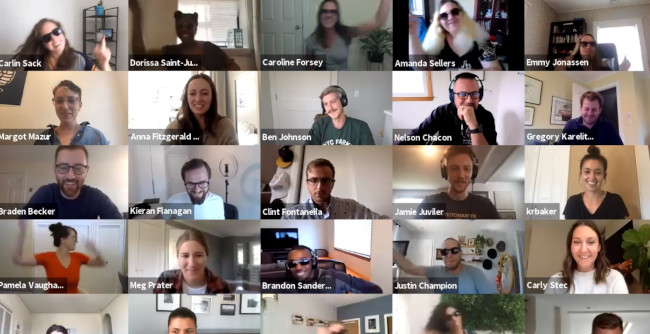
Here at HubSpot, we love flash mobs. That’s why Head of SEO Aja Frost and Blog Manager Christina Perricone jumped at the chance of organizing a virtual flash mob for one of our quarterly meetings.
This is a perfect prank for a large gathering but requires a bit of prep — from choosing a song, selecting the dancers, and teaching the choreography. However, the end result is worth it for the shocked and delighted expressions on coworkers’ faces alone.
2. Virtual Background Shenanigans
There’s a lot of pranking potential using the virtual background feature in Zoom and other video conferencing platforms. For example, one Twitter user creates a virtual background with the shocking appearance of a doppelgänger… or maybe a time warp?

3. Jump Scare
One way to take the virtual background prank to another level is by impersonating a horror movie director and relying on one of the oldest scary movie tricks in the book: the unexpected jump scare. The video below walks through the steps for executing this prank successfully:
Just make sure that you know who you’re presenting to. The wrong audience may not appreciate the humor in this one!
4. You’re Not on Mute
We’ve all heard the horror stories of users who thought they were on mute and went on to say something embarrassing. One prank would be to stage this situation and make your coworkers think that you think you’re on mute. You could enlist someone in your household to say really embarrassing or completely outrageous, the goal being to see how long your coworkers will watch in horror before letting you know you’re on mute.
5. Stolen Identity
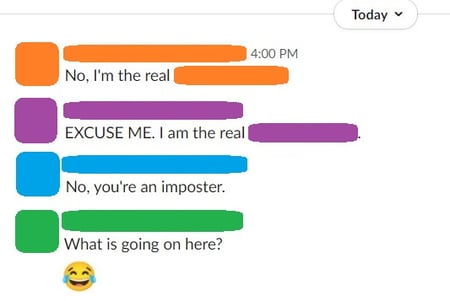
If you have a workplace chat system, a simple and effective prank is to “steal” someone’s identity by changing your display name and picture to match theirs. The more coworkers you get to follow suit, the more effective, hilarious, and chaotic this prank becomes. Best of all, it’s easy to reverse at the end of the day: Just revert back to your original display name and photo.
6. Think Outside the Box
With video conferencing apps, we’re limited to our own little square of digital real estate… or are we? This Twitter user subverts expectation by dumping water on a coworker in another square, surprising all the other meeting attendees:
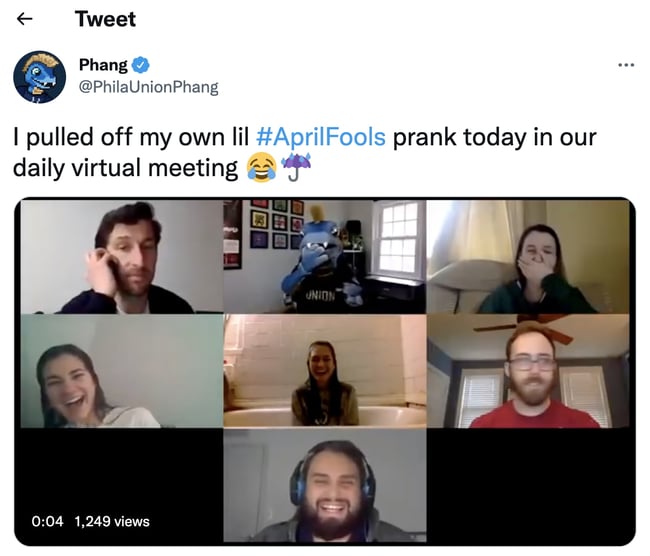
Funny Office Pranks to Pull on Your Coworkers
7. Caramel Onions
When Halloween is around the corner, these caramel onions are no match for other tricks (or treats). Dip each onion in caramel — maybe some red food coloring first, if you need to further disguise them — and stick popsicle sticks down the center. Your colleagues won’t know the difference, but they will wonder why these caramel apples are making them cry so much…

8. Nicolas Cage Toilet Seat
Speaking of Halloween, here’s what nightmares are truly made of. Nicolas Cage is easy to come by in the meme community. Print a picture of him at his most, well, enthusiastic — and allow him to greet everyone who takes a bathroom break.

9. Fish Drawer
There’s something fishy about this office prank… Just be sure to include fish food; experts suggest you should feed this prank twice a day.

10. Pants in the Stall
Usually, when you see feet underneath the stall, you just have to wait your turn. In this case, you might be waiting forever. Set this guy up in your office bathroom and see how long it takes for people to start talking. We just hope nobody called the paramedics on this poor, empty suit.

11. Febreze for Days
Tighten the zip-tie, throw it, and run for your life. Or, leave it in your coworker’s office when they’re on break. They’re sure to return to a potent workspace.

12. Vehicular Sticky Notes
This is the perfect use for those sticky notes that keep piling up — especially if they’re all for someone who just won’t finish his or her tasks. The prank below is a wonderful way to remind them before they take off for the day.

13. Foghorn Entrance
Haven’t you ever wanted to get a room’s attention the second you walk through the door? Well, the prank below will even get the person entering to stand up straight. This is certainly one way to make sure everyone’s alert before a meeting.

14. Ballooned Conference Room or Hallway
Hey, at least it’s not glitter? This prank works two ways: You can either surprise the next team who reserves this room, or have a day-long meeting in here without anyone knowing your business. You will of course have some static electricity when you exit the room.

15. Desk Trolls
For trolls, by trolls. Luckily, you can buy many of these trolls in bulk. Click here if you’re serious about trolling your coworker’s workstation — just keep in mind you will have to buy more than one pack of trolls to make this stunt worth it.

16. Water Works
Oh look, a budget trip to the beach. This prank gives a whole new meeting to the term, “staycation.” Surprise your coworker when he/she comes back from a beach getaway with, well, another beach getaway. The downside is it’ll be nothing like where they were. The upside is they won’t need a towel.

17. Tiki Desk
Sick of those open office layouts? Create a tiki-themed hut for jokes and a bit of privacy.

18. Nailed the Cake
Hey everyone, there’s cake up for grabs in the kitchen! The prank, however, is written in frosting. This is a good gesture to someone who loves the expression, “needle in a haystack.” Happy hunting.

19. Psychedelic Supervision
“I don’t know, I feel like my boss is always watching me,” your coworker might say. Change their perception of micromanagement when this colorful prank. Suddenly a “quick check-in” doesn’t seem all that bad.

20. Voice Toast
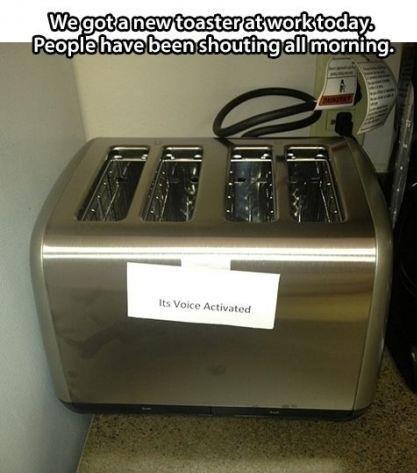
Simple, yet brilliant. Change the terms of breakfast ever so slightly, and the kitchen becomes the most confusing room in the office. This little note pranks the entire office — a true masterpiece of prank-dom.
21. Work From Home
As Ron Burgundy from Anchorman says, “I’m not even mad. I’m just impressed.” Help your coworker who loves taking his/her work home, take their home to work instead. As you can tell, you might need to stay late the night before to get this prank just right.

22. You’ve Been ‘Felined’
This could actually make your cat-loving coworker’s day. Or, it could make for the greatest prank of all time against the coworker who’s violently allergic to cats (that is, as long as they’re not allergic to photos of cats, too).

23. The Seedboard
Work with your IT department to fertilize this prank perfectly. Soon enough, its user will wonder why their keyboard is growing. We suggest targeting someone who sits close to the window — some pranks just need some sunlight. “You said you wanted to spend more time with nature,” you might say in your defense.


24. The Ceilings Have Eyes
You could freak out just looking at the photo of this horrifying prank. It might be a little too much for your jumpiest colleague, but for the person who can’t stop talking about scary movies, it’s just the revenge you deserve. (Hint: paper mache, white paint, and a black wig. Done.)

25. Chair Scare
Similar to the Entrance Foghorn, this prank will probably scare more than just the person who sits down. Of course, it’ll be a lesson to anyone who, I suppose, tries to sit too low at their desk.

Funny Pranks to Pull on Your Boss
26. No Stalling
For the employee who never has enough time. Or, for the coworker who takes way too many bathroom breaks during the day. Prank them with their very own throne the next time nature calls.

27. Glitter Bomb
About that whole, “At least it’s not glitter” thing in prank #9? Well, this prank can’t make that promise. For the coworkers who don’t yet know the permanence of getting glitter on yourself, this prank is sure to set them straight.
28. Substitute Worker
Sometimes, you’re not sure how to ask for another day off. For those days where you simply can’t come into work, but don’t have the heart to call out again, the cardboard cut out who looks just like you is the perfect substitute. Or, just put ’em at your colleague’s desk and give them a much-needed identity crisis.

29. Crushed It
When you finally learn about your colleague’s celebrity crush, make sure they know how much you care.

30. World’s ‘Best’ Boss
When words just aren’t enough to express your sentiment, give your manager the perfect way to say “thank you” every time they go to take a sip of coffee.

31. Cup o’ Spiders
“Hey chief, I found a spider on your desk, but don’t worry, it’s been handled.” This prank doesn’t have to have an actual spider in it — the mystery, alone, is all you need to prank your employee.

32. That’s a Wrap
For the boss who has everything, it’s the gift that keeps on giving.
.gif?width=480&name=giphy%20(9).gif "giphy (9).gif")
Show Off Your Prank Skills
All you have to do is find someone who will be in on the joke with you.
Pranking can be extremely good for morale and company culture. After all, why not have a little fun to break up the workday?
Editor’s note: This post was originally published in October 2018 and has been updated for comprehensiveness.


36 Beautiful New Ebook Templates [Free Download]
Did you know that landing pages have the highest conversion rate at 23% than other types of signup forms? It’s true, but landing pages don’t convert visitors to leads all by themselves. If they don’t have attractive and compelling offers behind them, they won’t generate the leads your sales team is looking for.
That’s why it’s so important to create valuable content people want to download, and then package it in a way that’s visually appealing to your readers. An ebook is a practical content choice that delivers so much value to your audience that they won’t mind submitting a lead form to download it.
WP Forms reports that ebooks are the most popular lead magnet amongst subscribers, with 27.7% of marketers using them.

Adding ebooks to your content archive can be a worthwhile effort, but it’ll take work. While every step of creating an ebook is critical, a substantial step of the ebook development process is creating a design that helps tell the story in the copy. A professional and functional design makes the copy more readable to your audience, thus making it more likely that they’ll refer back to it and maybe even share it with a friend.
We know not every team has someone in-house who can (or has time to) whip up a slick, shareable ebook design. But we have good news: You don’t need to be a designer by trade to design beautiful ebooks yourself. With the right resources and approach, you can deliver valuable content to your audience in a fraction of the time.
A few years ago, we created ebook templates to help make this process easier for you. They were so popular that we decided to revamp the offer and include PowerPoint, Adobe Indesign, and Google Slides formats. We hope these templates minimize the time you spend on the details of design, allowing you to concentrate on writing valuable, lead-generating content your readers will love.

Start With One of These Free Ebook Templates
Each of these templates is sure to organize your content into a readable, shareable ebook that your readers will enjoy. Each one is complete with a table of contents, chapter page, copy pages, and a call-to-action page at the end. Here is a preview of some of the ebooks you’ll find in the template bundle:
1. Process Improvement Theme
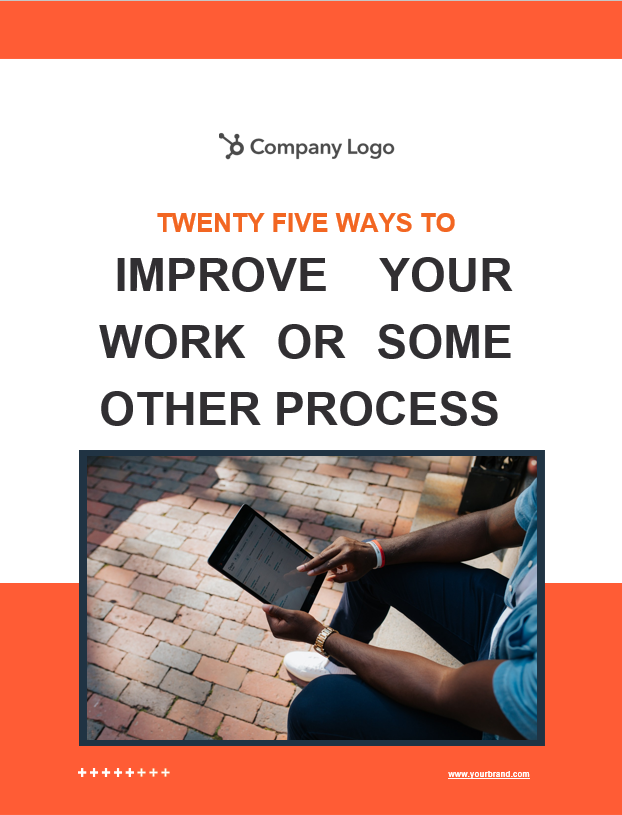
The Process Improvement theme is longer and more involved than most of those listed above — it could contain 10, 20, or even more chapters to help describe the specific actions needed to complete a process or achieve an outcome. By combining text blocks with summary sections and detailed highlight pages, this theme is a great way to break down a complex task or process into manageable, repeatable steps.
The Process Improvement Theme Ebook Template is best for:
- In-depth guides to multi-step processes
- Employee handbooks
- Training manuals
2. Conversational Theme

This theme trends slightly more casual with a conversational approach that helps you connect with readers. For example, the author introduction page starts with a familiar “Hello!”, an image of the author, and a brief description of their expertise. The following pages include plenty of room for author and other expert quotes to help establish your mastery of the topic at hand, without seeming stuffy or distant. This theme breaks up each page with differing text and image placement to help keep user interest high throughout.
The Conversational Theme Ebook Template is best for:
- Social media marketing and campaign guides
- Providing advice or guidance to repeat customers
- Brand storytelling
3. Artistic Theme
For the marketer, salesperson, or designer who needs to communicate a vision from high-level strategy to detail, the Artistic theme template is a smart choice. This template uses white space to set boundaries between sections, giving your ebook a clean, uncluttered charm. Colorful headers with serif fonts, eye-catching graphics, and stunning images will make your ebook come to life. The Artistic theme includes several unique layout options including light and heavy text pages, photo layouts, and more so that the design is fresh from one page to another.
The Artistic Theme Ebook Template is best for:
- Marketing Content
- Target Audience Personas
- Sales Tips and Tricks
4. Professional Theme
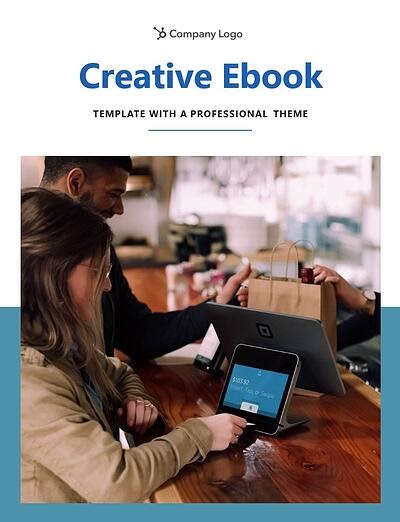
Appeal to the professional yet bold aesthetic, the Professional theme ebook template. Image-based title pages and thick, bold fonts draw attention to headlines and big ideas while body pages with room for photos make it perfect for a showcase or inspiration guide. The Professional template is made with the visual communicator in mind. Social media experts, event planners, and web designers — this one is for you!
The Professional Theme Ebook Template is best for:
- Social Media Guidelines
- Event Planning
- Web Design Content
5. Honeycomb Theme

Your ebook is sure to get the crowd buzzing with this honeycomb-inspired design. The hexagonal shapes in the background are neutral-colored in the original ebook template, but adding in your brand colors can make these hives look sweet. Inside, you’ll find page layouts for quotes and captioned photos, making it a good choice for ebooks with a healthy balance of imagery and copy.
The Honeycomb Theme Ebook template is best for:
- Recipe Books
- Customer Service Guidelines
- Technology Best Practices
6. Triad Theme
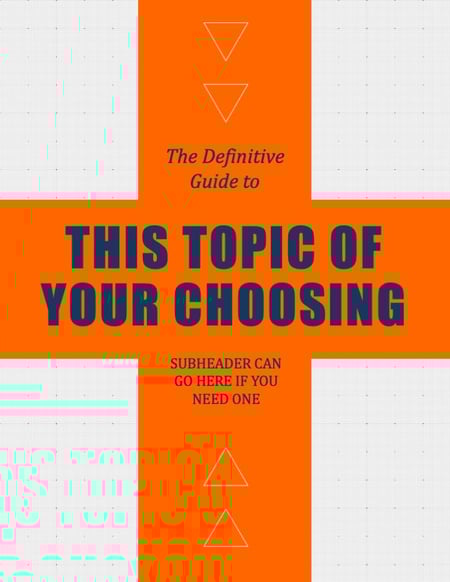
Great for educational workbooks that include heavy visual designs, the Triad theme provides plenty of space to organize your content on every page. The triangular shapes in this template give your ebook a sense of direction that keeps the reader moving forward. The bold complementary colors jump right off the page and grab your attention, but this template can be edited to incorporate your brand colors.
The Triad Theme Ebook Template is best for:
- Educational Workbooks
- Educational Presentations
- Seminar Courses
With these polished templates, you’ll be able to:
- Create beautifully designed ebooks without either the cost of a designer or experience with InDesign/Illustrator/Photoshop.
- Choose from six different ebook designs across three different platforms (Adobe InDesign, PowerPoint, and Google Slides), and even add your own brand colors for a custom look.
- Spend more time writing awesome content and less time getting the layout right.
- Use all of the stock images provided in the templates, free of charge.
- Save your ebooks as professional and attractive PDF files that are ready for download.
Start Creating Your Ebook For Free
Ebooks are one of the most popular content offerings available to consumers, but the effort required to make them can deter content creators from starting the process. These templates make designing your ebook simple so you can spend more time sharing your big ideas with the world.
Editor’s note: This post was originally published in January 2021 and has been updated for comprehensiveness.

The Social Media Content Calendar Template Every Marketer Needs [Free Template]
Have you been on a time crunch to create social media content?
Most of us have and it’s a stressful position to be in. Creating content in the moment it needs to be published is less than ideal for more reasons than you may realize. Not only is your content less likely to meet the needs of your audience, but you’ll also miss out on the creative social topics and events that can be planned for in advance.
In this guide, you’ll get the best social media content calendar template and a step-by-step guide explaining how to use it.
![→ Free Download: Social Media Calendar Template [Access Now]](https://no-cache.hubspot.com/cta/default/53/3e56e15d-47bd-46c9-a256-99fde52abfe7.png)
 Use the Above Template to Plan Out Your Social Media Holiday Posts
Why do I need a social media calendar?
There are several benefits of having a social media calendar. The first is that it keeps you and your team organized. Rather than coming up with content ideas on the fly, you can plan your content around your organization’s needs, trending topics, and current events.
Another benefit to having a social media calendar is that it can help you scale your content production without overwhelming your marketing team. You can pace the production around your team’s bandwidth and other duties your department is responsible for by planning the content in advance.
Creating a great content calendar isn’t as simple as adding a few Instagram post ideas to your Google calendar. You’ll want to make sure you include the correct components in your calendar to make it easy for your team to use and stakeholders to understand.
Perfecting your social media content calendar doesn’t have to be a chore. With these essential components, you’ll have a foundation to organize your social media strategy at a tactical level.
Key
As you noticed in earlier sections, your stakeholders will appreciate having an easy-to-read key that they can use to understand the information in the calendar.
As long as your key is clear, just about anyone in your organization can view your social media content calendar and understand exactly what’s happening on all platforms.
URLs and UTM Parameters
We’ve harped on these UTM parameters throughout this post for good reason. They’re critical to tracking the success of your campaign. Without them, you won’t know what’s working and what isn’t.
URLs and UTM parameters are similar, but they’re not one and the same. URLs are the links you’ll want to share from your website (or even another website if you’re curating content) on your social media platforms.
On the other hand, a UTM parameter is an extension of your URL. It’s a string of tracking code that’s appended to the end of the URL and it helps social media marketers track how well their posts are driving traffic to their website. By tracking and analyzing UTM parameters, you’ll be able to see what content is meeting your conversion goals and what content is better for engagement on social media platforms.
Date and Time
If you have stakeholders or other teams that rely on your social media content, you’ll quickly see the benefit of including dates and times in your social media calendar.
When teammates can view the calendar and identify exactly when a post was or will be scheduled, they’ll be able to quickly proceed with their workflow which is beneficial for you, too. That means you won’t be interrupted to give status updates about every Tweet on the docket for the day.
Message
Transparency and context are invaluable when it comes to social media content calendars. Giving a brief synopsis of the message or even sharing the caption for a post can go a long way in helping others within and outside your team understand what the intent of the post will be.
Pro tip: If you’re adding a video to your social media content calendar that isn’t finished, consider adding a short Loom video that gives an overview of what the video will be about.
Campaign
When it comes to tracking, it’s too late to start when the campaign is over. Start tracking your social media campaigns in your content calendar. You can make this prescriptive by having a dropdown list of predetermined campaign names, or if your campaigns are few and far between, simply copy and paste the names next to the corresponding content.
Pro tip: Align your campaign name with the campaign section of your UTM parameter for seamless tracking.
Image
Your social media content calendar will become just another spreadsheet without some imagery. Since much of your social media content will probably be visual, add a thumbnail-sized version of the image that will be included in the published post. Coupled with the message, stakeholders who view the calendar images will have a pretty good idea of what will be shared and when. To make editing your images for each platform easier, check out this cheat sheet for ideal image dimensions on each platform.
Step 1: Identify your goals.
The first step you want to take to build your social media content calendar is to identify your goals. These will determine how often you post, who should be involved in the content creation process, and which channels you’ll want to use.
If you’re not sure where to start with setting up your social media goals, we cover that here.
Step 2: Align your team.
With your goals etched in stone, it’s time to align your team toward these goals. Social media content creation is a tall order, especially for lean marketing teams, so don’t short yourself on resources — especially talent.
One thing we know to be true today is that video content is taking over just about every major social platform. That means you’ll want to have on-camera talent dedicated to producing video content to meet the needs of your social media calendar.
If you can, find a content creator who is well-versed in short-form written content, video content, and audio content to keep your content production moving quickly and prevent bottlenecks.
Step 3: Consider diversity, equity, inclusion, and belonging.
Diversity, equity, inclusion, and belonging are topics to consider when developing your social calendar. You’ll want to make sure your content reflects and respects the values and experiences of your audience. Moreover, the faces, voices, and stories you share on social networks should be representative of your audience and the larger community where your business operates.
This isn’t something that can happen by accident, so you’ll want to plan for diversity and inclusion as you develop your content calendar. If you’d like some guidance on creating diverse and inclusive content, check out our original research on the topic.
Step 4: Decide what social channels you’ll use.
Every social channel is different and the content you post on each one should appeal to the layout of the platform and the users who use it.
If you’re a seasoned marketer or have a large team, you may find that using all of the popular channels and even experimenting with a new one could be beneficial to the goals you set in step one. However, if you’re a team of one, or your team is already stretched thin, it’s OK to start with a few social channels and work your way up to more.
Step 5: Determine your publishing cadence.
Similar to starting small and working your way to more social channels, the same applies to your publishing cadence. It’s not uncommon for brands to post daily on platforms like Twitter while posting once a week on LinkedIn may be more than enough to keep that audience engaged.
Take a look at the research for each social media platform you plan to use to get a sense of the posting cadence best practices. Then, compare that to the bandwidth on your team and the goals you want to achieve. Remember: the goal of a social media calendar is to create and publish a sustainable stream of content to your audience — it’s a marathon not a race.
Step 6: Set up UTM tracking.
One of the most important parts of a social media calendar is actually the part you don’t see — analytics and tracking. The easiest way to track how your social media content is performing is to use UTM parameters to track it. “UTM” sounds like a scary acronym, but they’re very simple to set up and use.
Once you’ve got them in place for each link on your social media posts, you can review the metrics of your social media content.
Step 7: Create an analysis tracker in your calendar.
For stakeholders who want to stay abreast of how well your social media content is, create a tab that shows clicks, views, engagements, and other metrics you plan to track to deem your content a success. Tracking analytics can be as simple or detailed as your team prefers.
For a full list of metrics to track and tools to do it, take a look at this year’s Ultimate Guide to Social Media Analytics.
How to Use HubSpot’s Social Media Content Calendar Template
If you don’t have time to create your social media content calendar from scratch, start with HubSpot’s free social media content calendar template. Download it now, and follow along with the steps below.
Featured Resource: Social Media Content Calendar Template

The following subsections will show you how to fill out each of the tabs you see in this template — Twitter, Facebook, LinkedIn, Instagram, and Pinterest.
Review the Monthly Planning Calendar tab.
The tab Monthly Planning Calendar provides an overall snapshot of your monthly social media campaigns. It’ll help you coordinate with other stakeholders and keep all the moving parts in order. Here’s what it looks like:
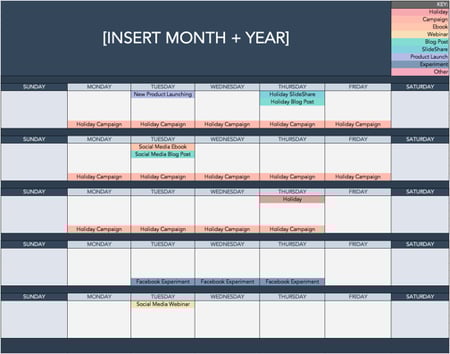
There are three sections to take note of when you edit this template. First, the color-coding key. Each color represents a type of content or campaign you might coordinate, like ebooks, webinars, blog posts, product launches, and so on. Though only some of these might be relevant to you, they’re just the beginning of what you may want to include here — so be sure to add and remove categories that align with your own types of content.
The other two sections you’ll need to edit are the Month and Year at the top of the calendar, as well as the cells below each day of the week. In those cells, you should enter the type of content you’ll be promoting that day and color-code it to align with the campaign it’s supporting.
Instead of deleting all the content in this spreadsheet each month, I recommend copying this worksheet twelve times over and creating a separate sheet for each month. (If that gets to be too overwhelming, you can always save those tabs as a separate workbook.)
Populate your first social channel in the calendar.
Alright, now let’s get to the social media content part of the calendar. For the sake of this blog post, we’ll use Twitter as an example, but these steps will work for each social channel tab in the template.
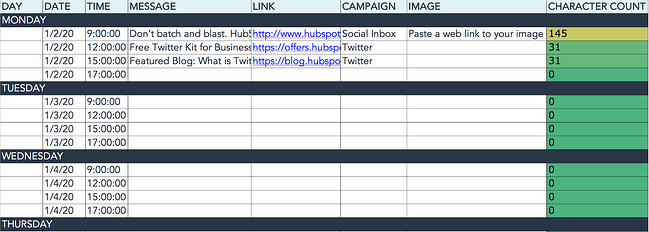
Let’s say you want to add some tweets to your scheduling template. Scroll over to the Twitter Updates tab in the content calendar spreadsheet, where you’ll see this:
Day, Date & Time
The first four columns, Day, Date, Time, and Date & Time are there for your convenience, and if you choose to use a third-party app for pre-scheduling your tweets (like HubSpot’s Social Media Management Software), then these columns will be useful. For now, just fill in the date for when you’ll publish updates to Twitter, and the time at which you’d like them to go out. The Date & Time column will automatically change based on what you type in the previous two columns.
Message
Now, let’s move over to the Message column. Here, input the copy you’d like to appear in your tweet, bearing in mind you should cap it at 217 characters to allow enough room for a link. (Read this blog post for a full character count guide.) This spreadsheet will auto-calculate the number of characters you’ve entered to keep you on point, turning yellow and eventually red as you approach 240 characters.
Link
After you’ve composed your tweet, paste the URL you’d like to include in your tweet in the Link column. Be sure to include UTM parameters so you’ll know whether these tweets are driving traffic, leads, and customers. This is an important step to remember if you’d like to demonstrate ROI from social media. You can also use the Campaign column to add an associated campaign which helps with more detailed tracking and reporting.
Image
Finally, in the Image column, attach the tweet’s image (if you have one). For Twitter, we recommend images that are 1200 x 670 pixels.
(Click here for a full cheat sheet of social media image sizes.)
If you’re having trouble attaching your image to the spreadsheet, follow these steps:
Step 1: Click on the cell where you’d like to place your image.
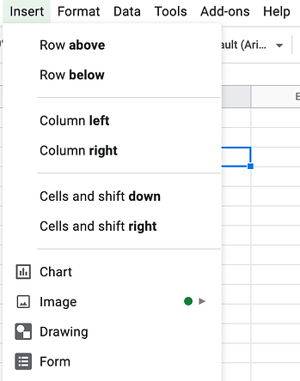
Step 2: Click Insert in the top row, then click the Image button, and finally, click Image in cell to choose your image.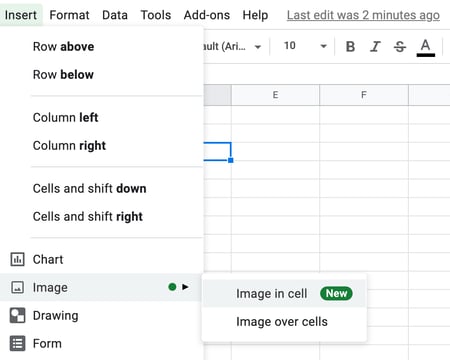
Step 3: In the Insert image window, choose the option your photo will come from. In this example, we uploaded an image from our computer.
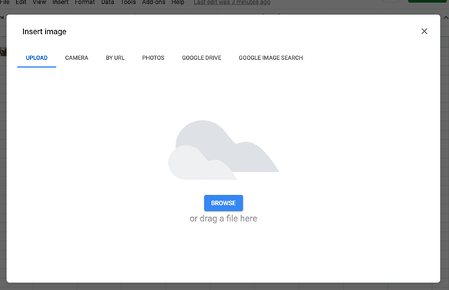
Step 4: You’ll now see the image appear in the cell.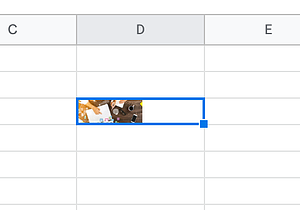
Pro Tip: This process is just for organizational purposes. If you decide to upload the spreadsheet to your social media publishing software, it will not attach — you’ll have to do that manually. If you’re a HubSpot customer, details for how to bulk upload your Twitter content to the HubSpot Social PublishingTool can be found within the downloaded template.
Don’t Forget to Interact With Your Followers
Whether you use this spreadsheet to plan your content or upload it to a third-party app, you’ll still need to supplement these updates with on-the-fly content. Breaking news hits? Whip up a quick update to share it with your network. Did someone in your network tweet something interesting? Give it a retweet with some commentary. Got a fascinating comment on one of your updates? Respond with a “thank you” for their interaction.
Coming up with and scheduling your social media content in advance is a huge time-saver, but it should go without saying that you still need to monitor and add to your social presence throughout the day.
Finally, we encourage you to experiment with your social media publishing. This template provides publishing dates and times for each social network, but you may find those are way too many updates for you to fill, or perhaps too infrequent for your booming social presence. If this is the case, you should adjust your social media publishing frequency as needed.
Now that you’ve got the ins and outs of a social media content calendar, download the one below for free and start planning your content.
Editor’s note: This post was originally published in January 2020 and has been updated for comprehensiveness.


15 of the Best Facebook Ad Examples That Actually Work (And Why)
On average, Facebook is home to 3 billion daily active users — from CEOs to students to companies. And while the community is clearly there, connecting with them from a marketing standpoint isn’t always easy.
For brands, posting on Facebook alone isn’t enough anymore, especially for ones just starting out. Sure, you can invest in promotional content to drive users to your Facebook Page and website, but this requires more than an ad budget: it requires strategy.
One way to get the most out of your Facebook ad strategy is to create optimized Facebook Ads targeted at the right audience. By leveraging optimized ads, you can better allocate your PPC budget and better promote your brand.
We’ll show you how to make a great ad to achieve these goals through the best Facebook ad examples and practices we’ve seen yet.
- Do Facebook Ads Work?
- Best Facebook Ad Examples
- How do Facebook Ads work?
- Facebook Ad Placements
- Facebook Ad Formats
- Facebook Ads Best Practices

So, what does optimized Facebook advertising actually look like? To gain some inspiration for your next Facebook ad campaign, take a look at our list of the best Facebook ad examples from across industries.
Featured Resource: 50 Amazing Facebook Ad Examples
See these best practices in action with our collection of 50 Facebook Ad Examples from real businesses that we admire.
1. SofaLush
Video Ad

Why This Ad Works
- It’s visual: The video in the ad clearly demonstrates how the product works. Also, the video opens with a pressure cooker that seemingly “disappears” during the course of the video. This Easter egg prompted a lot of engagement in the comments, which further improved the ad’s performance.
- It’s relevant: It’s relevant to me because I was recently looking for new couches. This product shows an alternative to replacing my couch, on the off-chance that I might want to get more mileage out of my existing couch before making a new purchase.
- It’s valuable: The “how-to” style of the video is meant to underscore the value proposition: making your existing furniture more stylish… without a lot of hassle.
- It has a solid call to action: The ad states that there are over 150 designs to choose from and has a button that prompts me to “shop now” and see if one of them would fit my style.
2. Lume Deodorant
Photo Ad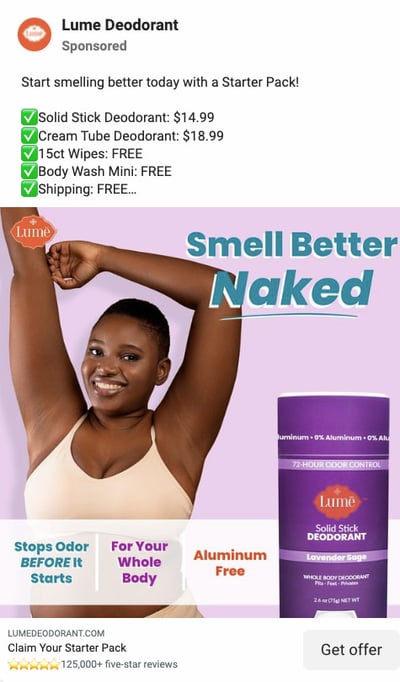
Why This Ad Works
- It’s visual: The vibrant, purple hues of the text, packaging, and background guide the user to the most important information on the ad like how Lume deodorant “Stops Odor BEFORE it starts.” The smiling model may showcase where you most commonly apply deodorant — your underarms — but the text makes a bold value statement that you can actually use it all over your body. This ad makes you feel better about a topic that doesn’t always feel so good — sweating — by making you feel confident in your antiperspirant protection.
- It’s relevant: I have been recently researching skincare products to begin a new regime. With this behavior cue, Lume knows that organic deodorant is better for skin but many brands fall short of being able to block odor, and some even cause rashes. This is also aluminum-free deodorant, an increasingly desirable option amongst consumers like their target audience.
- It’s valuable: Knowing where other organic deodorants fall short, Lume positions their brand without those drawbacks, and they do it in a clever and engaging way (the song).
- It has a clear call to action: The end of the photo ad prompts the user to click “Get Offer” so they claim their starter pack — a hassle-free proposition for consumers new to their products and unsure of where to start.
3. Kay Jewelers
Video Ad

This Facebook video ad from Kay Jewelers tells a quick but moving story — something Kay Jewelers is well-known for — using just a few seconds of your time. You don’t even need the sound on in the video above to know what’s happening and the message Kay is sending.
If you’re advertising a product with sentimental value, like Kay Jewelers, video ads are the way to go. Just be sure your video has a clear (and happy) ending — people view videos more passively on Facebook than they would on YouTube and don’t have time to interpret your ad if it’s too long or complex.
Why This Ad Works
- It’s visual: Even though this is a video, I have a general idea of what I will be watching, thanks to the screen capture it started with. Additionally, I can understand the gist of this ad without playing with the sound on, which is important given that 85% of videos on Facebook are now viewed without sound.
- It’s relevant: It’s relevant to me because I was recently scouring jewelry websites, specifically for necklaces like the one in the ad.
- It’s valuable: Kay shows potential customers the value of purchasing with the help of the happy reaction from the woman receiving the gift in the ad. Plus, who doesn’t love dogs?
- It has a solid call to action: This ad is set up to drive Page Likes, which is an easy, one-click way for me to get more relevant content served up to me.
4. Monday.com
Photo Ad

Monday.com is a task-management tool that caters to multiple operating systems, both desktop, and mobile. But in the photo ad above, the company used its compatibility with Mac computers to remix its own logo in the original rainbow colors of the Apple brand.
For growing businesses like Monday.com, it’s a smart idea to pivot off the brand awareness of household names. By filling the Monday logo with Apple’s famous rainbow color-way, the ad above captures the attention of Mac users who’d recognize those vintage rainbow stripes anywhere (and could use a new task-management tool that works on their computer).
Why This Ad Works
- It’s visual: The rainbow colors filling the Monday logo are both eye-catching against the black background and familiar to any Mac user.
- It’s relevant: For Mac users, and those who need to organize their tasks on a regular basis, this ad is relevant to their lifestyle in more ways than one.
- It’s valuable: The ad calls attention to Monday’s compatibility with Mac computers, making the product’s user experience more valuable to Mac users as a result.
- It has a clear call to action: The “Learn More” CTA on the bottom-right of the ad is a clear invitation to find out more about this product’s usage on Apple hardware.
5. Amazon
Event Ad
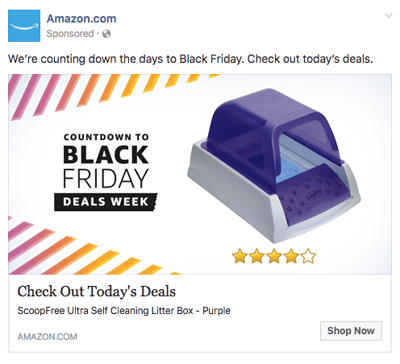
This is how an event ad from Amazon looks in the News Feed on a desktop. This ad works well on a few different levels: A sample product is clearly displayed, the ad shows an impressive (but honest) rating of that product, and you know which event Amazon is promoting right away — Black Friday.
Ecommerce companies like Amazon use event ads to boost sales at specific points during the year, and Facebook event ads make this easy. When investing in event advertising, build a list of the holidays, shows, conferences, and awareness months your business cares about. That way, you know exactly which market campaigns line up with these occurrences and when to promote them on your Facebook Business Page.
Why This Ad Works
- It’s visual: Not only is this image larger than the right column ad display, but it also uses warm colors, white space, and directional lines, which drew my eye toward the featured product.
- It’s relevant: As a cat mom, this offer is clearly tailored to my consumer needs.
- It includes an enticing value prop: Amazon has advertised a self-cleaning litter box here, which is of tremendous value for any cat owner. Additionally, it shared the strong customer ratings below an image of the product. (Social proof, anyone?)
- It has a clear call to action: Amazon instructs me to click on its ad today, after which point the deal for the litter box will presumably disappear. “Now” is strong CTA language that compels clicks.
6. NatureBox
Photo Ad
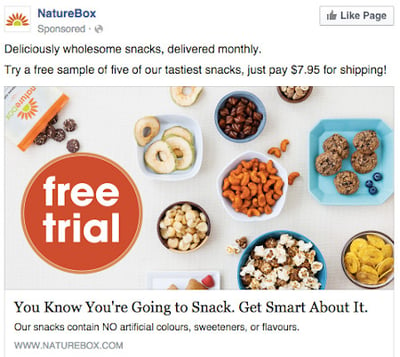
This photo ad by NatureBox features a creative point-of-view shot that is perfect for the angle at which you’d dive into the company’s various healthy snacks. The ad makes you imagine your next house party… I thought the peanuts spilling out onto the table was a nice touch.
In your next Facebook photo ad, play around with live-action photography and digital design in the same image. As you can see in the ad above, NatureBox was able to design a vibrant “free trial” icon right on top of an image that would’ve worked just as well on its own.
Why This Ad Works
- It’s visual: The image shows you exactly what you’re getting, and it calls out the “free trial” CTA well.
- It’s relevant: Everyone likes to snack. In all seriousness, the person who saw this is a fan of several lifestyle subscription companies, which is what NatureBox is.
- It’s valuable: This ad is full of value. First, the “free trial” callout is the first thing your eyes go to when looking at the image. Second, it clearly mentions the healthy aspects of the goodies in its product.
- It has a clear call to action: NatureBox is asking you to try its free sample. It couldn’t be easier to know your next step.
7. Winc
Retargeting Ad
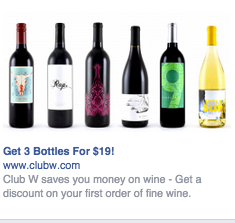
Here’s an example of a short and sweet (literally) retargeting ad from Winc (formerly known as Club W). This ad is displayed on the right column of Facebook specifically for users who browse wine-related content online. When your ad caters to people who you know would be interested, modeling the product the way Winc does above can be a home run for your brand.
Why This Ad Works
- It’s visual: The visual is clear, simple, and appealing to all types of wine lovers wine-lovers.
- It’s relevant: This came up in my wine-obsessed colleague’s News Feed. Need I say more? Two thumbs up on relevance.
- It includes an enticing value prop: Three bottles for $19? What a steal. They also pull the viewer in with an additional value: a discount on their first order of wine.
- It has a strong call to action: The word “get” is strong call-to-action language, and it’s used twice here. A time limit on this offer would have made it even stronger.
8. Shutterfly
Multi-Product Ad
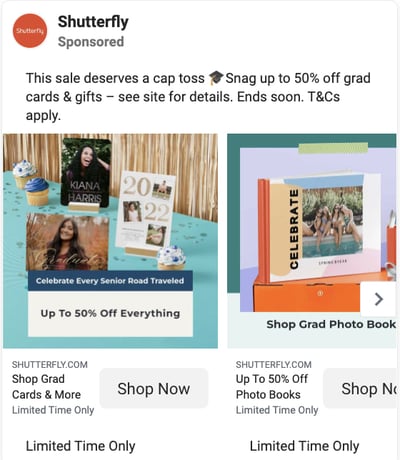
Here’s an example of a multi-product ad from Shutterfly, along with the additional images that are used in the ad. Each image has a different offer, to appeal to many different demographics in one ad.
In each image, the product being promoted is consistent in the look and feel of the Shutterfly brand — this is an important quality of ads that showcase more than one item and picture.
Why This Ad Works
- It’s visual: This series of images leans on a consistent color palette, making it feel both cohesive and on-brand. (Including delicious-looking cupcakes doesn’t hurt either.)
- It’s relevant: The person who saw this loves taking photos of life events like graduations and creating sentimental gifts from these moments. Spot on, right?
- It’s valuable: There is a clear value for the user, 50% off each of the products being advertised. The sale details aren’t stated and it only alludes to a fastly approaching end date but this also encourages users to click through to the website in order to find this information. This ad also has an added level of value, it is showing the many different ways people can create grad cards and gifts using Shutterfly, in ways many may not be aware of.
- It has a clear call to action: I know I need to use this before February 17th when this deal expires, so I would be encouraged to take action right away.
9. MU Campus Dining
Reach Ad
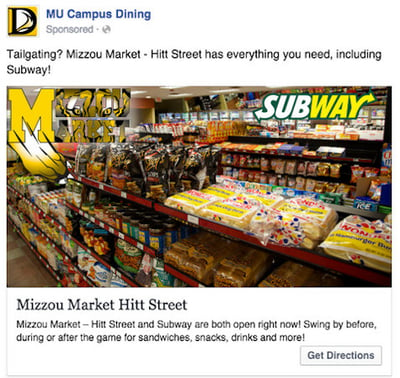
This Facebook Reach ad from Mizzou Campus Dining promotes amenities at the University of Missouri, using two familiar logos and a marketplace that anyone on campus might recognize.
The ad copy beneath the image invites customers in “after the game” — a reference to campus life that helps Facebook users imagine when they might want to stop in for a sandwich.
Why This Ad Works
- It’s visual: This image has college pride, a variety of salty and sweet treats, and a well-known logo to attract hungry college students.
- It’s relevant: This ad is likely only being shown to students on campus who are in its target audience. It also mentions the sports game that was going on at the time and plays to the student’s current needs: snacks and Subway sandwiches.
- It’s valuable: Mizzou Market is telling hungry college students that it has everything students need for the big game.
- It has a clear call to action: This ad has the option to show directions, making it extremely easy for a college student on the go to follow the walking directions to this market.
10. Boston Sports Clubs
Offer Ad
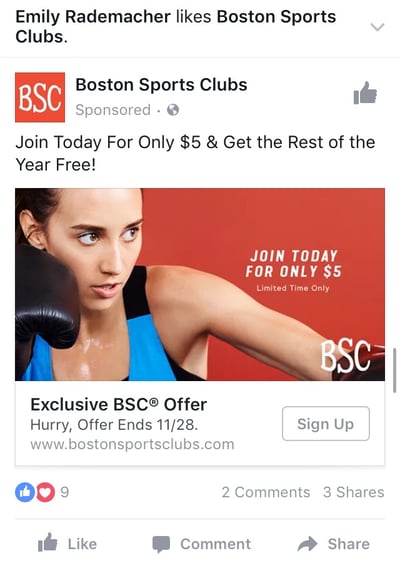
All consumers really need to see is the boxer pictured above to know what this ad by Boston Sports Clubs (BSC) is offering. The woman in the photo even looks like she’s staring at the text to her left, getting viewers to shift their attention to the promotion right away.
This Facebook Offers Ad makes it obvious what customers would be signing up for when they click the “Sign Up” CTA button below the picture. Offer ads can easily mislead viewers into pressing their CTA just to get them to click on it, but it ultimately doesn’t convert viewers into customers. BSC’s approach above is clear and upfront about what it’s offering throughout its conversion path.
Why This Ad Works
- It’s visual: The featured photo uses bold colors and clear typography to draw my attention to the details of the offer, and the woman exercising gives me an idea of what I could gain from purchasing the offer.
- It’s relevant: I recently moved to Boston and have been searching for gyms in my area online, so this ad is highly relevant to my recent Facebook and search activity.
- It’s valuable: Paying $5 for a monthly gym membership is a great deal. Even though the price may increase in the future, the low price definitely makes me want to click.
- It has a clear call to action: The CTA emphasizes that the discount offer is limited and should be claimed quickly using the word “hurry” and telling me when the offer expires.
11. Allbirds
Video Ad
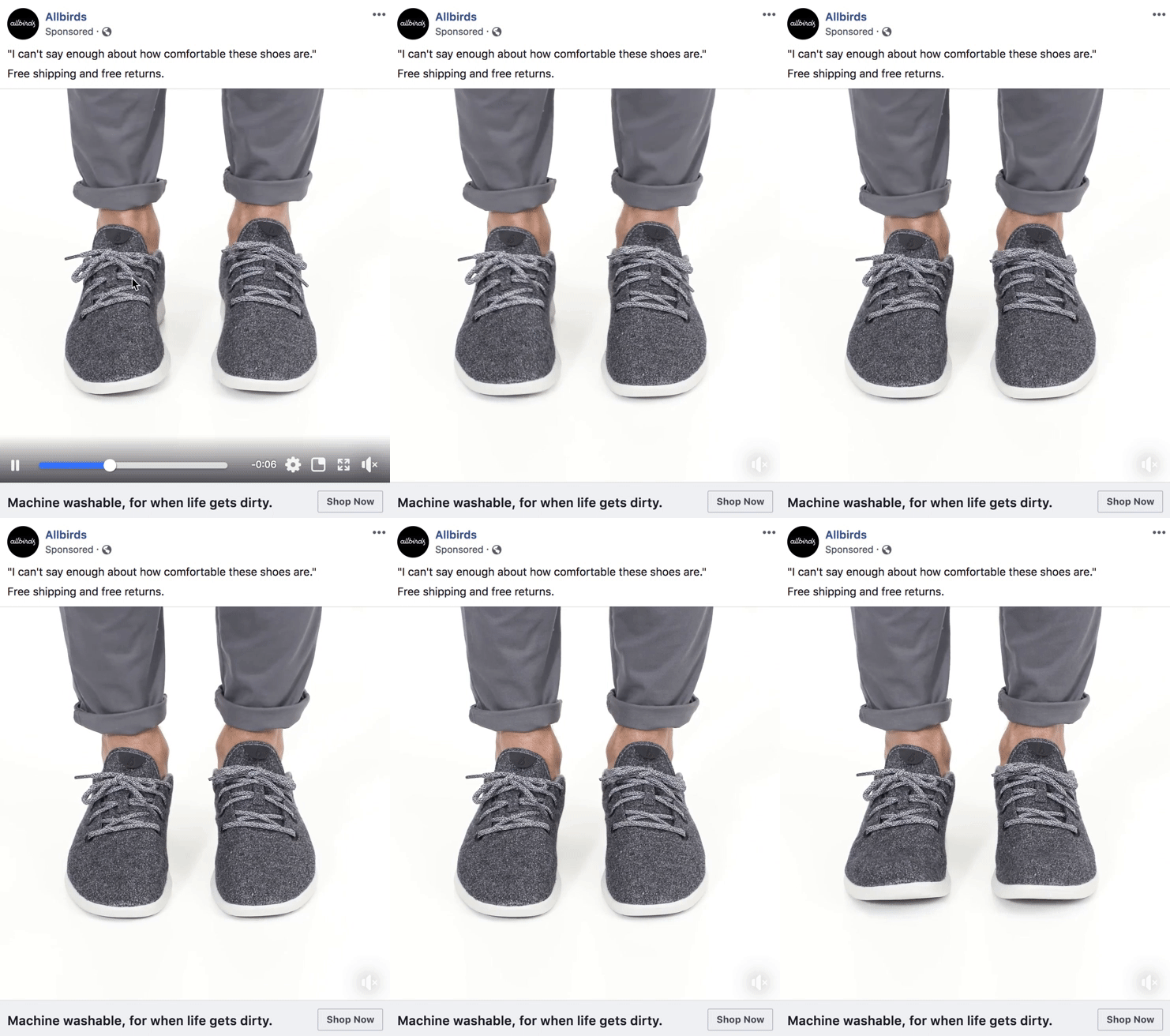
This video ad by Allbirds, a shoe maker, uses simplicity and whitespace to its advantage. The video only lasts nine seconds, but Allbirds demonstrates the product in a way that catches your attention and resonates with the individual wearer.
There’s a lot of ad content on Facebook, and when Facebook users scroll through their News Feeds, that content starts to blend together. Sometimes your best chance at sticking out on Facebook is by using subtle movements and details — like Allbirds did, above. Let every other video on Facebook be quick and flashy, and yours will be a breath of fresh air to your audience.
Why This Ad Works
- It’s visual: The video has a clear focus on a subject, and that subject is engaging in a movement that means something: These shoes are comfy. I subconsciously started wiggling my own toes as I saw this ad for the first time.
- It’s relevant: I’m always interested in finding new shoes — I probably search or click on something related to footwear once a week. This ad feeds that interest in a unique way.
- It’s valuable: The opening quote above the video is reason enough for me to want to learn more about why these shoes are so comfortable. Allbirds also sweetens the deal with “free shipping,” “free returns,” and a note below the video that the product is “machine washable” — all without taking the focus away from the video itself.
- It has a clear call to action: If I want these shoes, there’s a “Shop Now” CTA button to the bottom-right of the ad, waiting for me to take a closer look at them.
12. The New York Times
Photo Ad
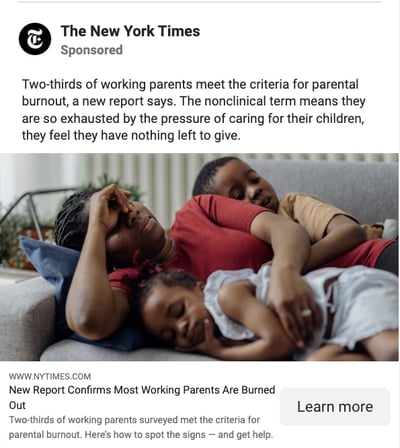
This photo ad by The New York Times is driving traffic to a written article with an intriguing illustration. The drawing literally depicts the article’s ideal audiences — working men and women raising children. For parents who are even a little interested in understanding burnout and mental health, this image (along with the statistically backed report in the headline) clearly shows a tired mom trying to catch some rest with her children.
When publishers advertise on Facebook, they need to connect with their audience through featured images that evoke emotion — if their main product is a reading experience; the photo they choose has to complement their written content perfectly. The New York Times’ ad above is an example of photo ads done right.
Why This Ad Works
- It’s visual: This ad is emotionally impactful — if you have not been a tired, working parent then it is you’ve seen them, and that sight can make you feel immense compassion towards them. By including a visual that makes a user care enough about the ad to read it and click through, NYT is accomplishing the goal to which every ad aspires.
- It’s relevant: Especially, in the wake of COVID with parents simultaneously balancing work and personal life within the same space, the topic is incredibly relatable. This is an article I would personally be interested in reading, and it helps that the ad appears like a native post promoting an article in my News Feed.
- It includes an enticing value prop: The ad states that you can find help if you recognize the signs of parental burnout, which can feel like being tossed a life jacket — especially to the parents reading the report. This social proof makes you more likely to click and read the article.
- It has a clear call to action: This ad is dedicated to helping parents make sense of the signs and get help for their fatigue, so by encouraging parents to ”Learn More”, the call to action makes you want to click the article to finally find answers.
13. Tortuga Music Festival
Event Ad
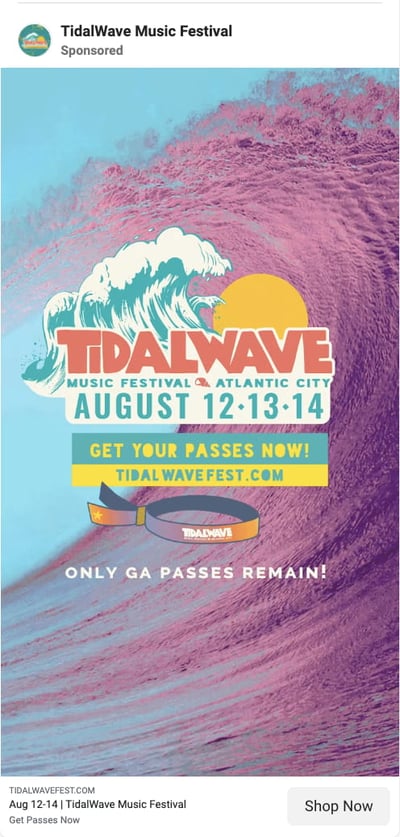
Successful event ads have at least two important qualities: the event’s schedule and something to justify why people should attend. The event ad above for the Tortuga Music Festival accomplishes both of those things — it displays the date and time and the bands playing and shows you a picture of the amazing time you’ll have if you come.
Why This Ad Works
- It’s visual. The picture alone is worth a thousand words about how much fun this concert would be. Not only is it on the beach, it was also taken on a gorgeous day and the stage looks amazing. Also, it clearly represents what to expect during the event, and it catches the eye as someone scrolls through their News Feed. (The beautiful ocean water definitely helps.)
- It’s relevant. The person who saw this ad is a fan of Kenny Chesney and has been to his concerts before. They’re also originally from Florida, which is where this event takes place.
- It’s valuable. Since the image was taken on a beautiful day, it looks like an ideal place to be — especially to those of us viewing it from our office desks. It also clearly tells you the cost of the ticket so you know before you click. (This is also good for the advertiser: By including the price, the ad allows users to self-select based on whether they can afford the ticket. If they can’t afford it, they won’t click through, thus saving the advertiser money on unqualified clicks.)
- It has a clear call to action. The CTA is clear: “Buy.” The advertisers also add urgent wording with the title “Time is running out!”, encouraging you to purchase your ticket now before it’s too late.
14. Adrianna Papell
Retargeting Ad
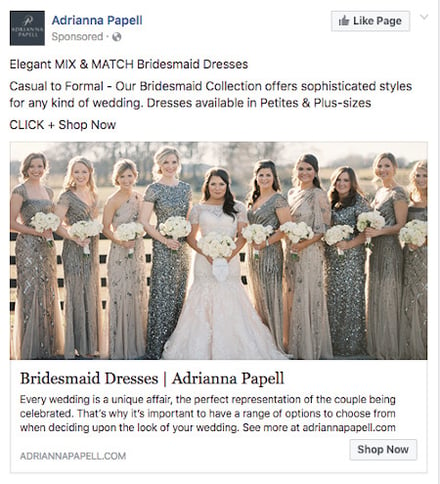
Last week, I started shopping around for a bridesmaid dress for an upcoming wedding I’ll be in. Today, the ad above appeared in my News Feed.
Retargeting ads enable you to get in front of those viewers who are already looking for what you’re offering. This retargeting ad by Adrianna Papell doesn’t just show me what I’m on the market for — it excites me about how beautiful our own wedding party pictures will look on my friend’s big day.
Why This Ad Works
- It’s visual. The image gives me a good idea of what to expect from the designer’s website, and it definitely helps that the gowns are both unique and stunning. Talk about a showstopper.
- It’s relevant. The ad called out that I was already shopping for bridesmaid dresses, and what’s more, I had previously looked at dresses on this exact website, so this ad is highly relevant to my search.
- It’s valuable. The variety of dresses in the ad’s image and in the description make this website worth a visit for someone trying to find the perfect gown out of thousands of options.
- It has a clear call to action. The CTA is “Shop Now,” which encourages me to click to purchase the beautiful dresses in the ad’s image.
15. Bustle
Boosted Post
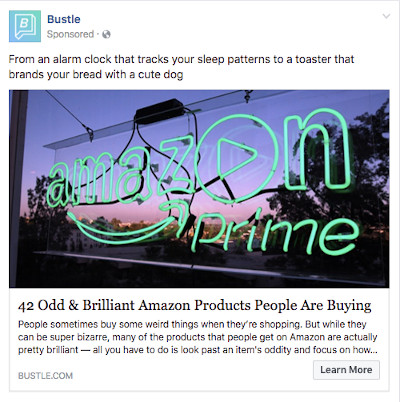
Here’s an example of a boosted post from Bustle, which promoted one of its articles on Facebook. Paying to “boost” a post you already posted organically to your Facebook Business Page can greatly benefit content that has mass appeal — versus a post that targets a specific segment of your audience. Bustle’s choice of a boosted post here falls into that first category.
From Amazon’s vibrant neon sign in the photo to the high number of examples included in the article (42, to be exact), Bustle’s boosted ad is sure to pique the interest of many Amazon and Bustle followers.
Why This Ad Works
- It’s visual: Lots of people are familiar with the Amazon Prime logo, but not in neon lights in a window display. It made me do a double-take while scrolling through Facebook.
- It’s relevant: As we’ve already learned from the earlier examples, I like shopping on Amazon and also read Bustle, so this article is a combination of those two behaviors.
- It’s valuable: “Brilliant” is a strong adjective to describe products, which makes me curious to learn more about purchasing them.
- It has a clear call to action: The ad entices me with information about useful and “brilliant” gadgets I can get delivered to my door within two days, which I’m happy to click to learn more about.
Facebook ads can be a great way to reach out to potential customers, but it’s important to make sure yours stands out from the rest. Creating a great ad is all about understanding your audience and what they want to see, these insights will show you how to leverage Facebook ads so that they work for you.
To invest in Facebook Ads effectively, you first need to know who your ads are directed toward. When creating a new ad on Facebook, you can create a new audience that includes many customizable characteristics. Among them are:
- Location.
- Age.
- Sex.
- Languages spoken.
- Interests and behaviors.
- Their connections to your other business-related pages on Facebook.
You can also create what’s called a Lookalike Audience, which permits Facebook to create an audience for you that best resembles a particular “source.” This source can include some or all the information listed above.
Facebook Ad Formats
After you define the audience you want your ads to reach, it’s time to choose the Facebook Ad format you think they’ll find most engaging from these eight options:
Format 1: Photo Ad
Photo Ads are still images that can help to promote a product or event you want to specifically call attention to. If you have a special promotion going on, for example, this ad format puts a crisp snapshot of your product or venue at the center of your ad.
For ads shown in a Facebook News Feed, the recommended image resolution is at least 1080 x 1080.
Format 2: Video Ad
Video Ads have a GIF or video as the centerpiece of the advertisement and can be used to demonstrate a product or event. Video Ads help you form deeper connections with your audience by aligning your brand with a type of content online users are quickly consuming more of (nearly 80% of all data consumed on mobile devices will be in video form by 2021, according to a Facebook study).
There are six types of video ads you can invest in on Facebook:
- Short Videos and GIFs
- Vertical Videos
- Instagram Stories
- Video Carousels
- Video Collections
- In-stream Videos
Format 3: Stories Ad
Stories Ads are a part of Facebook Stories, one of the newest content types rolled out by Facebook that allows users to post temporary clips and images of their day for their friends to see. This type of ad is fitted to the dimensions of a mobile device and can be played on both mobile and desktop.
As users browse their friends’ Stories, these ads can appear in the same format inside a stream of Stories. For this reason, it’s best to create Stories Ads that reflect the same candid and entertaining look and feel that people see from their friends. Stories Ads can be placed on Facebook, Messenger, and Instagram.
Format 4: Messenger Ad
A Messenger Ad appears as a direct message in a user’s message list when they’re inside Facebook’s Messenger app. These ads allow you to interact with your audience, showing them offers you think they would like, and listen to their responses to better tailor your next message to their interests.
Let’s say your ad’s first message is “What product might you be interested in?” The user can then select from three different responses, triggering your ad to produce a more specific product offer directly in the message thread.
Format 5: Carousel Ad
Carousel Ads contain a series of images or videos that users can rotate through, all of them helping to describe a single product, service, or event the ad is promoting. Each Carousel Ad can contain up to 10 images or videos at a time and link to their own individual web pages. Because these ads carry so much media, according to Facebook, they’re ideal for:
- Endorsing multiple products.
- Promoting multiple features of the same product.
- Telling a story or sequence of events that unfold over the course of multiple pictures or videos.
- Explaining a process to potential customers.
Format 6: Slideshow Ad
Similar to Carousel Ads, explained above, Slideshow Ads segment your ad into individual images that users view one after another. The difference between these two ad formats is that Slideshow Ads only play images (not videos), and the ad compiles these images into a slideshow that plays automatically in the form of a video. According to Facebook, Carousel Ads are ideal for:
- Creating a video-like experience for users quickly and with a small budget.
- Advertisers who want to choose from a library of pre-created images and music (a unique perk of Facebook’s Slideshow Ad).
- Simplifying an otherwise complicated concept or process for potential customers.
- Reaching people who have slower internet connections (Slideshow Ads use five times less data than video ads on Facebook).
Format 7: Collection Ad
A Collection Ad allows advertisers to bring the buying process directly into Facebook, so potential customers can move from “discovery” to “purchase” more easily when they see a product they like. This ad format features a central image or video promoting a product, with a collection of four smaller images below it that viewers can click on to learn more about the product. There are four types of Collection Ads you can invest in:
- Instant Storefront: This ad is ideal for displaying multiple products as part of the same ad campaign, and driving traffic to each product’s respective product page.
- Instant Lookbook: This ad is ideal for demonstrating or modeling a product in various contexts for your audience.
- Instant Customer Acquisition: This ad is ideal for driving traffic to, and prompting them to take a specific action on, a product’s landing page.
- Instant Storytelling: This ad is ideal for telling a story about your brand or helping your audience learn more about the business.
Format 8: Playables
Playables cater specifically to app developers. This ad format allows your audience to watch, preview, and even play an abbreviated version of your new app directly from inside the ad.
So let’s take a look at the different ad placements that you can use to best position your brand promotion.
Facebook Ad Placements
After customizing your ad’s audience, you need to consider how the ad will look on both desktop and mobile. This ensures you design your ad for easy viewing no matter where it appears on Facebook. Here are three different places you can see your Facebook Ads show up:
Placement 1: Right Column
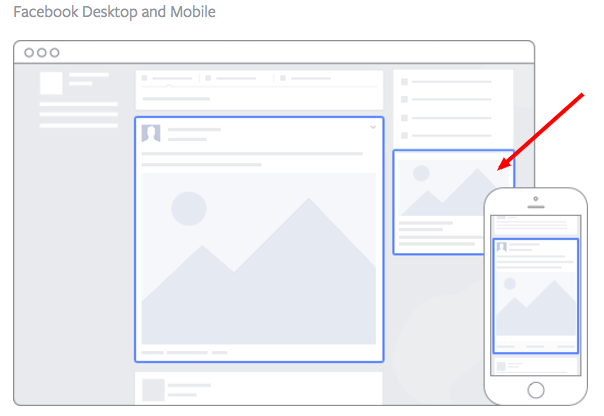
This type of ad is the most traditional on Facebook, it appears on the right side of a user’s Facebook News Feed. This is the first type of advertising Facebook had, and it still exists today.
Although ads in the News Feed are likely to get higher engagement metrics due to its native advertising features, right column ads shouldn’t be forgotten. We often see less expensive clicks and conversions when using these ads. In order for a right column ad to be successful, it needs to be relevant, have a value proposition, a good visual, and have a call to action.
Placement 2: Desktop News Feed
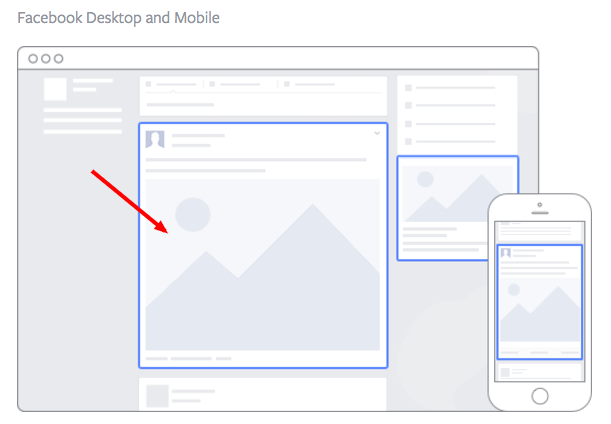
This type of ad appears directly in a user’s News Feed when they access Facebook on a desktop computer, and it looks more like native advertising. In our experience, these ads have a higher engagement rate than right column ads, but they can also be more expensive. These ads must follow organic Facebook posts’ best practices and be both engaging and visual.
Placement 3: Mobile News Feed
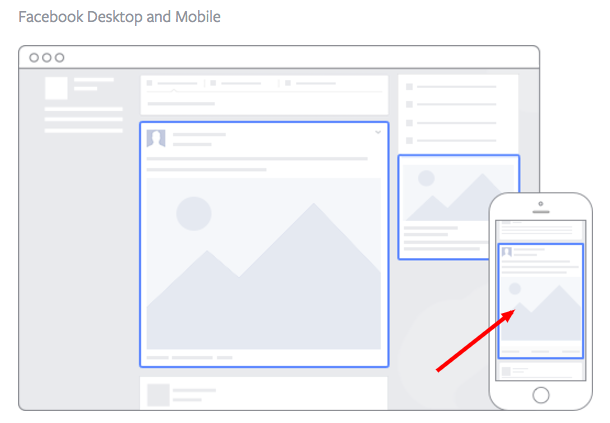
Like the desktop News Feed ad, this type of ad appears in the user’s mobile News Feed and displays like an organic post from the people and Pages they follow.
Pro tip: When picking your ad placements, think about the best position to showcase the Facebook ad format you choose, as well as, the ad template you use to add color to your marketing vision.
Facebook Ad Templates
Facebook Ads can be used to accomplish a number of different goals for your business. Here are a few real ads that you can use as templates of inspiration when creating an ad that targets the same goal:
Video Product Demo Facebook Ad Template
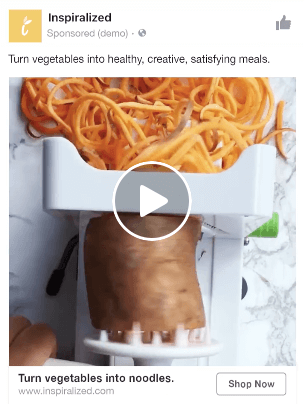
Video ads appear fairly large in the user’s News Feed and offer more engaging content than static posts. And with 8 billion video views being watched on Facebook every day, it serves as an interesting — and potentially profitable — ad type for marketers to try out.
How can you create your own video ad? First, understand Facebook video ad requirements including length and video size. We suggest keeping your video as short as possible, even though Facebook allows you to upload a much larger video. Create a video that displays your product or service, and upload it directly to the Facebook ads manager by following these instructions.
Photo Model Ad Template

Another type of rich media advertising on Facebook is a post of an image. This is one of the most popular types of ads ever since Facebook began favoring visual content. The optimal size for News Feed photo ads is at least 1080 x 1080 pixels, otherwise, your image will get cropped. Adjust your image based on the target audience’s needs and by what will appeal to them the most.
Multi-product Ad Template
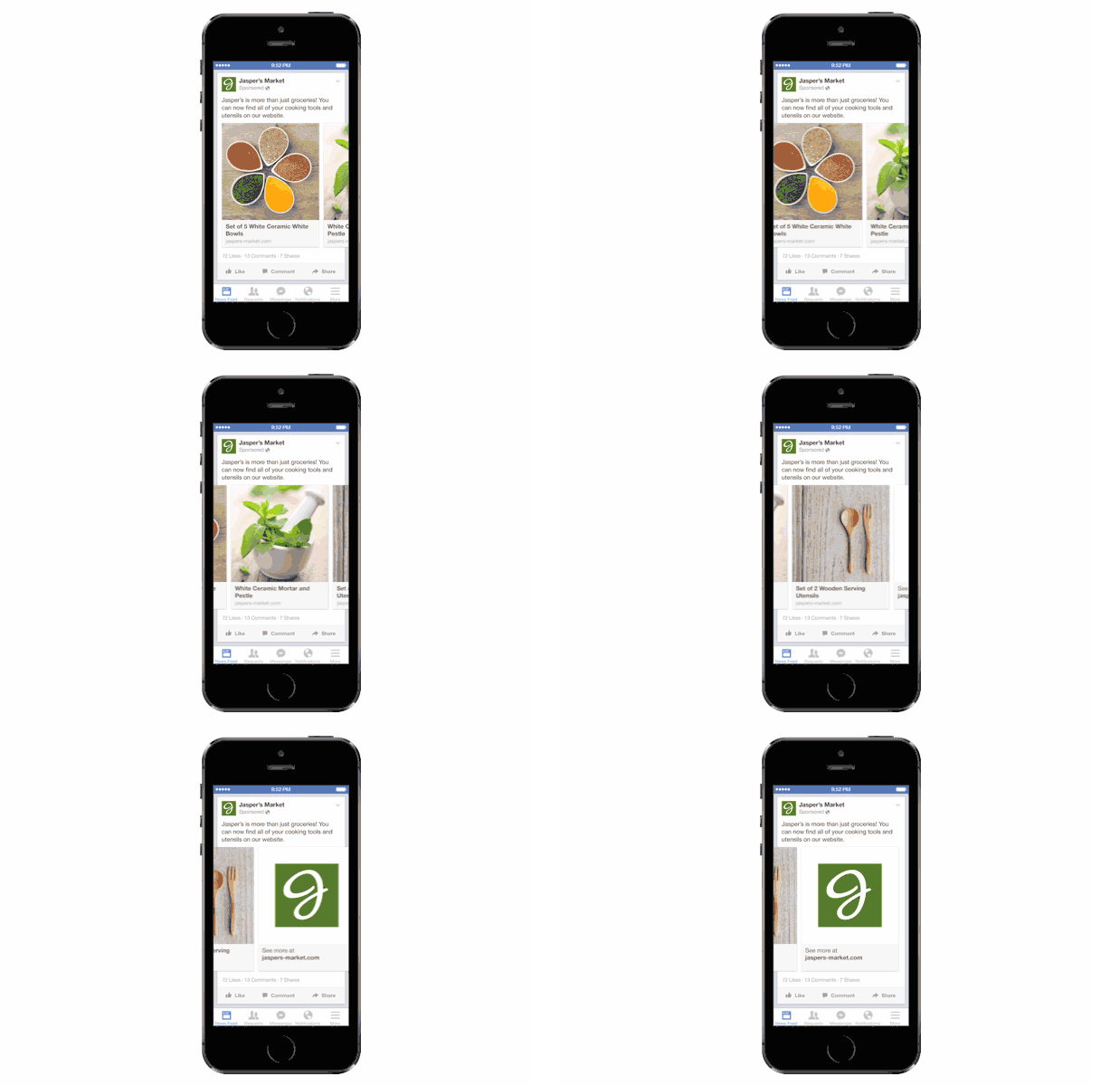
Multi-product ads allow advertisers to showcase multiple products within one ad. Viewers can scroll through the images and click on individual links to each product. You can promote multiple of anything, not just products — like different blog posts, ebooks, or webinars. These ads can be created in the Facebook Power Editor.
Reach Ad Template
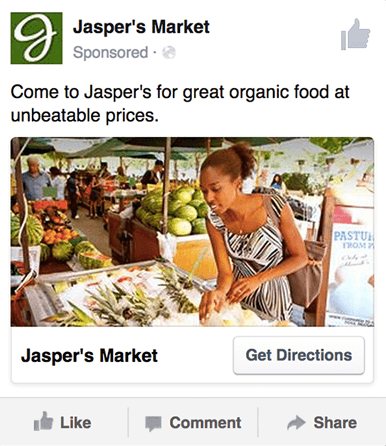
Reach ads on Facebook are designed to grow your local awareness. They only work if your business has a physical location to which you’re trying to drive real foot traffic. If you fall into this category, locally targeted Facebook ads might be a great fit for you, as you can hyper-target on Facebook down to the mile.
If your business has an offer or event going on at your store, set up a few Facebook Reach ads that appear only to people within a short distance of your store. Have these ads appear a few days prior to the event and on mobile devices while the event is happening. You may want to reach some people the day of the event who happen to be in the area and check their Facebook accounts on their smartphones.
Special Offer Ad Template
An offer ad is a form of Facebook advertising wherein a business can promote a discount on a product or service that can be redeemed on Facebook. The benefit of this? It eliminates one step in the buyer’s journey, which ultimately increases sales.
The offer ad has many benefits. First, it drives the user directly to the offer. The user claims it directly on Facebook, removing any added friction of needing to go to your website for the offer. You also can reach any type of audience that you want, as all the Facebook targeting options are possible.
Finally, you can include all the information needed for the user to decide if they want it or not, including the time period it is usable, the number of people who have already claimed it, and the exact amount the offer is. This will eliminate any unqualified clicks, which cost you money.
Event Ad Template
Event ads promote a specific event. The CTA on these ads usually sends users directly to the ticket purchase page, wherever that happens to be hosted.
Using this type of ad will help drive a targeted group of people to attend your event. These will show up in the News Feed of the specific audience you’ve chosen. Events are a big part of most businesses, but getting people to attend even a small event can be tricky. Promoting your event to a targeted specific audience on Facebook can help drive the right kind of attendees.
A good ad in this format will clearly show the benefit of attending the event: the price, dates, and a clear CTA to purchase a ticket.
Boosted Ad Template
A boosted post is an organic Facebook post that was originally on the homepage of a company’s Facebook, and that later was boosted with advertising money.
This is different from the above ads because it’s not created in the Facebook Ads Manager. You can include more in the description, as there is no limit to word count on boosted posts like there is in ads. You can also have a link in the copy.
The cons? Boosted posts leave you fewer options for bidding, targeting, and pricing. You also cannot run any types of A/B tests because you’re promoting a post that has already been created; you’re not creating one from scratch.
Retargeting Ad Template
A retargeting ad promotes an ad to a specific list of previously identified people. Have you ever seen ads follow you across the internet after visiting a certain website? Then you’ve seen a retargeting ad.
Facebook has the same capability. An advertiser can advertise to a list of leads or customers by uploading a list of email addresses it already has into the Power Editor to make a custom audience. A good retargeting ad acknowledges that the brand knows you’re already interested in its product. (Because let’s face it… retargeting can be a little creepy.)
Now that we’ve covered the best ad examples, main formats, placement possibilities, and standard templates, let’s dig into ad best practices that help optimize your Facebook campaign.
6 Facebook Ads Best Practices
The key to making great Facebook ads is about understanding your audience and what they want to see. By creating a promotion that is relevant and attention-grabbing to your target audience, you’re more likely to see a return on your investment.
Despite all of the advantages that Facebook offers advertisers, seeing success with Facebook ads ultimately comes down to your strategy and how well you implement it.
1. The ads are targeted to a specific audience.
Audience quality is more important than size because, with Facebook advertising, the goal is engagement and/or conversions. Casting a wide net to individuals who are not your target audience will tank your relevance scores and give you bad data to work from.
The good news is that Facebook’s targeting capabilities are more robust than any other platform, including demographics, interests, location, and even behavior. That means you can get far more specific on who you want to see your ads. For example, you don’t have to settle for “women between ages 25 and 45” when you can target “women between ages 25 and 45 who like reading and whose favorite author is Suzanne Collins.” By getting granular, you end up excluding users who are not your target market, showing ads to only those who will find it most relevant and who are most likely to convert.
2. The ads are relevant to the audience.
Relevance is critical for success when using Facebook advertising. Remember, you are spending money when someone views or clicks on your ad (depending on the settings you use). If you’re showing ads that aren’t relevant to your target audience, you’re wasting your time and money and will likely not see success with any advertising.
Back in February 2015, Facebook launched a feature in the Facebook advertising platform that rates your ads and gives you a relevance score, similar to Ad Rank in Google Ads. The more relevant your ad image, ad copy, and destination page are to your audience, the higher your score is — and the more favorably Facebook will treat your ads.
3. The ads are visual.
Visual content is not only treated more favorably in the Facebook algorithm, but it’s also more likely to be shared and remembered than written content. The lesson for Facebook marketers? No matter what type of ad you create, your image needs to be visually appealing.
Check out this blog post for a detailed guide to image sizes for various ad units on Facebook along with some tips on posting visual content.
4. The ads’ visuals and copy are closely aligned.
Let’s say you’re running an ad for astrological jewelry. You’re targeting people who like astrology and whose birthday is coming up.
You could use a generic “buy a bracelet with your astrology sign” copy paired with an image/video of all the jewelry.
A better strategy, however, would be to target those whose birthdays are coming up and create a more specific ad targeting that astrological sign (e.g. “All you Geminis out there will love this” paired with a video of a specific Gemini product).
Aligning copy and visuals in a way that’s relevant to the targeted audience provides a feeling of personalization which increases the likelihood of engagement and/or conversion. You’ll also see better ad performance due to higher relevance scores.
5. The ads include an enticing value proposition.
A value proposition tells the reader why they should click on your ad to learn more about your product. How is your product or service different from any other? Why should the viewer click on your ad to see your website?
Your value proposition should be believable. For example, saying you have the greatest sandwiches in the world will not make people come to your business’s Page, but maybe offering 20% off will. Or, perhaps adding social proof will help — something like, “Sandwiches loved by over one million people every year! Come try yours today and get 20% off your order with this coupon.”
6. The ads have a clear call to action.
A beautiful and relevant ad is great, but without a CTA, your viewer might not know what to do next. Add a CTA like “Buy now and save X%,” or “Offer ends soon” and add a sense of urgency to your viewer. Your CTA should encourage people to click on your ad now.
Engage Your Target Audience with Ads That Make an Impact
The first step to reaching potential customers or retargeting your customers to bolster brand loyalty is by visually and expertly promoting your products and services where they can see them: on their Facebook News Feed. So draw inspiration from our list of the best Facebook ads we’ve seen to keep your promotions relevant to your target and visually impactful as you test different ad formats. With help from the Facebook Ads Manager platform, you can set these up with simple, step-by-step instructions so that instead of feeling overwhelmed, you have the peace of mind to get creative.
\
Editor’s note: This post was originally published in May 2020 and has been updated for comprehensiveness in June 2022.

Calculating Correlation in Excel: Your How-To Guide
Microsoft Excel lets you do more than simply create spreadsheets — you can also use the software to calculate key functions, such as the relationship between two variables. Known as the correlation coefficient, this metric is useful for measuring the impact of one operation on another to inform business operations.
Not confident in your Excel skills? No problem. Here’s how to calculate — and understand — the correlation coefficient in Excel.
![Download 10 Excel Templates for Marketers [Free Kit]](https://no-cache.hubspot.com/cta/default/53/9ff7a4fe-5293-496c-acca-566bc6e73f42.png)
A correlation coefficient of +1 indicates a “perfect positive correlation”, which means that as variable X increases, variable Y increases at the same rate. A correlation value of -1, meanwhile, is a “perfect negative correlation”, which means that as variable X increases, variable Y decreases at the same rate. Correlation analysis may also return results anywhere between -1 and +1, which indicates that variables change at similar but not identical rates.
Correlation values can help businesses evaluate the impact of specific actions on other actions. For example, companies may find that as spending on social media marketing increases, so does customer engagement, indicating that more spending might make sense.
Or they may find that specific advertising campaigns result in a correlated decrease of customer engagement, in turn suggesting the need for a reevaluation of current efforts. The discovery that variables do not correlate can also be valuable; while common sense might suggest that a new function or feature in your product would correlate with increased engagement, it might have no measurable impact. Correlation analysis allows companies to view this relationship (or lack thereof) and make sound strategic decisions.
So how do you calculate the correction coefficient in Excel? Simple! Follow these steps:
1. Open Excel.
Step one: Open Excel and start a new worksheet for your correlated variable data. Enter the data points of your first variable in column A and your second variable in column B. You can add additional variables as well in columns C, D, E, etc. — Excel will provide a correlation coefficient for each one.
In the example below, we’ve entered six rows of data in column A and six in column B.
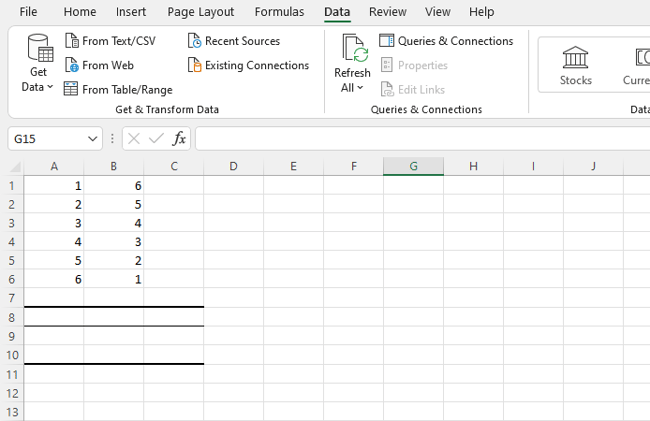
2. Install the Analysis Toolpak.
Next up? If you don’t have it, install the Excel Analysis Toolpak.
Select “File”, then “Options,” and you’ll see this screen:
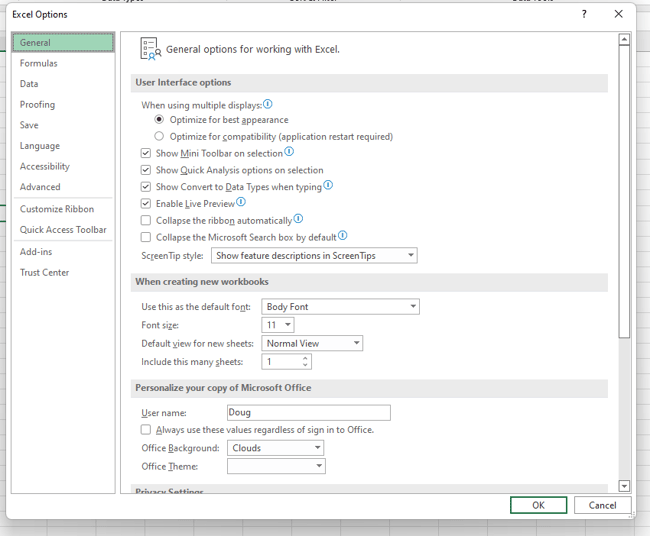
Select “Add-Ins” and then click on “Go”.
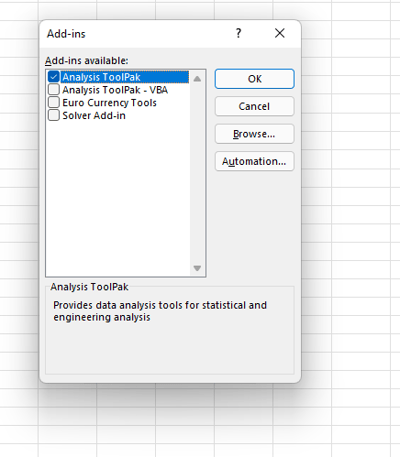
Now, check the box that says “Analysis ToolPak” and click “Ok”.
3. Select “Data” from the top bar menu.
Once you have the ToolPak installed, select “Data” from the top Excel bar menu. This provides you with a submenu that contains a variety of analysis options for your data.
4. Select “Data Analysis” in the top right-hand corner.
Now, look for “Data Analysis” in the top right-hand corner and click on it to get this screen:
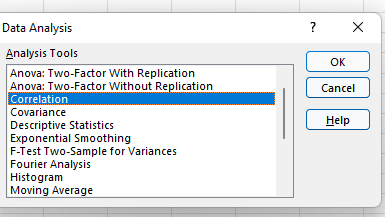
5. Select Correlation.
Select Correlation from the menu and click “OK.”
6. Define your data range and output.
Now define your data range and output. You can simply left-click and drag your cursor across the data you want to select, and it will auto-populate in the Correlation box. Finally, select an output range for your correlation data — we’ve chosen A8. Then, click “Ok”.
7. Evaluate your correlation coefficient.
Your correlation results will now be displayed. In our example, values in column 1 and column 2 have a perfect negative correlation; as one goes up, the other goes down at the same rate.
The Excel Correlation Matrix
Excel correlation results are also known as an Excel correlation matrix. In the example above, our two columns of data produced a perfect correction matrix of 1 and -1. But what happens if we produce a correlation matrix with a less ideal data set?
Here’s our data:

And here’s the matrix:
Cell C4 in the matrix gives us the correlation between Column 3 and Column 2, which is a very weak 0.01025, while Column 1 and Column 3 yield a stronger negative correlation of -0.17851. By far the strongest correlation, however, is between Column 1 and Column 2 at -0.66891.
So what does this mean in practice? Let’s say we were examining the impact of specific actions on the efficacy of a social media campaign, where Column 1 represents the number of visitors who click through on social advertisements and Columns 2 and 3 represent two different marketing taglines. The correlation matrix shows a strong negative correlation between Columns 1 and 2, which suggests that the Column 2 version of the tagline significantly decreased overall user engagement, while Column 3 drove only a slight decrease.
Regularly creating Excel matrices can help companies better understand the impact of one variable on another and determine what (if any) negative or positive effects may exist.
The Excel Correlation Formula
If you prefer to enter the correlation formula yourself, that’s also an option. Here’s what it looks like:
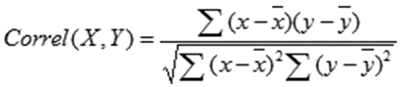
X and Y are your measurements, ∑ is the sum, and the X and Y with the bars over them indicate the mean value of the measurements. You would calculate it as follows:
- Calculate the sum of variable X minus the mean of X.
- Calculate the sum of variable Y minus the mean of Y.
- Multiply those two results and set that number aside (this is the first result).
- Square the sum of X minus the mean of X. Square the sum of Y minus the mean of Y. Multiply those two numbers.
- Take the square root (this is the second result).
- Divide the first result by the second result.
- You get the correlation coefficient.
Easy, right? Yes and no. While plugging in the numbers isn’t complicated, it’s often more trouble than it’s worth to create and manage this formula. The built-in Excel Toolpak is often a simpler (and faster) way to pinpoint coefficients and discover key relationships.
Correlation ≠ Not Causation
No article about correlation is complete without a mention that it does not equal causation. In other words, just because two variables rise or fall together doesn’t mean that one variable is the cause of the other variable’s increase or decrease.
Consider a few very strange examples.

This image shows a near-perfect negative correlation between the number of pirates and the global average temperature — as pirates became more scarce, the average temperature increased.
The problem? While these two variables are correlated, there’s no causal link between the two; higher temperatures did not reduce the pirate population and fewer pirates did not cause global warming.
While correlation is a powerful tool, it only indicates the direction of increase or decrease between two variables — not the cause of this increase or decrease. To discover causal links, companies must increase or decrease one variable and observe the impact. For example, if correlation shows that customer engagement goes up with social media spending, it’s worth opting for a slight increase in spending followed by a measurement of results. If more spending leads directly to increased engagement, the link is both correlated and causal. If not, there may be one (or more) factors that underpin the increase of both variables.
Keeping Up with the Correlations
Excel correlations offer a solid starting point for marketing, sales, and spending strategy development, but they don’t tell the whole story. As a result, it’s worth using Excel’s built-in data analysis options to quickly evaluate the correlation between two variables and use this data as a jumping-off point for more in-depth analysis.


How to Increase Your Instagram Engagement Rate in 2022
With the potential to increase your brand awareness and build a reputable brand being so high on Instagram, understanding how to use it is essential.
While there are various ways to market yourself or your business on Instagram, it’s impossible to do so without first understanding your Instagram engagement rate.
![New Data: Instagram Engagement Report [2022 Version]](https://no-cache.hubspot.com/cta/default/53/9294dd33-9827-4b39-8fc2-b7fbece7fdb9.png)
Discover below ways to increase your engagement rate and the industry benchmarks to measure yourself against.
- What is an Instagram engagement rate?
- Why does your Instagram engagement rate matter?
- What is the average Instagram engagement rate?
- How To Calculate Your Engagement Rate On Instagram
- How to Increase Your Instagram Engagement Rate
Why does your Instagram engagement rate matter?
Instagram engagement rates are significant because they measure an audience’s interest, brand relevance, and social authority.
Audience Interest
If your content appeals to your target audience, your engagement rate will be higher.
If you take the time to review your best-performing content — i.e., posts with the most likes, shares, saves, and comments — you’ll get a feel for what your users want to see.
It’s important to note high impressions may indicate that your content has been viewed a lot, but engagement is typically defined as concrete interactions with your posts.
Relevance
If you have a high engagement rate, it’s likely your audience sees you as a relevant source of information.
They may favor your content over competitors because your content sets you apart. However, if you have a high engagement rate now, will it stay the same in three months? Is it higher than it was last year?
If you aren’t monitoring your engagement rate and using it as a benchmark for relevance, your score can decline.
Social Authority
While you’ve probably already identified your target Instagram audience, it’s never bad to add new followers and fans to the list.
These new users will take notice of your engagement — your followers, likes, comments, etc. — to decide whether or not to follow you.
They’re likely to move on to your competitors if they notice your brand’s engagement, a.k.a. social authority is not strong.
What is the average Instagram engagement rate?
There is no one-size-fits-all definition of a “good” engagement rate. It can vary by industry, B2B vs. B2C, and a series of other factors.
However, Instagram does have higher engagement rates than other social media networks.
According to the HubSpot Instagram Engagement Report, posts on the platform generate 23% more engagement than Facebook, even though Facebook has 2x more monthly users.
If you want a numerical value to compare your score to, Rival IQ found that the median engagement rate across all industries is 0.064%, in a 2022 report.
The highest engagement levels are reported in the sporting industry (0.27%) and by influencers (0.23).
Because of this, it’s safe to assume that an engagement rate of around 1% is a good engagement rate.
If you’ve already run the numbers and found that your engagement rate is significantly lower than average, don’t fret. There’s room for improvement — but maintain a healthy perspective.
Assess how your engagement rate has changed over time and begin devising strategies to raise your score.
Start this process by calculating your engagement rate, outlined in the next section.
How To Calculate Your Engagement Rate On Instagram
There is debate among marketers on the best way to calculate your Instagram engagement rate, as different industries define success in different ways.
Your preferred method depends on your goals as a brand or influencer.
Calculating Instagram Engagement Rate for Brands
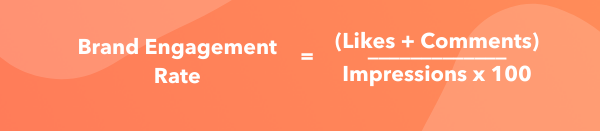
Business Profiles to see impressions.
Calculating the Instagram engagement Rate for Influencers
Since sponsors often recruit influencers on Instagram based on their likes and follower count, their engagement rates incorporate these two factors.
Since this metric doesn’t require any personal data, it’s possible to compare your engagement rates to competitors.
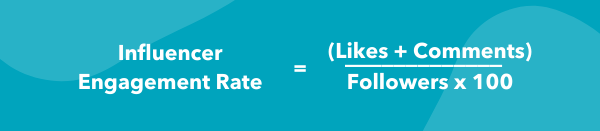
No matter your engagement rate, there are always steps to be taken to raise your score.
1. Maintain consistent branding.
Maintaining consistency with your content is extremely important, and there are a variety of actions you can take to do so.
Firstly, your username should be similar or the same to your other social media usernames. For example, if your Twitter handle is @greenbookworm, your Instagram handle should be the same if it’s available (or something very similar).
You should also make sure that your content is visually consistent as well, and you should have a format that you use for all of your posts. Take a look at Nike’s Instagram, for example. 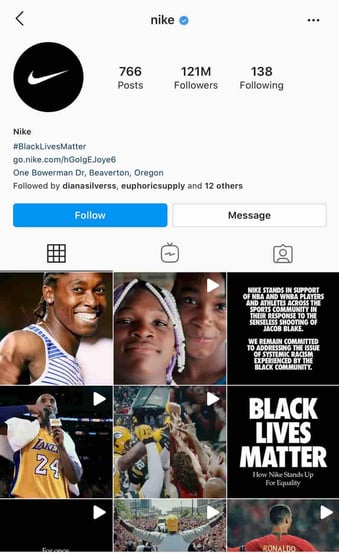
Whenever they post content that includes typography, they use the same backgrounds and font. When they post photos, they’re high quality and use the same filter.
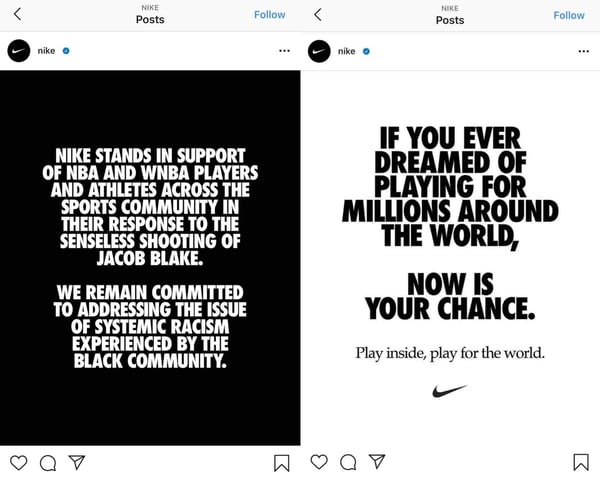
There’s data to back this up — WebDam found that 60% of the best-performing brands on Instagram used the same filter every time they post.
2. Understand your audience.
You can’t begin creating content without knowing your intended audience. Developing Instagram personas is a helpful tool for increasing your engagement rate.
If you know who your followers are, creating content that they want makes them more likely to engage with you. Take the time to monitor your audience statistics, and update your personas accordingly.
You can use Instagram insights to get a demographic understanding of your followers. If you have an Instagram business account, navigate to the audience tab from the Insights menu.
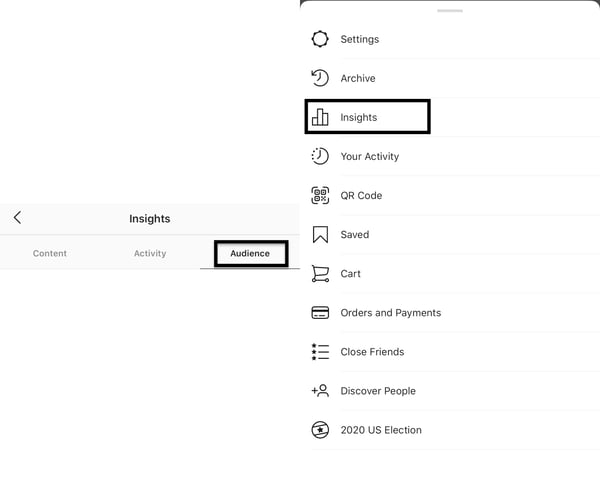 From here, you can see the top locations your users are in, your users’ age ranges, and their gender. All this information will give you an understanding of your users.
 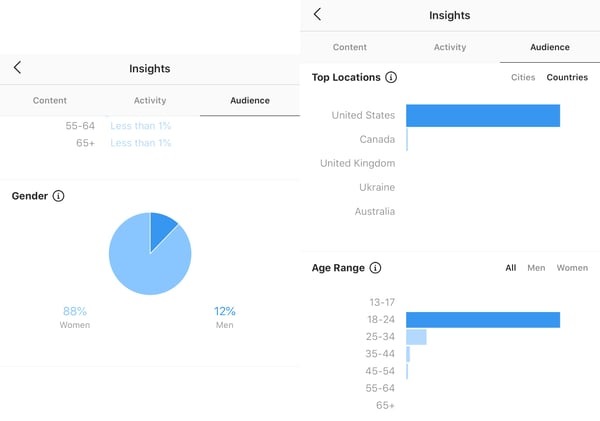 If you’re a HubSpot user, you can utilize the Social Reports data to find these same insights.
Regardless of your target audience, your content needs to be accessible. Utilizing Instagram’s accessibility tools is crucial, and you can use it to add image alt text, subtitles, and captions to your content.
3. Post regularly.
Once you know your target audience, post content they’ll enjoy and do it regularly.
The number of times you post depends on your marketing strategy, but the average brand posts four to six times a week on social media, according to a 2021 HubSpot Blog survey.
Again, this metric is an average and it may not work for everyone.
Posting too much content can overwhelm your users, and they won’t hesitate to unfollow if their feed is clogged.
It’s also important to know the best times to post for your followers. Instagram insights will also tell you the best days and hours to post.
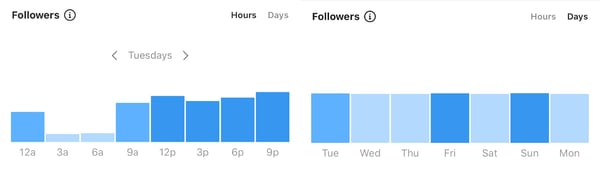
4. Create better captions.
Unless you’re @world_record_egg, who posted a photo of an egg with no caption that has generated over 12 million likes, you need to focus on your captions.
Use the brand voice you’ve developed to sound consistent and keep your intended audience in mind. You can create short captions that are serious or light-hearted.
You can also create longer captions that tell stories and take your users on a journey. Take the Instagram account @humansofny as an example. They regularly feature the personal stories of people around the world.

Hand-in-hand with writing better captions is using quality hashtags — Instagram was built on them, after all. It’s still the algorithm’s primary method of filtering through content. If you’re unfamiliar with hashtags, here’s a summary.
Captions can hold up to 30 hashtags per post, but there must be a balance.
Hashtag dumping, which is similar to keyword stuffing, may make the algorithm think you’re spamming for engagement, and you can be shadowbanned. The goal is to figure out what works for you and stick to it.
Your hashtags should be a mix of popular and specific, long-tailed keywords. For example, if you’re running an Instagram for your hotel, you’ll want to use common hashtags like #hotel and #travel.
However, those are also very broad, as a search for the #hotel tag has 31 million posts. Be more specific and targeted towards your needs, and maybe say #hotel, #travel, and #hotel + your hotel name + the name of the city you’re in. So, for example, #hotellisamiami.
You can discover the best hashtags to use by doing keyword research and categorizing those that work best for you and your brand. You may also want to consider coming up with a brand-specific hashtag that users can recognize as yours.
5. Engage with your followers.
After you post, engage with your followers. While Instagram has the ‘Turn off comments’ feature, opt to keep them on.
Reply to comments that your followers make. Maybe they’re asking questions or proclaiming their excitement for your product. Paula’s Choice, a beauty brand, is an excellent example of this.
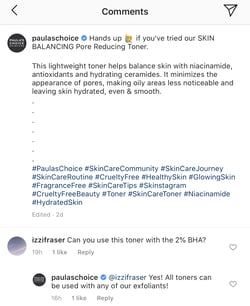
They regularly host Instagram Q&A’s, where users ask questions and they answer them on their Instagram stories.
They’re taking actions that they know will entice their audience into interacting with their Instagram content, which factors into engagement rates.
Engaging with your followers also entails sharing their content on your site, known as user-generated content (UGC). Surfing through your brand-specific hashtags can help you find users that are posting about you. You can screenshot their content to share on your story, and even post on your feed.
Your followers will be excited that you interact with them, as engagement may signify a personal relationship with your brand. Here’s an example of Paula’s Choice posting UGC.

6. Engage with similar accounts.
There wouldn’t be a point to using Instagram if you’re not following and interacting with other accounts.
Using the platform to engage with accounts similar to yours is extremely important. If you’re a brand, this can mean partnering with influencers in the same industry.
If you share products with them, they’ll post content wearing your brands. If they tag you, their followers will see your account, and many may follow you — all of these metrics factor into your engagement rate.
Emma Chamberlain is a popular YouTuber, holding almost 10.4 million Instagram followers at only 19 years old. She regularly posts sponsored content, and her sponsors post her. She entices her followers to interact with those brands, and vice versa.
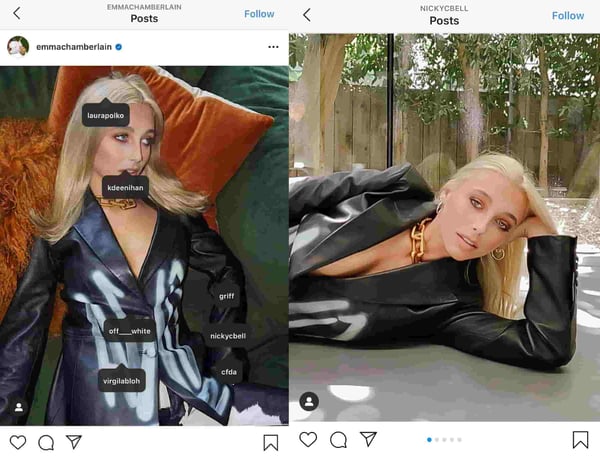
7. Create mixed content.
When the app was first launched, all you could do was post photos. Now, there are five types of content posts supported on Instagram: photos, videos, Instagram TV (IGTV), Instagram Reels, and Instagram Stories.
It’s no longer enough to just post photos; you need to do all of it.
Videos
Zenith Media estimated that the average person would spend 84 minutes a day watching videos in 2020. That’s a significant amount of time spent watching videos, so use it to your advantage.
There are five video options within Instagram: Reels, IGTV, Story videos, Instagram Live, and video posts. You’ll need to decide which method is best for you, but a well-rounded Instagram strategy will include all. If people are watching content on your page, they’re spending more time on your site, factoring into your impressions rate.
If you’re a sports brand, post enticing videos of recognized athletes using your equipment to practice their sport.
Stories
Instagram Stories are essentially the same as Snapchat stories. HubSpot’s Instagram engagement report found 22% of users watched branded content Stories from a company, business, or brand more than once a week, and 36% liked, commented, or shared branded Stores.
You can take advantage of these numbers and use this feature to draw attention to your new posts by sharing them on your Story or simply posting Story exclusive content.
This feature can also be used to engage with your audience. Post quizzes and questions and make them shareable for other users. Stories can also be used to get feedback from customers, asking them to submit experiences with your products and services.
Circling back to influencer sponsorships, having them go live on your account via Instagram Live is a great strategy. Instagram Live’s can also be saved to your account, so new users can watch them even if they occurred three months before.
8. Use calls-to-action (CTAs).
A CTA is an image, line of text, hashtag, or swipe-up link that is meant to entice your audience to take action — hence the call to action.
The specific action you’re asking users to take should be decided based on your brand, service, or influencers’ needs. This may mean notifying them of a sale by including a swipe up link in your Instagram story, asking them to tag a friend in the comment section, or sharing links to partner-posted content.
While links to other sites don’t directly impact your Instagram engagement rate, they still require users to spend more time on your profile, and you can convert them into leads on other platforms. Here’s an example of National Geographic advertising a new product on their story using a swipe-up CTA.

9. Track your statistics.
Why would you bother taking action to improve your engagement rate if you’re not taking the time to understand if it’s working? Tracking your progress is extremely important, and it should be something you focus on.
Trial and error is expected, and it should be used to inform your current and future strategies. Use your preferred CRM to find your most effective posts or pieces of content, and use the strategy employed in those for your next content posts.
After you’ve calculated your engagement rate for the first time, you should devise a timeline in which you’ll recalculate it again. Maybe you’ll set a goal of raising your score by .10% in a year, so you may plan to re-calculate the numbers every three months.
This can also help you understand what isn’t working — if your numbers haven’t budged, something needs to change.
All in all, Instagram engagement rate is a measure of how your audience interacts with your content. Your rate is an indication of your Instagram profiles’ social authority, relevancy, and audience interest.
If your content is good and your followers are engaging, your engagement rate will demonstrate that. When you spend time working on your engagement rate, you collect valuable data to inform your entire Instagram marketing strategy.
You should see your engagement rate as a benchmark for customer loyalty and satisfaction.
If your users like you, it’ll show.
Editor’s note: This post was originally published in October 2020 and has been updated for comprehensiveness.


A Comprehensive Guide to Local SEO in 2022
Local search is powerful for small businesses: 46% of all Google searches are looking for local information. If your business isn’t optimized for local search, you could miss out on potential customers ready to shop in your area. In short, local SEO is critical if you want your business to stay relevant.
To help you optimize your business for local SEO, we’ve created a comprehensive guide covering local SEO tips and tools.
By the end of the guide, you’ll have a firm understanding on how to optimize your business to reach potential consumers who use local search to choose which products or services they’re going to buy.
![→ Download Now: SEO Starter Pack [Free Kit]](https://no-cache.hubspot.com/cta/default/53/1d7211ac-7b1b-4405-b940-54b8acedb26e.png)
Search engines rely on signals such as local content, social profile pages, links, and citations to provide the most relevant local results to the user to gather information for local search.
With local SEO, businesses can use this to position their products and services to local prospects and customers searching for them.
1. Optimize for Google My Business.
Google My Business has become the creme de la creme of local search. Since Google supports, verifies, and shares its own content generously, Google My Business is an ideal tool to help your business meet Google’s needs.
To ensure you’re optimized for Google My Business, you’ll want to:
- Create and verify a Google My Business page.
- Use Google Posts within your account.
- Encourage your customers to share reviews online.
- Respond authentically to reviews, specifying location. For example, “We appreciate your feedback on [product/service] in [city, state]. We value your input and look forward to working with you again. Thank you from the [full company name] team.”
If Google can verify your business as authentic, the search engine could potentially reward your business with a coveted sidebar space in Google’s local search.
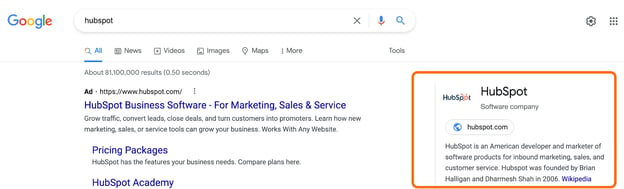
Don’t just do this for the SEO, either. By having reviews and keeping your contact information and operating hours up-to-date, you’re improving the experience for potential customers to find you. Finding current data is essential to consumers, now more than ever, due to 2020’s disruption in consumer shopping behavior and business operation.
2. Engage on social media and add posts to Google My Business.
Google considers content shared on social media more important now than ever before.
Now that you’ve carved out a beautiful Google My Business page, share it on social media, further aligning social and search.
3. Ensure your name, address, and phone number are consistent online.
You’ve got to make it easy for people and search engines to find you, and to do this you have to set up your NAP.
What does NAP mean in local SEO?
The acronym, NAP, stands for the name, address, and phone number (with area code) of a business. Your NAP should be considered crawlable HTML text on your site for Google to display it better according to location-based search results.
Pro Tip: Avoid the common mistake of only including the NAP within an image — images can’t be crawled from search engines like HTML text.
The most common location for the NAP is in the footer or header of the site. Additionally, you should include your NAP on a “Contact Us” page, too.
4. Optimize online directories and citations.
For United States companies, these four map data aggregators provide many map data for Apple, Yelp, Bing, Google, Trip Advisor, and more:
Consistency is key: verify that your citations are consistent and complete across these four data aggregators.
Discrepancies like misspellings, abbreviations, lack of suite number, or wrong phone number can be problematic.
If Google can’t determine which information about your business is correct, it may not show your business at all in search results.
Pro Tip: Remove any duplicate listings you find in online directories. And while you’re at it, get a Chamber of Commerce membership in your community to gain an external inbound link specific to your area.
5. Perform a local SEO audit.
Once you have the fundamentals down, it may be tempting to put your foot on the brake. However, SEO is an ongoing and intuitive process. Instead of stopping there or simply making changes and seeing what sticks, it helps to perform a comprehensive audit to see where your website stands and what you need to work on to achieve your goals. A local SEO audit may include the following:
- Google My Business Audit – How does your Google My Business appear in the SERPs? Is the information accurate?
- Google Search Console Audit – Is your site crawlable? Does it have any errors that would hinder indexing?
- On-Page SEO Audit – Does your site accommodate all the on-page SEO elements that help ranking?
- Citation Audit – Are all of your citations correct in the top business directories?
- Competitor Analysis – How does your site match up with your competition’s? Are there any gaps that you need to close? How do you match up in terms of inbound links, content, design, and positioning?
- Website Audit – How well is your website performing?
6. Improve your internal linking structure.
Although external links pointing to your site are ideal (which I’ll discuss soon), adjusting your internal linking structure will also boost your SEO rankings.
Why does internal linking matter? It does the following:
- Supports website navigation
- Assists with information architecture and website hierarchy
- Distributes page authority and ranking power among pages
If you want to improve your internal linking structure but aren’t sure where to start, check out Kissmetrics’ The Seven Commandments of Internal Linking for Top-Notch SEO.
7. Optimize URL, title tags, headers, meta description, and content.
When it comes to content, every new blog post is a new indexed page for your site, a new page on which to target a geographic search phrase, and a new opportunity to get found in the search engine results pages (SERPs).
Every time you write a piece of content, you need to optimize the content for search engines by using high-volume keywords in the URL, title, header, meta description, and body. If you’re having trouble coming up with geo-targeted content, consider highlighting customer success stories and case studies.
Pro Tip: The more specifications you add to these assets (especially for each location of your business), the better you’ll be able to optimize “near me” local searches.
8. Add location pages to your website.
If you have more than one brick-and-mortar location, create location pages. Location pages provide readers with your name, address, phone number, store hours, unique store descriptions, parking/transit information, promotions, and testimonials from happy customers.
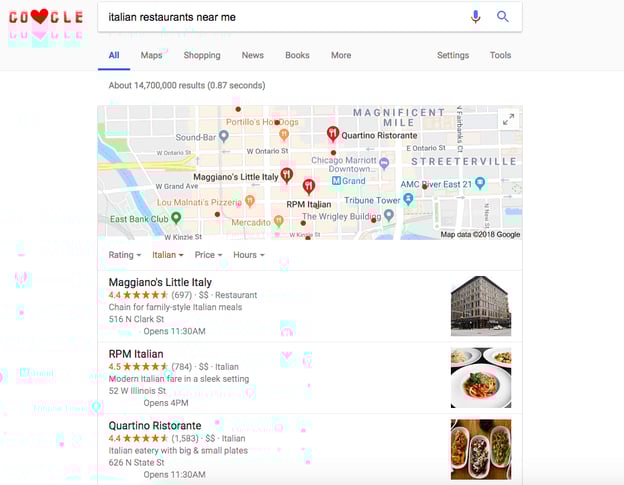
It’s also important you avoid duplicating content across multiple location pages. For single-location businesses, create a locally descriptive About Us page. You can even get bonus points if you add a Google Map to your website on your respective location page(s).
9. Create local content.
Google continues to get smarter, which means content creators can now write more for users and less to appease search engines. And while writing about general topics will attract a vast crowd, sometimes it’s more important to hone your focus and write about local or industry news to attract a local audience.
Be the local authority for your industry by promoting local industry gatherings, news, employees, and other educational content on your blog. Think of top-of-the-funnel content that goes beyond what your business sells.
For example, if you’re a local security company and trying to attract businesses new to the area, create a helpful resource to get these businesses well-acquainted with your city. A map of local service providers or a calendar of city-wide events could both provide value for your persona and contain highly relevant on-page local signals.
10. Ensure your website is mobile-friendly.
Local and mobile search go hand in hand (61% of all Google searches are performed on mobile).
Some of the most common ways people will use your site in a mobile environment are to look up reviews, find directions to your location, and search for contact information. In fact, “near me” searches on mobile have increased 250% since 2017.
Make it easy for your prospects and customers by making your site mobile-friendly.
11. Get inbound links with relevance and authority.
Inbound links are compelling opportunities to boost your local SEO — every inbound link tells Google you’re a legitimate company, and inbound links can also raise your domain authority. Here are a few ways to get inbound links:
- Sponsorships or Partnerships
- Guest Blog Posting
- Scholarships
Start with your network, including the Chamber of Commerce, business improvement districts, licensing bureaus, trade associations, resellers, vendors, manufacturers, and other affiliates.
Consider sponsoring a webinar or meet-up, hosting a community event, promoting something local you love, and building relationships with prominent people and influencers. Additionally, learn to feel comfortable reaching out to partners to see if they can feature you on their partner directory.
Also, being a guest blogger can help attract links. Positively talk to or about other people in your industry, and act as a resource provider for the community. If you’re an active participant in community conversations, the buzz around you grows in the form of inbound links, social media growth, and media coverage.
12. Participate in your local community.
The more you participate in the local community, the more digital PR you’ll receive. Partnering with a nonprofit on a campaign, having a volunteer day in your organization, sponsoring an event (even an online one!), or appearing in the local media as an authority in your industry are all ways to earn press, brand awareness, and inbound links.
For example, given that .edu links are the bee’s knees for domain authority, why not earn some links by featuring a scholarship in your geographic region? It should be relevant to your industry, send the right signals to your domain (given the backlinks from schools) and make you feel good, too! Moz built a solid guide on the steps to success for effective scholarship outreach.
Local SEO Tools
Now that we’ve covered how to optimize your business for local SEO, let’s explore some practical tools you can leverage to improve your ranking in the areas where it matters most.
1. Whitespark Local Citation Finder
Pricing: Small Business Plan; $25/month, Specialist Plan; $50/month, Agency Plan; $100/month, Enterprise Plan; $200/month
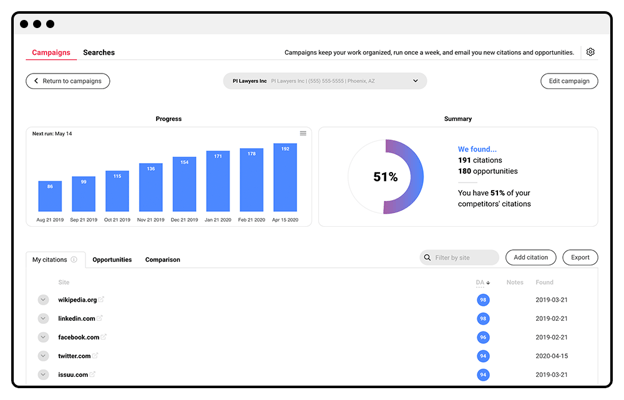
A local citation is any online mention of a local business’s name, address, and phone number.
Citations matter because they help surface local businesses in online search, and when local businesses actively manage its sources to ensure data accuracy, it promotes trust in these online listings.
Whitespark knows this realm well — really well. Whitespark offers local listing management, recommends where to list your business, examines your competition, and robustly builds and monitors your citation growth for better local search rankings.
2. Screaming Frog
Pricing: Free Basic Version, Paid Version; $209/year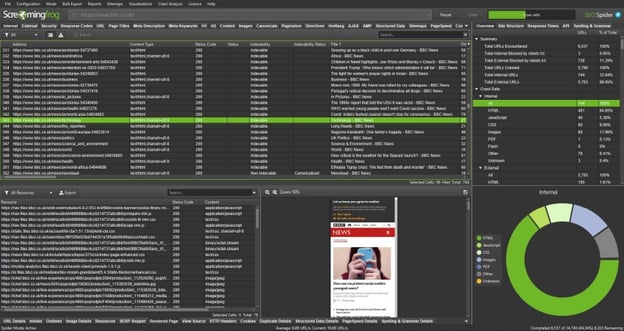
This desktop program crawls websites’ links, images, CSS, script, and apps from an SEO perspective. Curious if you have any 404’s? Or wondering about missing meta descriptions or H1s? Screaming Frog will analyze up to 500 URLs for free and unlimited URL analysis in its paid version.
3. Moz Local
Pricing: Lite Plan; $14/month, Preferred Plan; $20/month, Elite Plan; $33/month
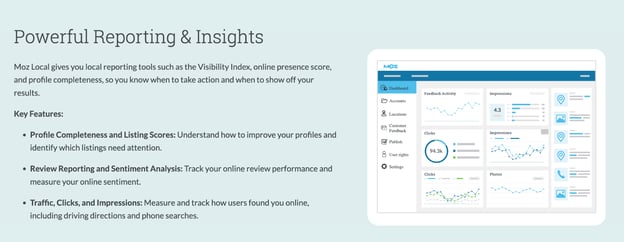
Less expensive than most of its counterparts, Moz Local will ensure your business listing has been verified on Google and Facebook and distribute your listing across the search ecosystem.
Additionally, Moz Local will collaborate with data aggregators to help push listings, ensuring your business gains visibility.
4. Arel=”noopener” target=”_blank” hrefs
Pricing: Lite Plan; $99/month, Standard Plan; $199/month, Advanced Plan; $399/month, Enterprise Plan; $999/month
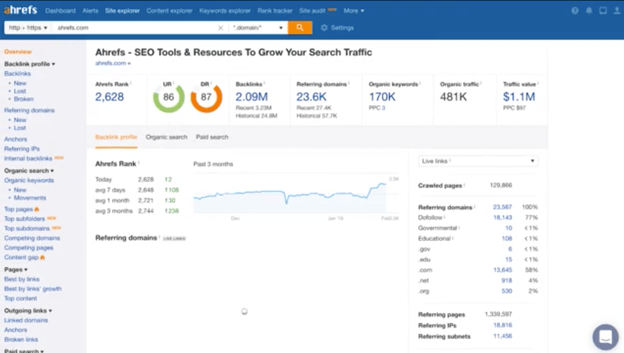
Arel=”noopener” target=”_blank” hrefs helps with backlink checking, which is essential as these links (directed toward your website) indicate website authority.
Arel=”noopener” target=”_blank” hrefs also offers competitor analysis, keyword research, and insight into other websites’ anchor text when backlinking to your site.
5. Buzzstream
Pricing: Starter Plan; $24/month, Growth Plan; $124/month, Professional Plan; $299/month, Custom Plan; $999/month
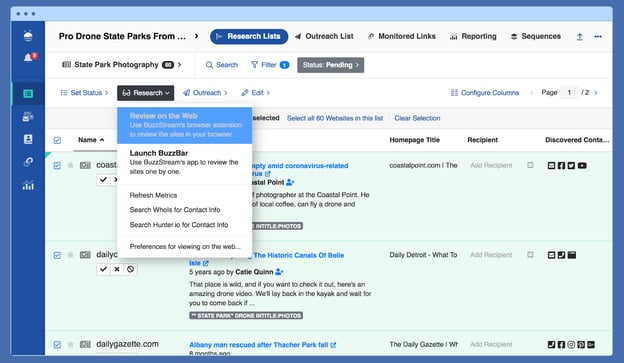
BuzzStream facilitates earning local backlinks, which helps you identify and build relationships with local influencers by researching influencers, tracking conversations, and providing reporting insights into your outreach campaigns, team performance, and link placements.
6. BrightLocal
Pricing: Single Business Plan; $29/month, Multi Business Plan; $49/month, SEO Pro Plan; $79/month
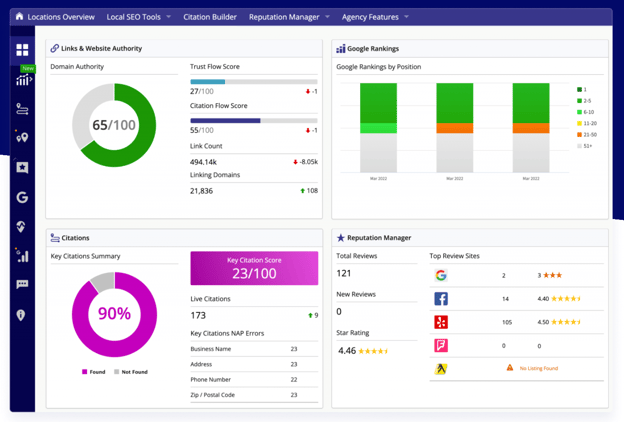
BrightLocal is a comprehensive SEO tool suite built explicitly for local business marketing needs.
The tool can help you generate and monitor reviews on local sites, understand your local search performance, and analyze nearby competitors.
BrightLocal also offers client access and white-labeled reporting — making it a solid fit for agencies and brands alike.
Improve Your Business Visibility with Local SEO
Local SEO is an integral part of any SEO strategy for local businesses. Local SEO will help your audience find you when they search online if you have a storefront or service area. We hope you find this article helpful in your journey to gain brand recognition and authority on the net.
Editor’s note: This post was originally published in April 2018 and has been updated for comprehensiveness.


How to Highlight Duplicates in Google Sheets [Step-by-Step]
Duplicate data is the bane of spreadsheet solutions, especially at scale. Given the volume and variety of data now entered by teams, it’s possible that duplicate data in tools like Google Sheets may be relevant and necessary, or it could be a frustrating distraction from the primary purpose of spreadsheet efforts.
The potential problem raises a good question: How do you highlight duplicates in Google Sheets?
We’ve got you covered with a step-by-step look at how to highlight duplicates in Google Sheets, complete with images to make sure you’re on the right track when it comes to de-duplicating your data.
![→ Access Now: Google Sheets Templates [Free Kit]](https://no-cache.hubspot.com/cta/default/53/e7cd3f82-cab9-4017-b019-ee3fc550e0b5.png)
Highlighting Duplicate Data in Google Sheets
Google Sheets is a free, cloud-based alternative to proprietary spreadsheet programs and — no surprise, since it’s Google we’re dealing with — offers a host of great features to help streamline data entry, formatting, and calculations.
Google Sheets has all the familiar functions: File, Edit, View, Format, Data, Tools, etc. and makes it easy to quickly enter your data, add formulas for calculations, and discover key relationships. What Sheets doesn’t have, however, is an easy way to find and highlight duplicates.
While other spreadsheet tools, such as Excel, have built-in conditional formatting tools that can pinpoint duplicate data in your sheet, Google’s solution requires a little more manual effort.
Step-by-Step: How to Highlight Duplicates in Google Sheets (With Pictures)
So how do you automatically highlight duplicates in Google Sheets? While there’s no built-in tool for this purpose, you can leverage some built-in functions to highlight duplicate data.
Here’s a step-by-step guide:
Step 1: Open your spreadsheet.
Step 2: Highlight the data you want to check.
Step 3: Under “Format”, select “Conditional Formatting.”
Step 4: Select “Custom formula is.”
Step 5: Enter the custom duplicate checking formula.
Step 6: Click “Done” to see the results.
Step 1: Open your spreadsheet.
First, head to Google Sheets and open the spreadsheet you want to check for duplicate data.
Step 2: Highlight the data you want to check.
Next, left-click and drag your cursor over the data you want to check to highlight it.
Step 3: Under “Format”, select “Conditional Formatting.”
Now, head to “Format” in the top menu row and select “Conditional Formatting”. You may get a notification that says “cell is not empty” — if so, click on it, and you should see this:
Step 4: Select “Custom formula is.”
Next, we need to create a custom formula. Under “Format cells if”, select the drop-down menu and scroll down to “Custom formula is”.
Step 5: Enter the custom duplicate checking formula.
To search for duplicate data, we need to enter the custom duplicate checking formula, which for our column of data looks like this:
=COUNTIF(A:A,A1)>1
This formula searches for any text string that appears more than once in our selected data set, and by default will highlight it in green. If you prefer a different color, click on the small paint pot icon in the formatting style bar and select the color you prefer.
Step 6: Click “Done” to see the results.
And voilà — we’ve highlighted the duplicate data in Google Sheets.
How to Highlight Duplicates in Multiple Rows and Columns
If you’ve got a larger data set to check, it’s also possible to highlight data duplicates in multiple columns or rows.
This starts the same way as the duplicate checking process above — the only difference is that you change the data range to include all the cells you want to compare.
In practice, this means entering an expanded data range in the Conditional format rules menu and the custom format box. Let’s use the example above as a starting point, but instead of just searching column A for duplicates, we’re going to search across three columns: A, B, and C, and also across rows 1-10.
When we enter our conditional format rules, Apply to Range becomes A1:C10 and our custom formula becomes:
=COUNTIF($A$2:G,Indirect(Address(Row(),Column(),)))>1
This will highlight all duplicates across all three columns and all 10 rows, making it easy to spot data doppelgangers:

Dealing With Duplicates in Duplicates in Google Sheets
Can you highlight duplicates in Google Sheets? Absolutely. While the process takes more effort than some other spreadsheet solutions, it’s easy to replicate once you’ve done it once or twice, and once you’re comfortable with the process you can scale up to find duplicates across rows, columns, and even much larger data sets.

A Quick Guide to Nonprofit Website Redesigns [+Best Practices]
It’s hard to overstate the importance of having a quality website for nonprofit organizations. All of an organization’s outreach, marketing, and ads need to drive an audience to take action like donating, finding out about services, or signing up for information.
An effective website allows these actions to happen quickly and seamlessly, making the path to conversion for any of these actions feel effortless.
On the other hand, subpar websites actually distract audiences from the goals you want them to accomplish, confusing visitors with navigation that obscures the most relevant information or overloading them with too many calls-to-action.
As digital marketing experts, we have a basic process we use as a guide when we start new nonprofit website projects, ensuring that the end product is clear, easy-to-use, and ultimately, effective.
Let’s dive in.
The 6 Phases of a Successful Nonprofit Website Project
1. Discovery
During the discovery phase, your project team will define its goals and understand existing strengths, opportunities for growth, and audiences.
Identify Your Goals
The first step in building a better website is recognizing that you need one, and determining goals for redesign efforts. Sometimes you can look at data to determine if your current site is meeting your expectations.
Understand Audiences
Tools such as Google Analytics can help you determine which actions or content are getting more or less traction with audiences to optimize accordingly. Implementing audience surveys can also provide insight into what parts of your website may be resonating better or worse with your key groups.
Evaluate Content
Sometimes the issue may have to do with the visual presentation of your brand elements –– your site may just need a general facelift or improved accessibility. Marketing agencies can help audit and review your current site in more detail to provide you with specific recommendations to guide and prioritize your goals for your new website.
Site Audit
In a full site redesign, research may be required as a first step to inform strategy and design. This might involve doing an in-depth audit of all of the existing content for your current site, as well as research and documentation about any other technical platforms (like CRM systems or fundraising platforms at your organization). This also might entail doing deeper research into your audience groups and mapping their specific needs at various stages of their journey interacting with your organization.
SEO Audit
An SEO audit is an important step to capture insights for your site rebuild, ensuring audiences can easily find it via search. An SEO audit involves taking an in-depth analysis of all the factors that affect a website’s visibility in search engines. Doing this audit gives complete insights into the website, overall traffic, and individual pages in regards to site health and overall domain authority.
Here are just a few things to consider during an SEO audit:
- Does your site support a breadcrumb structure?
- Does your navigation make sense?
- Is it easy for users to find important and relevant content on your site?
- Does the content reach the right audience and target important keywords?
- Is there correct metadata throughout the site? Title tags?
- Are there server errors on your site?
While these may seem like simple and mundane tasks, they are crucial steps in ensuring your site and brand increase organic visibility. Overall, completing this task can help assure that you are reaching your traffic goals and can make any changes necessary in the website redesign.
2. Strategy
Once your discovery is complete, you can move to your strategy phase. Here, you and your team will dive into planning how all of your content, including copy, images, videos, and any other assets, will be presented across the new website.
Content Strategy
Once you have a handle on who your audiences are, and how you’d like them to engage with your information, you can dive into your content strategy — or the way you’ll organize and develop content for visitors to engage with on your site. This might include revising your site map (otherwise known as a list of pages in a hierarchical order for your website), and navigation so content that’s relevant to a particular audience is grouped together, and in a way that will make it easy for them to find the right piece of content at the right point of their journey.
During your content strategy exploration, considering all stages of an audience’s user journey is critical. How are people new to your site engaging, and how can you make life easier for return visitors?
As a nonprofit, you’ll want to share different pieces of your story with new versus existing supporters — for instance, with new visitors, you can share background on your nonprofit, and with existing supporters, you can show them the impact and results of your nonprofit so they can see how their contributions matter.
Information Architecture
Once the overall content strategy is in place, you can start to solidify the role, or story, each individual page will play. Bringing the most important messages to the top, and allowing for less urgent pieces to cascade down the page, builds your loose information architecture that will help UXers and designers bring your story to life.
3. UX and Design
As you move into your user experience (UX) and design phase, you’ll bring all of your discovery and strategy to life with visuals. By keeping your audiences top of mind during this phase, you’ll be able to meet their needs in the most effective way possible.
User experience (UX) design comes next, often in the form of prototypes or wireframes, to provide visual structure for each page. Sometimes these wireframes also include notional copy, which are brief bits of text to indicate things like ‘Headline about our giving program goes here.’ This can be helpful to guide later copywriting efforts for site content.
Things get more interesting and fun as the new website’s visual and creative direction gets established. Designers can recommend a new visual approach to your brand elements, colors, fonts, and other style elements. When approved, this visual approach gets applied to page designs and layouts to arrive at finalized page designs.
4. Implementation
In your implementation phase, you’ll notice that the development processes vary a bit depending on the platform. As you and your team work through implementing your work, you’ll make some decisions that’ll impact how easy your site will be to maintain (through no/low-code platforms versus code-driven products).
Designs, requirements, specifications, and copy come together with development efforts to bring a new website to life. Today, organizations have a lot of great options to consider: No-code platforms such as Squarespace or Wix can make many parts of the development process so simple that developers aren’t needed and maintenance costs are greatly reduced, at the cost of some flexibility about what types of technical integrations they can work well with and how much customization can occur.
Some solutions such as Hubspot’s CMS are tailored for HubSpot’s CRM tools and offer an out-of-the-box solution for organizations that want a powerful but easy-to-use interface. HubSpot offers more than two dozen themes for nonprofits to choose from, making customization and a sleek design and user experience available within minutes.
More development-intensive platforms like WordPress come with higher investment needed in the building process and long-term maintenance costs for things like plugins and hosting, but offer endless opportunities to realize a custom website vision.
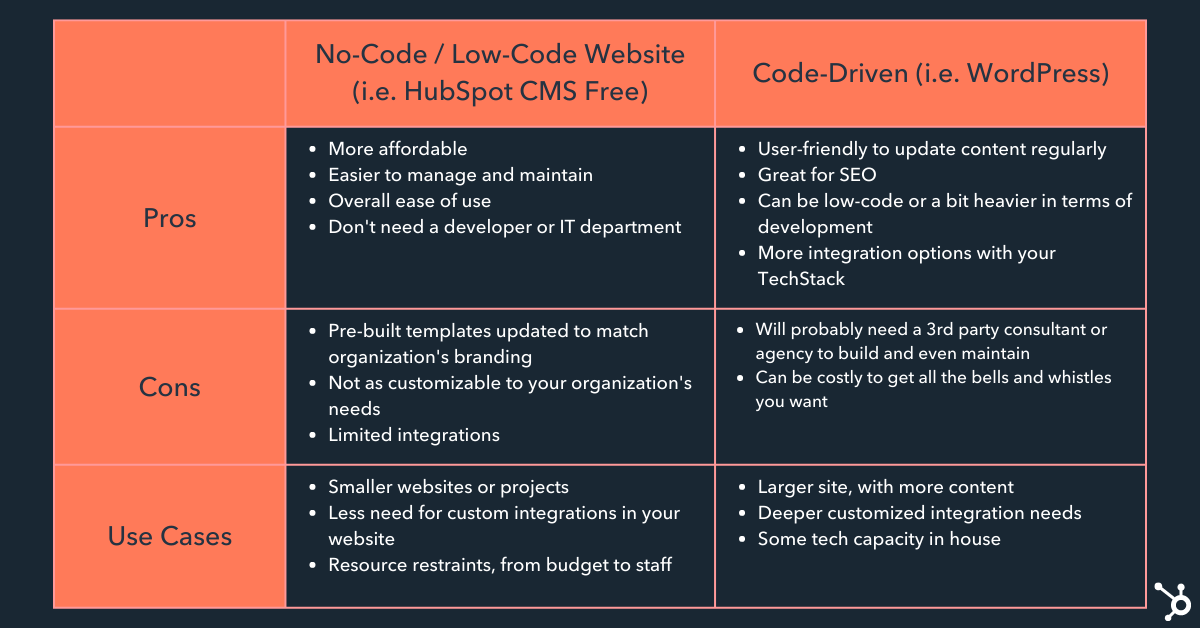
5. Quality Assurance Testing
Once final content is entered or migrated into your new site, and an approach to blog posts and SEO considerations have been addressed, quality assurance (QA) testing can happen.
QA testing can check that the site presents well across all devices, meets accessibility standards, is optimized for speed, and is functioning according to requirements.
6. Accessibility
Creating a website that’s not only functional and well-organized but also accessible to all is becoming the standard. As nonprofit organizations, it’s even more important to be catering to all audiences, especially those you may be serving.
Remember that accessibility means accommodating for all disabilities, not just ones that are readily apparent. Over 13% of the U.S. population has a visual impairment. Making the mindful shift to ensuring your site is accessible consists of small changes, like using proper colors, H1/H2 tagging for screen readers, and providing alt text on all images and graphics. Checking these boxes goes a long way in helping everyone have a positive experience on your site.
Once your QA testing is complete, including your accessibility checks, you can make changes and find solutions, and then the site is ready for final approval to release.
Regardless of your platform, there are a few details (that are often forgotten) to always keep in mind.
Here are a few examples of great no-code and low-code nonprofit websites.
No-Code Nonprofit Website Examples
1. 50 States, 50 Grants
It Gets Better: 50 States. 50 Grants. 5000 voices campaign was built using webflow. Although built on a template, the website still has great movement and engagement, and portrays a more custom website.
Issue Area: LGBTQIA+
Website Platform: Webflow
Website: https://www.50states50grants.com/
2. RiseUP Marketing Fellowship
RiseUP Marketing Fellowship is a purpose-driven marketing fellowship that works to increase diversity, access, and tangible social impact across the marketing and advertising industries.
Issue Area: Employment
Website Platform: Squarespace
Website: https://www.riseupfellows.com/
Code-driven Nonprofit Website Examples
1. OPS
OPS inspires, empowers, and connects a global community using high-impact films and visual storytelling to expose the most critical issues facing our planet.
Issue Area: Environment
Website Platform: WordPress
Website: https://www.opsociety.org/
2. Outward Bound USA
Outward Bound USA is the leading provider of outdoor education programs that allows young people to explore their personal potential, since 1962.
Issue Area: Education
Website Platform: WordPress
Website: https://www.outwardbound.org/
3. The Gerson Mission
The Gerson Institute’s mission is anchored in the education of food as medicine, reducing toxic exposure and creating a healthier world where Gerson Therapy is not just a viable option, but a pillar of treating chronic illness.
Issue Area: Health
Website Platform: WordPress
Website: https://gerson.org/
Common Nonprofit Website Pitfalls
1. Tracking and Conversions
All too often, organizations forget to transfer and/or set up their tracking on a new website. At the very least, make sure your Google Tag Manager and Google Analytics are published when the website is released.
Chances are with most website rebuilds, elements and forms on the website have shifted. Buttons may have changed colors or placements and new pages may have been added. Any custom event or conversion tracking on your existing website will need to be recreated for the next website so that you don’t lose out on any of your tracking.
There’s nothing worse than realizing a pixel isn’t firing correctly mid-campaign. Make sure you take the time to QA your site, test forms and buttons, and run reports the second the website is live.
2. SEO
Every company needs a strong marketing strategy, even nonprofits! However, most nonprofits don’t know or haven’t considered investing in search engine optimization (SEO) even though it can have one of the highest returns on investment.
How do you expect your supporters, volunteers, and advocates to find you if you don’t invest in your SEO and content strategy? Roughly, 53% of individuals say they always do research before they buy something to ensure they are making the best possible choice. This is no different for nonprofits.
Strong SEO is more vital for nonprofits than ever with the accelerated digital transformation due to COVID and the overall political climate within the United States. Many Americans are looking for ways to support organizations of specific social issues — highlighting the greater need for strong SEO.
3. Accessibility
According to the World Health Organization, one billion people — approximately 15% of the world’s population — live with some form of disability. And, roughly 75% of Americans with disabilities report using the internet on a daily basis.
It’s important to keep in mind accessibility in web design is best when planned ahead, but can be remedied in meaningful ways at any stage in a website’s lifecycle.
As mentioned above, there are small changes that can go a long way in helping everyone engage with your website, but a few of the most critical are as follows:
- Ensure the colors of your text/backgrounds are friendly for those experiencing visual disabilities, including color blindness
- When available, draft specific copy for alt texts on images and graphics to verbally describe what someone else would see
- This also helps with folks who use screen readers, having a voice to describe what they’re seeing adds context and color to their experience online
- Using the tab key to navigate your site to see how folks who are unable to mouse around will engage with your content can illuminate any areas where more work may need to be done.
- And lastly, checking for discrepancies between a mobile and desktop experience can be a great last pass to ensure you’re up to par with accessibility needs
Ultimately, a website redesign isn’t easy, but it’s a smart and lucrative business decision when it comes to helping your nonprofit reach new audiences and increase impact. A strong website is critical for any brand, but particularly vital for nonprofits that are goaled on reaching and inspiring interested audiences.

How Web3 Technology Will Impact the Future of Consumer Trends [Expert Insights]
Many years ago, I waited hours in line after a concert to get a coveted Selena Gomez autograph.
After she signed my poster, I hung it up in my bedroom, where it felt like my most prized possession. Because, although plenty of other people had Selena’s autograph — no one had this specific one.
It was one-of-a-kind. And worth every penny I paid to attend the meet-and-greet.
And, although it may not seem like it at first, web3 technology — and how it will ultimately impact consumers — is actually very similar to my experience at the Selena Gomez concert.
Here, I spoke with three web3 experts to learn more about how web3 will impact the future of consumer trends.
But first … what is web3, anyway?

What is Web3?
If you’re unsure what web3 is, you’re not alone. HubSpot’s Blog Research recently found 51% of consumers don’t understand the concept of web3.
Before writing this post, I didn’t either.
We cover what web3 is in-depth in this post, but for a brief recap: web3, or the third-generation of the internet, is a vision of a more decentralized web that places the power in the hands of users instead of large tech companies like Google, Apple, and Netflix.
Web3 is built on blockchains using existing infrastructure with the goal of making the internet more accessible, private, and secure for users.
Anna Seacat, VP of Marketing and web3 Community at Proxy and Co-Founder of Glypta.org, says a major benefit of web3 is ownership over data.
As Seacat puts it, “Today, when we create content or submit personal data online, we’re handing over ownership to companies who can change, delete, or sell it. With web3, we own our data. You can mint content through a decentralized app, but that app can never change or remove it, because it’s yours forever, unless you decide to sell it.”
Essentially, it’s an evolution of the internet that will be supported by blockchain and hosted on servers owned by individuals and many organizations rather than a handful of corporations. This gives users the ability to vote over the web’s rules and regulations, rather than putting all power into the hands of those who own the servers (think: Democracy versus Monarchy).
At least, that’s the idea — although it’s still in early days of development, so it’s unknown whether reality will live up to these ideals.
But how does web3 relate, specifically, to consumers and e-commerce brands? Let’s explore that next.
How does web3 relate to consumers?
Web3 Will Provide a Foundation for Decentralized Finance
So … How does web3 relate to consumers? Well, in many ways, web3 is opening up new opportunities for how people will ultimately spend and sell.
In essence, web3 could become a strong foundation for a secure, protected digital economy.
For instance, one critical component of web3 is decentralized finance.
Decentralized finance, which uses the same blockchain technology used by cryptocurrencies, has a similar goal as web3 itself: Give people the power to control their own money through a digital wallet, rather than relying on major financial institutions and banks. (Similar to how web3 aims to give people the power to control their data, rather than relying on major tech corporations.)
Many brands already accept digital currencies from consumers. Microsoft, for instance, allows consumers to purchase products from the Windows Store with bitcoin; AT&T accepts cryptocurrency for bill payments; and even retailers like Overstock.com accepts bitcoin on its online site.
So decentralized finance could be the next leap towards encouraging more digital transactions by providing incentives for consumers to store their finances digitally.
Cryptocurrency, bitcoin, and a decentralized financial system are three components that could flourish on web3. But all three exist in much the same way the dollar does: as a fungible token. In other words, you can trade one dollar of bitcoin for another identical dollar of bitcoin. They are interchangeable.
But there’s another major element of web3 that many brands are seeing value in, and it’s likely something you’ve already heard something about: NFTs.
More Consumers Will Begin Purchasing NFTs
NFTs — or non-fungible tokens — are part of the Ethereum blockchain, and have exploded in growth over the past few years. In fact, investment bank Jefferies forecasts that NFTs will reach more than $35 billion in market value in 2022, and over $80 billion by 2025.
Many of us have seen the wild west of NFTs first-hand. A few examples come to mind, including a Tweet that sold for $2 million, a meme that sold for $590,000, and a bundle of monkey drawings that sold for over $24 million.
But what does ‘buying’ any of these digital assets actually mean? Essentially, it means you purchase the digital certificate which verifies you’re the sole owner of the original. Consider it synonymous with owning the original Mona Lisa, versus purchasing a copy.
NFTs aren’t limited to digital artwork, however. NFTs can be a digital asset from any industry, including gaming, fashion, and even music.
The potential ramifications of NFTs are enormous. As consumers shift towards NFTs, major corporations like Google or Meta could see a decline in how many consumers use their shopping tools.
As Seacat puts it, “If NFTs are any indication of how marketing, shopping, and selling online will change, we’re in for true disruption. For instance, Google is not used for NFT shopping. Instead, consumers rely on gated apps and decentralized marketplaces — neither of which show up in traditional search engine results.”
Web3 Will Lead to More Trust Between Buyers and Sellers, and Reduced Prices
As previously mentioned, web3 will offer more security and control over personal data — which will directly impact a consumer’s sense of trust when making purchasing decisions.
Jeremy Merrell Williams, CEO at Vyudu Inc and web3 and Blockchain Analyst, says web3 will greatly impact how consumer shop in the future.
“For instance,” Williams says, “with blockchain technology, shoppers can directly connect with producers and retailers without having to go through intermediaries. This could lead to more trust between buyers and sellers, as well as lower prices due to reduced fees.”
He adds, “Web3-based marketplaces could also make it easier for consumers to find the best deals on products and services.”
Ultimately, with web3, you don’t need to put your trust — and data — into the hands of a third-party corporation. Given that 76% of consumers feel they don’t know what companies are doing with their data, this could ultimately lead to a renewed sense of trust between consumers and brands.
Some Consumers Will be Wary of Web3 Because of The Volatility of Crypto
Before we dive into how brands can leverage web3, let’s take a look at some consumer concerns when it comes to web3.
One major concern? The purchasing process is too confusing.
Seacat says, “Web3 doesn’t currently support the average consumer’s purchasing process. You have to take big gambles and go into what’s called a ‘rabbit hole’ to get education and onboarding.”
For this reason alone, Seacat and a team of women started a nonprofit, Glypta.org, to make web3 safer for women, especially those who are just getting started in the space. Seacat adds, “We shouldn’t have to risk thousands of dollars in a rabbit hole to be a part of web3.”
Additionally, digital currencies like cryptocurrencies have proven to be volatile, which dissuades many from investing in the first place. And since you can’t use U.S. dollars on web3, those who don’t feel confident purchasing cryptocurrencies are excluded from purchasing on web3.
Finally, there are some steep fees on web3, particularly when buying NFTs.
As Holly Shannon, producer of Culture Factor, a high-ranking NFT and emerging technologies podcast, told me, “The fees incurred when buying an NFT on the blockchain are high. They are referred to as ‘gas fees’. The use of crypto and the gas fees relative to a purchase are a major drawback at this time.”
Shannon adds, “The exercise to get a wallet that is unique to this framework is also cumbersome and full of friction. There are hot, warm, and cold wallets. There are secret codes and layers of authentication.”
Ultimately, we’re a long ways away from making web3 feel mainstream for consumers. But it’s still useful to consider: When consumers do begin joining web3, how can brands meet them there?
How Brands Can Leverage Web3
Brands Can Leverage NFTs to Build Direct-to-Consumer Relationships
In recent years, major brands have begun seeing the value in NFTs. Nike, for instance, has begun selling branded sneakers on Roblox, a virtual world, for fans’ avatars to wear as they play sports virtually. Those virtual sneakers, which won’t exist in real life, are an example of NFTs.
Meanwhile, in the fashion industry, Dolce & Gabbana set a record of nearly $6 million for a nine-piece collection of digital NFTs, including a “Glass Suit” that the auction winner’s avatar can wear in a metaverse.
Shannon says: “I believe the ability to prove ownership makes for a great opportunity. Let’s say you purchase a Hermés bag. By using an NFT that establishes the purchase on a blockchain, it creates a permanent record of that sale.”
Shannon adds, “Think of that NFT as a ticket or token that represents an asset — or your Hermés handbag. It authenticates your purchase as the original. Which, as an aside, makes a good case for reducing counterfeit sales. Additionally, it gives the brand an opportunity to have a direct relationship with the consumer.”
Ultimately, Shannon believes the power of NFTs for brands lies in this concept: Direct-to-consumer.
For instance, Shannon notes, Hermés could use NFTs to delight their customers with unlockable experiences.
Shannon posits, “Hermés could invite consumers to a fashion show, or send them a gift using NFTs. Alternatively, maybe a sports team uses NFTs to give fans a chance to meet their favorite players, or send SWAG directly to them. This merely scratches the surface of experiential marketing, but hopefully you can see the magic, too.”
Which leads me to my next, and hopefully last, Matrix-sounding buzzword: Metaverse.
Brands Can Engage with Consumers in the Metaverse
The metaverse is essentially a 3-D virtual reality (check out this post with a full run-down of the metaverse if you need a refresher), and it’s where many consumers will purchase and wear the digital items we’ve listed so far.
I’m willing to bet you’re thinking NFTs and the metaverse seem a little far-fetched for most consumers. (I’m not in the financial position to purchase a $2 million Tweet myself, anyway.)
But HubSpot’s Blog Research found it does, in fact, impact many consumers today. A few quick stats:
- Over half of those who have ever bought virtual currency/items have done so within the past three months. (Including 75% who bought cryptocurrency; 62% who bought virtual items like Fortnite skin; and 60% who bought NFTs.)
- 30% say more brands should have virtual stores in the metaverse.
- 34% of cryptocurrency owners have used crypto to make a purchase (other than using it to buy other crypto).
- 27% say they would be more likely to use a platform if they received virtual currency for using it.
As it turns out, consumers are interested in purchasing virtual products and services; and they’re interested in using virtual currencies to do so.
In many ways, this makes sense: Much of what we do nowadays exists online. We meet our partners online using dating apps; we make new friends via social communities like Facebook; and some of us even work entirely online, leveraging remote tools like Zoom to communicate with colleagues.
Web3 is an iteration that could, ideally, meet more consumers needs when it comes to data privacy, convenience, socialization, and entertainment.
And if your consumers are on web3, why wouldn’t you want to meet them there?


The Top Video Marketing Tactics Brands are Investing In [+Which Are Losing Steam]
Video marketing is becoming more and more integral to a brand’s success. If you’re a marketer trying to craft the best video marketing strategy for your brand, it helps to know the top video marketing tactics brands are investing their time and money in.
Fortunately, the HubSpot Blog recently surveyed over 500 marketers across the globe about their video marketing tactics, what seems to be working, and which tactics are worth reconsidering.
![→ Access Now: Video Marketing Starter Pack [Free Kit]](https://no-cache.hubspot.com/cta/default/53/8f27c677-d952-4663-8787-bf65c6a1ecf2.png)
Most Used Video Marketing Tactics
Here is a breakdown of the kinds of videos and platforms marketers are continuing to leverage and why:
Short-Form Video
In our survey, we found short-form video leads in usage with it being leveraged by 58% of marketers. Short-form videos also lead on ROI, engagement, and lead generation. Nearly half (46%) of marketers will plan to use short-form videos for the first time in 2022 and 36% will invest in short-form videos more than any other format.
These numbers aren’t surprising when you consider short-form videos are more likely to go viral, according to 47% of video marketers.
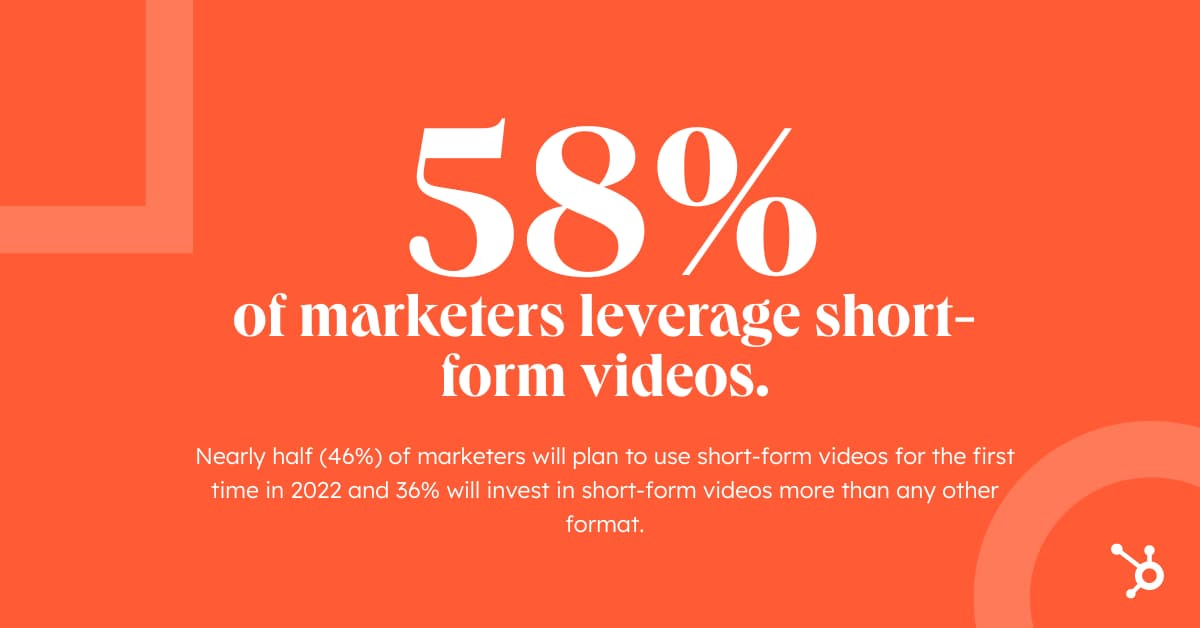
Long-Form Video
Long-form videos come in second when it comes to usage with 37% of marketers leveraging the format. This format also places second in terms of ROI, lead generation, and engagement. According to our survey, 36% of marketers plan to leverage long-form videos for the first time in 2022, and 18% will invest in the format more than any other kind of video.
The optimal length of a long-form video is between three to six minutes, according to 36% of marketers. Even platforms like TikTok are starting to embrace long-form videos, in fact, the app is now allowing 10-minute videos. This could be because long-form videos still receive significant engagement.
In our survey, we found 38% of long-form marketing videos have an average watch percentage between 41% and 60%. We also found 25% of long-form videos have an average watch time between 61% and 80%. Finally, 22% have an average watch time between 21% and 40%.
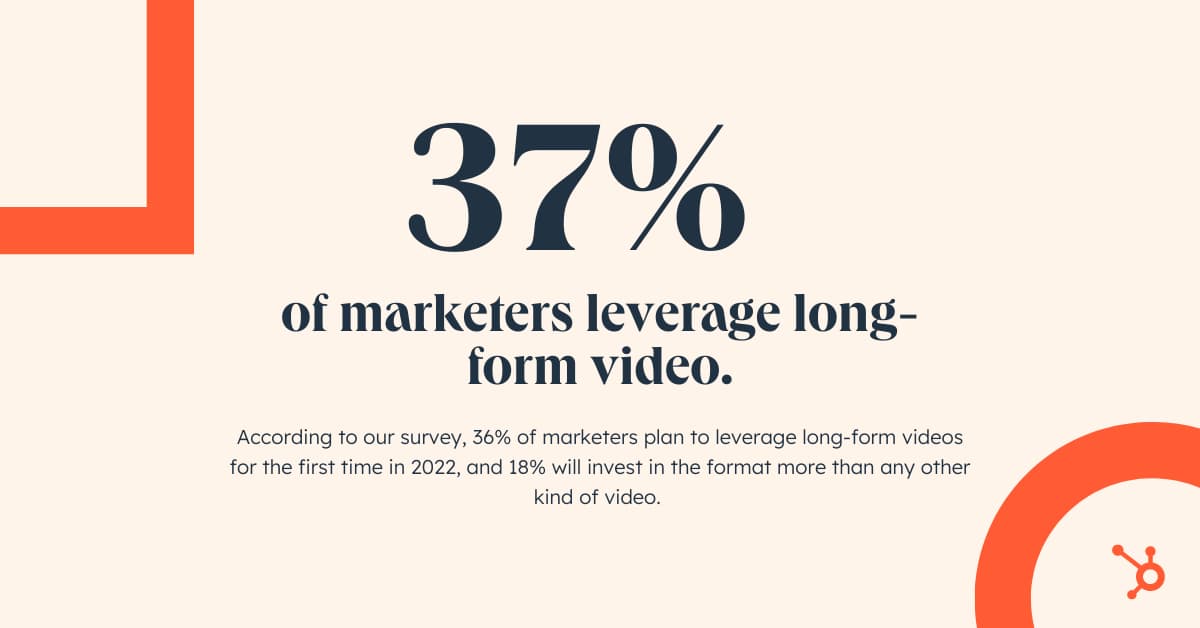
Video Marketing on Social Media
Social media is the top channel used to share marketing video, with it being used by 76% of marketers in our survey. It also has the biggest ROI by far, according to 67% of marketers who use it. Our survey revealed 66% of marketers also say it’s the most effective for generating leads. We also found 63% of marketers will use social media for the first time in 2022, and 61% will invest more in sharing videos on social media than any other channel.
Regarding specific social media platforms, Instagram is the top platform for ROI, lead generation, and engagement. According to our survey, 42% of marketers who don’t use Instagram for sharing videos will do so for the first time in 2022, and 24% will invest more into sharing videos on the platform than any other.
Facebook is also a common tool for marketers with 60% of those in our survey sharing videos on the platform. However, Facebook also comes in fourth place for ROI, engagement, and lead generation. We found 35% of marketers will invest in videos on Facebook for the first time in 2022.
Coming in second place in terms of engagement is TikTok, however, only 35% marketers share videos on the platform and 20% plan on doing so for the first time in 2022.
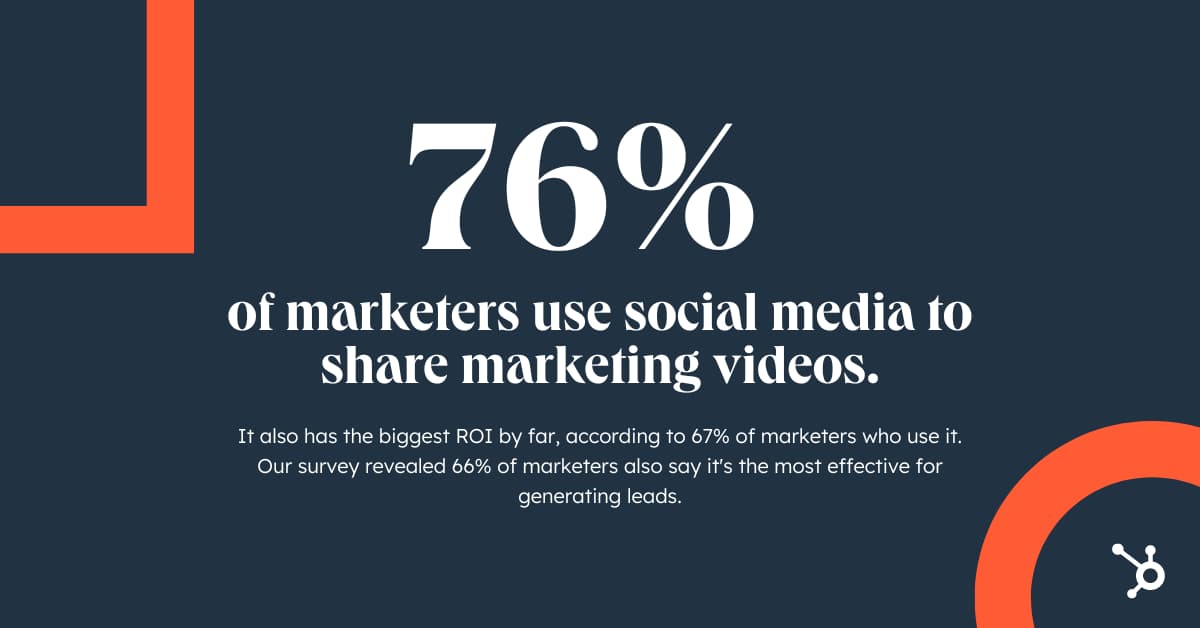
Video Marketing on YouTube
YouTube has the highest usage among marketers with 70% leveraging the platform. It will also see the most investment from video marketers in 2022. Over half the marketers who do not use YouTube will do so for the first time in 2022, according to our survey.
No matter which tactic you choose to leverage for your brand, it’s important to remember the most important factors when creating effective video content, according the marketers we surveyed are:
- Adequately promoting your video
- Capturing viewers’ attention in the first few seconds
- Keeping your videos short/concise
.jpg?width=1200&name=Copy%20of%20Facebook%20Shared%20Link%20-%201200x628%20-%20Percentage%20+%20Copy%20-%20Orange%20(2).jpg)
Least Used Video Marketing Tactics
Here are the platforms, formats, and concepts that seem to be losing steam among marketers.
Reddit, Tumblr, Twitch, Snapchat, and Pinterest
While social media plays a vital role in video marketing, not every platform ensures success. Marketers told us Reddit, Tumblr, Twitch, Snapchat, and Pinterest have not provided favorable ROI or engagement when it comes to marketing videos, therefore these platforms will likely see the least investment from video marketers in 2022.
Nostalgic Content and UGC
Despite the resurgence of TV shows, films, and music trends rooted in nostalgia, marketers say nostalgic content consistently underperforms in terms of engagement, ROI, and lead generation.
We found similar findings when we asked marketers about user-generated content (UGC). Our survey found just 19% of video marketers will leverage nostalgic content in 2022 for the first time and only 3% will use UGC.
Screen-Capture video
Screen-capture videos have the lowest ROI when compared to other video styles like live action and animation. They are also much less effective in generating leads and engagement, according to our survey. With that said, 52% of video marketers plan on leveraging screen-capture video for the first time in 2022, and 21% plan to invest in this video style more than any other.
Video content is continuing to gain importance as more and more platforms prioritize video sharing. Now that you know what investments are working for marketers—and which aren’t—you can begin brainstorming the best video marketing campaign that will ensure success for your brand.

The Ultimate List of Email Marketing Stats for 2022
Webinars, video campaigns, and social media posts are relatively new channels for marketers to reach their customers. But, your contemporary communication methods shouldn’t distract you from one of the oldest, yet most effective, strategies — email marketing. In fact, email ROI is an impressive $36 for every $1 spent.
If you’re still hesitant, keep reading — we’ve cultivated a list of email marketing statistics for HubSpot to demonstrate just how powerful email can be. Here, you’ll find:
- Email Marketing Stat Highlights for 2022
- General Email Marketing Statistics
- B2B Email Marketing Statistics
- Mobile Marketing Statistics
- B2C Email Marketing Statistics
- Email Marketing Demographics for 2022
General Email Marketing Statistics and Best Practices
- Email marketing is used by 1 in 2 media planners. It will continue to grow this year with 22% planning to leverage it for the first time.(HubSpot Blog Research, 2021)
- Email marketing revenue is estimated to reach almost 11 billion by the end of 2023. (Statista, 2021)
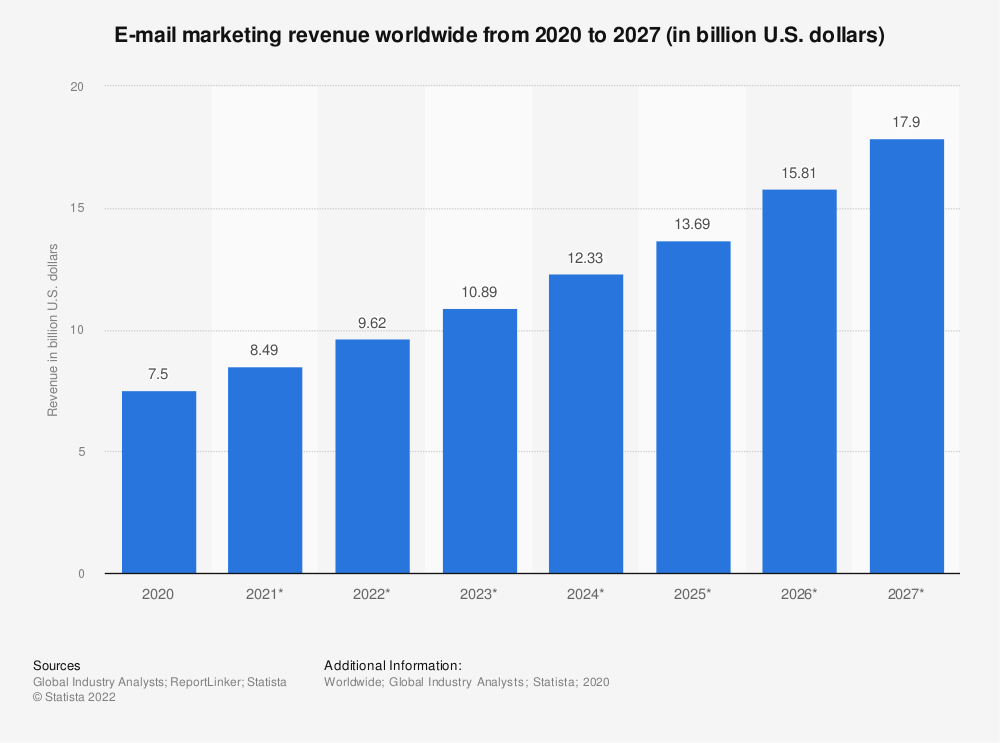
- There are 4 billion daily email users. This number is expected to climb to 4.6 billion by 2025. (Statista, 2021)
- More than 306 billion emails are sent and received each day. (Statista, 2021)
- 64% of small businesses use email marketing to reach customers. (Campaign Monitor, 2021)
- 37% of brands are increasing their email budget, and just 1.3% are making cuts. (Litmus, 2021)
- The most effective strategies for email marketing campaigns are subscriber segmentation (78%), message personalization (72%), and email automation campaigns (71%). (HubSpot Blog Research, 2021)
- 33% of marketers send weekly emails and 26% send emails multiple times per month. (Databox, 2022)
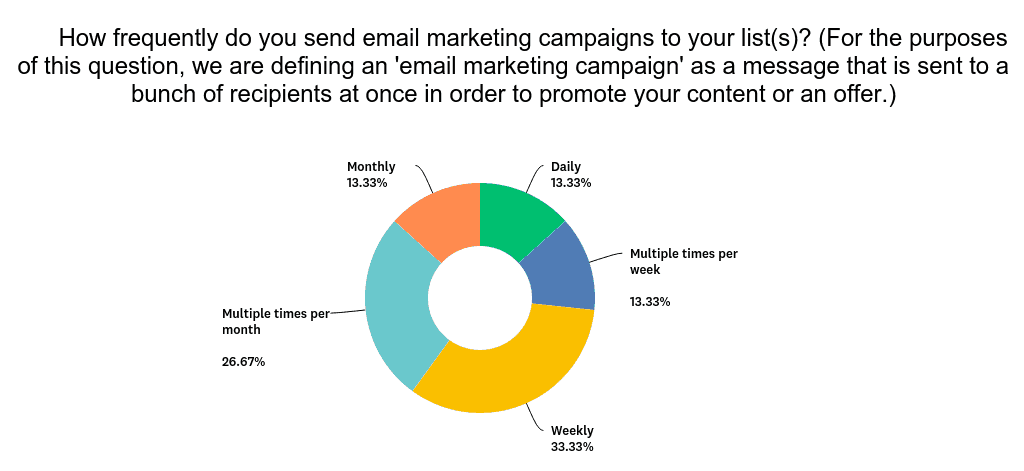
- 63% of businesses reduce the frequency of emails send to subscribers based on their levels of engagement. (Databox, 2022)
- 41.5% of brands say that email marketing is very critical to business success, compared to 78% in 2020. (Litmus, 2021)
- 77% of marketers have seen an increase in email engagement over the last 12 months. (Not Another State of Marketing, 2021)
- Globally, Fridays see the highest email open rates (nearly 19%), compared to the lowest open rates (17%) on Saturdays. (Campaign Monitor, 2021)
- 43% of marketers are changing how they measure email performance because of Apple’s Mail Privacy Protection, and 24% aren’t making any changes for now. (Litmus, 2021)
- The most significant way that email marketers adapted to recent data privacy changes was by prioritizing different KPIs. (HubSpot Blog Research, 2021)
- The most effective email subject lines engage curiosity, include promotional offers, and are personalized to each recipient’s interests. (HubSpot Blog Research, 2021)
-
QA, A/B, and spam testing your emails leads to higher ROI. Enjoy up to a 28% higher return when you put testing to work for your email program. (Litmus, 2022)
B2B Email Marketing Statistics
- 81% of B2B marketers say their most used form of content marketing is email newsletters. (Content Marketing Institute, 2020)
-
64% of B2B marketers say their email marketing strategy was effective for meeting business goals in 2021. (HubSpot Blog Research, 2021)
- 15.8% of all emails go missing or have been caught by popular spam filters. (Email Tool Tester, 2022)
- B2B marketers say that new product and feature announcement marketing emails have the highest click-through rate. (HubSpot Blog Research, 2021)
- Automation is primarily used in email marketing to send triggered emails, for drip or nurture campaigns, and segmentation. (Litmus, 2021)
Mobile Marketing Statistics
- A majority of email views come from mobile devices (41%), followed by desktop (39%). (HubSpot Blog Research, 2021)
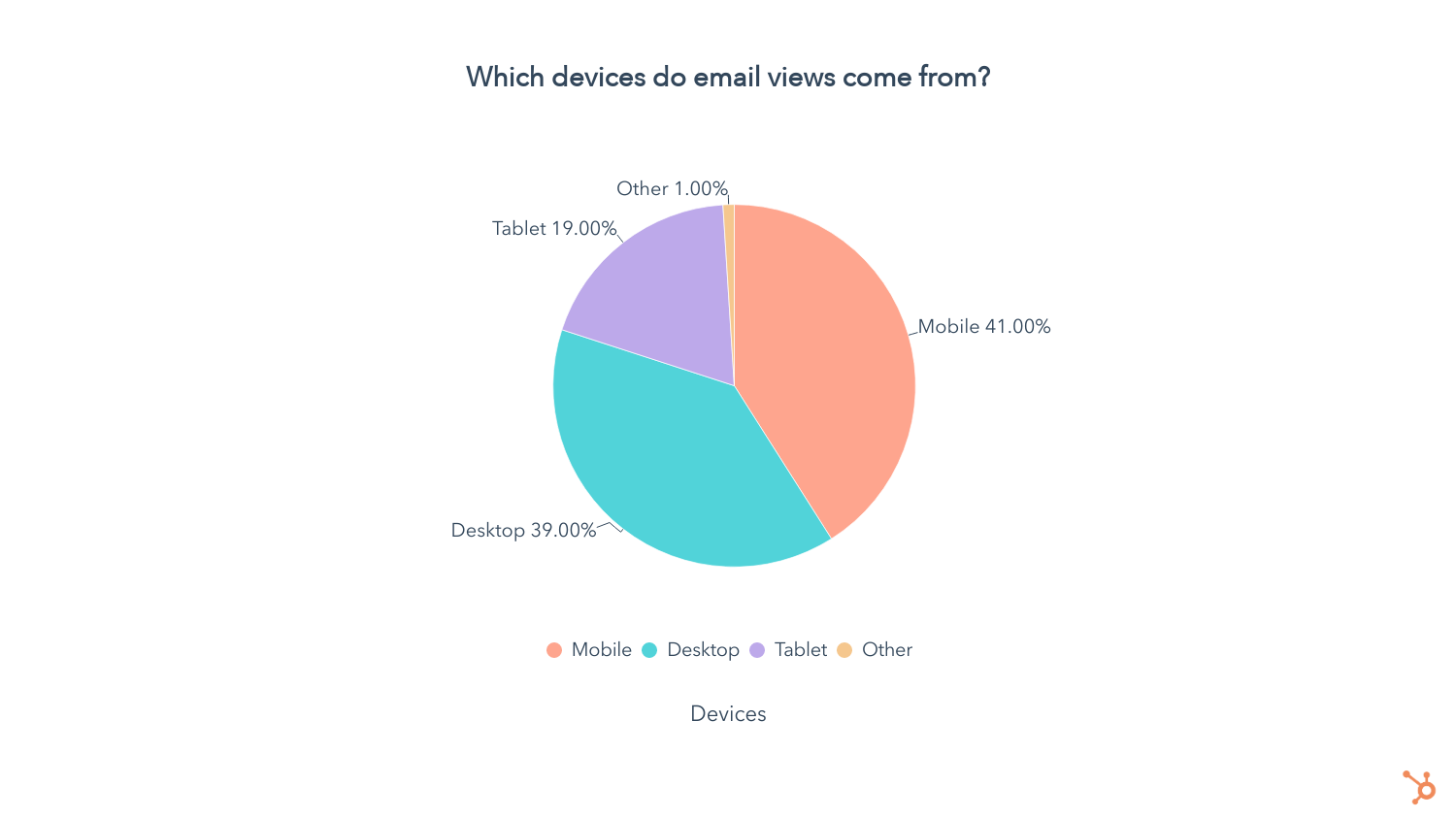
- Nearly 55% of global website traffic is generated from mobile devices, excluding tablets. (Statista, 2022)
- 46% of smartphone users prefer to receive communications from businesses via email. (Statista, 2021)
- Apple iPhone’s native email app has the highest market share, followed by Gmail. (Litmus Labs, 2022)
- Nearly 1 in 5 email campaigns is not optimized for mobile devices. (SuperOffice, 2020)
- Launching a mobile-responsive email design can increase unique mobile clicks by 15%. (MailChimp, 2021)
- 56% of marketers leverage mobile-friendly emails in their email marketing strategy. (HubSpot Blog Research, 2021)
B2C Email Marketing Statistics
- 87% of B2C marketers leverage automation as part of their email marketing strategy. (HubSpot Blog Research, 2021)
-
50% of people buy from marketing emails at least once per month. (Salecycle, 2022)
- Your audience will reward you with higher open and click rates if you don’t send more than five newsletters a week. (GetResponse, 2020)
- 60% of retail, e-commerce, and consumer goods and services companies are personalizing emails based on past purchases, versus 38% in 2019. (Litmus, 2020)
- More than 8 out of 10 people will open a welcome email, generating 4x as many opens and 10x as many clicks as other email types. (GetResponse, 2020)
- The single message autoresponder email had an astonishing 98% open rate and a 37% click-through rate. (GetResponse, 2020)
- Nearly 22% of all email campaigns are opened within the first hour of sending. (GetResponse, 2020)
- 15.8% of all emails go missing or have been caught by popular spam filters. (Email Tool Tester, 2022)
- 59% of respondents say that marketing emails have influenced their purchases. (Salecycle, 2022)
- 64% of B2C marketers consider accessibility when creating their emails. (Pathwire, 2021)
Email Marketing Demographics 2021
- 99% of email users check their inbox every day, with some checking 20 times a day. Of those people, 58% of consumers check their email first thing in the morning. (OptinMonster, 2020) 84.3% of consumers say they check their emails at least once a day. (Pathwire, 2021)
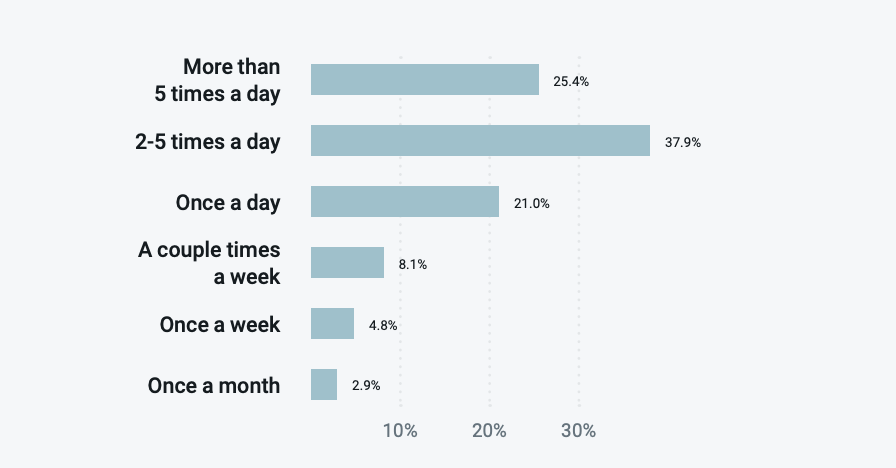
- 35% of survey respondents in the U.S. have two email addresses and 28% have over four. (Statista, 2021)
- Consumers spend an average of 10 seconds reading brand emails. (Statista, 2021)
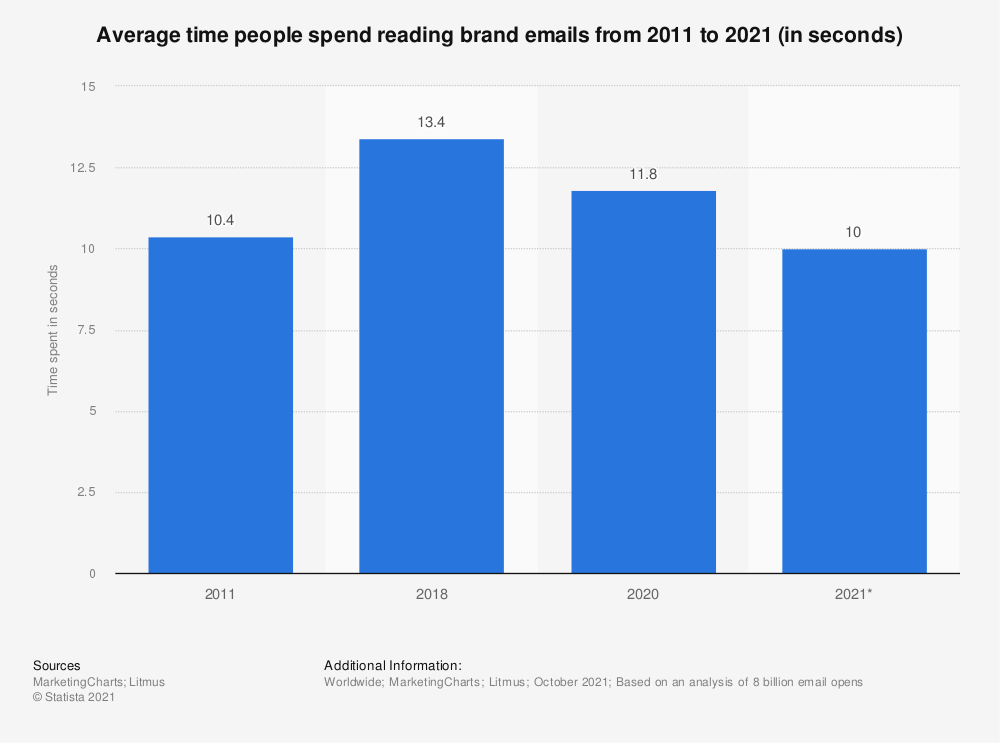
- 40% of consumers say they have at least 50 unread emails in their inbox. (HubSpot, 2020)
- Email is the leading way consumers in the U.S. discover coupons from brands. (Statista, 2021)
- Recognizing a sender is the most important factor in deciding to open an email, followed by actually having the time to read an email. (Pathwire, 2021)
- The average bounce rate across all industries is 9.96%.
(Constant Contact, 2022) - 59% of Millennials primarily use their smartphone to check email, while 67% of Generation Z scans their inbox on mobile. (Bluecore, 2021)
- 74% of Baby Boomers think email is the most personal channel to receive communications from brands, followed by 72% of Gen X, 64% of Millennials, and 60% of Gen Z. (Bluecore, 2021)
- The most significant steps marketers take to champion accessibility when creating their emails is writing short, descriptive subject lines, making links and buttons easy to see, and keeping paragraphs short and simple. (Pathwire, 2021)
Apply Your Email Knowledge
Many of the data points will help you make the case for investing more time and money into your email marketing strategy. While you can refer back to this post at any time, you can also start applying them to your next campaign.
Editor’s Note: This blog post was originally published in March 2019, but was updated for comprehensiveness and freshness.

Coming Soon: The State of Consumer Trends in 2022 & Beyond
It’s almost here…
Thanks for your interest in our upcoming Consumer Trends Report and its corresponding blog content.
if you’ve arrived on this page, we know our content so far has made you eager to see the full report. Check back on this same page on August 1, 2022, for our full report and a free PDF download.
We hope you enjoy what we’ve got in store for you!
Worried you’ll forget? Click here or below to set a Google Calendar reminder that will notify you when the report is live.
 We’ll also send this content out in our Marketing Blog Newsletters, so be sure to subscribe to the HubSpot Marketing Blog by clicking the banner below and never miss a beat!

Why Your Nonprofit Should Invest in Search Engine Optimization
Every company needs a strong marketing strategy — even nonprofits.
However, most nonprofits haven’t considered investing in search engine optimization (SEO), even though it can have one of the highest returns on investment.
SEO, specifically for nonprofits, is the process of optimizing your website to increase organic visibility when people search for topics like education, fundraising opportunities, volunteer opportunities, or other aspects that promote your mission.
Let’s dive into what SEO is, how it works, and SEO best practices for nonprofits.
What is SEO?
SEO, which stands for search engine optimization, is the process of driving users to your site from search engines organically. This means you aren’t paying for ads, using social media, or placing sponsored content to attract new users.
The goal of SEO is to help your site rank as high as possible for target keywords and phrases relevant to your website and mission.
For example, if your nonprofit is geared towards wildlife conservation, you would want to rank high organically for terms related to wildlife conservation. The higher your website or pages rank in the search engine result pages (SERPs), the more likely users will see it and click on it. Studies have shown that the higher you rank, the higher the average click-through-rate (CTR) is.
If you’d like a full rundown on SEO, take a look at The Ultimate Guide to SEO in 2022.
How does SEO work?
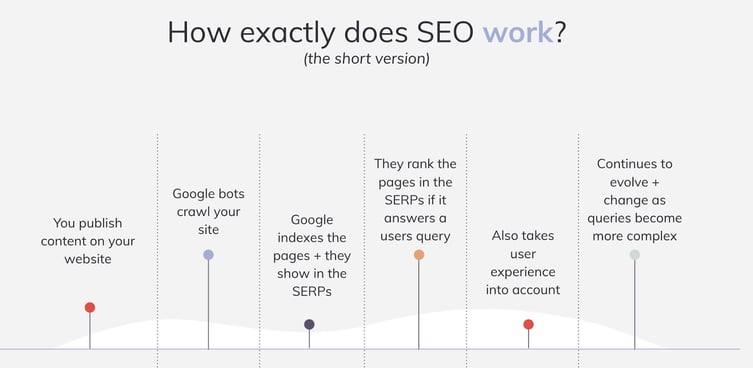
There are hundreds of factors that Google and other search engines take into account when ranking your site or content. These factors come from the three different pillars of SEO which are the following:
- Technical optimization
- On-page optimization
- Off-page optimization
Search engines are powered by people when they have a query and search for answers. Search engines use algorithms that decide what content and websites best fit the answer for the query. There are three steps that search engines take when assessing a site: crawling the site, indexing the site, and lastly, ranking the site.
Crawling, also known as the discovery stage, occurs first, then search engines decide if the pages should be indexed or shared on the search engine result pages and available for users to see and find. Lastly, the algorithm ranks the content in the search results, which is how users find your website or web page.
SEO for Nonprofits
So why should nonprofits invest in SEO? Well, SEO is just as important for nonprofits as it is for other companies. It is an affordable and effective long-term marketing strategy.
Investments you make in SEO today may take a while to pay-off, but they will continue to do so for years to come. SEO can take awhile to see the results due several factors, such as keyword difficulty, competition, domain age, and to trust of search engines and users. In general, it can take four to six months to see some movement in rankings and site health.
Increasing organic visibility of your nonprofit also increases the visibility of the mission you stand for while growing your brand awareness. Using SEO will help your pages move up in search engine rankings, creating a higher click-through-rate, more impressions, and overall, more traffic.
How to Measure SEO Success
Depending on your goals and what you want to accomplish, there may be multiple aspects you’d like to measure and evaluate for success, such as:
- Keywords
- Organic traffic
- Market share compared to competitors
- Conversions
- Backlinks
- Page rankings
Some goals for your nonprofit might include having more priority keywords move into the top 10 positions, increasing organic traffic on specific pages, or increasing organic conversions.
SEO Best Practices for Nonprofits
If you’re confused or intimidated by the idea of becoming discoverable online and creating a successful SEO strategy, we’ve got you covered.
Here are the five best SEO practices to focus on for your nonprofit this year.
1. Keyword research should create your content strategy.
It’s important to know what your prospective and ideal customers are searching for and what their journey is. Search engine rankings are determined by algorithms that use quite a few factors to decide how well a webpage answers a query.
Unfortunately, it’s not as easy as throwing keywords into your content, so here are a few things to consider.
Search Intent
A query or keyword can have multiple meanings depending on the person or where they are in the user journey. They might be looking for more information, directions, or to make a purchase or donation, and each of those actions would need a different query. It’s important to make sure that the right keyword goes with the right piece of content.
Relevant Keywords
If you’re a nonprofit that works with homeless communities, a long-tail keyword you might want to focus on could be “how to help homeless communities”. Knowing this, you can create content and resources that will drive users to your site. You should avoid keywords that don’t truly represent your brand or what you offer.
Long-tail keywords are keywords or phrases that are more specific, and usually longer than common keywords. An example of a long-tail keyword might be “light blue beach hat” and a short-tail keyword would be “hat” or “beach hat”. Shorter-tailed keywords are usually harder to rank for, but have more traffic. Longer-tailed keywords have less traffic but a higher conversion rate, which is ideal for most nonprofits.
Additional thoughts:
- It can often be easier to target long-tail keywords (a phrase vs. a one-word term), which drive more qualified traffic
- There are different keywords targeting users at each part of the sales funnel
- Keyword research takes time and evolves as well
Google offers a great free keyword research tool that can also be used for SEO. If you’re looking for a more SEO specific platform, MOZ and SEMRush are two great platforms that both offer nonprofit pricing.
2. Create high-quality content.
Content will always be one of the most important ranking factors. Not only is it essential to have SEO-optimized content, but the quality is important, as well. Google wants to ensure that you’re publishing content that follows their E-A-T standards.
The concept of E-A-T, which stands for expertise, authoritativeness, and trustworthiness, is considered an SEO best practice when creating content. These factors help Google avoid sharing and feeding inaccurate or misleading information. You can follow these factors from Google by:
- Updating old content to make sure it’s relevant
- Ensuring the content is accurate
- Allowing experts or other writers to create content for you
Along with E-A-T, make sure that your content follows the best on-page practices. This includes focusing on a primary keyword, adding metadata, using proper headings, adding alternative text (ALT text) to your image, and using internal linking, to name a few.
3. Make sure your site is mobile-friendly.
A majority of users across all industries use their phones instead of desktop computers as of 2022.
Additionally, Google crawls sites using a Google phone bot to make sure your site is mobile-friendly. This means your site is able to shrink down and fit on any screen while still allowing users to access your content as easily as on a desktop.
Mobile-friendliness is a ranking signal in both Google and Bing’s algorithms when a user is searching on a mobile device. If your website is mobile-friendly, it generally will outrank non-mobile-friendly sites.
There are several tools available to test you website’s mobile-friendliness:
Google’s results via Page Speed Insights
4. Link-building is crucial to create brand awareness.
Nonprofits can struggle with getting donations due to lack of overall brand awareness and organic visibility. Link-building relies on creating authoritative content that other sites will want to link share with and link back to. A great example of this is allowing your annual reports to be sharable for others to see.
One strategy to consider would be to reach out to partners or sponsors and see if they will link back to you on their site and in their content. This is especially important for pages you want to drive traffic to.
5. Local SEO is very relative for most nonprofits.
Local SEO is very beneficial for nonprofits because it can help bring people to a fundraising event or even attract volunteers. For example, if you search “food drive near me” on Google, local listings will pop up. This is because they have focused on a local SEO strategy by utilizing their Google Business Profile.
Google Business Profile allows you to gather reviews, add images and videos, and ensure that your information is up to date for users. You can also add FAQs with answers for users to see as well. All of this helps organizations land on the top of Google listings for this query.
Nonprofit SEO Case Study
Finally, let’s explore how two nonprofits — diaTribe and CreakyJoints — excelled using SEO.
First, diaTribe, a diabetes organization that aims at providing education and resources for those living with diabetes, leveraged an SEO strategy to reach new audiences during the pandemic.
The nonprofit focused on keywords that had low competition, and we helped the organization capitalize on highly-relevant topics based on keyword research data.
As a result, the organization hit all their website traffic and subscriber goals — helping grow their email list by 28% and their website traffic 15% year-over-year.
Next, Media Cause started working with CreakyJoints, a leading support, education, advocacy, and research organization for people living with arthritis and rheumatic disease, in August 2018 to increase organic search traffic.
By monitoring and resolving SEO-related issues, optimizing existing pages for Google search crawlers, and providing content recommendations based on keyword research, we helped CreakyJoints quadruple their monthly search traffic after just five months.
Today, CreakyJoints’ content is reaching 4x the number of people it used to. That means more people living with arthritis and chronic pain are learning how to navigate their patient journey better, including learning about the long-term effects of their medications, safe and effective ways to manage their symptoms, and how to lead healthy and empowered lives thanks to CreakyJoints.
Investing in an SEO strategy and working on it over time will pay off immensely for your nonprofit in the long run, and it’s cost-effective. While it may take up to six months, you’ll see an increase in your organic and qualified traffic that will help increase visibility for your mission and create better engagement.
By implementing the tips above or working with an agency that is dedicated to promoting your mission, you’ll convert users and help drive them to you.

6 Internet of Things Marketing Examples You Should Know About
IoT is everywhere nowadays – from the smart devices in our homes to the QR codes we see in commercials nowadays.

However, there is still so much untouched terrain with IoT marketing. Here are six IoT marketing examples to inspire you to investigate all the ways you can leverage this technology in your strategy.
How does IoT work in marketing?
The Internet of Things is the connection of everyday products like cars, alarm clocks, and lights to computing devices via the internet. It allows them to exchange data with each other, providing marketers with more context about their customers’ product usage.
This, in turn, enables marketers to deliver more relevant messages and leads to greater customer engagement.
For example, if you run out of milk or it spoils, a refrigerator connected to the internet could recognize your need and display a message on its screen or on your phone about the best milk deals in town. You could even order a carton through one of those devices if the refrigerator company partnered with a grocery store.
Since IoT technology connects the internet with objects that are ubiquitous in our daily lives, marketers in almost every industry will be able to engage consumers throughout every phase of the customer journey.
Internet of Things Marketing Examples
1. Coinbase’s Superbowl Ad
Every year, brands spend millions of dollars for a 15- to 60-second ad slot during the Superbowl.
When Coinbase, a cryptocurrency exchange platform, shared its commercial during the 2022 Superbowl, some viewers were confused while others were mesmerized.
Their one-minute ad featured a QR code bouncing around a black screen, reminescent of the “DVD” logo on older TVs – with eerie background music.
When viewers used placed their smartphone’s camera to the QR code, they were directed to the platform’s websites where they were offered $15 for signing up and downloading the app.
QR codes are considered gateways to IoT devices, and allow brands to find creative but affordable ways to market their products and services.
The commercial was so successful that the website crashed.

2. Heineken’s The Closer
In June 2022, beer company Heineken launched a campaign inspired by employees working from home following the pandemic and struggling to disconnect from work.
The company announced that on June 8, they would hold a giveaway sending consumers a Bluetooth-connected bottle opener that would shut down work apps when used.
Using IoT technology, the “Closer” would use an accelerometer to detect the opening of the bottle, communicate with the user’s device via Bluetooth, and shut down selected work apps.
In a press release, the brand’s global head of brand, Bram Westenbrink, shared that this device was created to address work-life imbalance.
“With the once-rigid boundaries between work and personal time rapidly deteriorating following the COVID-19 pandemic, we want to spark a much-needed conversation about the importance of resisting the societal pressures to be in a constant state of busy work and encourage workers around the world to reprioritize social and leisure time with the people who matter most.”
The giveaway only lasted one day and the second half of this campaign involved an online “Calendar Closer,” in which users schedule a meeting with up to three friends to receive $5 to spend on beer and an entry in another giveaway.

This multi-layered campaign shows just how creative brands can get in IoT marketing.
3. Walgreens’ IoT Ad Displays
In 2019, Walgreens started testing digital cooler doors that would target store goers with ads and partnered with brands like MillerCoors and Nestlé that were willing to test their products.

Here’s how it worked: Sensors and cameras located inside of the coolers would pair with face-detection technology to determine what to promote to shoppers, based on age, gender, weather, and more.
For instance, a young adult could be shown sodas while an older person could be shown beer. For beer company MillerCoors, this test seemed promising.
In a statement, a senior marketing manager at MillerCoors said that one of the biggest barriers they face is that shoppers don’t know they can purchase beers in drugstores. Having targeted ads like this could dramatically increase sales and provide more insight into consumer behavior.
This marketing strategy offered a unique opportunity to market to consumers right at the point of purchase, which is unheard of in an offline environment.
4. Diageo
In 2015, Diageo, a leader in the beverage alcohol industry and in IoT marketing, announced the launch of a smart bottle.
Here’s how it works: With every purchase of a Johnnie Walker Blue Label bottle, users would receive personalized messages to consumers who read the printed sensor tags using their smartphones.

The brand said the goal was to enhance the consumer experience and make it easy to send targeted and timely marketing messages.
This is a fantastic example of how to elevate the relationship with a consumer after they’ve made the purchase. Often, brands focus their resources so much on gaining customers that they don’t consider post-purchase marketing strategies.
5. Allen Solly
It’s not unusual for brands to ask customers to tweet something, but the request is not often met with much excitement or vigor unless the customer feels he’s receiving something in return.
Using IoT, connecting social media hashtags and product giveaways might be easier than ever – and a lot more fun.
Allen Solly, a clothing brand, created an interactive shirt billboard in Bangalore, India.
As users tweeted #RainingSolly, the computer linked to the billboard would choose a solenoid (the coil wound behind a shirt) to push a shirt off the billboard for a random consumer to win.
Allen Solly found a unique way to encourage consumers to share their brand on social media, while enabling people to engage as a community in person, as well.
6. Nivea
Print advertisements and IoT technology probably feel like two different ends of the marketing spectrum – the past, and the future. But they might not be.
Nivea Sun Kids created a campaign that combines both, by offering bracelet strips in a Brazil magazine print advertisement that parents could peel off and put on their children’s wrists.
The bracelets had built-in locators, which, when paired with Nivea’s mobile app, allowed parents to set a maximum distance their children could wander. If the child wandered beyond the maximum distance, the app notified the parent. The radar also showed if the child was moving closer or further away.
Nivea’s creative campaign likely encouraged word-of-mouth advertising between parents in Brazil, and it also showcased the brand as being thoughtful and innovative.
We’ve only scratched the surface when it comes to IoT marketing. While some tactics require more resources than others, there are a lot of affordable and creative methods brands can use to incorporate IoT into their marketing strategy.
Editor’s Note: This post was originally published in July 2018 and has been updated for comprehensiveness.