
Welcome to My Blog
22 Questions To Ask Hiring Managers (and HR) in a Job Interview
“Do you have any questions for me?” We’ve all been on the receiving end of that question in an interview.
Ask the right ones and you’ll make a strong impression. Otherwise, you risk blending in with the other applicants.
Discover some valuable questions that will make hiring managers’ and HR professionals’ ears perk up. Try them at your next interview and see how the conversation shifts in your favor.
Questions to Ask the Hiring Manager During Job Interviews
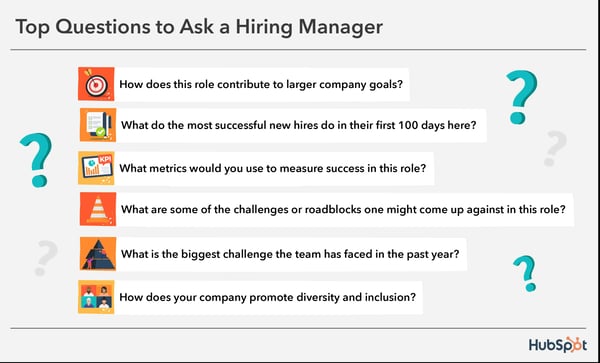
1. How does this role contribute to larger company goals?
It’s not terribly difficult to find a candidate who can execute in a role. It is, however, terribly difficult to find a candidate who can also understand how it fits into larger goals.
This includes being able to self-manage, prioritize high-value activities, and grow their role in a direction that aligns with the company’s growth.
How It Helps You
This information can be hard to come by if your company isn’t very communicative or transparent, so this is a good chance to get that information to use it to guide your decisions if you land the role.
2. What do the most successful new hires do in their first month here?
This question shows that you’re the type of person who likes to hit the ground running.
It also shows that you recognize patterns of success and want to replicate only the most effective performers.
How It Helps You
Every company has its weird nuances, its own environment, and its own unspoken expectations. This helps you start with a little bit of the insider info so you don’t suffer a case of “if I knew then what I knew now” in six months.
3. What metrics would you use to measure success in this role?
Asking a question like this shows that you’re goal-oriented and aren’t afraid to be held accountable for those goals. You don’t avoid accountability, you welcome it.
How It Helps You
It’s shocking how many people don’t actually know what they want from their employees beyond a vague idea of some work that needs to get done.
Asking this question will force a hiring manager to figure it out – and then can communicate it to you, so you can execute on it.
4. What are some of the challenges or roadblocks I might come up against in this role?
A question like this indicates that you’re already envisioning yourself in the role and thinking through a plan of attack, should you land the gig.
It’s also a sign that you’re well aware that no job comes free of roadblocks. It signals that not only are you not afraid to deal with those challenges, but you’re also prepared for them.
How It Helps You
The response you receive should help you better understand some of the less-than-ideal aspects of the job – bureaucratic processes, internal politics, and so on.
You can use that information to decide if you’re up for the challenge.
5. What is the biggest challenge the team has faced in the past year?
While the interviewer might be trying to paint a pretty perfect picture of what working on the team might look like, asking this question will help you uncover some of the realities the team has been facing recently.
If you end up joining, you’ll inevitably hear about these challenges – and you may have to help solve them, too.
How It Helps You
It really helps to know what challenges you could find yourself or your team up against ahead of time. In some cases, it could affect whether you accept the role.
Learning about these challenges could give you some great insights into the steps the team has taken to overcome these challenges already.
6. Why did you decide to work at this company?
This question gives an interviewer a chance to do two self-serving things: talk about themselves and perform a no-holds-barred sales pitch on the company.
For promising candidates, the sales opportunity is welcomed. And most people love any excuse to talk about themselves.
How It Helps You
This gives you insight into what motivates your future colleague or manager, as well as what the company offers its employees. If those all line up with what you’re looking for in a job, you’ve got yourself a good fit.
7. What keeps you motivated?
If your interviewer has been at the company for a while, understanding why could give you some really interesting insight into the company and its relationship with its employees.
How It Helps You
Depending on the interviewer’s answer, you might learn something about the company’s career training, leadership opportunities, workplace flexibility, internal job opportunities, and more.
You might dig a little deeper by following up with related questions, like, “What do you enjoy most about working here?”
8. Do you host any events with the team outside of work?
Does everyone keep their head down and do their own thing? Or does everyone enjoy each other’s company? This interview question serves as a great way to find out a little bit about the company culture.
Ideally, there’s a good balance of work and life and the company creates opportunities for those to blend.
How It Helps You
Along with learning about company culture, this is a more lighthearted question that might relax a stiffened atmosphere or lead to a conversation about shared interests.
9. What is your company’s customer or client service philosophy?
This is an impressive question because it shows that you can make the connection between how the company thinks about its customers and the end result.
In other words, how the customer is treated on a day-to-day basis, and in turn, how that shows up in the product.
How It Helps You
While you might be able to find a canned response to this question on the company’s website, it’ll be useful – and possibly eye-opening – for you to hear it more candidly from an employee.
10. What are some of the less tangible traits of successful people on this team?
Ever work with people who just get it? That’s who hiring managers are looking for.
This question demonstrates that you understand a job is about more than just going through the motions. Successful people have a specific frame of mind, approach, attitude, work ethic, communication style, and so on – and you want to know what that mix looks like at this company.
How It Helps You
Because these characteristics are often hard to pin down, this question forces a hiring manager to articulate that “it” factor they’re really looking for – even if it wasn’t written in the job description.
11. What behaviors do the most successful members of the team exhibit?
Asking a question like this shows you’re interested in getting a practical example of what success looks like to the manager of the team you’d be joining.
Plus, when you phrase the question in this way, “you leave no room for a hypothetical answer,” says Dave Fernandez, a former recruiting team lead at HubSpot. Instead, you’re pushing the hiring manager to think about their top performer.
How It Helps You
Because this question forces an example, the answer to this question will give you a strong idea of what success actually looks like. That way, you’ll learn what it takes to impress your colleagues and be a star candidate.
12. What behaviors do the people who struggle most on the team exhibit?
Follow up question #9 with this question, and you’ll show the hiring manager that you’re really trying to get a concrete idea of what to do and what not to do as an employee on the specific team you’re applying to join, says Fernandez.
While this question can make a manager uncomfortable, it’s impressive because it shows that you’re not afraid to ask tough questions.
How It Helps You
First, you’ll get an idea of what poor performance looks like, which will help you set expectations for the position.
Second, you’ll learn how the hiring manager handles a tough question like this – which can teach you something about how office politics are handled in general.
13. How do you deliver negative feedback?
If you would be working with the person interviewing you, this is another tough question that can give you some insight into how the team works.
It pushes the hiring manager to think about how they would handle an uneasy situation, while at the same time highlighting your self-awareness.
How It Helps You
Everything gives and receives feedback differently. Does this person tailor their feedback approach depending on whom they’re giving it to? Do they make feedback a two-way street?
Their feedback style – especially when it comes to negative feedback – will help you understand how well you would be able to work with them.
14. Do you have any questions or concerns about my qualifications?
This question shows that you’re not afraid of critical feedback – in fact, you welcome it.
Interviewers tend to make note of red flags to discuss with a colleague following the interview, whether it be something on your resume or something you said
. This question gives them the green light to ask about any of the things that are holding them back from being 100% on board with hiring you.
How It Helps You
You get a chance to address concerns face-to-face without being too confrontational. This could be the difference between an offer and a rejection – or maybe even a higher opening offer.
Before you meet the person you’d be working for, you’ll likely meet a member of HR via a phone screening.
Although this initial phone call is a standard first step for most organizations today, it’s also an opportunity for HR to take notes on you as a candidate and relay those notes to the hiring manager.
Make a good impression on HR – it matters more than you think.
Here are some appropriate questions to ask at this initial stage of the recruitment process so you can put your best foot forward.
1. What do you like most about working here?
This question can be a breath of fresh air to HR reps who primarily answer questions about benefits (which are valuable questions).
Asking an HR employee what they like about the company tells them you care about the company’s culture and that you care about the opinion of someone whom you might not work with directly.
In other words, talking to people like people is always a good idea.
2. How has this position changed over time?
It’s easy to forget that someone might have once held the position you’re applying for – or, more importantly, that the role might have evolved since it came on your radar.
Don’t be afraid to ask HR what this job looked like before you were interested in it. This can include what the responsibilities looked like, how many other people currently hold this position at the company, and even where HR thinks it’s going in the future.
Getting HR’s perspective on the history of your potential role can give you unbiased insight into your department, and let HR know that you’re interested in your future at the company – not just your present.
3. What does this team’s role hierarchy look like? How does this position fit into it?
This is another big-picture question that HR should be equipped and eager to answer for you.
You might not want to bluntly ask “who would I report to?” It can show resistance or insecurity before you ever set foot in the role. But, it’s still something you might want to know.
4. How does the company promote diversity and inclusion?
Every company should always be working toward building a diverse and inclusive work environment. If they don’t, that’s something you should know ahead of time.
Asking this question will tell you which initiatives or programs the company is involved in and what active measures they’re taking toward this mission.
5. What are you most excited about in this company’s future?
Want to inject a little positivity into your phone call with HR? Ask them what has them pumped up right now.
What motivates them to get up in the morning? Put yourself in HR’s shoes: Wouldn’t you love to answer this question, especially if you love the company you work for?
Asking the HR rep what they’re most excited about shows them that you, too, thrive on enthusiasm. It also brings the best out in your interviewer – a good headspace for HR to be in as they hand you off to the hiring manager.
6. What is something the company is still working on getting right?
As a flip-side to the question above, also consider asking HR what they think the company’s greatest challenge is right now.
While other candidates might be skittish around a business’s weaknesses, this question shows HR you’re willing to accept the current negatives and join them in righting the ship.
Note the phrasing of this question, too. By asking HR this question precisely this way, you put focus on the positive and show the company that you have natural optimism (a desired trait in future leaders, just so you know).
7. Is there a dress code I should abide by?
Dress code can be a touchy subject in interviews – you don’t want to reveal that you have deal-breakers so early into a hiring process. But, it is an important aspect of the job for many professionals.
If you want to get an idea of the company’s dress code without suggesting it’s a big deal to you, simply ask HR what you’re expected to wear on your first day. It’s a harmless question that gives you the information you need at the same time.
8. Is there anything about my application that makes you doubt my qualifications right now?
Cap off your phone screening with this confidence play. Asking HR what they’re skeptical about with respect to your application can show them you welcome feedback and you can take criticism. It also helps you better prepare for your next interview.
Editor’s Note: This post was originally published in Nov. 2018 and has been updated for comprehensiveness.

How Instagram’s New Nudge Feature for Teens Could Impact Marketers or Creators
Instagram is an incredibly popular social media app for teens — in fact, roughly 41% of U.S. teens use Instagram as of January 2021.
But the app can be a tricky platform for teens since it inherently fosters social comparison. In fact, Meta reports one in three teen girls say Instagram makes their body image worse.
Additionally, teens who are unsatisfied with their lives are more negatively impacted by Instagram.
Fortunately, Instagram’s team aims to change that, in part with a new nudge feature. Let’s dive into what this new feature does, and what it could mean for marketers.
![New Data: Instagram Engagement Report [2022 Version]](https://no-cache.hubspot.com/cta/default/53/9294dd33-9827-4b39-8fc2-b7fbece7fdb9.png)
How Instagram’s New Nudge Feature Works
Research has found social media digital nudges can help people become more reflective of their social media usage, potentially decrease their time on the apps, and make their overall experience more pleasant.
One study found 58% of respondents say nudges make their social media experience better by helping them become more mindful of their time on platforms like Instagram.
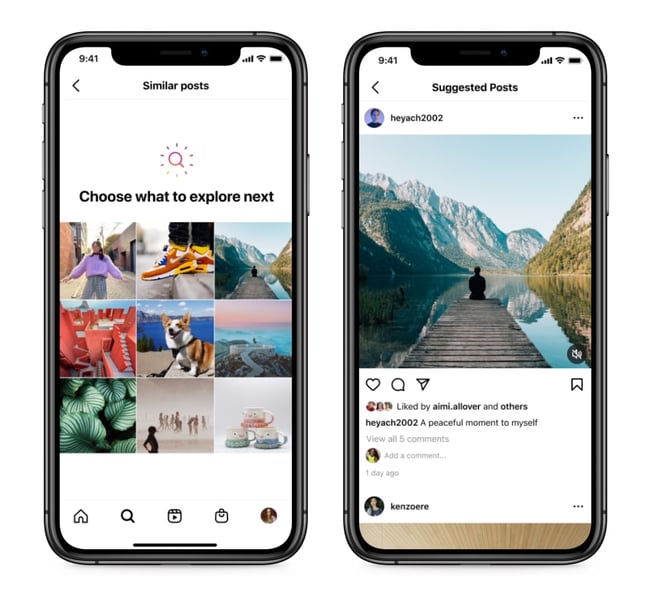
Instagram’s new nudge feature for teens aims to leverage this powerful research by making it more difficult for teens to dive too deeply into certain potentially unhealthy topics — like teen girls consistently comparing themselves to the same three influencers.
If a teen spends too long on Instagram’s Explore page perusing posts with a particular theme, the platform will display a notification with suggestions for other types of posts. This works in two ways:
- Helps teens discover new topics beyond their current interests
- Encourages teens to pause and assess whether they want to continue looking at the type of content they’re currently seeking out
As Instagram puts it, “This nudge is designed to encourage teens to discover something new and excludes certain topics that may be associated with appearance comparison.”
Instagram has taken other steps to encourage positive teen behavior when it comes to their platform, including the launch of another feature, Take A Break, which is a reminder that pops up after a teen has spent a considerable amount of time on the platform, as well as tips for what they can do instead.
The nudge feature is a positive step in the right direction for reducing the time teens spend perusing unhelpful content, and reminding teens to stay mindful of what they consume on the app.
It’s important to note, the feature works no matter what type of content teens are scrolling. As Instagram spokesperson Liza Crenshaw explained to The Verge, “The notification shows up after scrolling on any topic for a number of consecutive posts. But, what we include in the recommendations of what to switch to excludes content that may be associated with appearance comparison.”
If you’re a content creator or marketer whose target audience includes teens, then this could impact how much time teens spend on your posts — but the more you aim to create healthy, uplifting content for teens, the more likely teens are to mindfully return to your content.
Consider, for instance, @laurajaneillustrations, an Instagram account filled with “content to make you feel GOOD about yourself”, like the one below:
There are plenty of influencers, non-profits, and brands that create inspiring, positive, helpful content, and these are the brands that will be best-suited for these digital nudges. Dosomething.org, for instance, has an Instagram account filled with inspiring content on how young people across the world can make a social impact.
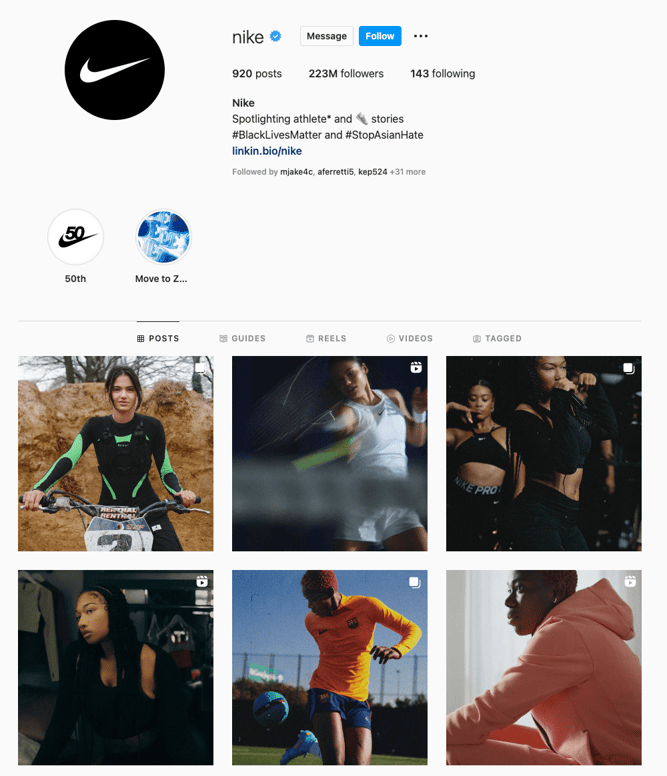
Nike is another brand that focuses on powerful, uplifting messages on Instagram, and regularly showcases a diverse range of athletes on the company’s profile.
Instagram aims to support young creators in this venture by creating an Expert Steering Committee, which will be a panel made up of child psychology and digital literacy experts who will provide evidence-based ways for creators to use language that supports teen’s emotional well-being and self image.
More likely than not, your business won’t be too impacted by this new feature. The nudge feature will focus on reminding teens to look elsewhere when they’ve spent exuberant amounts of time on one type of content. It’s a healthy step towards reducing the time some teens might spend on appearance-based content.
Ultimately, if your brand focuses on creating positive, diverse content for your audience, then you shouldn’t be too affected by the nudge feature.


Top 5 Video Marketing Challenges in 2022 [New Data]
Video marketers report that it offers the highest ROI of any media format, but those who use it still face challenges with the strategy.
The HubSpot Blog Video Marketing Report surveyed 500+ video marketers and asked them about their top challenges, and we’ve compiled them in this post. Read on to learn what marketers are dealing with and how to overcome them in your strategy.
![→ Access Now: Video Marketing Starter Pack [Free Kit]](https://no-cache.hubspot.com/cta/default/53/8f27c677-d952-4663-8787-bf65c6a1ecf2.png)
Top Video Marketing Challenges in 2022
The top five video marketing challenges are:
- Lack of time to create video content.
- Difficulty creating an effective video strategy.
- Inadequate budget to create video content.
- Difficulty with the video creation process (producing, filming, editing videos).
- Lack of content ideas.
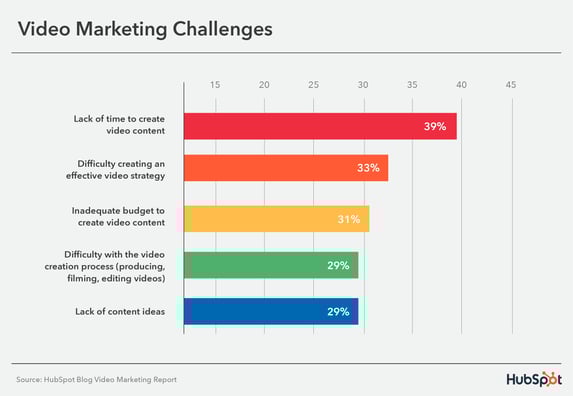 Let’s go more in-depth into each of these challenges and how you can address them if you also struggle with them.
1. Lack of time to create video content.
Marketers wear many hats and create multiple different types of content on multiple channels, so it makes sense that finding the time to balance everything can be a challenge.
As a result, it’s no surprise that lacking time to create video content is the top reported challenge for video marketers. When it comes to a lack of time, they also note that the most consuming part is pre-production, which involves coming up with ideas, writing a transcript, casting, etc.
One of the best ways to remedy a lack of time to create video content is to have an effective video strategy.
2. Difficulty creating an effective video strategy.
A video strategy can be crucial to success for video marketers. Still, those who already leverage the format say that it is the second most challenging part of video marketing.
If you’re hoping to overcome this challenge, the process for creating a video marketing strategy is similar to all others: identify your target audience, align with relevant stakeholders, create timelines and budgets, choose distribution channels, develop messaging, and decide on how you’ll track success.
Marketers say that some additional factors to consider when creating your strategy are:
- How you’ll effectively promote your video content.
- How you’ll capture attention in the first few seconds.
- How you’ll keep your videos short and concise.
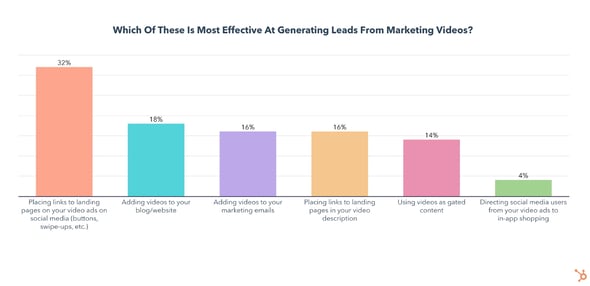
3. Inadequate budget to create video content.
A video marketing budget accounts for everything that goes into the video creation process, from storyboarding to promoting your videos to get a high ROI.
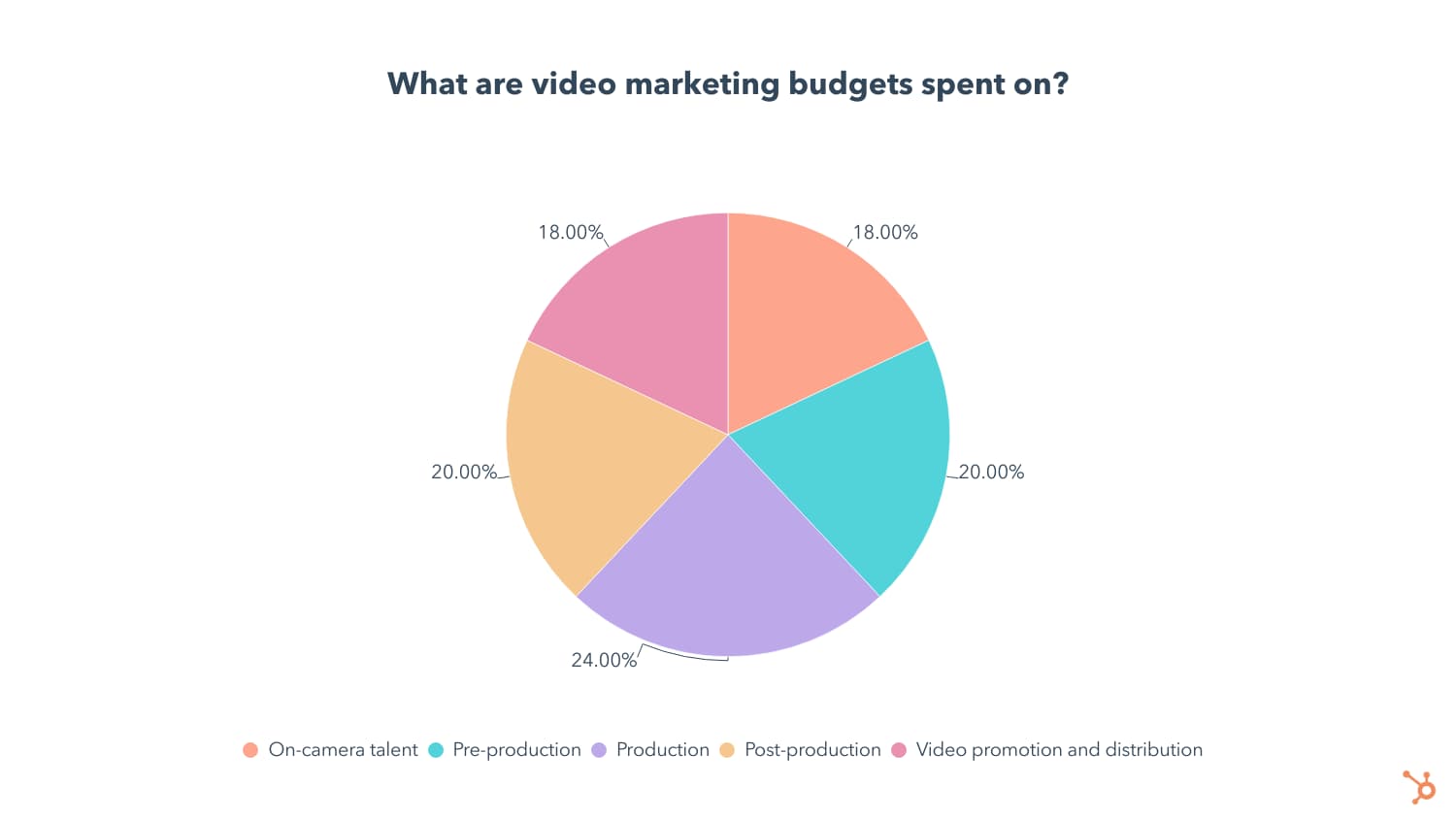
If you’re having trouble coming up with a budget, here is how marketers often break down theirs:
- 24% is dedicated to production,
- 20% is dedicated to pre-production,
- 20% is dedicated to post-production.
4. Difficulty with the video creation process (producing, filming, editing videos).
Our survey found the following tips from marketers when it comes to the video creation process:
- Investing in your own video equipment is worthwhile in the long run, as 62% of marketers who own equipment describe the creation process as “easy.”
- The most popular video editing software is Adobe Premiere Pro.
- 44% of marketers use an iPhone as their primary camera for video content.
Some other ways to make the video creation process run more smoothly are to create a script and prepare your shot list, organize your studio ahead of time to ensure you have everything you need, and prep talent by giving them the script ahead of time.
5. Lack of content ideas.
29% of marketers say that a lack of content ideas is a significant marketing challenge. Here are some high-quality and effective content ideas if you’re struggling with the same issue:
- Content showcasing products or services has the highest ROI, according to marketers who use it.
- Content showcasing your brand’s values is the second most leveraged type of content and the second most effective at generating leads and engagement.
- Trendy content related to cultural moments and news stories gets significant engagement.
- Relatable content is on the rise for the newest investments in 2022.
Consumers like watching videos, so meet them where they already are.
Consumers’ habits clearly show that video is a top-consumed and enjoyed media format. As a result, overcoming the common video marketing challenges will help you meet audience demand, generate engagement, and leave a lasting impression.

YouTube vs. TikTok: Which Is Better for Your Business in 2022?
Short-form video is dominating the social media landscape — and many marketers want to get a piece of the action. But this leaves one important question: which video-sharing platform is worth your time, effort, and money — YouTube or TikTok?
While YouTube is the more mature platform, it’s hard to ignore the buzz around TikTok. In order to make the right decision, it’s essential to understand their unique audiences, marketing opportunities, and algorithms.
![Download Now: Social Media Trends in 2022 [Free Report]](https://no-cache.hubspot.com/cta/default/53/3dc1dfd9-2cb4-4498-8c57-19dbb5671820.png)
Let’s take a closer look at the key differences between YouTube and TikTok — and how to choose the right platform for your business.
YouTube vs. TikTok: A Head-to-Head Comparison
1. Demographics.
YouTube
With a global user base of more than 2 billion people, it’s safe to assume that your target audience is on YouTube. Let’s take a closer look at its user base.
YouTube holds sway with both men and women, almost in equal measure. Male users account for 53% of its population, while female users account for 46%.
The platform is also popular across different age groups. Outside of China, 77% of Gen Z, 75% of millennials, and 44% of Baby Boomers visit YouTube daily. Specifically, the 18-25 year age group commands the largest visitor base.
YouTube attracts a global audience, with more than 95% of the internet population using it. That said, India accounts for the largest audience size, followed by the United States and Indonesia.
TikTok
TikTok is known as the platform for Gen-Z — and the stats confirm it. Over half of Gen-Z consumers are on TikTok, and 46% of 13-19-year-olds say they use the platform daily.
However, TikTok is also picking up steam with other age groups. In 2021, 36% of TikTok users were between 35 and 54 years old, a 10% increase from the year before.
Unlike Youtube, TikTok’s user base skews primarily female (57% worldwide). That figure jumps to 61% for TikTok users in the US. While TikTok’s user base is increasingly diverse, there’s no denying its popularity among younger female audiences.
TikTok is a global platform available in 154 countries worldwide and in 75 different languages. The United States accounts for the largest user base (120 million users), followed by Indonesia, Brazil, and Russia.
2. Popularity.
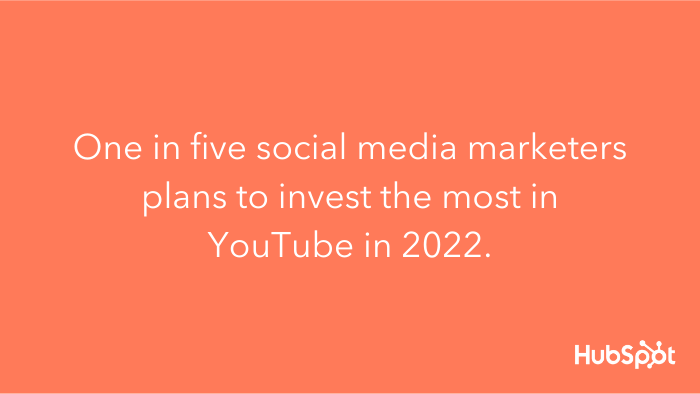
There’s no real competition here (yet). YouTube commands an audience of over two billion monthly users — almost half of the entire internet-using population. It’s no surprise that one in five social media marketers plans to invest the most in YouTube this year, according to a recent HubSpot Blog’s report.
 However, TikTok is a relatively new platform with stellar growth year-over-year. TikTok was the most downloaded app in 2019 and 2020, racking up over three billion downloads so far. It also boasts 1.2 billion monthly users, which experts predict will reach 1.5 billion by the end of 2022 — keeping YouTube on its toes.
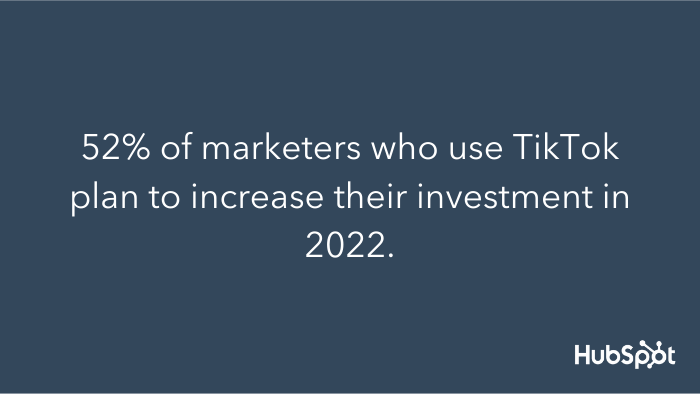
Additionally, while TikTok doesn’t bring in the same monthly users, it certainly wins at engagement. In fact, TikTok is the most engaging of all social media apps, with an average user session of 10.85 minutes. As a result, 52% of marketers who use TikTok plan to increase their investment in 2022.
 3. Content Format and Length
YouTube
Unlike other social media platforms, YouTube has become the unofficial home for long-form content. For instance, you’ve likely stumbled upon a 30-minute workout video or even a 2-hour podcast on YouTube.
However, it’s impossible to deny the popularity of short-form video content. In fact, 31% of marketers are currently leveraging short-form video, and 29% plan to leverage it for the first time this year.
 In response, YouTube launched Shorts — enabling users to create 15-second videos with musical overlays. This also allows video marketers to play with different content types on the same platform.
TikTok
To put it plainly, TikTok is a short-form powerhouse. In fact, the app has become synonymous with fun, “snackable” content that attracts Gen-Z and millennial audiences.
Why does this matter? Short-form video is the most popular and effective social media format in 2022. So much so that 50% of social media marketers plan to leverage short-form video for the first time this year, and 95% of those who already use it will increase or maintain their investment.
Initially, TikTok videos could only be 15-seconds long. However, the app has extended the limit to 60 seconds. For marketers, this means more wiggle room to play around with video concepts. However, this only applies to videos recorded natively on the app.
4. Ad Formats
YouTube
YouTube ads are powered by Google. You have several ad formats to choose from, including:
- Discover ads — ads that appear on the YouTube homepage or search results pages.
- TrueView ads — also known as skippable ads, these are ads that play before a video.
- Non-skippable ads — ads that appear before, in the middle, or after a video.
- Bumper ads — 6-second ads that play before a video.
- Overlay ads — banner ads that appear at the bottom of a video.
YouTube offers a lot of flexibility for marketers to experiment with different ad formats. For example, you can opt for a quick, 6-second ad at the beginning of a video or a 30-second non-skippable ad in the middle of a video.
TikTok
Despite its “newness,” TikTok has become a viable option for brands willing to get creative with their digital marketing. So much so, it launched TikTok for Business in 2021, allowing marketers to create and manage ad campaigns on the platform.
Additionally, there are different ways to advertise on the platform, including:
- TopView — ads that appear at the top of their feed immediately after opening the app.
- In-Feed Ads — ads that appear on a user’s discovery page.
- Branded Hashtags — a hashtag that businesses promote in hopes of inspiring TikTokers to create content around it.
- Brand Takeovers — an ad format that can include TopView, In-Feed, and Branded Hashtags all at once. They can also be videos, gifs, or still images.
As we’ll discuss later, each ad format on TikTok has a different price tag — so even if you have a smaller budget, you can play your cards right with a solid strategy.
5. Ad Costs
YouTube
YouTube follows a cost-per-view pricing model. Each view can cost between $0.10 and $0.30, depending on your industry and target keywords. You only pay when a user takes action — such as watching the entirety of your ad or clicking on a call-to-action.
You can spend as little or as much as you want. However, most businesses invest $10 or more a day to run an advertising campaign on YouTube. If you set a daily budget, Google will only charge you up until that amount, making YouTube ads a relatively safe investment.
TikTok
If you decide to advertise on TikTok, you can select a daily or lifetime budget that can be adjusted at any point during your campaign. However, at the campaign level, you must have a minimum daily and total budget of $50. For an ad group level, your budget must exceed $20 daily.
It’s also important to note that TikTok doesn’t use cost-per-click as a metric. Instead, it uses cost-per-mille (CPM), which means cost per 1000 views. TikTok ads start at $10 per CPM, so it’s possible to make an impact at a relatively low cost.
Which platform is right for your business?
One final question remains — which platform is better for my business? Ultimately, the answer hinges on several factors.
First, who is your target audience? As you can see, both YouTube and TikTok boast diverse audiences, but TikTok commands a younger, predominantly female audience. YouTube, on the other hand, is popular across multiple age groups. To state the obvious, you should prioritize the platform that will reach your audience.
Second, what type of content do you want to make? Does it lend itself more to lighthearted, snappy videos or longer, more in-depth ones? Is 15 seconds long enough to convey your message, or do you need more time?
Lastly, it’s important to consider your budget. YouTube offers more flexibility in choosing a daily budget. And, since it follows a cost-per-view pricing model, you only pay when a user takes action. To run a campaign on TikTok, you must commit to a daily budget of $50, which quickly adds up.
With these questions in mind, you have a better idea of which platform is right for your business. But remember, marketing is all about experimentation. You don’t need to commit to one platform right away — in fact, it may be useful to run side experiments on both to see what results you get.


Best TikTok Hashtags in 2022 [Ultimate Guide]
Creating a TikTok is half the battle — now you need the right people to watch it. But with over 1 billion monthly users on the platform, it’s easy to get lost in the crowd.
Enter your secret weapon — the hashtag. While many marketers approach hashtags as an after-thought, they’re a powerhouse for engagement, visibility, and discoverability. Even if you aren’t running a full-scale hashtag campaign, they should be a part of your overall TikTok strategy.
![Free Ebook: The Marketer's Guide to TikTok for Business [Download Now]](https://no-cache.hubspot.com/cta/default/53/2c7242e4-ad54-4f63-8627-a15aa6a2ea50.png)
Here, we’ll explore the benefits of using TikTok hashtags, discuss best practices for using them, and uncover what types of hashtags are most popular on the platform.
What are TikTok hashtags?
Like Instagram and Twitter, TikTok uses hashtags to group content around a particular topic, making it easy for people to find videos that interest them.
The hashtag “formula” includes a hash sign (#), followed by a topic (e.g., crafts, travel, fashion, sports, etc.). The best hashtags tend to be relatively short, concise, and easy to remember.
Brands can use hashtags to build brand awareness, increase social engagement, and drive conversions. To go a step further, they can also sponsor a hashtag — known as a branded hashtag — to encourage TikTokers to create content around it. The most popular branded hashtags have amassed millions of views and thousands of response videos.
Next, let’s dive deeper into the importance of TikTok hashtags — and cover best practices for using them.
Why are TikTok hashtags so important?
Hashtags have the power to expand your reach beyond your current audience. Let’s dive deeper into their benefits:
1. Provide context.
For one, hashtags provide a layer of context for your TikTok videos. For instance, if you upload a video of you playing a video game, you could include the hashtag #gaming. Then, the TikTok algorithm decides who would be most interested in seeing your video on their feed.
2. Discoverability and engagement.
Hashtags categorize videos under certain topics — like #gaming — so users can easily find content they’re interested in. As a result, your content has more chances to be discovered, even if someone doesn’t follow your brand.
With more eyes on your content, you have a higher chance of engagement. After all, users can only “like” and comment on videos that appear in front of them. So, more reach typically translates to higher engagement.
3. Building community.
Hashtags are a great tool for building community. For instance, branded hashtags are an effective way to encourage users to engage with your brand and create videos around a sponsored hashtag.
For example, when Nissan Australia wanted to promote its new sports car, the JUKE, they turned to TikTok. They created a branded hashtag — #improvisewithJUKE — and challenged users to make their own car commercial voiceover, with the winner receiving a feature in a future JUKE commercial.
The results? 129.4 million video views globally and over 34,000 video submissions, leading to a 92% lift in brand awareness for the JUKE.
How to Use Hashtags on TikTok
Hashtags on TikTok work just like they do on Instagram and other social platforms. When you upload a video, you have the option to write a caption — and this is where you want to include your hashtags. While this sounds simple, here are a few best practices to keep in mind:
1. Find the best hashtags for your content.
It’s essential to research hashtags relevant to your brand, your industry, and your audience. One way to do this is by checking out your competition because there’s likely an audience overlap. Observe what hashtags they use and note which ones get the most views and engagement.
You can also find inspiration on the app’s Discover page. Here, you can browse through trending hashtags and sounds. Discover also showcases popular videos that use these hashtags to help you find inspiration.
2. Combine niche hashtags with popular ones.
This might sound counterintuitive, but only targeting popular hashtags can be ineffective. While they have a larger audience, they’re also highly competitive. Instead, it’s better to have a mixture of both niche and popular hashtags.
Niche hashtags have fewer people searching for them, but those who do are highly engaged and interested. For instance, #food is a popular TikTok hashtag with millions of impressions, but #cakedecorating is more niche with a fraction of the audience. By incorporating both, you tap into two different audiences.
3. Stay mindful of the character limit.
TikTok limits captions to 300 characters. While you could squeeze as many hashtags as possible into your caption, a long string of hashtags can confuse your audience — and this does a poor job of explaining your video. Instead, experts suggest 3 to 5 hashtags as the optimal number.
Popular TikTok Hashtags
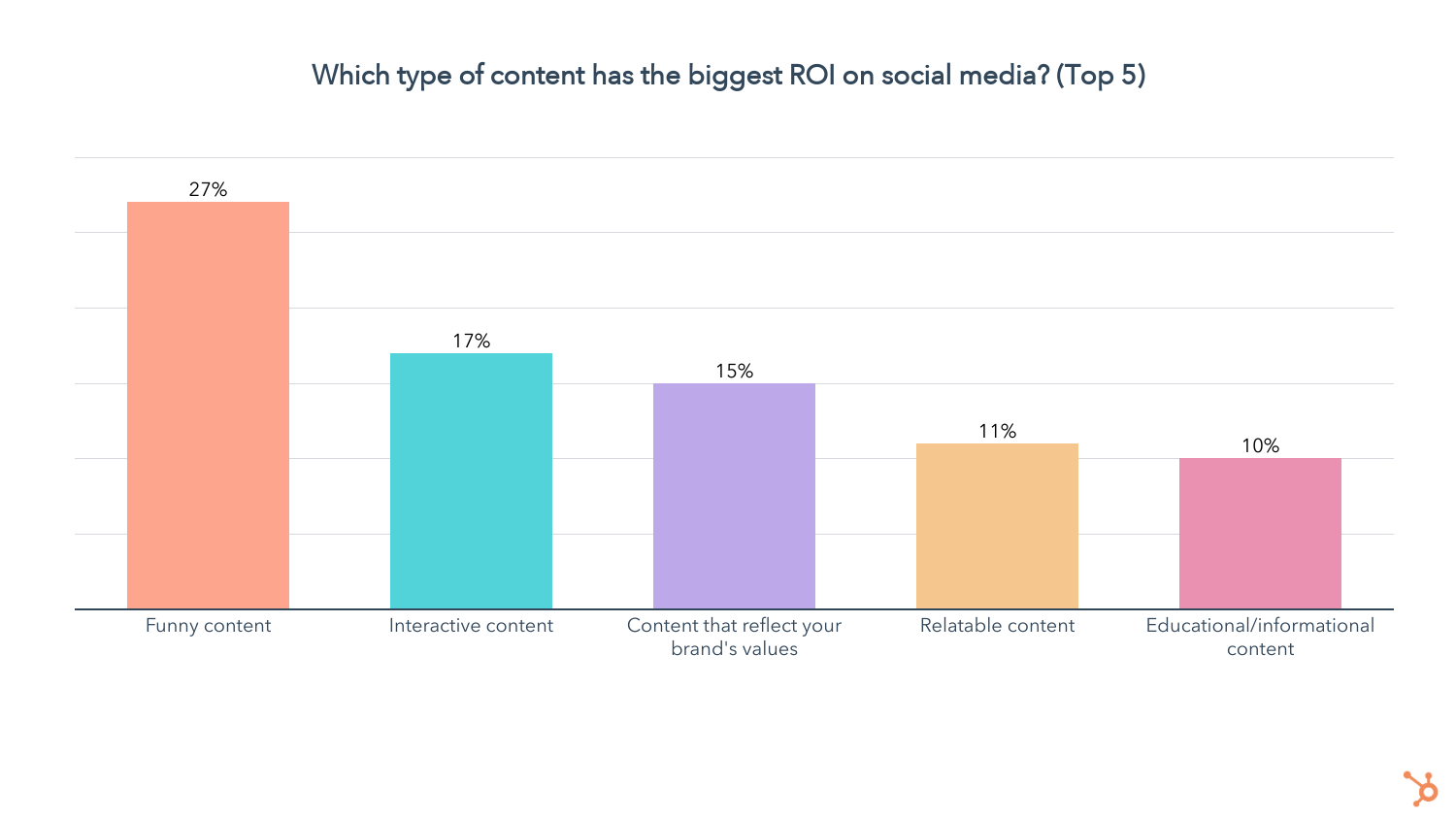
According to a recent Statista report, TikTok sees the most hashtag views from entertainment content (535 billion views, to be exact). This aligns with another study by HubSpot that reports funny and entertaining content has the highest engagement and ROI than any other content type.
The second most popular category on TikTok is dance with 181 billion hashtag views, followed by pranks, fitness and sports content, home renovations, and beauty and skincare.
To find the most popular hashtags in real-time, visit the Trend Discovery page on TikTok. Here, you will find a comprehensive list of trending hashtags, songs, and creators.
Back to You
Once you create a TikTok video, your work isn’t over. Now you need to position your content in front of your audience. One of the best ways to do this is with hashtags. Start with the tips in this article and always keep an eye out for hashtags that relate to your brand or audience.


Inclusive Language: How To Use and Promote It at Your Organization
Language has the ability to build relationships and forge connections, but it’s equally liable for creating barriers and impacting someone’s sense of belonging.
Using inclusive language, and having workplace conversations devoid of exclusive language, means employees are more likely to feel like they belong and can be their authentic selves at work.
Here we’ll explore what inclusive language is and provide examples to ensure you create an inclusive workplace and inclusive marketing material and 2022 and beyond.

To explore how you might promote inclusive language at your organization, I spoke with some experts at HubSpot who have first-hand knowledge of incorporating inclusive language into their processes, products, and overall team culture.
For instance, Hannah Fleishman, who led the charge on updating HubSpot’s Careers website to be more inclusive, told me, “Language has a big impact on our sense of belonging in the workplace. The challenge is, language is nuanced. The changes we should consider making to how we talk and write are often subtle.”
Melissa Obleada, an Associate User Experience Researcher at HubSpot, echoes this thought, mentioning, “Many of us don’t realize that our language has additional meaning hidden between the lines. Certain words can imply a certain age, gender, educational background, social class, and so much more. We see this a lot in the ways many folks write job descriptions.”
Consider, for instance, the last time you were in a meeting and a leader said, “Okay, guys, let’s get started” — do you think that automatically made female colleagues feel a little less-welcomed than their male peers? Would it have been better if he’d said “ya’ll” or “everyone”?
Alternatively, imagine you’re hiring a new person on your team and your boss tells you, “We’re looking for a good culture fit.” You know most people on your team are extraverted — does that make you unfairly biased during interviews as you seek out a “good culture fit” by looking for candidates that mirror your colleagues’ personality type?
Beth Dunn, Marketing Fellow at HubSpot, wrote a Medium piece on the topic of instilling a human voice in product content, and said, “Try not to present the privileged, tech-savvy, wealthy, able-bodied, white, cisgendered, anglo-centric male experience as ‘standard’ and everything else as ‘other’ or ‘diverse.’ Seek ways to place the ‘other’ in the center of things instead.”
Additionally, Dunn told me, “What’s great is that the English language is such a flexible, expressive language, so there are all sorts of ways to say what you need to say without indicating anything that might be exclusive. It just takes a little imagination, empathy, and practice, that’s all.”
Take job descriptions as an example — you might’ve heard by now that women only apply for jobs when they feel they’ve met 100% of the requirements, while men will apply when they feel they’ve met 60% of them.
Fleishman suggests, “Try to avoid writing job descriptions with unattainable requirements. Using more inclusive language can be like building a new muscle; you need to get in the habit of recognizing nuances and asking yourself if what you’re saying, or writing, is accessible for everyone.”
Obleada adds that it’s not just job descriptions that you should edit for inclusivity — it’s all communication, whether through email, Slack, text, Facebook, or in-person: “When it comes to implementing inclusive language, it takes practice to shift your typical ways of speaking and writing.”
To monitor whether your communication is exclusive to certain groups, you’ll want to look at resources and tools online. For instance, Textio is an augmented writing tool that identifies whether you’re using gendered language in your writing or words with a strong feminine or masculine association. This can be undeniably helpful for both job descriptions and even emails to colleagues.
Additionally, you might consider taking a look at the Conscious Style Guide, a resource on conscious language that breaks down exclusive language into categories, including age and disability.
Finally, to identify your own implicit biases, try taking a Hidden Bias Test, like this one created by Psychologists at Harvard, the University of Virginia, and the University of Washington, to uncover how your biases might be inhibiting you from expressing yourself more inclusively.
If this all sounds like a lot of work to you, it’s important to note — this isn’t just about creating a more inclusive environment at work. It’s also critical for your company’s bottom line, particularly if you work for a global company or plan to expand your offerings to other regions in the future.
Obleada explains it like this: “For some, writing and speaking inclusively may feel like a restrictive set of rules, hindering instead of helping us. In reality, it’s just the opposite.”
“Inclusive language opens up and amplifies your message to more people, making your blog post, job description, or website copy more accessible than before.”
Next, let’s explore some inclusive language examples in-practice.
1. Avoid company or team acronyms.
Fleishman told me, “Acronyms have become part of most companies’ vocabulary, but they can be alienating for new employees, candidates, or global teams.”
I personally remember how frustrated I felt when I first joined my team at HubSpot and everyone kept saying “TL;DR” in meetings. I was too embarrassed to ask what it meant. I finally Googled the term, but in the interim, the acronym made me feel separate from the larger group.
While this is a small and innocent example, there might be bigger acronyms you use every day within your team that continue to alienate new members or employees from other teams. And if your company does choose to use specific acronyms (like, in HubSpot’s case, H.E.A.R.T.), make sure you explain what it means during the employee onboarding process.
2. Use plain language in your writing rather than expressions or jargon.
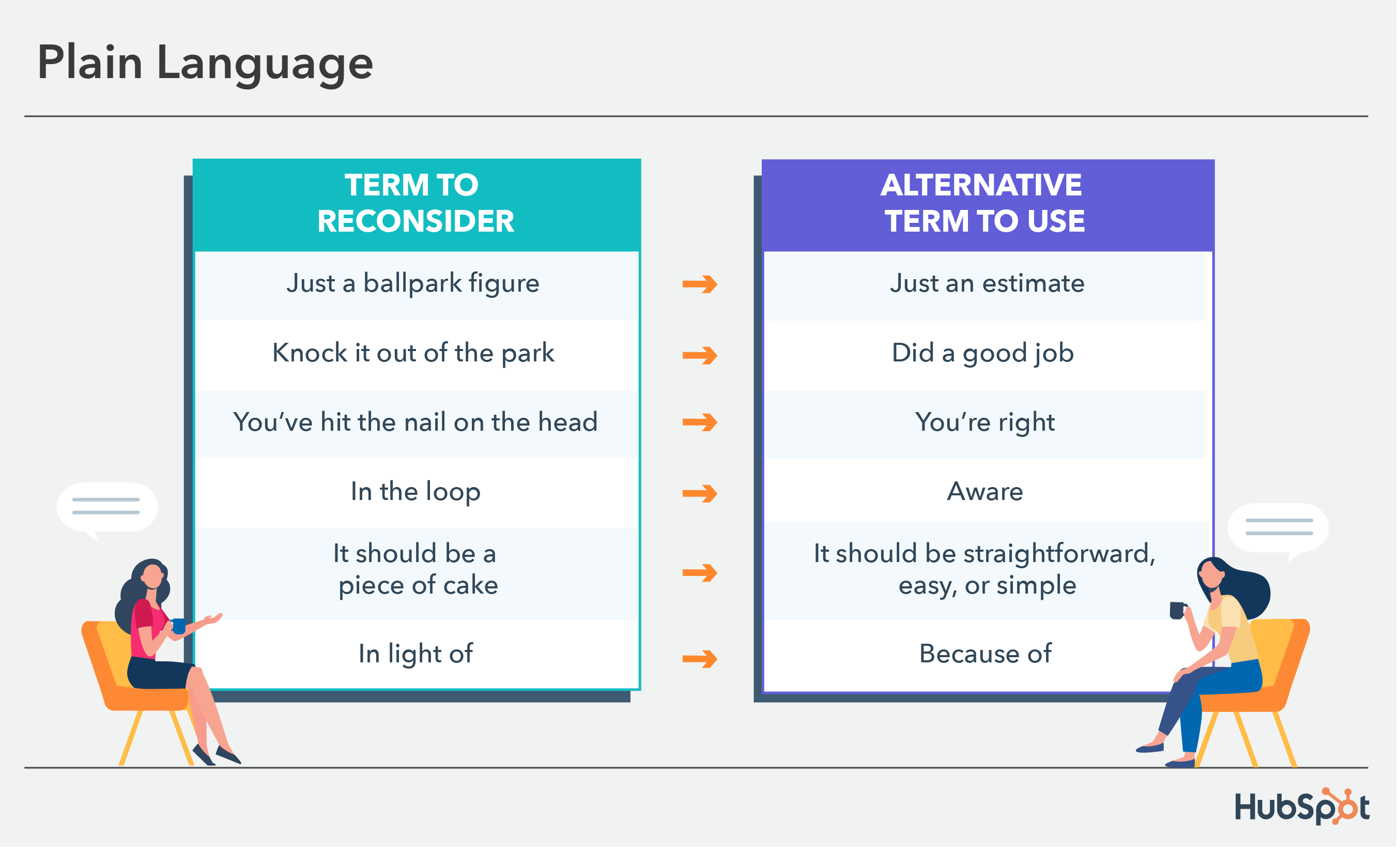
Many of us use colloquial expressions every day. For instance, I often say, “It’s just a ballpark figure” or “it should be a piece of cake,” without pausing to consider whether the listener knows or has heard the term before.
Of course, this can be confusing to other parts of the world that aren’t familiar with such expressions. If your company has global offices or works with customers from across the globe, expressions that are common to you can pose a major deterrent to clear communication.
For instance, in Dunn’s Medium article, she writes, “We also avoid using metaphors (visual and written) that are specific to just one culture or class. So, for instance, we avoid using phrases like ‘knock it out of the park’ or ‘hit a home run,’ even though these phrases are pretty common in North America as they’re just not going to resonate outside of the U.S. Not because people will be offended by a reference to baseball, but because they won’t be as familiar, so the meaning won’t be as clear.”
The graphic below displays examples of colloquial words and phrases and plain language alternatives to ensure everyone understands you.
3. Refer to a theoretical person as “they” instead of “he” or “she.”
As marketers, we’re exceptional storytellers. Sometimes, however, whether you’re talking offhandedly with a colleague or delivering a pitch, you might get caught up in using pronouns that unintentionally support stereotypes.
For instance, let’s say you’re giving a pitch and you say, “We’ve found through analysis that our readers are typically in a VP position or higher, which is why we believe we should lean into LinkedIn as a strategy in 2020. For instance, let’s say our reader needs to deliver a presentation. He might turn to our blog ahead of time, but more likely, he’ll turn to LinkedIn first.”
Your fictitious VP-level reader doesn’t need to be “male” or “female” — why not call them by the non-gendered pronoun “they,” “them,” or “their”? You can still make your point, and you won’t alienate people on your team who feel hurt that you’ve assumed that leaders are likely male.
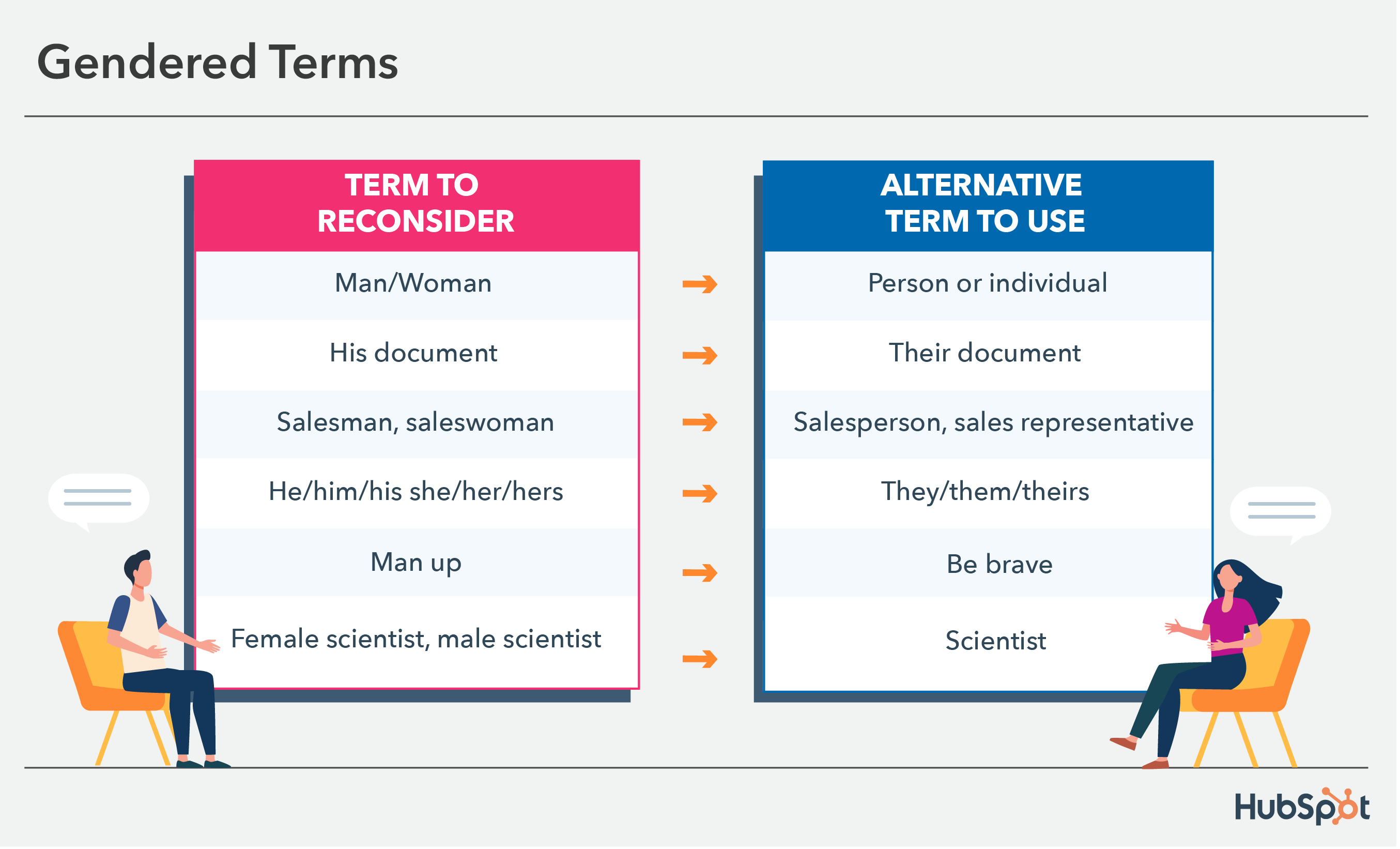
This also relates to gendered terms that add nouns to the end of them, like salesman. Opting for a more inclusive term could be saying salesperson or sales rep. The image below shows additional examples of gendered terms and alternative phrases to use.
4. Ensure your company’s designs or images reflect a diverse group of people.
When potential customers take a look at your website, you want them to see people (or figures) that look like them. Simultaneously, you want potential new hires to see themselves reflected.
Otherwise, you’re likely missing out on both potential customers, and future employees for your company.

In her Medium post, Dunn writes, “Our product illustrators try to ensure that the people we represent in illustrations are diverse in appearance, and that these different types of people are represented doing many different things (for instance, a person of color doing the talking while others listen, a woman in a wheelchair at an executive desk, etc.).”
As you scale as a company, you want to ensure your marketing materials reflect as many groups of people as possible. Otherwise, you’re unintentionally sending messages to people who don’t see themselves in your content that your brand “isn’t quite right for them.”
5. Be mindful of terms related to race, ethnicity, nationality, and culture.
Many terms used daily have roots in racism and discrimination, so using them can make people feel unsafe, whether in your marketing materials or day-to-day correspondence with team members.
Some regularly used terms have roots in racism and discrimination or are taken from celebrations and sacred practices of marginalized communities. Using them in your marketing materials or day-to-day correspondence with team members can make people feel unsafe and unwelcome.
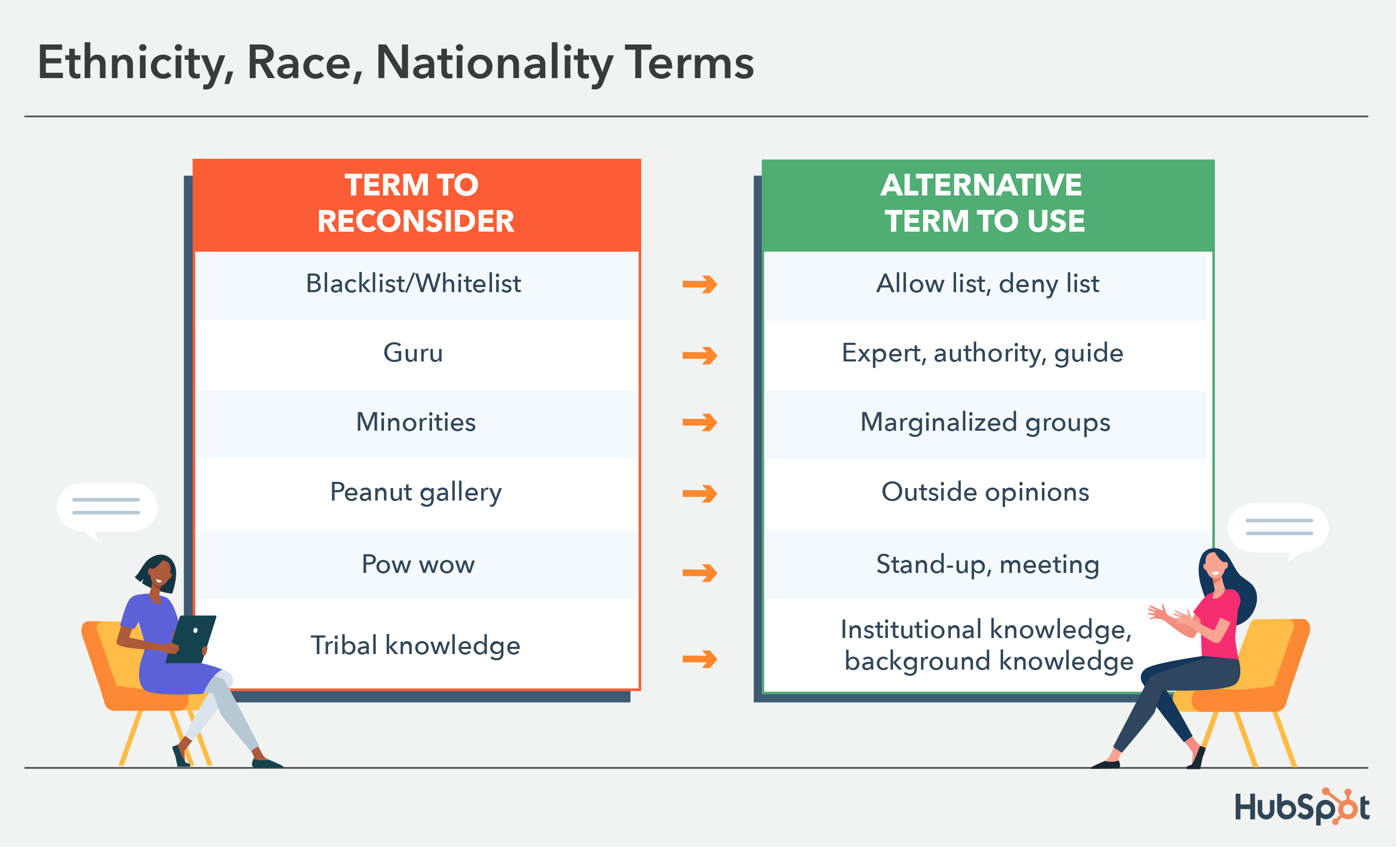
For example, pow wow is often used informally to describe a meeting or get-together. Using it in such a way disregards pow wows as indigenous cultures’ sacred rituals and social gatherings — ceremonial events that have nothing to do with work. A simple alternative is saying stand-up, meeting, or hang-out.
The image below displays other examples of words commonly used that are related to ethnicity, race, nationality, and culture that you can easily swap out for more inclusive terms.
6. When speaking to colleagues about family, use gender-neutral labels for family members.
Obleada told me, “Inclusive language has a real impact on how ‘themselves’ folks feel they can be in a given space. As a queer woman, it makes me cringe when folks ask me about a boyfriend. Intentionally using gender neutral titles — parent, spouse, partner, child, etc. — when speaking about your or others’ families can make a big difference in how comfortable someone may feel.”
Rather than making assumptions, approach conversations with colleagues using gender neutral titles. For instance, it’s better to use “parent” or “guardian” when making conversation with a colleague since “mom” or “dad” excludes family structures such as grandparents as caregivers, same-sex parents, etc.
7. Be mindful of medical conditions and ability terms.
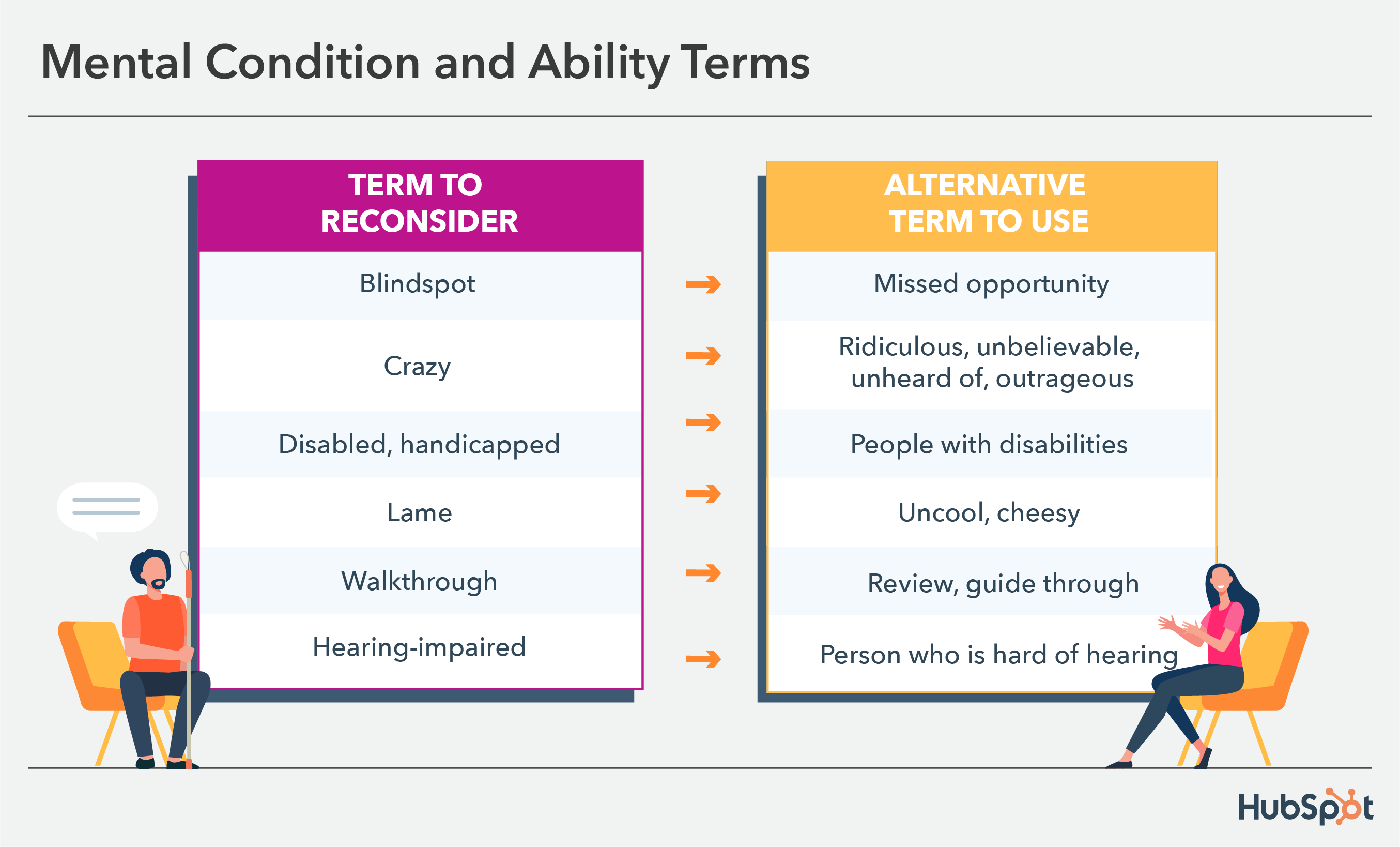
Common phrases like “turning a blind eye” are ableist and insensitive to people whose lives are impacted by medical conditions.
While likely used innocently, someone who hears such a phrase in the workplace or sees it in your marketing materials may feel unsafe and like you don’t represent them or what they care about.
It’s best practice not to use such terms unless they’re relevant to your topic of conversation. The image below displays commonly used phrases that can be harmful that you might not have realized before and alternatives to implement.
8. When in doubt, ask individuals which pronouns they prefer (but make it clear they can choose not to identify, as well).
It’s critical to note — there’s no one-size-fits-all “right” and “wrong” when it comes to language. Many people have personal preferences, especially when it comes to identity.
For instance, person-first language (i.e., “people with autism”) was introduced because many feel it’s dehumanizing to put the disability or gender orientation first, as it seems to define the individual.
However, some prefer identity-first language (i.e., “autistic people”) since they accept autism as an inherent part of their identity — identity-first language can even help evoke a sense of pride among individuals.
(For more information on person-first or identity-first, take a look at this article by the Autistic Self Advocacy Network.)
Over To You
It’s critical you avoid applying hard-and-fast rules to all individuals, since these preferences are incredibly personal. You might consider asking them what they prefer, or offering up your own preferred pronouns to create a safe space for them to do the same — but only if they feel comfortable doing so. (To learn more about etiquette when it comes to asking pronoun preference, take a look at Gender Neutral Pronouns: What They Are & How to Use Them.)
Ultimately, it’s important to remember none of us will get it “perfect” 100% of the time, but admitting when you’ve made mistakes and consistently working to communicate more inclusively are two major steps towards creating a more unified workforce, and creating deeper connections with your customers.
Remember — inclusive language is about widening your message and allowing it to resonate with as many people as possible, so it’s critical for your business’s bottom-line that you do everything you can to communicate more inclusively every day.


Where Nonprofits Spend Their Time On Social Media in 2022
There’s no shortage of advice in the blogosphere on how and where to spend your time on social media. How organizations are actually spending their time online, however, is a different story.
Unlike most marketing campaigns you see looking to get you using a product or service, non-profit social marketing is all about getting you to take action for a cause.
![Download Now: Nonprofit Marketing & Fundraising Trends for 2022 [Free Report]](https://no-cache.hubspot.com/cta/default/53/6193b715-2ba9-4c6d-add0-681edfcae689.png)
Often, non-profit organizations are tight on resources and don’t always have the ability to produce large, high-visibility campaigns. That’s where social media can help. Let’s dive into the social media platforms that non-profit orgs can leverage today.
How Non-Profits Leverage Social Media
There are three major ways that non-profit organizations can use social media to get the word out on causes that matter.
The first is through social challenges.
Think back to 2014 when the ice bucket challenge went viral. This challenge involved taking a bucket full of ice water and pouring it onto yourself, posting it on social media, donating to the cause, then nominating friends and family to follow suit.
This challenge, designed to raise awareness of ALS or Lou Gherig’s diseases, spread like wildfire through social media and helped the ALS association increase its annual funding by 187%.
Social challenges are fantastic for two reasons: They usually involve doing something funny which increases their viral potential and they invite people to join in.
Another marketing tactic non-profit organizations use is user-generated content.
Social proof is used in marketing all the time to foster trust between a brand and its target audience. Brands often do this by sharing customer reviews.
Non-profit orgs can also use social proof to drive action.
In 2021, Habitat for Humanity included drawings done by children of Habitat homeowners sharing messages of hope, strength, and resilience.
For non-profits, the best stories come directly from the beneficiaries themselves. Everything from a video to a handwritten message can be used to show how impactful the work is.
TikTok
When it comes to non-profit marketing, TikTok is a great platform to raise awareness. It’s particularly helpful for reaching a younger audience, like Gen Z and Millennials.
According to TikTok, users made close to 75,000 donations on the platform in 2021 for causes ranging from fighting hunger to humanitarian relief efforts.
The social platform arms non-profit organizations with features that help them generate interest in their causes and fundraise.
For instance, in April 2020, TikTok introduced donation stickers that could be added to videos, live streams, and profiles.
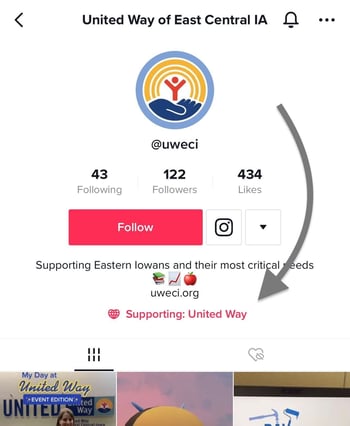
They work with a third-party platform called Tiltify to process donations securely. As such, non-profit organizations that want to use this functionality must go through an approval process by Tiltify.
In addition, TikTok has also financially contributed to these organizations, recently donating $7 million to #GivingTuesday initiatives and matching donations when users use branded hashtags.
@siennamae
#duet with @samsmith
♬ original sound – Sam Smith
Meta
Similar to TikTok, the social media platforms under Meta – notably Instagram and Facebook – also offer non-profit friendly features that facilitate donations and promote awareness.
To access these features, organizations must be eligible and sign up for charitable giving tools on Facebook.
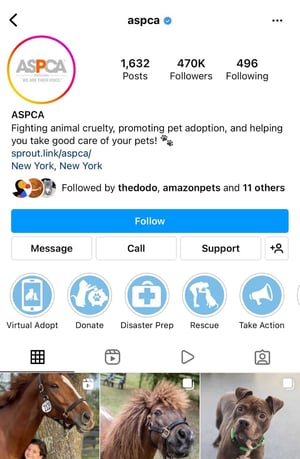
Once that’s done, they’ll have access to a series of tools, such as:
- Donation buttons that they can add to their profile and share during live streams.
- Page fundraisers
- Volunteering sign-up forms
- Profile support buttons
You can find a list of tools by Meta here.
In addition to providing these tools, Meta has also contributed to many campaigns. Last year, on Giving Tuesday, the company matched up to $8 million in donations made to fundraisers on Facebook.
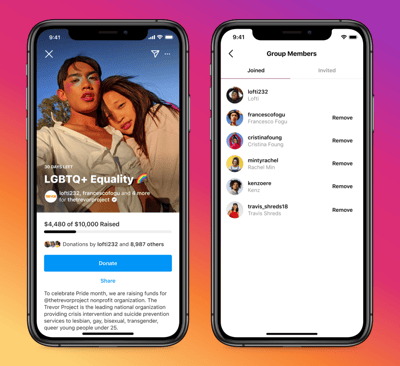
To celebrate Instagram’s 11th anniversary, the social platform also matched fundraisers up to $50,000 from seven top creators on the platform through Giving Tuesday.
While TikTok, Instagram, and Facebook currently offer the most advanced features for non-profits, organizations can still leverage other social platforms like Twitter and Clubhouse to drive awareness and action. However, if you’re a new org looking to gain some traction, these are great places to start.


Social Media Basics: A Checklist Every Marketer Needs
Whether you’re a new or seasoned social media manager, managing a brand’s social presence can be overwhelming. After all, you’re behind every post and every interaction with potential customers so the pressure is on.
One way to ease that and make sure you’re at the top of your game is with a social media checklist. In this article, we’ll cover the daily and monthly tasks every social media manager needs to succeed.
Social Media Tasks
Before we get into the checklist, we’re going to break down the work of a social media manager into four pillars.
- Sharing – You must post on social media regularly to grow and maintain an audience.
- Engaging – Connecting with your audience, via polls, responding to comments and DMs, and reposting user-generated content, is key to building that brand loyalty.
- Monitoring – It’s important to know how your brand is perceived online, so you’ll need to monitor mentions of your brand as well as topics within your industry.
- Reviewing and Optimizing – If you’re not reviewing your performance, how can you improve? This is a necessary part of every social media strategy.
If you don’t share often, you’ll struggle to build an audience. Without an audience, you won’t have much to engage with. This also means that you’ll have little to no data about what works well and nothing to optimize or review.
This is all to say that to have a robust social media presence, you must be strong in all four areas. Now, let’s dive into the daily tasks you’ll need to complete in this role.
Social Media Daily Checklist
On a daily basis, you will be focused on the first three pillars: sharing, engaging, and monitoring.
While there is some reviewing and optimizing that can happen daily, you can better identify patterns when you do so on a monthly basis once you have compiled a good data set.
1. Sharing content.
Your number one priority on social media should be sharing content.
That’s what will allow you to reach your target audience, attract them to your brand, and keep them engaged.
When we surveyed 310 U.S.-based marketers in 2022, we found that most social media marketers post between four to six times a week on social media platforms.
While that is the average, some marketers post more or less depending on the platform. For instance, 29% of marketers surveyed said they post on Facebook every day while 35% said they do the same on Twitter.
However, when asked about Pinterest, most marketers surveyed only post two to three times a week.
Of course, how often you post will depend on a variety of factors including the return on investment.
Something else to consider is that sharing content doesn’t only mean from your brand. It can include user-generated content or content from another non-competitor that would add value to your audience.
2. Responding to comments and DMs.
One of the easiest ways to engage your audience is by responding to their comments.
If you’re struggling to generate comments in the first place, try starting a conversation and asking your audience to join it.
In this post, sunscreen brand KINLÒ asks its audience to share ways they protect their skin.
In that same vein, you can ask your audience to tag a friend that would enjoy your post.
Another way to engage your audience is by responding to direct messages. Often, consumers will reach out to brands on social media to learn more about the brand, ask specific questions related to shared content, or get help.
It’s important that you review these questions every day to leave a positive impression on your audience. If you take too long to answer, they may lose interest or escalate the issue by complaining to the public.
You can take it one step further by working internally with your customer support team to develop an escalation process once a customer reaches out via social media.
3. Monitor brand mentions and industry-related content.
When you’re growing your business, it’s vital that you know how your brand is being perceived online and what is being said about it.
According to our 2022 social media marketing report, 35% of marketers surveyed track brand mentions and hashtags on social media.
Thankfully with social media, that information is within reach. You can easily set up alerts to be noticed whenever your brand is tagged or mentioned on social media.
You can also routinely do searches on platforms like TikTok where alerts aren’t readily available.
This will allow you to gauge brand sentiment and quickly address concerns from your target audience.
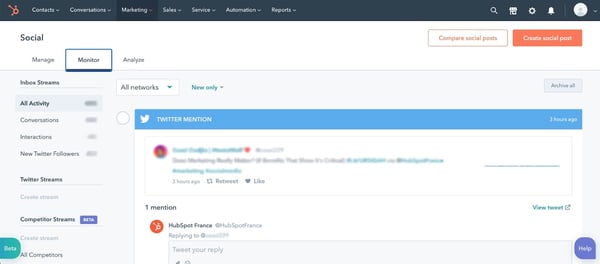
Pro-tip: HubSpot’s social media management software includes a brand monitoring tool that will help you stay on top of all mentions and even track your competitors.
4. Identify trends and buzzy content.
Trends come and go just about every week on social media.
The trick is jumping in as they’re growing in popularity and knowing when they’ve died out.
The best way to find trends is by simply being on social media – social listening. You may start to notice a particular sound being used often or a song being added to every Reel you come across.
Some social platforms will tell you exactly what’s trending, like on TikTok’s “Discover” tab and Twitter’s “Trending” tab.
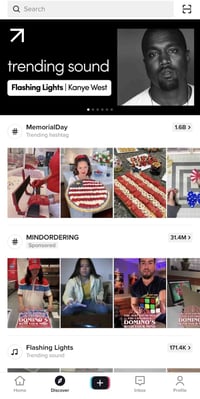
There are also accounts that are dedicated to finding trends as they happen and explaining their origin. This will help you determine which ones are worth joining and which ones you should stay out of.
As a brand, everything you put out there is a representation of your values. That’s why it’s important that you be extra careful when assessing trends.
See what videos other brands and users are creating with that trend. Are they funny and creative? Are they offensive? Do they align with your brand?
If not, it’s always OK to skip because there’ll be another one coming around the corner.
5. Answer queries on forums.
When we think of social media, we often think of content-sharing apps like TikTok, Twitter, and Twitch.
However, some social apps – think Reddit and Quora – focus instead on conversations and community.
You may be surprised to find how many conversations people may be having about your brand on these websites. In addition to being a great source of information surrounding brand sentiment, you can also learn a lot about your audience’s challenges and pain points.
You can then leverage that information into value-packed posts to attract your audience.
6. Connect with brand evangelists.
Building brand loyalty is no easy feat. So once you’ve accomplished it, you have to invest time to maintain it.
This means connecting with your brand evangelists on a regular basis.
Yes! 😍
— Brandon Blackwood (@BBlackwoodNYC)
April 27, 2022
This can look like commenting on their content and/or sharing it on your platform, giving them access to exclusive content, shouting them out, and inviting them to participate during live streams.
While social media can be filled with parasocial relationships, don’t let that be the case for you and your audience.
Social Media Monthly Checklist
1. Check your analytics.
Data is every brand’s most sacred asset. It holds incredibly valuable insights about your target audience.
On social media, your data will tell you the type of content your audience enjoys, what grabs their attention, and what generates conversions.
It will also help you identify trends. In fact, when we asked social media marketers “How do you predict which social media trends are worth investing in?” The top answer was by analyzing their social media analytics.
So, which metrics are marketers reviewing? Here are the top five, according to our survey:
- Likes and comments (41%)
- Sales (41%)
- Traffic to their website (41%)
- Impressions and views (40%)
- Brand mentions and hashtags (35%)
If you have at least one month’s worth of data, you can start finding out which posts perform the best and dig into the why.
Through your analytics, you can also assess which social platforms are worth investing in. According to our survey, the top three metrics marketers look at to make this decision are:
- Impressions/views
- Sales
- Follower or subscriber count
Whether you’re already succeeding or struggling on social media, reviewing your data will always set you up for a better month ahead.
2. Set goals.
Once you’ve reviewed your analytics and know what went well and what can be improved, you can set your goals for next month.
For instance, say you notice that last month’s videos outperformed any other content type and generated 2,000 visits to your website. For next month, you can up the number of videos you post and set a visit goal of 3,000.
Whether it’s increasing your reach, generating more engagement, or driving more traffic to your website, setting goals will serve as your north star and allow you to schedule content that aligns with these goals.
3. Schedule next month’s content.
When you’re managing multiple social media accounts, you have to plan your content ahead of time. Otherwise, you risk under planning and not having enough content.
You’ve already set your goals for the month. So now, it’s just a matter of creating content that best aligns with them.
For instance, say you want to increase your reach and last month’s data shows that your most shared content relates to three main topics. You can then center next month’s content on these three topics.
When scheduling content, you should also consult other teams to determine if there are any events, announcements, or campaigns that you will need to share.
The earlier you have your creative assets – images, videos, copy – the easier it will be to create your content calendar.
Pro-tip: We created a social media content calendar template to make planning posts and coordinating campaigns easy.
There you have it – a detailed social media checklist that will have you on top of your game every day.


What is a Content Management Workflow? Why You Need One in 2022
Creating an effective content workflow is a lot like baking a cake. If you accidentally pour unfinished batter into an unprepared pan, the damage is done. You can’t go back and prep the pan after the fact.
Imagine your cake batter is your content, and the cake pan is its publication. If your content goes straight from the writer to your consumers, you are running a lot of risks. You must first edit and fact-check the content before publication and distribution. Readers become disinterested or upset at careless, incorrect content. And once the information is out there, it is nearly impossible to recover.

Having the right people in place on your content team is not enough. To create quality content every time you post, your company needs to outline its processes in a content workflow.
In this post, we’ll cover the topic of content workflow — what it is, how to manage it, and how you can create one for your business.
Strategists, writers, editors, and managers are people you would have on your content team. Their tasks, seen in a workflow, include planning, writing, editing, publishing, and more; however, each function is not necessary for every content type.
Depending on the content type, your workflow will change. Businesses can publish various content like newsletters, blog posts, and social media posts. The content workflow is different for each asset. For example, compare the publication of a newsletter and a social media post. The most evident difference in this process is that the content types go through different channels. Once you break down the workflows, you will discover that each may require separate people, processes, tools, and resources.
With so many moving pieces necessary for creating a content workflow, managing the process becomes a top priority.
Content Workflow Management
If left untamed, your content workflow can become complicated and confusing for your team. To successfully manage your workflow, start by outlining the processes, people, and tools involved in the content creation process.
Processes
To manage your content workflow, identify the steps needed to create content. They are:
- Strategizing
- Planning
- Creating
- Reviewing
- Publishing
- Analyzing
While this is the basic workflow for content, each step has supplementary processes depending on the content type. You can build these extra steps as you create your content workflow. At this stage, it’s helpful to outline a content strategy.
People
An effective content workflow focuses on the processes needed to publish content, but people are arguably the most vital part. One aspect of managing content workflow is identifying and managing key players. These people are responsible for fulfilling the steps in the content creation process listed above. For example, for strategizing, you’d need a strategist. For reviewing, you’d need an editor.
In conjunction with managing your people and their processes, content workflow management also covers the tools needed to complete the work.
Tools
For your content team to fulfill their roles and work through content creation processes, they need tools. Content has to be created, edited, shared or managed somewhere. Managing your team’s content workflow means managing the tools it needs.
Content management systems, like CMS Hub, are essential for publishing blog posts. Canva and Adobe Photoshop are great tools for design. These are just three of the many tools your company might add to its content tech stack.
As the content marketing industry booms, your business needs to expand to accommodate this growth. This expansion reflects an increase in the people, processes, and tools associated with your content workflow. The more comprehensive your workflow becomes, the more daunting it is to manage; however, integrating content workflow software can solve the problem.
Content Workflow Software
Content workflow software, or a workflow management system, is a program that manages the content creation process through planning, production, and publication. Instead of teams using multiple methods and approaches to monitor the content process, workflow management systems help you create a centralized location for your team to visualize its processes. It promotes the execution of your content strategy in alignment with company goals.
The added benefits of using content workflow software include:
- An increase in productivity
- A reduction in errors
- An improvement in workplace collaboration
Increase In Productivity
Without using a content workflow software tool, team members are left with extra work and time wasted. These issues are removed with content workflow software because it is automated. It eliminates sending email updates because the software sends them for you. Content teams don’t have to guess the timeline of a project because the system manages it for them. Everything happens quickly and efficiently.
Reduction In Errors
Nothing is perfect, and you can’t expect the same from your content workflow. Even so, content workflow software helps reduce errors. It helps your team stay ahead of deadlines. It allows you to identify what processes in the content workflow need adjustment. Content management software gives your company the tools for improving your workflow.
Improvement In Workplace Collaboration
Content management software improves workplace collaboration between team members and the apps and platforms they use. Executing your content strategy requires many different people who use various tools. Workflow management software allows your team to notify and update another member while the software integrates with several content management systems, email providers, messaging services, and social media platforms.
To take advantage of the benefits of using content workflow software, learn more about Marketing Hub and how its marketing automation technology simplifies tasks.
Content Workflow Template
Content workflow software is fundamental in keeping up with your content strategy; however, you need the appropriate steps to build your workflow. Only then can you get the most out of the software. Where do you begin? Here’s how you can create your content workflow.
How to Create a Content Workflow
The people, processes, and tools necessary for executing your content strategy are helpful markers in creating your content workflow. To create a content workflow, you need to:
- Decide what content to create.
- Create a breakdown of actionable tasks.
- Assign roles.
- Determine the time associated with each task.
- Document your content workflow.
Decide what content to create.
First, decide “what” you are creating. Is it a social media post? Is it a newsletter? Your company has the choice of creating many content types like infographics, blog posts, video content, and more, and you will need to create a workflow for each.
Create a breakdown of actionable tasks.
Once you are focused on a particular content type, outline the necessary steps needed to get it from strategy to publication. Consider this sample workflow for a blog post. Its process might look like this:
Strategizing > Planning > Creating > Editing > Publishing > Analyzing
While these are broad tasks for creating a blog, this is where it needs to expand. Strategizing typically includes performing content audits, creating buyer personas, and conducting keyword research. Editing might involve implementing SEO techniques or adding images and links.
Every step in the process needs to be accounted for so it can be assigned to the appropriate team member.
Assign roles.
After you have the tasks for your content process, it’s time to decide who does them. This step can help identify if anyone is at capacity in their role and if you need to bring in additional members. Using our blog example above, this is how you might assign roles.
- Strategizing > Content Strategist
- Planning > Content Manager
- Writing > Copywriter
- Editing > Editor
- Publishing > Content Manager
- Analyzing > Content Manager
After assigning responsibility for each task, determine how much time is necessary for completion.
Determine the time needed for each task.
To determine how much time you need for each task, consult your content team. How much time does your writer say it takes them to write a 500-word post? What about a 2500-word post? Use the length of time they give you and build in additional time. It can help your company avoid working with tight timelines or missing deadlines.
After this step, your content workflow might look like:
- Strategizing > Content Strategist (1 day)
- Planning > Content Manager (<1 day)
- Writing > Copywriter (2 days)
- Editing > Editor (1 day)
- Publishing > Content Manager (<1 day)
- Analyzing > Content Manager (Ongoing)
Once you have outlined a process for the tasks, people, and length of time needed for creating your content, your content workflow is complete.
Document your content workflow.
The last step in creating your content workflow is documenting it. Companies typically use standard operating procedures (SOPs) to keep their teams aligned with the process. Marketing Hub, Trello, and Evernote are examples of systems that give teams easy access to documents like SOPs.
Content workflows work, so you don’t have to.
Content creation isn’t simple. There are many elements in publishing content and successfully executing your content strategy. Creating a content workflow helps your team stay on task by increasing productivity, reducing errors, and improving workplace collaboration. The predetermined flow of each process makes it easy, but managing individual tasks becomes increasingly chaotic without content workflow software.
When managing how your content transforms from an idea to publication, content workflows handle the heavy lifting.


How To Make Instagram Reels and Use Them to Your Advantage
If there’s one thing that Instagram understood with the creation of Instagram Reels it’s that it’s not just content that’s king — it’s video content. With TikTok surpassing 1 billion global downloads within 18 months of its launch, the app’s endless feed of short, entertaining video clips quickly became an internet sensation.
But, in August 2020 — as countries like the U.S. considered banning TikTok due to privacy concerns — Instagram launched Reels as a set of new audio and video editing features similar to what users would find on TikTok. Flashforward to 2022, and this burgeoning video feature now accounts for up to 20% of user activity on Instagram.
With numbers like these, it’s easy to see why Reels remain a major play for Instagram — so we’re here to explain everything you need to know about Reels in order to use them to your advantage.
Aside from allowing users to record videos with sound or audio overlays, the Reel camera and editor also include the following features on mobile:
- Editing tools: Create augmented reality effects, transitions, and the ability to speed up or slow down videos.
- Audio attribution: Overlay the sound in videos with audio from other user uploads (while the app gives sound credits to the original account).
- Stitchable takes: Make a video with just one long take or a combination of quicker takes.
- Duets: Add your Reel to one made from another account for side-by-side interaction. Find the Reel you’d like to duet with and click the circle settings to “Remix a Reel.”
- Instagram Shareability: Share Reels with just friends on your Stories or profile, or publicly in the Reels tab or Explore page.
Since June 2021, it’s worth noting that ads are now supported in the Reels tab, the Explore page, and your Feed once a user taps into the Reel scroll. With the range of ways Reels appear to Instagram users — especially where people who don’t follow your brand reside — your business has the opportunity to reach new audiences across the globe.
Here’s an example of what a Reels ad for your brand could appear as below:
What’s distinct about Reels ads — and Stories ads — is that Instagram allows users to decide which ads appear to them. If they do not wish to see the ad, they can simply skip it or select the menu in the bottom right to hide or report it.
Step 1: Enter Reels mode within Instagram.
First, you need to know how to get to Reels on Instagram. You can start your Reels in 3 ways:
Select the
+ symbol at the top right of your homepage and tap Reels.

Open the Instagram Stories camera and tap
Reels.
 Select the Reels tab on the bottom of the app and tap the top right camera:

When you arrive at your Reels screen it should look something like this:

If so, you are now ready to begin recording, adding videos, editing, and overlaying audio if you haven’t found the right sound yet.
Step 2: Begin recording a video or adding pre-saved clips.
Before you record or create your Instagram Reel first make sure you have the latest version of the Instagram app. Then access the Reels screen according to your preference. Once you arrive at the Reels screen:
Simply hold the center circle button and begin recording to start filming a clip.
 Tap the square in the bottom left corner to add videos from your camera roll, TikTok, or other platforms.
 Begin piecing together video clips or recording a longer video for a total of up to 60 seconds.
If you let go of the record button but still have time left in your Reel video, you can hold the button again to start a second clip that starts immediately after the first ends. As you record one or multiple clips for your Reel, the progress bar and countdown at the top of the screen will show you how much recording time you have left.

How to Add Effects to Reels
To add effects to your video simultaneously, you can select the editing option located on the left side of the Reels screen:
Change the design of your video by tapping
Layout and choosing one of the grid options provided like this dual-screen.

Slow or increase your video playback by choosing the
Speed your video to set the pace.
 Go hands-free and record by timer when you select the stopwatch symbol.

Choose between a 3 or 10-second timer, then drag the meter by the number of seconds you want your clip to be. To stop recording, re-tap the center circle button as you like.
Add a filter for additional creativity by selecting one from the bottom of your screen.

The filters for Reels are similar to Instagram Stories and many of these effects crossover between both video formats.
Step 3: Find audio for Reels.
Now it’s time to select audio and add it to your Reel. The audio feature enables you to overlay a pre-recorded sound from other users, songs available on Instagram, or your own audio.
If you are creating content around a specific song or sound bite, you may begin with this step prior to recording or adding clips. In either case, follow these steps to find the right tune to complete your Reel.
Select the
Audio musical note on the left side of your Reel screen.
 Search music in the search bar or browse Instagram’s song or audio suggestions.
 Choose the part of the song or sound you will apply to your video.

Then, voila — your audio is now added to your Reel. Make sure that you preview how it will align with your video by tapping Next, then adjusting clips accordingly.

How to Use Original Audio on Instagram Reels
Pro tip — if you do not see a Reel song you like, you can always add your own. To import your own sound:
Select the
Import button next to the Saved button.
 Add the video with the audio you’d like to use.

Your Original audio is added and you are now credited for the sound — meaning your Instagram profile icon will as the audio icon.
How to Find Trending Instagram Reel Songs and Sounds
If you want to find trending Instagram Reels audio, there are a few different options available. One of the easiest ways is to browse through Instagram itself: scroll through the Reel sounds used by popular accounts or search popular hashtags like #trending songs or #trending audio.
You can also find trending Reel songs and sounds to use by tapping the Reels you find on your Explore page, clicking the song name on the bottom left corner, and taking a look at how many people have made Reels with that sound.
Once you decide if a song is popular — and upward trending — you can then save it for when you’re ready to bring your Reel to life.
How to Save Music on Instagram
If the sound is indeed too good to let it scroll past you, simply select Save Audio to keep it.
This audio will now live in your Saved folder so you can add it to a Reel when you’re ready.
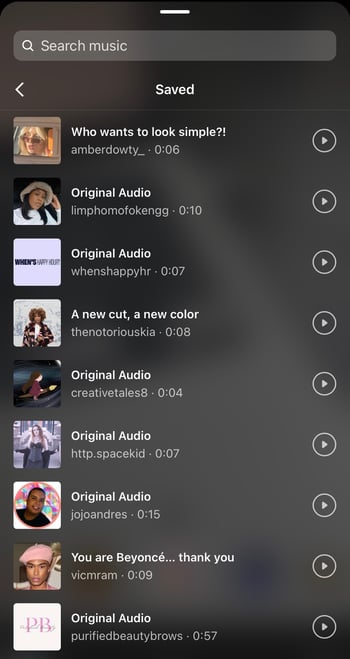 You can also receive periodic notifications from Instagram letting you know if a song saved to make a Reel has passed a certain threshold.
So whether you’re looking for background music to add an extra flair to your Reel or letting the audio take you viral, there are plenty of resources for finding the right sound that’s in tune with your vision to quickly get your Reel posted.
Step 4: Post a Reel on Instagram.
Now that you have created your Instagram Reel and found the perfect track, posting it to Instagram is easy. To have your Reel live in no time:
Select
Next on the bottom right corner of your Reels screen to reach the sharing window.
Choose the best cover for your Reel by tapping
Edit cover on the top of your screen.
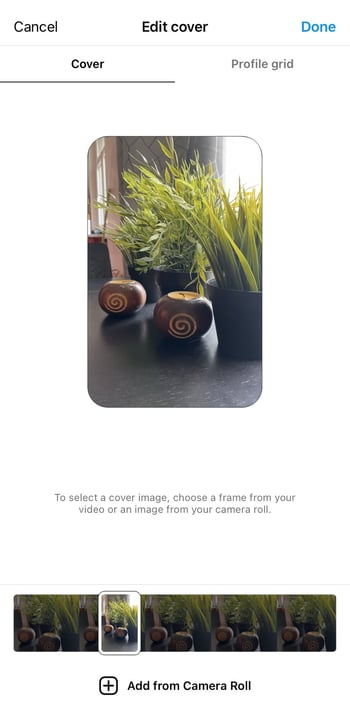
Select or deselect
Also share to Feed to tell Instagram whether or not you want your Reel to be seen on your Instagram profile.
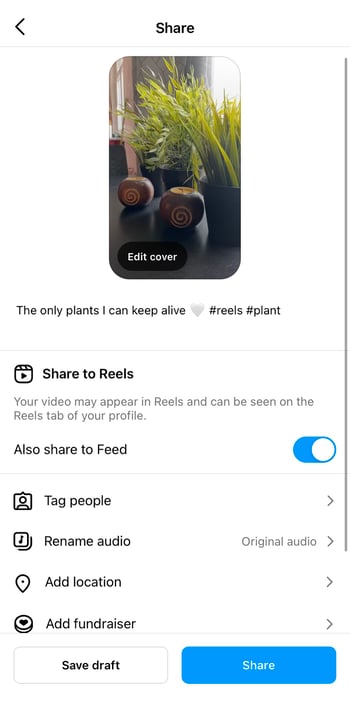 If you do not want to post it to your Feed, make sure the slider is gray and not blue.
Add your caption and hashtags as you would with your regular Instagram posts. After you decide whether to share your Reel to the Feed, at the bottom of the screen you have the chance to:
- Tag people or brands in the video.
- Rename Audio used in the video to your liking.
- Add Location information on where Reel was shot.
- Add Fundraiser events you are supporting.
- Recommend on Facebook or show your Reel to anyone on the platform — Facebook friend or not.
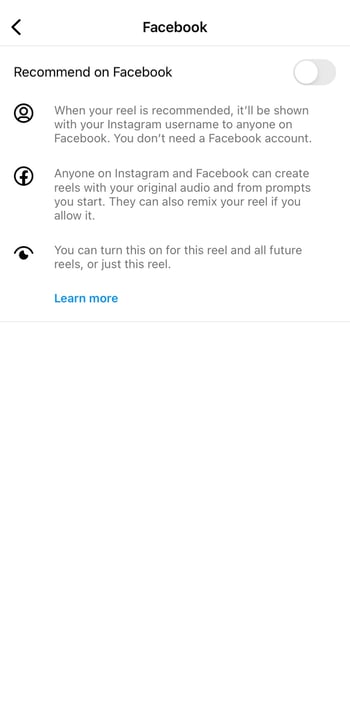
- Include a paid partnership label when you tap Advanced Settings at the bottom.
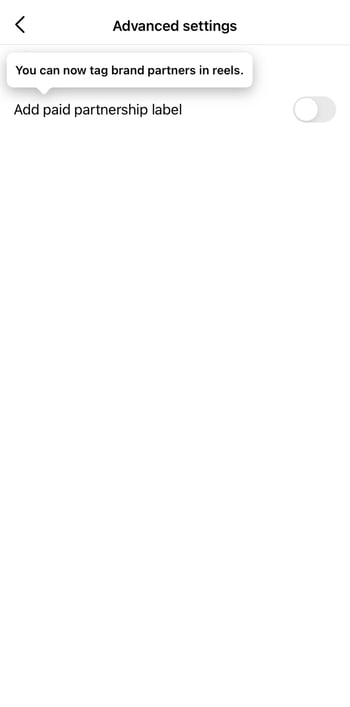
Once you’ve added all of your preferences, you can now select the Share to Reels button in blue:
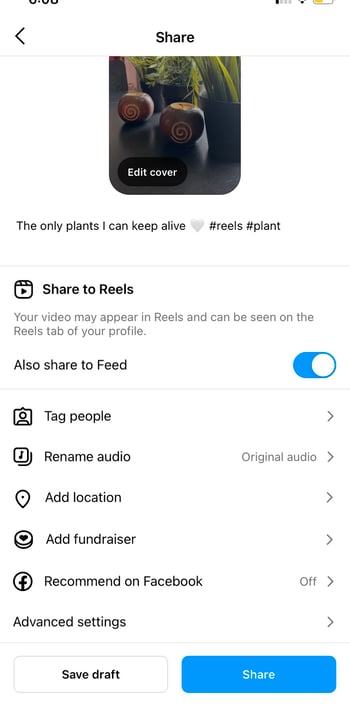
You’ve officially shared your Reel on Instagram! But if you start these steps and decide your minute — or less — masterpiece requires further edits, you can always save the Reel as a draft so you don’t have to restart:
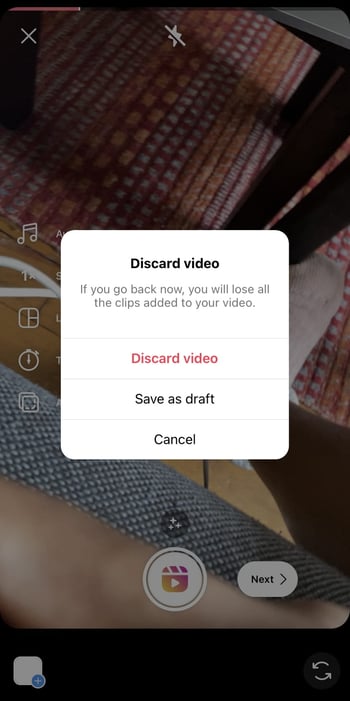
Finally, Reels can also be sent as direct messages or even posted to your Instagram Stories, similar to the grid posts you publish to your Feed.
Instagram Reels FAQ
Do Reels show up on your Feed?
Your Reel will show up on your Feed like any other Instagram post with a film clapperboard icon on the top right of the video. So feel free to scroll through them like you would a traditional video upload:
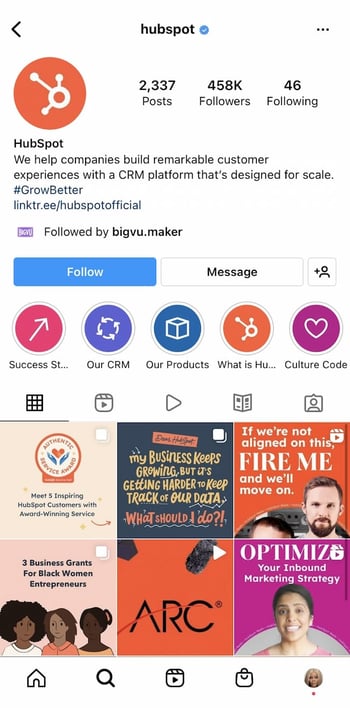
They have the standard 1:1 square ratio or a 1080px by 1080px Instagram post size on your grid. But once tapped, they will have their distinct 9:16 aspect ratio with a width and length of 1080px by 1920px:

Plus, your caption will sit under the Reel like the rest of your Instagram post captions whenever you choose the best time to post them.
When’s the best time to post reels on Instagram?
As far as we know, there is no “right” time to post Instagram Reels per se, but like any other form of Instagram content, the timing of your posts can play a role in their engagement metrics. If you want your Reel to be seen by as many people as possible, then you should post during peak times: the time of day when most of your audience is active on Instagram.
You can find out what your peak time is by using your Business or Creator Instagram account and tapping Insights to go to your Professional Dashboard.

Here you will see when your audience is most active, their interactions, their likes, and more metrics that give you a better understanding of how to best reach your audience.
How to See Instagram Reels Insights
Once you tap Insights on your profile feed, you will be brought to your Insights Overview.
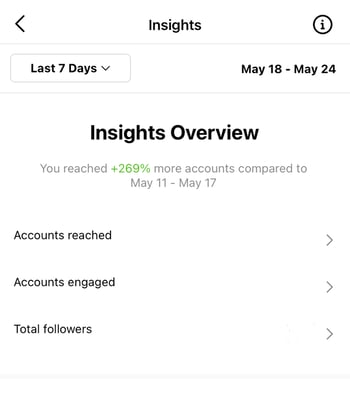 To see what days or hours your audience is most interactive:
First, select
Total Followers.Next, scroll to the bottom of the screen.Then, view
Most Active Times.
Select Hours to see how many accounts are active at specific times of day by tapping the blue columns. Use the arrows to switch days:
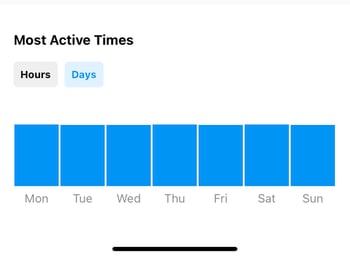 Select
Days to see how active your followers are on different days of the week by tapping the blue columns.
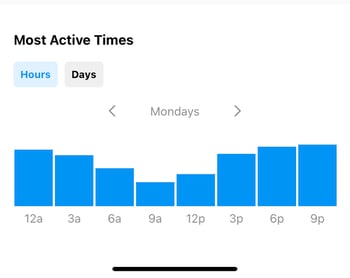
After you gauge how likely your audience is to interact with your Reel at a given time or day, you can now take it a step further and monitor your Reel’s performance:
Return to your
Insights Overview and select
Accounts Engaged.
Scroll down to
Reels Interactions.
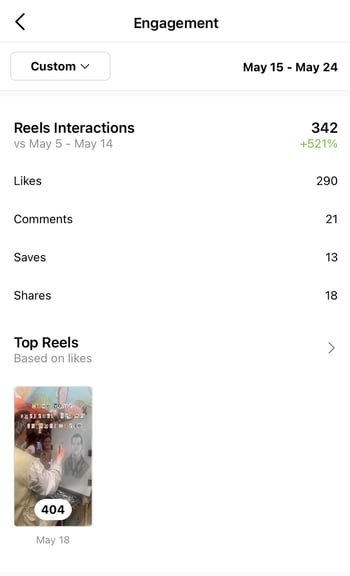 See your most popular Reels according to likes.
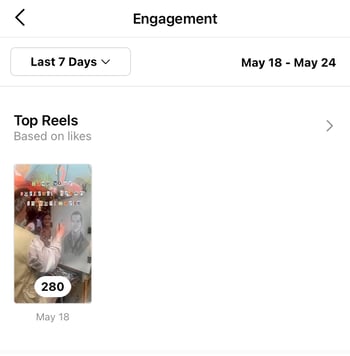 By reviewing your Reels and audience Insights, you will be able to plan your content around what’s most engaging to your followers and post when they’re most likely to enjoy it.
What You Need to Know About the Instagram Reels Algorithm
Like most Instagram content, Reels are ranked by Instagram’s algorithm. This algorithm is based on a number of different factors that include post engagement, length, content, and more.
What you should remember about the algorithm is that there is no trick of the trade to rank higher in users’ feeds. While there are Instagram users who may try to garner high engagement through methods like contests and giveaways, these tactics will not necessarily lead to long-term success.
But what you can do to help your Reel content appeal to the Reels algorithm is keep these points in mind:
- Create content that is short, sweet, and relevant to the current social times.
- Post regularly so Instagram can expect you to produce a consistent amount of Reel content.
- Be creative with your content and help lead trends instead of just following them.
- Use Instagram’s tools to edit and improve your videos.
- Add niche Instagram hashtags that are relevant to your products, services, and base.
So with a little bit of creativity and production direction, you can be a Reel connoisseur in no time.
Viral Brand Reels Examples
Whether you’re looking to create fun and engaging content to connect with your audience, or simply trying out a new Instagram marketing strategy, a Reel is a versatile tool that can help you achieve your goals. Especially, considering that Reels has increased Instagram engagement for brands like the NBA at a rate of 22% compared to the traditional Instagram videos.
But what can it do for your brand as you aim to increase awareness, reach, or sales? Let’s take a look at some examples of how brands are leveraging Reels today to do just that:
1. Nike: A Brand Story
If you want your customers to believe in your brand, they need to believe in your story. For instance, one brand with exceptional storytelling on and off Instagram is — you guessed it — Nike. In this Reel, they let us into the lives of athletes who use Nike to train, win, and most importantly, live their lives.
Watch the screen as the Reel pivots between the NBA Bucks’ Giannis Antetokounmpo as a child to him now as an NBA champion and listen to his emotional declaration on doing whatever it takes to succeed.
But what makes this spotlight on Giannis so impactful — 5 million views strong and counting — in just seconds is that this feeling is one many can relate to, especially their competitive base. Then, with the simple yet iconic black screen and white swoop, Nike is telling you that will help you win — that Nike is a part of what it takes. That’s a narrative that has made many backs this legendary brand.
2. HelloFresh: Products in Action
If your Instagram is all about selling a product, Reels are the perfect platform to show the quality of your creation in detail. If you’re promoting a service, Reels offers an opportunity to give your customers and followers a taste of what you do and how you do it.
For instance, take recipe ingredient delivery service HelloFresh:
This brand often uses Reels to cook their own recipes and showcase the delicious ingredients they provide for easy home cooking. By doing so, they are showing us the quality of healthy ingredients, ease of use, and taste satisfaction — the tenets of their products and services — and encouraging consumers to give it a try themselves.
3. Schiaparelli: A Behind-the-Scenes Peek
In this Reel, Italian fashion house Schiaparelli takes us behind the scenes of their haute couture design process, giving us a window into their brand that we wouldn’t have had otherwise — without a fashion degree.
By allowing us into the fold of their luxurious fabric selection, expert stitching, and creative fashion boards, the brand is showing us the expert execution it takes to create a one-of-a-kind Schiaparelli piece. We can now derive the value of the product through its craftsmanship, a value the brand knows, but one we may not immediately recognize.
The point is that now is the time to experiment with Reels to showcase your brand to the public. So constantly try new ways to create your Reel content. These short and snackable clips offer a unique opportunity for you to highlight your products, services, and personality in an authentic way. So consider these tips to put your brand’s best Reel forward on your next post.
Instagram Reels vs. TikTok
As you consider Reels, TikTok, and other emerging social media platforms in your marketing strategy, it’s important to weigh the pros, cons, and key marketing takeaways when determining if a channel or feature is right for your team.
Here are just a few things to remember as you consider Reels:
Reels compete against a unique, viral sensation.
Although Instagram has a huge audience that is loyal to its platform, many Gen Z users are used to going to TikTok for viral videos and general entertainment. Because the app has pulled in astounding fan loyalty in its short lifespan, you might find that Reels don’t have the same viral opportunities that TikTok videos might have.
What works on TikTok might not work on Reels.
TikTok is a highly experimental platform with a younger, but huge, global audience. Because of these factors, there aren’t many rules about what you should and shouldn’t post on there. Meanwhile, Instagram has been around for years, has a slightly older audience, and has some content norms or audience expectations set in place.
If you’ve already posted a handful of TikTok videos and want to test them on Reels, you can consider uploading a few, watching how they perform, and learning more about what works well on both platforms.
However, as you learn the differences between TikTok and Instagram audiences, you might find that high-performing TikToks aren’t as engaging to your Reels audience. If this is the case, you might want to consider creating specialized content for Reels.
Reels Take Your Instagram Marketing Up A Notch
Although you’ll want to keep the points above in mind as you consider testing out Reels, you’ll also want to remember the opportunities it offers. For example, Reels might be a great option for you if you’ve mastered Instagram, know what content your audiences want, and are eager to test out TikTok-styled content. If you do begin to test out Reels, it can’t hurt to brush up on your Instagram marketing skills and Instagram platform knowledge to ensure that your profile, other content, and — ultimately — your Reels will be on point for your brand and optimized for brand awareness.
Editor’s note: This post was originally published in September 2020 and has been updated for comprehensiveness in June 2022.

9 Creative Company Profile Examples to Inspire You [Templates]
What do your customers really know about you?
Do they know that you sell products and have a website? That’s not enough to build a brand identity that resonates with buyers and establishes your brand as the right choice.
In the digital world, an impactful first impression can make you stand out among the enormous amount of content out there. Being memorable is hard, but worth it if you want a brand that will resonate with customers, colleagues, and investors.
People who find you online want to know about your company’s mission, vision, and, of course, how you can help them solve their problems.
How can you make sure that they have all that information at their fingertips? Well, a company profile is the perfect tool for the job.

In this article, we’ll discuss:
- What a Company Profile is
- How to Write a Company Profile
- Company Overview Template
- Company Profile Examples
- Company Description Examples
- Company Profile Templates
A company profile serves multiple purposes , and two of its primary purposes are to attract investors for funding opportunities and to connect with the customers.
Why Company Profiles are Important
Company profiles go a step beyond the standard “about” page. They share how your company got started — and why you continue to serve customers.
Here are some of the reasons why having a company profile is important:
1. A company profile differentiates your brand.
A company profile describes what makes your company unique. It automatically differentiates your brand because no other company has the exact same founding story and reason for existing that your business does. Your history and values are integral parts of your brand positioning strategy, and a company profile is where you can mention this information without it feeling extraneous or out-of-place.
2. A company profile may justify a higher price point.
You can justify a higher price point for your products and services, if you go into details about your production values or ethically-sourced materials.
For instance, Starbucks’ coffee may not be necessarily better than Dunkin’ Donuts’ coffee, but because Starbucks goes into details about its high-quality ingredients, it immediately creates the sense that you’ll be paying a little more for a “better” product.
3. A Company profile builds your reputation.
What do you want your company to be known for?Is your company the one that started as a small family-owned shop then grew into a billion-dollar enterprise? Or is it a company that upholds sustainability and puts ethics at the forefront of its brand? You can build your reputation through marketing, service, and sales campaigns, but it all begins with a well-curated first impression.
Now that you understand the importance of a company profile, it’s time to learn how to write one. Creating a company profile doesn’t have to be nerve-wracking. In fact, it can be straightforward given the right guidance.
Here are 10 steps to guide you on how to write your company profile.
1. State the purpose of the company profile.
This is the most critical part when writing an effective company profile. You want to make sure that the statement aligns with what you’re trying to accomplish. For instance, if your goal is to attract investors, you can include:
- Your business’s performance
- The value of the products you sell
- The company’s revenue
On the other hand, if you want to attract customers, it’s best to add the company values to your profile.
The purpose of a company profile should act as your guide throughout the process, so take your time on it.
2. Decide on the format or style.
How you present your profile significantly affects how successful it is. It’s important that the style offers excellent readability and encourages the audience to engage with it.
This depends on your audience – for example, it’s best to stick to the traditional format for an accounting firm. That is, list the company’s achievements and awards.
On the other hand, if you’re in a fashion or social media marketing firm, it’s advisable to be creative and visual.
Don’t be afraid to experiment or go wild with your ideas as long as they resonate with your target audience.
3. Tell your story & be authentic.
There are probably a million other businesses that sell what you’re selling, but no one else shares your story. Your story is what makes you unique. Don’t just write numbers and dates; let your prospects know who you really are. Be vulnerable and tell them why you started your business.
What inspired you? Share the bad and the good – it doesn’t have to be glamorous. It only has to be authentic.
4. Add your company’s mission statement.
If you don’t have a mission statement, it’s time to craft one. Writing a mission statement for your company isn’t as scary as it sounds, and there is no need to overthink about it. You only need to ask yourself these three questions:
- Who you serve – this is your target consumer
- How do you do it – what product or service do you provide to solve their problems?
- What makes you different – why should your consumers buy from you or trust you over your competitors?
5. Write your company’s history.
This needs to be in chronological order; otherwise, it will confuse your readers. You can do it in a paragraph or a timeline format, as long as it shows a flow.
Another tip to have in mind is that, “less is more”. As tempting as it is to share all your milestones, stick to the major ones to avoid overwhelming the reader.
6. Describe the products and services you offer.
The next step is to describe what your company offers. You can choose a few of your best products or services and give an in-depth description or simply list down everything your business offers.
7. Name the awards your company has received.
If you have received any awards or recognition, add them to your profile and describe them. They showcase your company’s values and give the community a reason to trust you.
8. Add your customer’s testimonials.
Your customers may take everything you say with a grain of salt, but they will believe other customers who have used your products.
This is an excellent way to promote your business without having your products or services come off as hard-sell.
If you’re a B2C business, simply include some of your customer’s best quotes, tied with your best value products. If you’re a B2B business, have a testimonial from the most prominent client on your profile.
9. Include a call to action.
This isn’t mandatory, but it’s a nice touch to your company’s profile. What do you want the readers to do after reading the profile? Visit your branch, check out your website, or call you? Simply include it at the end of your profile. This brings us to our last step.
10. Add your company’s contact information.
This is one of the most critical parts of the company profile. Include all the possible ways your prospects can reach you. This may include but is not limited to; social media profiles, website, phone number, fax, email, and a physical address.
Make sure it’s visible to anyone who reads your company profile.
Company Overview Template
Now that we have gone through all the necessary steps you need to create a company profile, it’s time to put all that into action. Here is a simple company overview template that will help you get started.
Our Story
[Company name] was founded in [Year], and we have accomplished so much over the years. To create a world where [ the solution your business solves] has always been our goal.
Our Founder and CEO [Name] was inspired to start this company by [ one or two sources of inspiration].
At [Company Name], we encourage our community to [ a positive statement related to your brand].
Meet our Team
[Photo] [Name] [Job Title]
[Photo] [Name] [Job Title]
[Photo] [Name] [Job Title]
Our Mission, Vision & Values
Mission
Our goal is to provide our customers with the best [ service or product] at the best possible market price without compromising quality.
Vision
To be the most reliable [ service or product] provider and enhance [what your product or service does].
Core values
[List your company’s core values]
What Our Customers are Saying
[Insert customer’s testimonials]
Contact Information
Location
Website URL
Social Media Pages
Cell Number
Company Profile Examples
1. Starbucks
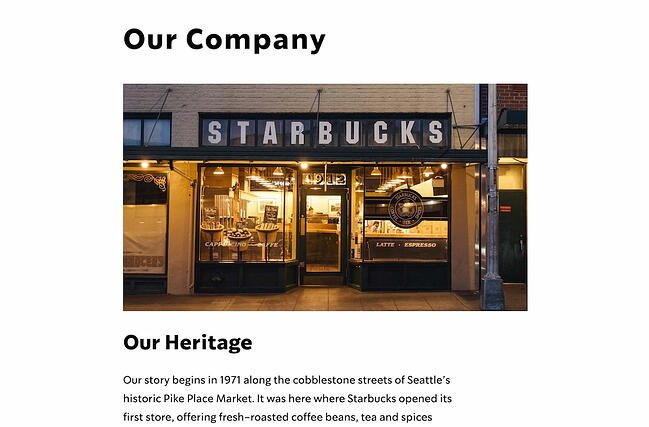
Starbucks’ company profile has it all — the company’s mission, background story, products, store atmosphere, and even folklore regarding the name. Best of all, they somehow manage to pull off sounding both genuine and grandiose. I don’t know many other coffee stores that could claim that their mission is “to inspire and nurture the human spirit.”
Starbucks’ company profile is a fantastic example of a store with a common household product, which is coffee. Starbucks managed to stand out from the competition through their mission and values.
2. Wales Bonner
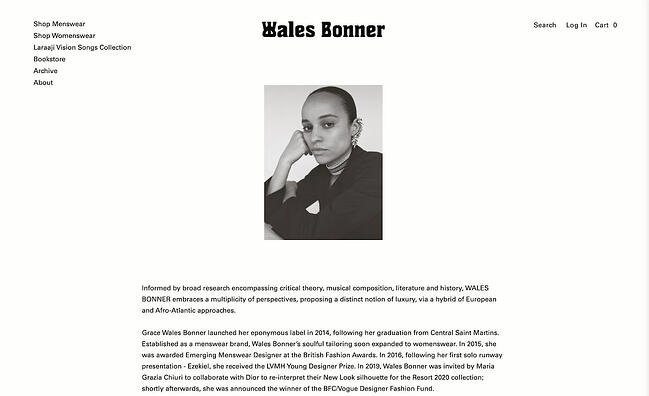 If your company has an interesting and intellectual history, you might consider creating a company profile like Wales Bonner’s. The profile reads like an essay from the very first line — “Informed by broad research encompassing critical theory, musical composition, literature and history .WALES BONNER embraces a multiplicity of perspectives, proposing a distinct notion of luxury, via a hybrid of European and Afro-Atlantic approaches.”
After sharing the brand’s intellectual background, it describes the owner’s journey in building the company, starting from the time she was a college student. With a good balance of image and text, the timeline serves as a reminder of Wales Bonner’s stability and growth.
3. Diehl Group Architects
 For both cleanliness and ease-of-use, take a look at Diehl Group Architects’ company profile. The web page uses clickable boxes to separate topics, allowing users to choose which subject they’d like to learn more about. Additionally, the entire design — including the page’s background, which displays a floor-plan — mirrors the company’s purpose.
4. Bloomberg
Nearly nine out of ten people report wanting to see more videos from brands, so you might consider using a compelling video to convey your company’s story, like Bloomberg does in their company profile.
Bloomberg’s profile proves the company knows its audience, because they offer a few quick statistics, and then link to other areas of the site, such as Careers and Tech. While other businesses might do well in offering a creative, long-form story, Bloomberg’s typical demographic is likely more analytical.
5. Nike
 You can get a sense of Nike’s two primary purposes almost instantly — fitness and people. When you first open their company profile, you’re greeted with videos of people of different ages, gender, and nationalities playing sports.
Additionally, their initial introduction is this: “Bring inspiration and innovation to every athlete* in the world.” The asterisk implies, “If you have a body, you are an athlete.” As you scroll, you’ll see information on their internal diversity and inclusion initiative, their global community impact, and their sustainable business program, with very little mention of their products.
Nike’s company profile portrays a larger, grander vision, compelling an audience to believe in their brand even before they purchase a product.
6. Seattle Cider
 Seattle Cider Company’s profile is minimal and engages the user through compelling animations that demonstrate the company’s cider selection. The page flows seamlessly, and provides critical information regarding the product before displaying the company’s mission and values. This profile is a good example of a company that understands its users’ concerns (in this case, quality ingredients), and addresses those issues while still displaying personality and flair.
7. Delta
Delta’s page is well-organized by topic, and showcases the company’s values, including efforts to engage with the community and promote sustainability. They’ve included brief meta-descriptions below each category. The design allows for users to click-through if they want to learn more. Overall, Delta’s company profile is simple and uncluttered, but includes all the necessary information to demonstrate why Delta is unique.
8. Roam Loud
 Do you have a personal story behind your company’s founding? Roam Loud’s example is the one you may just want to copy or get inspiration from. The brand’s company profile is simple yet effective, starting with a friendly greeting “Hey there!” and ending with a list of values. In between, the founder makes it clear why she created this brand, and why its existence is so important to her and prospective buyers.
9. MAD Architects
 For simplicity and informativeness, take a look at MAD Architects’ company profile. The profile isn’t shy about the firm’s numerous accomplishments, and it gives readers the opportunity to dive deeper by listing the firm’s exhibitions, lectures, awards, and publications, all visible on different tabs within the same page. If your business is a leader in its field, it’s important to establish that in your company profile. Consider creating one similar to MAD Architects’ profile.
With this in mind, the description serves to align with the prospect as they are evaluating which providers are right for them. By leaning into a strong brand voice and providing details about what makes your company unique or superior to the prospect’s alternatives, customers will believe in your brand and want to do business with you.
Examples of Company Descriptions
Here are some examples of company descriptions that enhance their organizations’ company profile.
1. HubSpot
 On HubSpot’s company profile page, you can find a quick description of the company’s mission and what it does. In just a few words, HubSpot explains that the company’s goal is to help businesses grow through its specialized inbound software.
2. Landed, Inc.

Landed, Inc. ‘s About Us page starts with their vision statement: “If we want stronger schools and safer communities, we need to support those who make it possible.” From there, they talk about their history before launching into their mission statement and company description. The latter is summarized succinctly in bullet points in its own separate section, making it easy for prospects to find and understand.
3. H&H Wealth
 In the “Why Us” page of their website, the founder of H&H Wealth gives a brief introduction of what she believes in and encourages her customers to walk the journey with her. She also makes a promise to her clients, which sets the expectations and the tone for the service being delivered. As a result, the tone comes across as that of a partner rather than a vendor.
4. Tesla
In this description, Tesla explains when it was founded, the company mission, and what types of products it specializes in. It also provides added information about the history of the company and how it has continued to grow with the same values.
5. Authentique Agency
Authentique Agency provides a lot of information up front for their customers because they know that partnering with an agency (and choosing which one on top of that) is a big decision for scaling businesses. It does not only provide information about its values, it also tells about its long-standing experience in the industry as well as their primary goals when they work with clients.
6. The Cru
 The Cru is a service that connects members with like-minded women to fuel personal and professional growth. They use an “Our Story” page as their company profile, where the founder details how the organization was formed and how she owns “Cru” (a play on the word “crew”). This summary is a testament to the value of the service. The “letter from the founder” style also feels very personal and welcoming.
7. H.J Russell & Company

H.J Russell & Company opens up its description with its history and specialities: “H. J. Russell & Company, founded over 60 years ago, is a vertically integrated service provider specializing in real estate development, construction, program management, and property management.” It also makes its values clear in the last sentence, so that you get a snapshot of the company’s values, key value proposition, and leadership status in just a few sentences.
8. Carol H. Williams
Carol H. Williams, an advertising agency, doesn’t have an “about” page or a formal company description. However, it displays a snapshot of what the company is all about in its “Team” page. It emphasizes its core values and uses trendy language (“#squadgoals”) to establish that it keeps up with the current trends.
Company Profile Templates
Download These Templates for Free
- Company name
- Established date
- Physical address per location
- Contact information
About Us / Our Story / Our Beginning
In this part of the company profile, you will need to include a brief introduction to your company, including where, when, and by whom the company was founded, the company’s mission statement, and/or the company’s vision and purpose. You don’t necessarily have to include products or services in this section yet, but focus on your bigger meaning, and how you stand out from competitors instead. Tell your story in a compelling way. For instance, HubSpot starts their About Us section with, “More than ten years ago, we had a vision — an inbound world”. HubSpot doesn’t mention their products until further down the page.
If you want to add your company history in a more compact way, consider adding a company timeline, like this one:
Our Mission / Values
Here, you need to say what your company stands for on a larger scale. You can state your ultimate goal, and your hopes for your products or services. Take a look at these inspiring company vision and mission statement examples for ideas. Here’s an example:
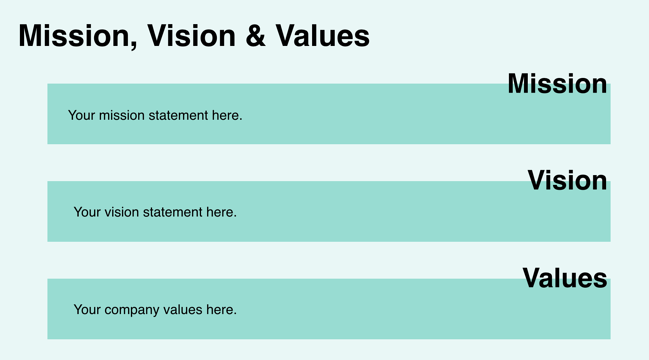
Our Team
Provide a picture or brief paragraph describing your tea.You can focus on leadership, or provide an explanation of your company’s culture. Ultimately, this section should help users understand how your employees can uniquely serve them.

Our Product / Services
Describe a high-level overview of what your product is, and how you hope it will positively impact the user’s life. You can link to a Product page if necessary, so keep this section relatively general.
Start Your Company Profile Today
There are a few elements that can contribute to a stellar company profile, and by adhering to a template, you can build one quickly and effectively.
Editor’s Note: This post was originally published in January 2019 but has been updated for comprehensiveness.

46 Ideas for Your 2022 Small Business Marketing Strategy
Whether you’re in the process of launching a new business or already have one, having a strong online presence for your brand is extremely important.
In fact, consumers learn about local businesses online more than anywhere else, with Statista predicting the number of ecommerce users to grow to nearly 274 million by 2025.

If you’re a small business owner with little experience in online marketing, creating a strategy to boost your online presence may feel overwhelming. Have no fear — we’ve got you covered.
In this post, we’ll help you build and optimize your small business marketing strategy using inbound marketing, setting you up to attract new clients and ultimately grow your business.
Small Business Marketing
Marketing is meant to raise brand awareness and build a pipeline of qualified leads that turn into sales. With a small business, getting the word out can be challenging due to less visibility and lack of resources (like budget or time). However, there are key strategies that can help you scale your small business’s marketing efforts.
Whether you’re struggling with a limited budget, the time restraints caused by having a smaller team, or even a lack of direction, a marketing plan that’s appropriate for your business can provide guidance as you scale.
These strategies are fundamental as you generate awareness and revenue for your organization:
1. Know your audience.
A key mistake is thinking that “anyone” is your buyer. Larger companies may be able to appeal to a wide market, but they say, “the riches are in the niches” for a reason. A niche is where you’ll have the most leverage as a small business. And to develop a niche and appeal to buyers within the niche, you must understand their pains, problems, triggering events, and priorities.
What is pushing them to make a purchasing decision? What does it look like if they succeed? Knowing these things will help you craft messaging that resonates and makes a compelling case for your solution.
Start by thinking about your existing customers and who you’d like to work with. Then, create a buyer persona to start the process of getting into the head of your ideal client.
Download Free Buyer Persona Templates
2. Emphasize your value proposition.
If there’s no difference between you and your competition, there’s no reason why a buyer would be compelled to work with you. Your value proposition is what will differentiate you from others in your space and make up your prospects’ minds that you’re the provider to go with. What do you do better than anyone in the industry? Conveying this makes a compelling argument.
3. Stay focused on singular goals and objectives.
If you’re exploring the world of marketing, you may have noticed that there are a gazillion directions you can go in. It’s tempting to do it all at once and craft a complicated machine in hopes that you covered all your bases, and it’s easy to take on too much.
Instead, identify where the biggest impact will be. Where is the biggest blind spot in your marketing that’s prohibiting your growth? Set a performance goal around that one key area and focus your resources on the activities and tactics that will achieve that one performance goal. You can expand your efforts or pivot to other initiatives when you’ve made more progress toward that singular goal.
4. Capitalize on short-term plays.
Start scrappy. As you scale, it’s critical to see ROI sooner. This will give you the momentum and cash flow to put toward larger projects, long-term plays, and more sustainable growth models.
Tactics that take time to build (such as SEO) are poor fits for your primary initiatives because you won’t see a return soon enough for your liking. If you have enough resources to start there, great, but don’t put all your eggs in that basket.
If you have evidence that people are taking to Google with purchasing intent for your particular solution, you may find that paid ads will give you that short-term ROI.
5. Double-down on what works.
Once you have your initiatives running and you’ve experimented with a few things, pay attention to the data. This can inform you of what’s working. As you scale, it’s a good idea to double-down on proven methods of generating revenue.
6. Understand the power of existing customers.
On average it costs five times more to acquire a new customer than close an existing one. This means you shouldn’t stop marketing once they’ve made a purchase.
Identify your opportunities for repeat purchasing, upselling, and cross-selling. Because your existing customers have already made a purchase, they already know, like, and trust you. If you’ve provided a good experience, you’ve given them a reason to do business with you again should the need ever arise.
Even if the need doesn’t arise (in cases where it’s a one-and-done purchase with no upsell opportunities), you should still delight your customers. Word of mouth is a powerful (and free) promotional tool.
7. Use free promotional tools.
Speaking of free promotional tools, it’s important to note that since you’ve committed to a limited goal and scope, there’s no need to inflate your overhead with gadgets. Use free promotional tools where possible, and only commit to paid tools if you know they will drastically improve existing operations or performance. Here’s a helpful list of marketing tools (some free and paid).
8. Create a website to own your online presence.
Having a professional-looking website is one of the most important assets you will create for your small business. This is where you will show who you are, what you offer, where you are, and how a potential customer can get in touch with you.
It is a channel you will always own (unlike other platforms which may change policies or go in and out of style), and it has the capability of generating organic traffic in addition to being a place to send traffic from advertising and other marketing initiatives.
Your website isn’t just a simple brochure, either. You have the capability of turning it into a 24-7 salesperson by understanding how to convert traffic and turn them into leads (more on that later).
For one of the best website tools, check out HubSpot’s CMS.
9. Consider blogging to attract prospects for your website.
Blogging is a great way to generate organic traffic, particularly for those prospects who have not reached a purchasing decision yet. In addition, it can establish credibility in your space and position you as a thought leader.
To start a blog, you can use an inexpensive or free website tool to make a free site and use one of their templates. Even if you only publish once a week, it will improve your website’s visibility online and help educate your potential customers on why they should trust your company. If you’re planning to write your posts yourself, check out this beginner’s guide to writing.
Once you start writing, you can add a call-to-action on your posts for visitors to subscribe to your blog and receive emails This is a great way to start collecting leads and offering potential customers a way to get information if they aren’t ready to buy anything from you yet.
.png?width=450&name=Untitled%20design%20(17).png)
Download Free Blog Post Templates
10. Promote yourself on social media.
With billions of potential customers using various platforms daily, social media is a powerful business tool. Social media marketing can help you engage with potential customers, build brand awareness, and promote your products. Why wouldn’t you want to be seen where your potential customers spend their time?
![The Social Media Content Calendar Template Every Marketer Needs [Free Template]-4](https://blog.hubspot.com/hs-fs/hubfs/The%20Social%20Media%20Content%20Calendar%20Template%20Every%20Marketer%20Needs%20%5BFree%20Template%5D-4.jpg?width=450&name=The%20Social%20Media%20Content%20Calendar%20Template%20Every%20Marketer%20Needs%20%5BFree%20Template%5D-4.jpg)
Download the Free Social Media Content Calendar Template
11. Invest in ads.
Organic traffic takes a while to build, and as a small business, you want to invest in short-term plays. Pay-to-play tactics that target buyers with high intent are great for short-term wins to jump-start other objectives.
Google Ads are perfect if you know that your target audience is searching the web for your product or solution. If they aren’t, you might consider social media ads instead. Individuals on social media have less buying intent, but with highly targeted ads and enough impressions, you’ll gain the interest of your audience.
Download the Free Advertising Planning Kit
12. Make sure you’re capturing web prospects’ information.
We’ve been talking a lot about visibility and traffic but haven’t really covered how these will help drive revenue yet. One simple way to start generating leads or customers from your website is to implement a conversion tool.
A simple, free option is HubSpot Marketing Free. By using this tool to add a pop-up widget to your website, you can start collecting the email addresses of potential customers. From there, you can send out promotions and offers and convert them into paying customers. You can also implement any of these 24 conversion tools to help you optimize your website and use it to drive leads.
13. Use email marketing to nurture leads.
Just because you’ve converted website traffic into leads doesn’t mean those leads are ready to buy yet. It’s important to stay top of mind and move them closer to a purchasing decision.
Email marketing is a critical part of your marketing toolkit. In fact, 73 percent of millennials prefer communications from businesses to come via email.
This strategy is an easy, free, and scalable way to communicate with both new and existing customers.
Once you have an email marketing tool in place (many are inexpensive or even free), experiment with emailing out newsletters (with your sleek new blog posts), and other promotions to your database. We know small business owners don’t have tons of free time to devote to digital marketing, so consider using marketing automation to make this process even easier for yourself.
To get started planning your email marketing strategy, check out this guide and template from HubSpot.
14. Manage relationships with a CRM.
Email marketing works best when you’re sending personalized, targeted emails. This begins with a customer database or customer relationship management (CRM) system.
Your CRM stores information about your leads, prospects, and customers so that you can keep track of customer interactions and identify sales opportunities more effectively.
HubSpot has one of the best CRMs (and best of all, it’s totally free).
15. Lean into word of mouth as a promotion channel.
As mentioned previously, delighting customers can have a big impact on your business, primarily in repeat purchases and word of mouth. If you provide a great experience, your customers will be more inclined to leave reviews, give testimonials, and tell their friends about you.
That’s why it’s a good idea to measure customer satisfaction and encourage customers to spread the word.
1. Determine your brand’s identity.
Having a consistent brand identity to promote your business will make you look more professional and help you attract new customers. According to a 2020 study, nearly 9 out of 10 people are brand loyal with nearly 25% of them climbing to be more brand loyal in 2020 compared to 2019.
Jeff Bezos, the founder of Amazon, has described a company’s branding as “what other people say about you when you’re not in the room.” In other words, your brand is the feelings and emotions people have when hearing your company name. It’s is a combination of your brand name, logo, aesthetic, and the design of all your assets.
2. Identify your buyer persona.
When you imagine a customer searching for your product or service, what are they like? What are their pain points? What is their job? Creating a buyer persona that tells a story of your ideal customer can help you make a website that’s optimized for them.
By learning more about your target customer through creating a buyer persona, you can better figure out what types of things they may be searching for so you can include those terms on your website.
3. Design a logo and other assets.
To start getting the creative juices flowing, consider your color scheme and peruse palettes with Adobe Color or Coolors. You can create your own or look through pre-made or customized color palettes.
To create a logo, I’d recommend checking out Upwork or Freelancer. There are free and less expensive options for designing your own logo online, although using a freelancer or agency can give you a higher quality product and connect you with a designer who can change and update your brand assets as your company grows.
4. Build your website with a CMS template.
If you’re a fairly tech-savvy small business owner, you’ll probably want to build your own website. A CMS (content management system) makes the process simple.
Most CMSs offer customizable templates for your site that you can get for free or a small fee. There are templates for various skill levels — from beginner all the way to advanced.
Once you’ve created your website, most CMS platforms offer plugins to help you optimize your content for search (look for SEO plugins). This will help you rank better in Google — which we’ll discuss more in-depth in a bit.
5. Draw up a go-to-market strategy.
Once you’ve activated all the tools you need to promote your product or service, you’ll need to create a promotional plan that aligns with the customer journey. Consider which content will attract, engage, and delight your prospects and how you will convert them into a customer.
To help you plan out this process, use this template.
6. Hire a freelancer to help you scale your content.
If you need some help creating regular blogs or promotional content, consider hiring a freelancer over investing in a full-timer. Try Upwork for a freelance blogger, videographer, or photographer. You could also consider hiring a marketing agency for a larger project.
7. Consult agencies or freelancers for web design help.
If you aren’t on the technical side and want a website built for your small business, you can use a freelancer or a marketing agency that specializes in web design. This is a great option for businesses that already have a website but need it to be updated and revamped for SEO (search engine optimization) to help improve your Google ranking.
To find a freelancer or marketing consultant in your area, you can use Upwork (filtering by design/creative), Codeable (for WordPress experts) or Freelancer.
8. Track your site with analytics tools.
If you’ve never made a website before and aren’t entirely comfortable with the technical elements, there are a variety of free tools and services to help you get started. When you create your website, make sure you implement Google Analyticsor HubSpot Marketing Free(both of which are free products) so you can easily track who’s looking at your site.
Online Marketing Tips for Small Businesses
9. Boost your Google ranking with SEO.
If you already have a business, have you ever searched for yourself or your product/service online? If so, did you think, “Why isn’t my website showing up on Google?” If so, you probably thought, “How do I rank on Google?” or “How can I improve my Google ranking?”
There are a lot of factors that play into why a certain site or page appears in the top spots on the Google (or another search engine) search engine results page (SERP). Backlinko reports some of Google’s top factors, which include having relevant keywords (and their placement on your site), the length of your content, having high-quality content, how fast your page loads, how often you post content, and more.
When it all boils down, Google essentially tries to find the best piece of content to present to the person searching. For example, if I’m searching for the best salon in Newport, Rhode Island, it wouldn’t be helpful for me to find a web page of a salon that has closed down and is located in Newport, Kentucky. It would, however, be helpful for me to find a salon in my area with great Yelp reviews, an easy-to-navigate website, and contact information readily available. Google always wants to surface the most relevant, highest-quality piece of content.
To rank higher on Google, you can leverage the power of SEO, or search engine optimization. To start learning everything there is to know about this powerhouse marketing tactic, check out The Ultimate Guide to SEO.
HubSpot explains SEO as “techniques that help your website rank higher in search engine results pages (SERPs). This makes your website more visible to people who are looking for solutions that your brand, product, or service can provide via search engines like Google, Yahoo!, and Bing.” In other words, it’s the basic concept of structuring your website and blog posts to be in the best shape for appearing first on search engines.
SEO strategy usually consists of a few things. These include buyer persona research, keyword research, and on-page SEO research. These three areas can help you learn how your target market is searching online, and position your business to get discovered by the right people.
10. Research keywords opportunities.
Keyword research is an extension of buyer persona research. You can use the personas you’ve created to search for the best keywords for your brand, then use a tool like KW Finder to find related keywords for your target audience.
Then, you can do some on-page SEO research and optimization. This is where you put those keywords in the correct places on your website — like in the meta-description, page titles, and H1 tags.
11. Optimize your website for mobile devices.
Most Google searches are done on mobile devices, so it’s important to have a site that looks clean and easy to navigate when someone enters it on their smartphone. A mobile site can also be beneficial for SEO, with search engines like Google which rewards you with a higher ranking if you have a mobile site.
You don’t have to be a tech expert to build a site that looks good on mobile. In fact, most CMS platforms like HubSpot already offer mobile-optimized templates.
12. Write optimized blog posts.
Content and blogging are extremely important when it comes to your search engine ranking. The more often your desired keywords appear in your high-quality and helpful content, the more likely you are to appear in search results. A great way to become an authority on your topic, product, or service is to blog.
Make sure you’re writing with SEO in mind — use this SEO checklist for bloggers, or a WordPress plugin like Yoast.
13. Experiment with photo and video content.
According to HubSpot Research, more than 50% of consumers want to see videos from brands. Additionally, most social media apps, like Facebook and Instagram are embracing more visual layouts. To keep up with these trends, it’s a good idea to make a few marketing videos. If you use these tips, producing a few can be quite inexpensive.
14. Launch business pages on Facebook and Yelp.
If your business is focused on a local area, the most important accounts for you are Facebook, Yelp, and Google’s business feature. Having high Yelp reviews improves your authority online and helps your search ranking. You can claim your business on Yelp for free, customize your profile and add pictures, and start asking for reviews.
The same thing goes for registering your Google business page. You can register your business with Google (for free) and add pictures. (If you’ve ever searched for your business in Google Maps and been disappointed not to see it, it’s because you haven’t claimed it yet!)
On Facebook, you can create a Facebook business page so that people can find your location and hours.
For any business, having up-to-date social media accounts will help you be found and engage with prospects. Create a Twitter account, Facebook page, learn how to use Instagram, create a Pinterest page (if relevant), and use them as a way to discover new clients.
15. Build out your social media strategy.
While Facebook and Yelp will be great tools for local searches and reviews, platforms like Instagram, Pinterest, and Twitter will offer you even more opportunities to share your posts, content, and promotions.
If your customers can purchase your products or services online, these platforms will also give them another way to find you.
Be sure not to spread yourself too thin by joining too many platforms at once. To make strategizing easier, here’s a guide to the five types of social media platforms and the pros and cons of each.
16. Use social media for customer service.
Once you’re on your chosen platforms, be sure to answer customer or follower questions when they ask them through post comments or direct messages. This will make your company look responsive and credible. Here are some great examples of how brands have used Twitter for customer service.
If you have the means, consider hiring a social media manager with community management experience. On top of posting content on a regular schedule, community managers are charged with responding to questions or concerns of followers. Interested? We published a guide on what it takes to be a great social media community manager.
17. Build interesting landing pages.
A landing page offers your potential customers a free resource in exchange for filling out a short form of contact information. When they receive the resource, they might be even more pleased by your company and more interested in buying the full product.
Because landing pages raise your chances of customer conversion, you want yours to look enticing. To get started, read this landing page guide to learn more about what makes this strategy successful. Then check out these free and professionally designed templates.
18. Plan an email marketing strategy.
Once you start creating regular content and building out landing pages, you’ll want to share them with the prospects who seem most interested in learning more about your product. For this reason, we suggest building an email marketing strategy.
While you want to be careful not to bombard those who sign up for your email list with too many emails, you want to send just enough to keep your prospects informed and engaged. Here’s how our metrics improved when we streamlined our email marketing strategy.
If you’ve never sent regular newsletters before, you can use HubSpot or a number of other affordable tools to create and send an email with a professionally designed template. Many email tools also offer basic analytics that allow you to track open and click rates.
19. Offer coupons in newsletters or on landing pages.
Placing a coupon in your marketing emails can engage and delight your audience. After buying a product or service at a discounted rate, they also might be more willing to pay for it in full price. If you have a subscription service, it can also be helpful to offer prospects a code for a free trial so they can test it out.
20. Share your distribution channels on your website.
Once you have a few social media accounts and can allow people to sign up for your newsletter, highlight this on your website so your visitors can follow you. One way companies do this is to display all of their linked social icons and a newsletter sign-up call to action on all pages of your website. A good place to include these is on the top right corner or on the footer of each page. This way they are visible but aren’t distracting from any content.
21. Offer a free webinar.
A webinar allows potential customers to sign up for a short online course hosted by you. These courses are usually between 30 minutes to an hour and allow you to give tips and answer questions related to a topic your brand is familiar with. While this strategy can help you boost your credibility in your field, it can also offer you potential leads and sales opportunities.
22. Try co-marketing.
Is there a local business in your area that isn’t a direct competitor but offers a product or service to a similar target audience? Consider working with them on a cobranded campaign where you promote each other on social media, via email, or in your blog. While you’ll give your partnering company added promotion, it will also allow their fanbase to learn more about you.
23. Encourage happy customers to share their experiences.
When a happy customer talks about how great your company is on social media or a review site, your product or service looks like a good investment. Even on social media, word of mouth is still a huge factor in someone’s purchasing decision. If a prospect sees a friend raving about your business on Facebook or if they post a photo of a meal from your restaurant on Instagram, they could be more likely to go. After all, 71% of consumers are more likely to purchase based on social media referrals.
If customers are telling you they love your product, encourage them to share about the experience on Yelp, Google, or social. If you have a physical business, you might also want to place signs up with your account handles so customers know who to tag if they post a picture of your product.
24. Try out marketing experiments.
If there’s a new social platform you’re interested in or a new marketing trend, don’t be afraid to experiment. If an experiment goes well, you could be ahead of the game, and it never hurts to be a thought leader in your industry.
When you experiment with a new marketing strategy, be sure to have a solid hypothesis or question in mind. This will keep you focused on the end goal and reduce the desire to chase the next big thing as it comes along. Also, prepare for what your next steps will be if you get good or bad results. Here’s a quick guide to leading a successful marketing experiment.
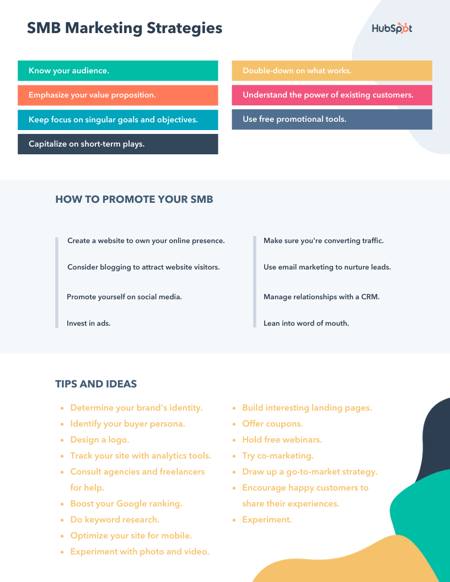
Small Business Advertising Ideas
Now that we’ve covered some marketing strategy basics, let’s look into how you can put your advertising dollars to work. Below are some ways to tackle adverising for small business.
1. Set up Google My Business.
Creating a free Google My Business profile is a simple first step to helping potential customers find your business. It only takes a few minutes to add your business contact information, business hours, photos, and list your services.
Another perk of having a Google business profile is that you don’t need a storefront to create one. Your profile also comes with analytics that can help you better understand how customes are connecting with your business. Additionally, you can check out and respond to customer reviews and learn what keywords brought them to your business page.
2. Consder PPC ads with Google & Bing.
Using pay-per-click ad programs like Google Adwords or Microsoft Advertising can also help drive customers to your business. If you’re working hard on SEO, but are still looking for an extra boost, consider PPC — or pay-per-click advertising.
With this search engine marketing technique, you use Google AdWords or Microsoft Ads to show up as an advertised listing in search results. Before you dive into PPC, you’ll want to make sure your landing page is as optimized as possible. If you are paying by the click and those who click on the page don’t convert, you will lose advertising dollars.
To help you get started, read this Ultimate Guide to PPC. Then, use this PPC planning template to plan an optimized campaign. You can also use a few handy tools and software to edit, track, and report on your campaigns.
3. Run social media ads.
Most of the major social media platforms offer affordable advertising options that can help you target your posts to a specific audience. While many small businesses have been advertising on Facebook, Twitter, and LinkedIn for years, Instagram now allows brands to advertise through its Shoppable tool.
Pinterest is also an excellent option for small businesses to advertise. In fact, Pinterest users say the platform has more influence on their purchasing journey than other platforms. Shopping ads on Pinterst drive three times the conversion of other competting plaforms.
4. Sponsor products on Etsy & Amazon.
If you’ve alreay set up shop on Amazon, you can give your products a boost by participating in their sponsored products program. This cost-per-click ad program generates ads from your product listings and automatcally targets your ads, making it a great option if you’ve never created a campaign before.
If you’re a maker and sell your wares on Etsy, consider using Etsy Ads to advertise your products. Similar to Amazon, this is a cost-per-click model with a default minimum daily budget of one dollar. With Etsy Ads your products will stand out in Etsy Search, category pages and marketing pages.
5. Leverage user-generated content.
Some of the best advertising you can get is from existing customers. Happy customers can vouch for your brand and add social proof to your marketing campaigns. Ask your customers to leave reviews or if they’ve already created content on social media involving your brand, ask permission to share it.
6. Develop a referral program.
Speaking of enlisting the help if your existing customers, you can incentivize them by using a referral program. Offer a discount, free gift, or other perk in exchange for them bringing in new customers.
Referred customers are 18% more loyal than those who aren’t and spend 13% more on purchases. Since these new customers will have been referred to you by someone they know, they’re more likely to have a positive customer experience.
7. Advertise with your local chamber of commerce.
If you have a storefront, it may also be a good investment to advertise with yoru local chamber of commerce. Each city is different, but you can typically be featured on their website, their social media channels, and included in their email newsletter for an annual fee.
It’s not only a great way to get your brand out there, but is also an excellent opportunity to network with fellow small business owners.
Start Marketing Your Business Today
Small business owners looking for a way to track ROI and brand awareness need digital marketing. Not only is digital marketing a must-have for promoting your products or services, but optimizing your online assets is also critical to your business’ overall success.
You may have a long road ahead to build your online presence, but any steps you can make will have a huge impact on your business.
Editor’s note: This post was originally published in September 2020 and has been updated for comprehensiveness.


How to Calculate Your Lead Generation Goals [Free Calculator]
To hit revenue and growth goals, your company needs customers. To get customers in an inbound world, your marketing team is responsible for generating leads and funneling them over to your sales team. The question is … how many leads?
When your boss asks you what your lead goal is, don’t just pull an answer out of thin air. Your projections need to be based on math and anchored in your company’s larger goals. That’s where our new lead goal calculator comes in.
![Download Now: Sales Conversion Rate Calculator [Free Template]](https://no-cache.hubspot.com/cta/default/53/059a7eef-8ad9-4bee-9c08-4dae23549a29.png)
Lead Calculator

To make it easier for marketers like you to set your lead goals for the month, we created a calculator template in Google Sheets and Excel that will calculate exactly how many leads your inbound marketing efforts need to drive each month for your sales organization to hit their numbers and your company to meet its growth goals. With just a few quick inputs, like your monthly revenue goal and average deal size, this template will do all the Math for you.
Our lead generation goal calculator is a customizable Service Level Agreement (SLA) template that can help you calculate your lead goals based on sales headcount and marketing & sales conversion rates. The template can also monitor sales close rates, assign dollar values to each of your lead sources, track monthly lead generation by channel, and help your business commit to a concrete monthly lead generation goal.
You can download the Lead Goal Calculator here.
How to Use A Lead Goal Calculator
To use the Lead Goal calculator, follow these simple steps:
- Step 1: Work with your sales leadership team to determine the overall monthly revenue target that your company needs to hit. This will ensure that marketing acts as a growth engine and your revenue team is in line with sales. Take your revenue targets per region per month and add them to the correct cells. Remember to update this spreadsheet if your goals change at any point throughout the year.
- Step 2: Determine the value of your average deal size. This will help you determine how many deals you need to close to hit your revenue numbers. Calculating your average deal size is simple. First, identify your average sale price for each of your core regions or personas. Find this data in your marketing software and sales CRM tools. Input your average sale value into the top “average sale price” row for each region. Our template will automatically calculate the value of your leads based upon the % close rates you filled in for step one. Revisit your average sale prices for your personas or regions regularly to make sure you are holding your teams to the right numbers.
- Step 3: Work with your sales leadership to determine the percentage of revenue pipeline generated by marketing and the revenue generated directly by sales. This will vary depending on how inbound versus outbound your company is. This may change throughout the year and should regularly be updated in this spreadsheet.
- Step 4: Examine your sales closing rates, and specifically tease out what percentage of your leads ultimately become customers. This analysis looks at the historical performance in your marketing and sales, In addition, this analysis fills these holes in with actual performance data. To tease out your overall closing rates, look at your last six months of sales data for each channel that you use to generate marketing leads.
- Step 5: The last section of our calculator will tally your commitments. As you fill in steps one through three, the calculator will automatically populate the total fields for each channel and persona. This worksheet will sum up your channel and persona goals and your overall monthly total. Ultimately, the total monthly goal you commit to should equal the total potential revenue each segment or region can produce per month. As you fill out your tables each month, the calculator will show how you are tracking towards your monthly goal.
It’s important to adapt this spreadsheet to meet your individual needs. It may work better to split your revenue by personas. If this is the case, just swap out the region for persona. The calculations will still work.
Take the average close rate and add it to the correct cell in the document. Remember to update this spreadsheet every month, as your channel performance will change over time.
In the Performance Against Plan tab, you’ll track your daily actual leads and track monthly volume trends and percentage performance against plan.
The Performance Against Plan Example shows a snapshot of a month’s productivity. For maximum visibility, update these leads on an ongoing basis. For example, HubSpot managers often monitor these numbers daily, and we send the marketing team a daily summary of our month-to-date performance.
You can also use this template to experiment. For example, try changing the conversion rates and see how your lead goals go down or up accordingly.
Lead Calculator Examples
With our Lead Goal Calculator template, you can easily calculate your business’s marketing and sales lead goals for different media channels, including your social media, website, and email marketing.
As shown in the examples below, our calculator will guide you through how to fill in the data for your revenue, average deal size, percentage of revenue from marketing, and lead to close rate in the Lead Target by Month tab. Once this data is entered, the calculator will determine the number of leads you need to bring in to hit your revenue goals successfully.
1. Performance Against Plan
The Performance Against Plan tab will automatically populate and calculate your total target per month for all of your segments. The Performance Against Plan tab also provides a table that you can manually fill in with your business’s actual qualified lead volume every month, so you can track your progress every month and identify volume trends. After filling in the table, the number of leads you need to bring in to hit your revenue goals will be calculated automatically.
2. Leads From Social
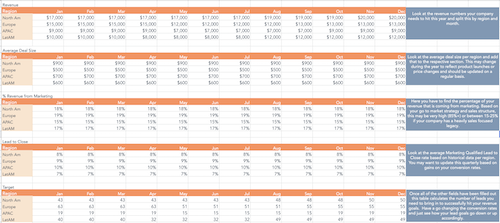
You can use our Lead Goal Calculator to determine how many prospects your business needs to connect with on social media in each region to generate leads and meet your sales goals each month.
The calculator can also help you keep track of the amount of monthly revenue you earn through social media posts and advertising, as well as the average size of deals that your business gains through social media each month. In addition, the calculator can help you determine the average percentage of revenue your business gains through social media each month and your average Marketing Qualified Lead to Close rate based on historical data per region.
3. Leads From Website
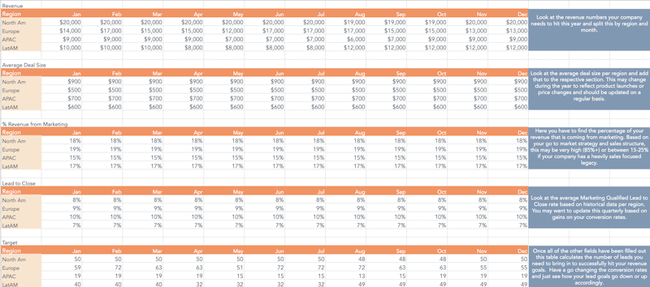
You can use our Lead Goal Calculator to determine how many prospects your business needs to connect with on your website in each region to generate leads and meet your sales goals. Our calculator can also help you track revenue per month on your SaaS or e-commerce website.
4. Leads From Email
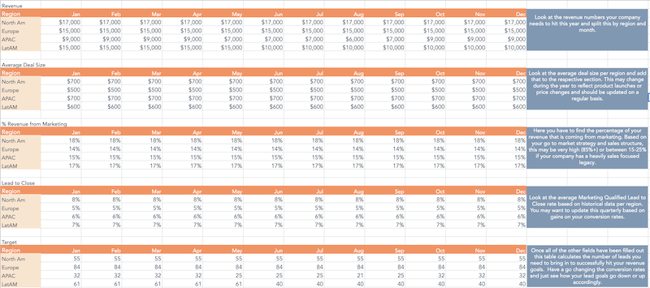
You can use our Lead Goal Calculator to determine what percentage of your business’s revenue should come from email marketing month-by-month. The calculator can also determine how many prospects in each region need to opt-in to receive your business’s marketing emails to generate leads and meet your sales goals.
Start Calculating Your Sales Goals
Our Lead Goal Calculator has everything your business needs to visualize your lead target per month, and this tool calculates your lead goals and sales goals throughout the year.
Editor’s note: This post was originally published in January 2017 and has been updated for comprehensiveness.

20 of the Best Professional Bio Examples We’ve Ever Seen [+ Templates]
Be honest, does your professional bio make a statement?
If you have your doubts, it’s likely time to update your bio, and we have some of the best professional bio examples to get you started.
Your professional bio is not only relevant when applying for jobs, seeking new clients, or networking — it also gives the world a brief snapshot of who you are and your professional ideals.
![→ Download Now: 80 Professional Bio Examples [Free Templates]](https://no-cache.hubspot.com/cta/default/53/4eb63650-d315-42e5-9ac7-8d0fcba29324.png)
But if you’re anything like me, you probably don’t think about your professional bio until you’re suddenly asked to “send one over via email.” You have approximately one afternoon to come up with it so you scramble together a bio that ends up reading like this:
“Rodney Erickson is a content marketing professional at HubSpot, a CRM platform that helps companies attract visitors, convert leads, and close customers. Previously, Rodney worked as a marketing manager for a tech software startup. He graduated with honors from Columbia University with a dual degree in Business Administration and Creative Writing.”
To be fair, in certain contexts, your professional bio does need to be more formal like Mr. Erickson’s up there, but there are also cases where writing a personable and conversational bio can be a good thing.
So to help you author one that packs a punch, we’ll teach you how to write a professional bio and leverage professional bio templates with 20 of the best professional bio examples we’ve ever seen to draw inspiration from. Skip to one of these sections if you know what you’re looking for:
Skip to one of these sections if you know what you’re looking for:
- Professional Bio Templates
- How to Write a Professional Bio
- Best Professional Bio Examples
- Short Bio Examples
- How to Write a Short Bio
Professional Bio Templates
When it comes to professional bios, keeping your message honest and to the point is best practice. So how do you go about writing one that will effectively market you and your brand?
This is where a professional bio template comes in. By sticking to a predetermined format, all you have to do to begin is fill in the blanks with your most relevant career information. These bio templates will guide you on where you should place your:
- Name
- Occupation or Job title
- Passions and goals
- Skill set and expertise
- Education
- Work history
- Location
Of course, while there is no one-size-fits-all template for a professional bio, this template is a quick way to start building out your long or short bio before customizing it to your liking. But before choosing your bio template, there are some key elements to include to make sure yours is effective — one of the most important elements being whether to write your professional bio in the first person or third person.
First-Person Bio vs. Third-Person Bio
If you’re looking to build a personal brand, writing in the first person can be a great way to connect with your audience. When you write a first-person bio, use “I” statements to make yourself relatable and approachable.
Here’s one way to write a first-person bio: “I’m a freelance writer specializing in small business content. I’ve worked with companies in a variety of industries, from home care services to fine leather goods.” By speaking in the first person here, you take a more personable approach to connecting with a client or brand.
While first-person bios are quite common, third-person bios can prove more effective in informal situations. If you’re job searching, applying for grants, or trying to get published, it’s generally best to stick to the third person. This will make you sound more authoritative and objective about who you are and what you can do.
For instance, when you write a third-person bio you may start with “Jasmine Montgomery is a Senior Hiring Manager at L’Oreal based in New York. She recruits across several business units to connect with the brightest talent from around the globe.” By only using your name and pronouns to speak about yourself here, you are letting your title and skill set speak for themselves.
So your decision to write your professional bio in the first or third person depends on whether you’d like to leave a more personable or assertive impression. Overall, both approaches can be effective when you tailor them to your goals and the audience you are writing for. The most important thing is to be clear, concise, and tell your story in a way that connects with your reader.
To structure your professional bio so it stays true to these objectives, try out our 80+ downloadable professional bio templates — for both short and long-form bios — to start composing a bio that makes a mark:
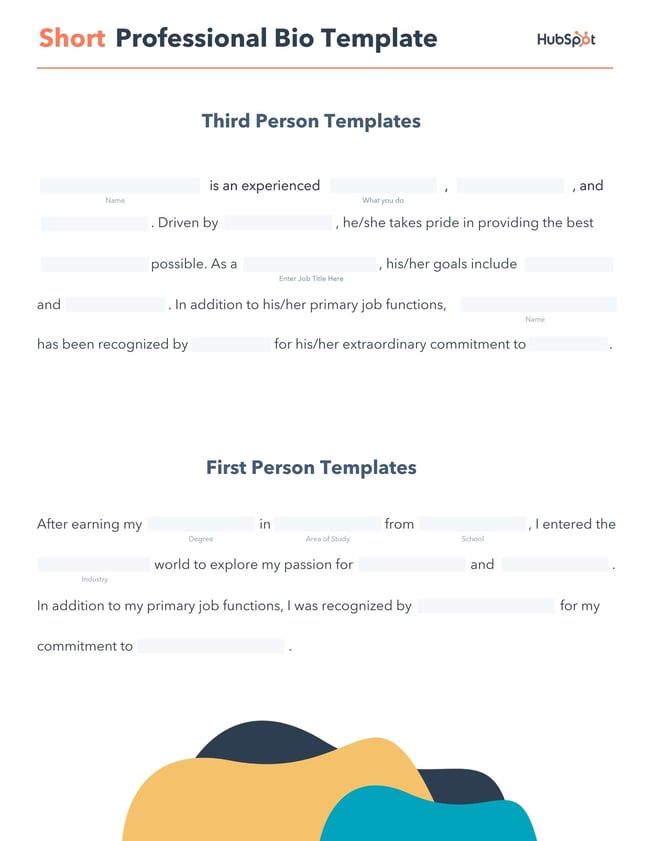
Download a free, editable short professional bio template.
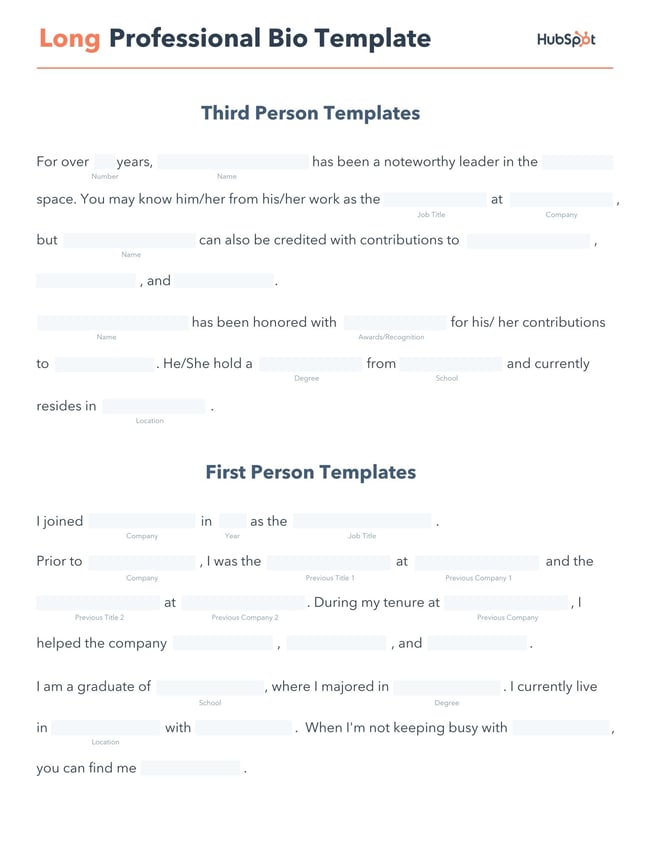
Download a free, editable long professional bio template.
Writing a professional bio that captures your brand and what you offer to your audience can encourage your professional growth. But doing it right is just as important.
Here’s how to write a professional bio, step by step.
Here’s how to write a bio, step-by-step.
1. Create an ‘About’ page for your website or profile.
Before you can publish your professional bio, you need a living space for it. Here are a few to consider (some of these you might already have in place):
- Facebook Business page
- LinkedIn profile
- Instagram account
- Personal website
- Personal blog
- Industry website
- Industry blog byline
As you’ll see in the professional bio examples below, the length and tone of your bio will differ depending on which of the above platforms you choose to be on.
Instagram, for example, allows only 150 characters of bio space, whereas you can write virtually as much as you want on your personal website — or even your Facebook Business page. But once created, this bio should represent who you are in the eyes of your audience.
2. Begin writing your bio with your first and last name.
If your readers don’t remember anything else about your bio, make sure they remember your name. For that reason, it’s a good idea for your first and last name to be the first two words of your professional bio. Even if your name is printed above this bio (hint: it should), this is a rare moment where it’s okay to be redundant.
For example, if I were writing my own bio, I might start it like this:
Lindsay Kolowich
Lindsay Kolowich is a Senior Marketing Manager at HubSpot.
3. Mention any associated brand name you might use.
Will your professional bio represent yourself, or a business you work for? Make sure the brand you want to be associated with is mentioned in your bio. If you’re a freelancer, perhaps you have a personal business name or pseudonym you advertise to your clients. Here are a few examples:
- Lindsay Kolowich Marketing
- SEO Lindsay
- Kolowich Consulting
- Content by Kolowich (what do you think … too cheesy?)
Maybe you founded your own company, and you want its name to be separate from your real name. Don’t be afraid to keep it simple: “Lindsay Kolowich is the founder and CEO of Kolowich Consulting.”
4. State your current position and what you do.
Whether you’re the author of a novel or a mid-level specialist, use the next few lines of your bio to describe what you do in that position. Don’t assume your audience will naturally know what your job title entails.
Make your primary responsibilities known to the reader, helping them paint a picture of who you are during the day and what you have to offer the industry.
5. Include at least one professional accomplishment.
Just as a business touts its client successes in the form of case studies, your professional bio should let your own audience know what you’ve already achieved. What have you done for yourself — as well as for others — that makes you a valuable player in your industry?
6. Describe your values and how they inform your career.
Why do you do what you do? What might make your contribution to the market different from your colleagues?
Better yet, what values do you and your colleagues share that would make your business a worthwhile investment to others? Start to wrap up your professional bio by simply explaining what gets you up in the morning.
7. Briefly tell your readers who you are outside of work.
Transition from describing your values in work to describing who you are outside of work. This may include:
- Your family
- Your hometown
- Sports you play
- Hobbies and interests
- Favorite music and travel destinations
- Side hustles you’re working on
People like connecting with other people. The more transparent you are about who you are personally, the more likable you’ll be to the people reading about who you are as a professional.
8. Consider adding humor or a personal story to add flavor to your professional bio.
End your professional bio on a good note — or, more specifically, a funny note. Leaving your audience with something quirky or uniquely you can ensure they’ll leave your website with a pleasant impression of you.
It’s important to follow the steps above when writing your bio, but don’t obsess over any one section. Remember, the people reading your bio are suffering from information fatigue. If you don’t hook ’em in the first line, you’ll lose them quickly.
(P.S. Want to give your professional brand a boost? Take one of HubSpot Academy’s free certification courses. In just one weekend, you can add a line to your resume and bio that’s coveted by over 60,000 marketers.)
Why Good Bios Are Important for a Professional
Alright, I know what you may be thinking … So what? It’s just a bio. I mean, how many people read professional bios, anyway?
The answer: A lot of people. More importantly, though, there’s no way to tell exactly who is reading it — and you always want it to be ready for when the right people come across it. And when they do, you want it to catch their eye. In a good way.
You see, while your resume is only useful for when you’re actively applying for specific positions, your professional bio is much more visible. It can live on your LinkedIn profile, your company’s website, your guest blog posts, your speaker profiles, your Twitter bio, and many other places.
And, most importantly, it’s the tool that you can leverage most when you’re networking.
Bottom line? People will read your professional bio. Whether they remember it, and whether it makes them care about you, is a matter of how well you present yourself to your intended audience.
So, what does a top-notch professional bio look like?
Below, we’ve curated some of the best real professional bio examples we’ve ever seen on Twitter, Instagram, Facebook, LinkedIn, and the various websites where you might describe yourself.
Check ’em out, and use them as inspiration when crafting your own.
The Best Professional Bio Examples We’ve Ever Seen
1.Chimamanda Ngozi Adichie: Author
Bio Platform: Personal Website
Chimamanda Ngozi Adichie begins her professional bio with an invitation into her world. In just one sentence, she describes the depth and breadth of her body of work as it has been translated into thirty languages and several publications.
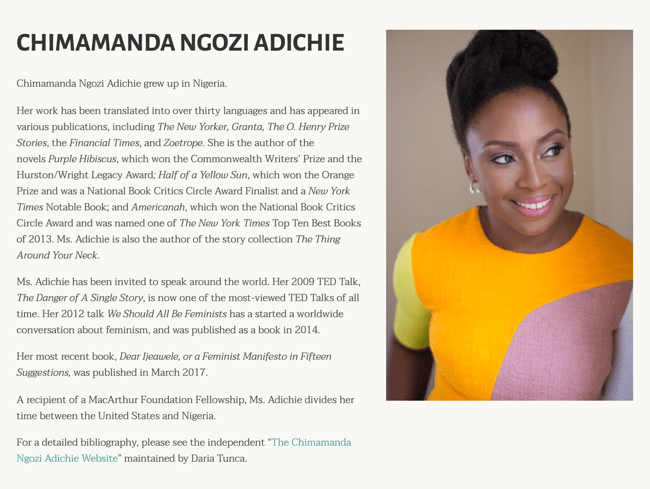
Along with her notable writing career, Chimamanda showcases her speaking career which introduces readers to a well-rounded view of who she is as a professional. From there, her bio seamlessly flows into her recent work and a glimpse into how and where she spends her personal time – the United States and Nigeria.
Finally, Chimamanda’s bio ends with a call to action to read a more detailed biography, giving the reader a choice to read the information available about her life and career.
2. Chime Mmeje: SEO Content Writer
Bio Platform: LinkedIn
A bio with a hook is sure to keep you reading. Chima Mmeje is a freelance SEO copywriter who’s “extremely good at one thing”: helping companies rank for their target keywords.
By leading with a strong hook that aligns with her target audience’s marketing needs, she’s able to keep readers engaged.
 What comes next is a unique differentiator in a professional bio. Instead of listing accolades, Chima shares a few wins she’s secured for her clients. This nifty section does two things: it builds the readers’ confidence in her ability to deliver results and it’s a practical way to name-drop her clients in a professional bio.
In the body of her professional bio, Chima briefly lists her process at a high level, giving her potential clients a birds-eye view of what they can expect when they book her services.
The simple call to action “Drop a message” in her email inbox is a casual invitation to learn more about her services.
3. DJ Nexus: DJ
Bio Platform: Facebook
This New England-based DJ has single-handedly captured the Likes of more than 2,000 people in and beyond Boston, MA. And even if you don’t listen to the type of music he produces, it’s hard not to listen to his compelling Facebook bio.
For instance, consider his tagline, under “About” — “Quiet during the day. QUITE LOUD at night!” DJ Nexus tells you when he works in an awesome way. I got goosebumps just imagining a dance club he might play his music in.
 DJ Nexus’s bio brilliance doesn’t stop there.
DJ Nexus links his Facebook account to his personal website, where he has the space to tell the full story of his background. Here’s a preview, below:
 In this story, DJ Nexus describes both when he “became known as DJ Nexus” and a company he founded shortly afterward — all before going to college.
This is a terrific lesson for professional bios: Customers want to learn about you. Consider how you might also lead your Facebook visitors off your Facebook page and onto your personal website to learn more about who you are.
4. Lena Axelsson: Marriage & Family Therapist
Bio Platform: Industry Website
When it all comes down to it, your professional bio is no different from any other piece of persuasive copy — no matter where it lives. One of the most common mistakes people make is thinking of it as its own beast, separate from other pieces of writing. If you think about it that way, you’re far more likely to write something painfully uninteresting.
When you sit down to write your professional bio and you’re watching that cursor blinking on the screen, think about how you would introduce a blog post. You don’t just dive right into the meat of the thing, now, do you? No. You start with an introduction.
The best bios are often concise (around 200–300 words), so you don’t have a lot of room to play around. But a single sentence that tees your reader up and provides context for the accomplishments that follow could make the rest of your bio that much more persuasive.
Take Lena Axelsson’s bio, for instance. She’s a marriage and family therapist — a job where empathy and compassion are a big part of the job description. That’s why she chooses to open her bio with a great introductory sentence: “When human beings experience trauma or severe life stressors, it is not uncommon for their lives to unravel.”

Then, she goes into why she’s passionate about her job, how she helps her clients, and how she caters her approach to each patient. The necessary educational information is left for the end after the reader has been hooked.
Your bio doesn’t have to be super serious, nor does it have to start with a joke. This bio shows how you can capture your reader’s attention by being empathetic and showing how that empathy shapes a valuable professional.
5.Mark Levy: Branding Firm Founder
Bio Platform: Personal Website
Mark Levy is a small business owner who’s taken a more traditional approach to the professional bio on his website — but in a way that takes care to speak to his intended audience.
What we love about his bio is the way he’s set it up: On his business’ “About” page, he’s listed two biographies, which he’s labeled “Mark Levy’s Biography #1” and “Mark Levy’s Biography #2.”
Click here to see the full version.
Like Ann, Mark’s given his readers two different options. The first biography is a “short version,” which includes a combination of bullet points listing his credentials and a few short paragraphs.
The second is the “long version,” which is actually even more interesting than the first one. Why? Because it reads like a story — a compelling one, at that. In fact, it gets really funny at parts.
The second sentence of the bio reads: “He was frightened of public school, loved playing baseball and football, ran home to watch ape films on the 4:30 Movie, listened to The Jam and The Buzzcocks, and read magic trick books.”
Here’s another excerpt from the middle:
Of course, the fantastic copywriting isn’t a surprise, given that this guy wrote several books. But the conversational tone and entertaining copy let his quirky personality (and great writing skills) shine.
6. Audra Simpson: Political Anthropologist
Bio Platform: Personal Website
With a classic take on the professional bio, Audra Simpson crafts a brief overview of her career in just a couple of paragraphs. The “why” behind her work is emphasized in the first half of her bio before transitioning to the way she carries out that work in practice.

The second half of her bio combines her bodies of work and the awards she’s won for each from the year 2014 to 2020. This subtle timeline gives readers a picture of her experience in the field of political anthropology without listing her resume in detail.
Audra’s professional bio is an example for those of us with several years of experience to communicate, but a strict word limit to write within.
7. Marie Mikhail: Professional Recruiter
Bio Platform: LinkedIn
Marie Mikhail checks off nearly every box for what makes an excellent bio. A professional recruiter, she expresses her “passion for recruiting” upfront, in the first sentence, while using that sentence to hook her profile visitors into a brief story of her background.
But there are a lot of recruiters out there, and Marie knows that. So, to differentiate herself, she closes the first paragraph of her bio by explaining that she likes “getting people excited about the things [she’s] excited about.” It’s a well-put value proposition that sets her apart from the rest of the HR industry.
Marie Mikhail finishes off her bio by including a smooth mixture of professional skills, such as her Spanish fluency; and personal interests, such as podcasting and Star Wars (she mentions the latter with just the right amount of humor).
8. Wonbo Woo: Executive Producer
Bio Platform: Personal Website
Wonbo Woo is the executive producer of WIRED’s video content, and he has several impressive credits to his name. What does this mean for his professional bio? He has to prioritize. With this in mind, Wonbo opens his bio with the most eye-catching details first (if the image below is hard to read, click it to see the full copy).
Not only does Wonbo’s bio start strong, but he also takes readers on a suspenseful journey through some of his most harrowing assignments — where he was when news broke and how he responded. You can see this quality below.
 The accomplished journalist concludes his gripping bio as strong as it began, measuring his experience by the number of states, countries, and continents to which he’s traveled in his career. See how this looks above. All in all, it’s a fantastically concise bio for as much detail as it holds.
9. Chris Burkard: Freelance Photographer
Bio Platform: LinkedIn
If you’re writing your bio but having trouble figuring out how to showcase your accomplishments without boasting, photographer Burkard’s LinkedIn bio is a great example for inspiration.
Written in third-person, his bio tells a fluid story, starting with his ultimate mission — “capture stories that inspire humans to consider their relationship with nature” — before diving into more tangible accolades (giving a TED talk, publishing books, etc.).
Best of all, rather than using his bio as an opportunity to brag, he instead ties his talents into how he hopes to help others, writing, “Through social media, Chris strives to share his vision … and inspire [his followers] to explore for themselves.”
I wouldn’t necessarily be inclined to follow Chris if his bio had simply read “I post beautiful images” … but inspire me to travel? Now that’s something I can get behind.
Lastly, he ends on a humble, sweet note, writing “He is happiest with his wife Breanne raising their two sons”. Don’t be afraid to inject some personal information into your bio — it could help you seem more approachable as a result.
10. Lisa Quine: Creative Consultant
Bio Platform: Portfolio Website
Although a picture is worth 1,000 words, a portfolio is quite different from a professional bio. While this might present a challenge for creative professionals who specialize in visual art to tell their stories, Lisa Quine quantifies her creativity to give her professional bio balance.
Throughout her bio, you’ll notice the number of murals she’s completed and a brief timeline of her career thus far which helps paint the picture of who she is as a professional.

Lisa’s bio checks the box on nearly all of our recommendations for a great bio. She begins with her full name, her location, and what she does best. From there, she gets creative by appropriately mentioning the brands she’s worked with and highlighting some of her favorite projects. With a third-person approach to the writing, this bio invites the reader behind a metaphorical door to meet Lisa as a professional, traveler, learner, wife, and mother.
11. Nancy Twine: Hair Care Founder
Bio Platform: Company Website
As Founder and CEO of Briogeo — a popular natural hair care line that’s received rave reviews in publications such as Allure and InStyle — there are undoubtedly plenty of accolades Twine could boast about.
But she chooses to start her bio from a humbler place, stating: “Nancy Twine is no newcomer to the beauty-sphere — in fact, she made her first foray into the world of natural product formulation at the ripe age of five.”
The rest of her bio similarly focuses on Twine’s strengths as someone who’s able to take hair care “back to basics”. The bio focuses on why Twine made the decision she did to start her company, and what ultimately drives her.

Similarly, you might consider using your personal bio as an opportunity to highlight your bigger purpose or vision. As Twine demonstrates, sometimes it’s best to keep it simple and let your message resonate with the right audience.
12. Trinity Mouzon: Wellness Brand Founder
Bio Platform: Personal Website
I gravitated towards Mouzon’s bio from the first sentence: “I’m obsessed with leveling the playing field.” Mouzon effectively grips the reader’s attention with this introduction and then dives into some of her impressive accomplishments — including a brand that’s now sold at Urban Outfitters and Target.
The language used throughout Mouzon’s bio is authentic, real, and honest. Consider, for instance, the beginning of the second paragraph, where she admits, “While building a brand may have looked effortless from the outside, starting a business at age 23 with no resources or funding quickly forced me to realize that early-stage entrepreneurship was anything but transparent.”
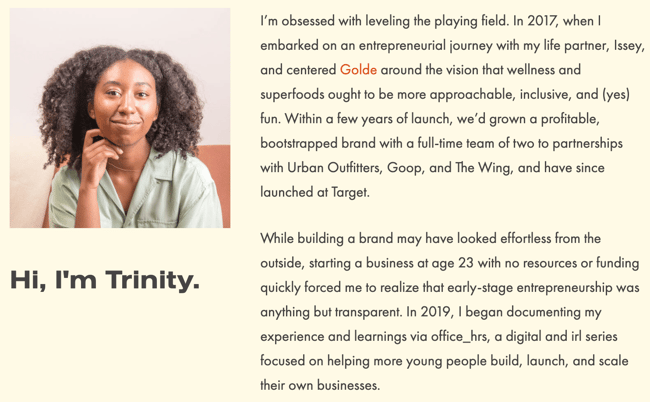
Ultimately, this bio doesn’t just focus on Mouzon’s (impressive) background … it also highlights how she can help her readers start and scale their businesses.
By focusing on the reader, Mouzon effectively demonstrates the real power of a good bio: the power to convert newcomers into leads and customers.
13. Alberto “Beto” Perez: Co-Founder of Zumba Fitness
Bio Platform: LinkedIn
As an avid Zumba fan, I was excited to include this one in the list. Perez styles his LinkedIn bio as a short story, starting with his background as a hard-working teen who held three jobs by age 14.
His bio tells the fun and fascinating origin story of Zumba, in which Perez, an aerobics teacher in Florida at the time, forgot his music for class and used a Latin music cassette tape instead … “And it was an instant hit!”
His bio continues, “Shortly after he was connected to Alberto Periman and Alberto Aghion and Zumba was officially created … what started as a dream now has 15 million people in more than 200,000 locations in 186 countries who take Zumba classes every week.”
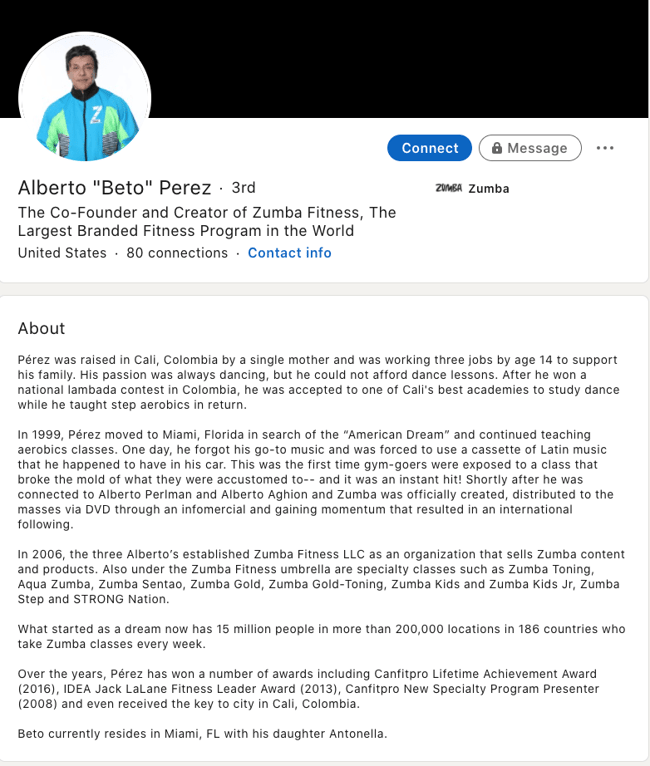
What I like best about this bio is Perez’s decision to use the space to tell the story of his business, rather than list out his accomplishments. It provides a more real and colorful introduction to Perez and immediately makes him feel both relatable and inspirational.
Let’s dive into a few more examples of short professional bios, next.
Short Bio Examples
14. Ann Handley: Writer and Marketer
Bio Platform: Personal Website
If you’re a marketer, you’ve likely heard of Ann Handley. Her list of credentials is lengthy, and if she wanted to, she could go on and on and on about her accomplishments.
But when people list out all their accomplishments in their bios, they risk sounding a little egotistical. Sure, you might impress a handful of people with all those laurels, but many people who read your bio will end up feeling either intimidated or annoyed. Think about it: Is that how you want the majority of your readers to feel when they read your bio?
To minimize the egoism that comes with talking about yourself, think about how you can list out your accomplishments without sounding like you’re bragging. Ann does this really well, choosing a tone in her bio that’s more approachable.
Best of all, Ann chooses to focus on her readers’ challenges and motivations, rather than her own. For instance, she writes, “Ann Handley writes and speaks about how businesses can escape marketing mediocrity to achieve tangible results. >And she will inspire you to do work you’re proud of.“
Follow the link and you’ll be led to a page dedicated to a fuller bio, which she’s divided into two parts: a “short version” (literally a bulleted list of key facts) and a “long version,” which includes traditional paragraphs. There’s something in there for everyone.
15. Rebecca Bollwitt: Writer
Bio platform: Instagram
Instagram is a notoriously difficult platform on which to write a good bio. Similar to Twitter, you simply don’t have room for a professional bio that includes everything about you. And because Instagram is primarily a mobile app, many viewers are reading about you passively on their mobile devices.
Instagram’s limited bio space requires you to highlight just your most important qualities, and blogging icon Rebecca Bollwitt does so in her own Instagram bio in an excellent way.
Rebecca’s brand name is Miss604 and cleverly uses emojis in her Instagram bio to tell visitors exactly what makes her a valuable content creator. Take a look at the screenshot below:
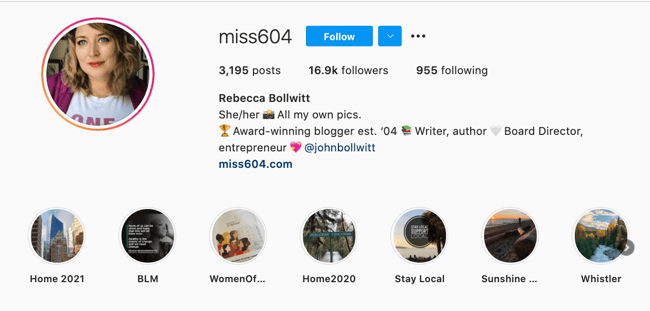
Starting with a trophy emoji, Miss604 says she’s an award-winning blogger. I haven’t even looked at her pictures yet and the introduction of her bio has already sucked me in.
The rest of her bio follows suit, breaking up the text with an appropriate emoji and a perfect collection of nouns to tell me who she is as a person. She even links out to her husband’s Instagram account after the heart emoji (an adorable addition) and assures her followers that all of her pictures are authentically hers.
Take a lesson from Miss604, and show your personal side. Just because you’re branding yourself as a professional doesn’t mean you have to take your human being hat off. Often your most personal attributes make for the best professional bio content.
16. Corey Wainwright: Principal Marketing Manager
Bio Platform: Blog Byline
Corey Wainwright is a Principal Marketing Manager here at HubSpot. She’s written content for HubSpot’s Marketing Blog for years, and her blog author bio has caught my eye since before I ever started working for HubSpot. (Back then, it started with, “Corey just took a cool vacation.”)
What I love most about Corey’s bio is that it’s a great example of how to deliver information about yourself without taking things too seriously. And in this context, that’s totally appropriate.
Despite having several impressive accomplishments under her belt, she simply doesn’t like displaying them publicly. So, she prefers making her author bio a little more “light.”
Her bio (pictured below) reads, “Corey is a Bruce Springsteen fan who does content marketing, in that order.”
 It works in this particular context because, at HubSpot, our blog authors often prefer to make themselves as friendly and approachable as possible — while letting the content speak for itself.
It helps that authors’ social media accounts are located right below our names and above our pictures. For folks who really do want a list of Corey’s credentials, they can click the LinkedIn button to go to her LinkedIn page. (You can read this blog post to learn how to create social media buttons and add them to your website.)
17. Megan Gilmore: Cookbook Author
Bio Platform: Instagram
Megan Gilmore is a best-selling cookbook author, and she often posts healthy recipes on her Instagram page to inspire followers’ to realize that you don’t have to sacrifice taste for the sake of health.
 Fortunately, you glean most of this information immediately from her Instagram bio, which is short and to the point: “No fads; just real food recipes. Author of Everyday Detox + No Excuses Detox.” Her “no fads” call-out shows followers she aims to be helpful rather than gimmicky.
Plus, Gilmore includes a CTA link within her Instagram bio that leads followers to free, ready-to-use recipes. You might be thinking — Why would she do that, since it discourages people from buying her book? But that couldn’t be further from the truth.
By giving her followers the chance to try out her recipes, she’s slowly turning leads into customers. After I tried a few of her Instagram recipes and loved them, I decided to go ahead and buy her book, knowing I’d like more of what she had to offer.
18. Van Jones: Political Commentator, Author, and Lawyer
Bio Platform: Twitter
Someone who’s known for a variety of talents and skills may find it difficult to capture who they are in a professional bio. When limited to just over 100 characters on Twitter, the feat is nearly impossible. But Van Jones effortlessly explains who he is and why it matters to everyone who visits his Twitter profile.
He starts his professional bio with a token of personalization and prioritization of his values. By mentioning that he is a dad first, we recognize what’s important to him in his long list of successes.
As we’ve seen in other bios, sharing who we are outside of work makes us more personable and should find its way into your bio, if possible. Van leaves plenty of room to share a variety of professional experiences in his bio including CEO of REFORM and his 2020 Emmy award.
What’s great about Van’s Twitter bio is his ability to link valuable offerings to his readers. He invites us to check out his latest book and has his website reformalliance.com linked at the top.
19.Sarah Haskins: Writer
Bio Platform: Twitter
When in doubt, a few words go a long way.
Consider, for instance, the funny and impactful bio of Sarah Haskins on her Twitter page, which reads: “writer. bad but enthusiastic dancer.”
What more do you need to know?
She doesn’t take her bio too seriously and uses the space to highlight one serious accomplishment/skill (writer) and one not-so-impressive skill (bad dancer), to demonstrate her sense of humor and realness.
Particularly for a social media account that already restricts word count, consider how you might showcase your uniqueness in just a few words.
20. Bea Dixon: Feminine Care Founder
Bio Platform: Instagram
Bea Dixon, Founder, and CEO of The Honey Pot Company, efficiently uses her space on her Instagram profile to highlight who she is as a well-rounded human — not just a businesswoman.
For instance, while she highlights her Girl boss attitude with a tiara emoji, she equally calls attention to her fashion interests (Free People), her pets Boss and Sadie, and her love for ramen noodles.
Consider how you might also highlight your interests, hobbies, or passions outside of the 9-to-5. If people are reading your bio, they’re interested in getting to know the full you.
If you’re posting a bio on a social media account or sending a quick blurb to a client, you want to keep it short and sweet while showcasing your accomplishments.
To get you started, here are the best practices for writing your short professional bio:
Your introduction is your first impression, so always begin by telling people who you are. You may start with a greeting like, “Hello, my name is” or “Hi! Let me first introduce myself …” when sending your bio as a message.
If you’re writing a bio for an online platform, simply stating your name at the beginning works as well, like the way freelancing entrepreneur Alex Fasulo presents themselves in the first person on their website:
2. State what you do.
Give people an idea of what you do day-to-day, as well as where you work. Your job title is how the people put you into context and consider whether your profession relates to your audience’s industry. So detail the most relevant work you’re involved in your short bio like CEO, professor, and author, Angela Duckworth, specifies on her LinkedIn:
Even if you are a freelancer with a broad focus, you can keep it general yet clearly specify the type of contract work you do. If your specialty is writing, your title could be “Freelance Writer,” or if it’s Help Desk or Information Technology you may state yourself as a “Freelance IT Specialist.”
3. Add key skills or areas of expertise.
Especially, if you’re sending a bio to a client or potential employer, make sure to highlight the skills that they will find valuable. For instance, if you’re expertise is in social media marketing and content creation like Ivanka Dekoning, make sure you list these skills concisely:
Here Dekoning showcases their experience so potential connections immediately see if they have what they’re looking for— and you can show this too.
4. Include a personal mission statement.
What do you hope to achieve through your work? Why do you do what you do? Answering these questions can help give your bio’s mission statement some direction, similar to how Farmer Bea makes their goal to help bees clear to all of their Twitter connections:
 So give an honest answer about your goals or mission to give color to what your professional purpose is overall.
5. Celebrate your wins.
Your short bio can be a proud showcase of your accomplishments, so add 1 to 2 personal successes you’ve achieved through your skills or mission. For instance, if you’ve received acclaim from industry leaders in your scope like Art Critic Jerry Saltz, your wins may list as something like:
 So whether they’re awards you won, publications you’ve been featured in, or companies you worked with, be sure to spotlight any major achievements.
6. Provide your contact information.
People who visit your profile or receive your message will already know your social media account. But to take business off the app, include your email address, website, or any other professional profiles you’d like them to know about. Political Commentator and Sports Correspondent, Angela Rye, shows a great example of this in her short professional bio on Instagram:
 Additionally, after listing a name, job titles, and contact information, Rye includes a Linktree to their website where you can read a longer version of the professional bio:
 This allows Raye to detail her values more in-depth and how they demonstrate them through her work. So before diving into your long professional bio, begin with a short bio as a teaser of who you are, what you care about, and what you can do for others.
7. Show them your personality!
Don’t be afraid to add a little bit of personal charisma to your short professional bio — because professional doesn’t have to mean plain. Your personality may be best portrayed through:
-
A joke: “Some mistakes are too much fun to only make once. At least that’s what I learned when I created…”
-
A mention of a hobby: “I’ll be honest: for me, tennis is life— Go Nadal!”
-
A fun fact: “Every year I watch 100 new films! I’m a cinephile and love every movie genre.”
-
A few emojis related to your interests: “🎶🤖🎾🎬🎭”
Whichever way you choose to get personal, give people a glimpse into who you are as an individual.
When writing a short bio it can be tempting to try and pack in as much relevant information about yourself as possible — but this isn’t the most effective approach. Instead, focus on including the details that you and your audience care about most and leave out the fluff.
Create Your Own Professional Bio
Prim and proper, relaxed, or studded with accomplishments, your bio is a reflection of your best professional self. Your professional bio will often precede your physical presence. Before people meet you for the first time, they’ll probably read your bio.
Whether you’re creating an about page for your website or social media profile, one thing’s for sure, you’ll want to put your best foot forward with a top-notch professional bio.
Editor’s Note: This post was originally published in November 2019 and has been updated for accuracy and comprehensiveness in May 2022.

Local SEO Audit: Everything You Need to Know [+ How to Perform One]
How can you be sure that your business is taking advantage of every opportunity to attract local customers? One way is to perform a local SEO audit — a thorough assessment of your search engines rankings and the actions you should take to improve or maintain your local online presence.
While a local SEO audit may seem daunting if you’ve never done one before, it can actually be completed in seven easy steps — and there are several tools that can make yours quick and efficient.
A local SEO audit can be done on its own or as part of an overall digital audit.
![→ Download Now: SEO Starter Pack [Free Kit]](https://no-cache.hubspot.com/cta/default/53/1d7211ac-7b1b-4405-b940-54b8acedb26e.png)
Local SEO Audit Guide
Our guide to completing a local SEO audit is broken down into the following steps:
- Keyword research
- Website audit
- Google Business Profile analysis
- Local business citation analysis
- Client/customer review performance
- Analytics review
- Competitor analysis
How to Do a Local SEO Audit
1. SEO Keyword Research
Figure out the keywords your potential customers are typing into search engines to find businesses like yours. Different customers will use different keywords to find what they are looking for, so make sure the keywords you optimize for aren’t too narrow.
To broaden your keyword list, think about where your customers could be in the buyer’s journey. If they’re in the early stages, they’re likely searching “Where can I find X near me?” or “X in [city, state].”
While you may already know a few keywords and phrases to optimize for, using SEO tools like Ahrefs and Keyword Finder will help you find even more long and short tail keywords you may have never thought of.
Remember, the majority of search engine users rarely click on the second page for information, so optimizing your website for SERPs is key to attracting new customers and generating conversions.
2. Website Audit
Now that you know the keywords you need to optimize for, you’re ready to conduct a website audit — an analysis of your website’s structure, content, and overall experience.
A website audit considers:
Page Optimization
Optimizing a web page means ensuring a page is well-structured, unique, and focused on relevant keywords. When a search engine like Google crawls through a webpage, it looks for signals to determine the page’s focus and what search inquiries it can rank for.
Issues with page optimization can include:
- Missing or lengthy title tags
- Missing headlines
- Missing, lengthy, or duplicate meta data
To optimize your page, include keyword-focused headlines, page titles, headings, URLs, and meta descriptions. If images are important to your business or website, use image alt text and file names that include relevant keywords.
Featured Snippets
Featured snippets are special boxes that include highlighted excerpts of texts and appear at the very top of search results. Below is a featured snippet that appears when you Google “What color is the sun.”

A featured snippet will bring your web page to the top of search results. To increase the chances of SERPs pulling your page as a featured snippet:
- Publish authoritative and relevant content.
- Ensure your local business details, events, products, FAQs are easily found on your site.
Internal Linking
Make sure your site’s pages link to other parts of your website and that those links are not dead or outdated. Cross linking to other parts of your website can boost multiple pages at a time — and it will help search engines determine the flow of your website and its ability to direct users to the answers they need.
Duplicate Content
Google prioritizes original content in its rankings. If your website contains duplicate content, you can either update your page so that it only has original content, delete duplicate pages, or include a canonical tag to let Google know your site contains pages taken from another site.
Step 3: Google Business Profile
A Google Business Profile (GBP) is a box that appears when people look up your business or service. This box contains your business’ name, address, hours, and other key information customers would want to know. An updated GBP will boost your business’ visibility on Google Maps and will increase organic search results.
Notice the GBP below includes the business name, primary business category, hours of operation, address, services and more.
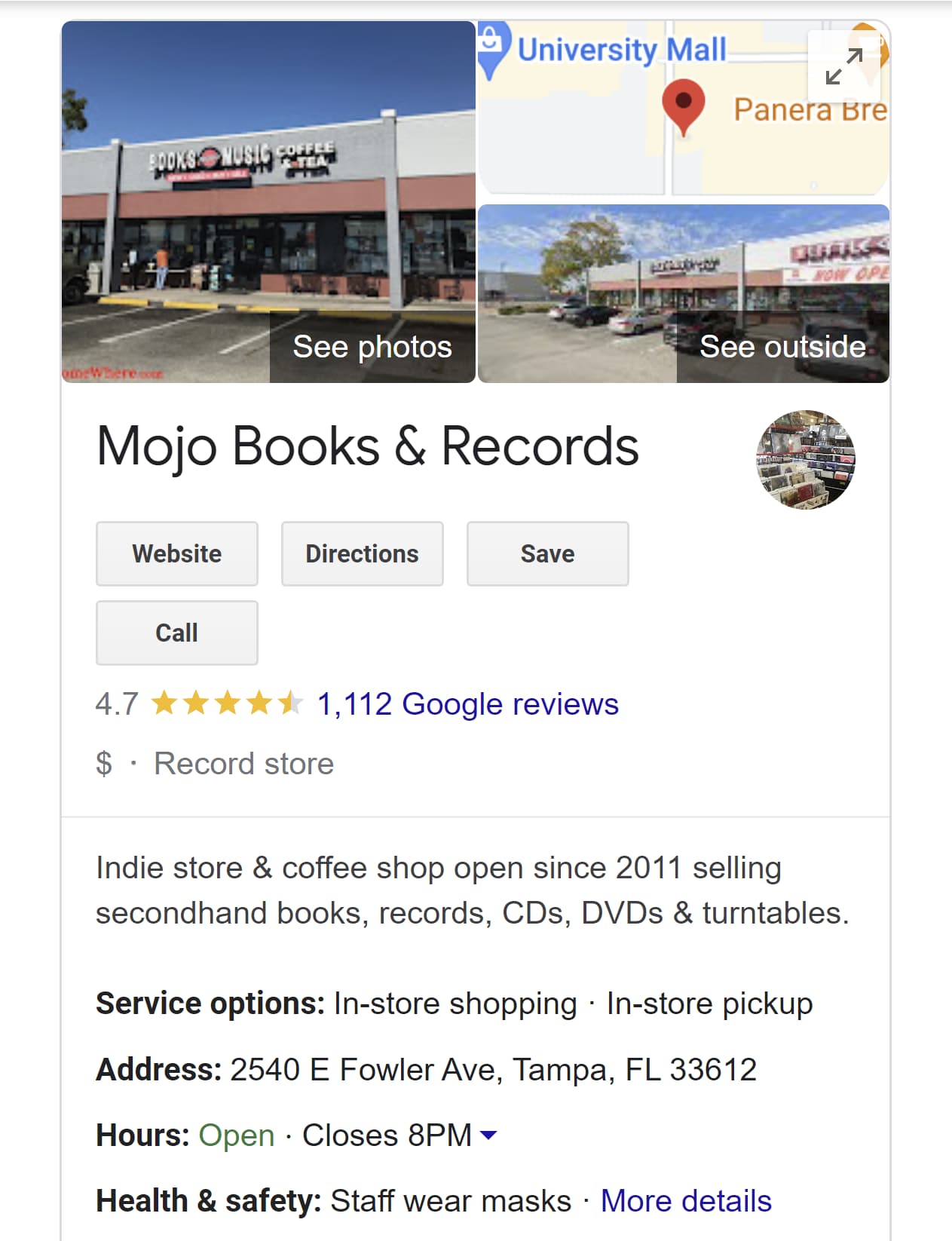
Once you’ve created your GBP, check to make sure all the information regarding your business is up to date. This establishes credibility and will encourage Google to rank your business higher in local search results.
Step 4: Local Business Citation Analysis
Local citations are any online mentions of your business’ name, address, and phone number. It’s important to have this information featured in local directories, such as your local chamber of commerce or websites like Yellow Pages.
Make sure all of this information is up-to-date. If you’ve changed locations, names, or numbers, all references to your business must reflect that. If your local citations are out of date, your credibility could take a hit, and search engines will likely lower your ranking.
Step 5: Client/Customer Review Analysis
Reviews play a huge role not only in local search rankings but in acquiring new customers. According to a 2022 survey by Brightlocal, 84% of consumers said reviews are “important” or “very important” when deciding to try out a new business or service provider.
With that in mind, analyze your reviews. Are they mostly positive or negative? Do you have enough reviews to determine a pattern? How often are you responding to reviews?
That last point is especially important because responding to reviews shows Google that you’re an active and responsive business, which plays a role in your ranking.
To obtain more reviews, encourage clients to leave a review online by issuing a special promotion. Some businesses offer incentives such as gift cards or a certain percentage off the customer’s next purchase.
Step 6: Analytics Review
Use tools like Google Analytics to track the success of your web pages and assess which of your pages are performing well and which need more support. When using Google Analytics (or any analytics tool of your choice) pay attention to:
- Your top-visited pages and whether those pages are visible on your site
- Organic search
- Page performance
- The path visitors take to purchase on your site
Also, check to see if other domains are referring to your website and if there is an opportunity for backlinks. Backlinks are any links to your website or pages from third-party websites. If a relevant and reputable website frequently links to yours, that could boost search results. However, links from non-reputable websites can do more harm than good.
Step 7: Competitor Analysis
Finally, it’s time to check on your competitors. Type the keywords you plan to optimize for into Google and make a list of competitors in your niche. The list doesn’t have to be long — at least five would be enough.
Then look up their GBP, reviews, social media activity, local listings, and how well they rank for those keywords. SEO tools like Ahrefs also offer features that allow you to see what other keywords their websites are optimized for, so you can consider those keywords for your own strategy.
Local SEO Audit Tools
Many of the steps listed above can be done manually, but there are plenty of tools that can save time and effort when performing a local SEO audit such as:
HubSpot
HubSpot offers SEO tools that provide actionable recommendations to optimize your website for SEO, show which pages need to be updated, offer topic suggestions, access to monthly search data, and more. Its integrated tools also allow you to create clusters and blog content around core topics — strengthening your authority in your niche and boosting your search rankings.
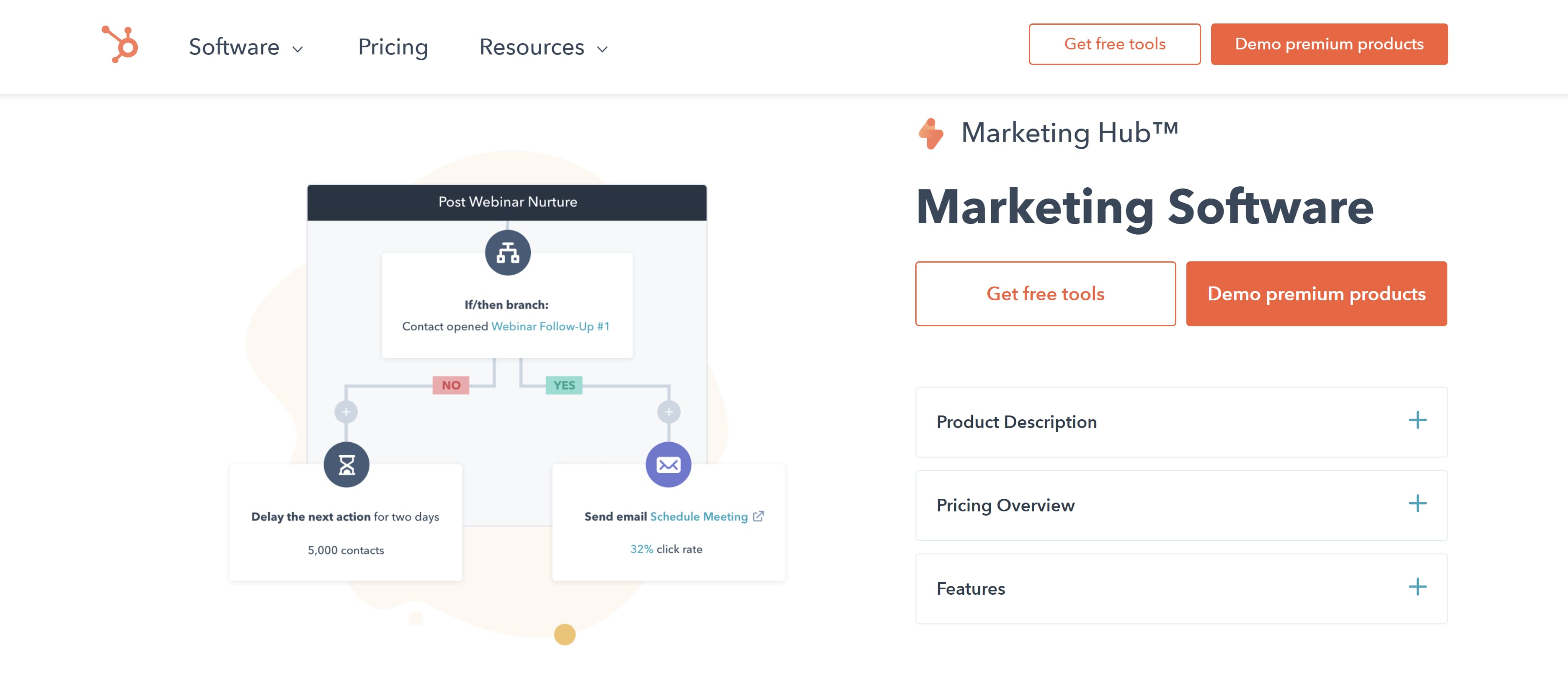
Ahrefs
Ahrefs has many features that help you track SEO performance and research your competitors’ backlinks and keyword performance. You can also find new keywords with its Keyword Explorer feature and perform site audits that scan for SEO issues
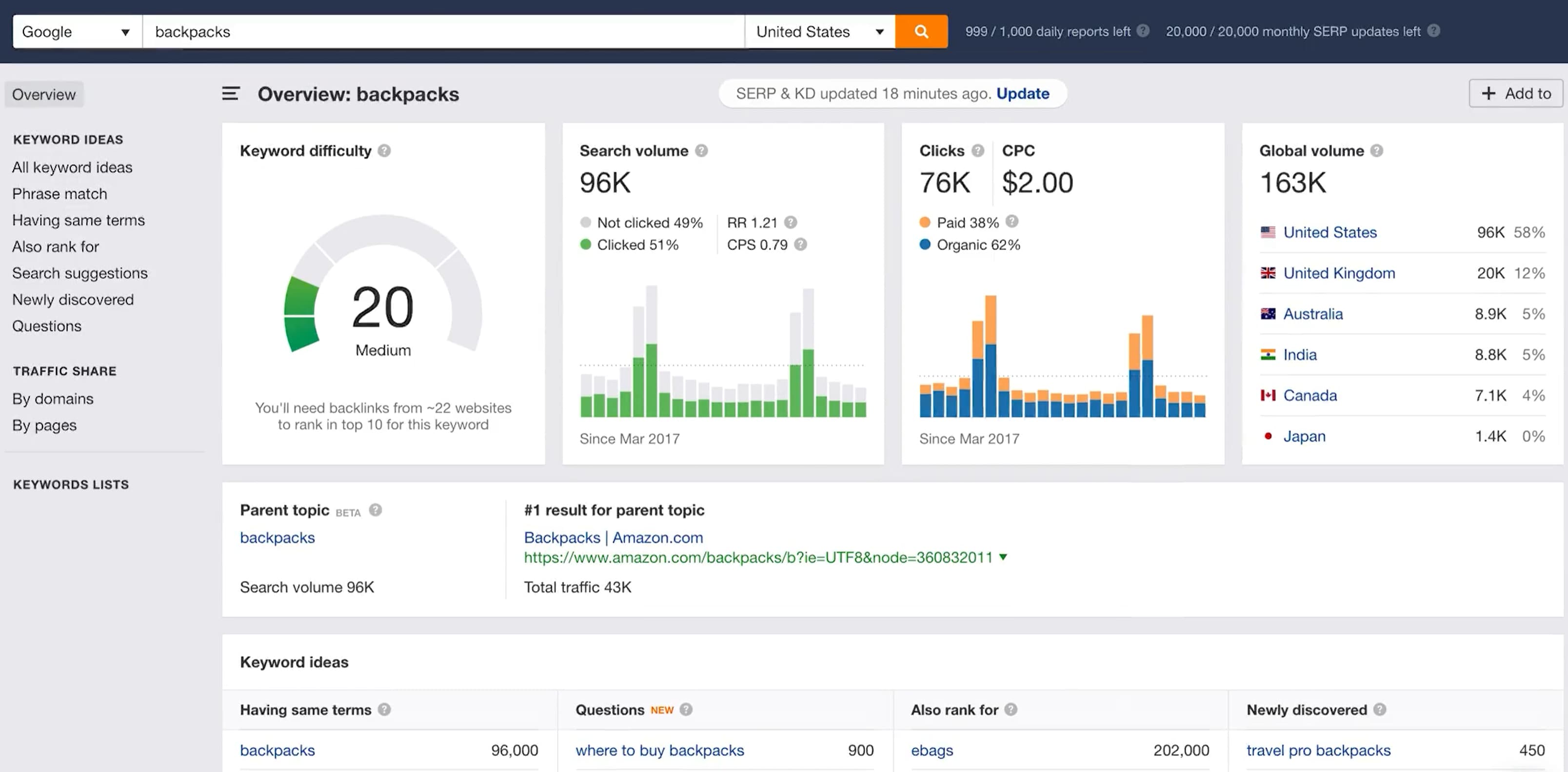
Google My Business
This tool can help you discover local competitors, compare your performance, and monitor and respond to reviews on your site. It also comes with a “Book an Appointment” feature that can boost engagement with your business.
 Google Analytics
Google Analytics shows how many people visit your website. It also records organic traffic, bounce rate, third party referrals, and demographic data to help you build detailed buyer personas.
 GeoRanker
This tool tracks the rankings of websites by location and this information via heat maps. This is great for determining how well your site ranks in your community and planning targeted campaigns to improve or maintain your ranking.
 Local SEO audits are key to assessing how well your website connects to your target audience. By ensuring your website is up-to-date, keyword optimized, and easily accessible, you can bring more customers to your storefront and boost revenue.


25 Copywriting Portfolio Examples That Will Secure Your Next Gig
If you’re reading this blog, you’ve likely decided to start or revamp your copywriting portfolio. With so many portfolios out there, it’s hard to figure out how to make yours stand out from the crowd.
What colors should you use? What kind of writing samples will show off your skills? Fortunately, I’ve put together a collection of copywriting portfolio examples that are sure to inspire you and guide you in the right direction.
Each copywriting portfolio example I’ve included is unique in terms of color, layout, and personality — highlighting the various ways you can approach putting a portfolio together and how it’s okay to get creative with yours.

How to Create a Copywriting Portfolio
When creating your copywriting portfolio, avoid cramming in too many of your writing samples. You’ll want to show off your diverse portfolio —that’s understandable — but too many samples can overwhelm potential clients and employers.
Instead, opt for five or six writing samples that capture the different styles of writing you’ve done, such as technical, marketing, and business writing. Be sure to also include a balance of humorous and serious pieces, B2B and B2C writings, as well as short and long-form content.
If you have little-to-no writing samples, build your portfolio by starting a website or blog to showcase your writing skills, or contribute to other websites. You can also write for nonprofits or work internships.
Another method to build your portfolio is to write mock-copywriting samples based on local businesses. Just be sure to let employers or clients know they are mock-samples and that you weren’t actually hired by those companies. The point isn’t to deceive, but to show what you can do.
Copywriting Portfolio Examples
Now that you have a few of your best copywriting examples ready to upload, it’s time to design your portfolio. You want a portfolio that stands out from the crowd, showcases your personality, highlights your skills, and is easy to navigate by potential employers.
To give you some inspiration, here are 25 examples of excellent copywriting portfolios broken down into the following categories:
- Homepage – The first page people see of your online portfolio and where you’ll likely house your work samples
- About Me – Where you’ll give readers an idea of who you are and what you do
- Services – What you can provide your clients
Each of these examples presents a different approach to copywriting portfolios that is sure to attract new opportunities.
Homepage
There are many different approaches to creating a homepage for your portfolio — however, it’s best practice to ensure your homepage features your name, your contact information, and complementary colors. Most copywriters choose to feature their work directly on their homepage, but some find a way to link to their samples.
Here are several examples of outstanding homepage templates:
1. Carline Anglade-Cole
The homepage for Anglade-Cole’s copywriting portfolio immediately establishes her as an expert in her field by bringing attention to the awards she’s garnered throughout her career. The photo on her front page shows her at a speaking engagement with a confident smile, and the photo’s caption clearly states her full name above “3X Award-Winning Direct-Response Copywriter, Author, and Consultant.”
The badges for her awards are also displayed throughout, with the American Writers and Artists Institute badge placed in the middle next to the link to subscribe to her email list. Beneath her email list are badges from other accomplishments, including winning the bronze Nonfiction Book Award. If you’re an award-winning copywriter, Anglade-Cole’s page is a great example of how you can place your awards front and center to establish credibility.
 2. Gari Cruze
If you want your homepage to focus less on awards and more on who you’ve worked with, Cruze’s homepage is an outstanding example. This homepage heavily features high-quality photos from the different campaigns he’s worked on. Simply hover over each photo to see the name of the company or campaign, then click on the photo to see the copy he wrote and where it was published.
 If you’re looking for a more straight-forward yet eye-catching approach to displaying your work, Cruze’s example can lead you in the right direction.
3. Evan Benner
Benner takes a similar approach by using a mixture of high-quality photos and GIFs to display his work on his portfolio’s homepage. However, Benner takes it a step further by including the year his work was published next to each photo. His homepage also includes a headshot and a small blurb about who he is and where he is based.
 Potential clients and employers can easily navigate his portfolio by scrolling down where they can see more links to his About page (“Meet Evan”), copy, and the projects he worked on.
 4. Jose Carlos Benítez
Copywriting portfolios don’t have to be all work and no play, so don’t be afraid to inject a little humor if you can. Benítez’s personality and sense of humor are sprinkled throughout his portfolio’s homepage.
Upon visiting his website, you’re greeted with a black screen with white text that starts with “Hello there, human! Or robot!” and ends with “Scroll down to see the blood, sweat and tears.” And for laughs, there’s a random button that says “This is just a button.” Spoiler Alert: The button doesn’t do anything but I definitely laughed after I clicked on it and waited 30 seconds for something (nothing) to happen.
 Once you scroll down, you’ll see a display of GIFs of the different campaigns Benítez has worked on over the years. Similar to Cruze and Brenner’s portfolios, hovering over the GIFs will show the name of the company the campaign was for — and clicking on them will take you to his work.
 Featuring a bit of your personality throughout the portfolio will give potential clients and employers an idea of the kind of person they’re working with — and their humor and vision might line up with yours.
5. Benji Shaw
If you want to include imagery in your portfolio, but prefer a more minimalist approach, then Shaw’s portfolio will spark a few ideas. This portfolio features a black background with his name displayed in a large, easy-to-read font in the upper left corner. Two large images representing his work are featured in the foreground, and more of his work is shown by simply scrolling down. Like in previous examples, clicking the images will take you to another page that gives greater detail on the projects he’s worked on.
 6. Aly J. Yale
Another excellent example for minimalists, Yale’s portfolio doesn’t rely on a ton of imagery. Instead her homepage is straightforward, simple, and only features her name in large black text against a white background —along with tabs in the upper right hand corner that lead to her bio, homepage, and contact page.
 If you scroll down Yale’s homepage, you see the logos of the outlets that have published her work.
 Though I’d definitely suggest including a tab with links to your written work, this homepage shows that sometimes less is more and that you don’t have to rely on bold images to have a strong portfolio.
7. Davina van Buren
The homepage for van Buren’s portfolio is a great example for copywriters who are looking for a neat, organized way of promoting all of their talents, work, and social media in one place.
The content of the homepage is organized in a way that leads your eyes down the page. Its coordinated neutral colors are engaging without being too jarring. Also, notice how the tabs for the about page, portfolio, testimonials, contact information, and social media widgets are all neatly organized in a single row at the top.
This format is great if you’re a copywriter who prefers a clean-cut, business professional portfolio.
8. Stephan Marsh
This portfolio is a great example if you’re the kind of copywriter who wants to get straight to the point. With a tagline in big bold letters reading “Read less of what I say. See more of what I’ve done,” Marsh makes it clear that he does not want to waste anyone’s time. The top of his homepage even includes a self-contained PDF portfolio that can be downloaded immediately.
 This portfolio shows that even a person of few words can still find a way to make a bold first impression.
9. Jennifer Cheek
I love this homepage example because it shows how a copywriter can add their own personal touch to a portfolio template. What makes this portfolio stand out is its fun pink hues and the adorable yellow canary logo on the left side of the page. Once again, don’t be afraid to show your personality on your portfolio’s homepage, and that includes your quirky side.
 10. Anna Rogan
Rogan’s homepage, like van Buran’s, also leads your eye downward. As you scroll down you’ll see more of her work samples, but what makes her page really interesting is that each sample comes with a corresponding color change. This makes for a fun, aesthetically pleasing scroll through her work.
 11. Kayla Dean
Dean’s portfolio is called The Literary Co. and starts by letting visitors know she has a wealth of experience, having created copy for more than 100 clients. Her portfolio also has a blog-style setup where potential clients can scroll down and see all of her latest work, case studies, and the brands she has worked with.
 12. Dayarne Smith
Smith’s website opens with a large image of a woman at a keyboard and features all of her relevant tabs at the top of the homepage. Once you scroll down, you’ll see her portfolio with links to her work uniquely displayed in fun monitor illustrations.

 13. Sara Frandina
Frandina leaned into the writing theme by having her portfolio’s homepage resemble notebook paper. She doubled down on the theme by crossing out a word in the tagline and “writing” in a new word.
 In addition to having standard information tabs at the top of the page, Frandina also included tabs linking to her past works separated by categories — customer research, email sequences, launch copy, long-form sales page, and website copy. These tabs can be found by scrolling down the homepage.
.jpg?width=3723&name=Sara%20Frandina%202%20(1).jpg)
About Me
This is where you showcase your personality and clearly define the expertise you bring as a copywriter. Notice that each example features a photo of the copywriter.
14. Kim Hobson
Figuring out what to say about yourself can be difficult. Where do you even start? Hobson found a way around that by breaking her About page into sections. In her introduction, she includes a photo of herself followed by a brief overview of what she does, where she is based, and how long she has been copywriting.
 Below her overview, she lists five quick facts about herself — some of which pertain to copywriting and others that cover her personal life. Then she has a section that breaks down her professional background.
 If you’re not sure what to put in your About page, you can follow Hobson’s formula by including a brief overview followed by a few fun facts and a breakdown of your career thus far.
15. Flourish Writing
Sarah, whose portfolio is called Flourish Writing, introduces herself using a funny anecdote about her first “published book” being written on craft paper and stored on her elementary school’s shelf for years. This anecdote lets the reader know Sarah has had a passion for writing since she was a child and that passion can also produce excellent work.
Complete with a photo of Sarah with her adorable pup, this About page gives the reader a clear idea of who Sarah is when she isn’t writing.
 16. Shanice Perriatt
Perriatt’s About page is concise and well organized. Her opener clearly states her name and what she does: “I’m Shanice Perriatt – a digital marketer and content creator who blends the best of design and writing into compelling and engaging brand content.”
Like Sarah, Perriatt also gives us insight into her life and hobbies – going to the gym, scrolling through Twitter, and going to the movies. Finally, the bio ends with Perriatt telling the reader the position she holds now.
The muted pastel background complements the green around headshot, making for a clean, informative page.
 17. Kayla Hollatz
Hollatz takes a different approach to her About page. First, it starts with a photo of Hollatz next to a brief statement detailing her objective.
 After scrolling down, visitors see an “About You” page instead of an “About Me” page. This is where Hollatz presents an issue many clients face.
 Finally, visitors can scroll further down to find an About Me page in which Hollatz presents herself as the answer to all of the potential client’s problems.
 18. Andie Coupland
Coupland’s About page shows that it is perfectly fine to veer away from personal details and to keep things strictly business. While we don’t get insight into Coupland’s life outside of writing, we do get a clear description of her experience and what she brings to the table as a copywriter. Note that she also includes a link to her LinkedIn for more information.
 19. Jacob McMillen
McMillen’s About page establishes credibility by focusing on his accomplishments. He also puts his own spin on the writer’s headshot by instead only showing half his face. It’s a bold move but the gray coloring complements the muted blue and white banner, so it doesn’t seem too out of place.
 20. James Schlesinger
Like Hollatz, Schlesinger uses his About page to present a problem potential clients could be facing, then he presents himself as the solution by explaining exactly what he can do for them. Then he ends his bio with a call to action, urging readers to contact him for his services.
 21. John Axtell
Are you looking for a punchy opener to grab the reader’s attention? Why not try “I love high kicks!” Maybe avoid that exact phrase, since that’s how Axtell decided to open his About page, but shouting a random fact about yourself is definitely a good start. Axtell took the opener a step further by including a photo of him doing a high kick.
If you decide to open with a fun fact, like Axtell, coupling that opener with a photo showing that fact can definitely show your personality and grab the attention of potential clients.
Services
Some copywriters opt to dedicate a separate page of their online portfolio to breaking down the specific services they provide. If you choose to do the same, here are a couple of examples you can reference:
22. Danielle Wallace
Wallace chose to separate her services into different clickable boxes that include icons and a mixture of script and typewriting fonts.
 23. Sandy Dang
Dang displays her services in a more horizontal format with texts on one side and a large corresponding photo on the other. Each section of her service page includes a button that gives the option to book.
 24. Jennifer Locke
Lock kept the format straightforward by simply stating what she can do for the client and including a button that allows potential clients to schedule a consultation. This could be a great method for copywriters who specialize in only one for two services.
 25. Stuart Tarn
Of course, sometimes your portfolio is enough to show clients and employers what you’re capable of. Tarn organized his portfolio in a simple way that shows he can provide web, email, social, and print copy. Clicking on each image will take the reader to his previous work.
 All of these copywriting portfolio examples are unique, but are all well organized, easy to navigate, and show a dash of personality while using complementary or neutral colors. Remember these points when putting together your own portfolio. Now, go out there and get that next big gig!


Free Instagram Post Templates for Your Brand
Instagram is an undeniably powerful marketing tool, but with over 200 million business accounts on the platform today, it’s critical that you take the time to create well-designed and thoughtful Instagram posts to stand out. You’ll need to apply a strategic design plan to your business’s Instagram to attract a loyal following and find success on the app, long-term.
However, creating a clean and cohesive Instagram feed takes design skills and time commitment you may lack, and with an algorithm that favors brands that post at least once a day, that could be adding to your stress.
If that’s the case, you’re in luck — in this post we’ll discuss how you can create pre-made Instagram post templates so you’ve got a stash ready to go. Plus, by ensuring you use the same templates for different posts, you’ll have an easier time creating a cohesive and aesthetically-pleasing feed.

Instagram Post Templates
Instagram templates can be used to serve different purposes, and we have a list of our own for you to brainstorm ideas and customize for free.
Panel Template
For those trying to spread the word on an upcoming virtual or in-person panel, you can promote it using our Panel Template.
Customize it by adding the speakers’ profile photos and usernames to build hype and give followers the chance to get an idea of what they can look forward to.
What We Like: Your followers won’t have to DM you for panel information, as the example given in the template provides all the context necessary for them to plan to attend.
Quote Template

Sometimes you want to keep up with the algorithm, and posting consistently using quotes in between announcements can help keep that relevance businesses need to be seen.
Interview insightful team members, or even use inspirational quotes that your followers would enjoy seeing as they scroll through their feed.
What We Like: The versatility of this template lets you change the background image to fit the tone of the quote you share.
Sales Announcement Template

I don’t know about you, but when I see a sales announcement I get excited to check out what’s available.
When you’re looking to sell existing inventory, or share a seasonal offer, this sales announcement template gets straight to the point to capture attention. Change the background image to fit the occasion and you’ll have this post ready within minutes.
What We Like: This template isn’t cluttered nor pushy; those who are already fans of your product will want to go to your site to take advantage of the opportunity.
Quick Tip Template

Sometimes your followers could be in need of some advice, that’s where our Quick Tip Template can fit that need.
If you’re catering to budding professionals or hobbyists, you can help them become more proficient in the skill they’re trying to develop. Change the imagery to reflect the tip of your choosing and share it with your followers.
What We Like: While it’s a simple template, it’s an easy way to engage with followers in between campaigns, and if you want to make the most of it, encourage commenters to share their own tips or advice they found helpful, too.
We’re Hiring Template

Yes, you could just post job openings on websites like LinkedIn, but you could reach exactly who you’re looking for on social media channels like Instagram, too.
Customize this template to either showcase a variety of positions you have open, or for a certain position that you can expand on in your post description.
What We Like: You can reach a further audience with Instagram using this template and by using the post-boost feature to better target the persona you’re looking for.
Offer Template
Promote things like eBooks or guides using our Offer template.
By giving followers a glimpse at your newer offers, you can use the post description to give them a call to action and download different types of resources. Customize it to reflect your brand’s color scheme and offerings.
What We Like: This chic template is the right amount of professional and minimalist approach that viewers will want to check out, as opposed to lengthy announcements littered with too much text in imagery.
New Product Template

When you’re ready to launch a new product, you should meet your target audience right where they are on Instagram the day it goes live.
By using our New Product template, you can give your followers an idea of what they can expect with this new innovation. You can also switch out the imagery to reflect the product solution.
What We Like: Without using words, your followers can get a clearer idea of what your new product can do for them if they purchase it.
Review Template

Whether it’s internal or external, sharing positive reviews of your brand or product can be a great way to add legitimacy to your business.
Use our Review template to share the positive experiences your clients or employees had from your business, this can attract customers and talent to the company.
What We Like: Sharing reviews can help customers build trust, and adding posts like these to your profile can aid in the process.
Podcast Template

Podcasts are on the rise, so to help get the word out, you should be promoting on your Instagram.
This simplistic template is a great way to announce the creation of your podcast. You can use the post description to give your followers an idea of what’s to come and encourage them to spread the word.
What We Like: You can distinguish the type of podcast in the image if you choose or frame it as a surprise. The possibilities are endless.
These aren’t the only templates available in our offer, so download the pack to brainstorm even more ideas for your future posts.
1. Download Instagram post templates.
Let’s face it — you don’t always have the time, resources, or personnel to design noteworthy Instagram posts. That’s why we recommend using Instagram Post Templates for Business which you can build from and customize.
Here are some options to create and save Instagram post templates, so you can have stunning posts on-hand whenever you’re ready to publish.
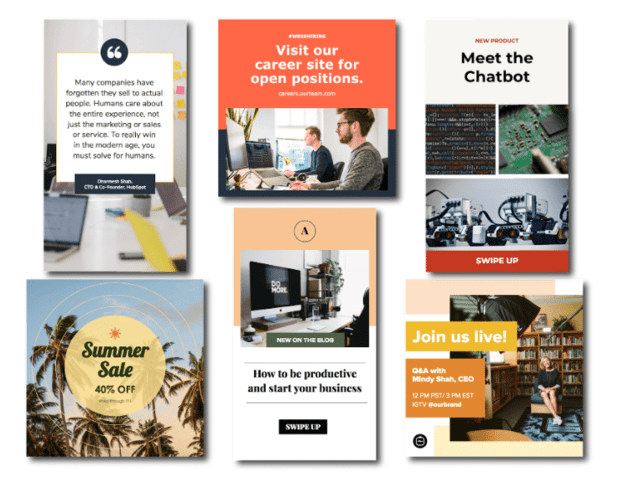
Featured Resource: 22 Free Instagram Post Templates for Business
Need templates to get started? Download HubSpot’s free Instagram post templates for both traditional posts and stories, which you can tailor as you see fit when it comes to your brand. You can alter any parts of the template – the image, the copy, and the design elements – to ensure you’re publishing posts to grow and engage your follower base.
2. Choose your post format.
While traditional Instagram posts to your permanent timeline are more long-lasting and allow for comments and likes, you shouldn’t underestimate the power of Instagram Stories, which can be used for more immediate needs and occasions.
In fact, 500 million accounts use the Instagram Stories feature daily. So, when you’re creating your post, ask yourself if it warrants publication as a story or as a traditional post.
3. Choose an image.
Maybe you’ve decided your post doesn’t need a photograph and that text overlay on a solid-color background will work for you. If that’s the case, hop over to the next step.
If you’ve decided you do want to use a photograph – particularly if you want one as the background for text overlay – you’ve got a few options.
- Take a photo on your phone or with a camera. No need to be a professional photographer for your Instagram posts – you can learn how to take great photos with your phone here.
- Use a photo from your company’s files. This works well if you need to utilize team photos or product photography, which may be better quality.
- Use a stock photo that pertains to your business (just make sure you don’t use the same one multiple times!).
Whichever photo you decide to use, simply replace it as the background for the template you’re using in the HubSpot Instagram Post Template collection and resize the photo so it’s to your liking (and is good quality).
4. Add design elements.
Instagram post templates come with design placeholders for text with special fonts and other elements. Your next step is to alter, add, or remove any elements that you see fit.
This includes updating the copy to reflect the information you want followers to know and/or the action you want them to take.
5. Save the photo.
When you’ve done all you can in the template builder of your choosing, save your photo to be posted on Instagram. All you’ll have to do here is click File > Download > PNG Image or JPEG Image. Then, just name the photo file, email, or message it to yourself, and save it on your phone so you can post it.
6. Upload to Instagram.
Once you have your photo saved, it’s time to upload it to share with your followers. For a traditional post, open Instagram, click the + button in the bottom center, choose your photo, add any filter, description, or hashtags, and click Share. (Take a look at How to Post on Instagram: a Step-by-Step Guide if you’re still unsure.)
For an Instagram Story post, click on the camera icon in the top left of your screen, access your camera roll in the bottom left of the screen, choose your image, minimize the date that shows up to the point where it can’t be seen, and add any additional design elements – like a GIF or additional copy – to the image. From there, click Your Story on the bottom left.
Other Ways to Design Instagram Posts
Here are some other options to create and save Instagram post templates, so you can have stunning posts on-hand whenever you’re ready to publish.
1. HubSpot
As previously mentioned, HubSpot has some go-to templates for your Instagram posts and stories.
You can have access to fully customizable templates through Google Slides where you can alter the color schemes, images, and purpose of each template depending on the subject you’re posting about — many of which are already made to promote business events or product releases.
2. Fotor
If you’re looking for a free collection of templates to choose from, Fotor will give you over three thousand templates for any topic or occasion.
With Fotor, you can cater your post to reflect your brand image, while incorporating seasonal designs or special sales, or discount templates for your business.
3. Crello
Crello is an online graphic design tool made to enhance your content for many social media channels — providing users with plenty of templates to fill out your Instagram grid.
4. Creative Market
If you’re willing to shell out the cash, you might consider buying one of Creative Market’s Instagram Template bundles.
For instance, you could purchase this 1053 Quotes social media pack.
Alternatively, you can purchase a bundle with Instagram Story content, like this Animated Stories bundle.
Finally, you might consider purchasing a bundle to help you create a cohesive theme for your Instagram feed, like this The Grid template.
Curate Your Instagram Posts with Ease
We hope you found our guide and templates useful as you prepare to make a stylized Instagram feed. With these tools, you’ll be set to create and save pre-made Instagram templates, so you can focus on attracting a loyal following without tediously designing a post from scratch every day.
Editor’s note: This post was originally published in October 2018 and has been updated for comprehensiveness.

How to Type the Shrug Emoji ¯\_(ツ)_/¯ in 2 Seconds Flat
The shrug emoji 🤷 is a popular image used to convey confusion or emphasize a question.
There’s no denying the power emojis have when it comes to boosting engagement and emphasizing communication. Sometimes you just need a symbol to get the point across, and emojis serve that purpose.
However, it’s worth noting the shrug emoji wouldn’t exist without its predecessor, the shrug emoticon. ¯\_(ツ)_/¯
Though emojis have come a long way, I’m still a big fan of typed emoticons. Emoticons bring me back to simpler times when my phone still had a physical keyboard and AOL Instant Messenger was my main method of communication. Those were the days.
If you still have an affinity for typed emoticons like me, especially the ¯\_(ツ)_/¯ emoticon, here’s how you can type it in two seconds flat on a Mac, Windows, iPhone, and Android.
How to Type the Shrug Emoji ¯\_(ツ)_/¯ in Two Seconds Flat
The shrug emoticon is one of the more intricate emoticons to type, so most people resort to copying and pasting it from a website, like CopyShrug.
But copying and pasting the emoticon is really only a good option if you use it sparingly. If you’re an avid user of the shrug emoticon, you’ll need to keep revisiting the website to copy and paste it, which is a relatively slow and annoying process, especially on your mobile phone.
To type the shrug emoticon as fast as possible, we recommend creating a text replacement shortcut with your device’s autocorrect feature (which might be the first time autocorrect actually comes in handy for you).
How to Type the Shrug Emoji: on Mac
1. Copy “¯\_(ツ)_/¯”
2. Go to System Preferences
3. Click Keyboard
4. Press Text
5. In the Replace box, type “shrug”
6. In the With box, paste “¯\_(ツ)_/¯”
How to Type the Shrug Emoji:
on Windows
Unfortunately, Windows doesn’t have an autocorrect feature, but you can download programs like
PhraseExpress to set up text replacement shortcuts and quickly type the shrug emoticon.
How to Type the Shrug Emoji: on
iPhone
 1. Copy “¯\_(ツ)_/¯ “
2. Go to Settings
3. Press General
4. Tap Keyboard
5. Choose Text Replacement
6. Select the “+” button
7. In the Shortcut field, type “shrug”
8. In the Phrase field, paste “¯\_(ツ)_/¯ “
How to Type the Shrug Emoji: on
Android
1. Copy “¯\_(ツ)_/¯ “
2. From your text message keyboard, tap the three dots
 3. Go to Settings
4. Tap Dictionary
5. On a Google Pixel, press Personal Dictionary; using a Samsung device, tap Text Shortcuts
6. Select your language
7. Select the “+”
8. In the Shortcut field, type “shrug”
9. Tap the ” ¯\_(ツ)_/¯” that shows up on the keyboard

There you have it! A quick and easy shortcut to help you type the shrug emoji in no time.
Editor’s Note: This post was originally published in September 2018 and has been updated for comprehensiveness.
