
Welcome to My Blog
YouTube Thumbnail: Your Guide to Making a Scroll-Stopping Image
YouTube thumbnails, the small, clickable snapshots that viewers see when they search for videos, can be just as important as a video’s title because they provide a preview of your video and entice viewers to click through.

If your video has an ordinary or sub-par thumbnail, it won’t persuade anyone to watch your content. YouTube could deem the video irrelevant and won’t rank it in the search results or distribute it through the “Recommended Videos” feed. Since your video’s click-through rate is one of the most important ranking factors in YouTube’s search algorithm, especially during its first hour on the platform, an eye-catching thumbnail can make a huge difference in ranking number one for a query and not ranking at all.
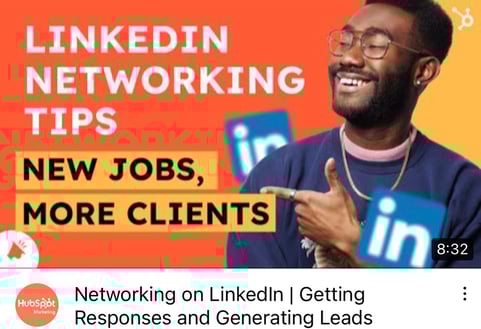
Creating vibrant YouTube thumbnails can also instantly grab people’s attention and this can help you differentiate yourself on a platform full of standard thumbnails all screaming for attention. Below, we’ll guide you through an easy four-step process for creating visually appealing YouTube thumbnails that will cut through the noise, boost your video’s click-through rate, and lift your rankings.
Table of Contents:
1. Visit a free online YouTube thumbnail maker.
There are eight free online YouTube thumbnail makers listed below, but we featured FotoJet in this guide because it’s one of the only YouTube thumbnail makers that doesn’t make you sign up for a free account before you can create a thumbnail. Their robust thumbnail maker lets you customize and download your thumbnails completely for free — no email address necessary.
The free version of this online app lets you download small and medium-sized image files, but large and extra-large are premium features. This means you’ll get to be creative with your designs to ensure they appear as crisp as possible on YouTube.
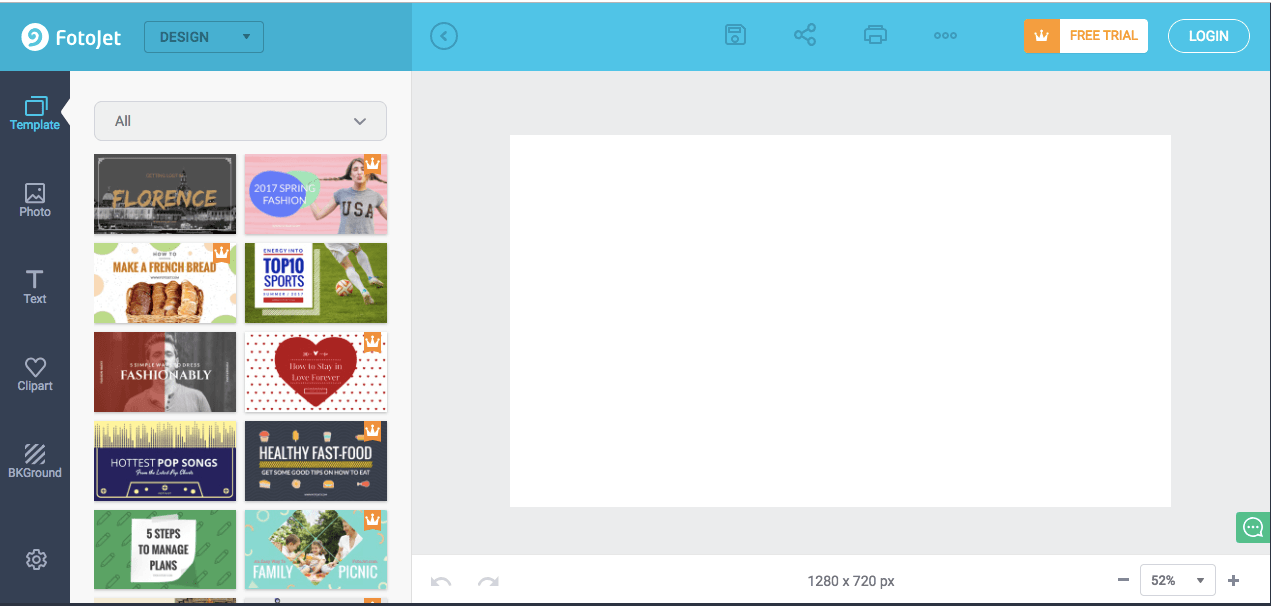
2. Upload a photo or choose one of the thumbnail makers’ templates.
YouTube will let you upload any picture from your computer as your video’s thumbnail. But if you don’t have a vivid visual on your computer or you need some inspiration, Fotojet’s got you covered. It has over 23 free templates that can serve as your thumbnail’s foundation.
To create striking a thumbnail in Fotojet, consider including a talking head. People are naturally drawn to human faces because it’s an ingrained survival mechanism to help us quickly gauge someone’s emotions and determine if they’re a threat or friend. Research Gate also discovered that Instagram photos with faces are 38% more likely to receive likes and 32% more likely to receive comments.

3. Add text, clip art, or a background to your thumbnail.
Once you’ve picked your picture or template, you can make your thumbnail stand out even more by adding text, clip art, or a background to it.
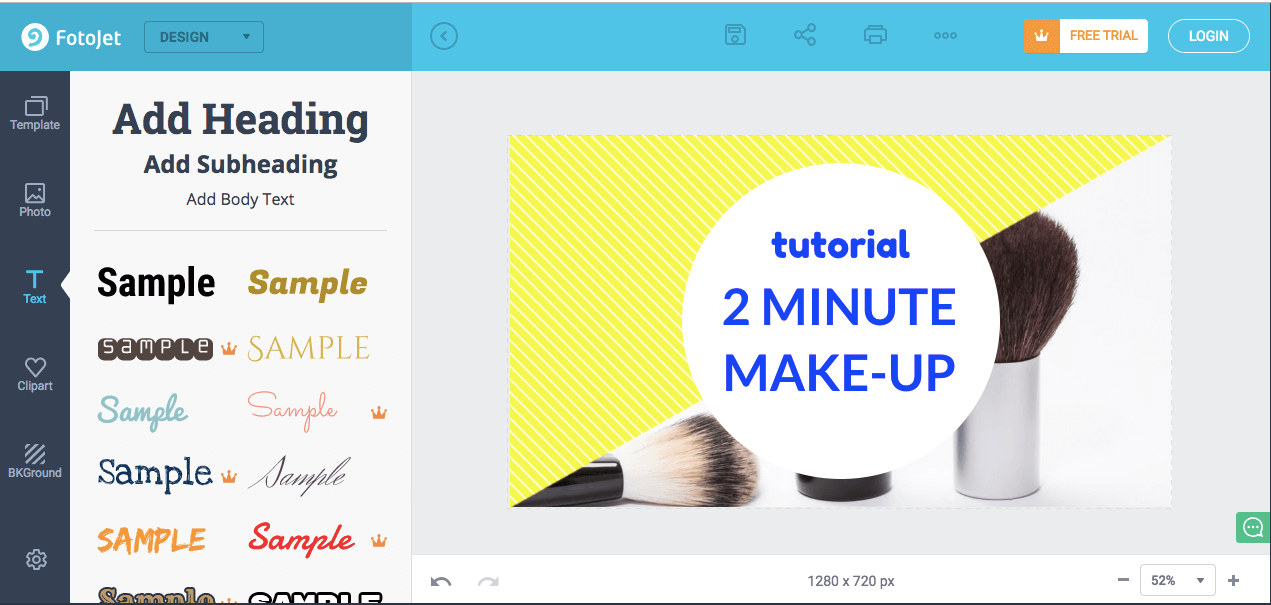
To further clarify your video’s subject matter, consider adding your video’s title to the thumbnail. If your photo, graphic, or text is bright, consider placing it on top of a dark background. The color contrast will make your thumbnail pop. The same logic applies to dark objects and bright backdrops.

4. Download the finished product to your computer.
After you finish polishing your thumbnail, press the Save button at the top of the page to export your thumbnail.
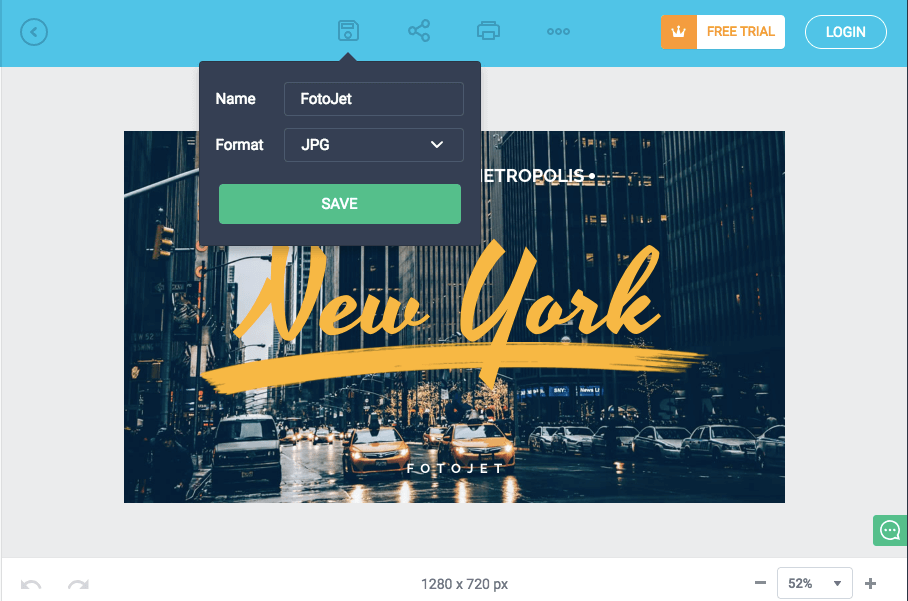
Last, title your thumbnail. When you’re naming the thumbnail, include either the title of the video, or the primary keyword related to the video. Save the final file as a PNG or JPG. Its resolution will already match YouTube’s recommended resolution — 1280 x 720 pixels — so you don’t have to worry about resizing it later.
8 YouTube Thumbnail Makers
Along with Fotojet’s free online YouTube thumbnail maker, there are seven other thumbnail makers that can help you customize your own YouTube thumbnails. Before you create a thumbnail with these tools, though, you need to sign up for a free account on their websites.
1. FotoJet
FotoJet is a leading YouTube thumbnail maker that comes with templates to help you summarize your video into a click-worthy image. You can get started with FotoJet as soon as you land on the homepage — no email or account setup required. Choose from a variety of stock images, font styles, and clip art elements to customize your design, then export it in either a JPG or PNG format.
2. Canva
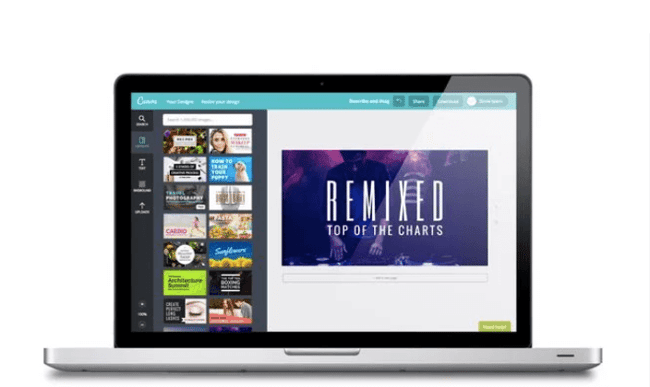
With more than 2 million images in their library, hundreds of fonts, and customizable backgrounds and colors, Canva gives you more than enough resources to unleash your creativity.
You can sign up for the free or paid version of the online design tool, but be prepared to take your own images as Canva’s image gallery can cost up to $1 per photo. Don’t let that deter you. This robust tool is jam-packed with free design elements that can help you create click-worthy YouTube thumbnails.
3. Adobe Spark
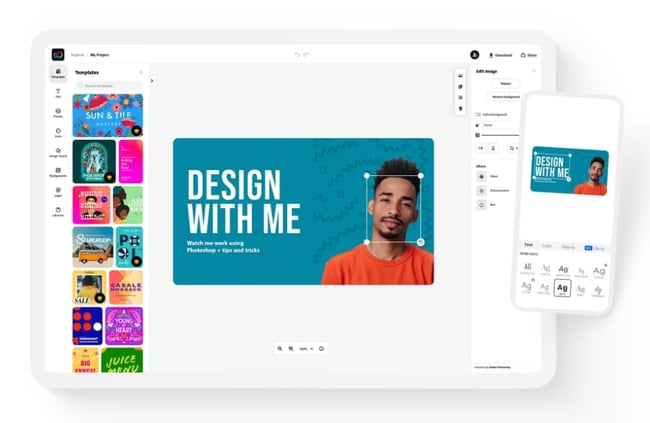
Adobe Spark lets you select from thousands of photos on the web and a variety of built-out themes with their own unique layouts, colors, and fonts to craft eye-catching YouTube thumbnails. Although the free version comes with a watermark on all content you download from the system, you can always upgrade to the paid version to have unique thumbnails that are truly your own.
4. Crello
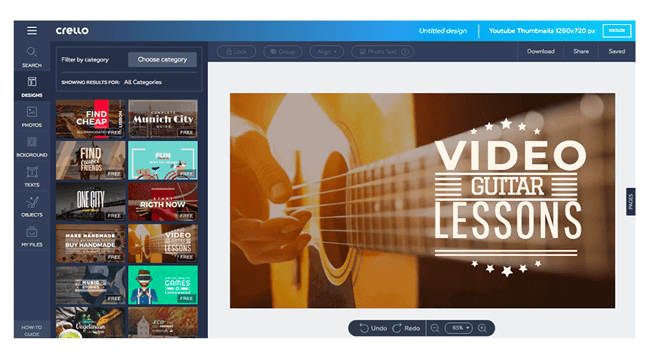
With Crello, you can create engaging thumbnails by blending a multitude of designs, photos, backgrounds, text, and objects together. When compared to other popular design tools, Crello emerges as a less expensive option, but remember resizing your thumbnails could be a pain because of some improvements that need to be made within the app.
5. Visme
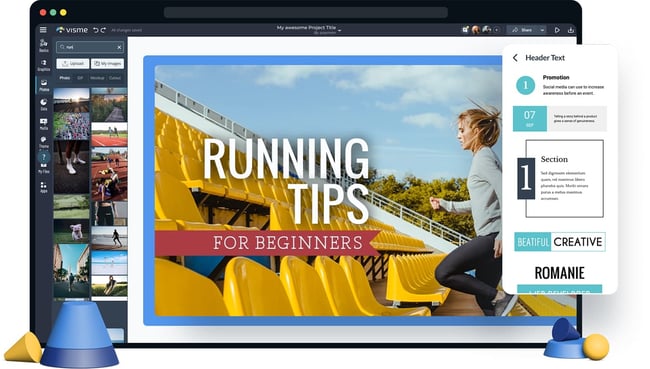
Choose from a wide selection of templates, photos, graphics, colors, and fonts to create a thumbnail in Visme. This app was made with video thumbnails in mind, so you won’t have to worry about sizing and finding the perfect layouts. Visme offers creators various templates to choose from so you can spend more time adding your finishing touches.
6. Fotor

Fotor provides templates under certain themes to help you create captivating thumbnails. It includes all the trending YouTube thumbnail features like photo frames, the lomo effect, and background remover. The options are virtually limitless with Fotor as the canvas for your YouTube thumbnail.
If your workflow can’t be completed all in one session, Fotor’s premium plan allows you to save the version history of your thumbnails so you can pick up right where you left off.
7. Picmaker
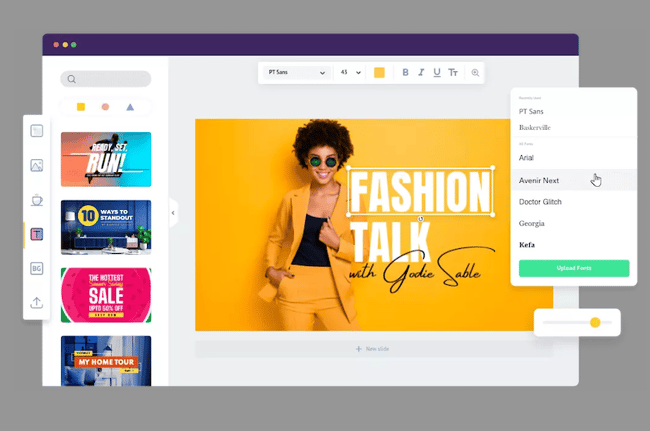
With over 100,000 graphics, 1,000 stock photos, stickers, borders, backgrounds, text, icons, and filters, and an automatic background remover, you can create a gripping thumbnail on Picmaker. If you have set brand colors, the free options won’t be the easiest to work with since you can’t save colors, logos, or fonts. But upgrading to just the starter tier opens up a variety of benefits including a brand kit, premium photos, and multi-sized designs.
8. Snappa
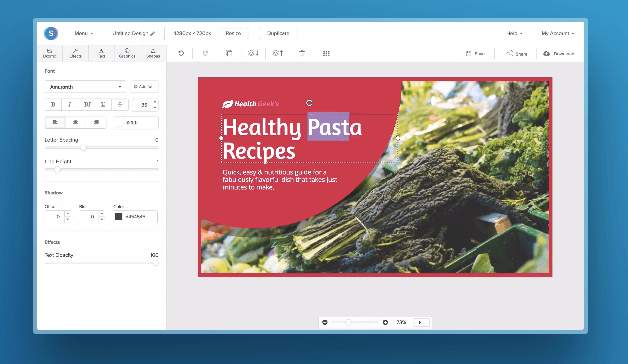
Snappa has over 500,000 stock photos, an assortment of professionally designed templates, and customizable graphics, shapes, and text to help you create a YouTube thumbnail. If you’re making over three thumbnails per month, Snappa might affect your workflow as the free version only allows three downloads per month. If three is enough for you, you’ll be glad to know there’s a drag-and-drop functionality to help you create your own custom thumbnail template.
Create Scroll-Stopping YouTube Thumbnails
Just like a peephole, the subject line of an email, and even caller-ID, a YouTube thumbnail gives the viewer a peek behind the curtain to see what’s on the other side. It’s a major component in a search result that will determine whether someone clicks and watches your video. Taking the tips and examples in this article, you’ll have to know how to make scroll-stopping YouTube thumbnails that will draw in new subscribers.
Editor’s note: This post was originally published in November 2018 and has been updated for comprehensiveness.

How To Make Your Own Ecommerce Strategy
As an online store, you drive traffic online. This means that, when people search for products or services related to what you sell, you want your business to appear in their search results. Enter ecommerce SEO.
Read on to learn more about ecommerce SEO, why it’s important, how to create an ecommerce SEO strategy, and discover tools that will help you with your process.
![→ Download Now: SEO Starter Pack [Free Kit]](https://no-cache.hubspot.com/cta/default/53/1d7211ac-7b1b-4405-b940-54b8acedb26e.png)
What is ecommerce SEO?
Ecommerce seo is the process of making your online store visible in search results so that people doing searches related to what you offer are likely to come across your website. An optimized ecommerce site is more likely to rank highly in SERPs and drive organic traffic.
Ecommerce SEO is important because 60% of people research a brand online before making a purchase. When your site is optimized, they’ll be able to find your product pages in search results and learn about what you offer. When people can find your site and learn about what you offer, they’re also more likely to make a purchase.
This type of SEO is not that different from general SEO. Still, you will focus your efforts on optimizing your site to benefit your products, like writing high-quality and keyword-rich product descriptions.
Ecommerce SEO Strategy
1. Keyword Research
Your ecommerce SEO process should begin with keyword research for your site, especially for your product pages.
This research will help you learn the words most commonly used when people search for products related to your business. You’ll then want to use these keywords in the content on your site, so Google learns when to surface your website in SERPs and so searchers know what they’ll find on your page when they click.
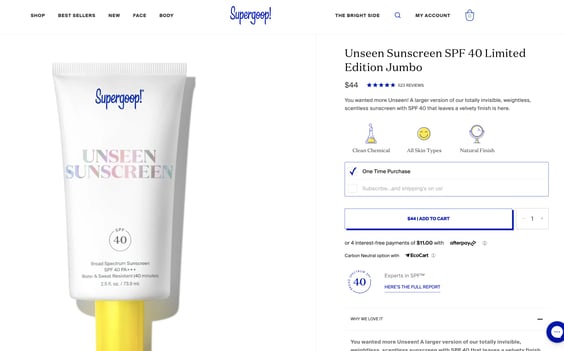
The image below is a product page from Supergoop for one of its sunscreen products, Unseen Sunscreen. The brief product description uses keywords that people often search for when researching sunscreens: invisible sunscreen, scentless sunscreen, SPF 40.
You can also conduct keyword research based on your competitors to see what they’re ranking for that you aren’t. Ahrefs Content Gap Tool is a high-quality option for doing this, and you can enter the URLs for your competitors and get a full report.
2.On-page SEO
On-page SEO elements help search engines understand what’s on your site pages, like your content and HTML elements. These elements often include your keywords, so keyword research is always the first step.
1. Meta Titles
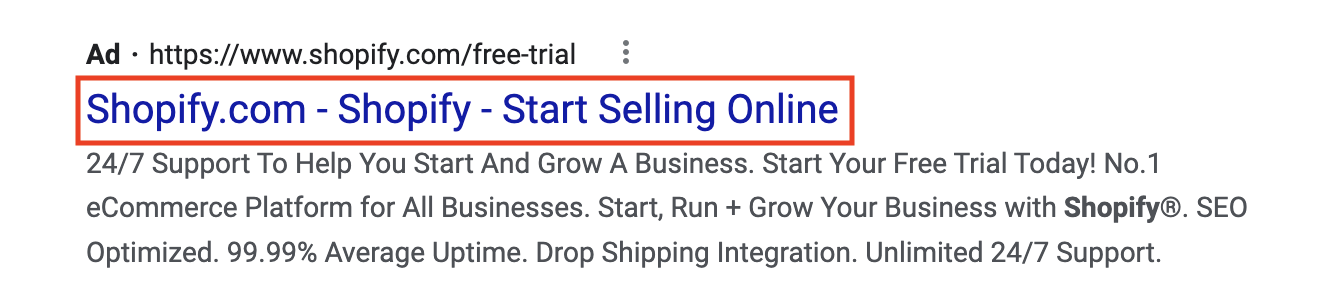
Meta titles are the headings you use to describe what’s on your page content. When you write them, you’d want to summarize the main topic of your page with a related keyword. The image below is an example from Shopify, an ecommerce platform for businesses, where the meta title describes exactly what the business is for: selling online.
2. Meta Descriptions
Meta descriptions are snippets of text in SERPs that describe what’s on specific pages. It helps searchers assess if the page is relevant to what they are looking for. This summary is only visible in search results, and when writing them, you should include your target keywords.
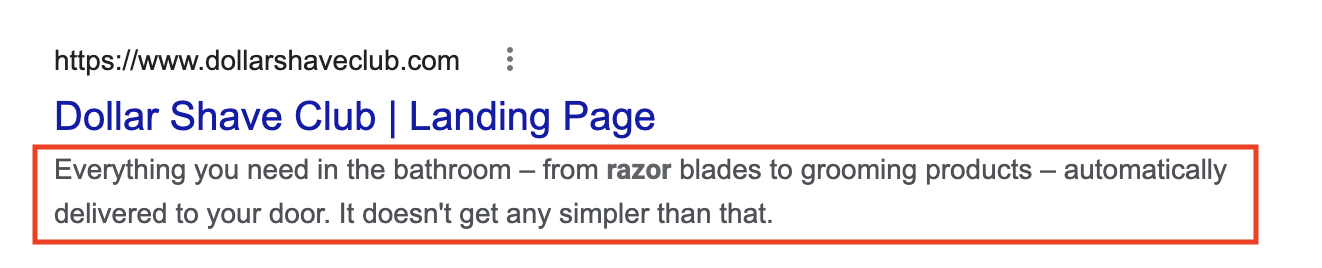
The image below is an example of a meta description from Dollar Shave Club that reads, “Everything you need in the bathroom – from razor blades to grooming products – automatically delivered to your door. It doesn’t get any simpler than that.”
Within your meta descriptions, your ecommerce store can also greatly benefit from including reviews and star ratings for your products as it helps you build trust. You can do this by using review snippet schema markup.
3. URL Structure
Your URL structure refers to your subdirectories and slugs that categorize your website. Best practices are to keep your URLs simple, use relevant keywords, and always hyphenate your slugs.
The hierarchy of your URLs should be clear, so browsers and search engines know when your pages are getting more specific.
Let’s take HubSpot URLs as an example. The HubSpot domain is hubspot.com.
If you’re researching HubSpot’s marketing software and its specific tools, the URL becomes hubspot.com/products/marketing, where
- /products is a subdirectory
- /marketing is a slug
Telling Google that /marketing is a product page that gets more specific. Then, if you’re interested in the social media management software, the URL becomes hubspot.com/products/marketing/social-inbox, where
- /social-inbox is an additional slug for a specific tool within a specific product
4. Product Descriptions
Product and category descriptions clearly explain what your product is. When writing them, you want to include the keywords you’ve gathered in your research.
On the Social Media Management product page from HubSpot, the product is described using relevant long-tail keywords that people will often search, like publishing content, social media ROI, and monitoring social mentions.
5. Structured Data
Structured data is the code on your website that explains the content on your page to help with indexing. You want to add structured data markups to your product pages to ensure optimization.
Google has an entire database of product-related structured data for shipping information, offers, pricing, and product availability — really anything you need to sell your products. You can simply copy and paste it into your site’s schema markup, add your unique elements, and check if it’s valid using the Rich Results Test.
6. Images and Image Alt Text
All ecommerce websites should use high-quality images to display their products. While they help drive a sale, images with the right keywords and descriptive alt text can help you show up in search results and image packs.
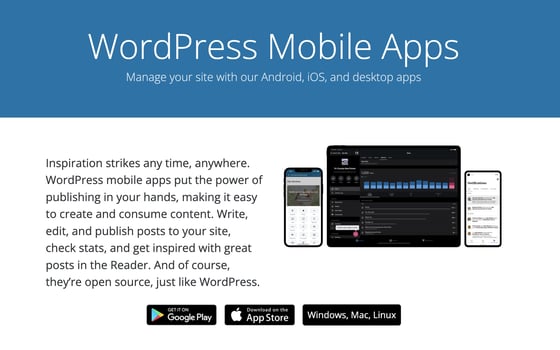
For example, here’s an image from the WordPress website with the alt text “Devices showing the WordPress mobile app.” The alt text describes what’s in the picture, and the description allows it to show up in image search results for WordPress Mobile.
3.Technical SEO
Technical SEO is what makes your site run and easy to navigate. For ecommerce sites, focus on optimizing your website speed.
As you likely include a lot of text to describe your products, images to show off your products, and maybe videos for product demonstrations, your site can take a long time to load. Aim to compress all files on your site to ensure they can load fast enough that browsers aren’t frustrated and waiting for results. Conversion rates drop by an average of 4.42% with each additional second of load time, so this is critical.
You also want to make sure that your code is clean because it can impact load times. All SEO practices work in tandem, so using the correct structured data can help you ensure your code is clean and easy for bots to read.
4. Backlinks
Backlinks, also known as off-page SEO, are important for ecommerce sites as they drive traffic. Seek out backlinks from sources with positive reputations, are authoritative, and relate to what you offer.
Some popular strategies for getting backlinks are reclaiming unlinked mentions of your business, getting mentioned in listicles, and using high-quality images that sites can use to link back to your content.
A creative way to get backlinks for an ecommerce site is through collaborations with influencers or affiliates. They can promote your products and share links to your site with their audience.
5. Optimize For Mobile
Optimizing your ecommerce site for mobile is a must for your SEO strategy, as mobile devices generate about half of all global website traffic and 41% of web traffic.
Responsive mobile design is how you ensure your ecommerce site can adapt to whatever device a visitor uses. This means mobile buttons that resize, images and graphics that scale, typography, and text size — really anything that can change based on the size of someone’s screen.
Ecommerce SEO Audit
Your ecommerce SEO audit will monitor the same elements that make up your strategy. Running one is beneficial because you’ll get a checklist of improvements to make that will benefit your rankings once you finish.
Here are some questions you can use to guide yourself during your audit.
Keyword Research
- Which keywords do you currently rank for?
- What keyword opportunities can you pursue?
On-Page SEO
- Do you have descriptive meta descriptions?
- Are your meta titles related to your page content?
- Do your product descriptions use target keywords?
- Do your product descriptions clearly explain what you’re selling?
- Do your images have descriptive, keyword-rich alt text?
- Do you use product-specific structured data?
- Is your structured data valid by Google’s standards?
Technical SEO
- What is your current page speed?
- Are your images compressed?
- Are your videos compressed?
- Is your schema markup clean?
- Has your site been indexed by Google?
Backlinks
- What current backlinks do you have?
- Are your current backlinks from authoritative sources?
- What websites can you get backlinks from?
- Do you have any unlinked mentions to claim?
Mobile Optimization
- Are your images scalable?
- Are your graphics and vectors scalable?
- Is your text scalable?
- Does your website automatically respond to different device sizes?
- Does your website pass the mobile optimization test?
Ecommerce SEO Tools
- Keyword Planner is a free tool that helps you conduct keyword research for writing rich product descriptions.
- Google’s Mobile Optimization Test helps you ensure your site is responsive to screens of all sizes.
- PageSpeed Insights will tell you your site’s current speed and give suggestions on how to improve your score.
- Rich Result Test analyzes the structured data on your desktop and mobile site to ensure it’s valid for rich results. It tests specifically for Google SERP features.
- Squoosh to compress the image files on your website.
- Ahrefs to conduct keyword research and analyze your competition. It’s a paid tool that also offers other high-quality SEO features for auditing your entire site, monitoring your rankings, and identifying opportunities to improve your rankings.
- SEMrush helps you find opportunities to strengthen your backlink profile and optimize your site for local SEO.
- SEO Site Checkup is a full-service paid tool to help you test your meta titles, preview your site in Google SERPs, run responsive image tests, and create SEO-friendly URLs.
Over To You
Quality is the only SEO method that will get you anywhere, so make sure the information you put out there—whether on your own page or on directories and other publications—is the best possible quality you can provide. With the methods outlined above, your ecommerce site will benefit from better SEO results.


How to Leverage the 5 Stages of the Customer Buying Cycle for More Sales
Let’s face it – there are many marketing tactics that boost conversions. However, to make your marketing effective, leveraging the customer’s buying cycle is the key to a successful online business.
Understanding a customer’s buying cycle is how you can have the right marketing for a successful commerce site.

Online Buying Cycle
The online buying cycle is very similar to the original buying cycle; however the key difference is the online buying cycle occurs online. Because it is online; many ecommerce sites and brands will utilize social media platforms and email marketing as marketing tools to help market and sell to consumers and generate leads back to their ecommerce site. The buying cycle and online buying cycle will go through the five stages of closing a sale.
5 Stages of the Customer Buying Cycle
You can look at a customer buying cycle as a customer’s purchasing cycle. ;Many customers go through stages during their purchasing process to educate themselves before they either make a purchase. There are five stages that you have to consider:
1. Awareness
Awareness is the first stage in a customer’s buying cycle when customers realize that they have a problem that needs a solution. ;
A company will be able to reach the target customers given the right marketing strategies and campaigns.
For example, a customer is trying to lower plastic waste from water bottle usage. A customer then sees an ad for a water filter. The problem the customer is facing is met with a solution and now the next stage of the customer buying cycle begins.
2. Consideration
This stage is where the prospect is considering their options and ;your company can provide multiple solutions for a customer. As an ecommerce site, this is where your marketing, sales team, and products come in.
In this stage, you can provide detailed information to explain how your product will help solve their problem. To go back to our example, once the customer clicks the ad and lands on your site, you can list the benefits of the water filter, such as cleaner water, more cost effective than buying bottled water, and gives you a good boost in health. ;Once the customer understands that this product is what they need to solve their problem, ;they will move onto the next stage.
3. Intent
In this stage, a salesperson aims to earn the trust of potential customers. Whether you tap them emotionally or logically, this is the time where a salesperson convinces the potential buyer that their product is the best solution for their needs. You can accomplish this through reviews from existing customers, highlighting the benefits of the product, or through a social media campaign that creates a feeling within the customer. Once the customer is convinced and has seen proof that the product works, we move on to the next stage.
4. Purchase
At this point, your customer is ready to purchase the solution for their needs. While your customer is in this stage, you need to ensure that your pricing is reasonable and you make the buying process as simple as possible.
When the customer purchases, that is not the last step in the customer buying cycle. You don’t want the customer to be a one-time buyer. You will need to manage the customer’s relationship with your site to make them a returning customer. ;Maintain contact with the customer on their problem solving journey to make sure ;that the product works properly and that they are satisfiedThe purchase is just the start of a relationship with a customer; building a relationship ;keeps them in the buying cycle.
5. Re-purchase (Renewal)
The final stage of the buying cycle is repurchase of your product or service. This is where you manage your relationship with the customers. In the previous stage, we touched on the importance of making sure that the customer and seller have established a good rapport ;since this will encourage the customer to repeat business . To get to repurchase, it’s imperative that the customer is happy and satisfied. In addition, in this stage, you can ask ;a customer for a review or a testimonial on how this product or service helped them with their needs.
Create Targeted Content for Each Stage
Now that you know the breakdown of the five stages of a customer’s buying cycle, it’s time to start making the most of it. To get started, you need to answer the questions which are related ;to each stage. But how do you know what your customers are searching ;for to gather information? The answer lies in search queries.
;Look at this example:
- “flat screen tv” – This is a generic term that customers in the Awareness or Consideration stage use. “compare flat screen tvs” – The desire to compare products indicates this customer is further along in the cycle, such as the Consideration or Preference stage.
- “sony 42” lcd” – This a very specific product query indicates that a shopper is much further into the buying cycle, now likely evaluating prices (right before the Purchase stage).
The next step is to create content that moves customers closer to purchase. For example, look for keywords that are related to the Awareness and Consideration stages. Using the previous example, you can provide a guide to selecting the perfect flat screen TV.
For the Preference/Intent stage, leveraging customer testimonials, providing specification sheets and telling your brand story will help push prospects closer to the Purchase stage, which is the perfect time to utilize a PPC ;ad with text that entices them to buy. To LeadL them towards Repurchase, you can send monthly newsletters with helpful tips and tricks . That way it will keep your brand on the top of their minds.
Make Content Available Through the Right Channels
Of course, the content you share is fully dependent on the product you offer and the profile of your customers, but there are basic commonalities on how to market in each stage of the buying cycle:
- Awareness: For the majority of ecommerce sites, this is all about being found via search engine marketing, particularly PPC and SEO.
- Consideration: Once customers find you in search engines, keyword-tailored landing pages are essential. . You can also use comparison charts that highlight the key selling points to help you stand out from the competition.
- Preference/Intent: Your website should do the talking here, especially your product descriptions and overall branding. This is a critical stage to capture contact information.
- Purchase: Get your coupons and discounts out there, whether it’s through your PPC ad text, a pre-sales email, or social media .
- Repurchase: Keep in contact with your customers via scheduled emails, social media, and personal outreach. Your customers are your best growth opportunity.
Create a Meaningful Customer Buying Cycle
While it’s common for online business owners to always focus on the sale, it’s important to remember that your flock of customers are scattered across the field. By herding them through the right gates using your marketing, you’ll be able to enjoy a much more dependable customer pipeline.
Editor’s note: This post was originally published in July 2011 and has been updated for comprehensiveness.

6 SEO Challenges Brands Anticipate in 2022 [HubSpot Blog Data]
In 1990, the key to SEO success relied on keywords. Today, it’s way more complicated.
The SEO landscape is constantly evolving, and marketers must evolve along with it. But to do that, it’s important reflect on the biggest SEO challenges this year — and create a game plan to address them.
Below, let’s review the top six SEO challenges brands are facing in 2022, according to data from HubSpot Blog’s 2022 Web Traffic & Analytics Report and other marketing experts.
Top 6 SEO Challenges in 2022
1. Staying on top of algorithm changes.
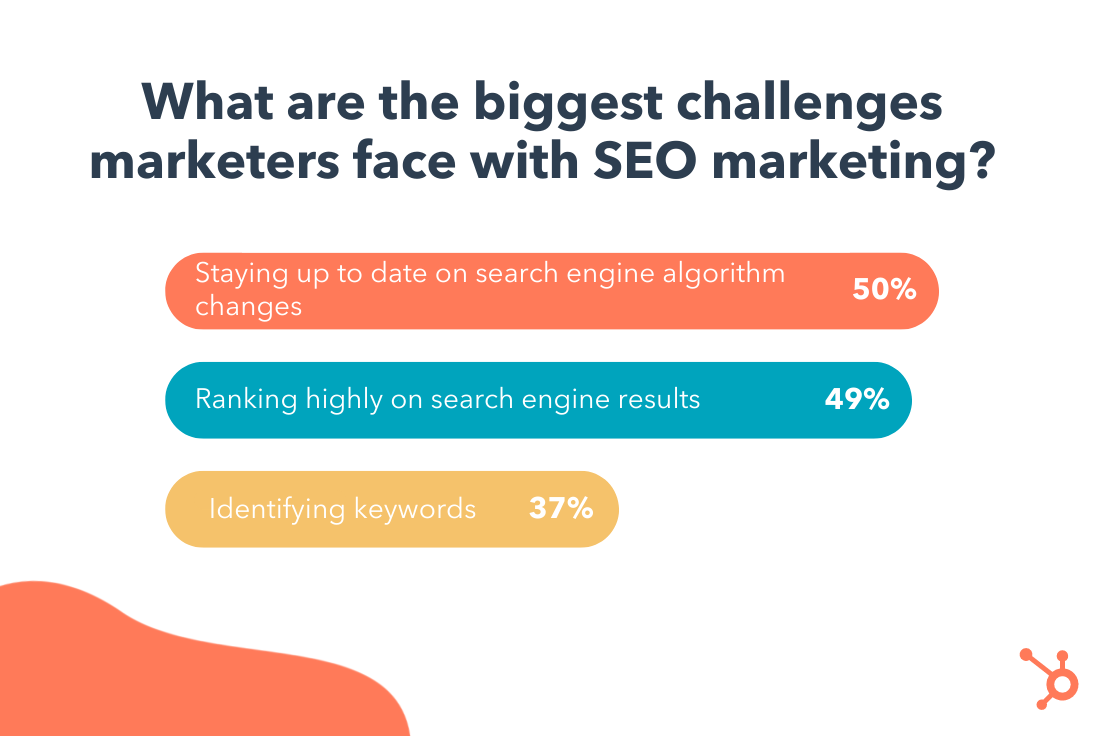
The HubSpot Blogs surveyed 400+ web traffic analysts to identify the top SEO challenges in 2022. The leading challenge — experienced by 50% of marketers — is staying on top of search engine algorithm changes.
This isn’t surprising — in 2020 alone, Google ran more than 500,00 experiments that led to 4,000+ changes to search. For many marketers, staying current with these changes is like hitting a moving target.
So, how can you succeed when Google keeps moving the goal post? The key is to respond to these changes strategically.
There’s no need to overhaul your entire SEO strategy in response to a minor change. Instead, your time is better spent staying on top of industry news. If a big algorithm change is on the horizon, the SEO industry will talk about it.
The second tip may sound counterintuitive, but hear me out – after an algorithm change, wait for the dust to settle before making any moves. Why? In some cases, Google reverts to a previous version if an update doesn’t go to plan.
2. Not ranking higher in search results.
Unlike paid search, SEO takes time to show results — and it’s usually a result of smaller efforts.
There are some “solutions” to fix a low ranking, such as pivoting to technical SEO and content marketing. SEO experts have also identified some factors that play into your ranking, like the E-A-T framework. E-A-T in SEO stands for “expertise,” authoritativeness,” and “trustworthiness.”
However, even more important is developing a long-term strategy that focuses on a handful of initiatives at a time. Remember, SEO is a long-term game. The work you put in today will pay off down the road.
3. Using keywords incorrectly.
One thing has managed to stay consistent in the SEO world: keywords. But today, rather than scanning for keywords, Google takes a high-level look at your website to get an overall sense of its authority, tone, and relevancy.
In other words, if you’re hoping that keywords alone will give you a boost in search results, you’re out of luck.
Instead, the goal with keywords is to understand user intent, or the deeper problem your users hope to solve. With this understanding, you can inform your content strategy and your larger, overall marketing strategy. Take a look at this helpful article on adding user intent to your keyword strategy.
Additionally, tracking search volume for your targeted keywords can help you understand why your website sees a sudden spike or drop in traffic. For instance, if a target keyword is experiencing a spike in search volume, you can write more blog posts on that particular topic.
4. Writing compelling titles and meta descriptions.
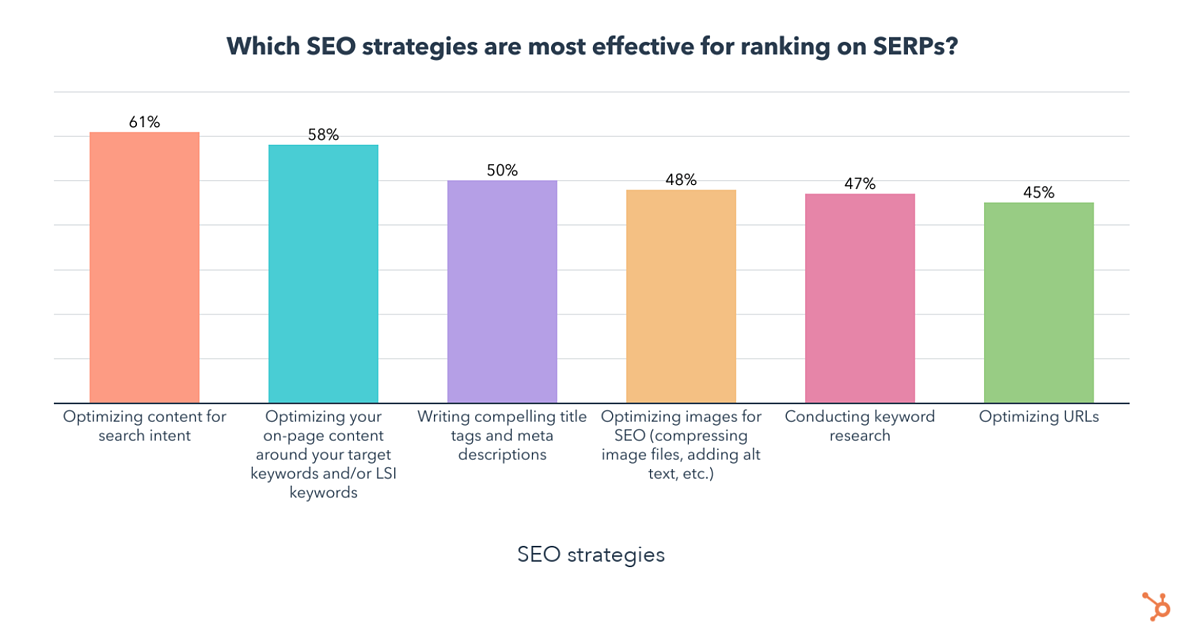
According to 400+ web traffic analysts, one of the most effective strategies for improving search ranking is writing compelling titles and meta descriptions. But writing catchy titles is easier said than done.
According to one recent study that analyzed 5 million headlines, emotional titles — either positive or negative — had a higher click-through rate (CTR) than neutral titles. In fact, both positive and negative titles improved CTR by approximately 7%. Additionally, web pages with meta descriptions get almost 6% more clicks than those without.
But, a word of caution here — while emotionally-charged titles can drive clicks, you run the risk of sounding too clickbait-y. For example, the same study found that “power words” — or words specifically designed to draw attention — can negatively impact CTR. Power words include terms like crazy, insane, and amazing — so use them sparingly, if at all.
5. Missing the mark on mobile.
Your SEO strategy should absolutely include mobile optimization. Why? As you might expect, mobile devices account for a large chunk of web traffic — 41% to be exact — making it essential to approach your website with a mobile-first mindset.
Further, Google now practices mobile-first indexing. This means Google uses the mobile version of your web pages when indexing and ranking pages.
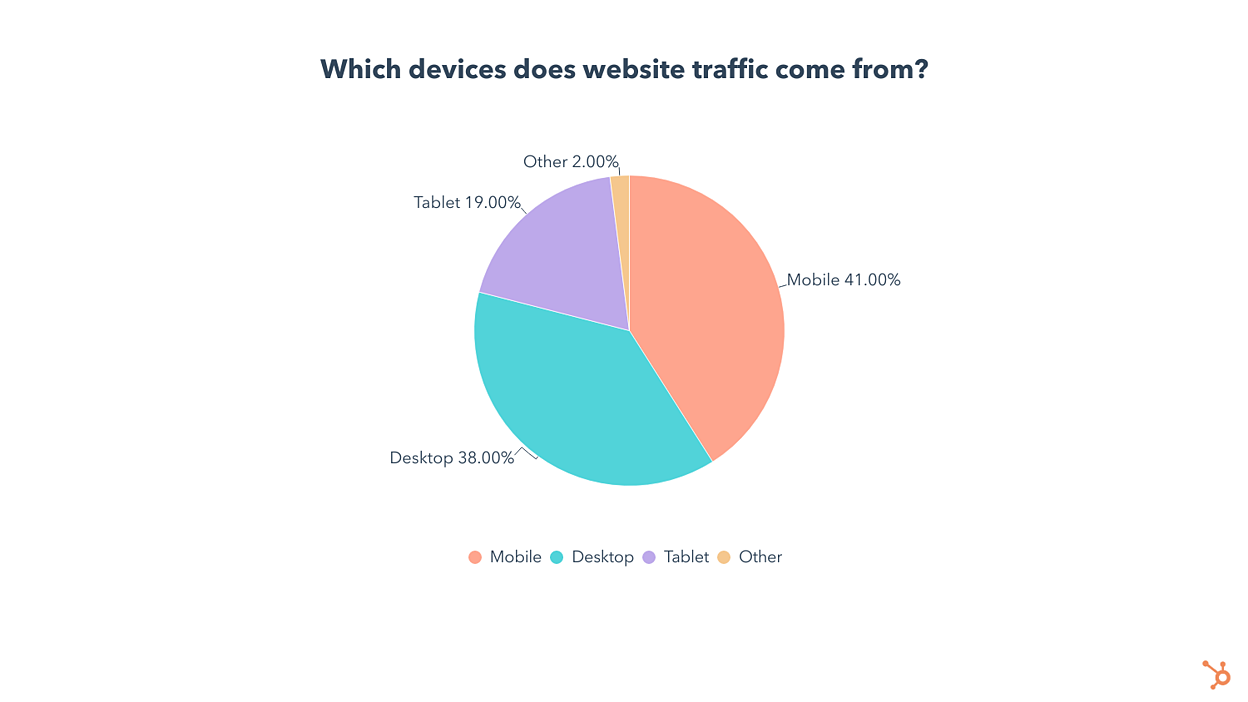
The trend is clear — optimizing for mobile is key for traffic growth, SEO, and great user experience. It’s no surprise that almost 25% of companies invest in mobile as a top SEO tactic.
You don’t need to be a developer or have a large budget to optimize your website for mobile. Check out this helpful guide to learn how small tweaks can improve the mobile experience.
6. Leveraging video in search results.
If you Google “How to tie a knot,” the top search result is a video:

Increasingly, Google is incorporating video in search results — and this trend isn’t stopping any time soon. In fact, Google is working on more ways to experiment with short-form videos in search results, according to Google’s Product Manager, Danielle Marshak.
Google plans to surface videos by crawling and indexing them like any other type of content. So how can marketers leverage their video content for search? Here are a few strategies:
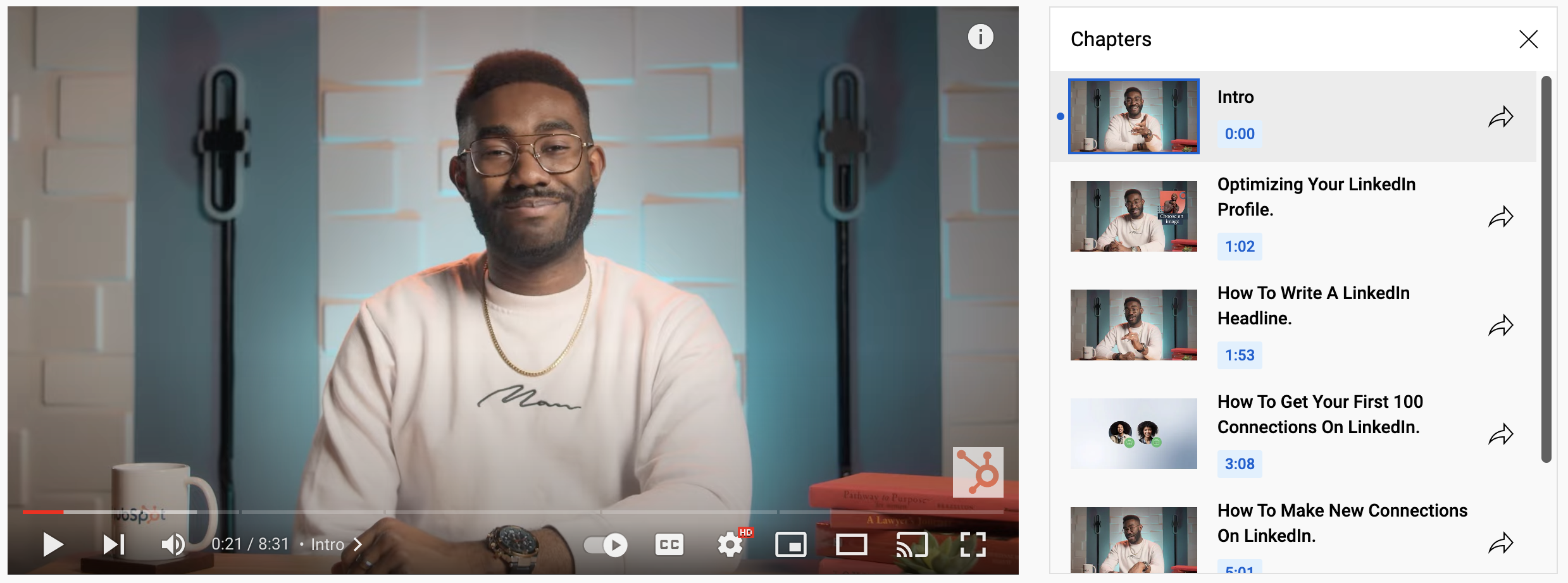
- Add video chapters. Chapters section your video by topic, providing a layer of context for viewers. It also makes it easy for Google to understand the content in your video and use different clips in search results.
- Optimize your title, tags, and description. Like web pages, videos also have titles, descriptions, and tags. Optimize these using SEO best practices.
Also, embedding videos into your website and blog posts doesn’t hurt — and can actually improve your bounce rates.
Back to You
SEO is like a mutual fund — it builds over time, one dollar at a time. In other words, it’s a long game. Marketers must have the right strategies in play for the long game. Start with the tips in this post to set you on the right path.

If Everyone is a Content Creator — Is Anyone?
Quick riddle for you: What do you have in common with podcast hosts, YouTube sensations, TikTok stars, and Instagram influencers?
Stumped? Okay, okay. I’ll tell you the answer.
Statistically speaking, you probably also consider yourself a ‘content creator’, at least on some level.
Recently, HubSpot’s Blog Research team ran a study and found 30% of 18-24 year olds and 40% of 25-34 year olds call themselves content creators.
That number might seem high at first, but when you consider how deeply ingrained social media has become in our lives, it starts to make sense.
What did surprise me, however, was this: When asked how many followers most of these content creators had, 84% reported less than 10,000, and 39% reported less than 1,000.
This confused me. In high school, I had roughly 100 followers. But I’d never considered myself a content creator. I guess, as it turns out, maybe I should have.
To investigate whether ‘everyone is a content creator’ is true — and what it means if it is — I spoke with three content creators and influencers about their relationship to the ‘content creator’ label. Let’s dive in.

Is anyone who creates content a ‘content creator’?
Li Jin is an investor and co-founder of Variant Fund, a venture firm investing in the ownership economy. Jin, who’s been called ‘The Investor Guru for Online Creators‘, believes everyone is a content creator.
As Jin told The Information, “No matter which industry you’re in, people are all going to be creators … This embrace of virtual brand-building is already starting to happen but will accelerate in coming years, as doctors, CEOs and other established professions, including venture capitalists, realize the importance of cultivating online profiles.”
Jin adds, “Everyone will have to build influence online, because we’re living more of our lives online … All of us will have to adopt some of the skill sets and behaviors of creators in order to be successful.”
If a content creator is defined as someone who “produces entertaining or educational material that caters to the interests and challenges of a target audience”, then it makes sense to label anyone with a social profile as a content creator. It doesn’t matter whether it’s just me posting a funny Instagram video to share with my 300 followers, or a major TikTok influencer doing the same thing for her 3 million fans.
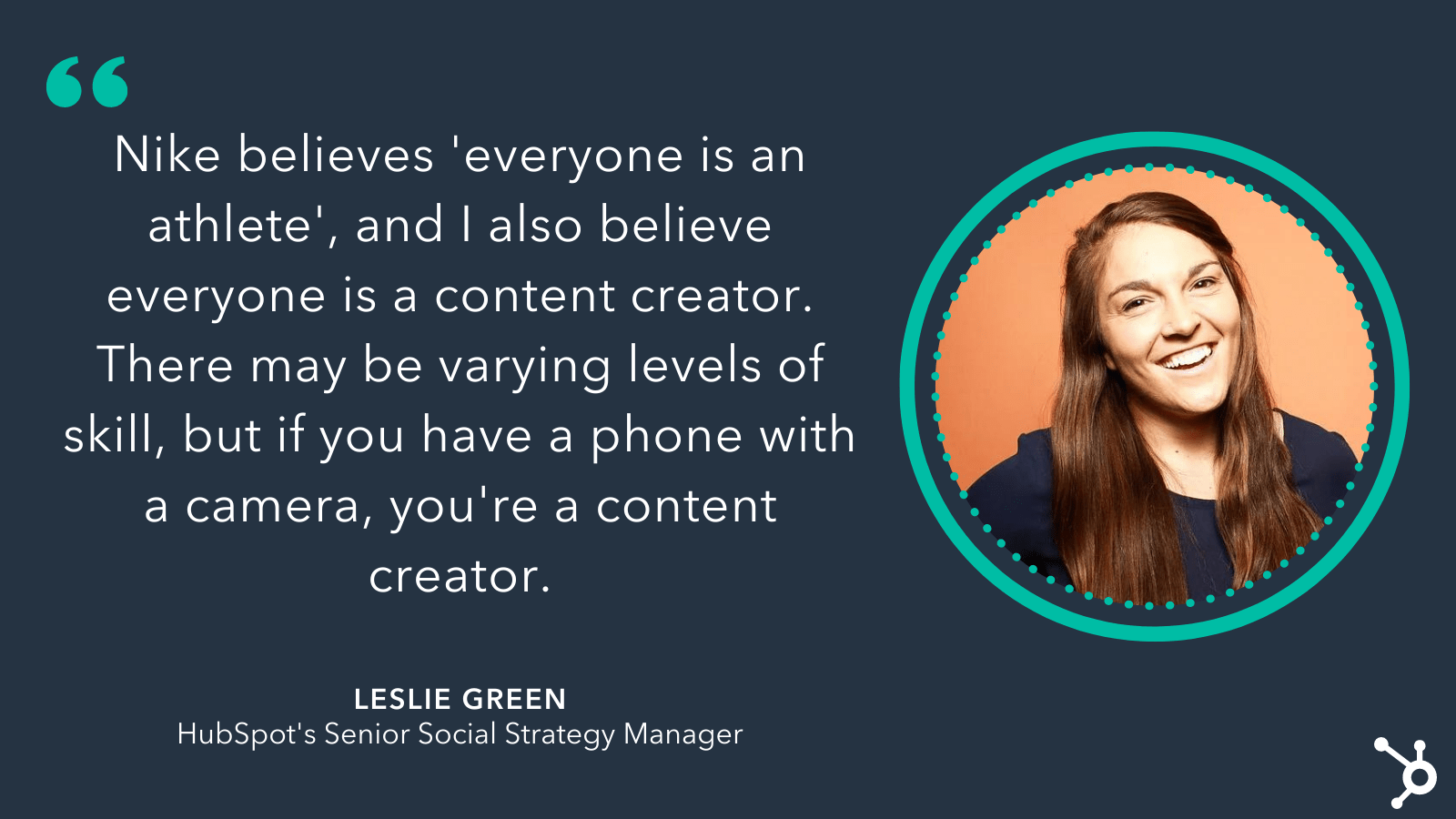
Leslie Green, HubSpot’s Senior Social Strategy Manager, agrees. She says, “Nike believes ‘everyone is an athlete’, and I also believe everyone is a content creator. There may be varying levels of skill, but if you have a phone with a camera, you’re a content creator.”
A few years ago, being a content creator — or influencer — required a certain follower count to earn the title, and it was a relatively exclusive club, reserved for brands, mega-influencers, or celebrities.
Now, anyone with a smartphone has the opportunity to become one. There’s something incredibly freeing about this: As we broaden the scope of what we mean when we say ‘content creator’, we’re inevitably opening the doors for more diverse voices. Which means consumers worldwide can find content creators who mirror their unique, distinct experiences.
In other words: Content doesn’t need to reflect one singular version of reality anymore. Now, it can encompass all of them.
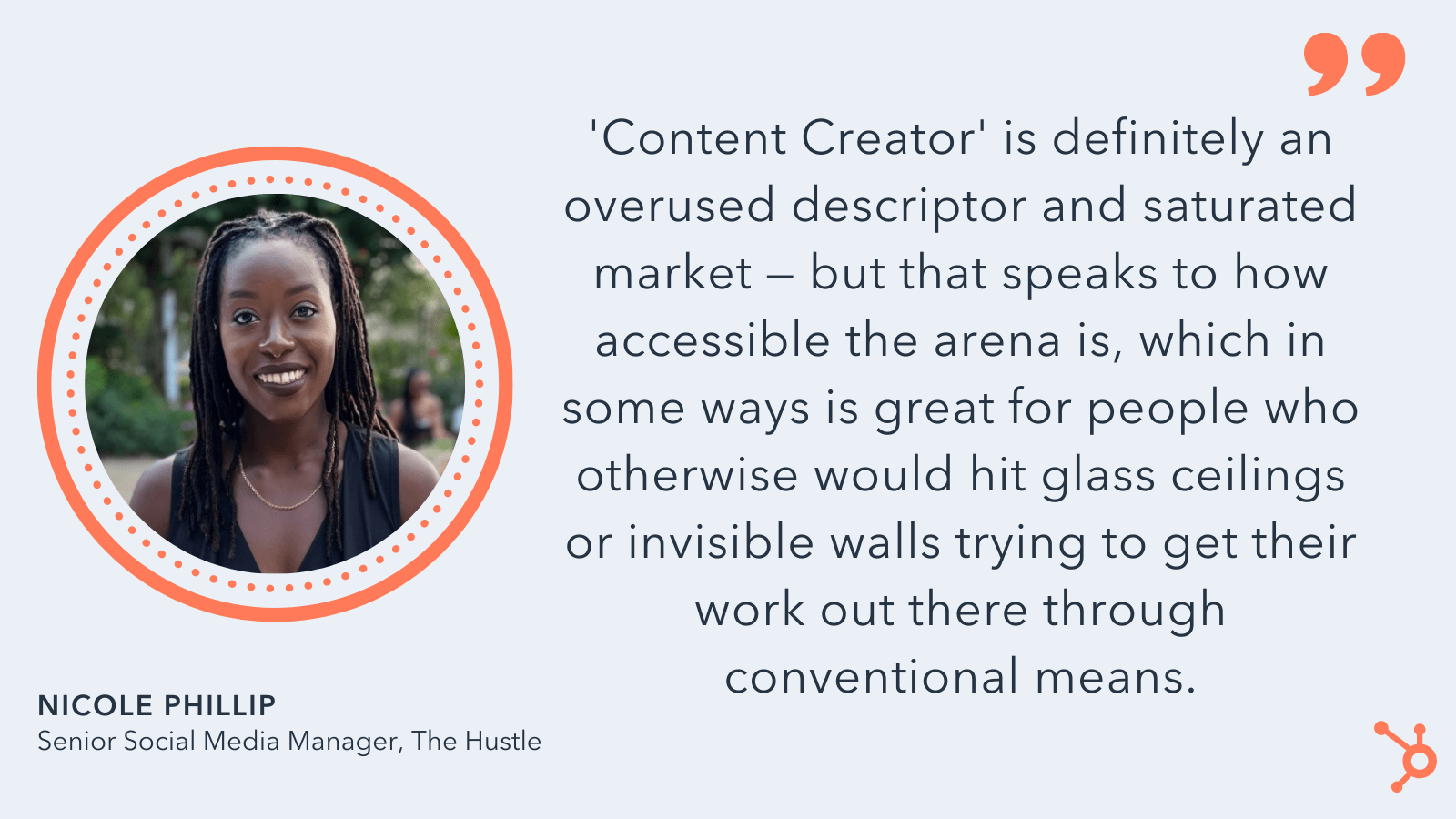
Nicole Phillip, The Hustle’s Senior Social Media Manager, told me she sees major benefits to the fact that there are no guardrails when it comes to labelling yourself as a content creator.
As Phillip puts it, “Content creator is definitely an overused descriptor … But that speaks to how accessible the arena is, which in some ways is great for people who otherwise would’ve hit glass ceilings or invisible walls trying to get their work out there through conventional means.”
To become a content creator, you only need a smartphone.
Admittedly, there are levels of skill, expertise, and influence within the creator economy, just like there are levels to any profession. But what’s surprising is that, unlike other professions, there’s no entry-level requirement to becoming a content creator.
You don’t need to possess certain skills or live in a specific region or be an expert in a particular field — you just need to own a phone or a computer.
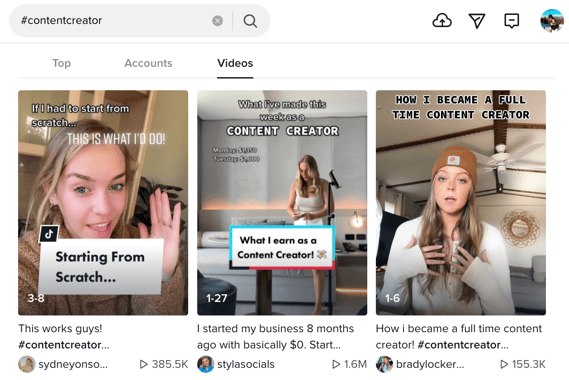
Which is perhaps what makes it so enthralling for so many. Consider, for instance, how the hashtag #contentcreator reveals more than 9 million results on Instagram:

What’s equally interesting is the growth of the creator economy over the past few years — which Bloomberg reports is now worth more than $20 billion.
The creator economy, a term that refers to the marketplace of content creators as it relates to businesses, skyrocketed during the pandemic.
The pandemic also greatly impacted the requirements of becoming a content creator. As people were stuck at home with nothing but their phones, they had to make due. And, as it turned out, audiences didn’t care about super-polished content, anyway.
Instead, audiences appreciated and sought out the more authentic posts that spoke to the true state of the world.
As Phillip acknowledges, “Being a content creator used to mean you had a super large following and created original content that would consistently go viral to large audiences. Then, we started having micro and nano-influencers, which lowered the barrier to entry, so there’s no particular follower count necessary, either.”
She adds, “In terms of content types or quality, there’s an audience for every niche and ability, so someone who only has an iPhone 8 just recording their thoughts during their morning commute can compete in the same space as a celebrity makeup artist operating with a DSLR and an entire team.”
It’s undoubtedly thrilling to consider the possibilities of creative individuals with less resources competing in spaces with high-profile, mega-rich celebrities.
But that leads me to my next point: What’s the end game with all of this, anyway?
Becoming a content creator on social media is no longer a means to an end.
A few years ago, becoming an influencer was oftentimes a stepping stone to fame.
A few names come to mind: Consider King Bach, who became famous on Vine and has since starred in multiple TV shows, including The Mindy Project and Punk’D; or Addison Rae, a TikTok dancer who was recently featured in Netflix’s movie He’s All That.
And yet, nowadays, becoming an influencer is in-and-of itself the goal.
One TikTok creator, Brady Lockerby, decided to become a full-time TikToker after recognizing the financial incentives outweighed her previous employment.
As she notes, she made roughly $50,000 in her corporate 9-to-5 job. By comparison, she now makes upwards of her yearly corporate salary in one month.
Lockerby told me, “The first time I posted on TikTok, I never expected it to turn into what it is today for me. It’s something that truly just fell into my lap. Once my TikTok career started to take off and I realized, ‘Wow, this could actually be my job,’ I made the plunge and quit my job. Freedom was probably the driving force.”
She adds, “It seems that nowadays most people are just in it for the money and receiving free items — but I believe that building authentic relationships is key. Whether that’s with your followers or a brand, if you don’t have that trust, no one will believe your content. You make the choice to put your life online, and it makes my heart warm to know that people genuinely care about not only what products I’m promoting that month, but about me and my life.”
It’s important to note: The money you make as a content creator is well-deserved. As easy as it is to earn the label of ‘content creator’, it’s not easy to make a living off of it.
In fact, Philip predicts that in the future, many will actually consider quitting as the market becomes increasingly saturated.
She told me, “People can get content from every corner of the internet, and to maintain an audience through such competition can be stressful and exhausting. I’ve seen this first-hand just working on branded social. There are no off days and you constantly have to feed the beast.”
It’s true: Content creation is a 24/7 gig. And if you don’t consistently post engaging content, you could lose your audience’s attention as they move onto the new creator of the moment.
But that shouldn’t deter you from embracing your role as content creator if that’s what you want.
As Green advises, “In 2022, content creators have more power than ever. Platforms like TikTok and Instagram are competing for content and are actively helping to produce income for their most valuable asset — content creators. If you’re looking to break into content creation, don’t be discouraged. Brands and platforms are looking for your personality and expertise.”
Green continues, “My best advice: pick a niche, stick to one platform, and focus on volume. Social media may feel like a crowded space, but there’s room for everyone. Be patient, test a variety of formats, and stick to a cadence you can be consistent with month over month.”
 Ultimately, just as art means something different to every individual, so too does content. Which means the narrow scope we’d previously defined as ‘content creator’ was too limiting. There’s value in leveling the playing field, and allowing anyone with a camera and a voice to be heard.
After all, every content creator has the unique ability to connect deeply to their audience — and whether that’s an audience of one or one million, there’s power in that.


What Is Transformational Leadership? [+ How It Drives Innovation]
Think about the best boss you’ve ever had. What made them great?
Were they open to new ideas? Did they lead with humility? Showed empathy when you needed it? If you answered “yes” to any of these questions, this person could be considered a transformational leader.

Transformational leaders empower and motivate others to achieve extraordinary feats and, in the process, sharpen their own leadership skills.
Here, we’ll cover the basics of transformational leadership, define the key characteristics of this style, and see how it differs from transactional leadership.
To get a better idea of how transformational leadership plays out in the workplace, we need to look at its four primary elements:
- Idealized influence — this is the degree to which a leader models the behavior they want followers to emulate. In doing so, they gain trust and respect from their followers.
- Inspirational motivation — this is the degree to which a leader articulates a vision and outlines future goals. By aligning followers under a singular vision, they can drive the group forward.
- Individualized consideration — this is the degree to which a leader tends to each follower’s needs and acts as a mentor or coach. As a result, followers feel empowered to make individual contributions to the team.
- Intellectual stimulation — this is the degree to which a leader challenges assumptions, takes risks, and solicits ideas and feedback. The goal here is to stimulate creativity in their followers.
Now let’s take a closer look at the impact of this leadership style in the workplace.
Why is transformational leadership effective?
1. Promotes psychological safety.
Transformational leaders know that psychological safety is key for encouraging participation, bringing new ideas forward, and uncovering solutions. They urge people to think independently and challenge the status quo.
Part of fostering psychological safety is replacing criticism with curiosity. For example, if an employee misses a few deadlines, transformational leaders don’t spend too much time on fault. Instead, they might say, “I’ve noticed you missed a few deadlines this month. I assume there are some factors impacting your performance. Can you walk me through what those are?”
Ultimately, it’s up to the leader to model the behavior they want to see from their employees. In doing so, they foster an environment of trust and respect.
2. Prioritizes career development.
Transformational leaders act as a mentor or coach to their employees. They make themselves available to support and advise others when they need it. Most importantly, they look for opportunities – and even create opportunities – to help their employees get closer to their goals.
3. Boosts innovation and high performance.
Transformational leaders don’t shy away from risks, and they often push themselves — and their employees — outside of their comfort zone. Sometimes, this means failure. But other times, it results in exciting, innovative solutions. This motivates employees to keep raising the bar and improving team performance.
4. Cuts down on micromanaging.
Transformational leaders value employee autonomy more than oversight. They give space to employees to work autonomously and make decisions.
That said, this isn’t a complete laissez-faire style. Leaders provide clear instructions and the necessary resources for employees to do their job. Additionally, they provide appropriate, well-timed support without overstepping boundaries.
5. Nurtures a growth mindset.
Transformational leaders embrace new ideas, solicit feedback, and admit when they’re wrong. In other words, they aren’t afraid to learn and grow.
This type of growth mindset is contagious in the workplace, allowing employees to feel comfortable making mistakes, receiving constructive criticism, and keeping an open mind.
Transformational Leadership vs. Transactional Leadership
Transactional versus transformational leadership is not a question of good versus bad. While polar opposite, both are effective in different situations.
To state the obvious, transactional leadership involves a transaction. Leaders set goals and, in exchange for achieving them, employees receive rewards.
It involves maintaining a status quo, hitting specific targets, and controlling outcomes. While this approach may seem cold or impersonal, it’s an effective approach for mid-to-large organizations operating under rigid targets or rules.
For instance, imagine a sales team grinding to hit a certain quota per week. Or line workers at a manufacturing plant inspecting a certain number of products per day.
This is quite different from transformation leadership where employees are given autonomy and space to create and innovate. This is a fitting approach for organizations looking to retain and develop talent instead of meeting a fixed quota.
Transformational Leadership Examples
1. Marissa Andrada, Chief Diversity, Inclusion, and People Officer at Chipotle.
“HR leaders need to have clarity on values, with a deep understanding of who the company is and what it stands for as an organization.”
2. Katie Burke, Chief People Officer at HubSpot.
“When things have gone sideways (big or small), we have always leaned into transparency and being upfront with people about what we have learned from the experience. We also try to actively celebrate failure. Doing so helps ensure we don’t just celebrate the things that go perfectly and that our leaders set the tone on failure as part of our journey.”
3. Indra Nooyi, Former CEO of PepsiCo.
“If you don’t give people a chance to fail, you won’t innovate. Most importantly, we want to create a company where every employee can bring their whole selves to work.”
Back To You
Transformational leadership could be the difference between a stagnant team and a high-performing one. It enables you to retain and develop talent while driving positive change. If you’re in a leadership role, consider how this style could take your team to the next level.

How Marketers Are Preparing for Google’s Third-Party Cookie Phaseout
Over the past few years, consumers have become increasingly concerned with how companies use their data. And many feel passionate about protecting their privacy — in fact, HubSpot’s Blog Research found 80% of consumers believe data privacy is a human right.
Data security has become a critical component for long-term customer retention and loyalty. So it’s vital brands behave responsibly when it comes to collecting and protecting consumer data.
But many marketers have relied on third-party data for years, so the phaseout of Google’s third-party cookie in 2023 will likely cause some concern. Fortunately, it doesn’t have to.
Here, let’s explore the effective strategies marketers will implement to ensure they’re still reaching new audiences and connecting with customers even without third-party data.

How Marketers are Preparing for Google’s Third-Party Cookie Phaseout
1. Marketers are enhancing or developing their data collection operations and management models.
One surefire way to prepare for the third-party cookie phaseout? Begin developing or refining a strong first-data party data strategy.
As Microsoft Advertising’s Head of Evangelism, John Lee, told me, “Microsoft Advertising is working with the digital advertising industry and its clients to evolve and uplevel data privacy maturity for a privacy-first cookieless world. While there is no market-ready solution available today that manages data end-to-end, our guidance for our clients is to take steps now to prepare a first-party data strategy and to conduct robust data management practices.”
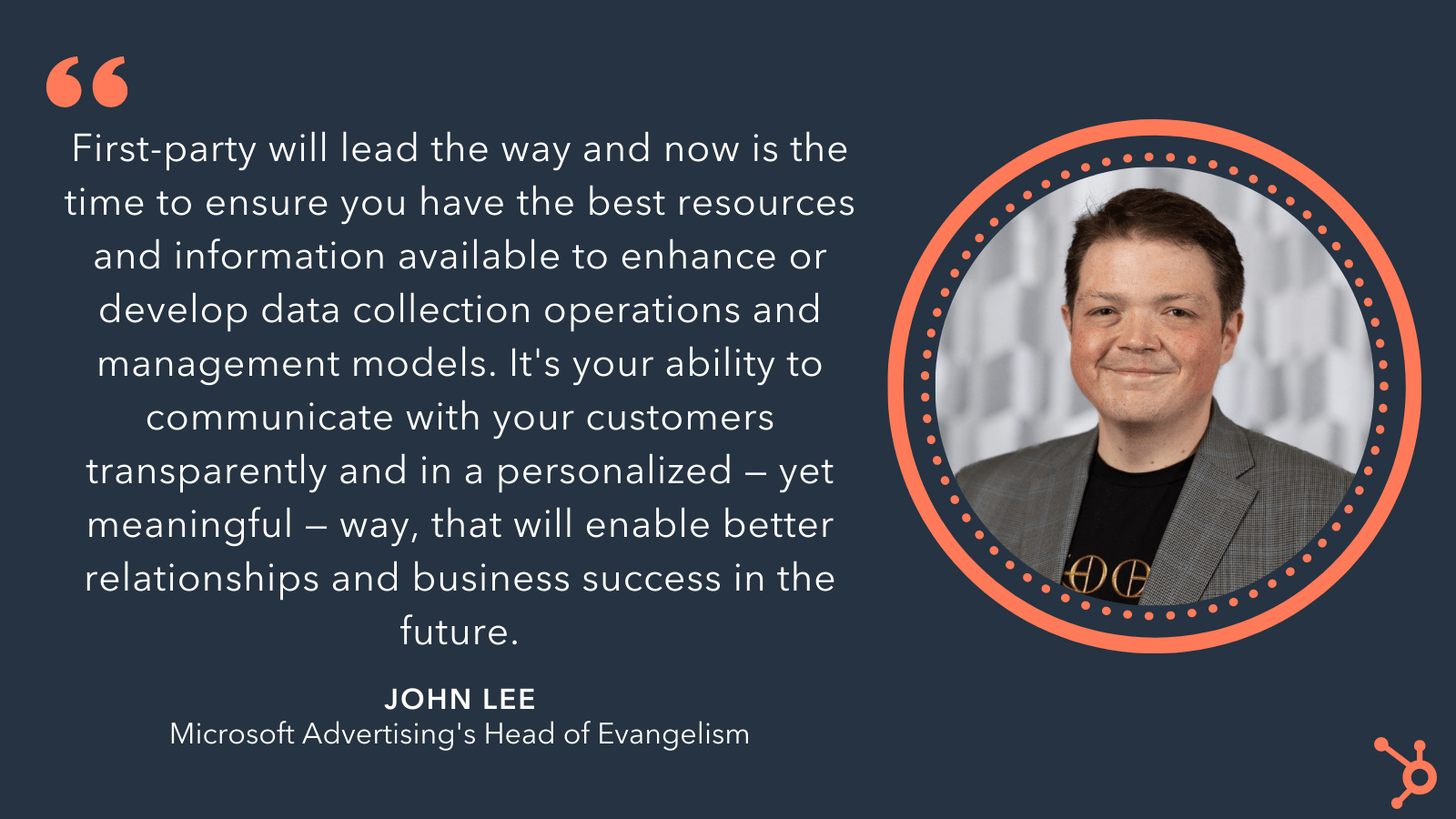
He adds, “First-party will lead the way and now is the time to ensure that you have the best resources and information available to enhance or develop data collection operations and management models. It is your ability to communicate with your customers transparently and in a personalized, yet meaningful way, that will enable better relationships and business success in the future.”
Ultimately, creating a strong first-party data management framework will enable your entire organization to transition seamlessly off third-party data while continuing to reach new prospects and leads.
To create an effective enterprise data management strategy, take a look at Everything You Need to Know About Data Management.
2. Marketers are gathering customer data through email marketing.
Cynthia Price, Litmus‘ SVP of Marketing, believes email marketing is a powerful option for continuing to collect customer and prospect data instead of relying on third-party cookies.
As Price puts it, “About eight in 10 marketers depend on third-party cookies, so when they do vanish, those who haven’t adapted their data structures and their data-gathering processes will struggle to effectively personalize their email programs.”
To combat these challenges, marketers will need to shift to ensure their email strategies leverage first-party data. This will help you create a more individualized email experience.
Price suggests, “Email can be used to gather customer and prospect data with new, evolving email software and with dynamic content templates. Forms, in-email purchase options, and customizable marketing paths are all valid, successful tactics to use in order to garner more first-hand recipient information.”
Price adds, “Brands with siloed data structures have been unable to achieve a full, single view of their customers, with data getting pulled into multiple directions.”
Price says, “The evolution of privacy regulations will put email even more at the center of the marketing mix — as the channel that offers the most comprehensive view into zero and first-party data, and the ability to use it effectively.”
She continues, “This adoption of zero and first-party data will also allow for more practical uses of AI in email, with AMP and dynamic content automation.”
3. Marketers are focusing more on customer loyalty and retention.
The phaseout of third-party cookies will impact how some marketers acquire new customers, but it won’t impact how marketers retain existing customers — which is why some marketers will adjust to this third-party phaseout by refocusing their efforts.
SVP of Marketing at Cordial, Carrie Parker, says, “The phaseout of Google’s third-party cookies is forcing marketers and advertisers to think about engaging their customers and audiences in more personal and authentic ways. With cookies going away, acquiring new customers will become more complex, but on the other hand, retaining customers will be a much more critical piece of the puzzle than in the past.”
She adds, “More marketers are increasingly focusing on loyalty and retention within their current customer base, enhancing their experience with the insights readily available that consumers have provided.”
Parker told me Cordial recently conducted a study and found 70% of consumers dislike online ads that target them using websites and products they’ve viewed — and, on the contrary, more than eight in 10 consumers are more likely to buy from stores and brands that communicate with them in personal, relevant ways.
Parker continues, “Consumers want more from companies when it comes to personalization than what they’re receiving from most brands these days. Personalization does not mean inserting a name on an email and hitting send. Instead, it requires considering the value added to the consumer and keeping them loyal customers. With cookies going away, first-party data strategies allow brands to emphasize personalization, loyalty, and retention of their customers. Brands can use their customer base and provide something of value to make them come back.”
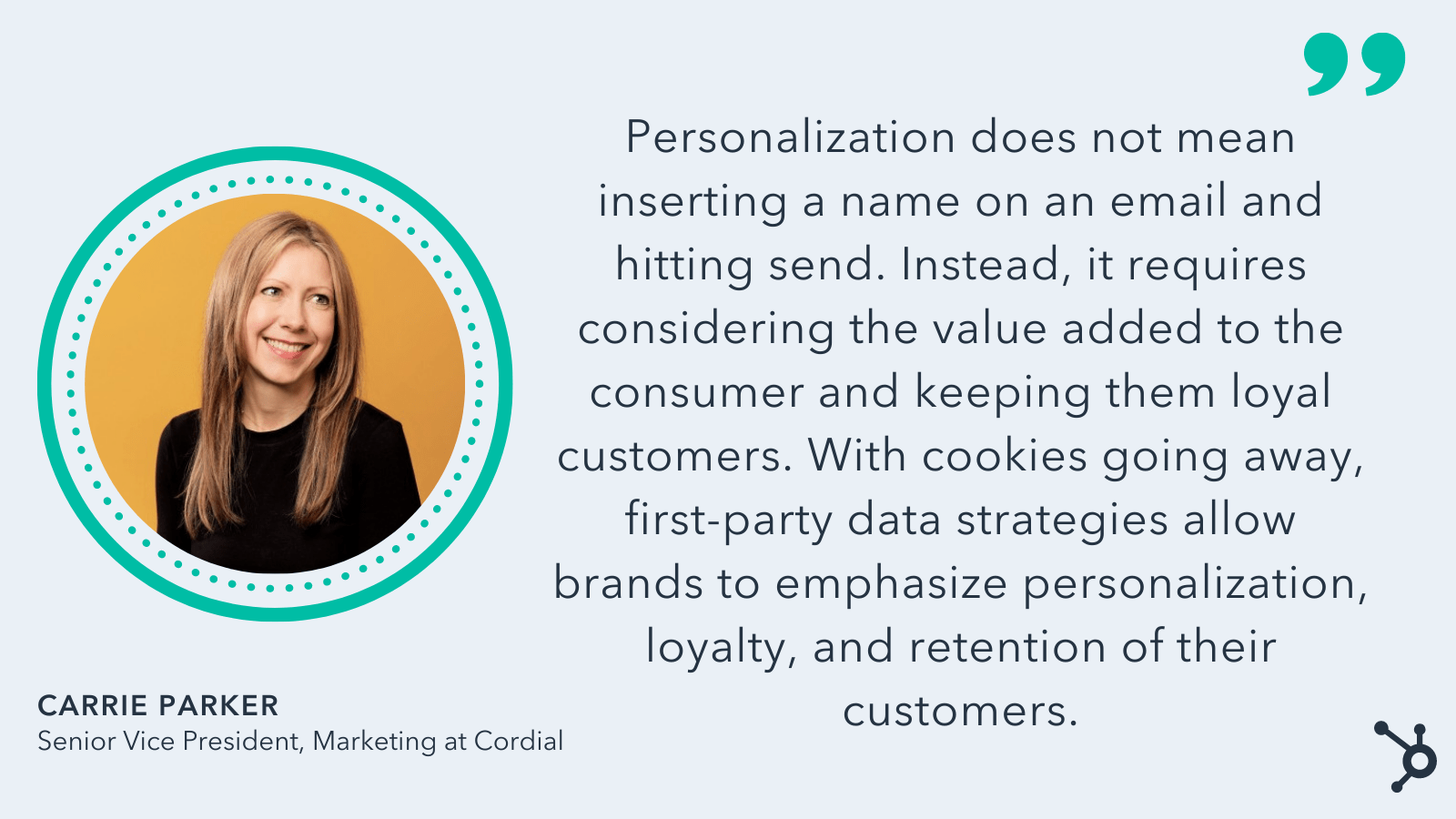
Ultimately, the phaseout of the third-party cookie is a good opportunity to re-evaluate how you’re interacting with both new and existing customers. First-party data strategies will ultimately help you better connect with your customers.
4. Marketers will focus on the best impressions rather than the best users.
Melinda Han Williams, Chief Data Scientist at Dstillery, says, “One of the most challenging aspects of preparing for this transition is that any good campaign will include a portfolio of post-cookie solutions and technologies after third-party cookies are gone. Even the marketers who are furthest along in their post-cookie testing journeys may still have much more preparation to do.”
She adds, “New identity solutions, such as UID2 and RampID, allow advertisers to reach people who have opted-in to tracking and addressability. Marketers who have tested these solutions have progressed toward post-cookie readiness, but they’re not done yet.”
“Why? Because some people don’t want to be tracked on the internet.”
Williams points out that marketers need to prepare solutions to reach people without tracking them or compromising their privacy or preferences.
The solution here? Understanding you might not need that much data about each customer in the first place.
As Williams told me, “The good news is you don’t need to know who someone is to know whether they’d be receptive to your message. Today’s artificial intelligence (AI) enables marketers to choose the best impressions rather than the best users.”
She adds, “Once you reframe the problem this way, rather than trying to find out as much about the user as possible with increasingly limited data, it is possible to do inventory-based targeting with performance and scale rivaling the cookie-based, tracking-based solutions that will soon be retired.”
Change is always difficult, particularly when it comes to the ways in which marketers reach new audiences. Fortunately, this change is likely for the best. Shifting to a first-party data model will help your organization appeal to the majority of consumers who are hesitant to share their data with companies, and it will set you up for long-term growth after Google’s third-party phaseout.


15 TikTok Content Ideas for Businesses
A
leaked TikTok for Business deckstated that the average user spends 89 minutes per day on the platform.
Eighty-nine minutes is, inarguably, a long time to spend on an application. However, eighty-nine minutes means that businesses have invaluable opportunities to capture audience attention and generate interest.
![Free Ebook: The Marketer's Guide to TikTok for Business [Download Now]](https://no-cache.hubspot.com/cta/default/53/2c7242e4-ad54-4f63-8627-a15aa6a2ea50.png)
If you’re hoping to get in on the action, read on to discover high-quality ideas for content to post on TikTok.
What is TikTok?
As a refresher, TikTok is a social media platform where users can record, edit, and share video content. These videos can be anywhere between 15 seconds to three minutes long, creating ample opportunity for all types of content to take center stage.
What to Post on TikTok
Let’s go over some high-quality ideas and examples of content you can post on TikTok.
1. Day-to-day routine videos.
Daily routine videos give viewers insight into how work happens at your business.
It shares the processes that bring your product or services to life, and it can be a fun way to build a connection through a behind-the-scenes look. If you leverage this tip, it’s a best practice to create a daily routine video that features everyday tasks most related to your business.
Glass Half Full is a small business in Louisiana that diverts glass products from landfills by collecting used glassware and recycling it into sand and glass cullet. It uses TikTok to generate awareness and interest in its business, and the video below demonstrates what a day of glass collection and recycling looks like.
2. Share content that reflects your brand values.
Content that reflects a brand or business’ values performs best on social media and has the 3rd highest ROI of any content type. Customers also care now, more than ever, about the causes that their favorite businesses stand for and use them as a factor in their purchasing decisions.
As such, sharing your brand values on TikTok is a valuable way to connect with your audience. Those who stand for the same causes as you will take notice, and you have the potential to draw them in as a customer.
Ensure that you’re genuine with this practice, though, as consumers see businesses that make false claims as exploitative and opportunistic.
3. Spotlight your employees.
Spotlighting employees puts a face to your brand and shows audiences the people behind the products and services they love. It also humanizes your business and shares an exciting and exclusive peek into your operation.
4. Educate your audience on relevant topics.
You can share information with your audience on TikTok that will educate them on things related to your industry or niche. If you’re committed to always educating and helping, you’ll build authority, and people will return to you as a source of truth to continue learning more.
Jeeves is a dry cleaning service that shares helpful, educational content with its audience. In the video below, an employee explains the importance of separating light and dark colors when doing laundry.
5. Create product campaigns and tease new launches.
Running product campaigns or teasing upcoming launches on TikTok can help you generate excitement. Viewers know that they can expect a big reveal on your page, and they’ll be waiting on the edge of their seats and returning to your profile to see if you’ve released more information.
A pro tip is to combine a product campaign or launch with a related and relevant sound or hashtag to get more visibility from users scrolling through current trends.
6. Share a unique business story.
Sharing a narrative story about your business is an engaging way to connect with your audience, as these videos represent something that they can only find in your business. For example, customer spotlights or success stories, explaining the lifecycle of your products or services, or an exciting story about related industry news all uniquely relate to your business and what you offer.
One of the great things about TikTok is that audiences don’t expect high-production-value from videos, so you can simply generate an idea and turn on the camera and start filming.
7. Answer audience questions.
Answering questions is a great way to connect with your audience and build relationships. TikTokers often ask questions without being prompted, so you can browse your comments and create video replies to questions or leverage TikTok’s native Q&A feature.
A bonus is that answering questions gives you insight into customers’ troubles with your business. If you see the same asks repeatedly, you might learn that you need to update your FAQ page or provide additional information about specific topics on your website.
In the TikTok below, Franziska, founder of Glass Half Full, answers a comment in a video reply about the business’ practices when it comes to throwing products away.
8. Product Demonstrations
Product demonstrations help your audience learn how to use your products in a digestible way. Instead of reading an instruction manual and deciphering pictures or being walked through the process over the phone, they can actually watch someone take the steps and follow along.
9. Partner with relevant influencers.
Influencers have audiences that trust them and their values, so partnering with one related to your niche is a valuable tool for generating brand awareness and building your following on TikTok. These partnerships are also a valuable form of social proof for viewers, which is a big factor in purchasing decisions.
You can leverage this tip and post influencer content to your profile, but you can also have influencers share content on their profiles to expose you to a new audience group.
Small Business TikTok Ideas
As a small business, you may be wondering if it’s worthwhile to create another social media profile on another app.
Considering that 92% of global TikTok users take action after watching a video and are 1.5x more likely to immediately go out and buy something they discovered on the platform, you have the opportunity to really build your brand if you use the app.
The ideas mentioned above are valuable for large and small businesses alike, and you can leverage many of them without a large budget. However, there are specific content ideas that are relevant for small businesses, and we’ll discuss them below.
1. Share your origin story.
Sharing your small business’ unique origin story humanizes your business and helps you connect with your audience. They’ll clearly see how you came to be and why you care about what you offer, and your video can also be a source of inspiration for your followers starting their own business endeavors.
As mentioned before, TikTok viewers don’t demand high production value, so you can tell your story however you see fit.
In the TikTok below, Pierce Woodward explains how his jewelry business, Brand Pierre, began its journey and grew into what it is today.
2. Highlight your production process.
Showing viewers what goes into creating what you offer is exciting because they’ll see how the things they care about come to be. It also shows the hard work, dedication, and care that goes into creating what you offer, demonstrating your commitment to giving value to your customers.
Victoria Adrian is a textile artist who creates custom rugs and embroidery projects. She frequently shares her production process on TikTok, displaying the care and thought that goes into creating her products.
3. Use trending sounds and hashtags.
Using trending sounds and hashtags helps you build brand awareness for your small business as your videos are visible to a broad audience. People browsing through the sound or hashtag will see all of the different videos that were uploaded and have the potential to land on your video, click on your profile, and learn more about what you offer.
4. Duet and stitch videos.
Duets and Stitches are ways to build on existing TikTok videos. With Duets, you add on to another user’s existing video, and with Stitch, you clip specific scenes from another user’s video to add to your video.
As a small business, using these native TikTok features allows you to engage with existing related content and incite conversation with your audience. You can Stitch and Duet videos from anyone on the platform with the feature enabled, so you can even begin conversations with users that may not know you exist.
Jeeves expertly uses the stitch feature to answer audience questions. The video below is a stitch from a video where someone asks how to take care of an item of clothing.
5. Partner with relevant content creators.
Partnering with content creators or influencers helps you gain exposure to a new audience relevant to what your business offers. By working with a content creator, you’re also benefiting from the trust they’ve built with their audience that the products, services, and businesses they work with and use are trustworthy and worth doing business with.
about time coffee in New York City partnered with a group of sisters, sister snacking, who are influencers in the New York Food scene. The business posted the video to its profile, and so did sistersnacking, featuring some of the store’s products to their audience of 147.6K followers.
6. Showcase what makes your business shine.
A great way to get people excited about what your small business offers is to showcase how well you do what you do. This shows viewers exactly what they can expect from you, generating excitement and maybe helping people decide to work with you based on your expertise.
The Pool Guy, Miles Laflin, is a swimming pool engineer in the UK who often posts videos of the pool cleaning process and the effectiveness of his work. He shows a before and after picture that clearly demonstrates how he brings pools from green and swampy to clear and ready for swimming. He shows that he’s good at his job, alerting potential customers he can bring their pool back to life.
Over To You
TikTok was once the app to watch in 2019.
Now, 52% of social media marketers who leverage the app plan to increase their investments in 2022. If you’re hoping to get in on the channel for the first time or improve your presence, the business examples on this list are a great source of inspiration for you to get started.

7 Skills You Need to Be a Good Manager [Data + Expert Tips]
What does it take to be a good manager? Some say it’s empathy, others will say it’s transparency. The truth is, it’s a combination of many elements.

I surveyed and spoke with internal and external employees to discover the makers of a good manager. Whether you’re currently managing a team or are interested in doing so, keep reading to discover what we found out.
- 7 Skills People Managers Must Master
- Tips on Being a Good Manager
- How to Be a Good Marketing Manager
- How to Be a Good Project Manager
7 Skills People Managers Must Master, According to HubSpot Employees
Why do people really quit their jobs? Many will say it’s because of salary, benefits, or workload. However, studies show it’s usually due to management.
Studies show companies need good managers to retain good employees.
But what exactly does a good manager look like? What skills or strategies can you develop to ensure you’re considered a good one?
To explore this issue, we polled people and asked them to check off all the qualities they felt were most important for a great manager.
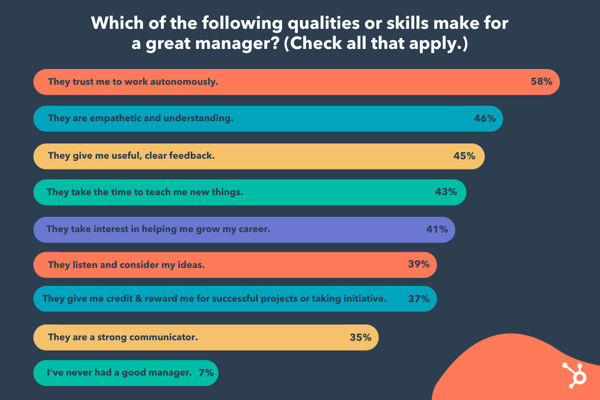 Respondents listed these top three qualities or skills:
- 58% said, “They trust me to work autonomously.”
- 46% said, “They are empathetic and understanding.”
- 45% said, “They give me useful, clear feedback.”
Other answers included a willingness to teach, interest in career growth, strong communication skills, awarding credit, and inviting fresh ideas.
Along with this data, I consulted my colleagues to get their thoughts on what makes a people manager effective. Here are 7 crucial qualities of a great team leader.
1. Good managers help employees navigate change.
Consider the last time you experienced change within your organization.
I’m willing to bet the change felt daunting at times. Fortunately, good managers can mitigate the negative or ambivalent emotions that arise from change.
“The strongest managers are ones who can help their teams navigate change in a very personal way,” Christine McLaughlin, a senior project manager on HubSpot’s Sales Leadership Enablement team. “I’m a firm believer that every challenge presents an opportunity. But, because we’re human, we can’t always see the opportunity from the start.”
McLaughlin adds, “Our personal life, mental health, physical health, the last meeting we had, the next meeting we’re preparing for, all play a role in influencing how we perceive change. Do we view it as a challenge? An opportunity? A setback? A relief?”
“Strong managers can translate change for each individual on their team. They meet their teammate where they’re at and help to answer their questions and concerns to bring them to where they need to go.”
How can you do this? Start by fostering psychological safety, so your employees feel comfortable mentioning how they feel about a certain business change. Then, listen carefully to their concerns and work on providing solutions for those issues.
For instance, let’s say your team has experienced a reorg and one of your direct reports is concerned her role is going to change as a result.
To mitigate those concerns, consider creating a document that outlines which (if any) of their responsibilities might change as a result of the reorg — along with some new opportunities they can pursue to continue developing their professional skills.
2. Good managers are open and transparent.
Trust and transparency are undeniably critical components of good leaders — and, post-pandemic, this is continuing to rise in importance.
In fact, Edelman’s most recent 2021 benchmark barometer on trust in leaders found employees ranked “good employee communication” 44 points higher than in the previous year.
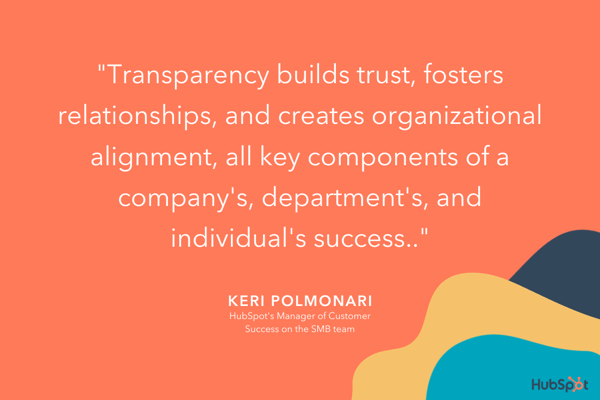
Keri Polmonari, HubSpot’s Manager of Customer Success on the SMB team, believes transparency to be one of the most important attributes a good leader can possess.
“Business changes — like changes in department goals, processes, or personnel — can be difficult and overwhelming,” she says, “when everyone understands the why behind these business changes, they are more open and understanding of implications this could have on their jobs, both positive and negative.”
She adds that transparency builds trust, fosters relationships, and creates organizational alignment, all key components of a company’s and individual’s success.
3. Good managers encourage vulnerability.
When was the last time your manager started your 1:1 with a slightly more personal question, like, “How was your birthday this past weekend?” or “Read any good books lately?”
These questions ultimately help encourage vulnerability by creating space for you to share information about your life outside of work — and they can go a long way toward creating stronger bonds.
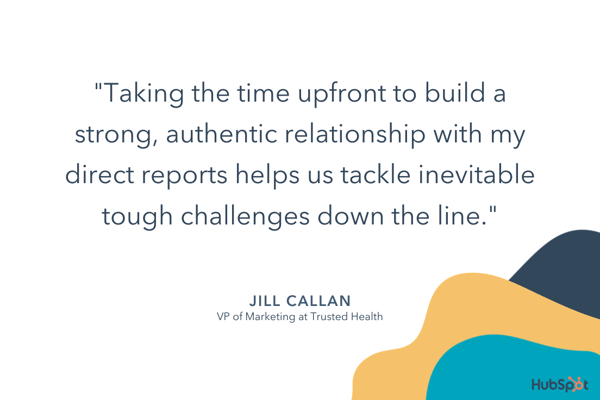
“Whenever I start a new role or inherit a new team, I begin by enabling and encouraging vulnerability,” said VP of marketing at Trusted Health, Jill Callan. “This helps me forge strong bonds with my direct reports and allows them to be comfortable to share ideas and admit weaknesses.”
Callan adds, “I’m also very intentional about getting to know my team as individuals and learning about their lives outside of work. Taking the time upfront to build a strong, authentic relationship with my direct reports helps us tackle inevitable tough challenges down the line.”
To encourage vulnerability, consider how you might increase your own openness with your team. For instance, perhaps you admit when you’re feeling overwhelmed with childcare duties, mention a Netflix show you’ve been binging, or simply chat about the gardening hobby you’ve picked up.
And embrace vulnerability by admitting when you’ve made a mistake or you’re feeling overwhelmed — it will help your employees feel comfortable admitting the same.
4. Good managers find ways to supplement their team member’s weaknesses.
I once had a manager who repeatedly sought out learning and development opportunities for the areas we’d determined as weaknesses of mine. She would often email me public speaking courses, or data & analytics workshops.
As a result, I continued to grow professionally, and I felt challenged. This is what a good manager does: Continues to keep a direct report’s weaknesses in mind, and provides guidance to help them improve.
Former HubSpot Senior Manager Christina Perricone concurs.
“Good managers find ways to supplement their team member’s weaknesses,” she said. “Each of us has skills that come naturally to us, as well as skills we’re not so great at.”
“An attuned manager can identify an individual’s weak areas and will surface resources or offer guidance to assist in those areas.”
With this in mind, take stock of your team’s weaknesses and actively pursue resources that can help your team develop their weaker skills.
Additionally, use the hiring process to create a more well-rounded team by identifying the strengths and weaknesses of existing employees.
As Perricone says, “Good managers are skilled at balancing out their teams by recruiting talent that can fill in the skill and experience gaps, thereby creating a more well-rounded unit.”
5. Good managers work for their employees — not above them.
You might be thinking, “Managers work for their employees? Isn’t it the other way around?“
Actually, a manager, like an employee, is more effective when they’re an active team player.
While an employee’s job is to fulfill tasks within a job description, a manager’s job is to make their team successful. To do this, a manager shouldn’t be afraid to chime in during meetings, assist on projects, or help their team grow or succeed in other ways.
For instance, consider asking your direct reports during a 1:1, “Is there anything you need me to do?”
This question can be translated in multiple positive ways, including:
- “Are there any blockers I can remove for you?”
- “Are you waiting on a decision from me on anything?”
- “Are you working on an idea that you want to share with me?”
- “Is there something going on in your world outside of work that’s competing for your time and attention?”
Ultimately, a good manager considers it their primary job to make their employees successful.
6. Good managers are always aiming to improve their emotional intelligence.
Emotional intelligence — or the skill that requires you to understand your own emotions, learn how to manage them, and know how to respond to the emotions of others on your team — is a vital component of good leadership.
Emotional intelligence can help you ensure you’re giving clear directions and allows you to be empathetic to the needs of others. In short, it can help you foster stronger professional relationships and communicate effectively.
Most importantly, emotional intelligence enables you to stay calm during high-stress or unexpected situations — which can prevent you from making rash decisions as a leader, or stressing your team out unnecessarily.
7. Good managers can establish and promote psychologically-safe environments.
The ability to cultivate psychological safety is a critical asset that Jennifer Brault, team manager on HubSpot’s social media team, values in her own people manager.
“Feeling supported, heard, and understood is the foundation I need to be able to come to work every day with the right mindset to do good work,” Brault says.
Brault adds, “Genuine empathy and psychological safety are hard to fake, and it’s something that I think everyone should master before they consider the people management path.”
Psychological safety fosters innovative thinking and the ability to adapt well to change — and yet, according to a 2020 McKinsey Global Survey, only a handful of business leaders often demonstrate the behaviors associated with psychological safety.
If you’re a manager or hoping to be a better leader, it’s important you take time to identify aspects of your management style or overall office culture that could benefit from psychological safety.
For example, rather than using language that makes your team members feel scared of missing deadlines or goals, keep an open and supportive dialogue.
You’ll find that they will confidently come to you with successes, learnings from failure, or concerns while they’re working on high-pressure projects.
Alternatively, if a team member is having trouble with a project, you should offer advice or assistance to help them remove blockers, rather than telling them to just get it done.
Supportive communication with team members allows them to learn from mistakes and grow as employees, rather than work tirelessly on projects because they fear that they’ll lose their jobs.
Tips for Being a Good Manager
As outlined in the data above, there are a few key traits required of any good manager. These include:
- Providing coaching and mentoring when necessary, but enabling your team to work autonomously and trusting them to get the job done.
- Showing empathy toward your direct reports as people with lives outside of work, and creating a sense of psychological safety for your employees to feel comfortable admitting when they’re struggling or need help.
- Being clear and direct with feedback.
- Going the extra mile to help foster your employees’ professional growth through training, learning & development opportunities, or 1:1 sessions in which you coach them on certain skills.
However, a good manager looks different depending on the department or role — a good sales manager, for instance, requires different skills than that of a good marketing manager.
Let’s dive into those, now.
How to Be a Good Sales Manager
Being a good sales manager requires a few unique skills outside of those listed above.
Along with setting clear expectations, communicating effectively, and inspiring your sales reps to perform at their best, a good sales manager needs to demonstrate a positive mindset, build team unity, and learn how to best support each sales rep in the unique way that will serve him or her best.
Good Sales Manager Examples
- Using a dashboard or task management tool to easily track metrics for each sales rep. With this approach, you avoid taking up too much time in your meetings discussing metrics and focus on how you can help, support, and coach your reps.
- Planning team outings or events that allow your team to build relationships with one another. Sales can be high-pressure and stressful, so it’s important you provide dedicated time to enable your sales reps to connect with one another and feel that they’re part of a support system.
- Looking for training and development opportunities so your sales reps can continue to improve. In 1:1 meetings, focus on how you can help them achieve their goals; in team meetings, figure out what types of training can help the entire team perform better.
- Motivating your team by focusing on the ‘bigger purpose’ to ensure they feel intrinsically motivated. Sales isn’t just about hitting quota and making money — remind your team of your company’s bigger purpose to ensure they feel fulfilled and motivated.
Looking for more sales manager tips? Take a look at what sales leaders should prioritize in 2022 and things every sales manager should know.
How to Be a Good Marketing Manager
Marketing managers are often responsible for a content property or program, which means their tasks can vary greatly.
Good Marketing Manager Examples
- The ability to think big-picture by leveraging data to create a strong long-term strategy.
- Knowing when to pivot when an existing strategy isn’t working out as expected.
- Communicating effectively with various stakeholders — this includes inspiring and motivating your direct reports, communicating team goals cross-functionally and to leadership, and creating clear external communications, as well.
- Delegating and organizing tasks effectively.
- Facilitating your direct that growth by giving them projects that align with their interests.
To learn more about managing a marketing team, take a look at What Is a Marketing Manager?
How to Be a Good Project Manager
To be a good project manager, you need a few additional technical skills compared to the other managers on this list.
A few other project management skills and responsibilities include:
- Setting realistic goals and understanding what resources are required.
- Having good organization and communication skills. A good project manager is organized and detail-oriented to effectively delegate tasks to the right teams, and can clearly articulate the full scope of a project to various stakeholders to ensure alignment on the larger strategy.
- Analyzing and determining potential risks. A good project manager foresees potential roadblocks in any given project and analyzes metrics and data to determine the best way to mitigate those risks.
- Using the best project management software options at their disposal to create a streamlined process and keep track of responsibilities and timelines.
That’s it! With all of this information, you’re well on your way to becoming a better manager.
Remember, like any other role, becoming a good manager requires time, patience, dedication, and a consistent desire for feedback from your direct reports to iterate and grow over time.


Lying in Sales: 9 Reasons It’s Not Worth Lying to Sell More
As a salesperson, your success rests largely on quota attainment. Make quota consistently, and you’re a superhero. Miss quota a few months in a row, and everyday inches you closer and closer to a performance plan.
For reps or managers in the latter bucket, desperate times often call for desperate measures. First, maybe hitting the number is a matter of closing a few more deals. Then, suddenly, you’re stretching the truth on features and saying, “Sure, we can do that!” when you’re not sure you can really do that — or worse, you’re sure you absolutely cannot do that.
Sales is a notoriously stressful job, and the pressure to fudge the truth with prospects can become overwhelming when your goal is a long way away. But the unpleasant repercussions are not worth it. But before we delve into why lying doesn’t pay, let’s first see why salespeople lie.
![Learn How to Sell in a Hybrid World With HubSpot Academy [Free Lesson]](https://no-cache.hubspot.com/cta/default/53/00de7d2c-57b4-462e-ac69-bbe8131cffc9.png)
Why Do Salespeople Lie?
An “honest salesperson” is a myth and a perfect example of an oxymoron to many. But why do salespeople lie?
We list three reasons why they do. Perhaps after reading this section, you’ll be more sympathetic towards them.
1. They don’t know the product
This is one big reason why the average salesperson distorts the truth. They simply don’t know what a product can or can’t do, so they stretch the truth about its capabilities.
As salespeople, they’re expected to know everything about what they’re selling, so it’ll be pretty embarrassing to admit, “Oh gee, I don’t know whether it can do this.”
2. They want to build a relationship with the customer
Most people have an innate desire to be liked, and salespeople are no exception. Thus, they tickle the ears of the customer because they want them to like them enough to make a purchase.
3. To make more money
No, we aren’t going to skip the primary reason people lie: to make money. Many salespeople lie about products and services to make a quick sale and move on to the next prospect.
Why Salespeople Shouldn’t Lie During the Selling Process
We now look at nine reasons why lying during the selling process is definitely not worth it.
Your new customer won’t be happy for long.
If you promised something that your company can’t deliver on to make a sale, your new client would learn the truth in short order, and warm, fuzzy feelings will turn into buyer’s remorse. By not being 100% honest, you might have sold them a defective product or service for their needs.
They may give you or someone else at your company an earful and leave it at that. Or, they could take to social media to air their grievances — which you never want to happen.
You’ll cause damage to you and your company’s reputation.
An angry phone call is bad, but an angry tweet or Facebook post is far worse. Your company just got crossed off vendor shortlists — not good for your organization’s brand perception or your personal reputation. Reaching trusted advisor status is the goal of many salespeople today, and that’s much harder to do with that type of baggage.
You’ll kiss upsell opportunities goodbye.
One of the perks of becoming a trusted advisor in your clients’ eyes is that they’re more receptive to upsell suggestions.
However, if you’ve already shown yourself to be a fibber, why should clients take your word on any additional items? You might have won a quick buck originally, but it could cost you additional revenue in the long run.
You may lose referrals, too.
Referrals are the best. You can skip a large portion of the prospecting and initial interest stages and dive right into the meat of your sales process with a higher success rate. In fact, according to NoMoreColdCalling.com, the close rate for referred clients is about 50%.
But if your new customer has caught you in a lie? I doubt they’ll be referring your company to much of anything, except maybe the door.
You’ll risk making internal enemies.
Let’s say you sold a product on a promise for a special kind of support you know your company wouldn’t typically provide. The client signs the contract, and you pass the buck along to the implementation team.
On to the next month? Well, not quite. What happens when the customer starts asking about the support you pledged? You committed another department to something they might not be able to give, and they’ll be understandably upset. Once your colleagues find out who’s to blame for their misery, you’ll garner a negative reputation internally.
You’ll contribute to sales stereotypes.
As part of his research for the book To Sell Is Human, Daniel Pink and Qualtrics conducted a survey called “What Do You Do At Work?” The question “When you think of ‘sales’ or ‘selling,’ what’s the first word that comes to mind?” aimed to gauge people’s perception of the sales profession.
If you’re sensitive, you might want to stop here. Among the most prevalent words were “pushy,” “sleazy,” “ugh,” “yuck,” “dishonest,” and “manipulative.”
If you’re a salesperson who takes pride in your work, this is worth bearing in mind. Whenever you bend the truth to make a sale, you feed into the general psyche’s negative perception. Don’t be a self-fulfilling prophecy. Your commitment to honesty might just change some deeply-rooted opinions about your industry.
Your customers will realize it.
Your customers are likely more intelligent than you give them credit for. Many can tell when you’re lying to them, skipping important information, or telling them what you think they want to hear.
Because of this, you’re far less likely to make a sale. So while you might meet someone that swallows your lies once in a while, you’ll lose more sales in the long run when you get called out on your lies.
Lying is counterproductive to your goals.
A lying salesperson might have contacted your current prospect, so they didn’t make a purchase. But when you bring honesty to the table, you’ll increase your chances of signing them up or making a sale.
Your self-esteem could suffer.
Having a reputation as an honest salesperson will boost your self-esteem. You’ll be happy knowing that you haven’t tricked or lied your way to making a sale.
A reputation for honesty improves professional and personal relationships. Furthermore, clients who trust your products stay loyal to your company, even through tough times.
Can Sales and Lying be Mutually Exclusive?
Although prospects are wary from the start because of past experiences with lying salespeople, you can set the foundation for a profitable relationship by being honest.
So, don’t ever lie to your clients. It might seem difficult to be upfront with customers, but they’ll appreciate your honesty, and you’ll be proof that sales and lying can be mutually exclusive.
Editor’s note: This post was originally published in August 2014 and has been updated for comprehensiveness.


How to Make a Histogram on Google Sheets [5 Steps]
Google Sheets offers many data visualization tools within its platform, with one of the most popular ones being the histogram.
![→ Access Now: Google Sheets Templates [Free Kit]](https://no-cache.hubspot.com/cta/default/53/e7cd3f82-cab9-4017-b019-ee3fc550e0b5.png)
Read more to learn what exactly a histogram is, what it’s used for, and how to make one on Google Sheets.
What is a histogram and what is it used for?
A histogram is a graphical representation showing the distribution of data points that have been grouped into specific ranges or categories.
Say you have a blog and you have blog posts ranging from 1 to 500 words, 500 to 1,000 words, and 1,000 to 2,000 words. You want to analyze which bucket gets the most organic traffic. You can use a histogram to accomplish this.
While a histogram looks like a bar chart, the two are not interchangeable. A histogram displays the frequency distribution of variables within a data set. A bar graph, however, serves as a comparison between separate variables.
Now that you know how to use it, let’s go over how to make one.
How to Make a Histogram on Google Sheets
-
Select your data set.

-
Click on “Insert” then select “Chart.”
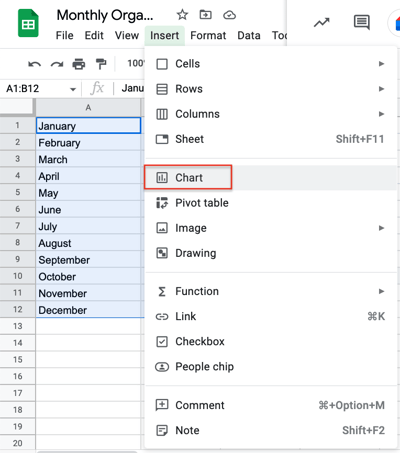
-
Click the drop-down menu in “Chart Type” then scroll down to the “Other” section.
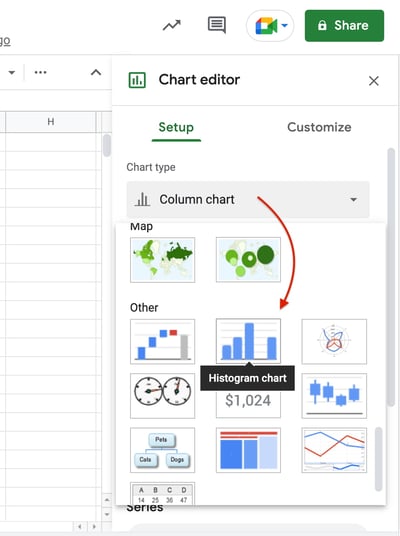
-
Review your histogram.
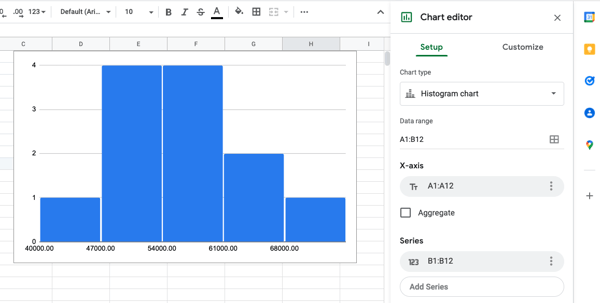
-
Edit your chart by clicking on the three dots and then clicking on “Edit chart.”
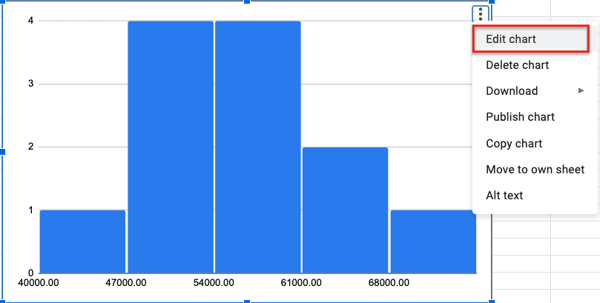
Use the chart editor to get the most out of your histogram. You can edit:
- The chart style by showing item dividers or changing bucket size for instance.
- The titles
- The series
- The legend
- The axis (both horizontal and vertical)
- The gridlines
There you have it – another helpful visualization tool you can use to understand your data.

Bad Press Releases: 14 Rookie Mistakes to Avoid
Press releases remain a critical link in the communications chain. According to Cision’s 2021 Global State of the Media Report, 78% of journalists say they prefer press releases and news announcements to other content types.
The problem? Writing a press release is simple — writing a good press release is no easy task. In this piece, we’ll break down 14 common bad press release characteristics and offer suggestions to help your team avoid press release mistakes.

14 Rookie Press Release Mistakes to Avoid
While there’s no such thing as the “perfect” press release, your team can get closer to the mark by avoiding common errors. Here’s a look at 14 of the most common rookie mistakes — and how to reduce your chance of making them.
1. Forgetting to Add Links
Press releases are not just for the press. Releases will likely be published on your website, and your team might also submit releases to wire services. The result? Press releases now live in a digital world — and they need links that drive readers to other relevant content. For marketing teams still using the traditional model of press release production, however, it’s easy to miss out on links.
The result is a release that might have great content but doesn’t go anywhere, meaning your team can miss out on potential conversion opportunities.
The Solution: Ensure all press releases are reviewed prior to publishing. If there’s no obvious place for a link, revise the release to include it.
2. Not Optimizing for Search Engines
Not only should you have links to your company website, you should also craft the “link text” (or “anchor text”) of some of these links so that they contain relevant keywords for SEO (Search Engine Optimization) purposes. For example, if you are in the internet marketing software business, you would have a link in your press release somewhere such that the text of the link has internet marketing in it. On a related note, the page that you are linking to should have matching keywords in its page title and meta description.
The Solution: Check your press releases for SEO relevance using tools capable of measuring the impact of your content and offering suggestions before you publish.
3. Putting Your First Link Too Late
Try to get at least one link in the first third of your content. The reason for this is that when releases get picked up by aggregators or services, they often only include just the first paragraph or two, and the rest gets automatically placed into a subsequent page with a “read more” button.
The result? You might have two or three great links in your content that never see the light of day because readers are only skimming the first few lines of your press release.
The Solution: If you can’t find a place for links in the top third of your content, opt for a rewrite rather than running the risk of burying the link after the jump.
4. Not Including Contact Information
No contact information in your press release — including a phone number and email address — means interested parties have to do the work of looking up your company details and following through. While the effort here isn’t substantial, it’s often enough that potential contacts will simply forget about finding your number or will connect with companies that make their contact information more obvious.
The Solution: Make sure every release includes at least two ways for customers to get in touch — and make sure both still work. There’s nothing worse than sending out an email address that bounces back messages because it’s no longer active.
5. Leaving Out the “About Our Company” Section
Sure, most people aren’t going to read all the way through to the bottom of your press release. But those that do are primed to connect with your company, if you can provide the last little push into action.
This is where the “About Our Company” section comes in. It doesn’t have to be complicated, just a small blurb about what you do and why you do it, but it’s worth including in every press release.
The Solution: Create an About Our Company section that’s clear, concise, and to the point. Then, regularly review it to ensure it’s up-to-date.
7. Ignoring the “Why”
Why should readers care about your press release? What’s newsworthy or interesting about your announcement? While it’s critical to communicate key information, the message also matters: Dry, dull, and boring press releases may get published — but they won’t get read.
The Solution: Lead with a compelling headline and first paragraph. Even if your release gets more detailed as it goes, capturing user attention up-front increases the chance that readers will actually reach the end.
8. Using Uninspiring Quotes
While it’s great to have quotes from executives or team leaders at your company, it’s worth steering clear of quotes from executives or team leaders that talk about how “excited” or “proud” they are about the information in your release. Why? Because these quotes don’t add any value. Of course staff at your company are interested in your announcement, but that doesn’t offer any insight for journalists or readers.
The result is a press release that looks like a carbon copy of similar content and won’t get much traction.
The Solution: Where possible, talk to the people involved with the project or product you’re announcing and get quotes about why it matters to the target audience — what pain points can it address? How does it transform existing processes?
9. Over-Emphasizing Your Brand
Your press release is about your brand — but it shouldn’t be all about your brand. If all you do is talk about how great your company is and how much work you’ve done, you’re not giving readers any reason to keep reading. Instead, they’re left wondering how much of what you’re saying is true and how much is hyperbole.
The Solution: Press releases are about walking the line between promoting your brand and highlighting the impact of your newest project, service, or research. A good rule of thumb? Make sure the headline and first paragraph are about what you’ve done, not how great you are.
10. Under-Supporting Press Release Promotion
Press releases are part of larger marketing campaigns. As a result, it’s easy to spend big on other efforts such as social media and search ads, and under-support press releases. This creates a gap in your marketing efforts that reduces the newsworthy impact of your announcement.
In practice, this limits the reach of your campaign and can frustrate efforts to generate market interest.
The Solution: Start with strategy. Sit down with your team before new campaigns get up and running to ensure there’s a plan for press releases that includes specific budget allotments and targeted news sources.
11. Opting for Style Over Substance
Creating a great headline and compelling first paragraph is a great way to get readers interested — but you’ll lose them in the next section of your press release if you can’t back up initial style with substance.
Consider a press release about a new product that claims to solve specific issues for your target audience. If you spend the first two paragraphs talking about the potential positive impact but don’t back it up with data, quotes, or other evidence, your press release won’t land.
The Solution: Start with solid data. Talk to your product teams and evaluate your market to see where your new solution fits and then find specific data that showcases your results.
12. Forgetting to Ask for Permission
Quotes are a great way to connect with your audience and increase the impact of your press release. The caveat? Always get permission. Internally, this is typically no issue, but if you’re using quotes from a third-party source, even if they’re directly and positively talking about your product, make sure to get express written permission.
If you don’t — and the source doesn’t want their quote used — you could end up doing serious damage to your reputation.
The Solution: Create a clear permissions process that involves identifying great quotes, reaching out to sources, and getting express permission in writing to ensure you’re on solid source ground.
13. Rushing the Release
Timing is everything when it comes to press releases. While it’s tempting to get your release out as soon as possible, if your release goes out before the rest of your campaign is ready, you may find yourself turning away potential customers until your product or service is actually ready for launch.
Best case scenario? You play catch-up and customers stick around. Worst case? They take their business elsewhere.
The Solution: Create a marketing timeline for new campaigns that specifically calls out press release dates and aligns them with other campaign efforts.
14. Trading Accuracy for Speed
The more quickly you can capitalize on emerging trends and customer sentiment, the better. The challenge? Trading press release accuracy for speed. If your release goes out on time but is riddled with spelling or grammar errors, it won’t have the same impact and could convince customers to take their business elsewhere.
The Solution: Put every release through at least two rounds of edits and evaluation to minimize mistakes.
Don’t Stress — Impress By Avoiding Common Mistakes
A bad press release can sink your marketing campaign. Improve your impact and cultivate a strong brand presence with your audience by avoiding these 14 common mistakes.
Editor’s note: This post was originally published in May 2022 and has been updated for comprehensiveness.

Job Simulations: What They Are and Why Recruiters Need Them
Recruiting or hiring the right talent is essential to the growth of any business.
However, it’s not always easy to find the right person. Most times, it feels like trying to find a needle in a haystack-like heap of CVs, with each new one looking better than the last.
Sorting through these CVs often requires a ton of time and effort — without the guarantee of picking the right candidate.
You can make things easier for yourself and increase your chances of picking the right candidate by using job simulations.
In this guide, you’ll learn what job simulations mean. We’ll also consider how job simulations can help you, its pros and cons, types, and how to create an excellent job simulation that’ll benefit your company and its employees.
Let’s begin!
For example, for a secretary position, a job simulation might include typing a dictation or completing forms.
A job simulation might also involve the candidate showing their soft skills like communication, empathy, and emotional intelligence.
Job role tests are specific to the job the applicant is applying for, and by using these tests, employers can determine whether a job candidate can do the job instead of hiring them just based on their CVs or interview answers.
85+ years of research compiled into the Schmidt-Hunter paper reveal that education and experience aren’t effective at predicting candidates’ ability. Instead, job simulations help test for skills directly!
Let’s now see some of the most significant advantages and disadvantages of using these tests in a job hiring process.
When to Use Job Simulations
These tests can occur at different points in the hiring process. Here are some of the best times to use them.
During Screening
Using job simulations as the first screening step can weed out less-suitable candidates, leaving recruiters with an optimized pool that’ll make the time, effort, and costs of undergoing custom aspects of the hiring process worth it.
Situational judgment tests and similar role-specific tests prove effective at this stage.
At the Final Interview Stage
Using simulations like in-basket tests and case interviews in the final stages of the hiring process will increase the chances of hiring right. Since these tests take time to create and execute, using these tests at this stage ensures that recruiting teams spend their time rightly because they’ll likely be testing serious contenders.
Advantages of Using Job Simulations
Why should you consider using job simulations when hiring? Let’s discuss five significant reasons.
1. It Tests the Candidates’ Skills
A CV can be an excellent way to gauge whether a candidate is suitable for a job. However, it’s not enough, especially considering that candidates can now pay great writers to help them write or polish their resumes and cover letters.
Interviews are also an essential part of the hiring process, but many recruiters will agree that great interviewers don’t always make for great employees and vice versa.
However, a job simulation is better than CVs and interviews to evaluate a potential employee’s skills objectively. Such tests ensure you’re moved to hire by actual ability and let you see how well candidates handle the job in real-time and under work conditions.
Using these tests can reduce the risk of a bad hire. And how vital hiring right is! Hiring right reportedly increases the productivity of UK companies by almost £7.7 billion, while employing the wrong person can cost a business three times higher than a misdirected salary.
2. It Reduces Bias
It’s illegal to discriminate against job applicants based on their gender, religion, race, and other factors.
Unfortunately, many recruiters still discriminate against some candidates because of unconscious bias.
Using job simulations, though, it’s easier to fight against unconscious discrimination actively, thus helping you choose the best person for the job regardless of who they are.
3. It Gives Deeper Insights
These tests open a window for recruiters to peek into the personality of potential hires. Since simulations mirror actual work conditions, recruiters can see how candidates behave under stress, in a team, and when facing agitated customers.
For instance, they might learn that Candidate A is rude to agitated customers and doesn’t work well with others, despite acing their interview. In contrast, Candidate B, who is shy and reserved, has an excellent way with customers and teammates.
4. It Reduces the Cost of Bad Hires
Filling a position takes a lot of time, resources, and effort. Recruiters have to collect resumes, sift through to shortlist candidates, interview candidates, and welcome the new employees.
Imagine hiring wrong and having to find a replacement for the position within only six months.
With the average cost of training new employees running into thousands of dollars, how important it is to hire right!
Job simulations help reduce these risks and assist companies in hiring at the lowest cost.
5. It Benefits Candidates
Companies aren’t the only ones that benefit from job simulations: candidates do too.
A job simulation lets candidates know what they are expected to do in the role. They taste the organization’s culture and processes and experience its dynamics.
When candidates realize from the start that the job isn’t for them, they can exit the process early. This self-elimination can help decrease employee turnover because you’ll have to only sort through people suited for the role and looking to stay will be hired.
Disadvantages of Using Job Simulations
Although a job simulation is generally excellent, it has a few disadvantages.
1. It Can Be Expensive
Simulations, particularly in-person simulations, will require a lot of resources. You’ll need a space to carry out the simulation, a scheduling program for everyone to do the simulations, and internal staff to administer and debris the simulations which could mean hiring a new team.
2. It Can Exhaust Time and Resources
Simulations can take time to create and execute. For example, it could take several weeks or even months to develop custom simulations. Depending on your recruitment goals, this may not be worth the time and people resources you’ll need to make this happen.
Types of Job Simulations
Job simulations have different forms, depending on the role. However, there are some common types of job simulation tests. Let’s discuss them.
In-basket Simulations
In this type of job simulation, the candidate must complete a set of tasks in a given period.
This simulation aims to see how the candidate deals with tasks and deadlines and applies critical thinking. In addition, by observing the potential hire, managers can see how well or poorly the candidate manages their workflow.
In-basket simulations are recommended if you’re hiring for an administrative or managerial position.
Situational Judgment Tests
The situational judgment test (SJT) is a simulation test where the candidate is put in pretend scenarios with obstacles and assessed based on how they deal with these challenges.
These scenarios are usually in the form of multiple-choice questions, and the results are anonymously collected to weed out any bias.
For example, an SJT may put the candidate in a situation where they have to deal with an angry customer—the potential employee has to choose from several options on how they’ll deal with the customer.
Take-home assignments
Some companies use take-home assignments to test their candidates. These assignments are due within a timeframe, but they offer candidates the advantage of doing the test in their comfort zone and within their schedule.
While it has been criticized as being a less accurate simulation, it can be helpful if a manager wants to know how well a candidate works independently and without close management.
Group tests
Group tests are instrumental in checking out how well potential hires work in teams and communicate with others.
These tests can be in the form of group discussions and presentations or could be a group activity where the group has to solve a work-related problem. Either way, it offers managers insight into the dynamics at work and even helps to assign roles if the company’s hiring more than one candidate.
Case interviews
In this simulation, the candidate is presented with a challenging business scenario that they must navigate.
It puts the candidate in the ‘hot seat’ and helps hiring managers to assess the candidate’s ability to deal with high-pressure, high-stakes conditions.
Tips for Creating Successful Job Simulations
Here are tips for creating successful job simulations.
1. Make it immersive.
Whatever the form of the job simulation, it’s vital to make it immersive. This means the candidate must genuinely experience what it feels like to work in the role. Depending on the position and requirements, a job simulation can take a few hours or take the entire day.
2. Make it clear and specific.
The simulation should be clear and specific. Therefore, hiring managers should explain what is measured and how it is measured to the candidates. Then, by guiding candidates, you let them focus on doing their best.
Clarity and specificity also extends to your hiring team. They should know what’s being measured and how it’s being measured. All team members should know the specific skills and qualities they should be looking for.
Final Thoughts on Job Simulations
Job simulations are an excellent addition to any recruitment process as they help you discover skills you’d otherwise not have found on a CV. Although the process can be time-consuming, especially if it’s the first time incorporating it in your recruitment process, the benefits are worth it.

Media Planning: The Ultimate Guide
Today’s digital landscape is a competitive one. For any business to find success today, it must create and share media content (such as images, videos, written content, and podcasts) with its audience.
Publishing new media is how you boost brand awareness, engagements, conversions, and revenue for your business. Not to mention, media content helps you stand out from competitors.
Over time, it can become confusing to keep track of, plan, organize, distribute, and analyze all that media content.
The best way to combat these issues is through media planning.

Media planning has many moving parts, and the process can be difficult to get right.
By working through the media planning steps as well as using media planning templates, you’ll keep any media-related challenges at bay.
Benefits of Media Planning
Media planning aids with parts of content creation and distribution, including:
- Getting to know your target audience on a deeper level so you can effectively reach them through your media content
- Deciding on which media channels and platforms you’ll share your content
- Determining the timing and frequency of the media and content you publish and share
- Keeping up with the latest media trends and technology
- Sticking to your budget as you work to create, publish, and share high-quality and engaging media content
- Conducting analyses to measure the success of your media planning process
Now that we’ve discussed the benefits of media planning, let’s review the steps in the media planning process so you can begin developing a strategy for your business.
As you work through the steps in media planning, keep in mind that how your business applies the results and conclusions derived from each step will be unique based on your audience and needs.
1. Conduct market research.
The first thing you’ll want to do when developing your media planning process is conduct market research. Market research allows you to tailor the content you create and the media plan you implement to your target audience and customers.
Start by creating and studying your buyer personas as well as developing an understanding of who your target audience and current customers are.
With this information, you can determine what media will reach, resonate with, and convert your audience. In addition, it’ll help you decide about the platforms and channels you will use to publish and share your content.
Featured Resource: HubSpot’s Market Research Kit + Templates

2. State your media planning objective.
When planning a media campaign, keep a goal in mind to help you navigate the process effectively. Moreover, goals can help you know what content types and platforms you can say “no” to.
Here are some examples of media planning objectives you might have:
- Strengthen cross-team collaboration (e.g. content, graphic design, animation, video, blog, social media) while creating and sharing media.
- Enhance and streamline the publication and distribution processes for all media.
- Improve media distribution timeline to ensure our content is shared efficiently so it’s relevant to our target audience.
- Amplify the success of our media content by allowing for ample time to analyze its impact and reach our audience.
For instance, let’s say you’re looking to create a media plan for your Facebook and Instagram social content. Your objective may be to streamline the content creation process in a timely fashion and then schedule posts on both platforms in advance.
This way, you can ensure your posts are relevant to your audience. Consequently, that will help to boost engagement and stay on top of their minds.
3. Create your media plan using a template.
Now it’s time to make your media plan, but before jumping into templates, let’s go over what exactly a media plan is.
It’s not enough to simply do the planning and then assume everyone else is on the right page. You need to outline your strategy in a media plan document. When you do that, you’ll be able to ensure alignment on your team and keep all parties accountable.
Other media plans are standalone strategies that detail how organizations plan to leverage media (written, video, audio, etc.) to connect with followers and customers.
Media planning templates ensure you stay efficient and effective while working on all aspects of your media content. They keep your media content organized while publishing and sharing it among your audience members.
Due to the variety of templates available for different types and parts of the media planning process, the templates you incorporate will be unique to your business. Don’t be afraid to experiment with or combine different templates.
For example, if your business is looking to create a media plan for your Facebook and Instagram social media, you might choose to implement a social media calendar template.
This type of template will help you coordinate your content across both channels, boost engagement, and improve productivity among your team members — and therefore, achieve the objective you set in step two.
4. Implement your media plan.
Ensure all parties who should be aware of the plan have the necessary details to help you execute accordingly.
In addition, share the contact details of the media planning coordinator in your company, in case anyone has questions or comments.
To get a better understanding of what it means, let’s refer back to our example of steps for your social media plan designed for Facebook and Instagram.
If you implement a social media calendar template as part of your media plan, ensure everyone who will be working on it, be it on the creatives team or the publication team, has access to it.
5. Evaluate your success.
Whether your media plan revolves around individual posts on Instagram or a month-long, company-wide campaign, be sure to measure the success of your plan.
Ask yourself and your team questions like, “How did this media plan help us achieve our specific goals? If it didn’t, why?” and “How did the media planning templates and tools we used add value to our media creation and publication processes? If they didn’t, how do we move forward?”
The way you evaluate your media plan’s success should be directly tied to the specific goals of your business regarding your media content, the teams who create the media, and the value you hope to derive from the media (e.g. boost conversions, engagements, revenue, etc.).
Let’s look back at the example above one last time. Think about whether your social media content plan and the calendar template you implemented have helped you reach your target audience and achieve the objective you set.
In addition, ask yourself whether your media plan helped you boost engagement on the social platforms you focused on. You should also strive to find out how to collaborate and coordinate more effectively to increase team-wide productivity.
Media Planning Strategy Components
There are a few additional things to consider when crafting your media planning strategy.
First, what’s your media planning budget?
Media Planning Budget
If you’re aiming for free media, you can disregard this question. But if part of your media planning involves media buying, you’ll need to sit down with your marketing leadership to understand what funds you have to work with.
Set this budget before you start researching platforms and creating content. You don’t want to start formulating a campaign that you can’t afford down the road.
Second, consider the key messaging points you want your media to communicate.
Media Planning Messaging
You don’t have to pre-write all your media content, per se, but you should establish the main themes at the beginning so all media is consistent and on theme.
These messaging points will come from your audience research and may also influence what content types and platforms you pursue, so be sure to establish these early on.
Media Scheduling Strategy
Media scheduling allows you to generate content when your creative juices are flowing. It also helps you work on your advertising strategy when you’re ready, which saves time in the long run.
Your scheduling strategy will look different based on the kind of media you’re working on.
For example, timing is everything for social media posts (free or paid ads). You need to schedule your posts based on when your target audience is online, even when that time is inconvenient for you. Thankfully, there are many tools, such as HubSpot’s social media management software, that allow you to do this.
On the other hand, consistency is important when it comes to newsletters and blog posts. You want your audience to be looking forward to your media content, which in turn will boost traffic and build a community around your brand.
My top tips for your media scheduling strategy include:
- Study your readers and prospects to know when they’re available on specific platforms
- Prepare your content in bulk to avoid any inconveniences such as delayed deadlines, which will affect your frequency
- Choose the correct automation tools for each platform
- Be consistent — consistency is everything!
With these points in mind, let’s walk through how to create a media plan of your own.
How to Create a Media Plan
1. Target your buyer personas.
As a marketer, you don’t want to advertise to just anyone. You want to attract the type of buyer who has interest in the media you’re creating — otherwise known as your buyer personas.
A buyer persona is a semi-fictional representation of your ideal customer based on market research and real data about your existing customers.
When you know exactly the type of buyer you need to target with your media plan, you’ll be able to attract the most valuable customers to your business.
When making your buyer personas, center them around these important attributes:
- Demographics: Age, income, location, or identity
- Background: Job, career path, and lifestyle
- Identifiers: Communication preferences and social media platforms
- Goals: Primary, secondary, personal and professional
- Challenges: Their roadblocks preventing them from achieving their goals
2. Define your SMART goals.
You want to write out SMART goals for your media plan. The SMART acronym (Specific, Measurable, Attainable, Relevant, Time-Bound) is a framework that will enable you to better track and drive greater impact from your proposed plan.
It’s important to determine these goals before jumping into your work so you have a media plan that sets a clear direction for you and your team members, and ensures you’re able to celebrate the wins when they occur.
Some examples of SMART goal-setting in media planning could look like:
- Specific: “We want to generate a greater number of qualified leads.”
- Measurable: “We want our media plan to gain 2,000 followers across Twitter, Metaverse, and Instagram.”
- Attainable: “We previously reached 70% in customer engagement online over the past quarter, so we’re aiming for 75% in the next.”
- Relevant: “We want to achieve more positive customer engagement to better the brand’s reputation and gain more fans.”
- Time-Bound: “We want our media plan to gain 2,000 followers in the next three months across Twitter, Metaverse, and Instagram.”
Once you’ve determined your goals, you can begin looking at resources to assist you in reaching them.
3. Find the media planning tools best suited for you.
We will talk in further detail later in this post about some amazing media planning templates your business can use, but there are software tools that can do some of the heavy lifting for you.
To draft, plan, schedule, and collect conversion analytics, your business could benefit from HubSpot Marketing Hub.
Or if you still want to explore more options, we have a list of 12 essential media planning tools for you to use.
4. Analyze historical data.
You have to know where you began before you can start going forward. Look back at your previous media planning strategy and analyze its impact and reach.
For example, if your business was already on Instagram, check your business page insights to see just how far you got on your old posting schedule and content. Look at the posts that got the most engagement, the time period you had the most traffic, and what content helped to turn prospects into customers.
Make note of the effective elements of your previous strategy and let that drive some of your brainstorming for your new media plan.
5. Choose your media mix.
It’s important that you are up to snuff on the most popular marketing channels, along with your buyer personas preferred ones.
According to the HubSpot’s State of Marketing Report, 1,000 global marketing professionals believe that the top marketing channels are:
- Social Media
- Websites/Blogs
- Email Marketing
- Video Marketing
You want an omni-channel media plan to reach your target audience where they are, and by researching your buyer personas most frequented channels, and exploring new channels, you can decide upon the right mix for you.
6. Put your media plan into action.
As you conduct your media plan, track your insights and see how you’re doing in comparison to your SMART goals.
Also, understand that you can adjust your plan as necessary over time. Marketing is a rather volatile industry, and knowing when to change your approach is key.
Now that you know what it takes to create a plan, let’s review some resources available to simplify the media planning process.
Media Planning Templates
There are a plethora of media planning templates available online that you can purchase or download for free. The great part about using media planning templates is that you can customize and tailor them to your business’s specific needs and goals.
Depending on the media software your business uses, such as HubSpot’s (free) CRM, Marketing Hub, or Sprout Social, there may be customizable planning templates included (similar to this menu of options from HubSpot).
You may also elect to create templates on your own with the help of Google Sheets.
Either way, how you choose to implement and use media planning templates will be unique to your business and needs — so don’t be afraid to modify your templates over time as your goals evolve or audience grows.
Free Media Planning Template [Download Now]
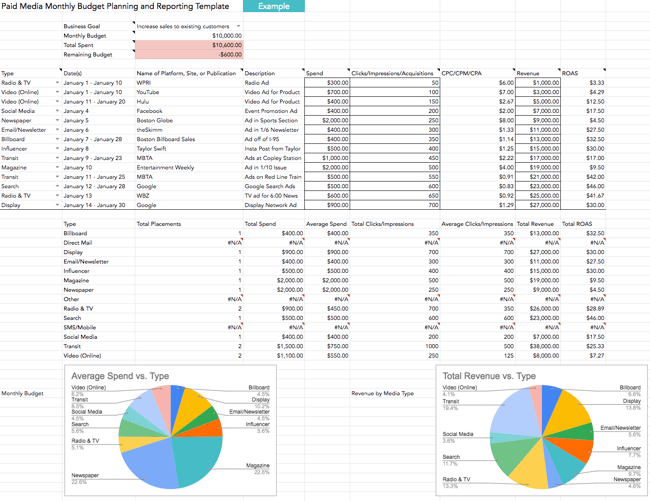
Types of Media Planning Templates
To help get you started, here’s a list of common types of media creation and planning templates. (Click the links to be directed to an associated template resource.)
You might use one or several media templates based on your needs. Remember, there’s no right or wrong answer to which template you should use — it’s about preference and what works best for your business.
- Use a media planning template to organize your paid media efforts and expenses in one visual location.
- Use a social media strategy template to align your media content with your audience in a way that provides value for your business.
- Use a social media calendar template to customize a timeline for when you’ll share your social media posts in a simple, organized, manageable, and effective format.
- Use an editorial calendar template to plan and optimize all of the marketing content you’ll publish and share, including blogs, social media posts, and campaigns.
- Use a blog post template to simply fill-in-the-blanks and begin writing engaging, relevant, and well-optimized blog content for your audience (all while avoiding writer’s block!).
- Use an ebook design template to take the guesswork out of how to make your ebook professional, eye-catching, and beautiful, all while saving yourself valuable time.
- Use an infographic template in PowerPoint or Illustrator to quickly customize the way you present data, share insights, and promote offers in a way that looks and feels professional.
- Use an analytics and reporting template for Excel, PowerPoint, and Google Drive to make the processes of pulling, organizing, and sharing data simple no matter which metrics you track.
- Use a budget template to manage and review your spending and budget with Excel or Google Sheets.
- Use an advertising template to help you plan and manage advertising campaigns in a way that’s sure to convert audience members into leads and customers.
Media Plan Examples
Although we’ve discussed media planning and even shared a few media planning templates, doing it practically may still pose a challenge. Therefore, I’ve created media plan examples and linked the templates I used for more clarity.
Social Media Plan
When it comes to social media, it’s important to focus your efforts on the platform where your customers are active. However, if you’re in the discovery stage, it’s okay to experiment with a couple of platforms and see which ones work.
Here is an example of a social media plan inspired by the HubSpot Social Media Content Template that will help you explore multiple platforms.
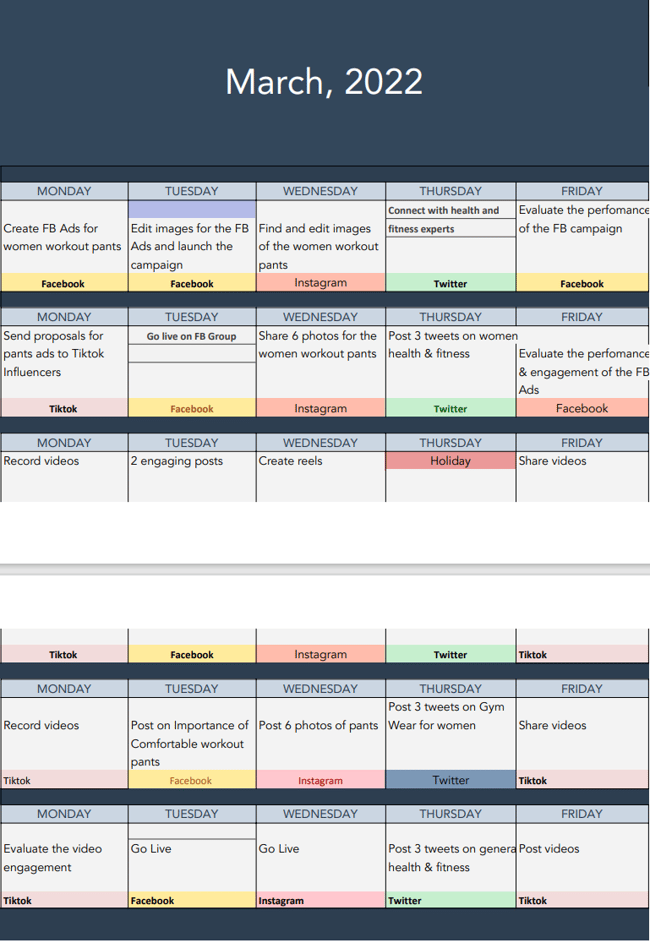 Blogging Media Plan
Keeping tabs on how often you publish your blog content is very important as it helps track your progress. A blogging media plan also helps manage your writers without sending several emails asking about the progress of the blog posts.
Here is a simple example of a blogging media plan you can download from HubSpot.
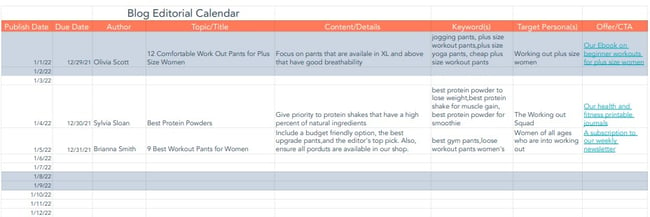
PR Media Plan
A PR media plan is different and a little intensive because you have to include other organizations. You also have to decide on the form of advertisement that will work for your business, the resources you’ll need, and the people whom you’ll contact.
In this sample template, I’ll only share the reach out and content planning phase. However, the complete template from HubSpot has everything you need, including resource planning. As a bonus, if you’re a beginner, you can even take the free course on PR Media. Check out the complete HubSpot PR Plan template.
|
Activity |
Description |
Start Date |
End Date |
|
Guest posts |
Promoting our new workout pants |
3rd March 2022 |
3rd June 2022 |
|
Press releases in known publications |
Promoting our brand in general |
10th July 2022 |
20th December 2022 |
|
Newsletters |
Send out monthly newsletters every month |
3rd March 2022 |
29th December 2022 |
We’ve spent a lot of time discussing the ins and outs of media planning, but there’s another side that can help marketers on the job — media buying. Let’s get into it.
Media Planning and Buying
Digital media planning and media buying are closely related and work in tandem with one another. Depending on the size of your business and your budget, your team members who plan your media may also handle the media buying process.
So, what makes these processes unique?
Well, media planning is the process where you decide which media content is created, published, and shared among your customers and target audience. The media referred to here is all-encompassing, meaning it doesn’t always include paid ads and paid content.
This is where media planning and media buying differ.
What is media buying?
Media buying is related to paid media — whether that means your business is buying campaigns or ad space on various channels, paying to share targeted campaigns and ads, or negotiating with media vendors.
In a world where your business can share media and successfully reach your audience for free, media planning can happen without media buying.
However, media buying requires media planning. (It’s like, “a square is a rectangle, but a rectangle is not a square” lesson that baffled us all in elementary school.)
Media planning sets the tone and direction for the buying that needs to occur. Once ad space is purchased or content distribution plans have been negotiated, there needs to be a strategy (or media plan) for getting that media to your audience and customers.
If you don’t have an in-house media planner, you’ll need to consider hiring one to help you with the campaigns. But what does a media planner do? And how much will you need to part with to pay one? Below are the answers.
What Does a Media Planner Do?
A media planner takes over your whole media planning strategy, evaluates it, and advises you on the way forward.
Here are some roles that a media planner will handle in your company.
- Maximizing the impact on all advertisements you pay by networking with media buying agencies
- Coming up with creative ways to reach out to your target audiences for better engagement and conversion rates
- Identifying the best platforms for your business to ensure you’re spending your ad money where you’re likely to get returns
How Much Do Media Planners Make?
When working with a media planner, expect to pay them between $30,000-$150,000. According to Comparably, the median salary of media planners in the US is $54,500.
If you need an expert planner with many years of experience, then you’ll need to plan for $155,000.
However, you can always save money by paying a freelance media planner. Their hourly charges may be a bit higher, but you’ll only need to pay them when you have a project.
Begin Your Media Planning Process
Media planning is an integral part of your business’s ability to successfully create, publish, and share media content. It’s how you streamline cross-team communication and collaboration around your media, as well as ensure it’s shared with your audience in a timely fashion. So, work through the media planning process steps above and choose which templates you’ll use to begin reaching and converting more audience members.
Editor’s note: This post was originally published in February 2020 and has been updated for comprehensiveness.

What is a Marketing Plan & How to Write One [+Examples]
For a while now, you’ve been spearheading your organization’s content marketing efforts. Your team’s performance has convinced management to adopt the content marketing strategies you’ve suggested.
Now, your boss wants you to write and present a content marketing plan, but you’ve never done something like that before. You don’t even know where to start.

Fortunately, we’ve curated the best content marketing plans to help you write a concrete plan that’s rooted in data and produces results. But first, we’ll discuss what a marketing plan is and how some of the best marketing plans include strategies that serve their respective businesses.
The purpose of a marketing plan is to write down strategies in an organized manner. This will help keep you on track and measure the success of your campaigns.
Writing a marketing plan will help you think of each campaign’s mission, buyer personas, budget, tactics, and deliverables. With all of this information in one place, you’ll have an easier time staying on track with a campaign. You’ll also discover what works and what doesn’t. Thus, measuring the success of your strategy.
Featured Resource: Free Marketing Plan Template
Looking to develop a marketing plan for your business? Click here to download HubSpot’s free Marketing Plan Template to get started.
Types of Marketing Plans
Depending on the company you work with, you might want to leverage various marketing plans. We compiled different samples to suit your needs:
- Quarterly or Annual Marketing Plans: These plans highlight the strategies or campaigns you’ll take on in a certain period.
- Paid Marketing Plan: This plan could highlight paid strategies, such as native advertising, PPC, or paid social media promotions.
- Social Media Marketing Plan: This could highlight the channels, tactics, and campaigns you intend to accomplish specifically on social media.
- Content Marketing Plan: This plan could highlight different strategies, tactics, and campaigns in which you’ll use content to promote your business or product.
- New Product Launch Marketing Plan: This will be a roadmap for the strategies and tactics you’ll implement to promote a new product.
Keep in mind that there’s a difference between a marketing plan and a marketing strategy.
Marketing Strategy vs. Marketing Plan
A marketing strategy describes how a business will accomplish a particular goal or mission. This includes which campaigns, content, channels, and marketing software they’ll use to execute that mission and track its success.
For example, while a greater plan or department might handle social media marketing, you might consider your work on Facebook as an individual marketing strategy.
A marketing plan contains one or more marketing strategies. It is the framework from which all of your marketing strategies are created and helps you connect each strategy back to a larger marketing operation and business goal.
For example, your company is launching a new software product, and it wants customers to sign up. This calls for the marketing department to develop a marketing plan that’ll help introduce this product to the industry and drive the desired signups.
The department decides to launch a blog dedicated to this industry, a new YouTube video series to establish expertise, and an account on Twitter to join the conversation around this subject. All of this serves to attract an audience and convert this audience into software users.
To summarize, the business’s marketing plan is dedicated to introducing a new software product to the marketplace and driving signups to that product. The business will execute that plan with three marketing strategies: a new industry blog, a YouTube video series, and a Twitter account.
Of course, the business might consider these three things one giant marketing strategy, each with its specific content strategies. How granular you want your marketing plan to get is up to you. Nonetheless, every marketing plan goes through a particular set of steps in its creation. Learn what they are below.
1. State your business’s mission.
Your first step in writing a marketing plan is to state your mission. Although this mission is specific to your marketing department, it should serve your business’s main mission statement. Be specific, but not too specific. You have plenty of space left in this marketing plan to elaborate on how you’ll acquire new customers and accomplish this mission.
For example, if your business’s mission is “to make booking travel a delightful experience,” your marketing mission might be “to attract an audience of travelers, educate them on the tourism industry, and convert them into users of our bookings platform.”
2. Determine the KPIs for this mission.
Every good marketing plan describes how the department will track its mission’s progress. To do so, you’ll need to determine your key performance indicators (KPIs). KPIs are individual metrics that measure the various elements of a marketing campaign. These units help you establish short-term goals within your mission and communicate your progress to business leaders.
Let’s take our example of a marketing mission from the above step. If part of our mission is “to attract an audience of travelers,” we might track website visits using organic page views. In this case, “organic page views” is one KPI, and we can see our number of page views grow over time.
These KPIs will come into the conversation again in step 4.
3. Identify your buyer personas.
A buyer persona is a description of who you want to attract. This can include age, sex, location, family size, and job title. Each buyer persona should directly reflect your business’s current and potential customers. Therefore, all business leaders must agree on your buyer personas.
You can develop buyer personas for free right here.
4. Describe your content initiatives and strategies.
Here’s where you’ll include the main points of your marketing and content strategy. Because there is a laundry list of content types and channels available to you today, you must choose wisely and explain how you’ll use your content and channels in this section of your marketing plan.
A content strategy should stipulate:
- Which types of content you’ll create. These can include blog posts, YouTube videos, infographics, and ebooks.
- How much of it you’ll create. You can describe content volume in daily, weekly, monthly, or even quarterly intervals. It all depends on your workflow and the short-term goals you set for your content.
- The goals (and KPIs) you’ll use to track each type. KPIs can include organic traffic, social media traffic, email traffic, and referral traffic. Your goals should also include which pages you want to drive that traffic to, such as product pages, blog pages, or landing pages.
- The channels on which you’ll distribute this content. Popular channels at your disposal include Facebook, Twitter, LinkedIn, YouTube, Pinterest, and Instagram.
- Any paid advertising that will take place on these channels.
5. Clearly define your plan’s omissions.
A marketing plan explains the marketing team’s focus. It also explains what the marketing team will not focus on.
If there are other aspects of your business that you aren’t serving in this particular plan, include them in this section. These omissions help to justify your mission, buyer personas, KPIs, and content. You can’t please everyone in a single marketing campaign, and if your team isn’t on the hook for something, you need to make it known.
6. Define your marketing budget.
Your content strategy might leverage many free channels and platforms, but there are several hidden expenses a marketing team needs to account for.
Whether it’s freelance fees, sponsorships, or a new full-time marketing hire, use these costs to develop a marketing budget and outline each expense in this section of your marketing plan.
7. Identify your competition.
Part of marketing is knowing whom you’re marketing against. Research the key players in your industry and consider profiling each one.
Keep in mind not every competitor will pose the same challenges to your business. For example, while one competitor might be ranking highly on search engines for keywords you want your website to rank for, another competitor might have a heavy footprint on a social network where you plan to launch an account.
8. Outline your plan’s contributors and their responsibilities.
With your marketing plan fully fleshed out, it’s time to explain who’s doing what. You don’t have to delve too deeply into your employees’ day-to-day projects, but it should be known which teams and team leaders are in charge of specific content types, channels, KPIs, and more.
Ready to make your own marketing plan? Get started using this free template and take some inspiration from the real examples below.
Marketing Plan Examples
Now that you know why you need to build an effective marketing plan, it is time to put on the work. Starting a plan from scratch can be overwhelming if you haven’t done it before. That’s why there are many helpful resources that can support your first steps. We’ll share some of the best guides and templates that can help you build effective results-driven plans for your marketing strategies.
1. HubSpot’s Comprehensive Guide for Content Marketing Strategy
Main objective: Content Marketing Plan
At HubSpot, we’ve built our marketing team from two business school graduates working from a coffee table to a powerhouse of hundreds of employees. Along the way, we’ve learned countless lessons that shaped our current content marketing strategy. So, we decided to illustrate our insights in a blog post to teach marketers how to develop a successful content marketing strategy, regardless of their team’s size.
In this comprehensive guide for modern marketers, you’ll learn:
- What exactly content marketing is.
- Why your business needs a content marketing strategy.
- Who should lead your content marketing efforts?
- How to structure your content marketing team based on your company’s size.
- How to hire the right people for each role on your team.
- What marketing tools and technology you’ll need to succeed.
- What type of content your team should create, and which employees should be responsible for creating them.
- The importance of distributing your content through search engines, social media, email, and paid ads.
- And finally, the recommended metrics each of your teams should measure and report to optimize your content marketing program.
2. Shane Snow’s Marketing Plan for His Book Dream Team
Main objective: Content Marketing Plan
A successful book launch is a prime example of data-driven content marketing. Using data to optimize your content strategy spreads more awareness for your book, gets more people to subscribe to your content, converts more subscribers into buyers, and encourages more buyers to recommend your book to their friends.
When Shane Snow started promoting his new book, “Dream Team,” he knew he had to leverage a data-driven content strategy framework. So, he chose his favorite one: the content strategy waterfall. The content strategy waterfall is defined by Economic Times as a model used to create a system with a linear and sequential approach. To get a better idea of what this means, take a look at the diagram below:
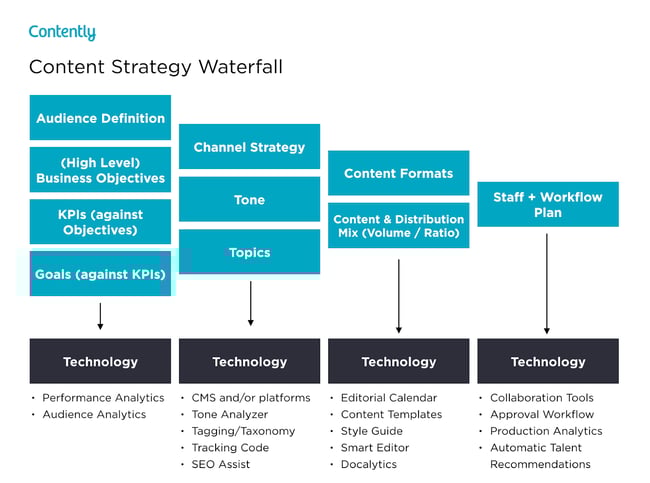
Snow wrote a blog post about how the waterfall’s content strategy helped him launch his new book successfully. After reading it, you can use his tactics to inform your own marketing plan. More specifically, you’ll learn how he:
- Applied his business objectives to decide which marketing metrics to track.
- Used his ultimate business goal of earning $200,000 of sales or 10,000 purchases to estimate the conversion rate of each stage of his funnel.
- Created buyer personas to determine which channels his audience would prefer to consume his content.
- Used his average post view on each of his marketing channels to estimate how much content he had to create and how often he had to post on social media.
- Calculated how much earned and paid media could cut down the amount of content he had to create and post.
- Designed his process and workflow, built his team, and assigned members to tasks.
- Analyzed content performance metrics to refine his overall content strategy.
You can use Snow’s marketing plan to cultivate a better content strategy plan, know your audience better, and think outside the box regarding content promotion and distribution.
3. Chief Outsiders Go-To-Market Plan for a New Product
Main objective: New Product Launch Marketing Plan
When you’re looking for a marketing plan for a new product, the Chief Outsiders template is a great place to start. Marketing plans for a new product will be more specific because they target one product versus its entire marketing strategy.
After reading this plan, you’ll learn how to:
- Validate a product
- Write strategic objectives
- Identify your market
- Compile a competitive landscape
- Create a value proposition for a new product
- Consider sales and service in your marketing plan
4. Buffer’s Content Marketing Strategy Template
Main objective: Content Marketing Plan
Writing a content plan is challenging, especially if you’ve never written one before. Buffer decided to help out the content marketing community.
By sifting through countless content marketing strategy templates and testing the best, they crafted a content marketing plan template with instructions and examples for marketers who’ve never documented their content strategy.
After reading Buffer’s marketing plan template, you’ll learn how to:
- Answer four basic questions that’ll help you form a clear executive summary.
- Set SMART content marketing goals.
- Create highly accurate audience personas by interviewing real content strategists.
- Solve your audience’s problems with your content.
- Do competitive research by analyzing your competitors’ and industry thought leaders’ content.
- Evaluate your existing content strategy by examining the topics and themes of your highest and lowest performing pieces.
- Determine which types of new content to craft based on your team’s ability and bandwidth.
- Establish an editorial calendar.
- Develop a promotional workflow.
Buffer’s template is a comprehensive step-by-step guide, with examples for each section. The audience persona section, for example, has case studies of real potential audience personas like “Blogger Brian.” If you’re feeling overwhelmed by the process of creating a marketing guide, this can help ease you into it.
5. Contently’s Content Plan
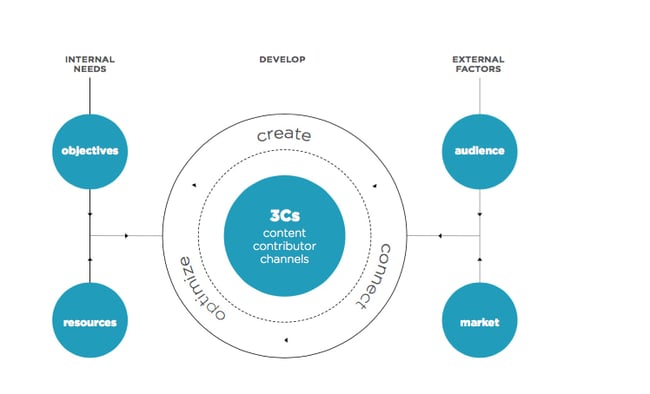
Main objective: Content Marketing Plan
Contently’s content methodology works like a flywheel. Instead of applying an entirely new strategy to each new marketing campaign, they leverage the strategy of their previous marketing campaign to drive the next one. Similar to a flywheel, their content methodology needs an initial push of energy to get the gears in motion.
What supplies this energy? Their content plan.
Contently fleshed out their entire content plan in a blog post to help marketers develop a self-sustaining marketing process. After reading it, you’ll learn how to:
- Align your content objectives and KPIs with your business goals.
- Create highly detailed buyer personas using psychographics instead of traditional demographics.
- Craft content for each stage of your marketing funnel based on your prospects’ pain and passion points.
- Identify your most effective marketing channels.
- Discover the content topics your audience actually craves.
- Assess your organization’s need for resources.
By applying a flywheel-like strategy to your own marketing efforts, you essentially take away the burden of applying new strategies to each marketing campaign. Instead, your prior efforts gain momentum over time and dispel continual energy into whatever you publish next.
6. Forbes’ Marketing Plan Template
Main objective: Content Marketing Plan
Forbes published a marketing plan template that has amassed almost 4 million views. To help you sculpt a marketing roadmap with true vision, their template will teach you how to fill out the 15 key sections of a marketing plan, which are:
- Executive Summary
- Target Customers
- Unique Selling Proposition
- Pricing & Positioning Strategy
- Distribution Plan
- Your Offers
- Marketing Materials
- Promotions Strategy
- Online Marketing Strategy
- Conversion Strategy
- Joint Ventures & Partnerships
- Referral Strategy
- Strategy for Increasing Transaction Prices
- Retention Strategy
- Financial Projections
If you’re truly lost on where to start with a marketing plan, this guide can help you define your target audience, figure out how to reach them, and ensure that audience becomes loyal customers.
7. Venture Harbour’s Growth Marketing Plan Template
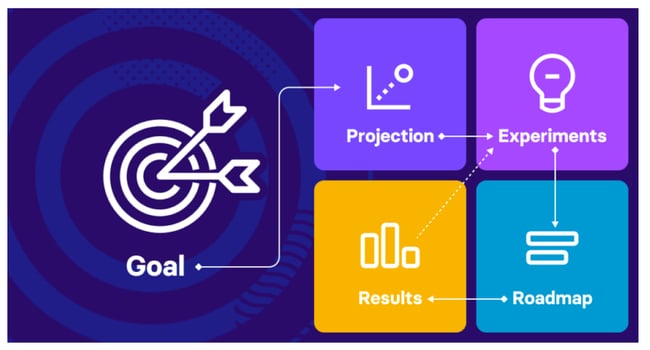
Main objective: Growth Marketing Plan
Venture Harbour’s growth marketing plan is a data-driven and experiment-led alternative to the more traditional marketing plan. Their template contains five steps intended for refinement with every test-measure-learn cycle. The five steps are:
- Goal
- Projection
- Experiments
- Roadmap
- Insights
This is a great option if you want to experiment with different platforms and campaigns.
Sample Marketing Plan
Let’s create a sample plan together, step-by-step.
1. Create an overview or primary objective.
Our business mission is to provide [service, product, solution] to help [audience] reach their [financial, educational, business related] goals without compromising their [your audience’s valuable asset: free time, mental health, budget, etc.]. We want to improve our social media presence while nurturing our relationships with collaborators and clients.
2. Determine the KPIs for this mission.
For example, if you wanted to focus on social media growth, your KPIs might look like this.
We want to achieve a minimum of [followers] with an engagement rate of [X] on [social media platform].
The goal is to achieve an increase of [Y] on recurring clients and new meaningful connections outside the platform by the end of the year.
3. Identify your buyer personas.
Use the following categories to create a target audience for your campaign.
- Age:
- Gender:
- Profession:
- Background:
- Interests:
- Values:
- Goals:
- Pain points:
- Social media platforms that they use:
- Streaming platforms that they prefer:
For more useful strategies, consider creating a buyer persona in our Make My Persona tool.
4. Describe your content initiatives and strategies.
Our content pillars will be: [X, Y, Z].
Content pillars should be based on topics your audience needs to know. If your ideal clients are female entrepreneurs, then your content pillars can be: marketing, being a woman in business, remote working, and productivity hacks for entrepreneurs.
Then, determine your omissions.
This marketing plan won’t be focusing on the following areas of improvement: [A, B, C].
5. Define your marketing budget.
Our marketing strategy will use a total of [Y] monthly. This will include anything from freelance collaborations to advertising.
6. Identify your competitors.
Use the following questions to clearly indicate who your competitors are:
- Which platforms do they use the most?
- How does their branding differentiate?
- How do they talk to their audiences?
- What valuable assets do customers talk about? And if they are receiving any negative feedback, what is it about?
7. Outline your plan’s contributors and their responsibilities.
Create responsible parties for each portion of the plan.
Marketing will manage the content plan, implementation, and community interaction to reach the KPIs.
- Social media manager: [hours per week dedicated to the project, responsibilities, team communication requirements, expectations]
- Content strategist: [hours per week dedicated to the project, responsibilities, team communication requirements, expectations]
- Community manager: [hours per week dedicated to the project, responsibilities, team communication requirements, expectations]
Sales will follow the line of the marketing work while creating and implementing an outreach strategy.
- Sales strategists: [hours per week dedicated to the project, responsibilities, team communication requirements, expectations]
- Sales executives: [hours per week dedicated to the project, responsibilities, team communication requirements, expectations]
Customer Service will nurture clients’ relationships to ensure that they have what they want. [Hours per week dedicated to the project, responsibilities, team communication requirements, expectations].
Project Managers will track the progress and team communication during the project. [Hours per week dedicated to the project, responsibilities, team communication requirements, expectations].
Get started on your marketing plan.
These marketing plans serve as initial resources to get your content marketing plan started. But, to truly deliver what your audience wants and needs, you’ll likely need to test some different ideas out, measure their success, and then refine your goals as you go.
Editor’s Note: This post was originally published in April 2019, but was updated for comprehensiveness.


Leadership vs. Management: Key Differences You Should Know
We often hear the terms “leaders” and “managers” used interchangeably. However, there are key differences in how each operates.
![→ Click here to download leadership lessons from HubSpot founder, Dharmesh Shah [Free Guide].](https://no-cache.hubspot.com/cta/default/53/4e634041-e1ce-4a85-8e65-aea12fc10b84.png)
In this article, we’ll dive into what those differences are and how you can leverage each one within an organization.
What’s most interesting is that every leader has likely taken on a managerial role. However, not every manager has been a leader.
This is because someone typically steps into a manager role when there’s a need within your organization. Anyone who can meet those needs will succeed as a manager.
However, a leader requires a different skill set and can emerge naturally at any point in an organization’s growth – in fact, a leader doesn’t need a title that specifies it.
Let’s break down the key differences below.
Vision vs. Execution
As a leader, you are responsible for setting the vision. This means the ability to see beyond where you currently are and imagine a future that goes beyond expectations.
Meanwhile, a manager will focus on executing that vision and figuring out the key processes to get there.
Leaders are able to see the big picture and develop a strategy for how to get there, whereas managers typically break down those goals into smaller, actionable tasks.
People vs. Processes
Another key distinction between leaders and managers is that leaders focus on people while managers focus on processes.
Leaders are there to inspire, motivate, and nurture the people they work with, often regarded as mentors to those they lead. To do so, they invest a lot of time in understanding their employees’ passions and values.
After all, that’s what’s going to ensure the success of the company.
Managers look at the processes that will deliver the desired outcomes based on business objectives. While they do pay attention to the people, that’s often not their main priority.
Leadership vs. Management Skills
Leadership skills are typically more soft skills-based, whereas management skills tend to be more hard or technical skills.
Common leadership skills include decision-making, communication, relationship building, and strategic thinking.
Top management skills include:
- Planning and budgeting
- Task allocation
- Creativity
- Problem-solving
Leadership vs. Management Characteristics
Both leadership and management involve setting a direction for others to follow.
However, leaders typically have more of a long-term vision while managers focus on the here-and-now.
Leaders also need to be able to build relationships and trust with their team, whereas managers may not need as strong of relationships since they are focused on task execution.
Characteristics of leaders include:
- Identifying and nurturing talent.
- Pushing the envelope of what is possible.
- Taking calculated risks.
- Championing employees.
On the other hand, some common management characteristics include:
- Maintaining the status quo.
- Detecting and addressing inefficiencies.
- Mitigating risks.
- Getting the job done.
Leadership vs. Management Examples
Let’s say you’re a project manager at an advertising agency.
Your daily tasks might involve overseeing client projects, delegating tasks to your team, and ensuring that deadlines are met.
Meanwhile, the agency owner might be focused on bringing in new clients, working on long-term strategy, and building relationships with other businesses.
Both roles have overlap in their responsibilities and skills. However, their priorities differ greatly.
If you think too long-term, you’ll never figure out what it takes today to get there. If you think too short-term, you’ll lack the big picture that tells you what you’re working toward.
There’s often the implication that leadership is better than management. The truth is, every organization needs a good balance of both to thrive.

20 Best Webinar Software Platforms of 2022
If you’re looking to attract highly engaged leads, interact with your audience, get real-time feedback, and capitalize on exciting guest speakers, then you could benefit from webinar software.
In a blind test run by the team at Business2Community, it was discovered that live webinars got 2.3x the number of registrants than an on-demand video, and had 23% more.
In addition, live attendants were also more attentive as participants viewed an average of 80% of the live webinar content. That type of turnout can aid your business in lead generation and more conversions if they’re immersed in what you have to say.

To better engage with your audience and meet your marketing objectives, you have to choose the best software to host your webinars. In this post, we’ve listed our favorite webinar software platforms. If you’re in a pinch, we’ve divided them by category for easy research.
- Best Webinar Software for Marketers
- Best Webinar Software for Small Businesses
- Best Webinar Tools for Training and Classroom Sessions
- Best Free Webinar Software
Best Webinar Software for Marketers
1. WebinarNinja
Optimizing for the customer journey is crucial and WebinarNinja knows it. The team of WebinarNinja focused Its tool development on making it easy to track and customize according to a prospect’s position in the funnel. We love how this platform:
- Integrates with CRMs like HubSpot so you can easily track your leads.
- It offers a gated landing page option to charge for events, which is an excellent option for hosting online conferences or other high-value content alongside regular webinar programming.
- Provides more targeted, customized tracking with a Facebook Ad tracking pixel on webinar attendees.
2. WorkCast
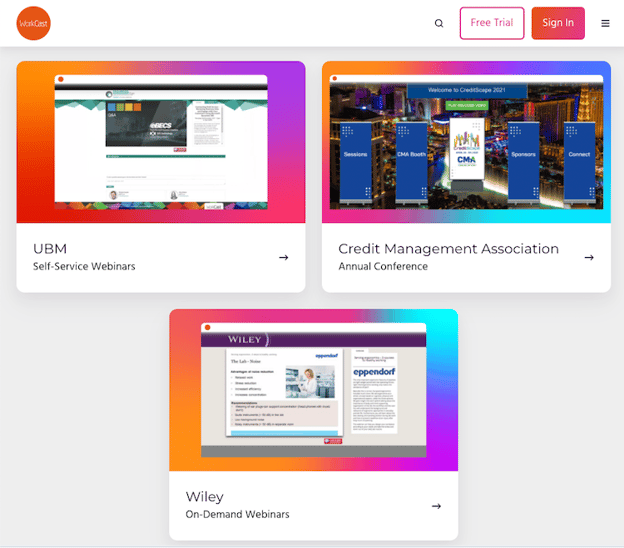
As the webinar platform that brands itself as “created for marketers,” WorkCast is simple to use and has many helpful features. Whether you’re offering live or on-demand webinars, creating evergreen content, or a combination of all three, WorkCast has your back with:
- Integrations with all of the most popular CRMs, including HubSpot, so you can track your leads and follow up automatically.
- No downloads or plugins are required to host, attend, or present at webinars.
- The option for simulative webinars uses pre-recorded video combined with a live Q&A session or presentation.
- All of the benefits of viewer engagement, without the stress of organizing a live webinar.
3. LiveWebinar
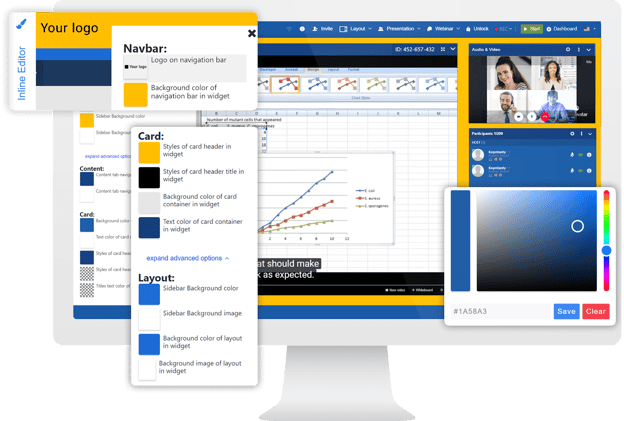
When you’re looking for a powerful webinar platform, LiveWebinar is one of the most versatile options available on the market today. Whether you’re someone who regularly hosts webinars, a teacher, a recruiter, or anyone else who can make use of an online communication tool, LiveWebinar can be a good option for you.
The platform works right from your browser and is free from plugins or downloads. It works on all major browsers, as well as mobile devices.
LiveWebinar is reliable and has been proven in action time and again. Here are some of the platform’s key features:
- Customize the logo and background, ads banner, and the colors of windows and fonts to create a room that reflects your brand fully.
- Use the whiteboard and screen sharing features to illustrate your ideas, or use features like polls & tests, and breakout rooms to start discussions.
- Integrate the marketing, education, or email tools that you use daily, such as MailChimp, Zapier, Integromat, HeySummit, and plenty more.
4. Demio
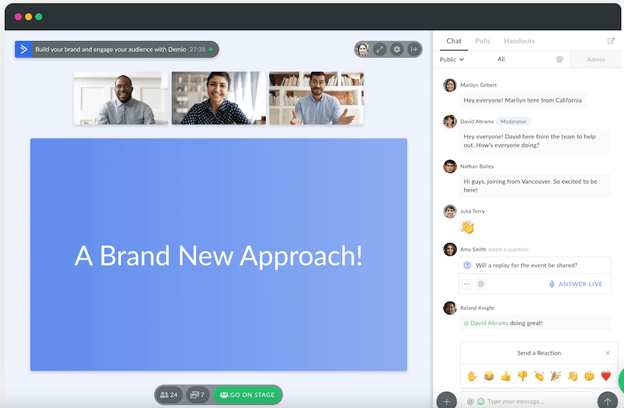
Demio is a great webinar platform for both PC and mobile devices with a sleek design and intuitive user interface. It’s an effective live video tool for marketers looking to host live or automated events that can assist in lead and demand generation goals. Our favorite features are:
- Material sharing like slides and videos can be done on the platform while streaming.
- The ability to give attendees permission to use their microphones and webcams for a more interactive experience.
- Poll presentations, handouts, and call to action on the platform to further engage your audience.
Best Webinar Software for Small Businesses
5. WebinarGeek
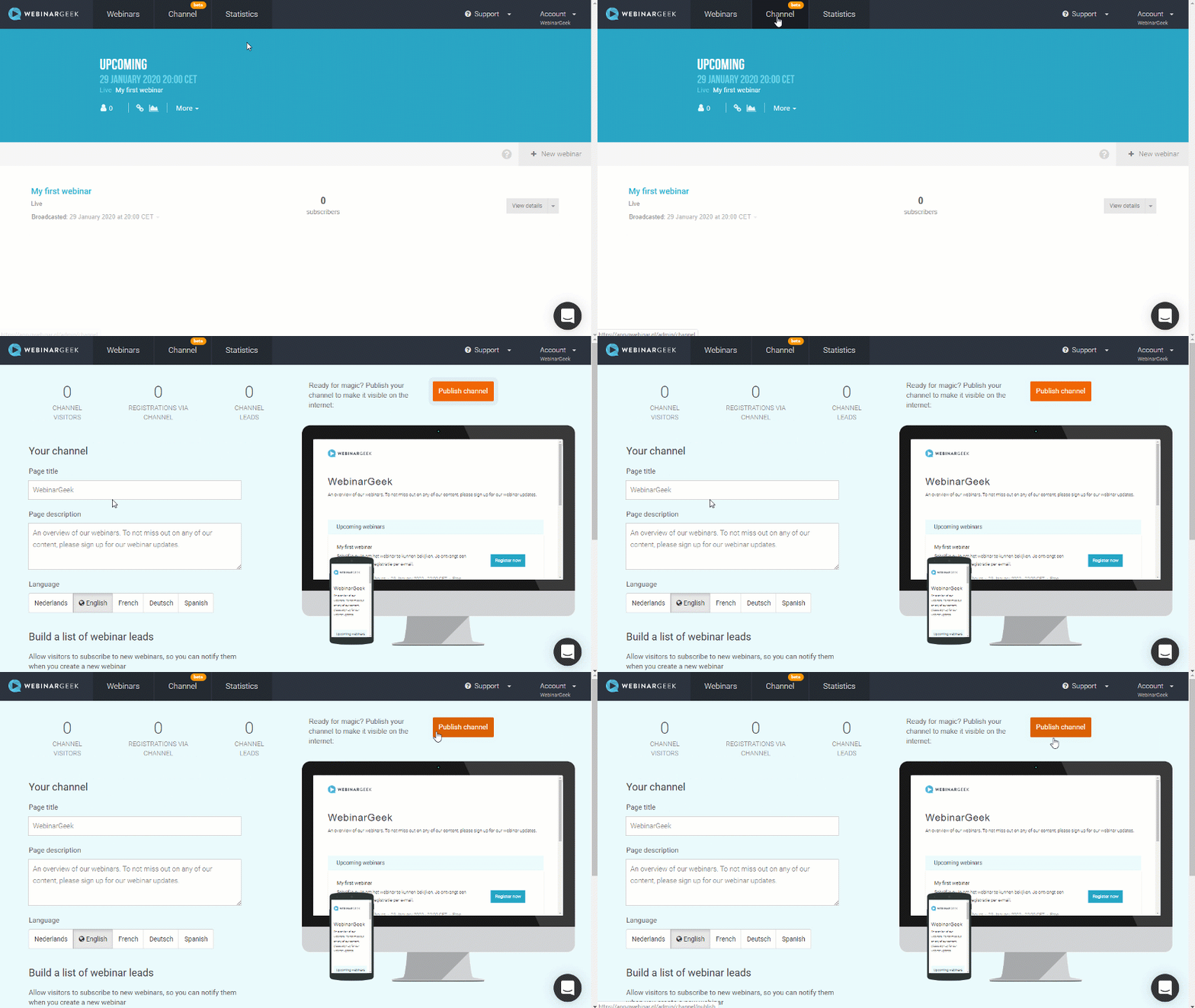
An easy-to-use platform that provides live, on-demand, and hybrid webinar features. With Its smart marketing features, you’ll be able to attract viewers and convert them to customers within the same platform. Priced reasonably for small businesses, WebinarGeek has several great tools, including;
- No downloads are required for your audience, which makes it easy for non-tech audiences to attend.
- Create your webinar channel to showcase all your on-demand and future webinars in one place.
- Highly rated customer support (9.8/10 on G2) that will help you set up and deliver seamless webinars.
6. Accelevents

Accelevents is a virtual event platform that’s easy to use and truly moves the needle. This platform can help you build and manage online events that engage, make an impact, and drive growth for your small business. Outstanding features include:
- Live streaming that can support over 100,000 attendees.
- Community building opportunities with the ability to enact breakout sessions.
- In-depth analytics reporting on engagement insights and lead reports.
7. WebinarJam
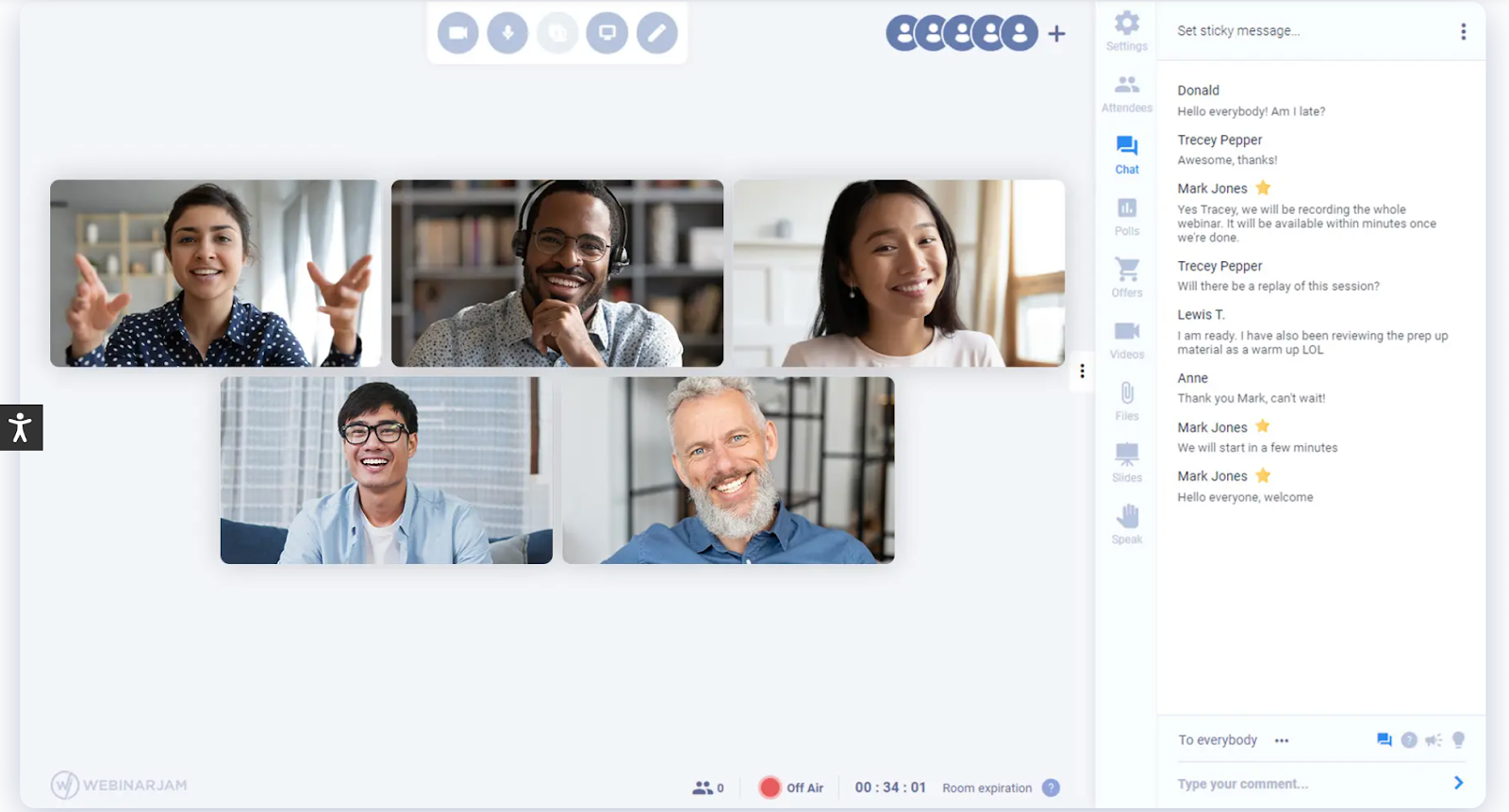
Marrying a simple interface with comprehensive tools makes WebinarJam an easy favorite for small businesses looking to run live webinars, even on the go. We love Its:
- Customizable templates, such as waiting room graphics and emails, for an on-brand experience.
- Ability to add up to six co-presenters, making it easy to produce a collaborative and high-value presentation. You can even inject pre-recorded video for additional presentation options.
- Automatic recording function, which makes it easy to follow up with registrants who missed the live recording.
Best Webinar Tools for Training and Classroom Sessions
8. ClickMeeting
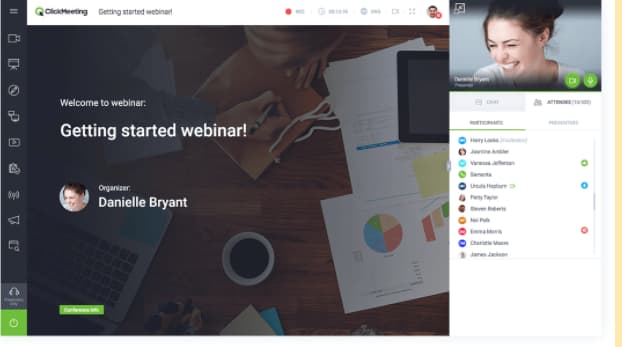
ClickMeeting offers webinars and video conferencing in one tool. Schedule meetings or webinars easily, and scale your webinar program with ClickMeeting’s 5000 attendance capacity.
ClickMeeting is particularly useful for running training and classroom-style presentations because of its:
- Customizable waiting rooms with agenda layouts, file delivery, and presenter information.
- Full suite of webinar tools including additional rooms, whiteboards, and polls.
- Ability to join and deliver webinars on the go with the ClickMeeting mobile apps.
9. Loom
Loom is a screen recording software platform that allows users to share webinars, instructional videos, and other presentations to audiences asynchronously. Trusted by over 14 million people, some favorited features include:
- Speakers can record both their screens and webcams for a more intimate experience.
- While asynchronous, recipients can use emoji reactions, time-stamped comments, and interactive features to respond to videos and keep your team connected.
- Easy access to Loom recordings without logins or passwords, recipients can access your recordings with a link.
10. Adobe Connect
Adobe Connect is ideal for guided training and seminars where you need to “set the stage” for your audience. Its classroom tools enable students to work together effectively. You can also:
- Create breakout sessions, whiteboards, and teaching aids to help you deliver your message effectively.
- Set up multiple “topic chats” to keep discussions on track.
- Read your audience’s digital body language with advanced analytics to help you improve your delivery.
Best Free Webinar Software
11. Zoom

While many of us may have used Zoom for meetings, it’s also a great choice for webinars.
Because so many people are familiar with Zoom, hosts, and attendees both find it easy to use. Plus, if you’re on a tight budget, you can use Zoom’s video conferencing platform for small, free webinars (up to 100 participants).
Some of the benefits of Zoom include:
- Keeping the focus on the presenter’s video, rather than slides, makes for more human interaction.
- Leveraging virtual backgrounds, studio effects, and background noise suppression.
- Dedicated live event support, including monitoring and moderation.
12. Freeconferencecall.com

One of the only wholly free webinar platforms, Freeconferencecall.com is still a powerful solution. It’s completely browser-based (which means no downloads for you or your guests), and:
- Offers one-click recording so you never miss out on saving your webinar.
- Has screen- and file-sharing capabilities so you can share your presentation materials effectively.
- Allows you to host up to 1000 guests.
13. Zoho Meeting
Zoho Meeting is a free online meeting platform that allows you to hold online meetings with real-time audio, video, and screen sharing at zero costs. Some features unique to ZoHo include:
- Secure moderator controls like the ability to lock meetings, seamlessly switch presenters and properly hand control of screen presentation options to different collaborators.
- Offers online and dial-in attendance for people with different devices or mediums.
- Co-branding in meeting invites and reminders for attendees to see.
Best Live Webinar Software
14. Zuddl
Zuddl is a live webinar platform like no other. With its software, your audience can feel like they’re walking into a virtual convention with unique widgets, hotspots, buttons, and iFrames to create an experience just like a physical event. Along with these capabilities, other standout features include:
- Zuddl’s inbuilt ticketing and email tools let you create customized registration pages and disburse paid or unpaid event passes through automated emails.
- Android and iOS-based mobile apps that help attendees join the event while being on the move.
- 50+ pre-built 3D themes for more intuitive sessions to better serve the purpose of your webinars.
15. Riverside


For businesses looking to engage wide audiences in real-time, Riverside is a wonderful resource. This remote platform doesn’t skimp on quality, in fact, it offers users clear and uncompressed audio and supports up to 4K video resolution. What we like most about it is:
- Users can simultaneously stream webinars on other channels like YouTube, LinkedIn, and more.
- Live audience members can chime in or leave feedback during broadcasts.
- You can hold dynamic discussions with up to eight participants.
16. On24
On24 is the enterprise platform that does it all, as noted in Its positive reviews on G2: “We had a wide variety of needs for a service like this — internal training, external publications, panel forums, expert-led seminars, and more. We felt that ON24 checked every box.”
On24 specializes in live broadcasts and has a host of features designed to increase customer engagement with your video presentations. We love Its:
- Enterprise-level streaming quality. They’re built for big events that need to stream smoothly.
- Engagement analytics that integrate with your business intelligence platforms for better audience segmentation.
- Engagement hub that stores past webinars for an “always-on” experience.
17. BigMarker
BigMarker is the world’s most customizable platform for webinars and virtual events. This browser-based platform is easy to access for audience members, with no downloading needed and has extensive third-party app integrations.
- Engage with up to 10,000 audience members in one webinar.
- No limits to the number of presenters in a discussion.
- Includes the tools you need to promote your content, monetize your webinars, and measure everything to grow your audience
18. Jumbo
Jumbo is a newer webinar software platform that simplifies the live-streaming process. Made to be compatible for PC and mobile devices, it provides a no-fuss webinar service that customers can enjoy with features such as:
- White label formatting to let your brand be the main focus of any webinar.
- Interactive features such as live chat, breakout sessions, polls, trivia, and user profiles help your audience engage deeper with your content.
- Intuitive user interface that is easy to use, even for those who aren’t tech-savvy.
19. GoToWebinar
A best-in-class option that makes running a live webinar feel positively smooth. Equipped with the greatest hits of live webinar management like engagement tools, automatic recording, and excellent integrations, GoToWebinar goes the final mile by offering:
- 24/7 customer service, which is essential in times of live webinar panic.
- Source tracking to help determine the most effective sign-up strategies.
- Truly excellent analytics that allows you to keep iterating and improving.
20. Webinar.net
This is an easy-to-use webinar platform that looks good. Webinar.net might be one of the newest platforms on the market, but they’re starting strong with a 4.7 out of 5 stars rating on G2. Its customers love them because:
- They’re browser-based, so there are no downloads required for presenters or attendees.
- You can upload a background template and pick your colors and font so that your webinar matches your company’s branding.
- Broadcasts can be launched in under 60 seconds with Its five-step wizard.
Host Your Webinars in the Best Platform for You
There are so many different webinar platforms available to help you reach your audience. Choosing the right one for your needs depends on your budget and your goals, so we hope you found the one you were looking for with the help of this post.
Editor’s note: This article was originally published in April 2021 and has been updated for comprehensiveness.


5 Skills You Should Leave Leadership Training With
Are you an experienced leader looking to brush up on your skills? Or maybe you’re brand new in this space and want to gain the tools to help you succeed.
In this article, you’ll discover the key leadership skills you should leave leadership training with along with the benefits of taking a leadership training course.
Why leadership training is important?
Leadership training is valuable to anyone who currently or aspires to hold a supervisorial role. The qualities needed to succeed in a leadership role don’t just appear once you’ve been assigned the role. In fact, you should be exhibiting these qualities long before you step into it.
This is why taking a leadership training course can be valuable, even if you don’t oversee any direct reports.
For fresh managers, it’s an incredibly valuable resource that will arm them with the tools and strategies needed to motivate and inspire their teams. Leadership training is also a good setting for new leaders to discover leadership styles and determine which one fits best for them.
For experienced leaders, it’s an opportunity to learn new tactics that will help them improve their leadership style. For instance, psychological safety has been prioritized by many companies within the last few years, much more than before.
As such, it’s a big part of many leadership training courses available out there today.
Leaders also have an ethical responsibility to stay on top of their game. How can you expect the best from your team if you don’t also push to be the best version of yourself?
What are the benefits of leadership training?
At this point, you know why leadership training is valuable in a general sense. If you’re wondering what are some key benefits for you specifically, here are a few:
- You’ll have access to new techniques and skills.
- You’ll identify or refine your management style.
- You’ll gain more confidence in your leadership ability.
- You’ll develop a stronger understanding of what makes a successful leader.
- You’ll get ahead of common mistakes made by leaders.
What to Expect from Leadership Training
1. Improving your communication.
One of the first things you should expect to learn in leadership training is how to effectively communicate with your team. Effective communication build trust and rapport while poor communication creates tension and discord.
Communication is fluid – it can take place in many different ways, formats, and styles. This is what makes it such a complex topic that is never fully exhausted.
Leadership training will teach you how to:
- Create an environment that facilitates communication among your team.
- Identify your direct reports’ communication styles and how to respond accordingly.
- Be transparent with your team without divulging too much information.
And that’s just to name a few. As far as communication goes, it’s one aspect of leadership you can always gain new insights on.
2. Identifying or improving your leadership style.
How would you define yourself as a leader? Are you a commander or visionary? Are you a servant or a coach?
Every leader you ask will likely offer a different answer. That’s because there isn’t one approach to leadership. Every style can work in a specific environment with a specific group.
The earlier you identify your leadership style, the earlier you can start to refine it and discover how to build on it for the success of your team.
3. Building psychological safety.
One of the most important aspects of being a successful leader is creating a safe and positive work environment for your team – this is known as psychological safety.
There are four pillars of psychological safety:
- Safe to be yourself
- Safe to learn
- Safe to contribute
- Safe to challenge
A psychologically safe workplace is one where employees can bring their full selves to work, feel welcomed to share ideas, and challenge the status quo.
In addition, research has shown that when an organization welcomes diversity in thought, the company performs better. So, creating this environment is not only key to employee satisfaction but also contributes to the growth of the company.
4. Navigating difficult conversations.
One of the hardest things about being a leader is having tough conversations with your team members. These conversations can be difficult because they often involve conflict or criticism.
However, you can’t exactly avoid them.
Leadership training will give you the resources to navigate these conversations and lead to positive outcomes. A key part of this is by nurturing empathy and emotional intelligence to identify the root of certain issues and address them before they progress.
5. Managing Conflict.
Conflict is a natural part of any working relationship.
However, it is important to learn how to manage conflict effectively in order to maintain a positive and productive work environment. This can look like setting boundaries, mediating disputes, and more.
Leadership training will teach you how to do just that.
To recap, you should leave your leadership training with improved communication skills, better conflict management skills, greater creativity, and enhanced problem-solving abilities.
Even if you’ve taken one before, you’re sure to come out the other side with a fresh outlook on what it means to be a leader.
