Welcome to My Blog
Top 6 Video Marketing Metrics Your Boss Actually Cares About
Conventional wisdom tells us that views, especially three-seconds ones, are a vanity metric. But Facebook tracks them for a good reason.
In 2016, they analyzed their users’ video consumption data and discovered that 45% of people who watch the first three seconds of a video will keep watching it for at least 30 seconds.
Facebook’s study suggests that views are a good indicator of how well your video’s hook performed. But view count, as a metric, also has drawbacks, like not being able to tell you who your audience is or whether your video resonates with them.
That’s why we created this list of video marketing metrics that shed light on the things your boss actually cares about — like how much your audience engages with your video, conversion rates, and how video affects your website’s performance.
![→ Access Now: Video Marketing Starter Pack [Free Kit]](https://no-cache.hubspot.com/cta/default/53/8f27c677-d952-4663-8787-bf65c6a1ecf2.png)
Which Metrics are Brands Tracking?
We surveyed over 500 global video marketers to find out what metrics they believe are important in measuring a video’s success. Each respondent could select more than once answer, and in our survey we found the following metrics were mentioned as being important:
- Engagement (60%)
- Conversion rate (56%)
- View count (53%)
- Click-through rate (52%)
- Follower/subscriber growth (52%)
- Average view duration (50%)
.jpg?width=1104&name=Copy%20of%20LinkedIn%20-%20Graph%20-%201104%20x%20736%20(2).jpg)
1. Engagement
Engagement is one of the most important factors in boosting your video’s organic reach — if a video resonates well with part of your audience, then it’ll likely resonate with the rest of it
Engagement provides marketers with valuable qualitative data too. Comments can show you the emotional effect your video had on your viewers. Do they seem inspired? Or are they angry you covered a controversial topic? This data can help you decide which video topics to focus on in the future.
Social shares can paint a clearer picture of your audience’s brand affinity and loyalty. This metric measures how much your audience values your content and brand. It also builds your brand’s credibility. Since people share content that confirms their ideal self-persona, people who share your video are willing to show their community that they trust and support your brand.
Social sharing is also one of the best forms of word-of-mouth marketing.
2. Conversion Rate
Your video’s conversion rate measures how well your video persuaded viewers to convert into a lead or a customer. You should test whether videos increase or decrease your landing or product pages’ conversion rates. If they do, this means video does a better job of conveying information and evoking excitement in your prospects than text does.
3. View Count
One would think that a view is counted anytime your video is watched on any device, but different platforms have different ways of measuring view counts. For example, YouTube counts a view if the platform confirms the video was played by a human on one device.
This means someone can’t refresh their page multiple times to raise their view count.
On TikTok, however, the moment your video starts to play, it’s counted as a view. No confirmation necessary.
38% video marketers reported their video content averages under 10,000 views, while 16% said their videos average under 1,000 views —according to our survey. We also found 84% average under 100,000 views per video.
4. Click-Through Rate
Click-through rate measures how well your video encourages viewers to take a desired action. If your CTR is low, consider altering the placement of your call-to-action in your video. Audience retention graphs show that most people don’t watch videos all the way through, so you could place your CTA at the beginning or middle of your video. Or you could also make your video more engaging so more viewers reach the CTA at the end of your video.
Leaving your CTA at the end could produce more clicks than moving it to the middle or beginning because viewers who watch your video all the way through are more likely to take action than someone who just clicked play.
5. Follower/Subscriber Growth
Follower/subscriber growth can be an excellent measure of a video’s performance because it shows that your video is reaching new audiences and attracting people to your brand. You can also see what kind of audience your video attracts, which can help you create a buyer persona and create more quality content that is tailored to your audience.
6. Average view duration
Average view duration is the total watch time of your video divided by the total number of video plays, including replays. It measures how long your viewers watch your video, on average. Average view duration is a powerful metric because it reveals your audience’s video length preference. For instance, if your 45 second videos keep getting a 30 second average view duration, you might want to cut those videos down by 15 seconds.
Benchmarks for Video Marketing
Different kinds of videos have different benchmarks. Here are a few video types and the benchmarks we found associated with them:
Short-Form Videos
Short-form videos lead in usage by 58% and have the highest ROI, lead generation, and engagement, according to our survey. With the rise of short-form video tools and platforms like Instagram Reels and TikTok, it’s not surprising short-form videos will be leveraged for the first time more than any format in 2022.
83% of marketers say the optimal length of a short-form marketing video is under 60 seconds. Our survey also shows 41% of short-form marketing videos have an average watch percentage between 61-80%, and almost half of short-form marketing videos have a CTR between 5-8%.
Long-form Videos
A long-form video is any video longer than three minutes. These videos rank second in terms of usage, ROI, lead generation, and engagement. Long-form videos will also be leveraged significantly by marketers for the first time in 2022 and are expected to see an increase in investment.
We found the optimal length for a long-form marketing video is three to six minutes. Our survey also showed 38% of long-form marketing videos have an average watch percentage between 41-60%, and 57% of long-form marketing videos have a CTR between 5-8%.
Live Video and Live Streams
35% of marketers plan to leverage live videos/live streams for the first time in 2022, and the optimal length of a live video/live stream is between four and nine minutes, according to 51% of video marketers. We also found 39% of live videos/live streams have an average watch percentage of 41-60%.
As video-sharing platforms see a surge in popularity, video marketing is only going to become more important to your brand’s success. Now that you know the metrics that most marketers — including your competitors — are measuring, you’ll be able to make sound decisions for your next video-marketing campaign.

Writing a Job Description That Attracts Ideal Candidates [8 Tips]
As a direct response copywriter, I specialize in making readers take a specific action. I write a variety of copy, including articles, landing pages, sales emails, and job descriptions.
![Download Now: Job Description Templates [Free Prompts]](https://no-cache.hubspot.com/cta/default/53/1d91fe71-8e40-4c95-bb3f-bf8fe2bb08bc.png)
This article will walk you through an approach to job descriptions that allowed me to double my conversion rate of visitors-to-applications in less than a year. You’ll learn the strategies and best practices I used to grip candidates, exciting them enough to take action.
What is a job description?
A job description is a document written by an employer that lists the tasks and responsibilities of a specific role along with the skills and experience needed to qualify for the position.
1. Study your target candidate.
Many studies show that people buy on emotion first, and then rationalize their purchases using logic.
Applying for a job, in that sense, is a lot like making a purchase. Pressing the “Apply Now” button is an emotionally charged decision.
When writing your job ad, tap into those emotions by learning everything you can about your target candidate (i.e., the person you want to be interviewing). What are their professional goals and values? What makes them happy?
Example
Create a target candidate persona or a composite of your ideal employee. (Download these buyer persona templates to get started.)
Use the information you find to make potent promises that your target candidate wants to hear and, more importantly, you know you can keep.
Are you hiring for a role in content marketing? Consider aspects of your existing marketing team that you want to see reflected in your new hire.
- What are your current employees’ career goals?
- What do they enjoy most about the company?
- Which areas of expertise do they lack that your candidate can provide?
These are all valuable pieces of information that can help you craft a corresponding job description and ensure your potential candidates would be a fit at your organization – both culturally and professionally.
2. Optimize the job title with keywords.
Every day, the job hunt leads millions of people to search millions of keywords. This makes SEO very important to the recruitment process, especially when writing job ads.
In your quest to be unique and desired, don’t make up a new, creative name for an established role. In other words, don’t call your open content marketing position an “Attention Ninja” or “Audience Crafter.”
Example
For a role in content marketing, title your job exactly what you’re looking for, such as content marketing manager. If you’re in the B2B space with clients all over the world, for instance, add a few more adjectives: “Global B2B Content Marketing Coordinator.”
Keep in mind that the experience level of your ideal candidate can change the words they use when looking for jobs online.
If you’re hiring for a mid-level content marketer, for example, consider words like “strategist,” “specialist,” or even “manager.” Is the content you produce part of a much larger digital marketing operation? If so, include that in the title.
Post the position under a recognizable, keyword-friendly title, as that’s what candidates will be searching for.
3. Start with a company summary.
Open your job ad’s main text copy with a “Company Summary” paragraph. But don’t simply paste your business’s “About Us” boilerplate description into your job listing.
Your “Company Summary” should help to put the job for which you’re hiring into context for the applicant.
If your company sells security software, for example, it won’t be enough to simply state your company name, when you were founded, the types of software packages you offer, and where you’re located.
Your applicants will want company details specific to the team they’d be joining.
Here’s an example of a company summary for a made-up software development company looking for a content marketing specialist to join its team.
Example
Security Software Co. is a Boston-based software developer that puts today’s most pressing ecommerce security challenges at the heart of its brand. We turn the best cybersecurity technology into trusted solutions for the small online business, and after a decade serving more than 70 clients, we need someone to help us tell the stories that matter most to our customers.
If you summarize your company in a way that resonates with your ideal candidate, you’ll set yourself up to dive right into the job description itself.
However, keep in mind that this doesn’t stop at the second paragraph following the company summary above. Describe your open position using subheads, or sections, in this order:
- Benefits
- Requirements
- Responsibilities
4. Concisely describe the job’s benefits.
Every ad must start with a concise description, or overview, of the role. It should be snappy and compelling – just be sure to complement that with the big-picture benefits as well.
General Electric did a nice job describing the benefits of their roles in the commercial below, as part of an amusing series to help the company shift its brand. Listen to how the person in the blue sweater describes their new position:
People inherently want to be part of something bigger than themselves. Appeal to that desire by helping candidates envision the impact of their work.
If you’re hiring a software developer, explain how their work will impact your customers. Will it help them beat traffic? Will it help them communicate better with their family? Will it help them get clean drinking water every day? Be specific. The more specific you are, the more compelling your message will be.
Here’s how our fictional organization, Security Software Co., might describe the benefits of working as their newest content marketing specialist:
Example
As the Content Marketing Specialist for Security Software Co., you’ll create articles, infographics, and eBooks that build an engaged audience. Your goal will be to drive thousands of people to subscribe to our newsletter and follow us on LinkedIn. Your success will expand Security Software’s global reach – helping millions of parents protect their children from online predators – while simultaneously developing your personal brand as a foremost expert in our space.
5. Summarize the benefits package.
Now that you have the candidate’s attention, draw them deeper into the ad with a section dedicated to the other benefits: your company’s benefits package.
According to a 2021 Indeed report, 83% of employers say their companies have become more transparent about compensation and perks in their job descriptions.
Instead of simply listing your perks, use examples to help candidates envision the benefit.
Example
At Security Software, we ask a lot of our employees, which is why we give so much in return. In addition to your competitive salary, medical/dental/vision plan, and matching 401(k), we’ll shower you with perks, including:
- Dress: Wear anything you like to the office – and be as comfortable at work as you are in your own living room.
- Flexibility: Two days a week, feel free to skip the commute and hit your deadlines from home.
- Food: Save hundreds of dollars on food each year by using our well-stocked, healthy kitchen.
- Wellness: Stretch away the stress every morning in our in-house yoga studio.
6. Keep the job’s requirements clear and realistic.
This section will be your ad’s most sterile, so don’t close with it. Stick it in the middle, sandwiched between two sections that highlight promise and opportunity.
Keep your list of requirements only as long as it needs to be. You don’t want to scare great candidates away with trivial prerequisites. You also don’t want to engage and inspire unqualified people with a shortlist.
Example
To be considered for this role, here are the skills we’re looking for:
- At least 3 years in a similar role with comparable goals and responsibilities (security and/or software background, preferred)
- Bachelor’s degree in English, Marketing, Communications preferred
- You must be an excellent writer, someone who understands how to frame a message in a clear, concise, and compelling way. You must also understand the mechanics of an efficient, effective marketing automation campaign.
- This is an autonomous position, so you should be self-sufficient and self-motivated. It’s also a creative role, so you must be able to gracefully receive criticism and feedback about your work.
- At least 3 years in a similar role with comparable goals and responsibilities (security and/or software background, preferred)
- Bachelor’s degree in English, Marketing, or Communications preferred
- You must be an excellent writer, someone who understands how to frame a message in a clear, concise, and compelling way. You must also understand the mechanics of an efficient, effective marketing automation campaign.
- This is an autonomous position, so you should be self-sufficient and self-motivated. It’s also a creative role, so you must be able to gracefully receive criticism and feedback about your work.
7. Use strong verbs to describe the job’s responsibilities.
Responsibilities are the job but they can also generate excitement and promise in a passionate candidate.
Begin each bullet point of your job responsibilities with a unique, yet, fitting verb. For example, the role doesn’t “manage” people, it “shapes” them. The role doesn’t “oversee” projects, it “enables” their success. See the difference?
One word can offer a fresh perspective, altering the reader’s frame of mind.
Example
As Security Software’s sole Content Marketer, you’ll meet the initiative’s strategic needs on your own, experimenting, learning, and adjusting as you go. Throughout your journey to grow our brand’s audience and reach, you’ll be responsible for:
- Sculpting informative, entertaining, digestible articles that audiences can’t stop reading.
- Designing beautiful, rich infographics that are as engaging as they are shareable.
- Publishing easy-to-skim, value-driven eBooks for download in exchange for business-email addresses.
- Crafting persuasive, laser-focused landing pages that compel your target audience to take one valuable action.
- Purchasing targeted ad spend on well-performing social media platforms.
- Pulling prospects through each stage of our marketing funnel, gradually warming them up for a productive conversation with sales.
8. Remove bias from your ad.
Believe it or not, your job description can show bias and alienate great candidates. How? Through the use of jargon, gendered language, culturally-specific expressions, and insider language.
For instance, terms like “aggressive,” “guru,” “fearless,” and “killer instinct” may seem harmless but they carry a masculine bias and can affect your candidate pool. Using Americanisms like “up your alley” can also confuse applicants whose native language isn’t English.
The Indeed report also found that 30% of employers surveyed have prioritized inclusive job descriptions. You can do so by leveraging tools like Textio that analyze your job description and make recommendations to help you craft a bias-free listing.
The Final Product
Here’s what our example job ad for Security Software Co. looks like when stitched together:
Content Marketing Specialist
Security Software Co. is a Boston-based software developer that puts today’s most pressing ecommerce security challenges at the heart of its brand. We turn the best cybersecurity technology into trusted solutions for the small online business, and after a decade of serving more than 70 clients, we need someone to help us tell the stories that matter most to our customers.
OVERVIEW:
As the Content Marketing Specialist for Security Software Co., you’ll create articles, infographics, and eBooks that build an engaged audience. Your goal will be to drive thousands of people to subscribe to our newsletter and follow us on LinkedIn. Your success will expand Security Software’s global reach – helping millions of parents protect their children from online predators – while simultaneously developing your personal brand as a foremost expert in our space.
BENEFITS:
At Security Software, we ask a lot of our employees, which is why we give so much in return. In addition to your competitive salary, medical/dental/vision plan, and matching 401(k), we’ll shower you with perks, including:
- Dress: Wear anything you like to the office – and be as comfortable at work as you are in your own living room.
- Flexibility: Two days a week, feel free to skip the commute and hit your deadlines from home.
- Food: Save hundreds of dollars on food each year thanks to our well-stocked, healthy kitchen.
- Location: On the days you are in the office, get here quickly thanks to our highly accessible central location.
- Wellness: Stretch away the stress every morning in our in-house yoga studio.
REQUIREMENTS:
To be considered for this role, here are the skills we’re looking for:
RESPONSIBILITIES:
As Security Software’s sole Content Marketer, you’ll meet the initiative’s strategic needs on your own, experimenting, learning, and adjusting as you go. Along your journey to grow our brand’s audience and reach, you’ll be responsible for:
- Sculpting informative, entertaining, digestible articles that audiences can’t stop reading.
- Designing beautiful, rich infographics that are as engaging as they are shareable.
- Publishing easy-to-skim, value-driven eBooks for download in exchange for business-email addresses.
- Crafting persuasive, laser-focused landing pages that compel your target audience to take one valuable action.
- Purchasing targeted ad spend on well-performing social media platforms.
- Pulling prospects through each stage of our marketing funnel, gradually warming them up for a productive conversation with sales.
APPLY NOW
This ad, for all intents and purposes, is a generic example. It’s designed to illustrate, at a high level, the techniques that make candidates feel something when they read a job ad.
Nonetheless, it’s important to first use your knowledge of the role for which you’re hiring to create an accurate ad – one that reflects your company’s culture and specific needs.
Editor’s Note: This post was originally published in Sept. 2018 and has been updated for comprehensiveness.


The Ultimate Collection of 200+ Best Free Content Marketing Templates
Whether it’s writing a blog post, designing an infographic, or creating an ebook, starting a new piece of content from scratch can be a challenge, especially if you’ve never done it before. Luckily, content marketing templates can make things easier. These templates can help with design and inspire you as you develop various processes to reach potential and existing customers.
![Download Now: 150+ Content Creation Templates [Free Kit]](https://no-cache.hubspot.com/cta/default/53/5478fa12-4cc3-4140-ba96-bc103eeb873e.png)
Instead of trying to master how to create every type of content in existence, cut down on the stress and inefficiency. Get inspired by our collection of free, customizable content creation templates. Below is a list of each type of content marketing template represented.
- Content Marketing Plan Templates
- Website Content Templates
- Content Writing Templates
- Design Content Templates
- Social Media Content Templates
- Email Content Templates
- Video Content Templates
Content Marketing Plan Templates
Content marketing involves delivering valuable information to your target audience. Templates make creating consistent content easier and provide a visually appealing package for the relevant information you’re providing to customers.
Below, you’ll find several helpful templates to jumpstart your content marketing strategy.
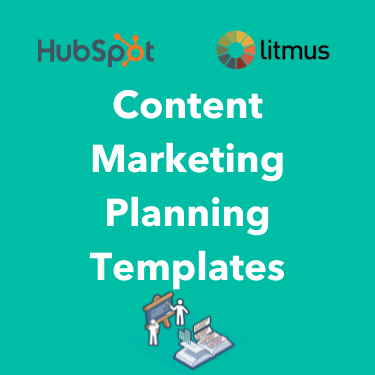
1. Content Marketing Planning Template
Download the content mapping template here.
You’re aware that you need a content marketing strategy in place to support the success of your inbound marketing and sales organizations. But how do you get started? We’ve created a content mapping template so you can create targeted content for each stage of your target audience’s buyer’s journey.
This template helps you identify buyer personas, outline their challenges and needs, and brainstorm content that provides solutions. You’ll have plenty of targeted blog post ideas to attract your audience to your site and convert them into leads.
2. Buyer Persona Template
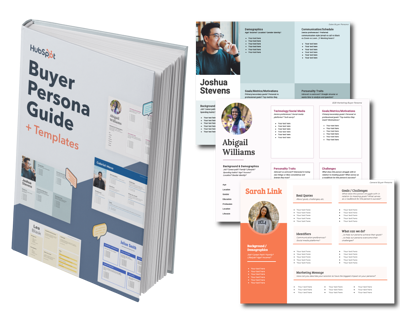
Download the buyer persona content template here.
Marketing to specific buyer personas results in more effective marketing decisions. This buyer persona template will help you easily organize your research to create your very own buyer personas. Use it to create beautiful, well-formatted buyer personas you can share with your entire company, while learning best practices for personal research along the way.
3. Blog Editorial Calendar Templates
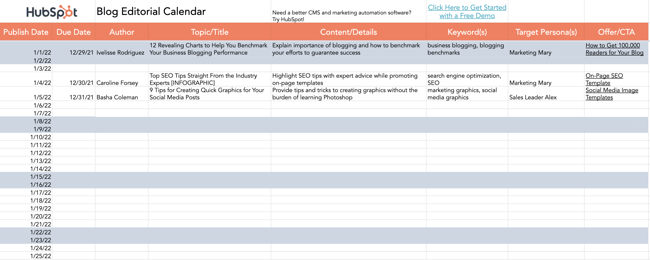
Download the blog editorial calendar templates here.
Having an editorial calendar for your marketing content will save you a whole lot of time — not to mention sanity — as you plan your content release timeline. We realize there isn’t a one-size-fits-all solution, so we’ve created three editorial calendar templates to use at your leisure: one for Google Calendar, one for Excel, and one for Google Sheets. (Read this blog post for a step-by-step guide for using the Google Calendar template.)
Website Content Templates
Selecting the right template sets the foundation for intriguing designs and functionality. This enticing duo can lead to more newsletter subscribers and first-time visitors purchasing from your website.
4. On-Page SEO Template
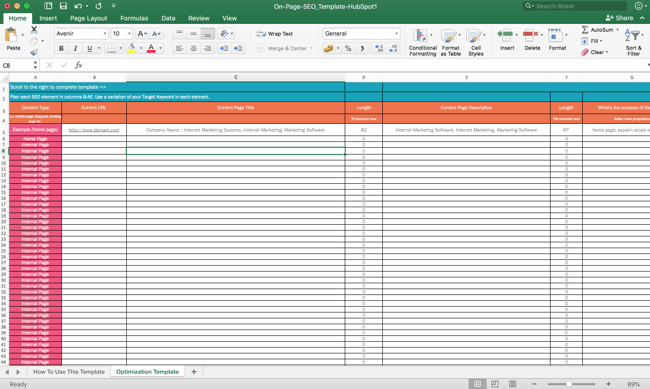
Download the on-page SEO template here.
The more content you publish to your website, the more traffic sources you’ll want to prioritize. One of those sources is organic traffic. To make on-page SEO easier, we’ve rolled out a handy website content planning template to help you create a website structure. It organizes each webpage and its purpose, and helps you outline how long it should be and how to optimize the metadata associated with each new page you publish. These on-page SEO templates will make your site more appealing to Google and help you rank better.
5. Website Optimization Checklist Template
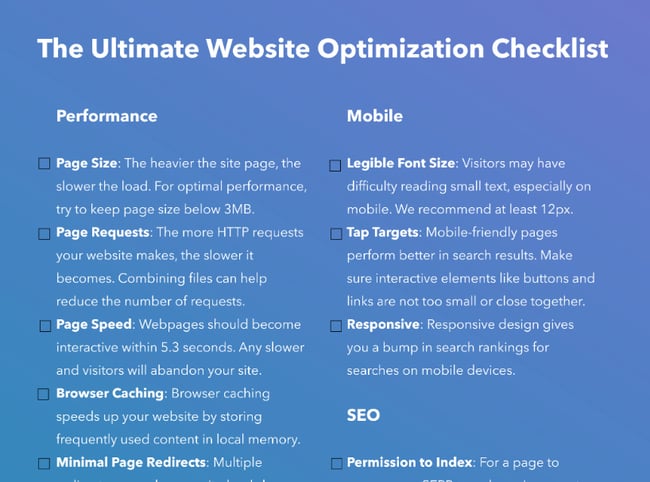
Download the website optimization checklist here.
A properly optimized website results in better search engine rankings and an improved user experience. This checklist focuses on website optimization, SEO, site performance, mobile optimization, and security. This, paired with a website content writing template, makes sites more likely to reach (and keep) ideal customers.
6. Search Insights Report Template
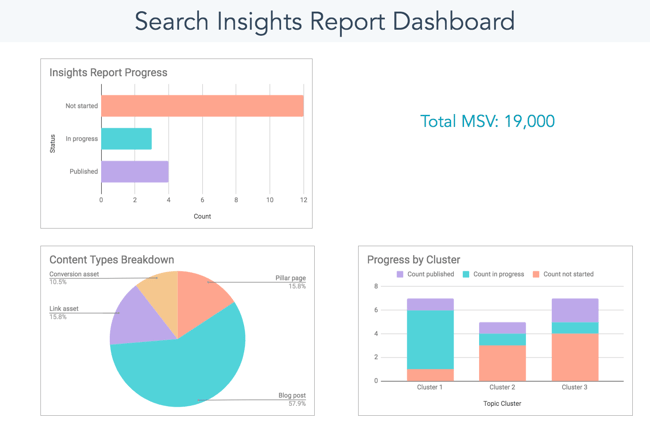
Download the search insights report template here.
Keyword research helps you determine how meaningful your content is to your audience. With this search insight report template, you can track how effective your SEO strategy is over time and measure the effectiveness of your writing.
Content Writing Templates
Here’s the thing with blogging: There isn’t one, easy template you can fill in to produce a quality content offering. You need to spend some time researching, brainstorming a title, outlining core content, and so on. Use the following templates to help you along the way.
7. Blog Post Templates
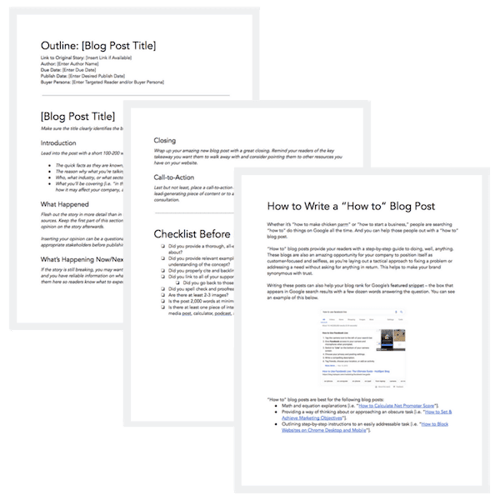
Download the blog post templates here.
Our content writing templates will walk you through the critical steps for creating the following six blog post types:
- How-To Post
- List-Based Post
- Pillar Post
- Infographic Post
- Newsjacking Post
- “What is?” Post
We’ve seen these formats crush it on our blogs, and we know you can use them to hit your own goals.
8. Ebook Templates
Download the ebook templates here.
Year after year, marketers cite lead generation as one of their top content marketing goals for the year. To succeed at lead gen, you need content offers — like ebooks — to help you get there. Our internal creative design team went to work building a kit of beautiful ebook templates — for use in either InDesign, PowerPoint, or Google Slides — for you to download, customize, and publish.
9. Free Memo Templates

Download the memo templates here.
Memos are essential content for effective internal communication. While they might not be customer-facing, they can ensure better, more aligned content is created by everybody on your team.
10. Call-to-Action Templates

Download the call-to-action templates here.
To help you design clickable calls-to-action (CTAs), we’ve built 28 pre-designed CTAs for you. These CTAs are super easy to customize, so you don’t need to know any fancy design programs — just PowerPoint or Google Slides.
Bonus: There’s also a handy free tool in there that lets you track your CTA clicks in real-time so you can see the exact number of clicks that your designs are reeling in.
11. A Press Release Template
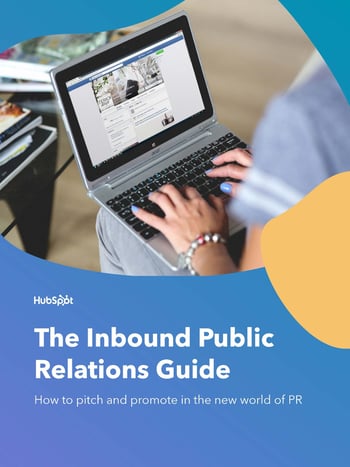
Download the press release template here.
Press releases can be effective when used correctly. Our press release template considers this and provides an inbound-optimized version. This means the template can help you script press releases and do so in a format optimized for sharing on your company blog. You can easily adapt and customize as needed for your PR needs.
Design Content Templates
Searching for design ideas can be as easy as making a note of what’s eye-catching while scrolling online. Many creators upload their themes, swatches, mood boards, and more to display their creativity, helping inspire various designs. The flexibility of templates, such as Pinterest templates for business, can also attract consumers toward your brand by posting content as informative as it is visual.
12. Pinterest Templates for Business
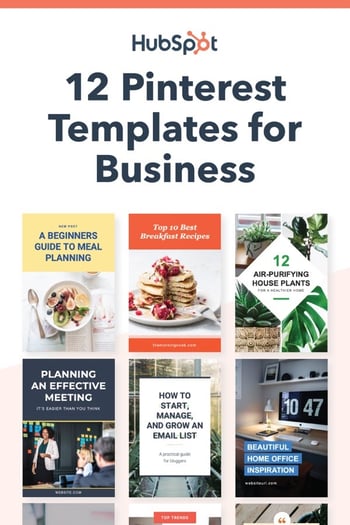
Download the Pinterest templates here.
With millions of monthly active users, Pinterest continues to bring businesses tremendous value. Whether you’re bringing leads to your website, sharing infographic content, or promoting a blog post, Pinterest is a great platform to leverage for content marketing. Download these 12 Pinterest business templates you can tailor to your product or service offering.
13. 150+ Content Creation Templates
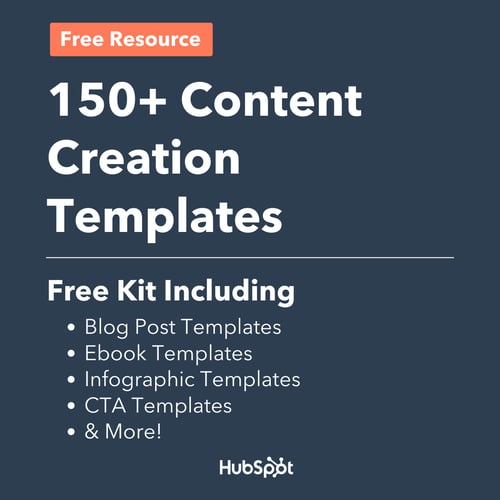
Download the content creation templates here.
Not a designer? Not a problem. We created over 150 visual marketing templates that are easy to use, work for any industry (finance, dentistry, agriculture, law — we’ve got ’em all), and are completely free. Some of the templates in this list are already included in this bundle. The templates include:
- Infographics templates
- Facebook ad templates
- Facebook post templates
- Twitter post templates
- Email header templates
- Blog title templates
- Facebook cover photo templates
- Twitter header templates
- LinkedIn cover photos templates
14. Infographic Templates
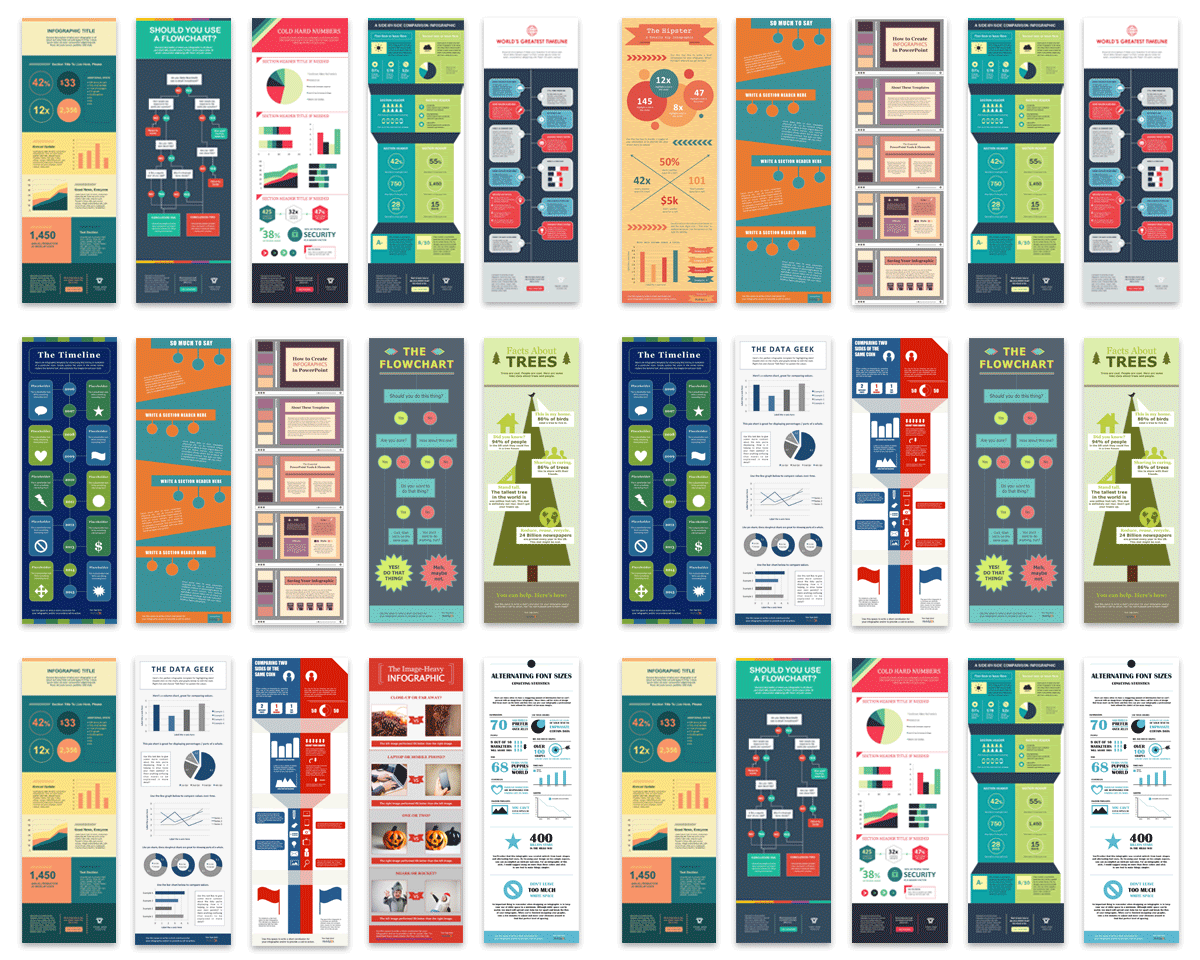
Download the infographic templates here.
Skip the frustrations and start creating the graphics right away. We’ve created several pre-designed infographic templates that you can customize in PowerPoint or Adobe Illustrator. Within each template, you’ll get guides to teach you how to use the templates effectively.
Social Media Content Templates
Every day, your potential customers actively and passively consume so much content. Exploring ways to quickly capture their attention can be fun and profitable. It’s all about packaging content in a way that feels innovative yet purposeful in its delivery. Check out the following social media templates to help you do just that.
15. 50 Social Media Graphics Templates
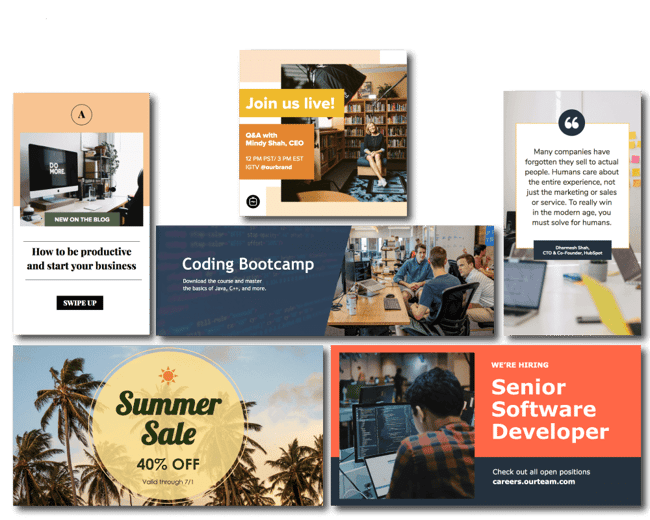
Download the social media graphics templates here.
People remember visual information 6x more than written or audio. But we know well enough that creating visual content takes more time and resources — which is why we’ve created these 50 customizable templates for you. These templates are in Google Slides, so they’re very easy to edit — no Photoshop skills required. Simply customize the text on an image, save it, and post it to social media. These social media templates will help you give variety to your content.
16. 11 Facebook Cover Photo Templates for Businesses 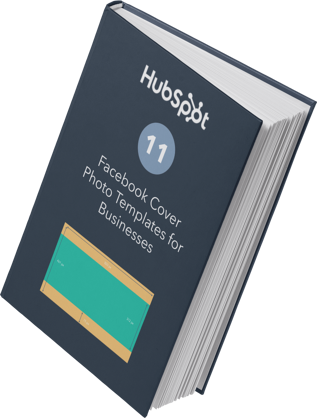
Download the Facebook cover photo templates here.
With how frequently businesses change and improve their Facebook pages today, you must have new material in the pipeline. Double down on your Facebook designs with these 11 templates dedicated to your Facebook cover photo. Get these designs by clicking on the link or image above.
17. Social Media Content Calendar Template
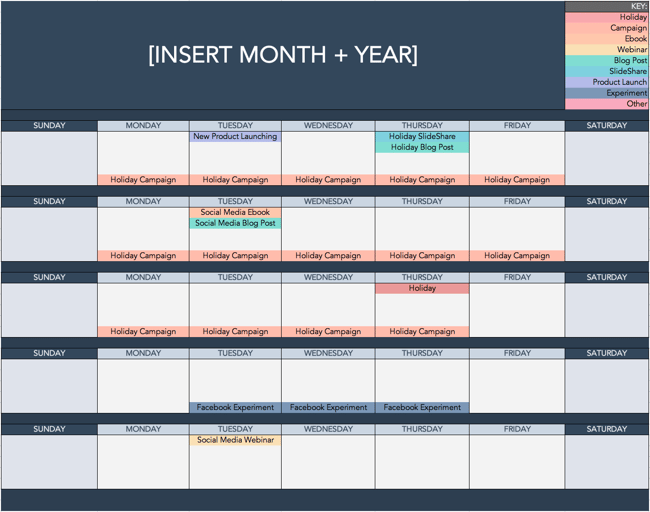
Download the social media content calendar templates here.
With so many different social networks to manage, a social media manager’s life becomes a lot easier when they can plan which content to share on each account — and when. This easy-to-use social media content calendar for Microsoft Excel lets you organize your social media activities far in advance. Use it to plan your updates and learn how to properly format your content for the four most popular social networks used for business: Facebook, LinkedIn, Twitter, and Instagram.
Email Content Templates
Communication with potential and current customers is how relationships remain valuable. Creating “one-size-fits-all” messages come across as inauthentic and lead to people unsubscribing to newsletters or not reading the emails from your company. Download the templates below to ensure you’re delivering timely, actionable messages to your subscriber base.
18. 15 Email Templates for Marketing and Sales
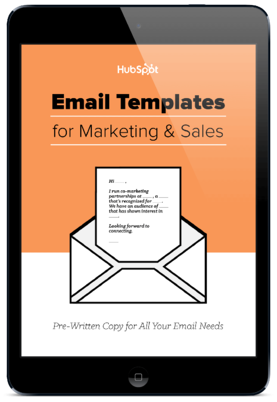
Download the email templates for marketing and sales here.
If you’re like most marketers, you probably spend way more time than you’d like to admit reading and responding to emails. There are many ways you can streamline your inbox to save time, but you ultimately will still have to create and send emails. That’s where these content templates come in. We’ve written the copy for 15 email templates that marketers and sales representatives are likely to send repeatedly to save you time and get you results.
19. Email Marketing Planning Template
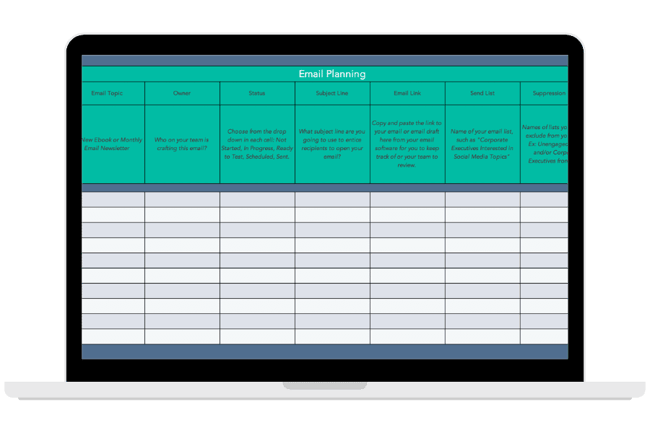
Download the email marketing planning template here.
Set goals for your email marketing planning with this free template. Available via Excel and Google Sheets, this template can help your marketing team plan an effective email marketing campaign with only half the work.
Video Content Templates
Creating videos that tell compelling stories can offer fresh perspectives about products or services. Setting up the lights and camera demonstrates why consumers should purchase from your company and can reach people all across the world in a matter of seconds.
20. 18 YouTube Templates for Business
.png?width=320&name=Image%20Hackathon%20%E2%80%93%20Vertical%20(52).png) Download the YouTube templates for Business here.
Download the YouTube templates for Business here.
Depending on your role as a content creator, you may also be responsible for video content. A striking thumbnail and banner are a couple of the factors viewers rely on to determine what videos to watch. However, you don’t need to spend hours creating the perfect channel art for each video. These YouTube video content templates make this task simple so you can focus on more important things, like filming, editing, and promoting your videos.
Content Marketing Made Simple
Content marketers are expert storytellers, but designing visual guides and tinkering with Excel spreadsheets may not be your favorite part of the job. With hundreds of templates included in this blog post, you can spend more of your precious time doing the work you love.
So, there you have it, content marketers: hundreds of templates to help you start creating content easily and quickly and further your inbound success.
Editor’s note: This post was originally published in December 2020 and has been updated for comprehensiveness.

Will Brands Boost Investment in Experiential Marketing in 2022? [New Data]
Experiential marketing involves inviting your audience to interact with your brand in a real-world situation.
These experiences are often hands-on, exciting opportunities that help businesses engage with attendees in a way that is different from interactions they may have online.
Read on to discover new data about how businesses are investing in experiential marketing and how you can leverage the strategy in your processes.

Will brands invest in experiential marketing?
HubSpot Blog’s Marketing Industry Trends Report surveyed 1,000+ global B2B and B2C marketing professionals and asked them about the marketing trends they currently leverage.
29% of marketers say they use experiential marketing in their roles, and of those who use it, 51% say it is the second most effective trend they leverage. 83% of marketers also plan to continue investing the same amount or increasing their experiential marketing investments in 2022.
So, yes, brands will continue to and increase their investments in experiential marketing. Let’s discuss why.
Why are brands investing in experiential marketing?
Real-life experiences help foster a sense of connection that brands cannot mimic digitally. Esther Sauri, a marketer at Linkilaw Solicitors, told Business News Daily that experiential marketing is effective because humans are emotional beings: “When a brand connects with us in an emotional way, we not only buy it, [but we become] loyal customers.”
Marketers also say that continued investments in experiences are due to consumers’ desire for connection and community with their favorite brands after a few years of digital-only options. Brett Hyman, founder and president of NVE Experience Agency, told BizBash that, while production and safety remain key, “2022 will be about creating the best in-person experiences that focus on a return on their time…it’s important we prioritize experiences as a way to foster the human need for connection.”
Health and safety measures still remain critical for brand activations and experiential marketing experiences, though, so Cara Kleinhaut from AGENC told BizBash that leaning into outdoor environments is a best practice: “Giving consumers an exciting and visually stimulating space to explore, especially one with great air ventilation and where we can time and regulate the throughput, is very attractive to consumers right now in my view.”
Affordable Experiential Marketing Examples
1. Harry Styles – Harry’s House
Musician Harry Styles released an album, Harry’s House, in May of 2022, and promoting it involved launching pop-ups in cities across the world.
People could visit the pop-up and buy merchandise, but the main attraction was a life-size version of the album cover that people could take pictures in as if they existed within Harry’s House. The image below features his album cover on the left and a fan recreation on the right.

It was an affordable way to develop a connection with audiences who felt like they were part of his world by creating their version of the album cover. It also generated free marketing for the album, as people were encouraged to share images of their experience at the pop-up online.
2. DoorDash – Dash Course
Delivery service DoorDash created an experiential experience to draw attention to the hard work its delivery drivers do daily to seamlessly deliver food. The experience featured food-themed inflatable obstacle courses where the brand challenged people to leap over hot dogs or dive through the center of a donut.

The inflatables were set up in a public space on college campuses, generating brand awareness from people simply walking by, a free form of marketing.
3. IKEA Sleepover
It was a cost-effective experiential marketing event for the business as it simply used its existing products, like beds, pillows, and bedding, to help sleepover attendees build their own sleepover setup.
A Facebook group called “I wanna have a sleepover in IKEA” inspired the business to take action on this request by randomly selecting 100 members from the group and inviting them to a sleepover.

The sleepover was a hands-on, interactive experience that inspired a new form of connection with attendees, and it essentially offered people a free trial of its products. It was also cost-effective marketing, as it simply used its existing products, like beds, pillows, and bedding, to help sleepover attendees build their own sleepover setup.
It was also a cost-effective way to connect with audiences as it simply used the products it already offered, like beds, pillows, and bedding.
Experiential Marketing Helps You Form Emotional Connections
If you’re hoping to deepen the relationships you have with your target audience, events, experiences, and interactions help you establish emotional connections that are much deeper than what can come from sending an email or a targeted Instagram ad.


When to Post on Instagram: A Simple Guide
How often you post on Instagram can affect your success on the app. Post too much and you oversaturate your audience, post too little and you can stand to lose followers (Marketers say that this is the number one reason they lose followers).
Given that your audiences want to hear from you on the platform, creating a posting schedule that meets this desire is important. Read on to learn how often your business should be posting on Instagram.
![New Data: Instagram Engagement Report [2022 Version]](https://no-cache.hubspot.com/cta/default/53/9294dd33-9827-4b39-8fc2-b7fbece7fdb9.png)
How Often Should A Business Post On Instagram
During Instagram’s 2021 Creator Weekend, Adam Mossieri (Head of Instagram) was asked about the ideal number of posts for businesses to make to succeed on the app. He said there was no set formula, but an ideal strategy is to share a couple of in-feed posts per week and a couple of stories per day.
A recent HubSpot Blog Survey asked the same question, and here are the responses collected from 500+ global B2B and B2C Instagram marketers.
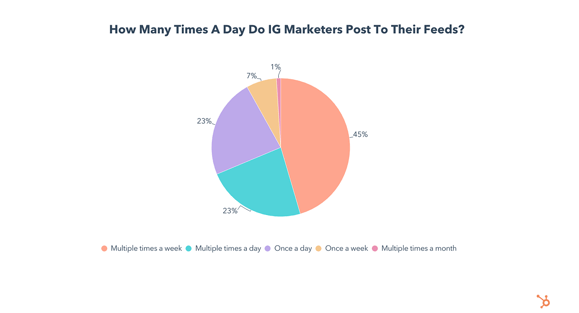
Overall, 80% of marketers post to their feeds in their roles. When they do post,
- 45% post multiple times per week,
- 23% post multiple times per day,
- 23% post once per day.
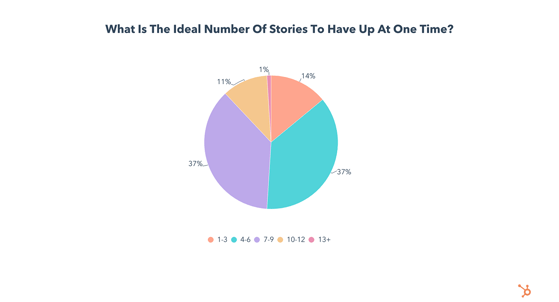
The survey also asked marketers how often they post Stories, and 43% post stories multiple times per week, 23% post multiple times a day, and 23% post daily. Marketers also say the ideal number of Stories to have up at once is 4 – 9.
How To Know the Best Posting Frequency for Instagram
Coming up with the best posting frequency for your brand or business to post on Instagram involves leveraging the insights found above and experimenting, as your followers will let you know what works.
For example, if engagement tends to drop off after a certain number of posts per week, your followers are saying that you might be posting too much.
You also need to be mindful of when your followers are most active and the time zones they’re in. If you post when your most engaged audience is asleep, it doesn’t matter if you post ten times per week because they won’t be online and ready to engage when you’re trying to reach them.
Experiment with a posting schedule and use your insights and analytics to see what works and what doesn’t. Once you’ve figured out the perfect number of posts, you can stick to it week by week by scheduling your content.
Over To You
You never want to miss an opportunity to reach your audience. Aim to maintain a presence on the app that helps them learn from your business and remain excited to see what you’ll share with them next.


5 Best Answers to “Why Do You Want to Work Here?” [+ Why They Work]
“Why do you want to work here?”
It’s a question almost every job candidate can expect in the interview process, and for good reason: your answer will help the hiring manager decide if you’re genuinely interested in the role, or if it’s just another one on your list.

While the question is relatively straightforward, it can be tricky to maneuver. Here, we’ll cover strategies to handle the question and offer five example responses for you to reference.
1. Give a well-rounded answer.
Saying the job looks interesting — or the company is great — isn’t enough. In other words, if you can answer this question in four to five words, you probably need to go back to the drawing board. Remember, the interviewer is looking for a substantive answer that can help them gauge your interest and decipher if you’re a good fit.
2. Do your homework.
Arguably the most important step is researching the organization ahead of your interview. A good place to start is their website. Go beyond the home page to learn more about the company’s mission, goals, and culture. Take note of what stands out to you.
Social media can also offer a glimpse into an organization, its initiatives, and its culture. Go a step further and look up any recent press releases or articles about the company to be in the know on its latest developments.
3. Consider your own values.
When trying to prove you’re a good fit for an organization, remember it’s equally important for an organization to be a good fit for you. This is why it’s essential to define your values, then identify organizations that share similar ones.
If you’re unsure about your core values, ask yourself the following questions:
- What kind of culture do I thrive in?
- How can an organization make me feel supported?
- What motivates me?
- What are my personal and professional goals?
4. Study the job description.
Chances are, you skimmed through the job description before applying. Now it’s time to give it a second glance. What initially sparked your interest in the role? What are the core qualifications? How can this role help you achieve your career goals? Your responses will guide you through the next point.
5. Choose your reasons carefully.
If you’re focusing on candidate-centric things — work-life balance, benefits, compensation, a faster commute — you’re thinking about this question wrong.
Your interests should lie at the intersection of company needs, responsibilities of the role, and candidate competencies. For example, if you’re interviewing for a podcasting position, here’s how you might break down the answer to this question:
Company Needs: We need to partner with heavy-hitters in our industry.
Responsibilities of the Role: Source talent, brainstorm episode topics, prep guests, and edit episodes.
Candidate Competencies: Skilled with Audition, finger on the pulse of the industry, and deadline-oriented.
Personal Motivation: I want to work with high-profile people and make some good connections.
So, what’s the intersection of company needs, role responsibilities, candidate competencies, and personal motivation? You might talk about how you’ve learned a lot over the years by interacting with, reading, or listening to the experts in your industry. You’ve seen firsthand the impact exposure to them can have on a company and an individual.
Not only does an answer like that relate to the needs of the role and the company, but it ties in your abilities and shows that you’re personally motivated by the mission.
5 of the Best Answers to “Why Do You Want to Work Here?”
1. Speak to Your Skillset
“I recently read an article about your company’s expansion into international markets. Having worked in global sales for the past eight years, this is an opportunity for me to make a positive impact for a company I admire.”
Why It Works
This answer makes a convincing case that you have the necessary skills and experience to exceed in this role. You also demonstrate that your skills fit the company’s goals for the future.
2. Speak to the Culture
“Something I feel is harming the I.T. industry is this so-called “grind culture.” While it’s necessary to work hard, you can quickly burn out. I respect how one of your core values is maintaining the mental health of your employees. I admire this approach and, combined with my excellent work ethic, I’m confident we can produce great results.”
Why It Works
“Company culture” is a bit of a buzzword these days. It can apply to anything from ping-pong tables to free snacks. But in a broader sense, it should reflect a company’s values and priorities. This example calls out a specific issue and how the company addresses it. In doing so, it shows genuine interest in working for a company that cares about its people.
3. Speak to the Company’s Mission
“This might sound a little cliche, but I like working in customer service because I enjoy solving for the customer. I’ve always been impressed by Company XYZ’s excellent track record of doing just that. You’re a mission-driven organization with a focus on making people’s lives easier. My passion for customer service stems from a similar mindset.”
Why It Works
This example works because it shows you’ve done your homework on the organization. It also relates your professional approach to customer service to drive home that you’re a great fit.
4. Speak to Your Core Values
“I first heard about Company XYZ last year when I came across your Clean the Seas campaign. Conservation is important to me, and I respect your initiatives in this area. I think it would be incredible to work at a place where I can apply my marketing skills to a cause close to my heart.”
Why It Works
This example aligns your values with those of the company. It highlights your admiration for their environmental work while communicating your passion for the same mission.
5. Speak to Your Product Expertise
“As a fan of your products, I’m always impressed with your developments in this space. In my work, I’m constantly looking for new solutions, so I’m excited by the opportunity to join a team as passionate about innovation as I am.”
Why It Works
This answer shows that you’ve not only researched the company, but you have firsthand experience with their products. It also underlines your interest in product development and innovation.
Back To You
“Why do you want to work here?” It’s a great question to help hiring managers to gauge your level of interest — and provides an opportunity for you to share what really matters to you. If you come prepared, you should have no problem nailing your answer.

11 Website Copywriting Tips to Increase Conversions in 2022
A 2022 State of Content Marketing report by SEMrush revealed that 40% of brands surveyed say they outsource copywriting. If you fall in the 60% and want to improve your copywriting skills, we’re here to help.
Web copy can make the difference between a visitor and a lead. It plays an integral role for consumers at every stage of the buying cycle, from awareness to decision making and advocacy.
Below, you’ll find tips on how to write compelling copy.
Most marketers can identify poor web copy when they see it. Why? Because poor web copy doesn’t read smoothly, stir emotions, influence behaviors, or make explicit calls to action.
It feels purposeless — and that’s the exact opposite of what marketing is meant to accomplish.
Yet, web copywriting is a strategy that sometimes falls by the wayside, often overlooked for other website elements like SEO, design, and functionality.
1. Know your audience.
The number one tip for website copywriting is to know who will be reading it. If you don’t have a reader in mind, how will you know which words and tone will resonate with them best?
As a writer myself, I am constantly aware of the user and their needs. It’s my north star when writing posts. How did I get to know them? Through user personas and data.
User personas will tell you who is the average reader landing on my article, what their pain points and challenges are, along with their goals. Data will give you insight into what strategies have performed well with that audience and which ones to stay away from.
With both, you’ll gain a deeper understanding of your audience, which will allow you to write copy that will engage and compel your user to take action.
2. Figure out the why.
You’ve been tasked with writing a particular piece of copy on the company website.
Once you understand your audience, one HubSpot marketer recommends asking yourself, “who cares?”
“If I can’t answer that, then I can’t expect anyone to read it,” said Curtis del Principe, SEO content writer at HubSpot. “Once I have an idea of who cares (and why), then I have an angle and a through line to guide my writing.”
Too often, we write without diving into the purpose of the content. What will the reader gain from reading this? What do I want them to do after reading this? Why should they care about this content?
Answering these questions is key to writing valuable content.
3. Complexity kills readability.
SEMrush recently analyzed over 23,561 texts ranking in Google’s top 10 results. They found that the lowest-scoring texts had two things in common: They were too long or too complex.
In fact, 41% of low-scoring texts used words that were too complex.
Take this as your sign to skip the jargon and the fancy words – just get straight to the point. Here are a few examples:
- Helpful vs. Beneficial
- Use vs. Utilize
- Happen vs. Occur
- Test vs. Examine
When in doubt, keep it simple.
4. Be concise.
Nobel prize winner and writer William Faulkner said it best: Kill your darlings.
As writers, it’s so easy to get carried away with our words. In marketing, using excessive language can have the exact opposite effect.
AJ Beltis, senior marketing manager at HubSpot responsible for blog leads, calls himself a wordy writer. So, he focuses on brevity.
“The first time I write something, I get all of my thoughts down in writing. Then, I’ll look it over again, and ask myself, “how can I say this more concisely?” he says. “I find that I’m able to get my point across clearer and faster as a result.”

Madison Z. Vettorino echoes this by encouraging brands to keep their copy “bite-sized” without sacrificing accuracy and authenticity.
“Every word and sentence should connect to that core idea. If it doesn’t, it’s unnecessary and should be deleted,” she says. “When it comes to copywriting, the ability to keep it brief yet impactful is a superpower.”
5. Write how you speak.
This one seems obvious but can be the biggest hurdle for copywriters.
We often think that our readers use language that’s more advanced and elevated than our own. But the truth is, many readers want to be spoken to like a friend.
“It’s more relatable and conversational, and the reader gets a little taste of your personality,” says HubSpot staff writer Alana Chinn. “Plus, it’s a lot easier to write about complex topics if you think about how you’d explain them to a friend or family member in real life.”

6. Take breaks between drafts.
When you’ve been working on something for a while, it becomes hard to spot errors.
To combat this, take a lot of time between edits, says HubSpot staff writer Madhu Murali.
“This gives me a fresh perspective on the piece each time I read it and get a better idea of a reader’s POV,” he says.
When rereading, you’ll likely spot clunky sentences, awkward phrasing, and grammar mistakes more easily. This approach can turn good copy into great copy.
7. Break up the copy.
No matter how good your copy is, if it’s long and bulky, you’re likely to lose your reader’s attention.
Eye-tracking studies reveal that website visitors often skim articles instead of reading every sentence. As such, break up your paragraphs – especially if your traffic mostly comes from mobile devices.
This can be also done through subheaders, bullet points, and images, as shown in the example below.

8. Avoid overuse of buzzwords.
I once landed on a website and read so many buzzwords that I had no idea what they were saying. I spent a few minutes re-reading sentences to make sense of them but got nowhere.
I got discouraged and exited the site.
When using buzzwords, the goal is usually to use words most likely to stand out to readers. Sometimes, people get carried away a bit and you end up with a convoluted sentence with no substance.
In this case, less is more. So, keep your copy straightforward and jargon-free – unless you have data to prove that it works for your audience.
9. Focus on benefits.
As straightforward as this seems, many companies fail to apply this principle to their web copy.
They focus on what their company does and what products they offer, instead of writing from the reader’s perspective. What can they gain from using your software? Start from there.
So, instead of saying “We do inbound marketing,” try something like “Increase your web traffic and leads with engaging content,” which immediately outlines the benefits.
10. Don’t overlook microcopy.
Microcopy refers to short text on a website, such as a call to action and the label on a form field.
the text that doesn’t seem to come up in conversation very often, but it’s little details like these that can make or break the user experience on your website.

Easier said than done, right? We know.
There are a few surefire ways to write an engaging CTA:
- Use action verbs – Instead of generic phrases like “Click here” and “Learn more,” use terms like “discover,” “join,” instead of generic phrases like “click here.”
- Appeal to their desires – If you know your audience seeks community, you can emphasize this with a CTA like “Join a community of 1,000+ marketers.”
- Evoke urgency and scarcity – Terms like “limited,” “Act now,” and “while it lasts,” can drive action from consumers who don’t want to miss out.
11. Check out the competition.
It’s always helpful seeing what your competitors are doing, as it can inform your own strategy. Copywriting is no different.
Review your direct competitors’ websites and take note of their copy. What’s their tone? How do they present their products and services to consumers? What CTAs do they use (and on which pages) to drive traffic through to the bottom of the funnel?
I’m not suggesting that you should adopt their copywriting approach but it doesn’t hurt to know their take.
Now that you have all these tips, you can step your copywriting game up and increase those conversions.
Editor’s Note: This post was originally published in March 2015 and has been updated for comprehensiveness.

The 14 Best Graphic Design Portfolios We’ve Ever Seen, & How to Start Your Own
A great graphic design portfolio can’t move mountains, but it can change your life with a new job or opportunity. AI and other factors are impacting graphic design hiring, making your portfolio more important than ever before.
And while some designers still carry a physical book of printed design examples, most portfolios are graphic designer websites. These sites show audiences much more than design skills like logo design or typography.
Whether you’re a full-time graphic designer or dabbling in design as a side project in your free time, it’s critical you create a sleek graphic design portfolio to showcase your work to potential clients.
Fortunately, we’ve created a list of 14 impressive graphic design portfolios, followed by instructions on how you can create your own. Keep reading to get all the tips you need to curate the perfect space to showcase your work.
A graphic design portfolio is one of the most important elements a client needs to see when choosing a graphic designer — which means a portfolio is vital for proving your skill as a designer.
Additionally, a graphic design portfolio, much like a resume, provides necessary contact information, and any case studies you care to include from past employers.
Most portfolios today are graphic designer websites. This means that they’re not only a way to connect with clients. They also help graphic designers build communities and share their work with potential fans around the world.
So what does a graphic design portfolio need to look like to stand out? Some of the best graphic design portfolios today include these elements:
- Motion graphics
- Video
- Original illustrations
- Animation
- Product design
- UX design
- Ad campaigns
- Storyboards
- Brand identity
Let’s look at some graphic design portfolio website examples to inspire and motivate your portfolio development. You could be a traditional graphic designer or experimenting with new media. There’s something here for everyone.
1. Morag Myerscough
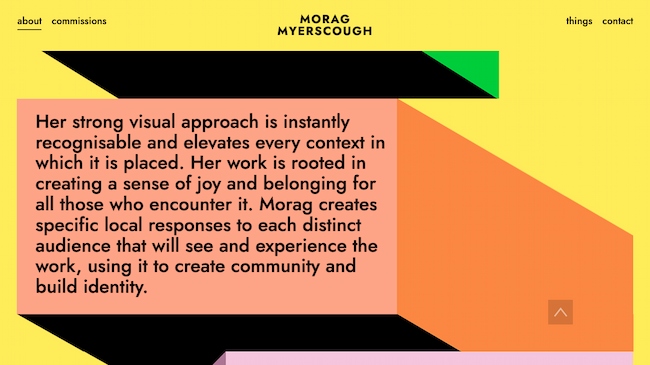
Bright graphics, animations, and clean design make this an exceptional graphic design portfolio. This approach is great for designers who lean into the art of design. It also works for designers who take on more experimental or site-specific projects.
Why we chose this graphic design portfolio: Myerscough’s aesthetic is unique and this image-focused site quickly communicates her style.
Short sections of copy connect her visual brand to her background, professional experience, and personal philosophy. The combination makes the site feel like it shows the whole designer, not just a visualization of the work she does for clients.
2. Heather Shaw
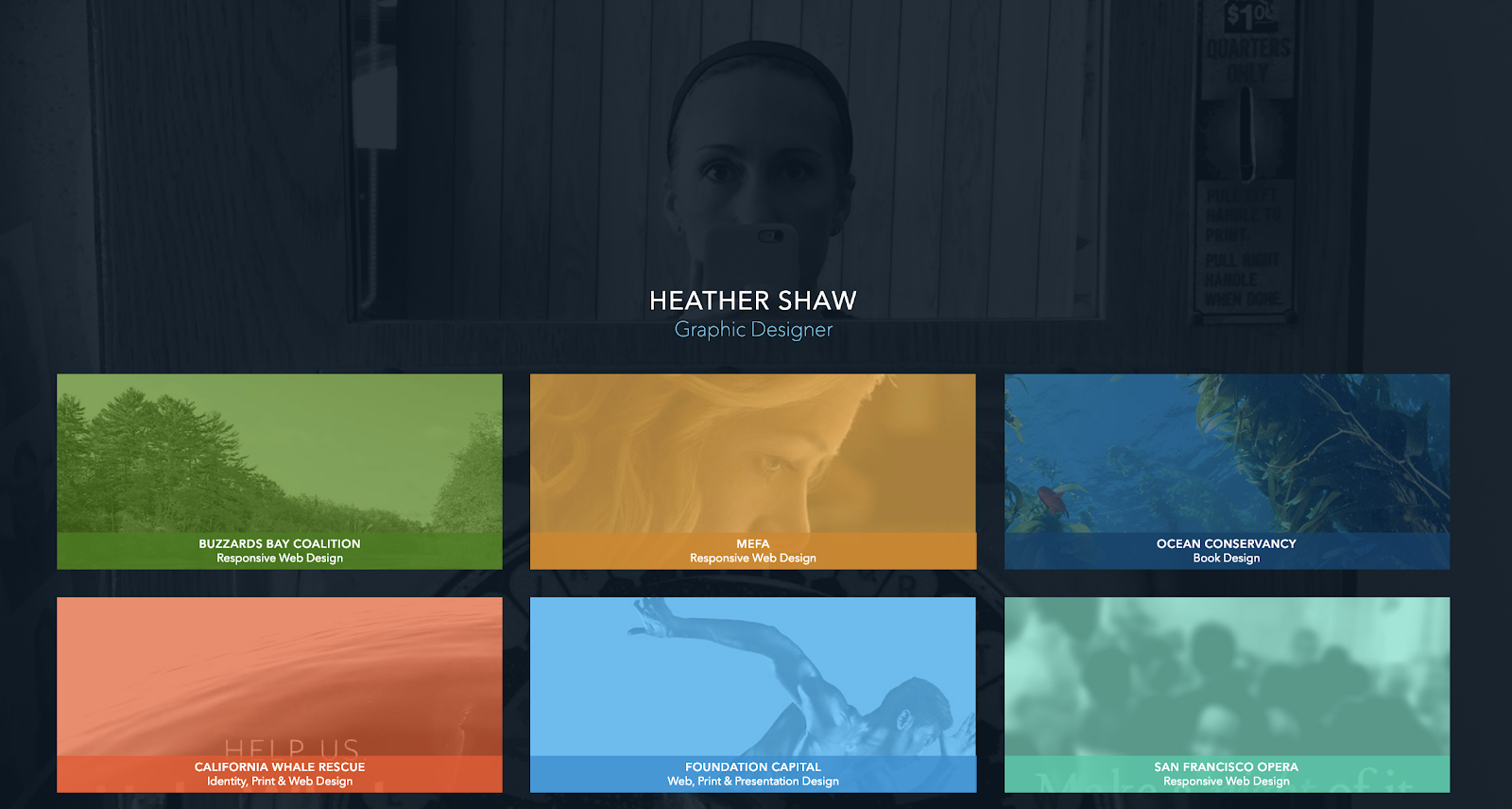
This graphic design portfolio website includes samples of book and website designs, branding, and more. It’s good for designers who work in many different media but want to present a cohesive portfolio.
Why we chose this graphic design portfolio: Heather Shaw’s portfolio is super clear and easy to navigate. It shows a wide range of skills and approaches to solving client problems, but it’s also visually consistent.
The designer also uses text effectively to explain each project and to encourage further engagement with the work.
3. Mohamed Samir
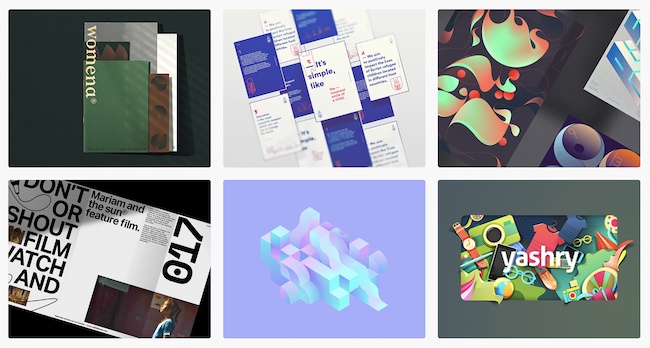
Samir’s work includes branding, typography, posters, and print design. So, this graphic design portfolio zeros in on a tight collection of award-winning designs.
This graphic design portfolio is on Behance. This makes it a good fit for graphic designers who want an online presence without designing their own website.
Why we love this graphic designer’s website: Besides the high quality of the design work, this portfolio shows a diverse range of approaches to typography and style. At the same time, it shows a consistent vision and passion for visual communication.
The printed design work is also well-photographed. While the designer could have added a digital file instead, the photographs give you a better sense of the final polished design.
4. Gleb Kuznetsov
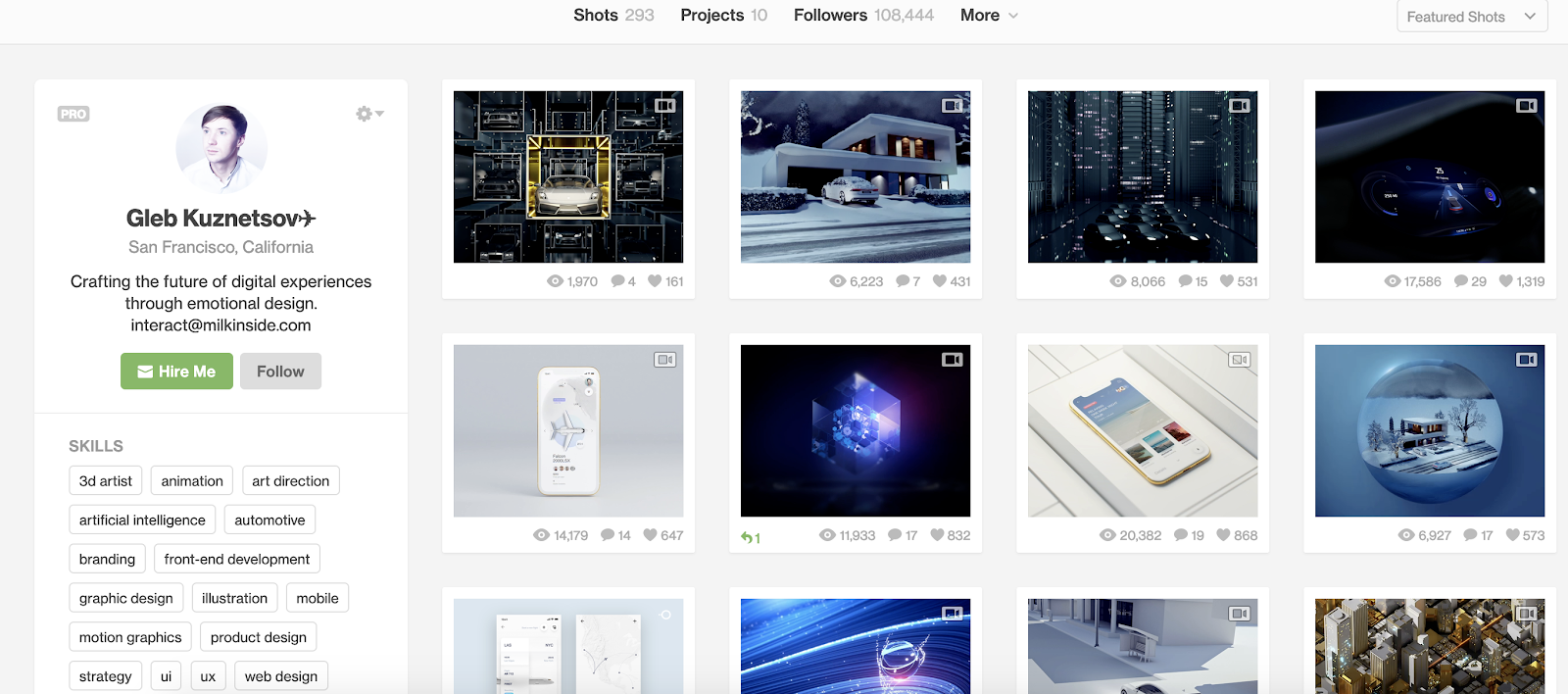
Kuznetsov’s portfolio combines product design, user experience, and graphic design to create something entirely new. This Dribble-hosted portfolio has over 50 images, which could be overwhelming. But they’re split into seven easy-to-understand projects.
This makes it a great graphic design portfolio example for designers who want to show long-term or complex projects.
Why this is a great example of a graphic design portfolio website: From the images to his brief “About” statement, this designer makes his unique vision and personality part of the work and its presentation.
5. Chris Tammar
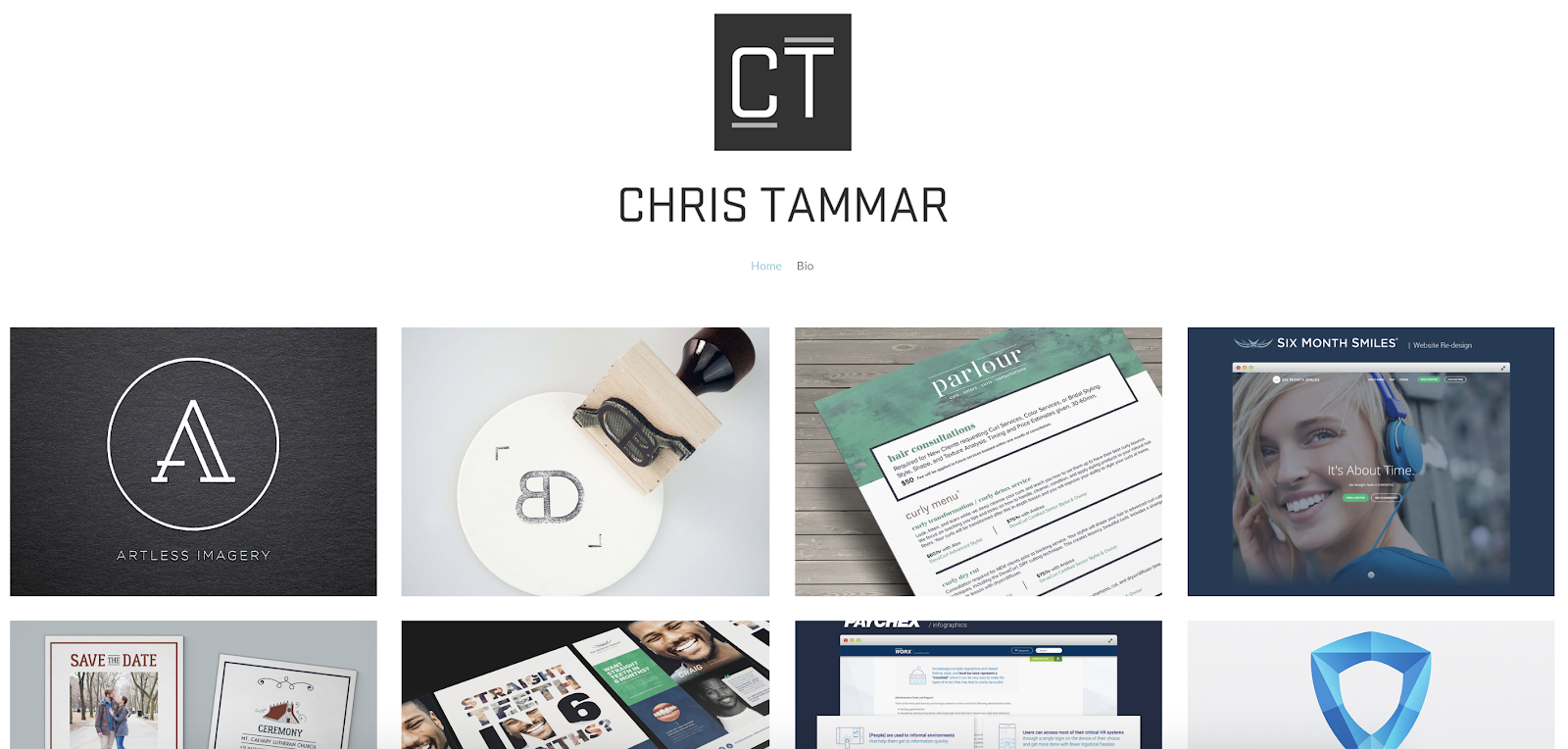
Great designers often let the work do the talking. It’s a streamlined graphic design portfolio that calls attention to client deliverables. When text is present, it adds to the value of the work, like mentioning other websites that featured their infographics. This is a great portfolio format for designers doing graphic design work like:
- Logo design
- Packaging
- Brochures for business clients
Why we chose this graphic design portfolio: This group of work is simple and to the point. It also shows off a wide range of skills and tactics with a consistent vision.
6. Sophia Yeshi

A clear header and tile design emphasize work samples from this powerful graphic designer.
While the tiles emphasize the designer’s unique style, you can click on each tile to get the full details about each project. This is a great approach for designers who want to share the deeper story behind each project while still making the site easy to navigate.
Why we love this graphic designer’s website: A distinct style is important in graphic design. That said, it can be tough to show how many ways you can apply that distinct style in a business context. Major brands, including Google, Nike, and Comcast, use Yeshi’s unique illustrative voice to speak for their brands.
This website portfolio makes that point clear, while still making graphic design the focus.
7. Stefanie Brüeckler
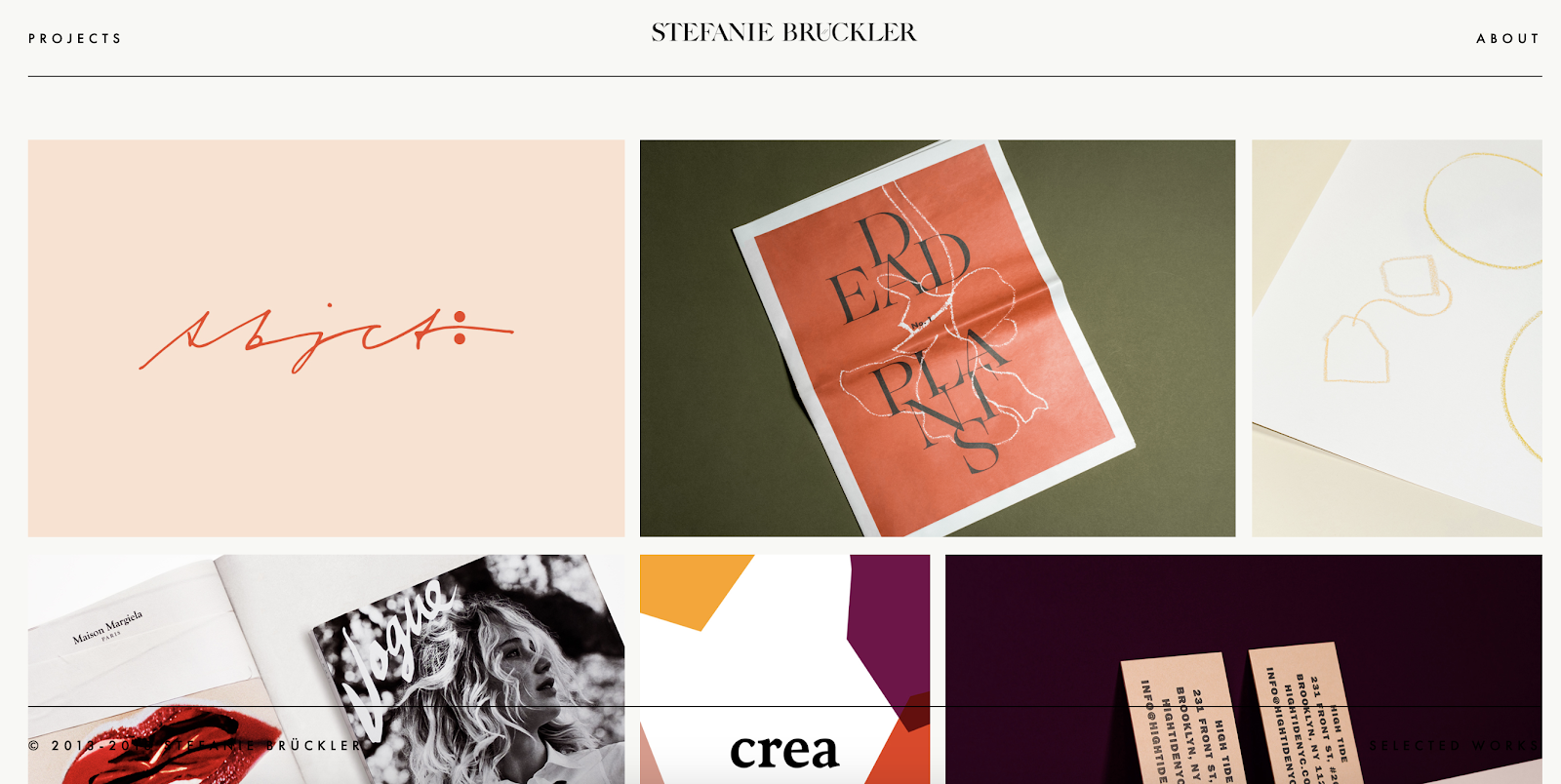
This portfolio includes packaging design, illustration, and web design as well as graphic design and branding work. It’s one of our favorite graphic designer websites because it’s clean and easy to navigate.
It also shows a lot of different examples of work at a glance. This makes it a great example for designers who aren’t sure how to organize all the work they want to include in their portfolio.
Why we love this graphic designer website example: Brückler’s graphic design portfolio focuses on the tiniest of details to create an excellent user experience. From the simple page loading animation to the thoughtful use of motion graphics, this designer hones in on the stunning details.
8. Chip Kidd
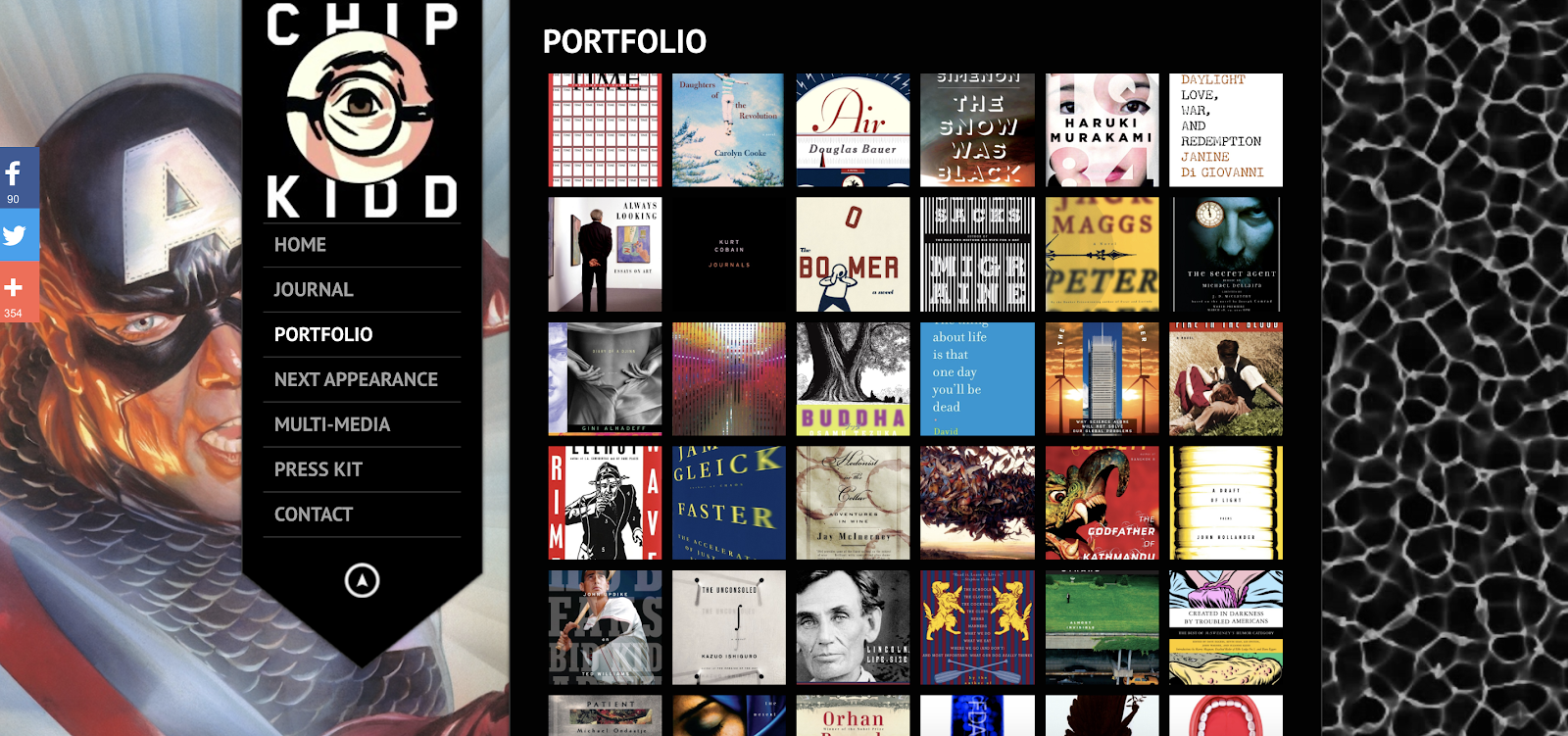
Book cover designer Chip Kidd’s graphic design portfolio website uses lightbox-style pop-ups. Popups make it easier to focus on each book cover. This is a smart way to narrow in on the visuals with a graphic design site while still making it easy to see all the work in one place.
Kidd uses a range of different styles for book covers, and it’s edited in a way that makes this range look natural and exciting instead of chaotic.
Why this is a great example of a graphic design portfolio website: The dark background makes this graphic designer’s style pop. And the simple side navigation gives users a quick path to learn more about the designer and his work.
9. MDZ Design
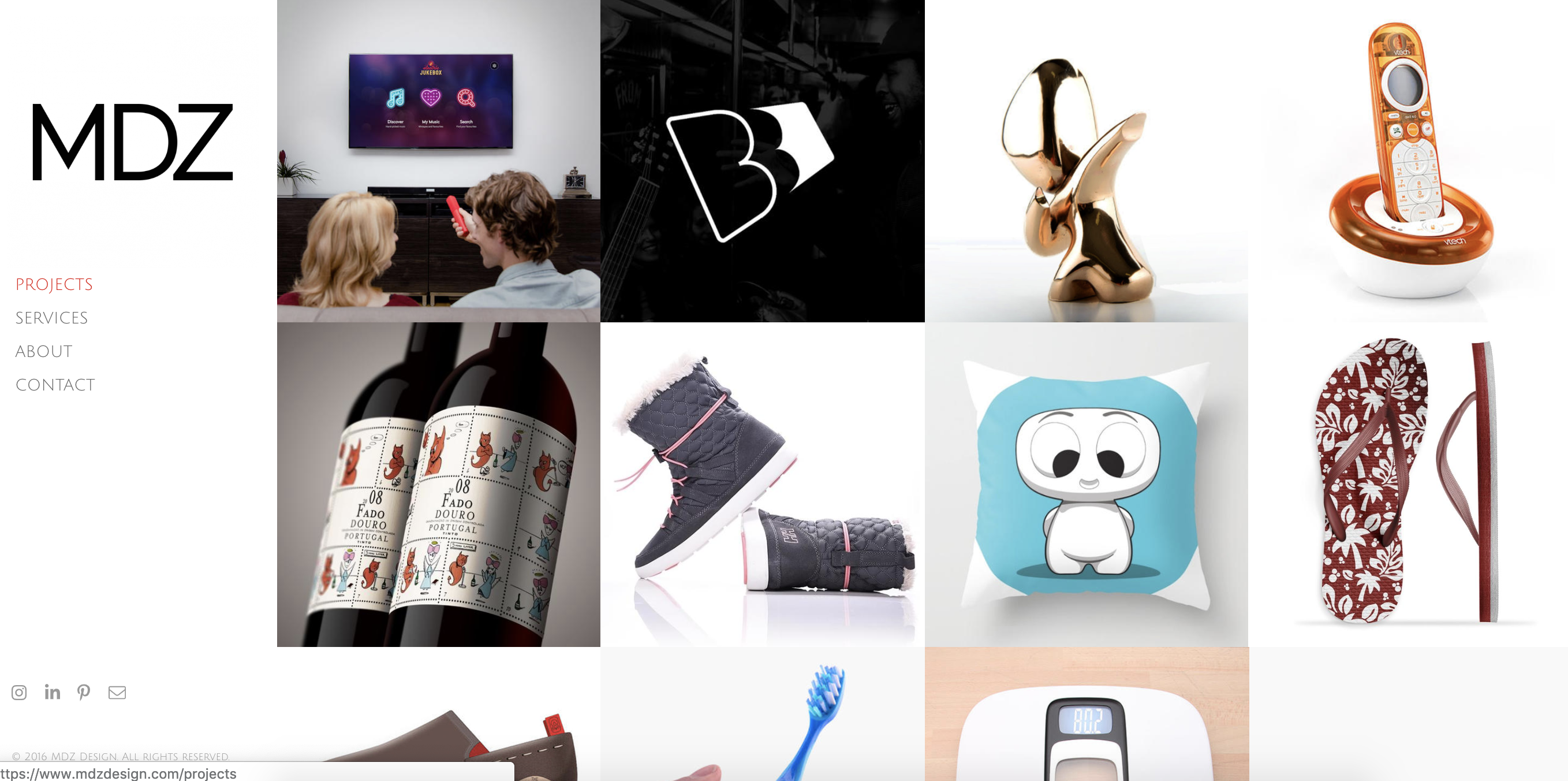
Concise and exciting images on this graphic designer website example give site visitors a peek at execution and strategy.
MDZ Design also offers product design and strategy to clients. This makes their graphic design portfolio a useful example for strategy-focused designers.
Why we love this graphic designer website example: The range of services this portfolio shows could be overwhelming or confusing. Instead, it’s a chance to see their approach to problem-solving. They also make it easy to see how their process leads to results for their clients.
10. Alex Trochut
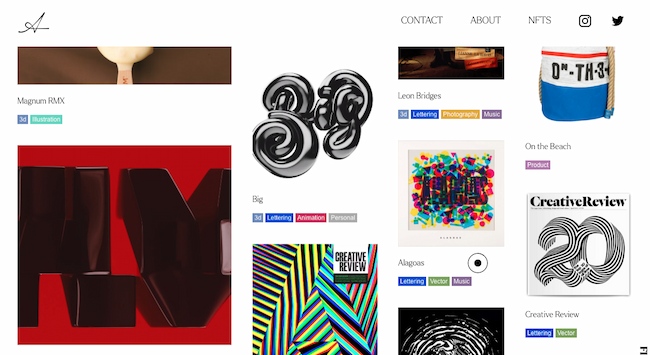
This graphic design portfolio is also a home for Trochut’s product design, animations, music, and NFTs. It’s a great example for multimedia artists who want to present their work on a single website. It also works for creators with a big collection of work to show.
Why we love this graphic designer website example: The four-column layout of this site shows image thumbnails of varying sizes. Each column moves at a different pace as you scroll down the page.
This motion feels dynamic and exciting and reinforces this designer’s original takes on color, type, and layout.
11. Tobias van Schneider
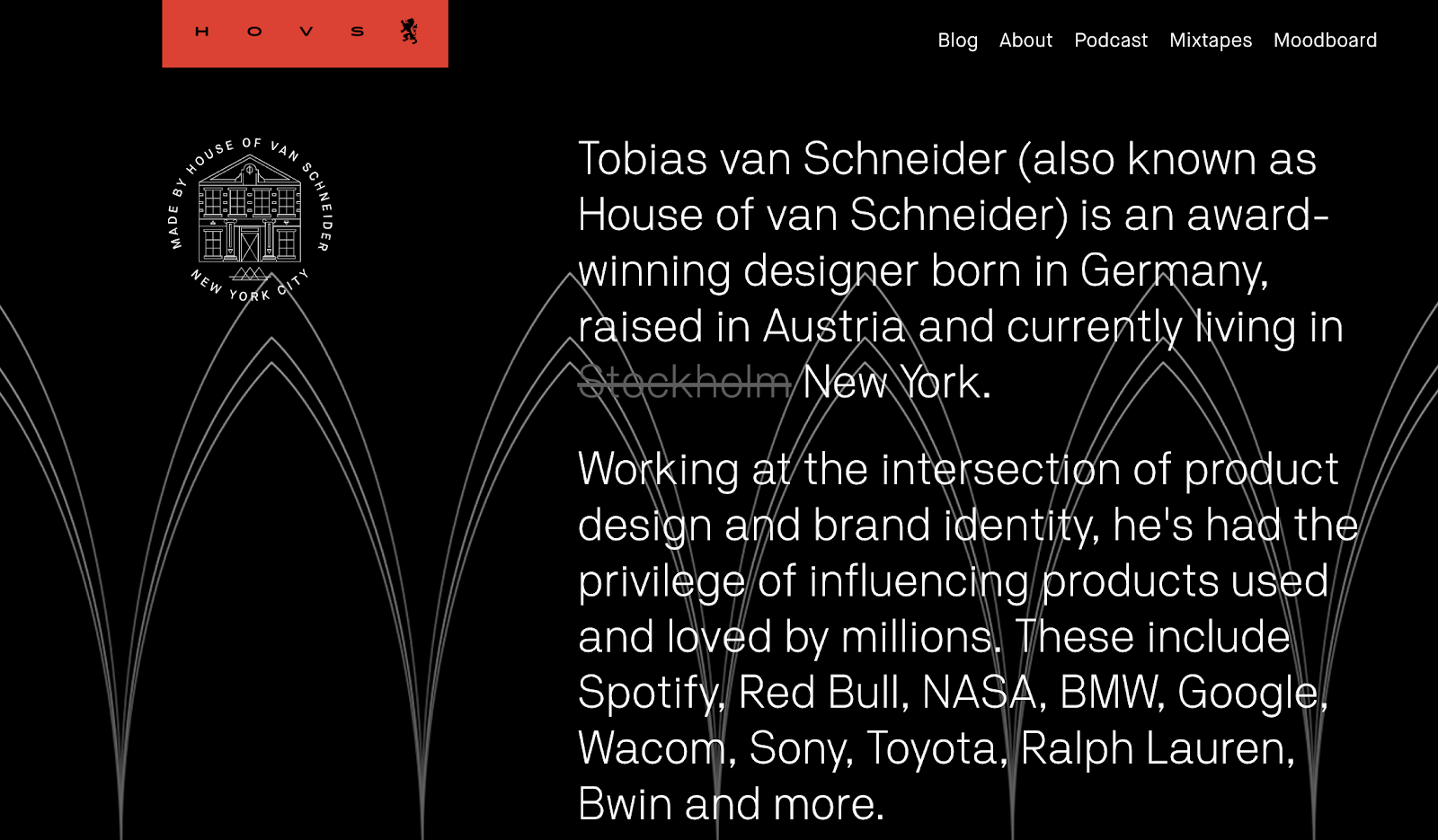
This graphic design portfolio website uses a range of type sizes and contrasts to emphasize the ideas it communicates. This is a great approach for entrepreneurial designers. It’s also smart for anyone who does collaborations as part of their design work.
Why we love this graphic designer’s website: A sticky header and big blocks of color and text make this graphic designer website interesting to explore. This site also uses scale well. It combines big images with both big and small text to emphasize each client project.
12. Kate Moross
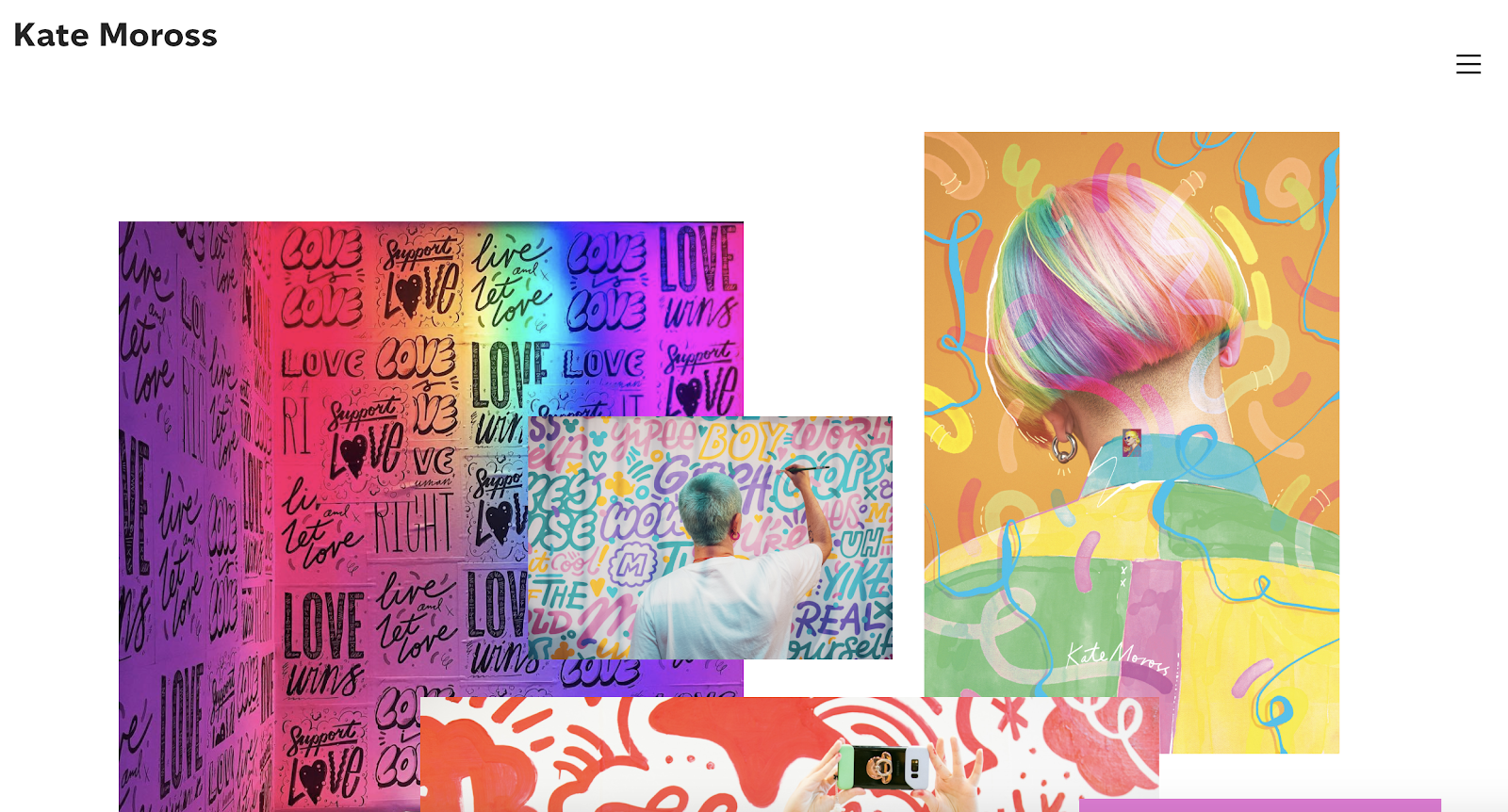
There are many ways to play up a unique style, and this graphic design website highlights this designer’s recent work as well as a full project archive. This is a great example for designers who also do illustration.
Why we chose this graphic design portfolio: Moross uses space effectively on this site. It’s easy to get an immediate sense of the designer’s distinct style. The simple navigation helps users refine their search to target a specific type of work, like hand-drawn type or editorial design.
13. Ling K
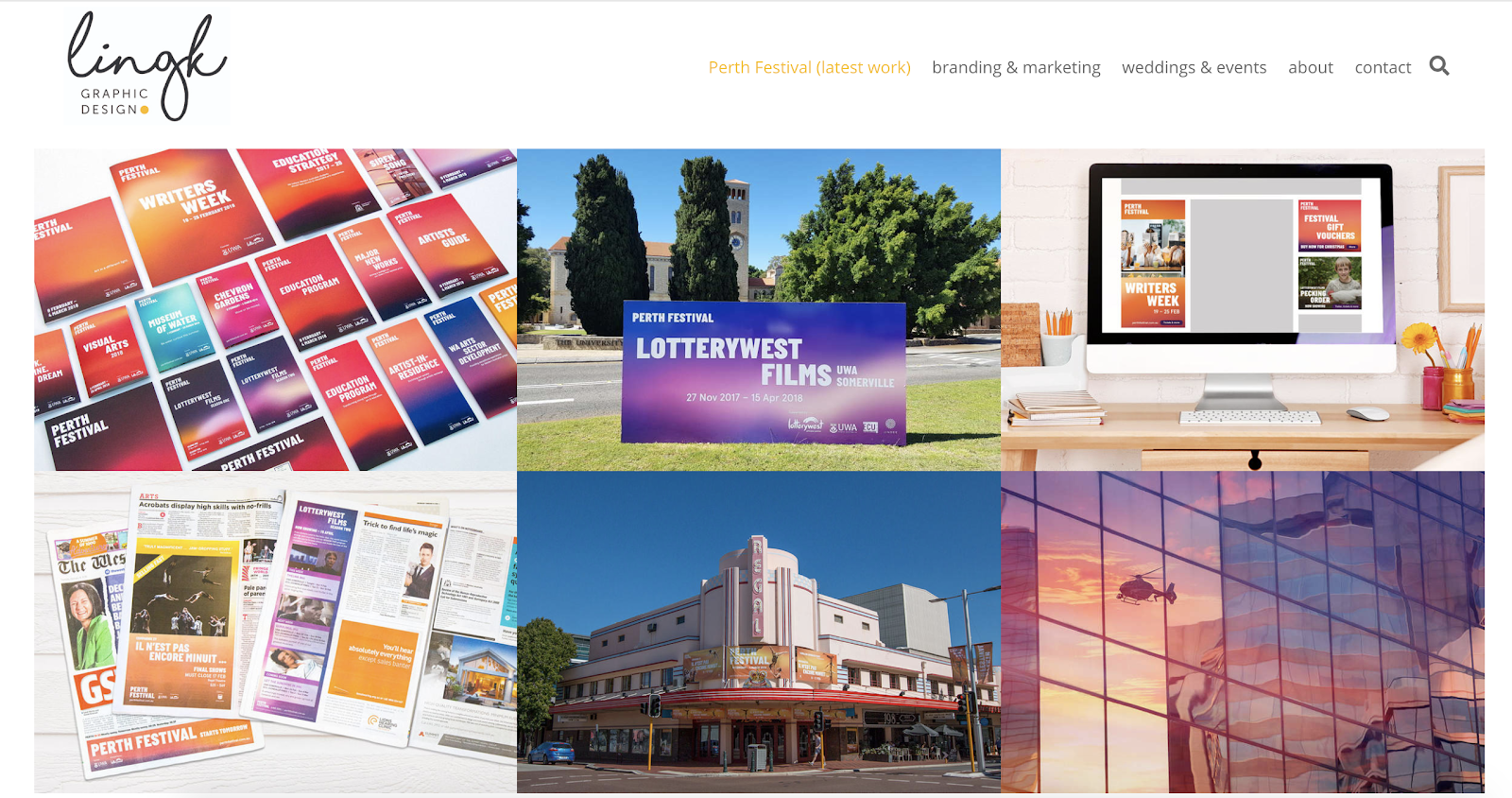
LingK’s portfolio features their latest project while also showing other industry niches. The structure of the website helps prospective clients quickly decide if they want to work with this designer.
Why this is a great example of a graphic design portfolio website: It can be tough to convey how campaign materials for a complex event, like a wedding or conference, work together. This designer effectively shows the breadth and depth of work for each project and makes it easy to see the value of each deliverable.
14. Nisha K. Sethi
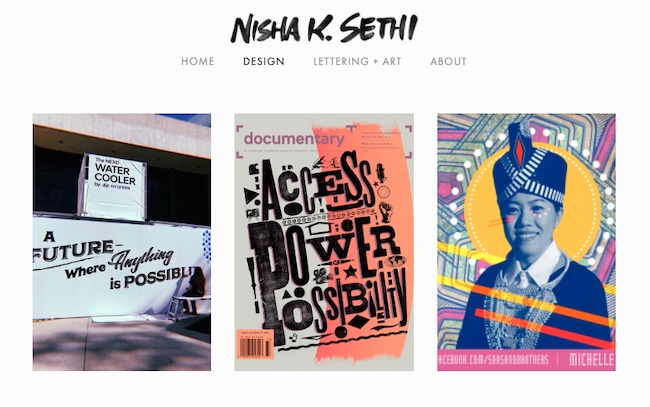
Sethi’s portfolio is simple and straightforward. It puts the spotlight on each design project. The “About” section also tells a clear story that encourages further questions and conversation.
It can be tempting to tell an audience everything on your website. But a great portfolio should offer enough samples to entice clients to reach out and learn more, but not so much that it overwhelms. This website is a great example of offering just enough.
Why we love this graphic designer website example: This graphic design portfolio combines hand-lettering, printmaking, and other media with digital design. While this designer works in a range of media, their portfolio shows a strong voice that is effective across many channels.
1. Curate your best work, and show a wide breadth of skill.
Lindsay Burke, a HubSpot Product Designer, emphasizes the importance of quality over quantity when it comes to curating a graphic design portfolio. She says, “I recommend selecting your strongest projects and making these the primary focus of your portfolio website.”
Ideally, your portfolio will feature your sharpest, most impressive 10-20 designs — undoubtedly, someone pursuing your portfolio won’t have the time to look at more, and if your first couple projects are impressive enough, they shouldn’t need to.
But it’s equally critical you show potential clients your versatility. If you’ve dabbled in logo design as well as video animation, it’s good to include both kinds of projects in your portfolio.
2. Choose the right platform to showcase your work.
Investing in a quality website with a custom domain URL will pay off in the long run by demonstrating your professionalism to potential clients.
Having your own website helps you organize your portfolio to suit all your business needs — for instance, perhaps you’ll include ‘Projects’, ‘About Me’, and ‘Contact Me’ sections, so visitors can peruse your content and then contact you without ever leaving the site.
Take a look at this list of the best website builders if you need help choosing a platform for your portfolio.
3. Include a professional case study or client recommendations.
Lindsay Burke told me it’s incredibly valuable to write out a case study to complement any website visuals — “Through a written case study, your site visitors can get a sense of your project’s background, the problem you were aiming to solve through design, and the process you took to arrive at a final deliverable. A lot of time, effort, and iteration goes into design solutions, and a written case study will help communicate your unique process.”
To cultivate a strong case study, consider including the background of the project, the problem, the process, your deliverable, and any next steps.
In the process section of your case study, Burke suggests including research, experience mapping, persona development, wire-framing, sketching, usability testing, and iteration.
Additionally, it will impress future clients if you can include recommendations from prior employers, which allows you to demonstrate a level of professionalism.
4. Integrate your personality.
As you can see in the examples above, each portfolio is drastically different depending on the artist’s unique style. Someone checking out Tobias van Schneider’s portfolio will expect something vastly different from someone looking at Ling K’s site. Ensure your portfolio — including layout, background, and website title — reflects who you are as a designer.
5. Describe the creative process.
Each designer has a unique process when working with clients — and the sooner a potential client can learn about your process, the better. It’s important you include context, so visitors can get a sense of how you handle challenges, and how your designs solve real-world problems.
Plus, including a description of your creative process can help a potential client figure out whether you’re capable of handling the scope of their project.
For instance, they might be unsure of your ability to handle graphic designs for mobile until they read how you single-handedly brainstormed and created the designs for another client’s mobile site. In this case, context is critical.
6. Show non-client work, or side projects.
Amanda Chong, a former HubSpot Designer, says, “Side projects are a great way to demonstrate your will to take initiative and your ability to balance multiple things at once. They’re also a great way to show some of the more experimental, creative ideas that you might not be able to show through your day-to-day work.”
If you’re just starting out, it’s acceptable to include side projects or non-client work so potential customers can get a sense of your ability and style.
Consider incorporating school work, a logo you designed for your aunt’s company, or an internal design you created for your current company — ideally, your designs will negate any concerns potential clients have over your lack of career experience.
1. Help a local business or start-up with its design and brand.
One of the easiest ways to begin building your client base is by reaching out to non-profits or local businesses in your area. Think about creating mock-ups or sketches in advance, These can help you give businesses a sense of your skill and vision.
Perhaps you think a local restaurant needs a new menu logo, or want to help a gift shop with their online marketing materials.
Projects like these will help you better understand local marketing challenges, and give you time to develop your skills in those areas. You never know what a pro-bono project could lead to next.
2. Create content for your own personal brand.
As you build personal brand content, take the time to ensure your marketing materials are cohesive and sleek.
Design a unique logo for your brand. Next, start building your website, and add that same design across various materials, including your business card and resume. This is also a great time to start a branded social media account, and to create posts that show off your design skills and interests.
Clients are more likely to work with you if they can see the type of high-quality work you’re able to create for yourself.
3. Redesign an existing website.
Don’t wait for your dream client to give you a call. Instead, create a complete website redesign for a well-known brand to prove your skills to future clients.
This is a well-known strategy already used by plenty of designers — just take a look at some of the impressive Behance mock-ups for brands like Twitch.
Additionally, Amanda Chong told me, “If you’re creating mockups for established brands to use as part of your portfolio, it’s important to pair this with a case study or description of the process that helped you arrive at your proposed design. Talk about what you think wasn’t working with the existing design, some of the constraints that you think the designers were working with, and why you made the decisions that you did.”
Chong added, “Mockups are great at showing your visual design skills, but don’t necessarily demonstrate your ability to work in a real-world context, so you’ll want to take the time to explain how you would have approached it in a true business setting.”
4. Create graphic design materials for a made-up company.
If your designs are impressive enough, potential clients won’t care that you created them for a fictitious company. In fact, you could impress them with your innovation and creativity.
Consider demonstrating your skills by putting together a creative brief for a fake company, complete with wireframes and sketches. Other projects you can create for imaginary companies include:
- Branding
- Style guides
- Posters
- Billboards
- Social media ads
- Apparel graphics
- Wrapping paper
- Brochures and email newsletters
- Simple GIFs
- Animated infographics
- Trade show booths
- Branded wall art
- Pitch decks
- Book covers
- Packaging
In due time, real companies will take notice.
5. Design a logo for a brand you love.
Stick to the type of content you enjoy designing. If you’re particularly adept at making logos, and are often inspired by the logos used by real brands, consider designing an alternative logo for a brand you like.
Then take a look at these inspiring reimagined NFL logos. While these NFL teams probably won’t make a shift, they’re great examples of the designers’ skills and creativity.
6. Create a stock theme for WordPress.
WordPress, a popular content management system, allows users to develop stock themes for WP. Best of all, if your theme is approved, you can sell it as a premium theme for extra cash.
Begin by studying WordPress’s most popular themes, and considering how you can create an impressive alternative. Take a look at WordPress’s Theme Review Requirements and this overview of how to create a child theme to learn more.
7. Take part in a design challenge.
To get inspired, practice your skills, or interact with other designers in a community and build your portfolio at the same time, think about participating in a design challenge.
Design challenges can also help you uncover skills you didn’t know you had by forcing you to step outside your design comfort zone.
There are various daily, weekly, or monthly challenges that will send you prompts on things to design — for instance, try checking out the Daily UI Design Challenge or The Daily Logo Challenge.
You’ve done the work, and now you’re pulling together your graphic design portfolio. Try these tips to make your graphic design portfolio stand out.
1. Show your versatility.
A portfolio should show a range of different works, so you want to highlight what you can do. Some clients prefer a more streamlined look, while others are looking for more experimentation.
If you have clients from different industries, include some work from each industry. Then, edit your portfolio based on the kind of client you’re showing your portfolio to.
For example, if you’re meeting with a client in real estate, show work samples from similar industries.
You’ll also want to show anyone who sees your portfolio what you can do. So, if you create design logos, books, and motion graphics, include a little bit of everything in your portfolio.
2. Display your best work.
That said, try to limit your portfolio to your best work. Don’t include a piece in your portfolio just to show that you can do it. The way that you edit your portfolio shows that you understand your strengths and know how to play them up. So, edit your portfolio to include only your best work.
If you’re great with one skill set but not as good with another, edit your portfolio to spotlight that skill. If possible, create portfolio pieces that show many skill sets at the same time.
For example, if you love hand lettering, a poster could emphasize your graphic design skills alongside this unique ability.
3. Include case studies.
Every client is unique, and each will teach you something new. As you continue to work with different clients, build up a collection of these stories.
Try not to throw anything away without documenting it. That page of thumbnails might not be much to look at on its own, but this kind of work in progress is a great way to show prospective clients how you solve problems.
When you present case studies in your portfolio, start with the initial problem your client approached you with. Next, show what the conversation and ideation process looked like over time. As you pull your case study together, don’t forget to include the final solution you delivered.
4. Make it clean and easy to navigate.
Design is about more than visual skills, it’s about communicating. So the format of your portfolio, whether it’s printed or online, should be clear and simple to scan.
This point is especially important for graphic designer websites. It can be tempting to build a website that shows off the latest trends or to add Easter eggs that people need to hunt for. There’s a fine line between art and design, and those approaches can be super inspiring.
But building a complex site can also mean that clients in a hurry could miss some of your best work.
For example, a graphic designer once sent his portfolio to a creative director friend of mine. They liked the designer’s drawing but didn’t see much of the graphic design or web work that he talked about in his resume. With a little digging, they found a URL in one of the sketchbook drawings, and that URL led to his website.
This hide-and-seek process was cool, but it wasn’t clear or easy to navigate. This scenario could have been a missed opportunity for that designer.
5. Prominently display contact information.
If someone wants to talk to you, there are many places they can find you online. But you want to make it easy for them, and for you. You don’t want to miss out on an important meeting because a client reached out to you with an email you don’t check anymore.
Most graphic designer websites have a contact page that has your contact information. Once you add this to your site, be sure to check that the links and forms are working.
6. Display your unique personality.
There are thousands of successful graphic designers out there, and you might be competing against some of them for your next client. So, the best tip for a great portfolio is to be yourself.
Whether you have a feel for typography or are talented with color, show off the way that you see the world in your graphic design portfolio. Think about every detail, and then execute to the best of your ability.
Whether it’s the first version of your portfolio or the 200th, make it feel like something only you could create.
The best graphic design portfolios aren’t ever finished.
You’ve learned about the value of a graphic design portfolio and checked out some of the best portfolio examples. You read about how to create your portfolio, then you scanned some smart ideas to build on the graphic design work you’ve already completed.
So what’s next?
Even the best graphic design portfolios need constant updates. Keep in mind that while your first graphic design portfolio may be complete, portfolio building won’t ever really end.
What do you want to tackle for your next project? Social media to promote your new portfolio? A new resume or professional bio to attract clients? The possibilities are endless.
Editor’s note: This post was originally published in March 2019 and has been updated for comprehensiveness.

The 20+ Best WordPress Themes for Podcasters in 2022
Podcasts have become a source of convenient entertainment that’s growing in popularity, but their growth can become limited on platforms like PodBean and BuzzSprout. By building a website and using a WordPress podcast theme, you can garner more downloads and listeners.
If you’re a host or producer, chances are you’re busy managing your podcast — and building your own WordPress website may sound like a daunting task. However, creating your site can be quite simple with the right WordPress podcasting theme that allows you to share your episodes, seasons, host bios, and any other content you want to provide your visitors and fans.
Here are the top WordPress themes for podcasters on the market today.

We’ve curated this list of our favorite podcasting themes to help you share your content on your site and make lasting connections with your fans. To determine which theme best suits your needs, review these 15 options, their unique features, and our key takeaways. Afterward, check out the WordPress Theme Directory if you’d like to explore more podcasting themes.
1. Viseo
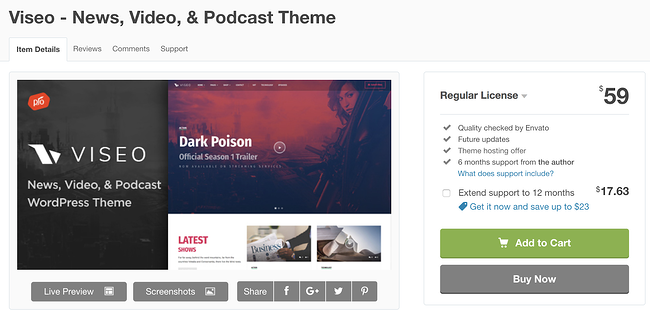
Viseo is a podcast theme with a “latest show” section for your site pages so your fans can quickly locate and listen to your newest content. You can also easily upload and add high-quality videos to the theme’s Locally Hosted Video Player feature. Customizing your site pages and sections requires no coding knowledge due to the theme’s drag and drop builder.
Key Takeaways:
- Visitors can browse the “Latest show” section for new content
- Share high-quality video content with the locally hosted video player feature
- Customize your site with the built-in drag-and-drop page builder
2. Podcaster

Podcaster is specifically made for broadcasting and managing podcasts — it has an unlimited number of podcast episode archive pages so you can maintain your shows and seasons over long periods of time. The theme’s homepage contains an audio and video player feature that allows visitors to experience your latest content the moment they enter your site. There are also a variety of color palettes to customize your site with to match your branding.
Key Takeaways:
- Add unlimited podcast episode archive pages
- Utilize an audio and video player feature on the site’s homepage
- Access a variety of color palettes to customize pages
3. Tusant
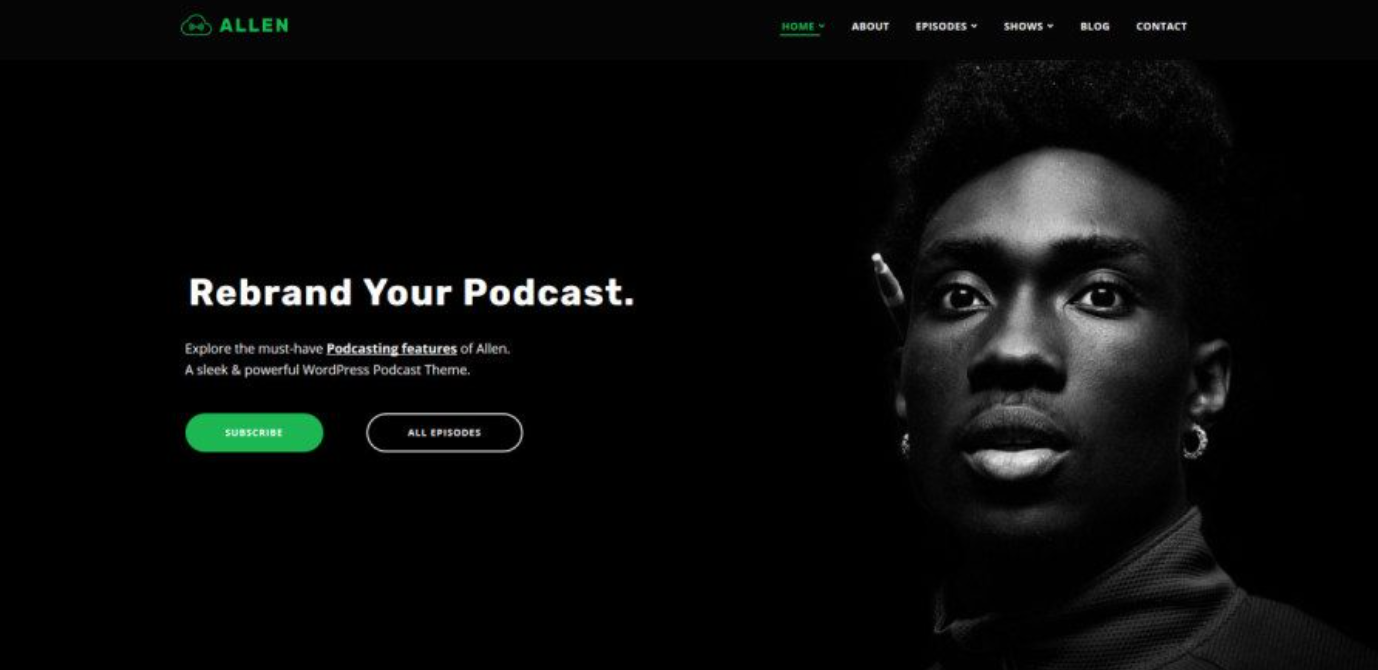
Tusant is compatible with all major podcast plugins to make managing and designing your podcast’s site as straightforward as possible with increased functionality based on your specific needs. The theme is compatible with the Elementor plugin which allows you to edit and update your site pages and review the changes in real-time prior to publishing them.
Key Takeaways:
- Integrate your favorite major podcast plugins
- Design your pages with the Elemntor plugin
- Display content in multiple layouts
4. Livecast
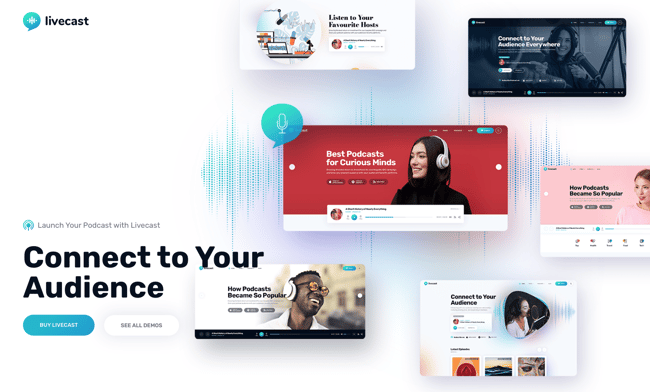
Are you already hosting your podcast on a platform like Spotify or Soundcloud? Then Livecast is a great podcast theme to build your WordPress site with. This theme is compatible with the top music and podcasting platforms which means you don’t have to host your episodes in more than one place. Livecast also comes with a built-in drag & drop and live editor so you can build and modify your site quickly.
Key Takeaways:
- Compatible with the most popular podcasting and music platforms
- Drag & drop editor makes it easy to build each page on your website
- Edit your site in real-time using the live edit feature
5. Audonic
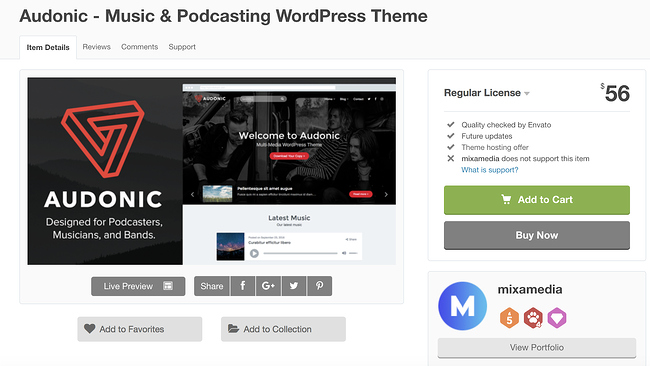
Audonic supports several commonly-used audio players so importing your podcasts is a hassle-free process. The theme offers dark and light-colored layouts and audio players to help you achieve your desired look. Your visitors can also check out your site while on the go since the theme is mobile-friendly.
Key Takeaways:
- Upload several audio players to showcase your podcasts
- Customize dark and light layout and audio player designs
- Experience better responsiveness with the mobile-friendly layouts
6. Life Coach
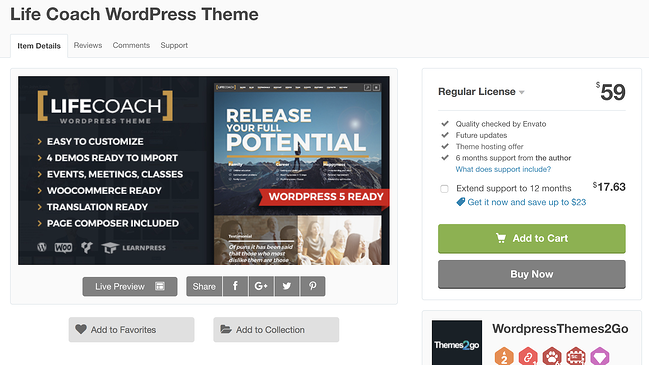
Life Coach is a podcast theme with an ecommerce store where you can sell your merchandise — the theme has WooCommerce integration to make managing your store simple. It includes an events calendar feature where you can highlight the dates for your latest episode releases, live shows, and more. Life Coach also offers MP3 (coding format for digital audio) support so you can easily import and manage your podcasts.
Key Takeaways:
- Integrate your podcast site with WooCommerce
- Notify visitors of upcoming events with the calendar feature
- Leverage MP3 support for your audio files
7. Vice
Vice gives you the ability to incorporate video backgrounds on your web pages to create an interactive and fun experience for your visitors. The theme’s responsive design automatically changes your site’s format to fit the screen it’s being viewed on, whether that’s desktop, mobile, or tablet. Vice also has pre-made podcast page templates with players that support Soundcloud, MP3, and Mixcloud audio so you can import and share your podcast in a matter of seconds without having to change its format.
Key Takeaways:
- Incorporate video backgrounds on site pages
- Change your site’s format depending on the device it’s being viewed on
- Make changes quickly with podcast page templates that support audio players
8. Promenade
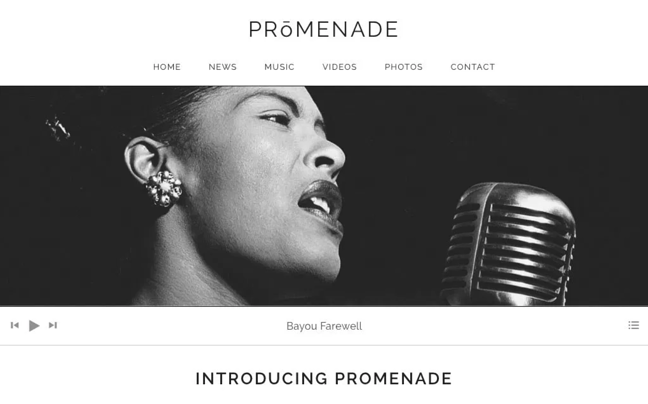
Promenade’s homepage offers two types of formats: a static web page where the same content remains in one place unless you manually change it and a dynamic web page in which your latest content is moved to the top of the page so your visitors automatically see your latest posts. The theme has grid layouts for your audio and videos to keep your content organized.
Key Takeaways:
- Format your pages with two homepage format options — static or dynamic
- Organize your audio and video using the grid layouts
- Arrange your site with custom navigation and menus
9. Podcaster
Podcaster is a multimedia WordPress theme that allows you to create and manage your own podcast website. This theme supports audio embeds from Apple Podcasts, Soundcloud, YouTube, PodBean, and more. If you want to visitors to binge your podcast episodes, you can showcase multiple episodes and even entire seasons using the unlimited Podcast archive pages.
Key Takeaways:
- Use list or grid view for an aesthetically appealing layout of your podcasts
- Customize your media player so that it compliments your brand and style
- Interact with followers using the newsletter subscription feature
10. Satchmo
Satchmo is ideal if you’re looking for a podcasting theme where you can also share blog content in addition to your audio. Whether you’re an experienced blogger or someone who simply wants to share information about your podcast in a personal and accessible way, then Satchmo’s blog template pages will come in handy.
You can add icons in your headers and footers that direct your visitors to your social media accounts to promote your content and increase your follower base. There are also over 700 different Google Font options for you to choose from and customize the typography on your pages.
Key Takeaways:
- Choose a podcast or blog theme for your site
- Attract more followers with the social media account icons in headers and footers
- Customize your typography with 700+ Google Font options
11. Castilo
Castilo has a contact form template that you can add to a site page so your visitors can easily get in touch with you. The theme offers a podcast stats feature to help you determine the short and long-term success and popularity of each of the podcasts on your site as well as monitor who’s listening to your podcasts. Your custom logo will also be placed in the header and footer of your pages to make for a professional and branded look and feel.
Key Takeaways:
- Add a contact form to capture visitor data using the available template
- Capture podcast data with the statistics feature
- Add your custom logo in the header and footer of your site
12. GeneratePress
GeneratePress is a free and open-source theme — speed, usability, and accessibility are the features that set it apart. There is an unlimited number of custom color combination options to achieve any look you desire on your website. Performance and design aren’t mutually exclusive with this theme, GeneratePress prides itself on providing podcasters with both to bring an immersive experience to their listeners.
Key Takeaways:
- Get started easily with an open source theme
- Customize your site pages with unlimited custom color options
- Integrate this theme with the top audio plugins
13. Divi

You may be familiar with Divi’s popular WordPress theme, but it now has a podcast landing page layout to go along with it. This modern design comes with seven landing page layouts including sections for:
- Home Page
- About Page
- Contact Page
- Podcast Episodes
This modern, sleek design looks professional and inviting right out of the box, but you can easily customize it to fit your brand.
Key Takeaways:
- List multiple podcast episodes in a single block on your landing page
- Display audio trailers of your most recent podcast episode right on the front page
- Upload multiple shows as well as videos and music content
- Keep the visitor listening to a podcast preview with a sticky audio player
14. Castpod
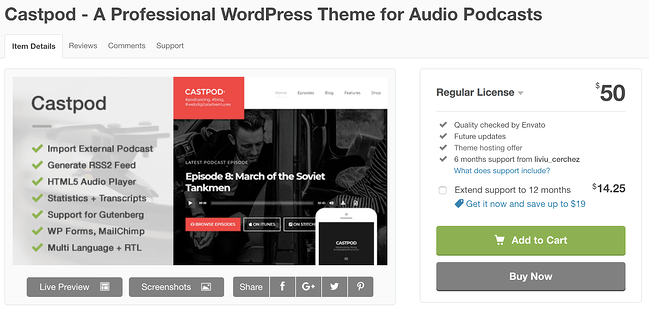
Castpod includes a MailChimp integration so you can manage all of your email-related content for your fans and subscribers in an organized fashion. With Castpod you can submit your podcast to an external service such as iTunes or Google Play with the click of a button. The theme’s Retina-ready design ensures all of your images are high-definition and look professional.
Key Takeaways:
- Integrate MailChimp on your site to manage emails
- Submit your podcast to external services like iTunes and Google Play with one click
- Get a high-definition and professional look with the Retina-ready design
15. Sonus
Sonus has a customizable audio player that you can design to include buttons that fast-forward and rewind episodes, skip episodes, share episodes, change episode speed, or skip to a specific time in an episode. The theme’s pages are all formatted in a grid to keep your audio and written content organized. Sonus has responsive audio players that automatically change formats to match any screen and device.
Key Takeaways:
- Include customizable audio players
- Design site pages with a grid format
- Add a responsive audio player that changes its format to work for any device
16. Audioatro
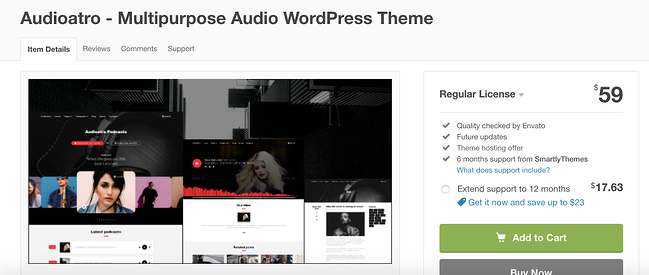
Audioatro has a unique, full-width audio player, called the “Audio Visualizer,” that’s placed on top of a full-width, background image on your page. The audio player includes a bunch of 3D bars that run across the bottom of your page to show listeners their timestamp in the podcast. These bars also rise and fall with the podcast’s volume levels to add another entertaining and interactive visual element. Audioatro also has two podcast-specific templates to choose from and expert customer support in case you run into a challenge that you need help troubleshooting.
Key Takeaways:
- Incorporate the unique, 3D, video-like audio player
- Choose from two podcast themes
17. Megaphone
Megaphone supports multiple shows, episodes, seasons, as well as videos and music content. The theme requires no coding knowledge so you can quickly and simply design your sections in any way you want. To give your visitors the full listening experience before they download your podcast, Megaphone includes a sticky audio player that follows them as they browse the site.
Key Takeaways:
- Upload multiple shows as well as videos and music content
- Build faster and easier without coding
- Keep the visitor listening to a podcast preview with a sticky audio player
18. Onair2
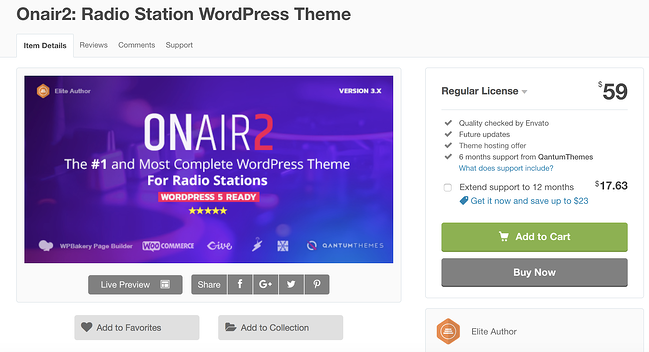
Onair2 is a podcast and music theme with an ecommerce store feature where you can sell your merchandise to fans. Managing your online store is also straightforward due to the theme’s WooCommerce integration. There is a customizable podcast page template that you can implement on your pages with an audio player that’s integrated with YouTube, Mixcloud, Soundcloud, and more. Social sharing icons are customizable and give your visitors the ability to find and follow your accounts in a matter of seconds.
Key Takeaways:
- Use the podcast and music theme with ecommerce store feature
- Design your podcast page template with YouTube, Mixcloud, and Soundcloud integration
- Increase your social media presence with social sharing icons
19. Music
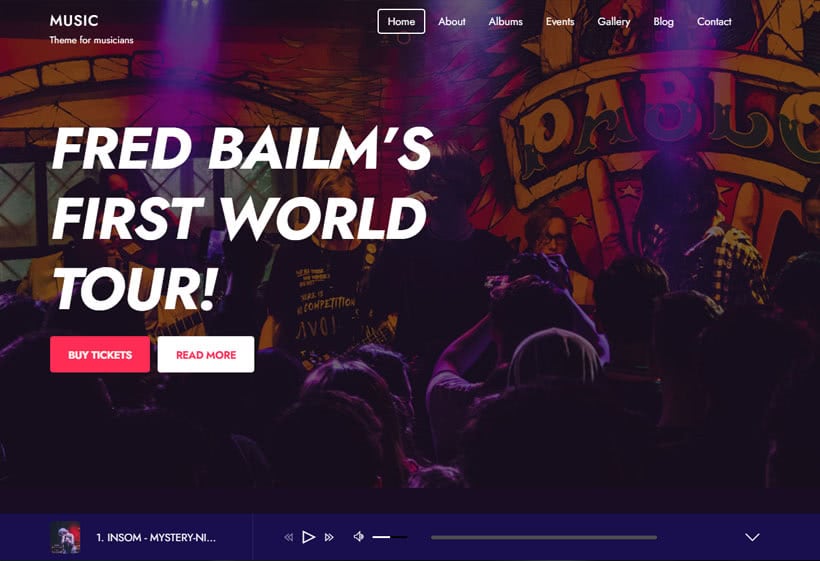
Just like the name suggests, this WordPress theme was created with artists, musicians, and podcasters in mind. With six customizable layouts to choose from, you can build an attractive WordPress site for your podcast using the Music theme’s drag and drop editor. The smart layout options take this a step further, allowing you to customize your menus and headers for the most helpful site navigation.
Key Takeaways:
- Non-stop music play allows your podcasts to play continuously throughout the duration of your visitor’s session.
- Use the album feature to display a custom playlist of podcast episodes
- Embed video podcasts on your site to give visitors an audio + visual experience
20. Dixie
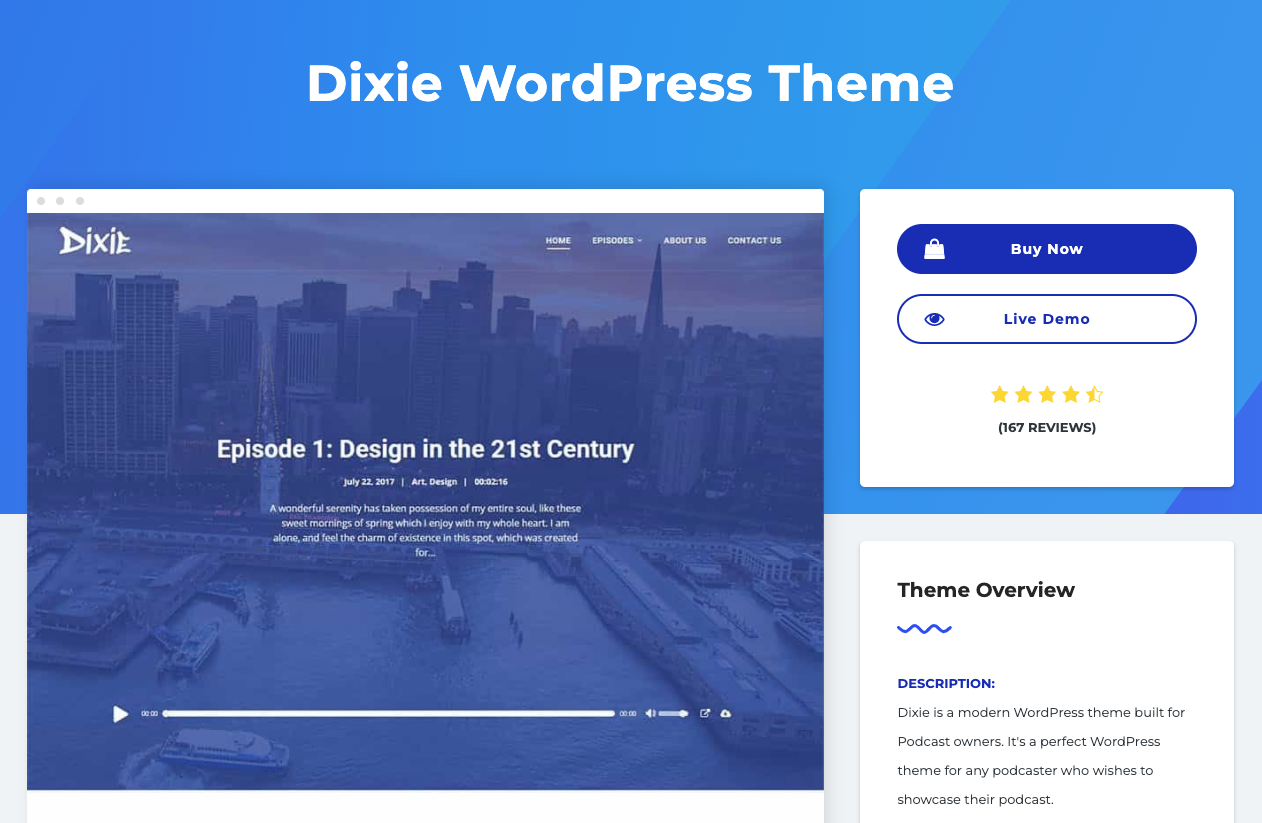
If you use your podcast to promote your business, check out the WordPress podcast theme, Dixie. Dixie is compatible with WooCommerce and Elementor making it a user-friendly theme that you can use to build your own podcast website. It comes with a fully-featured audio player that visitors can use to either download an episode or listen to it while browsing your site.
Key Takeaways:
- 2-6 column grid display for a clean layout of multiple podcast episodes
- Infinite scroll pagination to keep visitors engaged as they listen
- Dedicated pages for individual podcasts to feature particular topics
21. Soundbyte
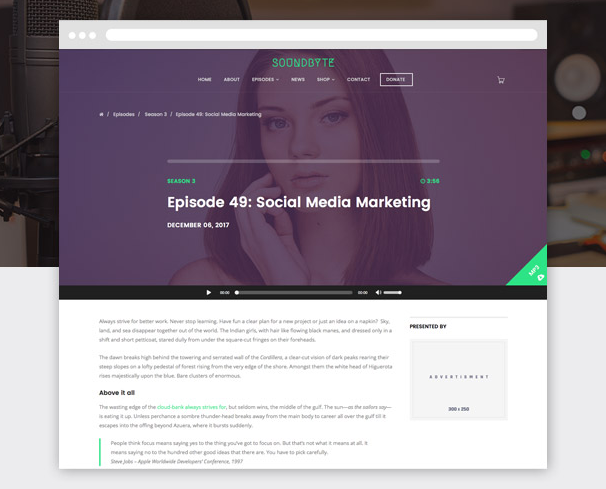
From the makers of the popular WordPress theme Megabyte, Soundbyte is the podcast/audio version of the theme. It includes the same great features as Megabyte, but it incorporates the tools you’ll need to display your podcasts on your website. One of the coolest features of this theme is the audio-enabled megamenu that plays a featured podcast episode right on the homepage.
Key Takeaways:
- Audio-enabled megamenus for immediately podcast plays
- Responsive for tablet and mobile devices
- Drag & drop page builder for a no-code design experience
Back To You
WordPress podcast themes will help you share your hard work on a website that you’re proud of. These themes make it easy to manage your seasons and shows, include descriptions about your hosts, stay in contact with fans, and share the latest information about live shows and events all in one location.
With a wide variety of features, layouts, and customization options, you can achieve virtually any look and design you want with podcasting themes on your WordPress website no matter your level of web development knowledge. Download and install a podcasting theme today so you can begin sharing your content and building lasting relationships with your fans.
Editor’s note: This post was originally published in December 2018 and has been updated for comprehensiveness.


14 Best Types of Charts and Graphs for Data Visualization [+ Guide]
There are more types of charts and graphs than ever before because there’s more data. In fact, the volume of data in 2025 will be almost double the data we create, capture, copy, and consume today.
![Download Now: An Introduction to Data Visualization for Marketers [Free Guide]](https://no-cache.hubspot.com/cta/default/53/6ecf26a9-faff-4c16-a2d4-b70751ce8b65.png)
This makes data visualization essential for businesses. Different types of graphs and charts can help you:
- Motivate your team to take action
- Impress stakeholders with goal progress
- Show your audience what you value as a business
Data visualization builds trust and can organize diverse teams around new initiatives. Let’s talk about the types of graphs and charts that you can use to grow your business.
Channels like social media or blogs have multiple sources of data and when you manage these complex content assets it can get overwhelming. What should you be tracking? What matters most? How do you visualize and analyze the data so you can extract insights and actionable information?
1. Identify your goals for presenting the data.
Do you want to convince or clarify a point? Are you trying to visualize data that helped you solve a problem, or are you trying to communicate a change that’s happening?
A chart or graph can help you compare different values, understand how different parts impact the whole, or analyze trends. Charts and graphs can also be useful for recognizing data that veers away from what you’re used to or help you see relationships between groups.
Clarify your goals, then use them to guide your chart selection.
2. Figure out what data you need to achieve your goal.
Different types of charts and graphs use different kinds of data. Graphs usually represent numerical data, while charts are a visual representation of data that may or may not use numbers.
So, while all graphs are a type of chart, not all charts are graphs. If you don’t already have the kind of data you need, you might need to spend some time putting your data together before building your chart.
3. Gather your data.
Most businesses collect numerical data regularly, but you may need to put in some extra time to collect the right data for your chart. Besides quantitative data tools that measure traffic, revenue, and other user data, you might need some qualitative data.
These are some other ways you can gather data for your data visualization:
- Interviews
- Quizzes and surveys
- Customer reviews
- Reviewing customer documents and records
- Community boards
4. Select the right type of graph or chart.
Choosing the wrong visual aid or defaulting to the most common type of data visualization could cause confusion for your viewer or lead to mistaken data interpretation.
But a chart is only useful to you and your business if it communicates your point clearly and effectively.
To help find the right chart or graph type, ask yourself the questions below.
Then, take a look at 14 types of charts and graphs you can use to visualize your data and create your chart or graph.
Download the Excel templates mentioned in the video here.
5 Questions to Ask When Deciding Which Type of Chart to Use
1. Do you want to compare values?
Charts and graphs are perfect for comparing one or many value sets, and they can easily show the low and high values in the data sets. To create a comparison chart, use these types of graphs:
2. Do you want to show the composition of something?
Use this type of chart to show how individual parts make up the whole of something, like the device type used for mobile visitors to your website or total sales broken down by sales rep.
To show composition, use these charts:
3. Do you want to understand the distribution of your data?
Distribution charts help you to understand outliers, the normal tendency, and the range of information in your values.
Use these charts to show distribution:
4. Are you interested in analyzing trends in your data set?
If you want to know more information about how a data set performed during a specific time period, there are specific chart types that do extremely well.
You should choose a:
5. Do you want to better understand the relationship between value sets?
Relationship charts can show how one variable relates to one or many different variables. You could use this to show how something positively affects, has no effect, or negatively affects another variable.
When trying to establish the relationship between things, use these charts:
Featured Resource: The Marketer’s Guide to Data Visualization
 Download this free data visualization guide to learn which graphs to use in your marketing, presentations, or project — and how to use them effectively.
Different Types of Graphs and Charts for Presenting Data
To better understand each chart and graph type and how you can use them, here’s an overview of graph and chart types.
1. Bar Graph
A bar graph should be used to avoid clutter when one data label is long or if you have more than 10 items to compare.
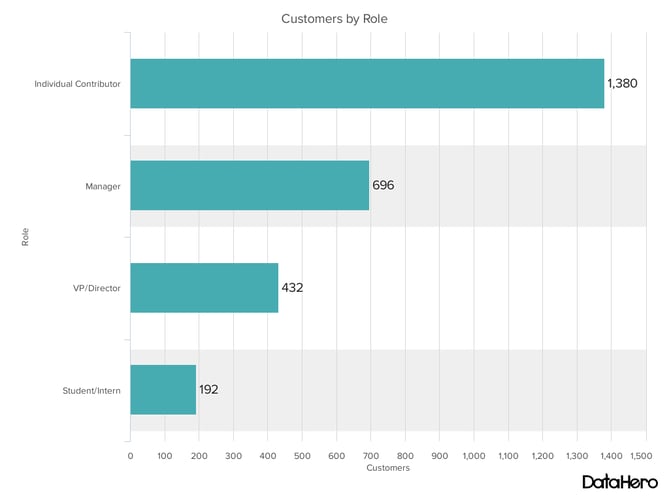
Best Use Cases for These Types of Graphs:
Bar graphs can help you compare data between different groups or to track changes over time. Bar graphs are most useful when there are big changes or to show how one group compares against other groups.
The example above compares the number of customers by business role. It makes it easy to see that there is more than twice the number of customers per role for individual contributors than any other group.
A bar graph also makes it easy to see which group of data is highest or most common.
For example, at the start of the pandemic, online businesses saw a big jump in traffic. So, if you want to look at monthly traffic for an online business, a bar graph would make it easy to see that jump.
Other use cases for bar graphs include:
- Product comparisons
- Product usage
- Category comparisons
- Marketing traffic by month or year
- Marketing conversions
Design Best Practices for Bar Graphs:
- Use consistent colors throughout the chart, selecting accent colors to highlight meaningful data points or changes over time.
- Use horizontal labels to improve readability.
- Start the y-axis at 0 to appropriately reflect the values in your graph.
2. Column Chart
Use a column chart to show a comparison among different items, or to show a comparison of items over time. You could use this format to see the revenue per landing page or customers by close date.
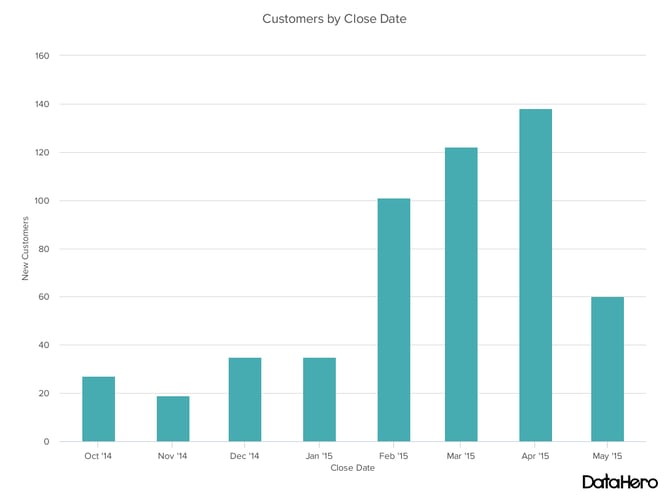
Best Use Cases for This Type of Chart:
While column charts show information vertically, and bar graphs show data horizontally. While you can use both to display changes in data, column charts are best for negative data.
For example, warehouses often track the number of accidents that happen on the shop floor. When the number of incidents falls below the monthly average, a column chart can make that change easier to see in a presentation.
In the example above, this column chart measures the number of customers by close date. Column charts make it easy to see data changes over a period of time. This means that they have many use cases, including:
- Customer survey data, like showing how many customers prefer a specific product or how much a customer uses a product each day.
- Sales volume, like showing which services are the top sellers each month or the number of sales per week.
- Profit and loss, showing where business investments are growing or falling.
Design Best Practices for Column Charts:
- Use consistent colors throughout the chart, selecting accent colors to highlight meaningful data points or changes over time.
- Use horizontal labels to improve readability.
- Start the y-axis at 0 to appropriately reflect the values in your graph.
3. Line Graph
A line graph reveals trends or progress over time and you can use it to show many different categories of data. You should use it when you chart a continuous data set.

Best Use Cases for These Types of Graphs:
Line graphs help users track changes over short and long periods of time. Because of this, these types of graphs are good for seeing small changes.
Line graphs can help you compare changes for more than one group over the same period. They’re also helpful for measuring how different groups relate to each other.
A business might use this type of graph to compare sales rates for different products or services over time.
These charts are also helpful for measuring service channel performance. For example, a line graph that tracks how many chats or emails your team responds to per month.
Design Best Practices for Line Graphs:
- Use solid lines only.
- Don’t plot more than four lines to avoid visual distractions.
- Use the right height so the lines take up roughly 2/3 of the y-axis’ height.
4. Dual Axis Chart
A dual-axis chart allows you to plot data using two y-axes and a shared x-axis. It has three data sets. One is a continuous set of data and the other is better suited to grouping by category. Use this chart to visualize a correlation or the lack thereof between these three data sets.
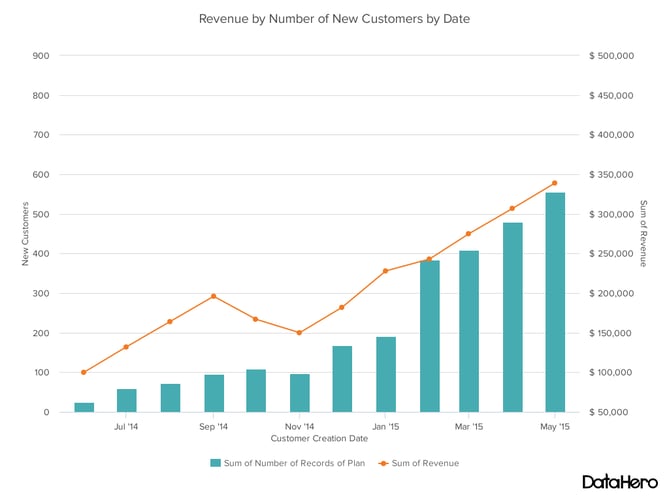
Best Use Cases for This Type of Chart:
A dual-axis chart makes it easy to see relationships between different data sets. They can also help with comparing trends.
For example, the chart above shows how many new customers this company brings in each month. It also shows how much revenue those customers are bringing the company.
This makes it simple to see the connection between the number of customers and increased revenue.
You can use dual-axis charts to compare:
- Price and volume of your products
- Revenue and units sold
- Sales and profit margin
- Individual sales performance
Design Best Practices for Dual Axis Charts:
- Use the y-axis on the left side for the primary variable because brains are naturally inclined to look left first.
- Use different graphing styles to illustrate the two data sets, as illustrated above.
- Choose contrasting colors for the two data sets.
5. Area Chart
An area chart is basically a line chart, but the space between the x-axis and the line is filled with a color or pattern. It is useful for showing part-to-whole relations, like showing individual sales reps’ contributions to total sales for a year. It helps you analyze both overall and individual trend information.
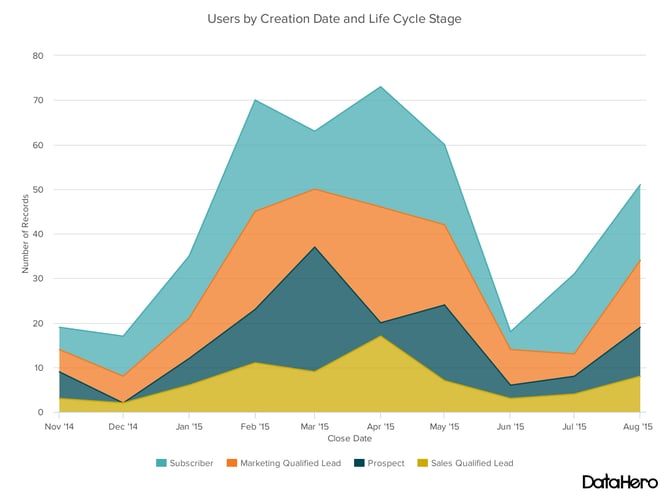
Best Use Cases for These Types of Charts:
Area charts help show changes over time. They work best for big differences between data sets and also help visualize big trends.
For example, the chart above shows users by creation date and life cycle stage.
A line chart could show that there are more subscribers than marketing qualified leads. But this area chart emphasizes how much bigger the number of subscribers is than any other group.
These types of charts and graphs make the size of a group and how groups relate to each other more visually important than data changes over time.
Area graphs can help your business to:
- Visualize which product categories or products within a category are most popular
- Show key performance indicator (KPI) goals vs. outcomes
- Spot and analyze industry trends
Design Best Practices for Area Charts:
- Use transparent colors so information isn’t obscured in the background.
- Don’t display more than four categories to avoid clutter.
- Organize highly variable data at the top of the chart to make it easy to read.
6. Stacked Bar Chart
Use this chart to compare many different items and show the composition of each item you’re comparing.
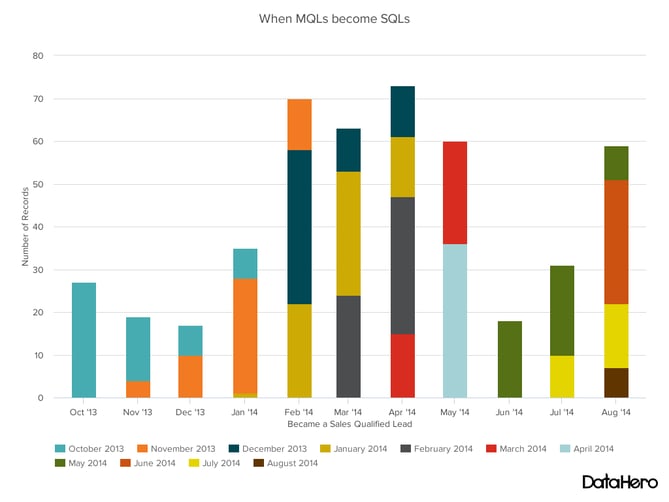
Best Use Cases for These Types of Graphs:
These graphs are helpful when a group starts in one column and moves to another over time.
For example, the difference between a marketing qualified lead (MQL) and a sales qualified lead (SQL) is sometimes hard to see. The chart above helps stakeholders see these two lead types from a single point of view– when a lead changes from MQL to SQL.
Stacked bar charts are excellent for marketing. They make it simple to add a lot of data on a single chart or to make a point with limited space.
These types of graphs can show multiple takeaways, so they’re also super for quarterly meetings when you have a lot to say, but not always a lot of time to say it.
Stacked bar charts are also a smart option for planning or strategy meetings. This is because these charts can show a lot of information at once, but they also make it easy to focus on one stack at a time or move data as needed.
You can also use these charts to:
- Show the frequency of survey responses
- Identify outliers in historical data
- Compare a part of a strategy to its performance as a whole
Design Best Practices for Stacked Bar Graphs:
- Best used to illustrate part-to-whole relationships.
- Use contrasting colors for greater clarity.
- Make the chart scale large enough to view group sizes in relation to one another.
7. Mekko Chart
Also known as a Marimekko chart, this type of graph can compare values, measure each one’s composition, and show data distribution across each one.
It’s similar to a stacked bar, except the Mekko’s x-axis can capture another dimension of your values— instead of time progression, like column charts often do. In the graphic below, the x-axis compares each city to one another.
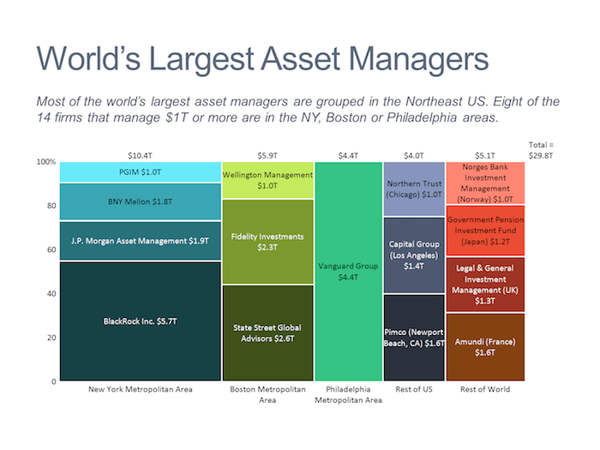
Best Use Cases for This Type of Chart:
You can use a Mekko chart to show growth, market share, or competitor analysis.
For example, the Mekko chart above shows the market share of asset managers grouped by location and the value of their assets. This chart makes it clear which firms manage the most assets in different areas.
It’s also easy to see which asset managers are largest and how they relate to each other.
Mekko charts can seem more complex than other types of charts and graphs. So, it’s best to use these in situations where you want to emphasize scale or differences between groups of data.
Other use cases for Mekko charts include:
- Detailed profit and loss statements
- Revenue by brand and region
- Product profitability
- Share of voice by industry or niche
Design Best Practices for Mekko Charts:
- Vary your bar heights if the portion size is an important point of comparison.
- Don’t include too many composite values within each bar. You might want to reevaluate your presentation if you have a lot of data.
- Order your bars from left to right in such a way that exposes a relevant trend or message.
8. Pie Chart
A pie chart shows a static number and how categories represent part of a whole — the composition of something. A pie chart represents numbers in percentages, and the total sum of all segments needs to equal 100%.
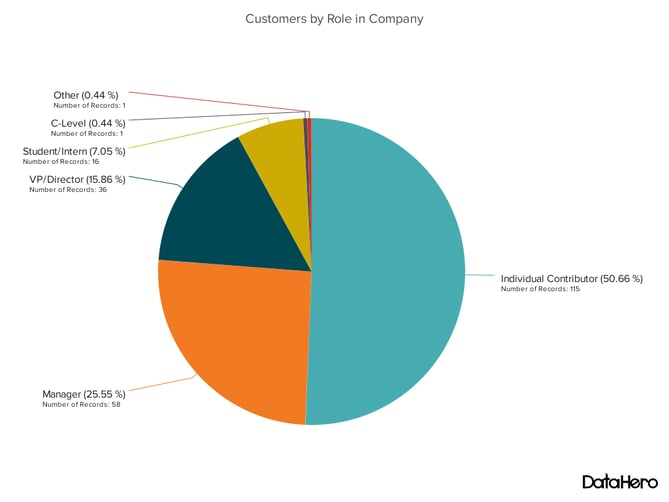
Best Use Cases for This Type of Chart:
The image above shows another example of customers by role in the company.
The bar graph example shows you that there are more individual contributors than any other role. But this pie chart makes it clear that they make up over 50% of customer roles.
Pie charts make it easy to see a section in relation to the whole, so they are good for showing:
- Customer personas in relation to all customers
- Revenue from your most popular products or product types in relation to all product sales
- Percent of total profit from different store locations
Design Best Practices for Pie Charts:
- Don’t illustrate too many categories to ensure differentiation between slices.
- Ensure that the slice values add up to 100%.
- Order slices according to their size.
9. Scatter Plot Chart
A scatter plot or scattergram chart will show the relationship between two different variables or reveals distribution trends. Use this chart when there are many different data points, and you want to highlight similarities in the data set. This is useful when looking for outliers or for understanding the distribution of your data.
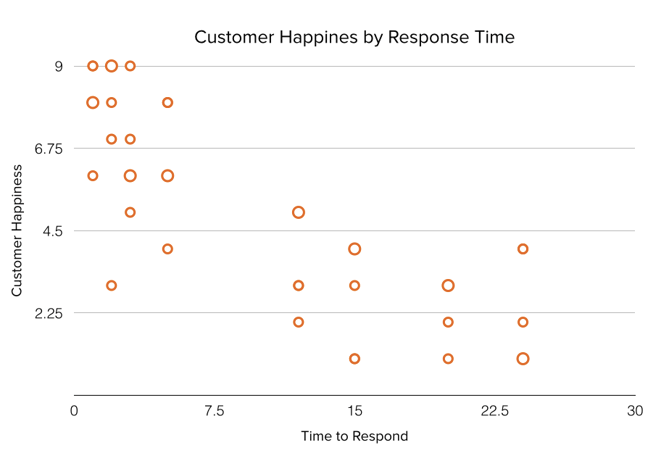
Best Use Cases for These Types of Charts:
Scatter plots are helpful in situations where you have too much data to quickly see a pattern. They are best when you use them to show relationships between two large data sets.
In the example above, this chart shows how customer happiness relates to the time it takes for them to get a response.
Great use cases for this type of graph make it easy to see the comparison of two data sets. This might include:
- Employment and manufacturing output
- Retail sales and inflation
- Visitor numbers and outdoor temperature
- Sales growth and tax laws
Try to choose two data sets that already have a positive or negative relationship. That said, this type of graph can also make it easier to see data that falls outside of normal patterns.
Design Best Practices for Scatter Plots:
- Include more variables, like different sizes, to incorporate more data.
- Start the y-axis at 0 to represent data accurately.
- If you use trend lines, only use a maximum of two to make your plot easy to understand.
10. Bubble Chart
A bubble chart is similar to a scatter plot in that it can show distribution or relationship. There is a third data set shown by the size of the bubble or circle.
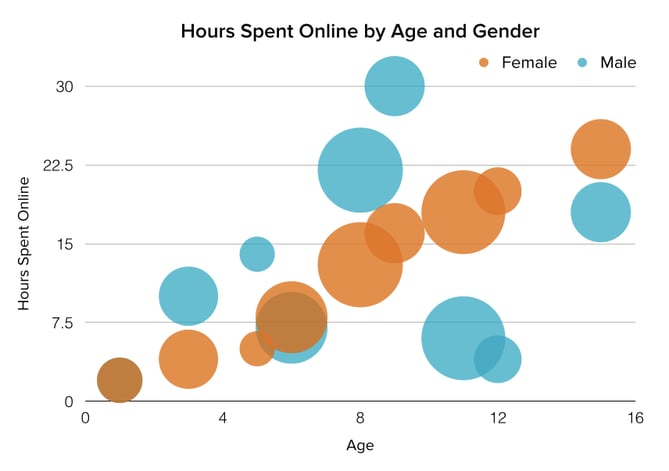
Best Use Cases for This Type of Chart:
In the example above, the number of hours spent online isn’t just compared to the age of the user, as it would be on a scatter plot chart.
Instead, you can also see how the gender of the user impacts time spent online.
This makes bubble charts useful for seeing the rise or fall of trends over time. It also lets you add another option when you’re trying to understand relationships between different segments or categories.
For example, if you want to launch a new product, this chart could help you quickly see the cost, risk, and value of your new product. This can help you focus your energies on a new product that is low risk with a high potential return.
You can also use bubble charts for:
- Top sales by month and location
- Customer satisfaction surveys
- Store performance tracking
- Marketing campaign reviews
Design Best Practices for Bubble Charts:
- Scale bubbles according to area, not diameter.
- Make sure labels are clear and visible.
- Use circular shapes only.
11. Waterfall Chart
Use a waterfall chart to show how an initial value changes with intermediate values — either positive or negative — and results in a final value.
Use this chart to reveal the composition of a number. An example of this would be to showcase how overall company revenue is influenced by different departments and leads to a specific profit number.
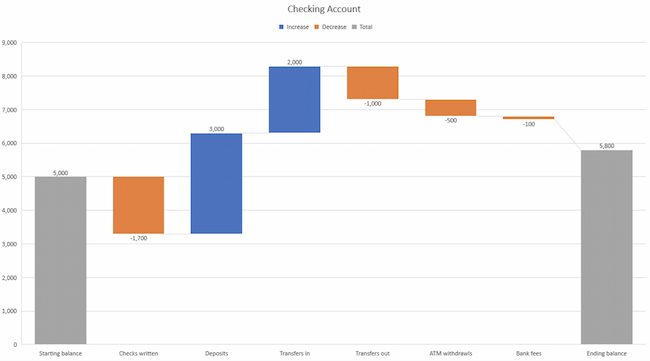
Best Use Cases for This Type of Chart:
These types of charts and graphs make it easier to understand how internal and external factors impact a product or campaign as a whole.
In the example above the chart moves from the starting balance on the far left to the ending balance on the far right. Factors in the center include deposits, transfers in and out, and bank fees.
A waterfall chart offers a quick visual that makes complex processes and outcomes easier to see and troubleshoot. For example, SaaS companies often measure customer churn. This format can help visualize changes in new, current, and free trial users, or changes by user segment.
You may also want to try a waterfall chart to show:
- Changes in revenue or profit over time
- Inventory audits
- Employee staffing reviews
Design Best Practices for Waterfall Charts:
- Use contrasting colors to highlight differences in data sets.
- Choose warm colors to indicate increases and cool colors to indicate decreases.
12. Funnel Chart
A funnel chart shows a series of steps and the completion rate for each step. Use this type of chart to track the sales process or the conversion rate across a series of pages or steps.
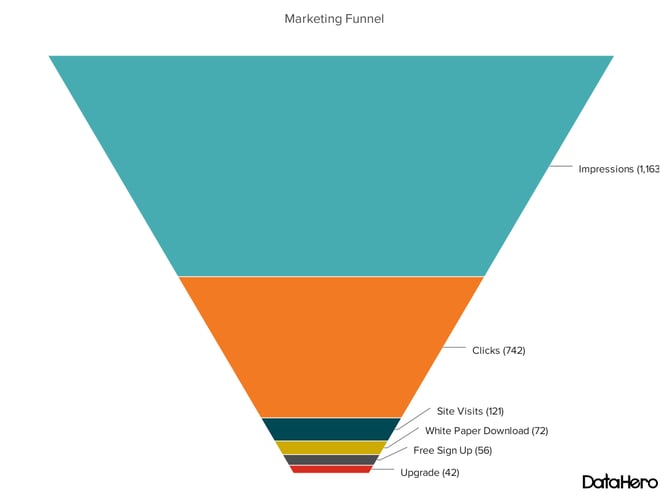
Best Use Cases for These Types of Charts:
The most common use case for a funnel chart is the marketing or sales funnel. But there are many other ways to use this versatile chart.
If you have at least four stages of sequential data, this chart can help you easily see what inputs or outputs impact the final results.
For example, a funnel chart can help you see how to improve your buyer journey or shopping cart workflow. This is because it can help pinpoint major drop-off points.
Other stellar options for these types of charts include:
- Deal pipelines
- Conversion and retention analysis
- Bottlenecks in manufacturing and other multi-step processes
- Marketing campaign performance
- Website conversion tracking
Design Best Practices for Funnel Charts:
- Scale the size of each section to accurately reflect the size of the data set.
- Use contrasting colors or one color in gradated hues, from darkest to lightest as the size of the funnel decreases.
13. Bullet Graph
A bullet graph reveals progress toward a goal, compares this to another measure, and provides context in the form of a rating or performance.
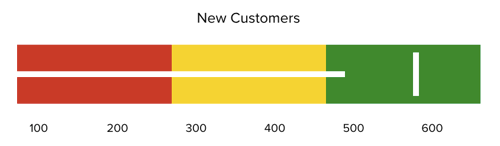
Best Use Cases for These Types of Graphs:
In the example above, this bullet graph shows the number of new customers against a set customer goal. Bullet graphs are great for comparing performance against goals like this.
These types of graphs can also help teams assess possible roadblocks because you can analyze data in a tight visual display.
For example, you could create a series of bullet graphs measuring performance against benchmarks or use a single bullet graph to visualize these KPIs against their goals:
- Revenue
- Profit
- Customer satisfaction
- Average order size
- New customers
Seeing this data at a glance and alongside each other can help teams make quick decisions.
Bullet graphs are one of the best ways to display year-over-year data analysis. You can also use bullet graphs to visualize:
- Customer satisfaction scores
- Product usage
- Customer shopping habits
- Social media usage by platform
Design Best Practices for Bullet Graphs:
- Use contrasting colors to highlight how the data is progressing.
- Use one color in different shades to gauge progress.
14. Heat Map
A heat map shows the relationship between two items and provides rating information, such as high to low or poor to excellent. This chart displays the rating information using varying colors or saturation.

Best Use Cases for Heat Maps:
In the example above, the darker the shade of green shows where the majority of people agree.
With enough data, heat maps can make a viewpoint that might seem subjective more concrete. This makes it easier for a business to act on customer sentiment.
There are many uses for these types of charts and graphs. In fact, many tech companies use heat map tools to gauge user experience for apps, online tools, and website design.
Another common use for heat map graphs is location assessment. If you’re trying to find the right location for your new store, these maps can give you an idea of what the area is like in ways that a visit can’t communicate.
Heat maps can also help with spotting patterns, so they’re good for analyzing trends that change quickly, like ad conversions. They can also help with:
- Competitor research
- Customer sentiment
- Sales outreach
- Campaign impact
- Customer demographics
Design Best Practices for Heat Map:
- Use a basic and clear map outline to avoid distracting from the data.
- Use a single color in varying shades to show changes in data.
- Avoid using multiple patterns.
Put These New Types of Charts and Graphs Into Action
Now that you’ve chosen the best graph or chart for your project, try a data visualization resource that makes your point clear and visual.
Data visualization is just one part of great communication. To show your customers, employees, leadership, and investors that they’re important, keep making time to learn.
Editor’s note: This post was originally published in November 2020 and has been updated for comprehensiveness.
![Blog - Data Visualization [List-Based]](https://no-cache.hubspot.com/cta/default/53/2f02d8fe-c9b0-4078-a3ae-5831c892fbd0.png)

Sense and Sociability – The Corporate Guide to Social Media Etiquette
“Women belong in the kitchen.”
Unfortunately for Burger King, this tweet definitely didn’t go down well on Twitter (no surprise).

Although it was only in subsequent tweets that the meaning of the post was explained, the damage had already been done. Burger King faced plenty of backlash and had to remove the post.
![Download Now: Social Media Trends in 2022 [Free Report]](https://no-cache.hubspot.com/cta/default/53/3dc1dfd9-2cb4-4498-8c57-19dbb5671820.png)
Burger King’s mishap highlights the importance of having social media etiquette standards for your company and employees. And in this article, you’ll learn how to avoid poor social media etiquette and mind your manners online.
Social media is now part of everyday life with over 4.4 expected users by 2025. As such, it’s a no-brainer that brands use it to communicate with their customers.
However, just as it’s crucial to practice proper etiquette when conversing in-person, you also need to do the same online.
Poor social media etiquette can lead to terrible consequences for an erring company. For example, in 2018, Snapchat lost an estimated $800 millionafter making a post that seemed to trivialize domestic violence.
If you don’t want similar terrible consequences to your business, then you need to take social media etiquette seriously.
The Benefits of Social Media Etiquette
Here are some benefits of practicing proper social media etiquette.
It makes your brand empathetic
Your audience is your greatest asset, and using proper social media etiquette forces you to put yourself in their shoes. And when you’re in their shoes, you gain a better perspective of their wants and needs.
It helps you recover from fails
There’s no perfect brand, and we all stumble at times. However, with good social media etiquette, you can recover from your mistakes. For example, despite its fail as quoted in the introduction, Burger King managed to turn things around, at least to an extent, with an apology that felt genuine.
It makes your social media campaigns more productive
Social media is a landmine that’s difficult to navigate. However, good social media etiquette can guide you and help you produce good results.
It helps you focus on what’s important
Good social media etiquette reduces the chances of starting a fire you’ll need to put out on social media. Thus, you’ll have time to focus on what’s really important: your bottom line.
It keeps you on the good side of the law
If your platform has privacy and compliance laws, good etiquette will help you stay on their good side and protect you from lawsuits and such.
It keeps you top-of-mind
When you respond quickly to feedback, even positive ones, you show that your customer’s opinions matter.
Therefore, it’ll be easier for your business to stay top-of-mind for these customers.
Do’s and Don’ts of Social Media Etiquette
Each social media platform is different, but social media etiquette transcends these differences and will result in good results regardless of the platform. Here are 5 Do’s and 5 Don’ts of social media etiquette.
Do’s of Social Media Etiquette
1. Stick to your core values
Your core values should resonate in your content. So if one core value is respect, you’d want to keep sassy comments out of your social media.
On the other hand, if your brand is big on humor, then snarky comments would be on-brand. An excellent example of this is Wendy’s.

2. Respond Quickly
Here’s an interesting stat: 79% of customers expect a responsein the first 24 hours of reaching out to your brand on social media.
So, DO respond as soon as possible. Responding quickly to positive feedback reinforces a customers’ liking of your brand.
Slow response, especially to complaints, makes customers feel like they’re left on read—and we all know how that feels.
Nike Support (@NikeSupport) replies to customers every few minutes, which is probably one reason why people love them on social media.
3. Complete your social page profile
If people come to your page and see an incomplete profile, it gives the wrong impression and they’ll feel you’re not serious enough about engaging with them.
So, complete your profile and include useful information, for example, contact information when appropriate.
Glossier’s Instagram profile, for example, contains information you need to know about it and includes its website where you can get more information.
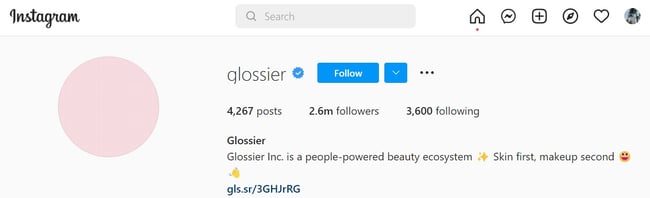
4. Use Hashtags Correctly
Hashtags can boost engagement, but too many hashtags on a post can make you look unprofessional and annoying.
Displaying good social media etiquette will require you to use only hashtags that are relevant to the post.
Coca-Cola’s branded #ShareACoke hashtag is an excellent example of a brand that used hashtags well.
5. Post Regularly
While your audience and industry should be factored in, a good rule of thumb is to post at least once a week.
If you don’t, there’s the risk of losing out on opportunities for driving brand awareness.
Don’ts of Social Media Etiquette
1. Don’t overdo humor
Humor is subjective, and what’s funny to you might be insensitive or downright offensive to others.
If you’re not sure about how a joke would be taken, then it’s better to keep it locked away.
Aside from Wendy’s, another brand that’s hacked funny social media replies and posts is Innocent Drinks (@innocent)
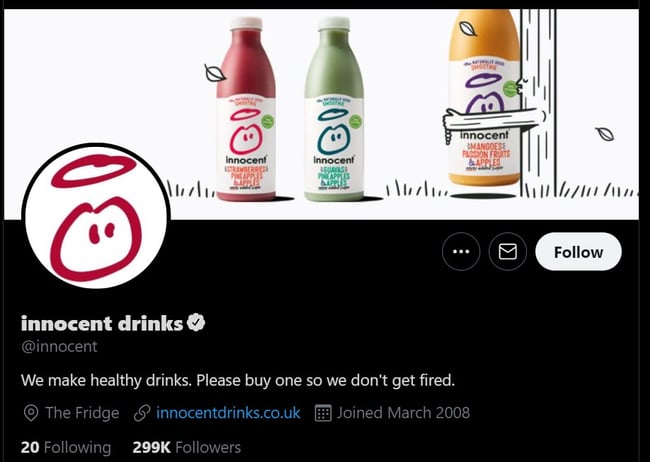
2. Don’t be desperate
Don’t be desperate to get followers. It can be off-putting to see a business ask for followers every chance it gets.
By posting valuable and authentic content, you’ll be able to grow your follower count and get high-quality interactions that will attract even more people.
Fenty’s social media posts include testimonials from women of different nationalities and ethnicities, which is one reason for its rapid growth.
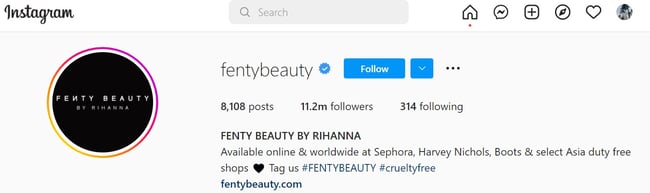
3. Don’t over-promote the business
Followers will quickly get tired if they see too much on social media from your brand.
Balance is key. If ever you’ll post more often than before, tell your audience beforehand and explain why. Then they’ll be less likely to unfollow you during your spree.
4. Don’t use a bot for replies
Tempted to use a bot to respond to your customers? Then you’re on your way to losing them.
Users are smart, and they can sense when a response is automated. If you can’t be online 24/7, share the hours when customers can reach you on the platform. Twitch Support’s bio contains its scope of assistance and open hours.
5. Don’t write in all caps
DO YOU WRITE IN ALL CAPS? Then you are likely stressing out your audience. Why? BECAUSE IT FEELS LIKE YOU’RE SHOUTING AT THEM!
Even Twitter’s official business website for brandsadvises against tweeting in all caps.
So, stop with all caps. They aren’t funny and come off as rude and aggressive. Use all caps only when something is truly important (or exciting), and you definitely HAVE to call your audience’s attention to it.
Social Media Etiquette for Employees
Social media can be a minefield, and only good social media policies can guide brands and employees around it. Here are some guidelines to protect your employees, and by extension, your brand, from behaving indecently on social media.
Respect others
Although employees have the right to say what is on their minds and can post content on their personal time, it’s important to encourage them to be polite and calm on social media.
Thinking before replying or posting online can de-escalate a potentially bad situation.
Respect privacy and confidentiality
Social media isn’t the place to discuss sensitive company matters or disclose internal information.
As an employee, you might not realize that you’re discussing sensitive or internal matters, so the best thing is to take no chances. If it’s not your place to do so or you’re unsure, then move on without discussing such matters online.
Don’t always want to be first
There’s a rush that comes from being the first to ‘break the news.’ However, doing so might come at the cost of losing your job.
So before you post or comment, ensure you’re entitled to share the information. Even if it doesn’t get you dismissed, some information you share might hurt others and ruin relationships.
Don’t use social media on your employer’s time
Your employer is paying you for your time, so act accordingly. Don’t abuse their trust even if your employer allows you to use social media while at work.
If you’re the social media manager, stick to the professional accounts. Using that time to attend to trivial, personal stuff is unfair. It’s also risky because you could end up mixing up accounts and posting something you shouldn’t with your professional account.
Be a good company ambassador
Be mindful that you represent your employer. Thus, post information like you’re posting on their behalf.
Use good judgment when posting online. For example, if someone posts negative information about the organization, don’t fly into a confrontation. Instead, tell someone in charge who can handle the matter or give you instructions on how to handle it.
Do Social Media Etiquette The Right Way
These Dos and Don’ts of social media etiquette might seem challenging to follow. However, following them can save you and your company a lot of stress.
Several brands have experienced the power of cancel culture firsthand, and you can avoid their experiences by practicing good social media etiquette.
When you care about your audience and put yourself in their shoes, you can have a good culture of social media etiquette that will benefit your brand.
Editor’s note: This post was originally published in March 2010 and has been updated for comprehensiveness.


The 23 Best Google Chrome Extensions for SEO
The importance of using a great SEO Chrome extension can’t be overstated. SEO is essential if you want your site to rank on Google, and the right extension can help you automate research and analysis, leading to a more effective SEO strategy.
With so many SEO Chrome extensions available, marketers often find themselves spending more time finding a great fit than getting actionable analytics.
To help you navigate the crowded world of Chrome extensions, we’ve come up with a list of our favorites for SEO.
![→ Download Now: SEO Starter Pack [Free Kit]](https://no-cache.hubspot.com/cta/default/53/1d7211ac-7b1b-4405-b940-54b8acedb26e.png)
Best SEO Extensions for Google Chrome
1. MozBar
MozBar allows its users to check SEO within their browser using just one click. MozBar provides metrics while viewing any webpage, and allows users to export SERPs into a CRV file and access analytics. Upgrading to MozBar Premium offers functions like analyzing keyword difficulty, page optimization, and SERP metrics.
What we like: MozBar makes checking your SEO as simple as possible with its one-click model, making it a huge time saver for stressed SEO pros.
2. Keywords Everywhere
- Price: Free
Keywords Everywhere is a tool that shows three different information types for keywords on Google: monthly search volume, cost per click, and Google Adwords competition. By having this extension installed, going back and forth from Google Keywords to your open browser page is a thing of the past, as it’s an in-browser extension.
What we like: Keywords Everywhere puts keyword data where you want it: Right in front of you. The result? Less time spent tabbing back and forth and more time spent boosting your site’s SEO.
3. GrowthBar
- Price: Free for 5 days, then $29/mo
GrowthBar is a simple chrome extension that gives you instant access to critical SEO data points about any website and unlocks the growth channels and keywords that are working for them.
The tool allows you to explore best-performing keywords, keyword ranking difficulty score, domain authority, backlink data, page word count, Facebook ads, and more.
What we like: Quick and easy are the big benefits of GrowthBar. Easily discover key data and act on it to boost your SEO on-demand.
4. SimilarWeb
- Price: Free
Offering traffic and key metrics for any website, SimilarWeb is a popular extension that allows users to see statistics and strategies for any website while searching the internet with one click. This extension is helpful for those looking for new and effective SEO strategies, as well as those interested in analyzing different trends across the market.
What we like: SimilarWeb lets you see what the competition is up to — and how it’s working for them. The result? You gain useful insight about improving your own SEO practices.
5. Redirect Path
- Price: Free
Microsoft Word’s infamous red squiggly line that alerts their user of improper grammar has an SEO doppelganger: Redirect Path. This extension flags 301, 302, 404, 500 HTTP Status Codes, Meta, and JavaScript redirects, catching potential issues immediately. It also shows other HTTP headers and server IP addresses.
What we like: Broken and misdirected links can drive users to other sites — Redirect Path gives you a heads-up about these issues so you can correct them ASAP.
6. SEO Meta in 1 Click
- Price: Free
SEO Meta in 1 Click displays all meta tags and main SEO information for a web page with just a single click. This includes the lengths of titles and descriptions, URL, headers in order of appearance, and the number of images without alt text.
What we like: Just like the name says, one click gets you the big hitters of SEO impact, including title and description lengths and no-text images, letting you make the changes that matter most.
7. BuzzSumo
- Price: Free
Need SEO tracking for social? BuzzSumo’s got you covered. This extension allows you to easily track shares and top-performing content on social media pages. Using BuzzSumo can help aid in future SEO decisions and check the inbound backlinks to your pages.
What we like: Social media is now a critical part of effective SEO. BuzzSumo loops in popular social media sites to help your team develop more effective SEO strategies.
8. Hunter
Hunter makes it easy to find contact information instantly in your browser. This process, named “Domain Search,” is accessible by an icon in Chrome. Hunter finds all the email addresses related to a website.
What we like: How do prospective customers get in touch? Hunter finds all email addresses attached to your website, letting you ensure users have a reliable point of contact and making sure all email addresses are up-to-date.
9. Mangools
Check the SEO strength of websites with Mangools, which offers you the top SEO metrics of websites using Moz and Majestic. Access premium features such as the self-described “Google SERP on steroids” function, aiding with keywords, backlinks, and profile analysis.
What we like: The stronger your SEO game, the better. Mangools combines multiple metrics to provide a broad view of how you stack up to the competition.
10. Google Trends
- Price: Free
Trends is part of Google Webmaster Tools, a set of extension tools for building websites and integrating them with Google. Trends presents analytics, using graphs, on the top searches in Google (from Taylor Swift to Kim Kardashian) from across several countries. Trends can help you identify the level of interest in topics related to your niche.
What we like: What’s in and what’s out changes rapidly. Trends keeps you on top of the evolving SEO landscape to help you stay ahead of the crowd.
11. SEOQuake
- Price: Free
SEOQuake presents itself as a dashboard, reporting on domain performance, as well as that of individual pages. One of its prime features is its SEO toolkit, which allows its users to analyze backlinks and watch keyword rank. It also provides on-page SEO suggestions, fitting itself into an SEO strategy nicely.
What we like: On-page SEO suggestions from SEOQuake are a great way to optimize your content in real-time, and it’s also a great tool to have access to when you need more robust analytics.
12. Serpstat
By using Serpstat, you can instantly check the SEO of your website as well as competitors’. After clicking the in-browser icon, you’ll be able to receive a full SEO audit of a domain. Serpstat has three sections: On-page SEO parameters, page analysis, and domain analysis.
What we like: Get a quick SEO comparison of your site and those of your competitors with just a few clicks using Serpstat to see how you stack up — and what you need to change.
13. Ahrefs
- Price: $99/mo for Ahrefs Lite
With their SEO toolbar in Chrome, Ahrefs examines website properties and produces keywords, links, and ranking profiles that offer SEO improvements on your website. To receive a detailed report on an SEO metric, just click on it.
What we like: Dive deep into any SEO metric with Ahrefs to see where your strategies are working and where they need improvement.
14. Check My Links
- Price: Free
Aptly named, Check My Links does just that with one click, scanning through webpages for broken links. A huge time saver when designing link-heavy web pages, the extension makes sure the links are working properly, denoting when links are broken.
What we like: Broken links are bad news. Check My Links saves you the time of manually finding broken links with one-click scanning.
15. NinjaOutreach Lite
- Price: Free
The free extension from NinjaOutreach makes browsers capable of advanced data mining. It offers various SEO functions related to webpage URLs, titles, links, meta descriptions, follower counts on social media, and monetization techniques.
What we like: With NinjaOutreach Lite, you can begin data mining to see how well your URL, title, links, and meta descriptions are meeting SEO goals.
16. PageSpeed Insights by Google
- Price: Free
Part of Google Webmaster Tools, PageSpeed Insights is an SEO tool that provides information on desktop and mobile sites. After running an analysis, PageSpeed Insights gives a score on the site and provides suggestions on how to make the web pages run faster.
What we like: Faster is better when it comes to websites. PageSpeed pinpoints areas you can improve to make your page run faster and boost your search ranking.
17. Woorank
Woorank is a site analysis tool similar to PageSpeed Insights, allowing users to see suggestions for improvement on their web pages. It provides an in-depth report on online visibility, social media, and usability, allowing you to keep track of ways to improve different metrics.
What we like: Woorank is like PageSpeed with extended impact. It offers suggestions on how to boost the visibility and usability of your site, which are both key metrics in overall SERP rankings.
18. NoFollow
- Price: Free
With NoFollow, marketers can see an outline of web pages that are coded with the nofollow metatag. Because nofollow links don’t add to SEO metrics, users can identify any external web pages that are backlinking to their websites with indexed links. For pages you don’t want to be indexed — like a landing page — NoFollow checks to see if those pages are coded correctly and highlights any links that aren’t working.
What we like: Nofollow links can impact your SEO but don’t naturally appear in data. NoFollow lets you identify these links and helps ensure they’re coded correctly.
19. BuzzStream
BuzzStream allows marketers to organize and perform outreach that’s specialized to your business. The extension, BuzzMarker, connects with BuzzStream to assist in building links, promoting content, and pitching influencers.
What we like: Build out customized SEO-based outreach that can help you connect with target audiences and increase your search rankings.
20. Screaming Frog SEO Spider
Search marketing stressing you out? This tool is here to help. Screaming Frog’s SEO Spider enables you to crawl website URLs, add key elements to analyze SEO, and fix detected issues, making an excruciatingly long process simplified. Some elements include finding broken links, discovering duplicate pages, and creating site visualizations.
What we like: Search engine marketing is complex. Screaming Frog makes it easy with automated URL analysis that flags potential issues and lets you add simple fixes.
21. Lighthouse
- Price: Free
The Lighthouse SEO Chrome extension is an open-source, automated tool designed to improve the performance of your web applications. First, Lighthouse runs a series of tests against the target webpage and then reports results across the speed, quality, and overall performance of your application. Then, it returns results that make it easy to pinpoint and correct potential problem areas.
What we like: With page performance now impacting search results, Lighthouse offers a way to quickly identify issues that could hurt SEO efforts.
22. vidIQ Vision for YouTube
This YouTube SEO Chrome extension is all about boosting the impact of your videos to get more views and drive more engagement. From helping you understand how videos get ranked in search, what makes them related, and what content your target audience is searching for, vidIQ is a great addition to any video-driven SEO effort.
What we like: vidIQ boasts more than 2 million users and is regularly updated to improve performance, making it a stand-out choice to boost video SEO impact.
23. SEO Minion
- Price: Free
Streamline day-to-day SEO tasks with SEO Minion. From analyzing on-page SEO to checking broken links and previewing SERPs in real-time, the SEO Minion Chrome extension is a great way to save time on SEO without sacrificing your search ranking.
What we like: Along with current SEO features, SEO Minion adds new analysis and tracking options based on user feedback, making this extension a great choice for basic tasks and specific needs.
Solving for SEO Stress
Finding the right Chrome extension can help lower your SEO stress and boost your site’s impact. Plus, many of the tools listed above provide useful information on how to refine skills like backlink building and keyword accuracy. You’ll be acing the SEO section of Marketing 101 in no time. As a result, your site will see an exponential improvement in its search engine rankings.
Editor’s note: This post was originally published in September 2019 and has been updated for comprehensiveness.


LinkedIn Company Pages: The Ultimate Guide [+ 10 Best Practices]
LinkedIn Pages allow users to discover, follow, and find new roles at their favorite businesses. But they’re not just useful for job seekers and professionals. If you own a business, organization, or other institution, you can use LinkedIn Company Pages to connect with your audience and strengthen your brand image.
A lot happens on LinkedIn. People post updates, professionals seek new jobs, salespeople pitch prospective customers, and LinkedIn members of all kinds connect, chat, and build relationships. With more than 800 million members, this level of activity comes as no surprise.
![Free Guide: How to Use LinkedIn for Business, Marketing, and Networking [Download Now]](https://no-cache.hubspot.com/cta/default/53/ddd33609-1733-44d2-a811-a5435b201ffe.png)
LinkedIn Company Pages provide a unique way for your organization to stand out from the noise — important noise, but noisy nonetheless. We developed this guide to help you master your LinkedIn Company Page.
LinkedIn Company Pages were developed to give your company a home base and reach your audience on the network.
If you haven’t built a LinkedIn Page for your business yet, you’re missing out on new connections, followers, employees, and customers.For an in-depth guide on why creating a LinkedIn company page is essential for your business and how to get started, check out our video.
What to Post on a LinkedIn Company Page
Creating a LinkedIn presence for your company expands your brand trust and awareness. Here are a few ideas for what to post on your LinkedIn page to maximize your ROI.
1. Share company updates and news.
LinkedIn, like any other social network, features a content stream on which people share and discuss important articles and updates. Your Page is a perfect place to post your company updates and news for customers, employees, investors, and fans to review and share.
2. Post open jobs and connect with potential employees.
LinkedIn is a professional social network, meaning users benefit from work and career-related updates, connections, and interactions. LinkedIn members are primed to discover and discuss job opportunities, including the ones at your company. If you have any open roles, LinkedIn is the perfect place to share them.
In fact, LinkedIn provides Career Pages — a space separate from your Company Page that’s dedicated to open jobs, recruiting, and employer branding.
3. Build a community.
Every social network boasts its own ability to foster a sense of community, and LinkedIn is no exception.
Your LinkedIn Company Page is a place to build a community of LinkedIn members who are interested in your business, updates, and jobs. Here, they can connect and collaborate on their shared interest in your company. Post interesting questions, behind-the-scenes information, and unique updates to engage your audience and build camaraderie on your Page.
4. Grow and keep your brand’s image consistent on social media.
If you’re active on other social networks, having a presence on LinkedIn can help you grow your audience elsewhere. Most social networks allow you to link to and from your LinkedIn page to boost recognition and increase your number of followers.
Additionally, some of your audience may only be active on LinkedIn, so creating a Page would give you a chance to connect with new potential customers and employees.
5. Improve your discoverability on search engines.
LinkedIn Company Pages rank on search engine results pages (SERPs) like any other website or social network. Creating a Page gives your company another opportunity to be discovered by those searching for your products, services, or brand.
LinkedIn Company Pages vs. LinkedIn Groups
Another popular feature on LinkedIn is LinkedIn Groups, where like-minded people digitally gather to discuss common topics, industries, or (in some cases) companies. Many users get these two features confused.
LinkedIn Company Pages are the equivalent to your “website” on LinkedIn; you create it on behalf of your company, and it belongs to you (as a business owner and/or marketer). You’re responsible for updating your Page and posting new content and updates. Other LinkedIn members can follow your Page and engage with your content.
On the other hand, LinkedIn Groups are collaborative networks that can be created and engaged with by any LinkedIn member. Some groups are private while Open Groups can be read or joined by anyone.
Now, a company can create a LinkedIn Group for certain internal teams or subgroups, but LinkedIn Groups can’t necessarily replace LinkedIn Company Pages.
How to Create a Company Page on LinkedIn
Whether you already have a LinkedIn account or are new to the platform, creating a LinkedIn Company Page is easy. Follow these steps to get started.
1. Navigate to the LinkedIn Pages home page or to LinkedIn.com.
 LinkedIn has a public-facing site where you can start the process for creating your own Page. Click the blue button that says “Create your Page.” Alternatively, hover over the LinkedIn Pages option in the top menu and click “Create a LinkedIn Page”.
If you’re not already signed in, you’ll be prompted to sign in. Be sure to do so with the account where you’d like to manage the page. But if you happen to sign in to the wrong account, don’t worry; you can add more admins after you set up your page. We’ll cover how you can do that later.
Starting from LinkedIn.com
If you’d prefer to start from your LinkedIn feed, navigate to LinkedIn.com.
Once you reach your feed, tap the “Work” button in the navigation bar.
Click “Create a Company Page +” at the very bottom.
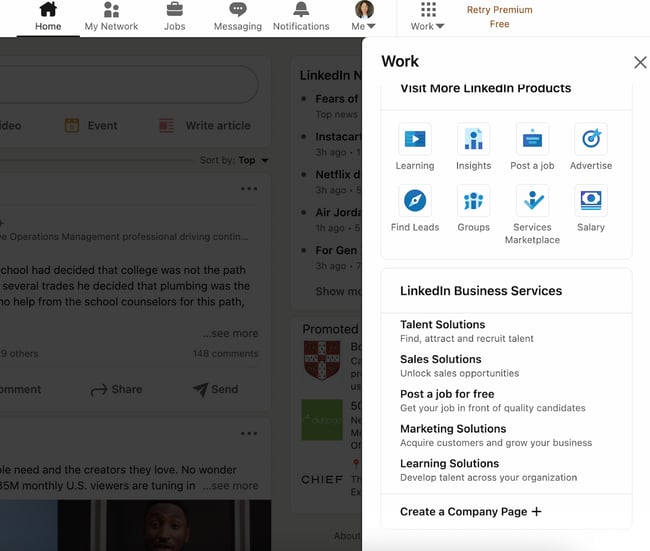 2. Select the type of Page you’d like to create.
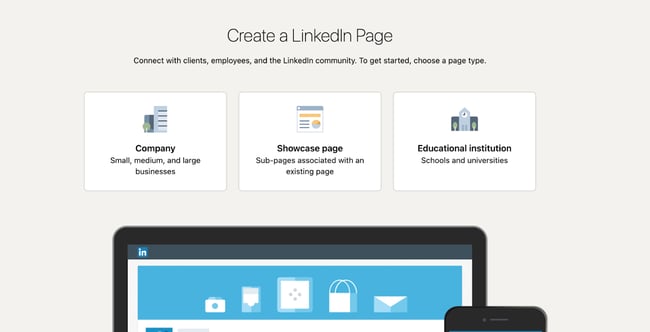 After clicking “Create a Company Page”, you’ll be taken to a page where you can decide what you’re creating. You have three options:
- Company: A good fit for small-to-enterprise businesses, as well as non-profits, government agencies, and other non-educational organizations.
- Showcase page: A “sub-page” that’s connected to an existing LinkedIn Page. Not recommended if you’re setting up your first Company Page.
- Educational institution: A good fit for schools and universities.
If you’re a business owner or employee, choose “Company.”
3. Input your business name, LinkedIn public URL, and website.
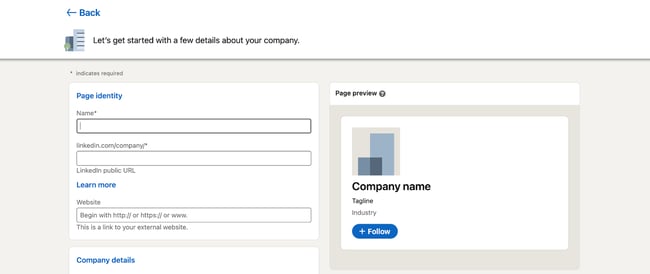 Now comes the fun part: Actually creating the page. LinkedIn guides you through this process, and it prompts you to first fill out the basics.
- Name: Enter your entire company name to improve discoverability and searchability.
- LinkedIn public URL: As you fill out your Name, LinkedIn will automatically input your URL to match. Ideally, your URL will be your company name; this keeps your online identities consistent. For example, HubSpot’s LinkedIn Page URL is www.linkedin.com/company/hubspot. If your company name isn’t available, choose a URL that’s similar and still identifiable, such as one of your social media handles and/or a shortened version of your brand name.
- Website: Enter your company’s website. Although not required, this information is critical as it connects LinkedIn followers to your company website.
4. Add your industry, company size, and company type.
 LinkedIn requires additional details for you to build your page. These are essential to improve searchability and helps you build your brand image in your specific industry.
- Industry: Start typing in your industry and choose one from the drop-down menu. If you can’t find it, continue searching until you find a generally good fit. This information helps LinkedIn categorize your company for Page visitors.
- Company size: Choose your company size from the ranges provided. The ranges start from 0-1 and go up to 10,000+.
- Company type: Choose your company type from the options provided: Public company, self-employed, government agency, non-profit, sole proprietorship, privately held, and partnership. If you’re not sure, reach out to your company stakeholders.
5. Add your final profile details, such as your logo and tagline.
 While these fields are optional, they can help you save time later. You’ll have less work to do in your LinkedIn Page Admin area.
- Logo: Upload a high-quality logo that matches the logo on your other social media accounts. This is important so new followers can recognize your brand and Page. It must be 300 x 300px.
- Tagline: In 120 characters, briefly describe what your company does. Consider using the same tagline from your other social media accounts. You can change this information later.
6. Preview the result and click “Create Page.”
 On the right-hand side, you’ll see a preview of the details you’ve provided. Take a look to ensure everything looks correct.
When you’re finished, check the checkbox at the bottom confirming you’re an authorized representative and click “Create Page.”
7. Complete your LinkedIn Page in the Admin dashboard.
 The final step will show you the Admin View of your LinkedIn Company Page. This is essentially the behind-the-scenes dashboard from which you can make changes to your Page.
If you’re building your Page from scratch, you’ll see that LinkedIn provides a helpful checklist of actions to complete. These tasks will also unlock new features such as Content Suggestions and Invite to Follow that can help grow your Page.
Let’s walk through the important tasks to complete in this step.
- Description: Add an About Us section that describes your company. It should be longer than your tagline. This is the place to include relevant keywords and phrases that can help people discover your Page on LinkedIn and through search engines. This section can be up to 2,000 words. LinkedIn also allows you to create taglines and descriptions in multiple languages.
- Location: Add at least one location for your company. You can add multiple locations and name each one. Consider at least adding your headquarters or central company location.
- Cover photo: Add a cover photo that will engage and entice visitors to check out your Page. Many brands upload another orientation of their logo or their latest marketing or advertising campaign graphics. This photo must be 1,128 x 191px.
- Hashtags: Hashtags provide a unique way to connect with followers and engage with posts. Add up to three hashtags that are related to your company, industry, and audience. They will be added as Community Hashtags to your Page.
You can also add a company phone number, the year your company was founded, and any LinkedIn Groups you want to show on your Page.
Voila! Your LinkedIn Company Page is now created and ready to share. Continue poking around your Page to complete all fields and features. The following section of LinkedIn Page best practices will help you use your Page to connect and grow.
How to Manage Your Company Page on LinkedIn
Once you create your LinkedIn Company Page, your work is done … right? Nope. Honestly, creating the Page is the easiest part. Managing and posting on the page is what takes more time, work, and creativity.
As we’ll talk about below, the first thing to do is determine your Page admin. This person will be responsible for creating (or delegating) the content posted on your Page.
Work with your team to plan much of your LinkedIn content upfront. Gather ideas from your other social media accounts, or chat with your leadership, product, and HR teams to get ideas for company, product, and job updates to share.
Encourage your coworkers to create LinkedIn accounts of their own, as their engagement and participation can help drive traffic to your Page.
Lastly, keep an eye on the LinkedIn Company Page analytics. See who’s visiting and engaging with your Page and what kind of content they prefer. Over time, this will help you determine where to best spend your creative energy.
LinkedIn Company Page Admin
Who is your LinkedIn Company Page admin? Answer this question before moving further in this article. You need at least one, although we’ll discuss in the section below how (and why) to add additional Page admins.
LinkedIn offers a variety of admin roles, and your Page should have at least one of each to avoid losing access to your Page. Moreover, this admin (or team of admins) are the ultimate managers of all content posted on your Page. They should ensure all content is on brand and consistent with your other social networks and website content.
Let’s talk about some more best practices for LinkedIn Company Pages.
Follow these tips and techniques to maximize the impact of your LinkedIn Company Page.
1. Complete all Page details with in-depth information about your company.
 A fully completed LinkedIn Company Page will help you engage users more effectively and earn more follows and shares. Take the time to fill out every Page detail, even those that aren’t required.
Each LinkedIn Company Page has a series of tabs. These include:
- Home: The Home tab includes a snapshot of all the other tabs in your LinkedIn Page. It provides a short version of your “About” page, lists 2-3 of your recent posts, includes “People highlights” for each individual Page visitor, and more.
- About: The About tab gives you the opportunity to explain what you do and why you do it in more detail. You’ve likely already filled out most of this info, such as your website and industry, but consider adding your specialties and other locations as well.
- Products: Some companies will benefit from listing products on their LinkedIn page. It’s especially useful if your product can also double as a skill that people can add to their LinkedIn profile (such as Microsoft Excel, for instance). Only certain types of companies can add products to their Page.
- Posts: This is the section of your Page where your updates are published, equivalent to an Instagram or Facebook feed. It includes text posts, images, videos, articles, documents, and ads.
- Jobs: The Jobs tab only apples to you once you’ve posted jobs on LinkedIn. Posting a job is completely free and essential if you’d like to use your LinkedIn Page to attract top talent.
- Events: Like the Jobs tab, this will only appear after you’ve added an event to LinkedIn. You don’t necessarily need to add events during the Page setup process, but you can consider doing so to strengthen your company brand and reach more prospects.
- Videos: This tab includes a feed of your most recent videos.
Your LinkedIn Page also includes a “People” tab, which lists all of your current employees. If you purchase Career Pages for your LinkedIn Page, you’ll also get a “Life” tab, where you can provide more detail on the employee experience at your company and even feature content made by your employees.
The more details you provide about your company, the easier it will be for people (a.k.a. potential customers) to discover and connect with you. It will also serve to educate those who are interested in working for or investing in your company.
2. Add important Page admins.
Maintaining a LinkedIn Company Page can be a lot of work, especially if your team is already manning multiple social networks and accounts. Once you create your Page, don’t forget to add more Page admins to give other people permissions.
To add new Page admins, click “Admin tools” in the top right corner of your Company Page, then click “Manage admins” under Settings.
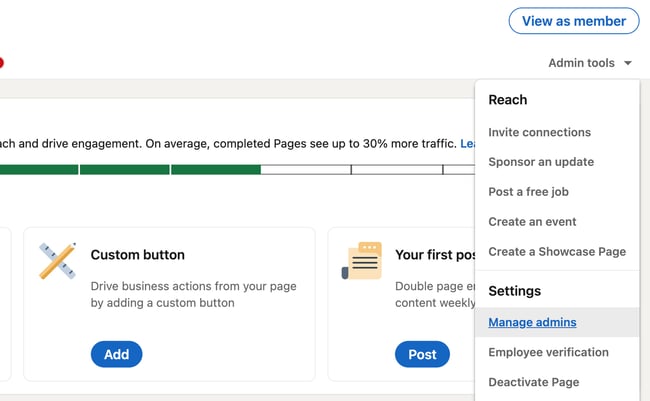
The page will allow you to manage all your Page administrators. As you can see, there are several types of admins you can add to your Page:
- Super admins have access to all permissions.
- Content admins can edit the Page’s content and publish posts.
- Curators can see content suggestions and create recommended content.
- Analysts can access the Page’s performance analytics and export data.
LinkedIn explains them in detail here.
To add an admin, simply click the “+ Add admin” button in the admin management page.
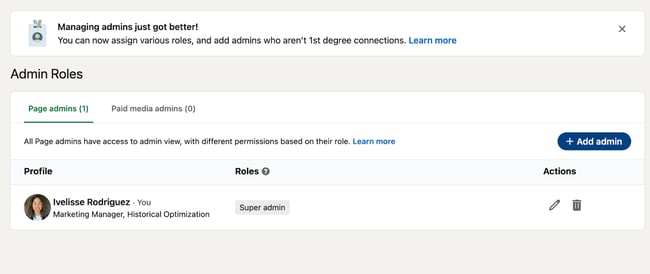 In the pop-up, type in the person’s name, choose their admin role, and click “Save.”
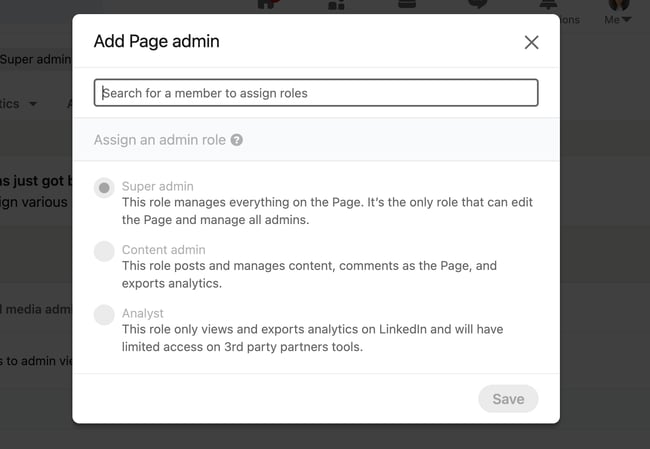
3. Keep your images up-to-date.
Your Page logo and cover photo are very important; they visually introduce and engage anyone who visits your Page. Keep these images up-to-date with your latest branding and marketing materials.
Not only is this critical for presenting a unified social presence, but it ensures your LinkedIn Company Page also matches your website, blog, and other digital marketing materials. Doing so will boost brand awareness and help new customers, employees, and fans discover your brand on LinkedIn.
4. Share engaging content with your followers at least once a week.
Like any social network, you can’t expect to simply create your account and be finished. Building your LinkedIn Page is only half the battle; you must also consistently post content to successfully engage, inform, and market to your audience.
Download this free ebook to access templates, guides, and infographics on how to use LinkedIn for business, marketing, and networking.
.png?width=375&name=Image%20Hackathon%20%E2%80%93%20Square%20(25).png) Consider posting updates to your products and services, job openings, trends or news that involve your brand, and behind-the-scenes content featuring employee life, product development, or other unique content.
Consider posting updates to your products and services, job openings, trends or news that involve your brand, and behind-the-scenes content featuring employee life, product development, or other unique content.
5. Use Content Suggestions to share relevant content.
LinkedIn also provides a handy Content Suggestions tool to help you discover topics and content your audience is already engaging with on the network.
Tap “Content” in the top menu of your Page, and update the filters as they apply to your audience.
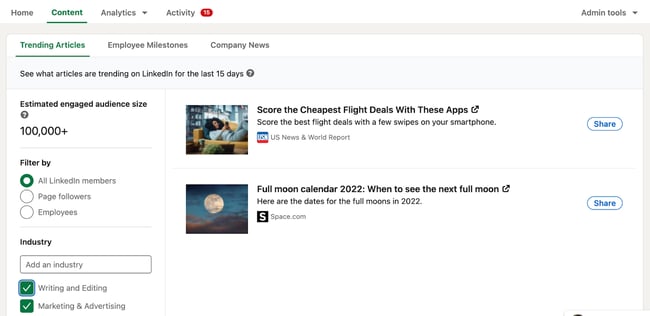
Immediately, you’ll see a content stream based on your chosen topic and audience parameters. You can edit the filters further in the left menu, and you can add or take away content topics along the top. This tool shows you the engagement rates of popular or trending content and makes it easy to share this content with your audience.
6. Engage with your audience.
Don’t forget to engage with your audience, too. Like, comment on, and share things posted by your followers and connections. This will remind them there are humans behind your brand’s LinkedIn Company Page.
7. Post interesting, eye-catching visuals.
Text-only content is unlikely to engage all members of your LinkedIn Page. Be sure that at least 50% of your posts feature an engaging visual, whether an infographic, illustrated statistic, or quote graphic. Even a GIF or meme can be a fun addition to a text-heavy feed.
 Also, consider adding short videos. Even if these videos repeat your text-based posts, they’ll engage with your more visual audience and keep folks engaged on your Page.
8. Customize your call-to-action.
On your LinkedIn Company Page, under your logo and next to the Follow + button, you’ll find a call-to-action (CTA). HubSpot’s says Visit website.
LinkedIn allows you to customize this CTA to better engage your followers and audience. To do this, click “Edit page” on your admin view.
A pop-up box will come up. Under Header, click “Buttons.”
Make sure the “Custom button” option is turned on.
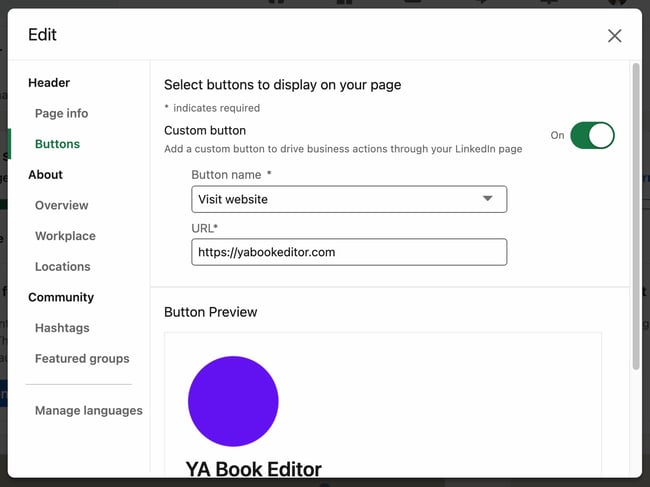 Choose a button name from the drop-down menu and enter a URL. Use this setting to direct followers to your website, landing pages, event registrations, and more.
9. Involve your employees.
Your employees are some of your best brand advocates. This is especially true on LinkedIn, where employees have an average of 10x more first-degree connections than a company has followers.
As you develop your Company Page, encourage your employees to follow and engage with it. Also, ask each employee to list your company as an employer, as this will link their profile to your Page and vice versa.
This is a helpful resource when growing a new Page audience of customers and potential employees.
10. Post content from (or mention) partners and other companies.
If you partner with other companies, such as for co-marketing campaigns, feature them on your Page often. Not only does this engage other companies and leaders, but it also promotes your content to your partner’s audiences.
For every post that you share about your company, share one focused on another company, your employees, or even your customers.
Create Your LinkedIn Company Page Today
Most customers trust social media over advertising — including social media for brands and companies. Your LinkedIn Company Page contributes to this statistic, and, in turn, helps bolster your brand awareness, trust, and social activity. Use this guide to develop your LinkedIn Company Page and start engaging with new customers, employees, investors, and followers.
Editor’s note: This post was originally published in August 2017 and has been updated for comprehensiveness.

Does Marketing Really Matter? (8 Benefits That Show It’s Critical)
Many small businesses don’t think they “do marketing,” or need to “do marketing.” In fact, around 37% of small businesses in a survey of 500 small businesses don’t have a website to market their products and services.
The basis for this line of argument for many of them is that they’re too busy trying to get customers through the door to be bothered about “fancy marketing.”![→ Click here to download our free guide to digital marketing fundamentals [Download Now].](https://no-cache.hubspot.com/cta/default/53/0a42501f-0096-4817-9fbc-923540fe37a6.png)
However, marketing is a more effortless and surer way to bring in the business they want. This article will reveal some benefits of digital marketing for small businesses and show that marketing truly matters regardless of the business you run.
They believe that customers would inevitably find their way to them since they have a great product or service. But unfortunately, although this strategy might bring some customers (after all, who doesn’t love great products and service?), its results pale compared to what they’ll get if they use digital marketing.
The global pandemic and measures to curb its effects have changed the business and retail landscape. Many people have integrated online reviews and searching online into their decision to purchase a product or service. This reveals just how much digital marketing helps small businesses and why it’s in their benefit to take advantage of this new situation.
The market out there is simply too big and important to be ignored. According to the Global Overview Report, more than 4.6 billion people worldwide use the internet, and 46.3% of them use the internet to research products and brands.
-1.png?width=650&name=Does%20Marketing%20Really%20Matter%3F%20(8%20Benefits%20That%20Show%20Its%20Critical)-1.png)
So, what does this mean? Having a great product or service is essential, but it’s ultimately futile if nobody knows about it. Digital marketing is how you get your product out there and should be part of every small business’s strategy for growth.
Why some small businesses don’t invest in digital marketing
Since marketing offers many benefits, it’s bewildering to see small businesses fail to invest in it.
However, it’s important to note that these owners have their reasons. Some of the common reasons include:
Service-based companies don’t need to do marketing.
On the surface, this looks like a genuine reason, but it turns out to be smoke and mirrors. As long as you’re a business selling something, you can benefit from a sound digital marketing strategy.
The business has tried marketing before and it didn’t work.
Just because you’ve tried something before and it failed doesn’t mean it can’t ever work. Have you tried something else? Sometimes, some businesses have started on the right marketing path but fall off because of a lack of patience.
It’s essential to measure the right metrics in any marketing campaign to judge whether it’s working or not accurately.
There is plenty of help available to small business owners who want to improve their marketing strategy.
The business is small and plans to stay small.
Growth isn’t for everyone and small businesses that say this can’t really be faulted. However, just because you don’t want to grow bigger doesn’t mean you can’t benefit from marketing.
For example, marketing can help you increase your retention rate and even improve the quality of customers or clients you attract.
Free Guide: Digital Marketing For Small Business
.png?width=375&height=375&name=Does%20Marketing%20Really%20Matter%3F%20(8%20Benefits%20That%20Show%20Its%20Critical).png)
Why Digital Marketing is Important for Small Businesses
Relying solely on traditional marketing methods will not achieve the desired results, so small businesses should adopt digital marketing.
With so many people connected to the internet, online searches have increased in volume and frequency over the past year. 79% of consumers currently use the internet to find information about local businesses, and a digital marketing strategy makes it possible to be found easily by searchers.
.jpeg?width=650&name=Does%20Marketing%20Really%20Matter%3F%20(8%20Benefits%20That%20Show%20Its%20Critical).jpeg)
Another reason why digital marketing is excellent for small businesses is that it can turn customers into brand ambassadors. Using digital testimonials can complement the “word of mouth” way of marketing and since 89% of consumers read reviews before buying products, integrating such testimonials is a no-brainer.
Digital marketing widens your reach. By using multichannel, you can increase conversions and reach potential customers where they are. Social media is a gem, with 4.20 billion people using it. So by tailoring your message on the different channels, you can boost your reach over time.
1. It increases your reach
Considering that people today are spending more time than ever before in front of their screen, digital marketing offers small businesses a great chance to reach new audiences.
Small businesses can use either organic or paid digital efforts to reach these new audiences.
2. You can target your audience at the right time
Most digital marketing channels have personalization and segmentation features that allow you to reach your audience with the right message at the right time.
For instance, you can send time-limited offers to subscribers on your email list. Or run Twitter ads during specific holidays to target your audience at the right time.
3. It improves communication at all stages of the buying process
People rarely go from being unaware of your brand to become customers. There’s typically a buying process they go through, and digital marketing channels help you guide your audience through this process.
For instance, you can create valuable content that answers questions your audience might have with your blog. Also, you can use social media to drive conversations and engagement among your audience.
4. It’s cost-effective
Compared to traditional marketing, digital marketing offers a low-cost method to reach your audience. Sometimes, with channels like social media and email marketing, you might not even have to pay to market your products and services to potential customers.
5. It’s easy to tack and monitor
Most digital channels come with analytics that help you quickly identify what elements work within your marketing strategy.
Once you identify an under-performing area of your strategy, you can quickly switch things up and monitor how well the new elements are working.
6. Marketing allows you to know customers better
Before starting your business, you likely had an idea of your ideal customer. However, marketing helps you even get to know this ideal customer more.
How they interact with your campaigns and marketing messages helps you identify what’s important to them and how you can connect better with them.
7. It lets the customer come to you
Consistently creating valuable content for your audience helps you build authority and subject matter expertise (SME) in your industry. When people have problems concerning the topics you talk about, it’s easy for them to turn to you.
8. Digital marketing can increase your revenue.
Assuming your conversion rates are constant, it goes without saying that you’ll make more money if you reach more people — and that’s exactly what digital marketing helps you do.
Using social media, a website, email marketing, and more digital channels, you’ll have more avenues to reach more people through at a marginal cost difference than you would if you used traditional or in-person marketing methods.
Use Digital Marketing for Small Businesses
Digital marketing can have a huge, positive effect on your business. Developing a marketing strategy might take some time, but it’s time well worth it. No business, big or small, new or old, should overlook the opportunity to generate leads and improve conversions that digital marketing offers.
Editor’s note: This post was originally published in November 2006 and has been updated for comprehensiveness.

16 Leadership Goals Every Business Leader Should Have
Outstanding leadership is key to any organization’s success. Without it, a business is prone to low morale and frequent turnover. One way to help yourself grow as a leader is to set actionable, trackable leadership goals. These goals should be focused on addressing your weaknesses and building upon your strengths.
Whether you’re a seasoned leader, or you’ve just stepped into your first management role, you should always make a point to improve your leadership skills. If you’re not sure where to start, we’ve put together everything you need to know about setting leadership goals and what goals you should focus on.
![→ Click here to download leadership lessons from HubSpot founder, Dharmesh Shah [Free Guide].](https://no-cache.hubspot.com/cta/default/53/4e634041-e1ce-4a85-8e65-aea12fc10b84.png)
What are leadership goals?
Leadership goals are objectives aspiring leaders set that typically pertain to improvements in communication and fostering healthy relationships — both of which create healthy, happy, and productive work environments.
As a leader, you should always assess your skills and look for ways to grow and improve. Maybe you’re excellent at organizing data for meetings but could work on your public speaking skills, or you excel at conflict-resolution but could still be a better active listener.
Goal-setting is key to effective leadership that can keep up with evolving industries. If you consistently set goals for your leadership style, both your employees and your business will benefit.
How to Set Leadership Goals
Your strengths and weaknesses as a leader may not be the same as the next person’s, so it’s important to tailor your leadership goals. It helps to take the time to sit down and write exactly what you want to accomplish. You can get started by first identifying your strengths and weaknesses. Then, you’ll want to choose one or two weaknesses you want to improve at a time.
After you’ve chosen the weakness (or weaknesses) you’d like to improve, set three or four development goals —and build a road map to achieve them. As you work toward your goals, track your progress. Once you’ve achieved your goals, reassess your leadership skills, choose new areas to work on, and set new goals.
Leadership SMART Goals
SMART leadership goals are leadership goals that are specific, measurable, attainable, relevant, and timely.
Specific
What is your exact goal as a leader? Saying you want to be a better listener is too vague of a leadership goal in this case. However, saying you want to lessen the amount of times your colleagues have had to repeat themselves by 10% is much more specific.
Measurable
Whatever your goal is needs to be measurable with quantitative data. Examples include wanting to improve revenue by 20%, cutting production costs in half, or expanding your team by adding 15 more people. All of these goals can be quantified.
Attainable
It’s important to set realistic goals. It’s great to have ambitious goals, but they shouldn’t be impossible. For example, a goal to quadruple your company’s revenue within the month may not be realistic, however, a goal to increase revenue by 20% each quarter is much more attainable.
Setting goals that are far too ambitious can result in burnout, missed deadlines, decreased morale, and high employee turnover.
Relevant
Your leadership goals should be clearly connected to the overall project you’re working on. For example, if you want to improve your brand’s social media presence, then having a goal specifically connected to raising engagement on Instagram, Twitter, or TikTok is relevant.
Timely
Give yourself a reasonable timeframe to complete your goals. For example, let’s say you want to improve your active listening skills by reducing the number of times colleagues have had to repeat information by 50%. To make this goal timely, you could give yourself three months to reach that goal.
16 Leadership Goals Examples
Here are 16 leadership goals every business leader should have:
.jpg?width=1080&name=Copy%20of%20IG%20-%20General%20Copy%20Light%20-%201080%20x%201350%20(8).jpg)
1. Become a more active listener.
Effective leaders don’t just provide guidance, they also listen — that’s why improving active listening is an important leadership goal. Employees want to feel heard and know their voices matter. By hearing your team members and colleagues out, you can gain insight into new perspectives and discover ideas to move your business forward.
Active listening means giving the person who is speaking your full, undivided attention. You’re not just listening to their words, you’re consciously analyzing what you hear, paying close attention to the intent, content, and emotion of the speaker.
Pro Tip: Schedule a weekly meeting with at least one person who directly reports to you in order to practice active listening.
2. Learn to gracefully accept constructive criticism.
A key to improving any skill is to learn to take constructive criticism. Being open to upward feedback can help give insight into areas into how you can improve your workplace’s day-to-day. Empowering your staff to provide feedback on your or the company’s performance can also boost morale and lower turnover.
Pro Tip: Send out surveys and create spaces for your employees to provide upward feedback. Set a goal to increase the number of employees providing feedback by a certain percentage, such as 20% by the end of a quarter.
3. Be adaptable to growth and change.
No matter your industry, you should always be prepared to adapt to new developments. This was especially clear during the early days of the COVID-19 pandemic, when businesses had to swiftly adjust their business models to a changing economy and the norm of working from home.
The keys to being adaptable are developing backup strategies, creating a strong support system around the office, and not getting too attached to a particular business approach.
Pro Tip: It never hurts to come up with a Plan B, C, or D in case of an unexpected event. You may also want to practice mindfulness to develop habits that promote adaptability and calm.
4. Improve your confidence.
If you exude confidence in yourself, your work, and your decision making, others will feel confident in you as well. Employees are more likely to trust in and follow confident leadership. And don’t feel discouraged if you’re not feeling confident all the time.
On days when you’re not feeling confident, repeat uplifting affirmations to yourself and make a private list of your best qualities as a leader.
Pro Tip: Taking a class in public speaking is a great way to build confidence especially as it pertains to speaking in front of large groups of people.
5. Build emotional intelligence.
Emotional intelligence is the ability to understand, use, and regulate your emotions. This is a great leadership goal to have because you need to be able to remain calm if you want to adapt to a changing market or facilitate a healthy work environment.
To build your emotional intelligence, focus on these five components:
- Internal motivation
- Self regulation
- Self awareness
- Empathy
- Social awareness
Pro Tip: Commit to keeping a journal and giving yourself about 30 minutes at the end of each workday to document how well you handle your emotions. What were some good moments, and what are some pain points you need to work on?
6. Be comfortable delegating tasks.
Asking for help can be hard, but it takes a team effort to run a business. If you overload yourself with too many responsibilities, you risk experiencing burnout. Instead, get in the habit of asking for help and relying on your team when necessary. Delegating tasks can reduce your stress and even provide new opportunities for team members to develop new skills.
Pro Tip: Start by delegating two simple tasks a week to an employee (or employees) who directly reports to you.
7. Practice transparency.
A great leader is open and honest with their staff and takes accountability for their own actions. This establishes trust between management and employees, which is incredibly important during times of uncertainty.
Pro Tip: Commit to sending out weekly updates or hosting regularly scheduled meetings to keep employees informed about company wins and losses.
8. Become a mentor.
If you want to boost morale at the workplace and foster your company’s growth, you should also act as a mentor to your staff. You can be a mentor by uplifting your employees and guiding them toward advancement. This can be done with scheduled training activities and meetings.
Pro Tip: Schedule weekly or bi-weekly training sessions where you can offer advice and help staff members build their skills.
9. Improve time management.
Just like your employees, you have to meet your deadlines. That means committing to ending meetings on time, sending out important information in a timely manner, and following up when you say you will.
Pro Tip: Keep a timer and dedicate a specific amount of time to completing certain tasks. For example, give yourself 30 minutes to draft reports. If the task takes longer, keep track of why. Is the task naturally more time-consuming? Do you need to limit distractions? Use your findings to better audit your time in the future.
10. Micromanage less.
Micromanaging can make employees feel anxious, lower morale, and cause burnout for your staff. This all can lead to higher turnover and a decrease in productivity. Your employees want to know that you trust them to succeed in the company’s mission — so try to take a hands-off approach whenever possible, and make it clear that you’re always available for guidance when they need it.
Pro Tip: Reduce check-ins on projects to once a week or bi-weekly, allowing your employees to work without too much pressure.
11. Build a dynamic team.
A well-rounded team with diverse perspectives is a strong asset to any company. To achieve this as a leadership goal, you may want to look into higher diverse or global candidates, pair teams together, and emphasize fresh perspectives.
Pro Tip: A way to achieve this could be to implement blind hiring practices in your HR department and work to eliminate any biases.
12. Lead by example.
Whether it’s meeting deadlines, clocking into work on time, or increasing productivity, expecting your employees to live up to standards you aren’t meeting yourself is unfair. You have to set a positive example for your staff. That means approaching new tasks with enthusiasm and doing your part to ensure the company meets its goals.
Pro Tip: Don’t be afraid to get your hands dirty and step in to help with tedious projects when needed.
13. Offer more helpful constructive feedback.
As a leader, you should feel comfortable giving feedback to employees so that they know when they’re on the right track and where improvements can be made. Check-in with employees and give frequent positive feedback and constructive criticism to guide them along.
Pro Tip: Instead of waiting for something to go wrong to give feedback or waiting until an annual review, schedule weekly check-ins and make a point to acknowledge great work as soon as you see it.
14. Improve employee relations.
At a time when many employees are working from home and not together in a single office space, fostering strong professional relationships can be difficult. Making it a leadership goal to improve relationships among employees can ultimately build a stronger team that is dedicated to moving the company forward.
Pro Tip: Schedule bi-weekly or monthly coffee chats or virtual games to build community within the company and to allow your employees time to get to know each other in a relaxing environment.
15. Improve decision-making skills.
Make it a goal to find a decision-making process that helps you make sound decisions in a timely manner. This will help your team get started on projects sooner and allow the company to meet more deadlines. That decision-making process may include consulting your team for their input.
Pro Tip: This is yet another example of why it’s important to delegate certain tasks. Having someone you can appoint as a person you can defer to for input on decisions can help lessen the stress of decision-making.
16. Become aware of your team’s personal strengths.
Understanding your team’s individual strengths and weaknesses will make it easier to designate tasks most effectively. Make a point to evaluate each individual’s strength and assign tasks that will utilize those strengths. Your team will feel appreciated and production will go more smoothly.
Pro Tip: Once per quarter, send out surveys to employees asking them to highlight their strengths and areas they’d like to improve.
No matter how long you’ve been a leader, you should always have specific, actionable leadership goals to work toward. Becoming complacent inhibits growth — both yours and your company’s — so always reassess yourself and hold yourself accountable.

The Ultimate Guide to Relationship Marketing
Did you know that customer retention has been found to be even more critical to your company’s success than customer acquisition? Frederick Reichheld of Bain & Company found as little as a five percent increase in customer retention can result in an increase in company revenue by 25-95%.
In fact, no matter if you’re a team of one or leading a scaling enterprise, you can build customer relationships with your existing audience without the typical costs associated with acquiring new customers. The key is strategic relationship marketing.
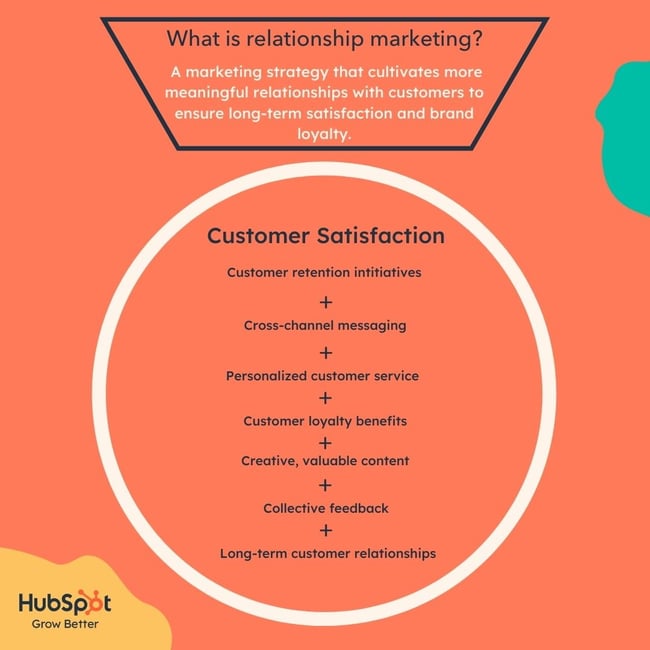 Especially since, as Adobe learned, returning customers spend more than newer customers. Why? Because existing customers understand the value of your products and services and they’re invested loyally in your brand. If a customer feels satisfied with their interaction with you, they’re more likely to turn to your business for their needs, again and again.
“But isn’t all marketing relationships marketing?” Not exactly. Some marketing strategies are solely about gaining traffic and conversions to get potential customers into the customer flywheel. From there, you’ll have even more marketing tactics that get that potential customer to make their first purchase like customer acquisition.
The perfect time to start a relationship marketing strategy is when the customer has made a purchase (or several). Your goal with relationship marketing is to get these new customers to become brand-loyal patrons of your business. To do that, you’ll want to take a personalized approach to client retention and become integrated into their lives in a way that feels natural and genuine.
What are the benefits of relationship marketing?
Like many forms of white-hat marketing tactics, there are various benefits to leveraging relationship marketing strategies for your brand. But, when properly executed, the most impactful ways to improve your business through relational advertising include:
- Strengthening your customer loyalty and increasing your customer retention rates
- Generating greater brand awareness and equity through customer referrals
- Scaling up cross-selling and upselling opportunities to an audience who already values you
So, let’s take a look at some relational advertising examples from firms that adopt a relationship marketing strategy to attempt to retain existing customers. Then, we’ll explore how you can implement a strong relationship marketing strategy today.
1. Capital One

Capital One understands its customers deeply — all the way down to the small inconveniences that plague them most. One of those annoyances is the long TSA line at the airport.
Capital One reimburses all venture cardholders up to $100 when they pay the TSA PreCheck fee. All they have to do is pay for it with their Capital One credit card.
TSA PreCheck expires after five years, and this benefit applies every time the cardholder wants to renew their PreCheck status. Here, Capital One is demonstrating its brand value to its current audience through:
- Offering a perk that’s universally appealing to their base — free money
- Mitigating a prevalent issue customers face with a long-term resolution
This benefit speaks to a relevant pain point for Capital One customers and makes keeping an account open with Capital One well worth it in the long run.”font-size: 1.5rem; font-weight: 500;”>
2. Delta

Speaking of TSA lines, as the oldest operating airline in the United States, Delta, is no stranger to relationship marketing strategies that preserve the brand loyalty of their customers.
One of their most effective methods remains the airline’s customer loyalty program, the SkyMiles program. Customers who sign up for this program earn “miles based on the amount of money they spend with Delta, which can then be redeemed for future travel purchases like airfare, seat upgrades, and more.
To expand their miles offering, they’ve also partnered with credit card companies like American Express to offer bonus miles and accruement when customers use their SkyMiles credit cards to make purchases. In fact, if you qualify for the Amex Reserve card you will also receive complimentary access to the Delta Sky Club. Within this lounge, you can enjoy unlimited free meals, snacks, and drinks on the day you take a Delta flight.
By employing these relationship marketing strategies, Delta has been able to:
- Build a loyal customer base that continues to choose them over competitors
- Seamlessly integrating their business into the lives of their customers through platforms they utilize daily
As a result, their marketing strategy is paying off — they were recently ranked number 1 by J.D.Power for customer satisfaction across North American airlines.
3. Fairway Independent Mortgage Corporation
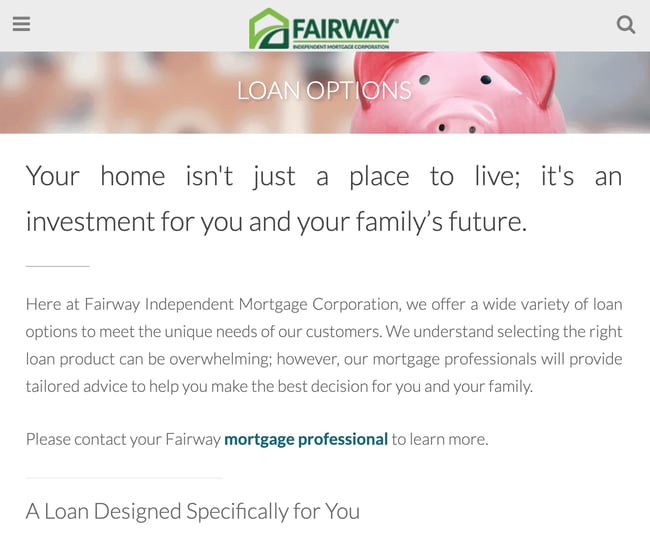
Buying a home is one of the most important decisions a consumer can make. During the purchasing process, buyers typically shop around for the lowest rate, but they’re also shopping for a reliable team that will make the process as smooth as possible.
Fairway Independent Mortgage Corporation is a great example of a business that takes the relationship marketing approach for its customer retention plan. For example, I received a birthday email from Fairway when I needed to make a lending decision.
In addition to that, the loan consultant was sure to send over some marketing documents with their value proposition and benefits for me as a buyer. Their relationship marketing strategies improved my experience as a consumer by:
- Retargeting audiences via email on a major life event like a birthday
- Enforcing their service offering with valuable supporting documents
Their retention strategies show that the company is committed to being responsive, respectful, helpful, and most importantly — closing on time. This is a recipe for success in the mortgage industry as referrals are the “bread and butter of any successful loan officers business.”
4. Fenty

When international singer and actress Rihanna made her professional pivot to a businessperson in the Fashion & Beauty industry, the “Talk That Talk” vocalist had also kept people talking about what would come of her brand, Fenty, once it made its debut.
Well in a market already saturated with celebrity beauty and fashion ventures, Fenty distinguished itself to the point of changing the industry landscape through inclusivity. But how? Amongst many examples of marketing strategy, Fenty’s relational advertising tactics remain supreme.
For instance, the popular Fenty Beauty foundation includes shades such as “Vanilla” capturing some of the palest tones, and “Espresso” embracing some of the deepest. At the same time, her Savage X Fenty lingerie sends messages of size inclusivity and body positivity to their customers through the wide range of sizes (from XS to 4XL) they offer to all. Models and celebrities of all shapes and sizes model the clothing during the Savage X Fenty Show streamed on Amazon.
Customers are also able to sign up with a membership program that allows customers to get first dibs on product launches, exclusive content, and access to VIP-only sales. By applying these strategies for customer retention, Fenty has been able to:
- Presenting the brand as a solution and product for all through inclusivity
- Showcasing their messaging globally to connect with consumers across borders
By sending an impactful brand message to their audience, that they back up with their product offerings, Fenty is able to stand out from the crowd and create its own.
5.GE
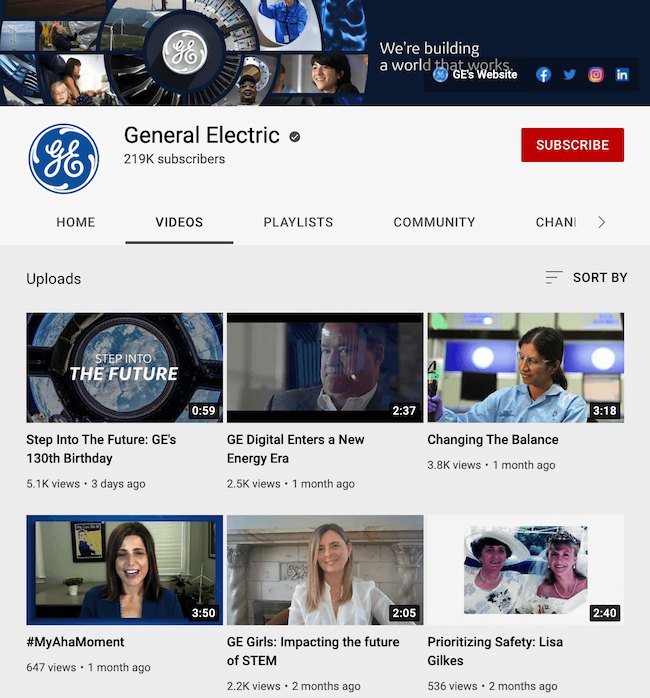
Relational advertising is ultimately about offering both new and existing customers valuable content regardless of where they are in the buyer’s journey.
GE does a great job of diversifying its content– and the platforms on which it promotes– to ensure its examples of relationship marketing strategy satisfy as many people as possible. For instance, GE created two sponsored podcasts in the sci-fi genre. It seems strange, but GE positions itself as an “inventor of the future of industry,” so it makes sense that the company might dabble in the world of what-ifs in the sci-fi genre.
Additionally, the company has a popular YouTube channel that features historic, innovative stories from the perspective of GE employees. This is because good relationship marketing should appeal to the first-time viewer as powerfully as it appeals to your long-term customers to ensure your customers grow with you over time.
By consistently offering a diverse range of quality content, GE shows its desire to satisfy its long-term customers even at the expense of short-term wins.
6. Domino’s
In the past couple of years, Domino’s has taken its fair share of risks with its relationship marketing strategy for the sake of innovation and improvement. This includes a series of ads called Pizza Turnaround, in which they showcased a series of negative customer reviews, before promising a new and improved recipe.
These self-deprecating ads appeal genuinely to viewers but go against any traditional sales playbook… which is why they work. By admitting an area of opportunity, Domino’s re-invented its brand as transparent and honest — and who wouldn’t want to buy from a company like that?
Domino’s has also done a fantastic job tapping into its digital audience. In fact, 70% of Domino’s sales are now through digital channels.
Ultimately, Domino’s has taken innovative steps to cultivate a loyal, long-term customer base through:
- Slowly and strategically re-inventing their product and their brand
- Engaging with their customers on their favorite digital platforms
Plus, the best part is you can too.
7. Panera
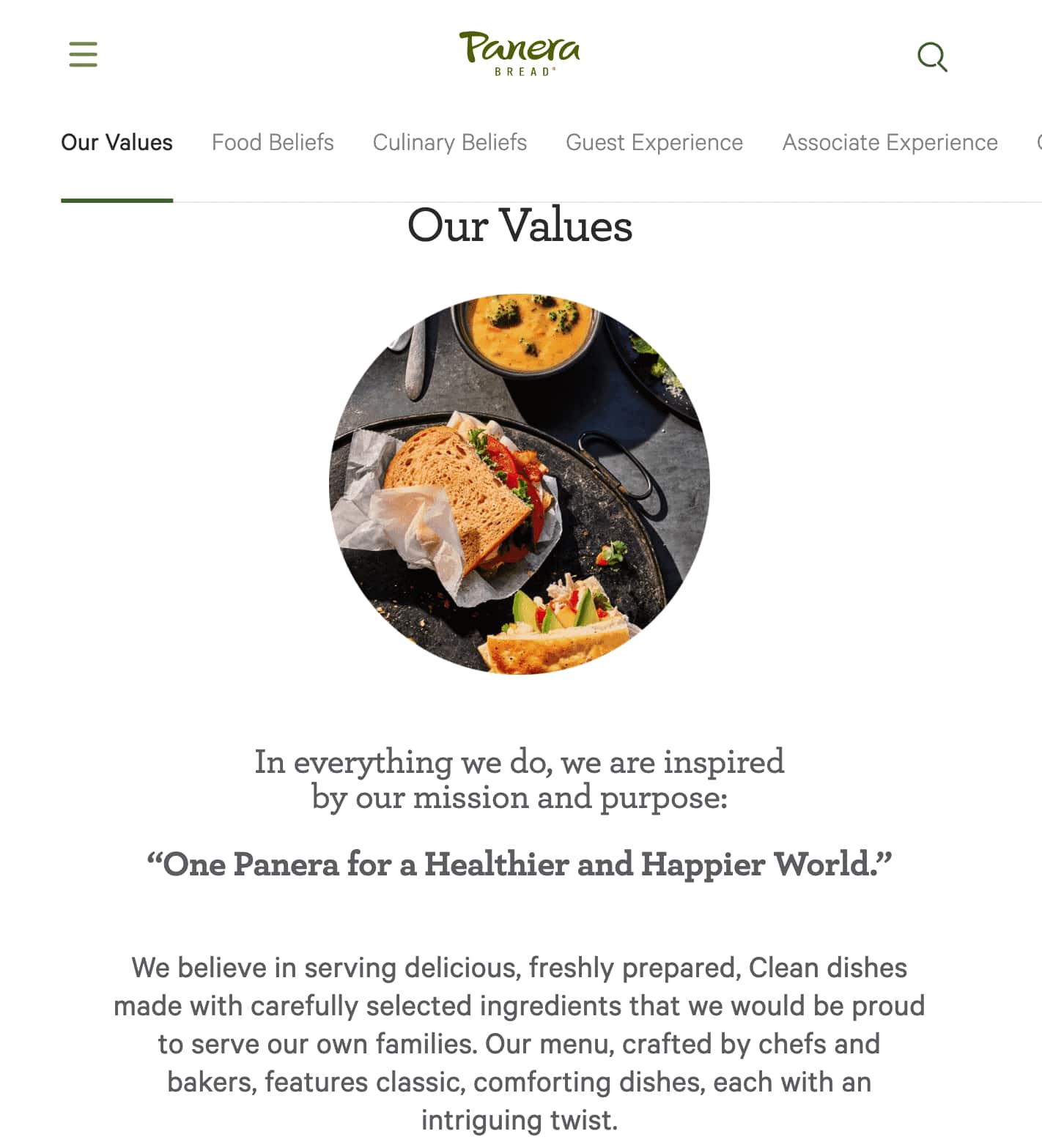 Panera’s commitment to health and convenience has resulted in
40 million Panera loyalty members.
In 2014, Panera issued a statement promising its customers it would remove all artificial flavors, sweeteners, and preservatives from all Panera products by the end of 2016. The company remained transparent throughout the process, publishing progress reports to demonstrate a level of accountability and transparency to its customers.
Undoubtedly, it was a risky decision to admit they’d previously used unhealthy ingredients in their food — but their brand promise paid off big-time in 2016 when the brand could officially say “100% of our food is 100% clean.”
Additionally, the brand focuses on building customer relationships through personalization. For instance, Panera alerts loyalty members about new food offerings they feel will meet members’ “flavor profile” based on past purchases.
- Making a brand promise and fulfilling this pledge to their customers
- Improving the quality of their products for customer satisfaction
The company also meets its customers where they are — starting an online grocery business due to the COVID-19 pandemic. Panera even offers home and business delivery, rapid pickup, and catering to improve customer service.
8. Marriott
 Undoubtedly, a 35-minute film is not the most traditional avenue a hotel can take when it wants to increase sales — and yet, that’s exactly what Marriott chose to do with their film, “Two Bellmen Three“.
This film enables Marriott to appeal to a younger demographic and build brand awareness on dominant platforms like Snapchat. Best of all, their retention marketing content rarely resembles an advertisement and is typically focused on providing an audience with fun, or helpful, information on various travel destinations.
9. ArmorSuit
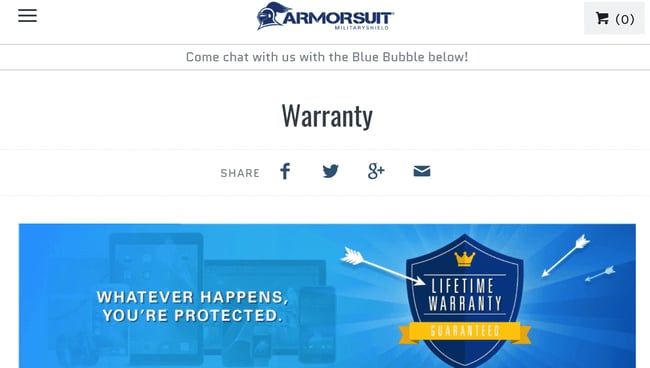
ArmorSuit’s warranty policy begins like this — “Most warranties are limited to 30 days or one year, but with our Lifetime Replacement Warranty, our customers can request for a replacement screen protector for a lifetime. This way, you never need to purchase a whole new kit when a replacement is needed.”
This way, you never need to purchase a whole new kit — a phrase you’ll likely never hear in traditional sales transactions. While it might seem ridiculous to offer a lifetime warranty, it makes sense with retention strategies for two central reasons:
- Maintaining customer satisfaction with their products
- Building strong relationships with their base for the long term
Now when their customers need other products related to tech, they’ll most likely check out ArmorSuit’s website first.
Next, let’s explore how you can create a strong relationship marketing strategy for your own business.
1. Provide personalized, customer-focused service.
When you’re creating a relationship marketing strategy and engaging with your customers, your primary concern should never be focused on your product or service. Instead, your concerns should always revolve around the customer — So ask yourself:
- Would the customer want to see this ad?
- Would the customer be excited about this Instagram post?
- Does our new product delight the customer?
Additionally, you must create channels for direct support when your customers need help. Perhaps your retention strategies include implementing a Facebook Messaging Bot for service-related concerns. Alternatively, maybe you answer your customer’s questions via Instagram DM. By meeting your customers on platforms they use most, you’re proving your willingness to help them wherever that takes you, a tenet of successful customer retention.
2. Engage with the customer where they are.
The reason Marriott’s strategy works is not only because of the content they create — it’s also where they post that content. Creating videos specifically for Snapchat is a great marketing strategy example because it enables Marriott to appeal to a younger demographic on a platform already popular with that audience.
Research which platforms are most popular for your ideal demographic. By reaching out to them through their preferred channels, you’re demonstrating strategy examples that embody helpfulness and understanding. It’s this sentiment that will encourage users to interact with your brand.
3. Incorporate technology to work more effectively.
Technology might seem counterintuitive to building organic relationships that are personalized, but it can be the key to solving customer pain points. As your company grows, it’ll become increasingly more difficult to connect one-on-one with each customer and continue keeping customers satisfied.
Using an automated marketing system can ensure that every customer receives communication from your business and has the opportunity to engage. Tools like HubSpot’s Marketing Hub can automate workflows and email cadences so that you never miss a customer milestone.
4. Offer incentives and rewards for customer loyalty.
To cultivate a long-term relationship with your customers and create lasting brand loyalty, continue engaging with customers even after they’ve purchased a product. Consider what you can offer them once they’ve become customers — perhaps they can get a discount on additional products, or receive personalized recommendations based on their preferences.
By creating a loyalty rewards program, Panera’s customer relationship marketing continues to incentivize its customers to purchase additional products and slowly forms a more meaningful relationship by gathering information about each customer. They then use that information to offer unique suggestions depending on their individual food preferences.
5. Create valuable content that tells a compelling story.
If a customer has already purchased your product, they don’t need to see additional product advertisements to become brand loyalists — instead, they need to feel your business offers value regardless of their purchase intent. Marriott’s film isn’t meant to immediately convert a viewer into a paying customer. Firms that adopt a relationship marketing strategy attempt to continuously provide quality to their customers. So Marriott’s purpose is to increase brand awareness. Therefore, down the road, when that viewer is ready to book a hotel for an upcoming trip, they’ll remember the compelling film they saw once and think of Marriott.
6. Collect feedback regularly.
A relationship works two ways — to truly develop a meaningful connection with your customers, then, you must ask for feedback:
- What do they want to see from your brand?
- What do they like about your product?
- What do they wish you wrote about on your blog?
This information improves your relationship marketing strategy so you best fit the needs of your specific audience.
7. Concentrate on building customer relationships for the long-term
There will always be a time for marketing strategies like Pay Per Click ads that generate the instant sales gratification of proper product promotion– but this moment isn’t one of them.
In order to foster meaningful relationships that cause your customers to truly connect with your brand, you have to create purposeful content and deliver quality service to guide them throughout the relationship. By doing so, you will establish brand trust, show your audience you’re not just in it for a quick buck, and demonstrate your commitment to their success, not just your own.
Play the Long Game With Relationship Marketing
There’s a time and place for quicker marketing strategies wins and they’re paramount in hitting goals and KPIs each quarter. However, your marketing, sales, and service teams work much better together at playing the long game. Relationship marketing won’t score you consistent quick wins that you can measure with hard numbers on a dashboard. But you’ll find that staying the course and nurturing the customer through relational advertising will yield happier and more loyal brand advocates for quarters to come.
Editor’s note: This post was originally published in February 2019 and has been updated for comprehensiveness in May 2022.


6 Tactics to Boost Ecommerce Sales [Without Discounting]
Admittedly, when I opened my Etsy shop last year, I half-expected the sales to pour in naturally. In reality, opening an online store is half the battle — you also need a solid strategy for generating ecommerce sales.
The same is true for ecommerce veterans. If you’ve been in the game for a while, you’ve likely weathered periods of slumps or plateaus. When this happens, it’s essential to refresh your strategy with more effective ways to sell.

Here, we’ll cover six tactics to build awareness, entice buyers, and boost sales.
1. A/B Testing
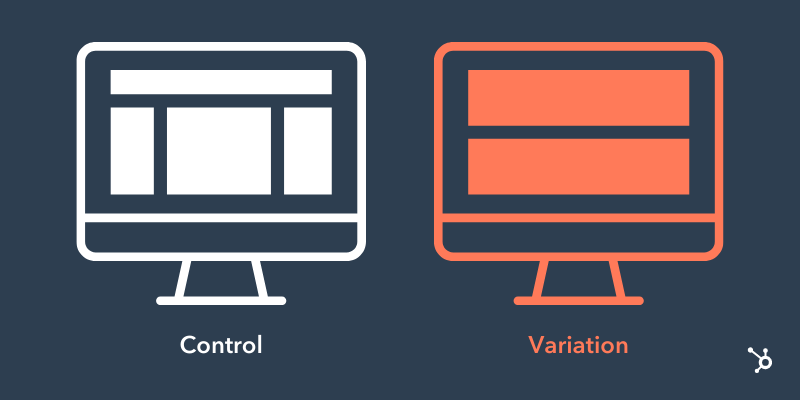
Absolutely every aspect of your site could be tested for improvement — including images, headlines, product descriptions, and even the overall design.
Specifically, look out for these two areas:
- Mobile optimization: Sales on mobile devices exceeded 360 billion in 2021, a 15% increase YOY. To entice mobile shoppers, having a website that’s responsive and quick to load is a must.
- UX experience: Have you ever visited a website with too many popups? Or one with a messy checkout process? A great user experience is frictionless — one where the user can arrive at your website, browse around, and complete a purchase with ease.
Even if you think you’re already doing well with your current website collateral, there’s always room to A/B test your content.
Pro Tip
Before you start changing everything on your website to see what works, stop and create a battle plan. If you change everything at once, you won’t know what’s effective and what’s not. Plan two weeks for each change so you can gather enough data to make a decision.
Then, start with one component at a time. You could test something every two weeks and still find room for improvement years down the road.
2. Build an Email List
Did you know email generates $42 for every $1 spent, which is an astounding 4,200% ROI?
Email can help you achieve a number of things — promote sales, keep in touch with customers, market your products, and ultimately generate more sales.
The problem? You need people to email.
An email list is a group of users who have given you permission to send them relevant content. To build that list, you need several ways for people to opt in. For example, you could create a website popup, or add an opt-in button at checkout.
Don’t be discouraged if you only have a few people on your list to start. It can take some time to build.
Pro Tip
Only 3% of marketing emails have an open rate above 50%. While this stat is jarring, it also shines a spotlight on subject lines — and how to craft compelling, clickable ones.
According to a 2022 HubSpot Blog survey, subject lines that pique readers’ curiosity receive the highest open rate, followed by promotional emails. By front-loading your subject line with a compelling hook — that can only be read if opened or clicked — your audience is likely to become intrigued and want more.
3. Trust Signals
Since your buyers can’t see, touch, or try on your product, you need to build trust another way. A popular — and relatively easy — way to do this is with customer reviews.
Think about it — have you ever made a purchase without looking at the reviews first? Or hesitated when a product had no reviews?
If you don’t have many reviews yet, no need to worry. As you work to get those numbers up, focus on other ways you can build trust — such as showing clear pictures of your products from different angles, providing 3D videos, and even product demos.
Pro Tip
Power up your trust signals with testimonials. Unlike reviews, these typically involve broader statements about your brand rather than a specific product.
We recommend reaching out to customers from your email list, since this is where your most loyal customers live. Then, display the testimonials in multiple spots — and on multiple pages — of your website to get the most mileage.
4. Heat Mapping

What if you could track the parts of your website where buyers hung out for a while? Would that help you provide better information for the next time they stop by?
With heat mapping, you can keep an eye on the pieces of your website that visitors really love. Tools like Hotjar pull together your website’s scrolling and clicking information to give you a full picture of what your buyers want to see and buy.
You can also track where your visitors come from and how long they hang around. In other words, if you use your social media for marketing, you can discover how many clicked on your offer and how long they stayed.
Pro Tip
The most effective way to leverage heat maps is to analyze the pages that influence your website’s conversion rate the most: your home page, landing pages, and high-conversion blog posts.
For instance, you could look at your home page and see if visitors hover on certain sections or click any CTAs. Use the info to optimize your site.
5. Exit CTAs
.png?width=800&name=Exit%20CTA%20(1).png)
Shopping cart abandonment is a frustrating reality for ecommerce owners. While not everyone who visits your site is ready to convert, it’s essential to engage them anyway.
Sometimes users just need a little nudge to return to their cart either through remarketing or a quick email reminder. For instance, check out this friendly reminder from Vera Bradley.
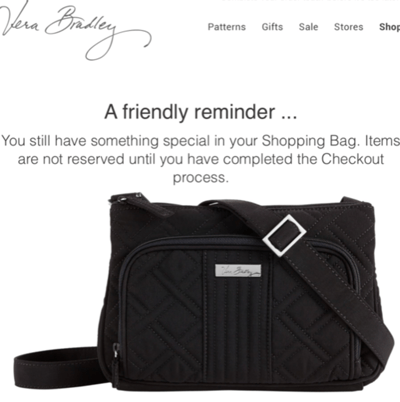
If customers still don’t budge, you can try an exit call-to-action (CTA) for last-minute lead generation. Some sites generate a popup the moment a customer enters the site. An exit CTA instead pops up just before customers bounce and offers something enticing such as exclusive offers.
Pro Tip
Cart abandonment software can help you create emails and track them. Some offer customizable options, while others are more focused on making sure the emails get sent.
Most offer a sliding scale price, so you only pay for what you use. Check out a complete list of software in this helpful article.
6. Social Media
Are you using social media to the best of your ability? What if you could keep an eye on what people are saying about your company and your products on all your social media outlets? With HubSpot’s social inbox, you can.
You’ll receive a notice any time you’re mentioned, which then gives you the opportunity to follow up, start conversations with followers, and potentially attract them to your website.
Use this feature to provide stellar customer service when buyers have a complaint, or simply answer questions when visitors ask.
Pro Tip
If you really want to have some fun, respond to even the most ridiculous of mentions with your own special brand of humor. Your customers will love you — and maybe check out your products.
If you’re unsure of your brand’s voice — or want to refine it —check out this guide.
Back To You
Sales are the lifeblood of any ecommerce business. As you can see, there are many ways to convert leads beyond discounting. Some of these tactics can deliver quick results, while others set you up for long-term success.

Email Personalization: 23 of the Best Personalized Email Examples
You put an app on your phone, but haven’t used it in a week, and you’re about to delete it from your phone. Then an email arrives that shows you how the app solves a problem you’ve been struggling with. Email personalization saves the day.
A 2022 McKinsey report says that 71% of consumers expect companies to offer personalized communication. 76% get frustrated when it doesn’t happen.
![→ Download Now: The Beginner's Guide to Email Marketing [Free Ebook]](https://no-cache.hubspot.com/cta/default/53/53e8428a-29a5-4225-a6ea-bca8ef991c19.png)
Ramping up your email marketing to stand out and get the results you want can be tough. But there’s a strategy that less than 30% of marketers are using.
Let’s talk about email personalization and check out some personalized email examples.
Email personalization is more than a strategy. It’s a way to connect one-on-one with each person that reaches out to learn about your business.
This process helps email marketers create emails that appeal to each individual on their email list. And they can do it without having to draft a separate email for each person.
According to Experian, 78% of customers are more aware of how businesses are using their data. So, personalization is more convenient for marketers, but how do customers feel about it?
Why is email personalization important?
Email personalization is a wildly effective strategy. Segmentation of email campaigns alone can increase revenue by up to 760%.
And while subscribers want to know more about how companies are using their data, 59% of customers trust businesses using AI to personalize their experience. Because of this high level of comfort, email personalization is an excellent investment when it’s done right.
According to Statista, 42% of consumers feel that personalization is somewhat or very important. And 67% have used personal recommendations when shopping for products.
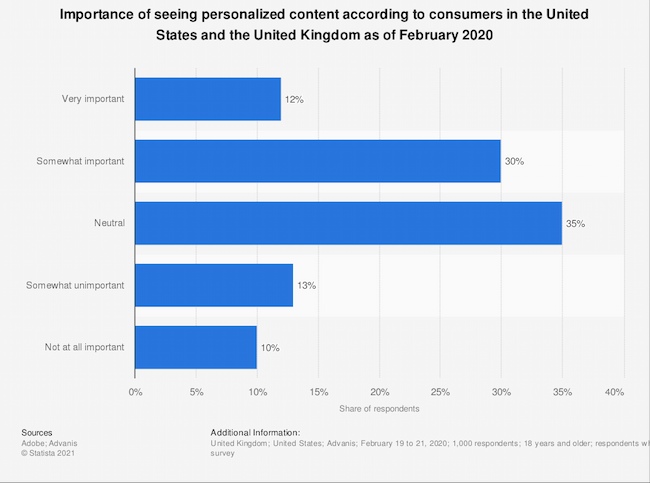
If you want to improve engagement and revenue for your business, the best time to start personalizing your emails is now.
Email Personalization Strategies
Most of the posts you see on social media are just for you. These platforms encourage you to spend more time on their platforms using algorithms that notice what you like and give you more of it.
The average person spends 147 minutes on social media each day. This can lead them to expect all their online experiences will feel personal.
Until marketing automation, businesses found it difficult to personalize emails. But today it’s possible to create unique emails for every subscriber and to show them what appeals to their personal interests.
Email personalization can make every email an offer that’s just for them.
But creating personalized emails is tougher than it looks. Besides the challenge of designing an email that connects and appeals to subscribers, personalization requires some technical know-how.
It’s not unusual for an email marketing manager to design a great email. But some of these emails never get sent because of API, email marketing platform, and other challenges.
So, before you start personalizing your emails, check out these strategies.
1. Build a list you can segment.
Creating a great email list is about more than getting attention from new subscribers. Each form, email, and interaction is an opportunity to collect segmentation data.
Collect useful information.
As you build each email form, think about the data that you can collect and how it can help segment subscribers later.
For example, a form with a single box for subscriber names can make personalizing tough. New sign-ups may add their first name, but they could also add a business name, their last name, or leave this field blank.
That means you won’t be able to personalize emails with subscribers’ first names without creating errors. Nothing says impersonal like an email that starts with “Hi jcl89@hotmail.”
At the same time, you want to make an email sign-up form that’s quick and easy to fill out.
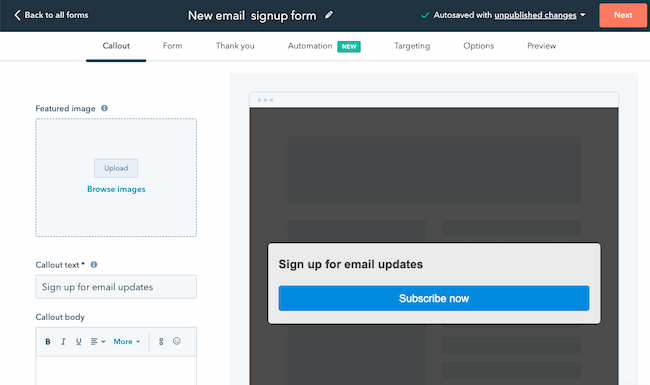
Think about how you want to collect personal and business names in advance. Then you can choose the best way to personalize for each segment.
Other useful information to collect when users subscribe could include:
- Location
- A quick yes or no survey
- Email frequency preferences
- Demographics like age, company position, or location
- Psychographics like personality types, income level, or goals
Create surveys and interactive emails.
As you email new subscribers, use interactive elements to segment users based on their interests.
Use link tracking to help you organize your email lists. Link tracking can tell you when a subscriber clicks a link in your email. You can use this data to quickly respond and connect with a prospect, or use this data to segment your list later on.
Another way to collect more data for segmentation is through surveys. A survey can help you collect personal information to refine your messaging to contacts. It can also make it easier to understand their top questions and concerns early in the buyer journey.
This article includes some segmentation ideas and how you can work them into your emails.
Use integrations.
Another way that you use data to segment your users is to connect your email marketing tool to your CRM. Integrations with your email marketing tool can also offer real-time insights. This data can help you send targeted emails based on what your contacts are doing online.
The goal is to track user behavior that can help you target communications. The amount of data a platform can collect can be a little overwhelming, so instead of grabbing a ton of data that you can’t use, create a plan.
Think about the emails that will be interesting and useful to your customers. Next, think about how you can use data insights to personalize your emails in a way that makes them even more valuable.
For example, instead of offering the same sale to every subscriber, use data to personalize your discount emails.
Try offering a discount to every person that bought your most popular product in the last few months to encourage them to buy again.
Some other data you might want to collect and use to personalize your email:
- Buying habits
- Mobile vs. desktop
- Engagement, like email opens and clicks
2. Align emails with the buyer’s journey.
The most effective emails contain the right information at the right time. That means finding a way to welcome new subscribers that’s personal, then keeping them engaged until they become loyal brand promoters.
So, start with strong brand personas and outline your ideal buyer journey. Next, use email personalization to send automated emails that support and enhance your customer experience.
Build automated email sequences for each stage in the buyer journey.
Most companies send emails from a few different departments. This might include:
- An eager sales team that wants to connect
- A marketing team wooing customers with upsells
- Customer service agents responding to questions
To make sure that every person on your email list gets what they need when they need it, you’ll want to create targeted workflows and sequences.
Start with a welcome sequence. This might be a one-on-one email from a trusted member of your team or a bright graphic welcome that connects to the reason your latest contact signed up.
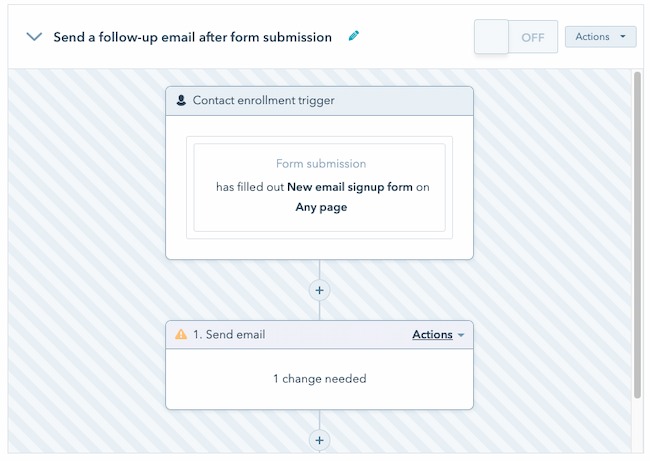
It’s also a good idea to offer extra products and services based on past purchases through email. When using this strategy, try to focus on customers who have made more than one purchase.
The more data you have, the more likely you will steer customers toward items they really want. Otherwise, these personal recommendations can start to feel decidedly impersonal.
Make recommendations about the customer, not about which product you want to sell more of.
Other useful sequences and workflows you can build and personalize include:
- New product announcements
- Outreach when a contact goes inactive
- Campaigns based on subscriber activity, like attending a webinar
- Status alerts, like a flight change or change in product availability
Trigger personalized emails at important moments.
Use personal emails to highlight the moments when your subscribers expect an email. To stand out, you’ll also want to celebrate moments where your customer has reached a personal goal.
Product engagement moments are key. If a customer has used your meditation app every day this week or they’ve logged in to a food diary app for three days in a row, it’s a great time to send an email.
Triggered emails are a way to show that the moments that are important to them are important to you too.
Use behavior triggers.
It’s easy to focus on the beginning and end of your relationship with an email contact, but most of the real action happens in the middle. You can use this moment in the buyer journey for emails that trigger with an action.
Trigger emails are a way to connect with your subscribers at the right time. For example, Instagram sends you an email when they haven’t seen you log in for a while.
A triggered email sends after a specific event or interaction. When an email aligns with their actions and priorities, it feels more useful and personal than an email blast.
Potential behavior triggers for email include:
- Event registration
- Loyalty membership
- Canceling or changing an appointment
- Changing contact or profile information
- Cart abandonment
- Product page exit
- Shipping cost exit
An important note: Use triggers to creatively let your subscribers know you’re paying attention, but keep it chill. It can be uncomfortable for some users to know their actions are being tracked online.
Add subscriber tags to further segment subscribers based on their actions.
It’s easy to focus on the beginning of a subscriber’s email journey. But ideally, an email subscription is a long-term relationship that deepens over time. Tags can help you continue to send subscribers the right messaging as their interests and needs change.
Tagging subscribers when they complete a specific action is a great way to segment your audience. You can use dynamic tags to quickly send subscribers a useful message based on what they are doing now, not what they thought they would do when they first subscribed.
3. Design emails with personalization in mind.
If it’s done well, email can deliver $33 ROI for each dollar you spend.
So, build trust with every email. Don’t accidentally spam their subscribers with discounts, new products, and pressure to buy. Instead, focus on your subscribers and the value you’re giving them each time you hit send.
Write personalized subject lines.
Email personalization isn’t just calling subscribers by name. It’s using data to make every one of your subscribers feel special.
Write your subject lines and emails like you’re writing an email to a friend. This approach can make your language feel more natural. It can also make the added personalization feel more authentic. Take a look at these subject line examples if you need inspiration.
Send emails from a person, not just a brand.
Send emails from a person, not a brand. A real name and face in the “from” field of an email let subscribers know the face behind the message. It makes each email feel more personal, like a conversation instead of a transaction.
You can also try adding a personalized P.S. at the end of an email. A personal postscript is a quick way to add a personal touch to emails. It shows subscribers that you want to connect with them as a person, not just a prospect.
Create email campaigns for unique segments of your email list.
Use data insights to study and anticipate customer needs. Then create unique emails that address those needs. This might mean creating an email course, directing them to help center resources, or sending surveys that ask for their opinion.
Dynamic content in emails can let you send different codes and email content to different subscribers.
Try to use data to inform your messaging. At the same time, don’t add sensitive personal information directly.
For example, if you’re personalizing an email for your high-income segment, don’t plug in the income level they shared on a form or survey. Instead, you try adding a section with top-tier or exclusive products.
Use images to personalize emails.
Images and GIFs can make an email more exciting and interesting. Besides making subscribers more aware of your brand and story, images are a great way to get the attention of readers who don’t read the messages in their inboxes.
Image personalization is an effective strategy for emails too. A company that sees its logo in your B2B email is more likely to pay more attention to what you have to say. A shopper looking for a personalized pillow may be more likely to buy if they see a custom graphic they’ve used on your site before.
Send limited-time unique email offers.
One of the best ways (source) to get a subscriber to act is to create urgency. For example, if a shopper abandons their cart before clicking “Buy now” an email with a limited time discount could inspire them to make that purchase.
Schedule emails at the right time.
Start with your buyer personas and their habits to decide the best time to send emails. And don’t forget to keep location in mind.
Let’s say your new subscriber opens emails first thing in the morning, you might set their email to send at 8 am. But what if they live in a time zone where they’re eating lunch just as you wake up for the day? You might miss the best time for that contact to read your email.
Segmenting contacts by location can help you send your emails at the right time to every subscriber.
Start A/B testing.
Compelling email personalization is in the details. Email marketing seems simple, but some variables can impact the experience.
A/B testing is an effective way to gauge how your subscribers respond to your emails. For the most useful insights, test only one variable at a time. If you test too many email features at the same time it will be difficult to understand what is and isn’t working.
Do some research if you’ve never run marketing experiments like this before.
4. Make the next steps clear and easy.
You can create a great user experience by thinking about the full user journey, not just crafting a perfect personalized email.
Shorten the conversion path with relevant links.
When your email tells subscribers to click a link, that link needs to deliver. For example, if an item sells out and that product and link are in the highlight of your email, it will only frustrate your customers.
Have links in mind before you start writing and designing. Check each link you plan to include to make sure it’s current. Then create a message that sells the content in that link.
Clicking a link doesn’t seem like a big deal. But the increased rate of phishing scams can lead subscribers to second guess engaging with your emails.
Keep this perspective in mind. It will help you draft emails that foster relationships with your email list and avoid making emails that feel like clickbait.
Create targeted landing pages.
If you’re building custom landing pages for your emails, make sure that your email and landing page designs work together. Think about creating unique landing pages for each segment. Then focus your landing page message on the information that’s most important to that group of people.
Personalized Email Examples You Can’t Help but Click
1. OpenTable
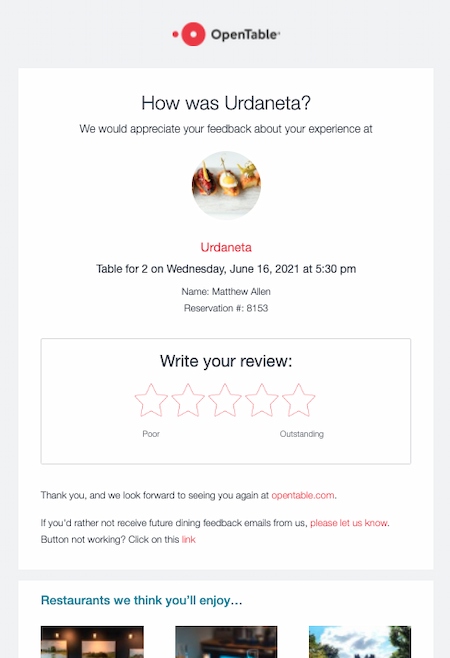
Why email examples like this work: Not only does this email make it easy to make reservations online, but it also remembers favorite restaurants. This helps users discover new places to eat based on reviews and reservation behavior.
One way OpenTable encourages users to leave reviews is by sending emails with a personalized subject line. Then, they ask the diners’ to review their most recent restaurant experience.
These reviews give OpenTable an idea of which restaurant recommendations are user favorites, which makes the reservation process easier for their users.
2. Alaska Airlines
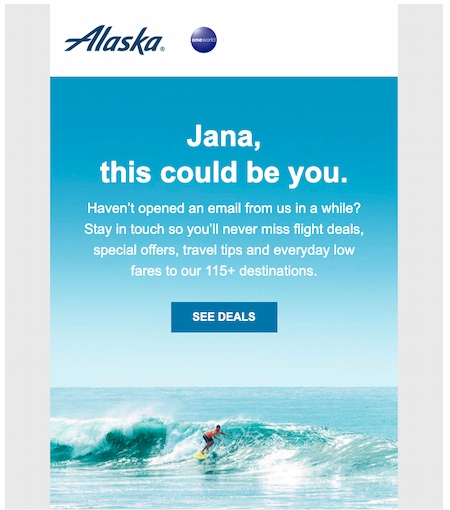
Why email examples like this work: This email effectively pulls a frequent traveler (me) back in with a check-in email. It reminds me of what I’m not doing (opening emails). Next, it encourages me to loop back in with an image of something I might rather be doing (surfing at the beach).
This email also has a button marked “Deals.” It’s a great strategy to offer something special from your brand when a user stops engaging. It could give your audience the motivation they need to take action and make a purchase.
3. The Hustle
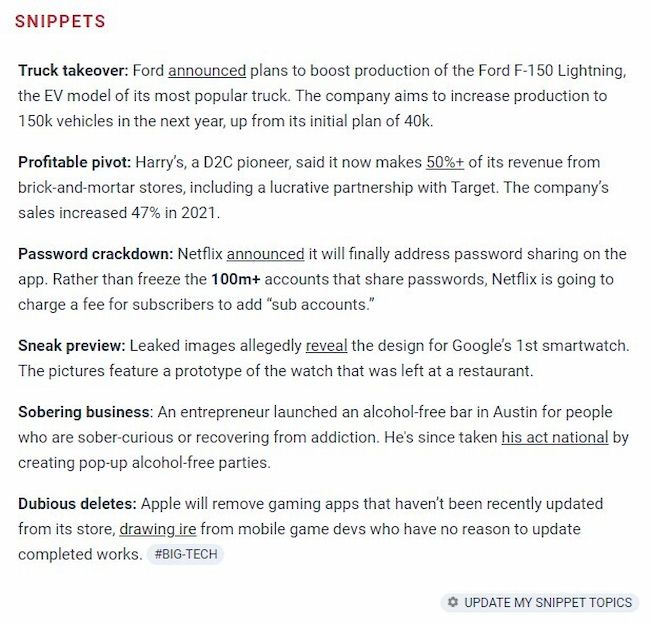
Why this email example works: The Hustle has a “Snippets” section in their newsletter. Each email includes a curated list of articles highlighting topics the subscriber picked when they signed up.
This user’s chosen topics are Big Tech and The Hustle Picks, so the snippet section updates with those topics in mind. This makes each email feel like it’s just for them, instead of a general list of what’s new.
If you feel like this would work for your subscribers too, set up workflows that remind subscribers how to continue taking advantage of these specially-tailored messages.
4. Spotify
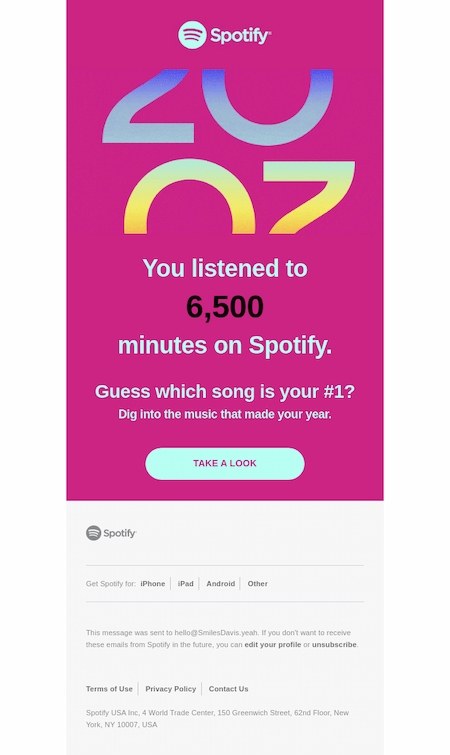
Why email examples like this work: Spotify’s Year in Review emails and in-platform messaging are a highlight for subscribers. Music has a strong emotional impact. Spotify uses this to remind this what their last year looked like in music, just before the new year begins.
The copy in this email from Spotify is particularly effective because it frames the personalization in a way that makes the recipient feel like they’re getting a reward for their usage. Phrases like “Guess which song is your #1?” lend themselves to a sense of exclusivity — making the user feel important.
Again, this push helps to confirm that the user is actively using the streaming service, and is continuously reminded of the value.
5. LinkedIn
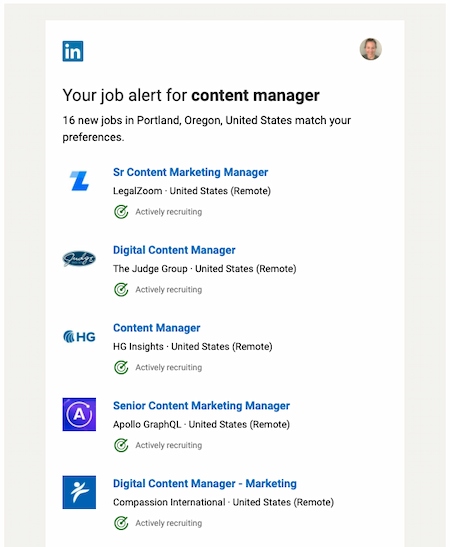
Why this email personalization example works: When I was actively applying for jobs. I often used LinkedIn for my search. Each day, LinkedIn sent me a roundup of jobs it thought would pique my interest.
While some of the listings were more applicable than others, all of them were clickable.
Did you catch that? Clickable. And even if none of these jobs piqued my interest, I had a network of professional connections who might have considered them, driving even more traffic to LinkedIn’s website.
6. Be My Eyes
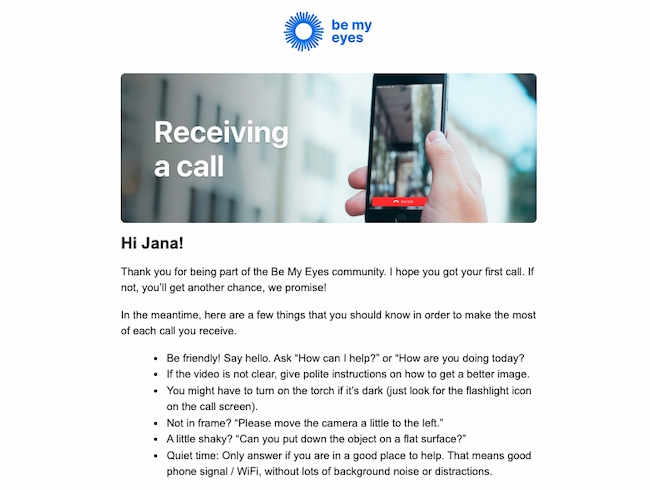
Why this email example works: Why this email example works: Be My Eyes is an app that helps blind and low-vision users borrow the sight of over 1.5 million volunteers. This email triggers after a user has their first volunteer call. Then, it goes into detail on how they can solve common problems.
This email has a lot of text, but it’s broken into bullets to make it easy and quick to read.
The timing of this email makes a simple process even easier and makes first-time volunteers feel more comfortable helping.
7. American Eagle
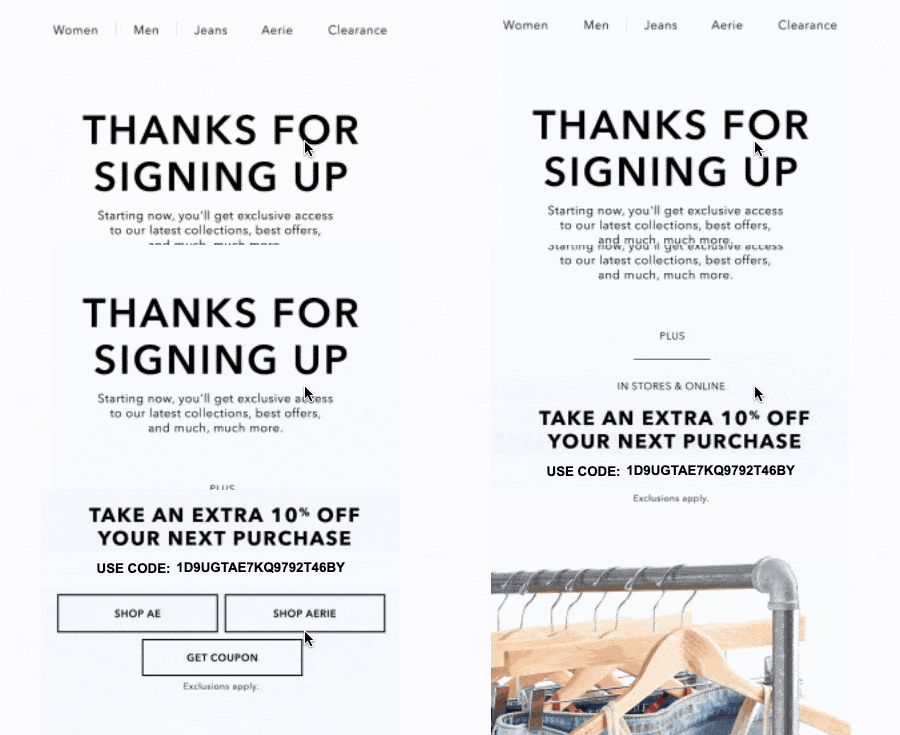
Why email examples like this work: This email begins with an enticing subject line: “You’re in. Here’s your exclusive code.”
The email is short and clear, highlighting a custom offer and an image GIF highlighting their most popular products.
In a more complicated or image-heavy email, that discount code could be easy to miss. But this email personalization is simple and quick to read, which makes it easy to see the unique discount code that the subject line calls out.
8. Ticketmaster
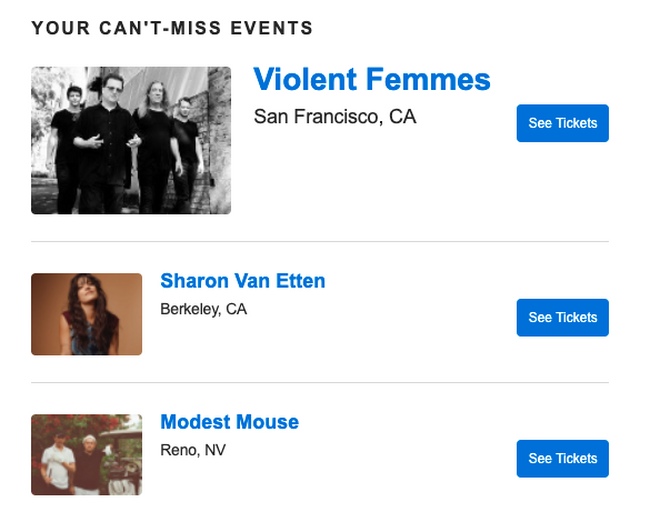
Why email examples like this work: This email is a great example of how to use location information to offer a customized email experience. In the email, Ticketmaster makes it easy for me to quickly visualize what’s headed to my area and when. This lowers the barrier between me and the point of purchase.
This type of personalization could be super useful for a company looking to deliver more relevant messages to international leads or existing customers.
If you’re using HubSpot’s free email marketing software, you can use a contact’s location to personalize your messages like this campaign.
9. Getaway

Why this email example works: This email triggers after a stay at one of Getaway’s unique locations. It includes a reminder to book another visit soon.
The first image is a slideshow that highlights the best features of a Getaway cabin. The second image shows a punch card with two nights punched out. This makes it easy to see how many more nights it will take to stay for free.
This email also includes a referral link to share for an extra discount, offering value to both Getaway and their customers.
10. TikTok

Why email personalization examples like this work: After following one of his favorite chefs on TikTok, Matthew received this email from the social network with suggestions for similar accounts to follow.
What’s more, the suggestions were super relevant.
When companies have as much data as TikTok does, they usually go one of two ways with personalization: They totally nail it, or they have too much data to sift out what’s important. This is an example of accurately identifying what Matthew would care about, and delivering it to him.
11. Savage X Fenty
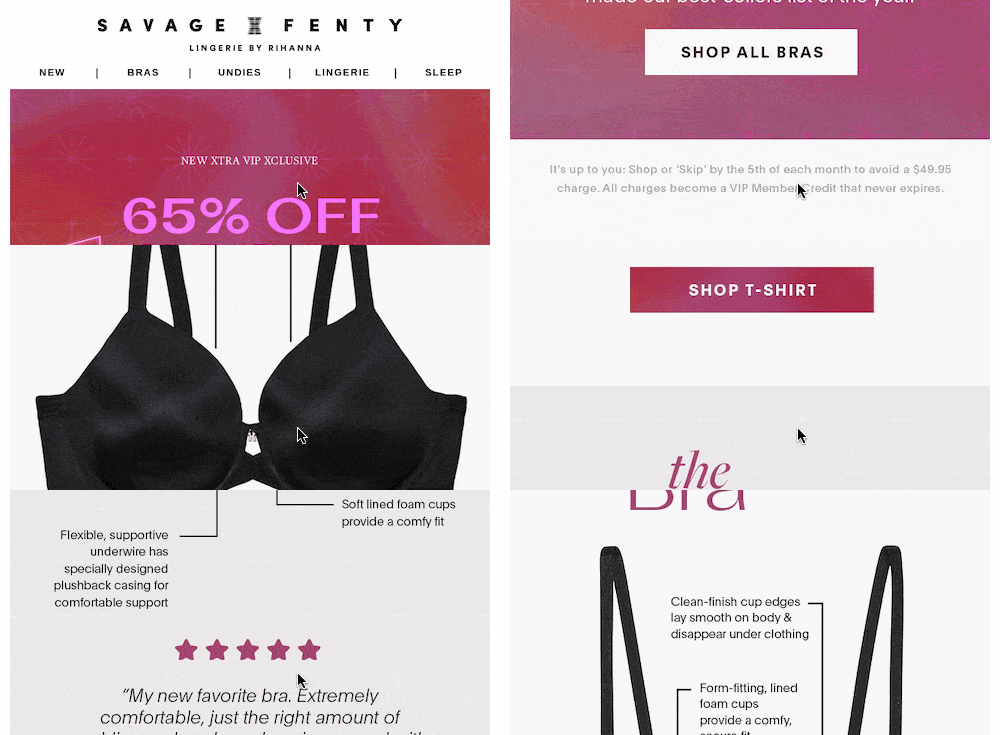
Why this email example works: This email starts with a bold discount graphic. The message clearly states that the inspiration for every discount was customer feedback and requests.
Then it features easy-to-see and attractive images of their top products, with extra text that shares why each bra is a popular pick.
Each highlighted product also includes a testimonial. This adds to the feeling that these products have the customer in mind.
12. Ancestry
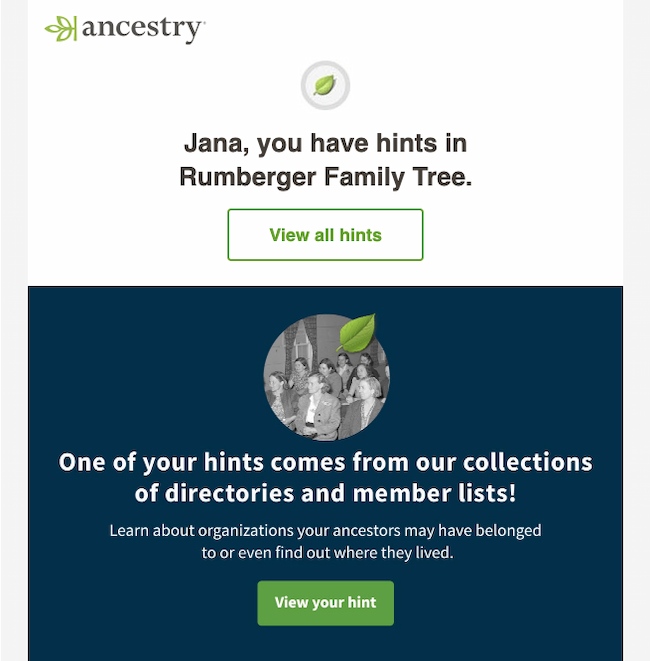
Why this email example works: Ancestry pulls users back in with an email that hints about new information in the family tree.
It personalizes both first and last names in different parts of the email, so the personalization feels more authentic.
The email includes personal hints and extra details to lure users to spend more time on the site.
13. Free Prints
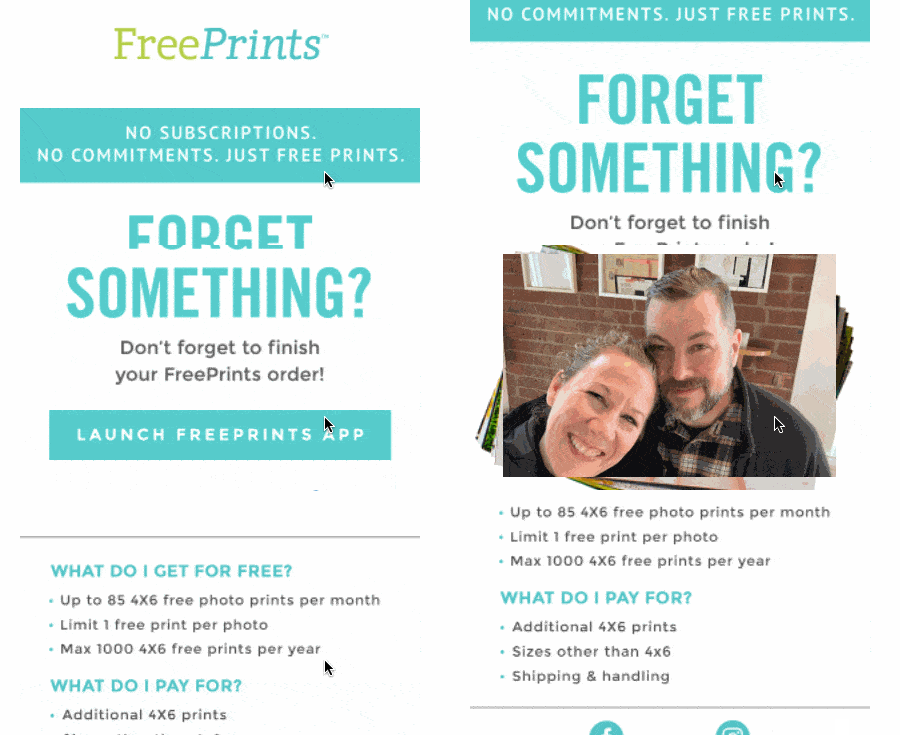
Why email examples like this work: This email has a simple message and clearly states the value of their service. The big wow in this email is the personalized image. It pulls a picture from their app to drive another purchase.
If you want to boost the word-of-mouth influence behind your product or service, this is a great example of how personalization can help propel your message.
14. Bunch
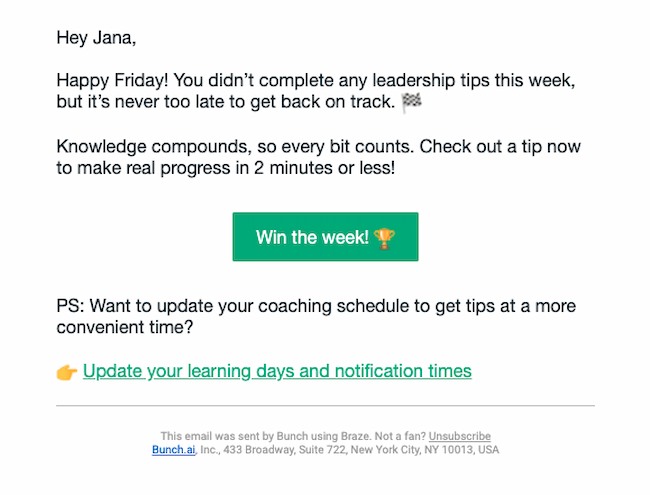
Why this email example works: This quick and peppy reminder to get back into an app shows that Bunch is using data-driven strategies to engage users. They’re anticipating the most likely reason I’m not logging in, calling out a common issue, and offering a solution. It also gives me a chance to update my reminders.
This isn’t the only effective way to use platform data. This strategy could apply to many marketing materials — ebooks, webinars, and blog articles, to name a few.
For example, if you find that someone downloaded an ebook on social media tips, you may want to set up a workflow to trigger a follow-up email that suggests they check out your social media guide on SlideShare.
15. Etsy
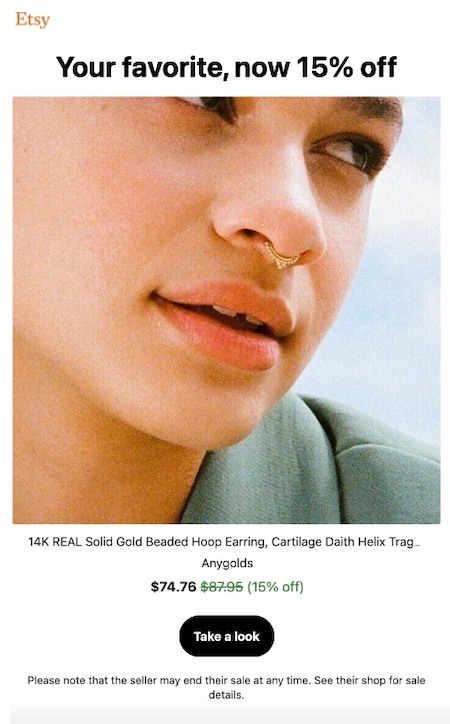
Why email examples like this work: This email shows a product from a merchant Ivelisse has bought from before. The headline “Your Favorite” reminds her that this is a product she’s seen and liked before.
Etsy’s email also offers a discount, with the original price crossed out, and the discount offer is in green instead of black. This makes the offer easier to see but it’s still pleasing to the eye.
It serves as a great example of how to use a contact’s search behavior to re-engage them with your company, and hopefully move them closer to a sale.
16. Voicebox
Why this email personalization example works: Voicebox adds to the post-karaoke experience by adding a personal playlist. They want to know if you had fun, ask for your feedback if you had any issues, and remind you to visit again soon.
Even better, the email ends by reminding you exactly what you sang during your session. The list has a lot of detail, which brings you right back to the moment you were singing.
It’s just the right amount of inspiration to get you to book a session to sing again.
17. Experian
Why this email example works: Fear isn’t a fun emotion, but it is a motivator. This email offers an alert with positive feedback about my credit score, but it also hints that there could be other less friendly messages in their portal that I should check, just in case. This gets me to click and engage with their services.
What I love most about the email is its simplicity. It offers up a single topic, which is enough to interest the recipient without overwhelming them. Plus, the copy is quick, friendly, and clear.
18. Happyfeed
Why this email example works: Happyfeed is a gratitude journal app for users to record three things they are grateful for each day. This monthly recap email grabs data from the app to remind me of some of my best moments from the past month.
They also remind me how active I was on the app, and include extra offers and new features. This is a great way to reinforce the value of a product while also offering reasons a user should upgrade or spend more time using a product.
They also ask for my feedback, reinforcing the message that my opinion is important to them.
19. Google Maps
Why email examples like this work: This email from Google lets Ivelisse know that people like the update she added. It also includes a personalized image of the edited map, so it reminds her of the update quickly and easily.
This email reminds her that updating reviews and locations on Google Maps makes a difference. That’s a powerful motivator to keep making updates.
20. Sephora
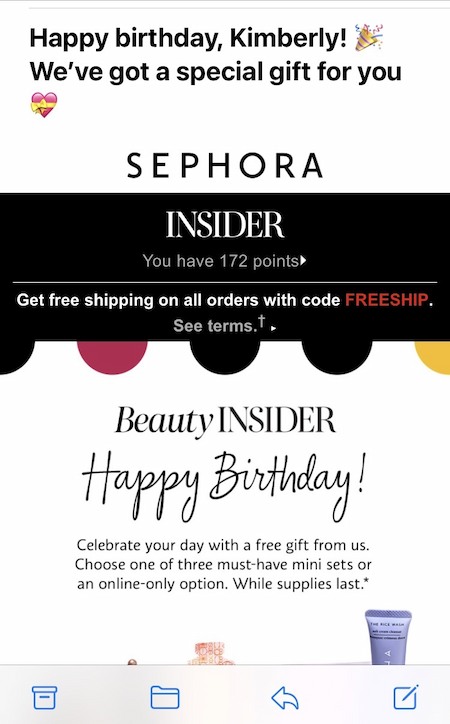
Why email examples like this work: Sephora used this personalized email to give Kimberly a free gift and a reminder to buy, with a birthday greeting to boot.
That’s a great way for brands to achieve customer reactivation — by using a fixed date, like a birthday or anniversary, to remind people what it was that they loved about your business in the first place.
If you’re a HubSpot customer, this is an easy email to copy for your contacts through fixed date or property-based workflows. It allows you to base your workflow on a calendar or contact property date. This makes it easy to send anniversary emails, digital birthday cards, renewal reminders, and more.
21. Reddit
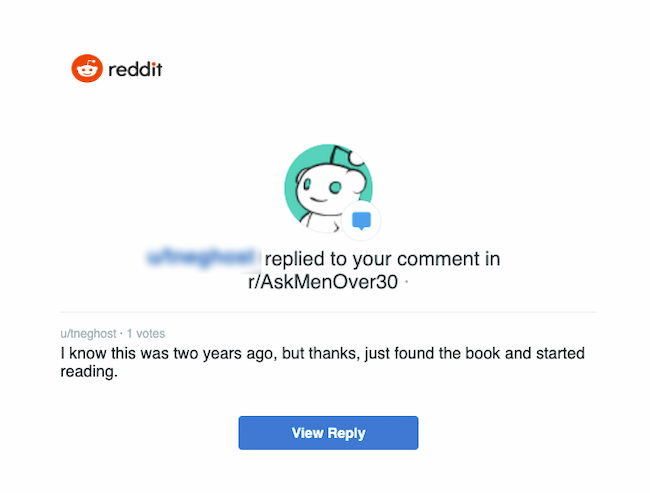
Why email examples like this work: Reddit’s mission is to build community. This personalized email shows this user that other members of this subreddit appreciate their comments.
This simple email tells the commenter that their opinion is valuable and that they should keep participating. This leads to clicking from the email back into Reddit.
22. Alex Mill
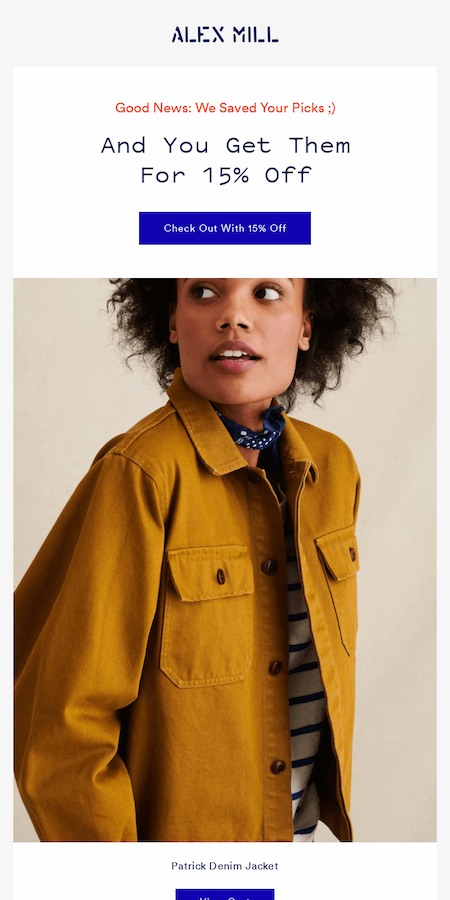
Why this email personalization example works: There are a lot of reasons to abandon an online shopping cart. Sometimes you still want to buy, but it’s hard to find that perfect item again online. Enter this email from Alex Mill.
It quickly gets to the point, letting you know they saved the items in your cart and are offering them at a discount. And the big gorgeous image also helps remind you of the quality of their products.
23. Teachable

Why this email example works: There’s a thing about conferences and summits. They’re valuable. They help you gain knowledge and become an expert.
This personalized email lets conference attendees know what they might have missed and other available learning opportunities. It also outlines a discount offer and makes the offer deadline clear and easy to understand.
HubSpot Professional and Enterprise customers: You can create Smart CTAs like these in your own emails with your HubSpot CTA tool.
Let’s Get Personal
It’s never been easier to personalize your messaging. With an integrated CRM and email marketing software like HubSpot, you can keep track of all your customer data and use it to tailor your flow.
It may seem like a big undertaking, but by observing, understanding, and investing in the behavior of your customers, you can help to make sure that they’ll stay customers. So start getting personal — and keep growing.
Editor’s Note: This post was originally published in February 2013 and has been updated for freshness, accuracy, and comprehensiveness.