
Welcome to My Blog
Visual Identity Systems: What They Are & Why They Matter
When we build a brand, we build an experience that reflects a purpose. Visual identity is a huge part of this brand experience. Colors, graphics, and fonts turn brand concepts into visual identities that can be recognized.
Once a brand is established, it needs to become a recognizable identity that the external world can perceive. This recognition comes with consistency, and achieving that consistency requires a strong visual identity system.

To create a visual identity system, you need all the visual elements that the brand has. The visual identity system’s basics are a strong brand guide and its implementation tasks. The ultimate goal of this system is to turn all the brand assets into principles that all the content team can follow to make sure that the online presence is aligned with the original brand concept.
Visual Identity System Benefits
A visual identity system is a way to make things easier, help people achieve a manageable and effective workload, and avoid mistakes. These mistakes can take place when there is no clear guidance about how to achieve excellent work results.
Putting systems in place turns complex processes into easy-to-understand steps that increase efficiency.
An effective visual identity system will help an organization:
- Improve the outcome of their content creation process.
- Avoid mistakes related to misunderstanding what the brand entails.
- Make collaboration between teams easy.
- Create complex strategies with a strong foundation that can help implement them.
How To Create a Visual Identity System
Step 1: Develop the Brand Identity
A visual identity system starts with what we know as the brand image. This includes the logo, fonts, and brand colors. Ideally, you’ll have these in a brand guide already, but if you don’t you should develop them in this step.
Step 2: Create a Mood Board
Mood boards are similar to visual identity systems in the sense that they depict far more than a logo and color scheme. Mood boards go a step further in displaying photographs, video, and even audio or scents to get a well-rounded feel for a brand.
Mood boards are curated content (i.e. not developed in house at a company or organization) and are not public. They’re strictly helpful in gaining inspiration and feedback from stakeholders about what the official visual identity system might look like once it’s finished.
Step 3: Get Feedback
Sounds simple enough, right? But this can be a step in the process that you revisit several times before settling on the perfect draft of your visual identity system.
Rather than creating proprietary content for your visual identity system every time you get new feedback, use your modo board from the step above to relay your vision. Once you get buy-in, you’re ready to put together your own visual identity system.
Step 4: Include Guidelines
In order for a visual identity system to work well, it’s important to include guidelines for using each element. These guidelines answer specific questions “How do designers create new content without breaking the consistency?” and “How does a website developer understand what the website should look like?”
There are, for example, types of content where a logo is not the best option to add, so designers can opt for a word mark or simplified logo instead.
It’s important to be very specific and particular with the guidelines so that there is little confusion and designers can develop discernment about best practices for using the visual identity system.
Once you have them in place, it’s time to add guidelines for each element. There are several ways you can structure this, but here are a couple of common ones:
- Dedicate a page to each element and include guidelines on the same page as the element.
- Include your brand guide at the beginning of the visual identity system document and add guidelines toward the end.
- Add an FAQ sheet explaining the guidelines for each element.
- Add samples of do’s and don’ts so the team sees real-world examples of the guidelines in action.
Visual Identity System Basics
If you want to build your visual identity system to make your brand stand out from the crowd, here are some best practices that can help you avoid common mistakes and achieve great results.
Know your message.
Know your message, purpose, and how you want to talk to your audience. Visual identity system basics need a strong foundation to succeed. Think about those values you want to share and the misconceptions you want to avoid at all costs. Create a schedule that prioritizes your main goals and allows you to create results aligned with your values.
Knowing what you want to communicate will help you build a message that is not only profitable but also aligns with your values.
Have a strong theoretical background.
Do you know that psychology studies the foundations of the relationship between colors and feelings? Have you noticed that a message can be read as scary or romantic based on your font? If you have this information, you can shape how people visually perceive your brand.
Psychology tells us a lot about colors and how they can affect people’s perception of our brands. If you don’t know much about this, maybe it is time for you to start diving into some research work.
Create an effective system.
Create an effective but scalable system so it can be upgraded based on your brand and business needs. The main goal of any system is to make things easier. That should be on top of every requirement that comes along the way.
Visual identity system examples are successful if they show the potential to scale without losing their efficiency.
Be specific.
Be as specific as possible, as this will make you avoid mistakes and the unnecessary back and forth between team members. Choosing details like the stock photos that suit the brand can make the difference.
Making things clear can be incredibly helpful for new team members who don’t have the brand background needed to understand the virtual identity system basics by themselves.
Create an Amazing Visual Identity System
Building a system is a concept that sounds more technical and specialized, which makes it hard to start. But, the truth is, even if you have just a bunch of tasks together, you’re already building the first steps towards your system creation. You’re close to the goal.
Systems can make everything easier, even if you start small with many questions. You will learn the details along the way.
Have you created a strong visual identity system? If you haven’t, today is the day to start.


How Consumers Prefer to Interact With Brands [HubSpot Blog Survey]
All customers have different communication preferences regarding the brands they like. Some may want to call a company to learn more about what it offers, while others may initiate a conversation with a chatbot.
As your goal is to create a customer experience that speaks to customer needs, you want to know which channels they prefer. 
Read on to discover new HubSpot Blog insight about customer communication preferences with their favorite businesses.
Customer Communication Preference Statistics
How Customers Prefer to Learn About Products
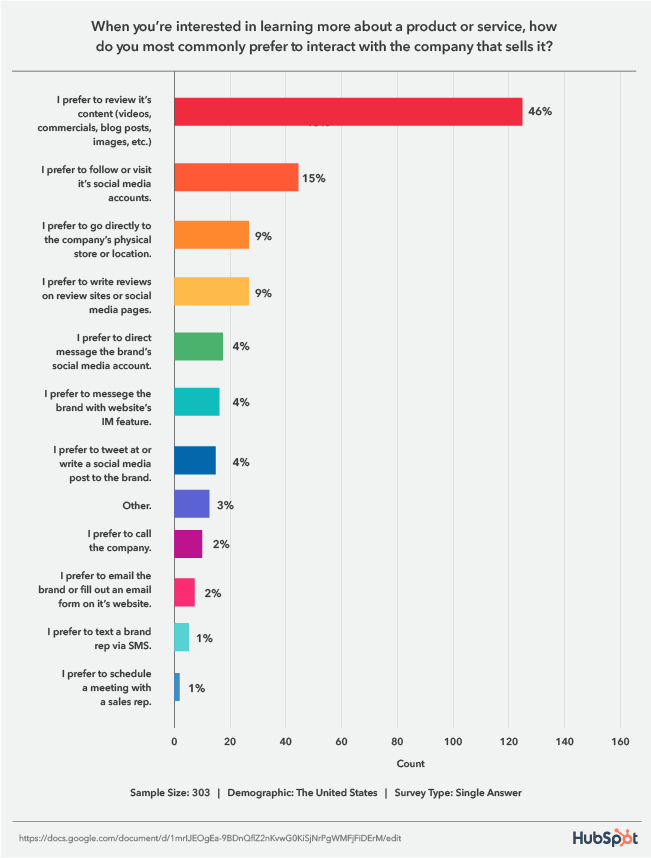
A HubSpot Blog survey asked respondents how they prefer to interact with companies when looking for information about a product or service.
46% said they prefer to review its content (videos, commercials, blog posts, images, etc.), 15% follow or visit its social media accounts, and 9% go to the company’s physical store and read reviews on review sites or social media pages.
1. Reviewing Content
Audiences overwhelmingly prefer to review the content your business puts out, so it’s essential to speak to this desire in your marketing strategy by creating the useful content your audiences are looking for.
With this tip, it’s important to also be aware of the channels your audiences use the most so you can meet them on their preferred mediums. For example, Gen Z spends most of their time on YouTube, and 47% research products they’re interested in on the platform, followed by Instagram, Snapchat, then TikTok.
2. Social Media
When it comes to social media, 56% of consumers are influenced by posts shared by friends and family for sourcing ideas. In addition, 54% of Gen Z shoppers and 58% of millennials agree that social platforms are better than online searches for finding new products.
3. Reading Reviews
When it comes to reading reviews, a 2021 Stackla report found that UGC, which reviews are a type of, is 8.7 times more impactful than influencer content and 6.6 times more than branded content. 56% of people have also reported leaving an eCommerce store without purchasing because the site didn’t contain any customer reviews or photos.
How Customers Prefer to Communicate with a Company
When reaching out to a company online, survey respondents preferred to message a human representative from your business (45%).
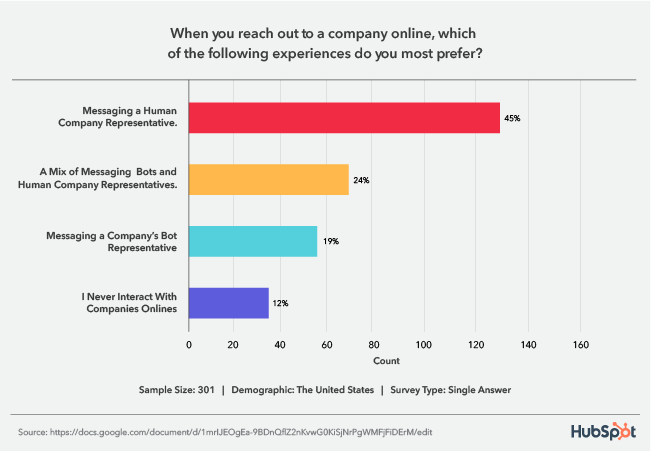
This is a crucial statistic to be aware of considering the rise of chatbots. While the AI-powered tool is undoubtedly helpful, customers are letting us know that they don’t want you to shift your entire messaging strategy to revolve around an automated tool.
However, the second-highest preference is for a mix of chatbots and human representatives. So, even though customers want to talk to a person, you can combine both tools in your strategy. When you leverage a mix of the two, aim to have bots complement the human experience. For example, a bot can initiate a conversation and collect information to transfer the customer to an agent most equipped to provide a solution.
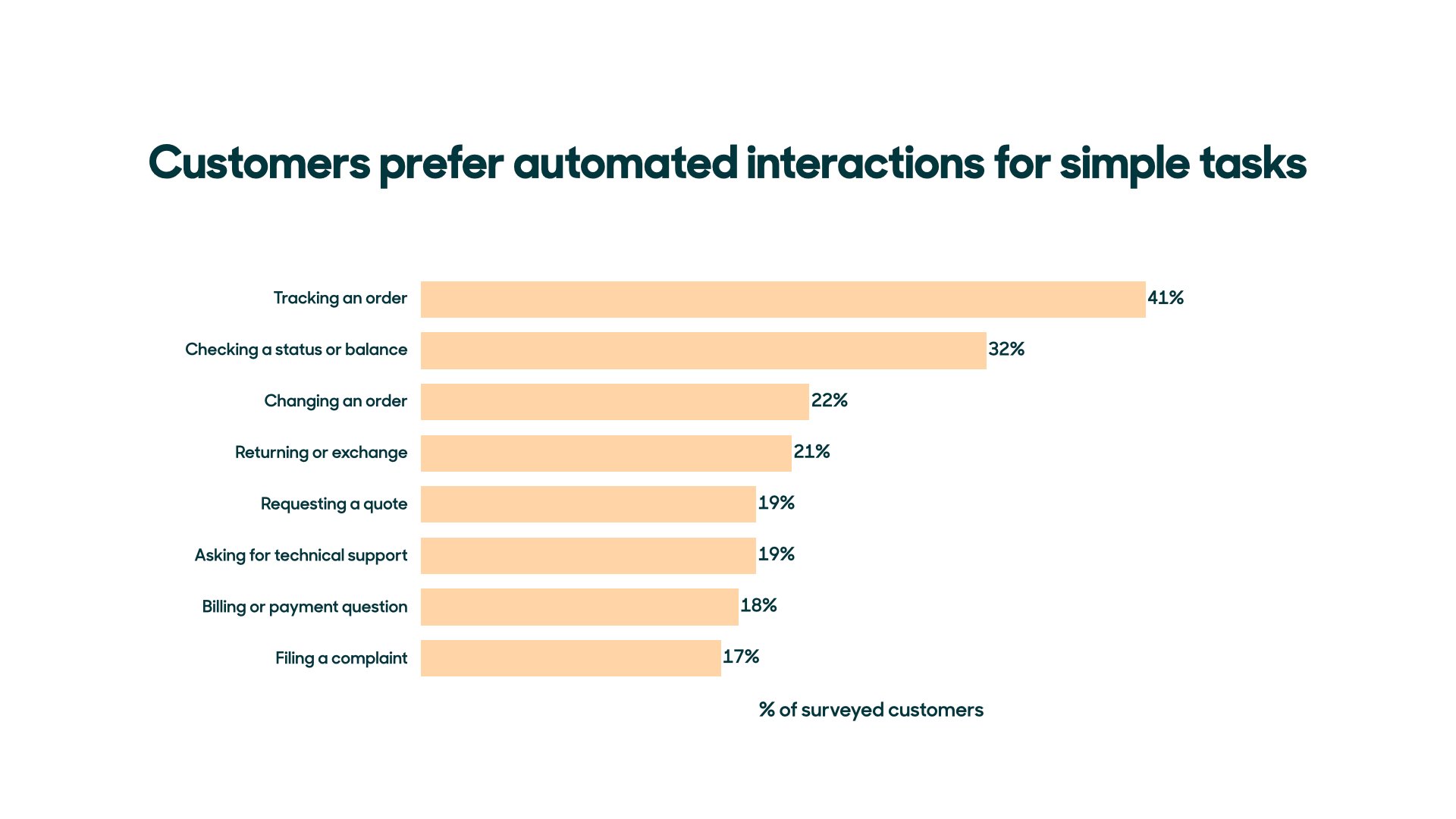
Customers are also okay with simply using chatbots for routine and simple tasks, like order tracking, checking status or balance, or changing an order.
Looking Ahead
As a business, it’s important to match the ways you sell with the ways people want to buy. Leverage the insight from this HubSpot Blog survey to ensure you’re speaking to current customer desires and meeting them on their preferred channels.



8 Easy Social Media Marketing Tips for Introverts [+Best Apps]
Social media marketing isn’t easy, and it’s even more challenging for introverts.
Up to 50 percent of people consider themselves introverts. Sometimes considered antisocial, the truth is that many introverts enjoy social activities but find them exhausting — where an extrovert might gain energy from being in a big crowd, introverts need time to recover and recharge.
![→ Free Download: Social Media Calendar Template [Access Now]](https://no-cache.hubspot.com/cta/default/53/3e56e15d-47bd-46c9-a256-99fde52abfe7.png)
For introverted entrepreneurs and small business owners, this poses a challenge: With social media a key component in brand building, how do they manage the demands of social interaction with the need to take care of their own mental health?
In this piece, we’ll offer eight easy tips to help improve your social media marketing (without losing your sanity) and four great apps to help you get the job done.
Social Media Tips for Introverts
1. Create a social calendar.
It’s easy for introverts to get overwhelmed with the sheer number of social posts, replies, and activities required to build a personal or business brand. But given that these connections are critical to boost your public profile and help drive new career opportunities, they can’t be ignored.
Best bet? Start by creating a social calendar that maps out what you’re going to post, where, and when to help make sense of social media efforts. Using a calendar also gives you more opportunity to be socially spontaneous if you’ve got the energy, since your posts are already penciled into your calendar.
Not sure where to get started? Check out HubSpot’s Social Media Content Calendar Template.
2. Pick and choose your people.
The great thing about social media is how it offers connections to so many people — and the terrible thing about social media is that it offers connections to so many people.
This is the case for many introverts; what starts as a great way to connect turns into a continual avalanche of opinions and ideas that’s hard to navigate and even harder to manage. As a result, it’s worth regularly assessing your social media feeds and curating who you follow. While you don’t want to create an echo chamber that cuts off your ability to build brands outside narrow circles, there’s nothing wrong with being choosy about who you follow and why.
3. Schedule social posts.
Despite best efforts, you’ll still get overwhelmed from time to time. That’s OK — and it’s important to take a break and recharge your batteries. The challenge? While introverts are resting up, they’re often still worried about what they’re missing on social media.
To help solve this problem, opt for an app that lets you schedule social posts at the time of your choosing. That way, you can confidently take breaks knowing that you’re still delivering content.
4. Find a matching platform.
Facebook is great for larger conversations, LinkedIn works well to connect with specific people, Twitter offers space for quick-fire interactions, and Instagram is all about images.
Chances are, you have a preference: Maybe you like the quieter atmosphere of LinkedIn, or maybe posting pictures makes it easier to feel connected with your audience. While it’s important to keep your social avenues open, there’s nothing wrong with investing more time in the platform that best suits your style, since you’ll be more productive over time.
5. Curate your content.
Not everything needs to be posted on social media. While sharing details about yourself and your life can help grow a social following and in turn bolster your business efforts, you need to draw a line between personal and professional posting.
In practice, this means deciding what content you post and what you keep private. There’s no right answer here — the key is setting boundaries that work for you so that you feel comfortable about what you’re sharing and secure in what you keep to yourself.
6. Track your social media metrics.
Social media metrics help you see what’s working and what isn’t, and come with the benefit of letting you take a break from people. Rather than reaching out to see why connections haven’t engaged with your brand or aren’t viewing your content, leverage data tracking and analytics tools to see where you’re losing interest. These metrics help you build out a better strategy and let you do it in peace and quiet.
7. Opt for one-on-one interactions.
Introverts are often incredibly engaging and social — when it comes to one-on-one interactions. Consider a party with hundreds of people all having a good time. Many introverts will seek out a single individual or small group and set up camp, rather than trying to mingle.
This approach also works for social media. As people make comments on your posts, consider reaching out with a direct message to strike up a conversation. These one-on-one conversations can let you shine socially without the need to navigate multiple interactions simultaneously.
8. Hire help as needed.
If social media marketing simply isn’t in your wheelhouse, consider hiring help. The complex and evolving nature of social platforms has created a market for social specialists capable of directly targeting your key audience segments and curating your social calendar. In much the same way that you might hire an accountant to manage your business finances, you can now tap social media expertise to streamline the process.
Best Social Media Apps for Introverts
1. Google Analytics
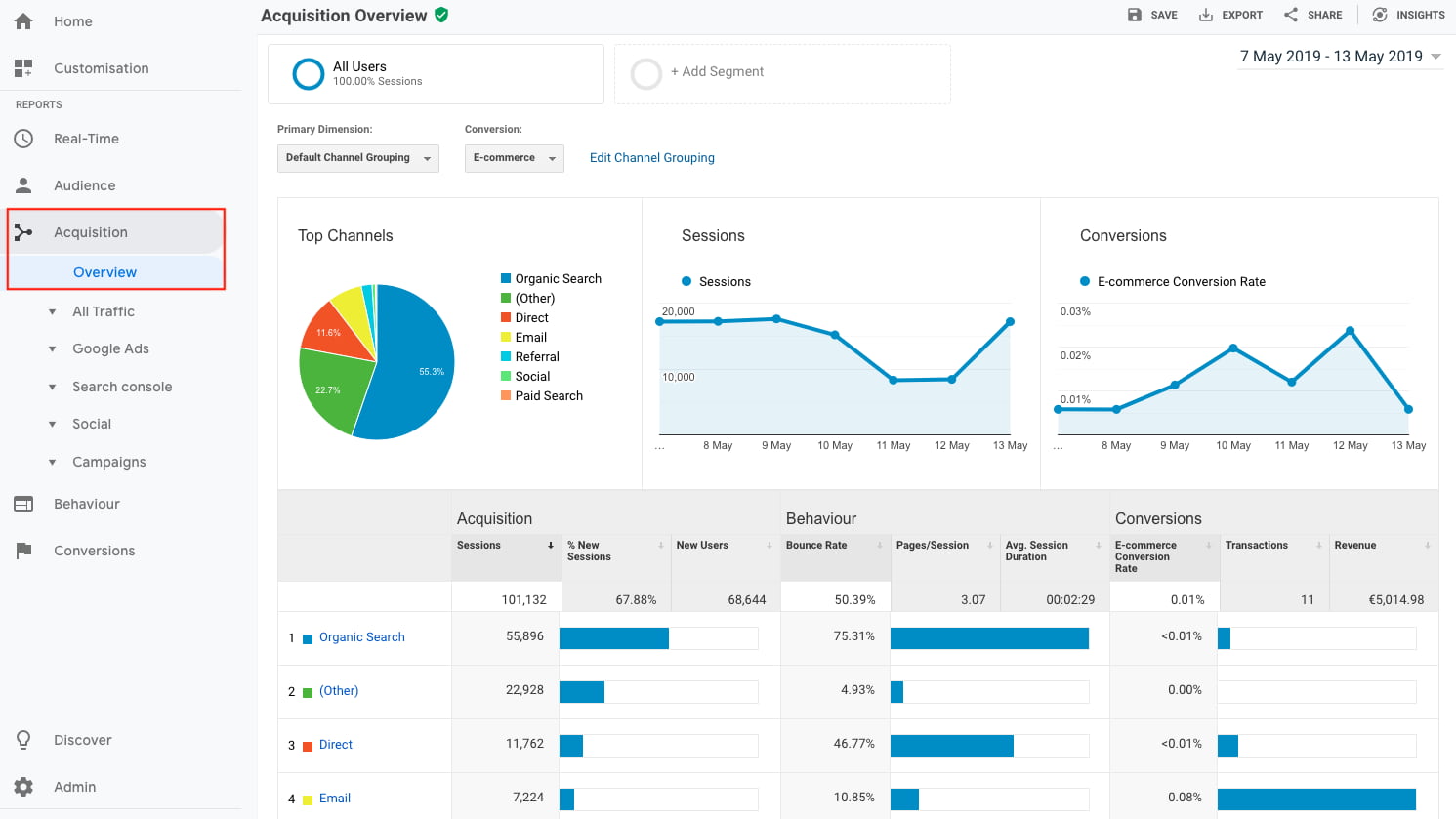
When it comes to metrics, you can’t go wrong with Google Analytics. The app lets you track which of your posts have been shared and on which platform, in turn helping you develop a more focused social media strategy.
You can also use Google Analytics to identify potential weak points in your current efforts. Are there certain platforms where you’re not reaching engagement goals? Are specific post types outperforming others? This data sets the stage for better interactions.
2. Buffer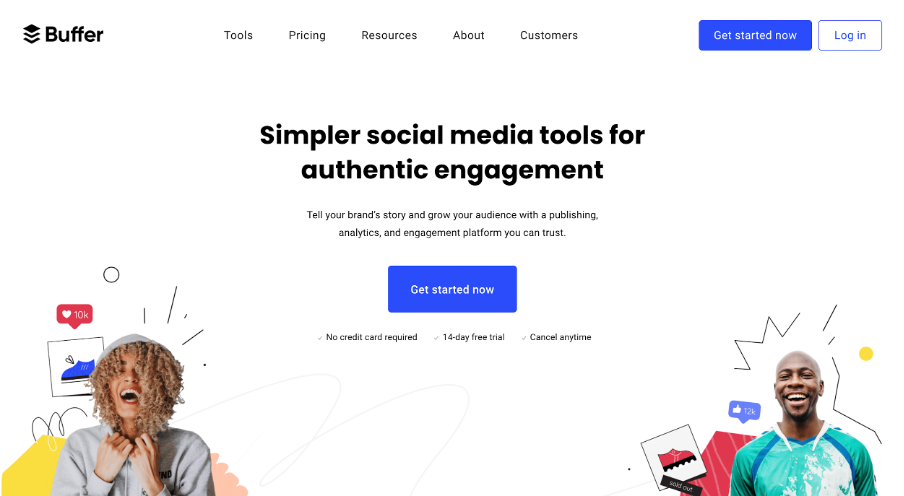
Buffer lets you easily evaluate social media performance, schedule posts, and respond to comments ASAP.
With just a few clicks, you can schedule posts on the platform you prefer at the time of your choosing, freeing up your time to create new campaigns or build new content. Using labels and hotkeys, meanwhile, you can quickly pinpoint comments on your posts that need immediate attention so you don’t miss a customer concern or a new connection opportunity.
3. Adobe Creative Cloud Express
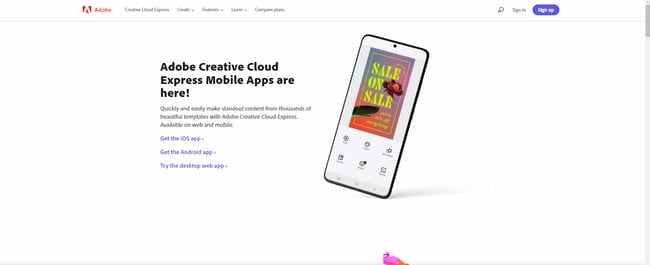 Formerly Adobe Spark, Creative Cloud Express provides the power of pictures with thousands of pre-built content templates. Easily make standout graphics, logos, and photo collages to showcase your brand or highlight your mission, and then posts these images on the platform of your choice.
Available for iOS, Android, and for desktops, you get full access to the app for 14 days for free — after that, you’ll need a Creative Cloud subscription.
5. REP
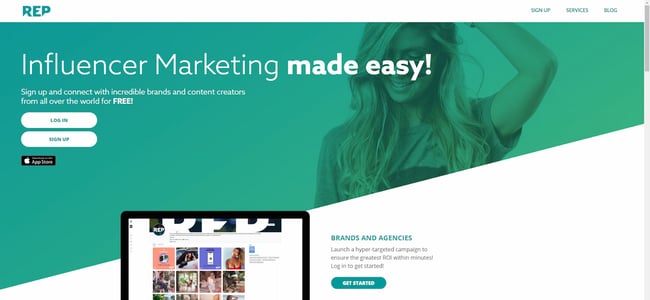 Love the impact of influencer marketing, but don’t like the idea of cold-calling influencers to work with you? REP has you covered. This influencer marketplace lets you post job opportunities, connect with potential influencers, and negotiate terms, all from the app.
It’s a great choice for introverts who want to leverage the power of social media but want to keep the number of uncomfortable interactions to a minimum.
Solving for Social Media Marketing Stress
There’s no way around it: Introverts will always find social media stressful. But it’s still a powerful tool in your arsenal, and with the right approach, it’s possible to strike a balance between building a public presence and protecting your private life.
Best bet? Prioritize where and what you want to post, and make sure to take regular breaks. Push yourself to do better, but recognize that introversion isn’t a problem to solve but rather a different approach that lets you cultivate more direct and in-depth, one-on-one connections.
Editor’s note: This post was originally published in April 2009 and has been updated for comprehensiveness.


The Best Fonts for Your Resume in 2022, According to HubSpot Recruiters
Studies have shown recruiters typically scan a resume for only about six seconds before making a decision on whether an applicant is fit for a role.
With only six seconds to demonstrate your qualifications for a position, every detail counts – including the font you use. The question is, what are the best resume fonts to pass the six-second scan?
![→ Download Now: 12 Resume Templates [Free Download]](https://no-cache.hubspot.com/cta/default/53/4ec95757-585e-40cf-9189-6b3885074e98.png)
We asked HubSpot recruiters to reveal the seven best fonts for your resume as well as what they consider in terms of design in general, so your resume can stand out in the pile.
- Best Fonts for Resumes
- Does your resume font even matter?
- Worst Fonts for Resumes
- Ideal Resume Font Sizes
Featured Resource: 12 Free Resume Templates
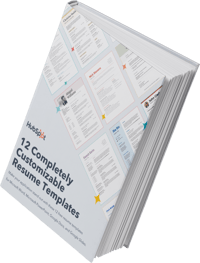
With only six seconds to demonstrate your qualifications for a position, every detail counts. To evoke a sense of style, professionalism, and uniqueness, it’s critical you put effort and consideration into your font choice.
When speaking with recruiters, it quickly became clear that classic fonts are still the best options.
“I’m a big fan of the ‘classics’ for resumes – Times New Roman, Arial, Calibri, Helvetica, and Cambria. I’m a little old school, but I think they are the cleanest and exude professionalism,” said Johanna Fleming, a former senior recruiter at HubSpot.
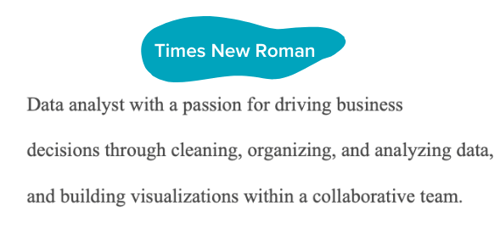
Riley Kundtz, former senior MBA campus recruiter at HubSpot, agreed.
“I find the classic formatting and Times font to be helpful when reading a dense resume from an experienced MBA candidate.”
Times New Roman has become a bit controversial lately. It was the go-to font for many years, but lately, some are opting against it.
“For me, it’s all about legibility and cleanliness – I prefer sans-serif fonts like Helvetica over serif fonts like Times New Roman,” said technical recruiter at HubSpot, Glory Montes. “Overall, I would just stay away from a font like Times New Roman, it’s overused and reminds me of long nights writing course papers in college.”
One font that’s similar to Times is Georgia, it’s a bit wider making it easier to read. In fact, it’s the font used by The New York Times.
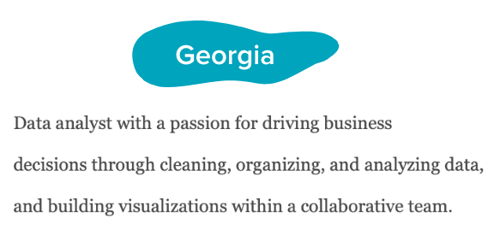
Paulina Valdez Franco, executive recruiter at HubSpot, agrees with this take.
“My two favorite fonts are Helvetica, if you’re looking for a clean and classic look, and Georgia, if you’re going after a more modern and fun look,” she said. “The latter is also designed to read well on screens.”
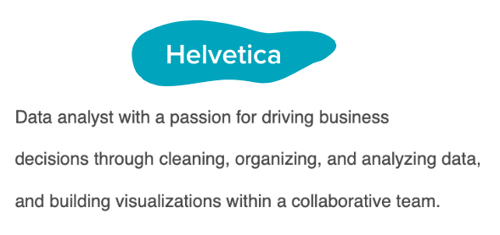
Helvetica is widely used in the advertising industry and works equally well for text-heavy pages and documents.
A lesser-known font that’s a great option for your resume is Garamond, recommended by our current team lead of engineering recruiting at HubSpot, Rich Lapham.
“Recruiters have an idea of the skills they are looking for on a resume, so if you try a new style or format, it can be tougher for recruiters to find the information they are looking for,” he said. “Keep it clean and simple.”
Franco added that Arial and Calibri are great choices if you want to play it safe.
Bridget LeMon, global emerging talent and university recruiting manager at HubSpot, echoes this.
“It’s totally acceptable – and becoming more common – for candidates to stray away from the resume norms of Times New Roman and Calibri,” she said. “Avenir Next and Muna are two great options if you are looking to break the status quo.”
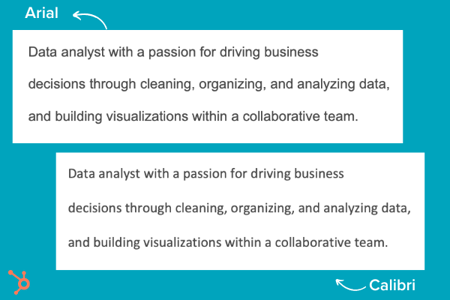
Ultimately, you’ll want to consider the position for which you’re applying when you’re choosing a font. To Montes’ point, certain more creative roles might benefit from a more unique font than Times New Roman.
Does your resume font even matter?
Most recruiters I spoke with were hesitant to even offer a font at all. Instead, they focus on the content.
“I typically don’t pay too much attention to font,” said Heta Patel former HubSpot recruiter. “I’m more concerned about whether the resume is formatted in a clean way – submitting a PDF is helpful with this, so your formatting doesn’t shift.”
Sales Recruiting Manager Kelsey Freedman agreed.
“Honestly, I don’t care much about the font of a resume, as long as it’s clear and in PDF format. I typically only review a resume for 20 to 30 seconds, so a traditional font is good. I would advise avoiding script font or bubble font, or something distracting like that.”
Ultimately, and as expected, your content still matters most. However, a clean, clear font will help avoid any irritability you might cause a recruiter with a distracting, messy design.
“What I get most excited about is the content. Depending on the role, I look to see that candidates are sharing direct and compelling snapshots of their work,” said Ashley Hodder, a global recruiting manager at HubSpot. “I look for indicators that show data orientation, autonomy, and thoughtfulness about business impact.”
Worst Resume Fonts
While some recruiters may not have suggestions for the best fonts to use, many can agree on some of the worst ones.
“Anything that is cursive, or too bubbly, is too hard to read. For instance, I’d stay clear of Comic Sans,” says Holly Peterson, team lead for UX recruiting HubSpot.
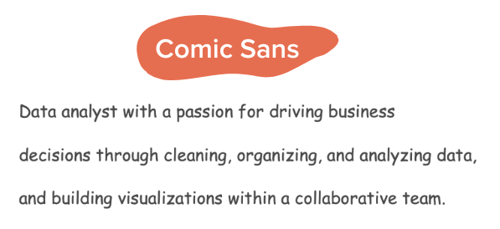
Another font type to avoid is Script.
With text-heavy documents, Script and any of its derivatives make things hard to read because they’re meant to look like they’re written by hand. 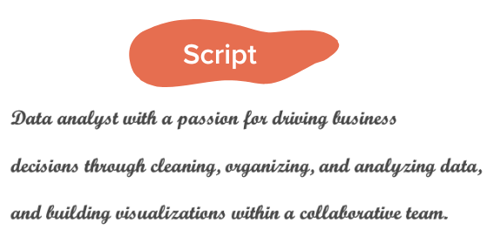
They’re generally used in hand lettering and calligraphy for artistic projects and shouldn’t be present anywhere near your resume.
Ideal Resume Font Size
When asked about which font size is best, Fleming said 12 is ideal. Most recruiters would agree.
Your text should be large enough to read comfortably without straining but small enough that there’s space to include all the key elements, such as an objective, contact information, skills, and experience.
Where you can go larger are for headings for your name and section titles.
If the font you chose is particularly wide, you can scale down to 10.5 – never going below it.
The key takeaway is that make your resume as clear and easy-to-read as possible, which means keeping the font size around 12, sticking to classic fonts with modern twists, and forsaking your favorite script font.
Editor’s note: This post was originally published in November 2018 and has been updated for comprehensiveness.

18 Best Free Microsoft Excel Templates for Marketing & Sales
Many of us can recall a time in high school when we were sitting in math class and thinking, “When am I ever going to use this stuff in the real world?” And then we suddenly find ourselves in the real world, only to realize that numbers do play a pivotal role in what we do — especially in digital marketing.
![Download 10 Excel Templates for Marketers [Free Kit]](https://no-cache.hubspot.com/cta/default/53/9ff7a4fe-5293-496c-acca-566bc6e73f42.png)
The trouble is, many Excel templates and spreadsheets are riddled with numbers and formulas that aren’t all that inviting. Making them from scratch can be especially intimidating. While we won’t argue with that, we will say that the advantages of leveraging Excel’s functionality to organize information and streamline tasks are unparalleled.
To help those of you looking for a way to sharpen your skills, we’ve put together a detailed list of ways you can start using Excel to simplify your marketing tasks. Complete with templates, these suggestions will have you making strides in no time. Know what’s even better? You can download a kit of Excel templates in one fell swoop.
Microsoft Excel has many capabilities. It stores data and has tools for data analysis. It performs calculations and allows you to use code for automation. And while many recognize it as a tool for calculating numbers and figures, it’s more than that.
There is a learning curve when using Excel, and it takes time to master its many uses. Outside of calculations, the spreadsheet allows you to create social media schedules, editorial calendars, campaign trackers, and more. And instead of subjecting yourself to trial-and-error processes that would certainly waste time, you can use the following marketing templates to expedite your company’s success in marketing, sales, and project management.
Marketing Excel Templates
1. Marketing Budget Template
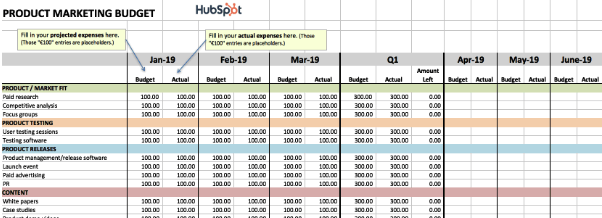
While marketing budgets vary from business to business, the need for structure and a clear sense of alignment between your goals and your spending is critical across the board. To ensure your preparedness for unanticipated costs, you must allocate your budget thoughtfully and correctly. You will also need to keep tabs on how closely you’re sticking to your projected expenses.
If you want to avoid a mess at the end of the month or quarter, take a look at this collection of 8 marketing budget templates designed to help you better organize your marketing spend. From product marketing and website redesign to content marketing and events, these templates serve as a guide for marketers to visualize and track their expenses to avoid overspending.
The collection also contains a master marketing budget template that will help you generate a high-level visualization of your marketing budget on a month-by-month and quarterly basis.
2. Marketing Dashboard for Excel
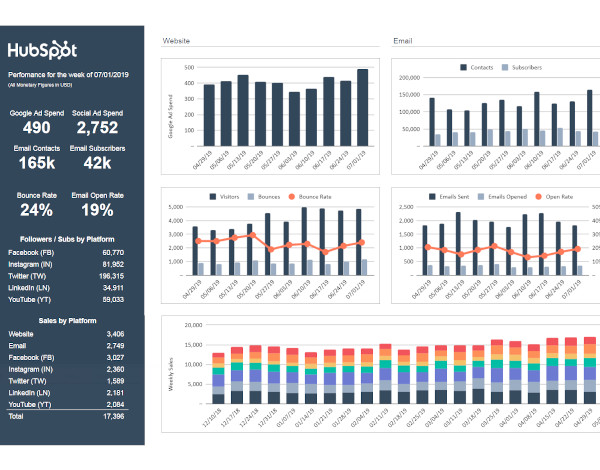
There is no shortage of data to monitor when it comes to marketing, and if it feels like you’re getting too far in the weeds or missing essential details when it gets too granular, a marketing tracker like the above dashboard can help.
This particular tool allows you to enter metrics by campaign to auto-populate visual and easy-to-read charts. As a result, you can visualize the effectiveness of spending and activity across multiple initiatives.
3. Monthly Marketing Reporting Template
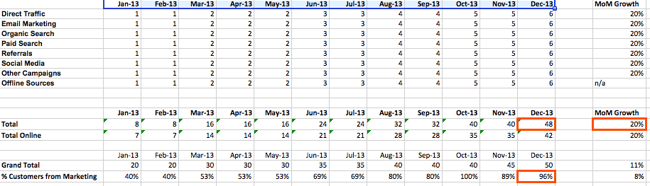
Is there a feeling sweeter than hitting all of your goals for the month? How about communicating your success to your boss? Excel spreadsheets can prepare comprehensive reports of your marketing metrics to send to your boss. There’s no need to work from scratch. (After all, you’ve already worked so hard this month.)
To simplify your reporting, check out these monthly marketing metrics templates and the corresponding PowerPoint template. Each month, you can update them quickly and easily to reflect your monthly visits, leads, customers, and conversion rates. From there, you’ll have everything you need to track and report on which channels are performing best. Every boss loves to see ROI, so you can’t go wrong with these templates.
4. SMART Goal Matrix
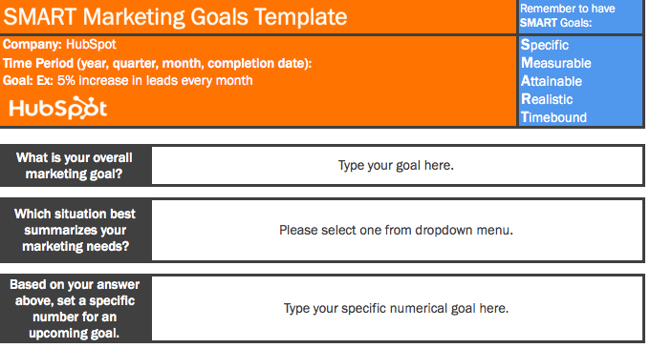
Whether you’re planning for a new year, quarter, or month, defining a clear set of goals is critical for driving the direction of your marketing efforts and priorities.
Sometimes, you might need help not only setting marketing objectives but achieving them. Start with these SMART goal planning templates. Rooted in specificity, measurability, attainability, relevancy, and timeliness, these templates will help you set your team up for success. They will also provide you with a tool for identifying your most prominent marketing needs.
5. On-Page SEO Template
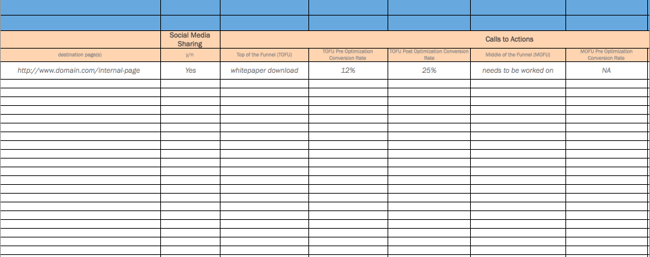
When it comes to SEO, there’s a lot for marketers to remember to see results. In other words, there is a lot for marketers to forget. With search engines evolving and algorithm changes turning your existing strategy on its head, it’s easy to feel overwhelmed and push off revamping your SEO strategy. However, SEO should never be an afterthought.
If you’re looking for the light at the end of the tunnel, pull up this handy SEO template created in Excel. Designed to make the process of managing your SEO efforts a whole lot easier, marketers can use this template to guide their strategy step-by-step or pass it off to their webmaster to serve as a helpful guide. It focuses on keywords and SEO best practices, while providing tips and tricks to identify nuances and increase productivity.
6. Google Ads Campaign Tracker
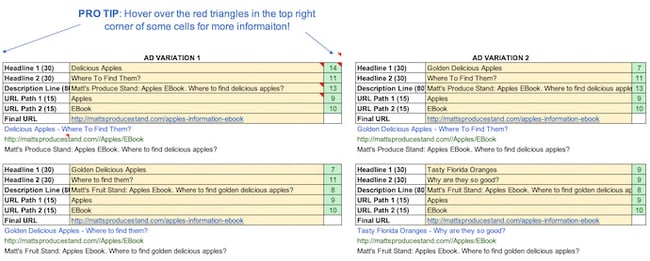
If you’re doing your Google Ads campaigns right, they probably aren’t “walks in the park.” That’s because, to get the most bang for your buck, you set up multiple campaigns with multiple ad groups. You also have variations of your campaigns — all with different content. Not only that, but you’re (hopefully) also keeping track of those campaigns to determine which ones to shut off, add more money to, or tweak.
Sounds like a lot to keep track of, right? But take a deep breath. This Google Ads tracking template is a marketing campaign template that can keep you on top of your Google Ads game. It’ll help you catch mistakes and implement best practices across all the different campaigns and ad groups you’re running — for the top, middle, and bottom of the funnel. It’s a perfect complement to that SEO template you’ve started using.
7. Lead Scoring & Tracking Template
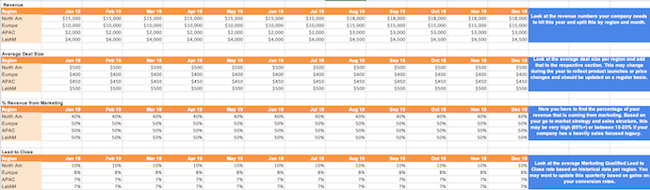
It’s no secret that sales and marketing have a pretty rocky relationship history. Sales might think marketing isn’t generating enough leads, while marketing might think their sales representatives aren’t capitalizing on the leads they’re sending over. When it comes down to it, finger-pointing doesn’t grow a business.
To better align your sales and marketing teams, turn to this template for creating a service-level agreement (SLA). Generally speaking, an SLA is a contract that defines the sales department’s expectations for marketing leads (both quantity and quality), and the expectations marketing has for how sales will act on qualified leads.
With this customizable SLA template in your toolbox, you’ll have the information you need to reduce tension and define a concrete monthly lead generation goal. You’ll also be able to track and measure the success of specific lead generation channels and keep close tabs on your current sales close rates.
8. Leads and Traffic Goal Calculator
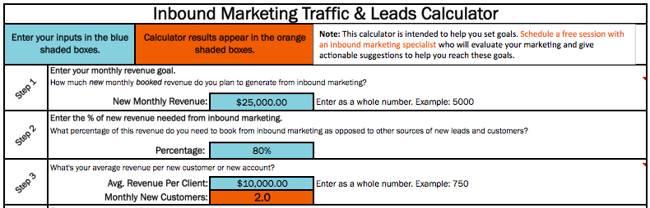
You have to set a leads goal, but you don’t know where to start. Once you finally figure that out, you have to determine how much traffic you need to hit that goal, but you’re not sure what approach to take there, either.
It sounds like you could use a hand in calculating your leads and traffic goals. Luckily, there’s an Excel template for that. You won’t have to sort through these numbers on your own. This template will take care of the math and give you a clear picture of what you need to accomplish to achieve your traffic and leads goals. It will also ensure the health of your inbound marketing strategy.
9. Essential KPI Tracker
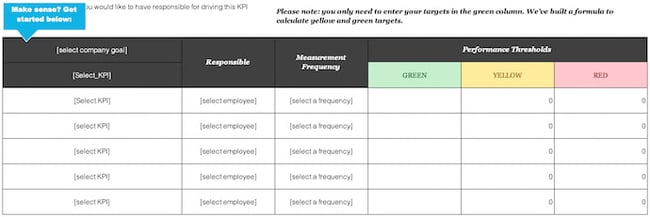
If you’re a fan of the monthly metrics template (item #3 on this list), you might want to grab a copy of this template as well. The essential KPI tracker, shown above, takes the metrics your marketing team has agreed to track and describes them in more detail.
KPI stands for “key performance indicator.” They’re your most important metrics, each with a unique purpose and place in your marketing strategy. Using this template, you can assign specific employees to each KPI, define the frequency at which you’ll monitor each KPI’s performance, and assign each KPI a color that reflects the quality of that KPI’s performance.
If one of your KPIs is organic traffic, for example, you can set up your template such that 100 page views per month are red (poor performance), 500 page views per month are yellow (stable performance), and 1000 page views per month are green (great performance).
Sales Excel Templates
1. eCommerce Planning Kit
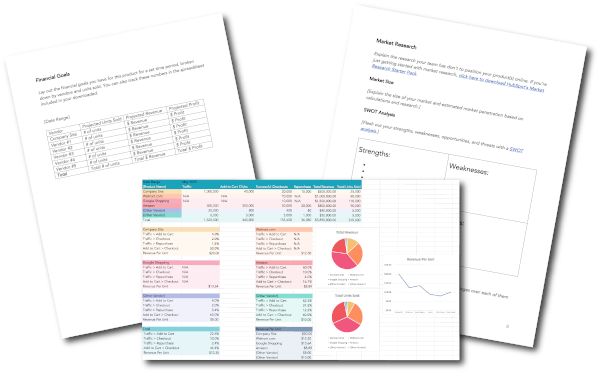
E-commerce stores come with many moving parts. Planning ahead can save you time and heartache later.
This kit includes a marketing plan that guides you through market research, target market, channels and vendors, and more. Once your e-commerce store is live and running, you can use the conversion template to track performance across vendors and platforms where products are listed to give you a holistic view of your efforts.
2. Prospect List Template
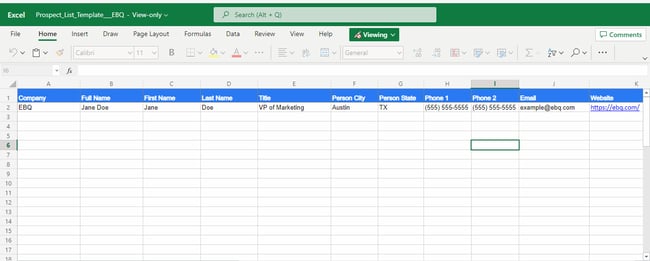 In a business, the most important people are your customer or client base. Although your current customers constantly need to be nurtured, focusing on your prospect list is also essential.
A prospect is a person, business, or organization that might be interested in your products or services. It could be someone who has shown interest or someone who could benefit from your company. A prospect list allows you to focus on the potential customers that you should nurture similarly to your current customers.
The information needed to build a prospect list is elementary. Start building this list with the person’s name, title and company, location, and contact information. Additional information could include their industry, employee size, company description, and pain points.
Once you’ve used a template like this one, you’re ready to upgrade to a CRM, which stores the same information in a more user-friendly format.
3. Sales Forecasting Template
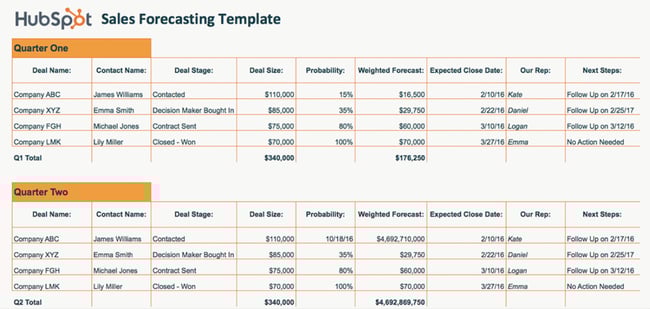
Sales forecasting is similar to weather forecasting. Without the proper tools, it’s impossible to get an accurate idea of what’s ahead. While a meteorologist might use Doppler radars and satellite data for their predictions, your business can use the above sales forecasting template.
Sales forecasting helps with business planning, budgeting, and risk management. Overall, it helps strengthen the strategy that you build for your company. Using this template will help you track business sales, accurately predict your sales revenue, and plan for future growth.
Sales forecasting is challenging, but this spreadsheet formula makes the process easier.
3. Sales Metrics Calculator Template
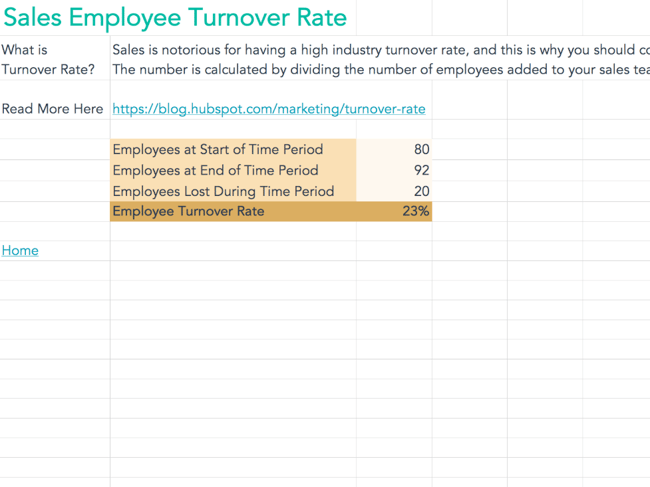
Sales are complex. Once you add sales metrics into the picture, the complications increase. There are many numbers and figures to calculate, track, record, and document. This interactive Excel spreadsheet will help you get the job done.
Not only does this template help you keep track of sales, but it keeps track of your salespeople as well. With the sales metrics calculator template, you can calculate customer retention rate, win rates, product revenue, employee turnover rate, and more.
Project Management Excel Templates
1. Social Media Posting Schedule
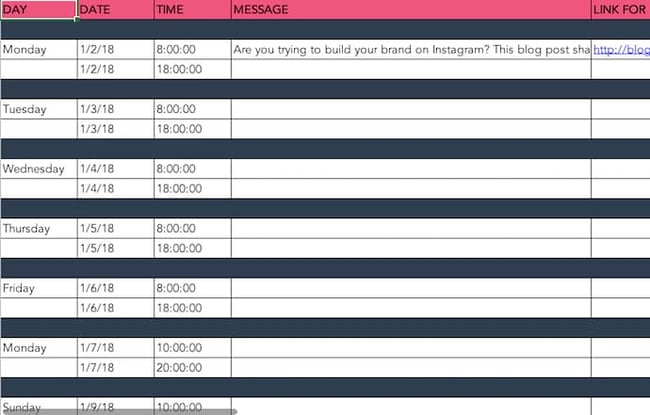
You might already use a social media scheduler to manage and publish your posts every week, but you still need a place to draft your social copy and decide which posts will go to which social networks.
And because most social media schedulers allow you to upload social post copy in bulk from a spreadsheet, it’s best if you have an Excel template designed for this purpose. With that in mind, we created the Excel template shown above.
This social media posting schedule allows you to draft each social post — the time it will post, the message you want to publish, and any link you want to accompany your message (blog post, registration page, an ebook landing page, etc).
Once you’ve drafted all of your social posts for the week, month, or quarter, you can sort them by social network and upload your Excel file into your social media platform of choice.
2. Blog Editorial Calendar

Blogging plays a significant role in your ability to attract visitors and leads to your website. But managing a blog is one of those responsibilities that’s easier said than done.
Whether you’re struggling with ideation, consistency, or simply just lacking organization, an editorial calendar can often serve as the solution you need to refocus your blogging efforts and generate even more traffic and leads from your content. Visualizing the blog posts you plan to publish in a given week or month makes it easier to define overarching themes, keep track of ideas, manage contributions, and prioritize strategic distribution.
Use this editorial calendar template as the starting point for keeping track of all of your business’ content. It’ll help you be more mindful of topic selection, buyer personas, keyword inclusions, and CTA alignment.
3. WIP Template
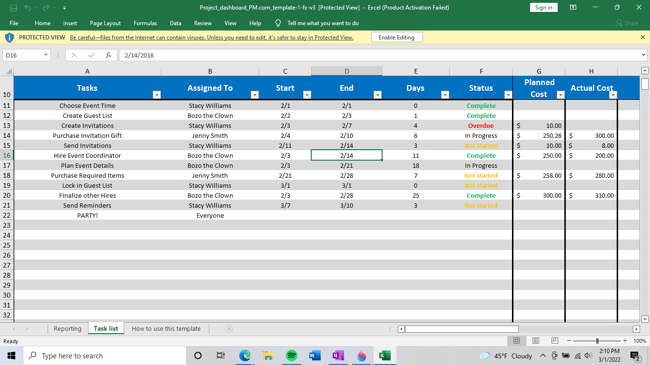 How do you keep track of the day-to-day progress of your company, especially when there are people, tasks, and timelines to monitor? A WIP (work-in-progress) template is essential to keeping track. If you’re not ready to commit to a project management software like HubSpot Projects, you can still manage your projects and processes with a spreadsheet.
This template provides you with a project overview that makes tracking easier than ever. The WIP template from Project Manager tracks tasks, time, costs, and workload. It also allows your team to change the work view (task list, spreadsheet, calendar) based on preference. With this template, you get all the data you need to monitor the life cycle and progress of your projects.
4. Social Media Content Calendar
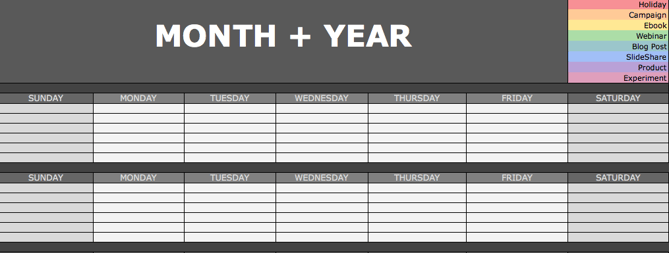
Since you’re probably generating tons of clicks from your Google Ads campaigns and writing amazing content thanks to your blogging editorial calendar, you’ll need some help figuring out how to spread the love on social media. We’ve got just the thing.
The social media calendar template is the perfect resource for helping you scale and streamline your social media marketing. When you use Excel to break out separate worksheets for each social network you’re using, you’ll be able to keep a repository of content ideas, so you’re never struck by writer’s block and always have something to post.
It’s also worth mentioning that marketing calendar Excel templates come in handy when using Twitter, as it can count your characters to help you write tweets that stay within the 280-character limit.
5. Product Launch Plan
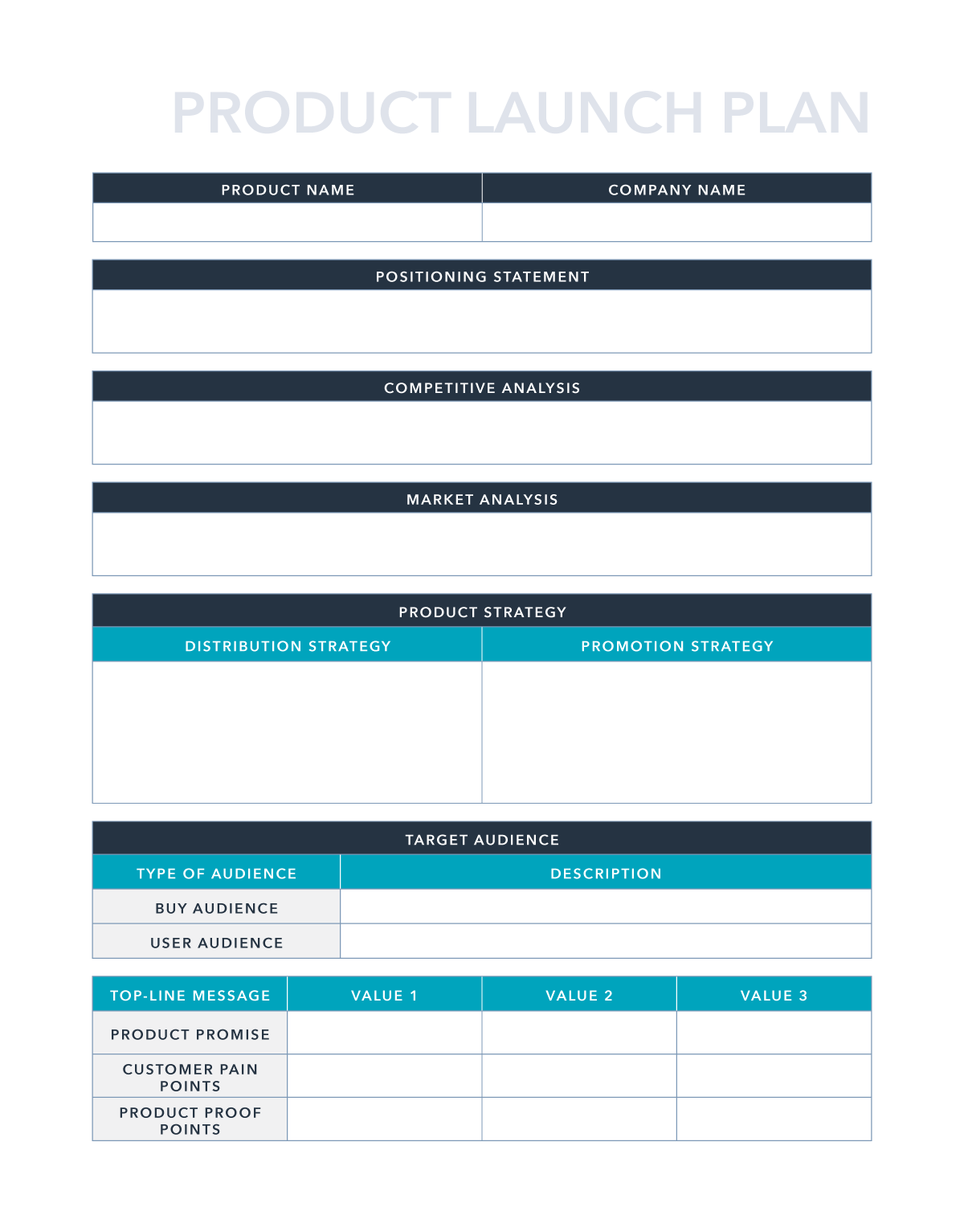
A well-executed product launch can be a key differentiator for successful marketing and early adoption. The right plan can give you clarity and purpose as you move forward and announce the new product’s existence to your customers and prospects.
This product launch plan can help you organize your thoughts around competitive analysis, positioning, and product strategy. It even goes so far as to help you brainstorm pains, proof points, and key messaging for campaigns.
Excel your marketing process.
Data is any marketer’s friend. Even though spreadsheets seem like they’ve been around forever, Microsoft Excel has so many capabilities that still make it an amazing resource for displaying, organizing, analyzing, and parsing data. With a little bit of Excel magic, you can streamline your workflow and arrive at some a-ha moments from data insights.
Editor’s note: This post was originally published in March 2019 and has been updated for comprehensiveness.


10 Signs It’s Time to Pull the Plug on Your Marketing Campaign
Have you ever gone to see a movie that got worse as you watched it, but you couldn’t leave because of the money you paid to see it? Or have you ever worked on a project that was clearly not going to solve your problem, but you just continued working on it?
Psychology refers to these examples as escalation of commitment and sunk cost theory, where we continue to do something without value because of the effort or cost we’ve already put into them.

In the marketing world, pulling the plug on a campaign can be extremely difficult, especially when you and your team have put a lot of work into it. But sometimes, it’s for the best. In this post, we explain 10 signs it might be time to pull the plug on your marketing campaign.
10 Signs It’s Time to Stop Your Marketing Campaign
No two campaigns are the same, but these ten signs indicate that it’s time to stop a marketing campaign.
1. If you’re not getting enough value
How do you know whether a marketing campaign is giving you enough value? Well, ask yourself:
- Are you going to break even on the money you’ve spent?
- Does the cost far exceed the value you’ll get?
If the numbers don’t add up, it might be time to stop the campaign.
2. If you’ve given enough time
Marketing campaigns require patience. Sometimes, you might not even see the results from certain campaigns in months.
However, if your marketing campaign takes way longer to generate positive results when compared to other campaigns of its kind, then it’s time to pull the plug.
3. Your optimizations don’t change anything
Suppose, in a bid to save a campaign, you begin to optimize different elements but still don’t notice any improvements; then, you should end the campaign.
You’d be better off spending your time and resources on other campaigns or revenue-generating activities.
4. It’s cheaper to stop now
If you’ll save more time and money by pulling the plug now rather than later, then that’s a sign the campaign needs to end right away!
5. When you’ve tried your best
If you and the team have tried all methods and tricks in the book to no avail, then it might be time to resign and move on with some pride left.
6. If you’re getting negative results
You know it’s time to pull the plug on your campaign if your weekly reports mostly contain red downward arrows instead of the green upward arrows
7. If other campaigns are working
You’re likely running more than one campaign at the same time. If you notice that all of your other campaigns generate the results you want, it’d be smart to drop the underperforming campaigns.
8. When your campaign sends the wrong message
Even the most well-meaning marketing campaign can get a ton of backlash from the public. Whenever a campaign is met with such a negative response, it’s best to unplug the campaign and go back to the drawing board to whip up a new one.
9. You’re getting the wrong clients
You should consider stopping your campaign if you’re engaging the wrong audience and attracting not-so-ideal clients.
For instance, if your goal is to get giant corporations, but you’re inundated with SMEs, then you should have a hard look at your campaign.
10. You’re missing timelines
When creating a campaign, you should tie results to a specific timeline. If you find that you and your team are consistently having difficulties sticking to a campaign’s timeline, then you might need to pull the plug.
What to Expect When Your Marketing Campaign Ends
Here are some things a business should expect when it stops an effective marketing campaign:
- A drop in the number of leads and acquisitions
- Lower impressions on social media
- A decrease in search traffic
- Inability to maintain growth
Therefore, if you have to stop a marketing campaign, you should have a backup plan in place. Have another campaign ready to go as soon as you stop an unsuccessful campaign.
Ready to Pull the Plug?
Although successful marketing campaigns usually take time to mature, it’s essential to know when you’re wasting valuable time and resources.
If the campaign’s cost exceeds its value, attracting the wrong clientele, or downright losing money you’ll never recoup, then it’s time to stop the marketing campaign. With the insights provided in this article, you should be able to determine whether to pull the plug or not.
Editor’s note: This post was originally published in June 2011 and has been updated for comprehensiveness.

Professional Invoice Design: 26 Samples & Templates to Inspire You
While your invoices might not be a front-facing part of your business, it doesn’t mean they should be plain and boring. To help you get a sense of the design possibilities, we put together a collection of impressive invoice examples that may inspire you to rethink your current design.

But first, let’s review how to design an invoice in the section below.
How to Design an Invoice
You don’t need to be an expert to create professionally designed invoices. In fact, you can use invoice templates to get started. However, you need to know a bit about the structure of an invoice so that it’s functional and ensures you receive your payments on time.
1. Decide on your invoice format.
Start by choosing the format you want to use for your invoice. Popular formats include: print, PDF, Google Docs, Word, and Excel. Each one has its pros and cons, but it’s a great idea to use multiple formats.
For example, creating all of your invoices in excel can help you move quickly if your deliverables are the same for each pay period — simply copy and paste from one tab to the other. Then, you can save each pay period’s invoice as a PDF to send it to your client easily via email.
Once you’ve chosen your format, add the important details to your invoice.
2. Add essential information.
Every invoice you create should include the following information:
Your details: Your name, company name, address, telephone number, and email address.
Client details: Your client’s address, company name, telephone number, and email address.
Pro Tip: Add the department name and the contact person’s name if you’re working with a large organization.
List of services: Make a list of all the services you’re charging the client for.
Payment terms, due date, and methods: How would you like your clients to pay you? Bank transfer? PayPal? Check? Make it clear in your invoice. You should also make the payment’s due date clear.
3. Add your company’s branding.
Your client likely works with several vendors, contractors, and freelancers. Make it easy for them to recognize your invoice at first glance by adding your branding to it.
Include your logo and brand colors as well as your typeface or font. Including images adds some flair that can liven up a traditional bland invoice.
Now that you know how to design an invoice, let’s take a look at these best practices in action on the invoice design templates and examples below.
Invoice Design Templates and Examples
We’ve put together a collection of impressive invoice designs and templates that may inspire you to rethink your current invoice design. Many of them are free to download and customize.
1. Basic Invoice
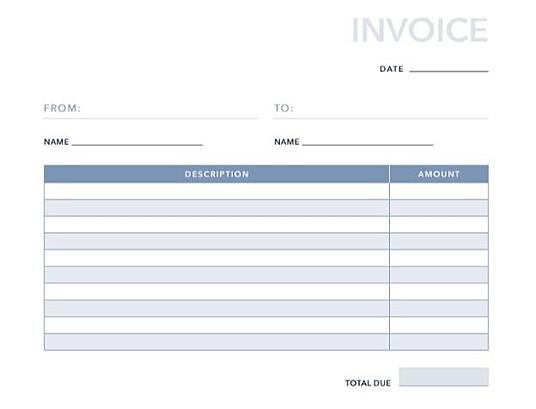
No frills, just business. This basic invoice template, developed here at HubSpot, provides all the necessities that your client’s accounts payable team will need to pay you on time. This template offers space for your name, your client’s name, invoice date, and rows for up to 10 itemized services. You can add more rows as needed.
Pro Tip: For basic invoices like this one, keep your branding simple. A logo and muted brand colors will work well here.
2. Blank Invoice
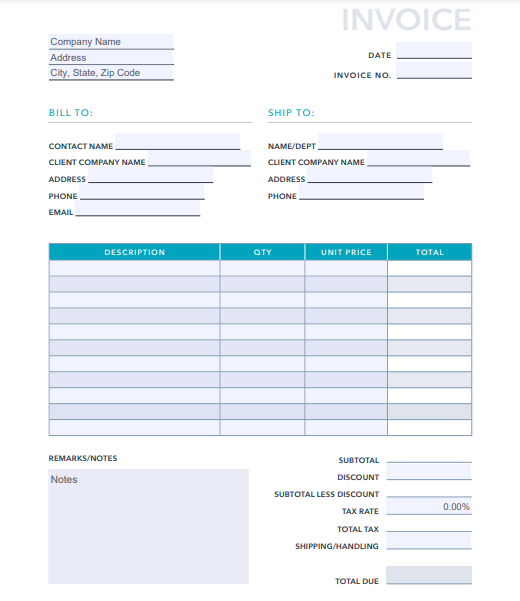
This blank invoice template is similar to the basic invoice template, but this one is specifically for products. You also have room to include a detailed breakdown of the cost of each product, including tax and shipping fees.
Pro Tip: Use this template for larger businesses that order your products for a specific department. That way, if you decide to sell to a different department in the same company, you can keep their invoices separate.
3. Commercial Invoice
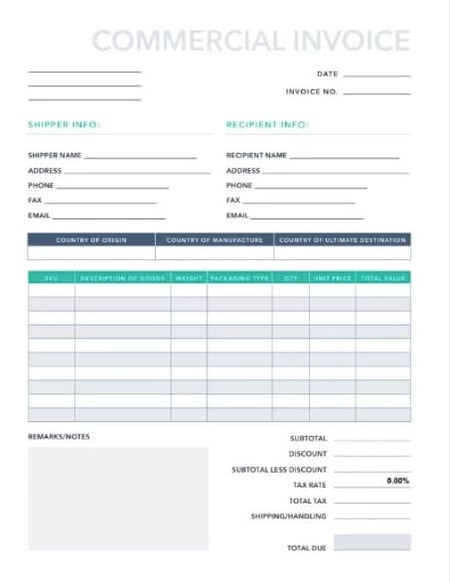
Are you selling a variety of products and services? The commercial invoice above might be just what you need. This template allows space for product origin, manufacturing origin, discounts offered to your client, and more.
Pro Tip: Use the notes section of this invoice template to keep track of any agreements or special circumstances for the invoice. Your client and your bookkeeper will appreciate the context for price adjustments.
4. Blue Service Invoice
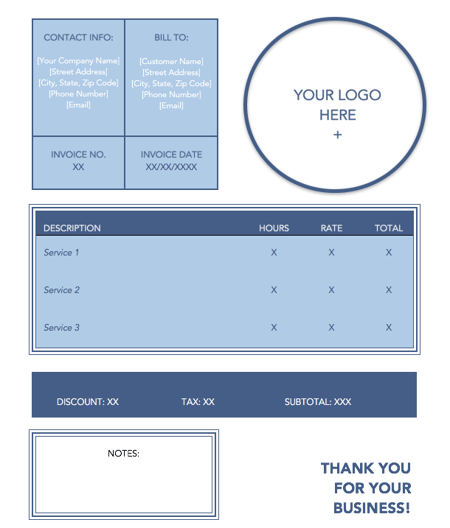
This monochrome, service-based invoice template allows you to include multiple services and how much each one costs your client.There’ plenty of space for your logo in the top right corner and you can customize the colors to suit your branding.
Pro Tip: Include invoice numbers to each invoice so you can keep track of how many you’ve sent in a given time period.
5. Green Shipping Invoice
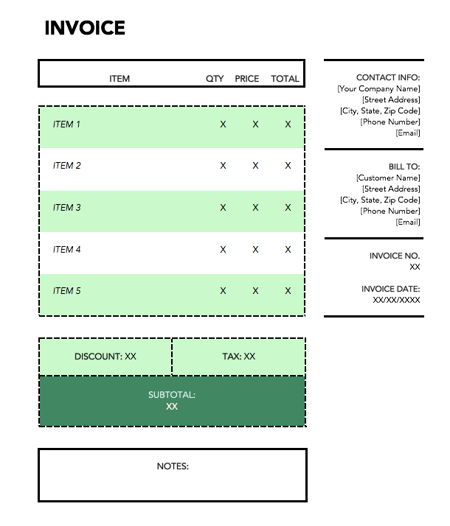
Dedicated to shipping-based services, this vibrant invoice template is perfect for transactions that involve the transportation of goods. You can include the quantity of the products you sold, the price for each one, and incorporate taxes as well.
Pro Tip: Add a column for shipping costs if the price to ship is different for each product.
6. Orange Standard
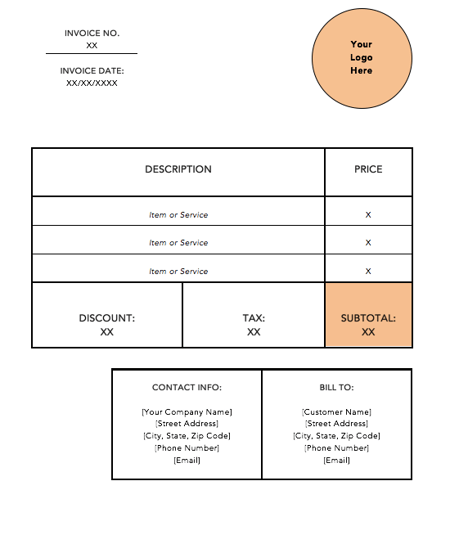
This standard invoice template opens in Microsoft Word which makes it easy to edit. You can insert your logo in the top-right hand corner and add additional rows to match how many services you provided your customer.
Pro Tip: Wrap the text in each description row so that you can add additional details about each service.
7. Blue Minimal Standard
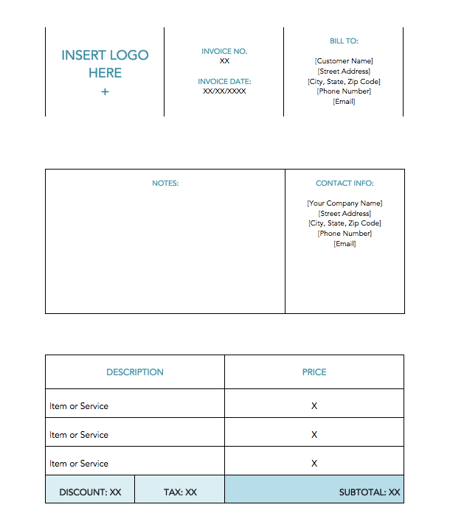
The minimalist template shown above takes the guesswork out of invoicing services. Using the large “Notes” tile in the center of the document, you can put the focus on the nuances of your services. That way, it’s clear why you charged your client the price you did.
Pro Tip: Add an item number column to the description and price table so you can organize your notes by which service description they correspond to.
8. Black and White Shipping Invoice
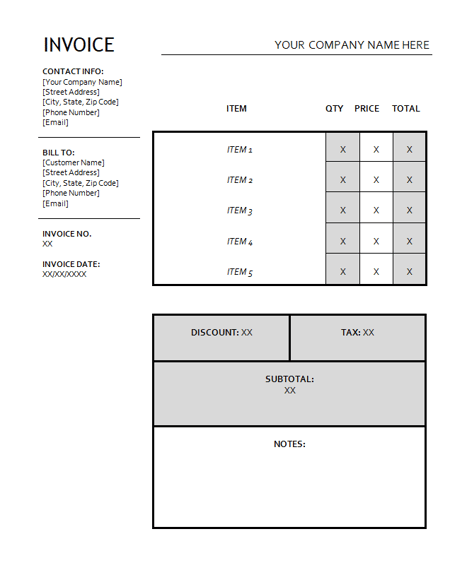
Sometimes, a basic grayscale invoice template fits the bill. That’s exactly what this invoice template offers. It’s perfect for shipping invoices, but it can be customized for products and ecommerce goods as well.
Pro Tip: For an invoice this simple, adding your brand colors and logo isn’t necessary. As long as you include your name and contact information, that will suffice for this template.
9. Amir Hossain

If you’re looking for a way to push your brand forward even in your invoice template, try this one. With heavy geometric designs that can be swapped with your brand colors, your invoice will be equal parts brand and finance.
You’ll also get clearly defined fields where you can enter a list of services you want to receive payment for, alongside your payment info.
Pro Tip: Use this template for digital invoices so you don’t have to print full pages of color.
10. Minimalist Invoice
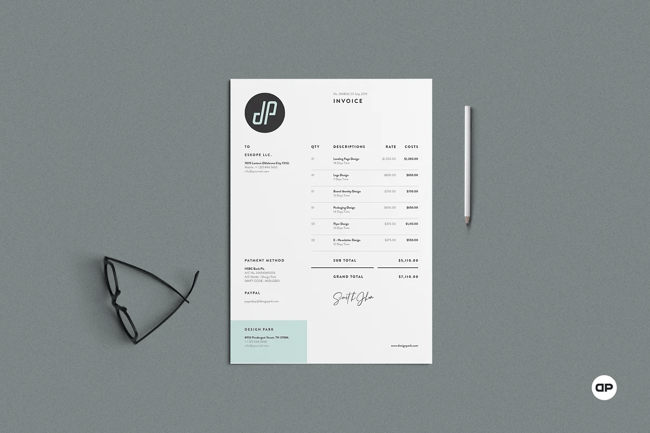
Contrary to the template above, this design takes a minimalist approach to invoices. Whether you’re using it for personal or business use, this template allows you to assign customer IDs that help you quickly find the recipient of the invoice.
Pro Tip: Use a CRM to track and store client IDs so you can save past invoices for your records in an organized way.
11. Fabio Basile
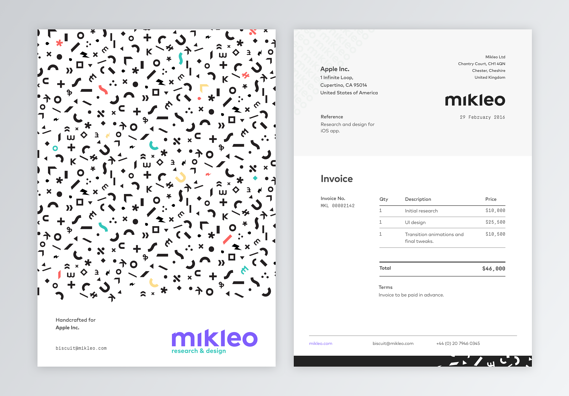
Business in the front. Party in the back. This double-sided invoice sample offers an interesting twist on an otherwise standard invoice design. The “handcrafted for” language on the design side is a special touch which you can customize for each client you work with.
Pro Tip: Personalization can go a long way, even on an invoice. Take the time to thank your client, offer a relevant statistic, or share a motivational quote on the invoice for some added flair.
12. Front and Center
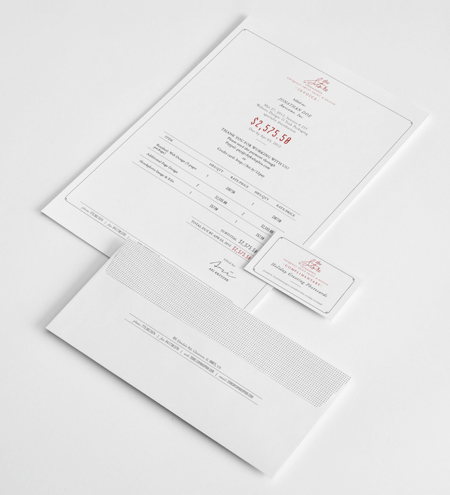
Put your final price to the client “front and center” using this invoice template by Ari Krzyzek. The document makes excellent use of contrast in font color, allowing the red price to pop against the thIn black text surrounding it.
Pro Tip: Don’t shy away from this type of template if the cost of your services seems high. Strategically pricing your work can give you the confidence to put that price boldly on your invoice.
13. JPWTemplates
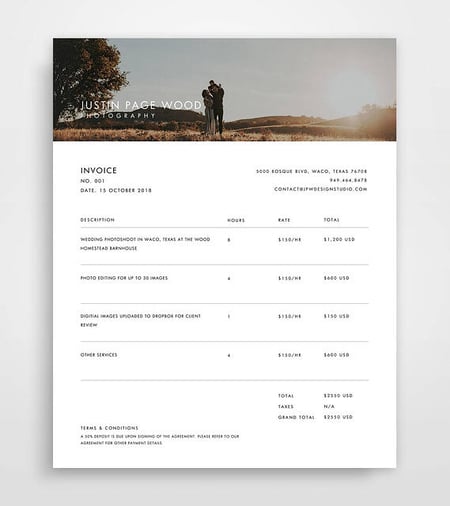
This is a more specific template sample focused on billing for services — in this case: photography. This invoice uses an actual photograph in the header to highlight the quality of the services being provided. It’s a clever idea you can leverage for multiple services such as graphic design, illustration, interior design, and so on.
Pro Tip: If you want to personalize your invoice further, you can use a photo or design from the customer’s specific project to give it a custom look and feel.
14. Classic Designs
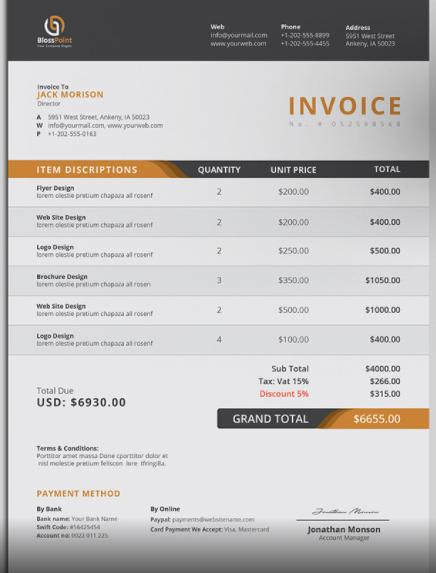
Here’s an example of a straightforward invoice design that details all of the critical invoice criteria — contact information, itemized purchases, payment information, and more. The design leverages pops of red to call out key pieces of information to make the statement feel less overwhelming.
Pro Tip: Due to the detail and layout of this invoice template, it works well for project-based work like professional services.
15. Bold Stationary
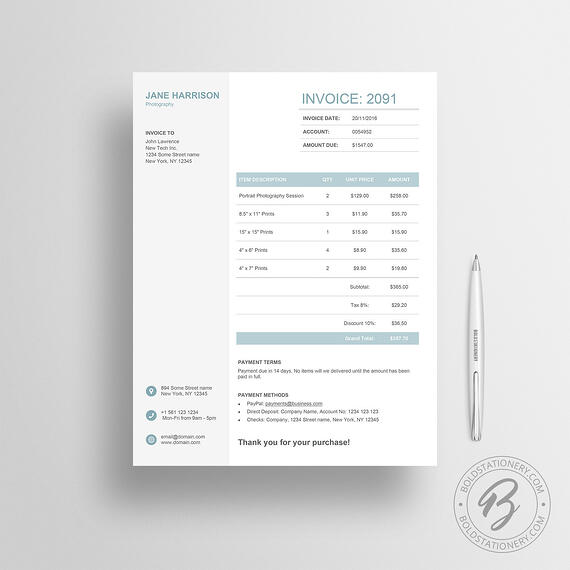
This invoice sample uses a split design to divide contact information and payment information. The design is free of any distractions or fancy elements, yet it still feels carefully designed.
Pro Tip: If your business is a bit more traditional, try customizing this template for your brand.
16. Novomatic
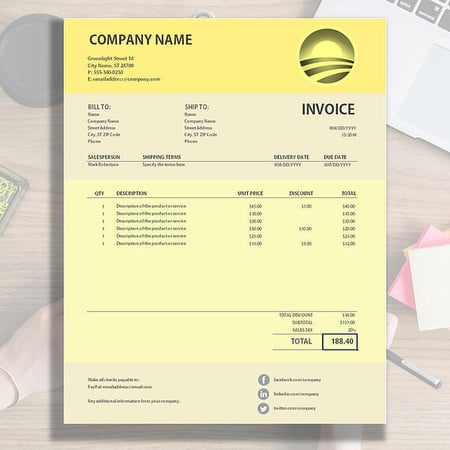
This invoice sample uses various shades of yellow to chunk out different parts of the invoice into digestible sections, but you can choose your own colors if you’d prefer. The footer of the statement points customers towards the company’s social media channels so you and the client can stay connected long after the invoice is paid.
Pro Tip: Even though your invoice may be the last “deliverable” your client sees from you, adding your social media channels can be a way to encourage repeat business with past clients.
17. Yellow Minimalist
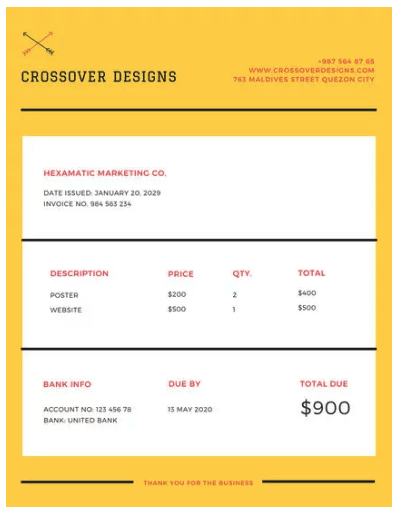
There’s something about yellow that makes a document friendlier. Vibrant but unaggressive, this template emphasizes your price in large font on the bottom-right hand corner. With a yellow border like this, you can ensure it doesn’t get forgotten in a pile of other white sheets of paper on your client’s desk.
Pro Tip: Use this invoice template for hard-copy invoices. And don’t forget to set aside some additional budget for the color printing.
18. Victory
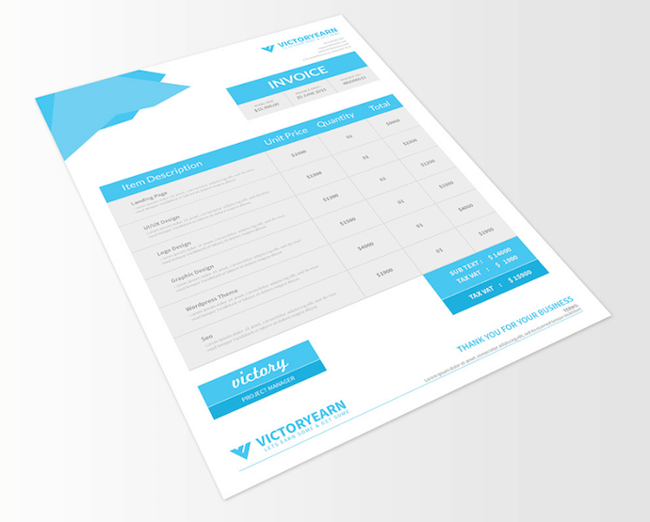
This invoice template offers space for a logo on the bottom-left hand corner, rather than the top, for professionals who want to make it clear right away that this document is a bill to be paid (hence “INVOICE” listed on the top-right hand corner). The invoice’s midsection allows the sender to include a thorough description of each service provided — a helpful billing format if your business spanned multiple projects over a long period.
Pro Tip: If you have additional items to add to the invoice, make the rows in the table thinner to fit everything on one page.
19. Soft Banner
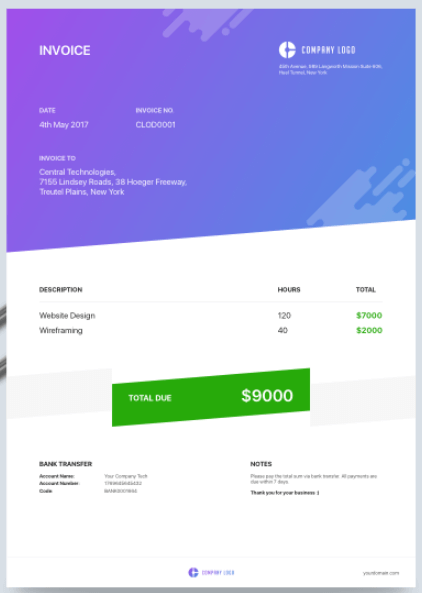
Professional designers, here’s an invoice concept just for you. Showing your clients a colorful, brand-aligned invoice is a surefire way to get them to remember you and rehire you for future projects.
Pro Tip: In this design, the centered price banner uses a soft green background to make steep costs look a bit less frightening to the customer.
20. Classic Design
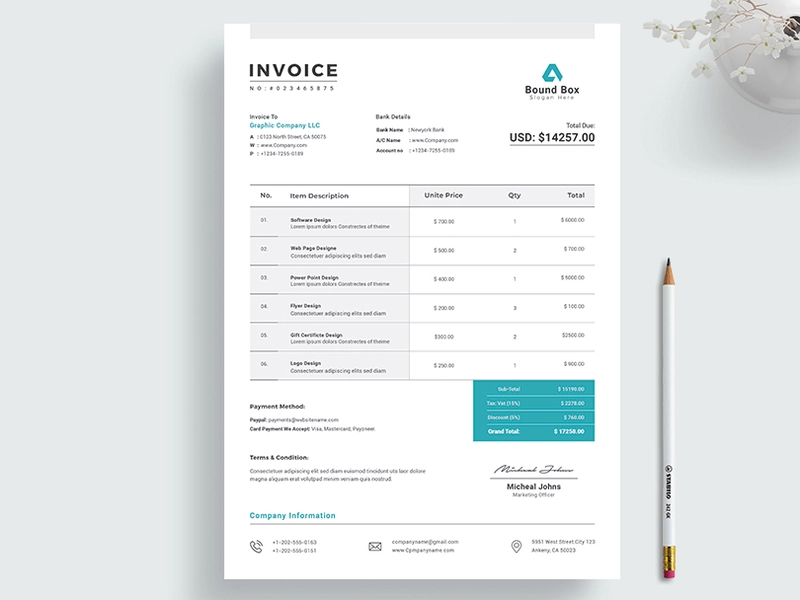
Here’s another elegant invoice template to serve as inspiration for your own. The template is simple and quickly highlights how much clients are expected to pay for a product or service.
Pro Tip: You can insert the “terms and conditions” of your contract in this template so you can remind customers what they signed up for when choosing your business. After all, they might be confused why you’re charging them a certain fee and may want to review the terms and conditions of their contract before reaching out for help.
21. Martin Ehrlich
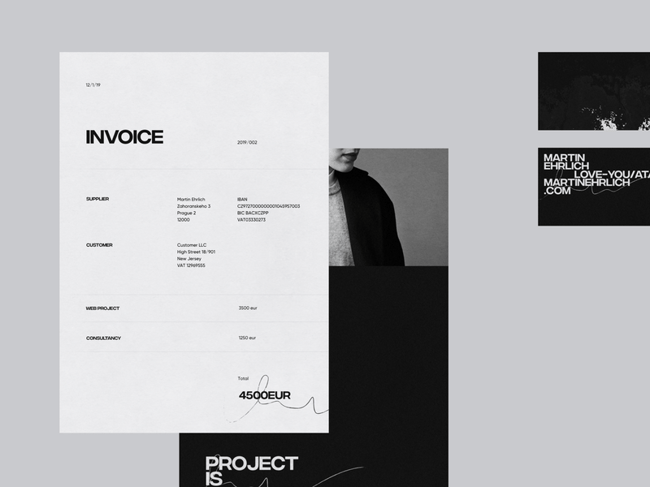
One look at this invoice design from Martin Ehrlich tells you that it’s built with photographers or visual creatives in mind. This template comes with plenty of white spaces that make it easy to scan and identify the essential details like the supplier’s name, amount due, and the different services offered.
Pro Tip: Use this template for digital invoices only so you don’t use an entire cartridge of black ink to print a physical copy.
22. Invoice by ThemeDivisers
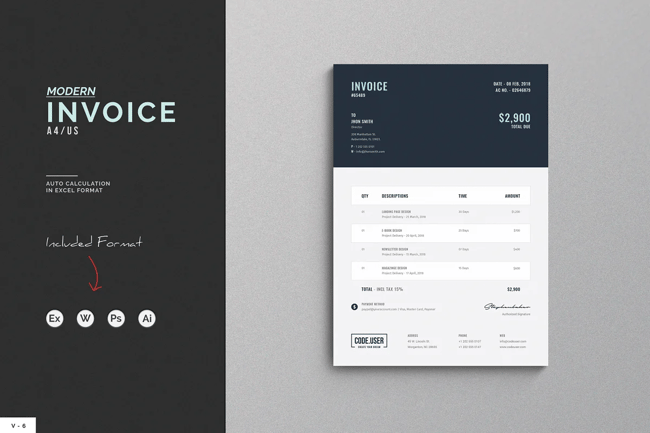
It’s hard for clients to miss how much they owe you with this invoice template, thanks to the amount’s bold description at the top of the invoice.
Below the “total payment” is a breakdown of the services rendered, along with your contact information as well as your branding.
23. Invoice Template by Guuver
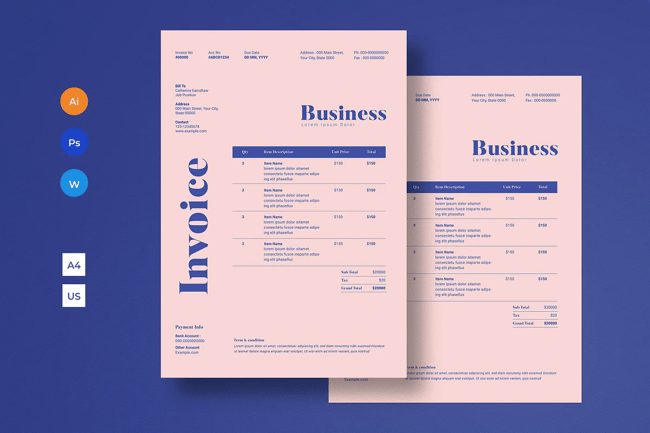
Your invoice doesn’t need to have a white background, and this template from Guuver is a perfect example. The template’s slightly pink background and distinct blue font — both of which are customizable — are sure to leave a lasting impression on your client’s mind.
Pro Tip: Switch up the colors to a monochrome look for a sleek and modern design.
24. Clean Word Corporate Invoice
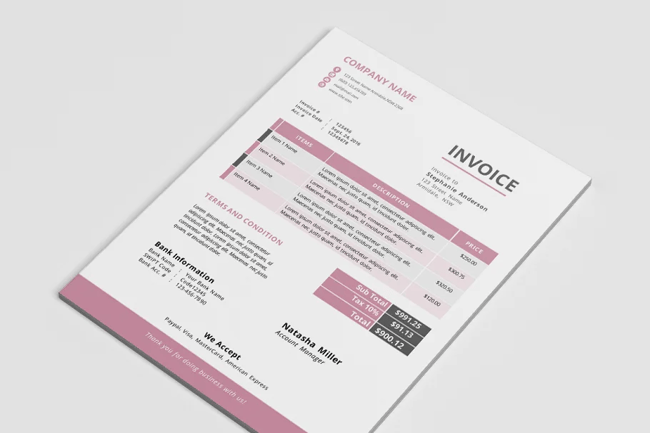
This invoice template adds a modern and elegant look to the otherwise dull templates that are standard in the corporate world. You can use the template on MS Word and make adjustments directly in the template.
Pro Tip: Use the condensed “terms and conditions” section of this invoice template to share any stipulations regarding invoice payments like late fees and contingency fees.
25. Invoice Template by Ariodsgn
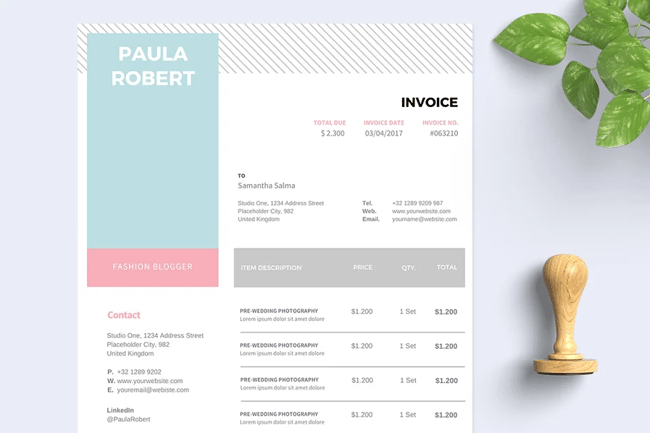
How would you like an invoice that looks like a resume? This template from Ariodsgn is the right mix of creative, modern, and professional. Perfect for making a positive first impression on your customers.
Pro Tip: For contractors who are working in a typical staff or advisor role, try out this template and make a resume to match. This continuity will keep your personal brand front and center with your client.
26. Retro Invoice
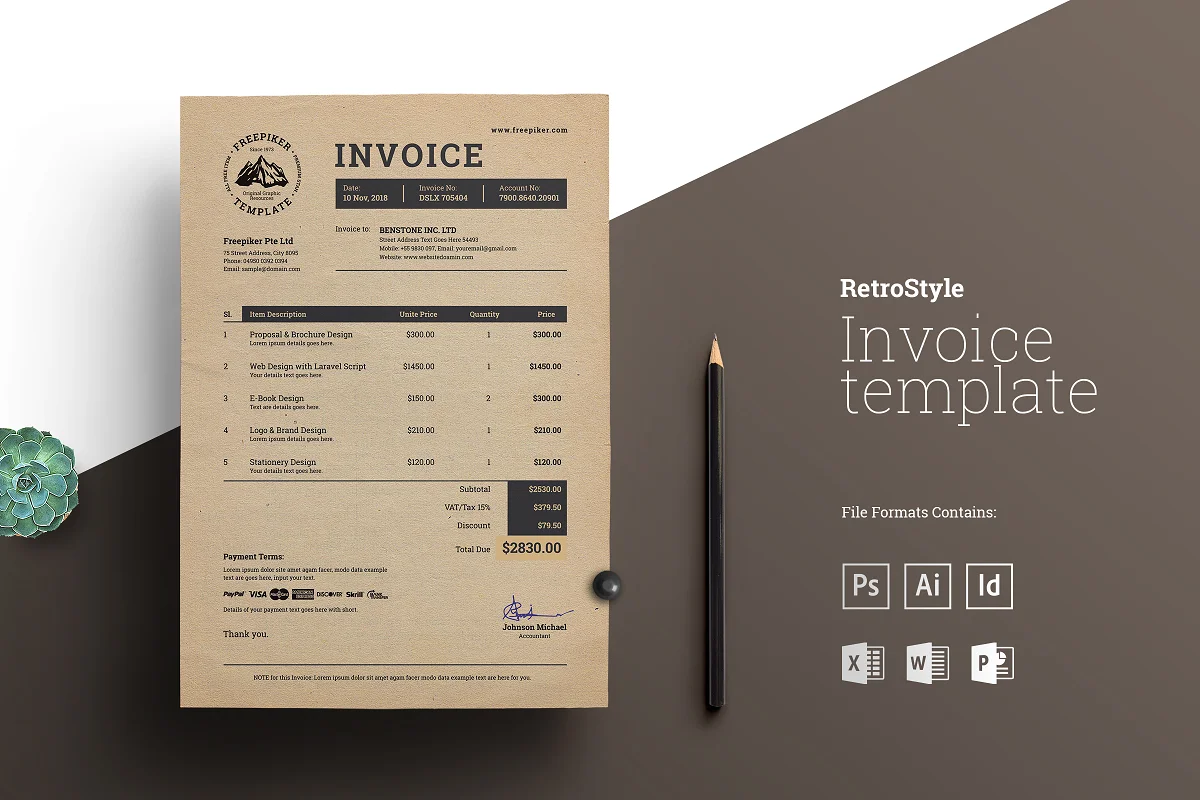
Take your clients back to the ’80s with this retro invoice design. Although old-fashioned, the focus of this template remains on passing across a clear message regarding your payment information to clients.
Pro Tip: if your brand is in line with this retro theme, print your invoice on special paper and send it in a unique envelope to seal the deal.
How to Write an Invoice
Want to make your own invoice? We’ve got you covered.
Check out HubSpot’s Invoice Template Generator to create a professional invoice PDF in just a few clicks. Here’s how to use it:
Step 1: Click
this page to visit the Invoice Template Generator.
Step 2: Click the dotted square on the top-right hand corner of the template to upload an image file of your logo. Or, drag and drop this image file into the square.
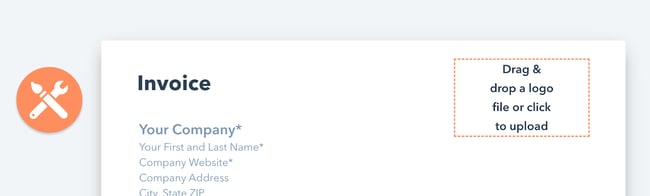
Step 3: Use the circular wrench/paintbrush icon to the left of the template to change the invoice’s color scheme.
Step 4: Hover your cursor over the “Item Description” section to “Add More” rows if you’re billing your client for more than one product or service.
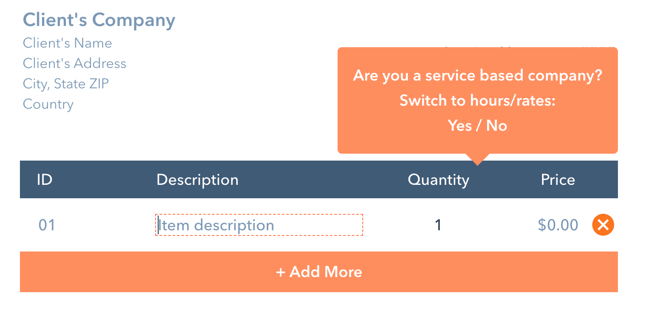
Step 5: Hover your cursor over each individual field to customize details such as invoice number, company name, item quantity, and relevant notes to the recipient.
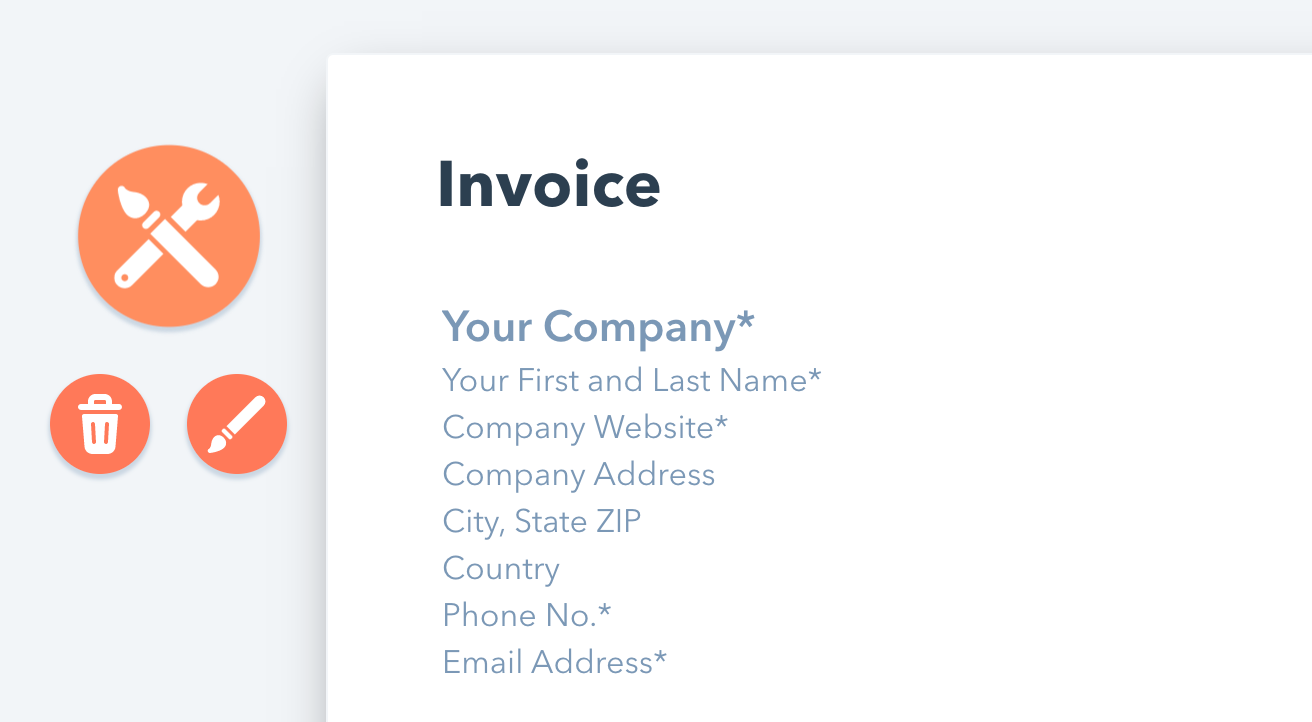

Step 6: When you’ve finished customizing your invoice, click “Download Now” just below the template. Your invoice will download as a PDF.
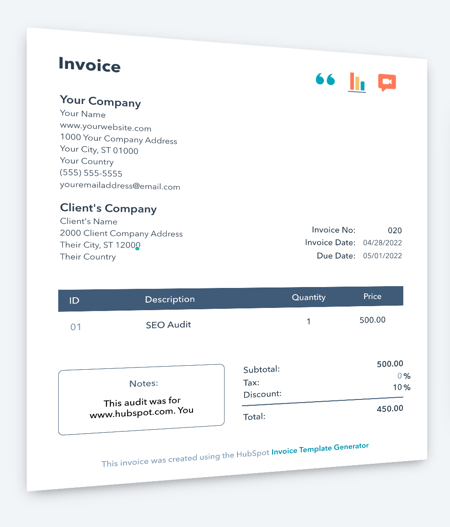
You can also download ten other invoice templates that you can customize to meet your needs, whether you’re a freelancer or a large corporation.
At the end of the day, invoices should tell clients how much they owe, what they’re paying for, and what date they need to pay by. If you’re having trouble designing an invoice, or just want to shake things up, choose one of the pre-made templates above and get started with redesigning your invoices today.
Editor’s note: This post was originally published in February 2019 and has been updated for comprehensiveness.

Social Media PR: 6 Tactics to Improve Your Social Public Relations
Compared with public relations, social media is the new, cool kid on the block, and since the early 2000s has become a significant means of communication between brands and their audience.
These days, PR departments, regardless of the brand or organization, go to social media first to spread the latest information about services and products and gain the broadest coverage.
![Download Now: Social Media Trends in 2022 [Free Report]](https://no-cache.hubspot.com/cta/default/53/3dc1dfd9-2cb4-4498-8c57-19dbb5671820.png)
By aligning social media and PR, brands can boost engagement and keep customers aware of the latest developments.
In this article, you’ll see six tactics to help improve your social media public relations. We’ll also see examples of brands that have used some of these tactics.
How has Social Media Changed Public Relations?
Social media has completely changed the PR landscape. Press release has ceded the throne to the much younger, much more persuasive heir: social media.
Communication
Brands can now use different channels to communicate with consumers through social media. Whether through engaging posts on Facebook, Reels on Instagram, or Tweets on Twitter, brands can develop a personality that resonates with consumers and form a personal connection with their audience.
Unlike traditional PR methods, for example, press releases, social media allows consumers to interact with their favorite brands. This two-way communication street can be a massive advantage for brands that know how to use it.
Influencing
Social media has allowed ordinary people to become influencers who can help brands promote products and services to specific audiences.
Brands can now work with bloggers, vloggers, experts, and more to create impactful PR campaigns.
Instead of creating the content by itself, a brand can leverage the creative powers of these influencers. Influencers with a large following are highly sought-after for obvious reasons. However, it’s vital to look past the follower count to see whether the influencer is suitable for the brand.
24/7 Cycle
The internet never sleeps, which allows PR professionals to deliver news at any time, safe in the assurance that the message will reach consumers.
However, while the ability to reach consumers at any time is excellent, it also has its drawbacks in that PR messages have a shorter lifespan in the consumer’s memory.
Consumers are in an endless mill of information, which challenges PR professionals to keep up. Bad reviews and news travel very quickly, so PR agents have to be proactive and nip such problems in the bud before it escalates.
How to Use Social Media for PR
How much does the typical PR campaign cost? $10000? $100000? $1000? You can get a PR campaign for these prices and even less — it only really matters how effective the campaign is.
So, how can you use social media for PR regardless of how much you’re spending? Here are some valuable tips to help you.
1. Add social share buttons to your message.
A super-easy way to use social media for PR is to add social sharing buttons to your message. For example, if you have a press release, you can add social sharing buttons to Facebook, Twitter, and other social media platforms.
Adding these buttons allows consumers to share your press releases and do some of the legwork for you.
Additionally, you can embed social media links within the press release. It drives traffic and increases engagement.
2. Work with influencers.
One of the best ways to create PR for your brand is to partner with an influencer.
When choosing an influencer to become a brand ambassador, look for more than follower counts. You should want authentic coverage that hits on a personal note with actual people.
An influencer or ambassador must share, or even create, relatable, emotional, and personal content. The right influencer for your brand is just as concerned about delivering the content right for their audience as they are about doing good work for you (and getting the check).
Furthermore, when you cultivate an audience of people who genuinely love what you’re doing, you’re building a pool of loyal, engaged brand ambassadors who’ll stick with you not just because you’re paying them but because they truly feel connected to your product and are honored to be ambassadors with the brand.
3. Be consistent.
To get the best from using social media for PR, you need to be consistent. This consistency includes showing up with regular posts and interacting with consumers as soon as possible.
It also involves being consistent with your brand voice and tone. By being relatable, helpful, and valuable, you can build a social media presence that boosts your reputation.
4. Be proactive.
Adulation from social media is fickle, and those that praise you today can quickly turn on you and ‘cancel’ your brand.
Therefore, you must have a proactive crisis management system to handle the flames when they come. PR teams should take advantage of the ability to reply instantly and tackle crises as soon as they arise.
4. Create good relationships with the media.
PR professionals have always realized how meaningful a good relationship with media outlets and journalists can be. So, cultivate a good relationship with these essential parts of the industry. Having a good relationship with them will increase the chances of getting positive press with the right outlets.
You can kick off the relationship by sharing necessary, practical, and valuable information to extend conversations.
A note of warning: Spamming media houses, journalists, and even influencers with pitches and press releases can come off as annoying and disrespectful. Be professional and have some self-respect.
5. Take advantage of hashtags.
Hashtags are used on almost all social media channels, and you can use this tool to boost your PR campaign.
Hashtags offer the following advantages:
- Let you monitor the consumer conversation
- Engage your audience
- Direct the audience to the right content
Social Media Public Relations Campaign Examples
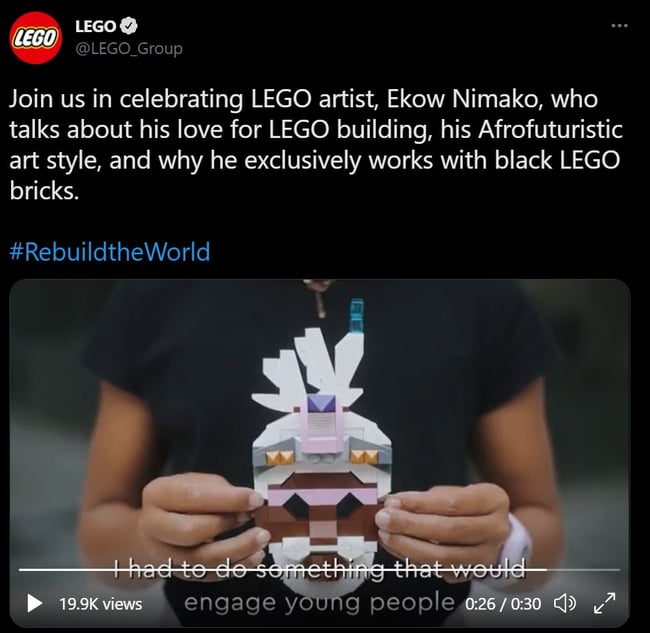
1. LEGO
Hashtags can transform your PR campaign on social media, and LEGO is an excellent example of a brand that has used and still uses it.
The #RebuildTheWorld hashtag has been used for many years now to relate enjoyable, uplifting, and exciting stories about the brand.
2. Axis Bank
Social media is a powerful means brands and companies use to release the latest information. Incorporating social media into press releases is an excellent way to run a PR campaign.
Axis Bank used this method to good effect recently.

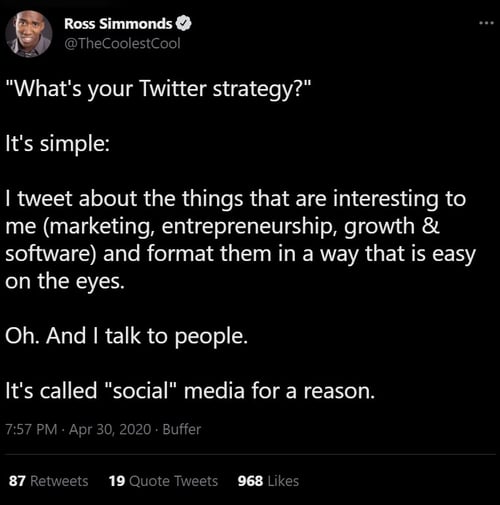
3. Foundation
Today, many brands use social media to spread the word about their products and services. The brand feels more human and personal by getting C-level employees and other lower-level employees to talk about a brands’ products and services.
Foundation is a popular marketing agency with C-level employees who tweet and often write about its services.
Bridge The Gap Between Your Social Media and Public Relations
Gone are the days when dropping a press release and sending emails were all the PR department had to do to inform customers. Now, customers expect more from organizations and brands.
Using social media and your PR campaigns can improve customer engagement and build the positive press.
Editor’s note: This post was originally published in July 2016 and has been updated for comprehensiveness.


Targeted Advertising: A Simple Guide to Reaching Your Customers
Let’s face it: There’s quite a bit of negative sentiment around targeted advertising. It’s not unwarranted — consumers often complain that collecting information from their individual browsing behaviors, such as page visits and searches, to optimally select which advertisements they see, is invasive and, some might even say, “creepy.”

Done right, however, ad targeting has the potential to attract new customers, help retain existing ones and boost your brand profile. Here’s how.
Where Can You Publish Targeted Ads?
Brands have a host of options when it comes to publishing targeted ads. For customers that have opted-in to newsletters and offers, email is a great way to serve up advertisements to consumers that are already interested in your brand.
To reach a broader audience, meanwhile, marketers can pay for targeted advertisements to be shown on social platforms such as Facebook, Instagram, or TikTok.
Other options include publishing targeted ads in users’ Google search results or via the Google display network, which reaches 90% of Internet users worldwide. Both fall under the larger banner of Google Ads, and costs are based on an auction system. Marketers input the maximum amount per click they’re willing to pay for an ad, and Google then determines ad pricing and position based on overall ad quality and maximum bid. Worth noting? Brands are only charged when someone clicks through on your link.
So how do you put ad targeting to work for your business? Here are 10 best practices to boost your ad impact.
1. Give Consumers Content They Care About
Instead of telling customers what they already know, use targeted ads as an opportunity to provide consumers with new information and other offers that might interest them based on their previous buying and browsing behaviors. Make it clear to your customers that you care about them by giving them content that is carefully targeted toward what they would want to see in an ad.
The takeaway: Consumers want new, fresh content .
2. Keep it Interesting
The reason they call marketing “creative” is because it should be exciting, attention-grabbing, and anything but boring. We all know that ads are easy to ignore, so for a targeted ad to perform well, it has to really stand out from the rest.
The takeaway: Make your ads eye-catching.
3. Set a Cap on Frequency
You need to remember that while proper ad targeting should provide a benefit to your customers, too much of it will most likely have the opposite effect. Consider the perspective of a consumer and think about how annoyed you would be if you were constantly served the same ad on dozens of different websites.
The takeaway: Don’t bombard your customers with ads.
4. Find the Right Place
Not every platform is the ideal place for your ads. While simple and streamlined ads make sense on Google search results, it’s worth taking the time to craft more intricate advertisements for Instagram or Facebook marketing campaigns that are more likely to see users stop on scrolling when they reach your ad and click through, either to a new page or to watch a video.
The takeaway: Just like real estate, effective ad targeting is all about location, location, location.
5. Pinpoint Your Audience
The key to any targeted advertisement is finding your target audience. If you’re serving up ads to customers that don’t match their preferences, you won’t see the click-through rates you’re looking for. As a result, it’s critical to do your research: Find tools that let you create custom ads based on personalized customer data and also help you see the bigger picture by identifying common traits among your audience.
The takeaway: Even the best ad won’t work on the wrong audience.
6. Don’t get too Specific
On the other side of the coin, it’s important to make your ads broad enough that they capture a decent segment of your target market. For example, while you could create an ad that specifically targets redheaded men between 20 and 22 living in Kansas who own golden retrievers and drive electric cars, the specificity of this ad is so high that it likely won’t show up on many social or search feeds and won’t capture a large enough audience share.
The takeaway: Effective marketing walks the line between targeted efforts and too-specific ads.
7. Think Outside the Box
Building targeted ad campaigns means thinking about what your audience wants. Let’s say you own a real estate company and you’re looking to help customers sell their current homes or buy new ones. Your obvious target market is people searching for realtors in their area or checking out the home prices in their neighborhood.
But it’s also worth considering parallel markets that are tied to your primary target. When it comes to real estate this might include searches for moving boxes, truck and van rentals, or storage lockers that could indicate customers are preparing to move. By thinking outside the box to include parallel markets, you can expand your reach without losing your focus.
The takeaway: Targeted marketing relies on both depth of personalization and breadth of interest.
8. Test, Test, Test
Even the best-laid advertising efforts don’t always go to plan. As a result, it’s worth conducting regular A/B testing to see which ads perform the best in specific scenarios and which can’t keep pace. Once you’ve identified frontrunners, you can tweak them even more through ongoing A/B testing to get the best return on investment.
The takeaway: Nothing works perfectly the first time. Test your ads to improve their performance.
9. Cast a Wide Net
Chances are that one advertising platform will work best for a new ad campaign. The caveat? You won’t know which one until you try them all. While it’s not worth spending your entire ad budget to blanket the Internet with new marketing efforts, it’s worth dipping your toe into multiple ad platforms to see what sticks.
The takeaway: Wide nets let you find where customers are swimming and adjust tactics to match.
10. Measure your Impact
If ads are getting seen and clicks are coming in, then everything’s going to plan, right? Maybe, maybe not. To ensure targeted ad efforts are paying dividends, it’s critical to define key performance metrics and regularly measure these metrics to ensure ads are living up to expectations. For example, you could measure the total value of conversions against the cost of a targeted marketing campaign to see if the numbers add up.
The takeaway: Track the numbers to make sure ad spend makes sense.
It’s one thing to read about best practices — it’s another to see them in action. To help you visualize what effective ad targeting looks like, we’ve collected seven great examples.
1. The New York Times
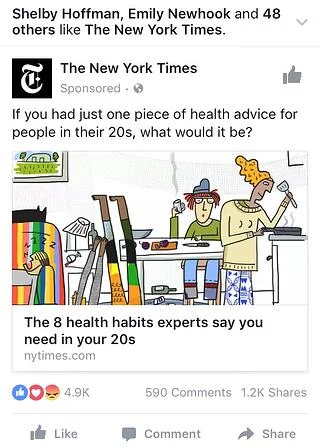
This ad works because it targets a specific audience segment — those in their 20s — and offers actionable advice for their health. Sure, there’s part of that segment that won’t respond because they’re not worried about health habits, but those that do click through are primed to engage with the targeted content being served.
And while the Facebook reactions show a number of “mad” faces, this isn’t necessarily a downside, since it indicates the ad is prompting user interest.
2. Nom Nom

This ad targets a high-spending group: Pet owners. It also incorporates a customer testimonial to help convince viewers that it’s worth clicking through to find out what’s being offered.
It’s also worth noting the tagline in the bottom-left of the ad — “the only dog food like it”. This is a big claim to make but has a good chance of capturing targeted audience interest. And if the claim is backed up when they click through, there’s a solid chance of conversion.
3. Slack

Pandemic pressures have made it clear that companies need to find better ways of doing work. One of the biggest productivity killers? Meetings. That’s why this targeted Slack ad works — the campaign offers the potential of 25% fewer meetings by making communication better across the company. While this kind of ad requires business decision-makers to get on board, if enough staff see and mention the ad it can generate significant corporate traction.
4. Tentsile

Who knew that tree tents and tree hammocks were a thing? Probably not most people. That’s the genius of this ad — while it targets a smaller segment of the market looking for the “best” tree hammocks, it also casts a wider net by introducing a larger group of users to the concept of above-ground tent products.
Even better, it promises a look into “real vs. fake” products, giving visitors a chance to see what the difference is by clicking through.
5. 360Learning

Saying that something doesn’t work in an ad is a risky bet — unless you can back it up. That’s the idea behind this 360Learning ad, which claims that Netflix-style “binge” learning can’t address the current issues with remote and online learning.
The promise of an eBook is a good way to get users to click through, and so long as there’s actionable information available it’s a solid start on customer engagement that could lead to more sales.
6. Kay Jewelers

The image above is enough to give an idea of what’s going on — the dog is bringing a piece of jewelry to its owner, courtesy of their partner. The actual Facebook ad itself is a video that shows the owner happily receiving the gift and does a good job of conveying a sense of love, family, and connection.
Perhaps even more importantly, however, is that no other context is needed to understand the video. There’s no text aside from the Kay logo and tagline, and no sound is required to parse what’s happening. Here, emotions are the target and the ad hits home.
7. Peloton

Peloton had a banner year in 2020, but as pandemic pressures begin to ease the interactive bike manufacturer is experiencing a slowdown in growth. This targeted ad speaks to those interested in the bike but daunted by its high price tag.
By offering a 100-day home trial with the option to return the bike for a full refund at the end of the trial, Peloton is looking to capture and convert a historically hesitant section of its audience by giving them the chance to experience the product risk-free.
Hitting the Bullseye
Not every ad will land exactly as expected with your audience. But with targeted ad efforts that follow best practices and keep in mind the key rule of ad targeting — give the customer what they want — it’s possible to avoid criticisms of “creepy”, capture customer attention, and drive increased conversions.
Editor’s note: This post was originally published in July 2011 and has been updated for comprehensiveness.


11 Apps for Marketers & Why You Should Download Them
Marketers need the advantage of real-time customer data to effectively do their jobs.
The right iPad and iPhone apps can help — in this piece, we’re diving into 11 Apple device applications that can help take your marketing to the next level.

1. HubSpot
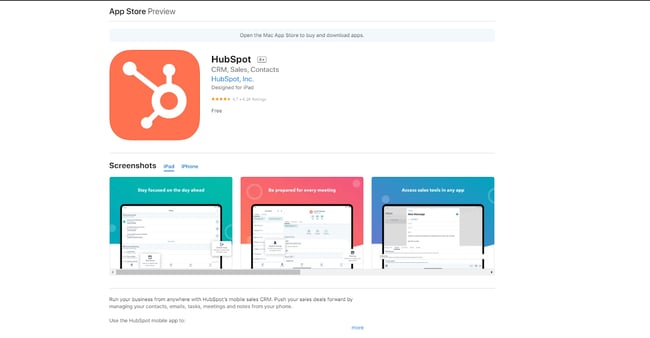
Price: Free
Need a better marketing framework? The HubSpot mobile CRM suite has you covered. Get one-tap access to key documents, stay organized with follow-up actions and quickly review customer calls to help inform both current marketing plans and develop new initiatives. Best of all, and can do everything anywhere, anytime from your iPad or iPhone.
What we like:
Not to toot our own horn, but HubSpot offers end-to-end support for managing contacts, handling emails, tracking tasks, and monitoring marketing efforts.
2. Meta Business Suite
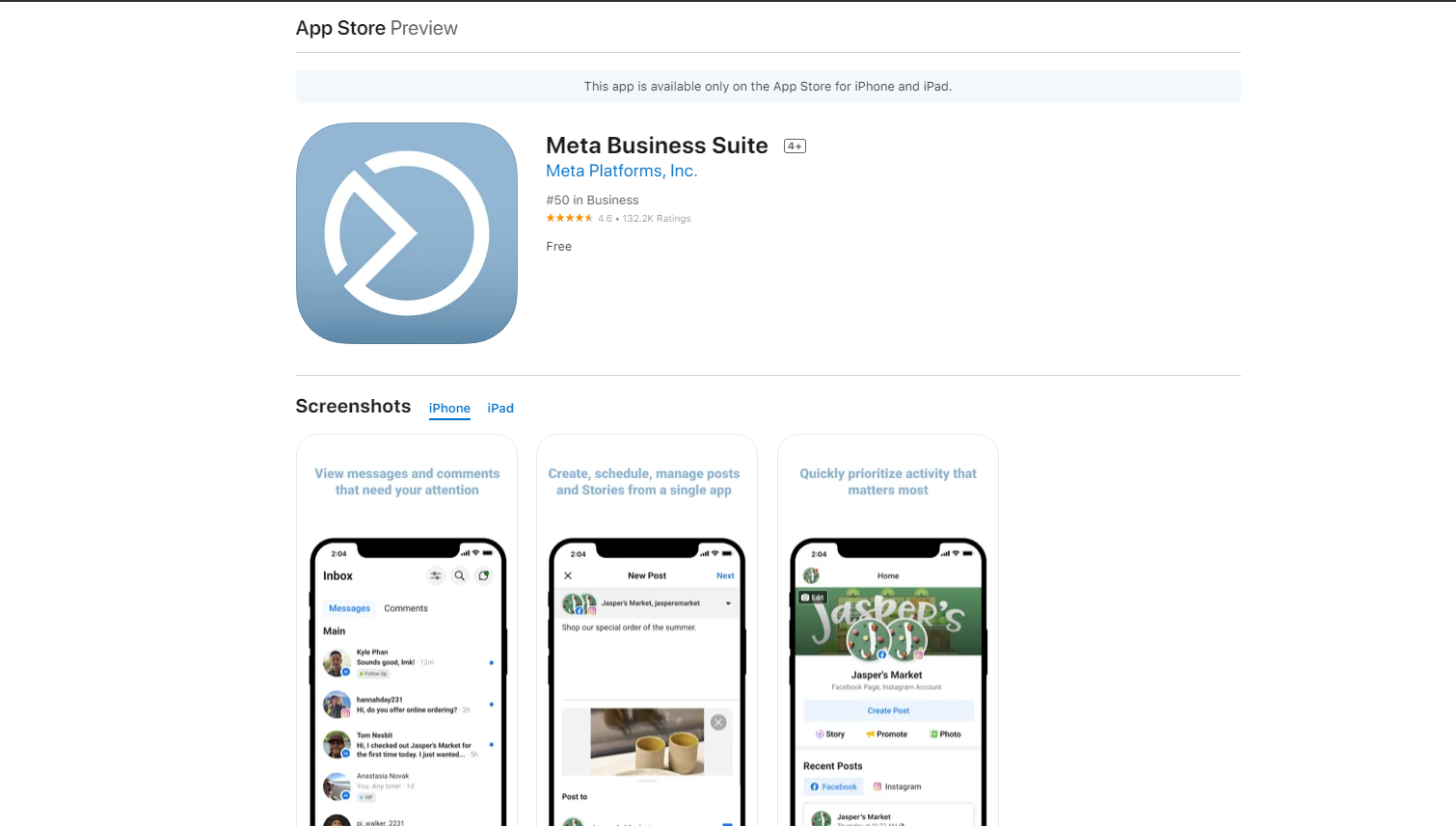
Price: Free
Meta (formerly Facebook) is one of the most popular social marketing platforms, so it goes without saying that you should have the Facebook app installed on your mobile device. The Meta Business Suite takes things a step farther with the ability to view messages that require attention, schedule and manage posts and prioritize key marketing activities.
What we like:
To succeed with personalized, digital marketing efforts Facebook is essential — the Meta suite makes it possible to unlock the business side of this social app.
3. Bitly
Price: Free
Bitly is known for its link-shortening service but the Bitly app is also a great choice for marketers. Teams can easily connect multiple social networks and track the performance of links across the networks to see where campaigns are working and where they come up short.
What we like:
The “Daily Widget” feature lets you see your top-performing links each day with a simple swipe to the right.
4. Google Analytics
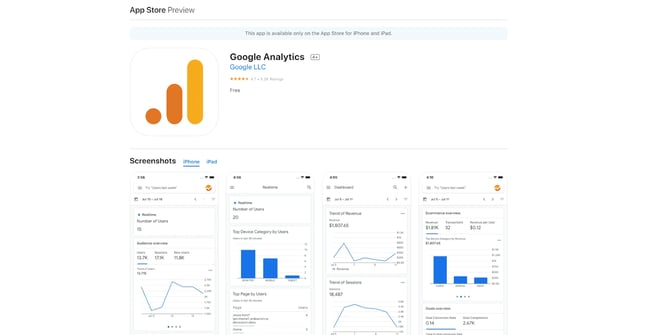
Price: Free
True to the original desktop version, the Google Analytics app for iPhone offers detailed information on your website’s visitors, referral sources, top content, and more. The app even supports multiple Google Analytics accounts. All these rich features are nicely packed into a mobile interface.
Any good marketer doesn’t just ‘do’ marketing, but also measures the results of their marketing efforts. Analytics Pro will help get this job done, anytime and anywhere.
What we like:
The sheer amount of data available to Google makes it the clear leader in customer analytics, so it only makes sense to tap the Google Analytics app as part of your marketing efforts.
5. GoDaddy.com Mobile
Price: Free
GoDaddy.com is a popular domain registrar. It helps you buy and manage your online domains. The GoDaddy.com iPhone app provides a neat interface for you to do these things whenever the inspiration or need strikes. You can track activity across websites, product orders, and social media all from the app.
What we like:
See new reviews for your site with just a few taps and gain insight into the effectiveness of your current campaigns.
6. Buffer
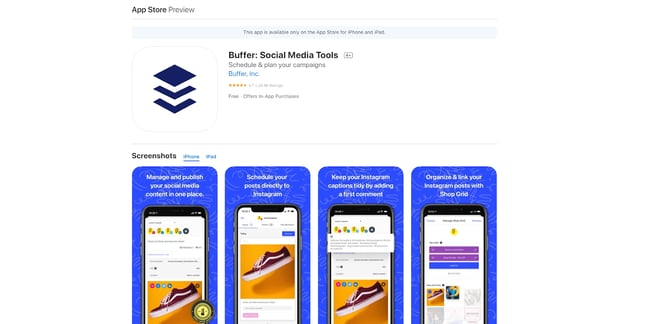
Price: Free
Buffer lets you schedule social media posts to the platform of your choice. This is a great way to keep your content current and engaging — without overwhelming customers. The app makes it easy to centralize cross-platform social marketing to cut down on the amount of time teams spend switching apps and scheduling posts.
What we like:
Keep your social content neat and tidy with the option to add the first comment on platforms like Instagram, ensuring the first comment users see is in line with your branding.
7. Hootsuite
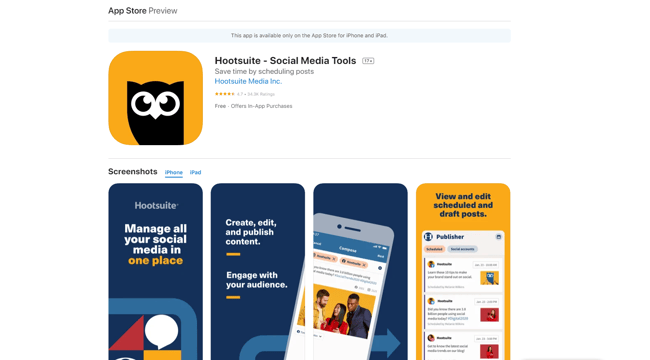
Price: Free
Hootsuite lets marketers create, edit and publish social content all from a single iPhone app. Teams can schedule posts to publish on the channel of their choice at the frequency they prefer, and can see what’s coming up with Hootsuite’s easy-to-use calendar function.
What we like:
Hootsuite lets you monitor likes, mentions, and conversations across topics that matter to your brand.
8. Later
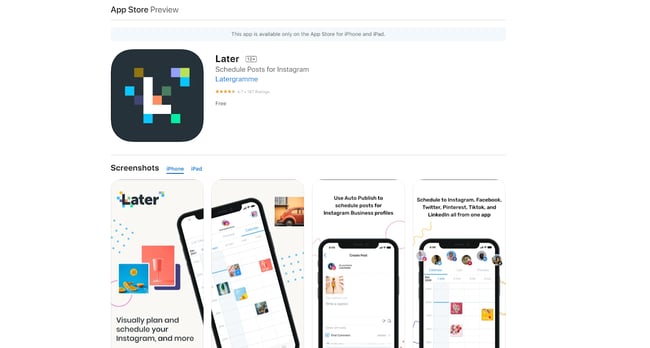
Price: Free
Later also lets you schedule posts across multiple platforms, but where it differs from apps like Hootsuite or Buffer is the ability to visually map out your feed on platforms like Instagram. With simple, drag-and-drop functionality, teams can create a content schedule that’s both content-rich and visually appealing.
What we like:
Images and videos can be uploaded directly from your phone, and there’s no storage limit.
9. Canva
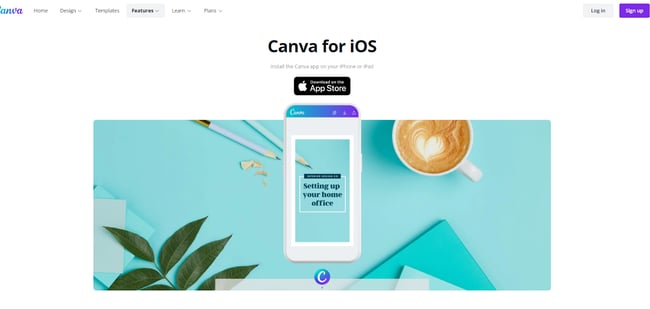
Price: Free
A picture is still worth a thousand words, and Canva helps you say it just right. Using pre-built templates, the Canva app lets you drag and drop image elements to create images you want to share — and that reflect the voice of your brand. Plus, integrated social sharing lets you easily push images to social media platforms.
What we like:
Canva’s free tool is a great choice if you need a simple image editor. If you need more features, just $10 per month gets you the Pro edition.
10. Rep
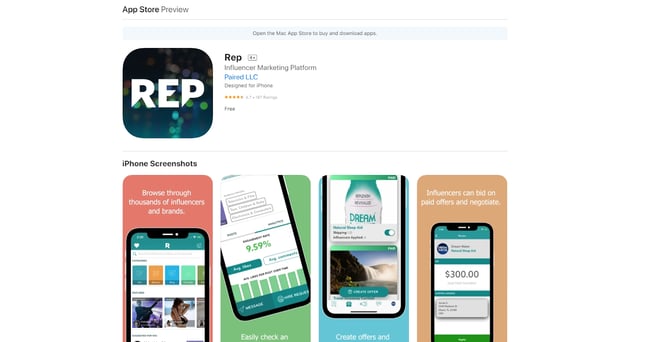
Price: Free
Love it or loathe it, influencer marketing is here to stay. Rep lets influencers and brands connect on a single app to kickstart mutually beneficial marketing relationships. Influencers can search for like-minded brands (and vice versa) and can bid on paid jobs offered by companies.
What we like:
Brands can quickly check an influencer’s engagement metrics via the app to see if they’re a good fit.
11. Grammarly
Price: Free
When it comes to marketing, good grammar matters. It might seem like a small thing, but a poorly-written and worded ad can convince customers to take their business elsewhere. Grammarly can help save the day. This iOS app offers writing suggestions, grammar fixes, and synonym options to help reduce wordiness and improve the impact of your ads.
What we like:
Grammarly automatically provides feedback as you type to provide real-time suggestions.
Making the Most of iPhone Apps for Marketers
All of the apps listed above can help improve your marketing efforts. From social media management to sentiment tracking to influencer partnerships, the right iPhone app can help build marketing programs that align with company goals and deliver on expectations.
Here, your best bet is to try out a few apps and see what sticks. While most offer in-app purchases, all of the applications listed above offer free versions that let your team explore the benefits they can bring to your brand. Once you’ve found the mix that works for you — pro tip, start with HubSpot’s comprehensive offering and build out from there — you can create an Apple marketing ecosystem that captures customer interest and drives increased sales.
Editor’s note: This post was originally published in June 2010 and has been updated for comprehensiveness.

445 Best Instagram Captions for 2022: Good, Cool, Funny, & Cute
Finding a good Instagram caption is a challenge, especially if you run the Instagram profile of a business. Why? Because if you want to build a consistent brand on Instagram, it’s important to maintain a distinctive voice on every post, video, or reel. That’s harder than it sounds.

If you’re tired of writing captions from scratch, there’s no need to keep searching. We’ve compiled the best Instagram captions for every type of brand and for every type of post. Whether you want to sound cool, make a funny quip, or come across as cute, you can incorporate many of these captions into an Instagram business strategy. Just make sure your audience would find your caption funny, clever, or the right amount of sassy.
Click one of the following links to jump to a section:
- Short Instagram Captions
- Business Instagram Captions
- Quote Instagram Captions
- Funny Instagram Captions
- Clever Instagram Captions
- Cute Instagram Captions
- Sassy Instagram Captions
- Song Lyrics for Instagram Captions
- Holiday Instagram Captions
- Seasonal Instagram Captions
- Selfie Instagram Captions
- Vacation Instagram Captions
Next time you’re contemplating a witty line of text to go with your Instagram photo, take a look at our complete list of captions that suit any mood or occasion you’ll be sharing with the world. You can also customize these captions to make them perfect for your feed. First, though, we recommend saving some time by downloading our kit of additional IG caption examples, which you can use to inspire your caption creation process.
Short Instagram Captions
A picture is already worth a thousand words — there’s no need to go on and on in your captions. Let the photo or video speak for itself and keep it brief. Take the captions below and change them to suit your exact post. It may be enough to tag someone who’s in the photo, give credit if you’re reposting, or prompt people to check out your bio.
- @[account]
- Credit: @[account]
- This week’s photo dump.
- Photo dump sacrifice for the algorithm god.
- Scroll →
- More info in bio.
- Link in bio.
- Sneak peek →
- [Product] in production at our factories.
- @[account] x @[account]. Coming soon.
- Loading…
- [The most dominant color in your post, ie “Red,” “Blue,” etc]
- [Hashtag relevant to your post]
- [Emoji relevant to your post]
- [Relevant word 1] + [Relevant word 2]
- Happy [weekday]! [hashtag]
- Happy [holiday of the day]! [hashtag]
- You can find me at [place you most often frequent].
- In [place where the photo was taken].
- An ode to [item in the image or video].
- Thinking about [relevant word].
- Weekend.
- [Month].
- 2:38 pm. [Or time when the photo was taken]
- Time passing.
- From the archives.
- Mentally here.
- Couldn’t pick one.
- That’s all for now.
- I can’t. I simply cannot. [Emoji]
- Sunset.
- Spring.
- Summer.
- Winter.
- Fall.
- Immediately yes.
- Immediately no.
- Say more.
- Say less.
- Mood.
- My go-to.
- My favorite hour.
- Taking it slow.
- Grateful.
- Once upon a time…
- We/I/You/@[account] know(s) what’s up.
- The only thing stopping you is you.
- Good food, good mood.
- And the boredom award goes to…
- My life, my rules. At least 62% of the time.
- We’re all still healing.
- Be the type of person you want to meet.
- It starts with you.
- Call it what you want.
- I’ve never been a fan of change, but I’d follow you anywhere.
Business Instagram Captions
If you’re running a business account, you should use your captioning to humanize your business more than your average paid ad.
Your business Instagram captions are an opportunity to give your brand some personality while getting the word out about your product or service offering. Here are some of our go-to captions that prospects and customers will love.

- Good evening, [city]! We’re in town for [event] at Booth [#]. Stop by and say hi!
- “If you’re offered a seat on a rocket ship, don’t ask what seat. Just get on.” -Sheryl Sandberg, COO of Facebook
- Our [#]-person squad completed the [road race name]! And we did it all for the post-run sneaker selfie. 👟
- We got product in the pipeline … check back for an exciting announcement on [date]!
- Diversity isn’t a recruitment metric — it’s an ingredient for success. At [company], we thrive on the unique backgrounds, experiences, and perspectives of our people.
- Spot the CEO. 😉
- At [company name], our best asset is our people.
- We had a great time with our customers at [meeting/event]! @[client/partner], you guys rock.
- Thrilled to have [customer] at our office today! Come back any time. 😊
- [Company name] is off for [holiday]! We hope you all have a safe long weekend.
- Big things have small beginnings. [Company]’s HQ began right here.
- “It is better to fail in originality than to succeed in imitation.” –Herman Melville
- How many [company name] employees does it take to spell “TEAM”?
- Want to work with these awesome people, working on a lot of awesome things? We’re hiring! Click the link in our bio to see our current openings.
- Check, check, one, two … is this thing on? [Company name] is now on Instagram! Follow us to learn about our culture, product, and (awesome) people.
- Tired of [customer pain point]? We’ve got good news. Click the link in our bio to learn about [product]’s latest feature.
- [Company] presents our latest product — made with love just for you. ❤️ Link in bio to learn more.
- Stop wasting time with [customer pain point]. Our [product] will help you achieve [X] more efficiently — just ask our current customers. Check out our latest case study here: [Link]
- Handmade in [location] and delivered to your door. That’s the [Company] promise.
- When life gives you lemons, you make lemonade. When [company name] gives you [type of product], you make money.
Quote Instagram Captions
If you can’t find the words yourself, there’s a quote out there to help you convey that idea.
Using quotes for your Instagram caption is a great way to evoke and share your emotions. Quotes can propel people to think more open-mindedly, and optimistically — or even motivate them to do something great. Below is a list of some of our favorites.
- “The greatest glory in living lies not in never falling, but in rising every time we fall.” –Nelson Mandela
- “Always remember that you are absolutely unique. Just like everyone else.” -Margaret Mead
- “You change the world by being yourself.” -Yoko Ono
- “In the end, it’s not the years in your life that count. It’s the life in your years.” -Abraham Lincoln
- “What I know for sure is that speaking your truth is the most powerful tool we all have.” – Oprah Winfrey
- “The purpose of our lives is to be happy.” -Dalai Lama
- “You only live once, but if you do it right, once is enough.” -Mae West
- “Live in the sunshine, swim the sea, drink the wild air.” -Ralph Waldo Emerson
- “I would rather die of passion than of boredom.” -Vincent van Gogh
- “Success isn’t about the end result, it’s about what you learn along the way.” -Vera Wang
- “It does not matter how slowly you go as long as you do not stop.” -Confucius
- “Everything you’ve ever wanted is on the other side of fear.” -George Addair
- “You become what you believe.” -Oprah Winfrey
- “Believe you can and you’re halfway there.” -Theodore Roosevelt
- “The way to get started is to quit talking and begin doing.” -Walt Disney
- “Love the life you live. Live the life you love.” -Bob Marley
- “My mission in life is not merely to survive, but to thrive; and to do so with some passion, some compassion, some humor, and some style.” -Maya Angelou
- “Embrace what makes you unique, even if it makes others uncomfortable.” – Janelle Monae
- “Success is a collection of problems solved.” – I.M. Pei
- “To be beautiful means to be yourself. You don’t need to be accepted by others. You need to accept yourself.” -Thich Nhat Hanh
- “In a gentle way, you can shake the world.” -Gandhi
- “I dream. Sometimes I think that’s the only right thing to do.” -Haruki Murakami
- “We become what we think about.” -Earl Nightingale
- “Success is not final, failure is not fatal: it is the courage to continue that counts.” –Winston Churchill
- “You are never too old to set another goal or to dream a new dream.” -C.S. Lewis
- “If you are depressed you are living in the past. If you are anxious you are living in the future. If you are at peace you are living in the present.” -Lao Tzu
- “Life is like riding a bicycle. To keep your balance, you must keep moving.” -Albert Einstein
- “If you are working on something that you really care about, you don’t have to be pushed. The vision pulls you.” -Steve Jobs
- “Security is mostly a superstition. Life is either a daring adventure or nothing.” – Helen Keller
- “Stay true to yourself and never let what somebody else says distract you from your goals.” -Michelle Obama
Funny Instagram Captions
We don’t always have to take social media so seriously, so explore some funny Instagram captions for your upcoming posts.
Instagram can be a tool to convey aesthetic picture taking or stoic model shoots, it can also be a fun place to share a laugh or lighthearted content, too. Sharing a funny caption can boost your page’s personality, and potentially brighten someone else’s day. We hope the following captions make you crack a smile.
- My favorite exercise is a cross between a lunge and a crunch … I call it lunch.
- I need a six-month holiday, twice a year.
- We tried to be normal once. Worst two minutes of our lives!
- There are 16-year-olds competing at the Olympics and some of us (me) still push on “pull” doors.
- That awkward moment when you’re wearing Nike’s and you can’t do it.
- I’m just a girl, standing in front of a salad, asking it to be a cupcake.
- What if we told you … you can eat without posting it on Instagram?
- I know the voices in my head aren’t real, but sometimes their ideas are just too good to ignore.
- We don’t know what’s tighter: Our jeans or our company culture.
- Friday … Our second-favorite F word.
- We don’t care what people think of us. Unless they’re our customers. We definitely care what customers think of us.
- All you need is love … and investors. All you need is love and investors.
- Hi, we’re [company name]. We build amazing apps and eat amazing apps.
- They say “Do what you love and money will come to you.” Let’s see what happens, I just ordered tamales.
- My favorite subject in school was recess.
- No thoughts brain empty just tacos and cats.
- [Food item] so good it’s got me weak in the knees.
- The best part about waking up is going to sleep eighteen hours later.
- The older you get, the better you get, unless you’re a banana.
- Bring the alcohol! Because no great story started with someone eating a salad.
- Don’t worry if plan A fails. There are 25 more letters in the alphabet.
- If you’re not supposed to eat at night, why is there a light bulb in the refrigerator?
- First rule of Sundays: If you can’t reach it from your couch, you don’t need it.
- If you fall, I will be there. Signed, Floor.
- The first thing I do after coming to work is logging off.
- I used to think I was indecisive, but now I am not so sure.
- Friends buy you lunch. Best friends eat your lunch.
- Darn it, just accidentally had another thought again.
- My goal this weekend is to move… just enough so people don’t think I’m dead.
- You think nothing is impossible? Try getting me out of bed before 12 PM.
- Looking at these pictures won’t fix all your problems, but it’s a good start.
- My sauce is too hot that’s why you’ll never ketchup.
- Google Maps said it’s MY TURN.
- I got my haters seasick, they see me and get sick.
- If there would be an award for being lazy, I would send someone to pick it up for me.
Clever Instagram Captions
Trying to come up with some clever Instagram captions on your own can be a lot of work, so we’ve done it for you. Below we’ve compiled a list of our favorite clever Instagram captions for all your witty caption needs.

- Patience — what you have when there are too many witnesses.
- Maybe she’s born with it, maybe it’s the Clarendon filter.
- “Life is short.” False — it’s the longest thing you do.
- Happy Sunday! There may be no excuse for laziness, but I’m still looking.
- Rejection is just redirection.
- Better an “oops” than a “what if.”
- Anyone looking for a heart? Selling mine for $2. (Used, good condition)
- The world is changed by your example, not your opinion.
- Seven billion smiles and these are my favorite.
- Stop working hard and start working smart.
- I found your nose. It was in my business.
- Imposter complex is just a byproduct of success.
- Life is simple. It’s just not easy.
- The best times begin at the end of your comfort zone. So you can catch me on the opposite end of the end of my comfort zone.
- When nothing goes right, go left.
- “Success is making those who believed in you look brilliant.” -Dharmesh Shah
- “If you can’t convince them, confuse them.” -Harry Truman
- The world changes by your example, not your opinion. So get acting right.
- It’s always a good idea to be on the right side of history.
- When you learn, teach. When you get, give.
- Don’t quit your daydream.
- Legend has it that if you look hard enough you’ll see the weekend approaching!
- It’s time to make new memories. But first, five tequila shots.
- I’m on a seafood diet. I see food, I eat it.
- Sorry I didn’t get back to your text. I was too busy converting oxygen into CO2.
- Living on Earth is expensive, but it does include a free trip around the sun.
- “Arguing with a fool proves there are two.” -Doris M. Smith
- Well, enough about me. Let’s talk about you. What do you think about me?
- We’re all one more minute closer to dying. What’s one more shot going to do?
- There’s a pot of gold at the end of the rainbow. If you find it, let me know so I can get some.
Cute Instagram Captions
If there’s one thing people on the internet love to see — it’s anything and everything that falls into the category of cute. Whether you’re posting your adorable pet, your significant other, or a picnic by the park, we’ve got all the cute Instagram captions that you need to complement them.
- Don’t give up on your dreams. Keep sleeping.
- My fave sound is you snoring next to me.
- Here’s to a hundred more years with you.
- Happiness is watching you do what you love 💗 Hopefully that’s me.
- I like you more than [food]. And I looove [food].
- Wearing a onesie to bed just in case my SO steals the covers again.
- Cuddle time with the pup 💞
- Just showing off my [item] a little. Be jealous.
- Always wear cute pajamas to bed; you never know who you’ll meet in your dreams.
- You got me like 🥴️
- I’d move to [state] for you. And I hate [state].
- 🥺️👉👈
- I have no idea what I was doing before you came around. Sleeping, probably.
- No one can touch my books or my tacos 😤
- Not me standing there like🧍
- Don’t mind me while I drink my tea 🍵
- Did someone say [something you like]? 🏃💨
- They say elephants have a perfect memory. So do I when it comes to you.
- My pup is the salsa to my whole enchilada.
- I hate it when I’m singing a song and the artist gets the words wrong.
- Being an adult is like folding a fitted sheet. No one really knows how.
- Here’s a🥇for being the cutest human to walk this earth.
- Me before you:🌱 Me after you: 🌻
- 🤟
- Just got that Friday feeling.
- Are you a timekeeper? ‘Cause time slows down when I’m with you.
- I can’t see heaven being much better than this.
- I’m not lazy, I’m on energy-saving mode.
- My pillow is my best friend (sorry, [best friend’s name])
- A day doing [activity] is a day well-spent.
- I don’t know who’s cuter, me or my reflection?
- Being a full-time angel is so exhausting.
- With you, everything is twice the fun and half the trouble.
- Sweeter than a cupcake.
- Put me on your wishlist.
Sassy Instagram Captions
Your Instagram posts are your way to express yourself, so if you’re bold, sassy, and not afraid to show it — let your caption do the talking.
For those that want to give their Instagram posts some more pizzazz, try throwing in one of these sassy captions.

- What’s a queen without her king? Historically speaking, more powerful.
- Be a little more you, and a lot less them.
- We’re an acquired taste. If you don’t like us, acquire some taste.
- Well-behaved people don’t make it into history books.
- Be sunshine mixed with a little hurricane.
- We got 99 problems, but an awesome marketing team ain’t one.
- Sometimes you just need to do a thing called “what you want.”
- You can’t do epic stuff with bad people. And we got the best in the biz.
- It’s not called being bossy, it’s called having leadership skills.
- You did not wake up today to be mediocre.
- A bad attitude is like a flat tire. You can’t go anywhere until you change it.
- We’re entrepreneurs. They call us dreamers, but we’re the ones who never sleep.
- All of us have the capacity to light up a room. Some when they enter, others when they leave it.
- Brains are awesome. I wish everybody would have one.
- Common sense is like deodorant. The people who need it most never use it.
- You see that? That’s my patience leaving.
- I’ll have you know, I’ve completed plenty of marathons. [Show 1], [Show 2], and [Show 3], to name a few.
- Everyone has that one annoying friend. If you don’t have one, then it’s probably you.
- Above: A photo of me pretending to be listening.
- Oh, you sent me an email? Expect a response in approximately never.
- Everyone is entitled to be stupid, but some abuse the privilege.
- If you like me, raise your hand. If not, then raise your standard.
- If you don’t succeed the first time, then burn all the evidence you tried.
- Underestimate me. That’ll be fun.
- I like my coffee how I like myself: Dark, bitter and too hot for you.
- People say I act like I don’t care. It’s not an act.
- They say good things take time … that’s why I’m always late.
- Focused. Intelligent. Motivated. Oh, and cute.
- “The question isn’t who is going to let me: it’s who is going to stop me.” -Ayn Rand
- It’s okay if you don’t like me. Not everyone has good taste.
- I’m a work of art, showing you the art or working.
- I only show up wearing my best and you shouldn’t expect less.
- You couldn’t even outshine my shadow.
- Please don’t call me, I’m out of your range.
- If you’re sleeping on me I hope you’re tossing and turning.
Song Lyrics for Instagram Captions
People of all different backgrounds can relate to music. Beyond the different chords and melodies are lyrics that tell a story, echo a feeling, or inspire others.
To convey the message or emotion you want in your Instagram caption, use one of these iconic song lyrics.

- “I’m gonna live like tomorrow doesn’t exist.” — Sia, “Chandelier”
- “I live for the nights that I can’t remember, with the people that I won’t forget.” — Drake, “Show Me a Good Time”
- “I hope you never lose your sense of wonder.” — Lee Ann Womack, “I Hope You Dance”
- “You may say I’m a dreamer, but I’m not the only one.” — John Lennon, “Imagine”
- “If you give, you begin to live.” — Dave Matthews Band, “You Might Die Trying”
- “Outlining my findings, using life as a stencil.” — Kero One, “In All the Wrong Places”
- “Feeling good living better.” — Drake, “Over My Dead Body”
- “Say oh, got this feeling that you can’t fight, like this city is on fire tonight.” — OneRepublic, “Good Life”
- “Time makes you bolder.” — Fleetwood Mac, “Landslide”
- “If I fail, if I succeed, at least I’ll live as I believe.” — Whitney Houston, “The Greatest Love of All”
- “The rest of the world was in black and white, but we were in screaming color.” — Taylor Swift, “Out of the Woods”
- “Lightning strikes every time she moves.” — Calvin Harris, “This Is What You Came For”
- “We aren’t ever getting older.” — Chainsmokers, “Closer”
- “Sing with me, sing for the years, sing for the laughter, sing for the tears.” — Aerosmith, “Dream On”
- “Life is good.” — Future & Drake, “Life is Good”
- “Life without dreaming is a life without meaning.” – Wale, “Aston Martin Music”
- “But like the sun, know you know I find my way back ‘round.” — J. Cole, “Crooked Smile”
- “I will overcome any hurdle or obstacle that’s in my path.” — OutKast, “Knowing”
- “I’m way up, I feel blessed.” — Drake, “Blessings”
- “Eat, sleep, and breathe it. Rehearse and repeat it.” — Dua Lipa, “New Rules”
- “I’d rather be dry but at least I’m alive. Rain on me.” — Lady Gaga, “Rain On Me”
- “And I know that I gotta be above it now. And I know that I can’t let them bring me down.” — Tame Impala, “Be Above It”
- “I’m on the pursuit of happiness and I know everything that shine ain’t always gonna be gold, hey, I’ll be fine once I get it, yeah, I’ll be good.” — Kid Cudi, “Pursuit of Happiness (Nightmare)”
- “There’s much more to life than dyin’ over your past mistakes and people who threw dirt on your name.” — Lil Nas X, “Sun Goes Down”
- “They say the loudest in the room is weak, that’s what they assume, but I disagree.” — Tyler the Creator, “911/Mr. Lonely”
- “You don’t have to be like everybody else, you don’t have to fit into the norm, you are not here to conform.” — Marina, “Ancient Dreams in a Modern Land”
- “Throw me in the fire, baby, I’ll survive.” — BROCKHAMPTON, “RENTAL”
- “When you being real, you ain’t worried ’bout who fake.” —Megan Thee Stallion, “Money Good”
- “We’re so young, boy, we ain’t got nothin’ to lose.” -Doja Cat, “Kiss Me More”
- “If someone talked to you the way you do to you, I’d put their teeth through. Love Yourself!” -IDLES, “Television”
Holiday Instagram Captions
Around the holidays, you want to post and share the memories you’ve made throughout the years. For whichever one you’re celebrating, take some inspiration from our favorite Instagram captions and spread some holiday cheer.
New Year’s Instagram Captions
- “Always bear in mind that your own resolution to succeed is more important than any other.” — Abraham Lincoln
- Didn’t make it to midnight.
- Resolutions are made to be broken.
- Ringing in the new year — like a bell.
- “Tomorrow is the first blank page of a 365-page book. Write a good one.” — Brad Paisley
- New year, same me.
- Time to show off my bubbly personality.
- Any excuse to wear glitter.
- Starting off the year on the right foot.
- There are 12 months ahead of us to make a difference.
- Day 1 of 365
- Sip, sip, hooray!
- All you need is a fresh start.
- Save water, drink champagne.
- The best has yet to come.
Valentine’s Day Instagram Captions

- Roses are red. Violets are blue. Consider this post my Valentine to you.
- Don’t tell me you love me. Tell me you’re outside with pizza.
- All I need is you. (And maybe wine + chocolate too.)
- Cupid called, he wants his arrow back.
- 99% of my socks are single, and you don’t see them crying about it.
- I will do anything for love. Except that. And that. Or that. Or…
- I followed my heart and it led me to the fridge.
- Look at us. Hey. Look at us. Who woulda thought? Not me!
- In love with my best friend.
- I’m better when I’m with you.
Halloween Instagram Captions
- Creepin’ it real.
- I brake for Reese’s Peanut Butter Cups.
- Oh my gourd, Becky, look at her bat.
- You’re just my (blood) type.
- How to eat candy corn: don’t.
- #squadghouls
- Double, double toil and trouble; Fire burn and cauldron bubble.
- Driving me batty.
- “Scary hours.” — Drake
- Resting Witch Face
Thanksgiving
- I’m wearing my elastic pants.
- “For those of you who cannot be with family this Thanksgiving, please resist the urge to brag.” — Andy Borowitz
- On a veggie diet this Thanksgiving: Carrot cake and pumpkin pie.
- “Be thankful for what you have; you’ll end up having more. If you concentrate on what you don’t have, you will never, ever have enough.” — Oprah Winfrey
- I think, therefore I cran.
- Bad day to be a turkey.
- Need fuel for Black Friday.
- “Okay, guys. I have exactly 28 minutes before I have to baste again.” — Monica
- Grateful. Thankful. Blessed.
- Who made the potato salad?
- There’s always something to be thankful for.
- To-do list: eat, drink, nap.
- I only have pies for you.
- Gobble ’til you wobble.
- Love at first bite.
Christmas & Hannukah Instagram Captions
- You sleigh me.
- Fa la la la llama.
- “O Christmas tree, O Christmas tree, your ornaments are history.” — The Cat
- “It’s not what’s under the Christmas tree that matters. It’s who’s around it.” — Charles M. Schulz
- Dear Santa, let’s not talk about this.
- Rebel Without a Claus
- Doesn’t Santa have anything better to do than watch us while we’re sleeping?
- All I want for Christmas is you (and wine would be nice).
- Say it ain’t snow.
- Drop it like a top.
- Wishing you a latke love this Hanukkah.
- I want to eat 8 latkes for the calories of one.
- One little candle can light up an entire room.
- Keep calm and spin that dreidel.
- Deck the halls with matzo balls!
- It’s Christmas time and I’m the gift.
- The best gift is to be present with the ones you love.
- Baby, it’s cold outside.
- Merry everything and happy always.
- Treat yo elf.
Seasonal Instagram Captions
As the seasons come and go, why not share your joy for the next one on your Instagram? Whether you love the sunshine in the Summer, or snowfall in the winter, you can share that excitement with others.
Ring in the new season with some of these witty, seasonal captions.
Spring Instagram Captions
- Hello, spring!
- “And I think to myself, what a wonderful world.” — Louis Armstrong
- April showers bring May flowers.
- I think I just experienced all the seasons in a single day.
- I love allergy season, said no one ever.
- Currently soaking up the sun and smelling the roses. Please leave a message after the beep.
- I owe a lot to the inventor of flip-flops.
- “Here comes the sun, and I say… It’s all right.” — The Beatles
- “Warm winds in the springtime.” — SZA, “Warm Winds”
- Springing into the new season.
Summer Instagram Captions

- “Live in the sunshine. Swim in the sea. Drink in the wild air.” — Ralph Waldo Emerson
- Life’s a beach.
- School’s out, sun’s out, guns out.
- “A little bit of summer is what the whole year is all about.” — John Mayer
- 90% happy, 10% burnt.
- Girls just want to have sun.
- “Summer lovin’ had me a blast, summer lovin’ happened so fast.” — Grease
- Happiness is a cold popsicle.
- Life is better by the pool.
- “Summertime and the livin’ is easy.” — Ella Fitzgerald, “Summertime”
- “Here comes the sun, and I say… It’s all right.” — The Beatles, “Here Comes the Sun”
- Tans, tans, tans across the board.
Fall Instagram Captions
- My favorite color is October.
- “Wild is the music of autumnal winds amongst the faded woods.” — William Wordsworth
- My favorite kind of weather.
- It’s never too early for pumpkin spice.
- Meet me in the corn maze.
- Crisp air. Apple cider. Flaming foliage.
- Pumpkin spice and everything nice.
- “Anyone who thinks fallen leaves are dead has never watched them dancing on a windy day.” — Shira Tamir
- Leaves are falling, and autumn is calling.
- “Days in the sun and nights in the rain. Summer is over, simple and plain.” — Drake & Majid Jordan, “Summer’s Over”
- Falling never felt so good.
- Painted in the colors of fall.
- Sweater weather.
- Even the leaves fall for you.
- Channel the flannel.
Winter Instagram Captions
- “In the depths of winter, I finally learned that within me there lay an invincible summer.” — Albert Camus
- If it’s snowing, I’m not going.
- Cozy nights. Good books. Hot chocolate.
- Do you want to build a snowman?
- Running on caffeine and holiday cheer.
- “Winter is not a season; it’s a celebration.” — Anamika Mishra
- Merry and brrrrrrright.
- Having snow much fun.
- ‘Tis the season to be freezin’.
- “Timb’ laces get tighter and parka hoods flip up.” — Drake, “Come Winter”
Selfie Instagram Captions
Selfies are a celebration of something unique, beautiful, and full of life — you! So when you share your next selfie, complement it with one of our favorite selfie Instagram captions.

- Me, myself, and I.
- Be yourself, there’s no one better.
- It’s the happiness for me.
- Smile! The happiness is right under your nose.
- My favorite filter is reality.
- Self-care selfie!
Conquer the world one smile at a time. - It’s a great day to have a great day.
- The greatest gift you can give someone is a smile.
- Self-love is the best love.
- “But she looked powerful. She wore the sun like a shiny pin on the side of her hair.” –Lilian Li
- I don’t need a hairstylist. My pillow gives me a new hairstyle every morning.
- All-natural.
- No filter.
- Morning hair, don’t care.
- Quick #OOTD
- Anything but basic.
- Hard to be down to earth when you look out of this world.
- Looking like I don’t know how to lose.
- Beautiful from halo to toe.
- I’m ready for my close-up.
Vacation Instagram Captions
When you want to treat yourself, a vacation is always a great reward.
It’s a chance to experience different cultures, food, music and scenery. When you’re out exploring the world, share some of your favorite travel moments with these awesome Instagram captions.
- A chance to get away from the everyday.
- Work. Save. Travel. Repeat.
- Staycation loading…
- Collect the moments, not the materials.
- Another destination off the bucket list.
- An adventure to fill the soul.
- The scenic route is always better.
- I need a six-month vacation, twice a year.
- Be back never.
- Catch flights, not feelings.
- Always take the scenic route.
- I’ve never met a vacation I didn’t like.
- An adventure a day keeps the doctor away.
- Travel is an investment in yourself.
- Some call it vacation, I call it heaven.
- “I hate traveling.” said no traveler ever.
- If you need me, call me on my shell phone.
- I can sea clearly now.
- Happiness comes in waves.
- A change in latitude helps my attitude.
Features of Good Instagram Captions
Want to write a caption from scratch? I totally get it. If you’re anything like me, you take about four minutes choosing a filter for your Instagram photo, and about four hours deciding on a caption.
Worst of all, after much creative effort and advice from friends, I’m usually barely able to write a caption that goes beyond, “Had a fun day with friends!” And I’m a writer — go figure.
The point is, writing a good caption is hard. Whether you create one from scratch or choose a pre-written one, it should fulfill a few requirements.
1. Your caption is on-brand.
Whether your Instagram page is personal or for your business, your captions should be on-brand, or reflective of your brand identity.
This encapsulates the nature of your Instagram’s branding and tone of voice. For example, if your page is based on self-love, you should use captions that are friendly in tone, and use inclusive language to make people feel good when they scroll through your Instagram profile.
2. Your caption is simple.
Instagram captions can fit up to 2,200 characters, but you don’t have to use all of them for your caption to be considered a good one. You ideally want to keep your captions clear, short, and simple for easy readability. You also want to keep your audience’s attention enough to read it to finish.
The exception to this is if you’re making posts that champion storytelling or other lengthy formats. Ultimately, it comes down to what your audience is looking for.
3. Your caption is memorable.
While your Instagram caption doesn’t have to be a profound piece of literature, you can make it memorable in a number of ways. Depending on the type of post you’re sharing, you can make it hilarious, thought-provoking, inspiring, or anything you want it to be.
Want more inspiration? Check out our Instagram page to see how we incorporate fun, witty, and engaging captions into our social media content. The captions often complement the post itself and prompt engagement from users. Instagram Insights metrics such as comments, likes, and saves show you how well you’re engaging users and whether your captions are effective in prompting likes and comments.
Here’s one example from HubSpot with the caption “You can’t spell ‘CRM’ without ‘R’”:
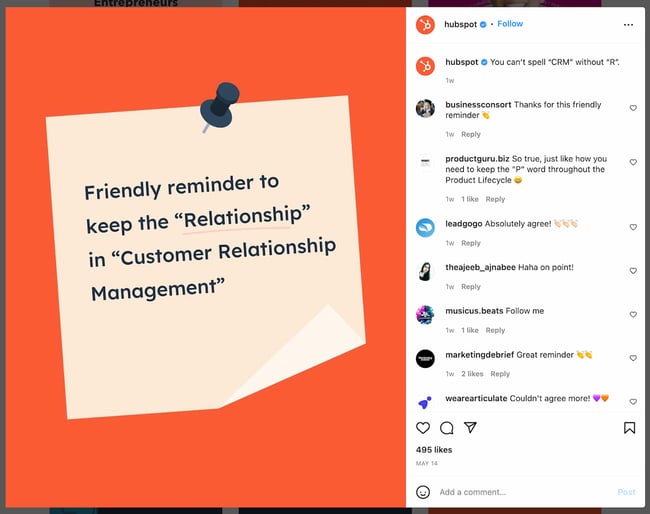
Don’t underestimate the power of a good caption. They can help you generate more engagement and turn your followers into customers.
Capture the Feeling with an Instagram Caption
Even though an image is worth 1,000 words, a well-written caption couldn’t hurt. These days, the caption can make just as much of a statement as the image! For all of the occasions that are worthy of a post to your feed, use one of the quotes from this list and customize it to make it your own.
Editor’s note: This post was originally published in June 2020 and has been updated for comprehensiveness.

‘Speed Racer’ live-action series from J.J. Abrams’ Bad Robot coming to Apple TV+

Apple TV+ is working on a new live-action series based on the popular manga show, Speed Racer. J.J. Abrams’ Bad Robot Productions will produce this series.
The post ‘Speed Racer’ live-action series from J.J. Abrams’ Bad Robot coming to Apple TV+ appeared first on 9to5Mac.
Apple releases tvOS 15.5.1 with bug fixes for Apple TV and HomePod

One week after releasing tvOS 15.5 to the public, Apple has a new bug fix update available to Apple TV, HomePod, and HomePod mini users. The company is now rolling out tvOS 15.5.1, which is a small update and addresses some issues Apple TV and HomePod users have been experiencing since the release of tvOS 15.5.
Apple says tvOS 15.5.1 for Apple TV and HomePod addresses an issue where music could stop playing after a short time.
The post Apple releases tvOS 15.5.1 with bug fixes for Apple TV and HomePod appeared first on 9to5Mac.
Apple Store union effort reaches fourth location with Kentucky workers organizing

As unionization efforts proceed at Apple Stores across the country, a fourth location has begun forming a union. The Apple Store at Oxmoor Center Mall in Louisville, Kentucky, has announced it is organizing a campaign, reported by Bloomberg Law.
The post Apple Store union effort reaches fourth location with Kentucky workers organizing appeared first on 9to5Mac.
The Ultimate Guide to Human Resources
Remarkable Human Resources (HR) employees are critical at every company. They handle all employee relations so you can focus on your side of the business.
Before we discuss more reasons why your company needs an impactful HR department and how you can go about building one, let’s talk more about what human resources actually means.
Based on this definition alone, you can see how it would be difficult to run your operation successfully without the assistance HR provides. That’s why even small and medium-sized businesses (SMBs) have HR departments with employees who oversee all management, engagement, and development between the company and its employees. HR departments exist to support you and your employees so you can continue doing your jobs successfully.
The work and responsibilities of a human resources employee will touch a large portion of your business every day. So what does that mean for you? Let’s review some of the most common responsibilities these employees have so you can better understand the impact HR will have on your company.

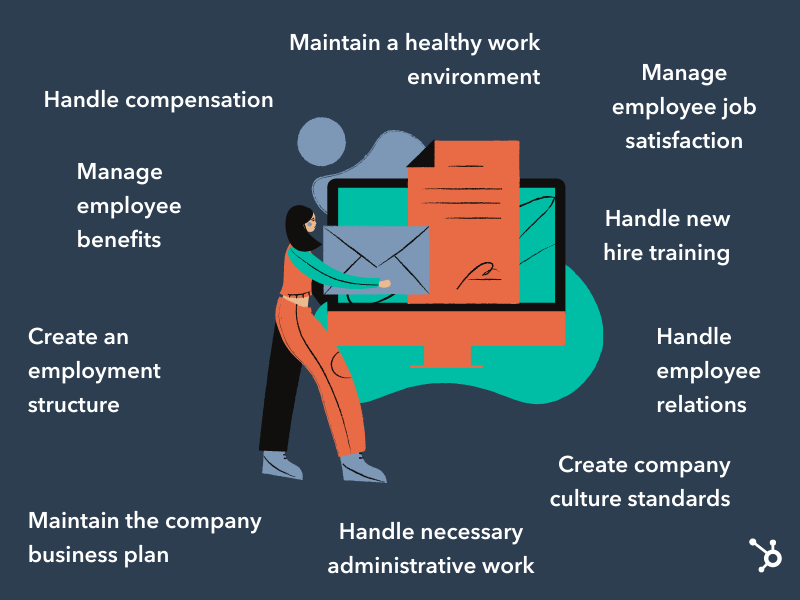
Handle employee relations
HR handles the employee-to-employee relationships as well as the employee-to-company relationship. This means they work to develop positive interactions and treatment among all employees within your company so they feel good about coming to work, are committed to their jobs, and are invested in the growth of the business.
Whether it’s a personal matter or a work-related issue, human resources will handle all issues with care and keep the best interest of both your company and employee in mind.
Create an employment structure
Your HR department will handle your entire staffing plan — meaning they’ll identify the gaps in your current employee structure and fill them by acquiring new talent. They’re also in charge of firing any existing talent that isn’t meeting company standards. Your company’s HR team will ensure you have the right people to help you grow your business.
Manage employee job satisfaction
Once your employees have begun work, you’ll want to make sure they’re excited to come to the office every day and add value to your company — their excitement is directly related to their level of job satisfaction. If your employees are happy in their roles, feel as though they can grow at your company, and can change departments down the road if they choose to, they’re more likely to be productive team members. Your HR team ensures your employees really do feel satisfied in their roles and will work with them if they feel unhappy or unsatisfied at any point in time.
Manage employee benefits
Your HR department will handle the amount and type of employee benefits your company offers. Providing good employee benefits is critical to the success of your business because they’re proven to attract and retain talent and increase employee productivity. Benefits keep employees satisfied by giving them a variety of perks and making them feel secure in their roles.
Handle compensation
HR manages all payroll and compensation work, including employee salaries, payment schedules, W2s, and all other tax-related paperwork. If an employee is offered a promotion — or awarded a bonus — HR will handle all changes in their regular payment schedules.
Maintain the company business plan
Your HR department will help you create, distribute, and maintain your company’s business plan — this serves as an overview of your company’s organizational structure. It covers your company’s philosophy and culture code, how you manage your employees, and how you’ll distribute your resources.
Handle new hire training
When an employee is hired, HR will often take them through the necessary training they need before diving into their everyday tasks. Whether one day or six weeks, new hire training is critical to making that person feel comfortable in their new role. It’s also a great way to set expectations early on and get them prepared so they can make an impact as quickly as possible.
Screen job candidates
In the beginning of the hiring process, you may be tasked with screening job candidates. In this initial screening, you have the opportunity to ask candidates about their previous roles, core qualifications, and salary expectations.
Keep in mind that as you evaluate each job candidate, they’re also evaluating you. Presenting yourself — and your company — in a good light is crucial, especially considering that 67% of job seekers have had at least one negative experience in the hiring process, and more than half have declined an offer because of a poor experience.
Create company culture standards
HR is in charge of helping you create and maintain your company culture — this includes your philosophy, mission statement, and work environment. It also includes your company’s ethical standards, values, goals, and expectations. HR may implement programming, activities, check-ins, or events at your office so your employees can learn and develop a better understanding of the culture.
Maintain a healthy work environment
Your HR team will assist you in creating a healthy and safe work environment for all employees. Their role includes setting health and safety standards in the office, communicating these standards to all employees, and upholding them as the business grows. These standards should be written so they can reference them at any point in someone’s time at your company.
Handle necessary administrative work
A lot of your company’s administrative work is handled by HR. This includes paperwork related to federal and state tax laws, job applications, time-keeping and payroll information, and employee contracts.
We’ve put together a list of 10 steps — not listed in any specific order — you should take to build a successful HR department. Whether you begin working through this list with or without your company’s first (or first few) human resources employee(s), all 10 items on this list should be thoughtfully considered.
1. Create a company-wide staffing plan
Create a company-wide staffing plan so you can identify all positions you’ll need to fill with your new hires. This may also include moving current employees into new roles or even removing employees and/ or their roles entirely from the company.
2. Set an HR budget
You’ll need a budget for your human resources department to cover the costs of building the department and hiring your HR team. The budget will also go to company-wide programming, and culture and team building activities HR may organize.
3. Make a payroll and compensation system
You’ll need to ensure you have payroll and compensation plans in place for all types and levels of employees. Your employees will want to know how, when, and the frequency in which they’re going to be paid the moment they receive their job offer. You’ll also need this information to determine salary ranges for all of your employees.
4. Write job descriptions
Job descriptions posted on your website and job sites such as LinkedIn and Glassdoor are how you’ll attract applicants. You’ll want to create job descriptions for all of the HR roles you need to hire for. Then, as you fill some of these HR openings, those new hires should be able to assist you in creating all other job descriptions for your growing company.
5. Lay out a clear benefits plans
A clear and thorough benefits plan is crucial for attracting and retaining talent. You’ll want to lay out all of the benefits you offer to your new hires so they can feel good about their decision to join your team as well as secure and supported in their roles.
6. Create an employee handbook
An employee handbook (whether print or digital) is a great way to set clear expectations from day one about workplace behavior, safety, health, and culture. Your handbook should include answers to all the questions your employees may have about these topics — and any others you see fit — as they go through training and begin work at your company.
7. Set safety procedures
Your employees are most likely in the office for approximately eight hours per day — meaning it needs to be a healthy and safe place for them to spend large amounts of time. If one of your employees ever felt unsafe or at risk of mental or physical harm at the office, it’d be very difficult to expect them to be productive.
To avoid this, you should set workplace health and safety standards, which you can include in your employee handbook. State your safety procedures for different types of personal altercations and procedures for emergencies and other potential unexpected or dangerous situations so everyone can handle them appropriately.
8. Collect administrative records
Although you may have an executive assistant who collects and organizes a lot of your company’s administrative records, plenty of documentation should be collected, organized, and managed separately by your HR department. These items may include job applications, benefit plans, tax documents, and compensation and payroll details.
9. Display necessary employment posters
State and federal laws require companies and their HR teams to hang specific employment posters around their offices so they’re visible to everyone who enters the space. Some of these required posters change over time, so be sure to keep up with the laws and requirements of your state and country.
10. Create performance and feedback processes
Employee success and satisfaction are major components of a prosperous company — without these two things, it’d be challenging to retain your best talent. In fact, companies that implement regular employee feedback have turnover rates that are 14.9% lower than companies who do not.
You’ll want to create company-wide performance and feedback processes to ensure everyone is held to a specific standard that you and your HR team set and maintain.
Employee performance evaluations ensure all employees are working up to their full potential. This time should also be spent making sure your employees are satisfied with their jobs, feel as though they can grow with your company, and enjoy being a member of your team.
What to Look For in an HR Candidate
Now that you have a better understanding of HR’s responsibilities and how you can start building your own department, let’s review some of the things you should identify in potential HR candidates, including education type and work experience.
.png?width=800&name=HR%20candidate%20(1).png)
Human Resources Candidate Education and Background
It’s no secret that many people often “fall” into the human resources field. By this I mean a lot of people who end up in the field don’t necessarily go into their undergraduate education thinking they want a career in HR. If this is the case for some of your HR applicants, there are a few indicators that you’ve found a great candidate despite their educational background.
- HR certifications, such as the Society for Human Resource Management (SHRM) certification or one of the various others offered by the HR Certification Institute.
- Great work ethic, personality, and ability to be strategic. It’s key to find a candidate that will represent your company well and has the adaptability to grow into their role. If you see promise, you might also provide this type of candidate with the opportunity to earn a certification and/or postgraduate education in the field as they begin work at your company.
If you’re considering slightly more experienced candidates for your HR department, here are some indicators to look for:
- Bachelor’s degree in Human Resources Management, Business Administration, or a closely related field.
- Master’s degree in Human Resources or Human Resources and Employee Relations (HRER), or a closely related field such as Business Administration.
- Prior HR experience, whether it’s an internship or job(s) at another company.
Roles in Your Human Resources Department
Now that we’ve covered general requirements and characteristics that you should consider looking for in your HR candidates, let’s dive into some of the actual roles you’ll need to fill within the department.
We’ll start with your HR department structure. Depending on the size of your company, you may or may not need all of these positions and levels in your own HR department. Another important thing to note is that the titles of these roles and the level in which they’re placed also vary based on the company, but this diagram will provide you with a general idea of an HR department structure.
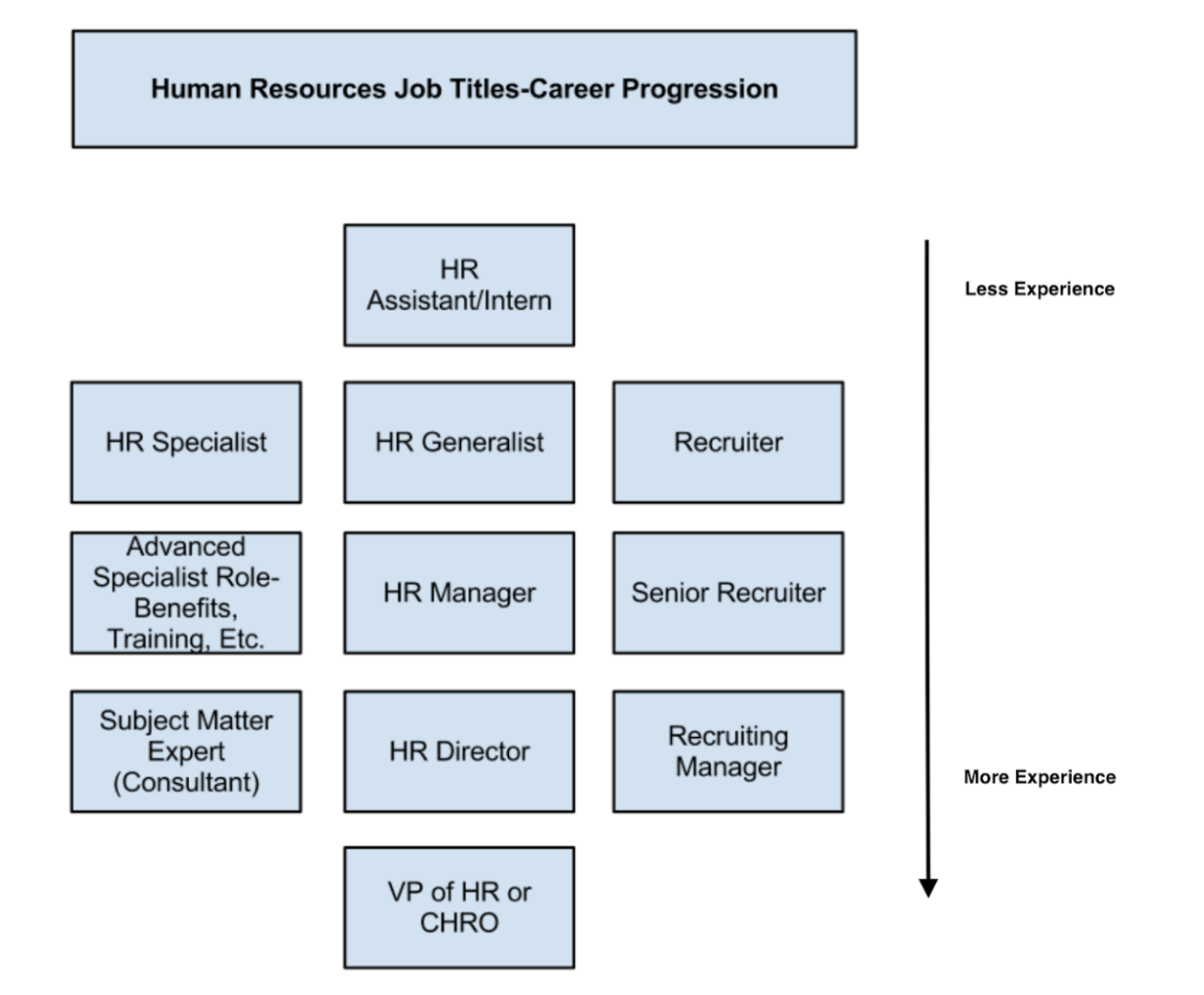
So what do HR employees in these roles actually do? And what are the differences between each position? We’ll cover the answers to these questions below.
Entry-Level Human Resources Roles
Entry-level HR jobs are fit for people in school, have recently graduated, or are entering the field for the first time. Their roles may include assistants and HR interns, specialists, generalists, or recruiters.
HR Assistant/ Intern
HR assistants and HR interns are typically in charge of the administrative work — such as organizing paperwork, completing the employer portions of new hire information, and other work their higher-ups ask of them — that needs to be done so everyone else in the department can remain productive and focus on more complex tasks.
HR Specialist
HR specialists focus on one specific department or discipline within human resources. These specialties include HR development, HR management, and organizational development. Their goal is to become an expert in their chosen specialty. For example, a benefits specialist would be required to know and understand the intimate details of a company’s benefits plan and be able to explain that information to new hires and current employees.
HR Generalist
HR generalists have knowledge that covers multiple different areas of the department and its needs. People in this type of role will work on the more typical tasks you may think of regarding HR, such as compensation, employee relations, and workplace environment.
Recruiter
The sole job of a recruiter is to bring in impressive talent for the company. They find new people to fill the gaps in the company’s staffing plan so the business can continue to grow and remain as productive as possible.
Mid-Level Human Resources Roles
As those in HR work their way up the ranks and acquire more experience, they’ll likely move into a mid-level HR role. Examples of these jobs include advanced specialists, HR managers, and senior recruiters.
Advanced Specialist
An advanced specialist is typically someone who was promoted from an HR specialist role. Their work might include developing job descriptions for specific, technical roles within their specialty and training entry-level specialists in their chosen discipline. Advanced specialists serve as a company’s high-level experts regarding their specific topic within HR.
HR Manager
An HR manager might oversee a group of entry or even mid-level HR employees. They’ll typically handle more of the complex HR tasks such as creating and managing company-wide policies, values, and culture.
Senior Recruiter
Senior recruiters function as your very own staffing service. They may oversee a team of entry-level recruiters who work to identify ideal candidates for open positions at your company. Senior recruiters may work for your company, or you might hire them as a third-party service depending on your budget and resources.
High-Level Human Resources Roles
If someone ends up staying in the HR field for most of their career, they may move into a high-level position at your company. These roles may include an HR consultant, HR director, recruiting manager, or vice president of HR chief of human resources officer (CHRO).
HR Consultant
An HR consultant typically oversees all HR administrative work and makes sure you’re meeting all company, state, and federal policies and laws. They can be subject matter experts on a particular HR-related policy. People in this role may be hired as third-party help depending on your budget and resources.
HR Director
If an HR manager is promoted, that person might move into an HR Director role. In most SMBs, the HR Director typically oversees all departmental activities and reports directly to the CEO.
Recruiting Manager
Recruiting managers oversee your company’s recruiting teams. They sign off on your staffing plan and ensure all of your role gaps are filled and talent needs are met.
Vice President of HR or Chief Human Resources Officer (CHRO)
In a larger company, you may have a vice president of human resources or a chief human resources officer. This person reports directly to the CEO, oversees the entire HR operation, and creates overarching department goals.
Back To You
Having a fantastic human resources team is essential to the success of your business. Your HR department will manage your employee relations, hiring, training, career development, benefits, and company culture. Without HR, your employees simply wouldn’t be able to do their jobs. Start by thinking about the number and type of HR employees you’ll need and start building your department so your company can continue growing.


Here’s how the rumored purple iPhone 14 Pro will probably look

At this point, we all can assume what the iPhone 14 Pro will look like. New renders, which include specific dimensions, used leaked schematics previously covered here and more. These renders give a deeper look at the upcoming iPhone 14 Pro series – rumors now suggest the phone will also come in a new purple color.
The post Here’s how the rumored purple iPhone 14 Pro will probably look appeared first on 9to5Mac.
How to Write a Request for Proposal with Template and Sample
Whether you’re working for a small agency or a major marketing firm, you’re probably eventually going to need to fill out a Request for Proposal, or RFP.
Your company can’t do everything internally, and when your business needs to purchase a product or service from elsewhere, you might need to shop around. An RFP allows you to collect offers from various vendors and select the vendor that best meets your criteria, both in regards to skill and budget.

Any time you outsource work to a supplier, there’s a potential for issues such as miscommunication around the scope of the work and the compensation. What a good RFP does is eliminate gray areas so that both parties understand what needs to be delivered, when, and for how much.
RFP Template
Here, we’ve provided an RFP template you can follow for initial structure, as well as a sample RFP for further inspiration. But it isn’t one-size-fits-all — you’ll need to tailor your RFP to best articulate your company’s needs.
%20Template,%20Blog%20Image.jpg?width=1500&name=Request%20for%20Project%20Proposal%20(RPT)%20Template,%20Blog%20Image.jpg)
Download a free, editable RFP template.
Not that you’ve seen the template, how do you actually write an RFP? We’ve got you covered.
1. Define your project, scope, and budget.
Before issuing your RFP, take the time to define the project you’re looking to complete, its scope, and how much you can afford to spend. This information provides the framework for your RFP and helps ensure that it strikes a balance between too general and overly detailed.
2. Provide background and introductory information.
With budget and scope in hand, you can start crafting your RFP. While it’s tempting to dive right into the details, it’s a good idea to provide some background and introductory data about your company. This helps set the stage for potential partners by giving them a sense of your current market, business goals, and current challenges.
3. Describe the services you’re looking for.
Now it’s time to get specific about the services you’re looking for to help achieve your goals. For example, if you’re building a website, you might look for a company with both front-end and back-end development experience. If you’re creating a mobile app, highlight the need for specific skills in that area, such as expertise in responsive design and building applications for multiple mobile platforms.
4. Detail your selection criteria and timelines.
Next up are the selection criteria and the timelines for your project. Here, you can highlight what skills, services, and market expertise are required for consideration. This is the time to get specific: Clear descriptions of selection criteria will help reduce the risk of sorting through multiple RFPs that don’t meet your needs.
It’s also important to be up-front about your timelines. Give potential partners an end date for RFP submission, a date for final selection, and a clear start-to-finish project timeline so companies making a proposal can fine-tune their bid.
5. Proofread your RFP and go live.
Last but never least? Proofread your RFP — then proofread it again. Why? Because even small mistakes could derail project timelines. Consider a zero missing in your budget details, or a miscommunication about the dates that proposals are due and selections are made; both could force a restart of the entire RFP process and waste precious time.
Once you’re satisfied that everything on your RFP is accurate and complete, it’s time to go live. Send out emails and post links on your site to start the process of finding your best-fit provider. To streamline this process, consider proposal software to publish and manage responses to your RFP.
Now that you understand the basics of writing an RFP, you can build your own template and then fill it out so that you can start accepting bids. We’ll use a fictitious company, Caroline’s Websites, Inc., to illustrate exactly how each section should be executed.
RFP Sample
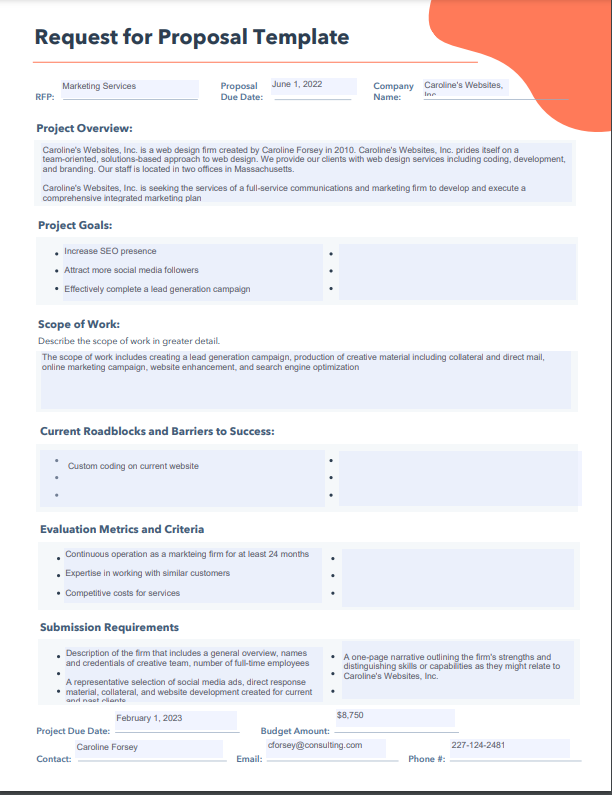 Project Name or Description: Marketing Services
Company Name: Caroline’s Websites, Inc.
Address: 302 Inbound Ave.
City, State, Zip Code: Boston, MA 29814
Procurement Contact Person: Caroline Forsey
Telephone Number of PCP: 227-124-2481
Email Address of PCP: cforsey@consulting.com
Fax Number: N/A
Next, we’ll go into each of the elements of the RFP with information using the same fictitious company.
1. Write your background and introduction.
In your introductory paragraph, you’ll want to include useful background information about your company — who founded it, what product or service your company offers, what sets you apart from competitors, and where you’re located. If any vendor is serious about working with you, they’ll want this information before moving forward.
Example
Caroline’s Websites, Inc. is a web design firm created by Caroline Forsey in 2010. Caroline’s Websites, Inc. prides itself on a team-oriented, solutions-based approach to web design. We provide our clients with web design services including coding, development, and branding. Our staff is located in two offices in Massachusetts.
2. Define your project goals and scope of services.
Next, you’ll want to outline the project you need completed, and the goals you expect to accomplish from the project. It’s important you get as specific as possible — even outlining individual tasks and criteria involved. You’ll want to include phrases such as “The award will be given to X firm,” with the “X” establishing how you’ll determine the best candidate.
Example
Caroline’s Websites, Inc. is seeking the services of a full-service communications and marketing firm to develop and execute a comprehensive integrated marketing plan that increases our SEO presence; attracts more social media followers; and effectively completes a lead generation campaign. The award will be made to a responsive and responsible firm based on the best value and professional capability.
The selected firm will be responsible for the development and implementation of a comprehensive and cost-effective marketing plan.
Tasks include but may not be limited to the following criteria:
- Lead generation campaign
- Paid media strategy
- Production of creative material including collateral and direct mail
- Online marketing campaign
- Website enhancement
- Search engine optimization
- General account management
- Other communications and/or marketing-related assistance as required
3. Detail your anticipated selection schedule.
It’s crucial you include a detailed schedule so vendors know if they can meet your deadlines. You’ll also need to give vendors a window for when they can ask questions regarding your project.
Example
The Request for Proposal timeline is as follows:
Request for RFP: June 1, 20XX
Deadline for Bidders to Submit Questions: July 5, 20XX
[Company Name] Responds to Bidder Questions: July 20, 20XX
Selection of Top Bidders / Notification to Unsuccessful Bidders: July 31, 20XX
Start of Negotiation: August 5, 20XX
Contract Award / Notification to Unsuccessful Bidders: August 31, 20XX
4. Describe the time and place for the submission of proposals.
Similar to paragraph #3, this is important information you’ll want to clearly present, so vendors know how and where to submit themselves for consideration.
Example
The RFP will be posted on our website, Carolinewebsites.com, and can be downloaded from there directly as of 10 a.m. on June 1, 20XX.
Respondents to this RFP must submit one original and five copies of their proposal. Responses must be received no later than July 25, 20XX. Responses should be clearly marked “RFP-MarketingServices” and mailed or delivered to the contact person listed above.
5. Clearly define your timeline.
By including a time frame in your RFP, you’re able to eliminate any vendor who can’t work within your time constraints. If you’re flexible on your time, you can write something like, “Our company hopes to finish the project within six months, but we’re open to negotiation for the right candidate.”
Example
Caroline’s Websites, Inc. needs the project completed within 8 months.
6. Specify the key elements of a proposal.
If you don’t outline clearly and specifically what you expect bidders to include in their proposal, you can’t necessarily fault them if they don’t include it. It’s critical you outline a checklist so vendors know which elements you’re expecting to receive. It’s also a good test for who’s capable of handling your demands — if a vendor can’t complete all elements of your proposal, you probably can’t trust them to finish your project, either.
Example
A submission must, at a minimum, include the following elements:
- Description of the firm that includes a general overview, names and credentials of creative team, number of full-time employees.
- A one-page narrative outlining the firm’s strengths and distinguishing skills or capabilities as they might relate to Caroline’s Websites, Inc.
- A representative selection of social media ads, direct response material, collateral, and website development created for current and past clients.
7. Make your evaluation criteria clear.
Outlining your expectations will help eliminate vendors who don’t meet them. For this section, you’ll want to do some brainstorming with your team to come up with a mandatory list of items you feel are the best indicators of impressive candidates. Your list could include samples of past work, a proven success record with companies in similar industries, the expertise and technical skills to meet your demands, and a cost of services within your price range.
Example
The successful respondent will have:
- Experience working as a marketing agency for a minimum of 24 months and possess full-service, in-house capabilities for marketing, creative services, production, media planning and placement, direct response, and research.
- The education, experience, knowledge, skills, and qualifications of the firm and the individuals who will be available to provide these services.
- The competitive cost of services.
- The expertise of the firm in working with similar customers.
8. Describe any possible roadblocks.
Here, you’ll want to outline any roadblocks, such as limited resources or a custom website, that might prevent certain vendors from successfully completing the project. This allows you to eliminate unsatisfactory bidders, and it will also help you determine which vendors have the skills and expertise to tackle those challenges.
Example
At this time, Caroline’s Websites, Inc. currently has custom coding on our website, of which bidders should be aware.
9. State your budget for the project.
Any vendor needs to know how much you’re able to pay them for their services before they’ll move forward with their bid.
Example
Caroline’s Websites, Inc.’s budget for the project is $8,750.00.
These elements were written in a way to clarify the scope of the project that Caroline’s Websites, Inc. wants completed so that suppliers know whether or not to make a bid. Defining the project allows the bidder to determine if they’re a good fit and how much they’d likely charge. Being as transparent as possible serves to benefit (and even protect) both parties in the long run.
As the name makes clear, RFIs are about collecting information. They’re used by companies to get a sense of what solutions are on the market and how the companies that offer these solutions could help solve a key problem or complete a key task. RFIs ask companies to submit data about what they do, what they offer, and how they can help achieve specific goals.
RFPs, meanwhile, follow RFIs. Using the information obtained from RFIs, companies build RFPs that detail exactly what they’re looking for, how much they’re planning to spend, and how vendors will be selected. In effect, RFIs help narrow the scope of RFPs to help streamline the selection process.
Worth noting? There’s also another option if you know exactly what product or service you’re looking for: Request for quote (RFQ). Unlike an RFP, which asks potential partners to submit a proposal based on their expertise and experience, an RFQ is about cost: You’re asking a specific vendor what it would cost to deliver “X” service or solution in “Y” timeframe under “Z” conditions.
Realizing Best Results for Your RPF
Your RPF sets the stage for companies to bid on projects that are outside the scope of your internal expertise — but are still critical for your business to succeed.
As a result, it’s worth making sure your RFP is clear, concise, and captures the key details about your needs to help find the best-fit partner for your project. Not sure where to start? Grab a copy of HubSpot’s free RFP template, follow the steps above, and get your projects underway.
Editor’s note: This post was originally published in June 2018 and has been updated for comprehensiveness.

ProtonMail has a new name and deeper integration with VPN, calendar, and drive features
ProtonMail, the world’s largest encrypted email service and popular iOS Mail app, has rebranded itself as Proton. In this rebrand, the company is bringing together ProtonMail with its other services, Proton VPN, Proton Calendar, and Proton Drive. While there aren’t major upgrades to the mail service, this integration will be the world’s first privacy-by-default ecosystem.
The post ProtonMail has a new name and deeper integration with VPN, calendar, and drive features appeared first on 9to5Mac.