
Welcome to My Blog
First watchOS 8.7 and tvOS 15.6 betas join HomePod pre-release software
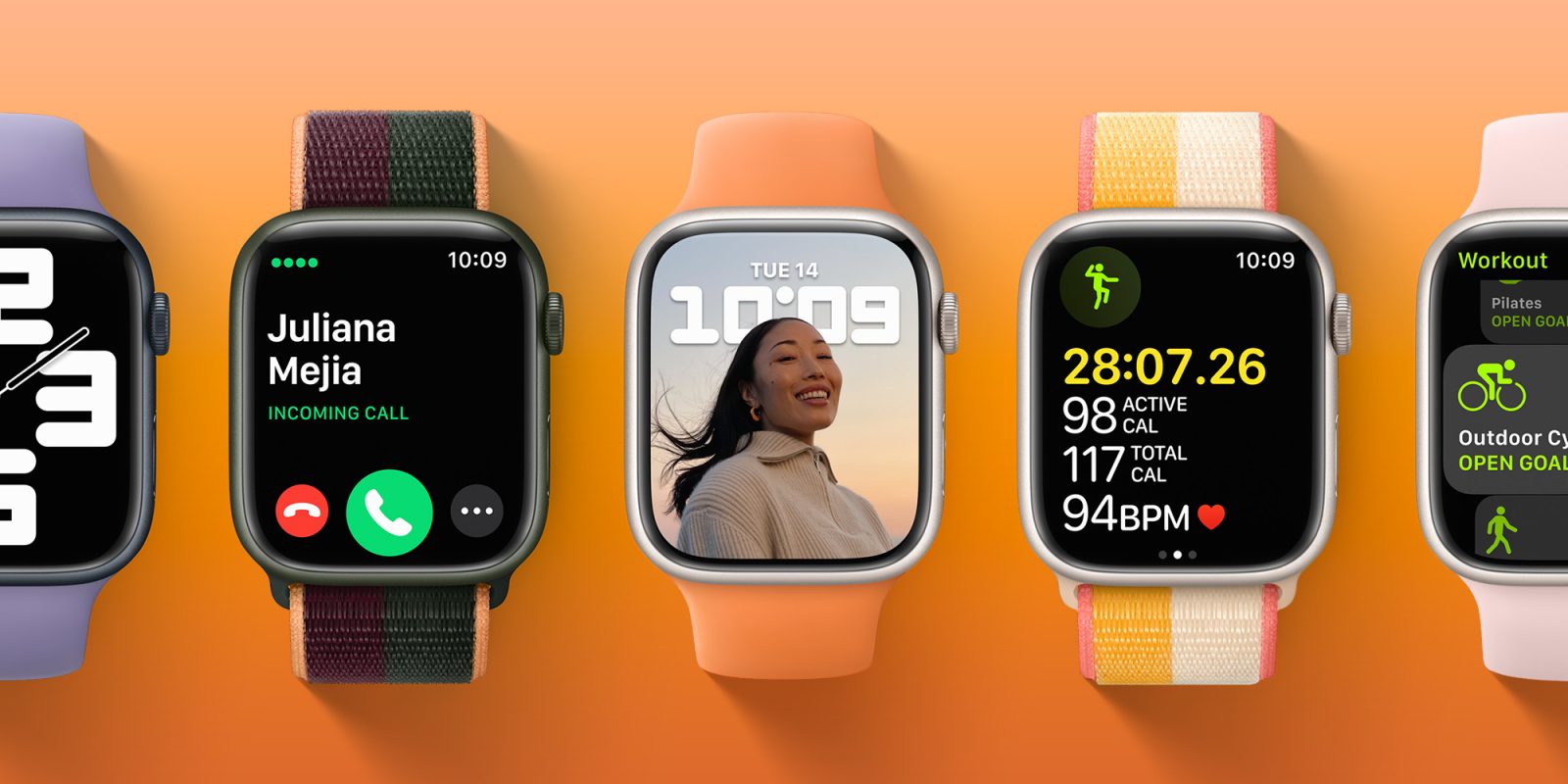
With just a few weeks to go until WWDC 2022, Apple has just released iOS 15.6 beta 1 to developers. In addition, the company has also made available the first betas of tvOS 15.6, watchOS 8.7, and HomePod Software 15.6.
The post First watchOS 8.7 and tvOS 15.6 betas join HomePod pre-release software appeared first on 9to5Mac.
Apple releases first macOS 12.5 and macOS 11.6.7 betas ahead of WWDC
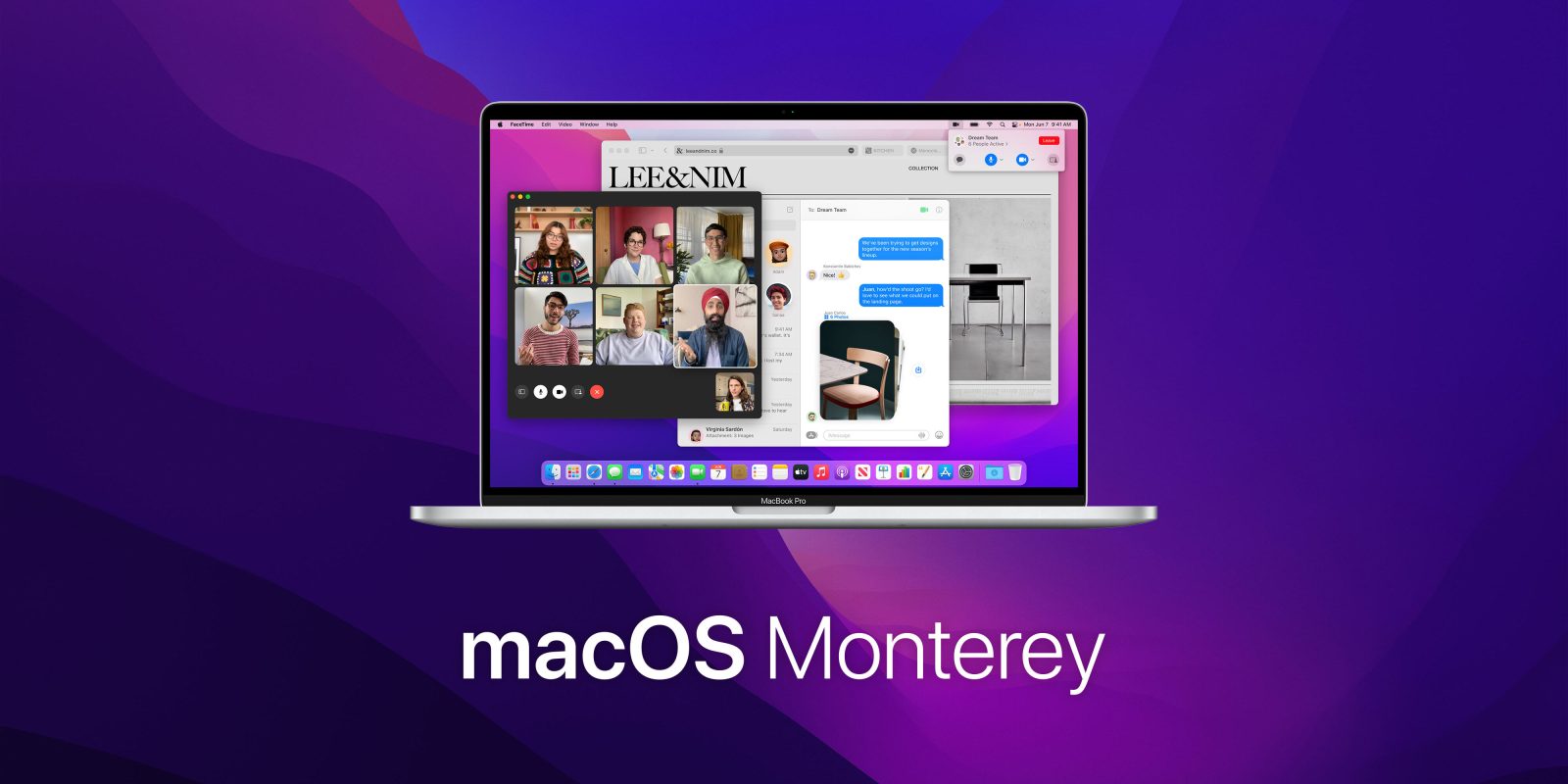
Following the public release of macOS 12.4 with support for the first Studio Display webcam fix and over 50 security updates, Apple has released the first macOS 12.5 beta with WWDC just a few weeks away.
The post Apple releases first macOS 12.5 and macOS 11.6.7 betas ahead of WWDC appeared first on 9to5Mac.
Apple releases iOS 15.6 beta 1 to developers as iOS 16 announcement looms

After just releasing iOS 15.5 this week, Apple is seeding iOS 15.6 beta 1 to developers. This update is likely the last major iOS 15 version before Apple announces and rolls out iOS 16 in the near future.
The post Apple releases iOS 15.6 beta 1 to developers as iOS 16 announcement looms appeared first on 9to5Mac.
WhatsApp working on the ability to leave groups silently, Premium subscription detailed
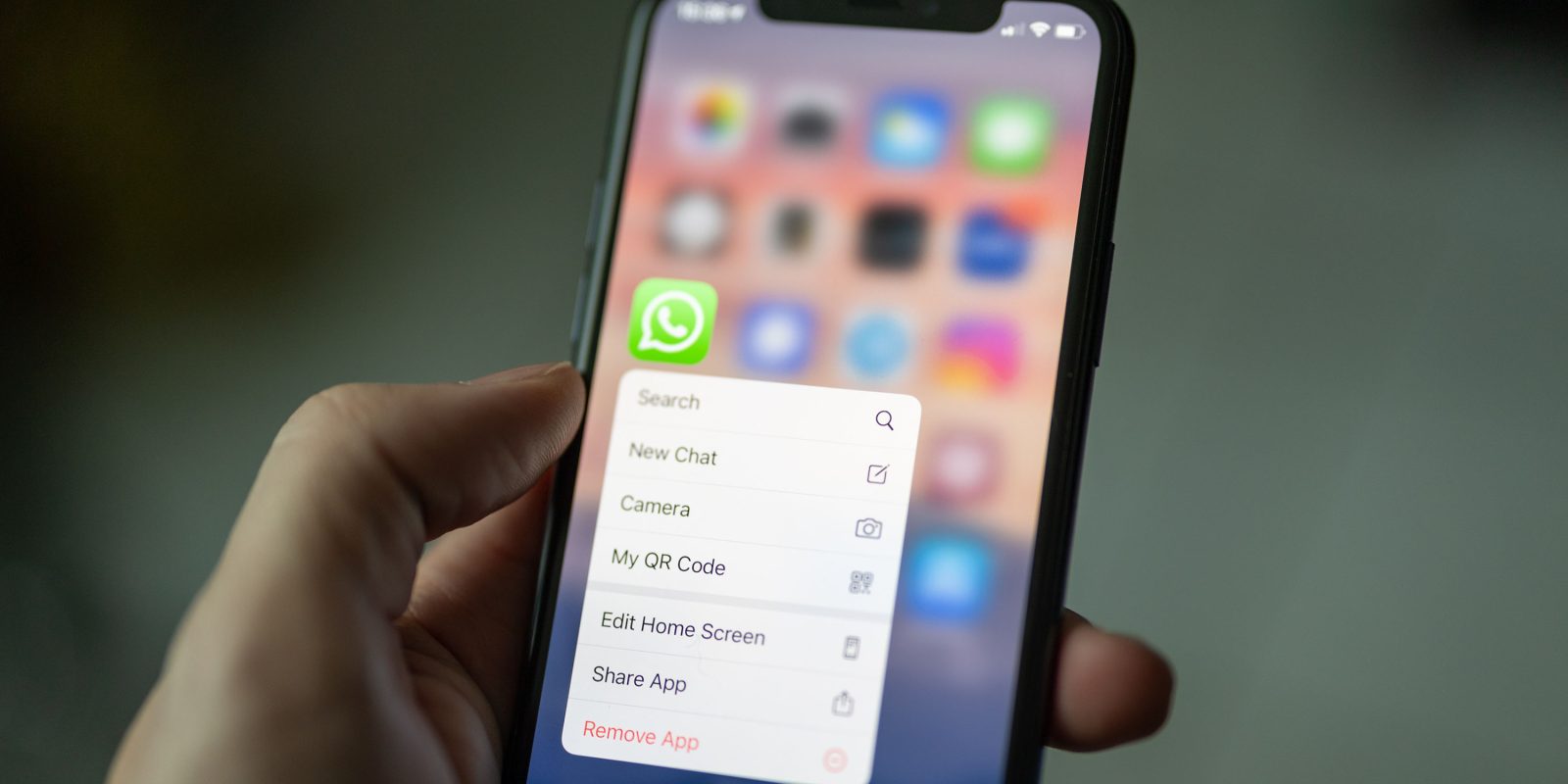
WhatsApp for iOS will soon get an interesting feature: the ability to leave groups silently. With the app now offering up to 512 people in a group chat, it’s only natural people don’t want to see when every member leaves the group. With that in mind, in a future update, users will be able to leave a group chat without other users noticing.
The post WhatsApp working on the ability to leave groups silently, Premium subscription detailed appeared first on 9to5Mac.
How to pause or cancel your Netflix subscription on iPhone, iPad, or desktop
Ready to call it quits or take a break from Netflix? Follow along for how to pause or cancel Netflix from iPhone, iPad, and desktop in a few quick steps.
The post How to pause or cancel your Netflix subscription on iPhone, iPad, or desktop appeared first on 9to5Mac.
Apple takes on data brokers and auctions with new ‘Privacy on iPhone’ ad campaign
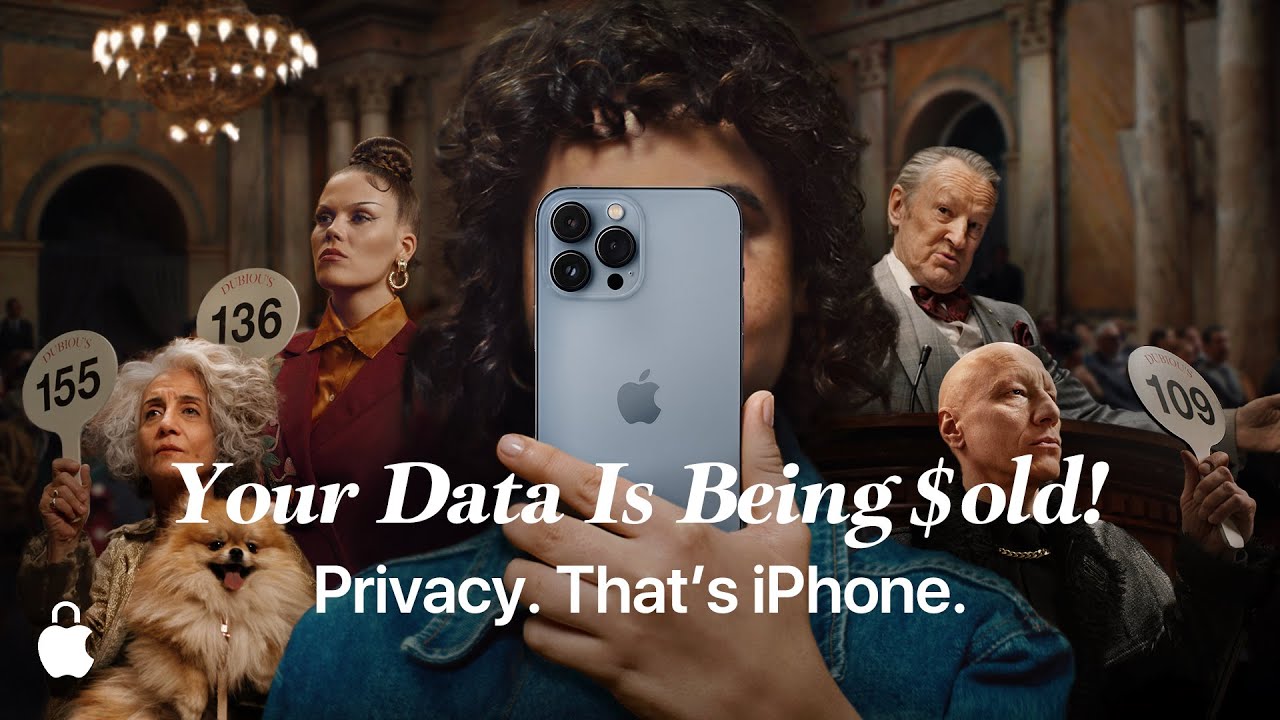
Apple is launching a new worldwide ad campaign today that yet again emphasizes the company’s focus on privacy. This time, Apple is taking on the topic of data brokers wugs a new ad called “Privacy on iPhone.” In addition to a 90-second ad that will run on social and YouTube, Apple is also running billboards and other forms of advertising prompting “Privacy on iPhone.”
The post Apple takes on data brokers and auctions with new ‘Privacy on iPhone’ ad campaign appeared first on 9to5Mac.
M1 MacBook Pro $249 off in Wednesday’s best deals, plus AirPods 3 hit $150, more
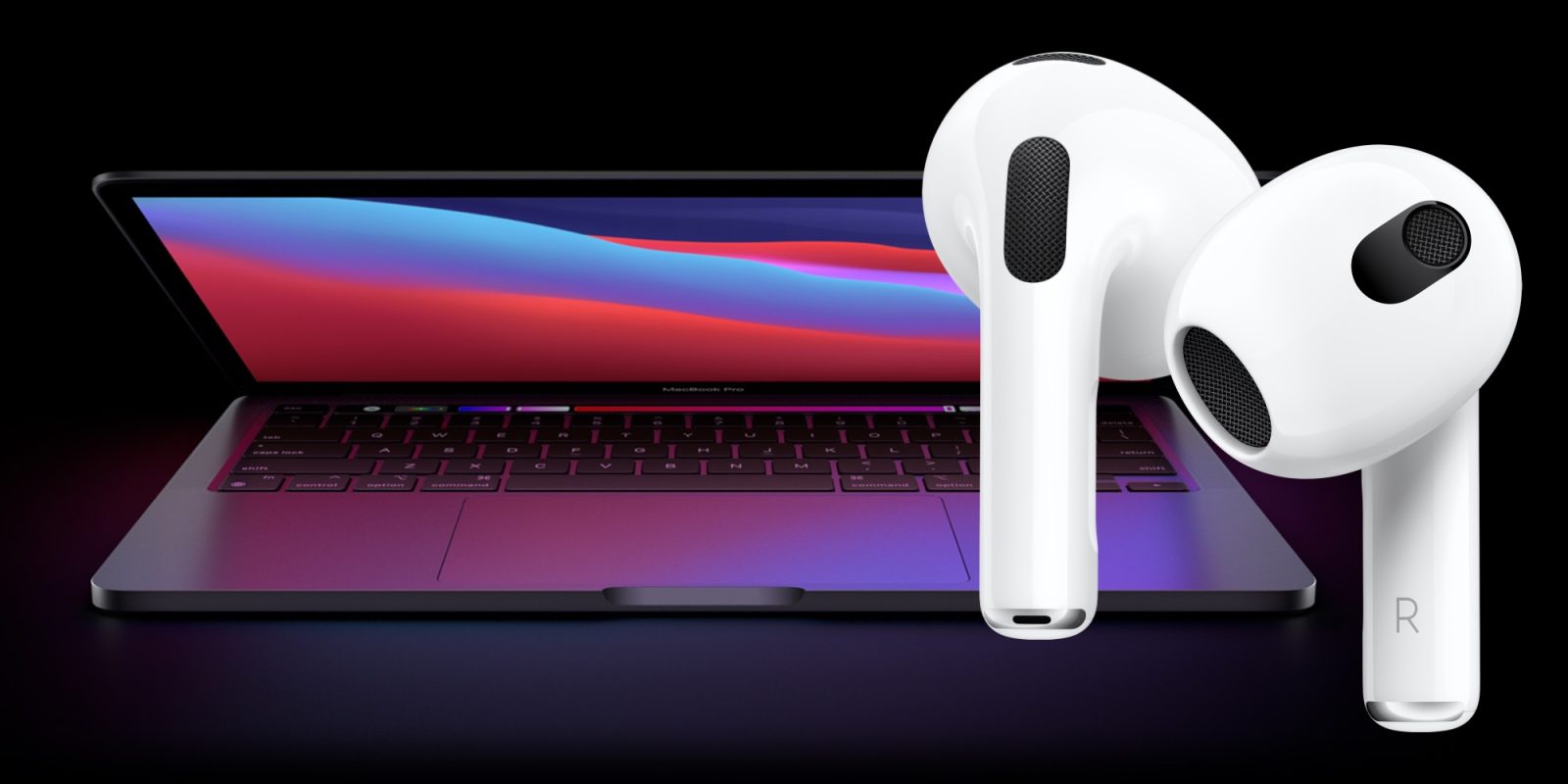
Halfway through the work week, all of Wednesday’s best deals are headlined by a chance to save $249 on Apple’s 13-inch M1 MacBook Pros. That’s alongside the second-best price of the year on AirPods 3 at $150 and a launch day discount on Nomad’s new Sport Slim Apple Watch band. Hit the jump for all that and more in the latest 9to5Toys Lunch Break.
The post M1 MacBook Pro $249 off in Wednesday’s best deals, plus AirPods 3 hit $150, more appeared first on 9to5Mac.
How to Make a QR Code in 5 Easy Steps
Floors. Ceilings. Bathroom stall doors. These are just a few of the places you’ll find QR codes. In fact, they’ve become so ever-present that 45% of shoppers used marketing-related QR codes in 2021.
There’s no denying the popularity and convenience of the QR code. But, what exactly is it? Why is it so popular? How can you create one for your next marketing campaign?

Keep reading to learn the magic behind QR codes and how to create your own.
QR codes typically look like this:

Not every QR code is shaped like a perfect square. Sometimes they have unique patterns, colors, and logos displayed inside. You’ll find them in non-digital spaces like direct mail, signage, billboards, and even TV shows where you can scan the code on the screen using your phone.
Both barcodes and QR codes can be scanned using a laser or a smartphone as long as the tool being used has the correct capabilities of reading vertical and horizontal data. Although most smartphones scan QR codes automatically, many won’t scan barcodes so easily — you’ll need a special app for that.
Does the rise of QR codes mean traditional barcodes are a thing of the past? Of course not. Traditional barcodes are still a common way for businesses to identify consumer packaged goods (CPGs) and manage their product inventory.


However, there are several differences between barcodes and QR codes — both in their uses and their characteristics. Below are three important differences.
QR Codes Are Shaped Differently
Barcodes are typically rectangular, which requires scanning devices to read the barcode’s data horizontally. QR codes are often square-shaped, displaying their data vertically and horizontally.
QR Codes Hold Different Data
QR codes are often used differently than barcodes. Barcodes hold key product information at the point of sale, such as the price and name of the manufacturer. QR codes offer more passive and intangible information, such as location data and URLs to promotions and product landing pages.
QR Codes Hold More Data
Due to a QR code’s square shape, it can hold much more data compared to a barcode. QR codes can hold hundreds of times more encrypted characters than a barcode can.
We learned a little bit about how barcodes and QR codes differ, but how exactly do QR codes work?
Let’s say a consumer sees a QR code. They can take out their mobile device, download a free QR code scanning app, or simply use their phone’s camera, and scan the QR code to gain more information about what they saw.
If you wanted to create, say, a bus stop advertisement promoting your podcast, you could display a QR code on that printed ad that brings people right to your iTunes page when they scan it with their phones. Pretty simple, right?
The QR code creation process is pretty straightforward, regardless of the device you’re using. Here’s how to get started.
How to Create a QR Code on Any Device
Step 1: Head to qr-code-generator.com.
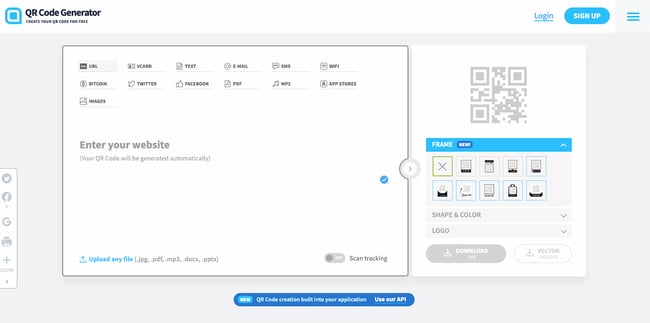
Using any browser on any operating system, head to qr-code-generator.com. Keep in mind that you don’t necessarily need to use this tool; you can choose any web-based QR code generator. If you need some ideas, check out our list.
Step 2: Enter your URL.
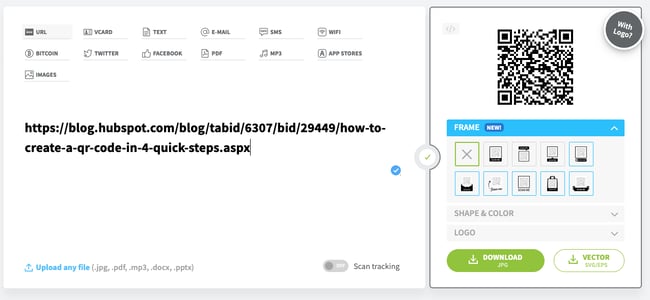
For most QR codes, you’ll want to redirect users to a URL. In that case, enter the URL in the tool. You can also choose from other content types, including contact cards, PDFs, and MP3s. At the bottom, you also have the option of creating QR codes for Microsoft Word and PowerPoint files. The exact content options will vary by tool.
After you select the content type, a field or form will appear where you can enter the information that corresponds with your campaign. For instance, if you want your QR code to save contact information, you’ll see a set of fields where you can enter your email address, subject line, and associated message.
Once you enter your URL or upload your file, it will immediately create a QR code that’s ready for download. However, we recommend customizing it to strengthen your brand identity.
Step 3: Customize your QR code’s frame, shape, and color.
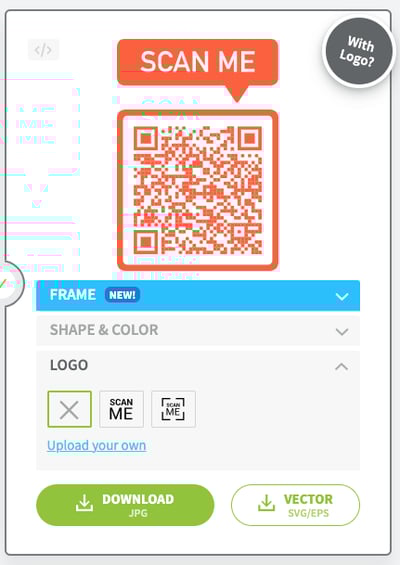 The fun part of creating QR codes is customizing the design of the codes to fit your brand. Want your code to contain your logo? Go for it. Want it to reflect your website’s design scheme? No problem.
The front-end generator on qr-code-generator.com offers limited frame, shape, and color options that allow you to customize your QR code. If you want more options, we highly encourage you to sign up on the website and edit your QR code through the tool’s creator portal.
Here’s one example of how you can customize your QR code once you sign up for a QR Code Generator account:
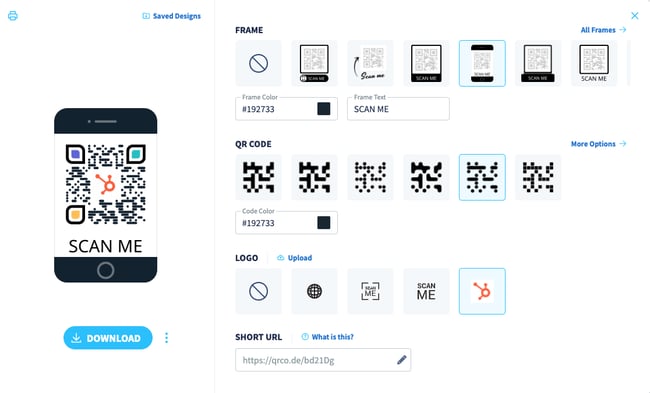
Keep in mind that not every QR code maker offers these design options either before or after signing up. Depending on the QR code you’re looking to generate, you might find some tools limited in their functionality.
Step 4: Click “Download” and save the file to your computer.
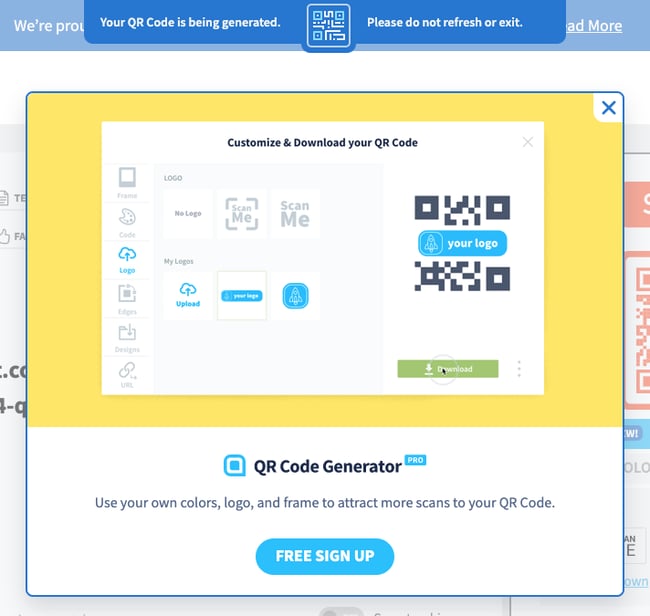 If you’re just trying to quickly create a QR code, don’t worry about signing up. Instead, click the Download button.
Your download will start immediately, but the website will try to trick you into signing up. Ignore this message unless you truly want to sign up. At the top, you’ll see a message that says your QR code is getting created and that you shouldn’t refresh the window. A pop-up download window will come up within 2 minutes.
Step 5: Add the QR code to print collateral.
A QR code won’t be able to do its job unless people see it. So make sure you add the code to any materials that will help you market your business. This could include displaying it in print ads, on clothing, or in physical locations where people can take out their phones to scan it. Scroll down for more tips on properly displaying a QR code.
As for how you’ll add the JPG or vector file to print collateral, you can do so with a variety of tools, including:
- Canva: Canva is an online design tool that lets you import JPG files and add them to your design. It offers flyer and brochure templates for easy creation.
- BeFunky: BeFunky is a similar tool to Canva and also allows you to add JPG files to a design. It also offers templates for you to choose from.
- Adobe Illustrator and InDesign: If you’re a more advanced user, you can use a dedicated graphic design tool to add your QR code to pamphlets and brochures. Illustrator is a good fit for one-page designs; InDesign is a better fit for multi-page brochures.
If you’re on a mobile device, good news: You can easily create a QR code that you can share with colleagues and prospects on-the-go. You’ll need the Google Chrome app to do so.
How to Create a QR Code on Android
Creating a QR code on an Android device is simple with the Chrome app. You can only make QR codes for URLs, but this is a handy tool for when you need to quickly share product pages or blog posts with someone.
Here are the steps:
- Download the Google Chrome app from the Google Play Store.
- Navigate to the URL you want to share.
- Click the three vertical dots (⋮) on the top toolbar.
- Tap Share.
- On the pop-up, select QR Code.
- Either click Download at the bottom or hold your phone up for someone to scan the code.
How to Create a QR Code on iOS
Just like in Android, you can easily make QR Codes on any iPhone or iPad. Here’s how:
- Download the Google Chrome app from the App Store. Note: You can’t create QR Codes from the Google search app, only the Chrome app.
- Navigate to the URL you want to share.
- Tap the Share button on the upper right-hand corner.
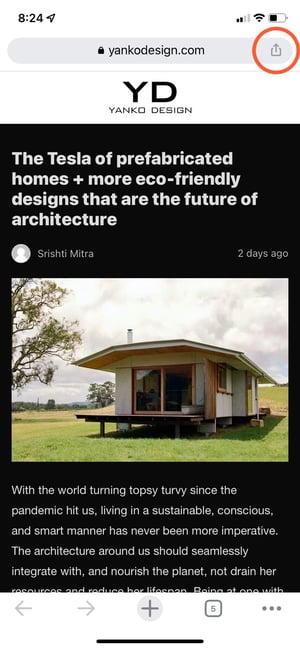
- Select Create QR Code.
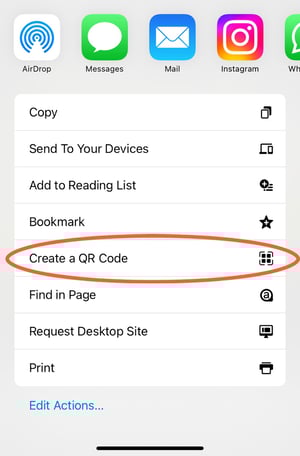
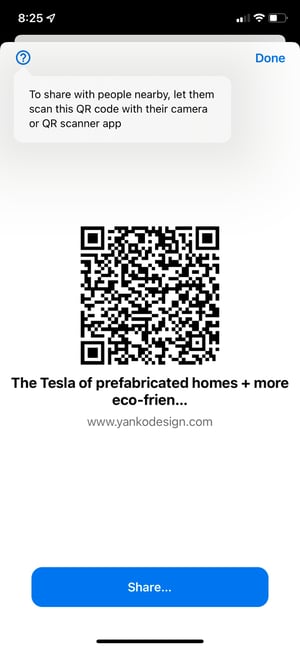
- Either hold it up for someone to scan or tap Share. This option will allow you to print your QR code, save the image to your camera roll, or save it to your files.
How to Use QR Codes (And How Not to)
Now that you see how simple the QR code creation process can be, let’s talk about some best practices that’ll increase the likelihood that your QR code actually gets used.
Display your QR code where it’s convenient for people to scan.
Put QR codes in places where scanning them is easy and there’s enough time for the consumer to scan the code. While you may often see QR codes on billboards and TV commercials, they’re not exactly the most user-friendly locations. It’s a safety hazard to entice people to pull out their phones while driving to scan a code, and a 30-second commercial might not be enough time for someone to find their phone and scan the TV.
Instead, think of places where consumers have the time and ability to scan the code. Places with a strong Wi-Fi connection will help, too.
Optimize the QR’s destination page for mobile devices.
Mobile-optimize the page to which you’re sending people. Consumers will be using their phones when scanning the QR code, so they should arrive at a page with a positive mobile experience.
Include a CTA that prompts people to scan your QR code.
Offer a call-to-action (CTA) with the code — that is to say, tell people what they’re supposed to do when they see the code, and what they’ll receive if they scan it. Not everyone knows exactly what a QR code is, and those that do won’t be motivated to scan it unless they’re sure there’s something worthwhile on the other side.
Don’t limit your QR code to one mobile scanner.
Don’t require a special QR code scanner. Your QR code should be app-agnostic so anyone can scan your code with any reader. A lower barrier to entry makes success more likely for you and the user.
Use your QR code to make someone’s life easier.
Don’t use a QR code just for the sake of using one. For instance, it’s common for marketers to think, “How can I bridge the offline experience with the online experience? Uhhh … QR code!” That’s not wrong, but it’s not always right, either.
If you have content that makes sense to deliver to a mobile user, and you have an appropriate channel to do it (see use #1 at the beginning of this section), it’s more likely your QR code will drive results.
Earlier, we showed you an example of how to create your own QR code, but you don’t have to create it from scratch. A QR code generator can speed up the process (and take a lot of math out of it, too.)
There are tons of QR code generators out there. The best ones give you many customizable options for using your QR code, and compatibility with just about all mobile QR code reader apps.
Other things to look for when choosing a QR code generator are whether you can track and analyze performance in real-time and design a code that’s unique to your brand.
Below are some of our favorite QR code generators that make custom QR codes quick and easy to create.
1. Kaywa
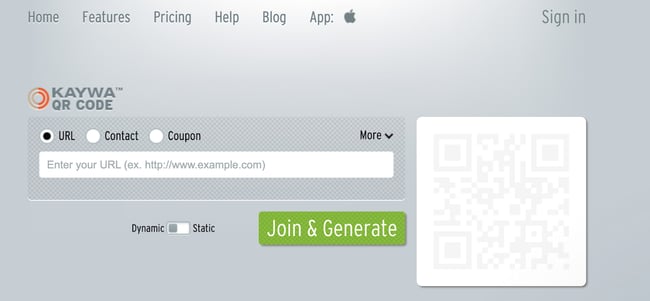
Kaywa is a simple, no-fuss QR code generator that creates basic codes for coupons, URLs, and contact information. Simply enter your information, choose whether you want a dynamic or static code, and generate it.
Why we like it:
If you’re using your QR code as part of a marketing campaign, you can track analytics through Kaywa when you create an account. That way, you’ll have the latest data on who engaged with your code, where they engaged, and when.
2. GOQR.me
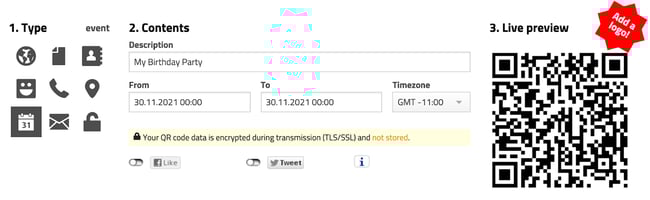
GOQR.me is a simple QR code generator that works best with short URLs, but it can be used to store text, geolocation, and event data. Simply click on the icon that corresponds to your data and fill in the fields.
Why we like it:
You’ll get a live preview of your QR code in real-time which speeds things up if you’re adding finishing touches to your marketing campaign. For an additional fee, you can also have your logo added to your QR code by a GOQR.me-affiliated designer for a custom look.
3. Free QR Code Generator by Shopify
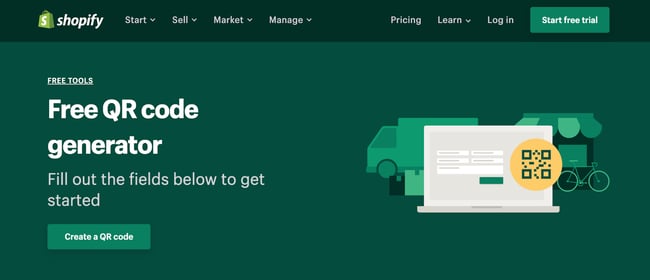
QR codes work best when you have something to offer the people who scan them. And chances are, you’re probably selling to people who buy products online with their phones every day.
Why we like it:
Shopify makes it easy to create a QR code in just one click. The best part is that you don’t have to own a Shopify store to use this free tool.
4. Visualead
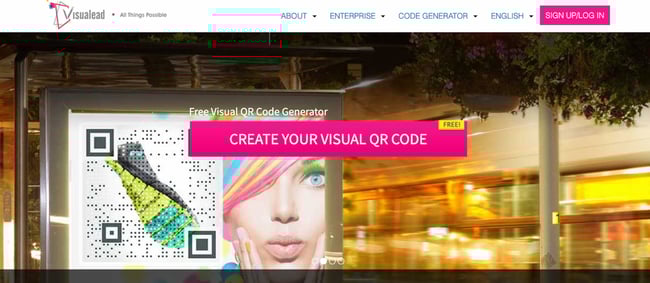
Looking for a one-of-a-kind QR code that suits your brand to a “T”? Visualead is the tool we recommend for the job.
Why we like it:
Visual QR codes are popular and can generate more interest in your users than a typical black and white code can. That means you could see more scans and engagement on this type of QR code.
5. The-qrcode-generator.com
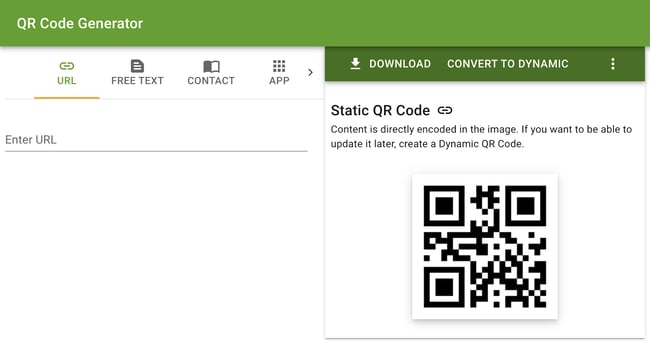
The-qrcode-generator.com features a simple UI that lets you create a unique QR code in minutes. Simply add your URL or the information you want to share and your QR code appears instantly.
Why we like it:
If you’re creating several QR codes at once, you might find it worthwhile to download the Google Chrome extension for a faster workflow.
6. QR Stuff
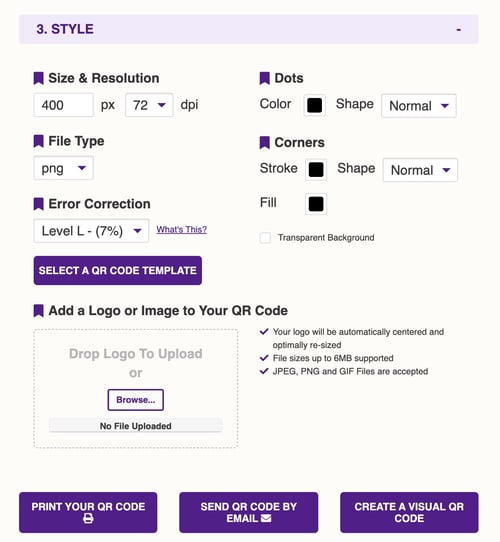
As one of the more robust QR code generators, QR Stuff can create codes for just about any type of data you want to share with the world. YouTube videos, Zoom meeting invitations, and even bitcoin information are supported through this tool.
Why we like it:
In just three steps, you’ll have a free, customizable QR code that will function properly and look great. Plus, there’s no limit to the number of codes you can create.
7. Qr-code-generator.com
We used this QR code generator in our how-to guide above, and for good reason. Qr-code-generator.com is a simple tool that’s user-friendly for even the least tech-savvy of us. Simply drop your link into the box, and let the generator do all the work.
Why we like it:
QR-code-generator.com is intuitive. It’ll automatically detect the type of URL you’ve added and produce a QR code in seconds.
8. QR Code Monkey
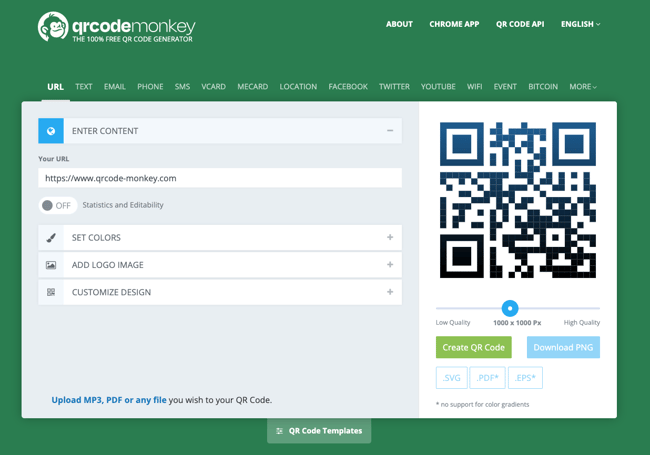
If the way your QR code looks is important to you, but you don’t want to pay extra for a custom design, try QR Code Monkey. Once you add your URL, you can change the color, add a logo, and further customize the pixels in your code at no cost.
Why we like it:
With QR Code Monkey, the design possibilities are virtually limitless. All you need to create a branded QR code is a creative eye and a little patience.
QR Code Best Practices
1. Sign up for an account on a QR code generator website.
One significant pitfall to making a QR code is that you can’t edit the data it contains once you print it. But by signing up for an account, you can edit this data. This is especially important if you expect to use a lot of QR codes in your marketing strategy.
With a free membership to QR code generators like qr-code-generator.com, you can print a dynamic QR code, scan it, and pull up an editable form where you can modify the data your visitors will receive when they scan the QR code themselves. You can also track performance analytics, which we’ll cover below, and create a new customized version of your code.
2. Customize your QR code.
QR codes can be boring to look at, but not if you customize them as much as possible. If you sign up for an account on a QR code generator website, you can customize your QR code further — adjusting the colors, adding a logo, creating social options, and more.
Keep in mind, however, that some customizations can make it more difficult for QR code scanning apps and smartphone cameras to properly read the code. To cover your bases, it’s a good idea to generate two versions of your QR code — one plain version and another with your preferred design.
Speaking of this…
3. Test the QR code to make sure it scans.
Don’t forget to check to see if the QR code reads correctly, and be sure to try more than one QR code reader. A good place to start is the free tool Google Lens, which takes a picture and then tells you what link or item it “reads to.”
Another great free tool is the app QR Code Reader, which automatically takes you to whatever it “reads.” Most smartphones these days include a built-in QR code reader, so you should test to make sure your code is readable there, as well.
4. Track and analyze performance.
Just like any marketing campaign, you should follow up on any collateral or campaigns using QR codes to see whether they’re actually working. How much traffic comes from each specific code? Are people scanning your code but not redeeming their offer once they get to the landing page? Or are they not even compelled enough to scan your QR code in the first place?
Knowing the answers to these questions will help you troubleshoot and adjust poorly performing QR codes to more closely mirror those that work well.
I recommend you include a UTM tracking code on your URL so you can better measure performance. This is particularly important if you use closed-loop marketing analytics or if you perform more in-depth reporting on your campaigns.
Create Your QR Code Today
Now it’s your turn! You’ve spent enough time scanning QR codes, why not make your own? Follow the steps in this article and use one of the free QR code generators we’ve recommended to put your business, project, or event out there in the real world.
Editor’s note: This post was originally published in January 2021 and has been updated for comprehensiveness.

.png)

New study shows monopolistic practices of Apple and Google app stores, claims ‘abuse of market power’

The Alliance of Digital India Foundation (ADIF) details monopolistic practices from Apple and Google app stores in a new study. The report, Towards Regulating App Stores, from ADIF and The Quantum Hub, mentions global regulatory actions targeting both tech giants control over the mobile app ecosystem.
The post New study shows monopolistic practices of Apple and Google app stores, claims ‘abuse of market power’ appeared first on 9to5Mac.
Apple Watch glass rumor revives flat-edge design for Series 8 or other models

Less than six months away from Apple introducing Apple Watch Series 8, this upcoming smartwatch is again rumored to feature a flat-edge design. After leakers and analysts supported that Apple Watch Series 7 would be the one to feature this new look, rumors are now pointing out to this year’s model.
The post Apple Watch glass rumor revives flat-edge design for Series 8 or other models appeared first on 9to5Mac.
Netflix customers canceling service increasingly includes long-term subscribers
Netflix lost 200,000 subscribers last quarter and potentially two million this current period, according to a note to shareholders from last month. Now, new research highlights that the number of long-standing subscribers canceling Netflix rose precipitously in the past few years.
The post Netflix customers canceling service increasingly includes long-term subscribers appeared first on 9to5Mac.
Apple launches updated professional training and certification for IT support and management
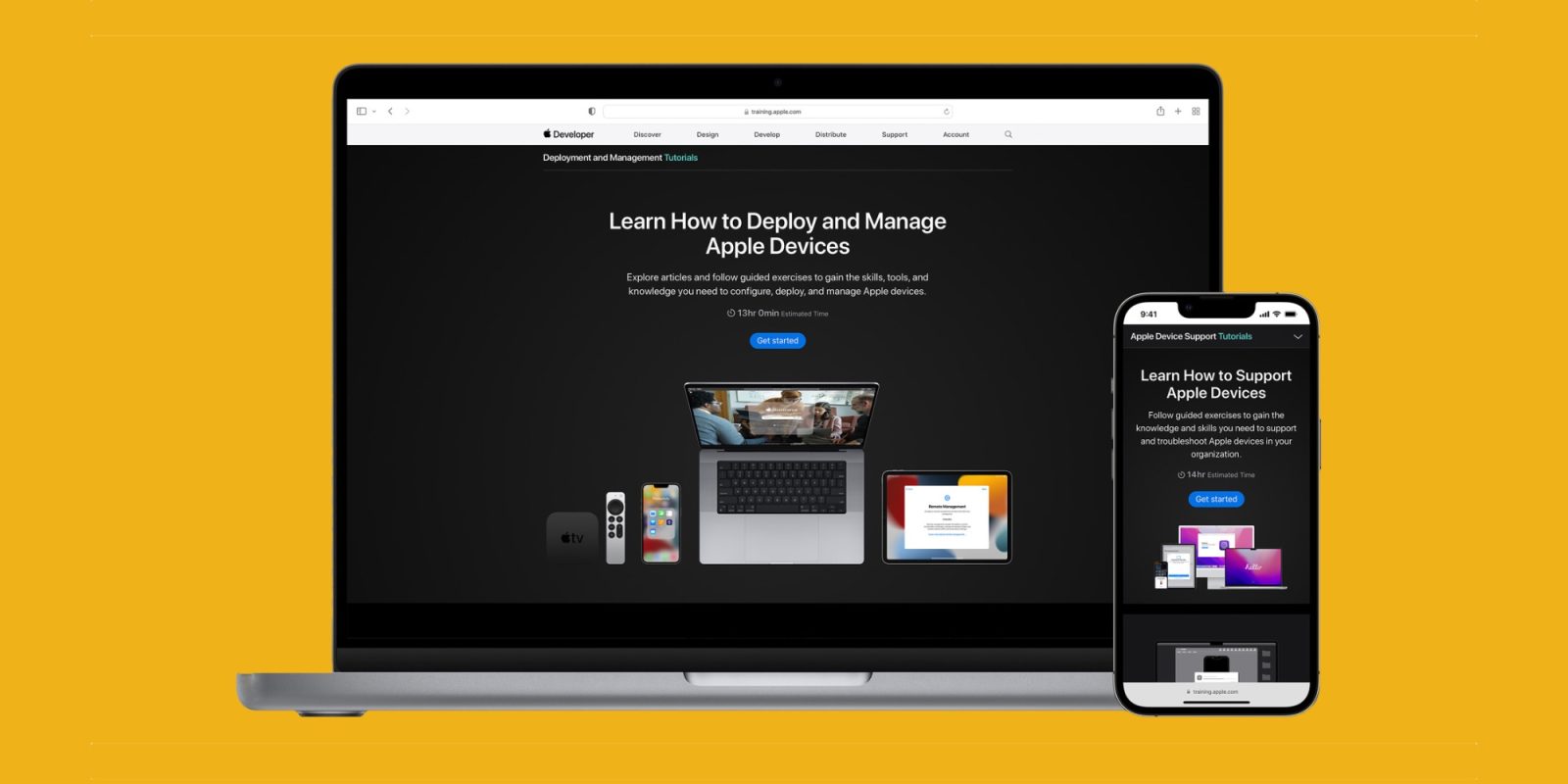
Today, Apple announced new online courses and certifications for Apple device support, deployment, and management to prepare workers for in-demand careers. According to a press release shared by the company this morning, demand for skilled support and technical staff within the enterprise is growing, with jobs in computer and information systems in particular projected to grow faster than the average for all occupations from 2020 to 2030.
The post Apple launches updated professional training and certification for IT support and management appeared first on 9to5Mac.
9to5Mac Daily: May 18, 2022 – iOS 16 beta expectations, more

Listen to a recap of the top stories of the day from 9to5Mac. 9to5Mac Daily is available on iTunes and Apple’s Podcasts app, Stitcher, TuneIn, Google Play, or through our dedicated RSS feed for Overcast and other podcast players.
Enjoy the podcast? Shop or check out our merch to support 9to5Mac Daily!
The post 9to5Mac Daily: May 18, 2022 – iOS 16 beta expectations, more appeared first on 9to5Mac.
Report: These are the airports with the fastest free Wi-Fi in the world, US tops the list

Ookla just published its list of airports with the fastest free Wi-Fi in the world during Q1 2022. The analysis focuses on Wi-Fi over mobile connections on free Wi-Fi provided by the individual airports and Wi-Fi at selected airport lounges. Four US airports top the list.
The post Report: These are the airports with the fastest free Wi-Fi in the world, US tops the list appeared first on 9to5Mac.
Celebrating HubSpot’s Third Annual World Certification Week
Last week, HubSpot wrapped up the third annual World Certification Week – a global virtual event where learners and peers from all around the world connected and grew by dedicating time to their professional development.
This community of people learned about a variety of industry topics, connected with fellow learners and thought leaders, and earned thousands of HubSpot certifications. HubSpot certifications are awarded year-round, but for one week, we donated $5 to education-focused organizations for every certification completed.
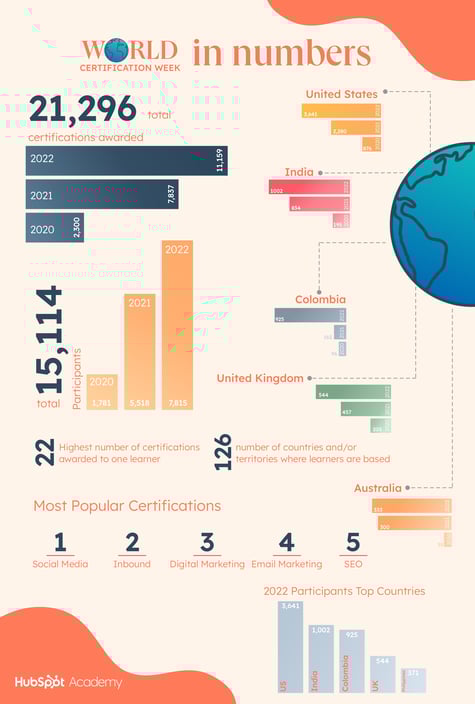
The first World Certification Day kicked off in 2020 when a team member bought a “certification day” web domain and we awarded over 2,300 certifications. This event has continued to grow each year, with over 7,800 certifications awarded in 2021 and 11,159 certifications in 2022.
We are lucky to bring people together to share in the sense of community, give back, and grow better. Thanks to you, we were able to donate $10,000 in 2020, $35,000 in 2021, and $50,000 in 2022.
In addition to learning and supporting a good cause, participants from around the world were dedicated to making World Certification Week fun. From learning together in groups and taking certifications live to friendly competitions and certification-inspired videos, participants got creative and made the World Certification Week their own.
World Certification Week Impact
We want to thank the 7,815 of you who took part in World Certification Week and completed 11,159 certifications.
By participating, you advanced your career and gained valuable knowledge while helping others. Your contributions will have a big impact on others as well.
This year’s World Certification Week donations are supporting the following organizations:
- Teach For All is a network of partner organizations that came together to develop collective leadership and to ensure children from all around the globe get the opportunity to fulfill their potential.
- Laboratoria’s mission is to create opportunities for women in Latin America by developing an inclusive and diverse digital economy.
- The Clontarf Foundation aspires to help young Aboriginal and Torres Strait Islander men to improve their education, discipline, life skills, and self-esteem and equip them with the tools to participate more meaningfully in society.
- The Halogen Foundation is a not-for-profit Institution of a Public Character (IPC) charity that aims to help young people reach their potential to influence and lead by becoming positive change agents.
What’s next?
We are already excited about what’s in store for WCW 2023 when more learners, companies, and agencies will take part in this initiative and extend the impact.
Until then, you can take HubSpot Academy courses any day of the year. From Inbound to Contextual Marketing, choose the courses that will help you excel in what you do and grow better. See you next year!

iOS 16 accessibility features likely to benefit everyone, argues Macworld
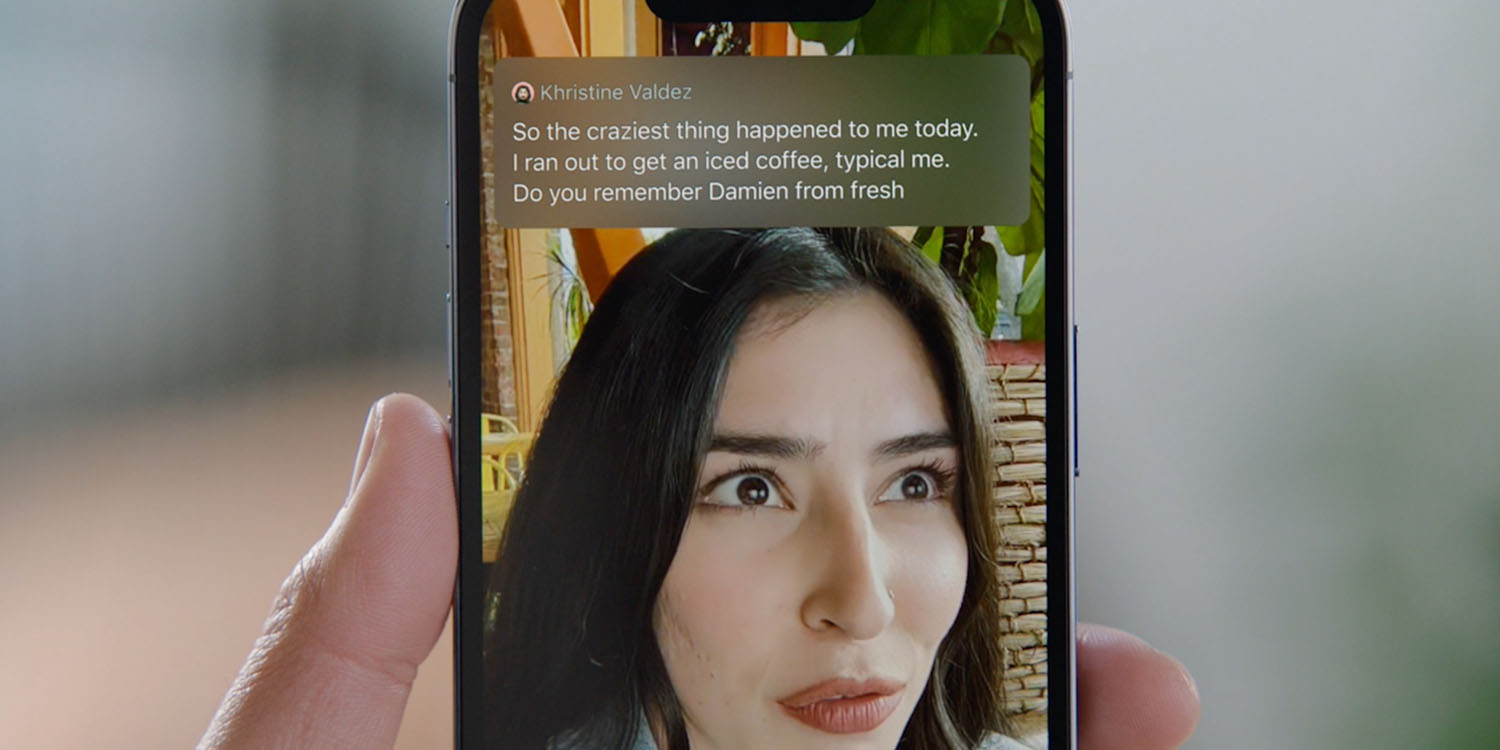
Apple yesterday previewed some iOS 16 accessibility features we can look forward to, including live captions, Apple Watch mirroring, and door detection.
It’s often been argued that accessibility features in general can benefit everyone, not just the target group, and Macworld argues that this is the case for all three of the above features …
The post iOS 16 accessibility features likely to benefit everyone, argues Macworld appeared first on 9to5Mac.
How Emergent Leadership Can Help Your Team Thrive
Think of every group project you’ve been in – whether in high school, college, internship, or other.
Often, someone would naturally take the reigns without being officially appointed as the leader – that’s called emergent leadership and it’s something you may want to leverage in your professional life.
![→ Click here to download leadership lessons from HubSpot founder, Dharmesh Shah [Free Guide].](https://no-cache.hubspot.com/cta/default/53/4e634041-e1ce-4a85-8e65-aea12fc10b84.png)
Learn the key characteristics of emergent leadership, examples of it in daily life, and the benefits of this approach.
Emergent leadership allows the right leader to be elected once they have demonstrated their potential in group settings. This will be someone who has earned the respect and trust of their colleagues and are able to inspire them.
Too often, companies bring in new leaders and there’s a big adjustment period. They may struggle with communication, understanding their teams’ values, establishing trust, or a number of key elements needed to propel a team forward.
This approach democratizes leadership by letting employees make key decisions regarding not only their leaders but also their projects. As a result, you can get employees who are more invested in the company and serve as its champion.
Promoting emergent leadership within your team is all about fostering an environment of collaboration and ownership. As a manager, you will serve as a resource while allowing your team to take the lead.
By creating this environment, your direct reports will feel comfortable bringing their full selves to work and take the lead whenever their skills align.
To recap, emergent leadership:
- Promotes ownership and independence over one’s work.
- Fosters a collaborative environment.
- Can create a more cohesive team.
- Prevents bottlenecks by empowering employees to be decision-makers.
Emergent Leadership Characteristics
Wondering how to identify a leader within your organization? Here are some key traits to look for.
Influential
A key characteristic of any leader is someone who is capable of impacting someone’s character and/or behavior.
Look for comments from team members like “X suggested this approach,” and “After speaking with X, I…” – Statements like these demonstrate the impact that someone has on other members of the team.
Reliable
If anything, a leader should be reliable as it’s key to building trust. It means you rely on that person to be consistent and dependable. Whether that’s in their work, communication, or another format.
How do your direct reports show up for others? Do they provide resources? Are they available to mentor? Do they follow through? If the answer’s “yes,” you’ve got a reliable person on your hands.
Inspiring
A great leader helps others feel they are capable of more. When you’re evaluating your staff, an emergent leader is someone who brings fresh ideas and perspectives, cheers others on, and is always striving to improve.
Collaborative
Emergent leadership can only happen in a collaborative environment. Look for people who celebrate new perspectives, create space for others, and invite knowledge exchanges.
Emergent Leadership Examples
The most popular example of emergent leadership comes from the famous medical TV drama, “Grey’s Anatomy.” In one episode, residents were tasked with solving a difficult case together. The goal was to help them work better together but also see who would naturally emerge as the leader of the group.
The most extroverted person in the group often seems like the obvious choice but that’s not always the answer. Just like in real life, the emergent leader in the show was the one who displayed an ability to listen, delegate, make decisions, and inspire confidence from others.
Now back to real life.
Photo app VSCO is one company that leverages emergent leadership to encourage brand champions in its own employees.
According to its former VP of People and Places, Katy Shields, the brand believes that giving up control early on in the company’s growth can help it self-correct in the face of adversity.
Back in 2015, Laszlo Bock, former SVP of People Operations at Google explained how Google tackled this.
He said, “What we realized…is that giving up power is just as important to leadership as seizing power.”
Assigned leadership is the straightforward approach most organizations take. However, emergent leadership could prove to be more effective.

M1 Ultra benchmarks with real-life usage tests: 40% to 100% faster than M1 Max
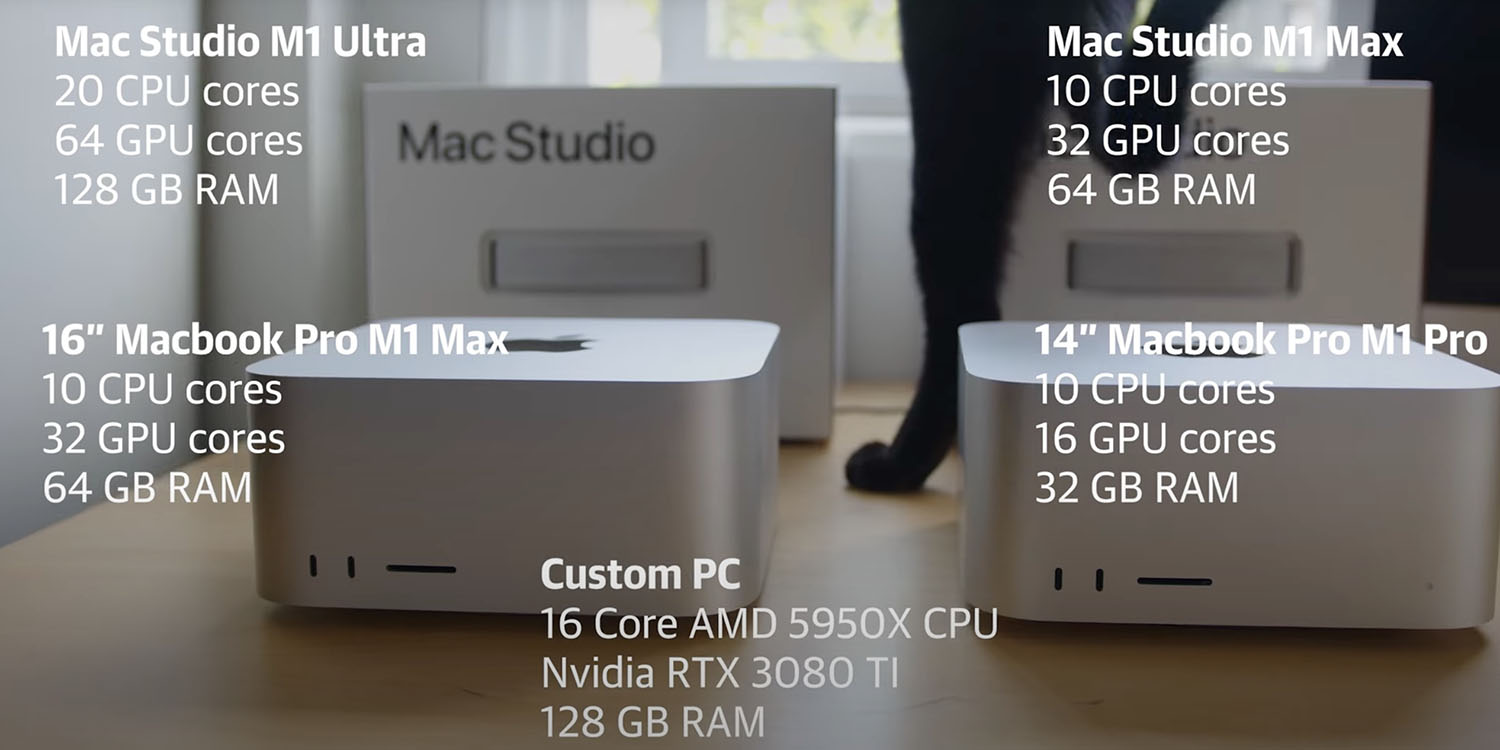
We didn’t have long to wait after the launch of the Mac Studio to see a bunch of M1 Ultra benchmarks. These ranged from comparisons to the 28-core Intel Mac Pro to a comprehensive set of tests by Macworld.
A new set of tests not only aims to see how the M1 Ultra and M1 Max compare in real-life usage, but also when performing tasks specifically suggested by pro app users …
The post M1 Ultra benchmarks with real-life usage tests: 40% to 100% faster than M1 Max appeared first on 9to5Mac.