Welcome to My Blog
The Best Time to Post on Social Media in 2022 [Data from 300+ Marketers]
Social media is one of the best ways to amplify your brand and the great content you’re creating. But it isn’t enough to just post content to social whenever you feel like it – posting at some times performs better than others.
![Download Now: Social Media Trends in 2022 [Free Report]](https://no-cache.hubspot.com/cta/default/53/3dc1dfd9-2cb4-4498-8c57-19dbb5671820.png)
So, what are the best times to post on each social media channel in 2022? We surveyed over 300 social media marketers in the United States and got the answer.
- The Best Times to Post on Social Media (Across All Industries)
- The Best Times to Post on Instagram
- The Best Times to Post on Facebook
- The Best Times to Post on Twitter
- The Best Times to Post on LinkedIn
- The Best Times to Post on Pinterest
- The Best Times to Post on TikTok
- The Best Times to Post on YouTube
- Creating an Effective Posting Schedule
Before we get into the specifics for each platform, it’s important to note that for our survey, we asked respondents to answer in their current time zone – with 38% of respondents located in the Eastern time zone. Keep this in mind as you review the information and see how that is applicable to your brand.
Best Time to Post on Instagram
In 2022, Instagram has surpassed 2 billion monthly users, with most of its base accessing the platform via mobile.
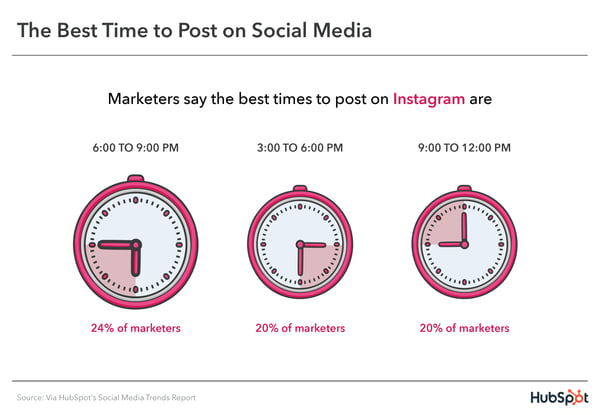
- On average, the best times to post on Instagram across industries are in the mid- to late afternoon, specifically between 6 and 9 p.m., 3 and 6 p.m., and 9 and 12 p.m.
- The best day to post on Instagram is Saturdays. The worst is on Mondays. However, when comparing B2C and B2B brands, the former report Saturdays as the best day while the latter say it’s Friday.
- The worst times to post are:
- 6 a.m. to 9 a.m.
- 9 p.m. to 12 a.m.
- 12 p.m. to 3 p.m.
One industry that reports a lot of success in the 12-3 p.m. time frame is manufacturing and materials, with 50% surveyed saying it’s the best time to post.
Best Time to Post on Facebook
When it comes to best times to post, marketers report almost identical numbers on Facebook as they do on Instagram.
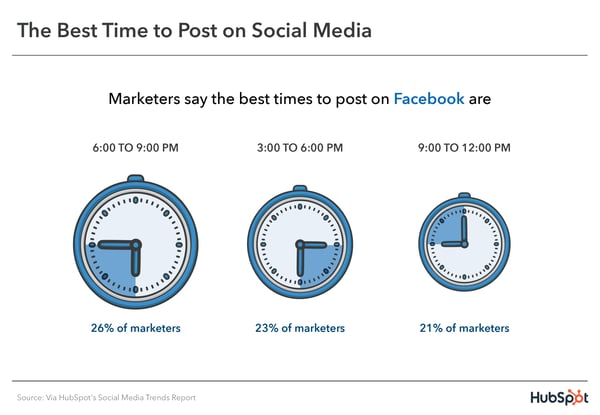
- On average, the best times to post on Facebook across industries are in the mid- to late afternoon, specifically between 6 and 9 p.m., 3 and 6 p.m., and 9 and 12 p.m.
- The best day to post on Instagram is Saturdays. The worst is on Mondays.
- The worst times to post are:
- 6 a.m. to 9 a.m.
- 9 p.m. to 12 a.m.
- 12 p.m. to 3 p.m.
Industries that have more success posting early morning are agriculture, food, and beverage brands, with 50% choosing 9 a.m. to 12 p.m. as the best time to post on Facebook. In addition, 100% of marketers surveyed from travel and hospitality brands also chose this time frame.
Best Time to Post on Twitter
This text-based social media platform is known to draw early morning users who use the app to get their news and night owls looking to share their late-night thoughts.
However, the data suggests that the best time to reach users is the afternoon, between noon and 9 p.m.
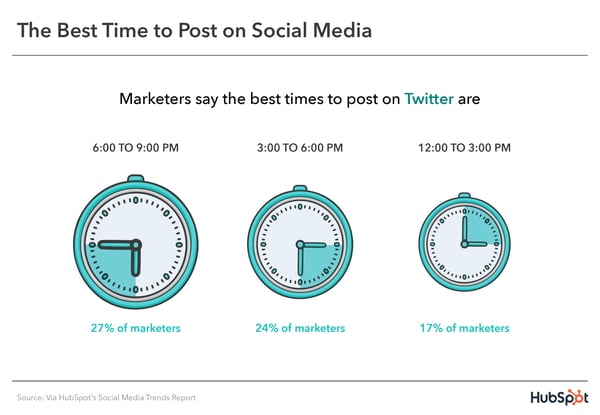
- 27% of marketers surveyed say 6 p.m. to 9 p.m. is the best time to post on the platform, followed by 3 p.m. to 6 p.m., then noon to 3 p.m.
- Unlike Instagram and Facebook, Friday is the best day to post on the platform.
- Worst times? Early morning. Specifically 6 a.m. to 12 p.m.
Best Time to Post on LinkedIn
Roughly 28% of U.S. adults use LinkedIn to network and share their professional endeavors. It’s no surprise that it’s the only social platform to report a weekday as one of the top days to post.
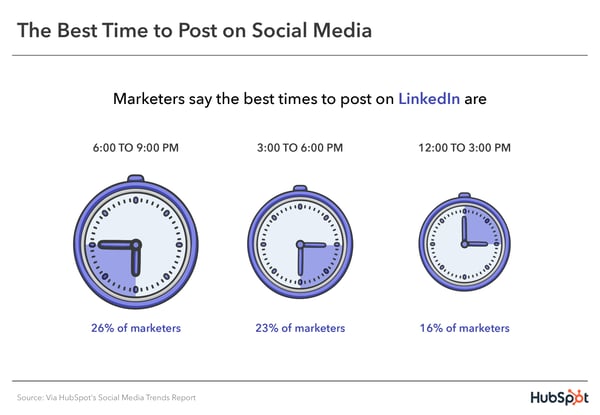
- Aim to post on LinkedIn between 6 – 9 p.m., 3 – 6 p.m., or 12 – 3 p.m.
- The best day to post is Saturdays, Sundays, and Wednesdays.
- The lowest-performing days are Mondays and Fridays.
Best Time to Post on Pinterest
- The best times to post on Pinterest are between 6 p.m. to 9 p.m.
- The second most popular time is noon to 3 p.m., selected by marketers surveyed in construction, financial services, agriculture, food and beverage, chemicals and metals, consumer product manufacturing, plus travel and hospitality.
- 22% of B2C brands say Sundays are the best days to post on Pinterest, compared to only 6% of B2B brands. Conversely, only 2% of B2C brands chose Mondays versus 13% of B2B brands.
Best Time to Post on YouTube
Over 80% of U.S. adults use YouTube and data from a 2021 Pew Research study suggests that its reach is growing. So, how can you get the best reach on the platform? Let’s dive in.
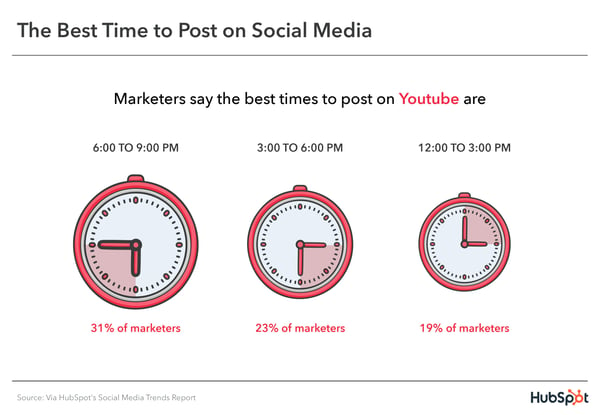
- Post between 6 p.m. and 9 p.m. (31%), 3 to 6 p.m., and noon to 3 p.m.
- 25% of marketers surveyed recommend posting on Saturdays while 23% say Friday is the best day to post.
- Monday through Wednesday are the worst days to post on the platform, along with early mornings from 6 a.m. to 9 a.m.
The most popular time frame for advertising/marketing, electronics, and financial services brands is 3 p.m. to 6 p.m.
Best Time to Post on TikTok
Since 2020, TikTok has become the go-to short-form video platform for Gen-Z and Millennial consumers.
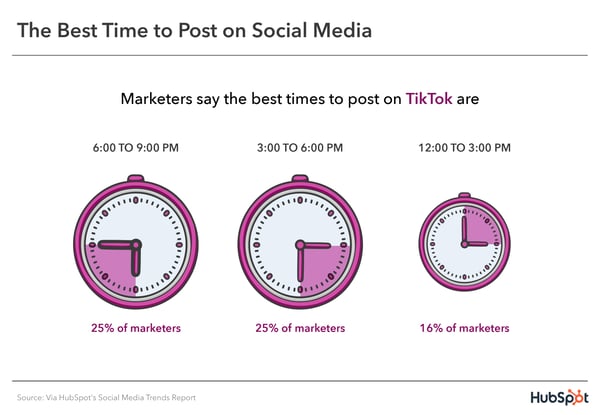
- The best times to post are 6 to 9 p.m., 3 to 6 p.m., and 12 to 3 p.m.
- For B2B brands, Saturdays and Thursdays are the best days to post. For B2C brands, it’s Saturdays and Sundays.
- Although transportation and financial services brands seem to find success in posting between 6 to 9 a.m., most marketers don’t recommend it.
- The worst day to post on TikTok is Tuesday, followed by Monday, then Thursday.
Creating an Effective Posting Schedule
Although each social network sees its engagement increase at specific hours and days of the week, you’ll still have to tailor your approach to your audience.
Use this data as a guide if you don’t have enough data yet. Once you start posting regularly and have collected data, review it to determine when your audience is most active on the platform and what posting schedule they respond to the most.
You may find that certain content types work better when posted at certain times. For instance, your videos may perform well when posting in the morning while your images may do better in the late afternoon.
Editor’s note: This post was originally published in 2017, but was updated for comprehensiveness.


How to Measure Social Media Marketing ROI [with Expert Advice]
When it comes to building effective social media ad campaigns, the biggest question isn’t “how much should I spend?”
It’s “for every dollar I spend, how much do I get back?”
In other words, it’s all about return on investment (ROI) — how are ad spending and customer conversion linked? Understanding this connection makes it less important how much you spend, and instead lets you focus on the impact of your social ads. In this piece, we’re taking a look at how to measure social media marketing ROI and offering a look at eight tools to help streamline the process.

ROI is a measure of spend versus value: If I spend “X” amount, how much do I get back? The best-case scenario is an ROI greater than one, where companies get back more than they spent on an investment.
Consider a manufacturing company buying a new piece of production line equipment that costs $10,000 but brings in $20,000 worth of revenue each year. The result is a positive ROI and a worthwhile investment. While measuring social media ROI isn’t quite as straightforward since companies need to account for the reach and impact of specific ad campaigns, the underlying concept is the same: Over time, the goal is to get back more than you spend.
While specific measurement timelines and media metrics will differ, the role of ROI remains the same.
How to Measure Social Media Marketing ROI
One of the most popular and data-driven ways to measure social media marketing ROI is through paid advertising. The problem arises, though, when there isn’t a sound strategy in place to yield a positive return on investment.
How does this happen? Typically, social media marketers build an AdWords campaign to rank for important search terms. The campaign drives clicks, traffic, and leads, but ultimately the ad spend outweighs the impact of the ads which is bad news for ROI.
These marketers end up learning a really expensive lesson, one that could be easily prevented by following these simple steps:
1. Develop a Budget.
Ads aren’t right for everyone. Some industries have extremely high competition with astronomical CPCs. Some products have too low of an average sales price for the economics to work.
To determine if ads are worth your time, start by building a budget. This isn’t always an easy task, especially considering the hit many marketing budgets have taken over the past two years. According to Tequia Burt, Editor in Chief of the LinkedIn Marketing Solutions Blog, market knowledge is a key component of this process. “As marketing leaders evaluate their budgets and organize their plans for the year ahead,” she says, “a bit of context and clarity can lend helpful structure.”
Consider that 76% of companies plan to boost spending across areas such as branded influencer content, ads in social media stories and ads in social media feeds. Knowing where and when this spending makes the most sense is critical to drive ROI.
Featured Resource: Budget Templates To Manage Your 2022 Spend
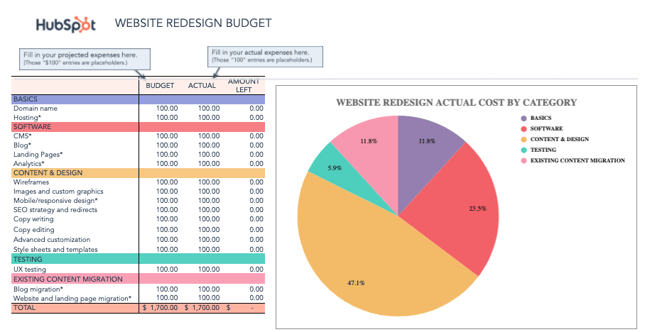
Download Free Marketing Budget Templates
2. Continually Evaluate Ad Performance.
Try not to look at ads as a shortcut. It’s possible to get to a place with ads where they become a recurring source of profit, but typically that’s not how things start.
Don’t be surprised when a week after your campaign launches your ads aren’t generating tons of profit. “Around 80% of businesses online feel that they deliver great assistance via social media, but only 8 percent of their customers agreed,” says John Kopanakis, professor of Business Intelligence at Hellenic Mediterranean University. “Despite putting in a lot of effort, many marketers hardly reach their targeted sales. It is because they struggle to measure the impact of their social media efforts on their sales.”
As a result, incremental improvements in clickthrough rates and conversion rates can have a huge impact on profit. Use the ads calculator to explore the impact these changes could have. Watch your ads like a hawk for the first month and you’ll avoid big mistakes.
3. Make Sure You’re Amplifying the Right Message
Ads act like a megaphone to amplify your marketing campaigns and content. The more complete and well-developed your campaigns are, the better your ads will perform.
As noted by Samuel Bu, Marketing Director at FortuneNote Chinese Business Magazine in a recent LinkedIn Pulse post, it’s also critical to find the right channel for your business. While he highlights LinkedIn as a great way to generate leads and calls out Facebook’s huge impact on the social market, he also highlights challenges with platforms such as Instagram. Why? Bu says “Most likely, Instagram falls short of producing strong ROI due to its more intangible metrics — such as brand awareness, reputation, loyalty, and consumer engagement.”
Think about it: Which ads do you think perform better? Those promoting your homepage or those promoting a remarkable piece of content that helps someone?
Bingo. Those promoting awesome content.
Campaigns that use ads should be treated like other campaigns. Establish your goals first, build great content, focus your message and optimize your landing pages, then figure out how ads can help amplify your message. Taking this combined approach and only using ads as a strategic component of your marketing campaigns will pay off.
How Much Should You Spend on Ads?
Assuming you’ve run the numbers and now know what you can expect in terms of profit and ROI, it’s time to launch a campaign. To do this you’ll have to make two budget decisions, regardless of where you are advertising:
- Total campaign budget or duration: How much do you plan to spend in total? How long will the ads run for? Be aware that if you don’t set a limit there will be no maximum or end date.
- Daily budget: How much do you want to spend a day?
There are two ways most marketers use ads, short-term and long-term. Let’s take a look at both …
Short-term ads. Budget = at least a few hundred dollars over a month.
When marketers use ads for a short-term goal, it’s usually to jump-start a campaign or boost content that needs a bump. These ad spends are generally smaller and shorter, but can be large.
If you have a few hundred dollars to spend, spend it this way. Create a social post that promotes a piece of content and then use your ads to boost the post. Facebook, Twitter, and LinkedIn all have good solutions for this. Make sure you use the social network that gives you the best targeting for your persona and returns the most valuable leads. Measure this by assessing the quality of the leads generated after the campaign.
Long-term ads. Budget = at least a few thousand dollars over a quarter.
Ads can be a great solution in a pinch but if you really want to use ads strategically build them into your overall marketing strategy. This means more consistent, quarterly ad spends.
Consider how potential customers make purchase decisions and use ads to influence them. This may mean always relying on search ads or retargeting to make sure prospects find you when they are ready to buy. You’re more likely to accumulate better data taking this approach, which will allow you to get more sophisticated in how you optimize your ad spend.
Given the quickly-changing nature of social media platforms and posts, it’s worth considering social media ROI tools to help stay on top of spend and revenue measurements. Here’s a look at eight great options.
1. HubSpot
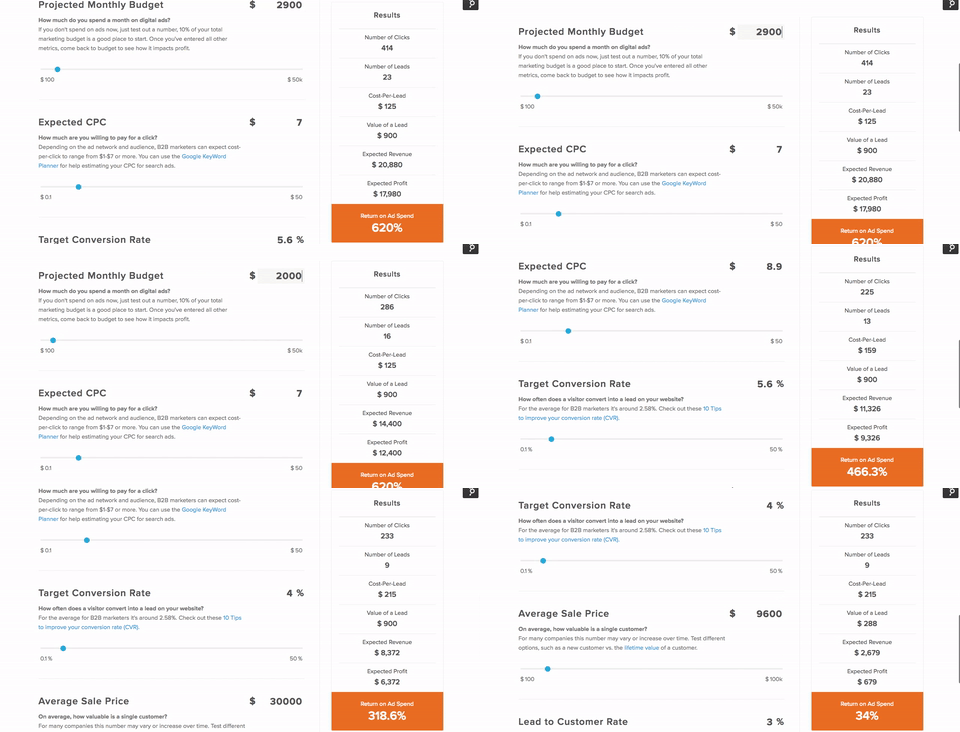
The HubSpot Advertising ROI Calculator makes it easy to narrow down when and where it’s worth spending on social ads.
Start by inputting your projected monthly budget, then your expected cost-per-click (CPC), target conversion rate, average sale price and lead to customer rate to get a general idea of your ROI on advertising spend. Use the calculator regularly to reevaluate your campaigns and make sure they’re delivering on key metrics.
2. Hootsuite
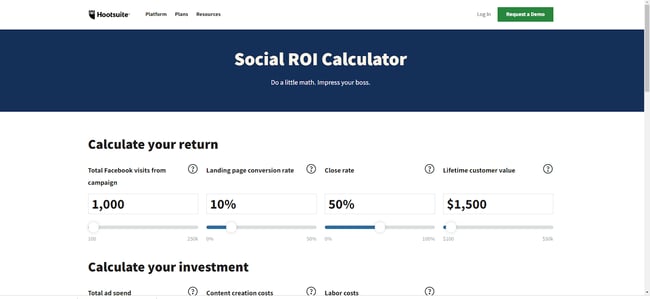
Hootsuite also offers a free Social ROI Calculator that lets you input ad spend data to determine potential ROI. While it uses slightly different metrics and has a different setup than the HubSpot version, the general function is the same: Input your data to see where it makes sense to spend on ads and where the return may not justify the investment.
While both offer a solid starting point for ROI, we’re naturally biased toward the HubSpot version.
3. Sprout Social
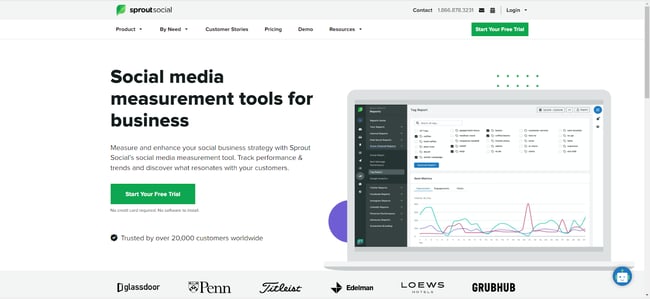
Next up is Sprout Social. Unlike HubSpot and Hootsuite, you’ll need to sign up for a free trial to access Sprout Social’s ROI calculator. After 30 days, it’s $99 per month if you want to keep using the tool.
Depending on your current ad campaign and ROI goals, however, the cost may be worth it. Sprout’s tool offers message-level insights to see which posts are proving their worth along with follower, engagement, and keyword analytics that cover the entire publishing process from draft to queue to posting.
4. Cyfe
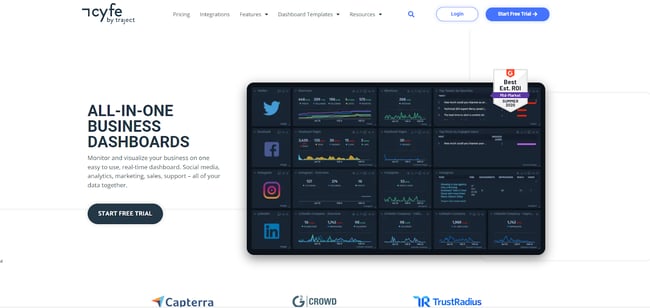
Cyfe provides a set of all-in-one business dashboards that provide insights across key social platforms such as Twitter, Facebook, Instagram, and LinkedIn. Easily monitor what ads are being posted, how they’re performing, and how users are interacting with your campaign efforts.
Cyfe comes with a 14-day free trial. After that, it’s $19 per month for two dashboards and one user.
5. Google Analytics
Google Analytics is familiar, free, and functional. While it doesn’t have the same laser-focus on social media as some other offerings on our list, it comes with the advantage of access to massive data sets, and also helps inform social advertising SEO, which is critical to any effective campaign.
To see how your social ads are performing at a high level, first log into your Google Analytics dashboard. From there, select Acquisition, then All Traffic, then Channels. This will bring up a list of your traffic sources, including those from social sites, in turn helping you get a general sense of how social ads are working to drive revenue.
Featured Resource: The Ultimate Google Ads PPC Kit
.png?width=300&name=Image%20Hackathon%20%E2%80%93%20Vertical%20(59).png)
6. Buffer
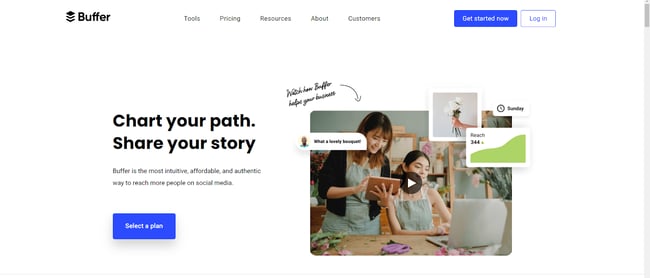
Buffer is an all-in-one social media marketing and ROI tool that’s designed to simplify the process of measuring and managing ads. The tool streamlines the creation of social ad content and lets you measure impact in just a few clicks to see what’s working, what isn’t, and what needs to improve.
If you’re just getting started with social media ads, Buffer has a free plan that lets you manage up to three channels with basic tools. From there, plans start at $5 per month for “Essentials”, $10 per month for “Team” and $100 per month for “Agency”.
7. Keyhole
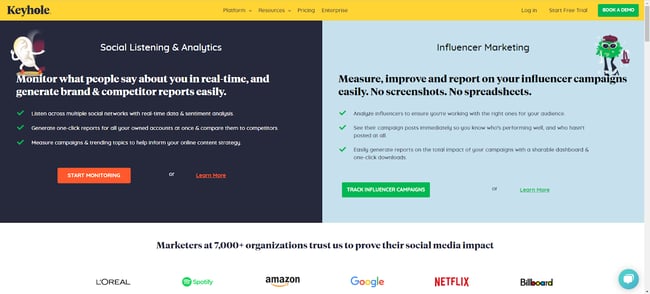
Keyhole lets you accomplish two key tasks: Listen to what people are saying about your brand in real-time and monitor the impact of your influencer marketing campaigns.
The first is critical because customer sentiment is a solid bellwether when it comes to ad effectiveness. If the number of people talking about your brand is going up — and if most of what they have to say is positive, you’re on the right track.
Influencer marketing reports, meanwhile, help keep tabs on influencer partners who exist outside your business ecosystem but offer potential benefits for your brand, as long as they’re posting consistently and in line with your messaging.
8. Social Mention
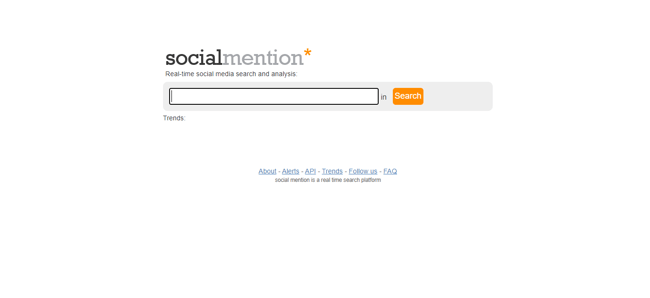
The simplest tool on our list, Social Mention lets you search any keyword or key phrase for recent social mentions.
In practice, companies can use Social Mention to see what’s currently trending and what opportunities exist to target specific keywords, and can then follow up after ads have gone live to see how campaigns are performing.
Getting the Biggest Social Impact for Your Spend
Bottom line? There’s no single way to spend your social marketing budget. Some companies may prefer to keep spending low and handle most of their ads through free platforms and word of mouth, while others are willing to spend top dollar for on-demand results.
Whatever budget you choose and whichever approach you take, however, there’s a common rule of thumb: Ask lots of questions about your ad spend, and make sure ads are performing as intended.
Why? Because even targeting the right market with the right approach, it’s easy to burn through money fast. Safeguard yourself by knowing what to expect, having clear expectations, and using the right tools to measure social ad ROI.
Editor’s note: This post was originally published in July 2016 and has been updated for comprehensiveness.


How Content Marketing & PR Combined Can Generate Leads
Public relations is the practice of creating mutually-beneficial relationships by providing relevant and timely information to an audience that already exists. Content marketing, meanwhile, is all about creating content that attracts and retains new audience members.
While these concepts may seem like opposite ends of the communication spectrum, combining content marketing and PR offers a new approach to lead generation for your organization.
![Download Now: The State of Media & Content Planning in 2022 [Free Data Report]](https://no-cache.hubspot.com/cta/default/53/de152c7c-795e-486a-aa66-d6985ffbc1cf.png)
Current Challenges in Lead Generation
Customer acquisition costs (CAC) are on the rise. About 60% of marketers say that their CAC has increased over the past three years, making it more important than ever for companies to both identify potential leads and increase the chances that these leads are quickly converted into paying customers.
Content marketing excels at the second part of this equation. As a result, companies are earmarking more of their marketing budgets for content-based campaigns; as noted by the Marketing Insider Group, the most successful companies now spend up to 40% of their total marketing budget on content-driven campaigns. PR budgets are also growing as companies look to keep existing connections strong — in the U.S. alone, businesses now spend more than 6 billion per year on public relations efforts.
The result? Spending to keep current customers and drive conversions is on the rise. However, for many companies, lead generation is hampered by content nets that are too wide to capture the ideal audience, and PR approaches that focus too much on maintaining the status quo.
On its own, PR is designed to keep current audiences interested and disseminate key information about business operations to relevant news and industry outlets.
By integrating techniques that content marketers use to drive engagement (quizzes, questionnaires or user generated content), it’s possible for PR teams to generate new leads that have existing connections with current audiences in order to capture more of the target market.
How Content Marketing and PR can Work Together
PR and content marketing are two sides of the same coin. Both focus on creating and communicating valuable information — just for two different audiences.
When it comes to PR, the goal is to educate existing audiences, such as loyal customers, stakeholders, and social media followers, about topics of interest. Assets created by public relations teams — such as press releases, white papers, or eBooks — are often posted on news sites or shared with industry publications to reach an audience that’s already listening.
Content marketing teams, meanwhile, focus on consistently creating high-value content that’s both timely and relevant and then sharing this content in hopes of generating new customer interest and expanding the overall audience. Content marketing teams are often responsible for email campaigns that encourage users to click through on new products or download reports; they may also create newsletters and social media posts and coordinate marketing partnerships such as those with social media influencers.
Combining these two approaches makes it possible to find and generate leads that are likely to become loyal customers.
Not sure where to get started with lead generation under a content marketing/PR model? We’ve got you covered with seven strategy options.
1. Find new channels
News travels fast. So fast, in fact, that even digital news outlets often can’t keep up. For businesses, this means that it remains important to submit PR pieces to familiar news sources and industry publications. It’s also worth finding accounts on Facebook, Twitter, and LinkedIn that offer similar news coverage at speed.
By using a combination of familiar and fast-moving options for content distribution, companies can increase their reach and their impact.
2. Combine science and art
While PR’s focus has long been on written content— press releases and white papers that contain the science of data collection and statistical interpretation — there’s a growing demand for visual content that offers a lower bar to entry.
The result? Marrying the in-depth content created by PR teams with more broadly-applicable infographic art developed by content marketing experts will help your content reach the widest audience possible.
3. Repurpose content
When it comes to content marketing and PR combined, there’s nothing wrong with copying yourself, so long as you do it the right way.
Here’s what it looks like in practice: You create a white paper or eBook about a new product, then repurpose this content to create multiple, shorter blog posts. The result? You capture both PR and content markets with similar — but not identical — content.
4. Talk up your accomplishments
Don’t be shy about awards you’ve won or honors you’ve received. Often listed on press releases, companies may be reluctant to mention awards in content marketing efforts for fear of veering too far away from social conversation into sales.
In reality, it’s worth highlighting what you’re good at, both on your website and in any content marketing campaign efforts. While there’s a balance to strike here between self-love and self-awareness, the evolving nature of consumer expectations has customers seeking out brands who have the credentials to back up big claims.
5. Create a reciprocal content framework
Your content doesn’t exist in a vacuum. Consider a white paper used by PR teams and then reposted as a blog and social media link by content marketers. If content teams can prompt engagement from potential customers, such as giving feedback or leaving comments, this can help inform the focus of the next piece of PR content, which in turn gives rise to the next content campaign.
6. Lean on established connections
Both what you know and who you know matters in marketing. It’s worth leveraging PR connections to help drive content strategies. These could be social media influencers, industry experts, or even long-term customers who are willing to share your content.
For influencers, this could mean an ongoing freelancer arrangement that requires a specific number of posts. For long-term clients, discounts or other offers could pave the way for content sharing.
7. Keep communications open
Last but never least in the fast-moving world of consumer purchasing trends? PR and content marketing teams need to stay in constant communication. This both reduces the risk of redundant or outdated content making it to news outlets or onto social media sites and helps ensure that new campaigns are coordinated for maximum effect.
Examples of Content Marketing and PR Lead Generation Strategies
So what does this combination of PR and content marketing look like in practice? Let’s take a look at four real-world examples.
1. Wells Fargo
PR is about digging into the details, while content marketing focuses on the outcome. Both work in favor of Wells Fargo, which donates up to 1.5% of its total revenue to charitable causes every year.
As a press release this is good information, but as part of a larger content marketing campaign, especially during the covid-19 pandemic, it’s a great way for the company to show themselves doing some good and connect with new customers.
2. Ford
Ford is focusing on sustainability and has committed $22 billion for vehicle electrification efforts to help achieve carbon neutrality by 2050. It’s an ambitious goal with a substantial timeline — but it also fits neatly with the current public focus on green initiatives.
By creating a narrative around this sustainable approach, Ford has the potential to reach environmentally-conscious consumers who would have otherwise avoided the popular vehicle maker.
3. Google
Google is also committed to energy reduction but has had more impact on the social side of corporate social responsibility (CSR) thanks to its outspoken CEO, Sundar Pichai, who is willing to engage both industry and world leaders in areas of social responsibility and equality.
As a result, Google is not only able to leverage its massive data resources to deliver relevant PR statistics but can back it up with socially-conscious action that makes for compelling content.
4. Netflix
Streaming giant Netflix offers paid parental leave for parents — most take between four and eight months but they can take up to a year — putting them well ahead of most corporations.
While the parental leave itself is a great talking point, combining information about this program with details about the ongoing success of the company at scale creates a great content narrative, one that could pay significant dividends over time as companies grapple with the ongoing impact of The Great Resignation.
PR and Content Marketing: Making the Most of this Dynamic Duo
PR and content marketing together can bring lead generation opportunities to the table. Public relations offers relevant information for interested parties to help create reciprocal relationships, while content marketing makes it possible to streamline the process of lead-to-customer conversion.
By combining forces, these disparate delivery methods become a dynamic duo, capable of generating leads that are more likely to convert — and more likely to share their experiences with other potential customers.
Want to make the most of this practical pairing? Use PR to establish and reinforce relationships with industry insiders and influencers, then lean on their connections to distribute purpose-built content that helps generate high-quality leads across your target audience.
Editor’s note: This post was originally published in February 2010 and has been updated for comprehensiveness.


How To Create An Infographic In Powerpoint [+Free Templates]
It can be intimidating to create your own infographic when you don’t have a design background. You could always commission an agency or hire a designer — but that can get pricey fast. To create professional-looking infographics and captivate your audience, you can benefit from learning how to create your own infographics in PowerPoint.
PowerPoint can be a marketer’s best friend when it comes to visual content creation. In fact, Infographics are the fourth most used type of content marketing. And it’s plain to see why, marketers who align the topic, content, and style of their infographics with the needs and preferences of their target audiences are still finding success among their audience.

So you may be thinking, where do I start? We’ll guide you through how to create your own infographics and even give you examples of different types you can work with using our 15 fabulous infographic templates for free within PowerPoint.
For better comprehension, we’ll walk through how to make a simple timeline infographic in PowerPoint.
1. In the Design Tab, adjust the Slide Size to best fit your infographic.
To begin making an infographic from scratch, you have to readjust the size of the PowerPoint Slide to give you more space to work with.
Begin by opening a new PowerPoint, in the top navigation bar, click on Design and select Slide Size.
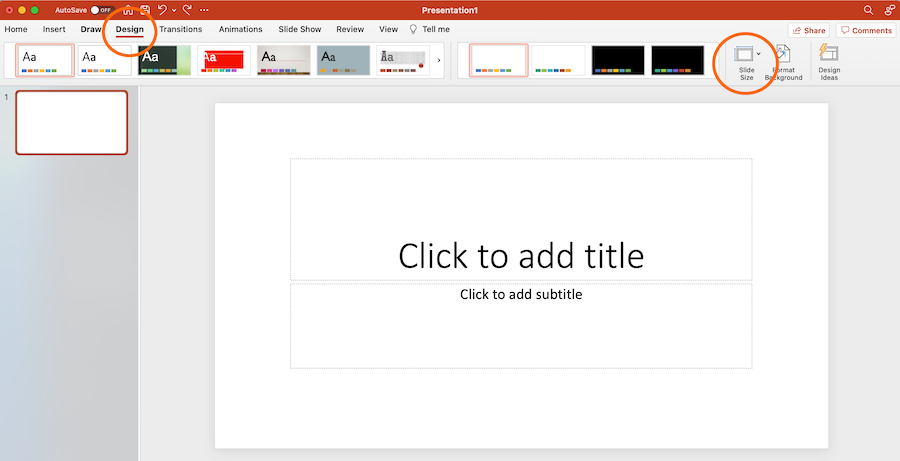
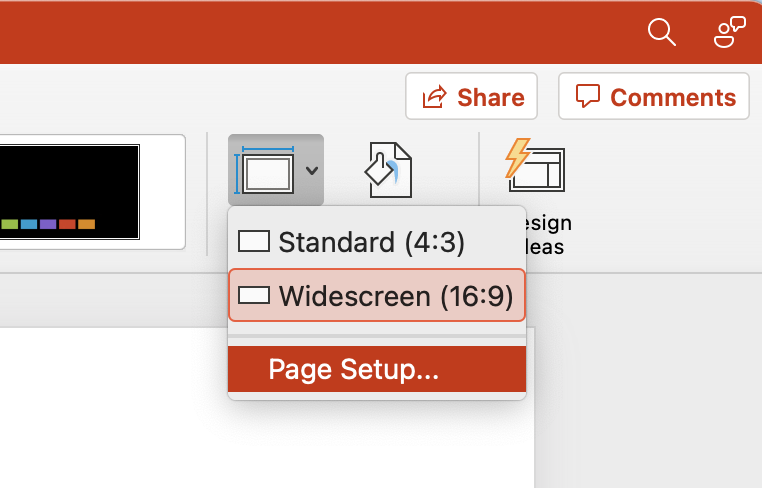
Then in the drop-down menu, select either one of the predetermined sizes or click Page Setup.
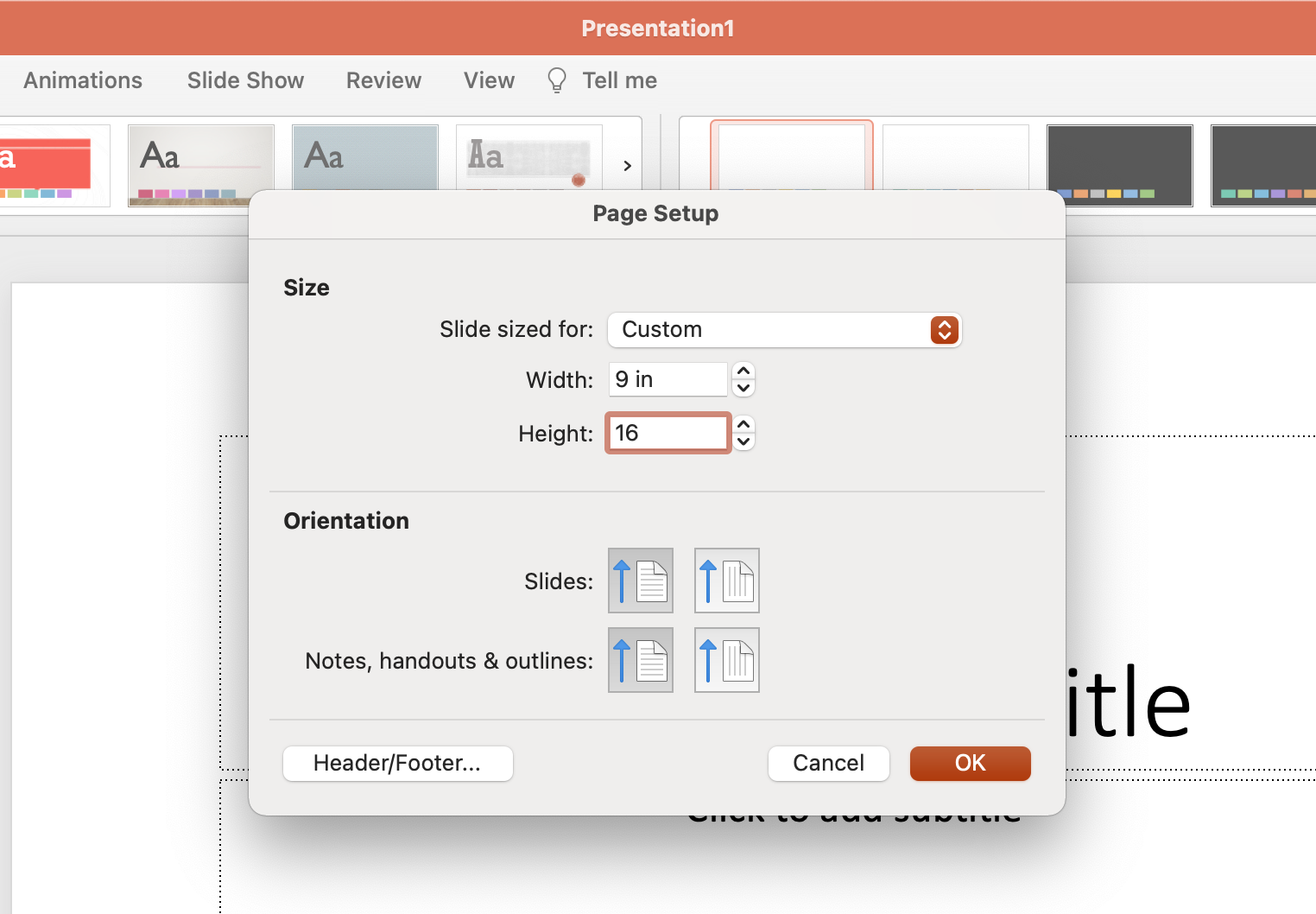
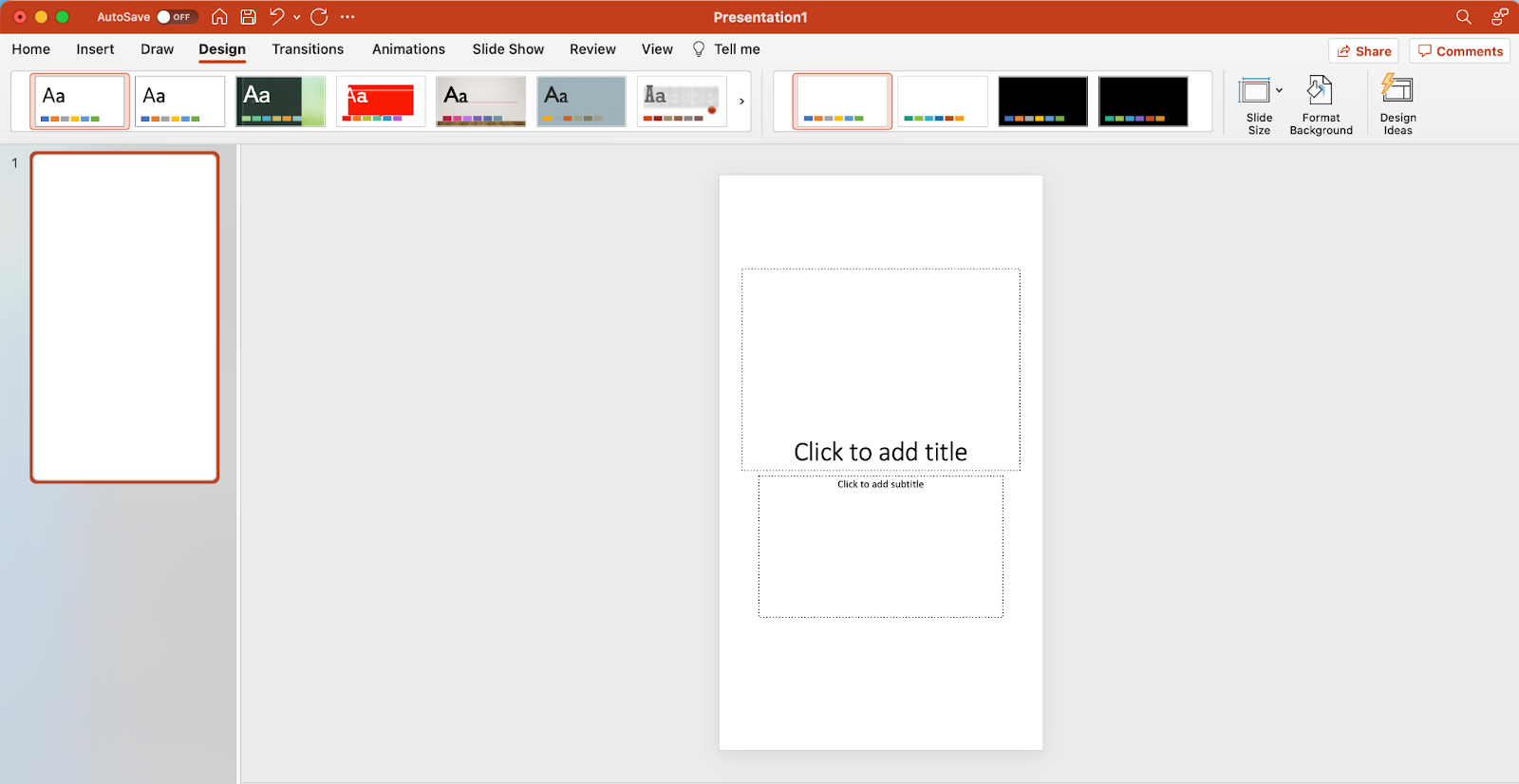
Input your preferred width and height dimensions and click OK.
2. Select SmartArt from the PowerPoint navigation bar.
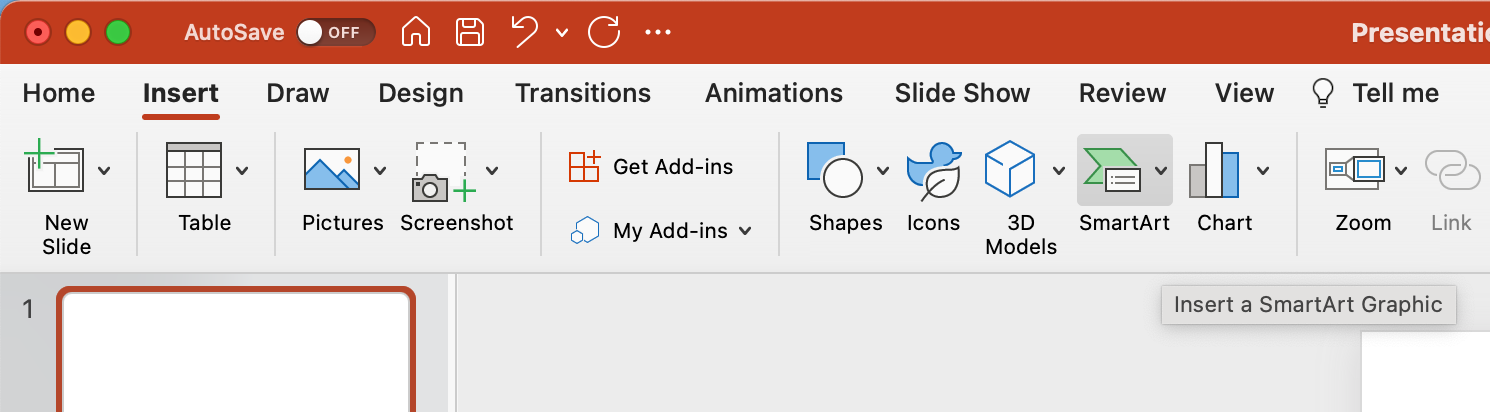
To make a timeline graphic in PowerPoint, suitable for any infographic, open PowerPoint and click Insert from the top navigation bar, then select the SmartArt icon beneath the navigation bar, where you’ll find several categories of graphics to choose from.
3. Find a graphic that fits your data from the Process or Picture menu.
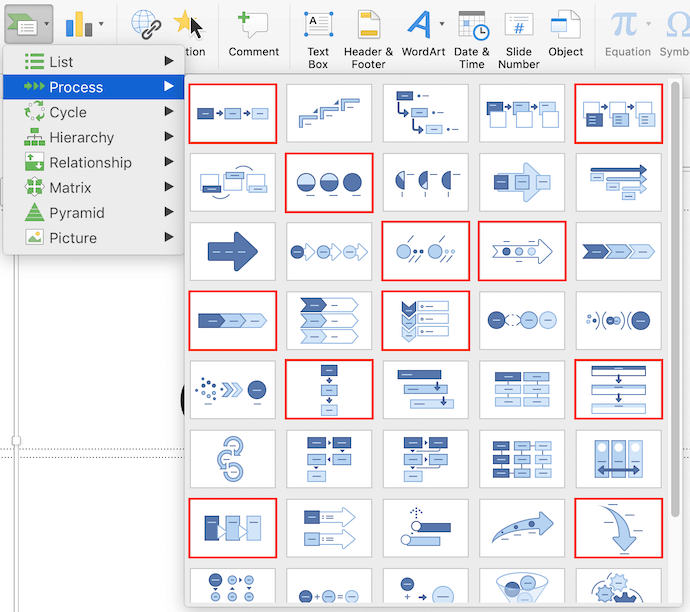
There are two categories of graphics that make effective timelines. The first is the Process category. Click this option to expand the graphics menu shown below.
Creating Graphics for Timelines
If you’re working to create a timeline infographic, we’ve highlighted in red a few of the most fitting timeline-related graphics.
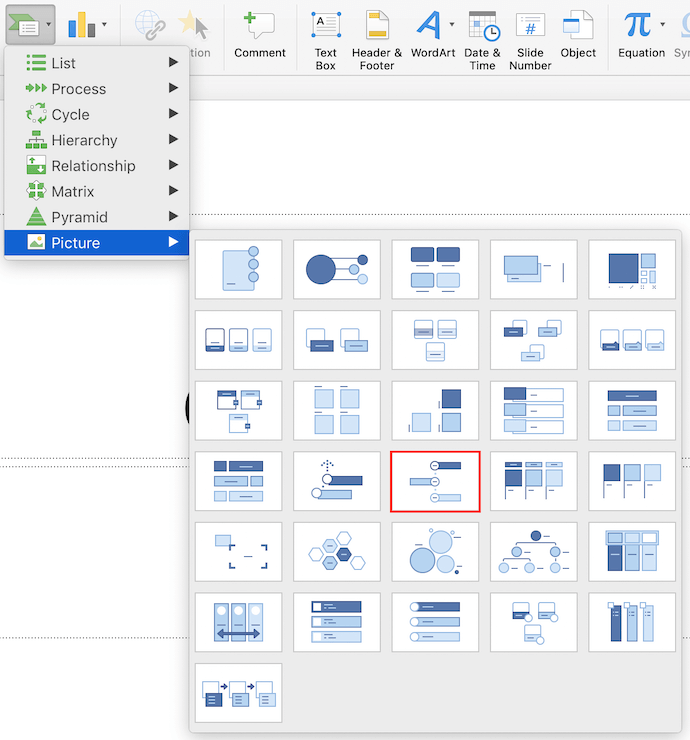
Aside from the Process menu of graphics, you’ll also find a viable timeline graphic in the Picture category. Select this category and you’ll find the Alternating Picture Circles option near the center of the graphics menu. We’ve highlighted it in red, below.
4. Add or remove data points, time stamps, or other key information.
For the sake of these instructions, we’ll use the Alternating Picture Circles graphic from the Picture menu. Once you’ve inserted this graphic into your first PowerPoint slide, you can add or remove circular icons to match the types of data and inputs you’re presenting.
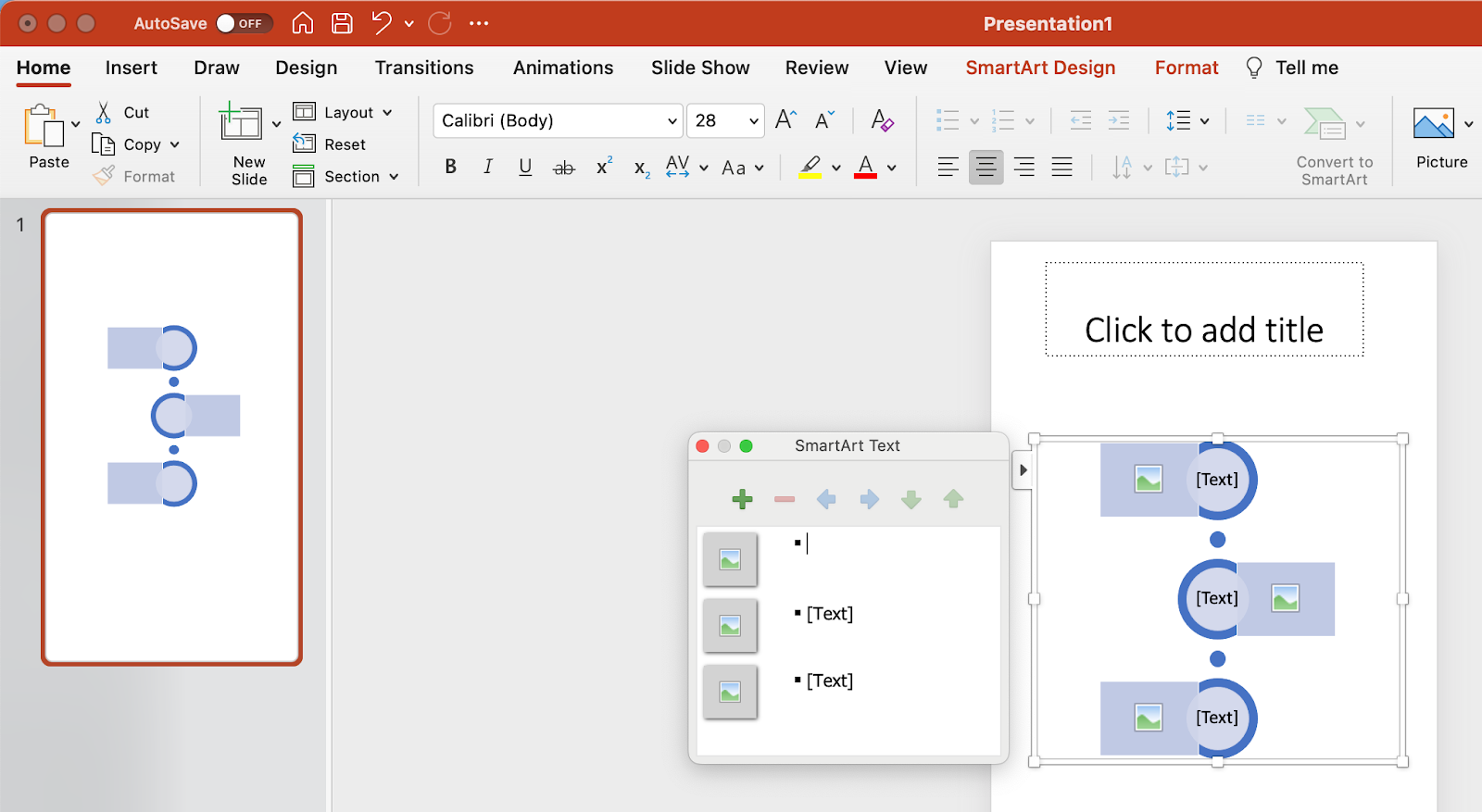
5. Insert your data into the graphic.
At this point, the size of your timeline graphic should match the amount of data you have. Begin to fill your timeline with the information you plan to report on using this timeline and explore PowerPoint’s excellent drag and drop features to help arrange graphics as necessary.
6. Edit the text and imagery of your SmartArt graphic.
As with the other graphics available in PowerPoint’s SmartArt, you can edit the text and the images associated with your timeline to your liking. As you can see below, we’ve edited the years and the images to better represent what happened at each point in time.
To insert images into your timeline graphic, right-click the square landscape icon, select a graphic From File and upload an image from your computer onto your PowerPoint slide.
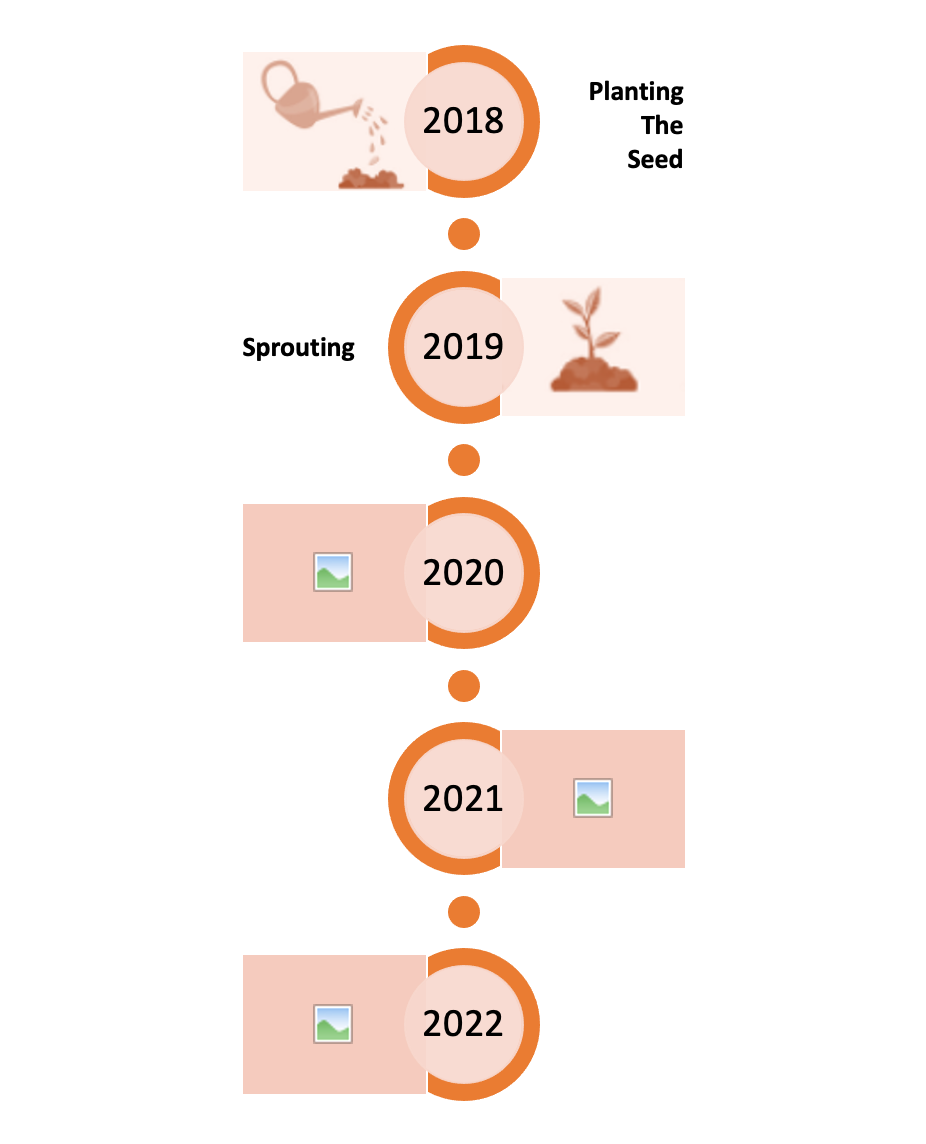
To tell your story you can update the time periods in the center circles, replace the placeholder text, and adjust the visuals and colors to your liking. For those latter adjustments, you can choose Insert > Shape in PowerPoint to add in different visuals and use the paint bucket (a.k.a. Color Fill) icon to change the colors of different elements.
You can choose to create the infographic of your liking, adding background colors, more imagery, or other visual elements as you please, but for the sake of guiding you through the basic way to create your own infographic, the example stops here.
But if you’re looking for something more convenient, you can download some of our infographic templates that open directly in PowerPoint so you can get to creating faster.
PowerPoint Infographic Examples
1. Data-Centric Infographic Example
Infographics and data visualization are the peanut butter and jelly of the visual content world.
When you have new data to reveal to the world, you can use an infographic to display that data as part of a cohesive, visual narrative. And that’s exactly what the Data Geek template is for.

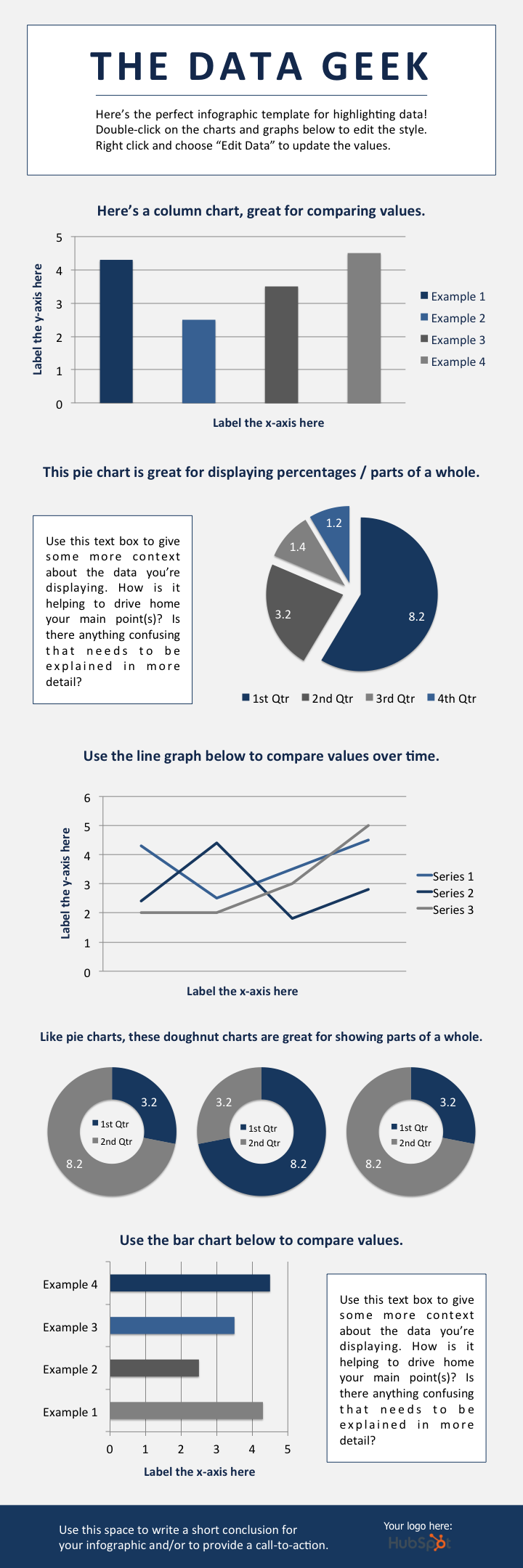
We’ve loaded this template with a variety of different charts and graphs, which you can easily update with your own data. (Just right-click on a graph, choose Edit Data, and you’ll be able to customize the values in an Excel spreadsheet.)
What to Add to a Data-Centric Infographic
- Column chart: Use for comparing different categories or for showing changes over time (from left to right).
- Pie chart: Use for making part-to-whole comparisons. (Note: They work best with small data sets.)
- Line graph: Use for showing data that changes continuously over time. Ideal for displaying volatility, trends, acceleration, or deceleration.
- Doughnut chart: Use a pie chart. This stylistic variation allows you to put a number, graphic, or other visual in the center of the chart.
- Bar chart: Use a column chart. (The horizontal bars make it easier to display long category names.)
2. Timeline Infographic
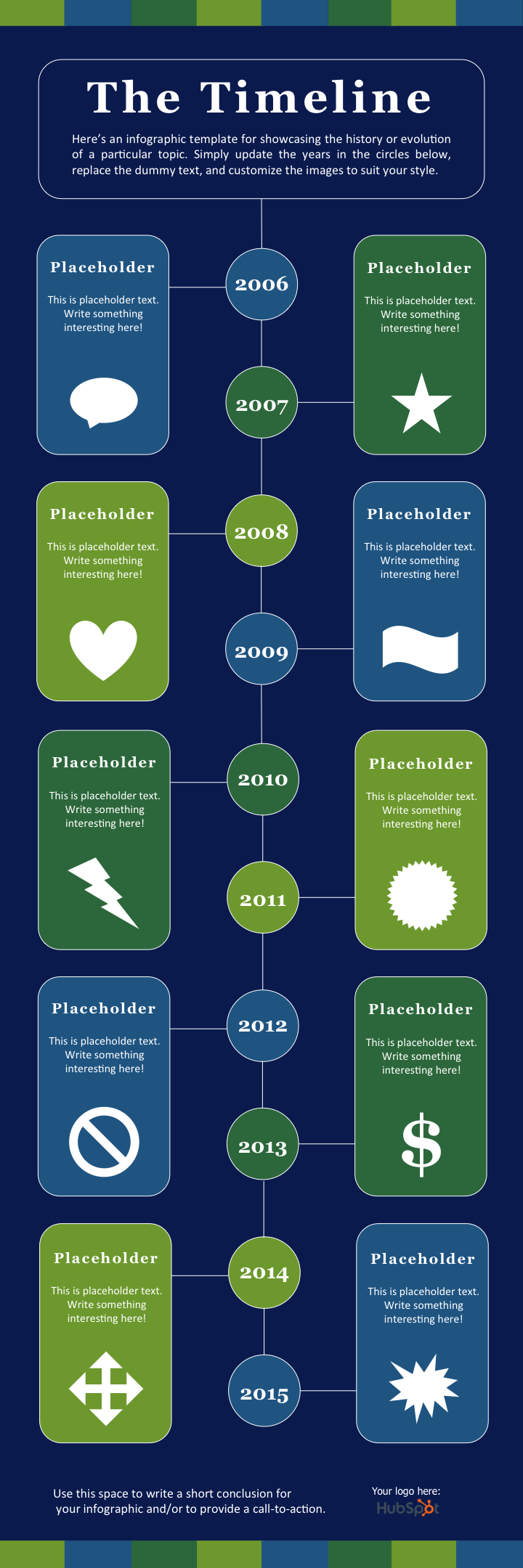
Telling the history of a particular industry, product, brand, trend, or tactic can be a great topic for an infographic. And while there are a variety of different ways that you can visualize time — including in a circle, which is what we did with our Google algorithm updates infographic — the timeline is by far the most common and easiest design method to use.

Timeline Infographic Best Practices
- Research. Research. Research. The best timeline infographics aren’t just beautifully designed — they also tell a great story based on extensive research. So before you start the design phase of your infographic, put in the time to surface the best information possible.
- Narrow the scope: Timelines that cover hundreds or thousands of years can certainly be interesting, but they can also require weeks or months of research. To keep your sanity, stick with shorter time periods.
- Keep your copy concise: Infographics are supposed to be visual. If you find yourself writing 100+ words for each date on your timeline, a blog post may be the better content format.
3. Modern Design Infographic
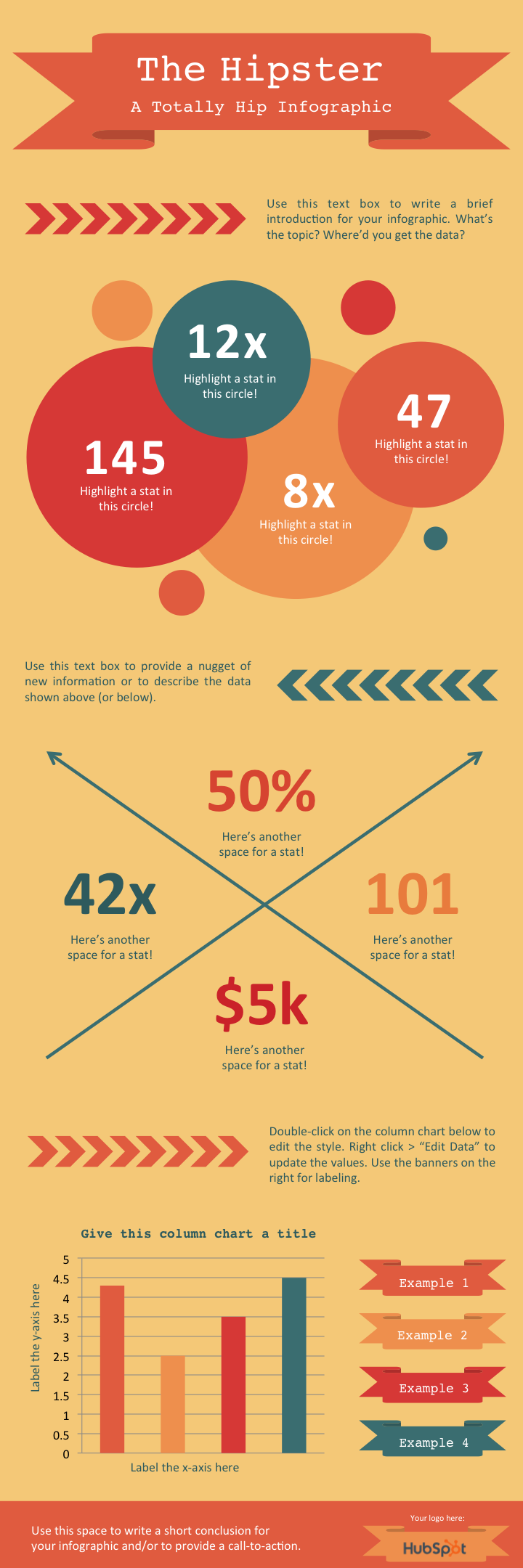
For this infographic template, we wanted to do something that reflected modern design trends, including using banners and arrows.
In terms of content, we provided plenty of space for both stats and copy. There’s also a column chart at the bottom. But remember, you can always add different charts and graphs to the template wherever you see fit. Just select Insert > Chart … and you’ll have several options to choose from.

Modern Design Infographic Best Practices
- Experiment with new color palettes. There are tons of free color palettes online. Don’t believe me? Do a Google image search of “Color Palette”. When you find a palette you like, drag the image directly into your PowerPoint presentation. Next, select the Color Fill bucket, choose More Colors … and click on the eyedropper icon. With the eyedropper tool, you can select colors from your palette and use them for elements in your infographic.
Take the time to manipulate shapes. PowerPoint has an extensive library of shapes — including banners, ribbons, and arrows — that you can use in your infographic design. By clicking and dragging on the little yellow diamonds that appear on these shapes, you can customize them. For example, you can make the pointy ends of a ribbon longer or shorter, or make the body of an arrow thinner or thicker.
4. Flowchart Infographic
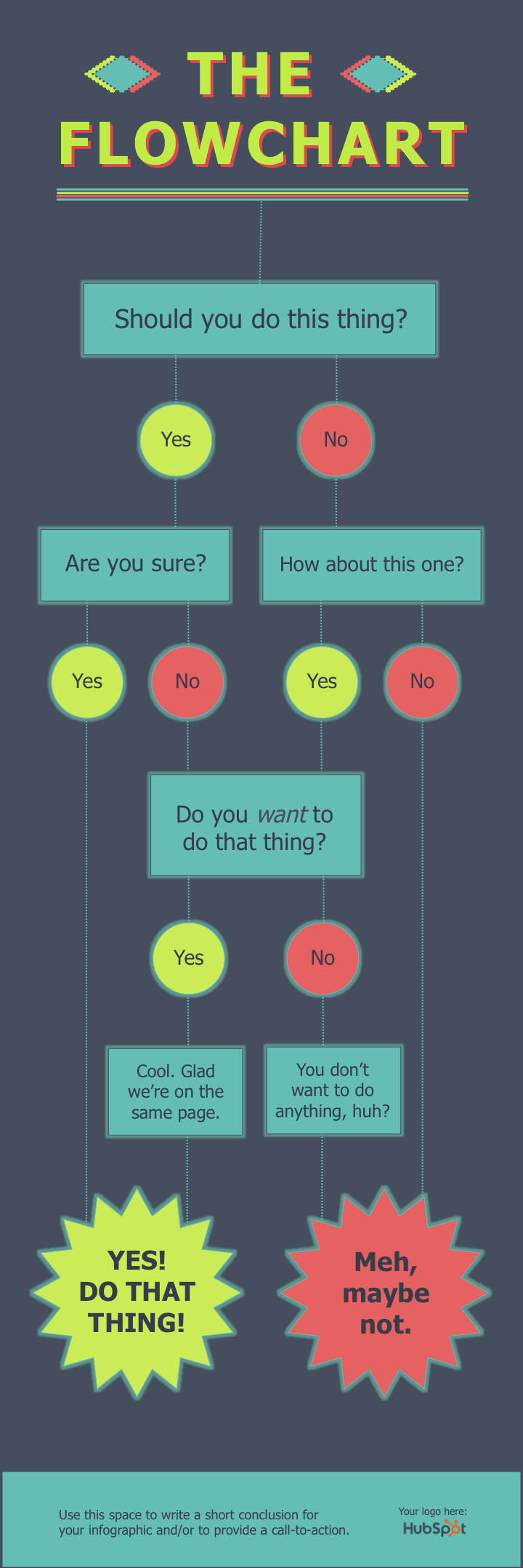
While on the surface a flowchart infographic may appear simple and fun, a lot of thought and planning needs to go into making sure the different sections logically flow into each other.
In our flowchart PowerPoint template, we created a basic flowchart structure, with positive responses guiding viewers to a conclusion at the bottom left of the infographic and negative responses guiding viewers to a separate conclusion at the bottom right of the infographic.

Flowchart Infographic Best Practices
- Draw out the branches beforehand. Before you dive into PowerPoint, get out a pen and paper and do a rough outline of your flowchart. Test for weaknesses in your logic by answering questions in every possible combination and seeing where you end up. For best results, have a friend or coworker run through the flowchart, too.
- The smaller the scope, the easier the execution. The more questions or stages you add to your flowchart, the more difficult it will be to create (and the harder it will likely be for viewers to understand). So try to narrow the focus of your flowchart.
5. Image-Heavy Infographic
So far, the infographic templates we’ve looked at have relied primarily on illustrations that you can create within PowerPoint. But of course, there’s no reason why you can’t bring external photos and other images into your infographic design.
We’ve created this image-heavy infographic template for that exact purpose. It’s great for comparing different categories, ideas, or results, and since you don’t need to create or customize a lot of shapes, it’s a lot less work.


Image-Heavy Infographic Best Practices
- Use high-quality images. It’s better to scale down a big image (e.g. 2,000 pixels by 2,000 pixels) than to scale up a small image (e.g. 20 pixels by 20 pixels) to fit a particular space. The latter approach will result in images appearing pixelated and grainy.
- Use borders. Adding borders to your images will help make them feel like their part of a cohesive design. In PowerPoint, you can control the size, style, and color of borders under the Format Picture tab.
- Save your infographic as a PNG file. This is a best practice for all infographics but is particularly relevant when publishing an infographic that contains photographs. The PNG extension offers better quality than other options. To save your finished infographic as a PNG file, you simply need to choose File > Save As … and select PNG from the dropdown.
Make an Eye-Catching Infographic Today
The possibilities are endless when you discover how to start creating infographics. You’ll be able to expand your skills as a marketer and create more elaborate content that your audience will be intrigued by and engage with. We hope you found this article useful and that you’ll take the initiative to build your own infographics in PowerPoint.
Editor’s note: This article was originally published in October 2020 and has been updated for comprehensiveness.

5 Human Resource Management Functions Every HR Manager Needs to Know
There’s something every single company needs to operate, regardless of the industry or product, and that’s people.

Just as there are professionals who specialize in managing products and services, there’s also a need for human resource management.
Learn what it is and the key functions every HRM needs to operate.
Recently, we’ve heard the term “People Operations” used much more frequently than human resources. Are they the same? Not exactly. People ops is technically considered a subset under HR. However, in many companies, they are used interchangeably.
While human resources focus on the structural and legal pillars such as hiring, compliance, compensation, and benefits, people ops look at the cultural implications and focus on things like employee satisfaction, productivity, and diversity and inclusion.
5 Main Functions of Human Resource Management
1. Recruitment and Staffing
When you think of HR, recruitment and staffing is probably the first thing you think about.
HRM requires working hand-in-hand with recruiters to identify top talent, set budgets, conduct background checks, and negotiate compensation and benefits.
In addition, they must be well versed in employment law to know how to comply with federal and state legislation regarding worker rights, discrimination, and more.
HRM also oversees onboarding, the process of integrating a new hire into the company. This involves setting up training, providing equipment and access to necessary software, and team introductions.
Knowing how new employees are responding to them can be helpful in ensuring the employee’s long-term success at the company.
In fact, a 2021 data by Microsoft revealed that new hires are 3.5 times more likely to be satisfied with their onboarding experience if their manager played an active role.
By knowing this information, they can tweak the process to increase managerial involvement in onboarding.
2. Employee relations
A 2021 HBR study found that 89% of workers were not satisfied with their jobs – 85% said that their well-being had declined and 56% said that their job demands had increased.
For HR, that’s a major concern because that can directly lead to high attrition. HR professionals are tasked with identifying these issues through internal NPS surveys, meetings, and other methods, then putting systems in place to address them.
In addition to these responsibilities, conflict resolution is another major aspect of employer-employee relations at the workplace. This can be anything from friction between two employees who don’t get along to a sexual harassment claim.
Human resources management is tasked with investigating these claims and taking appropriate action to maintain a safe workplace for all.
Beyond conflict, a communication standard can also be set by HR to promote transparency and encourage openness. This can look like mandatory weekly one-on-one meetings between managers and direct reports, monthly skip-level meetings, quarterly AMAs, and more.
3. Learning and Development
According to 2021 Glint data, having opportunities to learn and grow is now the top factor that people say defines an exceptional work environment.
The survey also found that employees who rate their culture highly are 25% more likely to be happy at work and 31% more likely to recommend working at their organization.
This is why investing in employees’ development can directly impact a company’s bottom line.
This can look like allocating stipends for role-related courses, providing access to third-party providers, and hosting management training. Having options that cater to both individual contributors and managers is essential to making sure all employees are growing.
Once these programs are up and running, HR must evaluate their effectiveness and make changes as needed.
4. Performance Management
Performance management is another key function of HR, which involves setting performance metrics, review schedules, conduct guidelines, and more.
For instance, what happens if an employee underperforms during the quarter? What are the steps they and their manager can take? This process should be determined by HR.
From probation to termination and everything in between, HRM has it covered.
5. Company Culture
A company’s culture is the set of values, beliefs, and behaviors that define its way of doing business.
Culture is incredibly important because it affects every aspect of a company, from how employees interact with each other to how they serve customers. Unhappy employees make for unhappy customers.
HRM entails figuring out what employees want and care about and balancing them with company resources. For instance, there has been a shift to remote work since the start of the pandemic in 2020.
While this may seem separate from company culture, how easily companies adapted to this shift is representative of their culture.
In 2020, a Glint report found that a sense of belonging is the second-highest driver of work culture, behind opportunities to learn and grow. How do you create that belonging?
That’s where HRM comes in – creating this environment and making sure it’s scalable and flexible.
Human resources management is an essential part of every organization, making sure that their most important asset – the people – has everything they need to succeed.


The Beginner’s Guide to Keyword Density
When you’re writing SEO-optimized content, how many keywords are enough? How many are too many? How do you know? And what happens if Google and other search engines determine your site is “stuffed” with keywords?
In our beginner’s guide to keyword density, we’ll cover the basics, dig into why it matters, and offer functional formulas and simple tools that can make sure your keyword strategies are working as intended.

Why Keyword Density Matters
Keywords are a critical part of your SEO strategy .
Along with relevant content and optimized website design, ranking for the right keywords helps your site stand out from the crowd — and get closer to the top of search engine results pages (SERPs).
So it’s no surprise that a substantial amount of SEO advice centers on keywords: Doing your research can help you select and rank for top-performing keywords in your market, in turn boosting user engagement and increasing total sales.
Why? Because keywords drive searches. When users go looking for products or services, they’ll typically use a keyword that reflects their general intent, and expect search engines to serve up relevant results.
While tools like Google now take into account factors such as geographical area and page
authority — defined in part by the number of visitors to your webpage and in part by “dofollow” links from reputable sites that link back to your page — keywords remain a critical factor in website success.
The caveat? You can’t simply “stuff” as many keywords as possible into your content and expect reliable results.
This practice is called keyword stuffing, and it’s a black-hat SEO practice that can lead to penalization and even full-on removal from the SERPs.
During the wild west days of the first search engines, brands and SEO firms would write low-value content and cram it with keywords and keyword tags, along with links to similarly-stuffed pages on the same site. Not surprisingly, visitors grew frustrated and search engine providers realized they needed a better approach.
Now, keyword stuffing has the opposite effect — search engines will penalize the page rankings of sites that still choose to keyword stuff.
By the Numbers: The Keyword Density Formula
How do you calculate keyword density? The formula is straightforward: Divide the number of times a keyword is used on your page by the total number of words on the page.
Here’s an easy example: Your page has 1,000 words and your keyword is used 10 times. This gives:
10 / 1000 = .001
Multiply this by 100 to get a percentage, which in this case is 1%.
There’s also another formula sometimes used to assess keyword usage: TF-IDF, which stands for “term frequency-inverse document frequency”. The idea here is to assess the frequency of a keyword on specific pages (TF) against the number of times this word appears across multiple pages on your site (IDF). The result helps determine how relevant your keyword is for specific pages.
While TF is straightforward, it’s easy to get sidetracked by IDF. Here, the goal is to understand the rarity of your keyword across multiple documents. IDF is measured in values between 0 and 1 — the closer to 0, the more a word appears across your pages. The closer to 1, the more it appears on a single page and no others.
This is the “inverse” nature of the calculation: lower values mean more keyword use.
Consider this formula in practice. Applied to very common words such as “the” or “but”, the TD-IDF score will approach zero. Applied to a specific keyword, the value should be much closer to 1 — if not, you may need to reconsider your keyword strategy.
What is good keyword density?
While there are no hard and fast rules for keyword density beyond always-relevant “don’t keyword stuff” advice, many SEOs recommend using approximately 1-2 keyword for every 100 words of copy. That factors in to about 1-2% keyword density.
Your content may perform similarly with slightly more or slightly less, but general wisdom holds that Google and other search engines respond well to keyword density around 0.5%.
It’s also worth remembering the value of keyword variants — words and phrases that are similar, but not identical, to your primary keyword. Let’s say your website sells outdoor lighting solutions. While your highest-value keyword for SERPs is “outdoor lighting”, stuffing as many uses of this keyword into as many pages as possible will reduce rather than improve overall SEO.
Instead, consider keyword variants; terms that are close to your primary keyword but not an exact copy. In the case of “outdoor lighting”, variants such as “garden lighting”, “patio lighting”, “deck lighting” or “landscape lighting” can help your page rank higher without running afoul of keyword-stuffing rules.
Not sure what variants make the most sense for your website? Use the “searches related to” section at the bottom of Google’s SERP for your primary keyword. Here’s why: Google has put significant time and effort into understanding intent, so the “searches related to” section will show you similar terms to your primary keyword.
Keyword Density Tools
While you can do the math on keyword density yourself by calculating the total word and keyword counts across every page on your website, this can quickly become time- and resource-intensive as your website expands and page volumes increase.
Keyword density tools help streamline this process. Potential options include:
1. SEO Review Tools Keyword Density Checker
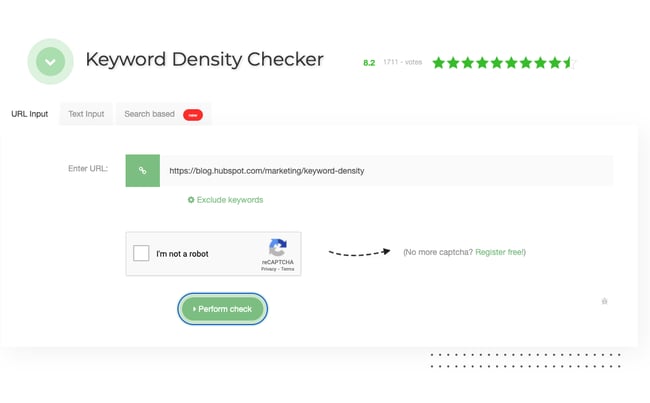
This free tool is browser-based — simply input your site URL or page text, then complete the “I’m not a robot” captcha to perform a keyword density check. While this tool doesn’t offer the in-depth analytics of other options on the list, it’s a great way to get an overview of current keyword density.
Why We Like It
SEO Review Tool’s keyword density checker includes a color warning for keywords with an abnormally high level of appearance, so you can easily see which ones you need to pare down. It also gives you a breakdown of the keywords by word-number and allows you to exclude certain phrases.
2. SEOBook Keyword Density Analyzer
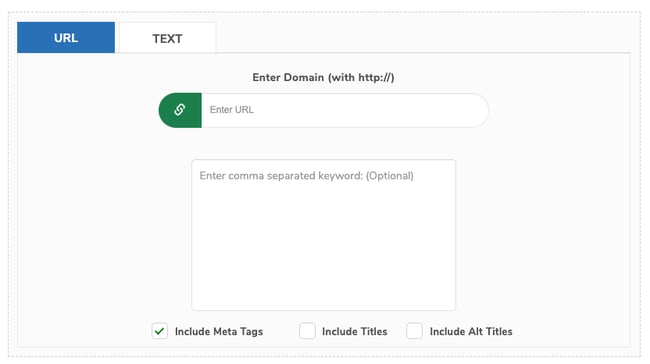
Similar to the tool above, the SEOBook Keyword Density Analyzer is free — but it does require an account to use. Along with basic keyword density reports, this tool also lets you search for your target keyword in Google, pull data for five of the top-ranked pages using the same keyword, then analyze them to see how your keyword stacks up.
Why We Like It
The SEOBook keyword density analyzer allows you to include meta information and exclude “stop words,” which tend to appear often in a text (like “does,” “a,” “the,” and so forth). You can also set a minimum word length. That gives you the ability to only include words that meet a certain character count criteria.
3. Copywritely Keyword Density Checker
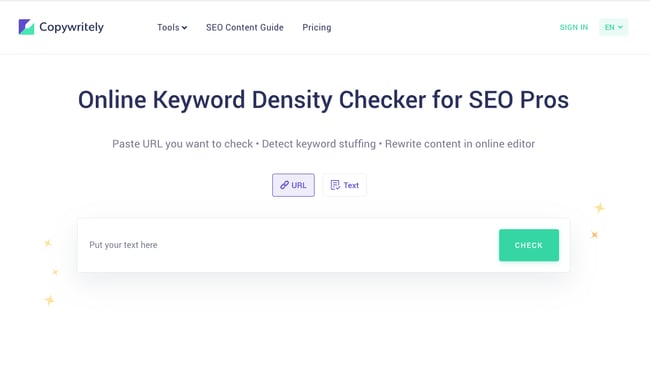
Copywritely’s keyword density checker shows your top keywords by density, and color codes terms that come up often. This tool is a bit more limited than the others in that it doesn’t give you an option to exclude stop words, not does it give you an option to include meta descriptions. But it is a great starter tool.
Why We Like It
Copywritely’s simplicity and user-friendliness makes it a good option if you’re looking for a quick, at-a-glance keyword density check. You then have the option of signing up for a Copywritely account to check and correct errors.
4. Semrush’s On-Page SEO Checker
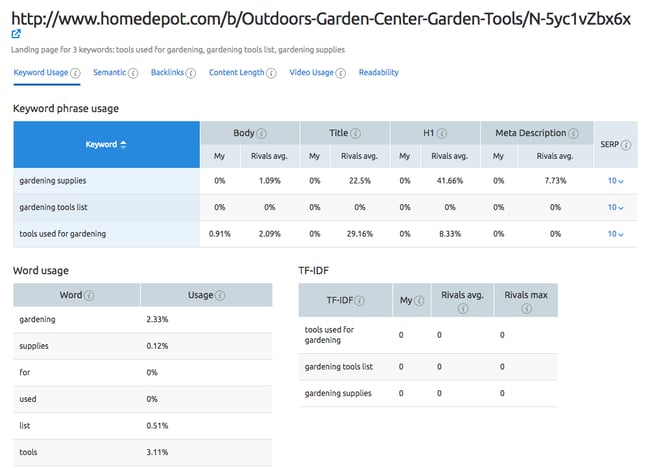
Semrush’s powerful on-page SEO checker includes a keyword density checker, named “keyword phrase usage” within the tool. Along with keyword density assessment, the tool includes automated SEO checkups and reports, assessments for titles and metadata, backlink prospecting tools, and in-depth site crawls, scans, and reports. It also helps you compare your keyword density with your competition’s. It does come at a premium price, starting at $119.95/month.
Why We Like It
Semrush isn’t just a keyword density checker, but a powerful SEO tool that can help you with all aspects of on-page SEO, including competitive comparison. You can learn how many times competitors user certain keywords. You can then get closer to their performance levels by adhering to the industry standard.
Key(words) to the Kingdom
Want to improve your SERP position and boost site impact? Start with strong keywords.
The caveat? Keyword balance is key to search success. By finding — and regularly assessing — the keyword density of both specific pages and your site at scale, it’s possible to boost relevant SEO impact and avoid the ranking pitfalls of overly-dense keyword distribution.
Editor’s note: This post was originally published in December 2020 and has been updated for comprehensiveness.


The 21 Best Email Newsletter Tools for Engaging Subscribers in 2022
One of the best ways to deliver valve to and engage with your subscribers — those who already like, know, and trust your brand — is through an email newsletter.
![→ Download Now: The Beginner's Guide to Email Marketing [Free Ebook]](https://no-cache.hubspot.com/cta/default/53/53e8428a-29a5-4225-a6ea-bca8ef991c19.png)
With the right email newsletter tool in place, you can keep your contacts engaged with your business, establish your brand authority and trustworthiness, and ultimately drive more leads.
Discover the top email newsletter software to help you do just that.
Newsletter software is essential since it allows you to beautifully design a newsletter email and deliver the email to your subscribers with features such as:
- A/B testing
- Smart content
- Templates and customizability
- Analytics
However, not all email newsletter tools are created equal.
What’s the best newsletter software?
There’s no one reigning champion of email newsletter tools. Ultimately, you’ll need to make the best decision for your unique needs based on the following criteria:
- Price – This one goes without saying, but if you want ROI from your email efforts, you’ll need to choose a solution that fits your budget.
- Features – If you’re new to email marketing, you’ll want a solution with a simple interface and easy-to-use features (like drag-and-drop email design). More advanced users may require more robust functionality.
- Subscriber Limits – Many solutions will base their pricing around the size of the database or the number of monthly email sends. Consider the size of your current audience and the rate at which you want to grow to choose a provider that offers plans to accommodate that.
With differences in features, pricing, and availability, choosing an email newsletter can be hard — especially with the number of options available. Additionally, newsletter tools differ in how much of the customer journey they can cover.
Ultimately, when choosing your email newsletter tool, you’ll want to ensure the tool matches your business’s goals — which is why we wanted to take out the guesswork and highlight the top email newsletters out there for your business.
1. HubSpot’s Email Marketing Tool
Pricing: Starts Free
Best for: Automation and scaling your email marketing
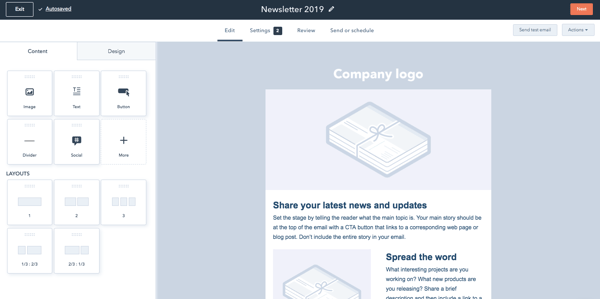
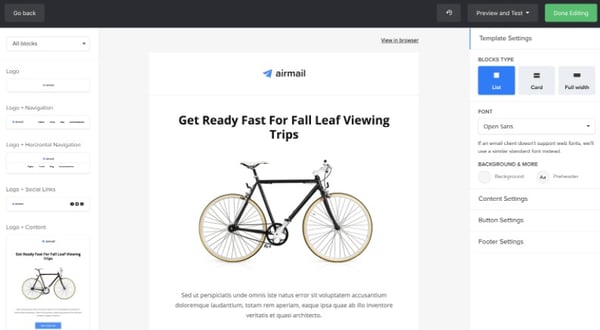
Designing, sending, and analyzing email newsletters has never been easier with the HubSpot Email tool. HubSpot offers a drag-and-drop email editor so you can easily create a polished email newsletter that you can personalize to fit your brand’s design without needing a designer or IT professional.
Additionally, you can experiment with smart content rules, personalization, A/B testing, and advanced reporting – ensuring your email newsletters are optimized for your business.
You can also see who’s engaging with each newsletter email and when, what device they’re using, the most popular links and documents, and more. You can use these insights to design tests that will take conversion rates to new heights for your business.
Ultimately, what makes HubSpot’s Email tool so exceptional is its ability to pair with HubSpot’s free forms tool to easily collect email leads, as well as HubSpot’s free CRM to give you insight into how your marketing emails are performing.
For example, you can use an email subscriber’s lifecycle stage, list membership, or any information in their contact records to automatically serve up the most relevant subject lines, content, links, attachments, and calls-to-action.
Best of all, it can grow with you as you grow.
2. Moosend
Pricing: Starts at $9/month
What we like: Moosend is a well-rounded email marketing newsletter tool that requires no technical skill whatsoever.
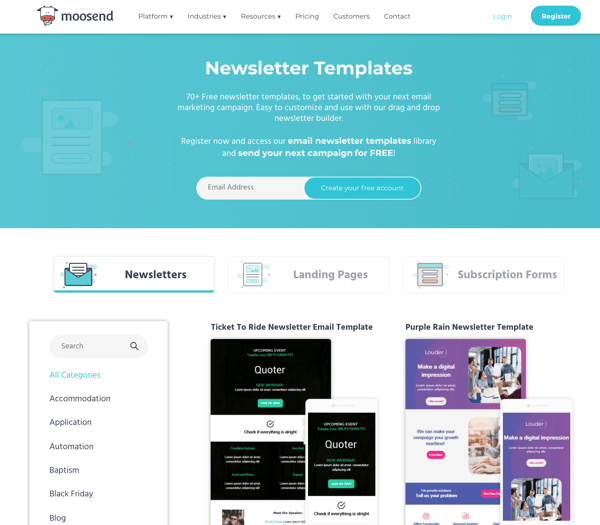
Through Moosend’s email editor, you can easily build personalized email newsletters using interactive elements like videos and images. Alternatively, you can get started immediately by picking one of the ready-made templates available in the platform’s template library.
This newsletter software also comes with landing pages and subscription forms to boost your lead generation efforts. You also get detailed reporting and analytics that allow you to make data-driven decisions.
Finally, to top it off, Moosend’s platform allows you to create or use some ready-made automation recipes to boost conversion.
3. Benchmark
Pricing: Free up to 250 emails per month, then $10.50/month
Best for: Small businesses just starting out with email marketing
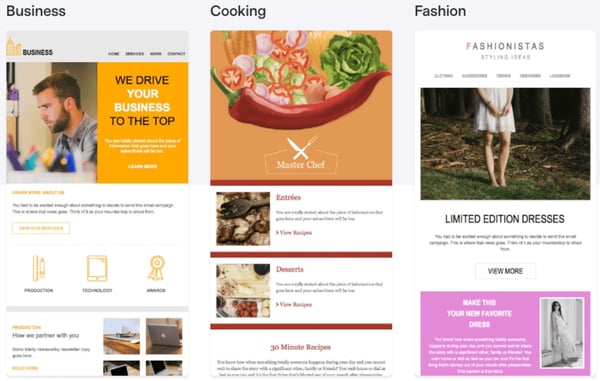
Benchmark offers the ability to easily create email newsletters via drag-and-drop functionality, giving non-technical marketers the power to create beautiful newsletters. There’s also a good selection of newsletter templates that you can choose from in the Benchmark template library.
Some of Benchmark’s most valuable features include detailed analytics on how each email campaign performs, A/B split testing to ensure you’re sending the best emails, spam testing tools that ensure your emails get to inboxes, responsive designs, and templates, list segmentation tools, and auto-responders.
4. SendInBlue
Pricing: Free up to 300 emails per day, then $25/month
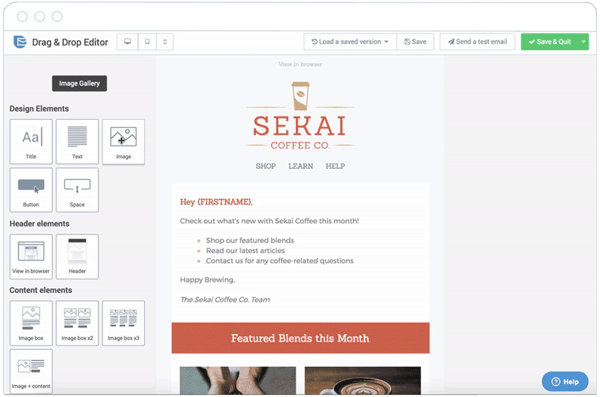
With SendInBlue, you don’t need technical skills to create well-designed email newsletters. The drag-and-drop functionality, HTML editor, and expansive template gallery gives you the tools you need to create stunning emails.
You can personalize the design of your newsletters with easy builders, choose the form fields for your subscription form, and design many ways for your visitors to opt-in.
Pro-tip: SendInBlue has a robust automation pipeline, allowing you to send different emails based on specific actions taken by your contacts. However, SendInBlue does not have a CRM, so it’s not the best option for scaling teams.
5. Sender.net
Pricing: $0 up to 15,000 emails/month or 2,000 subs, then $41.75+/month
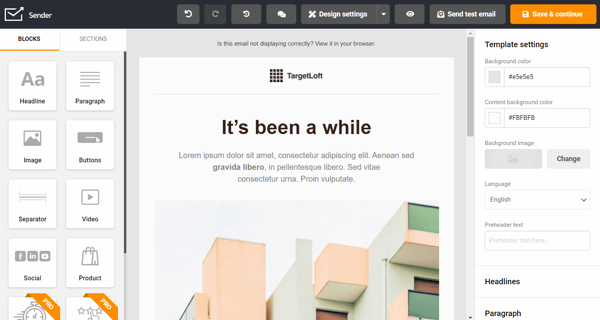
Best for: Growing online businesses that want an omnichannel approach
Sender.net is an email marketing automation platform that doesn’t require any technical skill to set up. The platform provides an intuitive drag-and-drop editor and a simple yet powerful HTML editor for more advanced users.
Additionally, Sender includes many features that are intended to automate or ease the process of managing subscribers. New subscribers can be easily collected by using embedded forms and pop-ups that are provided by the platform. Plus, Sender only counts unique entries towards the total subscriber count, unlike many other email marketing platforms.
Finally, the platform provides in-depth email campaign analytics that allows marketers to dig deep into data and discover areas for improvement.
6. Stripo
Pricing: Free until, then $12.50+/month
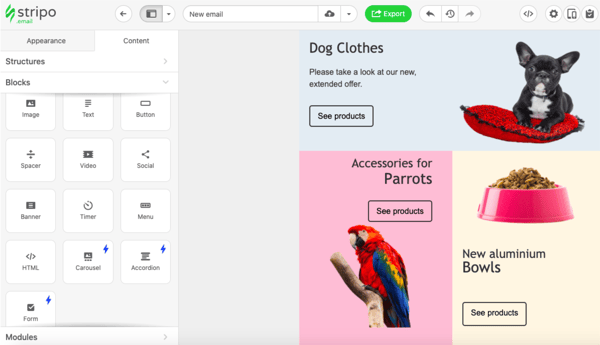
What we like: With Stripo, you’ll have access to interactive elements (such as rollover effects on buttons and images) and features for embedded dynamic content and personalization.
Stripo is an email template builder that allows you to design HTML email templates and export them to your email newsletter software of choice. If you’re not a fan of working in HTML, you also have the option to use the drag-and-drop editor, or even combine the two editing formats, depending on your preference.
Stripo also offers over 350 prebuilt templates with over 100,000 free stock images and 1,000 prebuilt modules that you can use across your campaigns.
You can use the embedded email testing tool so you know how your newsletters will render across your contacts’ email clients.
Additionally, Stripo integrates with HubSpot, which allows you to push all your emails from Stripo to HubSpot with just a few clicks.
7. GetResponse
Pricing: Starts at $15 per month
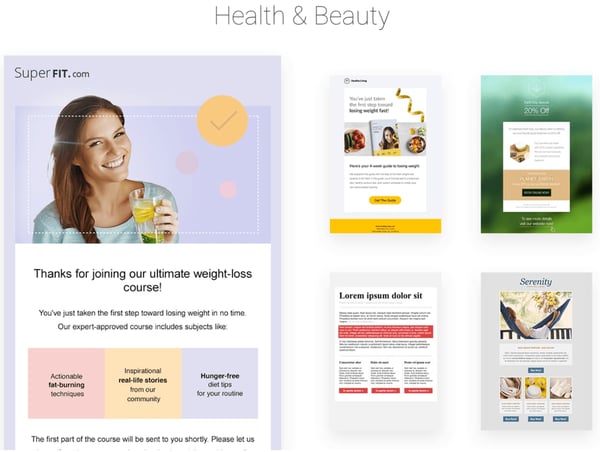
Best for: Building the look and feel of your email
GetResponse offers features that become available as you need them, from a range of starter features all the way to enterprise features such as webinars and landing pages. Hosting landing pages in GetResponse will further enable you to capture email subscribers for your newsletter.
GetResponse also allows you to create well-designed email newsletters with their drag-and-drop email editor, segment contacts tool, campaigns creator, and A/B testing tool.
With a ton of templates to choose from, you can create an email to match your brand and send emails more efficiently.
8. Mailjet
Pricing: Free up to 6,000 email sends per month
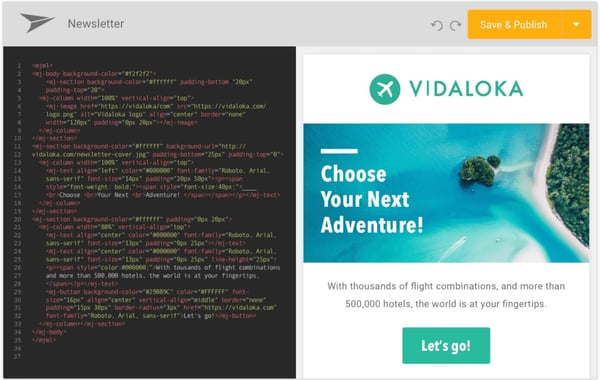
Mailjet offers email solutions for fast-moving teams, especially in Europe, and great scaling opportunities for larger companies.
One appealing feature of Mailjet is the ability to create dynamic content that is personalized for each recipient based on data such as name and location.
If your team demands email newsletters are built together and reviewed often before sending, Mailjet’s collaborative tools make it easy for teams to work together on emails.
For example, you can create a draft of your newsletter in Mailjet, and your teammates can suggest edits before it’s sent — all within the app.
Pro-tip: Want to customize some elements? This newsletter software is very developer-friendly, offering a powerful API solution for engineers to build on their email platform.
9. Pabbly Email Marketing
Pricing: Free up to 100 subs, then $25+/month
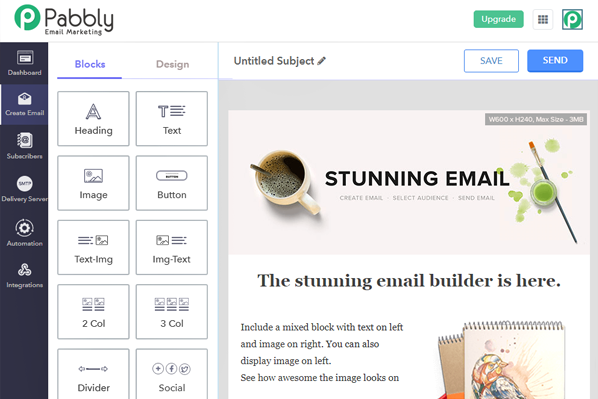
Pabbly Email Marketing is a powerful bulk emailing tool that provides features like built-in email templates, auto-followups, custom fields, subscription forms, integrations – all included in the basic plan.
Pabbly provides the ability to choose from more than 50 SMTPs for sending emails.
Pro-tip: Using the SMTP routing feature, you can divide your email campaign into smaller segments of subscribers and use different SMTPs for each segment. Sending emails using different SMTPs can improve the deliverability of your emails.
10. Mailchimp
Pricing: Free up to 10,000 monthly sends, then $11+/month
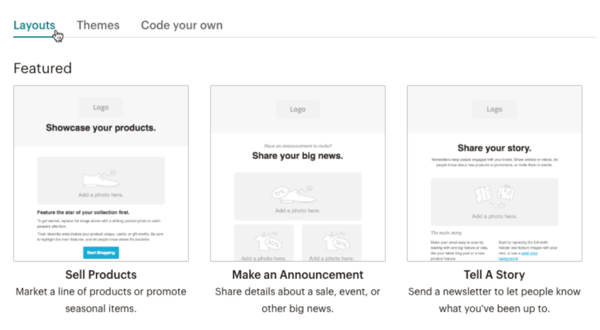
Best for: MailChimp is ideal for small and medium-sized businesses looking to get their feet wet in email marketing but is not suited for scaling teams since it lacks powerful automation and segmenting features.
This newsletter software offers a free email marketing service with a large selection of templates to choose from for newsletters.
MailChimp is a valuable tool nonetheless, especially since its free plan generously offers up to 12,000 free email sends per month. You’ll also like the variety of newsletter templates that MailChimp offers, and the drag-and-drop builder that lets you rework the designs.
11. Constant Contact
Pricing: Starts at $20 per month
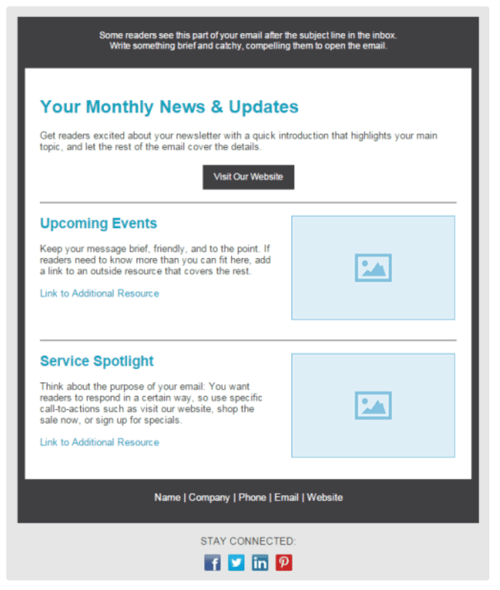
Constant Contact offers a reliable email newsletter solution for small to large businesses. Constant Contact provides a helpful user onboarding for anyone looking to get started quickly and offers easy-to-use features.
If you think you’ll be running into complexity with the email marketing tool, you’ll be happy to know that Constant Contact’s multi-channel support system can help walk you through most issues.
In Constant Contact, you can use their email builder to create newsletters that match your brand, select from a variety of templates, and edit to ensure it looks exactly how you want it.
Cons: If you need robust automation features and workflows, Constant Contact isn’t the best software for you.
12. MailUp
Pricing: Starts at 39€/month
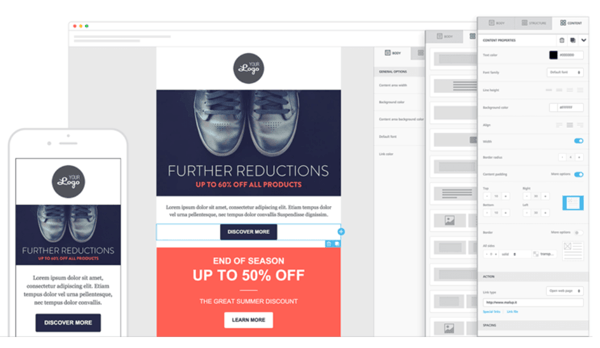
MailUp offers plenty of the same functionality as what you’d expect from an email marketing service, including a drag-and-drop email builder, beautifully designed templates, and an HTML editor.
However, it’s critical to note – you get more value from MailUp if you choose to send out emails at a slower pace since the price varies depending on delivery speed. So, if your business has a specific number of contacts and doesn’t mind sending newsletters slower, you could save money by using this newsletter software.
Pro-tip: If you use WordPress, MailUp also offers a WordPress plugin that you can use to capture newsletter subscribers on your website.
13. Zoho Campaigns
Pricing: Free up to 6,000 monthly emails, then $3+/month
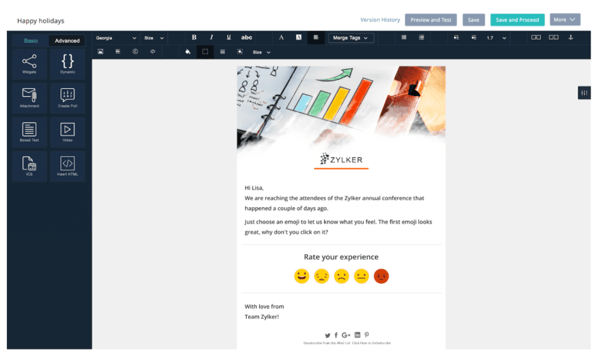
Zoho offers a great email solution for marketers looking to utilize automation features, including auto-responders and workflows. If you’re already a Zoho CRM customer, it might be worth checking out Zoho Campaigns for an email newsletter tool, since they work better together.
Zoho includes many modern and well-designed templates to choose from.
If you’re worried about how your newsletter will look on mobile devices or browsers, Zoho allows you to check to preview your newsletters on various devices to ensure it’s optimized for mobile, tablet, and desktop.
14. AWeber
Pricing: Free up to 500 subscribers, then $16.15+/month
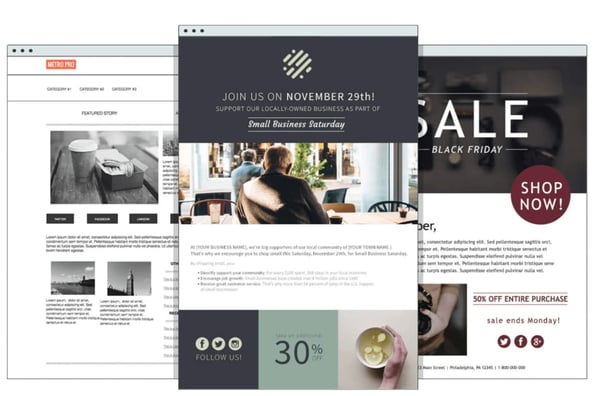
What we like: AWeber delivers a well-established email marketing newsletter tool with an array of features for your business, including email designs, list segmentation, automation tools, and detailed reporting.
To make design easier, AWeber has more than 6,000 royalty-free stock photos to include in your emails. Of course, you can also upload your own images and gifs.
AWeber is a great solution if your business uses WordPress since AWeber easily integrates with WordPress. However, one con is that you can’t specify multiple segments at once when sending an email newsletter – plus, AWeber lacks some powerful automation features.
15. Campaigner
Pricing: Starts at $59/month
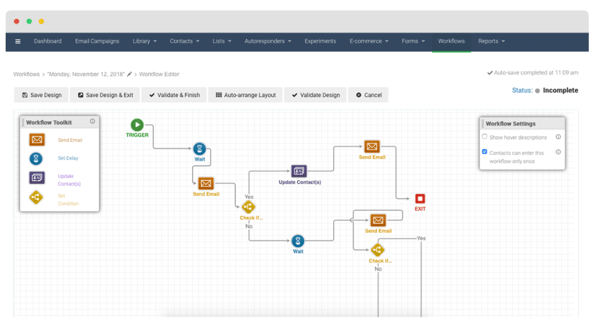
Campaigner is a good option if you work for a growing team since the tool offers robust automation and workflow features available at the enterprise tier. You can set up systems that send email newsletters when contacts fill out specific forms, make a purchase, or engage with a previous email.
As with most of the email newsletter tools in this list, Campaigner offers easy-to-use email builders and a large selection of templates to get you started. If you run into trouble, their support is noted as being helpful in solving technical challenges.
16. Drip
Pricing: Starts at $19/month
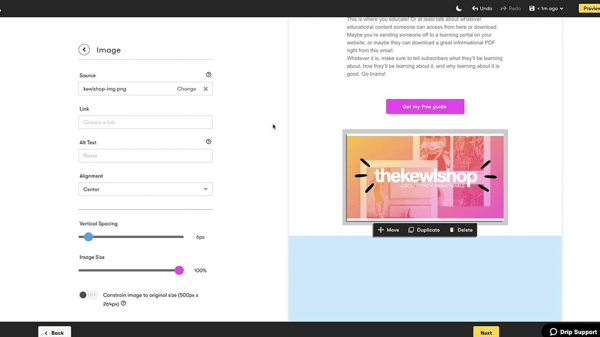
Best for: Experienced email marketers since it’s not as intuitive and easy to use as some of the others in the list. For example, there’s a limited email template library, so you’ll have to spend time designing your email newsletter.
With that said, Drip comes packed with automation features that could be beneficial for your business, particularly if you work in e-commerce.
With Drip’s “ECRM,” you can run personalized email newsletter campaigns that work with information gathered from contact purchases and checkout information, like abandoned cart details.
One con is that Drip does not offer phone support, so you won’t have that added peace of mind but you can reach their customer support team via email and chat.
17. Postcards
Pricing: Starts free
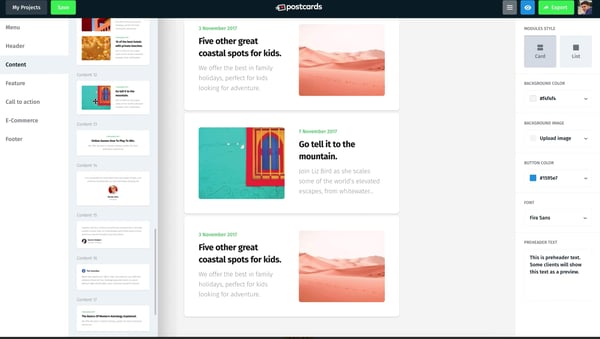
Used by major brands like Nike, Disney, and T Mobile, Postcards is a drag-and-drop email builder that enables you to create impressive email newsletters.
The tool features a “modular system”, meaning you can stack and re-arrange pre-made designs to create a custom newsletter that fits your brand. Customizable modules include a header and footer, CTA, and menu options.
Additionally, the tool enables you to collaborate with teammates to ensure the newsletter is up to everyone’s standards and gives you a 30-day version history if you decide to revert to an older format. Plus, you’ll get unlimited exports.
18. Campaign Monitor
Pricing: Starts at $9/month
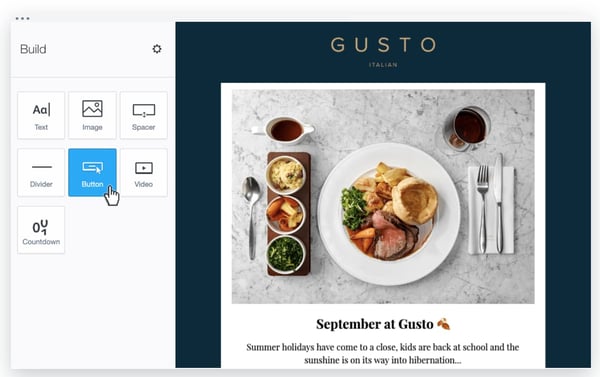
What we like: This newsletter software integrates with over 50 other tools, including HubSpot, Unbounce, WooCommerce, and AdRoll.
Campaign Monitor’s email marketing tool enables you to create an engaging and high-quality email newsletter with a simple drag-and-drop interface. Additionally, the tool includes sign-up forms you can embed on your blog pages to encourage new readers to sign-up for daily content delivered to their inboxes.
Along with unique and customizable templates, Campaign Monitor provides a full analytics suite to help you track the performance of your newsletters over time. You can measure engagement to improve the content you include in your newsletters for the long haul.
19. BEE Pro
Pricing: Free until 10 emails, then $30+/month
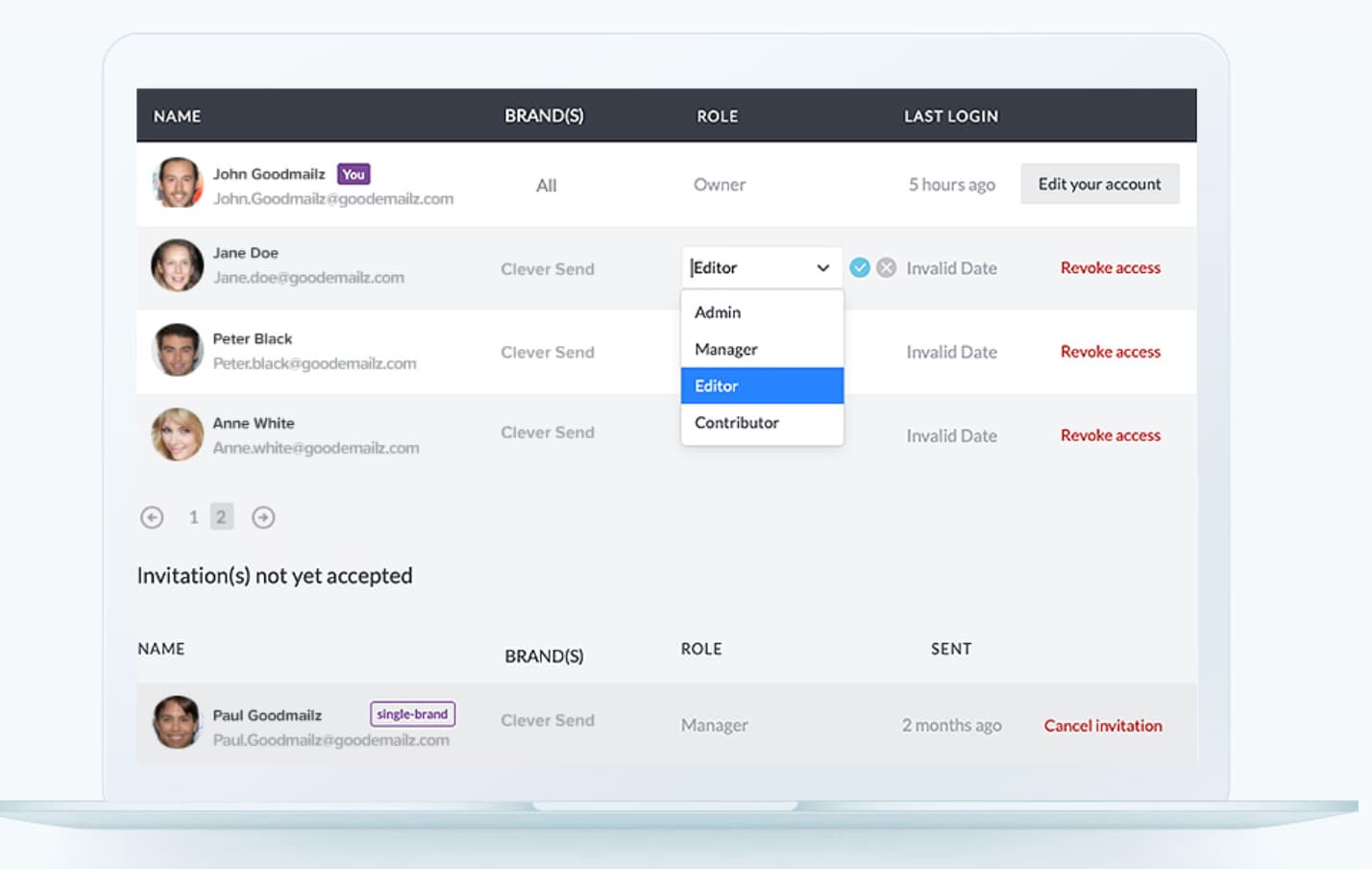
If you’re a freelance designer or work at an email agency, this tool could be a good fit for you.
BEE Pro lets you create mobile-ready emails quickly with smart design tools — plus, you can save custom templates, and even assign projects to specific clients’ to ensure an easy workflow if you’re using this one email tool for multiple brands.
Additionally, the tool enables you to invite clients or colleagues to review and make comments on email newsletter drafts to get approval faster.
Con: BEE Pro’s free version serves more as a free trial since it only allows for 10 emails. As a result, it’s not the best choice if you want a free starter option.
20. MailerLite
Pricing: Free up to 1,000 subscribers and 12,000 sends per month
Best for: Audiene segmentation and personalization
Its newsletter editor features pre-built design blocks and drag-and-drop functionality, allowing you to build attractive and mobile-friendly emails quickly and easily.
To top things off, you get built-in photo editing to help you create without leaving the platform. Mailerlite also has the capability to segment audiences, add personalization, and create dynamic content so you can continually deliver a great experience.
Premium plans include unlimited sends, a custom HTML editor, and the removal of the MailerLite logo. You can also get a Stripe integration for monetizing your newsletter with digital products.
21. ConvertKit
Pricing: Free up to 300 subscribers, then $9+/month
Best for: Workflows and automation
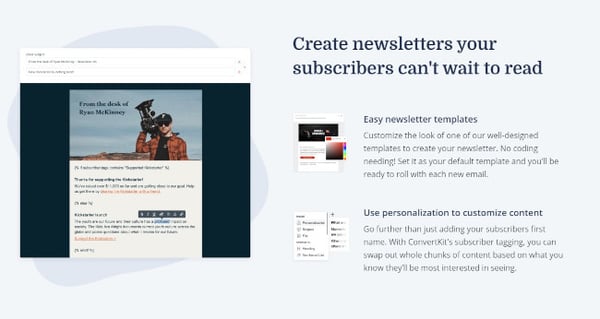
ConvertKit offers a whole suite of products for building and growing an email newsletter. With the free version, you’ll be able to create unlimited landing pages and forms to build your subscriber list. You’ll also be able to draw from a library of templates for email creation.
One interesting thing about ConvertKit is that you can sell digital products and memberships without an integration or added premium, giving you monetization capability out of the gate.
Premium plans include automation, subscriber scoring, and even a referral system through SparkLoop.
Growing Your Newsletter
You can’t go wrong with any of these newsletter software since they all offer similar features, but there will be one that’s best suited for your business.
The great thing about HubSpot is that we offer a free solution to get you started — and then, once your business grows, we have plenty of advanced features you’ll need in order to deliver a successful newsletter marketing strategy down the road.
Editor’s note: This post was originally published in June 2020 and has been updated for comprehensiveness.

What Are Local Citations [+ 4 Steps to Build Them for Your Business]
If you’re not sure what local citations are, don’t worry — you’ve probably come across them while looking for a new service-provider, brand, or company.
For example, a few weeks ago, my sister came to town and wanted to take me out to dinner. She’s unfamiliar with the area’s local spots, so my sister took to Yelp to find a restaurant we’d both love. After scrolling through Yelp, she found a Black-owned restaurant called 7th + Grove that had rave reviews.
Yelp showed 7th + Grove’s address, so we knew it was in a busy part of town and could be packed the night we wanted to visit. Fortunately, the restaurant’s phone number was listed, so my sister called and made a reservation. In this scenario, the restaurant’s listed address and phone number were their local citations — and made our visit easy and organized.
![→ Download Now: SEO Starter Pack [Free Kit]](https://no-cache.hubspot.com/cta/default/53/1d7211ac-7b1b-4405-b940-54b8acedb26e.png)
Citations can help with local SEO because they allow search engines to verify the legitimacy of your business. If the same name, address, and contact information for your brand are easily accessible throughout the web, search engines can trust that your business exists and is truthful about the service it provides.
Benefits of Local Citations
Local online searches have proven to be integral to a business’ success. According to BrightLocal’s 2022 Consumer Review survey, 99% of consumers used online searches to find local businesses in the last year. In that same survey, 78% of consumers said they searched for local businesses online more than once a week.
.jpg?width=1104&name=Copy%20of%20LinkedIn%20-%20Graph%20-%201104%20x%20736%20(1).jpg)
Types of Local Citations
There are several kinds of citations for local SEO that could work for your business. Let’s take a look at what they are:
Structured Citations
A structured citation is when the name, address, and phone number of your business are listed on relevant business directories or third party websites like Yelp or Yellow Pages. These third party websites already have huge databases of reliable information. For those reasons, search engines like Google trust them.
It’s helpful to have local citations in directories that are relevant to your industry. For more general directories, like Yellow Pages, you’ll want to ensure your business is listed in the appropriate category.
This makes it easier for Google to understand the service your business provides and connect you to your intended audience. If you’re not sure what directories you should target, our list of 50 local directories can help.
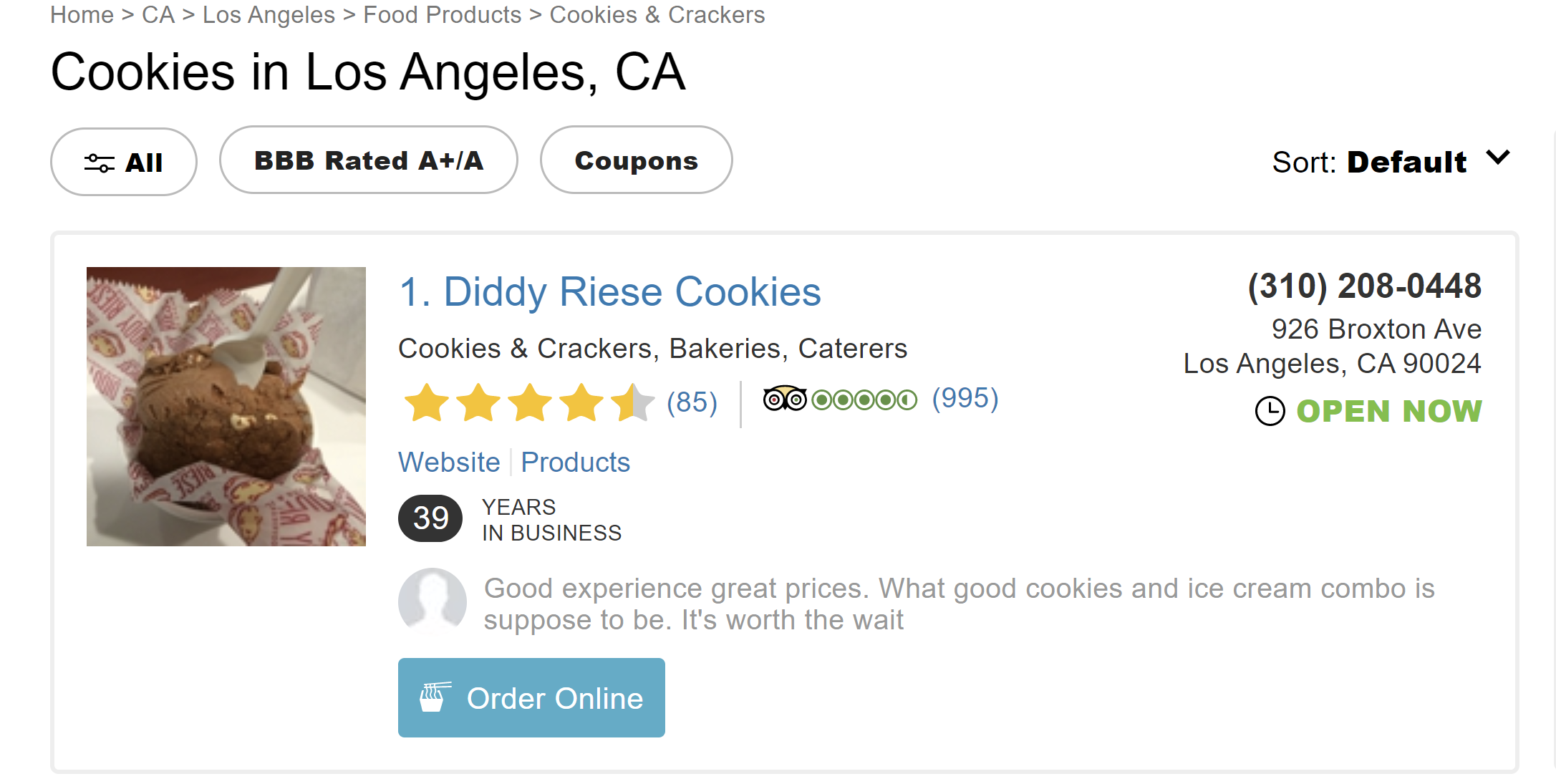
Below is an example of a structured citation on Yelp. I searched the word “cookies” and a local cookie shop was shown with its NAP listed and website linked, all in one directory.
Unstructured Citations
Unstructured citations also mention key information regarding your business, but unlike structured citations, the information isn’t grouped together. These kinds of citations are typically found on websites or apps that aren’t specifically designed as directories or business listings.
Common forms of unstructured local citations are online news articles, reviews, or blog posts that mention your business.
For example, the That’s So Tampa article below spotlights a new restaurant named Wandee opening in the city of Tampa, Florida. The name of the restaurant is mentioned in the first paragraph, while the location and link to its Facebook page (which contains contact information) is at the bottom.
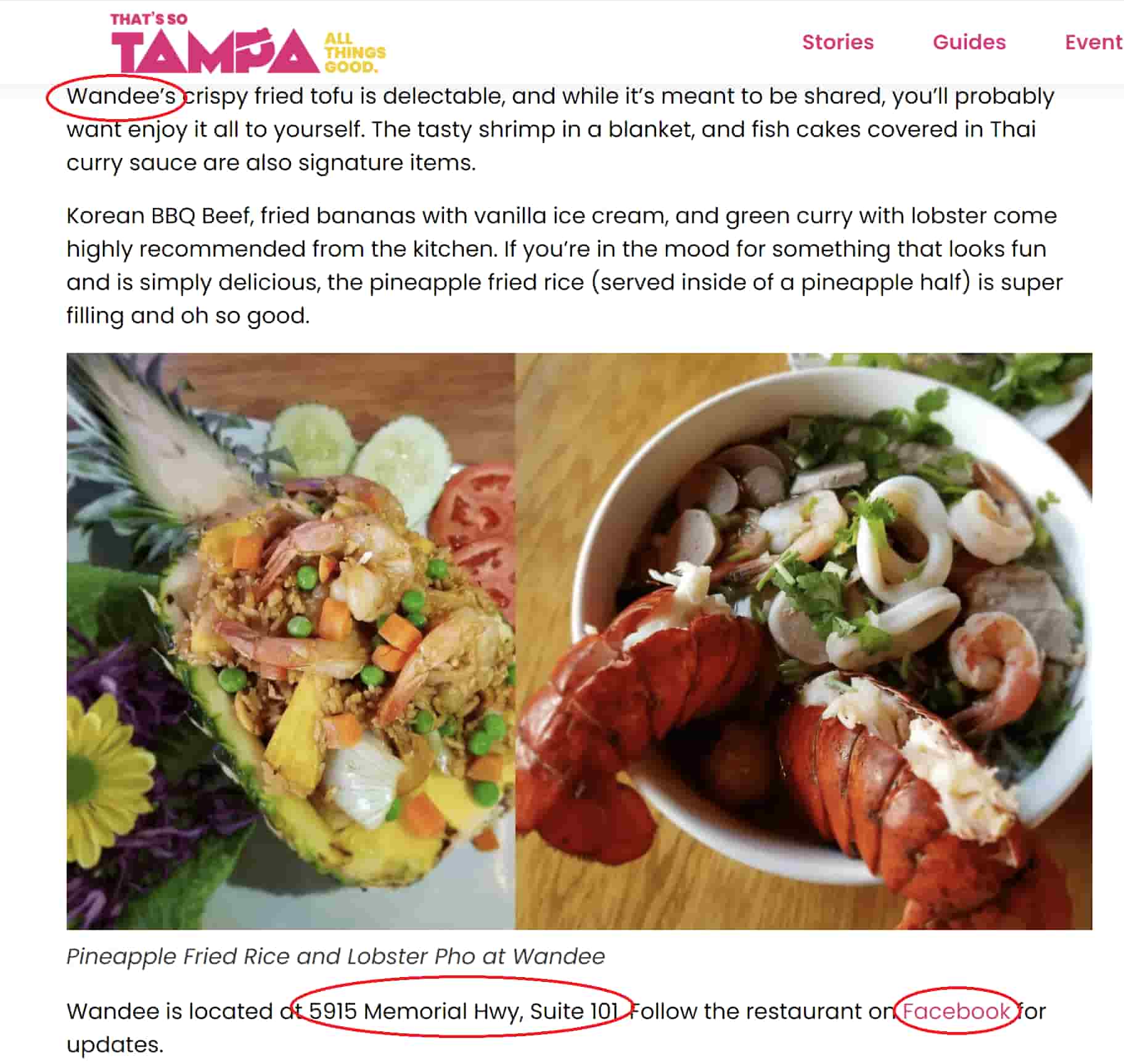
There is data that supports the notion that unstructured citations, like online reviews, can be beneficial to businesses. According to a survey by Brightlocal, 77% of consumers were “always” or “regularly” reading online reviews when browsing for local businesses in 2021. This is up from 63% in 2020.
How to Build Citations for Local SEO in 4 Steps
If you want to pursue local citation building for your business, here are the simple steps you need to take:
1. Use data aggregators.
There are many online business directories that rely on business owners to submit their NAP directly to the website to be included. Business owners and marketers simply don’t have the time to submit their business’ NAP to thousands of sites. Fortunately, there is a simple way to navigate this: data aggregators.
Data aggregators are companies that collect information, including business NAPs, and distribute them to hundreds of websites, saving you time and effort.
According to CitationsCheck, the four most prominent data aggregators right now are Foursquare, Localeze, Factual, and Infogroup.
To boost your citations for local SEO, simply search for your business on these sites to see if it’s already featured. If you spot your business, claim it. If it’s not already on the site and you’ve ensured there are no duplicates, submit your business listing and its correct NAP to the website.
2. Submit your NAP to core sites.
The next step is to submit your NAP to core sites like Yellow Pages, Facebook, Yelp, Apple Maps, Yahoo Local, and Bing Places. Before submitting your NAP to these sites, make sure they are relevant to your business and worth the time and effort. This can be done by visiting the websites yourself and seeing what kinds of businesses are featured in the directories.
3. Submit your NAP to industry-specific and local websites.
After submitting to core websites, you’ll want to submit your information to directories that are specific to your kind of business. If you’re a home improvement contractor you’ll want your information on Angi, if you’re a realtor you should be on realtor.com, if you’re a hotel your information should be on TripAdvisor.
You’ll also want to be featured on hyper-local directories like the local Chamber of Commerce or other local business association websites.
3. Pursue unstructured local citations.
Unstructured citations for local SEO come in the form of blog posts, reviews, and articles about your business. Unstructured local citation building is a bit more difficult than structured local citation building because you’ll need someone to care enough about your business to write about it. But, don’t worry, it is far from impossible.
One way to pursue unstructured citations is to use Google to find supplier pages. Many businesses have supplier pages that link to the companies they supply or companies that supply them. Just make a list of suppliers and perform a site search to see if they already have mentions of your business on their website.
Another resource is HARO (Help A Reporter Out). HARO connects journalists with sources for news stories. It’s a free tool that works by sending you daily email alerts from journalists. You’ll answer the journalist’s questions or give a quote, they’ll usually cite you and your business in their upcoming article.
Local citations help your business gain visibility online, boost search engine rankings, and improve consumer discovery. Whether you’re pursuing unstructured or structured local citation building, it’s important to ensure your business’ name, address, and phone number are accurate and the same across all platforms.


Everything You Need To Know About Keyword Match Types
Google’s keyword match types ensure that the money you spend on your Google Ad campaigns is well spent, ensuring you don’t waste money drawing in unqualified traffic that is not likely to do business with you.
Read on to learn more about the different keyword match types for PPC ads, the type of traffic they generate, and how to use them.

Keyword Match Types
There are four different keyword match types for Google Ads: broad match, phrase match, exact match, and negative match. The image below shows the syntax for using each type, what queries your ad will appear in for each, and the search terms that would surface your ads.
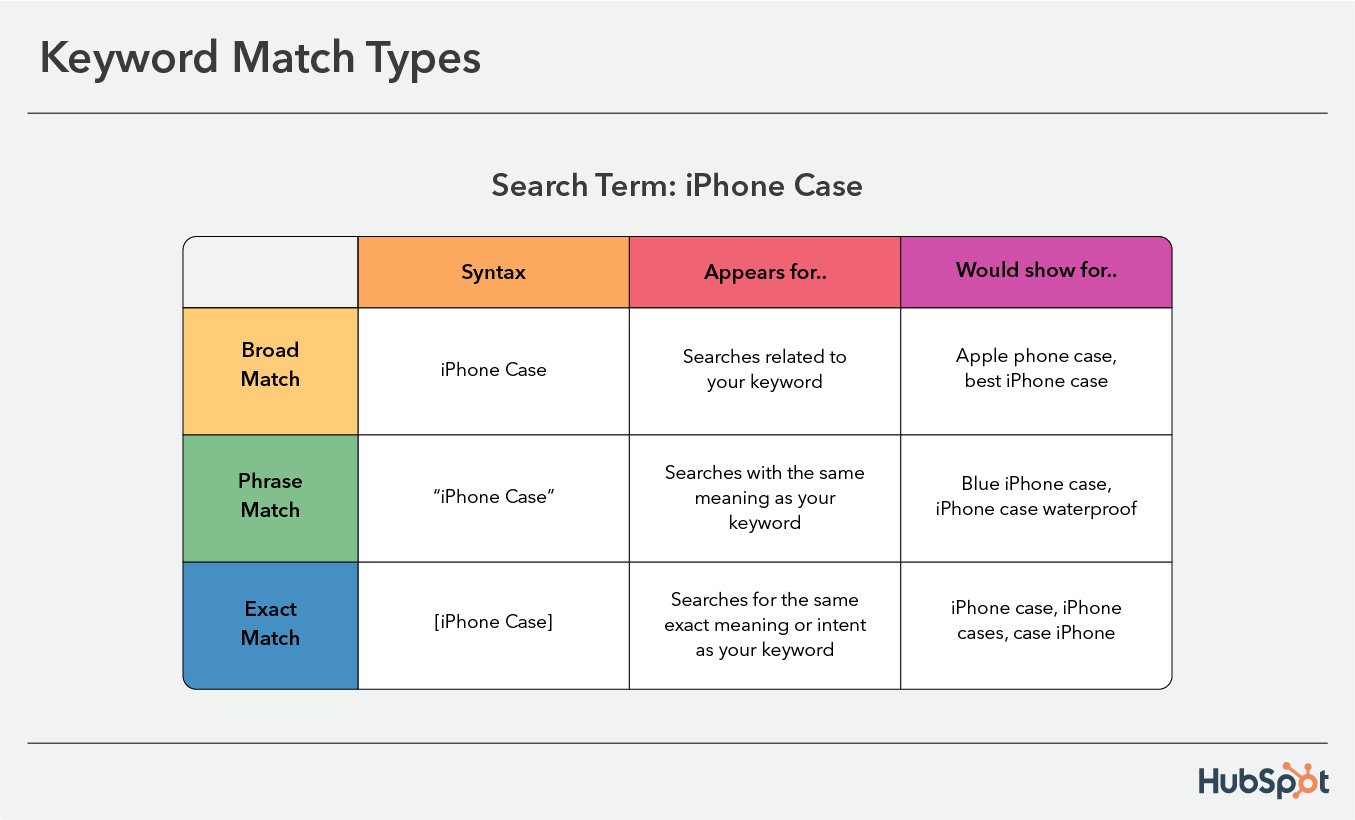
Below we’ll go in-depth into each type, and provide context for how each one shows up in search results.
1. Broad Match
A broad keyword match is when your ads show in search results for queries related to the meaning of your keywords but don’t necessarily contain the exact terms. It’s the default type for Google Ads and works best with smart bidding. The syntax is to write out your keyword.
If your keyword is iPhone case, your ad could show up in queries for apple phone case and best iPhone case for kids, and phone case.
A broad keyword match helps you reach a wide audience, but your visitors are unrefined as the terms they search for are related to your keyword. However, to ensure traffic is somewhat related, Google will also take into account a user’s search activities, the content on your landing page, and other keywords in your ad group.
2. Phrase Match
A phrase match surfaces your ads in queries that have the same meaning as your keyword or more specific forms of your keyword. Words can be added before or after your keyword, but not between. The syntax is to place quotes around your target word, like “keyword.”
If your phrase match keyword is “iPhone case,” you could show up in queries for buy iPhone case, blue iPhone case, iPhone case sale.
Using phrase match puts your ads in front of a smaller audience, but they are only shown in searches that include what your ad is for, so audiences are more refined. Note that modified broad match was discontinued in 2021 and its parameters were added to phrase match criteria.
Broad Match vs. Phrase Match
The key difference between broad and phrase match is that phrase match reaches fewer audiences but traffic is more qualified for what you’re offering, while broad matches reach a wider audience, but searchers may not necessarily be looking for exactly what you’re selling.
So, if your search term is iPhone and you use broad match type, your ad would show if a user searched iPhone case, apple phone case, or iPhone 11 case, but if you used a phrase match your ad would only show for iPhone case.
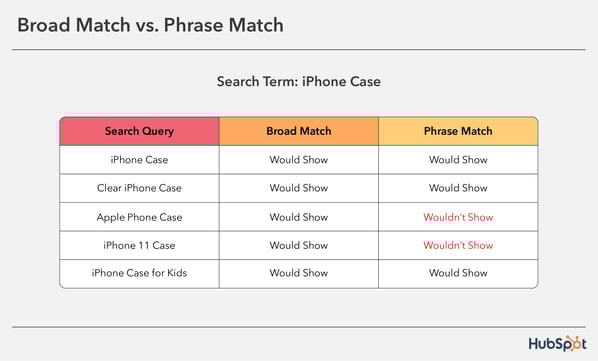
3. Exact Match
An exact match is the opposite of broad match, and your ads only show in queries for the same exact meaning or intent of your keyword. This can include singular or plural forms, misspellings, abbreviations, and accents.
With this type, you’ll get more refined visitors to your site, but you’ll have less reach. The syntax is to place your keyword in square brackets, so [keyword].
If your keyword is [iPhone case], your ad would show in queries for iPhone case, case iPhone, and iPhone cases.
4. Negative Keyword Match Types
Negative keywords are used to exclude your ads from specific queries to help you focus on reaching the right users. Your ads will show for relevant terms, but not for the exact term you’ve written.
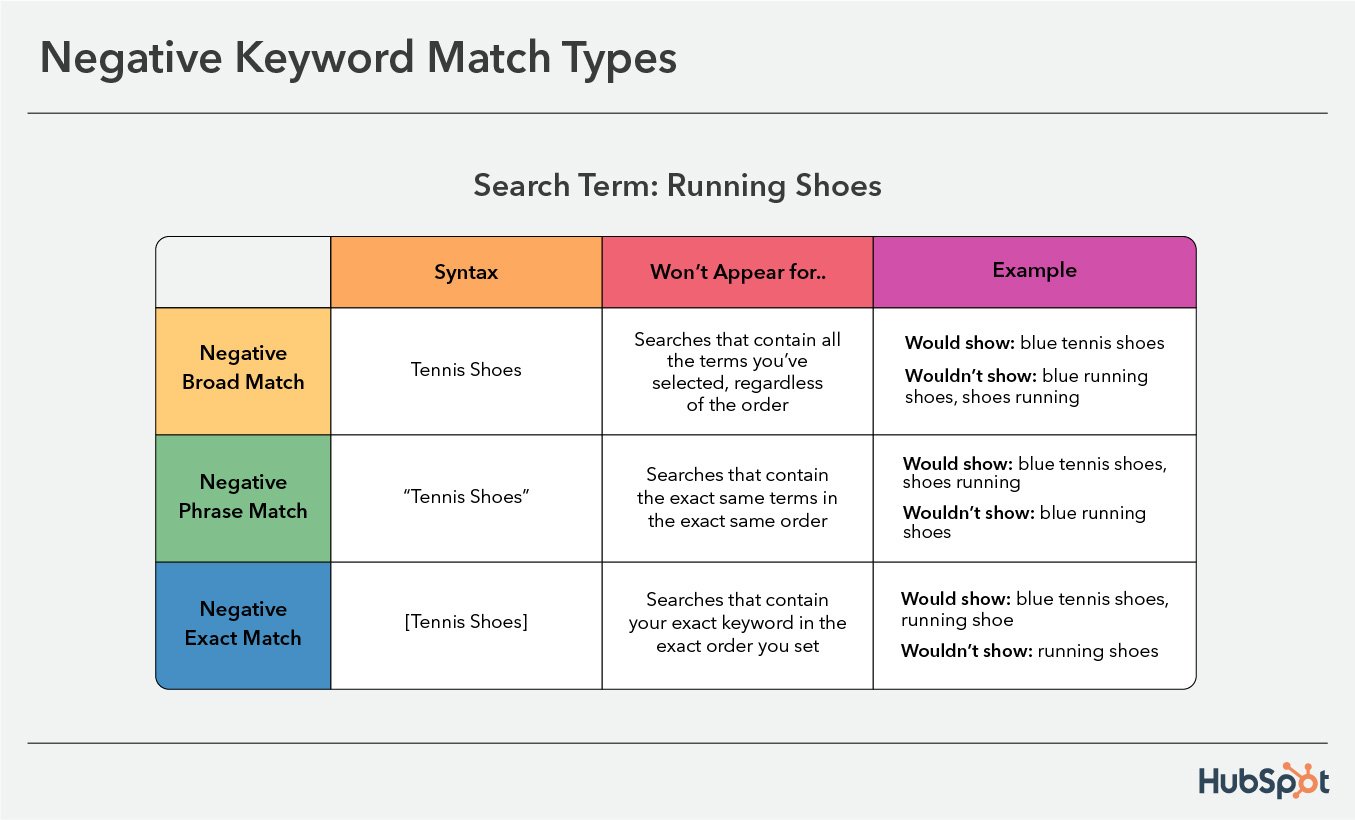
There are three different types of negative keywords: negative broad match, negative phrase match, and negative exact match. We’ll discuss them below.
1. Negative Broad Match
A negative broad match is the default negative keyword. Your ads won’t appear if the query contains all of the terms you’ve selected, no matter the order. The syntax is to simply write your keyword.
Google uses running shoes keyword as an example and says your ads would show in queries for blue tennis shoes and running shoes, but would not show for blue running shoes, shoes running, or running shoes.
2. Negative Phrase Match
Negative phrase match keywords won’t surface your ads in queries that contain the exact keywords you’ve given in the exact same order. If the query includes additional words, your ads won’t show either if the order is the same as the keyword you’ve set. The syntax is to write your keywords in quotes.
If your keyword is “running shoes”, your ad would show in searches for blue tennis shoes, running shoe, and shoes running, but wouldn’t show for blue running shoes.
3. Negative Exact Match
Negative exact match will exclude your ads in queries that contain your exact keyword in the exact order you set, without any extra words. The syntax is to write your keyword in brackets.
According to Google, your ad would show for blue tennis shoes, running shoe, blue running shoes, shoes running, not for running shoes.
Use keyword match types to maximize the ROI of your PPC ads.
Using the right keyword match type ensures the money you spend on Google Ad campaigns helps you bring in the right type of traffic, which makes you more likely to attract a new customer, drive a sale, and maximize ROI.

How to Write the Perfect Page Title With SEO in Mind
If you’re asking “what is a page title in SEO?” and wondering how it can work for you, you’re not alone.
Whether you write your page title first or save the best for last, your business relies on the impact of a great headline.
After all, over 50% of shoppers use Google to discover or find new brands. If they’re researching online, your audience is scanning to find what they’re looking for. So, let’s talk about how page titles impact SEO.

Many experts say that the page title is an important on-page factor for SEO. But which page title are they talking about?
In this post, we’ll cover:
- What Is a Page Title in SEO?
- Why Are Page Titles Important for SEO?
- Page Title SEO Examples
- How to Create SEO Page Titles That Stand Out
Before we dig into the details, let’s talk about the terms we’re using.
A title tag is what’s going to show up in the browser tab and (most likely) the search engine results pages (SERPs).
![Title tag example: HubSpot, “What is a Marketing Plan & How to Write One [+Examples]](https://blog.hubspot.com/hs-fs/hubfs/title-tag-hubspot.png?width=650&name=title-tag-hubspot.png)
If your main goal is improving your click-through rate (CTR), this is a great resource to learn more about optimizing your title tags.
H1 is an HTML heading, and it’s usually the largest and most important heading on a web page. The page title appears on the page itself and is often denoted using H1 style coding.
![H1 example, HubSpot, Page view of “What is a Marketing Plan & How to Write One [+Examples]”](https://blog.hubspot.com/hs-fs/hubfs/h1-hubspot.jpg?width=650&name=h1-hubspot.jpg)
So, a page title could refer to either the title tag or the H1, depending on where you publish your website content. Other phrases that you may see instead of “page title” include:
- Browser title
- SEO title
- Blog title
This can be confusing. If you’re new to search engine optimization, it’s probably part of the reason why you’re asking about page titles in SEO.
For clarity, in this article we’ll use “page title” to talk about H1s, and “title tag” when talking about the title in the SERPs.
As you keep reading, keep in mind that what you call the page title is less important than what it can do.
Why Are Page Titles Important for SEO?
If page titles don’t show up on SERPs directly, why are they important for SEO? Because a strong page title can improve SEO on your site and improve the user experience because of its prominence on the page.
The page title sits at the top of the post. It can tell your reader what your post is about and draw them into reading the full article.
The page title has the power to lure and entice readers without having to compete with ads, snippets, and featured images the way that the title tag does.
There are a few other reasons that your page title is important for search engine optimization.
1. Page titles help users and search engines understand what your page is about.
According to Search Engine Journal, Google uses the page title to find out the content and structure of the page. This information relates directly to page rank.
Your page title helps search engines decide if your web page satisfies search intent. It can more completely answer a user’s question.
2. They reassure users that they’ve found what they’re searching for.
While title tags tell users what a page contains, this tag doesn’t appear on the page. So, the page title confirms that they are in the right place. This creates a better experience for the people visiting your site. Google’s guidelines also say that user experience is a ranking factor.
3. A page title can confirm page content if Google revises your title tag.
Google doesn’t always use the title tag to generate the title that you see in the SERPs, and your page title is another way that you can tell readers and search engines what your page is about.
4. They keep readers engaged and on your page.
A great page title can help cut down bounce rates and increase time on the page. This is because a visitor who quickly finds what they are looking for on your site is more likely to engage with your post by clicking to other pages on your site and to spend more time reading your content.
While this data isn’t a direct ranking factor, both low bounce rates and dwell time are important for SEO because they show Google that your page contains high-quality content.
Page Title SEO Examples
In these examples, you can see major differences between the page title and title tag.
1.Copyblogger
This page title from Copyblogger leads you into their article by pinpointing an important what and when.

The title tag is missing the when, but its inclusion in the page title will ensure that this page shows up in the right SERPs.

2. Ahrefs
This title tag from Ahrefs uses the term “beginner’s guide” to stand out in the SERPs.
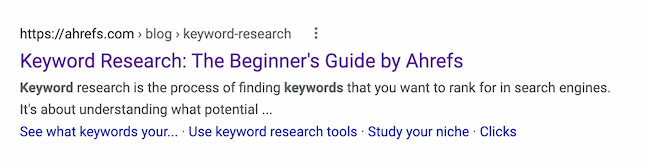
They simplify the offer once you click on the article.

3. Essence
This page title stands out on the SERPs with fun adjectives that show what makes this listicle unique.
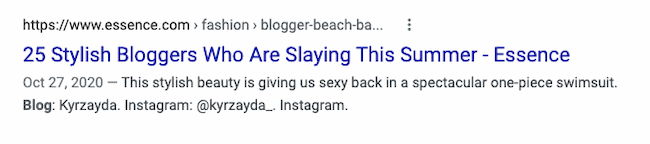
Once readers click into the page, Essence expands the title to emphasize the fun, summery vibe.

4. Fast Company
This title tag stands out because it targets a problem and how to solve it.

Fast Company adds 2022 to the page title to show freshness. They also use a story in the subheading to draw readers into their content.
Now, you might be wondering, “How can I get started?” Below, let’s review the best practices to keep in mind when writing SEO page titles.
How to Create SEO Page Titles That Stand Out
1. Include relevant keywords.
While you don’t want to stuff your page titles with keywords, it’s still a good idea to include your primary keyword.
If you can, putting it near the front can help search engines and users figure out what your page is about quickly.

If you can’t include your primary keyword, you should try to include a variant of your keyword that satisfies search intent.
2. Write for the user.
Your content should be written for the reader, not for the search engine.
This means that your page title should offer something useful to your reader. Usually this will be information that helps them better understand a problem or brings them closer to a solution. You might also want to spark their emotions.
3. Try long sentences, but pay attention to length.
If you’re using competitive keywords, a long headline is often more effective. In fact, according to a Backlinko content study from 2020, 14-17 word headlines bring 76.7% more social shares than short headlines.
Page titles don’t have the strict character limits that keep a title tag from getting cut off in the SERPs. While you don’t need to worry about Google cutting your title off, for a page title to be useful for SEO it should still stick to around 60-70 characters.
Your page title should be long enough to entice the reader, but short enough to make the meaning and purpose of the page clear to both users and search engines.
4. Don’t be repetitive or stuff keywords.
Your page titles shouldn’t include multiple versions of the same keyword phrases.
A great example of a bad page title is “Toaster, toaster oven, kitchen toaster, college toaster, 8 slice toaster, bagel toaster | Chris’ Toaster Emporium”.
Titles like this promote worst practices and often lead to having the same page titles used across most (if not all) of the pages on your site.
Plus, it doesn’t help users understand what’s on the page.
5. Don’t put your company name at the front.
In most cases, your website will already rank high for your company name.
Leverage the fact that search engines give more weight to the words that appear at the beginning of a page title. Form your titles using your keyword phrases first, and then your company name if it makes sense.
6. Be specific.
Every page on your site should have a specific purpose. It’s easy to create a unique page title for a blog. But ecommerce and business sites often run into repetition.
Unique page titles help prevent traffic cannibalization. Cannibalizing happens when two pages from the same domain rank for the same keyword and are stealing traffic from each other. With unique page titles, you’re less likely to create pages that Google believes are serving the same keywords.
To improve your page titles, think about the specifics of the page in front of you, and try to describe it.
For example, if a page is just about “toasters”, the title should include your keywords centered on toasters. Don’t add generic keyword phrases like “kitchen appliances.”
7. Get some help.
Writing a great page title used to take a lot of practice and testing. But you can speed up the process by taking advantage of useful tools and templates to create original and high-performing page titles.
If you enjoy the process of writing, try one of these headline analyzer tools:
Another option is to use a blog topic research tool that also offers great headlines. If this idea appeals to you, try using the HubSpot Blog Ideas Generator.
SEO isn’t easy.
While writing titles can be hard, it doesn’t have to be. Once you’ve mastered the art of SEO page titles, you can focus on other strategies that can drive traffic to your site.
Editor’s note: This post was originally published in May 2010 and has been updated for comprehensiveness.


9 Tips on How to Leave a Job on Good Terms
At some point in your career, you’ll likely quit your job – it’s a normal part of any career. When it does come around, learning how to leave your job on good terms will be key.
However, even though quitting happens all the time. it’s easy to ruffle some feathers during the resignation process and burn bridges.

In this article, you’ll learn how to preserve a healthy relationship with your employer, manager, and colleagues.
- Tell your manager first.
- Give two weeks’ notice.
- Organize your files.
- Finish strong.
- Offer to train your replacement.
- Write a goodbye email to your teammates.
- Express gratitude.
- Don’t blast your manager, team, or the company.
- Give feedback on your experience.
1. Tell your manager first.
With such big news, it’s important that your manager hear this news directly from you first.
Hearing this from someone else can cause unnecessary friction between you and your manager and end your relationship on a sour note. In addition, you don’t want the news to spread until you discussed an exit strategy with your team.
Otherwise, you may get bombarded with questions and concerns regarding the impact of your departure on ongoing projects without a clear path forward.
Instead, inform your colleagues only once you’ve had the conversation with your manager – even those with whom you’re close.
Your company may want to share the news formally through a press release or an email. With this in mind, it’s best to wait for the all-clear.
2. Give at least your two weeks’ notice.
Most people will tell you that it’s standard practice to give your employer notice two weeks ahead of your exit. However, you can actually do so earlier – in some cases, it’s preferred.
If you’re an individual contributor managing one or two projects, two weeks may be appropriate. However, if you’re a manager overseeing multiple high-impact projects, announcing earlier will give your team more time to prepare for your departure and find a replacement.
The earlier you notify your manager, the better impression you will leave, as they will appreciate having a solid window to build a plan for your absence.
A two weeks’ notice letter is a formality, but sending your resignation information to both human resources and your manager clarifies that you’re leaving the company and solidifies the date of your last day.
When you write your two weeks’ notice letter, keep it short and sweet. You don’t need to delve into the reasoning of why you’re leaving or what would’ve made you stay at the company. All you need to do is include three main elements in your resignation letter: the fact that you’re resigning, when you’re last day of work will be, and a brief note of appreciation for the opportunity.
Here’s an example of a resignation letter you can follow:
[Date]
Dear [Manager]
I’m writing to let you know that I’m resigning from my position as [position[ at [company]. My last day will be on [date].
This was a tough decision to make. [Company] has done great things for my career development. I greatly appreciate the amount of time and effort you invested into my professional growth and all the opportunities you gave me.
I will continue to support the team during the next two weeks and am happy to discuss an exit strategy to ensure a smooth transition.
Sincerely,
[Name]
[Signature]
3. Organize your files.
In the days before your departure, make sure to review the projects and files you manage. Are there important documents you should share with your team? Are your files easily referenced? Can someone easily pick up where you left off?
If not, this is the time to do it.
Think of this as the last impression you leave. What do you want people to say once you’ve left? Making things easy for people will make people see you as a valuable, organized team member they were lucky to work with.
4. Finish strong.
While it’s tempting to slack off the last few days on the job, maintaining your productivity will show your team and your manager that you are reliable.
Humans have a recency bias, which means they tend to remember and emphasize the most recent observations about people more than the ones in the distant past.
If you slack off during your final weeks, especially when your team is working on a big project or if you have several important tasks to finish, you’ll leave your team with the burden.
You might be thinking, “Who cares? I won’t be working with them anymore.” While you may not ever return to this company, you could work with your colleagues again somewhere else.
You could also leverage them for future opportunities down the line. With this in mind, you want to keep your foot on the gas until that last day.
5. Offer to train your replacement.
Helping your replacement learn the ropes of your position will accelerate their learning curve and help greatly with the transition. Why do it? Well, it’s an opportunity to display your gratitude to your former employer for the opportunity and ensure they’re not left lost.
It’s an extra step you don’t always need to take (and oftentimes won’t have the opportunity to). However, your generosity will leave a mark on your colleagues and pay off in the future.
If you can’t directly train your replacement, you can write a training guide that covers key processes and contacts.
6. Write a goodbye email to your colleagues.
Out of all your colleagues, you’ll usually grow closest with your teammates. They deserve to know about your future plans directly from you. Seeing your Slack get deactivated is a sour way to find out.
There are a few ways you can do this:
- Send a heartfelt goodbye message.
- Set 1-on-1 coffee chats to share the news.
- Have a group in-person or virtual lunch to announce the news.
Whichever method you select, use that time to discuss positive moments you shared with your teammates and express your gratitude for working alongside them.
You can also give them your personal contact information to stay in touch.
7. Express gratitude.
The people who impacted your career the most deserve a personal thank you.
Even if you didn’t have a close relationship with your manager, their job was to oversee your growth. As such, they likely invested time and effort to help you grow in your career.
As such, take the time to give thanks and express your gratitude. This is especially important if you’d like to use them as a reference for future opportunities.
8. Don’t blast your manager, team, or the company.
When you’re leaving a job, it’s tempting to go on a Twitter rant about all the things you hated about your workplace. Before you do that, take a breath.
In fact, wait a few weeks after leaving your company to share anything on social media. Emotions are usually high when you’re leaving your job and you want to avoid saying something you’ll regret later.
That’s why it’s better to wait a few weeks, once the anxiety and stress have hopefully subsided, and you have a clear mind.
While it’s fine to critique your former company, avoid making unsubstantiated claims, name-calling, or anything that you wouldn’t want a future employer to see.
9. Give feedback on your experience.
If you really want to share constructive criticism with your former manager and employer, an exit interview is the best place to do it.
You’re able to share your thoughts with an HR representative and dive into your experience in this workplace. Many people shy away from the exit interview but don’t be afraid to be candid.
You can be honest about your experience – the good, the bad, and the ugly – while still maintaining your professionalism. Plus, your employer will appreciate you disclosing your concerns in a closed setting instead of on social media.
Regardless of the situation you were in when you left your job, quitting is always nerve-racking. You’ve built relationships with your boss and colleagues and you may be stressed about their reactions. What if your manager gets mad or frustrated at you? Will you seem ungrateful for leaving the opportunity they gave you?
Despite all these scary thoughts, you must remember that you’re almost certainly not the first person who has left the company, and you definitely won’t be the last.
Quitting your job is a delicate process. Taking these steps now to leave on good terms is an investment in your future because you never know who you’ll need down the line.
Editor’s Note: This post was originally published in July 2018 and has been updated for comprehensiveness.


Why You Should Leverage Interactive Videos [Data from 500+ Marketers]
A 2021 Wyzowl report found that the use of video content from brands has increased roughly 25% over the past six years.
![→ Access Now: Video Marketing Starter Pack [Free Kit]](https://no-cache.hubspot.com/cta/default/53/8f27c677-d952-4663-8787-bf65c6a1ecf2.png)
Lately, the conversation has been focused on short-form video lately, but interactive video is one we should be talking more about.
Learn what interactive video is, how to create one, and examples from some top brands.
You can use interactive videos for a number of purposes, including increasing engagement, fostering two-way communication, and boosting conversions.
In Q1 2022, we surveyed over 500 global video marketers to ask about their video strategy. Roughly a quarter of marketers surveyed (28%) said they currently leverage interactive content in their videos.
Of those who do leverage it, 8% plan to invest in it more than any other video type.
There are multiple types of interactive videos:
- Branched stories – This allows viewers to choose their own path when watching a video and decide what they will watch.
- Hotspots – These are clickable areas within a video that allow viewers to discover something new in the video.
- Polls and quizzes – You can engage your audience with questions related to the content in your video.
- 360-degree view – This allows viewers to immerse themselves in the video and get an augmented reality experience.
Interactive video is still relatively new to many marketers with 27% leveraging it for the first time this year. Considering leveraging it? Let’s go over the benefits of this strategy.
Benefits of Interactive Videos
The biggest reason to leverage interactive videos is the high return on investment.
Our video marketing report revealed that interactive video offers the fifth-highest ROI, behind product-related, funny and trendy, and behind-the-scenes videos.
In addition, 47% of marketers surveyed say interactive content is one of the most effective lead generators.
When it comes to engagement, interactive video is also one of the best performers. In fact, 47% of marketers surveyed say interactive content is one of the top three video types that get the most engagement.
This video type can also leave a deeper impression on its viewers. With so many brands fighting for our attention, one way to keep them engaged longer is through interaction.
Doing so can help your brand awareness and recognition, helping you stand out from the competition. In fact, 7% of marketers say interactive video is most likely to go viral.
Lastly, you can gain more insight into your audience through interactive content. Say you include a quiz in your video, not only do you get insights from the video itself (views, time watched, etc) but you also learn more about them through quiz results.
So, you end up getting more data through a single piece of data.
How to Make an Interactive Video
1. Brainstorm your concept.
Before you create your interactive video, you have to build a concept. What will the video be about? What’s the journey you want to take viewers on?
Your answers to these questions should be driven by your marketing objectives. Otherwise, it will be difficult to create a successful concept.
Once you have that sorted out, how will you engage the audience? Given the various types of interactive content you can have, you’ll need to determine which one will work best.
2. Choose your video platform.
The platform you choose will depend on the type of content you’re creating and what you want to accomplish.
Popular interactive video platforms include:
Once you select the right platform, it’s all about putting the pieces together, creating a draft, reviewing it, and re-editing until you have a great final version.
3. Analyze results.
Once your video goes live, the hard work isn’t done. It’s now time to assess its performance.
During your concept phase, you ideally set some KPIs. If this is your first time creating an interactive video, use your other videos as a benchmark.
This way, you’ll know what numbers to expect and have a baseline to evaluate your results.
1. Mile 22
To promote this new action movie “Mile 22,” the marketing team behind the film created an immerse, interactive video that allowed you to choose your path and get snippets from the movie based on your selection.

What makes this video interesting is that it doesn’t rely on just the trailer to build excitement. It takes the viewer on the journey of the characters and gives them a peek into how things play out.
2. Sweet Digs
Usually, if you want to catch the latest episode of Sweet Digs, you head to YouTube. However, recently, Refinery29 decided to switch things up with an interactive video instead.

In this interactive video, viewers get a tour of someone’s home, as usual, but this time, they get to make guesses as they watch about costs, designs, and more.
It’s a great way to bring some freshness into an established series and keep viewers engaged.
3. Boursin
Ever wonder what a fridge full of Boursin products looks like? With this interactive video, you can.
This brand reimagines what a food commercial looks like by offering viewers a 360 virtual experience through a fridge.
As the gold carpet guides them through the fridge, the viewer sees various Boursin products and can move the mouse to see other items in the fridge.
Like all new technology, interactive video might have started as a sort of fringe technology that seemed slightly intimidating and inaccessible. Now, that’s changing.
There are lots of exciting things happening in the world of video marketing but interactive video might just be the most exciting of all.
Editor’s Note: This post was originally published in May 2017 and has been updated for comprehensiveness.

11 Companies on Pinterest That Are Crushing It
If you think Pinterest is just a place to find recipes and fine-tune wedding planning details, think again. With over 431 million users coming to Pinterest every month to look for inspiration, Pinterest is an effective platform for building your audience and getting your product in front of potential customers who are ready to buy.

According to a HubSpot Blogs survey of 310 marketing professionals, 39% of marketers said Pinterest generated a high return on investment.
With an effective Pinterest strategy in place, you can generate organic web traffic, create targeted ad campaigns to reach your ideal buyers, and sell directly from the platform. Gather inspiration from these brands who are yielding big results through Pinterest.
Table of Contents:
- IKEA
- IT Cosmetics
- Jonas Paul Eyewear
- Michaels
- Primally Pure
- Mayvenn
- Samsung
- La Mer
- Lavendaire
- Golde
- The Good Trade
11 Best Brands on Pinterest
1. IKEA
What we like: IKEA’s innovative integration of its lead-generating quiz and Pinterest recommendations.
IKEA is a globally-recognized brand with countless product options and configurations. Shopping for new furniture and houseware can be an overwhelming experience, and IKEA is reducing customer overwhelm through creative Pinterest marketing.
Potential customers can take IKEA’s Renocations quiz to unlock which IKEA items would best suit their home. At the end of the quiz, users are given a Pinterest board of IKEA products they make like, and can then pin the options to their personal boards for inspiration, or shop directly through Pinterest when they’re ready to buy.
This approach works because many customers turn to Pinterest for decorating ideas and to save potential product finds in one place. The integration of product recommendations and pre-populated Pinterest boards is creative and solves a real need for customers who are looking to streamline the furniture buying process.
2. IT Cosmetics
What we like: Savvy keyword targeting.
According to Pinterest, 91% of beauty searches on the platform are unbranded. That means when users are typing beauty-related keywords in search, they aren’t searching for specific brands. Upon learning this statistic, IT Cosmetics implemented a keyword-first Pinterest strategy to reach users who were searching for CC cream on the platform.
This strategy gave the brand the opportunity to be found by users who were interested in learning more about CC cream and other cosmetic products but didn’t yet have loyalty to any specific brand.

Looking through the IT Cosmetics Pinterest account, several pins are optimized to be found in CC cream-related. The brand’s Pinterest content shows its products in action through tutorial-based videos so users can see how the products work in real-time. This approach has helped IT Cosmetics expand its organic reach on Pinterest, and acquire new customers.
3. Jonas Paul Eyewear
What we like: Clear ideal customer identification.
Eyewear brand Jonas Paul makes affordable, on-trend frames for kids and teens. Knowing the ideal potential customers for the brand are parents looking for eyewear for their children, Jonas Paul creates organic and paid Pinterest content specifically for parents.
Implementing this strategy has helped the brand increase web traffic from Pinterest, resulting in higher order value than web visitors from other channels.
4. Michaels
What we like: Seasonal posts and use of Idea Pins.
Pinterest is a great place to find inspiration for your next creative project, so it makes sense that craft store Michaels would perform well on the platform.
The Michaels Pinterest account has a variety of beautiful search-driven posts that are aligned with what users are searching for each season. Content pinned to the Michaels Pinterest account often features videos of seasonal craft projects directly linking to items that can be purchased from Michaels.
The brand also runs keyword-focused holiday campaigns, targeting users who search for terms related to projects that can be executed with products from the store. In addition to driving online conversions, Michaels’ Pinterest efforts have also increased in-store traffic by 8%.
5. Primally Pure
What we like: Educational content to nurture new customers.
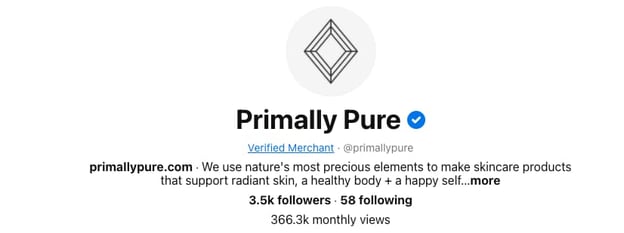
Primally Pure is a natural beauty brand that makes non-toxic deodorant and body care products. The brand’s Pinterest account has been one of its key drivers of growth.
On Pinterest, the Primally Pure account is focused on holistic lifestyle education and captures users who want to learn more about skincare and the potential side-effects of conventional product options. With many pins leading back to the company blog where there are in-depth articles on various topics the brand’s ideal customer would be interested in, this inbound marketing approach is an effective way to build trust and educate an audience.
6. Mayvenn
What we like: Video demonstrations of Mayvenn’s various products.
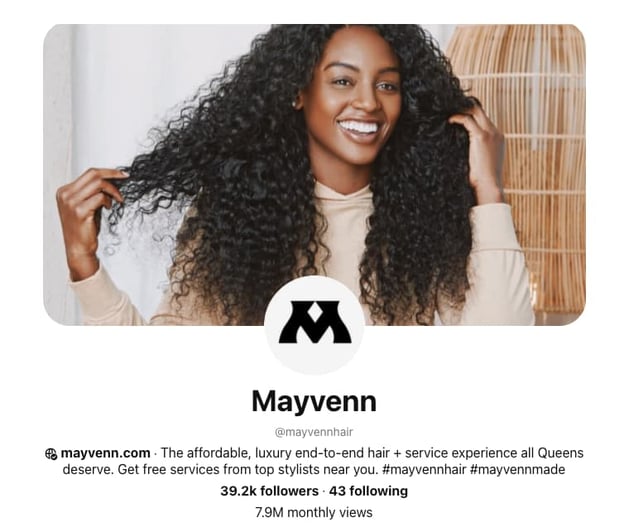
Mayvenn sells affordable hair extensions and related products to hairstylists and salon owners. With this ideal customer in mind, Mayvenn’s Pinterest content has a variety of tutorial-based posts to show stylists how they can use Mayvenn’s products on their clients. In addition to tutorials, Mayvenn shares pins related to hairstyle inspiration that are easily searchable.
The brand also features photos of their products fully styled so users can see exactly how the potential hairstyle they want to create will look.
7. Samsung
What we like: Aspirational product content.

Samsung is a global brand that makes a range of products, but on Pinterest, the brand’s home appliance account truly shines.
Appliances and home inspiration are popular search topics on Pinterest, and Samsung has created an impressive brand account creating beautiful imagery with its products front and center. The brand stays at the forefront of Pinterest’s latest features using video and Idea Pins to showcase how its products work to users who are looking for pins to help them create their dream homes.
The Samsung Home Pinterest account also has boards related to key home-related search topics such as “How to Clean” and “Kitchen Ideas.” The content on these boards consists of organic and user-generated pins that subtly feature Samsung’s products.
8. La Mer
What we like: Cohesive brand identity and Pinterest-exclusive products.

Luxury skincare brand La Mer is known for having high-end products that are often deemed celebrity favorites. The brand leverages Pinterest as a key part of its marketing strategy.
Not only are the visuals on the La Mer account cohesive, but the brand has found creative ways to generate new business through Pinterest. La Mer launched a video ad campaign to showcase the benefits of its products. Users who engaged with the ads were sent product samples to increase engagement and customer reviews.
In addition to its ad strategy and sampling campaign, La Mer has created product sets that are exclusively available through Pinterest, enticing users who discover the brand through Pinterest to make a purchase that isn’t available anywhere else.
9. Lavendaire
What we like: Natural-looking videos showing the company’s products in use.
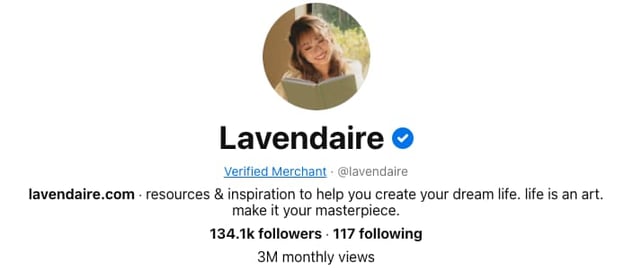
Lavendaire is a personal development brand that sells journals and apparel. The Lavendaire Pinterest account organically garners three million monthly views to drive traffic to the brand’s products and other content channels.
A particular area where Lavendaire shines on Pinterest is through the creation of Idea Pins. The Idea Pins feature is a primary focus area for Pinterest, and the Lavendaire brand frequently shares new Idea Pins showcasing the company’s journaling products.
With journaling being a high-traffic search term on Pinterest, pins shared by Lavendaire are optimized to show up in journaling-related search results helping Pinterest users find and connect with the brand and community.
10. Golde
What we like: Colorful visuals, and recipe-based content.
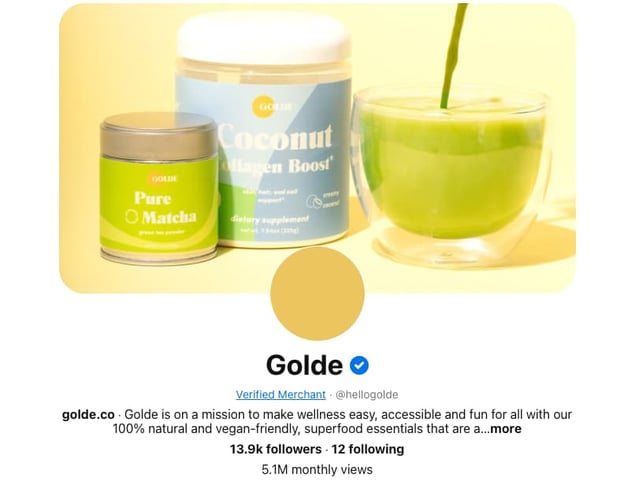
Wellness superfood brand Golde has an impressive Pinterest account that features its product line in a variety of ways. The account has video posts that are beautifully shot and feature Golde products used in recipes and tutorials.
In each of the brand’s educational and recipe videos, the pin is linked directly to the product featured helping the brand drive sales from users who are looking for recipe inspiration and new creative ways to use products such as matcha and cacao.
11. The Good Trade
What we like: Organic traffic generation.
The Good Trade is an online publication that covers topics related to sustainability and slow living. The company’s Pinterest account has almost 10 million organic monthly views, which is an impressive feat.
Though The Good Trade doesn’t currently run Pinterest ads, the brand creates pins for all of its articles, generating traffic back to its website.

The brand relies on keywords and hashtags to create pins that can be found through search and has built an engaged audience on Pinterest to convert into readership.
If your company isn’t on Pinterest yet, now is the perfect time to get started. Whether you have an eCommerce business, brick-and-mortar store, or your content is your product – users on Pinterest are likely searching for what you have to offer.


Why Workplace Authenticity Matters More than Ever, According to Credly’s VP of Customer Success
Pre-pandemic, it was relatively easy to keep tight boundaries between our personal and professional lives.
But in a post-pandemic world, things have shifted. Now, people have their dogs or children in the background during Zoom calls. Others have yoga breaks and book clubs blocked into their work calendars.
Companies have also put a bigger focus on their employees’ mental and physical health: For instance, HubSpot began offering its employees access to mental health tool Modern Health, as well as an employee discount for the Headspace app.
All of which is to say: The workplace has changed, and whether people work from home or return to the office, they’re going to want — and expect — the freedom of bringing their full selves to work.
Here, I sat down with Krystal Lamoureux, VP of Customer Success at Credly, to learn her leadership tips for encouraging employees to bring their full selves to work. Let’s dive in.

What It Means to Bring Your Whole Self to Work, and Why It Matters
For starters, I asked Lamoureux what it means to bring her ‘full self’ to work.
She told me, “I think the pandemic has helped me realize that being a professional does not mean I have to check my personal life at the door. It forced me to shrink everything about me to fit inside the four walls of my home. Suddenly work, school, and play were all occurring in the same place and at the same time. Pre-pandemic, my kids went to school and I commuted to the office. Somewhere in the car post-drop off, I switched from mom to professional.”
Lamoureux adds, “When the pandemic hit, I no longer had the option to segment my day or attention the way I used to and, as a result, the way I work has changed (for the better). Not only has my wardrobe shifted to more casual options (leggings, yoga pants, and hoodies for the most part), but I’ve also adjusted when and how I work.”
Research has shown tremendous benefits to authenticity in the workplace, both for individuals and for organizations at-large. For instance, Simmons University Institute for Inclusive Leadership’s 2021 Leadership Development Survey found people who behaved authentically at work felt more confident, more deeply engaged, and happier.
Additionally, respondents said being authentic enabled them to build stronger coworker relationships, and roughly half even said authenticity made them “more able to do their best work” in the office.
Authenticity in the workplace can’t happen without psychological safety, but it’s a critical component for happy, healthy employees. Additionally, it’s simply a good business practice to foster authenticity in the workplace, since people who feel they can bring their full selves to work ultimately connect more deeply and fully with their team — leading to lower turnover rates and higher engagement.
As Lamoureux puts it: Our personalities, experiences, likes and dislikes, and goals and aspirations all join together to form the person who shows up for work every day anyway.
“Bringing our whole selves to work creates a much richer, more authentic product for everyone involved. Allowing people to bring their whole selves to work creates a more authentic, happier work life.”
So — what does authenticity look like in practice?
Lamoureux told me, “I don’t have a dedicated office space in my home, but I usually set up shop at the dining room table where I have a tidy background for video calls. When I’m chatting with my team, I’ll move to my couch to snuggle with my pup. Our CEO often encourages us to turn our cameras off and walk around during calls to avoid Zoom-fatigue. Knowing that I’m not always expected to be on-camera allows me flexibility to tend to laundry while I participate in a meeting.”
Aspects of Lamoureux’s life outside of work — her dining room, her puppy, and her laundry — will inevitably mingle with Lamoureux’s work, and she’s okay with that.
As she puts it, “Am I always at my desk? No. Am I still working and being productive? Yes. Do I have a better work-life balance? Absolutely.”
In terms of leadership, there’s a delicate balance between encouraging authenticity and expecting your employees to deliver results, but with empathy and trust, you can find a way to accomplish both.
Lamoureux told me, “I expect my team to be responsible, responsive, and complete what needs to be completed. I also expect them to take care of their family obligations and their health. We do a work-life blend at Credly — meaning there will be times we are online shopping for new shoes on Tuesday at 3 p.m. (and getting opinions from coworkers), and other times when we’re answering emails at 9 p.m. on a Thursday. The bottom line is that I want them to set healthy boundaries because it’s necessary for us all to do good work.”
How can you encourage authenticity in the workplace?
Creating fun ways for employees to interact with one another that isn’t work-related is an effective starting point for encouraging authenticity.
At Credly, Lamoureux’s team has coffee breaks and book clubs to connect with one another and learn more about each other as full human beings.
- Coffee Breaks: We have a weekly coffee break with only one rule: no work allowed. Sometimes, we incorporate a theme into our coffee breaks encouraging people to dress up or bring something to share. It allows us to show bits of ourselves in a fun way. We’ve learned so much about one another from these casual conversations.
- Book Club: we generally read 2-3 books per year as a team. Sometimes, they are work-related, but sometimes they aren’t. We’ve had such deep, rich discussions in those book club meetings!
Additionally, one of the most effective and simple ways to encourage authenticity is to lead by example. The more authentic you can be as a leader, the more you’re giving employees permission to do the same.
How do businesses fail when it comes to creating an authentic culture?
Finally, I asked Lamoureux how she feels most businesses fail when it comes to authenticity.
She told me, “I think most businesses want the best for their employees but are afraid to reset what a productive, professional environment looks like. Our world of work isn’t what it was two years ago, and as the world opens up again and employees return to offices, I think it could be tempting for business leaders to try to function the same way they did pre-pandemic.”
“It’s the baseline for ‘normal’ — how things used to be. But with all the turmoil of the pandemic, we’ve also learned new, wonderful ways of working and it’s essential that organizations keep those elements.”
Ultimately, it’s critical your team learns how to pivot and meet the needs of each employee today. Perhaps those needs have changed as a result of the pandemic; or, maybe the pandemic simply brought them to light. Either way, to increase the satisfaction, engagement, and happiness of your employees, it’s vital you encourage and foster authenticity.


Best Times to Post on YouTube in 2022 [Research]
In 2022, we surveyed over 500 video marketers and found that YouTube sees the highest usage, more than TikTok and Instagram. It’s also the platform marketers will invest the most in this year.
With so much emphasis placed on the platform, we wanted to know what times and days publishers saw the best results.
Keep reading to learn what we discovered.
Creating a video for YouTube isn’t an easy task. First comes ideation, then scripting followed by filming, and finally editing – and that’s just at a high level. Imagine doing all that work just to upload a video that doesn’t get much traction.
When you’re first starting out, you’re bound to struggle. However, if you’ve been at it for a while and are still not getting any traction from your videos, your upload time could be the culprit.
Back in 2021, we surveyed 300+marketers in the United States for our Social Media Trends Report and asked them, “What’s the best time to post on YouTube? ”
To start, our report revealed that most marketers surveyed say they post on YouTube four to six times a week – as much as they post on Instagram, TikTok, Reddit, and many other social platforms. The only platforms where respondents posted every day were Facebook and Twitter.
While other social media platforms offer countless formats to engage audiences, from ephemeral content and in-feed posts to polls and live streaming, YouTube is slow to expand its formats.
As such, it’s surprising that marketers are posting as often on the platform, given that it’s a platform focused on long-form content.
As for the best times to post on the platform, here’s the breakdown:
- 31% of respondents said 6 p.m. to 9 p.m.
- 23% of respondents said 3 p.m. to 6 p.m.
- 19% of respondents said 12 p.m. to 3 p.m.
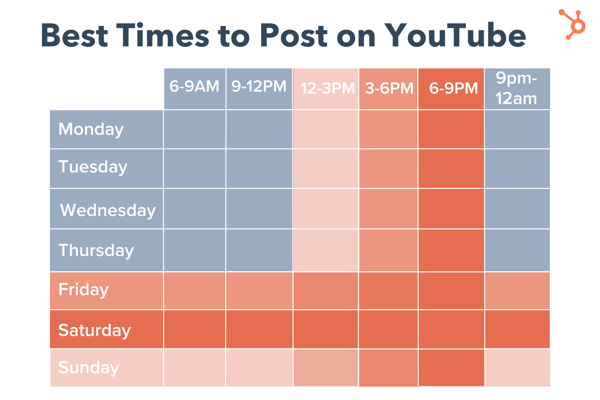 Note: Respondents were instructed to answer in their current time zone and for context, roughly 40% of respondents were located in the Eastern time zone.
As for the best days, data shows that it’s the weekend with Saturdays being the most popular answer, followed by Fridays and then Sundays.
One way to explain this is that the weekend gives consumers more time to explore the platform and dive into their favorite long-form content.
Other video platforms like TikTok and Instagram focus on short-form content, making it easy for consumers to get what they need during breaks throughout the day. YouTube, however, requires a bigger time commitment.
When is the worst time to post on YouTube?
Wondering when you shouldn’t post on the platform? According to our social media trends report, Mondays aren’t so popular among marketers.
Only 5% of marketers surveyed said Mondays were the best time to post on the video platform. The second least-popular day was Tuesday, followed by Wednesday.
As for the times, here’s the breakdown:
- 6 a.m. to 9 a.m.
- 9 p.m. to 12 a.m. (midnight)
- 9 a.m. to 12 p.m.
Fewer than 20% of respondents said an early morning posting (between 6 a.m. and noon) offered the best results.
Does it matter what time you post on YouTube?
The answer to this is both yes and no. Yes, it does matter what time you post on YouTube in the short term because it will impact how many views your video gets within the first few hours. Optimizing your views during this time period can help you generate more traffic to your content and help the growth of your channel.
However, it doesn’t play a huge role in the long term. Say your video was posted at 3 a.m., that has little impact on how many views it can garner over the next couple of months or years. Unlike a platform like Instagram where fresh content is key to success, novelty is not the biggest ranking factor on YouTube – relevance is.
This means that even if your video may not perform well initially, if it’s the most relevant video to a user’s query, it can quickly gain traction.
How to Find Your Channel’s Best Time to Post
Your Analytics dashboard is the best place to go to find the most accurate and reliable data on your channel – including the best time to post.
If your channel generates enough traffic, you’ll gain access to an advanced report which shows you when your viewers are most active on the platform.
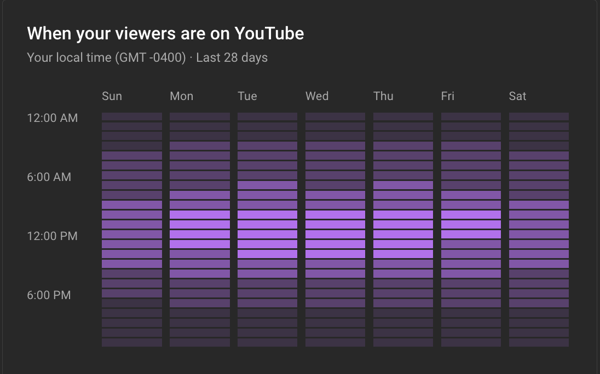
To access this page, follow these steps.
- Open YouTube Studio.
- Click on “Analytics.”
- Open the “Audience” tab and view your report.
Knowing the best times and days to post on YouTube isn’t meant to be a strict ruling on when you should post. Instead, it should be used as a guide to optimizing your channel for short- and long-term success.

16 Leadership Resources for Any Stage of Your Career [+ 9 Extra Tools]
When you think of leadership resources, terms like ROI, budget, and management might come to mind. But the data is in.
There’s a new way to think about leadership. It’s time to focus on the relationships that are essential to business success.
![→ Click here to download leadership lessons from HubSpot founder, Dharmesh Shah [Free Guide].](https://no-cache.hubspot.com/cta/default/53/4e634041-e1ce-4a85-8e65-aea12fc10b84.png)
According to a 2021 Gallup report, only 20% of employees feel engaged at work. Low employee engagement is a quality of life issue, and it’s also expensive. Low engagement costs companies $8.1 trillion per year.
Whether you’re starting your first job or managing a tough team, these resources for leadership development can help. These are the tools that can help you thrive both personally and professionally.
While there are many qualities that make someone a great leader, this list focuses on three areas that anyone can use:
Leadership Resources for Empathy
Leadership Resources for Communication
Leadership Resources for Support and Development
Let’s get started.

Leadership Resources for Empathy
Empathy makes it onto every top ten list for leadership qualities. Empathy can improve:
- Innovation
- Engagement
- Retention
- Inclusivity
But a 2021 EY study says that 54% of employees left their jobs because of a lack of empathy from their boss.
These resources can help you be a more empathetic and authentic leader. And they can help you whether you’re working to support your teammates or leading your own team.
1. The Radical Candor Framework
Book, Podcast, and Workshops
Price: $18 for the book, cost varies for other services

Commitment: Varies depending on the services you choose
What it offers:
After an important presentation, Kim Scott’s boss, Sheryl Sandberg– yes, the one who wrote Lean In– had some feedback. Harsh feedback. The kind of feedback that stings. But because Scott knew that Sandberg was coming from a compassionate place when giving her feedback, Scott accepted it, moved on, and became better.
Scott took this pivotal interaction and used it to develop a framework for giving better feedback at work. It’s a framework for feedback that embraces both brutal honesty and profound empathy.
Why we like this leadership resource:
The Radical Candor Framework offers worthy advice on how to add empathy to your interactions at work. It’s a useful tool for leaders at any point in their careers.
2. No Straight Path
Podcast
Price: Free

Commitment: 30-50 minutes per week
What it offers:
This new HubSpot podcast hosted by Ashley Menzies Babatunde examines the human stories behind the glossy façade of business leadership.
Instead of drawing a clear line from start to success, Menzies unpacks the ups and downs of life. This podcast talks about how setbacks and unexpected gifts can form a path toward leadership and achievement.
Why we like this free leadership resource:
Tactical business podcasts can often skip the challenges or put a positive spin on hard moments. This show offers a fresh alternative. It emphasizes the quality of empathy not just for others, but also for yourself.
3. LinkedIn Learning
Online courses
Price: $19.99 a month for an annual subscription

Commitment: Course times vary from 20 minutes to 5+ hours
What it offers:
If there’s a professional skill you want to advance, chances are, LinkedIn Learning has a course for it. It offers classes in everything from Excel, to audio production, to coding.
Why we like these resources for leadership development:
Their programming doesn’t just teach traditional ideas about leadership. Top-rated courses in 2021 included:
4. TED Radio Hour
Podcast
Price: Free

Commitment: About an hour, once a week
What it offers:
Around here, we love a good TED talk. But trying to pick just one out of volumes of valuable presentations is as tricky as trying to pick one thing to watch on Netflix. That’s what makes the TED Radio Hour podcast so valuable.
Why we like this free leadership resource:
It takes some of the most intriguing TED talk topics — like making amends, balancing work, play, and rest, or even gratitude— and builds episodes based on them.
5. Blinkist
Mobile App
Price: $8.34 a month for an annual subscription

Commitment: 15 minutes a day
What it offers:
Blinkist offers bite-sized overviews of the latest non-fiction books that you can read or listen to on your phone. This helps you keep up with the latest research on the topics that are important to the people on your team.
Why we like this leadership resource:
This is a great learning tool for time-strapped professionals. Empathy begins with understanding, and this app makes it easy to recognize challenges and passions that may not be top of mind in your world.
6. Side Hustle Pro
Podcast
Price: Free

Commitment: Each episode is under an hour.
What it offers:
Side Hustle Pro highlights black female entrepreneurs who made their side job a profitable business. Host Nicaila Matthews Okome talks about finance, online business, and marketing. She also covers business trends in fashion, health, and wellness.
Why we like these free leadership resources:
This podcast has more than extensive interviews with business experts, there’s a Bootcamp series too. This is great for new listeners who aren’t sure where to start. The Bootcamp boosts newbies with an ebook, uplifting emails, and an engaged Facebook community. Many of her podcast guests share the challenges that led them to create their products and services.
More resources:
If you’re working on empathy skills on your own, you may enjoy these resources for active listening. Another great choice comes from CompassPoint. They offer online and in-person training for nonprofits and BIPOC leaders.
Leadership Resources for Communication
Communication is another leadership skill that anyone can develop.
But being a great communicator is much more than being funny or well-spoken. Most people think they’re good communicators, but the data disagrees. A 2022 Grammarly and Harris Poll says that businesses lose up to $1.2 trillion a year from ineffective communication.
And only 19% of U.S. employees think that leadership communicates effectively in their organization.
Get ready to improve your communication skills.
7. Toastmasters
Online learning and club membership
Price: Club membership costs $7.50 per month, and includes Pathways learning in the membership fee.

Commitment: Varies, may include attending meetings for one to two hours every one to two weeks.
What it offers:
Public speaking isn’t exactly a requirement for being a strong leader, but as you progress in your career, it might become part of your job (think: presenting at large team meetings or to a board), and it’s a skill that can help set you apart from the pack.
You can join a Toastmasters club and take part in their online learning program. Their resources can step up your skills with advice on topics like:
- Presentation skills
- Goal setting
- Dealing with nervousness and building confidence
Why we like these resources for leadership development:
Toastmasters has been a leader in public speaking since the organization started in the early 1920s. With over 300,000 members and 15,000+ clubs, they offer a large community. They also have a broad range of tools to develop your communication and leadership skills.
8. Rapport Leadership Training
Online and in-person workshops
Price: Courses run from $199-2,595 per course
Commitment: Varies depending on the training you choose
What it offers:
Their focus is intensive 2.5-day courses. Rapport also offers self-guided online learning to work on leadership skills.
Options include:
- Cultivating Culture
- Emotional Intelligence
- Feedback and Coaching
Why we like this leadership resource:
Rapport has 30+ years of experience in principles-focused training. Their intensive courses focus on applying new skills to real-life situations. Rapport online classes also include a range of different media to support unique learning styles.
9. Bunch
Mobile app
Price: Free

Commitment: Two minutes a day.
What it offers:
This coaching app is a simple way to add leadership learning to your busy schedule. It offers quick daily leadership tips. They also have leadership style quizzes and targeted suggestions for deeper learning.
Why we like this leadership resource:
This app personalizes the experience of learning. Instead of giving general tips, they work to align their content with your main interests. Bunch also offers a podcast, a blog, and an active Slack community for extra support when you want it.
10. Simon Sinek’s InspireU
Online courses
Price: Course fees range from $40-250, and there is also a free podcast.

Commitment: Course times run from under 25 minutes to 90+ minutes.
What it offers:
Live and on-demand online courses that cover Sinek’s teachings from his books. They also have resources for self-care and leadership from a range of experts. His popular “Start with Why” course includes both solo and partner exercises.
Why we like these leadership resources:
Sinek’s philosophies have influenced leadership thinking since his Ted Talk in 2009. This course focuses on the value of inspiration in leadership. If you are struggling with motivating yourself or your team, this could be a great resource to recharge.
11. MindTools
Club with access to exclusive resources
Price: Limited free access, and $27 per month for membership.

Commitment: Varies depending on the training you choose
What it offers:
Mindtools offers hundreds of resources for communication including:
- Short trainings
- Expert interviews
- Book synopsis
Why we like these resources for leadership development:
Mindtools includes both personal and organizational learning modules. This can help you no matter what your leadership challenges are. Their free tools for communication alone contain a wealth of tools for growth.
Whether you want to dig into value propositions and body language or get the basics of giving feedback, Mindtools is a great resource for leadership development.
More resources:
The GLSNext mobile app offers insights from business leaders in videos, blogs, and podcasts.
Leadership Resources for Support and Development
Leaders are only as great as their team. It takes time and experience to support today’s workplace.
Do you want to build skills and business acumen? Are you curious about leadership philosophy? Do you want to grow your own business? Are you hoping to influence people where you work?
These leadership tools can help you understand and prepare for the challenges that might lay ahead. They can help you whether you’re leading from the top down or the bottom up.
12. Brené Brown’s Dare to Lead Hub
Book, Videos, Podcast, Workbook, and Training
Price: The book costs $20. Training costs vary by the facilitator.

Commitment: Varies depending on the resource you choose
What it offers:
Brown writes powerful books that can help you better understand how to lead. Her site also has hubs that enable a more intensive exploration of the themes in her books.
This includes the “Dare to Lead” hub, which offers a video, workbook, assessment, and other tools for aspiring leaders.
Why we like these resources for leadership development:
Sometimes, it feels like we have to know everything to be a leader. We have to learn how to manage projects, delegate tasks, and analyze outcomes. But then, there are the leadership lessons that don’t always get the biggest headlines, like learning to be accountable and embrace vulnerability.
Taking risks requires some degree of becoming vulnerable, and strong leaders know when to take calculated risks. But that doesn’t just apply to work leadership — Brown’s resources also explore how vulnerability and courage can help in other areas of life.
13. HubSpot Academy
Online courses
Price: Free

Commitment: Varies depending on the resource you choose
What it offers:
HubSpot Academy is best known for its excellent certification programs in Inbound Marketing, Sales, Social Media Marketing, and Content Marketing. But it doesn’t stop there. This leadership resource also offers 100+ lessons, courses, and learning paths to support leaders in every facet of business operations.
Why we like these free leadership resources:
The HubSpot team is constantly creating new content and updating courses to meet the needs of a rapidly changing work world.
14. Dale Carnegie Training
Online and in-person courses for groups and individuals
Price: Course prices range from $150-2500 per course.
Commitment: Varies by training. Most on-demand courses offer a full year of online access.
What it offers:
Carnegie has unique courses for both organizations and individuals. Online courses are available live online, on-demand, and with an online subscription.
Before 2020, 98% of Carnegie courses were available in person only. They scaled fast to create leadership resources that are available in 32 languages and in 86 countries.
Why we like this leadership resource:
We all need feedback from a real human being, and on occasion, it can be the most enlightening to get it from someone outside your company or industry.
Carnegie started teaching about leadership in 1912. The principles of his best-selling book focus on ideas about wellbeing that are only now taking hold in workplaces.
Whether you’re looking for broad instruction on leadership or more targeted learning for your specific challenges, Dale Carnegie courses can help.
They offer over 80 course options. Their website also has white papers, case studies, and webinars if you’re not sure where to start.
15. How I Built This
Podcast
Price: Free
Commitment: About an hour a week.
What it offers:
This podcast has over 400 episodes of business leadership know-how. Each episode features the founders of a business and how they got their start.
Why we like this free leadership resource:
Listening to founder stories is an easy way to take in topics like accountability and resilience. It’s also a chance to understand how founders manage complexity in their startups. These anecdotes can help you figure out which skills and tools can help you prepare to meet your goals.
16. HubSpot Podcast Network
Podcast
Price: Free

Commitment: Varies by podcast, usually about an hour
What it offers:
If you’re not ready to pick a favorite, the HubSpot Podcast Network offers 26 podcasts and counting. Each has a unique take on business development, growth, and priorities.
From stories of epic failure to the recovery that followed it, HubSpot hosts interview guests who share their most intriguing organizational, cultural, conceptual, and team insights.
Why we like this leadership resource:
If your schedule is tight, there is nothing like getting the basics done while listening to a strategic podcast. These podcasts cover targeted topics like change management, negotiation, and tech news. This resource can shed light on the big and small challenges you face as a leader every day.
So, spend some time with professionals from HubSpot and The Hustle. They offer insights you can use on your path to leadership enlightenment.
More resources:
Books are also great resources for leadership development. These two long-time bestsellers continue to be relevant and popular if you want to know how to lead effectively.
- How to Win Friends and Influence People by Dale Carnegie
- The 7 Habits of Highly Effective People by Stephen R. Covey
If you want more resources for support and development, these are some other great tools to look into:
Put These Leadership Resources Into Action
It’s not unusual to seek out a list like this after a difficult conversation or challenge at work. And it’s just as common to add a bookmark to your browser and forget about it until the next issue pops up.
So, get started now, even if you can only spare a few minutes. One great resource could be all that you need to change the way you lead.
Editor’s note: This post was originally published in May 2017 and has been updated for comprehensiveness.

How to Write a Great Email Signature [+ Professional Examples]
Around the globe, more than 300 emails are sent and received each day, on average. That’s 300 opportunities to market yourself and your business in those individual emails you send.
A lot of people treat their email signatures like an afterthought, which is a big missed opportunity. Those signatures are a chance for you to make it clear who you are, make it easy for people to reach you, and give people a place to go to find out more — either about you, about your business, or about something you’re working on.

So, if you’re just putting your name and a point or two of contact information in your signature, you’re not taking full advantage of the opportunity to connect and engage with the people you’re emailing. So what exactly should go in your signature?
1. First and Last Name
Just like with snail mail correspondence, your name should always be included so that the recipient of your message knows who it was from. This manifests in the email signature, often as the first line of text.
2. Affiliation Info (Such as Job Title and Department)
Closely following your name should be your affiliation information. Your affiliations could include your job title, your company or organization, and/or even your department. Your name should eventually be its own draw, of course, as you build a relationship with the recipient, but providing this information provides more context about the conversation and your role in it.
In addition, affiliating yourself with a larger organization lends you more credibility, especially if it’s a recognizable organization. This helps you get the attention of your readers so they take your message seriously.
3. Secondary Contact Information
Secondary contact information is important, too, so that the recipient knows how else to contact you. Secondary information might include phone, fax, or any other method of communication you want to emphasize. In situations where you don’t want to cough up your direct line, you could take this opportunity to promote your personal website — a passive way to open the lines of communication without flooding yourself with outreach if you don’t want it.
4. Social Profile Icons
Your social media presence is a major part of your personal brand because it helps you gain a following in your space and shows people what you care about. You can tell a lot about a person by what they post and how they portray themselves.
That’s why it’s a great idea to include links to your social media pages in your email signature. It not only reinforces your personal brand, but it also helps people find new ways to contact and follow you.
Even better? It can help drive traffic to your online content if you’re posting links to that content on social media. So if you do include social icons in your signature, make sure you’re keeping your social profiles up-to-date and chock full of interesting, relevant content. (In other words, if you haven’t tweeted in six months, you may want to leave Twitter out.)
Why use social media icons instead of simply text links? Because icons are more easily recognizable for folks skimming your signature — and they’ll stand out from the rest of the text in there. According to research from NeoMam Studios, visuals shown in color increase a person’s willingness to read the rest of the content by 80%. That’s a huge advantage. Plus, icons are big space-savers in a place where you might be packing a lot of information.
Even if you have a presence on a lot of social media sites, though, try to cap the number of icons to five or six. Focus on the accounts that matter most to growing your business or building your personal brand.
If you do include a lot of social media icons, at least try to cut back on the other content if possible so your design isn’t too busy. Check out the example below, made using HubSpot’s Email Signature Generator.
5. Call to Action
One of the smartest things you can do in your email signature is include a call-to-action. The best email signature CTAs are simple, up-to-date, non-pushy, and in line with your email style, making them appear more like post-script, and less like a sales pitch. Choose a CTA that aligns with one of your current business goals, and update it when those goals change. Here’s an example of a HubSpotter’s email signature that includes a CTA for the HubSpot Podcast Network:-png.png?width=400&name=Untitled%20design%20(1)-png.png)
6. Booking Links
If you find yourself emailing back and forth with colleagues and clients who want to book meetings with you, make it easy for them by including a link to book your calendar right in your email signature. Here’s an example from our own Bryan Lowry, below.
There are many tools out there that’ll help people book appointments. Bryan from the example above uses HubSpot’s shareable personalized booking link. If you’re a HubSpot Sales customer, you can share your personalized meeting link with anyone who you want to book a meeting with and let them choose from your available times. If you want, you can make it so the HubSpot CRM automatically creates a new contact record for anyone who books a meeting if one doesn’t already exist.
If you aren’t a HubSpot customer, one great meeting tool is Calendly, which is free for Basic and lets you integrate your Google or Office 365 calendar. If you’re looking for a Calendly alternative, YouCanBook.me is another booking tool that goes for $7 per calendar per month.
7. Industry Disclaimer or Legal Requirements
Some industries such as legal, financial, and insurance have specific guidelines on email usage and etiquette to protect private information from being transmitted. For this reason, you may want to look into what regulations your industry has in place and include a disclaimer in your signature about email transmissions. Mail-Signatures offers a number of email disclaimer examples, including this one:
“The content of this email is confidential and intended for the recipient specified in the message only. It is strictly forbidden to share any part of this message with any third party, without a written consent of the sender. If you received this message by mistake, please reply to this message and follow with its deletion, so that we can ensure such a mistake does not occur in the future.”
8. Photo or Logo
An image is a great choice to spice up your email signature. If you want a personal touch so that recipients you’ve never met can associate your name with your face, consider using a professional photo in your signature. Alternatively, you can use the company’s logo to add more brand awareness to the email.
9. Pronouns
While not as common in email signatures and certainly not required, adding your preferred pronouns to your signature is helpful, especially when emailing individuals you’ve never met. It also takes ambiguity away if you have a name perceived as gender-neutral.
Now that you know the elements you should include, what does a great email signature look like? Here are some tips for creating signatures that are helpful and professional, including a few great examples.
1. Emphasize your name, affiliation, and secondary contact information.
As you might guess, your name comes first. Closely following your name, however, should be your affiliation and where else people can reach you.
Your affiliation could mean your job title, your company, your school, or a similar organization that you deem important to your recipients. Your name should eventually be its own draw, of course, but using a more popular brand name — and even its logo — ensures you get the attention of your readers and they take your message seriously.
Secondary contact information is important, too. You might not want to endorse your personal phone number, but you could take this opportunity to promote your personal website — a passive way to open the lines of communication without flooding yourself with outreach you don’t want.
Here’s a sample email signature that hits on all three things described above nicely. Kevin’s first and last name are accompanied by his affiliation with the University of Connecticut. He also promotes his personal website so his recipients have another outlet to see his work and contact him for more information.
Want to create a signature like the one below? Use HubSpot’s Email Signature Generator.

2. Keep the colors simple and consistent.
Branding is most effective when it’s consistent — and that includes your email signature. Adding color to your email signature is a nice touch that’ll help it stand out from the rest of your email. But if you do choose to use color, be sure to stick to one or two in addition to dark text.
Use subtle highlights to match your logo or branding, like Brittany Hodak does in her email signature, below. Notice how her social media icons are the same blue hue as the ZinePak logo.
3. Use design hierarchy.
Good design is all about presenting your information in an easily digestible manner. Because your email signature is likely more a list of information than it is a compelling story, you’ll want to use hierarchy to direct readers’ eyes to what they should be reading first.
Scale your name up to a larger font so that it attracts the most attention, like you would on a resume. Then, pick and choose information to bold and color based on importance so you can help guide people’s eyes logically through the design.
4. Make links trackable.
So you put a few links in your email signature, including your CTA and your social media icons. But is anyone actually clicking on them?
To figure out whether the links in your signature are actually attracting clicks and making an impact, you’ll want to make those links trackable — just like you would any other link in your emails.
Follow these instructions to easily make a tracking link that helps you attribute traffic to your website to your email signature. From time to time, you might switch up the format of your signature or the wording inside your signature to see what drives the most clicks.
5. Use space dividers.
Although you never want to jam-pack your email signature for too much information, there are ways to fit a lot of text into a compact area like this one without compromising design.
This is helpful for breaking up different types of information, like your name and contact information, your logo, any calls-to-action you have, or even a disclaimer.
Using space dividers within your design, as in the example below, is one great way to do this. You can also use glyph dividers, which is the vertical bar symbol (i.e., |.)

6. Include an international prefix in your contact number.
If you work with people around the world, don’t forget the prefix for your country’s code when you list your contact phone number. Many people overlook this if they aren’t used to dialing international prefixes themselves, but it’s really helpful for your international colleagues and clients to have it right there. Here’s a list of country codes if you don’t know yours.
Here’s an example from Kit Smith, formerly of Brandwatch, a company that has offices in both the United States and Europe and works with international clients. Including the U.S. country code makes it easier for folks in other countries to reach him by phone.
7. Make your design mobile-friendly.
According to Truelist, over a third of professionals open emails on their phone making it a prime method of communication for business and professional matters.
The more people who read email on mobile devices, the more you’ll want to keep mobile users top-of-mind when you’re writing emails — including your email signature.
One major way to make your email signature mobile-friendly is to make your signature’s design easy to read and clickable for mobile users. This is where scale becomes really important. Make sure your text is large enough to read on small mobile screens, and that your links and buttons are large enough — and spaced out enough — for folks to tap on with their fingers.
Check out the example below, and note how much space there is between different clickable elements like the social media icons. These are great for tapping with your finger on a mobile screen so that users don’t accidentally tap on the Facebook icon when they meant to go to Twitter.
8. Use an email signature generator.
If you’ve tried all of these steps and you’re still not happy with how your email signature turned out, don’t fret. These digital sign-offs can be tricky to get perfect. Try a free email signature generator to do the heavy lifting for you instead.
Rather than choosing the colors, fonts, and layout yourself, this generator gives you several combinations to choose from. Simply add your information, photos, and links. Then choose your colors. Once you’re satisfied with your email signature, you can add it to your email account right away.
9. Check your new email signature for quality.
Finally, as with any part of an email, make sure your signature looks as good as you think it does by testing it with various email clients. Microsoft Outlook doesn’t recognize background images, for example, so avoid using those. Other email clients don’t load images by default at all.
Best Professional Email Signature
The best professional email signature will be true to who you are both in and outside the workplace. Once you include the basic contact information, the rest of your email signature is a blank canvas for you to share a bit of personality with each professional email you send.
Armed with these email signature best practices, you can create your own signature that aligns with your brand and gives your emails a little extra umph.
Editor’s note: This post was originally published in June 2019 and has been updated for comprehensiveness.


How to Create an Editorial Calendar in Google Calendar [Free Templates]
Whether you’re managing thousands of blog posts or a few dozen articles, you know that it’s imperative to have an editorial calendar to keep track of it all.
The good news is, there are a lot of great calendar tools out there you can choose from. In fact, for those of you who are HubSpot customers, there’s a marketing calendar built right into HubSpot’s software.
But one of the best editorial calendar options is Google Calendar. It includes features like repeat scheduling, syncing, and adjustable visibility so you can collaborate effectively with your team. Best of all, it’s completely free to use.

Intrigued yet? Here’s how to set up your editorial calendar using Google Calendar.
Follow Along With These Free Editorial Calendar Templates
 Download the Template for Free
Step 1. Download HubSpot’s free editorial calendar templates.
First thing’s first: Download the calendar templates above (they’re free.) By doing this, you’ll have three editorial calendar templates on your computer to use at your leisure: one for Google Calendar, one for Excel, and one for Google Sheets. In this blog post, we’ll be going over how to import the Excel template into Google Calendar.
Step 2. Customize your template and prepare for import into Google Calendar.
The publish dates on the templates you download will be stamped for a previous year.
Feel free to change them to the current year in the spreadsheet itself — you can also drag them to the dates of your choosing after uploading the file into Google Calendar.
Google Calendar makes it easy to load a calendar you might have pre-created in another program into Google. This includes Microsoft Excel. Next we’ll show you how to import the Excel calendar template you downloaded in the previous step into Google Calendar.
Step 3. Open Google Calendar.
Once you’ve downloaded (or created) a calendar that opens in Microsoft Excel, it’s time to open Google Calendar. Just make sure you’re already logged into the Gmail account you want this calendar to give access to.
Step 4. Use the left hand dropdown menu to create a new calendar.
Next, set up your Google Calendar to accommodate the information in your Excel spreadsheet. To do this, go into your Google Calendar and click the plus sign to the right of “Other Calendars,” as shown in the screenshot below. Then, in the dropdown menu that appears, select “Create new calendar.”
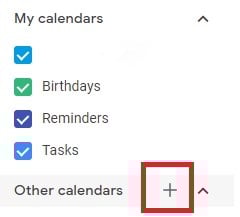
Step 5. Fill out the details of your new calendar.
Fill out the fields that appear on the next screen. This includes a brief description of your calendar, as shown below, to give people proper context when you invite them into this calendar. When you’re done filling in the details, click “Create calendar.”
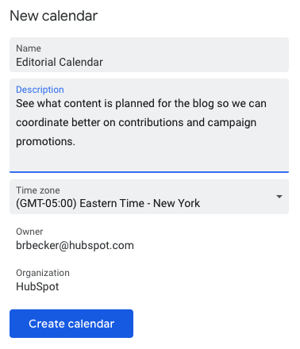
Step 6. Import your XLS or CSV file from the same dropdown menu.
Using the same dropdown menu you used to create your editorial calendar, you’ll now import the Excel file itself into Google Calendar. Click that plus sign and select “Import.”
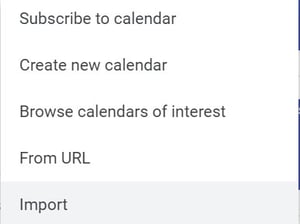
Click the upload box that reads “Select file from your computer,” and locate the file entitled “Blog Editorial Calendar – Excel” that was included in the ZIP file you downloaded in Step 1 above.
Step 7. Select which calendar to add this file to.
In the second box below your imported file, click the “Add to calendar” dropdown. Be sure to choose the calendar name you just created from the dropdown menu, as shown below. Then, click “Import.”
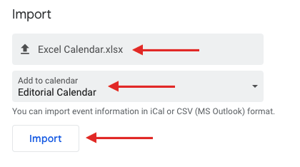
Step 8. Click Import.
Once you’ve uploaded your Excel file and selected the calendar you want to add this file to, click “Import.” You should see an Import calendar dialog box telling you that seven events were successfully imported. Click “Close.”
You can now change the dates of the first seven assignments in the original Excel document if you’ve not already done so. Navigate to the start of your calendar. Be sure all of your other calendars are temporarily hidden by clicking the colored box to the left of the calendar name.
For example, on the week of January 3, you should just see one “Blog TBD” calendar event on each day from 10 a.m. to 11 a.m.
Use the edit window of each assignment to change the publish date. So, for instance, if you’re satisfied with the 10 a.m. publish time, you can simply change the date. Each assignment will then appear as event blocks in your monthly calendar view.
Step 9. Determine your publishing schedule.
Now that you have your calendar created, it’s time to fill it in with assignments for the year. This is when you have to make some decisions about your blog’s publishing schedule.
While the Excel file you imported accounts for one blog post per day, this doesn’t mean you need to publish seven days a week. You can choose to publish every Monday, Wednesday, and Friday. Or perhaps you plan on posting on just Thursdays. Remember, the key to successful blogging is quality over quantity.
Don’t overcommit to a blogging schedule if the quality of your content will take a hit. How often your company should blog will vary depending on your business goals and resources.
If you decide to decrease the number of days you want to publish, click on the calendar event of that day and select “Delete.”
Even if you want to publish multiple times a day, updating this calendar is as easy as adding an event. Select a slot on your calendar to add another “Blog TBD” event and copy the default description from another one of the events you imported.
Next, it’s time for some minor adjustments. Currently, the “Blog TBD” events are set for 10 a.m. Feel free to move these events to whichever time your blog publishes content during the day.
Step 10. Set up recurring events.
Now that your publish dates and times are set, you can make these recurring events on your calendar.
If you have a regular publishing schedule, say every Monday, Wednesday, and Friday at 10:00 a.m., you can put that in as a recurring “slot” on your calendar. It’s okay if you don’t have a piece of completed content — or even a working title — to put there yet. It’s just a reminder that you want to publish something that day.
To add your recurring slot, click on your first “Blog TBD” event and click the pencil icon to edit your event. This will take you to the details of the post, where you can create a custom recurring schedule for each assignment, as shown in the screenshot below.
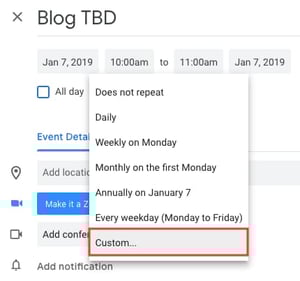
You can set the post up as a recurring post, so it automatically appears every Monday, Wednesday, and Friday at 10:00 a.m. (or whatever days and times you want).
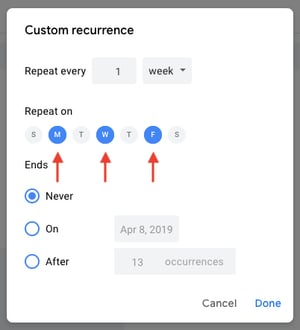
Once you’ve selected the recurring days, hit “Done” and “Save,” and you’ll have an editorial calendar framework to work with.
For now, keep the event’s title as “Blog TBD,” but feel free to customize the description with any extra details you want to be sure you include for each post. Wait to invite any guest, as we’ll use this to assign posts to an author once you begin filling in your topics. With everything complete, click “Save.”
If you don’t have a recurring schedule like this, you might not need an editorial calendar just yet — but it is an excellent way to set goals for yourself. For example, if you know you want to publish a certain number of posts each week, even if you don’t hit every single slot, it’s a good reminder for yourself and your team that this is something you should all be striving for.
Step 11. Fill in your publishing slots.
Now that you know all of the slots you want to fill, you’ve got to actually fill them. (If you don’t have topic ideas yet, check out this free topic idea generator. It’ll give you some good ideas for content to put in the calendar.)
Let’s say one of the posts you want to write is “10 Surprising Facts About Tapirs,” and one of the posts you’ve already written and want to publish later is “Think You’re Cut Out to Own a Tapir? Read This First.” Just add them both to the calendar by clicking on “Post – TBD” on the correct date, choosing “Edit Event,” and then changing the “Post – TBD” text to the actual title of the post.

Now, let’s say you don’t want to write “10 Surprising Facts About Tapirs,” and you want your colleague to write it instead. To assign the post an author, you’ll invite them to the event as a guest. To do this, click on the event, hit “Edit Event,” then invite that colleague to the post by typing their name or email address into the “Add guests” box, selecting “Add” when their name pops up and hitting “Save” on the event once you’re done.
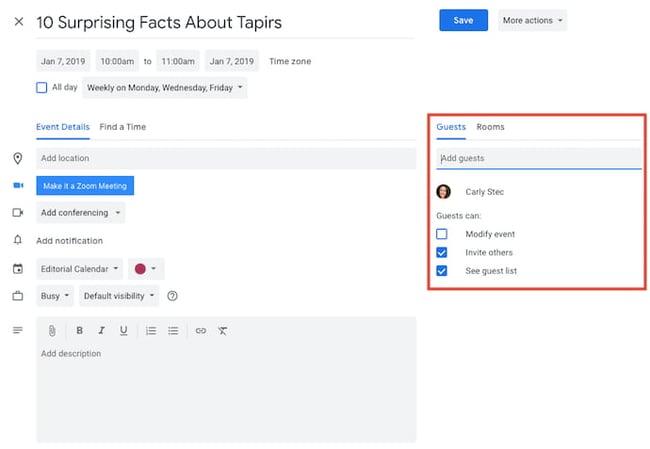
Now, anyone can see who is responsible for writing the post that’s going up in that time slot.
You can take it a step further by adding details to the “Description” box of the event, as shown in the large box in the screenshot above. You might include a quick synopsis, the keywords you plan to target the post for, the target audience you’re trying to reach, and the offer or CTA you will direct the reader to at the end of the post. Don’t forget to add the draft’s due date.
Before Google Calendar lets you save the event, you’ll see a dialog box asking if you would like to change just this event or all of the events in the series. Select “Only this event.”
Repeat these steps to assign each blog topic today and in the future.
Step 12. Share your editorial calendar with others.
Now that you have your calendar set up, you can invite people to see it. I’d recommend you start with your immediate team and regular contributors — as well as anyone who regularly asks you about publishing content on your company blog.
To share this editorial calendar with people, simply find your editorial calendar under “My Calendars,” as shown below. Click the three dots next to the calendar name and select “Settings and sharing” when it appears in the dropdown menu. You’ll be taken to the same screen when you first filled out the details of your editorial calendar in Step 2.
Then, you can add in the names of people with whom you’d like to share the calendar and set the right permission levels for each invitee.
It’s wise to keep those with the permission settings to manage changes and sharing to a minimum so there aren’t too many cooks in the kitchen — but I recommend you let everyone see all event details, so it’s clear exactly what content is going up in each slot.
Under the “Share with specific people” heading, enter the email addresses of those on your content team and decide if they have viewing, editing, or admin privileges. Save your updated settings.
Why Using Google Calendar as an Editorial Calendar Works
Google Calendar has amazing features that will help you manage your editorial calendar. For starters, if you use Gmail for your corporate email, everyone that you work with will already be in Gmail (and their calendar, specifically) all day.
As a result, it won’t be hard for people to form a habit of checking the editorial calendar because it won’t be difficult for them to find it.
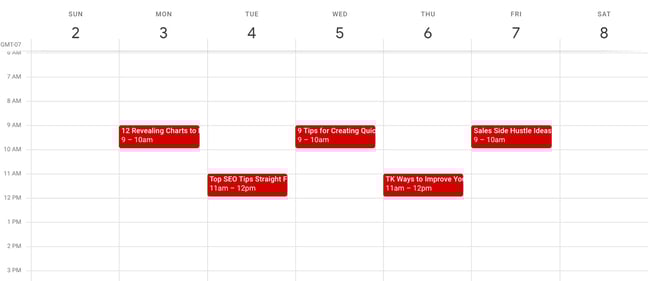 Google Calendar also makes things really easy to move around and schedule because, well, it’s already a calendar. It has all the functionality you need to schedule stuff out and let the people who need to know about it know.
Along those lines, allowing people to view your calendar is simple, making it easy for multiple teams to collaborate, see what’s being published, and figure out when they might launch content and campaigns.
Finally, this sets a precedent for other teams to coordinate with your team in a straightforward way. You can have a calendar for upcoming campaigns, offers, social media pushes, product launches — you name it. And you can all share those calendars for a single-screen view of everything that’s going on so you can coordinate more easily.
Are there other solutions for maintaining an editorial calendar? Of course. But if you’re looking for a free, not-too-shabby, minimum viable product, then Google Calendar is for you.
Editor’s note: This post was originally published in January 2019 and has been updated for comprehensiveness.